<?xml version="1.0" encoding="UTF-8"?>
<?xml-stylesheet type="text/xsl" media="screen" href="/~d/styles/rss2full.xsl"?><?xml-stylesheet type="text/css" media="screen" href="http://feeds.feedburner.com/~d/styles/itemcontent.css"?><rss xmlns:content="http://purl.org/rss/1.0/modules/content/" xmlns:wfw="http://wellformedweb.org/CommentAPI/" xmlns:dc="http://purl.org/dc/elements/1.1/" xmlns:atom="http://www.w3.org/2005/Atom" xmlns:sy="http://purl.org/rss/1.0/modules/syndication/" xmlns:slash="http://purl.org/rss/1.0/modules/slash/" xmlns:feedburner="http://rssnamespace.org/feedburner/ext/1.0" version="2.0">

<channel>
	<title>148AppsiPhone App Reviews, iPhone Game Reviews, and iPhone News :: 148Apps</title>
	
	<link>http://www.148apps.com</link>
	<description>iPhone and iPod Touch Application Reviews and News</description>
	<lastBuildDate>Sat, 21 Nov 2009 08:56:00 +0000</lastBuildDate>
	<generator>http://wordpress.org/?v=2.8.5</generator>
	<language>en</language>
	<sy:updatePeriod>hourly</sy:updatePeriod>
	<sy:updateFrequency>1</sy:updateFrequency>
			<atom10:link xmlns:atom10="http://www.w3.org/2005/Atom" rel="self" href="http://feeds.feedburner.com/148apps" type="application/rss+xml" /><feedburner:emailServiceId>148apps</feedburner:emailServiceId><feedburner:feedburnerHostname>http://feedburner.google.com</feedburner:feedburnerHostname><atom10:link xmlns:atom10="http://www.w3.org/2005/Atom" rel="hub" href="http://pubsubhubbub.appspot.com" /><item>
		<title>Tony’s Tips ~ Photo Sharing</title>
		<link>http://feedproxy.google.com/~r/148apps/~3/f-TLYm5XFwE/</link>
		<comments>http://www.148apps.com/news/tonys-tips-photo-sharing/#comments</comments>
		<pubDate>Sat, 21 Nov 2009 08:56:00 +0000</pubDate>
		<dc:creator>Tony Kicks</dc:creator>
				<category><![CDATA[Blog]]></category>
		<category><![CDATA[email]]></category>
		<category><![CDATA[MMS]]></category>
		<category><![CDATA[photos]]></category>
		<category><![CDATA[pictures]]></category>
		<category><![CDATA[Sharing]]></category>
		<category><![CDATA[Tips]]></category>
		<category><![CDATA[Tony's Tips]]></category>

		<guid isPermaLink="false">http://www.148apps.com/?p=20829</guid>
		<description><![CDATA[Tony's Tips ~ Photo Sharing]]></description>
			<content:encoded><![CDATA[<!-- google_ad_section_start --><p><img src="http://www.148apps.com/wp-content/uploads/2009/11/1032.jpg" alt="Accordion Wallet Insert" title="Accordion Wallet Insert" width="250" height="288" class="aligncenter size-full wp-image-21151" />Remember the good old days when your dad would want to show off how cute you were. Whenever he could get the chance he&#8217;d whip out his wallet and that accordion style photo holder would flop out with a dozen embarrassing photos&#8230;well today&#8217;s kids have it even worse. Think about it, with an iPhone the parents of today can walk around with over a decade of snap shots in their pocket just waiting to embarrass their 25 year old son with&#8230;no, I&#8217;m not bitter!</p>
<p>To make matters worse, not only can they whip them out at a moments notice but now they can share a copy of them with anyone on the spot simply via MMS or e-mail. If you&#8217;re not familiar with this, it can be easily done from the <em>Photos</em> application. Clicking on the arrow in the lower left corner of the <em>Album View</em> will bring up 3 options. &#8220;Share,&#8221; &#8220;Copy,&#8221; and &#8220;Delete.&#8221; Next you&#8217;re able to select up to 5 photos and by tapping on the <em>Share</em> icon you&#8217;re can choose either &#8220;MMS&#8221; or &#8220;Email.&#8221; Quick, simple and to the point, right? But what if you have 12 or more photos you&#8217;d like to share, is your only answer going back and forth creating 3 separate e-mails? Nope, here&#8217;s your trick: <em>Copy</em>. <img src="http://www.148apps.com/wp-content/uploads/2009/11/photo-200x300.jpg" alt="Share Photos Checks" title="Share Photos Checks" width="200" height="300" class="aligncenter size-medium wp-image-21152" />By selecting the Copy option instead of the Share your iPhone will allow you to select as many as you like and paste them in a new blank e-mail all at once. This can be a handy little time saver but there are some restrictions. For starters it won&#8217;t work for MMS and also the number of photos you can send in a single e-mail is limited by how large of a message your provider will allow you to send. Oh and BTW, this trick does not work with videos either.</p>
<p>Now if you&#8217;re a parent, go forth and embarrass away with all of those priceless photos. If you&#8217;re the victim&#8230;I mean child in this disastrous scenario well then I&#8217;m sorry. But do take some comfort in the knowledge that someday you&#8217;ll probably be sharing your kid&#8217;s holograms via text.</p>
<!-- google_ad_section_end --><img src="http://feeds.feedburner.com/~r/148apps/~4/f-TLYm5XFwE" height="1" width="1"/>]]></content:encoded>
			<wfw:commentRss>http://www.148apps.com/news/tonys-tips-photo-sharing/feed/</wfw:commentRss>
		<slash:comments>0</slash:comments>
		<feedburner:origLink>http://www.148apps.com/news/tonys-tips-photo-sharing/</feedburner:origLink></item>
		<item>
		<title>4Q Interview: Gameloft – Rogue Planet</title>
		<link>http://feedproxy.google.com/~r/148apps/~3/yODxJmSlaDk/</link>
		<comments>http://www.148apps.com/news/4q-interview-gameloft-rogue-planet/#comments</comments>
		<pubDate>Sat, 21 Nov 2009 06:27:35 +0000</pubDate>
		<dc:creator>Chris Hall</dc:creator>
				<category><![CDATA[Blog]]></category>
		<category><![CDATA[Interview]]></category>
		<category><![CDATA[agharta studios]]></category>
		<category><![CDATA[Aurelien Kerbeci]]></category>
		<category><![CDATA[gameloft]]></category>
		<category><![CDATA[rogue planet]]></category>
		<category><![CDATA[wwdc]]></category>

		<guid isPermaLink="false">http://www.148apps.com/?p=20938</guid>
		<description><![CDATA[After disappearing for a few months, Rogue Planet is close to launch, so we talk to Agharta CEO Aurelien Kerbeci about the release.]]></description>
			<content:encoded><![CDATA[<!-- google_ad_section_start --><p><img src="http://www.148apps.com/wp-content/uploads/2009/11/gameloft-logo.jpg" alt="gameloft-logo" title="gameloft-logo" width="380" height="103" class="aligncenter size-full wp-image-21145" />We first saw Agharta&#8217;s Rogue Planet at WWDC, but then it vanished into thin air. What was once expected to be a July release soon became a question mark, but behind the scenes, Agharta and Gameloft were getting together to make Rogue Planet all that it could be. Well now that the possibly soon to be classic turn based strategy game is soon to be released, we talked to Aurelien Kerbeci, CEO of Agharta Studios, about the game and and all the buzz around it. Enjoy the interview!<span id="more-20938"></span><br />
__________________________________________________________________________________________</p>
<p><strong>Chris (148apps)</strong> &#8211; First off, the game looks quite amazing. I was a bit worried there that it was never going to come out though. I remember reading about a July release a while back and thought that this one died in the nexus of the app universe. Ha, I guess I should have a question here. What caused the long release delay?</p>
<p><strong>Aurelien</strong> &#8211; After we presented the game at Apple’s Worldwide Developer’s Conference in San Francisco, we thought about releasing the game as is and offer a few features through updates. This would give us a chance to get back to developing projects that we had put on hold.</p>
<p>It was after that presentation that we began our collaboration with Gameloft, and we decided as a group to change our schedules. This was how we finally integrated the features we had set aside into the final game in time for its release date.</p>
<p><strong>Chris</strong> -Gameloft does have a penchant for creating the best game trailers on the market, and your new one is quite amazing. While typically developing their own games, has Gameloft added their own personal flair or is this an all Agharta piece of software?</p>
<p><strong>Aurelien</strong> &#8211; (smiles) …We have our fingers crossed <img src='http://www.148apps.com/wp-includes/images/smilies/icon_smile.gif' alt=':)' class='wp-smiley' />  It’s true that Gameloft does great work. The people with whom we were in contact were all very qualified and motivated. Gameloft organized focus groups which prompted us to make certain modifications and adjustments to refine the game a little more.</p>
<p>Thanks to their teams, Rogue Planet will be available in five languages, which is very important for gamers all over the world as the game contains a great deal of dialog and texts describing units, terrain, and buildings.</p>
<p>The game was developed entirely in-house, and Gameloft trusted us regarding the quality and content of the game.</p>
<p><strong>Chris</strong> &#8211; Before the original launch there was word that the game was waiting for 3.0 to get real multiplayer. Since 3.0 has been out for a while now, are there any plans to have a killer multiplayer system implemented?</p>
<p><strong>Aurelien</strong> &#8211; Without the new features Apple added in the 3.0 update, we would not have been able to implement an online multiplayer system truly adapted for Rogue Planet. Indeed, turn-based strategy games in general offer calculated gameplay, and push notifications are ideal for this kind of situation and how players use their iPhone.</p>
<p>We really hope to concentrate on the heart of the game, and as a result we have spent a lot of time refining and improving the solo and local multiplayer modes; this is why we expect to add an online multiplayer mode using push notifications as a free update.</p>
<p><strong>Chris</strong> &#8211; Here is the obligatory final question. What makes Rogue Planet not only the greatest turn based strategy game, but the greatest app in the app store?</p>
<p><strong>Aurelien</strong> &#8211; One single answer: Rogue Planet is the closest thing to a game like the ones on rival handheld consoles currently available for the iPhone.</p>
<p>Rogue Planet offers a unique experience with its rich gameplay, its high-quality graphics and its 19 Story-mode missions, 15 additional missions (all varied and ranging in scope from very small to very large), and its medals, all of which offer more than 100 hours of<br />
gameplay… and that’s without taking into account the unlimited possibilities available in local multiplayer mode!<br />
__________________________________________________________________________________________<br />
Thanks so much to Aurelien Kerbeci for the interview and Carmen Pearson of Gameloft for setting it up.</p>
<!-- google_ad_section_end --><img src="http://feeds.feedburner.com/~r/148apps/~4/yODxJmSlaDk" height="1" width="1"/>]]></content:encoded>
			<wfw:commentRss>http://www.148apps.com/news/4q-interview-gameloft-rogue-planet/feed/</wfw:commentRss>
		<slash:comments>0</slash:comments>
		<feedburner:origLink>http://www.148apps.com/news/4q-interview-gameloft-rogue-planet/</feedburner:origLink></item>
		<item>
		<title>Voices</title>
		<link>http://feedproxy.google.com/~r/148apps/~3/DyGE_L4cMw8/</link>
		<comments>http://www.148apps.com/reviews/voices/#comments</comments>
		<pubDate>Fri, 20 Nov 2009 18:30:54 +0000</pubDate>
		<dc:creator>Arron Hirst</dc:creator>
				<category><![CDATA[Entertainment]]></category>
		<category><![CDATA[Reviews]]></category>
		<category><![CDATA[$0.99]]></category>
		<category><![CDATA[iphone]]></category>
		<category><![CDATA[MacHeist]]></category>
		<category><![CDATA[TapTapTap]]></category>
		<category><![CDATA[Voice Manipulator]]></category>
		<category><![CDATA[Voices]]></category>

		<guid isPermaLink="false">http://www.148apps.com/?p=20930</guid>
		<description><![CDATA[From the creators of the award-winning conversion app, Convert, comes the second of TapTapTap's iPhone titles. This time, voice morphing. But does it really live up to the studios previous titles?]]></description>
			<content:encoded><![CDATA[<!-- google_ad_section_start --><div class="topbox">Developer: <a href="http://taptivate.com" target="_blank">Taptivate</a> (Published by <a href="http://www.taptaptap.com/blog/voices-released-tweetblast/" Target="_Blank">TapTapTap</a>)<br />
Price: $0.99 <em>(Special Introductory Price)</em><br />
Version Reviewed: 1.0 (iPhone OS 3.0 Tested)<br />
Reviewed on: iPhone 3GS</p>
<p>Graphics / Sound <strong>Rating:</strong> 4 out of 5 stars<br />
iPhone Integration <strong>Rating:</strong> 3 out of 5 stars<br />
User Interface <strong>Rating:</strong> 4.5 out of 5 stars</p>
<p>Re-use / Replay Value <strong>Rating:</strong> 4.5 out of 5 stars</p>
<p><strong>Overall Rating:</strong> 4 out of 5 stars
</p></div>
<p><img alt="" src="http://www.148apps.com/wp-content/uploads/2009/11/voices02.png" title="http://www.148apps.com/wp-content/uploads/2009/11/voices02.png" class="alignleft" width="198" height="325" /></p>
<p>Voice morphing is becoming increasingly popular on the iPhone and iPod touch. With the built in microphone of the iPhone, IPhone 3G and 3GS, and now the iPod touch supporting mic input, developers are realizing there&#8217;s actually a market for mic-based applications. Yesterday, iPhone development studio <a href="http://taptivate.com" target="_blank">Taptivate</a> showed their hand with Voices. It wasn&#8217;t the normal app launch though, no, no. Far from it. The studio had partnered with both TapTapTap as their publisher, and <a href="http://www.macheist.com" target="_blank">MacHeist</a>. Through something coined as a &#8216;<a href="http://www.macheist.com/tweetblast" target=_Blank"">tweet blast</a>,&#8217; Taptivate managed to create a huge buzz around Voices, and it&#8217;s currently sitting at <em>number 14</em> in the iTunes Top Paid Apps chart after just <a href="http://taptivate.com/blog/voices-24-hours-in" target="_Blank">24 hours</a>.</p>
<p>Following on from their award-winning conversion app, Convert .. TapTapTap add another string to their bow. This time though, it has nothing to do with mathematics. Ever wanted to morph your voice into different characters of varying hilarity? Voices takes your ordinary every-day voice and &#8220;tranforms&#8221; it into weird and wonderful one. Out of the box, the app comes bundled with 17 different voices for you to choose from. These include: Cyborg, Chipmunk, Exorcism, Dark Side, Vocoder, Cave, Guitar, Fun House, Vinyl, Helium, Reverse, Vintage, Megaphone, Canyon, Fan, Witness and Turtle. The app works just like a recorder, so you won&#8217;t find &#8216;Auto-Tuning&#8217; technology here (<a href="http://148apps.com/app/314652382" target="_blank">I Am T-Pain</a> for example), although one part of me kinda wished it <em>did</em> auto-tune.</p>
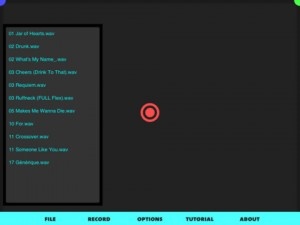
<p><img src="http://www.148apps.com/wp-content/uploads/2009/11/IMG_0141-200x300.PNG" alt="IMG_0141" title="IMG_0141" width="200" height="300" class="alignright size-medium wp-image-21125" />Opening the app and you&#8217;ll be presented with that trademark sleek user interface we&#8217;ve all come accustomed to, from the likes of TapTapTap. Set out to a backdrop of a stage and red curtain, each of the voices included are displayed, with 9 on the first screen, and a further 9 on the next. To reach the other 9 voices you just swipe left to right &#8211; and visa-versa. To activate a voice just tap it. You&#8217;ll then see the stage is overcome by this old-type looking mic, ready for voice input. The only thing I didn&#8217;t like here was that recording starts immediately. As soon as the mic is extended to it&#8217;s fullest, the recording starts. I&#8217;d rather them of given an optional &#8217;start on tap&#8217; setting. Moving on ..</p>
<p>Once you&#8217;ve recorded your voice clip, and after conversion, Voices will play your clip back to you using this &#8216;tape-esque&#8217; UI <em>(it&#8217;s so nice!)</em> so you can hear it in all its glory .. or in my case, not. From here you&#8217;ll have the option to play, rewind and fast forward the recording, as well save or delete your creation. Saving your recording will place it in .. your recordings panel. To open this panel, from the main voices screen, tap the little &#8216;tape&#8217; icon labeled &#8216;Recordings&#8217;. Here&#8217;s were it gets interesting though. You can also share your clips with the world, either via Twitter, Facebook or Mail. To do this just tap &#8216;Share&#8217; beside the recording you wish to share, and enter the required info. In the case of a tweet, the app will allow you to customize the tweet to your liking, before publishing &#8211; which I found crazy-great! Sometimes with these type of apps which allow tweets, they have these pre-defined non-editable tweets, and having the ability to edit these, really was welcomed.</p>
<p>Here&#8217;s a few recordings I made, and tweeted earlier:<br />
<strong><a href="http://voicesapp.com/1mxhyo" target="_Blank">http://voicesapp.com/1mxhyo</a></strong> / <strong><a href="http://voicesapp.com/9qjfee" Target="_Blank">http://voicesapp.com/9qjfee</a></strong></p>
<p>Summing up, as Voices is both gorgeously designed and offers a wide variety of voices, not to mention it&#8217;s very low introduction price of $0.99, it does seem to have struck a chord with the App Store crowd. Recording quality isn&#8217;t the best it could be, but considering the iPhone isn&#8217;t that good at recording anyway, it&#8217;s satisfactory. But it&#8217;s probably not the audio quality which will keep you coming back for more, if anything, it&#8217;s going to be Voices&#8217; very beautiful and thought-out-to-the-last-detail UI.</p>

<!-- google_ad_section_end --><img src="http://feeds.feedburner.com/~r/148apps/~4/DyGE_L4cMw8" height="1" width="1"/>]]></content:encoded>
			<wfw:commentRss>http://www.148apps.com/reviews/voices/feed/</wfw:commentRss>
		<slash:comments>1</slash:comments>
		<feedburner:origLink>http://www.148apps.com/reviews/voices/</feedburner:origLink></item>
		<item>
		<title>Harry Potter: Spells</title>
		<link>http://feedproxy.google.com/~r/148apps/~3/9_k9fy8P5FI/</link>
		<comments>http://www.148apps.com/reviews/harry-potter-spells/#comments</comments>
		<pubDate>Fri, 20 Nov 2009 16:07:28 +0000</pubDate>
		<dc:creator>Bonnie Eisenman</dc:creator>
				<category><![CDATA[Games]]></category>
		<category><![CDATA[Reviews]]></category>
		<category><![CDATA[$4.99]]></category>
		<category><![CDATA[harry potter]]></category>
		<category><![CDATA[magic]]></category>
		<category><![CDATA[Warner Bros.]]></category>

		<guid isPermaLink="false">http://www.148apps.com/?p=20859</guid>
		<description><![CDATA[Harry Potter: Spells isn't much fun unless you have a fellow Potter fan who owns the app. But if you do...multiplayer dueling, with an iPhone in place of a wand? Harry Potter: Spells is much more than a piece of shovelware, though some fans will be disappointed by its lack of depth.]]></description>
			<content:encoded><![CDATA[<!-- google_ad_section_start --><div class="topbox">Developer: <a href="http://harrypotterspellsapp.com/">Warner Bros.</a><br />
Price: $4.99<br />
Version Reviewed: 1.0</p>
<p>Graphics / Sound <strong>Rating:</strong> 4.5 out of 5 stars<br />
Game Controls <strong>Rating:</strong> 4 out of 5 stars<br />
Gameplay <strong>Rating:</strong> 3.75 out of 5 stars</p>
<p>iPhone Integration <strong>Rating:</strong> 4.5 out of 5 stars<br />
User Interface <strong>Rating:</strong> 4 out of 5 stars</p>
<p>Re-use / Replay Value <strong>Rating:</strong> 3.75 out of 5 stars</p>
<p><strong>Overall Rating:</strong> 4.08 out of 5 stars
</p></div>
<p>A few days ago, I <a href="http://www.148apps.com/news/harry-potter-spells-apparates-app-store/">wrote about</a> the first official Harry Potter app&#8217;s appearance in the App Store. Instead of trying to make an epic game, the folks at Warner Bros. decided to go for something sweet and simple: real-time, multiplayer dueling. The resulting app, Harry Potter: Spells, focuses solely on these duels, and while it isn&#8217;t perfect, it&#8217;s still fun. Whether it&#8217;s worth the price tag or not will probably be determined by your love of all things Potter.</p>
<p><img src="http://www.148apps.com/wp-content/uploads/2009/11/IMG_0185-200x300.PNG" alt="IMG_0185" title="IMG_0185" width="200" height="300" class="alignleft size-medium wp-image-20994" />Open the app for the first time, and you&#8217;ll see a letter inviting you to Hogwarts School of Witchcraft and Wizardy.  You soon arrive at Hogwarts, where the Sorting Hat awaits in all of its animated glory. The Hat will quickly determine which house you belong in, though you can dispute its choice until you&#8217;re satisfied. After that, you&#8217;re whisked off to Olivander&#8217;s wand shop, where you have to tap a few wands until one responds to your touch. This introductory bit feels slightly rushed, but soon you&#8217;re casting spells and it doesn&#8217;t really matter.</p>
<p>To cast a spell, you hold your iPhone horizontally in front of you, parallel to the floor. You then tap and hold your thumb to the screen and move your iPod in the pattern shown in the app. For example, Lumos requires moving your iPhone up and down in two motions, while Protego requires drawing a &#8220;V&#8221; in the air. I wish that the tutorial had included a video, but I figured it out eventually. The app does a good job of detecting your movements, and once you master a few spells, the rest comes easily. This is probably as close to realistic magic-casting as you&#8217;re going to get! The phone-waving is less of a gimmick than a natural decision, and it feels <i>almost</i> like waving a wand, even if it&#8217;s a bit slower than the dramatic motions seen in the movies.</p>
<p><img src="http://www.148apps.com/wp-content/uploads/2009/11/IMG_0186-200x300.PNG" alt="IMG_0186" title="IMG_0186" width="200" height="300" class="alignright size-medium wp-image-20995" />Spells must be mastered before you can use them in a duel. This is accomplished through the &#8220;Lessons&#8221; menu. In each lesson, you&#8217;re shown a diagram of how to cast the spell, and then you have to cast it properly at least three times out of six in order to master it. I heard a lot of dry, British-accented intonations of &#8220;Incorrect&#8221; and &#8220;You failed&#8221; before I figured out that you&#8217;re not supposed to move the iPhone towards you and away from you, but up and down. The spells include novelty ones like Lumos and Alohomora as well as offense favorites like Stupefy. My favorite by far? <i>Oppugno</i>, which summons a flock of birds to attack your opponent!</p>
<p>But, of course, you guys want to hear about dueling. Connecting to a friend&#8217;s iPod or iPhone is easy&#8212;when I was testing it out, my friend and I used Bluetooth, but WiFi is also an option for folks without iPhone firmware 3.0. (Just make sure that you turn Bluetooth <i>on</i>.) From there, you use whatever spells you want&#8212;but without any guides, so you&#8217;ll need to memorize a few spells if you want to play strategically! There&#8217;s more than just being first to cast, too; a water spell can counter Incendio; Episkey will heal you; Petrificus Totalis will temporarily render your opponent motionless. Choose carefully! When you use a spell, it&#8217;s sent straight to the other player&#8217;s screen. Dueling my friend was surprisingly fun, and even if we raised some eyebrows for waving our iPods around, it was worth it!</p>
<p>There are a few other features as well: posting scores to Facebook, House and global leaderboards, the ability to record yourself shouting the incantations. These are all nice and well done, and add a sense of completeness to an app that&#8217;s so narrowly focused. The graphics and sound effects are exactly what you&#8217;d expect from a branded Harry Potter app&#8212;that is to say, they&#8217;re excellent. Performance on my second-gen iPod Touch was good, despite the occasional bit of lag.</p>
<p>You won&#8217;t get much satisfaction out of Harry Potter: Spells unless you&#8217;re a strong Harry Potter fan, and you need a friend who&#8217;s also willing to get the app in order to really enjoy it. Even then, the fun doesn&#8217;t last forever; this app is a one-trick pony. Still, it&#8217;s Harry Potter, and even if there isn&#8217;t much content, the stuff that&#8217;s there is <i>good</i>. This is no piece of shovelware, and if you like the idea of live duels with your friends, you should be satisfied with Harry Potter: Spells.</p>

<!-- google_ad_section_end --><img src="http://feeds.feedburner.com/~r/148apps/~4/9_k9fy8P5FI" height="1" width="1"/>]]></content:encoded>
			<wfw:commentRss>http://www.148apps.com/reviews/harry-potter-spells/feed/</wfw:commentRss>
		<slash:comments>0</slash:comments>
		<feedburner:origLink>http://www.148apps.com/reviews/harry-potter-spells/</feedburner:origLink></item>
		<item>
		<title>The Settlers</title>
		<link>http://feedproxy.google.com/~r/148apps/~3/aDZ0nWNFyic/</link>
		<comments>http://www.148apps.com/reviews/settlers/#comments</comments>
		<pubDate>Fri, 20 Nov 2009 15:42:36 +0000</pubDate>
		<dc:creator>Arron Hirst</dc:creator>
				<category><![CDATA[Games]]></category>
		<category><![CDATA[Reviews]]></category>
		<category><![CDATA[Gaming]]></category>
		<category><![CDATA[iphone]]></category>
		<category><![CDATA[The Settlers]]></category>

		<guid isPermaLink="false">http://www.148apps.com/?p=20826</guid>
		<description><![CDATA[The Settlers for iPhone is a reincarnation of the classic PC-based title of the same name. With stunning visuals and audio to match, I found the game to be both immersive and addicting.]]></description>
			<content:encoded><![CDATA[<!-- google_ad_section_start --><div class="topbox">Developer: <a href="http://www.bluebyte.de/en/games.php" Target="_Blank">Blue Byte</a> (Under Exclusive License to <a href="http://www.ubi.com/Uk/default.aspx" target="_Blank">Ubisoft</a>)</a><br />
Price: $6.99<br />
Version Reviewed: 1.1.1 (iPhone OS 3.0 Tested)<br />
Reviewed on: iPhone 3GS</p>
<p>Graphics / Sound <strong>Rating:</strong> 4.5 out of 5 stars<br />
Game Controls <strong>Rating:</strong> 4 out of 5 stars<br />
Gameplay <strong>Rating:</strong> 3.5 out of 5 stars</p>
<p>iPhone Integration <strong>Rating:</strong> 4.5 out of 5 stars<br />
User Interface <strong>Rating:</strong> 3.5 out of 5 stars</p>
<p>Re-use / Replay Value <strong>Rating:</strong> 4 out of 5 stars</p>
<p><strong>Overall Rating:</strong> 4 out of 5 stars
</p></div>
<p>Developed by <a href="http://www.bluebyte.de/en/games.php" Target="_Blank">BlueByte</a> and published by <a href="http://www.gameloft.com" Target="_Blank">Gameloft</a> under exclusive license from <a href="http://www.ubisoft.com" Target="_Blank">Ubisoft</a>, The Settlers sees the critically acclaimed real time strategy PC-based classic come to life, on the iPhone! Set in a time of Romans, Vikings and Mayans, the game involves you in building a thriving and efficient community. Working together to complete a wide range of tasks, your aim is to create and build up a sustainable settlement village. </p>
<p><center><img src="http://www.148apps.com/wp-content/uploads/2009/11/IMG_01261.PNG" alt="IMG_0126" title="IMG_0126" width="480" height="320" class="aligncenter size-full wp-image-21079" /></center></p>
<p>Goals and task range from finding territory, constructing buildings and structures all the while trying to ensure the constant supply of the basic and necessary raw materials. Moving in-game, the game consists of 4 campaign modes. These include: Roman, Viking, Mayan and Dark Tribe, and within each of these campaign modes you&#8217;ll find a further 6 levels in which for you to complete. Entering a level will display a short introduction explaining who has sent you to this land, and your goals for that particular level. Once the level loads you won&#8217;t be alone. The game takes you through a quite lengthy tutorial to get you used to both the landscape, and your user controls. </p>
<p>The controls within the game are pretty straightforward, and in my opinion have been implemented well. In the bottom right you&#8217;ll find your &#8216;Buildings&#8217; button. Tapping this will bring up &#8216;Build Menu&#8217; and from here you can choose a type of structure you would like to build. Once you&#8217;ve chosen your building, it appears on the land as a movable object, and once you&#8217;re happy and want to place it down so your Settlers can start to build it for you, simply tap the &#8216;tick&#8217; button in the bottom left. If the patch of land is not available to build on for whatever reason, the game will tell you by displaying a red cross in the placement area. Now you can sit back and watch them build it for you. If the process is gets a little too boring, you can speed up the action by hitting the &#8216;fast forward&#8217; button, top right. Tapping a building once you&#8217;ve built it gives you further options, including the option to demolish. I found these options to be locked by default, and are only unlocked when needed.</p>
<p><center><img alt="" src="http://www.148apps.com/wp-content/uploads/2009/11/IMG_0132.PNG" title="http://www.148apps.com/wp-content/uploads/2009/11/IMG_0132.PNG" class="aligncenter" width="480" height="320" /></center><br />
</p>
<p>At any time in the game you can pause gameplay by hitting the pause button, top left. Doing so will also give you options to view your level objectives again, save the current level you&#8217;re on along with your progress, or load a previous level. Need to zoom in on the action? Due to the &#8216;pinch&#8217; gesture being taken by another in-game feature which we&#8217;ll get into a little later, zooming is performed by the &#8216;zoom slider&#8217; located on center of the screen to the right hand side. Running from + to &#8211; you just slide your finger to magnify zoom. Zoom isn&#8217;t brilliant, but it does the job. Now, while I found the graphics on this title to be &#8211; fantastic, I did find that zooming in fully did seem to dramatically reduced the quality of them. In some areas the graphics became both pixelated and blotchy. It doesn&#8217;t spoil the game, but it&#8217;s something I reckon could (and should) be fixed.</p>
<p>Some tasks and goals within the game can&#8217;t be performed by your normal working settlers though, sometimes some jobs require specialists. That&#8217;s why you&#8217;ll find the &#8216;Specialist&#8217; menu, bottom right. From here you can &#8216;order&#8217; your specialist &#8211; a geologist, for example. Having many settlers on screen can get a little confusing, though. Despite the on-screen prompts, you&#8217;ll be needing another way to organise them. Remember that pinch gesture I was talking about? Using two fingers you can select a group of your settlers, and move them to a certain point on the land. To do this, simply select them with a pinch selection box, and tap where you&#8217;d like them to go. Once done, tap the &#8217;stop hand&#8217; button, bottom left, and you can carry on working with your other settlers. During the game you&#8217;ll find various raw materials. When you&#8217;ve done some research with your geologists, you can start building mines for each of these materials, and once complete these raw materials will periodically replenish.</p>
<p><center><object width="480" height="385"><param name="movie" value="http://www.youtube.com/v/6XsLoy_XwgY&#038;hl=en_US&#038;fs=1&#038;"></param><param name="allowFullScreen" value="true"></param><param name="allowscriptaccess" value="always"></param><embed src="http://www.youtube.com/v/6XsLoy_XwgY&#038;hl=en_US&#038;fs=1&#038;" type="application/x-shockwave-flash" allowscriptaccess="always" allowfullscreen="true" width="480" height="385"></embed></object></center></p>
<p></p>
<p>The game is both immersive and addicting, involving you as the player and requiring you to keep an eye on a virtual land, it&#8217;s efficiency and survival. With great in-game graphics and audio, The Settlers is highly recommended for people who digg the likes of Command and Conquer, Age of Empires, or RTS genre. If I have one want for this game it&#8217;s I&#8217;d like Gameloft to consider adding a &#8216;freeplay&#8217; mode. Currently the game revolves solely around &#8216;Campaign modes,&#8217; and I think it could benefit it&#8217;s replay value to allow the user to just play around with the settlers, building whatever they like. Overall I like The Settlers. It&#8217;s one of those Sunday-afternoon games, which doesn&#8217;t need much effort, but is a pleasure to play.</p>

<!-- google_ad_section_end --><img src="http://feeds.feedburner.com/~r/148apps/~4/aDZ0nWNFyic" height="1" width="1"/>]]></content:encoded>
			<wfw:commentRss>http://www.148apps.com/reviews/settlers/feed/</wfw:commentRss>
		<slash:comments>0</slash:comments>
		<feedburner:origLink>http://www.148apps.com/reviews/settlers/</feedburner:origLink></item>
		<item>
		<title>DanceDanceRevolution S (DDR)</title>
		<link>http://feedproxy.google.com/~r/148apps/~3/gqY8q-GGihg/</link>
		<comments>http://www.148apps.com/reviews/dancedancerevolution-ddr/#comments</comments>
		<pubDate>Fri, 20 Nov 2009 15:23:16 +0000</pubDate>
		<dc:creator>Bonnie Eisenman</dc:creator>
				<category><![CDATA[Games]]></category>
		<category><![CDATA[Reviews]]></category>
		<category><![CDATA[$0.99]]></category>
		<category><![CDATA[$6.99]]></category>
		<category><![CDATA[dance dance revolution]]></category>
		<category><![CDATA[ddr]]></category>
		<category><![CDATA[konami]]></category>

		<guid isPermaLink="false">http://www.148apps.com/?p=20856</guid>
		<description><![CDATA[Konami's port of DDR for the iPhone works well, and it's fun to play. However, awful iPhone integration and a limited song list keep it from being a must-have.]]></description>
			<content:encoded><![CDATA[<!-- google_ad_section_start --><div class="topbox">Developer: <a href="http://www.touch.konami.net/">Konami</a><br />
Price: $0.99 (SALE), regular $6.99<br />
Version Reviewed: 1.1.5</p>
<p>Graphics / Sound <strong>Rating:</strong> 4.25 out of 5 stars<br />
Game Controls <strong>Rating:</strong> 4 out of 5 stars<br />
Gameplay <strong>Rating:</strong> 4 out of 5 stars</p>
<p>iPhone Integration <strong>Rating:</strong> 2.5 out of 5 stars<br />
User Interface <strong>Rating:</strong> 3.5 out of 5 stars</p>
<p>Re-use / Replay Value <strong>Rating:</strong> 4 out of 5 stars</p>
<p><strong>Overall Rating:</strong> 3.71 out of 5 stars
</p></div>
<p><img src="http://www.148apps.com/wp-content/uploads/2009/11/IMG_0181-200x300.PNG" alt="IMG_0181" title="IMG_0181" width="200" height="300" class="alignright size-medium wp-image-20981" />You don&#8217;t have to be good at DDR to love it! Konami ported the fantastic music game to the iPhone a while back, and their recent sale prompted me to see how well it translated to the portable platform. While fancy footwork and dance mats aren&#8217;t included in DanceDanceRevolution S, the game works great with tap-based controls. The songs are fun and it&#8217;s the same awesome game as ever, but a limited track list combined with some truly awful integration decisions keeps it from being an instant-buy.</p>
<p>If you&#8217;re familiar with DDR, playing this version will be a no-brainer. Arrows fly out from the bottom of the screen; the targets (&#8221;Step Zones&#8221;) are at the top. Your dance mat is replaced with a set of outlined arrows near the bottom. Tap on the &#8220;mat&#8221; when the arrows reach the Step Zone. The controls work surprisingly well&#8212;my fingers don&#8217;t obscure too much of the screen, and everything is responsive.</p>
<p>The song list and characters will also be familiar, though the content was clearly trimmed to keep the app running on the mobile platform. There are supposedly twenty songs in all, though many must be unlocked. I really wish that there were more; twenty songs just feels weak in comparison to DDR on other platforms. Even with the shorter song list, there&#8217;s no doubt about it: this is DDR. The transition to the iPhone was handled wonderfully, and the game is just as fun as ever; the songs are the upbeat tunes that fans are accustomed to.</p>
<p>For the record: I definitely appreciate the fact that one of the starting female characters is named Bonnie. I&#8217;m famous!</p>
<p><object width="320" height="265"><param name="movie" value="http://www.youtube.com/v/O4VVfoV5ihU&#038;hl=en_US&#038;fs=1&#038;"></param><param name="allowFullScreen" value="true"></param><param name="allowscriptaccess" value="always"></param><embed src="http://www.youtube.com/v/O4VVfoV5ihU&#038;hl=en_US&#038;fs=1&#038;" type="application/x-shockwave-flash" allowscriptaccess="always" allowfullscreen="true" width="320" height="265"></embed></object></p>
<p>This edition of DDR comes with Standard mode (i.e., one track at a time), Course Mode, Practice Mode, and Shake Mode. Course Mode should be familiar; you&#8217;re given a list of tracks to complete, and you can&#8217;t fail. Practice Mode is for, well, practicing. Shake Mode, though&#8230;Shake Mode is baffling. It only has one song, which is more demo than anything else (it&#8217;s labeled as a lesson!). And yet, it&#8217;s been a while since the app was released&#8230;where&#8217;s the rest of the content, Konami?</p>
<p><img src="http://www.148apps.com/wp-content/uploads/2009/11/IMG_0196-200x300.PNG" alt="IMG_0196" title="IMG_0196" width="200" height="300" class="alignright size-medium wp-image-20983" />Now for my biggest gripe: iPhone integration. DDR is <i>stable</i>, but it has some major problems. Hit the &#8220;home&#8221; button by accident mid-song? Sorry, but you&#8217;re back at the title screen when you relaunch the app. Get a push notification? Back to the title screen. Hit the power button and lock the screen? Hey, look, it&#8217;s the title screen again! Not including a pause feature on a mobile platform is incredibly shortsighted. There isn&#8217;t even a manual pause button while you&#8217;re playing a song. It&#8217;s incredibly annoying to be stopped mid-song by a power level warning, and if you pick a song by accident, you have to play through it; there&#8217;s no going back!</p>
<p>Other iPhone game mainstays are also missing. There&#8217;s no multiplayer, no online leaderboards, no challenging other iPhone users. Really, Konami, throw us a bone! Sadly, if the app&#8217;s history is any indicator, we won&#8217;t be seeing frequent updates on this one.</p>
<p>And yet&#8230;and yet&#8230;</p>
<p>And yet, it&#8217;s easy to forgive these missing features, because it&#8217;s DDR. Even though the tracklist could use some expansion, the music has the same catchy quality, and the game is addicting and fun. I&#8217;d even venture to say that DanceDanceRevolution S is better than the current king of iPhone music games, Tap Tap Revenge&#8212;I get sucked in more easily, and somehow I just have more fun with DDR.</p>
<p>If you think that you can put up with the lack of pause or auto-save, and you can bear the price, DanceDanceRevolution S is a must-have for DDR fans and rhythm/music game fans in general. Grab it while the 99-cent sale lasts!</p>

<!-- google_ad_section_end --><img src="http://feeds.feedburner.com/~r/148apps/~4/gqY8q-GGihg" height="1" width="1"/>]]></content:encoded>
			<wfw:commentRss>http://www.148apps.com/reviews/dancedancerevolution-ddr/feed/</wfw:commentRss>
		<slash:comments>0</slash:comments>
		<feedburner:origLink>http://www.148apps.com/reviews/dancedancerevolution-ddr/</feedburner:origLink></item>
		<item>
		<title>BeejiveIM (Updated)</title>
		<link>http://feedproxy.google.com/~r/148apps/~3/EOc4DP_w6Eo/</link>
		<comments>http://www.148apps.com/reviews/beejiveim/#comments</comments>
		<pubDate>Fri, 20 Nov 2009 00:33:31 +0000</pubDate>
		<dc:creator>Brandon Carter Meixel</dc:creator>
				<category><![CDATA[Reviews]]></category>
		<category><![CDATA[Social Networking]]></category>
		<category><![CDATA[aim]]></category>
		<category><![CDATA[gtalk]]></category>
		<category><![CDATA[ICQ]]></category>
		<category><![CDATA[im]]></category>
		<category><![CDATA[instant messaging]]></category>
		<category><![CDATA[Jabber]]></category>
		<category><![CDATA[MSN]]></category>
		<category><![CDATA[yahoo messenger]]></category>
		<category><![CDATA[yim]]></category>

		<guid isPermaLink="false">http://www.148apps.com/?p=4892</guid>
		<description><![CDATA[BeejiveIM (pronounced bee-hive) is a feature rich, multiprotocol instant messaging client that blows the pants off any other chat program offered in the App Store.  It uses your iPhone's data plan to send and receive messages, photos, etc.]]></description>
			<content:encoded><![CDATA[<!-- google_ad_section_start --><div class="topbox">Developer: <a href="http://www.beejive.com/iphone/">BeeJive, Inc.</a><br />
Price: $15.99<br />
Version Reviewed: 2.0.1</p>
<p>iPhone Integration <strong>Rating:</strong> 5 out of 5 stars<br />
User Interface <strong>Rating:</strong> 5 out of 5 stars<br />
Re-use / Replay Value <strong>Rating:</strong> 5 out of 5 stars</p>
<p><strong>Overall Rating:</strong> 5 out of 5 stars
</p></div>
<div class="topbox">
<B>Updated: 11/19/2009 for Version 3.1</B> by <a href="http://www.148apps.com/author/admin">Jeff Scott</a></p>
<p>There have quite a few updates to Beejive since our review was published.  The current version has gotten even better than the one reviewed.  Here&#8217;s a quick rundown of the major updates since the review was originally published.</p>
<p><B>Push Notifications</b> allow you to get messages while you are not actively using the application and without the need to burn through SMS messages.  These notifications are configurable just as other push notifications are and add amazing value to the app.</p>
<p><B>Group Chat</B> lets you chat in the app with multiple contacts at once.  While initially figuring out how to create a group chat was less than obvious to me, once you figure out how to do so, it makes sense.  To create a group chat you go to the chats tab, hit the plus sign in the upper right and add the people you want to chat with.  Now, I feel stupid.</p>
<p><B>Meta Contacts</B> allow you to combine multiple contacts into a single chat stream.  So if your buddy contacts you on AIM and you reply on Yahoo! IM, no problem, they can appear in the same chat stream.</p>
<p><B>Facebook IM</B> allows you to chat with your Facebook buddies just like the other chat services.</p>
</div>
<p>These days I barely know what it means to have a spoken conversation on the phone.  Seriously.  My friends, family, coworkers and clients all use some form of instant messaging.  It enables me to multitask in conversation, something I just can&#8217;t do on a phone (even though switching between and merging calls on iPhone are fun, it&#8217;s still limited). It&#8217;s important to be able to do this if I&#8217;m juggling a hefty social life, client base, or participating in some serious office drama.  And all without straining my vocal chords!  Typically I manage all this from my desktop, but BeejiveIM puts it into the palm of my hand &#8211; now there&#8217;s no escape!</p>
<p><a href="http://www.148apps.com/wp-content/uploads/2009/02/img_0055.jpg" rel="lightbox[4892]"><img src="http://www.148apps.com/wp-content/uploads/2009/02/img_0055-200x300.jpg" alt="" title="IMG_0055" width="200" height="300" class="alignright size-medium wp-image-4899" /></a>First up, here are the protocols BeejiveIM supports: <strong>AIM, Google Talk, ICQ, Jabber, MSN/Windows Live, Myspace IM, and Yahoo! Messenger</strong>.  As an OS X server administrator that sets up Jabber/iChat server for clients, I was particularly impressed with the Jabber integration in BeejiveIM.  If you use just two of these messaging services, the convenience factor of BeejiveIM jumps up considerably.</p>
<p>Until Apple gets their iPhone push notification services running, BeejiveIM has come up with a really acceptable workaround for remaining logged into your AIM accounts when the app isn&#8217;t running:  When the app closes, you can have BeejiveIM forward your incoming instant messages to a push email account.  You&#8217;ll receive an email letting you know who is contacting you, and there will be a button you can touch to jump you right back into BeejiveIM from Mail.  You can leave this forwarding active for up to 24 hours. Sweet!</p>
<p>I&#8217;d like to talk about the interface of the app now, which really is my favorite part about BeejiveIM.  Everything aspect of the app can run in landscape mode &#8211; Yes!! Widescreen chatting!! The app has lots of beautiful transitions for doing things such as deleting a chat, or when you shake the phone to tab over to the next chat.  If you touch the name of a buddy in the chat window, a sheet drops down that gives you the ability to record and send a voice note, upload or take a picture, delete the chat, or email the chat transcript.  You can also scroll through your active chats on this screen.  There&#8217;s a slew of UI preferences in the Settings app on iPhone, you can do things like change the colors of the chat bubbles, alter the IM sounds, set a chat background, change the name display order, etc.  BeejiveIM really shines when it comes to customization and attention to detail, traits that I believe really add value to the app.  Not only that, it&#8217;s just plain fun to tweak out your chat client, and the more options, the better!</p>
<p>BeejiveIM actually started out as a free web based chat client.  In my opinion, it has always been the best, and this holds true through the app&#8217;s transition to running natively on the iPhone.  If you want to get a taste of how cool BeejiveIM is, pull up Safari on iPhone and browse to <a href="http://iphone.beejive.com" target="_blank">http://iphone.beejive.com</a> but remember there are tons of features on the native app that aren&#8217;t available in the web client.</p>
<p><a href="http://www.148apps.com/wp-content/uploads/2009/02/img_0050.jpg" rel="lightbox[4892]"><img src="http://www.148apps.com/wp-content/uploads/2009/02/img_0050-300x200.jpg" alt="" title="IMG_0050" width="300" height="200" class="alignleft size-medium wp-image-4897" /></a>I have very few criticisms of BeejiveIM.  I&#8217;ve been using it exclusively for chatting on iPhone since MacWorld 09 and have noticed a few areas where there could stand to be some improvement.  First, BeejiveIM seems to take up a hefty amount of resources on iPhone; if I get over 4 simultaneous chats running while listening to music, the audio playback will skip quite a bit.  I often get signon on timeouts for my Gtalk account.  Sometimes pressing the button in Mail to launch BeejiveIM, BeejiveIM will crash as it opens.  These few quirks in the face of all that BeejiveIM offers make them totally excusable in my opinion.  Plus, their support team is really friendly and responsive.  The app is a bit on the pricey side at $15.99 &#8211; there are other free and less expensive IM clients for iPhone on the App Store, but none of them seem to match the polish and quality of BeejiveIM.  I was a bit apprehensive at spending the money, but ultimately I realized it was well worth it after just a few moments of playtime.  I suggest Beejive Inc. drop the price to a flat $15 so that the smallest denomination of iTunes gift card could buy the app, that might make it seem a little more accessible to potential buyers. </p>
<p>If you need hardcore IM on iPhone, BeejiveIM is simply the best out there.</p>

<!-- google_ad_section_end --><img src="http://feeds.feedburner.com/~r/148apps/~4/EOc4DP_w6Eo" height="1" width="1"/>]]></content:encoded>
			<wfw:commentRss>http://www.148apps.com/reviews/beejiveim/feed/</wfw:commentRss>
		<slash:comments>2</slash:comments>
		<feedburner:origLink>http://www.148apps.com/reviews/beejiveim/</feedburner:origLink></item>
		<item>
		<title>Alarm Clock Pro</title>
		<link>http://feedproxy.google.com/~r/148apps/~3/vDyZucu8jGY/</link>
		<comments>http://www.148apps.com/reviews/alarm-clock-pro/#comments</comments>
		<pubDate>Thu, 19 Nov 2009 17:57:19 +0000</pubDate>
		<dc:creator>Arron Hirst</dc:creator>
				<category><![CDATA[Reviews]]></category>
		<category><![CDATA[Utilities]]></category>
		<category><![CDATA[$0.99]]></category>
		<category><![CDATA[Alarm Clock Pro]]></category>
		<category><![CDATA[iphone]]></category>

		<guid isPermaLink="false">http://www.148apps.com/?p=20823</guid>
		<description><![CDATA[Can't seem to get up on time? You probably need this. With it's great UI and a wide range of settings, it is a great solution for your waking needs. I really like Alarm Clock Pro... even if it DOES have a flashlight attached.]]></description>
			<content:encoded><![CDATA[<!-- google_ad_section_start --><div class="topbox">Developer: <a href="http://www.ihandysoft.com/alarmclock/" Target="_Blank">iHandySoft</a><br />
Price: $0.99<br />
Version Reviewed: 1.0.1 (iPhone OS 3.0 Tested)<br />
Reviewed on: iPhone 3GS</p>
<p>Graphics / Sound <strong>Rating:</strong> 3.5 out of 5 stars<br />
iPhone Integration <strong>Rating:</strong> 3 out of 5 stars<br />
User Interface <strong>Rating:</strong> 4.5 out of 5 stars</p>
<p>Re-use / Replay Value <strong>Rating:</strong> 4 out of 5 stars</p>
<p><strong>Overall Rating:</strong> 3.75 out of 5 stars
</p></div>
<p>If you know me well, or you happen to follow me on <a href="http://twitter.com/razorianfly" Target="_blank">Twitter</a>, you&#8217;ll probably know that I&#8217;m more of your night person, rather than your get up at the crack-of-dawn kinda person. Okay I admit it, sometimes I even find it hard to get out of bed at all. Naturally, anyone who has this &#8220;condition&#8221; needs to be physically woken up by <em>something</em>. Whether it be by way of a person screaming down their ears, a certain someone banging the hell out of metal based objects above their head, or simply &#8211; an alarm clock. </p>
<p>We all know that the alarm clock which comes out of box with the iPhone is far from perfect. In fact, in my previous use of the thing, I don&#8217;t think I can safely say it&#8217;s woken me up successfully &#8211; <em>once</em> yet. When I came to download Alarm Clock Pro earlier this week, my thoughts were the usual; <em>Okay it&#8217;s an app which is in the Top 10 iTunes Chart, I reckon it&#8217;s going to be well-marketed, but with no real substance.</em> &#8211; How wrong I was. It&#8217;s an app which is specifically designed to be used in conjunction with the iPhone dock, although if you&#8217;re just looking to leave it lying around, it also supports landscape mode. </p>
<p>So, What features separates this from the built in alarm clock? Well, opening the app you&#8217;ll be greeted with a clean looking digital digit display. Here you&#8217;ll see the current time shown in 24-hour format, along with a flashing &#8217;seconds&#8217; display and the current day of the week. Just stopping here for a second, this clean modern-looking UI is really Alarm Clock Pro&#8217;s selling point. It&#8217;s not unique. It&#8217;s been done before, but somehow the implementation and feature set sets it apart. Although the main purpose of Alarm Clock Pro to be an alarm clock, naturally I found the app also doubled for a great looking desk clock while docked, too.</p>
<p><center><img alt="" src="http://www.148apps.com/wp-content/uploads/2009/11/IMG_0116.PNG" title="http://www.148apps.com/wp-content/uploads/2009/11/IMG_0116.PNG" class="aligncenter" width="480" height="320" /></center><br />
</p>
<p>Moving away from the app&#8217;s UI though, what you probably really want to know from me is; How it&#8217;s going to wake me up, with what sound(s), and how well, right? Well, there are a couple of different options and settings for the app which will likely further enhance your &#8216;getting up&#8217; experience &#8211; <em>if there actually is such a thing</em>. To enter Alarm Clock Pro settings panel simply tap the &#8216;i&#8217; info button in the bottom right. Doing so will result in the whole UI flipping over to reveal further alarm tweaks. Starting at the top the first section is all about the &#8216;alarm&#8217; and it&#8217;s frequency. Tapping add alarm will bring up the &#8216;Add Alarm&#8217; panel. From here you can enable the alarm, set an exact time you&#8217;d wish for it to go off, choose the day(s) you wish to include (or exclude), name your alarm, choose your alarm&#8217;s sound and choose if you want he app to offer a &#8216;Snooze&#8217; option. As you get to choosing a sound for your alarm, you have a few choices. Firstly, the app comes with 7 presets. These include: Classic, Cuckoo, Digital, Electronic, High Tone, Old Clock and School Bell. but as well as this you&#8217;ll also see a &#8216;Music&#8217; option. Yep, Alarm Clock Pro also supports waking-up to your own iPod music. In fact, you can choose multiple songs from your library and create a wake-up playlist! &#8211; This was a feature I really found great, but it gets better. When your alarm sounds, two buttons flip down over your clock. One from the top, the second from the bottom. Press the top for &#8216;Stop Alarm&#8217; and the bottom to &#8216;Snooze&#8217; the alarm. Snooze is used for when you want 10 more minutes in bed. As you&#8217;ve probably guessed, I tend to use the Snooze feature, a lot.</p>
<p>The second section of the settings panel focuses on the app&#8217;s gestures. Alarm Clock Pro uses two gesture based actions to preform additional functionality. These include a two finger slide to adjusting your clocks screen brightness, and shaking your device to reveal a hidden &#8216;flashlight&#8217;. See .. flashlights by themselves are useless. They&#8217;re the demise of the App Store. But, put them in an &#8216;Alarm Clock&#8217; app, and they actually .. <em>(kinda admittedly)</em>, do become <em>useful</em>.</p>
<p>The last section of the settings panel sees various miscellaneous options for the clocks display. With options to change the colour of the clock&#8217;s display to either Cyan, Green, Orange, Pink or Red, show the seconds counter, show the weekday, turn 24-hour time format on or off, and lastly and probably most importantly choose the interval in which your device will &#8216;Auto-Lock&#8217; and return to the iPhone &#8216;Lock Screen&#8217;. Alarm Clock Pro in fact supports the alarm sounding when when your device is on the lock screen, as long as the application was open when the device auto-locked itself. That&#8217;s the caveat with this app. It needs to be open. That said, you&#8217;d expect it to have to be, to conform with the iPhone SDK rules and regulations. </p>
<p>Summing up, Alarm Clock Pro is a great addition if you can&#8217;t seem to drag yourself out of bed like me. With it&#8217;s inviting UI, full feature-set and gesture based controls (not to mention the added addition of a free flashlight!), you won&#8217;t go too far wrong with this app. My only caveat really is as I said above, the app actually needs to be open at all times, in order for the alarm to sound. Not ideal, but something which can&#8217;t be helped unfortunately. That said, it didn&#8217;t drain the battery that much, having the screen brightness setting set to half. For it&#8217;s current price, I say to definitely give it a go and see if it&#8217;s for you ..</p>

<!-- google_ad_section_end --><img src="http://feeds.feedburner.com/~r/148apps/~4/vDyZucu8jGY" height="1" width="1"/>]]></content:encoded>
			<wfw:commentRss>http://www.148apps.com/reviews/alarm-clock-pro/feed/</wfw:commentRss>
		<slash:comments>0</slash:comments>
		<feedburner:origLink>http://www.148apps.com/reviews/alarm-clock-pro/</feedburner:origLink></item>
		<item>
		<title>Shazam Encore</title>
		<link>http://feedproxy.google.com/~r/148apps/~3/EzTuLPzGNQA/</link>
		<comments>http://www.148apps.com/reviews/shazam-encore/#comments</comments>
		<pubDate>Thu, 19 Nov 2009 15:51:34 +0000</pubDate>
		<dc:creator>Arron Hirst</dc:creator>
				<category><![CDATA[Music]]></category>
		<category><![CDATA[Reviews]]></category>
		<category><![CDATA[$4.99]]></category>
		<category><![CDATA[Encore]]></category>
		<category><![CDATA[recognition]]></category>
		<category><![CDATA[Service]]></category>
		<category><![CDATA[Shazam]]></category>

		<guid isPermaLink="false">http://www.148apps.com/?p=20312</guid>
		<description><![CDATA[Shazam Entertainment launch the paid version of their music recognition service. Ad-ridden and boasting a scarce UI it's a complete disappointment. ]]></description>
			<content:encoded><![CDATA[<!-- google_ad_section_start --><div class="topbox">Developer: <a href="http://www.shazam.com/music/web/home.html" Target="_Blank">Shazam Entertainment</a><br />
Price: $4.99<br />
Version Reviewed: 1.0 (iPhone OS 3.0 Tested)<br />
Reviewed on: iPhone 3GS</p>
<p>Graphics / Sound <strong>Rating:</strong> 2 out of 5 stars<br />
iPhone Integration <strong>Rating:</strong> 3 out of 5 stars<br />
User Interface <strong>Rating:</strong> 2.5 out of 5 stars</p>
<p>Re-use / Replay Value <strong>Rating:</strong> 2.5 out of 5 stars</p>
<p><strong>Overall Rating:</strong> 2.5 out of 5 stars
</p></div>
<p>If there&#8217;s one thing we like to have on our phones, it&#8217;s the ability to point and tag a track. It&#8217;s this ability which proved very popular among most and saw the launch of start-ups like that of <a href="http://www.midomi.com/" target="_Blank">Midomi</a>. </p>
<p>In August, music tagging network <a href="http://www.shazam.com/music/web/home.html" target="_Blank">Shazam</a>, popular for their worldwide premium mobile-based tagging service, launched Shazam for iPhone. A free, bare-bones application which listened to a 30 second clip of any track you wished to play to it, sent it to Shazam for tagging, and then came back to you letting you what song it was that you were currently listening to, which artist it was by and other track-related information.</p>
<p><img src="http://www.148apps.com/wp-content/uploads/2009/11/IMG_0102-200x300.PNG" alt="IMG_0102" title="IMG_0102" width="200" height="300" class="alignright size-medium wp-image-20870" />It started off a good respectable app, after all the app was free compared to the company&#8217;s £1.50 per minute phone-based &#8216;<a href="http://www.shazam.com/music/web/pages/2580.html" target="_blank">2580</a>&#8216; service, we were getting unlimited tagging of songs, and best of all it was completely ad-free. Gradually though, with each sequential update to the app, it was clear Shazam had other plans. Plans which would eventually involve the introduction of a premium service, directed solely at the iPhone and iPod touch (with mic input). The first tell-tale sign came as the company (without announcement) added Google adverts to the app. Sure, people were a tad taken back by it at first, but in time we said &#8211; it&#8217;s Free, and the developers need a return &#8211; that was fine. The stab in the back came with the introduction of a second update to the app which took away unlimited tagging and instead limited tagging to just 5 songs .. a month. </p>
<p>Cue, Shazam Encore. Launched just last week, the app is a premium version of the original music tagging service and although it offers a few other additions for your $4.99, it also has a dirty secret. Would you believe it, but &#8211; it <strong><em>still</em></strong> has ads. Yep, even though Shazam willingly took my £2.99, they still want to leach off my innocent tapping mistakes (well, I wouldn&#8217;t click on an ad on purpose, would I?). I&#8217;m so livid about this, I like many others want my money back. I don&#8217;t expect to pay to see ads. Am I the only one in thinking this? </p>
<p>It&#8217;s not all bad though. Shazam Encore&#8217;s saving grace comes in a new feature to the software which allows tagging while your on the road. Coined &#8216;Drive and Tag&#8217;, now when you dock your device in your car kit Shazam will enter &#8216;Car Mode&#8217;. The idea being you can tag what song(s) are playing on your car stereo, hands free. You&#8217;ll also find that the app will (just like Genius) give you recommendations based on your previous tags. As well as this, you&#8217;ll probably be glad to know the ability to share your tags with the world either via both tweet or facebook status updates also made it into the premium version. The last feature I was a little curious on, and after trying it I have to admit it worked pretty much flawlessly, and this is the ability to &#8216;Map&#8217; your tags. In Shazam Encore, your tags history is now recorded on a Map, meaning you can see where and when you tagged that song or track. Something I found pretty nifty!</p>
<p>Overall, I&#8217;m highly disappointed in this new version. Yes it has some new quirky features, but the fact this is a premium application, and it still has ads is (in my opinion) unacceptable and cannot be overlooked. Imagine if every developer decided to take Shazam&#8217;s way of thinking forward? It&#8217;s like they said to themselves; <em>&#8220;Because we&#8217;re not asking for a monthly subscription, ads are ok&#8221;</em> &#8211; Well, er .. they&#8217;re not. Sort this out Shazam. Seriously. Or I might just find myself moving to Midomi .. for good.</p>

<!-- google_ad_section_end --><img src="http://feeds.feedburner.com/~r/148apps/~4/EzTuLPzGNQA" height="1" width="1"/>]]></content:encoded>
			<wfw:commentRss>http://www.148apps.com/reviews/shazam-encore/feed/</wfw:commentRss>
		<slash:comments>0</slash:comments>
		<feedburner:origLink>http://www.148apps.com/reviews/shazam-encore/</feedburner:origLink></item>
		<item>
		<title>SearchIt</title>
		<link>http://feedproxy.google.com/~r/148apps/~3/rNpgvYoriqU/</link>
		<comments>http://www.148apps.com/reviews/searchit/#comments</comments>
		<pubDate>Thu, 19 Nov 2009 13:56:29 +0000</pubDate>
		<dc:creator>Bonnie Eisenman</dc:creator>
				<category><![CDATA[Reference]]></category>
		<category><![CDATA[Reviews]]></category>
		<category><![CDATA[0.00]]></category>
		<category><![CDATA[free]]></category>
		<category><![CDATA[search]]></category>
		<category><![CDATA[searchit]]></category>
		<category><![CDATA[tweakersoft]]></category>

		<guid isPermaLink="false">http://www.148apps.com/?p=20677</guid>
		<description><![CDATA[SearchIt is a free app that streamlines searching on the iPhone. While it's not for everyone, it's one of the better search apps out there.]]></description>
			<content:encoded><![CDATA[<!-- google_ad_section_start --><div class="topbox">Developer: <a href="http://www.tweakersoft.com/mobile/searchit.html">Tweakersoft</a><br />
Price: FREE<br />
Version Reviewed: 1.1.0</p>
<p>iPhone Integration <strong>Rating:</strong> 4 out of 5 stars<br />
User Interface <strong>Rating:</strong> 4 out of 5 stars</p>
<p>Re-use / Replay Value <strong>Rating:</strong> 3.5 out of 5 stars</p>
<p><strong>Overall Rating:</strong> 3.83 out of 5 stars
</p></div>
<p><img src="http://www.148apps.com/wp-content/uploads/2009/11/IMG_0190-200x300.PNG" alt="IMG_0190" title="IMG_0190" width="200" height="300" class="alignleft size-medium wp-image-20843" />SearchIt is dead simple, and that&#8217;s the way its developers intended it to be. In some ways, it replicates pre-existing iPhone functionality: it searches the web, the news, images, and Wikipedia, and that&#8217;s it. But what makes it worth looking at is its speed and simplicity&#8212;sometimes, you really do need something faster than Mobile Safari, and SearchIt is just the app for the job. Unfortunately, SearchIt isn&#8217;t perfect, and Safari is good enough that many don&#8217;t need a dedicated search app, but SearchIt is useful on occasion. Better yet: it&#8217;s free!</p>
<p>Open the app, and there&#8217;s a shiny red search box waiting to be used. After entering your query, you can select from the Web, News, Wikipedia, and Images tabs. Information is displayed in a more iPhone-friendly format than on other mobile sites, but other than that, nothing is noticeably different other than speed.</p>
<p>The speed is what makes SearchIt worthwhile, though; take it from a girl who&#8217;s using barely-working WiFi at school. Where Google sometimes timed out, SearchIt worked. Nice! Even with a solid connection, SearchIt loads results noticeably faster.</p>
<p>The app isn&#8217;t perfect, even if it is speedy. Images are only displayed eight thumbnails at a time, and there&#8217;s no way to adjust the default (though you can always tap &#8220;display more&#8221;). I also encountered a few Wikipedia pages that, for some reason or other, refused to load. The in-app browser doesn&#8217;t always render properly, and it&#8217;s easy to get pushed back to the search results if you accidentally tap a button. However, there&#8217;s an &#8220;Open in Safari&#8221; option that should do the trick as soon as you find what you&#8217;re looking for.</p>
<p>There&#8217;s not much more to say about SearchIt. It serves a niche of people who want a no-frills approach to search, and who want quick results. If that&#8217;s what you need&#8212;congratulations, SearchIt is free and it should suit your needs. If not, then that&#8217;s fine, too, but you&#8217;d be surprised at how often a simple search doesn&#8217;t require Safari. There&#8217;s a reason people download Google&#8217;s search app, and personally, I think that SearchIt beats that one by a mile.</p>

<!-- google_ad_section_end --><img src="http://feeds.feedburner.com/~r/148apps/~4/rNpgvYoriqU" height="1" width="1"/>]]></content:encoded>
			<wfw:commentRss>http://www.148apps.com/reviews/searchit/feed/</wfw:commentRss>
		<slash:comments>0</slash:comments>
		<feedburner:origLink>http://www.148apps.com/reviews/searchit/</feedburner:origLink></item>
		<item>
		<title>Cash Cow</title>
		<link>http://feedproxy.google.com/~r/148apps/~3/tjp1lB_sAcA/</link>
		<comments>http://www.148apps.com/reviews/cash-cow/#comments</comments>
		<pubDate>Wed, 18 Nov 2009 23:46:23 +0000</pubDate>
		<dc:creator>Bonnie Eisenman</dc:creator>
				<category><![CDATA[Games]]></category>
		<category><![CDATA[Reviews]]></category>
		<category><![CDATA[$2.99]]></category>
		<category><![CDATA[cash cow]]></category>
		<category><![CDATA[Chillingo]]></category>
		<category><![CDATA[math]]></category>
		<category><![CDATA[money]]></category>
		<category><![CDATA[puzzle]]></category>

		<guid isPermaLink="false">http://www.148apps.com/?p=20679</guid>
		<description><![CDATA[Cash Cow takes money-counting and turns it into a fantastic puzzle that rivals Bejeweled in the addiction category. Absorbing and fun, this puzzle game is simple to learn but requires plenty of strategy to master.]]></description>
			<content:encoded><![CDATA[<!-- google_ad_section_start --><div class="topbox">Developer: <a href="http://www.chillingo.com/">Chillingo</a><br />
Price: $2.99<br />
Version Reviewed: 1.0</p>
<p>Graphics / Sound <strong>Rating:</strong> 4 out of 5 stars<br />
Game Controls <strong>Rating:</strong> 4.5 out of 5 stars<br />
Gameplay <strong>Rating:</strong> 4.5 out of 5 stars</p>
<p>iPhone Integration <strong>Rating:</strong> 3.75 out of 5 stars<br />
User Interface <strong>Rating:</strong> 4 out of 5 stars</p>
<p>Re-use / Replay Value <strong>Rating:</strong> 4 out of 5 stars</p>
<p><strong>Overall Rating:</strong> 4.13 out of 5 stars
</p></div>
<p><img src="http://www.148apps.com/wp-content/uploads/2009/11/IMG_0177-300x200.PNG" alt="IMG_0177" title="IMG_0177" width="300" height="200" class="alignleft size-medium wp-image-20836" />When I first saw the screenshots for Cash Cow, I was fervently hoping that this wasn&#8217;t another match-3. To my delight, Cash Cow isn&#8217;t remotely similar to Bejeweled&#8212;it&#8217;s a money-counting game that manages to be both addicting and wholly unique. Any puzzle fan willing to do a bit of mental math should love Chillingo&#8217;s high-quality port of the PC puzzle.</p>
<p>You play the role of Buck the Cow, who must collect pocket change in order to save his farm. Each level consists of a 6&#215;7 grid, much like Bejeweled, but with random coins instead of gems and (thank God!) no match-3 mechanic. To earn money, you connect sequences of coins&#8212;five pennies make a nickel, two nickels make a dime, and so on, until you manage to form a dollar. Up to ten coins can be linked in one &#8220;chain,&#8221; and they must combine to form either a nickel, dime, quarter, or dollar. The coins then merge to form a new coin, or, in the case of a dollar, they simply disappear. More money rains from the sky to refill the board until you amass enough cash to meet your goal.</p>
<p>It&#8217;s simple on the surface, but powerups and obstacles like counterfeit coins are steadily introduced to keep things challenging. Penny rolls can be tapped to remove all pennies on a board, for example, and ladybugs flit from coin to coin, obstructing your moves. Just like any good puzzle game, strategy isn&#8217;t <i>necessary</i> in Cash Cow&#8230;but if you want to excel, you&#8217;ll need it.</p>
<p>There&#8217;s a wide array of gameplay options available; you can play the normal Arcade mode, which is divided into levels, but Endless, Relaxed, and Practice modes are also available. In Arcade mode, physics-based bonus minigames are interspersed with the main game; you also access the Bonus mode from the main menu.</p>
<p><img src="http://www.148apps.com/wp-content/uploads/2009/11/IMG_0193-300x200.PNG" alt="IMG_0193" title="IMG_0193" width="300" height="200" class="alignright size-medium wp-image-20839" />I love the main game in Cash Cow, but all&#8217;s not perfect on this farm. For one, if you exit the app, you&#8217;ll lose your progress for the level. The load times between levels are annoying, and I wish that you could save your progress in Endless mode, because I&#8217;d rather play uninterrupted. While the inability to save during Endless mode is my biggest gripe, at least you get multiple save slots for Arcade!</p>
<p>As far as graphics and audio go: graphics are great; audio, not so much. The cliche ringing of cowbells and cheesy farm music grows old relatively quickly, but at least you can play your own music or turn off the in-game soundtrack without disabling special effects.</p>
<p>Despite these minor flaws, Cash Cow is an excellent puzzle game. It&#8217;s challenging, it&#8217;s fun, it&#8217;s charming and it keeps you on your toes. What else could you ask for? I never thought that money-counting could actually be just as addicting as puzzle classics like Bejeweled, but Cash Cow manages to captivate. This one&#8217;s a no-brainer: if you like puzzles, you&#8217;ll like Cash Cow.</p>

<!-- google_ad_section_end --><img src="http://feeds.feedburner.com/~r/148apps/~4/tjp1lB_sAcA" height="1" width="1"/>]]></content:encoded>
			<wfw:commentRss>http://www.148apps.com/reviews/cash-cow/feed/</wfw:commentRss>
		<slash:comments>0</slash:comments>
		<feedburner:origLink>http://www.148apps.com/reviews/cash-cow/</feedburner:origLink></item>
		<item>
		<title>Harbor Havoc 3D</title>
		<link>http://feedproxy.google.com/~r/148apps/~3/PsI9DmD4C54/</link>
		<comments>http://www.148apps.com/reviews/harbor-havoc-3d/#comments</comments>
		<pubDate>Wed, 18 Nov 2009 17:10:57 +0000</pubDate>
		<dc:creator>Robert Corra</dc:creator>
				<category><![CDATA[Games]]></category>
		<category><![CDATA[Reviews]]></category>
		<category><![CDATA[$1.99]]></category>
		<category><![CDATA[Backflip Studios]]></category>
		<category><![CDATA[casual]]></category>
		<category><![CDATA[game]]></category>
		<category><![CDATA[line drawing]]></category>

		<guid isPermaLink="false">http://www.148apps.com/?p=20680</guid>
		<description><![CDATA[Backflip Studios looks to continue its roll with Harbor Havoc 3D.  Line-drawing has been taken to the next dimension, and the results are deviously good.]]></description>
			<content:encoded><![CDATA[<!-- google_ad_section_start --><div class="topbox">Developer: <a href="http://www.backflipstudios.com/">Backflip Studios</a><br />
Price: $1.99<br />
Version Reviewed: 1.0</p>
<p>Graphics / Sound <strong>Rating:</strong> 5 out of 5 stars<br />
Game Controls <strong>Rating:</strong> 4.5 out of 5 stars<br />
Gameplay <strong>Rating:</strong> 4.5 out of 5 stars<br />
User Interface <strong>Rating:</strong> 4 out of 5 stars<br />
Re-use / Replay Value <strong>Rating:</strong> 4 out of 5 stars</p>
<p><strong>Overall Rating:</strong> 4.4 out of 5 stars
</p></div>
<p>Harbor Havoc 3D is the latest title from Backflip Studios, the makers of the excellent Ragdoll Blaster and Paper Toss: World Tour games.  This is their entry into the crowded line-drawing genre, borrowing elements from games like Flight Control, Harbor Master, and the lesser-known Sea Captain.  What sets Harbor Havoc apart, however, is the move to 3D.  Besides being a visual treat, the extra dimension brings with it a multi-layered approach that will ask you to juggle helicopters, boats and submarines, all at the same time.  This spin on the classic formula makes you stop and think about which vehicles can safely pass over each other, and is enough of a mental curveball to make the game stand out from the crowd.</p>
<p><img src="http://www.148apps.com/wp-content/uploads/2009/11/IMG_0519.PNG" alt="IMG_0519" title="IMG_0519" width="480" height="320" class="aligncenter size-full wp-image-20739" /></p>
<p>Harbor Havoc 3D comes with a total of 4 maps, each of which is nicely rendered and backed with suitably themed music. Far East is the first level, and it serves as a good introduction to the mechanics of the game since you only have to deal with ships.  In order to direct a ship that floats onto the screen, you simply select it and draw its course.  The icons used to indicate an arriving ship are not color-coded as in most games of this genre, but will tell you the type of vessel that is approaching.  When you select one, its destination port is highlighted to assist you in recognizing the goal, and the vehicles themselves have very slight color indications.  This can be confusing at first and not quite as intuitive as other games in the genre, but you can quickly memorize the different ship types and know where they are supposed to be going.  There is no unloading of cargo as in Harbor Master, as you just need to bring the ships home, and the ships can land at any section of the port, allowing for multiple arrivals at the same time.  A nice feature of Harbor Havoc 3D is that you can also anchor a vessel at any time by tapping it.  This will stop any vehicle in its tracks, and you can resume its motion by tapping it again.  You will have to draw the route again, however, otherwise the ship will just proceed forward in a straight line.  This offers some interesting strategies and caveats for the player to deal with.</p>
<p>Atlantis is the next map, and it starts to up the ante by including two vehicle types.  The level is actually located underwater, and incorporates sea-floor rovers as well as floating subs.  There is also an added element of obstructions for the rovers, as rocks on the sea-floor cause blockages at certain points of the map.  This level introduces you to the new mentality required to juggle vehicles on two different planes, as you soon have to get over the instinctual fear of drawing two routes that would normally cause a collision but are just fine if it just means crossing a sub with a rover.  You will be forced to think differently, and this really is the case when you hit the third and best map called Arctic.  This third map is the culmination of the game, and has you managing helicopters, ships, and submarines.  You will need to guide them to the appropriate docks, including a central rig with helipad.  The action is really ramped up to a crescendo on this map, where you can have all three vehicle types crossing over each other in a line-drawing symphony.  This map has an all-around intensity to it, which is even reflected by the dramatic level music.  Big scores are ready to be had on this level, as the vessels come fast and furious, and you will really have to bird-dog the edges of the screens as more arrive. </p>
<p><img src="http://www.148apps.com/wp-content/uploads/2009/11/IMG_0518.PNG" alt="IMG_0518" title="IMG_0518" width="480" height="320" class="aligncenter size-full wp-image-20738" /></p>
<p>Lighthouse is the fourth and final map, and can be unlocked after a certain amount of traffic has been routed on the other levels.  This map brings things back to just ships, but takes place at night where the only light you have is a slowly rotating lighthouse lamp.  To complicate things further, only certain ships have faint, on-board lights.  Besides unlocking this map, there are also various trophies that can be earned throughout the course of the game as Harbor Havoc 3D supports the Plus+ network.  There are leaderboards for all the maps, and you can challenge your friends on the network via push notification.  The highscores themselves have not spiraled to ridiculous degrees so far, implying a nice balance to the game.  Besides the ability to challenge your friends via Plus+, Harbor Havoc 3D also provides the option to post a fat score to your Twitter or Facebook pages.</p>
<p>A couple of things that are noticeably absent from the game are a fast forward button and in-game save, both of which are really helpful for games of this genre.  Luckily, Backflip has announced that an update has already been submitted that will address these omissions.  Both Flight Control and Harbor Master eventually added more maps and multiplayer functionality as well, so hopefully Harbor Havoc 3D will follow suit, because the core game is definitely a winner.</p>
<p><img src="http://www.148apps.com/wp-content/uploads/2009/11/IMG_0517.PNG" alt="IMG_0517" title="IMG_0517" width="480" height="320" class="aligncenter size-full wp-image-20737" /></p>
<p>It&#8217;s not easy these days for a new line-drawing game to stand out in the app store.  It is definitely a fatigued genre, but Harbor Havoc 3D manages to shine through because of its high level of quality and its vertical nature.  It is a solid and attractive game, and worthy of being considered amongst the best of its kind.</p>
<p><center><br />
<object width="560" height="340"><param name="movie" value="http://www.youtube.com/v/dmZ2nHXF2tY&#038;hl=en_US&#038;fs=1&#038;"></param><param name="allowFullScreen" value="true"></param><param name="allowscriptaccess" value="always"></param><embed src="http://www.youtube.com/v/dmZ2nHXF2tY&#038;hl=en_US&#038;fs=1&#038;" type="application/x-shockwave-flash" allowscriptaccess="always" allowfullscreen="true" width="560" height="340"></embed></object><br />
</center></p>

<!-- google_ad_section_end --><img src="http://feeds.feedburner.com/~r/148apps/~4/PsI9DmD4C54" height="1" width="1"/>]]></content:encoded>
			<wfw:commentRss>http://www.148apps.com/reviews/harbor-havoc-3d/feed/</wfw:commentRss>
		<slash:comments>0</slash:comments>
		<feedburner:origLink>http://www.148apps.com/reviews/harbor-havoc-3d/</feedburner:origLink></item>
		<item>
		<title>MMAHQ Tuesday Update</title>
		<link>http://feedproxy.google.com/~r/148apps/~3/u1qawqKw0os/</link>
		<comments>http://www.148apps.com/news/mmahq-tuesday-update/#comments</comments>
		<pubDate>Tue, 17 Nov 2009 19:23:54 +0000</pubDate>
		<dc:creator>Chris Hall</dc:creator>
				<category><![CDATA[Blog]]></category>
		<category><![CDATA[MMAHQ]]></category>

		<guid isPermaLink="false">http://www.148apps.com/?p=20750</guid>
		<description><![CDATA[MMAHQ Tuesday Update]]></description>
			<content:encoded><![CDATA[<!-- google_ad_section_start --><p><img src="http://www.148apps.com/wp-content/uploads/2009/11/david-abernathy-bedtime-chart.jpg" alt="david-abernathy-bedtime-chart" title="david-abernathy-bedtime-chart" width="515" height="290" class="aligncenter size-full wp-image-20796" /><strong>Boys vs. Girls</strong><br />
After learning yesterday that girls, in Steve&#8217;s world, should be doing math flash cards, I was welcomed to the &#8216;Apps For Boys&#8217; iTunes essentials page today. With awesome (monster trucks!) on top of awesome (Transformers!) apps on the page, we, as a gender, are <em>also</em> supposed to be doing math. Ah, but there is a difference. I&#8217;m writing this with the assumption that the &#8220;Apps For Boys/Girls&#8221; pages are written for smaller kids and not high-schoolers. My sister calls them &#8216;tweens&#8217;&#8230; whatever that means.</p>
<p>Looking at the description of the math apps that are assigned to the genders, I see one very obvious difference. If you look at &#8216;Math Flash Cards&#8217; the math app recommended for girls, it says that &#8220;Math Flash Cards is a fun to use math drill application that looks just like paper flash cards. This app is perfect for your kids to help keep their skills tuned over the summer.&#8221; Sure, that&#8217;s great&#8230; stay fresh over the summer. Perfect, Summer is only what, a year away? The boys on the other hand were given Mathemagics &#8211; Mental Math Tricks, which, in its description lets you, &#8220;Prepare for the math section on the SAT, PSAT, ACT, GRE, GMAT, MCAT, or any other standardized test. Don&#8217;t waste time with a calculator on the few tests that allow them. Use Mathemagics as a tutor to quicken up your test taking abilities.&#8221;</p>
<p>Wow, so good luck girls&#8230; with your silly flash cards. We&#8217;ll be studying for the GRE at age 11.</p>
<p><div class="appbox"><div class="appboxgetit"><a target="_blank" href="http://148apps.com/app/306586847"><img src="/images/appinfo_large.gif" border=0 /></a><br><br><a target="_blank" href="http://148apps.com/app/306586847/hide"><img src="/images/itunes_large.gif" border=0 /></a></div><div class="appboxleft"><a href="http://www.148apps.com/app/306586847" title="Mathemagics - Mental Math Tricks"><img src="/images/itms/306/306586847/icon100x100.png" alt="" border=0 width="100" height="100"/></a></div><div class="appboxright"><div class="appboxtitle">Mathemagics - Mental Math Tricks</div>Category: Education  / Educational<br />Released: 2009-03-03<br />Price: $1.99<br /></div><div class="clear"></div></div></p>
<p><strong>Unity and Storm 8</strong><br />
<img src="http://www.148apps.com/wp-content/uploads/2009/11/zombies-live-splash.jpg" alt="zombies-live-splash" title="zombies-live-splash" width="200" height="300" class="alignright size-full wp-image-20790" />Yesterday, I posted an article about Ranvensword that mentioned Storm 8 in a negative light. I got an e-mail rather quickly explaining the situation. Here&#8217;s part of the <a href="http://forums.storm8.com/showthread.php?t=5849.">post</a> on their forum that explains the situation.</p>
<blockquote><p>Here’s the background: You may recall that in August 2009, some users noted that Storm8 games contained software code that for some users collected mobile phone numbers upon opening the application for our massively multiplayer online role‐playing games (MMORPGs). However, Storm8 was not using those numbers for any purpose. Nor did we ever provide them to any other company.</p>
<p>We determined that these numbers were being collected as the result of legacy code (old, obsolete code) in the games. The legacy code had been included early in the software development process as a potential way for Storm8 to identify specific devices; however, we later determined it was more suitable to use the device’s Unique Device ID instead. Once Storm8 was alerted to this issue in August, we immediately took voluntary, proactive steps to satisfy our user community and we quickly made available updated versions of our games without that legacy code.</p>
<p>Storm8 greatly values its relationships with its millions of users and with Apple, and our goal is to continue making our exciting gaming experience available. We know that users are continuing to play Storm8 games, but need the ability to access the iTunes store to upgrade the applications in order for Storm8 to best serve our user community. We are actively working with Apple to help resolve these issues, and will keep you informed.</p>
<p>In short: Current game versions do not download, store or use iPhone® telephone numbers when a game is opened, and Storm8 has no plans to download, store or use iPhone® numbers in the future unless the user expressly authorized the download in advance. We are committed to continuously enhancing your gaming experience and customer satisfaction through planned new launches and ongoing upgrades.</p></blockquote>
<p>So kids, buy your Storm8 games without worry. &#8216;Zombies Live&#8221; wants you!</p>
<p><strong>Toxic</strong><br />
The Holy Grail for an average developer is to get on the front page of the App Store. Developers can plug away for countless hours on their masterpiece, only to have Apple put their rival app on the front page, making it the clear cut champ. So with thousands of developers just praying for the day that they will reach the front page, how do you think they feel today. What happened today you ask? Today was the day that I went to the page, and in the huge scrolling screen at the top, saw &#8216;It&#8217;s Britney!&#8217;. I don&#8217;t even want to go into the details of the app&#8230; I just want to shake my head in shame. Sorry struggling devs, your hard work is just no match for Britney Spears.</p>
<p><div class="appbox"><div class="appboxgetit"><a target="_blank" href="http://148apps.com/app/332164588"><img src="/images/appinfo_large.gif" border=0 /></a><br><br><a target="_blank" href="http://148apps.com/app/332164588/hide"><img src="/images/itunes_large.gif" border=0 /></a></div><div class="appboxleft"><a href="http://www.148apps.com/app/332164588" title="It's Britney!"><img src="/images/itms/332/332164588/icon100x100.png" alt="" border=0 width="100" height="100"/></a></div><div class="appboxright"><div class="appboxtitle">It's Britney!</div>Category: Music <br />Released: 2009-11-15<br />Price: $1.99<br /></div><div class="clear"></div></div></p>
<!-- google_ad_section_end --><img src="http://feeds.feedburner.com/~r/148apps/~4/u1qawqKw0os" height="1" width="1"/>]]></content:encoded>
			<wfw:commentRss>http://www.148apps.com/news/mmahq-tuesday-update/feed/</wfw:commentRss>
		<slash:comments>0</slash:comments>
		<feedburner:origLink>http://www.148apps.com/news/mmahq-tuesday-update/</feedburner:origLink></item>
		<item>
		<title>Ice Age: Dawn of the Dinosaurs</title>
		<link>http://feedproxy.google.com/~r/148apps/~3/6iYT9knlR6w/</link>
		<comments>http://www.148apps.com/reviews/ice-age-dawn-dinosaurs/#comments</comments>
		<pubDate>Tue, 17 Nov 2009 19:07:06 +0000</pubDate>
		<dc:creator>Arron Hirst</dc:creator>
				<category><![CDATA[Games]]></category>
		<category><![CDATA[Reviews]]></category>
		<category><![CDATA[$4.99]]></category>
		<category><![CDATA[Chillingo]]></category>
		<category><![CDATA[Fox Mobile Entertainment]]></category>
		<category><![CDATA[Ice Age: Dawn of the Dinosaurs]]></category>
		<category><![CDATA[Two Tribes]]></category>

		<guid isPermaLink="false">http://www.148apps.com/?p=20098</guid>
		<description><![CDATA[In association with Fox Mobile Entertainment, Two Tribes and Chillingo debut Ice Age: Dawn of the Dinosaurs, a move tie-in to the million dollar Ice Age franchise. With stunning graphics, immersive gameplay, and rich animations, the game is faultless in my eyes.]]></description>
			<content:encoded><![CDATA[<!-- google_ad_section_start --><div class="topbox">Developer: <a href="http://www.twotribes.com/">Two Tribes</a><br />
Price: $4.99<br />
Version Reviewed: 1.0 (iPhone OS 3.0 Tested)<br />
Reviewed on: iPhone 3GS</p>
<p>Graphics / Sound <strong>Rating:</strong> 5 out of 5 stars<br />
Game Controls <strong>Rating:</strong> 5 out of 5 stars<br />
Gameplay <strong>Rating:</strong> 4.5 out of 5 stars</p>
<p>iPhone Integration <strong>Rating:</strong> 5 out of 5 stars<br />
User Interface <strong>Rating:</strong> 5 out of 5 stars</p>
<p>Re-use / Replay Value <strong>Rating:</strong> 4.5 out of 5 stars</p>
<p><strong>Overall Rating:</strong> 4.83 out of 5 stars
</p></div>
<p>Everyone loves Ice Age, and over the last few weeks I&#8217;ve had a chance to play around with an upcoming title from the million-dollar movie franchise. Developed by <a href="http://foxmobile.com/" target="_Blank">Fox Mobile Entertainment</a>, <a href="http://www.twotribes.com/" target="_Blank">Two Tribes</a>, and published by <a href="http://www.chillingo.com/" target="_Blank">Chillingo</a>, Ice Age: Dawn of the Dinosaurs is a adventure platformer and an extension to the recent box office smash hit <a href="http://www.iceage3.co.uk/" Target="_Blank">Ice Age 3: Dawn of the Dinosaurs</a>. The game sees you take on the role of some of your more favourite Ice Age movie characters to battle through the icy, barren (and sometimes dangerous) landscape, but let it be known, this isn&#8217;t your usual movie tie-in. </p>
<p>Over the weekend Apple finally approved the title, and now I can let you know how I really feel about this game, its game-play, and of course it&#8217;s replay value. Now, I don&#8217;t know about you but whenever anyone mentions games which tie-in with movies to me, I usually think one thing &#8211; rushed, unthoughtful, shaky tools for making a truck load more dosh &#8211; and I have to be honest and say, that&#8217;s exactly what I was thinking when I fired up this. However, to my surprise Ice Age: Dawn of the Dinosaurs was anything but, and in fact was the complete opposite; becoming fun, enjoyable and fully immersive in minutes. </p>
<p><center><img alt="" src="http://www.148apps.com/wp-content/uploads/2009/11/IMG_0089.PNG" title="http://www.148apps.com/wp-content/uploads/2009/11/IMG_0089.PNG" class="aligncenter" width="480" height="320" /></center></p>
<p>The game consisted of 4 levels, each with 9 chapters. You play as Scrat, the nut-crazy, squirrel-like creature who is adamant and damn right determined to collect all his scattered nuts &#8211; and just as portrayed in the movie he&#8217;ll go to amazingly lengths to ensure he gets them. If you haven&#8217;t already guessed, the aim for each level is to guide Scrat around the maze like structures, climbing, floating and falling, until all nuts I&#8217;ve been collected. But the game isn&#8217;t that rigid &#8211; far from it. Being from Two Tribes, Ice Age: Dawn of the Dinosaurs seems to take on the same form as one of the studio&#8217;s previous award-winning titles &#8211; Toki Tori, bringing with it that puzzle and maze focused gameplay I think we all fell in love with the first time around. </p>
<p>As with Toki Tori, basic character movement in Ice Age: Dawn of the Dinosaurs is controlled by tapping. Simply tap on an area of the map you wish for Scrat to move, and he&#8217;ll scurry along to that spot (providing it&#8217;s accessible to him). The game involves reality physics. <em>But Arron, What do you mean by that?</em> Essentially what I mean by that is Scrat is no super-squirrel and therefore if a usual real-life squirrel couldn&#8217;t reach the place or spot you wish Scrat to move to, Scrat won&#8217;t be able to reach it either &#8211; without help from you that is. In-game, available areas light up green, and unavailable areas in red. There are four main controls you need to get to grips with during the game. Moving, which we covered is performed by using one finger and tapping on the desired area. The next is grab which allows Scrat to grab or hold onto obstructive blocks and push them out of his way. Again, one finger. Stomp which we&#8217;ll get into a little later, and looking around. If you want to look at the level map at any time, just use two fingers to pan. Although I liked this feature, you can&#8217;t view the entire map, it&#8217;s limited to the section Scrat is currently standing in, and the &#8216;camera&#8217; has invisible borders (if you get what i mean).</p>
<p><center><img alt="" src="http://www.148apps.com/wp-content/uploads/2009/11/IMG_0090.PNG" title="http://www.148apps.com/wp-content/uploads/2009/11/IMG_0090.PNG" class="aligncenter" width="480" height="320" /></center></p>
<p>As well as figuring out which direction you should move in first, to avoid getting stuck at a later point, throughout the game you&#8217;ll also meet various ice age predators you&#8217;ll have to sneak past, in order to reach (and collect) those all important nuts &#8211; but you won&#8217;t be alone, as you&#8217;ll have the landscape to help you. During the game you&#8217;ll notice that just like in the movie, everyday objects become tools for Scrat. For example, just 3 or 4 levels in you&#8217;ll notice that levels become &#8216;un-walkable&#8217; .. instead you&#8217;ll have to use &#8216;tar pits&#8217; to encase Scrat in a bubble, and float to higher platforms. This method of travel won&#8217;t last for long though, with each bubble you create having a timer attached. Once it runs out, if you&#8217;re not only solid ground, you are going for mighty drop my friend! Other tools include embedded ceiling stone icicles. Taping Scrat while he&#8217;s near a cluster of these stones icicles will make him stomp, causing them to fall. A handy tool for getting rid of pesky predators &#8211; just make sure Scrat is out of the way of them, before stomping, or it could end nasty. </p>
<p>Graphically Ice Age: Dawn of the Dinosaurs is stunning, with realistic textures and smooth animation to boot. I think you&#8217;ll really be able to relate to and immerse yourself in this game. Not to mention the soundtrack. It&#8217;s so up-beat, and &#8216;happy&#8217; sounding, this title is perfect for both young and old, although if I were to guess, I&#8217;d say the target audience Two Tribes was aiming for with this was 8-12. From the moment you start a level, to the moment it ends, it&#8217;s just a joy to play, and honestly this title has really opened by eyes to the prospect that if enough time and effort is spent on these movie tie-in titles, they could really make for great gaming experiences. </p>
<p>Summing up, I really can&#8217;t fault Ice Age: Dawn of the Dinosaurs for iPhone. It&#8217;s fun and inviting gameplay makes for a great pass time!</p>

<!-- google_ad_section_end --><img src="http://feeds.feedburner.com/~r/148apps/~4/6iYT9knlR6w" height="1" width="1"/>]]></content:encoded>
			<wfw:commentRss>http://www.148apps.com/reviews/ice-age-dawn-dinosaurs/feed/</wfw:commentRss>
		<slash:comments>2</slash:comments>
		<feedburner:origLink>http://www.148apps.com/reviews/ice-age-dawn-dinosaurs/</feedburner:origLink></item>
		<item>
		<title>Call of Duty: World at War: Zombies</title>
		<link>http://feedproxy.google.com/~r/148apps/~3/Nq-_yVwq5Bc/</link>
		<comments>http://www.148apps.com/reviews/call-duty-world-war-zombies/#comments</comments>
		<pubDate>Tue, 17 Nov 2009 16:52:04 +0000</pubDate>
		<dc:creator>Chris Hall</dc:creator>
				<category><![CDATA[Games]]></category>
		<category><![CDATA[Reviews]]></category>
		<category><![CDATA[9.99]]></category>
		<category><![CDATA[activision]]></category>
		<category><![CDATA[Call of Duty]]></category>
		<category><![CDATA[World at War]]></category>
		<category><![CDATA[Zombies]]></category>

		<guid isPermaLink="false">http://www.148apps.com/?p=20700</guid>
		<description><![CDATA[While possibly possessing the longest name ever, Call of Duty: World at War: Zombies is extremely short. With only one level and some online gameplay, this game could really stand to put some meat on its bones.]]></description>
			<content:encoded><![CDATA[<!-- google_ad_section_start --><div class="topbox">Developer: <a href="http://www.callofduty.com/?referer=http%3A%2F%2Fwww.callofduty.com%2Fsupplies%2Fcodwawzombies%3Fpath%3Dsupplies%2Fcodwawzombies">Activision</a><br />
Price: $9.99<br />
Version Reviewed: 1.00</p>
<p>Graphics / Sound <strong>Rating:</strong> 4.7 out of 5 stars<br />
Game Controls <strong>Rating:</strong> 4.2 out of 5 stars<br />
Gameplay <strong>Rating:</strong> 4.4 out of 5 stars</p>
<p>Re-use / Replay Value <strong>Rating:</strong> 2 out of 5 stars</p>
<p><strong>Overall Rating:</strong> 3.83 out of 5 stars
</p></div>
<p>It&#8217;s very apparent to me that the Call of Duty team has a thing for zombies. The Zombie levels in the console version of the game are quite fantastic, with each of them chasing after you with 28 Days Late-like vigor. Because the mini game is so popular on the console, I guess that it just seems obvious to put it on the iPhone. iD Software, along with a few others, have made it very apparent that the FPS genre works on the system, so all it really would take is some solid implementation. </p>
<p><img src="http://www.148apps.com/wp-content/uploads/2009/11/IMG_04991.PNG" alt="IMG_0499" title="IMG_0499" width="480" height="320" class="aligncenter size-full wp-image-20708" />The whole goal of CoD: Zombies is, as with every zombie thriller, to survive. Unfortunately for you, you can&#8217;t, as the whole goal is to last as long as you can. There is only one level, called Nacht der Untoten, that calls for you to kill wave after wave of zombies until you die. The concept is quite simple, but is fairly fun. You start off in a room that is being attacked by zombies, and eventually work your way around the house, killing all the zombies before they kill you first. Some of the zombies are fast, and some are slow, but they all want you quite dead. Throughout the level you buy random guns that are sold through chalk outlines on the wall while boarding up the windows to keep the zombies from getting through. Everything you do, level-wise (opening doors, buying guns, boarding up windows) costs money that is collected by shooting zombies, so use your money wisely.</p>
<p>The main fear of spending money on an iPhone FPS, especially one that costs $9.99, is having unplayable controls. Ever since Duke Nukem, I&#8217;ve been a bit weary of the whole genre&#8230; who knows when you&#8217;ll spend $10 and have movement &#8220;pills&#8221; all over the screen. Fortunately, CoD: Zombies is an entirely playable game, although there are a few flaws. The base control method, which to me is the obvious best, works with a hybrid two joystick layout. The left joystick is the standard &#8216;look around&#8217; joystick, while the &#8220;right joystick&#8221; is is wherever you put your thumb. Having an invisible right joystick lets you put your finger wherever you want, which is fantastic for intense battles where you really can&#8217;t afford to miss a &#8216;real&#8217; joystick with your thumb. The problem with these sticks is the lack of space that they provide. The left stick, although traditional, is too small, and makes you hit almost directly on it to make you do anything. The right &#8216;joystick&#8217;, although useable anywhere on the screen, is definitely most comfortable in the lower right, where your hand traditionally lies. Unfortunately for me, my thumb lays right where the &#8217;shoot&#8217; and &#8216;aim&#8217; buttons are, making me use the &#8216;right stick&#8217; much further down on the screen than I would like. Make the left stick larger and make the right buttons a bit higher and I&#8217;d absolutely love the controls. Hopefully an update will fix this, as it really wouldn&#8217;t be too hard to do&#8230; I don&#8217;t think.</p>
<p><img src="http://www.148apps.com/wp-content/uploads/2009/11/IMG_05011.PNG" alt="IMG_0501" title="IMG_0501" width="480" height="320" class="aligncenter size-full wp-image-20710" />The graphics and sound in CoD: Zombies is top notch, which is to be expected for an app by a company such as Activision. The zombies move fluidly and the gunfire shoots appropriately, without any clipping or lag on my iPhone 3G. I&#8217;m sure that a 3GS would be a bit faster, but the game is entirely playable on a 3G. If you are a sound guy/girl, be sure to play the game with some good headphones on. Every once in a while you&#8217;ll get a zombie that sneaks behind you, and it <em>will</em> scare you.</p>
<p>With only one level in the game, replay value is a concern. A single player game could last you quite a long time, but you really just do the same stuff over and over again. Run, shoot zombies, run some more. Once you realize that you&#8217;ve unlocked the whole house, there really isn&#8217;t all that much to do anymore. Word on the street is that Activision will be adding more levels soon, but as of now, your only replay option is multiplayer, and the multiplayer is quite cool, but doesn&#8217;t always work (at least it didn&#8217;t on my device). You have the option of playing with a local network, but the fun is all in the online option. Online pairs you with 4 people in a quest to, you guessed it, defend the house from zombies. In three tries I got a game running (one may not count, my phone locked itself, killing the game), and it went fairly well. With some tweaks, and some more levels, I could see the online multiplayer work quite well.</p>
<p><img src="http://www.148apps.com/wp-content/uploads/2009/11/IMG_0500.PNG" alt="IMG_0500" title="IMG_0500" width="480" height="320" class="aligncenter size-full wp-image-20709" />All in all, CoD: Zombies is an extremely well put together, although short experience. The controls are on the cusp of being perfect for the genre, the graphics and sound are top notch, and the online gameplay is definitely a glimpse into what iPhone FPS multiplayer will be like. It&#8217;s not perfect though, and once again, it is extremely short, particularly for a game at its current $10 price point. I&#8217;d personally wait until the price comes down a bit before I pick this one up, but if you either love zombies or Call of Duty, you won&#8217;t be too disappointed. </p>

<!-- google_ad_section_end --><img src="http://feeds.feedburner.com/~r/148apps/~4/Nq-_yVwq5Bc" height="1" width="1"/>]]></content:encoded>
			<wfw:commentRss>http://www.148apps.com/reviews/call-duty-world-war-zombies/feed/</wfw:commentRss>
		<slash:comments>0</slash:comments>
		<feedburner:origLink>http://www.148apps.com/reviews/call-duty-world-war-zombies/</feedburner:origLink></item>
		<item>
		<title>Harry Potter: Spells Apparates into the App Store</title>
		<link>http://feedproxy.google.com/~r/148apps/~3/hzp8SO74xR4/</link>
		<comments>http://www.148apps.com/news/harry-potter-spells-apparates-app-store/#comments</comments>
		<pubDate>Tue, 17 Nov 2009 15:14:53 +0000</pubDate>
		<dc:creator>Bonnie Eisenman</dc:creator>
				<category><![CDATA[Blog]]></category>
		<category><![CDATA[First Looks]]></category>
		<category><![CDATA[$4.99]]></category>
		<category><![CDATA[duel]]></category>
		<category><![CDATA[harry potter]]></category>
		<category><![CDATA[hogwarts]]></category>
		<category><![CDATA[magic]]></category>
		<category><![CDATA[Warner Bros.]]></category>
		<category><![CDATA[wizard]]></category>

		<guid isPermaLink="false">http://www.148apps.com/?p=20687</guid>
		<description><![CDATA[Warner Bros. has released the first official Harry Potter app. Now available in the App Store, Harry Potter: Spells focuses on multiplayer duels and promises some magical awesomeness for the mobile realm.]]></description>
			<content:encoded><![CDATA[<!-- google_ad_section_start --><p><img src="http://www.148apps.com/wp-content/uploads/2009/11/hpspells25-141x300.png" alt="hpspells25" title="hpspells25" width="141" height="300" class="alignleft size-medium wp-image-20690" />Potter fans, rejoice: the first official Harry Potter app has been released to the App Store. iDevice-owning Muggles can grab the app and be Sorted by the Sorting Hat, receive a wand at Olivander&#8217;s, and then be instructed in the basics of dueling whilst earning points for their House. If this sounds familiar&#8230;then, yes, it&#8217;s because it <i>is</i> similar to previous online offerings from Warner Bros. What makes this app so intriguing, however, is its focus on dueling&#8230;specifically, multiplayer duels over both Bluetooth and WiFi.</p>
<p>Yes, that&#8217;s right; dueling. While the app will allow you to challenge an AI opponent, whipping your friend in a digital duel is undoubtedly better, and I can&#8217;t wait to test this one out. Fledgling wizards can currently learn up to 14 spells, and the examples given are old favorites: Stupefy!, Expecto Patronum!, Expelliarmus!, and so on. Spells are unleashed with hand gestures and sent between devices. I can&#8217;t think of a better platform for a handheld duel, especially given the iPhone&#8217;s accelerometer.</p>
<p>Rounding out the offering are a slew of appreciated extras: Facebook Connect, player stats pages, House rankings, and Hogwarts-wide leaderboards. Warner Bros. is obviously attempting to foster some competitive spirit between friends.</p>
<p>It&#8217;s worth noting that Harry Potter: Spells isn&#8217;t targeted at the 99-cent crowd; the app is selling for $4.99. We&#8217;ll have a review up in a few days with our recommendation, but for now, more information can be found at <a href="http://harrypotterspellsapp.com/">http://harrypotterspellsapp.com/</a>.</p>
<div align="center">
<object width="480" height="295"><param name="movie" value="http://www.youtube.com/v/yKa6dt3n-Fg&#038;hl=en_US&#038;fs=1&#038;"></param><param name="allowFullScreen" value="true"></param><param name="allowscriptaccess" value="always"></param><embed src="http://www.youtube.com/v/yKa6dt3n-Fg&#038;hl=en_US&#038;fs=1&#038;" type="application/x-shockwave-flash" allowscriptaccess="always" allowfullscreen="true" width="480" height="295"></embed></object>
</div>

<!-- google_ad_section_end --><img src="http://feeds.feedburner.com/~r/148apps/~4/hzp8SO74xR4" height="1" width="1"/>]]></content:encoded>
			<wfw:commentRss>http://www.148apps.com/news/harry-potter-spells-apparates-app-store/feed/</wfw:commentRss>
		<slash:comments>5</slash:comments>
		<feedburner:origLink>http://www.148apps.com/news/harry-potter-spells-apparates-app-store/</feedburner:origLink></item>
		<item>
		<title>4Q Interview: ngmoco:) – Touch Pets Dogs</title>
		<link>http://feedproxy.google.com/~r/148apps/~3/woCdlXLsG4I/</link>
		<comments>http://www.148apps.com/news/4q-interview-ngmoco-touch-pets-dogs/#comments</comments>
		<pubDate>Mon, 16 Nov 2009 21:27:49 +0000</pubDate>
		<dc:creator>Chris Hall</dc:creator>
				<category><![CDATA[Blog]]></category>
		<category><![CDATA[Interview]]></category>
		<category><![CDATA[4Q Interview]]></category>
		<category><![CDATA[Andrew Stern]]></category>
		<category><![CDATA[ngmoco]]></category>
		<category><![CDATA[Stumptown Game Machine]]></category>
		<category><![CDATA[Touch Pets Dogs]]></category>

		<guid isPermaLink="false">http://www.148apps.com/?p=20664</guid>
		<description><![CDATA[After seeing all the buzz about Touch Pets Dogs, we talk to Andrew Stern, who answers a few questions about the new game.]]></description>
			<content:encoded><![CDATA[<!-- google_ad_section_start --><p><img src="http://www.148apps.com/wp-content/uploads/2009/11/Pixelmator-picture.jpg" alt="Pixelmator picture" title="Pixelmator picture" width="500" height="175" class="aligncenter size-full wp-image-20667" />Touch Pets Dogs is ngmoco:)&#8217;s newest causual app, has been causing quite a stir in the app world. Being one of the first &#8220;pay to play more&#8221; apps, the iTunes reviews have been quite mixes, with half being extremely positive siting the great gameplay and half hating it because of the game imposed limited playtime. Being the big app at the moment, we sent some questions to Andrew Stern of Stumptown Game Machine, who worked with ngmoco:) to create Touch Pets Dogs. Being the previous creator of Vitual Dogz, Catz, Babyz, and now Touch Pets Dogs, Andrew may be the top virtual animal mind in the world.<span id="more-20664"></span><br />
__________________________________________________________________________________________<br />
<strong>Chris (148apps)</strong>- I was going to save this for last, but I just can&#8217;t. Why Canada? Touch Pets was launched in Canada first, causing us in the US to wonder what we did wrong. Did they get to you with their kindness?</p>
<p><strong>Andrew</strong>- Since social networking is such a big part of Touch Pets, we wanted to make sure our game servers would perform well with a large number of active players.  The Canadian market is similar to the rest of North America, and it seemed like a great first country to let the puppies loose in, to test the servers before going global.</p>
<p><img src="http://www.148apps.com/wp-content/uploads/2009/11/Tropical-Flowers-300x245.jpg" alt="Tropical-Flowers" title="Tropical-Flowers" width="300" height="245" class="alignright size-medium wp-image-20673" /><strong>Chris</strong>- I suppose that those little Tamagotchi&#8217;s were destined to evolve into something amazing. I remember seeing people crowded together in grade school, all messing with each others creatures. Somewhere along the line, the social aspect in the genre left though, and we were doomed to play with our pets on our own. Touch Pets seems to try to end that though&#8230; explain some of the social features and where you see those taking the game.</p>
<p><strong>Andrew</strong>- Definitely one of the coolest things about Touch Pets is how it combines virtual pets with social networking. When you adopt your first puppy, you also create an account for yourself on ngmoco&#8217;s Plus+ network.  This makes it really easy to start creating a Friends list with other players.  They can be Touch Pets players you already know, or strangers you might begin following on the Global Feed.  From your Dogs list &#8212; the list of dogs owned by players on your Friends list &#8212; you can invite any puppy over for a playdate to meet and become friends or romances with your dogs.  The game creates a personalized Dog Feed for you, that shows you the latest posts of what you, your dogs and your friends&#8217; dogs are up to.</p>
<p>I find it really fun to play with my puppy Lulu for a while, and then see the latest thing I trained her to do show up on the Dog Feed. My friends can read about it, and see a photo, which is cool. Then I can see what my friends have been up to with Lulu &#8212; for example, someone recently brought Lulu along on a Science career step with their dog Fido, to gather DNA samples for some sick wolves. I was able to see a screenshot of Lulu and Fido accomplishing that career step. I even got a Push notification on my phone while I wasn&#8217;t even playing the game, that my friend earned some Puppy Bucks from that.  And, it turned out Fido and Lulu fell in love that day&#8230; but they have since broken up. <img src='http://www.148apps.com/wp-includes/images/smilies/icon_sad.gif' alt=':-(' class='wp-smiley' />   I&#8217;m going to invite Fido over again soon to see if I can get them to reunite&#8230; I&#8217;ll shop in the Pet Store for a cute outfit for Lulu first though.</p>
<p><img src="http://www.148apps.com/wp-content/uploads/2009/11/IMG_0167-300x200.jpg" alt="IMG_0167" title="IMG_0167" width="300" height="200" class="alignleft size-medium wp-image-20518" /><strong>Chris</strong>- Bonnie, who is reviewing the game as we speak, has a question. &#8220;In Touch Pets: Dogs, there seems to be a system that limits free play time.;  your puppy falls asleep without food, and it&#8217;s hard to play for an extended period of time without paying. Do you plan to adjust the rate of food consumption?&#8221;</p>
<p><strong>Andrew</strong>- Actually we just replaced everybody&#8217;s food with premium chow, that gives your puppies a lot more energy.  Instant updates like that are a big benefit of the game being always connected to the internet!</p>
<p>We&#8217;re closely listening to players and reading their comments on the Touch Pets Facebook page and other forums, to figure out the perfect balance between free play and paid play. Touch Pets Dogs actually gives away a lot of free gameplay as it is: you get a free bowl of dog food every 2.5 hours, which could give you up to 4 bowls per waking hours of your day. And you can make your free play time last longer by finding ways to play that don&#8217;t use up your dog&#8217;s energy as fast. And you can peruse the Dog Feed and Global Feed for as long as you like.</p>
<p><strong>Chris</strong>- Last question, and I think this is an important one. How do you see future distributions of Touch Pets going? Will they be done through in app purchasing or will we see a new version for each dog, a la Nintendogs?</p>
<p><strong>Andrew</strong>- We certainly plan to update Touch Pets with new breeds and more.  We&#8217;re still figuring out exactly when and how, but the next breeds will certainly be informed by players and what they want to adopt!<br />
__________________________________________________________________________________________<br />
Thanks to Andrew Stern for the interview and Joanna Barber of Fortyseven Communications for setting it up.</p>
<!-- google_ad_section_end --><img src="http://feeds.feedburner.com/~r/148apps/~4/woCdlXLsG4I" height="1" width="1"/>]]></content:encoded>
			<wfw:commentRss>http://www.148apps.com/news/4q-interview-ngmoco-touch-pets-dogs/feed/</wfw:commentRss>
		<slash:comments>2</slash:comments>
		<feedburner:origLink>http://www.148apps.com/news/4q-interview-ngmoco-touch-pets-dogs/</feedburner:origLink></item>
		<item>
		<title>Asphalt 5</title>
		<link>http://feedproxy.google.com/~r/148apps/~3/x-6PZmI0SAU/</link>
		<comments>http://www.148apps.com/reviews/asphalt-5/#comments</comments>
		<pubDate>Mon, 16 Nov 2009 18:11:52 +0000</pubDate>
		<dc:creator>Robert Corra</dc:creator>
				<category><![CDATA[Games]]></category>
		<category><![CDATA[Reviews]]></category>
		<category><![CDATA[$6.99]]></category>
		<category><![CDATA[game]]></category>
		<category><![CDATA[gameloft]]></category>
		<category><![CDATA[racing]]></category>

		<guid isPermaLink="false">http://www.148apps.com/?p=20563</guid>
		<description><![CDATA[Asphalt 5 does not presume to be anything else than what it is.  It is an arcade racer to the core, and an undeniably fun one at that.]]></description>
			<content:encoded><![CDATA[<!-- google_ad_section_start --><div class="topbox">Developer: <a href="http://www.gameloft.com/">Gameloft</a><br />
Price: $6.99<br />
Version Reviewed: 1.0</p>
<p>Graphics / Sound <strong>Rating:</strong> 5 out of 5 stars<br />
Game Controls <strong>Rating:</strong> 4.5 out of 5 stars<br />
Gameplay <strong>Rating:</strong> 4.5 out of 5 stars<br />
User Interface <strong>Rating:</strong> 4 out of 5 stars<br />
Re-use / Replay Value <strong>Rating:</strong> 4.5 out of 5 stars</p>
<p><strong>Overall Rating:</strong> 4.5 out of 5 stars
</p></div>
<p>So you wanna go fast?  Gameloft&#8217;s latest iteration of its arcade racing franchise, Asphalt 5, lets you do just that in spades.  It is the type of racing game where you often forget about the brake pedal, and can pinball around the track at ridiculous speeds with very little consequence.  That is, unless you careen into oncoming traffic and meet a car head-on in a blaze of glory!  Asphalt 5 is an unabashed arcade racer that is good-looking, sometimes silly, and almost always fun.  </p>
<p><img src="http://www.148apps.com/wp-content/uploads/2009/11/IMG_0497.PNG" alt="IMG_0497" title="IMG_0497" width="480" height="320" class="aligncenter size-full wp-image-20656" />The first thing you will notice is the graphics, and they get a very nice overhaul from the previous version.  You start out with two vehicles, a Mini Cooper S and a Nissan 370Z, but can unlock a total of 33 cars and motorcycles including Ferraris, BMWs, and Ducatis, to name a few.  There is also a total of 12 tracks to unlock that are very detailed and offer various challenges.  There is a nice variety of weather and road conditions across the course locations, including elaborate shortcuts and jumps that can often make the difference between sweet victory and crushing defeat.  I did experience the occasional drop in framerate while playing on an iPhone 3G, but not enough to impact the overall experience.</p>
<p>Asphalt 5 offers a single race mode, where you can jump into a quick race, but won&#8217;t earn any cash or experience.  The career mode is where you will spend the bulk of your time, and can unlock all the available cars and venues in the process.  You will encounter 8 different race modes as you progress through your career, including Normal, Time Trail, Last Man Standing, Cop Chase, Escape, Cash Attack, Drift, and Duel.  These modes offer some nice changes of pace, although the Cop Chase mode, where you are asked to act like the police that often harass you and eliminate a certain amount of your peers during the race, can be very frustrating.  It doesn&#8217;t work as well as the other modes, especially early in the game when your cars don&#8217;t accelerate as capably, and you will eventually meet a point where you will have to complete these races to advance.</p>
<p><img src="http://www.148apps.com/wp-content/uploads/2009/11/IMG_0482.PNG" alt="IMG_0482" title="IMG_0482" width="480" height="320" class="aligncenter size-full wp-image-20648" />All of the available race modes have you collecting power-ups throughout, such as nitro and cash.  You are also rewarded monetarily for aggressive driving maneuvers, and you can then turn that money into better rides and upgrades.  Tuning your car is actually a pretty easy experience, as you can upgrade across three different categories: engine, handling and boost.  Each category has some options that can be improved by just purchasing the next, better-performing part in a sequence.  Each upgrade serves to increase either your acceleration, braking, handling, top speed, boost capacity, or boost speed.  You can also change the look of your car at no cost by painting it or affixing decals.  Asphalt 5 also offers a menu option called &#8220;Girl&#8221;, where you can choose between different lovely ladies that you earn at certain levels of your career.  These girls can provide certain stat boosts such as helping you earn a percentage more money or boost.  Although this is an established part of the series, and a very minor one at that, it feels a bit unnecessary and somewhat tacky.  A game this good doesn&#8217;t have to try this hard to be cool.</p>
<p><img src="http://www.148apps.com/wp-content/uploads/2009/11/IMG_0493.PNG" alt="IMG_0493" title="IMG_0493" width="480" height="320" class="aligncenter size-full wp-image-20654" />As far as gameplay goes, Asphalt 5 gives you the option of three different control schemes.  The default is accelerometer control with auto-accelerate, and it feels the most natural.  You can adjust the sensitivity of the tilt, and can also choose to enable a manual accelerator pedal.  There is also tap control, where you tap the left or right sides of the screen to head in the corresponding direction, or a steering wheel control, both of which use auto-acceleration.  As far as cameras go, you can choose between close, far or the visceral bumper cam.  Regardless of which control/camera combination you choose, you should be zipping along the track as recklessly as possible after relatively little time to acclimate.</p>
<p>For those looking for some multiplayer action, Asphalt 5 offers a variety of local and online solutions.  Local multiplayer is both bluetooth and WiFi capable.  Online mode lets you host or join a race fairly easily with up to 6 players when you log into Gameloft Live!.  There are also online leaderboards, trophies, and Asphalt Academy, which lets players race on a specific track with a specific vehicle to see who can post the fastest time for the week.  The multiplayer modes will often let you compete using any vehicle and track, regardless of whether you&#8217;ve unlocked them in career mode.</p>
<p>At the end of the day, Asphalt 5 does not presume to be anything else than what it is, and that&#8217;s a flat-out arcade racer.  It succeeds in its mission, and does so without taking itself too seriously, making it both charming and fun.</p>
<p><center><br />
<object width="425" height="344"><param name="movie" value="http://www.youtube.com/v/Rldt0X1hb0U&#038;hl=en_US&#038;fs=1&#038;"></param><param name="allowFullScreen" value="true"></param><param name="allowscriptaccess" value="always"></param><embed src="http://www.youtube.com/v/Rldt0X1hb0U&#038;hl=en_US&#038;fs=1&#038;" type="application/x-shockwave-flash" allowscriptaccess="always" allowfullscreen="true" width="425" height="344"></embed></object><br />
</center></p>


<!-- google_ad_section_end --><img src="http://feeds.feedburner.com/~r/148apps/~4/x-6PZmI0SAU" height="1" width="1"/>]]></content:encoded>
			<wfw:commentRss>http://www.148apps.com/reviews/asphalt-5/feed/</wfw:commentRss>
		<slash:comments>1</slash:comments>
		<feedburner:origLink>http://www.148apps.com/reviews/asphalt-5/</feedburner:origLink></item>
		<item>
		<title>Monday Morning App HQ</title>
		<link>http://feedproxy.google.com/~r/148apps/~3/gArmwineDzU/</link>
		<comments>http://www.148apps.com/news/monday-morning-app-hq-17/#comments</comments>
		<pubDate>Mon, 16 Nov 2009 09:13:04 +0000</pubDate>
		<dc:creator>Chris Hall</dc:creator>
				<category><![CDATA[Blog]]></category>
		<category><![CDATA[MMAHQ]]></category>

		<guid isPermaLink="false">http://www.148apps.com/?p=20491</guid>
		<description><![CDATA[MMAHQ - by Chris Hall]]></description>
			<content:encoded><![CDATA[<!-- google_ad_section_start --><p><strong>No iPhone?</strong><br />
<img src="http://www.148apps.com/wp-content/uploads/2009/11/photo_firstcolonymall-300x233.jpg" alt="photo_firstcolonymall" title="photo_firstcolonymall" width="300" height="233" class="alignleft size-medium wp-image-20626" />As I said in MMAHQ last week, I am in Sugar Land, TX for the month of November, living it up with the townies. For those of you who don&#8217;t know, Sugar Land is the anchor suburb of the Houston-Sugar Land-Baytown metro area, and was rated by CNN/Money as the third best city in the United States. You would think that in a well to do suburb with a ton of kids, you would see an insane number of iPhones. I live in Phoenix most of the year, and everyone I know there has an iPhone (maybe because they all work or worked at various Apple Stores&#8230;). Not seeing someone with an iPhone is almost confusing to me. I mean, how in the world would I communicate with people without it. Some people claim that using the phone feature is the answer, but their 20th century thought process is as foreign an idea to me as <a href="http://www.freshorwack.com/?p=54">cheese on apple pie</a>. </p>
<p>I&#8217;m rambling&#8230; it&#8217;s a bad habit. So, to get to the point, I&#8217;ve discovered that nobody in Sugar Land, except for my dad (who still can&#8217;t grasp the concept of an app), has an iPhone. Something is wrong, and I can really only think of two people to blame. Being a Sugar Land native, I of course blame myself first, but the real culprit is the local Apple Store in the First Colony Mall. The recently red-shirted Apple employees need to step up their game and pump out some iPhones! The gauntlet is thrown. Tell every Apple employee you know to shoot an email to the store manager <a href="http://www.apple.com/retail/firstcolonymall/">over there</a> so that they know that they need to be on their A-game.</p>
<p><strong>Unity?</strong><br />
<img src="http://www.148apps.com/wp-content/uploads/2009/11/unity_t-150x150.jpg" alt="unity_t" title="unity_t" width="150" height="150" class="alignright size-thumbnail wp-image-20628" />I was sad to hear Friday that Ravensword, Chillingo&#8217;s new, amazing looking RPG/adventure game, along with a bunch of other games that were made with the Unity engine, were rejected from the App Store. The official word is that, </p>
<blockquote><p>Ravensword like many other Unity games have found themselves caught in the crossfire between Apple, Storm8, and API calls which exist inside of all Unity games. The same APIs were used by iMobsters developer Storm8 to solicit contact information from players. While Ravensword and other Unity-built games do not collect information from users, Apple rejected the game and others as a measure to prevent such from happening again.</p></blockquote>
<p>Fortunately for us, the API&#8217;s have been removed and the game has been resubmitted. Hopefully we&#8217;ll see its release soon&#8230; I&#8217;m itching to play.</p>
<p><strong>Who Wants To Go To The Probowl?</strong><br />
Gameloft, to coincide with the NFL season that is well underway, launched an &#8220;NFL 2010 Twitter League Contest&#8221;. According to the email I received, &#8220;NFL fans need to answer trivia questions on this site: http://www.nfl2010game.com/TwitterLeague/<br />
Contest Details on YouTube: http://www.youtube.com/watch?v=AsVX4Hq5ahY&#8221;.</p>
<p>Typically, contests like this amount to very little, but the 1st place winner gets 2 tickets to the Pro Bowl, plus airfare and hotel accommodations in Miami. I think that a 148apps reader should win it. Let me know if you do.</p>
<p><div class="appbox"><div class="appboxgetit"><a target="_blank" href="http://148apps.com/app/325966811"><img src="/images/appinfo_large.gif" border=0 /></a><br><br><a target="_blank" href="http://148apps.com/app/325966811/hide"><img src="/images/itunes_large.gif" border=0 /></a></div><div class="appboxleft"><a href="http://www.148apps.com/app/325966811" title="NFL 2010"><img src="/images/itms/325/325966811/icon100x100.png" alt="" border=0 width="100" height="100"/></a></div><div class="appboxright"><div class="appboxtitle">NFL 2010</div><div class="appboxrating"><a href="http://www.148apps.com/?p=15489" target="_blank">Our Rating</a>: <img src="/wp-content/plugins/star-rating-for-reviews/images/star.png" border="0"><img src="/wp-content/plugins/star-rating-for-reviews/images/star.png" border="0"><img src="/wp-content/plugins/star-rating-for-reviews/images/star.png" border="0"><img src="/wp-content/plugins/star-rating-for-reviews/images/halfstar.png" border="0"><img src="/wp-content/plugins/star-rating-for-reviews/images/blankstar.png" border="0"> :: PLAYOFF CONTENDER</div>Category: Games  / Simulation<br />Released: 2009-08-06<br />Price: $2.99<br /></div><div class="clear"></div></div></p>
<p><strong>Metallica Mad</strong><br />
Knowing how much Metallica hates pirates (remember Napster?), I wonder how mad they are about pirates in the App Store. Do you think that they even know that they have an app?</p>
<p><div class="appbox"><div class="appboxgetit"><a target="_blank" href="http://148apps.com/app/335928959"><img src="/images/appinfo_large.gif" border=0 /></a><br><br><a target="_blank" href="http://148apps.com/app/335928959/hide"><img src="/images/itunes_large.gif" border=0 /></a></div><div class="appboxleft"><a href="http://www.148apps.com/app/335928959" title="Metallica Revenge"><img src="/images/itms/335/335928959/icon100x100.png" alt="" border=0 width="100" height="100"/></a></div><div class="appboxright"><div class="appboxtitle">Metallica Revenge</div>Category: Games  / Music<br />Released: 2009-10-27<br />Price: $4.99<br /></div><div class="clear"></div></div></p>
<p><strong>This Weeks Sign of the Apocalypse</strong><br />
The new &#8220;Apps For Girls&#8221; iTunes essentials page makes me laugh. I totally understand the need for the market to open up to girls, but what really qualifies as an app for a girl.  According to Apple, girls are interested in only a few things: puppies/kittens, looking like a princess, and math. Wait, what was that? Math? Yes ma&#8217;am, on the list of &#8220;Apps For Girls&#8221; lies &#8216;Math Flash Cards&#8217;, a &#8220;fun to use math drill application&#8221;. </p>
<p>So while the boys of the world are playing Doom while trying to sound like T-Pain, the girls are going to be looking like princesses while learning math. I&#8217;m not sure where this is going, but it sounds to me like an evil scheme concocted in Pinkie and the Brain.</p>
<p><div class="appbox"><div class="appboxgetit"><a target="_blank" href="http://148apps.com/app/299633298"><img src="/images/appinfo_large.gif" border=0 /></a><br><br><a target="_blank" href="http://148apps.com/app/299633298/hide"><img src="/images/itunes_large.gif" border=0 /></a></div><div class="appboxleft"><a href="http://www.148apps.com/app/299633298" title="Math Flash Cards"><img src="/images/itms/299/299633298/icon100x100.png" alt="" border=0 width="100" height="100"/></a></div><div class="appboxright"><div class="appboxtitle">Math Flash Cards</div>Category: Education  / Educational<br />Released: 2008-12-12<br />Price: $0.99<br /></div><div class="clear"></div></div></p>
<p><strong>I Just Can&#8217;t Drop It</strong><br />
I&#8217;d love to know how &#8216;Math Flash Cards&#8217; got onto this list. Imagine&#8230; you&#8217;ve created yourself this great math drill app, targeted towards school kids of all genders. You sell a few apps on the store, and then Apple calls you with a great opportunity. &#8220;Hi One Moxie, this is Apple, we&#8217;d love to put your app in the &#8220;Apps For Girls&#8221; list.&#8221; </p>
<p><strong>The End</strong></p>
<!-- google_ad_section_end --><img src="http://feeds.feedburner.com/~r/148apps/~4/gArmwineDzU" height="1" width="1"/>]]></content:encoded>
			<wfw:commentRss>http://www.148apps.com/news/monday-morning-app-hq-17/feed/</wfw:commentRss>
		<slash:comments>1</slash:comments>
		<feedburner:origLink>http://www.148apps.com/news/monday-morning-app-hq-17/</feedburner:origLink></item>
		<item>
		<title>Implode!</title>
		<link>http://feedproxy.google.com/~r/148apps/~3/RZUAma16JaM/</link>
		<comments>http://www.148apps.com/reviews/implode/#comments</comments>
		<pubDate>Fri, 13 Nov 2009 17:33:41 +0000</pubDate>
		<dc:creator>Bonnie Eisenman</dc:creator>
				<category><![CDATA[Games]]></category>
		<category><![CDATA[Reviews]]></category>
		<category><![CDATA[$1.99]]></category>
		<category><![CDATA[explode]]></category>
		<category><![CDATA[iugo]]></category>
		<category><![CDATA[physics]]></category>
		<category><![CDATA[puzzle]]></category>
		<category><![CDATA[toy bot diaries]]></category>

		<guid isPermaLink="false">http://www.148apps.com/?p=20547</guid>
		<description><![CDATA[IUGO's new game is a physics-puzzler crossed with a whopping amount of dynamite. If blowing up buildings sounds like fun, you'll like Implode! There's not much to complain about, and the game should satisfy your puzzle cravings.]]></description>
			<content:encoded><![CDATA[<!-- google_ad_section_start --><div class="topbox">Developer: <a href="http://iugome.com/implode/">IUGO</a><br />
Price: $1.99<br />
Version Reviewed: 1.0.0</p>
<p>Graphics / Sound <strong>Rating:</strong> 3.75 out of 5 stars<br />
Game Controls <strong>Rating:</strong> 3.75 out of 5 stars<br />
Gameplay <strong>Rating:</strong> 4 out of 5 stars</p>
<p>iPhone Integration <strong>Rating:</strong> 3.75 out of 5 stars<br />
User Interface <strong>Rating:</strong> 4 out of 5 stars</p>
<p>Re-use / Replay Value <strong>Rating:</strong> 4 out of 5 stars</p>
<p><strong>Overall Rating:</strong> 3.88 out of 5 stars
</p></div>
<p><img src="http://www.148apps.com/wp-content/uploads/2009/11/IMG_0174-300x200.PNG" alt="IMG_0174" title="IMG_0174" width="300" height="200" class="alignleft size-medium wp-image-20555" />We first saw Implode! <a href="http://www.148apps.com/news/iugo-announces-implode/">back in October</a>. Now that the demolition game from IUGO, creators of the excellent Toy Bot Diaries series, has hit the App Store, I can say that it&#8217;s truly a blast. A combination of physics and dynamite? Count me in. </p>
<p>Implode! is all about making buildings crumble. Touch and drag controls combined with a magnifying glass allow you to precisely place your sticks of dynamite with the &#8220;chalk-drawn&#8221; structure of a building. (Dear IUGO: I love you for including a lefty option for the magnifying glass!) As the game progresses, you&#8217;ll eventually have two types of bombs&#8212;traditional and &#8220;blast&#8221; bombs&#8212in your arsenal. Your goal is to cause the structure to explode (implode?) in such a way that the bits and pieces fall as far below the dotted line as possible. At the end of each level, you&#8217;re given both a letter grade and a monetary &#8220;payout.&#8221;</p>
<p>The premise is simple, but as with any good physics puzzler, developing a winning strategy takes time and patience. I&#8217;ve slowly worked my way from D and C averages to C&#8217;s and B&#8217;s, and I&#8217;ve snagged one A, but an A+ remains elusive for me. Thankfully, there are three difficulty levels: Causal, Veteran, and Expert. I&#8217;m battling through Veteran right now, and I&#8217;ve tried the other two; your bombs&#8217; effectiveness, among other functions, varies between difficulty levels. So, for example, a clumsy solution that sufficed in Casual mode will fail miserably in Veteran mode.</p>
<p><img src="http://www.148apps.com/wp-content/uploads/2009/11/IMG_0172-300x200.PNG" alt="IMG_0172" title="IMG_0172" width="300" height="200" class="alignright size-medium wp-image-20553" />Implode! has an adequate number of levels: 60, to be exact, divided into six zones. (A set number of levels must be completed before the next zone unlocks, allowing you to bypass particularly difficult levels, to a point.) You can blow through those in a few days if you&#8217;re devoted (and talented) but there&#8217;s more than enough replay value to keep you occupied. The building structures also pack a good amount of variety, and new elements&#8212;like indestructible beams or nearby buildings that can&#8217;t be affected&#8212;force you to shift your strategies.</p>
<p>There&#8217;s also a &#8220;sandbox&#8221; cheat mode, in which you&#8217;re given an unlimited number of bombs, but high scores are disabled. That&#8217;s all fine and dandy, but you&#8217;ll need to register with IUGO and successfully refer a friend to the game in order to unlock it. It&#8217;s a pity, because using tons of bombs and watching the planks go flying is one of the best parts of the game, but you can certainly live without the feature.</p>
<p>The graphical style of Implode! is a nice touch, too. I&#8217;m always a fan of sketch-and-chalkboard themes, even if they are a bit cliche, and IUGO has executed this one nicely. (The little doodles hanging out in the background are favorites of mine.) The physics engine is solid, and the tumbling blocks look great. Sadly, the sound effects are lackluster and far from awe-inspiring, but at least you have the option to turn them off and use your iPod instead.</p>
<p>My biggest gripe is the lack of auto-save; that is, if you exit to the home screen, you&#8217;ll lose your carefully-placed bombs. At least you won&#8217;t lose much, but couldn&#8217;t the game at least remember what level you were on? It&#8217;s no deal-breaker, but I&#8217;d like to see this function in an update. (Really, this <i>should</i> be a standard&#8230;)</p>
<p>That being said, Implode! is a satisfying game. There&#8217;s nothing earth-shatteringly new about it, but it&#8217;s a solid, light-hearted physics puzzler that should elicit a grin from your destructive side. If dynamite and strategy sound like a good combination to you, IUGO&#8217;s latest offering should suit your tastes.</p>

<!-- google_ad_section_end --><img src="http://feeds.feedburner.com/~r/148apps/~4/RZUAma16JaM" height="1" width="1"/>]]></content:encoded>
			<wfw:commentRss>http://www.148apps.com/reviews/implode/feed/</wfw:commentRss>
		<slash:comments>0</slash:comments>
		<feedburner:origLink>http://www.148apps.com/reviews/implode/</feedburner:origLink></item>
		<item>
		<title>Touch Pets Dogs</title>
		<link>http://feedproxy.google.com/~r/148apps/~3/vD94VR7QZD8/</link>
		<comments>http://www.148apps.com/reviews/touch-pets-dogs/#comments</comments>
		<pubDate>Thu, 12 Nov 2009 22:07:30 +0000</pubDate>
		<dc:creator>Bonnie Eisenman</dc:creator>
				<category><![CDATA[Games]]></category>
		<category><![CDATA[Reviews]]></category>
		<category><![CDATA[dogs]]></category>
		<category><![CDATA[free]]></category>
		<category><![CDATA[ngmoco]]></category>
		<category><![CDATA[nintendogs]]></category>
		<category><![CDATA[pet sim]]></category>
		<category><![CDATA[puppy]]></category>
		<category><![CDATA[sim]]></category>

		<guid isPermaLink="false">http://www.148apps.com/?p=20318</guid>
		<description><![CDATA[Touch Pets Dogs is a freemium pet sim that boasts a surprising amount of depth. It's not meant to played constantly, and the need for an internet connection is annoying, but ngmoco has still created a solid game that should delight puppy-lovers...now if only food took longer to digest.]]></description>
			<content:encoded><![CDATA[<!-- google_ad_section_start --><div class="topbox">Developer: <a href="http://touchpets.ngmoco.com/">ngmoco:)</a><br />
Price: FREE<br />
Version Reviewed: 1.1</p>
<p>Graphics / Sound <strong>Rating:</strong> 4.5 out of 5 stars<br />
Game Controls <strong>Rating:</strong> 3.5 out of 5 stars<br />
Gameplay <strong>Rating:</strong> 3.5 out of 5 stars</p>
<p>iPhone Integration <strong>Rating:</strong> 3.5 out of 5 stars<br />
User Interface <strong>Rating:</strong> 4 out of 5 stars</p>
<p>Re-use / Replay Value <strong>Rating:</strong> 3.5 out of 5 stars</p>
<p><strong>Overall Rating:</strong> 3.75 out of 5 stars
</p></div>
<p><img src="http://www.148apps.com/wp-content/uploads/2009/11/IMG_0167-300x200.jpg" alt="IMG_0167" title="IMG_0167" width="300" height="200" class="alignleft size-medium wp-image-20518" />After months of hype and a Canada-exclusive open beta, ngmoco&#8217;s Touch Pets Dogs has finally arrived in the worldwide App Store, nipping on the heels of Eliminate. It&#8217;s a virtual pet sim with surprising depth, as well as the Plus+ community features you&#8217;d expect from the company that created the Plus+ iPhone gaming network. The pups are cute and the game is fun, but the need for an internet connection and the quick depletion of food will have some would-be pet owners grumbling.</p>
<p>In almost every pet sim, your first stop is the adoption center, and Touch Pets is no exception. Here, you can pick from seven breeds, including a robo-dog. Once you&#8217;ve adopted your pooch, you head to your &#8220;house,&#8221; and the tutorial begins. Touch Pets quickly covers the basics of petting, feeding, cleaning, and playing with your puppy. There&#8217;s plenty else to do: you can toss a frisbee around, dress up your pet, teach it tricks, have a playdate with another pup, or embark on a career.</p>
<p><img src="http://www.148apps.com/wp-content/uploads/2009/11/IMG_0169-300x200.jpg" alt="IMG_0169" title="IMG_0169" width="300" height="200" class="alignright size-medium wp-image-20520" />Your puppy has five stats that control its happiness: Energy, Water, Petting, Let Out, and Cleanness. The last four are all straightforward (give it water, take it outside, etc) but energy is the one that will annoy many players. </p>
<p>Energy is constantly drained, though some activities are more tiring than others for your poor puppy. To replenish your pup&#8217;s energy, you have to feed it&#8230;and here&#8217;s the sticker. You only get a certain amount of food per day; after that, your dog goes to sleep. (Thankfully, unlike <a href="http://www.148apps.com/reviews/ipuppy-world/">iPuppy World</a>, you don&#8217;t have to sit there and <i>watch</i> the dog sleep; it uses the iPhone clock.) Extra food can be bought via separate apps (in-app purchases are coming with the next update) but be warned: those little costs add up, fast, because food disappears quickly. Your &#8220;starving&#8221; pet won&#8217;t die, but really, ngmoco? A <i>real</i> dog doesn&#8217;t digest food in five minutes.</p>
<p>But while your puppy is awake, there are plenty of tasks to do. Your mileage will vary depending on how much you like petting/watering/playing with your virtual puppy; personally, after a few days, I was tired of taking care of my pet&#8217;s needs every time I opened the app. But you can also do things like teach your puppy tricks (alas, this isn&#8217;t Nintendogs, and tricks are gesture-based rather than voice-based) and invite others over, either by picking a random puppy from the global news stream or by finding one of your Plus+ friends. Puppies can play with each other and become friends or, if they&#8217;re of opposite genders, fall in love. In-game puppy bucks, which are earned when your pet is happy, can be spent on tons of different clothes, toys, or treats.</p>
<p>ngmoco clearly anticipated that players would need goals beyond the basic love-your-puppy, and the careers are their solution. There are a number of careers available (Celebrity, Scientist, Rescuer, etc.) but each is essentially the same. You&#8217;ll need to improve a skill, buy an item, or some other combination of relatively simple requirements before you can send your dog on its mission; it then dashes off the screen and goes to do its &#8220;job.&#8221;</p>
<p><img src="http://www.148apps.com/wp-content/uploads/2009/11/IMG_0168-300x200.jpg" alt="IMG_0168" title="IMG_0168" width="300" height="200" class="alignleft size-medium wp-image-20519" />There&#8217;s a lot to do in Touch Pets: Dogs, but the game&#8217;s strongest point, I think, is the puppies themselves. The animations are smooth and the puppy&#8217;s movements and actions seem realistic, and any puppy-loving kid should be delighted to see them prance about the screen.</p>
<p>Not all is perfect, of course. For one, you can&#8217;t play the game without an internet connection&#8212;period. If you&#8217;re an iPod Touch user or an iPhone user with a tiny data plan, you may want to give this one a pass. The constant need for food also means that you can&#8217;t play for more than ten or fifteen minutes before your puppy collapses into a coma&#8230;unless you&#8217;re willing to pay real cash for food. I played the free version for a few days before redeeming a code for extra food, and the playtime limit makes this one of the tougher &#8220;freemium&#8221; apps to play. A tweak to the energy consumption rate would be much appreciated.</p>
<p>That being said, Touch Pets: Dogs is hands-down the best pet sim the App Store has yet seen, and it adds one more quality title to ngmoco&#8217;s impressive catalog. Whether or not you&#8217;re willing to invest the time and money in a virtual pet is another matter entirely.</p>

<!-- google_ad_section_end --><img src="http://feeds.feedburner.com/~r/148apps/~4/vD94VR7QZD8" height="1" width="1"/>]]></content:encoded>
			<wfw:commentRss>http://www.148apps.com/reviews/touch-pets-dogs/feed/</wfw:commentRss>
		<slash:comments>3</slash:comments>
		<feedburner:origLink>http://www.148apps.com/reviews/touch-pets-dogs/</feedburner:origLink></item>
		<item>
		<title>Gravity Sling</title>
		<link>http://feedproxy.google.com/~r/148apps/~3/4PEzNVCtP7w/</link>
		<comments>http://www.148apps.com/reviews/gravity-sling/#comments</comments>
		<pubDate>Thu, 12 Nov 2009 22:00:11 +0000</pubDate>
		<dc:creator>Robert Corra</dc:creator>
				<category><![CDATA[Games]]></category>
		<category><![CDATA[Reviews]]></category>
		<category><![CDATA[free]]></category>
		<category><![CDATA[Gravity Sling]]></category>
		<category><![CDATA[Riptide]]></category>
		<category><![CDATA[space]]></category>

		<guid isPermaLink="false">http://www.148apps.com/?p=20490</guid>
		<description><![CDATA[The first title from Game Jam hits the app store and makes a good first impression.  Simple and Pretty, somewhat shallow and buggy right now, but definitely compelling.]]></description>
			<content:encoded><![CDATA[<!-- google_ad_section_start --><div class="topbox">Developer: <a href="http://www.riptidegames.com/">Riptide Games</a><br />
Price: FREE, $0.99 Level Pack<br />
Version Reviewed: 1.0</p>
<p>Graphics / Sound <strong>Rating:</strong> 4 out of 5 stars<br />
Game Controls <strong>Rating:</strong> 3.5 out of 5 stars<br />
Gameplay <strong>Rating:</strong> 3.5 out of 5 stars<br />
iPhone Integration <strong>Rating:</strong> 3.5 out of 5 stars<br />
User Interface <strong>Rating:</strong> 3 out of 5 stars<br />
Re-use / Replay Value <strong>Rating:</strong> 3.5 out of 5 stars</p>
<p><strong>Overall Rating:</strong> 3.5 out of 5 stars
</p></div>
<p>Gravity Sling is the first game to be released from the iPhone Game Jam event held at this year&#8217;s 360iDev developers conference in late September.  Participating developers were given one night to quickly brainstorm and produce a working game prototype.  Gravity Sling was the brainchild of the guys at Riptide Studios, and the result, after a bit of post-event polishing, is a simple and pretty space-themed game that is compelling despite its sometimes shallow and buggy trappings.</p>
<p><img src="http://www.148apps.com/wp-content/uploads/2009/11/IMG_0466.JPG" alt="IMG_0466" title="IMG_0466" width="480" height="320" class="aligncenter size-full wp-image-20493" /></p>
<p>In each level of Gravity sling, you need to propel your floating astronaut towards an awaiting space shuttle.  This is done by simply picking a destination where you want to aim the astronaut to.  A large arrow is shown and adjusts to the changing position of your finger, which represents the desired direction and speed.  Letting go sends the astronaut on his fateful journey.  Strewn across the various levels, however, are planets of varying sizes that will cause the astronaut to alter course and ricochet around in artistic spirograph patterns.  If you gauge the gravitational pulls correctly, your astronaut eventually succeeds in reaching home.  Your score is basically the distance travelled, and the longer you can send the astronaut into various orbits before successfully returning, the better.  Each successful trip&#8217;s distance is logged onto OpenFeint leaderboards, and there are various easily-obtained achievements as well.</p>
<p>All of this works well in Gravity Sling, but sometimes feels like an exercise in trial and error as you can just crash your astronaut quickly and repeatedly in order to find what is often the one sweet spot or zone.  Touching the precise area for a massive score is elusive, and there is a stated goal distance for each level, but this seems a bit arbitrary as you are not penalized in any way for finishing a level below the goal.  You can quickly burn through the levels if want to simply complete them.</p>
<p><img src="http://www.148apps.com/wp-content/uploads/2009/11/IMG_0467.JPG" alt="IMG_0467" title="IMG_0467" width="480" height="320" class="aligncenter size-full wp-image-20494" /></p>
<p>Although getting a super long shot can be satisfying, it can also be a bit dull at times.  Gravity Sling&#8217;s gameplay is basically fire-and-forget, with no interaction once the astronaut is on his course.  A very successful score can have you just looking at the screen for 2-3 minutes, waiting for the astronaut to reach his destination.  There&#8217;s no way to influence his trajectory or fast forward.  Touching the screen at any time starts him on a new trajectory from scratch.  The worst is waiting for a long time for what appears to be a good score, only to have the astronaut get pulled into a planet for a crash and burn, Sputnik 1 style.  Speaking of crashes, Gravity Sling itself does crash occasionally, the menus can be a little sluggish at times as well, and I have seen the occasional garbled continue screen.</p>
<p>It should be noted that Gravity Sling is one of the first games to use downloadable content as its sole source of revenue.  The base game, with 15 levels, is available for free.  At this price, everyone should download and try it for themselves.  The levels can be completed quickly, and may just hook you into its just-one-more-time core gameplay.  An additional 30 level pack is available for 99 cents, which basically offers more of the same.  The developer has talked about releasing more levels, as well as a level editor, and has even hinted at some new gameplay elements such as moving planets.  The prices have not been revealed, but these additions would definitely expand on what is already a solid app.</p>
<p>Gravity Sling is ultimately a fairly straightforward game that does very well for itself considering its humble Game Jam beginnings.  Sir Isaac Newton&#8217;s head proved that gravity can be compelling, and this app does a good job in stating its case as well.  There is a lot of potential to it that a bit of fine-tuning and enhancing can help reach.</p>
<p><center><br />
<object width="560" height="340"><param name="movie" value="http://www.youtube.com/v/l1qGYFvHb0A&#038;hl=en_US&#038;fs=1&#038;"></param><param name="allowFullScreen" value="true"></param><param name="allowscriptaccess" value="always"></param><embed src="http://www.youtube.com/v/l1qGYFvHb0A&#038;hl=en_US&#038;fs=1&#038;" type="application/x-shockwave-flash" allowscriptaccess="always" allowfullscreen="true" width="560" height="340"></embed></object><br />
</center></p>

<!-- google_ad_section_end --><img src="http://feeds.feedburner.com/~r/148apps/~4/4PEzNVCtP7w" height="1" width="1"/>]]></content:encoded>
			<wfw:commentRss>http://www.148apps.com/reviews/gravity-sling/feed/</wfw:commentRss>
		<slash:comments>0</slash:comments>
		<feedburner:origLink>http://www.148apps.com/reviews/gravity-sling/</feedburner:origLink></item>
		<item>
		<title>Undercover 1.5 Tracks Stolen iPhones Using Push Notifications</title>
		<link>http://feedproxy.google.com/~r/148apps/~3/vrB0f3XaWc0/</link>
		<comments>http://www.148apps.com/news/undercover-15-tracks-stolen-iphones-push-notifications/#comments</comments>
		<pubDate>Thu, 12 Nov 2009 16:58:22 +0000</pubDate>
		<dc:creator>Arron Hirst</dc:creator>
				<category><![CDATA[App Store Insiders]]></category>
		<category><![CDATA[Blog]]></category>
		<category><![CDATA[$4.99]]></category>
		<category><![CDATA[iphone]]></category>
		<category><![CDATA[stolen]]></category>
		<category><![CDATA[tracks]]></category>
		<category><![CDATA[undercover]]></category>

		<guid isPermaLink="false">http://www.148apps.com/?p=20464</guid>
		<description><![CDATA[Obicule announce an update to their security suite 'Undercover' for iPhone. The update adds the ability to track a stolen device through Apple's Push Notifications Service, using the company's online tracking system!]]></description>
			<content:encoded><![CDATA[<!-- google_ad_section_start --><p><img alt="" src="http://i34.tinypic.com/14cf8cp.png" title="http://i34.tinypic.com/14cf8cp.png" class="alignright" width="218" height="314" /></p>
<p>If there&#8217;s one persistent problem with the iPhone, it&#8217;s its desirability as a device. That shiny black and glass fascia, and user intuitive software really does appeal to us. Unfortunately, most of the time it also appeals to a different group of people.  A group of people with the sole intention to steal. With the introduction of Mobile Me, we saw Apple try to combat this age-old situation, introducing for every one of it&#8217;s users the ability to track their devices, directly from their online account from anywhere on the globe. </p>
<p>Before Apple showed it&#8217;s hand though, there was one prolific company who were set on making tracking stolen devices &#8211; specifically iPhone&#8217;s and Macintosh computers &#8211; their sole business. That company was of course Belgium-based software developers, <a href="" Target="_Blank">Obicule</a>. When their security software, Undercover, came to the iPhone, it hit the mainstream. But there were also the usual critics. See, the problem was that the software would only work as intended if the actual application was open on the stolen device. Today, Obicule are announcing what they deem to be a major update to <a href="http://itunes.apple.com/us/app/undercover/id310700088?mt=8" Target="_blank">Undercover</a> for iPhone, version 1.5, and sees this exact launch-to-function issue, resolved. In a stark move, this update now adds adding the ability to remotely open the app on the stolen device. </p>
<p><strong>So, How does it work?</strong> Well, Obicule have revealed that harnessing a clever use of push notifications, the user can remotely send the stolen device a push notification alert, (rather similar to &#8216;Find My iPhone&#8217; on Mobile Me), therefore been able to ensure that the owner of the device can remotely open the application, allowing the tracking of the device. Upon registration at the <a href="https://www.undercovercenter.com" target="_Blank">Undercover Center</a>, you&#8217;ll be able to access your &#8216;Undercover&#8217; account online, from anywhere, and once the app is activated, this account will store the devices location and IP information, allowing you to track it under the radar.</p>
<p>To me, this update from the company really proves the true potential of and how powerful Apple&#8217;s Push Notification Service can be; and that if more developers put their mind to it, the service could in fact be used for more than just status updates and alerts. It seems the update is already live on the App Store, so if you are an Undercover user, I say go and grab it!</p>
<!-- google_ad_section_end --><img src="http://feeds.feedburner.com/~r/148apps/~4/vrB0f3XaWc0" height="1" width="1"/>]]></content:encoded>
			<wfw:commentRss>http://www.148apps.com/news/undercover-15-tracks-stolen-iphones-push-notifications/feed/</wfw:commentRss>
		<slash:comments>1</slash:comments>
		<feedburner:origLink>http://www.148apps.com/news/undercover-15-tracks-stolen-iphones-push-notifications/</feedburner:origLink></item>
		<item>
		<title>Universal Studios Announces Next Gen Blu-ray Interactivity. iPhone (and iPod touch) To Play BIG Part.</title>
		<link>http://feedproxy.google.com/~r/148apps/~3/3u1hPfo0ve4/</link>
		<comments>http://www.148apps.com/news/universal-studios-announces-gen-bluray-interactivity-iphone-ipod-touch-play-big-part/#comments</comments>
		<pubDate>Thu, 12 Nov 2009 16:53:49 +0000</pubDate>
		<dc:creator>Arron Hirst</dc:creator>
				<category><![CDATA[Blog]]></category>
		<category><![CDATA[Blu-ray]]></category>
		<category><![CDATA[iphone]]></category>
		<category><![CDATA[Universal Studios Home Entertainment]]></category>

		<guid isPermaLink="false">http://www.148apps.com/?p=20410</guid>
		<description><![CDATA[The future is bright .. the future is .. Blu -ray? Universal Studios announce their future plans to offer extendability multimedia experiences from some of their major blockbuster titles, targeted exclusively at iPhone and iPod touch.  ]]></description>
			<content:encoded><![CDATA[<!-- google_ad_section_start --><p><a href="http://www.148apps.com/wp-content/uploads/2009/11/media-3.0.jpg" rel="lightbox[20410]"><img src="http://www.148apps.com/wp-content/uploads/2009/11/media-3.0-208x300.jpg" alt="media-3.0" title="media-3.0" width="208" height="300" class="alignright size-medium wp-image-20461" /></a>Universal Studios Home Entertainment have today announced their plans to offer next generation user interactivity on a selection of their upcoming Blu-ray titles. Arriving this coming holiday season, the studio will be focusing on bringing a variety of special features targeted for (and which will integrate exclusively with) both the Apple iPhone, and iPod touch. So, I bet you&#8217;re wondering what titles can be expect this functionality on? There are five new and upcoming titles, all on Blu-ray, which we&#8217;ll see include these special interactive experiences. These include: <em>Bruno, Funny People, 9, American Pie Presents: The Book of Love, Public Enemies, and Inglourious Basterds</em>.</p>
<p>Split up into two main sectors, this new announcement sees Universal as an entertainment studio shift focus into the iPhone space, and equally importantly at the same time, jump on the ever-changing, ever-evolving social networking band-wagon. </p>
<p>The first of Universal&#8217;s announcements is <strong><a href="http://148apps.com/app/334746192" target="_blank">pocket BLU</a></strong>. Described as &#8216;Groundbreaking,&#8217; this free application will connect through Wi-Fi to any network capable Blu-ray player, and will extend the Blu-ray experience in an variety of new and exciting ways. </p>
<p>Feature extensions to your Blu-ray experience will include the following:</p>
<p><strong>An Advanced Remote Control.</strong> Not only is Universal Studios set on extending your visual Blu-ray experience, it seems they also want to enhance the the way you interact with it. Pocket BLU™ will see the introduction of a sleek, elegant new way to operate your Blu-ray™ player. You&#8217;ll be able to navigate through menus, playback and BD-Live™ functions with ease, straight from your iPhone or iPod touch.</p>
<p><span id="more-20410"></span></p>
<p><strong>Video Timeline.</strong> By turning your iPhone into landscape mode, you will bring up the video timeline, allowing you to instantly access any point in a movie. I don&#8217;t know about you, but for me this seems like a great addition and definitely something I can see myself using.</p>
<p><strong>Mobile-To-Go</strong>. Sick of special extra content stuck on your physical Blu-ray disc of your favorite blockbuster? I know I am. What if you could take it with you, in your pocket? This new feature aims to do just that. With it, you&#8217;ll be able to unlock a selection of exclusive bonus content with your Blu-ray™ discs to save to your device or to stream from anywhere there’s a Wi-Fi network, enabling you to enjoy exclusive content on the go, anytime, anywhere.</p>
<p><strong>Browse Titles</strong>. Maybe you&#8217;d like to see what other current blockbuster titles support this functionality, or in fact upcoming ones. With the browse titles feature, pocket BLU will give you access to a complete list of pocket BLU-enabled titles available and coming to Blu-ray Hi-Def. You&#8217;ll be able to view <strong>free previews</strong> and see what additional content (if any) is available to unlock on your device.</p>
<p><strong>Pop-Up Keyboard</strong> And all this, with keyboard input OTA. Enter data into a Blu-ray player with this easy and intuitive keyboard that will also facilitate such Blu-ray features as chatting with friends and sending messages.</p>
<p>But that&#8217;s just the half of it. The second announcement from the studio is <strong>social BLU</strong>. This new app will aim to add social interaction to your Blu-ray user experience, namely Twitter and Facebook. The studio says you&#8217;ll be able to create status messages for each of these services, about the title your currently watching, at the click of a button, to share this Blu-ray experience with your friends.</p>
<p>The American Pie Presents: The Book of Love release will be the first of these titles to mark this integration of Blu-ray content with social networking. Once available, you&#8217;ll be able to control status updates from your Blu-ray player, from <a href="http://www.UniversalHiDef.com" target="_blank">UniversalHiDef.com</a>, or within pocketBlu.</p>
<p>Of course to make this all possible, Universal have to first update their BD-Live Center.</p>
<p>Newly redesigned, Universal&#8217;s BD-Live, which will be first seen on Funny People, will offer an easy, fun, and interactive experience directly from an Internet-connected Blu-ray player. The “What’s New,” feature will allow you to  check out the latest releases coming to Blu-ray and theaters, along with exciting BD-Live features. The update will also bring a “Content Center”, where you will be able to intuitively find favorite previews, trailers, and more.</p>
<p>Universal says that login and registration aren’t required unless you want to access select community features, and with everything designed in a one-click and tap navigation, universal reckons that the Blu-ray experience will be more seamless than ever before.</p>
<p>Personally, I think it&#8217;s great that we&#8217;re seeing major film studios using iPhone and iPod Touch as tools to extend our already rich media experience, and I can&#8217;t wait to see where this will lead. </p>
<p>Look out for all the titles mentioned dropping this holiday season! </p>
<p><div class="appbox"><div class="appboxgetit"><a target="_blank" href="http://148apps.com/app/334746192"><img src="/images/appinfo_large.gif" border=0 /></a><br><br><a target="_blank" href="http://148apps.com/app/334746192/hide"><img src="/images/itunes_large.gif" border=0 /></a></div><div class="appboxleft"><a href="http://www.148apps.com/app/334746192" title="pocket BLU"><img src="/images/itms/334/334746192/icon100x100.png" alt="" border=0 width="100" height="100"/></a></div><div class="appboxright"><div class="appboxtitle">pocket BLU</div>Category: Entertainment <br />Released: 2009-11-11<br />Price: FREE<br /></div><div class="clear"></div></div></p>
<!-- google_ad_section_end --><img src="http://feeds.feedburner.com/~r/148apps/~4/3u1hPfo0ve4" height="1" width="1"/>]]></content:encoded>
			<wfw:commentRss>http://www.148apps.com/news/universal-studios-announces-gen-bluray-interactivity-iphone-ipod-touch-play-big-part/feed/</wfw:commentRss>
		<slash:comments>1</slash:comments>
		<feedburner:origLink>http://www.148apps.com/news/universal-studios-announces-gen-bluray-interactivity-iphone-ipod-touch-play-big-part/</feedburner:origLink></item>
		<item>
		<title>Pogo Stylus</title>
		<link>http://feedproxy.google.com/~r/148apps/~3/YHU5d6h_JEc/</link>
		<comments>http://www.148apps.com/news/pogo-stylus/#comments</comments>
		<pubDate>Wed, 11 Nov 2009 16:53:38 +0000</pubDate>
		<dc:creator>Tony Kicks</dc:creator>
				<category><![CDATA[Blog]]></category>
		<category><![CDATA[Hardware]]></category>
		<category><![CDATA[accessory]]></category>
		<category><![CDATA[Pogo]]></category>
		<category><![CDATA[Styli]]></category>
		<category><![CDATA[Stylus]]></category>

		<guid isPermaLink="false">http://www.148apps.com/?p=20288</guid>
		<description><![CDATA[ Pogo Stylus Review]]></description>
			<content:encoded><![CDATA[<!-- google_ad_section_start --><p><img src="http://www.148apps.com/wp-content/uploads/2009/11/Black_Iso_Large-195x300.jpg" alt="Pogo Stylus" title="Pogo Stylus" width="195" height="300" class="aligncenter size-medium wp-image-20291" /><br />
<em>**UPDATE** Apparently the <a href="http://www.ifoapplestore.com/db/2009/11/05/stores-switching-to-ipod-touch-for-check-out/">new iPod touch ring-out system</a> Apple will be trying in it&#8217;s retail stores this holiday season will also be using the <a href="http://tenonedesign.com/sketch.php">Pogo Sketch Stylus</a> for capturing signatures. </em></p>
<p>Let&#8217;s take a brief look back at the epic but short lived war that was started with the &#8220;Yuck&#8221; heard around the world spoken by Steve himself when he first proclaimed &#8220;Nobody wants a stylus.&#8221; I still remember the mass outcry of horror and disbelief from Palm and Windows Mobile users world over as they prepared to dig into their trenches. I, being a long time Mac addict, was amongst the first to enlist on Apple&#8217;s side and purchased the original iPhone on 7.11.09 (yes folks, this was pre-app store). The next 5 months consisted of allowing skeptics, wether I was on a plane, at a hockey game, or even in the movies, to sit there and play with my phone as if it were a toy. Quickly the tides turned and by the holiday season of &#8216;07, just less than a year since the iPhone was announced, the war was all but over. With every major phone manufacturer announcing or selling their own non-stylus driven touch screen phone the stylus appeared to be dead. And yet here I sit in disbelief as I hold a stylus made for the iPhone…<span id="more-20288"></span></p>
<p>The <strong><a href="http://tenonedesign.com/stylus.php">Pogo Stylus</a></strong> ($15) made by <strong><a href="http://tenonedesign.com/home.php">Ten One Design</a></strong> is specifically designed and built for use on iPhone and iPod Touch displays. Its body is no wider than your average Bic pen, in fact is slightly thinner and is only 3.5&#8243; long. Being made of aluminum keeps it light weight while remaining incredibly durable. The tip is made up of a soft spongy material which prevents damaging or leaving marks on the screen.<br />
<img src="http://www.148apps.com/wp-content/uploads/2009/11/product_pogo_4up.png" alt="product_pogo_4up" title="product_pogo_4up" width="105" height="246" class="alignright size-full wp-image-20290" /><br />
Wielding the stylus and typing away is just as intuitive as you might imagine, the tip itself is the perfect size to use on the iPhone&#8217;s keyboard. I was also surprised how well the iPhone sensed the Pogo as it seemed to pick up on even the lightest of touches. This did not hold as true, however, with an iPhone which had a screen protector. While the iPhone still sensed the Pogo it did required a noticeable amount of added pressure. The spongy tip did seem to work itself in though and over time the pressure needed was lessened a bit. The included clip is a nice addition as well which holds the stylus firmly in place on the side of the phone. </p>
<p>The bottom line of course is whether or not something like this is actually useful or necessary for the iPhone. Being a styli war vet I would instinctively yell NO, I can still type way faster with my thumb. But it wouldn&#8217;t be fair for me to review a product with such haste and prejudice. The truth is I was able to find some very compelling situations one might desire a Pogo. The first being one that any Chicago or cold weather native can relate to, not needing to take off your gloves in the winter. Keeping feeling in your fingers may well be worth the $15 price tag, even if it&#8217;s only a seasonal accessory. The second situation is for the lovely ladies out there who have given up their beautiful long nails to adopt technology, with this guy you can have the best of both worlds. The third and final situation comes is sketch form. While there are many drawing programs out their for use with your finger, using the Pogo does give you a little bit more control and precision. </p>
<p><strong>Recap:</strong></p>
<p>In other words if you&#8217;re cold, miss your manicure, or are a Michelangelo in the making, then this may be just the thing for you. For everyone else save your $15 for some new apps. </p>
<p><strong>Pros</strong>: Durable, comes with a clip, great if you&#8217;re wearing gloves.</p>
<p><strong>Cons</strong>: Not necessary, extra thing to carry/lose, $15 for 1</p>
<p>Verdict: Excessive, unless you need it for a very specific reason.</p>
<!-- google_ad_section_end --><img src="http://feeds.feedburner.com/~r/148apps/~4/YHU5d6h_JEc" height="1" width="1"/>]]></content:encoded>
			<wfw:commentRss>http://www.148apps.com/news/pogo-stylus/feed/</wfw:commentRss>
		<slash:comments>0</slash:comments>
		<feedburner:origLink>http://www.148apps.com/news/pogo-stylus/</feedburner:origLink></item>
	</channel>
</rss>