<!doctype html>
<html lang="en-gb" dir="ltr">
	<head>
		
		<meta name="viewport" content="width=device-width, initial-scale=1, shrink-to-fit=no">
		<meta charset="utf-8">
	<meta name="description" content="Discussion of web design and development techniques and standards. Written by Courtney Disposti of 2nd Mouse Media in Hendersonville, NC.">
	<meta name="generator" content="Helix Ultimate - The Most Popular Joomla! Template Framework.">
	<title>The 2nd Mouse - Home</title>
	<link href="/?format=feed&amp;type=rss" rel="alternate" type="application/rss+xml" title="The 2nd Mouse - Home">
	<link href="/?format=feed&amp;type=atom" rel="alternate" type="application/atom+xml" title="The 2nd Mouse - Home">
	<link href="/images/navbarbrandmice.png" rel="icon" type="image/vnd.microsoft.icon">
<link href="/media/vendor/joomla-custom-elements/css/joomla-alert.min.css?0.2.0" rel="stylesheet" />
	<link href="/templates/shaper_helixultimate/css/bootstrap.min.css" rel="stylesheet" />
	<link href="/plugins/system/helixultimate/assets/css/system-j4.min.css" rel="stylesheet" />
	<link href="/media/system/css/joomla-fontawesome.min.css?dc7ddf" rel="stylesheet" />
	<link href="/templates/shaper_helixultimate/css/template.css" rel="stylesheet" />
	<link href="/templates/shaper_helixultimate/css/presets/preset1.css" rel="stylesheet" />
	<style>#sp-main-body {
    padding: 100px 10px;
}</style>
	<style>h2{font-family: 'Arial', sans-serif;text-decoration: none;}
</style>
	<style>.sp-megamenu-parent > li > a, .sp-megamenu-parent > li > span, .sp-megamenu-parent .sp-dropdown li.sp-menu-item > a{font-family: 'Arial', sans-serif;text-decoration: none;}
</style>
	<style>.menu.nav-pills > li > a, .menu.nav-pills > li > span, .menu.nav-pills .sp-dropdown li.sp-menu-item > a{font-family: 'Arial', sans-serif;text-decoration: none;}
</style>
<script src="/media/vendor/jquery/js/jquery.min.js?3.7.1"></script>
	<script src="/media/legacy/js/jquery-noconflict.min.js?504da4"></script>
	<script type="application/json" class="joomla-script-options new">{"data":{"breakpoints":{"tablet":991,"mobile":480},"header":{"stickyOffset":"1"}},"joomla.jtext":{"ERROR":"Error","MESSAGE":"Message","NOTICE":"Notice","WARNING":"Warning","JCLOSE":"Close","JOK":"OK","JOPEN":"Open"},"system.paths":{"root":"","rootFull":"https://the2ndmouse.com/","base":"","baseFull":"https://the2ndmouse.com/"},"csrf.token":"22c72a890e75b13f8cbf7a31ddd7bed3","plg_system_schedulerunner":{"interval":300}}</script>
	<script src="/media/system/js/core.min.js?e20992"></script>
	<script src="/media/vendor/bootstrap/js/alert.min.js?5.3.2" type="module"></script>
	<script src="/media/vendor/bootstrap/js/button.min.js?5.3.2" type="module"></script>
	<script src="/media/vendor/bootstrap/js/carousel.min.js?5.3.2" type="module"></script>
	<script src="/media/vendor/bootstrap/js/collapse.min.js?5.3.2" type="module"></script>
	<script src="/media/vendor/bootstrap/js/dropdown.min.js?5.3.2" type="module"></script>
	<script src="/media/vendor/bootstrap/js/modal.min.js?5.3.2" type="module"></script>
	<script src="/media/vendor/bootstrap/js/offcanvas.min.js?5.3.2" type="module"></script>
	<script src="/media/vendor/bootstrap/js/popover.min.js?5.3.2" type="module"></script>
	<script src="/media/vendor/bootstrap/js/scrollspy.min.js?5.3.2" type="module"></script>
	<script src="/media/vendor/bootstrap/js/tab.min.js?5.3.2" type="module"></script>
	<script src="/media/vendor/bootstrap/js/toast.min.js?5.3.2" type="module"></script>
	<script src="/media/system/js/showon.min.js?891646" type="module"></script>
	<script src="/media/system/js/messages.min.js?7a5169" type="module"></script>
	<script src="/media/plg_system_schedulerunner/js/run-schedule.min.js?6a6885" type="module"></script>
	<script src="/templates/shaper_helixultimate/js/main.js"></script>
	<script src="/templates/shaper_helixultimate/js/lazysizes.min.js"></script>
	<script>template="shaper_helixultimate";</script>
			</head>
	<body class="site helix-ultimate hu com_content com-content view-category layout-blog task-none itemid-101 en-gb ltr sticky-header layout-boxed remove-container offcanvas-init offcanvs-position-right">

		
					<div class="sp-pre-loader">
				<div class='circle-two'><span></span></div>			</div>
		
		<div class="body-wrapper">
			<div class="body-innerwrapper">
				
	<div class="sticky-header-placeholder"></div>
<header id="sp-header" class="full-header full-header-left header-has-modules">
	<div class="container-fluid">
		<div class="container-inner">
			<div class="row align-items-center">
				<!-- Logo -->
				<div id="sp-logo" class="has-border col-auto">
					<div class="sp-column">
													
							<span class="logo"><a href="/">The 2nd Mouse</a></span>											</div>
				</div>

				<!-- Menu -->
				<div id="sp-menu" class="col-auto">
					<div class="sp-column d-flex justify-content-between">
						<div class="menu-with-offcanvas d-flex justify-content-between flex-auto">
							<nav class="sp-megamenu-wrapper d-flex" role="navigation"><a id="offcanvas-toggler" aria-label="Menu" class="offcanvas-toggler-right d-flex d-lg-none" href="#"><div class="burger-icon" aria-hidden="true"><span></span><span></span><span></span></div></a><ul class="sp-megamenu-parent menu-animation-fade-up d-none d-lg-block"><li class="sp-menu-item current-item active"><a aria-current="page"  href="/"  >Home</a></li><li class="sp-menu-item"><a   href="/web-design"  >Web Design</a></li><li class="sp-menu-item"><a   href="/web-builders"  >Web Builders</a></li><li class="sp-menu-item"><a   href="/mobile-friendly"  >Mobile Friendly</a></li><li class="sp-menu-item"><a   href="/seo"  >SEO</a></li><li class="sp-menu-item"><a   href="/programming"  >Programming</a></li><li class="sp-menu-item"><a   href="/css"  >CSS</a></li><li class="sp-menu-item"><a   href="/bootstrap"  >Bootstrap</a></li></ul></nav>						</div>
					</div>
				</div>
				
				<!-- Menu Right position -->
				<div id="menu-right" class="col-auto d-flex align-items-center ms-auto">
					<!-- Related Modules -->
					<div class="d-none d-lg-flex header-modules align-items-center">
								
													</div>


					<!-- if offcanvas position right -->
											<a id="offcanvas-toggler"  aria-label="Menu" title="Menu"  class="mega offcanvas-toggler-secondary offcanvas-toggler-right d-flex align-items-center" href="#"><div class="burger-icon"><span></span><span></span><span></span></div></a>
									</div>
			</div>
		</div>
	</div>
</header>				
<section id="sp-section-1" >


<div class="row">
	<div id="sp-title" class="col-lg-12 "><div class="sp-column "></div></div></div>
				
	</section>

<section id="sp-main-body" >


<div class="row">
	
<main id="sp-component" class="col-lg-12 ">
	<div class="sp-column ">
		<div id="system-message-container" aria-live="polite">
	</div>


		<style>.article-list.grid {--columns: 2;}</style>
<div class="blog">


				<div class="article-list articles-leading">
							<div class="article"
					itemprop="blogPost" itemscope itemtype="https://schema.org/BlogPosting">


<div class="article-body">
	
	
	<div class="article-header">
					<h2>
									<a href="/19-sweet-summertime">
						Sweet Summertime					</a>
							</h2>


	</div>

		
		  <div class="article-info">

	
					<span class="createdby" title="Written by: Courtney Disposti">
				<span itemprop="name">Courtney Disposti</span>	</span>


					<span class="published" title="Published: 12 July 2024">
	<time datetime="2024-07-12T15:13:31-04:00">
		12 July 2024	</time>
</span>


			</div>


	<div class="article-introtext">
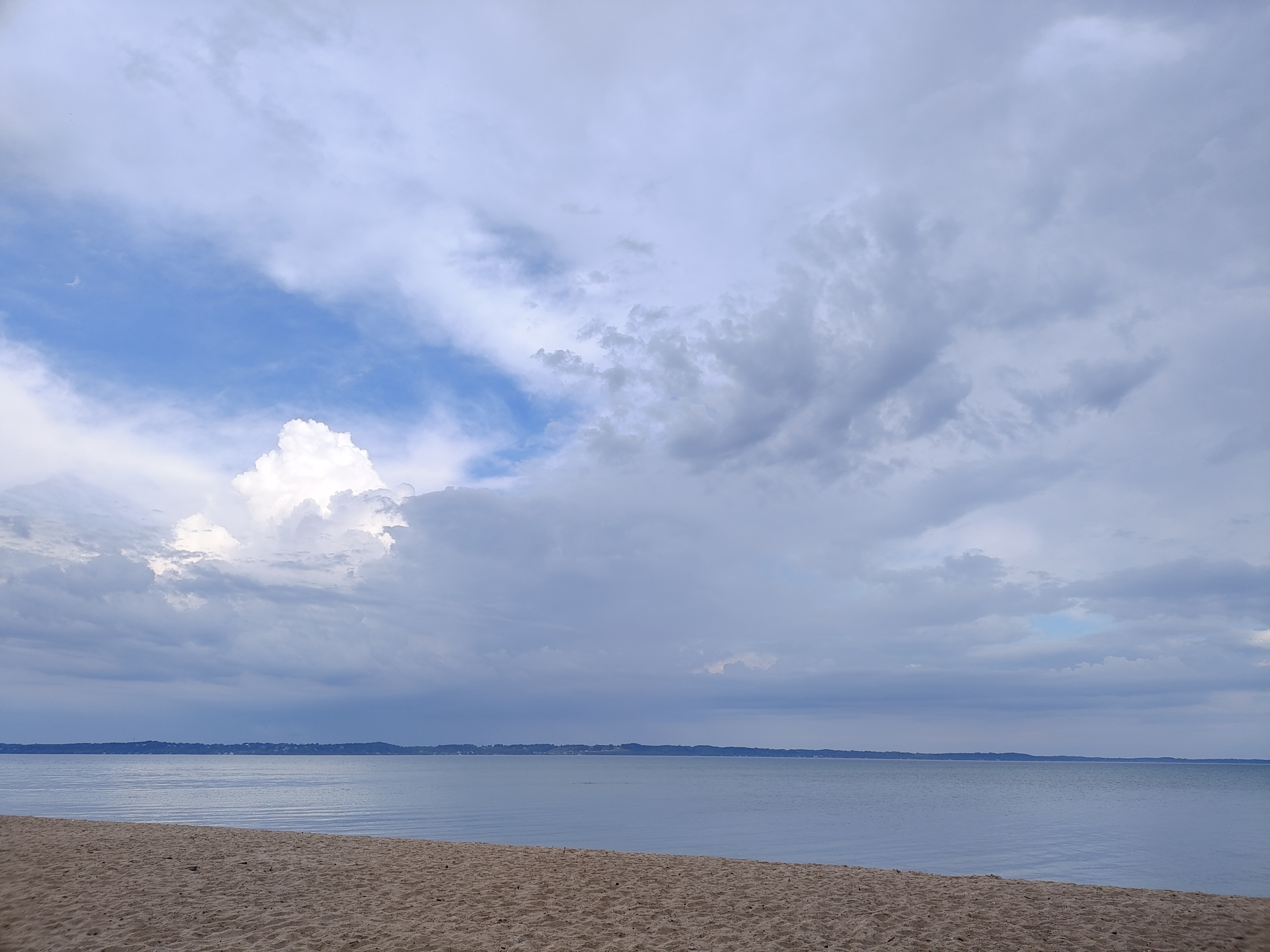
		<p><img data-src="https://the2ndmouse.com/images/blog/2024/07/sweet-summertime.jpg" alt="sweet summertime" width="462" height="346" style="margin: 0px 20px 0px 0px; float: left;"  class="lazyload" />Summer cleaning? Spring may get all the buzz related to putting things in order, but I think summer is a better time to focus on organization and revamping. Whether it is cleaning up your house, freshening up your website, or learning a new language, coding or otherwise, summer seems to just give us more time. True, there is still just 24 hours in a day, but with early sunrises and late sunsets it feels like there is more time.</p>
<p>As a web developer, springtime always feels hectic to me, everyone is busy trying to get stuff done <em>before</em> summer. Then summer hits and crickets... Once fall begins to roll around though, everyone starts to stress that the “year is almost over” so demands on my time increase. With a little over seven weeks left until the unofficial end to summer, aka Labor Day, now seems like a good time to focus on one or two projects that I know will get shoved aside come the busyness of fall. &nbsp;Here’s to the “dog days of summer”!</p>	

	
		</div>

	</div>

				</div>
									</div>


					<div class="article-list">
				<div class="row row-1 cols-2">
									<div class="col-lg-6">
						<div class="article"
							itemprop="blogPost" itemscope itemtype="https://schema.org/BlogPosting">


<div class="article-body">
	
	
	<div class="article-header">
					<h2>
									<a href="/18-ai-generated-images">
						AI Generated Images					</a>
							</h2>


	</div>

		
		  <div class="article-info">

	
					<span class="createdby" title="Written by: Courtney Disposti">
				<span itemprop="name">Courtney Disposti</span>	</span>


					<span class="published" title="Published: 23 March 2024">
	<time datetime="2024-03-23T13:56:12-04:00">
		23 March 2024	</time>
</span>


			</div>
	
						<ul class="tags mb-4">
																	<li class="tag-15 tag-list0" itemprop="keywords">
					<a href="/component/tags/tag/ai" class="">
						AI					</a>
				</li>
						</ul>


	<div class="article-introtext">
		<p>As we cruise through 2024, AI Generated Images seem to be improving by the second. I asked a few popular AI Image Generators to create images for me using the term "mouse doing web development". Here are the results:</p>
<div class="row">
<div class="col-sm-4">
<p><a href="https://stablediffusionweb.com/" target="_blank" rel="noopener">Stable Diffusion</a></p>
<p><img data-src="https://the2ndmouse.com/images/blog/2024/03/stable-diffusion.jpg" alt="stable diffusion" width="1024" height="1024"  class="lazyload" /></p>
</div>
<div class="col-sm-4">
<p><a href="https://deepai.org/machine-learning-model/text2img" target="_blank" rel="noopener">Deep AI</a></p>
<p><img data-src="https://the2ndmouse.com/images/blog/2024/03/deep-ai.jpg" alt="deep ai" width="512" height="512"  class="lazyload" /></p>
</div>
<div class="col-sm-4">
<p><a href="https://www.craiyon.com/" target="_blank" rel="noopener">Craiyon</a> lol, whaat?</p>
<p><img data-src="https://the2ndmouse.com/images/blog/2024/03/craiyon.png" alt="craiyon" width="256" height="256"  class="lazyload" /></p>
</div>
<div class="col-sm-12">
<div class="row">
<div class="col-sm-12">
<p><a href="https://www.bing.com/images/create" target="_blank" rel="noopener">Bing Image Creator</a></p>
</div>
<div class="col-sm-3">
<p><img data-src="https://the2ndmouse.com/images/blog/2024/03/bing-image.jpg" alt="bing image" width="1024" height="1024"  class="lazyload" /></p>
</div>
<div class="col-sm-3">
<p><img data-src="https://the2ndmouse.com/images/blog/2024/03/bing-image-2.jpg" alt="bing image" width="1024" height="1024"  class="lazyload" /></p>
</div>
<div class="col-sm-3">
<p><img data-src="https://the2ndmouse.com/images/blog/2024/03/bing-image-3.jpg" alt="bing image" width="1024" height="1024"  class="lazyload" /></p>
</div>
<div class="col-sm-3">
<p><img data-src="https://the2ndmouse.com/images/blog/2024/03/bing-image-4.jpg" alt="bing image" width="1024" height="1024"  class="lazyload" /></p>
</div>
</div>
</div>
<div class="col-sm-12">
<div class="row">
<div class="col-sm-12">
<p><a href="https://pixlr.com/image-generator/" target="_blank" rel="noopener">Pixlr</a></p>
</div>
<div class="col-sm-3">
<p><img data-src="https://the2ndmouse.com/images/blog/2024/03/pixlr.png" alt="Pixlr" width="512" height="512"  class="lazyload" /></p>
</div>
<div class="col-sm-3">
<p><img data-src="https://the2ndmouse.com/images/blog/2024/03/pixlr-2.png" alt="Pixlr" width="512" height="512"  class="lazyload" /></p>
</div>
<div class="col-sm-3">
<p><img data-src="https://the2ndmouse.com/images/blog/2024/03/pixlr-3.png" alt="Pixlr" width="512" height="512"  class="lazyload" /></p>
</div>
<div class="col-sm-3">
<p><img data-src="https://the2ndmouse.com/images/blog/2024/03/pixlr-4.png" alt="Pixlr" width="512" height="512"  class="lazyload" /></p>
</div>
</div>
</div>
</div>	

	
		</div>

	</div>

						</div>
											</div>
									<div class="col-lg-6">
						<div class="article"
							itemprop="blogPost" itemscope itemtype="https://schema.org/BlogPosting">


<div class="article-body">
	
	
	<div class="article-header">
					<h2>
									<a href="/17-http-vs-https">
						HTTP vs HTTPS - ChatGPT ELI5					</a>
							</h2>


	</div>

		
		  <div class="article-info">

	
					<span class="createdby" title="Written by: Courtney Disposti">
				<span itemprop="name">Courtney Disposti</span>	</span>


					<span class="published" title="Published: 09 March 2024">
	<time datetime="2024-03-09T10:06:11-05:00">
		09 March 2024	</time>
</span>


			</div>
	
						<ul class="tags mb-4">
																	<li class="tag-12 tag-list0" itemprop="keywords">
					<a href="/component/tags/tag/security" class="">
						Security					</a>
				</li>
						</ul>


	<div class="article-introtext">
		<p>I asked ChatGPT to ELI5 (explain like I'm five) the difference between HTTP&nbsp;(Hypertext Transfer Protocol) and HTTPS (Hypertext Transfer Protocol Secure):</p>
<p>"Alright kiddo, let's talk about the internet! You know when you go to a website like your favorite game or cartoon site? Well, there are two ways you can visit it: HTTP and HTTPS.</p>
<p>HTTP is like sending a postcard in the mail. Imagine you write a message on a postcard and send it to your friend. Anyone who sees the postcard while it's on its way can read what you wrote. Similarly, when you use HTTP to visit a website, the information you send and receive is like a postcard that anyone can read. That's not always safe because someone sneaky might see what you're doing online!</p>
<p>Now, HTTPS is like sending a letter in a special locked envelope. When you write a letter to your friend and put it in a locked envelope, only your friend can open it because they have the key. HTTPS is like that locked envelope for websites. It keeps your messages safe from sneaky people who might want to see what you're doing online. So, when you visit a website with HTTPS, your information is kept safe and only the website and you can understand what's going on. Cool, right?"</p>
<p>I then asked how does the "secure" get added to the end of HTTP to create HTTPS?</p>
<p>"Alright, let's break it down! Imagine you're playing a game with your friends, and you want to send them a secret message. Now, the regular way to send messages is like using plain paper where anyone can see what you wrote. That's HTTP, where your messages travel openly on the internet.</p>
<p>But when you want to make sure no one else can read your secret message, you need to make it secure. That's where the "S" in HTTPS comes in! It's like putting your message in a special envelope that can only be opened by your friend. So, when you add that "S" to HTTP, it means your messages are locked up tight and only the right people can read them. That's why HTTPS is super important for keeping your online stuff safe from prying eyes!"</p>
<p>&nbsp;</p>
<p>&nbsp;</p>	

	
		</div>

	</div>

						</div>
											</div>
									<div class="col-lg-6">
						<div class="article"
							itemprop="blogPost" itemscope itemtype="https://schema.org/BlogPosting">


<div class="article-body">
	
	
	<div class="article-header">
					<h2>
									<a href="/16-happy-leap-year">
						Happy Leap Year!					</a>
							</h2>


	</div>

		
		  <div class="article-info">

	
					<span class="createdby" title="Written by: Courtney Disposti">
				<span itemprop="name">Courtney Disposti</span>	</span>


					<span class="published" title="Published: 29 February 2024">
	<time datetime="2024-02-29T13:03:13-05:00">
		29 February 2024	</time>
</span>


			</div>
	
						<ul class="tags mb-4">
																	<li class="tag-12 tag-list0" itemprop="keywords">
					<a href="/component/tags/tag/security" class="">
						Security					</a>
				</li>
						</ul>


	<div class="article-introtext">
		<p>If you were alive around the turn of the millennium, you likely remember all the hubbub surrounding the “Y2K Bug”. This was the concern that the year 2000 would cause massive disruptions to computer systems since many had been written using two digits to represent years. Some systems mistakenly treated the year 2000 as 1900, causing malfunctions. The crisis was mostly averted as there was a massive initiative to update systems before the new millennium.</p>
<p>Since leap year comes essentially every four years, (see <a href="/The%20Science%20of%20Leap%20Year%20|%20National%20Air%20and%20Space%20Museum%20(si.edu)" target="_blank" rel="noopener">here</a> for details on why it isn’t always every four years <a href="https://airandspace.si.edu/stories/editorial/science-leap-year" target="_blank" rel="noopener">The Science of Leap Year | National Air and Space Museum (si.edu)</a>), you would think that computer systems would be prepared to handle it. However, 2012 proved to be a bit of stumble for certain systems:</p>
<ul>
<li>Leap Year Bug in 2012: In 2012, several high-profile software systems experienced issues due to incorrect handling of the leap year. For example, Microsoft Azure's cloud storage services experienced a leap year-related bug, causing some services to become unavailable. Additionally, some Sony PlayStation 3 consoles encountered problems due to the incorrect handling of the leap year date.</li>
<li>Google Calendar Outage in 2012: In 2012, Google Calendar experienced a brief outage due to a leap year-related bug. The bug caused some calendar events to be duplicated or deleted.</li>
</ul>
<p>As a developer it is important to remember that leap years can expose flaws in software systems that incorrectly handle date and time calculations. These issues can range from minor bugs to significant system failures, depending on the context and impact of the software.</p>	

	
		</div>

	</div>

						</div>
											</div>
									<div class="col-lg-6">
						<div class="article"
							itemprop="blogPost" itemscope itemtype="https://schema.org/BlogPosting">


<div class="article-body">
	
	
	<div class="article-header">
					<h2>
									<a href="/15-codecademy-sorting-quiz">
						Codecademy Sorting Quiz					</a>
							</h2>


	</div>

		
		  <div class="article-info">

	
					<span class="createdby" title="Written by: Courtney Disposti">
				<span itemprop="name">Courtney Disposti</span>	</span>


					<span class="published" title="Published: 06 January 2024">
	<time datetime="2024-01-06T14:05:47-05:00">
		06 January 2024	</time>
</span>


			</div>
	
						<ul class="tags mb-4">
																	<li class="tag-7 tag-list0" itemprop="keywords">
					<a href="/programming/computer-programming" class="">
						Computer Programming					</a>
				</li>
						</ul>


	<div class="article-introtext">
		<p>If you are not familiar with <a href="https://www.codecademy.com/" target="_blank" rel="noopener">Codecademy</a>, it is an online learning platform that offers various coding courses and interactive coding exercises in multiple programming languages. Not sure where to begin? <a href="https://www.codecademy.com/" target="_blank" rel="noopener">Codecademy</a> has it covered with their <a href="https://www.codecademy.com/explore/sorting-quiz" target="_blank" rel="noopener">Sorting Quiz</a> that helps you determine your programming personality and directs you towards&nbsp;which careers, languages, and courses suit your personal interests and strengths best. My result?&nbsp;<strong>Problem Solver</strong>. <em>Logic, patience, communication, and attention to detail are your underlying strengths. You have a knack for not panicking in the face of complexity. You break things down into manageable chunks, and tackle them with the tools at your disposal. Things you’re into: planning, building structures, thinking in systems, puzzles, adapting to change and learning new technologies.</em></p>
<p><img data-src="https://the2ndmouse.com/images/blog/2024/01/Codecademy-Sorting-Quiz.png" alt="Codecademy Sorting Quiz"  class="lazyload" /></p>	

	
		</div>

	</div>

						</div>
											</div>
								</div>
			</div>


			<nav class="pagination-wrapper d-lg-flex justify-content-between w-100">
			<ul class="pagination ms-0 mb-4">
		<li class="disabled page-item">
		<span class="page-link" aria-hidden="true"><span class="fas fa-angle-double-left" aria-hidden="true"></span></span>
	</li>
		<li class="disabled page-item">
		<span class="page-link" aria-hidden="true"><span class="fas fa-angle-left" aria-hidden="true"></span></span>
	</li>

					<li class="active page-item">
		<span aria-current="true" aria-label="Page 1" class="page-link">1</span>
	</li>
				<li class="page-item">
		<a aria-label="Go to page 2" href="/?start=5" class="page-link">
			2		</a>
	</li>
				<li class="page-item">
		<a aria-label="Go to page 3" href="/?start=10" class="page-link">
			3		</a>
	</li>
				<li class="page-item">
		<a aria-label="Go to page 4" href="/?start=15" class="page-link">
			4		</a>
	</li>
	
		<li class="page-item">
		<a aria-label="Go to next page" href="/?start=5" class="page-link">
			<span class="fas fa-angle-right" aria-hidden="true"></span>		</a>
	</li>
		<li class="page-item">
		<a aria-label="Go to end page" href="/?start=15" class="page-link">
			<span class="fas fa-angle-double-right" aria-hidden="true"></span>		</a>
	</li>
</ul>							<div class="pagination-counter text-muted mb-4">
					Page 1 of 4				</div>
					</nav>
	</div>


			</div>
</main>
</div>
									
	</section>

<footer id="sp-footer" >

						<div class="container">
				<div class="container-inner">
			
	
<div class="row">
	<div id="sp-footer1" class="col-lg-12 "><div class="sp-column "><span class="sp-copyright">© 2025 2nd Mouse Media</span></div></div></div>
							</div>
			</div>
			
	</footer>
			</div>
		</div>

		<!-- Off Canvas Menu -->
		<div class="offcanvas-overlay"></div>
		<!-- Rendering the offcanvas style -->
		<!-- If canvas style selected then render the style -->
		<!-- otherwise (for old templates) attach the offcanvas module position -->
					<div class="offcanvas-menu">
	<div class="d-flex align-items-center p-3 pt-4">
				<a href="#" class="close-offcanvas" aria-label="Close Off-canvas">
			<div class="burger-icon">
				<span></span>
				<span></span>
				<span></span>
			</div>
		</a>
	</div>
	
	<div class="offcanvas-inner">
		<div class="d-flex header-modules mb-3">
			
					</div>
		
					<div class="sp-module "><div class="sp-module-content"><ul class="menu nav-pills">
<li class="item-101 default current active"><a href="/" >Home</a></li><li class="item-250"><a href="/web-design" >Web Design</a></li><li class="item-251"><a href="/web-builders" >Web Builders</a></li><li class="item-252"><a href="/mobile-friendly" >Mobile Friendly</a></li><li class="item-253"><a href="/seo" >SEO</a></li><li class="item-254"><a href="/programming" >Programming</a></li><li class="item-257"><a href="/css" >CSS</a></li><li class="item-255"><a href="/bootstrap" >Bootstrap</a></li></ul>
</div></div>		


		<!-- custom module position -->
		
	</div>
</div>				


		<!-- Go to top -->
					<a href="#" class="sp-scroll-up" aria-label="Scroll Up"><span class="fas fa-angle-up" aria-hidden="true"></span></a>
					</body>
</html>