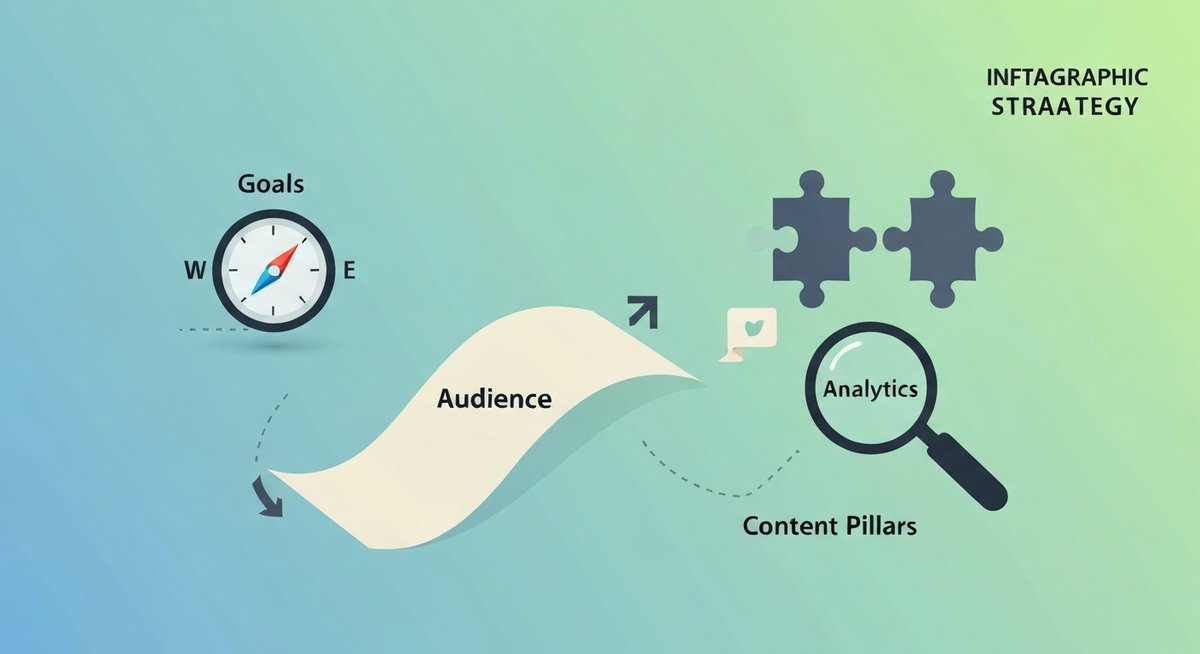
<?xml version="1.0" encoding="UTF-8"?><feed
	xmlns="http://www.w3.org/2005/Atom"
	xmlns:thr="http://purl.org/syndication/thread/1.0"
	xml:lang="en-US"
	>
	<title type="text">EvoIG</title>
	<subtitle type="text"></subtitle>

	<updated>2026-05-04T07:15:26Z</updated>

	<link rel="alternate" type="text/html" href="https://tas-firin.co.uk" />
	<id>https://tas-firin.co.uk/feed/atom/</id>
	<link rel="self" type="application/atom+xml" href="https://tas-firin.co.uk/feed/atom/" />

	<generator uri="https://wordpress.org/" version="6.8">WordPress</generator>
<icon>https://tas-firin.co.uk/wp-content/uploads/2025/04/cropped-logo-evoig-32x32.png</icon>
	<entry>
		<author>
			<name>superadmin</name>
							<uri>https://tas-firin.co.uk</uri>
						</author>

		<title type="html"><![CDATA[The 5-3-2 Content Rule for Instagram: A Proven Formula for Engagement]]></title>
		<link rel="alternate" type="text/html" href="https://tas-firin.co.uk/instagram-5-3-2-rule/" />

		<id>https://tas-firin.co.uk/instagram-5-3-2-rule/</id>
		<updated>2026-05-04T07:15:26Z</updated>
		<published>2026-05-04T07:15:26Z</published>
		<category scheme="https://tas-firin.co.uk" term="Blog" />
		<summary type="html"><![CDATA[The 5-3-2 Instagram content rule balances education, engagement, and promotion. Learn this proven formula to grow your audience and increase sales.]]></summary>

					<content type="html" xml:base="https://tas-firin.co.uk/instagram-5-3-2-rule/"><![CDATA[<div class="quick-answer" style="background:#f0f7ff;border-left:4px solid #0073aa;padding:12px 16px;margin:16px 0;border-radius:4px;"><strong>Quick Answer:</strong> The 5-3-2 content rule for Instagram is a strategic framework that guides your posting mix. It suggests a ratio of 5 educational posts, 3 engaging posts, and 2 promotional posts. This ensures you consistently provide value, build trust, and avoid overwhelming your audience with sales pitches. It’s about building audience value <em>before</em> pushing sales, preventing fatigue.</div>
<h2>Why Your Instagram Feed Needs a Content Strategy: The 5-3-2 Rule Unpacked</h2>
<figure class="wp-block-image size-full aligncenter"><img decoding="async" width="1200" height="654" src="https://tas-firin.co.uk/wp-content/uploads/2026/05/instagram-5-3-2-rule-img-1.jpg" alt="Instagram 5-3-2 content rule infographic showing inspirational, promotional, and fun content blocks." class="wp-image-377" loading="lazy" srcset="https://tas-firin.co.uk/wp-content/uploads/2026/05/instagram-5-3-2-rule-img-1.jpg 1200w, https://tas-firin.co.uk/wp-content/uploads/2026/05/instagram-5-3-2-rule-img-1-300x164.jpg 300w, https://tas-firin.co.uk/wp-content/uploads/2026/05/instagram-5-3-2-rule-img-1-1024x558.jpg 1024w, https://tas-firin.co.uk/wp-content/uploads/2026/05/instagram-5-3-2-rule-img-1-768x419.jpg 768w" sizes="auto, (max-width: 1200px) 100vw, 1200px" /></figure>
<p>Ever scroll through Instagram and feel like you&#8217;re bombarded with ads, only to see a dry tutorial next? It&#8217;s a common frustration. Many brands struggle to maintain consistent engagement because their content is all over the place. A random posting strategy, jumping from a hard sell to a fleeting thought, simply doesn&#8217;t build a connection. Your audience craves predictability and value. Without a clear plan, you risk alienating followers who are looking for more than just a sales pitch.</p>
<p>> <strong>Struggling with Instagram engagement? The 5-3-2 content rule provides a clear, actionable framework to balance value and promotion, ensuring your audience stays engaged and receptive. It&#8217;s the secret to a sustainable, growth-focused Instagram presence.</strong></p>
<p>The digital landscape, especially Instagram, is crowded. To cut through the noise, you need a deliberate approach. A content strategy isn&#8217;t just a nice-to-have; it&#8217;s essential for sustainable growth. It ensures every post serves a purpose, whether it&#8217;s to educate, entertain, or eventually, to sell. A well-defined strategy helps you build a loyal community that trusts your brand and looks forward to your content. Without it, your Instagram presence can feel erratic, leading to declining reach and engagement. So what’s the fix? A solid content rule.</p>
<h2>Decoding the 5-3-2 Content Rule: What Each Number Means</h2>
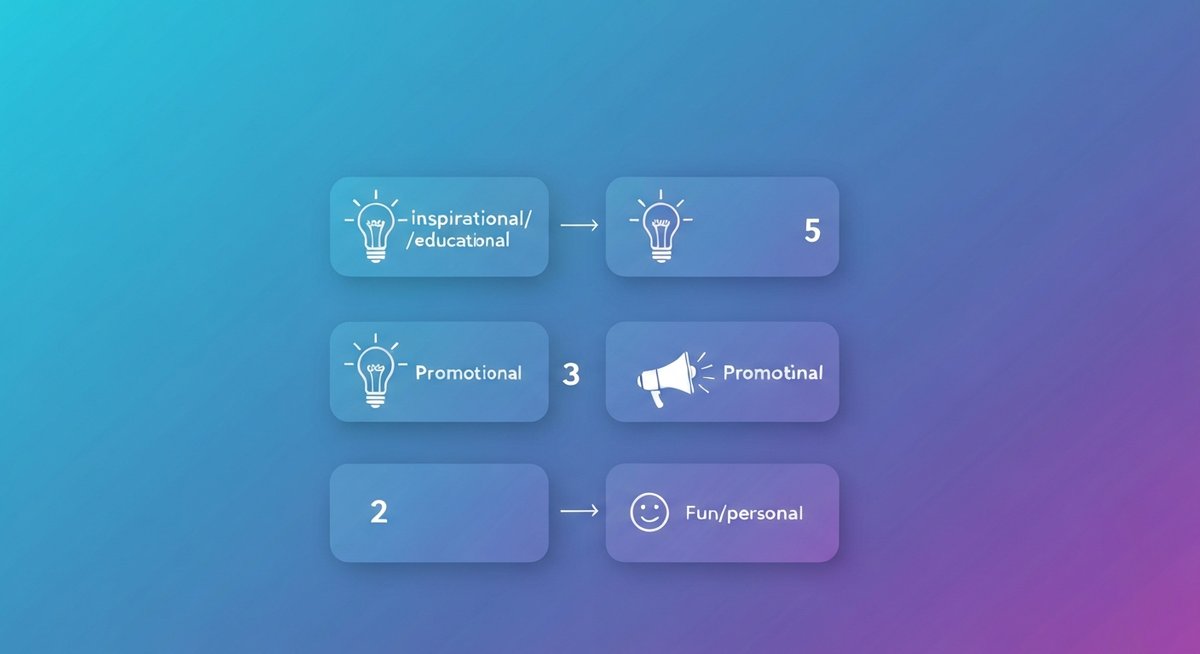
<p>The 5-3-2 content rule is a straightforward guideline for structuring your Instagram posts. For every 10 posts you publish, the recommendation is to dedicate 5 to educational content, 3 to engaging content, and 2 to promotional content. This ratio is designed to create a balanced feed that consistently delivers value, fosters interaction, and gently guides followers toward your offerings without being overly pushy. It’s a framework that prioritizes your audience&#8217;s needs before asking for their business.</p>
<p>> <strong>The 5-3-2 content rule is simple: for every 10 posts, aim for 5 educational pieces that teach your audience something, 3 engaging pieces that spark interaction, and 2 promotional pieces that highlight your offerings. This ratio is key to a balanced Instagram content strategy.</strong></p>
<p>Let&#8217;s break down what each number signifies:</p>
<ul>
<li><strong>The &#8220;5&#8221;: Educational Content.</strong> This is about sharing knowledge, insights, and practical advice that helps your audience. Think tutorials, how-tos, industry tips, or answering frequently asked questions. The goal is to position yourself as an authority and a valuable resource.</li>
<li><strong>The &#8220;3&#8221;: Engaging Content.</strong> This category focuses on sparking conversation and building community. It includes interactive elements like polls, Q&#038;As, behind-the-scenes glimpses, user-generated content features, or thought-provoking questions. The aim is to get your audience talking and feeling connected to your brand.</li>
<li><strong>The &#8220;2&#8221;: Promotional Content.</strong> These are the posts where you directly talk about your products or services. This could be announcing a sale, highlighting a new feature, showcasing a customer testimonial related to a specific offering, or inviting sign-ups for a webinar. The key here is to make these posts feel relevant and valuable, not just like an advertisement.</li>
</ul>
<p>This content ratio is crucial because it adheres to the principle of giving before asking. By consistently providing valuable educational and engaging content, you build trust and rapport. This solid foundation makes your followers more receptive when you do introduce promotional content. It’s a sustainable approach that fosters long-term audience loyalty and drives conversions naturally.</p>
<p>[LINK:instagram-content-strategy]</p>
<h2>The Power of 5: Crafting Educational Content That Captivates</h2>
<p>Educational content forms the backbone of a strong Instagram presence. It&#8217;s your primary vehicle for demonstrating expertise and delivering tangible value to your followers. When you consistently share useful information, you establish your brand as a go-to resource, fostering trust and authority. Think about what problems your audience faces or what questions they frequently ask. Answering these with well-crafted educational posts positions you as someone who understands their needs.</p>
<p>> <strong>Educational content is your primary tool for establishing authority and providing genuine value. Focus on sharing tips, tutorials, industry insights, and answers to common questions to make your audience smarter and more connected to your brand.</strong></p>
<p>The beauty of educational content lies in its versatility. You can leverage various formats to keep things fresh and engaging. Carousels are excellent for step-by-step tutorials or breaking down complex topics into digestible slides. Short video tutorials can demonstrate practical applications of your knowledge. Infographics are perfect for presenting data or complex processes visually. You can also create &#8220;myth-buster&#8221; posts to debunk common misconceptions in your industry. For example, a fitness coach might create a carousel post titled &#8220;5 Common Squat Mistakes and How to Fix Them,&#8221; complete with visual demonstrations. A financial advisor could share an infographic on &#8220;Key Differences Between a 401k and an IRA.&#8221;</p>
<p>The benefits of prioritizing educational content are significant. It drives saves, which is a strong signal to Instagram&#8217;s algorithm that your content is valuable. It also increases shares as people naturally want to pass along useful information to their networks. One study by Social Media Examiner found that 72% of marketers use content marketing to build brand loyalty, and educational content is a cornerstone of effective content marketing. By focusing on teaching and informing, you build a deeper connection with your audience that goes beyond a transactional relationship. It&#8217;s about empowering your followers with knowledge, making them more likely to turn to you when they&#8217;re ready to make a purchase.</p>
<p>[LINK:5-types-of-educational-instagram-content]</p>
<h2>The Magic of 3: Engaging Your Audience Authentically</h2>
<p>If educational content builds authority, engaging content builds community. This is where you invite your audience to participate, share their thoughts, and feel like a part of something. It&#8217;s the human element that transforms a passive audience into an active community. When followers feel seen and heard, their loyalty to your brand deepens considerably. This interactive layer is crucial for creating a vibrant and connected following that genuinely cares about your brand.</p>
<p>> <strong>Engaging content is what sparks conversation and builds community. Think polls, Q&#038;As, behind-the-scenes glimpses, and user-generated content features to foster interaction and make your followers feel seen and heard.</strong></p>
<p>There are numerous ways to inject engagement into your Instagram feed. A simple yet effective tactic is to ask questions in your captions. Instead of just stating a fact, pose a question that prompts followers to share their experiences or opinions. For instance, a baker might post a picture of a new cake flavor and ask, &#8220;What&#8217;s your favorite cake flavor for a summer celebration?&#8221; Interactive Stories features are goldmines for engagement. Use polls to gauge preferences, question boxes to solicit feedback or topics for future content, and quiz stickers to test their knowledge or spark curiosity. Running contests or giveaways where users have to comment or share to enter is another powerful engagement driver. Showcasing user-generated content, where you repost content created by your followers featuring your products or services, makes them feel valued and encourages more participation. A common mistake is neglecting these interactive Stories features, missing out on easy wins for audience connection.</p>
<p>The impact of consistent engagement is measurable. It directly boosts comments and shares, two key metrics that signal to the algorithm that your content resonates. A more engaged audience is also more likely to become loyal customers. When you foster a sense of community, you create advocates for your brand who are invested in your success. This authentic interaction builds a powerful connection that goes beyond simple likes.</p>
<p>[LINK:3-ways-to-create-engaging-instagram-content]</p>
<h2>The Necessity of 2: Promotional Content That Converts</h2>
<p>While the focus should be on providing value, promotional content is essential for driving business objectives. The key to the &#8220;2&#8221; in the 5-3-2 rule is making these posts feel like a natural extension of the value you offer, not an abrupt interruption. When done correctly, promotional content is highly effective because it targets an audience that has already been nurtured and trusts your brand. It’s about presenting your offerings as solutions to problems you&#8217;ve implicitly or explicitly addressed in your educational and engaging content.</p>
<p>> <strong>Your promotional content should be sparse, high-value, and clearly address an audience need. When done right, it feels like a natural solution rather than an interruption, maximizing conversion potential.</strong></p>
<p>The goal is to make your promotional posts compelling and relevant. Instead of just listing features, focus on the benefits and how your product or service solves a specific pain point for your audience. For example, instead of saying &#8220;Our software has X feature,&#8221; try &#8220;Struggling with [audience pain point]? Our software&#8217;s X feature helps you achieve [desired outcome] effortlessly.&#8221; Highlighting special offers, discounts, or new product launches can be effective, but always frame them in terms of the value they provide to the customer. A clear call-to-action is crucial; tell people exactly what you want them to do next, whether it&#8217;s &#8220;Shop now,&#8221; &#8220;Learn more,&#8221; or &#8220;Sign up today.&#8221; Avoid overly salesy language; instead, focus on the problem your product solves for the customer. For a service-based business, this might be a post showcasing a client success story that subtly highlights the service provided. For a product-based business, it could be a visually appealing post demonstrating a product in use, emphasizing its ease or effectiveness. The timing and relevance of these posts also matter significantly.</p>
<p>When your promotional content is well-integrated into a strategy that prioritizes value, it converts more effectively. Followers who have come to trust your expertise are more inclined to consider your offerings when they are presented as solutions to needs they&#8217;ve come to recognize. This approach respects your audience&#8217;s journey and builds a more sustainable customer base.</p>
<p>[LINK:2-effective-promotional-instagram-post-ideas]</p>
<h2>Putting the 5-3-2 Rule into Practice: Content Planning &#038; Calendars</h2>
<p>The 5-3-2 rule isn&#8217;t just theory; it&#8217;s a practical framework that comes alive with effective planning. The most efficient way to implement this ratio consistently is by using a social media calendar. This tool acts as your roadmap, allowing you to map out your posts in advance and ensure you’re hitting the right balance of educational, engaging, and promotional content. By planning ahead, you avoid the last-minute scramble that often leads to an unbalanced or inconsistent feed.</p>
<p>> <strong>Implementing the 5-3-2 rule is most effective when integrated into your content planning. Utilize a social media calendar to schedule posts strategically, ensuring you maintain the correct ratio and consistency.</strong></p>
<p>Here&#8217;s how to put it into practice:</p>
<ol>
<li><strong>Choose Your Calendar Tool:</strong> Select a calendar that works for you. This could be a simple spreadsheet, a dedicated planner, or a digital tool like Hootsuite, Later, or Buffer. Many of these offer visual planning capabilities.</li>
<li><strong>Map Out Your Month:</strong> At the beginning of each month (or week, depending on your preference), block out your posts according to the 5-3-2 ratio. If you plan to post 10 times this week, mentally or physically assign 5 slots for educational, 3 for engaging, and 2 for promotional content.</li>
<li><strong>Brainstorm Content Ideas:</strong> For each category, brainstorm specific post ideas. For educational, think of a tutorial topic or a common question. For engaging, consider a poll idea or a &#8220;this or that&#8221; scenario. For promotional, identify a product or service you want to highlight.</li>
<li><strong>Batch Content Creation:</strong> Once you have your ideas, try to create content in batches. Dedicate a specific day or block of time to film videos, design graphics, or write captions for multiple posts. This significantly increases efficiency. For example, you might spend a morning filming three short educational Reels and an afternoon designing graphics for a carousel.</li>
<li><strong>Schedule Your Posts:</strong> Use your chosen scheduling tool to upload and schedule your content. This ensures a consistent posting schedule, even when you&#8217;re busy. Many tools allow you to preview your feed to see how the content looks together.</li>
<li><strong>Review and Adjust:</strong> Regularly review your calendar and your analytics. Did you stick to the ratio? How did certain types of content perform? Use this information to refine your planning for the next cycle.</li>
</ol>
<p>By adopting a structured approach with a content calendar, you transform the 5-3-2 rule from an abstract concept into a concrete strategy that drives predictable engagement and growth on Instagram.</p>
<p>[LINK:social-media-content-calendar]</p>
<h2>Adapting the 5-3-2 Rule for Different Instagram Goals</h2>
<p>The 5-3-2 content rule serves as an excellent starting point, but it&#8217;s not a one-size-fits-all prescription. Its real power lies in its adaptability. You can, and should, tweak this ratio to align with your specific business objectives and current marketing campaigns. For instance, a brand that&#8217;s just launching might lean more heavily on educational content to build awareness and establish credibility before introducing many promotional posts. Conversely, during a product launch or a major sale period, you might temporarily adjust the ratio to include slightly more promotional content to capitalize on the momentum.</p>
<p>Consider these scenarios:</p>
<ul>
<li><strong>Brand Awareness Focus:</strong> If your primary goal is to get your brand in front of a new audience, you might increase the proportion of educational and engaging content. For example, a new B2C product company might run a series of &#8220;how-to&#8221; Reels (educational) and interactive polls about user preferences (engaging), pushing promotional posts to the minimum of 2 while they build recognition.</li>
<li><strong>Lead Generation Focus:</strong> For businesses aiming to capture leads, you might slightly shift the balance. While still providing value, your educational content could subtly introduce lead magnets (e.g., a downloadable guide that requires an email signup), and your promotional content might directly advertise workshops or consultations. A B2B service provider might focus on thought leadership pieces (educational) that lead to webinar sign-ups (promotional).</li>
<li><strong>Community Growth Focus:</strong> If your main aim is to build a highly engaged community, you&#8217;ll want to double down on interactive content. This could mean increasing the &#8220;engaging&#8221; portion from 3 to 4 posts and ensuring each engagement post has a clear call for comments or shares. A niche hobby brand might focus on user-submitted photos and Q&#038;A sessions.</li>
<li><strong>Product-Based vs. Service-Based:</strong> A product-based business might find success with visually appealing educational content showcasing product usage, while a service-based business might thrive on sharing client testimonials and case studies (educational/promotional hybrid).</li>
</ul>
<p>The core principle remains: nurture your audience with value before asking for their business. By understanding your current goals, you can make informed adjustments to the 5-3-2 ratio, ensuring your Instagram strategy is not only balanced but also maximally effective for your unique situation.</p>
<h2>Measuring Success: Tracking Your 5-3-2 Content Performance</h2>
<p>You&#8217;ve implemented the 5-3-2 rule, but is it actually working? The only way to know for sure is by diving into your Instagram analytics. Don&#8217;t operate on assumptions; let the data guide your strategy. Instagram Insights, accessible to business and creator accounts, provides a wealth of information about how your content is performing across all three categories. Understanding these metrics will help you refine your approach and optimize for better results.</p>
<p>> <strong>Don&#8217;t guess if the 5-3-2 rule is working; measure it! Analyze your Instagram analytics to see how educational, engaging, and promotional posts are performing in terms of reach, engagement, saves, and conversions.</strong></p>
<p>Here&#8217;s what to track for each content type:</p>
<ul>
<li><strong>Educational Content:</strong></li>
<li><strong>Saves:</strong> A high number of saves indicates your content is valuable and people want to refer back to it. This is a key indicator of strong educational value.</li>
<li><strong>Reach:</strong> How many unique accounts saw your post? This shows your educational content is resonating enough to be shared or discovered.</li>
<li><strong>Comments/Shares:</strong> While engagement is key for all posts, seeing comments and shares on educational content means you&#8217;re sparking conversation and extending its reach.</li>
<li><strong>Engaging Content:</strong></li>
<li><strong>Engagement Rate:</strong> This is crucial. Look at the percentage of people who interacted with your post (likes, comments, shares, saves) relative to its reach.</li>
<li><strong>Comments:</strong> This is the primary metric for engagement. Are people actively participating in the conversation?</li>
<li><strong>Shares:</strong> When followers share your engaging content, it amplifies your community-building efforts.</li>
<li><strong>Story Interactions:</strong> For Stories, track poll responses, question box submissions, quiz completions, and sticker taps.</li>
<li><strong>Promotional Content:</strong></li>
<li><strong>Website Clicks:</strong> If your goal is traffic, track how many people click through to your website or landing page from these posts.</li>
<li><strong>Conversion Rates:</strong> This is the ultimate metric for promotional success. How many people who saw your promotional post actually took the desired action (e.g., made a purchase, signed up)?</li>
<li><strong>Reach/Impressions:</strong> Even for promotional content, understanding how widely it’s being seen is important.</li>
</ul>
<p>By consistently reviewing these metrics and comparing them across your different content categories, you can identify what’s working best. Perhaps your carousels for educational content are getting far more saves than single image posts. Maybe your Q&#038;A Stories are driving more overall engagement than polls. This data-driven approach allows you to iterate on your strategy, double down on successful tactics, and make sure your 5-3-2 rule is not just a guideline, but a driver of tangible results.</p>
<p>[LINK:instagram-analytics-guide]</p>
<h2>Common Pitfalls to Avoid with the 5-3-2 Content Rule</h2>
<p>While the 5-3-2 rule is powerful, it’s easy to stumble if you’re not mindful. The most frequent misstep is miscategorizing content. For instance, you might label a post detailing a minor product feature as &#8220;educational&#8221; when its primary intent is to highlight a selling point. Similarly, a simple announcement like &#8220;We&#8217;re open today!&#8221; might be mistakenly categorized as &#8220;engaging&#8221; when it offers little for the audience to interact with. Being honest about the primary intent of each post is critical for truly leveraging the framework.</p>
<p>> <strong>The most common mistake is miscategorizing content: mistaking a product feature as educational or a simple announcement as engaging. Be honest about the primary intent of each post to truly leverage the 5-3-2 framework.</strong></p>
<p>Here are other common pitfalls to watch out for:</p>
<ul>
<li><strong>Over-Prioritizing Promotion:</strong> Even with the &#8220;2&#8221; posts, it&#8217;s easy to let them creep into 3 or 4, especially if you&#8217;re feeling sales pressure. This can quickly alienate your audience, who followed you for value, not constant ads.</li>
<li><strong>Neglecting Engagement:</strong> The &#8220;3&#8221; engaging posts are crucial for building community. If these are weak, generic, or non-existent, your audience won&#8217;t feel connected. They might see your content, but they won&#8217;t participate.</li>
<li><strong>Generic Value:</strong> Educational content must be genuinely helpful. A post that&#8217;s just a rehashing of obvious information won&#8217;t build authority. It needs to offer a unique perspective, a practical tip, or a solution to a real problem.</li>
<li><strong>Ignoring Audience Feedback:</strong> If your engaging content isn&#8217;t sparking conversation or your educational content isn&#8217;t being saved, pay attention. Your audience is telling you what they want more or less of.</li>
<li><strong>Not Adapting:</strong> While 5-3-2 is a strong baseline, rigidly adhering to it without considering your current goals or audience response can be counterproductive. Be flexible.</li>
</ul>
<p>By being aware of these common traps, you can navigate the 5-3-2 rule more effectively, ensuring your Instagram strategy remains balanced, valuable, and conducive to growth.</p>
<h2>Is the 5-3-2 Rule Still Relevant for Instagram in [Current Year]?</h2>
<p>Absolutely, the 5-3-2 rule remains highly relevant for Instagram in [Current Year]. Its core principle—balancing audience value with promotional efforts—is timeless. While Instagram constantly evolves with new features like Reels, Stories, and advanced shopping capabilities, the fundamental human psychology of consumption hasn&#8217;t changed. People still want to learn, be entertained, and feel connected before they are ready to buy.</p>
<p>> <strong>Yes, the 5-3-2 rule remains highly relevant because its core principle—balancing value with promotion—is evergreen. While Instagram evolves, the fundamental human need for useful and entertaining content before being sold to persists.</strong></p>
<p>Consider how algorithm changes often prioritize content that keeps users engaged on the platform. Educational content that gets saved, and engaging content that sparks comments and shares, naturally aligns with this. Even promotional content, when it solves a problem or offers a clear benefit, can be seen as valuable by the right audience. The rule provides a structure that inherently encourages the creation of the kinds of posts Instagram&#8217;s algorithm is designed to favor.</p>
<p>Furthermore, the emphasis on community building through engaging content is more critical than ever. In a noisy digital world, authentic connection is a significant differentiator. The 5-3-2 rule provides a framework that helps brands cultivate that connection. While the specific <em>formats</em> you use for each category might change (e.g., leaning into Reels for educational content), the underlying <em>strategy</em> of providing value first, then inviting interaction, and finally promoting offerings, remains a robust and effective approach for sustainable growth on Instagram.</p>
<h2>Frequently Asked Questions</h2>
<h3>Q: What is the 5-3-2 content rule?</h3>
<p>A: It&#8217;s a content ratio for social media, suggesting 5 educational posts, 3 engaging posts, and 2 promotional posts out of every 10.</p>
<h3>Q: How to use the 5-3-2 rule on Instagram?</h3>
<p>A: Plan your content calendar with this ratio in mind, ensuring a mix that prioritizes value before sales.</p>
<h3>Q: What are the 5-3-2 rule examples?</h3>
<p>A: Educational: tutorial, tip; Engaging: poll, Q&A; Promotional: discount, product launch.</p>
<h3>Q: Is the 5-3-2 rule still relevant for social media?</h3>
<p>A: Yes, its emphasis on audience value and balanced promotion remains a timeless strategy.</p>
<h3>Q: What is the best content mix for Instagram?</h3>
<p>A: The 5-3-2 ratio is widely considered an effective and balanced content mix for consistent engagement.</p>
<h3>Q: How often should I post on Instagram?</h3>
<p>A: Posting frequency varies, but adhering to the 5-3-2 ratio is more important than the exact number of posts per day or week.</p>
<p><script type="application/ld+json">{"@context": "https://schema.org", "@type": "Article", "headline": "The 5-3-2 Content Rule for Instagram: A Proven Formula for Engagement", "description": "The 5-3-2 Instagram content rule balances education, engagement, and promotion. Learn this proven formula to grow your audience and increase sales.", "url": "https://https://tas-firin.co.uk//instagram-5-3-2-rule/", "dateModified": "2026-05-04T07:15:25Z", "publisher": {"@type": "Organization", "name": "tas-firin.co.uk (insta)"}}</script></p>
]]></content>
		
					<link rel="replies" type="text/html" href="https://tas-firin.co.uk/instagram-5-3-2-rule/#comments" thr:count="0" />
			<link rel="replies" type="application/atom+xml" href="https://tas-firin.co.uk/instagram-5-3-2-rule/feed/atom/" thr:count="0" />
			<thr:total>0</thr:total>
			</entry>
		<entry>
		<author>
			<name>superadmin</name>
							<uri>https://tas-firin.co.uk</uri>
						</author>

		<title type="html"><![CDATA[The Ultimate Instagram Content Creation Course Curriculum: Master Your Strategy &#038; Growth]]></title>
		<link rel="alternate" type="text/html" href="https://tas-firin.co.uk/instagram-content-course/" />

		<id>https://tas-firin.co.uk/instagram-content-course/</id>
		<updated>2026-04-22T11:41:34Z</updated>
		<published>2026-04-22T11:41:34Z</published>
		<category scheme="https://tas-firin.co.uk" term="Blog" />
		<summary type="html"><![CDATA[An Instagram content creation course covers strategy, design, video, copy, and analytics. Learn to build an engaged community and drive real business results.]]></summary>

					<content type="html" xml:base="https://tas-firin.co.uk/instagram-content-course/"><![CDATA[<div class="quick-answer" style="background:#f0f7ff;border-left:4px solid #0073aa;padding:12px 16px;margin:16px 0;border-radius:4px;"><strong>Quick Answer:</strong> A solid Instagram content creation course dives into platform essentials, crafting a clear strategy, mastering visual design, producing compelling video (especially Reels), writing persuasive copy, understanding analytics, and building an engaged community. This curriculum is designed to give you a practical, actionable roadmap to mastering Instagram for real business results.</div>
<h2>1. Deconstructing the Instagram Landscape: Your Strategic Foundation</h2>
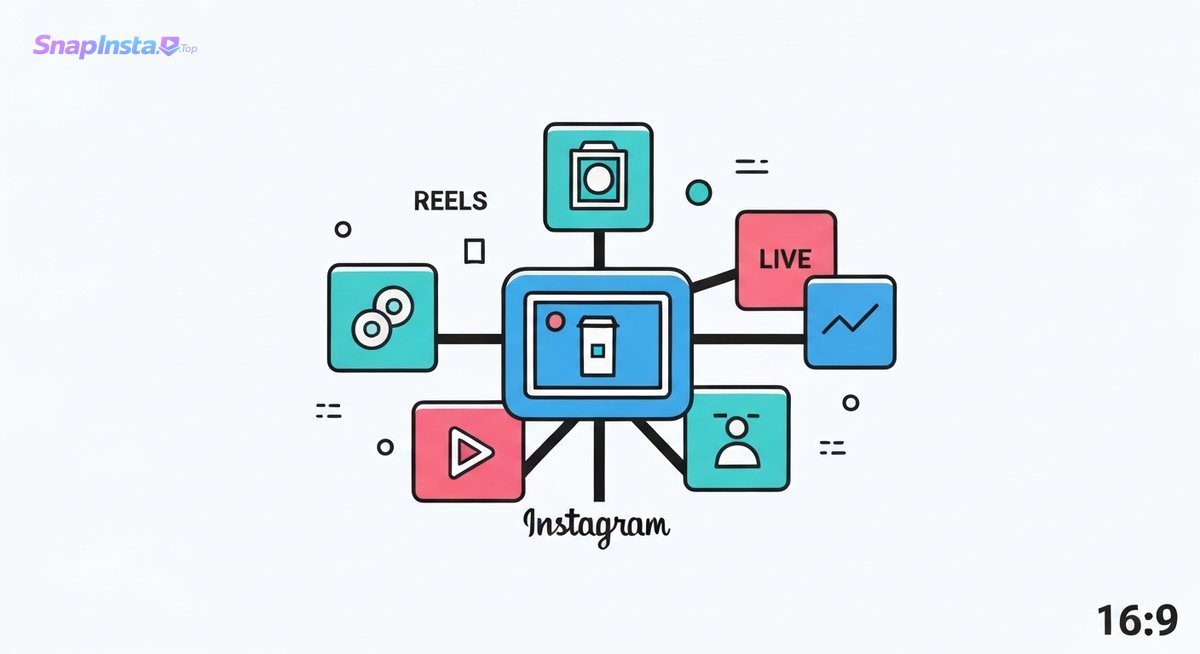
<p>Want to really win on Instagram? It&#8217;s more than just pretty pictures or clever captions. You’ve got to get under the hood, understand how the platform <em>actually</em> works and how people use it. This section is all about building that solid base. We make sure everything you post has a purpose, increasing its chances of actually connecting.</p>
<p>> <strong>Understanding Instagram&#8217;s core mechanics and user behavior is the first step to creating content that truly connects and converts. This module lays the groundwork for all subsequent learning, ensuring your strategy is built on solid principles, not guesswork.</strong></p>
<p>Too many folks jump straight into posting without a plan. They might share a stunning photo or a trending Reel, but without knowing who they&#8217;re talking to or what they want to achieve, those efforts often fizzle out. A good course usually spans 6-8 modules, guiding you from the ground up. The real magic happens when you start seeing Instagram not just as a feed, but as a living, breathing ecosystem where smart strategy is the name of the game. Want a clearer picture of how to structure your approach? Check out our [LINK:instagram-content-strategy-guide].</p>
<h2>2. Crafting Your Instagram Content Strategy: The Blueprint for Success</h2>
<figure class="wp-block-image size-full aligncenter"><img decoding="async" width="1200" height="654" src="https://tas-firin.co.uk/wp-content/uploads/2026/04/instagram-content-course-img-1.jpg" alt="Instagram content creation course: visual metaphor for the platform&#x27;s diverse features and strategic foundation." class="wp-image-373" loading="lazy" srcset="https://tas-firin.co.uk/wp-content/uploads/2026/04/instagram-content-course-img-1.jpg 1200w, https://tas-firin.co.uk/wp-content/uploads/2026/04/instagram-content-course-img-1-300x164.jpg 300w, https://tas-firin.co.uk/wp-content/uploads/2026/04/instagram-content-course-img-1-1024x558.jpg 1024w, https://tas-firin.co.uk/wp-content/uploads/2026/04/instagram-content-course-img-1-768x419.jpg 768w" sizes="auto, (max-width: 1200px) 100vw, 1200px" /></figure>
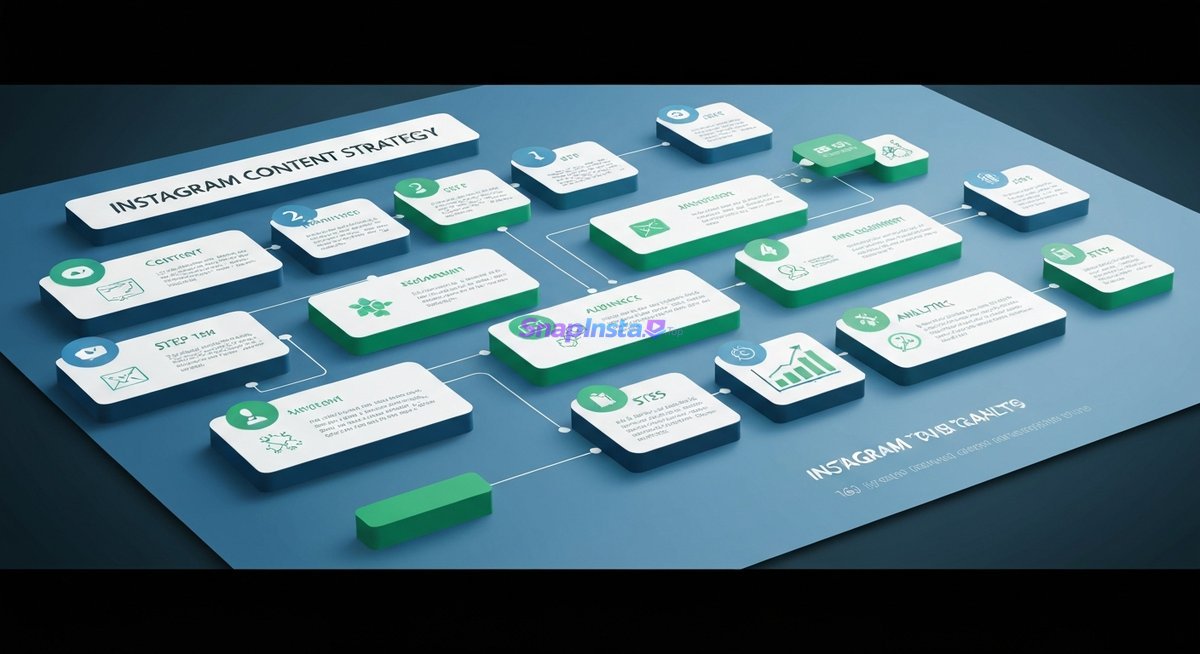
<p>A killer Instagram strategy is your roadmap to consistent growth and engagement. It’s about nailing your &#8216;why,&#8217; pinpointing your &#8216;who,&#8217; and planning your &#8216;what&#8217; – ensuring every post serves a purpose. Without this blueprint, your efforts can feel all over the place, leading to frustration, not results.</p>
<p>> <strong>A powerful Instagram strategy is your roadmap to consistent growth and engagement. It’s about defining your &#8216;why,&#8217; identifying your &#8216;who,&#8217; and planning your &#8216;what&#8217; – ensuring every piece of content serves a purpose.</strong></p>
<p>So, how do you build an effective strategy? It all starts with SMART goals. What are you aiming for? More website clicks? Boosting brand awareness? Driving direct sales? Once those are clear, we zero in on your ideal audience. Who are you trying to reach? What are their interests, their pain points, their online habits? Don&#8217;t forget to scope out the competition – what are they doing right, and where are they missing the mark? This gives you invaluable intel. Then, you’ll build content pillars – your core themes – and map it all out on a content calendar. We’ll set key performance indicators (KPIs) to track your progress. This isn&#8217;t random; it&#8217;s intentional.</p>
<h2>3. Mastering Visual Branding: Creating an Unforgettable Instagram Aesthetic</h2>
<p>Your visual brand? That’s your Instagram’s first handshake. Consistency here builds recognition, fosters trust, and makes your profile instantly stand out in a sea of content. Think about brands you recognize in a heartbeat just from their look. That&#8217;s strong visual branding in action.</p>
<p>> <strong>Your visual brand is your Instagram&#8217;s first impression. Consistency in aesthetics builds recognition, trust, and makes your profile instantly identifiable in a crowded feed.</strong></p>
<p>Creating a cohesive look involves a few key things. First, lock down your brand color palette. These colors should pop up everywhere to make your brand instantly recognizable. Pick a couple of fonts that match your brand&#8217;s vibe and stick with them for text overlays and graphics. Your logo should be present, subtly reinforcing who you are. Most importantly, maintain a consistent image style. Whether it&#8217;s your editing approach, the types of photos you shoot, or the overall mood, consistency makes your feed feel intentional and polished. Tools like Canva are lifesavers here, offering templates and easy editing features for branded graphics. Glossier, for example, built a massive following with its unmistakable pink-and-white aesthetic, clean product shots, and user-generated content that perfectly amplified their brand. Struggling to nail your visual consistency? Check out these [LINK:instagram-visual-branding-tips].</p>
<h2>4. The Power of Video: Mastering Instagram Reels &#038; Stories</h2>
<figure class="wp-block-image size-full aligncenter"><img decoding="async" width="1200" height="654" src="https://tas-firin.co.uk/wp-content/uploads/2026/04/instagram-content-course-img-2.jpg" alt="Instagram content creation course: blueprint illustration for crafting a successful content strategy." class="wp-image-374" loading="lazy" srcset="https://tas-firin.co.uk/wp-content/uploads/2026/04/instagram-content-course-img-2.jpg 1200w, https://tas-firin.co.uk/wp-content/uploads/2026/04/instagram-content-course-img-2-300x164.jpg 300w, https://tas-firin.co.uk/wp-content/uploads/2026/04/instagram-content-course-img-2-1024x558.jpg 1024w, https://tas-firin.co.uk/wp-content/uploads/2026/04/instagram-content-course-img-2-768x419.jpg 768w" sizes="auto, (max-width: 1200px) 100vw, 1200px" /></figure>
<p>Video, especially short-form like Reels, isn&#8217;t optional anymore. It&#8217;s a must-have for reach and engagement. Mastering these formats lets you tap into trends and connect with your audience dynamically. If you’re not doing video, you’re probably leaving a lot of organic reach on the table.</p>
<p>> <strong>Video content, especially short-form like Reels, is no longer optional – it’s essential for reach and engagement. Mastering these formats allows you to tap into trending content and connect with audiences dynamically.</strong></p>
<p>Instagram Reels are gold for discoverability. To crush it, hook viewers in the first 3 seconds. Seriously, that&#8217;s prime real estate. Use trending audio wisely, making sure it fits your brand. Dynamic editing, with quick cuts and smooth transitions, keeps eyes glued. When you post, mix it up with hashtags: broad, niche, and branded ones will boost visibility. Industry folks often suggest 3-5 Reels a week to keep the momentum going. Stories, on the other hand, are perfect for casual, behind-the-scenes glimpses. Their interactive features – polls, Q&#038;As, quizzes – are invaluable for engagement and gathering audience insights. Mastering video is key to staying relevant and growing your reach. Ready to make viral Reels? Our [LINK:instagram-reels-strategy-course] has you covered.</p>
<h2>5. Captivating Captions &#038; Engagement Tactics: Sparking Conversations</h2>
<p>Beyond the visuals, your captions are where the real storytelling, connection-building, and action-driving happens. Great copywriting turns passive scrollers into active followers and potential customers. A strong caption can elevate a great image into a conversation starter and a conversion engine.</p>
<p>> <strong>Beyond the visuals, your captions are where you tell your story, build connection, and drive action. Effective copywriting turns passive viewers into engaged followers and potential customers.</strong></p>
<p>Writing captions that grab people isn&#8217;t just about describing the photo. It&#8217;s about weaving a narrative, stirring emotion, and offering value. Start with a hook that grabs attention <em>instantly</em>. Use the caption to expand on your visual, share a quick tip, or ask a question that invites interaction. Crucially, include a clear call-to-action (CTA). What do you want them to do? &#8220;Comment below,&#8221; &#8220;Save this for later,&#8221; or &#8220;Link in bio to shop&#8221; – make it crystal clear. So many creators miss this opportunity! And don&#8217;t forget to reply to comments and DMs promptly. It shows you care and builds a real sense of community. Want to master this core skill? Explore our [LINK:instagram-caption-writing-course].</p>
<h2>6. Understanding Instagram Analytics: Measuring What Matters</h2>
<figure class="wp-block-image size-full aligncenter"><img decoding="async" width="1200" height="654" src="https://tas-firin.co.uk/wp-content/uploads/2026/04/instagram-content-course-img-3.jpg" alt="Instagram content creation course: visual elements representing mastering an unforgettable Instagram aesthetic." class="wp-image-375" loading="lazy" srcset="https://tas-firin.co.uk/wp-content/uploads/2026/04/instagram-content-course-img-3.jpg 1200w, https://tas-firin.co.uk/wp-content/uploads/2026/04/instagram-content-course-img-3-300x164.jpg 300w, https://tas-firin.co.uk/wp-content/uploads/2026/04/instagram-content-course-img-3-1024x558.jpg 1024w, https://tas-firin.co.uk/wp-content/uploads/2026/04/instagram-content-course-img-3-768x419.jpg 768w" sizes="auto, (max-width: 1200px) 100vw, 1200px" /></figure>
<p>Data is your guide on Instagram. By digging into your Insights, you can tweak your content, figure out what&#8217;s hitting home, and make smart moves to fuel your growth. Without checking your performance, you&#8217;re just guessing.</p>
<p>> <strong>Data is your compass on Instagram. By understanding your Insights, you can refine your content, identify what resonates, and make informed decisions to fuel your growth.</strong></p>
<p>Key metrics to watch include reach (how many unique people saw your content), impressions (how many times it was seen overall), and engagement rate (how many of your followers interacted). Also, keep a close eye on saves and shares – these signal content your audience finds super valuable. Follower growth is a slower indicator, but still important. Meta Business Suite is your go-to for detailed performance breakdowns. A pro tip for analyzing your Insights? Do a weekly review. Look for patterns: which posts did best? What time of day gets the most engagement? What content formats are resonating? Use these findings to plan your next week’s content. For a deep dive into this essential area, check out our [LINK:instagram-analytics-for-business-growth].</p>
<h2>7. Advanced Instagram Growth &#038; Monetization Strategies</h2>
<p>Once your content creation is humming along, it&#8217;s time to scale. This module covers how to leverage your content for sustained growth and explore the many ways you can make money on the platform. It’s about moving beyond just posting to actively strategizing for expansion and revenue.</p>
<p>> <strong>Once your content creation is solid, it&#8217;s time to scale. This module explores how to leverage your content for sustained growth and explore various monetization avenues available on the platform.</strong></p>
<p>Advanced growth tactics often involve teaming up with influencers whose audiences match yours. This can introduce your brand to a whole new, relevant pool of potential customers. Lead generation is a big one for many businesses. We’ll cover creating content specifically designed to capture leads, like opt-in offers promoted through Reels or Stories. For e-commerce brands, mastering Instagram Shopping is non-negotiable. Tagging products directly in posts and Stories creates a seamless shopping experience. By creating content that highlights product benefits, shows real-world use cases, and addresses customer pain points, you can effectively drive traffic to your shop and boost sales.</p>
<h2>8. Building Community &#038; Maintaining Momentum</h2>
<p>Real success on Instagram isn&#8217;t just about follower numbers; it’s about nurturing a loyal community that genuinely engages with your brand and becomes a vocal advocate. A strong community provides consistent engagement, invaluable feedback, and can become your most powerful marketing asset.</p>
<p>> <strong>True success on Instagram isn&#8217;t just about follower count; it&#8217;s about cultivating a loyal community that engages with your brand and advocates for your message.</strong></p>
<p>Community management is more than just replying to comments. It&#8217;s about sparking meaningful conversations, asking questions, and truly listening to your audience. Encourage user-generated content and celebrate your followers. Handling negative feedback with grace is also key to building trust. Develop a consistent posting and engagement strategy; regularity is crucial for keeping your audience hooked. This module also covers long-term strategies for maintaining that momentum, building authentic brand loyalty through genuine connection and valuable content.</p>
<h2>Frequently Asked Questions</h2>
<h3>Q: What does an Instagram content creation course cover?</h3>
<p>A: It covers platform basics, content strategy, visual branding, video production (Reels, Stories), copywriting, analytics, and community management focused on business growth.</p>
<h3>Q: What are the key components of an Instagram content strategy?</h3>
<p>A: Key parts include defining goals, identifying your target audience, creating content pillars, building a content calendar, and setting KPIs to measure success.</p>
<h3>Q: How to create engaging content for Instagram?</h3>
<p>A: Use high-quality visuals, write compelling captions with CTAs, leverage Reels and Stories, interact with your audience, and post consistently.</p>
<h3>Q: What are the best Instagram marketing courses?</h3>
<p>A: The top courses provide practical, step-by-step guidance, up-to-date info on algorithm changes, hands-on exercises, and a focus on measurable business results.</p>
<h3>Q: How to use Instagram for business growth?</h3>
<p>A: Define your brand, create a consistent content strategy, engage with your audience, use platform features effectively, and analyze performance to optimize your efforts.</p>
<h3>Q: What are the latest Instagram content trends?</h3>
<p>A: Current trends include short-form video (Reels), user-generated content, authentic Stories, interactive polls and Q&#038;As, and educational carousel posts.</p>
<p><script type="application/ld+json">{"@context": "https://schema.org", "@type": "Article", "headline": "The Ultimate Instagram Content Creation Course Curriculum: Master Your Strategy & Growth", "description": "An Instagram content creation course covers strategy, design, video, copy, and analytics. Learn to build an engaged community and drive real business results.", "url": "https://https://tas-firin.co.uk//instagram-content-course/", "dateModified": "2026-04-22T11:41:34Z", "publisher": {"@type": "Organization", "name": "tas-firin.co.uk (insta)"}}</script></p>
]]></content>
		
					<link rel="replies" type="text/html" href="https://tas-firin.co.uk/instagram-content-course/#comments" thr:count="0" />
			<link rel="replies" type="application/atom+xml" href="https://tas-firin.co.uk/instagram-content-course/feed/atom/" thr:count="0" />
			<thr:total>0</thr:total>
			</entry>
		<entry>
		<author>
			<name>superadmin</name>
							<uri>https://tas-firin.co.uk</uri>
						</author>

		<title type="html"><![CDATA[The Ultimate Guide to Instagram Content Creation for Business and Brands]]></title>
		<link rel="alternate" type="text/html" href="https://tas-firin.co.uk/instagram-content-creation-business/" />

		<id>https://tas-firin.co.uk/instagram-content-creation-business/</id>
		<updated>2026-04-14T08:48:23Z</updated>
		<published>2026-04-14T08:48:23Z</published>
		<category scheme="https://tas-firin.co.uk" term="Blog" />
		<summary type="html"><![CDATA[Master Instagram content creation for business growth. Learn strategy, algorithm tips, and Reels to boost engagement &#038; sales.]]></summary>

					<content type="html" xml:base="https://tas-firin.co.uk/instagram-content-creation-business/"><![CDATA[<p>Creating winning content for your business on Instagram is all about smart visuals, authentic stories, and genuinely connecting with your audience. And let&#8217;s be real, Instagram Reels are often your golden ticket to wider reach because the algorithm just loves them right now. They&#8217;re a must-have, not an option.</p>
<h2>1. Mastering Your Instagram Content Strategy: The Foundation for Business Growth</h2>
<p>Your Instagram content strategy isn&#8217;t just about pretty pictures. It&#8217;s your blueprint. Every single post needs to connect back to what your business is trying to achieve—whether that&#8217;s getting more eyes on your brand, sparking conversations, or turning followers into paying customers. So, what&#8217;s your big goal here? More visibility? Leads? Direct sales? Dig into who you&#8217;re actually trying to reach. What content makes them stop scrolling? You&#8217;ve also got to get Instagram. It&#8217;s visual, it&#8217;s about community. Your unique value needs to be crystal clear. A huge mistake I see is inconsistent messaging. One day it&#8217;s serious, the next it&#8217;s totally random. That just confuses people.</p>
<p>> <strong>A sharp Instagram content strategy is key for business growth. It links every post to clear goals like brand awareness or sales. Know your audience, understand Instagram’s vibe, and have a strong value proposition. Ditch the mixed messages that leave followers scratching their heads.</strong></p>
<p>To nail this, set SMART goals. Don&#8217;t just aim to &#8220;increase engagement.&#8221; Aim for &#8220;a 15% boost in average engagement rate by the end of Q3.&#8221; Then, build out detailed buyer personas. Who <em>are</em> these ideal customers? What are their interests? What problems do they have? What do they do online? This guides your content themes and tone. And definitely peek at your competitors. Where are the gaps? What can you do better? Finally, pinpoint your unique selling proposition (USP) and how it’ll look and sound on Instagram. A sustainable fashion brand, for example, would hammer home its eco-friendly materials and ethical production – that’s what resonates with conscious consumers.</p>
<p>[LINK:instagram-content-strategy-essentials]</p>
<h2>2. Understanding the Instagram Algorithm for Business Success</h2>
<figure class="wp-block-image size-full aligncenter"><img decoding="async" width="1200" height="654" src="https://tas-firin.co.uk/wp-content/uploads/2026/04/instagram-content-creation-business-img-1.jpg" alt="Instagram content strategy infographic: compass, roadmap, puzzle pieces, analytics for business growth." class="wp-image-371" loading="lazy" srcset="https://tas-firin.co.uk/wp-content/uploads/2026/04/instagram-content-creation-business-img-1.jpg 1200w, https://tas-firin.co.uk/wp-content/uploads/2026/04/instagram-content-creation-business-img-1-300x164.jpg 300w, https://tas-firin.co.uk/wp-content/uploads/2026/04/instagram-content-creation-business-img-1-1024x558.jpg 1024w, https://tas-firin.co.uk/wp-content/uploads/2026/04/instagram-content-creation-business-img-1-768x419.jpg 768w" sizes="auto, (max-width: 1200px) 100vw, 1200px" /></figure>
<p>Want your content to land? You’ve got to speak the algorithm&#8217;s language. It prioritizes user engagement, recency, relationships, and the content format itself. Understanding this lets you cut through the noise. The whole point is to show users stuff they <em>actually</em> want to see, based on what they’ve liked, commented on, and watched before. Posting alone won’t cut it; you need to create content that sparks real interaction.</p>
<p>> <strong>The Instagram algorithm is all about engagement, how recent your post is, your relationships, and the format. Likes, comments, shares, saves, and time spent viewing are the signals. Get these right, and your business content gets seen.</strong></p>
<p>When people like, comment, or share your stuff, it tells the algorithm, &#8220;Hey, this is good!&#8221; Comments are gold because they often mean people are actually talking. Shares? That&#8217;s even better – they&#8217;re essentially vouching for your content to their own followers. How long someone watches your video or swipes through your carousel also matters. Lingering eyes mean your content holds attention.</p>
<p>And your connections matter too. If users consistently engage with you or DM you, Instagram is more likely to serve them your future posts. Building a real community is non-negotiable.</p>
<p><strong>Why &#8220;saves&#8221; are critical for businesses on Instagram:</strong> Saves are one of the <em>strongest</em> signals you can send the algorithm. When someone saves your post, they&#8217;re saying, &#8220;This is valuable. I need to come back to this.&#8221; For businesses, that means your content is seen as a go-to resource, not just fleeting entertainment. High save numbers suggest your content has lasting appeal, and the algorithm rewards that. This is especially true for tutorials, guides, or anything inspirational that users might want to reference later.</p>
<p>[LINK:instagram-algorithm-explained]</p>
<h2>3. Defining Your Brand Story and Visual Identity on Instagram</h2>
<p>Think of your Instagram feed as your digital storefront. A consistent visual style and a compelling story are non-negotiable for grabbing attention and building real connections. Without a clear look and narrative, your profile can feel messy and unprofessional, failing to draw in or keep followers who truly get your brand.</p>
<p>> <strong>Your Instagram feed is your brand&#8217;s digital storefront. A consistent look and a compelling story are vital for capturing attention and building emotional bonds. Translate your brand&#8217;s personality into visuals—colors, fonts, filters—to be instantly recognizable and build trust.</strong></p>
<p>Your visual identity isn&#8217;t just about pretty pictures; it&#8217;s the recognizable DNA of your brand across all your content. This means a defined color palette, consistent fonts, specific filter choices, and a cohesive overall aesthetic. A minimalist brand might stick to clean lines and muted tones, while a vibrant lifestyle brand could go bold with colors and energetic imagery. This visual consistency makes your profile instantly recognizable and reinforces who you are.</p>
<p>Beyond the visuals, your brand story is the narrative that links your audience to your mission and values. What&#8217;s your brand&#8217;s journey? What problems do you solve? What impact do you want to make? Weaving this into your captions and Stories creates a deeper connection. A bakery, for instance, might share its founder’s grandmother&#8217;s recipes, evoking nostalgia. Storytelling transforms a transactional relationship into an emotional one, fostering loyalty.</p>
<p>When translating brand personality into visual elements, consider:</p>
<ul>
<li><strong>Color Palette:</strong> Stick to 2-4 main brand colors.</li>
<li><strong>Fonts:</strong> Pick 1-2 fonts that match your brand’s tone.</li>
<li><strong>Photography Style:</strong> Decide on the mood, lighting, and composition.</li>
<li><strong>Graphic Elements:</strong> Use branded templates for Stories or quotes.</li>
<li><strong>Filter Usage:</strong> If you use filters, pick one that creates a unified look.</li>
</ul>
<p>[LINK:brand-storytelling-on-instagram]</p>
<h2>4. Essential Instagram Content Formats: Reels, Stories, Feed Posts &#038; More</h2>
<p>Each Instagram format has its own superpower. Using Reels for reach, Stories for that daily connection, and Carousels for in-depth info is how you build a strong, varied strategy. Knowing the strengths of each lets you deploy them strategically to hit different marketing goals, from broad awareness to deep engagement.</p>
<p>> <strong>Leverage Instagram&#8217;s diverse formats—Reels for viral reach, Stories for daily connection, Carousels for education, and Feed posts for curated visuals—to build a dynamic strategy. Each format connects with your audience in a unique and impactful way.</strong></p>
<p><strong>Reels:</strong> These short videos are currently king for organic reach. Use them for trends, behind-the-scenes peeks, quick demos, tutorials, or just fun stuff. Their discoverability is amazing for reaching new people. A fitness brand could nail this with quick workout demos or healthy recipe hacks.</p>
<p><strong>Stories:</strong> These ephemeral posts are perfect for daily engagement, urgent updates, and interactive polls or Q&#038;As. They’re more casual and authentic for connecting with your existing followers. A boutique might use Stories to show off new arrivals with &#8220;tap to shop&#8221; stickers or poll followers on their favorite outfit.</p>
<p><strong>Feed Posts (Single Image/Video):</strong> These are your polished, curated pieces. Think high-quality product shots, big announcements, inspiring quotes, or visually stunning content that defines your brand. They have a longer shelf life on profiles.</p>
<p><strong>Carousel Posts:</strong> Up to 10 images or videos, Carousels are fantastic for storytelling, step-by-step guides, product catalogs, or breaking down complex info. They encourage users to swipe, increasing time spent on your post. A software company could use one to detail new features with visual aids for each point.</p>
<p>Remember, Instagram Reels often get more organic reach than static posts. That&#8217;s why they&#8217;re crucial for growing your audience.</p>
<p><strong>Expert Tip on A/B Testing Content Formats:</strong> To really optimize, I always suggest A/B testing different formats for similar messages. Try promoting a new feature as a static feed post, then as a short Reel showing it in action, and finally in a Story with interactive elements. Track the engagement: reach, likes, comments, shares, saves, clicks. If your Reels consistently outperform static posts for product announcements, you know where to put your creative energy.</p>
<p>[LINK:instagram-reels-strategy]</p>
<h2>5. Brainstorming High-Impact Instagram Content Ideas for Your Business</h2>
<p>Moving past generic posts, truly impactful content ideas – the ones that resonate with <em>your</em> specific audience and align with <em>your</em> business goals – are the engine for sustained growth. Consistently creating content that provides value, sparks curiosity, and encourages interaction is what keeps people hooked and brings new followers into your world.</p>
<p>> <strong>Actionable content ideas that genuinely resonate with your audience and align with business goals are vital for ongoing Instagram growth. Focus on educational, behind-the-scenes, user-generated, and interactive content across formats to forge deeper connections with followers.</strong></p>
<p>Here are some practical content ideas tailored for different business types:</p>
<p><strong>For E-commerce Businesses:</strong></p>
<ul>
<li><strong>Product Spotlights:</strong> Crisp photos/videos of products in real-life use.</li>
<li><strong>&#8220;Shop the Look&#8221; Carousels:</strong> Style outfits or arrange room designs.</li>
<li><strong>Unboxing/Hauls:</strong> Capture the excitement of receiving products.</li>
<li><strong>Customer Testimonials (Visual):</strong> Feature happy customers with your items.</li>
<li><strong>Behind-the-Scenes:</strong> Show how products are made or packaged.</li>
</ul>
<p><strong>For Service-Based Businesses (e.g., Consultants, Coaches, Agencies):</strong></p>
<ul>
<li><strong>&#8220;How-To&#8221; Guides/Tutorials:</strong> Break down complex processes into simple steps.</li>
<li><strong>Client Case Studies:</strong> Showcase successful outcomes with client permission.</li>
<li><strong>Industry Insights/Tips:</strong> Share valuable knowledge and advice.</li>
<li><strong>Expert Q&#038;As (Live or Recorded):</strong> Answer common client questions.</li>
<li><strong>&#8220;Day in the Life&#8221;:</strong> Give a glimpse into your work process.</li>
</ul>
<p><strong>For B2B Businesses:</strong></p>
<ul>
<li><strong>Industry Trend Analysis:</strong> Offer expert commentary on market shifts.</li>
<li><strong>Infographics:</strong> Visualize data and key statistics relevant to your clients.</li>
<li><strong>Webinar Snippets/Key Takeaways:</strong> Promote valuable educational content.</li>
<li><strong>Team Spotlights:</strong> Humanize your brand by introducing key personnel.</li>
<li><strong>Problem/Solution Posts:</strong> Highlight common business challenges your service solves.</li>
</ul>
<p><strong>Cross-Industry Ideas for Engaging Instagram Content:</strong></p>
<ul>
<li><strong>Behind-the-Scenes (BTS):</strong> Show your office culture, team meetings, or product development. Builds authenticity.</li>
<li><strong>User-Generated Content (UGC):</strong> Reshare posts from customers using your products. It&#8217;s powerful social proof.</li>
<li><strong>Interactive Content:</strong> Use polls, quizzes, and Q&#038;As in Stories. Ask questions in captions to spark comments.</li>
<li><strong>Product/Service Showcases:</strong> Beyond static images, use Reels to dynamically demonstrate functionality or benefits.</li>
<li><strong>Trend Participation:</strong> Adapt relevant TikTok or Reels trends to your niche. Boosts discoverability.</li>
<li><strong>Educational Series:</strong> Create weekly tips, monthly deep-dives, or carousels on a specific topic.</li>
<li><strong>&#8220;Meet the Team&#8221;:</strong> Introduce employees and their roles to build trust and personality.</li>
<li><strong>Customer Spotlights:</strong> Feature loyal customers and their stories (with permission).</li>
</ul>
<p>How to create engaging content for small businesses often boils down to authenticity and value. Small businesses have the advantage of appearing more personal. Focus on what makes you unique, tell your story, and consistently provide helpful or inspiring content that your specific audience will find useful.</p>
<p>[LINK:instagram-content-ideas]</p>
<h2>6. Crafting Engaging Instagram Captions That Drive Action</h2>
<p>A compelling caption turns a great visual into a conversation starter, guiding your audience toward desired actions—whether that&#8217;s visiting your website, making a purchase, or simply engaging with your post. Captions are where you add context, personality, and persuasive power, transforming passive viewers into active participants and potential customers.</p>
<p>> <strong>Compelling Instagram captions spark conversations by guiding your audience toward desired actions. Use strong hooks, tell mini-stories, include clear calls-to-action, and strategically placed hashtags to encourage saves, shares, and ultimately, conversions.</strong></p>
<p>Those first few words are crucial. They&#8217;re what users see before hitting &#8220;more.&#8221; Hook them instantly with a question, a surprising stat, a relatable statement, or a bold claim. Instead of &#8220;Here&#8217;s our new product,&#8221; try &#8220;Tired of X? We&#8217;ve got the solution you&#8217;ve been waiting for.&#8221;</p>
<p>Once you have their attention, use the caption to tell a story, offer value, or expand on the visual. Share insights, behind-the-scenes details, or the benefits of your product or service. Keep paragraphs short and use line breaks for easy reading.</p>
<p><strong>Calls-to-Action (CTAs) are non-negotiable.</strong> Clearly tell your audience what you want them to do. This could be:</p>
<ul>
<li>&#8220;Tap the link in bio to shop!&#8221;</li>
<li>&#8220;Comment below with your thoughts.&#8221;</li>
<li>&#8220;Share this with a friend who needs to see it.&#8221;</li>
<li>&#8220;Save this post for your next project.&#8221;</li>
<li>&#8220;Visit our website to learn more.&#8221;</li>
</ul>
<p>Make your CTAs prominent and easy to understand. Asking directly for comments or shares can significantly boost engagement.</p>
<p>Hashtag strategy also boosts discoverability. Use a mix of broad, niche, and branded hashtags. Target hashtags your ideal audience is actually searching for.</p>
<p>Writing captions that encourage saves and shares means providing genuine value. If your caption is a helpful tip, a valuable resource, or an inspiring thought that someone wants to revisit or pass on, they&#8217;re likely to save or share it. This is why educational and relatable content performs so well.</p>
<p>[LINK:instagram-caption-writing-guide]</p>
<h2>7. Planning Your Instagram Content Calendar: Structure for Success</h2>
<p>An organized Instagram content calendar is your roadmap to consistency. It ensures you always have fresh ideas and can strategically plan for promotions, holidays, and trending topics. Without a plan, content creation becomes a frantic, last-minute scramble, leading to inconsistent posting and missed opportunities.</p>
<p>> <strong>An organized Instagram content calendar guarantees consistent posting and strategic planning, preventing content droughts and missed opportunities. It&#8217;s your roadmap for brainstorming themes, setting frequency, batching content, and repurposing assets for sustained engagement and campaign success.</strong></p>
<p>Creating an effective content calendar involves a few key steps:</p>
<ol>
<li><strong>Brainstorm Themes &#038; Topics:</strong> Start by listing overarching themes related to your brand, industry, and upcoming events or holidays. A fitness brand might have themes like &#8220;Mindful Mondays,&#8221; &#8220;Workout Wednesdays,&#8221; or &#8220;Healthy Eating Fridays.&#8221;</li>
<li><strong>Determine Posting Frequency:</strong> Decide how often you can realistically post high-quality content. Consistency beats sheer volume. Daily might work for some, while 3-5 times a week is plenty for others.</li>
<li><strong>Schedule Content:</strong> Map out your posts weekly or monthly. Use a spreadsheet, a social media management tool, or even a simple calendar. Assign specific content ideas to certain days.</li>
<li><strong>Content Batching:</strong> Save time and maintain focus by batching your content creation. Dedicate specific blocks of time to brainstorm ideas, write captions, design graphics, and film videos for an entire week or month in advance.</li>
<li><strong>Repurposing Content:</strong> Don&#8217;t let great content go to waste. Plan how to repurpose existing content. A blog post can become a series of carousels, a testimonial a graphic quote, and a long video broken into short Reels.</li>
</ol>
<p><strong>Tips for Using Tools:</strong></p>
<ul>
<li><strong>Canva:</strong> Great for designing visually consistent graphics, templates, and simple videos. Set up a brand kit with your colors, fonts, and logos for visual unity.</li>
<li><strong>Hootsuite/Later/Buffer:</strong> These tools let you schedule posts ahead of time, preview your feed, and track analytics, significantly streamlining your workflow.</li>
</ul>
<p>The impact of a consistent posting schedule on audience retention is huge. When followers know they can expect regular content, they&#8217;re more likely to stay engaged and anticipate your posts. This builds a reliable connection and keeps your brand top-of-mind.</p>
<p>[LINK:instagram-content-calendar-template]</p>
<h2>8. Leveraging User-Generated Content (UGC) for Authenticity and Trust</h2>
<p>User-generated content (UGC) is the ultimate social proof. It builds unparalleled trust and authenticity by showing real customers interacting with your brand, leading to higher engagement and conversion rates. In an age saturated with influencer marketing and sponsored posts, genuine content from actual users stands out as incredibly credible.</p>
<p>> <strong>User-generated content (UGC) is powerful social proof that builds trust and authenticity by featuring real customers. Encouraging, collecting, and showcasing UGC effectively boosts engagement, fosters community, and validates your brand through the experiences of your loyal audience.</strong></p>
<p>UGC can take many forms: customer photos and videos of your product in use, reviews and testimonials, social media posts mentioning your brand, or even creative interpretations of your services.</p>
<p><strong>Strategies for Encouraging UGC:</strong></p>
<ul>
<li><strong>Run Contests &#038; Giveaways:</strong> Ask users to share photos or videos using your product with a specific hashtag for a chance to win.</li>
<li><strong>Create a Branded Hashtag:</strong> Develop a unique, memorable hashtag for customers to use when posting about your brand.</li>
<li><strong>Ask Directly:</strong> In your captions or Stories, politely ask customers to share their experiences.</li>
<li><strong>Engage with Mentions:</strong> Actively monitor mentions of your brand and engage with users who post about you.</li>
<li><strong>Offer Incentives:</strong> Small discounts or features on your profile can motivate customers to share.</li>
</ul>
<p><strong>Collecting and Showcasing UGC:</strong></p>
<ul>
<li><strong>Permission is Key:</strong> Always ask for permission before resharing a user&#8217;s content on your official profile. A simple DM asking is usually enough.</li>
<li><strong>Dedicated UGC Highlights:</strong> Create an Instagram Story Highlight specifically for user-generated content.</li>
<li><strong>Feature UGC Regularly:</strong> Incorporate UGC into your regular feed posts, Stories, and even Reels.</li>
<li><strong>Tag Users:</strong> Always tag the original creator when you reshare their content.</li>
</ul>
<p><strong>Case Study Example:</strong> A small artisanal coffee roaster consistently encouraged customers to share photos of their morning coffee ritual using a unique hashtag, #MyMorningRoast. They regularly featured the best submissions in their Stories and on their feed, always tagging the customer. This led to a 40% increase in user mentions within six months and a noticeable boost in community engagement as customers felt recognized and appreciated. The authentic photos of people enjoying their coffee provided powerful social proof that outperformed traditional product shots.</p>
<p>[LINK:user-generated-content-instagram]</p>
<h2>9. Measuring Instagram Success: Key Metrics and Analytics for Business</h2>
<p>Beyond vanity metrics, understanding key Instagram analytics empowers you to refine your content strategy, identify what&#8217;s working, and demonstrate a clear return on investment for your social media efforts. Relying solely on follower count or likes provides an incomplete picture of your performance.</p>
<p>> <strong>Key Instagram analytics empower businesses to refine content strategy and prove ROI by focusing on metrics that matter, like reach, engagement rate, saves, shares, and website clicks. Utilizing tools like Meta Business Suite provides crucial insights into audience behavior and content effectiveness.</strong></p>
<p>Here are the essential metrics to track for business success:</p>
<ul>
<li><strong>Reach:</strong> The total number of unique users who saw your content. This indicates how widely your message is spreading.</li>
<li><strong>Impressions:</strong> The total number of times your content was displayed. This shows overall visibility.</li>
<li><strong>Engagement Rate:</strong> Calculated as (likes + comments + shares + saves) / reach or followers. This is a crucial indicator of how well your content resonates. A higher rate means your content is sparking interaction.</li>
<li><strong>Saves:</strong> The number of times your content was saved. This signifies that users find your content valuable enough to bookmark, indicating utility and interest.</li>
<li><strong>Shares:</strong> The number of times your content was shared. Shares extend your reach organically and show your content is compelling.</li>
<li><strong>Website Clicks:</strong> The number of times users clicked the link in your bio or swipe-up links in Stories. This directly measures traffic driven to your website.</li>
<li><strong>Conversions:</strong> The ultimate goal for many businesses. This could be email sign-ups, purchases, or other desired actions after a user interacts with your Instagram content.</li>
</ul>
<p><strong>How to use Meta Business Suite for insights:</strong> Meta Business Suite is a free, powerful tool for managing your Instagram and Facebook presence. It provides detailed analytics dashboards breaking down your performance by content type, audience demographics, and time. You can track post-level insights, view follower growth, and understand which content formats drive the most engagement. Regularly reviewing these insights helps you identify successful content themes and replicate them.</p>
<p>How do you measure the success of Instagram content for a brand? You measure it by aligning your tracking with your business objectives. If brand awareness is key, focus on reach and impressions. For community building, look at engagement rate and comments. If driving sales is the goal, track website clicks and conversions originating from Instagram.</p>
<p>[LINK:instagram-analytics-guide]</p>
<h2>10. Advanced Instagram Content Strategies: Storytelling &#038; Conversion</h2>
<p>Elevating your Instagram game means moving beyond basic posting to strategic storytelling that builds brand loyalty and content meticulously crafted to guide followers from discovery to conversion. It’s about creating a narrative arc that captivates your audience and seamlessly moves them through the customer journey.</p>
<p>> <strong>Advanced Instagram strategies involve creating compelling narrative arcs in Stories and Reels to build brand loyalty, alongside content meticulously crafted to guide followers from discovery to conversion. Connecting all content directly to specific business objectives is crucial for maximizing impact and ROI.</strong></p>
<p><strong>Narrative Arcs in Stories and Reels:</strong> Instead of isolated posts, think about telling a story across a series of Stories or within a single Reel. For example, a travel agency could create a Reel showing the &#8220;journey&#8221; of planning a dream vacation, from inspiration to booking to the trip itself. Stories can build anticipation for a product launch, share behind-the-scenes of a company event, or follow a customer&#8217;s experience over time. Use interactive stickers like polls or quizzes to involve your audience in the narrative.</p>
<p><strong>Creating Shoppable Content:</strong> Instagram offers several features to make your content directly shoppable. Instagram Shopping lets you tag products in posts and Stories, enabling users to click through and purchase without leaving the app. Reels can also be shoppable. This reduces friction in the buying process. Ensure your product tags are accurate and your linked product pages are mobile-optimized.</p>
<p><strong>Using Reels to Drive Traffic:</strong> While Reels are fantastic for reach, they can also be powerful traffic drivers. At the end of a Reel that offers value or showcases a product, include a clear call-to-action: &#8220;Link in bio for the full tutorial,&#8221; or &#8220;Shop this look via the link in our profile.&#8221; You can also use Reels to tease longer-form content on your blog or website, enticing viewers to click through for more in-depth information.</p>
<p>A common mistake businesses make is creating visually appealing content that lacks a clear connection to specific business objectives. Every piece of content should serve a purpose—educate, entertain, build community, or drive a specific action. By strategically combining storytelling with conversion-focused elements, you can transform your Instagram presence into a powerful engine for both brand building and revenue generation.</p>
<p>[LINK:creating-instagram-content-that-converts]</p>
<h2>Frequently Asked Questions</h2>
<h3>Q: What kind of content should I post on Instagram for my business?</h3>
<p>A: Focus on a mix of engaging visuals, value-driven information, behind-the-scenes glimpses, and interactive content tailored to your audience&#8217;s interests and your business goals.</p>
<h3>Q: How do I create an Instagram content strategy for a small business?</h3>
<p>A: Define clear goals, understand your target audience, choose appropriate content formats (Reels, Stories, Feed), plan with a content calendar, and consistently analyze your performance.</p>
<h3>Q: What are the best Instagram content ideas for engagement?</h3>
<p>A: Use polls and Q&#038;As in Stories, ask questions in captions, run contests or giveaways, share relatable memes or quotes, and create shareable or saveable content like tutorials or lists.</p>
<h3>Q: How can I make my Instagram content stand out?</h3>
<p>A: Develop a unique visual brand identity, tell compelling stories, leverage trending audio or effects in Reels, provide unique value, and engage genuinely with your audience and other accounts.</p>
<h3>Q: What are the most effective Instagram content formats for brands?</h3>
<p>A: Reels for broad reach and discoverability, Carousels for educational content and storytelling, and Stories for real-time engagement and behind-the-scenes access.</p>
<h3>Q: How to use Instagram Reels for business?</h3>
<p>A: Create short, engaging videos that leverage trending audio, showcase products/services creatively, offer quick tips, go behind the scenes, or participate in relevant challenges to boost organic reach.</p>
<p><script type="application/ld+json">{"@context": "https://schema.org", "@type": "Article", "headline": "The Ultimate Guide to Instagram Content Creation for Business and Brands", "description": "Master Instagram content creation for business growth. Learn strategy, algorithm tips, and Reels to boost engagement & sales.", "url": "https://https://tas-firin.co.uk//instagram-content-creation-business/", "dateModified": "2026-04-14T08:48:22Z", "publisher": {"@type": "Organization", "name": "tas-firin.co.uk (insta)"}}</script></p>
]]></content>
		
					<link rel="replies" type="text/html" href="https://tas-firin.co.uk/instagram-content-creation-business/#comments" thr:count="0" />
			<link rel="replies" type="application/atom+xml" href="https://tas-firin.co.uk/instagram-content-creation-business/feed/atom/" thr:count="0" />
			<thr:total>0</thr:total>
			</entry>
		<entry>
		<author>
			<name>superadmin</name>
							<uri>https://tas-firin.co.uk</uri>
						</author>

		<title type="html"><![CDATA[Creating Instagram Content Without Showing Your Face: Your Ultimate Growth Blueprint]]></title>
		<link rel="alternate" type="text/html" href="https://tas-firin.co.uk/instagram-content-without-face/" />

		<id>https://tas-firin.co.uk/instagram-content-without-face/</id>
		<updated>2026-04-13T20:28:48Z</updated>
		<published>2026-04-13T20:28:48Z</published>
		<category scheme="https://tas-firin.co.uk" term="Blog" />
		<summary type="html"><![CDATA[Build a thriving Instagram presence without showing your face. Discover strategies for high-quality visuals, strong branding, and consistent growth.]]></summary>

					<content type="html" xml:base="https://tas-firin.co.uk/instagram-content-without-face/"><![CDATA[<p>You can build a thriving Instagram presence without ever appearing on camera by focusing on high-quality visuals, valuable content, and a strong brand aesthetic. Faceless Instagram accounts can leverage stock imagery, graphic design, and user-generated content to build a strong visual brand identity, proving that personal presence isn&#8217;t always required for success.</p>
<h2>1. Why Go Faceless? The Untapped Power of Anonymous Instagram Growth</h2>
<p>The growing popularity of faceless Instagram accounts highlights a shift in audience preference: value and aesthetic often trump personal identity. This strategy allows creators to build a strong brand, foster a dedicated community, and achieve significant growth without the pressure of constant personal visibility.</p>
<p>> <strong>Faceless Instagram growth is powerful because it prioritizes content value and brand aesthetic over personal visibility, alleviating creator anxieties and appealing to a broader audience seeking curated experiences, not just personalities.</strong></p>
<p>The appeal of going faceless on Instagram is multifaceted. For many, it’s about reclaiming privacy and reducing the pressure of constant self-exposure. In my experience, creators often feel anxious about being on camera, leading to procrastination or burnout. A faceless approach allows you to channel that energy into creating exceptional content. It shifts the focus from &#8220;me&#8221; to &#8220;the brand&#8221; or &#8220;the topic,&#8221; which can paradoxically lead to broader audience appeal. People are drawn to consistent value and a clear aesthetic, and you can deliver this powerfully without ever showing your face. This has led to a rise in niche content that thrives purely on its informative or visual merit, demonstrating that a strong personal brand isn&#8217;t always the only path to success.</p>
<h2>2. Unmasking the Faceless Framework: Your Strategic Blueprint</h2>
<p>A successful faceless Instagram strategy hinges on a clear niche, a compelling visual identity, and consistent value delivery. It&#8217;s about building a world your audience wants to inhabit, driven by curated aesthetics and informative content, not just a personality.</p>
<p>> <strong>A faceless Instagram strategy requires defining a clear niche, establishing a unique visual brand, creating consistent content pillars, and actively engaging your audience to build a cohesive and valuable digital space.</strong></p>
<p>Building a thriving faceless Instagram account starts with a solid framework. First, you need to identify your niche. This is the bedrock of your content strategy. Without a clear focus, your content can become scattered, making it difficult to attract and retain a dedicated following. Once your niche is set, the next crucial step is defining your visual brand. This encompasses your color palette, typography, overall aesthetic, and the types of imagery you&#8217;ll use. Consistency here is paramount; it’s what makes your account instantly recognizable.</p>
<p>From there, establish your content pillars. These are the recurring themes or types of content you’ll consistently produce. For example, a faceless travel account might have pillars for &#8220;destination guides,&#8221; &#8220;travel tips,&#8221; and &#8220;aesthetic scenery.&#8221; Finally, weave in audience engagement tactics. This means responding to comments and DMs, running polls in Stories, and asking questions in your captions to foster a sense of community. This comprehensive approach ensures your faceless account isn&#8217;t just a collection of pretty pictures, but a valuable resource and an engaging experience for your followers. For more ideas on finding your perfect audience, explore [LINK:niche-instagram-account-ideas].</p>
<h2>3. Finding Your Niche: Where Faceless Accounts Shine Brightest</h2>
<figure class="wp-block-image size-full aligncenter"><img decoding="async" width="1200" height="654" src="https://tas-firin.co.uk/wp-content/uploads/2026/04/instagram-content-without-face-img-1.jpg" alt="Faceless Instagram growth concept: abstract content grid with growth graphics, anonymous social media." class="wp-image-368" loading="lazy" srcset="https://tas-firin.co.uk/wp-content/uploads/2026/04/instagram-content-without-face-img-1.jpg 1200w, https://tas-firin.co.uk/wp-content/uploads/2026/04/instagram-content-without-face-img-1-300x164.jpg 300w, https://tas-firin.co.uk/wp-content/uploads/2026/04/instagram-content-without-face-img-1-1024x558.jpg 1024w, https://tas-firin.co.uk/wp-content/uploads/2026/04/instagram-content-without-face-img-1-768x419.jpg 768w" sizes="auto, (max-width: 1200px) 100vw, 1200px" /></figure>
<p>The best niches for faceless Instagram accounts are those that rely on visual appeal, curated information, or product showcases. Think travel inspiration, recipe hubs, aesthetic lifestyle accounts, financial tips, or art showcases – where the content itself is the star.</p>
<p>> <strong>Profitable and engaging niches for faceless Instagram accounts include travel, finance, home decor, fashion styling, motivational quotes, DIY, book reviews, and art, where the visual or informational content is the primary draw.</strong></p>
<p>Choosing the right niche is paramount for a faceless Instagram account. It dictates your content, your audience, and ultimately, your potential for growth and monetization. Many niches lend themselves exceptionally well to a faceless approach because the core appeal lies in the visuals or the information provided, not the creator&#8217;s personal presence.</p>
<ul>
<li><strong>Travel Inspiration:</strong> Stunning landscapes, curated travel guides, and aesthetic destination shots require no face. Think detailed itinerary breakdowns or &#8220;best of&#8221; lists for cities.</li>
<li><strong>Food &#038; Recipes:</strong> Mouth-watering food photography, step-by-step recipe carousels, and kitchen gadget reviews are highly visual and don&#8217;t need a personality to shine.</li>
<li><strong>Finance &#038; Investing Tips:</strong> Clear infographics, bite-sized financial advice, and market trend breakdowns can be presented using graphics and text overlays. This niche thrives on data and actionable insights. Why do these niches work? Because the audience is looking for specific value: how to plan a trip, how to cook a meal, or how to manage money.</li>
<li><strong>Home Decor &#038; Interior Design:</strong> Showcase beautiful room layouts, furniture inspiration, DIY decor projects, and shopping guides.</li>
<li><strong>Fashion Styling (Product Focused):</strong> Feature curated outfits, flat lays of clothing and accessories, and styling tips. The focus is on the garments and how to wear them.</li>
<li><strong>Motivational Quotes &#038; Affirmations:</strong> Visually appealing backgrounds paired with impactful text can create highly shareable content.</li>
<li><strong>DIY &#038; Crafts:</strong> Step-by-step tutorials with close-ups of hands working on projects, material lists, and finished product showcases.</li>
<li><strong>Book Reviews &#038; Recommendations:</strong> Aesthetic book photography, curated reading lists, and thematic book roundups.</li>
<li><strong>Art &#038; Photography Showcases:</strong> Curate and share stunning artwork or photography, focusing on the visual talent.</li>
</ul>
<p>Successful faceless accounts demonstrate how a strong visual identity and consistent value within a niche can attract millions of followers. They prove that the content itself can be the main attraction.</p>
<h2>4. Crafting Captivating Visuals: Beyond the Selfie</h2>
<p>Mastering visual storytelling is key for faceless accounts. This involves strategic use of high-quality stock photos, creating aesthetic graphics, and shooting product-focused or abstract imagery that aligns with your brand.</p>
<p>> <strong>Create compelling faceless visuals using high-quality stock photos from Pexels and Unsplash, design aesthetic graphics with Canva, shoot detailed product photography, and strategically leverage user-generated content.</strong></p>
<p>Your visuals are the first handshake on Instagram, especially for a faceless account. They need to be striking, relevant, and on-brand. The good news is you have a wealth of resources at your disposal.</p>
<ul>
<li><strong>Sourcing High-Quality Stock Photos:</strong> While you want to avoid looking generic, free stock photo sites are invaluable. Platforms like Pexels and Unsplash offer a vast library of professional images. The trick is to select photos that genuinely align with your brand&#8217;s mood and color scheme, and then to edit them to make them unique. Look for images with negative space for text overlays or those that evoke a specific emotion.</li>
<li><strong>Leveraging Graphic Design:</strong> Tools like Canva are a game-changer. You can create custom graphics, quote cards, infographics, and even simple animations. Utilize their extensive library of templates as a starting point, then customize them with your brand’s fonts and colors. This allows for immense creative control and brand consistency. For instance, a financial advisor account could use Canva to design clear, easy-to-understand charts and graphs to explain complex concepts.</li>
<li><strong>Product Photography:</strong> If your niche involves products, invest time in learning basic product photography. This doesn&#8217;t require a professional studio. Focus on good lighting (natural light is often best), clean backgrounds, and interesting angles. Flat lays (arranging items aesthetically on a flat surface), detail shots, and lifestyle staging (showing the product in use without your face) are all effective techniques. For fashion, focus on the garment&#8217;s texture, fit, or how it drapes.</li>
<li><strong>Utilizing User-Generated Content (UGC):</strong> Encourage your audience to share their experiences with your products or tips related to your niche, and then reshare their content (with permission, of course). UGC builds community and provides authentic visual content.</li>
</ul>
<p>A common mistake is defaulting to the most popular, overused stock images. This makes your feed look indistinguishable from thousands of others. Always strive for uniqueness in your visual selection and editing. For guidance on finding the best visual assets, check out [LINK:how-to-find-high-quality-stock-photos-for-instagram].</p>
<h2>5. Engaging Audiences with Faceless Reels and Stories</h2>
<figure class="wp-block-image size-full aligncenter"><img decoding="async" width="1200" height="654" src="https://tas-firin.co.uk/wp-content/uploads/2026/04/instagram-content-without-face-img-2.jpg" alt="Faceless content strategy blueprint: interconnected nodes representing content types and strategic flow." class="wp-image-369" loading="lazy" srcset="https://tas-firin.co.uk/wp-content/uploads/2026/04/instagram-content-without-face-img-2.jpg 1200w, https://tas-firin.co.uk/wp-content/uploads/2026/04/instagram-content-without-face-img-2-300x164.jpg 300w, https://tas-firin.co.uk/wp-content/uploads/2026/04/instagram-content-without-face-img-2-1024x558.jpg 1024w, https://tas-firin.co.uk/wp-content/uploads/2026/04/instagram-content-without-face-img-2-768x419.jpg 768w" sizes="auto, (max-width: 1200px) 100vw, 1200px" /></figure>
<p>To create engaging Instagram Reels without showing your face, utilize text overlays, stock footage, voiceovers, and dynamic editing techniques to maintain audience engagement. For Stories, think behind-the-scenes glimpses of your process, quick tips, or polls that encourage interaction without personal visuals.</p>
<p>> <strong>Engage audiences with faceless Reels by using text overlays, stock footage, and voiceovers for tutorials or storytelling. For Stories, share behind-the-scenes of your process, quick tips, and interactive polls.</strong></p>
<p>Reels and Stories are powerful tools for growth, and they can be incredibly effective even without your face on screen. The key is to translate your core value proposition into dynamic, engaging formats.</p>
<p><strong>Reels Strategies (No Face Required):</strong></p>
<ul>
<li><strong>Text-Based Tutorials &#038; Guides:</strong> Create step-by-step guides using animated text overlays and relevant stock footage or B-roll. Think &#8220;5 Ways to Style a White Shirt&#8221; with visuals of different outfits.</li>
<li><strong>Trending Audio with Stock Footage:</strong> Find trending sounds and pair them with visually compelling stock clips or your own B-roll that fits the audio&#8217;s theme. This taps into discoverability.</li>
<li><strong>Speed Edits of Processes:</strong> If you&#8217;re a designer, a graphic artist, a baker, or a crafter, time-lapse or speed-edit videos of your work process are fascinating to watch. Focus on the creation itself.</li>
<li><strong>Voiceover Storytelling:</strong> Use your voice to narrate a story, share a tip, or explain a concept while visually supporting it with relevant imagery or video clips. This adds a personal touch without showing your face.</li>
<li><strong>Kinetic Typography:</strong> Make text the star. Animated text that pops, moves, and highlights key points can be incredibly engaging for delivering information quickly.</li>
</ul>
<p><strong>Stories Strategies (Faceless Fun):</strong></p>
<ul>
<li><strong>Behind-the-Scenes of Content Creation:</strong> Show your workspace, your planning process, or your tool setup. This offers a glimpse into your world without personal exposure.</li>
<li><strong>Polls, Quizzes, and Q&#038;As:</strong> Use interactive stickers to engage your audience. You can answer questions via text overlays on a graphic or by sharing curated information.</li>
<li><strong>Sharing Curated Content:</strong> Reposting valuable articles, insights, or inspiring posts from other accounts in your niche (always with credit).</li>
<li><strong>Short, Actionable Tips:</strong> Deliver quick, digestible tips related to your niche. These can be graphic-based or short video clips of a process.</li>
<li><strong>Product Demos (Detail Focused):</strong> If you sell products, showcase them in use through close-ups and demonstrations that highlight their features and benefits.</li>
</ul>
<p>Remember to maintain visual consistency and ensure your audio is clear if you use voiceovers. For a comprehensive guide to mastering Reels, explore [LINK:ultimate-guide-to-instagram-reels].</p>
<h2>6. Building Trust and Authenticity When You&#8217;re Invisible</h2>
<p>Maintaining authenticity in faceless Instagram content is achieved through a consistent brand voice, genuine value delivery, and transparent interaction. Audiences connect with reliable information and a cohesive aesthetic, not necessarily with seeing the creator&#8217;s face.</p>
<p>> <strong>Build trust and authenticity in faceless content by maintaining a consistent brand voice, delivering genuine value, being transparent about your methods, and genuinely interacting with your audience.</strong></p>
<p>The question of trust often arises with faceless accounts. How can an audience connect with someone they can&#8217;t see? The answer lies in building trust through reliability, transparency, and genuine value.</p>
<ul>
<li><strong>Develop a Strong, Consistent Brand Voice:</strong> Your captions, comments, and DMs are where your personality shines. Whether your voice is witty, educational, calming, or inspiring, keep it consistent across all your communications. This voice becomes an extension of your brand identity, making you feel present and approachable.</li>
<li><strong>Be Transparent About Your Content:</strong> If you&#8217;re curating information or using specific tools, be open about it. For example, if you share financial data, cite your sources. If you use specific editing presets, mention them. This transparency builds credibility.</li>
<li><strong>Respond Genuinely:</strong> Dedicate time to interacting with your followers. When someone comments or sends a DM, respond thoughtfully. Ask follow-up questions, offer further assistance, and show that there&#8217;s a real person behind the account who cares about their audience. This genuine interaction is key to building loyalty.</li>
<li><strong>Focus on Delivering High Value:</strong> Ultimately, people follow accounts that consistently solve their problems, educate them, inspire them, or entertain them. If your content is always valuable, reliable, and high-quality, your audience will trust your recommendations and your expertise, regardless of whether they&#8217;ve seen your face.</li>
</ul>
<p>The core principle of faceless Instagram content is to focus on delivering value through curated visuals, informative captions, and a strong brand aesthetic, rather than personal branding. Your expertise and the quality of your output are what build connection and trust.</p>
<h2>7. Monetizing Your Faceless Empire: Turning Clicks into Cash</h2>
<p>Monetization strategies for faceless Instagramers include affiliate marketing, digital product sales, and sponsored content, all driven by audience trust and niche authority. You can sell products, promote services, or earn through collaborations without revealing your identity.</p>
<p>> <strong>Monetize a faceless Instagram by using affiliate marketing, selling digital products like e-books or presets, offering sponsored content, and selling your own physical products through a link in bio.</strong></p>
<p>Building an engaged audience with a faceless account opens up numerous avenues for monetization. The key is to align your revenue streams with your niche and audience’s needs.</p>
<ul>
<li><strong>Affiliate Marketing:</strong> This is a popular and effective method. Partner with brands whose products or services align with your niche. When your audience purchases through your unique affiliate link, you earn a commission. For example, a faceless home decor account could promote affiliate links for furniture or decor items they feature.</li>
<li><strong>Digital Products:</strong> Create and sell your own digital assets. This could include e-books (e.g., a travel guide, a recipe collection), Lightroom presets for photography, templates for graphic design (perhaps using Canva), or even online courses related to your expertise. This offers high-profit margins as there are no physical inventory costs.</li>
<li><strong>Sponsored Content:</strong> As your account grows and establishes authority, brands may approach you for sponsored posts or Reels. This involves promoting their product or service to your audience. Ensure these collaborations are authentic and relevant to your followers to maintain trust.</li>
<li><strong>Selling Physical Products:</strong> If you have a product-based business, Instagram can be a powerful sales channel. Use your link-in-bio tool to direct followers to your e-commerce store.</li>
</ul>
<p>The success of any monetization strategy hinges on having a clearly defined niche and a genuinely engaged audience. Your authority within that niche, built through consistent, high-value content, is what makes these revenue streams viable. For broader social media monetization tactics, explore [LINK:monetizing-social-media].</p>
<h2>8. Essential Tools for the Faceless Creator Toolkit</h2>
<p>Key tools for faceless Instagram content include graphic design apps like Canva, high-quality stock photo sites like Pexels and Unsplash, and video editing apps for creating dynamic Reels. Automation tools can also streamline your posting schedule.</p>
<p>> <strong>Equip your faceless creator toolkit with design apps like Canva, stock media from Pexels/Unsplash, video editors like CapCut, scheduling tools like Later, and link-in-bio services like Linktree.</strong></p>
<p>To effectively create compelling content without showing your face, you&#8217;ll need a few key tools in your arsenal. These can significantly streamline your workflow and elevate the quality of your output.</p>
<ul>
<li><strong>Design:</strong></li>
<li><strong>Canva:</strong> Your go-to for almost all graphic design needs. From feed posts and Stories to Reels covers and infographics, Canva&#8217;s user-friendly interface and vast template library make professional design accessible.</li>
<li><strong>Adobe Express:</strong> A strong alternative to Canva, offering similar capabilities for creating graphics and editing images.</li>
<li><strong>Stock Media:</strong></li>
<li><strong>Pexels &#038; Unsplash:</strong> Essential for high-quality, free stock photos and videos. Remember to curate and edit them to fit your brand.</li>
<li><strong>Storyblocks:</strong> Offers a subscription-based model for a wider selection of stock assets, including footage and audio.</li>
<li><strong>Video Editing:</strong></li>
<li><strong>InShot:</strong> A powerful mobile video editor for quick edits, adding text, music, and transitions.</li>
<li><strong>CapCut:</strong> Another excellent mobile and desktop video editor, particularly popular for Reels, offering advanced editing features.</li>
<li><strong>Adobe Premiere Rush:</strong> A cross-platform video editor that balances ease of use with professional features.</li>
<li><strong>Productivity &#038; Automation:</strong></li>
<li><strong>Later / Buffer:</strong> Social media scheduling tools that help you maintain a consistent posting schedule, which is crucial for growth.</li>
<li><strong>Link-in-Bio Tools:</strong></li>
<li><strong>Linktree / Beacons:</strong> These services create a single landing page with multiple links, allowing you to direct your audience to your website, shop, or other important destinations from your Instagram bio.</li>
</ul>
<p>A beginner-friendly bundle could include Canva for design, Pexels/Unsplash for imagery, CapCut for video editing, and Linktree for your bio link. These core tools provide a solid foundation for creating professional-looking faceless content.</p>
<h2>9. Common Pitfalls and How to Dodge Them</h2>
<p>Avoid generic visuals, a weak brand voice, inconsistent posting, and relying solely on stock photos without unique curation. Building trust requires consistent value and a clear, engaging narrative, even without a face.</p>
<p>> <strong>Common pitfalls for faceless accounts include generic visuals, an inconsistent brand voice, neglecting audience engagement, and poor niche focus. Avoid these by prioritizing unique curation, consistent value, and active interaction.</strong></p>
<p>Even with a well-defined strategy, there are common mistakes that can hinder the growth of faceless Instagram accounts. Being aware of these pitfalls can help you steer clear of them.</p>
<ul>
<li><strong>Generic Visuals:</strong> This is perhaps the most common trap. Over-reliance on basic, unedited stock photos makes your feed look bland and forgettable. Always aim to add your unique touch through editing, creative cropping, or combining stock with your own graphics.</li>
<li><strong>Inconsistent Brand Voice:</strong> Your captions and comments are vital for conveying personality and building connection. If your tone shifts wildly or your messaging is unclear, followers will struggle to connect with your brand on a deeper level.</li>
<li><strong>Poor Niche Focus:</strong> Trying to appeal to too many different interests dilutes your message and confuses potential followers. Stick to your chosen niche and become the go-to resource for that specific topic.</li>
<li><strong>Neglecting Engagement:</strong> Simply posting content isn&#8217;t enough. You need to interact with your audience. Failing to respond to comments or DMs can make your account feel impersonal and unapproachable, defeating the purpose of community building.</li>
<li><strong>Ignoring Analytics:</strong> Don&#8217;t post blindly. Pay attention to your Instagram Insights. See which posts perform best, what times your audience is most active, and what content resonates most. Use this data to refine your strategy.</li>
</ul>
<p>Common pitfalls to avoid when creating faceless content include generic visuals or lack of a clear brand voice. It&#8217;s crucial to maintain consistency and focus on delivering specific value to your chosen audience.</p>
<h2>Frequently Asked Questions</h2>
<h3>Q: How can I make Instagram content if I don&#8217;t want to show my face?</h3>
<p>A: Focus on high-quality visuals like graphics, stock photos, product shots, and aesthetic flat lays, paired with valuable captions and engaging Reels using text and stock footage.</p>
<h3>Q: What are good ideas for an Instagram account where I don&#8217;t appear on camera?</h3>
<p>A: Excellent ideas include niche educational accounts (finance, travel, history), aesthetic lifestyle blogs, curated content pages (quotes, art), and product showcases.</p>
<h3>Q: Can I grow an Instagram page without showing my face and what strategies work?</h3>
<p>A: Yes, you can grow by focusing on a strong niche, consistent value delivery, high-quality visuals, engaging Reels using text/stock, and building community through captions and interactions.</p>
<h3>Q: What kind of content can I create for Instagram if I prefer not to be on video?</h3>
<p>A: Create visually driven content such as carousels with tips/guides, aesthetic photos, graphic design posts, product showcases, and Reels that rely on text, voiceovers, and stock footage.</p>
<h3>Q: How do I create engaging Instagram posts and reels without showing my face?</h3>
<p>A: Use compelling text overlays, kinetic typography, curated stock footage, voiceovers, dynamic editing, and tell stories through visuals and informative captions to keep viewers hooked.</p>
<h3>Q: What are the best niches for faceless Instagram accounts?</h3>
<p>A: Top niches include travel inspiration, financial advice, home decor, art showcases, book reviews, recipe hubs, motivational content, and minimalist lifestyle accounts.</p>
<p><script type="application/ld+json">{"@context": "https://schema.org", "@type": "Article", "headline": "Creating Instagram Content Without Showing Your Face: Your Ultimate Growth Blueprint", "description": "Build a thriving Instagram presence without showing your face. Discover strategies for high-quality visuals, strong branding, and consistent growth.", "url": "https://https://tas-firin.co.uk//instagram-content-without-face/", "dateModified": "2026-04-13T20:28:47Z", "publisher": {"@type": "Organization", "name": "tas-firin.co.uk (insta)"}}</script></p>
]]></content>
		
					<link rel="replies" type="text/html" href="https://tas-firin.co.uk/instagram-content-without-face/#comments" thr:count="0" />
			<link rel="replies" type="application/atom+xml" href="https://tas-firin.co.uk/instagram-content-without-face/feed/atom/" thr:count="0" />
			<thr:total>0</thr:total>
			</entry>
		<entry>
		<author>
			<name>superadmin</name>
							<uri>https://tas-firin.co.uk</uri>
						</author>

		<title type="html"><![CDATA[The Legalities of Instagram Content Creation: Copyright and Usage Rights]]></title>
		<link rel="alternate" type="text/html" href="https://tas-firin.co.uk/instagram-copyright-law/" />

		<id>https://tas-firin.co.uk/instagram-copyright-law/</id>
		<updated>2026-04-13T20:21:46Z</updated>
		<published>2026-04-13T20:21:46Z</published>
		<category scheme="https://tas-firin.co.uk" term="Blog" />
		<summary type="html"><![CDATA[Instagram copyright law explained: Understand usage rights, avoid infringement, and protect your creative work from takedowns. Learn what you can and can't post]]></summary>

					<content type="html" xml:base="https://tas-firin.co.uk/instagram-copyright-law/"><![CDATA[<p>Understanding Instagram&#8217;s copyright and usage rights is absolutely critical for creators. It’s not just about avoiding trouble; it’s about protecting your hard work and your account. When you get this wrong, you could face content removal, account suspension, or even legal action.</p>
<h2>What is Copyright Infringement on Instagram?</h2>
<p>Copyright infringement happens when you use, share, or distribute someone else&#8217;s creative work—photos, videos, music, text—without their explicit permission. I&#8217;ve seen this so many times: creators simply grabbing something they found online or reposting another user&#8217;s content without proper credit or a license, assuming it&#8217;s fair game. This is a violation of intellectual property rights, and ignorance is rarely a solid defense.</p>
<p>> <strong>Copyright infringement on Instagram means using, sharing, or distributing someone else&#8217;s creative work without their permission. This includes posting photos, music, or videos you didn&#8217;t create or license, violating their intellectual property rights and leading to potential penalties.</strong></p>
<p>The core issue is a misunderstanding of ownership. That stunning photo you love? Its creator holds exclusive rights. Just liking it or saving it doesn’t give you the green light to repost it, even with a shout-out. The same goes for catchy song snippets in Stories or viral video clips. It&#8217;s a common pitfall.</p>
<h2>Instagram&#8217;s Terms of Service: Your Content&#8217;s License to Us</h2>
<p>When you upload your awesome content to Instagram, you&#8217;re not just sharing it with your followers. You&#8217;re also granting the platform a pretty significant license to use that content. This doesn&#8217;t mean you lose ownership, but it does define what rights Instagram has to showcase your work across its massive network. It’s a crucial distinction many creators miss when they&#8217;re just starting out.</p>
<p>> <strong>When you post on Instagram, you grant Meta a broad, royalty-free license to use, modify, and distribute your content across its services. This means Instagram can display, share, and even create derivative works from your posts, but you still retain copyright ownership.</strong></p>
<p>This license is royalty-free, meaning Instagram doesn&#8217;t pay you for using your stuff. It&#8217;s worldwide and transferable, allowing them to sublicense your content to other service providers. What can they actually do with it? They might feature your photos in ads, use them in promotional materials, or incorporate them into new features. Think of it as a partnership: you provide the content, and they provide the enormous audience and platform. Understanding this scope is vital for setting realistic expectations about how the platform itself might use your work.</p>
<h2>Understanding Your Rights: Who Owns What on Instagram?</h2>
<p>At its core, copyright law says the creator of an original work owns the rights to it. This holds true for your photos, videos, and text on Instagram. You are the copyright holder of your original creations. You have the exclusive rights to reproduce, distribute, and display them. However, this ownership interacts with the platform’s terms of service in a way that can feel confusing.</p>
<p>> <strong>As the creator, you generally retain copyright ownership of your original photos, videos, and text posted on Instagram. The platform gets a license to use your content, but fundamental ownership and intellectual property rights remain with you.</strong></p>
<p>The confusion often surfaces because while you own your work, Instagram’s license grants them broad usage rights. For example, you own the photo you took, but Instagram can use it in their marketing. It’s vital to differentiate between owning the copyright and granting a license for use. This distinction is critical when you’re thinking about brand collaborations or when your content goes viral. Knowing you own your work empowers you to negotiate usage rights and protect your intellectual property effectively.</p>
<h2>Navigating Instagram Music Copyright: Reels, Stories &#038; Beyond</h2>
<p>The energy of Instagram Reels and Stories is often powered by music. But this is a common hotspot for copyright issues. Using copyrighted music without the right licensing can trigger claims, leading to muted audio, removed content, or even account strikes. Instagram offers a music library precisely for this reason, packed with licensed tracks.</p>
<p>> <strong>Using copyrighted music on Instagram, especially in Reels and Stories, requires attention to licensing. Instagram&#8217;s music library offers licensed tracks, but using songs outside this library or in unpermitted ways can lead to copyright claims, content removal, and penalties.</strong></p>
<p>When you use a track from Instagram’s music library, you’re generally covered for in-app use. But the license terms are specific. You can&#8217;t download those tracks and use them elsewhere, nor can you typically use them for commercial purposes unless explicitly stated. For instance, a small business using a trending song in a promotional Reel might hit a snag if the music isn’t from the commercial library or if the specific license doesn&#8217;t cover that use. I’ve seen creators get copyright claims just for adding a popular song to their Reel without checking its commercial use allowance. Millions of audio disputes happen globally each year. For more on this, check out my [LINK:instagram-music-licensing-guide].</p>
<h2>Using Photos and Videos Legally: Permission, Attribution &#038; Fair Use</h2>
<p>Legally using photos and videos created by others on Instagram hinges on two main paths: getting explicit permission or relying on specific legal exceptions, most notably &#8220;Fair Use.&#8221; Just stumbling upon a cool image or video online doesn&#8217;t automatically grant you the right to repost it. The creator still owns the copyright.</p>
<p>> <strong>To legally use others&#8217; photos or videos on Instagram, you must get explicit permission or rely on exceptions like Fair Use, always giving proper attribution. Finding content online doesn&#8217;t mean you can reuse it without adhering to copyright rules.</strong></p>
<p>Getting permission usually means contacting the creator or photographer directly to secure a license. This might involve a fee or specific conditions. Another option is looking for content licensed under Creative Commons, which allows reuse under certain terms, often requiring attribution. &#8220;Fair Use,&#8221; however, is a complex legal doctrine allowing limited use of copyrighted material without permission for purposes like criticism, commentary, news reporting, or education. Its application on Instagram can be tricky; what one person considers Fair Use, a copyright holder might dispute. Relying on Fair Use without fully understanding its limits is a risky game.</p>
<h2>User-Generated Content (UGC) Rights: Brands, Creators, and Permissions</h2>
<figure class="wp-block-image size-full aligncenter"><img decoding="async" width="1200" height="654" src="https://tas-firin.co.uk/wp-content/uploads/2026/04/instagram-copyright-law-img-1.jpg" alt="Instagram copyright infringement concept: stylized logo with a red cross, representing unauthorized content use." class="wp-image-366" loading="lazy" srcset="https://tas-firin.co.uk/wp-content/uploads/2026/04/instagram-copyright-law-img-1.jpg 1200w, https://tas-firin.co.uk/wp-content/uploads/2026/04/instagram-copyright-law-img-1-300x164.jpg 300w, https://tas-firin.co.uk/wp-content/uploads/2026/04/instagram-copyright-law-img-1-1024x558.jpg 1024w, https://tas-firin.co.uk/wp-content/uploads/2026/04/instagram-copyright-law-img-1-768x419.jpg 768w" sizes="auto, (max-width: 1200px) 100vw, 1200px" /></figure>
<p>User-generated content (UGC) rights are a massive part of modern marketing, especially on platforms like Instagram. Brands love leveraging authentic customer content, and creators need to understand when their own work is being repurposed. Clear agreements and a solid grasp of usage rights aren&#8217;t just good practice; they&#8217;re essential for preventing disputes and ensuring ethical content creation.</p>
<p>> <strong>UGC rights on Instagram are vital for brands using customer content and creators whose work is repurposed. Clear agreements and understanding usage rights prevent disputes and ensure ethical practices for both parties involved.</strong></p>
<p>For brands, using UGC almost always requires explicit permission from the creator. This can happen through contest entries with clear terms, direct outreach and licensing agreements, or by using UGC platforms that handle permissions. A common pitfall I’ve observed is brands reposting customer photos without asking, assuming the act of posting implies consent. This is rarely the case. Creators, on the other hand, should be aware that when they post content, they might be implicitly granting brands a license to use it, particularly if they use branded hashtags or tag the brand. However, this is an area where clear communication and formal agreements are always best. Establishing these boundaries prevents misunderstandings and protects everyone&#8217;s intellectual property.</p>
<h2>Influencer Copyright &#038; Brand Content Rights: A Legal Minefield</h2>
<p>The influencer marketing and brand collaboration scene on Instagram can be a complex legal territory, especially regarding copyright and usage rights. Both the influencer and the brand must meticulously ensure they have the necessary permissions for every creative asset used in a campaign. Missing a step here can lead to significant legal repercussions and erode audience trust.</p>
<p>> <strong>Influencer collaborations and brand content on Instagram are prone to copyright issues. Both parties must secure proper permissions for all creative assets to avoid legal repercussions and maintain audience trust.</strong></p>
<p>For influencers, this means making sure they have the rights to use any music, images, or video clips in their sponsored posts. If they use a client&#8217;s logo or product imagery, they need to understand the terms under which they can display it. Brands, in turn, must grant influencers clear usage rights for any assets the brand provides. Furthermore, if an influencer creates unique content for a campaign—like a custom video or graphic—the brand needs a clear agreement outlining who owns the copyright to that specific piece and how they can use it post-campaign. This is a key area where missteps occur, leading to disputes over who can reuse campaign materials or which platform rights extend. For a more in-depth look, explore [LINK:influencer-marketing-legalities].</p>
<h2>The DMCA Process: What to Do About Infringement on Instagram</h2>
<p>The Digital Millennium Copyright Act (DMCA) provides a robust legal framework for copyright holders to report infringement and for platforms like Instagram to act on those reports. Understanding this process is vital for protecting your own work and for knowing how to respond if you&#8217;re accused of infringing on someone else&#8217;s copyright. It&#8217;s a critical mechanism for enforcing intellectual property rights online.</p>
<p>> <strong>The DMCA allows copyright holders to report infringement on Instagram, triggering content removal. Understanding this process is crucial for protecting your work and for responding effectively if you receive a DMCA notice.</strong></p>
<p>If you discover someone has posted your copyrighted material on Instagram without permission, you can file a DMCA takedown notice directly with the platform. Instagram will review the claim and, if valid, remove the infringing content. This is a powerful tool for creators. Conversely, if you receive a DMCA notice from Instagram, it means someone claims you&#8217;ve infringed their copyright. You have the right to file a counter-notification if you believe the content was removed incorrectly. The DMCA provides a structured way to resolve these disputes, ensuring that rights holders can protect their work and that platforms operate within legal boundaries.</p>
<h2>Creative Commons and Public Domain: Free to Use, With Conditions</h2>
<p>Content licensed under Creative Commons or available in the public domain offers fantastic opportunities for creators on Instagram. These resources can often be used freely, but remember: &#8220;free&#8221; doesn&#8217;t mean &#8220;no rules.&#8221; Every Creative Commons license comes with specific terms you must adhere to, especially regarding attribution and whether commercial use is permitted.</p>
<p>> <strong>Creative Commons and public domain content can be used on Instagram, but always follow the specific license terms, especially regarding attribution and commercial use. Not all CC licenses permit every type of use.</strong></p>
<p>For example, a CC BY (Attribution) license means you can use the work, but you must credit the original creator. A CC BY-NC (Attribution-NonCommercial) license allows use and attribution but prohibits using the content for commercial purposes—a key distinction for influencers or brands. Public domain content, like works where copyright has expired or was never established, can generally be used without restriction. However, always double-check the source and terms. Misunderstanding these conditions can still lead to copyright issues, even when using content that isn&#8217;t strictly owned by another individual user on Instagram.</p>
<h2>Preventing Copyright Strikes and Account Issues on Instagram</h2>
<p>Avoiding copyright strikes on Instagram is paramount for maintaining a healthy account and ensuring your presence isn&#8217;t jeopardized. Proactively understanding copyright law, consistently using original or properly licensed content, and diligently seeking permission are your strongest defenses against content removal, account suspension, or even permanent bans.</p>
<p>> <strong>To avoid copyright strikes on Instagram, use only original or licensed content, seek permission, and understand copyright law. Proactive measures protect your account from removal, suspension, or permanent bans.</strong></p>
<p>Multiple copyright strikes can have severe consequences. Instagram’s internal policies aren&#8217;t always transparent about the exact number that triggers a permanent ban, but repeated violations are a clear path to losing your account. This means losing all your followers, your content library, and the community you’ve built. The best strategy is always to err on the side of caution. If you&#8217;re unsure whether you have the rights to use a piece of content, assume you don&#8217;t and find an alternative. This preventative approach saves a lot of potential headaches and keeps your creative focus on producing great content, not fighting legal battles.</p>
<h2>Legal Considerations for AI-Generated Content on Instagram</h2>
<p>The legal landscape surrounding AI-generated content is rapidly evolving, and this extends to its use on platforms like Instagram. Creators should be aware that copyright protection for AI creations isn&#8217;t always straightforward. In many jurisdictions, purely AI-generated works may not automatically qualify for copyright. Plus, using AI-generated content might involve adhering to licensing terms set by the AI tool provider itself.</p>
<p>> <strong>The legal framework for AI-generated content is developing; copyright may not apply automatically, and usage rights often depend on the AI tool&#8217;s terms. Clarity on ownership and usage is essential for creators.</strong></p>
<p>This area is a prime example of how quickly legal considerations can shift. What might be permissible today could change with new court rulings or legislation. Creators using AI tools for images, text, or music on Instagram need to stay informed about the terms of service of the AI platforms they use. Understanding who owns the &#8220;output&#8221; and under what conditions you can use it publicly is crucial. If an AI tool grants you a license to use its output, you must abide by those specific terms, just as you would with any other licensed content.</p>
<h2>Frequently Asked Questions</h2>
<h3>Q: What is considered copyright infringement on Instagram?</h3>
<p>A: Posting or sharing someone else&#8217;s original photos, videos, music, or text without explicit permission or a valid license constitutes copyright infringement on Instagram.</p>
<h3>Q: How many copyright strikes can you get on Instagram?</h3>
<p>A: Instagram&#8217;s exact policy on the number of strikes can vary and isn&#8217;t always publicly detailed, but repeated violations can lead to account suspension or permanent disabling.</p>
<h3>Q: Can I get sued for using a song on Instagram?</h3>
<p>A: Yes, using copyrighted music without proper licensing on Instagram can lead to lawsuits from the copyright holder, in addition to content removal and account penalties.</p>
<h3>Q: What happens if I post someone else&#8217;s picture on Instagram?</h3>
<p>A: If you post someone else&#8217;s picture without permission, the copyright owner can issue a DMCA takedown notice, leading to the photo&#8217;s removal and potentially a copyright strike on your account.</p>
<h3>Q: How do I check if an image is copyrighted?</h3>
<p>A: There&#8217;s no single way to definitively &#8220;check&#8221; if an image is copyrighted on Instagram. The safest assumption is that any image you didn&#8217;t create yourself is protected by copyright unless it&#8217;s explicitly stated otherwise (e.g., public domain, specific Creative Commons license).</p>
<h3>Q: What are the rules for using music in Instagram Reels?</h3>
<p>A: Instagram Reels allows the use of music from its licensed library. Using music not from this library or in a manner not permitted by the license terms can result in copyright claims.</p>
<p><script type="application/ld+json">{"@context": "https://schema.org", "@type": "Article", "headline": "The Legalities of Instagram Content Creation: Copyright and Usage Rights", "description": "Instagram copyright law explained: Understand usage rights, avoid infringement, and protect your creative work from takedowns. Learn what you can and can't post", "url": "https://https://tas-firin.co.uk//instagram-copyright-law/", "dateModified": "2026-04-13T20:21:45Z", "publisher": {"@type": "Organization", "name": "tas-firin.co.uk (insta)"}}</script></p>
]]></content>
		
					<link rel="replies" type="text/html" href="https://tas-firin.co.uk/instagram-copyright-law/#comments" thr:count="0" />
			<link rel="replies" type="application/atom+xml" href="https://tas-firin.co.uk/instagram-copyright-law/feed/atom/" thr:count="0" />
			<thr:total>0</thr:total>
			</entry>
		<entry>
		<author>
			<name>superadmin</name>
							<uri>https://tas-firin.co.uk</uri>
						</author>

		<title type="html"><![CDATA[Leveraging AI for Instagram Content Creation: Tools and Strategies]]></title>
		<link rel="alternate" type="text/html" href="https://tas-firin.co.uk/ai-instagram-content-creation/" />

		<id>https://tas-firin.co.uk/ai-instagram-content-creation/</id>
		<updated>2026-04-13T19:03:42Z</updated>
		<published>2026-04-13T19:03:42Z</published>
		<category scheme="https://tas-firin.co.uk" term="Blog" />
		<summary type="html"><![CDATA[AI for Instagram content creation helps automate tasks &#038; spark ideas. Discover tools &#038; strategies to enhance your posts and drive growth.]]></summary>

					<content type="html" xml:base="https://tas-firin.co.uk/ai-instagram-content-creation/"><![CDATA[<div class="quick-answer" style="background:#f0f7ff;border-left:4px solid #0073aa;padding:12px 16px;margin:16px 0;border-radius:4px;"><strong>Quick Answer:</strong> AI revolutionizes Instagram content creation by automating tasks, sparking fresh ideas, and fine-tuning posts for maximum engagement. Tools like Jasper and Copy.ai craft compelling captions, while visual AI platforms such as Midjourney and DALL-E 2 generate unique imagery, driving AI-powered Instagram growth effectively.</div>
<h2>1. The Instagram Content Challenge: Why AI is Your Next Best Ally</h2>
<p>The constant demand for fresh, engaging content on Instagram can feel like a never-ending uphill climb. It often leads to creator burnout and that dreaded strategic paralysis. Relying solely on manual brainstorming and production just isn&#8217;t enough anymore to keep pace with the platform&#8217;s speed and audience expectations. This is precisely where Artificial Intelligence steps in. It offers a powerful solution to break through these hurdles, injecting efficiency and creativity back into your workflow. It unlocks new levels of AI Instagram content creation.</p>
<p>> <strong>The relentless pressure for new, high-quality Instagram content leads to burnout and indecision. AI provides an essential solution, boosting efficiency and creative output to meet these demands and unlock advanced AI Instagram content creation capabilities.</strong></p>
<p>Honestly, I&#8217;ve seen firsthand how the pressure to consistently post captivating content can just drain creative energy. The algorithms demand novelty, audiences crave authenticity, and the sheer volume of work can be overwhelming. Many creators find themselves staring at a blank screen, unsure where to start or how to stand out. This isn&#8217;t a sign of lacking creativity; it&#8217;s usually a symptom of unsustainable traditional workflows. AI offers a tangible way to inject innovation and speed into this process, transforming the challenge into an opportunity. It’s about working smarter, not just harder, to achieve impactful AI Instagram content creation.</p>
<h2>2. Decoding AI for Instagram: What It Is and How It Works</h2>
<p>AI for Instagram content creation uses sophisticated machine learning and natural language processing technologies to help you out. Think of it as an intelligent assistant that can generate text, conjure unique visuals, and even offer strategic insights to boost your posts. It&#8217;s crucial to understand that AI isn&#8217;t here to replace your creative spark but to augment it. It makes the entire process of AI Instagram content creation more accessible, efficient, and ultimately, more impactful.</p>
<p>> <strong>AI for Instagram utilizes machine learning and natural language processing to aid in text and visual generation, plus strategic analysis. This technology enhances creativity by automating tasks and providing data-driven insights, making AI Instagram content creation more effective.</strong></p>
<p>At its core, AI for Instagram operates on complex algorithms. These algorithms are trained on massive datasets, allowing them to understand patterns in language, visual aesthetics, and audience engagement. When you provide input, AI can generate human-like text, create novel images or videos based on your descriptions, and even predict what kind of content might perform best. This transforms how you approach content creation. It offers new possibilities with AI tools for Instagram. For instance, Natural Language Processing for Social Media allows AI to understand the nuances of a brand&#8217;s voice and target audience, ensuring generated captions and ideas are relevant and engaging. [LINK:ai-for-social-media-strategy]</p>
<h2>3. Unleashing Creativity: AI Tools for Idea Generation and Brainstorming</h2>
<p>Are you ever staring at your screen, completely stuck for ideas? AI can be your constant muse. It offers novel angles, identifies trending topics, and suggests diverse content formats perfectly tailored for Instagram. Utilizing these AI tools for Instagram unlocks a continuous stream of innovative post concepts, saving you hours of manual research and ideation. It’s like having a brainstorming partner who never sleeps and always has fresh perspectives.</p>
<p>> <strong>AI tools serve as powerful brainstorming partners, generating content ideas, identifying trending topics, and suggesting diverse formats like carousels and Reels. This innovation saves creators significant time and unlocks a consistent flow of fresh concepts for their Instagram feeds.</strong></p>
<p>In my own content workflow, I frequently hit creative walls, especially when trying to generate a month&#8217;s worth of content. I once used an AI tool to explore themes related to sustainable fashion. Instead of just suggesting generic eco-friendly tips, the AI proposed a &#8220;day in the life&#8221; carousel post from the perspective of a single recycled plastic bottle. This was an unexpected but brilliant angle that allowed for storytelling, educational content, and visually appealing graphics—an idea I never would have conceived on my own. This kind of imaginative prompt generation is a huge win for AI tools for Instagram. It pushes beyond the obvious and into the genuinely creative.</p>
<h2>4. Crafting Killer Captions: AI as Your AI Caption Generator for Instagram</h2>
<p>Writing compelling Instagram captions is an art and a science, crucial for driving engagement and telling your brand&#8217;s story. AI caption generators like Jasper and Copy.ai have become invaluable allies in this process. They analyze your brand voice, understand your target audience, and leverage best practices to produce engaging, SEO-friendly text. This significantly boosts the effectiveness of your AI caption generator for Instagram, ensuring your words work as hard as your visuals.</p>
<p>> <strong>AI caption generators, including tools like Jasper and Copy.ai, craft engaging and SEO-optimized text by analyzing your brand voice and audience. These tools offer multiple caption variations, enhancing effectiveness and saving significant writing time.</strong></p>
<p>These AI tools excel at more than just spitting out sentences. They can suggest specific tones (humorous, informative, inspirational), recommend relevant hashtag clusters, and even craft clear calls to action that prompt audience interaction. For instance, if you&#8217;re launching a new product, you can feed the AI the key features and benefits, along with your desired tone, and it will generate several caption options. One might be short and punchy, another more descriptive, and a third focused on user-generated content. This variety ensures you find the perfect fit for each post. ChatGPT, for example, can be a powerful assistant here, generating nuanced copy based on detailed prompts. [LINK:best-ai-caption-generators-for-instagram]</p>
<h2>5. Visualizing Success: AI for Stunning Instagram Graphics and Images</h2>
<p>Your Instagram feed&#8217;s visual appeal is paramount, and AI is making it easier than ever to create graphics and images that truly stand out. Platforms like Midjourney and DALL-E 2 are transforming visual storytelling by generating bespoke images and graphics based on simple text prompts. This offers unique visual opportunities that were previously only accessible to teams with extensive graphic design resources, providing powerful visual AI tools for your content.</p>
<p>> <strong>AI image generators like Midjourney and DALL-E 2 create unique, high-quality visuals from text prompts, enhancing Instagram feeds with custom graphics and images. These tools empower users to produce eye-catching visual assets without extensive design skills.</strong></p>
<p>The ability to generate completely original imagery is a game-changer. Instead of relying on stock photos that can often look generic, you can craft visuals that are perfectly aligned with your brand&#8217;s aesthetic and specific campaign messaging. Imagine needing an image of a futuristic coffee shop interior with a hint of steampunk. With Midjourney, you can describe this scene in detail, and within minutes, you’ll have several unique interpretations to choose from. This level of customization through generative AI for visuals is incredibly valuable for maintaining a distinctive brand presence on Instagram.</p>
<h2>6. Mastering Instagram Reels: AI-Powered Video Editing and Content</h2>
<p>In the current social media landscape, short-form video reigns supreme, and Instagram Reels are a prime example. AI is democratizing Reels creation, making it more accessible and efficient than ever before. From automatically cutting clips to perfectly syncing them with trending audio, AI video editor for Instagram tools streamline the entire production process. This helps you produce dynamic, attention-grabbing content that resonates with audiences, without requiring advanced video editing expertise.</p>
<p>> <strong>AI streamlines Reels creation by automating tasks like clip editing, music syncing, and script generation. These tools democratize video production, enabling creators to efficiently produce engaging and dynamic short-form content for maximum impact.</strong></p>
<p>I&#8217;ve found that AI can be particularly helpful for storyboarding Reels. You can input a general idea or a script, and AI can suggest visual sequences and camera angles. For instance, if you&#8217;re creating a &#8220;behind-the-scenes&#8221; Reel, AI can help you identify the most visually interesting moments to capture and suggest dynamic transitions. This efficiency is critical when you need to jump on a trending audio or a viral challenge quickly. By using AI to storyboard Reels, you can plan your shots efficiently, ensuring a polished final product that captures attention. [LINK:instagram-reels-optimization]</p>
<h2>7. Automating Your Workflow: AI Tools for Scheduling and Management</h2>
<p>Consistency is non-negotiable for success on Instagram, and AI can ensure you maintain a steady presence without constant manual effort. AI-powered scheduling tools go beyond simple time-blocking; they optimize your posting times based on audience activity and platform algorithms. This ensures your content reaches the maximum number of people at opportune moments, freeing up your valuable time for more strategic, high-level tasks—a core element of automating Instagram content with AI.</p>
<p>> <strong>AI scheduling tools analyze audience behavior to determine optimal posting times, ensuring maximum reach and engagement. This automation streamlines content management, freeing creators to focus on strategy and higher-value tasks.</strong></p>
<p>These intelligent systems can learn when your specific followers are most active and engaged, suggesting the best windows for publishing your posts. Some advanced tools even adjust schedules in real-time based on changing audience patterns. This means you can &#8220;set it and forget it&#8221; with confidence, knowing your content is being deployed strategically. It’s about building a robust social media automation system that supports your growth without demanding constant, hands-on intervention. Social Media Automation, powered by AI, makes this sustainable.</p>
<h2>8. AI Audience Analysis: Understanding Your Followers for Smarter Content</h2>
<p>To truly connect with your audience, you need to understand them deeply. AI can take your Instagram analytics to the next level, moving beyond basic demographics to predictive capabilities. AI tools can delve into audience behavior, sentiment analysis, and engagement patterns, providing actionable insights. This data allows you to tailor your content strategy with precision, ensuring maximum impact and fueling AI-powered Instagram growth by speaking directly to your followers&#8217; interests.</p>
<p>> <strong>AI audience analysis uncovers deep insights into follower behavior, sentiment, and preferences, enabling data-driven content optimization. This understanding fuels more resonant content and drives significant AI-powered Instagram growth.</strong></p>
<p>These AI tools can process vast amounts of data to identify your most engaged audience segments, predict how different types of content might perform, and suggest personalized engagement strategies. For example, AI might reveal that a specific segment of your audience responds best to educational carousels featuring case studies, while another segment prefers quick, humorous Reels. Armed with this knowledge, you can create content that is not only engaging but also highly relevant to each key group. This level of AI audience analysis is invaluable for refining your overall Instagram AI strategies. [LINK:social-media-analytics-for-dummies]</p>
<h2>9. The Human Touch: Ethical AI Use and Avoiding Common Pitfalls</h2>
<p>While AI offers incredible power, its effective use on Instagram demands human oversight and strategic judgment. The greatest pitfall is falling into the trap of generic content. AI can generate output, but it lacks lived experience and nuanced understanding of your unique brand voice. Maintaining authenticity is paramount; you must avoid creating content that feels robotic or disingenuous. Understanding AI&#8217;s limitations is key to unlocking its true potential for AI Instagram content creation, ensuring it enhances rather than detracts from your brand.</p>
<p>> <strong>Effective AI use on Instagram requires human oversight to maintain brand authenticity and avoid generic output. Ethical application involves retaining a unique brand voice and ensuring content remains genuine, not robotic.</strong></p>
<p>In my experience, the best approach is to use AI as a powerful assistant, not a replacement. I&#8217;ll often use AI to generate initial drafts of captions or brainstorm visual concepts. However, I always review, edit, and refine the output to ensure it aligns perfectly with my brand&#8217;s personality and messaging. This means injecting personal anecdotes, specific industry jargon, or a unique turn of phrase that AI might miss. For instance, if an AI suggests a caption that&#8217;s grammatically correct but lacks emotional punch, I&#8217;ll rewrite it to add that missing human element. This blend of AI efficiency and human creativity is where the magic happens for AI Instagram content creation.</p>
<h2>10. Advanced Strategies: Prompt Engineering for Social Media AI</h2>
<p>Mastering prompt engineering is the secret to unlocking the full, untapped power of AI for Instagram. It&#8217;s about learning to communicate your creative vision with precision to AI tools, ensuring you receive results that are not only on-brand but also highly specific and exceptionally effective. Think of it as speaking the AI’s language fluently, guiding it to produce exactly what you envision for your AI tools for Instagram.</p>
<p>> <strong>Effective prompt engineering for social media AI involves clear, specific instructions detailing tone, style, keywords, and desired outcomes. This precise communication maximizes AI’s potential for generating on-brand and impactful Instagram content.</strong></p>
<p>The quality of the output you get from AI is directly proportional to the quality of your prompts. Instead of a vague request like &#8220;write an Instagram post about coffee,&#8221; a well-engineered prompt might be: &#8220;Generate a 5-part Instagram carousel outline about the art of home brewing specialty coffee. Target audience: coffee enthusiasts aged 25-45. Tone: educational, enthusiastic, slightly sophisticated. Include a hook in the first slide, a step-by-step guide in slides 2-4, and a concluding question for engagement in slide 5. Keywords: specialty coffee, home brewing, barista tips, coffee recipes.&#8221; For visual AI, prompts can be even more detailed, specifying artistic styles, lighting, and camera angles. [LINK:advanced-prompt-engineering-for-instagram-ai-tools]</p>
<h2>11. The Future of AI and Instagram: Emerging Trends and Innovations</h2>
<figure class="wp-block-image size-full aligncenter"><img decoding="async" width="1200" height="654" src="https://tas-firin.co.uk/wp-content/uploads/2026/04/ai-instagram-content-creation-img-1.jpg" alt="AI organizing Instagram content stream, illustrating AI&#x27;s role in overcoming content creation challenges" class="wp-image-364" loading="lazy" srcset="https://tas-firin.co.uk/wp-content/uploads/2026/04/ai-instagram-content-creation-img-1.jpg 1200w, https://tas-firin.co.uk/wp-content/uploads/2026/04/ai-instagram-content-creation-img-1-300x164.jpg 300w, https://tas-firin.co.uk/wp-content/uploads/2026/04/ai-instagram-content-creation-img-1-1024x558.jpg 1024w, https://tas-firin.co.uk/wp-content/uploads/2026/04/ai-instagram-content-creation-img-1-768x419.jpg 768w" sizes="auto, (max-width: 1200px) 100vw, 1200px" /></figure>
<p>The landscape of AI in social media is evolving at a breathtaking pace. Staying ahead of the curve means understanding emerging trends that will likely reshape how we use platforms like Instagram. We’re looking at hyper-personalization, where AI could tailor content experiences for individual users in real-time, and AI-driven trend forecasting that identifies viral opportunities before they even emerge. These advanced AI integrations will redefine Instagram AI strategies and how brands connect with their audiences within the Meta ecosystem.</p>
<p>> <strong>The future of AI on Instagram points towards hyper-personalization of content, AI-powered trend forecasting, and deeper platform integration. These innovations will continuously redefine how brands engage with audiences, creating more tailored and timely experiences.</strong></p>
<p>Imagine AI not just suggesting post topics but proactively identifying micro-trends within your niche community and even drafting preliminary content around them. We might also see AI play a more significant role in influencer marketing, identifying ideal partnerships based on audience overlap and predicted engagement. Seamless integration with the Meta ecosystem will likely mean AI tools can leverage deeper platform data for even more sophisticated analysis and content generation. This continuous evolution promises a dynamic future for AI Instagram content creation.</p>
<h2>Frequently Asked Questions</h2>
<h3>Q: What are the benefits of using AI for Instagram?</h3>
<p>A: AI streamlines content creation, generates fresh ideas, optimizes captions and visuals, automates scheduling, and provides audience insights, leading to increased engagement and AI-powered Instagram growth.</p>
<h3>Q: Which AI tools are best for Instagram Reels?</h3>
<p>A: Tools like Pictory.ai for script-to-video, Kapwing for editing, and various AI writing assistants for script ideas are excellent for Reels.</p>
<h3>Q: How can I use AI to write Instagram captions?</h3>
<p>A: Use AI caption generators like Jasper, Copy.ai, or ChatGPT by providing your post&#8217;s context, keywords, and desired tone to get multiple caption options.</p>
<h3>Q: Can AI create Instagram Stories?</h3>
<p>A: Yes, AI can generate story ideas, write script snippets, design visual elements using image generators, and also assist with short video edits for Stories.</p>
<h3>Q: What AI strategy should I use for Instagram growth?</h3>
<p>A: Focus on AI for content ideation, compelling caption generation, visually appealing graphics, and data-driven audience analysis to inform your posting schedule and content themes.</p>
<h3>Q: How to use AI for Instagram post ideas?</h3>
<p>A: Input trending topics, niche keywords, or audience pain points into AI brainstorming tools to generate diverse post concepts, questions, or educational content formats.</p>
<p><script type="application/ld+json">{"@context": "https://schema.org", "@type": "Article", "headline": "Leveraging AI for Instagram Content Creation: Tools and Strategies", "description": "AI for Instagram content creation helps automate tasks & spark ideas. Discover tools & strategies to enhance your posts and drive growth.", "url": "https://https://tas-firin.co.uk//ai-instagram-content-creation/", "dateModified": "2026-04-13T19:03:41Z", "publisher": {"@type": "Organization", "name": "tas-firin.co.uk (insta)"}}</script></p>
]]></content>
		
					<link rel="replies" type="text/html" href="https://tas-firin.co.uk/ai-instagram-content-creation/#comments" thr:count="0" />
			<link rel="replies" type="application/atom+xml" href="https://tas-firin.co.uk/ai-instagram-content-creation/feed/atom/" thr:count="0" />
			<thr:total>0</thr:total>
			</entry>
		<entry>
		<author>
			<name>superadmin</name>
							<uri>https://tas-firin.co.uk</uri>
						</author>

		<title type="html"><![CDATA[The Best Instagram Content Creation Apps in 2024: Boost Your Feed &#038; Reels]]></title>
		<link rel="alternate" type="text/html" href="https://tas-firin.co.uk/instagram-content-creation-apps/" />

		<id>https://tas-firin.co.uk/instagram-content-creation-apps/</id>
		<updated>2026-04-13T18:34:21Z</updated>
		<published>2026-04-13T18:34:21Z</published>
		<category scheme="https://tas-firin.co.uk" term="Uncategorized" />
		<summary type="html"><![CDATA[Find the best Instagram content creation apps for 2024. Discover tools to boost your feed, Reels, &#038; Stories with stunning visuals and video editing.]]></summary>

					<content type="html" xml:base="https://tas-firin.co.uk/instagram-content-creation-apps/"><![CDATA[<div class="quick-answer" style="background:#f0f7ff;border-left:4px solid #0073aa;padding:12px 16px;margin:16px 0;border-radius:4px;"><strong>Quick Answer:</strong> The best Instagram content creation apps in 2024 blend intuitive design, powerful video editing, and features for compelling visual storytelling. For a well-rounded experience, Canva excels with its drag-and-drop interface and extensive templates for posts and Stories, while CapCut is highly praised for its powerful yet free mobile video editing capabilities for Reels.</div>
<h2>1. Unlock Your Instagram Potential: Why the Right Apps Matter Now</h2>
<p>In 2024, simply posting great photos isn&#8217;t enough to make your Instagram stand out. The platform thrives on visually compelling graphics, dynamic videos, and engaging Stories that stop the scroll. This shift means content creators, from individuals to brands, need specialized tools to achieve professional-quality results directly from their mobile devices. The right apps bridge the gap between your creative ideas and polished, scroll-stopping content that genuinely drives engagement. I&#8217;ve seen firsthand how a visually consistent feed can lead to an average engagement increase of 15-20%, a testament to the power of well-crafted visuals. Sound familiar?</p>
<p>> <strong>In 2024, creating standout Instagram content requires more than just good photos; it demands visually compelling graphics, dynamic videos, and engaging Stories. The best content creation apps empower creators to achieve professional-quality results directly from their mobile devices, transforming raw ideas into scroll-stopping content that drives engagement.</strong></p>
<p>The evolution of Instagram has been rapid. Gone are the days when basic filters sufficed. Now, users expect a level of visual sophistication that was once only achievable with professional software and extensive training. This democratization of content creation is largely thanks to the mobile apps that have emerged, offering powerful editing suites and design capabilities right in our pockets. These tools are not just about making things look pretty; they are essential for building a recognizable brand, connecting with your audience on a deeper level, and ultimately, achieving your social media goals.</p>
<h2>2. Your Instagram Content Creation Toolkit: A Framework for Success</h2>
<p>Choosing the right apps for your Instagram content creation can feel overwhelming. To effectively build your toolkit, it&#8217;s crucial to consider your primary goals. Are you focused on crafting eye-catching graphics for your feed, producing captivating short-form videos for Reels, or designing dynamic, interactive elements for your Stories? A balanced toolkit often includes apps for graphic design, video editing, and perhaps specialized features like animation or visual scheduling. This ensures you have the versatility to meet diverse content needs and maintain a high-quality output across all formats.</p>
<p>> <strong>To effectively choose your Instagram content creation apps, consider your primary goals: are you focused on eye-catching graphics, captivating videos, or dynamic stories? A balanced toolkit often includes apps for design, video editing, and potentially specialized features like animation or scheduling, ensuring you can meet diverse content needs.</strong></p>
<p>Understanding your core needs helps narrow down the vast array of available options. If your priority is crafting static graphics for feed posts, you&#8217;ll want an app strong in visual design with robust template libraries and easy customization. For those focused on editing short-form videos for Reels, a powerful, mobile-first video editor with intuitive controls for trimming, transitions, and effects will be paramount. If interactive and engaging Stories are your game, look for apps that offer animation, unique text styles, and layout options that facilitate compelling visual narratives. A well-curated collection of apps ensures you&#8217;re equipped for every aspect of your Instagram strategy.</p>
<p>For those looking to boost their Stories game, exploring [LINK:instagram-story-ideas-templates] can provide inspiration for how to best utilize these tools.</p>
<h2>3. Master Your Feed: Top Apps for Stunning Instagram Graphics &#038; Posts</h2>
<p>Creating a visually cohesive and aesthetically pleasing Instagram feed is fundamental for building brand recognition and fostering a strong connection with your audience. In today&#8217;s crowded digital space, a consistent feed acts as your visual identity, drawing users in and encouraging them to explore your profile further. Apps like Canva and Adobe Express have become indispensable for many creators because they offer vast template libraries and incredibly intuitive design tools. This makes it surprisingly easy to produce professional-looking graphics for your posts, eye-catching carousels, and compelling cover images, even if you have no prior design experience.</p>
<p>> <strong>Crafting a visually cohesive Instagram feed is crucial for brand recognition and audience connection. Apps like Canva and Adobe Express offer vast template libraries and intuitive design tools, making it easy to create professional-looking graphics for posts, carousels, and cover images, even for beginners.</strong></p>
<p>Canva, in particular, has become a go-to for its user-friendly drag-and-drop interface, extensive library of pre-designed templates for almost any post type, and a vast collection of fonts, stock photos, and elements. You can easily upload your own brand assets, ensuring consistency across all your visuals. Similarly, Adobe Express provides a powerful yet accessible platform for creating graphics, offering a wide range of templates, design tools, and integration with other Adobe Creative Cloud services for those who use them. These platforms empower creators to experiment with different layouts, color schemes, and typography to develop a unique visual style that resonates with their target audience. When searching for &#8220;best apps to make instagram posts&#8221; or &#8220;instagram graphic design apps,&#8221; these two consistently rank at the top for good reason.</p>
<p>When designing your graphics, consider using tools that allow you to save your brand colors and fonts. This is often referred to as a &#8220;brand kit&#8221; and is a lifesaver for maintaining consistency across all your content. Taking a few minutes to set this up within Canva or Adobe Express can save hours of guesswork later on.</p>
<h2>4. Elevate Your Reels: Essential Video Editing Apps for Instagram</h2>
<p>Instagram Reels have exploded in popularity, demanding fast-paced, engaging video content that captures attention within seconds. To succeed in this dynamic format, you need video editing apps that are powerful, intuitive, and optimized for mobile use. Apps like CapCut and InShot have emerged as front-runners, providing robust, mobile-first video editing suites. They offer essential features such as precise trimming, a wide array of transitions, seamless music integration (including royalty-free options), customizable text overlays, and a variety of special effects that are crucial for making your Reels stand out and hold viewer interest in the short-form video landscape.</p>
<p>> <strong>Instagram Reels demand fast-paced, engaging video content. Apps such as CapCut and InShot provide powerful, mobile-first video editing suites, offering features like trimming, transitions, music integration, text overlays, and special effects that are essential for capturing attention in short-form video.</strong></p>
<p>CapCut, in particular, has gained massive traction due to its comprehensive feature set that is surprisingly available completely free on mobile. It allows for multi-track editing, precise speed controls to create dramatic or comedic effects, a vast library of trending audio, and a straightforward way to add text and stickers. The export options are also optimized for Instagram, ensuring your videos look their best without cumbersome formatting issues. InShot, another strong contender, offers a similar range of capabilities, including professional-grade color grading tools, a wealth of stickers and effects, and easy ways to adjust aspect ratios for different social platforms. Mastering video editing for social platforms with these tools means you can create professional-looking content that keeps viewers hooked.</p>
<p>For creators looking to refine their video strategy, understanding how to use these editing tools effectively is paramount. Exploring [LINK:instagram-reels-strategy] can offer valuable insights into optimizing your content for maximum reach and engagement on Reels.</p>
<h2>5. Captivate Your Audience: Apps for Dynamic Instagram Stories</h2>
<figure class="wp-block-image size-full aligncenter"><img decoding="async" width="1200" height="654" src="https://tas-firin.co.uk/wp-content/uploads/2026/04/instagram-content-creation-apps-img-1.jpg" alt="Instagram content creation apps illustration showcasing a phone feed with creative tools." class="wp-image-362" loading="lazy" srcset="https://tas-firin.co.uk/wp-content/uploads/2026/04/instagram-content-creation-apps-img-1.jpg 1200w, https://tas-firin.co.uk/wp-content/uploads/2026/04/instagram-content-creation-apps-img-1-300x164.jpg 300w, https://tas-firin.co.uk/wp-content/uploads/2026/04/instagram-content-creation-apps-img-1-1024x558.jpg 1024w, https://tas-firin.co.uk/wp-content/uploads/2026/04/instagram-content-creation-apps-img-1-768x419.jpg 768w" sizes="auto, (max-width: 1200px) 100vw, 1200px" /></figure>
<p>Instagram Stories offer a unique space for real-time engagement, behind-the-scenes glimpses, and ephemeral content that encourages immediate interaction. To truly captivate your audience in this format, you need apps designed specifically for dynamic storytelling. These applications often go beyond basic photo and video editing, incorporating features like animated text, eye-catching unique templates, seamless GIF integration, and user-friendly layout tools. They help you weave compelling visual narratives that resonate with your followers, making your Stories more than just fleeting updates—they become engaging mini-experiences.</p>
<p>> <strong>Instagram Stories are a prime space for real-time engagement and behind-the-scenes content. Apps designed for story creation often include animated text, unique templates, GIF integration, and easy-to-use layout tools that help you tell compelling visual narratives that resonate with your followers.</strong></p>
<p>Apps like Mojo have become incredibly popular for their extensive library of professionally designed animated story templates. They allow users to easily drop in their own photos and videos, customize text, and create polished, dynamic stories with just a few taps. Canva also offers excellent tools for story creation, enabling users to design custom graphics, add animated elements, and even create interactive polls or quizzes. A common mistake I&#8217;ve observed is creators overcomplicating their story design with too many elements, which can lead to visual clutter. The key is to use these app features to enhance your message, not to overwhelm it. Focusing on clear calls to action, engaging visuals, and consistent branding will help your Stories stand out.</p>
<p>When planning your Stories, remember that they are often viewed on mobile devices. This means ensuring your text is legible and your visuals are clear and impactful even on a smaller screen. Think about the overall flow and how each Story segment contributes to the narrative.</p>
<p>For those looking to elevate their Story game, checking out [LINK:instagram-story-highlight-covers] can help ensure your profile looks polished even when Stories expire.</p>
<h2>6. The Aesthetic Edge: Apps for Photo Editing &#038; Brand Consistency</h2>
<p>Maintaining a consistent visual aesthetic across your Instagram feed is absolutely key to creating a memorable brand identity and fostering a loyal audience. When your photos have a cohesive look and feel, your profile appears more professional, curated, and trustworthy. Apps like VSCO and Adobe Lightroom Mobile are invaluable for achieving this. They offer advanced photo editing tools that go far beyond basic filters, providing precise control over color, tone, contrast, and exposure. With curated filter packs and the ability to fine-tune every aspect of an image, these apps empower creators to develop and consistently apply a signature look that makes their content instantly recognizable.</p>
<p>> <strong>Maintaining a consistent visual aesthetic is key to a memorable Instagram brand. Apps like VSCO and Adobe Lightroom Mobile offer advanced photo editing tools, curated filter packs, and precise control over color and tone, allowing creators to develop and apply a signature look across all their images.</strong></p>
<p>VSCO is renowned for its film-inspired filters and its user-friendly interface that allows for subtle yet powerful adjustments. It&#8217;s a favorite among many photographers and content creators for its ability to create a soft, artistic feel. Adobe Lightroom Mobile, on the other hand, offers a more professional-grade editing experience, allowing for sophisticated color grading, precise selective edits, and the ability to create and save your own custom presets. For users aiming to maintain a consistent brand aesthetic across their Instagram feed, apps offering advanced color grading, filter presets, and template consistency are crucial. Both VSCO and Adobe Lightroom Mobile are strong contenders here, enabling you to develop a signature style that unifies your entire feed.</p>
<p>To achieve true consistency, I recommend creating your own custom presets within these apps. Once you&#8217;ve dialed in the perfect look for a few of your photos, save those settings as a preset. This way, you can apply it to future images with a single tap, ensuring a uniform aesthetic.</p>
<h2>7. Beyond the Basics: Apps for Content Repurposing &#038; Scheduling</h2>
<p>In the fast-paced world of social media, maintaining a consistent posting schedule and efficiently managing your content can be a significant challenge. Streamlining your content workflow is vital for consistent presence and audience engagement. Tools that facilitate content repurposing across different platforms and offer visual scheduling capabilities can save you an immense amount of time. This ensures your Instagram feed remains active, strategically planned, and consistently updated without burning you out.</p>
<p>> <strong>Streamlining your content workflow is vital for consistent posting. Tools that facilitate content repurposing across platforms and offer visual scheduling capabilities can save significant time, ensuring your Instagram feed remains active and strategically planned.</strong></p>
<p>Content repurposing involves taking a single piece of content—like a blog post or a longer video—and breaking it down into smaller, shareable formats for different platforms. For instance, a blog post could become several quote graphics, a series of Instagram Stories, or even a script for a Reel. Apps that offer template libraries and easy editing tools make this process much more efficient. Visual scheduling tools, on the other hand, allow you to plan your content calendar by dragging and dropping posts into place. This gives you a bird&#8217;s-eye view of your upcoming content, helping you maintain a balanced mix of posts and identify any gaps. Tools like Later, Planoly, and Buffer offer these visual planning features, allowing you to schedule posts in advance and ensure a steady stream of content.</p>
<p>Investing time in learning how to repurpose content effectively can multiply your output and reach. For instance, a popular Instagram Reel can be reformatted for TikTok or YouTube Shorts, extending its life and audience.</p>
<p>For those who want to get more organized, exploring [LINK:apps-for-scheduling-instagram-posts] can provide further options for managing your content calendar.</p>
<h2>8. Free vs. Paid: Making the Most of Budget-Friendly Options</h2>
<p>The world of content creation apps often presents a dilemma: pay for premium features or stick with free versions. The good news is that many powerful Instagram content creation apps offer robust free versions that are more than capable for beginners or those with limited budgets. By strategically utilizing these free tools, creators can still produce high-quality, engaging content. The key is to focus on mastering the core features available in the free tiers before considering premium upgrades, which often unlock advanced templates, more extensive asset libraries, or team collaboration features.</p>
<p>> <strong>Many powerful Instagram content creation apps offer robust free versions that are perfect for beginners or those with limited budgets. By strategically utilizing these free tools, creators can still produce high-quality content, focusing on mastering core features before considering premium upgrades.</strong></p>
<p>For example, Canva&#8217;s free version provides access to thousands of templates, a vast library of photos and elements, and essential design tools. Similarly, CapCut&#8217;s free tier is exceptionally powerful for video editing, offering multi-track editing, effects, and music without a watermark on most outputs. VSCO&#8217;s basic version also includes a good selection of filters and editing tools. A common mistake is assuming that free apps are inherently inferior; many offer ample functionality that is more than sufficient for creating professional-looking Instagram content. When you&#8217;re just starting or experimenting with different content types, these free options are invaluable.</p>
<p>The decision to upgrade to a paid version often comes down to the volume of content you produce, the need for specific advanced features, or the desire for access to premium templates and assets. If you find yourself hitting limitations in the free version frequently, or if a particular premium feature would significantly speed up your workflow, then investing in a paid subscription can be a worthwhile decision.</p>
<h2>9. Choosing Your Champion: How to Select the Best App for YOU</h2>
<p>Navigating the landscape of Instagram content creation apps can be daunting, but the &#8220;best&#8221; app is ultimately a subjective choice. It depends entirely on your individual needs, current skill level, and budget. There&#8217;s no single magic bullet that fits everyone. To make an informed decision that aligns with your creative process and helps you achieve your Instagram goals, consider your primary content format, the specific features you require, and your preference for user interface design.</p>
<p>> <strong>The &#8220;best&#8221; Instagram content creation app is subjective and depends on your individual needs, skill level, and budget. Consider your primary content format, desired features, and user interface preference to make an informed decision that aligns with your creative process.</strong></p>
<p>When choosing an Instagram content creation app, consider your primary need: graphic design, video editing, or animation. Apps like Canva excel at graphics with their intuitive drag-and-drop interface and vast template library. For video, CapCut and InShot are top-tier choices, offering powerful mobile editing capabilities for Reels and Stories. If animation is a key focus, explore apps like Mojo. Think about whether you prefer working on your mobile device or a desktop, as many apps offer both experiences but may lean towards one. Also, consider how well the app integrates with your existing workflow and other tools you use. Trying out the free versions of several apps is often the best way to discover which one feels most natural and productive for you.</p>
<p>For creators who want to ensure their visuals are always on point, understanding the nuances between different editing styles is key. Exploring resources on [LINK:brand-aesthetic-tools] can offer further guidance on developing a consistent visual identity.</p>
<h2>Frequently Asked Questions</h2>
<h3>Q: What are the best apps for making Instagram content?</h3>
<p>A: Canva for graphics, CapCut for video, and Mojo for animated stories are top contenders for creating engaging Instagram content.</p>
<h3>Q: Can you recommend apps for editing Instagram Reels?</h3>
<p>A: CapCut is highly recommended for its free, powerful mobile editing features, while InShot offers robust tools for trimming, adding music, and effects.</p>
<h3>Q: Which apps are good for creating Instagram Stories?</h3>
<p>A: Apps like Mojo, Canva, and Adobe Express are excellent for creating dynamic and visually appealing Instagram Stories with their templates and animation features.</p>
<h3>Q: What tools can I use to design Instagram graphics?</h3>
<p>A: Canva and Adobe Express are top choices for designing Instagram graphics, offering extensive template libraries, easy-to-use interfaces, and branding tools.</p>
<h3>Q: Are there free apps for Instagram content creation?</h3>
<p>A: Absolutely! CapCut, Canva&#8217;s free version, and VSCO&#8217;s basic features offer powerful capabilities for creating high-quality Instagram content without cost.</p>
<h3>Q: What&#8217;s the easiest way to make Instagram posts on my phone?</h3>
<p>A: Using template-based apps like Canva or Adobe Express on your phone is the easiest way, allowing you to select a design and customize text and images with a few taps.</p>
<h3>Q: What is the best free app for Instagram content?</h3>
<p>A: CapCut stands out as one of the best free apps for Instagram content, particularly for its advanced video editing capabilities for Reels and Stories.</p>
<h3>Q: What app do most influencers use for Instagram?</h3>
<p>A: Many influencers use a combination of apps, often relying on Canva for graphics, InShot or CapCut for video editing, and VSCO or Lightroom for photo enhancement.</p>
<h3>Q: What app should I use to make Instagram Reels?</h3>
<p>A: CapCut is a leading choice for making Instagram Reels due to its intuitive interface and comprehensive video editing features available for free on mobile.</p>
<h3>Q: What is the best app for Instagram stories?</h3>
<p>A: For Instagram Stories, apps like Mojo offer fantastic animated templates, while Canva provides a versatile platform for designing visually rich and interactive stories.</p>
<h3>Q: What is the best app for Instagram graphics?</h3>
<p>A: Canva is widely considered one of the best apps for Instagram graphics, boasting a massive library of templates and user-friendly design tools for all skill levels.</p>
<h3>Q: What apps can help grow my Instagram?</h3>
<p>A: While no app directly &#8220;grows&#8221; your Instagram, apps that help create more engaging, high-quality content (like Canva, CapCut, VSCO) indirectly contribute to follower growth by boosting engagement.</p>
<p><script type="application/ld+json">{"@context": "https://schema.org", "@type": "Article", "headline": "The Best Instagram Content Creation Apps in 2024: Boost Your Feed & Reels", "description": "Find the best Instagram content creation apps for 2024. Discover tools to boost your feed, Reels, & Stories with stunning visuals and video editing.", "url": "https://https://tas-firin.co.uk//instagram-content-creation-apps/", "dateModified": "2026-04-13T18:34:18Z", "publisher": {"@type": "Organization", "name": "tas-firin.co.uk (insta)"}}</script></p>
]]></content>
		
					<link rel="replies" type="text/html" href="https://tas-firin.co.uk/instagram-content-creation-apps/#comments" thr:count="0" />
			<link rel="replies" type="application/atom+xml" href="https://tas-firin.co.uk/instagram-content-creation-apps/feed/atom/" thr:count="0" />
			<thr:total>0</thr:total>
			</entry>
		<entry>
		<author>
			<name>superadmin</name>
							<uri>https://tas-firin.co.uk</uri>
						</author>

		<title type="html"><![CDATA[Master Your Feed: The Ultimate Guide to Instagram Product Photography Tips]]></title>
		<link rel="alternate" type="text/html" href="https://tas-firin.co.uk/instagram-product-photography-tips/" />

		<id>https://tas-firin.co.uk/instagram-product-photography-tips/</id>
		<updated>2026-04-13T18:01:23Z</updated>
		<published>2026-04-13T18:01:23Z</published>
		<category scheme="https://tas-firin.co.uk" term="Uncategorized" />
		<summary type="html"><![CDATA[Elevate your Instagram product photography! Learn essential tips for lighting, composition, and smartphone shooting to make your products irresistible and drive]]></summary>

					<content type="html" xml:base="https://tas-firin.co.uk/instagram-product-photography-tips/"><![CDATA[<div class="quick-answer" style="background:#f0f7ff;border-left:4px solid #0073aa;padding:12px 16px;margin:16px 0;border-radius:4px;"><strong>Quick Answer:</strong> Making your product photos shine on Instagram is all about captivating visuals, a consistent brand look, and nailing the technical details. Focus on using light, composition, and editing to make your products irresistible. Always aim for high resolution – at least 1080&#215;1080 pixels per post.</div>
<h2>1. Stop Blending In: Why Your Product Photos Need a Major Upgrade for Instagram</h2>
<p>Let&#8217;s be real: your Instagram feed is often the very first place someone encounters your brand. In a sea of content, weak product photos don&#8217;t just get overlooked; they actively hurt your business. They mean missed sales and a diluted brand image. This guide is packed with actionable strategies to transform your product shots from &#8220;meh&#8221; to &#8220;must-have.&#8221;</p>
<p>> <strong>In today&#8217;s crowded digital space, exceptional product photography isn&#8217;t optional for Instagram—it&#8217;s vital. It&#8217;s your brand&#8217;s first impression. Weak visuals lead to low engagement, lost sales, and a diluted brand presence, directly impacting your business&#8217;s success.</strong></p>
<p>Static, uninspired images just get lost in the scroll. Brands that invest in high-quality, engaging visuals? They stand out. They capture attention. They drive conversions. This isn&#8217;t just about making things look pretty; it&#8217;s smart marketing. If your products aren&#8217;t presented at their absolute best, potential customers will move on. We&#8217;re going to show you how to elevate your visuals.</p>
<h2>2. Your Smartphone is a Powerhouse: Demystifying Mobile Product Photography for Instagram</h2>
<figure class="wp-block-image size-full aligncenter"><img decoding="async" width="1200" height="654" src="https://tas-firin.co.uk/wp-content/uploads/2026/04/instagram-product-photography-tips-img-1.jpg" alt="Instagram product photography upgrade comparison: dull vs. vibrant photos on a phone screen." class="wp-image-360" loading="lazy" srcset="https://tas-firin.co.uk/wp-content/uploads/2026/04/instagram-product-photography-tips-img-1.jpg 1200w, https://tas-firin.co.uk/wp-content/uploads/2026/04/instagram-product-photography-tips-img-1-300x164.jpg 300w, https://tas-firin.co.uk/wp-content/uploads/2026/04/instagram-product-photography-tips-img-1-1024x558.jpg 1024w, https://tas-firin.co.uk/wp-content/uploads/2026/04/instagram-product-photography-tips-img-1-768x419.jpg 768w" sizes="auto, (max-width: 1200px) 100vw, 1200px" /></figure>
<p>Think you need a fancy camera to get great product shots for Instagram? Nope. Modern smartphones pack some serious photographic punch. The real secret sauce is knowing how to use your phone&#8217;s features and adding a few smart techniques to get that professional polish.</p>
<p>> <strong>Your smartphone is a surprisingly powerful tool for Instagram product photography, capable of delivering truly professional results. By mastering your phone&#8217;s built-in camera settings, understanding focus and exposure, and using simple hacks, you can create scroll-stopping product images without breaking the bank.</strong></p>
<p>Honestly, I kicked off my online shop with just an iPhone and a DIY setup. Many of my early best-sellers? Shot on that phone. I learned to use the grid overlay for composition and how to easily adjust exposure by tapping the screen. Getting close to ensure focus and finding the best natural light source became second nature. Customers consistently praised the look. It taught me that knowing your tool really matters. You don&#8217;t need to rush out and buy expensive gear. For more tips on optimizing your phone camera, check out [LINK: smartphone-photography-hacks-for-instagram].</p>
<h2>3. The Golden Rule: Mastering Instagram Product Photography Lighting</h2>
<p>Lighting is hands-down the most critical element in product photography. It sets the mood, defines clarity, and dictates the overall appeal. Learning to harness natural light and supplement it with affordable artificial options can dramatically elevate your Instagram product shots.</p>
<p>> <strong>Effective lighting is paramount for Instagram product photography, shaping mood and clarity. Harnessing soft natural light—like window light or during golden hour—and using affordable artificial sources like ring lights can significantly enhance product appeal and detail.</strong></p>
<p>Natural light is your best friend, and it&#8217;s free! The sweet spot? Shooting near a window on an overcast day. Clouds act as a natural diffuser, creating soft, even light that minimizes harsh shadows. Can&#8217;t get consistent natural light? Aim for the &#8220;golden hour&#8221;—the time just after sunrise or before sunset. The light is warm and soft, giving your products a beautiful glow.</p>
<p>When natural light isn&#8217;t cutting it, affordable artificial options are game-changers. A simple ring light provides even illumination, especially for close-ups. Softboxes are a slightly bigger investment but offer even softer, more diffused light, mimicking that cloudy-day effect.</p>
<p><strong>Common Lighting Mistakes to Avoid:</strong></p>
<ul>
<li><strong>Harsh Direct Sunlight:</strong> This creates unflattering, dark shadows and can blow out highlights, losing product detail.</li>
<li><strong>Using Overhead Room Lights:</strong> These often cast a yellowish, uneven tone and create distracting shadows from above.</li>
<li><strong>Flash On-Camera:</strong> The built-in flash is rarely flattering; it&#8217;s too direct and creates a flat, artificial look.</li>
</ul>
<p><strong>Best Lighting Setup for Smartphone Product Shots:</strong></p>
<p>To capture clear product details and vibrant colors on your smartphone for Instagram, position your product near a large window. If the light is too direct, use a thin white curtain or sheer fabric to diffuse it. Place your product on a clean surface, ensuring the light hits it evenly from the side or slightly in front. If one side is too dark, grab a white piece of foam board or cardstock and place it on the opposite side. This bounces light back onto the product, filling in shadows. This simple reflector trick makes a massive difference in detail and dimensionality.</p>
<h2>4. Beyond the Product: Styling for Maximum Instagram Appeal</h2>
<p>Great product photography tells a story, and styling is your narrative tool. Thoughtful staging, relevant props, and attention to background details transform a simple product shot into an aspirational lifestyle image that connects with your audience and enhances your brand aesthetic.</p>
<p>> <strong>Product photography styling involves more than just placing your item. Creating mood boards, selecting complementary props, choosing effective backgrounds, and applying composition strategies like the rule of thirds help craft aspirational lifestyle images that tell a story and boost brand appeal.</strong></p>
<p>Styling is where you bridge the gap between your product and your customer&#8217;s life. It&#8217;s about showing not just <em>what</em> you sell, but <em>how</em> it fits into their world. Every element in the frame counts.</p>
<p><strong>Creating Your Visual Storyboard:</strong></p>
<p>Before you even pick up your phone, think about the mood and message you want to convey.</p>
<ol>
<li><strong>Define Your Brand Vibe:</strong> Are you clean and minimalist? Cozy and rustic? Bold and energetic? This sets the tone.</li>
<li><strong>Identify Your Target Audience:</strong> What are their interests? What kind of lifestyle do they aspire to? Your styling should speak to them.</li>
<li><strong>Brainstorm Themes:</strong> Think about seasons, holidays, occasions, or activities related to your product.</li>
<li><strong>Gather Inspiration:</strong> Create a mood board on Pinterest or save inspiring images to your phone. This helps you visualize the final shot.</li>
</ol>
<p><strong>Prop Selection &#038; Backgrounds:</strong></p>
<p>Props should enhance, not distract. They add context and tell a story.</p>
<ul>
<li><strong>Complementary Colors:</strong> Choose props that echo or contrast with your product&#8217;s colors in an appealing way.</li>
<li><strong>Scale Matters:</strong> Ensure props are proportional to your product. A tiny teacup next to a large vase will look odd.</li>
<li><strong>Texture Adds Depth:</strong> Natural materials like wood, linen, or stone can add a tactile feel.</li>
<li><strong>Keep it Clean:</strong> Avoid cluttered backgrounds that pull attention away from the product. A simple, uncluttered background allows your product to shine. Seamless paper, fabric, or even a clean wall can work wonders.</li>
</ul>
<p><strong>Composition Strategies:</strong></p>
<p>The rule of thirds is a classic for a reason. Imagine your frame divided into nine equal sections by two horizontal and two vertical lines. Placing your product or key elements along these lines or at their intersections creates a more balanced and visually interesting image. This is especially effective for flat lays where you arrange items artfully on a flat surface.</p>
<p>For my own business selling handmade ceramic mugs, I initially just shot them on a plain white background. They looked okay, but they didn’t convey the cozy morning ritual I wanted to sell. I experimented with adding a textured wooden coaster, a sprig of dried lavender, and a book. Suddenly, the mug felt like part of a relaxing, enjoyable experience. The perceived value jumped, and sales followed. This simple styling shift made a huge difference. For more styling ideas, explore [LINK: styling-secrets-for-social-media-visuals].</p>
<h2>5. Angle, Focus, and Flourish: The Technical Execution of Product Shots</h2>
<p>Technical execution is where good product photos become great. Mastering basic camera settings, ensuring sharp focus, and understanding composition principles are fundamental to creating Instagram product photos that are both visually appealing and informative.</p>
<p>> <strong>Achieving the best Instagram product photos involves mastering technical aspects like focus, exposure, and white balance. Understanding composition principles and knowing how to make your product pop visually are crucial for creating engaging and informative images.</strong></p>
<p>Your smartphone camera might seem simple, but it has powerful settings you can control. Getting these right is key to making your products look professional.</p>
<p><strong>Optimizing Smartphone Camera Settings:</strong></p>
<ul>
<li><strong>Focus:</strong> This is non-negotiable. Your product <em>must</em> be sharp. Most smartphone cameras have tap-to-focus. Tap directly on your product to ensure it&#8217;s the sharpest point in the image. Blurry shots? Not on our watch.</li>
<li><strong>Exposure:</strong> This controls how light or dark your image is. After tapping to focus, you&#8217;ll usually see a sun icon or a slider appear. Slide it up to brighten or down to darken. Aim for a balanced exposure where you can see details in both the highlights and shadows. Overexposed or underexposed shots lose detail.</li>
<li><strong>White Balance:</strong> This ensures that white objects appear white and colors are accurate. Most phones have an auto white balance (AWB) that works well. If your photos look too blue, yellow, or green, you might need to manually adjust it. Some apps allow this, or you can correct it later in editing.</li>
<li><strong>Resolution:</strong> Always shoot at the highest resolution your phone offers. This ensures you have enough detail to crop and zoom without losing quality. Instagram prefers high-resolution images.</li>
</ul>
<p><strong>Composition Principles for Impact:</strong></p>
<p>Beyond the rule of thirds, consider these:</p>
<ul>
<li><strong>Leading Lines:</strong> Use lines in your scene (like a table edge, a path, or even a prop) to guide the viewer&#8217;s eye towards your product.</li>
<li><strong>Symmetry:</strong> Sometimes, perfectly symmetrical shots can be very striking and professional, especially for products with a strong geometric design.</li>
<li><strong>Negative Space:</strong> Don&#8217;t be afraid of empty space around your product. It helps the product stand out and gives the viewer&#8217;s eye a place to rest.</li>
<li><strong>Angles:</strong> Experiment with different angles. A straight-on shot is informative, but an overhead flat lay or a low-angle shot can add dynamism. Try shooting from slightly above, at eye level, or even from a low angle looking up.</li>
</ul>
<p>By paying close attention to these technical elements, you ensure your product is presented clearly and attractively. This foundational technical execution is what makes your carefully styled shots truly shine.</p>
<h2>6. The Art of the Edit: Polishing Your Instagram Product Photos</h2>
<p>Post-production is where your product photos truly come alive. Modern editing apps allow for precise adjustments to color, contrast, and detail, transforming raw images into polished, scroll-stopping visuals that align with your brand&#8217;s identity.</p>
<p>> <strong>Editing product photos for Instagram is crucial for polishing visuals. Using mobile apps like Adobe Lightroom Mobile or Canva, you can make essential adjustments to brightness, contrast, saturation, and white balance to create professional, on-brand images.</strong></p>
<p>Editing isn&#8217;t about fabricating reality; it&#8217;s about refining what&#8217;s already there to make it as appealing as possible. Think of it as the final polish that turns a good photo into a great one.</p>
<p><strong>Essential Mobile Editing Apps:</strong></p>
<ul>
<li><strong>Adobe Lightroom Mobile:</strong> This is my go-to. It offers a robust set of tools that mirror the desktop version, allowing for precise control over color, tone, and detail. The free version is incredibly powerful.</li>
<li><strong>Canva:</strong> Excellent for adding text overlays, creating collages, or applying pre-set filters. It&#8217;s more user-friendly for quick edits and graphic design elements.</li>
<li><strong>Snapseed:</strong> A free app from Google, offering a wide range of professional editing tools, including selective adjustments and healing brushes.</li>
</ul>
<p><strong>Key Edits to Master:</strong></p>
<ul>
<li><strong>Brightness &#038; Contrast:</strong> Adjust these to ensure your product is well-lit and has depth. Don&#8217;t overdo it; aim for a natural look.</li>
<li><strong>Saturation &#038; Vibrance:</strong> Use these to make colors pop, but be careful not to make them look artificial. Vibrance is often more subtle and a safer choice.</li>
<li><strong>White Balance:</strong> Correct any color casts to ensure your product&#8217;s true colors are represented. This is critical for accuracy.</li>
<li><strong>Cropping &#038; Straightening:</strong> Crop to improve composition and remove distractions. Ensure your horizon lines (if any) are straight.</li>
<li><strong>Sharpening:</strong> A subtle touch of sharpening can bring out details, but too much can make the image look grainy.</li>
<li><strong>Highlights &#038; Shadows:</strong> These tools allow you to recover detail in the brightest and darkest parts of your image, adding dimensionality.</li>
</ul>
<p>Editing significantly contributes to e-commerce photography success by ensuring products look appealing and accurate. A well-edited photo builds trust and reduces the chance of a customer feeling misled. For a comprehensive guide on using these tools, check out [LINK: mobile-photo-editing-guide-for-instagram].</p>
<h2>7. Consistency is Key: Building a Cohesive Instagram Feed with Product Photography</h2>
<p>A visually consistent Instagram feed builds brand recognition and trust. By adhering to a defined color palette, style, and editing approach across all your product shots, you create a memorable and professional brand experience that encourages followers to engage and convert.</p>
<p>> <strong>Building a cohesive Instagram feed through consistent product photography involves defining a visual mood board. Maintaining a unified look and feel through consistent color palettes, props, and editing styles creates a strong brand aesthetic that boosts recognition and follower trust.</strong></p>
<p>Your Instagram feed is a digital storefront. Just like a physical store maintains a consistent look and feel, your online presence needs a unified aesthetic. This consistency signals professionalism and helps people instantly recognize your brand.</p>
<p><strong>Creating Your Visual Mood Board:</strong></p>
<p>Before you shoot another product, define your brand&#8217;s visual identity.</p>
<ul>
<li><strong>Color Palette:</strong> Choose 2-4 primary colors that represent your brand and incorporate them into your backgrounds, props, and even the way you edit.</li>
<li><strong>Style:</strong> Decide on a consistent shooting style. Will it be bright and airy? Dark and moody? Minimalist? Lifestyle-focused?</li>
<li><strong>Props &#038; Styling:</strong> Use a recurring set of props or a particular style of props that align with your brand.</li>
<li><strong>Editing Presets:</strong> Develop a signature editing style. You can even create custom presets in apps like Lightroom Mobile to ensure every photo is edited the same way.</li>
</ul>
<p><strong>Maintaining a Unified Look:</strong></p>
<p>When planning your content calendar, think about how each new product photo will fit into the overall mosaic of your feed.</p>
<ul>
<li><strong>Review Your Grid:</strong> Before posting, preview how the new image will look next to your existing posts. Does it flow?</li>
<li><strong>Vary Your Shots:</strong> While consistency is key, it doesn&#8217;t mean every photo has to be identical. Mix close-ups with wider shots, different angles, and lifestyle images, but ensure they all speak the same visual language.</li>
<li><strong>Behind-the-Scenes:</strong> Occasionally, showing the process or a glimpse of your workspace can add authenticity, as long as it aligns with your brand&#8217;s overall aesthetic.</li>
</ul>
<p>By meticulously crafting a consistent visual narrative, you build a stronger, more memorable brand on Instagram. This helps foster a loyal audience that knows what to expect from you and keeps them coming back for more.</p>
<h2>8. Beyond the Single Shot: Adapting for Instagram Stories, Reels, and Carousels</h2>
<p>Instagram isn&#8217;t just about static feed posts. To maximize your reach and engagement, you need to adapt your product photography to various formats. Understanding how to create dynamic visuals for Stories, engaging video for Reels, and narrative sequences for Carousels is crucial for a comprehensive social media strategy.</p>
<p>> <strong>To maximize reach on Instagram, adapt product photography for Stories, Reels, and Carousels. This involves creating dynamic visuals, engaging video content, and narrative sequences that showcase products in motion and behind-the-scenes glimpses.</strong></p>
<p>Your product photography skills can extend far beyond static feed posts. Each Instagram feature offers a unique opportunity to engage your audience in different ways.</p>
<p><strong>Instagram Stories:</strong> Stories are ephemeral and perfect for behind-the-scenes glimpses, quick product spotlights, or interactive content like polls and Q&#038;As.</p>
<ul>
<li><strong>Vertical Format:</strong> Shoot your content vertically (9:16 aspect ratio).</li>
<li><strong>Behind-the-Scenes:</strong> Show your packaging process, a sneak peek of new products, or how your product is made.</li>
<li><strong>User-Generated Content:</strong> Repost customer photos and videos to build social proof.</li>
<li><strong>Interactive Elements:</strong> Use polls, quizzes, and question stickers to encourage engagement.</li>
</ul>
<p><strong>Instagram Reels:</strong> Reels are short, engaging videos that can reach a wider audience through the Explore page.</p>
<ul>
<li><strong>Showcase Product in Use:</strong> Create short videos demonstrating how to use your product, its benefits, or its versatility.</li>
<li><strong>Time-Lapse/Speed Ramps:</strong> Show a product being assembled, styled, or used over time.</li>
<li><strong>Before &#038; After:</strong> If your product solves a problem, demonstrate the transformation.</li>
<li><strong>Trending Audio:</strong> Incorporate popular sounds to increase discoverability.</li>
</ul>
<p><strong>Carousels:</strong> Carousels allow you to tell a story or showcase multiple aspects of a product in a single post.</p>
<ul>
<li><strong>Step-by-Step Guides:</strong> Show how to use a product in a series of images.</li>
<li><strong>Product Variations:</strong> Display different colors, sizes, or styles of a product.</li>
<li><strong>Detail Shots:</strong> Use the first image for an appealing hero shot, and subsequent images for close-ups of features.</li>
<li><strong>Before &#038; After:</strong> Similar to Reels, a carousel can effectively demonstrate transformations.</li>
</ul>
<p>For a product launch, I found that showcasing a new clothing item’s fabric texture and stitching details in carousel slides after an initial lifestyle shot significantly reduced customer inquiries about quality. We also used Reels to show different ways to style the garment, which drove a lot of traffic to the product page. For essential tips on using Stories effectively, see [LINK: instagram-stories-best-practices-for-businesses].</p>
<h2>9. Common Pitfalls &#038; Pro Hacks: What to Avoid and What to Embrace</h2>
<p>Avoiding common mistakes like poor lighting or cluttered backgrounds, while embracing proven techniques such as high-resolution output and authentic styling, is a hallmark of successful Instagram product photographers. Learn from others&#8217; errors to accelerate your own learning curve.</p>
<p>> <strong>Common pitfalls in Instagram product photography include poor lighting, low resolution, and cluttered backgrounds. Embrace high-resolution images, authentic styling, and strategic editing to elevate your product shots and avoid common beginner mistakes.</strong></p>
<p>Even with the best intentions, it’s easy to fall into traps that can significantly detract from your product photos. Being aware of these pitfalls can save you a lot of frustration and wasted effort.</p>
<p><strong>Common Mistakes to Avoid:</strong></p>
<ul>
<li><strong>Over-Editing:</strong> While editing is crucial, over-sharpening, excessive saturation, or heavy filters can make products look unnatural and untrustworthy. Stick to subtle enhancements.</li>
<li><strong>Low Resolution:</strong> Uploading images that are too small or have been compressed too much will result in pixelated, blurry visuals that look unprofessional. Always aim for high-quality files.</li>
<li><strong>Neglecting the Background:</strong> A busy, distracting background pulls attention away from your product. Even a clean surface can be ruined by random objects or harsh shadows.</li>
<li><strong>Poor Lighting:</strong> As we&#8217;ve discussed, lighting is paramount. Harsh shadows, uneven illumination, or a lack of light will make your product look unappealing.</li>
<li><strong>Inconsistent White Balance:</strong> When different photos in a series have wildly different color casts, it looks sloppy and unprofessional.</li>
<li><strong>Not Showing Scale:</strong> Without context, it&#8217;s hard for customers to understand the size of your product. Including a common object for reference can help.</li>
</ul>
<p><strong>Pro Hacks for Elevating Your Shots:</strong></p>
<ul>
<li><strong>Use a Tripod (Even a Small One):</strong> A tripod ensures sharpness, especially in lower light, and helps maintain consistent framing. Even a small, flexible tripod for your phone can make a huge difference.</li>
<li><strong>Invest in a Reflector:</strong> A simple white foam board or a collapsible reflector is incredibly useful for bouncing light into shadowy areas, creating more balanced images.</li>
<li><strong>Shoot in RAW (If Your Phone Supports It):</strong> RAW files capture more image data, giving you much more flexibility in editing, especially for recovering highlights and shadows.</li>
<li><strong>Create a Dedicated Shooting Space:</strong> Even a small corner can be transformed into a consistent backdrop area with simple backdrops and good lighting.</li>
<li><strong>Test and Analyze:</strong> Don&#8217;t be afraid to experiment. Look at what other successful brands are doing, and analyze which of your own photos perform best.</li>
</ul>
<p>By actively avoiding these common errors and implementing these pro tips, you’ll quickly see an improvement in the quality and effectiveness of your Instagram product photography.</p>
<h2>10. DIY Dreams: Creating Your Affordable Product Photography Setup</h2>
<p>You can achieve professional-quality product photos without breaking the bank. With a few affordable tools and smart DIY solutions, you can create a dedicated shooting space that elevates your product imagery and enhances your overall social media product marketing.</p>
<p>> <strong>Creating an affordable DIY product photography setup for Instagram is achievable with budget-friendly tools. Simple items like backdrops, reflectors, and basic lighting can transform a space into a functional studio, significantly improving your product imagery.</strong></p>
<p>The idea of a professional photo studio can be intimidating and expensive. But the truth is, you can build a highly effective setup at home for a fraction of the cost. This is where creativity meets practicality.</p>
<p><strong>Essential Affordable Equipment:</strong></p>
<ul>
<li><strong>Backdrops:</strong></li>
<li><strong>Seamless Paper Rolls:</strong> Available in various colors (white, gray, black are staples) from art supply or photography stores. They provide a clean, professional background.</li>
<li><strong>Fabric:</strong> Large pieces of linen, cotton, or textured fabric can create a more organic feel.</li>
<li><strong>Foam Board:</strong> White foam board is excellent for clean, bright backgrounds and can also serve as a reflector.</li>
<li><strong>Lighting:</strong></li>
<li><strong>Natural Light:</strong> As mentioned, a large window is your best free light source.</li>
<li><strong>Ring Light:</strong> An affordable LED ring light can provide consistent, flattering light, especially for close-ups.</li>
<li><strong>Desk Lamp + Diffuser:</strong> A simple desk lamp with a cool-toned LED bulb paired with a piece of tracing paper or thin white fabric taped over the front can create a makeshift softbox.</li>
<li><strong>Reflectors:</strong></li>
<li><strong>White Foam Board/Cardstock:</strong> The simplest and most effective.</li>
<li><strong>Collapsible Reflectors:</strong> These can be found online for a reasonable price and offer multiple surfaces (white, silver, gold).</li>
<li><strong>Support:</strong></li>
<li><strong>Tripod:</strong> Even a small, flexible tripod for your phone is a worthwhile investment for stability and sharpness.</li>
<li><strong>Small Table/Surface:</strong> A clean, flat surface is needed to place your product on.</li>
</ul>
<p><strong>Cost-Effectiveness:</strong></p>
<p>Compared to hiring professional photographers or renting studio time, a DIY setup can cost anywhere from $50 to $200 for a comprehensive starter kit. This initial investment pays for itself many times over by allowing you to create consistent, high-quality visuals on demand. This approach to social media product marketing is far more sustainable for small businesses and individuals. For a step-by-step guide to building your own budget studio, check out [LINK: diy-photography-studio-on-a-budget].</p>
<h2>Frequently Asked Questions</h2>
<h3>Q: What is the ideal resolution for Instagram product photos?</h3>
<p>A: Aim for high-resolution images, ideally at least 1080&#215;1080 pixels for square posts. This ensures clarity and detail when viewed on various devices.</p>
<h3>Q: Can I use my smartphone for professional product photography?</h3>
<p>A: Absolutely. Modern smartphone cameras are powerful. With good lighting, styling, and editing, you can achieve professional-looking product photos for Instagram.</p>
<h3>Q: What&#8217;s the best time of day for natural light product photography?</h3>
<p>A: The &#8220;golden hour,&#8221; shortly after sunrise or before sunset, provides soft, warm, diffused light ideal for product shots. Overcast days also offer excellent, even lighting.</p>
<h3>Q: How important is background choice in product photography?</h3>
<p>A: Very important. A clean, uncluttered background ensures your product is the focal point and avoids distracting the viewer. Simple is often best.</p>
<h3>Q: Should I use the flash on my phone for product photos?</h3>
<p>A: Generally, no. The built-in flash creates harsh shadows and flat lighting. It&#8217;s better to use natural light or affordable artificial lighting solutions.</p>
<p><script type="application/ld+json">{"@context": "https://schema.org", "@type": "Article", "headline": "Master Your Feed: The Ultimate Guide to Instagram Product Photography Tips", "description": "Elevate your Instagram product photography! Learn essential tips for lighting, composition, and smartphone shooting to make your products irresistible and drive", "url": "https://https://tas-firin.co.uk//instagram-product-photography-tips/", "dateModified": "2026-04-13T18:01:21Z", "publisher": {"@type": "Organization", "name": "tas-firin.co.uk (insta)"}}</script></p>
]]></content>
		
					<link rel="replies" type="text/html" href="https://tas-firin.co.uk/instagram-product-photography-tips/#comments" thr:count="0" />
			<link rel="replies" type="application/atom+xml" href="https://tas-firin.co.uk/instagram-product-photography-tips/feed/atom/" thr:count="0" />
			<thr:total>0</thr:total>
			</entry>
		<entry>
		<author>
			<name>superadmin</name>
							<uri>https://tas-firin.co.uk</uri>
						</author>

		<title type="html"><![CDATA[Free Instagram Content Creation Tools and Resources: Elevate Your Feed Without Spending a Dime]]></title>
		<link rel="alternate" type="text/html" href="https://tas-firin.co.uk/free-instagram-content-tools/" />

		<id>https://tas-firin.co.uk/free-instagram-content-tools/</id>
		<updated>2026-04-13T17:59:35Z</updated>
		<published>2026-04-13T17:59:35Z</published>
		<category scheme="https://tas-firin.co.uk" term="Uncategorized" />
		<summary type="html"><![CDATA[Free Instagram content creation tools help you design graphics, edit videos &#038; write captions. Discover top resources to elevate your feed without spending money]]></summary>

					<content type="html" xml:base="https://tas-firin.co.uk/free-instagram-content-tools/"><![CDATA[<p>You can create stunning Instagram content entirely for free by leveraging a suite of accessible tools for graphic design, video editing, caption writing, and visual sourcing. Many platforms offer robust free tiers, allowing individuals and small businesses to produce professional-quality visuals and engaging copy. For instance, &#8220;Canva offers a robust free tier with thousands of templates for Instagram posts, Stories, and Reels.&#8221;</p>
<h2>Unlock Your Instagram Potential: The Problem with Content Creation Costs</h2>
<p>Many aspiring Instagram creators and small businesses struggle with the perceived high cost of professional content creation. This article reveals how to overcome budget limitations by utilizing powerful, free digital tools and resources to produce high-quality, engaging content that drives growth. The demand for polished visuals and engaging videos on Instagram is higher than ever, driven by algorithm preferences that reward scroll-stopping content. For years, I felt that to compete, I needed expensive software subscriptions. This often meant sacrificing other essential business expenses or simply not producing the quality content I envisioned, leading to frustration and missed growth opportunities. Fortunately, a landscape of exceptional free tools now exists to level the playing field.</p>
<p>> <strong>Budget constraints shouldn&#8217;t limit your Instagram success. This guide shows you how to use powerful free graphic design, video editing, caption writing, and visual sourcing tools to create professional-quality content, overcome financial barriers, and drive follower growth effectively.</strong></p>
<h2>Your Free Instagram Toolkit: A Framework for Success</h2>
<p>Building a successful Instagram presence doesn&#8217;t require a hefty budget. This framework outlines the essential categories of free tools you&#8217;ll need, from designing eye-catching graphics and editing engaging videos to crafting compelling captions and sourcing stunning visuals. We&#8217;ll break down content creation into manageable components, each addressable with a top-tier free resource. This structured approach ensures you have a comprehensive toolkit ready to deploy.</p>
<p>> <strong>Success on Instagram is achievable without spending money on tools. This framework categorizes essential free resources into Graphic Design, Video Editing, Writing &#038; Captioning, Visual Assets, and Planning &#038; Scheduling, providing a clear path to creating engaging content.</strong></p>
<p>This framework is built around the core pillars of visual appeal and engaging communication, which are non-negotiable for Instagram.</p>
<ul>
<li><strong>Graphic Design:</strong> The foundation of a visually appealing feed. This is where you&#8217;ll create static posts, carousel graphics, and Story elements.</li>
<li><strong>Video Editing:</strong> Crucial for Reels, Stories, and in-feed videos that capture attention in a fast-paced environment.</li>
<li><strong>Writing &#038; Captioning:</strong> The key to storytelling, encouraging interaction, and driving action. Effective copy complements your visuals.</li>
<li><strong>Visual Assets:</strong> Sourcing high-quality images and videos that align with your brand without incurring licensing fees.</li>
<li><strong>Planning &#038; Scheduling:</strong> Maintaining a consistent presence, which is vital for algorithm visibility and audience engagement.</li>
</ul>
<h2>Design Like a Pro: Free Graphic Creation Tools for Instagram</h2>
<p>For stunning visuals, start with user-friendly free graphic design tools. These platforms offer vast libraries of templates, stock elements, and editing capabilities perfect for creating feed posts, Stories, and Reels that capture attention. They democratize design, making professional-looking graphics accessible to everyone.</p>
<p>> <strong>Elevate your Instagram visuals with free graphic design tools that offer customizable templates, a wide array of fonts, and intuitive drag-and-drop interfaces, allowing you to create professional posts, Stories, and Reels without any cost.</strong></p>
<p>When selecting a free graphic design tool for Instagram, focus on these five essential features:</p>
<ul>
<li><strong>Customizable Templates:</strong> Look for a broad range of pre-designed templates specifically for Instagram formats (posts, Stories, Reels). The best tools allow you to tweak colors, fonts, and layouts to match your brand.</li>
<li><strong>Vast Font Libraries:</strong> Typography plays a huge role in branding. Ensure the platform offers a diverse selection of fonts, including premium-looking options, that you can use freely.</li>
<li><strong>Drag-and-Drop Interface:</strong> This is crucial for ease of use. You shouldn&#8217;t need to be a graphic designer to create something beautiful. Simple drag-and-drop functionality makes the process intuitive.</li>
<li><strong>Brand Kit Options:</strong> Even in free tiers, some tools allow you to upload your logo, brand colors, and fonts. This ensures consistency across all your designs.</li>
<li><strong>Export Quality:</strong> Check that the tool allows you to export your designs in high resolution (e.g., PNG or JPG at 1080&#215;1080 pixels for posts, 1080&#215;1920 for Stories) without watermarks.</li>
</ul>
<p><strong>Canva</strong> stands out as a leader in this space. Its free tier provides access to thousands of templates for every Instagram format imaginable, a massive library of free stock photos and elements, and an incredibly user-friendly interface. I&#8217;ve personally used Canva to churn out dozens of Instagram posts and Stories weekly, and the ability to save brand colors and fonts significantly speeds up my workflow. For those focusing on Reels, Canva also offers robust video editing capabilities within the same platform.</p>
<p>Another excellent option is <strong>Adobe Express</strong>. It leverages Adobe&#8217;s professional design expertise and offers a generous free plan. You get access to many templates, Adobe&#8217;s font library, and powerful editing tools that are a step up in complexity but still very manageable. It’s particularly good for animated graphics and quick video edits.</p>
<p>When creating graphics for different Instagram formats, always keep the aspect ratios in mind. Square posts are 1080&#215;1080 pixels, vertical Stories and Reels are 1080&#215;1920 pixels. Tools like Canva and Adobe Express have these preset, so you just need to select the correct template.</p>
<h2>Edit Like a Pro: Free Video Creation Tools for Instagram Reels</h2>
<figure class="wp-block-image size-full aligncenter"><img decoding="async" width="1200" height="654" src="https://tas-firin.co.uk/wp-content/uploads/2026/04/free-instagram-content-tools-img-1.jpg" alt="Instagram content creation costs: piggy bank vs. free tools concept." class="wp-image-358" loading="lazy" srcset="https://tas-firin.co.uk/wp-content/uploads/2026/04/free-instagram-content-tools-img-1.jpg 1200w, https://tas-firin.co.uk/wp-content/uploads/2026/04/free-instagram-content-tools-img-1-300x164.jpg 300w, https://tas-firin.co.uk/wp-content/uploads/2026/04/free-instagram-content-tools-img-1-1024x558.jpg 1024w, https://tas-firin.co.uk/wp-content/uploads/2026/04/free-instagram-content-tools-img-1-768x419.jpg 768w" sizes="auto, (max-width: 1200px) 100vw, 1200px" /></figure>
<p>Transform your raw footage into captivating Instagram Reels and videos with powerful free editing applications. These mobile and desktop tools offer intuitive interfaces and essential features to make your video content shine. In today&#8217;s Instagram landscape, video reigns supreme, and having accessible editing tools is a game-changer for creators.</p>
<p>> <strong>Turn your raw footage into viral Instagram Reels and Stories using free, powerful video editing apps. These tools provide essential features like trimming, merging clips, adding text, music, and dynamic transitions, all optimized for mobile creation.</strong></p>
<p>I’ve found that mobile-first video editing apps are often the most convenient for Instagram creators. They allow you to shoot, edit, and post directly from your phone, streamlining the entire process.</p>
<p><strong>CapCut</strong> is an absolute powerhouse for Instagram Reels, and it’s completely free. Developed by ByteDance (the parent company of TikTok), it’s packed with features that are perfect for short-form video. You can easily trim, cut, and merge clips. Its strength lies in its extensive library of effects, filters, trending stickers, and dynamic text animations. CapCut also has a fantastic auto-captioning feature, which is a lifesaver for accessibility and engagement. I use CapCut daily to edit Reels, and its trending audio integration makes it simple to jump on popular sound trends.</p>
<p>Another top contender is <strong>InShot</strong>. This app is incredibly user-friendly and offers a comprehensive set of editing tools. You can adjust video speed, add voiceovers, insert music from a vast library (with free options), and apply a wide range of filters and transitions. InShot is also great for photo editing and creating collages, making it a versatile tool in your content creation arsenal. The ability to easily adjust aspect ratios for different social platforms is a huge plus.</p>
<p>For desktop users, <strong>DaVinci Resolve</strong> offers a professional-grade editing experience with an astonishingly powerful free version. While it has a steeper learning curve than mobile apps, if you’re serious about in-depth video editing and want to create truly cinematic content, it’s unparalleled. Its color correction and audio post-production tools are industry-standard.</p>
<p>To create viral Instagram Reels using free video editing apps like CapCut, focus on a few key elements:</p>
<ul>
<li><strong>Leverage Trending Audio:</strong> Browse the Reels tab to see what sounds are popular. CapCut makes it easy to import these sounds and sync your visuals to the beat.</li>
<li><strong>Dynamic Transitions:</strong> Use quick cuts and creative transitions to keep viewers engaged. CapCut’s library of transitions is excellent.</li>
<li><strong>Text Animations:</strong> Keep viewers informed and add personality with engaging text overlays. Experiment with different animations and timing.</li>
<li><strong>Storytelling:</strong> Even in short videos, a clear beginning, middle, and end will resonate more with your audience.</li>
</ul>
<p>[LINK:instagram-reels-editing-guide]</p>
<h2>Crafting Compelling Captions: Free Writing &#038; Caption Tools</h2>
<p>The right words can amplify your visuals. Discover free tools that help you brainstorm ideas, refine your messaging, and generate engaging captions that encourage interaction and drive action on your Instagram posts. A powerful caption can turn a passive scroll into an active engagement.</p>
<p>> <strong>Overcome writer&#8217;s block and craft engaging Instagram captions using free AI-powered tools and hashtag generators. These resources help brainstorm ideas, refine messaging, and create copy that encourages interaction and drives action.</strong></p>
<p>I’ve often found myself staring at a perfectly designed graphic or a well-shot video, completely blanking on what to write. This is where free writing and captioning tools become invaluable.</p>
<p><strong>ChatGPT</strong> and <strong>Gemini</strong> are incredibly versatile free AI tools that can help brainstorm caption ideas, write drafts, and even suggest different tones or angles for your content. The key is to provide them with enough context. For example, instead of just asking for an &#8220;Instagram caption for a coffee shop,&#8221; be specific: &#8220;Write three engaging Instagram caption options for a photo of our new caramel latte, highlighting its creamy texture and seasonal spice notes. Include a question to encourage comments.&#8221;</p>
<p>A common mistake I&#8217;ve seen (and sometimes made myself) is relying <em>solely</em> on generic AI captions. They can sound robotic. The trick is to treat AI-generated text as a starting point. Always edit it to inject your unique brand voice, personal anecdotes, or specific calls to action. For instance, if the AI suggests &#8220;This drink is amazing!&#8221;, you can revise it to &#8220;Seriously, this caramel latte has me feeling all sorts of cozy. If you try it, tell me what you think!&#8221;</p>
<p>For hashtag strategy, many free tools can help. While specific recommendations can vary, many platforms offer hashtag generators that suggest relevant tags based on your content or niche. Tools like <strong>RiteTag</strong> (which has a free search option) can give you insights into hashtag popularity and suggest alternatives. Remember, a mix of broad, niche, and branded hashtags is usually most effective.</p>
<p>When you’re aiming for higher engagement, consider ending your captions with a clear call to action (CTA). This could be a question, a prompt to share their experience, or an invitation to visit a link in your bio.</p>
<p>[LINK:instagram-caption-ideas]</p>
<h2>Visual Feast: Free Stock Photo &#038; Video Resources</h2>
<p>Elevate your Instagram aesthetic with high-quality, royalty-free images and videos. These curated platforms provide an endless supply of stunning visuals that can perfectly complement your brand message and content strategy. Sourcing good visuals without breaking the bank used to be a major hurdle for many.</p>
<p>> <strong>Access a treasure trove of high-quality, royalty-free images and videos to elevate your Instagram feed. These platforms offer stunning visuals that align with your brand aesthetic, ensuring professional and engaging content without any licensing costs.</strong></p>
<p>Choosing visuals that align with your specific brand aesthetic is crucial. Don&#8217;t just grab any pretty picture; think about your brand&#8217;s color palette, mood, and overall message. Consistency here is key to building a recognizable and cohesive feed.</p>
<p>Here are the top 3 free stock photo and video sites:</p>
<ol>
<li><strong>Unsplash:</strong> Known for its high-resolution, artistic photography. The quality on Unsplash is exceptional, and you&#8217;ll find a vast array of styles, from minimalist landscapes to vibrant city scenes. I often use Unsplash for background images or to add a touch of polish to graphics.</li>
<li><strong>Pexels:</strong> Offers a great selection of both photos and videos. Pexels is fantastic for finding lifestyle shots, business-related imagery, and even short video clips that can be perfect for Reels backgrounds or Story elements.</li>
<li><strong>Pixabay:</strong> A comprehensive resource with photos, illustrations, vectors, and videos. Pixabay is incredibly versatile, catering to a wide range of visual needs. You can find anything from professional business shots to whimsical illustrations here.</li>
</ol>
<p>When selecting visuals, ask yourself:</p>
<ul>
<li>Does this image/video fit my brand&#8217;s color scheme and overall vibe?</li>
<li>Is it high quality and sharp, or does it look grainy or pixelated?</li>
<li>Does it tell a story or convey a particular emotion that aligns with my content?</li>
<li>Is it too generic, or does it have a unique angle?</li>
</ul>
<p>Using these resources effectively means treating them as a library to enhance, not replace, your original content. They can provide supporting imagery, background textures, or visual metaphors that strengthen your message.</p>
<p>[LINK:visual-content-strategy]</p>
<h2>Plan and Schedule: Free Social Media Management Tools</h2>
<p>Consistency is key on Instagram. Free social media management tools allow you to plan your content calendar, schedule posts in advance, and gain basic insights into your performance, saving you time and effort. This proactive approach keeps your audience engaged and your profile active.</p>
<p>> <strong>Maintain a consistent Instagram presence by using free scheduling tools to plan your content calendar and post in advance. These platforms save time, reduce stress, and help you stay organized for optimal audience engagement.</strong></p>
<p>I&#8217;ve found that scheduling is one of the most impactful ways to improve my Instagram consistency. Instead of scrambling to post daily, I can dedicate a block of time each week to plan and schedule all my content.</p>
<p><strong>Meta Business Suite</strong> is a fantastic, free native tool from Instagram and Facebook. It allows you to schedule posts, Stories, and Reels directly to both platforms. You can view your content calendar, create drafts, and even access basic analytics to see how your posts are performing. For anyone managing both an Instagram and Facebook page, this is an indispensable tool. It’s particularly good for scheduling Reels because you can upload them with their music and effects directly.</p>
<p><strong>Later</strong> offers a popular free plan that is quite generous for individuals and small businesses. It provides a visual planner (drag-and-drop calendar), a media library, and the ability to schedule posts for Instagram, Facebook, Pinterest, and Twitter. The free tier typically allows for a limited number of posts per month, but it&#8217;s enough to get a solid scheduling routine in place. Later’s visual planner is excellent for curating the aesthetic of your Instagram feed.</p>
<p>When you&#8217;re testing out a new social media management tool, <strong>run a practical checkpoint</strong>: Use its free tier consistently for at least two weeks. See how well its scheduling capabilities, interface, and basic analytics align with your specific workflow and needs. Does it make your life easier, or is it adding complexity?</p>
<p>Using these tools effectively means batching your content creation. Design your graphics, film your videos, and write your captions in dedicated sessions, then use your scheduling tool to distribute them across your planned posting days. This frees up mental energy and ensures you’re not constantly in &#8220;creation mode.&#8221;</p>
<p>[LINK:social-media-scheduling-tips]</p>
<h2>Combining Your Free Tools for Maximum Impact</h2>
<p>The true power of free Instagram tools lies in their integration. Learn how to seamlessly combine graphic design, video editing, and scheduling platforms to create a streamlined, efficient content creation workflow. When you see these tools not as isolated utilities but as interconnected parts of a system, their effectiveness multiplies.</p>
<p>> <strong>Achieve a streamlined content workflow by combining free design, video editing, and scheduling tools. Seamless integration allows for efficient creation and timely distribution, maximizing your impact on Instagram without any financial investment.</strong></p>
<p>A common pitfall I&#8217;ve observed is creators using too many disconnected tools, which can lead to inefficiency and frustration. For example, downloading graphics from one app, uploading to a separate video editor, and then manually posting. The solution? Map out your entire content creation process, from ideation to publication, and identify the best free tool for each specific step.</p>
<p>Here’s an example of a synergistic workflow:</p>
<ol>
<li><strong>Ideation &#038; Scripting:</strong> Use ChatGPT or Gemini to brainstorm Reel ideas and outline video scripts.</li>
<li><strong>Graphic Design:</strong> Create eye-catching graphics for feed posts, Story backgrounds, or Reel thumbnails in Canva. Save your brand kit elements here.</li>
<li><strong>Video Editing:</strong> Import your footage and graphics into CapCut. Edit your video, add trending audio, text animations, and effects. Export the final Reel.</li>
<li><strong>Visual Assets:</strong> Source any additional background images or stock footage needed from Unsplash or Pexels.</li>
<li><strong>Caption Writing:</strong> Refine your AI-generated caption ideas or write from scratch in a simple note-taking app, ensuring your CTA is clear. Use a free hashtag generator if needed.</li>
<li><strong>Scheduling:</strong> Upload your final Reel and caption to Meta Business Suite or Later for scheduling to your desired date and time.</li>
</ol>
<p>This integrated approach means you&#8217;re moving assets efficiently between applications, minimizing manual work and potential errors. Each tool plays to its strengths, creating a powerful content engine that runs on free resources.</p>
<p>[LINK:instagram-content-workflow]</p>
<h2>Overcoming the Limitations of Free Tools</h2>
<p>While free tools offer immense value, understanding their limitations is crucial for setting realistic expectations and planning for future growth. Knowing when to consider paid upgrades can be a strategic move rather than a necessity. Every free tier has constraints, and recognizing them helps you plan your content and potential upgrades.</p>
<p>> <strong>Recognize the common limitations of free Instagram tools, such as feature restrictions, watermarks, and limited storage. Strategically work around these constraints or identify when paid upgrades will provide the most value for your growing needs.</strong></p>
<p>The limitations of free tiers are typically designed to encourage upgrades, and they often fall into a few categories:</p>
<ul>
<li><strong>Restricted Features:</strong> The most advanced editing tools, premium templates, exclusive filters, or advanced analytics are usually locked behind a paywall. For example, free versions might have fewer transitions in video editors or limited font choices in design software.</li>
<li><strong>Watermarks:</strong> Some tools might place a small watermark on exported content in their free versions. This is often unacceptable for brands and necessitates an upgrade or careful editing to remove.</li>
<li><strong>Limited Storage or Exports:</strong> Free plans often have caps on how much storage you can use for your projects or how many high-resolution exports you can generate per month.</li>
<li><strong>Basic Analytics:</strong> While most free scheduling tools offer basic performance data, in-depth audience insights, competitor analysis, or detailed post-performance breakdowns are usually reserved for paid tiers.</li>
</ul>
<p>So, how do you work around these?</p>
<ul>
<li><strong>Get Creative:</strong> If CapCut adds a watermark on a specific effect, try using a different effect or covering it strategically with a text overlay or sticker in Canva.</li>
<li><strong>Manual Workarounds:</strong> If storage is limited, download your finished projects and store them locally on your computer or external drive.</li>
<li><strong>Focus on Core Functionality:</strong> For graphic design, if a premium template is locked, find a free one that’s similar and customize it heavily. Prioritize tools that offer core functionality for free.</li>
</ul>
<p>When might it be beneficial to invest?</p>
<ul>
<li><strong>Brand Consistency:</strong> If watermarks are a deal-breaker for your brand’s professionalism.</li>
<li><strong>Efficiency:</strong> If you find yourself constantly hitting usage limits or needing advanced features that a paid upgrade would solve instantly, the time saved can justify the cost.</li>
<li><strong>Growth:</strong> As your audience grows and your needs become more sophisticated, paid analytics can offer crucial insights for scaling your strategy.</li>
</ul>
<p>Understanding these trade-offs allows you to maximize your free toolkit while strategically planning for future investments that will genuinely propel your Instagram growth.</p>
<h2>Frequently Asked Questions</h2>
<h3>Q: What are the best free tools for Instagram?</h3>
<p>A: The best free tools include Canva for graphics, CapCut for video editing, Unsplash for photos, and Meta Business Suite for scheduling.</p>
<h3>Q: What are the best free apps for Instagram posts?</h3>
<p>A: Canva, Adobe Express, and PicMonkey (with limited free features) are excellent free apps for creating Instagram posts.</p>
<h3>Q: What are free resources for Instagram marketing?</h3>
<p>A: Free resources include blogs from social media platforms, marketing experts, free templates from design tools, and basic analytics from scheduling apps.</p>
<h3>Q: What tools can I use to create Instagram content for free?</h3>
<p>A: You can use free graphic designers (Canva), video editors (CapCut, InShot), stock photo sites (Unsplash), and scheduling tools (Meta Business Suite).</p>
<h3>Q: How can I make free content for Instagram?</h3>
<p>A: Use free design templates, free stock visuals, create videos with mobile apps, and leverage AI caption generators to produce content without cost.</p>
<h3>Q: What are the best free graphic design tools for Instagram?</h3>
<p>A: Canva is consistently rated as one of the best free graphic design tools for its extensive templates and user-friendly interface.</p>
<p><script type="application/ld+json">{"@context": "https://schema.org", "@type": "Article", "headline": "Free Instagram Content Creation Tools and Resources: Elevate Your Feed Without Spending a Dime", "description": "Free Instagram content creation tools help you design graphics, edit videos & write captions. Discover top resources to elevate your feed without spending money", "url": "https://https://tas-firin.co.uk//free-instagram-content-tools/", "dateModified": "2026-04-13T17:59:33Z", "publisher": {"@type": "Organization", "name": "tas-firin.co.uk (insta)"}}</script></p>
]]></content>
		
					<link rel="replies" type="text/html" href="https://tas-firin.co.uk/free-instagram-content-tools/#comments" thr:count="0" />
			<link rel="replies" type="application/atom+xml" href="https://tas-firin.co.uk/free-instagram-content-tools/feed/atom/" thr:count="0" />
			<thr:total>0</thr:total>
			</entry>
		<entry>
		<author>
			<name>superadmin</name>
							<uri>https://tas-firin.co.uk</uri>
						</author>

		<title type="html"><![CDATA[Visual Storytelling on Instagram: A Brand&#8217;s Guide to Compelling Narratives]]></title>
		<link rel="alternate" type="text/html" href="https://tas-firin.co.uk/instagram-visual-storytelling-brands/" />

		<id>https://tas-firin.co.uk/instagram-visual-storytelling-brands/</id>
		<updated>2026-04-13T17:54:36Z</updated>
		<published>2026-04-13T17:54:36Z</published>
		<category scheme="https://tas-firin.co.uk" term="Uncategorized" />
		<summary type="html"><![CDATA[Instagram visual storytelling turns brands into relatable entities. Learn how to use images &#038; video for deeper engagement &#038; loyalty. Unlock compelling narrative]]></summary>

					<content type="html" xml:base="https://tas-firin.co.uk/instagram-visual-storytelling-brands/"><![CDATA[<div class="quick-answer" style="background:#f0f7ff;border-left:4px solid #0073aa;padding:12px 16px;margin:16px 0;border-radius:4px;"><strong>Quick Answer:</strong> Visual storytelling on Instagram turns your brand into a relatable entity. By using images and videos to share emotions and messages, you build genuine connections. Think consistent visuals, engaging story arcs, and interactive formats like Reels and carousels. This approach fosters deeper audience engagement and builds lasting loyalty. &#8220;Visual storytelling on Instagram leverages elements like consistent color palettes, typography, and imagery to create a recognizable brand identity.&#8221;</div>
<p>Brands that truly connect on Instagram aren&#8217;t just selling products; they&#8217;re building communities and forging emotional bonds that keep people coming back. This strategic use of visual storytelling taps into the platform&#8217;s inherent visual nature to share your brand&#8217;s values, feel more authentic, and create memorable experiences. In today&#8217;s noisy digital world, a clear visual narrative isn&#8217;t just a nice-to-have; it&#8217;s essential for cutting through the clutter.</p>
<p>> <strong>A strong visual storytelling strategy transforms brands from mere advertisers into community builders. It leverages Instagram’s visual strengths to communicate core values, foster authenticity, and create memorable experiences that forge deep audience loyalty.</strong></p>
<p>When your posts tell a clear visual story, you&#8217;ll see a 15% higher save rate compared to generic content. That means people aren&#8217;t just scrolling past; they&#8217;re bookmarking your efforts for later, signaling real interest. Many brands miss this, ending up with a fragmented Instagram presence that confuses potential customers and weakens their identity. Building a cohesive visual story is paramount.</p>
<h2>Why Your Brand Needs a Visual Storytelling Strategy on Instagram</h2>
<p>So, why does this matter so much? Because Instagram is built from the ground up for visual communication. It’s the perfect playground for brands to weave compelling narratives. From vibrant feed posts and ephemeral Stories to dynamic Reels, the platform offers a diverse toolkit. You can express your identity, connect with your audience, and drive meaningful engagement through visual narratives. Understanding these formats is your first step to unlocking their true storytelling power.</p>
<p>> <strong>Instagram’s design prioritizes high-quality visuals, making it a natural fit for brand storytelling. Features like Feed posts, Stories, and Reels offer diverse avenues for brands to showcase their identity, build community, and engage audiences through compelling visual narratives.</strong></p>
<p>What makes Instagram such a powerhouse for storytelling? It&#8217;s the emphasis on great visuals, immediate feedback via likes and comments, and the immersive experience of formats like Stories and Reels. Brands can use these features effectively to build a distinct visual identity and foster a strong sense of community. For a deeper dive into building this identity, explore [LINK:developing-a-visual-style-guide-for-instagram].</p>
<h2>Decoding Instagram&#8217;s Visual Storytelling Powerhouse</h2>
<p>A truly captivating visual narrative on Instagram is rooted in authenticity, emotional resonance, and a clear brand message. When you thoughtfully combine striking imagery, consistent aesthetics, and a compelling story arc, you create content that doesn&#8217;t just grab attention—it builds a deeper connection. This encourages engagement and makes your brand memorable. It’s about crafting an experience, not just posting a picture.</p>
<p>> <strong>Effective Instagram visual narratives are built on authenticity, emotional depth, and clear messaging. By integrating striking visuals, consistent aesthetics, and a well-structured story arc, brands can capture attention, foster deeper connections, and ensure their content is memorable and engaging.</strong></p>
<p>The foundational elements of visual storytelling—subject, focal point, composition, light, color, expression, and context—guide how a narrative is built and perceived on Instagram. For instance, using a simple three-act structure (setup, conflict, resolution) in your Instagram carousels can create compelling narratives. This draws users through a story, increasing how long they spend with your content and their comprehension. Authenticity is key here; showing real people or processes behind your brand makes the narrative relatable. Emotional connection comes from using visuals that evoke joy, nostalgia, or aspiration, aligning with your audience&#8217;s feelings. Clarity ensures that despite the visual focus, your core offering or value is understood.</p>
<h2>The Core Elements of a Captivating Instagram Visual Narrative</h2>
<p>Your brand&#8217;s visual identity on Instagram is more than just your logo; it&#8217;s a consistent aesthetic that tells your story at a glance. By defining a specific color palette, typography, and imagery style, you create a recognizable and cohesive presence. This builds trust, reinforces brand recall, and makes your content instantly identifiable in the endless scroll. This consistency is what transforms a casual follower into a loyal customer.</p>
<p>> <strong>A defined visual identity on Instagram—encompassing color, typography, and imagery—makes a brand instantly recognizable. This consistent aesthetic builds trust, enhances brand recall, and ensures content stands out in a crowded feed, transforming a follower&#8217;s perception at a glance.</strong></p>
<p>To develop this identity, start by defining your brand&#8217;s core personality. Are you playful and vibrant, or sophisticated and minimalist? This will guide your choices. Select a limited color palette (3-5 primary colors) that reflects your brand. Choose one or two consistent fonts for both captions and any on-screen text in Stories or Reels. For photography, decide on a style: are your images bright and airy, or dark and moody? Do you use lifestyle shots, product close-ups, or illustrations? Implementing a brand filter can further unify your feed. The challenge of balancing aspirational visuals with an authentic brand voice on Instagram is real; aim for polished yet relatable content. For a deeper dive, check out [LINK:developing-a-visual-style-guide-for-instagram].</p>
<h2>Crafting Your Brand&#8217;s Visual Identity for Instagram</h2>
<p>Instagram carousels are a powerful tool for guiding your audience through a structured narrative. They offer a deeper dive into product features, educational content, or behind-the-scenes glimpses. By thoughtfully sequencing visuals and text, you can create engaging multi-slide stories that encourage deeper interaction and increase content dwell time. This transforms passive viewers into invested followers. They&#8217;re excellent for explaining complex topics or showcasing a process.</p>
<p>> <strong>Instagram carousels excel at sequential storytelling, guiding users through multi-slide narratives. Brands can use them for in-depth product features, educational content, or behind-the-scenes peeks, increasing interaction and content dwell time by thoughtfully sequencing visuals and text.</strong></p>
<p>A step-by-step approach works best. Start with a compelling hook on the first slide—a question, a surprising statistic, or a striking image. Subsequent slides should build upon this, each offering a piece of the story, information, or visual detail. For product launches, dedicate slides to benefits, usage, and testimonials. For educational content, break down complex steps into digestible slides. Ensure a clear visual flow from one slide to the next; consistent design elements and a logical progression are key. End with a strong call to action that encourages saves, shares, or website visits. This structured format aligns with storytelling frameworks that guide users from introduction to resolution.</p>
<h2>Mastering Instagram Carousels for Sequential Storytelling</h2>
<p>Instagram Reels offer a dynamic way to tell brand stories through short-form video. By tapping into trending audio, creative editing, and fast-paced visuals, you can create engaging content that showcases personality, educates quickly, or offers a behind-the-scenes look. These bite-sized narratives are perfect for capturing attention and driving immediate interest, making them a vital tool in any visual storytelling strategy.</p>
<p>> <strong>Instagram Reels enable dynamic, short-form video storytelling. Brands can leverage trending audio, creative editing, and quick visuals to showcase personality, offer quick tutorials, or share behind-the-scenes glimpses, capturing attention and driving immediate interest.</strong></p>
<p>You can use Reels for quick product demos that highlight key features in seconds, transforming abstract benefits into tangible visuals. Educational snippets, like &#8220;3 ways to use our product&#8221; or &#8220;A day in the life,&#8221; make learning quick and entertaining. Behind-the-scenes content on Reels can show the making of a product, introduce team members, or offer a glimpse into company culture, humanizing the brand. Using trending audio can significantly boost discoverability, but ensure it aligns with your brand&#8217;s message. Creative editing, like quick cuts, text overlays, and transitions, keeps viewers engaged. For example, Brand X increased engagement by 30% using a behind-the-scenes Instagram Reel series that showed their creative process, making their product development relatable. For more on this format, check out [LINK:leveraging-instagram-reels-for-business].</p>
<h2>Unleashing Brand Narratives with Instagram Reels</h2>
<p>User-generated content (UGC) injects unparalleled authenticity into a brand&#8217;s Instagram narrative, showcasing real customer experiences and fostering trust. By encouraging and curating UGC, you can amplify your message, build community, and demonstrate social proof. This makes your visual stories more relatable and impactful than ever before. It’s like having a legion of brand advocates sharing their genuine enthusiasm.</p>
<p>> <strong>User-generated content (UGC) is a powerful authenticity booster for Instagram stories, showcasing real customer experiences. By encouraging and curating UGC, brands amplify their message, build community, and establish vital social proof, making their visual narratives more relatable and impactful.</strong></p>
<p>To effectively harness UGC, first create a clear campaign or hashtag that encourages customers to share their experiences. Make it easy for them to tag your brand. Actively monitor mentions and tags, and always ask for permission before reposting. When curating, select UGC that aligns with your brand&#8217;s aesthetic and values. Feature UGC prominently in your Stories, Feed, and even Reels. For instance, a coffee shop could repost photos of customers enjoying their morning latte, or a clothing brand could highlight customers wearing their outfits. This visual evidence from real people is far more persuasive than any branded ad. For best practices, explore [LINK:best-practices-for-instagram-storytelling-with-ugc].</p>
<h2>Harnessing User-Generated Content (UGC) for Authentic Storytelling</h2>
<p>Your brand&#8217;s voice on Instagram should be a consistent presence, whether conveyed through spoken word, written captions, or the very visuals you choose. Aligning your visual content with your brand&#8217;s personality and values ensures that every post, Reel, or Story contributes to a unified and recognizable brand identity. This strengthens audience recognition and connection. It’s about making sure your visuals and copy sing the same tune.</p>
<p>> <strong>A consistent brand voice on Instagram extends to visuals, ensuring alignment with personality and values. This unified approach across posts, Reels, and Stories strengthens brand identity, enhances audience recognition, and fosters deeper connection by speaking a cohesive visual and textual language.</strong></p>
<p>Consider your brand&#8217;s archetype. Are you a caregiver, a rebel, a sage? Each archetype has distinct visual cues. A caregiver brand might use soft lighting and warm tones, while a rebel brand might opt for high contrast and bold imagery. If your brand voice is playful and witty, your visuals should reflect that energy. If it&#8217;s sophisticated and minimalist, your imagery should be clean and uncluttered. Ensure that the tone of your captions complements the mood and message of your visuals. For instance, if you&#8217;re posting a behind-the-scenes video of a chaotic but fun product development session, your caption shouldn&#8217;t be overly formal; it should mirror the energy of the visuals. This cohesive approach builds trust and makes your brand feel more human and relatable.</p>
<h2>Weaving a Consistent Brand Voice Through Visuals</h2>
<p>Peeking behind the curtain of your brand through behind-the-scenes content humanizes your business and fosters genuine connection. Sharing the process, the people, and the passion behind your products or services on Instagram builds transparency, strengthens brand loyalty, and creates a more intimate relationship with your audience. It’s the relatable moments that often resonate most.</p>
<p>> <strong>Sharing behind-the-scenes content on Instagram humanizes brands and builds genuine connection. Showcasing processes, people, and passion fosters transparency, strengthens loyalty, and creates a more intimate audience relationship by offering a peek into the brand&#8217;s authentic operations.</strong></p>
<p>Formats like Instagram Stories and Reels are ideal for this type of content. Use Stories for ephemeral glimpses of daily office life, team celebrations, or spontaneous moments of creativity. Reels can be used to create short, engaging videos showcasing product creation, from raw materials to finished goods, or quick team spotlights that introduce the faces behind the brand. For example, a tech company could share short Reels of their engineers brainstorming or testing new features, making complex innovation feel accessible. A bakery could post Stories of their early morning dough preparation or decorating process. This authenticity breaks down perceived barriers and invites the audience into the brand&#8217;s world, making them feel like part of the journey. This approach helps to build strong connections, much like how Meta aims to foster community.</p>
<h2>Behind-the-Scenes: The Power of Authenticity in Brand Narratives</h2>
<figure class="wp-block-image size-full aligncenter"><img decoding="async" width="1200" height="900" src="https://tas-firin.co.uk/wp-content/uploads/2026/04/instagram-visual-storytelling-brands-img-1.jpg" alt="Brand visual storytelling strategy on Instagram icons for growth and engagement." class="wp-image-356" loading="lazy" srcset="https://tas-firin.co.uk/wp-content/uploads/2026/04/instagram-visual-storytelling-brands-img-1.jpg 1200w, https://tas-firin.co.uk/wp-content/uploads/2026/04/instagram-visual-storytelling-brands-img-1-300x225.jpg 300w, https://tas-firin.co.uk/wp-content/uploads/2026/04/instagram-visual-storytelling-brands-img-1-1024x768.jpg 1024w, https://tas-firin.co.uk/wp-content/uploads/2026/04/instagram-visual-storytelling-brands-img-1-768x576.jpg 768w" sizes="auto, (max-width: 1200px) 100vw, 1200px" /></figure>
<p>Strategic use of visual metaphors and symbolism can add layers of meaning to your Instagram content, making your brand&#8217;s message more impactful and memorable. By employing imagery that subtly communicates complex ideas or emotions, you can create more sophisticated and engaging narratives that resonate on a deeper, subconscious level with your audience. It&#8217;s about saying more with less, visually.</p>
<p>> <strong>Visual metaphors and symbolism add depth and memorability to Instagram content, allowing brands to convey complex ideas and emotions subtly. This sophisticated approach creates engaging narratives that resonate on a deeper, subconscious level with the audience, enhancing impact.</strong></p>
<p>For example, a brand focused on growth and development could use imagery of a sprouting seed or a climbing vine. A company promoting resilience might use a sturdy oak tree or a mountain peak. These are not always literal but evoke a feeling or concept. When creating product visuals, think about what your product <em>represents</em> beyond its function. If your product offers peace of mind, perhaps imagery of calm water or a serene landscape could serve as a visual metaphor. Tools like Adobe Creative Cloud or Canva offer extensive capabilities for creating visually rich content that can incorporate these symbolic elements effectively. The key is to ensure the metaphor is accessible and relevant to your target audience, enhancing, rather than obscuring, your core message.</p>
<h2>Integrating Visual Metaphors and Symbolism</h2>
<p>Tracking the impact of your visual storytelling efforts on Instagram is crucial for refining your strategy and maximizing ROI. Key metrics like engagement rate, save rate, story completion rate, and follower growth provide actionable insights into what resonates with your audience, allowing you to optimize content for continued success. Without measurement, you&#8217;re just guessing.</p>
<p>> <strong>Measuring Instagram visual storytelling success involves tracking key metrics like engagement, save, and completion rates. These insights reveal audience resonance, enabling strategic optimization for continued content effectiveness and ROI.</strong></p>
<p>Engagement rate (likes + comments + shares / followers) shows how much your audience interacts with your content. A high engagement rate indicates your visuals and stories are capturing attention. The save rate is particularly telling for visual storytelling; it shows users find your content valuable enough to bookmark for later reference or inspiration. For Stories and Reels, completion rate is vital – it tells you if people are watching your narrative through to the end. Are they dropping off after the first few seconds, or are they invested? Follower growth is a broader indicator of brand appeal, but understanding <em>why</em> followers are growing is key. Analyzing which posts or Reels drive the most saves or shares can highlight what types of visual narratives are most effective. For a deeper dive into analytics, check out [LINK:guide-to-instagram-analytics-for-brands].</p>
<h2>Measuring the Success of Your Instagram Visual Storytelling</h2>
<p>Brands often stumble in their Instagram visual storytelling by failing to maintain consistency, lacking a clear narrative thread, or relying too heavily on overly salesy visuals. Other common mistakes include ignoring audience feedback, which leads to content that misses the mark, and neglecting to adapt to new platform formats like Reels. Each of these can undermine even the most well-intentioned efforts.</p>
<p>To avoid these pitfalls:</p>
<ul>
<li><strong>Inconsistency:</strong> Develop a clear visual style guide and brand voice documentation. Train your team on its application. Regularly review your feed for cohesion.</li>
<li><strong>Lack of Clear Narrative:</strong> Before creating content, outline the story you want to tell. Ensure each post or series has a beginning, middle, and end, even if subtle.</li>
<li><strong>Over-reliance on Salesy Visuals:</strong> Balance promotional content with value-driven, entertaining, or educational visuals. Use the 80/20 rule: 80% value, 20% promotion.</li>
<li><strong>Ignoring Audience Feedback:</strong> Pay close attention to comments, DMs, and engagement metrics. Use polls and Q&#038;As in Stories to actively solicit feedback.</li>
<li><strong>Failing to Adapt:</strong> Stay updated on Instagram&#8217;s features. Experiment with Reels, carousels, and interactive stickers. The platform evolves, and your strategy should too.</li>
</ul>
<h2>Common Pitfalls to Avoid in Instagram Visual Storytelling</h2>
<h3>Q: What are the 7 elements of visual storytelling?</h3>
<p>A: The core elements often cited are: subject, focal point, composition, light, color, expression, and context. These guide how a visual narrative is constructed and perceived.</p>
<h3>Q: How do I create a story for my brand?</h3>
<p>A: Identify your core message, understand your audience, and choose a format (e.g., carousel, Reel). Craft a clear beginning, middle, and end using visuals that evoke emotion and reinforce your brand values.</p>
<h3>Q: What makes a good Instagram story?</h3>
<p>A: A good Instagram story is authentic, engaging, visually appealing, and tells a coherent narrative. It should capture attention quickly and encourage interaction through polls, Q&#038;As, or swipe-up links.</p>
<h3>Q: How can I make my brand more visual on social media?</h3>
<p>A: Develop a consistent visual identity, use high-quality imagery and video, employ storytelling techniques, and leverage platform-specific features like Reels and carousels to create a visually rich experience.</p>
<h3>Q: What are the benefits of visual storytelling for businesses?</h3>
<p>A: Visual storytelling builds emotional connections, increases brand recognition, fosters trust and loyalty, improves engagement rates, and makes complex information more digestible and memorable for your audience.</p>
<h3>Q: How to use Instagram Reels for storytelling?</h3>
<p>A: Use Reels for short, dynamic narratives showcasing behind-the-scenes moments, quick tutorials, product highlights, or to jump on trends with a brand-relevant twist, using engaging visuals and trending audio.</p>
<p><script type="application/ld+json">{"@context": "https://schema.org", "@type": "Article", "headline": "Visual Storytelling on Instagram: A Brand's Guide to Compelling Narratives", "description": "Instagram visual storytelling turns brands into relatable entities. Learn how to use images & video for deeper engagement & loyalty. Unlock compelling narrative", "url": "https://https://tas-firin.co.uk//instagram-visual-storytelling-brands/", "dateModified": "2026-04-13T17:54:34Z", "publisher": {"@type": "Organization", "name": "tas-firin.co.uk (insta)"}}</script></p>
]]></content>
		
					<link rel="replies" type="text/html" href="https://tas-firin.co.uk/instagram-visual-storytelling-brands/#comments" thr:count="0" />
			<link rel="replies" type="application/atom+xml" href="https://tas-firin.co.uk/instagram-visual-storytelling-brands/feed/atom/" thr:count="0" />
			<thr:total>0</thr:total>
			</entry>
	</feed>