<!DOCTYPE html>
<html lang="en">
<head>
    <meta charset="UTF-8">
    <meta name="viewport" content="width=device-width, initial-scale=1.0">
    <title>Feed - asien-news.de</title>
    <!-- Tailwind CSS Link -->
    <link href="&#x2F;css&#x2F;app.1b33864d1132e952dfac7807dd6f1393.css" rel="stylesheet">
    <script src="/js/htmx.min.js" defer></script>
    <style>*{margin: 0; padding: 0;}</style>
    <meta  name="viewport" content="width=device-width, initial-scale=1, maximum-scale=1" content="">


    <!-- Taboola Head Code -->
    <script type="text/javascript">
        window._taboola = window._taboola || [];
        _taboola.push({article:'auto'});
        !function (e, f, u, i) {
            if (!document.getElementById(i)){
                e.async = 1;
                e.src = u;
                e.id = i;
                f.parentNode.insertBefore(e, f);
            }
        }(document.createElement('script'),
        document.getElementsByTagName('script')[0],
        '//cdn.taboola.com/libtrc/kvgmbh-network/loader.js',
        'tb_loader_script');
        if(window.performance && typeof window.performance.mark == 'function')
            {window.performance.mark('tbl_ic');}
    </script>
</head>
<body class="font-sans text-gray-900 antialiased bg-gradient-to-br from-slate-50 via-gray-100 to-slate-200 min-h-screen">
<div class="min-h-screen">
    <nav class="sticky top-0 z-40 backdrop-blur-xl bg-opacity-90 shadow-lg shadow-black/5 border-b border-white/10" style="background-color: #618687;">
    <div class="max-w-7xl mx-auto px-4 sm:px-6 lg:px-8">
        <div class="flex justify-between items-center h-auto sm:h-18 py-2">
            <!-- Logo and Title -->
            <div class="flex-grow flex justify-start">
                <a href="/" class="flex items-center group">
                    
                    <img src="/logos/logo_4.png" alt="Domain Logo" class="block h-12 w-auto transition-transform duration-300 group-hover:scale-105">
                    
                    <span class="ml-3 text-xl font-bold md:text-2xl text-white drop-shadow-sm tracking-tight">
                        asien-news.de
                    </span>
                </a>
            </div>
            <!-- Hamburger Button (Mobile) -->
            <div class="sm:hidden flex items-center">
                <button id="hamburger" class="text-white focus:outline-none p-2 rounded-lg hover:bg-white/10 transition-all duration-200">
                    <svg class="w-6 h-6" fill="none" stroke="currentColor" viewBox="0 0 24 24" xmlns="http://www.w3.org/2000/svg">
                        <path stroke-linecap="round" stroke-linejoin="round" stroke-width="2" d="M4 6h16M4 12h16M4 18h16"></path>
                    </svg>
                </button>
            </div>
            <!-- Search Form (Desktop) -->
            <div class="hidden sm:flex items-center justify-end">
                <form onsubmit="submitSearch(this); return false;" class="flex items-center">
                    <div class="relative">
                        <input type="text" name="keyword" placeholder="Ich suche..." aria-label="Search"
                        class="rounded-full py-2.5 px-5 pl-11 bg-white/20 backdrop-blur-sm text-white placeholder-white/70 border border-white/30 focus:outline-none focus:ring-2 focus:ring-yellow-400/50 focus:border-yellow-400/50 focus:bg-white/30 transition-all duration-300">
                        <i class="fas fa-search text-white/70 absolute left-4 top-1/2 transform -translate-y-1/2"></i>
                    </div>
                    <button type="submit"
                            class="bg-gradient-to-r from-yellow-400 to-amber-400 hover:from-yellow-300 hover:to-amber-300 text-base font-bold text-gray-900 py-2.5 px-6 rounded-full ml-3 focus:outline-none focus:ring-2 focus:ring-yellow-400/50 shadow-lg shadow-yellow-500/25 hover:shadow-yellow-500/40 transition-all duration-300 hover:scale-105">
                        Suchen
                    </button>
                </form>
            </div>
        </div>

        <!-- Search Form (Mobile View) -->
        <div class="sm:hidden flex justify-center mt-4">
            <form onsubmit="submitSearch(this); return false;" class="flex items-center w-full px-4 mb-4">
                <div class="relative w-full">
                    <input type="text" name="keyword" placeholder="Ich suche..." aria-label="Search"
                           class="rounded-full w-full py-2.5 px-4 pl-11 bg-white/20 backdrop-blur-sm text-white placeholder-white/70 border border-white/30 focus:outline-none focus:ring-2 focus:ring-yellow-400/50 transition-all duration-300">
                    <i class="fas fa-search text-white/70 absolute left-4 top-1/2 transform -translate-y-1/2"></i>
                </div>
                <button type="submit"
                        class="bg-gradient-to-r from-yellow-400 to-amber-400 hover:from-yellow-300 hover:to-amber-300 text-gray-900 font-bold py-2.5 px-5 rounded-full ml-2 focus:outline-none focus:ring-2 focus:ring-yellow-400/50 shadow-lg transition-all duration-300">
                    Suchen
                </button>
            </form>
        </div>
    </div>

    <!-- Dropdown Menu for Mobile -->
    <div id="mobileMenu" class="sm:hidden hidden flex-col space-y-1 py-3 px-4 backdrop-blur-md bg-opacity-95 border-t border-white/10" style="background-color: #b5ff6a;">


        <a href="/Reisen" class="block text-base font-medium py-2.5 px-3 rounded-lg hover:bg-white/10 transition-all duration-200" style="color: #000000;">
            Reisen
        </a>
        
        
        <a href="/Wirtschaft" class="block text-base font-medium py-2.5 px-3 rounded-lg hover:bg-white/10 transition-all duration-200" style="color: #000000;">
            Wirtschaft
        </a>
        
        
        <a href="/Gesellschaft" class="block text-base font-medium py-2.5 px-3 rounded-lg hover:bg-white/10 transition-all duration-200" style="color: #000000;">
            Gesellschaft
        </a>
        
        
        <a href="/Kultur" class="block text-base font-medium py-2.5 px-3 rounded-lg hover:bg-white/10 transition-all duration-200" style="color: #000000;">
            Kultur
        </a>
        
        
        <a href="/Nachrichten" class="block text-base font-medium py-2.5 px-3 rounded-lg hover:bg-white/10 transition-all duration-200" style="color: #000000;">
            Nachrichten
        </a>
        
        
        <a href="/Politik" class="block text-base font-medium py-2.5 px-3 rounded-lg hover:bg-white/10 transition-all duration-200" style="color: #000000;">
            Politik
        </a>
        
        
    </div>

    <!-- Navigation Links (Desktop View) -->
    <div class="hidden sm:flex justify-center space-x-6 py-1.5 max-w-full overflow-x-hidden backdrop-blur-sm bg-opacity-95 border-t border-white/5" style="background-color: #b5ff6a;">


        <a href="/Reisen" class="text-sm font-medium px-3 py-1.5 rounded-full hover:bg-white/10 transition-all duration-200" style="color: #000000;">
            Reisen
        </a>
        
        
        <a href="/Wirtschaft" class="text-sm font-medium px-3 py-1.5 rounded-full hover:bg-white/10 transition-all duration-200" style="color: #000000;">
            Wirtschaft
        </a>
        
        
        <a href="/Gesellschaft" class="text-sm font-medium px-3 py-1.5 rounded-full hover:bg-white/10 transition-all duration-200" style="color: #000000;">
            Gesellschaft
        </a>
        
        
        <a href="/Kultur" class="text-sm font-medium px-3 py-1.5 rounded-full hover:bg-white/10 transition-all duration-200" style="color: #000000;">
            Kultur
        </a>
        
        
        <a href="/Nachrichten" class="text-sm font-medium px-3 py-1.5 rounded-full hover:bg-white/10 transition-all duration-200" style="color: #000000;">
            Nachrichten
        </a>
        
        
        <a href="/Politik" class="text-sm font-medium px-3 py-1.5 rounded-full hover:bg-white/10 transition-all duration-200" style="color: #000000;">
            Politik
        </a>
        
        
    </div>
</nav>

<script>
    const hamburger = document.getElementById('hamburger');
    const mobileMenu = document.getElementById('mobileMenu');

    hamburger.addEventListener('click', () => {
        mobileMenu.classList.toggle('hidden');
    });

    function submitSearch(form) {
        var term = form.keyword.value;
        var formattedTerm = term.trim().split(' ').join('-').replace(/^-+|-+$/g, '');
        window.location.href = '/' + encodeURIComponent(formattedTerm);
    }
</script>


    <main id="main-content" class="py-8 overflow-x-hidden">
        <div class="max-w-[1300px] mx-auto px-4 sm:px-6 lg:px-8 mb-1">
            <!-- Exit Popup -->
            <div id="buyDomainPopUp"
                 class="fixed inset-0 bg-black/40 backdrop-blur-sm flex items-center justify-center hidden z-50 transition-all duration-300">
                <div class="newsletter bg-white/95 backdrop-blur-xl p-8 rounded-2xl shadow-2xl relative border border-gray-200/50 max-w-md mx-4">
                    <span class="close absolute top-4 right-4 cursor-pointer text-gray-400 hover:text-gray-600 text-2xl transition-all duration-200 hover:scale-110 hover:rotate-90 w-8 h-8 flex items-center justify-center rounded-full hover:bg-gray-100"
                          id="close_domain_popup">&times;</span>
                    <h4 class="font-bold text-xl mb-4 text-gray-800">
                        Nicht das Gesuchte gefunden?
                    </h4>
                    <a id="popupLink" href="#" target="_blank"
                       class="inline-block mt-2 mb-4 bg-gradient-to-r from-blue-500 to-blue-600 hover:from-blue-400 hover:to-blue-500 text-white font-bold py-3 px-6 rounded-xl shadow-lg shadow-blue-500/25 hover:shadow-xl hover:shadow-blue-500/30 transition-all duration-300 hover:scale-105">
                        Weiter zu Shopping.eu
                    </a>
                    <h5 class="mt-6 mb-3 font-bold text-lg text-gray-700">
                        Oder besteht Interesse am Kauf dieser Domain?
                    </h5>
                    <p class="text-gray-600">
                        Bitte eine E-Mail an:
                        <span onclick="sendEmail()" class="underline text-blue-600 font-bold cursor-pointer hover:text-blue-700 transition-colors duration-200">domain@kv-gmbh.de</span>
                    </p>
                </div>
            </div>
            <div id="heroBanner"
     class="relative isolate overflow-hidden w-full max-w-none px-6 py-12 sm:py-16 lg:px-8 text-center text-white shadow-xl rounded-2xl border border-white/10" style="background-color: #618687;">

    <button id="closeBanner"
            class="absolute top-4 right-4 text-white/70 hover:text-white text-3xl font-bold transition-all duration-200 hover:scale-110 w-10 h-10 flex items-center justify-center rounded-full hover:bg-white/10">
        &times;
    </button>

    <div class="mx-auto max-w-3xl relative z-10">
        <h2 class="text-3xl sm:text-5xl font-extrabold drop-shadow-lg">
            Domain
            <span>asien-news.de</span>
            kaufen?
        </h2>
        <p class="mt-5 text-base sm:text-lg leading-relaxed text-white/90">
            Wir ziehen mit dem Projekt
            <strong>asien-news.de</strong> um.<br>
            Sind Sie am Kauf der Domain
            <strong>asien-news.de</strong> interessiert?
        </p>
        <div class="mt-6 flex justify-center">
            <button onclick="sendEmail()"
                    class="rounded-xl bg-gradient-to-r from-yellow-400 to-amber-400 px-8 py-3.5 text-base font-bold text-gray-900 shadow-lg shadow-black/20 hover:from-yellow-300 hover:to-amber-300 hover:shadow-xl transition-all duration-300 hover:scale-105 active:scale-95">
                Jetzt Kaufanfrage stellen
            </button>
        </div>
        <p class="mt-5 text-sm text-white/80">
            Schicken Sie uns bitte eine Email an
            <span onclick="sendEmail()" class="underline font-bold cursor-pointer text-white hover:text-yellow-300 transition-colors duration-200">domain@kv-gmbh.de</span><br>
            oder rufen uns an: 0541-91531010.
        </p>
    </div>
</div>

<div id="collapsedBanner"
     class="hidden relative isolate overflow-hidden w-full max-w-none px-6 py-4 text-center text-white shadow-lg rounded-2xl cursor-pointer border border-white/10 hover:shadow-xl transition-all duration-300 group" style="background-color: #618687;">

    <div class="absolute top-3 right-4 text-white/70 group-hover:text-white transition-all duration-200">
        <svg xmlns="http://www.w3.org/2000/svg" class="h-6 w-6 transition-transform duration-300 group-hover:translate-y-1" fill="none" viewBox="0 0 24 24" stroke="currentColor">
            <path stroke-linecap="round" stroke-linejoin="round" stroke-width="2" d="M19 9l-7 7-7-7"/>
        </svg>
    </div>

    <h2 class="text-xl sm:text-2xl font-bold">
        Domain
        <span class="underline decoration-yellow-400 decoration-2 underline-offset-4">asien-news.de</span>
        kaufen?
    </h2>
</div>

<script>
    const heroBanner = document.getElementById('heroBanner');
    const closeBtn = document.getElementById('closeBanner');
    const collapsedBanner = document.getElementById('collapsedBanner');

    const path = window.location.pathname;
    const isHome = path === "/" || path === "";

    if (isHome) {
        heroBanner.style.display = 'block';
        collapsedBanner.classList.add('hidden');
    } else {
        heroBanner.style.display = 'none';
        collapsedBanner.classList.remove('hidden');
    }

    closeBtn.addEventListener('click', () => {
        heroBanner.classList.add('transition', 'duration-500', 'ease-in-out', 'opacity-0');
        setTimeout(() => {
            heroBanner.style.display = 'none';
            collapsedBanner.classList.remove('hidden');
        }, 500);
    });

    collapsedBanner.addEventListener('click', () => {
        heroBanner.style.display = 'block';
        heroBanner.classList.remove('opacity-0');
        collapsedBanner.classList.add('hidden');
    });
</script>


<!-- MAIN PAGE LAYOUT (Row 1: 2 FAQs left, 2 Products right; then alternating full rows) -->
<div id="main-page-layout" class="hidden">
    <!-- Row 1: 2 FAQs (left 50%) + 2 Products (right 50%) -->
    <div class="grid grid-cols-1 lg:grid-cols-2 gap-6 mb-8">
        <!-- Left side: 2 FAQs stacked -->
        <div class="space-y-6">
            
                <section class="">
    <div id="faq-content">
        <li class="faq-item p-4 rounded-xl flex flex-col justify-between transition-all duration-300 w-full bg-white/80 backdrop-blur-sm border border-gray-200/60 shadow-md hover:shadow-lg">
            <h3 class="font-bold bg-gray-100 p-3 rounded-lg text-lg cursor-pointer transition-all duration-200 hover:bg-gray-200"
                data-truncate-length="50" onclick="toggleQuestion(event)">
                Was ist ein News Feed?
            </h3>

            <div class="faq-answer-wrapper relative pb-5">
                <p class="faq-answer text-gray-600 text-sm mt-2 transition-all duration-300 cursor-pointer w-full leading-relaxed"
                   data-truncate-length="180" onclick="toggleAnswer(event)">
                    Ein News Feed ist eine Funktion in sozialen Medien und anderen Online-Plattformen, die dem Benutzer aktuelle Informationen und Updates von Personen oder Seiten anzeigt, denen er folgt. Der News Feed zeigt in der Regel Beiträge, Fotos, Videos und andere Inhalte in chronologischer Reihenfolge an. Durch den News Feed können Benutzer schnell auf dem Laufenden bleiben und relevante Neuigkeiten und Inhalte konsumieren, ohne jede Seite oder Profil einzeln besuchen zu müssen. Der Algorithmus des News Feeds kann auch basierend auf dem Nutzerverhalten und den Interaktionen personalisierte Inhalte anzeigen. Insgesamt dient der News Feed dazu, Benutzern eine zentrale Anlaufstelle für aktuelle Informationen und Inhalte zu bieten.
                    <span class="relative -top-[6px] text-[0.55em] opacity-40 font-normal select-none ml-1 inline-block">**</span>

                </p>

                <button onclick="toggleAnswer(event, true)" class="absolute bottom-0 right-2 mt-1 group"
                        aria-label="Toggle Description">
                    <i class="fa-solid fa-up-right-and-down-left-from-center text-blue-500 hover:text-blue-700"></i>
                    <span class="absolute w-auto p-2 min-w-max bottom-0 right-12 transform translate-x-1/2 translate-y-full bg-black text-white text-xs rounded-md opacity-0 group-hover:opacity-100 transition-opacity duration-300 ease-in-out">
                        Mehr Anzeigen
                    </span>
                </button>
            </div>


            <div id="related-terms"
                 class="related-terms hidden flex flex-wrap justify-center text-center mt-3 pt-3 border-t border-gray-100">


                        <div class="keyword-pill inline-block rounded-full px-4 py-1.5 m-1 text-xs font-medium shadow-sm transition-all duration-200 hover:scale-105 hover:shadow-md cursor-pointer">
                            <a href="/Aggregator" class="block">
                                Aggregator
                            </a>
                        </div>
                    
                        <div class="keyword-pill inline-block rounded-full px-4 py-1.5 m-1 text-xs font-medium shadow-sm transition-all duration-200 hover:scale-105 hover:shadow-md cursor-pointer">
                            <a href="/Content" class="block">
                                Content
                            </a>
                        </div>
                    
                        <div class="keyword-pill inline-block rounded-full px-4 py-1.5 m-1 text-xs font-medium shadow-sm transition-all duration-200 hover:scale-105 hover:shadow-md cursor-pointer">
                            <a href="/Updates" class="block">
                                Updates
                            </a>
                        </div>
                    
                        <div class="keyword-pill inline-block rounded-full px-4 py-1.5 m-1 text-xs font-medium shadow-sm transition-all duration-200 hover:scale-105 hover:shadow-md cursor-pointer">
                            <a href="/Social" class="block">
                                Social
                            </a>
                        </div>
                    
                        <div class="keyword-pill inline-block rounded-full px-4 py-1.5 m-1 text-xs font-medium shadow-sm transition-all duration-200 hover:scale-105 hover:shadow-md cursor-pointer">
                            <a href="/Information" class="block">
                                Information
                            </a>
                        </div>
                    
                        <div class="keyword-pill inline-block rounded-full px-4 py-1.5 m-1 text-xs font-medium shadow-sm transition-all duration-200 hover:scale-105 hover:shadow-md cursor-pointer">
                            <a href="/Stream" class="block">
                                Stream
                            </a>
                        </div>
                    
                        <div class="keyword-pill inline-block rounded-full px-4 py-1.5 m-1 text-xs font-medium shadow-sm transition-all duration-200 hover:scale-105 hover:shadow-md cursor-pointer">
                            <a href="/Timeline" class="block">
                                Timeline
                            </a>
                        </div>
                    
                        <div class="keyword-pill inline-block rounded-full px-4 py-1.5 m-1 text-xs font-medium shadow-sm transition-all duration-200 hover:scale-105 hover:shadow-md cursor-pointer">
                            <a href="/Platform" class="block">
                                Platform
                            </a>
                        </div>
                    
                        <div class="keyword-pill inline-block rounded-full px-4 py-1.5 m-1 text-xs font-medium shadow-sm transition-all duration-200 hover:scale-105 hover:shadow-md cursor-pointer">
                            <a href="/Algorithm" class="block">
                                Algorithm
                            </a>
                        </div>
                    
                        <div class="keyword-pill inline-block rounded-full px-4 py-1.5 m-1 text-xs font-medium shadow-sm transition-all duration-200 hover:scale-105 hover:shadow-md cursor-pointer">
                            <a href="/Display." class="block">
                                Display.
                            </a>
                        </div>
                    
                
            </div>
        </li>
    </div>
</section>

<!-- Pills einfärben -->
<script>
    document.addEventListener("DOMContentLoaded", () => {
        const colors = [
            "bg-blue-500 text-white hover:bg-blue-600",
            "bg-indigo-500 text-white hover:bg-indigo-600",
            "bg-violet-500 text-white hover:bg-violet-600",
            "bg-pink-500 text-white hover:bg-pink-600",
            "bg-rose-500 text-white hover:bg-rose-600",
            "bg-emerald-500 text-white hover:bg-emerald-600",
            "bg-teal-500 text-white hover:bg-teal-600",
            "bg-cyan-500 text-white hover:bg-cyan-600"
        ];

        const pills = document.querySelectorAll(".keyword-pill");
        pills.forEach((pill, index) => {
            const colorClass = colors[index % colors.length];
            pill.className += " " + colorClass;
        });
    });
</script>

            
                <section class="">
    <div id="faq-content">
        <li class="faq-item p-4 rounded-xl flex flex-col justify-between transition-all duration-300 w-full bg-white/80 backdrop-blur-sm border border-gray-200/60 shadow-md hover:shadow-lg">
            <h3 class="font-bold bg-gray-100 p-3 rounded-lg text-lg cursor-pointer transition-all duration-200 hover:bg-gray-200"
                data-truncate-length="50" onclick="toggleQuestion(event)">
                Warum lädt der Facebook News Feed nicht?
            </h3>

            <div class="faq-answer-wrapper relative pb-5">
                <p class="faq-answer text-gray-600 text-sm mt-2 transition-all duration-300 cursor-pointer w-full leading-relaxed"
                   data-truncate-length="180" onclick="toggleAnswer(event)">
                    Es gibt mehrere mögliche Gründe, warum der Facebook News Feed nicht lädt. Es könnte ein Problem mit der Internetverbindung geben, eine Störung auf der Facebook-Serverseite oder ein technisches Problem mit der App oder dem Browser, den du verwendest. Es kann auch sein, dass dein Konto vorübergehend eingeschränkt oder gesperrt wurde.
                    <span class="relative -top-[6px] text-[0.55em] opacity-40 font-normal select-none ml-1 inline-block">**</span>

                </p>

                <button onclick="toggleAnswer(event, true)" class="absolute bottom-0 right-2 mt-1 group"
                        aria-label="Toggle Description">
                    <i class="fa-solid fa-up-right-and-down-left-from-center text-blue-500 hover:text-blue-700"></i>
                    <span class="absolute w-auto p-2 min-w-max bottom-0 right-12 transform translate-x-1/2 translate-y-full bg-black text-white text-xs rounded-md opacity-0 group-hover:opacity-100 transition-opacity duration-300 ease-in-out">
                        Mehr Anzeigen
                    </span>
                </button>
            </div>


            <div id="related-terms"
                 class="related-terms hidden flex flex-wrap justify-center text-center mt-3 pt-3 border-t border-gray-100">
                
                
                    <div style="min-height: 0px;"></div>
                
            </div>
        </li>
    </div>
</section>

<!-- Pills einfärben -->
<script>
    document.addEventListener("DOMContentLoaded", () => {
        const colors = [
            "bg-blue-500 text-white hover:bg-blue-600",
            "bg-indigo-500 text-white hover:bg-indigo-600",
            "bg-violet-500 text-white hover:bg-violet-600",
            "bg-pink-500 text-white hover:bg-pink-600",
            "bg-rose-500 text-white hover:bg-rose-600",
            "bg-emerald-500 text-white hover:bg-emerald-600",
            "bg-teal-500 text-white hover:bg-teal-600",
            "bg-cyan-500 text-white hover:bg-cyan-600"
        ];

        const pills = document.querySelectorAll(".keyword-pill");
        pills.forEach((pill, index) => {
            const colorClass = colors[index % colors.length];
            pill.className += " " + colorClass;
        });
    });
</script>

            
        </div>

        <!-- Right side: 2 Products in 2-column grid -->
        <div class="grid grid-cols-1 sm:grid-cols-2 gap-6">
            
                <section class="mb-8">
    <div id="product-content">
        <li class="bg-white/90 backdrop-blur-sm shadow-md rounded-xl m-1 flex flex-col transition-all duration-300 hover:-translate-y-1 hover:shadow-xl border border-gray-200/60 overflow-hidden group">
            <div id="product-1" class="flex flex-col rounded-xl overflow-hidden mx-4 md:mx-0">
                <form id="Y0pUMmVKTzhOeztsZFk7bWZZeXdlNDt1ZlpUbmRvWDJmNDt7Y3s3bGQ0MnhbNDt2ZFk7d040M3hcSlh1XFpPeFtaRHJONFB2ZDRUM2RGO3ZbfDNYZ0lxN09JbXtXSXYyZ3BLb2VGM0dYblxyVzVlNWZHO1ZUb2ZJXEluUFVaREZWWnJQT2xMdFlHVzJlblcyY1hMSmdHdk1VRlhTZG07NVVsSGhnazM3WXBXe1cyOjRTbnF2VmxmdVxwRDZXcHJIVnBXfFZwcXpYMmo0W1lye1dwZm1kbExMVEhxNGNaR3pcfEM2WDNIVExvM3JcRjJ7UVZPMlBsW3pRVkc1T2xDb2NZUztPbG18UEZbNE9WbXpQfEt5THBUfFJWS3lPbFt5UEZDew==">
                    <input type="hidden" name="q">
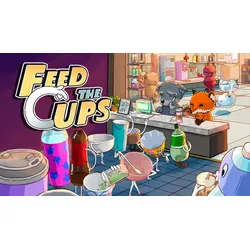
                    <input type="hidden" name="search" value="Feed-the-Cups">
                    <input type="hidden" name="term" value="Y0pUMmVKTzhOeztsZFk7bWZZeXdlNDt1ZlpUbmRvWDJmNDt7Y3s3bGQ0MnhbNDt2ZFk7d040M3hcSlh1XFpPeFtaRHJONFB2ZDRUM2RGO3ZbfDNYZ0lxN09JbXtXSXYyZ3BLb2VGM0dYblxyVzVlNWZHO1ZUb2ZJXEluUFVaREZWWnJQT2xMdFlHVzJlblcyY1hMSmdHdk1VRlhTZG07NVVsSGhnazM3WXBXe1cyOjRTbnF2VmxmdVxwRDZXcHJIVnBXfFZwcXpYMmo0W1lye1dwZm1kbExMVEhxNGNaR3pcfEM2WDNIVExvM3JcRjJ7UVZPMlBsW3pRVkc1T2xDb2NZUztPbG18UEZbNE9WbXpQfEt5THBUfFJWS3lPbFt5UEZDew==">
                </form>

                <!-- Product Image -->
                <div class="overflow-hidden bg-gray-50">
                    <img class="w-full cursor-pointer min-h-[15rem] object-cover transition-transform duration-300 group-hover:scale-103"
                         src="https://cdn.billiger.com/dynimg/9-DpUbVtQC84RDo3HLYA8SXpJ53MH5lvA_hMn5zos5T_olRSBeQCSEAXhzSr2EMdflJ6eI_qNrMe2ZAfpaOWuEihH1llBBvDh7QxxaAGUPVUvvJgevxW1o/293466191720_large.webp"
                         alt="Feed the Cups"
                         onerror="this.onerror=null;this.src='/logos/photo_missing.png';"
                         onclick="submitForm('Y0pUMmVKTzhOeztsZFk7bWZZeXdlNDt1ZlpUbmRvWDJmNDt7Y3s3bGQ0MnhbNDt2ZFk7d040M3hcSlh1XFpPeFtaRHJONFB2ZDRUM2RGO3ZbfDNYZ0lxN09JbXtXSXYyZ3BLb2VGM0dYblxyVzVlNWZHO1ZUb2ZJXEluUFVaREZWWnJQT2xMdFlHVzJlblcyY1hMSmdHdk1VRlhTZG07NVVsSGhnazM3WXBXe1cyOjRTbnF2VmxmdVxwRDZXcHJIVnBXfFZwcXpYMmo0W1lye1dwZm1kbExMVEhxNGNaR3pcfEM2WDNIVExvM3JcRjJ7UVZPMlBsW3pRVkc1T2xDb2NZUztPbG18UEZbNE9WbXpQfEt5THBUfFJWS3lPbFt5UEZDew==')">
                </div>

                <!-- Product Content -->
                <div class="px-5 flex flex-col flex-grow min-h-[9rem]">
                    <div class="min-h-[3.5rem] flex justify-between m-auto relative">
                        <div id="title-1" class="font-bold text-base mb-2 overflow-hidden line-clamp-2 cursor-pointer text-gray-800"
                             onclick="toggleTitle(1)">
                            Feed the Cups
                        </div>

                        
                        <a href="/Feed-the-Cups" class="absolute bottom-0 mt-1 -right-6 mr-2 group"
                              title="Feed-the-Cups">
              <i class="fas fa-search text-blue-500 hover:text-blue-700"></i>
            </a>
                    </div>
                    <hr>
                    <div class="flex justify-between items-end relative mt-1">
                        <div id="description-1" class="text-gray-600 text-sm flex-grow line-clamp-3 cursor-pointer leading-relaxed"
                             onclick="toggleDescription(1)">
                            <span class="break-words">Feed the Cups</span>
                        </div>
                        <button onclick="toggleDescription(1)"
                                class="absolute bottom-0 mt-1 -right-6 mr-2 group"
                                aria-label="Toggle Description">
                            <i id="toggle-icon-1" class="fa-solid fa-up-right-and-down-left-from-center text-blue-500 hover:text-blue-700"></i>
                            <span id="toggle-text-1" class="absolute w-auto p-2 min-w-max bottom-0 right-12 transform translate-x-1/2 translate-y-full bg-black text-white text-xs rounded-md opacity-0 group-hover:opacity-100 transition-opacity duration-300 ease-in-out">
                Mehr Anzeigen
              </span>
                        </button>
                    </div>
                </div>

                <!-- Product Footer -->
                <div class="flex flex-col mt-auto px-6 items-center text-center justify-center">
                    <hr class="mb-1 border-gray-300">
                    <div class="mb-1">
                        <button onclick="submitForm('Y0pUMmVKTzhOeztsZFk7bWZZeXdlNDt1ZlpUbmRvWDJmNDt7Y3s3bGQ0MnhbNDt2ZFk7d040M3hcSlh1XFpPeFtaRHJONFB2ZDRUM2RGO3ZbfDNYZ0lxN09JbXtXSXYyZ3BLb2VGM0dYblxyVzVlNWZHO1ZUb2ZJXEluUFVaREZWWnJQT2xMdFlHVzJlblcyY1hMSmdHdk1VRlhTZG07NVVsSGhnazM3WXBXe1cyOjRTbnF2VmxmdVxwRDZXcHJIVnBXfFZwcXpYMmo0W1lye1dwZm1kbExMVEhxNGNaR3pcfEM2WDNIVExvM3JcRjJ7UVZPMlBsW3pRVkc1T2xDb2NZUztPbG18UEZbNE9WbXpQfEt5THBUfFJWS3lPbFt5UEZDew==')" type="button"
                                class="text-xs text-gray-400" aria-label="Product Shop Button">
                            Anbieter: instant-gaming
                        </button>
                    </div>
                    <div class="w-full max-w-xs overflow-hidden">
            <span class="text-md font-bold text-gray-700 truncate">
              Preis: 7.49 € |
            </span>
                        <span class="text-sm text-gray-700 truncate">
              Versand*: 0.00 €
            </span>
                    </div>
                    <div class="mt-2 mb-3 w-full">
                        <button onclick="submitForm('Y0pUMmVKTzhOeztsZFk7bWZZeXdlNDt1ZlpUbmRvWDJmNDt7Y3s3bGQ0MnhbNDt2ZFk7d040M3hcSlh1XFpPeFtaRHJONFB2ZDRUM2RGO3ZbfDNYZ0lxN09JbXtXSXYyZ3BLb2VGM0dYblxyVzVlNWZHO1ZUb2ZJXEluUFVaREZWWnJQT2xMdFlHVzJlblcyY1hMSmdHdk1VRlhTZG07NVVsSGhnazM3WXBXe1cyOjRTbnF2VmxmdVxwRDZXcHJIVnBXfFZwcXpYMmo0W1lye1dwZm1kbExMVEhxNGNaR3pcfEM2WDNIVExvM3JcRjJ7UVZPMlBsW3pRVkc1T2xDb2NZUztPbG18UEZbNE9WbXpQfEt5THBUfFJWS3lPbFt5UEZDew==')" type="button"
                                class="w-full bg-gradient-to-r from-yellow-400 to-amber-400 hover:from-yellow-300 hover:to-amber-300 rounded-full px-4 py-2.5 text-sm font-bold text-gray-900 shadow-md transition-all duration-300 hover:shadow-lg">
                            Weiter zum Produkt
                        </button>
                    </div>
                </div>
            </div>
        </li>
    </div>
</section>

            
                <section class="mb-8">
    <div id="product-content">
        <li class="bg-white/90 backdrop-blur-sm shadow-md rounded-xl m-1 flex flex-col transition-all duration-300 hover:-translate-y-1 hover:shadow-xl border border-gray-200/60 overflow-hidden group">
            <div id="product-2" class="flex flex-col rounded-xl overflow-hidden mx-4 md:mx-0">
                <form id="Y0pUMmVKTzhOeztsZFk7bWZZeXdlNDt1ZlpUbmRvWDJmNDt7Y3s3bGQ0MnhbNDt2ZFk7d040M3hcSlh1XFpPeFtaRHJONFB2ZDRUM2RGO3ZbfDNYZ0lxN09JbXtXSXYyZ3BLb2VGM1NPR1w0ZDRLNWVvWzJnWExHVlpMSFhYbnxWezN0UVdMdWRKcllTM0hKTlZlM1taRExkM25cT3xISVNwUzRbWEhSW2xqNFhHbnVkSVg4XDI7Wk9IU3tnbGprVUlYaFgybm5mWHJrZFg7SGZtcjNQfFQzV0pqRVt8SG1ZR3o2VUhQb1ZwRDJjSVc2T21cW1dWUFdlM257Z0hcWmZGXGNWSDo3ZVZudVc0anJPWVBbVW03WlxXcldlMmpRTG8zclxGMnpQbE82T0ZPek9GSzRQfG1vY1lTO09WW3xRRkN8T1ZDe1BsZTdMcFR8UlZLeU9sW3lQRkN7">
                    <input type="hidden" name="q">
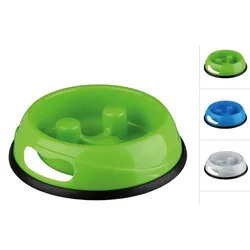
                    <input type="hidden" name="search" value="TRIXIE-Kunststoffnapf-Slow-Feed">
                    <input type="hidden" name="term" value="Y0pUMmVKTzhOeztsZFk7bWZZeXdlNDt1ZlpUbmRvWDJmNDt7Y3s3bGQ0MnhbNDt2ZFk7d040M3hcSlh1XFpPeFtaRHJONFB2ZDRUM2RGO3ZbfDNYZ0lxN09JbXtXSXYyZ3BLb2VGM1NPR1w0ZDRLNWVvWzJnWExHVlpMSFhYbnxWezN0UVdMdWRKcllTM0hKTlZlM1taRExkM25cT3xISVNwUzRbWEhSW2xqNFhHbnVkSVg4XDI7Wk9IU3tnbGprVUlYaFgybm5mWHJrZFg7SGZtcjNQfFQzV0pqRVt8SG1ZR3o2VUhQb1ZwRDJjSVc2T21cW1dWUFdlM257Z0hcWmZGXGNWSDo3ZVZudVc0anJPWVBbVW03WlxXcldlMmpRTG8zclxGMnpQbE82T0ZPek9GSzRQfG1vY1lTO09WW3xRRkN8T1ZDe1BsZTdMcFR8UlZLeU9sW3lQRkN7">
                </form>

                <!-- Product Image -->
                <div class="overflow-hidden bg-gray-50">
                    <img class="w-full cursor-pointer min-h-[15rem] object-cover transition-transform duration-300 group-hover:scale-103"
                         src="https://cdn.billiger.com/dynimg/cKWZN99dV3BukUXaM1mAIKXpJ53MH5lvA_hMn5zos5T_olRSBeQCSEAXhzSr2EMdV_Q2KfaO8R5yyBe5rRXpMagcrPb0aBpYP2DYCEZvpdaC9PhE-C2HAY/163803102679_large.webp"
                         alt="TRIXIE Kunststoffnapf Slow Feed"
                         onerror="this.onerror=null;this.src='/logos/photo_missing.png';"
                         onclick="submitForm('Y0pUMmVKTzhOeztsZFk7bWZZeXdlNDt1ZlpUbmRvWDJmNDt7Y3s3bGQ0MnhbNDt2ZFk7d040M3hcSlh1XFpPeFtaRHJONFB2ZDRUM2RGO3ZbfDNYZ0lxN09JbXtXSXYyZ3BLb2VGM1NPR1w0ZDRLNWVvWzJnWExHVlpMSFhYbnxWezN0UVdMdWRKcllTM0hKTlZlM1taRExkM25cT3xISVNwUzRbWEhSW2xqNFhHbnVkSVg4XDI7Wk9IU3tnbGprVUlYaFgybm5mWHJrZFg7SGZtcjNQfFQzV0pqRVt8SG1ZR3o2VUhQb1ZwRDJjSVc2T21cW1dWUFdlM257Z0hcWmZGXGNWSDo3ZVZudVc0anJPWVBbVW03WlxXcldlMmpRTG8zclxGMnpQbE82T0ZPek9GSzRQfG1vY1lTO09WW3xRRkN8T1ZDe1BsZTdMcFR8UlZLeU9sW3lQRkN7')">
                </div>

                <!-- Product Content -->
                <div class="px-5 flex flex-col flex-grow min-h-[9rem]">
                    <div class="min-h-[3.5rem] flex justify-between m-auto relative">
                        <div id="title-2" class="font-bold text-base mb-2 overflow-hidden line-clamp-2 cursor-pointer text-gray-800"
                             onclick="toggleTitle(2)">
                            TRIXIE Kunststoffnapf Slow Feed
                        </div>

                        
                        <a href="/TRIXIE-Kunststoffnapf-Slow-Feed" class="absolute bottom-0 mt-1 -right-6 mr-2 group"
                              title="TRIXIE-Kunststoffnapf-Slow-Feed">
              <i class="fas fa-search text-blue-500 hover:text-blue-700"></i>
            </a>
                    </div>
                    <hr>
                    <div class="flex justify-between items-end relative mt-1">
                        <div id="description-2" class="text-gray-600 text-sm flex-grow line-clamp-3 cursor-pointer leading-relaxed"
                             onclick="toggleDescription(2)">
                            <span class="break-words">Wölbungen verringern das Schlingen
rutschfest durch Gummiring</span>
                        </div>
                        <button onclick="toggleDescription(2)"
                                class="absolute bottom-0 mt-1 -right-6 mr-2 group"
                                aria-label="Toggle Description">
                            <i id="toggle-icon-2" class="fa-solid fa-up-right-and-down-left-from-center text-blue-500 hover:text-blue-700"></i>
                            <span id="toggle-text-2" class="absolute w-auto p-2 min-w-max bottom-0 right-12 transform translate-x-1/2 translate-y-full bg-black text-white text-xs rounded-md opacity-0 group-hover:opacity-100 transition-opacity duration-300 ease-in-out">
                Mehr Anzeigen
              </span>
                        </button>
                    </div>
                </div>

                <!-- Product Footer -->
                <div class="flex flex-col mt-auto px-6 items-center text-center justify-center">
                    <hr class="mb-1 border-gray-300">
                    <div class="mb-1">
                        <button onclick="submitForm('Y0pUMmVKTzhOeztsZFk7bWZZeXdlNDt1ZlpUbmRvWDJmNDt7Y3s3bGQ0MnhbNDt2ZFk7d040M3hcSlh1XFpPeFtaRHJONFB2ZDRUM2RGO3ZbfDNYZ0lxN09JbXtXSXYyZ3BLb2VGM1NPR1w0ZDRLNWVvWzJnWExHVlpMSFhYbnxWezN0UVdMdWRKcllTM0hKTlZlM1taRExkM25cT3xISVNwUzRbWEhSW2xqNFhHbnVkSVg4XDI7Wk9IU3tnbGprVUlYaFgybm5mWHJrZFg7SGZtcjNQfFQzV0pqRVt8SG1ZR3o2VUhQb1ZwRDJjSVc2T21cW1dWUFdlM257Z0hcWmZGXGNWSDo3ZVZudVc0anJPWVBbVW03WlxXcldlMmpRTG8zclxGMnpQbE82T0ZPek9GSzRQfG1vY1lTO09WW3xRRkN8T1ZDe1BsZTdMcFR8UlZLeU9sW3lQRkN7')" type="button"
                                class="text-xs text-gray-400" aria-label="Product Shop Button">
                            Anbieter: fera24.de
                        </button>
                    </div>
                    <div class="w-full max-w-xs overflow-hidden">
            <span class="text-md font-bold text-gray-700 truncate">
              Preis: 3.49 € |
            </span>
                        <span class="text-sm text-gray-700 truncate">
              Versand*: 4.50 €
            </span>
                    </div>
                    <div class="mt-2 mb-3 w-full">
                        <button onclick="submitForm('Y0pUMmVKTzhOeztsZFk7bWZZeXdlNDt1ZlpUbmRvWDJmNDt7Y3s3bGQ0MnhbNDt2ZFk7d040M3hcSlh1XFpPeFtaRHJONFB2ZDRUM2RGO3ZbfDNYZ0lxN09JbXtXSXYyZ3BLb2VGM1NPR1w0ZDRLNWVvWzJnWExHVlpMSFhYbnxWezN0UVdMdWRKcllTM0hKTlZlM1taRExkM25cT3xISVNwUzRbWEhSW2xqNFhHbnVkSVg4XDI7Wk9IU3tnbGprVUlYaFgybm5mWHJrZFg7SGZtcjNQfFQzV0pqRVt8SG1ZR3o2VUhQb1ZwRDJjSVc2T21cW1dWUFdlM257Z0hcWmZGXGNWSDo3ZVZudVc0anJPWVBbVW03WlxXcldlMmpRTG8zclxGMnpQbE82T0ZPek9GSzRQfG1vY1lTO09WW3xRRkN8T1ZDe1BsZTdMcFR8UlZLeU9sW3lQRkN7')" type="button"
                                class="w-full bg-gradient-to-r from-yellow-400 to-amber-400 hover:from-yellow-300 hover:to-amber-300 rounded-full px-4 py-2.5 text-sm font-bold text-gray-900 shadow-md transition-all duration-300 hover:shadow-lg">
                            Weiter zum Produkt
                        </button>
                    </div>
                </div>
            </div>
        </li>
    </div>
</section>

            
        </div>
    </div>

    <div class="mb-10">
        <!-- Related Terms Section -->
<section class="w-full max-w-none px-6 py-6 lg:px-8 text-center text-white rounded-2xl shadow-xl my-6 mb-12 relative overflow-hidden border border-white/10" style="background-color: #618687;">
    <h2 class="text-xl sm:text-2xl font-bold mb-6">
        Ähnliche Suchbegriffe für
        <span class="text-yellow-300">Feed</span>
    </h2>

    <div id="related-terms" class="flex flex-wrap justify-center gap-3">
        
        
        <a href="/Feed"
           class="term-chip inline-block rounded-full px-5 py-2 text-sm font-semibold text-white shadow-md transition-all duration-300 hover:shadow-lg hover:-translate-y-0.5 hover:scale-105 border border-white/20 bg-white/10 hover:bg-white/20">
            Feed
        </a>
        
        <a href="/News"
           class="term-chip inline-block rounded-full px-5 py-2 text-sm font-semibold text-white shadow-md transition-all duration-300 hover:shadow-lg hover:-translate-y-0.5 hover:scale-105 border border-white/20 bg-white/10 hover:bg-white/20">
            News
        </a>
        
        <a href="/Facebook"
           class="term-chip inline-block rounded-full px-5 py-2 text-sm font-semibold text-white shadow-md transition-all duration-300 hover:shadow-lg hover:-translate-y-0.5 hover:scale-105 border border-white/20 bg-white/10 hover:bg-white/20">
            Facebook
        </a>
        
        <a href="/Inhalte"
           class="term-chip inline-block rounded-full px-5 py-2 text-sm font-semibold text-white shadow-md transition-all duration-300 hover:shadow-lg hover:-translate-y-0.5 hover:scale-105 border border-white/20 bg-white/10 hover:bg-white/20">
            Inhalte
        </a>
        
        <a href="/Angezeigt"
           class="term-chip inline-block rounded-full px-5 py-2 text-sm font-semibold text-white shadow-md transition-all duration-300 hover:shadow-lg hover:-translate-y-0.5 hover:scale-105 border border-white/20 bg-white/10 hover:bg-white/20">
            Angezeigt
        </a>
        
        <a href="/Zeigt"
           class="term-chip inline-block rounded-full px-5 py-2 text-sm font-semibold text-white shadow-md transition-all duration-300 hover:shadow-lg hover:-translate-y-0.5 hover:scale-105 border border-white/20 bg-white/10 hover:bg-white/20">
            Zeigt
        </a>
        
        <a href="/Aktuelle"
           class="term-chip inline-block rounded-full px-5 py-2 text-sm font-semibold text-white shadow-md transition-all duration-300 hover:shadow-lg hover:-translate-y-0.5 hover:scale-105 border border-white/20 bg-white/10 hover:bg-white/20">
            Aktuelle
        </a>
        
        <a href="/Beziehungsstatus"
           class="term-chip inline-block rounded-full px-5 py-2 text-sm font-semibold text-white shadow-md transition-all duration-300 hover:shadow-lg hover:-translate-y-0.5 hover:scale-105 border border-white/20 bg-white/10 hover:bg-white/20">
            Beziehungsstatus
        </a>
        
        <a href="/Newsfeed"
           class="term-chip inline-block rounded-full px-5 py-2 text-sm font-semibold text-white shadow-md transition-all duration-300 hover:shadow-lg hover:-translate-y-0.5 hover:scale-105 border border-white/20 bg-white/10 hover:bg-white/20">
            Newsfeed
        </a>
        
        <a href="/Algorithmen"
           class="term-chip inline-block rounded-full px-5 py-2 text-sm font-semibold text-white shadow-md transition-all duration-300 hover:shadow-lg hover:-translate-y-0.5 hover:scale-105 border border-white/20 bg-white/10 hover:bg-white/20">
            Algorithmen
        </a>
        
        
    </div>
</section>

<script>
    document.addEventListener('DOMContentLoaded', function () {
        const chips = document.querySelectorAll('#related-terms .term-chip');
        const colors = [
            "#3B82F6", // Blue 500
            "#0EA5E9", // Sky 500
            "#10B981", // Emerald 500
            "#14B8A6", // Teal 500
            "#6366F1", // Indigo 500
            "#8B5CF6", // Violet 500
        ];
        chips.forEach(chip => {
            const color = colors[Math.floor(Math.random() * colors.length)];
            chip.style.backgroundColor = color;
            chip.style.color = "white"; // weiße Schrift für Eleganz
        });
    });
</script>


    </div>

    <h2 id="product-heading" class="text-2xl sm:text-3xl font-bold mb-3 mt-12 text-gray-800">
        Produkte zum Begriff Feed:
    </h2>

    <hr class="my-3 border-gray-200 mb-8 bg-gradient-to-r from-transparent via-gray-300 to-transparent h-px border-0">

    <!-- Row 2: 4 Products -->
    <ul class="grid grid-cols-1 sm:grid-cols-2 md:grid-cols-3 lg:grid-cols-4 gap-6 items-start mb-8">
        
            <section class="mb-8">
    <div id="product-content">
        <li class="bg-white/90 backdrop-blur-sm shadow-md rounded-xl m-1 flex flex-col transition-all duration-300 hover:-translate-y-1 hover:shadow-xl border border-gray-200/60 overflow-hidden group">
            <div id="product-1" class="flex flex-col rounded-xl overflow-hidden mx-4 md:mx-0">
                <form id="Y0pUMmVKTzhOeztsZFk7bWZZeXdlNDt1ZlpUbmRvWDJmNDt7Y3s3bGQ0MnhbNDt2ZFk7d040M3hcSlh1XFpPeFtaRHJONFB2ZDRUM2RGO3ZbfDNYZ0lxN09JbXtXSXYyZ3BLb2VGMnxTNHV6TlpuUVVWUzNcbkxHVlpMSFhYbnxWezN1ZG12cGNHantRSVc2ZFZINlhwWFhPfGZIUFhmeVRJXDJYMm00VUdmVGZJUzdPRztOZlpYTVU1cmpPV3ZvZUlHMmVXclVWWm03VWxmM09WTFFYWFx5UVpuaFs0N1dmWVR5W3xUWFttdlpjcEt5WEl6T09uVEplfExjWEhyaFBKaklTfFB4Y1k3d1syem1aMjNbVW03WlxXcldlMmpRTG8zclxGMjRRRlc1UFZXN1BsbXpQbEdvY1lTO1BsaTNQfFczUVZbN09WW3pMcFR8UlZLeU9sW3lQRkN7">
                    <input type="hidden" name="q">
                    <input type="hidden" name="search" value="Wahoo-Kickr-Axis-Feed">
                    <input type="hidden" name="term" value="Y0pUMmVKTzhOeztsZFk7bWZZeXdlNDt1ZlpUbmRvWDJmNDt7Y3s3bGQ0MnhbNDt2ZFk7d040M3hcSlh1XFpPeFtaRHJONFB2ZDRUM2RGO3ZbfDNYZ0lxN09JbXtXSXYyZ3BLb2VGMnxTNHV6TlpuUVVWUzNcbkxHVlpMSFhYbnxWezN1ZG12cGNHantRSVc2ZFZINlhwWFhPfGZIUFhmeVRJXDJYMm00VUdmVGZJUzdPRztOZlpYTVU1cmpPV3ZvZUlHMmVXclVWWm03VWxmM09WTFFYWFx5UVpuaFs0N1dmWVR5W3xUWFttdlpjcEt5WEl6T09uVEplfExjWEhyaFBKaklTfFB4Y1k3d1syem1aMjNbVW03WlxXcldlMmpRTG8zclxGMjRRRlc1UFZXN1BsbXpQbEdvY1lTO1BsaTNQfFczUVZbN09WW3pMcFR8UlZLeU9sW3lQRkN7">
                </form>

                <!-- Product Image -->
                <div class="overflow-hidden bg-gray-50">
                    <img class="w-full cursor-pointer min-h-[15rem] object-cover transition-transform duration-300 group-hover:scale-103"
                         src="https://cdn.billiger.com/dynimg/RL8zw-1dbEjaDaiLXfxqFCXpJ53MH5lvA_hMn5zos5T_olRSBeQCSEAXhzSr2EMdbAuUZzmQreeoutZsSudg9IQ4GSvhRAxkwFOiiNI44F2Ug7PxYi-l2I/685755969161_large.webp"
                         alt="Wahoo Kickr Axis Feed"
                         onerror="this.onerror=null;this.src='/logos/photo_missing.png';"
                         onclick="submitForm('Y0pUMmVKTzhOeztsZFk7bWZZeXdlNDt1ZlpUbmRvWDJmNDt7Y3s3bGQ0MnhbNDt2ZFk7d040M3hcSlh1XFpPeFtaRHJONFB2ZDRUM2RGO3ZbfDNYZ0lxN09JbXtXSXYyZ3BLb2VGMnxTNHV6TlpuUVVWUzNcbkxHVlpMSFhYbnxWezN1ZG12cGNHantRSVc2ZFZINlhwWFhPfGZIUFhmeVRJXDJYMm00VUdmVGZJUzdPRztOZlpYTVU1cmpPV3ZvZUlHMmVXclVWWm03VWxmM09WTFFYWFx5UVpuaFs0N1dmWVR5W3xUWFttdlpjcEt5WEl6T09uVEplfExjWEhyaFBKaklTfFB4Y1k3d1syem1aMjNbVW03WlxXcldlMmpRTG8zclxGMjRRRlc1UFZXN1BsbXpQbEdvY1lTO1BsaTNQfFczUVZbN09WW3pMcFR8UlZLeU9sW3lQRkN7')">
                </div>

                <!-- Product Content -->
                <div class="px-5 flex flex-col flex-grow min-h-[9rem]">
                    <div class="min-h-[3.5rem] flex justify-between m-auto relative">
                        <div id="title-1" class="font-bold text-base mb-2 overflow-hidden line-clamp-2 cursor-pointer text-gray-800"
                             onclick="toggleTitle(1)">
                            Wahoo Kickr Axis Feed
                        </div>

                        
                        <a href="/Wahoo-Kickr-Axis-Feed" class="absolute bottom-0 mt-1 -right-6 mr-2 group"
                              title="Wahoo-Kickr-Axis-Feed">
              <i class="fas fa-search text-blue-500 hover:text-blue-700"></i>
            </a>
                    </div>
                    <hr>
                    <div class="flex justify-between items-end relative mt-1">
                        <div id="description-1" class="text-gray-600 text-sm flex-grow line-clamp-3 cursor-pointer leading-relaxed"
                             onclick="toggleDescription(1)">
                            <span class="break-words">KICKR AXIS Einstellbare gedämpfte Füße reagieren auf Bewegungen des Fahrers und simmulieren so die seitliche Beweglichkeit auf der Straße. Beim neuen Kickr enthalten. Separat erhältlich für alle älteren KICKR Modelle</span>
                        </div>
                        <button onclick="toggleDescription(1)"
                                class="absolute bottom-0 mt-1 -right-6 mr-2 group"
                                aria-label="Toggle Description">
                            <i id="toggle-icon-1" class="fa-solid fa-up-right-and-down-left-from-center text-blue-500 hover:text-blue-700"></i>
                            <span id="toggle-text-1" class="absolute w-auto p-2 min-w-max bottom-0 right-12 transform translate-x-1/2 translate-y-full bg-black text-white text-xs rounded-md opacity-0 group-hover:opacity-100 transition-opacity duration-300 ease-in-out">
                Mehr Anzeigen
              </span>
                        </button>
                    </div>
                </div>

                <!-- Product Footer -->
                <div class="flex flex-col mt-auto px-6 items-center text-center justify-center">
                    <hr class="mb-1 border-gray-300">
                    <div class="mb-1">
                        <button onclick="submitForm('Y0pUMmVKTzhOeztsZFk7bWZZeXdlNDt1ZlpUbmRvWDJmNDt7Y3s3bGQ0MnhbNDt2ZFk7d040M3hcSlh1XFpPeFtaRHJONFB2ZDRUM2RGO3ZbfDNYZ0lxN09JbXtXSXYyZ3BLb2VGMnxTNHV6TlpuUVVWUzNcbkxHVlpMSFhYbnxWezN1ZG12cGNHantRSVc2ZFZINlhwWFhPfGZIUFhmeVRJXDJYMm00VUdmVGZJUzdPRztOZlpYTVU1cmpPV3ZvZUlHMmVXclVWWm03VWxmM09WTFFYWFx5UVpuaFs0N1dmWVR5W3xUWFttdlpjcEt5WEl6T09uVEplfExjWEhyaFBKaklTfFB4Y1k3d1syem1aMjNbVW03WlxXcldlMmpRTG8zclxGMjRRRlc1UFZXN1BsbXpQbEdvY1lTO1BsaTNQfFczUVZbN09WW3pMcFR8UlZLeU9sW3lQRkN7')" type="button"
                                class="text-xs text-gray-400" aria-label="Product Shop Button">
                            Anbieter: Nubuk-Bikes
                        </button>
                    </div>
                    <div class="w-full max-w-xs overflow-hidden">
            <span class="text-md font-bold text-gray-700 truncate">
              Preis: 57.69 € |
            </span>
                        <span class="text-sm text-gray-700 truncate">
              Versand*: 4.99 €
            </span>
                    </div>
                    <div class="mt-2 mb-3 w-full">
                        <button onclick="submitForm('Y0pUMmVKTzhOeztsZFk7bWZZeXdlNDt1ZlpUbmRvWDJmNDt7Y3s3bGQ0MnhbNDt2ZFk7d040M3hcSlh1XFpPeFtaRHJONFB2ZDRUM2RGO3ZbfDNYZ0lxN09JbXtXSXYyZ3BLb2VGMnxTNHV6TlpuUVVWUzNcbkxHVlpMSFhYbnxWezN1ZG12cGNHantRSVc2ZFZINlhwWFhPfGZIUFhmeVRJXDJYMm00VUdmVGZJUzdPRztOZlpYTVU1cmpPV3ZvZUlHMmVXclVWWm03VWxmM09WTFFYWFx5UVpuaFs0N1dmWVR5W3xUWFttdlpjcEt5WEl6T09uVEplfExjWEhyaFBKaklTfFB4Y1k3d1syem1aMjNbVW03WlxXcldlMmpRTG8zclxGMjRRRlc1UFZXN1BsbXpQbEdvY1lTO1BsaTNQfFczUVZbN09WW3pMcFR8UlZLeU9sW3lQRkN7')" type="button"
                                class="w-full bg-gradient-to-r from-yellow-400 to-amber-400 hover:from-yellow-300 hover:to-amber-300 rounded-full px-4 py-2.5 text-sm font-bold text-gray-900 shadow-md transition-all duration-300 hover:shadow-lg">
                            Weiter zum Produkt
                        </button>
                    </div>
                </div>
            </div>
        </li>
    </div>
</section>

        
            <section class="mb-8">
    <div id="product-content">
        <li class="bg-white/90 backdrop-blur-sm shadow-md rounded-xl m-1 flex flex-col transition-all duration-300 hover:-translate-y-1 hover:shadow-xl border border-gray-200/60 overflow-hidden group">
            <div id="product-2" class="flex flex-col rounded-xl overflow-hidden mx-4 md:mx-0">
                <form id="Y0pUMmVKTzhOeztqZUltd1tZVHJkb1RuZ0U3bGQ0MnhmbEt4ZW9YbWNaTG5bNVN4ZUpMeFxKWGxmRjtyXEYzbFBvWzJbVkN8UVUzbFFZVG9OVlN5UFZXdlFGR3tQRTNsT2xIbVBWQzRcRkd8T3xpb1tZVHxlSUhsXFdubVJadmpcSlB5W1lQblVZVDs=">
                    <input type="hidden" name="q">
                    <input type="hidden" name="search" value="Wirtschaft,-Gesellschaft-und-Politik,">
                    <input type="hidden" name="term" value="Y0pUMmVKTzhOeztqZUltd1tZVHJkb1RuZ0U3bGQ0MnhmbEt4ZW9YbWNaTG5bNVN4ZUpMeFxKWGxmRjtyXEYzbFBvWzJbVkN8UVUzbFFZVG9OVlN5UFZXdlFGR3tQRTNsT2xIbVBWQzRcRkd8T3xpb1tZVHxlSUhsXFdubVJadmpcSlB5W1lQblVZVDs=">
                </form>

                <!-- Product Image -->
                <div class="overflow-hidden bg-gray-50">
                    <img class="w-full cursor-pointer min-h-[15rem] object-cover transition-transform duration-300 group-hover:scale-103"
                         src="https://cdn.adindex.com/oimg/c6f4a039-c9df-4055-8124-c21d506d1338"
                         alt="Wirtschaft, Gesellschaft und Politik, Fachbücher von Christian Fridrich, Reinhold Hedtke, Georg Tafner, Philipp Mittnik, Udo Hagedorn"
                         onerror="this.onerror=null;this.src='/logos/photo_missing.png';"
                         onclick="submitForm('Y0pUMmVKTzhOeztqZUltd1tZVHJkb1RuZ0U3bGQ0MnhmbEt4ZW9YbWNaTG5bNVN4ZUpMeFxKWGxmRjtyXEYzbFBvWzJbVkN8UVUzbFFZVG9OVlN5UFZXdlFGR3tQRTNsT2xIbVBWQzRcRkd8T3xpb1tZVHxlSUhsXFdubVJadmpcSlB5W1lQblVZVDs=')">
                </div>

                <!-- Product Content -->
                <div class="px-5 flex flex-col flex-grow min-h-[9rem]">
                    <div class="min-h-[3.5rem] flex justify-between m-auto relative">
                        <div id="title-2" class="font-bold text-base mb-2 overflow-hidden line-clamp-2 cursor-pointer text-gray-800"
                             onclick="toggleTitle(2)">
                            Wirtschaft, Gesellschaft und Politik, Fachbücher von Christian Fridrich, Reinhold Hedtke, Georg Tafner, Philipp Mittnik, Udo Hagedorn
                        </div>

                        
                        <a href="/Wirtschaft-Gesellschaft-und-Politik" class="absolute bottom-0 mt-1 -right-6 mr-2 group"
                              title="Wirtschaft-Gesellschaft-und-Politik">
              <i class="fas fa-search text-blue-500 hover:text-blue-700"></i>
            </a>
                    </div>
                    <hr>
                    <div class="flex justify-between items-end relative mt-1">
                        <div id="description-2" class="text-gray-600 text-sm flex-grow line-clamp-3 cursor-pointer leading-relaxed"
                             onclick="toggleDescription(2)">
                            <span class="break-words">Die Verflechtungen von Wirtschaft, Gesellschaft und Politik bestimmen offensichtlich die sozioökonomischen und politischen Strukturen sowie die aktuellen Denk- und Handlungsweisen und die kollektive Wahrnehmung von Lösungsoptionen. Ihre immer noch geringe Beachtung in Hochschullehre und Schulbildung ist verwunderlich. Phänomene wie Pandemien, Klimawandel, Migration oder Autoritarismus machen die engen, komplexen und widersprüchlichen Zusammenhänge von Wirtschaft, Gesellschaft und Politik erfahrbar. Vor diesem Hintergrund ist Aufklärung durch sozioökonomische Forschung, Lehre und Bildung dringend geboten. Der Themenband will dazu beitragen, indem er Forschungsbeiträge zu Problemkomplexen wie Wirtschaft und Demokratie, Perspektivität und Multiperspektivität, Situation, Interesse und Politik, Subjekt und Subjektivierung sowie Disziplin und Curriculum präsentiert.</span>
                        </div>
                        <button onclick="toggleDescription(2)"
                                class="absolute bottom-0 mt-1 -right-6 mr-2 group"
                                aria-label="Toggle Description">
                            <i id="toggle-icon-2" class="fa-solid fa-up-right-and-down-left-from-center text-blue-500 hover:text-blue-700"></i>
                            <span id="toggle-text-2" class="absolute w-auto p-2 min-w-max bottom-0 right-12 transform translate-x-1/2 translate-y-full bg-black text-white text-xs rounded-md opacity-0 group-hover:opacity-100 transition-opacity duration-300 ease-in-out">
                Mehr Anzeigen
              </span>
                        </button>
                    </div>
                </div>

                <!-- Product Footer -->
                <div class="flex flex-col mt-auto px-6 items-center text-center justify-center">
                    <hr class="mb-1 border-gray-300">
                    <div class="mb-1">
                        <button onclick="submitForm('Y0pUMmVKTzhOeztqZUltd1tZVHJkb1RuZ0U3bGQ0MnhmbEt4ZW9YbWNaTG5bNVN4ZUpMeFxKWGxmRjtyXEYzbFBvWzJbVkN8UVUzbFFZVG9OVlN5UFZXdlFGR3tQRTNsT2xIbVBWQzRcRkd8T3xpb1tZVHxlSUhsXFdubVJadmpcSlB5W1lQblVZVDs=')" type="button"
                                class="text-xs text-gray-400" aria-label="Product Shop Button">
                            Anbieter: Galaxus.de
                        </button>
                    </div>
                    <div class="w-full max-w-xs overflow-hidden">
            <span class="text-md font-bold text-gray-700 truncate">
              Preis: 69.99 € |
            </span>
                        <span class="text-sm text-gray-700 truncate">
              Versand*: 0 €
            </span>
                    </div>
                    <div class="mt-2 mb-3 w-full">
                        <button onclick="submitForm('Y0pUMmVKTzhOeztqZUltd1tZVHJkb1RuZ0U3bGQ0MnhmbEt4ZW9YbWNaTG5bNVN4ZUpMeFxKWGxmRjtyXEYzbFBvWzJbVkN8UVUzbFFZVG9OVlN5UFZXdlFGR3tQRTNsT2xIbVBWQzRcRkd8T3xpb1tZVHxlSUhsXFdubVJadmpcSlB5W1lQblVZVDs=')" type="button"
                                class="w-full bg-gradient-to-r from-yellow-400 to-amber-400 hover:from-yellow-300 hover:to-amber-300 rounded-full px-4 py-2.5 text-sm font-bold text-gray-900 shadow-md transition-all duration-300 hover:shadow-lg">
                            Weiter zum Produkt
                        </button>
                    </div>
                </div>
            </div>
        </li>
    </div>
</section>

        
            <section class="mb-8">
    <div id="product-content">
        <li class="bg-white/90 backdrop-blur-sm shadow-md rounded-xl m-1 flex flex-col transition-all duration-300 hover:-translate-y-1 hover:shadow-xl border border-gray-200/60 overflow-hidden group">
            <div id="product-3" class="flex flex-col rounded-xl overflow-hidden mx-4 md:mx-0">
                <form id="Y0pUMmVKTzhOeztqZUltd1tZVHJkb1RuZ0U3bGQ0MnhmbEt4ZW9YbWNaTG5bNVN4ZUpMeFxKWGxmRjtyXEYzalBsRGxbbEt8T2syeVtsbTdOVlRsWzRXdltWTG9PazNsT0ZMb1t8WzNbfEN8UFZtb1tZVHxlSUhsXFdubVJadmpcSlB5W1lQblVZVDs=">
                    <input type="hidden" name="q">
                    <input type="hidden" name="search" value="Kersten-Ringe---GEBRAUCHT">
                    <input type="hidden" name="term" value="Y0pUMmVKTzhOeztqZUltd1tZVHJkb1RuZ0U3bGQ0MnhmbEt4ZW9YbWNaTG5bNVN4ZUpMeFxKWGxmRjtyXEYzalBsRGxbbEt8T2syeVtsbTdOVlRsWzRXdltWTG9PazNsT0ZMb1t8WzNbfEN8UFZtb1tZVHxlSUhsXFdubVJadmpcSlB5W1lQblVZVDs=">
                </form>

                <!-- Product Image -->
                <div class="overflow-hidden bg-gray-50">
                    <img class="w-full cursor-pointer min-h-[15rem] object-cover transition-transform duration-300 group-hover:scale-103"
                         src="https://cdn.adindex.com/oimg/a60cb232-0b99-4cce-a2f2-c02fc65c0359"
                         alt="Kersten Ringe - GEBRAUCHT Kolleg Politik und Wirtschaft – Niedersachsen - neu &#x2F; Politik – Wirtschaft für die Oberstufe: Kolleg Politik und Wirtschaft – Niedersachsen - neu &#x2F; ... (gA): Politik – Wirtschaft für die Oberstufe - Preis vom 28.03.2026 06:24:01 "
                         onerror="this.onerror=null;this.src='/logos/photo_missing.png';"
                         onclick="submitForm('Y0pUMmVKTzhOeztqZUltd1tZVHJkb1RuZ0U3bGQ0MnhmbEt4ZW9YbWNaTG5bNVN4ZUpMeFxKWGxmRjtyXEYzalBsRGxbbEt8T2syeVtsbTdOVlRsWzRXdltWTG9PazNsT0ZMb1t8WzNbfEN8UFZtb1tZVHxlSUhsXFdubVJadmpcSlB5W1lQblVZVDs=')">
                </div>

                <!-- Product Content -->
                <div class="px-5 flex flex-col flex-grow min-h-[9rem]">
                    <div class="min-h-[3.5rem] flex justify-between m-auto relative">
                        <div id="title-3" class="font-bold text-base mb-2 overflow-hidden line-clamp-2 cursor-pointer text-gray-800"
                             onclick="toggleTitle(3)">
                            Kersten Ringe - GEBRAUCHT Kolleg Politik und Wirtschaft – Niedersachsen - neu &#x2F; Politik – Wirtschaft für die Oberstufe: Kolleg Politik und Wirtschaft – Niedersachsen - neu &#x2F; ... (gA): Politik – Wirtschaft für die Oberstufe - Preis vom 28.03.2026 06:24:01 
                        </div>

                        
                        <a href="/Kersten-Ringe---GEBRAUCHT" class="absolute bottom-0 mt-1 -right-6 mr-2 group"
                              title="Kersten-Ringe---GEBRAUCHT">
              <i class="fas fa-search text-blue-500 hover:text-blue-700"></i>
            </a>
                    </div>
                    <hr>
                    <div class="flex justify-between items-end relative mt-1">
                        <div id="description-3" class="text-gray-600 text-sm flex-grow line-clamp-3 cursor-pointer leading-relaxed"
                             onclick="toggleDescription(3)">
                            <span class="break-words">Binding : Gebundene Ausgabe, Edition : Auflage 2019, Label : Buchner, C.C., Publisher : Buchner, C.C., medium : Gebundene Ausgabe, publicationDate : 2019-05-29, authors : Kersten Ringe, Oliver Thiedig, Jan Weber, Bernd Wessel, publishers : Kersten Ringe, Jan Weber, ISBN : 366172066X</span>
                        </div>
                        <button onclick="toggleDescription(3)"
                                class="absolute bottom-0 mt-1 -right-6 mr-2 group"
                                aria-label="Toggle Description">
                            <i id="toggle-icon-3" class="fa-solid fa-up-right-and-down-left-from-center text-blue-500 hover:text-blue-700"></i>
                            <span id="toggle-text-3" class="absolute w-auto p-2 min-w-max bottom-0 right-12 transform translate-x-1/2 translate-y-full bg-black text-white text-xs rounded-md opacity-0 group-hover:opacity-100 transition-opacity duration-300 ease-in-out">
                Mehr Anzeigen
              </span>
                        </button>
                    </div>
                </div>

                <!-- Product Footer -->
                <div class="flex flex-col mt-auto px-6 items-center text-center justify-center">
                    <hr class="mb-1 border-gray-300">
                    <div class="mb-1">
                        <button onclick="submitForm('Y0pUMmVKTzhOeztqZUltd1tZVHJkb1RuZ0U3bGQ0MnhmbEt4ZW9YbWNaTG5bNVN4ZUpMeFxKWGxmRjtyXEYzalBsRGxbbEt8T2syeVtsbTdOVlRsWzRXdltWTG9PazNsT0ZMb1t8WzNbfEN8UFZtb1tZVHxlSUhsXFdubVJadmpcSlB5W1lQblVZVDs=')" type="button"
                                class="text-xs text-gray-400" aria-label="Product Shop Button">
                            Anbieter: MEDIMOPS
                        </button>
                    </div>
                    <div class="w-full max-w-xs overflow-hidden">
            <span class="text-md font-bold text-gray-700 truncate">
              Preis: 1.49 € |
            </span>
                        <span class="text-sm text-gray-700 truncate">
              Versand*: 1.99 €
            </span>
                    </div>
                    <div class="mt-2 mb-3 w-full">
                        <button onclick="submitForm('Y0pUMmVKTzhOeztqZUltd1tZVHJkb1RuZ0U3bGQ0MnhmbEt4ZW9YbWNaTG5bNVN4ZUpMeFxKWGxmRjtyXEYzalBsRGxbbEt8T2syeVtsbTdOVlRsWzRXdltWTG9PazNsT0ZMb1t8WzNbfEN8UFZtb1tZVHxlSUhsXFdubVJadmpcSlB5W1lQblVZVDs=')" type="button"
                                class="w-full bg-gradient-to-r from-yellow-400 to-amber-400 hover:from-yellow-300 hover:to-amber-300 rounded-full px-4 py-2.5 text-sm font-bold text-gray-900 shadow-md transition-all duration-300 hover:shadow-lg">
                            Weiter zum Produkt
                        </button>
                    </div>
                </div>
            </div>
        </li>
    </div>
</section>

        
            <section class="mb-8">
    <div id="product-content">
        <li class="bg-white/90 backdrop-blur-sm shadow-md rounded-xl m-1 flex flex-col transition-all duration-300 hover:-translate-y-1 hover:shadow-xl border border-gray-200/60 overflow-hidden group">
            <div id="product-4" class="flex flex-col rounded-xl overflow-hidden mx-4 md:mx-0">
                <form id="Y0pUMmVKTzhOeztqZUltd1tZVHJkb1RuZ0U3bGQ0MnhmbEt4ZW9YbWNaTG5bNVN4ZUpMeFxKWGxmRjtyXEYyM1xZWGpcVkc2W2szbE80W3pOVlMyW3xldltsamxbezJ7T0ZPM1tsSzRPVlc1UG9Tb1tZVHxlSUhsXFdubVJadmpcSlB5W1lQblVZVDs=">
                    <input type="hidden" name="q">
                    <input type="hidden" name="search" value="Annabel-Karmel---GEBRAUCHT">
                    <input type="hidden" name="term" value="Y0pUMmVKTzhOeztqZUltd1tZVHJkb1RuZ0U3bGQ0MnhmbEt4ZW9YbWNaTG5bNVN4ZUpMeFxKWGxmRjtyXEYyM1xZWGpcVkc2W2szbE80W3pOVlMyW3xldltsamxbezJ7T0ZPM1tsSzRPVlc1UG9Tb1tZVHxlSUhsXFdubVJadmpcSlB5W1lQblVZVDs=">
                </form>

                <!-- Product Image -->
                <div class="overflow-hidden bg-gray-50">
                    <img class="w-full cursor-pointer min-h-[15rem] object-cover transition-transform duration-300 group-hover:scale-103"
                         src="https://cdn.adindex.com/oimg/5eeae18b-c3f1-44c7-b8cc-2035b261576d"
                         alt="Annabel Karmel - GEBRAUCHT Weaning: What to Feed, When to Feed, and How to Feed Your Baby - Preis vom 28.03.2026 06:24:01 h"
                         onerror="this.onerror=null;this.src='/logos/photo_missing.png';"
                         onclick="submitForm('Y0pUMmVKTzhOeztqZUltd1tZVHJkb1RuZ0U3bGQ0MnhmbEt4ZW9YbWNaTG5bNVN4ZUpMeFxKWGxmRjtyXEYyM1xZWGpcVkc2W2szbE80W3pOVlMyW3xldltsamxbezJ7T0ZPM1tsSzRPVlc1UG9Tb1tZVHxlSUhsXFdubVJadmpcSlB5W1lQblVZVDs=')">
                </div>

                <!-- Product Content -->
                <div class="px-5 flex flex-col flex-grow min-h-[9rem]">
                    <div class="min-h-[3.5rem] flex justify-between m-auto relative">
                        <div id="title-4" class="font-bold text-base mb-2 overflow-hidden line-clamp-2 cursor-pointer text-gray-800"
                             onclick="toggleTitle(4)">
                            Annabel Karmel - GEBRAUCHT Weaning: What to Feed, When to Feed, and How to Feed Your Baby - Preis vom 28.03.2026 06:24:01 h
                        </div>

                        
                        <a href="/Annabel-Karmel---GEBRAUCHT" class="absolute bottom-0 mt-1 -right-6 mr-2 group"
                              title="Annabel-Karmel---GEBRAUCHT">
              <i class="fas fa-search text-blue-500 hover:text-blue-700"></i>
            </a>
                    </div>
                    <hr>
                    <div class="flex justify-between items-end relative mt-1">
                        <div id="description-4" class="text-gray-600 text-sm flex-grow line-clamp-3 cursor-pointer leading-relaxed"
                             onclick="toggleDescription(4)">
                            <span class="break-words">Binding : Gebundene Ausgabe, Edition : UK ed., Label : DK, Publisher : DK, NumberOfItems : 1, PackageQuantity : 1, medium : Gebundene Ausgabe, numberOfPages : 128, publicationDate : 2010-07-01, authors : Annabel Karmel, ISBN : 1405348240</span>
                        </div>
                        <button onclick="toggleDescription(4)"
                                class="absolute bottom-0 mt-1 -right-6 mr-2 group"
                                aria-label="Toggle Description">
                            <i id="toggle-icon-4" class="fa-solid fa-up-right-and-down-left-from-center text-blue-500 hover:text-blue-700"></i>
                            <span id="toggle-text-4" class="absolute w-auto p-2 min-w-max bottom-0 right-12 transform translate-x-1/2 translate-y-full bg-black text-white text-xs rounded-md opacity-0 group-hover:opacity-100 transition-opacity duration-300 ease-in-out">
                Mehr Anzeigen
              </span>
                        </button>
                    </div>
                </div>

                <!-- Product Footer -->
                <div class="flex flex-col mt-auto px-6 items-center text-center justify-center">
                    <hr class="mb-1 border-gray-300">
                    <div class="mb-1">
                        <button onclick="submitForm('Y0pUMmVKTzhOeztqZUltd1tZVHJkb1RuZ0U3bGQ0MnhmbEt4ZW9YbWNaTG5bNVN4ZUpMeFxKWGxmRjtyXEYyM1xZWGpcVkc2W2szbE80W3pOVlMyW3xldltsamxbezJ7T0ZPM1tsSzRPVlc1UG9Tb1tZVHxlSUhsXFdubVJadmpcSlB5W1lQblVZVDs=')" type="button"
                                class="text-xs text-gray-400" aria-label="Product Shop Button">
                            Anbieter: MEDIMOPS
                        </button>
                    </div>
                    <div class="w-full max-w-xs overflow-hidden">
            <span class="text-md font-bold text-gray-700 truncate">
              Preis: 1.89 € |
            </span>
                        <span class="text-sm text-gray-700 truncate">
              Versand*: 1.99 €
            </span>
                    </div>
                    <div class="mt-2 mb-3 w-full">
                        <button onclick="submitForm('Y0pUMmVKTzhOeztqZUltd1tZVHJkb1RuZ0U3bGQ0MnhmbEt4ZW9YbWNaTG5bNVN4ZUpMeFxKWGxmRjtyXEYyM1xZWGpcVkc2W2szbE80W3pOVlMyW3xldltsamxbezJ7T0ZPM1tsSzRPVlc1UG9Tb1tZVHxlSUhsXFdubVJadmpcSlB5W1lQblVZVDs=')" type="button"
                                class="w-full bg-gradient-to-r from-yellow-400 to-amber-400 hover:from-yellow-300 hover:to-amber-300 rounded-full px-4 py-2.5 text-sm font-bold text-gray-900 shadow-md transition-all duration-300 hover:shadow-lg">
                            Weiter zum Produkt
                        </button>
                    </div>
                </div>
            </div>
        </li>
    </div>
</section>

        
    </ul>

    <!-- Row 3: 4 FAQs -->
    <ul class="grid grid-cols-1 sm:grid-cols-2 md:grid-cols-3 lg:grid-cols-4 gap-6 items-start mb-8">
        
            <section class="">
    <div id="faq-content">
        <li class="faq-item p-4 rounded-xl flex flex-col justify-between transition-all duration-300 w-full bg-white/80 backdrop-blur-sm border border-gray-200/60 shadow-md hover:shadow-lg">
            <h3 class="font-bold bg-gray-100 p-3 rounded-lg text-lg cursor-pointer transition-all duration-200 hover:bg-gray-200"
                data-truncate-length="50" onclick="toggleQuestion(event)">
                Wie zeigt Thunderbird den News-Feed an?
            </h3>

            <div class="faq-answer-wrapper relative pb-5">
                <p class="faq-answer text-gray-600 text-sm mt-2 transition-all duration-300 cursor-pointer w-full leading-relaxed"
                   data-truncate-length="180" onclick="toggleAnswer(event)">
                    Thunderbird zeigt den News-Feed in einer speziellen Ansicht namens &quot;Nachrichtenleser&quot;. Dort werden die einzelnen Artikel des Feeds in einer Liste angezeigt, ähnlich wie E-Mails. Man kann die Artikel öffnen, lesen und auch darauf antworten.
                    <span class="relative -top-[6px] text-[0.55em] opacity-40 font-normal select-none ml-1 inline-block">**</span>

                </p>

                <button onclick="toggleAnswer(event, true)" class="absolute bottom-0 right-2 mt-1 group"
                        aria-label="Toggle Description">
                    <i class="fa-solid fa-up-right-and-down-left-from-center text-blue-500 hover:text-blue-700"></i>
                    <span class="absolute w-auto p-2 min-w-max bottom-0 right-12 transform translate-x-1/2 translate-y-full bg-black text-white text-xs rounded-md opacity-0 group-hover:opacity-100 transition-opacity duration-300 ease-in-out">
                        Mehr Anzeigen
                    </span>
                </button>
            </div>


            <div id="related-terms"
                 class="related-terms hidden flex flex-wrap justify-center text-center mt-3 pt-3 border-t border-gray-100">
                
                
                    <div style="min-height: 0px;"></div>
                
            </div>
        </li>
    </div>
</section>

<!-- Pills einfärben -->
<script>
    document.addEventListener("DOMContentLoaded", () => {
        const colors = [
            "bg-blue-500 text-white hover:bg-blue-600",
            "bg-indigo-500 text-white hover:bg-indigo-600",
            "bg-violet-500 text-white hover:bg-violet-600",
            "bg-pink-500 text-white hover:bg-pink-600",
            "bg-rose-500 text-white hover:bg-rose-600",
            "bg-emerald-500 text-white hover:bg-emerald-600",
            "bg-teal-500 text-white hover:bg-teal-600",
            "bg-cyan-500 text-white hover:bg-cyan-600"
        ];

        const pills = document.querySelectorAll(".keyword-pill");
        pills.forEach((pill, index) => {
            const colorClass = colors[index % colors.length];
            pill.className += " " + colorClass;
        });
    });
</script>

        
            <section class="">
    <div id="faq-content">
        <li class="faq-item p-4 rounded-xl flex flex-col justify-between transition-all duration-300 w-full bg-white/80 backdrop-blur-sm border border-gray-200/60 shadow-md hover:shadow-lg">
            <h3 class="font-bold bg-gray-100 p-3 rounded-lg text-lg cursor-pointer transition-all duration-200 hover:bg-gray-200"
                data-truncate-length="50" onclick="toggleQuestion(event)">
                Werden öffentliche Details auf Facebook im News Feed angezeigt?
            </h3>

            <div class="faq-answer-wrapper relative pb-5">
                <p class="faq-answer text-gray-600 text-sm mt-2 transition-all duration-300 cursor-pointer w-full leading-relaxed"
                   data-truncate-length="180" onclick="toggleAnswer(event)">
                    Ja, öffentliche Details können im News Feed auf Facebook angezeigt werden, wenn sie von Freunden, Seiten oder Gruppen geteilt oder kommentiert werden. Der News Feed zeigt eine Auswahl von Beiträgen und Aktivitäten von Personen und Seiten an, denen man folgt, basierend auf dem Facebook-Algorithmus.
                    <span class="relative -top-[6px] text-[0.55em] opacity-40 font-normal select-none ml-1 inline-block">**</span>

                </p>

                <button onclick="toggleAnswer(event, true)" class="absolute bottom-0 right-2 mt-1 group"
                        aria-label="Toggle Description">
                    <i class="fa-solid fa-up-right-and-down-left-from-center text-blue-500 hover:text-blue-700"></i>
                    <span class="absolute w-auto p-2 min-w-max bottom-0 right-12 transform translate-x-1/2 translate-y-full bg-black text-white text-xs rounded-md opacity-0 group-hover:opacity-100 transition-opacity duration-300 ease-in-out">
                        Mehr Anzeigen
                    </span>
                </button>
            </div>


            <div id="related-terms"
                 class="related-terms hidden flex flex-wrap justify-center text-center mt-3 pt-3 border-t border-gray-100">
                
                
                    <div style="min-height: 0px;"></div>
                
            </div>
        </li>
    </div>
</section>

<!-- Pills einfärben -->
<script>
    document.addEventListener("DOMContentLoaded", () => {
        const colors = [
            "bg-blue-500 text-white hover:bg-blue-600",
            "bg-indigo-500 text-white hover:bg-indigo-600",
            "bg-violet-500 text-white hover:bg-violet-600",
            "bg-pink-500 text-white hover:bg-pink-600",
            "bg-rose-500 text-white hover:bg-rose-600",
            "bg-emerald-500 text-white hover:bg-emerald-600",
            "bg-teal-500 text-white hover:bg-teal-600",
            "bg-cyan-500 text-white hover:bg-cyan-600"
        ];

        const pills = document.querySelectorAll(".keyword-pill");
        pills.forEach((pill, index) => {
            const colorClass = colors[index % colors.length];
            pill.className += " " + colorClass;
        });
    });
</script>

        
            <section class="">
    <div id="faq-content">
        <li class="faq-item p-4 rounded-xl flex flex-col justify-between transition-all duration-300 w-full bg-white/80 backdrop-blur-sm border border-gray-200/60 shadow-md hover:shadow-lg">
            <h3 class="font-bold bg-gray-100 p-3 rounded-lg text-lg cursor-pointer transition-all duration-200 hover:bg-gray-200"
                data-truncate-length="50" onclick="toggleQuestion(event)">
                Wie wird der Beziehungsstatus auf Facebook im News Feed angezeigt?
            </h3>

            <div class="faq-answer-wrapper relative pb-5">
                <p class="faq-answer text-gray-600 text-sm mt-2 transition-all duration-300 cursor-pointer w-full leading-relaxed"
                   data-truncate-length="180" onclick="toggleAnswer(event)">
                    Der Beziehungsstatus auf Facebook wird im News Feed in der Regel nicht direkt angezeigt. Es kann jedoch sein, dass Facebook gelegentlich Beiträge von Freunden oder Seiten anzeigt, die ihren Beziehungsstatus aktualisiert haben. In diesem Fall wird der Beziehungsstatus als separater Beitrag angezeigt.
                    <span class="relative -top-[6px] text-[0.55em] opacity-40 font-normal select-none ml-1 inline-block">**</span>

                </p>

                <button onclick="toggleAnswer(event, true)" class="absolute bottom-0 right-2 mt-1 group"
                        aria-label="Toggle Description">
                    <i class="fa-solid fa-up-right-and-down-left-from-center text-blue-500 hover:text-blue-700"></i>
                    <span class="absolute w-auto p-2 min-w-max bottom-0 right-12 transform translate-x-1/2 translate-y-full bg-black text-white text-xs rounded-md opacity-0 group-hover:opacity-100 transition-opacity duration-300 ease-in-out">
                        Mehr Anzeigen
                    </span>
                </button>
            </div>


            <div id="related-terms"
                 class="related-terms hidden flex flex-wrap justify-center text-center mt-3 pt-3 border-t border-gray-100">
                
                
                    <div style="min-height: 0px;"></div>
                
            </div>
        </li>
    </div>
</section>

<!-- Pills einfärben -->
<script>
    document.addEventListener("DOMContentLoaded", () => {
        const colors = [
            "bg-blue-500 text-white hover:bg-blue-600",
            "bg-indigo-500 text-white hover:bg-indigo-600",
            "bg-violet-500 text-white hover:bg-violet-600",
            "bg-pink-500 text-white hover:bg-pink-600",
            "bg-rose-500 text-white hover:bg-rose-600",
            "bg-emerald-500 text-white hover:bg-emerald-600",
            "bg-teal-500 text-white hover:bg-teal-600",
            "bg-cyan-500 text-white hover:bg-cyan-600"
        ];

        const pills = document.querySelectorAll(".keyword-pill");
        pills.forEach((pill, index) => {
            const colorClass = colors[index % colors.length];
            pill.className += " " + colorClass;
        });
    });
</script>

        
            <section class="">
    <div id="faq-content">
        <li class="faq-item p-4 rounded-xl flex flex-col justify-between transition-all duration-300 w-full bg-white/80 backdrop-blur-sm border border-gray-200/60 shadow-md hover:shadow-lg">
            <h3 class="font-bold bg-gray-100 p-3 rounded-lg text-lg cursor-pointer transition-all duration-200 hover:bg-gray-200"
                data-truncate-length="50" onclick="toggleQuestion(event)">
                Wie findet ihr das neue Instagram-Update mit Vollbildern im News Feed?
            </h3>

            <div class="faq-answer-wrapper relative pb-5">
                <p class="faq-answer text-gray-600 text-sm mt-2 transition-all duration-300 cursor-pointer w-full leading-relaxed"
                   data-truncate-length="180" onclick="toggleAnswer(event)">
                    Als KI habe ich keine persönliche Meinung. Es kann jedoch sein, dass einige Benutzer das neue Instagram-Update mit Vollbildern im News Feed mögen, da es eine immersive Erfahrung bietet und es einfacher macht, sich auf den Inhalt zu konzentrieren. Andere könnten es jedoch als überwältigend empfinden und es vorziehen, nur einen Teil des Bildes zu sehen, um mehrere Beiträge auf einmal anzeigen zu können.
                    <span class="relative -top-[6px] text-[0.55em] opacity-40 font-normal select-none ml-1 inline-block">**</span>

                </p>

                <button onclick="toggleAnswer(event, true)" class="absolute bottom-0 right-2 mt-1 group"
                        aria-label="Toggle Description">
                    <i class="fa-solid fa-up-right-and-down-left-from-center text-blue-500 hover:text-blue-700"></i>
                    <span class="absolute w-auto p-2 min-w-max bottom-0 right-12 transform translate-x-1/2 translate-y-full bg-black text-white text-xs rounded-md opacity-0 group-hover:opacity-100 transition-opacity duration-300 ease-in-out">
                        Mehr Anzeigen
                    </span>
                </button>
            </div>


            <div id="related-terms"
                 class="related-terms hidden flex flex-wrap justify-center text-center mt-3 pt-3 border-t border-gray-100">
                
                
                    <div style="min-height: 0px;"></div>
                
            </div>
        </li>
    </div>
</section>

<!-- Pills einfärben -->
<script>
    document.addEventListener("DOMContentLoaded", () => {
        const colors = [
            "bg-blue-500 text-white hover:bg-blue-600",
            "bg-indigo-500 text-white hover:bg-indigo-600",
            "bg-violet-500 text-white hover:bg-violet-600",
            "bg-pink-500 text-white hover:bg-pink-600",
            "bg-rose-500 text-white hover:bg-rose-600",
            "bg-emerald-500 text-white hover:bg-emerald-600",
            "bg-teal-500 text-white hover:bg-teal-600",
            "bg-cyan-500 text-white hover:bg-cyan-600"
        ];

        const pills = document.querySelectorAll(".keyword-pill");
        pills.forEach((pill, index) => {
            const colorClass = colors[index % colors.length];
            pill.className += " " + colorClass;
        });
    });
</script>

        
    </ul>

    <!-- Row 4: 2 Products (left 50% in grid) + 2 FAQs (right 50% stacked) -->
    <div class="grid grid-cols-1 lg:grid-cols-2 gap-6">
        <!-- Left side: 2 Products in 2-column grid -->
        <div class="grid grid-cols-1 sm:grid-cols-2 gap-6">
            
                <section class="mb-8">
    <div id="product-content">
        <li class="bg-white/90 backdrop-blur-sm shadow-md rounded-xl m-1 flex flex-col transition-all duration-300 hover:-translate-y-1 hover:shadow-xl border border-gray-200/60 overflow-hidden group">
            <div id="product-1" class="flex flex-col rounded-xl overflow-hidden mx-4 md:mx-0">
                <form id="Y0pUMmVKTzhOezs1ZjVld1taXG5lb1R4Tm9QeGRVO3llbzttZllQMmV7O3VmWlBuW3BMcmRvdXZjSUh3ZXszc2ZaTHBcWTZ2XHBMamRvdntcWW5sY0UzNWNaTDJlNFBxW1lcMk5ZZm5lNFh1ZEpQbGNJSG9mRTN5ZDR6cmZJbnROWXYzZEpUM2VrM3ZcWTcyW1l6cmZJSDJcWTYxZlpUdlo1UHhmWkxsXFYzeWZZTHVjWlBxXFpLb2ZaVHZaNDNuXEluM2RWM3Rma1wzZkkzaFs0SHZlSUhyXDQ2O1xJSDJbWVxuXFlTPw==">
                    <input type="hidden" name="q">
                    <input type="hidden" name="search" value="Lüsebrink,-Hans-Jürgen:-Frankreich.-Wirtschaft,">
                    <input type="hidden" name="term" value="Y0pUMmVKTzhOezs1ZjVld1taXG5lb1R4Tm9QeGRVO3llbzttZllQMmV7O3VmWlBuW3BMcmRvdXZjSUh3ZXszc2ZaTHBcWTZ2XHBMamRvdntcWW5sY0UzNWNaTDJlNFBxW1lcMk5ZZm5lNFh1ZEpQbGNJSG9mRTN5ZDR6cmZJbnROWXYzZEpUM2VrM3ZcWTcyW1l6cmZJSDJcWTYxZlpUdlo1UHhmWkxsXFYzeWZZTHVjWlBxXFpLb2ZaVHZaNDNuXEluM2RWM3Rma1wzZkkzaFs0SHZlSUhyXDQ2O1xJSDJbWVxuXFlTPw==">
                </form>

                <!-- Product Image -->
                <div class="overflow-hidden bg-gray-50">
                    <img class="w-full cursor-pointer min-h-[15rem] object-cover transition-transform duration-300 group-hover:scale-103"
                         src="https://media.averdo.com/picture/images_shop/B00/000/000/B00000000557421.jpg"
                         alt="Lüsebrink, Hans-Jürgen: Frankreich. Wirtschaft, Gesellschaft, Politik, Kultur, Mentalitäten"
                         onerror="this.onerror=null;this.src='/logos/photo_missing.png';"
                         onclick="submitForm('Y0pUMmVKTzhOezs1ZjVld1taXG5lb1R4Tm9QeGRVO3llbzttZllQMmV7O3VmWlBuW3BMcmRvdXZjSUh3ZXszc2ZaTHBcWTZ2XHBMamRvdntcWW5sY0UzNWNaTDJlNFBxW1lcMk5ZZm5lNFh1ZEpQbGNJSG9mRTN5ZDR6cmZJbnROWXYzZEpUM2VrM3ZcWTcyW1l6cmZJSDJcWTYxZlpUdlo1UHhmWkxsXFYzeWZZTHVjWlBxXFpLb2ZaVHZaNDNuXEluM2RWM3Rma1wzZkkzaFs0SHZlSUhyXDQ2O1xJSDJbWVxuXFlTPw==')">
                </div>

                <!-- Product Content -->
                <div class="px-5 flex flex-col flex-grow min-h-[9rem]">
                    <div class="min-h-[3.5rem] flex justify-between m-auto relative">
                        <div id="title-1" class="font-bold text-base mb-2 overflow-hidden line-clamp-2 cursor-pointer text-gray-800"
                             onclick="toggleTitle(1)">
                            Lüsebrink, Hans-Jürgen: Frankreich. Wirtschaft, Gesellschaft, Politik, Kultur, Mentalitäten
                        </div>

                        
                        <a href="/Lüsebrink-Hans-Jürgen-Frankreich-Wirtschaft" class="absolute bottom-0 mt-1 -right-6 mr-2 group"
                              title="Lüsebrink-Hans-Jürgen-Frankreich-Wirtschaft">
              <i class="fas fa-search text-blue-500 hover:text-blue-700"></i>
            </a>
                    </div>
                    <hr>
                    <div class="flex justify-between items-end relative mt-1">
                        <div id="description-1" class="text-gray-600 text-sm flex-grow line-clamp-3 cursor-pointer leading-relaxed"
                             onclick="toggleDescription(1)">
                            <span class="break-words">Frankreich. Wirtschaft, Gesellschaft, Politik, Kultur, Mentalitäten , Das weitere Erstarken rechter Parteien und die Corona-Pandemie haben zu politischen und wirtschaftlichen Konflikten in Frankreich geführt. Doch was sind die Hintergründe der aktuellen Situation, wie ist die französische Gesellschaft strukturiert, wie funktioniert das politische System? - Diese Einführung beschreibt die politischen, wirtschaftlichen, sozialen, kulturellen und mentalen Strukturen, die die gegenwärtige Situation der französischen Gesellschaft prägen und vermittelt ein grundlegendes Verständnis für unser Nachbarland. Ausführlich beschäftigt sich der Autor mit dem historischen Gedächtnis Frankreichs, den Medien, den Kulturinstitutionen sowie mit den für Frankreichs Kulturpolitik wichtigen Bezügen zu den frankophonen Staaten und Kulturen außerhalb Europas. - Für die fünfte Auflage wurde der Band umfassend aktualisiert und erweitert. , Sonstige &gt; Kühlung</span>
                        </div>
                        <button onclick="toggleDescription(1)"
                                class="absolute bottom-0 mt-1 -right-6 mr-2 group"
                                aria-label="Toggle Description">
                            <i id="toggle-icon-1" class="fa-solid fa-up-right-and-down-left-from-center text-blue-500 hover:text-blue-700"></i>
                            <span id="toggle-text-1" class="absolute w-auto p-2 min-w-max bottom-0 right-12 transform translate-x-1/2 translate-y-full bg-black text-white text-xs rounded-md opacity-0 group-hover:opacity-100 transition-opacity duration-300 ease-in-out">
                Mehr Anzeigen
              </span>
                        </button>
                    </div>
                </div>

                <!-- Product Footer -->
                <div class="flex flex-col mt-auto px-6 items-center text-center justify-center">
                    <hr class="mb-1 border-gray-300">
                    <div class="mb-1">
                        <button onclick="submitForm('Y0pUMmVKTzhOezs1ZjVld1taXG5lb1R4Tm9QeGRVO3llbzttZllQMmV7O3VmWlBuW3BMcmRvdXZjSUh3ZXszc2ZaTHBcWTZ2XHBMamRvdntcWW5sY0UzNWNaTDJlNFBxW1lcMk5ZZm5lNFh1ZEpQbGNJSG9mRTN5ZDR6cmZJbnROWXYzZEpUM2VrM3ZcWTcyW1l6cmZJSDJcWTYxZlpUdlo1UHhmWkxsXFYzeWZZTHVjWlBxXFpLb2ZaVHZaNDNuXEluM2RWM3Rma1wzZkkzaFs0SHZlSUhyXDQ2O1xJSDJbWVxuXFlTPw==')" type="button"
                                class="text-xs text-gray-400" aria-label="Product Shop Button">
                            Anbieter: Averdo
                        </button>
                    </div>
                    <div class="w-full max-w-xs overflow-hidden">
            <span class="text-md font-bold text-gray-700 truncate">
              Preis: 24.99 € |
            </span>
                        <span class="text-sm text-gray-700 truncate">
              Versand*: 0 €
            </span>
                    </div>
                    <div class="mt-2 mb-3 w-full">
                        <button onclick="submitForm('Y0pUMmVKTzhOezs1ZjVld1taXG5lb1R4Tm9QeGRVO3llbzttZllQMmV7O3VmWlBuW3BMcmRvdXZjSUh3ZXszc2ZaTHBcWTZ2XHBMamRvdntcWW5sY0UzNWNaTDJlNFBxW1lcMk5ZZm5lNFh1ZEpQbGNJSG9mRTN5ZDR6cmZJbnROWXYzZEpUM2VrM3ZcWTcyW1l6cmZJSDJcWTYxZlpUdlo1UHhmWkxsXFYzeWZZTHVjWlBxXFpLb2ZaVHZaNDNuXEluM2RWM3Rma1wzZkkzaFs0SHZlSUhyXDQ2O1xJSDJbWVxuXFlTPw==')" type="button"
                                class="w-full bg-gradient-to-r from-yellow-400 to-amber-400 hover:from-yellow-300 hover:to-amber-300 rounded-full px-4 py-2.5 text-sm font-bold text-gray-900 shadow-md transition-all duration-300 hover:shadow-lg">
                            Weiter zum Produkt
                        </button>
                    </div>
                </div>
            </div>
        </li>
    </div>
</section>

            
                <section class="mb-8">
    <div id="product-content">
        <li class="bg-white/90 backdrop-blur-sm shadow-md rounded-xl m-1 flex flex-col transition-all duration-300 hover:-translate-y-1 hover:shadow-xl border border-gray-200/60 overflow-hidden group">
            <div id="product-2" class="flex flex-col rounded-xl overflow-hidden mx-4 md:mx-0">
                <form id="Y0pUMmVKTzhOeztsZFk7bWZZeXdlNDt1ZlpUbmRvWDJmNDt7Y3s3bGQ0MnhbNDt2ZFk7d040M3hcSlh1XFpPeFtaRHJONFB2ZDRUM2RGO3ZbfDNYZ0lxN09JbXtXSXYyZ3BLb2VGM1ZQb3YyV0ZmRFdWbnVmSGpZVzQzN2ZWVFdXMkxQWW07RVBIaklOWW44Z0l6bVVsTEZVblhYUEpcTllvTzNcWG5qV0g6M1lXVzNQb1RbXDRYU1lXekZmNDN7WEZEb2VtWHZlNGk3XG12M1wyWFJbbzNJWG1telVHUGtVb1RwTzJcMk5YUEhmb2pxUVpyRWRGRFhlfG51T0hIS1dZem9YVzJ7Y25ublVtalpWWWVvZFlubVJWWzZQVmU1UUZpMlBWUzJRVVxyXEYyNFFGVzVQfGk2UEZXMlBGbW9mSk87T2xDe1BsQzJPRks&#x2F;">
                    <input type="hidden" name="q">
                    <input type="hidden" name="search" value="BIQU-Panda-Feed-Rack">
                    <input type="hidden" name="term" value="Y0pUMmVKTzhOeztsZFk7bWZZeXdlNDt1ZlpUbmRvWDJmNDt7Y3s3bGQ0MnhbNDt2ZFk7d040M3hcSlh1XFpPeFtaRHJONFB2ZDRUM2RGO3ZbfDNYZ0lxN09JbXtXSXYyZ3BLb2VGM1ZQb3YyV0ZmRFdWbnVmSGpZVzQzN2ZWVFdXMkxQWW07RVBIaklOWW44Z0l6bVVsTEZVblhYUEpcTllvTzNcWG5qV0g6M1lXVzNQb1RbXDRYU1lXekZmNDN7WEZEb2VtWHZlNGk3XG12M1wyWFJbbzNJWG1telVHUGtVb1RwTzJcMk5YUEhmb2pxUVpyRWRGRFhlfG51T0hIS1dZem9YVzJ7Y25ublVtalpWWWVvZFlubVJWWzZQVmU1UUZpMlBWUzJRVVxyXEYyNFFGVzVQfGk2UEZXMlBGbW9mSk87T2xDe1BsQzJPRks&#x2F;">
                </form>

                <!-- Product Image -->
                <div class="overflow-hidden bg-gray-50">
                    <img class="w-full cursor-pointer min-h-[15rem] object-cover transition-transform duration-300 group-hover:scale-103"
                         src="https://cdn.billiger.com/dynimg/e0nJ2FHg6jRV40AzIXw75mXpJ53MH5lvA_hMn5zos5T_olRSBeQCSEAXhzSr2EMdWh8sXmvpQ_kuPDAUl22QrfcXcZ3ViS7lNtYez4hLEHaVh-Egtqjv7o/685778845449_large.webp"
                         alt="BIQU Panda Feed Rack"
                         onerror="this.onerror=null;this.src='/logos/photo_missing.png';"
                         onclick="submitForm('Y0pUMmVKTzhOeztsZFk7bWZZeXdlNDt1ZlpUbmRvWDJmNDt7Y3s3bGQ0MnhbNDt2ZFk7d040M3hcSlh1XFpPeFtaRHJONFB2ZDRUM2RGO3ZbfDNYZ0lxN09JbXtXSXYyZ3BLb2VGM1ZQb3YyV0ZmRFdWbnVmSGpZVzQzN2ZWVFdXMkxQWW07RVBIaklOWW44Z0l6bVVsTEZVblhYUEpcTllvTzNcWG5qV0g6M1lXVzNQb1RbXDRYU1lXekZmNDN7WEZEb2VtWHZlNGk3XG12M1wyWFJbbzNJWG1telVHUGtVb1RwTzJcMk5YUEhmb2pxUVpyRWRGRFhlfG51T0hIS1dZem9YVzJ7Y25ublVtalpWWWVvZFlubVJWWzZQVmU1UUZpMlBWUzJRVVxyXEYyNFFGVzVQfGk2UEZXMlBGbW9mSk87T2xDe1BsQzJPRks/')">
                </div>

                <!-- Product Content -->
                <div class="px-5 flex flex-col flex-grow min-h-[9rem]">
                    <div class="min-h-[3.5rem] flex justify-between m-auto relative">
                        <div id="title-2" class="font-bold text-base mb-2 overflow-hidden line-clamp-2 cursor-pointer text-gray-800"
                             onclick="toggleTitle(2)">
                            BIQU Panda Feed Rack
                        </div>

                        
                        <a href="/BIQU-Panda-Feed-Rack" class="absolute bottom-0 mt-1 -right-6 mr-2 group"
                              title="BIQU-Panda-Feed-Rack">
              <i class="fas fa-search text-blue-500 hover:text-blue-700"></i>
            </a>
                    </div>
                    <hr>
                    <div class="flex justify-between items-end relative mt-1">
                        <div id="description-2" class="text-gray-600 text-sm flex-grow line-clamp-3 cursor-pointer leading-relaxed"
                             onclick="toggleDescription(2)">
                            <span class="break-words">Organisierte, stapelbare FilamentverwaltungDas Panda Feed Rack wurde entwickelt, um die Lagerung und Nutzung von Filament zu vereinfachen. Mit einer stapelbaren Struktur können Sie mehrere Spulen übereinander lagern, ohne zusätzlichen Platz auf dem Boden zu beanspruchen. Jedes Rack bietet stabile, ausgewogene Unterstützung und verhindert, dass sich Filament verheddert oder abspult. Schneller Aufbau &amp; platzsparendes DesignDie Installation ist unkompliziert und erfordert weder Werkzeuge noch komplexe Montage. Dank der kompakten Bauweise lässt sich das Rack leicht auf einem Schreibtisch, Regal oder neben dem Drucker platzieren—so nutzen Sie den verfügbaren Platz optimal. Langlebig &amp; praktisch gebautAus hochwertigen, robusten Materialien gefertigt, ist das Panda Feed Rack für den täglichen Gebrauch ausgelegt und hält Ihre Spulen sicher. Ob Sie nur wenige oder eine wachsende Sammlung verwalten, es bietet eine ordentliche, skalierbare Lösung, die sich Ihren Bedürfnissen anpasst. Perfekt für Zuhause &amp; den professionellen EinsatzVom Hobbyanwender bis zur professionellen Druckfarm sorgt das Panda Feed Rack für Ordnung und Effizienz in Ihrer Arbeitsumgebung. Es verbessert nicht nur den Workflow, sondern wertet auch das Gesamtbild Ihres Arbeitsplatzes auf.</span>
                        </div>
                        <button onclick="toggleDescription(2)"
                                class="absolute bottom-0 mt-1 -right-6 mr-2 group"
                                aria-label="Toggle Description">
                            <i id="toggle-icon-2" class="fa-solid fa-up-right-and-down-left-from-center text-blue-500 hover:text-blue-700"></i>
                            <span id="toggle-text-2" class="absolute w-auto p-2 min-w-max bottom-0 right-12 transform translate-x-1/2 translate-y-full bg-black text-white text-xs rounded-md opacity-0 group-hover:opacity-100 transition-opacity duration-300 ease-in-out">
                Mehr Anzeigen
              </span>
                        </button>
                    </div>
                </div>

                <!-- Product Footer -->
                <div class="flex flex-col mt-auto px-6 items-center text-center justify-center">
                    <hr class="mb-1 border-gray-300">
                    <div class="mb-1">
                        <button onclick="submitForm('Y0pUMmVKTzhOeztsZFk7bWZZeXdlNDt1ZlpUbmRvWDJmNDt7Y3s3bGQ0MnhbNDt2ZFk7d040M3hcSlh1XFpPeFtaRHJONFB2ZDRUM2RGO3ZbfDNYZ0lxN09JbXtXSXYyZ3BLb2VGM1ZQb3YyV0ZmRFdWbnVmSGpZVzQzN2ZWVFdXMkxQWW07RVBIaklOWW44Z0l6bVVsTEZVblhYUEpcTllvTzNcWG5qV0g6M1lXVzNQb1RbXDRYU1lXekZmNDN7WEZEb2VtWHZlNGk3XG12M1wyWFJbbzNJWG1telVHUGtVb1RwTzJcMk5YUEhmb2pxUVpyRWRGRFhlfG51T0hIS1dZem9YVzJ7Y25ublVtalpWWWVvZFlubVJWWzZQVmU1UUZpMlBWUzJRVVxyXEYyNFFGVzVQfGk2UEZXMlBGbW9mSk87T2xDe1BsQzJPRks/')" type="button"
                                class="text-xs text-gray-400" aria-label="Product Shop Button">
                            Anbieter: 3D-Prima
                        </button>
                    </div>
                    <div class="w-full max-w-xs overflow-hidden">
            <span class="text-md font-bold text-gray-700 truncate">
              Preis: 55.90 € |
            </span>
                        <span class="text-sm text-gray-700 truncate">
              Versand*: 0.00 €
            </span>
                    </div>
                    <div class="mt-2 mb-3 w-full">
                        <button onclick="submitForm('Y0pUMmVKTzhOeztsZFk7bWZZeXdlNDt1ZlpUbmRvWDJmNDt7Y3s3bGQ0MnhbNDt2ZFk7d040M3hcSlh1XFpPeFtaRHJONFB2ZDRUM2RGO3ZbfDNYZ0lxN09JbXtXSXYyZ3BLb2VGM1ZQb3YyV0ZmRFdWbnVmSGpZVzQzN2ZWVFdXMkxQWW07RVBIaklOWW44Z0l6bVVsTEZVblhYUEpcTllvTzNcWG5qV0g6M1lXVzNQb1RbXDRYU1lXekZmNDN7WEZEb2VtWHZlNGk3XG12M1wyWFJbbzNJWG1telVHUGtVb1RwTzJcMk5YUEhmb2pxUVpyRWRGRFhlfG51T0hIS1dZem9YVzJ7Y25ublVtalpWWWVvZFlubVJWWzZQVmU1UUZpMlBWUzJRVVxyXEYyNFFGVzVQfGk2UEZXMlBGbW9mSk87T2xDe1BsQzJPRks/')" type="button"
                                class="w-full bg-gradient-to-r from-yellow-400 to-amber-400 hover:from-yellow-300 hover:to-amber-300 rounded-full px-4 py-2.5 text-sm font-bold text-gray-900 shadow-md transition-all duration-300 hover:shadow-lg">
                            Weiter zum Produkt
                        </button>
                    </div>
                </div>
            </div>
        </li>
    </div>
</section>

            
        </div>

        <!-- Right side: 2 FAQs stacked -->
        <div class="space-y-6">
            
                <section class="">
    <div id="faq-content">
        <li class="faq-item p-4 rounded-xl flex flex-col justify-between transition-all duration-300 w-full bg-white/80 backdrop-blur-sm border border-gray-200/60 shadow-md hover:shadow-lg">
            <h3 class="font-bold bg-gray-100 p-3 rounded-lg text-lg cursor-pointer transition-all duration-200 hover:bg-gray-200"
                data-truncate-length="50" onclick="toggleQuestion(event)">
                Wie kann man seinen Instagram-Feed interessanter und ansprechender gestalten?
Was sind die neuesten Entwicklungen im Bereich News-Feed Algorithmen bei Social Media Plattformen?
            </h3>

            <div class="faq-answer-wrapper relative pb-5">
                <p class="faq-answer text-gray-600 text-sm mt-2 transition-all duration-300 cursor-pointer w-full leading-relaxed"
                   data-truncate-length="180" onclick="toggleAnswer(event)">
                    1. Verwende hochwertige Bilder und Videos, achte auf einheitliche Farben und Filter und poste abwechslungsreiche Inhalte.
2. Aktuelle Entwicklungen im Bereich News-Feed Algorithmen umfassen personalisierte Inhalte, Priorisierung von Freunden und Familie und Bekämpfung von Fake News.
3. Plattformen wie Instagram und Facebook passen ihre Algorithmen regelmäßig an, um die Nutzererfahrung zu verbessern und relevanten Content zu fördern.
                    <span class="relative -top-[6px] text-[0.55em] opacity-40 font-normal select-none ml-1 inline-block">**</span>

                </p>

                <button onclick="toggleAnswer(event, true)" class="absolute bottom-0 right-2 mt-1 group"
                        aria-label="Toggle Description">
                    <i class="fa-solid fa-up-right-and-down-left-from-center text-blue-500 hover:text-blue-700"></i>
                    <span class="absolute w-auto p-2 min-w-max bottom-0 right-12 transform translate-x-1/2 translate-y-full bg-black text-white text-xs rounded-md opacity-0 group-hover:opacity-100 transition-opacity duration-300 ease-in-out">
                        Mehr Anzeigen
                    </span>
                </button>
            </div>


            <div id="related-terms"
                 class="related-terms hidden flex flex-wrap justify-center text-center mt-3 pt-3 border-t border-gray-100">


                        <div class="keyword-pill inline-block rounded-full px-4 py-1.5 m-1 text-xs font-medium shadow-sm transition-all duration-200 hover:scale-105 hover:shadow-md cursor-pointer">
                            <a href="/Bilder" class="block">
                                Bilder
                            </a>
                        </div>
                    
                        <div class="keyword-pill inline-block rounded-full px-4 py-1.5 m-1 text-xs font-medium shadow-sm transition-all duration-200 hover:scale-105 hover:shadow-md cursor-pointer">
                            <a href="/Videos" class="block">
                                Videos
                            </a>
                        </div>
                    
                        <div class="keyword-pill inline-block rounded-full px-4 py-1.5 m-1 text-xs font-medium shadow-sm transition-all duration-200 hover:scale-105 hover:shadow-md cursor-pointer">
                            <a href="/Farben" class="block">
                                Farben
                            </a>
                        </div>
                    
                        <div class="keyword-pill inline-block rounded-full px-4 py-1.5 m-1 text-xs font-medium shadow-sm transition-all duration-200 hover:scale-105 hover:shadow-md cursor-pointer">
                            <a href="/Filter" class="block">
                                Filter
                            </a>
                        </div>
                    
                        <div class="keyword-pill inline-block rounded-full px-4 py-1.5 m-1 text-xs font-medium shadow-sm transition-all duration-200 hover:scale-105 hover:shadow-md cursor-pointer">
                            <a href="/personalisiert" class="block">
                                personalisiert
                            </a>
                        </div>
                    
                        <div class="keyword-pill inline-block rounded-full px-4 py-1.5 m-1 text-xs font-medium shadow-sm transition-all duration-200 hover:scale-105 hover:shadow-md cursor-pointer">
                            <a href="/Fake News" class="block">
                                Fake News
                            </a>
                        </div>
                    
                
            </div>
        </li>
    </div>
</section>

<!-- Pills einfärben -->
<script>
    document.addEventListener("DOMContentLoaded", () => {
        const colors = [
            "bg-blue-500 text-white hover:bg-blue-600",
            "bg-indigo-500 text-white hover:bg-indigo-600",
            "bg-violet-500 text-white hover:bg-violet-600",
            "bg-pink-500 text-white hover:bg-pink-600",
            "bg-rose-500 text-white hover:bg-rose-600",
            "bg-emerald-500 text-white hover:bg-emerald-600",
            "bg-teal-500 text-white hover:bg-teal-600",
            "bg-cyan-500 text-white hover:bg-cyan-600"
        ];

        const pills = document.querySelectorAll(".keyword-pill");
        pills.forEach((pill, index) => {
            const colorClass = colors[index % colors.length];
            pill.className += " " + colorClass;
        });
    });
</script>

            
                <section class="">
    <div id="faq-content">
        <li class="faq-item p-4 rounded-xl flex flex-col justify-between transition-all duration-300 w-full bg-white/80 backdrop-blur-sm border border-gray-200/60 shadow-md hover:shadow-lg">
            <h3 class="font-bold bg-gray-100 p-3 rounded-lg text-lg cursor-pointer transition-all duration-200 hover:bg-gray-200"
                data-truncate-length="50" onclick="toggleQuestion(event)">
                Was bedeutet mein Feed?
            </h3>

            <div class="faq-answer-wrapper relative pb-5">
                <p class="faq-answer text-gray-600 text-sm mt-2 transition-all duration-300 cursor-pointer w-full leading-relaxed"
                   data-truncate-length="180" onclick="toggleAnswer(event)">
                    Dein Feed ist eine Zusammenstellung von Beiträgen, die von Personen oder Seiten stammen, denen du folgst. Er zeigt dir aktuelle Updates, Fotos, Videos und andere Inhalte, die für dich relevant sein könnten. Dein Feed wird basierend auf deinen Interessen und deinem Verhalten auf der Plattform personalisiert, um dir eine individuelle Erfahrung zu bieten. Er dient dazu, dich über Neuigkeiten auf dem Laufenden zu halten und dir Inhalte zu präsentieren, die dich interessieren könnten. Letztendlich spiegelt dein Feed wider, was du auf der Plattform siehst und konsumierst.
                    <span class="relative -top-[6px] text-[0.55em] opacity-40 font-normal select-none ml-1 inline-block">**</span>

                </p>

                <button onclick="toggleAnswer(event, true)" class="absolute bottom-0 right-2 mt-1 group"
                        aria-label="Toggle Description">
                    <i class="fa-solid fa-up-right-and-down-left-from-center text-blue-500 hover:text-blue-700"></i>
                    <span class="absolute w-auto p-2 min-w-max bottom-0 right-12 transform translate-x-1/2 translate-y-full bg-black text-white text-xs rounded-md opacity-0 group-hover:opacity-100 transition-opacity duration-300 ease-in-out">
                        Mehr Anzeigen
                    </span>
                </button>
            </div>


            <div id="related-terms"
                 class="related-terms hidden flex flex-wrap justify-center text-center mt-3 pt-3 border-t border-gray-100">


                        <div class="keyword-pill inline-block rounded-full px-4 py-1.5 m-1 text-xs font-medium shadow-sm transition-all duration-200 hover:scale-105 hover:shadow-md cursor-pointer">
                            <a href="/Bedeutung" class="block">
                                Bedeutung
                            </a>
                        </div>
                    
                        <div class="keyword-pill inline-block rounded-full px-4 py-1.5 m-1 text-xs font-medium shadow-sm transition-all duration-200 hover:scale-105 hover:shadow-md cursor-pointer">
                            <a href="/Inhalt" class="block">
                                Inhalt
                            </a>
                        </div>
                    
                        <div class="keyword-pill inline-block rounded-full px-4 py-1.5 m-1 text-xs font-medium shadow-sm transition-all duration-200 hover:scale-105 hover:shadow-md cursor-pointer">
                            <a href="/Social Media" class="block">
                                Social Media
                            </a>
                        </div>
                    
                        <div class="keyword-pill inline-block rounded-full px-4 py-1.5 m-1 text-xs font-medium shadow-sm transition-all duration-200 hover:scale-105 hover:shadow-md cursor-pointer">
                            <a href="/Informationen" class="block">
                                Informationen
                            </a>
                        </div>
                    
                        <div class="keyword-pill inline-block rounded-full px-4 py-1.5 m-1 text-xs font-medium shadow-sm transition-all duration-200 hover:scale-105 hover:shadow-md cursor-pointer">
                            <a href="/Personalisiert" class="block">
                                Personalisiert
                            </a>
                        </div>
                    
                        <div class="keyword-pill inline-block rounded-full px-4 py-1.5 m-1 text-xs font-medium shadow-sm transition-all duration-200 hover:scale-105 hover:shadow-md cursor-pointer">
                            <a href="/Aktualisierungen" class="block">
                                Aktualisierungen
                            </a>
                        </div>
                    
                        <div class="keyword-pill inline-block rounded-full px-4 py-1.5 m-1 text-xs font-medium shadow-sm transition-all duration-200 hover:scale-105 hover:shadow-md cursor-pointer">
                            <a href="/Interessen" class="block">
                                Interessen
                            </a>
                        </div>
                    
                        <div class="keyword-pill inline-block rounded-full px-4 py-1.5 m-1 text-xs font-medium shadow-sm transition-all duration-200 hover:scale-105 hover:shadow-md cursor-pointer">
                            <a href="/Benutzerdefiniert" class="block">
                                Benutzerdefiniert
                            </a>
                        </div>
                    
                        <div class="keyword-pill inline-block rounded-full px-4 py-1.5 m-1 text-xs font-medium shadow-sm transition-all duration-200 hover:scale-105 hover:shadow-md cursor-pointer">
                            <a href="/Nachrichten" class="block">
                                Nachrichten
                            </a>
                        </div>
                    
                        <div class="keyword-pill inline-block rounded-full px-4 py-1.5 m-1 text-xs font-medium shadow-sm transition-all duration-200 hover:scale-105 hover:shadow-md cursor-pointer">
                            <a href="/Zusammenstellung." class="block">
                                Zusammenstellung.
                            </a>
                        </div>
                    
                
            </div>
        </li>
    </div>
</section>

<!-- Pills einfärben -->
<script>
    document.addEventListener("DOMContentLoaded", () => {
        const colors = [
            "bg-blue-500 text-white hover:bg-blue-600",
            "bg-indigo-500 text-white hover:bg-indigo-600",
            "bg-violet-500 text-white hover:bg-violet-600",
            "bg-pink-500 text-white hover:bg-pink-600",
            "bg-rose-500 text-white hover:bg-rose-600",
            "bg-emerald-500 text-white hover:bg-emerald-600",
            "bg-teal-500 text-white hover:bg-teal-600",
            "bg-cyan-500 text-white hover:bg-cyan-600"
        ];

        const pills = document.querySelectorAll(".keyword-pill");
        pills.forEach((pill, index) => {
            const colorClass = colors[index % colors.length];
            pill.className += " " + colorClass;
        });
    });
</script>

            
        </div>
    </div>
</div>

<!-- SUBPAGE LAYOUT (Products first, FAQs collapsed) -->
<div id="subpage-layout" class="hidden">
    <h2 id="product-heading-subpage" class="text-2xl sm:text-3xl font-bold mb-3 mt-12 text-gray-800">
        Produkte zum Begriff Feed:
    </h2>

    <hr class="my-3 border-gray-200 mb-8 bg-gradient-to-r from-transparent via-gray-300 to-transparent h-px border-0">

    <ul class="grid grid-cols-1 sm:grid-cols-2 md:grid-cols-3 lg:grid-cols-4 gap-6 items-start mb-8">
        
            <section class="mb-8">
    <div id="product-content">
        <li class="bg-white/90 backdrop-blur-sm shadow-md rounded-xl m-1 flex flex-col transition-all duration-300 hover:-translate-y-1 hover:shadow-xl border border-gray-200/60 overflow-hidden group">
            <div id="product-1" class="flex flex-col rounded-xl overflow-hidden mx-4 md:mx-0">
                <form id="Y0pUMmVKTzhOeztsZFk7bWZZeXdlNDt1ZlpUbmRvWDJmNDt7Y3s3bGQ0MnhbNDt2ZFk7d040M3hcSlh1XFpPeFtaRHJONFB2ZDRUM2RGO3ZbfDNYZ0lxN09JbXtXSXYyZ3BLb2VGM0dYblxyVzVlNWZHO1ZUb2ZJXEluUFVaREZWWnJQT2xMdFlHVzJlblcyY1hMSmdHdk1VRlhTZG07NVVsSGhnazM3WXBXe1cyOjRTbnF2VmxmdVxwRDZXcHJIVnBXfFZwcXpYMmo0W1lye1dwZm1kbExMVEhxNGNaR3pcfEM2WDNIVExvM3JcRjJ7UVZPMlBsW3pRVkc1T2xDb2NZUztPbG18UEZbNE9WbXpQfEt5THBUfFJWS3lPbFt5UEZDew==">
                    <input type="hidden" name="q">
                    <input type="hidden" name="search" value="Feed-the-Cups">
                    <input type="hidden" name="term" value="Y0pUMmVKTzhOeztsZFk7bWZZeXdlNDt1ZlpUbmRvWDJmNDt7Y3s3bGQ0MnhbNDt2ZFk7d040M3hcSlh1XFpPeFtaRHJONFB2ZDRUM2RGO3ZbfDNYZ0lxN09JbXtXSXYyZ3BLb2VGM0dYblxyVzVlNWZHO1ZUb2ZJXEluUFVaREZWWnJQT2xMdFlHVzJlblcyY1hMSmdHdk1VRlhTZG07NVVsSGhnazM3WXBXe1cyOjRTbnF2VmxmdVxwRDZXcHJIVnBXfFZwcXpYMmo0W1lye1dwZm1kbExMVEhxNGNaR3pcfEM2WDNIVExvM3JcRjJ7UVZPMlBsW3pRVkc1T2xDb2NZUztPbG18UEZbNE9WbXpQfEt5THBUfFJWS3lPbFt5UEZDew==">
                </form>

                <!-- Product Image -->
                <div class="overflow-hidden bg-gray-50">
                    <img class="w-full cursor-pointer min-h-[15rem] object-cover transition-transform duration-300 group-hover:scale-103"
                         src="https://cdn.billiger.com/dynimg/9-DpUbVtQC84RDo3HLYA8SXpJ53MH5lvA_hMn5zos5T_olRSBeQCSEAXhzSr2EMdflJ6eI_qNrMe2ZAfpaOWuEihH1llBBvDh7QxxaAGUPVUvvJgevxW1o/293466191720_large.webp"
                         alt="Feed the Cups"
                         onerror="this.onerror=null;this.src='/logos/photo_missing.png';"
                         onclick="submitForm('Y0pUMmVKTzhOeztsZFk7bWZZeXdlNDt1ZlpUbmRvWDJmNDt7Y3s3bGQ0MnhbNDt2ZFk7d040M3hcSlh1XFpPeFtaRHJONFB2ZDRUM2RGO3ZbfDNYZ0lxN09JbXtXSXYyZ3BLb2VGM0dYblxyVzVlNWZHO1ZUb2ZJXEluUFVaREZWWnJQT2xMdFlHVzJlblcyY1hMSmdHdk1VRlhTZG07NVVsSGhnazM3WXBXe1cyOjRTbnF2VmxmdVxwRDZXcHJIVnBXfFZwcXpYMmo0W1lye1dwZm1kbExMVEhxNGNaR3pcfEM2WDNIVExvM3JcRjJ7UVZPMlBsW3pRVkc1T2xDb2NZUztPbG18UEZbNE9WbXpQfEt5THBUfFJWS3lPbFt5UEZDew==')">
                </div>

                <!-- Product Content -->
                <div class="px-5 flex flex-col flex-grow min-h-[9rem]">
                    <div class="min-h-[3.5rem] flex justify-between m-auto relative">
                        <div id="title-1" class="font-bold text-base mb-2 overflow-hidden line-clamp-2 cursor-pointer text-gray-800"
                             onclick="toggleTitle(1)">
                            Feed the Cups
                        </div>

                        
                        <a href="/Feed-the-Cups" class="absolute bottom-0 mt-1 -right-6 mr-2 group"
                              title="Feed-the-Cups">
              <i class="fas fa-search text-blue-500 hover:text-blue-700"></i>
            </a>
                    </div>
                    <hr>
                    <div class="flex justify-between items-end relative mt-1">
                        <div id="description-1" class="text-gray-600 text-sm flex-grow line-clamp-3 cursor-pointer leading-relaxed"
                             onclick="toggleDescription(1)">
                            <span class="break-words">Feed the Cups</span>
                        </div>
                        <button onclick="toggleDescription(1)"
                                class="absolute bottom-0 mt-1 -right-6 mr-2 group"
                                aria-label="Toggle Description">
                            <i id="toggle-icon-1" class="fa-solid fa-up-right-and-down-left-from-center text-blue-500 hover:text-blue-700"></i>
                            <span id="toggle-text-1" class="absolute w-auto p-2 min-w-max bottom-0 right-12 transform translate-x-1/2 translate-y-full bg-black text-white text-xs rounded-md opacity-0 group-hover:opacity-100 transition-opacity duration-300 ease-in-out">
                Mehr Anzeigen
              </span>
                        </button>
                    </div>
                </div>

                <!-- Product Footer -->
                <div class="flex flex-col mt-auto px-6 items-center text-center justify-center">
                    <hr class="mb-1 border-gray-300">
                    <div class="mb-1">
                        <button onclick="submitForm('Y0pUMmVKTzhOeztsZFk7bWZZeXdlNDt1ZlpUbmRvWDJmNDt7Y3s3bGQ0MnhbNDt2ZFk7d040M3hcSlh1XFpPeFtaRHJONFB2ZDRUM2RGO3ZbfDNYZ0lxN09JbXtXSXYyZ3BLb2VGM0dYblxyVzVlNWZHO1ZUb2ZJXEluUFVaREZWWnJQT2xMdFlHVzJlblcyY1hMSmdHdk1VRlhTZG07NVVsSGhnazM3WXBXe1cyOjRTbnF2VmxmdVxwRDZXcHJIVnBXfFZwcXpYMmo0W1lye1dwZm1kbExMVEhxNGNaR3pcfEM2WDNIVExvM3JcRjJ7UVZPMlBsW3pRVkc1T2xDb2NZUztPbG18UEZbNE9WbXpQfEt5THBUfFJWS3lPbFt5UEZDew==')" type="button"
                                class="text-xs text-gray-400" aria-label="Product Shop Button">
                            Anbieter: instant-gaming
                        </button>
                    </div>
                    <div class="w-full max-w-xs overflow-hidden">
            <span class="text-md font-bold text-gray-700 truncate">
              Preis: 7.49 € |
            </span>
                        <span class="text-sm text-gray-700 truncate">
              Versand*: 0.00 €
            </span>
                    </div>
                    <div class="mt-2 mb-3 w-full">
                        <button onclick="submitForm('Y0pUMmVKTzhOeztsZFk7bWZZeXdlNDt1ZlpUbmRvWDJmNDt7Y3s3bGQ0MnhbNDt2ZFk7d040M3hcSlh1XFpPeFtaRHJONFB2ZDRUM2RGO3ZbfDNYZ0lxN09JbXtXSXYyZ3BLb2VGM0dYblxyVzVlNWZHO1ZUb2ZJXEluUFVaREZWWnJQT2xMdFlHVzJlblcyY1hMSmdHdk1VRlhTZG07NVVsSGhnazM3WXBXe1cyOjRTbnF2VmxmdVxwRDZXcHJIVnBXfFZwcXpYMmo0W1lye1dwZm1kbExMVEhxNGNaR3pcfEM2WDNIVExvM3JcRjJ7UVZPMlBsW3pRVkc1T2xDb2NZUztPbG18UEZbNE9WbXpQfEt5THBUfFJWS3lPbFt5UEZDew==')" type="button"
                                class="w-full bg-gradient-to-r from-yellow-400 to-amber-400 hover:from-yellow-300 hover:to-amber-300 rounded-full px-4 py-2.5 text-sm font-bold text-gray-900 shadow-md transition-all duration-300 hover:shadow-lg">
                            Weiter zum Produkt
                        </button>
                    </div>
                </div>
            </div>
        </li>
    </div>
</section>

        
            <section class="mb-8">
    <div id="product-content">
        <li class="bg-white/90 backdrop-blur-sm shadow-md rounded-xl m-1 flex flex-col transition-all duration-300 hover:-translate-y-1 hover:shadow-xl border border-gray-200/60 overflow-hidden group">
            <div id="product-2" class="flex flex-col rounded-xl overflow-hidden mx-4 md:mx-0">
                <form id="Y0pUMmVKTzhOeztsZFk7bWZZeXdlNDt1ZlpUbmRvWDJmNDt7Y3s3bGQ0MnhbNDt2ZFk7d040M3hcSlh1XFpPeFtaRHJONFB2ZDRUM2RGO3ZbfDNYZ0lxN09JbXtXSXYyZ3BLb2VGM1NPR1w0ZDRLNWVvWzJnWExHVlpMSFhYbnxWezN0UVdMdWRKcllTM0hKTlZlM1taRExkM25cT3xISVNwUzRbWEhSW2xqNFhHbnVkSVg4XDI7Wk9IU3tnbGprVUlYaFgybm5mWHJrZFg7SGZtcjNQfFQzV0pqRVt8SG1ZR3o2VUhQb1ZwRDJjSVc2T21cW1dWUFdlM257Z0hcWmZGXGNWSDo3ZVZudVc0anJPWVBbVW03WlxXcldlMmpRTG8zclxGMnpQbE82T0ZPek9GSzRQfG1vY1lTO09WW3xRRkN8T1ZDe1BsZTdMcFR8UlZLeU9sW3lQRkN7">
                    <input type="hidden" name="q">
                    <input type="hidden" name="search" value="TRIXIE-Kunststoffnapf-Slow-Feed">
                    <input type="hidden" name="term" value="Y0pUMmVKTzhOeztsZFk7bWZZeXdlNDt1ZlpUbmRvWDJmNDt7Y3s3bGQ0MnhbNDt2ZFk7d040M3hcSlh1XFpPeFtaRHJONFB2ZDRUM2RGO3ZbfDNYZ0lxN09JbXtXSXYyZ3BLb2VGM1NPR1w0ZDRLNWVvWzJnWExHVlpMSFhYbnxWezN0UVdMdWRKcllTM0hKTlZlM1taRExkM25cT3xISVNwUzRbWEhSW2xqNFhHbnVkSVg4XDI7Wk9IU3tnbGprVUlYaFgybm5mWHJrZFg7SGZtcjNQfFQzV0pqRVt8SG1ZR3o2VUhQb1ZwRDJjSVc2T21cW1dWUFdlM257Z0hcWmZGXGNWSDo3ZVZudVc0anJPWVBbVW03WlxXcldlMmpRTG8zclxGMnpQbE82T0ZPek9GSzRQfG1vY1lTO09WW3xRRkN8T1ZDe1BsZTdMcFR8UlZLeU9sW3lQRkN7">
                </form>

                <!-- Product Image -->
                <div class="overflow-hidden bg-gray-50">
                    <img class="w-full cursor-pointer min-h-[15rem] object-cover transition-transform duration-300 group-hover:scale-103"
                         src="https://cdn.billiger.com/dynimg/cKWZN99dV3BukUXaM1mAIKXpJ53MH5lvA_hMn5zos5T_olRSBeQCSEAXhzSr2EMdV_Q2KfaO8R5yyBe5rRXpMagcrPb0aBpYP2DYCEZvpdaC9PhE-C2HAY/163803102679_large.webp"
                         alt="TRIXIE Kunststoffnapf Slow Feed"
                         onerror="this.onerror=null;this.src='/logos/photo_missing.png';"
                         onclick="submitForm('Y0pUMmVKTzhOeztsZFk7bWZZeXdlNDt1ZlpUbmRvWDJmNDt7Y3s3bGQ0MnhbNDt2ZFk7d040M3hcSlh1XFpPeFtaRHJONFB2ZDRUM2RGO3ZbfDNYZ0lxN09JbXtXSXYyZ3BLb2VGM1NPR1w0ZDRLNWVvWzJnWExHVlpMSFhYbnxWezN0UVdMdWRKcllTM0hKTlZlM1taRExkM25cT3xISVNwUzRbWEhSW2xqNFhHbnVkSVg4XDI7Wk9IU3tnbGprVUlYaFgybm5mWHJrZFg7SGZtcjNQfFQzV0pqRVt8SG1ZR3o2VUhQb1ZwRDJjSVc2T21cW1dWUFdlM257Z0hcWmZGXGNWSDo3ZVZudVc0anJPWVBbVW03WlxXcldlMmpRTG8zclxGMnpQbE82T0ZPek9GSzRQfG1vY1lTO09WW3xRRkN8T1ZDe1BsZTdMcFR8UlZLeU9sW3lQRkN7')">
                </div>

                <!-- Product Content -->
                <div class="px-5 flex flex-col flex-grow min-h-[9rem]">
                    <div class="min-h-[3.5rem] flex justify-between m-auto relative">
                        <div id="title-2" class="font-bold text-base mb-2 overflow-hidden line-clamp-2 cursor-pointer text-gray-800"
                             onclick="toggleTitle(2)">
                            TRIXIE Kunststoffnapf Slow Feed
                        </div>

                        
                        <a href="/TRIXIE-Kunststoffnapf-Slow-Feed" class="absolute bottom-0 mt-1 -right-6 mr-2 group"
                              title="TRIXIE-Kunststoffnapf-Slow-Feed">
              <i class="fas fa-search text-blue-500 hover:text-blue-700"></i>
            </a>
                    </div>
                    <hr>
                    <div class="flex justify-between items-end relative mt-1">
                        <div id="description-2" class="text-gray-600 text-sm flex-grow line-clamp-3 cursor-pointer leading-relaxed"
                             onclick="toggleDescription(2)">
                            <span class="break-words">Wölbungen verringern das Schlingen
rutschfest durch Gummiring</span>
                        </div>
                        <button onclick="toggleDescription(2)"
                                class="absolute bottom-0 mt-1 -right-6 mr-2 group"
                                aria-label="Toggle Description">
                            <i id="toggle-icon-2" class="fa-solid fa-up-right-and-down-left-from-center text-blue-500 hover:text-blue-700"></i>
                            <span id="toggle-text-2" class="absolute w-auto p-2 min-w-max bottom-0 right-12 transform translate-x-1/2 translate-y-full bg-black text-white text-xs rounded-md opacity-0 group-hover:opacity-100 transition-opacity duration-300 ease-in-out">
                Mehr Anzeigen
              </span>
                        </button>
                    </div>
                </div>

                <!-- Product Footer -->
                <div class="flex flex-col mt-auto px-6 items-center text-center justify-center">
                    <hr class="mb-1 border-gray-300">
                    <div class="mb-1">
                        <button onclick="submitForm('Y0pUMmVKTzhOeztsZFk7bWZZeXdlNDt1ZlpUbmRvWDJmNDt7Y3s3bGQ0MnhbNDt2ZFk7d040M3hcSlh1XFpPeFtaRHJONFB2ZDRUM2RGO3ZbfDNYZ0lxN09JbXtXSXYyZ3BLb2VGM1NPR1w0ZDRLNWVvWzJnWExHVlpMSFhYbnxWezN0UVdMdWRKcllTM0hKTlZlM1taRExkM25cT3xISVNwUzRbWEhSW2xqNFhHbnVkSVg4XDI7Wk9IU3tnbGprVUlYaFgybm5mWHJrZFg7SGZtcjNQfFQzV0pqRVt8SG1ZR3o2VUhQb1ZwRDJjSVc2T21cW1dWUFdlM257Z0hcWmZGXGNWSDo3ZVZudVc0anJPWVBbVW03WlxXcldlMmpRTG8zclxGMnpQbE82T0ZPek9GSzRQfG1vY1lTO09WW3xRRkN8T1ZDe1BsZTdMcFR8UlZLeU9sW3lQRkN7')" type="button"
                                class="text-xs text-gray-400" aria-label="Product Shop Button">
                            Anbieter: fera24.de
                        </button>
                    </div>
                    <div class="w-full max-w-xs overflow-hidden">
            <span class="text-md font-bold text-gray-700 truncate">
              Preis: 3.49 € |
            </span>
                        <span class="text-sm text-gray-700 truncate">
              Versand*: 4.50 €
            </span>
                    </div>
                    <div class="mt-2 mb-3 w-full">
                        <button onclick="submitForm('Y0pUMmVKTzhOeztsZFk7bWZZeXdlNDt1ZlpUbmRvWDJmNDt7Y3s3bGQ0MnhbNDt2ZFk7d040M3hcSlh1XFpPeFtaRHJONFB2ZDRUM2RGO3ZbfDNYZ0lxN09JbXtXSXYyZ3BLb2VGM1NPR1w0ZDRLNWVvWzJnWExHVlpMSFhYbnxWezN0UVdMdWRKcllTM0hKTlZlM1taRExkM25cT3xISVNwUzRbWEhSW2xqNFhHbnVkSVg4XDI7Wk9IU3tnbGprVUlYaFgybm5mWHJrZFg7SGZtcjNQfFQzV0pqRVt8SG1ZR3o2VUhQb1ZwRDJjSVc2T21cW1dWUFdlM257Z0hcWmZGXGNWSDo3ZVZudVc0anJPWVBbVW03WlxXcldlMmpRTG8zclxGMnpQbE82T0ZPek9GSzRQfG1vY1lTO09WW3xRRkN8T1ZDe1BsZTdMcFR8UlZLeU9sW3lQRkN7')" type="button"
                                class="w-full bg-gradient-to-r from-yellow-400 to-amber-400 hover:from-yellow-300 hover:to-amber-300 rounded-full px-4 py-2.5 text-sm font-bold text-gray-900 shadow-md transition-all duration-300 hover:shadow-lg">
                            Weiter zum Produkt
                        </button>
                    </div>
                </div>
            </div>
        </li>
    </div>
</section>

        
            <section class="mb-8">
    <div id="product-content">
        <li class="bg-white/90 backdrop-blur-sm shadow-md rounded-xl m-1 flex flex-col transition-all duration-300 hover:-translate-y-1 hover:shadow-xl border border-gray-200/60 overflow-hidden group">
            <div id="product-3" class="flex flex-col rounded-xl overflow-hidden mx-4 md:mx-0">
                <form id="Y0pUMmVKTzhOeztsZFk7bWZZeXdlNDt1ZlpUbmRvWDJmNDt7Y3s3bGQ0MnhbNDt2ZFk7d040M3hcSlh1XFpPeFtaRHJONFB2ZDRUM2RGO3ZbfDNYZ0lxN09JbXtXSXYyZ3BLb2VGMnxTNHV6TlpuUVVWUzNcbkxHVlpMSFhYbnxWezN1ZG12cGNHantRSVc2ZFZINlhwWFhPfGZIUFhmeVRJXDJYMm00VUdmVGZJUzdPRztOZlpYTVU1cmpPV3ZvZUlHMmVXclVWWm03VWxmM09WTFFYWFx5UVpuaFs0N1dmWVR5W3xUWFttdlpjcEt5WEl6T09uVEplfExjWEhyaFBKaklTfFB4Y1k3d1syem1aMjNbVW03WlxXcldlMmpRTG8zclxGMjRRRlc1UFZXN1BsbXpQbEdvY1lTO1BsaTNQfFczUVZbN09WW3pMcFR8UlZLeU9sW3lQRkN7">
                    <input type="hidden" name="q">
                    <input type="hidden" name="search" value="Wahoo-Kickr-Axis-Feed">
                    <input type="hidden" name="term" value="Y0pUMmVKTzhOeztsZFk7bWZZeXdlNDt1ZlpUbmRvWDJmNDt7Y3s3bGQ0MnhbNDt2ZFk7d040M3hcSlh1XFpPeFtaRHJONFB2ZDRUM2RGO3ZbfDNYZ0lxN09JbXtXSXYyZ3BLb2VGMnxTNHV6TlpuUVVWUzNcbkxHVlpMSFhYbnxWezN1ZG12cGNHantRSVc2ZFZINlhwWFhPfGZIUFhmeVRJXDJYMm00VUdmVGZJUzdPRztOZlpYTVU1cmpPV3ZvZUlHMmVXclVWWm03VWxmM09WTFFYWFx5UVpuaFs0N1dmWVR5W3xUWFttdlpjcEt5WEl6T09uVEplfExjWEhyaFBKaklTfFB4Y1k3d1syem1aMjNbVW03WlxXcldlMmpRTG8zclxGMjRRRlc1UFZXN1BsbXpQbEdvY1lTO1BsaTNQfFczUVZbN09WW3pMcFR8UlZLeU9sW3lQRkN7">
                </form>

                <!-- Product Image -->
                <div class="overflow-hidden bg-gray-50">
                    <img class="w-full cursor-pointer min-h-[15rem] object-cover transition-transform duration-300 group-hover:scale-103"
                         src="https://cdn.billiger.com/dynimg/RL8zw-1dbEjaDaiLXfxqFCXpJ53MH5lvA_hMn5zos5T_olRSBeQCSEAXhzSr2EMdbAuUZzmQreeoutZsSudg9IQ4GSvhRAxkwFOiiNI44F2Ug7PxYi-l2I/685755969161_large.webp"
                         alt="Wahoo Kickr Axis Feed"
                         onerror="this.onerror=null;this.src='/logos/photo_missing.png';"
                         onclick="submitForm('Y0pUMmVKTzhOeztsZFk7bWZZeXdlNDt1ZlpUbmRvWDJmNDt7Y3s3bGQ0MnhbNDt2ZFk7d040M3hcSlh1XFpPeFtaRHJONFB2ZDRUM2RGO3ZbfDNYZ0lxN09JbXtXSXYyZ3BLb2VGMnxTNHV6TlpuUVVWUzNcbkxHVlpMSFhYbnxWezN1ZG12cGNHantRSVc2ZFZINlhwWFhPfGZIUFhmeVRJXDJYMm00VUdmVGZJUzdPRztOZlpYTVU1cmpPV3ZvZUlHMmVXclVWWm03VWxmM09WTFFYWFx5UVpuaFs0N1dmWVR5W3xUWFttdlpjcEt5WEl6T09uVEplfExjWEhyaFBKaklTfFB4Y1k3d1syem1aMjNbVW03WlxXcldlMmpRTG8zclxGMjRRRlc1UFZXN1BsbXpQbEdvY1lTO1BsaTNQfFczUVZbN09WW3pMcFR8UlZLeU9sW3lQRkN7')">
                </div>

                <!-- Product Content -->
                <div class="px-5 flex flex-col flex-grow min-h-[9rem]">
                    <div class="min-h-[3.5rem] flex justify-between m-auto relative">
                        <div id="title-3" class="font-bold text-base mb-2 overflow-hidden line-clamp-2 cursor-pointer text-gray-800"
                             onclick="toggleTitle(3)">
                            Wahoo Kickr Axis Feed
                        </div>

                        
                        <a href="/Wahoo-Kickr-Axis-Feed" class="absolute bottom-0 mt-1 -right-6 mr-2 group"
                              title="Wahoo-Kickr-Axis-Feed">
              <i class="fas fa-search text-blue-500 hover:text-blue-700"></i>
            </a>
                    </div>
                    <hr>
                    <div class="flex justify-between items-end relative mt-1">
                        <div id="description-3" class="text-gray-600 text-sm flex-grow line-clamp-3 cursor-pointer leading-relaxed"
                             onclick="toggleDescription(3)">
                            <span class="break-words">KICKR AXIS Einstellbare gedämpfte Füße reagieren auf Bewegungen des Fahrers und simmulieren so die seitliche Beweglichkeit auf der Straße. Beim neuen Kickr enthalten. Separat erhältlich für alle älteren KICKR Modelle</span>
                        </div>
                        <button onclick="toggleDescription(3)"
                                class="absolute bottom-0 mt-1 -right-6 mr-2 group"
                                aria-label="Toggle Description">
                            <i id="toggle-icon-3" class="fa-solid fa-up-right-and-down-left-from-center text-blue-500 hover:text-blue-700"></i>
                            <span id="toggle-text-3" class="absolute w-auto p-2 min-w-max bottom-0 right-12 transform translate-x-1/2 translate-y-full bg-black text-white text-xs rounded-md opacity-0 group-hover:opacity-100 transition-opacity duration-300 ease-in-out">
                Mehr Anzeigen
              </span>
                        </button>
                    </div>
                </div>

                <!-- Product Footer -->
                <div class="flex flex-col mt-auto px-6 items-center text-center justify-center">
                    <hr class="mb-1 border-gray-300">
                    <div class="mb-1">
                        <button onclick="submitForm('Y0pUMmVKTzhOeztsZFk7bWZZeXdlNDt1ZlpUbmRvWDJmNDt7Y3s3bGQ0MnhbNDt2ZFk7d040M3hcSlh1XFpPeFtaRHJONFB2ZDRUM2RGO3ZbfDNYZ0lxN09JbXtXSXYyZ3BLb2VGMnxTNHV6TlpuUVVWUzNcbkxHVlpMSFhYbnxWezN1ZG12cGNHantRSVc2ZFZINlhwWFhPfGZIUFhmeVRJXDJYMm00VUdmVGZJUzdPRztOZlpYTVU1cmpPV3ZvZUlHMmVXclVWWm03VWxmM09WTFFYWFx5UVpuaFs0N1dmWVR5W3xUWFttdlpjcEt5WEl6T09uVEplfExjWEhyaFBKaklTfFB4Y1k3d1syem1aMjNbVW03WlxXcldlMmpRTG8zclxGMjRRRlc1UFZXN1BsbXpQbEdvY1lTO1BsaTNQfFczUVZbN09WW3pMcFR8UlZLeU9sW3lQRkN7')" type="button"
                                class="text-xs text-gray-400" aria-label="Product Shop Button">
                            Anbieter: Nubuk-Bikes
                        </button>
                    </div>
                    <div class="w-full max-w-xs overflow-hidden">
            <span class="text-md font-bold text-gray-700 truncate">
              Preis: 57.69 € |
            </span>
                        <span class="text-sm text-gray-700 truncate">
              Versand*: 4.99 €
            </span>
                    </div>
                    <div class="mt-2 mb-3 w-full">
                        <button onclick="submitForm('Y0pUMmVKTzhOeztsZFk7bWZZeXdlNDt1ZlpUbmRvWDJmNDt7Y3s3bGQ0MnhbNDt2ZFk7d040M3hcSlh1XFpPeFtaRHJONFB2ZDRUM2RGO3ZbfDNYZ0lxN09JbXtXSXYyZ3BLb2VGMnxTNHV6TlpuUVVWUzNcbkxHVlpMSFhYbnxWezN1ZG12cGNHantRSVc2ZFZINlhwWFhPfGZIUFhmeVRJXDJYMm00VUdmVGZJUzdPRztOZlpYTVU1cmpPV3ZvZUlHMmVXclVWWm03VWxmM09WTFFYWFx5UVpuaFs0N1dmWVR5W3xUWFttdlpjcEt5WEl6T09uVEplfExjWEhyaFBKaklTfFB4Y1k3d1syem1aMjNbVW03WlxXcldlMmpRTG8zclxGMjRRRlc1UFZXN1BsbXpQbEdvY1lTO1BsaTNQfFczUVZbN09WW3pMcFR8UlZLeU9sW3lQRkN7')" type="button"
                                class="w-full bg-gradient-to-r from-yellow-400 to-amber-400 hover:from-yellow-300 hover:to-amber-300 rounded-full px-4 py-2.5 text-sm font-bold text-gray-900 shadow-md transition-all duration-300 hover:shadow-lg">
                            Weiter zum Produkt
                        </button>
                    </div>
                </div>
            </div>
        </li>
    </div>
</section>

        
            <section class="mb-8">
    <div id="product-content">
        <li class="bg-white/90 backdrop-blur-sm shadow-md rounded-xl m-1 flex flex-col transition-all duration-300 hover:-translate-y-1 hover:shadow-xl border border-gray-200/60 overflow-hidden group">
            <div id="product-4" class="flex flex-col rounded-xl overflow-hidden mx-4 md:mx-0">
                <form id="Y0pUMmVKTzhOeztqZUltd1tZVHJkb1RuZ0U3bGQ0MnhmbEt4ZW9YbWNaTG5bNVN4ZUpMeFxKWGxmRjtyXEYzbFBvWzJbVkN8UVUzbFFZVG9OVlN5UFZXdlFGR3tQRTNsT2xIbVBWQzRcRkd8T3xpb1tZVHxlSUhsXFdubVJadmpcSlB5W1lQblVZVDs=">
                    <input type="hidden" name="q">
                    <input type="hidden" name="search" value="Wirtschaft,-Gesellschaft-und-Politik,">
                    <input type="hidden" name="term" value="Y0pUMmVKTzhOeztqZUltd1tZVHJkb1RuZ0U3bGQ0MnhmbEt4ZW9YbWNaTG5bNVN4ZUpMeFxKWGxmRjtyXEYzbFBvWzJbVkN8UVUzbFFZVG9OVlN5UFZXdlFGR3tQRTNsT2xIbVBWQzRcRkd8T3xpb1tZVHxlSUhsXFdubVJadmpcSlB5W1lQblVZVDs=">
                </form>

                <!-- Product Image -->
                <div class="overflow-hidden bg-gray-50">
                    <img class="w-full cursor-pointer min-h-[15rem] object-cover transition-transform duration-300 group-hover:scale-103"
                         src="https://cdn.adindex.com/oimg/c6f4a039-c9df-4055-8124-c21d506d1338"
                         alt="Wirtschaft, Gesellschaft und Politik, Fachbücher von Christian Fridrich, Reinhold Hedtke, Georg Tafner, Philipp Mittnik, Udo Hagedorn"
                         onerror="this.onerror=null;this.src='/logos/photo_missing.png';"
                         onclick="submitForm('Y0pUMmVKTzhOeztqZUltd1tZVHJkb1RuZ0U3bGQ0MnhmbEt4ZW9YbWNaTG5bNVN4ZUpMeFxKWGxmRjtyXEYzbFBvWzJbVkN8UVUzbFFZVG9OVlN5UFZXdlFGR3tQRTNsT2xIbVBWQzRcRkd8T3xpb1tZVHxlSUhsXFdubVJadmpcSlB5W1lQblVZVDs=')">
                </div>

                <!-- Product Content -->
                <div class="px-5 flex flex-col flex-grow min-h-[9rem]">
                    <div class="min-h-[3.5rem] flex justify-between m-auto relative">
                        <div id="title-4" class="font-bold text-base mb-2 overflow-hidden line-clamp-2 cursor-pointer text-gray-800"
                             onclick="toggleTitle(4)">
                            Wirtschaft, Gesellschaft und Politik, Fachbücher von Christian Fridrich, Reinhold Hedtke, Georg Tafner, Philipp Mittnik, Udo Hagedorn
                        </div>

                        
                        <a href="/Wirtschaft-Gesellschaft-und-Politik" class="absolute bottom-0 mt-1 -right-6 mr-2 group"
                              title="Wirtschaft-Gesellschaft-und-Politik">
              <i class="fas fa-search text-blue-500 hover:text-blue-700"></i>
            </a>
                    </div>
                    <hr>
                    <div class="flex justify-between items-end relative mt-1">
                        <div id="description-4" class="text-gray-600 text-sm flex-grow line-clamp-3 cursor-pointer leading-relaxed"
                             onclick="toggleDescription(4)">
                            <span class="break-words">Die Verflechtungen von Wirtschaft, Gesellschaft und Politik bestimmen offensichtlich die sozioökonomischen und politischen Strukturen sowie die aktuellen Denk- und Handlungsweisen und die kollektive Wahrnehmung von Lösungsoptionen. Ihre immer noch geringe Beachtung in Hochschullehre und Schulbildung ist verwunderlich. Phänomene wie Pandemien, Klimawandel, Migration oder Autoritarismus machen die engen, komplexen und widersprüchlichen Zusammenhänge von Wirtschaft, Gesellschaft und Politik erfahrbar. Vor diesem Hintergrund ist Aufklärung durch sozioökonomische Forschung, Lehre und Bildung dringend geboten. Der Themenband will dazu beitragen, indem er Forschungsbeiträge zu Problemkomplexen wie Wirtschaft und Demokratie, Perspektivität und Multiperspektivität, Situation, Interesse und Politik, Subjekt und Subjektivierung sowie Disziplin und Curriculum präsentiert.</span>
                        </div>
                        <button onclick="toggleDescription(4)"
                                class="absolute bottom-0 mt-1 -right-6 mr-2 group"
                                aria-label="Toggle Description">
                            <i id="toggle-icon-4" class="fa-solid fa-up-right-and-down-left-from-center text-blue-500 hover:text-blue-700"></i>
                            <span id="toggle-text-4" class="absolute w-auto p-2 min-w-max bottom-0 right-12 transform translate-x-1/2 translate-y-full bg-black text-white text-xs rounded-md opacity-0 group-hover:opacity-100 transition-opacity duration-300 ease-in-out">
                Mehr Anzeigen
              </span>
                        </button>
                    </div>
                </div>

                <!-- Product Footer -->
                <div class="flex flex-col mt-auto px-6 items-center text-center justify-center">
                    <hr class="mb-1 border-gray-300">
                    <div class="mb-1">
                        <button onclick="submitForm('Y0pUMmVKTzhOeztqZUltd1tZVHJkb1RuZ0U3bGQ0MnhmbEt4ZW9YbWNaTG5bNVN4ZUpMeFxKWGxmRjtyXEYzbFBvWzJbVkN8UVUzbFFZVG9OVlN5UFZXdlFGR3tQRTNsT2xIbVBWQzRcRkd8T3xpb1tZVHxlSUhsXFdubVJadmpcSlB5W1lQblVZVDs=')" type="button"
                                class="text-xs text-gray-400" aria-label="Product Shop Button">
                            Anbieter: Galaxus.de
                        </button>
                    </div>
                    <div class="w-full max-w-xs overflow-hidden">
            <span class="text-md font-bold text-gray-700 truncate">
              Preis: 69.99 € |
            </span>
                        <span class="text-sm text-gray-700 truncate">
              Versand*: 0 €
            </span>
                    </div>
                    <div class="mt-2 mb-3 w-full">
                        <button onclick="submitForm('Y0pUMmVKTzhOeztqZUltd1tZVHJkb1RuZ0U3bGQ0MnhmbEt4ZW9YbWNaTG5bNVN4ZUpMeFxKWGxmRjtyXEYzbFBvWzJbVkN8UVUzbFFZVG9OVlN5UFZXdlFGR3tQRTNsT2xIbVBWQzRcRkd8T3xpb1tZVHxlSUhsXFdubVJadmpcSlB5W1lQblVZVDs=')" type="button"
                                class="w-full bg-gradient-to-r from-yellow-400 to-amber-400 hover:from-yellow-300 hover:to-amber-300 rounded-full px-4 py-2.5 text-sm font-bold text-gray-900 shadow-md transition-all duration-300 hover:shadow-lg">
                            Weiter zum Produkt
                        </button>
                    </div>
                </div>
            </div>
        </li>
    </div>
</section>

        
    </ul>

    <ul class="grid grid-cols-1 sm:grid-cols-2 md:grid-cols-3 lg:grid-cols-4 gap-6 items-start">
        
            <section class="">
    <div id="faq-content">
        <li class="faq-item p-4 rounded-xl flex flex-col justify-between transition-all duration-300 w-full bg-white/80 backdrop-blur-sm border border-gray-200/60 shadow-md hover:shadow-lg">
            <h3 class="font-bold bg-gray-100 p-3 rounded-lg text-lg cursor-pointer transition-all duration-200 hover:bg-gray-200"
                data-truncate-length="50" onclick="toggleQuestion(event)">
                Was ist ein News Feed?
            </h3>

            <div class="faq-answer-wrapper relative pb-5">
                <p class="faq-answer text-gray-600 text-sm mt-2 transition-all duration-300 cursor-pointer w-full leading-relaxed"
                   data-truncate-length="180" onclick="toggleAnswer(event)">
                    Ein News Feed ist eine Funktion in sozialen Medien und anderen Online-Plattformen, die dem Benutzer aktuelle Informationen und Updates von Personen oder Seiten anzeigt, denen er folgt. Der News Feed zeigt in der Regel Beiträge, Fotos, Videos und andere Inhalte in chronologischer Reihenfolge an. Durch den News Feed können Benutzer schnell auf dem Laufenden bleiben und relevante Neuigkeiten und Inhalte konsumieren, ohne jede Seite oder Profil einzeln besuchen zu müssen. Der Algorithmus des News Feeds kann auch basierend auf dem Nutzerverhalten und den Interaktionen personalisierte Inhalte anzeigen. Insgesamt dient der News Feed dazu, Benutzern eine zentrale Anlaufstelle für aktuelle Informationen und Inhalte zu bieten.
                    <span class="relative -top-[6px] text-[0.55em] opacity-40 font-normal select-none ml-1 inline-block">**</span>

                </p>

                <button onclick="toggleAnswer(event, true)" class="absolute bottom-0 right-2 mt-1 group"
                        aria-label="Toggle Description">
                    <i class="fa-solid fa-up-right-and-down-left-from-center text-blue-500 hover:text-blue-700"></i>
                    <span class="absolute w-auto p-2 min-w-max bottom-0 right-12 transform translate-x-1/2 translate-y-full bg-black text-white text-xs rounded-md opacity-0 group-hover:opacity-100 transition-opacity duration-300 ease-in-out">
                        Mehr Anzeigen
                    </span>
                </button>
            </div>


            <div id="related-terms"
                 class="related-terms hidden flex flex-wrap justify-center text-center mt-3 pt-3 border-t border-gray-100">


                        <div class="keyword-pill inline-block rounded-full px-4 py-1.5 m-1 text-xs font-medium shadow-sm transition-all duration-200 hover:scale-105 hover:shadow-md cursor-pointer">
                            <a href="/Aggregator" class="block">
                                Aggregator
                            </a>
                        </div>
                    
                        <div class="keyword-pill inline-block rounded-full px-4 py-1.5 m-1 text-xs font-medium shadow-sm transition-all duration-200 hover:scale-105 hover:shadow-md cursor-pointer">
                            <a href="/Content" class="block">
                                Content
                            </a>
                        </div>
                    
                        <div class="keyword-pill inline-block rounded-full px-4 py-1.5 m-1 text-xs font-medium shadow-sm transition-all duration-200 hover:scale-105 hover:shadow-md cursor-pointer">
                            <a href="/Updates" class="block">
                                Updates
                            </a>
                        </div>
                    
                        <div class="keyword-pill inline-block rounded-full px-4 py-1.5 m-1 text-xs font-medium shadow-sm transition-all duration-200 hover:scale-105 hover:shadow-md cursor-pointer">
                            <a href="/Social" class="block">
                                Social
                            </a>
                        </div>
                    
                        <div class="keyword-pill inline-block rounded-full px-4 py-1.5 m-1 text-xs font-medium shadow-sm transition-all duration-200 hover:scale-105 hover:shadow-md cursor-pointer">
                            <a href="/Information" class="block">
                                Information
                            </a>
                        </div>
                    
                        <div class="keyword-pill inline-block rounded-full px-4 py-1.5 m-1 text-xs font-medium shadow-sm transition-all duration-200 hover:scale-105 hover:shadow-md cursor-pointer">
                            <a href="/Stream" class="block">
                                Stream
                            </a>
                        </div>
                    
                        <div class="keyword-pill inline-block rounded-full px-4 py-1.5 m-1 text-xs font-medium shadow-sm transition-all duration-200 hover:scale-105 hover:shadow-md cursor-pointer">
                            <a href="/Timeline" class="block">
                                Timeline
                            </a>
                        </div>
                    
                        <div class="keyword-pill inline-block rounded-full px-4 py-1.5 m-1 text-xs font-medium shadow-sm transition-all duration-200 hover:scale-105 hover:shadow-md cursor-pointer">
                            <a href="/Platform" class="block">
                                Platform
                            </a>
                        </div>
                    
                        <div class="keyword-pill inline-block rounded-full px-4 py-1.5 m-1 text-xs font-medium shadow-sm transition-all duration-200 hover:scale-105 hover:shadow-md cursor-pointer">
                            <a href="/Algorithm" class="block">
                                Algorithm
                            </a>
                        </div>
                    
                        <div class="keyword-pill inline-block rounded-full px-4 py-1.5 m-1 text-xs font-medium shadow-sm transition-all duration-200 hover:scale-105 hover:shadow-md cursor-pointer">
                            <a href="/Display." class="block">
                                Display.
                            </a>
                        </div>
                    
                
            </div>
        </li>
    </div>
</section>

<!-- Pills einfärben -->
<script>
    document.addEventListener("DOMContentLoaded", () => {
        const colors = [
            "bg-blue-500 text-white hover:bg-blue-600",
            "bg-indigo-500 text-white hover:bg-indigo-600",
            "bg-violet-500 text-white hover:bg-violet-600",
            "bg-pink-500 text-white hover:bg-pink-600",
            "bg-rose-500 text-white hover:bg-rose-600",
            "bg-emerald-500 text-white hover:bg-emerald-600",
            "bg-teal-500 text-white hover:bg-teal-600",
            "bg-cyan-500 text-white hover:bg-cyan-600"
        ];

        const pills = document.querySelectorAll(".keyword-pill");
        pills.forEach((pill, index) => {
            const colorClass = colors[index % colors.length];
            pill.className += " " + colorClass;
        });
    });
</script>

        
            <section class="">
    <div id="faq-content">
        <li class="faq-item p-4 rounded-xl flex flex-col justify-between transition-all duration-300 w-full bg-white/80 backdrop-blur-sm border border-gray-200/60 shadow-md hover:shadow-lg">
            <h3 class="font-bold bg-gray-100 p-3 rounded-lg text-lg cursor-pointer transition-all duration-200 hover:bg-gray-200"
                data-truncate-length="50" onclick="toggleQuestion(event)">
                Warum lädt der Facebook News Feed nicht?
            </h3>

            <div class="faq-answer-wrapper relative pb-5">
                <p class="faq-answer text-gray-600 text-sm mt-2 transition-all duration-300 cursor-pointer w-full leading-relaxed"
                   data-truncate-length="180" onclick="toggleAnswer(event)">
                    Es gibt mehrere mögliche Gründe, warum der Facebook News Feed nicht lädt. Es könnte ein Problem mit der Internetverbindung geben, eine Störung auf der Facebook-Serverseite oder ein technisches Problem mit der App oder dem Browser, den du verwendest. Es kann auch sein, dass dein Konto vorübergehend eingeschränkt oder gesperrt wurde.
                    <span class="relative -top-[6px] text-[0.55em] opacity-40 font-normal select-none ml-1 inline-block">**</span>

                </p>

                <button onclick="toggleAnswer(event, true)" class="absolute bottom-0 right-2 mt-1 group"
                        aria-label="Toggle Description">
                    <i class="fa-solid fa-up-right-and-down-left-from-center text-blue-500 hover:text-blue-700"></i>
                    <span class="absolute w-auto p-2 min-w-max bottom-0 right-12 transform translate-x-1/2 translate-y-full bg-black text-white text-xs rounded-md opacity-0 group-hover:opacity-100 transition-opacity duration-300 ease-in-out">
                        Mehr Anzeigen
                    </span>
                </button>
            </div>


            <div id="related-terms"
                 class="related-terms hidden flex flex-wrap justify-center text-center mt-3 pt-3 border-t border-gray-100">
                
                
                    <div style="min-height: 0px;"></div>
                
            </div>
        </li>
    </div>
</section>

<!-- Pills einfärben -->
<script>
    document.addEventListener("DOMContentLoaded", () => {
        const colors = [
            "bg-blue-500 text-white hover:bg-blue-600",
            "bg-indigo-500 text-white hover:bg-indigo-600",
            "bg-violet-500 text-white hover:bg-violet-600",
            "bg-pink-500 text-white hover:bg-pink-600",
            "bg-rose-500 text-white hover:bg-rose-600",
            "bg-emerald-500 text-white hover:bg-emerald-600",
            "bg-teal-500 text-white hover:bg-teal-600",
            "bg-cyan-500 text-white hover:bg-cyan-600"
        ];

        const pills = document.querySelectorAll(".keyword-pill");
        pills.forEach((pill, index) => {
            const colorClass = colors[index % colors.length];
            pill.className += " " + colorClass;
        });
    });
</script>

        
            <section class="">
    <div id="faq-content">
        <li class="faq-item p-4 rounded-xl flex flex-col justify-between transition-all duration-300 w-full bg-white/80 backdrop-blur-sm border border-gray-200/60 shadow-md hover:shadow-lg">
            <h3 class="font-bold bg-gray-100 p-3 rounded-lg text-lg cursor-pointer transition-all duration-200 hover:bg-gray-200"
                data-truncate-length="50" onclick="toggleQuestion(event)">
                Wie zeigt Thunderbird den News-Feed an?
            </h3>

            <div class="faq-answer-wrapper relative pb-5">
                <p class="faq-answer text-gray-600 text-sm mt-2 transition-all duration-300 cursor-pointer w-full leading-relaxed"
                   data-truncate-length="180" onclick="toggleAnswer(event)">
                    Thunderbird zeigt den News-Feed in einer speziellen Ansicht namens &quot;Nachrichtenleser&quot;. Dort werden die einzelnen Artikel des Feeds in einer Liste angezeigt, ähnlich wie E-Mails. Man kann die Artikel öffnen, lesen und auch darauf antworten.
                    <span class="relative -top-[6px] text-[0.55em] opacity-40 font-normal select-none ml-1 inline-block">**</span>

                </p>

                <button onclick="toggleAnswer(event, true)" class="absolute bottom-0 right-2 mt-1 group"
                        aria-label="Toggle Description">
                    <i class="fa-solid fa-up-right-and-down-left-from-center text-blue-500 hover:text-blue-700"></i>
                    <span class="absolute w-auto p-2 min-w-max bottom-0 right-12 transform translate-x-1/2 translate-y-full bg-black text-white text-xs rounded-md opacity-0 group-hover:opacity-100 transition-opacity duration-300 ease-in-out">
                        Mehr Anzeigen
                    </span>
                </button>
            </div>


            <div id="related-terms"
                 class="related-terms hidden flex flex-wrap justify-center text-center mt-3 pt-3 border-t border-gray-100">
                
                
                    <div style="min-height: 0px;"></div>
                
            </div>
        </li>
    </div>
</section>

<!-- Pills einfärben -->
<script>
    document.addEventListener("DOMContentLoaded", () => {
        const colors = [
            "bg-blue-500 text-white hover:bg-blue-600",
            "bg-indigo-500 text-white hover:bg-indigo-600",
            "bg-violet-500 text-white hover:bg-violet-600",
            "bg-pink-500 text-white hover:bg-pink-600",
            "bg-rose-500 text-white hover:bg-rose-600",
            "bg-emerald-500 text-white hover:bg-emerald-600",
            "bg-teal-500 text-white hover:bg-teal-600",
            "bg-cyan-500 text-white hover:bg-cyan-600"
        ];

        const pills = document.querySelectorAll(".keyword-pill");
        pills.forEach((pill, index) => {
            const colorClass = colors[index % colors.length];
            pill.className += " " + colorClass;
        });
    });
</script>

        
            <section class="">
    <div id="faq-content">
        <li class="faq-item p-4 rounded-xl flex flex-col justify-between transition-all duration-300 w-full bg-white/80 backdrop-blur-sm border border-gray-200/60 shadow-md hover:shadow-lg">
            <h3 class="font-bold bg-gray-100 p-3 rounded-lg text-lg cursor-pointer transition-all duration-200 hover:bg-gray-200"
                data-truncate-length="50" onclick="toggleQuestion(event)">
                Werden öffentliche Details auf Facebook im News Feed angezeigt?
            </h3>

            <div class="faq-answer-wrapper relative pb-5">
                <p class="faq-answer text-gray-600 text-sm mt-2 transition-all duration-300 cursor-pointer w-full leading-relaxed"
                   data-truncate-length="180" onclick="toggleAnswer(event)">
                    Ja, öffentliche Details können im News Feed auf Facebook angezeigt werden, wenn sie von Freunden, Seiten oder Gruppen geteilt oder kommentiert werden. Der News Feed zeigt eine Auswahl von Beiträgen und Aktivitäten von Personen und Seiten an, denen man folgt, basierend auf dem Facebook-Algorithmus.
                    <span class="relative -top-[6px] text-[0.55em] opacity-40 font-normal select-none ml-1 inline-block">**</span>

                </p>

                <button onclick="toggleAnswer(event, true)" class="absolute bottom-0 right-2 mt-1 group"
                        aria-label="Toggle Description">
                    <i class="fa-solid fa-up-right-and-down-left-from-center text-blue-500 hover:text-blue-700"></i>
                    <span class="absolute w-auto p-2 min-w-max bottom-0 right-12 transform translate-x-1/2 translate-y-full bg-black text-white text-xs rounded-md opacity-0 group-hover:opacity-100 transition-opacity duration-300 ease-in-out">
                        Mehr Anzeigen
                    </span>
                </button>
            </div>


            <div id="related-terms"
                 class="related-terms hidden flex flex-wrap justify-center text-center mt-3 pt-3 border-t border-gray-100">
                
                
                    <div style="min-height: 0px;"></div>
                
            </div>
        </li>
    </div>
</section>

<!-- Pills einfärben -->
<script>
    document.addEventListener("DOMContentLoaded", () => {
        const colors = [
            "bg-blue-500 text-white hover:bg-blue-600",
            "bg-indigo-500 text-white hover:bg-indigo-600",
            "bg-violet-500 text-white hover:bg-violet-600",
            "bg-pink-500 text-white hover:bg-pink-600",
            "bg-rose-500 text-white hover:bg-rose-600",
            "bg-emerald-500 text-white hover:bg-emerald-600",
            "bg-teal-500 text-white hover:bg-teal-600",
            "bg-cyan-500 text-white hover:bg-cyan-600"
        ];

        const pills = document.querySelectorAll(".keyword-pill");
        pills.forEach((pill, index) => {
            const colorClass = colors[index % colors.length];
            pill.className += " " + colorClass;
        });
    });
</script>

        
    </ul>

    <div class="mb-10">
        <!-- Related Terms Section -->
<section class="w-full max-w-none px-6 py-6 lg:px-8 text-center text-white rounded-2xl shadow-xl my-6 mb-12 relative overflow-hidden border border-white/10" style="background-color: #618687;">
    <h2 class="text-xl sm:text-2xl font-bold mb-6">
        Ähnliche Suchbegriffe für
        <span class="text-yellow-300">Feed</span>
    </h2>

    <div id="related-terms" class="flex flex-wrap justify-center gap-3">
        
        
        <a href="/Feed"
           class="term-chip inline-block rounded-full px-5 py-2 text-sm font-semibold text-white shadow-md transition-all duration-300 hover:shadow-lg hover:-translate-y-0.5 hover:scale-105 border border-white/20 bg-white/10 hover:bg-white/20">
            Feed
        </a>
        
        <a href="/News"
           class="term-chip inline-block rounded-full px-5 py-2 text-sm font-semibold text-white shadow-md transition-all duration-300 hover:shadow-lg hover:-translate-y-0.5 hover:scale-105 border border-white/20 bg-white/10 hover:bg-white/20">
            News
        </a>
        
        <a href="/Facebook"
           class="term-chip inline-block rounded-full px-5 py-2 text-sm font-semibold text-white shadow-md transition-all duration-300 hover:shadow-lg hover:-translate-y-0.5 hover:scale-105 border border-white/20 bg-white/10 hover:bg-white/20">
            Facebook
        </a>
        
        <a href="/Inhalte"
           class="term-chip inline-block rounded-full px-5 py-2 text-sm font-semibold text-white shadow-md transition-all duration-300 hover:shadow-lg hover:-translate-y-0.5 hover:scale-105 border border-white/20 bg-white/10 hover:bg-white/20">
            Inhalte
        </a>
        
        <a href="/Angezeigt"
           class="term-chip inline-block rounded-full px-5 py-2 text-sm font-semibold text-white shadow-md transition-all duration-300 hover:shadow-lg hover:-translate-y-0.5 hover:scale-105 border border-white/20 bg-white/10 hover:bg-white/20">
            Angezeigt
        </a>
        
        <a href="/Zeigt"
           class="term-chip inline-block rounded-full px-5 py-2 text-sm font-semibold text-white shadow-md transition-all duration-300 hover:shadow-lg hover:-translate-y-0.5 hover:scale-105 border border-white/20 bg-white/10 hover:bg-white/20">
            Zeigt
        </a>
        
        <a href="/Aktuelle"
           class="term-chip inline-block rounded-full px-5 py-2 text-sm font-semibold text-white shadow-md transition-all duration-300 hover:shadow-lg hover:-translate-y-0.5 hover:scale-105 border border-white/20 bg-white/10 hover:bg-white/20">
            Aktuelle
        </a>
        
        <a href="/Beziehungsstatus"
           class="term-chip inline-block rounded-full px-5 py-2 text-sm font-semibold text-white shadow-md transition-all duration-300 hover:shadow-lg hover:-translate-y-0.5 hover:scale-105 border border-white/20 bg-white/10 hover:bg-white/20">
            Beziehungsstatus
        </a>
        
        <a href="/Newsfeed"
           class="term-chip inline-block rounded-full px-5 py-2 text-sm font-semibold text-white shadow-md transition-all duration-300 hover:shadow-lg hover:-translate-y-0.5 hover:scale-105 border border-white/20 bg-white/10 hover:bg-white/20">
            Newsfeed
        </a>
        
        <a href="/Algorithmen"
           class="term-chip inline-block rounded-full px-5 py-2 text-sm font-semibold text-white shadow-md transition-all duration-300 hover:shadow-lg hover:-translate-y-0.5 hover:scale-105 border border-white/20 bg-white/10 hover:bg-white/20">
            Algorithmen
        </a>
        
        
    </div>
</section>

<script>
    document.addEventListener('DOMContentLoaded', function () {
        const chips = document.querySelectorAll('#related-terms .term-chip');
        const colors = [
            "#3B82F6", // Blue 500
            "#0EA5E9", // Sky 500
            "#10B981", // Emerald 500
            "#14B8A6", // Teal 500
            "#6366F1", // Indigo 500
            "#8B5CF6", // Violet 500
        ];
        chips.forEach(chip => {
            const color = colors[Math.floor(Math.random() * colors.length)];
            chip.style.backgroundColor = color;
            chip.style.color = "white"; // weiße Schrift für Eleganz
        });
    });
</script>


    </div>

    <ul class="grid grid-cols-1 sm:grid-cols-2 md:grid-cols-3 lg:grid-cols-4 gap-6 items-start mb-8">
        
            <section class="mb-8">
    <div id="product-content">
        <li class="bg-white/90 backdrop-blur-sm shadow-md rounded-xl m-1 flex flex-col transition-all duration-300 hover:-translate-y-1 hover:shadow-xl border border-gray-200/60 overflow-hidden group">
            <div id="product-1" class="flex flex-col rounded-xl overflow-hidden mx-4 md:mx-0">
                <form id="Y0pUMmVKTzhOeztqZUltd1tZVHJkb1RuZ0U3bGQ0MnhmbEt4ZW9YbWNaTG5bNVN4ZUpMeFxKWGxmRjtyXEYzalBsRGxbbEt8T2syeVtsbTdOVlRsWzRXdltWTG9PazNsT0ZMb1t8WzNbfEN8UFZtb1tZVHxlSUhsXFdubVJadmpcSlB5W1lQblVZVDs=">
                    <input type="hidden" name="q">
                    <input type="hidden" name="search" value="Kersten-Ringe---GEBRAUCHT">
                    <input type="hidden" name="term" value="Y0pUMmVKTzhOeztqZUltd1tZVHJkb1RuZ0U3bGQ0MnhmbEt4ZW9YbWNaTG5bNVN4ZUpMeFxKWGxmRjtyXEYzalBsRGxbbEt8T2syeVtsbTdOVlRsWzRXdltWTG9PazNsT0ZMb1t8WzNbfEN8UFZtb1tZVHxlSUhsXFdubVJadmpcSlB5W1lQblVZVDs=">
                </form>

                <!-- Product Image -->
                <div class="overflow-hidden bg-gray-50">
                    <img class="w-full cursor-pointer min-h-[15rem] object-cover transition-transform duration-300 group-hover:scale-103"
                         src="https://cdn.adindex.com/oimg/a60cb232-0b99-4cce-a2f2-c02fc65c0359"
                         alt="Kersten Ringe - GEBRAUCHT Kolleg Politik und Wirtschaft – Niedersachsen - neu &#x2F; Politik – Wirtschaft für die Oberstufe: Kolleg Politik und Wirtschaft – Niedersachsen - neu &#x2F; ... (gA): Politik – Wirtschaft für die Oberstufe - Preis vom 28.03.2026 06:24:01 "
                         onerror="this.onerror=null;this.src='/logos/photo_missing.png';"
                         onclick="submitForm('Y0pUMmVKTzhOeztqZUltd1tZVHJkb1RuZ0U3bGQ0MnhmbEt4ZW9YbWNaTG5bNVN4ZUpMeFxKWGxmRjtyXEYzalBsRGxbbEt8T2syeVtsbTdOVlRsWzRXdltWTG9PazNsT0ZMb1t8WzNbfEN8UFZtb1tZVHxlSUhsXFdubVJadmpcSlB5W1lQblVZVDs=')">
                </div>

                <!-- Product Content -->
                <div class="px-5 flex flex-col flex-grow min-h-[9rem]">
                    <div class="min-h-[3.5rem] flex justify-between m-auto relative">
                        <div id="title-1" class="font-bold text-base mb-2 overflow-hidden line-clamp-2 cursor-pointer text-gray-800"
                             onclick="toggleTitle(1)">
                            Kersten Ringe - GEBRAUCHT Kolleg Politik und Wirtschaft – Niedersachsen - neu &#x2F; Politik – Wirtschaft für die Oberstufe: Kolleg Politik und Wirtschaft – Niedersachsen - neu &#x2F; ... (gA): Politik – Wirtschaft für die Oberstufe - Preis vom 28.03.2026 06:24:01 
                        </div>

                        
                        <a href="/Kersten-Ringe---GEBRAUCHT" class="absolute bottom-0 mt-1 -right-6 mr-2 group"
                              title="Kersten-Ringe---GEBRAUCHT">
              <i class="fas fa-search text-blue-500 hover:text-blue-700"></i>
            </a>
                    </div>
                    <hr>
                    <div class="flex justify-between items-end relative mt-1">
                        <div id="description-1" class="text-gray-600 text-sm flex-grow line-clamp-3 cursor-pointer leading-relaxed"
                             onclick="toggleDescription(1)">
                            <span class="break-words">Binding : Gebundene Ausgabe, Edition : Auflage 2019, Label : Buchner, C.C., Publisher : Buchner, C.C., medium : Gebundene Ausgabe, publicationDate : 2019-05-29, authors : Kersten Ringe, Oliver Thiedig, Jan Weber, Bernd Wessel, publishers : Kersten Ringe, Jan Weber, ISBN : 366172066X</span>
                        </div>
                        <button onclick="toggleDescription(1)"
                                class="absolute bottom-0 mt-1 -right-6 mr-2 group"
                                aria-label="Toggle Description">
                            <i id="toggle-icon-1" class="fa-solid fa-up-right-and-down-left-from-center text-blue-500 hover:text-blue-700"></i>
                            <span id="toggle-text-1" class="absolute w-auto p-2 min-w-max bottom-0 right-12 transform translate-x-1/2 translate-y-full bg-black text-white text-xs rounded-md opacity-0 group-hover:opacity-100 transition-opacity duration-300 ease-in-out">
                Mehr Anzeigen
              </span>
                        </button>
                    </div>
                </div>

                <!-- Product Footer -->
                <div class="flex flex-col mt-auto px-6 items-center text-center justify-center">
                    <hr class="mb-1 border-gray-300">
                    <div class="mb-1">
                        <button onclick="submitForm('Y0pUMmVKTzhOeztqZUltd1tZVHJkb1RuZ0U3bGQ0MnhmbEt4ZW9YbWNaTG5bNVN4ZUpMeFxKWGxmRjtyXEYzalBsRGxbbEt8T2syeVtsbTdOVlRsWzRXdltWTG9PazNsT0ZMb1t8WzNbfEN8UFZtb1tZVHxlSUhsXFdubVJadmpcSlB5W1lQblVZVDs=')" type="button"
                                class="text-xs text-gray-400" aria-label="Product Shop Button">
                            Anbieter: MEDIMOPS
                        </button>
                    </div>
                    <div class="w-full max-w-xs overflow-hidden">
            <span class="text-md font-bold text-gray-700 truncate">
              Preis: 1.49 € |
            </span>
                        <span class="text-sm text-gray-700 truncate">
              Versand*: 1.99 €
            </span>
                    </div>
                    <div class="mt-2 mb-3 w-full">
                        <button onclick="submitForm('Y0pUMmVKTzhOeztqZUltd1tZVHJkb1RuZ0U3bGQ0MnhmbEt4ZW9YbWNaTG5bNVN4ZUpMeFxKWGxmRjtyXEYzalBsRGxbbEt8T2syeVtsbTdOVlRsWzRXdltWTG9PazNsT0ZMb1t8WzNbfEN8UFZtb1tZVHxlSUhsXFdubVJadmpcSlB5W1lQblVZVDs=')" type="button"
                                class="w-full bg-gradient-to-r from-yellow-400 to-amber-400 hover:from-yellow-300 hover:to-amber-300 rounded-full px-4 py-2.5 text-sm font-bold text-gray-900 shadow-md transition-all duration-300 hover:shadow-lg">
                            Weiter zum Produkt
                        </button>
                    </div>
                </div>
            </div>
        </li>
    </div>
</section>

        
            <section class="mb-8">
    <div id="product-content">
        <li class="bg-white/90 backdrop-blur-sm shadow-md rounded-xl m-1 flex flex-col transition-all duration-300 hover:-translate-y-1 hover:shadow-xl border border-gray-200/60 overflow-hidden group">
            <div id="product-2" class="flex flex-col rounded-xl overflow-hidden mx-4 md:mx-0">
                <form id="Y0pUMmVKTzhOeztqZUltd1tZVHJkb1RuZ0U3bGQ0MnhmbEt4ZW9YbWNaTG5bNVN4ZUpMeFxKWGxmRjtyXEYyM1xZWGpcVkc2W2szbE80W3pOVlMyW3xldltsamxbezJ7T0ZPM1tsSzRPVlc1UG9Tb1tZVHxlSUhsXFdubVJadmpcSlB5W1lQblVZVDs=">
                    <input type="hidden" name="q">
                    <input type="hidden" name="search" value="Annabel-Karmel---GEBRAUCHT">
                    <input type="hidden" name="term" value="Y0pUMmVKTzhOeztqZUltd1tZVHJkb1RuZ0U3bGQ0MnhmbEt4ZW9YbWNaTG5bNVN4ZUpMeFxKWGxmRjtyXEYyM1xZWGpcVkc2W2szbE80W3pOVlMyW3xldltsamxbezJ7T0ZPM1tsSzRPVlc1UG9Tb1tZVHxlSUhsXFdubVJadmpcSlB5W1lQblVZVDs=">
                </form>

                <!-- Product Image -->
                <div class="overflow-hidden bg-gray-50">
                    <img class="w-full cursor-pointer min-h-[15rem] object-cover transition-transform duration-300 group-hover:scale-103"
                         src="https://cdn.adindex.com/oimg/5eeae18b-c3f1-44c7-b8cc-2035b261576d"
                         alt="Annabel Karmel - GEBRAUCHT Weaning: What to Feed, When to Feed, and How to Feed Your Baby - Preis vom 28.03.2026 06:24:01 h"
                         onerror="this.onerror=null;this.src='/logos/photo_missing.png';"
                         onclick="submitForm('Y0pUMmVKTzhOeztqZUltd1tZVHJkb1RuZ0U3bGQ0MnhmbEt4ZW9YbWNaTG5bNVN4ZUpMeFxKWGxmRjtyXEYyM1xZWGpcVkc2W2szbE80W3pOVlMyW3xldltsamxbezJ7T0ZPM1tsSzRPVlc1UG9Tb1tZVHxlSUhsXFdubVJadmpcSlB5W1lQblVZVDs=')">
                </div>

                <!-- Product Content -->
                <div class="px-5 flex flex-col flex-grow min-h-[9rem]">
                    <div class="min-h-[3.5rem] flex justify-between m-auto relative">
                        <div id="title-2" class="font-bold text-base mb-2 overflow-hidden line-clamp-2 cursor-pointer text-gray-800"
                             onclick="toggleTitle(2)">
                            Annabel Karmel - GEBRAUCHT Weaning: What to Feed, When to Feed, and How to Feed Your Baby - Preis vom 28.03.2026 06:24:01 h
                        </div>

                        
                        <a href="/Annabel-Karmel---GEBRAUCHT" class="absolute bottom-0 mt-1 -right-6 mr-2 group"
                              title="Annabel-Karmel---GEBRAUCHT">
              <i class="fas fa-search text-blue-500 hover:text-blue-700"></i>
            </a>
                    </div>
                    <hr>
                    <div class="flex justify-between items-end relative mt-1">
                        <div id="description-2" class="text-gray-600 text-sm flex-grow line-clamp-3 cursor-pointer leading-relaxed"
                             onclick="toggleDescription(2)">
                            <span class="break-words">Binding : Gebundene Ausgabe, Edition : UK ed., Label : DK, Publisher : DK, NumberOfItems : 1, PackageQuantity : 1, medium : Gebundene Ausgabe, numberOfPages : 128, publicationDate : 2010-07-01, authors : Annabel Karmel, ISBN : 1405348240</span>
                        </div>
                        <button onclick="toggleDescription(2)"
                                class="absolute bottom-0 mt-1 -right-6 mr-2 group"
                                aria-label="Toggle Description">
                            <i id="toggle-icon-2" class="fa-solid fa-up-right-and-down-left-from-center text-blue-500 hover:text-blue-700"></i>
                            <span id="toggle-text-2" class="absolute w-auto p-2 min-w-max bottom-0 right-12 transform translate-x-1/2 translate-y-full bg-black text-white text-xs rounded-md opacity-0 group-hover:opacity-100 transition-opacity duration-300 ease-in-out">
                Mehr Anzeigen
              </span>
                        </button>
                    </div>
                </div>

                <!-- Product Footer -->
                <div class="flex flex-col mt-auto px-6 items-center text-center justify-center">
                    <hr class="mb-1 border-gray-300">
                    <div class="mb-1">
                        <button onclick="submitForm('Y0pUMmVKTzhOeztqZUltd1tZVHJkb1RuZ0U3bGQ0MnhmbEt4ZW9YbWNaTG5bNVN4ZUpMeFxKWGxmRjtyXEYyM1xZWGpcVkc2W2szbE80W3pOVlMyW3xldltsamxbezJ7T0ZPM1tsSzRPVlc1UG9Tb1tZVHxlSUhsXFdubVJadmpcSlB5W1lQblVZVDs=')" type="button"
                                class="text-xs text-gray-400" aria-label="Product Shop Button">
                            Anbieter: MEDIMOPS
                        </button>
                    </div>
                    <div class="w-full max-w-xs overflow-hidden">
            <span class="text-md font-bold text-gray-700 truncate">
              Preis: 1.89 € |
            </span>
                        <span class="text-sm text-gray-700 truncate">
              Versand*: 1.99 €
            </span>
                    </div>
                    <div class="mt-2 mb-3 w-full">
                        <button onclick="submitForm('Y0pUMmVKTzhOeztqZUltd1tZVHJkb1RuZ0U3bGQ0MnhmbEt4ZW9YbWNaTG5bNVN4ZUpMeFxKWGxmRjtyXEYyM1xZWGpcVkc2W2szbE80W3pOVlMyW3xldltsamxbezJ7T0ZPM1tsSzRPVlc1UG9Tb1tZVHxlSUhsXFdubVJadmpcSlB5W1lQblVZVDs=')" type="button"
                                class="w-full bg-gradient-to-r from-yellow-400 to-amber-400 hover:from-yellow-300 hover:to-amber-300 rounded-full px-4 py-2.5 text-sm font-bold text-gray-900 shadow-md transition-all duration-300 hover:shadow-lg">
                            Weiter zum Produkt
                        </button>
                    </div>
                </div>
            </div>
        </li>
    </div>
</section>

        
            <section class="mb-8">
    <div id="product-content">
        <li class="bg-white/90 backdrop-blur-sm shadow-md rounded-xl m-1 flex flex-col transition-all duration-300 hover:-translate-y-1 hover:shadow-xl border border-gray-200/60 overflow-hidden group">
            <div id="product-3" class="flex flex-col rounded-xl overflow-hidden mx-4 md:mx-0">
                <form id="Y0pUMmVKTzhOezs1ZjVld1taXG5lb1R4Tm9QeGRVO3llbzttZllQMmV7O3VmWlBuW3BMcmRvdXZjSUh3ZXszc2ZaTHBcWTZ2XHBMamRvdntcWW5sY0UzNWNaTDJlNFBxW1lcMk5ZZm5lNFh1ZEpQbGNJSG9mRTN5ZDR6cmZJbnROWXYzZEpUM2VrM3ZcWTcyW1l6cmZJSDJcWTYxZlpUdlo1UHhmWkxsXFYzeWZZTHVjWlBxXFpLb2ZaVHZaNDNuXEluM2RWM3Rma1wzZkkzaFs0SHZlSUhyXDQ2O1xJSDJbWVxuXFlTPw==">
                    <input type="hidden" name="q">
                    <input type="hidden" name="search" value="Lüsebrink,-Hans-Jürgen:-Frankreich.-Wirtschaft,">
                    <input type="hidden" name="term" value="Y0pUMmVKTzhOezs1ZjVld1taXG5lb1R4Tm9QeGRVO3llbzttZllQMmV7O3VmWlBuW3BMcmRvdXZjSUh3ZXszc2ZaTHBcWTZ2XHBMamRvdntcWW5sY0UzNWNaTDJlNFBxW1lcMk5ZZm5lNFh1ZEpQbGNJSG9mRTN5ZDR6cmZJbnROWXYzZEpUM2VrM3ZcWTcyW1l6cmZJSDJcWTYxZlpUdlo1UHhmWkxsXFYzeWZZTHVjWlBxXFpLb2ZaVHZaNDNuXEluM2RWM3Rma1wzZkkzaFs0SHZlSUhyXDQ2O1xJSDJbWVxuXFlTPw==">
                </form>

                <!-- Product Image -->
                <div class="overflow-hidden bg-gray-50">
                    <img class="w-full cursor-pointer min-h-[15rem] object-cover transition-transform duration-300 group-hover:scale-103"
                         src="https://media.averdo.com/picture/images_shop/B00/000/000/B00000000557421.jpg"
                         alt="Lüsebrink, Hans-Jürgen: Frankreich. Wirtschaft, Gesellschaft, Politik, Kultur, Mentalitäten"
                         onerror="this.onerror=null;this.src='/logos/photo_missing.png';"
                         onclick="submitForm('Y0pUMmVKTzhOezs1ZjVld1taXG5lb1R4Tm9QeGRVO3llbzttZllQMmV7O3VmWlBuW3BMcmRvdXZjSUh3ZXszc2ZaTHBcWTZ2XHBMamRvdntcWW5sY0UzNWNaTDJlNFBxW1lcMk5ZZm5lNFh1ZEpQbGNJSG9mRTN5ZDR6cmZJbnROWXYzZEpUM2VrM3ZcWTcyW1l6cmZJSDJcWTYxZlpUdlo1UHhmWkxsXFYzeWZZTHVjWlBxXFpLb2ZaVHZaNDNuXEluM2RWM3Rma1wzZkkzaFs0SHZlSUhyXDQ2O1xJSDJbWVxuXFlTPw==')">
                </div>

                <!-- Product Content -->
                <div class="px-5 flex flex-col flex-grow min-h-[9rem]">
                    <div class="min-h-[3.5rem] flex justify-between m-auto relative">
                        <div id="title-3" class="font-bold text-base mb-2 overflow-hidden line-clamp-2 cursor-pointer text-gray-800"
                             onclick="toggleTitle(3)">
                            Lüsebrink, Hans-Jürgen: Frankreich. Wirtschaft, Gesellschaft, Politik, Kultur, Mentalitäten
                        </div>

                        
                        <a href="/Lüsebrink-Hans-Jürgen-Frankreich-Wirtschaft" class="absolute bottom-0 mt-1 -right-6 mr-2 group"
                              title="Lüsebrink-Hans-Jürgen-Frankreich-Wirtschaft">
              <i class="fas fa-search text-blue-500 hover:text-blue-700"></i>
            </a>
                    </div>
                    <hr>
                    <div class="flex justify-between items-end relative mt-1">
                        <div id="description-3" class="text-gray-600 text-sm flex-grow line-clamp-3 cursor-pointer leading-relaxed"
                             onclick="toggleDescription(3)">
                            <span class="break-words">Frankreich. Wirtschaft, Gesellschaft, Politik, Kultur, Mentalitäten , Das weitere Erstarken rechter Parteien und die Corona-Pandemie haben zu politischen und wirtschaftlichen Konflikten in Frankreich geführt. Doch was sind die Hintergründe der aktuellen Situation, wie ist die französische Gesellschaft strukturiert, wie funktioniert das politische System? - Diese Einführung beschreibt die politischen, wirtschaftlichen, sozialen, kulturellen und mentalen Strukturen, die die gegenwärtige Situation der französischen Gesellschaft prägen und vermittelt ein grundlegendes Verständnis für unser Nachbarland. Ausführlich beschäftigt sich der Autor mit dem historischen Gedächtnis Frankreichs, den Medien, den Kulturinstitutionen sowie mit den für Frankreichs Kulturpolitik wichtigen Bezügen zu den frankophonen Staaten und Kulturen außerhalb Europas. - Für die fünfte Auflage wurde der Band umfassend aktualisiert und erweitert. , Sonstige &gt; Kühlung</span>
                        </div>
                        <button onclick="toggleDescription(3)"
                                class="absolute bottom-0 mt-1 -right-6 mr-2 group"
                                aria-label="Toggle Description">
                            <i id="toggle-icon-3" class="fa-solid fa-up-right-and-down-left-from-center text-blue-500 hover:text-blue-700"></i>
                            <span id="toggle-text-3" class="absolute w-auto p-2 min-w-max bottom-0 right-12 transform translate-x-1/2 translate-y-full bg-black text-white text-xs rounded-md opacity-0 group-hover:opacity-100 transition-opacity duration-300 ease-in-out">
                Mehr Anzeigen
              </span>
                        </button>
                    </div>
                </div>

                <!-- Product Footer -->
                <div class="flex flex-col mt-auto px-6 items-center text-center justify-center">
                    <hr class="mb-1 border-gray-300">
                    <div class="mb-1">
                        <button onclick="submitForm('Y0pUMmVKTzhOezs1ZjVld1taXG5lb1R4Tm9QeGRVO3llbzttZllQMmV7O3VmWlBuW3BMcmRvdXZjSUh3ZXszc2ZaTHBcWTZ2XHBMamRvdntcWW5sY0UzNWNaTDJlNFBxW1lcMk5ZZm5lNFh1ZEpQbGNJSG9mRTN5ZDR6cmZJbnROWXYzZEpUM2VrM3ZcWTcyW1l6cmZJSDJcWTYxZlpUdlo1UHhmWkxsXFYzeWZZTHVjWlBxXFpLb2ZaVHZaNDNuXEluM2RWM3Rma1wzZkkzaFs0SHZlSUhyXDQ2O1xJSDJbWVxuXFlTPw==')" type="button"
                                class="text-xs text-gray-400" aria-label="Product Shop Button">
                            Anbieter: Averdo
                        </button>
                    </div>
                    <div class="w-full max-w-xs overflow-hidden">
            <span class="text-md font-bold text-gray-700 truncate">
              Preis: 24.99 € |
            </span>
                        <span class="text-sm text-gray-700 truncate">
              Versand*: 0 €
            </span>
                    </div>
                    <div class="mt-2 mb-3 w-full">
                        <button onclick="submitForm('Y0pUMmVKTzhOezs1ZjVld1taXG5lb1R4Tm9QeGRVO3llbzttZllQMmV7O3VmWlBuW3BMcmRvdXZjSUh3ZXszc2ZaTHBcWTZ2XHBMamRvdntcWW5sY0UzNWNaTDJlNFBxW1lcMk5ZZm5lNFh1ZEpQbGNJSG9mRTN5ZDR6cmZJbnROWXYzZEpUM2VrM3ZcWTcyW1l6cmZJSDJcWTYxZlpUdlo1UHhmWkxsXFYzeWZZTHVjWlBxXFpLb2ZaVHZaNDNuXEluM2RWM3Rma1wzZkkzaFs0SHZlSUhyXDQ2O1xJSDJbWVxuXFlTPw==')" type="button"
                                class="w-full bg-gradient-to-r from-yellow-400 to-amber-400 hover:from-yellow-300 hover:to-amber-300 rounded-full px-4 py-2.5 text-sm font-bold text-gray-900 shadow-md transition-all duration-300 hover:shadow-lg">
                            Weiter zum Produkt
                        </button>
                    </div>
                </div>
            </div>
        </li>
    </div>
</section>

        
            <section class="mb-8">
    <div id="product-content">
        <li class="bg-white/90 backdrop-blur-sm shadow-md rounded-xl m-1 flex flex-col transition-all duration-300 hover:-translate-y-1 hover:shadow-xl border border-gray-200/60 overflow-hidden group">
            <div id="product-4" class="flex flex-col rounded-xl overflow-hidden mx-4 md:mx-0">
                <form id="Y0pUMmVKTzhOeztsZFk7bWZZeXdlNDt1ZlpUbmRvWDJmNDt7Y3s3bGQ0MnhbNDt2ZFk7d040M3hcSlh1XFpPeFtaRHJONFB2ZDRUM2RGO3ZbfDNYZ0lxN09JbXtXSXYyZ3BLb2VGM1ZQb3YyV0ZmRFdWbnVmSGpZVzQzN2ZWVFdXMkxQWW07RVBIaklOWW44Z0l6bVVsTEZVblhYUEpcTllvTzNcWG5qV0g6M1lXVzNQb1RbXDRYU1lXekZmNDN7WEZEb2VtWHZlNGk3XG12M1wyWFJbbzNJWG1telVHUGtVb1RwTzJcMk5YUEhmb2pxUVpyRWRGRFhlfG51T0hIS1dZem9YVzJ7Y25ublVtalpWWWVvZFlubVJWWzZQVmU1UUZpMlBWUzJRVVxyXEYyNFFGVzVQfGk2UEZXMlBGbW9mSk87T2xDe1BsQzJPRks&#x2F;">
                    <input type="hidden" name="q">
                    <input type="hidden" name="search" value="BIQU-Panda-Feed-Rack">
                    <input type="hidden" name="term" value="Y0pUMmVKTzhOeztsZFk7bWZZeXdlNDt1ZlpUbmRvWDJmNDt7Y3s3bGQ0MnhbNDt2ZFk7d040M3hcSlh1XFpPeFtaRHJONFB2ZDRUM2RGO3ZbfDNYZ0lxN09JbXtXSXYyZ3BLb2VGM1ZQb3YyV0ZmRFdWbnVmSGpZVzQzN2ZWVFdXMkxQWW07RVBIaklOWW44Z0l6bVVsTEZVblhYUEpcTllvTzNcWG5qV0g6M1lXVzNQb1RbXDRYU1lXekZmNDN7WEZEb2VtWHZlNGk3XG12M1wyWFJbbzNJWG1telVHUGtVb1RwTzJcMk5YUEhmb2pxUVpyRWRGRFhlfG51T0hIS1dZem9YVzJ7Y25ublVtalpWWWVvZFlubVJWWzZQVmU1UUZpMlBWUzJRVVxyXEYyNFFGVzVQfGk2UEZXMlBGbW9mSk87T2xDe1BsQzJPRks&#x2F;">
                </form>

                <!-- Product Image -->
                <div class="overflow-hidden bg-gray-50">
                    <img class="w-full cursor-pointer min-h-[15rem] object-cover transition-transform duration-300 group-hover:scale-103"
                         src="https://cdn.billiger.com/dynimg/e0nJ2FHg6jRV40AzIXw75mXpJ53MH5lvA_hMn5zos5T_olRSBeQCSEAXhzSr2EMdWh8sXmvpQ_kuPDAUl22QrfcXcZ3ViS7lNtYez4hLEHaVh-Egtqjv7o/685778845449_large.webp"
                         alt="BIQU Panda Feed Rack"
                         onerror="this.onerror=null;this.src='/logos/photo_missing.png';"
                         onclick="submitForm('Y0pUMmVKTzhOeztsZFk7bWZZeXdlNDt1ZlpUbmRvWDJmNDt7Y3s3bGQ0MnhbNDt2ZFk7d040M3hcSlh1XFpPeFtaRHJONFB2ZDRUM2RGO3ZbfDNYZ0lxN09JbXtXSXYyZ3BLb2VGM1ZQb3YyV0ZmRFdWbnVmSGpZVzQzN2ZWVFdXMkxQWW07RVBIaklOWW44Z0l6bVVsTEZVblhYUEpcTllvTzNcWG5qV0g6M1lXVzNQb1RbXDRYU1lXekZmNDN7WEZEb2VtWHZlNGk3XG12M1wyWFJbbzNJWG1telVHUGtVb1RwTzJcMk5YUEhmb2pxUVpyRWRGRFhlfG51T0hIS1dZem9YVzJ7Y25ublVtalpWWWVvZFlubVJWWzZQVmU1UUZpMlBWUzJRVVxyXEYyNFFGVzVQfGk2UEZXMlBGbW9mSk87T2xDe1BsQzJPRks/')">
                </div>

                <!-- Product Content -->
                <div class="px-5 flex flex-col flex-grow min-h-[9rem]">
                    <div class="min-h-[3.5rem] flex justify-between m-auto relative">
                        <div id="title-4" class="font-bold text-base mb-2 overflow-hidden line-clamp-2 cursor-pointer text-gray-800"
                             onclick="toggleTitle(4)">
                            BIQU Panda Feed Rack
                        </div>

                        
                        <a href="/BIQU-Panda-Feed-Rack" class="absolute bottom-0 mt-1 -right-6 mr-2 group"
                              title="BIQU-Panda-Feed-Rack">
              <i class="fas fa-search text-blue-500 hover:text-blue-700"></i>
            </a>
                    </div>
                    <hr>
                    <div class="flex justify-between items-end relative mt-1">
                        <div id="description-4" class="text-gray-600 text-sm flex-grow line-clamp-3 cursor-pointer leading-relaxed"
                             onclick="toggleDescription(4)">
                            <span class="break-words">Organisierte, stapelbare FilamentverwaltungDas Panda Feed Rack wurde entwickelt, um die Lagerung und Nutzung von Filament zu vereinfachen. Mit einer stapelbaren Struktur können Sie mehrere Spulen übereinander lagern, ohne zusätzlichen Platz auf dem Boden zu beanspruchen. Jedes Rack bietet stabile, ausgewogene Unterstützung und verhindert, dass sich Filament verheddert oder abspult. Schneller Aufbau &amp; platzsparendes DesignDie Installation ist unkompliziert und erfordert weder Werkzeuge noch komplexe Montage. Dank der kompakten Bauweise lässt sich das Rack leicht auf einem Schreibtisch, Regal oder neben dem Drucker platzieren—so nutzen Sie den verfügbaren Platz optimal. Langlebig &amp; praktisch gebautAus hochwertigen, robusten Materialien gefertigt, ist das Panda Feed Rack für den täglichen Gebrauch ausgelegt und hält Ihre Spulen sicher. Ob Sie nur wenige oder eine wachsende Sammlung verwalten, es bietet eine ordentliche, skalierbare Lösung, die sich Ihren Bedürfnissen anpasst. Perfekt für Zuhause &amp; den professionellen EinsatzVom Hobbyanwender bis zur professionellen Druckfarm sorgt das Panda Feed Rack für Ordnung und Effizienz in Ihrer Arbeitsumgebung. Es verbessert nicht nur den Workflow, sondern wertet auch das Gesamtbild Ihres Arbeitsplatzes auf.</span>
                        </div>
                        <button onclick="toggleDescription(4)"
                                class="absolute bottom-0 mt-1 -right-6 mr-2 group"
                                aria-label="Toggle Description">
                            <i id="toggle-icon-4" class="fa-solid fa-up-right-and-down-left-from-center text-blue-500 hover:text-blue-700"></i>
                            <span id="toggle-text-4" class="absolute w-auto p-2 min-w-max bottom-0 right-12 transform translate-x-1/2 translate-y-full bg-black text-white text-xs rounded-md opacity-0 group-hover:opacity-100 transition-opacity duration-300 ease-in-out">
                Mehr Anzeigen
              </span>
                        </button>
                    </div>
                </div>

                <!-- Product Footer -->
                <div class="flex flex-col mt-auto px-6 items-center text-center justify-center">
                    <hr class="mb-1 border-gray-300">
                    <div class="mb-1">
                        <button onclick="submitForm('Y0pUMmVKTzhOeztsZFk7bWZZeXdlNDt1ZlpUbmRvWDJmNDt7Y3s3bGQ0MnhbNDt2ZFk7d040M3hcSlh1XFpPeFtaRHJONFB2ZDRUM2RGO3ZbfDNYZ0lxN09JbXtXSXYyZ3BLb2VGM1ZQb3YyV0ZmRFdWbnVmSGpZVzQzN2ZWVFdXMkxQWW07RVBIaklOWW44Z0l6bVVsTEZVblhYUEpcTllvTzNcWG5qV0g6M1lXVzNQb1RbXDRYU1lXekZmNDN7WEZEb2VtWHZlNGk3XG12M1wyWFJbbzNJWG1telVHUGtVb1RwTzJcMk5YUEhmb2pxUVpyRWRGRFhlfG51T0hIS1dZem9YVzJ7Y25ublVtalpWWWVvZFlubVJWWzZQVmU1UUZpMlBWUzJRVVxyXEYyNFFGVzVQfGk2UEZXMlBGbW9mSk87T2xDe1BsQzJPRks/')" type="button"
                                class="text-xs text-gray-400" aria-label="Product Shop Button">
                            Anbieter: 3D-Prima
                        </button>
                    </div>
                    <div class="w-full max-w-xs overflow-hidden">
            <span class="text-md font-bold text-gray-700 truncate">
              Preis: 55.90 € |
            </span>
                        <span class="text-sm text-gray-700 truncate">
              Versand*: 0.00 €
            </span>
                    </div>
                    <div class="mt-2 mb-3 w-full">
                        <button onclick="submitForm('Y0pUMmVKTzhOeztsZFk7bWZZeXdlNDt1ZlpUbmRvWDJmNDt7Y3s3bGQ0MnhbNDt2ZFk7d040M3hcSlh1XFpPeFtaRHJONFB2ZDRUM2RGO3ZbfDNYZ0lxN09JbXtXSXYyZ3BLb2VGM1ZQb3YyV0ZmRFdWbnVmSGpZVzQzN2ZWVFdXMkxQWW07RVBIaklOWW44Z0l6bVVsTEZVblhYUEpcTllvTzNcWG5qV0g6M1lXVzNQb1RbXDRYU1lXekZmNDN7WEZEb2VtWHZlNGk3XG12M1wyWFJbbzNJWG1telVHUGtVb1RwTzJcMk5YUEhmb2pxUVpyRWRGRFhlfG51T0hIS1dZem9YVzJ7Y25ublVtalpWWWVvZFlubVJWWzZQVmU1UUZpMlBWUzJRVVxyXEYyNFFGVzVQfGk2UEZXMlBGbW9mSk87T2xDe1BsQzJPRks/')" type="button"
                                class="w-full bg-gradient-to-r from-yellow-400 to-amber-400 hover:from-yellow-300 hover:to-amber-300 rounded-full px-4 py-2.5 text-sm font-bold text-gray-900 shadow-md transition-all duration-300 hover:shadow-lg">
                            Weiter zum Produkt
                        </button>
                    </div>
                </div>
            </div>
        </li>
    </div>
</section>

        
    </ul>

    <ul class="grid grid-cols-1 sm:grid-cols-2 md:grid-cols-3 lg:grid-cols-4 gap-6 items-start">
        
            <section class="">
    <div id="faq-content">
        <li class="faq-item p-4 rounded-xl flex flex-col justify-between transition-all duration-300 w-full bg-white/80 backdrop-blur-sm border border-gray-200/60 shadow-md hover:shadow-lg">
            <h3 class="font-bold bg-gray-100 p-3 rounded-lg text-lg cursor-pointer transition-all duration-200 hover:bg-gray-200"
                data-truncate-length="50" onclick="toggleQuestion(event)">
                Wie wird der Beziehungsstatus auf Facebook im News Feed angezeigt?
            </h3>

            <div class="faq-answer-wrapper relative pb-5">
                <p class="faq-answer text-gray-600 text-sm mt-2 transition-all duration-300 cursor-pointer w-full leading-relaxed"
                   data-truncate-length="180" onclick="toggleAnswer(event)">
                    Der Beziehungsstatus auf Facebook wird im News Feed in der Regel nicht direkt angezeigt. Es kann jedoch sein, dass Facebook gelegentlich Beiträge von Freunden oder Seiten anzeigt, die ihren Beziehungsstatus aktualisiert haben. In diesem Fall wird der Beziehungsstatus als separater Beitrag angezeigt.
                    <span class="relative -top-[6px] text-[0.55em] opacity-40 font-normal select-none ml-1 inline-block">**</span>

                </p>

                <button onclick="toggleAnswer(event, true)" class="absolute bottom-0 right-2 mt-1 group"
                        aria-label="Toggle Description">
                    <i class="fa-solid fa-up-right-and-down-left-from-center text-blue-500 hover:text-blue-700"></i>
                    <span class="absolute w-auto p-2 min-w-max bottom-0 right-12 transform translate-x-1/2 translate-y-full bg-black text-white text-xs rounded-md opacity-0 group-hover:opacity-100 transition-opacity duration-300 ease-in-out">
                        Mehr Anzeigen
                    </span>
                </button>
            </div>


            <div id="related-terms"
                 class="related-terms hidden flex flex-wrap justify-center text-center mt-3 pt-3 border-t border-gray-100">
                
                
                    <div style="min-height: 0px;"></div>
                
            </div>
        </li>
    </div>
</section>

<!-- Pills einfärben -->
<script>
    document.addEventListener("DOMContentLoaded", () => {
        const colors = [
            "bg-blue-500 text-white hover:bg-blue-600",
            "bg-indigo-500 text-white hover:bg-indigo-600",
            "bg-violet-500 text-white hover:bg-violet-600",
            "bg-pink-500 text-white hover:bg-pink-600",
            "bg-rose-500 text-white hover:bg-rose-600",
            "bg-emerald-500 text-white hover:bg-emerald-600",
            "bg-teal-500 text-white hover:bg-teal-600",
            "bg-cyan-500 text-white hover:bg-cyan-600"
        ];

        const pills = document.querySelectorAll(".keyword-pill");
        pills.forEach((pill, index) => {
            const colorClass = colors[index % colors.length];
            pill.className += " " + colorClass;
        });
    });
</script>

        
            <section class="">
    <div id="faq-content">
        <li class="faq-item p-4 rounded-xl flex flex-col justify-between transition-all duration-300 w-full bg-white/80 backdrop-blur-sm border border-gray-200/60 shadow-md hover:shadow-lg">
            <h3 class="font-bold bg-gray-100 p-3 rounded-lg text-lg cursor-pointer transition-all duration-200 hover:bg-gray-200"
                data-truncate-length="50" onclick="toggleQuestion(event)">
                Wie findet ihr das neue Instagram-Update mit Vollbildern im News Feed?
            </h3>

            <div class="faq-answer-wrapper relative pb-5">
                <p class="faq-answer text-gray-600 text-sm mt-2 transition-all duration-300 cursor-pointer w-full leading-relaxed"
                   data-truncate-length="180" onclick="toggleAnswer(event)">
                    Als KI habe ich keine persönliche Meinung. Es kann jedoch sein, dass einige Benutzer das neue Instagram-Update mit Vollbildern im News Feed mögen, da es eine immersive Erfahrung bietet und es einfacher macht, sich auf den Inhalt zu konzentrieren. Andere könnten es jedoch als überwältigend empfinden und es vorziehen, nur einen Teil des Bildes zu sehen, um mehrere Beiträge auf einmal anzeigen zu können.
                    <span class="relative -top-[6px] text-[0.55em] opacity-40 font-normal select-none ml-1 inline-block">**</span>

                </p>

                <button onclick="toggleAnswer(event, true)" class="absolute bottom-0 right-2 mt-1 group"
                        aria-label="Toggle Description">
                    <i class="fa-solid fa-up-right-and-down-left-from-center text-blue-500 hover:text-blue-700"></i>
                    <span class="absolute w-auto p-2 min-w-max bottom-0 right-12 transform translate-x-1/2 translate-y-full bg-black text-white text-xs rounded-md opacity-0 group-hover:opacity-100 transition-opacity duration-300 ease-in-out">
                        Mehr Anzeigen
                    </span>
                </button>
            </div>


            <div id="related-terms"
                 class="related-terms hidden flex flex-wrap justify-center text-center mt-3 pt-3 border-t border-gray-100">
                
                
                    <div style="min-height: 0px;"></div>
                
            </div>
        </li>
    </div>
</section>

<!-- Pills einfärben -->
<script>
    document.addEventListener("DOMContentLoaded", () => {
        const colors = [
            "bg-blue-500 text-white hover:bg-blue-600",
            "bg-indigo-500 text-white hover:bg-indigo-600",
            "bg-violet-500 text-white hover:bg-violet-600",
            "bg-pink-500 text-white hover:bg-pink-600",
            "bg-rose-500 text-white hover:bg-rose-600",
            "bg-emerald-500 text-white hover:bg-emerald-600",
            "bg-teal-500 text-white hover:bg-teal-600",
            "bg-cyan-500 text-white hover:bg-cyan-600"
        ];

        const pills = document.querySelectorAll(".keyword-pill");
        pills.forEach((pill, index) => {
            const colorClass = colors[index % colors.length];
            pill.className += " " + colorClass;
        });
    });
</script>

        
            <section class="">
    <div id="faq-content">
        <li class="faq-item p-4 rounded-xl flex flex-col justify-between transition-all duration-300 w-full bg-white/80 backdrop-blur-sm border border-gray-200/60 shadow-md hover:shadow-lg">
            <h3 class="font-bold bg-gray-100 p-3 rounded-lg text-lg cursor-pointer transition-all duration-200 hover:bg-gray-200"
                data-truncate-length="50" onclick="toggleQuestion(event)">
                Wie kann man seinen Instagram-Feed interessanter und ansprechender gestalten?
Was sind die neuesten Entwicklungen im Bereich News-Feed Algorithmen bei Social Media Plattformen?
            </h3>

            <div class="faq-answer-wrapper relative pb-5">
                <p class="faq-answer text-gray-600 text-sm mt-2 transition-all duration-300 cursor-pointer w-full leading-relaxed"
                   data-truncate-length="180" onclick="toggleAnswer(event)">
                    1. Verwende hochwertige Bilder und Videos, achte auf einheitliche Farben und Filter und poste abwechslungsreiche Inhalte.
2. Aktuelle Entwicklungen im Bereich News-Feed Algorithmen umfassen personalisierte Inhalte, Priorisierung von Freunden und Familie und Bekämpfung von Fake News.
3. Plattformen wie Instagram und Facebook passen ihre Algorithmen regelmäßig an, um die Nutzererfahrung zu verbessern und relevanten Content zu fördern.
                    <span class="relative -top-[6px] text-[0.55em] opacity-40 font-normal select-none ml-1 inline-block">**</span>

                </p>

                <button onclick="toggleAnswer(event, true)" class="absolute bottom-0 right-2 mt-1 group"
                        aria-label="Toggle Description">
                    <i class="fa-solid fa-up-right-and-down-left-from-center text-blue-500 hover:text-blue-700"></i>
                    <span class="absolute w-auto p-2 min-w-max bottom-0 right-12 transform translate-x-1/2 translate-y-full bg-black text-white text-xs rounded-md opacity-0 group-hover:opacity-100 transition-opacity duration-300 ease-in-out">
                        Mehr Anzeigen
                    </span>
                </button>
            </div>


            <div id="related-terms"
                 class="related-terms hidden flex flex-wrap justify-center text-center mt-3 pt-3 border-t border-gray-100">


                        <div class="keyword-pill inline-block rounded-full px-4 py-1.5 m-1 text-xs font-medium shadow-sm transition-all duration-200 hover:scale-105 hover:shadow-md cursor-pointer">
                            <a href="/Bilder" class="block">
                                Bilder
                            </a>
                        </div>
                    
                        <div class="keyword-pill inline-block rounded-full px-4 py-1.5 m-1 text-xs font-medium shadow-sm transition-all duration-200 hover:scale-105 hover:shadow-md cursor-pointer">
                            <a href="/Videos" class="block">
                                Videos
                            </a>
                        </div>
                    
                        <div class="keyword-pill inline-block rounded-full px-4 py-1.5 m-1 text-xs font-medium shadow-sm transition-all duration-200 hover:scale-105 hover:shadow-md cursor-pointer">
                            <a href="/Farben" class="block">
                                Farben
                            </a>
                        </div>
                    
                        <div class="keyword-pill inline-block rounded-full px-4 py-1.5 m-1 text-xs font-medium shadow-sm transition-all duration-200 hover:scale-105 hover:shadow-md cursor-pointer">
                            <a href="/Filter" class="block">
                                Filter
                            </a>
                        </div>
                    
                        <div class="keyword-pill inline-block rounded-full px-4 py-1.5 m-1 text-xs font-medium shadow-sm transition-all duration-200 hover:scale-105 hover:shadow-md cursor-pointer">
                            <a href="/personalisiert" class="block">
                                personalisiert
                            </a>
                        </div>
                    
                        <div class="keyword-pill inline-block rounded-full px-4 py-1.5 m-1 text-xs font-medium shadow-sm transition-all duration-200 hover:scale-105 hover:shadow-md cursor-pointer">
                            <a href="/Fake News" class="block">
                                Fake News
                            </a>
                        </div>
                    
                
            </div>
        </li>
    </div>
</section>

<!-- Pills einfärben -->
<script>
    document.addEventListener("DOMContentLoaded", () => {
        const colors = [
            "bg-blue-500 text-white hover:bg-blue-600",
            "bg-indigo-500 text-white hover:bg-indigo-600",
            "bg-violet-500 text-white hover:bg-violet-600",
            "bg-pink-500 text-white hover:bg-pink-600",
            "bg-rose-500 text-white hover:bg-rose-600",
            "bg-emerald-500 text-white hover:bg-emerald-600",
            "bg-teal-500 text-white hover:bg-teal-600",
            "bg-cyan-500 text-white hover:bg-cyan-600"
        ];

        const pills = document.querySelectorAll(".keyword-pill");
        pills.forEach((pill, index) => {
            const colorClass = colors[index % colors.length];
            pill.className += " " + colorClass;
        });
    });
</script>

        
            <section class="">
    <div id="faq-content">
        <li class="faq-item p-4 rounded-xl flex flex-col justify-between transition-all duration-300 w-full bg-white/80 backdrop-blur-sm border border-gray-200/60 shadow-md hover:shadow-lg">
            <h3 class="font-bold bg-gray-100 p-3 rounded-lg text-lg cursor-pointer transition-all duration-200 hover:bg-gray-200"
                data-truncate-length="50" onclick="toggleQuestion(event)">
                Was bedeutet mein Feed?
            </h3>

            <div class="faq-answer-wrapper relative pb-5">
                <p class="faq-answer text-gray-600 text-sm mt-2 transition-all duration-300 cursor-pointer w-full leading-relaxed"
                   data-truncate-length="180" onclick="toggleAnswer(event)">
                    Dein Feed ist eine Zusammenstellung von Beiträgen, die von Personen oder Seiten stammen, denen du folgst. Er zeigt dir aktuelle Updates, Fotos, Videos und andere Inhalte, die für dich relevant sein könnten. Dein Feed wird basierend auf deinen Interessen und deinem Verhalten auf der Plattform personalisiert, um dir eine individuelle Erfahrung zu bieten. Er dient dazu, dich über Neuigkeiten auf dem Laufenden zu halten und dir Inhalte zu präsentieren, die dich interessieren könnten. Letztendlich spiegelt dein Feed wider, was du auf der Plattform siehst und konsumierst.
                    <span class="relative -top-[6px] text-[0.55em] opacity-40 font-normal select-none ml-1 inline-block">**</span>

                </p>

                <button onclick="toggleAnswer(event, true)" class="absolute bottom-0 right-2 mt-1 group"
                        aria-label="Toggle Description">
                    <i class="fa-solid fa-up-right-and-down-left-from-center text-blue-500 hover:text-blue-700"></i>
                    <span class="absolute w-auto p-2 min-w-max bottom-0 right-12 transform translate-x-1/2 translate-y-full bg-black text-white text-xs rounded-md opacity-0 group-hover:opacity-100 transition-opacity duration-300 ease-in-out">
                        Mehr Anzeigen
                    </span>
                </button>
            </div>


            <div id="related-terms"
                 class="related-terms hidden flex flex-wrap justify-center text-center mt-3 pt-3 border-t border-gray-100">


                        <div class="keyword-pill inline-block rounded-full px-4 py-1.5 m-1 text-xs font-medium shadow-sm transition-all duration-200 hover:scale-105 hover:shadow-md cursor-pointer">
                            <a href="/Bedeutung" class="block">
                                Bedeutung
                            </a>
                        </div>
                    
                        <div class="keyword-pill inline-block rounded-full px-4 py-1.5 m-1 text-xs font-medium shadow-sm transition-all duration-200 hover:scale-105 hover:shadow-md cursor-pointer">
                            <a href="/Inhalt" class="block">
                                Inhalt
                            </a>
                        </div>
                    
                        <div class="keyword-pill inline-block rounded-full px-4 py-1.5 m-1 text-xs font-medium shadow-sm transition-all duration-200 hover:scale-105 hover:shadow-md cursor-pointer">
                            <a href="/Social Media" class="block">
                                Social Media
                            </a>
                        </div>
                    
                        <div class="keyword-pill inline-block rounded-full px-4 py-1.5 m-1 text-xs font-medium shadow-sm transition-all duration-200 hover:scale-105 hover:shadow-md cursor-pointer">
                            <a href="/Informationen" class="block">
                                Informationen
                            </a>
                        </div>
                    
                        <div class="keyword-pill inline-block rounded-full px-4 py-1.5 m-1 text-xs font-medium shadow-sm transition-all duration-200 hover:scale-105 hover:shadow-md cursor-pointer">
                            <a href="/Personalisiert" class="block">
                                Personalisiert
                            </a>
                        </div>
                    
                        <div class="keyword-pill inline-block rounded-full px-4 py-1.5 m-1 text-xs font-medium shadow-sm transition-all duration-200 hover:scale-105 hover:shadow-md cursor-pointer">
                            <a href="/Aktualisierungen" class="block">
                                Aktualisierungen
                            </a>
                        </div>
                    
                        <div class="keyword-pill inline-block rounded-full px-4 py-1.5 m-1 text-xs font-medium shadow-sm transition-all duration-200 hover:scale-105 hover:shadow-md cursor-pointer">
                            <a href="/Interessen" class="block">
                                Interessen
                            </a>
                        </div>
                    
                        <div class="keyword-pill inline-block rounded-full px-4 py-1.5 m-1 text-xs font-medium shadow-sm transition-all duration-200 hover:scale-105 hover:shadow-md cursor-pointer">
                            <a href="/Benutzerdefiniert" class="block">
                                Benutzerdefiniert
                            </a>
                        </div>
                    
                        <div class="keyword-pill inline-block rounded-full px-4 py-1.5 m-1 text-xs font-medium shadow-sm transition-all duration-200 hover:scale-105 hover:shadow-md cursor-pointer">
                            <a href="/Nachrichten" class="block">
                                Nachrichten
                            </a>
                        </div>
                    
                        <div class="keyword-pill inline-block rounded-full px-4 py-1.5 m-1 text-xs font-medium shadow-sm transition-all duration-200 hover:scale-105 hover:shadow-md cursor-pointer">
                            <a href="/Zusammenstellung." class="block">
                                Zusammenstellung.
                            </a>
                        </div>
                    
                
            </div>
        </li>
    </div>
</section>

<!-- Pills einfärben -->
<script>
    document.addEventListener("DOMContentLoaded", () => {
        const colors = [
            "bg-blue-500 text-white hover:bg-blue-600",
            "bg-indigo-500 text-white hover:bg-indigo-600",
            "bg-violet-500 text-white hover:bg-violet-600",
            "bg-pink-500 text-white hover:bg-pink-600",
            "bg-rose-500 text-white hover:bg-rose-600",
            "bg-emerald-500 text-white hover:bg-emerald-600",
            "bg-teal-500 text-white hover:bg-teal-600",
            "bg-cyan-500 text-white hover:bg-cyan-600"
        ];

        const pills = document.querySelectorAll(".keyword-pill");
        pills.forEach((pill, index) => {
            const colorClass = colors[index % colors.length];
            pill.className += " " + colorClass;
        });
    });
</script>

        
    </ul>
</div>

<div class="mb-10 text-center items-center justify-center">
    
</div>

<script>
    /* ---------------------------
       Show correct layout based on page
    ---------------------------- */
    (function() {
        const isMainPage =
            window.location.pathname === '/' ||
            window.location.pathname === '/index.html';

        if (isMainPage) {
            document.getElementById('main-page-layout').classList.remove('hidden');
        } else {
            document.getElementById('subpage-layout').classList.remove('hidden');
        }
    })();
</script>

<script>
    /* ---------------------------
       Werbung nur auf Main Page
    ---------------------------- */
    document.addEventListener('DOMContentLoaded', function () {
        const ad = document.getElementById('ad-banner');
        if (!ad) return;

        const isMainPage =
            window.location.pathname === '/' ||
            window.location.pathname === '/index.html';

        if (!isMainPage) {
            ad.style.display = 'none';
        }
    });
</script>

<script>
    /* ---------------------------
       Überschrift bereinigen
    ---------------------------- */
    const heading = document.getElementById("product-heading");
    const headingSubpage = document.getElementById("product-heading-subpage");

    if (heading) {
        let headingText = heading.textContent;
        headingText = headingText.replace(/-/g, ' ');
        heading.textContent = headingText;
    }

    if (headingSubpage) {
        let headingText = headingSubpage.textContent;
        headingText = headingText.replace(/-/g, ' ');
        headingSubpage.textContent = headingText;
    }
</script>

<script>
    /* ---------------------------
       Navigation + FAQ Logik
    ---------------------------- */

    function handleTitleClick(title) {
        const cleanTitle = title
            .replace(/[^\p{L}\p{N}\s-]/gu, '')
            .replace(/\s+/g, ' ')
            .split(' ').slice(0, 4).join(' ')
            .replace(/\s+/g, '-')
            .replace(/-{2,}/g, '-')
            .replace(/^-+|-+$/g, '');
        const url = '/' + cleanTitle;
        window.location.href = url;
    }

    // OLD toggleDescription - now replaced by event-driven approach
    function toggleDescription(index) {
        // This function is kept for backwards compatibility but should not be used
        // The new approach uses event listeners without IDs
        console.warn('toggleDescription called - this should be handled by event listeners');
    }

    function toggleTitle(index) {
        const title = document.getElementById('title-' + index);
        title.classList.toggle('line-clamp-2');
    }

    function submitForm(formId) {
        const form = document.getElementById(formId);
        const suspiciousUserAgents = ['bot', 'crawl', 'slurp', 'spider', 'curl', 'wget', 'python'];
        const userAgent = navigator.userAgent.toLowerCase();
        const isSuspicious = suspiciousUserAgents.some(suspect => userAgent.includes(suspect));
        const honeypot = form.querySelector('[name="q"]').value.length > 0;

        if (!honeypot && !isSuspicious) {
            event.preventDefault();
            const formData = new FormData(form);
            const queryString = new URLSearchParams(formData).toString();
            const urlWithParams = `/clickout?${queryString}`;
            let newWindow = window.open('', '_blank');

            fetch(urlWithParams, {
                method: 'GET',
                headers: {
                    'X-Requested-With': 'XMLHttpRequest',
                    'Accept': 'application/json',
                }
            })
                .then(response => response.json())
                .then(data => {
                    if (data.clickOutUrl) {
                        newWindow.location = data.clickOutUrl;
                    } else {
                        newWindow.close();
                        alert('Unable to open the requested link.');
                    }
                })
                .catch(error => {
                    console.error('Fetch error:', error);
                    newWindow.close();
                });
        } else {
            alert('Suspicious activity detected or bot activity suspected.');
        }
    }

    function truncateText(element, length) {
        const fullText = element.textContent.trim();
        const truncateLength = parseInt(length, 10);
        if (fullText.length > truncateLength) {
            element.dataset.fullText = fullText;
            element.textContent = fullText.substring(0, truncateLength) + '...';
            return true;
        }
        return false;
    }

    function toggleTextForProduct(descElement, buttonElement) {
        const isTruncated = descElement.textContent.endsWith('...');

        // Find the icon and text within the button
        const icon = buttonElement.querySelector('i[id^="toggle-icon-"]');
        const text = buttonElement.querySelector('span[id^="toggle-text-"]');

        if (isTruncated) {
            // Expand
            descElement.textContent = descElement.dataset.fullText;
            descElement.classList.remove('line-clamp-3');
            if (icon) {
                icon.classList.remove('fa-up-right-and-down-left-from-center');
                icon.classList.add('fa-down-left-and-up-right-to-center');
            }
            if (text) {
                text.textContent = "Weniger Anzeigen";
            }
        } else {
            // Collapse
            const truncateLength = 180; // Default truncate length for products
            descElement.textContent = descElement.dataset.fullText.substring(0, truncateLength) + '...';
            descElement.classList.add('line-clamp-3');
            if (icon) {
                icon.classList.remove('fa-down-left-and-up-right-to-center');
                icon.classList.add('fa-up-right-and-down-left-from-center');
            }
            if (text) {
                text.textContent = "Mehr Anzeigen";
            }
        }
    }

    function toggleText(element, relatedContainer, sourceText, button) {
        const isTruncated = element.textContent.endsWith('...');
        const icon = button.querySelector('i');
        const text = button.querySelector('span');

        if (isTruncated) {
            element.textContent = element.dataset.fullText;
            if (sourceText) sourceText.classList.remove('hidden');
            icon.classList.remove('fa-up-right-and-down-left-from-center');
            icon.classList.add('fa-down-left-and-up-right-to-center');
            text.textContent = "Weniger Anzeigen";
        } else {
            const truncateLength = parseInt(element.dataset.truncateLength, 10);
            element.textContent = element.textContent.substring(0, truncateLength) + '...';
            if (sourceText) sourceText.classList.add('hidden');
            icon.classList.remove('fa-down-left-and-up-right-to-center');
            icon.classList.add('fa-up-right-and-down-left-from-center');
            text.textContent = "Mehr Anzeigen";
        }

        if (relatedContainer) {
            relatedContainer.classList.toggle('hidden');
        }
    }

    document.addEventListener('DOMContentLoaded', function () {
        // Check if on main page
        const isMainPage =
            window.location.pathname === '/' ||
            window.location.pathname === '/index.html';

        /* -------- FAQs -------- */
        document.querySelectorAll('.faq-item').forEach((item, index) => {
            const answer = item.querySelector('.faq-answer');
            const sourceText = item.querySelector('.source-text');
            const relatedContainer = item.querySelector('.related-terms');
            const toggleButton = item.querySelector('button[aria-label="Toggle Description"]');

            const wasTruncated = truncateText(answer, answer.dataset.truncateLength);

            if (relatedContainer) relatedContainer.classList.add('hidden');
            if (sourceText) sourceText.classList.add('hidden');

            // On main page, auto-expand ALL FAQs and hide toggle button
            if (isMainPage && wasTruncated) {
                answer.textContent = answer.dataset.fullText;
                if (sourceText) sourceText.classList.remove('hidden');
                if (relatedContainer) relatedContainer.classList.remove('hidden');
                if (toggleButton) toggleButton.style.display = 'none';
                answer.style.cursor = 'default';
            } else if (wasTruncated) {
                // Not on main page - normal behavior with toggle
                if (toggleButton) {
                    toggleButton.addEventListener('click', function () {
                        toggleText(answer, relatedContainer, sourceText, toggleButton);
                    });
                }

                answer.style.cursor = 'pointer';
                answer.addEventListener('click', function () {
                    toggleText(answer, relatedContainer, sourceText, toggleButton);
                });
            } else {
                if (toggleButton) toggleButton.style.display = 'none';
                answer.style.cursor = 'default';
            }

            if (relatedContainer) {
                relatedContainer.querySelectorAll('a').forEach(link => {
                    link.addEventListener('click', function (event) {
                        event.preventDefault();
                        let cleanedTerm = link.textContent.trim().replace(/\s+/g, '-');
                        window.location.href = `/${cleanedTerm}`;
                    });
                });
            }
        });

        /* -------- Products - NEW APPROACH -------- */
        // Find all product containers by their structure
        document.querySelectorAll('#product-content').forEach((productSection) => {
            const productLi = productSection.querySelector('li');
            if (!productLi) return;

            // Find description and button within THIS specific product
            const description = productLi.querySelector('[id^="description-"]');
            const toggleButton = productLi.querySelector('button[aria-label="Toggle Description"]');

            if (!description) return;

            // Store the full text before truncation
            const fullText = description.textContent.trim();
            description.dataset.fullText = fullText;

            // Truncate if needed
            const truncateLength = 180;
            let wasTruncated = false;
            if (fullText.length > truncateLength) {
                description.textContent = fullText.substring(0, truncateLength) + '...';
                wasTruncated = true;
            }

            if (wasTruncated) {
                // Remove inline onclick to prevent conflicts
                description.removeAttribute('onclick');
                if (toggleButton) toggleButton.removeAttribute('onclick');

                // Add event listener to button
                if (toggleButton) {
                    toggleButton.addEventListener('click', function (event) {
                        event.preventDefault();
                        event.stopPropagation();
                        toggleTextForProduct(description, toggleButton);
                    });
                }

                // Add event listener to description
                description.style.cursor = 'pointer';
                description.addEventListener('click', function (event) {
                    event.preventDefault();
                    toggleTextForProduct(description, toggleButton);
                });
            } else {
                if (toggleButton) toggleButton.style.display = 'none';
                description.style.cursor = 'default';
            }
        });
    });
</script>

            <p class="mb-4 text-[11px] text-center text-gray-500 leading-relaxed max-w-4xl mx-auto">
                * Alle Preise verstehen sich inklusive der gesetzlichen Mehrwertsteuer und ggf. zuzüglich Versandkosten. Die Angebotsinformationen basieren auf den Angaben des jeweiligen Shops und werden über automatisierte Prozesse aktualisiert. Eine Aktualisierung in Echtzeit findet nicht statt, so dass es im Einzelfall zu Abweichungen kommen kann.
                ** Hinweis: Teile dieses Inhalts wurden von KI erstellt.
            </p>
        </div>
    </main>
</div>

<!-- Taboola Below Article Widget -->
<div class="max-w-7xl mx-auto px-4 sm:px-6 lg:px-8 mb-8">
    <div id="taboola-below-article-thumbnails"></div>
    <script type="text/javascript">
        window._taboola = window._taboola || [];
        _taboola.push({
            mode: 'alternating-thumbnails-a',
            container: 'taboola-below-article-thumbnails',
            placement: 'Below Article Thumbnails',
            target_type: 'mix'
        });
    </script>
</div>

<footer class="bg-gray-900/95 backdrop-blur-md text-white py-6 border-t border-white/10">
    <div class="max-w-7xl mx-auto px-4 sm:px-6 lg:px-8 text-center">
        <p class="text-gray-300">&copy; <span id="year"></span> asien-news.de - <a href="/info/impressum" class="hover:text-white transition-colors duration-200 underline-offset-2 hover:underline">Impressum</a></p>
    </div>
</footer>

<script>
    document.getElementById("year").textContent = new Date().getFullYear();
    const DISMISSED_KEY = "popupDismissed";
    let popupShown = sessionStorage.getItem('popupShown') === 'true';
    let newTabOpened = false;
    let throttle = false;
    let armed = true;
    let hasShown = false;

    document.addEventListener('DOMContentLoaded', function () {
        const popupElement = document.querySelector('#buyDomainPopUp');
        if (popupElement) {
            const exitPopup = () => {
                popupElement.classList.add('hidden');
                sessionStorage.setItem(DISMISSED_KEY, 'true');
            };

            document.querySelector('#close_domain_popup').addEventListener('click', exitPopup);

            function onMouseOut(e) {
                if (throttle || !armed || hasShown || popupShown) return;
                const y = e.clientY;
                const to = e.relatedTarget || e.toElement;
                const leavingWindow = !to && (y <= 0);
                if (leavingWindow) {
                    throttle = true;
                    setTimeout(() => throttle = false, 400);
                    popupElement.classList.remove('hidden');
                    sessionStorage.setItem('popupShown', 'true');
                    hasShown = true;
                }
            }
            document.addEventListener('mouseout', onMouseOut);

            // ESC schließt Popup
            document.addEventListener('keydown', function (event) {
                if (event.key === 'Escape') {
                    exitPopup();
                }
            });
        }

        // --- URL für Popup-Link dynamisch setzen ---
        const country = "de";
        const navLast = "Feed";

        function makeSlug(text) {
            const basic = text.trim().toLowerCase().replace(/\s+/g, "-");
            try {
                // Browser wandelt Unicode → xn-- (Punycode)
                return new URL("http://" + basic).hostname;
            } catch {
                return basic;
            }
        }

        const slug = makeSlug(navLast);
        const link = document.getElementById("popupLink");
        if (link) {
            link.href = `https://www.shopping.eu/${country}/${slug}.html`;
        }

        // Bot detection + Logging
        window.userHasInteracted = false;
        document.addEventListener('mousemove', () => window.userHasInteracted = true);
        document.addEventListener('keydown', () => window.userHasInteracted = true);

        fetch('/domLoaded', { method: 'GET' }).catch(console.error);
        setTimeout(function () {
            if (!isBot()) {
                fetch('/windowInt', { method: 'GET' }).catch(console.error);
            }
        }, 3000);
    });

    // Bot detection
    function isBot() {
        const suspiciousUserAgents = [
            'bot','crawl','slurp','spider','curl','wget','python',
            'scanner','automation','robot','scraper','httpclient'
        ];
        const userAgent = navigator.userAgent.toLowerCase();
        if (suspiciousUserAgents.some(suspect => userAgent.includes(suspect))) {
            return true;
        }
        if (!window.userHasInteracted) {
            return true;
        }
        return false;
    }

    // Tab-Wechsel erkennen
    document.addEventListener('visibilitychange', function () {
        if (document.visibilityState === 'hidden') {
            newTabOpened = true;
        } else {
            setTimeout(() => newTabOpened = false, 100);
        }
    });

    // Mail Funktion
    function sendEmail() {
        const unicodeDomain = 'asien-news.de';
        const subject = `Kaufanfrage für die Domain ${unicodeDomain}`;
        const body = `Guten Tag,

ich interessiere mich für den Kauf der Domain ${unicodeDomain}.\n\nMit freundlichen Grüßen`;
        const mailtoLink = `mailto:domain@kv-gmbh.de?subject=${encodeURIComponent(subject)}&body=${encodeURIComponent(body)}`;
        window.location.href = mailtoLink;
    }
</script>
<!-- Taboola Flush -->
<script type="text/javascript">
    window._taboola = window._taboola || [];
    _taboola.push({flush: true});
</script>
</body>
</html>