Posted on Jul 16, 2020
How to Sell Ebooks on Amazon: 7 Tips For Making Money as An Author

Ricardo Fayet
Reedsy co-founder and Chief Marketing Officer, Ricardo Fayet has worked with hundreds of authors on their launches and marketing campaigns. He is the author of two bestselling guides on marketing for authors, and a regular presenter at the largest writers' conferences.
View profile →Becoming a successful author via Kindle Direct Publishing might seem like the kind of thing that’s easier said than done. But the formula behind how to sell digital books on Amazon is actually very simple:
Traffic x Conversion = Sales
Traffic gets visitors to your book page, while conversion turns them into buyers.
In this post, we’ll start with conversion, and show you how to optimize your Amazon book page. Then we'll discuss tactics for increasing the amount of traffic to your book page in the first place — if you'd like to jump ahead to those, click here.
1. Reassess your book cover
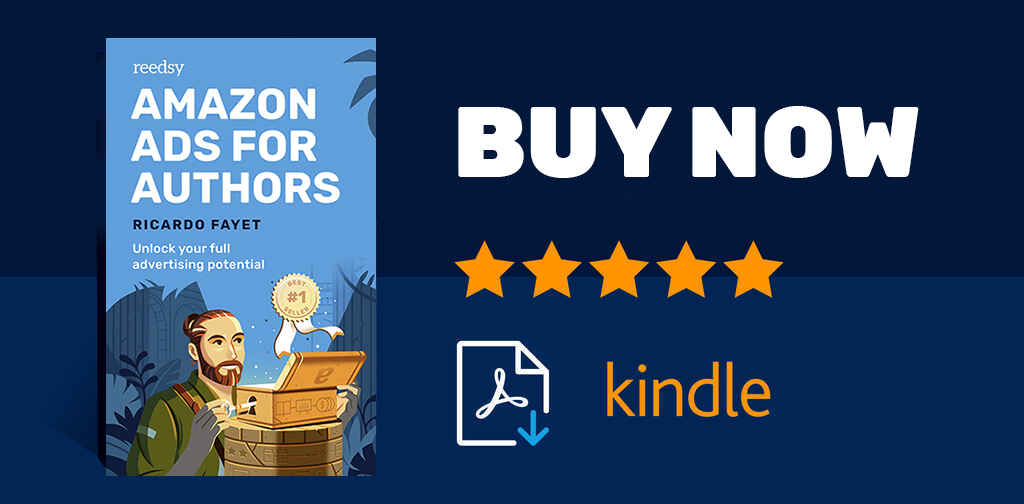
Let's say you’re a huge fan of Ender’s Game, and you’re browsing the Kindle Store for something in the same vein. Do you know how many books are in the Military Science Fiction category? More than 20,000.
To attract readers in a competitive market and sell ebooks on Amazon, you’ll need to hold your own among Big 5 books — starting with your cover design. This is why we recommend that self-published authors hire a professional cover designer. Think of it as an investment: you’ve spent all this time writing your ebook, so don’t give readers a reason not to read it by publishing it with a cover that looks unprofessional.
Don't re-invent the wheel
That being said, if you do decide to go the DIY route, don’t discount the cover conventions of your genre in an attempt to stand out. Every genre has its own visual style and favored motifs, and you should use them to your advantage. In the end, they serve to communicate with potential buyers, showing them that they’ve found what they’re looking for in your book. You can learn more in our guide to cover design.
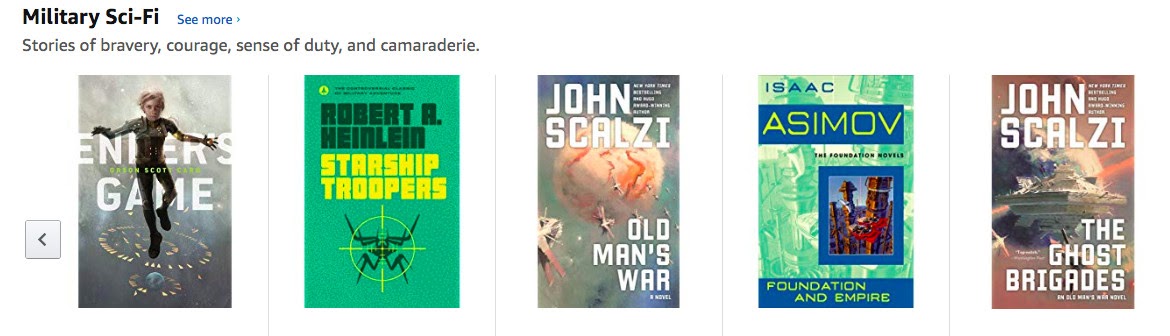
One final, but crucial, note about your cover: make sure it looks good in thumbnail size. On your product page, your full-scale cover image will be reduced to about 500 x 333 px. On other marketplace pages, book cover dimensions in thumbnails can be even smaller. New releases, for instance, are 107 x 160 px, and recommendations go down to a minute 90 x 135 px. On a mobile screen, that is quite literally about the size of a thumbnail. All in all, your book is likely to make first contact with potential buyers as a tiny thumbnail image. You’ll want that first peek to intrigue, not confuse.

Get an amazing book cover
Let readers judge your book by its (professionally-designed) cover.
2. Write a catchier book description
Your book description tells would-be readers what your book is about and, more importantly, why they should care. Use it as an opportunity to hype it up — think sales copy, not high school book report!
Remember, your book description will be most readers’ first point of contact with your writing. If they don’t like what they see, they’ll have no reason to want another several hundred pages of the same. Here’s a guide on how to craft a perfect book description, but let’s quickly go through the basics right here.
Pro-tip: Download this book description template to get started writing a book description that sells.
FREE RESOURCE
Book Description Template
Learn to write a book description that will make readers click “buy.”
Hook the reader with your opening line
Your opening needs to immediately grab readers’ attention. One foolproof way to do that is with social validation: offer evidence that other people like your work, whether that’s an impressive sales figure or a quote from a glowing review. Don’t have anything like that just yet? Not to worry — just make your headline snappy and exciting.
Amazon supports formatting for your book description, so feel free to make your headline pop with some different visual styles. You’ll want to keep your blurb relatively simple, visually speaking, but this opening is the perfect place to grab attention with one or more of the following:
- Bolding: <b>this is the text you want in bold</b>
- Italics: <i>this is the text you want in italics</i>
- Blockquote: <blockquote>this is the text you want formatted as an indented quote</blockquote>
Don't explain every detail — just give the reader a taste of what to expect
The blurb is where you tell readers what your book is about — without giving away the goods before they’ve paid. Don’t overwhelm them with a blow-by-blow summary. The last thing you want is to sound like you’re trying to prove you’ve actually read your own book.
Instead, focus on high-impact keywords that play to your target market. (More on this below!) Terms like “serial killer” for a thriller or “personal development” for a self-help book will signal to readers that they will find exactly what they’re looking for. In the end, your blurb is all about building intrigue and drumming up anticipation for the moment when buyers get to read the book in full.
Leave the reader wanting more
Finish strong with a snappy takeaway that explains why readers should pick up your book in particular. What will they get out of it?
Draw connections to relevant bestsellers in your genre — explain why your YA romance will tug at the heartstrings of people who cried at The Fault in Our Stars, or why your self-help book is the Gen Z-friendly update to The 7 Habits of Highly Effective People. Highlight the value you bring to readers.
FREE COURSE
Book Marketing 101
Learn seven tried-and-true strategies for boosting book sales.
3. Write an author bio that doesn't put readers to sleep
Engaging authorial information humanizes you in the eyes of your readers. Write a strong one, and they’ll feel like they’re tapping into a genuine connection every time they read your words. The world of online advertising often feels faceless and cold, so playing up the personal touch can boost your sales. Think of your author bio as a perfect opportunity to do just that: showing off the brain and heart behind your book.
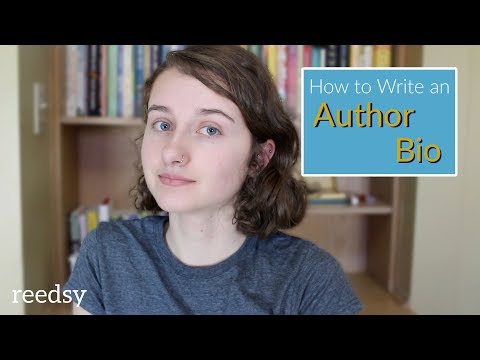
As a KDP user, you’ll set up your bio through Amazon Author Central. This service, available to all authors on the site, gives you access to a dashboard for tracking your sales and managing your reviews. Most importantly for our purposes, it also allows you to personalize an Amazon Author Page with a warmly engaging bio. You can learn all about how to set this up on our Amazon Author Central tutorial.
4. Get at least 10 reader reviews
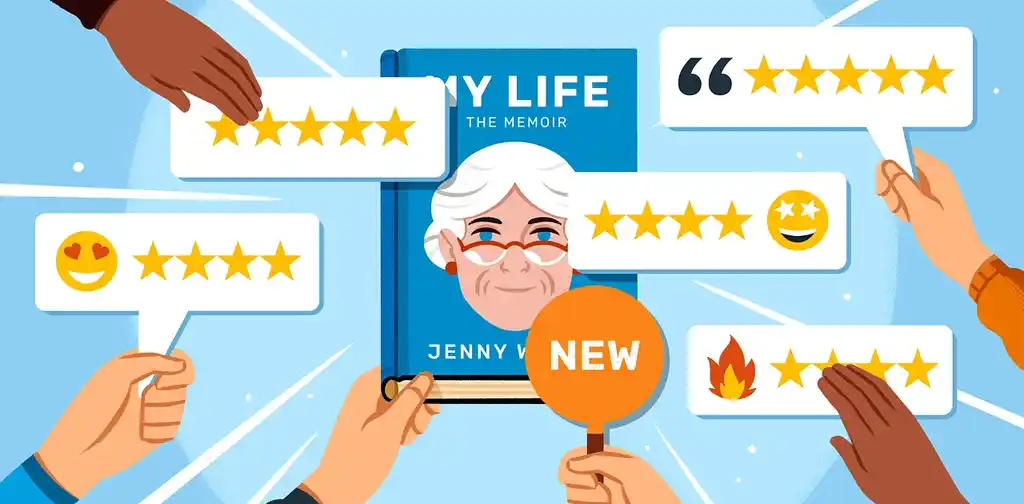
Next up: reviews. For independent authors, book reviews furnish all-important social proof, the e-commerce equivalent of street cred. Just like positive word-of-mouth can prove a new coffee shop is worth dropping in on, strong reviews show that a new book is worth picking up.
You might think that, unlike your cover and your book blurb, this one’s out of your hands. But the truth is, you can (and should) actively cultivate reviews — even before you launch your book! Want to know how? Check out our simple, 5-step guide to getting book reviews both on and off Amazon. It all comes down to finding reviewers who read your genre and getting them to notice your book.
If you’re concerned that a less-than-perfect review will tank your conversion rate, don’t worry. We’ve found that the number of reviews trumps the average review score when it comes to attracting buyers, provided your average doesn’t go below 3.5. In fact, a small slate of reviews that are all 5-star can come across as suspicious: it may look like the author conscripted their extended family to shower them with artificial praise. So when you’ve done your part, let the honest reviewers you’ve tapped do theirs.
5. Avoid Amazon book categories that are too competitive — or obscure
The first thing to know about Amazon categories? There are a lot of them, more than 10,000. Here’s how to navigate this particular minefield without missing out on possible readers.
When publishing your book through Amazon's KDP dashboard, you are prompted to select a maximum of three categories for each of your formats (ebook, paperback, hardback). These reflect the categories that readers can browse on the Amazon store.
Amazon may still add your book to more categories based on your keyword choices and "customer experience," but as of mid-2025, you are not able to request any additional categories.
Note: If you published your book before mid-2025 and had requested your book be in more than three categories, your book will keep its existing categories until you update them in your KDP Bookshelf.
Pick categories with under 10,000 titles
Some categories are more competitive than others. If you can, try to slot your book into niche sub-categories with under 10,000 books, which will give you a much better chance of climbing up the Best Sellers and Popular Lists. (Hitting #1 on the Best Sellers List will get you an orange “Best Seller” badge, which is great for conversion!)
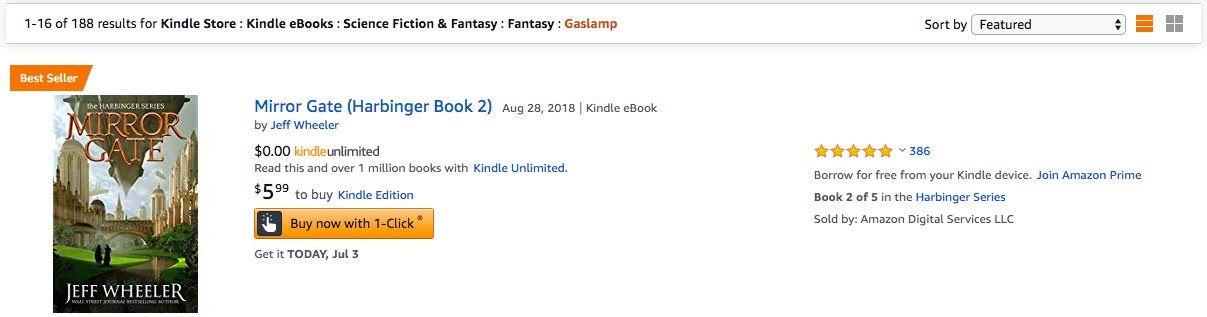
Of course, picking the right categories can be a bit of a balancing act. You don’t necessarily want to target the smallest sub-category possible — some will barely have 100 books — because those will naturally have fewer buyers. You’ll want to find the sweet spot: categories that aren’t cutthroat-competitive or hopelessly obscure.
If you’re new to this and are unsure how to pick the right categories to sell ebooks on Amazon, don’t worry! We have an essential guide to Amazon book categories for authors.
6. Tag your book with related KDP keywords
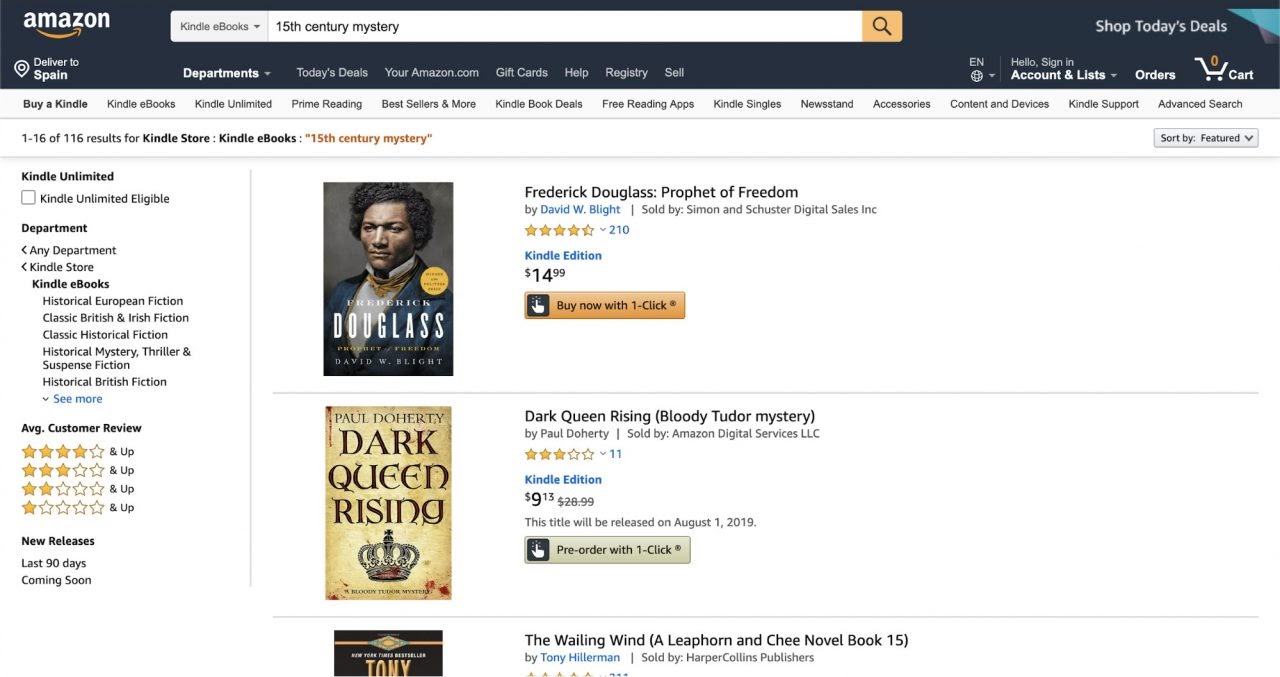
Now that your categories are golden, it’s time to turn to the business of choosing KDP keywords. Amazon uses keywords to index your book for related searches, which will impact the future discoverability of your book. For example, you can be certain that the books below have some variation of “15th century” and “mystery” among their chosen keywords.
When you pick your two initial categories in the Kindle Direct Publishing dashboard, you’ll also have to select seven keywords to tag your book with. You should pay as much attention to these keywords as you do to the categories.
The logic for choosing keywords is the same as that of choosing categories: you want to include keywords or phrases that have a high search potential, but not so high that they’re too competitive. We have a free course on selecting the right Kindle categories and keywords to help you out, or you can check out our deep-dive into keywords.
7. Leverage Amazon’s algorithms to help sell your ebooks
Now that your KDP book's product page is polished for maximal conversion, it’s time to increase your traffic and get as many eyeballs on it as possible! While there are plenty of ways to spread the news about your ebook off-platform, this section will focus on how to make it easy for relevant readers to find it on-site.
Remember, when it comes to books, Amazon is the world’s leading search engine and recommendation system. There are many ways to send readers to your book page. But what you really want is to reach the point where Amazon does the bulk of the marketing for you. Let’s start by demystifying the Best Sellers Rank.
FREE COURSE
Amazon Algorithms for Authors
Learn to optimize your book description, pick categories, and sell more books.
Amazon Best Sellers Rank
Amazon’s algorithms might sound like black magic, but they work according to an elementary principle: they prioritize the books they think people are most likely to buy.
What do they use to figure that out? The #1 factor, by far, is how well your book is already selling. While Amazon won’t tell you how many copies a given book is selling, you can estimate it through a figure called the Amazon Best Sellers Rank (ABSR), which is listed in a book’s product details.
Just take the ABSR, plug it into a “rank-to-sales” calculator, and you’ll get an idea of how many copies a book sells on a daily basis. To give you an estimation, here’s a chart taken from David Gaughran’s must-read ebook, Amazon Decoded:
- #1 to #5 = 5,000+ books a day (sometimes a lot more)
- #5 to #10 = 4,000–5,000
- #10 to #20 = 3,000–4,000
- #20 to #50 = 2,000–3,000
- #100 = 1,000+
- #200 = 500
- #300 = 250
- #500 = 200
- #1,000 = 120
- #2,000 = 100
- #3,000 = 80
- #5,000 = 40
- #10,000 = 20
- #25,000 = 10
- #50,000 = 5
- #100,000+ = fewer than 1 a day
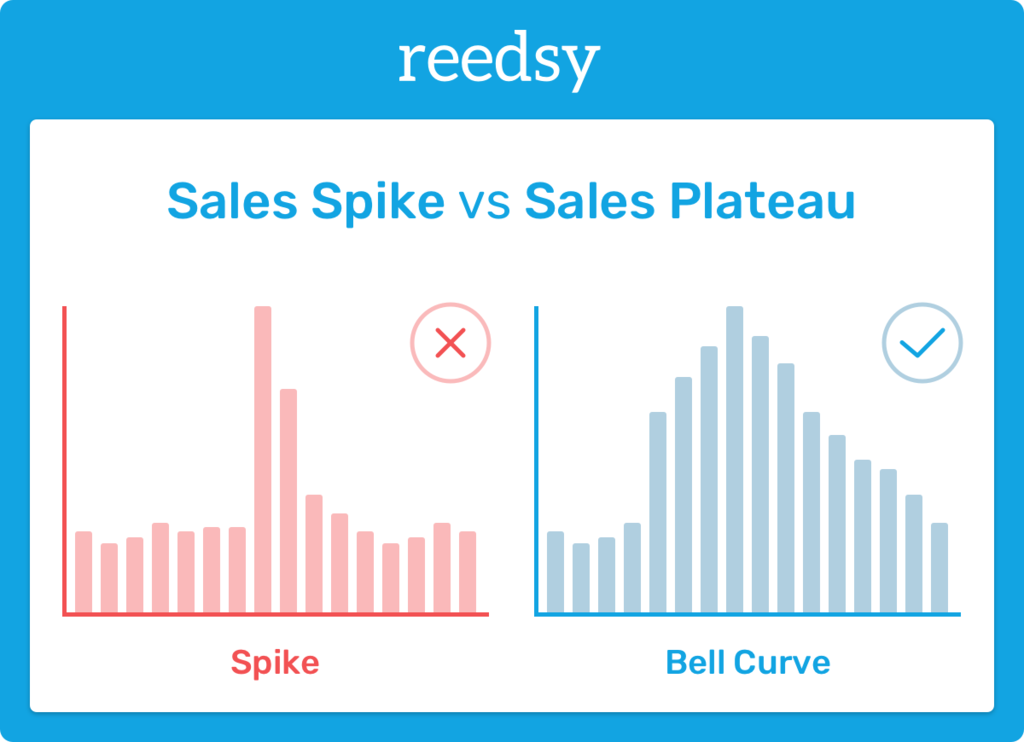
Does this mean that if you sell 7,000 copies in a day, your book will get to #1? It depends on the competition (e.g. if Stephen King is launching a book that same day…) But it’s likely, yes. However, unless you maintain that level of sales for a few days, your rank will immediately plummet.
Amazon’s algorithms are suspicious of books that suddenly get a huge influx of sales before they sputter off into nothing. Instead, they favor books that achieve a high level of sales and manage to hold on to it for at least a few days. Spikes don’t make the algorithms happy — plateaus do.
Amazon Hot New Releases List
As we’ve mentioned above, Amazon gives extra exposure to new releases — books in the first 30 days of their launches. You might have heard of “the Amazon 30-day cliff”: a term authors use to describe how their sales plummet a month after their book’s release.
What’s responsible for the extra exposure given to new books? Mostly, the “Hot New Releases” list. The list itself isn’t that easy to find while browsing Amazon — it’s also hidden in the sidebar. But it’s often featured on the main Kindle Store homepage, and is also a primary driver of email recommendations. Whenever you receive an email from Amazon promoting “the best new releases in Self-Help,” you know where that email is coming from.
This means that you have 30 days from your launch date to record a maximum number of sales and make the most of the additional visibility granted to new releases. So plan your launch carefully (hint: you can hire an expert for that).
Amazon Also Boughts
There’s one final factor to grapple with when you’re directing traffic to your book, and it might be the most important one: Also Boughts.
Every product on Amazon has its own Also Boughts. These are Amazon products that customers purchased before or after that product. Amazon often displays these “Also Boughts” directly below a book’s description on its Amazon Kindle page.
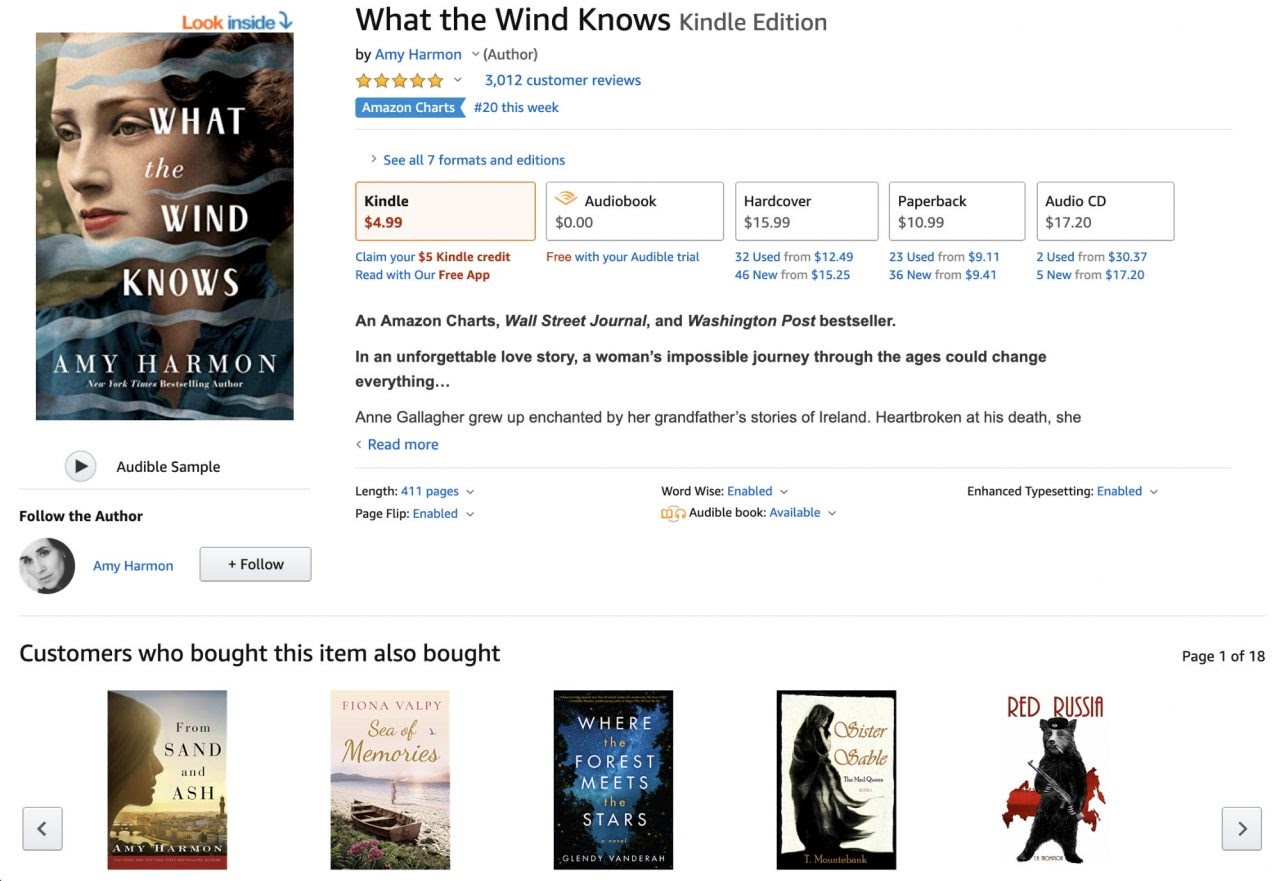
Also Boughts on the product page for Amy Harmon’s magical realism novel, What the Wind Knows.
Also Boughts are central to Amazon’s recommendation system. If Amazon notices that most readers who buy book X also buy book Y, its algorithms will be tempted to recommend book Y to all book X readers who haven’t purchased it already.
This is both awesome and dangerous. Let’s illustrate why: say you have a popular knitting blog, and you’ve published dozens of knitting manuals on Amazon. Now you’re looking to branch out into a new passion: crime fiction.
You release your first crime thriller, and decide to let your knitting fans know about it. They love you, so even if they’re not huge crime readers, they’ll grab a copy. And before you know it, your crime thriller starts showing up all over the Also Boughts for knitting manuals.
The Amazon algorithms will take this as a go-ahead to market your book to all the scarf-makers and yarn enthusiasts, sending them emails, and showing it on their feeds. When these crafters see your book in their inboxes, they’re (most likely) going to pass.
Now, remember what we were saying about the importance of conversion earlier in this post? If Amazon sends your book to thousands of readers, and none of them buy it, Amazon will stop recommending your book. Forever. Or at least until you clean up your Also Boughts. If you want to learn more about the dangers of Also-Bought pollution, read Amazon Recommendations and Also Boughts by David Gaughran.
Want more marketing insights? I run a free marketing newsletter full of exclusive tips, such as picking the right Amazon categories and keywords. Sign up for it here!
I know this might feel like a lot of information, so if you’re feeling overwhelmed, just focus on the simple formula we started with: Traffic x Conversion = Sales.
To sell ebooks on Amazon and earn money as an author, you need to start by ensuring your book page is polished and conversion-friendly. This includes: a professional-looking book cover, engaging book description, strong author bio, and relevant categories and keywords.
Once you have all that, you should craft a careful marketing plan that will leverage the Amazon algorithms we’ve outlined above to bring people to your book page, turn potential customers into loyal readers, and make a living as a writer.
Hire an expert

Tara L.
Available to hire
I am a children's, middle-grade, and YA book marketing expert with twenty-five years of experience in the Big Ten and freelancing.

Kate L.
Available to hire
11 yrs marketing experience in consulting, launching, and promoting books. Specialized in sci-fi, fantasy, gamelit/litrpg, spec fic, LGBTQ+

Brian B.
Available to hire
I 've helped hundreds of authors manage their Amazon and BookBub Ads campaigns