<?xml version="1.0" encoding="UTF-8"?>
<feed xml:lang="en-gb" xmlns="http://www.w3.org/2005/Atom">
	<title type="text">iaian7 - lightwave</title>
	
	<link rel="self" href="https://iaian7.com/atom/?section=lightwave" />
	<link rel="alternate" type="text/html" href="https://iaian7.com/" />
	<id>tag:iaian7.com,2005:e37391e5d79adf0edb184bbe25ddbb3b/lightwave</id>
	<generator uri="https://textpattern.com/" version="4.8.8">Textpattern</generator>
	<updated>2023-04-28T22:21:43+00:00</updated>
	<author>
		<name>John Einselen</name>
		
		<uri>https://iaian7.com/</uri>
	</author>
	
	<entry>
		<author>
			<name>John Einselen</name>
		</author>
		<published>2012-09-14T01:48:24+00:00</published>
		<updated>2012-09-17T14:38:03+00:00</updated>
		<title type="html">Soap Foam Surfacing</title>
		<link rel="alternate" type="text/html" href="https://iaian7.com/lightwave/SoapFoamSurfacing" />
		<id>tag:iaian7.com,2012-09-13:e37391e5d79adf0edb184bbe25ddbb3b/e2a30d9d0471a8d4e2b38c83c87a1277</id>
		<category term="tutorial" />
		
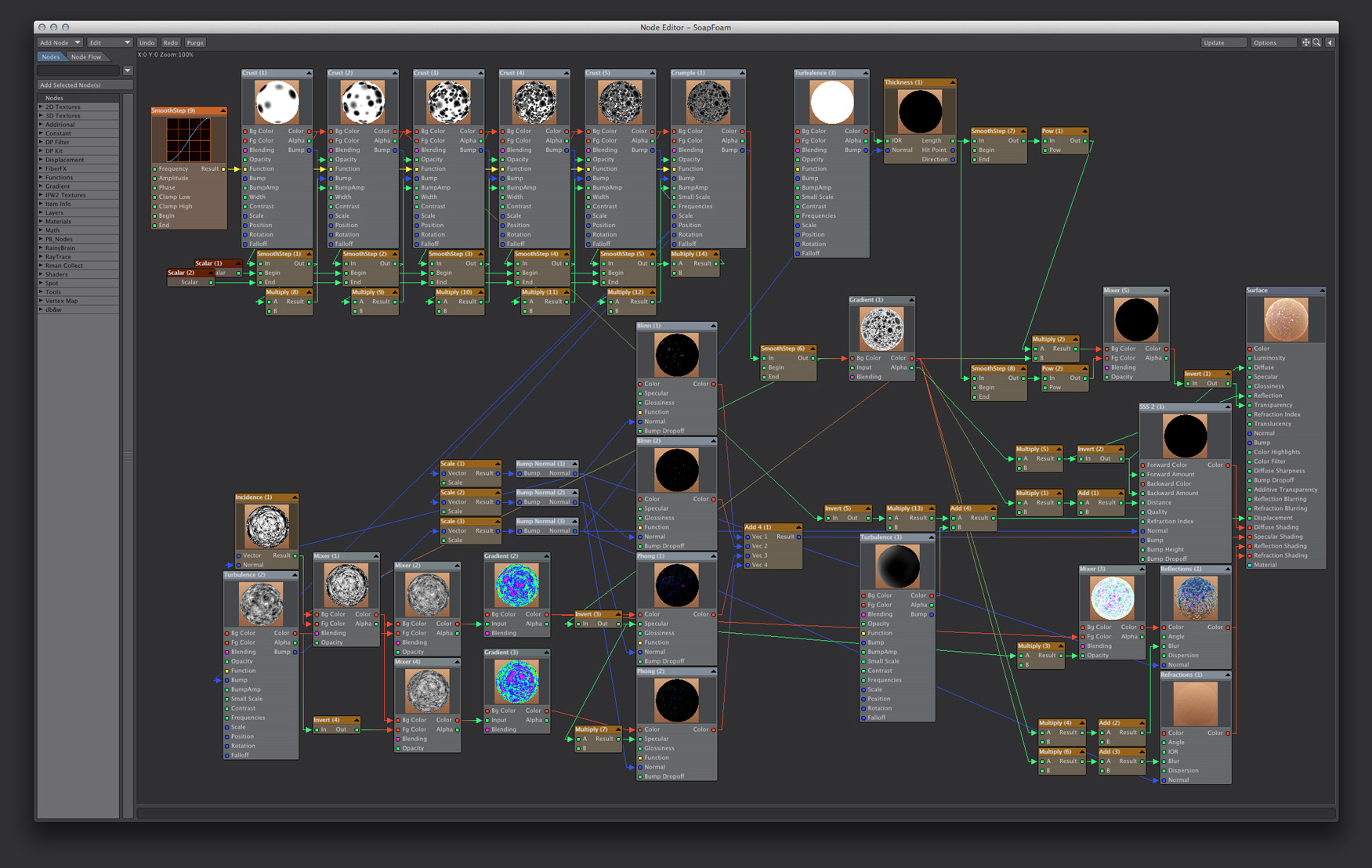
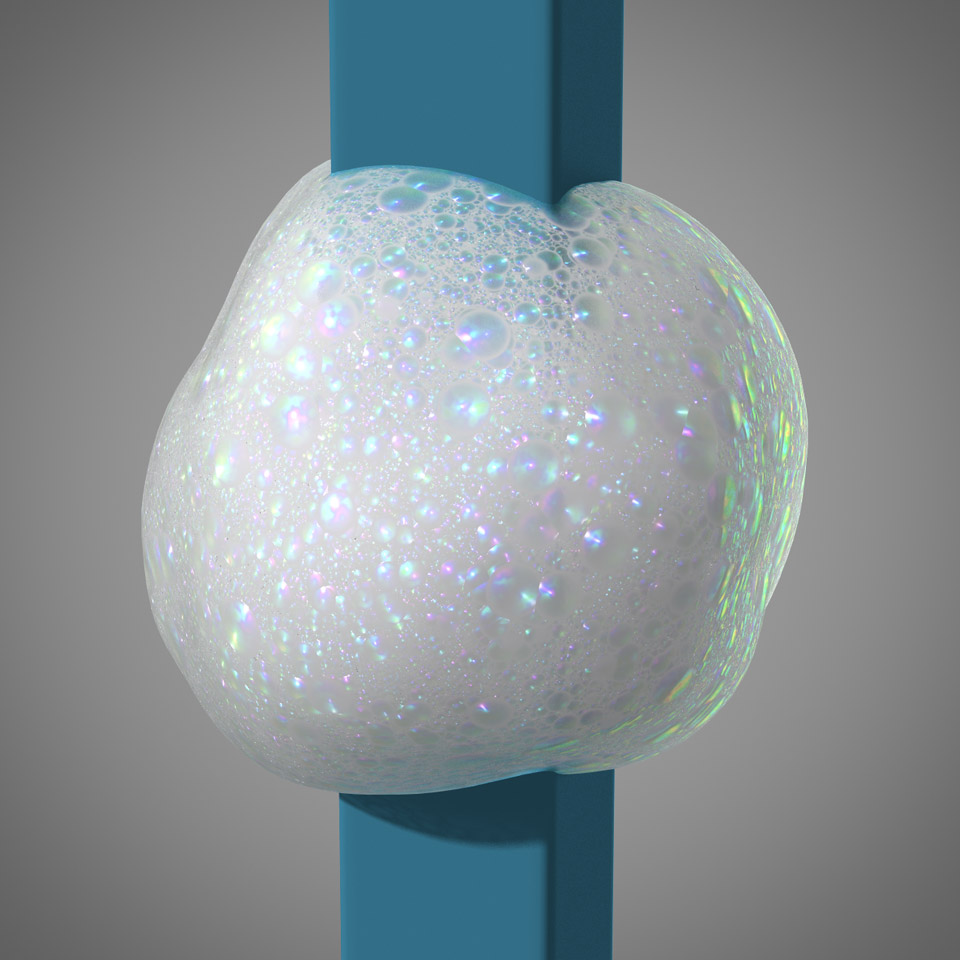
		<summary type="html"><![CDATA[<p><a href="https://iaian7.com/images/lightwave/soapfoam/screen-final.jpg" rel="lightbox[id394]" title="final node layout" class="an7_thumb_left"><img src="https://iaian7.com/images/lightwave/soapfoam/thumbs/screen-final.jpg" width="70" height="70" alt="final node layout" /></a><a href="https://iaian7.com/images/lightwave/soapfoam/step-final.jpg" rel="lightbox[id394]" title="final render" class="an7_thumb_left"><img src="https://iaian7.com/images/lightwave/soapfoam/thumbs/step-final.jpg" width="70" height="70" alt="final render" /></a>Bubbles are just plain fun, and after reading a post by <a href="http://www.lemonade3d.com/">Milivoj Popovic</a> on the <a href="http://forums.newtek.com/showthread.php?130470-Bath-foam-surface/">Newtek Forum</a>, I was inspired to try some experiments myself! The self-imposed guidelines were simple; using a single simple surface, texture it procedurally in such a way as to evoke both depth and surface detail, emulating the undulating colours, specular complexity, and volumetric look of the soap foam you might find in a bubble bath or kitchen sink.</p>

	<p><a href="https://iaian7.com/media/lightwave/soapfoam/soapfoam.mp4" rel="lightbox[id394 720 720]" title="Soap Foam::Lightwave 11 render, minor grading done in After Effects CS6 with Magic Bullet Looks">1</a></p>

	<p>Check out the article for the details and project file download.</p>]]></summary>
	</entry>
	<entry>
		<author>
			<name>John Einselen</name>
		</author>
		<published>2011-11-29T21:29:40+00:00</published>
		<updated>2012-01-05T01:09:59+00:00</updated>
		<title type="html">Tron: Illustrated</title>
		<link rel="alternate" type="text/html" href="https://iaian7.com/lightwave/TronIllustrated" />
		<id>tag:iaian7.com,2011-11-15:e37391e5d79adf0edb184bbe25ddbb3b/e2a9575e8a3ad7a9e107305f4aaab3b9</id>
		<category term="content" />
		<category term="tutorial" />
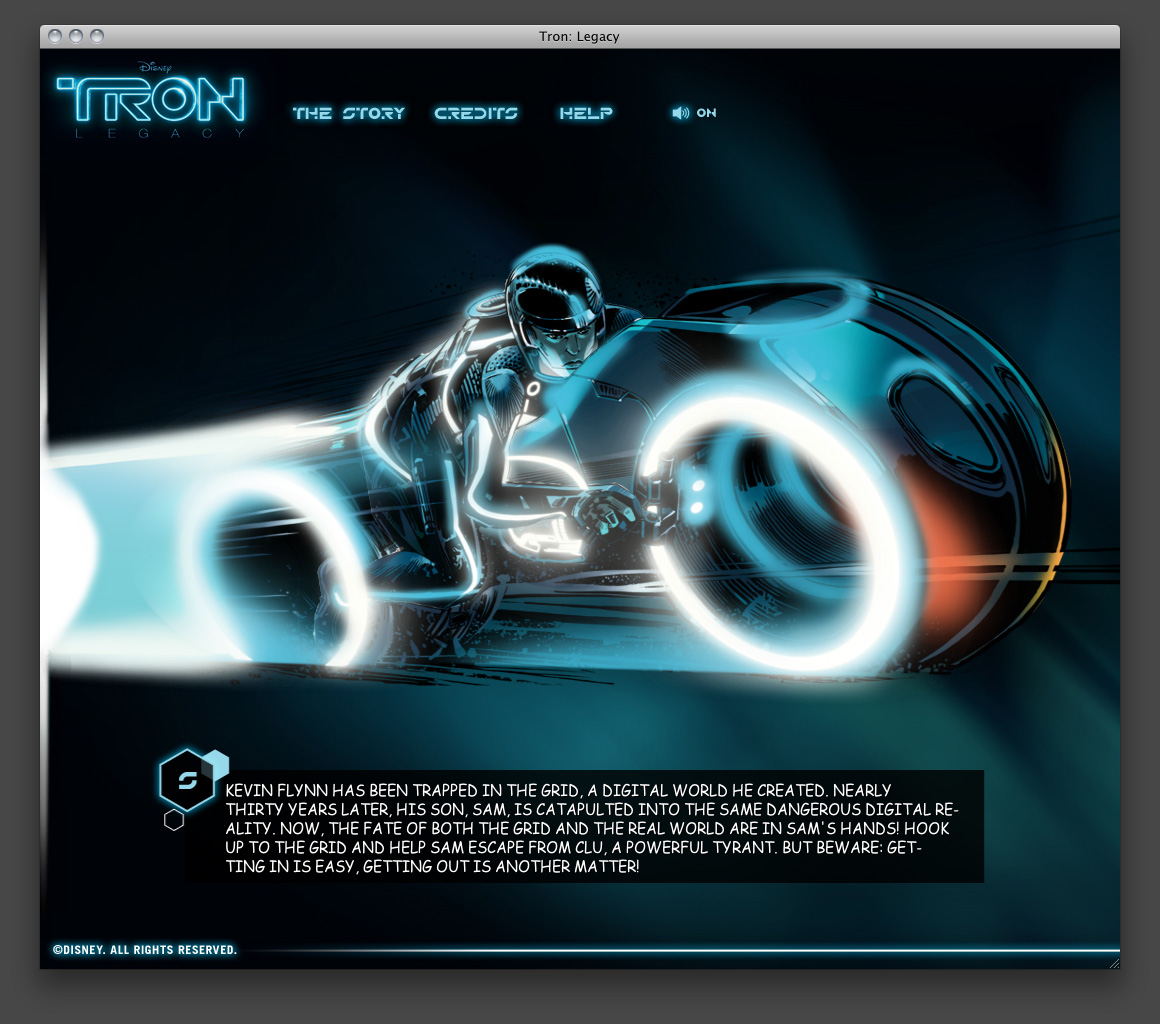
		<summary type="html"><![CDATA[<p>At Vectorform we get to work on a lot of high profile brands, and Disney&#8217;s <a href="http://disneydigitalbooks.go.com/tron/">Tron: Legacy HTML5</a> online graphic novel experience was no exception! Given a tight deadline, we created an interactive graphic novel that leveraged animations, effects, and audio made possible by the latest HTML5 technology.</p>

	<p>Such a cool experience needed a unique intro screen and loading animation, something that was a bit more specialised than just a simple bar. Working on two rotating pieces that would lock together at 100%, I knew the style would need to remain consistent with the established look of the graphic novel, ink strokes and all. Instead of trying to illustrate each animation frame by hand, I turned to Lightwave.</p>

	<p><a href="https://iaian7.com/images/lightwave/tron/website.jpg" rel="lightbox[id382]" title="" class="an7_thumb_center"><img src="https://iaian7.com/images/lightwave/tron/thumbs/website.jpg" width="480" height="120" alt="" /></a></p>]]></summary>
	</entry>
	<entry>
		<author>
			<name>John Einselen</name>
		</author>
		<published>2010-03-19T18:56:32+00:00</published>
		<updated>2011-11-28T21:14:54+00:00</updated>
		<title type="html">Stereoscopic Cameras</title>
		<link rel="alternate" type="text/html" href="https://iaian7.com/lightwave/StereoscopicCameras" />
		<id>tag:iaian7.com,2010-03-16:e37391e5d79adf0edb184bbe25ddbb3b/fb638cb4539ef456e24da2084d9e7ca8</id>
		<category term="tutorial" />
		
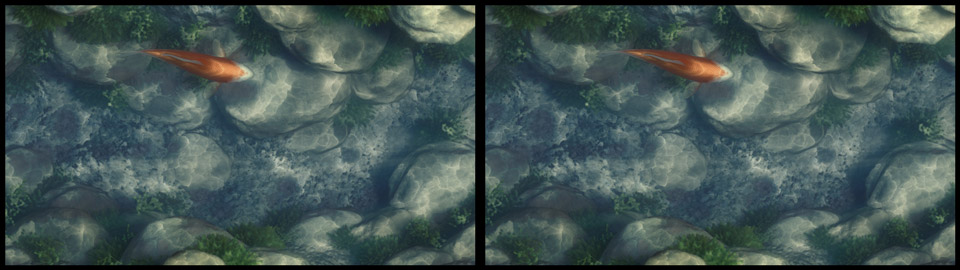
		<summary type="html"><![CDATA[<p>When shooting <a href="http://www.imdb.com/title/tt0499549/">Avatar</a>, James Cameron used converging cameras, resulting in footage that required perspective correction in post. Pixar took the opposite approach in <a href="http://www.imdb.com/title/tt1049413/">Up</a> &#8211; using (in their case, virtual) cameras mounted exactly parallel to each other, giving stereo imagery with no distortion, but more complicated convergence workflow.</p>

	<p><a href="https://iaian7.com/images/quartz/anaglyph/composite-original.jpg" rel="lightbox[id358]" title="stereographic render::cross-eye viewing method" class="an7_thumb"><img src="https://iaian7.com/images/quartz/anaglyph/thumbs/composite-original.jpg" width="470" height="70" alt="stereographic render::cross-eye viewing method" /></a></p>

	<p><strong>2011 Update:</strong> a custom camera setup is no longer required, as Newtek included a native stereoscopic camera with full convergence and perspective control in <a href="http://lightwave3d.com/lightwave.html">Lightwave 10</a>.</p>]]></summary>
	</entry>
	<entry>
		<author>
			<name>John Einselen</name>
		</author>
		<published>2009-02-07T11:06:37+00:00</published>
		<updated>2011-04-10T04:15:53+00:00</updated>
		<title type="html">Faking Volumetric Clouds</title>
		<link rel="alternate" type="text/html" href="https://iaian7.com/lightwave/FakingVolumetricClouds" />
		<id>tag:iaian7.com,2006-11-12:e37391e5d79adf0edb184bbe25ddbb3b/6a7da94720505a49dcb631178f2e251a</id>
		<category term="content" />
		<category term="tutorial" />
		<summary type="html"><![CDATA[<p><a href="https://iaian7.com/images/lightwave/fakingclouds/clouds.jpg" rel="lightbox[id66]" title="" class="an7_thumb"><img src="https://iaian7.com/images/lightwave/fakingclouds/thumbs/clouds.jpg" width="470" height="70" alt="" /></a></p>

	<p>An easier, simpler, and much older technique for simulating volumetric bodies (in this case, clouds) is to use multiple transparent layers of geometry.  The nodal texture editor makes this effect all the more convenient, and can give surprisingly good results!</p>]]></summary>
	</entry>
	<entry>
		<author>
			<name>John Einselen</name>
		</author>
		<published>2009-01-26T19:13:40+00:00</published>
		<updated>2010-10-04T21:29:38+00:00</updated>
		<title type="html">UB plugins</title>
		<link rel="alternate" type="text/html" href="https://iaian7.com/lightwave/UBplugins" />
		<id>tag:iaian7.com,2009-01-26:e37391e5d79adf0edb184bbe25ddbb3b/881fe63d8633e20e9979cb84ab0a1c16</id>
		<category term="content" />
		<category term="tip" />
		<summary type="html"><![CDATA[<p>A list of plugins for the universal binary version of Lightwave 9.3 and 9.6.</p>]]></summary>
	</entry>
	<entry>
		<author>
			<name>John Einselen</name>
		</author>
		<published>2009-01-26T17:39:07+00:00</published>
		<updated>2010-10-04T21:31:10+00:00</updated>
		<title type="html">UB nodes</title>
		<link rel="alternate" type="text/html" href="https://iaian7.com/lightwave/UBnodes" />
		<id>tag:iaian7.com,2008-05-01:e37391e5d79adf0edb184bbe25ddbb3b/150dde6799a346873495b87fd7818dcd</id>
		<category term="content" />
		<category term="tip" />
		<summary type="html"><![CDATA[<p>A list of surface nodes I find especially useful, for the universal binary Lightwave 9.3+</p>]]></summary>
	</entry>
	<entry>
		<author>
			<name>John Einselen</name>
		</author>
		<published>2009-01-13T23:40:49+00:00</published>
		<updated>2009-07-27T22:36:11+00:00</updated>
		<title type="html">Autofocus expression</title>
		<link rel="alternate" type="text/html" href="https://iaian7.com/lightwave/Autofocusexpression" />
		<id>tag:iaian7.com,2009-01-13:e37391e5d79adf0edb184bbe25ddbb3b/a7c390b2b2d0d211995164548c673de7</id>
		<category term="content" />
		<category term="tutorial" />
		<summary type="html"><![CDATA[<p>Super simple expression that drives the Camera focal distance with a null. Hardly deserving of much description, but I need it often enough, I get tired of redoing it in the Expression builder every time.</p>]]></summary>
	</entry>
</feed>