<?xml version="1.0" encoding="UTF-8"?><feed
  xmlns="http://www.w3.org/2005/Atom"
  xmlns:thr="http://purl.org/syndication/thread/1.0"
  xml:lang="en-GB"
  xml:base="https://www.nealandassociates.co.uk/wp-atom.php"
   >
	<title type="text">Neal &amp; Associates</title>
	<subtitle type="text">thoughts on tech targeted at helping small businesses innovate</subtitle>

	<updated>2016-03-28T17:34:34Z</updated>

	<link rel="alternate" type="text/html" href="https://www.nealandassociates.co.uk" />
	<id>https://www.nealandassociates.co.uk/feed/atom/</id>
	<link rel="self" type="application/atom+xml" href="https://www.nealandassociates.co.uk/feed/atom/" />

	
	<entry>
		<author>
			<name>Peter Neal</name>
						<uri>http://www.nealandassociates.co.uk</uri>
					</author>
		<title type="html"><![CDATA[When WordPress Plugins Go Wrong: How to Deactivate]]></title>
		<link rel="alternate" type="text/html" href="https://www.nealandassociates.co.uk/2016/03/12/plugins-go-wrong/" />
		<id>https://www.nealandassociates.co.uk/?p=1180</id>
		<updated>2016-03-28T16:35:13Z</updated>
		<published>2016-03-12T13:32:00Z</published>
		<category scheme="https://www.nealandassociates.co.uk" term="General" /><category scheme="https://www.nealandassociates.co.uk" term="Plugins" /><category scheme="https://www.nealandassociates.co.uk" term="wordpress" />		<summary type="html"><![CDATA[Sometimes a wordpress plugin has just had enough of you. It happens. And what you&#8217;re often left with is a just an error page and a broken site. It can be scary, but fortunately it&#8217;s easy enough to fix by deactivating the plugin without having to just spend hours googling the specific error codes. Disable &#8230;]]></summary>
		<content type="html" xml:base="https://www.nealandassociates.co.uk/2016/03/12/plugins-go-wrong/"><![CDATA[<p>Sometimes a wordpress plugin has just had enough of you. It happens. And what you&#8217;re often left with is a just an error page and a broken site. It can be scary, but fortunately it&#8217;s easy enough to fix by deactivating the plugin without having to just spend hours googling the specific error codes.</p>
<h2>Disable via SFTP</h2>
<p>So here&#8217;s what to do:</p>
<ol>
<li>Login to your site via SFTP (you really shouldn&#8217;t be using FTP!)</li>
<li>Navigate to <em>/wp-content/yourpluginname</em></li>
<li>Rename yourpluginname to <strong>yourpluginname-disabled</strong></li>
</ol>
<p>You&#8217;ll now be able to login to your wordpress installation, where you will be able to delete and reinstall the affected plugin. Phew!</p>
<p>Thanks to <a href="http://www.thehostingnews.com/how-to-manually-disable-a-wordpress-plugin.html">thehostingnews.com</a></p>
]]></content>
			<link rel="replies" type="text/html" href="https://www.nealandassociates.co.uk/2016/03/12/plugins-go-wrong/#comments" thr:count="0"/>
		<link rel="replies" type="application/atom+xml" href="https://www.nealandassociates.co.uk/2016/03/12/plugins-go-wrong/feed/atom/" thr:count="0"/>
		<thr:total>0</thr:total>
		</entry>
		<entry>
		<author>
			<name>Peter Neal</name>
						<uri>http://www.nealandassociates.co.uk</uri>
					</author>
		<title type="html"><![CDATA[Google Search Console]]></title>
		<link rel="alternate" type="text/html" href="https://www.nealandassociates.co.uk/2016/03/07/google-search-console/" />
		<id>https://www.nealandassociates.co.uk/?p=1167</id>
		<updated>2016-03-28T16:59:20Z</updated>
		<published>2016-03-07T17:33:41Z</published>
		<category scheme="https://www.nealandassociates.co.uk" term="SEO" /><category scheme="https://www.nealandassociates.co.uk" term="Tech" />		<summary type="html"><![CDATA[Google Webmaster Tools So you used to use Google&#8217;s Webmaster Tools and haven&#8217;t checked your site for a while only to find out that it doesn&#8217;t exist anymore and it&#8217;s been replaced by the Google Search Console (and your details haven&#8217;t been moved across automatically &#8211; thanks for that google! another blinder!). Google Search Console &#8230;]]></summary>
		<content type="html" xml:base="https://www.nealandassociates.co.uk/2016/03/07/google-search-console/"><![CDATA[<h2>Google Webmaster Tools</h2>
<p>So you used to use Google&#8217;s Webmaster Tools and haven&#8217;t checked your site for a while only to find out that it doesn&#8217;t exist anymore and it&#8217;s been replaced by the <a href="https://www.google.com/webmasters/">Google Search Console</a> (and your details haven&#8217;t been moved across automatically &#8211; thanks for that google! another blinder!).</p>
<h2>Google Search Console</h2>
<p><span class='embed-youtube' style='text-align:center; display: block;'><iframe class='youtube-player' type='text/html' width='960' height='570' src='https://www.youtube.com/embed/SoxU5kz15Kc?version=3&#038;rel=1&#038;fs=1&#038;autohide=2&#038;showsearch=0&#038;showinfo=1&#038;iv_load_policy=1&#038;wmode=transparent' frameborder='0' allowfullscreen='true'></iframe></span></p>
<h3>Setup</h3>
<h4>Site Verification</h4>
<p>First thing you&#8217;re gonna need to do is add your site. This is pretty straightforward and if you&#8217;re logged in using the same email address as your google analytics a/c and you&#8217;re using the most recent google analytics code on your site this is pretty straightforward and you&#8217;ll just be verified in no time!</p>
<p>However when you see item one of google&#8217;s introduction instructions you&#8217;ll see you have to add both instances of your site with and without www, which might seem like a problem if like me you have your host automatically redirect http://yoursite.co.uk to http://www.yoursite.co.uk but all you&#8217;ll need to do is select the Domain Name Provider option and create a TXT record in your DNS.</p>
<p>This also means that if you add SSL to your site you&#8217;re also going to have to add two more properties https://yousite.co.uk and https://www.yoursite.co.uk</p>
<h4>Site Settings</h4>
<p>Go to site settings and select your poison, either http://yoursite.co.uk or http://www.yoursite.co.uk (making sure of course that these settings match the one you selected in at your host (if applicable)).</p>
<h4>Select Target Country</h4>
<p>It&#8217;d be really great if selecting your country in WordPress would populate the hreflang for you, but it doesn&#8217;t. So I&#8217;ve ignored this. If you want to read an analysis see <a href="https://yoast.com/hreflang/">this article</a> on Yoast.</p>
<h4>Share Access</h4>
<p>Seriously?! There are people in your business who also want to see this?! Lucky you! Invite away!</p>
<h4>Submit a sitemap file</h4>
<p>No Sitemap? As I use Yoast SEO (which has a sitemap configured*) I was surprised not to see a sitemap, but it&#8217;s simple to sort. Just go to the XML Sitemaps section of the Yoast SEO plugin. Click and get your sitemap. It&#8217;ll normally be http://www.yourdomain.co.uk/sitemap.xml or http://www.yourdomain.co.uk/sitemap_index.xml (if you have more than one site map (I did).</p>
<p>I recommend running the test feature first which will check that there are no errors in your sitemap. You will however then need to add the sitemap manually again as it refreshes the page and removes it.</p>
<p>* Remember if you&#8217;re using Yoast SEO to generate your sitemap you should make sure that you don&#8217;t have the Jetpack sitemap feature enabled!</p>
<h4>Learn how to work with Search Console</h4>
<p><a href="https://support.google.com/webmasters/answer/6258314?utm_source=wnc_376106&amp;utm_medium=gamma&amp;utm_campaign=wnc_376106&amp;utm_content=msg_743502&amp;hl=en&amp;authuser=0">Read away</a>!</p>
]]></content>
			<link rel="replies" type="text/html" href="https://www.nealandassociates.co.uk/2016/03/07/google-search-console/#comments" thr:count="0"/>
		<link rel="replies" type="application/atom+xml" href="https://www.nealandassociates.co.uk/2016/03/07/google-search-console/feed/atom/" thr:count="0"/>
		<thr:total>0</thr:total>
		</entry>
		<entry>
		<author>
			<name>Peter Neal</name>
						<uri>http://www.nealandassociates.co.uk</uri>
					</author>
		<title type="html"><![CDATA[ICO launches new diagnostic tool]]></title>
		<link rel="alternate" type="text/html" href="https://www.nealandassociates.co.uk/2016/03/07/ico-launches-new-diagnostic-tool/" />
		<id>https://www.nealandassociates.co.uk/?p=1157</id>
		<updated>2016-03-07T13:07:36Z</updated>
		<published>2016-03-07T12:20:18Z</published>
		<category scheme="https://www.nealandassociates.co.uk" term="Charities" /><category scheme="https://www.nealandassociates.co.uk" term="Data" /><category scheme="https://www.nealandassociates.co.uk" term="Help" /><category scheme="https://www.nealandassociates.co.uk" term="Tech" />		<summary type="html"><![CDATA[Most small businesses &#8211; charities in particular it seems &#8211; don&#8217;t spend sufficient time thinking about their obligations towards Data Protection. To help combat this the ICO has launched a new Self Assessment Toolkit you can work with online to assess your compliance and determine what you might need to do. Check it out here. &#8230;]]></summary>
		<content type="html" xml:base="https://www.nealandassociates.co.uk/2016/03/07/ico-launches-new-diagnostic-tool/"><![CDATA[<p>Most small businesses &#8211; charities in particular it seems &#8211; don&#8217;t spend sufficient time thinking about their obligations towards Data Protection. To help combat this the ICO has launched a new <a href="https://ico.org.uk/for-organisations/improve-your-practices/data-protection-self-assessment-toolkit/">Self Assessment Toolkit</a> you can work with online to assess your compliance and determine what you might need to do.</p>
<p>Check it out <a href="https://ico.org.uk/for-organisations/improve-your-practices/data-protection-self-assessment-toolkit/">here</a>.  </p>
<p>Source: <a href="http://www.charitydigitalnews.co.uk/2016/03/01/ico-launches-online-data-protection-assessment-tool/?utm_source=Charity+Digital+News&#038;utm_campaign=b4537c5bb5-01_03_2016_NL&#038;utm_medium=email&#038;utm_term=0_16cb73bf0c-b4537c5bb5-14577165">Charity Digital News</a></p>
]]></content>
			<link rel="replies" type="text/html" href="https://www.nealandassociates.co.uk/2016/03/07/ico-launches-new-diagnostic-tool/#comments" thr:count="1"/>
		<link rel="replies" type="application/atom+xml" href="https://www.nealandassociates.co.uk/2016/03/07/ico-launches-new-diagnostic-tool/feed/atom/" thr:count="1"/>
		<thr:total>1</thr:total>
		</entry>
		<entry>
		<author>
			<name>Peter Neal</name>
						<uri>http://www.nealandassociates.co.uk</uri>
					</author>
		<title type="html"><![CDATA[Find old P32s Sage One Payroll]]></title>
		<link rel="alternate" type="text/html" href="https://www.nealandassociates.co.uk/2015/11/04/find-old-p32s-sage-one-payroll/" />
		<id>http://www.nealandassociates.co.uk/?p=1142</id>
		<updated>2016-03-07T13:45:01Z</updated>
		<published>2015-11-04T14:43:57Z</published>
		<category scheme="https://www.nealandassociates.co.uk" term="General" /><category scheme="https://www.nealandassociates.co.uk" term="Help" />		<summary type="html"><![CDATA[Sometimes things are just not that easy to find in Sage One Payroll. We&#8217;re doing our end of year accounts and filing for 2014/15 at the office today and I had missed a few P32s across the year (not filed or printed &#8211; bad boy) so I thought it&#8217;d be really straightforward to find&#8230; which &#8230;]]></summary>
		<content type="html" xml:base="https://www.nealandassociates.co.uk/2015/11/04/find-old-p32s-sage-one-payroll/"><![CDATA[<p>Sometimes things are just not that easy to find in Sage One Payroll. We&#8217;re doing our end of year accounts and filing for 2014/15 at the office today and I had missed a few P32s across the year (not filed or printed &#8211; bad boy) so I thought it&#8217;d be really straightforward to find&#8230; which I suppose it is if you know where to look (just don&#8217;t ask Sage Help).</p>
<h2>Find Previous P32s</h2>
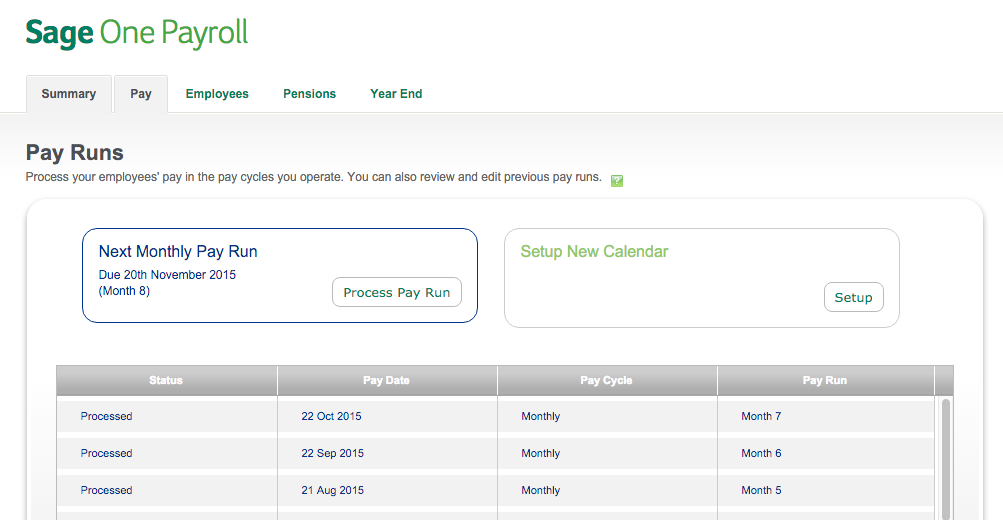
<p>Go to the Pay tab and at the bottom of the page you will see a table with all of your payroll months, you can just click on a month and access the appropriate P32 as you would following a normal payroll run&#8230;</p>
<p><a href="http://www.nealandassociates.co.uk/wp-content/uploads/2015/11/sage-p32s.png" rel="lightbox[1142]"><img src="http://www.nealandassociates.co.uk/wp-content/uploads/2015/11/sage-p32s.png" alt="Find Sage One P32s" width="1003" height="520" class="aligncenter size-full wp-image-1143" srcset="https://www.nealandassociates.co.uk/wp-content/uploads/2015/11/sage-p32s-300x156.png 300w, https://www.nealandassociates.co.uk/wp-content/uploads/2015/11/sage-p32s.png 1003w" sizes="(max-width: 1003px) 100vw, 1003px" /></a></p>
]]></content>
			<link rel="replies" type="text/html" href="https://www.nealandassociates.co.uk/2015/11/04/find-old-p32s-sage-one-payroll/#comments" thr:count="0"/>
		<link rel="replies" type="application/atom+xml" href="https://www.nealandassociates.co.uk/2015/11/04/find-old-p32s-sage-one-payroll/feed/atom/" thr:count="0"/>
		<thr:total>0</thr:total>
		</entry>
		<entry>
		<author>
			<name>Peter Neal</name>
						<uri>http://www.nealandassociates.co.uk</uri>
					</author>
		<title type="html"><![CDATA[WordPress Plugins: Smushit]]></title>
		<link rel="alternate" type="text/html" href="https://www.nealandassociates.co.uk/2015/10/24/wordpress-plugins-smushit/" />
		<id>http://www.nealandassociates.co.uk/?p=982</id>
		<updated>2016-03-28T16:34:59Z</updated>
		<published>2015-10-24T09:00:15Z</published>
		<category scheme="https://www.nealandassociates.co.uk" term="Plugins" /><category scheme="https://www.nealandassociates.co.uk" term="wordpress" />		<summary type="html"><![CDATA[People seem to have real problems with working with images and this is where WP-Smushit comes into play. Even if you don&#8217;t know how to properly optimise your images, if they&#8217;re under 1MB (assuming you&#8217;re a cheapskate and not paying for the plugin) then this will handle it for you. Simples.]]></summary>
		<content type="html" xml:base="https://www.nealandassociates.co.uk/2015/10/24/wordpress-plugins-smushit/"><![CDATA[<p><a href="http://www.nealandassociates.co.uk/wp-content/uploads/2015/10/wp-smushit-image.png" rel="lightbox[982]"><img class="aligncenter size-full wp-image-1134" src="http://www.nealandassociates.co.uk/wp-content/uploads/2015/10/wp-smushit-image.png" alt="wp smushit" width="801" height="271" srcset="https://www.nealandassociates.co.uk/wp-content/uploads/2015/10/wp-smushit-image-300x101.png 300w, https://www.nealandassociates.co.uk/wp-content/uploads/2015/10/wp-smushit-image.png 801w" sizes="(max-width: 801px) 100vw, 801px" /></a></p>
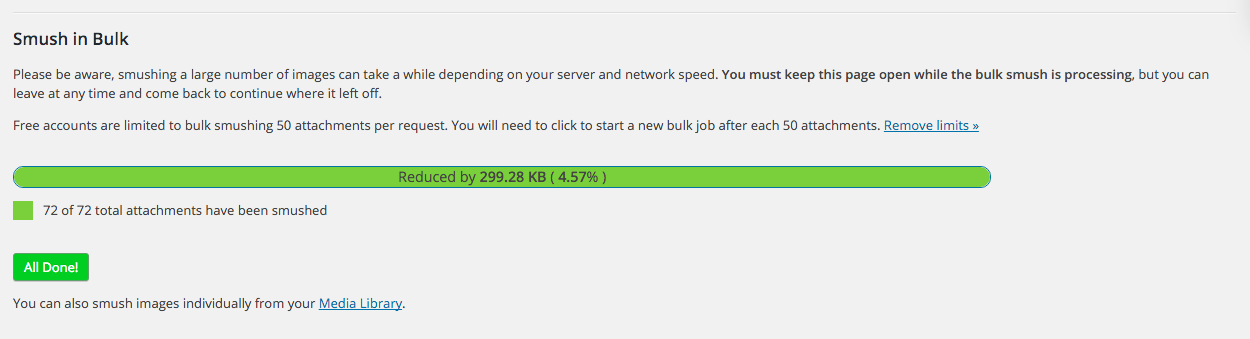
<p>People seem to have real problems with working with images and this is where <a href="https://wordpress.org/plugins/wp-smushit/">WP-Smushit</a> comes into play. Even if you don&#8217;t know how to properly optimise your images, if they&#8217;re under 1MB (assuming <a href="http://www.nealandassociates.co.uk/about/">you&#8217;re a cheapskate</a> and not paying for the plugin) then this will handle it for you. Simples.</p>
<figure id="attachment_1132" style="width: 1250px" class="wp-caption aligncenter"><a href="http://www.nealandassociates.co.uk/wp-content/uploads/2015/10/wp-smushit.png" rel="lightbox[982]"><img class="size-full wp-image-1132" src="http://www.nealandassociates.co.uk/wp-content/uploads/2015/10/wp-smushit.png" alt="wp-smushit" width="1250" height="339" srcset="https://www.nealandassociates.co.uk/wp-content/uploads/2015/10/wp-smushit-300x81.png 300w, https://www.nealandassociates.co.uk/wp-content/uploads/2015/10/wp-smushit-1024x278.png 1024w, https://www.nealandassociates.co.uk/wp-content/uploads/2015/10/wp-smushit.png 1250w" sizes="(max-width: 1250px) 100vw, 1250px" /></a><figcaption class="wp-caption-text">This is the benefit I got, less than 5%, but 5% is 5%. Every little helps.</figcaption></figure>
]]></content>
			<link rel="replies" type="text/html" href="https://www.nealandassociates.co.uk/2015/10/24/wordpress-plugins-smushit/#comments" thr:count="0"/>
		<link rel="replies" type="application/atom+xml" href="https://www.nealandassociates.co.uk/2015/10/24/wordpress-plugins-smushit/feed/atom/" thr:count="0"/>
		<thr:total>0</thr:total>
		</entry>
		<entry>
		<author>
			<name>Peter Neal</name>
						<uri>http://www.nealandassociates.co.uk</uri>
					</author>
		<title type="html"><![CDATA[WordPress Plugins: Lightbox]]></title>
		<link rel="alternate" type="text/html" href="https://www.nealandassociates.co.uk/2015/10/23/wordpress-plugins-lightbox/" />
		<id>http://www.nealandassociates.co.uk/?p=1123</id>
		<updated>2016-03-28T16:34:13Z</updated>
		<published>2015-10-23T15:00:32Z</published>
		<category scheme="https://www.nealandassociates.co.uk" term="General" /><category scheme="https://www.nealandassociates.co.uk" term="Plugins" /><category scheme="https://www.nealandassociates.co.uk" term="wordpress" />		<summary type="html"><![CDATA[I&#8217;ve used the wp-jQuery-Lightbox plugin for many years now, it makes images look nice on wordpress and effectively creates galleries out of individual images embedded in a page. I&#8217;ve become a little complacent in recent months though, given that Jetpack enables pretty, nice, lightbox galleries; it doesn&#8217;t however do this for individual images. So wp-jQuery-Lightbox &#8230;]]></summary>
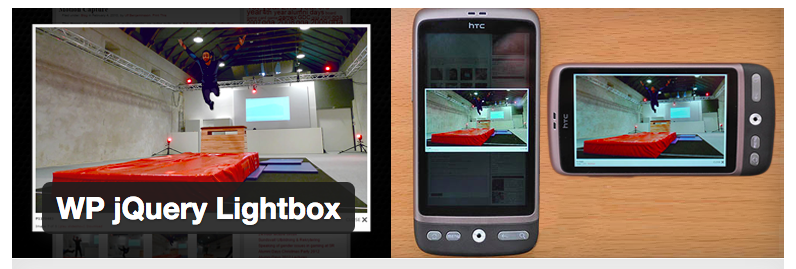
		<content type="html" xml:base="https://www.nealandassociates.co.uk/2015/10/23/wordpress-plugins-lightbox/"><![CDATA[<p>I&#8217;ve used the <a href="https://wordpress.org/plugins/wp-jquery-lightbox/">wp-jQuery-Lightbox</a> plugin for many years now, it makes images look nice on wordpress and effectively creates galleries out of individual images embedded in a page.</p>
<p><a href="http://www.nealandassociates.co.uk/wp-content/uploads/2015/10/wp-jquery-lightbox.png" rel="lightbox[1123]"><img class="size-full wp-image-1126 aligncenter" src="http://www.nealandassociates.co.uk/wp-content/uploads/2015/10/wp-jquery-lightbox.png" alt="wp-jquery-lightbox" width="796" height="269" srcset="https://www.nealandassociates.co.uk/wp-content/uploads/2015/10/wp-jquery-lightbox-300x101.png 300w, https://www.nealandassociates.co.uk/wp-content/uploads/2015/10/wp-jquery-lightbox.png 796w" sizes="(max-width: 796px) 100vw, 796px" /></a></p>
<p>I&#8217;ve become a little complacent in recent months though, given that Jetpack enables pretty, nice, lightbox galleries; it doesn&#8217;t however do this for individual images. So wp-jQuery-Lightbox is a must.</p>
<p>Once installed. The only option I check is: <strong>Shrink large images to fit smaller screens</strong>, which makes it more compatible with mobile devices.</p>
<p>Anyhow, you can find it here, courtesy of <a href="http://www.ulfben.com/">Ulf Benjaminsson</a>. Flattr him <a href="https://flattr.com/thing/367557/Support-my-plugins">here</a>.</p>
]]></content>
			<link rel="replies" type="text/html" href="https://www.nealandassociates.co.uk/2015/10/23/wordpress-plugins-lightbox/#comments" thr:count="0"/>
		<link rel="replies" type="application/atom+xml" href="https://www.nealandassociates.co.uk/2015/10/23/wordpress-plugins-lightbox/feed/atom/" thr:count="0"/>
		<thr:total>0</thr:total>
		</entry>
		<entry>
		<author>
			<name>Peter Neal</name>
						<uri>http://www.nealandassociates.co.uk</uri>
					</author>
		<title type="html"><![CDATA[com.apple.lsdschemes.plist error in console]]></title>
		<link rel="alternate" type="text/html" href="https://www.nealandassociates.co.uk/2015/10/23/com-apple-lsdschemes-plist-error-in-console/" />
		<id>http://www.nealandassociates.co.uk/?p=1096</id>
		<updated>2016-03-28T16:57:58Z</updated>
		<published>2015-10-23T09:51:37Z</published>
		<category scheme="https://www.nealandassociates.co.uk" term="Finder" /><category scheme="https://www.nealandassociates.co.uk" term="Help" /><category scheme="https://www.nealandassociates.co.uk" term="Mac" />		<summary type="html"><![CDATA[Problems, problems, problems. Sometimes your Mac is just sluggish and when you head over to the console to see what&#8217;s up you stumble across a weird, inexplicable issue like this: LaunchServices: Could not store lsd-identifiers file at /private/var/db/lsd/com.apple.lsdschemes.plist error in console The fix is relatively simple, navigate to the folder: /private/var/db/ and then create the &#8230;]]></summary>
		<content type="html" xml:base="https://www.nealandassociates.co.uk/2015/10/23/com-apple-lsdschemes-plist-error-in-console/"><![CDATA[<p>Problems, problems, problems. Sometimes your Mac is just sluggish and when you head over to the console to see what&#8217;s up you stumble across a weird, inexplicable issue like this:</p>
<blockquote><p>LaunchServices: Could not store lsd-identifiers file at /private/var/db/lsd/com.apple.lsdschemes.plist error in console</p></blockquote>
<p><a href="https://discussions.apple.com/thread/7253318">The fix</a> is relatively simple, navigate to the folder:</p>
<p>/private/var/db/</p>
<p>and then create the lsd folder and it will go away (you will need to enter your admin password).</p>
]]></content>
			<link rel="replies" type="text/html" href="https://www.nealandassociates.co.uk/2015/10/23/com-apple-lsdschemes-plist-error-in-console/#comments" thr:count="3"/>
		<link rel="replies" type="application/atom+xml" href="https://www.nealandassociates.co.uk/2015/10/23/com-apple-lsdschemes-plist-error-in-console/feed/atom/" thr:count="3"/>
		<thr:total>3</thr:total>
		</entry>
		<entry>
		<author>
			<name>Peter Neal</name>
						<uri>http://www.nealandassociates.co.uk</uri>
					</author>
		<title type="html"><![CDATA[Waiting Lists on Eventbrite]]></title>
		<link rel="alternate" type="text/html" href="https://www.nealandassociates.co.uk/2015/10/23/waiting-lists-on-eventbrite/" />
		<id>http://www.nealandassociates.co.uk/?p=1104</id>
		<updated>2016-03-28T13:14:20Z</updated>
		<published>2015-10-23T07:00:42Z</published>
		<category scheme="https://www.nealandassociates.co.uk" term="Event Mangement" /><category scheme="https://www.nealandassociates.co.uk" term="Eventbrite" />		<summary type="html"><![CDATA[So this Saturday my work will be hosting a pair of events in partnership with Teesside University: An Audience with Benjamin Zephaniah and Words and Dub with Dennis Bovell and Benjamin Zephaniah. These are two very different style events: the first an intimate talk with the artist, it&#8217;s a ticketed event with a strictly limited &#8230;]]></summary>
		<content type="html" xml:base="https://www.nealandassociates.co.uk/2015/10/23/waiting-lists-on-eventbrite/"><![CDATA[<figure id="attachment_1120" style="width: 1024px" class="wp-caption aligncenter"><a href="http://www.nealandassociates.co.uk/wp-content/uploads/2015/10/benjamin-zephaniah.jpg" rel="lightbox[1104]"><img src="http://www.nealandassociates.co.uk/wp-content/uploads/2015/10/benjamin-zephaniah.jpg" alt="Benjamin Zephaniah" width="1024" height="441" class="size-full wp-image-1120" srcset="https://www.nealandassociates.co.uk/wp-content/uploads/2015/10/benjamin-zephaniah-300x129.jpg 300w, https://www.nealandassociates.co.uk/wp-content/uploads/2015/10/benjamin-zephaniah.jpg 1024w" sizes="(max-width: 1024px) 100vw, 1024px" /></a><figcaption class="wp-caption-text">Our event An Audience with Benjamin Zephaniah</figcaption></figure>
<p>So this Saturday <a href="http://www.teesvalleyarts.org.uk">my work</a> will be hosting a pair of events in partnership with Teesside University: <a href="http://www.teesvalleyarts.org.uk/2015/09/16/an-audience-with-benjamin-zephaniah/">An Audience with Benjamin Zephaniah</a> and <a href="http://www.teesvalleyarts.org.uk/2015/09/16/words-n-dub-with-dennis-bovell-and-benjamin-zephaniah/">Words and Dub with Dennis Bovell and Benjamin Zephaniah</a>. These are two very different style events: the first an intimate talk with the artist, it&#8217;s a ticketed event with a strictly limited number of spaces; the second is a concert featuring a range of artists, open to the public for which we&#8217;ve been running a RSVP list solely to give us an idea of numbers.</p>
<p>For both events we&#8217;ve deployed <a href="http://teesvalleyarts.eventbrite.com/">eventbrite</a>, but it&#8217;s the management of the first event where we&#8217;ve been able to explore the full feature set for. With only 60 tickets we held half and the university held half, ours being managed by eventbrite (and publically facing) the University&#8217;s being managed by the amazingly capable Jane (if I&#8217;d thought it through more we could of used the <a href="https://www.eventbrite.com/support/articles/en_US/How_To/how-to-add-additional-event-managers-to-an-eventbrite-account?lg=en_US">multi event manager feature of eventbrite</a>). Anyhow both allocation of tickets sold out pretty quick. And that&#8217;s where eventbrite&#8217;s waiting lists stepped in.</p>
<h2>Setting it up</h2>
<p>This is such a useful feature and can be enabled from the event page under </p>
<blockquote><p>Order Options > Waitlist</p></blockquote>
<p>Once you&#8217;ve enabled the Waitlist you&#8217;ll see two more options appear:</p>
<ul>
<li>Waitlist Settings</li>
<li>Manage Waitlist</li>
</ul>
<p>I went with the basic options:</p>
<ul>
<li>Waitlist Trigger: When &#8220;Ticket&#8221; sells out.</li>
<li>Maximum Waitlist Size: 0 &#8211; <em>which = unlimited</em></li>
<li>Attendee Information to Collect: Full Name, Email Address, Phone Number</li>
<li>Time to Respond: 1 Day &#8211; <em>though maybe I should of set this to be less&#8230;</em></li>
</ul>
<p>I also didn&#8217;t change the default email responses.</p>
<figure id="attachment_1119" style="width: 986px" class="wp-caption aligncenter"><a href="http://www.nealandassociates.co.uk/wp-content/uploads/2015/10/Eventbrite-Waiting-List.png" rel="lightbox[1104]"><img src="http://www.nealandassociates.co.uk/wp-content/uploads/2015/10/Eventbrite-Waiting-List.png" alt="Eventbrite Waiting List" width="986" height="179" class="size-full wp-image-1119" srcset="https://www.nealandassociates.co.uk/wp-content/uploads/2015/10/Eventbrite-Waiting-List-300x54.png 300w, https://www.nealandassociates.co.uk/wp-content/uploads/2015/10/Eventbrite-Waiting-List.png 986w" sizes="(max-width: 986px) 100vw, 986px" /></a><figcaption class="wp-caption-text">This is what your event will look like once it&#8217;s sold out.</figcaption></figure>
<h2>Now what do I do?</h2>
<p>But what wasn&#8217;t so clear was if the release of tickets (once I&#8217;d confirmed a cancellation) would be automatic. I&#8217;m still not sure, but you can however, force the release of a ticket to a specific member of your waiting list. To do this:</p>
<ul>
<li>Go to Manage Waitlist</li>
<li>Select someone from the list and then click release ticket</li>
</ul>
<p>And eventbrite will then get in touch with the attendee by email and they&#8217;ll have until the &#8220;Time to Respond&#8221; elapses before they lose the opportunity and the ticket is released back to you. Fab. No chasing. No calling. It just works.</p>
<p>More information can be found from eventbite <a href="https://www.eventbrite.co.uk/support/articles/en_US/How_To/how-to-manually-release-tickets-to-the-waitlist?lg=en_GB">here</a>. </p>
]]></content>
			<link rel="replies" type="text/html" href="https://www.nealandassociates.co.uk/2015/10/23/waiting-lists-on-eventbrite/#comments" thr:count="0"/>
		<link rel="replies" type="application/atom+xml" href="https://www.nealandassociates.co.uk/2015/10/23/waiting-lists-on-eventbrite/feed/atom/" thr:count="0"/>
		<thr:total>0</thr:total>
		</entry>
		<entry>
		<author>
			<name>Peter Neal</name>
						<uri>http://www.nealandassociates.co.uk</uri>
					</author>
		<title type="html"><![CDATA[coreduetd process run amock in El Capitan]]></title>
		<link rel="alternate" type="text/html" href="https://www.nealandassociates.co.uk/2015/10/22/coreduetd-process-run-amock-in-el-capitan/" />
		<id>http://www.nealandassociates.co.uk/?p=1097</id>
		<updated>2016-03-28T16:52:22Z</updated>
		<published>2015-10-22T13:34:50Z</published>
		<category scheme="https://www.nealandassociates.co.uk" term="Finder" /><category scheme="https://www.nealandassociates.co.uk" term="Mac" />		<summary type="html"><![CDATA[Runaway processes are the bane of a functioning Mac; you find them in the console in their thousands when things go wrong. I&#8217;ve had a particular problem recently with the coreduetd process. Thanks to Gordon Mackay I&#8217;ve now a solution: 1. In the Finder menu choose Go -&#62; Go to Folder&#8230; &#8211; or cmd + &#8230;]]></summary>
		<content type="html" xml:base="https://www.nealandassociates.co.uk/2015/10/22/coreduetd-process-run-amock-in-el-capitan/"><![CDATA[<p>Runaway processes are the bane of a functioning Mac; you find them in the console in their thousands when things go wrong. I&#8217;ve had a particular problem recently with the coreduetd process. Thanks to <a href="http://www.gordonmac.com/">Gordon Mackay</a> I&#8217;ve now a <a href="http://www.gordonmac.com/suffering-high-cpu-from-the-coreduetd-process-in-os-x-yosemite/">solution</a>:</p>
<blockquote><p>1. In the Finder menu choose Go -&gt; Go to Folder&#8230; <em>&#8211; or cmd + shift + G</em><br />
2. Type: “/var/db/coreduet”<br />
3. Delete everything in that folder<br />
4. Restart &#8211; <em>I skipped this part to no harm</em></p></blockquote>
<p>Phew.</p>
]]></content>
			<link rel="replies" type="text/html" href="https://www.nealandassociates.co.uk/2015/10/22/coreduetd-process-run-amock-in-el-capitan/#comments" thr:count="0"/>
		<link rel="replies" type="application/atom+xml" href="https://www.nealandassociates.co.uk/2015/10/22/coreduetd-process-run-amock-in-el-capitan/feed/atom/" thr:count="0"/>
		<thr:total>0</thr:total>
		</entry>
		<entry>
		<author>
			<name>Peter Neal</name>
						<uri>http://www.nealandassociates.co.uk</uri>
					</author>
		<title type="html"><![CDATA[WordPress Cleanup: Database Optimisation]]></title>
		<link rel="alternate" type="text/html" href="https://www.nealandassociates.co.uk/2015/10/20/wordpress-cleanup-database-optimisation/" />
		<id>http://www.nealandassociates.co.uk/?p=1053</id>
		<updated>2016-03-28T16:33:38Z</updated>
		<published>2015-10-20T09:00:48Z</published>
		<category scheme="https://www.nealandassociates.co.uk" term="Cleanup" /><category scheme="https://www.nealandassociates.co.uk" term="General" /><category scheme="https://www.nealandassociates.co.uk" term="Plugins" /><category scheme="https://www.nealandassociates.co.uk" term="wordpress" />		<summary type="html"><![CDATA[So the database is the most dangerous place non-experienced/non-technical users can mess around in. And I&#8217;m certainly not comfortable rolling around in there. So you have to be cautious and if you&#8217;re going to hand this responsibility over to someone else then you need to be sure they can be relied upon. So I proceed &#8230;]]></summary>
		<content type="html" xml:base="https://www.nealandassociates.co.uk/2015/10/20/wordpress-cleanup-database-optimisation/"><![CDATA[<p>So the database is the most dangerous place non-experienced/non-technical users can mess around in. And I&#8217;m certainly not comfortable rolling around in there. So you have to be cautious and if you&#8217;re going to hand this responsibility over to someone else then you need to be sure they can be relied upon. So I proceed with caution, as should you.</p>
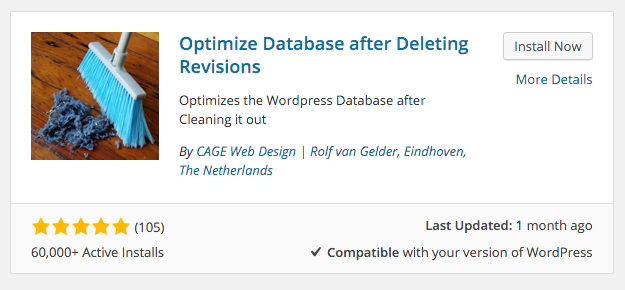
<p>I spent a lot of time googling, <a href="http://premium.wpmudev.org/blog/clean-up-optimize-wordpress/">reading guides</a> on database optimisation, etc and I finally I came across the oddly named <a href="http://wordpress.org/plugins/rvg-optimize-database/ ">Optimise Database after Deleting Revisions plugin</a> now this only has 60,000+ installs acording to wordpress, whereas the <a href="https://wordpress.org/plugins/wp-optimize/">WP-Optimise plugin</a> had 400,000+ installs, however it was updated less than a month ago as opposed to over 7 months ago for the more popular plugin and that worries me.</p>
<p><a href="http://www.nealandassociates.co.uk/wp-content/uploads/2015/10/Optimize-Database-after-deleting-Revisions.png" rel="lightbox[1053]"><img class="size-full wp-image-1091 aligncenter" src="http://www.nealandassociates.co.uk/wp-content/uploads/2015/10/Optimize-Database-after-deleting-Revisions.png" alt="Optimize Database after deleting Revisions" width="625" height="290" srcset="https://www.nealandassociates.co.uk/wp-content/uploads/2015/10/Optimize-Database-after-deleting-Revisions-300x139.png 300w, https://www.nealandassociates.co.uk/wp-content/uploads/2015/10/Optimize-Database-after-deleting-Revisions.png 625w" sizes="(max-width: 625px) 100vw, 625px" /></a></p>
<p>I generally won&#8217;t install a plugin without an official release via wordpress but I also like to have a read of the developers page and the more detailed that is, the more comfortable I feel. Finding video reviews by other bloggers, such as below, is also reassuring:</p>
<p><span class='embed-youtube' style='text-align:center; display: block;'><iframe class='youtube-player' type='text/html' width='960' height='570' src='https://www.youtube.com/embed/Iemrl8vbV3o?version=3&#038;rel=1&#038;fs=1&#038;autohide=2&#038;showsearch=0&#038;showinfo=1&#038;iv_load_policy=1&#038;wmode=transparent' frameborder='0' allowfullscreen='true'></iframe></span></p>
<p>So suitably reassured I went ahead and installed the plugin.</p>
<h2>Selecting Settings</h2>
<p>The plugin is reassuringly neat and well behaved installing two menu options:</p>
<ul>
<li>Plugin <strong>settings</strong> in: Settings &gt; Optimise Database</li>
<li>and <strong>Tools</strong> (run the plugin) in: Tools &gt; Optimise Database</li>
</ul>
<p>This is even more re-assuring. I really can&#8217;t stand wordpress plugins that clutter up your dashboard menu, after all they&#8217;re mostly plugins rather than entire feature sets.</p>
<p>I opted for a relatively simple setup:</p>
<ul>
<li>Maximum number of &#8211; most recent &#8211; revisions to keep per post / page: <strong>3</strong></li>
<li>Delete trashed items: <strong>YES</strong></li>
<li>Delete spammed items: <strong>YES</strong></li>
<li>Delete unused tags: <strong>YES</strong></li>
<li>Delete expired transients: <strong>YES</strong></li>
<li>Delete pingbacks and trackbacks: <strong>NO</strong></li>
<li>Keep a log: <strong>YES</strong></li>
<li>Number of excluded tables: <strong>0</strong></li>
</ul>
<p>I decided not to schedule optimisation. With something that can screw your entire installation I think you should opt for manual control, plus it means you can always &#8211; <strong>and you always should</strong> &#8211; backup your solution before you run any optimisation (in case you need to restore it). I also wouldn&#8217;t run it just after I&#8217;ve updated wordpress, particularly a full digit update, without checking for an update to the plugin.</p>
<h2>So here are my Results</h2>
<ul>
<li><strong>587 post revisions</strong> from 75 posts; I selected to keep a minimum of 3 revisions per post.</li>
<li><strong>No TRASHED ITEMS</strong> found to delete.</li>
<li><strong>No SPAMMED ITEMS</strong> found to delete</li>
<li><strong>No UNUSED TAGS</strong> found to delete</li>
<li><strong>7 expired transients deleted</strong></li>
<li><strong>1 Postmeta Orphans deleted</strong></li>
</ul>
<h3>Size of the Database</h3>
<ul>
<li><strong>7.229 MB</strong> BEFORE optimization</li>
<li><strong>5.372 MB</strong> AFTER optimization</li>
</ul>
<p>So I saved 1.857 MB or 25 percent of the size of my database for a process that took 1.4988 seconds. And this was just on my site, on my work site I saved 7.007 MB more than 50 percent of the size of that database!</p>
<h2>Thanks</h2>
<p>Thanks of course to Rolf van Gelder of <a href="http://cagewebdev.com/">CAGE Web Design</a> for writing the plugin in the 1st place. Without people like this the wordpress community wouldn&#8217;t thrive.</p>
]]></content>
			<link rel="replies" type="text/html" href="https://www.nealandassociates.co.uk/2015/10/20/wordpress-cleanup-database-optimisation/#comments" thr:count="0"/>
		<link rel="replies" type="application/atom+xml" href="https://www.nealandassociates.co.uk/2015/10/20/wordpress-cleanup-database-optimisation/feed/atom/" thr:count="0"/>
		<thr:total>0</thr:total>
		</entry>
	</feed>