<!DOCTYPE html><html lang="en-US"><head><script data-no-optimize="1">var litespeed_docref=sessionStorage.getItem("litespeed_docref");litespeed_docref&&(Object.defineProperty(document,"referrer",{get:function(){return litespeed_docref}}),sessionStorage.removeItem("litespeed_docref"));</script> <meta charset="UTF-8"><link data-optimized="2" rel="stylesheet" href="https://www.sysnettechsolutions.com/wp-content/litespeed/css/eda9d4dd225394bb020be0b372b1db48.css?ver=555e6" /><meta name='robots' content='index, follow, max-image-preview:large, max-snippet:-1, max-video-preview:-1' /><link rel="alternate" href="https://www.sysnettechsolutions.com/" hreflang="tr" /><link rel="alternate" href="https://www.sysnettechsolutions.com/en/" hreflang="en" /><title>SYSNETTECH Solutions | EN</title><meta name="description" content="SYSNETTECH Solutions | Practical Solutions on System, Network, Technology, Cisco, Windows, Linux, macOS, VMware, and VirtualBox!" /><link rel="canonical" href="https://www.sysnettechsolutions.com/en/" /><link rel="next" href="https://www.sysnettechsolutions.com/en/page/2/" /><meta property="og:locale" content="en_US" /><meta property="og:locale:alternate" content="tr_TR" /><meta property="og:type" content="website" /><meta property="og:title" content="SYSNETTECH Solutions | EN" /><meta property="og:description" content="SYSNETTECH Solutions | Practical Solutions on System, Network, Technology, Cisco, Windows, Linux, macOS, VMware, and VirtualBox!" /><meta property="og:url" content="https://www.sysnettechsolutions.com/en/" /><meta property="og:site_name" content="SYSNETTECH Solutions" /><meta name="twitter:card" content="summary_large_image" /><meta name="twitter:site" content="@SysnettechS" /> <script type="application/ld+json" class="yoast-schema-graph">{"@context":"https://schema.org","@graph":[{"@type":"CollectionPage","@id":"https://www.sysnettechsolutions.com/en/","url":"https://www.sysnettechsolutions.com/en/","name":"SYSNETTECH Solutions | EN","isPartOf":{"@id":"https://www.sysnettechsolutions.com/en/#website"},"about":{"@id":"https://www.sysnettechsolutions.com/en/#organization"},"description":"SYSNETTECH Solutions | Practical Solutions on System, Network, Technology, Cisco, Windows, Linux, macOS, VMware, and VirtualBox!","breadcrumb":{"@id":"https://www.sysnettechsolutions.com/en/#breadcrumb"},"inLanguage":"en-US"},{"@type":"BreadcrumbList","@id":"https://www.sysnettechsolutions.com/en/#breadcrumb","itemListElement":[{"@type":"ListItem","position":1,"name":"Home page"}]},{"@type":"WebSite","@id":"https://www.sysnettechsolutions.com/en/#website","url":"https://www.sysnettechsolutions.com/en/","name":"SYSNETTECH Solutions","description":"System, Network, and Technology Solutions | EN","publisher":{"@id":"https://www.sysnettechsolutions.com/en/#organization"},"potentialAction":[{"@type":"SearchAction","target":{"@type":"EntryPoint","urlTemplate":"https://www.sysnettechsolutions.com/en/?s={search_term_string}"},"query-input":"required name=search_term_string"}],"inLanguage":"en-US"},{"@type":"Organization","@id":"https://www.sysnettechsolutions.com/en/#organization","name":"SYSNETTECH Solutions","url":"https://www.sysnettechsolutions.com/en/","logo":{"@type":"ImageObject","inLanguage":"en-US","@id":"https://www.sysnettechsolutions.com/en/#/schema/logo/image/","url":"","contentUrl":"","caption":"SYSNETTECH Solutions"},"image":{"@id":"https://www.sysnettechsolutions.com/en/#/schema/logo/image/"},"sameAs":["https://www.facebook.com/SysnettechSolutions/","https://twitter.com/SysnettechS","https://www.instagram.com/sysnettech_solutions/","https://www.linkedin.com/in/tolqabaqci/","https://www.pinterest.com/SysnettechS/","https://www.youtube.com/channel/UCuA0PJSiVAfCa_tfVvdDRUg"]}]}</script> <link rel='dns-prefetch' href='//fonts.googleapis.com' /><link rel='dns-prefetch' href='//fonts.gstatic.com' /><link rel='dns-prefetch' href='//ajax.googleapis.com' /><link rel='dns-prefetch' href='//cm.g.doubleclick.net' /><link rel='dns-prefetch' href='//stats.g.doubleclick.net' /><link rel='dns-prefetch' href='//googleads.g.doubleclick.net' /><link rel='dns-prefetch' href='//ad.doubleclick.net' /><link rel='dns-prefetch' href='//use.fontawesome.com' /><link rel='dns-prefetch' href='//tpc.googlesyndication.com' /><link rel='dns-prefetch' href='//securepubads.g.doubleclick.net' /><link rel='dns-prefetch' href='//adservice.google.com' /><link rel='dns-prefetch' href='//pagead2.googlesyndication.com' /><link rel='dns-prefetch' href='//www.googletagmanager.com' /><link rel='dns-prefetch' href='//www.googletagservices.com' /><link rel='dns-prefetch' href='//s1.wp.com' /><link rel='dns-prefetch' href='//1.gravatar.com' /><link rel='dns-prefetch' href='//s.gravatar.com' /><link rel='dns-prefetch' href='//stats.wp.com' /><link rel='dns-prefetch' href='//cdnjs.cloudflare.com' /><link rel='dns-prefetch' href='//ssl.google-analytics.com' /><link rel='dns-prefetch' href='//www.google-analytics.com' /><link rel='dns-prefetch' href='//google-analytics.com' /><link rel='dns-prefetch' href='//apis.google.com' /><link rel='dns-prefetch' href='//partner.googleadservices.com' /><link rel='dns-prefetch' href='//adservice.google.ca' /><link rel='dns-prefetch' href='//contextual.media.net' /><meta name="viewport" content="width=device-width, initial-scale=1"><link rel="profile" href="https://gmpg.org/xfn/11"><meta name="p:domain_verify" content="02a253b4b45fe1c2a28ce76fab46916e" /><link rel="icon" href="https://img.sysnettechsolutions.com/favicon.ico" type="image/x-icon"><link rel="shortcut icon" href="https://img.sysnettechsolutions.com/favicon.ico" type="image/x-icon"><link type="application/rss+xml" rel="alternate" title="Podcast" href="https://www.sysnettechsolutions.com/Podcast/RSS.xml"> <script type="litespeed/javascript" data-src="https://pagead2.googlesyndication.com/pagead/js/adsbygoogle.js?client=ca-pub-2651201801968373" crossorigin="anonymous"></script> <meta name="google-site-verification" content="PAcDrA-INQLWyEX5b0KMk5PQDjZdhKm2Z3NMJpMU9S4" /><meta name="msvalidate.01" content="080AB857D7F2C787E5DDBD303BCF5265"><meta name="yandex-verification" content="a8db01ef3f931827"><link rel="preload" href="/wp-content/themes/schema-lite/fonts/schema-lite.woff2" as="font" type="font/woff2" crossorigin>
<script type="litespeed/javascript" data-src="https://www.googletagmanager.com/gtag/js?id=UA-87967645-1"></script> <script type="litespeed/javascript">window.dataLayer=window.dataLayer||[];function gtag(){dataLayer.push(arguments)}
gtag('js',new Date());gtag('config','UA-87967645-1')</script> </head><body class="home blog wp-custom-logo wp-embed-responsive boxed cslayout hfeed"><div class="main-container">
<a class="skip-link screen-reader-text" href="#content">Skip to content</a><div class="top-navigation"><div class="container clear"><nav class="top-navigation"></nav></div></div><header id="site-header"><div class="container clear"><div class="site-branding"><h1 id="logo" class="image-logo">
<a href="https://www.sysnettechsolutions.com/en"><img class="custom-logo" width="175" height="45" src="/SYSNETTECH-SOLUTIONS-300x80.webp" title="SYSNETTECH Solutions" alt="SYSNETTECH Solutions" /></a></h1></div><div class="primary-navigation"><div id="hamburgermenu">
<a href="#" class="toggle-mobile-menu"><img src="/wp-content/themes/schema-lite/images/menu.webp" width="32" height="32" alt="Toggle Menu" /></a></div><nav id="navigation" class="primary-navigation mobile-menu-wrapper"><ul id="menu-en" class="menu clearfix"><li id="menu-item-5856" class="menu-item menu-item-type-taxonomy menu-item-object-category menu-item-5856"><a href="https://www.sysnettechsolutions.com/en/cisco/">Cisco</a></li><li id="menu-item-5857" class="menu-item menu-item-type-taxonomy menu-item-object-category menu-item-5857"><a href="https://www.sysnettechsolutions.com/en/ciscopackettracer/">Cisco Packet Tracer</a></li><li id="menu-item-5858" class="menu-item menu-item-type-taxonomy menu-item-object-category menu-item-5858"><a href="https://www.sysnettechsolutions.com/en/gns3/">GNS3</a></li><li id="menu-item-5860" class="menu-item menu-item-type-taxonomy menu-item-object-category menu-item-5860"><a href="https://www.sysnettechsolutions.com/en/linux/">Linux</a></li><li id="menu-item-5867" class="menu-item menu-item-type-taxonomy menu-item-object-category menu-item-5867"><a href="https://www.sysnettechsolutions.com/en/windows/">Windows</a></li><li id="menu-item-5861" class="menu-item menu-item-type-taxonomy menu-item-object-category menu-item-5861"><a href="https://www.sysnettechsolutions.com/en/macos/">macOS</a></li><li id="menu-item-5862" class="menu-item menu-item-type-taxonomy menu-item-object-category menu-item-5862"><a href="https://www.sysnettechsolutions.com/en/server/">Microsoft Server</a></li><li id="menu-item-5865" class="menu-item menu-item-type-taxonomy menu-item-object-category menu-item-5865"><a href="https://www.sysnettechsolutions.com/en/virtualization/">Virtualization</a></li><li id="menu-item-5859" class="menu-item menu-item-type-taxonomy menu-item-object-category menu-item-5859"><a href="https://www.sysnettechsolutions.com/en/hyper-v/">Hyper-V</a></li><li id="menu-item-5864" class="menu-item menu-item-type-taxonomy menu-item-object-category menu-item-5864"><a href="https://www.sysnettechsolutions.com/en/virtualbox/">Oracle VM VirtualBox</a></li><li id="menu-item-5866" class="menu-item menu-item-type-taxonomy menu-item-object-category menu-item-5866"><a href="https://www.sysnettechsolutions.com/en/vmware/">VMware Workstation</a></li><li id="menu-item-12650" class="menu-item menu-item-type-taxonomy menu-item-object-category menu-item-12650"><a href="https://www.sysnettechsolutions.com/en/vmware-fusion/">VMware Fusion</a></li><li id="menu-item-5868" class="menu-item menu-item-type-taxonomy menu-item-object-category menu-item-5868"><a href="https://www.sysnettechsolutions.com/en/wireshark/">Wireshark</a></li><li id="menu-item-5863" class="menu-item menu-item-type-taxonomy menu-item-object-category menu-item-5863"><a href="https://www.sysnettechsolutions.com/en/mobile/">Mobile</a></li><li id="menu-item-5869" class="menu-item menu-item-type-taxonomy menu-item-object-category menu-item-5869"><a href="https://www.sysnettechsolutions.com/en/wordpress/">WordPress</a></li></ul></nav></div></div></header></div><div id="page" class="home-page clear"><div id="content" class="article"><article class="post excerpt"><header><h2 class="title">
<a href="https://www.sysnettechsolutions.com/en/download-macos-ventura-13-iso/" title="Download macOS Ventura 13 ISO" rel="bookmark">Download macOS Ventura 13 ISO</a></h2><div class="post-info">
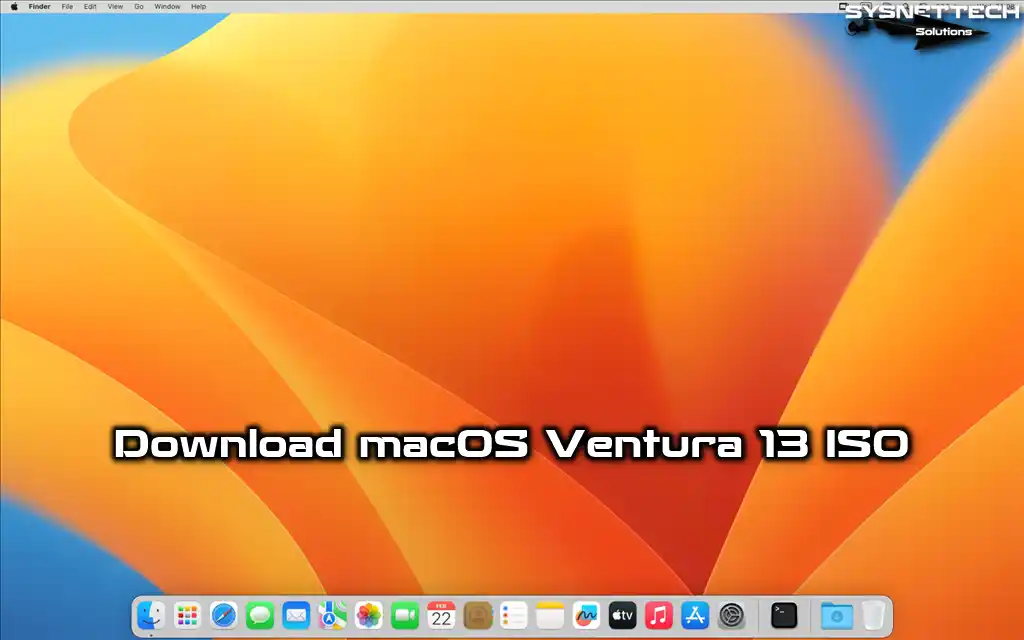
<span class="posted-on entry-date date updated"><img class="updateicon" alt="updateicon" src="/wp-content/themes/schema-lite/images/update.png"> Last Updated: <time datetime="2023-04-18T17:43:54+03:00">April 18, 2023</time> | <a href="https://www.sysnettechsolutions.com/en/macos/" rel="category tag">macOS</a> | <a href="https://www.sysnettechsolutions.com/en/author/tolqabaqci/" title="Posts by Tolga Bagci" rel="author">Tolga Bagci</a></span></div></header><div class="post-content full-post"><p>In this article, we have prepared and shared the ISO installation image file for VMware Workstation, Oracle VM VirtualBox, Parallels, or vSphere ESXi virtualization platforms of macOS Ventura (macOS 13), one of the operating systems commonly preferred by software developers.</p><p><img decoding="async" class="alignnone" src="https://img.sysnettechsolutions.com/Download-macOS-Ventura-13-ISO-Indir-EN.webp" alt="Download macOS Ventura 13 ISO" width="740" height="500"><a class="more-link" href="https://www.sysnettechsolutions.com/en/download-macos-ventura-13-iso/"><span>Continue Reading&#8230;</span></a></p></div></article><article class="post excerpt"><header><h2 class="title">
<a href="https://www.sysnettechsolutions.com/en/fix-python-win32api-virtualbox/" title="How to Fix &#8220;Missing Dependencies Python Core / win32api&#8221; in VirtualBox 7.0" rel="bookmark">How to Fix &#8220;Missing Dependencies Python Core / win32api&#8221; in VirtualBox 7.0</a></h2><div class="post-info">
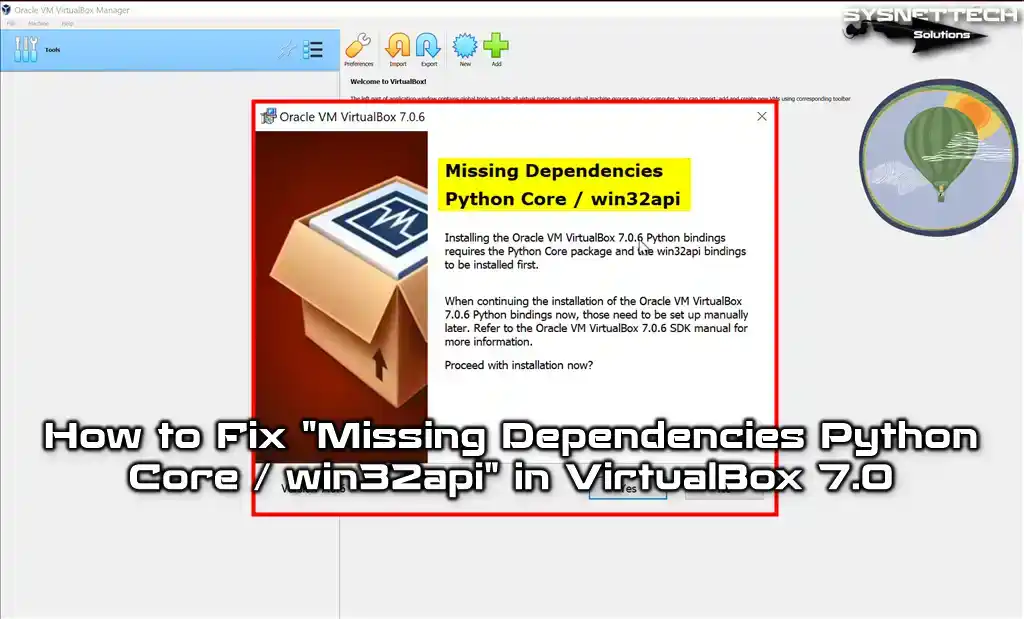
<span class="posted-on entry-date date updated"><img class="updateicon" alt="updateicon" src="/wp-content/themes/schema-lite/images/update.png"> Last Updated: <time datetime="2023-03-04T16:32:12+03:00">March 4, 2023</time> | <a href="https://www.sysnettechsolutions.com/en/virtualbox/" rel="category tag">Oracle VM VirtualBox</a> | <a href="https://www.sysnettechsolutions.com/en/author/tolqabaqci/" title="Posts by Tolga Bagci" rel="author">Tolga Bagci</a></span></div></header><div class="post-content full-post"><p>In this article, we will examine how to resolve the &#8220;Missing Dependencies Python Core / win32api&#8221; error that users encounter when installing the Oracle VM VirtualBox 7.0 virtualization program used to create virtual machines in Windows 10 or Windows 11 operating systems.</p><p><img decoding="async" loading="lazy" class="alignnone" title="How to Fix &quot;Missing Dependencies Python Core / win32api&quot; in VirtualBox 7.0" src="https://img.sysnettechsolutions.com/How-to-Fix-Missing-Dependencies-Python-Core-win32api-in-VirtualBox-Python-Core-win32api-Hatasi-EN.webp" alt="How to Fix &quot;Missing Dependencies Python Core / win32api&quot; in VirtualBox 7.0" width="740" height="450"><a class="more-link" href="https://www.sysnettechsolutions.com/en/fix-python-win32api-virtualbox/"><span>Continue Reading&#8230;</span></a></p></div></article><article class="post excerpt"><header><h2 class="title">
<a href="https://www.sysnettechsolutions.com/en/install-virtualbox-opensuse/" title="How to Install VirtualBox 7.0 on openSUSE Leap 15 (15.4)" rel="bookmark">How to Install VirtualBox 7.0 on openSUSE Leap 15 (15.4)</a></h2><div class="post-info">
<span class="posted-on entry-date date updated"><img class="updateicon" alt="updateicon" src="/wp-content/themes/schema-lite/images/update.png"> Last Updated: <time datetime="2022-10-18T17:00:14+03:00">October 18, 2022</time> | <a href="https://www.sysnettechsolutions.com/en/virtualbox/" rel="category tag">Oracle VM VirtualBox</a> | <a href="https://www.sysnettechsolutions.com/en/author/tolqabaqci/" title="Posts by Tolga Bagci" rel="author">Tolga Bagci</a></span></div></header><div class="post-content full-post"><p>In this article, we will examine how to set up and use Oracle VM VirtualBox 7.0, which you can download for free, to create new virtual machines on the openSUSE Leap 15 (15.4) Linux distribution.</p><p><img decoding="async" loading="lazy" class="alignnone" title="How to Install VirtualBox 7.0 on openSUSE Leap 15" src="https://img.sysnettechsolutions.com/How-to-Install-VirtualBox-on-openSUSE-VirtualBox-Kurulumu-EN.png" alt="How to Install VirtualBox 7.0 on openSUSE Leap 15" width="740" height="500"><a class="more-link" href="https://www.sysnettechsolutions.com/en/install-virtualbox-opensuse/"><span>Continue Reading&#8230;</span></a></p></div></article><article class="post excerpt"><header><h2 class="title">
<a href="https://www.sysnettechsolutions.com/en/install-gns3-vm-opensuse/" title="How to Install GNS3 VM 2.2 (2.2.34) on openSUSE Leap 15 (15.4)" rel="bookmark">How to Install GNS3 VM 2.2 (2.2.34) on openSUSE Leap 15 (15.4)</a></h2><div class="post-info">
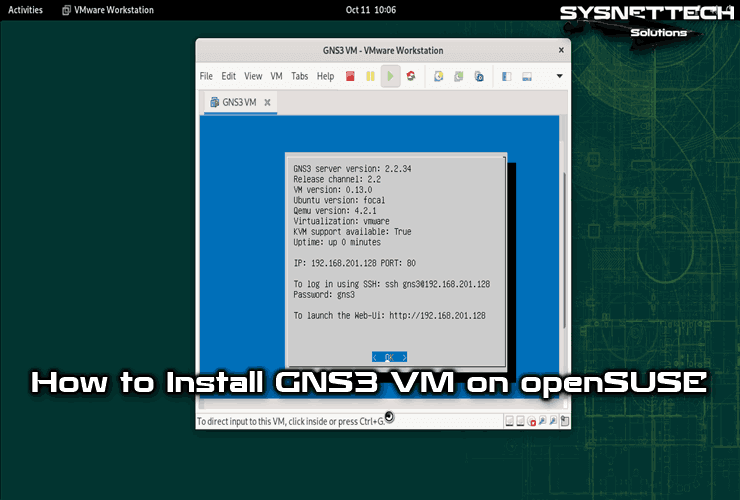
<span class="posted-on entry-date date updated"><img class="updateicon" alt="updateicon" src="/wp-content/themes/schema-lite/images/update.png"> Last Updated: <time datetime="2022-10-14T17:22:10+03:00">October 14, 2022</time> | <a href="https://www.sysnettechsolutions.com/en/gns3/" rel="category tag">GNS3</a> | <a href="https://www.sysnettechsolutions.com/en/author/tolqabaqci/" title="Posts by Tolga Bagci" rel="author">Tolga Bagci</a></span></div></header><div class="post-content full-post"><p>In this article, we will examine how to set up and use GNS3 VM 2.2 (2.2.34) in order to use Cisco IOU devices more stable and performance or to create all your projects on a single machine in the openSUSE Leap 15 (15.4) distribution.</p><p><img decoding="async" loading="lazy" class="alignnone" title="How to Install GNS3 VM 2.2 on openSUSE Leap 15" src="https://img.sysnettechsolutions.com/How-to-Install-GNS3-VM-on-openSUSE-GNS3-VM-Kurulumu-EN.png" alt="How to Install GNS3 VM 2.2 on openSUSE Leap 15" width="740" height="500"><a class="more-link" href="https://www.sysnettechsolutions.com/en/install-gns3-vm-opensuse/"><span>Continue Reading&#8230;</span></a></p></div></article><article class="post excerpt"><header><h2 class="title">
<a href="https://www.sysnettechsolutions.com/en/install-gns3-opensuse/" title="How to Install GNS3 2.2 (2.2.34) on openSUSE Leap 15 (15.4)" rel="bookmark">How to Install GNS3 2.2 (2.2.34) on openSUSE Leap 15 (15.4)</a></h2><div class="post-info">
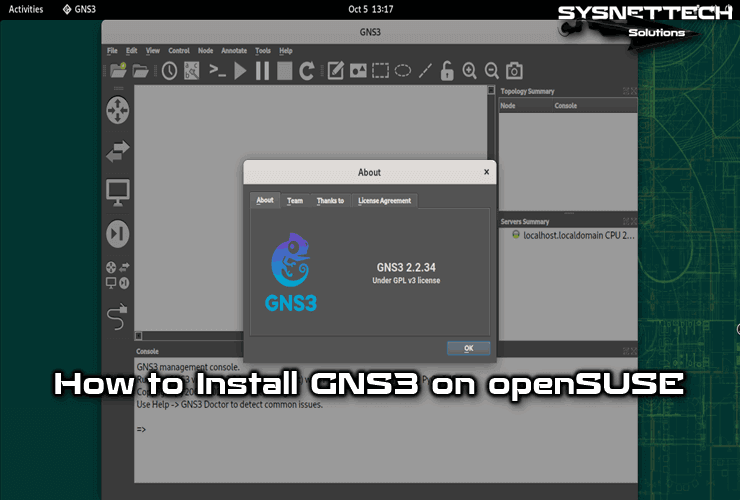
<span class="posted-on entry-date date updated"><img class="updateicon" alt="updateicon" src="/wp-content/themes/schema-lite/images/update.png"> Last Updated: <time datetime="2022-10-14T17:23:46+03:00">October 14, 2022</time> | <a href="https://www.sysnettechsolutions.com/en/gns3/" rel="category tag">GNS3</a> | <a href="https://www.sysnettechsolutions.com/en/author/tolqabaqci/" title="Posts by Tolga Bagci" rel="author">Tolga Bagci</a></span></div></header><div class="post-content full-post"><p>In this article, we will examine how to set up and use the GNS3 2.2 (2.2.34) simulator program, which allows you to run Cisco Router or Switch IOS devices virtually on the openSUSE Leap 15 (15.4) Linux distribution.</p><p><img decoding="async" loading="lazy" class="alignnone" title="How to Install GNS3 2.2 on openSUSE Leap 15" src="https://img.sysnettechsolutions.com/How-to-Install-GNS3-on-openSUSE-GNS3-Kurulumu-EN.png" alt="How to Install GNS3 2.2 on openSUSE Leap 15" width="740" height="500"><a class="more-link" href="https://www.sysnettechsolutions.com/en/install-gns3-opensuse/"><span>Continue Reading&#8230;</span></a></p></div></article><article class="post excerpt"><header><h2 class="title">
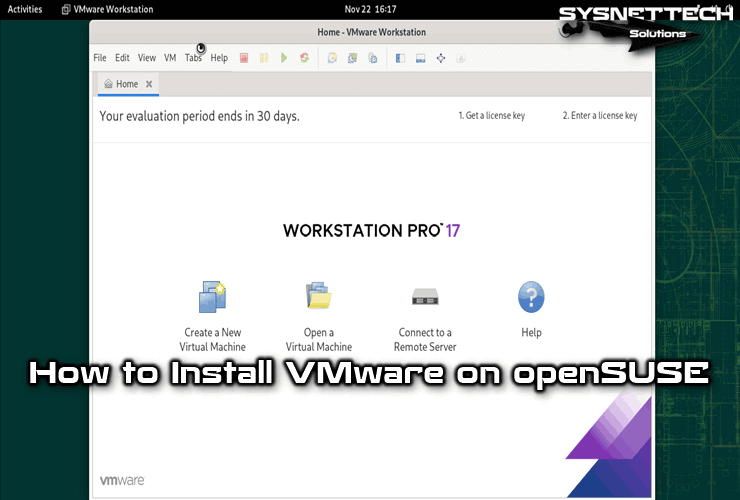
<a href="https://www.sysnettechsolutions.com/en/install-vmware-opensuse/" title="How to Install VMware Workstation 17 Pro on openSUSE Leap 15 (15.4)" rel="bookmark">How to Install VMware Workstation 17 Pro on openSUSE Leap 15 (15.4)</a></h2><div class="post-info">
<span class="posted-on entry-date date updated"><img class="updateicon" alt="updateicon" src="/wp-content/themes/schema-lite/images/update.png"> Last Updated: <time datetime="2022-11-23T17:58:45+03:00">November 23, 2022</time> | <a href="https://www.sysnettechsolutions.com/en/vmware/" rel="category tag">VMware Workstation</a> | <a href="https://www.sysnettechsolutions.com/en/author/tolqabaqci/" title="Posts by Tolga Bagci" rel="author">Tolga Bagci</a></span></div></header><div class="post-content full-post"><p>In this article, we will examine how to set up and use VMware Workstation 17 Pro virtualization software, which allows you to create virtual machines on the openSUSE Leap 15 (15.4) Linux distribution, which is usually used on server computers, and create guest machines such as Windows.</p><p><img decoding="async" loading="lazy" class="alignnone" title="How to Install VMware Workstation 17 Pro on openSUSE Leap 15 (15.4)" src="https://img.sysnettechsolutions.com/How-to-Install-VMware-Workstation-on-openSUSE-VMware-Workstation-Kurulumu-EN.png" alt="How to Install VMware Workstation 17 Pro on openSUSE Leap 15 (15.4)" width="740" height="500"><a class="more-link" href="https://www.sysnettechsolutions.com/en/install-vmware-opensuse/"><span>Continue Reading&#8230;</span></a></p></div></article><nav class="navigation posts-navigation"><h2 class="screen-reader-text">Posts navigation</h2><div class="pagination nav-links"><div class="nav-previous"><a href="https://www.sysnettechsolutions.com/en/page/2/"><i class="schema-lite-icon icon-angle-left"></i> Older posts</a></div></div></nav></div><aside class="sidebar c-4-12"><div id="sidebars" class="sidebar"><div class="sidebar_list"><div id="search-6" class="widget widget_search"><script type="litespeed/javascript" data-src="https://cse.google.com/cse.js?cx=partner-pub-2651201801968373:2506523241"></script> <div class="gcse-search"></div></div><div id="text-3" class="widget widget_text"><div class="textwidget"><div><ins class="adsbygoogle" style="display:inline-block;width:300px;height:600px" data-ad-client="ca-pub-2651201801968373" data-ad-slot="8734290441"></ins><br /> <script data-cfasync="false">(adsbygoogle = window.adsbygoogle || []).push({});</script></div></div></div></div></div></aside></div><footer id="site-footer"><div class="container"><div class="footer-widgets"><div class="footer-widget"><div id="text-7" class="widget widget_text"><h3 class="widget-title">Follow Us!</h3><div class="textwidget"><ul><li><a href="https://www.facebook.com/SysnettechSolutions/" target="_blank" rel="nofollow noopener">Facebook</a></li><li><a href="https://twitter.com/SysnettechS" target="_blank" rel="nofollow noopener">Twitter</a></li><li><a href="https://www.youtube.com/channel/UCuA0PJSiVAfCa_tfVvdDRUg" target="_blank" rel="nofollow noopener">YouTube</a></li><li><a href="https://www.reddit.com/user/sysnettech" target="_blank" rel="nofollow noopener">Reddit</a></li><li><a href="https://www.linkedin.com/organization-guest/company/sysnettechsolutions" target="_blank" rel="nofollow noopener">Linkedin</a></li></ul></div></div></div><div class="footer-widget"><div id="recent-posts-5" class="widget widget_recent_entries"><h3 class="widget-title">Recent Posts</h3><ul><li>
<a href="https://www.sysnettechsolutions.com/en/download-macos-ventura-13-iso/">Download macOS Ventura 13 ISO</a></li><li>
<a href="https://www.sysnettechsolutions.com/en/fix-python-win32api-virtualbox/">How to Fix &#8220;Missing Dependencies Python Core / win32api&#8221; in VirtualBox 7.0</a></li><li>
<a href="https://www.sysnettechsolutions.com/en/install-virtualbox-opensuse/">How to Install VirtualBox 7.0 on openSUSE Leap 15 (15.4)</a></li><li>
<a href="https://www.sysnettechsolutions.com/en/install-gns3-vm-opensuse/">How to Install GNS3 VM 2.2 (2.2.34) on openSUSE Leap 15 (15.4)</a></li></ul></div></div><div class="footer-widget last"><div id="text-5" class="widget widget_text"><h3 class="widget-title">About Us</h3><div class="textwidget"><ul><li><a href="https://www.sysnettechsolutions.com/en/contact/" target="_blank" rel="noopener">Contact</a></li><li><a href="https://www.sysnettechsolutions.com/en/privacy-policy/" target="_blank" rel="noopener">Privacy Policy</a></li><li><a href="https://www.sysnettechsolutions.com/en/cookies-policy/" target="_blank" rel="noopener">Cookies Policy</a></li><li><a href="https://www.sysnettechsolutions.com/post-sitemap.xml" target="_blank" rel="noopener">Sitemap</a></li></ul></div></div></div></div></div><div class="copyrights"><div class="container"><div class="row" id="copyright-note">
<span>Copyright &copy; 2016 - 2023 | SYSNETTECH Solutions </span><div class="top">
<a href="#top" class="toplink"> &uarr;</a></div></div></div></div></footer> <script type="litespeed/javascript" data-src='https://www.sysnettechsolutions.com/wp-includes/js/jquery/jquery.min.js' id='jquery-core-js'></script> <script data-no-optimize="1">var litespeed_vary=document.cookie.replace(/(?:(?:^|.*;\s*)_lscache_vary\s*\=\s*([^;]*).*$)|^.*$/,"");litespeed_vary||fetch("/wp-content/plugins/litespeed-cache/guest.vary.php",{method:"POST",cache:"no-cache",redirect:"follow"}).then(e=>e.json()).then(e=>{console.log(e),e.hasOwnProperty("reload")&&"yes"==e.reload&&(sessionStorage.setItem("litespeed_docref",document.referrer),window.location.reload(!0))});</script><script data-optimized="1" type="litespeed/javascript" data-src="https://www.sysnettechsolutions.com/wp-content/litespeed/js/1469c1bdddabc756f0f3dd08be353d4f.js?ver=555e6"></script><script>const litespeed_ui_events=["mouseover","click","keydown","wheel","touchmove","touchstart"];var urlCreator=window.URL||window.webkitURL;function litespeed_load_delayed_js_force(){console.log("[LiteSpeed] Start Load JS Delayed"),litespeed_ui_events.forEach(e=>{window.removeEventListener(e,litespeed_load_delayed_js_force,{passive:!0})}),document.querySelectorAll("iframe[data-litespeed-src]").forEach(e=>{e.setAttribute("src",e.getAttribute("data-litespeed-src"))}),"loading"==document.readyState?window.addEventListener("DOMContentLoaded",litespeed_load_delayed_js):litespeed_load_delayed_js()}litespeed_ui_events.forEach(e=>{window.addEventListener(e,litespeed_load_delayed_js_force,{passive:!0})});async function litespeed_load_delayed_js(){let t=[];for(var d in document.querySelectorAll('script[type="litespeed/javascript"]').forEach(e=>{t.push(e)}),t)await new Promise(e=>litespeed_load_one(t[d],e));document.dispatchEvent(new Event("DOMContentLiteSpeedLoaded")),window.dispatchEvent(new Event("DOMContentLiteSpeedLoaded"))}function litespeed_load_one(t,e){console.log("[LiteSpeed] Load ",t);var d=document.createElement("script");d.addEventListener("load",e),d.addEventListener("error",e),t.getAttributeNames().forEach(e=>{"type"!=e&&d.setAttribute("data-src"==e?"src":e,t.getAttribute(e))});let a=!(d.type="text/javascript");!d.src&&t.textContent&&(d.src=litespeed_inline2src(t.textContent),a=!0),t.after(d),t.remove(),a&&e()}function litespeed_inline2src(t){try{var d=urlCreator.createObjectURL(new Blob([t.replace(/^(?:<!--)?(.*?)(?:-->)?$/gm,"$1")],{type:"text/javascript"}))}catch(e){d="data:text/javascript;base64,"+btoa(t.replace(/^(?:<!--)?(.*?)(?:-->)?$/gm,"$1"))}return d}</script></body></html>