<?xml version="1.0" encoding="UTF-8" standalone="no"?><feed xmlns="http://www.w3.org/2005/Atom" xmlns:thr="http://purl.org/syndication/thread/1.0" xml:lang="en-US">
	<title type="text">Obsidian Dawn</title>
	<subtitle type="text"/>

	<updated>2023-10-10T19:20:37Z</updated>

	<link href="https://www.obsidiandawn.com" rel="alternate" type="text/html"/>
	<id>https://www.obsidiandawn.com/feed/atom</id>
	<link href="https://www.obsidiandawn.com/feed/atom" rel="self" type="application/atom+xml"/>

	<generator uri="https://wordpress.org/" version="6.7.2">WordPress</generator>
	<entry>
		<author>
			<name>Stephanie</name>
							<uri>http://www.obsidiandawn.com</uri>
						</author>

		<title type="html"><![CDATA[Eyelashes II Photoshop &#038; GIMP Brushes]]></title>
		<link href="https://www.obsidiandawn.com/eyelashes-ii-photoshop-gimp-brushes?utm_source=rss&amp;utm_medium=rss&amp;utm_campaign=eyelashes-ii-photoshop-gimp-brushes" rel="alternate" type="text/html"/>

		<id>http://www.obsidiandawn.com/?p=8877</id>
		<updated>2023-10-10T19:20:37Z</updated>
		<published>2019-12-05T18:54:23Z</published>
		<category scheme="https://www.obsidiandawn.com" term="Brushes"/><category scheme="https://www.obsidiandawn.com" term="GIMP"/><category scheme="https://www.obsidiandawn.com" term="People"/><category scheme="https://www.obsidiandawn.com" term="Photoshop"/>
		<summary type="html"><![CDATA[<p>Brushes: 44 Description: Eyelashes&#8211;in one click! Includes unique left &#038; right sides. You&#8217;ll find lashes of varying thickness, from the very natural to something that looks a bit like a fuzzy caterpillar. People like their lashes all kinds of ways these days! Also includes a few with eyeliner, bottom lashes, and from the side. High [&#8230;]</p>
The post <a href="https://www.obsidiandawn.com/eyelashes-ii-photoshop-gimp-brushes">Eyelashes II Photoshop & GIMP Brushes</a> first appeared on <a href="https://www.obsidiandawn.com">Obsidian Dawn</a>.]]></summary>

					<content type="html" xml:base="https://www.obsidiandawn.com/eyelashes-ii-photoshop-gimp-brushes?utm_source=rss&amp;utm_medium=rss&amp;utm_campaign=eyelashes-ii-photoshop-gimp-brushes"><![CDATA[<div class="fullimage"><img decoding="async" title="Eyelashes II Brushes" src="http://www.obsidiandawn.com/wp-content/themes/OD4/imgs/fullsize/eyelashesII.jpg" alt="Eyelashes II Brushes" /></div>
<div class="resourceinfo">
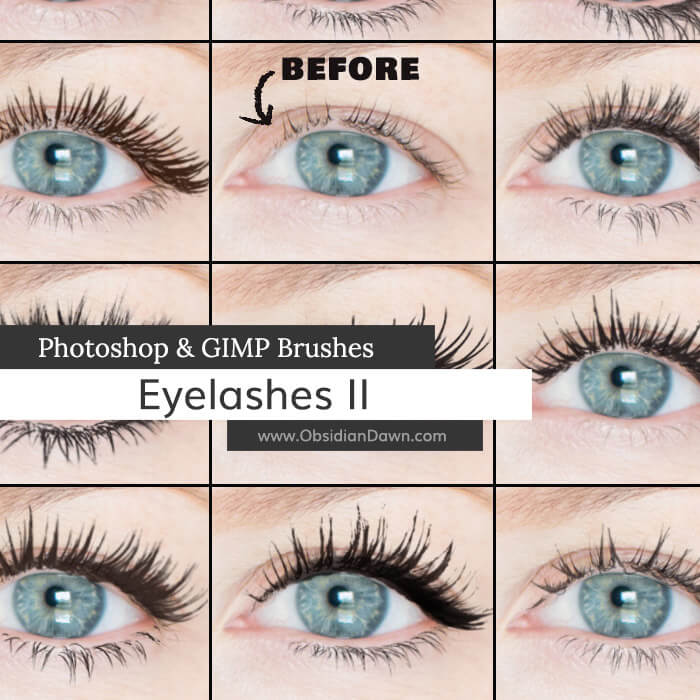
<h2><strong>Brushes:</strong> 44</h2>
<p><strong>Compatible with:</strong><br /><strong>Photoshop</strong> 7 to current version<br /><strong>Photoshop Elements</strong> 2 to current version<br /><strong>Procreate</strong> all versions<br /><strong>GIMP</strong> 2.2.6 to current version</p>
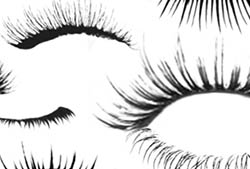
<p><strong>Description: </strong>Eyelashes&#8211;in one click! Includes unique left &#038; right sides. You&#8217;ll find lashes of varying thickness, from the very natural to something that looks a bit like a fuzzy caterpillar. People like their lashes all kinds of ways these days! Also includes a few with eyeliner, bottom lashes, and from the side.</p>
<p><strong>High Resolution!</strong></p>
<div class="downloadbutton DLconfirmation"><div class="centerit" style="padding:10px 0;"><div class="greenbutton" style="width:250px;max-width:90%;padding: 20px 0;font-size:130%;"><a href="http://www.obsidiandawn.com/download/8879/?tmstv=1749112574" class="nocolorchange" rel="nofollow">Download</div></div>


</div>
<div class="centerit" style="padding: 10px 0;">
<div class="greenbutton" style="width: 250px; max-width: 90%;"><a href="https://www.obsidiandawn.com/product/eyelashes-ii-brushes?add-to-cart=8882"><img decoding="async" src="/wp-content/uploads/cart-images/add-to-cart-green.png" /></a></div>
</div>
<p style="font-size: 60%;"><a class="blacktogreen DLconfirmation" href="/wp-content/downloads/image-packs/eyelashesII-images.zip">Download JPGs of these brushes</a></p>
</div><!-- resourceinfo -->
</div><!-- post id -->
</div><!-- resourcewrapper --><br class="clear" />
</div><!-- centersection -->
</div><!-- importantstuff --><br /><div class="recommendedbar">
          <div class="recommendedsection">
            <h1>Recommended for You</h1>
          <div class="centerit">
          <ul class="img-gallery">
            <li><a href="https://www.obsidiandawn.com/installing-photoshop-brushes-gimp-tutorial"><img decoding="async" src="https://www.obsidiandawn.com/wp-content/uploads/2017/03/installingbrushestutorial.jpg" class="galleryimage" alt="" /><span class="gallery-label"><span>Installing Brushes Tutorial</span></span></a></li>
	    <li><a href="https://www.obsidiandawn.com/eyelashes-photoshop-gimp-brushes"><img decoding="async" src="https://www.obsidiandawn.com/wp-content/uploads/2017/03/eyelashes.jpg" class="galleryimage" alt="" /><span class="gallery-label"><span>Eyelashes Brushes</span></span></a></li>
        <li><a href="https://www.obsidiandawn.com/brush-on-glimmer-photoshop-gimp-brushes"><img decoding="async" src="https://www.obsidiandawn.com/wp-content/uploads/2017/10/brushonglimmer.jpg" class="galleryimage" alt="" /><span class="gallery-label"><span>Brush on Glimmer Brushes</span></span></a></li>
	    <li><a href="https://www.obsidiandawn.com/eyeshadow-photoshop-gimp-brushes"><img decoding="async" src="https://www.obsidiandawn.com/wp-content/uploads/2017/03/eyeshadow.jpg" class="galleryimage" alt="" /><span class="gallery-label"><span>Eyeshadow Brushes</span></span></a></li>
          <span class="section2">
	    <li><a href="https://www.obsidiandawn.com/iris-parts-brushes-for-creating-eyes-in-photoshop-gimp"><img decoding="async" src="https://www.obsidiandawn.com/wp-content/uploads/2017/03/irisparts.jpg" class="galleryimage" alt="" /><span class="gallery-label"><span>Iris Parts Brushes</span></span></a></li>      
            <li><a href="https://www.obsidiandawn.com/realistic-eyelashes-and-eyeshadow-in-photoshop-tutorial"><img decoding="async" src="https://www.obsidiandawn.com/wp-content/uploads/2017/03/eyeshadowtutorial.jpg" class="galleryimage" alt="" /><span class="gallery-label"><span>Eyeshadow & Lashes Tutorial</span></span></a></li>
          <span class="section3">
	    <li><a href="https://www.obsidiandawn.com/painting-realistic-skin-textures-in-photoshop-tutorial"><img decoding="async" src="https://www.obsidiandawn.com/wp-content/uploads/2017/03/skintexturestutorial.jpg" class="galleryimage" alt="" /><span class="gallery-label"><span>Skin Textures Tutorial</span></span></a></li>
            <li><a href="https://www.obsidiandawn.com/silhouettes-photoshop-gimp-brushes"><img decoding="async" src="https://www.obsidiandawn.com/wp-content/uploads/2017/03/silhouettes.jpg" class="galleryimage" alt="" /><span class="gallery-label"><span>Silhouettes Brushes</span></span></a></li>
          <span class="section4">
	    <li><a href="https://www.obsidiandawn.com/eyebrows-photoshop-gimp-brushes"><img decoding="async" src="https://www.obsidiandawn.com/wp-content/uploads/2017/03/eyebrows.jpg" class="galleryimage" alt="" /><span class="gallery-label"><span>Eyebrows Brushes</span></span></a></li>
            <li><a href="https://www.obsidiandawn.com/makeup-face-sketches-photoshop-gimp-brushes"><img decoding="async" src="https://www.obsidiandawn.com/wp-content/uploads/2017/03/makeupfacesketches.jpg" class="galleryimage" alt="" /><span class="gallery-label"><span>Makeup & Face Brushes</span></span></a></li>
          <span class="section5">
	    <li><a href="https://www.obsidiandawn.com/creating-realistic-eyes-using-the-iris-parts-photoshop-gimp-brushes"><img decoding="async" src="https://www.obsidiandawn.com/wp-content/uploads/2017/03/realisticeyestutorial.jpg" class="galleryimage" alt="" /><span class="gallery-label"><span>Realistic Eyes Tutorial</span></span></a></li>
	    <li><a href="https://www.obsidiandawn.com/hair-strands-photoshop-gimp-brushes"><img decoding="async" src="https://www.obsidiandawn.com/wp-content/uploads/2017/03/hairstrands.jpg" class="galleryimage" alt="" /><span class="gallery-label"><span>Hair Strands Brushes</span></span></a></li> 
          </span> <!-- section5 -->          
          </span> <!-- section4 -->
          </span> <!-- section3 -->
          </span> <!-- section2 -->
          </ul>
          </div> <!-- centerit -->
          </div> <!-- recommendedsection -->
        </div><!-- recommendedbar -->The post <a href="https://www.obsidiandawn.com/eyelashes-ii-photoshop-gimp-brushes">Eyelashes II Photoshop & GIMP Brushes</a> first appeared on <a href="https://www.obsidiandawn.com">Obsidian Dawn</a>.]]></content>
		
			</entry>
		<entry>
		<author>
			<name>Stephanie</name>
							<uri>http://www.obsidiandawn.com</uri>
						</author>

		<title type="html"><![CDATA[Arcane Runes III Photoshop &#038; GIMP Brushes]]></title>
		<link href="https://www.obsidiandawn.com/arcane-runes-iii-photoshop-gimp-brushes?utm_source=rss&amp;utm_medium=rss&amp;utm_campaign=arcane-runes-iii-photoshop-gimp-brushes" rel="alternate" type="text/html"/>

		<id>http://www.obsidiandawn.com/?p=8793</id>
		<updated>2023-10-10T02:41:55Z</updated>
		<published>2019-11-22T18:13:04Z</published>
		<category scheme="https://www.obsidiandawn.com" term="Brushes"/><category scheme="https://www.obsidiandawn.com" term="Designs"/><category scheme="https://www.obsidiandawn.com" term="Fantasy/Sci-Fi"/><category scheme="https://www.obsidiandawn.com" term="GIMP"/><category scheme="https://www.obsidiandawn.com" term="Photoshop"/><category scheme="https://www.obsidiandawn.com" term="Symbols"/>
		<summary type="html"><![CDATA[<p>Arcane Runes Brushes: 32 Description: Arcane or magical runes. Completely made up by me, so don&#8217;t worry that you&#8217;ll curse yourself by using them. They don&#8217;t mean anything other than what you want them to mean. :) High Resolution! Download JPGs of these brushes</p>
The post <a href="https://www.obsidiandawn.com/arcane-runes-iii-photoshop-gimp-brushes">Arcane Runes III Photoshop & GIMP Brushes</a> first appeared on <a href="https://www.obsidiandawn.com">Obsidian Dawn</a>.]]></summary>

					<content type="html" xml:base="https://www.obsidiandawn.com/arcane-runes-iii-photoshop-gimp-brushes?utm_source=rss&amp;utm_medium=rss&amp;utm_campaign=arcane-runes-iii-photoshop-gimp-brushes"><![CDATA[<div class="fullimage"><img decoding="async" title="Arcane Runes III Brushes" src="http://www.obsidiandawn.com/wp-content/themes/OD4/imgs/fullsize/arcanerunesIII.jpg" alt="Arcane Runes III Brushes" /></div>
<div class="resourceinfo">
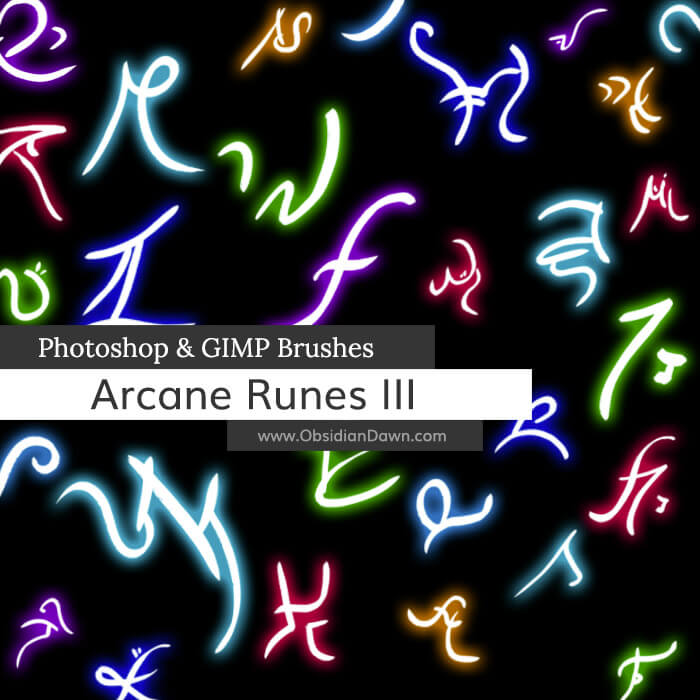
<h2><strong>Arcane Runes Brushes:</strong> 32</h2>
<p><strong>Compatible with:</strong><br /><strong>Photoshop</strong> 7 to current version<br /><strong>Photoshop Elements</strong> 2 to current version<br /><strong>Procreate</strong> all versions<br /><strong>GIMP</strong> 2.2.6 to current version</p>
<p><strong>Description: </strong>Arcane or magical runes. Completely made up by me, so don&#8217;t worry that you&#8217;ll curse yourself by using them. They don&#8217;t mean anything other than what you want them to mean. :)</p>
<p><strong>High Resolution!</strong></p>
<div class="downloadbutton DLconfirmation"><div class="centerit" style="padding:10px 0;"><div class="greenbutton" style="width:250px;max-width:90%;padding: 20px 0;font-size:130%;"><a href="http://www.obsidiandawn.com/download/8794/?tmstv=1749112574" class="nocolorchange" rel="nofollow">Download</div></div>


</div>
<div class="centerit" style="padding: 10px 0;">
<div class="greenbutton" style="width: 250px; max-width: 90%;"><a href="https://www.obsidiandawn.com/product/arcane-runes-iii-brushes?add-to-cart=8799"><img decoding="async" src="/wp-content/uploads/cart-images/add-to-cart-green.png" /></a></div>
</div>
<p style="font-size: 60%;"><a class="blacktogreen DLconfirmation" href="/wp-content/downloads/image-packs/arcane-runesIII-images.zip">Download JPGs of these brushes</a></p>
</div><!-- resourceinfo -->
</div><!-- post id -->
</div><!-- resourcewrapper --><br class="clear" />
</div><!-- centersection -->
</div><!-- importantstuff --><br /><div class="recommendedbar">
          <div class="recommendedsection">
            <h1>Recommended for You</h1>
          <div class="centerit">
          <ul class="img-gallery">
            <li><a href="https://www.obsidiandawn.com/installing-photoshop-brushes-gimp-tutorial"><img decoding="async" src="https://www.obsidiandawn.com/wp-content/uploads/2017/03/installingbrushestutorial.jpg" class="galleryimage" alt="" /><span class="gallery-label"><span>Installing Brushes Tutorial</span></span></a></li>
	    <li><a href="https://www.obsidiandawn.com/arcane-circles-iii-photoshop-gimp-brushes"><img decoding="async" src="https://www.obsidiandawn.com/wp-content/uploads/2019/11/arcanecirclesIII.jpg" class="galleryimage" alt="" /><span class="gallery-label"><span>Arcane Circles III Brushes</span></span></a></li>
	    <li><a href="https://www.obsidiandawn.com/arcane-circles-ii-photoshop-gimp-brushes"><img decoding="async" src="https://www.obsidiandawn.com/wp-content/uploads/2017/03/arcanecirclesII.jpg" class="galleryimage" alt="" /><span class="gallery-label"><span>Arcane Circles II Brushes</span></span></a></li>
	    <li><a href="https://www.obsidiandawn.com/arcane-circles-photoshop-gimp-brushes"><img decoding="async" src="https://www.obsidiandawn.com/wp-content/uploads/2017/03/arcanecircles.jpg" class="galleryimage" alt="" /><span class="gallery-label"><span>Arcane Circles Brushes</span></span></a></li>  
          <span class="section2">
	    <li><a href="https://www.obsidiandawn.com/arcane-runes-iii-photoshop-gimp-brushes"><img decoding="async" src="https://www.obsidiandawn.com/wp-content/uploads/2019/11/arcanerunesIII.jpg" class="galleryimage" alt="" /><span class="gallery-label"><span>Arcane Runes III Brushes</span></span></a></li>
            <li><a href="https://www.obsidiandawn.com/arcane-runes-ii-photoshop-gimp-brushes"><img decoding="async" src="https://www.obsidiandawn.com/wp-content/uploads/2017/03/arcanerunesII.jpg" class="galleryimage" alt="" /><span class="gallery-label"><span>Arcane Runes II Brushes</span></span></a></li>
          <span class="section3">
	    <li><a href="https://www.obsidiandawn.com/arcane-runes-photoshop-gimp-brushes"><img decoding="async" src="https://www.obsidiandawn.com/wp-content/uploads/2017/03/arcanerunes.jpg" class="galleryimage" alt="" /><span class="gallery-label"><span>Arcane Runes Brushes</span></span></a></li>
	    <li><a href="https://www.obsidiandawn.com/glowing-circles-photoshop-gimp-brushes"><img decoding="async" src="https://www.obsidiandawn.com/wp-content/uploads/2017/03/glowingcircles.jpg" class="galleryimage" alt="" /><span class="gallery-label"><span>Glowing Circles Brushes</span></span></a></li> 
          <span class="section4">
	    <li><a href="https://www.obsidiandawn.com/aurora-borealis-photoshop-gimp-brushes"><img decoding="async" src="https://www.obsidiandawn.com/wp-content/uploads/2017/03/aurora.jpg" class="galleryimage" alt="" /><span class="gallery-label"><span>Aurora Borealis Brushes</span></span></a></li>      
            <li><a href="https://www.obsidiandawn.com/glitter-n-smoke-photoshop-gimp-brushes"><img decoding="async" src="https://www.obsidiandawn.com/wp-content/uploads/2017/03/glitternsmoke.jpg" class="galleryimage" alt="" /><span class="gallery-label"><span>Glitter n Smoke Brushes</span></span></a></li>
          <span class="section5">
	    <li><a href="https://www.obsidiandawn.com/light-beams-photoshop-gimp-brushes"><img decoding="async" src="https://www.obsidiandawn.com/wp-content/uploads/2017/03/lightbeams.jpg" class="galleryimage" alt="" /><span class="gallery-label"><span>Light Beams Brushes</span></span></a></li>
            <li><a href="https://www.obsidiandawn.com/mist-photoshop-gimp-brushes"><img decoding="async" src="https://www.obsidiandawn.com/wp-content/uploads/2017/03/mist.jpg" class="galleryimage" alt="" /><span class="gallery-label"><span>Mist Brushes</span></span></a></li>
          </span> <!-- section5 -->          
          </span> <!-- section4 -->
          </span> <!-- section3 -->
          </span> <!-- section2 -->
          </ul>
          </div> <!-- centerit -->
          </div> <!-- recommendedsection -->
        </div><!-- recommendedbar -->The post <a href="https://www.obsidiandawn.com/arcane-runes-iii-photoshop-gimp-brushes">Arcane Runes III Photoshop & GIMP Brushes</a> first appeared on <a href="https://www.obsidiandawn.com">Obsidian Dawn</a>.]]></content>
		
			</entry>
		<entry>
		<author>
			<name>Stephanie</name>
							<uri>http://www.obsidiandawn.com</uri>
						</author>

		<title type="html"><![CDATA[Arcane Circles III Photoshop &#038; GIMP Brushes]]></title>
		<link href="https://www.obsidiandawn.com/arcane-circles-iii-photoshop-gimp-brushes?utm_source=rss&amp;utm_medium=rss&amp;utm_campaign=arcane-circles-iii-photoshop-gimp-brushes" rel="alternate" type="text/html"/>

		<id>http://www.obsidiandawn.com/?p=8804</id>
		<updated>2023-10-10T02:46:56Z</updated>
		<published>2019-11-22T18:12:48Z</published>
		<category scheme="https://www.obsidiandawn.com" term="Brushes"/><category scheme="https://www.obsidiandawn.com" term="Designs"/><category scheme="https://www.obsidiandawn.com" term="Fantasy/Sci-Fi"/><category scheme="https://www.obsidiandawn.com" term="GIMP"/><category scheme="https://www.obsidiandawn.com" term="Photoshop"/>
		<summary type="html"><![CDATA[<p>Arcane Circles Brushes: 56 Description: Arcane or magical circles, all designs and runes completely made up. This set includes all the various &#8220;parts&#8221; that I use to make my arcane circles, so yours can finally be UNIQUE, but still faster than drawing them yourself. Also includes versions WITH and WITHOUT the glow! High Resolution! Download [&#8230;]</p>
The post <a href="https://www.obsidiandawn.com/arcane-circles-iii-photoshop-gimp-brushes">Arcane Circles III Photoshop & GIMP Brushes</a> first appeared on <a href="https://www.obsidiandawn.com">Obsidian Dawn</a>.]]></summary>

					<content type="html" xml:base="https://www.obsidiandawn.com/arcane-circles-iii-photoshop-gimp-brushes?utm_source=rss&amp;utm_medium=rss&amp;utm_campaign=arcane-circles-iii-photoshop-gimp-brushes"><![CDATA[<div class="fullimage"><img decoding="async" title="Arcane Circles III Brushes" src="http://www.obsidiandawn.com/wp-content/themes/OD4/imgs/fullsize/arcanecirclesIII.jpg" alt="Arcane Circles III Brushes" /></div>
<div class="resourceinfo">
<h2><strong>Arcane Circles Brushes:</strong> 56</h2>
<p><strong>Compatible with:</strong><br /><strong>Photoshop</strong> 7 to current version<br /><strong>Photoshop Elements</strong> 2 to current version<br /><strong>Procreate</strong> all versions<br /><strong>GIMP</strong> 2.2.6 to current version</p>
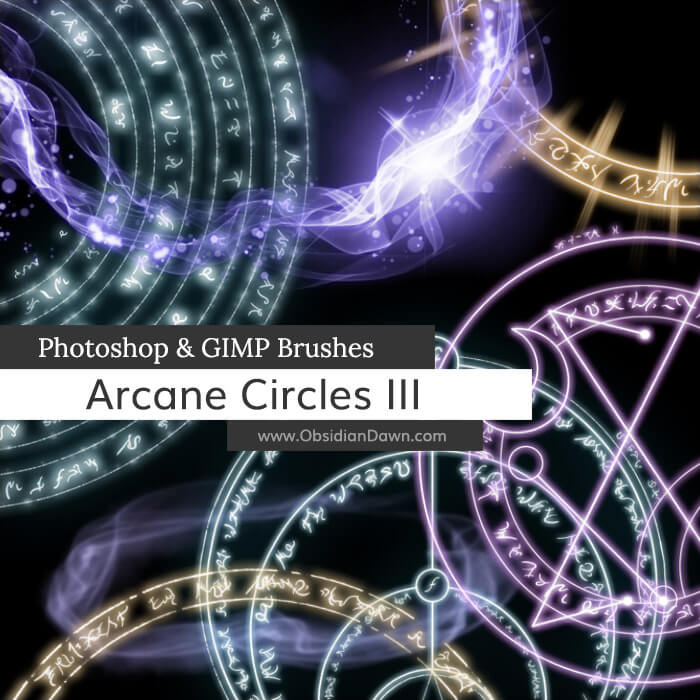
<p><strong>Description: </strong>Arcane or magical circles, all designs and runes completely made up. This set includes all the various &#8220;parts&#8221; that I use to make my arcane circles, so yours can finally be UNIQUE, but still faster than drawing them yourself. Also includes versions WITH and WITHOUT the glow!</p>
<p><strong>High Resolution!</strong></p>
<div class="downloadbutton DLconfirmation"><div class="centerit" style="padding:10px 0;"><div class="greenbutton" style="width:250px;max-width:90%;padding: 20px 0;font-size:130%;"><a href="http://www.obsidiandawn.com/download/8796/?tmstv=1749112575" class="nocolorchange" rel="nofollow">Download</div></div>


</div>
<div class="centerit" style="padding: 10px 0;">
<div class="greenbutton" style="width: 250px; max-width: 90%;"><a href="https://www.obsidiandawn.com/product/arcane-circles-iii-brushes?add-to-cart=8801"><img decoding="async" src="/wp-content/uploads/cart-images/add-to-cart-green.png" /></a></div>
</div>
<p style="font-size: 60%;"><a class="blacktogreen DLconfirmation" href="/wp-content/downloads/image-packs/arcane-circlesIII-images.zip">Download JPGs of these brushes</a></p>
</div><!-- resourceinfo -->
</div><!-- post id -->
</div><!-- resourcewrapper --><br class="clear" />
</div><!-- centersection -->
</div><!-- importantstuff --><br /><div class="recommendedbar">
          <div class="recommendedsection">
            <h1>Recommended for You</h1>
          <div class="centerit">
          <ul class="img-gallery">
            <li><a href="https://www.obsidiandawn.com/installing-photoshop-brushes-gimp-tutorial"><img decoding="async" src="https://www.obsidiandawn.com/wp-content/uploads/2017/03/installingbrushestutorial.jpg" class="galleryimage" alt="" /><span class="gallery-label"><span>Installing Brushes Tutorial</span></span></a></li>
	    <li><a href="https://www.obsidiandawn.com/arcane-circles-iii-photoshop-gimp-brushes"><img decoding="async" src="https://www.obsidiandawn.com/wp-content/uploads/2019/11/arcanecirclesIII.jpg" class="galleryimage" alt="" /><span class="gallery-label"><span>Arcane Circles III Brushes</span></span></a></li>
	    <li><a href="https://www.obsidiandawn.com/arcane-circles-ii-photoshop-gimp-brushes"><img decoding="async" src="https://www.obsidiandawn.com/wp-content/uploads/2017/03/arcanecirclesII.jpg" class="galleryimage" alt="" /><span class="gallery-label"><span>Arcane Circles II Brushes</span></span></a></li>
	    <li><a href="https://www.obsidiandawn.com/arcane-circles-photoshop-gimp-brushes"><img decoding="async" src="https://www.obsidiandawn.com/wp-content/uploads/2017/03/arcanecircles.jpg" class="galleryimage" alt="" /><span class="gallery-label"><span>Arcane Circles Brushes</span></span></a></li>  
          <span class="section2">
	    <li><a href="https://www.obsidiandawn.com/arcane-runes-iii-photoshop-gimp-brushes"><img decoding="async" src="https://www.obsidiandawn.com/wp-content/uploads/2019/11/arcanerunesIII.jpg" class="galleryimage" alt="" /><span class="gallery-label"><span>Arcane Runes III Brushes</span></span></a></li>
            <li><a href="https://www.obsidiandawn.com/arcane-runes-ii-photoshop-gimp-brushes"><img decoding="async" src="https://www.obsidiandawn.com/wp-content/uploads/2017/03/arcanerunesII.jpg" class="galleryimage" alt="" /><span class="gallery-label"><span>Arcane Runes II Brushes</span></span></a></li>
          <span class="section3">
	    <li><a href="https://www.obsidiandawn.com/arcane-runes-photoshop-gimp-brushes"><img decoding="async" src="https://www.obsidiandawn.com/wp-content/uploads/2017/03/arcanerunes.jpg" class="galleryimage" alt="" /><span class="gallery-label"><span>Arcane Runes Brushes</span></span></a></li>
	    <li><a href="https://www.obsidiandawn.com/glowing-circles-photoshop-gimp-brushes"><img decoding="async" src="https://www.obsidiandawn.com/wp-content/uploads/2017/03/glowingcircles.jpg" class="galleryimage" alt="" /><span class="gallery-label"><span>Glowing Circles Brushes</span></span></a></li> 
          <span class="section4">
	    <li><a href="https://www.obsidiandawn.com/aurora-borealis-photoshop-gimp-brushes"><img decoding="async" src="https://www.obsidiandawn.com/wp-content/uploads/2017/03/aurora.jpg" class="galleryimage" alt="" /><span class="gallery-label"><span>Aurora Borealis Brushes</span></span></a></li>      
            <li><a href="https://www.obsidiandawn.com/glitter-n-smoke-photoshop-gimp-brushes"><img decoding="async" src="https://www.obsidiandawn.com/wp-content/uploads/2017/03/glitternsmoke.jpg" class="galleryimage" alt="" /><span class="gallery-label"><span>Glitter n Smoke Brushes</span></span></a></li>
          <span class="section5">
	    <li><a href="https://www.obsidiandawn.com/light-beams-photoshop-gimp-brushes"><img decoding="async" src="https://www.obsidiandawn.com/wp-content/uploads/2017/03/lightbeams.jpg" class="galleryimage" alt="" /><span class="gallery-label"><span>Light Beams Brushes</span></span></a></li>
            <li><a href="https://www.obsidiandawn.com/mist-photoshop-gimp-brushes"><img decoding="async" src="https://www.obsidiandawn.com/wp-content/uploads/2017/03/mist.jpg" class="galleryimage" alt="" /><span class="gallery-label"><span>Mist Brushes</span></span></a></li>
          </span> <!-- section5 -->          
          </span> <!-- section4 -->
          </span> <!-- section3 -->
          </span> <!-- section2 -->
          </ul>
          </div> <!-- centerit -->
          </div> <!-- recommendedsection -->
        </div><!-- recommendedbar -->The post <a href="https://www.obsidiandawn.com/arcane-circles-iii-photoshop-gimp-brushes">Arcane Circles III Photoshop & GIMP Brushes</a> first appeared on <a href="https://www.obsidiandawn.com">Obsidian Dawn</a>.]]></content>
		
			</entry>
		<entry>
		<author>
			<name>Stephanie</name>
							<uri>http://www.obsidiandawn.com</uri>
						</author>

		<title type="html"><![CDATA[Old Film Photoshop &#038; GIMP Brushes]]></title>
		<link href="https://www.obsidiandawn.com/old-film-photoshop-gimp-brushes?utm_source=rss&amp;utm_medium=rss&amp;utm_campaign=old-film-photoshop-gimp-brushes" rel="alternate" type="text/html"/>

		<id>http://www.obsidiandawn.com/?p=8744</id>
		<updated>2023-10-10T02:48:22Z</updated>
		<published>2019-11-14T20:41:10Z</published>
		<category scheme="https://www.obsidiandawn.com" term="Brushes"/><category scheme="https://www.obsidiandawn.com" term="Digital Artist"/><category scheme="https://www.obsidiandawn.com" term="GIMP"/><category scheme="https://www.obsidiandawn.com" term="High Resolution"/><category scheme="https://www.obsidiandawn.com" term="Photoshop"/><category scheme="https://www.obsidiandawn.com" term="Textures"/>
		<summary type="html"><![CDATA[<p>Old Film Brushes: 45 Description: Recreate the look of old, scratched, faded film! Use them to create a video overlay to get that old, damaged film effect or apply to your images. Includes lots of scratches, lines, vignettes, and stamp-based dust as well as paintable dust that scatters to create random patterns. High Resolution! Download [&#8230;]</p>
The post <a href="https://www.obsidiandawn.com/old-film-photoshop-gimp-brushes">Old Film Photoshop & GIMP Brushes</a> first appeared on <a href="https://www.obsidiandawn.com">Obsidian Dawn</a>.]]></summary>

					<content type="html" xml:base="https://www.obsidiandawn.com/old-film-photoshop-gimp-brushes?utm_source=rss&amp;utm_medium=rss&amp;utm_campaign=old-film-photoshop-gimp-brushes"><![CDATA[<div class="fullimage"><img decoding="async" title="Old Film Brushes" src="http://www.obsidiandawn.com/wp-content/themes/OD4/imgs/fullsize/oldfilm.jpg" alt="Old Film Brushes" /></div>
<div class="resourceinfo">
<h2><strong>Old Film Brushes:</strong> 45</h2>
<p><strong>Compatible with:</strong><br /><strong>Photoshop</strong> 7 to current version<br /><strong>Photoshop Elements</strong> 2 to current version<br /><strong>Procreate</strong> all versions<br /><strong>GIMP</strong> 2.2.6 to current version</p>
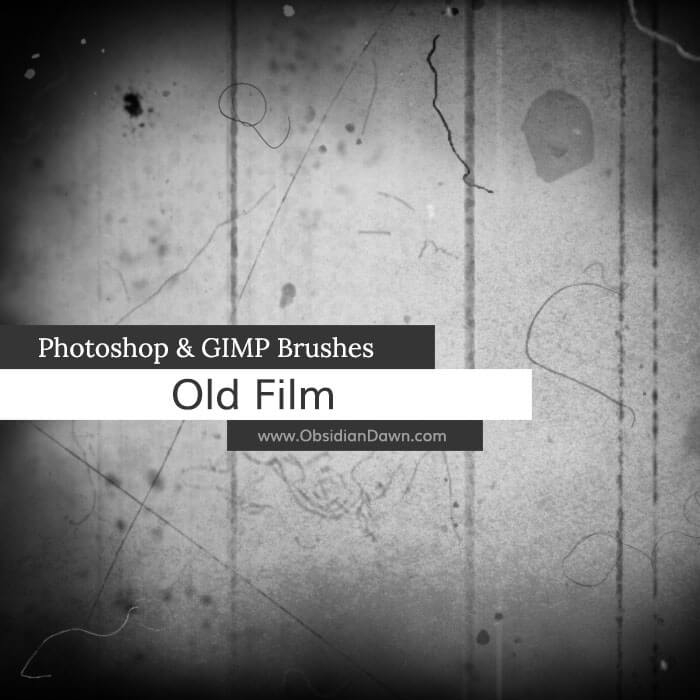
<p><strong>Description: </strong>Recreate the look of old, scratched, faded film! Use them to create a video overlay to get that old, damaged film effect or apply to your images. Includes lots of scratches, lines, vignettes, and stamp-based dust as well as paintable dust that scatters to create random patterns.</p>
<p><strong>High Resolution!</strong></p>
<div class="downloadbutton DLconfirmation"><div class="centerit" style="padding:10px 0;"><div class="greenbutton" style="width:250px;max-width:90%;padding: 20px 0;font-size:130%;"><a href="http://www.obsidiandawn.com/download/8745/?tmstv=1749112575" class="nocolorchange" rel="nofollow">Download</div></div>


</div>
<div class="centerit" style="padding: 10px 0;">
<div class="greenbutton" style="width: 250px; max-width: 90%;"><a href="https://www.obsidiandawn.com/product/old-film-brushes?add-to-cart=8748"><img decoding="async" src="/wp-content/uploads/cart-images/add-to-cart-green.png" /></a></div>
</div>
<p style="font-size: 60%;"><a class="blacktogreen DLconfirmation" href="/wp-content/downloads/image-packs/old-film-images.zip">Download JPGs of these brushes</a></p>
</div><!-- resourceinfo -->
</div><!-- post id -->
</div><!-- resourcewrapper --><br class="clear" />
</div><!-- centersection -->
</div><!-- importantstuff --><br /><div class="recommendedbar">
          <div class="recommendedsection">
            <h1>Recommended for You</h1>
          <div class="centerit">
          <ul class="img-gallery">
            <li><a href="https://www.obsidiandawn.com/installing-photoshop-brushes-gimp-tutorial"><img decoding="async" src="https://www.obsidiandawn.com/wp-content/uploads/2017/03/installingbrushestutorial.jpg" class="galleryimage" alt="" /><span class="gallery-label"><span>Installing Brushes Tutorial</span></span></a></li>
	    <li><a href="https://www.obsidiandawn.com/texture-photoshop-gimp-brushes"><img decoding="async" src="https://www.obsidiandawn.com/wp-content/uploads/2017/03/textures.jpg" class="galleryimage" alt="" /><span class="gallery-label"><span>Textures Brushes</span></span></a></li>
	    <li><a href="https://www.obsidiandawn.com/lace-photoshop-gimp-brushes"><img decoding="async" src="https://www.obsidiandawn.com/wp-content/uploads/2017/03/lace.jpg" class="galleryimage" alt="" /><span class="gallery-label"><span>Lace Brushes</span></span></a></li>  
	    <li><a href="https://www.obsidiandawn.com/frost-photoshop-gimp-brushes"><img decoding="async" src="https://www.obsidiandawn.com/wp-content/uploads/2017/03/frost.jpg" class="galleryimage" alt="" /><span class="gallery-label"><span>Frost Brushes</span></span></a></li>
          <span class="section2">
	    <li><a href="https://www.obsidiandawn.com/painting-textures-photoshop-gimp-brushes"><img decoding="async" src="https://www.obsidiandawn.com/wp-content/uploads/2017/03/paintingtextures.jpg" class="galleryimage" alt="" /><span class="gallery-label"><span>Painting Textures Brushes</span></span></a></li>
	    <li><a href="https://www.obsidiandawn.com/skin-textures-photoshop-brushes"><img decoding="async" src="https://www.obsidiandawn.com/wp-content/uploads/2017/03/skintextures-1.jpg" class="galleryimage" alt="" /><span class="gallery-label"><span>Skin Textures Brushes</span></span></a></li> 
          <span class="section3">
	    <li><a href="https://www.obsidiandawn.com/distressed-photoshop-gimp-brushes"><img decoding="async" src="https://www.obsidiandawn.com/wp-content/uploads/2017/03/distressed.jpg" class="galleryimage" alt="" /><span class="gallery-label"><span>Distressed Brushes</span></span></a></li>
            <li><a href="https://www.obsidiandawn.com/old-film-photoshop-gimp-brushes"><img decoding="async" src="https://www.obsidiandawn.com/wp-content/uploads/2019/11/oldfilm.jpg" class="galleryimage" alt="" /><span class="gallery-label"><span>Old Film Brushes</span></span></a></li>
          <span class="section4">
	    <li><a href="https://www.obsidiandawn.com/stonework-photoshop-patterns"><img decoding="async" src="https://www.obsidiandawn.com/wp-content/uploads/2017/03/stoneworkpatterns.jpg" class="galleryimage" alt="" /><span class="gallery-label"><span>Stonework I Patterns</span></span></a></li>
            <li><a href="https://www.obsidiandawn.com/grungy-dirty-photoshop-patterns"><img decoding="async" src="https://www.obsidiandawn.com/wp-content/uploads/2017/03/grungydirtypatterns.jpg" class="galleryimage" alt="" /><span class="gallery-label"><span>Grungy n Dirty Patterns</span></span></a></li>
          <span class="section5">
	    <li><a href="https://www.obsidiandawn.com/flower-sketches-photoshop-gimp-brushes"><img decoding="async" src="https://www.obsidiandawn.com/wp-content/uploads/2017/03/flowersketches.jpg" class="galleryimage" alt="" /><span class="gallery-label"><span>Flower Sketches</span></span></a></li>	    
            <li><a href="https://www.obsidiandawn.com/creating-seamless-textures-in-photoshop-tutorial"><img decoding="async" src="https://www.obsidiandawn.com/wp-content/uploads/2017/03/creatingseamlesstexturestutorial.jpg" class="galleryimage" alt="" /><span class="gallery-label"><span>Seamless Textures Tutorial</span></span></a></li>
          </span> <!-- section5 -->          
          </span> <!-- section4 -->
          </span> <!-- section3 -->
          </span> <!-- section2 -->
          </ul>
          </div> <!-- centerit -->
          </div> <!-- recommendedsection -->
        </div><!-- recommendedbar -->The post <a href="https://www.obsidiandawn.com/old-film-photoshop-gimp-brushes">Old Film Photoshop & GIMP Brushes</a> first appeared on <a href="https://www.obsidiandawn.com">Obsidian Dawn</a>.]]></content>
		
			</entry>
		<entry>
		<author>
			<name>Stephanie</name>
							<uri>http://www.obsidiandawn.com</uri>
						</author>

		<title type="html"><![CDATA[Catchlights (Light Reflections) Photoshop &#038; GIMP Brushes]]></title>
		<link href="https://www.obsidiandawn.com/catchlights-light-reflections-photoshop-gimp-brushes?utm_source=rss&amp;utm_medium=rss&amp;utm_campaign=catchlights-light-reflections-photoshop-gimp-brushes" rel="alternate" type="text/html"/>

		<id>http://www.obsidiandawn.com/?p=8216</id>
		<updated>2023-10-10T02:50:49Z</updated>
		<published>2019-04-18T01:22:05Z</published>
		<category scheme="https://www.obsidiandawn.com" term="Brushes"/><category scheme="https://www.obsidiandawn.com" term="Digital Artist"/><category scheme="https://www.obsidiandawn.com" term="Fantasy/Sci-Fi"/><category scheme="https://www.obsidiandawn.com" term="GIMP"/><category scheme="https://www.obsidiandawn.com" term="People"/><category scheme="https://www.obsidiandawn.com" term="Photoshop"/>
		<summary type="html"><![CDATA[<p>Catchlights Brushes: 32 Description: Brushes made to create custom catchlights or catch lights in eyes. Those are the reflections of light that helps the viewer get lost in those eyes! Includes: several simple round reflections, several with lashes, windows or outdoor scenes, and even a few professional light studio rings or circle lights. Put a [&#8230;]</p>
The post <a href="https://www.obsidiandawn.com/catchlights-light-reflections-photoshop-gimp-brushes">Catchlights (Light Reflections) Photoshop & GIMP Brushes</a> first appeared on <a href="https://www.obsidiandawn.com">Obsidian Dawn</a>.]]></summary>

					<content type="html" xml:base="https://www.obsidiandawn.com/catchlights-light-reflections-photoshop-gimp-brushes?utm_source=rss&amp;utm_medium=rss&amp;utm_campaign=catchlights-light-reflections-photoshop-gimp-brushes"><![CDATA[<div class="fullimage"><img decoding="async" title="Catchlights Brushes" src="http://www.obsidiandawn.com/wp-content/themes/OD4/imgs/fullsize/catchlights.jpg" alt="Catchlights Brushes" /></div>
<div class="resourceinfo">
<h2><strong>Catchlights Brushes:</strong> 32</h2>
<p><strong>Compatible with:</strong><br /><strong>Photoshop</strong> 7 to current version<br /><strong>Photoshop Elements</strong> 2 to current version<br /><strong>Procreate</strong> all versions<br /><strong>GIMP</strong> 2.2.6 to current version</p>
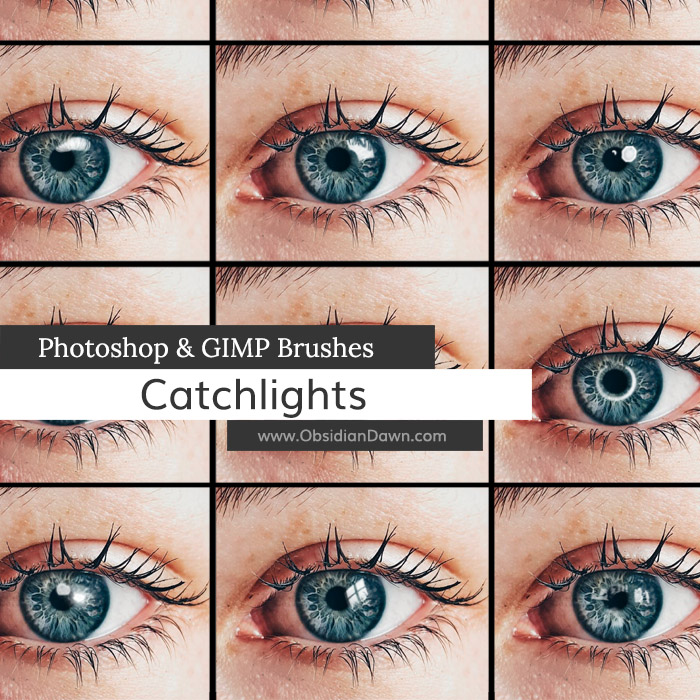
<p><strong>Description: </strong>Brushes made to create custom catchlights or catch lights in eyes. Those are the reflections of light that helps the viewer get lost in those eyes! Includes: several simple round reflections, several with lashes, windows or outdoor scenes, and even a few professional light studio rings or circle lights. Put a gleam in your subject&#8217;s eyes and help your image look magical!</p>
<div class="downloadbutton DLconfirmation"><div class="centerit" style="padding:10px 0;"><div class="greenbutton" style="width:250px;max-width:90%;padding: 20px 0;font-size:130%;"><a href="http://www.obsidiandawn.com/download/8212/?tmstv=1749112575" class="nocolorchange" rel="nofollow">Download</div></div>


</div>
<div class="centerit" style="padding: 10px 0;">
<div class="greenbutton" style="width: 250px; max-width: 90%;"><a href="https://www.obsidiandawn.com/product/catchlights-brushes?add-to-cart=8214"><img decoding="async" src="/wp-content/uploads/cart-images/add-to-cart-green.png" /></a></div>
</div>
<p style="font-size: 60%;"><a class="blacktogreen DLconfirmation" href="/wp-content/downloads/image-packs/catchlights-images.zip">Download JPGs of these brushes</a></p>
</div><!-- resourceinfo -->
</div><!-- post id -->
</div><!-- resourcewrapper --><br class="clear" />
</div><!-- centersection -->
</div><!-- importantstuff --><br /><div class="recommendedbar">
          <div class="recommendedsection">
            <h1>Recommended for You</h1>
          <div class="centerit">
          <ul class="img-gallery">
            <li><a href="https://www.obsidiandawn.com/installing-photoshop-brushes-gimp-tutorial"><img decoding="async" src="https://www.obsidiandawn.com/wp-content/uploads/2017/03/installingbrushestutorial.jpg" class="galleryimage" alt="" /><span class="gallery-label"><span>Installing Brushes Tutorial</span></span></a></li>
	    <li><a href="https://www.obsidiandawn.com/eyelashes-photoshop-gimp-brushes"><img decoding="async" src="https://www.obsidiandawn.com/wp-content/uploads/2017/03/eyelashes.jpg" class="galleryimage" alt="" /><span class="gallery-label"><span>Eyelashes Brushes</span></span></a></li>
        <li><a href="https://www.obsidiandawn.com/brush-on-glimmer-photoshop-gimp-brushes"><img decoding="async" src="https://www.obsidiandawn.com/wp-content/uploads/2017/10/brushonglimmer.jpg" class="galleryimage" alt="" /><span class="gallery-label"><span>Brush on Glimmer Brushes</span></span></a></li>
	    <li><a href="https://www.obsidiandawn.com/eyeshadow-photoshop-gimp-brushes"><img decoding="async" src="https://www.obsidiandawn.com/wp-content/uploads/2017/03/eyeshadow.jpg" class="galleryimage" alt="" /><span class="gallery-label"><span>Eyeshadow Brushes</span></span></a></li>
          <span class="section2">
	    <li><a href="https://www.obsidiandawn.com/iris-parts-brushes-for-creating-eyes-in-photoshop-gimp"><img decoding="async" src="https://www.obsidiandawn.com/wp-content/uploads/2017/03/irisparts.jpg" class="galleryimage" alt="" /><span class="gallery-label"><span>Iris Parts Brushes</span></span></a></li>      
            <li><a href="https://www.obsidiandawn.com/realistic-eyelashes-and-eyeshadow-in-photoshop-tutorial"><img decoding="async" src="https://www.obsidiandawn.com/wp-content/uploads/2017/03/eyeshadowtutorial.jpg" class="galleryimage" alt="" /><span class="gallery-label"><span>Eyeshadow & Lashes Tutorial</span></span></a></li>
          <span class="section3">
	    <li><a href="https://www.obsidiandawn.com/painting-realistic-skin-textures-in-photoshop-tutorial"><img decoding="async" src="https://www.obsidiandawn.com/wp-content/uploads/2017/03/skintexturestutorial.jpg" class="galleryimage" alt="" /><span class="gallery-label"><span>Skin Textures Tutorial</span></span></a></li>
            <li><a href="https://www.obsidiandawn.com/silhouettes-photoshop-gimp-brushes"><img decoding="async" src="https://www.obsidiandawn.com/wp-content/uploads/2017/03/silhouettes.jpg" class="galleryimage" alt="" /><span class="gallery-label"><span>Silhouettes Brushes</span></span></a></li>
          <span class="section4">
	    <li><a href="https://www.obsidiandawn.com/eyebrows-photoshop-gimp-brushes"><img decoding="async" src="https://www.obsidiandawn.com/wp-content/uploads/2017/03/eyebrows.jpg" class="galleryimage" alt="" /><span class="gallery-label"><span>Eyebrows Brushes</span></span></a></li>
            <li><a href="https://www.obsidiandawn.com/makeup-face-sketches-photoshop-gimp-brushes"><img decoding="async" src="https://www.obsidiandawn.com/wp-content/uploads/2017/03/makeupfacesketches.jpg" class="galleryimage" alt="" /><span class="gallery-label"><span>Makeup & Face Brushes</span></span></a></li>
          <span class="section5">
	    <li><a href="https://www.obsidiandawn.com/creating-realistic-eyes-using-the-iris-parts-photoshop-gimp-brushes"><img decoding="async" src="https://www.obsidiandawn.com/wp-content/uploads/2017/03/realisticeyestutorial.jpg" class="galleryimage" alt="" /><span class="gallery-label"><span>Realistic Eyes Tutorial</span></span></a></li>
	    <li><a href="https://www.obsidiandawn.com/hair-strands-photoshop-gimp-brushes"><img decoding="async" src="https://www.obsidiandawn.com/wp-content/uploads/2017/03/hairstrands.jpg" class="galleryimage" alt="" /><span class="gallery-label"><span>Hair Strands Brushes</span></span></a></li> 
          </span> <!-- section5 -->          
          </span> <!-- section4 -->
          </span> <!-- section3 -->
          </span> <!-- section2 -->
          </ul>
          </div> <!-- centerit -->
          </div> <!-- recommendedsection -->
        </div><!-- recommendedbar -->The post <a href="https://www.obsidiandawn.com/catchlights-light-reflections-photoshop-gimp-brushes">Catchlights (Light Reflections) Photoshop & GIMP Brushes</a> first appeared on <a href="https://www.obsidiandawn.com">Obsidian Dawn</a>.]]></content>
		
			</entry>
		<entry>
		<author>
			<name>Stephanie</name>
							<uri>http://www.obsidiandawn.com</uri>
						</author>

		<title type="html"><![CDATA[Cute Cloud Sketches Photoshop &#038; GIMP Brushes]]></title>
		<link href="https://www.obsidiandawn.com/cute-cloud-sketches-photoshop-gimp-brushes?utm_source=rss&amp;utm_medium=rss&amp;utm_campaign=cute-cloud-sketches-photoshop-gimp-brushes" rel="alternate" type="text/html"/>

		<id>http://www.obsidiandawn.com/?p=7332</id>
		<updated>2023-10-10T02:54:18Z</updated>
		<published>2018-06-04T11:22:31Z</published>
		<category scheme="https://www.obsidiandawn.com" term="Brushes"/><category scheme="https://www.obsidiandawn.com" term="GIMP"/><category scheme="https://www.obsidiandawn.com" term="High Resolution"/><category scheme="https://www.obsidiandawn.com" term="Nature"/><category scheme="https://www.obsidiandawn.com" term="Photoshop"/><category scheme="https://www.obsidiandawn.com" term="Sketches"/><category scheme="https://www.obsidiandawn.com" term="Vector Brushes"/>
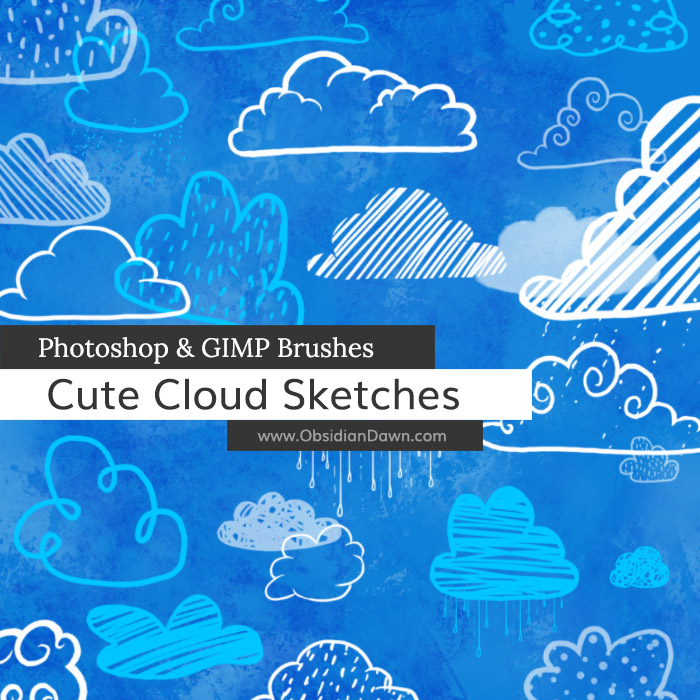
		<summary type="html"><![CDATA[<p>Cute Cloud Brushes: 42 Description: One click cute cloud sketches! These would work great for children or baby designs, or just about anything where you need some adorable, fluffy hand sketched clouds! High Resolution! Download JPGs of these brushes</p>
The post <a href="https://www.obsidiandawn.com/cute-cloud-sketches-photoshop-gimp-brushes">Cute Cloud Sketches Photoshop & GIMP Brushes</a> first appeared on <a href="https://www.obsidiandawn.com">Obsidian Dawn</a>.]]></summary>

					<content type="html" xml:base="https://www.obsidiandawn.com/cute-cloud-sketches-photoshop-gimp-brushes?utm_source=rss&amp;utm_medium=rss&amp;utm_campaign=cute-cloud-sketches-photoshop-gimp-brushes"><![CDATA[<div class="fullimage"><img decoding="async" title="Cute Cloud Sketches Brushes" src="http://www.obsidiandawn.com/wp-content/themes/OD4/imgs/fullsize/cutecloudsketches.jpg" alt="Cute Cloud Sketches Brushes" /></div>
<div class="resourceinfo">
<h2><strong>Cute Cloud Brushes:</strong> 42</h2>
<p><strong>Compatible with:</strong><br /><strong>Photoshop</strong> 7 to current version<br /><strong>Photoshop Elements</strong> 2 to current version<br /><strong>Procreate</strong> all versions<br /><strong>GIMP</strong> 2.2.6 to current version</p>
<p><strong>Description: </strong>One click cute cloud sketches! These would work great for children or baby designs, or just about anything where you need some adorable, fluffy hand sketched clouds!</p>
<p><strong>High Resolution!</strong></p>
<div class="downloadbutton DLconfirmation"><div class="centerit" style="padding:10px 0;"><div class="greenbutton" style="width:250px;max-width:90%;padding: 20px 0;font-size:130%;"><a href="http://www.obsidiandawn.com/download/7334/?tmstv=1749112575" class="nocolorchange" rel="nofollow">Download</div></div>


</div>
<div class="centerit" style="padding: 10px 0;">
<div class="greenbutton" style="width: 250px; max-width: 90%;"><a href="https://www.obsidiandawn.com/product/cute-cloud-sketches-brushes?add-to-cart=7777"><img decoding="async" src="/wp-content/uploads/cart-images/add-to-cart-green.png" /></a></div>
</div>
<p style="font-size: 60%;"><a class="blacktogreen DLconfirmation" href="/wp-content/downloads/image-packs/cute-cloud-images.zip">Download JPGs of these brushes</a></p>
</div><!-- resourceinfo -->
</div><!-- post id -->
</div><!-- resourcewrapper --><br class="clear" />
</div><!-- centersection -->
</div><!-- importantstuff --><br /><div class="recommendedbar">
          <div class="recommendedsection">
            <h1>Recommended for You</h1>
          <div class="centerit">
          <ul class="img-gallery">
            <li><a href="https://www.obsidiandawn.com/installing-photoshop-brushes-gimp-tutorial"><img decoding="async" src="https://www.obsidiandawn.com/wp-content/uploads/2017/03/installingbrushestutorial.jpg" class="galleryimage" alt="" /><span class="gallery-label"><span>Installing Brushes Tutorial</span></span></a></li>
	    <li><a href="https://www.obsidiandawn.com/frost-photoshop-gimp-brushes"><img decoding="async" src="https://www.obsidiandawn.com/wp-content/uploads/2017/03/frost.jpg" class="galleryimage" alt="" /><span class="gallery-label"><span>Frost Brushes</span></span></a></li>
	    <li><a href="https://www.obsidiandawn.com/earth-friendly-vectors-photoshop-gimp-brushes"><img decoding="async" src="https://www.obsidiandawn.com/wp-content/uploads/2017/03/earthfriendly.jpg" class="galleryimage" alt="" /><span class="gallery-label"><span>Earth Friendly Brushes</span></span></a></li>  
	    <li><a href="https://www.obsidiandawn.com/birds-flying-photoshop-gimp-brushes"><img decoding="async" src="https://www.obsidiandawn.com/wp-content/uploads/2017/03/birds.jpg" class="galleryimage" alt="" /><span class="gallery-label"><span>Birds (Flying) Brushes</span></span></a></li>
          <span class="section2">
	    <li><a href="https://www.obsidiandawn.com/clouds-photoshop-gimp-brushes"><img decoding="async" src="https://www.obsidiandawn.com/wp-content/uploads/2017/03/cloudsmist.jpg" class="galleryimage" alt="" /><span class="gallery-label"><span>Clouds & Mist Brushes</span></span></a></li>
	    <li><a href="https://www.obsidiandawn.com/vector-foliage-photoshop-gimp-brushes"><img decoding="async" src="https://www.obsidiandawn.com/wp-content/uploads/2017/03/vectorfoliage.jpg" class="galleryimage" alt="" /><span class="gallery-label"><span>Vector Foliage Brushes</span></span></a></li> 
          <span class="section3">
	    <li><a href="https://www.obsidiandawn.com/snowflake-vectors-photoshop-gimp-brushes"><img decoding="async" src="https://www.obsidiandawn.com/wp-content/uploads/2017/03/snowflakesvectors.jpg" class="galleryimage" alt="" /><span class="gallery-label"><span>Snowflake Vectors Brushes</span></span></a></li>
            <li><a href="https://www.obsidiandawn.com/pressed-flowers-pngs"><img decoding="async" src="https://www.obsidiandawn.com/wp-content/uploads/2017/03/pressedflowerspngs.jpg" class="galleryimage" alt="" /><span class="gallery-label"><span>Pressed Flowers PNGs</span></span></a></li>
          <span class="section4">
	    <li><a href="https://www.obsidiandawn.com/grass-transparent-pngs"><img decoding="async" src="https://www.obsidiandawn.com/wp-content/uploads/2017/03/grasspngs.jpg" class="galleryimage" alt="" /><span class="gallery-label"><span>Grass PNGs</span></span></a></li>
            <li><a href="https://www.obsidiandawn.com/fallen-autumn-leaves-ii-transparent-pngs"><img decoding="async" src="https://www.obsidiandawn.com/wp-content/uploads/2017/03/fallenleavesIIpngs.jpg" class="galleryimage" alt="" /><span class="gallery-label"><span>Fallen Leaves II PNGs</span></span></a></li>
          <span class="section5">
	    <li><a href="https://www.obsidiandawn.com/grungy-dirty-photoshop-patterns"><img decoding="async" src="https://www.obsidiandawn.com/wp-content/uploads/2017/03/grungydirtypatterns.jpg" class="galleryimage" alt="" /><span class="gallery-label"><span>Grungy n Dirty Patterns</span></span></a></li>	    
            <li><a href="https://www.obsidiandawn.com/fallen-autumn-leaves-transparent-pngs"><img decoding="async" src="https://www.obsidiandawn.com/wp-content/uploads/2017/03/fallenleavespngs.jpg" class="galleryimage" alt="" /><span class="gallery-label"><span>Fallen Leaves I PNGs</span></span></a></li>
          </span> <!-- section5 -->          
          </span> <!-- section4 -->
          </span> <!-- section3 -->
          </span> <!-- section2 -->
          </ul>
          </div> <!-- centerit -->
          </div> <!-- recommendedsection -->
        </div><!-- recommendedbar -->The post <a href="https://www.obsidiandawn.com/cute-cloud-sketches-photoshop-gimp-brushes">Cute Cloud Sketches Photoshop & GIMP Brushes</a> first appeared on <a href="https://www.obsidiandawn.com">Obsidian Dawn</a>.]]></content>
		
			</entry>
		<entry>
		<author>
			<name>Stephanie</name>
							<uri>http://www.obsidiandawn.com</uri>
						</author>

		<title type="html"><![CDATA[Brush on Glimmer Photoshop &#038; GIMP Brushes]]></title>
		<link href="https://www.obsidiandawn.com/brush-on-glimmer-photoshop-gimp-brushes?utm_source=rss&amp;utm_medium=rss&amp;utm_campaign=brush-on-glimmer-photoshop-gimp-brushes" rel="alternate" type="text/html"/>

		<id>http://www.obsidiandawn.com/?p=6281</id>
		<updated>2023-10-10T02:57:17Z</updated>
		<published>2017-10-16T10:35:29Z</published>
		<category scheme="https://www.obsidiandawn.com" term="Brushes"/><category scheme="https://www.obsidiandawn.com" term="Digital Artist"/><category scheme="https://www.obsidiandawn.com" term="Fantasy/Sci-Fi"/><category scheme="https://www.obsidiandawn.com" term="GIMP"/><category scheme="https://www.obsidiandawn.com" term="High Resolution"/><category scheme="https://www.obsidiandawn.com" term="Photoshop"/>
		<summary type="html"><![CDATA[<p>Glimmer Brushes: 37 Description: Various glimmer or glitter effects that you can just brush on&#8211;they don&#8217;t scatter and won&#8217;t go everywhere. One with squares, some look almost like glittery brush strokes, some are a soft glitter, others have harder edges, and some vary in color as you paint with them. The &#8220;Small&#8221; or &#8220;Large&#8221; in [&#8230;]</p>
The post <a href="https://www.obsidiandawn.com/brush-on-glimmer-photoshop-gimp-brushes">Brush on Glimmer Photoshop & GIMP Brushes</a> first appeared on <a href="https://www.obsidiandawn.com">Obsidian Dawn</a>.]]></summary>

					<content type="html" xml:base="https://www.obsidiandawn.com/brush-on-glimmer-photoshop-gimp-brushes?utm_source=rss&amp;utm_medium=rss&amp;utm_campaign=brush-on-glimmer-photoshop-gimp-brushes"><![CDATA[<div class="fullimage"><img decoding="async" title="Brush on Glimmer Brushes" alt="Brush on Glimmer Brushes" src="http://www.obsidiandawn.com/wp-content/themes/OD4/imgs/fullsize/brushonglimmer.jpg"></div>
<div class="resourceinfo">
<h2><strong>Glimmer Brushes:</strong> 37</h2>
<p><strong>Compatible with:</strong><br /><strong>Photoshop</strong> 7 to current version<br /><strong>Photoshop Elements</strong> 2 to current version<br /><strong>Procreate</strong> all versions<br /><strong>GIMP</strong> 2.2.6 to current version</p>
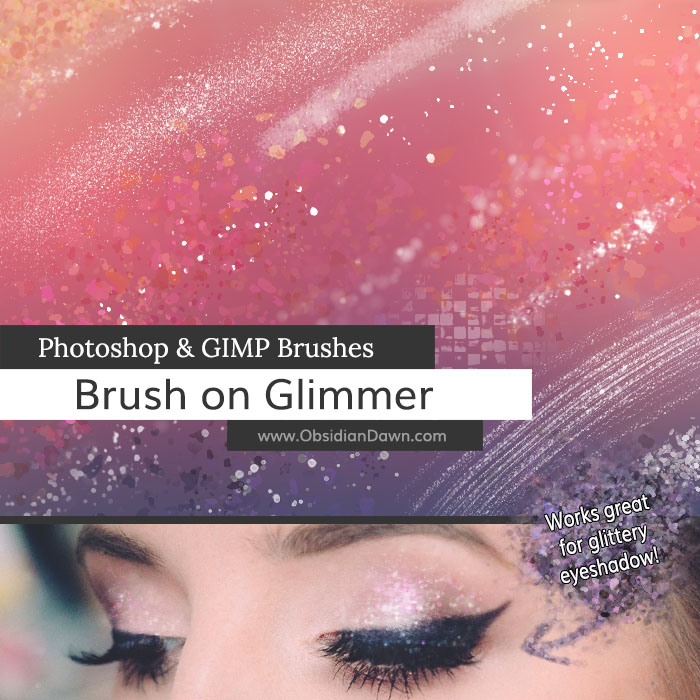
<p><strong>Description: </strong>Various glimmer or glitter effects that you can just brush on&#8211;they don&#8217;t scatter and won&#8217;t go everywhere. One with squares, some look almost like glittery brush strokes, some are a soft glitter, others have harder edges, and some vary in color as you paint with them. The &#8220;Small&#8221; or &#8220;Large&#8221; in the brush names denote the size of the glimmer effects. They work great for glittery eyeshadow! Download them and give them a try!</p>
<p><strong>High Resolution!</strong></p>
<div class="downloadbutton DLconfirmation"><div class="centerit" style="padding:10px 0;"><div class="greenbutton" style="width:250px;max-width:90%;padding: 20px 0;font-size:130%;"><a href="http://www.obsidiandawn.com/download/7132/?tmstv=1749112575" class="nocolorchange" rel="nofollow">Download</div></div>


</div>
<div class="centerit" style="padding:10px 0;">
<div class="greenbutton" style="width:250px;max-width:90%;"><a href="https://www.obsidiandawn.com/product/brush-on-glimmer-brushes?add-to-cart=7776"><img decoding="async" src="/wp-content/uploads/cart-images/add-to-cart-green.png"></a></div>
</div>
</div><!-- resourceinfo -->
</div><!-- post id -->
</div><!-- resourcewrapper --><br class="clear" />
</div><!-- centersection -->
</div><!-- importantstuff --><br /><div class="recommendedbar">
          <div class="recommendedsection">
            <h1>Recommended for You</h1>
          <div class="centerit">
          <ul class="img-gallery">
            <li><a href="https://www.obsidiandawn.com/installing-photoshop-brushes-gimp-tutorial"><img decoding="async" src="https://www.obsidiandawn.com/wp-content/uploads/2017/03/installingbrushestutorial.jpg" class="galleryimage" alt="" /><span class="gallery-label"><span>Installing Brushes Tutorial</span></span></a></li>
	    <li><a href="https://www.obsidiandawn.com/special-effects-photoshop-gimp-brushes"><img decoding="async" src="https://www.obsidiandawn.com/wp-content/uploads/2017/03/specialeffects.jpg" class="galleryimage" alt="" /><span class="gallery-label"><span>Special Effects Brushes</span></span></a></li>
            <li><a href="https://www.obsidiandawn.com/bokeh-photoshop-gimp-brushes"><img decoding="async" src="https://www.obsidiandawn.com/wp-content/uploads/2017/03/bokeh.jpg" class="galleryimage" alt="" /><span class="gallery-label"><span>Bokeh Brushes</span></span></a></li>
            <li><a href="https://www.obsidiandawn.com/sparklies-photoshop-gimp-brushes"><img decoding="async" src="https://www.obsidiandawn.com/wp-content/uploads/2017/03/sparklies.jpg" class="galleryimage" alt="" /><span class="gallery-label"><span>Sparklies Brushes</span></span></a></li>
          <span class="section2">
	    <li><a href="https://www.obsidiandawn.com/space-photoshop-gimp-brushes"><img decoding="async" src="https://www.obsidiandawn.com/wp-content/uploads/2017/03/space.jpg" class="galleryimage" alt="" /><span class="gallery-label"><span>Space Brushes</span></span></a></li>
            <li><a href="https://www.obsidiandawn.com/brush-on-glimmer-photoshop-gimp-brushes"><img decoding="async" src="https://www.obsidiandawn.com/wp-content/uploads/2017/10/brushonglimmer.jpg" class="galleryimage" alt="" /><span class="gallery-label"><span>Brush on Glimmer Brushes</span></span></a></li>
          <span class="section3">
	    <li><a href="https://www.obsidiandawn.com/glitter-ii-photoshop-gimp-brushes"><img decoding="async" src="https://www.obsidiandawn.com/wp-content/uploads/2017/03/glitterII.jpg" class="galleryimage" alt="" /><span class="gallery-label"><span>Glitter II Brushes</span></span></a></li> 
	    <li><a href="https://www.obsidiandawn.com/glittery-swirls-photoshop-gimp-brushes"><img decoding="async" src="https://www.obsidiandawn.com/wp-content/uploads/2017/03/glitteryswirls.jpg" class="galleryimage" alt="" /><span class="gallery-label"><span>Glittery Swirls Brushes</span></span></a></li>
          <span class="section4">
	    <li><a href="https://www.obsidiandawn.com/glitter-n-smoke-photoshop-gimp-brushes"><img decoding="async" src="https://www.obsidiandawn.com/wp-content/uploads/2017/03/glitternsmoke.jpg" class="galleryimage" alt="" /><span class="gallery-label"><span>Glitter n Smoke Brushes</span></span></a></li>
            <li><a href="https://www.obsidiandawn.com/bokeh-photoshop-gimp-brushes"><img decoding="async" src="https://www.obsidiandawn.com/wp-content/uploads/2017/03/bokeh.jpg" class="galleryimage" alt="" /><span class="gallery-label"><span>Bokeh Brushes</span></span></a></li>
          <span class="section5">  
            <li><a href="https://www.obsidiandawn.com/glitter-photoshop-gimp-brushes"><img decoding="async" src="https://www.obsidiandawn.com/wp-content/uploads/2017/03/glitter.jpg" class="galleryimage" alt="" /><span class="gallery-label"><span>Glitter I Brushes</span></span></a></li>
	    <li><a href="https://www.obsidiandawn.com/light-trails-photoshop-gimp-brushes"><img decoding="async" src="https://www.obsidiandawn.com/wp-content/uploads/2017/03/lighttrails.jpg" class="galleryimage" alt="" /><span class="gallery-label"><span>Light Trails Brushes</span></span></a></li>      
          </span> <!-- section5 -->          
          </span> <!-- section4 -->
          </span> <!-- section3 -->
          </span> <!-- section2 -->
          </ul>
          </div> <!-- centerit -->
          </div> <!-- recommendedsection -->
        </div><!-- recommendedbar -->The post <a href="https://www.obsidiandawn.com/brush-on-glimmer-photoshop-gimp-brushes">Brush on Glimmer Photoshop & GIMP Brushes</a> first appeared on <a href="https://www.obsidiandawn.com">Obsidian Dawn</a>.]]></content>
		
			</entry>
		<entry>
		<author>
			<name>Stephanie</name>
							<uri>http://www.obsidiandawn.com</uri>
						</author>

		<title type="html"><![CDATA[Easter Sketches Photoshop &#038; GIMP Brushes]]></title>
		<link href="https://www.obsidiandawn.com/easter-sketches-photoshop-gimp-brushes?utm_source=rss&amp;utm_medium=rss&amp;utm_campaign=easter-sketches-photoshop-gimp-brushes" rel="alternate" type="text/html"/>

		<id>http://www.obsidiandawn.com/?p=6260</id>
		<updated>2023-10-10T02:58:58Z</updated>
		<published>2017-03-27T16:14:41Z</published>
		<category scheme="https://www.obsidiandawn.com" term="Brushes"/><category scheme="https://www.obsidiandawn.com" term="Designs"/><category scheme="https://www.obsidiandawn.com" term="Sketches"/><category scheme="https://www.obsidiandawn.com" term="Themes"/>
		<summary type="html"><![CDATA[<p>Easter Brushes: 45 Description: Sketches of Easter themed decorations and elements. Includes numerous bunnies, baby chicks, egg baskets, egg trees, and tons of single decorated eggs! High Resolution! Download JPGs of these brushes</p>
The post <a href="https://www.obsidiandawn.com/easter-sketches-photoshop-gimp-brushes">Easter Sketches Photoshop & GIMP Brushes</a> first appeared on <a href="https://www.obsidiandawn.com">Obsidian Dawn</a>.]]></summary>

					<content type="html" xml:base="https://www.obsidiandawn.com/easter-sketches-photoshop-gimp-brushes?utm_source=rss&amp;utm_medium=rss&amp;utm_campaign=easter-sketches-photoshop-gimp-brushes"><![CDATA[<div class="fullimage"><img decoding="async" title="Easter Sketches Brushes" src="http://www.obsidiandawn.com/wp-content/themes/OD4/imgs/fullsize/eastersketches.jpg" alt="Easter Sketches Brushes"></div>
<div class="resourceinfo">
<h2><strong>Easter Brushes:</strong> 45</h2>
<p><strong>Compatible with:</strong><br /><strong>Photoshop</strong> 7 to current version<br /><strong>Photoshop Elements</strong> 2 to current version<br /><strong>Procreate</strong> all versions<br /><strong>GIMP</strong> 2.2.6 to current version</p>
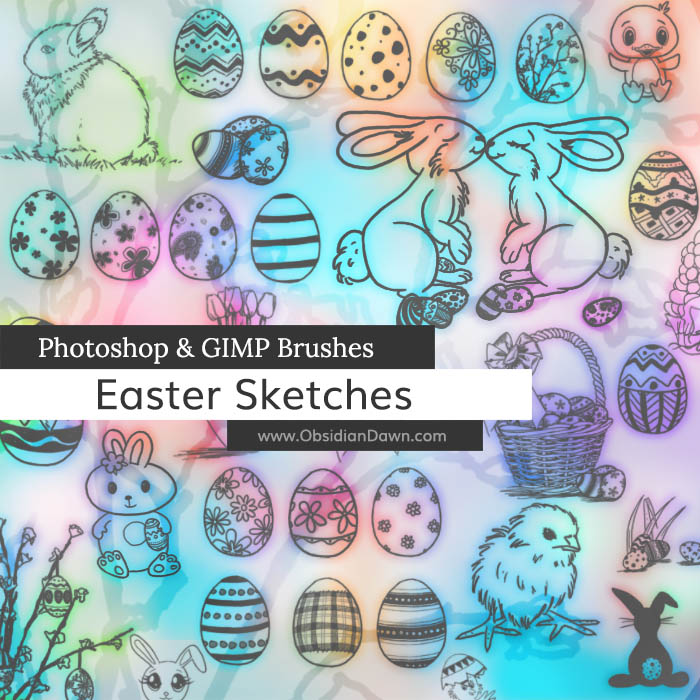
<p><strong>Description: </strong>Sketches of Easter themed decorations and elements. Includes numerous bunnies, baby chicks, egg baskets, egg trees, and tons of single decorated eggs!</p>
<p><strong>High Resolution!</strong></p>
<div class="downloadbutton DLconfirmation"><div class="centerit" style="padding:10px 0;"><div class="greenbutton" style="width:250px;max-width:90%;padding: 20px 0;font-size:130%;"><a href="http://www.obsidiandawn.com/download/7130/?tmstv=1749112575" class="nocolorchange" rel="nofollow">Download</div></div>


</div>
<div class="centerit" style="padding:10px 0;">
<div class="greenbutton" style="width:250px;max-width:90%;"><a href="https://www.obsidiandawn.com/product/easter-sketches-brushes?add-to-cart=7775"><img decoding="async" src="/wp-content/uploads/cart-images/add-to-cart-green.png"></a></div>
</div>
<p style="font-size: 60%;"><a class="blacktogreen DLconfirmation" href="/wp-content/downloads/image-packs/easter-sketches-images.zip">Download JPGs of these brushes</a></p>
</div><!-- resourceinfo -->
</div><!-- post id -->
</div><!-- resourcewrapper --><br class="clear" />
</div><!-- centersection -->
</div><!-- importantstuff --><br /><div class="recommendedbar">
          <div class="recommendedsection">
            <h1>Recommended for You</h1>
          <div class="centerit">
          <ul class="img-gallery">
            <li><a href="https://www.obsidiandawn.com/installing-photoshop-brushes-gimp-tutorial"><img decoding="async" src="https://www.obsidiandawn.com/wp-content/uploads/2017/03/installingbrushestutorial.jpg" class="galleryimage" alt="" /><span class="gallery-label"><span>Installing Brushes Tutorial</span></span></a></li>
            <li><a href="https://www.obsidiandawn.com/celtic-knotwork-vectors-photoshop-gimp-brushes"><img decoding="async" src="https://www.obsidiandawn.com/wp-content/uploads/2017/03/celticvectors.jpg" class="galleryimage" alt="" /><span class="gallery-label"><span>Celtic Knotwork Brushes</span></span></a></li>
            <li><a href="https://www.obsidiandawn.com/vector-foliage-photoshop-gimp-brushes"><img decoding="async" src="https://www.obsidiandawn.com/wp-content/uploads/2017/03/vectorfoliage.jpg" class="galleryimage" alt="" /><span class="gallery-label"><span>Vector Foliage Brushes</span></span></a></li>
            <li><a href="https://www.obsidiandawn.com/painted-foliage-photoshop-gimp-brushes"><img decoding="async" src="https://www.obsidiandawn.com/wp-content/uploads/2017/03/paintedfoliage.jpg" class="galleryimage" alt="" /><span class="gallery-label"><span>Painted Foliage Brushes</span></span></a></li>
          <span class="section2">  
            <li><a href="https://www.obsidiandawn.com/spring-sketches-photoshop-gimp-brushes"><img decoding="async" src="https://www.obsidiandawn.com/wp-content/uploads/2017/03/springsketches.jpg" class="galleryimage" alt="" /><span class="gallery-label"><span>Spring Sketches Brushes</span></span></a></li>
            <li><a href="https://www.obsidiandawn.com/st-patricks-day-photoshop-gimp-brushes"><img decoding="async" src="https://www.obsidiandawn.com/wp-content/uploads/2017/03/stpatricksday.jpg" class="galleryimage" alt="" /><span class="gallery-label"><span>St. Patrick's Day Brushes</span></span></a></li>
          <span class="section3">  
            <li><a href="https://www.obsidiandawn.com/easter-sketches-photoshop-gimp-brushes"><img decoding="async" src="https://www.obsidiandawn.com/wp-content/uploads/2017/03/eastersketches.jpg" class="galleryimage" alt="" /><span class="gallery-label"><span>Easter Sketches Brushes</span></span></a></li>
            <li><a href="https://www.obsidiandawn.com/foliage-swirls-photoshop-gimp-brushes"><img decoding="async" src="https://www.obsidiandawn.com/wp-content/uploads/2017/03/foliageswirls.jpg" class="galleryimage" alt="" /><span class="gallery-label"><span>Foliage Swirls Brushes</span></span></a></li>
          <span class="section4">  
            <li><a href="https://www.obsidiandawn.com/vegetation-foliage-textures-photoshop-gimp-brushes"><img decoding="async" src="https://www.obsidiandawn.com/wp-content/uploads/2017/03/vegetation.jpg" class="galleryimage" alt="" /><span class="gallery-label"><span>Vegetation Textures Brushes</span></span></a></li>
            <li><a href="https://www.obsidiandawn.com/grass-transparent-pngs"><img decoding="async" src="https://www.obsidiandawn.com/wp-content/uploads/2017/03/grasspngs.jpg" class="galleryimage" alt="" /><span class="gallery-label"><span>Grass PNGs</span></span></a></li>
          <span class="section5">  
            <li><a href="https://www.obsidiandawn.com/flower-vectors-photoshop-gimp-brushes"><img decoding="async" src="https://www.obsidiandawn.com/wp-content/uploads/2017/03/flowervectors.jpg" class="galleryimage" alt="" /><span class="gallery-label"><span>Flower Vectors Brushes</span></span></a></li>
            <li><a href="https://www.obsidiandawn.com/floral-photoshop-patterns"><img decoding="async" src="https://www.obsidiandawn.com/wp-content/uploads/2017/03/floralpatterns.jpg" class="galleryimage" alt="" /><span class="gallery-label"><span>Floral Patterns</span></span></a></li>         
          </span> <!-- section5 -->          
          </span> <!-- section4 -->
          </span> <!-- section3 -->
          </span> <!-- section2 -->
          </ul>
          </div> <!-- centerit -->
          </div> <!-- recommendedsection -->
        </div><!-- recommendedbar -->The post <a href="https://www.obsidiandawn.com/easter-sketches-photoshop-gimp-brushes">Easter Sketches Photoshop & GIMP Brushes</a> first appeared on <a href="https://www.obsidiandawn.com">Obsidian Dawn</a>.]]></content>
		
			</entry>
		<entry>
		<author>
			<name>Stephanie</name>
							<uri>http://www.obsidiandawn.com</uri>
						</author>

		<title type="html"><![CDATA[Painted Bubbles Transparent PNGs]]></title>
		<link href="https://www.obsidiandawn.com/painted-bubbles-transparent-pngs?utm_source=rss&amp;utm_medium=rss&amp;utm_campaign=painted-bubbles-transparent-pngs" rel="alternate" type="text/html"/>

		<id>http://www.obsidiandawn.com/?p=4638</id>
		<updated>2023-10-10T03:01:50Z</updated>
		<published>2015-07-22T15:49:19Z</published>
		<category scheme="https://www.obsidiandawn.com" term="Images"/><category scheme="https://www.obsidiandawn.com" term="All Programs"/><category scheme="https://www.obsidiandawn.com" term="PNGs"/>
		<summary type="html"><![CDATA[<p>  Painted Bubbles Images: 17 Compatible with:All Programs Description: A set of painted bubbles, all painted by hand in Photoshop. There are some single bubbles, some groupings, and some blurred as if in the background and out of focus. They are all on a transparent background, and ready to copy/paste into your own designs! High [&#8230;]</p>
The post <a href="https://www.obsidiandawn.com/painted-bubbles-transparent-pngs">Painted Bubbles Transparent PNGs</a> first appeared on <a href="https://www.obsidiandawn.com">Obsidian Dawn</a>.]]></summary>

					<content type="html" xml:base="https://www.obsidiandawn.com/painted-bubbles-transparent-pngs?utm_source=rss&amp;utm_medium=rss&amp;utm_campaign=painted-bubbles-transparent-pngs"><![CDATA[<div class="fullimage"><img decoding="async" title="Painted Bubbles PNGs" src="http://www.obsidiandawn.com/wp-content/themes/OD4/imgs/fullsize/paintedbubblesimages.jpg" alt="Painted Bubbles PNGs" /></div>
<div class="resourceinfo">
<p> </p>
<h2>Painted Bubbles Images: 17</h2>
<p><strong>Compatible with:</strong><br />All Programs</p>
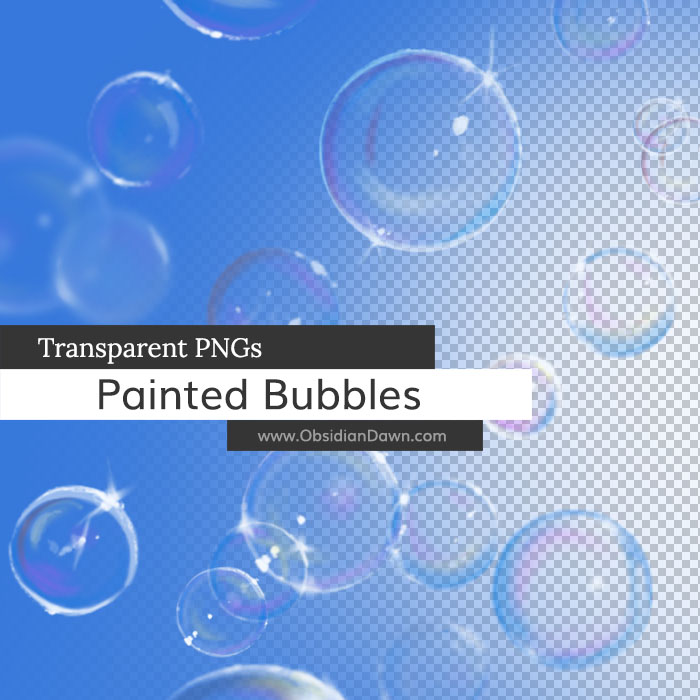
<p><strong>Description: </strong>A set of painted bubbles, all painted by hand in Photoshop. There are some single bubbles, some groupings, and some blurred as if in the background and out of focus. They are all on a transparent background, and ready to copy/paste into your own designs!</p>
<p><strong>High Resolution!</strong></p>
<div class="downloadbutton DLconfirmation"><div class="centerit" style="padding:10px 0;"><div class="greenbutton" style="width:250px;max-width:90%;padding: 20px 0;font-size:130%;"><a href="http://www.obsidiandawn.com/download/7126/?tmstv=1749112575" class="nocolorchange" rel="nofollow">Download</div></div>


</div>
<div class="centerit" style="padding:10px 0;">
<div class="greenbutton" style="width:250px;max-width:90%;"><a href="https://www.obsidiandawn.com/product/painted-bubbles-pngs?add-to-cart=7774"><img decoding="async" src="/wp-content/uploads/cart-images/add-to-cart-green.png"></a></div>
</div>
</div><!-- resourceinfo -->
</div><!-- post id -->
</div><!-- resourcewrapper --><br class="clear" />
</div><!-- centersection -->
</div><!-- importantstuff --><br /><div class="recommendedbar">
          <div class="recommendedsection">
            <h1>Recommended for You</h1>
          <div class="centerit">
          <ul class="img-gallery">
            <li><a href="https://www.obsidiandawn.com/candy-hearts-transparent-pngs"><img decoding="async" src="https://www.obsidiandawn.com/wp-content/uploads/2017/03/candyhearts.jpg" class="galleryimage" alt="" /><span class="gallery-label"><span>Candy Hearts PNGs</span></span></a></li>
	    <li><a href="https://www.obsidiandawn.com/fallen-autumn-leaves-ii-transparent-pngs"><img decoding="async" src="https://www.obsidiandawn.com/wp-content/uploads/2017/03/fallenleavesIIpngs.jpg" class="galleryimage" alt="" /><span class="gallery-label"><span>Fallen Leaves II PNGs</span></span></a></li>  
	    <li><a href="https://www.obsidiandawn.com/grungy-pastels-themed-decoration-set"><img decoding="async" src="https://www.obsidiandawn.com/wp-content/uploads/2017/03/grungypastels.jpg" class="galleryimage" alt="" /><span class="gallery-label"><span>Grungy Pastels Set</span></span></a></li>
		<li><a href="https://www.obsidiandawn.com/seamless-stonework-stock-image"><img decoding="async" src="https://www.obsidiandawn.com/wp-content/uploads/2017/03/stonework.jpg" class="galleryimage" alt="" /><span class="gallery-label"><span>Stonework Images</span></span></a></li>
          <span class="section2">
	    <li><a href="https://www.obsidiandawn.com/grass-transparent-pngs"><img decoding="async" src="https://www.obsidiandawn.com/wp-content/uploads/2017/03/grasspngs.jpg" class="galleryimage" alt="" /><span class="gallery-label"><span>Grass PNGs</span></span></a></li>
	    <li><a href="https://www.obsidiandawn.com/christmas-lights-transparent-pngs"><img decoding="async" src="https://www.obsidiandawn.com/wp-content/uploads/2017/03/christmaslightspngs.jpg" class="galleryimage" alt="" /><span class="gallery-label"><span>Christmas Lights PNGs</span></span></a></li> 
          <span class="section3">
	    <li><a href="https://www.obsidiandawn.com/floral-photoshop-patterns"><img decoding="async" src="https://www.obsidiandawn.com/wp-content/uploads/2017/03/floralpatterns.jpg" class="galleryimage" alt="" /><span class="gallery-label"><span>Floral Patterns</span></span></a></li>
            <li><a href="https://www.obsidiandawn.com/creating-seamless-textures-in-photoshop-tutorial"><img decoding="async" src="https://www.obsidiandawn.com/wp-content/uploads/2017/03/creatingseamlesstexturestutorial.jpg" class="galleryimage" alt="" /><span class="gallery-label"><span>Seamless Textures Tutorial</span></span></a></li>
          <span class="section4">
	    <li><a href="https://www.obsidiandawn.com/lace-photoshop-patterns"><img decoding="async" src="https://www.obsidiandawn.com/wp-content/uploads/2017/03/lacepatterns.jpg" class="galleryimage" alt="" /><span class="gallery-label"><span>Lace Patterns</span></span></a></li>
            <li><a href="https://www.obsidiandawn.com/urban-designs-photoshop-custom-shapes"><img decoding="async" src="https://www.obsidiandawn.com/wp-content/uploads/2017/03/urbandesignsshapes.jpg" class="galleryimage" alt="" /><span class="gallery-label"><span>Urban Designs Shapes</span></span></a></li>
          <span class="section5">
	    <li><a href="https://www.obsidiandawn.com/seamless-digital-camo-stock-image"><img decoding="async" src="https://www.obsidiandawn.com/wp-content/uploads/2017/03/digitalcamo.jpg" class="galleryimage" alt="" /><span class="gallery-label"><span>Digital Camo Image</span></span></a></li>	    
            <li><a href="https://www.obsidiandawn.com/scrabble-tiles-transparent-pngs"><img decoding="async" src="https://www.obsidiandawn.com/wp-content/uploads/2017/03/scrabblepngs.jpg" class="galleryimage" alt="" /><span class="gallery-label"><span>Scrabble Tiles PNGs</span></span></a></li>
          </span> <!-- section5 -->          
          </span> <!-- section4 -->
          </span> <!-- section3 -->
          </span> <!-- section2 -->
          </ul>
          </div> <!-- centerit -->
          </div> <!-- recommendedsection -->
        </div><!-- recommendedbar -->The post <a href="https://www.obsidiandawn.com/painted-bubbles-transparent-pngs">Painted Bubbles Transparent PNGs</a> first appeared on <a href="https://www.obsidiandawn.com">Obsidian Dawn</a>.]]></content>
		
					<link href="https://www.obsidiandawn.com/painted-bubbles-transparent-pngs?utm_source=rss&amp;utm_medium=rss&amp;utm_campaign=painted-bubbles-transparent-pngs#comments" rel="replies" thr:count="2" type="text/html"/>
			<link href="https://www.obsidiandawn.com/painted-bubbles-transparent-pngs/feed/atom" rel="replies" thr:count="2" type="application/atom+xml"/>
			<thr:total>2</thr:total>
			</entry>
		<entry>
		<author>
			<name>Stephanie</name>
							<uri>http://www.obsidiandawn.com</uri>
						</author>

		<title type="html"><![CDATA[Heart Bokeh Photoshop &#038; GIMP Brushes]]></title>
		<link href="https://www.obsidiandawn.com/heart-bokeh-photoshop-gimp-brushes?utm_source=rss&amp;utm_medium=rss&amp;utm_campaign=heart-bokeh-photoshop-gimp-brushes" rel="alternate" type="text/html"/>

		<id>http://www.obsidiandawn.com/?p=4634</id>
		<updated>2023-10-10T03:07:25Z</updated>
		<published>2015-07-13T16:58:45Z</published>
		<category scheme="https://www.obsidiandawn.com" term="Brushes"/><category scheme="https://www.obsidiandawn.com" term="Designs"/><category scheme="https://www.obsidiandawn.com" term="Digital Artist"/><category scheme="https://www.obsidiandawn.com" term="Fantasy/Sci-Fi"/><category scheme="https://www.obsidiandawn.com" term="GIMP"/><category scheme="https://www.obsidiandawn.com" term="High Resolution"/><category scheme="https://www.obsidiandawn.com" term="Photoshop"/>
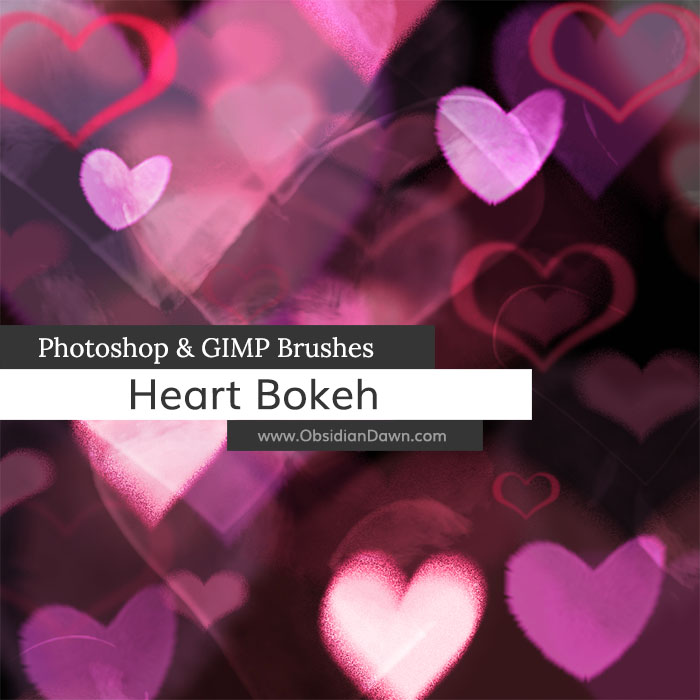
		<summary type="html"><![CDATA[<p>Heart Bokeh Brushes: 28 Description: Various heart shaped bokeh brushes. Most brushes are made to be painted with to create a random bokeh effect, but there&#8217;s a few of pre-arranged heart bokeh designs, as well! High Resolution! Download JPGs of these brushes</p>
The post <a href="https://www.obsidiandawn.com/heart-bokeh-photoshop-gimp-brushes">Heart Bokeh Photoshop & GIMP Brushes</a> first appeared on <a href="https://www.obsidiandawn.com">Obsidian Dawn</a>.]]></summary>

					<content type="html" xml:base="https://www.obsidiandawn.com/heart-bokeh-photoshop-gimp-brushes?utm_source=rss&amp;utm_medium=rss&amp;utm_campaign=heart-bokeh-photoshop-gimp-brushes"><![CDATA[<div class="fullimage"><img decoding="async" title="Heart Bokeh Brushes" src="http://www.obsidiandawn.com/wp-content/themes/OD4/imgs/fullsize/heartbokeh.jpg" alt="Heart Bokeh Brushes" /></div>
<div class="resourceinfo">
<h2><strong>Heart Bokeh Brushes:</strong> 28</h2>
<p><strong>Compatible with:</strong><br /><strong>Photoshop</strong> 7 to current version<br /><strong>Photoshop Elements</strong> 2 to current version<br /><strong>Procreate</strong> all versions<br /><strong>GIMP</strong> 2.2.6 to current version</p>
<p><strong>Description: </strong>Various heart shaped bokeh brushes. Most brushes are made to be painted with to create a random bokeh effect, but there&#8217;s a few of pre-arranged heart bokeh designs, as well!</p>
<p><strong>High Resolution!</strong></p>
<div class="downloadbutton DLconfirmation"><div class="centerit" style="padding:10px 0;"><div class="greenbutton" style="width:250px;max-width:90%;padding: 20px 0;font-size:130%;"><a href="http://www.obsidiandawn.com/download/7124/?tmstv=1749112575" class="nocolorchange" rel="nofollow">Download</div></div>


</div>
<div class="centerit" style="padding:10px 0;">
<div class="greenbutton" style="width:250px;max-width:90%;"><a href="https://www.obsidiandawn.com/product/heart-bokeh-brushes?add-to-cart=7773"><img decoding="async" src="/wp-content/uploads/cart-images/add-to-cart-green.png"></a></div>
</div>
<p style="font-size: 60%;"><a class="blacktogreen DLconfirmation" href="/wp-content/downloads/image-packs/heart-bokeh-images.zip">Download JPGs of these brushes</a></p>
</div><!-- resourceinfo -->
</div><!-- post id -->
</div><!-- resourcewrapper --><br class="clear" />
</div><!-- centersection -->
</div><!-- importantstuff --><br /><div class="recommendedbar">
          <div class="recommendedsection">
            <h1>Recommended for You</h1>
          <div class="centerit">
          <ul class="img-gallery">
            <li><a href="https://www.obsidiandawn.com/installing-photoshop-brushes-gimp-tutorial"><img decoding="async" src="https://www.obsidiandawn.com/wp-content/uploads/2017/03/installingbrushestutorial.jpg" class="galleryimage" alt="" /><span class="gallery-label"><span>Installing Brushes Tutorial</span></span></a></li>
	    <li><a href="https://www.obsidiandawn.com/candy-hearts-transparent-pngs"><img decoding="async" src="https://www.obsidiandawn.com/wp-content/uploads/2017/03/candyhearts.jpg" class="galleryimage" alt="" /><span class="gallery-label"><span>Candy Hearts PNGs</span></span></a></li>
			  <li><a href="https://www.obsidiandawn.com/hearts-photoshop-gimp-brushes"><img decoding="async" src="https://www.obsidiandawn.com/wp-content/uploads/2017/03/hearts.jpg" class="galleryimage" alt="" /><span class="gallery-label"><span>Hearts I Brushes</span></span></a></li>
            <li><a href="https://www.obsidiandawn.com/valentines-day-photoshop-gimp-brushes"><img decoding="async" src="https://www.obsidiandawn.com/wp-content/uploads/2017/03/valentinesday.jpg" class="galleryimage" alt="" /><span class="gallery-label"><span>Valentine's Day Brushes</span></span></a></li>
          <span class="section2">
<li><a href="https://www.obsidiandawn.com/heart-bokeh-photoshop-gimp-brushes"><img decoding="async" src="https://www.obsidiandawn.com/wp-content/uploads/2017/03/heartbokeh.jpg" class="galleryimage" alt="" /><span class="gallery-label"><span>Heart Bokeh Brushes</span></span></a></li>
            <li><a href="https://www.obsidiandawn.com/floral-photoshop-patterns"><img decoding="async" src="https://www.obsidiandawn.com/wp-content/uploads/2017/03/floralpatterns.jpg" class="galleryimage" alt="" /><span class="gallery-label"><span>Floral Patterns</span></span></a></li>
          <span class="section3">
	    <li><a href="https://www.obsidiandawn.com/hearts-ii-photoshop-gimp-brushes"><img decoding="async" src="https://www.obsidiandawn.com/wp-content/uploads/2017/03/heartsII.jpg" class="galleryimage" alt="" /><span class="gallery-label"><span>Hearts II Brushes</span></span></a></li> 
	    <li><a href="https://www.obsidiandawn.com/creating-faux-bokeh-backgrounds-in-photoshop-tutorial"><img decoding="async" src="https://www.obsidiandawn.com/wp-content/uploads/2017/03/fauxbokehtutorial.jpg" class="galleryimage" alt="" /><span class="gallery-label"><span>Faux Bokeh Tutorial</span></span></a></li>
          <span class="section4">
	    <li><a href="https://www.obsidiandawn.com/glitter-ii-photoshop-gimp-brushes"><img decoding="async" src="https://www.obsidiandawn.com/wp-content/uploads/2017/03/glitterII.jpg" class="galleryimage" alt="" /><span class="gallery-label"><span>Glitter II Brushes</span></span></a></li>
            <li><a href="https://www.obsidiandawn.com/paths-photoshop-tutorial"><img decoding="async" src="https://www.obsidiandawn.com/wp-content/uploads/2017/03/pathstutorial.jpg" class="galleryimage" alt="" /><span class="gallery-label"><span>Paths Tutorial</span></span></a></li>
          <span class="section5">  
	    <li><a href="https://www.obsidiandawn.com/bokeh-photoshop-gimp-brushes"><img decoding="async" src="https://www.obsidiandawn.com/wp-content/uploads/2017/03/bokeh.jpg" class="galleryimage" alt="" /><span class="gallery-label"><span>Bokeh Brushes</span></span></a></li>            
	    <li><a href="https://www.obsidiandawn.com/gradient-designs-photoshop-gimp-brushes"><img decoding="async" src="https://www.obsidiandawn.com/wp-content/uploads/2017/03/gradientdesigns.jpg" class="galleryimage" alt="" /><span class="gallery-label"><span>Gradient Designs Brushes</span></span></a></li>      
          </span> <!-- section5 -->          
          </span> <!-- section4 -->
          </span> <!-- section3 -->
          </span> <!-- section2 -->
          </ul>
          </div> <!-- centerit -->
          </div> <!-- recommendedsection -->
        </div><!-- recommendedbar -->The post <a href="https://www.obsidiandawn.com/heart-bokeh-photoshop-gimp-brushes">Heart Bokeh Photoshop & GIMP Brushes</a> first appeared on <a href="https://www.obsidiandawn.com">Obsidian Dawn</a>.]]></content>
		
					<link href="https://www.obsidiandawn.com/heart-bokeh-photoshop-gimp-brushes?utm_source=rss&amp;utm_medium=rss&amp;utm_campaign=heart-bokeh-photoshop-gimp-brushes#comments" rel="replies" thr:count="3" type="text/html"/>
			<link href="https://www.obsidiandawn.com/heart-bokeh-photoshop-gimp-brushes/feed/atom" rel="replies" thr:count="3" type="application/atom+xml"/>
			<thr:total>3</thr:total>
			</entry>
		<entry>
		<author>
			<name>Stephanie</name>
							<uri>http://www.obsidiandawn.com</uri>
						</author>

		<title type="html"><![CDATA[Vegetation / Foliage Textures Photoshop &#038; GIMP Brushes]]></title>
		<link href="https://www.obsidiandawn.com/vegetation-foliage-textures-photoshop-gimp-brushes?utm_source=rss&amp;utm_medium=rss&amp;utm_campaign=vegetation-foliage-textures-photoshop-gimp-brushes" rel="alternate" type="text/html"/>

		<id>http://www.obsidiandawn.com/?p=4625</id>
		<updated>2023-10-10T03:09:17Z</updated>
		<published>2015-05-20T18:28:17Z</published>
		<category scheme="https://www.obsidiandawn.com" term="Brushes"/><category scheme="https://www.obsidiandawn.com" term="Digital Artist"/><category scheme="https://www.obsidiandawn.com" term="GIMP"/><category scheme="https://www.obsidiandawn.com" term="High Resolution"/><category scheme="https://www.obsidiandawn.com" term="Nature"/><category scheme="https://www.obsidiandawn.com" term="Photoshop"/>
		<summary type="html"><![CDATA[<p>Vegetation Brushes: 28 Description: Various texture brushes made for painting vegetation and foliage. These are made for digital artists and anyone that wants to paint in their own vegetation. It doesn&#8217;t take much to get realistic looking trees, bushes, ivy, etc. with these brushes! High Resolution! Download JPGs of these brushes</p>
The post <a href="https://www.obsidiandawn.com/vegetation-foliage-textures-photoshop-gimp-brushes">Vegetation / Foliage Textures Photoshop & GIMP Brushes</a> first appeared on <a href="https://www.obsidiandawn.com">Obsidian Dawn</a>.]]></summary>

					<content type="html" xml:base="https://www.obsidiandawn.com/vegetation-foliage-textures-photoshop-gimp-brushes?utm_source=rss&amp;utm_medium=rss&amp;utm_campaign=vegetation-foliage-textures-photoshop-gimp-brushes"><![CDATA[<div class="fullimage"><img decoding="async" title="Vegetation / Foliage Texture Brushes" src="http://www.obsidiandawn.com/wp-content/themes/OD4/imgs/fullsize/vegetationtextures.jpg" alt="Vegetation / Foliage Texture Brushes" /></div>
<div class="resourceinfo">
<h2><strong>Vegetation Brushes:</strong> 28</h2>
<p><strong>Compatible with:</strong><br /><strong>Photoshop</strong> 7 to current version<br /><strong>Photoshop Elements</strong> 2 to current version<br /><strong>Procreate</strong> all versions<br /><strong>GIMP</strong> 2.2.6 to current version</p>
<p><strong>Description: </strong>Various texture brushes made for painting vegetation and foliage. These are made for digital artists and anyone that wants to paint in their own vegetation. It doesn&#8217;t take much to get realistic looking trees, bushes, ivy, etc. with these brushes!</p>
<p><strong>High Resolution!</strong></p>
<div class="downloadbutton DLconfirmation"><div class="centerit" style="padding:10px 0;"><div class="greenbutton" style="width:250px;max-width:90%;padding: 20px 0;font-size:130%;"><a href="http://www.obsidiandawn.com/download/7122/?tmstv=1749112575" class="nocolorchange" rel="nofollow">Download</div></div>


</div>
<div class="centerit" style="padding:10px 0;">
<div class="greenbutton" style="width:250px;max-width:90%;"><a href="https://www.obsidiandawn.com/product/vegetation-foliage-texture-brushes?add-to-cart=7772"><img decoding="async" src="/wp-content/uploads/cart-images/add-to-cart-green.png"></a></div>
</div>
<p style="font-size: 60%;"><a class="blacktogreen DLconfirmation" href="/wp-content/downloads/image-packs/vegetation-foliage-images.zip">Download JPGs of these brushes</a></p>
</div><!-- resourceinfo -->
</div><!-- post id -->
</div><!-- resourcewrapper --><br class="clear" />
</div><!-- centersection -->
</div><!-- importantstuff --><br /><div class="recommendedbar">
          <div class="recommendedsection">
            <h1>Recommended for You</h1>
          <div class="centerit">
          <ul class="img-gallery">
            <li><a href="https://www.obsidiandawn.com/installing-photoshop-brushes-gimp-tutorial"><img decoding="async" src="https://www.obsidiandawn.com/wp-content/uploads/2017/03/installingbrushestutorial.jpg" class="galleryimage" alt="" /><span class="gallery-label"><span>Installing Brushes Tutorial</span></span></a></li>
	    <li><a href="https://www.obsidiandawn.com/frost-photoshop-gimp-brushes"><img decoding="async" src="https://www.obsidiandawn.com/wp-content/uploads/2017/03/frost.jpg" class="galleryimage" alt="" /><span class="gallery-label"><span>Frost Brushes</span></span></a></li>
	    <li><a href="https://www.obsidiandawn.com/earth-friendly-vectors-photoshop-gimp-brushes"><img decoding="async" src="https://www.obsidiandawn.com/wp-content/uploads/2017/03/earthfriendly.jpg" class="galleryimage" alt="" /><span class="gallery-label"><span>Earth Friendly Brushes</span></span></a></li>  
	    <li><a href="https://www.obsidiandawn.com/birds-flying-photoshop-gimp-brushes"><img decoding="async" src="https://www.obsidiandawn.com/wp-content/uploads/2017/03/birds.jpg" class="galleryimage" alt="" /><span class="gallery-label"><span>Birds (Flying) Brushes</span></span></a></li>
          <span class="section2">
	    <li><a href="https://www.obsidiandawn.com/clouds-photoshop-gimp-brushes"><img decoding="async" src="https://www.obsidiandawn.com/wp-content/uploads/2017/03/cloudsmist.jpg" class="galleryimage" alt="" /><span class="gallery-label"><span>Clouds & Mist Brushes</span></span></a></li>
	    <li><a href="https://www.obsidiandawn.com/vector-foliage-photoshop-gimp-brushes"><img decoding="async" src="https://www.obsidiandawn.com/wp-content/uploads/2017/03/vectorfoliage.jpg" class="galleryimage" alt="" /><span class="gallery-label"><span>Vector Foliage Brushes</span></span></a></li> 
          <span class="section3">
	    <li><a href="https://www.obsidiandawn.com/snowflake-vectors-photoshop-gimp-brushes"><img decoding="async" src="https://www.obsidiandawn.com/wp-content/uploads/2017/03/snowflakesvectors.jpg" class="galleryimage" alt="" /><span class="gallery-label"><span>Snowflake Vectors Brushes</span></span></a></li>
            <li><a href="https://www.obsidiandawn.com/pressed-flowers-pngs"><img decoding="async" src="https://www.obsidiandawn.com/wp-content/uploads/2017/03/pressedflowerspngs.jpg" class="galleryimage" alt="" /><span class="gallery-label"><span>Pressed Flowers PNGs</span></span></a></li>
          <span class="section4">
	    <li><a href="https://www.obsidiandawn.com/grass-transparent-pngs"><img decoding="async" src="https://www.obsidiandawn.com/wp-content/uploads/2017/03/grasspngs.jpg" class="galleryimage" alt="" /><span class="gallery-label"><span>Grass PNGs</span></span></a></li>
            <li><a href="https://www.obsidiandawn.com/fallen-autumn-leaves-ii-transparent-pngs"><img decoding="async" src="https://www.obsidiandawn.com/wp-content/uploads/2017/03/fallenleavesIIpngs.jpg" class="galleryimage" alt="" /><span class="gallery-label"><span>Fallen Leaves II PNGs</span></span></a></li>
          <span class="section5">
	    <li><a href="https://www.obsidiandawn.com/grungy-dirty-photoshop-patterns"><img decoding="async" src="https://www.obsidiandawn.com/wp-content/uploads/2017/03/grungydirtypatterns.jpg" class="galleryimage" alt="" /><span class="gallery-label"><span>Grungy n Dirty Patterns</span></span></a></li>	    
            <li><a href="https://www.obsidiandawn.com/fallen-autumn-leaves-transparent-pngs"><img decoding="async" src="https://www.obsidiandawn.com/wp-content/uploads/2017/03/fallenleavespngs.jpg" class="galleryimage" alt="" /><span class="gallery-label"><span>Fallen Leaves I PNGs</span></span></a></li>
          </span> <!-- section5 -->          
          </span> <!-- section4 -->
          </span> <!-- section3 -->
          </span> <!-- section2 -->
          </ul>
          </div> <!-- centerit -->
          </div> <!-- recommendedsection -->
        </div><!-- recommendedbar -->The post <a href="https://www.obsidiandawn.com/vegetation-foliage-textures-photoshop-gimp-brushes">Vegetation / Foliage Textures Photoshop & GIMP Brushes</a> first appeared on <a href="https://www.obsidiandawn.com">Obsidian Dawn</a>.]]></content>
		
					<link href="https://www.obsidiandawn.com/vegetation-foliage-textures-photoshop-gimp-brushes?utm_source=rss&amp;utm_medium=rss&amp;utm_campaign=vegetation-foliage-textures-photoshop-gimp-brushes#comments" rel="replies" thr:count="2" type="text/html"/>
			<link href="https://www.obsidiandawn.com/vegetation-foliage-textures-photoshop-gimp-brushes/feed/atom" rel="replies" thr:count="2" type="application/atom+xml"/>
			<thr:total>2</thr:total>
			</entry>
		<entry>
		<author>
			<name>Stephanie</name>
							<uri>http://www.obsidiandawn.com</uri>
						</author>

		<title type="html"><![CDATA[Arcane Circles II Photoshop &#038; GIMP Brushes]]></title>
		<link href="https://www.obsidiandawn.com/arcane-circles-ii-photoshop-gimp-brushes?utm_source=rss&amp;utm_medium=rss&amp;utm_campaign=arcane-circles-ii-photoshop-gimp-brushes" rel="alternate" type="text/html"/>

		<id>http://www.obsidiandawn.com/?p=4614</id>
		<updated>2023-10-10T03:10:29Z</updated>
		<published>2015-05-03T15:21:35Z</published>
		<category scheme="https://www.obsidiandawn.com" term="Brushes"/><category scheme="https://www.obsidiandawn.com" term="Designs"/><category scheme="https://www.obsidiandawn.com" term="Fantasy/Sci-Fi"/><category scheme="https://www.obsidiandawn.com" term="GIMP"/><category scheme="https://www.obsidiandawn.com" term="High Resolution"/><category scheme="https://www.obsidiandawn.com" term="Photoshop"/><category scheme="https://www.obsidiandawn.com" term="Tips"/>
		<summary type="html"><![CDATA[<p>Arcane Circles Brushes: 28 Description: Various magical and arcane circles. These are all original designs (and runes), but some are based off mythological or alchemical symbols. Great for use in your fantasy and sci-fi illustrations! High Resolution! Download JPGs of these brushes</p>
The post <a href="https://www.obsidiandawn.com/arcane-circles-ii-photoshop-gimp-brushes">Arcane Circles II Photoshop & GIMP Brushes</a> first appeared on <a href="https://www.obsidiandawn.com">Obsidian Dawn</a>.]]></summary>

					<content type="html" xml:base="https://www.obsidiandawn.com/arcane-circles-ii-photoshop-gimp-brushes?utm_source=rss&amp;utm_medium=rss&amp;utm_campaign=arcane-circles-ii-photoshop-gimp-brushes"><![CDATA[<div class="fullimage"><img decoding="async" title="Arcane Circles II Brushes" src="http://www.obsidiandawn.com/wp-content/themes/OD4/imgs/fullsize/arcanecirclesII.jpg" alt="Arcane Circles II Brushes" /></div>
<div class="resourceinfo">
<h2><strong>Arcane Circles Brushes:</strong> 28</h2>
<p><strong>Compatible with:</strong><br /><strong>Photoshop</strong> 7 to current version<br /><strong>Photoshop Elements</strong> 2 to current version<br /><strong>Procreate</strong> all versions<br /><strong>GIMP</strong> 2.2.6 to current version</p>
<p><strong>Description: </strong>Various magical and arcane circles. These are all original designs (and runes), but some are based off mythological or alchemical symbols. Great for use in your fantasy and sci-fi illustrations!</p>
<p><strong>High Resolution!</strong></p>
<div class="downloadbutton DLconfirmation"><div class="centerit" style="padding:10px 0;"><div class="greenbutton" style="width:250px;max-width:90%;padding: 20px 0;font-size:130%;"><a href="http://www.obsidiandawn.com/download/7120/?tmstv=1749112575" class="nocolorchange" rel="nofollow">Download</div></div>


</div>
<div class="centerit" style="padding:10px 0;">
<div class="greenbutton" style="width:250px;max-width:90%;"><a href="https://www.obsidiandawn.com/product/arcane-circles-ii-brushes?add-to-cart=7771"><img decoding="async" src="http://www.obsidiandawn.com/wp-content/uploads/cart-images/add-to-cart-green.png"></a></div>
</div>
<p style="font-size: 60%;"><a class="blacktogreen DLconfirmation" href="/wp-content/downloads/image-packs/arcane-circlesII-images.zip">Download JPGs of these brushes</a></p>
</div><!-- resourceinfo -->
</div><!-- post id -->
</div><!-- resourcewrapper --><br class="clear" />
</div><!-- centersection -->
</div><!-- importantstuff --><br /><div class="recommendedbar">
          <div class="recommendedsection">
            <h1>Recommended for You</h1>
          <div class="centerit">
          <ul class="img-gallery">
            <li><a href="https://www.obsidiandawn.com/installing-photoshop-brushes-gimp-tutorial"><img decoding="async" src="https://www.obsidiandawn.com/wp-content/uploads/2017/03/installingbrushestutorial.jpg" class="galleryimage" alt="" /><span class="gallery-label"><span>Installing Brushes Tutorial</span></span></a></li>
	    <li><a href="https://www.obsidiandawn.com/arcane-circles-iii-photoshop-gimp-brushes"><img decoding="async" src="https://www.obsidiandawn.com/wp-content/uploads/2019/11/arcanecirclesIII.jpg" class="galleryimage" alt="" /><span class="gallery-label"><span>Arcane Circles III Brushes</span></span></a></li>
	    <li><a href="https://www.obsidiandawn.com/arcane-circles-ii-photoshop-gimp-brushes"><img decoding="async" src="https://www.obsidiandawn.com/wp-content/uploads/2017/03/arcanecirclesII.jpg" class="galleryimage" alt="" /><span class="gallery-label"><span>Arcane Circles II Brushes</span></span></a></li>
	    <li><a href="https://www.obsidiandawn.com/arcane-circles-photoshop-gimp-brushes"><img decoding="async" src="https://www.obsidiandawn.com/wp-content/uploads/2017/03/arcanecircles.jpg" class="galleryimage" alt="" /><span class="gallery-label"><span>Arcane Circles Brushes</span></span></a></li>  
          <span class="section2">
	    <li><a href="https://www.obsidiandawn.com/arcane-runes-iii-photoshop-gimp-brushes"><img decoding="async" src="https://www.obsidiandawn.com/wp-content/uploads/2019/11/arcanerunesIII.jpg" class="galleryimage" alt="" /><span class="gallery-label"><span>Arcane Runes III Brushes</span></span></a></li>
            <li><a href="https://www.obsidiandawn.com/arcane-runes-ii-photoshop-gimp-brushes"><img decoding="async" src="https://www.obsidiandawn.com/wp-content/uploads/2017/03/arcanerunesII.jpg" class="galleryimage" alt="" /><span class="gallery-label"><span>Arcane Runes II Brushes</span></span></a></li>
          <span class="section3">
	    <li><a href="https://www.obsidiandawn.com/arcane-runes-photoshop-gimp-brushes"><img decoding="async" src="https://www.obsidiandawn.com/wp-content/uploads/2017/03/arcanerunes.jpg" class="galleryimage" alt="" /><span class="gallery-label"><span>Arcane Runes Brushes</span></span></a></li>
	    <li><a href="https://www.obsidiandawn.com/glowing-circles-photoshop-gimp-brushes"><img decoding="async" src="https://www.obsidiandawn.com/wp-content/uploads/2017/03/glowingcircles.jpg" class="galleryimage" alt="" /><span class="gallery-label"><span>Glowing Circles Brushes</span></span></a></li> 
          <span class="section4">
	    <li><a href="https://www.obsidiandawn.com/aurora-borealis-photoshop-gimp-brushes"><img decoding="async" src="https://www.obsidiandawn.com/wp-content/uploads/2017/03/aurora.jpg" class="galleryimage" alt="" /><span class="gallery-label"><span>Aurora Borealis Brushes</span></span></a></li>      
            <li><a href="https://www.obsidiandawn.com/glitter-n-smoke-photoshop-gimp-brushes"><img decoding="async" src="https://www.obsidiandawn.com/wp-content/uploads/2017/03/glitternsmoke.jpg" class="galleryimage" alt="" /><span class="gallery-label"><span>Glitter n Smoke Brushes</span></span></a></li>
          <span class="section5">
	    <li><a href="https://www.obsidiandawn.com/light-beams-photoshop-gimp-brushes"><img decoding="async" src="https://www.obsidiandawn.com/wp-content/uploads/2017/03/lightbeams.jpg" class="galleryimage" alt="" /><span class="gallery-label"><span>Light Beams Brushes</span></span></a></li>
            <li><a href="https://www.obsidiandawn.com/mist-photoshop-gimp-brushes"><img decoding="async" src="https://www.obsidiandawn.com/wp-content/uploads/2017/03/mist.jpg" class="galleryimage" alt="" /><span class="gallery-label"><span>Mist Brushes</span></span></a></li>
          </span> <!-- section5 -->          
          </span> <!-- section4 -->
          </span> <!-- section3 -->
          </span> <!-- section2 -->
          </ul>
          </div> <!-- centerit -->
          </div> <!-- recommendedsection -->
        </div><!-- recommendedbar -->The post <a href="https://www.obsidiandawn.com/arcane-circles-ii-photoshop-gimp-brushes">Arcane Circles II Photoshop & GIMP Brushes</a> first appeared on <a href="https://www.obsidiandawn.com">Obsidian Dawn</a>.]]></content>
		
					<link href="https://www.obsidiandawn.com/arcane-circles-ii-photoshop-gimp-brushes?utm_source=rss&amp;utm_medium=rss&amp;utm_campaign=arcane-circles-ii-photoshop-gimp-brushes#comments" rel="replies" thr:count="3" type="text/html"/>
			<link href="https://www.obsidiandawn.com/arcane-circles-ii-photoshop-gimp-brushes/feed/atom" rel="replies" thr:count="3" type="application/atom+xml"/>
			<thr:total>3</thr:total>
			</entry>
		<entry>
		<author>
			<name>Stephanie</name>
							<uri>http://www.obsidiandawn.com</uri>
						</author>

		<title type="html"><![CDATA[Arcane Runes II Photoshop &#038; GIMP Brushes]]></title>
		<link href="https://www.obsidiandawn.com/arcane-runes-ii-photoshop-gimp-brushes?utm_source=rss&amp;utm_medium=rss&amp;utm_campaign=arcane-runes-ii-photoshop-gimp-brushes" rel="alternate" type="text/html"/>

		<id>http://www.obsidiandawn.com/?p=4568</id>
		<updated>2023-10-10T03:11:23Z</updated>
		<published>2015-03-12T13:48:09Z</published>
		<category scheme="https://www.obsidiandawn.com" term="Brushes"/><category scheme="https://www.obsidiandawn.com" term="Designs"/><category scheme="https://www.obsidiandawn.com" term="Fantasy/Sci-Fi"/><category scheme="https://www.obsidiandawn.com" term="GIMP"/><category scheme="https://www.obsidiandawn.com" term="Photoshop"/><category scheme="https://www.obsidiandawn.com" term="Symbols"/><category scheme="https://www.obsidiandawn.com" term="Tips"/>
		<summary type="html"><![CDATA[<p>Arcane Runes Brushes: 22 Description: Various arcane runes. These are not real runes, so have no fear of a piano falling atop the person that views them after accidentally arranging them in a malicious manner. They&#8217;re entirely made up. Great for fantasy and sci-fi, to portray spells or other languages. High Resolution! Download JPGs of [&#8230;]</p>
The post <a href="https://www.obsidiandawn.com/arcane-runes-ii-photoshop-gimp-brushes">Arcane Runes II Photoshop & GIMP Brushes</a> first appeared on <a href="https://www.obsidiandawn.com">Obsidian Dawn</a>.]]></summary>

					<content type="html" xml:base="https://www.obsidiandawn.com/arcane-runes-ii-photoshop-gimp-brushes?utm_source=rss&amp;utm_medium=rss&amp;utm_campaign=arcane-runes-ii-photoshop-gimp-brushes"><![CDATA[<div class="fullimage"><img decoding="async" title="Arcane Runes II Brushes" src="http://www.obsidiandawn.com/wp-content/themes/OD4/imgs/fullsize/arcanerunesII.jpg" alt="Arcane Runes II Brushes" /></div>
<div class="resourceinfo">
<h2><strong>Arcane Runes Brushes:</strong> 22</h2>
<p><strong>Compatible with:</strong><br /><strong>Photoshop</strong> 7 to current version<br /><strong>Photoshop Elements</strong> 2 to current version<br /><strong>Procreate</strong> all versions<br /><strong>GIMP</strong> 2.2.6 to current version</p>
<p><strong>Description: </strong>Various arcane runes. These are not real runes, so have no fear of a piano falling atop the person that views them after accidentally arranging them in a malicious manner. They&#8217;re entirely made up. Great for fantasy and sci-fi, to portray spells or other languages.</p>
<p><strong>High Resolution!</strong></p>
<div class="downloadbutton DLconfirmation"><div class="centerit" style="padding:10px 0;"><div class="greenbutton" style="width:250px;max-width:90%;padding: 20px 0;font-size:130%;"><a href="http://www.obsidiandawn.com/download/7118/?tmstv=1749112575" class="nocolorchange" rel="nofollow">Download</div></div>


</div>
<div class="centerit" style="padding: 10px 0;">
<div class="greenbutton" style="width: 250px; max-width: 90%;"><a href="https://www.obsidiandawn.com/product/arcane-runes-ii-brushes?add-to-cart=7769"><img decoding="async" src="http://www.obsidiandawn.com/wp-content/uploads/cart-images/add-to-cart-green.png" /></a></div>
</div>
<p style="font-size: 60%;"><a class="blacktogreen DLconfirmation" href="/wp-content/downloads/image-packs/arcane-runes-II-images.zip">Download JPGs of these brushes</a></p>
</div><!-- resourceinfo -->
</div><!-- post id -->
</div><!-- resourcewrapper --><br class="clear" />
</div><!-- centersection -->
</div><!-- importantstuff --><br /><div class="recommendedbar">
          <div class="recommendedsection">
            <h1>Recommended for You</h1>
          <div class="centerit">
          <ul class="img-gallery">
            <li><a href="https://www.obsidiandawn.com/installing-photoshop-brushes-gimp-tutorial"><img decoding="async" src="https://www.obsidiandawn.com/wp-content/uploads/2017/03/installingbrushestutorial.jpg" class="galleryimage" alt="" /><span class="gallery-label"><span>Installing Brushes Tutorial</span></span></a></li>
			<li><a href="https://www.obsidiandawn.com/alchemy-vectors-ii-photoshop-gimp-brushes"><img decoding="async" src="https://www.obsidiandawn.com/wp-content/uploads/2017/03/alchemyII.jpg" class="galleryimage" alt="" /><span class="gallery-label"><span>Alchemy II Brushes</span></span></a></li>
			<li><a href="https://www.obsidiandawn.com/arcane-runes-photoshop-gimp-brushes"><img decoding="async" src="https://www.obsidiandawn.com/wp-content/uploads/2017/03/arcanerunes.jpg" class="galleryimage" alt="" /><span class="gallery-label"><span>Arcane Runes I Brushes</span></span></a></li>
            <li><a href="https://www.obsidiandawn.com/arcane-circles-photoshop-gimp-brushes"><img decoding="async" src="https://www.obsidiandawn.com/wp-content/uploads/2017/03/arcanecircles.jpg" class="galleryimage" alt="" /><span class="gallery-label"><span>Arcane Circles I Brushes</span></span></a></li>
          <span class="section2">  
            <li><a href="https://www.obsidiandawn.com/astrology-sketches-photoshop-gimp-brushes"><img decoding="async" src="https://www.obsidiandawn.com/wp-content/uploads/2017/03/astrologysketches.jpg" class="galleryimage" alt="" /><span class="gallery-label"><span>Astrology Sketches Brushes</span></span></a></li>
            <li><a href="https://www.obsidiandawn.com/nordic-runes-photoshop-gimp-brushes"><img decoding="async" src="https://www.obsidiandawn.com/wp-content/uploads/2017/03/nordicrunes.jpg" class="galleryimage" alt="" /><span class="gallery-label"><span>Nordic Runes Brushes</span></span></a></li>
          <span class="section3">  
            <li><a href="https://www.obsidiandawn.com/hieroglyphs-letters-photoshop-gimp-brushes"><img decoding="async" src="https://www.obsidiandawn.com/wp-content/uploads/2017/03/hieroglyphsletters.jpg" class="galleryimage" alt="" /><span class="gallery-label"><span>Hieroglyph Letters Brushes</span></span></a></li>
			<li><a href="https://www.obsidiandawn.com/scrambled-letters-symbols-photoshop-gimp-brushes"><img decoding="async" src="https://www.obsidiandawn.com/wp-content/uploads/2017/03/scrambledletters.jpg" class="galleryimage" alt="" /><span class="gallery-label"><span>Scrambled Letters Brushes</span></span></a></li>
          <span class="section4">  
            <li><a href="https://www.obsidiandawn.com/arcane-circles-ii-photoshop-gimp-brushes"><img decoding="async" src="https://www.obsidiandawn.com/wp-content/uploads/2017/03/arcanecirclesII.jpg" class="galleryimage" alt="" /><span class="gallery-label"><span>Arcane Circles II Brushes</span></span></a></li>
			<li><a href="https://www.obsidiandawn.com/kanji-photoshop-gimp-brushes"><img decoding="async" src="https://www.obsidiandawn.com/wp-content/uploads/2017/03/kanji.jpg" class="galleryimage" alt="" /><span class="gallery-label"><span>Kanji Brushes</span></span></a></li>
          <span class="section5">  
            <li><a href="https://www.obsidiandawn.com/alchemy-vectors-photoshop-gimp-brushes"><img decoding="async" src="https://www.obsidiandawn.com/wp-content/uploads/2017/03/alchemy.jpg" class="galleryimage" alt="" /><span class="gallery-label"><span>Alchemy I Brushes</span></span></a></li>
            <li><a href="https://www.obsidiandawn.com/hieroglyphs-symbols-photoshop-gimp-brushes"><img decoding="async" src="https://www.obsidiandawn.com/wp-content/uploads/2017/03/hieroglyphssymbols.jpg" class="galleryimage" alt="" /><span class="gallery-label"><span>Hieroglyph Symbols Brushes</span></span></a></li>         
          </span> <!-- section5 -->          
          </span> <!-- section4 -->
          </span> <!-- section3 -->
          </span> <!-- section2 -->
          </ul>
          </div> <!-- centerit -->
          </div> <!-- recommendedsection -->
        </div><!-- recommendedbar -->The post <a href="https://www.obsidiandawn.com/arcane-runes-ii-photoshop-gimp-brushes">Arcane Runes II Photoshop & GIMP Brushes</a> first appeared on <a href="https://www.obsidiandawn.com">Obsidian Dawn</a>.]]></content>
		
					<link href="https://www.obsidiandawn.com/arcane-runes-ii-photoshop-gimp-brushes?utm_source=rss&amp;utm_medium=rss&amp;utm_campaign=arcane-runes-ii-photoshop-gimp-brushes#comments" rel="replies" thr:count="1" type="text/html"/>
			<link href="https://www.obsidiandawn.com/arcane-runes-ii-photoshop-gimp-brushes/feed/atom" rel="replies" thr:count="1" type="application/atom+xml"/>
			<thr:total>1</thr:total>
			</entry>
		<entry>
		<author>
			<name>Stephanie</name>
							<uri>http://www.obsidiandawn.com</uri>
						</author>

		<title type="html"><![CDATA[Eyebrows Photoshop &#038; GIMP Brushes]]></title>
		<link href="https://www.obsidiandawn.com/eyebrows-photoshop-gimp-brushes?utm_source=rss&amp;utm_medium=rss&amp;utm_campaign=eyebrows-photoshop-gimp-brushes" rel="alternate" type="text/html"/>

		<id>http://www.obsidiandawn.com/?p=4561</id>
		<updated>2023-10-10T03:12:27Z</updated>
		<published>2014-12-03T16:53:01Z</published>
		<category scheme="https://www.obsidiandawn.com" term="Brushes"/><category scheme="https://www.obsidiandawn.com" term="GIMP"/><category scheme="https://www.obsidiandawn.com" term="People"/><category scheme="https://www.obsidiandawn.com" term="Photoshop"/><category scheme="https://www.obsidiandawn.com" term="Tips"/>
		<summary type="html"><![CDATA[<p>Eyebrows Brushes: 42 Description: Various eyebrows. Mostly female, but with a few male eyebrows in there, as well. Most of these are from the front angle, but see the tip below for how to apply them to various angles of faces, as well as how to add emotions to them. High Resolution! Download JPGs of [&#8230;]</p>
The post <a href="https://www.obsidiandawn.com/eyebrows-photoshop-gimp-brushes">Eyebrows Photoshop & GIMP Brushes</a> first appeared on <a href="https://www.obsidiandawn.com">Obsidian Dawn</a>.]]></summary>

					<content type="html" xml:base="https://www.obsidiandawn.com/eyebrows-photoshop-gimp-brushes?utm_source=rss&amp;utm_medium=rss&amp;utm_campaign=eyebrows-photoshop-gimp-brushes"><![CDATA[<div class="fullimage"><img decoding="async" title="Eyebrows Brushes" src="http://www.obsidiandawn.com/wp-content/themes/OD4/imgs/fullsize/eyebrows.jpg" alt="Eyebrows Brushes" /></div>
<div class="resourceinfo">
<h2><strong>Eyebrows Brushes:</strong> 42</h2>
<p><strong>Compatible with:</strong><br /><strong>Photoshop</strong> 7 to current version<br /><strong>Photoshop Elements</strong> 2 to current version<br /><strong>Procreate</strong> all versions<br /><strong>GIMP</strong> 2.2.6 to current version</p>
<p><strong>Description: </strong>Various eyebrows. Mostly female, but with a few male eyebrows in there, as well. Most of these are from the front angle, but see the tip below for how to apply them to various angles of faces, as well as how to add emotions to them.</p>
<p><strong>High Resolution!</strong></p>
<div class="downloadbutton DLconfirmation"><div class="centerit" style="padding:10px 0;"><div class="greenbutton" style="width:250px;max-width:90%;padding: 20px 0;font-size:130%;"><a href="http://www.obsidiandawn.com/download/7116/?tmstv=1749112575" class="nocolorchange" rel="nofollow">Download</div></div>


</div>
<div class="centerit" style="padding:10px 0;">
<div class="greenbutton" style="width:250px;max-width:90%;"><a href="https://www.obsidiandawn.com/product/eyebrows-brushes?add-to-cart=7768"><img decoding="async" src="/wp-content/uploads/cart-images/add-to-cart-green.png"></a></div>
</div>
<p style="font-size: 60%;"><a class="blacktogreen DLconfirmation" href="/wp-content/downloads/image-packs/eyebrows-images.zip">Download JPGs of these brushes</a></p>
</div><!-- resourceinfo -->
</div><!-- post id -->
</div><!-- resourcewrapper --><br class="clear" />
</div><!-- centersection -->
</div><!-- importantstuff --><br /><div class="recommendedbar">
          <div class="recommendedsection">
            <h1>Recommended for You</h1>
          <div class="centerit">
          <ul class="img-gallery">
            <li><a href="https://www.obsidiandawn.com/installing-photoshop-brushes-gimp-tutorial"><img decoding="async" src="https://www.obsidiandawn.com/wp-content/uploads/2017/03/installingbrushestutorial.jpg" class="galleryimage" alt="" /><span class="gallery-label"><span>Installing Brushes Tutorial</span></span></a></li>
	    <li><a href="https://www.obsidiandawn.com/eyelashes-photoshop-gimp-brushes"><img decoding="async" src="https://www.obsidiandawn.com/wp-content/uploads/2017/03/eyelashes.jpg" class="galleryimage" alt="" /><span class="gallery-label"><span>Eyelashes Brushes</span></span></a></li>
        <li><a href="https://www.obsidiandawn.com/brush-on-glimmer-photoshop-gimp-brushes"><img decoding="async" src="https://www.obsidiandawn.com/wp-content/uploads/2017/10/brushonglimmer.jpg" class="galleryimage" alt="" /><span class="gallery-label"><span>Brush on Glimmer Brushes</span></span></a></li>
	    <li><a href="https://www.obsidiandawn.com/eyeshadow-photoshop-gimp-brushes"><img decoding="async" src="https://www.obsidiandawn.com/wp-content/uploads/2017/03/eyeshadow.jpg" class="galleryimage" alt="" /><span class="gallery-label"><span>Eyeshadow Brushes</span></span></a></li>
          <span class="section2">
	    <li><a href="https://www.obsidiandawn.com/iris-parts-brushes-for-creating-eyes-in-photoshop-gimp"><img decoding="async" src="https://www.obsidiandawn.com/wp-content/uploads/2017/03/irisparts.jpg" class="galleryimage" alt="" /><span class="gallery-label"><span>Iris Parts Brushes</span></span></a></li>      
            <li><a href="https://www.obsidiandawn.com/realistic-eyelashes-and-eyeshadow-in-photoshop-tutorial"><img decoding="async" src="https://www.obsidiandawn.com/wp-content/uploads/2017/03/eyeshadowtutorial.jpg" class="galleryimage" alt="" /><span class="gallery-label"><span>Eyeshadow & Lashes Tutorial</span></span></a></li>
          <span class="section3">
	    <li><a href="https://www.obsidiandawn.com/painting-realistic-skin-textures-in-photoshop-tutorial"><img decoding="async" src="https://www.obsidiandawn.com/wp-content/uploads/2017/03/skintexturestutorial.jpg" class="galleryimage" alt="" /><span class="gallery-label"><span>Skin Textures Tutorial</span></span></a></li>
            <li><a href="https://www.obsidiandawn.com/silhouettes-photoshop-gimp-brushes"><img decoding="async" src="https://www.obsidiandawn.com/wp-content/uploads/2017/03/silhouettes.jpg" class="galleryimage" alt="" /><span class="gallery-label"><span>Silhouettes Brushes</span></span></a></li>
          <span class="section4">
	    <li><a href="https://www.obsidiandawn.com/eyebrows-photoshop-gimp-brushes"><img decoding="async" src="https://www.obsidiandawn.com/wp-content/uploads/2017/03/eyebrows.jpg" class="galleryimage" alt="" /><span class="gallery-label"><span>Eyebrows Brushes</span></span></a></li>
            <li><a href="https://www.obsidiandawn.com/makeup-face-sketches-photoshop-gimp-brushes"><img decoding="async" src="https://www.obsidiandawn.com/wp-content/uploads/2017/03/makeupfacesketches.jpg" class="galleryimage" alt="" /><span class="gallery-label"><span>Makeup & Face Brushes</span></span></a></li>
          <span class="section5">
	    <li><a href="https://www.obsidiandawn.com/creating-realistic-eyes-using-the-iris-parts-photoshop-gimp-brushes"><img decoding="async" src="https://www.obsidiandawn.com/wp-content/uploads/2017/03/realisticeyestutorial.jpg" class="galleryimage" alt="" /><span class="gallery-label"><span>Realistic Eyes Tutorial</span></span></a></li>
	    <li><a href="https://www.obsidiandawn.com/hair-strands-photoshop-gimp-brushes"><img decoding="async" src="https://www.obsidiandawn.com/wp-content/uploads/2017/03/hairstrands.jpg" class="galleryimage" alt="" /><span class="gallery-label"><span>Hair Strands Brushes</span></span></a></li> 
          </span> <!-- section5 -->          
          </span> <!-- section4 -->
          </span> <!-- section3 -->
          </span> <!-- section2 -->
          </ul>
          </div> <!-- centerit -->
          </div> <!-- recommendedsection -->
        </div><!-- recommendedbar -->The post <a href="https://www.obsidiandawn.com/eyebrows-photoshop-gimp-brushes">Eyebrows Photoshop & GIMP Brushes</a> first appeared on <a href="https://www.obsidiandawn.com">Obsidian Dawn</a>.]]></content>
		
					<link href="https://www.obsidiandawn.com/eyebrows-photoshop-gimp-brushes?utm_source=rss&amp;utm_medium=rss&amp;utm_campaign=eyebrows-photoshop-gimp-brushes#comments" rel="replies" thr:count="8" type="text/html"/>
			<link href="https://www.obsidiandawn.com/eyebrows-photoshop-gimp-brushes/feed/atom" rel="replies" thr:count="8" type="application/atom+xml"/>
			<thr:total>8</thr:total>
			</entry>
		<entry>
		<author>
			<name>Stephanie</name>
							<uri>http://www.obsidiandawn.com</uri>
						</author>

		<title type="html"><![CDATA[Harmonious Colors Photoshop Patterns]]></title>
		<link href="https://www.obsidiandawn.com/harmonious-colors-photoshop-patterns?utm_source=rss&amp;utm_medium=rss&amp;utm_campaign=harmonious-colors-photoshop-patterns" rel="alternate" type="text/html"/>

		<id>http://www.obsidiandawn.com/?p=4552</id>
		<updated>2023-10-10T03:15:06Z</updated>
		<published>2014-11-23T23:11:16Z</published>
		<category scheme="https://www.obsidiandawn.com" term="Patterns"/><category scheme="https://www.obsidiandawn.com" term="Photoshop"/>
		<summary type="html"><![CDATA[<p>Harmonious Colors Patterns: 8 Description: Various patterns in a harmonious colors palette, made to be used together. Great for web backgrounds, scrapbooking, etc. All completely seamless. Download JPGs of these patterns</p>
The post <a href="https://www.obsidiandawn.com/harmonious-colors-photoshop-patterns">Harmonious Colors Photoshop Patterns</a> first appeared on <a href="https://www.obsidiandawn.com">Obsidian Dawn</a>.]]></summary>

					<content type="html" xml:base="https://www.obsidiandawn.com/harmonious-colors-photoshop-patterns?utm_source=rss&amp;utm_medium=rss&amp;utm_campaign=harmonious-colors-photoshop-patterns"><![CDATA[<div class="fullimage"><img decoding="async" title="Harmonious Colors Patterns" src="http://www.obsidiandawn.com/wp-content/themes/OD4/imgs/fullsize/harmoniouscolorspatterns.jpg" alt="Harmonious Colors Patterns"></div>
<div class="resourceinfo">
<h2><strong>Harmonious Colors Patterns:</strong> 8</h2>
<p><strong>Compatibile with:</strong><br><strong>Photoshop</strong> CS to current version<br><strong>Photoshop Elements</strong> 3 to current version</p>
<p><strong>Description: </strong>Various patterns in a harmonious colors palette, made to be used together. Great for web backgrounds, scrapbooking, etc. All completely seamless.</p>
<div class="downloadbutton DLconfirmation"><div class="centerit" style="padding:10px 0;"><div class="greenbutton" style="width:250px;max-width:90%;padding: 20px 0;font-size:130%;"><a href="http://www.obsidiandawn.com/download/7114/?tmstv=1749112575" class="nocolorchange" rel="nofollow">Download</div></div>


</div>
<div class="centerit" style="padding:10px 0;">
<div class="greenbutton" style="width:250px;max-width:90%;"><a href="https://www.obsidiandawn.com/product/harmonious-patterns?add-to-cart=7767"><img decoding="async" src="/wp-content/uploads/cart-images/add-to-cart-green.png"></a></div>
</div>
<p style="font-size: 60%;"><a class="blacktogreen DLconfirmation" href="/wp-content/downloads/image-packs/harmonious-colors-images.zip">Download JPGs of these patterns</a></p>
</div><!-- resourceinfo -->
</div><!-- post id -->
</div><!-- resourcewrapper --><br class="clear" />
</div><!-- centersection -->
</div><!-- importantstuff --><br /><div class="recommendedbar">
          <div class="recommendedsection">
            <h1>Recommended for You</h1>
          <div class="centerit">
          <ul class="img-gallery">
            <li><a href="https://www.obsidiandawn.com/installing-photoshop-patterns-tutorial"><img decoding="async" src="https://www.obsidiandawn.com/wp-content/uploads/2017/03/installingpatternstutorial.jpg" class="galleryimage" alt="" /><span class="gallery-label"><span>Installing Patterns Tutorial</span></span></a></li>
	    <li><a href="https://www.obsidiandawn.com/grungy-pastels-themed-decoration-set"><img decoding="async" src="https://www.obsidiandawn.com/wp-content/uploads/2017/03/grungypastels.jpg" class="galleryimage" alt="" /><span class="gallery-label"><span>Grungy Pastels</span></span></a></li>
	    <li><a href="https://www.obsidiandawn.com/vegetation-foliage-textures-photoshop-gimp-brushes"><img decoding="async" src="https://www.obsidiandawn.com/wp-content/uploads/2017/03/vegetation.jpg" class="galleryimage" alt="" /><span class="gallery-label"><span>Vegetation Textures Brushes</span></span></a></li>
	    <li><a href="https://www.obsidiandawn.com/animal-tracks-photoshop-gimp-brushes"><img decoding="async" src="https://www.obsidiandawn.com/wp-content/uploads/2017/03/animaltracks.jpg" class="galleryimage" alt="" /><span class="gallery-label"><span>Animal Tracks Brushes</span></span></a></li>
          <span class="section2">
	    <li><a href="https://www.obsidiandawn.com/stonework-ii-photoshop-patterns"><img decoding="async" src="https://www.obsidiandawn.com/wp-content/uploads/2017/03/stoneworkIIpatterns.jpg" class="galleryimage" alt="" /><span class="gallery-label"><span>Stonework II Patterns</span></span></a></li>
	    <li><a href="https://www.obsidiandawn.com/light-beams-photoshop-gimp-brushes"><img decoding="async" src="https://www.obsidiandawn.com/wp-content/uploads/2017/03/lightbeams.jpg" class="galleryimage" alt="" /><span class="gallery-label"><span>Light Beams Brushes</span></span></a></li>	    
          <span class="section3">
	    <li><a href="https://www.obsidiandawn.com/pressed-flowers-pngs"><img decoding="async" src="https://www.obsidiandawn.com/wp-content/uploads/2017/03/pressedflowerspngs.jpg" class="galleryimage" alt="" /><span class="gallery-label"><span>Pressed Flowers PNGs</span></span></a></li>
            <li><a href="https://www.obsidiandawn.com/fallen-autumn-leaves-ii-transparent-pngs"><img decoding="async" src="https://www.obsidiandawn.com/wp-content/uploads/2017/03/fallenleavesIIpngs.jpg" class="galleryimage" alt="" /><span class="gallery-label"><span>Fallen Leaves II PNGs</span></span></a></li>
          <span class="section4">
	    <li><a href="https://www.obsidiandawn.com/animal-prints-photoshop-patterns"><img decoding="async" src="https://www.obsidiandawn.com/wp-content/uploads/2017/03/animalprintspatterns.jpg" class="galleryimage" alt="" /><span class="gallery-label"><span>Animal Prints Patterns</span></span></a></li>
            <li><a href="https://www.obsidiandawn.com/cracks-photoshop-gimp-brushes"><img decoding="async" src="https://www.obsidiandawn.com/wp-content/uploads/2017/03/cracks.jpg" class="galleryimage" alt="" /><span class="gallery-label"><span>Cracks Brushes</span></span></a></li>
          <span class="section5">
	    <li><a href="https://www.obsidiandawn.com/aurora-borealis-photoshop-gimp-brushes"><img decoding="async" src="https://www.obsidiandawn.com/wp-content/uploads/2017/03/aurora.jpg" class="galleryimage" alt="" /><span class="gallery-label"><span>Aurora Borealis Brushes</span></span></a></li>	    
            <li><a href="https://www.obsidiandawn.com/grasses-plants-photoshop-gimp-brushes"><img decoding="async" src="https://www.obsidiandawn.com/wp-content/uploads/2017/03/grassesplants.jpg" class="galleryimage" alt="" /><span class="gallery-label"><span>Grasses & Plants Brushes</span></span></a></li>
          </span> <!-- section5 -->          
          </span> <!-- section4 -->
          </span> <!-- section3 -->
          </span> <!-- section2 -->
          </ul>
          </div> <!-- centerit -->
          </div> <!-- recommendedsection -->
        </div><!-- recommendedbar -->The post <a href="https://www.obsidiandawn.com/harmonious-colors-photoshop-patterns">Harmonious Colors Photoshop Patterns</a> first appeared on <a href="https://www.obsidiandawn.com">Obsidian Dawn</a>.]]></content>
		
					<link href="https://www.obsidiandawn.com/harmonious-colors-photoshop-patterns?utm_source=rss&amp;utm_medium=rss&amp;utm_campaign=harmonious-colors-photoshop-patterns#comments" rel="replies" thr:count="3" type="text/html"/>
			<link href="https://www.obsidiandawn.com/harmonious-colors-photoshop-patterns/feed/atom" rel="replies" thr:count="3" type="application/atom+xml"/>
			<thr:total>3</thr:total>
			</entry>
	</feed>