<?xml version="1.0" encoding="utf-8"?>
<feed xmlns="http://www.w3.org/2005/Atom">

  <title><![CDATA[codelord.net]]></title>
  <link href="http://www.codelord.net/atom.xml" rel="self"/>
  <link href="http://www.codelord.net/"/>
  <updated>2019-01-28T16:35:31+02:00</updated>
  <id>http://www.codelord.net/</id>
  <author>
    <name><![CDATA[Aviv Ben-Yosef]]></name>
    <email><![CDATA[abyx@codelord.net]]></email>
  </author>
  <generator uri="http://octopress.org/">Octopress</generator>

  
  <entry>
    <title type="html"><![CDATA[AngularJS 1.7: The Ultimate Version]]></title>
    <link href="http://www.codelord.net/2018/02/04/angularjs-1-dot-7-the-ultimate-version/"/>
    <updated>2018-02-04T17:20:05+02:00</updated>
    <id>http://www.codelord.net/2018/02/04/angularjs-1-dot-7-the-ultimate-version</id>
    <content type="html"><![CDATA[<p>We knew this was a long time coming, and it’s finally here.
The Angular Team has <a href="https://blog.angular.io/stable-angularjs-and-long-term-support-7e077635ee9c">announced</a> that they will soon release <em>AngularJS 1.7.0</em>, which will be the <em>last minor release</em>.</p>

<h1>What will happen now?</h1>

<p>Regular development of 1.7 will continue, meaning we can expect 1.7.1, 1.7.2, etc. until <em>June 30, 2018</em>.
All these releases will contain bug fixes and features that are <em>not breaking changes</em>.</p>

<h1>What will happen next?</h1>

<p>After June 30, AngularJS 1.7 will go into <em>Long Term Support</em>.
This means that for 3 years the Angular team will support AngularJS and make changes to make sure it continues functioning.
There will be no new features.
Bug fixes will only be released in case a security flaw is found, or if a change to jQuery or a major browser breaks 1.7.</p>

<h1>Why now?</h1>

<p>Google say that in October 2017 the number of active Angular (that is, 2+) developers has surpassed that of AngularJS developers, which was their cue all along to when they can start wrapping up 1.x.</p>

<h1>What should you do now?</h1>

<p>If you’re still running 1.x, I highly recommend taking the time and moving to 1.6 (see my <a href="http://www.codelord.net/modern-angularjs-migration-guide/">Modern AngularJS Migration Guide</a>).</p>

<p>1.7 will be released soon, but it will also remove lots of deprecated APIs, meaning you can expect to need to change older code and update older dependencies.</p>

<h1>And then what?</h1>

<p>Hmm.
That’s a tough one.
I’ll be talking about it some more in the upcoming future, so make sure the sign up below!</p>

<div class="ck_form ck_naked cta">
  <h2>&#8220;Maintaining AngularJS feels like Cobol 🤷…&#8221;</h2>
  <p>
  You want to do AngularJS <em>the right way</em>.<br>
  Yet every blog post you see makes it look like your codebase is obsolete.
  Components? Lifecycle hooks? Controllers are dead?
  </p>

  <p>
  It would be great to work on a modern codebase again, but who has weeks for a rewrite?<br>
  Well, you can get your app back in shape, without pushing back all your deadlines!
  Imagine, upgrading smoothly along your regular tasks, no longer deep in legacy.
  </p>

  <p>
  Subscribe and get my free email course with steps for upgrading your AngularJS app
  to the latest 1.6 safely and without a rewrite.
  </p>

  <div class="ck_form_fields">

    <div id='ck_success_msg'  style='display:none;'>
      <p>Success! You rock. You&#x27;ll get some knowledge shipped to your inbox soon. Let&#x27;s do this!</p>
    </div>

    <!--  Form starts here  -->
    <form id="ck_subscribe_form" class="ck_subscribe_form" action="https://app.convertkit.com/landing_pages/336784/subscribe" data-remote="true">
      
      <h2>Get the modernization email course!</h2>
      
      <input type="hidden" value="{&quot;form_style&quot;:&quot;naked&quot;,&quot;embed_style&quot;:&quot;inline&quot;,&quot;embed_trigger&quot;:&quot;scroll_percentage&quot;,&quot;scroll_percentage&quot;:&quot;70&quot;,&quot;delay_seconds&quot;:&quot;10&quot;,&quot;display_position&quot;:&quot;br&quot;,&quot;display_devices&quot;:&quot;all&quot;,&quot;days_no_show&quot;:&quot;15&quot;,&quot;converted_behavior&quot;:&quot;show&quot;}" id="ck_form_options"></input>
      <input type="hidden" name="id" value="336784" id="landing_page_id"></input>
      <div class="ck_errorArea">
        <div id="ck_error_msg" style="display:none">
          <p>There was an error submitting your subscription. Please try again.</p>
        </div>
      </div>
      <div class="ck_control_group ck_email_field_group">
        <label class="ck_label" for="ck_emailField" style="display: none">Email Address</label>
          <input type="text" name="first_name" class="ck_first_name" id="ck_firstNameField" placeholder="First Name"></input>
          <input type="email" name="email" class="ck_email_address" id="ck_emailField" placeholder="Email Address" required></input>
      </div>

      <button class="subscribe_button ck_subscribe_button btn fields" id='ck_subscribe_button'>
        Subscribe
      </button>
    </form>
  </div>

 </div>


]]></content>
  </entry>
  
  <entry>
    <title type="html"><![CDATA[AngularJS Console Debugging Tricks]]></title>
    <link href="http://www.codelord.net/2018/01/28/angularjs-console-debugging-tricks/"/>
    <updated>2018-01-28T18:10:47+02:00</updated>
    <id>http://www.codelord.net/2018/01/28/angularjs-console-debugging-tricks</id>
    <content type="html"><![CDATA[<p>You’re working on a new feature, or trying to track down a bug.
Something’s just not working as you expect it to be, what do you do?</p>

<p>Usually, I just add <code>console.log</code> as necessary, or add breakpoints.
But, sometimes, I want to look at data as it currently is, without triggering a refresh.</p>

<p>In those situations, I <em>love</em> using AngularJS’s helpers that make a lot of the needed information available right in the browser’s console.</p>

<h1>Set up</h1>

<p>First, pick the relevant element in Chrome/Safari’s developer tools &ndash; either right-click and “Inspect Element”, or pick it on the elements panel.</p>

<p>On these browsers (maybe others as well, but I rarely develop on them), the element you have currently selected is available in the console using the <code>$0</code> variable.</p>

<p>And now, you can get access to the AngularJS element by writing <code>angular.elemen($0)</code>.</p>

<p>While you may know this as the jqLite interface, it has some handy utilities for debugging.</p>

<h1>Debugging with angular.element</h1>

<h2><code>.scope()</code></h2>

<p>This function returns the Scope that’s associated with this element.
<em>Super</em> handy for poking around to see that all the values are set up as you expect.
You can also make changes to values on the scope, or call functions, but in those scenarios it’s recommended to follow up by running <code>angular.element($0).scope().$apply()</code>, to make sure your changes are properly applied.</p>

<p>A nitpick detail is that in some cases you might want to call <code>.isolateScope()</code> instead, see <a href="https://docs.angularjs.org/api/ng/function/angular.element#methods">the docs</a>.</p>

<h2><code>.controller()</code></h2>

<p>Similarly, this returns the controller that’s associated with the current element.
In the rare case that an element has multiple controllers and you’re interested in a specific one, e.g. <code>ngModel</code>, you can pass the function the name of the controller that you want.</p>

<p>Now with components, where you should be rarely exposing data directly on the scope, accessing the controller is nice, though this is usually synonym with <code>angular.element($0).scope().$ctrl</code>.</p>

<h2><code>.injector()</code></h2>

<p>This is especially handy for the heavier debugging sessions, where you’re knee-deep in chaos.</p>

<p>In those scenarios, sometimes you need to resort to calling all sorts of services on your own directly from the console, and <code>injector</code> enables just that.</p>

<p>For example, if your app has a <code>UsersService</code>, you can get a reference to it using <code>angular.element($0).injector().get('UsersService')</code>.</p>

<p>Happy debugging!</p>

<div class="ck_form ck_naked cta">
  <h2>&#8220;Maintaining AngularJS feels like Cobol 🤷…&#8221;</h2>
  <p>
  You want to do AngularJS <em>the right way</em>.<br>
  Yet every blog post you see makes it look like your codebase is obsolete.
  Components? Lifecycle hooks? Controllers are dead?
  </p>

  <p>
  It would be great to work on a modern codebase again, but who has weeks for a rewrite?<br>
  Well, you can get your app back in shape, without pushing back all your deadlines!
  Imagine, upgrading smoothly along your regular tasks, no longer deep in legacy.
  </p>

  <p>
  Subscribe and get my free email course with steps for upgrading your AngularJS app
  to the latest 1.6 safely and without a rewrite.
  </p>

  <div class="ck_form_fields">

    <div id='ck_success_msg'  style='display:none;'>
      <p>Success! You rock. You&#x27;ll get some knowledge shipped to your inbox soon. Let&#x27;s do this!</p>
    </div>

    <!--  Form starts here  -->
    <form id="ck_subscribe_form" class="ck_subscribe_form" action="https://app.convertkit.com/landing_pages/332471/subscribe" data-remote="true">
      
      <h2>Get the modernization email course!</h2>
      
      <input type="hidden" value="{&quot;form_style&quot;:&quot;naked&quot;,&quot;embed_style&quot;:&quot;inline&quot;,&quot;embed_trigger&quot;:&quot;scroll_percentage&quot;,&quot;scroll_percentage&quot;:&quot;70&quot;,&quot;delay_seconds&quot;:&quot;10&quot;,&quot;display_position&quot;:&quot;br&quot;,&quot;display_devices&quot;:&quot;all&quot;,&quot;days_no_show&quot;:&quot;15&quot;,&quot;converted_behavior&quot;:&quot;show&quot;}" id="ck_form_options"></input>
      <input type="hidden" name="id" value="332471" id="landing_page_id"></input>
      <div class="ck_errorArea">
        <div id="ck_error_msg" style="display:none">
          <p>There was an error submitting your subscription. Please try again.</p>
        </div>
      </div>
      <div class="ck_control_group ck_email_field_group">
        <label class="ck_label" for="ck_emailField" style="display: none">Email Address</label>
          <input type="text" name="first_name" class="ck_first_name" id="ck_firstNameField" placeholder="First Name"></input>
          <input type="email" name="email" class="ck_email_address" id="ck_emailField" placeholder="Email Address" required></input>
      </div>

      <button class="subscribe_button ck_subscribe_button btn fields" id='ck_subscribe_button'>
        Subscribe
      </button>
    </form>
  </div>

 </div>


]]></content>
  </entry>
  
  <entry>
    <title type="html"><![CDATA[Reliably Managing Dependencies In Long Term Projects]]></title>
    <link href="http://www.codelord.net/2018/01/16/reliably-managing-dependencies-in-long-term-projects/"/>
    <updated>2018-01-16T16:20:59+02:00</updated>
    <id>http://www.codelord.net/2018/01/16/reliably-managing-dependencies-in-long-term-projects</id>
    <content type="html"><![CDATA[<p>When you started working on your codebase, you probably set it up with the latest versions of all your dependencies–Angular, React, Node, the whole shebang.</p>

<p>And at the early stages of a project, especially before going live, it’s relatively easy and fun to always be using the latest shiny.</p>

<p>But, eventually you come across a problem.
Simply updating some dependency has caused an issue that may just have cost you some time debugging, and at worst has caused a major issue that was only found out some time later.
Once these happen once or twice, I see my clients go from trigger-happy-update-hippies to get-off-my-lawn only-update-if-absolutely-necessary-sceptics.</p>

<p>And, frankly, it’s hard to blame them.</p>

<p>Especially after a few too many times of playing whack-a-mole with issues that surface because of an update, and later realizing that had you just waited a month or so, most of these issues would already be gone (e.g. because they would get fixed, or because other people would have already tackled them on Stack Overflow).</p>

<p>But once you go into the never-upgrade camp, you’re setting yourself up for issues later on again.
For example, eventually one of your dependencies will have an important fix/feature that you want <em>now</em>, but upgrading it requires upgrading other dependencies.
But, since things have been left stale, you have to sift through so many breaking changes of dependencies, and that’s if you’re lucky and the dependencies have proper documentation.</p>

<p>For example, I recently saw a client that needed a simple update to their e2e testing framework require upgrading <em>8</em> more direct dependencies, some as major as “oh, we need to upgrade a major Node version for this and update our CI chain with it”.
Ain’t nobody got time for that!</p>

<h2>The Just-Right Upgrade Path</h2>

<p>The pragmatic solution, maybe obvious at this point, is to have a process for upgrading gradually and with a schedule.
If you’re in it for the long game, and plan on supporting your product for years on, you have to get some recurring task that reminds you to go over your dependencies and see which have updates that are, say, a month old.</p>

<p>Go over those, read their changelogs, make the changes necessary to upgrade and test things in isolation.</p>

<p>Yeah, it’s a hassle to do this in an ongoing fashion, but from my experience it’s always easier than dragging it out until the absolute last minute, when you’ve already got balls to the wall.</p>

<div class="ck_form ck_naked cta">
  <h2>&#8220;Maintaining AngularJS feels like Cobol 🤷…&#8221;</h2>
  <p>
  You want to do AngularJS <em>the right way</em>.<br>
  Yet every blog post you see makes it look like your codebase is obsolete.
  Components? Lifecycle hooks? Controllers are dead?
  </p>

  <p>
  It would be great to work on a modern codebase again, but who has weeks for a rewrite?<br>
  Well, you can get your app back in shape, without pushing back all your deadlines!
  Imagine, upgrading smoothly along your regular tasks, no longer deep in legacy.
  </p>

  <p>
  Subscribe and get my free email course with steps for upgrading your AngularJS app
  to the latest 1.6 safely and without a rewrite.
  </p>

  <div class="ck_form_fields">

    <div id='ck_success_msg'  style='display:none;'>
      <p>Success! You rock. You&#x27;ll get some knowledge shipped to your inbox soon. Let&#x27;s do this!</p>
    </div>

    <!--  Form starts here  -->
    <form id="ck_subscribe_form" class="ck_subscribe_form" action="https://app.convertkit.com/landing_pages/325426/subscribe" data-remote="true">
      
      <h2>Get the modernization email course!</h2>
      
      <input type="hidden" value="{&quot;form_style&quot;:&quot;naked&quot;,&quot;embed_style&quot;:&quot;inline&quot;,&quot;embed_trigger&quot;:&quot;scroll_percentage&quot;,&quot;scroll_percentage&quot;:&quot;70&quot;,&quot;delay_seconds&quot;:&quot;10&quot;,&quot;display_position&quot;:&quot;br&quot;,&quot;display_devices&quot;:&quot;all&quot;,&quot;days_no_show&quot;:&quot;15&quot;,&quot;converted_behavior&quot;:&quot;show&quot;}" id="ck_form_options"></input>
      <input type="hidden" name="id" value="325426" id="landing_page_id"></input>
      <div class="ck_errorArea">
        <div id="ck_error_msg" style="display:none">
          <p>There was an error submitting your subscription. Please try again.</p>
        </div>
      </div>
      <div class="ck_control_group ck_email_field_group">
        <label class="ck_label" for="ck_emailField" style="display: none">Email Address</label>
          <input type="text" name="first_name" class="ck_first_name" id="ck_firstNameField" placeholder="First Name"></input>
          <input type="email" name="email" class="ck_email_address" id="ck_emailField" placeholder="Email Address" required></input>
      </div>

      <button class="subscribe_button ck_subscribe_button btn fields" id='ck_subscribe_button'>
        Subscribe
      </button>
    </form>
  </div>

 </div>


]]></content>
  </entry>
  
  <entry>
    <title type="html"><![CDATA[Reliably Managing Modals in AngularJS]]></title>
    <link href="http://www.codelord.net/2017/12/11/reliably-managing-modals-in-angularjs/"/>
    <updated>2017-12-11T21:37:47+02:00</updated>
    <id>http://www.codelord.net/2017/12/11/reliably-managing-modals-in-angularjs</id>
    <content type="html"><![CDATA[<p>The devil’s in the details, and you know what’s full of details?
Managing modals, popups and dialogs in a single page app.
You want to reliably display them, yet it’s <em>super</em> easy to have bugs turning up with them, such as a modal staying stuck on top of your UI even though the underlying state has changed.</p>

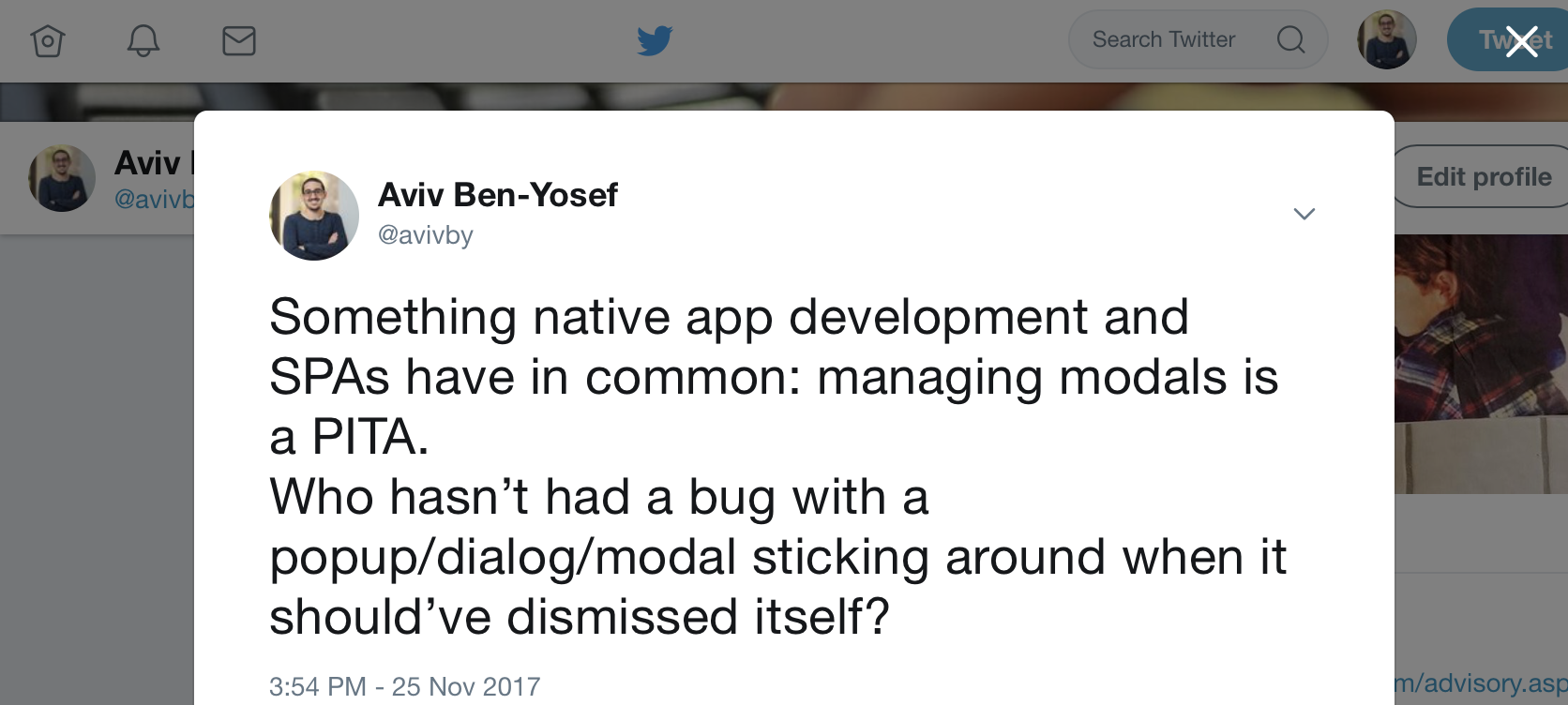
<p>For example, Twitter’s current UI whenever you click a tweet’s timestamp, that tweet is displayed as a modal on top of the current page you’re on:</p>

<p><img src="http://www.codelord.net/images/posts_images/modal-screenshot.png"></p>

<p>And from that screen you can stack up even more modals, e.g. by clicking to view who liked or retweeted that tweet.</p>

<p>Managing all those modals can be a <em>PITA</em>.
You have to make sure clicking a link that goes someplace else dismisses all the modals that should be dismissed.
And on the other hand, you have to make sure that dismissing the modal, e.g. by clicking that X button, results in the state changing together.</p>

<p>I’ve often seen this result in lots of copy-pasted code for handling dismissals and listening for state changes to clear things up.
(Actually, while playing around with Twitter to get the screenshot for this post I noticed that simply clicking through some modals breaks things in twitter such as history in some of the cases…)</p>

<p>But, it doesn’t have to be this hairy and buggy.
You don’t have to keep adding more and more checks for removing your modals everywhere in the hopes of it actually sticking.
With the right design decisions, modals can work almost as seamlessly as regular bindings in AngularJS.</p>

<h1>Reliable Modals</h1>

<p>A reliable pattern that I’ve seen successfully implemented at several clients is to <em>bind modals to a matching router state</em>.<br/>
There are different ways this can be done, but the important issue is accepting the idiom that modals shouldn’t ever cross state changes &ndash; if a state is left, the modals it introduced should be cleared.
Let the new state start fresh and clean of the previous thing.</p>

<h2>The simple way &ndash; auto dismissals</h2>

<p>This is by far the simplest way to make sure modals never stick around, and it works for apps with simple modal use.
I’ve seen this working for years at several places and reliably.
Essentially, you register a state change listener in your router and whenever there’s a state change you make sure to dismiss all open modals, whatever those might be.
Again, this might seem harsh, but in some apps this works like a charm, and is better than nothing.</p>

<p>A simple example, using UI Router’s <code>$transition</code> service and Angular UI Bootstrap’s <code>$uibModalStack</code>, this can be as simple as:</p>

<figure class='code'><figcaption><span></span></figcaption><div class="highlight"><table><tr><td class="gutter"><pre class="line-numbers"><span class='line-number'>1</span>
<span class='line-number'>2</span>
<span class='line-number'>3</span>
</pre></td><td class='code'><pre><code class='javascript'><span class='line'><span class="nx">$transitions</span><span class="p">.</span><span class="nx">onFinish</span><span class="p">({},</span> <span class="kd">function</span><span class="p">(</span><span class="nx">transition</span><span class="p">)</span> <span class="p">{</span>
</span><span class='line'>  <span class="nx">$uibModalStack</span><span class="p">.</span><span class="nx">dismissAll</span><span class="p">();</span>
</span><span class='line'><span class="p">});</span>
</span></code></pre></td></tr></table></div></figure>


<p>And of course, if needed, you can only perform this for transitions that match a specific criteria.</p>

<h2>Hard binding modals and states</h2>

<p>The hard binding solution is also the harder way, but it provides more flexibility and control.
In this pattern, we configure the different states so that whenever a state is opened, a specific modal is initialized.
Whenever that state is transitioned from, that same specific modal is dismissed.
And, lastly, we make sure that if the modal is dismissed (e.g. by clicking a little ‘X’) the state itself is transition out from, usually by going to its parent state.</p>

<p>For example, the tweet details modals from the screenshot above might be defined like this state:</p>

<figure class='code'><figcaption><span></span></figcaption><div class="highlight"><table><tr><td class="gutter"><pre class="line-numbers"><span class='line-number'>1</span>
<span class='line-number'>2</span>
<span class='line-number'>3</span>
<span class='line-number'>4</span>
<span class='line-number'>5</span>
<span class='line-number'>6</span>
<span class='line-number'>7</span>
<span class='line-number'>8</span>
<span class='line-number'>9</span>
<span class='line-number'>10</span>
<span class='line-number'>11</span>
</pre></td><td class='code'><pre><code class='javascript'><span class='line'><span class="nx">$stateProvider</span><span class="p">.</span><span class="nx">state</span><span class="p">(</span><span class="s1">&#39;profile.tweet&#39;</span><span class="p">,</span> <span class="p">{</span>
</span><span class='line'>  <span class="nx">url</span><span class="o">:</span> <span class="s1">&#39;/tweet/:tweetId&#39;</span><span class="p">,</span>
</span><span class='line'>  <span class="nx">onEnter</span><span class="o">:</span> <span class="kd">function</span><span class="p">(</span><span class="nx">$uibModal</span><span class="p">)</span> <span class="p">{</span> <span class="c1">// 1</span>
</span><span class='line'>    <span class="nx">$uibModal</span><span class="p">.</span><span class="nx">open</span><span class="p">(...).</span><span class="k">finally</span><span class="p">(</span><span class="kd">function</span><span class="p">()</span> <span class="p">{</span> <span class="c1">// 3</span>
</span><span class='line'>      <span class="nx">$state</span><span class="p">.</span><span class="nx">go</span><span class="p">(</span><span class="s1">&#39;^&#39;</span><span class="p">);</span>
</span><span class='line'>    <span class="p">});</span>
</span><span class='line'>  <span class="p">},</span>
</span><span class='line'>  <span class="nx">onExit</span><span class="o">:</span> <span class="kd">function</span><span class="p">()</span> <span class="p">{</span> <span class="c1">// 2</span>
</span><span class='line'>    <span class="c1">// dismiss modal</span>
</span><span class='line'>  <span class="p">}</span>
</span><span class='line'><span class="p">});</span>
</span></code></pre></td></tr></table></div></figure>


<p>Breaking this down, first look at the line marked with <code>1</code>.
<code>onEnter</code> is called as the state is initialized, and then we immediately open up the modal that is bound to this state.</p>

<p>Similarly, on line <code>2</code>, we make sure to use <code>onExit</code> to be notified of when the state is transitioned from and dismiss the modal in case it’s still there.</p>

<p>Finally, on line <code>3</code>, we make absolutely sure that any dismissal of the modal, for any reason, will also result in a transition to a proper state.
We do that by adding a <code>finally</code> callback to the modal’s dismissal promise.</p>

<p>This boils down to manually wiring two-way binding between the state and the modal, and it achieves air-tight confidence in your modals playing along nicely.</p>

<div class="ck_form ck_naked cta">
  <h2>&#8220;Maintaining AngularJS feels like Cobol 🤷…&#8221;</h2>
  <p>
  You want to do AngularJS <em>the right way</em>.<br>
  Yet every blog post you see makes it look like your codebase is obsolete.
  Components? Lifecycle hooks? Controllers are dead?
  </p>

  <p>
  It would be great to work on a modern codebase again, but who has weeks for a rewrite?<br>
  Well, you can get your app back in shape, without pushing back all your deadlines!
  Imagine, upgrading smoothly along your regular tasks, no longer deep in legacy.
  </p>

  <p>
  Subscribe and get my free email course with steps for upgrading your AngularJS app
  to the latest 1.6 safely and without a rewrite.
  </p>

  <div class="ck_form_fields">

    <div id='ck_success_msg'  style='display:none;'>
      <p>Success! You rock. You&#x27;ll get some knowledge shipped to your inbox soon. Let&#x27;s do this!</p>
    </div>

    <!--  Form starts here  -->
    <form id="ck_subscribe_form" class="ck_subscribe_form" action="https://app.convertkit.com/landing_pages/309485/subscribe" data-remote="true">
      
      <h2>Get the modernization email course!</h2>
      
      <input type="hidden" value="{&quot;form_style&quot;:&quot;naked&quot;,&quot;embed_style&quot;:&quot;inline&quot;,&quot;embed_trigger&quot;:&quot;scroll_percentage&quot;,&quot;scroll_percentage&quot;:&quot;70&quot;,&quot;delay_seconds&quot;:&quot;10&quot;,&quot;display_position&quot;:&quot;br&quot;,&quot;display_devices&quot;:&quot;all&quot;,&quot;days_no_show&quot;:&quot;15&quot;,&quot;converted_behavior&quot;:&quot;show&quot;}" id="ck_form_options"></input>
      <input type="hidden" name="id" value="309485" id="landing_page_id"></input>
      <div class="ck_errorArea">
        <div id="ck_error_msg" style="display:none">
          <p>There was an error submitting your subscription. Please try again.</p>
        </div>
      </div>
      <div class="ck_control_group ck_email_field_group">
        <label class="ck_label" for="ck_emailField" style="display: none">Email Address</label>
          <input type="text" name="first_name" class="ck_first_name" id="ck_firstNameField" placeholder="First Name"></input>
          <input type="email" name="email" class="ck_email_address" id="ck_emailField" placeholder="Email Address" required></input>
      </div>

      <button class="subscribe_button ck_subscribe_button btn fields" id='ck_subscribe_button'>
        Subscribe
      </button>
    </form>
  </div>

 </div>


]]></content>
  </entry>
  
  <entry>
    <title type="html"><![CDATA[Preferred AngularJS Communication Patterns]]></title>
    <link href="http://www.codelord.net/2017/09/29/preferred-angularjs-communication-patterns/"/>
    <updated>2017-09-29T00:04:58+03:00</updated>
    <id>http://www.codelord.net/2017/09/29/preferred-angularjs-communication-patterns</id>
    <content type="html"><![CDATA[<p>A very common head-scratch moment with AngularJS is whenever one needs to decide on how to communicate and pass information between a couple of components.
As you learn more about AngularJS it actually gets more confusing, since there seem to be so many ways, which is the right one for your scenario?</p>

<p>I compiled here the common patterns and anti-patterns, sorted and listed from you-should-probably-use-this all the way to please-god-no.</p>

<h1>Always use when possible</h1>

<h2>Bindings</h2>

<p>Bindings essentially mean passing a callback function a child component so it can call back on the parent.
Use this whenever a child needs to pass information to its direct parent, e.g. a button was clicked or an error occurred.</p>

<h2>$onChanges</h2>

<p>The <code>$onChanges</code> lifecycle hook, which I covered <a href="http://www.codelord.net/2016/04/14/angular-1-dot-5-new-component-lifecycle-hooks/">here</a>, coupled with one-way data flow, can be used as the opposite of callback bindings.
By supplying a one-way binding (<code>&lt;</code>) to a child component, the parent can essentially trigger behavior in the child by overriding the binding value with a new one, causing the child’s <code>$onChanges</code> to be called.
Then, the child component can see which binding has changed and to which value, and act accordingly.</p>

<h1>Use with care</h1>

<p>Having to use these might mean that you’re doing something a bit too complicated, but not always.</p>

<h2>Require</h2>

<p>The <code>require</code> mechanism is strong and provides a lot of power, as described <a href="http://www.codelord.net/2016/11/30/advanced-angular-1-dot-x-component-communication-with-require/">here</a> and <a href="http://www.codelord.net/2016/12/06/video-walkthrough-refactoring-angular-components-to-use-require-mechanism/">here</a>.
It can really simplify complex component families.
And yet, don’t be trigger-happy about using it, since it also adds complexity.</p>

<h2>Add a service with extra state</h2>

<p>This actually has been the go-to solution for most non-obvious communication patterns in the AngularJS of old.
People would just create these services which essentially were just global state, and inject them everywhere that needed access to something.
Frankly, these are just a tiny bit better than putting lots of crap on your <code>$rootScope</code> and I don’t think it should be used in most codebases more than handful of times, and kept to a minimum.</p>

<h1>Try to never use unless absolutely necessary</h1>

<h2>$watch</h2>

<p>Well, <code>$watch</code> is still useful, of course, when you have to deeply watch some object, or when integrating with external libraries that don’t expose proper events or promises.
And yet, these are rare scenarios.
If all you need to do is know when a binding you got is changed, push that code to <code>$onChanges</code> and be done with it.</p>

<h1>Never use</h1>

<p>(Well, 99.9999% of the cases)</p>

<h2>Events</h2>

<p>AngularJS’s scopes have broadcasting capabilities, e.g. <code>$broadcast</code> and <code>$emit</code>.
These allow passing messages between parent and child components across multiple layers.
Having worked on dozens of AngularJS projects, I frankly don’t believe I cam across a codebase that incorporated these as a standard pattern and didn’t come to regret it later.
Events, when used freely, usually end up causing code to be come a big spaghetti mess.</p>

<p>Do note though, that there are cases these events are useful, e.g. for implementing some sort of subscription mechanism for listening to changes in external data, like in your <code>Store</code> services.
You can see an example of such a service <a href="http://www.codelord.net/2015/05/04/angularjs-notifying-about-changes-from-services-to-controllers/">here</a>.</p>

<p>Did I miss any important patterns?
Let me know!</p>

<div class="ck_form ck_naked cta">
  <h2>&#8220;Maintaining AngularJS feels like Cobol 🤷…&#8221;</h2>
  <p>
  You want to do AngularJS <em>the right way</em>.<br>
  Yet every blog post you see makes it look like your codebase is obsolete.
  Components? Lifecycle hooks? Controllers are dead?
  </p>

  <p>
  It would be great to work on a modern codebase again, but who has weeks for a rewrite?<br>
  Well, you can get your app back in shape, without pushing back all your deadlines!
  Imagine, upgrading smoothly along your regular tasks, no longer deep in legacy.
  </p>

  <p>
  Subscribe and get my free email course with steps for upgrading your AngularJS app
  to the latest 1.6 safely and without a rewrite.
  </p>

  <div class="ck_form_fields">

    <div id='ck_success_msg'  style='display:none;'>
      <p>Success! You rock. You&#x27;ll get some knowledge shipped to your inbox soon. Let&#x27;s do this!</p>
    </div>

    <!--  Form starts here  -->
    <form id="ck_subscribe_form" class="ck_subscribe_form" action="https://app.convertkit.com/landing_pages/272683/subscribe" data-remote="true">
      
      <h2>Get the modernization email course!</h2>
      
      <input type="hidden" value="{&quot;form_style&quot;:&quot;naked&quot;,&quot;embed_style&quot;:&quot;inline&quot;,&quot;embed_trigger&quot;:&quot;scroll_percentage&quot;,&quot;scroll_percentage&quot;:&quot;70&quot;,&quot;delay_seconds&quot;:&quot;10&quot;,&quot;display_position&quot;:&quot;br&quot;,&quot;display_devices&quot;:&quot;all&quot;,&quot;days_no_show&quot;:&quot;15&quot;,&quot;converted_behavior&quot;:&quot;show&quot;}" id="ck_form_options"></input>
      <input type="hidden" name="id" value="272683" id="landing_page_id"></input>
      <div class="ck_errorArea">
        <div id="ck_error_msg" style="display:none">
          <p>There was an error submitting your subscription. Please try again.</p>
        </div>
      </div>
      <div class="ck_control_group ck_email_field_group">
        <label class="ck_label" for="ck_emailField" style="display: none">Email Address</label>
          <input type="text" name="first_name" class="ck_first_name" id="ck_firstNameField" placeholder="First Name"></input>
          <input type="email" name="email" class="ck_email_address" id="ck_emailField" placeholder="Email Address" required></input>
      </div>

      <button class="subscribe_button ck_subscribe_button btn fields" id='ck_subscribe_button'>
        Subscribe
      </button>
    </form>
  </div>

 </div>


]]></content>
  </entry>
  
  <entry>
    <title type="html"><![CDATA[Angular 1.6's Possibly unhandled rejection errors]]></title>
    <link href="http://www.codelord.net/2017/08/20/angular-1-dot-6-s-possibly-unhandled-rejection-errors/"/>
    <updated>2017-08-20T21:21:07+03:00</updated>
    <id>http://www.codelord.net/2017/08/20/angular-1-dot-6-s-possibly-unhandled-rejection-errors</id>
    <content type="html"><![CDATA[<p>If you’ve updated to AngularJS 1.6.x, kudos!
There’s not much that’s needed to get an app running with 1.5 to work with 1.6.</p>

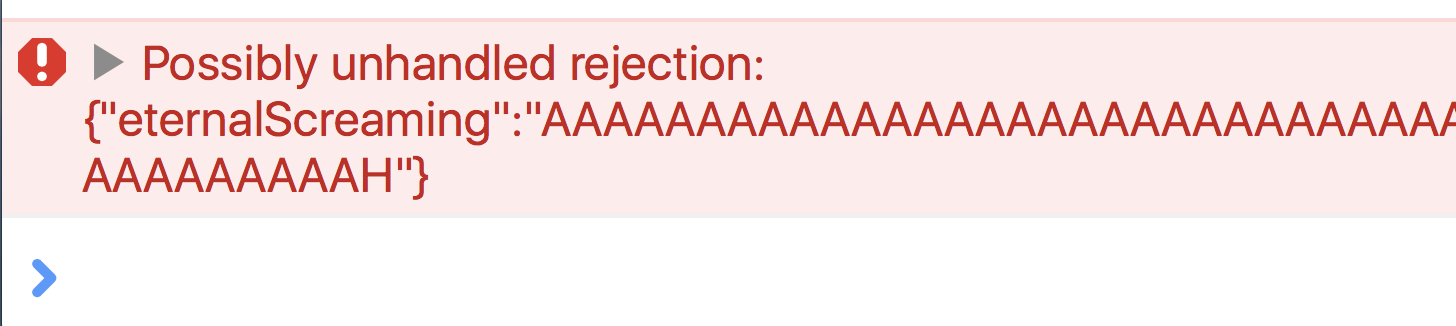
<p>But, a very common error that starts appearing in people’s consoles after this upgrade is the dreaded <strong>”Possibly unhandled rejection”</strong> error.</p>

<p>Did you see this and wonder <em>what does this mean?</em>
And more importantly, how the hell do you get rid of it?
Worse, if you just follow the <a href="https://stackoverflow.com/a/41993170/573">highest voted answer on StackOverflow</a> you probably hide bugs and won’t be aware of it.
Read on for the full gist.</p>

<p><img src="http://www.codelord.net/images/posts_images/possibly-unhandled-error.png"></p>

<h2>What does this error mean?</h2>

<p>Essentially, this error is printed to the console whenever a promise in your app is rejected (resolved with a failure), and there’s no <code>.catch()</code> block to handle that failure.</p>

<p>AngularJS added this to nudge developers to always handle possible errors.
This is much like always adding an <code>else</code> to every <code>if</code> to make sure you handle error cases, etc.
After all, every unhandled rejection might be an error that you forgot to account for, a bug waiting to happen.</p>

<p>A very common reason for it to come up in apps is things like modals being dismissed or “canceled”, and since the app has nothing to do in those scenarios the rejected promise goes unhandled.</p>

<h2>Getting rid of it &ndash; the icky way</h2>

<p>The Stack Overflow answer I linked to above basically shows you how to disable this new behavior introduced in 1.6:</p>

<figure class='code'><figcaption><span></span></figcaption><div class="highlight"><table><tr><td class="gutter"><pre class="line-numbers"><span class='line-number'>1</span>
<span class='line-number'>2</span>
<span class='line-number'>3</span>
</pre></td><td class='code'><pre><code class='javascript'><span class='line'><span class="nx">app</span><span class="p">.</span><span class="nx">config</span><span class="p">(</span><span class="kd">function</span> <span class="p">(</span><span class="nx">$qProvider</span><span class="p">)</span> <span class="p">{</span>
</span><span class='line'>    <span class="nx">$qProvider</span><span class="p">.</span><span class="nx">errorOnUnhandledRejections</span><span class="p">(</span><span class="kc">false</span><span class="p">);</span>
</span><span class='line'><span class="p">});</span>
</span></code></pre></td></tr></table></div></figure>


<p>You might be tempted to just reach for this quick fix, but be aware that it doesn’t 100% resemble that behavior in 1.5.</p>

<h3>The catch</h3>

<p>Say that you make a simple typo, like we all do like 20 times a day.
For example, you’re handling a response from <code>$http</code> that looks like this: <code>{value: "stuff"}</code>.</p>

<p>Now, spot the typo:</p>

<figure class='code'><figcaption><span></span></figcaption><div class="highlight"><table><tr><td class="gutter"><pre class="line-numbers"><span class='line-number'>1</span>
<span class='line-number'>2</span>
<span class='line-number'>3</span>
</pre></td><td class='code'><pre><code class='javascript'><span class='line'><span class="nx">$http</span><span class="p">.</span><span class="nx">get</span><span class="p">(</span><span class="s1">&#39;/stuff&#39;</span><span class="p">).</span><span class="nx">then</span><span class="p">(</span><span class="kd">function</span><span class="p">(</span><span class="nx">result</span><span class="p">)</span> <span class="p">{</span>
</span><span class='line'>  <span class="nx">handleResult</span><span class="p">(</span><span class="nx">result</span><span class="p">.</span><span class="nx">valye</span><span class="p">)</span>
</span><span class='line'><span class="p">});</span>
</span></code></pre></td></tr></table></div></figure>


<p>Of course, I mistyped <code>value</code> as <code>valye</code>.
This code in version 1.5.x would result in an error in your console.
So would it in 1.6, <em>unless you turn off unhandled rejection errors</em>.
If you do it, this error would be swallowed, and you’ll be spending lots and lots of time debugging stuff.</p>

<p>That’s why I recommend solving this the right way, even though it might take more typing, unless you really really have no other choice.</p>

<h2>Getting rid of it &ndash; the right way</h2>

<p>Well, the trick to not having unhandled rejection errors is… well… <em>handling</em> them.</p>

<p>You should, after every every promise with a <code>.then()</code> block have a <code>.catch()</code> block (and no, <code>.finally()</code> blocks don’t help here):</p>

<figure class='code'><figcaption><span></span></figcaption><div class="highlight"><table><tr><td class="gutter"><pre class="line-numbers"><span class='line-number'>1</span>
<span class='line-number'>2</span>
<span class='line-number'>3</span>
<span class='line-number'>4</span>
<span class='line-number'>5</span>
</pre></td><td class='code'><pre><code class='javascript'><span class='line'><span class="nx">$http</span><span class="p">.</span><span class="nx">get</span><span class="p">(</span><span class="s1">&#39;/stuff&#39;</span><span class="p">).</span><span class="nx">then</span><span class="p">(</span><span class="kd">function</span><span class="p">(</span><span class="nx">result</span><span class="p">)</span> <span class="p">{</span>
</span><span class='line'>  <span class="c1">// ... stuff here</span>
</span><span class='line'><span class="p">}).</span><span class="k">catch</span><span class="p">(</span><span class="kd">function</span><span class="p">()</span> <span class="p">{</span>
</span><span class='line'>  <span class="c1">// handle errors</span>
</span><span class='line'><span class="p">});</span>
</span></code></pre></td></tr></table></div></figure>


<p>And what about cases where you absolutely don’t care about errors?
The convention I’d have to recommend is explicitly handling errors in a way that says you’re aware of possible errors and don’t care:</p>

<figure class='code'><figcaption><span></span></figcaption><div class="highlight"><table><tr><td class="gutter"><pre class="line-numbers"><span class='line-number'>1</span>
<span class='line-number'>2</span>
<span class='line-number'>3</span>
</pre></td><td class='code'><pre><code class='javascript'><span class='line'><span class="nx">$http</span><span class="p">.</span><span class="nx">get</span><span class="p">(</span><span class="s1">&#39;/stuff&#39;</span><span class="p">).</span><span class="nx">then</span><span class="p">(</span><span class="kd">function</span><span class="p">(</span><span class="nx">result</span><span class="p">)</span> <span class="p">{</span>
</span><span class='line'>  <span class="c1">// ... stuff here</span>
</span><span class='line'><span class="p">}).</span><span class="k">catch</span><span class="p">(</span><span class="nx">angular</span><span class="p">.</span><span class="nx">noop</span><span class="p">);</span> <span class="c1">// &lt;-- look here!</span>
</span></code></pre></td></tr></table></div></figure>


<p>We’re passing as a handler the <code>angular.noop</code> function, which a function that does… nothing.
It’s the equivalent of <code>function() {}</code>.
This saves you some typing, and whenever I see <code>noop</code> as opposed to an empty function, I know it was left there by intention, and not that someone forgot what they were doing half way through a commit.</p>

<p>Yeah, this is some more typing, but it’s all in favor of making more robust and bug-free apps.
And I recommend setting up a shortcut in your favorite editor to add this (e.g. my TextExpander is set up to write <code>.catch(angular.noop)</code> whenever I type <code>;noop</code>).</p>

<p>Happy erring!</p>

<div class="ck_form ck_naked cta">
  <h2>&#8220;Maintaining AngularJS feels like Cobol 🤷…&#8221;</h2>
  <p>
  You want to do AngularJS <em>the right way</em>.<br>
  Yet every blog post you see makes it look like your codebase is obsolete.
  Components? Lifecycle hooks? Controllers are dead?
  </p>

  <p>
  It would be great to work on a modern codebase again, but who has weeks for a rewrite?<br>
  Well, you can get your app back in shape, without pushing back all your deadlines!
  Imagine, upgrading smoothly along your regular tasks, no longer deep in legacy.
  </p>

  <p>
  Subscribe and get my free email course with steps for upgrading your AngularJS app
  to the latest 1.6 safely and without a rewrite.
  </p>

  <div class="ck_form_fields">

    <div id='ck_success_msg'  style='display:none;'>
      <p>Success! You rock. You&#x27;ll get some knowledge shipped to your inbox soon. Let&#x27;s do this!</p>
    </div>

    <!--  Form starts here  -->
    <form id="ck_subscribe_form" class="ck_subscribe_form" action="https://app.convertkit.com/landing_pages/254454/subscribe" data-remote="true">
      
      <h2>Get the modernization email course!</h2>
      
      <input type="hidden" value="{&quot;form_style&quot;:&quot;naked&quot;,&quot;embed_style&quot;:&quot;inline&quot;,&quot;embed_trigger&quot;:&quot;scroll_percentage&quot;,&quot;scroll_percentage&quot;:&quot;70&quot;,&quot;delay_seconds&quot;:&quot;10&quot;,&quot;display_position&quot;:&quot;br&quot;,&quot;display_devices&quot;:&quot;all&quot;,&quot;days_no_show&quot;:&quot;15&quot;,&quot;converted_behavior&quot;:&quot;show&quot;}" id="ck_form_options"></input>
      <input type="hidden" name="id" value="254454" id="landing_page_id"></input>
      <div class="ck_errorArea">
        <div id="ck_error_msg" style="display:none">
          <p>There was an error submitting your subscription. Please try again.</p>
        </div>
      </div>
      <div class="ck_control_group ck_email_field_group">
        <label class="ck_label" for="ck_emailField" style="display: none">Email Address</label>
          <input type="text" name="first_name" class="ck_first_name" id="ck_firstNameField" placeholder="First Name"></input>
          <input type="email" name="email" class="ck_email_address" id="ck_emailField" placeholder="Email Address" required></input>
      </div>

      <button class="subscribe_button ck_subscribe_button btn fields" id='ck_subscribe_button'>
        Subscribe
      </button>
    </form>
  </div>

 </div>


]]></content>
  </entry>
  
  <entry>
    <title type="html"><![CDATA[Advanced ng-model Integration for Bug-free Controls]]></title>
    <link href="http://www.codelord.net/2017/08/06/advanced-ng-model-integration-for-bug-free-controls/"/>
    <updated>2017-08-06T19:15:13+03:00</updated>
    <id>http://www.codelord.net/2017/08/06/advanced-ng-model-integration-for-bug-free-controls</id>
    <content type="html"><![CDATA[<p>In the <a href="http://www.codelord.net/2017/07/28/youre-not-using-ng-model-enough/">last post</a> I explained that developers have a lot to gain by making sure their custom controls work properly with <code>ng-model</code>.
That post shows the starting point &ndash; making trivial things like the <code>required</code> validation work and having the form’s <code>$valid</code> <a href="http://www.codelord.net/2017/07/02/angularjs-form-properties-guide/">property</a> take into account custom controls.</p>

<p>But that’s just the tip of the iceberg, and <code>ng-model</code> allows for quite a bit more customization and integration in order to allow writing controls that work as smoothly as builtin ones.</p>

<p>In this post I’ll how to start integrating your control with the <code>NgModelController</code> and make your controls more capable and robust.</p>

<h2>Our Starting Position</h2>

<p>Let’s keep going with the example from the previous post, which was this very simple component:</p>

<figure class='code'><figcaption><span></span></figcaption><div class="highlight"><table><tr><td class="gutter"><pre class="line-numbers"><span class='line-number'>1</span>
<span class='line-number'>2</span>
<span class='line-number'>3</span>
<span class='line-number'>4</span>
<span class='line-number'>5</span>
<span class='line-number'>6</span>
</pre></td><td class='code'><pre><code class='javascript'><span class='line'><span class="nx">angular</span><span class="p">.</span><span class="nx">module</span><span class="p">(</span><span class="s1">&#39;app&#39;</span><span class="p">).</span><span class="nx">component</span><span class="p">(</span><span class="s1">&#39;myCustomControl&#39;</span><span class="p">,</span> <span class="p">{</span>
</span><span class='line'>  <span class="nx">template</span><span class="o">:</span> <span class="s1">&#39;...&#39;</span><span class="p">,</span>
</span><span class='line'>  <span class="nx">bindings</span><span class="o">:</span> <span class="p">{</span>
</span><span class='line'>    <span class="nx">value</span><span class="o">:</span> <span class="s1">&#39;=ngModel&#39;</span>
</span><span class='line'>  <span class="p">}</span>
</span><span class='line'><span class="p">});</span>
</span></code></pre></td></tr></table></div></figure>


<p>A good first step would be to note that we can use this control with the <code>name</code> attribute, since <code>ngModel</code> looks for it:</p>

<figure class='code'><figcaption><span></span></figcaption><div class="highlight"><table><tr><td class="gutter"><pre class="line-numbers"><span class='line-number'>1</span>
<span class='line-number'>2</span>
<span class='line-number'>3</span>
<span class='line-number'>4</span>
</pre></td><td class='code'><pre><code class='html'><span class='line'><span class="nt">&lt;form</span> <span class="na">name=</span><span class="s">&quot;$ctrl.form&quot;</span><span class="nt">&gt;</span>
</span><span class='line'>  <span class="nt">&lt;my</span><span class="na">-custom-control</span> <span class="na">ng-model=</span><span class="s">&quot;someValue&quot;</span> <span class="na">name=</span><span class="s">&quot;foo&quot;</span><span class="nt">&gt;</span>
</span><span class='line'>  <span class="err">&lt;</span>/my-custom-control&gt;
</span><span class='line'><span class="nt">&lt;/form&gt;</span>
</span></code></pre></td></tr></table></div></figure>


<p>By supplying <code>name="foo"</code> we can now access it from the form to make sure it’s valid, e.g. <code>$ctrl.form.foo.$valid</code>.</p>

<h2>Changing Values Properly</h2>

<p>In order to make our component work seamlessly with <code>ng-change</code> we will need to make sure that whenever the control’s value is changed as a result of a user interaction (not programmatically), we let <code>NgModelController</code> know.</p>

<p>First, we will need to make sure to <code>require</code> the <code>NgModelController</code>, and then, when the user clicks a button, invoke <code>$setViewValue</code>:</p>

<figure class='code'><figcaption><span></span></figcaption><div class="highlight"><table><tr><td class="gutter"><pre class="line-numbers"><span class='line-number'>1</span>
<span class='line-number'>2</span>
<span class='line-number'>3</span>
<span class='line-number'>4</span>
<span class='line-number'>5</span>
<span class='line-number'>6</span>
<span class='line-number'>7</span>
<span class='line-number'>8</span>
<span class='line-number'>9</span>
<span class='line-number'>10</span>
<span class='line-number'>11</span>
<span class='line-number'>12</span>
<span class='line-number'>13</span>
<span class='line-number'>14</span>
<span class='line-number'>15</span>
</pre></td><td class='code'><pre><code class='javascript'><span class='line'><span class="nx">angular</span><span class="p">.</span><span class="nx">module</span><span class="p">(</span><span class="s1">&#39;app&#39;</span><span class="p">).</span><span class="nx">component</span><span class="p">(</span><span class="s1">&#39;myCustomControl&#39;</span><span class="p">,</span> <span class="p">{</span>
</span><span class='line'>  <span class="nx">template</span><span class="o">:</span> <span class="s1">&#39;...&#39;</span><span class="p">,</span>
</span><span class='line'>  <span class="nx">require</span><span class="o">:</span> <span class="p">{</span>
</span><span class='line'>    <span class="nx">ngModelCtrl</span><span class="o">:</span> <span class="s1">&#39;ngModel&#39;</span>
</span><span class='line'>  <span class="p">}</span>
</span><span class='line'>  <span class="nx">bindings</span><span class="o">:</span> <span class="p">{</span>
</span><span class='line'>    <span class="nx">value</span><span class="o">:</span> <span class="s1">&#39;=ngModel&#39;</span>
</span><span class='line'>  <span class="p">},</span>
</span><span class='line'>  <span class="nx">controller</span><span class="o">:</span> <span class="kd">function</span><span class="p">()</span> <span class="p">{</span>
</span><span class='line'>    <span class="kd">var</span> <span class="nx">self</span> <span class="o">=</span> <span class="k">this</span><span class="p">;</span>
</span><span class='line'>    <span class="nx">self</span><span class="p">.</span><span class="nx">userToggledOn</span> <span class="o">=</span> <span class="kd">function</span><span class="p">()</span> <span class="p">{</span>
</span><span class='line'>      <span class="nx">self</span><span class="p">.</span><span class="nx">ngModelCtrl</span><span class="p">.</span><span class="nx">$setViewValue</span><span class="p">(</span><span class="kc">true</span><span class="p">,</span> <span class="s1">&#39;click&#39;</span><span class="p">);</span>
</span><span class='line'>    <span class="p">}</span>
</span><span class='line'>  <span class="p">}</span>
</span><span class='line'><span class="p">});</span>
</span></code></pre></td></tr></table></div></figure>


<p>The important bits here are the <code>require</code> definition and the handling of the user’s click in <code>userToggledOn</code>, which calls <code>NgModelController</code>’s <code>$setViewValue</code>.
Note that second parameter which lets it know what kind of DOM event triggered the change.</p>

<h2>Defining emptiness</h2>

<p>In my previous post I showed how <code>required</code> can simply be dropped in and used once <code>ng-model</code> is in place.
That’s only the case, though, if your definition of “emptiness” matches the default logic as described <a href="https://docs.angularjs.org/api/ng/type/ngModel.NgModelController#$isEmpty">in the documentation</a>.
But in case your control’s logic doesn’t match this, e.g. your model is an array and emptiness means the array is empty, you should override this behavior to let <code>NgModelController</code> know what you expect.</p>

<p>Inside your controller, after requiring <code>ngModel</code> as shown above, do this:</p>

<figure class='code'><figcaption><span></span></figcaption><div class="highlight"><table><tr><td class="gutter"><pre class="line-numbers"><span class='line-number'>1</span>
<span class='line-number'>2</span>
<span class='line-number'>3</span>
<span class='line-number'>4</span>
<span class='line-number'>5</span>
<span class='line-number'>6</span>
<span class='line-number'>7</span>
<span class='line-number'>8</span>
</pre></td><td class='code'><pre><code class='javascript'><span class='line'><span class="kd">function</span> <span class="nx">SomeCtrl</span><span class="p">()</span> <span class="p">{</span>
</span><span class='line'>  <span class="kd">var</span> <span class="nx">self</span> <span class="o">=</span> <span class="k">this</span><span class="p">;</span>
</span><span class='line'>  <span class="nx">self</span><span class="p">.</span><span class="nx">$onInit</span> <span class="o">=</span> <span class="kd">function</span><span class="p">()</span> <span class="p">{</span>
</span><span class='line'>    <span class="nx">self</span><span class="p">.</span><span class="nx">ngModelCtrl</span><span class="p">.</span><span class="nx">$isEmpty</span> <span class="o">=</span> <span class="kd">function</span><span class="p">(</span><span class="nx">value</span><span class="p">)</span> <span class="p">{</span>
</span><span class='line'>      <span class="k">return</span> <span class="o">!</span><span class="nx">value</span> <span class="o">||</span> <span class="nx">value</span><span class="p">.</span><span class="nx">length</span> <span class="o">===</span> <span class="mi">0</span><span class="p">;</span>
</span><span class='line'>    <span class="p">};</span>
</span><span class='line'>  <span class="p">};</span>
</span><span class='line'><span class="p">}</span>
</span></code></pre></td></tr></table></div></figure>


<p>As you can see, we’re overriding the <code>$isEmpty</code> method, which is intended exactly for this purpose.</p>

<p>Also, note I’m making sure to access <code>ngModelCtrl</code> on <code>$onInit</code>, since it will <a href="http://www.codelord.net/2017/01/01/angular-1-dot-6-is-here-what-you-need-to-know/">not be defined earlier</a>.</p>

<h2>Handling Programatic Changes</h2>

<p>An important part of the integration is to make sure the view is changed whenever the model value gets changed programmatically.
For example, if the control’s <code>ng-model</code> attribute is a binding from its parent, and the parent changes that value, it usually means that the control should update the UI in order to show this state (e.g. because an update was received from the server).</p>

<p>In those scenarios, <code>NgModelController</code> expects us to override the <code>$render</code> method.
<code>NgModelController</code> places a <code>$watch</code> on its value, and calls <code>$render</code> when it needs to change (though, note this watch is a shallow watch. If you’re mutating an object as your model, you will need to trigger it manually).</p>

<p>This would look roughly like so:</p>

<figure class='code'><figcaption><span></span></figcaption><div class="highlight"><table><tr><td class="gutter"><pre class="line-numbers"><span class='line-number'>1</span>
<span class='line-number'>2</span>
<span class='line-number'>3</span>
<span class='line-number'>4</span>
<span class='line-number'>5</span>
<span class='line-number'>6</span>
<span class='line-number'>7</span>
<span class='line-number'>8</span>
<span class='line-number'>9</span>
</pre></td><td class='code'><pre><code class='javascript'><span class='line'><span class="kd">function</span> <span class="nx">SomeCtrl</span><span class="p">()</span> <span class="p">{</span>
</span><span class='line'>  <span class="kd">var</span> <span class="nx">self</span> <span class="o">=</span> <span class="k">this</span><span class="p">;</span>
</span><span class='line'>  <span class="nx">self</span><span class="p">.</span><span class="nx">$onInit</span> <span class="o">=</span> <span class="kd">function</span><span class="p">()</span> <span class="p">{</span>
</span><span class='line'>    <span class="c1">// ... previous stuff</span>
</span><span class='line'>    <span class="nx">self</span><span class="p">.</span><span class="nx">ngModelCtrl</span><span class="p">.</span><span class="nx">$render</span> <span class="o">=</span> <span class="kd">function</span><span class="p">()</span> <span class="p">{</span>
</span><span class='line'>      <span class="c1">// Update the UI according to the self.ngModelCtrl.$viewValue</span>
</span><span class='line'>    <span class="p">}</span>
</span><span class='line'>  <span class="p">};</span>
</span><span class='line'><span class="p">}</span>
</span></code></pre></td></tr></table></div></figure>


<p>That’s it for now.
There’s much more to <code>ng-model</code>, e.g. parsers and formatters that are handy when you want specific validations on inputs, etc.
To be updated when I write about it, subscribe in the form below!</p>

<div class="ck_form ck_naked cta">
  <h2>&#8220;Maintaining AngularJS feels like Cobol 🤷…&#8221;</h2>
  <p>
  You want to do AngularJS <em>the right way</em>.<br>
  Yet every blog post you see makes it look like your codebase is obsolete.
  Components? Lifecycle hooks? Controllers are dead?
  </p>

  <p>
  It would be great to work on a modern codebase again, but who has weeks for a rewrite?<br>
  Well, you can get your app back in shape, without pushing back all your deadlines!
  Imagine, upgrading smoothly along your regular tasks, no longer deep in legacy.
  </p>

  <p>
  Subscribe and get my free email course with steps for upgrading your AngularJS app
  to the latest 1.6 safely and without a rewrite.
  </p>

  <div class="ck_form_fields">

    <div id='ck_success_msg'  style='display:none;'>
      <p>Success! You rock. You&#x27;ll get some knowledge shipped to your inbox soon. Let&#x27;s do this!</p>
    </div>

    <!--  Form starts here  -->
    <form id="ck_subscribe_form" class="ck_subscribe_form" action="https://app.convertkit.com/landing_pages/248291/subscribe" data-remote="true">
      
      <h2>Get the modernization email course!</h2>
      
      <input type="hidden" value="{&quot;form_style&quot;:&quot;naked&quot;,&quot;embed_style&quot;:&quot;inline&quot;,&quot;embed_trigger&quot;:&quot;scroll_percentage&quot;,&quot;scroll_percentage&quot;:&quot;70&quot;,&quot;delay_seconds&quot;:&quot;10&quot;,&quot;display_position&quot;:&quot;br&quot;,&quot;display_devices&quot;:&quot;all&quot;,&quot;days_no_show&quot;:&quot;15&quot;,&quot;converted_behavior&quot;:&quot;show&quot;}" id="ck_form_options"></input>
      <input type="hidden" name="id" value="248291" id="landing_page_id"></input>
      <div class="ck_errorArea">
        <div id="ck_error_msg" style="display:none">
          <p>There was an error submitting your subscription. Please try again.</p>
        </div>
      </div>
      <div class="ck_control_group ck_email_field_group">
        <label class="ck_label" for="ck_emailField" style="display: none">Email Address</label>
          <input type="text" name="first_name" class="ck_first_name" id="ck_firstNameField" placeholder="First Name"></input>
          <input type="email" name="email" class="ck_email_address" id="ck_emailField" placeholder="Email Address" required></input>
      </div>

      <button class="subscribe_button ck_subscribe_button btn fields" id='ck_subscribe_button'>
        Subscribe
      </button>
    </form>
  </div>

 </div>


]]></content>
  </entry>
  
  <entry>
    <title type="html"><![CDATA[You're Not Using ng-model Enough]]></title>
    <link href="http://www.codelord.net/2017/07/28/youre-not-using-ng-model-enough/"/>
    <updated>2017-07-28T14:14:49+03:00</updated>
    <id>http://www.codelord.net/2017/07/28/youre-not-using-ng-model-enough</id>
    <content type="html"><![CDATA[<p>You sit down and start your next frontend task.
Likely, that task will require you to get input from the user.
Maybe you’re adding a comments section, maybe it’s a little survey, or some simple form.</p>

<p>Handling inputs and forms with AngularJS can be a breeze, especially since AngularJS provides a lot of tools for efficiently doing just that.
You need to add validations, like making sure the user filled all the fields, and it’s just a matter of adding a <code>required</code> attribute to all controls and checking the form’s <code>$valid</code> property.</p>

<p>I love it when instead of writing lots of code I simply do something along the lines of:</p>

<figure class='code'><figcaption><span></span></figcaption><div class="highlight"><table><tr><td class="gutter"><pre class="line-numbers"><span class='line-number'>1</span>
</pre></td><td class='code'><pre><code class='html'><span class='line'><span class="nt">&lt;button</span> <span class="na">ng-disabled=</span><span class="s">&quot;!$ctrl.form.$valid&quot;</span> <span class="na">type=</span><span class="s">&quot;submit&quot;</span><span class="nt">&gt;</span>Save<span class="nt">&lt;/button&gt;</span>
</span></code></pre></td></tr></table></div></figure>


<p>(I’m not missing an <code>ng-click</code> there BTW, for submitting a form you should usually have <code>ng-submit</code> on the <code>&lt;form&gt;</code> element.)</p>

<p>But, what happens when you have use some custom control, instead of the browser’s builtins (e.g. <code>input</code>s, <code>textarea</code>s, <code>select</code>s)?</p>

<p>It usually looks ends up looking like this:</p>

<figure class='code'><figcaption><span></span></figcaption><div class="highlight"><table><tr><td class="gutter"><pre class="line-numbers"><span class='line-number'>1</span>
</pre></td><td class='code'><pre><code class='html'><span class='line'><span class="nt">&lt;my</span><span class="na">-custom-control</span> <span class="na">value=</span><span class="s">&quot;$ctrl.someValue&quot;</span><span class="nt">&gt;</span><span class="err">&lt;</span>/my-custom-control&gt;
</span></code></pre></td></tr></table></div></figure>


<p>And suddenly, you can’t just use <code>required</code>, and the form’s <code>$valid</code> doesn’t work, and instead of using <code>$ctrl.form.$valid</code> to check everything is filled you have to write code along the lines of:</p>

<figure class='code'><figcaption><span></span></figcaption><div class="highlight"><table><tr><td class="gutter"><pre class="line-numbers"><span class='line-number'>1</span>
<span class='line-number'>2</span>
<span class='line-number'>3</span>
</pre></td><td class='code'><pre><code class='javascript'><span class='line'><span class="kd">function</span> <span class="nx">isValid</span><span class="p">()</span> <span class="p">{</span>
</span><span class='line'>  <span class="k">return</span> <span class="nx">self</span><span class="p">.</span><span class="nx">form</span><span class="p">.</span><span class="nx">$valid</span> <span class="o">&amp;&amp;</span> <span class="nx">self</span><span class="p">.</span><span class="nx">someValue</span> <span class="o">!==</span> <span class="s1">&#39;&#39;</span><span class="p">;</span>
</span><span class='line'><span class="p">}</span>
</span></code></pre></td></tr></table></div></figure>


<h2>Custom Controls Don’t Have to Suck</h2>

<p>You don’t have to leave the comforts of Angular’s forms just because you have a custom control.
You just need to make sure to wire things up properly.</p>

<p>It’s as easy as using <code>ng-model</code> to pass the value to the control, instead of some binding of yours.
Here’s an example of refactoring a component to use ngModel:</p>

<figure class='code'><figcaption><span></span></figcaption><div class="highlight"><table><tr><td class="gutter"><pre class="line-numbers"><span class='line-number'>1</span>
<span class='line-number'>2</span>
<span class='line-number'>3</span>
<span class='line-number'>4</span>
<span class='line-number'>5</span>
<span class='line-number'>6</span>
</pre></td><td class='code'><pre><code class='javascript'><span class='line'><span class="nx">angular</span><span class="p">.</span><span class="nx">module</span><span class="p">(</span><span class="s1">&#39;app&#39;</span><span class="p">).</span><span class="nx">component</span><span class="p">(</span><span class="s1">&#39;myCustomControl&#39;</span><span class="p">,</span> <span class="p">{</span>
</span><span class='line'>  <span class="nx">template</span><span class="o">:</span> <span class="s1">&#39;...&#39;</span><span class="p">,</span>
</span><span class='line'>  <span class="nx">bindings</span><span class="o">:</span> <span class="p">{</span>
</span><span class='line'>    <span class="nx">value</span><span class="o">:</span> <span class="s1">&#39;=ngModel&#39;</span>
</span><span class='line'>  <span class="p">}</span>
</span><span class='line'><span class="p">});</span>
</span></code></pre></td></tr></table></div></figure>


<p>You can still use the same name the component used before, such as <code>value</code> above, but make sure that the external name is <code>ngModel</code>.
Using that component looks like so:</p>

<figure class='code'><figcaption><span></span></figcaption><div class="highlight"><table><tr><td class="gutter"><pre class="line-numbers"><span class='line-number'>1</span>
</pre></td><td class='code'><pre><code class='javascript'><span class='line'><span class="o">&lt;</span><span class="nx">my</span><span class="o">-</span><span class="nx">custom</span><span class="o">-</span><span class="nx">control</span> <span class="nx">ng</span><span class="o">-</span><span class="nx">model</span><span class="o">=</span><span class="s2">&quot;$ctrl.someValue&quot;</span> <span class="nx">required</span><span class="o">&gt;</span>
</span></code></pre></td></tr></table></div></figure>


<p>Just by using the <code>ng-model</code> attribute, Angular’s <code>ngModel</code> directive will be used, and sprinkle its own magic.
That means that it’ll register with the parent form, and add the needed validations.</p>

<p>For example, the <code>required</code> above will simply work now, and so will our original button, no need for custom code.</p>

<p>So <em>please</em> don’t write custom controls like an animal.
Use Angular properly.</p>

<div class="ck_form ck_naked cta">
  <h2>&#8220;Maintaining AngularJS feels like Cobol 🤷…&#8221;</h2>
  <p>
  You want to do AngularJS <em>the right way</em>.<br>
  Yet every blog post you see makes it look like your codebase is obsolete.
  Components? Lifecycle hooks? Controllers are dead?
  </p>

  <p>
  It would be great to work on a modern codebase again, but who has weeks for a rewrite?<br>
  Well, you can get your app back in shape, without pushing back all your deadlines!
  Imagine, upgrading smoothly along your regular tasks, no longer deep in legacy.
  </p>

  <p>
  Subscribe and get my free email course with steps for upgrading your AngularJS app
  to the latest 1.6 safely and without a rewrite.
  </p>

  <div class="ck_form_fields">

    <div id='ck_success_msg'  style='display:none;'>
      <p>Success! You rock. You&#x27;ll get some knowledge shipped to your inbox soon. Let&#x27;s do this!</p>
    </div>

    <!--  Form starts here  -->
    <form id="ck_subscribe_form" class="ck_subscribe_form" action="https://app.convertkit.com/landing_pages/244240/subscribe" data-remote="true">
      
      <h2>Get the modernization email course!</h2>
      
      <input type="hidden" value="{&quot;form_style&quot;:&quot;naked&quot;,&quot;embed_style&quot;:&quot;inline&quot;,&quot;embed_trigger&quot;:&quot;scroll_percentage&quot;,&quot;scroll_percentage&quot;:&quot;70&quot;,&quot;delay_seconds&quot;:&quot;10&quot;,&quot;display_position&quot;:&quot;br&quot;,&quot;display_devices&quot;:&quot;all&quot;,&quot;days_no_show&quot;:&quot;15&quot;,&quot;converted_behavior&quot;:&quot;show&quot;}" id="ck_form_options"></input>
      <input type="hidden" name="id" value="244240" id="landing_page_id"></input>
      <div class="ck_errorArea">
        <div id="ck_error_msg" style="display:none">
          <p>There was an error submitting your subscription. Please try again.</p>
        </div>
      </div>
      <div class="ck_control_group ck_email_field_group">
        <label class="ck_label" for="ck_emailField" style="display: none">Email Address</label>
          <input type="text" name="first_name" class="ck_first_name" id="ck_firstNameField" placeholder="First Name"></input>
          <input type="email" name="email" class="ck_email_address" id="ck_emailField" placeholder="Email Address" required></input>
      </div>

      <button class="subscribe_button ck_subscribe_button btn fields" id='ck_subscribe_button'>
        Subscribe
      </button>
    </form>
  </div>

 </div>


]]></content>
  </entry>
  
  <entry>
    <title type="html"><![CDATA[AngularJS Form Properties Guide]]></title>
    <link href="http://www.codelord.net/2017/07/02/angularjs-form-properties-guide/"/>
    <updated>2017-07-02T10:10:14+03:00</updated>
    <id>http://www.codelord.net/2017/07/02/angularjs-form-properties-guide</id>
    <content type="html"><![CDATA[<p>Essentially every single web application being developed out there gets inputs from its users.
Maybe it’s got a comment feed with a few text boxes.
Or maybe it has some sort of calculator with different inputs and sliders.
Of course, there’s almost always the <strong>login</strong> page.
Yes, the email and password are inputs as well.</p>

<p>When working on web apps you’re going to be handling inputs quite a bit, and if so, you should be well equipped to use the right tools for the job.
With AngularJS, those tools should include the extensive support for forms, inputs and validations.</p>

<p>I’ve covered the basics of writing forms <a href="http://www.codelord.net/2015/11/06/angular-forms-and-validation-step-by-step-example/">before</a>, but in this article I’d like to point out how Angular’s forms have a few magic properties that are worth knowing, since they can spare you some bugs and code!</p>

<h1>First Things First: Getting Access to the Form</h1>

<p>Forms in AngularJS have special properties, but how exactly are you meant to get access to these forms?
The trick is to name the form.
Once provide a name for your forms, AngularJS will automatically expose it under that name in your scope.</p>

<p>For example, say that we have this as part of the template of a component with <code>$ctrl</code> as its controller-as name:</p>

<figure class='code'><figcaption><span></span></figcaption><div class="highlight"><table><tr><td class="gutter"><pre class="line-numbers"><span class='line-number'>1</span>
<span class='line-number'>2</span>
<span class='line-number'>3</span>
</pre></td><td class='code'><pre><code class='html'><span class='line'><span class="nt">&lt;form</span> <span class="na">name=</span><span class="s">&quot;$ctrl.exampleForm&quot;</span><span class="nt">&gt;</span>
</span><span class='line'>  <span class="c">&lt;!-- inputs etc. go here.. --&gt;</span>
</span><span class='line'><span class="nt">&lt;/form&gt;</span>
</span></code></pre></td></tr></table></div></figure>


<p>Setting the name to <code>$ctrl.exampleForm</code> means that in the template we can get access to the form, simply by using <code>$ctrl.exampleForm</code>.
It can also be accessed from the controller’s code, using <code>this.exampleForm</code>.</p>

<p>Now that we know how to get access to the form, let’s start making use of it!</p>

<h2>Testing Whether the User Has Interacted With the Form</h2>

<p>A very common use case is the need to display certain error messages or help tips only after the user has started changing values in the form (or hasn’t started yet).</p>

<p>To do just that, forms in AngularJS come supplied with two handy boolean properties, <code>$pristine</code> and <code>$dirty</code>.
These two booleans are always the negative of the other (i.e. <code>$pristine === !$dirty</code>).</p>

<p>When the form is in its virgin state and the user hasn’t changed anything yet, <code>$pristine</code> is set to <code>true</code>.
Once the user has interacted with the form’s inputs, <code>$pristine</code> is set to <code>false</code> and <code>$dirty</code> is true.</p>

<p>In case you need to programmatically force the form back to its pristine state (e.g. the user clicked on reset, or after a successful save), you can call <code>$ctrl.exampleForm.$setPristine()</code>.</p>

<h2>Display Things After Form Submission</h2>

<p>Sometimes, we want form validations to only be displayed after the user has clicked the save button, instead of changing as the user types or moves between fields.</p>

<p>In those cases, simply hiding validations until the form becomes <code>$dirty</code> won’t do, which is exactly why forms also have the handy <code>$submitted</code> property.
This property gets set to <code>true</code> once the user has submitted the form, even if the form is invalid.</p>

<p>Submitting a form means clicking a button that has the attribute <code>type="submit"</code>, or pressing Enter/Return inside an input.</p>

<p>AngularJS won’t prevent the form from being submitted if it’s invalid, meaning your <code>ng-submit</code> callback is called.
You need to make sure not to act in case the form isn’t in a valid state.</p>

<h2>Checking if the Form Is Valid</h2>

<p>And just in order to check whether the form is valid or not, forms come equipped with a few more swanky properties.</p>

<p>First of all are the <code>$valid</code> and <code>$invalid</code> couple.
If <code>$valid</code> is <code>true</code> &ndash; go right ahead.
If <code>$invalid</code> is <code>true</code> &ndash; something is amiss.</p>

<p>In case the form is invalid, the form’s <code>$error</code> hash will contain all the necessary information about which fields are invalid and for what validations.</p>

<p><strong>But</strong>, there’s another state here, which is when both are <code>undefined</code>.
This is possible when the form has <a href="http://www.codelord.net/2014/11/02/angularjs-1-dot-3-taste-async-validators/">asynchronous validators</a>.
This means that it’s important to test these are <code>true</code> or <code>false</code> and not just “falsy” (e.g. <code>undefined</code> or <code>null</code>).</p>

<p>You can also check whether the form is currently pending, and see which of the validators are being processed, by accessing the <code>$pending</code> hash (which is structured similarly to <code>$error</code>).</p>

<p>There’s lots more that can be written about forms and their inputs in AngularJS, so if you’d like to hear more please subscribe below!</p>

<div class="ck_form ck_naked cta">
  <h2>&#8220;Maintaining AngularJS feels like Cobol 🤷…&#8221;</h2>
  <p>
  You want to do AngularJS <em>the right way</em>.<br>
  Yet every blog post you see makes it look like your codebase is obsolete.
  Components? Lifecycle hooks? Controllers are dead?
  </p>

  <p>
  It would be great to work on a modern codebase again, but who has weeks for a rewrite?<br>
  Well, you can get your app back in shape, without pushing back all your deadlines!
  Imagine, upgrading smoothly along your regular tasks, no longer deep in legacy.
  </p>

  <p>
  Subscribe and get my free email course with steps for upgrading your AngularJS app
  to the latest 1.6 safely and without a rewrite.
  </p>

  <div class="ck_form_fields">

    <div id='ck_success_msg'  style='display:none;'>
      <p>Success! You rock. You&#x27;ll get some knowledge shipped to your inbox soon. Let&#x27;s do this!</p>
    </div>

    <!--  Form starts here  -->
    <form id="ck_subscribe_form" class="ck_subscribe_form" action="https://app.convertkit.com/landing_pages/232724/subscribe" data-remote="true">
      
      <h2>Get the modernization email course!</h2>
      
      <input type="hidden" value="{&quot;form_style&quot;:&quot;naked&quot;,&quot;embed_style&quot;:&quot;inline&quot;,&quot;embed_trigger&quot;:&quot;scroll_percentage&quot;,&quot;scroll_percentage&quot;:&quot;70&quot;,&quot;delay_seconds&quot;:&quot;10&quot;,&quot;display_position&quot;:&quot;br&quot;,&quot;display_devices&quot;:&quot;all&quot;,&quot;days_no_show&quot;:&quot;15&quot;,&quot;converted_behavior&quot;:&quot;show&quot;}" id="ck_form_options"></input>
      <input type="hidden" name="id" value="232724" id="landing_page_id"></input>
      <div class="ck_errorArea">
        <div id="ck_error_msg" style="display:none">
          <p>There was an error submitting your subscription. Please try again.</p>
        </div>
      </div>
      <div class="ck_control_group ck_email_field_group">
        <label class="ck_label" for="ck_emailField" style="display: none">Email Address</label>
          <input type="text" name="first_name" class="ck_first_name" id="ck_firstNameField" placeholder="First Name"></input>
          <input type="email" name="email" class="ck_email_address" id="ck_emailField" placeholder="Email Address" required></input>
      </div>

      <button class="subscribe_button ck_subscribe_button btn fields" id='ck_subscribe_button'>
        Subscribe
      </button>
    </form>
  </div>

 </div>


]]></content>
  </entry>
  
  <entry>
    <title type="html"><![CDATA[Prevent AngularJS Injection Errors With Strict Mode]]></title>
    <link href="http://www.codelord.net/2017/06/25/prevent-angularjs-injection-errors-with-strict-mode/"/>
    <updated>2017-06-25T22:48:27+03:00</updated>
    <id>http://www.codelord.net/2017/06/25/prevent-angularjs-injection-errors-with-strict-mode</id>
    <content type="html"><![CDATA[<p>I have to say that some of the most annoying production bugs I’ve encountered with AngularJS apps are the injection errors: <code>Unknown provider: tProvider &lt;- t</code>.
That error message is actually Angular trying to tell us that it doesn’t know where to inject <code>t</code> from, yet of course my code doesn’t have an injectable dependency called <code>t</code>.</p>

<p>These errors almost never show up during development, but only after building the app for release.
That’s because these problems are the result of <a href="http://www.codelord.net/2015/11/18/the-deal-with-angular-and-minification/">minification</a>, which usually isn’t setup to run during development (for easier debugging and faster build times).</p>

<p>In most online examples we’d simply write an injectable like so:</p>

<figure class='code'><figcaption><span></span></figcaption><div class="highlight"><table><tr><td class="gutter"><pre class="line-numbers"><span class='line-number'>1</span>
<span class='line-number'>2</span>
<span class='line-number'>3</span>
</pre></td><td class='code'><pre><code class='javascript'><span class='line'><span class="nx">app</span><span class="p">.</span><span class="nx">factory</span><span class="p">(</span><span class="s1">&#39;Foo&#39;</span><span class="p">,</span> <span class="kd">function</span><span class="p">(</span><span class="nx">$http</span><span class="p">)</span> <span class="p">{</span>
</span><span class='line'>  <span class="c1">// Angular will inject $http</span>
</span><span class='line'><span class="p">});</span>
</span></code></pre></td></tr></table></div></figure>


<p>But, after minification Angular won’t be able to tell what to inject because argument names get mangled.
That’s why Angular has its special injection annotations, e.g.:</p>

<figure class='code'><figcaption><span></span></figcaption><div class="highlight"><table><tr><td class="gutter"><pre class="line-numbers"><span class='line-number'>1</span>
</pre></td><td class='code'><pre><code class='javascript'><span class='line'><span class="nx">app</span><span class="p">.</span><span class="nx">factory</span><span class="p">(</span><span class="s1">&#39;Foo&#39;</span><span class="p">,</span> <span class="p">[</span><span class="s1">&#39;$http&#39;</span><span class="p">,</span> <span class="kd">function</span><span class="p">(</span><span class="nx">$http</span><span class="p">)</span> <span class="p">{</span> <span class="p">...</span> <span class="p">}]);</span>
</span></code></pre></td></tr></table></div></figure>


<p>Or:</p>

<figure class='code'><figcaption><span></span></figcaption><div class="highlight"><table><tr><td class="gutter"><pre class="line-numbers"><span class='line-number'>1</span>
<span class='line-number'>2</span>
</pre></td><td class='code'><pre><code class='javascript'><span class='line'><span class="kd">function</span> <span class="nx">Foo</span><span class="p">(</span><span class="nx">$http</span><span class="p">)</span> <span class="p">{}</span>
</span><span class='line'><span class="nx">Foo</span><span class="p">.</span><span class="nx">$inject</span> <span class="o">=</span> <span class="p">[</span><span class="s1">&#39;$http&#39;</span><span class="p">];</span>
</span></code></pre></td></tr></table></div></figure>


<p>These are of course a PITA to maintain, which is why I strongly recommend using an automatic took like <a href="http://www.codelord.net/2017/06/18/ng-annotate-deprecated-what-that-means-for-your-projects/">babel-plugin-angularjs-annotate</a>.
But even when using it, one can forgot to write the <code>'ngInject';</code> directive somewhere.</p>

<p>In those scenarios, you’d normally only understand that there’s a problem in production, which is too late (and if you’re testing properly, it just means you’re pushing bugs too late into your development process anyway).</p>

<h1>The Solution: Strict Mode</h1>

<p>Strict mode is a configuration of Angular’s <code>$injector</code>, telling it not to accept injectables that aren’t annotated, even when running in development.
(Note, this should not be confused with <a href="https://developer.mozilla.org/en-US/docs/Web/JavaScript/Reference/Strict_mode">ES5’s strict mode</a>.)</p>

<p>You set it by adding the <a href="https://docs.angularjs.org/api/ng/directive/ngApp#usage"><code>ng-strict-di</code></a> attribute to your <code>ng-app</code> element:</p>

<figure class='code'><figcaption><span></span></figcaption><div class="highlight"><table><tr><td class="gutter"><pre class="line-numbers"><span class='line-number'>1</span>
</pre></td><td class='code'><pre><code class='html'><span class='line'><span class="nt">&lt;body</span> <span class="na">ng-app=</span><span class="s">&quot;app&quot;</span> <span class="na">ng-strict-di</span><span class="nt">&gt;</span>
</span></code></pre></td></tr></table></div></figure>


<p>When you turn this switch on, AngularJS will throw an error whenever it encounters an injectable that’s missing proper annotations, <em>even in development</em>.
This means you’ll get a clearer error that’s a lot easier to track down and at the right time.
It does mean, though, that you should make sure to run your automatic annotator in development as well (which should be easy with babel-plugin-angularjs-annotate).</p>

<p>Switch strict mode on and save yourself some nasty debugging!</p>

<div class="ck_form ck_naked cta">
  <h2>&#8220;Maintaining AngularJS feels like Cobol 🤷…&#8221;</h2>
  <p>
  You want to do AngularJS <em>the right way</em>.<br>
  Yet every blog post you see makes it look like your codebase is obsolete.
  Components? Lifecycle hooks? Controllers are dead?
  </p>

  <p>
  It would be great to work on a modern codebase again, but who has weeks for a rewrite?<br>
  Well, you can get your app back in shape, without pushing back all your deadlines!
  Imagine, upgrading smoothly along your regular tasks, no longer deep in legacy.
  </p>

  <p>
  Subscribe and get my free email course with steps for upgrading your AngularJS app
  to the latest 1.6 safely and without a rewrite.
  </p>

  <div class="ck_form_fields">

    <div id='ck_success_msg'  style='display:none;'>
      <p>Success! You rock. You&#x27;ll get some knowledge shipped to your inbox soon. Let&#x27;s do this!</p>
    </div>

    <!--  Form starts here  -->
    <form id="ck_subscribe_form" class="ck_subscribe_form" action="https://app.convertkit.com/landing_pages/229910/subscribe" data-remote="true">
      
      <h2>Get the modernization email course!</h2>
      
      <input type="hidden" value="{&quot;form_style&quot;:&quot;naked&quot;,&quot;embed_style&quot;:&quot;inline&quot;,&quot;embed_trigger&quot;:&quot;scroll_percentage&quot;,&quot;scroll_percentage&quot;:&quot;70&quot;,&quot;delay_seconds&quot;:&quot;10&quot;,&quot;display_position&quot;:&quot;br&quot;,&quot;display_devices&quot;:&quot;all&quot;,&quot;days_no_show&quot;:&quot;15&quot;,&quot;converted_behavior&quot;:&quot;show&quot;}" id="ck_form_options"></input>
      <input type="hidden" name="id" value="229910" id="landing_page_id"></input>
      <div class="ck_errorArea">
        <div id="ck_error_msg" style="display:none">
          <p>There was an error submitting your subscription. Please try again.</p>
        </div>
      </div>
      <div class="ck_control_group ck_email_field_group">
        <label class="ck_label" for="ck_emailField" style="display: none">Email Address</label>
          <input type="text" name="first_name" class="ck_first_name" id="ck_firstNameField" placeholder="First Name"></input>
          <input type="email" name="email" class="ck_email_address" id="ck_emailField" placeholder="Email Address" required></input>
      </div>

      <button class="subscribe_button ck_subscribe_button btn fields" id='ck_subscribe_button'>
        Subscribe
      </button>
    </form>
  </div>

 </div>


]]></content>
  </entry>
  
  <entry>
    <title type="html"><![CDATA[ng-annotate Deprecated: What That Means for Your Projects]]></title>
    <link href="http://www.codelord.net/2017/06/18/ng-annotate-deprecated-what-that-means-for-your-projects/"/>
    <updated>2017-06-18T18:31:00+03:00</updated>
    <id>http://www.codelord.net/2017/06/18/ng-annotate-deprecated-what-that-means-for-your-projects</id>
    <content type="html"><![CDATA[<p>For several years, the handy <a href="https://github.com/olov/ng-annotate">ng-annotate</a> has helped save countless developers hours and debugging sessions, by automatically inserting Angular’s <a href="http://www.codelord.net/2015/11/18/the-deal-with-angular-and-minification/">dependency injection annotations</a> to code instead of developers having to maintain them by hand.</p>

<p>But, alas, it has been <a href="https://github.com/olov/ng-annotate/issues/245">deprecated</a>.
Read on to understand what that means for your projects currently using it.</p>

<h1>You Don’t Need to Type Annotations by Hand</h1>

<p>Just because ng-annotate is deprecated it doesn’t mean it’s going to stop working.
If it’s working for you right now, you can keep using that version and things should work as they have.</p>

<p>But, the “official” successor of ng-annotate is <a href="https://github.com/schmod/babel-plugin-angularjs-annotate">babel-plugin-angularjs-annotate</a> (BPAA).</p>

<p>BPAA is actually a fork of ng-annotate that has been around for a while.
While ng-annotate operated on JS source files, and had to be passed ES6 code after transpilation, BPAA is a Babel plugin and so operates as part of the transpilation process, and in a relatively transparent manner.</p>

<p>Given a build process/toolchain that’s already set up to use Babel, adding BPAA is often easier than adding ng-annotate.
How much easier?
You can follow the README I linked to above, but it generally boils down to a single NPM dependency and modifying a single line in your Babel configuration.</p>

<p>Since ng-annotate will no longer be maintained, I recommend switching to BPAA once you get the chance (nothing urgent though).
I went through this process at a recent client and it was fairly simple and took less than an hour.</p>

<p>It also seems that BPAA is faster than ng-annotate, which makes for faster build times, that’s a small win.</p>

<h1>Implicit Detection Considered Harmful</h1>

<p>As part of the deprecation, the maintainers of both ng-annotate and BPAA agreed that implicit annotation detection is a bad practice and should be avoided.</p>

<p>What’s does that mean?
Implicit detection means that the tools try and understand from the code whenever an Angular injectable is being declared and automatically insert annotations for it as needed, without any manual steps necessary by developers.</p>

<p>The maintainers talk about implicit detection causing a lot of problems, and recommend running BPAA with the <code>explicitOnly</code> setting.
That setting means that you will need to markup class constructors like so:</p>

<figure class='code'><figcaption><span></span></figcaption><div class="highlight"><table><tr><td class="gutter"><pre class="line-numbers"><span class='line-number'>1</span>
<span class='line-number'>2</span>
<span class='line-number'>3</span>
<span class='line-number'>4</span>
<span class='line-number'>5</span>
<span class='line-number'>6</span>
</pre></td><td class='code'><pre><code class='javascript'><span class='line'><span class="kr">class</span> <span class="nx">SomeCtrl</span> <span class="p">{</span>
</span><span class='line'>  <span class="nx">constructor</span><span class="p">(</span><span class="nx">$http</span><span class="p">)</span> <span class="p">{</span>
</span><span class='line'>     <span class="s1">&#39;ngInject&#39;</span><span class="p">;</span> <span class="c1">// &lt;-- BPAA looks for this</span>
</span><span class='line'>    <span class="c1">// ...</span>
</span><span class='line'>  <span class="p">}</span>
</span><span class='line'><span class="p">}</span>
</span></code></pre></td></tr></table></div></figure>


<p>And same goes for injectable functions:</p>

<figure class='code'><figcaption><span></span></figcaption><div class="highlight"><table><tr><td class="gutter"><pre class="line-numbers"><span class='line-number'>1</span>
<span class='line-number'>2</span>
<span class='line-number'>3</span>
<span class='line-number'>4</span>
<span class='line-number'>5</span>
</pre></td><td class='code'><pre><code class='javascript'><span class='line'><span class="nx">angular</span><span class="p">.</span><span class="nx">module</span><span class="p">(</span><span class="s1">&#39;app&#39;</span><span class="p">).</span><span class="nx">config</span><span class="p">(</span><span class="kd">function</span><span class="p">(</span><span class="nx">$httpProvider</span><span class="p">)</span> <span class="p">{</span>
</span><span class='line'>  <span class="s1">&#39;ngInject&#39;</span><span class="p">;</span>
</span><span class='line'>
</span><span class='line'>  <span class="c1">// ...</span>
</span><span class='line'><span class="p">});</span>
</span></code></pre></td></tr></table></div></figure>


<p>This might seem weird if this is the first time you come across explicit mark up, but it’s easy enough and, along with <a href="https://docs.angularjs.org/error/$injector/strictdi">strict-di</a>, makes it impossible to come across injection bugs in runtime.
While it would’ve been great if these explicit markers weren’t necessary, but since in most projects there’s at least one use case where they’re required I can see the logic of choosing the explicit route for safety.</p>

<h1>“But I’m Not Using ES6!”</h1>

<p>Well, surprisingly enough, you can incorporate Babel into your build process with BPAA as described above, to replace your existing ng-annotate step.</p>

<p>Babel doesn’t <em>have</em> to transpile ES6.
If you don’t provide it with an ES6 (or ES2015, or whatever) preset, and just configure the BPAA plugin, Babel can be used instead of ng-annotate.</p>

<p>Open source sometimes moves fast, but the important point is that there’s a clear and relatively easy way to start using the supported tool (BPAA), and keep saving countless bugs and keystrokes!</p>

<div class="ck_form ck_naked cta">
  <h2>&#8220;Maintaining AngularJS feels like Cobol 🤷…&#8221;</h2>
  <p>
  You want to do AngularJS <em>the right way</em>.<br>
  Yet every blog post you see makes it look like your codebase is obsolete.
  Components? Lifecycle hooks? Controllers are dead?
  </p>

  <p>
  It would be great to work on a modern codebase again, but who has weeks for a rewrite?<br>
  Well, you can get your app back in shape, without pushing back all your deadlines!
  Imagine, upgrading smoothly along your regular tasks, no longer deep in legacy.
  </p>

  <p>
  Subscribe and get my free email course with steps for upgrading your AngularJS app
  to the latest 1.6 safely and without a rewrite.
  </p>

  <div class="ck_form_fields">

    <div id='ck_success_msg'  style='display:none;'>
      <p>Success! You rock. You&#x27;ll get some knowledge shipped to your inbox soon. Let&#x27;s do this!</p>
    </div>

    <!--  Form starts here  -->
    <form id="ck_subscribe_form" class="ck_subscribe_form" action="https://app.convertkit.com/landing_pages/226955/subscribe" data-remote="true">
      
      <h2>Get the modernization email course!</h2>
      
      <input type="hidden" value="{&quot;form_style&quot;:&quot;naked&quot;,&quot;embed_style&quot;:&quot;inline&quot;,&quot;embed_trigger&quot;:&quot;scroll_percentage&quot;,&quot;scroll_percentage&quot;:&quot;70&quot;,&quot;delay_seconds&quot;:&quot;10&quot;,&quot;display_position&quot;:&quot;br&quot;,&quot;display_devices&quot;:&quot;all&quot;,&quot;days_no_show&quot;:&quot;15&quot;,&quot;converted_behavior&quot;:&quot;show&quot;}" id="ck_form_options"></input>
      <input type="hidden" name="id" value="226955" id="landing_page_id"></input>
      <div class="ck_errorArea">
        <div id="ck_error_msg" style="display:none">
          <p>There was an error submitting your subscription. Please try again.</p>
        </div>
      </div>
      <div class="ck_control_group ck_email_field_group">
        <label class="ck_label" for="ck_emailField" style="display: none">Email Address</label>
          <input type="text" name="first_name" class="ck_first_name" id="ck_firstNameField" placeholder="First Name"></input>
          <input type="email" name="email" class="ck_email_address" id="ck_emailField" placeholder="Email Address" required></input>
      </div>

      <button class="subscribe_button ck_subscribe_button btn fields" id='ck_subscribe_button'>
        Subscribe
      </button>
    </form>
  </div>

 </div>


]]></content>
  </entry>
  
  <entry>
    <title type="html"><![CDATA[Fixing Angular Template Overuse]]></title>
    <link href="http://www.codelord.net/2017/06/11/fixing-angular-template-overuse/"/>
    <updated>2017-06-11T17:33:03+03:00</updated>
    <id>http://www.codelord.net/2017/06/11/fixing-angular-template-overuse</id>
    <content type="html"><![CDATA[<p>Templates in AngularJS are quite powerful, but just because something can be done in the template doesn’t mean you <em>should</em> do it there.
The separation between controller and template can be vague in Angular, which is why I have a couple of guidelines which I consider to be best practices in any Angular project.</p>

<p>One of those rules of thumb is: <em>Don’t do in the template what can be done elsewhere.</em></p>

<p>In this post, I will go over the different symptoms of template overuse and why it can be problematic.</p>

<h1>Template Overuse Symptoms</h1>

<p><em>Template Overuse</em> (noun): Performing work in the template that will be better placed somewhere else.</p>

<h2><code>ng-click</code></h2>

<p>A popular example is <code>ng-click</code> abuse:</p>

<figure class='code'><figcaption><span></span></figcaption><div class="highlight"><table><tr><td class="gutter"><pre class="line-numbers"><span class='line-number'>1</span>
<span class='line-number'>2</span>
<span class='line-number'>3</span>
</pre></td><td class='code'><pre><code class='html'><span class='line'><span class="nt">&lt;button</span> <span class="na">ng-click=</span><span class="s">&quot;$ctrl.validate() &amp;&amp; $ctrl.submit()&quot;</span><span class="nt">&gt;</span>
</span><span class='line'>  Submit
</span><span class='line'><span class="nt">&lt;button&gt;</span>
</span></code></pre></td></tr></table></div></figure>


<p>As you can see, the <code>ng-click</code> handler is first making sure that the form is valid before actually calling the submit operation.</p>

<p>This extra logic is misplaced.</p>

<p>A similar, yet different, example is:</p>

<figure class='code'><figcaption><span></span></figcaption><div class="highlight"><table><tr><td class="gutter"><pre class="line-numbers"><span class='line-number'>1</span>
</pre></td><td class='code'><pre><code class='html'><span class='line'><span class="nt">&lt;button</span> <span class="na">ng-click=</span><span class="s">&quot;$ctrl.counter = 0&quot;</span><span class="nt">&gt;</span>Reset<span class="nt">&lt;/button&gt;</span>
</span></code></pre></td></tr></table></div></figure>


<p>As a guideline, <em>template event handlers should trigger functions on the controller</em>, and not any other expression/statement (e.g. the above would be <code>ng-click="$ctrl.reset()"</code>).</p>

<p>This goes the same for similar directives, such as <code>ng-submit</code>, etc.</p>

<h2><code>ng-init</code></h2>

<p>This, for some reason beyond me, is not an uncommon sight:</p>

<figure class='code'><figcaption><span></span></figcaption><div class="highlight"><table><tr><td class="gutter"><pre class="line-numbers"><span class='line-number'>1</span>
</pre></td><td class='code'><pre><code class='html'><span class='line'><span class="nt">&lt;div</span> <span class="na">ng-init=</span><span class="s">&quot;$ctrl.setup()&quot;</span><span class="nt">&gt;</span>
</span></code></pre></td></tr></table></div></figure>


<p>In case you’re not aware of it, <code>ng-init</code> simply runs the code given to it when the template initializes.
Its valid use cases are so rare, even the <a href="https://docs.angularjs.org/api/ng/directive/ngInit">documentation</a> warns against using it.</p>

<p>And yet, a <a href="https://github.com/search?l=HTML&amp;p=1&amp;q=ng-init%3D&amp;type=Code&amp;utf8=%E2%9C%93">GitHub search</a> comes up with 785K+ hits at the time of this writing.</p>

<p>There’s a good place to initialize stuff: the controller’s <a href="http://www.codelord.net/2015/12/17/angulars-component-what-is-it-good-for/"><code>$onInit</code> hook</a>!</p>

<h2>Underusing CSS</h2>

<p>All the power we get from templates might make it easy to forget that not all visual logic has to be done inside them.
A good example is using <code>ng-if</code> or <code>ng-class</code> for targeting special cases that can be handled in CSS, like special casing the first element in a list, or coloring every other row, like I’ve shown <a href="http://www.codelord.net/2017/06/04/the-magic-properties-of-angulars-ng-repeat/">here</a>.</p>

<h2>Forgetting the Basics</h2>

<p>I see too many developers reinventing the wheel instead of making use of the power of the web.</p>

<p>Consider the first example here, which showed <code>ng-click="$ctrl.validate() &amp;&amp; $ctrl.submit()"</code>.
There’s a known mechanism for preventing actions on buttons in case the form state is invalid, which is setting those buttons to be <code>disabled</code>.
This can be done by using Angular’s <a href="http://www.codelord.net/2015/11/06/angular-forms-and-validation-step-by-step-example/">validators</a>, or even simply by using <code>ng-disabled</code>:</p>

<figure class='code'><figcaption><span></span></figcaption><div class="highlight"><table><tr><td class="gutter"><pre class="line-numbers"><span class='line-number'>1</span>
<span class='line-number'>2</span>
<span class='line-number'>3</span>
</pre></td><td class='code'><pre><code class='html'><span class='line'><span class="nt">&lt;button</span> <span class="na">ng-disabled=</span><span class="s">&quot;!$ctrl.validate()&quot;</span> <span class="na">ng-click=</span><span class="s">&quot;$ctrl.submit()&quot;</span><span class="nt">&gt;</span>
</span><span class='line'>  Submit
</span><span class='line'><span class="nt">&lt;/button&gt;</span>
</span></code></pre></td></tr></table></div></figure>


<h1>Why is Overuse Bad?</h1>

<p>First, having extra logic in the template makes it harder to refactor code at a later point.
I’ve yet to come across the perfect IDE that makes refactoring templates as smooth as refactoring JavaScript code.
If that’s the case, I opt for the style that makes refactoring easier.</p>

<p>Further, it’s very easy for templates to contain a bunch of dense expressions and overly long <code>ng-if</code> conditions.
These in turn make code maintenance a PITA.
Templates should be easy to change when view requirements change, and are best when they make it easy to understand and visualize what is happening on screen.
The more code in your templates, the harder they become to follow.</p>

<p>Also, logic in template also makes it harder to properly unit test controllers.
For example, if the template contains an <code>ng-init</code> hook, then usually the test would also have to invoke whatever expression the <code>ng-init</code> is calling.</p>

<p>Essentially, all these reasons boil down to complicated templates making code maintenance harder in the long term.
Making a point of keeping templates succinct will make for a codebase that everyone will be happier working on.</p>

<h1>Fixing Overuse</h1>

<p>To repeat, the basic guidelines you should strive to follow are:</p>

<ol>
<li><em>Don’t do in the template what can be done elsewere</em>.</li>
<li><em>Template event handlers should trigger functions</em>.</li>
<li><em>Remember the basics</em>, like CSS and HTML form validation.</li>
<li><em>Don’t use <code>ng-init</code></em>. Just don’t.</li>
</ol>


<div class="ck_form ck_naked cta">
  <h2>&#8220;Maintaining AngularJS feels like Cobol 🤷…&#8221;</h2>
  <p>
  You want to do AngularJS <em>the right way</em>.<br>
  Yet every blog post you see makes it look like your codebase is obsolete.
  Components? Lifecycle hooks? Controllers are dead?
  </p>

  <p>
  It would be great to work on a modern codebase again, but who has weeks for a rewrite?<br>
  Well, you can get your app back in shape, without pushing back all your deadlines!
  Imagine, upgrading smoothly along your regular tasks, no longer deep in legacy.
  </p>

  <p>
  Subscribe and get my free email course with steps for upgrading your AngularJS app
  to the latest 1.6 safely and without a rewrite.
  </p>

  <div class="ck_form_fields">

    <div id='ck_success_msg'  style='display:none;'>
      <p>Success! You rock. You&#x27;ll get some knowledge shipped to your inbox soon. Let&#x27;s do this!</p>
    </div>

    <!--  Form starts here  -->
    <form id="ck_subscribe_form" class="ck_subscribe_form" action="https://app.convertkit.com/landing_pages/223947/subscribe" data-remote="true">
      
      <h2>Get the modernization email course!</h2>
      
      <input type="hidden" value="{&quot;form_style&quot;:&quot;naked&quot;,&quot;embed_style&quot;:&quot;inline&quot;,&quot;embed_trigger&quot;:&quot;scroll_percentage&quot;,&quot;scroll_percentage&quot;:&quot;70&quot;,&quot;delay_seconds&quot;:&quot;10&quot;,&quot;display_position&quot;:&quot;br&quot;,&quot;display_devices&quot;:&quot;all&quot;,&quot;days_no_show&quot;:&quot;15&quot;,&quot;converted_behavior&quot;:&quot;show&quot;}" id="ck_form_options"></input>
      <input type="hidden" name="id" value="223947" id="landing_page_id"></input>
      <div class="ck_errorArea">
        <div id="ck_error_msg" style="display:none">
          <p>There was an error submitting your subscription. Please try again.</p>
        </div>
      </div>
      <div class="ck_control_group ck_email_field_group">
        <label class="ck_label" for="ck_emailField" style="display: none">Email Address</label>
          <input type="text" name="first_name" class="ck_first_name" id="ck_firstNameField" placeholder="First Name"></input>
          <input type="email" name="email" class="ck_email_address" id="ck_emailField" placeholder="Email Address" required></input>
      </div>

      <button class="subscribe_button ck_subscribe_button btn fields" id='ck_subscribe_button'>
        Subscribe
      </button>
    </form>
  </div>

 </div>


]]></content>
  </entry>
  
  <entry>
    <title type="html"><![CDATA[The Magic Properties of Angular's ng-repeat]]></title>
    <link href="http://www.codelord.net/2017/06/04/the-magic-properties-of-angulars-ng-repeat/"/>
    <updated>2017-06-04T09:53:14+03:00</updated>
    <id>http://www.codelord.net/2017/06/04/the-magic-properties-of-angulars-ng-repeat</id>
    <content type="html"><![CDATA[<p>One of the basic building blocks of Angular is, of course, the <code>ng-repeat</code> directive.
It’s certainly one of the things newcomers pick up right when starting to learn Angular.
Yet, it’s very easy to just learn the basics and miss out on some of its lesser known but useful features.</p>

<p>In this post you will learn what automatic properties <code>ng-repeat</code> creates on the scope object, to make common tasks easier.</p>

<h1><code>$index</code></h1>

<p>The scope property is most probably the most popular one.
When using <code>ng-repeat</code>, every block of repeated content has access to a property called <code>$index</code>.
This property is a number, and contains the current index of the “loop” <code>ng-repeat</code> is doing:</p>

<figure class='code'><figcaption><span></span></figcaption><div class="highlight"><table><tr><td class="gutter"><pre class="line-numbers"><span class='line-number'>1</span>
<span class='line-number'>2</span>
<span class='line-number'>3</span>
</pre></td><td class='code'><pre><code class='html'><span class='line'><span class="nt">&lt;div</span> <span class="na">class=</span><span class="s">&quot;task&quot;</span> <span class="na">ng-repeat=</span><span class="s">&quot;task in $ctrl.tasks&quot;</span><span class="nt">&gt;</span>
</span><span class='line'>  <span class="nt">&lt;span</span> <span class="na">ng-bind=</span><span class="s">&quot;$index&quot;</span><span class="nt">&gt;&lt;/span&gt;</span>: <span class="nt">&lt;span</span> <span class="na">ng-bind=</span><span class="s">&quot;task.name&quot;</span><span class="nt">&gt;&lt;/span&gt;</span>
</span><span class='line'><span class="nt">&lt;/div&gt;</span>
</span></code></pre></td></tr></table></div></figure>


<p>As you can probably guess, this will display next to each task’s name its index in the <code>$ctrl.tasks</code> array.</p>

<p>Yet while it is most known, it is probably the one that should be used the least.</p>

<h1><code>$first</code> and <code>$last</code></h1>

<p>It’s common when using <code>ng-repeat</code> to add specific behavior to the first or last element of the loop, e.g. special styling around the edges.</p>

<p>I’ve seen too many programmers do it awkwardly using <code>$index</code>:</p>

<figure class='code'><figcaption><span></span></figcaption><div class="highlight"><table><tr><td class="gutter"><pre class="line-numbers"><span class='line-number'>1</span>
</pre></td><td class='code'><pre><code class='html'><span class='line'><span class="nt">&lt;div</span> <span class="na">ng-if=</span><span class="s">&quot;$index == $ctrl.tasks.length - 1&quot;</span><span class="nt">&gt;</span>Last<span class="nt">&lt;/div&gt;</span>
</span></code></pre></td></tr></table></div></figure>


<p>Instead, <code>ng-repeat</code> already supplies you with two ready boolean properties.
<code>$first</code> is <code>true</code> for the first element, and <code>$last</code> is <code>true</code> for the last element.</p>

<p>While we’re at it, I’ll mention that if all you’re doing here is styling, e.g. <code>ng-class</code> according to the first/last index, you might be better off doing this purely in CSS using the <a href="https://developer.mozilla.org/en/docs/Web/CSS/:first-child"><code>:first-child</code></a> and <a href="https://developer.mozilla.org/en/docs/Web/CSS/:last-child"><code>:last-child</code></a> pseudo-classes.</p>

<h1><code>$middle</code></h1>

<p>This simple property is simply used to tell whether the current element is neither the first element in the loop, nor the first.</p>

<p>It’s equivalent to <code>!$first &amp;&amp; !$last</code> (to please the logic nerds, this is also <code>!($first || $last)</code>, according to <a href="https://en.wikipedia.org/wiki/De_Morgan%27s_laws">De Morgan’s Laws</a>).</p>

<h1><code>$odd</code> and <code>$even</code></h1>

<p>These properties simply state whether the current <code>$index</code> is odd or even.
It’s very common to style grid with alternating colors between rows for easier readability, and if you’re using <code>ng-class</code> to add an <code>.even</code> class, you’d better use <code>$even</code> instead of <code>$index % 2 == 0</code>.</p>

<p>Yet, again, I’ll say that in case you’re using this solely for styling, doing this in <a href="https://developer.mozilla.org/en/docs/Web/CSS/:nth-child">CSS</a> would probably be the better choice, e.g. <code>:nth-child(odd)</code> and <code>:nth-child(even)</code>.</p>

<p>You can read more about these properties and <code>ng-repeat</code>’s other features in <a href="https://docs.angularjs.org/api/ng/directive/ngRepeat">the documentation</a>.</p>

<div class="ck_form ck_naked cta">
  <h2>&#8220;Maintaining AngularJS feels like Cobol 🤷…&#8221;</h2>
  <p>
  You want to do AngularJS <em>the right way</em>.<br>
  Yet every blog post you see makes it look like your codebase is obsolete.
  Components? Lifecycle hooks? Controllers are dead?
  </p>

  <p>
  It would be great to work on a modern codebase again, but who has weeks for a rewrite?<br>
  Well, you can get your app back in shape, without pushing back all your deadlines!
  Imagine, upgrading smoothly along your regular tasks, no longer deep in legacy.
  </p>

  <p>
  Subscribe and get my free email course with steps for upgrading your AngularJS app
  to the latest 1.6 safely and without a rewrite.
  </p>

  <div class="ck_form_fields">

    <div id='ck_success_msg'  style='display:none;'>
      <p>Success! You rock. You&#x27;ll get some knowledge shipped to your inbox soon. Let&#x27;s do this!</p>
    </div>

    <!--  Form starts here  -->
    <form id="ck_subscribe_form" class="ck_subscribe_form" action="https://app.convertkit.com/landing_pages/220700/subscribe" data-remote="true">
      
      <h2>Get the modernization email course!</h2>
      
      <input type="hidden" value="{&quot;form_style&quot;:&quot;naked&quot;,&quot;embed_style&quot;:&quot;inline&quot;,&quot;embed_trigger&quot;:&quot;scroll_percentage&quot;,&quot;scroll_percentage&quot;:&quot;70&quot;,&quot;delay_seconds&quot;:&quot;10&quot;,&quot;display_position&quot;:&quot;br&quot;,&quot;display_devices&quot;:&quot;all&quot;,&quot;days_no_show&quot;:&quot;15&quot;,&quot;converted_behavior&quot;:&quot;show&quot;}" id="ck_form_options"></input>
      <input type="hidden" name="id" value="220700" id="landing_page_id"></input>
      <div class="ck_errorArea">
        <div id="ck_error_msg" style="display:none">
          <p>There was an error submitting your subscription. Please try again.</p>
        </div>
      </div>
      <div class="ck_control_group ck_email_field_group">
        <label class="ck_label" for="ck_emailField" style="display: none">Email Address</label>
          <input type="text" name="first_name" class="ck_first_name" id="ck_firstNameField" placeholder="First Name"></input>
          <input type="email" name="email" class="ck_email_address" id="ck_emailField" placeholder="Email Address" required></input>
      </div>

      <button class="subscribe_button ck_subscribe_button btn fields" id='ck_subscribe_button'>
        Subscribe
      </button>
    </form>
  </div>

 </div>


]]></content>
  </entry>
  
  <entry>
    <title type="html"><![CDATA[Understanding Optional AngularJS Bindings]]></title>
    <link href="http://www.codelord.net/2017/05/28/understanding-optional-angularjs-bindings/"/>
    <updated>2017-05-28T19:47:58+03:00</updated>
    <id>http://www.codelord.net/2017/05/28/understanding-optional-angularjs-bindings</id>
    <content type="html"><![CDATA[<p>It seems that few developers are familiar with the ability to mark bindings in AngularJS as optional, and what that even means.
After all, you may have seen that even when you don’t pass a binding to a directive/component, things seem to work, so why bother?</p>

<p>In this post we’ll go over the different binding types and understand what, exactly, setting them as optional means, so you’ll know when to use it and what might happen if you don’t.</p>

<h2>Two-way <code>=</code> bindings</h2>

<p>Two-way bindings, when not specified as being optional, would only complain when the component tries to assign to them.
That is because, by definition, Angular would attempt to update the parent component as well.
If the parent never gave a value, Angular will not be able to update it, and so would throw a runtime exception.</p>

<p>For example, consider a component called <code>userEditor</code> that defines its bindings like this:</p>

<figure class='code'><figcaption><span></span></figcaption><div class="highlight"><table><tr><td class="gutter"><pre class="line-numbers"><span class='line-number'>1</span>
<span class='line-number'>2</span>
<span class='line-number'>3</span>
</pre></td><td class='code'><pre><code class='javascript'><span class='line'><span class="nx">bindings</span><span class="o">:</span> <span class="p">{</span>
</span><span class='line'>  <span class="nx">user</span><span class="o">:</span> <span class="s1">&#39;=&#39;</span>
</span><span class='line'><span class="p">}</span>
</span></code></pre></td></tr></table></div></figure>


<p>If you were to instantiate the component without the <code>user</code> bindings, e.g. <code>&lt;user-editor&gt;&lt;/user-editor&gt;</code>, at first nothing bad would happen.
The component’s controller, when accessing the <code>this.user</code> property, will see that its value is <code>undefined</code>.</p>

<p>But, if the component would ever attempt a reassignment, such as <code>this.user = {}</code>, it would result in an error.</p>

<p>In those situations, in case the binding is not mandatory, you should specify it as being optional:</p>

<figure class='code'><figcaption><span></span></figcaption><div class="highlight"><table><tr><td class="gutter"><pre class="line-numbers"><span class='line-number'>1</span>
<span class='line-number'>2</span>
<span class='line-number'>3</span>
</pre></td><td class='code'><pre><code class='javascript'><span class='line'><span class="nx">bindings</span><span class="o">:</span> <span class="p">{</span>
</span><span class='line'>  <span class="nx">user</span><span class="o">:</span> <span class="s1">&#39;=?&#39;</span>
</span><span class='line'><span class="p">}</span>
</span></code></pre></td></tr></table></div></figure>


<p>Then, reassigning would just silently work, without actually updating anything in the parent.</p>

<p>Though, I will stress that reassignments should be rare and you should probably be using one-way bindings, described below.</p>

<h2>One-way <code>&lt;</code> bindings</h2>

<p>Since <a href="http://www.codelord.net/2016/05/19/understanding-angulars-one-way-binding/">one-way bindings</a> are, hmm, <em>one-way</em>, they don’t have the same problem as described above on reassignments.
Angular just doesn’t care that the component is reassigning, and so, for these bindings, the behavior would be the same with or without the optional setting.
If the user of the component does not pass a value for the binding, it would be <code>undefined</code> in the component’s controller and that’s it.</p>

<p>Yet it can be specified as being optional, by providing the value <code>&lt;?</code> in the <code>bindings</code> definition (or <code>scope</code> if you’re using a directive).</p>

<h2>Expression (function) <code>&amp;</code> bindings</h2>

<p>The <a href="http://www.codelord.net/2016/05/13/understanding-angulars-and-binding/"><code>&amp;</code> binding</a> is mostly used in order to pass a callback to a component–a simple function that can be invoked by the component’s controller.</p>

<p>By default, when these bindings aren’t set up with an initial value by the parent component, they simply translate to a function that does nothing and returns <code>undefined</code> (also known as <code>angular.noop</code>).
This makes it completely safe for the child component to call that binding without risking a crash, as a nice example of the Null Object pattern.</p>

<p>And yet, sometimes the component would need to know whether the callback was passed at all or not, e.g. to decide whether certain work needs to be done.</p>

<p>In those scenarios it is possible to specify the binding as being optional, with <code>&amp;?</code>, and then it is passed to the controller as <code>undefined</code>, instead of <code>angular.noop</code>.
Then the controller can check for it, e.g. <code>if (this.callback)</code>, and take action according to the value.</p>

<p>This does mean, though, that the controller can no longer blindly invoke the binding; it has to check first that it is defined.</p>

<h2>Bottom Line: Use Optional If You Mean It</h2>

<p>As you might understand, one can do Angular for quite a while without ever <em>having</em> to use optional bindings.
And yet, I would argue that they should always be used if, indeed, the bindings are optional.</p>

<p>Also since in two-way bindings it would be a bug waiting to happen to do otherwise.
Yet mainly because I believe that doing so helps to write better, more maintainable code, that is later easier for future users of the component to reason about and understand (be those users other developers or future-you).</p>

<p>By adopting a convention across your codebase to always specify optional bindings when necessary, your team will have another aid for explicitly documenting your code.</p>

<p>Just remember to add that <code>?</code> to the binding definition!</p>

<div class="ck_form ck_naked cta">
  <h2>&#8220;Maintaining AngularJS feels like Cobol 🤷…&#8221;</h2>
  <p>
  You want to do AngularJS <em>the right way</em>.<br>
  Yet every blog post you see makes it look like your codebase is obsolete.
  Components? Lifecycle hooks? Controllers are dead?
  </p>

  <p>
  It would be great to work on a modern codebase again, but who has weeks for a rewrite?<br>
  Well, you can get your app back in shape, without pushing back all your deadlines!
  Imagine, upgrading smoothly along your regular tasks, no longer deep in legacy.
  </p>

  <p>
  Subscribe and get my free email course with steps for upgrading your AngularJS app
  to the latest 1.6 safely and without a rewrite.
  </p>

  <div class="ck_form_fields">

    <div id='ck_success_msg'  style='display:none;'>
      <p>Success! You rock. You&#x27;ll get some knowledge shipped to your inbox soon. Let&#x27;s do this!</p>
    </div>

    <!--  Form starts here  -->
    <form id="ck_subscribe_form" class="ck_subscribe_form" action="https://app.convertkit.com/landing_pages/217760/subscribe" data-remote="true">
      
      <h2>Get the modernization email course!</h2>
      
      <input type="hidden" value="{&quot;form_style&quot;:&quot;naked&quot;,&quot;embed_style&quot;:&quot;inline&quot;,&quot;embed_trigger&quot;:&quot;scroll_percentage&quot;,&quot;scroll_percentage&quot;:&quot;70&quot;,&quot;delay_seconds&quot;:&quot;10&quot;,&quot;display_position&quot;:&quot;br&quot;,&quot;display_devices&quot;:&quot;all&quot;,&quot;days_no_show&quot;:&quot;15&quot;,&quot;converted_behavior&quot;:&quot;show&quot;}" id="ck_form_options"></input>
      <input type="hidden" name="id" value="217760" id="landing_page_id"></input>
      <div class="ck_errorArea">
        <div id="ck_error_msg" style="display:none">
          <p>There was an error submitting your subscription. Please try again.</p>
        </div>
      </div>
      <div class="ck_control_group ck_email_field_group">
        <label class="ck_label" for="ck_emailField" style="display: none">Email Address</label>
          <input type="text" name="first_name" class="ck_first_name" id="ck_firstNameField" placeholder="First Name"></input>
          <input type="email" name="email" class="ck_email_address" id="ck_emailField" placeholder="Email Address" required></input>
      </div>

      <button class="subscribe_button ck_subscribe_button btn fields" id='ck_subscribe_button'>
        Subscribe
      </button>
    </form>
  </div>

 </div>


]]></content>
  </entry>
  
  <entry>
    <title type="html"><![CDATA[Converting Angular Controllers to ES6 Classes]]></title>
    <link href="http://www.codelord.net/2017/05/20/converting-angular-controllers-to-es6-classes/"/>
    <updated>2017-05-20T11:50:39+03:00</updated>
    <id>http://www.codelord.net/2017/05/20/converting-angular-controllers-to-es6-classes</id>
    <content type="html"><![CDATA[<p>After covering the process of transforming Angular <a href="http://www.codelord.net/2017/05/08/moving-anuglar-factories-to-services-with-classes/">services to ES6 classes</a>, and digging into <a href="http://www.codelord.net/2017/05/14/angular-dependency-injection-annotations-with-es6-classes/">how injection works</a> with ES6 classes, it’s time to take a closer look at controllers.</p>

<p>Controllers, being the basic building block in Angular, is also where you’ll get your biggest bang-for-the-buck for making the ES6 transition, in my opinion.
That is, assuming your project is already making use of <a href="http://www.codelord.net/2015/09/30/angular-2-preparation-controller-code-smells/">controller-as syntax</a>, as opposed to exposing all of your controllers’ logic directly on the <code>$scope</code> object.</p>

<p>Let us look at an example controller:</p>

<figure class='code'><figcaption><span></span></figcaption><div class="highlight"><table><tr><td class="gutter"><pre class="line-numbers"><span class='line-number'>1</span>
<span class='line-number'>2</span>
<span class='line-number'>3</span>
<span class='line-number'>4</span>
<span class='line-number'>5</span>
<span class='line-number'>6</span>
<span class='line-number'>7</span>
<span class='line-number'>8</span>
<span class='line-number'>9</span>
<span class='line-number'>10</span>
<span class='line-number'>11</span>
<span class='line-number'>12</span>
</pre></td><td class='code'><pre><code class='javascript'><span class='line'><span class="kd">function</span> <span class="nx">UsersCtrl</span><span class="p">(</span><span class="nx">UsersStore</span><span class="p">)</span> <span class="p">{</span>
</span><span class='line'>  <span class="kd">var</span> <span class="nx">self</span> <span class="o">=</span> <span class="k">this</span><span class="p">;</span>
</span><span class='line'>  <span class="nx">self</span><span class="p">.</span><span class="nx">$onInit</span> <span class="o">=</span> <span class="kd">function</span><span class="p">()</span> <span class="p">{</span>
</span><span class='line'>    <span class="nx">UsersStore</span><span class="p">.</span><span class="nx">get</span><span class="p">().</span><span class="nx">then</span><span class="p">(</span><span class="kd">function</span><span class="p">(</span><span class="nx">users</span><span class="p">)</span> <span class="p">{</span>
</span><span class='line'>      <span class="nx">self</span><span class="p">.</span><span class="nx">users</span> <span class="o">=</span> <span class="nx">users</span><span class="p">;</span>
</span><span class='line'>    <span class="p">})</span><span class="o">:</span>
</span><span class='line'>  <span class="p">};</span>
</span><span class='line'>
</span><span class='line'>  <span class="nx">self</span><span class="p">.</span><span class="nx">updateUser</span> <span class="o">=</span> <span class="kd">function</span><span class="p">(</span><span class="nx">user</span><span class="p">)</span> <span class="p">{</span>
</span><span class='line'>    <span class="nx">UsersStore</span><span class="p">.</span><span class="nx">updateUser</span><span class="p">(</span><span class="nx">user</span><span class="p">);</span>
</span><span class='line'>  <span class="p">};</span>
</span><span class='line'><span class="p">}</span>
</span></code></pre></td></tr></table></div></figure>


<p>(Note how all initialization is taking place inside the <code>$onInit</code> hook, which is <a href="http://www.codelord.net/2017/01/01/angular-1-dot-6-is-here-what-you-need-to-know/">a must starting from 1.6+</a>)</p>

<p>Here is how the above controller would be written as a class:</p>

<figure class='code'><figcaption><span></span></figcaption><div class="highlight"><table><tr><td class="gutter"><pre class="line-numbers"><span class='line-number'>1</span>
<span class='line-number'>2</span>
<span class='line-number'>3</span>
<span class='line-number'>4</span>
<span class='line-number'>5</span>
<span class='line-number'>6</span>
<span class='line-number'>7</span>
<span class='line-number'>8</span>
<span class='line-number'>9</span>
<span class='line-number'>10</span>
<span class='line-number'>11</span>
<span class='line-number'>12</span>
<span class='line-number'>13</span>
<span class='line-number'>14</span>
<span class='line-number'>15</span>
</pre></td><td class='code'><pre><code class='javascript'><span class='line'><span class="kr">class</span> <span class="nx">UsersCtrl</span> <span class="p">{</span>
</span><span class='line'>  <span class="nx">constructor</span><span class="p">(</span><span class="nx">UsersStore</span><span class="p">)</span> <span class="p">{</span>
</span><span class='line'>    <span class="k">this</span><span class="p">.</span><span class="nx">UsersStore</span> <span class="o">=</span> <span class="nx">UsersStore</span><span class="p">;</span>
</span><span class='line'>  <span class="p">}</span>
</span><span class='line'>
</span><span class='line'>  <span class="nx">$onInit</span><span class="p">()</span> <span class="p">{</span>
</span><span class='line'>    <span class="k">this</span><span class="p">.</span><span class="nx">UsersStore</span><span class="p">.</span><span class="nx">get</span><span class="p">().</span><span class="nx">then</span><span class="p">(</span><span class="nx">users</span> <span class="o">=&gt;</span> <span class="p">{</span>
</span><span class='line'>      <span class="k">this</span><span class="p">.</span><span class="nx">users</span> <span class="o">=</span> <span class="nx">users</span><span class="p">;</span>
</span><span class='line'>    <span class="p">});</span>
</span><span class='line'>  <span class="p">}</span>
</span><span class='line'>
</span><span class='line'>  <span class="nx">updateUser</span><span class="p">(</span><span class="nx">user</span><span class="p">)</span> <span class="p">{</span>
</span><span class='line'>    <span class="k">this</span><span class="p">.</span><span class="nx">UsersStore</span><span class="p">.</span><span class="nx">updateUser</span><span class="p">(</span><span class="nx">user</span><span class="p">);</span>
</span><span class='line'>  <span class="p">}</span>
</span><span class='line'><span class="p">}</span>
</span></code></pre></td></tr></table></div></figure>


<p>The conversion steps are:</p>

<ol>
<li>Change the function to be a <code>class</code> definition</li>
<li>Create inside it a <code>constructor</code> and move all injections to be its parameters. Inside this constructor assign every injected service to be a member of the new class.</li>
<li>Change every method declared previously as <code>this.function</code> to be declared as a regular method in a class.</li>
<li>Update all references to injected services to use the local properties, e.g. <code>this.UsersStore</code> instead of <code>UsersStore</code>.</li>
</ol>


<p>Keep in mind that while classes have a constructor, you <em>should not</em> be using them for any real logic.
You want to keep them as stupid as possible, only making sure to save injections.
All other logic should be kept inside the <code>$onInit</code> hook.</p>

<p>Also note that ES6 classes do not have a concept of private methods/members.
In the function syntax you could have declared a <code>var innerData</code> inside the <code>UsersCtrl</code> function, and <code>innerData</code> would not have been accessible to the template.
That’s not the case with classes, and so I usually opt for a naming convention where templates are not allowed to access any methods or members on the controller that start with a <code>_</code>, e.g. <code>_innerData</code>.</p>

<p>You might find it icky, but that’s just the way it is.
TypeScript, which you might also be considering, supports private members and even saves you the constructor boilerplate.</p>

<div class="ck_form ck_naked cta">
  <h2>&#8220;Maintaining AngularJS feels like Cobol 🤷…&#8221;</h2>
  <p>
  You want to do AngularJS <em>the right way</em>.<br>
  Yet every blog post you see makes it look like your codebase is obsolete.
  Components? Lifecycle hooks? Controllers are dead?
  </p>

  <p>
  It would be great to work on a modern codebase again, but who has weeks for a rewrite?<br>
  Well, you can get your app back in shape, without pushing back all your deadlines!
  Imagine, upgrading smoothly along your regular tasks, no longer deep in legacy.
  </p>

  <p>
  Subscribe and get my free email course with steps for upgrading your AngularJS app
  to the latest 1.6 safely and without a rewrite.
  </p>

  <div class="ck_form_fields">

    <div id='ck_success_msg'  style='display:none;'>
      <p>Success! You rock. You&#x27;ll get some knowledge shipped to your inbox soon. Let&#x27;s do this!</p>
    </div>

    <!--  Form starts here  -->
    <form id="ck_subscribe_form" class="ck_subscribe_form" action="https://app.convertkit.com/landing_pages/214570/subscribe" data-remote="true">
      
      <h2>Get the modernization email course!</h2>
      
      <input type="hidden" value="{&quot;form_style&quot;:&quot;naked&quot;,&quot;embed_style&quot;:&quot;inline&quot;,&quot;embed_trigger&quot;:&quot;scroll_percentage&quot;,&quot;scroll_percentage&quot;:&quot;70&quot;,&quot;delay_seconds&quot;:&quot;10&quot;,&quot;display_position&quot;:&quot;br&quot;,&quot;display_devices&quot;:&quot;all&quot;,&quot;days_no_show&quot;:&quot;15&quot;,&quot;converted_behavior&quot;:&quot;show&quot;}" id="ck_form_options"></input>
      <input type="hidden" name="id" value="214570" id="landing_page_id"></input>
      <div class="ck_errorArea">
        <div id="ck_error_msg" style="display:none">
          <p>There was an error submitting your subscription. Please try again.</p>
        </div>
      </div>
      <div class="ck_control_group ck_email_field_group">
        <label class="ck_label" for="ck_emailField" style="display: none">Email Address</label>
          <input type="text" name="first_name" class="ck_first_name" id="ck_firstNameField" placeholder="First Name"></input>
          <input type="email" name="email" class="ck_email_address" id="ck_emailField" placeholder="Email Address" required></input>
      </div>

      <button class="subscribe_button ck_subscribe_button btn fields" id='ck_subscribe_button'>
        Subscribe
      </button>
    </form>
  </div>

 </div>


]]></content>
  </entry>
  
  <entry>
    <title type="html"><![CDATA[Angular Dependency Injection Annotations With ES6 Classes]]></title>
    <link href="http://www.codelord.net/2017/05/14/angular-dependency-injection-annotations-with-es6-classes/"/>
    <updated>2017-05-14T23:29:22+03:00</updated>
    <id>http://www.codelord.net/2017/05/14/angular-dependency-injection-annotations-with-es6-classes</id>
    <content type="html"><![CDATA[<p>After covering how ES6 classes can be used for defining services in Angular in the <a href="http://www.codelord.net/2017/05/08/moving-anuglar-factories-to-services-with-classes/">previous post</a>, I was asked how do these play along with Angular’s <a href="http://www.codelord.net/2015/11/18/the-deal-with-angular-and-minification/">dependency injection annotations</a>.</p>

<p>To recap, dependency injection annotations are used so that Angular would know what it should be injecting even when code is obfuscated/minified.
This is a regular service with injection in ES5:</p>

<figure class='code'><figcaption><span></span></figcaption><div class="highlight"><table><tr><td class="gutter"><pre class="line-numbers"><span class='line-number'>1</span>
<span class='line-number'>2</span>
<span class='line-number'>3</span>
</pre></td><td class='code'><pre><code class='javascript'><span class='line'><span class="nx">angular</span><span class="p">.</span><span class="nx">module</span><span class="p">(</span><span class="s1">&#39;app&#39;</span><span class="p">).</span><span class="nx">service</span><span class="p">(</span><span class="s1">&#39;Service&#39;</span><span class="p">,</span> <span class="kd">function</span><span class="p">(</span><span class="nx">$http</span><span class="p">)</span> <span class="p">{</span>
</span><span class='line'>  <span class="k">this</span><span class="p">.</span><span class="nx">get</span> <span class="o">=</span> <span class="kd">function</span><span class="p">()</span> <span class="p">{</span> <span class="p">...</span> <span class="p">};</span>
</span><span class='line'><span class="p">});</span>
</span></code></pre></td></tr></table></div></figure>


<p>And that example with explicit annotations would look like so:</p>

<figure class='code'><figcaption><span></span></figcaption><div class="highlight"><table><tr><td class="gutter"><pre class="line-numbers"><span class='line-number'>1</span>
<span class='line-number'>2</span>
<span class='line-number'>3</span>
</pre></td><td class='code'><pre><code class='javascript'><span class='line'><span class="nx">angular</span><span class="p">.</span><span class="nx">module</span><span class="p">(</span><span class="s1">&#39;app&#39;</span><span class="p">).</span><span class="nx">service</span><span class="p">(</span><span class="s1">&#39;Service&#39;</span><span class="p">,</span> <span class="p">[</span><span class="s1">&#39;$http&#39;</span><span class="p">,</span> <span class="kd">function</span><span class="p">(</span><span class="nx">$http</span><span class="p">)</span> <span class="p">{</span>
</span><span class='line'>  <span class="k">this</span><span class="p">.</span><span class="nx">get</span> <span class="o">=</span> <span class="kd">function</span><span class="p">()</span> <span class="p">{</span> <span class="p">...</span> <span class="p">};</span>
</span><span class='line'><span class="p">}]);</span>
</span></code></pre></td></tr></table></div></figure>


<p>How does this play along with ES6 classes?</p>

<p>The above example as a class looks like this:</p>

<figure class='code'><figcaption><span></span></figcaption><div class="highlight"><table><tr><td class="gutter"><pre class="line-numbers"><span class='line-number'>1</span>
<span class='line-number'>2</span>
<span class='line-number'>3</span>
<span class='line-number'>4</span>
<span class='line-number'>5</span>
<span class='line-number'>6</span>
<span class='line-number'>7</span>
<span class='line-number'>8</span>
</pre></td><td class='code'><pre><code class='javascript'><span class='line'><span class="nx">angular</span><span class="p">.</span><span class="nx">module</span><span class="p">(</span><span class="s1">&#39;app&#39;</span><span class="p">).</span><span class="nx">service</span><span class="p">(</span><span class="s1">&#39;Service&#39;</span><span class="p">,</span> <span class="nx">Service</span><span class="p">);</span>
</span><span class='line'>
</span><span class='line'><span class="kr">class</span> <span class="nx">Service</span> <span class="p">{</span>
</span><span class='line'>  <span class="nx">constructor</span><span class="p">(</span><span class="nx">$http</span><span class="p">)</span> <span class="p">{</span>
</span><span class='line'>    <span class="k">this</span><span class="p">.</span><span class="nx">$http</span> <span class="o">=</span> <span class="nx">$http</span><span class="p">;</span>
</span><span class='line'>  <span class="p">}</span>
</span><span class='line'>  <span class="nx">get</span><span class="p">()</span> <span class="p">{</span> <span class="p">...</span> <span class="p">}</span>
</span><span class='line'><span class="p">}</span>
</span></code></pre></td></tr></table></div></figure>


<p>And in order to add proper annotations to it, simply add this line at the bottom:</p>

<figure class='code'><figcaption><span></span></figcaption><div class="highlight"><table><tr><td class="gutter"><pre class="line-numbers"><span class='line-number'>1</span>
</pre></td><td class='code'><pre><code class='javascript'><span class='line'><span class="nx">Service</span><span class="p">.</span><span class="nx">$inject</span> <span class="o">=</span> <span class="p">[</span><span class="s1">&#39;$http&#39;</span><span class="p">];</span>
</span></code></pre></td></tr></table></div></figure>


<p>That’s all there’s to it, if you insist on adding these manually.</p>

<p>But please, stop doing it <em>like an animal</em>, and incorporate something like <a href="https://github.com/schmod/babel-plugin-angularjs-annotate">babel-plugin-angularjs-annotate</a>.
Given that you’re using ES6, you very likely already transpiling your code into ES5, and this plugin can simply go over your code at that point and add these as necessary, given little hints.
I&rsquo;ve written more about it <a href="http://www.codelord.net/2017/06/18/ng-annotate-deprecated-what-that-means-for-your-projects/">here</a>.</p>

<p>Keep it classy! <code>&lt;/dadpun&gt;</code></p>

<div class="ck_form ck_naked cta">
  <h2>&#8220;Maintaining AngularJS feels like Cobol 🤷…&#8221;</h2>
  <p>
  You want to do AngularJS <em>the right way</em>.<br>
  Yet every blog post you see makes it look like your codebase is obsolete.
  Components? Lifecycle hooks? Controllers are dead?
  </p>

  <p>
  It would be great to work on a modern codebase again, but who has weeks for a rewrite?<br>
  Well, you can get your app back in shape, without pushing back all your deadlines!
  Imagine, upgrading smoothly along your regular tasks, no longer deep in legacy.
  </p>

  <p>
  Subscribe and get my free email course with steps for upgrading your AngularJS app
  to the latest 1.6 safely and without a rewrite.
  </p>

  <div class="ck_form_fields">

    <div id='ck_success_msg'  style='display:none;'>
      <p>Success! You rock. You&#x27;ll get some knowledge shipped to your inbox soon. Let&#x27;s do this!</p>
    </div>

    <!--  Form starts here  -->
    <form id="ck_subscribe_form" class="ck_subscribe_form" action="https://app.convertkit.com/landing_pages/211387/subscribe" data-remote="true">
      
      <h2>Get the modernization email course!</h2>
      
      <input type="hidden" value="{&quot;form_style&quot;:&quot;naked&quot;,&quot;embed_style&quot;:&quot;inline&quot;,&quot;embed_trigger&quot;:&quot;scroll_percentage&quot;,&quot;scroll_percentage&quot;:&quot;70&quot;,&quot;delay_seconds&quot;:&quot;10&quot;,&quot;display_position&quot;:&quot;br&quot;,&quot;display_devices&quot;:&quot;all&quot;,&quot;days_no_show&quot;:&quot;15&quot;,&quot;converted_behavior&quot;:&quot;show&quot;}" id="ck_form_options"></input>
      <input type="hidden" name="id" value="211387" id="landing_page_id"></input>
      <div class="ck_errorArea">
        <div id="ck_error_msg" style="display:none">
          <p>There was an error submitting your subscription. Please try again.</p>
        </div>
      </div>
      <div class="ck_control_group ck_email_field_group">
        <label class="ck_label" for="ck_emailField" style="display: none">Email Address</label>
          <input type="text" name="first_name" class="ck_first_name" id="ck_firstNameField" placeholder="First Name"></input>
          <input type="email" name="email" class="ck_email_address" id="ck_emailField" placeholder="Email Address" required></input>
      </div>

      <button class="subscribe_button ck_subscribe_button btn fields" id='ck_subscribe_button'>
        Subscribe
      </button>
    </form>
  </div>

 </div>


]]></content>
  </entry>
  
  <entry>
    <title type="html"><![CDATA[Moving Angular Factories to Services With Classes]]></title>
    <link href="http://www.codelord.net/2017/05/08/moving-anuglar-factories-to-services-with-classes/"/>
    <updated>2017-05-08T17:14:32+03:00</updated>
    <id>http://www.codelord.net/2017/05/08/moving-anuglar-factories-to-services-with-classes</id>
    <content type="html"><![CDATA[<p>When I first <a href="http://www.codelord.net/2015/04/28/angularjs-whats-the-difference-between-factory-and-service/">wrote</a> about the differences between services and factories in Angular, the bottom line was that the difference is semantic and so you should just pick one and stick with it.</p>

<p>Back then I made the point that, personally, I find factories require less boilerplate code and so they are often my choice.</p>

<p>Since then, a use case for using services has become more common, and that’s when using ES6/ES2015 classes.</p>

<p><strong>When making use of classes, services are the right choice.</strong></p>

<p>That’s because classes map naturally to an Angular service, let’s see how.</p>

<p>Take a look at this non-ES6 <code>UsersStore</code>:</p>

<figure class='code'><figcaption><span></span></figcaption><div class="highlight"><table><tr><td class="gutter"><pre class="line-numbers"><span class='line-number'>1</span>
<span class='line-number'>2</span>
<span class='line-number'>3</span>
<span class='line-number'>4</span>
<span class='line-number'>5</span>
<span class='line-number'>6</span>
</pre></td><td class='code'><pre><code class='javascript'><span class='line'><span class="nx">angular</span><span class="p">.</span><span class="nx">module</span><span class="p">(</span><span class="s1">&#39;app&#39;</span><span class="p">).</span><span class="nx">factory</span><span class="p">(</span><span class="s1">&#39;UsersStore&#39;</span><span class="p">,</span> <span class="kd">function</span><span class="p">(</span><span class="nx">$http</span><span class="p">)</span> <span class="p">{</span>
</span><span class='line'>  <span class="k">return</span> <span class="p">{</span>
</span><span class='line'>    <span class="nx">getAll</span><span class="o">:</span> <span class="kd">function</span><span class="p">()</span> <span class="p">{</span> <span class="p">...</span> <span class="p">},</span>
</span><span class='line'>    <span class="nx">get</span><span class="o">:</span> <span class="kd">function</span><span class="p">(</span><span class="nx">id</span><span class="p">)</span> <span class="p">{</span> <span class="p">...</span> <span class="p">}</span>
</span><span class='line'>  <span class="p">};</span>
</span><span class='line'><span class="p">});</span>
</span></code></pre></td></tr></table></div></figure>


<p>Converting this to an ES6 class would look like this:</p>

<figure class='code'><figcaption><span></span></figcaption><div class="highlight"><table><tr><td class="gutter"><pre class="line-numbers"><span class='line-number'>1</span>
<span class='line-number'>2</span>
<span class='line-number'>3</span>
<span class='line-number'>4</span>
<span class='line-number'>5</span>
<span class='line-number'>6</span>
<span class='line-number'>7</span>
<span class='line-number'>8</span>
</pre></td><td class='code'><pre><code class='javascript'><span class='line'><span class="kr">class</span> <span class="nx">UsersStore</span> <span class="p">{</span>
</span><span class='line'>  <span class="nx">constructor</span><span class="p">(</span><span class="nx">$http</span><span class="p">)</span> <span class="p">{</span>
</span><span class='line'>    <span class="k">this</span><span class="p">.</span><span class="nx">$http</span> <span class="o">=</span> <span class="nx">$http</span><span class="p">;</span>
</span><span class='line'>  <span class="p">}</span>
</span><span class='line'>
</span><span class='line'>  <span class="nx">getAll</span><span class="p">()</span> <span class="p">{</span> <span class="p">...</span> <span class="p">}</span>
</span><span class='line'>  <span class="nx">get</span><span class="p">(</span><span class="nx">id</span><span class="p">)</span> <span class="p">{</span> <span class="p">...</span> <span class="p">}</span>
</span><span class='line'><span class="p">}</span>
</span></code></pre></td></tr></table></div></figure>


<p>The registration line would then be changed to this:</p>

<figure class='code'><figcaption><span></span></figcaption><div class="highlight"><table><tr><td class="gutter"><pre class="line-numbers"><span class='line-number'>1</span>
</pre></td><td class='code'><pre><code class='javascript'><span class='line'><span class="nx">angular</span><span class="p">.</span><span class="nx">module</span><span class="p">(</span><span class="err">‘</span><span class="nx">app</span><span class="err">’</span><span class="p">).</span><span class="nx">service</span><span class="p">(</span><span class="err">‘</span><span class="nx">UsersStore</span><span class="err">’</span><span class="p">,</span> <span class="nx">UsersStore</span><span class="p">)</span>
</span></code></pre></td></tr></table></div></figure>


<p>The behavior for all existing code that injects <code>UsersStore</code> will remain the same, this is a seamless transition.</p>

<p>An important note, though, is the way injection is now performed.
Note that <code>$http</code> is now provided to the class’s <code>constructor</code>.
In order to be able to access the injected service later, for example in the <code>getAll</code> method, we have to save it as a member.
Then, the code in the converted <code>getAll</code> function should make sure to reference it as <code>this.$http</code>.</p>

<p>The extra typing around a constructor might put off some people, but looking at the bright side I find it helps making it more painful to write uber controllers and services that take on too much responsibility :)</p>

<p>Subscribe below to learn more about modern Angular and using Angular with ES6.</p>

<div class="ck_form ck_naked cta">
  <h2>&#8220;Maintaining AngularJS feels like Cobol 🤷…&#8221;</h2>
  <p>
  You want to do AngularJS <em>the right way</em>.<br>
  Yet every blog post you see makes it look like your codebase is obsolete.
  Components? Lifecycle hooks? Controllers are dead?
  </p>

  <p>
  It would be great to work on a modern codebase again, but who has weeks for a rewrite?<br>
  Well, you can get your app back in shape, without pushing back all your deadlines!
  Imagine, upgrading smoothly along your regular tasks, no longer deep in legacy.
  </p>

  <p>
  Subscribe and get my free email course with steps for upgrading your AngularJS app
  to the latest 1.6 safely and without a rewrite.
  </p>

  <div class="ck_form_fields">

    <div id='ck_success_msg'  style='display:none;'>
      <p>Success! You rock. You&#x27;ll get some knowledge shipped to your inbox soon. Let&#x27;s do this!</p>
    </div>

    <!--  Form starts here  -->
    <form id="ck_subscribe_form" class="ck_subscribe_form" action="https://app.convertkit.com/landing_pages/208371/subscribe" data-remote="true">
      
      <h2>Get the modernization email course!</h2>
      
      <input type="hidden" value="{&quot;form_style&quot;:&quot;naked&quot;,&quot;embed_style&quot;:&quot;inline&quot;,&quot;embed_trigger&quot;:&quot;scroll_percentage&quot;,&quot;scroll_percentage&quot;:&quot;70&quot;,&quot;delay_seconds&quot;:&quot;10&quot;,&quot;display_position&quot;:&quot;br&quot;,&quot;display_devices&quot;:&quot;all&quot;,&quot;days_no_show&quot;:&quot;15&quot;,&quot;converted_behavior&quot;:&quot;show&quot;}" id="ck_form_options"></input>
      <input type="hidden" name="id" value="208371" id="landing_page_id"></input>
      <div class="ck_errorArea">
        <div id="ck_error_msg" style="display:none">
          <p>There was an error submitting your subscription. Please try again.</p>
        </div>
      </div>
      <div class="ck_control_group ck_email_field_group">
        <label class="ck_label" for="ck_emailField" style="display: none">Email Address</label>
          <input type="text" name="first_name" class="ck_first_name" id="ck_firstNameField" placeholder="First Name"></input>
          <input type="email" name="email" class="ck_email_address" id="ck_emailField" placeholder="Email Address" required></input>
      </div>

      <button class="subscribe_button ck_subscribe_button btn fields" id='ck_subscribe_button'>
        Subscribe
      </button>
    </form>
  </div>

 </div>


]]></content>
  </entry>
  
  <entry>
    <title type="html"><![CDATA[Screencast: Debugging Bad Performance in an AngularJS App]]></title>
    <link href="http://www.codelord.net/2017/04/06/screencast-debugging-bad-performance-in-an-angularjs-app/"/>
    <updated>2017-04-06T15:55:35+03:00</updated>
    <id>http://www.codelord.net/2017/04/06/screencast-debugging-bad-performance-in-an-angularjs-app</id>
    <content type="html"><![CDATA[<p>This is a video walkthrough of the debugging process of a slow AngularJS app, until pinpointing the exact deep <code>$watch</code> that is causing the performance bottleneck.
See how tools such as ng-stats, profiling in the Chrome Dev Tools and editing Angular&rsquo;s code come together to solve this issue!</p>

<div style="position:relative;height:0;padding-bottom:56.25%"><iframe src="https://www.youtube.com/embed/sHjGZrc9qI8?ecver=2" width="640" height="360" frameborder="0" style="position:absolute;width:100%;height:100%;left:0" allowfullscreen></iframe></div>


<div class="ck_form ck_naked cta">
  <h2>&#8220;Maintaining AngularJS feels like Cobol 🤷…&#8221;</h2>
  <p>
  You want to do AngularJS <em>the right way</em>.<br>
  Yet every blog post you see makes it look like your codebase is obsolete.
  Components? Lifecycle hooks? Controllers are dead?
  </p>

  <p>
  It would be great to work on a modern codebase again, but who has weeks for a rewrite?<br>
  Well, you can get your app back in shape, without pushing back all your deadlines!
  Imagine, upgrading smoothly along your regular tasks, no longer deep in legacy.
  </p>

  <p>
  Subscribe and get my free email course with steps for upgrading your AngularJS app
  to the latest 1.6 safely and without a rewrite.
  </p>

  <div class="ck_form_fields">

    <div id='ck_success_msg'  style='display:none;'>
      <p>Success! You rock. You&#x27;ll get some knowledge shipped to your inbox soon. Let&#x27;s do this!</p>
    </div>

    <!--  Form starts here  -->
    <form id="ck_subscribe_form" class="ck_subscribe_form" action="https://app.convertkit.com/landing_pages/192811/subscribe" data-remote="true">
      
      <h2>Get the modernization email course!</h2>
      
      <input type="hidden" value="{&quot;form_style&quot;:&quot;naked&quot;,&quot;embed_style&quot;:&quot;inline&quot;,&quot;embed_trigger&quot;:&quot;scroll_percentage&quot;,&quot;scroll_percentage&quot;:&quot;70&quot;,&quot;delay_seconds&quot;:&quot;10&quot;,&quot;display_position&quot;:&quot;br&quot;,&quot;display_devices&quot;:&quot;all&quot;,&quot;days_no_show&quot;:&quot;15&quot;,&quot;converted_behavior&quot;:&quot;show&quot;}" id="ck_form_options"></input>
      <input type="hidden" name="id" value="192811" id="landing_page_id"></input>
      <div class="ck_errorArea">
        <div id="ck_error_msg" style="display:none">
          <p>There was an error submitting your subscription. Please try again.</p>
        </div>
      </div>
      <div class="ck_control_group ck_email_field_group">
        <label class="ck_label" for="ck_emailField" style="display: none">Email Address</label>
          <input type="text" name="first_name" class="ck_first_name" id="ck_firstNameField" placeholder="First Name"></input>
          <input type="email" name="email" class="ck_email_address" id="ck_emailField" placeholder="Email Address" required></input>
      </div>

      <button class="subscribe_button ck_subscribe_button btn fields" id='ck_subscribe_button'>
        Subscribe
      </button>
    </form>
  </div>

 </div>


]]></content>
  </entry>
  
  <entry>
    <title type="html"><![CDATA[The Performance Difference Between ng-bind and {{}}]]></title>
    <link href="http://www.codelord.net/2017/03/23/the-performance-difference-between-ng-bind-and-%7B%7B%7D%7D/"/>
    <updated>2017-03-23T08:31:43+02:00</updated>
    <id>http://www.codelord.net/2017/03/23/the-performance-difference-between-ng-bind-and-{{}}</id>
    <content type="html"><![CDATA[<p>Interpolation is one of the first things newcomers to Angular learn.
You can’t get around writing your first Angular “Hello, World” without some sort of simple interpolation like <code>Hello, {{ $ctrl.name }}</code>.</p>

<p>But, you may have come across the <code>ng-bind</code> directive, seen it used and realized it’s pretty much the same as straightforward interpolation.
The above example using <code>ng-bind</code> would look like this:</p>

<figure class='code'><figcaption><span></span></figcaption><div class="highlight"><table><tr><td class="gutter"><pre class="line-numbers"><span class='line-number'>1</span>
</pre></td><td class='code'><pre><code class='html'><span class='line'>Hello, <span class="nt">&lt;span</span> <span class="na">ng-bind=</span><span class="s">&quot;$ctrl.name&quot;</span><span class="nt">&gt;&lt;/span&gt;</span>
</span></code></pre></td></tr></table></div></figure>


<p>Why do we have both <code>{{}}</code> and <code>ng-bind</code>?<br/>
Is there any reason to use one over the other?<br/>
In this post we’ll see exactly what are the differences and why <code>ng-bind</code> is preferable.</p>

<h1>The original reason: Flash Of Unstyled Content</h1>

<p><a href="https://en.wikipedia.org/wiki/Flash_of_unstyled_content">FOUC</a> is a term that’s been around for quite some time.
In Angular, it mostly refers to when a user might see a flash of a “raw” template, before Angular actually got to compiling it and handling it correctly.
This happens from time to time when using <code>{{ }}</code> interpolation, since Angular has to go over the DOM, find these and actually evaluate the proper value to put in them.</p>

<p>It looks unprofessional and also might make non-technical people think there’s something wrong with the page.</p>

<p><code>ng-bind</code>, on the other hand, makes this a non-issue.
Since the directive operates as an element attribute, and not as the element’s text value, there’s nothing visible to the user before Angular finishes compiling the DOM.</p>

<p>This can also be circumvented using plain <code>{{ }}</code> by using tricks like <code>ng-cloak</code>, but I always found those to be a hassle.</p>

<h1>The real reason: Performance</h1>

<p>While it might seem like there’s no real reason to have a different performance impact if you’re writing <code>{{ $ctrl.hello }}</code> or <code>&lt;span ng-bind="$ctrl.hello  
"&gt;&lt;/span&gt;</code>, <em>there is</em>.</p>

<p>If you’ve been following my posts for a while, this shouldn’t be the <a href="http://codelord.net/2016/11/17/avoiding-ng-include-for-elegenace-and-performance/">first</a> <a href="http://codelord.net/2015/07/28/angular-performance-ng-show-vs-ng-if/">time</a> you hear of a case where 2 things that seem like they should be pretty identical are actually very different when it comes to their run-time performance.</p>

<p>The thing is that when it needs to keep track of interpolated values, Angular will continuously re-evaluate the expression on each and every turn of the digest cycle, and re-render the displayed string, even if it has not changed.</p>

<p>This is opposed to <code>ng-bind</code>, where Angular places a regular watcher, and will render only when a value change has happened.
This can have a major impact on the performance of an app, since there is a significant difference in the time each way adds to the digest cycle.</p>

<p>In my benchmarks, I’ve seen it go as far as being <em>twice as fast</em> to use <code>ng-bind</code>.
You can see for yourself in these samples: <a href="http://plnkr.co/edit/Vmx0wBaWSRXfoNkPZ2HU?p=preview">with interpolation</a> vs <a href="http://plnkr.co/edit/8OmX9r8VH6axfZv8Dgz7?p=preview">using <code>ng-bind</code></a> (and since these are basic interpolations, I wouldn’t be surprised the problem is worse for complicated expressions).</p>

<p>I’m not big for premature optimizations, but I do prefer sticking to a single way of doing things across a project.
That is why I usually opt for sticking with <code>ng-bind</code> from the start.</p>

<p>Happy hacking!</p>

<div class="ck_form ck_naked cta">
  <h2>&#8220;Maintaining AngularJS feels like Cobol 🤷…&#8221;</h2>
  <p>
  You want to do AngularJS <em>the right way</em>.<br>
  Yet every blog post you see makes it look like your codebase is obsolete.
  Components? Lifecycle hooks? Controllers are dead?
  </p>

  <p>
  It would be great to work on a modern codebase again, but who has weeks for a rewrite?<br>
  Well, you can get your app back in shape, without pushing back all your deadlines!
  Imagine, upgrading smoothly along your regular tasks, no longer deep in legacy.
  </p>

  <p>
  Subscribe and get my free email course with steps for upgrading your AngularJS app
  to the latest 1.6 safely and without a rewrite.
  </p>

  <div class="ck_form_fields">

    <div id='ck_success_msg'  style='display:none;'>
      <p>Success! You rock. You&#x27;ll get some knowledge shipped to your inbox soon. Let&#x27;s do this!</p>
    </div>

    <!--  Form starts here  -->
    <form id="ck_subscribe_form" class="ck_subscribe_form" action="https://app.convertkit.com/landing_pages/186236/subscribe" data-remote="true">
      
      <h2>Get the modernization email course!</h2>
      
      <input type="hidden" value="{&quot;form_style&quot;:&quot;naked&quot;,&quot;embed_style&quot;:&quot;inline&quot;,&quot;embed_trigger&quot;:&quot;scroll_percentage&quot;,&quot;scroll_percentage&quot;:&quot;70&quot;,&quot;delay_seconds&quot;:&quot;10&quot;,&quot;display_position&quot;:&quot;br&quot;,&quot;display_devices&quot;:&quot;all&quot;,&quot;days_no_show&quot;:&quot;15&quot;,&quot;converted_behavior&quot;:&quot;show&quot;}" id="ck_form_options"></input>
      <input type="hidden" name="id" value="186236" id="landing_page_id"></input>
      <div class="ck_errorArea">
        <div id="ck_error_msg" style="display:none">
          <p>There was an error submitting your subscription. Please try again.</p>
        </div>
      </div>
      <div class="ck_control_group ck_email_field_group">
        <label class="ck_label" for="ck_emailField" style="display: none">Email Address</label>
          <input type="text" name="first_name" class="ck_first_name" id="ck_firstNameField" placeholder="First Name"></input>
          <input type="email" name="email" class="ck_email_address" id="ck_emailField" placeholder="Email Address" required></input>
      </div>

      <button class="subscribe_button ck_subscribe_button btn fields" id='ck_subscribe_button'>
        Subscribe
      </button>
    </form>
  </div>

 </div>


]]></content>
  </entry>
  
  <entry>
    <title type="html"><![CDATA[Techniques for Improving ng-repeat Performance]]></title>
    <link href="http://www.codelord.net/2017/01/25/techniques-for-improving-ng-repeat-performance/"/>
    <updated>2017-01-25T18:03:47+02:00</updated>
    <id>http://www.codelord.net/2017/01/25/techniques-for-improving-ng-repeat-performance</id>
    <content type="html"><![CDATA[<p><code>ng-repeat</code> is notorious for often being the biggest performance bottleneck in Angular apps.
It is common practice, when performance tuning lists, to use <a href="http://www.codelord.net/2014/04/15/improving-ng-repeat-performance-with-track-by/"><code>track by</code></a> or <a href="http://www.codelord.net/2016/05/19/understanding-angulars-one-way-binding/">one-time bindings</a>.
Surprisingly, trying to combine both of these practices usually has unexpected results.
In this post, we’ll go over the different scenarios <code>ng-repeat</code> is usually used for, and the possible improvements for speeding it up <code>ng-repeat</code>.</p>

<p>Note that before diving into any optimizations, I highly suggest <a href="http://www.codelord.net/2015/08/03/angular-performance-diagnosis-101/">measuring and tracking down</a> the problematic parts of your app.</p>

<h1>Refreshing the whole list</h1>

<h2>Scenario</h2>

<p>The list you’re rendering with <code>ng-repeat</code> isn’t edited/changed on a per-line basis, but simply reloaded, e.g. with a “Refresh” button that fetches the model again from the server and replaces the currently displayed list.</p>

<p>The act of re-rendering the whole list feels laggy.
Usually this means there’s some jank, or the browser seems to freeze for a bit before actually rendering.</p>

<h2>Improvement: track by</h2>

<p>Use <code>track by</code> as detailed <a href="http://www.codelord.net/2014/04/15/improving-ng-repeat-performance-with-track-by/">here</a>.
In the above scenario, when the list is changed Angular will destroy all DOM elements in the <code>ng-repeat</code> and create new ones, even if most of the list elements remained identical to their previous versions.
This, especially when the list is big, is an expensive operation, which causes the lag.</p>

<p><code>track by</code> lets Angular know how it is allowed to reuse DOM elements in <code>ng-repeat</code> even if the actual object instances have been changed.
Saving DOM operations can significantly reduce lag.</p>

<h1>A completely static list</h1>

<h2>Scenario</h2>

<p>Your component displays a list of items that’s never changed as long as the component is alive.
It might get changed when the user goes back and forth between routes, but once the data has been rendered and until the user moves on to a different place in your app, the data remains the same.</p>

<p>This is common in analytics apps that display results of queries and don’t actually manipulate the data afterwards.</p>

<p>While the list is on the screen the app might feel sluggish when interacting with it, e.g. clicking on buttons, opening dropdown, etc.
This is usually caused by the <code>ng-repeat</code> elements introducing a lot of watchers to the app, which Angular then has to keep track of in every digest cycle.</p>

<p>I’ve seen my fare share of apps with simple-looking tables that made an app grind to a halt because under the hood they had thousands of watchers, heavy use of filters, etc.</p>

<h2>Improvement: one-time bindings</h2>

<p>Just for the case where the data should be rendered for a single time we were given the one-time binding syntax.</p>

<p>See the full explanation <a href="http://www.codelord.net/2016/05/19/understanding-angulars-one-way-binding/">here</a>, but basically by sprinkling some <code>::</code> inside the <code>ng-repeat</code> elements’ bindings, a static list can have the number of watchers reduces to even nothing.</p>

<p>This means that once the rendering has finished the table has no performance impact on the page itself.</p>

<h1>Editable content</h1>

<h2>Scenario</h2>

<p>Your app displays a list or a table that can be changed by the user.
Maybe some fields can be edited.
Or perhaps there’s a table cell with a dynamic widget.</p>

<p>The list is big enough to have the same performance problems discussed in the previous part, but, since it needs to pick up on changes in the data, simply using one-time bindings breaks its usability.
The list stops displaying changes, since all our watches are gone.</p>

<h2>Improvement: immutable objects and one-time bindings</h2>

<p>When you mutate one of the objects inside a list, Angular doesn’t recreate the DOM element for it.
And since the DOM doesn’t get recreated, any one-time bindings will never be updated.</p>

<p>This is a great opportunity to start moving into the more modern one-way data flow and use immutable objects.</p>

<p>Instead of mutating the objects, e.g.:</p>

<figure class='code'><figcaption><span></span></figcaption><div class="highlight"><table><tr><td class="gutter"><pre class="line-numbers"><span class='line-number'>1</span>
<span class='line-number'>2</span>
<span class='line-number'>3</span>
</pre></td><td class='code'><pre><code class='javascript'><span class='line'><span class="kd">function</span> <span class="nx">markTodoAsDone</span><span class="p">(</span><span class="nx">todo</span><span class="p">)</span> <span class="p">{</span>
</span><span class='line'>  <span class="nx">todo</span><span class="p">.</span><span class="nx">done</span> <span class="o">=</span> <span class="kc">true</span><span class="p">;</span>
</span><span class='line'><span class="p">}</span>
</span></code></pre></td></tr></table></div></figure>


<p>… treat your models as immutable.
When a change is needed, create a clone of the data and replace the model object inside the list:</p>

<figure class='code'><figcaption><span></span></figcaption><div class="highlight"><table><tr><td class="gutter"><pre class="line-numbers"><span class='line-number'>1</span>
<span class='line-number'>2</span>
<span class='line-number'>3</span>
<span class='line-number'>4</span>
<span class='line-number'>5</span>
</pre></td><td class='code'><pre><code class='javascript'><span class='line'><span class="kd">function</span> <span class="nx">markTodoAsDone</span><span class="p">(</span><span class="nx">todo</span><span class="p">)</span> <span class="p">{</span>
</span><span class='line'>  <span class="kd">var</span> <span class="nx">newTodo</span> <span class="o">=</span> <span class="nx">angular</span><span class="p">.</span><span class="nx">copy</span><span class="p">(</span><span class="nx">todo</span><span class="p">);</span>
</span><span class='line'>  <span class="nx">newTodo</span><span class="p">.</span><span class="nx">done</span> <span class="o">=</span> <span class="kc">true</span><span class="p">;</span>
</span><span class='line'>  <span class="nx">todosListModel</span><span class="p">.</span><span class="nx">replace</span><span class="p">(</span><span class="nx">todo</span><span class="p">,</span> <span class="nx">newTodo</span><span class="p">);</span>
</span><span class='line'><span class="p">}</span>
</span></code></pre></td></tr></table></div></figure>


<p>Why does this work?
Consider this template:</p>

<figure class='code'><figcaption><span></span></figcaption><div class="highlight"><table><tr><td class="gutter"><pre class="line-numbers"><span class='line-number'>1</span>
<span class='line-number'>2</span>
<span class='line-number'>3</span>
<span class='line-number'>4</span>
<span class='line-number'>5</span>
</pre></td><td class='code'><pre><code class='html'><span class='line'><span class="nt">&lt;div</span> <span class="na">ng-repeat=</span><span class="s">&quot;todo in $ctrl.todosListModel.get()&quot;</span><span class="nt">&gt;</span>
</span><span class='line'>  <span class="nt">&lt;div</span> <span class="na">ng-bind=</span><span class="s">&quot;::todo.title&quot;</span><span class="nt">&gt;&lt;/div&gt;</span>
</span><span class='line'>  <span class="nt">&lt;div</span> <span class="na">ng-if=</span><span class="s">&quot;::todo.done&quot;</span><span class="nt">&gt;</span>Done!<span class="nt">&lt;/div&gt;</span>
</span><span class='line'>  <span class="nt">&lt;button</span> <span class="na">ng-click=</span><span class="s">&quot;$ctrl.markTodoAsDone(todo)&quot;</span><span class="nt">&gt;</span>Done<span class="nt">&lt;/button&gt;</span>
</span><span class='line'><span class="nt">&lt;/div&gt;</span>
</span></code></pre></td></tr></table></div></figure>


<p>Since all the bindings inside the <code>ng-repeat</code> template are one-time bindings, the only watcher here is the <code>$watchCollection</code> used by <code>ng-repeat</code> to keep track of <code>$ctrl.todosListModel.get()</code>.</p>

<p>Had we simply mutated the todo object, the <code>$watchCollection</code> would not get triggered and nothing would get rendered.
But since we’re putting a new object inside the list, <code>$watchCollection</code> will trigger a removal of the old todo, and an addition for the new one.
The addition will create a new DOM element for our todo, and so it will get rendered according to its latest state.</p>

<h1>Summary</h1>

<p><code>ng-repeat</code> can be tamed, at least partially, if you take care to use it according to your specific use case.</p>

<p>I hope this helps you speed your app a bit!</p>

<div class="ck_form ck_naked cta">
  <h2>&#8220;Maintaining AngularJS feels like Cobol 🤷…&#8221;</h2>
  <p>
  You want to do AngularJS <em>the right way</em>.<br>
  Yet every blog post you see makes it look like your codebase is obsolete.
  Components? Lifecycle hooks? Controllers are dead?
  </p>

  <p>
  It would be great to work on a modern codebase again, but who has weeks for a rewrite?<br>
  Well, you can get your app back in shape, without pushing back all your deadlines!
  Imagine, upgrading smoothly along your regular tasks, no longer deep in legacy.
  </p>

  <p>
  Subscribe and get my free email course with steps for upgrading your AngularJS app
  to the latest 1.6 safely and without a rewrite.
  </p>

  <div class="ck_form_fields">

    <div id='ck_success_msg'  style='display:none;'>
      <p>Success! You rock. You&#x27;ll get some knowledge shipped to your inbox soon. Let&#x27;s do this!</p>
    </div>

    <!--  Form starts here  -->
    <form id="ck_subscribe_form" class="ck_subscribe_form" action="https://app.convertkit.com/landing_pages/158242/subscribe" data-remote="true">
      
      <h2>Get the modernization email course!</h2>
      
      <input type="hidden" value="{&quot;form_style&quot;:&quot;naked&quot;,&quot;embed_style&quot;:&quot;inline&quot;,&quot;embed_trigger&quot;:&quot;scroll_percentage&quot;,&quot;scroll_percentage&quot;:&quot;70&quot;,&quot;delay_seconds&quot;:&quot;10&quot;,&quot;display_position&quot;:&quot;br&quot;,&quot;display_devices&quot;:&quot;all&quot;,&quot;days_no_show&quot;:&quot;15&quot;,&quot;converted_behavior&quot;:&quot;show&quot;}" id="ck_form_options"></input>
      <input type="hidden" name="id" value="158242" id="landing_page_id"></input>
      <div class="ck_errorArea">
        <div id="ck_error_msg" style="display:none">
          <p>There was an error submitting your subscription. Please try again.</p>
        </div>
      </div>
      <div class="ck_control_group ck_email_field_group">
        <label class="ck_label" for="ck_emailField" style="display: none">Email Address</label>
          <input type="text" name="first_name" class="ck_first_name" id="ck_firstNameField" placeholder="First Name"></input>
          <input type="email" name="email" class="ck_email_address" id="ck_emailField" placeholder="Email Address" required></input>
      </div>

      <button class="subscribe_button ck_subscribe_button btn fields" id='ck_subscribe_button'>
        Subscribe
      </button>
    </form>
  </div>

 </div>


]]></content>
  </entry>
  
</feed>