<!DOCTYPE html>
<!--[if IE 7]>
<html class="ie ie7" lang="en-US" prefix="og: http://ogp.me/ns#">
<![endif]--><!--[if IE 8]>
<html class="ie ie8" lang="en-US" prefix="og: http://ogp.me/ns#">
<![endif]--><!--[if !(IE 7) & !(IE 8)]><!--><html lang="en-US" prefix="og: http://ogp.me/ns#" class="no-deferjs"><!--<![endif]--><head><meta charset="UTF-8"><meta name="viewport" content="width=device-width,initial-scale=1"><link rel="dns-prefetch" href="https://www.webservertalk.com"><link rel="dns-prefetch" href="https://fonts.gstatic.com"><link rel="dns-prefetch" href="https://ajax.googleapis.com"><link rel="dns-prefetch" href="https://fonts.googleapis.com"><link rel="dns-prefetch" href="https://www.googletagmanager.com"><link rel="preconnect" href="https://www.webservertalk.com" crossorigin="anonymous"><link href="https://fonts.gstatic.com" crossorigin="anonymous" rel="preconnect"><link href="https://ajax.googleapis.com" rel="preconnect"><link href="https://fonts.googleapis.com" rel="preconnect"><link rel="preconnect" href="https://www.googletagmanager.com" crossorigin="anonymous"><link rel="preload" as="style" href="https://www.webservertalk.com/wp-content/cache/asset-cleanup/css/item/best-styles-v5.4-3c75f57aab6cfbb88d56b0b17a7d356328ab7376.css"><link rel="preload" as="script" href="https://www.webservertalk.com/wp-includes/js/jquery/jquery.js"><link rel="preload" as="script" href="https://www.webservertalk.com/wp-content/themes/wstalk/js/scripts.js"><link rel="preload" as="script" href="https://www.webservertalk.com/wp-content/themes/wstalk/js/carousel.js"><link rel="preload" as="script" href="https://www.googletagmanager.com/gtag/js?id=UA-153091163-1"><script id="defer-script">if(!'defer'in window){window.defer=setTimeout;defer(function(){console.info('You should manually add the defer.js.\n\nLike this:\n<script data-ignore id="defer-js" src="https://cdn.jsdelivr.net/npm/@shinsenter/defer.js@latest/dist/defer_plus.min.js"><\/script>\n<script data-ignore id="polyfill-js" src="https://polyfill.io/v3/polyfill.min.js?features=IntersectionObserver"><\/script>')})};!function(e,o,t,n,i,r){function c(e,t){r?n(e,t||32):i.push(e,t)}function f(e,t,n,i){return t&&o.getElementById(t)||(i=o.createElement(e||'SCRIPT'),t&&(i.id=t),n&&(i.onload=n),o.head.appendChild(i)),i||{}}r=/p/.test(o.readyState),e.addEventListener('on'+t in e?t:'load',function(){for(r=1;i[0];)c(i.shift(),i.shift())}),c._=f,e.defer=c,e.deferscript=function(e,t,n,i){c(function(){f('',t,i).src=e},n)}}(this,document,'pageshow',setTimeout,[]),function(s,n){var a='IntersectionObserver',d='src',l='lazied',h='data-',m=h+l,y='load',p='forEach',b='getAttribute',g='setAttribute',v=Function(),I=s.defer||v,c=I._||v;function A(e,t){return[].slice.call((t||n).querySelectorAll(e))}function e(u){return function(e,t,o,r,c,f){I(function(n,t){function i(n){!1!==(r||v).call(n,n)&&((f||['srcset',d,'style'])[p](function(e,t){(t=n[b](h+e))&&n[g](e,t)}),A('SOURCE',n)[p](i),y in n&&n[y]()),n.className+=' '+(o||l)}t=a in s?(n=new s[a](function(e){e[p](function(e,t){e.isIntersecting&&(t=e.target)&&(n.unobserve(t),i(t))})},c)).observe.bind(n):i,A(e||u+'['+h+d+']:not(['+m+'])')[p](function(e){e[b](m)||(e[g](m,u),t(e))})},t)}}function t(){I(function(t,n,i,o,r){t=A((i='[type=deferjs]')+':not('+(o='[async]')+')').concat(A(i+o)),function e(){if(0!=t){for(o in(i=t.shift()).parentNode.removeChild(i),i.removeAttribute('type'),n=c(i.nodeName),i)'string'==typeof(r=i[o])&&n[o]!=r&&(n[o]=r);n[d]&&!n.hasAttribute('async')?n.onload=n.onerror=e:I(e,.1)}}()},4)}t(),s.deferstyle=function(t,n,e,i){I(function(e){(e=c('LINK',n,i)).rel='stylesheet',e.href=t},e)},s.deferimg=e('IMG'),s.deferiframe=e('IFRAME'),I.all=t}(this,document); "IntersectionObserver"in window||deferscript("https://www.webservertalk.com/wp-content/plugins/shins-pageload-magic/public/js/polyfill.js","polyfill-js",1);!function(e,n,t){var i,o=' https://github.com/shinsenter/',r='defer.js',a='defer-',u='deferjs',c='jQuery',d=Function(),s='data-',f='getAttribute',l='object'==typeof e.chrome&&-1==e.navigator.userAgent.indexOf('Trident/'),m=':not(['+s+'lazied]):not(['+s+'ignore])',g='['+s+'src]'+m,h='addEventListener',p='load',b=['img'+g,'picture'+m,'[data-style]'+m].join(','),y=['iframe'+g,'frame'+g,'audio'+m,'video'+m].join(','),v={c:a+'lazied',l:a+'loading',d:a+'loaded',h:n.getElementsByTagName('html').item(0),t:10},j=(t.log||d).bind(t),T=e.defer||d,N=e.deferimg||d,x=e.deferiframe||d;function z(){l&&j('%c defer.js ','font-size:14px;color:#fff;padding:2px;border-radius:4px;background:#2a313c'),j(['Optimized by '+r,'(c) 2019 Mai Nhut Tan','Github: '+o+r,'PHP lib:'+o+'defer.php'].join('\n'))}function A(e,n){return e.split(' ').filter(function(e){return''!=e&&e!=n})}function k(e,n){var t=A(e.className,n);t.push(n),e.className=t.join(' ')}function M(e,n){e.className=A(e.className,n).join(' ')}function C(e){var n,t,i=e[f](s+'src');function o(){n&&(clearTimeout(n),n=null),M(e,v.l),k(e,v.d)}k(e,v.l),null!==(t=/(?:youtube(?:-nocookie)?\.com\/(?:[^/\n\s]+\/\S+\/|(?:v|e(?:mbed)?)\/|\S*?[?&]v=)|youtu\.be\/)([a-zA-Z0-9_-]{11})/.exec(i))&&(e.style.background='transparent url(https://img.youtube.com/vi/'+t[1]+'/hqdefault.jpg) 50% 50% / cover no-repeat'),e.hasAttribute(s+'ignore')||i&&e.src==i||!i&&e[f](s+'style')?o():(e[h](p,o),n=setTimeout(o,3e3))}function E(){N(b,v.t,v.c,C,{rootMargin:'150%'}),x(y,v.t,v.c,C,{rootMargin:'200%'})}v.copyright=z,v.debounce=function(t,i,o,r){return function(){var e=this,n=arguments;o||clearTimeout(r),o&&r||(r=setTimeout(function(){r=null,t.apply(e,n)},i))}},v.defermedia=E,v.addClass=k,(v.removeClass=M)(v.h,'no-'+u),k(v.h,u),e.defer_helper=v,e[h](p,function(){!i&&c in e&&'fn'in e[c]&&(i=e[c].fn.ready,e[c].fn.ready=function(e){return T(function(){i(e)}),this})}),E(),z()}(this,document,console);</script><style id="defer-css">.no-deferjs .has-noscript{display:none!important}audio,embed,frame,iframe,img,picture,source,video{min-width:1px;min-height:1px;visibility:visible}.defer-lazied{transition:opacity .1s linear}.defer-lazied.defer-loaded{background-color:transparent!important}.defer-lazied.defer-loading:not([data-style]):not([data-ignore]){opacity:.5!important}</style><meta name="viewport" content="width=device-width"><link rel="profile" href="https://gmpg.org/xfn/11"><!--[if lt IE 9]>
<script src="//cdnjs.cloudflare.com/ajax/libs/html5shiv/3.7.3/html5shiv.js"></script>
<![endif]--><title>WebServerTalk - Guides, Reviews, Tutorials for Linux/Windows</title><meta name="description" content="WebServerTalk.com is Dedicated to Providing Web Server Tutorials, Guides, Reviews and More about Everything related to Linux &amp; Windows Servers!"><meta name="robots" content="index, follow"><link rel="canonical" href="https://www.webservertalk.com/"><link rel="next" href="https://www.webservertalk.com/page/2/"><meta property="og:locale" content="en_US"><meta property="og:type" content="website"><meta property="og:title" content="WebServerTalk - Guides, Reviews, Tutorials for Linux/Windows"><meta property="og:description" content="WebServerTalk.com is Dedicated to Providing Web Server Tutorials, Guides, Reviews and More about Everything related to Linux &amp; Windows Servers!"><meta property="og:url" content="https://www.webservertalk.com/"><meta property="og:site_name" content="WebServerTalk.com"><meta property="og:image" content="https://www.webservertalk.com/wp-content/uploads/2019/08/webservertalk_com.jpg"><meta property="og:image:secure_url" content="https://www.webservertalk.com/wp-content/uploads/2019/08/webservertalk_com.jpg"><meta property="og:image:width" content="1200"><meta property="og:image:height" content="635"><meta property="og:image:alt" content="webservertalk.com"><meta property="og:image:type" content="image/jpeg"><meta name="twitter:card" content="summary_large_image"><meta name="twitter:title" content="WebServerTalk - Guides, Reviews, Tutorials for Linux/Windows"><meta name="twitter:description" content="WebServerTalk.com is Dedicated to Providing Web Server Tutorials, Guides, Reviews and More about Everything related to Linux &amp; Windows Servers!"><meta name="twitter:image" content="https://www.webservertalk.com/wp-content/uploads/2019/08/webservertalk_com.jpg"><script type="application/ld+json">{"@context":"https:\/\/schema.org","@graph":[{"@type":"WebSite","@id":"https:\/\/www.webservertalk.com\/#website","url":"https:\/\/www.webservertalk.com","name":"Web Server Talk","potentialAction":{"@type":"SearchAction","target":"https:\/\/www.webservertalk.com\/?s={search_term_string}","query-input":"required name=search_term_string"}},{"@type":"Blog","url":"https:\/\/www.webservertalk.com","headline":"Web Server Talk","description":"","blogPost":[{"@type":"BlogPosting","headline":"How to Set Environment Variables in Linux ","name":"How to Set Environment Variables in Linux ","url":"https:\/\/www.webservertalk.com\/set-environment-variables","mainEntityOfPage":"https:\/\/www.webservertalk.com\/set-environment-variables","dateModified":"2020-03-26T04:11:10+00:00","datePublished":"2020-03-26T04:11:10+00:00","author":{"@type":"Person","name":"Hitesh J","url":"https:\/\/www.webservertalk.com\/author\/hitesh\/","description":"Hitesh is a Network Engineer with over 5 years experience as Linux system administrator for IT company in India. His Skills include a deep knowledge of Wordpress, Rehat\/Centos, Ubuntu, Docker, Nginx and Apache, Mysql, Subversion, Linux, Ubuntu, web hosting, web server, Squid proxy, NFS, FTP, DNS, Samba, ldap, Openvpn, Haproxy, Amazon web services, WHMCS, Openstack Cloud, Postfix Mail Server, Security etc.","image":{"@type":"ImageObject","url":"https:\/\/www.webservertalk.com\/wp-content\/uploads\/hitesh.jpeg","height":96,"width":96}},"publisher":{"@type":"Organization","name":"Web Server Talk","logo":{"@type":"ImageObject","url":"https:\/\/www.webservertalk.com\/wp-content\/uploads\/2019\/08\/webserver-talk.png"}},"image":{"@type":"ImageObject","url":"https:\/\/www.webservertalk.com\/wp-content\/uploads\/How-to-Set-Environment-Variables-in-Linux.jpg","height":410,"width":656},"keywords":[],"commentCount":"0","comment":"","wordCount":1093},{"@type":"BlogPosting","headline":"How-To Configure Proxy On Ubuntu - Settings & Options!","name":"How-To Configure Proxy On Ubuntu - Settings & Options!","url":"https:\/\/www.webservertalk.com\/configure-proxy-on-ubuntu","mainEntityOfPage":"https:\/\/www.webservertalk.com\/configure-proxy-on-ubuntu","dateModified":"2020-03-26T03:50:20+00:00","datePublished":"2020-03-26T03:50:20+00:00","author":{"@type":"Person","name":"Hitesh J","url":"https:\/\/www.webservertalk.com\/author\/hitesh\/","description":"Hitesh is a Network Engineer with over 5 years experience as Linux system administrator for IT company in India. His Skills include a deep knowledge of Wordpress, Rehat\/Centos, Ubuntu, Docker, Nginx and Apache, Mysql, Subversion, Linux, Ubuntu, web hosting, web server, Squid proxy, NFS, FTP, DNS, Samba, ldap, Openvpn, Haproxy, Amazon web services, WHMCS, Openstack Cloud, Postfix Mail Server, Security etc.","image":{"@type":"ImageObject","url":"https:\/\/www.webservertalk.com\/wp-content\/uploads\/hitesh.jpeg","height":96,"width":96}},"publisher":{"@type":"Organization","name":"Web Server Talk","logo":{"@type":"ImageObject","url":"https:\/\/www.webservertalk.com\/wp-content\/uploads\/2019\/08\/webserver-talk.png"}},"image":{"@type":"ImageObject","url":"https:\/\/www.webservertalk.com\/wp-content\/uploads\/configure-proxy-on-ubuntu.jpg","height":410,"width":656},"keywords":[],"commentCount":"0","comment":"","wordCount":833},{"@type":"BlogPosting","headline":"Best Ping Sweep Tools & Software for Scanning IP Networks!","name":"Best Ping Sweep Tools & Software for Scanning IP Networks!","url":"https:\/\/www.webservertalk.com\/ping-sweep-tools-and-software","mainEntityOfPage":"https:\/\/www.webservertalk.com\/ping-sweep-tools-and-software","dateModified":"2020-03-25T03:39:44+00:00","datePublished":"2020-03-25T03:39:44+00:00","author":{"@type":"Person","name":"Jeff Davies","url":"https:\/\/www.webservertalk.com\/author\/jeff\/","description":"Jeff has Experience in Windows, Linux and Cisco networking appliances, as well as popular VPS &amp; Dedicated hosting STACK Setups from the ground up. He's familiar with Ubuntu, AWS, Google Cloud Technologies, Load balancing and many more web stack technologies.","image":{"@type":"ImageObject","url":"https:\/\/www.webservertalk.com\/wp-content\/uploads\/jeff-davies.jpg","height":96,"width":96}},"publisher":{"@type":"Organization","name":"Web Server Talk","logo":{"@type":"ImageObject","url":"https:\/\/www.webservertalk.com\/wp-content\/uploads\/2019\/08\/webserver-talk.png"}},"image":{"@type":"ImageObject","url":"https:\/\/www.webservertalk.com\/wp-content\/uploads\/ping-sweep-tools-and-software.jpg","height":410,"width":656},"keywords":[],"commentCount":"0","comment":"","wordCount":2416},{"@type":"BlogPosting","headline":"Best FTP & SFTP Clients for Windows & Linux of 2020 !","name":"Best FTP & SFTP Clients for Windows & Linux of 2020 !","url":"https:\/\/www.webservertalk.com\/best-ftp-and-sftp-clients","mainEntityOfPage":"https:\/\/www.webservertalk.com\/best-ftp-and-sftp-clients","dateModified":"2020-03-25T19:35:02+00:00","datePublished":"2020-03-25T03:16:20+00:00","author":{"@type":"Person","name":"Hitesh J","url":"https:\/\/www.webservertalk.com\/author\/hitesh\/","description":"Hitesh is a Network Engineer with over 5 years experience as Linux system administrator for IT company in India. His Skills include a deep knowledge of Wordpress, Rehat\/Centos, Ubuntu, Docker, Nginx and Apache, Mysql, Subversion, Linux, Ubuntu, web hosting, web server, Squid proxy, NFS, FTP, DNS, Samba, ldap, Openvpn, Haproxy, Amazon web services, WHMCS, Openstack Cloud, Postfix Mail Server, Security etc.","image":{"@type":"ImageObject","url":"https:\/\/www.webservertalk.com\/wp-content\/uploads\/hitesh.jpeg","height":96,"width":96}},"publisher":{"@type":"Organization","name":"Web Server Talk","logo":{"@type":"ImageObject","url":"https:\/\/www.webservertalk.com\/wp-content\/uploads\/2019\/08\/webserver-talk.png"}},"image":{"@type":"ImageObject","url":"https:\/\/www.webservertalk.com\/wp-content\/uploads\/best-ftp-and-sftp-clients-for-windows-and-linux.jpg","height":410,"width":656},"keywords":[],"commentCount":"0","comment":"","wordCount":2639},{"@type":"BlogPosting","headline":"Powershell Try Catch Tutorial & Guide for Terminating Errors","name":"Powershell Try Catch Tutorial & Guide for Terminating Errors","url":"https:\/\/www.webservertalk.com\/powershell-try-catch-tutorial-guide","mainEntityOfPage":"https:\/\/www.webservertalk.com\/powershell-try-catch-tutorial-guide","dateModified":"2020-03-24T21:55:57+00:00","datePublished":"2020-03-24T21:55:57+00:00","author":{"@type":"Person","name":"Hitesh J","url":"https:\/\/www.webservertalk.com\/author\/hitesh\/","description":"Hitesh is a Network Engineer with over 5 years experience as Linux system administrator for IT company in India. His Skills include a deep knowledge of Wordpress, Rehat\/Centos, Ubuntu, Docker, Nginx and Apache, Mysql, Subversion, Linux, Ubuntu, web hosting, web server, Squid proxy, NFS, FTP, DNS, Samba, ldap, Openvpn, Haproxy, Amazon web services, WHMCS, Openstack Cloud, Postfix Mail Server, Security etc.","image":{"@type":"ImageObject","url":"https:\/\/www.webservertalk.com\/wp-content\/uploads\/hitesh.jpeg","height":96,"width":96}},"publisher":{"@type":"Organization","name":"Web Server Talk","logo":{"@type":"ImageObject","url":"https:\/\/www.webservertalk.com\/wp-content\/uploads\/2019\/08\/webserver-talk.png"}},"image":{"@type":"ImageObject","url":"https:\/\/www.webservertalk.com\/wp-content\/uploads\/powershell-try-catch.jpg","height":410,"width":656},"keywords":[],"commentCount":"0","comment":"","wordCount":1159},{"@type":"BlogPosting","headline":"Setup & Configure TFTP On Windows 10 - [ Updated 2020 ! ]","name":"Setup & Configure TFTP On Windows 10 - [ Updated 2020 ! ]","url":"https:\/\/www.webservertalk.com\/setup-configure-tftp-on-windows-10\/","mainEntityOfPage":"https:\/\/www.webservertalk.com\/setup-configure-tftp-on-windows-10\/","dateModified":"2020-02-21T17:59:51+00:00","datePublished":"2020-02-21T17:59:26+00:00","author":{"@type":"Person","name":"Hitesh J","url":"https:\/\/www.webservertalk.com\/author\/hitesh\/","description":"Hitesh is a Network Engineer with over 5 years experience as Linux system administrator for IT company in India. His Skills include a deep knowledge of Wordpress, Rehat\/Centos, Ubuntu, Docker, Nginx and Apache, Mysql, Subversion, Linux, Ubuntu, web hosting, web server, Squid proxy, NFS, FTP, DNS, Samba, ldap, Openvpn, Haproxy, Amazon web services, WHMCS, Openstack Cloud, Postfix Mail Server, Security etc.","image":{"@type":"ImageObject","url":"https:\/\/www.webservertalk.com\/wp-content\/uploads\/hitesh.jpeg","height":96,"width":96}},"publisher":{"@type":"Organization","name":"Web Server Talk","logo":{"@type":"ImageObject","url":"https:\/\/www.webservertalk.com\/wp-content\/uploads\/2019\/08\/webserver-talk.png"}},"image":{"@type":"ImageObject","url":"https:\/\/www.webservertalk.com\/wp-content\/uploads\/Setup-and-Configure-TFTP-On-Windows-10.jpg","height":410,"width":656},"keywords":[],"commentCount":"0","comment":"","wordCount":1747},{"@type":"BlogPosting","headline":"Centos Configure Network Settings: Static, Dynamic, Hostname","name":"Centos Configure Network Settings: Static, Dynamic, Hostname","url":"https:\/\/www.webservertalk.com\/centos-configure-network-settings","mainEntityOfPage":"https:\/\/www.webservertalk.com\/centos-configure-network-settings","dateModified":"2020-02-20T20:29:58+00:00","datePublished":"2020-02-20T20:29:58+00:00","author":{"@type":"Person","name":"Hitesh J","url":"https:\/\/www.webservertalk.com\/author\/hitesh\/","description":"Hitesh is a Network Engineer with over 5 years experience as Linux system administrator for IT company in India. His Skills include a deep knowledge of Wordpress, Rehat\/Centos, Ubuntu, Docker, Nginx and Apache, Mysql, Subversion, Linux, Ubuntu, web hosting, web server, Squid proxy, NFS, FTP, DNS, Samba, ldap, Openvpn, Haproxy, Amazon web services, WHMCS, Openstack Cloud, Postfix Mail Server, Security etc.","image":{"@type":"ImageObject","url":"https:\/\/www.webservertalk.com\/wp-content\/uploads\/hitesh.jpeg","height":96,"width":96}},"publisher":{"@type":"Organization","name":"Web Server Talk","logo":{"@type":"ImageObject","url":"https:\/\/www.webservertalk.com\/wp-content\/uploads\/2019\/08\/webserver-talk.png"}},"image":{"@type":"ImageObject","url":"https:\/\/www.webservertalk.com\/wp-content\/uploads\/Centos-Configure-Network-Settings-and-Full-Setup-Tutorial.jpg","height":410,"width":656},"keywords":[],"commentCount":"0","comment":"","wordCount":1770},{"@type":"BlogPosting","headline":"Best Patch Management Software & Tools 2020 [ FREE & PAID ]","name":"Best Patch Management Software & Tools 2020 [ FREE & PAID ]","url":"https:\/\/www.webservertalk.com\/patch-management-software","mainEntityOfPage":"https:\/\/www.webservertalk.com\/patch-management-software","dateModified":"2020-02-21T04:02:27+00:00","datePublished":"2020-02-20T20:13:50+00:00","author":{"@type":"Person","name":"Jeff Davies","url":"https:\/\/www.webservertalk.com\/author\/jeff\/","description":"Jeff has Experience in Windows, Linux and Cisco networking appliances, as well as popular VPS &amp; Dedicated hosting STACK Setups from the ground up. He's familiar with Ubuntu, AWS, Google Cloud Technologies, Load balancing and many more web stack technologies.","image":{"@type":"ImageObject","url":"https:\/\/www.webservertalk.com\/wp-content\/uploads\/jeff-davies.jpg","height":96,"width":96}},"publisher":{"@type":"Organization","name":"Web Server Talk","logo":{"@type":"ImageObject","url":"https:\/\/www.webservertalk.com\/wp-content\/uploads\/2019\/08\/webserver-talk.png"}},"image":{"@type":"ImageObject","url":"https:\/\/www.webservertalk.com\/wp-content\/uploads\/best-patch-management-software-and-tools.jpg","height":410,"width":656},"keywords":[],"commentCount":"0","comment":"","wordCount":1620},{"@type":"BlogPosting","headline":"Domain Controller Health Check Guide - Step-by-Step GUIDE !","name":"Domain Controller Health Check Guide - Step-by-Step GUIDE !","url":"https:\/\/www.webservertalk.com\/domain-controller-health-check","mainEntityOfPage":"https:\/\/www.webservertalk.com\/domain-controller-health-check","dateModified":"2020-02-14T00:42:43+00:00","datePublished":"2020-02-14T00:41:43+00:00","author":{"@type":"Person","name":"Hitesh J","url":"https:\/\/www.webservertalk.com\/author\/hitesh\/","description":"Hitesh is a Network Engineer with over 5 years experience as Linux system administrator for IT company in India. His Skills include a deep knowledge of Wordpress, Rehat\/Centos, Ubuntu, Docker, Nginx and Apache, Mysql, Subversion, Linux, Ubuntu, web hosting, web server, Squid proxy, NFS, FTP, DNS, Samba, ldap, Openvpn, Haproxy, Amazon web services, WHMCS, Openstack Cloud, Postfix Mail Server, Security etc.","image":{"@type":"ImageObject","url":"https:\/\/www.webservertalk.com\/wp-content\/uploads\/hitesh.jpeg","height":96,"width":96}},"publisher":{"@type":"Organization","name":"Web Server Talk","logo":{"@type":"ImageObject","url":"https:\/\/www.webservertalk.com\/wp-content\/uploads\/2019\/08\/webserver-talk.png"}},"image":{"@type":"ImageObject","url":"https:\/\/www.webservertalk.com\/wp-content\/uploads\/domain-controller-health-check-guide.jpg","height":410,"width":656},"keywords":[],"commentCount":"0","comment":"","wordCount":1625},{"@type":"BlogPosting","headline":"Export AD Group Members - List Users of Group w\/ Powershell!","name":"Export AD Group Members - List Users of Group w\/ Powershell!","url":"https:\/\/www.webservertalk.com\/export-ad-group-members-powershell","mainEntityOfPage":"https:\/\/www.webservertalk.com\/export-ad-group-members-powershell","dateModified":"2020-02-13T21:50:38+00:00","datePublished":"2020-02-13T21:50:38+00:00","author":{"@type":"Person","name":"Hitesh J","url":"https:\/\/www.webservertalk.com\/author\/hitesh\/","description":"Hitesh is a Network Engineer with over 5 years experience as Linux system administrator for IT company in India. His Skills include a deep knowledge of Wordpress, Rehat\/Centos, Ubuntu, Docker, Nginx and Apache, Mysql, Subversion, Linux, Ubuntu, web hosting, web server, Squid proxy, NFS, FTP, DNS, Samba, ldap, Openvpn, Haproxy, Amazon web services, WHMCS, Openstack Cloud, Postfix Mail Server, Security etc.","image":{"@type":"ImageObject","url":"https:\/\/www.webservertalk.com\/wp-content\/uploads\/hitesh.jpeg","height":96,"width":96}},"publisher":{"@type":"Organization","name":"Web Server Talk","logo":{"@type":"ImageObject","url":"https:\/\/www.webservertalk.com\/wp-content\/uploads\/2019\/08\/webserver-talk.png"}},"image":{"@type":"ImageObject","url":"https:\/\/www.webservertalk.com\/wp-content\/uploads\/export-members-or-users-from-active-directory-group-csv.jpg","height":410,"width":656},"keywords":[],"commentCount":"2","comment":[{"@type":"Comment","dateCreated":"2020-04-03 22:07:34","description":"Hi! Have you tried a Single-Quote to escape?","author":{"@type":"Person","name":"Jeff Davies","url":""}},{"@type":"Comment","dateCreated":"2020-04-01 23:24:13","description":"I have groups with dollar signs in the name and this doesn't work for those.  I even tried the back tick to escape and add a dollar sign to the string and it fails.","author":{"@type":"Person","name":"Paul Ireland","url":""}}],"wordCount":796},{"@type":"BlogPosting","headline":"HowTo Check when Password Expires in AD [ Powershell & CMD ]","name":"HowTo Check when Password Expires in AD [ Powershell & CMD ]","url":"https:\/\/www.webservertalk.com\/check-password-expires-in-active-directory\/","mainEntityOfPage":"https:\/\/www.webservertalk.com\/check-password-expires-in-active-directory\/","dateModified":"2020-02-07T04:49:40+00:00","datePublished":"2020-02-07T18:48:51+00:00","author":{"@type":"Person","name":"Hitesh J","url":"https:\/\/www.webservertalk.com\/author\/hitesh\/","description":"Hitesh is a Network Engineer with over 5 years experience as Linux system administrator for IT company in India. His Skills include a deep knowledge of Wordpress, Rehat\/Centos, Ubuntu, Docker, Nginx and Apache, Mysql, Subversion, Linux, Ubuntu, web hosting, web server, Squid proxy, NFS, FTP, DNS, Samba, ldap, Openvpn, Haproxy, Amazon web services, WHMCS, Openstack Cloud, Postfix Mail Server, Security etc.","image":{"@type":"ImageObject","url":"https:\/\/www.webservertalk.com\/wp-content\/uploads\/hitesh.jpeg","height":96,"width":96}},"publisher":{"@type":"Organization","name":"Web Server Talk","logo":{"@type":"ImageObject","url":"https:\/\/www.webservertalk.com\/wp-content\/uploads\/2019\/08\/webserver-talk.png"}},"image":{"@type":"ImageObject","url":"https:\/\/www.webservertalk.com\/wp-content\/uploads\/HowTo-Check-when-Password-Expires-in-AD-using-Powershell-and-CMD.jpg","height":410,"width":656},"keywords":[],"commentCount":"0","comment":"","wordCount":893},{"@type":"BlogPosting","headline":"Best Remote Desktop Connection Manager for Multiple RDPs!","name":"Best Remote Desktop Connection Manager for Multiple RDPs!","url":"https:\/\/www.webservertalk.com\/remote-desktop-connection-managers","mainEntityOfPage":"https:\/\/www.webservertalk.com\/remote-desktop-connection-managers","dateModified":"2020-02-21T04:02:54+00:00","datePublished":"2020-02-06T19:21:27+00:00","author":{"@type":"Person","name":"Hitesh J","url":"https:\/\/www.webservertalk.com\/author\/hitesh\/","description":"Hitesh is a Network Engineer with over 5 years experience as Linux system administrator for IT company in India. His Skills include a deep knowledge of Wordpress, Rehat\/Centos, Ubuntu, Docker, Nginx and Apache, Mysql, Subversion, Linux, Ubuntu, web hosting, web server, Squid proxy, NFS, FTP, DNS, Samba, ldap, Openvpn, Haproxy, Amazon web services, WHMCS, Openstack Cloud, Postfix Mail Server, Security etc.","image":{"@type":"ImageObject","url":"https:\/\/www.webservertalk.com\/wp-content\/uploads\/hitesh.jpeg","height":96,"width":96}},"publisher":{"@type":"Organization","name":"Web Server Talk","logo":{"@type":"ImageObject","url":"https:\/\/www.webservertalk.com\/wp-content\/uploads\/2019\/08\/webserver-talk.png"}},"image":{"@type":"ImageObject","url":"https:\/\/www.webservertalk.com\/wp-content\/uploads\/Best-Remote-Desktop-Connection-Managers.jpg","height":410,"width":656},"keywords":[],"commentCount":"2","comment":[{"@type":"Comment","dateCreated":"2020-04-10 22:27:23","description":"Thanks Jashua - We'll add your recommendations to the list as well!","author":{"@type":"Person","name":"Jeff Davies","url":""}},{"@type":"Comment","dateCreated":"2020-04-09 07:02:02","description":"Above remote desktop connection manager tools are good. Additionally, one can also use tools like R-HUB remote support servers, logmein, Teamviewer etc. for remotely accessing computers from anywhere anytime. They work on all platforms and are easy to use.","author":{"@type":"Person","name":"Jashua","url":""}}],"wordCount":1121},{"@type":"BlogPosting","headline":"HowTo Install PowerShell Active Directory Module in Windows!","name":"HowTo Install PowerShell Active Directory Module in Windows!","url":"https:\/\/www.webservertalk.com\/install-powershell-active-directory-module\/","mainEntityOfPage":"https:\/\/www.webservertalk.com\/install-powershell-active-directory-module\/","dateModified":"2020-02-06T17:06:13+00:00","datePublished":"2020-02-06T17:06:13+00:00","author":{"@type":"Person","name":"Hitesh J","url":"https:\/\/www.webservertalk.com\/author\/hitesh\/","description":"Hitesh is a Network Engineer with over 5 years experience as Linux system administrator for IT company in India. His Skills include a deep knowledge of Wordpress, Rehat\/Centos, Ubuntu, Docker, Nginx and Apache, Mysql, Subversion, Linux, Ubuntu, web hosting, web server, Squid proxy, NFS, FTP, DNS, Samba, ldap, Openvpn, Haproxy, Amazon web services, WHMCS, Openstack Cloud, Postfix Mail Server, Security etc.","image":{"@type":"ImageObject","url":"https:\/\/www.webservertalk.com\/wp-content\/uploads\/hitesh.jpeg","height":96,"width":96}},"publisher":{"@type":"Organization","name":"Web Server Talk","logo":{"@type":"ImageObject","url":"https:\/\/www.webservertalk.com\/wp-content\/uploads\/2019\/08\/webserver-talk.png"}},"image":{"@type":"ImageObject","url":"https:\/\/www.webservertalk.com\/wp-content\/uploads\/Install-PowerShell-Active-Directory-Module.jpg","height":410,"width":656},"keywords":[],"commentCount":"0","comment":"","wordCount":1033},{"@type":"BlogPosting","headline":"Best SSH Clients for Windows  | Advanced Features & more","name":"Best SSH Clients for Windows  | Advanced Features & more","url":"https:\/\/www.webservertalk.com\/ssh-clients","mainEntityOfPage":"https:\/\/www.webservertalk.com\/ssh-clients","dateModified":"2020-02-21T04:03:09+00:00","datePublished":"2020-02-04T04:58:30+00:00","author":{"@type":"Person","name":"Jeff Davies","url":"https:\/\/www.webservertalk.com\/author\/jeff\/","description":"Jeff has Experience in Windows, Linux and Cisco networking appliances, as well as popular VPS &amp; Dedicated hosting STACK Setups from the ground up. He's familiar with Ubuntu, AWS, Google Cloud Technologies, Load balancing and many more web stack technologies.","image":{"@type":"ImageObject","url":"https:\/\/www.webservertalk.com\/wp-content\/uploads\/jeff-davies.jpg","height":96,"width":96}},"publisher":{"@type":"Organization","name":"Web Server Talk","logo":{"@type":"ImageObject","url":"https:\/\/www.webservertalk.com\/wp-content\/uploads\/2019\/08\/webserver-talk.png"}},"image":{"@type":"ImageObject","url":"https:\/\/www.webservertalk.com\/wp-content\/uploads\/ssh-clients.jpg","height":410,"width":656},"keywords":[],"commentCount":"0","comment":"","wordCount":1420},{"@type":"BlogPosting","headline":"Best Putty Alternatives for SSH Client Connections for !","name":"Best Putty Alternatives for SSH Client Connections for !","url":"https:\/\/www.webservertalk.com\/putty-alternatives","mainEntityOfPage":"https:\/\/www.webservertalk.com\/putty-alternatives","dateModified":"2020-02-21T04:03:14+00:00","datePublished":"2020-01-31T05:01:50+00:00","author":{"@type":"Person","name":"Jeff Davies","url":"https:\/\/www.webservertalk.com\/author\/jeff\/","description":"Jeff has Experience in Windows, Linux and Cisco networking appliances, as well as popular VPS &amp; Dedicated hosting STACK Setups from the ground up. He's familiar with Ubuntu, AWS, Google Cloud Technologies, Load balancing and many more web stack technologies.","image":{"@type":"ImageObject","url":"https:\/\/www.webservertalk.com\/wp-content\/uploads\/jeff-davies.jpg","height":96,"width":96}},"publisher":{"@type":"Organization","name":"Web Server Talk","logo":{"@type":"ImageObject","url":"https:\/\/www.webservertalk.com\/wp-content\/uploads\/2019\/08\/webserver-talk.png"}},"image":{"@type":"ImageObject","url":"https:\/\/www.webservertalk.com\/wp-content\/uploads\/best-putty-alternatives-for-ssh-clients.jpg","height":410,"width":656},"keywords":[],"commentCount":"0","comment":"","wordCount":2735},{"@type":"BlogPosting","headline":"Find Last Logon Time\/Date of Users\/Computers | Powershell & AD","name":"Find Last Logon Time\/Date of Users\/Computers | Powershell & AD","url":"https:\/\/www.webservertalk.com\/find-last-logon-users-or-computers","mainEntityOfPage":"https:\/\/www.webservertalk.com\/find-last-logon-users-or-computers","dateModified":"2020-01-31T01:50:08+00:00","datePublished":"2020-01-31T01:50:08+00:00","author":{"@type":"Person","name":"Hitesh J","url":"https:\/\/www.webservertalk.com\/author\/hitesh\/","description":"Hitesh is a Network Engineer with over 5 years experience as Linux system administrator for IT company in India. His Skills include a deep knowledge of Wordpress, Rehat\/Centos, Ubuntu, Docker, Nginx and Apache, Mysql, Subversion, Linux, Ubuntu, web hosting, web server, Squid proxy, NFS, FTP, DNS, Samba, ldap, Openvpn, Haproxy, Amazon web services, WHMCS, Openstack Cloud, Postfix Mail Server, Security etc.","image":{"@type":"ImageObject","url":"https:\/\/www.webservertalk.com\/wp-content\/uploads\/hitesh.jpeg","height":96,"width":96}},"publisher":{"@type":"Organization","name":"Web Server Talk","logo":{"@type":"ImageObject","url":"https:\/\/www.webservertalk.com\/wp-content\/uploads\/2019\/08\/webserver-talk.png"}},"image":{"@type":"ImageObject","url":"https:\/\/www.webservertalk.com\/wp-content\/uploads\/last-login-date-or-time-user-computers-powershell-or-aduc.jpg","height":410,"width":656},"keywords":[],"commentCount":"0","comment":"","wordCount":1228},{"@type":"BlogPosting","headline":"Grep Regex - How to use Regular Expressions in GREP Easily!","name":"Grep Regex - How to use Regular Expressions in GREP Easily!","url":"https:\/\/www.webservertalk.com\/grep-regex","mainEntityOfPage":"https:\/\/www.webservertalk.com\/grep-regex","dateModified":"2020-01-31T00:15:04+00:00","datePublished":"2020-01-31T00:15:04+00:00","author":{"@type":"Person","name":"Hitesh J","url":"https:\/\/www.webservertalk.com\/author\/hitesh\/","description":"Hitesh is a Network Engineer with over 5 years experience as Linux system administrator for IT company in India. His Skills include a deep knowledge of Wordpress, Rehat\/Centos, Ubuntu, Docker, Nginx and Apache, Mysql, Subversion, Linux, Ubuntu, web hosting, web server, Squid proxy, NFS, FTP, DNS, Samba, ldap, Openvpn, Haproxy, Amazon web services, WHMCS, Openstack Cloud, Postfix Mail Server, Security etc.","image":{"@type":"ImageObject","url":"https:\/\/www.webservertalk.com\/wp-content\/uploads\/hitesh.jpeg","height":96,"width":96}},"publisher":{"@type":"Organization","name":"Web Server Talk","logo":{"@type":"ImageObject","url":"https:\/\/www.webservertalk.com\/wp-content\/uploads\/2019\/08\/webserver-talk.png"}},"image":{"@type":"ImageObject","url":"https:\/\/www.webservertalk.com\/wp-content\/uploads\/grep-regex-examples-and-tutorial.jpg","height":410,"width":656},"keywords":[],"commentCount":"0","comment":"","wordCount":1725},{"@type":"BlogPosting","headline":"Best OpenVPN Alternatives, Substitute and Replacements 2020!","name":"Best OpenVPN Alternatives, Substitute and Replacements 2020!","url":"https:\/\/www.webservertalk.com\/openvpn-alternatives","mainEntityOfPage":"https:\/\/www.webservertalk.com\/openvpn-alternatives","dateModified":"2020-01-28T00:08:18+00:00","datePublished":"2020-01-28T00:06:11+00:00","author":{"@type":"Person","name":"Hitesh J","url":"https:\/\/www.webservertalk.com\/author\/hitesh\/","description":"Hitesh is a Network Engineer with over 5 years experience as Linux system administrator for IT company in India. His Skills include a deep knowledge of Wordpress, Rehat\/Centos, Ubuntu, Docker, Nginx and Apache, Mysql, Subversion, Linux, Ubuntu, web hosting, web server, Squid proxy, NFS, FTP, DNS, Samba, ldap, Openvpn, Haproxy, Amazon web services, WHMCS, Openstack Cloud, Postfix Mail Server, Security etc.","image":{"@type":"ImageObject","url":"https:\/\/www.webservertalk.com\/wp-content\/uploads\/hitesh.jpeg","height":96,"width":96}},"publisher":{"@type":"Organization","name":"Web Server Talk","logo":{"@type":"ImageObject","url":"https:\/\/www.webservertalk.com\/wp-content\/uploads\/2019\/08\/webserver-talk.png"}},"image":{"@type":"ImageObject","url":"https:\/\/www.webservertalk.com\/wp-content\/uploads\/best-openvpn-alternatives.jpg","height":410,"width":656},"keywords":[],"commentCount":"0","comment":"","wordCount":2346},{"@type":"BlogPosting","headline":"Create Bulk Users in AD Using Powershell & Free Tools!","name":"Create Bulk Users in AD Using Powershell & Free Tools!","url":"https:\/\/www.webservertalk.com\/create-bulk-users-in-active-directory","mainEntityOfPage":"https:\/\/www.webservertalk.com\/create-bulk-users-in-active-directory","dateModified":"2020-01-27T23:52:02+00:00","datePublished":"2020-01-27T23:10:05+00:00","author":{"@type":"Person","name":"Hitesh J","url":"https:\/\/www.webservertalk.com\/author\/hitesh\/","description":"Hitesh is a Network Engineer with over 5 years experience as Linux system administrator for IT company in India. His Skills include a deep knowledge of Wordpress, Rehat\/Centos, Ubuntu, Docker, Nginx and Apache, Mysql, Subversion, Linux, Ubuntu, web hosting, web server, Squid proxy, NFS, FTP, DNS, Samba, ldap, Openvpn, Haproxy, Amazon web services, WHMCS, Openstack Cloud, Postfix Mail Server, Security etc.","image":{"@type":"ImageObject","url":"https:\/\/www.webservertalk.com\/wp-content\/uploads\/hitesh.jpeg","height":96,"width":96}},"publisher":{"@type":"Organization","name":"Web Server Talk","logo":{"@type":"ImageObject","url":"https:\/\/www.webservertalk.com\/wp-content\/uploads\/2019\/08\/webserver-talk.png"}},"image":{"@type":"ImageObject","url":"https:\/\/www.webservertalk.com\/wp-content\/uploads\/Create-Bulk-Users-in-Active-Directory-Using-Powershell-and-Free-Tools.jpg","height":410,"width":656},"keywords":[],"commentCount":"0","comment":"","wordCount":1932},{"@type":"BlogPosting","headline":"Remove Computer (Inactive or Not) Domain | Powershell & Tools","name":"Remove Computer (Inactive or Not) Domain | Powershell & Tools","url":"https:\/\/www.webservertalk.com\/remove-computers-from-domain","mainEntityOfPage":"https:\/\/www.webservertalk.com\/remove-computers-from-domain","dateModified":"2020-01-27T04:12:36+00:00","datePublished":"2020-01-27T04:12:36+00:00","author":{"@type":"Person","name":"Hitesh J","url":"https:\/\/www.webservertalk.com\/author\/hitesh\/","description":"Hitesh is a Network Engineer with over 5 years experience as Linux system administrator for IT company in India. His Skills include a deep knowledge of Wordpress, Rehat\/Centos, Ubuntu, Docker, Nginx and Apache, Mysql, Subversion, Linux, Ubuntu, web hosting, web server, Squid proxy, NFS, FTP, DNS, Samba, ldap, Openvpn, Haproxy, Amazon web services, WHMCS, Openstack Cloud, Postfix Mail Server, Security etc.","image":{"@type":"ImageObject","url":"https:\/\/www.webservertalk.com\/wp-content\/uploads\/hitesh.jpeg","height":96,"width":96}},"publisher":{"@type":"Organization","name":"Web Server Talk","logo":{"@type":"ImageObject","url":"https:\/\/www.webservertalk.com\/wp-content\/uploads\/2019\/08\/webserver-talk.png"}},"image":{"@type":"ImageObject","url":"https:\/\/www.webservertalk.com\/wp-content\/uploads\/Remove-Computer-Inactive-or-Not-from-Domain.jpg","height":410,"width":656},"keywords":[],"commentCount":"0","comment":"","wordCount":1439},{"@type":"BlogPosting","headline":"Map Network Drive using Group Policy - Easy Setup Guide!","name":"Map Network Drive using Group Policy - Easy Setup Guide!","url":"https:\/\/www.webservertalk.com\/map-network-drives-using-group-policy-tutorial-screenshots-for-easy-setup\/","mainEntityOfPage":"https:\/\/www.webservertalk.com\/map-network-drives-using-group-policy-tutorial-screenshots-for-easy-setup\/","dateModified":"2020-01-26T23:29:42+00:00","datePublished":"2020-01-26T23:29:42+00:00","author":{"@type":"Person","name":"Hitesh J","url":"https:\/\/www.webservertalk.com\/author\/hitesh\/","description":"Hitesh is a Network Engineer with over 5 years experience as Linux system administrator for IT company in India. His Skills include a deep knowledge of Wordpress, Rehat\/Centos, Ubuntu, Docker, Nginx and Apache, Mysql, Subversion, Linux, Ubuntu, web hosting, web server, Squid proxy, NFS, FTP, DNS, Samba, ldap, Openvpn, Haproxy, Amazon web services, WHMCS, Openstack Cloud, Postfix Mail Server, Security etc.","image":{"@type":"ImageObject","url":"https:\/\/www.webservertalk.com\/wp-content\/uploads\/hitesh.jpeg","height":96,"width":96}},"publisher":{"@type":"Organization","name":"Web Server Talk","logo":{"@type":"ImageObject","url":"https:\/\/www.webservertalk.com\/wp-content\/uploads\/2019\/08\/webserver-talk.png"}},"image":{"@type":"ImageObject","url":"https:\/\/www.webservertalk.com\/wp-content\/uploads\/Map-Network-Drive-using-Group-Policy.jpg","height":410,"width":656},"keywords":[],"commentCount":"0","comment":"","wordCount":1270},{"@type":"BlogPosting","headline":"Best NTFS Permissions Reporting Tools & Software in [ 2020! ]","name":"Best NTFS Permissions Reporting Tools & Software in [ 2020! ]","url":"https:\/\/www.webservertalk.com\/ntfs-permissions-reporting-tools-and-software\/","mainEntityOfPage":"https:\/\/www.webservertalk.com\/ntfs-permissions-reporting-tools-and-software\/","dateModified":"2020-01-16T18:25:27+00:00","datePublished":"2020-01-16T18:20:58+00:00","author":{"@type":"Person","name":"Hitesh J","url":"https:\/\/www.webservertalk.com\/author\/hitesh\/","description":"Hitesh is a Network Engineer with over 5 years experience as Linux system administrator for IT company in India. His Skills include a deep knowledge of Wordpress, Rehat\/Centos, Ubuntu, Docker, Nginx and Apache, Mysql, Subversion, Linux, Ubuntu, web hosting, web server, Squid proxy, NFS, FTP, DNS, Samba, ldap, Openvpn, Haproxy, Amazon web services, WHMCS, Openstack Cloud, Postfix Mail Server, Security etc.","image":{"@type":"ImageObject","url":"https:\/\/www.webservertalk.com\/wp-content\/uploads\/hitesh.jpeg","height":96,"width":96}},"publisher":{"@type":"Organization","name":"Web Server Talk","logo":{"@type":"ImageObject","url":"https:\/\/www.webservertalk.com\/wp-content\/uploads\/2019\/08\/webserver-talk.png"}},"image":{"@type":"ImageObject","url":"https:\/\/www.webservertalk.com\/wp-content\/uploads\/Best-NTFS-Permissions-Reporting-Tools-and-Software.jpg","height":410,"width":656},"keywords":[],"commentCount":"0","comment":"","wordCount":1456},{"@type":"BlogPosting","headline":"Export User from Active Directory \u2013 Powershell and ADUC FREE","name":"Export User from Active Directory \u2013 Powershell and ADUC FREE","url":"https:\/\/www.webservertalk.com\/export-user-from-active-directory\/","mainEntityOfPage":"https:\/\/www.webservertalk.com\/export-user-from-active-directory\/","dateModified":"2020-02-12T15:58:41+00:00","datePublished":"2020-01-10T21:48:06+00:00","author":{"@type":"Person","name":"Hitesh J","url":"https:\/\/www.webservertalk.com\/author\/hitesh\/","description":"Hitesh is a Network Engineer with over 5 years experience as Linux system administrator for IT company in India. His Skills include a deep knowledge of Wordpress, Rehat\/Centos, Ubuntu, Docker, Nginx and Apache, Mysql, Subversion, Linux, Ubuntu, web hosting, web server, Squid proxy, NFS, FTP, DNS, Samba, ldap, Openvpn, Haproxy, Amazon web services, WHMCS, Openstack Cloud, Postfix Mail Server, Security etc.","image":{"@type":"ImageObject","url":"https:\/\/www.webservertalk.com\/wp-content\/uploads\/hitesh.jpeg","height":96,"width":96}},"publisher":{"@type":"Organization","name":"Web Server Talk","logo":{"@type":"ImageObject","url":"https:\/\/www.webservertalk.com\/wp-content\/uploads\/2019\/08\/webserver-talk.png"}},"image":{"@type":"ImageObject","url":"https:\/\/www.webservertalk.com\/wp-content\/uploads\/Export-User-from-Active-Directory-Powershell-and-ADUC.jpg","height":410,"width":656},"keywords":[],"commentCount":"0","comment":"","wordCount":2111},{"@type":"BlogPosting","headline":"Unlock AD Accounts\/Users via Powershell - 1 or Multiple Users!","name":"Unlock AD Accounts\/Users via Powershell - 1 or Multiple Users!","url":"https:\/\/www.webservertalk.com\/unlock-active-directory-accounts-users-via-powershell","mainEntityOfPage":"https:\/\/www.webservertalk.com\/unlock-active-directory-accounts-users-via-powershell","dateModified":"2020-01-09T18:46:49+00:00","datePublished":"2020-01-09T18:46:49+00:00","author":{"@type":"Person","name":"Hitesh J","url":"https:\/\/www.webservertalk.com\/author\/hitesh\/","description":"Hitesh is a Network Engineer with over 5 years experience as Linux system administrator for IT company in India. His Skills include a deep knowledge of Wordpress, Rehat\/Centos, Ubuntu, Docker, Nginx and Apache, Mysql, Subversion, Linux, Ubuntu, web hosting, web server, Squid proxy, NFS, FTP, DNS, Samba, ldap, Openvpn, Haproxy, Amazon web services, WHMCS, Openstack Cloud, Postfix Mail Server, Security etc.","image":{"@type":"ImageObject","url":"https:\/\/www.webservertalk.com\/wp-content\/uploads\/hitesh.jpeg","height":96,"width":96}},"publisher":{"@type":"Organization","name":"Web Server Talk","logo":{"@type":"ImageObject","url":"https:\/\/www.webservertalk.com\/wp-content\/uploads\/2019\/08\/webserver-talk.png"}},"image":{"@type":"ImageObject","url":"https:\/\/www.webservertalk.com\/wp-content\/uploads\/unlock-ad-accounts-powershell.jpg","height":410,"width":656},"keywords":[],"commentCount":"1","comment":[{"@type":"Comment","dateCreated":"2020-03-26 17:08:05","description":"Powershell is great for this task, didn't realize it was so flexible and going to test this out in our Ad environment!","author":{"@type":"Person","name":"Caleb Cooper","url":""}}],"wordCount":908},{"@type":"BlogPosting","headline":"Best Nagios Alternatives of 2020- [ FREE & PAID Downloads ]","name":"Best Nagios Alternatives of 2020- [ FREE & PAID Downloads ]","url":"https:\/\/www.webservertalk.com\/nagios-xi-alternatives","mainEntityOfPage":"https:\/\/www.webservertalk.com\/nagios-xi-alternatives","dateModified":"2020-01-16T18:45:16+00:00","datePublished":"2020-01-09T05:15:44+00:00","author":{"@type":"Person","name":"Jeff Davies","url":"https:\/\/www.webservertalk.com\/author\/jeff\/","description":"Jeff has Experience in Windows, Linux and Cisco networking appliances, as well as popular VPS &amp; Dedicated hosting STACK Setups from the ground up. He's familiar with Ubuntu, AWS, Google Cloud Technologies, Load balancing and many more web stack technologies.","image":{"@type":"ImageObject","url":"https:\/\/www.webservertalk.com\/wp-content\/uploads\/jeff-davies.jpg","height":96,"width":96}},"publisher":{"@type":"Organization","name":"Web Server Talk","logo":{"@type":"ImageObject","url":"https:\/\/www.webservertalk.com\/wp-content\/uploads\/2019\/08\/webserver-talk.png"}},"image":{"@type":"ImageObject","url":"https:\/\/www.webservertalk.com\/wp-content\/uploads\/best-nagios-alternatives.jpg","height":410,"width":656},"keywords":[],"commentCount":"0","comment":"","wordCount":5904},{"@type":"BlogPosting","headline":"Linux Unzip - How To Unzip Files in Linux via Command Line!","name":"Linux Unzip - How To Unzip Files in Linux via Command Line!","url":"https:\/\/www.webservertalk.com\/linux-unzip","mainEntityOfPage":"https:\/\/www.webservertalk.com\/linux-unzip","dateModified":"2020-01-06T19:36:22+00:00","datePublished":"2020-01-06T19:35:59+00:00","author":{"@type":"Person","name":"Hitesh J","url":"https:\/\/www.webservertalk.com\/author\/hitesh\/","description":"Hitesh is a Network Engineer with over 5 years experience as Linux system administrator for IT company in India. His Skills include a deep knowledge of Wordpress, Rehat\/Centos, Ubuntu, Docker, Nginx and Apache, Mysql, Subversion, Linux, Ubuntu, web hosting, web server, Squid proxy, NFS, FTP, DNS, Samba, ldap, Openvpn, Haproxy, Amazon web services, WHMCS, Openstack Cloud, Postfix Mail Server, Security etc.","image":{"@type":"ImageObject","url":"https:\/\/www.webservertalk.com\/wp-content\/uploads\/hitesh.jpeg","height":96,"width":96}},"publisher":{"@type":"Organization","name":"Web Server Talk","logo":{"@type":"ImageObject","url":"https:\/\/www.webservertalk.com\/wp-content\/uploads\/2019\/08\/webserver-talk.png"}},"image":{"@type":"ImageObject","url":"https:\/\/www.webservertalk.com\/wp-content\/uploads\/unzip-linux-files-folders-guide.jpg","height":410,"width":656},"keywords":[],"commentCount":"0","comment":"","wordCount":1651},{"@type":"BlogPosting","headline":"VPS Servers | Reviewed & Rated from Low-End, Cheap to High-End Performance ","name":"VPS Servers | Reviewed & Rated from Low-End, Cheap to High-End Performance ","url":"https:\/\/www.webservertalk.com\/vps-servers","mainEntityOfPage":"https:\/\/www.webservertalk.com\/vps-servers","dateModified":"2020-02-28T01:11:42+00:00","datePublished":"2020-01-04T20:11:53+00:00","author":{"@type":"Person","name":"Jeff Davies","url":"https:\/\/www.webservertalk.com\/author\/jeff\/","description":"Jeff has Experience in Windows, Linux and Cisco networking appliances, as well as popular VPS &amp; Dedicated hosting STACK Setups from the ground up. He's familiar with Ubuntu, AWS, Google Cloud Technologies, Load balancing and many more web stack technologies.","image":{"@type":"ImageObject","url":"https:\/\/www.webservertalk.com\/wp-content\/uploads\/jeff-davies.jpg","height":96,"width":96}},"publisher":{"@type":"Organization","name":"Web Server Talk","logo":{"@type":"ImageObject","url":"https:\/\/www.webservertalk.com\/wp-content\/uploads\/2019\/08\/webserver-talk.png"}},"image":{"@type":"ImageObject","url":"https:\/\/www.webservertalk.com\/wp-content\/uploads\/vps-servers.jpg","height":410,"width":656},"keywords":[],"commentCount":"0","comment":"","wordCount":34283},{"@type":"BlogPosting","headline":"SCP Command - Securely Transfer Files Remotely & Locally!","name":"SCP Command - Securely Transfer Files Remotely & Locally!","url":"https:\/\/www.webservertalk.com\/scp-command","mainEntityOfPage":"https:\/\/www.webservertalk.com\/scp-command","dateModified":"2020-01-03T22:15:51+00:00","datePublished":"2020-01-03T22:15:06+00:00","author":{"@type":"Person","name":"Hitesh J","url":"https:\/\/www.webservertalk.com\/author\/hitesh\/","description":"Hitesh is a Network Engineer with over 5 years experience as Linux system administrator for IT company in India. His Skills include a deep knowledge of Wordpress, Rehat\/Centos, Ubuntu, Docker, Nginx and Apache, Mysql, Subversion, Linux, Ubuntu, web hosting, web server, Squid proxy, NFS, FTP, DNS, Samba, ldap, Openvpn, Haproxy, Amazon web services, WHMCS, Openstack Cloud, Postfix Mail Server, Security etc.","image":{"@type":"ImageObject","url":"https:\/\/www.webservertalk.com\/wp-content\/uploads\/hitesh.jpeg","height":96,"width":96}},"publisher":{"@type":"Organization","name":"Web Server Talk","logo":{"@type":"ImageObject","url":"https:\/\/www.webservertalk.com\/wp-content\/uploads\/2019\/08\/webserver-talk.png"}},"image":{"@type":"ImageObject","url":"https:\/\/www.webservertalk.com\/wp-content\/uploads\/scp-command-tutorial.jpg","height":410,"width":656},"keywords":[],"commentCount":"0","comment":"","wordCount":1513},{"@type":"BlogPosting","headline":"Bash Increment & Decrement Variable - How to Add\/Subtract i!","name":"Bash Increment & Decrement Variable - How to Add\/Subtract i!","url":"https:\/\/www.webservertalk.com\/bash-increment-decrement-variable","mainEntityOfPage":"https:\/\/www.webservertalk.com\/bash-increment-decrement-variable","dateModified":"2020-01-02T19:48:30+00:00","datePublished":"2020-01-02T19:48:30+00:00","author":{"@type":"Person","name":"Hitesh J","url":"https:\/\/www.webservertalk.com\/author\/hitesh\/","description":"Hitesh is a Network Engineer with over 5 years experience as Linux system administrator for IT company in India. His Skills include a deep knowledge of Wordpress, Rehat\/Centos, Ubuntu, Docker, Nginx and Apache, Mysql, Subversion, Linux, Ubuntu, web hosting, web server, Squid proxy, NFS, FTP, DNS, Samba, ldap, Openvpn, Haproxy, Amazon web services, WHMCS, Openstack Cloud, Postfix Mail Server, Security etc.","image":{"@type":"ImageObject","url":"https:\/\/www.webservertalk.com\/wp-content\/uploads\/hitesh.jpeg","height":96,"width":96}},"publisher":{"@type":"Organization","name":"Web Server Talk","logo":{"@type":"ImageObject","url":"https:\/\/www.webservertalk.com\/wp-content\/uploads\/2019\/08\/webserver-talk.png"}},"image":{"@type":"ImageObject","url":"https:\/\/www.webservertalk.com\/wp-content\/uploads\/bash-increment-and-decrement-variables.jpg","height":410,"width":656},"keywords":[],"commentCount":"0","comment":"","wordCount":1529},{"@type":"BlogPosting","headline":"MySQL List Databases - Show All DB's (and Tables) Commands!","name":"MySQL List Databases - Show All DB's (and Tables) Commands!","url":"https:\/\/www.webservertalk.com\/mysql-list-databases","mainEntityOfPage":"https:\/\/www.webservertalk.com\/mysql-list-databases","dateModified":"2019-12-31T17:25:26+00:00","datePublished":"2019-12-31T17:25:26+00:00","author":{"@type":"Person","name":"Hitesh J","url":"https:\/\/www.webservertalk.com\/author\/hitesh\/","description":"Hitesh is a Network Engineer with over 5 years experience as Linux system administrator for IT company in India. His Skills include a deep knowledge of Wordpress, Rehat\/Centos, Ubuntu, Docker, Nginx and Apache, Mysql, Subversion, Linux, Ubuntu, web hosting, web server, Squid proxy, NFS, FTP, DNS, Samba, ldap, Openvpn, Haproxy, Amazon web services, WHMCS, Openstack Cloud, Postfix Mail Server, Security etc.","image":{"@type":"ImageObject","url":"https:\/\/www.webservertalk.com\/wp-content\/uploads\/hitesh.jpeg","height":96,"width":96}},"publisher":{"@type":"Organization","name":"Web Server Talk","logo":{"@type":"ImageObject","url":"https:\/\/www.webservertalk.com\/wp-content\/uploads\/2019\/08\/webserver-talk.png"}},"image":{"@type":"ImageObject","url":"https:\/\/www.webservertalk.com\/wp-content\/uploads\/mysql-list-databases-and-tables-commands.jpg","height":410,"width":656},"keywords":[],"commentCount":"0","comment":"","wordCount":928},{"@type":"BlogPosting","headline":"Grep Search Multiple Words \/ String Patterns [ Bash Shell ]","name":"Grep Search Multiple Words \/ String Patterns [ Bash Shell ]","url":"https:\/\/www.webservertalk.com\/grep-search-multiple-words-string-patterns","mainEntityOfPage":"https:\/\/www.webservertalk.com\/grep-search-multiple-words-string-patterns","dateModified":"2019-12-30T20:57:53+00:00","datePublished":"2019-12-30T20:57:53+00:00","author":{"@type":"Person","name":"Hitesh J","url":"https:\/\/www.webservertalk.com\/author\/hitesh\/","description":"Hitesh is a Network Engineer with over 5 years experience as Linux system administrator for IT company in India. His Skills include a deep knowledge of Wordpress, Rehat\/Centos, Ubuntu, Docker, Nginx and Apache, Mysql, Subversion, Linux, Ubuntu, web hosting, web server, Squid proxy, NFS, FTP, DNS, Samba, ldap, Openvpn, Haproxy, Amazon web services, WHMCS, Openstack Cloud, Postfix Mail Server, Security etc.","image":{"@type":"ImageObject","url":"https:\/\/www.webservertalk.com\/wp-content\/uploads\/hitesh.jpeg","height":96,"width":96}},"publisher":{"@type":"Organization","name":"Web Server Talk","logo":{"@type":"ImageObject","url":"https:\/\/www.webservertalk.com\/wp-content\/uploads\/2019\/08\/webserver-talk.png"}},"image":{"@type":"ImageObject","url":"https:\/\/www.webservertalk.com\/wp-content\/uploads\/Grep-Search-Multiple-Words-or-String-Patterns.jpg","height":410,"width":656},"keywords":[],"commentCount":"0","comment":"","wordCount":695},{"@type":"BlogPosting","headline":"Linux Copy File Command [ cp Command Examples ] ","name":"Linux Copy File Command [ cp Command Examples ] ","url":"https:\/\/www.webservertalk.com\/linux-copy-file-cp-command-examples","mainEntityOfPage":"https:\/\/www.webservertalk.com\/linux-copy-file-cp-command-examples","dateModified":"2020-01-13T18:33:30+00:00","datePublished":"2019-12-29T16:47:53+00:00","author":{"@type":"Person","name":"Hitesh J","url":"https:\/\/www.webservertalk.com\/author\/hitesh\/","description":"Hitesh is a Network Engineer with over 5 years experience as Linux system administrator for IT company in India. His Skills include a deep knowledge of Wordpress, Rehat\/Centos, Ubuntu, Docker, Nginx and Apache, Mysql, Subversion, Linux, Ubuntu, web hosting, web server, Squid proxy, NFS, FTP, DNS, Samba, ldap, Openvpn, Haproxy, Amazon web services, WHMCS, Openstack Cloud, Postfix Mail Server, Security etc.","image":{"@type":"ImageObject","url":"https:\/\/www.webservertalk.com\/wp-content\/uploads\/hitesh.jpeg","height":96,"width":96}},"publisher":{"@type":"Organization","name":"Web Server Talk","logo":{"@type":"ImageObject","url":"https:\/\/www.webservertalk.com\/wp-content\/uploads\/2019\/08\/webserver-talk.png"}},"image":{"@type":"ImageObject","url":"https:\/\/www.webservertalk.com\/wp-content\/uploads\/linux-copy-file-cp-command-tutorial-and-examples.jpg","height":410,"width":656},"keywords":[],"commentCount":"0","comment":"","wordCount":1743}]},{"@type":"Organization","@id":"https:\/\/www.webservertalk.com#organization","name":"Web Server Talk","url":"https:\/\/www.webservertalk.com","sameAs":[],"logo":"https:\/\/www.webservertalk.com\/wp-content\/uploads\/2019\/08\/webserver-talk.png"}]}</script><link rel="stylesheet" id="best-styles-css" href="https://www.webservertalk.com/wp-content/cache/asset-cleanup/css/item/best-styles-v5.4-3c75f57aab6cfbb88d56b0b17a7d356328ab7376.css"><style>.fullscreen-nav-bottom { max-width: 1188px; margin: 0 auto; } .fullscreen-nav-bottom li a { color: white; font-size: 15px !important; } .fullscreen-nav-bottom-left ul { display: -webkit-box; display: -webkit-flex; display: -ms-flexbox; display: flex; -webkit-flex-wrap: wrap; -ms-flex-wrap: wrap; flex-wrap: wrap; margin-top: 1rem; } .fullscreen-nav-bottom-left { position: absolute; bottom: 39px; width: 55%; border-top: 1px dotted white; } .fullscreen-nav-bottom img { width: 86px; position: absolute; bottom: 188px; margin: 0 auto; left: 46%; }</style><style>.g-scrolling-carousel { position: relative; } .g-scrolling-carousel .items { overflow-x: hidden; white-space: nowrap; width: 100%; -webkit-overflow-scrolling: touch; padding: 5px 0; } .g-scrolling-carousel .items::-webkit-scrollbar { display: none; } .jc-right, .jc-left { width: 36px; height: 36px; color:#757575; margin-bottom: auto; margin-top:auto; box-shadow: 0 0 0 1px rgba(0,0,0,0.04), 0 4px 8px 0 rgba(0,0,0,0.20); background: #fff; border-radius: 50%; cursor: pointer; position: absolute; top: 0; bottom: 0; z-index:1; opacity: 0.94; } .jc-right { right:-18px; } .jc-left { left:-18px; } .jc-right:hover, .jc-left:hover{ opacity: 0.98; } .jc-right svg, .jc-left svg{ position: absolute; left: 0;right: 0;bottom: 0;top: 0; margin: auto; width: 24px; height: 24px; fill: #757575; } .jc-right:hover svg, .jc-left:hover svg{ fill: #000; } @media (pointer: coarse) { .jc-right, .jc-left { display: none !important; } } .noselect { -webkit-touch-callout: none; /* iOS Safari */ -webkit-user-select: none; /* Safari */ -khtml-user-select: none; /* Konqueror HTML */ -moz-user-select: none; /* Firefox */ -ms-user-select: none; /* Internet Explorer/Edge */ user-select: none; } .g-scrolling-carousel .items a{ display: inline-block; /* notice the comments between inline-block items */ margin-right: 10px; width: 200px; height: 127px; box-shadow: 0px 0px 2px #848484; text-align: center; overflow: hidden; border-radius: 5px; } .items .title p { margin: 0; padding: 0 0 10px 0; width: 100%; font-size: 12px; line-height: 19px; position: relative; top: 50%; transform: translateY(-50%); } .items .title { white-space: initial; position: absolute; width: 100%; bottom: 0; left: 0; background: #202020ad; height: 55%; color: white; padding: 0px 3px; }</style><style>ul.postsbycategory { list-style-type: none; padding: 0px; } .sidelefttitle { margin-top: 10px; position: relative; display: inline-block; color: #111; } .postsbycategory img { float: left; padding: 0px; margin: 0px; border: none; width: 100%; border-radius: 0; } .postsbycategory.widget_recent_entries a { font-size: 14px; font-weight: 500; text-align: center; position: relative; display: inline-block; line-height: 1.2; color: #000; } .postsbycategory li { padding: 0px; margin-bottom: 30px; border-bottom: 3px solid #efefef; margin-top: 10px; padding-bottom: 20px; }</style><style>.sbtitle1 { position: relative; text-align: center; display: inline-block; padding: 10px; -moz-box-shadow: -5px -5px #c6c6c6; -webkit-box-shadow: -5px -5px #c6c6c6; box-shadow: -5px -5px #c6c6c6; top: 38px; color:black; width: 100%; } .buttonimg { box-shadow: 5px 5px #c6c6c6; content: ' '; padding: 21px; width: 100%; display: inline-block; position: relative; bottom: 76px; }</style></head><body data-rsssl=1 class="home blog"><div id="wrapper"><div id="best_header"><div class="best-head"><span class="menuopen" id="menuopen" onclick="openNav()">☰</span> <a href="javascript:void(0)" id="closebtn" class="closebtn" onclick="closeNav()">×</a> <header class="best-logo"><h1 class="best-site-title"><a href="https://www.webservertalk.com/"><img src="https://www.webservertalk.com/logo-white.svg" alt=""></a></h1></header><div id="headersearch" class="best-search"><form role="search" method="get" class="search-form" action="https://www.webservertalk.com/"><input type="search" class="search-field" name="s" placeholder="Enter search keyword" value=""><button type="submit" value=""></button> <div class="best-clear"></div></form></div> <div id="myNav" class="overlay"><div class="best-search2"><form role="search" method="get" class="search-form" action="https://www.webservertalk.com/"><input type="search" class="search-field" name="s" placeholder="Enter search keyword" value=""><button type="submit" value=""></button> <div class="best-clear"></div></form></div> <nav class="best-nav best-main-navigation"><div class="overlay-content"><div class="best-assistive-text skip-link"><a href="#content" title="Skip to content">Skip to content</a></div> <div class="menu-menu-1-container"><ul id="menu-menu-1" class="menu"><li id="menu-item-81" class="menutitle menu-item menu-item-type-taxonomy menu-item-object-category menu-item-has-children menu-item-81"><a href="https://www.webservertalk.com/guides">Guides</a> <ul class="sub-menu"><li id="menu-item-870" class="guides-linux menu-item menu-item-type-taxonomy menu-item-object-category menu-item-870"><a href="https://www.webservertalk.com/guides/linux/">Linux</a></li> <li id="menu-item-2508" class="guides-windows menu-item menu-item-type-taxonomy menu-item-object-category menu-item-2508"><a href="https://www.webservertalk.com/guides/windows/">Windows</a></li></ul></li> <li id="menu-item-10" class="menutitle menu-item menu-item-type-taxonomy menu-item-object-category menu-item-10"><a href="https://www.webservertalk.com/reviews/">Reviews</a></li> <li id="menu-item-845" class="menutitle menu-item menu-item-type-taxonomy menu-item-object-category menu-item-845"><a href="https://www.webservertalk.com/comparisons/">Comparisons</a></li> <li id="menu-item-846" class="menutitle menu-item menu-item-type-custom menu-item-object-custom menu-item-has-children menu-item-846"><a href="#">Other</a> <ul class="sub-menu"><li id="menu-item-86" class="menu-item menu-item-type-taxonomy menu-item-object-category menu-item-86"><a href="https://www.webservertalk.com/archives/">Archives</a></li></ul></li> <li id="menu-item-844" class="menutitle menu-item menu-item-type-custom menu-item-object-custom menu-item-has-children menu-item-844"><a href="http://@">About Us</a> <ul class="sub-menu"><li id="menu-item-16" class="menu-item menu-item-type-post_type menu-item-object-page menu-item-16"><a href="https://www.webservertalk.com/about/">About Us</a></li> <li id="menu-item-79" class="menu-item menu-item-type-post_type menu-item-object-page menu-item-79"><a href="https://www.webservertalk.com/contact/">Contact</a></li></ul></li></ul></div></div></nav><div class="fullscreen-nav-bottom"><img alt="" class="has-noscript" data-src="/server-overload1.gif" src="data:image/svg+xml,%3Csvg%20xmlns='http://www.w3.org/2000/svg'%20viewBox='0%200%201%201'%3E%3C/svg%3E" style="background-color:hsl(115,30%,96%);"><noscript><img src="/server-overload1.gif" alt=""></noscript><div class="fullscreen-nav-bottom-left"><ul><li><a href="https://www.webservertalk.com/about/">About Us</a></li> <li><a href="https://www.webservertalk.com/privacy-policy/">Privacy Policy</a></li> <li><a href="https://www.webservertalk.com/terms-of-use-service/">Terms &amp; Conditions</a></li> <li><a href="https://www.webservertalk.com/disclaimer">Disclaimer</a></li> <li><a href="https://www.webservertalk.com/contact/">Contact</a></li></ul></div> <div class="fullscreen-nav-bottom-right"></div></div></div> <div class="best-clear"></div></div></div> <div id="home"><div class="newssection"><div class="newssec"><h2 class="newsh2">Latest Industry <span class="newstitle">News</span></h2></div> <div class="homenews"><div class="g-scrolling-carousel"><div class="items"><a href="https://www.webservertalk.com/us-superior-court-systems-hacked-to-send-over-two-million-phishing-e-mails/" rel="bookmark"><span class="title"><p>US Superior Court Systems Hacked to Send over Two Million Phishing E-mails</p></span> <div class="postimg"><img width="200" height="125" class="attachment-news_image_content_size size-news_image_content_size wp-post-image has-noscript" alt="US Superior Court Phishing Attack" sizes="(max-width: 200px) 100vw, 200px" data-srcset="https://www.webservertalk.com/wp-content/uploads/Phishing-Attack-200x125.jpg 200w, https://www.webservertalk.com/wp-content/uploads/Phishing-Attack-610x381.jpg 610w, https://www.webservertalk.com/wp-content/uploads/Phishing-Attack-150x94.jpg 150w, https://www.webservertalk.com/wp-content/uploads/Phishing-Attack-400x250.jpg 400w, https://www.webservertalk.com/wp-content/uploads/Phishing-Attack.jpg 656w" data-src="https://www.webservertalk.com/wp-content/uploads/Phishing-Attack-200x125.jpg" src="data:image/svg+xml,%3Csvg%20xmlns='http://www.w3.org/2000/svg'%20viewBox='0%200%20200%20125'%3E%3C/svg%3E" style="background-color:hsl(287,30%,96%);"><noscript><img width="200" height="125" src="https://www.webservertalk.com/wp-content/uploads/Phishing-Attack-200x125.jpg" class="attachment-news_image_content_size size-news_image_content_size wp-post-image" alt="US Superior Court Phishing Attack" sizes="(max-width: 200px) 100vw, 200px" data-srcset="https://www.webservertalk.com/wp-content/uploads/Phishing-Attack-200x125.jpg 200w, https://www.webservertalk.com/wp-content/uploads/Phishing-Attack-610x381.jpg 610w, https://www.webservertalk.com/wp-content/uploads/Phishing-Attack-150x94.jpg 150w, https://www.webservertalk.com/wp-content/uploads/Phishing-Attack-400x250.jpg 400w, https://www.webservertalk.com/wp-content/uploads/Phishing-Attack.jpg 656w"></noscript></div></a> <a href="https://www.webservertalk.com/aws-hit-by-ddos-attack/" rel="bookmark"><span class="title"><p>AWS Hit by DDoS Attack – Outages for Major Cloud Providers including Amazon &amp; Google Cloud</p></span> <div class="postimg"><img width="200" height="125" class="attachment-news_image_content_size size-news_image_content_size wp-post-image has-noscript" alt="" sizes="(max-width: 200px) 100vw, 200px" data-srcset="https://www.webservertalk.com/wp-content/uploads/AWS-DDoS-Attack-3-200x125.jpg 200w, https://www.webservertalk.com/wp-content/uploads/AWS-DDoS-Attack-3-610x381.jpg 610w, https://www.webservertalk.com/wp-content/uploads/AWS-DDoS-Attack-3-150x94.jpg 150w, https://www.webservertalk.com/wp-content/uploads/AWS-DDoS-Attack-3-400x250.jpg 400w, https://www.webservertalk.com/wp-content/uploads/AWS-DDoS-Attack-3.jpg 656w" data-src="https://www.webservertalk.com/wp-content/uploads/AWS-DDoS-Attack-3-200x125.jpg" src="data:image/svg+xml,%3Csvg%20xmlns='http://www.w3.org/2000/svg'%20viewBox='0%200%20200%20125'%3E%3C/svg%3E" style="background-color:hsl(241,30%,96%);"><noscript><img width="200" height="125" src="https://www.webservertalk.com/wp-content/uploads/AWS-DDoS-Attack-3-200x125.jpg" class="attachment-news_image_content_size size-news_image_content_size wp-post-image" alt="" sizes="(max-width: 200px) 100vw, 200px" data-srcset="https://www.webservertalk.com/wp-content/uploads/AWS-DDoS-Attack-3-200x125.jpg 200w, https://www.webservertalk.com/wp-content/uploads/AWS-DDoS-Attack-3-610x381.jpg 610w, https://www.webservertalk.com/wp-content/uploads/AWS-DDoS-Attack-3-150x94.jpg 150w, https://www.webservertalk.com/wp-content/uploads/AWS-DDoS-Attack-3-400x250.jpg 400w, https://www.webservertalk.com/wp-content/uploads/AWS-DDoS-Attack-3.jpg 656w"></noscript></div></a> <a href="https://www.webservertalk.com/nordvpn-hacked-heres-what-you-need-to-know-asap/" rel="bookmark"><span class="title"><p>NordVPN Hacked: Here’s What You Need to Know ASAP</p></span> <div class="postimg"><img width="200" height="125" class="attachment-news_image_content_size size-news_image_content_size wp-post-image has-noscript" alt="NordVPN-Hacked" sizes="(max-width: 200px) 100vw, 200px" data-srcset="https://www.webservertalk.com/wp-content/uploads/NordVPN-Hacked-200x125.jpg 200w, https://www.webservertalk.com/wp-content/uploads/NordVPN-Hacked-610x381.jpg 610w, https://www.webservertalk.com/wp-content/uploads/NordVPN-Hacked-150x94.jpg 150w, https://www.webservertalk.com/wp-content/uploads/NordVPN-Hacked-768x480.jpg 768w, https://www.webservertalk.com/wp-content/uploads/NordVPN-Hacked-656x410.jpg 656w, https://www.webservertalk.com/wp-content/uploads/NordVPN-Hacked-400x250.jpg 400w, https://www.webservertalk.com/wp-content/uploads/NordVPN-Hacked.jpg 800w" data-src="https://www.webservertalk.com/wp-content/uploads/NordVPN-Hacked-200x125.jpg" src="data:image/svg+xml,%3Csvg%20xmlns='http://www.w3.org/2000/svg'%20viewBox='0%200%20200%20125'%3E%3C/svg%3E" style="background-color:hsl(18,30%,96%);"><noscript><img width="200" height="125" src="https://www.webservertalk.com/wp-content/uploads/NordVPN-Hacked-200x125.jpg" class="attachment-news_image_content_size size-news_image_content_size wp-post-image" alt="NordVPN-Hacked" sizes="(max-width: 200px) 100vw, 200px" data-srcset="https://www.webservertalk.com/wp-content/uploads/NordVPN-Hacked-200x125.jpg 200w, https://www.webservertalk.com/wp-content/uploads/NordVPN-Hacked-610x381.jpg 610w, https://www.webservertalk.com/wp-content/uploads/NordVPN-Hacked-150x94.jpg 150w, https://www.webservertalk.com/wp-content/uploads/NordVPN-Hacked-768x480.jpg 768w, https://www.webservertalk.com/wp-content/uploads/NordVPN-Hacked-656x410.jpg 656w, https://www.webservertalk.com/wp-content/uploads/NordVPN-Hacked-400x250.jpg 400w, https://www.webservertalk.com/wp-content/uploads/NordVPN-Hacked.jpg 800w"></noscript></div></a> <a href="https://www.webservertalk.com/german-ransomware-victim-hacks-back-for-revenge/" rel="bookmark"><span class="title"><p>German Ransomware Victim “Hacks Back” for Revenge</p></span> <div class="postimg"><img width="200" height="125" class="attachment-news_image_content_size size-news_image_content_size wp-post-image has-noscript" alt="Hacked" sizes="(max-width: 200px) 100vw, 200px" data-srcset="https://www.webservertalk.com/wp-content/uploads/Hacked-200x125.jpg 200w, https://www.webservertalk.com/wp-content/uploads/Hacked-610x381.jpg 610w, https://www.webservertalk.com/wp-content/uploads/Hacked-150x94.jpg 150w, https://www.webservertalk.com/wp-content/uploads/Hacked-768x480.jpg 768w, https://www.webservertalk.com/wp-content/uploads/Hacked-656x410.jpg 656w, https://www.webservertalk.com/wp-content/uploads/Hacked-400x250.jpg 400w, https://www.webservertalk.com/wp-content/uploads/Hacked.jpg 800w" data-src="https://www.webservertalk.com/wp-content/uploads/Hacked-200x125.jpg" src="data:image/svg+xml,%3Csvg%20xmlns='http://www.w3.org/2000/svg'%20viewBox='0%200%20200%20125'%3E%3C/svg%3E" style="background-color:hsl(60,30%,96%);"><noscript><img width="200" height="125" src="https://www.webservertalk.com/wp-content/uploads/Hacked-200x125.jpg" class="attachment-news_image_content_size size-news_image_content_size wp-post-image" alt="Hacked" sizes="(max-width: 200px) 100vw, 200px" data-srcset="https://www.webservertalk.com/wp-content/uploads/Hacked-200x125.jpg 200w, https://www.webservertalk.com/wp-content/uploads/Hacked-610x381.jpg 610w, https://www.webservertalk.com/wp-content/uploads/Hacked-150x94.jpg 150w, https://www.webservertalk.com/wp-content/uploads/Hacked-768x480.jpg 768w, https://www.webservertalk.com/wp-content/uploads/Hacked-656x410.jpg 656w, https://www.webservertalk.com/wp-content/uploads/Hacked-400x250.jpg 400w, https://www.webservertalk.com/wp-content/uploads/Hacked.jpg 800w"></noscript></div></a> <a href="https://www.webservertalk.com/yet-another-whatsapp-hack-take-these-simple-steps-to-protect-yourself-now/" rel="bookmark"><span class="title"><p>Yet Another WhatsApp Hack – Take These Simple Steps to Protect Yourself Now!</p></span> <div class="postimg"><img width="200" height="125" class="attachment-news_image_content_size size-news_image_content_size wp-post-image has-noscript" alt="WhatsApp-hack" sizes="(max-width: 200px) 100vw, 200px" data-srcset="https://www.webservertalk.com/wp-content/uploads/WhatsApp-hack-200x125.jpg 200w, https://www.webservertalk.com/wp-content/uploads/WhatsApp-hack-610x381.jpg 610w, https://www.webservertalk.com/wp-content/uploads/WhatsApp-hack-150x94.jpg 150w, https://www.webservertalk.com/wp-content/uploads/WhatsApp-hack-768x480.jpg 768w, https://www.webservertalk.com/wp-content/uploads/WhatsApp-hack-656x410.jpg 656w, https://www.webservertalk.com/wp-content/uploads/WhatsApp-hack-400x250.jpg 400w, https://www.webservertalk.com/wp-content/uploads/WhatsApp-hack.jpg 800w" data-src="https://www.webservertalk.com/wp-content/uploads/WhatsApp-hack-200x125.jpg" src="data:image/svg+xml,%3Csvg%20xmlns='http://www.w3.org/2000/svg'%20viewBox='0%200%20200%20125'%3E%3C/svg%3E" style="background-color:hsl(76,30%,96%);"><noscript><img width="200" height="125" src="https://www.webservertalk.com/wp-content/uploads/WhatsApp-hack-200x125.jpg" class="attachment-news_image_content_size size-news_image_content_size wp-post-image" alt="WhatsApp-hack" sizes="(max-width: 200px) 100vw, 200px" data-srcset="https://www.webservertalk.com/wp-content/uploads/WhatsApp-hack-200x125.jpg 200w, https://www.webservertalk.com/wp-content/uploads/WhatsApp-hack-610x381.jpg 610w, https://www.webservertalk.com/wp-content/uploads/WhatsApp-hack-150x94.jpg 150w, https://www.webservertalk.com/wp-content/uploads/WhatsApp-hack-768x480.jpg 768w, https://www.webservertalk.com/wp-content/uploads/WhatsApp-hack-656x410.jpg 656w, https://www.webservertalk.com/wp-content/uploads/WhatsApp-hack-400x250.jpg 400w, https://www.webservertalk.com/wp-content/uploads/WhatsApp-hack.jpg 800w"></noscript></div></a> <a href="https://www.webservertalk.com/29-countries-vulnerable-to-remote-simjacker-attacks-is-yours/" rel="bookmark"><span class="title"><p>29 Countries Vulnerable to Remote Simjacker Attacks – Is Yours?</p></span> <div class="postimg"><img width="200" height="125" class="attachment-news_image_content_size size-news_image_content_size wp-post-image has-noscript" alt="Simjacker" sizes="(max-width: 200px) 100vw, 200px" data-srcset="https://www.webservertalk.com/wp-content/uploads/Simjacker-200x125.jpg 200w, https://www.webservertalk.com/wp-content/uploads/Simjacker-610x381.jpg 610w, https://www.webservertalk.com/wp-content/uploads/Simjacker-150x94.jpg 150w, https://www.webservertalk.com/wp-content/uploads/Simjacker-768x480.jpg 768w, https://www.webservertalk.com/wp-content/uploads/Simjacker-656x410.jpg 656w, https://www.webservertalk.com/wp-content/uploads/Simjacker-400x250.jpg 400w, https://www.webservertalk.com/wp-content/uploads/Simjacker.jpg 800w" data-src="https://www.webservertalk.com/wp-content/uploads/Simjacker-200x125.jpg" src="data:image/svg+xml,%3Csvg%20xmlns='http://www.w3.org/2000/svg'%20viewBox='0%200%20200%20125'%3E%3C/svg%3E" style="background-color:hsl(132,30%,96%);"><noscript><img width="200" height="125" src="https://www.webservertalk.com/wp-content/uploads/Simjacker-200x125.jpg" class="attachment-news_image_content_size size-news_image_content_size wp-post-image" alt="Simjacker" sizes="(max-width: 200px) 100vw, 200px" data-srcset="https://www.webservertalk.com/wp-content/uploads/Simjacker-200x125.jpg 200w, https://www.webservertalk.com/wp-content/uploads/Simjacker-610x381.jpg 610w, https://www.webservertalk.com/wp-content/uploads/Simjacker-150x94.jpg 150w, https://www.webservertalk.com/wp-content/uploads/Simjacker-768x480.jpg 768w, https://www.webservertalk.com/wp-content/uploads/Simjacker-656x410.jpg 656w, https://www.webservertalk.com/wp-content/uploads/Simjacker-400x250.jpg 400w, https://www.webservertalk.com/wp-content/uploads/Simjacker.jpg 800w"></noscript></div></a> <a href="https://www.webservertalk.com/phorpiex-botnet-sextortion-scam-sends-out-thousands-of-ransomware-emails/" rel="bookmark"><span class="title"><p>Phorpiex Botnet Sextortion Scam Sends Out Thousands of Ransomware Emails</p></span> <div class="postimg"><img width="200" height="125" class="attachment-news_image_content_size size-news_image_content_size wp-post-image has-noscript" alt="Sextortion-Scam" sizes="(max-width: 200px) 100vw, 200px" data-srcset="https://www.webservertalk.com/wp-content/uploads/Sextortion-Scam-200x125.jpg 200w, https://www.webservertalk.com/wp-content/uploads/Sextortion-Scam-610x381.jpg 610w, https://www.webservertalk.com/wp-content/uploads/Sextortion-Scam-150x94.jpg 150w, https://www.webservertalk.com/wp-content/uploads/Sextortion-Scam-768x480.jpg 768w, https://www.webservertalk.com/wp-content/uploads/Sextortion-Scam-656x410.jpg 656w, https://www.webservertalk.com/wp-content/uploads/Sextortion-Scam-400x250.jpg 400w, https://www.webservertalk.com/wp-content/uploads/Sextortion-Scam.jpg 800w" data-src="https://www.webservertalk.com/wp-content/uploads/Sextortion-Scam-200x125.jpg" src="data:image/svg+xml,%3Csvg%20xmlns='http://www.w3.org/2000/svg'%20viewBox='0%200%20200%20125'%3E%3C/svg%3E" style="background-color:hsl(36,30%,96%);"><noscript><img width="200" height="125" src="https://www.webservertalk.com/wp-content/uploads/Sextortion-Scam-200x125.jpg" class="attachment-news_image_content_size size-news_image_content_size wp-post-image" alt="Sextortion-Scam" sizes="(max-width: 200px) 100vw, 200px" data-srcset="https://www.webservertalk.com/wp-content/uploads/Sextortion-Scam-200x125.jpg 200w, https://www.webservertalk.com/wp-content/uploads/Sextortion-Scam-610x381.jpg 610w, https://www.webservertalk.com/wp-content/uploads/Sextortion-Scam-150x94.jpg 150w, https://www.webservertalk.com/wp-content/uploads/Sextortion-Scam-768x480.jpg 768w, https://www.webservertalk.com/wp-content/uploads/Sextortion-Scam-656x410.jpg 656w, https://www.webservertalk.com/wp-content/uploads/Sextortion-Scam-400x250.jpg 400w, https://www.webservertalk.com/wp-content/uploads/Sextortion-Scam.jpg 800w"></noscript></div></a></div></div></div></div> <aside class="best-sidebar2"><section class="widget_text best-witget-right-sidebar"><h2 class="best-widget-title">Windows Guides</h2><div class="textwidget custom-html-widget"><ul class="postsbycategory widget_recent_entries"><li><a href="https://www.webservertalk.com/powershell-try-catch-tutorial-guide" rel="bookmark"><img width="400" height="250" class="attachment-sidebar_image_content_size size-sidebar_image_content_size wp-post-image has-noscript" alt="powershell try catch" sizes="(max-width: 400px) 100vw, 400px" data-srcset="https://www.webservertalk.com/wp-content/uploads/powershell-try-catch-400x250.jpg 400w, https://www.webservertalk.com/wp-content/uploads/powershell-try-catch-610x381.jpg 610w, https://www.webservertalk.com/wp-content/uploads/powershell-try-catch-150x94.jpg 150w, https://www.webservertalk.com/wp-content/uploads/powershell-try-catch-200x125.jpg 200w, https://www.webservertalk.com/wp-content/uploads/powershell-try-catch.jpg 656w" data-src="https://www.webservertalk.com/wp-content/uploads/powershell-try-catch-400x250.jpg" src="data:image/svg+xml,%3Csvg%20xmlns='http://www.w3.org/2000/svg'%20viewBox='0%200%20400%20250'%3E%3C/svg%3E" style="background-color:hsl(268,30%,96%);"><noscript><img width="400" height="250" src="https://www.webservertalk.com/wp-content/uploads/powershell-try-catch-400x250.jpg" class="attachment-sidebar_image_content_size size-sidebar_image_content_size wp-post-image" alt="powershell try catch" sizes="(max-width: 400px) 100vw, 400px" data-srcset="https://www.webservertalk.com/wp-content/uploads/powershell-try-catch-400x250.jpg 400w, https://www.webservertalk.com/wp-content/uploads/powershell-try-catch-610x381.jpg 610w, https://www.webservertalk.com/wp-content/uploads/powershell-try-catch-150x94.jpg 150w, https://www.webservertalk.com/wp-content/uploads/powershell-try-catch-200x125.jpg 200w, https://www.webservertalk.com/wp-content/uploads/powershell-try-catch.jpg 656w"></noscript><span class="sidelefttitle">Powershell Try Catch Tutorial &amp; Guide !</span></a></li><li><a href="https://www.webservertalk.com/setup-configure-tftp-on-windows-10/" rel="bookmark"><img width="400" height="250" class="attachment-sidebar_image_content_size size-sidebar_image_content_size wp-post-image has-noscript" alt="Setup &amp; Configure TFTP On Windows 10" sizes="(max-width: 400px) 100vw, 400px" data-srcset="https://www.webservertalk.com/wp-content/uploads/Setup-and-Configure-TFTP-On-Windows-10-400x250.jpg 400w, https://www.webservertalk.com/wp-content/uploads/Setup-and-Configure-TFTP-On-Windows-10-610x381.jpg 610w, https://www.webservertalk.com/wp-content/uploads/Setup-and-Configure-TFTP-On-Windows-10-150x94.jpg 150w, https://www.webservertalk.com/wp-content/uploads/Setup-and-Configure-TFTP-On-Windows-10-200x125.jpg 200w, https://www.webservertalk.com/wp-content/uploads/Setup-and-Configure-TFTP-On-Windows-10.jpg 656w" data-src="https://www.webservertalk.com/wp-content/uploads/Setup-and-Configure-TFTP-On-Windows-10-400x250.jpg" src="data:image/svg+xml,%3Csvg%20xmlns='http://www.w3.org/2000/svg'%20viewBox='0%200%20400%20250'%3E%3C/svg%3E" style="background-color:hsl(314,30%,96%);"><noscript><img width="400" height="250" src="https://www.webservertalk.com/wp-content/uploads/Setup-and-Configure-TFTP-On-Windows-10-400x250.jpg" class="attachment-sidebar_image_content_size size-sidebar_image_content_size wp-post-image" alt="Setup &amp; Configure TFTP On Windows 10" sizes="(max-width: 400px) 100vw, 400px" data-srcset="https://www.webservertalk.com/wp-content/uploads/Setup-and-Configure-TFTP-On-Windows-10-400x250.jpg 400w, https://www.webservertalk.com/wp-content/uploads/Setup-and-Configure-TFTP-On-Windows-10-610x381.jpg 610w, https://www.webservertalk.com/wp-content/uploads/Setup-and-Configure-TFTP-On-Windows-10-150x94.jpg 150w, https://www.webservertalk.com/wp-content/uploads/Setup-and-Configure-TFTP-On-Windows-10-200x125.jpg 200w, https://www.webservertalk.com/wp-content/uploads/Setup-and-Configure-TFTP-On-Windows-10.jpg 656w"></noscript><span class="sidelefttitle">Setup &amp; Configure TFTP On Windows 10 – Easy Guide to Trivial File Transfer!</span></a></li><li><a href="https://www.webservertalk.com/domain-controller-health-check" rel="bookmark"><img width="400" height="250" class="attachment-sidebar_image_content_size size-sidebar_image_content_size wp-post-image has-noscript" alt="domain- ontroller health check guide" sizes="(max-width: 400px) 100vw, 400px" data-srcset="https://www.webservertalk.com/wp-content/uploads/domain-controller-health-check-guide-400x250.jpg 400w, https://www.webservertalk.com/wp-content/uploads/domain-controller-health-check-guide-610x381.jpg 610w, https://www.webservertalk.com/wp-content/uploads/domain-controller-health-check-guide-150x94.jpg 150w, https://www.webservertalk.com/wp-content/uploads/domain-controller-health-check-guide-200x125.jpg 200w, https://www.webservertalk.com/wp-content/uploads/domain-controller-health-check-guide.jpg 656w" data-src="https://www.webservertalk.com/wp-content/uploads/domain-controller-health-check-guide-400x250.jpg" src="data:image/svg+xml,%3Csvg%20xmlns='http://www.w3.org/2000/svg'%20viewBox='0%200%20400%20250'%3E%3C/svg%3E" style="background-color:hsl(148,30%,96%);"><noscript><img width="400" height="250" src="https://www.webservertalk.com/wp-content/uploads/domain-controller-health-check-guide-400x250.jpg" class="attachment-sidebar_image_content_size size-sidebar_image_content_size wp-post-image" alt="domain- ontroller health check guide" sizes="(max-width: 400px) 100vw, 400px" data-srcset="https://www.webservertalk.com/wp-content/uploads/domain-controller-health-check-guide-400x250.jpg 400w, https://www.webservertalk.com/wp-content/uploads/domain-controller-health-check-guide-610x381.jpg 610w, https://www.webservertalk.com/wp-content/uploads/domain-controller-health-check-guide-150x94.jpg 150w, https://www.webservertalk.com/wp-content/uploads/domain-controller-health-check-guide-200x125.jpg 200w, https://www.webservertalk.com/wp-content/uploads/domain-controller-health-check-guide.jpg 656w"></noscript><span class="sidelefttitle">Domain Controller Health Check Guide &amp; Tutorial!</span></a></li><li><a href="https://www.webservertalk.com/export-ad-group-members-powershell" rel="bookmark"><img width="400" height="250" class="attachment-sidebar_image_content_size size-sidebar_image_content_size wp-post-image has-noscript" alt="export members or users from active directory group using Powershell to csv" sizes="(max-width: 400px) 100vw, 400px" data-srcset="https://www.webservertalk.com/wp-content/uploads/export-members-or-users-from-active-directory-group-csv-400x250.jpg 400w, https://www.webservertalk.com/wp-content/uploads/export-members-or-users-from-active-directory-group-csv-610x381.jpg 610w, https://www.webservertalk.com/wp-content/uploads/export-members-or-users-from-active-directory-group-csv-150x94.jpg 150w, https://www.webservertalk.com/wp-content/uploads/export-members-or-users-from-active-directory-group-csv-200x125.jpg 200w, https://www.webservertalk.com/wp-content/uploads/export-members-or-users-from-active-directory-group-csv.jpg 656w" data-src="https://www.webservertalk.com/wp-content/uploads/export-members-or-users-from-active-directory-group-csv-400x250.jpg" src="data:image/svg+xml,%3Csvg%20xmlns='http://www.w3.org/2000/svg'%20viewBox='0%200%20400%20250'%3E%3C/svg%3E" style="background-color:hsl(307,30%,96%);"><noscript><img width="400" height="250" src="https://www.webservertalk.com/wp-content/uploads/export-members-or-users-from-active-directory-group-csv-400x250.jpg" class="attachment-sidebar_image_content_size size-sidebar_image_content_size wp-post-image" alt="export members or users from active directory group using Powershell to csv" sizes="(max-width: 400px) 100vw, 400px" data-srcset="https://www.webservertalk.com/wp-content/uploads/export-members-or-users-from-active-directory-group-csv-400x250.jpg 400w, https://www.webservertalk.com/wp-content/uploads/export-members-or-users-from-active-directory-group-csv-610x381.jpg 610w, https://www.webservertalk.com/wp-content/uploads/export-members-or-users-from-active-directory-group-csv-150x94.jpg 150w, https://www.webservertalk.com/wp-content/uploads/export-members-or-users-from-active-directory-group-csv-200x125.jpg 200w, https://www.webservertalk.com/wp-content/uploads/export-members-or-users-from-active-directory-group-csv.jpg 656w"></noscript><span class="sidelefttitle">Export AD Group Members – Learn How to Quickly Get a List of All Active Directory Group</span></a></li><li><a href="https://www.webservertalk.com/check-password-expires-in-active-directory/" rel="bookmark"><img width="400" height="250" class="attachment-sidebar_image_content_size size-sidebar_image_content_size wp-post-image has-noscript" alt="HowTo Check when Password Expires in AD with Powershell and CMD" sizes="(max-width: 400px) 100vw, 400px" data-srcset="https://www.webservertalk.com/wp-content/uploads/HowTo-Check-when-Password-Expires-in-AD-using-Powershell-and-CMD-400x250.jpg 400w, https://www.webservertalk.com/wp-content/uploads/HowTo-Check-when-Password-Expires-in-AD-using-Powershell-and-CMD-610x381.jpg 610w, https://www.webservertalk.com/wp-content/uploads/HowTo-Check-when-Password-Expires-in-AD-using-Powershell-and-CMD-150x94.jpg 150w, https://www.webservertalk.com/wp-content/uploads/HowTo-Check-when-Password-Expires-in-AD-using-Powershell-and-CMD-200x125.jpg 200w, https://www.webservertalk.com/wp-content/uploads/HowTo-Check-when-Password-Expires-in-AD-using-Powershell-and-CMD.jpg 656w" data-src="https://www.webservertalk.com/wp-content/uploads/HowTo-Check-when-Password-Expires-in-AD-using-Powershell-and-CMD-400x250.jpg" src="data:image/svg+xml,%3Csvg%20xmlns='http://www.w3.org/2000/svg'%20viewBox='0%200%20400%20250'%3E%3C/svg%3E" style="background-color:hsl(124,30%,96%);"><noscript><img width="400" height="250" src="https://www.webservertalk.com/wp-content/uploads/HowTo-Check-when-Password-Expires-in-AD-using-Powershell-and-CMD-400x250.jpg" class="attachment-sidebar_image_content_size size-sidebar_image_content_size wp-post-image" alt="HowTo Check when Password Expires in AD with Powershell and CMD" sizes="(max-width: 400px) 100vw, 400px" data-srcset="https://www.webservertalk.com/wp-content/uploads/HowTo-Check-when-Password-Expires-in-AD-using-Powershell-and-CMD-400x250.jpg 400w, https://www.webservertalk.com/wp-content/uploads/HowTo-Check-when-Password-Expires-in-AD-using-Powershell-and-CMD-610x381.jpg 610w, https://www.webservertalk.com/wp-content/uploads/HowTo-Check-when-Password-Expires-in-AD-using-Powershell-and-CMD-150x94.jpg 150w, https://www.webservertalk.com/wp-content/uploads/HowTo-Check-when-Password-Expires-in-AD-using-Powershell-and-CMD-200x125.jpg 200w, https://www.webservertalk.com/wp-content/uploads/HowTo-Check-when-Password-Expires-in-AD-using-Powershell-and-CMD.jpg 656w"></noscript><span class="sidelefttitle">HowTo Check when Password Expires in Active Directory</span></a></li><li><a href="https://www.webservertalk.com/install-powershell-active-directory-module/" rel="bookmark"><img width="400" height="250" class="attachment-sidebar_image_content_size size-sidebar_image_content_size wp-post-image has-noscript" alt="Install PowerShell Active Directory Module" sizes="(max-width: 400px) 100vw, 400px" data-srcset="https://www.webservertalk.com/wp-content/uploads/Install-PowerShell-Active-Directory-Module-400x250.jpg 400w, https://www.webservertalk.com/wp-content/uploads/Install-PowerShell-Active-Directory-Module-610x381.jpg 610w, https://www.webservertalk.com/wp-content/uploads/Install-PowerShell-Active-Directory-Module-150x94.jpg 150w, https://www.webservertalk.com/wp-content/uploads/Install-PowerShell-Active-Directory-Module-200x125.jpg 200w, https://www.webservertalk.com/wp-content/uploads/Install-PowerShell-Active-Directory-Module.jpg 656w" data-src="https://www.webservertalk.com/wp-content/uploads/Install-PowerShell-Active-Directory-Module-400x250.jpg" src="data:image/svg+xml,%3Csvg%20xmlns='http://www.w3.org/2000/svg'%20viewBox='0%200%20400%20250'%3E%3C/svg%3E" style="background-color:hsl(8,30%,96%);"><noscript><img width="400" height="250" src="https://www.webservertalk.com/wp-content/uploads/Install-PowerShell-Active-Directory-Module-400x250.jpg" class="attachment-sidebar_image_content_size size-sidebar_image_content_size wp-post-image" alt="Install PowerShell Active Directory Module" sizes="(max-width: 400px) 100vw, 400px" data-srcset="https://www.webservertalk.com/wp-content/uploads/Install-PowerShell-Active-Directory-Module-400x250.jpg 400w, https://www.webservertalk.com/wp-content/uploads/Install-PowerShell-Active-Directory-Module-610x381.jpg 610w, https://www.webservertalk.com/wp-content/uploads/Install-PowerShell-Active-Directory-Module-150x94.jpg 150w, https://www.webservertalk.com/wp-content/uploads/Install-PowerShell-Active-Directory-Module-200x125.jpg 200w, https://www.webservertalk.com/wp-content/uploads/Install-PowerShell-Active-Directory-Module.jpg 656w"></noscript><span class="sidelefttitle">How to Install PowerShell Active Directory Module [ Windows 7, 8, 10 &amp; Server 2008, 2012 &amp; 2016 ]</span></a></li><li><a href="https://www.webservertalk.com/find-last-logon-users-or-computers" rel="bookmark"><img width="400" height="250" class="attachment-sidebar_image_content_size size-sidebar_image_content_size wp-post-image has-noscript" alt="Find Last Logon Time/Date of USERS or Computers via Powershell &amp; ADUC" sizes="(max-width: 400px) 100vw, 400px" data-srcset="https://www.webservertalk.com/wp-content/uploads/last-login-date-or-time-user-computers-powershell-or-aduc-400x250.jpg 400w, https://www.webservertalk.com/wp-content/uploads/last-login-date-or-time-user-computers-powershell-or-aduc-610x381.jpg 610w, https://www.webservertalk.com/wp-content/uploads/last-login-date-or-time-user-computers-powershell-or-aduc-150x94.jpg 150w, https://www.webservertalk.com/wp-content/uploads/last-login-date-or-time-user-computers-powershell-or-aduc-200x125.jpg 200w, https://www.webservertalk.com/wp-content/uploads/last-login-date-or-time-user-computers-powershell-or-aduc.jpg 656w" data-src="https://www.webservertalk.com/wp-content/uploads/last-login-date-or-time-user-computers-powershell-or-aduc-400x250.jpg" src="data:image/svg+xml,%3Csvg%20xmlns='http://www.w3.org/2000/svg'%20viewBox='0%200%20400%20250'%3E%3C/svg%3E" style="background-color:hsl(188,30%,96%);"><noscript><img width="400" height="250" src="https://www.webservertalk.com/wp-content/uploads/last-login-date-or-time-user-computers-powershell-or-aduc-400x250.jpg" class="attachment-sidebar_image_content_size size-sidebar_image_content_size wp-post-image" alt="Find Last Logon Time/Date of USERS or Computers via Powershell &amp; ADUC" sizes="(max-width: 400px) 100vw, 400px" data-srcset="https://www.webservertalk.com/wp-content/uploads/last-login-date-or-time-user-computers-powershell-or-aduc-400x250.jpg 400w, https://www.webservertalk.com/wp-content/uploads/last-login-date-or-time-user-computers-powershell-or-aduc-610x381.jpg 610w, https://www.webservertalk.com/wp-content/uploads/last-login-date-or-time-user-computers-powershell-or-aduc-150x94.jpg 150w, https://www.webservertalk.com/wp-content/uploads/last-login-date-or-time-user-computers-powershell-or-aduc-200x125.jpg 200w, https://www.webservertalk.com/wp-content/uploads/last-login-date-or-time-user-computers-powershell-or-aduc.jpg 656w"></noscript><span class="sidelefttitle">Find Last Logon Time/Date of Users or Computers via Powershell &amp; ADUC</span></a></li><li><a href="https://www.webservertalk.com/create-bulk-users-in-active-directory" rel="bookmark"><img width="400" height="250" class="attachment-sidebar_image_content_size size-sidebar_image_content_size wp-post-image has-noscript" alt="Create Bulk Users in Active Directory Using Powershell and Free Tools" sizes="(max-width: 400px) 100vw, 400px" data-srcset="https://www.webservertalk.com/wp-content/uploads/Create-Bulk-Users-in-Active-Directory-Using-Powershell-and-Free-Tools-400x250.jpg 400w, https://www.webservertalk.com/wp-content/uploads/Create-Bulk-Users-in-Active-Directory-Using-Powershell-and-Free-Tools-610x381.jpg 610w, https://www.webservertalk.com/wp-content/uploads/Create-Bulk-Users-in-Active-Directory-Using-Powershell-and-Free-Tools-150x94.jpg 150w, https://www.webservertalk.com/wp-content/uploads/Create-Bulk-Users-in-Active-Directory-Using-Powershell-and-Free-Tools-200x125.jpg 200w, https://www.webservertalk.com/wp-content/uploads/Create-Bulk-Users-in-Active-Directory-Using-Powershell-and-Free-Tools.jpg 656w" data-src="https://www.webservertalk.com/wp-content/uploads/Create-Bulk-Users-in-Active-Directory-Using-Powershell-and-Free-Tools-400x250.jpg" src="data:image/svg+xml,%3Csvg%20xmlns='http://www.w3.org/2000/svg'%20viewBox='0%200%20400%20250'%3E%3C/svg%3E" style="background-color:hsl(228,30%,96%);"><noscript><img width="400" height="250" src="https://www.webservertalk.com/wp-content/uploads/Create-Bulk-Users-in-Active-Directory-Using-Powershell-and-Free-Tools-400x250.jpg" class="attachment-sidebar_image_content_size size-sidebar_image_content_size wp-post-image" alt="Create Bulk Users in Active Directory Using Powershell and Free Tools" sizes="(max-width: 400px) 100vw, 400px" data-srcset="https://www.webservertalk.com/wp-content/uploads/Create-Bulk-Users-in-Active-Directory-Using-Powershell-and-Free-Tools-400x250.jpg 400w, https://www.webservertalk.com/wp-content/uploads/Create-Bulk-Users-in-Active-Directory-Using-Powershell-and-Free-Tools-610x381.jpg 610w, https://www.webservertalk.com/wp-content/uploads/Create-Bulk-Users-in-Active-Directory-Using-Powershell-and-Free-Tools-150x94.jpg 150w, https://www.webservertalk.com/wp-content/uploads/Create-Bulk-Users-in-Active-Directory-Using-Powershell-and-Free-Tools-200x125.jpg 200w, https://www.webservertalk.com/wp-content/uploads/Create-Bulk-Users-in-Active-Directory-Using-Powershell-and-Free-Tools.jpg 656w"></noscript><span class="sidelefttitle">Create Bulk Users in Active Directory Using Powershell &amp; Free Tools</span></a></li><li><a href="https://www.webservertalk.com/remove-computers-from-domain" rel="bookmark"><img width="400" height="250" class="attachment-sidebar_image_content_size size-sidebar_image_content_size wp-post-image has-noscript" alt="Remove Computer (Inactive or Not) from Domain" sizes="(max-width: 400px) 100vw, 400px" data-srcset="https://www.webservertalk.com/wp-content/uploads/Remove-Computer-Inactive-or-Not-from-Domain-400x250.jpg 400w, https://www.webservertalk.com/wp-content/uploads/Remove-Computer-Inactive-or-Not-from-Domain-610x381.jpg 610w, https://www.webservertalk.com/wp-content/uploads/Remove-Computer-Inactive-or-Not-from-Domain-150x94.jpg 150w, https://www.webservertalk.com/wp-content/uploads/Remove-Computer-Inactive-or-Not-from-Domain-200x125.jpg 200w, https://www.webservertalk.com/wp-content/uploads/Remove-Computer-Inactive-or-Not-from-Domain.jpg 656w" data-src="https://www.webservertalk.com/wp-content/uploads/Remove-Computer-Inactive-or-Not-from-Domain-400x250.jpg" src="data:image/svg+xml,%3Csvg%20xmlns='http://www.w3.org/2000/svg'%20viewBox='0%200%20400%20250'%3E%3C/svg%3E" style="background-color:hsl(85,30%,96%);"><noscript><img width="400" height="250" src="https://www.webservertalk.com/wp-content/uploads/Remove-Computer-Inactive-or-Not-from-Domain-400x250.jpg" class="attachment-sidebar_image_content_size size-sidebar_image_content_size wp-post-image" alt="Remove Computer (Inactive or Not) from Domain" sizes="(max-width: 400px) 100vw, 400px" data-srcset="https://www.webservertalk.com/wp-content/uploads/Remove-Computer-Inactive-or-Not-from-Domain-400x250.jpg 400w, https://www.webservertalk.com/wp-content/uploads/Remove-Computer-Inactive-or-Not-from-Domain-610x381.jpg 610w, https://www.webservertalk.com/wp-content/uploads/Remove-Computer-Inactive-or-Not-from-Domain-150x94.jpg 150w, https://www.webservertalk.com/wp-content/uploads/Remove-Computer-Inactive-or-Not-from-Domain-200x125.jpg 200w, https://www.webservertalk.com/wp-content/uploads/Remove-Computer-Inactive-or-Not-from-Domain.jpg 656w"></noscript><span class="sidelefttitle">Remove Computer (Inactive or Not) from Domain [ Powershell, Free Tools &amp; Script ! ]</span></a></li><li><a href="https://www.webservertalk.com/map-network-drives-using-group-policy-tutorial-screenshots-for-easy-setup/" rel="bookmark"><img width="400" height="250" class="attachment-sidebar_image_content_size size-sidebar_image_content_size wp-post-image has-noscript" alt="Map Network Drive using Group Policy" sizes="(max-width: 400px) 100vw, 400px" data-srcset="https://www.webservertalk.com/wp-content/uploads/Map-Network-Drive-using-Group-Policy-400x250.jpg 400w, https://www.webservertalk.com/wp-content/uploads/Map-Network-Drive-using-Group-Policy-610x381.jpg 610w, https://www.webservertalk.com/wp-content/uploads/Map-Network-Drive-using-Group-Policy-150x94.jpg 150w, https://www.webservertalk.com/wp-content/uploads/Map-Network-Drive-using-Group-Policy-200x125.jpg 200w, https://www.webservertalk.com/wp-content/uploads/Map-Network-Drive-using-Group-Policy.jpg 656w" data-src="https://www.webservertalk.com/wp-content/uploads/Map-Network-Drive-using-Group-Policy-400x250.jpg" src="data:image/svg+xml,%3Csvg%20xmlns='http://www.w3.org/2000/svg'%20viewBox='0%200%20400%20250'%3E%3C/svg%3E" style="background-color:hsl(103,30%,96%);"><noscript><img width="400" height="250" src="https://www.webservertalk.com/wp-content/uploads/Map-Network-Drive-using-Group-Policy-400x250.jpg" class="attachment-sidebar_image_content_size size-sidebar_image_content_size wp-post-image" alt="Map Network Drive using Group Policy" sizes="(max-width: 400px) 100vw, 400px" data-srcset="https://www.webservertalk.com/wp-content/uploads/Map-Network-Drive-using-Group-Policy-400x250.jpg 400w, https://www.webservertalk.com/wp-content/uploads/Map-Network-Drive-using-Group-Policy-610x381.jpg 610w, https://www.webservertalk.com/wp-content/uploads/Map-Network-Drive-using-Group-Policy-150x94.jpg 150w, https://www.webservertalk.com/wp-content/uploads/Map-Network-Drive-using-Group-Policy-200x125.jpg 200w, https://www.webservertalk.com/wp-content/uploads/Map-Network-Drive-using-Group-Policy.jpg 656w"></noscript><span class="sidelefttitle">Map Network Drives using Group Policy – Tutorial &amp; Screenshots For Easy Setup!</span></a></li><li><a href="https://www.webservertalk.com/ntfs-permissions-reporting-tools-and-software/" rel="bookmark"><img width="400" height="250" class="attachment-sidebar_image_content_size size-sidebar_image_content_size wp-post-image has-noscript" alt="Best NTFS Permissions Reporting Tools &amp; Software" sizes="(max-width: 400px) 100vw, 400px" data-srcset="https://www.webservertalk.com/wp-content/uploads/Best-NTFS-Permissions-Reporting-Tools-and-Software-400x250.jpg 400w, https://www.webservertalk.com/wp-content/uploads/Best-NTFS-Permissions-Reporting-Tools-and-Software-610x381.jpg 610w, https://www.webservertalk.com/wp-content/uploads/Best-NTFS-Permissions-Reporting-Tools-and-Software-150x94.jpg 150w, https://www.webservertalk.com/wp-content/uploads/Best-NTFS-Permissions-Reporting-Tools-and-Software-200x125.jpg 200w, https://www.webservertalk.com/wp-content/uploads/Best-NTFS-Permissions-Reporting-Tools-and-Software.jpg 656w" data-src="https://www.webservertalk.com/wp-content/uploads/Best-NTFS-Permissions-Reporting-Tools-and-Software-400x250.jpg" src="data:image/svg+xml,%3Csvg%20xmlns='http://www.w3.org/2000/svg'%20viewBox='0%200%20400%20250'%3E%3C/svg%3E" style="background-color:hsl(299,30%,96%);"><noscript><img width="400" height="250" src="https://www.webservertalk.com/wp-content/uploads/Best-NTFS-Permissions-Reporting-Tools-and-Software-400x250.jpg" class="attachment-sidebar_image_content_size size-sidebar_image_content_size wp-post-image" alt="Best NTFS Permissions Reporting Tools &amp; Software" sizes="(max-width: 400px) 100vw, 400px" data-srcset="https://www.webservertalk.com/wp-content/uploads/Best-NTFS-Permissions-Reporting-Tools-and-Software-400x250.jpg 400w, https://www.webservertalk.com/wp-content/uploads/Best-NTFS-Permissions-Reporting-Tools-and-Software-610x381.jpg 610w, https://www.webservertalk.com/wp-content/uploads/Best-NTFS-Permissions-Reporting-Tools-and-Software-150x94.jpg 150w, https://www.webservertalk.com/wp-content/uploads/Best-NTFS-Permissions-Reporting-Tools-and-Software-200x125.jpg 200w, https://www.webservertalk.com/wp-content/uploads/Best-NTFS-Permissions-Reporting-Tools-and-Software.jpg 656w"></noscript><span class="sidelefttitle">Best NTFS Permissions Reporting Tools &amp; Software</span></a></li><li><a href="https://www.webservertalk.com/export-user-from-active-directory/" rel="bookmark"><img width="400" height="250" class="attachment-sidebar_image_content_size size-sidebar_image_content_size wp-post-image has-noscript" alt="Export User from Active Directory – Powershell and ADUC" sizes="(max-width: 400px) 100vw, 400px" data-srcset="https://www.webservertalk.com/wp-content/uploads/Export-User-from-Active-Directory-Powershell-and-ADUC-400x250.jpg 400w, https://www.webservertalk.com/wp-content/uploads/Export-User-from-Active-Directory-Powershell-and-ADUC-610x381.jpg 610w, https://www.webservertalk.com/wp-content/uploads/Export-User-from-Active-Directory-Powershell-and-ADUC-150x94.jpg 150w, https://www.webservertalk.com/wp-content/uploads/Export-User-from-Active-Directory-Powershell-and-ADUC-200x125.jpg 200w, https://www.webservertalk.com/wp-content/uploads/Export-User-from-Active-Directory-Powershell-and-ADUC.jpg 656w" data-src="https://www.webservertalk.com/wp-content/uploads/Export-User-from-Active-Directory-Powershell-and-ADUC-400x250.jpg" src="data:image/svg+xml,%3Csvg%20xmlns='http://www.w3.org/2000/svg'%20viewBox='0%200%20400%20250'%3E%3C/svg%3E" style="background-color:hsl(182,30%,96%);"><noscript><img width="400" height="250" src="https://www.webservertalk.com/wp-content/uploads/Export-User-from-Active-Directory-Powershell-and-ADUC-400x250.jpg" class="attachment-sidebar_image_content_size size-sidebar_image_content_size wp-post-image" alt="Export User from Active Directory – Powershell and ADUC" sizes="(max-width: 400px) 100vw, 400px" data-srcset="https://www.webservertalk.com/wp-content/uploads/Export-User-from-Active-Directory-Powershell-and-ADUC-400x250.jpg 400w, https://www.webservertalk.com/wp-content/uploads/Export-User-from-Active-Directory-Powershell-and-ADUC-610x381.jpg 610w, https://www.webservertalk.com/wp-content/uploads/Export-User-from-Active-Directory-Powershell-and-ADUC-150x94.jpg 150w, https://www.webservertalk.com/wp-content/uploads/Export-User-from-Active-Directory-Powershell-and-ADUC-200x125.jpg 200w, https://www.webservertalk.com/wp-content/uploads/Export-User-from-Active-Directory-Powershell-and-ADUC.jpg 656w"></noscript><span class="sidelefttitle">Export User from Active Directory – Powershell and ADUC</span></a></li><li><a href="https://www.webservertalk.com/unlock-active-directory-accounts-users-via-powershell" rel="bookmark"><img width="400" height="250" class="attachment-sidebar_image_content_size size-sidebar_image_content_size wp-post-image has-noscript" alt="unlock ad accounts using powershell" sizes="(max-width: 400px) 100vw, 400px" data-srcset="https://www.webservertalk.com/wp-content/uploads/unlock-ad-accounts-powershell-400x250.jpg 400w, https://www.webservertalk.com/wp-content/uploads/unlock-ad-accounts-powershell-610x381.jpg 610w, https://www.webservertalk.com/wp-content/uploads/unlock-ad-accounts-powershell-150x94.jpg 150w, https://www.webservertalk.com/wp-content/uploads/unlock-ad-accounts-powershell-200x125.jpg 200w, https://www.webservertalk.com/wp-content/uploads/unlock-ad-accounts-powershell.jpg 656w" data-src="https://www.webservertalk.com/wp-content/uploads/unlock-ad-accounts-powershell-400x250.jpg" src="data:image/svg+xml,%3Csvg%20xmlns='http://www.w3.org/2000/svg'%20viewBox='0%200%20400%20250'%3E%3C/svg%3E" style="background-color:hsl(244,30%,96%);"><noscript><img width="400" height="250" src="https://www.webservertalk.com/wp-content/uploads/unlock-ad-accounts-powershell-400x250.jpg" class="attachment-sidebar_image_content_size size-sidebar_image_content_size wp-post-image" alt="unlock ad accounts using powershell" sizes="(max-width: 400px) 100vw, 400px" data-srcset="https://www.webservertalk.com/wp-content/uploads/unlock-ad-accounts-powershell-400x250.jpg 400w, https://www.webservertalk.com/wp-content/uploads/unlock-ad-accounts-powershell-610x381.jpg 610w, https://www.webservertalk.com/wp-content/uploads/unlock-ad-accounts-powershell-150x94.jpg 150w, https://www.webservertalk.com/wp-content/uploads/unlock-ad-accounts-powershell-200x125.jpg 200w, https://www.webservertalk.com/wp-content/uploads/unlock-ad-accounts-powershell.jpg 656w"></noscript><span class="sidelefttitle">Unlock AD Accounts/Users via Powershell – Single or Multiple Users at Once!</span></a></li><li><a href="https://www.webservertalk.com/find-check-powershell-version" rel="bookmark"><img width="400" height="250" class="attachment-sidebar_image_content_size size-sidebar_image_content_size wp-post-image has-noscript" alt="find or check powershell version in windows!" sizes="(max-width: 400px) 100vw, 400px" data-srcset="https://www.webservertalk.com/wp-content/uploads/find-or-check-powershell-version-400x250.jpg 400w, https://www.webservertalk.com/wp-content/uploads/find-or-check-powershell-version-610x381.jpg 610w, https://www.webservertalk.com/wp-content/uploads/find-or-check-powershell-version-150x94.jpg 150w, https://www.webservertalk.com/wp-content/uploads/find-or-check-powershell-version-200x125.jpg 200w, https://www.webservertalk.com/wp-content/uploads/find-or-check-powershell-version.jpg 656w" data-src="https://www.webservertalk.com/wp-content/uploads/find-or-check-powershell-version-400x250.jpg" src="data:image/svg+xml,%3Csvg%20xmlns='http://www.w3.org/2000/svg'%20viewBox='0%200%20400%20250'%3E%3C/svg%3E" style="background-color:hsl(128,30%,96%);"><noscript><img width="400" height="250" src="https://www.webservertalk.com/wp-content/uploads/find-or-check-powershell-version-400x250.jpg" class="attachment-sidebar_image_content_size size-sidebar_image_content_size wp-post-image" alt="find or check powershell version in windows!" sizes="(max-width: 400px) 100vw, 400px" data-srcset="https://www.webservertalk.com/wp-content/uploads/find-or-check-powershell-version-400x250.jpg 400w, https://www.webservertalk.com/wp-content/uploads/find-or-check-powershell-version-610x381.jpg 610w, https://www.webservertalk.com/wp-content/uploads/find-or-check-powershell-version-150x94.jpg 150w, https://www.webservertalk.com/wp-content/uploads/find-or-check-powershell-version-200x125.jpg 200w, https://www.webservertalk.com/wp-content/uploads/find-or-check-powershell-version.jpg 656w"></noscript><span class="sidelefttitle">Find/Check Powershell Version – Use These Commands to Find which Version your Running!</span></a></li><li><a href="https://www.webservertalk.com/powershell/kill-process" rel="bookmark"><img width="400" height="250" class="attachment-sidebar_image_content_size size-sidebar_image_content_size wp-post-image has-noscript" alt="powershell kill process or application" sizes="(max-width: 400px) 100vw, 400px" data-srcset="https://www.webservertalk.com/wp-content/uploads/powershell-kill-process-or-application-400x250.jpg 400w, https://www.webservertalk.com/wp-content/uploads/powershell-kill-process-or-application-610x381.jpg 610w, https://www.webservertalk.com/wp-content/uploads/powershell-kill-process-or-application-150x94.jpg 150w, https://www.webservertalk.com/wp-content/uploads/powershell-kill-process-or-application-200x125.jpg 200w, https://www.webservertalk.com/wp-content/uploads/powershell-kill-process-or-application.jpg 656w" data-src="https://www.webservertalk.com/wp-content/uploads/powershell-kill-process-or-application-400x250.jpg" src="data:image/svg+xml,%3Csvg%20xmlns='http://www.w3.org/2000/svg'%20viewBox='0%200%20400%20250'%3E%3C/svg%3E" style="background-color:hsl(170,30%,96%);"><noscript><img width="400" height="250" src="https://www.webservertalk.com/wp-content/uploads/powershell-kill-process-or-application-400x250.jpg" class="attachment-sidebar_image_content_size size-sidebar_image_content_size wp-post-image" alt="powershell kill process or application" sizes="(max-width: 400px) 100vw, 400px" data-srcset="https://www.webservertalk.com/wp-content/uploads/powershell-kill-process-or-application-400x250.jpg 400w, https://www.webservertalk.com/wp-content/uploads/powershell-kill-process-or-application-610x381.jpg 610w, https://www.webservertalk.com/wp-content/uploads/powershell-kill-process-or-application-150x94.jpg 150w, https://www.webservertalk.com/wp-content/uploads/powershell-kill-process-or-application-200x125.jpg 200w, https://www.webservertalk.com/wp-content/uploads/powershell-kill-process-or-application.jpg 656w"></noscript><span class="sidelefttitle">PowerShell Kill Process Command – Quickly End/Shutdown or Kill a Windows Process!</span></a></li></ul></div></section><section class="widget_text best-witget-right-sidebar"><h2 class="best-widget-title">Linux Guides</h2><div class="textwidget custom-html-widget"><ul class="postsbycategory widget_recent_entries"><li><a href="https://www.webservertalk.com/set-environment-variables" rel="bookmark"><img width="610" height="381" class="attachment-medium size-medium wp-post-image has-noscript" alt="How to Set Environment Variables in Linux" sizes="(max-width: 610px) 100vw, 610px" data-srcset="https://www.webservertalk.com/wp-content/uploads/How-to-Set-Environment-Variables-in-Linux-610x381.jpg 610w, https://www.webservertalk.com/wp-content/uploads/How-to-Set-Environment-Variables-in-Linux-150x94.jpg 150w, https://www.webservertalk.com/wp-content/uploads/How-to-Set-Environment-Variables-in-Linux-200x125.jpg 200w, https://www.webservertalk.com/wp-content/uploads/How-to-Set-Environment-Variables-in-Linux-400x250.jpg 400w, https://www.webservertalk.com/wp-content/uploads/How-to-Set-Environment-Variables-in-Linux.jpg 656w" data-src="https://www.webservertalk.com/wp-content/uploads/How-to-Set-Environment-Variables-in-Linux-610x381.jpg" src="data:image/svg+xml,%3Csvg%20xmlns='http://www.w3.org/2000/svg'%20viewBox='0%200%20610%20381'%3E%3C/svg%3E" style="background-color:hsl(319,30%,96%);"><noscript><img width="610" height="381" src="https://www.webservertalk.com/wp-content/uploads/How-to-Set-Environment-Variables-in-Linux-610x381.jpg" class="attachment-medium size-medium wp-post-image" alt="How to Set Environment Variables in Linux" sizes="(max-width: 610px) 100vw, 610px" data-srcset="https://www.webservertalk.com/wp-content/uploads/How-to-Set-Environment-Variables-in-Linux-610x381.jpg 610w, https://www.webservertalk.com/wp-content/uploads/How-to-Set-Environment-Variables-in-Linux-150x94.jpg 150w, https://www.webservertalk.com/wp-content/uploads/How-to-Set-Environment-Variables-in-Linux-200x125.jpg 200w, https://www.webservertalk.com/wp-content/uploads/How-to-Set-Environment-Variables-in-Linux-400x250.jpg 400w, https://www.webservertalk.com/wp-content/uploads/How-to-Set-Environment-Variables-in-Linux.jpg 656w"></noscript><span class="sidelefttitle">How to Set Environment Variables in Linux</span></a></li><li><a href="https://www.webservertalk.com/configure-proxy-on-ubuntu" rel="bookmark"><img width="610" height="381" class="attachment-medium size-medium wp-post-image has-noscript" alt="configure proxy on ubuntu" sizes="(max-width: 610px) 100vw, 610px" data-srcset="https://www.webservertalk.com/wp-content/uploads/configure-proxy-on-ubuntu-610x381.jpg 610w, https://www.webservertalk.com/wp-content/uploads/configure-proxy-on-ubuntu-150x94.jpg 150w, https://www.webservertalk.com/wp-content/uploads/configure-proxy-on-ubuntu-200x125.jpg 200w, https://www.webservertalk.com/wp-content/uploads/configure-proxy-on-ubuntu-400x250.jpg 400w, https://www.webservertalk.com/wp-content/uploads/configure-proxy-on-ubuntu.jpg 656w" data-src="https://www.webservertalk.com/wp-content/uploads/configure-proxy-on-ubuntu-610x381.jpg" src="data:image/svg+xml,%3Csvg%20xmlns='http://www.w3.org/2000/svg'%20viewBox='0%200%20610%20381'%3E%3C/svg%3E" style="background-color:hsl(76,30%,96%);"><noscript><img width="610" height="381" src="https://www.webservertalk.com/wp-content/uploads/configure-proxy-on-ubuntu-610x381.jpg" class="attachment-medium size-medium wp-post-image" alt="configure proxy on ubuntu" sizes="(max-width: 610px) 100vw, 610px" data-srcset="https://www.webservertalk.com/wp-content/uploads/configure-proxy-on-ubuntu-610x381.jpg 610w, https://www.webservertalk.com/wp-content/uploads/configure-proxy-on-ubuntu-150x94.jpg 150w, https://www.webservertalk.com/wp-content/uploads/configure-proxy-on-ubuntu-200x125.jpg 200w, https://www.webservertalk.com/wp-content/uploads/configure-proxy-on-ubuntu-400x250.jpg 400w, https://www.webservertalk.com/wp-content/uploads/configure-proxy-on-ubuntu.jpg 656w"></noscript><span class="sidelefttitle">Configure Proxy On Ubuntu – Settings &amp; Options!</span></a></li><li><a href="https://www.webservertalk.com/centos-configure-network-settings" rel="bookmark"><img width="610" height="381" class="attachment-medium size-medium wp-post-image has-noscript" alt="Centos Configure Network Settings and Full Setup Tutorial" sizes="(max-width: 610px) 100vw, 610px" data-srcset="https://www.webservertalk.com/wp-content/uploads/Centos-Configure-Network-Settings-and-Full-Setup-Tutorial-610x381.jpg 610w, https://www.webservertalk.com/wp-content/uploads/Centos-Configure-Network-Settings-and-Full-Setup-Tutorial-150x94.jpg 150w, https://www.webservertalk.com/wp-content/uploads/Centos-Configure-Network-Settings-and-Full-Setup-Tutorial-200x125.jpg 200w, https://www.webservertalk.com/wp-content/uploads/Centos-Configure-Network-Settings-and-Full-Setup-Tutorial-400x250.jpg 400w, https://www.webservertalk.com/wp-content/uploads/Centos-Configure-Network-Settings-and-Full-Setup-Tutorial.jpg 656w" data-src="https://www.webservertalk.com/wp-content/uploads/Centos-Configure-Network-Settings-and-Full-Setup-Tutorial-610x381.jpg" src="data:image/svg+xml,%3Csvg%20xmlns='http://www.w3.org/2000/svg'%20viewBox='0%200%20610%20381'%3E%3C/svg%3E" style="background-color:hsl(68,30%,96%);"><noscript><img width="610" height="381" src="https://www.webservertalk.com/wp-content/uploads/Centos-Configure-Network-Settings-and-Full-Setup-Tutorial-610x381.jpg" class="attachment-medium size-medium wp-post-image" alt="Centos Configure Network Settings and Full Setup Tutorial" sizes="(max-width: 610px) 100vw, 610px" data-srcset="https://www.webservertalk.com/wp-content/uploads/Centos-Configure-Network-Settings-and-Full-Setup-Tutorial-610x381.jpg 610w, https://www.webservertalk.com/wp-content/uploads/Centos-Configure-Network-Settings-and-Full-Setup-Tutorial-150x94.jpg 150w, https://www.webservertalk.com/wp-content/uploads/Centos-Configure-Network-Settings-and-Full-Setup-Tutorial-200x125.jpg 200w, https://www.webservertalk.com/wp-content/uploads/Centos-Configure-Network-Settings-and-Full-Setup-Tutorial-400x250.jpg 400w, https://www.webservertalk.com/wp-content/uploads/Centos-Configure-Network-Settings-and-Full-Setup-Tutorial.jpg 656w"></noscript><span class="sidelefttitle">Centos Configure Network Settings – Static, Dynamic (DHCP) IP Addresses &amp; Host Names!</span></a></li><li><a href="https://www.webservertalk.com/grep-regex" rel="bookmark"><img width="610" height="381" class="attachment-medium size-medium wp-post-image has-noscript" alt="grep regex examples and tutorial" sizes="(max-width: 610px) 100vw, 610px" data-srcset="https://www.webservertalk.com/wp-content/uploads/grep-regex-examples-and-tutorial-610x381.jpg 610w, https://www.webservertalk.com/wp-content/uploads/grep-regex-examples-and-tutorial-150x94.jpg 150w, https://www.webservertalk.com/wp-content/uploads/grep-regex-examples-and-tutorial-200x125.jpg 200w, https://www.webservertalk.com/wp-content/uploads/grep-regex-examples-and-tutorial-400x250.jpg 400w, https://www.webservertalk.com/wp-content/uploads/grep-regex-examples-and-tutorial.jpg 656w" data-src="https://www.webservertalk.com/wp-content/uploads/grep-regex-examples-and-tutorial-610x381.jpg" src="data:image/svg+xml,%3Csvg%20xmlns='http://www.w3.org/2000/svg'%20viewBox='0%200%20610%20381'%3E%3C/svg%3E" style="background-color:hsl(126,30%,96%);"><noscript><img width="610" height="381" src="https://www.webservertalk.com/wp-content/uploads/grep-regex-examples-and-tutorial-610x381.jpg" class="attachment-medium size-medium wp-post-image" alt="grep regex examples and tutorial" sizes="(max-width: 610px) 100vw, 610px" data-srcset="https://www.webservertalk.com/wp-content/uploads/grep-regex-examples-and-tutorial-610x381.jpg 610w, https://www.webservertalk.com/wp-content/uploads/grep-regex-examples-and-tutorial-150x94.jpg 150w, https://www.webservertalk.com/wp-content/uploads/grep-regex-examples-and-tutorial-200x125.jpg 200w, https://www.webservertalk.com/wp-content/uploads/grep-regex-examples-and-tutorial-400x250.jpg 400w, https://www.webservertalk.com/wp-content/uploads/grep-regex-examples-and-tutorial.jpg 656w"></noscript><span class="sidelefttitle">Grep Regex – How to use Regular Expressions in GREP!</span></a></li><li><a href="https://www.webservertalk.com/linux-unzip" rel="bookmark"><img width="610" height="381" class="attachment-medium size-medium wp-post-image has-noscript" alt="unzip linux files folders guide and tutorials" sizes="(max-width: 610px) 100vw, 610px" data-srcset="https://www.webservertalk.com/wp-content/uploads/unzip-linux-files-folders-guide-610x381.jpg 610w, https://www.webservertalk.com/wp-content/uploads/unzip-linux-files-folders-guide-150x94.jpg 150w, https://www.webservertalk.com/wp-content/uploads/unzip-linux-files-folders-guide-200x125.jpg 200w, https://www.webservertalk.com/wp-content/uploads/unzip-linux-files-folders-guide-400x250.jpg 400w, https://www.webservertalk.com/wp-content/uploads/unzip-linux-files-folders-guide.jpg 656w" data-src="https://www.webservertalk.com/wp-content/uploads/unzip-linux-files-folders-guide-610x381.jpg" src="data:image/svg+xml,%3Csvg%20xmlns='http://www.w3.org/2000/svg'%20viewBox='0%200%20610%20381'%3E%3C/svg%3E" style="background-color:hsl(272,30%,96%);"><noscript><img width="610" height="381" src="https://www.webservertalk.com/wp-content/uploads/unzip-linux-files-folders-guide-610x381.jpg" class="attachment-medium size-medium wp-post-image" alt="unzip linux files folders guide and tutorials" sizes="(max-width: 610px) 100vw, 610px" data-srcset="https://www.webservertalk.com/wp-content/uploads/unzip-linux-files-folders-guide-610x381.jpg 610w, https://www.webservertalk.com/wp-content/uploads/unzip-linux-files-folders-guide-150x94.jpg 150w, https://www.webservertalk.com/wp-content/uploads/unzip-linux-files-folders-guide-200x125.jpg 200w, https://www.webservertalk.com/wp-content/uploads/unzip-linux-files-folders-guide-400x250.jpg 400w, https://www.webservertalk.com/wp-content/uploads/unzip-linux-files-folders-guide.jpg 656w"></noscript><span class="sidelefttitle">Linux Unzip – How To Unzip Files in Linux via Command Line!</span></a></li><li><a href="https://www.webservertalk.com/scp-command" rel="bookmark"><img width="610" height="381" class="attachment-medium size-medium wp-post-image has-noscript" alt="scp command tutorial" sizes="(max-width: 610px) 100vw, 610px" data-srcset="https://www.webservertalk.com/wp-content/uploads/scp-command-tutorial-610x381.jpg 610w, https://www.webservertalk.com/wp-content/uploads/scp-command-tutorial-150x94.jpg 150w, https://www.webservertalk.com/wp-content/uploads/scp-command-tutorial-200x125.jpg 200w, https://www.webservertalk.com/wp-content/uploads/scp-command-tutorial-400x250.jpg 400w, https://www.webservertalk.com/wp-content/uploads/scp-command-tutorial.jpg 656w" data-src="https://www.webservertalk.com/wp-content/uploads/scp-command-tutorial-610x381.jpg" src="data:image/svg+xml,%3Csvg%20xmlns='http://www.w3.org/2000/svg'%20viewBox='0%200%20610%20381'%3E%3C/svg%3E" style="background-color:hsl(70,30%,96%);"><noscript><img width="610" height="381" src="https://www.webservertalk.com/wp-content/uploads/scp-command-tutorial-610x381.jpg" class="attachment-medium size-medium wp-post-image" alt="scp command tutorial" sizes="(max-width: 610px) 100vw, 610px" data-srcset="https://www.webservertalk.com/wp-content/uploads/scp-command-tutorial-610x381.jpg 610w, https://www.webservertalk.com/wp-content/uploads/scp-command-tutorial-150x94.jpg 150w, https://www.webservertalk.com/wp-content/uploads/scp-command-tutorial-200x125.jpg 200w, https://www.webservertalk.com/wp-content/uploads/scp-command-tutorial-400x250.jpg 400w, https://www.webservertalk.com/wp-content/uploads/scp-command-tutorial.jpg 656w"></noscript><span class="sidelefttitle">SCP Command – How to Use SCP it to Securely Transfer Files (Remote &amp; Local)</span></a></li><li><a href="https://www.webservertalk.com/bash-increment-decrement-variable" rel="bookmark"><img width="610" height="381" class="attachment-medium size-medium wp-post-image has-noscript" alt="bash increment and decrement-variables" sizes="(max-width: 610px) 100vw, 610px" data-srcset="https://www.webservertalk.com/wp-content/uploads/bash-increment-and-decrement-variables-610x381.jpg 610w, https://www.webservertalk.com/wp-content/uploads/bash-increment-and-decrement-variables-150x94.jpg 150w, https://www.webservertalk.com/wp-content/uploads/bash-increment-and-decrement-variables-200x125.jpg 200w, https://www.webservertalk.com/wp-content/uploads/bash-increment-and-decrement-variables-400x250.jpg 400w, https://www.webservertalk.com/wp-content/uploads/bash-increment-and-decrement-variables.jpg 656w" data-src="https://www.webservertalk.com/wp-content/uploads/bash-increment-and-decrement-variables-610x381.jpg" src="data:image/svg+xml,%3Csvg%20xmlns='http://www.w3.org/2000/svg'%20viewBox='0%200%20610%20381'%3E%3C/svg%3E" style="background-color:hsl(267,30%,96%);"><noscript><img width="610" height="381" src="https://www.webservertalk.com/wp-content/uploads/bash-increment-and-decrement-variables-610x381.jpg" class="attachment-medium size-medium wp-post-image" alt="bash increment and decrement-variables" sizes="(max-width: 610px) 100vw, 610px" data-srcset="https://www.webservertalk.com/wp-content/uploads/bash-increment-and-decrement-variables-610x381.jpg 610w, https://www.webservertalk.com/wp-content/uploads/bash-increment-and-decrement-variables-150x94.jpg 150w, https://www.webservertalk.com/wp-content/uploads/bash-increment-and-decrement-variables-200x125.jpg 200w, https://www.webservertalk.com/wp-content/uploads/bash-increment-and-decrement-variables-400x250.jpg 400w, https://www.webservertalk.com/wp-content/uploads/bash-increment-and-decrement-variables.jpg 656w"></noscript><span class="sidelefttitle">Bash Increment &amp; Decrement Variable – Lets Learn how to Use the + &amp; – Operators!</span></a></li><li><a href="https://www.webservertalk.com/mysql-list-databases" rel="bookmark"><img width="610" height="381" class="attachment-medium size-medium wp-post-image has-noscript" alt="mysql list databases and tables commands and syntax" sizes="(max-width: 610px) 100vw, 610px" data-srcset="https://www.webservertalk.com/wp-content/uploads/mysql-list-databases-and-tables-commands-610x381.jpg 610w, https://www.webservertalk.com/wp-content/uploads/mysql-list-databases-and-tables-commands-150x94.jpg 150w, https://www.webservertalk.com/wp-content/uploads/mysql-list-databases-and-tables-commands-200x125.jpg 200w, https://www.webservertalk.com/wp-content/uploads/mysql-list-databases-and-tables-commands-400x250.jpg 400w, https://www.webservertalk.com/wp-content/uploads/mysql-list-databases-and-tables-commands.jpg 656w" data-src="https://www.webservertalk.com/wp-content/uploads/mysql-list-databases-and-tables-commands-610x381.jpg" src="data:image/svg+xml,%3Csvg%20xmlns='http://www.w3.org/2000/svg'%20viewBox='0%200%20610%20381'%3E%3C/svg%3E" style="background-color:hsl(314,30%,96%);"><noscript><img width="610" height="381" src="https://www.webservertalk.com/wp-content/uploads/mysql-list-databases-and-tables-commands-610x381.jpg" class="attachment-medium size-medium wp-post-image" alt="mysql list databases and tables commands and syntax" sizes="(max-width: 610px) 100vw, 610px" data-srcset="https://www.webservertalk.com/wp-content/uploads/mysql-list-databases-and-tables-commands-610x381.jpg 610w, https://www.webservertalk.com/wp-content/uploads/mysql-list-databases-and-tables-commands-150x94.jpg 150w, https://www.webservertalk.com/wp-content/uploads/mysql-list-databases-and-tables-commands-200x125.jpg 200w, https://www.webservertalk.com/wp-content/uploads/mysql-list-databases-and-tables-commands-400x250.jpg 400w, https://www.webservertalk.com/wp-content/uploads/mysql-list-databases-and-tables-commands.jpg 656w"></noscript><span class="sidelefttitle">MySQL List Databases – Show All DB’s (and Tables) Command in Linux</span></a></li><li><a href="https://www.webservertalk.com/grep-search-multiple-words-string-patterns" rel="bookmark"><img width="610" height="381" class="attachment-medium size-medium wp-post-image has-noscript" alt="Grep Search Multiple Words or String Patterns" sizes="(max-width: 610px) 100vw, 610px" data-srcset="https://www.webservertalk.com/wp-content/uploads/Grep-Search-Multiple-Words-or-String-Patterns-610x381.jpg 610w, https://www.webservertalk.com/wp-content/uploads/Grep-Search-Multiple-Words-or-String-Patterns-150x94.jpg 150w, https://www.webservertalk.com/wp-content/uploads/Grep-Search-Multiple-Words-or-String-Patterns-200x125.jpg 200w, https://www.webservertalk.com/wp-content/uploads/Grep-Search-Multiple-Words-or-String-Patterns-400x250.jpg 400w, https://www.webservertalk.com/wp-content/uploads/Grep-Search-Multiple-Words-or-String-Patterns.jpg 656w" data-src="https://www.webservertalk.com/wp-content/uploads/Grep-Search-Multiple-Words-or-String-Patterns-610x381.jpg" src="data:image/svg+xml,%3Csvg%20xmlns='http://www.w3.org/2000/svg'%20viewBox='0%200%20610%20381'%3E%3C/svg%3E" style="background-color:hsl(33,30%,96%);"><noscript><img width="610" height="381" src="https://www.webservertalk.com/wp-content/uploads/Grep-Search-Multiple-Words-or-String-Patterns-610x381.jpg" class="attachment-medium size-medium wp-post-image" alt="Grep Search Multiple Words or String Patterns" sizes="(max-width: 610px) 100vw, 610px" data-srcset="https://www.webservertalk.com/wp-content/uploads/Grep-Search-Multiple-Words-or-String-Patterns-610x381.jpg 610w, https://www.webservertalk.com/wp-content/uploads/Grep-Search-Multiple-Words-or-String-Patterns-150x94.jpg 150w, https://www.webservertalk.com/wp-content/uploads/Grep-Search-Multiple-Words-or-String-Patterns-200x125.jpg 200w, https://www.webservertalk.com/wp-content/uploads/Grep-Search-Multiple-Words-or-String-Patterns-400x250.jpg 400w, https://www.webservertalk.com/wp-content/uploads/Grep-Search-Multiple-Words-or-String-Patterns.jpg 656w"></noscript><span class="sidelefttitle">Grep Search Multiple Words / String Patterns (Bash Shell)</span></a></li><li><a href="https://www.webservertalk.com/linux-copy-file-cp-command-examples" rel="bookmark"><img width="610" height="381" class="attachment-medium size-medium wp-post-image has-noscript" alt="" sizes="(max-width: 610px) 100vw, 610px" data-srcset="https://www.webservertalk.com/wp-content/uploads/linux-copy-file-cp-command-tutorial-and-examples-610x381.jpg 610w, https://www.webservertalk.com/wp-content/uploads/linux-copy-file-cp-command-tutorial-and-examples-150x94.jpg 150w, https://www.webservertalk.com/wp-content/uploads/linux-copy-file-cp-command-tutorial-and-examples-200x125.jpg 200w, https://www.webservertalk.com/wp-content/uploads/linux-copy-file-cp-command-tutorial-and-examples-400x250.jpg 400w, https://www.webservertalk.com/wp-content/uploads/linux-copy-file-cp-command-tutorial-and-examples.jpg 656w" data-src="https://www.webservertalk.com/wp-content/uploads/linux-copy-file-cp-command-tutorial-and-examples-610x381.jpg" src="data:image/svg+xml,%3Csvg%20xmlns='http://www.w3.org/2000/svg'%20viewBox='0%200%20610%20381'%3E%3C/svg%3E" style="background-color:hsl(207,30%,96%);"><noscript><img width="610" height="381" src="https://www.webservertalk.com/wp-content/uploads/linux-copy-file-cp-command-tutorial-and-examples-610x381.jpg" class="attachment-medium size-medium wp-post-image" alt="" sizes="(max-width: 610px) 100vw, 610px" data-srcset="https://www.webservertalk.com/wp-content/uploads/linux-copy-file-cp-command-tutorial-and-examples-610x381.jpg 610w, https://www.webservertalk.com/wp-content/uploads/linux-copy-file-cp-command-tutorial-and-examples-150x94.jpg 150w, https://www.webservertalk.com/wp-content/uploads/linux-copy-file-cp-command-tutorial-and-examples-200x125.jpg 200w, https://www.webservertalk.com/wp-content/uploads/linux-copy-file-cp-command-tutorial-and-examples-400x250.jpg 400w, https://www.webservertalk.com/wp-content/uploads/linux-copy-file-cp-command-tutorial-and-examples.jpg 656w"></noscript><span class="sidelefttitle">Linux Copy File Command [ cp Command Examples ]</span></a></li><li><a href="https://www.webservertalk.com/sed-replace-string-in-file/" rel="bookmark"><img width="610" height="381" class="attachment-medium size-medium wp-post-image has-noscript" alt="sed replace string in file using regex recursively" sizes="(max-width: 610px) 100vw, 610px" data-srcset="https://www.webservertalk.com/wp-content/uploads/sed-replace-string-in-file-using-regex-recursively-610x381.jpg 610w, https://www.webservertalk.com/wp-content/uploads/sed-replace-string-in-file-using-regex-recursively-150x94.jpg 150w, https://www.webservertalk.com/wp-content/uploads/sed-replace-string-in-file-using-regex-recursively-200x125.jpg 200w, https://www.webservertalk.com/wp-content/uploads/sed-replace-string-in-file-using-regex-recursively-400x250.jpg 400w, https://www.webservertalk.com/wp-content/uploads/sed-replace-string-in-file-using-regex-recursively.jpg 656w" data-src="https://www.webservertalk.com/wp-content/uploads/sed-replace-string-in-file-using-regex-recursively-610x381.jpg" src="data:image/svg+xml,%3Csvg%20xmlns='http://www.w3.org/2000/svg'%20viewBox='0%200%20610%20381'%3E%3C/svg%3E" style="background-color:hsl(287,30%,96%);"><noscript><img width="610" height="381" src="https://www.webservertalk.com/wp-content/uploads/sed-replace-string-in-file-using-regex-recursively-610x381.jpg" class="attachment-medium size-medium wp-post-image" alt="sed replace string in file using regex recursively" sizes="(max-width: 610px) 100vw, 610px" data-srcset="https://www.webservertalk.com/wp-content/uploads/sed-replace-string-in-file-using-regex-recursively-610x381.jpg 610w, https://www.webservertalk.com/wp-content/uploads/sed-replace-string-in-file-using-regex-recursively-150x94.jpg 150w, https://www.webservertalk.com/wp-content/uploads/sed-replace-string-in-file-using-regex-recursively-200x125.jpg 200w, https://www.webservertalk.com/wp-content/uploads/sed-replace-string-in-file-using-regex-recursively-400x250.jpg 400w, https://www.webservertalk.com/wp-content/uploads/sed-replace-string-in-file-using-regex-recursively.jpg 656w"></noscript><span class="sidelefttitle">SED Replace String in File – Use Regex to Recursively Search &amp; Replace in All Files</span></a></li><li><a href="https://www.webservertalk.com/recursive-grep-tutorial" rel="bookmark"><img width="610" height="381" class="attachment-medium size-medium wp-post-image has-noscript" alt="Recursive Grep Tutorial" sizes="(max-width: 610px) 100vw, 610px" data-srcset="https://www.webservertalk.com/wp-content/uploads/Recursive-Grep-Tutorial-610x381.jpg 610w, https://www.webservertalk.com/wp-content/uploads/Recursive-Grep-Tutorial-150x94.jpg 150w, https://www.webservertalk.com/wp-content/uploads/Recursive-Grep-Tutorial-200x125.jpg 200w, https://www.webservertalk.com/wp-content/uploads/Recursive-Grep-Tutorial-400x250.jpg 400w, https://www.webservertalk.com/wp-content/uploads/Recursive-Grep-Tutorial.jpg 656w" data-src="https://www.webservertalk.com/wp-content/uploads/Recursive-Grep-Tutorial-610x381.jpg" src="data:image/svg+xml,%3Csvg%20xmlns='http://www.w3.org/2000/svg'%20viewBox='0%200%20610%20381'%3E%3C/svg%3E" style="background-color:hsl(80,30%,96%);"><noscript><img width="610" height="381" src="https://www.webservertalk.com/wp-content/uploads/Recursive-Grep-Tutorial-610x381.jpg" class="attachment-medium size-medium wp-post-image" alt="Recursive Grep Tutorial" sizes="(max-width: 610px) 100vw, 610px" data-srcset="https://www.webservertalk.com/wp-content/uploads/Recursive-Grep-Tutorial-610x381.jpg 610w, https://www.webservertalk.com/wp-content/uploads/Recursive-Grep-Tutorial-150x94.jpg 150w, https://www.webservertalk.com/wp-content/uploads/Recursive-Grep-Tutorial-200x125.jpg 200w, https://www.webservertalk.com/wp-content/uploads/Recursive-Grep-Tutorial-400x250.jpg 400w, https://www.webservertalk.com/wp-content/uploads/Recursive-Grep-Tutorial.jpg 656w"></noscript><span class="sidelefttitle">Recursive Grep Tutorial – Learn to Search Strings/Patterns in Files (or Filenames) within all Directories/Sub-Directories!</span></a></li><li><a href="https://www.webservertalk.com/bash-read-line-by-line" rel="bookmark"><img width="610" height="381" class="attachment-medium size-medium wp-post-image has-noscript" alt="bash read file line by line" sizes="(max-width: 610px) 100vw, 610px" data-srcset="https://www.webservertalk.com/wp-content/uploads/bash-read-file-line-by-line-610x381.jpg 610w, https://www.webservertalk.com/wp-content/uploads/bash-read-file-line-by-line-150x94.jpg 150w, https://www.webservertalk.com/wp-content/uploads/bash-read-file-line-by-line-200x125.jpg 200w, https://www.webservertalk.com/wp-content/uploads/bash-read-file-line-by-line-400x250.jpg 400w, https://www.webservertalk.com/wp-content/uploads/bash-read-file-line-by-line.jpg 656w" data-src="https://www.webservertalk.com/wp-content/uploads/bash-read-file-line-by-line-610x381.jpg" src="data:image/svg+xml,%3Csvg%20xmlns='http://www.w3.org/2000/svg'%20viewBox='0%200%20610%20381'%3E%3C/svg%3E" style="background-color:hsl(138,30%,96%);"><noscript><img width="610" height="381" src="https://www.webservertalk.com/wp-content/uploads/bash-read-file-line-by-line-610x381.jpg" class="attachment-medium size-medium wp-post-image" alt="bash read file line by line" sizes="(max-width: 610px) 100vw, 610px" data-srcset="https://www.webservertalk.com/wp-content/uploads/bash-read-file-line-by-line-610x381.jpg 610w, https://www.webservertalk.com/wp-content/uploads/bash-read-file-line-by-line-150x94.jpg 150w, https://www.webservertalk.com/wp-content/uploads/bash-read-file-line-by-line-200x125.jpg 200w, https://www.webservertalk.com/wp-content/uploads/bash-read-file-line-by-line-400x250.jpg 400w, https://www.webservertalk.com/wp-content/uploads/bash-read-file-line-by-line.jpg 656w"></noscript><span class="sidelefttitle">Bash Read Line by Line – Several Methods to Output Files without Cat Command!</span></a></li><li><a href="https://www.webservertalk.com/linux-shutdown-command/" rel="bookmark"><img width="610" height="381" class="attachment-medium size-medium wp-post-image has-noscript" alt="linux shutdown command - Learn to halt, reboot and scheduled halts" sizes="(max-width: 610px) 100vw, 610px" data-srcset="https://www.webservertalk.com/wp-content/uploads/linux-shutdown-command-reboot-and-scheduled-halts-610x381.jpg 610w, https://www.webservertalk.com/wp-content/uploads/linux-shutdown-command-reboot-and-scheduled-halts-150x94.jpg 150w, https://www.webservertalk.com/wp-content/uploads/linux-shutdown-command-reboot-and-scheduled-halts-200x125.jpg 200w, https://www.webservertalk.com/wp-content/uploads/linux-shutdown-command-reboot-and-scheduled-halts-400x250.jpg 400w, https://www.webservertalk.com/wp-content/uploads/linux-shutdown-command-reboot-and-scheduled-halts.jpg 656w" data-src="https://www.webservertalk.com/wp-content/uploads/linux-shutdown-command-reboot-and-scheduled-halts-610x381.jpg" src="data:image/svg+xml,%3Csvg%20xmlns='http://www.w3.org/2000/svg'%20viewBox='0%200%20610%20381'%3E%3C/svg%3E" style="background-color:hsl(301,30%,96%);"><noscript><img width="610" height="381" src="https://www.webservertalk.com/wp-content/uploads/linux-shutdown-command-reboot-and-scheduled-halts-610x381.jpg" class="attachment-medium size-medium wp-post-image" alt="linux shutdown command - Learn to halt, reboot and scheduled halts" sizes="(max-width: 610px) 100vw, 610px" data-srcset="https://www.webservertalk.com/wp-content/uploads/linux-shutdown-command-reboot-and-scheduled-halts-610x381.jpg 610w, https://www.webservertalk.com/wp-content/uploads/linux-shutdown-command-reboot-and-scheduled-halts-150x94.jpg 150w, https://www.webservertalk.com/wp-content/uploads/linux-shutdown-command-reboot-and-scheduled-halts-200x125.jpg 200w, https://www.webservertalk.com/wp-content/uploads/linux-shutdown-command-reboot-and-scheduled-halts-400x250.jpg 400w, https://www.webservertalk.com/wp-content/uploads/linux-shutdown-command-reboot-and-scheduled-halts.jpg 656w"></noscript><span class="sidelefttitle">Linux Shutdown Command – Learn to Halt, Reboot &amp; Scheduled Halts!</span></a></li><li><a href="https://www.webservertalk.com/chmod-recursive" rel="bookmark"><img width="610" height="381" class="attachment-medium size-medium wp-post-image has-noscript" alt="chmod recursive" sizes="(max-width: 610px) 100vw, 610px" data-srcset="https://www.webservertalk.com/wp-content/uploads/chmod-recursive-610x381.jpg 610w, https://www.webservertalk.com/wp-content/uploads/chmod-recursive-150x94.jpg 150w, https://www.webservertalk.com/wp-content/uploads/chmod-recursive-200x125.jpg 200w, https://www.webservertalk.com/wp-content/uploads/chmod-recursive-400x250.jpg 400w, https://www.webservertalk.com/wp-content/uploads/chmod-recursive.jpg 656w" data-src="https://www.webservertalk.com/wp-content/uploads/chmod-recursive-610x381.jpg" src="data:image/svg+xml,%3Csvg%20xmlns='http://www.w3.org/2000/svg'%20viewBox='0%200%20610%20381'%3E%3C/svg%3E" style="background-color:hsl(262,30%,96%);"><noscript><img width="610" height="381" src="https://www.webservertalk.com/wp-content/uploads/chmod-recursive-610x381.jpg" class="attachment-medium size-medium wp-post-image" alt="chmod recursive" sizes="(max-width: 610px) 100vw, 610px" data-srcset="https://www.webservertalk.com/wp-content/uploads/chmod-recursive-610x381.jpg 610w, https://www.webservertalk.com/wp-content/uploads/chmod-recursive-150x94.jpg 150w, https://www.webservertalk.com/wp-content/uploads/chmod-recursive-200x125.jpg 200w, https://www.webservertalk.com/wp-content/uploads/chmod-recursive-400x250.jpg 400w, https://www.webservertalk.com/wp-content/uploads/chmod-recursive.jpg 656w"></noscript><span class="sidelefttitle">Chmod Recursive – Change Permissions Recursively on Files/Folders!</span></a></li><li><a href="https://www.webservertalk.com/linux-find-file-containing-text" rel="bookmark"><img width="610" height="381" class="attachment-medium size-medium wp-post-image has-noscript" alt="Linux Find File containing Text" sizes="(max-width: 610px) 100vw, 610px" data-srcset="https://www.webservertalk.com/wp-content/uploads/Linux-Find-File-containing-Text-610x381.jpg 610w, https://www.webservertalk.com/wp-content/uploads/Linux-Find-File-containing-Text-150x94.jpg 150w, https://www.webservertalk.com/wp-content/uploads/Linux-Find-File-containing-Text-200x125.jpg 200w, https://www.webservertalk.com/wp-content/uploads/Linux-Find-File-containing-Text-400x250.jpg 400w, https://www.webservertalk.com/wp-content/uploads/Linux-Find-File-containing-Text.jpg 656w" data-src="https://www.webservertalk.com/wp-content/uploads/Linux-Find-File-containing-Text-610x381.jpg" src="data:image/svg+xml,%3Csvg%20xmlns='http://www.w3.org/2000/svg'%20viewBox='0%200%20610%20381'%3E%3C/svg%3E" style="background-color:hsl(112,30%,96%);"><noscript><img width="610" height="381" src="https://www.webservertalk.com/wp-content/uploads/Linux-Find-File-containing-Text-610x381.jpg" class="attachment-medium size-medium wp-post-image" alt="Linux Find File containing Text" sizes="(max-width: 610px) 100vw, 610px" data-srcset="https://www.webservertalk.com/wp-content/uploads/Linux-Find-File-containing-Text-610x381.jpg 610w, https://www.webservertalk.com/wp-content/uploads/Linux-Find-File-containing-Text-150x94.jpg 150w, https://www.webservertalk.com/wp-content/uploads/Linux-Find-File-containing-Text-200x125.jpg 200w, https://www.webservertalk.com/wp-content/uploads/Linux-Find-File-containing-Text-400x250.jpg 400w, https://www.webservertalk.com/wp-content/uploads/Linux-Find-File-containing-Text.jpg 656w"></noscript><span class="sidelefttitle">Linux Find File containing Text – How to Use GREP to Find Strings of Text in Files, Folders &amp; Sub-directories!</span></a></li><li><a href="https://www.webservertalk.com/bash-functions/" rel="bookmark"><img width="610" height="381" class="attachment-medium size-medium wp-post-image has-noscript" alt="bash functions - Learn about Declaration, Scope and Arguments" sizes="(max-width: 610px) 100vw, 610px" data-srcset="https://www.webservertalk.com/wp-content/uploads/bash-functions-Declaration-Scope-and-Arguments-610x381.jpg 610w, https://www.webservertalk.com/wp-content/uploads/bash-functions-Declaration-Scope-and-Arguments-150x94.jpg 150w, https://www.webservertalk.com/wp-content/uploads/bash-functions-Declaration-Scope-and-Arguments-200x125.jpg 200w, https://www.webservertalk.com/wp-content/uploads/bash-functions-Declaration-Scope-and-Arguments-400x250.jpg 400w, https://www.webservertalk.com/wp-content/uploads/bash-functions-Declaration-Scope-and-Arguments.jpg 656w" data-src="https://www.webservertalk.com/wp-content/uploads/bash-functions-Declaration-Scope-and-Arguments-610x381.jpg" src="data:image/svg+xml,%3Csvg%20xmlns='http://www.w3.org/2000/svg'%20viewBox='0%200%20610%20381'%3E%3C/svg%3E" style="background-color:hsl(162,30%,96%);"><noscript><img width="610" height="381" src="https://www.webservertalk.com/wp-content/uploads/bash-functions-Declaration-Scope-and-Arguments-610x381.jpg" class="attachment-medium size-medium wp-post-image" alt="bash functions - Learn about Declaration, Scope and Arguments" sizes="(max-width: 610px) 100vw, 610px" data-srcset="https://www.webservertalk.com/wp-content/uploads/bash-functions-Declaration-Scope-and-Arguments-610x381.jpg 610w, https://www.webservertalk.com/wp-content/uploads/bash-functions-Declaration-Scope-and-Arguments-150x94.jpg 150w, https://www.webservertalk.com/wp-content/uploads/bash-functions-Declaration-Scope-and-Arguments-200x125.jpg 200w, https://www.webservertalk.com/wp-content/uploads/bash-functions-Declaration-Scope-and-Arguments-400x250.jpg 400w, https://www.webservertalk.com/wp-content/uploads/bash-functions-Declaration-Scope-and-Arguments.jpg 656w"></noscript><span class="sidelefttitle">Bash Functions – Declaration, Scope, Arguments, etc</span></a></li><li><a href="https://www.webservertalk.com/linux-screen-command" rel="bookmark"><img width="610" height="381" class="attachment-medium size-medium wp-post-image has-noscript" alt="linux screen command tutorial and howto guide!" sizes="(max-width: 610px) 100vw, 610px" data-srcset="https://www.webservertalk.com/wp-content/uploads/linux-screen-command-tutorial-610x381.jpg 610w, https://www.webservertalk.com/wp-content/uploads/linux-screen-command-tutorial-150x94.jpg 150w, https://www.webservertalk.com/wp-content/uploads/linux-screen-command-tutorial-200x125.jpg 200w, https://www.webservertalk.com/wp-content/uploads/linux-screen-command-tutorial-400x250.jpg 400w, https://www.webservertalk.com/wp-content/uploads/linux-screen-command-tutorial.jpg 656w" data-src="https://www.webservertalk.com/wp-content/uploads/linux-screen-command-tutorial-610x381.jpg" src="data:image/svg+xml,%3Csvg%20xmlns='http://www.w3.org/2000/svg'%20viewBox='0%200%20610%20381'%3E%3C/svg%3E" style="background-color:hsl(99,30%,96%);"><noscript><img width="610" height="381" src="https://www.webservertalk.com/wp-content/uploads/linux-screen-command-tutorial-610x381.jpg" class="attachment-medium size-medium wp-post-image" alt="linux screen command tutorial and howto guide!" sizes="(max-width: 610px) 100vw, 610px" data-srcset="https://www.webservertalk.com/wp-content/uploads/linux-screen-command-tutorial-610x381.jpg 610w, https://www.webservertalk.com/wp-content/uploads/linux-screen-command-tutorial-150x94.jpg 150w, https://www.webservertalk.com/wp-content/uploads/linux-screen-command-tutorial-200x125.jpg 200w, https://www.webservertalk.com/wp-content/uploads/linux-screen-command-tutorial-400x250.jpg 400w, https://www.webservertalk.com/wp-content/uploads/linux-screen-command-tutorial.jpg 656w"></noscript><span class="sidelefttitle">Linux Screen Command – How-to Create multiple terminal sessions &amp; Share your Screen!</span></a></li><li><a href="https://www.webservertalk.com/rsync-exclude" rel="bookmark"><img width="610" height="381" class="attachment-medium size-medium wp-post-image has-noscript" alt="rsync exclude - tutorial and howto" sizes="(max-width: 610px) 100vw, 610px" data-srcset="https://www.webservertalk.com/wp-content/uploads/rsync-exclude-tutorial-and-howto-610x381.jpg 610w, https://www.webservertalk.com/wp-content/uploads/rsync-exclude-tutorial-and-howto-150x94.jpg 150w, https://www.webservertalk.com/wp-content/uploads/rsync-exclude-tutorial-and-howto-200x125.jpg 200w, https://www.webservertalk.com/wp-content/uploads/rsync-exclude-tutorial-and-howto-400x250.jpg 400w, https://www.webservertalk.com/wp-content/uploads/rsync-exclude-tutorial-and-howto.jpg 656w" data-src="https://www.webservertalk.com/wp-content/uploads/rsync-exclude-tutorial-and-howto-610x381.jpg" src="data:image/svg+xml,%3Csvg%20xmlns='http://www.w3.org/2000/svg'%20viewBox='0%200%20610%20381'%3E%3C/svg%3E" style="background-color:hsl(42,30%,96%);"><noscript><img width="610" height="381" src="https://www.webservertalk.com/wp-content/uploads/rsync-exclude-tutorial-and-howto-610x381.jpg" class="attachment-medium size-medium wp-post-image" alt="rsync exclude - tutorial and howto" sizes="(max-width: 610px) 100vw, 610px" data-srcset="https://www.webservertalk.com/wp-content/uploads/rsync-exclude-tutorial-and-howto-610x381.jpg 610w, https://www.webservertalk.com/wp-content/uploads/rsync-exclude-tutorial-and-howto-150x94.jpg 150w, https://www.webservertalk.com/wp-content/uploads/rsync-exclude-tutorial-and-howto-200x125.jpg 200w, https://www.webservertalk.com/wp-content/uploads/rsync-exclude-tutorial-and-howto-400x250.jpg 400w, https://www.webservertalk.com/wp-content/uploads/rsync-exclude-tutorial-and-howto.jpg 656w"></noscript><span class="sidelefttitle">Rsync Exclude – How to Exclude Files, Directories, etc</span></a></li><li><a href="https://www.webservertalk.com/ubuntu-enable-ssh" rel="bookmark"><img width="610" height="381" class="attachment-medium size-medium wp-post-image has-noscript" alt="ubuntu enable ssh - Learn how to Install, Enable &amp; Configure Secure Shell Server" sizes="(max-width: 610px) 100vw, 610px" data-srcset="https://www.webservertalk.com/wp-content/uploads/ubuntu-enable-ssh-610x381.jpg 610w, https://www.webservertalk.com/wp-content/uploads/ubuntu-enable-ssh-150x94.jpg 150w, https://www.webservertalk.com/wp-content/uploads/ubuntu-enable-ssh-200x125.jpg 200w, https://www.webservertalk.com/wp-content/uploads/ubuntu-enable-ssh-400x250.jpg 400w, https://www.webservertalk.com/wp-content/uploads/ubuntu-enable-ssh.jpg 656w" data-src="https://www.webservertalk.com/wp-content/uploads/ubuntu-enable-ssh-610x381.jpg" src="data:image/svg+xml,%3Csvg%20xmlns='http://www.w3.org/2000/svg'%20viewBox='0%200%20610%20381'%3E%3C/svg%3E" style="background-color:hsl(192,30%,96%);"><noscript><img width="610" height="381" src="https://www.webservertalk.com/wp-content/uploads/ubuntu-enable-ssh-610x381.jpg" class="attachment-medium size-medium wp-post-image" alt="ubuntu enable ssh - Learn how to Install, Enable &amp; Configure Secure Shell Server" sizes="(max-width: 610px) 100vw, 610px" data-srcset="https://www.webservertalk.com/wp-content/uploads/ubuntu-enable-ssh-610x381.jpg 610w, https://www.webservertalk.com/wp-content/uploads/ubuntu-enable-ssh-150x94.jpg 150w, https://www.webservertalk.com/wp-content/uploads/ubuntu-enable-ssh-200x125.jpg 200w, https://www.webservertalk.com/wp-content/uploads/ubuntu-enable-ssh-400x250.jpg 400w, https://www.webservertalk.com/wp-content/uploads/ubuntu-enable-ssh.jpg 656w"></noscript><span class="sidelefttitle">Ubuntu Enable SSH – Install, Configure &amp; Enable SSH Along with Firewall &amp; Password!</span></a></li></ul></div></section><div class="best-clear"></div></aside><section class="best-contents"><section id="best-post-3028" class="best-post post-3028 post type-post status-publish format-standard has-post-thumbnail hentry category-guides category-linux"><div class="best-content-image"><a href="https://www.webservertalk.com/set-environment-variables"><img width="656" height="410" class="retina additional-class wp-post-image has-noscript" alt="How to Set Environment Variables in Linux" sizes="(max-width: 656px) 100vw, 656px" data-srcset="https://www.webservertalk.com/wp-content/uploads/How-to-Set-Environment-Variables-in-Linux.jpg 656w, https://www.webservertalk.com/wp-content/uploads/How-to-Set-Environment-Variables-in-Linux-610x381.jpg 610w, https://www.webservertalk.com/wp-content/uploads/How-to-Set-Environment-Variables-in-Linux-150x94.jpg 150w, https://www.webservertalk.com/wp-content/uploads/How-to-Set-Environment-Variables-in-Linux-200x125.jpg 200w, https://www.webservertalk.com/wp-content/uploads/How-to-Set-Environment-Variables-in-Linux-400x250.jpg 400w" data-src="https://www.webservertalk.com/wp-content/uploads/How-to-Set-Environment-Variables-in-Linux.jpg" src="data:image/svg+xml,%3Csvg%20xmlns='http://www.w3.org/2000/svg'%20viewBox='0%200%20656%20410'%3E%3C/svg%3E" style="background-color:hsl(100,30%,96%);"><noscript><img width="656" height="410" src="https://www.webservertalk.com/wp-content/uploads/How-to-Set-Environment-Variables-in-Linux.jpg" class="retina additional-class wp-post-image" alt="How to Set Environment Variables in Linux" sizes="(max-width: 656px) 100vw, 656px" data-srcset="https://www.webservertalk.com/wp-content/uploads/How-to-Set-Environment-Variables-in-Linux.jpg 656w, https://www.webservertalk.com/wp-content/uploads/How-to-Set-Environment-Variables-in-Linux-610x381.jpg 610w, https://www.webservertalk.com/wp-content/uploads/How-to-Set-Environment-Variables-in-Linux-150x94.jpg 150w, https://www.webservertalk.com/wp-content/uploads/How-to-Set-Environment-Variables-in-Linux-200x125.jpg 200w, https://www.webservertalk.com/wp-content/uploads/How-to-Set-Environment-Variables-in-Linux-400x250.jpg 400w"></noscript></a></div> <header class="page-header"><h2 class="best-title"><a href="https://www.webservertalk.com/set-environment-variables" rel="bookmark" title="Permalink to How to Set Environment Variables in Linux">How to Set Environment Variables in Linux</a></h2> <p class="best-p-post-data"><span class="post-data"></span> <a href="https://www.webservertalk.com/set-environment-variables">March 26, 2020</a> <span class="post-data">by</span> <a class="homeauthor" href="https://www.webservertalk.com/author/hitesh/"><img width="48" height="48" alt="Hitesh J" class="avatar avatar-48 wp-user-avatar wp-user-avatar-48 alignnone photo has-noscript" data-src="https://www.webservertalk.com/wp-content/uploads/hitesh-150x150.jpeg" src="data:image/svg+xml,%3Csvg%20xmlns='http://www.w3.org/2000/svg'%20viewBox='0%200%2048%2048'%3E%3C/svg%3E" style="background-color:hsl(208,30%,96%);"><noscript><img src="https://www.webservertalk.com/wp-content/uploads/hitesh-150x150.jpeg" width="48" height="48" alt="Hitesh J" class="avatar avatar-48 wp-user-avatar wp-user-avatar-48 alignnone photo"></noscript></a><span itemprop="author" itemscope="" itemtype="https://schema.org/Person"><span itemprop="name"><a href="https://www.webservertalk.com/author/hitesh/" title="Posts by Hitesh J" rel="author">Hitesh J</a></span></span> <span class="post-data"></span></p></header><article class="best-content"></article></section><section id="best-post-3057" class="best-post post-3057 post type-post status-publish format-standard has-post-thumbnail hentry category-guides category-linux"><div class="best-content-image"><a href="https://www.webservertalk.com/configure-proxy-on-ubuntu"><img width="656" height="410" class="retina additional-class wp-post-image has-noscript" alt="configure proxy on ubuntu" sizes="(max-width: 656px) 100vw, 656px" data-srcset="https://www.webservertalk.com/wp-content/uploads/configure-proxy-on-ubuntu.jpg 656w, https://www.webservertalk.com/wp-content/uploads/configure-proxy-on-ubuntu-610x381.jpg 610w, https://www.webservertalk.com/wp-content/uploads/configure-proxy-on-ubuntu-150x94.jpg 150w, https://www.webservertalk.com/wp-content/uploads/configure-proxy-on-ubuntu-200x125.jpg 200w, https://www.webservertalk.com/wp-content/uploads/configure-proxy-on-ubuntu-400x250.jpg 400w" data-src="https://www.webservertalk.com/wp-content/uploads/configure-proxy-on-ubuntu.jpg" src="data:image/svg+xml,%3Csvg%20xmlns='http://www.w3.org/2000/svg'%20viewBox='0%200%20656%20410'%3E%3C/svg%3E" style="background-color:hsl(130,30%,96%);"><noscript><img width="656" height="410" src="https://www.webservertalk.com/wp-content/uploads/configure-proxy-on-ubuntu.jpg" class="retina additional-class wp-post-image" alt="configure proxy on ubuntu" sizes="(max-width: 656px) 100vw, 656px" data-srcset="https://www.webservertalk.com/wp-content/uploads/configure-proxy-on-ubuntu.jpg 656w, https://www.webservertalk.com/wp-content/uploads/configure-proxy-on-ubuntu-610x381.jpg 610w, https://www.webservertalk.com/wp-content/uploads/configure-proxy-on-ubuntu-150x94.jpg 150w, https://www.webservertalk.com/wp-content/uploads/configure-proxy-on-ubuntu-200x125.jpg 200w, https://www.webservertalk.com/wp-content/uploads/configure-proxy-on-ubuntu-400x250.jpg 400w"></noscript></a></div> <header class="page-header"><h2 class="best-title"><a href="https://www.webservertalk.com/configure-proxy-on-ubuntu" rel="bookmark" title="Permalink to Configure Proxy On Ubuntu – Settings &amp; Options!">Configure Proxy On Ubuntu – Settings &amp; Options!</a></h2> <p class="best-p-post-data"><span class="post-data"></span> <a href="https://www.webservertalk.com/configure-proxy-on-ubuntu">March 26, 2020</a> <span class="post-data">by</span> <a class="homeauthor" href="https://www.webservertalk.com/author/hitesh/"><img width="48" height="48" alt="Hitesh J" class="avatar avatar-48 wp-user-avatar wp-user-avatar-48 alignnone photo has-noscript" data-src="https://www.webservertalk.com/wp-content/uploads/hitesh-150x150.jpeg" src="data:image/svg+xml,%3Csvg%20xmlns='http://www.w3.org/2000/svg'%20viewBox='0%200%2048%2048'%3E%3C/svg%3E" style="background-color:hsl(180,30%,96%);"><noscript><img src="https://www.webservertalk.com/wp-content/uploads/hitesh-150x150.jpeg" width="48" height="48" alt="Hitesh J" class="avatar avatar-48 wp-user-avatar wp-user-avatar-48 alignnone photo"></noscript></a><span itemprop="author" itemscope="" itemtype="https://schema.org/Person"><span itemprop="name"><a href="https://www.webservertalk.com/author/hitesh/" title="Posts by Hitesh J" rel="author">Hitesh J</a></span></span> <span class="post-data"></span></p></header><article class="best-content"></article></section><section id="best-post-3122" class="best-post post-3122 post type-post status-publish format-standard has-post-thumbnail hentry category-software"><div class="best-content-image"><a href="https://www.webservertalk.com/ping-sweep-tools-and-software"><img width="656" height="410" class="retina additional-class wp-post-image has-noscript" alt="ping sweep tools and software" sizes="(max-width: 656px) 100vw, 656px" data-srcset="https://www.webservertalk.com/wp-content/uploads/ping-sweep-tools-and-software.jpg 656w, https://www.webservertalk.com/wp-content/uploads/ping-sweep-tools-and-software-610x381.jpg 610w, https://www.webservertalk.com/wp-content/uploads/ping-sweep-tools-and-software-150x94.jpg 150w, https://www.webservertalk.com/wp-content/uploads/ping-sweep-tools-and-software-200x125.jpg 200w, https://www.webservertalk.com/wp-content/uploads/ping-sweep-tools-and-software-400x250.jpg 400w" data-src="https://www.webservertalk.com/wp-content/uploads/ping-sweep-tools-and-software.jpg" src="data:image/svg+xml,%3Csvg%20xmlns='http://www.w3.org/2000/svg'%20viewBox='0%200%20656%20410'%3E%3C/svg%3E" style="background-color:hsl(86,30%,96%);"><noscript><img width="656" height="410" src="https://www.webservertalk.com/wp-content/uploads/ping-sweep-tools-and-software.jpg" class="retina additional-class wp-post-image" alt="ping sweep tools and software" sizes="(max-width: 656px) 100vw, 656px" data-srcset="https://www.webservertalk.com/wp-content/uploads/ping-sweep-tools-and-software.jpg 656w, https://www.webservertalk.com/wp-content/uploads/ping-sweep-tools-and-software-610x381.jpg 610w, https://www.webservertalk.com/wp-content/uploads/ping-sweep-tools-and-software-150x94.jpg 150w, https://www.webservertalk.com/wp-content/uploads/ping-sweep-tools-and-software-200x125.jpg 200w, https://www.webservertalk.com/wp-content/uploads/ping-sweep-tools-and-software-400x250.jpg 400w"></noscript></a></div> <header class="page-header"><h2 class="best-title"><a href="https://www.webservertalk.com/ping-sweep-tools-and-software" rel="bookmark" title="Permalink to Best Ping Sweep Tools &amp; Software for Scanning IP Networks (IPv4 &amp; IPv6)">Best Ping Sweep Tools &amp; Software for Scanning IP Networks (IPv4 &amp; IPv6)</a></h2> <p class="best-p-post-data"><span class="post-data"></span> <a href="https://www.webservertalk.com/ping-sweep-tools-and-software">March 25, 2020</a> <span class="post-data">by</span> <a class="homeauthor" href="https://www.webservertalk.com/author/jeff/"><img width="48" height="48" alt="Jeff Davies" class="avatar avatar-48 wp-user-avatar wp-user-avatar-48 alignnone photo has-noscript" data-src="https://www.webservertalk.com/wp-content/uploads/jeff-davies-150x150.jpg" src="data:image/svg+xml,%3Csvg%20xmlns='http://www.w3.org/2000/svg'%20viewBox='0%200%2048%2048'%3E%3C/svg%3E" style="background-color:hsl(209,30%,96%);"><noscript><img src="https://www.webservertalk.com/wp-content/uploads/jeff-davies-150x150.jpg" width="48" height="48" alt="Jeff Davies" class="avatar avatar-48 wp-user-avatar wp-user-avatar-48 alignnone photo"></noscript></a><span itemprop="author" itemscope="" itemtype="https://schema.org/Person"><span itemprop="name"><a href="https://www.webservertalk.com/author/jeff/" title="Posts by Jeff Davies" rel="author">Jeff Davies</a></span></span> <span class="post-data"></span></p></header><article class="best-content"></article></section><section id="best-post-3072" class="best-post post-3072 post type-post status-publish format-standard has-post-thumbnail hentry category-software"><div class="best-content-image"><a href="https://www.webservertalk.com/best-ftp-and-sftp-clients"><img width="656" height="410" class="retina additional-class wp-post-image has-noscript" alt="best ftp and sftp clients for windows and linux" sizes="(max-width: 656px) 100vw, 656px" data-srcset="https://www.webservertalk.com/wp-content/uploads/best-ftp-and-sftp-clients-for-windows-and-linux.jpg 656w, https://www.webservertalk.com/wp-content/uploads/best-ftp-and-sftp-clients-for-windows-and-linux-610x381.jpg 610w, https://www.webservertalk.com/wp-content/uploads/best-ftp-and-sftp-clients-for-windows-and-linux-150x94.jpg 150w, https://www.webservertalk.com/wp-content/uploads/best-ftp-and-sftp-clients-for-windows-and-linux-200x125.jpg 200w, https://www.webservertalk.com/wp-content/uploads/best-ftp-and-sftp-clients-for-windows-and-linux-400x250.jpg 400w" data-src="https://www.webservertalk.com/wp-content/uploads/best-ftp-and-sftp-clients-for-windows-and-linux.jpg" src="data:image/svg+xml,%3Csvg%20xmlns='http://www.w3.org/2000/svg'%20viewBox='0%200%20656%20410'%3E%3C/svg%3E" style="background-color:hsl(152,30%,96%);"><noscript><img width="656" height="410" src="https://www.webservertalk.com/wp-content/uploads/best-ftp-and-sftp-clients-for-windows-and-linux.jpg" class="retina additional-class wp-post-image" alt="best ftp and sftp clients for windows and linux" sizes="(max-width: 656px) 100vw, 656px" data-srcset="https://www.webservertalk.com/wp-content/uploads/best-ftp-and-sftp-clients-for-windows-and-linux.jpg 656w, https://www.webservertalk.com/wp-content/uploads/best-ftp-and-sftp-clients-for-windows-and-linux-610x381.jpg 610w, https://www.webservertalk.com/wp-content/uploads/best-ftp-and-sftp-clients-for-windows-and-linux-150x94.jpg 150w, https://www.webservertalk.com/wp-content/uploads/best-ftp-and-sftp-clients-for-windows-and-linux-200x125.jpg 200w, https://www.webservertalk.com/wp-content/uploads/best-ftp-and-sftp-clients-for-windows-and-linux-400x250.jpg 400w"></noscript></a></div> <header class="page-header"><h2 class="best-title"><a href="https://www.webservertalk.com/best-ftp-and-sftp-clients" rel="bookmark" title="Permalink to Best FTP &amp; SFTP Clients for Windows &amp; Linux">Best FTP &amp; SFTP Clients for Windows &amp; Linux</a></h2> <p class="best-p-post-data"><span class="post-data"></span> <a href="https://www.webservertalk.com/best-ftp-and-sftp-clients">March 25, 2020</a> <span class="post-data">by</span> <a class="homeauthor" href="https://www.webservertalk.com/author/hitesh/"><img width="48" height="48" alt="Hitesh J" class="avatar avatar-48 wp-user-avatar wp-user-avatar-48 alignnone photo has-noscript" data-src="https://www.webservertalk.com/wp-content/uploads/hitesh-150x150.jpeg" src="data:image/svg+xml,%3Csvg%20xmlns='http://www.w3.org/2000/svg'%20viewBox='0%200%2048%2048'%3E%3C/svg%3E" style="background-color:hsl(268,30%,96%);"><noscript><img src="https://www.webservertalk.com/wp-content/uploads/hitesh-150x150.jpeg" width="48" height="48" alt="Hitesh J" class="avatar avatar-48 wp-user-avatar wp-user-avatar-48 alignnone photo"></noscript></a><span itemprop="author" itemscope="" itemtype="https://schema.org/Person"><span itemprop="name"><a href="https://www.webservertalk.com/author/hitesh/" title="Posts by Hitesh J" rel="author">Hitesh J</a></span></span> <span class="post-data"></span></p></header><article class="best-content"></article></section><section id="best-post-2984" class="best-post post-2984 post type-post status-publish format-standard has-post-thumbnail hentry category-guides category-windows"><div class="best-content-image"><a href="https://www.webservertalk.com/powershell-try-catch-tutorial-guide"><img width="656" height="410" class="retina additional-class wp-post-image has-noscript" alt="powershell try catch" sizes="(max-width: 656px) 100vw, 656px" data-srcset="https://www.webservertalk.com/wp-content/uploads/powershell-try-catch.jpg 656w, https://www.webservertalk.com/wp-content/uploads/powershell-try-catch-610x381.jpg 610w, https://www.webservertalk.com/wp-content/uploads/powershell-try-catch-150x94.jpg 150w, https://www.webservertalk.com/wp-content/uploads/powershell-try-catch-200x125.jpg 200w, https://www.webservertalk.com/wp-content/uploads/powershell-try-catch-400x250.jpg 400w" data-src="https://www.webservertalk.com/wp-content/uploads/powershell-try-catch.jpg" src="data:image/svg+xml,%3Csvg%20xmlns='http://www.w3.org/2000/svg'%20viewBox='0%200%20656%20410'%3E%3C/svg%3E" style="background-color:hsl(207,30%,96%);"><noscript><img width="656" height="410" src="https://www.webservertalk.com/wp-content/uploads/powershell-try-catch.jpg" class="retina additional-class wp-post-image" alt="powershell try catch" sizes="(max-width: 656px) 100vw, 656px" data-srcset="https://www.webservertalk.com/wp-content/uploads/powershell-try-catch.jpg 656w, https://www.webservertalk.com/wp-content/uploads/powershell-try-catch-610x381.jpg 610w, https://www.webservertalk.com/wp-content/uploads/powershell-try-catch-150x94.jpg 150w, https://www.webservertalk.com/wp-content/uploads/powershell-try-catch-200x125.jpg 200w, https://www.webservertalk.com/wp-content/uploads/powershell-try-catch-400x250.jpg 400w"></noscript></a></div> <header class="page-header"><h2 class="best-title"><a href="https://www.webservertalk.com/powershell-try-catch-tutorial-guide" rel="bookmark" title="Permalink to Powershell Try Catch Tutorial &amp; Guide !">Powershell Try Catch Tutorial &amp; Guide !</a></h2> <p class="best-p-post-data"><span class="post-data"></span> <a href="https://www.webservertalk.com/powershell-try-catch-tutorial-guide">March 24, 2020</a> <span class="post-data">by</span> <a class="homeauthor" href="https://www.webservertalk.com/author/hitesh/"><img width="48" height="48" alt="Hitesh J" class="avatar avatar-48 wp-user-avatar wp-user-avatar-48 alignnone photo has-noscript" data-src="https://www.webservertalk.com/wp-content/uploads/hitesh-150x150.jpeg" src="data:image/svg+xml,%3Csvg%20xmlns='http://www.w3.org/2000/svg'%20viewBox='0%200%2048%2048'%3E%3C/svg%3E" style="background-color:hsl(71,30%,96%);"><noscript><img src="https://www.webservertalk.com/wp-content/uploads/hitesh-150x150.jpeg" width="48" height="48" alt="Hitesh J" class="avatar avatar-48 wp-user-avatar wp-user-avatar-48 alignnone photo"></noscript></a><span itemprop="author" itemscope="" itemtype="https://schema.org/Person"><span itemprop="name"><a href="https://www.webservertalk.com/author/hitesh/" title="Posts by Hitesh J" rel="author">Hitesh J</a></span></span> <span class="post-data"></span></p></header><article class="best-content"></article></section><section id="best-post-2919" class="best-post post-2919 post type-post status-publish format-standard has-post-thumbnail hentry category-guides category-windows"><div class="best-content-image"><a href="https://www.webservertalk.com/setup-configure-tftp-on-windows-10/"><img width="656" height="410" class="retina additional-class wp-post-image has-noscript" alt="Setup &amp; Configure TFTP On Windows 10" sizes="(max-width: 656px) 100vw, 656px" data-srcset="https://www.webservertalk.com/wp-content/uploads/Setup-and-Configure-TFTP-On-Windows-10.jpg 656w, https://www.webservertalk.com/wp-content/uploads/Setup-and-Configure-TFTP-On-Windows-10-610x381.jpg 610w, https://www.webservertalk.com/wp-content/uploads/Setup-and-Configure-TFTP-On-Windows-10-150x94.jpg 150w, https://www.webservertalk.com/wp-content/uploads/Setup-and-Configure-TFTP-On-Windows-10-200x125.jpg 200w, https://www.webservertalk.com/wp-content/uploads/Setup-and-Configure-TFTP-On-Windows-10-400x250.jpg 400w" data-src="https://www.webservertalk.com/wp-content/uploads/Setup-and-Configure-TFTP-On-Windows-10.jpg" src="data:image/svg+xml,%3Csvg%20xmlns='http://www.w3.org/2000/svg'%20viewBox='0%200%20656%20410'%3E%3C/svg%3E" style="background-color:hsl(308,30%,96%);"><noscript><img width="656" height="410" src="https://www.webservertalk.com/wp-content/uploads/Setup-and-Configure-TFTP-On-Windows-10.jpg" class="retina additional-class wp-post-image" alt="Setup &amp; Configure TFTP On Windows 10" sizes="(max-width: 656px) 100vw, 656px" data-srcset="https://www.webservertalk.com/wp-content/uploads/Setup-and-Configure-TFTP-On-Windows-10.jpg 656w, https://www.webservertalk.com/wp-content/uploads/Setup-and-Configure-TFTP-On-Windows-10-610x381.jpg 610w, https://www.webservertalk.com/wp-content/uploads/Setup-and-Configure-TFTP-On-Windows-10-150x94.jpg 150w, https://www.webservertalk.com/wp-content/uploads/Setup-and-Configure-TFTP-On-Windows-10-200x125.jpg 200w, https://www.webservertalk.com/wp-content/uploads/Setup-and-Configure-TFTP-On-Windows-10-400x250.jpg 400w"></noscript></a></div> <header class="page-header"><h2 class="best-title"><a href="https://www.webservertalk.com/setup-configure-tftp-on-windows-10/" rel="bookmark" title="Permalink to Setup &amp; Configure TFTP On Windows 10 – Easy Guide to Trivial File Transfer!">Setup &amp; Configure TFTP On Windows 10 – Easy Guide to Trivial File Transfer!</a></h2> <p class="best-p-post-data"><span class="post-data"></span> <a href="https://www.webservertalk.com/setup-configure-tftp-on-windows-10/">February 21, 2020</a> <span class="post-data">by</span> <a class="homeauthor" href="https://www.webservertalk.com/author/hitesh/"><img width="48" height="48" alt="Hitesh J" class="avatar avatar-48 wp-user-avatar wp-user-avatar-48 alignnone photo has-noscript" data-src="https://www.webservertalk.com/wp-content/uploads/hitesh-150x150.jpeg" src="data:image/svg+xml,%3Csvg%20xmlns='http://www.w3.org/2000/svg'%20viewBox='0%200%2048%2048'%3E%3C/svg%3E" style="background-color:hsl(69,30%,96%);"><noscript><img src="https://www.webservertalk.com/wp-content/uploads/hitesh-150x150.jpeg" width="48" height="48" alt="Hitesh J" class="avatar avatar-48 wp-user-avatar wp-user-avatar-48 alignnone photo"></noscript></a><span itemprop="author" itemscope="" itemtype="https://schema.org/Person"><span itemprop="name"><a href="https://www.webservertalk.com/author/hitesh/" title="Posts by Hitesh J" rel="author">Hitesh J</a></span></span> <span class="post-data"></span></p></header><article class="best-content"></article></section><section id="best-post-2989" class="best-post post-2989 post type-post status-publish format-standard has-post-thumbnail hentry category-guides category-linux"><div class="best-content-image"><a href="https://www.webservertalk.com/centos-configure-network-settings"><img width="656" height="410" class="retina additional-class wp-post-image has-noscript" alt="Centos Configure Network Settings and Full Setup Tutorial" sizes="(max-width: 656px) 100vw, 656px" data-srcset="https://www.webservertalk.com/wp-content/uploads/Centos-Configure-Network-Settings-and-Full-Setup-Tutorial.jpg 656w, https://www.webservertalk.com/wp-content/uploads/Centos-Configure-Network-Settings-and-Full-Setup-Tutorial-610x381.jpg 610w, https://www.webservertalk.com/wp-content/uploads/Centos-Configure-Network-Settings-and-Full-Setup-Tutorial-150x94.jpg 150w, https://www.webservertalk.com/wp-content/uploads/Centos-Configure-Network-Settings-and-Full-Setup-Tutorial-200x125.jpg 200w, https://www.webservertalk.com/wp-content/uploads/Centos-Configure-Network-Settings-and-Full-Setup-Tutorial-400x250.jpg 400w" data-src="https://www.webservertalk.com/wp-content/uploads/Centos-Configure-Network-Settings-and-Full-Setup-Tutorial.jpg" src="data:image/svg+xml,%3Csvg%20xmlns='http://www.w3.org/2000/svg'%20viewBox='0%200%20656%20410'%3E%3C/svg%3E" style="background-color:hsl(307,30%,96%);"><noscript><img width="656" height="410" src="https://www.webservertalk.com/wp-content/uploads/Centos-Configure-Network-Settings-and-Full-Setup-Tutorial.jpg" class="retina additional-class wp-post-image" alt="Centos Configure Network Settings and Full Setup Tutorial" sizes="(max-width: 656px) 100vw, 656px" data-srcset="https://www.webservertalk.com/wp-content/uploads/Centos-Configure-Network-Settings-and-Full-Setup-Tutorial.jpg 656w, https://www.webservertalk.com/wp-content/uploads/Centos-Configure-Network-Settings-and-Full-Setup-Tutorial-610x381.jpg 610w, https://www.webservertalk.com/wp-content/uploads/Centos-Configure-Network-Settings-and-Full-Setup-Tutorial-150x94.jpg 150w, https://www.webservertalk.com/wp-content/uploads/Centos-Configure-Network-Settings-and-Full-Setup-Tutorial-200x125.jpg 200w, https://www.webservertalk.com/wp-content/uploads/Centos-Configure-Network-Settings-and-Full-Setup-Tutorial-400x250.jpg 400w"></noscript></a></div> <header class="page-header"><h2 class="best-title"><a href="https://www.webservertalk.com/centos-configure-network-settings" rel="bookmark" title="Permalink to Centos Configure Network Settings – Static, Dynamic (DHCP) IP Addresses &amp; Host Names!">Centos Configure Network Settings – Static, Dynamic (DHCP) IP Addresses &amp; Host Names!</a></h2> <p class="best-p-post-data"><span class="post-data"></span> <a href="https://www.webservertalk.com/centos-configure-network-settings">February 20, 2020</a> <span class="post-data">by</span> <a class="homeauthor" href="https://www.webservertalk.com/author/hitesh/"><img width="48" height="48" alt="Hitesh J" class="avatar avatar-48 wp-user-avatar wp-user-avatar-48 alignnone photo has-noscript" data-src="https://www.webservertalk.com/wp-content/uploads/hitesh-150x150.jpeg" src="data:image/svg+xml,%3Csvg%20xmlns='http://www.w3.org/2000/svg'%20viewBox='0%200%2048%2048'%3E%3C/svg%3E" style="background-color:hsl(45,30%,96%);"><noscript><img src="https://www.webservertalk.com/wp-content/uploads/hitesh-150x150.jpeg" width="48" height="48" alt="Hitesh J" class="avatar avatar-48 wp-user-avatar wp-user-avatar-48 alignnone photo"></noscript></a><span itemprop="author" itemscope="" itemtype="https://schema.org/Person"><span itemprop="name"><a href="https://www.webservertalk.com/author/hitesh/" title="Posts by Hitesh J" rel="author">Hitesh J</a></span></span> <span class="post-data"></span></p></header><article class="best-content"></article></section><section id="best-post-2889" class="best-post post-2889 post type-post status-publish format-standard has-post-thumbnail hentry category-software"><div class="best-content-image"><a href="https://www.webservertalk.com/patch-management-software"><img width="656" height="410" class="retina additional-class wp-post-image has-noscript" alt="best patch management software and tools" sizes="(max-width: 656px) 100vw, 656px" data-srcset="https://www.webservertalk.com/wp-content/uploads/best-patch-management-software-and-tools.jpg 656w, https://www.webservertalk.com/wp-content/uploads/best-patch-management-software-and-tools-610x381.jpg 610w, https://www.webservertalk.com/wp-content/uploads/best-patch-management-software-and-tools-150x94.jpg 150w, https://www.webservertalk.com/wp-content/uploads/best-patch-management-software-and-tools-200x125.jpg 200w, https://www.webservertalk.com/wp-content/uploads/best-patch-management-software-and-tools-400x250.jpg 400w" data-src="https://www.webservertalk.com/wp-content/uploads/best-patch-management-software-and-tools.jpg" src="data:image/svg+xml,%3Csvg%20xmlns='http://www.w3.org/2000/svg'%20viewBox='0%200%20656%20410'%3E%3C/svg%3E" style="background-color:hsl(35,30%,96%);"><noscript><img width="656" height="410" src="https://www.webservertalk.com/wp-content/uploads/best-patch-management-software-and-tools.jpg" class="retina additional-class wp-post-image" alt="best patch management software and tools" sizes="(max-width: 656px) 100vw, 656px" data-srcset="https://www.webservertalk.com/wp-content/uploads/best-patch-management-software-and-tools.jpg 656w, https://www.webservertalk.com/wp-content/uploads/best-patch-management-software-and-tools-610x381.jpg 610w, https://www.webservertalk.com/wp-content/uploads/best-patch-management-software-and-tools-150x94.jpg 150w, https://www.webservertalk.com/wp-content/uploads/best-patch-management-software-and-tools-200x125.jpg 200w, https://www.webservertalk.com/wp-content/uploads/best-patch-management-software-and-tools-400x250.jpg 400w"></noscript></a></div> <header class="page-header"><h2 class="best-title"><a href="https://www.webservertalk.com/patch-management-software" rel="bookmark" title="Permalink to Best Patch Management Software &amp; Tools for Windows, Linux &amp; Mac OS">Best Patch Management Software &amp; Tools for Windows, Linux &amp; Mac OS</a></h2> <p class="best-p-post-data"><span class="post-data"></span> <a href="https://www.webservertalk.com/patch-management-software">February 20, 2020</a> <span class="post-data">by</span> <a class="homeauthor" href="https://www.webservertalk.com/author/jeff/"><img width="48" height="48" alt="Jeff Davies" class="avatar avatar-48 wp-user-avatar wp-user-avatar-48 alignnone photo has-noscript" data-src="https://www.webservertalk.com/wp-content/uploads/jeff-davies-150x150.jpg" src="data:image/svg+xml,%3Csvg%20xmlns='http://www.w3.org/2000/svg'%20viewBox='0%200%2048%2048'%3E%3C/svg%3E" style="background-color:hsl(220,30%,96%);"><noscript><img src="https://www.webservertalk.com/wp-content/uploads/jeff-davies-150x150.jpg" width="48" height="48" alt="Jeff Davies" class="avatar avatar-48 wp-user-avatar wp-user-avatar-48 alignnone photo"></noscript></a><span itemprop="author" itemscope="" itemtype="https://schema.org/Person"><span itemprop="name"><a href="https://www.webservertalk.com/author/jeff/" title="Posts by Jeff Davies" rel="author">Jeff Davies</a></span></span> <span class="post-data"></span></p></header><article class="best-content"></article></section><section id="best-post-2859" class="best-post post-2859 post type-post status-publish format-standard has-post-thumbnail hentry category-guides category-windows"><div class="best-content-image"><a href="https://www.webservertalk.com/domain-controller-health-check"><img width="656" height="410" class="retina additional-class wp-post-image has-noscript" alt="domain- ontroller health check guide" sizes="(max-width: 656px) 100vw, 656px" data-srcset="https://www.webservertalk.com/wp-content/uploads/domain-controller-health-check-guide.jpg 656w, https://www.webservertalk.com/wp-content/uploads/domain-controller-health-check-guide-610x381.jpg 610w, https://www.webservertalk.com/wp-content/uploads/domain-controller-health-check-guide-150x94.jpg 150w, https://www.webservertalk.com/wp-content/uploads/domain-controller-health-check-guide-200x125.jpg 200w, https://www.webservertalk.com/wp-content/uploads/domain-controller-health-check-guide-400x250.jpg 400w" data-src="https://www.webservertalk.com/wp-content/uploads/domain-controller-health-check-guide.jpg" src="data:image/svg+xml,%3Csvg%20xmlns='http://www.w3.org/2000/svg'%20viewBox='0%200%20656%20410'%3E%3C/svg%3E" style="background-color:hsl(67,30%,96%);"><noscript><img width="656" height="410" src="https://www.webservertalk.com/wp-content/uploads/domain-controller-health-check-guide.jpg" class="retina additional-class wp-post-image" alt="domain- ontroller health check guide" sizes="(max-width: 656px) 100vw, 656px" data-srcset="https://www.webservertalk.com/wp-content/uploads/domain-controller-health-check-guide.jpg 656w, https://www.webservertalk.com/wp-content/uploads/domain-controller-health-check-guide-610x381.jpg 610w, https://www.webservertalk.com/wp-content/uploads/domain-controller-health-check-guide-150x94.jpg 150w, https://www.webservertalk.com/wp-content/uploads/domain-controller-health-check-guide-200x125.jpg 200w, https://www.webservertalk.com/wp-content/uploads/domain-controller-health-check-guide-400x250.jpg 400w"></noscript></a></div> <header class="page-header"><h2 class="best-title"><a href="https://www.webservertalk.com/domain-controller-health-check" rel="bookmark" title="Permalink to Domain Controller Health Check Guide &amp; Tutorial!">Domain Controller Health Check Guide &amp; Tutorial!</a></h2> <p class="best-p-post-data"><span class="post-data"></span> <a href="https://www.webservertalk.com/domain-controller-health-check">February 14, 2020</a> <span class="post-data">by</span> <a class="homeauthor" href="https://www.webservertalk.com/author/hitesh/"><img width="48" height="48" alt="Hitesh J" class="avatar avatar-48 wp-user-avatar wp-user-avatar-48 alignnone photo has-noscript" data-src="https://www.webservertalk.com/wp-content/uploads/hitesh-150x150.jpeg" src="data:image/svg+xml,%3Csvg%20xmlns='http://www.w3.org/2000/svg'%20viewBox='0%200%2048%2048'%3E%3C/svg%3E" style="background-color:hsl(125,30%,96%);"><noscript><img src="https://www.webservertalk.com/wp-content/uploads/hitesh-150x150.jpeg" width="48" height="48" alt="Hitesh J" class="avatar avatar-48 wp-user-avatar wp-user-avatar-48 alignnone photo"></noscript></a><span itemprop="author" itemscope="" itemtype="https://schema.org/Person"><span itemprop="name"><a href="https://www.webservertalk.com/author/hitesh/" title="Posts by Hitesh J" rel="author">Hitesh J</a></span></span> <span class="post-data"></span></p></header><article class="best-content"></article></section><section id="best-post-2852" class="best-post post-2852 post type-post status-publish format-standard has-post-thumbnail hentry category-guides category-windows"><div class="best-content-image"><a href="https://www.webservertalk.com/export-ad-group-members-powershell"><img width="656" height="410" class="retina additional-class wp-post-image has-noscript" alt="export members or users from active directory group using Powershell to csv" sizes="(max-width: 656px) 100vw, 656px" data-srcset="https://www.webservertalk.com/wp-content/uploads/export-members-or-users-from-active-directory-group-csv.jpg 656w, https://www.webservertalk.com/wp-content/uploads/export-members-or-users-from-active-directory-group-csv-610x381.jpg 610w, https://www.webservertalk.com/wp-content/uploads/export-members-or-users-from-active-directory-group-csv-150x94.jpg 150w, https://www.webservertalk.com/wp-content/uploads/export-members-or-users-from-active-directory-group-csv-200x125.jpg 200w, https://www.webservertalk.com/wp-content/uploads/export-members-or-users-from-active-directory-group-csv-400x250.jpg 400w" data-src="https://www.webservertalk.com/wp-content/uploads/export-members-or-users-from-active-directory-group-csv.jpg" src="data:image/svg+xml,%3Csvg%20xmlns='http://www.w3.org/2000/svg'%20viewBox='0%200%20656%20410'%3E%3C/svg%3E" style="background-color:hsl(261,30%,96%);"><noscript><img width="656" height="410" src="https://www.webservertalk.com/wp-content/uploads/export-members-or-users-from-active-directory-group-csv.jpg" class="retina additional-class wp-post-image" alt="export members or users from active directory group using Powershell to csv" sizes="(max-width: 656px) 100vw, 656px" data-srcset="https://www.webservertalk.com/wp-content/uploads/export-members-or-users-from-active-directory-group-csv.jpg 656w, https://www.webservertalk.com/wp-content/uploads/export-members-or-users-from-active-directory-group-csv-610x381.jpg 610w, https://www.webservertalk.com/wp-content/uploads/export-members-or-users-from-active-directory-group-csv-150x94.jpg 150w, https://www.webservertalk.com/wp-content/uploads/export-members-or-users-from-active-directory-group-csv-200x125.jpg 200w, https://www.webservertalk.com/wp-content/uploads/export-members-or-users-from-active-directory-group-csv-400x250.jpg 400w"></noscript></a></div> <header class="page-header"><h2 class="best-title"><a href="https://www.webservertalk.com/export-ad-group-members-powershell" rel="bookmark" title="Permalink to Export AD Group Members – Learn How to Quickly Get a List of All Active Directory Group">Export AD Group Members – Learn How to Quickly Get a List of All Active Directory Group</a></h2> <p class="best-p-post-data"><span class="post-data"></span> <a href="https://www.webservertalk.com/export-ad-group-members-powershell">February 13, 2020</a> <span class="post-data">by</span> <a class="homeauthor" href="https://www.webservertalk.com/author/hitesh/"><img width="48" height="48" alt="Hitesh J" class="avatar avatar-48 wp-user-avatar wp-user-avatar-48 alignnone photo has-noscript" data-src="https://www.webservertalk.com/wp-content/uploads/hitesh-150x150.jpeg" src="data:image/svg+xml,%3Csvg%20xmlns='http://www.w3.org/2000/svg'%20viewBox='0%200%2048%2048'%3E%3C/svg%3E" style="background-color:hsl(283,30%,96%);"><noscript><img src="https://www.webservertalk.com/wp-content/uploads/hitesh-150x150.jpeg" width="48" height="48" alt="Hitesh J" class="avatar avatar-48 wp-user-avatar wp-user-avatar-48 alignnone photo"></noscript></a><span itemprop="author" itemscope="" itemtype="https://schema.org/Person"><span itemprop="name"><a href="https://www.webservertalk.com/author/hitesh/" title="Posts by Hitesh J" rel="author">Hitesh J</a></span></span> <span class="post-data"></span></p></header><article class="best-content"></article></section><section id="best-post-2659" class="best-post post-2659 post type-post status-publish format-standard has-post-thumbnail hentry category-guides category-windows"><div class="best-content-image"><a href="https://www.webservertalk.com/check-password-expires-in-active-directory/"><img width="656" height="410" class="retina additional-class wp-post-image has-noscript" alt="HowTo Check when Password Expires in AD with Powershell and CMD" sizes="(max-width: 656px) 100vw, 656px" data-srcset="https://www.webservertalk.com/wp-content/uploads/HowTo-Check-when-Password-Expires-in-AD-using-Powershell-and-CMD.jpg 656w, https://www.webservertalk.com/wp-content/uploads/HowTo-Check-when-Password-Expires-in-AD-using-Powershell-and-CMD-610x381.jpg 610w, https://www.webservertalk.com/wp-content/uploads/HowTo-Check-when-Password-Expires-in-AD-using-Powershell-and-CMD-150x94.jpg 150w, https://www.webservertalk.com/wp-content/uploads/HowTo-Check-when-Password-Expires-in-AD-using-Powershell-and-CMD-200x125.jpg 200w, https://www.webservertalk.com/wp-content/uploads/HowTo-Check-when-Password-Expires-in-AD-using-Powershell-and-CMD-400x250.jpg 400w" data-src="https://www.webservertalk.com/wp-content/uploads/HowTo-Check-when-Password-Expires-in-AD-using-Powershell-and-CMD.jpg" src="data:image/svg+xml,%3Csvg%20xmlns='http://www.w3.org/2000/svg'%20viewBox='0%200%20656%20410'%3E%3C/svg%3E" style="background-color:hsl(15,30%,96%);"><noscript><img width="656" height="410" src="https://www.webservertalk.com/wp-content/uploads/HowTo-Check-when-Password-Expires-in-AD-using-Powershell-and-CMD.jpg" class="retina additional-class wp-post-image" alt="HowTo Check when Password Expires in AD with Powershell and CMD" sizes="(max-width: 656px) 100vw, 656px" data-srcset="https://www.webservertalk.com/wp-content/uploads/HowTo-Check-when-Password-Expires-in-AD-using-Powershell-and-CMD.jpg 656w, https://www.webservertalk.com/wp-content/uploads/HowTo-Check-when-Password-Expires-in-AD-using-Powershell-and-CMD-610x381.jpg 610w, https://www.webservertalk.com/wp-content/uploads/HowTo-Check-when-Password-Expires-in-AD-using-Powershell-and-CMD-150x94.jpg 150w, https://www.webservertalk.com/wp-content/uploads/HowTo-Check-when-Password-Expires-in-AD-using-Powershell-and-CMD-200x125.jpg 200w, https://www.webservertalk.com/wp-content/uploads/HowTo-Check-when-Password-Expires-in-AD-using-Powershell-and-CMD-400x250.jpg 400w"></noscript></a></div> <header class="page-header"><h2 class="best-title"><a href="https://www.webservertalk.com/check-password-expires-in-active-directory/" rel="bookmark" title="Permalink to HowTo Check when Password Expires in Active Directory">HowTo Check when Password Expires in Active Directory</a></h2> <p class="best-p-post-data"><span class="post-data"></span> <a href="https://www.webservertalk.com/check-password-expires-in-active-directory/">February 7, 2020</a> <span class="post-data">by</span> <a class="homeauthor" href="https://www.webservertalk.com/author/hitesh/"><img width="48" height="48" alt="Hitesh J" class="avatar avatar-48 wp-user-avatar wp-user-avatar-48 alignnone photo has-noscript" data-src="https://www.webservertalk.com/wp-content/uploads/hitesh-150x150.jpeg" src="data:image/svg+xml,%3Csvg%20xmlns='http://www.w3.org/2000/svg'%20viewBox='0%200%2048%2048'%3E%3C/svg%3E" style="background-color:hsl(24,30%,96%);"><noscript><img src="https://www.webservertalk.com/wp-content/uploads/hitesh-150x150.jpeg" width="48" height="48" alt="Hitesh J" class="avatar avatar-48 wp-user-avatar wp-user-avatar-48 alignnone photo"></noscript></a><span itemprop="author" itemscope="" itemtype="https://schema.org/Person"><span itemprop="name"><a href="https://www.webservertalk.com/author/hitesh/" title="Posts by Hitesh J" rel="author">Hitesh J</a></span></span> <span class="post-data"></span></p></header><article class="best-content"></article></section><section id="best-post-2754" class="best-post post-2754 post type-post status-publish format-standard has-post-thumbnail hentry category-software"><div class="best-content-image"><a href="https://www.webservertalk.com/remote-desktop-connection-managers"><img width="656" height="410" class="retina additional-class wp-post-image has-noscript" alt="Best Remote Desktop Connection Manager for Multiple RDP Sessions" sizes="(max-width: 656px) 100vw, 656px" data-srcset="https://www.webservertalk.com/wp-content/uploads/Best-Remote-Desktop-Connection-Managers.jpg 656w, https://www.webservertalk.com/wp-content/uploads/Best-Remote-Desktop-Connection-Managers-610x381.jpg 610w, https://www.webservertalk.com/wp-content/uploads/Best-Remote-Desktop-Connection-Managers-150x94.jpg 150w, https://www.webservertalk.com/wp-content/uploads/Best-Remote-Desktop-Connection-Managers-200x125.jpg 200w, https://www.webservertalk.com/wp-content/uploads/Best-Remote-Desktop-Connection-Managers-400x250.jpg 400w" data-src="https://www.webservertalk.com/wp-content/uploads/Best-Remote-Desktop-Connection-Managers.jpg" src="data:image/svg+xml,%3Csvg%20xmlns='http://www.w3.org/2000/svg'%20viewBox='0%200%20656%20410'%3E%3C/svg%3E" style="background-color:hsl(186,30%,96%);"><noscript><img width="656" height="410" src="https://www.webservertalk.com/wp-content/uploads/Best-Remote-Desktop-Connection-Managers.jpg" class="retina additional-class wp-post-image" alt="Best Remote Desktop Connection Manager for Multiple RDP Sessions" sizes="(max-width: 656px) 100vw, 656px" data-srcset="https://www.webservertalk.com/wp-content/uploads/Best-Remote-Desktop-Connection-Managers.jpg 656w, https://www.webservertalk.com/wp-content/uploads/Best-Remote-Desktop-Connection-Managers-610x381.jpg 610w, https://www.webservertalk.com/wp-content/uploads/Best-Remote-Desktop-Connection-Managers-150x94.jpg 150w, https://www.webservertalk.com/wp-content/uploads/Best-Remote-Desktop-Connection-Managers-200x125.jpg 200w, https://www.webservertalk.com/wp-content/uploads/Best-Remote-Desktop-Connection-Managers-400x250.jpg 400w"></noscript></a></div> <header class="page-header"><h2 class="best-title"><a href="https://www.webservertalk.com/remote-desktop-connection-managers" rel="bookmark" title="Permalink to Best Remote Desktop Connection Manager Software &amp; Tools for Multiple RDP Sessions">Best Remote Desktop Connection Manager Software &amp; Tools for Multiple RDP Sessions</a></h2> <p class="best-p-post-data"><span class="post-data"></span> <a href="https://www.webservertalk.com/remote-desktop-connection-managers">February 6, 2020</a> <span class="post-data">by</span> <a class="homeauthor" href="https://www.webservertalk.com/author/hitesh/"><img width="48" height="48" alt="Hitesh J" class="avatar avatar-48 wp-user-avatar wp-user-avatar-48 alignnone photo has-noscript" data-src="https://www.webservertalk.com/wp-content/uploads/hitesh-150x150.jpeg" src="data:image/svg+xml,%3Csvg%20xmlns='http://www.w3.org/2000/svg'%20viewBox='0%200%2048%2048'%3E%3C/svg%3E" style="background-color:hsl(114,30%,96%);"><noscript><img src="https://www.webservertalk.com/wp-content/uploads/hitesh-150x150.jpeg" width="48" height="48" alt="Hitesh J" class="avatar avatar-48 wp-user-avatar wp-user-avatar-48 alignnone photo"></noscript></a><span itemprop="author" itemscope="" itemtype="https://schema.org/Person"><span itemprop="name"><a href="https://www.webservertalk.com/author/hitesh/" title="Posts by Hitesh J" rel="author">Hitesh J</a></span></span> <span class="post-data"></span></p></header><article class="best-content"></article></section><section id="best-post-2819" class="best-post post-2819 post type-post status-publish format-standard has-post-thumbnail hentry category-guides category-windows"><div class="best-content-image"><a href="https://www.webservertalk.com/install-powershell-active-directory-module/"><img width="656" height="410" class="retina additional-class wp-post-image has-noscript" alt="Install PowerShell Active Directory Module" sizes="(max-width: 656px) 100vw, 656px" data-srcset="https://www.webservertalk.com/wp-content/uploads/Install-PowerShell-Active-Directory-Module.jpg 656w, https://www.webservertalk.com/wp-content/uploads/Install-PowerShell-Active-Directory-Module-610x381.jpg 610w, https://www.webservertalk.com/wp-content/uploads/Install-PowerShell-Active-Directory-Module-150x94.jpg 150w, https://www.webservertalk.com/wp-content/uploads/Install-PowerShell-Active-Directory-Module-200x125.jpg 200w, https://www.webservertalk.com/wp-content/uploads/Install-PowerShell-Active-Directory-Module-400x250.jpg 400w" data-src="https://www.webservertalk.com/wp-content/uploads/Install-PowerShell-Active-Directory-Module.jpg" src="data:image/svg+xml,%3Csvg%20xmlns='http://www.w3.org/2000/svg'%20viewBox='0%200%20656%20410'%3E%3C/svg%3E" style="background-color:hsl(188,30%,96%);"><noscript><img width="656" height="410" src="https://www.webservertalk.com/wp-content/uploads/Install-PowerShell-Active-Directory-Module.jpg" class="retina additional-class wp-post-image" alt="Install PowerShell Active Directory Module" sizes="(max-width: 656px) 100vw, 656px" data-srcset="https://www.webservertalk.com/wp-content/uploads/Install-PowerShell-Active-Directory-Module.jpg 656w, https://www.webservertalk.com/wp-content/uploads/Install-PowerShell-Active-Directory-Module-610x381.jpg 610w, https://www.webservertalk.com/wp-content/uploads/Install-PowerShell-Active-Directory-Module-150x94.jpg 150w, https://www.webservertalk.com/wp-content/uploads/Install-PowerShell-Active-Directory-Module-200x125.jpg 200w, https://www.webservertalk.com/wp-content/uploads/Install-PowerShell-Active-Directory-Module-400x250.jpg 400w"></noscript></a></div> <header class="page-header"><h2 class="best-title"><a href="https://www.webservertalk.com/install-powershell-active-directory-module/" rel="bookmark" title="Permalink to How to Install PowerShell Active Directory Module [ Windows 7, 8, 10 &amp; Server 2008, 2012 &amp; 2016 ]">How to Install PowerShell Active Directory Module [ Windows 7, 8, 10 &amp; Server 2008, 2012 &amp; 2016 ]</a></h2> <p class="best-p-post-data"><span class="post-data"></span> <a href="https://www.webservertalk.com/install-powershell-active-directory-module/">February 6, 2020</a> <span class="post-data">by</span> <a class="homeauthor" href="https://www.webservertalk.com/author/hitesh/"><img width="48" height="48" alt="Hitesh J" class="avatar avatar-48 wp-user-avatar wp-user-avatar-48 alignnone photo has-noscript" data-src="https://www.webservertalk.com/wp-content/uploads/hitesh-150x150.jpeg" src="data:image/svg+xml,%3Csvg%20xmlns='http://www.w3.org/2000/svg'%20viewBox='0%200%2048%2048'%3E%3C/svg%3E" style="background-color:hsl(24,30%,96%);"><noscript><img src="https://www.webservertalk.com/wp-content/uploads/hitesh-150x150.jpeg" width="48" height="48" alt="Hitesh J" class="avatar avatar-48 wp-user-avatar wp-user-avatar-48 alignnone photo"></noscript></a><span itemprop="author" itemscope="" itemtype="https://schema.org/Person"><span itemprop="name"><a href="https://www.webservertalk.com/author/hitesh/" title="Posts by Hitesh J" rel="author">Hitesh J</a></span></span> <span class="post-data"></span></p></header><article class="best-content"></article></section><section id="best-post-2826" class="best-post post-2826 post type-post status-publish format-standard has-post-thumbnail hentry category-software"><div class="best-content-image"><a href="https://www.webservertalk.com/ssh-clients"><img width="656" height="410" class="retina additional-class wp-post-image has-noscript" alt="" sizes="(max-width: 656px) 100vw, 656px" data-srcset="https://www.webservertalk.com/wp-content/uploads/ssh-clients.jpg 656w, https://www.webservertalk.com/wp-content/uploads/ssh-clients-610x381.jpg 610w, https://www.webservertalk.com/wp-content/uploads/ssh-clients-150x94.jpg 150w, https://www.webservertalk.com/wp-content/uploads/ssh-clients-200x125.jpg 200w, https://www.webservertalk.com/wp-content/uploads/ssh-clients-400x250.jpg 400w" data-src="https://www.webservertalk.com/wp-content/uploads/ssh-clients.jpg" src="data:image/svg+xml,%3Csvg%20xmlns='http://www.w3.org/2000/svg'%20viewBox='0%200%20656%20410'%3E%3C/svg%3E" style="background-color:hsl(25,30%,96%);"><noscript><img width="656" height="410" src="https://www.webservertalk.com/wp-content/uploads/ssh-clients.jpg" class="retina additional-class wp-post-image" alt="" sizes="(max-width: 656px) 100vw, 656px" data-srcset="https://www.webservertalk.com/wp-content/uploads/ssh-clients.jpg 656w, https://www.webservertalk.com/wp-content/uploads/ssh-clients-610x381.jpg 610w, https://www.webservertalk.com/wp-content/uploads/ssh-clients-150x94.jpg 150w, https://www.webservertalk.com/wp-content/uploads/ssh-clients-200x125.jpg 200w, https://www.webservertalk.com/wp-content/uploads/ssh-clients-400x250.jpg 400w"></noscript></a></div> <header class="page-header"><h2 class="best-title"><a href="https://www.webservertalk.com/ssh-clients" rel="bookmark" title="Permalink to Best SSH Clients for Windows – Advanced Features, Tabbing, Search &amp; More!">Best SSH Clients for Windows – Advanced Features, Tabbing, Search &amp; More!</a></h2> <p class="best-p-post-data"><span class="post-data"></span> <a href="https://www.webservertalk.com/ssh-clients">February 4, 2020</a> <span class="post-data">by</span> <a class="homeauthor" href="https://www.webservertalk.com/author/jeff/"><img width="48" height="48" alt="Jeff Davies" class="avatar avatar-48 wp-user-avatar wp-user-avatar-48 alignnone photo has-noscript" data-src="https://www.webservertalk.com/wp-content/uploads/jeff-davies-150x150.jpg" src="data:image/svg+xml,%3Csvg%20xmlns='http://www.w3.org/2000/svg'%20viewBox='0%200%2048%2048'%3E%3C/svg%3E" style="background-color:hsl(212,30%,96%);"><noscript><img src="https://www.webservertalk.com/wp-content/uploads/jeff-davies-150x150.jpg" width="48" height="48" alt="Jeff Davies" class="avatar avatar-48 wp-user-avatar wp-user-avatar-48 alignnone photo"></noscript></a><span itemprop="author" itemscope="" itemtype="https://schema.org/Person"><span itemprop="name"><a href="https://www.webservertalk.com/author/jeff/" title="Posts by Jeff Davies" rel="author">Jeff Davies</a></span></span> <span class="post-data"></span></p></header><article class="best-content"></article></section><section id="best-post-2789" class="best-post post-2789 post type-post status-publish format-standard has-post-thumbnail hentry category-software"><div class="best-content-image"><a href="https://www.webservertalk.com/putty-alternatives"><img width="656" height="410" class="retina additional-class wp-post-image has-noscript" alt="best putty alternatives for ssh clients" sizes="(max-width: 656px) 100vw, 656px" data-srcset="https://www.webservertalk.com/wp-content/uploads/best-putty-alternatives-for-ssh-clients.jpg 656w, https://www.webservertalk.com/wp-content/uploads/best-putty-alternatives-for-ssh-clients-610x381.jpg 610w, https://www.webservertalk.com/wp-content/uploads/best-putty-alternatives-for-ssh-clients-150x94.jpg 150w, https://www.webservertalk.com/wp-content/uploads/best-putty-alternatives-for-ssh-clients-200x125.jpg 200w, https://www.webservertalk.com/wp-content/uploads/best-putty-alternatives-for-ssh-clients-400x250.jpg 400w" data-src="https://www.webservertalk.com/wp-content/uploads/best-putty-alternatives-for-ssh-clients.jpg" src="data:image/svg+xml,%3Csvg%20xmlns='http://www.w3.org/2000/svg'%20viewBox='0%200%20656%20410'%3E%3C/svg%3E" style="background-color:hsl(231,30%,96%);"><noscript><img width="656" height="410" src="https://www.webservertalk.com/wp-content/uploads/best-putty-alternatives-for-ssh-clients.jpg" class="retina additional-class wp-post-image" alt="best putty alternatives for ssh clients" sizes="(max-width: 656px) 100vw, 656px" data-srcset="https://www.webservertalk.com/wp-content/uploads/best-putty-alternatives-for-ssh-clients.jpg 656w, https://www.webservertalk.com/wp-content/uploads/best-putty-alternatives-for-ssh-clients-610x381.jpg 610w, https://www.webservertalk.com/wp-content/uploads/best-putty-alternatives-for-ssh-clients-150x94.jpg 150w, https://www.webservertalk.com/wp-content/uploads/best-putty-alternatives-for-ssh-clients-200x125.jpg 200w, https://www.webservertalk.com/wp-content/uploads/best-putty-alternatives-for-ssh-clients-400x250.jpg 400w"></noscript></a></div> <header class="page-header"><h2 class="best-title"><a href="https://www.webservertalk.com/putty-alternatives" rel="bookmark" title="Permalink to Best Putty Alternatives for SSH Client Connections for 2020!">Best Putty Alternatives for SSH Client Connections for 2020!</a></h2> <p class="best-p-post-data"><span class="post-data"></span> <a href="https://www.webservertalk.com/putty-alternatives">January 31, 2020</a> <span class="post-data">by</span> <a class="homeauthor" href="https://www.webservertalk.com/author/jeff/"><img width="48" height="48" alt="Jeff Davies" class="avatar avatar-48 wp-user-avatar wp-user-avatar-48 alignnone photo has-noscript" data-src="https://www.webservertalk.com/wp-content/uploads/jeff-davies-150x150.jpg" src="data:image/svg+xml,%3Csvg%20xmlns='http://www.w3.org/2000/svg'%20viewBox='0%200%2048%2048'%3E%3C/svg%3E" style="background-color:hsl(235,30%,96%);"><noscript><img src="https://www.webservertalk.com/wp-content/uploads/jeff-davies-150x150.jpg" width="48" height="48" alt="Jeff Davies" class="avatar avatar-48 wp-user-avatar wp-user-avatar-48 alignnone photo"></noscript></a><span itemprop="author" itemscope="" itemtype="https://schema.org/Person"><span itemprop="name"><a href="https://www.webservertalk.com/author/jeff/" title="Posts by Jeff Davies" rel="author">Jeff Davies</a></span></span> <span class="post-data"></span></p></header><article class="best-content"></article></section><section id="best-post-2696" class="best-post post-2696 post type-post status-publish format-standard has-post-thumbnail hentry category-guides category-windows"><div class="best-content-image"><a href="https://www.webservertalk.com/find-last-logon-users-or-computers"><img width="656" height="410" class="retina additional-class wp-post-image has-noscript" alt="Find Last Logon Time/Date of USERS or Computers via Powershell &amp; ADUC" sizes="(max-width: 656px) 100vw, 656px" data-srcset="https://www.webservertalk.com/wp-content/uploads/last-login-date-or-time-user-computers-powershell-or-aduc.jpg 656w, https://www.webservertalk.com/wp-content/uploads/last-login-date-or-time-user-computers-powershell-or-aduc-610x381.jpg 610w, https://www.webservertalk.com/wp-content/uploads/last-login-date-or-time-user-computers-powershell-or-aduc-150x94.jpg 150w, https://www.webservertalk.com/wp-content/uploads/last-login-date-or-time-user-computers-powershell-or-aduc-200x125.jpg 200w, https://www.webservertalk.com/wp-content/uploads/last-login-date-or-time-user-computers-powershell-or-aduc-400x250.jpg 400w" data-src="https://www.webservertalk.com/wp-content/uploads/last-login-date-or-time-user-computers-powershell-or-aduc.jpg" src="data:image/svg+xml,%3Csvg%20xmlns='http://www.w3.org/2000/svg'%20viewBox='0%200%20656%20410'%3E%3C/svg%3E" style="background-color:hsl(119,30%,96%);"><noscript><img width="656" height="410" src="https://www.webservertalk.com/wp-content/uploads/last-login-date-or-time-user-computers-powershell-or-aduc.jpg" class="retina additional-class wp-post-image" alt="Find Last Logon Time/Date of USERS or Computers via Powershell &amp; ADUC" sizes="(max-width: 656px) 100vw, 656px" data-srcset="https://www.webservertalk.com/wp-content/uploads/last-login-date-or-time-user-computers-powershell-or-aduc.jpg 656w, https://www.webservertalk.com/wp-content/uploads/last-login-date-or-time-user-computers-powershell-or-aduc-610x381.jpg 610w, https://www.webservertalk.com/wp-content/uploads/last-login-date-or-time-user-computers-powershell-or-aduc-150x94.jpg 150w, https://www.webservertalk.com/wp-content/uploads/last-login-date-or-time-user-computers-powershell-or-aduc-200x125.jpg 200w, https://www.webservertalk.com/wp-content/uploads/last-login-date-or-time-user-computers-powershell-or-aduc-400x250.jpg 400w"></noscript></a></div> <header class="page-header"><h2 class="best-title"><a href="https://www.webservertalk.com/find-last-logon-users-or-computers" rel="bookmark" title="Permalink to Find Last Logon Time/Date of Users or Computers via Powershell &amp; ADUC">Find Last Logon Time/Date of Users or Computers via Powershell &amp; ADUC</a></h2> <p class="best-p-post-data"><span class="post-data"></span> <a href="https://www.webservertalk.com/find-last-logon-users-or-computers">January 31, 2020</a> <span class="post-data">by</span> <a class="homeauthor" href="https://www.webservertalk.com/author/hitesh/"><img width="48" height="48" alt="Hitesh J" class="avatar avatar-48 wp-user-avatar wp-user-avatar-48 alignnone photo has-noscript" data-src="https://www.webservertalk.com/wp-content/uploads/hitesh-150x150.jpeg" src="data:image/svg+xml,%3Csvg%20xmlns='http://www.w3.org/2000/svg'%20viewBox='0%200%2048%2048'%3E%3C/svg%3E" style="background-color:hsl(343,30%,96%);"><noscript><img src="https://www.webservertalk.com/wp-content/uploads/hitesh-150x150.jpeg" width="48" height="48" alt="Hitesh J" class="avatar avatar-48 wp-user-avatar wp-user-avatar-48 alignnone photo"></noscript></a><span itemprop="author" itemscope="" itemtype="https://schema.org/Person"><span itemprop="name"><a href="https://www.webservertalk.com/author/hitesh/" title="Posts by Hitesh J" rel="author">Hitesh J</a></span></span> <span class="post-data"></span></p></header><article class="best-content"></article></section><section id="best-post-1478" class="best-post post-1478 post type-post status-publish format-standard has-post-thumbnail hentry category-guides category-linux"><div class="best-content-image"><a href="https://www.webservertalk.com/grep-regex"><img width="656" height="410" class="retina additional-class wp-post-image has-noscript" alt="grep regex examples and tutorial" sizes="(max-width: 656px) 100vw, 656px" data-srcset="https://www.webservertalk.com/wp-content/uploads/grep-regex-examples-and-tutorial.jpg 656w, https://www.webservertalk.com/wp-content/uploads/grep-regex-examples-and-tutorial-610x381.jpg 610w, https://www.webservertalk.com/wp-content/uploads/grep-regex-examples-and-tutorial-150x94.jpg 150w, https://www.webservertalk.com/wp-content/uploads/grep-regex-examples-and-tutorial-200x125.jpg 200w, https://www.webservertalk.com/wp-content/uploads/grep-regex-examples-and-tutorial-400x250.jpg 400w" data-src="https://www.webservertalk.com/wp-content/uploads/grep-regex-examples-and-tutorial.jpg" src="data:image/svg+xml,%3Csvg%20xmlns='http://www.w3.org/2000/svg'%20viewBox='0%200%20656%20410'%3E%3C/svg%3E" style="background-color:hsl(234,30%,96%);"><noscript><img width="656" height="410" src="https://www.webservertalk.com/wp-content/uploads/grep-regex-examples-and-tutorial.jpg" class="retina additional-class wp-post-image" alt="grep regex examples and tutorial" sizes="(max-width: 656px) 100vw, 656px" data-srcset="https://www.webservertalk.com/wp-content/uploads/grep-regex-examples-and-tutorial.jpg 656w, https://www.webservertalk.com/wp-content/uploads/grep-regex-examples-and-tutorial-610x381.jpg 610w, https://www.webservertalk.com/wp-content/uploads/grep-regex-examples-and-tutorial-150x94.jpg 150w, https://www.webservertalk.com/wp-content/uploads/grep-regex-examples-and-tutorial-200x125.jpg 200w, https://www.webservertalk.com/wp-content/uploads/grep-regex-examples-and-tutorial-400x250.jpg 400w"></noscript></a></div> <header class="page-header"><h2 class="best-title"><a href="https://www.webservertalk.com/grep-regex" rel="bookmark" title="Permalink to Grep Regex – How to use Regular Expressions in GREP!">Grep Regex – How to use Regular Expressions in GREP!</a></h2> <p class="best-p-post-data"><span class="post-data"></span> <a href="https://www.webservertalk.com/grep-regex">January 31, 2020</a> <span class="post-data">by</span> <a class="homeauthor" href="https://www.webservertalk.com/author/hitesh/"><img width="48" height="48" alt="Hitesh J" class="avatar avatar-48 wp-user-avatar wp-user-avatar-48 alignnone photo has-noscript" data-src="https://www.webservertalk.com/wp-content/uploads/hitesh-150x150.jpeg" src="data:image/svg+xml,%3Csvg%20xmlns='http://www.w3.org/2000/svg'%20viewBox='0%200%2048%2048'%3E%3C/svg%3E" style="background-color:hsl(316,30%,96%);"><noscript><img src="https://www.webservertalk.com/wp-content/uploads/hitesh-150x150.jpeg" width="48" height="48" alt="Hitesh J" class="avatar avatar-48 wp-user-avatar wp-user-avatar-48 alignnone photo"></noscript></a><span itemprop="author" itemscope="" itemtype="https://schema.org/Person"><span itemprop="name"><a href="https://www.webservertalk.com/author/hitesh/" title="Posts by Hitesh J" rel="author">Hitesh J</a></span></span> <span class="post-data"></span></p></header><article class="best-content"></article></section><section id="best-post-2761" class="best-post post-2761 post type-post status-publish format-standard has-post-thumbnail hentry category-security"><div class="best-content-image"><a href="https://www.webservertalk.com/openvpn-alternatives"><img width="656" height="410" class="retina additional-class wp-post-image has-noscript" alt="best openvpn alternatives" sizes="(max-width: 656px) 100vw, 656px" data-srcset="https://www.webservertalk.com/wp-content/uploads/best-openvpn-alternatives.jpg 656w, https://www.webservertalk.com/wp-content/uploads/best-openvpn-alternatives-610x381.jpg 610w, https://www.webservertalk.com/wp-content/uploads/best-openvpn-alternatives-150x94.jpg 150w, https://www.webservertalk.com/wp-content/uploads/best-openvpn-alternatives-200x125.jpg 200w, https://www.webservertalk.com/wp-content/uploads/best-openvpn-alternatives-400x250.jpg 400w" data-src="https://www.webservertalk.com/wp-content/uploads/best-openvpn-alternatives.jpg" src="data:image/svg+xml,%3Csvg%20xmlns='http://www.w3.org/2000/svg'%20viewBox='0%200%20656%20410'%3E%3C/svg%3E" style="background-color:hsl(337,30%,96%);"><noscript><img width="656" height="410" src="https://www.webservertalk.com/wp-content/uploads/best-openvpn-alternatives.jpg" class="retina additional-class wp-post-image" alt="best openvpn alternatives" sizes="(max-width: 656px) 100vw, 656px" data-srcset="https://www.webservertalk.com/wp-content/uploads/best-openvpn-alternatives.jpg 656w, https://www.webservertalk.com/wp-content/uploads/best-openvpn-alternatives-610x381.jpg 610w, https://www.webservertalk.com/wp-content/uploads/best-openvpn-alternatives-150x94.jpg 150w, https://www.webservertalk.com/wp-content/uploads/best-openvpn-alternatives-200x125.jpg 200w, https://www.webservertalk.com/wp-content/uploads/best-openvpn-alternatives-400x250.jpg 400w"></noscript></a></div> <header class="page-header"><h2 class="best-title"><a href="https://www.webservertalk.com/openvpn-alternatives" rel="bookmark" title="Permalink to Best OpenVPN Alternatives, Substitute and Replacements!">Best OpenVPN Alternatives, Substitute and Replacements!</a></h2> <p class="best-p-post-data"><span class="post-data"></span> <a href="https://www.webservertalk.com/openvpn-alternatives">January 28, 2020</a> <span class="post-data">by</span> <a class="homeauthor" href="https://www.webservertalk.com/author/hitesh/"><img width="48" height="48" alt="Hitesh J" class="avatar avatar-48 wp-user-avatar wp-user-avatar-48 alignnone photo has-noscript" data-src="https://www.webservertalk.com/wp-content/uploads/hitesh-150x150.jpeg" src="data:image/svg+xml,%3Csvg%20xmlns='http://www.w3.org/2000/svg'%20viewBox='0%200%2048%2048'%3E%3C/svg%3E" style="background-color:hsl(2,30%,96%);"><noscript><img src="https://www.webservertalk.com/wp-content/uploads/hitesh-150x150.jpeg" width="48" height="48" alt="Hitesh J" class="avatar avatar-48 wp-user-avatar wp-user-avatar-48 alignnone photo"></noscript></a><span itemprop="author" itemscope="" itemtype="https://schema.org/Person"><span itemprop="name"><a href="https://www.webservertalk.com/author/hitesh/" title="Posts by Hitesh J" rel="author">Hitesh J</a></span></span> <span class="post-data"></span></p></header><article class="best-content"></article></section><section id="best-post-2668" class="best-post post-2668 post type-post status-publish format-standard has-post-thumbnail hentry category-guides category-windows"><div class="best-content-image"><a href="https://www.webservertalk.com/create-bulk-users-in-active-directory"><img width="656" height="410" class="retina additional-class wp-post-image has-noscript" alt="Create Bulk Users in Active Directory Using Powershell and Free Tools" sizes="(max-width: 656px) 100vw, 656px" data-srcset="https://www.webservertalk.com/wp-content/uploads/Create-Bulk-Users-in-Active-Directory-Using-Powershell-and-Free-Tools.jpg 656w, https://www.webservertalk.com/wp-content/uploads/Create-Bulk-Users-in-Active-Directory-Using-Powershell-and-Free-Tools-610x381.jpg 610w, https://www.webservertalk.com/wp-content/uploads/Create-Bulk-Users-in-Active-Directory-Using-Powershell-and-Free-Tools-150x94.jpg 150w, https://www.webservertalk.com/wp-content/uploads/Create-Bulk-Users-in-Active-Directory-Using-Powershell-and-Free-Tools-200x125.jpg 200w, https://www.webservertalk.com/wp-content/uploads/Create-Bulk-Users-in-Active-Directory-Using-Powershell-and-Free-Tools-400x250.jpg 400w" data-src="https://www.webservertalk.com/wp-content/uploads/Create-Bulk-Users-in-Active-Directory-Using-Powershell-and-Free-Tools.jpg" src="data:image/svg+xml,%3Csvg%20xmlns='http://www.w3.org/2000/svg'%20viewBox='0%200%20656%20410'%3E%3C/svg%3E" style="background-color:hsl(254,30%,96%);"><noscript><img width="656" height="410" src="https://www.webservertalk.com/wp-content/uploads/Create-Bulk-Users-in-Active-Directory-Using-Powershell-and-Free-Tools.jpg" class="retina additional-class wp-post-image" alt="Create Bulk Users in Active Directory Using Powershell and Free Tools" sizes="(max-width: 656px) 100vw, 656px" data-srcset="https://www.webservertalk.com/wp-content/uploads/Create-Bulk-Users-in-Active-Directory-Using-Powershell-and-Free-Tools.jpg 656w, https://www.webservertalk.com/wp-content/uploads/Create-Bulk-Users-in-Active-Directory-Using-Powershell-and-Free-Tools-610x381.jpg 610w, https://www.webservertalk.com/wp-content/uploads/Create-Bulk-Users-in-Active-Directory-Using-Powershell-and-Free-Tools-150x94.jpg 150w, https://www.webservertalk.com/wp-content/uploads/Create-Bulk-Users-in-Active-Directory-Using-Powershell-and-Free-Tools-200x125.jpg 200w, https://www.webservertalk.com/wp-content/uploads/Create-Bulk-Users-in-Active-Directory-Using-Powershell-and-Free-Tools-400x250.jpg 400w"></noscript></a></div> <header class="page-header"><h2 class="best-title"><a href="https://www.webservertalk.com/create-bulk-users-in-active-directory" rel="bookmark" title="Permalink to Create Bulk Users in Active Directory Using Powershell &amp; Free Tools">Create Bulk Users in Active Directory Using Powershell &amp; Free Tools</a></h2> <p class="best-p-post-data"><span class="post-data"></span> <a href="https://www.webservertalk.com/create-bulk-users-in-active-directory">January 27, 2020</a> <span class="post-data">by</span> <a class="homeauthor" href="https://www.webservertalk.com/author/hitesh/"><img width="48" height="48" alt="Hitesh J" class="avatar avatar-48 wp-user-avatar wp-user-avatar-48 alignnone photo has-noscript" data-src="https://www.webservertalk.com/wp-content/uploads/hitesh-150x150.jpeg" src="data:image/svg+xml,%3Csvg%20xmlns='http://www.w3.org/2000/svg'%20viewBox='0%200%2048%2048'%3E%3C/svg%3E" style="background-color:hsl(200,30%,96%);"><noscript><img src="https://www.webservertalk.com/wp-content/uploads/hitesh-150x150.jpeg" width="48" height="48" alt="Hitesh J" class="avatar avatar-48 wp-user-avatar wp-user-avatar-48 alignnone photo"></noscript></a><span itemprop="author" itemscope="" itemtype="https://schema.org/Person"><span itemprop="name"><a href="https://www.webservertalk.com/author/hitesh/" title="Posts by Hitesh J" rel="author">Hitesh J</a></span></span> <span class="post-data"></span></p></header><article class="best-content"></article></section><section id="best-post-2709" class="best-post post-2709 post type-post status-publish format-standard has-post-thumbnail hentry category-guides category-windows"><div class="best-content-image"><a href="https://www.webservertalk.com/remove-computers-from-domain"><img width="656" height="410" class="retina additional-class wp-post-image has-noscript" alt="Remove Computer (Inactive or Not) from Domain" sizes="(max-width: 656px) 100vw, 656px" data-srcset="https://www.webservertalk.com/wp-content/uploads/Remove-Computer-Inactive-or-Not-from-Domain.jpg 656w, https://www.webservertalk.com/wp-content/uploads/Remove-Computer-Inactive-or-Not-from-Domain-610x381.jpg 610w, https://www.webservertalk.com/wp-content/uploads/Remove-Computer-Inactive-or-Not-from-Domain-150x94.jpg 150w, https://www.webservertalk.com/wp-content/uploads/Remove-Computer-Inactive-or-Not-from-Domain-200x125.jpg 200w, https://www.webservertalk.com/wp-content/uploads/Remove-Computer-Inactive-or-Not-from-Domain-400x250.jpg 400w" data-src="https://www.webservertalk.com/wp-content/uploads/Remove-Computer-Inactive-or-Not-from-Domain.jpg" src="data:image/svg+xml,%3Csvg%20xmlns='http://www.w3.org/2000/svg'%20viewBox='0%200%20656%20410'%3E%3C/svg%3E" style="background-color:hsl(282,30%,96%);"><noscript><img width="656" height="410" src="https://www.webservertalk.com/wp-content/uploads/Remove-Computer-Inactive-or-Not-from-Domain.jpg" class="retina additional-class wp-post-image" alt="Remove Computer (Inactive or Not) from Domain" sizes="(max-width: 656px) 100vw, 656px" data-srcset="https://www.webservertalk.com/wp-content/uploads/Remove-Computer-Inactive-or-Not-from-Domain.jpg 656w, https://www.webservertalk.com/wp-content/uploads/Remove-Computer-Inactive-or-Not-from-Domain-610x381.jpg 610w, https://www.webservertalk.com/wp-content/uploads/Remove-Computer-Inactive-or-Not-from-Domain-150x94.jpg 150w, https://www.webservertalk.com/wp-content/uploads/Remove-Computer-Inactive-or-Not-from-Domain-200x125.jpg 200w, https://www.webservertalk.com/wp-content/uploads/Remove-Computer-Inactive-or-Not-from-Domain-400x250.jpg 400w"></noscript></a></div> <header class="page-header"><h2 class="best-title"><a href="https://www.webservertalk.com/remove-computers-from-domain" rel="bookmark" title="Permalink to Remove Computer (Inactive or Not) from Domain [ Powershell, Free Tools &amp; Script ! ]">Remove Computer (Inactive or Not) from Domain [ Powershell, Free Tools &amp; Script ! ]</a></h2> <p class="best-p-post-data"><span class="post-data"></span> <a href="https://www.webservertalk.com/remove-computers-from-domain">January 27, 2020</a> <span class="post-data">by</span> <a class="homeauthor" href="https://www.webservertalk.com/author/hitesh/"><img width="48" height="48" alt="Hitesh J" class="avatar avatar-48 wp-user-avatar wp-user-avatar-48 alignnone photo has-noscript" data-src="https://www.webservertalk.com/wp-content/uploads/hitesh-150x150.jpeg" src="data:image/svg+xml,%3Csvg%20xmlns='http://www.w3.org/2000/svg'%20viewBox='0%200%2048%2048'%3E%3C/svg%3E" style="background-color:hsl(92,30%,96%);"><noscript><img src="https://www.webservertalk.com/wp-content/uploads/hitesh-150x150.jpeg" width="48" height="48" alt="Hitesh J" class="avatar avatar-48 wp-user-avatar wp-user-avatar-48 alignnone photo"></noscript></a><span itemprop="author" itemscope="" itemtype="https://schema.org/Person"><span itemprop="name"><a href="https://www.webservertalk.com/author/hitesh/" title="Posts by Hitesh J" rel="author">Hitesh J</a></span></span> <span class="post-data"></span></p></header><article class="best-content"></article></section><section id="best-post-2721" class="best-post post-2721 post type-post status-publish format-standard has-post-thumbnail hentry category-guides category-windows"><div class="best-content-image"><a href="https://www.webservertalk.com/map-network-drives-using-group-policy-tutorial-screenshots-for-easy-setup/"><img width="656" height="410" class="retina additional-class wp-post-image has-noscript" alt="Map Network Drive using Group Policy" sizes="(max-width: 656px) 100vw, 656px" data-srcset="https://www.webservertalk.com/wp-content/uploads/Map-Network-Drive-using-Group-Policy.jpg 656w, https://www.webservertalk.com/wp-content/uploads/Map-Network-Drive-using-Group-Policy-610x381.jpg 610w, https://www.webservertalk.com/wp-content/uploads/Map-Network-Drive-using-Group-Policy-150x94.jpg 150w, https://www.webservertalk.com/wp-content/uploads/Map-Network-Drive-using-Group-Policy-200x125.jpg 200w, https://www.webservertalk.com/wp-content/uploads/Map-Network-Drive-using-Group-Policy-400x250.jpg 400w" data-src="https://www.webservertalk.com/wp-content/uploads/Map-Network-Drive-using-Group-Policy.jpg" src="data:image/svg+xml,%3Csvg%20xmlns='http://www.w3.org/2000/svg'%20viewBox='0%200%20656%20410'%3E%3C/svg%3E" style="background-color:hsl(230,30%,96%);"><noscript><img width="656" height="410" src="https://www.webservertalk.com/wp-content/uploads/Map-Network-Drive-using-Group-Policy.jpg" class="retina additional-class wp-post-image" alt="Map Network Drive using Group Policy" sizes="(max-width: 656px) 100vw, 656px" data-srcset="https://www.webservertalk.com/wp-content/uploads/Map-Network-Drive-using-Group-Policy.jpg 656w, https://www.webservertalk.com/wp-content/uploads/Map-Network-Drive-using-Group-Policy-610x381.jpg 610w, https://www.webservertalk.com/wp-content/uploads/Map-Network-Drive-using-Group-Policy-150x94.jpg 150w, https://www.webservertalk.com/wp-content/uploads/Map-Network-Drive-using-Group-Policy-200x125.jpg 200w, https://www.webservertalk.com/wp-content/uploads/Map-Network-Drive-using-Group-Policy-400x250.jpg 400w"></noscript></a></div> <header class="page-header"><h2 class="best-title"><a href="https://www.webservertalk.com/map-network-drives-using-group-policy-tutorial-screenshots-for-easy-setup/" rel="bookmark" title="Permalink to Map Network Drives using Group Policy – Tutorial &amp; Screenshots For Easy Setup!">Map Network Drives using Group Policy – Tutorial &amp; Screenshots For Easy Setup!</a></h2> <p class="best-p-post-data"><span class="post-data"></span> <a href="https://www.webservertalk.com/map-network-drives-using-group-policy-tutorial-screenshots-for-easy-setup/">January 26, 2020</a> <span class="post-data">by</span> <a class="homeauthor" href="https://www.webservertalk.com/author/hitesh/"><img width="48" height="48" alt="Hitesh J" class="avatar avatar-48 wp-user-avatar wp-user-avatar-48 alignnone photo has-noscript" data-src="https://www.webservertalk.com/wp-content/uploads/hitesh-150x150.jpeg" src="data:image/svg+xml,%3Csvg%20xmlns='http://www.w3.org/2000/svg'%20viewBox='0%200%2048%2048'%3E%3C/svg%3E" style="background-color:hsl(2,30%,96%);"><noscript><img src="https://www.webservertalk.com/wp-content/uploads/hitesh-150x150.jpeg" width="48" height="48" alt="Hitesh J" class="avatar avatar-48 wp-user-avatar wp-user-avatar-48 alignnone photo"></noscript></a><span itemprop="author" itemscope="" itemtype="https://schema.org/Person"><span itemprop="name"><a href="https://www.webservertalk.com/author/hitesh/" title="Posts by Hitesh J" rel="author">Hitesh J</a></span></span> <span class="post-data"></span></p></header><article class="best-content"></article></section><section id="best-post-2568" class="best-post post-2568 post type-post status-publish format-standard has-post-thumbnail hentry category-guides category-windows"><div class="best-content-image"><a href="https://www.webservertalk.com/ntfs-permissions-reporting-tools-and-software/"><img width="656" height="410" class="retina additional-class wp-post-image has-noscript" alt="Best NTFS Permissions Reporting Tools &amp; Software" sizes="(max-width: 656px) 100vw, 656px" data-srcset="https://www.webservertalk.com/wp-content/uploads/Best-NTFS-Permissions-Reporting-Tools-and-Software.jpg 656w, https://www.webservertalk.com/wp-content/uploads/Best-NTFS-Permissions-Reporting-Tools-and-Software-610x381.jpg 610w, https://www.webservertalk.com/wp-content/uploads/Best-NTFS-Permissions-Reporting-Tools-and-Software-150x94.jpg 150w, https://www.webservertalk.com/wp-content/uploads/Best-NTFS-Permissions-Reporting-Tools-and-Software-200x125.jpg 200w, https://www.webservertalk.com/wp-content/uploads/Best-NTFS-Permissions-Reporting-Tools-and-Software-400x250.jpg 400w" data-src="https://www.webservertalk.com/wp-content/uploads/Best-NTFS-Permissions-Reporting-Tools-and-Software.jpg" src="data:image/svg+xml,%3Csvg%20xmlns='http://www.w3.org/2000/svg'%20viewBox='0%200%20656%20410'%3E%3C/svg%3E" style="background-color:hsl(94,30%,96%);"><noscript><img width="656" height="410" src="https://www.webservertalk.com/wp-content/uploads/Best-NTFS-Permissions-Reporting-Tools-and-Software.jpg" class="retina additional-class wp-post-image" alt="Best NTFS Permissions Reporting Tools &amp; Software" sizes="(max-width: 656px) 100vw, 656px" data-srcset="https://www.webservertalk.com/wp-content/uploads/Best-NTFS-Permissions-Reporting-Tools-and-Software.jpg 656w, https://www.webservertalk.com/wp-content/uploads/Best-NTFS-Permissions-Reporting-Tools-and-Software-610x381.jpg 610w, https://www.webservertalk.com/wp-content/uploads/Best-NTFS-Permissions-Reporting-Tools-and-Software-150x94.jpg 150w, https://www.webservertalk.com/wp-content/uploads/Best-NTFS-Permissions-Reporting-Tools-and-Software-200x125.jpg 200w, https://www.webservertalk.com/wp-content/uploads/Best-NTFS-Permissions-Reporting-Tools-and-Software-400x250.jpg 400w"></noscript></a></div> <header class="page-header"><h2 class="best-title"><a href="https://www.webservertalk.com/ntfs-permissions-reporting-tools-and-software/" rel="bookmark" title="Permalink to Best NTFS Permissions Reporting Tools &amp; Software">Best NTFS Permissions Reporting Tools &amp; Software</a></h2> <p class="best-p-post-data"><span class="post-data"></span> <a href="https://www.webservertalk.com/ntfs-permissions-reporting-tools-and-software/">January 16, 2020</a> <span class="post-data">by</span> <a class="homeauthor" href="https://www.webservertalk.com/author/hitesh/"><img width="48" height="48" alt="Hitesh J" class="avatar avatar-48 wp-user-avatar wp-user-avatar-48 alignnone photo has-noscript" data-src="https://www.webservertalk.com/wp-content/uploads/hitesh-150x150.jpeg" src="data:image/svg+xml,%3Csvg%20xmlns='http://www.w3.org/2000/svg'%20viewBox='0%200%2048%2048'%3E%3C/svg%3E" style="background-color:hsl(174,30%,96%);"><noscript><img src="https://www.webservertalk.com/wp-content/uploads/hitesh-150x150.jpeg" width="48" height="48" alt="Hitesh J" class="avatar avatar-48 wp-user-avatar wp-user-avatar-48 alignnone photo"></noscript></a><span itemprop="author" itemscope="" itemtype="https://schema.org/Person"><span itemprop="name"><a href="https://www.webservertalk.com/author/hitesh/" title="Posts by Hitesh J" rel="author">Hitesh J</a></span></span> <span class="post-data"></span></p></header><article class="best-content"></article></section><section id="best-post-2539" class="best-post post-2539 post type-post status-publish format-standard has-post-thumbnail hentry category-guides category-windows"><div class="best-content-image"><a href="https://www.webservertalk.com/export-user-from-active-directory/"><img width="656" height="410" class="retina additional-class wp-post-image has-noscript" alt="Export User from Active Directory – Powershell and ADUC" sizes="(max-width: 656px) 100vw, 656px" data-srcset="https://www.webservertalk.com/wp-content/uploads/Export-User-from-Active-Directory-Powershell-and-ADUC.jpg 656w, https://www.webservertalk.com/wp-content/uploads/Export-User-from-Active-Directory-Powershell-and-ADUC-610x381.jpg 610w, https://www.webservertalk.com/wp-content/uploads/Export-User-from-Active-Directory-Powershell-and-ADUC-150x94.jpg 150w, https://www.webservertalk.com/wp-content/uploads/Export-User-from-Active-Directory-Powershell-and-ADUC-200x125.jpg 200w, https://www.webservertalk.com/wp-content/uploads/Export-User-from-Active-Directory-Powershell-and-ADUC-400x250.jpg 400w" data-src="https://www.webservertalk.com/wp-content/uploads/Export-User-from-Active-Directory-Powershell-and-ADUC.jpg" src="data:image/svg+xml,%3Csvg%20xmlns='http://www.w3.org/2000/svg'%20viewBox='0%200%20656%20410'%3E%3C/svg%3E" style="background-color:hsl(319,30%,96%);"><noscript><img width="656" height="410" src="https://www.webservertalk.com/wp-content/uploads/Export-User-from-Active-Directory-Powershell-and-ADUC.jpg" class="retina additional-class wp-post-image" alt="Export User from Active Directory – Powershell and ADUC" sizes="(max-width: 656px) 100vw, 656px" data-srcset="https://www.webservertalk.com/wp-content/uploads/Export-User-from-Active-Directory-Powershell-and-ADUC.jpg 656w, https://www.webservertalk.com/wp-content/uploads/Export-User-from-Active-Directory-Powershell-and-ADUC-610x381.jpg 610w, https://www.webservertalk.com/wp-content/uploads/Export-User-from-Active-Directory-Powershell-and-ADUC-150x94.jpg 150w, https://www.webservertalk.com/wp-content/uploads/Export-User-from-Active-Directory-Powershell-and-ADUC-200x125.jpg 200w, https://www.webservertalk.com/wp-content/uploads/Export-User-from-Active-Directory-Powershell-and-ADUC-400x250.jpg 400w"></noscript></a></div> <header class="page-header"><h2 class="best-title"><a href="https://www.webservertalk.com/export-user-from-active-directory/" rel="bookmark" title="Permalink to Export User from Active Directory – Powershell and ADUC">Export User from Active Directory – Powershell and ADUC</a></h2> <p class="best-p-post-data"><span class="post-data"></span> <a href="https://www.webservertalk.com/export-user-from-active-directory/">January 10, 2020</a> <span class="post-data">by</span> <a class="homeauthor" href="https://www.webservertalk.com/author/hitesh/"><img width="48" height="48" alt="Hitesh J" class="avatar avatar-48 wp-user-avatar wp-user-avatar-48 alignnone photo has-noscript" data-src="https://www.webservertalk.com/wp-content/uploads/hitesh-150x150.jpeg" src="data:image/svg+xml,%3Csvg%20xmlns='http://www.w3.org/2000/svg'%20viewBox='0%200%2048%2048'%3E%3C/svg%3E" style="background-color:hsl(266,30%,96%);"><noscript><img src="https://www.webservertalk.com/wp-content/uploads/hitesh-150x150.jpeg" width="48" height="48" alt="Hitesh J" class="avatar avatar-48 wp-user-avatar wp-user-avatar-48 alignnone photo"></noscript></a><span itemprop="author" itemscope="" itemtype="https://schema.org/Person"><span itemprop="name"><a href="https://www.webservertalk.com/author/hitesh/" title="Posts by Hitesh J" rel="author">Hitesh J</a></span></span> <span class="post-data"></span></p></header><article class="best-content"></article></section><section id="best-post-2526" class="best-post post-2526 post type-post status-publish format-standard has-post-thumbnail hentry category-guides category-windows"><div class="best-content-image"><a href="https://www.webservertalk.com/unlock-active-directory-accounts-users-via-powershell"><img width="656" height="410" class="retina additional-class wp-post-image has-noscript" alt="unlock ad accounts using powershell" sizes="(max-width: 656px) 100vw, 656px" data-srcset="https://www.webservertalk.com/wp-content/uploads/unlock-ad-accounts-powershell.jpg 656w, https://www.webservertalk.com/wp-content/uploads/unlock-ad-accounts-powershell-610x381.jpg 610w, https://www.webservertalk.com/wp-content/uploads/unlock-ad-accounts-powershell-150x94.jpg 150w, https://www.webservertalk.com/wp-content/uploads/unlock-ad-accounts-powershell-200x125.jpg 200w, https://www.webservertalk.com/wp-content/uploads/unlock-ad-accounts-powershell-400x250.jpg 400w" data-src="https://www.webservertalk.com/wp-content/uploads/unlock-ad-accounts-powershell.jpg" src="data:image/svg+xml,%3Csvg%20xmlns='http://www.w3.org/2000/svg'%20viewBox='0%200%20656%20410'%3E%3C/svg%3E" style="background-color:hsl(133,30%,96%);"><noscript><img width="656" height="410" src="https://www.webservertalk.com/wp-content/uploads/unlock-ad-accounts-powershell.jpg" class="retina additional-class wp-post-image" alt="unlock ad accounts using powershell" sizes="(max-width: 656px) 100vw, 656px" data-srcset="https://www.webservertalk.com/wp-content/uploads/unlock-ad-accounts-powershell.jpg 656w, https://www.webservertalk.com/wp-content/uploads/unlock-ad-accounts-powershell-610x381.jpg 610w, https://www.webservertalk.com/wp-content/uploads/unlock-ad-accounts-powershell-150x94.jpg 150w, https://www.webservertalk.com/wp-content/uploads/unlock-ad-accounts-powershell-200x125.jpg 200w, https://www.webservertalk.com/wp-content/uploads/unlock-ad-accounts-powershell-400x250.jpg 400w"></noscript></a></div> <header class="page-header"><h2 class="best-title"><a href="https://www.webservertalk.com/unlock-active-directory-accounts-users-via-powershell" rel="bookmark" title="Permalink to Unlock AD Accounts/Users via Powershell – Single or Multiple Users at Once!">Unlock AD Accounts/Users via Powershell – Single or Multiple Users at Once!</a></h2> <p class="best-p-post-data"><span class="post-data"></span> <a href="https://www.webservertalk.com/unlock-active-directory-accounts-users-via-powershell">January 9, 2020</a> <span class="post-data">by</span> <a class="homeauthor" href="https://www.webservertalk.com/author/hitesh/"><img width="48" height="48" alt="Hitesh J" class="avatar avatar-48 wp-user-avatar wp-user-avatar-48 alignnone photo has-noscript" data-src="https://www.webservertalk.com/wp-content/uploads/hitesh-150x150.jpeg" src="data:image/svg+xml,%3Csvg%20xmlns='http://www.w3.org/2000/svg'%20viewBox='0%200%2048%2048'%3E%3C/svg%3E" style="background-color:hsl(312,30%,96%);"><noscript><img src="https://www.webservertalk.com/wp-content/uploads/hitesh-150x150.jpeg" width="48" height="48" alt="Hitesh J" class="avatar avatar-48 wp-user-avatar wp-user-avatar-48 alignnone photo"></noscript></a><span itemprop="author" itemscope="" itemtype="https://schema.org/Person"><span itemprop="name"><a href="https://www.webservertalk.com/author/hitesh/" title="Posts by Hitesh J" rel="author">Hitesh J</a></span></span> <span class="post-data"></span></p></header><article class="best-content"></article></section><section id="best-post-620" class="best-post post-620 post type-post status-publish format-standard has-post-thumbnail hentry category-alternatives"><div class="best-content-image"><a href="https://www.webservertalk.com/nagios-xi-alternatives"><img width="656" height="410" class="retina additional-class wp-post-image has-noscript" alt="best nagios alternatives and replacements!" sizes="(max-width: 656px) 100vw, 656px" data-srcset="https://www.webservertalk.com/wp-content/uploads/best-nagios-alternatives.jpg 656w, https://www.webservertalk.com/wp-content/uploads/best-nagios-alternatives-610x381.jpg 610w, https://www.webservertalk.com/wp-content/uploads/best-nagios-alternatives-150x94.jpg 150w, https://www.webservertalk.com/wp-content/uploads/best-nagios-alternatives-200x125.jpg 200w, https://www.webservertalk.com/wp-content/uploads/best-nagios-alternatives-400x250.jpg 400w" data-src="https://www.webservertalk.com/wp-content/uploads/best-nagios-alternatives.jpg" src="data:image/svg+xml,%3Csvg%20xmlns='http://www.w3.org/2000/svg'%20viewBox='0%200%20656%20410'%3E%3C/svg%3E" style="background-color:hsl(168,30%,96%);"><noscript><img width="656" height="410" src="https://www.webservertalk.com/wp-content/uploads/best-nagios-alternatives.jpg" class="retina additional-class wp-post-image" alt="best nagios alternatives and replacements!" sizes="(max-width: 656px) 100vw, 656px" data-srcset="https://www.webservertalk.com/wp-content/uploads/best-nagios-alternatives.jpg 656w, https://www.webservertalk.com/wp-content/uploads/best-nagios-alternatives-610x381.jpg 610w, https://www.webservertalk.com/wp-content/uploads/best-nagios-alternatives-150x94.jpg 150w, https://www.webservertalk.com/wp-content/uploads/best-nagios-alternatives-200x125.jpg 200w, https://www.webservertalk.com/wp-content/uploads/best-nagios-alternatives-400x250.jpg 400w"></noscript></a></div> <header class="page-header"><h2 class="best-title"><a href="https://www.webservertalk.com/nagios-xi-alternatives" rel="bookmark" title="Permalink to Best Nagios Alternatives of 2020 for Network Monitoring &amp; Management!">Best Nagios Alternatives of 2020 for Network Monitoring &amp; Management!</a></h2> <p class="best-p-post-data"><span class="post-data"></span> <a href="https://www.webservertalk.com/nagios-xi-alternatives">January 9, 2020</a> <span class="post-data">by</span> <a class="homeauthor" href="https://www.webservertalk.com/author/jeff/"><img width="48" height="48" alt="Jeff Davies" class="avatar avatar-48 wp-user-avatar wp-user-avatar-48 alignnone photo has-noscript" data-src="https://www.webservertalk.com/wp-content/uploads/jeff-davies-150x150.jpg" src="data:image/svg+xml,%3Csvg%20xmlns='http://www.w3.org/2000/svg'%20viewBox='0%200%2048%2048'%3E%3C/svg%3E" style="background-color:hsl(126,30%,96%);"><noscript><img src="https://www.webservertalk.com/wp-content/uploads/jeff-davies-150x150.jpg" width="48" height="48" alt="Jeff Davies" class="avatar avatar-48 wp-user-avatar wp-user-avatar-48 alignnone photo"></noscript></a><span itemprop="author" itemscope="" itemtype="https://schema.org/Person"><span itemprop="name"><a href="https://www.webservertalk.com/author/jeff/" title="Posts by Jeff Davies" rel="author">Jeff Davies</a></span></span> <span class="post-data"></span></p></header><article class="best-content"></article></section><section id="best-post-2417" class="best-post post-2417 post type-post status-publish format-standard has-post-thumbnail hentry category-guides category-linux"><div class="best-content-image"><a href="https://www.webservertalk.com/linux-unzip"><img width="656" height="410" class="retina additional-class wp-post-image has-noscript" alt="unzip linux files folders guide and tutorials" sizes="(max-width: 656px) 100vw, 656px" data-srcset="https://www.webservertalk.com/wp-content/uploads/unzip-linux-files-folders-guide.jpg 656w, https://www.webservertalk.com/wp-content/uploads/unzip-linux-files-folders-guide-610x381.jpg 610w, https://www.webservertalk.com/wp-content/uploads/unzip-linux-files-folders-guide-150x94.jpg 150w, https://www.webservertalk.com/wp-content/uploads/unzip-linux-files-folders-guide-200x125.jpg 200w, https://www.webservertalk.com/wp-content/uploads/unzip-linux-files-folders-guide-400x250.jpg 400w" data-src="https://www.webservertalk.com/wp-content/uploads/unzip-linux-files-folders-guide.jpg" src="data:image/svg+xml,%3Csvg%20xmlns='http://www.w3.org/2000/svg'%20viewBox='0%200%20656%20410'%3E%3C/svg%3E" style="background-color:hsl(155,30%,96%);"><noscript><img width="656" height="410" src="https://www.webservertalk.com/wp-content/uploads/unzip-linux-files-folders-guide.jpg" class="retina additional-class wp-post-image" alt="unzip linux files folders guide and tutorials" sizes="(max-width: 656px) 100vw, 656px" data-srcset="https://www.webservertalk.com/wp-content/uploads/unzip-linux-files-folders-guide.jpg 656w, https://www.webservertalk.com/wp-content/uploads/unzip-linux-files-folders-guide-610x381.jpg 610w, https://www.webservertalk.com/wp-content/uploads/unzip-linux-files-folders-guide-150x94.jpg 150w, https://www.webservertalk.com/wp-content/uploads/unzip-linux-files-folders-guide-200x125.jpg 200w, https://www.webservertalk.com/wp-content/uploads/unzip-linux-files-folders-guide-400x250.jpg 400w"></noscript></a></div> <header class="page-header"><h2 class="best-title"><a href="https://www.webservertalk.com/linux-unzip" rel="bookmark" title="Permalink to Linux Unzip – How To Unzip Files in Linux via Command Line!">Linux Unzip – How To Unzip Files in Linux via Command Line!</a></h2> <p class="best-p-post-data"><span class="post-data"></span> <a href="https://www.webservertalk.com/linux-unzip">January 6, 2020</a> <span class="post-data">by</span> <a class="homeauthor" href="https://www.webservertalk.com/author/hitesh/"><img width="48" height="48" alt="Hitesh J" class="avatar avatar-48 wp-user-avatar wp-user-avatar-48 alignnone photo has-noscript" data-src="https://www.webservertalk.com/wp-content/uploads/hitesh-150x150.jpeg" src="data:image/svg+xml,%3Csvg%20xmlns='http://www.w3.org/2000/svg'%20viewBox='0%200%2048%2048'%3E%3C/svg%3E" style="background-color:hsl(225,30%,96%);"><noscript><img src="https://www.webservertalk.com/wp-content/uploads/hitesh-150x150.jpeg" width="48" height="48" alt="Hitesh J" class="avatar avatar-48 wp-user-avatar wp-user-avatar-48 alignnone photo"></noscript></a><span itemprop="author" itemscope="" itemtype="https://schema.org/Person"><span itemprop="name"><a href="https://www.webservertalk.com/author/hitesh/" title="Posts by Hitesh J" rel="author">Hitesh J</a></span></span> <span class="post-data"></span></p></header><article class="best-content"></article></section><section id="best-post-2451" class="best-post post-2451 post type-post status-publish format-standard has-post-thumbnail hentry category-guides"><div class="best-content-image"><a href="https://www.webservertalk.com/vps-servers"><img width="656" height="410" class="retina additional-class wp-post-image has-noscript" alt="" sizes="(max-width: 656px) 100vw, 656px" data-srcset="https://www.webservertalk.com/wp-content/uploads/vps-servers.jpg 656w, https://www.webservertalk.com/wp-content/uploads/vps-servers-610x381.jpg 610w, https://www.webservertalk.com/wp-content/uploads/vps-servers-150x94.jpg 150w, https://www.webservertalk.com/wp-content/uploads/vps-servers-200x125.jpg 200w, https://www.webservertalk.com/wp-content/uploads/vps-servers-400x250.jpg 400w" data-src="https://www.webservertalk.com/wp-content/uploads/vps-servers.jpg" src="data:image/svg+xml,%3Csvg%20xmlns='http://www.w3.org/2000/svg'%20viewBox='0%200%20656%20410'%3E%3C/svg%3E" style="background-color:hsl(217,30%,96%);"><noscript><img width="656" height="410" src="https://www.webservertalk.com/wp-content/uploads/vps-servers.jpg" class="retina additional-class wp-post-image" alt="" sizes="(max-width: 656px) 100vw, 656px" data-srcset="https://www.webservertalk.com/wp-content/uploads/vps-servers.jpg 656w, https://www.webservertalk.com/wp-content/uploads/vps-servers-610x381.jpg 610w, https://www.webservertalk.com/wp-content/uploads/vps-servers-150x94.jpg 150w, https://www.webservertalk.com/wp-content/uploads/vps-servers-200x125.jpg 200w, https://www.webservertalk.com/wp-content/uploads/vps-servers-400x250.jpg 400w"></noscript></a></div> <header class="page-header"><h2 class="best-title"><a href="https://www.webservertalk.com/vps-servers" rel="bookmark" title="Permalink to VPS Servers | Reviewed &amp; Rated from Low-End, Cheap to High-End Performance">VPS Servers | Reviewed &amp; Rated from Low-End, Cheap to High-End Performance</a></h2> <p class="best-p-post-data"><span class="post-data"></span> <a href="https://www.webservertalk.com/vps-servers">January 4, 2020</a> <span class="post-data">by</span> <a class="homeauthor" href="https://www.webservertalk.com/author/jeff/"><img width="48" height="48" alt="Jeff Davies" class="avatar avatar-48 wp-user-avatar wp-user-avatar-48 alignnone photo has-noscript" data-src="https://www.webservertalk.com/wp-content/uploads/jeff-davies-150x150.jpg" src="data:image/svg+xml,%3Csvg%20xmlns='http://www.w3.org/2000/svg'%20viewBox='0%200%2048%2048'%3E%3C/svg%3E" style="background-color:hsl(183,30%,96%);"><noscript><img src="https://www.webservertalk.com/wp-content/uploads/jeff-davies-150x150.jpg" width="48" height="48" alt="Jeff Davies" class="avatar avatar-48 wp-user-avatar wp-user-avatar-48 alignnone photo"></noscript></a><span itemprop="author" itemscope="" itemtype="https://schema.org/Person"><span itemprop="name"><a href="https://www.webservertalk.com/author/jeff/" title="Posts by Jeff Davies" rel="author">Jeff Davies</a></span></span> <span class="post-data"></span></p></header><article class="best-content"></article></section><section id="best-post-2428" class="best-post post-2428 post type-post status-publish format-standard has-post-thumbnail hentry category-guides category-linux"><div class="best-content-image"><a href="https://www.webservertalk.com/scp-command"><img width="656" height="410" class="retina additional-class wp-post-image has-noscript" alt="scp command tutorial" sizes="(max-width: 656px) 100vw, 656px" data-srcset="https://www.webservertalk.com/wp-content/uploads/scp-command-tutorial.jpg 656w, https://www.webservertalk.com/wp-content/uploads/scp-command-tutorial-610x381.jpg 610w, https://www.webservertalk.com/wp-content/uploads/scp-command-tutorial-150x94.jpg 150w, https://www.webservertalk.com/wp-content/uploads/scp-command-tutorial-200x125.jpg 200w, https://www.webservertalk.com/wp-content/uploads/scp-command-tutorial-400x250.jpg 400w" data-src="https://www.webservertalk.com/wp-content/uploads/scp-command-tutorial.jpg" src="data:image/svg+xml,%3Csvg%20xmlns='http://www.w3.org/2000/svg'%20viewBox='0%200%20656%20410'%3E%3C/svg%3E" style="background-color:hsl(175,30%,96%);"><noscript><img width="656" height="410" src="https://www.webservertalk.com/wp-content/uploads/scp-command-tutorial.jpg" class="retina additional-class wp-post-image" alt="scp command tutorial" sizes="(max-width: 656px) 100vw, 656px" data-srcset="https://www.webservertalk.com/wp-content/uploads/scp-command-tutorial.jpg 656w, https://www.webservertalk.com/wp-content/uploads/scp-command-tutorial-610x381.jpg 610w, https://www.webservertalk.com/wp-content/uploads/scp-command-tutorial-150x94.jpg 150w, https://www.webservertalk.com/wp-content/uploads/scp-command-tutorial-200x125.jpg 200w, https://www.webservertalk.com/wp-content/uploads/scp-command-tutorial-400x250.jpg 400w"></noscript></a></div> <header class="page-header"><h2 class="best-title"><a href="https://www.webservertalk.com/scp-command" rel="bookmark" title="Permalink to SCP Command – How to Use SCP it to Securely Transfer Files (Remote &amp; Local)">SCP Command – How to Use SCP it to Securely Transfer Files (Remote &amp; Local)</a></h2> <p class="best-p-post-data"><span class="post-data"></span> <a href="https://www.webservertalk.com/scp-command">January 3, 2020</a> <span class="post-data">by</span> <a class="homeauthor" href="https://www.webservertalk.com/author/hitesh/"><img width="48" height="48" alt="Hitesh J" class="avatar avatar-48 wp-user-avatar wp-user-avatar-48 alignnone photo has-noscript" data-src="https://www.webservertalk.com/wp-content/uploads/hitesh-150x150.jpeg" src="data:image/svg+xml,%3Csvg%20xmlns='http://www.w3.org/2000/svg'%20viewBox='0%200%2048%2048'%3E%3C/svg%3E" style="background-color:hsl(240,30%,96%);"><noscript><img src="https://www.webservertalk.com/wp-content/uploads/hitesh-150x150.jpeg" width="48" height="48" alt="Hitesh J" class="avatar avatar-48 wp-user-avatar wp-user-avatar-48 alignnone photo"></noscript></a><span itemprop="author" itemscope="" itemtype="https://schema.org/Person"><span itemprop="name"><a href="https://www.webservertalk.com/author/hitesh/" title="Posts by Hitesh J" rel="author">Hitesh J</a></span></span> <span class="post-data"></span></p></header><article class="best-content"></article></section><section id="best-post-1202" class="best-post post-1202 post type-post status-publish format-standard has-post-thumbnail hentry category-guides category-linux"><div class="best-content-image"><a href="https://www.webservertalk.com/bash-increment-decrement-variable"><img width="656" height="410" class="retina additional-class wp-post-image has-noscript" alt="bash increment and decrement-variables" sizes="(max-width: 656px) 100vw, 656px" data-srcset="https://www.webservertalk.com/wp-content/uploads/bash-increment-and-decrement-variables.jpg 656w, https://www.webservertalk.com/wp-content/uploads/bash-increment-and-decrement-variables-610x381.jpg 610w, https://www.webservertalk.com/wp-content/uploads/bash-increment-and-decrement-variables-150x94.jpg 150w, https://www.webservertalk.com/wp-content/uploads/bash-increment-and-decrement-variables-200x125.jpg 200w, https://www.webservertalk.com/wp-content/uploads/bash-increment-and-decrement-variables-400x250.jpg 400w" data-src="https://www.webservertalk.com/wp-content/uploads/bash-increment-and-decrement-variables.jpg" src="data:image/svg+xml,%3Csvg%20xmlns='http://www.w3.org/2000/svg'%20viewBox='0%200%20656%20410'%3E%3C/svg%3E" style="background-color:hsl(10,30%,96%);"><noscript><img width="656" height="410" src="https://www.webservertalk.com/wp-content/uploads/bash-increment-and-decrement-variables.jpg" class="retina additional-class wp-post-image" alt="bash increment and decrement-variables" sizes="(max-width: 656px) 100vw, 656px" data-srcset="https://www.webservertalk.com/wp-content/uploads/bash-increment-and-decrement-variables.jpg 656w, https://www.webservertalk.com/wp-content/uploads/bash-increment-and-decrement-variables-610x381.jpg 610w, https://www.webservertalk.com/wp-content/uploads/bash-increment-and-decrement-variables-150x94.jpg 150w, https://www.webservertalk.com/wp-content/uploads/bash-increment-and-decrement-variables-200x125.jpg 200w, https://www.webservertalk.com/wp-content/uploads/bash-increment-and-decrement-variables-400x250.jpg 400w"></noscript></a></div> <header class="page-header"><h2 class="best-title"><a href="https://www.webservertalk.com/bash-increment-decrement-variable" rel="bookmark" title="Permalink to Bash Increment &amp; Decrement Variable – Lets Learn how to Use the + &amp; – Operators!">Bash Increment &amp; Decrement Variable – Lets Learn how to Use the + &amp; – Operators!</a></h2> <p class="best-p-post-data"><span class="post-data"></span> <a href="https://www.webservertalk.com/bash-increment-decrement-variable">January 2, 2020</a> <span class="post-data">by</span> <a class="homeauthor" href="https://www.webservertalk.com/author/hitesh/"><img width="48" height="48" alt="Hitesh J" class="avatar avatar-48 wp-user-avatar wp-user-avatar-48 alignnone photo has-noscript" data-src="https://www.webservertalk.com/wp-content/uploads/hitesh-150x150.jpeg" src="data:image/svg+xml,%3Csvg%20xmlns='http://www.w3.org/2000/svg'%20viewBox='0%200%2048%2048'%3E%3C/svg%3E" style="background-color:hsl(137,30%,96%);"><noscript><img src="https://www.webservertalk.com/wp-content/uploads/hitesh-150x150.jpeg" width="48" height="48" alt="Hitesh J" class="avatar avatar-48 wp-user-avatar wp-user-avatar-48 alignnone photo"></noscript></a><span itemprop="author" itemscope="" itemtype="https://schema.org/Person"><span itemprop="name"><a href="https://www.webservertalk.com/author/hitesh/" title="Posts by Hitesh J" rel="author">Hitesh J</a></span></span> <span class="post-data"></span></p></header><article class="best-content"></article></section><section id="best-post-1489" class="best-post post-1489 post type-post status-publish format-standard has-post-thumbnail hentry category-guides category-linux"><div class="best-content-image"><a href="https://www.webservertalk.com/mysql-list-databases"><img width="656" height="410" class="retina additional-class wp-post-image has-noscript" alt="mysql list databases and tables commands and syntax" sizes="(max-width: 656px) 100vw, 656px" data-srcset="https://www.webservertalk.com/wp-content/uploads/mysql-list-databases-and-tables-commands.jpg 656w, https://www.webservertalk.com/wp-content/uploads/mysql-list-databases-and-tables-commands-610x381.jpg 610w, https://www.webservertalk.com/wp-content/uploads/mysql-list-databases-and-tables-commands-150x94.jpg 150w, https://www.webservertalk.com/wp-content/uploads/mysql-list-databases-and-tables-commands-200x125.jpg 200w, https://www.webservertalk.com/wp-content/uploads/mysql-list-databases-and-tables-commands-400x250.jpg 400w" data-src="https://www.webservertalk.com/wp-content/uploads/mysql-list-databases-and-tables-commands.jpg" src="data:image/svg+xml,%3Csvg%20xmlns='http://www.w3.org/2000/svg'%20viewBox='0%200%20656%20410'%3E%3C/svg%3E" style="background-color:hsl(131,30%,96%);"><noscript><img width="656" height="410" src="https://www.webservertalk.com/wp-content/uploads/mysql-list-databases-and-tables-commands.jpg" class="retina additional-class wp-post-image" alt="mysql list databases and tables commands and syntax" sizes="(max-width: 656px) 100vw, 656px" data-srcset="https://www.webservertalk.com/wp-content/uploads/mysql-list-databases-and-tables-commands.jpg 656w, https://www.webservertalk.com/wp-content/uploads/mysql-list-databases-and-tables-commands-610x381.jpg 610w, https://www.webservertalk.com/wp-content/uploads/mysql-list-databases-and-tables-commands-150x94.jpg 150w, https://www.webservertalk.com/wp-content/uploads/mysql-list-databases-and-tables-commands-200x125.jpg 200w, https://www.webservertalk.com/wp-content/uploads/mysql-list-databases-and-tables-commands-400x250.jpg 400w"></noscript></a></div> <header class="page-header"><h2 class="best-title"><a href="https://www.webservertalk.com/mysql-list-databases" rel="bookmark" title="Permalink to MySQL List Databases – Show All DB’s (and Tables) Command in Linux">MySQL List Databases – Show All DB’s (and Tables) Command in Linux</a></h2> <p class="best-p-post-data"><span class="post-data"></span> <a href="https://www.webservertalk.com/mysql-list-databases">December 31, 2019</a> <span class="post-data">by</span> <a class="homeauthor" href="https://www.webservertalk.com/author/hitesh/"><img width="48" height="48" alt="Hitesh J" class="avatar avatar-48 wp-user-avatar wp-user-avatar-48 alignnone photo has-noscript" data-src="https://www.webservertalk.com/wp-content/uploads/hitesh-150x150.jpeg" src="data:image/svg+xml,%3Csvg%20xmlns='http://www.w3.org/2000/svg'%20viewBox='0%200%2048%2048'%3E%3C/svg%3E" style="background-color:hsl(334,30%,96%);"><noscript><img src="https://www.webservertalk.com/wp-content/uploads/hitesh-150x150.jpeg" width="48" height="48" alt="Hitesh J" class="avatar avatar-48 wp-user-avatar wp-user-avatar-48 alignnone photo"></noscript></a><span itemprop="author" itemscope="" itemtype="https://schema.org/Person"><span itemprop="name"><a href="https://www.webservertalk.com/author/hitesh/" title="Posts by Hitesh J" rel="author">Hitesh J</a></span></span> <span class="post-data"></span></p></header><article class="best-content"></article></section><section id="best-post-1469" class="best-post post-1469 post type-post status-publish format-standard has-post-thumbnail hentry category-guides category-linux"><div class="best-content-image"><a href="https://www.webservertalk.com/grep-search-multiple-words-string-patterns"><img width="656" height="410" class="retina additional-class wp-post-image has-noscript" alt="Grep Search Multiple Words or String Patterns" sizes="(max-width: 656px) 100vw, 656px" data-srcset="https://www.webservertalk.com/wp-content/uploads/Grep-Search-Multiple-Words-or-String-Patterns.jpg 656w, https://www.webservertalk.com/wp-content/uploads/Grep-Search-Multiple-Words-or-String-Patterns-610x381.jpg 610w, https://www.webservertalk.com/wp-content/uploads/Grep-Search-Multiple-Words-or-String-Patterns-150x94.jpg 150w, https://www.webservertalk.com/wp-content/uploads/Grep-Search-Multiple-Words-or-String-Patterns-200x125.jpg 200w, https://www.webservertalk.com/wp-content/uploads/Grep-Search-Multiple-Words-or-String-Patterns-400x250.jpg 400w" data-src="https://www.webservertalk.com/wp-content/uploads/Grep-Search-Multiple-Words-or-String-Patterns.jpg" src="data:image/svg+xml,%3Csvg%20xmlns='http://www.w3.org/2000/svg'%20viewBox='0%200%20656%20410'%3E%3C/svg%3E" style="background-color:hsl(194,30%,96%);"><noscript><img width="656" height="410" src="https://www.webservertalk.com/wp-content/uploads/Grep-Search-Multiple-Words-or-String-Patterns.jpg" class="retina additional-class wp-post-image" alt="Grep Search Multiple Words or String Patterns" sizes="(max-width: 656px) 100vw, 656px" data-srcset="https://www.webservertalk.com/wp-content/uploads/Grep-Search-Multiple-Words-or-String-Patterns.jpg 656w, https://www.webservertalk.com/wp-content/uploads/Grep-Search-Multiple-Words-or-String-Patterns-610x381.jpg 610w, https://www.webservertalk.com/wp-content/uploads/Grep-Search-Multiple-Words-or-String-Patterns-150x94.jpg 150w, https://www.webservertalk.com/wp-content/uploads/Grep-Search-Multiple-Words-or-String-Patterns-200x125.jpg 200w, https://www.webservertalk.com/wp-content/uploads/Grep-Search-Multiple-Words-or-String-Patterns-400x250.jpg 400w"></noscript></a></div> <header class="page-header"><h2 class="best-title"><a href="https://www.webservertalk.com/grep-search-multiple-words-string-patterns" rel="bookmark" title="Permalink to Grep Search Multiple Words / String Patterns (Bash Shell)">Grep Search Multiple Words / String Patterns (Bash Shell)</a></h2> <p class="best-p-post-data"><span class="post-data"></span> <a href="https://www.webservertalk.com/grep-search-multiple-words-string-patterns">December 30, 2019</a> <span class="post-data">by</span> <a class="homeauthor" href="https://www.webservertalk.com/author/hitesh/"><img width="48" height="48" alt="Hitesh J" class="avatar avatar-48 wp-user-avatar wp-user-avatar-48 alignnone photo has-noscript" data-src="https://www.webservertalk.com/wp-content/uploads/hitesh-150x150.jpeg" src="data:image/svg+xml,%3Csvg%20xmlns='http://www.w3.org/2000/svg'%20viewBox='0%200%2048%2048'%3E%3C/svg%3E" style="background-color:hsl(249,30%,96%);"><noscript><img src="https://www.webservertalk.com/wp-content/uploads/hitesh-150x150.jpeg" width="48" height="48" alt="Hitesh J" class="avatar avatar-48 wp-user-avatar wp-user-avatar-48 alignnone photo"></noscript></a><span itemprop="author" itemscope="" itemtype="https://schema.org/Person"><span itemprop="name"><a href="https://www.webservertalk.com/author/hitesh/" title="Posts by Hitesh J" rel="author">Hitesh J</a></span></span> <span class="post-data"></span></p></header><article class="best-content"></article></section><section id="best-post-1455" class="best-post post-1455 post type-post status-publish format-standard has-post-thumbnail hentry category-guides category-linux"><div class="best-content-image"><a href="https://www.webservertalk.com/linux-copy-file-cp-command-examples"><img width="656" height="410" class="retina additional-class wp-post-image has-noscript" alt="" sizes="(max-width: 656px) 100vw, 656px" data-srcset="https://www.webservertalk.com/wp-content/uploads/linux-copy-file-cp-command-tutorial-and-examples.jpg 656w, https://www.webservertalk.com/wp-content/uploads/linux-copy-file-cp-command-tutorial-and-examples-610x381.jpg 610w, https://www.webservertalk.com/wp-content/uploads/linux-copy-file-cp-command-tutorial-and-examples-150x94.jpg 150w, https://www.webservertalk.com/wp-content/uploads/linux-copy-file-cp-command-tutorial-and-examples-200x125.jpg 200w, https://www.webservertalk.com/wp-content/uploads/linux-copy-file-cp-command-tutorial-and-examples-400x250.jpg 400w" data-src="https://www.webservertalk.com/wp-content/uploads/linux-copy-file-cp-command-tutorial-and-examples.jpg" src="data:image/svg+xml,%3Csvg%20xmlns='http://www.w3.org/2000/svg'%20viewBox='0%200%20656%20410'%3E%3C/svg%3E" style="background-color:hsl(1,30%,96%);"><noscript><img width="656" height="410" src="https://www.webservertalk.com/wp-content/uploads/linux-copy-file-cp-command-tutorial-and-examples.jpg" class="retina additional-class wp-post-image" alt="" sizes="(max-width: 656px) 100vw, 656px" data-srcset="https://www.webservertalk.com/wp-content/uploads/linux-copy-file-cp-command-tutorial-and-examples.jpg 656w, https://www.webservertalk.com/wp-content/uploads/linux-copy-file-cp-command-tutorial-and-examples-610x381.jpg 610w, https://www.webservertalk.com/wp-content/uploads/linux-copy-file-cp-command-tutorial-and-examples-150x94.jpg 150w, https://www.webservertalk.com/wp-content/uploads/linux-copy-file-cp-command-tutorial-and-examples-200x125.jpg 200w, https://www.webservertalk.com/wp-content/uploads/linux-copy-file-cp-command-tutorial-and-examples-400x250.jpg 400w"></noscript></a></div> <header class="page-header"><h2 class="best-title"><a href="https://www.webservertalk.com/linux-copy-file-cp-command-examples" rel="bookmark" title="Permalink to Linux Copy File Command [ cp Command Examples ]">Linux Copy File Command [ cp Command Examples ]</a></h2> <p class="best-p-post-data"><span class="post-data"></span> <a href="https://www.webservertalk.com/linux-copy-file-cp-command-examples">December 29, 2019</a> <span class="post-data">by</span> <a class="homeauthor" href="https://www.webservertalk.com/author/hitesh/"><img width="48" height="48" alt="Hitesh J" class="avatar avatar-48 wp-user-avatar wp-user-avatar-48 alignnone photo has-noscript" data-src="https://www.webservertalk.com/wp-content/uploads/hitesh-150x150.jpeg" src="data:image/svg+xml,%3Csvg%20xmlns='http://www.w3.org/2000/svg'%20viewBox='0%200%2048%2048'%3E%3C/svg%3E" style="background-color:hsl(292,30%,96%);"><noscript><img src="https://www.webservertalk.com/wp-content/uploads/hitesh-150x150.jpeg" width="48" height="48" alt="Hitesh J" class="avatar avatar-48 wp-user-avatar wp-user-avatar-48 alignnone photo"></noscript></a><span itemprop="author" itemscope="" itemtype="https://schema.org/Person"><span itemprop="name"><a href="https://www.webservertalk.com/author/hitesh/" title="Posts by Hitesh J" rel="author">Hitesh J</a></span></span> <span class="post-data"></span></p></header><article class="best-content"></article></section><nav class="best-link"><div class="best-previous-posts-link"><a href="https://www.webservertalk.com/page/2/">Next Page <div data-v-0b66c804="" draggable="true" class="app-icon is-m_outlined is-custom-size" style="display: inline-block;  top: 7px;  position: relative;  margin-right: 10px;width: 26px; height: 26px; fill: rgb(0, 0, 0);"><svg xmlns="http://www.w3.org/2000/svg" viewbox="0 0 24 24"><path d="M13,3H6l6,9l-6,9h7l6-9L13,3z M11.93,19H9.737l4.667-7L9.737,5h2.193l4.667,7L11.93,19z"></path></svg></div></a></div> <div class="best-next-posts-link"></div></nav><div class="best-clear"></div></section><aside class="best-sidebar"><section class="best-witget-right-sidebar"><h2 class="best-widget-title">Latest Articles</h2> <ul><li class="cat-item cat-item-14"><a href="https://www.webservertalk.com/alternatives/">Alternatives</a></li> <li class="cat-item cat-item-6"><a href="https://www.webservertalk.com/archives/">Archived Pages from WebServerTalk Forums</a></li> <li class="cat-item cat-item-4"><a href="https://www.webservertalk.com/comparisons/" title="Comparisons &amp; Differences of Major Software &amp; Providers
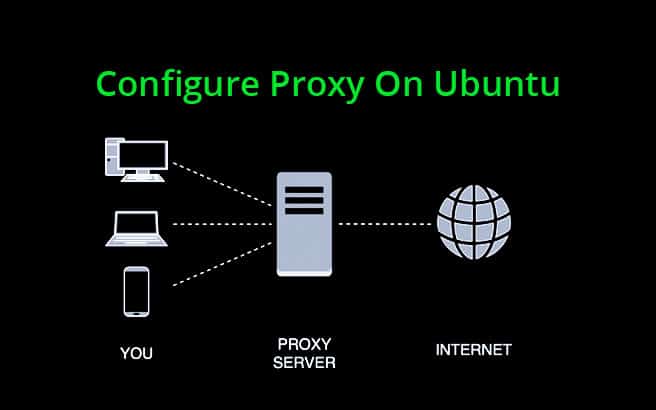
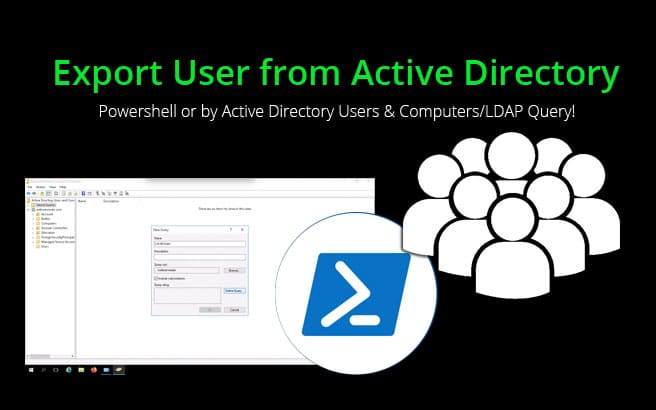
Below you'll find an array of comparisons for popular software, Saas, Hosting Providers and much more.

Have a look at each individual section and find what your looking for in terms of comparisons between certain vendors and companies.

If you don't see a comparison article that your looking for, please feel free to submit a request on our contact page and we'll get our experts to start working on the topic your looking for more information on.

 	Security/VPN
 	Hosting
 	Networking
 	Firewalls
">Comparisons</a></li> <li class="cat-item cat-item-5"><a href="https://www.webservertalk.com/guides">Guides</a></li> <li class="cat-item cat-item-16"><a href="https://www.webservertalk.com/hosting/" title="Web Hosting &amp; Servers
This category will show all the Hosting related Articles, Guides and Tutorials that we've published.

We've compiled lots of topics over the years and have found many of these to still be useful to date.

Many of these are Updated monthly to reflect any recent pricing changes and feature updates or upgrades.

Check back regularly to find updates on any articles that you have bookmarked and feel free to contact us with any updates that we might have missed recently.">Hosting</a></li> <li class="cat-item cat-item-20"><a href="https://www.webservertalk.com/kb/">Knowledge Base</a></li> <li class="cat-item cat-item-13"><a href="https://www.webservertalk.com/guides/linux/" title="Linux Tutorials, Guides &amp; How-To's!
This is our Repository of Linux guides, Tutorials and How-to's. Many of what you will read in this category is based on issues and projects we've dealt with ourselves and needed a place to document our process to refer back to eventually.

If there are any topics that you would like us to cover, send us a message on our Contact Us page and we'll happily get it in the queue immediately!">Linux</a></li> <li class="cat-item cat-item-15"><a href="https://www.webservertalk.com/news/">News</a></li> <li class="cat-item cat-item-2"><a href="https://www.webservertalk.com/reviews/">Reviews</a></li> <li class="cat-item cat-item-8"><a href="https://www.webservertalk.com/security/">Security</a></li> <li class="cat-item cat-item-21"><a href="https://www.webservertalk.com/software/">Software</a></li> <li class="cat-item cat-item-17"><a href="https://www.webservertalk.com/comparisons/vpn/" title="VPN Comparisons &amp; Differences
Below you'll find a long list of VPN Provider Comparisons and Differences. These articles detail the main differences between the given VPN providers and how they differ in their offerings.">VPN</a></li> <li class="cat-item cat-item-19"><a href="https://www.webservertalk.com/guides/windows/" title="Windows, Powershell &amp; Active Directory Tutorials, Guides &amp; HowTo’s!
This is our Repository of Windows, Powershell, Active Directory and Server Administration guides, Tutorials and How-to’s.

Much of what you will read in this category is based on issues, troubleshooting and in-house guides that we’ve used ourselves in our years of experience of Windows Server Administration.

If there are any Guides or Tutorials that you would like us to cover, send us a message on our Contact Us page and we’ll happily get it in the queue immediately!">Windows</a></li></ul></section><section class="widget_text best-witget-right-sidebar"><h2 class="best-widget-title">All Categories</h2><div class="textwidget custom-html-widget"><a href="https://www.webservertalk.com/comparisons/vpn/"><span class="sbtitle1">VPN Guides &amp; Comparisons</span><img alt="" class="has-noscript" data-src="/wp-content/themes/wstalk/images/vpn-guides-and-reviews.png" src="data:image/svg+xml,%3Csvg%20xmlns='http://www.w3.org/2000/svg'%20viewBox='0%200%201%201'%3E%3C/svg%3E" style="background-color:hsl(351,30%,96%);"><noscript><img src="/wp-content/themes/wstalk/images/vpn-guides-and-reviews.png" alt=""></noscript></a> <span class="buttonimg"></span> <a href="https://www.webservertalk.com/news/"><span class="sbtitle1">Tech &amp; Cyber Security News!</span> <img alt="" class="has-noscript" data-src="/wp-content/themes/wstalk/images/tech-news.png" src="data:image/svg+xml,%3Csvg%20xmlns='http://www.w3.org/2000/svg'%20viewBox='0%200%201%201'%3E%3C/svg%3E" style="background-color:hsl(294,30%,96%);"><noscript><img src="/wp-content/themes/wstalk/images/tech-news.png" alt=""></noscript></a> <span class="buttonimg"></span></div></section><div class="best-clear"></div></aside><div class="best-clear"></div></div> <div id="best_footer"><aside id="best_footer_sidebar"><div class="best-footer-sidebar-content"><section class="widget_text best-witget-footer-sidebar"><div class="textwidget custom-html-widget"><a href="/"><img alt="" class="has-noscript" data-src="https://www.webservertalk.com/wp-content/uploads/logo-box-webservertalk.png" src="data:image/svg+xml,%3Csvg%20xmlns='http://www.w3.org/2000/svg'%20viewBox='0%200%201%201'%3E%3C/svg%3E" style="background-color:hsl(20,30%,96%);"><noscript><img src="https://www.webservertalk.com/wp-content/uploads/logo-box-webservertalk.png" alt=""></noscript></a></div></section><section class="widget_text best-witget-footer-sidebar"><h2 class="best-widget-title">Online DNS Tools</h2><div class="textwidget custom-html-widget"><ul><li><a href="https://tools.webservertalk.com/reverse-ip">Reverse IP Lookup</a></li> <li><a href="https://tools.webservertalk.com/whois">Whois Lookup</a></li> <li><a href="https://tools.webservertalk.com/ip-history">IP Address History Lookup</a></li> <li><a href="https://tools.webservertalk.com/ip-location">IP Address Location</a></li> <li><a href="https://tools.webservertalk.com/http-headers">HTTP Headers</a></li> <li><a href="https://tools.webservertalk.com/traceroute">Traceroute</a></li> <li><a href="https://tools.webservertalk.com/free-email">Free Email Lookup</a></li> <li><a href="https://tools.webservertalk.com/reverse-dns">Reverse DNS Lookup</a></li> <li><a href="https://tools.webservertalk.com/reverse-whois">Reverse Whois Lookup</a></li> <li><a href="https://tools.webservertalk.com/reverse-mx">Reverse MX Lookup</a></li></ul></div></section><section class="widget_text best-witget-footer-sidebar"><h2 class="best-widget-title">More Online Tools</h2><div class="textwidget custom-html-widget"><ul><li><a href="https://tools.webservertalk.com/chinese-firewall">Chinese Firewall Accessibility Test</a></li> <li><a href="https://tools.webservertalk.com/iran-firewall">Iran Firewall Accessibility Test</a></li> <li><a href="https://tools.webservertalk.com/dns-record">DNS Record Lookup</a></li> <li><a href="https://tools.webservertalk.com/spam-db-lookup">Spam DB Lookup</a></li> <li><a href="https://tools.webservertalk.com/ping">Ping Tool</a></li> <li><a href="https://tools.webservertalk.com/abuse-lookup">Abuse Email Lookup</a></li> <li><a href="https://tools.webservertalk.com/reverse-ns">Reverse NS (Name Server) Lookup</a></li> <li><a href="https://tools.webservertalk.com/propagation">DNS Propagation Tool</a></li> <li><a href="https://tools.webservertalk.com/port-scan">Online Port Scanner</a></li> <li><a href="https://tools.webservertalk.com/mac-lookup">Mac Address Lookup</a></li></ul></div></section><section class="widget_text best-witget-footer-sidebar"><h2 class="best-widget-title">Contact &amp; Legal</h2><div class="textwidget custom-html-widget"><ul><li><a href="https://www.webservertalk.com/about/">About Us</a></li> <li><a href="https://www.webservertalk.com/privacy-policy/">Privacy Policy</a></li> <li><a href="https://www.webservertalk.com/terms-of-use-service/">Terms of Use &amp; Service</a></li> <li><a href="https://www.webservertalk.com/disclaimer/">Disclaimer</a></li> <li><a href="https://www.webservertalk.com/contact/">Contact Us</a></li></ul></div></section><div class="best-clear"></div></div></aside><div class="disclaimerfooter"><span>WebServerTalk participates in many types affiliate marketing and lead generation programs, which means we may get paid commissions on editorially chosen products purchased through our links. This is not change the outcome of any reviews or product recommedations.</span></div> <div class="best-footer-logo"><div class="best-footer-logo-content"><div class="best-footer-logo-content-home"><a href="https://www.webservertalk.com/">WebServerTalk.com</a></div> <footer class="best-footer-logo-content-by"><p>Designed with <img style="height: 19px; top: 5px; position: relative; width: auto;" src="data:image/png;base64,iVBORw0KGgoAAAANSUhEUgAAAEAAAABACAYAAACqaXHeAAAABmJLR0QA/wD/AP+gvaeTAAAHtUlEQVR4nO2ae2wUxxnAf7N7vjufbR6GGBOMDYYWCCoqqKJEjfIoBmOMaeQHTVNCJVqVqkql/ENRWlqpQmqqEiFVKG3TqmpIU0N72Dxt/ABaQZSWiiolIcbgNxjzsH1+3vleu9M/zJ0fMbBr30Gr7O+v2Zn5vvnm25n5ZmYXLCwsLCwsLCwsLCwsPoOIWCvMzS2cG7aToUqRLqUidEGnoqhttccPdZjR8/zGknSb1BYIRU0TQpeakLdtQdqrq8tvxdLemDhg7eaiFUJnK4jNQrJkojpScFXoskoK29unK/5yZaI6GzaULNEU/bsI8kAsu09z9UiOC6H9qabiyOWp2j4lB+TkF2Urgj1SipcAxaCYDpSrmm1nVdWhVoCvbizMUoXyC2CLST2lQhE/rTnhbjFre4RJOyAnv7hQwAEgeXS+S1XJcCQyXbWhA55QkFtBP35dH6+iV8K3hRASKf8AzBxd6FRU5jocpNrsCKA3HKI94Meva2OUSBhQFLmt5kTZ0cn0Y1IOWJdfvAt4IyIvgGdT0yj6ytNkr/wCakY6SkoSctDH0Lvl+Lt7+cjbx9meLi709z5Q95enzWDtzNmsSJ5Gghg7GMJS8ol3gNqeTv7Z14tERoqkkGJXTaV7r9m+mHbAuo0lryDkgYjsAqeL3fn5ZBSsQ5k981P1AxV/I3j+X9Hny94B3u5opSMQGFMvw+Fkx5NZPJWUYsiOxiEvv2pvoSPgj2RJKcXW05XuUjP9MeWA3ILCVbqufAA4ANbMmMXr3/sOic98acL6csCL7/eH0O92jcnv18L8vK2BBp8XgGWuFF7PWkySqpoxB5+msfdGEx8N9key/IrQ1lSfPHLJqA6bmQZ1TdmHGO78ElcyP3p1B841K6Pl0jtE6MKHhK82o3v6kIODjIzSEaapNn62YAnHum4jBHxt1lzsivnZ6FJVdmUu5sfN9bT6fQBOHXUfsNaoDsOtrt9YvEkKTgA4FYU/bn2FWVs2RctDl+oIlNcgxw3tR8GtoJ/XGj4hLO95W8j82pNllUZkjYYcpGB7JF00L4vUvBeiZaGLH+M/eOKxdB5grt3Jhllp0WeBsv0B1cdgyAEFBQUuYP2wcihY+zwiJQkA3dOH/2i1GXvjQv4oB0gp8+7Z/FAMOWBIOlYDSQBLXclMW7E0WhY8fwHC2v1EHxlpCQ6ynImRR1dAS5h4ZR6HIQcIXcyPpLOcLtQn50TLtCtNJsyML5kjDkBHzTAiY8wBkB5JpzrsiKR7o0vT0fsGTBkZT1ITEqJpBeYZkTHkAB2iATqo6ei9w3FXa+8AOUGce0yE9BFbpCINRThD+wBF0BlR3RkM4PvNe9iyMwlfazZvZRzpDgWjaSFl1wOqRjG4EZLR42ur34fsHyT0nzqT5sUXiaR5eDMEgCaUCY/c4zE0Baa7xEUJAwBt/iFaA76HiTxyrnq9dAajI6A/NZF/G5Ez5AC32x0UUBF5ru7uNG9hnKnquRtNSzjhdruDD6gexfBOUMD+SLrW08kV3//O6n9psJ/3e3uiz1KIt4zKGnZATcXhD4DjMHy+2d/eSncoZMLM+NAZDPLrmy3RuwEBx86cdP/DqLxhBwBIRfwA6AG4Ewywu7me28HHs/+H4c7/pLWerpEX4VF1/VUzOkwdwJuv1fUt/NzyS0LwdUD16hrv93lY6HSRbneYUTVlPh4cYE9bA56RzodQKKquKPvQjB5zNxBAS0Nd46LPP1UPbAZsAV3nfK8HRQiWJSUjYn/TPgaJ5EjXbd5qbx19PxiQUr58uqLspFl9ph0A0NxQV5e9dPnfhWQDkCIZvupqGhpiVcp07IqpmWUYrx5m3/UWqjydI/csgrtS8OLpirJTk9E5pdeVl1fyhKZQKpE5kbzZCXZ2Zi5icWLSVFR/ivaAn73XG2kfuQMEuKhJvfhsZXnbZPVOagREaGys86364vLSQBgJPAsIn65xrq+bGaqd7ERDR/KHcr6vmzfaGukJj0QdifzdTJdSXHGszDMV3TGbsOs3FRVIKQ4w6n7/uRmz2DEvC4eY3JQISZ13b9+ksvvO6OwhpPh+baX7nSkZfI+Yrli5m0sWy7Ask4IVkbyFiS5+mLmItARzUaI7FOTNG81c8w2OypXXBHpRLD6JRZjSFBhP09U6z/x5q99RHcF0YBUMf9E51+shy+lirsOYEy57+9nTeo2bo+a7gGMyoOTXVpfdiKXNcYtZOZuKtwnJb4HE4YYELz4xh2/OybhvoxLJ0c47lN65iT6yzoeB3bUVh3/JhJfsUyOuQTsnr2ilUMRhIDuStzJlOq9lLCRZHXsSH9J09t9sHvvpTHBXaOIbNafcZ+NlY3x3LUBubkmqniDfQ5IXyZudkMDOzMXRUNni97H3ehN3xmyrxTklrL0U6/8BxhPTNWAimprqhra9vOXgjY5OHXgOED5d51xfNzNt9uHO32ikPxyOiEgp5Jthb9e3zpw51X9/zbEh7iNgNLn5hS/oKAeBOROVSxhQhNhec9J9+FHZ9EgdAJCXV5ihKcpfJTw9rqheohbe7++ReBH3KTCexsYr/fPnpR1Q7S4H8AyAhD8rocTNtVWlpv4j+r8nJ69wTe6mktWP2w4LCwsLCwsLCwsLC4vPHP8FquDruD8xAu0AAAAASUVORK5CYII="> by <a href="https://www.webservertalk.com/" target="_blank">WebServerTalk.com</a>  © 2020</p></footer></div> <div class="best-clear"></div></div></div></div> <script>if(document.location.protocol!="https:"){document.location=document.URL.replace(/^http:/i,"https:");}</script><script src="https://www.webservertalk.com/wp-includes/js/jquery/jquery.js"></script><script>var script_loc={"choose_file":"Choose file","file_is_not_selected":"File is not selected","best_home_url":"https:\/\/www.webservertalk.com"};</script><script src="https://www.webservertalk.com/wp-content/themes/wstalk/js/scripts.js"></script><script>function openNav(){document.getElementById("myNav").style.height="100%";document.getElementById("menuopen").style.display="none";document.getElementById("headersearch").style.opacity="0";document.getElementById("headersearch").style.pointerEvents="none";document.getElementById("closebtn").style.display="block";} function closeNav(){document.getElementById("myNav").style.height="0%";document.getElementById("menuopen").style.display="block";document.getElementById("closebtn").style.display="none";document.getElementById("headersearch").style.opacity="1";document.getElementById("headersearch").style.pointerEvents="initial";}</script><script src="https://www.webservertalk.com/wp-content/themes/wstalk/js/carousel.js"></script><script>jQuery(document).ready(function($){$(".g-scrolling-carousel .items").gScrollingCarousel();});</script><script>function init(){var imgDefer=document.getElementsByTagName('img');for(var i=0;i<imgDefer.length;i++){if(imgDefer[i].getAttribute('data-src')){imgDefer[i].setAttribute('src',imgDefer[i].getAttribute('data-src'));}}} window.onload=init;</script><script>function downloadJSAtOnload(){var element=document.createElement("script");element.src="//www.webservertalk.com/wp-includes/js/comment-reply.min.js";document.body.appendChild(element);} if(window.addEventListener) window.addEventListener("load",downloadJSAtOnload,false);else if(window.attachEvent) window.attachEvent("onload",downloadJSAtOnload);else window.onload=downloadJSAtOnload;</script><script>var clicky_site_ids=clicky_site_ids||[];clicky_site_ids.push(101156641);</script><script async src="https://static.getclicky.com/js"></script><script async src="https://www.googletagmanager.com/gtag/js?id=UA-153091163-1"></script><script>window.dataLayer=window.dataLayer||[];function gtag(){dataLayer.push(arguments);} gtag('js',new Date());gtag('config','UA-153091163-1');</script></body><!--
    ┌┬┐┌─┐┌─┐┌─┐┬─┐  ┬┌─┐
     ││├┤ ├┤ ├┤ ├┬┘  │└─┐
    ─┴┘└─┘└  └─┘┴└─o└┘└─┘
This page was optimized with defer.js
(c) 2019   Mai Nhut Tan <shin@shin.company>
Github:    https://github.com/shinsenter/defer.js/
PHP lib:   https://github.com/shinsenter/defer.php/
WordPress: https://wordpress.org/plugins/shins-pageload-magic/
--></html>