<!DOCTYPE html>
<html lang="en">
<head>
    <meta charset="UTF-8">
    <meta name="viewport" content="width=device-width, initial-scale=1.0">
    <title>Feed - usb-blog.de</title>
    <!-- Tailwind CSS Link -->
    <link href="&#x2F;css&#x2F;app.1b33864d1132e952dfac7807dd6f1393.css" rel="stylesheet">
    <script src="/js/htmx.min.js" defer></script>
    <style>*{margin: 0; padding: 0;}</style>
    <meta  name="viewport" content="width=device-width, initial-scale=1, maximum-scale=1" content="">


    <!-- Taboola Head Code -->
    <script type="text/javascript">
        window._taboola = window._taboola || [];
        _taboola.push({article:'auto'});
        !function (e, f, u, i) {
            if (!document.getElementById(i)){
                e.async = 1;
                e.src = u;
                e.id = i;
                f.parentNode.insertBefore(e, f);
            }
        }(document.createElement('script'),
        document.getElementsByTagName('script')[0],
        '//cdn.taboola.com/libtrc/kvgmbh-network/loader.js',
        'tb_loader_script');
        if(window.performance && typeof window.performance.mark == 'function')
            {window.performance.mark('tbl_ic');}
    </script>
</head>
<body class="font-sans text-gray-900 antialiased bg-gradient-to-br from-slate-50 via-gray-100 to-slate-200 min-h-screen">
<div class="min-h-screen">
    <nav class="sticky top-0 z-40 backdrop-blur-xl bg-opacity-90 shadow-lg shadow-black/5 border-b border-white/10" style="background-color: #880329;">
    <div class="max-w-7xl mx-auto px-4 sm:px-6 lg:px-8">
        <div class="flex justify-between items-center h-auto sm:h-18 py-2">
            <!-- Logo and Title -->
            <div class="flex-grow flex justify-start">
                <a href="/" class="flex items-center group">
                    
                    <img src="/logos/logo_5.png" alt="Domain Logo" class="block h-12 w-auto transition-transform duration-300 group-hover:scale-105">
                    
                    <span class="ml-3 text-xl font-bold md:text-2xl text-white drop-shadow-sm tracking-tight">
                        usb-blog.de
                    </span>
                </a>
            </div>
            <!-- Hamburger Button (Mobile) -->
            <div class="sm:hidden flex items-center">
                <button id="hamburger" class="text-white focus:outline-none p-2 rounded-lg hover:bg-white/10 transition-all duration-200">
                    <svg class="w-6 h-6" fill="none" stroke="currentColor" viewBox="0 0 24 24" xmlns="http://www.w3.org/2000/svg">
                        <path stroke-linecap="round" stroke-linejoin="round" stroke-width="2" d="M4 6h16M4 12h16M4 18h16"></path>
                    </svg>
                </button>
            </div>
            <!-- Search Form (Desktop) -->
            <div class="hidden sm:flex items-center justify-end">
                <form onsubmit="submitSearch(this); return false;" class="flex items-center">
                    <div class="relative">
                        <input type="text" name="keyword" placeholder="Ich suche..." aria-label="Search"
                        class="rounded-full py-2.5 px-5 pl-11 bg-white/20 backdrop-blur-sm text-white placeholder-white/70 border border-white/30 focus:outline-none focus:ring-2 focus:ring-yellow-400/50 focus:border-yellow-400/50 focus:bg-white/30 transition-all duration-300">
                        <i class="fas fa-search text-white/70 absolute left-4 top-1/2 transform -translate-y-1/2"></i>
                    </div>
                    <button type="submit"
                            class="bg-gradient-to-r from-yellow-400 to-amber-400 hover:from-yellow-300 hover:to-amber-300 text-base font-bold text-gray-900 py-2.5 px-6 rounded-full ml-3 focus:outline-none focus:ring-2 focus:ring-yellow-400/50 shadow-lg shadow-yellow-500/25 hover:shadow-yellow-500/40 transition-all duration-300 hover:scale-105">
                        Suchen
                    </button>
                </form>
            </div>
        </div>

        <!-- Search Form (Mobile View) -->
        <div class="sm:hidden flex justify-center mt-4">
            <form onsubmit="submitSearch(this); return false;" class="flex items-center w-full px-4 mb-4">
                <div class="relative w-full">
                    <input type="text" name="keyword" placeholder="Ich suche..." aria-label="Search"
                           class="rounded-full w-full py-2.5 px-4 pl-11 bg-white/20 backdrop-blur-sm text-white placeholder-white/70 border border-white/30 focus:outline-none focus:ring-2 focus:ring-yellow-400/50 transition-all duration-300">
                    <i class="fas fa-search text-white/70 absolute left-4 top-1/2 transform -translate-y-1/2"></i>
                </div>
                <button type="submit"
                        class="bg-gradient-to-r from-yellow-400 to-amber-400 hover:from-yellow-300 hover:to-amber-300 text-gray-900 font-bold py-2.5 px-5 rounded-full ml-2 focus:outline-none focus:ring-2 focus:ring-yellow-400/50 shadow-lg transition-all duration-300">
                    Suchen
                </button>
            </form>
        </div>
    </div>

    <!-- Dropdown Menu for Mobile -->
    <div id="mobileMenu" class="sm:hidden hidden flex-col space-y-1 py-3 px-4 backdrop-blur-md bg-opacity-95 border-t border-white/10" style="background-color: #cc053d;">


        <a href="/Schnittstellen" class="block text-base font-medium py-2.5 px-3 rounded-lg hover:bg-white/10 transition-all duration-200" style="color: #FFFFFF;">
            Schnittstellen
        </a>
        
        
        <a href="/Peripheriegeräte" class="block text-base font-medium py-2.5 px-3 rounded-lg hover:bg-white/10 transition-all duration-200" style="color: #FFFFFF;">
            Peripheriegeräte
        </a>
        
        
        <a href="/Geschwindigkeit" class="block text-base font-medium py-2.5 px-3 rounded-lg hover:bg-white/10 transition-all duration-200" style="color: #FFFFFF;">
            Geschwindigkeit
        </a>
        
        
        <a href="/Kompatibilität" class="block text-base font-medium py-2.5 px-3 rounded-lg hover:bg-white/10 transition-all duration-200" style="color: #FFFFFF;">
            Kompatibilität
        </a>
        
        
        <a href="/Datenübertragung" class="block text-base font-medium py-2.5 px-3 rounded-lg hover:bg-white/10 transition-all duration-200" style="color: #FFFFFF;">
            Datenübertragung
        </a>
        
        
        <a href="/Verbindung" class="block text-base font-medium py-2.5 px-3 rounded-lg hover:bg-white/10 transition-all duration-200" style="color: #FFFFFF;">
            Verbindung
        </a>
        
        
    </div>

    <!-- Navigation Links (Desktop View) -->
    <div class="hidden sm:flex justify-center space-x-6 py-1.5 max-w-full overflow-x-hidden backdrop-blur-sm bg-opacity-95 border-t border-white/5" style="background-color: #cc053d;">


        <a href="/Schnittstellen" class="text-sm font-medium px-3 py-1.5 rounded-full hover:bg-white/10 transition-all duration-200" style="color: #FFFFFF;">
            Schnittstellen
        </a>
        
        
        <a href="/Peripheriegeräte" class="text-sm font-medium px-3 py-1.5 rounded-full hover:bg-white/10 transition-all duration-200" style="color: #FFFFFF;">
            Peripheriegeräte
        </a>
        
        
        <a href="/Geschwindigkeit" class="text-sm font-medium px-3 py-1.5 rounded-full hover:bg-white/10 transition-all duration-200" style="color: #FFFFFF;">
            Geschwindigkeit
        </a>
        
        
        <a href="/Kompatibilität" class="text-sm font-medium px-3 py-1.5 rounded-full hover:bg-white/10 transition-all duration-200" style="color: #FFFFFF;">
            Kompatibilität
        </a>
        
        
        <a href="/Datenübertragung" class="text-sm font-medium px-3 py-1.5 rounded-full hover:bg-white/10 transition-all duration-200" style="color: #FFFFFF;">
            Datenübertragung
        </a>
        
        
        <a href="/Verbindung" class="text-sm font-medium px-3 py-1.5 rounded-full hover:bg-white/10 transition-all duration-200" style="color: #FFFFFF;">
            Verbindung
        </a>
        
        
    </div>
</nav>

<script>
    const hamburger = document.getElementById('hamburger');
    const mobileMenu = document.getElementById('mobileMenu');

    hamburger.addEventListener('click', () => {
        mobileMenu.classList.toggle('hidden');
    });

    function submitSearch(form) {
        var term = form.keyword.value;
        var formattedTerm = term.trim().split(' ').join('-').replace(/^-+|-+$/g, '');
        window.location.href = '/' + encodeURIComponent(formattedTerm);
    }
</script>


    <main id="main-content" class="py-8 overflow-x-hidden">
        <div class="max-w-[1300px] mx-auto px-4 sm:px-6 lg:px-8 mb-1">
            <!-- Exit Popup -->
            <div id="buyDomainPopUp"
                 class="fixed inset-0 bg-black/40 backdrop-blur-sm flex items-center justify-center hidden z-50 transition-all duration-300">
                <div class="newsletter bg-white/95 backdrop-blur-xl p-8 rounded-2xl shadow-2xl relative border border-gray-200/50 max-w-md mx-4">
                    <span class="close absolute top-4 right-4 cursor-pointer text-gray-400 hover:text-gray-600 text-2xl transition-all duration-200 hover:scale-110 hover:rotate-90 w-8 h-8 flex items-center justify-center rounded-full hover:bg-gray-100"
                          id="close_domain_popup">&times;</span>
                    <h4 class="font-bold text-xl mb-4 text-gray-800">
                        Nicht das Gesuchte gefunden?
                    </h4>
                    <a id="popupLink" href="#" target="_blank"
                       class="inline-block mt-2 mb-4 bg-gradient-to-r from-blue-500 to-blue-600 hover:from-blue-400 hover:to-blue-500 text-white font-bold py-3 px-6 rounded-xl shadow-lg shadow-blue-500/25 hover:shadow-xl hover:shadow-blue-500/30 transition-all duration-300 hover:scale-105">
                        Weiter zu Shopping.eu
                    </a>
                    <h5 class="mt-6 mb-3 font-bold text-lg text-gray-700">
                        Oder besteht Interesse am Kauf dieser Domain?
                    </h5>
                    <p class="text-gray-600">
                        Bitte eine E-Mail an:
                        <span onclick="sendEmail()" class="underline text-blue-600 font-bold cursor-pointer hover:text-blue-700 transition-colors duration-200">domain@kv-gmbh.de</span>
                    </p>
                </div>
            </div>
            <div id="heroBanner"
     class="relative isolate overflow-hidden w-full max-w-none px-6 py-12 sm:py-16 lg:px-8 text-center text-white shadow-xl rounded-2xl border border-white/10" style="background-color: #880329;">

    <button id="closeBanner"
            class="absolute top-4 right-4 text-white/70 hover:text-white text-3xl font-bold transition-all duration-200 hover:scale-110 w-10 h-10 flex items-center justify-center rounded-full hover:bg-white/10">
        &times;
    </button>

    <div class="mx-auto max-w-3xl relative z-10">
        <h2 class="text-3xl sm:text-5xl font-extrabold drop-shadow-lg">
            Domain
            <span>usb-blog.de</span>
            kaufen?
        </h2>
        <p class="mt-5 text-base sm:text-lg leading-relaxed text-white/90">
            Wir ziehen mit dem Projekt
            <strong>usb-blog.de</strong> um.<br>
            Sind Sie am Kauf der Domain
            <strong>usb-blog.de</strong> interessiert?
        </p>
        <div class="mt-6 flex justify-center">
            <button onclick="sendEmail()"
                    class="rounded-xl bg-gradient-to-r from-yellow-400 to-amber-400 px-8 py-3.5 text-base font-bold text-gray-900 shadow-lg shadow-black/20 hover:from-yellow-300 hover:to-amber-300 hover:shadow-xl transition-all duration-300 hover:scale-105 active:scale-95">
                Jetzt Kaufanfrage stellen
            </button>
        </div>
        <p class="mt-5 text-sm text-white/80">
            Schicken Sie uns bitte eine Email an
            <span onclick="sendEmail()" class="underline font-bold cursor-pointer text-white hover:text-yellow-300 transition-colors duration-200">domain@kv-gmbh.de</span><br>
            oder rufen uns an: 0541-91531010.
        </p>
    </div>
</div>

<div id="collapsedBanner"
     class="hidden relative isolate overflow-hidden w-full max-w-none px-6 py-4 text-center text-white shadow-lg rounded-2xl cursor-pointer border border-white/10 hover:shadow-xl transition-all duration-300 group" style="background-color: #880329;">

    <div class="absolute top-3 right-4 text-white/70 group-hover:text-white transition-all duration-200">
        <svg xmlns="http://www.w3.org/2000/svg" class="h-6 w-6 transition-transform duration-300 group-hover:translate-y-1" fill="none" viewBox="0 0 24 24" stroke="currentColor">
            <path stroke-linecap="round" stroke-linejoin="round" stroke-width="2" d="M19 9l-7 7-7-7"/>
        </svg>
    </div>

    <h2 class="text-xl sm:text-2xl font-bold">
        Domain
        <span class="underline decoration-yellow-400 decoration-2 underline-offset-4">usb-blog.de</span>
        kaufen?
    </h2>
</div>

<script>
    const heroBanner = document.getElementById('heroBanner');
    const closeBtn = document.getElementById('closeBanner');
    const collapsedBanner = document.getElementById('collapsedBanner');

    const path = window.location.pathname;
    const isHome = path === "/" || path === "";

    if (isHome) {
        heroBanner.style.display = 'block';
        collapsedBanner.classList.add('hidden');
    } else {
        heroBanner.style.display = 'none';
        collapsedBanner.classList.remove('hidden');
    }

    closeBtn.addEventListener('click', () => {
        heroBanner.classList.add('transition', 'duration-500', 'ease-in-out', 'opacity-0');
        setTimeout(() => {
            heroBanner.style.display = 'none';
            collapsedBanner.classList.remove('hidden');
        }, 500);
    });

    collapsedBanner.addEventListener('click', () => {
        heroBanner.style.display = 'block';
        heroBanner.classList.remove('opacity-0');
        collapsedBanner.classList.add('hidden');
    });
</script>


<!-- MAIN PAGE LAYOUT (Row 1: 2 FAQs left, 2 Products right; then alternating full rows) -->
<div id="main-page-layout" class="hidden">
    <!-- Row 1: 2 FAQs (left 50%) + 2 Products (right 50%) -->
    <div class="grid grid-cols-1 lg:grid-cols-2 gap-6 mb-8">
        <!-- Left side: 2 FAQs stacked -->
        <div class="space-y-6">
            
                <section class="">
    <div id="faq-content">
        <li class="faq-item p-4 rounded-xl flex flex-col justify-between transition-all duration-300 w-full bg-white/80 backdrop-blur-sm border border-gray-200/60 shadow-md hover:shadow-lg">
            <h3 class="font-bold bg-gray-100 p-3 rounded-lg text-lg cursor-pointer transition-all duration-200 hover:bg-gray-200"
                data-truncate-length="50" onclick="toggleQuestion(event)">
                Gibt es einen Plug-and-Play WLAN USB Stick für Linux?
            </h3>

            <div class="faq-answer-wrapper relative pb-5">
                <p class="faq-answer text-gray-600 text-sm mt-2 transition-all duration-300 cursor-pointer w-full leading-relaxed"
                   data-truncate-length="180" onclick="toggleAnswer(event)">
                    Ja, es gibt verschiedene WLAN USB Sticks, die Plug-and-Play unter Linux funktionieren. Ein Beispiel dafür ist der &quot;Panda Wireless PAU05&quot;, der von vielen Linux-Distributionen unterstützt wird. Es ist wichtig, vor dem Kauf sicherzustellen, dass der WLAN USB Stick mit dem verwendeten Linux-Betriebssystem kompatibel ist.
                    <span class="relative -top-[6px] text-[0.55em] opacity-40 font-normal select-none ml-1 inline-block">**</span>

                </p>

                <button onclick="toggleAnswer(event, true)" class="absolute bottom-0 right-2 mt-1 group"
                        aria-label="Toggle Description">
                    <i class="fa-solid fa-up-right-and-down-left-from-center text-blue-500 hover:text-blue-700"></i>
                    <span class="absolute w-auto p-2 min-w-max bottom-0 right-12 transform translate-x-1/2 translate-y-full bg-black text-white text-xs rounded-md opacity-0 group-hover:opacity-100 transition-opacity duration-300 ease-in-out">
                        Mehr Anzeigen
                    </span>
                </button>
            </div>


            <div id="related-terms"
                 class="related-terms hidden flex flex-wrap justify-center text-center mt-3 pt-3 border-t border-gray-100">
                
                
                    <div style="min-height: 0px;"></div>
                
            </div>
        </li>
    </div>
</section>

<!-- Pills einfärben -->
<script>
    document.addEventListener("DOMContentLoaded", () => {
        const colors = [
            "bg-blue-500 text-white hover:bg-blue-600",
            "bg-indigo-500 text-white hover:bg-indigo-600",
            "bg-violet-500 text-white hover:bg-violet-600",
            "bg-pink-500 text-white hover:bg-pink-600",
            "bg-rose-500 text-white hover:bg-rose-600",
            "bg-emerald-500 text-white hover:bg-emerald-600",
            "bg-teal-500 text-white hover:bg-teal-600",
            "bg-cyan-500 text-white hover:bg-cyan-600"
        ];

        const pills = document.querySelectorAll(".keyword-pill");
        pills.forEach((pill, index) => {
            const colorClass = colors[index % colors.length];
            pill.className += " " + colorClass;
        });
    });
</script>

            
                <section class="">
    <div id="faq-content">
        <li class="faq-item p-4 rounded-xl flex flex-col justify-between transition-all duration-300 w-full bg-white/80 backdrop-blur-sm border border-gray-200/60 shadow-md hover:shadow-lg">
            <h3 class="font-bold bg-gray-100 p-3 rounded-lg text-lg cursor-pointer transition-all duration-200 hover:bg-gray-200"
                data-truncate-length="50" onclick="toggleQuestion(event)">
                Wie funktioniert Plug and Play?
            </h3>

            <div class="faq-answer-wrapper relative pb-5">
                <p class="faq-answer text-gray-600 text-sm mt-2 transition-all duration-300 cursor-pointer w-full leading-relaxed"
                   data-truncate-length="180" onclick="toggleAnswer(event)">
                    Plug and Play ist ein Konzept, bei dem Hardwaregeräte einfach an einen Computer angeschlossen werden können, ohne dass zusätzliche Treiber oder Konfigurationen erforderlich sind. Dies wird durch standardisierte Schnittstellen wie USB ermöglicht, die es dem Computer ermöglichen, das angeschlossene Gerät automatisch zu erkennen und die erforderlichen Treiber zu installieren. Auf diese Weise können Benutzer neue Geräte schnell und einfach anschließen, ohne sich um technische Details kümmern zu müssen. Plug and Play erleichtert die Verwendung von Peripheriegeräten und sorgt für eine nahtlose Integration in das Computersystem.
                    <span class="relative -top-[6px] text-[0.55em] opacity-40 font-normal select-none ml-1 inline-block">**</span>

                </p>

                <button onclick="toggleAnswer(event, true)" class="absolute bottom-0 right-2 mt-1 group"
                        aria-label="Toggle Description">
                    <i class="fa-solid fa-up-right-and-down-left-from-center text-blue-500 hover:text-blue-700"></i>
                    <span class="absolute w-auto p-2 min-w-max bottom-0 right-12 transform translate-x-1/2 translate-y-full bg-black text-white text-xs rounded-md opacity-0 group-hover:opacity-100 transition-opacity duration-300 ease-in-out">
                        Mehr Anzeigen
                    </span>
                </button>
            </div>


            <div id="related-terms"
                 class="related-terms hidden flex flex-wrap justify-center text-center mt-3 pt-3 border-t border-gray-100">


                        <div class="keyword-pill inline-block rounded-full px-4 py-1.5 m-1 text-xs font-medium shadow-sm transition-all duration-200 hover:scale-105 hover:shadow-md cursor-pointer">
                            <a href="/Stecken" class="block">
                                Stecken
                            </a>
                        </div>
                    
                        <div class="keyword-pill inline-block rounded-full px-4 py-1.5 m-1 text-xs font-medium shadow-sm transition-all duration-200 hover:scale-105 hover:shadow-md cursor-pointer">
                            <a href="/Automatisch" class="block">
                                Automatisch
                            </a>
                        </div>
                    
                        <div class="keyword-pill inline-block rounded-full px-4 py-1.5 m-1 text-xs font-medium shadow-sm transition-all duration-200 hover:scale-105 hover:shadow-md cursor-pointer">
                            <a href="/Erkennung" class="block">
                                Erkennung
                            </a>
                        </div>
                    
                        <div class="keyword-pill inline-block rounded-full px-4 py-1.5 m-1 text-xs font-medium shadow-sm transition-all duration-200 hover:scale-105 hover:shadow-md cursor-pointer">
                            <a href="/Treiber" class="block">
                                Treiber
                            </a>
                        </div>
                    
                        <div class="keyword-pill inline-block rounded-full px-4 py-1.5 m-1 text-xs font-medium shadow-sm transition-all duration-200 hover:scale-105 hover:shadow-md cursor-pointer">
                            <a href="/Schnittstelle" class="block">
                                Schnittstelle
                            </a>
                        </div>
                    
                        <div class="keyword-pill inline-block rounded-full px-4 py-1.5 m-1 text-xs font-medium shadow-sm transition-all duration-200 hover:scale-105 hover:shadow-md cursor-pointer">
                            <a href="/Konnektivität" class="block">
                                Konnektivität
                            </a>
                        </div>
                    
                        <div class="keyword-pill inline-block rounded-full px-4 py-1.5 m-1 text-xs font-medium shadow-sm transition-all duration-200 hover:scale-105 hover:shadow-md cursor-pointer">
                            <a href="/Kompatibilität" class="block">
                                Kompatibilität
                            </a>
                        </div>
                    
                        <div class="keyword-pill inline-block rounded-full px-4 py-1.5 m-1 text-xs font-medium shadow-sm transition-all duration-200 hover:scale-105 hover:shadow-md cursor-pointer">
                            <a href="/Konfiguration" class="block">
                                Konfiguration
                            </a>
                        </div>
                    
                        <div class="keyword-pill inline-block rounded-full px-4 py-1.5 m-1 text-xs font-medium shadow-sm transition-all duration-200 hover:scale-105 hover:shadow-md cursor-pointer">
                            <a href="/Einfach" class="block">
                                Einfach
                            </a>
                        </div>
                    
                        <div class="keyword-pill inline-block rounded-full px-4 py-1.5 m-1 text-xs font-medium shadow-sm transition-all duration-200 hover:scale-105 hover:shadow-md cursor-pointer">
                            <a href="/Geräte" class="block">
                                Geräte
                            </a>
                        </div>
                    
                
            </div>
        </li>
    </div>
</section>

<!-- Pills einfärben -->
<script>
    document.addEventListener("DOMContentLoaded", () => {
        const colors = [
            "bg-blue-500 text-white hover:bg-blue-600",
            "bg-indigo-500 text-white hover:bg-indigo-600",
            "bg-violet-500 text-white hover:bg-violet-600",
            "bg-pink-500 text-white hover:bg-pink-600",
            "bg-rose-500 text-white hover:bg-rose-600",
            "bg-emerald-500 text-white hover:bg-emerald-600",
            "bg-teal-500 text-white hover:bg-teal-600",
            "bg-cyan-500 text-white hover:bg-cyan-600"
        ];

        const pills = document.querySelectorAll(".keyword-pill");
        pills.forEach((pill, index) => {
            const colorClass = colors[index % colors.length];
            pill.className += " " + colorClass;
        });
    });
</script>

            
        </div>

        <!-- Right side: 2 Products in 2-column grid -->
        <div class="grid grid-cols-1 sm:grid-cols-2 gap-6">
            
                <section class="mb-8">
    <div id="product-content">
        <li class="bg-white/90 backdrop-blur-sm shadow-md rounded-xl m-1 flex flex-col transition-all duration-300 hover:-translate-y-1 hover:shadow-xl border border-gray-200/60 overflow-hidden group">
            <div id="product-1" class="flex flex-col rounded-xl overflow-hidden mx-4 md:mx-0">
                <form id="Y0pUMmVKTzhOeztsZFk7bWZZeXdlNDt1ZlpUbmRvWDJmNDt7Y3s3bGQ0MnhbNDt2ZFk7d040M3hcSlh1XFpPeFtaRHJONFB2ZDRUM2RGO3ZbfDNYZ0lxN09JbXtXSXYyZ3BLb2VGM1lWMjt8Y1ZMV2VsVFBTb2ZJXEluUFVaREZWWnJRUFpyW1xKcntYWnJEZW9UTFhHTG9lM25aV0lPM1VuSHxmSmpNVlpEUlA1SG9XSXZ4ZllcfFRaXHdnSWpZT1pYU1VJcjNkVlB5WjQ3UU9ZN0RlNHZ6ZFdmSVQzSDhPR1BaVlZuWk80cmpPcGYzWjQzSGRYXFJWWXpOVzJYV1dtalZcWVhGV0lUc2NWTFpYbFBuU1dmVFFZbXxZSkhjTG8zclxGMjNPfGV5T2xbMk9sZTZPRkdvY1lTO1BWTzVPRks0UEZLNVFGQ3pMcFR8UlZLeU9sW3lQRkN7">
                    <input type="hidden" name="q">
                    <input type="hidden" name="search" value="Sandberg-Webcam-Plug-and">
                    <input type="hidden" name="term" value="Y0pUMmVKTzhOeztsZFk7bWZZeXdlNDt1ZlpUbmRvWDJmNDt7Y3s3bGQ0MnhbNDt2ZFk7d040M3hcSlh1XFpPeFtaRHJONFB2ZDRUM2RGO3ZbfDNYZ0lxN09JbXtXSXYyZ3BLb2VGM1lWMjt8Y1ZMV2VsVFBTb2ZJXEluUFVaREZWWnJRUFpyW1xKcntYWnJEZW9UTFhHTG9lM25aV0lPM1VuSHxmSmpNVlpEUlA1SG9XSXZ4ZllcfFRaXHdnSWpZT1pYU1VJcjNkVlB5WjQ3UU9ZN0RlNHZ6ZFdmSVQzSDhPR1BaVlZuWk80cmpPcGYzWjQzSGRYXFJWWXpOVzJYV1dtalZcWVhGV0lUc2NWTFpYbFBuU1dmVFFZbXxZSkhjTG8zclxGMjNPfGV5T2xbMk9sZTZPRkdvY1lTO1BWTzVPRks0UEZLNVFGQ3pMcFR8UlZLeU9sW3lQRkN7">
                </form>

                <!-- Product Image -->
                <div class="overflow-hidden bg-gray-50">
                    <img class="w-full cursor-pointer min-h-[15rem] object-cover transition-transform duration-300 group-hover:scale-103"
                         src="https://cdn.billiger.com/dynimg/W9iaNM-uSVlvXaJEhs7be-XpJ53MH5lvA_hMn5zos5T_olRSBeQCSEAXhzSr2EMdZeDNWvpCqVB9kcW4K4OyPW4alPoOEs3FBu5EHTSlnE-5vYfv3DnJSo/537026427801_large.webp"
                         alt="Sandberg Webcam Plug and Play USB Pro"
                         onerror="this.onerror=null;this.src='/logos/photo_missing.png';"
                         onclick="submitForm('Y0pUMmVKTzhOeztsZFk7bWZZeXdlNDt1ZlpUbmRvWDJmNDt7Y3s3bGQ0MnhbNDt2ZFk7d040M3hcSlh1XFpPeFtaRHJONFB2ZDRUM2RGO3ZbfDNYZ0lxN09JbXtXSXYyZ3BLb2VGM1lWMjt8Y1ZMV2VsVFBTb2ZJXEluUFVaREZWWnJRUFpyW1xKcntYWnJEZW9UTFhHTG9lM25aV0lPM1VuSHxmSmpNVlpEUlA1SG9XSXZ4ZllcfFRaXHdnSWpZT1pYU1VJcjNkVlB5WjQ3UU9ZN0RlNHZ6ZFdmSVQzSDhPR1BaVlZuWk80cmpPcGYzWjQzSGRYXFJWWXpOVzJYV1dtalZcWVhGV0lUc2NWTFpYbFBuU1dmVFFZbXxZSkhjTG8zclxGMjNPfGV5T2xbMk9sZTZPRkdvY1lTO1BWTzVPRks0UEZLNVFGQ3pMcFR8UlZLeU9sW3lQRkN7')">
                </div>

                <!-- Product Content -->
                <div class="px-5 flex flex-col flex-grow min-h-[9rem]">
                    <div class="min-h-[3.5rem] flex justify-between m-auto relative">
                        <div id="title-1" class="font-bold text-base mb-2 overflow-hidden line-clamp-2 cursor-pointer text-gray-800"
                             onclick="toggleTitle(1)">
                            Sandberg Webcam Plug and Play USB Pro
                        </div>

                        
                        <a href="/Sandberg-Webcam-Plug-and" class="absolute bottom-0 mt-1 -right-6 mr-2 group"
                              title="Sandberg-Webcam-Plug-and">
              <i class="fas fa-search text-blue-500 hover:text-blue-700"></i>
            </a>
                    </div>
                    <hr>
                    <div class="flex justify-between items-end relative mt-1">
                        <div id="description-1" class="text-gray-600 text-sm flex-grow line-clamp-3 cursor-pointer leading-relaxed"
                             onclick="toggleDescription(1)">
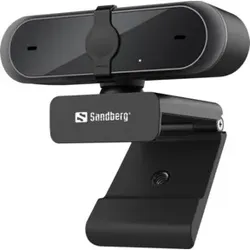
                            <span class="break-words">Eigenschaften: Die Sandberg USB Webcam Pro liefert Ihnen dank der Full-HD-Auflösung von 1080P scharfe, klare Bilder Das Objektiv verfügt über eine automatische Fokusund Lichtanpassungsfunktion So ist sichergestellt, dass Ihr Partner Sie bei Video-Telefonaten immer klar sehen kann Mit einer kleinen integrierten Schiebe-Blende können Sie das Objektiv jederzeit abdecken, wenn Sie sichergehen wollen, dass Ihre Privatsphäre geschützt ist Mit einer an der Kamera angebrachte Klemme kann diese ganz einfach an einen Laptop-, Notebook-Bildschirm oder dergleichen angebracht werden Die Kamera ist zudem mit einem Stereo-Mikrofon ausgestattet.</span>
                        </div>
                        <button onclick="toggleDescription(1)"
                                class="absolute bottom-0 mt-1 -right-6 mr-2 group"
                                aria-label="Toggle Description">
                            <i id="toggle-icon-1" class="fa-solid fa-up-right-and-down-left-from-center text-blue-500 hover:text-blue-700"></i>
                            <span id="toggle-text-1" class="absolute w-auto p-2 min-w-max bottom-0 right-12 transform translate-x-1/2 translate-y-full bg-black text-white text-xs rounded-md opacity-0 group-hover:opacity-100 transition-opacity duration-300 ease-in-out">
                Mehr Anzeigen
              </span>
                        </button>
                    </div>
                </div>

                <!-- Product Footer -->
                <div class="flex flex-col mt-auto px-6 items-center text-center justify-center">
                    <hr class="mb-1 border-gray-300">
                    <div class="mb-1">
                        <button onclick="submitForm('Y0pUMmVKTzhOeztsZFk7bWZZeXdlNDt1ZlpUbmRvWDJmNDt7Y3s3bGQ0MnhbNDt2ZFk7d040M3hcSlh1XFpPeFtaRHJONFB2ZDRUM2RGO3ZbfDNYZ0lxN09JbXtXSXYyZ3BLb2VGM1lWMjt8Y1ZMV2VsVFBTb2ZJXEluUFVaREZWWnJRUFpyW1xKcntYWnJEZW9UTFhHTG9lM25aV0lPM1VuSHxmSmpNVlpEUlA1SG9XSXZ4ZllcfFRaXHdnSWpZT1pYU1VJcjNkVlB5WjQ3UU9ZN0RlNHZ6ZFdmSVQzSDhPR1BaVlZuWk80cmpPcGYzWjQzSGRYXFJWWXpOVzJYV1dtalZcWVhGV0lUc2NWTFpYbFBuU1dmVFFZbXxZSkhjTG8zclxGMjNPfGV5T2xbMk9sZTZPRkdvY1lTO1BWTzVPRks0UEZLNVFGQ3pMcFR8UlZLeU9sW3lQRkN7')" type="button"
                                class="text-xs text-gray-400" aria-label="Product Shop Button">
                            Anbieter: Contorion.de
                        </button>
                    </div>
                    <div class="w-full max-w-xs overflow-hidden">
            <span class="text-md font-bold text-gray-700 truncate">
              Preis: 74.99 € |
            </span>
                        <span class="text-sm text-gray-700 truncate">
              Versand*: 5.95 €
            </span>
                    </div>
                    <div class="mt-2 mb-3 w-full">
                        <button onclick="submitForm('Y0pUMmVKTzhOeztsZFk7bWZZeXdlNDt1ZlpUbmRvWDJmNDt7Y3s3bGQ0MnhbNDt2ZFk7d040M3hcSlh1XFpPeFtaRHJONFB2ZDRUM2RGO3ZbfDNYZ0lxN09JbXtXSXYyZ3BLb2VGM1lWMjt8Y1ZMV2VsVFBTb2ZJXEluUFVaREZWWnJRUFpyW1xKcntYWnJEZW9UTFhHTG9lM25aV0lPM1VuSHxmSmpNVlpEUlA1SG9XSXZ4ZllcfFRaXHdnSWpZT1pYU1VJcjNkVlB5WjQ3UU9ZN0RlNHZ6ZFdmSVQzSDhPR1BaVlZuWk80cmpPcGYzWjQzSGRYXFJWWXpOVzJYV1dtalZcWVhGV0lUc2NWTFpYbFBuU1dmVFFZbXxZSkhjTG8zclxGMjNPfGV5T2xbMk9sZTZPRkdvY1lTO1BWTzVPRks0UEZLNVFGQ3pMcFR8UlZLeU9sW3lQRkN7')" type="button"
                                class="w-full bg-gradient-to-r from-yellow-400 to-amber-400 hover:from-yellow-300 hover:to-amber-300 rounded-full px-4 py-2.5 text-sm font-bold text-gray-900 shadow-md transition-all duration-300 hover:shadow-lg">
                            Weiter zum Produkt
                        </button>
                    </div>
                </div>
            </div>
        </li>
    </div>
</section>

            
                <section class="mb-8">
    <div id="product-content">
        <li class="bg-white/90 backdrop-blur-sm shadow-md rounded-xl m-1 flex flex-col transition-all duration-300 hover:-translate-y-1 hover:shadow-xl border border-gray-200/60 overflow-hidden group">
            <div id="product-2" class="flex flex-col rounded-xl overflow-hidden mx-4 md:mx-0">
                <form id="Y0pUMmVKTzhOeztsZFk7bWZZeXdlNDt1ZlpUbmRvWDJmNDt7Y3s3bGQ0MnhbNDt2ZFk7d040M3hcSlh1XFpPeFtaRHJONFB2ZDRUM2RGO3ZbfDNYZ0lxN09JbXtXSXYyZ3BLb2VGM0dYblxyVzVlNWZHO1ZUb2ZJXEluUFVaREZWWnJQT2xMdFlHVzJlblcyY1hMSmdHdk1VRlhTZG07NVVsSGhnazM3WXBXe1cyOjRTbnF2VmxmdVxwRDZXcHJIVnBXfFZwcXpYMmo0W1lye1dwZm1kbExMVEhxNGNaR3pcfEM2WDNIVExvM3JcRjJ7UVZPMlBsW3pRVkc1T2xDb2NZUztPbG18UEZbNE9WbXpQfEt5THBUfFJWS3lPbFt5UEZDew==">
                    <input type="hidden" name="q">
                    <input type="hidden" name="search" value="Feed-the-Cups">
                    <input type="hidden" name="term" value="Y0pUMmVKTzhOeztsZFk7bWZZeXdlNDt1ZlpUbmRvWDJmNDt7Y3s3bGQ0MnhbNDt2ZFk7d040M3hcSlh1XFpPeFtaRHJONFB2ZDRUM2RGO3ZbfDNYZ0lxN09JbXtXSXYyZ3BLb2VGM0dYblxyVzVlNWZHO1ZUb2ZJXEluUFVaREZWWnJQT2xMdFlHVzJlblcyY1hMSmdHdk1VRlhTZG07NVVsSGhnazM3WXBXe1cyOjRTbnF2VmxmdVxwRDZXcHJIVnBXfFZwcXpYMmo0W1lye1dwZm1kbExMVEhxNGNaR3pcfEM2WDNIVExvM3JcRjJ7UVZPMlBsW3pRVkc1T2xDb2NZUztPbG18UEZbNE9WbXpQfEt5THBUfFJWS3lPbFt5UEZDew==">
                </form>

                <!-- Product Image -->
                <div class="overflow-hidden bg-gray-50">
                    <img class="w-full cursor-pointer min-h-[15rem] object-cover transition-transform duration-300 group-hover:scale-103"
                         src="https://cdn.billiger.com/dynimg/9-DpUbVtQC84RDo3HLYA8SXpJ53MH5lvA_hMn5zos5T_olRSBeQCSEAXhzSr2EMdflJ6eI_qNrMe2ZAfpaOWuEihH1llBBvDh7QxxaAGUPVUvvJgevxW1o/293466191720_large.webp"
                         alt="Feed the Cups"
                         onerror="this.onerror=null;this.src='/logos/photo_missing.png';"
                         onclick="submitForm('Y0pUMmVKTzhOeztsZFk7bWZZeXdlNDt1ZlpUbmRvWDJmNDt7Y3s3bGQ0MnhbNDt2ZFk7d040M3hcSlh1XFpPeFtaRHJONFB2ZDRUM2RGO3ZbfDNYZ0lxN09JbXtXSXYyZ3BLb2VGM0dYblxyVzVlNWZHO1ZUb2ZJXEluUFVaREZWWnJQT2xMdFlHVzJlblcyY1hMSmdHdk1VRlhTZG07NVVsSGhnazM3WXBXe1cyOjRTbnF2VmxmdVxwRDZXcHJIVnBXfFZwcXpYMmo0W1lye1dwZm1kbExMVEhxNGNaR3pcfEM2WDNIVExvM3JcRjJ7UVZPMlBsW3pRVkc1T2xDb2NZUztPbG18UEZbNE9WbXpQfEt5THBUfFJWS3lPbFt5UEZDew==')">
                </div>

                <!-- Product Content -->
                <div class="px-5 flex flex-col flex-grow min-h-[9rem]">
                    <div class="min-h-[3.5rem] flex justify-between m-auto relative">
                        <div id="title-2" class="font-bold text-base mb-2 overflow-hidden line-clamp-2 cursor-pointer text-gray-800"
                             onclick="toggleTitle(2)">
                            Feed the Cups
                        </div>

                        
                        <a href="/Feed-the-Cups" class="absolute bottom-0 mt-1 -right-6 mr-2 group"
                              title="Feed-the-Cups">
              <i class="fas fa-search text-blue-500 hover:text-blue-700"></i>
            </a>
                    </div>
                    <hr>
                    <div class="flex justify-between items-end relative mt-1">
                        <div id="description-2" class="text-gray-600 text-sm flex-grow line-clamp-3 cursor-pointer leading-relaxed"
                             onclick="toggleDescription(2)">
                            <span class="break-words">Feed the Cups</span>
                        </div>
                        <button onclick="toggleDescription(2)"
                                class="absolute bottom-0 mt-1 -right-6 mr-2 group"
                                aria-label="Toggle Description">
                            <i id="toggle-icon-2" class="fa-solid fa-up-right-and-down-left-from-center text-blue-500 hover:text-blue-700"></i>
                            <span id="toggle-text-2" class="absolute w-auto p-2 min-w-max bottom-0 right-12 transform translate-x-1/2 translate-y-full bg-black text-white text-xs rounded-md opacity-0 group-hover:opacity-100 transition-opacity duration-300 ease-in-out">
                Mehr Anzeigen
              </span>
                        </button>
                    </div>
                </div>

                <!-- Product Footer -->
                <div class="flex flex-col mt-auto px-6 items-center text-center justify-center">
                    <hr class="mb-1 border-gray-300">
                    <div class="mb-1">
                        <button onclick="submitForm('Y0pUMmVKTzhOeztsZFk7bWZZeXdlNDt1ZlpUbmRvWDJmNDt7Y3s3bGQ0MnhbNDt2ZFk7d040M3hcSlh1XFpPeFtaRHJONFB2ZDRUM2RGO3ZbfDNYZ0lxN09JbXtXSXYyZ3BLb2VGM0dYblxyVzVlNWZHO1ZUb2ZJXEluUFVaREZWWnJQT2xMdFlHVzJlblcyY1hMSmdHdk1VRlhTZG07NVVsSGhnazM3WXBXe1cyOjRTbnF2VmxmdVxwRDZXcHJIVnBXfFZwcXpYMmo0W1lye1dwZm1kbExMVEhxNGNaR3pcfEM2WDNIVExvM3JcRjJ7UVZPMlBsW3pRVkc1T2xDb2NZUztPbG18UEZbNE9WbXpQfEt5THBUfFJWS3lPbFt5UEZDew==')" type="button"
                                class="text-xs text-gray-400" aria-label="Product Shop Button">
                            Anbieter: instant-gaming
                        </button>
                    </div>
                    <div class="w-full max-w-xs overflow-hidden">
            <span class="text-md font-bold text-gray-700 truncate">
              Preis: 7.49 € |
            </span>
                        <span class="text-sm text-gray-700 truncate">
              Versand*: 0.00 €
            </span>
                    </div>
                    <div class="mt-2 mb-3 w-full">
                        <button onclick="submitForm('Y0pUMmVKTzhOeztsZFk7bWZZeXdlNDt1ZlpUbmRvWDJmNDt7Y3s3bGQ0MnhbNDt2ZFk7d040M3hcSlh1XFpPeFtaRHJONFB2ZDRUM2RGO3ZbfDNYZ0lxN09JbXtXSXYyZ3BLb2VGM0dYblxyVzVlNWZHO1ZUb2ZJXEluUFVaREZWWnJQT2xMdFlHVzJlblcyY1hMSmdHdk1VRlhTZG07NVVsSGhnazM3WXBXe1cyOjRTbnF2VmxmdVxwRDZXcHJIVnBXfFZwcXpYMmo0W1lye1dwZm1kbExMVEhxNGNaR3pcfEM2WDNIVExvM3JcRjJ7UVZPMlBsW3pRVkc1T2xDb2NZUztPbG18UEZbNE9WbXpQfEt5THBUfFJWS3lPbFt5UEZDew==')" type="button"
                                class="w-full bg-gradient-to-r from-yellow-400 to-amber-400 hover:from-yellow-300 hover:to-amber-300 rounded-full px-4 py-2.5 text-sm font-bold text-gray-900 shadow-md transition-all duration-300 hover:shadow-lg">
                            Weiter zum Produkt
                        </button>
                    </div>
                </div>
            </div>
        </li>
    </div>
</section>

            
        </div>
    </div>

    <div class="mb-10">
        <!-- Related Terms Section -->
<section class="w-full max-w-none px-6 py-6 lg:px-8 text-center text-white rounded-2xl shadow-xl my-6 mb-12 relative overflow-hidden border border-white/10" style="background-color: #880329;">
    <h2 class="text-xl sm:text-2xl font-bold mb-6">
        Ähnliche Suchbegriffe für
        <span class="text-yellow-300">Feed</span>
    </h2>

    <div id="related-terms" class="flex flex-wrap justify-center gap-3">
        
        
        <a href="/Plug"
           class="term-chip inline-block rounded-full px-5 py-2 text-sm font-semibold text-white shadow-md transition-all duration-300 hover:shadow-lg hover:-translate-y-0.5 hover:scale-105 border border-white/20 bg-white/10 hover:bg-white/20">
            Plug
        </a>
        
        <a href="/Play"
           class="term-chip inline-block rounded-full px-5 py-2 text-sm font-semibold text-white shadow-md transition-all duration-300 hover:shadow-lg hover:-translate-y-0.5 hover:scale-105 border border-white/20 bg-white/10 hover:bg-white/20">
            Play
        </a>
        
        <a href="/Dass"
           class="term-chip inline-block rounded-full px-5 py-2 text-sm font-semibold text-white shadow-md transition-all duration-300 hover:shadow-lg hover:-translate-y-0.5 hover:scale-105 border border-white/20 bg-white/10 hover:bg-white/20">
            Dass
        </a>
        
        <a href="/Automatisch"
           class="term-chip inline-block rounded-full px-5 py-2 text-sm font-semibold text-white shadow-md transition-all duration-300 hover:shadow-lg hover:-translate-y-0.5 hover:scale-105 border border-white/20 bg-white/10 hover:bg-white/20">
            Automatisch
        </a>
        
        <a href="/Installieren"
           class="term-chip inline-block rounded-full px-5 py-2 text-sm font-semibold text-white shadow-md transition-all duration-300 hover:shadow-lg hover:-translate-y-0.5 hover:scale-105 border border-white/20 bg-white/10 hover:bg-white/20">
            Installieren
        </a>
        
        <a href="/Installation"
           class="term-chip inline-block rounded-full px-5 py-2 text-sm font-semibold text-white shadow-md transition-all duration-300 hover:shadow-lg hover:-translate-y-0.5 hover:scale-105 border border-white/20 bg-white/10 hover:bg-white/20">
            Installation
        </a>
        
        <a href="/Treiber"
           class="term-chip inline-block rounded-full px-5 py-2 text-sm font-semibold text-white shadow-md transition-all duration-300 hover:shadow-lg hover:-translate-y-0.5 hover:scale-105 border border-white/20 bg-white/10 hover:bg-white/20">
            Treiber
        </a>
        
        <a href="/Plugandplay"
           class="term-chip inline-block rounded-full px-5 py-2 text-sm font-semibold text-white shadow-md transition-all duration-300 hover:shadow-lg hover:-translate-y-0.5 hover:scale-105 border border-white/20 bg-white/10 hover:bg-white/20">
            Plugandplay
        </a>
        
        <a href="/Konfiguration"
           class="term-chip inline-block rounded-full px-5 py-2 text-sm font-semibold text-white shadow-md transition-all duration-300 hover:shadow-lg hover:-translate-y-0.5 hover:scale-105 border border-white/20 bg-white/10 hover:bg-white/20">
            Konfiguration
        </a>
        
        <a href="/Benutzer"
           class="term-chip inline-block rounded-full px-5 py-2 text-sm font-semibold text-white shadow-md transition-all duration-300 hover:shadow-lg hover:-translate-y-0.5 hover:scale-105 border border-white/20 bg-white/10 hover:bg-white/20">
            Benutzer
        </a>
        
        
    </div>
</section>

<script>
    document.addEventListener('DOMContentLoaded', function () {
        const chips = document.querySelectorAll('#related-terms .term-chip');
        const colors = [
            "#3B82F6", // Blue 500
            "#0EA5E9", // Sky 500
            "#10B981", // Emerald 500
            "#14B8A6", // Teal 500
            "#6366F1", // Indigo 500
            "#8B5CF6", // Violet 500
        ];
        chips.forEach(chip => {
            const color = colors[Math.floor(Math.random() * colors.length)];
            chip.style.backgroundColor = color;
            chip.style.color = "white"; // weiße Schrift für Eleganz
        });
    });
</script>


    </div>

    <h2 id="product-heading" class="text-2xl sm:text-3xl font-bold mb-3 mt-12 text-gray-800">
        Produkte zum Begriff Feed:
    </h2>

    <hr class="my-3 border-gray-200 mb-8 bg-gradient-to-r from-transparent via-gray-300 to-transparent h-px border-0">

    <!-- Row 2: 4 Products -->
    <ul class="grid grid-cols-1 sm:grid-cols-2 md:grid-cols-3 lg:grid-cols-4 gap-6 items-start mb-8">
        
            <section class="mb-8">
    <div id="product-content">
        <li class="bg-white/90 backdrop-blur-sm shadow-md rounded-xl m-1 flex flex-col transition-all duration-300 hover:-translate-y-1 hover:shadow-xl border border-gray-200/60 overflow-hidden group">
            <div id="product-1" class="flex flex-col rounded-xl overflow-hidden mx-4 md:mx-0">
                <form id="Y0pUMmVKTzhOeztsZFk7bWZZeXdlNDt1ZlpUbmRvWDJmNDt7Y3s3bGQ0MnhbNDt2ZFk7d040M3hcSlh1XFpPeFtaRHJONFB2ZDRUM2RGO3ZbfDNYZ0lxN09JbXtXSXYyZ3BLb2VGM3tXR0d6U1lbM1w0WEhlbkxHVlpMSFhYbnxWezN1ZUdmbVBYUHBkRm4yWUlqNFRuUGtaM1AyUUpMSlhuOnZTNFsyZFlmdVNwamNQWVhHZm9YeVttcnVPSm5SWUpYe1RISEVQVTMyZlpEWlZKTFFPWG40VnBuRWZZXEROWls0WVdqdlw0XG5cM2ZXXDVmSVRaXGNYNDo3VkZMUmVYaltXSGZqWFpIT2NJM0pcWGZVY0hxNVxYVHhRWmptWFhUSmQ0eklVSFBKWzJtb2RZbm1SVls2UGxDMlBsVzRQRlMzT0VcclxGMjRRRlt5UEZbM1BsUzJQVkNvZkpPO09sQ3tQbEMyT0ZLPw==">
                    <input type="hidden" name="q">
                    <input type="hidden" name="search" value="High-Speed-Anschlusskabel-2.0-USB-A">
                    <input type="hidden" name="term" value="Y0pUMmVKTzhOeztsZFk7bWZZeXdlNDt1ZlpUbmRvWDJmNDt7Y3s3bGQ0MnhbNDt2ZFk7d040M3hcSlh1XFpPeFtaRHJONFB2ZDRUM2RGO3ZbfDNYZ0lxN09JbXtXSXYyZ3BLb2VGM3tXR0d6U1lbM1w0WEhlbkxHVlpMSFhYbnxWezN1ZUdmbVBYUHBkRm4yWUlqNFRuUGtaM1AyUUpMSlhuOnZTNFsyZFlmdVNwamNQWVhHZm9YeVttcnVPSm5SWUpYe1RISEVQVTMyZlpEWlZKTFFPWG40VnBuRWZZXEROWls0WVdqdlw0XG5cM2ZXXDVmSVRaXGNYNDo3VkZMUmVYaltXSGZqWFpIT2NJM0pcWGZVY0hxNVxYVHhRWmptWFhUSmQ0eklVSFBKWzJtb2RZbm1SVls2UGxDMlBsVzRQRlMzT0VcclxGMjRRRlt5UEZbM1BsUzJQVkNvZkpPO09sQ3tQbEMyT0ZLPw==">
                </form>

                <!-- Product Image -->
                <div class="overflow-hidden bg-gray-50">
                    <img class="w-full cursor-pointer min-h-[15rem] object-cover transition-transform duration-300 group-hover:scale-103"
                         src="https://cdn.billiger.com/dynimg/2W1V2dw019ihu6RM0B0XSeXpJ53MH5lvA_hMn5zos5T_olRSBeQCSEAXhzSr2EMdUX2s4PGFZCkE3YxAAq7r0D-naPC4CBcagnmQT_Um5hE-Ro7vGuyuKQ/686046564450_large.webp"
                         alt="High-Speed Anschlusskabel 2.0 USB-A auf USB-B - Für Drucker, Scanner &amp; externe Festplatten - Sichere Datenübertragung, 1.8m Länge, Plug-and-Play, Schwarz"
                         onerror="this.onerror=null;this.src='/logos/photo_missing.png';"
                         onclick="submitForm('Y0pUMmVKTzhOeztsZFk7bWZZeXdlNDt1ZlpUbmRvWDJmNDt7Y3s3bGQ0MnhbNDt2ZFk7d040M3hcSlh1XFpPeFtaRHJONFB2ZDRUM2RGO3ZbfDNYZ0lxN09JbXtXSXYyZ3BLb2VGM3tXR0d6U1lbM1w0WEhlbkxHVlpMSFhYbnxWezN1ZUdmbVBYUHBkRm4yWUlqNFRuUGtaM1AyUUpMSlhuOnZTNFsyZFlmdVNwamNQWVhHZm9YeVttcnVPSm5SWUpYe1RISEVQVTMyZlpEWlZKTFFPWG40VnBuRWZZXEROWls0WVdqdlw0XG5cM2ZXXDVmSVRaXGNYNDo3VkZMUmVYaltXSGZqWFpIT2NJM0pcWGZVY0hxNVxYVHhRWmptWFhUSmQ0eklVSFBKWzJtb2RZbm1SVls2UGxDMlBsVzRQRlMzT0VcclxGMjRRRlt5UEZbM1BsUzJQVkNvZkpPO09sQ3tQbEMyT0ZLPw==')">
                </div>

                <!-- Product Content -->
                <div class="px-5 flex flex-col flex-grow min-h-[9rem]">
                    <div class="min-h-[3.5rem] flex justify-between m-auto relative">
                        <div id="title-1" class="font-bold text-base mb-2 overflow-hidden line-clamp-2 cursor-pointer text-gray-800"
                             onclick="toggleTitle(1)">
                            High-Speed Anschlusskabel 2.0 USB-A auf USB-B - Für Drucker, Scanner &amp; externe Festplatten - Sichere Datenübertragung, 1.8m Länge, Plug-and-Play, Schwarz
                        </div>

                        
                        <a href="/High-Speed-Anschlusskabel-2-0" class="absolute bottom-0 mt-1 -right-6 mr-2 group"
                              title="High-Speed-Anschlusskabel-2-0">
              <i class="fas fa-search text-blue-500 hover:text-blue-700"></i>
            </a>
                    </div>
                    <hr>
                    <div class="flex justify-between items-end relative mt-1">
                        <div id="description-1" class="text-gray-600 text-sm flex-grow line-clamp-3 cursor-pointer leading-relaxed"
                             onclick="toggleDescription(1)">
                            <span class="break-words">Schnelle Verbindung: Verbinden Sie Ihre Drucker Scanner oder externen Festplatten sicher und zuverlässig mit Ihrem Computer. Das hochwertige USB-B-Anschlusskabel gewährleistet eine stabile Datenübertragung und ist ideal für den täglichen Gebrauch. Anschlusskabel für Drucker Scanner u.v.m. Anschlüsse: USB-A Stecker auf USB-B Stecker Länge: 1 8 m</span>
                        </div>
                        <button onclick="toggleDescription(1)"
                                class="absolute bottom-0 mt-1 -right-6 mr-2 group"
                                aria-label="Toggle Description">
                            <i id="toggle-icon-1" class="fa-solid fa-up-right-and-down-left-from-center text-blue-500 hover:text-blue-700"></i>
                            <span id="toggle-text-1" class="absolute w-auto p-2 min-w-max bottom-0 right-12 transform translate-x-1/2 translate-y-full bg-black text-white text-xs rounded-md opacity-0 group-hover:opacity-100 transition-opacity duration-300 ease-in-out">
                Mehr Anzeigen
              </span>
                        </button>
                    </div>
                </div>

                <!-- Product Footer -->
                <div class="flex flex-col mt-auto px-6 items-center text-center justify-center">
                    <hr class="mb-1 border-gray-300">
                    <div class="mb-1">
                        <button onclick="submitForm('Y0pUMmVKTzhOeztsZFk7bWZZeXdlNDt1ZlpUbmRvWDJmNDt7Y3s3bGQ0MnhbNDt2ZFk7d040M3hcSlh1XFpPeFtaRHJONFB2ZDRUM2RGO3ZbfDNYZ0lxN09JbXtXSXYyZ3BLb2VGM3tXR0d6U1lbM1w0WEhlbkxHVlpMSFhYbnxWezN1ZUdmbVBYUHBkRm4yWUlqNFRuUGtaM1AyUUpMSlhuOnZTNFsyZFlmdVNwamNQWVhHZm9YeVttcnVPSm5SWUpYe1RISEVQVTMyZlpEWlZKTFFPWG40VnBuRWZZXEROWls0WVdqdlw0XG5cM2ZXXDVmSVRaXGNYNDo3VkZMUmVYaltXSGZqWFpIT2NJM0pcWGZVY0hxNVxYVHhRWmptWFhUSmQ0eklVSFBKWzJtb2RZbm1SVls2UGxDMlBsVzRQRlMzT0VcclxGMjRRRlt5UEZbM1BsUzJQVkNvZkpPO09sQ3tQbEMyT0ZLPw==')" type="button"
                                class="text-xs text-gray-400" aria-label="Product Shop Button">
                            Anbieter: Ideoon
                        </button>
                    </div>
                    <div class="w-full max-w-xs overflow-hidden">
            <span class="text-md font-bold text-gray-700 truncate">
              Preis: 4.99 € |
            </span>
                        <span class="text-sm text-gray-700 truncate">
              Versand*: 4.99 €
            </span>
                    </div>
                    <div class="mt-2 mb-3 w-full">
                        <button onclick="submitForm('Y0pUMmVKTzhOeztsZFk7bWZZeXdlNDt1ZlpUbmRvWDJmNDt7Y3s3bGQ0MnhbNDt2ZFk7d040M3hcSlh1XFpPeFtaRHJONFB2ZDRUM2RGO3ZbfDNYZ0lxN09JbXtXSXYyZ3BLb2VGM3tXR0d6U1lbM1w0WEhlbkxHVlpMSFhYbnxWezN1ZUdmbVBYUHBkRm4yWUlqNFRuUGtaM1AyUUpMSlhuOnZTNFsyZFlmdVNwamNQWVhHZm9YeVttcnVPSm5SWUpYe1RISEVQVTMyZlpEWlZKTFFPWG40VnBuRWZZXEROWls0WVdqdlw0XG5cM2ZXXDVmSVRaXGNYNDo3VkZMUmVYaltXSGZqWFpIT2NJM0pcWGZVY0hxNVxYVHhRWmptWFhUSmQ0eklVSFBKWzJtb2RZbm1SVls2UGxDMlBsVzRQRlMzT0VcclxGMjRRRlt5UEZbM1BsUzJQVkNvZkpPO09sQ3tQbEMyT0ZLPw==')" type="button"
                                class="w-full bg-gradient-to-r from-yellow-400 to-amber-400 hover:from-yellow-300 hover:to-amber-300 rounded-full px-4 py-2.5 text-sm font-bold text-gray-900 shadow-md transition-all duration-300 hover:shadow-lg">
                            Weiter zum Produkt
                        </button>
                    </div>
                </div>
            </div>
        </li>
    </div>
</section>

        
            <section class="mb-8">
    <div id="product-content">
        <li class="bg-white/90 backdrop-blur-sm shadow-md rounded-xl m-1 flex flex-col transition-all duration-300 hover:-translate-y-1 hover:shadow-xl border border-gray-200/60 overflow-hidden group">
            <div id="product-2" class="flex flex-col rounded-xl overflow-hidden mx-4 md:mx-0">
                <form id="Y0pUMmVKTzhOeztqZUltd1tZVHJkb1RuZ0U3bGQ0MnhmbEt4ZW9YbWNaTG5bNVN4ZUpMeFxKWGxmRjtyXEYyeU9Gam9QRlBqT2syfE9WSG1OVlRtT1ZpdltvXGxPezNsWzRTfFxZV3pRVlhqXFlXb1tZVHxlSUhsXFdubVJadmpcSlB5W1lQblVZVDs=">
                    <input type="hidden" name="q">
                    <input type="hidden" name="search" value="Biotechnology-of-Food-and">
                    <input type="hidden" name="term" value="Y0pUMmVKTzhOeztqZUltd1tZVHJkb1RuZ0U3bGQ0MnhmbEt4ZW9YbWNaTG5bNVN4ZUpMeFxKWGxmRjtyXEYyeU9Gam9QRlBqT2syfE9WSG1OVlRtT1ZpdltvXGxPezNsWzRTfFxZV3pRVlhqXFlXb1tZVHxlSUhsXFdubVJadmpcSlB5W1lQblVZVDs=">
                </form>

                <!-- Product Image -->
                <div class="overflow-hidden bg-gray-50">
                    <img class="w-full cursor-pointer min-h-[15rem] object-cover transition-transform duration-300 group-hover:scale-103"
                         src="https://cdn.adindex.com/oimg/008f43a2-311d-4d18-bfc3-ccd3ee195aee"
                         alt="Biotechnology of Food and Feed Additives, Fachbücher"
                         onerror="this.onerror=null;this.src='/logos/photo_missing.png';"
                         onclick="submitForm('Y0pUMmVKTzhOeztqZUltd1tZVHJkb1RuZ0U3bGQ0MnhmbEt4ZW9YbWNaTG5bNVN4ZUpMeFxKWGxmRjtyXEYyeU9Gam9QRlBqT2syfE9WSG1OVlRtT1ZpdltvXGxPezNsWzRTfFxZV3pRVlhqXFlXb1tZVHxlSUhsXFdubVJadmpcSlB5W1lQblVZVDs=')">
                </div>

                <!-- Product Content -->
                <div class="px-5 flex flex-col flex-grow min-h-[9rem]">
                    <div class="min-h-[3.5rem] flex justify-between m-auto relative">
                        <div id="title-2" class="font-bold text-base mb-2 overflow-hidden line-clamp-2 cursor-pointer text-gray-800"
                             onclick="toggleTitle(2)">
                            Biotechnology of Food and Feed Additives, Fachbücher
                        </div>

                        
                        <a href="/Biotechnology-of-Food-and" class="absolute bottom-0 mt-1 -right-6 mr-2 group"
                              title="Biotechnology-of-Food-and">
              <i class="fas fa-search text-blue-500 hover:text-blue-700"></i>
            </a>
                    </div>
                    <hr>
                    <div class="flex justify-between items-end relative mt-1">
                        <div id="description-2" class="text-gray-600 text-sm flex-grow line-clamp-3 cursor-pointer leading-relaxed"
                             onclick="toggleDescription(2)">
                            <span class="break-words">Das Buch &quot;Biotechnology of Food and Feed Additives&quot; bietet eine umfassende Analyse der aktuellen Trends in der modernen Biotechnologie, insbesondere im Bereich der Lebensmittel- und Futtermittelzusatzstoffe. Es behandelt die interdisziplinären Aspekte dieser Technologie, die Kenntnisse aus verschiedenen Wissenschaftsbereichen wie Chemie, Biochemie, Mikrobiologie, Genetik, chemischer Verfahrenstechnik und Informatik erfordert. Die thematisch organisierten Bände bieten eine detaillierte Diskussion über Entwicklungen der letzten 3-5 Jahre und beleuchten neue Entdeckungen sowie Anwendungen in der Biotechnologie. Besondere Ausgaben widmen sich ausgewählten Themen und konzentrieren sich auf innovative biotechnologische Produkte sowie deren Synthese- und Reinigungsprozesse. Die Beiträge stammen von anerkannten Gastredakteuren, was die Qualität und Relevanz der Inhalte unterstreicht.</span>
                        </div>
                        <button onclick="toggleDescription(2)"
                                class="absolute bottom-0 mt-1 -right-6 mr-2 group"
                                aria-label="Toggle Description">
                            <i id="toggle-icon-2" class="fa-solid fa-up-right-and-down-left-from-center text-blue-500 hover:text-blue-700"></i>
                            <span id="toggle-text-2" class="absolute w-auto p-2 min-w-max bottom-0 right-12 transform translate-x-1/2 translate-y-full bg-black text-white text-xs rounded-md opacity-0 group-hover:opacity-100 transition-opacity duration-300 ease-in-out">
                Mehr Anzeigen
              </span>
                        </button>
                    </div>
                </div>

                <!-- Product Footer -->
                <div class="flex flex-col mt-auto px-6 items-center text-center justify-center">
                    <hr class="mb-1 border-gray-300">
                    <div class="mb-1">
                        <button onclick="submitForm('Y0pUMmVKTzhOeztqZUltd1tZVHJkb1RuZ0U3bGQ0MnhmbEt4ZW9YbWNaTG5bNVN4ZUpMeFxKWGxmRjtyXEYyeU9Gam9QRlBqT2syfE9WSG1OVlRtT1ZpdltvXGxPezNsWzRTfFxZV3pRVlhqXFlXb1tZVHxlSUhsXFdubVJadmpcSlB5W1lQblVZVDs=')" type="button"
                                class="text-xs text-gray-400" aria-label="Product Shop Button">
                            Anbieter: Galaxus.de
                        </button>
                    </div>
                    <div class="w-full max-w-xs overflow-hidden">
            <span class="text-md font-bold text-gray-700 truncate">
              Preis: 213.99 € |
            </span>
                        <span class="text-sm text-gray-700 truncate">
              Versand*: 0 €
            </span>
                    </div>
                    <div class="mt-2 mb-3 w-full">
                        <button onclick="submitForm('Y0pUMmVKTzhOeztqZUltd1tZVHJkb1RuZ0U3bGQ0MnhmbEt4ZW9YbWNaTG5bNVN4ZUpMeFxKWGxmRjtyXEYyeU9Gam9QRlBqT2syfE9WSG1OVlRtT1ZpdltvXGxPezNsWzRTfFxZV3pRVlhqXFlXb1tZVHxlSUhsXFdubVJadmpcSlB5W1lQblVZVDs=')" type="button"
                                class="w-full bg-gradient-to-r from-yellow-400 to-amber-400 hover:from-yellow-300 hover:to-amber-300 rounded-full px-4 py-2.5 text-sm font-bold text-gray-900 shadow-md transition-all duration-300 hover:shadow-lg">
                            Weiter zum Produkt
                        </button>
                    </div>
                </div>
            </div>
        </li>
    </div>
</section>

        
            <section class="mb-8">
    <div id="product-content">
        <li class="bg-white/90 backdrop-blur-sm shadow-md rounded-xl m-1 flex flex-col transition-all duration-300 hover:-translate-y-1 hover:shadow-xl border border-gray-200/60 overflow-hidden group">
            <div id="product-3" class="flex flex-col rounded-xl overflow-hidden mx-4 md:mx-0">
                <form id="Y0pUMmVKTzhOeztqZUltd1tZVHJkb1RuZ0U3bGQ0MnhmbEt4ZW9YbWNaTG5bNVN4ZUpMeFxKWGxmRjtyXEYzb09sUzJcVlM3UGszb1tZSzZOVlRvUHxPdltWS3xPezNvUDRTeltsRzVPRmZuUEZLb1tZVHxlSUhsXFdubVJadmpcSlB5W1lQblVZVDs=">
                    <input type="hidden" name="q">
                    <input type="hidden" name="search" value="Just-Play-FurReal-Maggie">
                    <input type="hidden" name="term" value="Y0pUMmVKTzhOeztqZUltd1tZVHJkb1RuZ0U3bGQ0MnhmbEt4ZW9YbWNaTG5bNVN4ZUpMeFxKWGxmRjtyXEYzb09sUzJcVlM3UGszb1tZSzZOVlRvUHxPdltWS3xPezNvUDRTeltsRzVPRmZuUEZLb1tZVHxlSUhsXFdubVJadmpcSlB5W1lQblVZVDs=">
                </form>

                <!-- Product Image -->
                <div class="overflow-hidden bg-gray-50">
                    <img class="w-full cursor-pointer min-h-[15rem] object-cover transition-transform duration-300 group-hover:scale-103"
                         src="https://cdn.adindex.com/oimg/f244e496-fab8-4f73-a233-f7d1b1707e42"
                         alt="Just Play FurReal Maggie the Feed &amp; Follow Cow (29 cm)"
                         onerror="this.onerror=null;this.src='/logos/photo_missing.png';"
                         onclick="submitForm('Y0pUMmVKTzhOeztqZUltd1tZVHJkb1RuZ0U3bGQ0MnhmbEt4ZW9YbWNaTG5bNVN4ZUpMeFxKWGxmRjtyXEYzb09sUzJcVlM3UGszb1tZSzZOVlRvUHxPdltWS3xPezNvUDRTeltsRzVPRmZuUEZLb1tZVHxlSUhsXFdubVJadmpcSlB5W1lQblVZVDs=')">
                </div>

                <!-- Product Content -->
                <div class="px-5 flex flex-col flex-grow min-h-[9rem]">
                    <div class="min-h-[3.5rem] flex justify-between m-auto relative">
                        <div id="title-3" class="font-bold text-base mb-2 overflow-hidden line-clamp-2 cursor-pointer text-gray-800"
                             onclick="toggleTitle(3)">
                            Just Play FurReal Maggie the Feed &amp; Follow Cow (29 cm)
                        </div>

                        
                        <a href="/Just-Play-FurReal-Maggie" class="absolute bottom-0 mt-1 -right-6 mr-2 group"
                              title="Just-Play-FurReal-Maggie">
              <i class="fas fa-search text-blue-500 hover:text-blue-700"></i>
            </a>
                    </div>
                    <hr>
                    <div class="flex justify-between items-end relative mt-1">
                        <div id="description-3" class="text-gray-600 text-sm flex-grow line-clamp-3 cursor-pointer leading-relaxed"
                             onclick="toggleDescription(3)">
                            <span class="break-words">FurReal Maggie the Feed &amp; Follow Cow ist ein interaktives Plüschtier, das Kinder in die Welt der Tierpflege einführt. Diese lebensechte Kuh reagiert auf Berührungen und Geräusche, was das Spielerlebnis bereichert und die Fantasie anregt. Mit ihrem freundlichen Design und den realistischen Bewegungen bietet Maggie stundenlangen Spielspass. Sie ist nicht nur ein Spielzeug, sondern auch ein Begleiter, der Kinder dazu ermutigt, Verantwortung zu übernehmen und sich um ein Haustier zu kümmern. Die Kombination aus weichem Material und interaktiven Funktionen macht sie zu einem idealen Geschenk für Kinder ab 4 Jahren. Maggie ist darauf ausgelegt, die Neugier und das Lernen über Tiere zu fördern, während sie gleichzeitig eine sichere und unterhaltsame Spielumgebung bietet.</span>
                        </div>
                        <button onclick="toggleDescription(3)"
                                class="absolute bottom-0 mt-1 -right-6 mr-2 group"
                                aria-label="Toggle Description">
                            <i id="toggle-icon-3" class="fa-solid fa-up-right-and-down-left-from-center text-blue-500 hover:text-blue-700"></i>
                            <span id="toggle-text-3" class="absolute w-auto p-2 min-w-max bottom-0 right-12 transform translate-x-1/2 translate-y-full bg-black text-white text-xs rounded-md opacity-0 group-hover:opacity-100 transition-opacity duration-300 ease-in-out">
                Mehr Anzeigen
              </span>
                        </button>
                    </div>
                </div>

                <!-- Product Footer -->
                <div class="flex flex-col mt-auto px-6 items-center text-center justify-center">
                    <hr class="mb-1 border-gray-300">
                    <div class="mb-1">
                        <button onclick="submitForm('Y0pUMmVKTzhOeztqZUltd1tZVHJkb1RuZ0U3bGQ0MnhmbEt4ZW9YbWNaTG5bNVN4ZUpMeFxKWGxmRjtyXEYzb09sUzJcVlM3UGszb1tZSzZOVlRvUHxPdltWS3xPezNvUDRTeltsRzVPRmZuUEZLb1tZVHxlSUhsXFdubVJadmpcSlB5W1lQblVZVDs=')" type="button"
                                class="text-xs text-gray-400" aria-label="Product Shop Button">
                            Anbieter: Galaxus.de
                        </button>
                    </div>
                    <div class="w-full max-w-xs overflow-hidden">
            <span class="text-md font-bold text-gray-700 truncate">
              Preis: 56.59 € |
            </span>
                        <span class="text-sm text-gray-700 truncate">
              Versand*: 0 €
            </span>
                    </div>
                    <div class="mt-2 mb-3 w-full">
                        <button onclick="submitForm('Y0pUMmVKTzhOeztqZUltd1tZVHJkb1RuZ0U3bGQ0MnhmbEt4ZW9YbWNaTG5bNVN4ZUpMeFxKWGxmRjtyXEYzb09sUzJcVlM3UGszb1tZSzZOVlRvUHxPdltWS3xPezNvUDRTeltsRzVPRmZuUEZLb1tZVHxlSUhsXFdubVJadmpcSlB5W1lQblVZVDs=')" type="button"
                                class="w-full bg-gradient-to-r from-yellow-400 to-amber-400 hover:from-yellow-300 hover:to-amber-300 rounded-full px-4 py-2.5 text-sm font-bold text-gray-900 shadow-md transition-all duration-300 hover:shadow-lg">
                            Weiter zum Produkt
                        </button>
                    </div>
                </div>
            </div>
        </li>
    </div>
</section>

        
            <section class="mb-8">
    <div id="product-content">
        <li class="bg-white/90 backdrop-blur-sm shadow-md rounded-xl m-1 flex flex-col transition-all duration-300 hover:-translate-y-1 hover:shadow-xl border border-gray-200/60 overflow-hidden group">
            <div id="product-4" class="flex flex-col rounded-xl overflow-hidden mx-4 md:mx-0">
                <form id="Y0pUMmVKTzhOeztqZUltd1tZVHJkb1RuZ0U3bGQ0MnhmbEt4ZW9YbWNaTG5bNVN4ZUpMeFxKWGxmRjtyXEYyNVtsS3tQb083W3syNFBJSG9OVlRuW3xtdlFWXG1bazJ5T1lUbE9GW3xPb1s1XFlPb1tZVHxlSUhsXFdubVJadmpcSlB5W1lQblVZVDs=">
                    <input type="hidden" name="q">
                    <input type="hidden" name="search" value="HP-Pick&#x2F;Feed-and-separation">
                    <input type="hidden" name="term" value="Y0pUMmVKTzhOeztqZUltd1tZVHJkb1RuZ0U3bGQ0MnhmbEt4ZW9YbWNaTG5bNVN4ZUpMeFxKWGxmRjtyXEYyNVtsS3tQb083W3syNFBJSG9OVlRuW3xtdlFWXG1bazJ5T1lUbE9GW3xPb1s1XFlPb1tZVHxlSUhsXFdubVJadmpcSlB5W1lQblVZVDs=">
                </form>

                <!-- Product Image -->
                <div class="overflow-hidden bg-gray-50">
                    <img class="w-full cursor-pointer min-h-[15rem] object-cover transition-transform duration-300 group-hover:scale-103"
                         src="https://cdn.adindex.com/oimg/7b226c9c-64af-4ec9-96db-01dc0632f7ec"
                         alt="HP Pick&#x2F;Feed and separation pad, Drucker Zubehör"
                         onerror="this.onerror=null;this.src='/logos/photo_missing.png';"
                         onclick="submitForm('Y0pUMmVKTzhOeztqZUltd1tZVHJkb1RuZ0U3bGQ0MnhmbEt4ZW9YbWNaTG5bNVN4ZUpMeFxKWGxmRjtyXEYyNVtsS3tQb083W3syNFBJSG9OVlRuW3xtdlFWXG1bazJ5T1lUbE9GW3xPb1s1XFlPb1tZVHxlSUhsXFdubVJadmpcSlB5W1lQblVZVDs=')">
                </div>

                <!-- Product Content -->
                <div class="px-5 flex flex-col flex-grow min-h-[9rem]">
                    <div class="min-h-[3.5rem] flex justify-between m-auto relative">
                        <div id="title-4" class="font-bold text-base mb-2 overflow-hidden line-clamp-2 cursor-pointer text-gray-800"
                             onclick="toggleTitle(4)">
                            HP Pick&#x2F;Feed and separation pad, Drucker Zubehör
                        </div>

                        
                        <a href="/HP-Pick-Feed-and" class="absolute bottom-0 mt-1 -right-6 mr-2 group"
                              title="HP-Pick-Feed-and">
              <i class="fas fa-search text-blue-500 hover:text-blue-700"></i>
            </a>
                    </div>
                    <hr>
                    <div class="flex justify-between items-end relative mt-1">
                        <div id="description-4" class="text-gray-600 text-sm flex-grow line-clamp-3 cursor-pointer leading-relaxed"
                             onclick="toggleDescription(4)">
                            <span class="break-words">Kompatibel mit LaserJet Enterprise 500 Color M551dn, LaserJet Enterprise 500 Color M551n, LaserJet Enterprise 500 Color M551xh und LaserJet Enterprise Color Flow MFP M575c.</span>
                        </div>
                        <button onclick="toggleDescription(4)"
                                class="absolute bottom-0 mt-1 -right-6 mr-2 group"
                                aria-label="Toggle Description">
                            <i id="toggle-icon-4" class="fa-solid fa-up-right-and-down-left-from-center text-blue-500 hover:text-blue-700"></i>
                            <span id="toggle-text-4" class="absolute w-auto p-2 min-w-max bottom-0 right-12 transform translate-x-1/2 translate-y-full bg-black text-white text-xs rounded-md opacity-0 group-hover:opacity-100 transition-opacity duration-300 ease-in-out">
                Mehr Anzeigen
              </span>
                        </button>
                    </div>
                </div>

                <!-- Product Footer -->
                <div class="flex flex-col mt-auto px-6 items-center text-center justify-center">
                    <hr class="mb-1 border-gray-300">
                    <div class="mb-1">
                        <button onclick="submitForm('Y0pUMmVKTzhOeztqZUltd1tZVHJkb1RuZ0U3bGQ0MnhmbEt4ZW9YbWNaTG5bNVN4ZUpMeFxKWGxmRjtyXEYyNVtsS3tQb083W3syNFBJSG9OVlRuW3xtdlFWXG1bazJ5T1lUbE9GW3xPb1s1XFlPb1tZVHxlSUhsXFdubVJadmpcSlB5W1lQblVZVDs=')" type="button"
                                class="text-xs text-gray-400" aria-label="Product Shop Button">
                            Anbieter: Galaxus.de
                        </button>
                    </div>
                    <div class="w-full max-w-xs overflow-hidden">
            <span class="text-md font-bold text-gray-700 truncate">
              Preis: 107.35 € |
            </span>
                        <span class="text-sm text-gray-700 truncate">
              Versand*: 0 €
            </span>
                    </div>
                    <div class="mt-2 mb-3 w-full">
                        <button onclick="submitForm('Y0pUMmVKTzhOeztqZUltd1tZVHJkb1RuZ0U3bGQ0MnhmbEt4ZW9YbWNaTG5bNVN4ZUpMeFxKWGxmRjtyXEYyNVtsS3tQb083W3syNFBJSG9OVlRuW3xtdlFWXG1bazJ5T1lUbE9GW3xPb1s1XFlPb1tZVHxlSUhsXFdubVJadmpcSlB5W1lQblVZVDs=')" type="button"
                                class="w-full bg-gradient-to-r from-yellow-400 to-amber-400 hover:from-yellow-300 hover:to-amber-300 rounded-full px-4 py-2.5 text-sm font-bold text-gray-900 shadow-md transition-all duration-300 hover:shadow-lg">
                            Weiter zum Produkt
                        </button>
                    </div>
                </div>
            </div>
        </li>
    </div>
</section>

        
    </ul>

    <!-- Row 3: 4 FAQs -->
    <ul class="grid grid-cols-1 sm:grid-cols-2 md:grid-cols-3 lg:grid-cols-4 gap-6 items-start mb-8">
        
            <section class="">
    <div id="faq-content">
        <li class="faq-item p-4 rounded-xl flex flex-col justify-between transition-all duration-300 w-full bg-white/80 backdrop-blur-sm border border-gray-200/60 shadow-md hover:shadow-lg">
            <h3 class="font-bold bg-gray-100 p-3 rounded-lg text-lg cursor-pointer transition-all duration-200 hover:bg-gray-200"
                data-truncate-length="50" onclick="toggleQuestion(event)">
                Wie funktioniert Plug and Play Photovoltaik?
            </h3>

            <div class="faq-answer-wrapper relative pb-5">
                <p class="faq-answer text-gray-600 text-sm mt-2 transition-all duration-300 cursor-pointer w-full leading-relaxed"
                   data-truncate-length="180" onclick="toggleAnswer(event)">
                    Plug and Play Photovoltaik bezieht sich auf die einfache Installation von Solaranlagen ohne komplizierte Verkabelung oder professionelle Installation. In der Regel besteht ein Plug-and-Play-Solarsystem aus vormontierten Solarmodulen, einem Wechselrichter und einem Stecker, der einfach in eine Steckdose gesteckt werden kann. Durch diese Plug-and-Play-Technologie können auch Laien ohne spezielle Kenntnisse oder Fähigkeiten ihre eigenen Solaranlagen installieren. Dies ermöglicht eine schnellere und kostengünstigere Nutzung von Solarenergie für Privathaushalte oder kleine Unternehmen. Es ist jedoch wichtig sicherzustellen, dass das System den örtlichen Vorschriften und Sicherheitsstandards entspricht.
                    <span class="relative -top-[6px] text-[0.55em] opacity-40 font-normal select-none ml-1 inline-block">**</span>

                </p>

                <button onclick="toggleAnswer(event, true)" class="absolute bottom-0 right-2 mt-1 group"
                        aria-label="Toggle Description">
                    <i class="fa-solid fa-up-right-and-down-left-from-center text-blue-500 hover:text-blue-700"></i>
                    <span class="absolute w-auto p-2 min-w-max bottom-0 right-12 transform translate-x-1/2 translate-y-full bg-black text-white text-xs rounded-md opacity-0 group-hover:opacity-100 transition-opacity duration-300 ease-in-out">
                        Mehr Anzeigen
                    </span>
                </button>
            </div>


            <div id="related-terms"
                 class="related-terms hidden flex flex-wrap justify-center text-center mt-3 pt-3 border-t border-gray-100">


                        <div class="keyword-pill inline-block rounded-full px-4 py-1.5 m-1 text-xs font-medium shadow-sm transition-all duration-200 hover:scale-105 hover:shadow-md cursor-pointer">
                            <a href="/Installation" class="block">
                                Installation
                            </a>
                        </div>
                    
                        <div class="keyword-pill inline-block rounded-full px-4 py-1.5 m-1 text-xs font-medium shadow-sm transition-all duration-200 hover:scale-105 hover:shadow-md cursor-pointer">
                            <a href="/Steckdose" class="block">
                                Steckdose
                            </a>
                        </div>
                    
                        <div class="keyword-pill inline-block rounded-full px-4 py-1.5 m-1 text-xs font-medium shadow-sm transition-all duration-200 hover:scale-105 hover:shadow-md cursor-pointer">
                            <a href="/Solarpanel" class="block">
                                Solarpanel
                            </a>
                        </div>
                    
                        <div class="keyword-pill inline-block rounded-full px-4 py-1.5 m-1 text-xs font-medium shadow-sm transition-all duration-200 hover:scale-105 hover:shadow-md cursor-pointer">
                            <a href="/Inverter" class="block">
                                Inverter
                            </a>
                        </div>
                    
                        <div class="keyword-pill inline-block rounded-full px-4 py-1.5 m-1 text-xs font-medium shadow-sm transition-all duration-200 hover:scale-105 hover:shadow-md cursor-pointer">
                            <a href="/Energie" class="block">
                                Energie
                            </a>
                        </div>
                    
                        <div class="keyword-pill inline-block rounded-full px-4 py-1.5 m-1 text-xs font-medium shadow-sm transition-all duration-200 hover:scale-105 hover:shadow-md cursor-pointer">
                            <a href="/Netzanschluss" class="block">
                                Netzanschluss
                            </a>
                        </div>
                    
                        <div class="keyword-pill inline-block rounded-full px-4 py-1.5 m-1 text-xs font-medium shadow-sm transition-all duration-200 hover:scale-105 hover:shadow-md cursor-pointer">
                            <a href="/Montage" class="block">
                                Montage
                            </a>
                        </div>
                    
                        <div class="keyword-pill inline-block rounded-full px-4 py-1.5 m-1 text-xs font-medium shadow-sm transition-all duration-200 hover:scale-105 hover:shadow-md cursor-pointer">
                            <a href="/Sicherheit" class="block">
                                Sicherheit
                            </a>
                        </div>
                    
                        <div class="keyword-pill inline-block rounded-full px-4 py-1.5 m-1 text-xs font-medium shadow-sm transition-all duration-200 hover:scale-105 hover:shadow-md cursor-pointer">
                            <a href="/Effizienz" class="block">
                                Effizienz
                            </a>
                        </div>
                    
                        <div class="keyword-pill inline-block rounded-full px-4 py-1.5 m-1 text-xs font-medium shadow-sm transition-all duration-200 hover:scale-105 hover:shadow-md cursor-pointer">
                            <a href="/Anschluss" class="block">
                                Anschluss
                            </a>
                        </div>
                    
                
            </div>
        </li>
    </div>
</section>

<!-- Pills einfärben -->
<script>
    document.addEventListener("DOMContentLoaded", () => {
        const colors = [
            "bg-blue-500 text-white hover:bg-blue-600",
            "bg-indigo-500 text-white hover:bg-indigo-600",
            "bg-violet-500 text-white hover:bg-violet-600",
            "bg-pink-500 text-white hover:bg-pink-600",
            "bg-rose-500 text-white hover:bg-rose-600",
            "bg-emerald-500 text-white hover:bg-emerald-600",
            "bg-teal-500 text-white hover:bg-teal-600",
            "bg-cyan-500 text-white hover:bg-cyan-600"
        ];

        const pills = document.querySelectorAll(".keyword-pill");
        pills.forEach((pill, index) => {
            const colorClass = colors[index % colors.length];
            pill.className += " " + colorClass;
        });
    });
</script>

        
            <section class="">
    <div id="faq-content">
        <li class="faq-item p-4 rounded-xl flex flex-col justify-between transition-all duration-300 w-full bg-white/80 backdrop-blur-sm border border-gray-200/60 shadow-md hover:shadow-lg">
            <h3 class="font-bold bg-gray-100 p-3 rounded-lg text-lg cursor-pointer transition-all duration-200 hover:bg-gray-200"
                data-truncate-length="50" onclick="toggleQuestion(event)">
                Was sind die Vorteile von Plug-and-Play-Geräten im Vergleich zu herkömmlichen, nicht-Plug-and-Play-Geräten?
            </h3>

            <div class="faq-answer-wrapper relative pb-5">
                <p class="faq-answer text-gray-600 text-sm mt-2 transition-all duration-300 cursor-pointer w-full leading-relaxed"
                   data-truncate-length="180" onclick="toggleAnswer(event)">
                    Plug-and-Play-Geräte sind einfach zu installieren, da sie automatisch erkannt und konfiguriert werden. Sie benötigen keine manuelle Treiberinstallation oder Konfiguration. Plug-and-Play-Geräte sind daher benutzerfreundlicher und sparen Zeit bei der Einrichtung.
                    <span class="relative -top-[6px] text-[0.55em] opacity-40 font-normal select-none ml-1 inline-block">**</span>

                </p>

                <button onclick="toggleAnswer(event, true)" class="absolute bottom-0 right-2 mt-1 group"
                        aria-label="Toggle Description">
                    <i class="fa-solid fa-up-right-and-down-left-from-center text-blue-500 hover:text-blue-700"></i>
                    <span class="absolute w-auto p-2 min-w-max bottom-0 right-12 transform translate-x-1/2 translate-y-full bg-black text-white text-xs rounded-md opacity-0 group-hover:opacity-100 transition-opacity duration-300 ease-in-out">
                        Mehr Anzeigen
                    </span>
                </button>
            </div>


            <div id="related-terms"
                 class="related-terms hidden flex flex-wrap justify-center text-center mt-3 pt-3 border-t border-gray-100">


                        <div class="keyword-pill inline-block rounded-full px-4 py-1.5 m-1 text-xs font-medium shadow-sm transition-all duration-200 hover:scale-105 hover:shadow-md cursor-pointer">
                            <a href="/Automatisch" class="block">
                                Automatisch
                            </a>
                        </div>
                    
                        <div class="keyword-pill inline-block rounded-full px-4 py-1.5 m-1 text-xs font-medium shadow-sm transition-all duration-200 hover:scale-105 hover:shadow-md cursor-pointer">
                            <a href="/Benutzerfreundlich" class="block">
                                Benutzerfreundlich
                            </a>
                        </div>
                    
                        <div class="keyword-pill inline-block rounded-full px-4 py-1.5 m-1 text-xs font-medium shadow-sm transition-all duration-200 hover:scale-105 hover:shadow-md cursor-pointer">
                            <a href="/Zeitersparnis" class="block">
                                Zeitersparnis
                            </a>
                        </div>
                    
                        <div class="keyword-pill inline-block rounded-full px-4 py-1.5 m-1 text-xs font-medium shadow-sm transition-all duration-200 hover:scale-105 hover:shadow-md cursor-pointer">
                            <a href="/Einfach" class="block">
                                Einfach
                            </a>
                        </div>
                    
                        <div class="keyword-pill inline-block rounded-full px-4 py-1.5 m-1 text-xs font-medium shadow-sm transition-all duration-200 hover:scale-105 hover:shadow-md cursor-pointer">
                            <a href="/Installation" class="block">
                                Installation
                            </a>
                        </div>
                    
                        <div class="keyword-pill inline-block rounded-full px-4 py-1.5 m-1 text-xs font-medium shadow-sm transition-all duration-200 hover:scale-105 hover:shadow-md cursor-pointer">
                            <a href="/Konfiguration" class="block">
                                Konfiguration
                            </a>
                        </div>
                    
                
            </div>
        </li>
    </div>
</section>

<!-- Pills einfärben -->
<script>
    document.addEventListener("DOMContentLoaded", () => {
        const colors = [
            "bg-blue-500 text-white hover:bg-blue-600",
            "bg-indigo-500 text-white hover:bg-indigo-600",
            "bg-violet-500 text-white hover:bg-violet-600",
            "bg-pink-500 text-white hover:bg-pink-600",
            "bg-rose-500 text-white hover:bg-rose-600",
            "bg-emerald-500 text-white hover:bg-emerald-600",
            "bg-teal-500 text-white hover:bg-teal-600",
            "bg-cyan-500 text-white hover:bg-cyan-600"
        ];

        const pills = document.querySelectorAll(".keyword-pill");
        pills.forEach((pill, index) => {
            const colorClass = colors[index % colors.length];
            pill.className += " " + colorClass;
        });
    });
</script>

        
            <section class="">
    <div id="faq-content">
        <li class="faq-item p-4 rounded-xl flex flex-col justify-between transition-all duration-300 w-full bg-white/80 backdrop-blur-sm border border-gray-200/60 shadow-md hover:shadow-lg">
            <h3 class="font-bold bg-gray-100 p-3 rounded-lg text-lg cursor-pointer transition-all duration-200 hover:bg-gray-200"
                data-truncate-length="50" onclick="toggleQuestion(event)">
                Was versteht man unter Plug and Play?
            </h3>

            <div class="faq-answer-wrapper relative pb-5">
                <p class="faq-answer text-gray-600 text-sm mt-2 transition-all duration-300 cursor-pointer w-full leading-relaxed"
                   data-truncate-length="180" onclick="toggleAnswer(event)">
                    Was versteht man unter Plug and Play? Plug and Play ist ein Begriff aus der IT-Welt und bezeichnet die Fähigkeit eines Geräts, ohne aufwendige Installation oder Konfiguration sofort einsatzbereit zu sein. Das bedeutet, dass ein Plug-and-Play-Gerät einfach angeschlossen werden kann und automatisch erkannt wird, ohne dass der Benutzer manuell Treiber installieren oder Einstellungen vornehmen muss. Dies erleichtert die Nutzung von Hardware und sorgt für eine reibungslose Integration in ein bestehendes System. Plug and Play wird vor allem bei Peripheriegeräten wie Druckern, Tastaturen oder USB-Sticks angewendet.
                    <span class="relative -top-[6px] text-[0.55em] opacity-40 font-normal select-none ml-1 inline-block">**</span>

                </p>

                <button onclick="toggleAnswer(event, true)" class="absolute bottom-0 right-2 mt-1 group"
                        aria-label="Toggle Description">
                    <i class="fa-solid fa-up-right-and-down-left-from-center text-blue-500 hover:text-blue-700"></i>
                    <span class="absolute w-auto p-2 min-w-max bottom-0 right-12 transform translate-x-1/2 translate-y-full bg-black text-white text-xs rounded-md opacity-0 group-hover:opacity-100 transition-opacity duration-300 ease-in-out">
                        Mehr Anzeigen
                    </span>
                </button>
            </div>


            <div id="related-terms"
                 class="related-terms hidden flex flex-wrap justify-center text-center mt-3 pt-3 border-t border-gray-100">


                        <div class="keyword-pill inline-block rounded-full px-4 py-1.5 m-1 text-xs font-medium shadow-sm transition-all duration-200 hover:scale-105 hover:shadow-md cursor-pointer">
                            <a href="/Schnellanschluss" class="block">
                                Schnellanschluss
                            </a>
                        </div>
                    
                        <div class="keyword-pill inline-block rounded-full px-4 py-1.5 m-1 text-xs font-medium shadow-sm transition-all duration-200 hover:scale-105 hover:shadow-md cursor-pointer">
                            <a href="/Einfach einsetzen" class="block">
                                Einfach einsetzen
                            </a>
                        </div>
                    
                        <div class="keyword-pill inline-block rounded-full px-4 py-1.5 m-1 text-xs font-medium shadow-sm transition-all duration-200 hover:scale-105 hover:shadow-md cursor-pointer">
                            <a href="/Flexibilität" class="block">
                                Flexibilität
                            </a>
                        </div>
                    
                        <div class="keyword-pill inline-block rounded-full px-4 py-1.5 m-1 text-xs font-medium shadow-sm transition-all duration-200 hover:scale-105 hover:shadow-md cursor-pointer">
                            <a href="/Schnellinstallieren" class="block">
                                Schnellinstallieren
                            </a>
                        </div>
                    
                        <div class="keyword-pill inline-block rounded-full px-4 py-1.5 m-1 text-xs font-medium shadow-sm transition-all duration-200 hover:scale-105 hover:shadow-md cursor-pointer">
                            <a href="/Anschlusskompatibilität" class="block">
                                Anschlusskompatibilität
                            </a>
                        </div>
                    
                        <div class="keyword-pill inline-block rounded-full px-4 py-1.5 m-1 text-xs font-medium shadow-sm transition-all duration-200 hover:scale-105 hover:shadow-md cursor-pointer">
                            <a href="/Plug-and-Play-Hardware" class="block">
                                Plug-and-Play-Hardware
                            </a>
                        </div>
                    
                        <div class="keyword-pill inline-block rounded-full px-4 py-1.5 m-1 text-xs font-medium shadow-sm transition-all duration-200 hover:scale-105 hover:shadow-md cursor-pointer">
                            <a href="/Schnelle Integration" class="block">
                                Schnelle Integration
                            </a>
                        </div>
                    
                        <div class="keyword-pill inline-block rounded-full px-4 py-1.5 m-1 text-xs font-medium shadow-sm transition-all duration-200 hover:scale-105 hover:shadow-md cursor-pointer">
                            <a href="/Einfache Bedienung" class="block">
                                Einfache Bedienung
                            </a>
                        </div>
                    
                        <div class="keyword-pill inline-block rounded-full px-4 py-1.5 m-1 text-xs font-medium shadow-sm transition-all duration-200 hover:scale-105 hover:shadow-md cursor-pointer">
                            <a href="/Schnellstart" class="block">
                                Schnellstart
                            </a>
                        </div>
                    
                
            </div>
        </li>
    </div>
</section>

<!-- Pills einfärben -->
<script>
    document.addEventListener("DOMContentLoaded", () => {
        const colors = [
            "bg-blue-500 text-white hover:bg-blue-600",
            "bg-indigo-500 text-white hover:bg-indigo-600",
            "bg-violet-500 text-white hover:bg-violet-600",
            "bg-pink-500 text-white hover:bg-pink-600",
            "bg-rose-500 text-white hover:bg-rose-600",
            "bg-emerald-500 text-white hover:bg-emerald-600",
            "bg-teal-500 text-white hover:bg-teal-600",
            "bg-cyan-500 text-white hover:bg-cyan-600"
        ];

        const pills = document.querySelectorAll(".keyword-pill");
        pills.forEach((pill, index) => {
            const colorClass = colors[index % colors.length];
            pill.className += " " + colorClass;
        });
    });
</script>

        
            <section class="">
    <div id="faq-content">
        <li class="faq-item p-4 rounded-xl flex flex-col justify-between transition-all duration-300 w-full bg-white/80 backdrop-blur-sm border border-gray-200/60 shadow-md hover:shadow-lg">
            <h3 class="font-bold bg-gray-100 p-3 rounded-lg text-lg cursor-pointer transition-all duration-200 hover:bg-gray-200"
                data-truncate-length="50" onclick="toggleQuestion(event)">
                Was heisst Plug and Play auf Deutsch?
            </h3>

            <div class="faq-answer-wrapper relative pb-5">
                <p class="faq-answer text-gray-600 text-sm mt-2 transition-all duration-300 cursor-pointer w-full leading-relaxed"
                   data-truncate-length="180" onclick="toggleAnswer(event)">
                    Plug and Play auf Deutsch bedeutet &quot;Einstecken und Loslegen&quot;. Es beschreibt die Fähigkeit eines Geräts, ohne aufwendige Installation oder Konfiguration sofort einsatzbereit zu sein. Wenn ein Gerät als Plug and Play bezeichnet wird, bedeutet dies, dass es einfach angeschlossen werden kann und automatisch erkannt und verwendet wird, ohne dass der Benutzer weitere Schritte unternehmen muss. Diese Funktion erleichtert die Verwendung von Hardware und Software erheblich und spart Zeit und Aufwand.
                    <span class="relative -top-[6px] text-[0.55em] opacity-40 font-normal select-none ml-1 inline-block">**</span>

                </p>

                <button onclick="toggleAnswer(event, true)" class="absolute bottom-0 right-2 mt-1 group"
                        aria-label="Toggle Description">
                    <i class="fa-solid fa-up-right-and-down-left-from-center text-blue-500 hover:text-blue-700"></i>
                    <span class="absolute w-auto p-2 min-w-max bottom-0 right-12 transform translate-x-1/2 translate-y-full bg-black text-white text-xs rounded-md opacity-0 group-hover:opacity-100 transition-opacity duration-300 ease-in-out">
                        Mehr Anzeigen
                    </span>
                </button>
            </div>


            <div id="related-terms"
                 class="related-terms hidden flex flex-wrap justify-center text-center mt-3 pt-3 border-t border-gray-100">


                        <div class="keyword-pill inline-block rounded-full px-4 py-1.5 m-1 text-xs font-medium shadow-sm transition-all duration-200 hover:scale-105 hover:shadow-md cursor-pointer">
                            <a href="/Einfach" class="block">
                                Einfach
                            </a>
                        </div>
                    
                        <div class="keyword-pill inline-block rounded-full px-4 py-1.5 m-1 text-xs font-medium shadow-sm transition-all duration-200 hover:scale-105 hover:shadow-md cursor-pointer">
                            <a href="/Anschließen" class="block">
                                Anschließen
                            </a>
                        </div>
                    
                        <div class="keyword-pill inline-block rounded-full px-4 py-1.5 m-1 text-xs font-medium shadow-sm transition-all duration-200 hover:scale-105 hover:shadow-md cursor-pointer">
                            <a href="/Spiel" class="block">
                                Spiel
                            </a>
                        </div>
                    
                        <div class="keyword-pill inline-block rounded-full px-4 py-1.5 m-1 text-xs font-medium shadow-sm transition-all duration-200 hover:scale-105 hover:shadow-md cursor-pointer">
                            <a href="/Automatisch" class="block">
                                Automatisch
                            </a>
                        </div>
                    
                        <div class="keyword-pill inline-block rounded-full px-4 py-1.5 m-1 text-xs font-medium shadow-sm transition-all duration-200 hover:scale-105 hover:shadow-md cursor-pointer">
                            <a href="/Funktioniert" class="block">
                                Funktioniert
                            </a>
                        </div>
                    
                        <div class="keyword-pill inline-block rounded-full px-4 py-1.5 m-1 text-xs font-medium shadow-sm transition-all duration-200 hover:scale-105 hover:shadow-md cursor-pointer">
                            <a href="/Sofort" class="block">
                                Sofort
                            </a>
                        </div>
                    
                        <div class="keyword-pill inline-block rounded-full px-4 py-1.5 m-1 text-xs font-medium shadow-sm transition-all duration-200 hover:scale-105 hover:shadow-md cursor-pointer">
                            <a href="/Installation" class="block">
                                Installation
                            </a>
                        </div>
                    
                        <div class="keyword-pill inline-block rounded-full px-4 py-1.5 m-1 text-xs font-medium shadow-sm transition-all duration-200 hover:scale-105 hover:shadow-md cursor-pointer">
                            <a href="/Stecken" class="block">
                                Stecken
                            </a>
                        </div>
                    
                        <div class="keyword-pill inline-block rounded-full px-4 py-1.5 m-1 text-xs font-medium shadow-sm transition-all duration-200 hover:scale-105 hover:shadow-md cursor-pointer">
                            <a href="/Schnell" class="block">
                                Schnell
                            </a>
                        </div>
                    
                        <div class="keyword-pill inline-block rounded-full px-4 py-1.5 m-1 text-xs font-medium shadow-sm transition-all duration-200 hover:scale-105 hover:shadow-md cursor-pointer">
                            <a href="/Kompatibel" class="block">
                                Kompatibel
                            </a>
                        </div>
                    
                
            </div>
        </li>
    </div>
</section>

<!-- Pills einfärben -->
<script>
    document.addEventListener("DOMContentLoaded", () => {
        const colors = [
            "bg-blue-500 text-white hover:bg-blue-600",
            "bg-indigo-500 text-white hover:bg-indigo-600",
            "bg-violet-500 text-white hover:bg-violet-600",
            "bg-pink-500 text-white hover:bg-pink-600",
            "bg-rose-500 text-white hover:bg-rose-600",
            "bg-emerald-500 text-white hover:bg-emerald-600",
            "bg-teal-500 text-white hover:bg-teal-600",
            "bg-cyan-500 text-white hover:bg-cyan-600"
        ];

        const pills = document.querySelectorAll(".keyword-pill");
        pills.forEach((pill, index) => {
            const colorClass = colors[index % colors.length];
            pill.className += " " + colorClass;
        });
    });
</script>

        
    </ul>

    <!-- Row 4: 2 Products (left 50% in grid) + 2 FAQs (right 50% stacked) -->
    <div class="grid grid-cols-1 lg:grid-cols-2 gap-6">
        <!-- Left side: 2 Products in 2-column grid -->
        <div class="grid grid-cols-1 sm:grid-cols-2 gap-6">
            
                <section class="mb-8">
    <div id="product-content">
        <li class="bg-white/90 backdrop-blur-sm shadow-md rounded-xl m-1 flex flex-col transition-all duration-300 hover:-translate-y-1 hover:shadow-xl border border-gray-200/60 overflow-hidden group">
            <div id="product-1" class="flex flex-col rounded-xl overflow-hidden mx-4 md:mx-0">
                <form id="Y0pUMmVKTzhOezs1ZjVld1taXG5lb1R4Tm9QeGRVO3llbzttZllQMmV7O29cWVhtTlpUcVxVM2xjWlQ3UjVYMmRYO3xkNVh7WzRXO2VKWGtkSW58Y0lYe0xwWDJkWDt2XFlUcmZZMjtjNVtvZlpUdlo0UGpkWkRqY1lmd1JZVGpmSUhvXFlYbQ==">
                    <input type="hidden" name="q">
                    <input type="hidden" name="search" value="Feed-the-City">
                    <input type="hidden" name="term" value="Y0pUMmVKTzhOezs1ZjVld1taXG5lb1R4Tm9QeGRVO3llbzttZllQMmV7O29cWVhtTlpUcVxVM2xjWlQ3UjVYMmRYO3xkNVh7WzRXO2VKWGtkSW58Y0lYe0xwWDJkWDt2XFlUcmZZMjtjNVtvZlpUdlo0UGpkWkRqY1lmd1JZVGpmSUhvXFlYbQ==">
                </form>

                <!-- Product Image -->
                <div class="overflow-hidden bg-gray-50">
                    <img class="w-full cursor-pointer min-h-[15rem] object-cover transition-transform duration-300 group-hover:scale-103"
                         src="https://media.averdo.com/picture/images_shop/B00/000/003/B00000003695755.jpg"
                         alt="Feed the City"
                         onerror="this.onerror=null;this.src='/logos/photo_missing.png';"
                         onclick="submitForm('Y0pUMmVKTzhOezs1ZjVld1taXG5lb1R4Tm9QeGRVO3llbzttZllQMmV7O29cWVhtTlpUcVxVM2xjWlQ3UjVYMmRYO3xkNVh7WzRXO2VKWGtkSW58Y0lYe0xwWDJkWDt2XFlUcmZZMjtjNVtvZlpUdlo0UGpkWkRqY1lmd1JZVGpmSUhvXFlYbQ==')">
                </div>

                <!-- Product Content -->
                <div class="px-5 flex flex-col flex-grow min-h-[9rem]">
                    <div class="min-h-[3.5rem] flex justify-between m-auto relative">
                        <div id="title-1" class="font-bold text-base mb-2 overflow-hidden line-clamp-2 cursor-pointer text-gray-800"
                             onclick="toggleTitle(1)">
                            Feed the City
                        </div>

                        
                        <a href="/Feed-the-City" class="absolute bottom-0 mt-1 -right-6 mr-2 group"
                              title="Feed-the-City">
              <i class="fas fa-search text-blue-500 hover:text-blue-700"></i>
            </a>
                    </div>
                    <hr>
                    <div class="flex justify-between items-end relative mt-1">
                        <div id="description-1" class="text-gray-600 text-sm flex-grow line-clamp-3 cursor-pointer leading-relaxed"
                             onclick="toggleDescription(1)">
                            <span class="break-words">Feed the City , Unser Ernährungssystem ist für rund ein Drittel der globalen Treibhausgasemissionen verantwortlich. Seine grundlegende Neuorganisation ist neben dem Wandel des Energiesektors eine der grossen Herausforderungen im Kampf gegen den Klimawandel. Die Hypothese, dass die Lebensmittelversorgung zukünftig kleinteiliger, regionaler und ökologischer sein wird, wirft unter anderem raumplanerische Fragen auf. Gefordert sind neue logistische Systeme, aber auch eine bauliche Infrastruktur, die entlang des gesamten lokalen Stoffkreislaufs der Ernährung eine regionale Wertschöpfung ermöglicht.

Feed the City versammelt Beiträge von Expertinnen und Experten aus unterschiedlichen Fachgebieten. Anhand von realisierten Projekten aus den Bereichen Produktion, Logistik, Konsum und Weiterverwendung werden konkrete bauliche und planerische Strategien zu einem veränderten Ernährungssystem vorgestellt. , Studium &amp; Erwachsenenbildung &gt; Fachbücher, Lernen &amp; Nachschlagen</span>
                        </div>
                        <button onclick="toggleDescription(1)"
                                class="absolute bottom-0 mt-1 -right-6 mr-2 group"
                                aria-label="Toggle Description">
                            <i id="toggle-icon-1" class="fa-solid fa-up-right-and-down-left-from-center text-blue-500 hover:text-blue-700"></i>
                            <span id="toggle-text-1" class="absolute w-auto p-2 min-w-max bottom-0 right-12 transform translate-x-1/2 translate-y-full bg-black text-white text-xs rounded-md opacity-0 group-hover:opacity-100 transition-opacity duration-300 ease-in-out">
                Mehr Anzeigen
              </span>
                        </button>
                    </div>
                </div>

                <!-- Product Footer -->
                <div class="flex flex-col mt-auto px-6 items-center text-center justify-center">
                    <hr class="mb-1 border-gray-300">
                    <div class="mb-1">
                        <button onclick="submitForm('Y0pUMmVKTzhOezs1ZjVld1taXG5lb1R4Tm9QeGRVO3llbzttZllQMmV7O29cWVhtTlpUcVxVM2xjWlQ3UjVYMmRYO3xkNVh7WzRXO2VKWGtkSW58Y0lYe0xwWDJkWDt2XFlUcmZZMjtjNVtvZlpUdlo0UGpkWkRqY1lmd1JZVGpmSUhvXFlYbQ==')" type="button"
                                class="text-xs text-gray-400" aria-label="Product Shop Button">
                            Anbieter: Averdo
                        </button>
                    </div>
                    <div class="w-full max-w-xs overflow-hidden">
            <span class="text-md font-bold text-gray-700 truncate">
              Preis: 38.00 € |
            </span>
                        <span class="text-sm text-gray-700 truncate">
              Versand*: 0 €
            </span>
                    </div>
                    <div class="mt-2 mb-3 w-full">
                        <button onclick="submitForm('Y0pUMmVKTzhOezs1ZjVld1taXG5lb1R4Tm9QeGRVO3llbzttZllQMmV7O29cWVhtTlpUcVxVM2xjWlQ3UjVYMmRYO3xkNVh7WzRXO2VKWGtkSW58Y0lYe0xwWDJkWDt2XFlUcmZZMjtjNVtvZlpUdlo0UGpkWkRqY1lmd1JZVGpmSUhvXFlYbQ==')" type="button"
                                class="w-full bg-gradient-to-r from-yellow-400 to-amber-400 hover:from-yellow-300 hover:to-amber-300 rounded-full px-4 py-2.5 text-sm font-bold text-gray-900 shadow-md transition-all duration-300 hover:shadow-lg">
                            Weiter zum Produkt
                        </button>
                    </div>
                </div>
            </div>
        </li>
    </div>
</section>

            
                <section class="mb-8">
    <div id="product-content">
        <li class="bg-white/90 backdrop-blur-sm shadow-md rounded-xl m-1 flex flex-col transition-all duration-300 hover:-translate-y-1 hover:shadow-xl border border-gray-200/60 overflow-hidden group">
            <div id="product-2" class="flex flex-col rounded-xl overflow-hidden mx-4 md:mx-0">
                <form id="Y0pUMmVKTzhOeztsZFk7bWZZeXdlNDt1ZlpUbmRvWDJmNDt7Y3s3bGQ0MnhbNDt2ZFk7d040M3hcSlh1XFpPeFtaRHJONFB2ZDRUM2RGO3ZbfDNYZ0lxN09JbXtXSXYyZ3BLb2VGMnZXM203Vm8zOFZYTE1PcFRyVEc7b1xHNnlWSTdNXFZQMltuUFpVNWZ7UFlPeU9sUHFYSFxSWDRId09ZZTVaNGpZZDI3S1hZdkRQSFRzVzVETFZGTzZQbW0yY2xQc1A0blpUb3pMT1lcM1MyTHRTNDs3XG1LfFxIWE1QWFxJVjVmcGNrMnlYSTN2ZG5bMmVtWDRTbXZ1UUZYW2VwVzZmbTtRU3BYNmY1WHhYNFx0Zkk3V1dZR3tmM3IzUElyRGRsbnhUWWU1UUpPb2RZbm1SVls2UGxDMlBsVzRPRk83UUVcclxGMjRRRlt5UEZbM1BsQ3xRVmlvZkpPO09sQ3tQbEMyT0ZLPw==">
                    <input type="hidden" name="q">
                    <input type="hidden" name="search" value="USB-3.2-Netzwerkadapter-mit">
                    <input type="hidden" name="term" value="Y0pUMmVKTzhOeztsZFk7bWZZeXdlNDt1ZlpUbmRvWDJmNDt7Y3s3bGQ0MnhbNDt2ZFk7d040M3hcSlh1XFpPeFtaRHJONFB2ZDRUM2RGO3ZbfDNYZ0lxN09JbXtXSXYyZ3BLb2VGMnZXM203Vm8zOFZYTE1PcFRyVEc7b1xHNnlWSTdNXFZQMltuUFpVNWZ7UFlPeU9sUHFYSFxSWDRId09ZZTVaNGpZZDI3S1hZdkRQSFRzVzVETFZGTzZQbW0yY2xQc1A0blpUb3pMT1lcM1MyTHRTNDs3XG1LfFxIWE1QWFxJVjVmcGNrMnlYSTN2ZG5bMmVtWDRTbXZ1UUZYW2VwVzZmbTtRU3BYNmY1WHhYNFx0Zkk3V1dZR3tmM3IzUElyRGRsbnhUWWU1UUpPb2RZbm1SVls2UGxDMlBsVzRPRk83UUVcclxGMjRRRlt5UEZbM1BsQ3xRVmlvZkpPO09sQ3tQbEMyT0ZLPw==">
                </form>

                <!-- Product Image -->
                <div class="overflow-hidden bg-gray-50">
                    <img class="w-full cursor-pointer min-h-[15rem] object-cover transition-transform duration-300 group-hover:scale-103"
                         src="https://cdn.billiger.com/dynimg/31Th1ieXiiwwU6jpf9KcVqXpJ53MH5lvA_hMn5zos5T_olRSBeQCSEAXhzSr2EMdXBC-HxbXTLuhHk56pT-wq3pNPdWINvTYQy1yOumRdOpUGoX3ikypf4/686046560398_large.webp"
                         alt="USB 3.2 Netzwerkadapter mit Gigabit RJ45 Anschluss: schnelle LAN-Verbindung, Plug-and-Play, robust &amp; zuverlässig, für PC, Laptop &amp; Gaming"
                         onerror="this.onerror=null;this.src='/logos/photo_missing.png';"
                         onclick="submitForm('Y0pUMmVKTzhOeztsZFk7bWZZeXdlNDt1ZlpUbmRvWDJmNDt7Y3s3bGQ0MnhbNDt2ZFk7d040M3hcSlh1XFpPeFtaRHJONFB2ZDRUM2RGO3ZbfDNYZ0lxN09JbXtXSXYyZ3BLb2VGMnZXM203Vm8zOFZYTE1PcFRyVEc7b1xHNnlWSTdNXFZQMltuUFpVNWZ7UFlPeU9sUHFYSFxSWDRId09ZZTVaNGpZZDI3S1hZdkRQSFRzVzVETFZGTzZQbW0yY2xQc1A0blpUb3pMT1lcM1MyTHRTNDs3XG1LfFxIWE1QWFxJVjVmcGNrMnlYSTN2ZG5bMmVtWDRTbXZ1UUZYW2VwVzZmbTtRU3BYNmY1WHhYNFx0Zkk3V1dZR3tmM3IzUElyRGRsbnhUWWU1UUpPb2RZbm1SVls2UGxDMlBsVzRPRk83UUVcclxGMjRRRlt5UEZbM1BsQ3xRVmlvZkpPO09sQ3tQbEMyT0ZLPw==')">
                </div>

                <!-- Product Content -->
                <div class="px-5 flex flex-col flex-grow min-h-[9rem]">
                    <div class="min-h-[3.5rem] flex justify-between m-auto relative">
                        <div id="title-2" class="font-bold text-base mb-2 overflow-hidden line-clamp-2 cursor-pointer text-gray-800"
                             onclick="toggleTitle(2)">
                            USB 3.2 Netzwerkadapter mit Gigabit RJ45 Anschluss: schnelle LAN-Verbindung, Plug-and-Play, robust &amp; zuverlässig, für PC, Laptop &amp; Gaming
                        </div>

                        
                        <a href="/USB-3-2-Netzwerkadapter" class="absolute bottom-0 mt-1 -right-6 mr-2 group"
                              title="USB-3-2-Netzwerkadapter">
              <i class="fas fa-search text-blue-500 hover:text-blue-700"></i>
            </a>
                    </div>
                    <hr>
                    <div class="flex justify-between items-end relative mt-1">
                        <div id="description-2" class="text-gray-600 text-sm flex-grow line-clamp-3 cursor-pointer leading-relaxed"
                             onclick="toggleDescription(2)">
                            <span class="break-words">Praktischer Adapter: In einer Welt die zunehmend von drahtloser Konnektivität geprägt ist gibt es dennoch Situationen in denen eine kabelgebundene Verbindung unverzichtbar ist. Hier kommt der USB-C auf RJ45 Netzwerkadapter ins Spiel – ein kleines aber mächtiges Werkzeug das Ihnen eine zuverlässige und schnelle Netzwerkverbindung über den USB-C Anschluss Ihres Geräts ermöglicht. Zuverlässig: Der USB auf RJ45 Netzwerkadapter ist ein unverzichtbares Werkzeug für alle die eine stabile und schnelle kabelgebundene Netzwerkverbindung benötigen. Ob für den Einsatz im Büro zu Hause oder unterwegs – mit unserem Adapter sind Sie bestens gerüstet. USB 3.2 Netzwerkadapter mit Gigabit RJ45 Anschluss Unterstützt Typ-C Plug-and-Play Hot-Swap Unterstützt 10&#x2F;100&#x2F;1000 Mbit&#x2F;s Bandbreite Kompatibel mit Nintendo Switch Crossover detection und Auto-correction USB Stromversorgung (keine externe Stromversorgung notwendig) LED-Leuchte zeigt den Betriebszustand an Unterstützte Betriebssysteme Windows: Windows 7&#x2F;Windows 8&#x2F;Windows 10 Mac: Mac OS X 10.6 bis 10.12.5</span>
                        </div>
                        <button onclick="toggleDescription(2)"
                                class="absolute bottom-0 mt-1 -right-6 mr-2 group"
                                aria-label="Toggle Description">
                            <i id="toggle-icon-2" class="fa-solid fa-up-right-and-down-left-from-center text-blue-500 hover:text-blue-700"></i>
                            <span id="toggle-text-2" class="absolute w-auto p-2 min-w-max bottom-0 right-12 transform translate-x-1/2 translate-y-full bg-black text-white text-xs rounded-md opacity-0 group-hover:opacity-100 transition-opacity duration-300 ease-in-out">
                Mehr Anzeigen
              </span>
                        </button>
                    </div>
                </div>

                <!-- Product Footer -->
                <div class="flex flex-col mt-auto px-6 items-center text-center justify-center">
                    <hr class="mb-1 border-gray-300">
                    <div class="mb-1">
                        <button onclick="submitForm('Y0pUMmVKTzhOeztsZFk7bWZZeXdlNDt1ZlpUbmRvWDJmNDt7Y3s3bGQ0MnhbNDt2ZFk7d040M3hcSlh1XFpPeFtaRHJONFB2ZDRUM2RGO3ZbfDNYZ0lxN09JbXtXSXYyZ3BLb2VGMnZXM203Vm8zOFZYTE1PcFRyVEc7b1xHNnlWSTdNXFZQMltuUFpVNWZ7UFlPeU9sUHFYSFxSWDRId09ZZTVaNGpZZDI3S1hZdkRQSFRzVzVETFZGTzZQbW0yY2xQc1A0blpUb3pMT1lcM1MyTHRTNDs3XG1LfFxIWE1QWFxJVjVmcGNrMnlYSTN2ZG5bMmVtWDRTbXZ1UUZYW2VwVzZmbTtRU3BYNmY1WHhYNFx0Zkk3V1dZR3tmM3IzUElyRGRsbnhUWWU1UUpPb2RZbm1SVls2UGxDMlBsVzRPRk83UUVcclxGMjRRRlt5UEZbM1BsQ3xRVmlvZkpPO09sQ3tQbEMyT0ZLPw==')" type="button"
                                class="text-xs text-gray-400" aria-label="Product Shop Button">
                            Anbieter: Ideoon
                        </button>
                    </div>
                    <div class="w-full max-w-xs overflow-hidden">
            <span class="text-md font-bold text-gray-700 truncate">
              Preis: 22.99 € |
            </span>
                        <span class="text-sm text-gray-700 truncate">
              Versand*: 4.99 €
            </span>
                    </div>
                    <div class="mt-2 mb-3 w-full">
                        <button onclick="submitForm('Y0pUMmVKTzhOeztsZFk7bWZZeXdlNDt1ZlpUbmRvWDJmNDt7Y3s3bGQ0MnhbNDt2ZFk7d040M3hcSlh1XFpPeFtaRHJONFB2ZDRUM2RGO3ZbfDNYZ0lxN09JbXtXSXYyZ3BLb2VGMnZXM203Vm8zOFZYTE1PcFRyVEc7b1xHNnlWSTdNXFZQMltuUFpVNWZ7UFlPeU9sUHFYSFxSWDRId09ZZTVaNGpZZDI3S1hZdkRQSFRzVzVETFZGTzZQbW0yY2xQc1A0blpUb3pMT1lcM1MyTHRTNDs3XG1LfFxIWE1QWFxJVjVmcGNrMnlYSTN2ZG5bMmVtWDRTbXZ1UUZYW2VwVzZmbTtRU3BYNmY1WHhYNFx0Zkk3V1dZR3tmM3IzUElyRGRsbnhUWWU1UUpPb2RZbm1SVls2UGxDMlBsVzRPRk83UUVcclxGMjRRRlt5UEZbM1BsQ3xRVmlvZkpPO09sQ3tQbEMyT0ZLPw==')" type="button"
                                class="w-full bg-gradient-to-r from-yellow-400 to-amber-400 hover:from-yellow-300 hover:to-amber-300 rounded-full px-4 py-2.5 text-sm font-bold text-gray-900 shadow-md transition-all duration-300 hover:shadow-lg">
                            Weiter zum Produkt
                        </button>
                    </div>
                </div>
            </div>
        </li>
    </div>
</section>

            
        </div>

        <!-- Right side: 2 FAQs stacked -->
        <div class="space-y-6">
            
                <section class="">
    <div id="faq-content">
        <li class="faq-item p-4 rounded-xl flex flex-col justify-between transition-all duration-300 w-full bg-white/80 backdrop-blur-sm border border-gray-200/60 shadow-md hover:shadow-lg">
            <h3 class="font-bold bg-gray-100 p-3 rounded-lg text-lg cursor-pointer transition-all duration-200 hover:bg-gray-200"
                data-truncate-length="50" onclick="toggleQuestion(event)">
                Was ist Plug-and-Play und wie funktioniert es?
            </h3>

            <div class="faq-answer-wrapper relative pb-5">
                <p class="faq-answer text-gray-600 text-sm mt-2 transition-all duration-300 cursor-pointer w-full leading-relaxed"
                   data-truncate-length="180" onclick="toggleAnswer(event)">
                    Plug-and-Play ist eine Technologie, die es ermöglicht, Geräte ohne manuelle Konfiguration automatisch zu erkennen und zu installieren. Dabei werden Treiber und Einstellungen automatisch geladen, sobald das Gerät angeschlossen wird. Dies erleichtert die Nutzung von Peripheriegeräten und minimiert den Installationsaufwand für den Benutzer.
                    <span class="relative -top-[6px] text-[0.55em] opacity-40 font-normal select-none ml-1 inline-block">**</span>

                </p>

                <button onclick="toggleAnswer(event, true)" class="absolute bottom-0 right-2 mt-1 group"
                        aria-label="Toggle Description">
                    <i class="fa-solid fa-up-right-and-down-left-from-center text-blue-500 hover:text-blue-700"></i>
                    <span class="absolute w-auto p-2 min-w-max bottom-0 right-12 transform translate-x-1/2 translate-y-full bg-black text-white text-xs rounded-md opacity-0 group-hover:opacity-100 transition-opacity duration-300 ease-in-out">
                        Mehr Anzeigen
                    </span>
                </button>
            </div>


            <div id="related-terms"
                 class="related-terms hidden flex flex-wrap justify-center text-center mt-3 pt-3 border-t border-gray-100">


                        <div class="keyword-pill inline-block rounded-full px-4 py-1.5 m-1 text-xs font-medium shadow-sm transition-all duration-200 hover:scale-105 hover:shadow-md cursor-pointer">
                            <a href="/Automatisch" class="block">
                                Automatisch
                            </a>
                        </div>
                    
                        <div class="keyword-pill inline-block rounded-full px-4 py-1.5 m-1 text-xs font-medium shadow-sm transition-all duration-200 hover:scale-105 hover:shadow-md cursor-pointer">
                            <a href="/Erkennen" class="block">
                                Erkennen
                            </a>
                        </div>
                    
                        <div class="keyword-pill inline-block rounded-full px-4 py-1.5 m-1 text-xs font-medium shadow-sm transition-all duration-200 hover:scale-105 hover:shadow-md cursor-pointer">
                            <a href="/Installieren" class="block">
                                Installieren
                            </a>
                        </div>
                    
                        <div class="keyword-pill inline-block rounded-full px-4 py-1.5 m-1 text-xs font-medium shadow-sm transition-all duration-200 hover:scale-105 hover:shadow-md cursor-pointer">
                            <a href="/Treiber" class="block">
                                Treiber
                            </a>
                        </div>
                    
                        <div class="keyword-pill inline-block rounded-full px-4 py-1.5 m-1 text-xs font-medium shadow-sm transition-all duration-200 hover:scale-105 hover:shadow-md cursor-pointer">
                            <a href="/Einstellungen" class="block">
                                Einstellungen
                            </a>
                        </div>
                    
                        <div class="keyword-pill inline-block rounded-full px-4 py-1.5 m-1 text-xs font-medium shadow-sm transition-all duration-200 hover:scale-105 hover:shadow-md cursor-pointer">
                            <a href="/Peripheriegeräte" class="block">
                                Peripheriegeräte
                            </a>
                        </div>
                    
                
            </div>
        </li>
    </div>
</section>

<!-- Pills einfärben -->
<script>
    document.addEventListener("DOMContentLoaded", () => {
        const colors = [
            "bg-blue-500 text-white hover:bg-blue-600",
            "bg-indigo-500 text-white hover:bg-indigo-600",
            "bg-violet-500 text-white hover:bg-violet-600",
            "bg-pink-500 text-white hover:bg-pink-600",
            "bg-rose-500 text-white hover:bg-rose-600",
            "bg-emerald-500 text-white hover:bg-emerald-600",
            "bg-teal-500 text-white hover:bg-teal-600",
            "bg-cyan-500 text-white hover:bg-cyan-600"
        ];

        const pills = document.querySelectorAll(".keyword-pill");
        pills.forEach((pill, index) => {
            const colorClass = colors[index % colors.length];
            pill.className += " " + colorClass;
        });
    });
</script>

            
                <section class="">
    <div id="faq-content">
        <li class="faq-item p-4 rounded-xl flex flex-col justify-between transition-all duration-300 w-full bg-white/80 backdrop-blur-sm border border-gray-200/60 shadow-md hover:shadow-lg">
            <h3 class="font-bold bg-gray-100 p-3 rounded-lg text-lg cursor-pointer transition-all duration-200 hover:bg-gray-200"
                data-truncate-length="50" onclick="toggleQuestion(event)">
                Ist es sinnvoll, Plug-and-Play-Photovoltaik zu verwenden?
            </h3>

            <div class="faq-answer-wrapper relative pb-5">
                <p class="faq-answer text-gray-600 text-sm mt-2 transition-all duration-300 cursor-pointer w-full leading-relaxed"
                   data-truncate-length="180" onclick="toggleAnswer(event)">
                    Es kann sinnvoll sein, Plug-and-Play-Photovoltaik zu verwenden, da diese Systeme in der Regel einfach zu installieren sind und keine professionelle Installation erfordern. Dies kann Kosten sparen und die Installation für den Verbraucher erleichtern. Allerdings bieten Plug-and-Play-Systeme möglicherweise nicht die gleiche Leistung und Effizienz wie maßgeschneiderte Photovoltaiksysteme, die von Fachleuten installiert werden. Es ist wichtig, die individuellen Bedürfnisse und Anforderungen zu berücksichtigen, bevor man sich für ein Plug-and-Play-System entscheidet.
                    <span class="relative -top-[6px] text-[0.55em] opacity-40 font-normal select-none ml-1 inline-block">**</span>

                </p>

                <button onclick="toggleAnswer(event, true)" class="absolute bottom-0 right-2 mt-1 group"
                        aria-label="Toggle Description">
                    <i class="fa-solid fa-up-right-and-down-left-from-center text-blue-500 hover:text-blue-700"></i>
                    <span class="absolute w-auto p-2 min-w-max bottom-0 right-12 transform translate-x-1/2 translate-y-full bg-black text-white text-xs rounded-md opacity-0 group-hover:opacity-100 transition-opacity duration-300 ease-in-out">
                        Mehr Anzeigen
                    </span>
                </button>
            </div>


            <div id="related-terms"
                 class="related-terms hidden flex flex-wrap justify-center text-center mt-3 pt-3 border-t border-gray-100">
                
                
                    <div style="min-height: 0px;"></div>
                
            </div>
        </li>
    </div>
</section>

<!-- Pills einfärben -->
<script>
    document.addEventListener("DOMContentLoaded", () => {
        const colors = [
            "bg-blue-500 text-white hover:bg-blue-600",
            "bg-indigo-500 text-white hover:bg-indigo-600",
            "bg-violet-500 text-white hover:bg-violet-600",
            "bg-pink-500 text-white hover:bg-pink-600",
            "bg-rose-500 text-white hover:bg-rose-600",
            "bg-emerald-500 text-white hover:bg-emerald-600",
            "bg-teal-500 text-white hover:bg-teal-600",
            "bg-cyan-500 text-white hover:bg-cyan-600"
        ];

        const pills = document.querySelectorAll(".keyword-pill");
        pills.forEach((pill, index) => {
            const colorClass = colors[index % colors.length];
            pill.className += " " + colorClass;
        });
    });
</script>

            
        </div>
    </div>
</div>

<!-- SUBPAGE LAYOUT (Products first, FAQs collapsed) -->
<div id="subpage-layout" class="hidden">
    <h2 id="product-heading-subpage" class="text-2xl sm:text-3xl font-bold mb-3 mt-12 text-gray-800">
        Produkte zum Begriff Feed:
    </h2>

    <hr class="my-3 border-gray-200 mb-8 bg-gradient-to-r from-transparent via-gray-300 to-transparent h-px border-0">

    <ul class="grid grid-cols-1 sm:grid-cols-2 md:grid-cols-3 lg:grid-cols-4 gap-6 items-start mb-8">
        
            <section class="mb-8">
    <div id="product-content">
        <li class="bg-white/90 backdrop-blur-sm shadow-md rounded-xl m-1 flex flex-col transition-all duration-300 hover:-translate-y-1 hover:shadow-xl border border-gray-200/60 overflow-hidden group">
            <div id="product-1" class="flex flex-col rounded-xl overflow-hidden mx-4 md:mx-0">
                <form id="Y0pUMmVKTzhOeztsZFk7bWZZeXdlNDt1ZlpUbmRvWDJmNDt7Y3s3bGQ0MnhbNDt2ZFk7d040M3hcSlh1XFpPeFtaRHJONFB2ZDRUM2RGO3ZbfDNYZ0lxN09JbXtXSXYyZ3BLb2VGM1lWMjt8Y1ZMV2VsVFBTb2ZJXEluUFVaREZWWnJRUFpyW1xKcntYWnJEZW9UTFhHTG9lM25aV0lPM1VuSHxmSmpNVlpEUlA1SG9XSXZ4ZllcfFRaXHdnSWpZT1pYU1VJcjNkVlB5WjQ3UU9ZN0RlNHZ6ZFdmSVQzSDhPR1BaVlZuWk80cmpPcGYzWjQzSGRYXFJWWXpOVzJYV1dtalZcWVhGV0lUc2NWTFpYbFBuU1dmVFFZbXxZSkhjTG8zclxGMjNPfGV5T2xbMk9sZTZPRkdvY1lTO1BWTzVPRks0UEZLNVFGQ3pMcFR8UlZLeU9sW3lQRkN7">
                    <input type="hidden" name="q">
                    <input type="hidden" name="search" value="Sandberg-Webcam-Plug-and">
                    <input type="hidden" name="term" value="Y0pUMmVKTzhOeztsZFk7bWZZeXdlNDt1ZlpUbmRvWDJmNDt7Y3s3bGQ0MnhbNDt2ZFk7d040M3hcSlh1XFpPeFtaRHJONFB2ZDRUM2RGO3ZbfDNYZ0lxN09JbXtXSXYyZ3BLb2VGM1lWMjt8Y1ZMV2VsVFBTb2ZJXEluUFVaREZWWnJRUFpyW1xKcntYWnJEZW9UTFhHTG9lM25aV0lPM1VuSHxmSmpNVlpEUlA1SG9XSXZ4ZllcfFRaXHdnSWpZT1pYU1VJcjNkVlB5WjQ3UU9ZN0RlNHZ6ZFdmSVQzSDhPR1BaVlZuWk80cmpPcGYzWjQzSGRYXFJWWXpOVzJYV1dtalZcWVhGV0lUc2NWTFpYbFBuU1dmVFFZbXxZSkhjTG8zclxGMjNPfGV5T2xbMk9sZTZPRkdvY1lTO1BWTzVPRks0UEZLNVFGQ3pMcFR8UlZLeU9sW3lQRkN7">
                </form>

                <!-- Product Image -->
                <div class="overflow-hidden bg-gray-50">
                    <img class="w-full cursor-pointer min-h-[15rem] object-cover transition-transform duration-300 group-hover:scale-103"
                         src="https://cdn.billiger.com/dynimg/W9iaNM-uSVlvXaJEhs7be-XpJ53MH5lvA_hMn5zos5T_olRSBeQCSEAXhzSr2EMdZeDNWvpCqVB9kcW4K4OyPW4alPoOEs3FBu5EHTSlnE-5vYfv3DnJSo/537026427801_large.webp"
                         alt="Sandberg Webcam Plug and Play USB Pro"
                         onerror="this.onerror=null;this.src='/logos/photo_missing.png';"
                         onclick="submitForm('Y0pUMmVKTzhOeztsZFk7bWZZeXdlNDt1ZlpUbmRvWDJmNDt7Y3s3bGQ0MnhbNDt2ZFk7d040M3hcSlh1XFpPeFtaRHJONFB2ZDRUM2RGO3ZbfDNYZ0lxN09JbXtXSXYyZ3BLb2VGM1lWMjt8Y1ZMV2VsVFBTb2ZJXEluUFVaREZWWnJRUFpyW1xKcntYWnJEZW9UTFhHTG9lM25aV0lPM1VuSHxmSmpNVlpEUlA1SG9XSXZ4ZllcfFRaXHdnSWpZT1pYU1VJcjNkVlB5WjQ3UU9ZN0RlNHZ6ZFdmSVQzSDhPR1BaVlZuWk80cmpPcGYzWjQzSGRYXFJWWXpOVzJYV1dtalZcWVhGV0lUc2NWTFpYbFBuU1dmVFFZbXxZSkhjTG8zclxGMjNPfGV5T2xbMk9sZTZPRkdvY1lTO1BWTzVPRks0UEZLNVFGQ3pMcFR8UlZLeU9sW3lQRkN7')">
                </div>

                <!-- Product Content -->
                <div class="px-5 flex flex-col flex-grow min-h-[9rem]">
                    <div class="min-h-[3.5rem] flex justify-between m-auto relative">
                        <div id="title-1" class="font-bold text-base mb-2 overflow-hidden line-clamp-2 cursor-pointer text-gray-800"
                             onclick="toggleTitle(1)">
                            Sandberg Webcam Plug and Play USB Pro
                        </div>

                        
                        <a href="/Sandberg-Webcam-Plug-and" class="absolute bottom-0 mt-1 -right-6 mr-2 group"
                              title="Sandberg-Webcam-Plug-and">
              <i class="fas fa-search text-blue-500 hover:text-blue-700"></i>
            </a>
                    </div>
                    <hr>
                    <div class="flex justify-between items-end relative mt-1">
                        <div id="description-1" class="text-gray-600 text-sm flex-grow line-clamp-3 cursor-pointer leading-relaxed"
                             onclick="toggleDescription(1)">
                            <span class="break-words">Eigenschaften: Die Sandberg USB Webcam Pro liefert Ihnen dank der Full-HD-Auflösung von 1080P scharfe, klare Bilder Das Objektiv verfügt über eine automatische Fokusund Lichtanpassungsfunktion So ist sichergestellt, dass Ihr Partner Sie bei Video-Telefonaten immer klar sehen kann Mit einer kleinen integrierten Schiebe-Blende können Sie das Objektiv jederzeit abdecken, wenn Sie sichergehen wollen, dass Ihre Privatsphäre geschützt ist Mit einer an der Kamera angebrachte Klemme kann diese ganz einfach an einen Laptop-, Notebook-Bildschirm oder dergleichen angebracht werden Die Kamera ist zudem mit einem Stereo-Mikrofon ausgestattet.</span>
                        </div>
                        <button onclick="toggleDescription(1)"
                                class="absolute bottom-0 mt-1 -right-6 mr-2 group"
                                aria-label="Toggle Description">
                            <i id="toggle-icon-1" class="fa-solid fa-up-right-and-down-left-from-center text-blue-500 hover:text-blue-700"></i>
                            <span id="toggle-text-1" class="absolute w-auto p-2 min-w-max bottom-0 right-12 transform translate-x-1/2 translate-y-full bg-black text-white text-xs rounded-md opacity-0 group-hover:opacity-100 transition-opacity duration-300 ease-in-out">
                Mehr Anzeigen
              </span>
                        </button>
                    </div>
                </div>

                <!-- Product Footer -->
                <div class="flex flex-col mt-auto px-6 items-center text-center justify-center">
                    <hr class="mb-1 border-gray-300">
                    <div class="mb-1">
                        <button onclick="submitForm('Y0pUMmVKTzhOeztsZFk7bWZZeXdlNDt1ZlpUbmRvWDJmNDt7Y3s3bGQ0MnhbNDt2ZFk7d040M3hcSlh1XFpPeFtaRHJONFB2ZDRUM2RGO3ZbfDNYZ0lxN09JbXtXSXYyZ3BLb2VGM1lWMjt8Y1ZMV2VsVFBTb2ZJXEluUFVaREZWWnJRUFpyW1xKcntYWnJEZW9UTFhHTG9lM25aV0lPM1VuSHxmSmpNVlpEUlA1SG9XSXZ4ZllcfFRaXHdnSWpZT1pYU1VJcjNkVlB5WjQ3UU9ZN0RlNHZ6ZFdmSVQzSDhPR1BaVlZuWk80cmpPcGYzWjQzSGRYXFJWWXpOVzJYV1dtalZcWVhGV0lUc2NWTFpYbFBuU1dmVFFZbXxZSkhjTG8zclxGMjNPfGV5T2xbMk9sZTZPRkdvY1lTO1BWTzVPRks0UEZLNVFGQ3pMcFR8UlZLeU9sW3lQRkN7')" type="button"
                                class="text-xs text-gray-400" aria-label="Product Shop Button">
                            Anbieter: Contorion.de
                        </button>
                    </div>
                    <div class="w-full max-w-xs overflow-hidden">
            <span class="text-md font-bold text-gray-700 truncate">
              Preis: 74.99 € |
            </span>
                        <span class="text-sm text-gray-700 truncate">
              Versand*: 5.95 €
            </span>
                    </div>
                    <div class="mt-2 mb-3 w-full">
                        <button onclick="submitForm('Y0pUMmVKTzhOeztsZFk7bWZZeXdlNDt1ZlpUbmRvWDJmNDt7Y3s3bGQ0MnhbNDt2ZFk7d040M3hcSlh1XFpPeFtaRHJONFB2ZDRUM2RGO3ZbfDNYZ0lxN09JbXtXSXYyZ3BLb2VGM1lWMjt8Y1ZMV2VsVFBTb2ZJXEluUFVaREZWWnJRUFpyW1xKcntYWnJEZW9UTFhHTG9lM25aV0lPM1VuSHxmSmpNVlpEUlA1SG9XSXZ4ZllcfFRaXHdnSWpZT1pYU1VJcjNkVlB5WjQ3UU9ZN0RlNHZ6ZFdmSVQzSDhPR1BaVlZuWk80cmpPcGYzWjQzSGRYXFJWWXpOVzJYV1dtalZcWVhGV0lUc2NWTFpYbFBuU1dmVFFZbXxZSkhjTG8zclxGMjNPfGV5T2xbMk9sZTZPRkdvY1lTO1BWTzVPRks0UEZLNVFGQ3pMcFR8UlZLeU9sW3lQRkN7')" type="button"
                                class="w-full bg-gradient-to-r from-yellow-400 to-amber-400 hover:from-yellow-300 hover:to-amber-300 rounded-full px-4 py-2.5 text-sm font-bold text-gray-900 shadow-md transition-all duration-300 hover:shadow-lg">
                            Weiter zum Produkt
                        </button>
                    </div>
                </div>
            </div>
        </li>
    </div>
</section>

        
            <section class="mb-8">
    <div id="product-content">
        <li class="bg-white/90 backdrop-blur-sm shadow-md rounded-xl m-1 flex flex-col transition-all duration-300 hover:-translate-y-1 hover:shadow-xl border border-gray-200/60 overflow-hidden group">
            <div id="product-2" class="flex flex-col rounded-xl overflow-hidden mx-4 md:mx-0">
                <form id="Y0pUMmVKTzhOeztsZFk7bWZZeXdlNDt1ZlpUbmRvWDJmNDt7Y3s3bGQ0MnhbNDt2ZFk7d040M3hcSlh1XFpPeFtaRHJONFB2ZDRUM2RGO3ZbfDNYZ0lxN09JbXtXSXYyZ3BLb2VGM0dYblxyVzVlNWZHO1ZUb2ZJXEluUFVaREZWWnJQT2xMdFlHVzJlblcyY1hMSmdHdk1VRlhTZG07NVVsSGhnazM3WXBXe1cyOjRTbnF2VmxmdVxwRDZXcHJIVnBXfFZwcXpYMmo0W1lye1dwZm1kbExMVEhxNGNaR3pcfEM2WDNIVExvM3JcRjJ7UVZPMlBsW3pRVkc1T2xDb2NZUztPbG18UEZbNE9WbXpQfEt5THBUfFJWS3lPbFt5UEZDew==">
                    <input type="hidden" name="q">
                    <input type="hidden" name="search" value="Feed-the-Cups">
                    <input type="hidden" name="term" value="Y0pUMmVKTzhOeztsZFk7bWZZeXdlNDt1ZlpUbmRvWDJmNDt7Y3s3bGQ0MnhbNDt2ZFk7d040M3hcSlh1XFpPeFtaRHJONFB2ZDRUM2RGO3ZbfDNYZ0lxN09JbXtXSXYyZ3BLb2VGM0dYblxyVzVlNWZHO1ZUb2ZJXEluUFVaREZWWnJQT2xMdFlHVzJlblcyY1hMSmdHdk1VRlhTZG07NVVsSGhnazM3WXBXe1cyOjRTbnF2VmxmdVxwRDZXcHJIVnBXfFZwcXpYMmo0W1lye1dwZm1kbExMVEhxNGNaR3pcfEM2WDNIVExvM3JcRjJ7UVZPMlBsW3pRVkc1T2xDb2NZUztPbG18UEZbNE9WbXpQfEt5THBUfFJWS3lPbFt5UEZDew==">
                </form>

                <!-- Product Image -->
                <div class="overflow-hidden bg-gray-50">
                    <img class="w-full cursor-pointer min-h-[15rem] object-cover transition-transform duration-300 group-hover:scale-103"
                         src="https://cdn.billiger.com/dynimg/9-DpUbVtQC84RDo3HLYA8SXpJ53MH5lvA_hMn5zos5T_olRSBeQCSEAXhzSr2EMdflJ6eI_qNrMe2ZAfpaOWuEihH1llBBvDh7QxxaAGUPVUvvJgevxW1o/293466191720_large.webp"
                         alt="Feed the Cups"
                         onerror="this.onerror=null;this.src='/logos/photo_missing.png';"
                         onclick="submitForm('Y0pUMmVKTzhOeztsZFk7bWZZeXdlNDt1ZlpUbmRvWDJmNDt7Y3s3bGQ0MnhbNDt2ZFk7d040M3hcSlh1XFpPeFtaRHJONFB2ZDRUM2RGO3ZbfDNYZ0lxN09JbXtXSXYyZ3BLb2VGM0dYblxyVzVlNWZHO1ZUb2ZJXEluUFVaREZWWnJQT2xMdFlHVzJlblcyY1hMSmdHdk1VRlhTZG07NVVsSGhnazM3WXBXe1cyOjRTbnF2VmxmdVxwRDZXcHJIVnBXfFZwcXpYMmo0W1lye1dwZm1kbExMVEhxNGNaR3pcfEM2WDNIVExvM3JcRjJ7UVZPMlBsW3pRVkc1T2xDb2NZUztPbG18UEZbNE9WbXpQfEt5THBUfFJWS3lPbFt5UEZDew==')">
                </div>

                <!-- Product Content -->
                <div class="px-5 flex flex-col flex-grow min-h-[9rem]">
                    <div class="min-h-[3.5rem] flex justify-between m-auto relative">
                        <div id="title-2" class="font-bold text-base mb-2 overflow-hidden line-clamp-2 cursor-pointer text-gray-800"
                             onclick="toggleTitle(2)">
                            Feed the Cups
                        </div>

                        
                        <a href="/Feed-the-Cups" class="absolute bottom-0 mt-1 -right-6 mr-2 group"
                              title="Feed-the-Cups">
              <i class="fas fa-search text-blue-500 hover:text-blue-700"></i>
            </a>
                    </div>
                    <hr>
                    <div class="flex justify-between items-end relative mt-1">
                        <div id="description-2" class="text-gray-600 text-sm flex-grow line-clamp-3 cursor-pointer leading-relaxed"
                             onclick="toggleDescription(2)">
                            <span class="break-words">Feed the Cups</span>
                        </div>
                        <button onclick="toggleDescription(2)"
                                class="absolute bottom-0 mt-1 -right-6 mr-2 group"
                                aria-label="Toggle Description">
                            <i id="toggle-icon-2" class="fa-solid fa-up-right-and-down-left-from-center text-blue-500 hover:text-blue-700"></i>
                            <span id="toggle-text-2" class="absolute w-auto p-2 min-w-max bottom-0 right-12 transform translate-x-1/2 translate-y-full bg-black text-white text-xs rounded-md opacity-0 group-hover:opacity-100 transition-opacity duration-300 ease-in-out">
                Mehr Anzeigen
              </span>
                        </button>
                    </div>
                </div>

                <!-- Product Footer -->
                <div class="flex flex-col mt-auto px-6 items-center text-center justify-center">
                    <hr class="mb-1 border-gray-300">
                    <div class="mb-1">
                        <button onclick="submitForm('Y0pUMmVKTzhOeztsZFk7bWZZeXdlNDt1ZlpUbmRvWDJmNDt7Y3s3bGQ0MnhbNDt2ZFk7d040M3hcSlh1XFpPeFtaRHJONFB2ZDRUM2RGO3ZbfDNYZ0lxN09JbXtXSXYyZ3BLb2VGM0dYblxyVzVlNWZHO1ZUb2ZJXEluUFVaREZWWnJQT2xMdFlHVzJlblcyY1hMSmdHdk1VRlhTZG07NVVsSGhnazM3WXBXe1cyOjRTbnF2VmxmdVxwRDZXcHJIVnBXfFZwcXpYMmo0W1lye1dwZm1kbExMVEhxNGNaR3pcfEM2WDNIVExvM3JcRjJ7UVZPMlBsW3pRVkc1T2xDb2NZUztPbG18UEZbNE9WbXpQfEt5THBUfFJWS3lPbFt5UEZDew==')" type="button"
                                class="text-xs text-gray-400" aria-label="Product Shop Button">
                            Anbieter: instant-gaming
                        </button>
                    </div>
                    <div class="w-full max-w-xs overflow-hidden">
            <span class="text-md font-bold text-gray-700 truncate">
              Preis: 7.49 € |
            </span>
                        <span class="text-sm text-gray-700 truncate">
              Versand*: 0.00 €
            </span>
                    </div>
                    <div class="mt-2 mb-3 w-full">
                        <button onclick="submitForm('Y0pUMmVKTzhOeztsZFk7bWZZeXdlNDt1ZlpUbmRvWDJmNDt7Y3s3bGQ0MnhbNDt2ZFk7d040M3hcSlh1XFpPeFtaRHJONFB2ZDRUM2RGO3ZbfDNYZ0lxN09JbXtXSXYyZ3BLb2VGM0dYblxyVzVlNWZHO1ZUb2ZJXEluUFVaREZWWnJQT2xMdFlHVzJlblcyY1hMSmdHdk1VRlhTZG07NVVsSGhnazM3WXBXe1cyOjRTbnF2VmxmdVxwRDZXcHJIVnBXfFZwcXpYMmo0W1lye1dwZm1kbExMVEhxNGNaR3pcfEM2WDNIVExvM3JcRjJ7UVZPMlBsW3pRVkc1T2xDb2NZUztPbG18UEZbNE9WbXpQfEt5THBUfFJWS3lPbFt5UEZDew==')" type="button"
                                class="w-full bg-gradient-to-r from-yellow-400 to-amber-400 hover:from-yellow-300 hover:to-amber-300 rounded-full px-4 py-2.5 text-sm font-bold text-gray-900 shadow-md transition-all duration-300 hover:shadow-lg">
                            Weiter zum Produkt
                        </button>
                    </div>
                </div>
            </div>
        </li>
    </div>
</section>

        
            <section class="mb-8">
    <div id="product-content">
        <li class="bg-white/90 backdrop-blur-sm shadow-md rounded-xl m-1 flex flex-col transition-all duration-300 hover:-translate-y-1 hover:shadow-xl border border-gray-200/60 overflow-hidden group">
            <div id="product-3" class="flex flex-col rounded-xl overflow-hidden mx-4 md:mx-0">
                <form id="Y0pUMmVKTzhOeztsZFk7bWZZeXdlNDt1ZlpUbmRvWDJmNDt7Y3s3bGQ0MnhbNDt2ZFk7d040M3hcSlh1XFpPeFtaRHJONFB2ZDRUM2RGO3ZbfDNYZ0lxN09JbXtXSXYyZ3BLb2VGM3tXR0d6U1lbM1w0WEhlbkxHVlpMSFhYbnxWezN1ZUdmbVBYUHBkRm4yWUlqNFRuUGtaM1AyUUpMSlhuOnZTNFsyZFlmdVNwamNQWVhHZm9YeVttcnVPSm5SWUpYe1RISEVQVTMyZlpEWlZKTFFPWG40VnBuRWZZXEROWls0WVdqdlw0XG5cM2ZXXDVmSVRaXGNYNDo3VkZMUmVYaltXSGZqWFpIT2NJM0pcWGZVY0hxNVxYVHhRWmptWFhUSmQ0eklVSFBKWzJtb2RZbm1SVls2UGxDMlBsVzRQRlMzT0VcclxGMjRRRlt5UEZbM1BsUzJQVkNvZkpPO09sQ3tQbEMyT0ZLPw==">
                    <input type="hidden" name="q">
                    <input type="hidden" name="search" value="High-Speed-Anschlusskabel-2.0-USB-A">
                    <input type="hidden" name="term" value="Y0pUMmVKTzhOeztsZFk7bWZZeXdlNDt1ZlpUbmRvWDJmNDt7Y3s3bGQ0MnhbNDt2ZFk7d040M3hcSlh1XFpPeFtaRHJONFB2ZDRUM2RGO3ZbfDNYZ0lxN09JbXtXSXYyZ3BLb2VGM3tXR0d6U1lbM1w0WEhlbkxHVlpMSFhYbnxWezN1ZUdmbVBYUHBkRm4yWUlqNFRuUGtaM1AyUUpMSlhuOnZTNFsyZFlmdVNwamNQWVhHZm9YeVttcnVPSm5SWUpYe1RISEVQVTMyZlpEWlZKTFFPWG40VnBuRWZZXEROWls0WVdqdlw0XG5cM2ZXXDVmSVRaXGNYNDo3VkZMUmVYaltXSGZqWFpIT2NJM0pcWGZVY0hxNVxYVHhRWmptWFhUSmQ0eklVSFBKWzJtb2RZbm1SVls2UGxDMlBsVzRQRlMzT0VcclxGMjRRRlt5UEZbM1BsUzJQVkNvZkpPO09sQ3tQbEMyT0ZLPw==">
                </form>

                <!-- Product Image -->
                <div class="overflow-hidden bg-gray-50">
                    <img class="w-full cursor-pointer min-h-[15rem] object-cover transition-transform duration-300 group-hover:scale-103"
                         src="https://cdn.billiger.com/dynimg/2W1V2dw019ihu6RM0B0XSeXpJ53MH5lvA_hMn5zos5T_olRSBeQCSEAXhzSr2EMdUX2s4PGFZCkE3YxAAq7r0D-naPC4CBcagnmQT_Um5hE-Ro7vGuyuKQ/686046564450_large.webp"
                         alt="High-Speed Anschlusskabel 2.0 USB-A auf USB-B - Für Drucker, Scanner &amp; externe Festplatten - Sichere Datenübertragung, 1.8m Länge, Plug-and-Play, Schwarz"
                         onerror="this.onerror=null;this.src='/logos/photo_missing.png';"
                         onclick="submitForm('Y0pUMmVKTzhOeztsZFk7bWZZeXdlNDt1ZlpUbmRvWDJmNDt7Y3s3bGQ0MnhbNDt2ZFk7d040M3hcSlh1XFpPeFtaRHJONFB2ZDRUM2RGO3ZbfDNYZ0lxN09JbXtXSXYyZ3BLb2VGM3tXR0d6U1lbM1w0WEhlbkxHVlpMSFhYbnxWezN1ZUdmbVBYUHBkRm4yWUlqNFRuUGtaM1AyUUpMSlhuOnZTNFsyZFlmdVNwamNQWVhHZm9YeVttcnVPSm5SWUpYe1RISEVQVTMyZlpEWlZKTFFPWG40VnBuRWZZXEROWls0WVdqdlw0XG5cM2ZXXDVmSVRaXGNYNDo3VkZMUmVYaltXSGZqWFpIT2NJM0pcWGZVY0hxNVxYVHhRWmptWFhUSmQ0eklVSFBKWzJtb2RZbm1SVls2UGxDMlBsVzRQRlMzT0VcclxGMjRRRlt5UEZbM1BsUzJQVkNvZkpPO09sQ3tQbEMyT0ZLPw==')">
                </div>

                <!-- Product Content -->
                <div class="px-5 flex flex-col flex-grow min-h-[9rem]">
                    <div class="min-h-[3.5rem] flex justify-between m-auto relative">
                        <div id="title-3" class="font-bold text-base mb-2 overflow-hidden line-clamp-2 cursor-pointer text-gray-800"
                             onclick="toggleTitle(3)">
                            High-Speed Anschlusskabel 2.0 USB-A auf USB-B - Für Drucker, Scanner &amp; externe Festplatten - Sichere Datenübertragung, 1.8m Länge, Plug-and-Play, Schwarz
                        </div>

                        
                        <a href="/High-Speed-Anschlusskabel-2-0" class="absolute bottom-0 mt-1 -right-6 mr-2 group"
                              title="High-Speed-Anschlusskabel-2-0">
              <i class="fas fa-search text-blue-500 hover:text-blue-700"></i>
            </a>
                    </div>
                    <hr>
                    <div class="flex justify-between items-end relative mt-1">
                        <div id="description-3" class="text-gray-600 text-sm flex-grow line-clamp-3 cursor-pointer leading-relaxed"
                             onclick="toggleDescription(3)">
                            <span class="break-words">Schnelle Verbindung: Verbinden Sie Ihre Drucker Scanner oder externen Festplatten sicher und zuverlässig mit Ihrem Computer. Das hochwertige USB-B-Anschlusskabel gewährleistet eine stabile Datenübertragung und ist ideal für den täglichen Gebrauch. Anschlusskabel für Drucker Scanner u.v.m. Anschlüsse: USB-A Stecker auf USB-B Stecker Länge: 1 8 m</span>
                        </div>
                        <button onclick="toggleDescription(3)"
                                class="absolute bottom-0 mt-1 -right-6 mr-2 group"
                                aria-label="Toggle Description">
                            <i id="toggle-icon-3" class="fa-solid fa-up-right-and-down-left-from-center text-blue-500 hover:text-blue-700"></i>
                            <span id="toggle-text-3" class="absolute w-auto p-2 min-w-max bottom-0 right-12 transform translate-x-1/2 translate-y-full bg-black text-white text-xs rounded-md opacity-0 group-hover:opacity-100 transition-opacity duration-300 ease-in-out">
                Mehr Anzeigen
              </span>
                        </button>
                    </div>
                </div>

                <!-- Product Footer -->
                <div class="flex flex-col mt-auto px-6 items-center text-center justify-center">
                    <hr class="mb-1 border-gray-300">
                    <div class="mb-1">
                        <button onclick="submitForm('Y0pUMmVKTzhOeztsZFk7bWZZeXdlNDt1ZlpUbmRvWDJmNDt7Y3s3bGQ0MnhbNDt2ZFk7d040M3hcSlh1XFpPeFtaRHJONFB2ZDRUM2RGO3ZbfDNYZ0lxN09JbXtXSXYyZ3BLb2VGM3tXR0d6U1lbM1w0WEhlbkxHVlpMSFhYbnxWezN1ZUdmbVBYUHBkRm4yWUlqNFRuUGtaM1AyUUpMSlhuOnZTNFsyZFlmdVNwamNQWVhHZm9YeVttcnVPSm5SWUpYe1RISEVQVTMyZlpEWlZKTFFPWG40VnBuRWZZXEROWls0WVdqdlw0XG5cM2ZXXDVmSVRaXGNYNDo3VkZMUmVYaltXSGZqWFpIT2NJM0pcWGZVY0hxNVxYVHhRWmptWFhUSmQ0eklVSFBKWzJtb2RZbm1SVls2UGxDMlBsVzRQRlMzT0VcclxGMjRRRlt5UEZbM1BsUzJQVkNvZkpPO09sQ3tQbEMyT0ZLPw==')" type="button"
                                class="text-xs text-gray-400" aria-label="Product Shop Button">
                            Anbieter: Ideoon
                        </button>
                    </div>
                    <div class="w-full max-w-xs overflow-hidden">
            <span class="text-md font-bold text-gray-700 truncate">
              Preis: 4.99 € |
            </span>
                        <span class="text-sm text-gray-700 truncate">
              Versand*: 4.99 €
            </span>
                    </div>
                    <div class="mt-2 mb-3 w-full">
                        <button onclick="submitForm('Y0pUMmVKTzhOeztsZFk7bWZZeXdlNDt1ZlpUbmRvWDJmNDt7Y3s3bGQ0MnhbNDt2ZFk7d040M3hcSlh1XFpPeFtaRHJONFB2ZDRUM2RGO3ZbfDNYZ0lxN09JbXtXSXYyZ3BLb2VGM3tXR0d6U1lbM1w0WEhlbkxHVlpMSFhYbnxWezN1ZUdmbVBYUHBkRm4yWUlqNFRuUGtaM1AyUUpMSlhuOnZTNFsyZFlmdVNwamNQWVhHZm9YeVttcnVPSm5SWUpYe1RISEVQVTMyZlpEWlZKTFFPWG40VnBuRWZZXEROWls0WVdqdlw0XG5cM2ZXXDVmSVRaXGNYNDo3VkZMUmVYaltXSGZqWFpIT2NJM0pcWGZVY0hxNVxYVHhRWmptWFhUSmQ0eklVSFBKWzJtb2RZbm1SVls2UGxDMlBsVzRQRlMzT0VcclxGMjRRRlt5UEZbM1BsUzJQVkNvZkpPO09sQ3tQbEMyT0ZLPw==')" type="button"
                                class="w-full bg-gradient-to-r from-yellow-400 to-amber-400 hover:from-yellow-300 hover:to-amber-300 rounded-full px-4 py-2.5 text-sm font-bold text-gray-900 shadow-md transition-all duration-300 hover:shadow-lg">
                            Weiter zum Produkt
                        </button>
                    </div>
                </div>
            </div>
        </li>
    </div>
</section>

        
            <section class="mb-8">
    <div id="product-content">
        <li class="bg-white/90 backdrop-blur-sm shadow-md rounded-xl m-1 flex flex-col transition-all duration-300 hover:-translate-y-1 hover:shadow-xl border border-gray-200/60 overflow-hidden group">
            <div id="product-4" class="flex flex-col rounded-xl overflow-hidden mx-4 md:mx-0">
                <form id="Y0pUMmVKTzhOeztqZUltd1tZVHJkb1RuZ0U3bGQ0MnhmbEt4ZW9YbWNaTG5bNVN4ZUpMeFxKWGxmRjtyXEYyeU9Gam9QRlBqT2syfE9WSG1OVlRtT1ZpdltvXGxPezNsWzRTfFxZV3pRVlhqXFlXb1tZVHxlSUhsXFdubVJadmpcSlB5W1lQblVZVDs=">
                    <input type="hidden" name="q">
                    <input type="hidden" name="search" value="Biotechnology-of-Food-and">
                    <input type="hidden" name="term" value="Y0pUMmVKTzhOeztqZUltd1tZVHJkb1RuZ0U3bGQ0MnhmbEt4ZW9YbWNaTG5bNVN4ZUpMeFxKWGxmRjtyXEYyeU9Gam9QRlBqT2syfE9WSG1OVlRtT1ZpdltvXGxPezNsWzRTfFxZV3pRVlhqXFlXb1tZVHxlSUhsXFdubVJadmpcSlB5W1lQblVZVDs=">
                </form>

                <!-- Product Image -->
                <div class="overflow-hidden bg-gray-50">
                    <img class="w-full cursor-pointer min-h-[15rem] object-cover transition-transform duration-300 group-hover:scale-103"
                         src="https://cdn.adindex.com/oimg/008f43a2-311d-4d18-bfc3-ccd3ee195aee"
                         alt="Biotechnology of Food and Feed Additives, Fachbücher"
                         onerror="this.onerror=null;this.src='/logos/photo_missing.png';"
                         onclick="submitForm('Y0pUMmVKTzhOeztqZUltd1tZVHJkb1RuZ0U3bGQ0MnhmbEt4ZW9YbWNaTG5bNVN4ZUpMeFxKWGxmRjtyXEYyeU9Gam9QRlBqT2syfE9WSG1OVlRtT1ZpdltvXGxPezNsWzRTfFxZV3pRVlhqXFlXb1tZVHxlSUhsXFdubVJadmpcSlB5W1lQblVZVDs=')">
                </div>

                <!-- Product Content -->
                <div class="px-5 flex flex-col flex-grow min-h-[9rem]">
                    <div class="min-h-[3.5rem] flex justify-between m-auto relative">
                        <div id="title-4" class="font-bold text-base mb-2 overflow-hidden line-clamp-2 cursor-pointer text-gray-800"
                             onclick="toggleTitle(4)">
                            Biotechnology of Food and Feed Additives, Fachbücher
                        </div>

                        
                        <a href="/Biotechnology-of-Food-and" class="absolute bottom-0 mt-1 -right-6 mr-2 group"
                              title="Biotechnology-of-Food-and">
              <i class="fas fa-search text-blue-500 hover:text-blue-700"></i>
            </a>
                    </div>
                    <hr>
                    <div class="flex justify-between items-end relative mt-1">
                        <div id="description-4" class="text-gray-600 text-sm flex-grow line-clamp-3 cursor-pointer leading-relaxed"
                             onclick="toggleDescription(4)">
                            <span class="break-words">Das Buch &quot;Biotechnology of Food and Feed Additives&quot; bietet eine umfassende Analyse der aktuellen Trends in der modernen Biotechnologie, insbesondere im Bereich der Lebensmittel- und Futtermittelzusatzstoffe. Es behandelt die interdisziplinären Aspekte dieser Technologie, die Kenntnisse aus verschiedenen Wissenschaftsbereichen wie Chemie, Biochemie, Mikrobiologie, Genetik, chemischer Verfahrenstechnik und Informatik erfordert. Die thematisch organisierten Bände bieten eine detaillierte Diskussion über Entwicklungen der letzten 3-5 Jahre und beleuchten neue Entdeckungen sowie Anwendungen in der Biotechnologie. Besondere Ausgaben widmen sich ausgewählten Themen und konzentrieren sich auf innovative biotechnologische Produkte sowie deren Synthese- und Reinigungsprozesse. Die Beiträge stammen von anerkannten Gastredakteuren, was die Qualität und Relevanz der Inhalte unterstreicht.</span>
                        </div>
                        <button onclick="toggleDescription(4)"
                                class="absolute bottom-0 mt-1 -right-6 mr-2 group"
                                aria-label="Toggle Description">
                            <i id="toggle-icon-4" class="fa-solid fa-up-right-and-down-left-from-center text-blue-500 hover:text-blue-700"></i>
                            <span id="toggle-text-4" class="absolute w-auto p-2 min-w-max bottom-0 right-12 transform translate-x-1/2 translate-y-full bg-black text-white text-xs rounded-md opacity-0 group-hover:opacity-100 transition-opacity duration-300 ease-in-out">
                Mehr Anzeigen
              </span>
                        </button>
                    </div>
                </div>

                <!-- Product Footer -->
                <div class="flex flex-col mt-auto px-6 items-center text-center justify-center">
                    <hr class="mb-1 border-gray-300">
                    <div class="mb-1">
                        <button onclick="submitForm('Y0pUMmVKTzhOeztqZUltd1tZVHJkb1RuZ0U3bGQ0MnhmbEt4ZW9YbWNaTG5bNVN4ZUpMeFxKWGxmRjtyXEYyeU9Gam9QRlBqT2syfE9WSG1OVlRtT1ZpdltvXGxPezNsWzRTfFxZV3pRVlhqXFlXb1tZVHxlSUhsXFdubVJadmpcSlB5W1lQblVZVDs=')" type="button"
                                class="text-xs text-gray-400" aria-label="Product Shop Button">
                            Anbieter: Galaxus.de
                        </button>
                    </div>
                    <div class="w-full max-w-xs overflow-hidden">
            <span class="text-md font-bold text-gray-700 truncate">
              Preis: 213.99 € |
            </span>
                        <span class="text-sm text-gray-700 truncate">
              Versand*: 0 €
            </span>
                    </div>
                    <div class="mt-2 mb-3 w-full">
                        <button onclick="submitForm('Y0pUMmVKTzhOeztqZUltd1tZVHJkb1RuZ0U3bGQ0MnhmbEt4ZW9YbWNaTG5bNVN4ZUpMeFxKWGxmRjtyXEYyeU9Gam9QRlBqT2syfE9WSG1OVlRtT1ZpdltvXGxPezNsWzRTfFxZV3pRVlhqXFlXb1tZVHxlSUhsXFdubVJadmpcSlB5W1lQblVZVDs=')" type="button"
                                class="w-full bg-gradient-to-r from-yellow-400 to-amber-400 hover:from-yellow-300 hover:to-amber-300 rounded-full px-4 py-2.5 text-sm font-bold text-gray-900 shadow-md transition-all duration-300 hover:shadow-lg">
                            Weiter zum Produkt
                        </button>
                    </div>
                </div>
            </div>
        </li>
    </div>
</section>

        
    </ul>

    <ul class="grid grid-cols-1 sm:grid-cols-2 md:grid-cols-3 lg:grid-cols-4 gap-6 items-start">
        
            <section class="">
    <div id="faq-content">
        <li class="faq-item p-4 rounded-xl flex flex-col justify-between transition-all duration-300 w-full bg-white/80 backdrop-blur-sm border border-gray-200/60 shadow-md hover:shadow-lg">
            <h3 class="font-bold bg-gray-100 p-3 rounded-lg text-lg cursor-pointer transition-all duration-200 hover:bg-gray-200"
                data-truncate-length="50" onclick="toggleQuestion(event)">
                Gibt es einen Plug-and-Play WLAN USB Stick für Linux?
            </h3>

            <div class="faq-answer-wrapper relative pb-5">
                <p class="faq-answer text-gray-600 text-sm mt-2 transition-all duration-300 cursor-pointer w-full leading-relaxed"
                   data-truncate-length="180" onclick="toggleAnswer(event)">
                    Ja, es gibt verschiedene WLAN USB Sticks, die Plug-and-Play unter Linux funktionieren. Ein Beispiel dafür ist der &quot;Panda Wireless PAU05&quot;, der von vielen Linux-Distributionen unterstützt wird. Es ist wichtig, vor dem Kauf sicherzustellen, dass der WLAN USB Stick mit dem verwendeten Linux-Betriebssystem kompatibel ist.
                    <span class="relative -top-[6px] text-[0.55em] opacity-40 font-normal select-none ml-1 inline-block">**</span>

                </p>

                <button onclick="toggleAnswer(event, true)" class="absolute bottom-0 right-2 mt-1 group"
                        aria-label="Toggle Description">
                    <i class="fa-solid fa-up-right-and-down-left-from-center text-blue-500 hover:text-blue-700"></i>
                    <span class="absolute w-auto p-2 min-w-max bottom-0 right-12 transform translate-x-1/2 translate-y-full bg-black text-white text-xs rounded-md opacity-0 group-hover:opacity-100 transition-opacity duration-300 ease-in-out">
                        Mehr Anzeigen
                    </span>
                </button>
            </div>


            <div id="related-terms"
                 class="related-terms hidden flex flex-wrap justify-center text-center mt-3 pt-3 border-t border-gray-100">
                
                
                    <div style="min-height: 0px;"></div>
                
            </div>
        </li>
    </div>
</section>

<!-- Pills einfärben -->
<script>
    document.addEventListener("DOMContentLoaded", () => {
        const colors = [
            "bg-blue-500 text-white hover:bg-blue-600",
            "bg-indigo-500 text-white hover:bg-indigo-600",
            "bg-violet-500 text-white hover:bg-violet-600",
            "bg-pink-500 text-white hover:bg-pink-600",
            "bg-rose-500 text-white hover:bg-rose-600",
            "bg-emerald-500 text-white hover:bg-emerald-600",
            "bg-teal-500 text-white hover:bg-teal-600",
            "bg-cyan-500 text-white hover:bg-cyan-600"
        ];

        const pills = document.querySelectorAll(".keyword-pill");
        pills.forEach((pill, index) => {
            const colorClass = colors[index % colors.length];
            pill.className += " " + colorClass;
        });
    });
</script>

        
            <section class="">
    <div id="faq-content">
        <li class="faq-item p-4 rounded-xl flex flex-col justify-between transition-all duration-300 w-full bg-white/80 backdrop-blur-sm border border-gray-200/60 shadow-md hover:shadow-lg">
            <h3 class="font-bold bg-gray-100 p-3 rounded-lg text-lg cursor-pointer transition-all duration-200 hover:bg-gray-200"
                data-truncate-length="50" onclick="toggleQuestion(event)">
                Wie funktioniert Plug and Play?
            </h3>

            <div class="faq-answer-wrapper relative pb-5">
                <p class="faq-answer text-gray-600 text-sm mt-2 transition-all duration-300 cursor-pointer w-full leading-relaxed"
                   data-truncate-length="180" onclick="toggleAnswer(event)">
                    Plug and Play ist ein Konzept, bei dem Hardwaregeräte einfach an einen Computer angeschlossen werden können, ohne dass zusätzliche Treiber oder Konfigurationen erforderlich sind. Dies wird durch standardisierte Schnittstellen wie USB ermöglicht, die es dem Computer ermöglichen, das angeschlossene Gerät automatisch zu erkennen und die erforderlichen Treiber zu installieren. Auf diese Weise können Benutzer neue Geräte schnell und einfach anschließen, ohne sich um technische Details kümmern zu müssen. Plug and Play erleichtert die Verwendung von Peripheriegeräten und sorgt für eine nahtlose Integration in das Computersystem.
                    <span class="relative -top-[6px] text-[0.55em] opacity-40 font-normal select-none ml-1 inline-block">**</span>

                </p>

                <button onclick="toggleAnswer(event, true)" class="absolute bottom-0 right-2 mt-1 group"
                        aria-label="Toggle Description">
                    <i class="fa-solid fa-up-right-and-down-left-from-center text-blue-500 hover:text-blue-700"></i>
                    <span class="absolute w-auto p-2 min-w-max bottom-0 right-12 transform translate-x-1/2 translate-y-full bg-black text-white text-xs rounded-md opacity-0 group-hover:opacity-100 transition-opacity duration-300 ease-in-out">
                        Mehr Anzeigen
                    </span>
                </button>
            </div>


            <div id="related-terms"
                 class="related-terms hidden flex flex-wrap justify-center text-center mt-3 pt-3 border-t border-gray-100">


                        <div class="keyword-pill inline-block rounded-full px-4 py-1.5 m-1 text-xs font-medium shadow-sm transition-all duration-200 hover:scale-105 hover:shadow-md cursor-pointer">
                            <a href="/Stecken" class="block">
                                Stecken
                            </a>
                        </div>
                    
                        <div class="keyword-pill inline-block rounded-full px-4 py-1.5 m-1 text-xs font-medium shadow-sm transition-all duration-200 hover:scale-105 hover:shadow-md cursor-pointer">
                            <a href="/Automatisch" class="block">
                                Automatisch
                            </a>
                        </div>
                    
                        <div class="keyword-pill inline-block rounded-full px-4 py-1.5 m-1 text-xs font-medium shadow-sm transition-all duration-200 hover:scale-105 hover:shadow-md cursor-pointer">
                            <a href="/Erkennung" class="block">
                                Erkennung
                            </a>
                        </div>
                    
                        <div class="keyword-pill inline-block rounded-full px-4 py-1.5 m-1 text-xs font-medium shadow-sm transition-all duration-200 hover:scale-105 hover:shadow-md cursor-pointer">
                            <a href="/Treiber" class="block">
                                Treiber
                            </a>
                        </div>
                    
                        <div class="keyword-pill inline-block rounded-full px-4 py-1.5 m-1 text-xs font-medium shadow-sm transition-all duration-200 hover:scale-105 hover:shadow-md cursor-pointer">
                            <a href="/Schnittstelle" class="block">
                                Schnittstelle
                            </a>
                        </div>
                    
                        <div class="keyword-pill inline-block rounded-full px-4 py-1.5 m-1 text-xs font-medium shadow-sm transition-all duration-200 hover:scale-105 hover:shadow-md cursor-pointer">
                            <a href="/Konnektivität" class="block">
                                Konnektivität
                            </a>
                        </div>
                    
                        <div class="keyword-pill inline-block rounded-full px-4 py-1.5 m-1 text-xs font-medium shadow-sm transition-all duration-200 hover:scale-105 hover:shadow-md cursor-pointer">
                            <a href="/Kompatibilität" class="block">
                                Kompatibilität
                            </a>
                        </div>
                    
                        <div class="keyword-pill inline-block rounded-full px-4 py-1.5 m-1 text-xs font-medium shadow-sm transition-all duration-200 hover:scale-105 hover:shadow-md cursor-pointer">
                            <a href="/Konfiguration" class="block">
                                Konfiguration
                            </a>
                        </div>
                    
                        <div class="keyword-pill inline-block rounded-full px-4 py-1.5 m-1 text-xs font-medium shadow-sm transition-all duration-200 hover:scale-105 hover:shadow-md cursor-pointer">
                            <a href="/Einfach" class="block">
                                Einfach
                            </a>
                        </div>
                    
                        <div class="keyword-pill inline-block rounded-full px-4 py-1.5 m-1 text-xs font-medium shadow-sm transition-all duration-200 hover:scale-105 hover:shadow-md cursor-pointer">
                            <a href="/Geräte" class="block">
                                Geräte
                            </a>
                        </div>
                    
                
            </div>
        </li>
    </div>
</section>

<!-- Pills einfärben -->
<script>
    document.addEventListener("DOMContentLoaded", () => {
        const colors = [
            "bg-blue-500 text-white hover:bg-blue-600",
            "bg-indigo-500 text-white hover:bg-indigo-600",
            "bg-violet-500 text-white hover:bg-violet-600",
            "bg-pink-500 text-white hover:bg-pink-600",
            "bg-rose-500 text-white hover:bg-rose-600",
            "bg-emerald-500 text-white hover:bg-emerald-600",
            "bg-teal-500 text-white hover:bg-teal-600",
            "bg-cyan-500 text-white hover:bg-cyan-600"
        ];

        const pills = document.querySelectorAll(".keyword-pill");
        pills.forEach((pill, index) => {
            const colorClass = colors[index % colors.length];
            pill.className += " " + colorClass;
        });
    });
</script>

        
            <section class="">
    <div id="faq-content">
        <li class="faq-item p-4 rounded-xl flex flex-col justify-between transition-all duration-300 w-full bg-white/80 backdrop-blur-sm border border-gray-200/60 shadow-md hover:shadow-lg">
            <h3 class="font-bold bg-gray-100 p-3 rounded-lg text-lg cursor-pointer transition-all duration-200 hover:bg-gray-200"
                data-truncate-length="50" onclick="toggleQuestion(event)">
                Wie funktioniert Plug and Play Photovoltaik?
            </h3>

            <div class="faq-answer-wrapper relative pb-5">
                <p class="faq-answer text-gray-600 text-sm mt-2 transition-all duration-300 cursor-pointer w-full leading-relaxed"
                   data-truncate-length="180" onclick="toggleAnswer(event)">
                    Plug and Play Photovoltaik bezieht sich auf die einfache Installation von Solaranlagen ohne komplizierte Verkabelung oder professionelle Installation. In der Regel besteht ein Plug-and-Play-Solarsystem aus vormontierten Solarmodulen, einem Wechselrichter und einem Stecker, der einfach in eine Steckdose gesteckt werden kann. Durch diese Plug-and-Play-Technologie können auch Laien ohne spezielle Kenntnisse oder Fähigkeiten ihre eigenen Solaranlagen installieren. Dies ermöglicht eine schnellere und kostengünstigere Nutzung von Solarenergie für Privathaushalte oder kleine Unternehmen. Es ist jedoch wichtig sicherzustellen, dass das System den örtlichen Vorschriften und Sicherheitsstandards entspricht.
                    <span class="relative -top-[6px] text-[0.55em] opacity-40 font-normal select-none ml-1 inline-block">**</span>

                </p>

                <button onclick="toggleAnswer(event, true)" class="absolute bottom-0 right-2 mt-1 group"
                        aria-label="Toggle Description">
                    <i class="fa-solid fa-up-right-and-down-left-from-center text-blue-500 hover:text-blue-700"></i>
                    <span class="absolute w-auto p-2 min-w-max bottom-0 right-12 transform translate-x-1/2 translate-y-full bg-black text-white text-xs rounded-md opacity-0 group-hover:opacity-100 transition-opacity duration-300 ease-in-out">
                        Mehr Anzeigen
                    </span>
                </button>
            </div>


            <div id="related-terms"
                 class="related-terms hidden flex flex-wrap justify-center text-center mt-3 pt-3 border-t border-gray-100">


                        <div class="keyword-pill inline-block rounded-full px-4 py-1.5 m-1 text-xs font-medium shadow-sm transition-all duration-200 hover:scale-105 hover:shadow-md cursor-pointer">
                            <a href="/Installation" class="block">
                                Installation
                            </a>
                        </div>
                    
                        <div class="keyword-pill inline-block rounded-full px-4 py-1.5 m-1 text-xs font-medium shadow-sm transition-all duration-200 hover:scale-105 hover:shadow-md cursor-pointer">
                            <a href="/Steckdose" class="block">
                                Steckdose
                            </a>
                        </div>
                    
                        <div class="keyword-pill inline-block rounded-full px-4 py-1.5 m-1 text-xs font-medium shadow-sm transition-all duration-200 hover:scale-105 hover:shadow-md cursor-pointer">
                            <a href="/Solarpanel" class="block">
                                Solarpanel
                            </a>
                        </div>
                    
                        <div class="keyword-pill inline-block rounded-full px-4 py-1.5 m-1 text-xs font-medium shadow-sm transition-all duration-200 hover:scale-105 hover:shadow-md cursor-pointer">
                            <a href="/Inverter" class="block">
                                Inverter
                            </a>
                        </div>
                    
                        <div class="keyword-pill inline-block rounded-full px-4 py-1.5 m-1 text-xs font-medium shadow-sm transition-all duration-200 hover:scale-105 hover:shadow-md cursor-pointer">
                            <a href="/Energie" class="block">
                                Energie
                            </a>
                        </div>
                    
                        <div class="keyword-pill inline-block rounded-full px-4 py-1.5 m-1 text-xs font-medium shadow-sm transition-all duration-200 hover:scale-105 hover:shadow-md cursor-pointer">
                            <a href="/Netzanschluss" class="block">
                                Netzanschluss
                            </a>
                        </div>
                    
                        <div class="keyword-pill inline-block rounded-full px-4 py-1.5 m-1 text-xs font-medium shadow-sm transition-all duration-200 hover:scale-105 hover:shadow-md cursor-pointer">
                            <a href="/Montage" class="block">
                                Montage
                            </a>
                        </div>
                    
                        <div class="keyword-pill inline-block rounded-full px-4 py-1.5 m-1 text-xs font-medium shadow-sm transition-all duration-200 hover:scale-105 hover:shadow-md cursor-pointer">
                            <a href="/Sicherheit" class="block">
                                Sicherheit
                            </a>
                        </div>
                    
                        <div class="keyword-pill inline-block rounded-full px-4 py-1.5 m-1 text-xs font-medium shadow-sm transition-all duration-200 hover:scale-105 hover:shadow-md cursor-pointer">
                            <a href="/Effizienz" class="block">
                                Effizienz
                            </a>
                        </div>
                    
                        <div class="keyword-pill inline-block rounded-full px-4 py-1.5 m-1 text-xs font-medium shadow-sm transition-all duration-200 hover:scale-105 hover:shadow-md cursor-pointer">
                            <a href="/Anschluss" class="block">
                                Anschluss
                            </a>
                        </div>
                    
                
            </div>
        </li>
    </div>
</section>

<!-- Pills einfärben -->
<script>
    document.addEventListener("DOMContentLoaded", () => {
        const colors = [
            "bg-blue-500 text-white hover:bg-blue-600",
            "bg-indigo-500 text-white hover:bg-indigo-600",
            "bg-violet-500 text-white hover:bg-violet-600",
            "bg-pink-500 text-white hover:bg-pink-600",
            "bg-rose-500 text-white hover:bg-rose-600",
            "bg-emerald-500 text-white hover:bg-emerald-600",
            "bg-teal-500 text-white hover:bg-teal-600",
            "bg-cyan-500 text-white hover:bg-cyan-600"
        ];

        const pills = document.querySelectorAll(".keyword-pill");
        pills.forEach((pill, index) => {
            const colorClass = colors[index % colors.length];
            pill.className += " " + colorClass;
        });
    });
</script>

        
            <section class="">
    <div id="faq-content">
        <li class="faq-item p-4 rounded-xl flex flex-col justify-between transition-all duration-300 w-full bg-white/80 backdrop-blur-sm border border-gray-200/60 shadow-md hover:shadow-lg">
            <h3 class="font-bold bg-gray-100 p-3 rounded-lg text-lg cursor-pointer transition-all duration-200 hover:bg-gray-200"
                data-truncate-length="50" onclick="toggleQuestion(event)">
                Was sind die Vorteile von Plug-and-Play-Geräten im Vergleich zu herkömmlichen, nicht-Plug-and-Play-Geräten?
            </h3>

            <div class="faq-answer-wrapper relative pb-5">
                <p class="faq-answer text-gray-600 text-sm mt-2 transition-all duration-300 cursor-pointer w-full leading-relaxed"
                   data-truncate-length="180" onclick="toggleAnswer(event)">
                    Plug-and-Play-Geräte sind einfach zu installieren, da sie automatisch erkannt und konfiguriert werden. Sie benötigen keine manuelle Treiberinstallation oder Konfiguration. Plug-and-Play-Geräte sind daher benutzerfreundlicher und sparen Zeit bei der Einrichtung.
                    <span class="relative -top-[6px] text-[0.55em] opacity-40 font-normal select-none ml-1 inline-block">**</span>

                </p>

                <button onclick="toggleAnswer(event, true)" class="absolute bottom-0 right-2 mt-1 group"
                        aria-label="Toggle Description">
                    <i class="fa-solid fa-up-right-and-down-left-from-center text-blue-500 hover:text-blue-700"></i>
                    <span class="absolute w-auto p-2 min-w-max bottom-0 right-12 transform translate-x-1/2 translate-y-full bg-black text-white text-xs rounded-md opacity-0 group-hover:opacity-100 transition-opacity duration-300 ease-in-out">
                        Mehr Anzeigen
                    </span>
                </button>
            </div>


            <div id="related-terms"
                 class="related-terms hidden flex flex-wrap justify-center text-center mt-3 pt-3 border-t border-gray-100">


                        <div class="keyword-pill inline-block rounded-full px-4 py-1.5 m-1 text-xs font-medium shadow-sm transition-all duration-200 hover:scale-105 hover:shadow-md cursor-pointer">
                            <a href="/Automatisch" class="block">
                                Automatisch
                            </a>
                        </div>
                    
                        <div class="keyword-pill inline-block rounded-full px-4 py-1.5 m-1 text-xs font-medium shadow-sm transition-all duration-200 hover:scale-105 hover:shadow-md cursor-pointer">
                            <a href="/Benutzerfreundlich" class="block">
                                Benutzerfreundlich
                            </a>
                        </div>
                    
                        <div class="keyword-pill inline-block rounded-full px-4 py-1.5 m-1 text-xs font-medium shadow-sm transition-all duration-200 hover:scale-105 hover:shadow-md cursor-pointer">
                            <a href="/Zeitersparnis" class="block">
                                Zeitersparnis
                            </a>
                        </div>
                    
                        <div class="keyword-pill inline-block rounded-full px-4 py-1.5 m-1 text-xs font-medium shadow-sm transition-all duration-200 hover:scale-105 hover:shadow-md cursor-pointer">
                            <a href="/Einfach" class="block">
                                Einfach
                            </a>
                        </div>
                    
                        <div class="keyword-pill inline-block rounded-full px-4 py-1.5 m-1 text-xs font-medium shadow-sm transition-all duration-200 hover:scale-105 hover:shadow-md cursor-pointer">
                            <a href="/Installation" class="block">
                                Installation
                            </a>
                        </div>
                    
                        <div class="keyword-pill inline-block rounded-full px-4 py-1.5 m-1 text-xs font-medium shadow-sm transition-all duration-200 hover:scale-105 hover:shadow-md cursor-pointer">
                            <a href="/Konfiguration" class="block">
                                Konfiguration
                            </a>
                        </div>
                    
                
            </div>
        </li>
    </div>
</section>

<!-- Pills einfärben -->
<script>
    document.addEventListener("DOMContentLoaded", () => {
        const colors = [
            "bg-blue-500 text-white hover:bg-blue-600",
            "bg-indigo-500 text-white hover:bg-indigo-600",
            "bg-violet-500 text-white hover:bg-violet-600",
            "bg-pink-500 text-white hover:bg-pink-600",
            "bg-rose-500 text-white hover:bg-rose-600",
            "bg-emerald-500 text-white hover:bg-emerald-600",
            "bg-teal-500 text-white hover:bg-teal-600",
            "bg-cyan-500 text-white hover:bg-cyan-600"
        ];

        const pills = document.querySelectorAll(".keyword-pill");
        pills.forEach((pill, index) => {
            const colorClass = colors[index % colors.length];
            pill.className += " " + colorClass;
        });
    });
</script>

        
    </ul>

    <div class="mb-10">
        <!-- Related Terms Section -->
<section class="w-full max-w-none px-6 py-6 lg:px-8 text-center text-white rounded-2xl shadow-xl my-6 mb-12 relative overflow-hidden border border-white/10" style="background-color: #880329;">
    <h2 class="text-xl sm:text-2xl font-bold mb-6">
        Ähnliche Suchbegriffe für
        <span class="text-yellow-300">Feed</span>
    </h2>

    <div id="related-terms" class="flex flex-wrap justify-center gap-3">
        
        
        <a href="/Plug"
           class="term-chip inline-block rounded-full px-5 py-2 text-sm font-semibold text-white shadow-md transition-all duration-300 hover:shadow-lg hover:-translate-y-0.5 hover:scale-105 border border-white/20 bg-white/10 hover:bg-white/20">
            Plug
        </a>
        
        <a href="/Play"
           class="term-chip inline-block rounded-full px-5 py-2 text-sm font-semibold text-white shadow-md transition-all duration-300 hover:shadow-lg hover:-translate-y-0.5 hover:scale-105 border border-white/20 bg-white/10 hover:bg-white/20">
            Play
        </a>
        
        <a href="/Dass"
           class="term-chip inline-block rounded-full px-5 py-2 text-sm font-semibold text-white shadow-md transition-all duration-300 hover:shadow-lg hover:-translate-y-0.5 hover:scale-105 border border-white/20 bg-white/10 hover:bg-white/20">
            Dass
        </a>
        
        <a href="/Automatisch"
           class="term-chip inline-block rounded-full px-5 py-2 text-sm font-semibold text-white shadow-md transition-all duration-300 hover:shadow-lg hover:-translate-y-0.5 hover:scale-105 border border-white/20 bg-white/10 hover:bg-white/20">
            Automatisch
        </a>
        
        <a href="/Installieren"
           class="term-chip inline-block rounded-full px-5 py-2 text-sm font-semibold text-white shadow-md transition-all duration-300 hover:shadow-lg hover:-translate-y-0.5 hover:scale-105 border border-white/20 bg-white/10 hover:bg-white/20">
            Installieren
        </a>
        
        <a href="/Installation"
           class="term-chip inline-block rounded-full px-5 py-2 text-sm font-semibold text-white shadow-md transition-all duration-300 hover:shadow-lg hover:-translate-y-0.5 hover:scale-105 border border-white/20 bg-white/10 hover:bg-white/20">
            Installation
        </a>
        
        <a href="/Treiber"
           class="term-chip inline-block rounded-full px-5 py-2 text-sm font-semibold text-white shadow-md transition-all duration-300 hover:shadow-lg hover:-translate-y-0.5 hover:scale-105 border border-white/20 bg-white/10 hover:bg-white/20">
            Treiber
        </a>
        
        <a href="/Plugandplay"
           class="term-chip inline-block rounded-full px-5 py-2 text-sm font-semibold text-white shadow-md transition-all duration-300 hover:shadow-lg hover:-translate-y-0.5 hover:scale-105 border border-white/20 bg-white/10 hover:bg-white/20">
            Plugandplay
        </a>
        
        <a href="/Konfiguration"
           class="term-chip inline-block rounded-full px-5 py-2 text-sm font-semibold text-white shadow-md transition-all duration-300 hover:shadow-lg hover:-translate-y-0.5 hover:scale-105 border border-white/20 bg-white/10 hover:bg-white/20">
            Konfiguration
        </a>
        
        <a href="/Benutzer"
           class="term-chip inline-block rounded-full px-5 py-2 text-sm font-semibold text-white shadow-md transition-all duration-300 hover:shadow-lg hover:-translate-y-0.5 hover:scale-105 border border-white/20 bg-white/10 hover:bg-white/20">
            Benutzer
        </a>
        
        
    </div>
</section>

<script>
    document.addEventListener('DOMContentLoaded', function () {
        const chips = document.querySelectorAll('#related-terms .term-chip');
        const colors = [
            "#3B82F6", // Blue 500
            "#0EA5E9", // Sky 500
            "#10B981", // Emerald 500
            "#14B8A6", // Teal 500
            "#6366F1", // Indigo 500
            "#8B5CF6", // Violet 500
        ];
        chips.forEach(chip => {
            const color = colors[Math.floor(Math.random() * colors.length)];
            chip.style.backgroundColor = color;
            chip.style.color = "white"; // weiße Schrift für Eleganz
        });
    });
</script>


    </div>

    <ul class="grid grid-cols-1 sm:grid-cols-2 md:grid-cols-3 lg:grid-cols-4 gap-6 items-start mb-8">
        
            <section class="mb-8">
    <div id="product-content">
        <li class="bg-white/90 backdrop-blur-sm shadow-md rounded-xl m-1 flex flex-col transition-all duration-300 hover:-translate-y-1 hover:shadow-xl border border-gray-200/60 overflow-hidden group">
            <div id="product-1" class="flex flex-col rounded-xl overflow-hidden mx-4 md:mx-0">
                <form id="Y0pUMmVKTzhOeztqZUltd1tZVHJkb1RuZ0U3bGQ0MnhmbEt4ZW9YbWNaTG5bNVN4ZUpMeFxKWGxmRjtyXEYzb09sUzJcVlM3UGszb1tZSzZOVlRvUHxPdltWS3xPezNvUDRTeltsRzVPRmZuUEZLb1tZVHxlSUhsXFdubVJadmpcSlB5W1lQblVZVDs=">
                    <input type="hidden" name="q">
                    <input type="hidden" name="search" value="Just-Play-FurReal-Maggie">
                    <input type="hidden" name="term" value="Y0pUMmVKTzhOeztqZUltd1tZVHJkb1RuZ0U3bGQ0MnhmbEt4ZW9YbWNaTG5bNVN4ZUpMeFxKWGxmRjtyXEYzb09sUzJcVlM3UGszb1tZSzZOVlRvUHxPdltWS3xPezNvUDRTeltsRzVPRmZuUEZLb1tZVHxlSUhsXFdubVJadmpcSlB5W1lQblVZVDs=">
                </form>

                <!-- Product Image -->
                <div class="overflow-hidden bg-gray-50">
                    <img class="w-full cursor-pointer min-h-[15rem] object-cover transition-transform duration-300 group-hover:scale-103"
                         src="https://cdn.adindex.com/oimg/f244e496-fab8-4f73-a233-f7d1b1707e42"
                         alt="Just Play FurReal Maggie the Feed &amp; Follow Cow (29 cm)"
                         onerror="this.onerror=null;this.src='/logos/photo_missing.png';"
                         onclick="submitForm('Y0pUMmVKTzhOeztqZUltd1tZVHJkb1RuZ0U3bGQ0MnhmbEt4ZW9YbWNaTG5bNVN4ZUpMeFxKWGxmRjtyXEYzb09sUzJcVlM3UGszb1tZSzZOVlRvUHxPdltWS3xPezNvUDRTeltsRzVPRmZuUEZLb1tZVHxlSUhsXFdubVJadmpcSlB5W1lQblVZVDs=')">
                </div>

                <!-- Product Content -->
                <div class="px-5 flex flex-col flex-grow min-h-[9rem]">
                    <div class="min-h-[3.5rem] flex justify-between m-auto relative">
                        <div id="title-1" class="font-bold text-base mb-2 overflow-hidden line-clamp-2 cursor-pointer text-gray-800"
                             onclick="toggleTitle(1)">
                            Just Play FurReal Maggie the Feed &amp; Follow Cow (29 cm)
                        </div>

                        
                        <a href="/Just-Play-FurReal-Maggie" class="absolute bottom-0 mt-1 -right-6 mr-2 group"
                              title="Just-Play-FurReal-Maggie">
              <i class="fas fa-search text-blue-500 hover:text-blue-700"></i>
            </a>
                    </div>
                    <hr>
                    <div class="flex justify-between items-end relative mt-1">
                        <div id="description-1" class="text-gray-600 text-sm flex-grow line-clamp-3 cursor-pointer leading-relaxed"
                             onclick="toggleDescription(1)">
                            <span class="break-words">FurReal Maggie the Feed &amp; Follow Cow ist ein interaktives Plüschtier, das Kinder in die Welt der Tierpflege einführt. Diese lebensechte Kuh reagiert auf Berührungen und Geräusche, was das Spielerlebnis bereichert und die Fantasie anregt. Mit ihrem freundlichen Design und den realistischen Bewegungen bietet Maggie stundenlangen Spielspass. Sie ist nicht nur ein Spielzeug, sondern auch ein Begleiter, der Kinder dazu ermutigt, Verantwortung zu übernehmen und sich um ein Haustier zu kümmern. Die Kombination aus weichem Material und interaktiven Funktionen macht sie zu einem idealen Geschenk für Kinder ab 4 Jahren. Maggie ist darauf ausgelegt, die Neugier und das Lernen über Tiere zu fördern, während sie gleichzeitig eine sichere und unterhaltsame Spielumgebung bietet.</span>
                        </div>
                        <button onclick="toggleDescription(1)"
                                class="absolute bottom-0 mt-1 -right-6 mr-2 group"
                                aria-label="Toggle Description">
                            <i id="toggle-icon-1" class="fa-solid fa-up-right-and-down-left-from-center text-blue-500 hover:text-blue-700"></i>
                            <span id="toggle-text-1" class="absolute w-auto p-2 min-w-max bottom-0 right-12 transform translate-x-1/2 translate-y-full bg-black text-white text-xs rounded-md opacity-0 group-hover:opacity-100 transition-opacity duration-300 ease-in-out">
                Mehr Anzeigen
              </span>
                        </button>
                    </div>
                </div>

                <!-- Product Footer -->
                <div class="flex flex-col mt-auto px-6 items-center text-center justify-center">
                    <hr class="mb-1 border-gray-300">
                    <div class="mb-1">
                        <button onclick="submitForm('Y0pUMmVKTzhOeztqZUltd1tZVHJkb1RuZ0U3bGQ0MnhmbEt4ZW9YbWNaTG5bNVN4ZUpMeFxKWGxmRjtyXEYzb09sUzJcVlM3UGszb1tZSzZOVlRvUHxPdltWS3xPezNvUDRTeltsRzVPRmZuUEZLb1tZVHxlSUhsXFdubVJadmpcSlB5W1lQblVZVDs=')" type="button"
                                class="text-xs text-gray-400" aria-label="Product Shop Button">
                            Anbieter: Galaxus.de
                        </button>
                    </div>
                    <div class="w-full max-w-xs overflow-hidden">
            <span class="text-md font-bold text-gray-700 truncate">
              Preis: 56.59 € |
            </span>
                        <span class="text-sm text-gray-700 truncate">
              Versand*: 0 €
            </span>
                    </div>
                    <div class="mt-2 mb-3 w-full">
                        <button onclick="submitForm('Y0pUMmVKTzhOeztqZUltd1tZVHJkb1RuZ0U3bGQ0MnhmbEt4ZW9YbWNaTG5bNVN4ZUpMeFxKWGxmRjtyXEYzb09sUzJcVlM3UGszb1tZSzZOVlRvUHxPdltWS3xPezNvUDRTeltsRzVPRmZuUEZLb1tZVHxlSUhsXFdubVJadmpcSlB5W1lQblVZVDs=')" type="button"
                                class="w-full bg-gradient-to-r from-yellow-400 to-amber-400 hover:from-yellow-300 hover:to-amber-300 rounded-full px-4 py-2.5 text-sm font-bold text-gray-900 shadow-md transition-all duration-300 hover:shadow-lg">
                            Weiter zum Produkt
                        </button>
                    </div>
                </div>
            </div>
        </li>
    </div>
</section>

        
            <section class="mb-8">
    <div id="product-content">
        <li class="bg-white/90 backdrop-blur-sm shadow-md rounded-xl m-1 flex flex-col transition-all duration-300 hover:-translate-y-1 hover:shadow-xl border border-gray-200/60 overflow-hidden group">
            <div id="product-2" class="flex flex-col rounded-xl overflow-hidden mx-4 md:mx-0">
                <form id="Y0pUMmVKTzhOeztqZUltd1tZVHJkb1RuZ0U3bGQ0MnhmbEt4ZW9YbWNaTG5bNVN4ZUpMeFxKWGxmRjtyXEYyNVtsS3tQb083W3syNFBJSG9OVlRuW3xtdlFWXG1bazJ5T1lUbE9GW3xPb1s1XFlPb1tZVHxlSUhsXFdubVJadmpcSlB5W1lQblVZVDs=">
                    <input type="hidden" name="q">
                    <input type="hidden" name="search" value="HP-Pick&#x2F;Feed-and-separation">
                    <input type="hidden" name="term" value="Y0pUMmVKTzhOeztqZUltd1tZVHJkb1RuZ0U3bGQ0MnhmbEt4ZW9YbWNaTG5bNVN4ZUpMeFxKWGxmRjtyXEYyNVtsS3tQb083W3syNFBJSG9OVlRuW3xtdlFWXG1bazJ5T1lUbE9GW3xPb1s1XFlPb1tZVHxlSUhsXFdubVJadmpcSlB5W1lQblVZVDs=">
                </form>

                <!-- Product Image -->
                <div class="overflow-hidden bg-gray-50">
                    <img class="w-full cursor-pointer min-h-[15rem] object-cover transition-transform duration-300 group-hover:scale-103"
                         src="https://cdn.adindex.com/oimg/7b226c9c-64af-4ec9-96db-01dc0632f7ec"
                         alt="HP Pick&#x2F;Feed and separation pad, Drucker Zubehör"
                         onerror="this.onerror=null;this.src='/logos/photo_missing.png';"
                         onclick="submitForm('Y0pUMmVKTzhOeztqZUltd1tZVHJkb1RuZ0U3bGQ0MnhmbEt4ZW9YbWNaTG5bNVN4ZUpMeFxKWGxmRjtyXEYyNVtsS3tQb083W3syNFBJSG9OVlRuW3xtdlFWXG1bazJ5T1lUbE9GW3xPb1s1XFlPb1tZVHxlSUhsXFdubVJadmpcSlB5W1lQblVZVDs=')">
                </div>

                <!-- Product Content -->
                <div class="px-5 flex flex-col flex-grow min-h-[9rem]">
                    <div class="min-h-[3.5rem] flex justify-between m-auto relative">
                        <div id="title-2" class="font-bold text-base mb-2 overflow-hidden line-clamp-2 cursor-pointer text-gray-800"
                             onclick="toggleTitle(2)">
                            HP Pick&#x2F;Feed and separation pad, Drucker Zubehör
                        </div>

                        
                        <a href="/HP-Pick-Feed-and" class="absolute bottom-0 mt-1 -right-6 mr-2 group"
                              title="HP-Pick-Feed-and">
              <i class="fas fa-search text-blue-500 hover:text-blue-700"></i>
            </a>
                    </div>
                    <hr>
                    <div class="flex justify-between items-end relative mt-1">
                        <div id="description-2" class="text-gray-600 text-sm flex-grow line-clamp-3 cursor-pointer leading-relaxed"
                             onclick="toggleDescription(2)">
                            <span class="break-words">Kompatibel mit LaserJet Enterprise 500 Color M551dn, LaserJet Enterprise 500 Color M551n, LaserJet Enterprise 500 Color M551xh und LaserJet Enterprise Color Flow MFP M575c.</span>
                        </div>
                        <button onclick="toggleDescription(2)"
                                class="absolute bottom-0 mt-1 -right-6 mr-2 group"
                                aria-label="Toggle Description">
                            <i id="toggle-icon-2" class="fa-solid fa-up-right-and-down-left-from-center text-blue-500 hover:text-blue-700"></i>
                            <span id="toggle-text-2" class="absolute w-auto p-2 min-w-max bottom-0 right-12 transform translate-x-1/2 translate-y-full bg-black text-white text-xs rounded-md opacity-0 group-hover:opacity-100 transition-opacity duration-300 ease-in-out">
                Mehr Anzeigen
              </span>
                        </button>
                    </div>
                </div>

                <!-- Product Footer -->
                <div class="flex flex-col mt-auto px-6 items-center text-center justify-center">
                    <hr class="mb-1 border-gray-300">
                    <div class="mb-1">
                        <button onclick="submitForm('Y0pUMmVKTzhOeztqZUltd1tZVHJkb1RuZ0U3bGQ0MnhmbEt4ZW9YbWNaTG5bNVN4ZUpMeFxKWGxmRjtyXEYyNVtsS3tQb083W3syNFBJSG9OVlRuW3xtdlFWXG1bazJ5T1lUbE9GW3xPb1s1XFlPb1tZVHxlSUhsXFdubVJadmpcSlB5W1lQblVZVDs=')" type="button"
                                class="text-xs text-gray-400" aria-label="Product Shop Button">
                            Anbieter: Galaxus.de
                        </button>
                    </div>
                    <div class="w-full max-w-xs overflow-hidden">
            <span class="text-md font-bold text-gray-700 truncate">
              Preis: 107.35 € |
            </span>
                        <span class="text-sm text-gray-700 truncate">
              Versand*: 0 €
            </span>
                    </div>
                    <div class="mt-2 mb-3 w-full">
                        <button onclick="submitForm('Y0pUMmVKTzhOeztqZUltd1tZVHJkb1RuZ0U3bGQ0MnhmbEt4ZW9YbWNaTG5bNVN4ZUpMeFxKWGxmRjtyXEYyNVtsS3tQb083W3syNFBJSG9OVlRuW3xtdlFWXG1bazJ5T1lUbE9GW3xPb1s1XFlPb1tZVHxlSUhsXFdubVJadmpcSlB5W1lQblVZVDs=')" type="button"
                                class="w-full bg-gradient-to-r from-yellow-400 to-amber-400 hover:from-yellow-300 hover:to-amber-300 rounded-full px-4 py-2.5 text-sm font-bold text-gray-900 shadow-md transition-all duration-300 hover:shadow-lg">
                            Weiter zum Produkt
                        </button>
                    </div>
                </div>
            </div>
        </li>
    </div>
</section>

        
            <section class="mb-8">
    <div id="product-content">
        <li class="bg-white/90 backdrop-blur-sm shadow-md rounded-xl m-1 flex flex-col transition-all duration-300 hover:-translate-y-1 hover:shadow-xl border border-gray-200/60 overflow-hidden group">
            <div id="product-3" class="flex flex-col rounded-xl overflow-hidden mx-4 md:mx-0">
                <form id="Y0pUMmVKTzhOezs1ZjVld1taXG5lb1R4Tm9QeGRVO3llbzttZllQMmV7O29cWVhtTlpUcVxVM2xjWlQ3UjVYMmRYO3xkNVh7WzRXO2VKWGtkSW58Y0lYe0xwWDJkWDt2XFlUcmZZMjtjNVtvZlpUdlo0UGpkWkRqY1lmd1JZVGpmSUhvXFlYbQ==">
                    <input type="hidden" name="q">
                    <input type="hidden" name="search" value="Feed-the-City">
                    <input type="hidden" name="term" value="Y0pUMmVKTzhOezs1ZjVld1taXG5lb1R4Tm9QeGRVO3llbzttZllQMmV7O29cWVhtTlpUcVxVM2xjWlQ3UjVYMmRYO3xkNVh7WzRXO2VKWGtkSW58Y0lYe0xwWDJkWDt2XFlUcmZZMjtjNVtvZlpUdlo0UGpkWkRqY1lmd1JZVGpmSUhvXFlYbQ==">
                </form>

                <!-- Product Image -->
                <div class="overflow-hidden bg-gray-50">
                    <img class="w-full cursor-pointer min-h-[15rem] object-cover transition-transform duration-300 group-hover:scale-103"
                         src="https://media.averdo.com/picture/images_shop/B00/000/003/B00000003695755.jpg"
                         alt="Feed the City"
                         onerror="this.onerror=null;this.src='/logos/photo_missing.png';"
                         onclick="submitForm('Y0pUMmVKTzhOezs1ZjVld1taXG5lb1R4Tm9QeGRVO3llbzttZllQMmV7O29cWVhtTlpUcVxVM2xjWlQ3UjVYMmRYO3xkNVh7WzRXO2VKWGtkSW58Y0lYe0xwWDJkWDt2XFlUcmZZMjtjNVtvZlpUdlo0UGpkWkRqY1lmd1JZVGpmSUhvXFlYbQ==')">
                </div>

                <!-- Product Content -->
                <div class="px-5 flex flex-col flex-grow min-h-[9rem]">
                    <div class="min-h-[3.5rem] flex justify-between m-auto relative">
                        <div id="title-3" class="font-bold text-base mb-2 overflow-hidden line-clamp-2 cursor-pointer text-gray-800"
                             onclick="toggleTitle(3)">
                            Feed the City
                        </div>

                        
                        <a href="/Feed-the-City" class="absolute bottom-0 mt-1 -right-6 mr-2 group"
                              title="Feed-the-City">
              <i class="fas fa-search text-blue-500 hover:text-blue-700"></i>
            </a>
                    </div>
                    <hr>
                    <div class="flex justify-between items-end relative mt-1">
                        <div id="description-3" class="text-gray-600 text-sm flex-grow line-clamp-3 cursor-pointer leading-relaxed"
                             onclick="toggleDescription(3)">
                            <span class="break-words">Feed the City , Unser Ernährungssystem ist für rund ein Drittel der globalen Treibhausgasemissionen verantwortlich. Seine grundlegende Neuorganisation ist neben dem Wandel des Energiesektors eine der grossen Herausforderungen im Kampf gegen den Klimawandel. Die Hypothese, dass die Lebensmittelversorgung zukünftig kleinteiliger, regionaler und ökologischer sein wird, wirft unter anderem raumplanerische Fragen auf. Gefordert sind neue logistische Systeme, aber auch eine bauliche Infrastruktur, die entlang des gesamten lokalen Stoffkreislaufs der Ernährung eine regionale Wertschöpfung ermöglicht.

Feed the City versammelt Beiträge von Expertinnen und Experten aus unterschiedlichen Fachgebieten. Anhand von realisierten Projekten aus den Bereichen Produktion, Logistik, Konsum und Weiterverwendung werden konkrete bauliche und planerische Strategien zu einem veränderten Ernährungssystem vorgestellt. , Studium &amp; Erwachsenenbildung &gt; Fachbücher, Lernen &amp; Nachschlagen</span>
                        </div>
                        <button onclick="toggleDescription(3)"
                                class="absolute bottom-0 mt-1 -right-6 mr-2 group"
                                aria-label="Toggle Description">
                            <i id="toggle-icon-3" class="fa-solid fa-up-right-and-down-left-from-center text-blue-500 hover:text-blue-700"></i>
                            <span id="toggle-text-3" class="absolute w-auto p-2 min-w-max bottom-0 right-12 transform translate-x-1/2 translate-y-full bg-black text-white text-xs rounded-md opacity-0 group-hover:opacity-100 transition-opacity duration-300 ease-in-out">
                Mehr Anzeigen
              </span>
                        </button>
                    </div>
                </div>

                <!-- Product Footer -->
                <div class="flex flex-col mt-auto px-6 items-center text-center justify-center">
                    <hr class="mb-1 border-gray-300">
                    <div class="mb-1">
                        <button onclick="submitForm('Y0pUMmVKTzhOezs1ZjVld1taXG5lb1R4Tm9QeGRVO3llbzttZllQMmV7O29cWVhtTlpUcVxVM2xjWlQ3UjVYMmRYO3xkNVh7WzRXO2VKWGtkSW58Y0lYe0xwWDJkWDt2XFlUcmZZMjtjNVtvZlpUdlo0UGpkWkRqY1lmd1JZVGpmSUhvXFlYbQ==')" type="button"
                                class="text-xs text-gray-400" aria-label="Product Shop Button">
                            Anbieter: Averdo
                        </button>
                    </div>
                    <div class="w-full max-w-xs overflow-hidden">
            <span class="text-md font-bold text-gray-700 truncate">
              Preis: 38.00 € |
            </span>
                        <span class="text-sm text-gray-700 truncate">
              Versand*: 0 €
            </span>
                    </div>
                    <div class="mt-2 mb-3 w-full">
                        <button onclick="submitForm('Y0pUMmVKTzhOezs1ZjVld1taXG5lb1R4Tm9QeGRVO3llbzttZllQMmV7O29cWVhtTlpUcVxVM2xjWlQ3UjVYMmRYO3xkNVh7WzRXO2VKWGtkSW58Y0lYe0xwWDJkWDt2XFlUcmZZMjtjNVtvZlpUdlo0UGpkWkRqY1lmd1JZVGpmSUhvXFlYbQ==')" type="button"
                                class="w-full bg-gradient-to-r from-yellow-400 to-amber-400 hover:from-yellow-300 hover:to-amber-300 rounded-full px-4 py-2.5 text-sm font-bold text-gray-900 shadow-md transition-all duration-300 hover:shadow-lg">
                            Weiter zum Produkt
                        </button>
                    </div>
                </div>
            </div>
        </li>
    </div>
</section>

        
            <section class="mb-8">
    <div id="product-content">
        <li class="bg-white/90 backdrop-blur-sm shadow-md rounded-xl m-1 flex flex-col transition-all duration-300 hover:-translate-y-1 hover:shadow-xl border border-gray-200/60 overflow-hidden group">
            <div id="product-4" class="flex flex-col rounded-xl overflow-hidden mx-4 md:mx-0">
                <form id="Y0pUMmVKTzhOeztsZFk7bWZZeXdlNDt1ZlpUbmRvWDJmNDt7Y3s3bGQ0MnhbNDt2ZFk7d040M3hcSlh1XFpPeFtaRHJONFB2ZDRUM2RGO3ZbfDNYZ0lxN09JbXtXSXYyZ3BLb2VGMnZXM203Vm8zOFZYTE1PcFRyVEc7b1xHNnlWSTdNXFZQMltuUFpVNWZ7UFlPeU9sUHFYSFxSWDRId09ZZTVaNGpZZDI3S1hZdkRQSFRzVzVETFZGTzZQbW0yY2xQc1A0blpUb3pMT1lcM1MyTHRTNDs3XG1LfFxIWE1QWFxJVjVmcGNrMnlYSTN2ZG5bMmVtWDRTbXZ1UUZYW2VwVzZmbTtRU3BYNmY1WHhYNFx0Zkk3V1dZR3tmM3IzUElyRGRsbnhUWWU1UUpPb2RZbm1SVls2UGxDMlBsVzRPRk83UUVcclxGMjRRRlt5UEZbM1BsQ3xRVmlvZkpPO09sQ3tQbEMyT0ZLPw==">
                    <input type="hidden" name="q">
                    <input type="hidden" name="search" value="USB-3.2-Netzwerkadapter-mit">
                    <input type="hidden" name="term" value="Y0pUMmVKTzhOeztsZFk7bWZZeXdlNDt1ZlpUbmRvWDJmNDt7Y3s3bGQ0MnhbNDt2ZFk7d040M3hcSlh1XFpPeFtaRHJONFB2ZDRUM2RGO3ZbfDNYZ0lxN09JbXtXSXYyZ3BLb2VGMnZXM203Vm8zOFZYTE1PcFRyVEc7b1xHNnlWSTdNXFZQMltuUFpVNWZ7UFlPeU9sUHFYSFxSWDRId09ZZTVaNGpZZDI3S1hZdkRQSFRzVzVETFZGTzZQbW0yY2xQc1A0blpUb3pMT1lcM1MyTHRTNDs3XG1LfFxIWE1QWFxJVjVmcGNrMnlYSTN2ZG5bMmVtWDRTbXZ1UUZYW2VwVzZmbTtRU3BYNmY1WHhYNFx0Zkk3V1dZR3tmM3IzUElyRGRsbnhUWWU1UUpPb2RZbm1SVls2UGxDMlBsVzRPRk83UUVcclxGMjRRRlt5UEZbM1BsQ3xRVmlvZkpPO09sQ3tQbEMyT0ZLPw==">
                </form>

                <!-- Product Image -->
                <div class="overflow-hidden bg-gray-50">
                    <img class="w-full cursor-pointer min-h-[15rem] object-cover transition-transform duration-300 group-hover:scale-103"
                         src="https://cdn.billiger.com/dynimg/31Th1ieXiiwwU6jpf9KcVqXpJ53MH5lvA_hMn5zos5T_olRSBeQCSEAXhzSr2EMdXBC-HxbXTLuhHk56pT-wq3pNPdWINvTYQy1yOumRdOpUGoX3ikypf4/686046560398_large.webp"
                         alt="USB 3.2 Netzwerkadapter mit Gigabit RJ45 Anschluss: schnelle LAN-Verbindung, Plug-and-Play, robust &amp; zuverlässig, für PC, Laptop &amp; Gaming"
                         onerror="this.onerror=null;this.src='/logos/photo_missing.png';"
                         onclick="submitForm('Y0pUMmVKTzhOeztsZFk7bWZZeXdlNDt1ZlpUbmRvWDJmNDt7Y3s3bGQ0MnhbNDt2ZFk7d040M3hcSlh1XFpPeFtaRHJONFB2ZDRUM2RGO3ZbfDNYZ0lxN09JbXtXSXYyZ3BLb2VGMnZXM203Vm8zOFZYTE1PcFRyVEc7b1xHNnlWSTdNXFZQMltuUFpVNWZ7UFlPeU9sUHFYSFxSWDRId09ZZTVaNGpZZDI3S1hZdkRQSFRzVzVETFZGTzZQbW0yY2xQc1A0blpUb3pMT1lcM1MyTHRTNDs3XG1LfFxIWE1QWFxJVjVmcGNrMnlYSTN2ZG5bMmVtWDRTbXZ1UUZYW2VwVzZmbTtRU3BYNmY1WHhYNFx0Zkk3V1dZR3tmM3IzUElyRGRsbnhUWWU1UUpPb2RZbm1SVls2UGxDMlBsVzRPRk83UUVcclxGMjRRRlt5UEZbM1BsQ3xRVmlvZkpPO09sQ3tQbEMyT0ZLPw==')">
                </div>

                <!-- Product Content -->
                <div class="px-5 flex flex-col flex-grow min-h-[9rem]">
                    <div class="min-h-[3.5rem] flex justify-between m-auto relative">
                        <div id="title-4" class="font-bold text-base mb-2 overflow-hidden line-clamp-2 cursor-pointer text-gray-800"
                             onclick="toggleTitle(4)">
                            USB 3.2 Netzwerkadapter mit Gigabit RJ45 Anschluss: schnelle LAN-Verbindung, Plug-and-Play, robust &amp; zuverlässig, für PC, Laptop &amp; Gaming
                        </div>

                        
                        <a href="/USB-3-2-Netzwerkadapter" class="absolute bottom-0 mt-1 -right-6 mr-2 group"
                              title="USB-3-2-Netzwerkadapter">
              <i class="fas fa-search text-blue-500 hover:text-blue-700"></i>
            </a>
                    </div>
                    <hr>
                    <div class="flex justify-between items-end relative mt-1">
                        <div id="description-4" class="text-gray-600 text-sm flex-grow line-clamp-3 cursor-pointer leading-relaxed"
                             onclick="toggleDescription(4)">
                            <span class="break-words">Praktischer Adapter: In einer Welt die zunehmend von drahtloser Konnektivität geprägt ist gibt es dennoch Situationen in denen eine kabelgebundene Verbindung unverzichtbar ist. Hier kommt der USB-C auf RJ45 Netzwerkadapter ins Spiel – ein kleines aber mächtiges Werkzeug das Ihnen eine zuverlässige und schnelle Netzwerkverbindung über den USB-C Anschluss Ihres Geräts ermöglicht. Zuverlässig: Der USB auf RJ45 Netzwerkadapter ist ein unverzichtbares Werkzeug für alle die eine stabile und schnelle kabelgebundene Netzwerkverbindung benötigen. Ob für den Einsatz im Büro zu Hause oder unterwegs – mit unserem Adapter sind Sie bestens gerüstet. USB 3.2 Netzwerkadapter mit Gigabit RJ45 Anschluss Unterstützt Typ-C Plug-and-Play Hot-Swap Unterstützt 10&#x2F;100&#x2F;1000 Mbit&#x2F;s Bandbreite Kompatibel mit Nintendo Switch Crossover detection und Auto-correction USB Stromversorgung (keine externe Stromversorgung notwendig) LED-Leuchte zeigt den Betriebszustand an Unterstützte Betriebssysteme Windows: Windows 7&#x2F;Windows 8&#x2F;Windows 10 Mac: Mac OS X 10.6 bis 10.12.5</span>
                        </div>
                        <button onclick="toggleDescription(4)"
                                class="absolute bottom-0 mt-1 -right-6 mr-2 group"
                                aria-label="Toggle Description">
                            <i id="toggle-icon-4" class="fa-solid fa-up-right-and-down-left-from-center text-blue-500 hover:text-blue-700"></i>
                            <span id="toggle-text-4" class="absolute w-auto p-2 min-w-max bottom-0 right-12 transform translate-x-1/2 translate-y-full bg-black text-white text-xs rounded-md opacity-0 group-hover:opacity-100 transition-opacity duration-300 ease-in-out">
                Mehr Anzeigen
              </span>
                        </button>
                    </div>
                </div>

                <!-- Product Footer -->
                <div class="flex flex-col mt-auto px-6 items-center text-center justify-center">
                    <hr class="mb-1 border-gray-300">
                    <div class="mb-1">
                        <button onclick="submitForm('Y0pUMmVKTzhOeztsZFk7bWZZeXdlNDt1ZlpUbmRvWDJmNDt7Y3s3bGQ0MnhbNDt2ZFk7d040M3hcSlh1XFpPeFtaRHJONFB2ZDRUM2RGO3ZbfDNYZ0lxN09JbXtXSXYyZ3BLb2VGMnZXM203Vm8zOFZYTE1PcFRyVEc7b1xHNnlWSTdNXFZQMltuUFpVNWZ7UFlPeU9sUHFYSFxSWDRId09ZZTVaNGpZZDI3S1hZdkRQSFRzVzVETFZGTzZQbW0yY2xQc1A0blpUb3pMT1lcM1MyTHRTNDs3XG1LfFxIWE1QWFxJVjVmcGNrMnlYSTN2ZG5bMmVtWDRTbXZ1UUZYW2VwVzZmbTtRU3BYNmY1WHhYNFx0Zkk3V1dZR3tmM3IzUElyRGRsbnhUWWU1UUpPb2RZbm1SVls2UGxDMlBsVzRPRk83UUVcclxGMjRRRlt5UEZbM1BsQ3xRVmlvZkpPO09sQ3tQbEMyT0ZLPw==')" type="button"
                                class="text-xs text-gray-400" aria-label="Product Shop Button">
                            Anbieter: Ideoon
                        </button>
                    </div>
                    <div class="w-full max-w-xs overflow-hidden">
            <span class="text-md font-bold text-gray-700 truncate">
              Preis: 22.99 € |
            </span>
                        <span class="text-sm text-gray-700 truncate">
              Versand*: 4.99 €
            </span>
                    </div>
                    <div class="mt-2 mb-3 w-full">
                        <button onclick="submitForm('Y0pUMmVKTzhOeztsZFk7bWZZeXdlNDt1ZlpUbmRvWDJmNDt7Y3s3bGQ0MnhbNDt2ZFk7d040M3hcSlh1XFpPeFtaRHJONFB2ZDRUM2RGO3ZbfDNYZ0lxN09JbXtXSXYyZ3BLb2VGMnZXM203Vm8zOFZYTE1PcFRyVEc7b1xHNnlWSTdNXFZQMltuUFpVNWZ7UFlPeU9sUHFYSFxSWDRId09ZZTVaNGpZZDI3S1hZdkRQSFRzVzVETFZGTzZQbW0yY2xQc1A0blpUb3pMT1lcM1MyTHRTNDs3XG1LfFxIWE1QWFxJVjVmcGNrMnlYSTN2ZG5bMmVtWDRTbXZ1UUZYW2VwVzZmbTtRU3BYNmY1WHhYNFx0Zkk3V1dZR3tmM3IzUElyRGRsbnhUWWU1UUpPb2RZbm1SVls2UGxDMlBsVzRPRk83UUVcclxGMjRRRlt5UEZbM1BsQ3xRVmlvZkpPO09sQ3tQbEMyT0ZLPw==')" type="button"
                                class="w-full bg-gradient-to-r from-yellow-400 to-amber-400 hover:from-yellow-300 hover:to-amber-300 rounded-full px-4 py-2.5 text-sm font-bold text-gray-900 shadow-md transition-all duration-300 hover:shadow-lg">
                            Weiter zum Produkt
                        </button>
                    </div>
                </div>
            </div>
        </li>
    </div>
</section>

        
    </ul>

    <ul class="grid grid-cols-1 sm:grid-cols-2 md:grid-cols-3 lg:grid-cols-4 gap-6 items-start">
        
            <section class="">
    <div id="faq-content">
        <li class="faq-item p-4 rounded-xl flex flex-col justify-between transition-all duration-300 w-full bg-white/80 backdrop-blur-sm border border-gray-200/60 shadow-md hover:shadow-lg">
            <h3 class="font-bold bg-gray-100 p-3 rounded-lg text-lg cursor-pointer transition-all duration-200 hover:bg-gray-200"
                data-truncate-length="50" onclick="toggleQuestion(event)">
                Was versteht man unter Plug and Play?
            </h3>

            <div class="faq-answer-wrapper relative pb-5">
                <p class="faq-answer text-gray-600 text-sm mt-2 transition-all duration-300 cursor-pointer w-full leading-relaxed"
                   data-truncate-length="180" onclick="toggleAnswer(event)">
                    Was versteht man unter Plug and Play? Plug and Play ist ein Begriff aus der IT-Welt und bezeichnet die Fähigkeit eines Geräts, ohne aufwendige Installation oder Konfiguration sofort einsatzbereit zu sein. Das bedeutet, dass ein Plug-and-Play-Gerät einfach angeschlossen werden kann und automatisch erkannt wird, ohne dass der Benutzer manuell Treiber installieren oder Einstellungen vornehmen muss. Dies erleichtert die Nutzung von Hardware und sorgt für eine reibungslose Integration in ein bestehendes System. Plug and Play wird vor allem bei Peripheriegeräten wie Druckern, Tastaturen oder USB-Sticks angewendet.
                    <span class="relative -top-[6px] text-[0.55em] opacity-40 font-normal select-none ml-1 inline-block">**</span>

                </p>

                <button onclick="toggleAnswer(event, true)" class="absolute bottom-0 right-2 mt-1 group"
                        aria-label="Toggle Description">
                    <i class="fa-solid fa-up-right-and-down-left-from-center text-blue-500 hover:text-blue-700"></i>
                    <span class="absolute w-auto p-2 min-w-max bottom-0 right-12 transform translate-x-1/2 translate-y-full bg-black text-white text-xs rounded-md opacity-0 group-hover:opacity-100 transition-opacity duration-300 ease-in-out">
                        Mehr Anzeigen
                    </span>
                </button>
            </div>


            <div id="related-terms"
                 class="related-terms hidden flex flex-wrap justify-center text-center mt-3 pt-3 border-t border-gray-100">


                        <div class="keyword-pill inline-block rounded-full px-4 py-1.5 m-1 text-xs font-medium shadow-sm transition-all duration-200 hover:scale-105 hover:shadow-md cursor-pointer">
                            <a href="/Schnellanschluss" class="block">
                                Schnellanschluss
                            </a>
                        </div>
                    
                        <div class="keyword-pill inline-block rounded-full px-4 py-1.5 m-1 text-xs font-medium shadow-sm transition-all duration-200 hover:scale-105 hover:shadow-md cursor-pointer">
                            <a href="/Einfach einsetzen" class="block">
                                Einfach einsetzen
                            </a>
                        </div>
                    
                        <div class="keyword-pill inline-block rounded-full px-4 py-1.5 m-1 text-xs font-medium shadow-sm transition-all duration-200 hover:scale-105 hover:shadow-md cursor-pointer">
                            <a href="/Flexibilität" class="block">
                                Flexibilität
                            </a>
                        </div>
                    
                        <div class="keyword-pill inline-block rounded-full px-4 py-1.5 m-1 text-xs font-medium shadow-sm transition-all duration-200 hover:scale-105 hover:shadow-md cursor-pointer">
                            <a href="/Schnellinstallieren" class="block">
                                Schnellinstallieren
                            </a>
                        </div>
                    
                        <div class="keyword-pill inline-block rounded-full px-4 py-1.5 m-1 text-xs font-medium shadow-sm transition-all duration-200 hover:scale-105 hover:shadow-md cursor-pointer">
                            <a href="/Anschlusskompatibilität" class="block">
                                Anschlusskompatibilität
                            </a>
                        </div>
                    
                        <div class="keyword-pill inline-block rounded-full px-4 py-1.5 m-1 text-xs font-medium shadow-sm transition-all duration-200 hover:scale-105 hover:shadow-md cursor-pointer">
                            <a href="/Plug-and-Play-Hardware" class="block">
                                Plug-and-Play-Hardware
                            </a>
                        </div>
                    
                        <div class="keyword-pill inline-block rounded-full px-4 py-1.5 m-1 text-xs font-medium shadow-sm transition-all duration-200 hover:scale-105 hover:shadow-md cursor-pointer">
                            <a href="/Schnelle Integration" class="block">
                                Schnelle Integration
                            </a>
                        </div>
                    
                        <div class="keyword-pill inline-block rounded-full px-4 py-1.5 m-1 text-xs font-medium shadow-sm transition-all duration-200 hover:scale-105 hover:shadow-md cursor-pointer">
                            <a href="/Einfache Bedienung" class="block">
                                Einfache Bedienung
                            </a>
                        </div>
                    
                        <div class="keyword-pill inline-block rounded-full px-4 py-1.5 m-1 text-xs font-medium shadow-sm transition-all duration-200 hover:scale-105 hover:shadow-md cursor-pointer">
                            <a href="/Schnellstart" class="block">
                                Schnellstart
                            </a>
                        </div>
                    
                
            </div>
        </li>
    </div>
</section>

<!-- Pills einfärben -->
<script>
    document.addEventListener("DOMContentLoaded", () => {
        const colors = [
            "bg-blue-500 text-white hover:bg-blue-600",
            "bg-indigo-500 text-white hover:bg-indigo-600",
            "bg-violet-500 text-white hover:bg-violet-600",
            "bg-pink-500 text-white hover:bg-pink-600",
            "bg-rose-500 text-white hover:bg-rose-600",
            "bg-emerald-500 text-white hover:bg-emerald-600",
            "bg-teal-500 text-white hover:bg-teal-600",
            "bg-cyan-500 text-white hover:bg-cyan-600"
        ];

        const pills = document.querySelectorAll(".keyword-pill");
        pills.forEach((pill, index) => {
            const colorClass = colors[index % colors.length];
            pill.className += " " + colorClass;
        });
    });
</script>

        
            <section class="">
    <div id="faq-content">
        <li class="faq-item p-4 rounded-xl flex flex-col justify-between transition-all duration-300 w-full bg-white/80 backdrop-blur-sm border border-gray-200/60 shadow-md hover:shadow-lg">
            <h3 class="font-bold bg-gray-100 p-3 rounded-lg text-lg cursor-pointer transition-all duration-200 hover:bg-gray-200"
                data-truncate-length="50" onclick="toggleQuestion(event)">
                Was heisst Plug and Play auf Deutsch?
            </h3>

            <div class="faq-answer-wrapper relative pb-5">
                <p class="faq-answer text-gray-600 text-sm mt-2 transition-all duration-300 cursor-pointer w-full leading-relaxed"
                   data-truncate-length="180" onclick="toggleAnswer(event)">
                    Plug and Play auf Deutsch bedeutet &quot;Einstecken und Loslegen&quot;. Es beschreibt die Fähigkeit eines Geräts, ohne aufwendige Installation oder Konfiguration sofort einsatzbereit zu sein. Wenn ein Gerät als Plug and Play bezeichnet wird, bedeutet dies, dass es einfach angeschlossen werden kann und automatisch erkannt und verwendet wird, ohne dass der Benutzer weitere Schritte unternehmen muss. Diese Funktion erleichtert die Verwendung von Hardware und Software erheblich und spart Zeit und Aufwand.
                    <span class="relative -top-[6px] text-[0.55em] opacity-40 font-normal select-none ml-1 inline-block">**</span>

                </p>

                <button onclick="toggleAnswer(event, true)" class="absolute bottom-0 right-2 mt-1 group"
                        aria-label="Toggle Description">
                    <i class="fa-solid fa-up-right-and-down-left-from-center text-blue-500 hover:text-blue-700"></i>
                    <span class="absolute w-auto p-2 min-w-max bottom-0 right-12 transform translate-x-1/2 translate-y-full bg-black text-white text-xs rounded-md opacity-0 group-hover:opacity-100 transition-opacity duration-300 ease-in-out">
                        Mehr Anzeigen
                    </span>
                </button>
            </div>


            <div id="related-terms"
                 class="related-terms hidden flex flex-wrap justify-center text-center mt-3 pt-3 border-t border-gray-100">


                        <div class="keyword-pill inline-block rounded-full px-4 py-1.5 m-1 text-xs font-medium shadow-sm transition-all duration-200 hover:scale-105 hover:shadow-md cursor-pointer">
                            <a href="/Einfach" class="block">
                                Einfach
                            </a>
                        </div>
                    
                        <div class="keyword-pill inline-block rounded-full px-4 py-1.5 m-1 text-xs font-medium shadow-sm transition-all duration-200 hover:scale-105 hover:shadow-md cursor-pointer">
                            <a href="/Anschließen" class="block">
                                Anschließen
                            </a>
                        </div>
                    
                        <div class="keyword-pill inline-block rounded-full px-4 py-1.5 m-1 text-xs font-medium shadow-sm transition-all duration-200 hover:scale-105 hover:shadow-md cursor-pointer">
                            <a href="/Spiel" class="block">
                                Spiel
                            </a>
                        </div>
                    
                        <div class="keyword-pill inline-block rounded-full px-4 py-1.5 m-1 text-xs font-medium shadow-sm transition-all duration-200 hover:scale-105 hover:shadow-md cursor-pointer">
                            <a href="/Automatisch" class="block">
                                Automatisch
                            </a>
                        </div>
                    
                        <div class="keyword-pill inline-block rounded-full px-4 py-1.5 m-1 text-xs font-medium shadow-sm transition-all duration-200 hover:scale-105 hover:shadow-md cursor-pointer">
                            <a href="/Funktioniert" class="block">
                                Funktioniert
                            </a>
                        </div>
                    
                        <div class="keyword-pill inline-block rounded-full px-4 py-1.5 m-1 text-xs font-medium shadow-sm transition-all duration-200 hover:scale-105 hover:shadow-md cursor-pointer">
                            <a href="/Sofort" class="block">
                                Sofort
                            </a>
                        </div>
                    
                        <div class="keyword-pill inline-block rounded-full px-4 py-1.5 m-1 text-xs font-medium shadow-sm transition-all duration-200 hover:scale-105 hover:shadow-md cursor-pointer">
                            <a href="/Installation" class="block">
                                Installation
                            </a>
                        </div>
                    
                        <div class="keyword-pill inline-block rounded-full px-4 py-1.5 m-1 text-xs font-medium shadow-sm transition-all duration-200 hover:scale-105 hover:shadow-md cursor-pointer">
                            <a href="/Stecken" class="block">
                                Stecken
                            </a>
                        </div>
                    
                        <div class="keyword-pill inline-block rounded-full px-4 py-1.5 m-1 text-xs font-medium shadow-sm transition-all duration-200 hover:scale-105 hover:shadow-md cursor-pointer">
                            <a href="/Schnell" class="block">
                                Schnell
                            </a>
                        </div>
                    
                        <div class="keyword-pill inline-block rounded-full px-4 py-1.5 m-1 text-xs font-medium shadow-sm transition-all duration-200 hover:scale-105 hover:shadow-md cursor-pointer">
                            <a href="/Kompatibel" class="block">
                                Kompatibel
                            </a>
                        </div>
                    
                
            </div>
        </li>
    </div>
</section>

<!-- Pills einfärben -->
<script>
    document.addEventListener("DOMContentLoaded", () => {
        const colors = [
            "bg-blue-500 text-white hover:bg-blue-600",
            "bg-indigo-500 text-white hover:bg-indigo-600",
            "bg-violet-500 text-white hover:bg-violet-600",
            "bg-pink-500 text-white hover:bg-pink-600",
            "bg-rose-500 text-white hover:bg-rose-600",
            "bg-emerald-500 text-white hover:bg-emerald-600",
            "bg-teal-500 text-white hover:bg-teal-600",
            "bg-cyan-500 text-white hover:bg-cyan-600"
        ];

        const pills = document.querySelectorAll(".keyword-pill");
        pills.forEach((pill, index) => {
            const colorClass = colors[index % colors.length];
            pill.className += " " + colorClass;
        });
    });
</script>

        
            <section class="">
    <div id="faq-content">
        <li class="faq-item p-4 rounded-xl flex flex-col justify-between transition-all duration-300 w-full bg-white/80 backdrop-blur-sm border border-gray-200/60 shadow-md hover:shadow-lg">
            <h3 class="font-bold bg-gray-100 p-3 rounded-lg text-lg cursor-pointer transition-all duration-200 hover:bg-gray-200"
                data-truncate-length="50" onclick="toggleQuestion(event)">
                Was ist Plug-and-Play und wie funktioniert es?
            </h3>

            <div class="faq-answer-wrapper relative pb-5">
                <p class="faq-answer text-gray-600 text-sm mt-2 transition-all duration-300 cursor-pointer w-full leading-relaxed"
                   data-truncate-length="180" onclick="toggleAnswer(event)">
                    Plug-and-Play ist eine Technologie, die es ermöglicht, Geräte ohne manuelle Konfiguration automatisch zu erkennen und zu installieren. Dabei werden Treiber und Einstellungen automatisch geladen, sobald das Gerät angeschlossen wird. Dies erleichtert die Nutzung von Peripheriegeräten und minimiert den Installationsaufwand für den Benutzer.
                    <span class="relative -top-[6px] text-[0.55em] opacity-40 font-normal select-none ml-1 inline-block">**</span>

                </p>

                <button onclick="toggleAnswer(event, true)" class="absolute bottom-0 right-2 mt-1 group"
                        aria-label="Toggle Description">
                    <i class="fa-solid fa-up-right-and-down-left-from-center text-blue-500 hover:text-blue-700"></i>
                    <span class="absolute w-auto p-2 min-w-max bottom-0 right-12 transform translate-x-1/2 translate-y-full bg-black text-white text-xs rounded-md opacity-0 group-hover:opacity-100 transition-opacity duration-300 ease-in-out">
                        Mehr Anzeigen
                    </span>
                </button>
            </div>


            <div id="related-terms"
                 class="related-terms hidden flex flex-wrap justify-center text-center mt-3 pt-3 border-t border-gray-100">


                        <div class="keyword-pill inline-block rounded-full px-4 py-1.5 m-1 text-xs font-medium shadow-sm transition-all duration-200 hover:scale-105 hover:shadow-md cursor-pointer">
                            <a href="/Automatisch" class="block">
                                Automatisch
                            </a>
                        </div>
                    
                        <div class="keyword-pill inline-block rounded-full px-4 py-1.5 m-1 text-xs font-medium shadow-sm transition-all duration-200 hover:scale-105 hover:shadow-md cursor-pointer">
                            <a href="/Erkennen" class="block">
                                Erkennen
                            </a>
                        </div>
                    
                        <div class="keyword-pill inline-block rounded-full px-4 py-1.5 m-1 text-xs font-medium shadow-sm transition-all duration-200 hover:scale-105 hover:shadow-md cursor-pointer">
                            <a href="/Installieren" class="block">
                                Installieren
                            </a>
                        </div>
                    
                        <div class="keyword-pill inline-block rounded-full px-4 py-1.5 m-1 text-xs font-medium shadow-sm transition-all duration-200 hover:scale-105 hover:shadow-md cursor-pointer">
                            <a href="/Treiber" class="block">
                                Treiber
                            </a>
                        </div>
                    
                        <div class="keyword-pill inline-block rounded-full px-4 py-1.5 m-1 text-xs font-medium shadow-sm transition-all duration-200 hover:scale-105 hover:shadow-md cursor-pointer">
                            <a href="/Einstellungen" class="block">
                                Einstellungen
                            </a>
                        </div>
                    
                        <div class="keyword-pill inline-block rounded-full px-4 py-1.5 m-1 text-xs font-medium shadow-sm transition-all duration-200 hover:scale-105 hover:shadow-md cursor-pointer">
                            <a href="/Peripheriegeräte" class="block">
                                Peripheriegeräte
                            </a>
                        </div>
                    
                
            </div>
        </li>
    </div>
</section>

<!-- Pills einfärben -->
<script>
    document.addEventListener("DOMContentLoaded", () => {
        const colors = [
            "bg-blue-500 text-white hover:bg-blue-600",
            "bg-indigo-500 text-white hover:bg-indigo-600",
            "bg-violet-500 text-white hover:bg-violet-600",
            "bg-pink-500 text-white hover:bg-pink-600",
            "bg-rose-500 text-white hover:bg-rose-600",
            "bg-emerald-500 text-white hover:bg-emerald-600",
            "bg-teal-500 text-white hover:bg-teal-600",
            "bg-cyan-500 text-white hover:bg-cyan-600"
        ];

        const pills = document.querySelectorAll(".keyword-pill");
        pills.forEach((pill, index) => {
            const colorClass = colors[index % colors.length];
            pill.className += " " + colorClass;
        });
    });
</script>

        
            <section class="">
    <div id="faq-content">
        <li class="faq-item p-4 rounded-xl flex flex-col justify-between transition-all duration-300 w-full bg-white/80 backdrop-blur-sm border border-gray-200/60 shadow-md hover:shadow-lg">
            <h3 class="font-bold bg-gray-100 p-3 rounded-lg text-lg cursor-pointer transition-all duration-200 hover:bg-gray-200"
                data-truncate-length="50" onclick="toggleQuestion(event)">
                Ist es sinnvoll, Plug-and-Play-Photovoltaik zu verwenden?
            </h3>

            <div class="faq-answer-wrapper relative pb-5">
                <p class="faq-answer text-gray-600 text-sm mt-2 transition-all duration-300 cursor-pointer w-full leading-relaxed"
                   data-truncate-length="180" onclick="toggleAnswer(event)">
                    Es kann sinnvoll sein, Plug-and-Play-Photovoltaik zu verwenden, da diese Systeme in der Regel einfach zu installieren sind und keine professionelle Installation erfordern. Dies kann Kosten sparen und die Installation für den Verbraucher erleichtern. Allerdings bieten Plug-and-Play-Systeme möglicherweise nicht die gleiche Leistung und Effizienz wie maßgeschneiderte Photovoltaiksysteme, die von Fachleuten installiert werden. Es ist wichtig, die individuellen Bedürfnisse und Anforderungen zu berücksichtigen, bevor man sich für ein Plug-and-Play-System entscheidet.
                    <span class="relative -top-[6px] text-[0.55em] opacity-40 font-normal select-none ml-1 inline-block">**</span>

                </p>

                <button onclick="toggleAnswer(event, true)" class="absolute bottom-0 right-2 mt-1 group"
                        aria-label="Toggle Description">
                    <i class="fa-solid fa-up-right-and-down-left-from-center text-blue-500 hover:text-blue-700"></i>
                    <span class="absolute w-auto p-2 min-w-max bottom-0 right-12 transform translate-x-1/2 translate-y-full bg-black text-white text-xs rounded-md opacity-0 group-hover:opacity-100 transition-opacity duration-300 ease-in-out">
                        Mehr Anzeigen
                    </span>
                </button>
            </div>


            <div id="related-terms"
                 class="related-terms hidden flex flex-wrap justify-center text-center mt-3 pt-3 border-t border-gray-100">
                
                
                    <div style="min-height: 0px;"></div>
                
            </div>
        </li>
    </div>
</section>

<!-- Pills einfärben -->
<script>
    document.addEventListener("DOMContentLoaded", () => {
        const colors = [
            "bg-blue-500 text-white hover:bg-blue-600",
            "bg-indigo-500 text-white hover:bg-indigo-600",
            "bg-violet-500 text-white hover:bg-violet-600",
            "bg-pink-500 text-white hover:bg-pink-600",
            "bg-rose-500 text-white hover:bg-rose-600",
            "bg-emerald-500 text-white hover:bg-emerald-600",
            "bg-teal-500 text-white hover:bg-teal-600",
            "bg-cyan-500 text-white hover:bg-cyan-600"
        ];

        const pills = document.querySelectorAll(".keyword-pill");
        pills.forEach((pill, index) => {
            const colorClass = colors[index % colors.length];
            pill.className += " " + colorClass;
        });
    });
</script>

        
    </ul>
</div>

<div class="mb-10 text-center items-center justify-center">
    
</div>

<script>
    /* ---------------------------
       Show correct layout based on page
    ---------------------------- */
    (function() {
        const isMainPage =
            window.location.pathname === '/' ||
            window.location.pathname === '/index.html';

        if (isMainPage) {
            document.getElementById('main-page-layout').classList.remove('hidden');
        } else {
            document.getElementById('subpage-layout').classList.remove('hidden');
        }
    })();
</script>

<script>
    /* ---------------------------
       Werbung nur auf Main Page
    ---------------------------- */
    document.addEventListener('DOMContentLoaded', function () {
        const ad = document.getElementById('ad-banner');
        if (!ad) return;

        const isMainPage =
            window.location.pathname === '/' ||
            window.location.pathname === '/index.html';

        if (!isMainPage) {
            ad.style.display = 'none';
        }
    });
</script>

<script>
    /* ---------------------------
       Überschrift bereinigen
    ---------------------------- */
    const heading = document.getElementById("product-heading");
    const headingSubpage = document.getElementById("product-heading-subpage");

    if (heading) {
        let headingText = heading.textContent;
        headingText = headingText.replace(/-/g, ' ');
        heading.textContent = headingText;
    }

    if (headingSubpage) {
        let headingText = headingSubpage.textContent;
        headingText = headingText.replace(/-/g, ' ');
        headingSubpage.textContent = headingText;
    }
</script>

<script>
    /* ---------------------------
       Navigation + FAQ Logik
    ---------------------------- */

    function handleTitleClick(title) {
        const cleanTitle = title
            .replace(/[^\p{L}\p{N}\s-]/gu, '')
            .replace(/\s+/g, ' ')
            .split(' ').slice(0, 4).join(' ')
            .replace(/\s+/g, '-')
            .replace(/-{2,}/g, '-')
            .replace(/^-+|-+$/g, '');
        const url = '/' + cleanTitle;
        window.location.href = url;
    }

    // OLD toggleDescription - now replaced by event-driven approach
    function toggleDescription(index) {
        // This function is kept for backwards compatibility but should not be used
        // The new approach uses event listeners without IDs
        console.warn('toggleDescription called - this should be handled by event listeners');
    }

    function toggleTitle(index) {
        const title = document.getElementById('title-' + index);
        title.classList.toggle('line-clamp-2');
    }

    function submitForm(formId) {
        const form = document.getElementById(formId);
        const suspiciousUserAgents = ['bot', 'crawl', 'slurp', 'spider', 'curl', 'wget', 'python'];
        const userAgent = navigator.userAgent.toLowerCase();
        const isSuspicious = suspiciousUserAgents.some(suspect => userAgent.includes(suspect));
        const honeypot = form.querySelector('[name="q"]').value.length > 0;

        if (!honeypot && !isSuspicious) {
            event.preventDefault();
            const formData = new FormData(form);
            const queryString = new URLSearchParams(formData).toString();
            const urlWithParams = `/clickout?${queryString}`;
            let newWindow = window.open('', '_blank');

            fetch(urlWithParams, {
                method: 'GET',
                headers: {
                    'X-Requested-With': 'XMLHttpRequest',
                    'Accept': 'application/json',
                }
            })
                .then(response => response.json())
                .then(data => {
                    if (data.clickOutUrl) {
                        newWindow.location = data.clickOutUrl;
                    } else {
                        newWindow.close();
                        alert('Unable to open the requested link.');
                    }
                })
                .catch(error => {
                    console.error('Fetch error:', error);
                    newWindow.close();
                });
        } else {
            alert('Suspicious activity detected or bot activity suspected.');
        }
    }

    function truncateText(element, length) {
        const fullText = element.textContent.trim();
        const truncateLength = parseInt(length, 10);
        if (fullText.length > truncateLength) {
            element.dataset.fullText = fullText;
            element.textContent = fullText.substring(0, truncateLength) + '...';
            return true;
        }
        return false;
    }

    function toggleTextForProduct(descElement, buttonElement) {
        const isTruncated = descElement.textContent.endsWith('...');

        // Find the icon and text within the button
        const icon = buttonElement.querySelector('i[id^="toggle-icon-"]');
        const text = buttonElement.querySelector('span[id^="toggle-text-"]');

        if (isTruncated) {
            // Expand
            descElement.textContent = descElement.dataset.fullText;
            descElement.classList.remove('line-clamp-3');
            if (icon) {
                icon.classList.remove('fa-up-right-and-down-left-from-center');
                icon.classList.add('fa-down-left-and-up-right-to-center');
            }
            if (text) {
                text.textContent = "Weniger Anzeigen";
            }
        } else {
            // Collapse
            const truncateLength = 180; // Default truncate length for products
            descElement.textContent = descElement.dataset.fullText.substring(0, truncateLength) + '...';
            descElement.classList.add('line-clamp-3');
            if (icon) {
                icon.classList.remove('fa-down-left-and-up-right-to-center');
                icon.classList.add('fa-up-right-and-down-left-from-center');
            }
            if (text) {
                text.textContent = "Mehr Anzeigen";
            }
        }
    }

    function toggleText(element, relatedContainer, sourceText, button) {
        const isTruncated = element.textContent.endsWith('...');
        const icon = button.querySelector('i');
        const text = button.querySelector('span');

        if (isTruncated) {
            element.textContent = element.dataset.fullText;
            if (sourceText) sourceText.classList.remove('hidden');
            icon.classList.remove('fa-up-right-and-down-left-from-center');
            icon.classList.add('fa-down-left-and-up-right-to-center');
            text.textContent = "Weniger Anzeigen";
        } else {
            const truncateLength = parseInt(element.dataset.truncateLength, 10);
            element.textContent = element.textContent.substring(0, truncateLength) + '...';
            if (sourceText) sourceText.classList.add('hidden');
            icon.classList.remove('fa-down-left-and-up-right-to-center');
            icon.classList.add('fa-up-right-and-down-left-from-center');
            text.textContent = "Mehr Anzeigen";
        }

        if (relatedContainer) {
            relatedContainer.classList.toggle('hidden');
        }
    }

    document.addEventListener('DOMContentLoaded', function () {
        // Check if on main page
        const isMainPage =
            window.location.pathname === '/' ||
            window.location.pathname === '/index.html';

        /* -------- FAQs -------- */
        document.querySelectorAll('.faq-item').forEach((item, index) => {
            const answer = item.querySelector('.faq-answer');
            const sourceText = item.querySelector('.source-text');
            const relatedContainer = item.querySelector('.related-terms');
            const toggleButton = item.querySelector('button[aria-label="Toggle Description"]');

            const wasTruncated = truncateText(answer, answer.dataset.truncateLength);

            if (relatedContainer) relatedContainer.classList.add('hidden');
            if (sourceText) sourceText.classList.add('hidden');

            // On main page, auto-expand ALL FAQs and hide toggle button
            if (isMainPage && wasTruncated) {
                answer.textContent = answer.dataset.fullText;
                if (sourceText) sourceText.classList.remove('hidden');
                if (relatedContainer) relatedContainer.classList.remove('hidden');
                if (toggleButton) toggleButton.style.display = 'none';
                answer.style.cursor = 'default';
            } else if (wasTruncated) {
                // Not on main page - normal behavior with toggle
                if (toggleButton) {
                    toggleButton.addEventListener('click', function () {
                        toggleText(answer, relatedContainer, sourceText, toggleButton);
                    });
                }

                answer.style.cursor = 'pointer';
                answer.addEventListener('click', function () {
                    toggleText(answer, relatedContainer, sourceText, toggleButton);
                });
            } else {
                if (toggleButton) toggleButton.style.display = 'none';
                answer.style.cursor = 'default';
            }

            if (relatedContainer) {
                relatedContainer.querySelectorAll('a').forEach(link => {
                    link.addEventListener('click', function (event) {
                        event.preventDefault();
                        let cleanedTerm = link.textContent.trim().replace(/\s+/g, '-');
                        window.location.href = `/${cleanedTerm}`;
                    });
                });
            }
        });

        /* -------- Products - NEW APPROACH -------- */
        // Find all product containers by their structure
        document.querySelectorAll('#product-content').forEach((productSection) => {
            const productLi = productSection.querySelector('li');
            if (!productLi) return;

            // Find description and button within THIS specific product
            const description = productLi.querySelector('[id^="description-"]');
            const toggleButton = productLi.querySelector('button[aria-label="Toggle Description"]');

            if (!description) return;

            // Store the full text before truncation
            const fullText = description.textContent.trim();
            description.dataset.fullText = fullText;

            // Truncate if needed
            const truncateLength = 180;
            let wasTruncated = false;
            if (fullText.length > truncateLength) {
                description.textContent = fullText.substring(0, truncateLength) + '...';
                wasTruncated = true;
            }

            if (wasTruncated) {
                // Remove inline onclick to prevent conflicts
                description.removeAttribute('onclick');
                if (toggleButton) toggleButton.removeAttribute('onclick');

                // Add event listener to button
                if (toggleButton) {
                    toggleButton.addEventListener('click', function (event) {
                        event.preventDefault();
                        event.stopPropagation();
                        toggleTextForProduct(description, toggleButton);
                    });
                }

                // Add event listener to description
                description.style.cursor = 'pointer';
                description.addEventListener('click', function (event) {
                    event.preventDefault();
                    toggleTextForProduct(description, toggleButton);
                });
            } else {
                if (toggleButton) toggleButton.style.display = 'none';
                description.style.cursor = 'default';
            }
        });
    });
</script>

            <p class="mb-4 text-[11px] text-center text-gray-500 leading-relaxed max-w-4xl mx-auto">
                * Alle Preise verstehen sich inklusive der gesetzlichen Mehrwertsteuer und ggf. zuzüglich Versandkosten. Die Angebotsinformationen basieren auf den Angaben des jeweiligen Shops und werden über automatisierte Prozesse aktualisiert. Eine Aktualisierung in Echtzeit findet nicht statt, so dass es im Einzelfall zu Abweichungen kommen kann.
                ** Hinweis: Teile dieses Inhalts wurden von KI erstellt.
            </p>
        </div>
    </main>
</div>

<!-- Taboola Below Article Widget -->
<div class="max-w-7xl mx-auto px-4 sm:px-6 lg:px-8 mb-8">
    <div id="taboola-below-article-thumbnails"></div>
    <script type="text/javascript">
        window._taboola = window._taboola || [];
        _taboola.push({
            mode: 'alternating-thumbnails-a',
            container: 'taboola-below-article-thumbnails',
            placement: 'Below Article Thumbnails',
            target_type: 'mix'
        });
    </script>
</div>

<footer class="bg-gray-900/95 backdrop-blur-md text-white py-6 border-t border-white/10">
    <div class="max-w-7xl mx-auto px-4 sm:px-6 lg:px-8 text-center">
        <p class="text-gray-300">&copy; <span id="year"></span> usb-blog.de - <a href="/info/impressum" class="hover:text-white transition-colors duration-200 underline-offset-2 hover:underline">Impressum</a></p>
    </div>
</footer>

<script>
    document.getElementById("year").textContent = new Date().getFullYear();
    const DISMISSED_KEY = "popupDismissed";
    let popupShown = sessionStorage.getItem('popupShown') === 'true';
    let newTabOpened = false;
    let throttle = false;
    let armed = true;
    let hasShown = false;

    document.addEventListener('DOMContentLoaded', function () {
        const popupElement = document.querySelector('#buyDomainPopUp');
        if (popupElement) {
            const exitPopup = () => {
                popupElement.classList.add('hidden');
                sessionStorage.setItem(DISMISSED_KEY, 'true');
            };

            document.querySelector('#close_domain_popup').addEventListener('click', exitPopup);

            function onMouseOut(e) {
                if (throttle || !armed || hasShown || popupShown) return;
                const y = e.clientY;
                const to = e.relatedTarget || e.toElement;
                const leavingWindow = !to && (y <= 0);
                if (leavingWindow) {
                    throttle = true;
                    setTimeout(() => throttle = false, 400);
                    popupElement.classList.remove('hidden');
                    sessionStorage.setItem('popupShown', 'true');
                    hasShown = true;
                }
            }
            document.addEventListener('mouseout', onMouseOut);

            // ESC schließt Popup
            document.addEventListener('keydown', function (event) {
                if (event.key === 'Escape') {
                    exitPopup();
                }
            });
        }

        // --- URL für Popup-Link dynamisch setzen ---
        const country = "de";
        const navLast = "Feed";

        function makeSlug(text) {
            const basic = text.trim().toLowerCase().replace(/\s+/g, "-");
            try {
                // Browser wandelt Unicode → xn-- (Punycode)
                return new URL("http://" + basic).hostname;
            } catch {
                return basic;
            }
        }

        const slug = makeSlug(navLast);
        const link = document.getElementById("popupLink");
        if (link) {
            link.href = `https://www.shopping.eu/${country}/${slug}.html`;
        }

        // Bot detection + Logging
        window.userHasInteracted = false;
        document.addEventListener('mousemove', () => window.userHasInteracted = true);
        document.addEventListener('keydown', () => window.userHasInteracted = true);

        fetch('/domLoaded', { method: 'GET' }).catch(console.error);
        setTimeout(function () {
            if (!isBot()) {
                fetch('/windowInt', { method: 'GET' }).catch(console.error);
            }
        }, 3000);
    });

    // Bot detection
    function isBot() {
        const suspiciousUserAgents = [
            'bot','crawl','slurp','spider','curl','wget','python',
            'scanner','automation','robot','scraper','httpclient'
        ];
        const userAgent = navigator.userAgent.toLowerCase();
        if (suspiciousUserAgents.some(suspect => userAgent.includes(suspect))) {
            return true;
        }
        if (!window.userHasInteracted) {
            return true;
        }
        return false;
    }

    // Tab-Wechsel erkennen
    document.addEventListener('visibilitychange', function () {
        if (document.visibilityState === 'hidden') {
            newTabOpened = true;
        } else {
            setTimeout(() => newTabOpened = false, 100);
        }
    });

    // Mail Funktion
    function sendEmail() {
        const unicodeDomain = 'usb-blog.de';
        const subject = `Kaufanfrage für die Domain ${unicodeDomain}`;
        const body = `Guten Tag,

ich interessiere mich für den Kauf der Domain ${unicodeDomain}.\n\nMit freundlichen Grüßen`;
        const mailtoLink = `mailto:domain@kv-gmbh.de?subject=${encodeURIComponent(subject)}&body=${encodeURIComponent(body)}`;
        window.location.href = mailtoLink;
    }
</script>
<!-- Taboola Flush -->
<script type="text/javascript">
    window._taboola = window._taboola || [];
    _taboola.push({flush: true});
</script>
</body>
</html>