<?xml version="1.0" encoding="UTF-8"?>
<?xml-stylesheet type="text/xsl" media="screen" href="/~d/styles/rss2full.xsl"?><?xml-stylesheet type="text/css" media="screen" href="http://feeds.feedburner.com/~d/styles/itemcontent.css"?><rss xmlns:content="http://purl.org/rss/1.0/modules/content/" xmlns:wfw="http://wellformedweb.org/CommentAPI/" xmlns:dc="http://purl.org/dc/elements/1.1/" xmlns:atom="http://www.w3.org/2005/Atom" xmlns:sy="http://purl.org/rss/1.0/modules/syndication/" xmlns:slash="http://purl.org/rss/1.0/modules/slash/" xmlns:feedburner="http://rssnamespace.org/feedburner/ext/1.0" version="2.0">

<channel>
	<title>VMware VROOM! Blog</title>
	
	<link>http://blogs.vmware.com/performance</link>
	<description>from VMware's performance team</description>
	<lastBuildDate>Thu, 23 May 2013 17:46:35 +0000</lastBuildDate>
	<language>en-US</language>
	<sy:updatePeriod>hourly</sy:updatePeriod>
	<sy:updateFrequency>1</sy:updateFrequency>
	<generator>http://wordpress.org/?v=3.4.1</generator>
		<atom10:link xmlns:atom10="http://www.w3.org/2005/Atom" rel="self" type="application/rss+xml" href="http://feeds.feedburner.com/VmwareVroomBlog" /><feedburner:info uri="vmwarevroomblog" /><atom10:link xmlns:atom10="http://www.w3.org/2005/Atom" rel="hub" href="http://pubsubhubbub.appspot.com/" /><feedburner:browserFriendly></feedburner:browserFriendly><item>
		<title>Power Management and Performance in ESXi 5.1</title>
		<link>http://blogs.vmware.com/performance/2013/05/power-management-and-performance-in-esxi-5-1.html</link>
		<comments>http://blogs.vmware.com/performance/2013/05/power-management-and-performance-in-esxi-5-1.html#comments</comments>
		<pubDate>Thu, 23 May 2013 17:34:55 +0000</pubDate>
		<dc:creator>Rebecca Grider</dc:creator>
				<category><![CDATA[Science]]></category>
		<category><![CDATA[Web/Tech]]></category>
		<category><![CDATA[Weblogs]]></category>
		<category><![CDATA[benchmarking]]></category>
		<category><![CDATA[energy efficiency]]></category>
		<category><![CDATA[ESXi]]></category>
		<category><![CDATA[Host Power Management]]></category>
		<category><![CDATA[HPM]]></category>
		<category><![CDATA[Performance]]></category>
		<category><![CDATA[Power Management]]></category>
		<category><![CDATA[virtualization]]></category>
		<category><![CDATA[VMmark]]></category>
		<category><![CDATA[VMmark 2.5]]></category>
		<category><![CDATA[VMware VMmark]]></category>

		<guid isPermaLink="false">http://blogs.vmware.com/performance/?p=1308</guid>
		<description><![CDATA[Powering and cooling are a substantial portion of datacenter costs. Ideally, we could minimize these costs by optimizing the datacenter’s energy consumption without impacting performance. The Host Power Management feature, which has been enabled by default since ESXi 5.0, allows &#8230; <a href="http://blogs.vmware.com/performance/2013/05/power-management-and-performance-in-esxi-5-1.html">Continue reading <span class="meta-nav">&#8594;</span></a>]]></description>
			<content:encoded><![CDATA[<p>Powering and cooling are a substantial portion of datacenter costs. Ideally, we could minimize these costs by optimizing the datacenter’s energy consumption without impacting performance. The <a title="Host Power Management in vSphere 5" href="http://www.vmware.com/files/pdf/hpm-perf-vsphere5.pdf" target="_blank">Host Power Management feature</a>, which has been enabled by default since ESXi 5.0, allows hosts to reduce power consumption while boosting energy efficiency by putting processors into a low-power state when not fully utilized.</p>
<p>Power management can be controlled by the either the BIOS or the operating system. In the BIOS, manufacturers provide several types of Host Power Management policies. Although they vary by vendor, most include “Performance,” which does not use any power saving techniques, “Balanced,” which claims to increase energy efficiency with minimal or no impact to performance, and “OS Controlled,” which passes power management control to the operating system. The “Balanced” policy is variably known as “Performance per Watt,” “Dynamic” and other labels; consult your vendor for details. If “OS Controlled” is enabled in the BIOS, ESXi will manage power using one of the policies “High performance,” “Balanced,” “Low power,” or “Custom.” We chose to study Balanced because it is the default setting.</p>
<p>But can the Balanced setting, whether controlled by the BIOS or ESXi, reduce performance relative to the Performance setting? We have received reports from customers who have had performance problems while using the BIOS-controlled Balanced setting. Without knowing the effect of Balanced on performance and energy efficiency, when performance is at a premium users might select the Performance policy to play it safe. To answer this question we tested the impact of power management policies on performance and energy efficiency using VMmark 2.5.</p>
<p>VMmark 2.5 is a multi-host virtualization benchmark that uses varied application workloads as well as common datacenter operations to model the demands of the datacenter. VMs running diverse application workloads are grouped into units of load called tiles. For more details, see the <a href="http://blogs.vmware.com/performance/2012/12/vmmark-2-5-released.html">VMmark 2.5 overview</a>.</p>
<p>We tested three policies: the BIOS-controlled Performance setting, which uses no power management techniques, the ESXi-controlled Balanced setting (with the BIOS set to OS-Controlled mode), and the BIOS-controlled Balanced setting. The ESXi Balanced and BIOS-controlled Balanced settings cut power by reducing processor frequency and voltage among other power saving techniques.</p>
<p>We found that the ESXi Balanced setting did an excellent job of preserving performance, with no measurable performance impact at all levels of load. Not only was performance on par with expectations, but it did so while producing consistent improvements in energy efficiency, even while idle. By comparison, the BIOS Balanced setting aggressively saved power but created higher latencies and reduced performance. The following results detail our findings.</p>
<p><span style="color: #3b5998;"><strong>Testing Methodology</strong></span><br />
All tests were conducted on a four-node cluster running VMware vSphere 5.1. We compared performance and energy efficiency of VMmark between three power management policies:<strong> </strong>Performance, the ESXi-controlled Balanced setting, and the BIOS-controlled Balanced setting, also known as “Performance per Watt (Dell Active Power Controller).”</p>
<p><span style="color: #3b5998;"><strong>Configuration</strong></span><br />
Systems Under Test: Four Dell PowerEdge R620 servers<br />
CPUs (per server): One Eight-Core Intel® Xeon® E5-2665 @ 2.4 GHz, Hyper-Threading enabled<br />
Memory (per server): 96GB DDR3 ECC @ 1067 MHz<br />
Host Bus Adapter: Two QLogic QLE2562, Dual Port 8Gb Fibre Channel to PCI Express<br />
Network Controller: One Intel Gigabit Quad Port I350 Adapter<br />
Hypervisor: VMware ESXi 5.1.0<br />
Storage Array: EMC VNX5700<br />
62 Enterprise Flash Drives (SSDs), RAID 0, grouped as 3 x 8 SSD LUNs, 7 x 5 SSD LUNs, and 1 x 3 SSD LUN<br />
Virtualization Management: VMware vCenter Server 5.1.0<br />
VMmark version: 2.5<br />
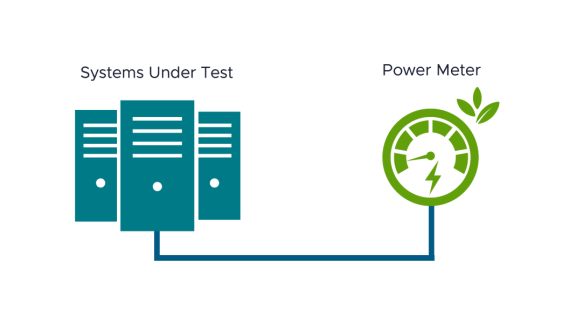
Power Meters: Three Yokogawa WT210</p>
<p><span style="color: #3b5998;"><strong>Results</strong></span><br />
To determine the maximum VMmark load supported for each power management setting, we increased the number of VMmark tiles until the cluster reached saturation, which is defined as the largest number of tiles that still meet Quality of Service (QoS) requirements. All data points are the mean of three tests in each configuration and VMmark scores are normalized to the BIOS Balanced one-tile score.</p>
<p style="text-align: center;"><a href="http://blogs.vmware.com/performance/files/2013/05/Power-management-and-VMmark25-score.png"><img class=" wp-image-1317  aligncenter" title="Effects of Power Management on VMmark 2.5 score" src="http://blogs.vmware.com/performance/files/2013/05/Power-management-and-VMmark25-score.png" alt="Effects of Power Management on VMmark 2.5 score" width="503" height="282" /></a></p>
<p style="text-align: left;">The VMmark scores were equivalent between the Performance setting and the ESXi Balanced setting with less than a 1% difference at all load levels. However, running on the BIOS Balanced setting reduced the VMmark scores an average of 15%. On the BIOS Balanced setting, the environment was no longer able to support nine tiles and, even at low loads, on average, 31% of runs failed QoS requirements; only passing runs are pictured above.</p>
<p style="text-align: left;">We also compared the improvements in energy efficiency of the two Balanced settings against the Performance setting. The Performance per Kilowatt metric, which is new to VMmark 2.5, models energy efficiency as VMmark score per kilowatt of power consumed. More efficient results will have a higher Performance per Kilowatt.</p>
<p style="text-align: center;"><a href="http://blogs.vmware.com/performance/files/2013/05/Power-management-and-energy-efficiency.png"><img class="aligncenter  wp-image-1321" title="Effects of Power Management on Energy Efficiency" src="http://blogs.vmware.com/performance/files/2013/05/Power-management-and-energy-efficiency.png" alt="Effects of Power Management on Energy Efficiency" width="493" height="287" /></a></p>
<p>Two trends are visible in this figure. As expected, the Performance setting showed the lowest energy efficiency. At every load level, ESXi Balanced was about 3% more energy efficient than the Performance setting, despite the fact that it delivered an equivalent score to Performance. The BIOS Balanced setting had the greatest energy efficiency, 20% average improvement over Performance.</p>
<p>Second, increase in load is correlated with greater energy efficiency. As the CPUs become busier, throughput increases at a faster rate than the required power. This can be understood by noting that an idle server will still consume power, but with no work to show for it. A highly utilized server is typically the most energy efficient per request completed, which is confirmed in our results. Higher energy efficiency creates cost savings in host energy consumption and in cooling costs.</p>
<p>The bursty nature of most environments leads them to sometimes idle, so we also measured each host’s idle power consumption. The Performance setting showed an average of 128 watts per host, while ESXi Balanced and BIOS Balanced consumed 85 watts per host. Although the Performance and ESXi Balanced settings performed very similarly under load, hosts using ESXi Balanced and BIOS Balanced power management consumed 33% less power while idle.</p>
<p>VMmark 2.5 scores are based on application and infrastructure workload throughput, while application latency reflects Quality of Service. For the Mail Server, Olio, and DVD Store 2 workloads, latency is defined as the application’s response time. We wanted to see how power management policies affected application latency as opposed to the VMmark score. All latencies are normalized to the lowest results.</p>
<p style="text-align: center;"><a href="http://blogs.vmware.com/performance/files/2013/05/Power-managment-and-VMmark25-latencies.png"><img class="aligncenter size-full wp-image-1323" title="Effects of Power Management on VMmark 2.5 Latencies" src="http://blogs.vmware.com/performance/files/2013/05/Power-managment-and-VMmark25-latencies.png" alt="Effects of Power Management on VMmark 2.5 Latencies" width="1122" height="433" /></a></p>
<p>Whereas the Performance and ESXi Balanced latencies tracked closely, BIOS Balanced latencies were significantly higher at all load levels. Furthermore, latencies were unpredictable even at low load levels, and for this reason, 31% of runs between one and eight tiles failed; these runs are omitted from the figure above. For example, half of the BIOS Balanced runs did not pass QoS requirements at four tiles. These higher latencies were the result of aggressive power saving by the BIOS Balanced policy.</p>
<p>Our tests showed that ESXi’s Balanced power management policy didn’t affect throughput or latency compared to the Performance policy, but did improve energy efficiency by 3%. While the BIOS-controlled Balanced policy improved power efficiency by an average of 20% over Performance, it was so aggressive in cutting power that it often caused VMmark to fail QoS requirements.</p>
<p>Overall, the BIOS controlled Balanced policy produced substantial efficiency gains but with unpredictable performance, failed runs, and reduced performance at all load levels. This policy may still be suitable for some workloads which can tolerate this unpredictability, but should be used with caution. On the other hand, the ESXi Balanced policy produced modest efficiency gains while doing an excellent job protecting performance across all load levels. These findings make us confident that the ESXi Balanced policy is a good choice for most types of virtualized applications.</p>
]]></content:encoded>
			<wfw:commentRss>http://blogs.vmware.com/performance/2013/05/power-management-and-performance-in-esxi-5-1.html/feed</wfw:commentRss>
		<slash:comments>0</slash:comments>
		</item>
		<item>
		<title>VMware Horizon View 5.2 Performance &amp; Best Practices and A Performance Deep Dive on Hardware Accelerated 3D Graphics</title>
		<link>http://blogs.vmware.com/performance/2013/05/vmware-horizon-view-5-2-performance-best-practices-and-a-performance-deep-dive-on-hardware-accelerated-3d-graphics.html</link>
		<comments>http://blogs.vmware.com/performance/2013/05/vmware-horizon-view-5-2-performance-best-practices-and-a-performance-deep-dive-on-hardware-accelerated-3d-graphics.html#comments</comments>
		<pubDate>Tue, 14 May 2013 06:52:20 +0000</pubDate>
		<dc:creator>Banit Agrawal</dc:creator>
				<category><![CDATA[Uncategorized]]></category>
		<category><![CDATA[3D Graphics]]></category>
		<category><![CDATA[3D performance]]></category>
		<category><![CDATA[best practice]]></category>
		<category><![CDATA[Horizon View 5.2]]></category>
		<category><![CDATA[vmware]]></category>
		<category><![CDATA[VMware View]]></category>
		<category><![CDATA[vSGA]]></category>

		<guid isPermaLink="false">http://blogs.vmware.com/performance/?p=1303</guid>
		<description><![CDATA[VMware Horizon View 5.2 simplifies desktop and application management while increasing security and control and delivers a personalized high fidelity experience for end-users across sessions and devices. It enables higher availability and agility of desktop services unmatched by traditional PCs &#8230; <a href="http://blogs.vmware.com/performance/2013/05/vmware-horizon-view-5-2-performance-best-practices-and-a-performance-deep-dive-on-hardware-accelerated-3d-graphics.html">Continue reading <span class="meta-nav">&#8594;</span></a>]]></description>
			<content:encoded><![CDATA[<p>VMware Horizon View 5.2 simplifies desktop and application management while increasing security and control and delivers a personalized high fidelity experience for end-users across sessions and devices. It enables higher availability and agility of desktop services unmatched by traditional PCs while reducing the total cost of desktop ownership and end-users can enjoy new levels of productivity and the freedom to access desktops from more devices and locations while giving IT greater policy control.</p>
<p>Recently, we published two whitepapers to provide a performance deep-dive on Horizon View 5.2 performance and hardware accelerated 3D graphics (vSGA) feature. The links to these whitepapers are as follows:</p>
<p>* <a href="http://www.vmware.com/resources/techresources/10364">VMware Horizon View 5.2 Performance and Best Practices</a><br />
* <a href="http://www.vmware.com/resources/techresources/10365">VMware Horizon View 5.2 and Hardware Accelerated 3D Graphics</a></p>
<p>The first whitepaper describes View 5.2 new features, including access of View desktops with Horizon, space efficient sparse (SEsparse) disks, hardware accelerated 3D graphics, and full support of Windows 8 desktops. View 5.2 performance improvements in PCoIP and View management are highlighted. In addition, this paper presents View 5.2 PCoIP performance results, Windows 8 and RDP 8 performance analysis, and a vSGA performance analysis, including how vSGA compares to the software renderer support introduced in View 5.1.</p>
<p>The second whitepaper goes in-depth on the support for hardware accelerated 3D graphics that debuted with VMware vSphere 5.1 and VMware Horizon View 5.2 and presents performance and consolidation results for a number of different workloads, ranging from knowledge workers using 3D desktops to performance-intensive CAD-based workloads. Because the intensity of a 3D workload will vary greatly from user to user and application to application, rather than highlighting specific case studies, we demonstrate how the solution efficiently scales for both light- and heavy-weight 3D workloads, until GPU or CPU resources are fully utilized. This paper also presents key best practices to extract peak performance from a 3D View 5.2 deployment.</p>
]]></content:encoded>
			<wfw:commentRss>http://blogs.vmware.com/performance/2013/05/vmware-horizon-view-5-2-performance-best-practices-and-a-performance-deep-dive-on-hardware-accelerated-3d-graphics.html/feed</wfw:commentRss>
		<slash:comments>2</slash:comments>
		</item>
		<item>
		<title>Virtualized Hadoop Performance with vSphere 5.1</title>
		<link>http://blogs.vmware.com/performance/2013/04/virtualized-hadoop-performance-with-vsphere-5-1.html</link>
		<comments>http://blogs.vmware.com/performance/2013/04/virtualized-hadoop-performance-with-vsphere-5-1.html#comments</comments>
		<pubDate>Fri, 19 Apr 2013 17:49:02 +0000</pubDate>
		<dc:creator>Jeffrey Buell</dc:creator>
				<category><![CDATA[Web/Tech]]></category>

		<guid isPermaLink="false">http://blogs.vmware.com/performance/?p=1293</guid>
		<description><![CDATA[In an earlier paper on a small seven-host cluster it was shown that Hadoop can be virtualized with little overhead, and that better-than-native performance can be achieved with the right configuration. However, the reasons for the observed performance behavior were &#8230; <a href="http://blogs.vmware.com/performance/2013/04/virtualized-hadoop-performance-with-vsphere-5-1.html">Continue reading <span class="meta-nav">&#8594;</span></a>]]></description>
			<content:encoded><![CDATA[<p>In an earlier <a title="A Benchmarking Case Study of Virtualized Hadoop Performance on VMware vSphere 5" href="http://www.vmware.com/resources/techresources/10222">paper</a> on a small seven-host cluster it was shown that Hadoop can be virtualized with little overhead, and that better-than-native performance can be achieved with the right configuration. However, the reasons for the observed performance behavior were not well understood. Recently, this work was refreshed with a larger cluster of 32 high-performance hosts running VMware vSphere® 5.1. The performance of native and several virtual configurations was compared for three applications. The apples-to-apples case of a single virtual machine per host shows performance close to that of native. Improvements in elapsed time of up to 13% for the most important application (TeraSort) can be achieved by partitioning each host into two or four virtual machines, resulting in competitive or even better than native performance as shown in the figure below (number of VMs is per host, and a lower ratio is better). Details of the results are in a new whitepaper: &#8220;<a title="Virtualized Hadoop Performance with VMware vSphere 5.1" href="http://www.vmware.com/resources/techresources/10360">Virtualized Hadoop Performance with VMware vSphere 5.1</a>&#8220;. The paper also discusses the use of several performance tools and models to gain a better understanding of both the sources of virtualization overhead and the reasons why configuring multiple smaller virtual machines per host can enhance performance. Based on this, recommendations for optimal hardware and software configuration are also given.<a href="http://blogs.vmware.com/performance/files/2013/04/elapsed_time.jpg"><img class="alignnone size-full wp-image-1294" title="Ratio of elapsed time to native" src="http://blogs.vmware.com/performance/files/2013/04/elapsed_time.jpg" alt="" width="960" height="720" /></a></p>
]]></content:encoded>
			<wfw:commentRss>http://blogs.vmware.com/performance/2013/04/virtualized-hadoop-performance-with-vsphere-5-1.html/feed</wfw:commentRss>
		<slash:comments>0</slash:comments>
		</item>
		<item>
		<title>Performance Enhancements in View 5.2</title>
		<link>http://blogs.vmware.com/performance/2013/03/performance-enhancements-in-view-5-2.html</link>
		<comments>http://blogs.vmware.com/performance/2013/03/performance-enhancements-in-view-5-2.html#comments</comments>
		<pubDate>Tue, 05 Mar 2013 00:27:36 +0000</pubDate>
		<dc:creator>Lawrence Spracklen</dc:creator>
				<category><![CDATA[Uncategorized]]></category>

		<guid isPermaLink="false">http://blogs.vmware.com/performance/?p=1266</guid>
		<description><![CDATA[View 5.2 became generally available today, and we wanted to take this opportunity to present a high-level overview of some of the performance enhancements that debut with View 5.2 and PCoIP. In this release, PCoIP&#8217;s image cache has been significantly &#8230; <a href="http://blogs.vmware.com/performance/2013/03/performance-enhancements-in-view-5-2.html">Continue reading <span class="meta-nav">&#8594;</span></a>]]></description>
			<content:encoded><![CDATA[<p>View 5.2 became generally available today, and we wanted to take this opportunity to present a high-level overview of some of the performance enhancements that debut with View 5.2 and PCoIP. In this release, PCoIP&#8217;s image cache has been significantly improved to allow users on memory constrained devices to run with much smaller cache sizes; firstly, support was introduced to efficiently handle situations where image content is shifted vertically, as occurs during scroll operations. Secondly, View 5.2 debuts improved cache compression algorithms that provide significant additional compression of the View client&#8217;s image cache. Finally, the cache&#8217;s handling of progressive build operations has been made significantly more efficient. All of these enhancements combine to allow users to derive significant bandwidth reductions using considerably smaller cache sizes than was achievable with View 5.1:</p>
<p><a href="http://blogs.vmware.com/performance/files/2013/03/view52-2.png"><img class=" wp-image-1272 alignnone" title="view52-2" src="http://blogs.vmware.com/performance/files/2013/03/view52-2.png" alt="" width="706" height="336" /></a></p>
<p>The above figure illustrates that, for typical office workflows, running View 5.2 with up to a 5X smaller cache can still deliver significant bandwidth savings; a 90MB View 5.2 cache was found to deliver comparable performance to View 5.1 configured with a 250MB cache, and even a 50MB View 5.2 cache delivered the majority of the bandwidth reduction benefits observed from View 5.1 configured with a 250MB cache. This up to 5X reduction in cache size can be a compelling option for memory constrained thin clients or tablet devices. The maximum image cache size can be configured via GPOs or set on the client device.</p>
<p>Alternatively, users can continue to leverage the default 250MB cache size in View 5.2 and will see reduced bandwidth utilization in comparison with View 5.1:</p>
<p><a href="http://blogs.vmware.com/performance/files/2013/03/view52-12.png"><img class="alignnone size-full wp-image-1277" title="view52-1" src="http://blogs.vmware.com/performance/files/2013/03/view52-12.png" alt="" width="535" height="290" /></a></p>
<p>The above figure illustrates the average bandwidth utilization observed for View 5.2 during a VMware View Planner run in two different WAN environments for out-of-the-box PCoIP configurations. The results are normalized to the View 5.1 baseline, and illustrate that in the 2 Mb/s environment, the average session bandwidth is reduced by around 6%. Moreover, in the “extreme WAN&#8221; environment, View 5.2 delivers almost 10% reduction in bandwidth utilization, compared with View 5.1. These reductions can be compelling when consolidating View sessions from a branch office onto a limited capacity link, or when users are connecting over congested WiFi connections. Furthermore, as would be expected, reducing the number of image blocks being encoded, not only reduces the bandwidth utilization, but also has the benefit of improving interactivity (faster transmission of updates and the opportunity for higher frame rates, given the reduced bandwidth utilization) and reducing CPU consumption (less encoding work being done).</p>
<p>Finally, other PCoIP enhancements that debut with View 5.2 include:</p>
<p>1.<strong> GPO settings take immediate effect</strong>: many of the performance orientated GPO settings now take effect immediately, allowing users or administrators to closely customize the behavior of their PCoIP sessions.</p>
<p>2. <strong>Relative mouse support</strong>: previously, support was only provided for absolute mode. However, for certain 3D applications relative mouse is required and support is introduced on View 5.2.</p>
<p>We will cover all of these optimizations in greater detail in an upcoming View 5.2 Performance and Best Practices Whitepaper.</p>
]]></content:encoded>
			<wfw:commentRss>http://blogs.vmware.com/performance/2013/03/performance-enhancements-in-view-5-2.html/feed</wfw:commentRss>
		<slash:comments>1</slash:comments>
		</item>
		<item>
		<title>Technical deep dive on VMware VIew Planner</title>
		<link>http://blogs.vmware.com/performance/2013/02/technical-deep-dive-on-vmware-view-planner.html</link>
		<comments>http://blogs.vmware.com/performance/2013/02/technical-deep-dive-on-vmware-view-planner.html#comments</comments>
		<pubDate>Tue, 26 Feb 2013 23:28:09 +0000</pubDate>
		<dc:creator>Banit Agrawal</dc:creator>
				<category><![CDATA[Uncategorized]]></category>

		<guid isPermaLink="false">http://blogs.vmware.com/performance/?p=1252</guid>
		<description><![CDATA[In our prior VMworld sessions and performance white papers, we have presented user experience performance results based on VMware View® Planner, a tool that can generate workloads that are representative of many user-initiated operations in VDI environments. While we have discussed briefly about &#8230; <a href="http://blogs.vmware.com/performance/2013/02/technical-deep-dive-on-vmware-view-planner.html">Continue reading <span class="meta-nav">&#8594;</span></a>]]></description>
			<content:encoded><![CDATA[<p>In our prior VMworld sessions and performance white papers, we have presented user experience performance results based on VMware View® Planner, a tool that can generate workloads that are representative of many user-initiated operations in VDI environments. While we have discussed briefly about this tool in prior occasions, there have been many requests to get the architectural details and inner working of the tool. To provide more deep dive and technical details on View Planner, we have recently published an article in the recent release of VMware technical journal (<a title="VMTJ Winter 2012" href="http://labs.vmware.com/publications/vmtj-winter2012" target="_blank">VMTJ Winter 2012</a>), which can be found here: <a title="VMware View Planner: Measuring True Desktop Experience at Scale" href="http://labs.vmware.com/publications/view-vmtj-winter2012" target="_blank">VMware View Planner: Measuring True Virtual Desktop at Scale</a>.</p>
<p>View Planner supports typical VDI user operations and also administrator&#8217;s management operations that can be configured to allow VDI evaluators to more accurately represent their particular environment. In this paper, we describe the challenges in building such a workload generator and the platform around it, as well as the View Planner architecture and use cases. We also explain how we used View Planner to perform platform characterization and consolidation studies, find potential performance optimizations and several other use cases.</p>
]]></content:encoded>
			<wfw:commentRss>http://blogs.vmware.com/performance/2013/02/technical-deep-dive-on-vmware-view-planner.html/feed</wfw:commentRss>
		<slash:comments>0</slash:comments>
		</item>
		<item>
		<title>Exploring Generational Differences in Performance and Energy Efficiency Using VMware VMmark 2.5</title>
		<link>http://blogs.vmware.com/performance/2013/02/exploring-generational-differences-in-performance-and-energy-efficiency-using-vmware-vmmark-2-5.html</link>
		<comments>http://blogs.vmware.com/performance/2013/02/exploring-generational-differences-in-performance-and-energy-efficiency-using-vmware-vmmark-2-5.html#comments</comments>
		<pubDate>Tue, 12 Feb 2013 20:50:46 +0000</pubDate>
		<dc:creator>Rebecca Grider</dc:creator>
				<category><![CDATA[Science]]></category>
		<category><![CDATA[Web/Tech]]></category>
		<category><![CDATA[energy efficiency]]></category>
		<category><![CDATA[Performance]]></category>
		<category><![CDATA[power]]></category>
		<category><![CDATA[VMmark]]></category>
		<category><![CDATA[VMware VMmark]]></category>
		<category><![CDATA[vsphere]]></category>

		<guid isPermaLink="false">http://blogs.vmware.com/performance/?p=1201</guid>
		<description><![CDATA[Each new generation of servers brings advances in hardware components. For IT professionals purchasing or managing new generations of hardware, it’s vital to understand how these incremental hardware improvements translate into real-world gains in the datacenter. Using the VMware VMmark &#8230; <a href="http://blogs.vmware.com/performance/2013/02/exploring-generational-differences-in-performance-and-energy-efficiency-using-vmware-vmmark-2-5.html">Continue reading <span class="meta-nav">&#8594;</span></a>]]></description>
			<content:encoded><![CDATA[<p>Each new generation of servers brings advances in hardware components. For IT professionals purchasing or managing new generations of hardware, it’s vital to understand how these incremental hardware improvements translate into real-world gains in the datacenter. Using the VMware VMmark 2.5 virtualization benchmark, we compared performance and energy efficiency of two different generations of servers in four-node clusters.</p>
<p>VMmark 2.5 is a multi-host virtualization benchmark that uses varied application workloads as well as common datacenter operations to model the demands of the datacenter. VMs running diverse application workloads are grouped into units of load called tiles. For more details, see the <a href="http://blogs.vmware.com/performance/2012/12/vmmark-2-5-released.html">VMmark 2.5 overview</a>.</p>
<p><span style="color: #3b5998;"><strong>Testing Methodology</strong></span><br />
All tests were conducted on two four-node clusters running VMware vSphere 5.1. We compared performance and energy efficiency between a cluster of previous generation Dell R310 servers, and a cluster of current generation Dell R620 servers. For simplicity, we refer to these as the ‘old cluster’ and ‘new cluster,’ respectively. Among other hardware differences, the old cluster servers contained four-core Intel Nehalem processors while the new cluster servers contained eight-core Intel Sandy Bridge EP processors. Memory in the newer servers was appropriately scaled up to accommodate their increased processing power and represents common current server configurations. Software and storage configurations were identical between clusters.</p>
<p><span style="color: #3b5998;"><strong>Configuration</strong></span><br />
<em>Old Cluster</em><br />
Systems Under Test: Four Dell PowerEdge R310 servers<br />
CPUs (per server): One Quad-Core Intel® Xeon® X3460 @ 2.8 GHz, Hyper-Threading enabled<br />
Memory (per server): 32GB DDR3 ECC @ 800 MHz</p>
<p><em>New Cluster</em><br />
Systems Under Test: Four Dell PowerEdge R620 servers<br />
CPUs (per server): One Eight-Core Intel® Xeon® E5-2665 @ 2.4 GHz, Hyper-Threading enabled<br />
Memory (per server): 96GB DDR3 ECC @ 1067 MHz</p>
<p>Storage Array: EMC VNX5700<br />
&nbsp;&nbsp;&nbsp;&nbsp;&nbsp;&nbsp;&nbsp;&nbsp;62 Enterprise Flash Drives (SSDs), RAID 0, grouped as 3 x 8 SSD LUNs, 7 x 5 SSD LUNs, and 1 x 3 SSD LUN<br />
Hypervisor: VMware vSphere 5.1.0<br />
Virtualization Management: VMware vCenter Server 5.1.0<br />
VMmark version: 2.5</p>
<p><span style="color: #3b5998;"><strong>Results</strong></span><br />
To determine the maximum VMmark load the old cluster could support, we increased the number of VMmark tiles until the cluster reached saturation, which is defined as the largest number of tiles that still meet Quality of Service (QoS) requirements. We then tested the new cluster at the same number of tiles. All data points are the mean of four tests in each configuration and VMmark scores are normalized to the old cluster’s performance.
<p style="text-align: center;"><a href="http://blogs.vmware.com/performance/files/2013/02/Figure1_VMmark_Grider.png"><img class="aligncenter  wp-image-1216" title="Generational Comparison Using VMmark 2.5 at 4 Tiles" src="http://blogs.vmware.com/performance/files/2013/02/Figure1_VMmark_Grider2.png" alt="" width="454" height="401" /></a></p>
<p>The new cluster had a 32% higher VMmark score in combination with a 41% lower CPU utilization. The new cluster also showed a 24% increase in energy efficiency over the old cluster, which we&#8217;ll discuss further below. At four tiles, the old cluster was bottlenecked on CPU, resulting in decreased workload throughput, while the new cluster was not. With CPU resources to spare, the new cluster met the requested load at lower latencies, which increased its total throughput and score. Mean I/O latencies remained low for both clusters at 1.2ms reads and 1.1ms writes for the old cluster and 1.0ms reads and 0.9ms writes for the new cluster.</p>
<p>We next determined the maximum VMmark load the new cluster could support. While the old cluster was saturated at four tiles, the new cluster accommodated more than twice the load at nine tiles and produced a score 120% higher than the old cluster. Mean I/O latencies remained low at 1.0ms.</p>
<p style="text-align: center;"><a href="http://blogs.vmware.com/performance/files/2013/02/Figure2_VMmark_Grider.png" target="_blank"><img class=" wp-image-1220  aligncenter" title="Generational Comparison Using VMmark 2.5 at Saturation" src="http://blogs.vmware.com/performance/files/2013/02/Figure2_VMmark_Grider.png" alt="Click to enlarge" width="454" height="403" /></a></p>
<p>The performance advantages of the R620 over the R310 were largely due to the generational improvements of the R620’s eight-core E5-2665 processor versus the R310’s four-core x3460 processor, which includes improved bus speeds and larger L3 cache, and the R620’s increased memory.</p>
<p>These performance results suggest that it would be possible to replace four Dell R310 servers with two Dell R620 servers and expect better than equivalent performance. We put this to the test by removing two nodes from the new cluster and found that the two remaining nodes did support four tiles at 93% utilization, with an 11% higher VMmark score and 74% greater energy efficiency than the four-host old cluster.</p>
<p>Beyond their raw performance capability, we also compared the two server generations on their energy efficiency. The Performance per Kilowatt metric, which is new to VMmark 2.5, models energy efficiency as VMmark score per kilowatt of power consumed. Below, we’ve plotted energy efficiency against the normalized VMmark score. Both clusters were run with their servers’ power management set to &#8220;maximum performance.&#8221;</p>
<p style="text-align: center;"><a href="http://blogs.vmware.com/performance/files/2013/02/Figure3_VMmark_Grider.png" target="_blank"><img class="aligncenter  wp-image-1225" title="Energy Efficiency as a Function of VMmark 2.5 Score" src="http://blogs.vmware.com/performance/files/2013/02/Figure3_VMmark_Grider.png" alt="Energy Efficiency as a Function of VMmark 2.5 Score" width="382" height="338" /></a></p>
<p>Two trends emerge from this figure. First, at four tiles, the four-host new cluster accomplishes more work at higher energy efficiency than the old cluster. Across the board, the new cluster is more energy efficient than the old cluster. Second, within the four-host new cluster, greater energy efficiency is correlated with increase in VMmark score. As the CPUs become busier, performance increases at a faster rate than the required power. This can be understood by noting that an idle server will still consume power, but with no performance to show for it. A highly utilized server is typically the most energy efficient per request completed, which is confirmed by the two-host new cluster that achieved high efficiency at 93% utilization. Higher energy efficiency creates cost savings in energy consumption and in cooling costs.</p>
<p>Our investigation shows that, while running vSphere 5.1, two newer Dell R620 servers are capable of supporting a greater load than four older Dell R310 servers. Because the Dell R620 performance is more than double that of the Dell R310, a four-node Dell R620 cluster reached a 120% higher maximum score than the Dell R310 cluster. In addition to its performance advantages, at each load level the Dell R620 cluster performed with greater energy efficiency, showing that the Dell R620 has superior performance but also has greater energy efficiency than the Dell R310.</p>
]]></content:encoded>
			<wfw:commentRss>http://blogs.vmware.com/performance/2013/02/exploring-generational-differences-in-performance-and-energy-efficiency-using-vmware-vmmark-2-5.html/feed</wfw:commentRss>
		<slash:comments>0</slash:comments>
		</item>
		<item>
		<title>vCloud Director 5.1 Performance and Best Practices</title>
		<link>http://blogs.vmware.com/performance/2013/01/vcloud-director-5-1-performance-and-best-practices.html</link>
		<comments>http://blogs.vmware.com/performance/2013/01/vcloud-director-5-1-performance-and-best-practices.html#comments</comments>
		<pubDate>Thu, 31 Jan 2013 05:00:40 +0000</pubDate>
		<dc:creator>Xuwen Yu</dc:creator>
				<category><![CDATA[Uncategorized]]></category>

		<guid isPermaLink="false">http://blogs.vmware.com/performance/?p=1191</guid>
		<description><![CDATA[VMware vCloud Director 5.1 gives enterprise organizations the ability to build secure private clouds that dramatically increase datacenter efficiency and business agility. Coupled with VMware vSphere, vCloud Director delivers cloud computing for existing datacenters by pooling virtual infrastructure resources and &#8230; <a href="http://blogs.vmware.com/performance/2013/01/vcloud-director-5-1-performance-and-best-practices.html">Continue reading <span class="meta-nav">&#8594;</span></a>]]></description>
			<content:encoded><![CDATA[<p>VMware vCloud Director 5.1 gives enterprise organizations the ability to build secure private clouds that dramatically increase datacenter efficiency and business agility. Coupled with VMware vSphere, vCloud Director delivers cloud computing for existing datacenters by pooling virtual infrastructure resources and delivering them to users as catalog-based services.  vCloud Director 5.1 helps helps IT professionals build agile infrastructure-as-a-service (IaaS)  cloud environments that greatly accelerate the time-to-market for applications and responsiveness of IT organizations.</p>
<p>This white paper addresses three areas regarding vCloud Director performance:</p>
<ul>
<li>vCloud Director sizing guidelines and software requirements</li>
<li>Performance characterization and best practices for key vCloud Director operations and new features</li>
<li>Best practices in improving performance and tuning vCloud Director architecture</li>
</ul>
<p>For more details and performance tips, please refer to <a href="http://www.vmware.com/files/pdf/techpaper/VMware-vCloud-Director51-Perf.pdf">VMware vCloud Director 5.1 Performance and Best Practices</a>.</p>
]]></content:encoded>
			<wfw:commentRss>http://blogs.vmware.com/performance/2013/01/vcloud-director-5-1-performance-and-best-practices.html/feed</wfw:commentRss>
		<slash:comments>1</slash:comments>
		</item>
		<item>
		<title>vSphere 5.1 IOPS Performance Characterization on Flash-based Storage</title>
		<link>http://blogs.vmware.com/performance/2013/01/vsphere-5-1-iops-performance-characterization-on-flash-based-storage.html</link>
		<comments>http://blogs.vmware.com/performance/2013/01/vsphere-5-1-iops-performance-characterization-on-flash-based-storage.html#comments</comments>
		<pubDate>Wed, 09 Jan 2013 17:55:32 +0000</pubDate>
		<dc:creator>Joshua Schnee</dc:creator>
				<category><![CDATA[Uncategorized]]></category>
		<category><![CDATA[Web/Tech]]></category>

		<guid isPermaLink="false">http://blogs.vmware.com/performance/?p=1174</guid>
		<description><![CDATA[At VMworld 2012 we demonstrated a single eight-way VM running on vSphere 5.1 exceeding one million IOPS.  This testing illustrated the high end IOPS performance of vSphere 5.1. In a new series of tests we have completed some additional characterization &#8230; <a href="http://blogs.vmware.com/performance/2013/01/vsphere-5-1-iops-performance-characterization-on-flash-based-storage.html">Continue reading <span class="meta-nav">&#8594;</span></a>]]></description>
			<content:encoded><![CDATA[<p>At VMworld 2012 we <a href="http://blogs.vmware.com/performance/2012/08/1millioniops-on-1vm.html">demonstrated</a> a single eight-way VM running on vSphere 5.1 exceeding one million IOPS.  This testing illustrated the high end IOPS performance of vSphere 5.1.</p>
<p>In a new series of tests we have completed some additional characterization of high I/O performance using a very similar environment. The only difference between the 1 million IOPS test environment and the one used for these tests is that the number of Violin Memory Arrays was reduced from two to one (one of the arrays was a short term loan).</p>
<p><strong>Configuration:</strong><br />
Hypervisor: vSphere 5.1<br />
Server: HP DL380 Gen8<br />
CPU: Two Intel Xeon E5-2690, HyperThreading disabled<br />
Memory: 256GB<br />
HBAs: Five QLogic QLE2562<br />
Storage: One Violin Memory 6616 Flash Memory Array<br />
VM: Windows Server 2008 R2, 8 vCPUs and 48GB.<br />
Iometer Configuration: Random, 4KB I/O size with 16 workers</p>
<p>We continued to characterize the performance of vSphere 5.1 and the Violin array across a wider range of configurations and workload conditions.</p>
<p>Based on the types of questions that we often get from customers, we focused on RDM versus VMFS5 comparisons and the usage of various I/O sizes.  In the first series of experiments we compared RDM versus VMFS5 backed datastores using 100% read workload mix while ramping up the I/O size.</p>
<div id="attachment_1182" class="wp-caption aligncenter" style="width: 868px"><a href="http://blogs.vmware.com/performance/files/2013/01/ReadOnly1.png"><img class="size-full wp-image-1182" title="Comparison of RDM versus VMFS5 using 100% Read I/O " src="http://blogs.vmware.com/performance/files/2013/01/ReadOnly1.png" alt="" width="858" height="589" /></a><p class="wp-caption-text">click to enlarge</p></div>
<p>As you can see from the above graph, VMFS5 yielded roughly equivalent performance to that of RDM backed datastores.  Comparing the average of the deltas across all data points showed performance within 1% of RDM for both IOPS and MB/s.  As expected, the number of IOPS decreased after we exceed the default array block size of 4KB, but the throughput continued to scale, approaching 4500 MB/s at both 8KB and 16KB sizes.</p>
<p>For our second series of experiments, we continued to compare RDM versus VMFS5 backed datastores through a progression of block sizes, but this time we altered the workload mix to include 60% reads and 40% writes.</p>
<div id="attachment_1184" class="wp-caption aligncenter" style="width: 875px"><a href="http://blogs.vmware.com/performance/files/2013/01/ReadWrite.png"><img class="size-full wp-image-1184" title="Comparison of RDM versus VMFS5 using 60% Read and 40% Write I/O " src="http://blogs.vmware.com/performance/files/2013/01/ReadWrite.png" alt="" width="865" height="592" /></a><p class="wp-caption-text">click to enlarge</p></div>
<p>Violin Memory arrays use a 4KB sector size and perform at their optimal level when managing 4KB blocks. This is very visible in the above IOPS results at the 4KB block size. In the above graph, comparing RDM and VMFS5 IOPS, you can see that VMFS5 performs very well with a 60% read, 40% write mix.  Throughputs continued to scale in a similar fashion as the read-only experimentation and VMFS5 performance for both IOPS and MB/s were within .01% of RDM performance when comparing the average of the deltas across all data points.</p>
<p>The amount of I/O, with just one eight-way VM running on one Violin storage array, is both considerable and sustainable at many I/O sizes.  It’s also noteworthy to point out that running a 60% read and 40% write I/O mix still generated substantial IOPs and bandwidth. While in most cases a single VM won’t need to drive nearly this much I/O traffic, these experiments show that vSphere 5.1 is more than capable of handling it.</p>
]]></content:encoded>
			<wfw:commentRss>http://blogs.vmware.com/performance/2013/01/vsphere-5-1-iops-performance-characterization-on-flash-based-storage.html/feed</wfw:commentRss>
		<slash:comments>3</slash:comments>
		</item>
		<item>
		<title>VMmark 2.5 Released</title>
		<link>http://blogs.vmware.com/performance/2012/12/vmmark-2-5-released.html</link>
		<comments>http://blogs.vmware.com/performance/2012/12/vmmark-2-5-released.html#comments</comments>
		<pubDate>Tue, 11 Dec 2012 00:00:20 +0000</pubDate>
		<dc:creator>Bruce Herndon</dc:creator>
				<category><![CDATA[Uncategorized]]></category>

		<guid isPermaLink="false">http://blogs.vmware.com/performance/?p=1169</guid>
		<description><![CDATA[I am pleased to announce the release of VMmark 2.5, the latest edition of VMware’s multi-host consolidation benchmark. The most notable change in VMmark 2.5 is the addition of optional power measurements for servers and servers plus storage. This capability &#8230; <a href="http://blogs.vmware.com/performance/2012/12/vmmark-2-5-released.html">Continue reading <span class="meta-nav">&#8594;</span></a>]]></description>
			<content:encoded><![CDATA[<p>I am pleased to announce the release of <a title="VMmark 2.5 page" href="http://www.vmware.com/products/vmmark/overview.html">VMmark 2.5</a>, the latest edition of VMware’s multi-host consolidation benchmark. The most notable change in VMmark 2.5 is the addition of optional power measurements for servers and servers plus storage. This capability will assist IT architects who wish to consider trade-offs in performance and power consumption when designing datacenters or evaluating new and emerging technologies, such as flash-based storage.</p>
<p>VMmark 2.5 contains a number of other improvements including:</p>
<ul>
<li>Support for the VMware vCenter Server Appliance.</li>
<li>Support for VMmark 2.5 message and results delivery via Growl/Prowl.</li>
<li>Support for PowerCLI 5.1.</li>
<li>Updated workload virtual machine templates made from SLES for VMware, a free use version of SLES 11 SP2.</li>
<li>Improved pre-run initialization checking.</li>
</ul>
<p>Full release notes can be found <a title="VMmark 2.5 release notes" href="https://www.vmware.com/files/pdf/downloads/vmware-vmmark-2_5-release-notes.pdf">here</a>.</p>
<p>Over the past two years since its initial release, VMmark 2.x has become the most widely-published virtualization benchmark with over fifty published results. We expect VMmark 2.5 and its new capabilities to continue that momentum. Keep an eye out for new power and power-performance results from our hardware partners as well as a series of upcoming blog entries presenting interesting power-performance experiments from the VMmark team.</p>
<p>The power measurement capability in VMmark 2.5 utilizes the SPEC®™ PTDaemon (Power Temperature Daemon). The PTDaemon provides a straightforward and reliable building block with support for the many power analyzers that have passed the SPEC Power Analyzer Acceptance Test.</p>
<p>All currently published VMmark 2.0 and 2.1 results are comparable to VMmark 2.5 performance-only results. Beginning on January 8<sup>th</sup> 2013, any submission of benchmark results must use the VMmark 2.5 benchmark kit.</p>
]]></content:encoded>
			<wfw:commentRss>http://blogs.vmware.com/performance/2012/12/vmmark-2-5-released.html/feed</wfw:commentRss>
		<slash:comments>3</slash:comments>
		</item>
		<item>
		<title>Turbo-charge View Video Performance</title>
		<link>http://blogs.vmware.com/performance/2012/10/turbo-charge-view-video-performance.html</link>
		<comments>http://blogs.vmware.com/performance/2012/10/turbo-charge-view-video-performance.html#comments</comments>
		<pubDate>Mon, 22 Oct 2012 21:14:10 +0000</pubDate>
		<dc:creator>Lawrence Spracklen</dc:creator>
				<category><![CDATA[Uncategorized]]></category>
		<category><![CDATA[PCoIP]]></category>
		<category><![CDATA[VDI]]></category>
		<category><![CDATA[VMware View]]></category>

		<guid isPermaLink="false">http://blogs.vmware.com/performance/?p=1158</guid>
		<description><![CDATA[For desktop VMs using VMXnet3 NICs, you can significantly improve the peak video playback performance of your View desktop by simply setting the following registry setting to the value recommended by Microsoft: HKLM\System\CurrentControlSet\Services\Afd\Parameters\FastSendDatagramThreshold to 1500 [As discussed in a Microsoft &#8230; <a href="http://blogs.vmware.com/performance/2012/10/turbo-charge-view-video-performance.html">Continue reading <span class="meta-nav">&#8594;</span></a>]]></description>
			<content:encoded><![CDATA[<p>For desktop VMs using VMXnet3 NICs, you can significantly improve the peak video playback performance of your View desktop by simply setting the following registry setting to the value recommended by Microsoft:</p>
<p>HKLM\System\CurrentControlSet\Services\Afd\Parameters\FastSendDatagramThreshold to 1500</p>
<p>[As discussed in a Microsoft KB article <a href="http://support.microsoft.com/kb/235257" target="_self">here</a>]</p>
<p>[N.B. A reboot of the desktop VM is required after changing this registry setting]</p>
<p>When running full-screen videos at 1080p resolution on a 2vCPU desktop, we see this deliver frame-rate improvements of up to 1.4X.</p>
<p><strong>So, what does this do and why does it deliver these benefits?</strong></p>
<p>The VMXNET3 adapter is a paravirtualized NIC designed for performance that, as of vSphere 5, supports interrupt coalescing. Virtual interrupt coalescing is similar to a physical NICs interrupt moderation and is useful in improving CPU efficiency for high throughput workloads. Unfortunately, out-of-the-box, Windows does not benefit from interrupt coalescing in many scenarios (those sending packets larger than 1024-bytes), because after sending a packet, Windows waits for a completion interrupt to be delivered before sending the next packet. By setting ParametersFastSendDatagramThreshold to the Microsoft recommended value of 1500 bytes you instruct Windows not to wait for the completion interrupt even when sending larger packets. Accordingly, you are allowing View and PCoIP (as well as other applications that send larger packets) to benefit from interrupt coalescing – reducing CPU load and improving network throughput for PCoIP  &#8212; which translates into significantly improved video playback performance.</p>
]]></content:encoded>
			<wfw:commentRss>http://blogs.vmware.com/performance/2012/10/turbo-charge-view-video-performance.html/feed</wfw:commentRss>
		<slash:comments>9</slash:comments>
		</item>
	</channel>
</rss><!-- Dynamic page generated in 0.104 seconds. --><!-- Cached page generated by WP-Super-Cache on 2013-05-23 11:05:25 -->