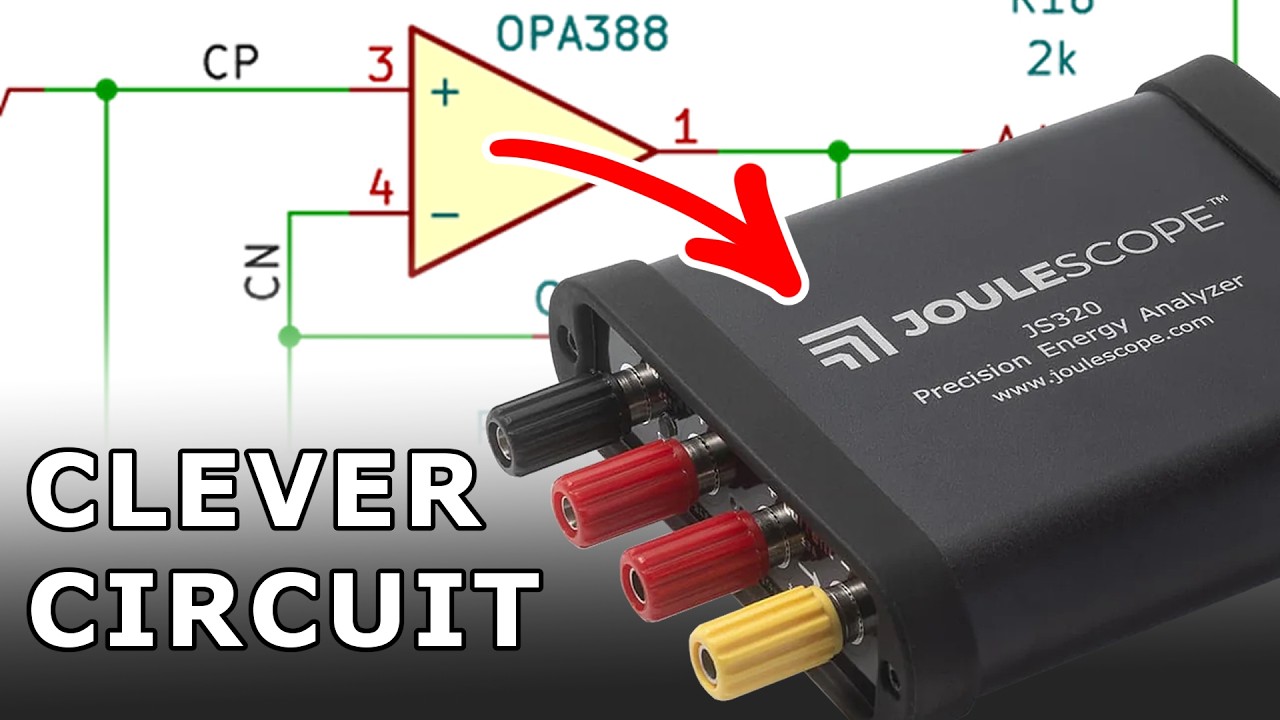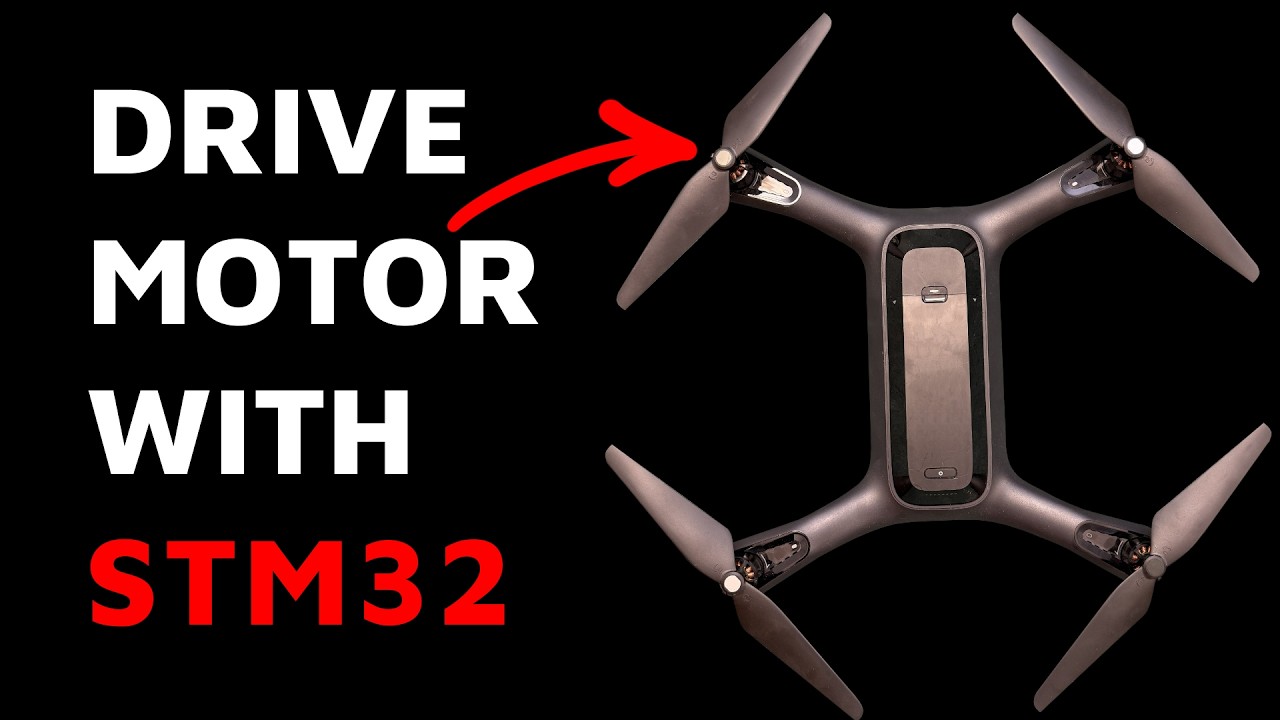
<!DOCTYPE html><html dir="ltr"><head><meta charSet="utf-8"/><meta name="viewport" content="width=device-width, initial-scale=1"/><title>Welldone Blog - FEDEVEL Platform</title><meta name="name" content="Welldone Blog - FEDEVEL Platform"/><meta name="description" content="Knowledge base - A rich source of expert knowledge. Learn from experts in the world of embedded systems. Free educational content created by our instructors."/><meta name="image" content="https://fedevel.com/images/fedevelPlatformLogo.png"/><meta name="keywords" content="FEDEVEL, FEDEVEL Academy, FEDEVEL education, education, education platform, online courses, courses, Robert Feranec, Feranec, fedevel platform, learnpcb, pcb, pcb layout, pcb design, hardware design, schematic, embedded systems, knowledge, practical knowledge, practical skills, technology industry, educational tool, Blog, blog post, blog posts, free content, free videos, free, tips, learn more"/><meta name="author" content="Fedevel"/><meta name="publish_date" property="og:publish_date" content="2026-06-08T11:34:41.270Z"/><meta property="twitter:site" content="@robertferanec"/><meta property="twitter:title" content="Welldone Blog - FEDEVEL Platform"/><meta property="twitter:description" content="Knowledge base - A rich source of expert knowledge. Learn from experts in the world of embedded systems. Free educational content created by our instructors."/><meta property="twitter:creator" content="@robertferanec"/><meta property="twitter:image:src" content="https://fedevel.com/images/fedevelPlatformLogo.png"/><meta property="twitter:card" content="summary_large_image"/><meta property="og:title" content="Welldone Blog - FEDEVEL Platform"/><meta property="og:type" content="website"/><meta property="og:url" content="https://fedevel.com/blog"/><meta property="og:image" content="https://fedevel.com/images/fedevelPlatformLogo.png"/><meta property="og:description" content="Knowledge base - A rich source of expert knowledge. Learn from experts in the world of embedded systems. Free educational content created by our instructors."/><meta property="og:site_name" content="FEDEVEL - Embedded systems education platform"/><meta property="og:published_time" content="2026-06-08T11:34:41.270Z"/><meta property="og:modified_time" content="2026-06-08T11:34:41.270Z"/><script type="application/ld+json">{"@context":"http://schema.org","@type":"article","name":"Welldone Blog - FEDEVEL Platform","about":"Knowledge base - A rich source of expert knowledge. Learn from experts in the world of embedded systems. Free educational content created by our instructors.","url":"https://fedevel.com/blog"}</script><meta name="next-head-count" content="24"/><link rel="icon" type="image/png" href="/images/favicon.ico"/><link rel="preconnect" href="https://fonts.gstatic.com" crossorigin /><link rel="preload" href="https://fedevel.com/_next/static/css/37d0350b591e83db.css" as="style"/><link rel="stylesheet" href="https://fedevel.com/_next/static/css/37d0350b591e83db.css" data-n-g=""/><noscript data-n-css=""></noscript><script defer="" nomodule="" src="https://fedevel.com/_next/static/chunks/polyfills-d8d763fa46686a9a.js"></script><script src="https://fedevel.com/_next/static/chunks/webpack-72ec809b4bf0df8b.js" defer=""></script><script src="https://fedevel.com/_next/static/chunks/framework-9cf46cf0fe8d1146.js" defer=""></script><script src="https://fedevel.com/_next/static/chunks/main-79e5b9c3b5bc7904.js" defer=""></script><script src="https://fedevel.com/_next/static/chunks/pages/_app-2d578570033ec5ed.js" defer=""></script><script src="https://fedevel.com/_next/static/chunks/7916-29c14c32ca5e5458.js" defer=""></script><script src="https://fedevel.com/_next/static/chunks/7389-ca6b38e5f7067c3e.js" defer=""></script><script src="https://fedevel.com/_next/static/chunks/1658-d25ea4cfc7068a0e.js" defer=""></script><script src="https://fedevel.com/_next/static/chunks/pages/blog-382c4a6a95839688.js" defer=""></script><script src="https://fedevel.com/_next/static/EjAzHoUurSjQtCZATRhcl/_buildManifest.js" defer=""></script><script src="https://fedevel.com/_next/static/EjAzHoUurSjQtCZATRhcl/_ssgManifest.js" defer=""></script><script src="https://fedevel.com/_next/static/EjAzHoUurSjQtCZATRhcl/_middlewareManifest.js" defer=""></script><style data-href="https://fonts.googleapis.com/css?family=Poppins:100,100i,200,200i,300,300i,400,400i,500,500i,600,600i,700,700i,800,800i,900,900i">@font-face{font-family:'Poppins';font-style:italic;font-weight:100;src:url(https://fonts.gstatic.com/s/poppins/v24/pxiAyp8kv8JHgFVrJJLmE0tCMPQ.woff) format('woff')}@font-face{font-family:'Poppins';font-style:italic;font-weight:200;src:url(https://fonts.gstatic.com/s/poppins/v24/pxiDyp8kv8JHgFVrJJLmv1pVF9eI.woff) format('woff')}@font-face{font-family:'Poppins';font-style:italic;font-weight:300;src:url(https://fonts.gstatic.com/s/poppins/v24/pxiDyp8kv8JHgFVrJJLm21lVF9eI.woff) format('woff')}@font-face{font-family:'Poppins';font-style:italic;font-weight:400;src:url(https://fonts.gstatic.com/s/poppins/v24/pxiGyp8kv8JHgFVrJJLucHtG.woff) format('woff')}@font-face{font-family:'Poppins';font-style:italic;font-weight:500;src:url(https://fonts.gstatic.com/s/poppins/v24/pxiDyp8kv8JHgFVrJJLmg1hVF9eI.woff) format('woff')}@font-face{font-family:'Poppins';font-style:italic;font-weight:600;src:url(https://fonts.gstatic.com/s/poppins/v24/pxiDyp8kv8JHgFVrJJLmr19VF9eI.woff) format('woff')}@font-face{font-family:'Poppins';font-style:italic;font-weight:700;src:url(https://fonts.gstatic.com/s/poppins/v24/pxiDyp8kv8JHgFVrJJLmy15VF9eI.woff) format('woff')}@font-face{font-family:'Poppins';font-style:italic;font-weight:800;src:url(https://fonts.gstatic.com/s/poppins/v24/pxiDyp8kv8JHgFVrJJLm111VF9eI.woff) format('woff')}@font-face{font-family:'Poppins';font-style:italic;font-weight:900;src:url(https://fonts.gstatic.com/s/poppins/v24/pxiDyp8kv8JHgFVrJJLm81xVF9eI.woff) format('woff')}@font-face{font-family:'Poppins';font-style:normal;font-weight:100;src:url(https://fonts.gstatic.com/s/poppins/v24/pxiGyp8kv8JHgFVrLPTucHtG.woff) format('woff')}@font-face{font-family:'Poppins';font-style:normal;font-weight:200;src:url(https://fonts.gstatic.com/s/poppins/v24/pxiByp8kv8JHgFVrLFj_Z1xlEw.woff) format('woff')}@font-face{font-family:'Poppins';font-style:normal;font-weight:300;src:url(https://fonts.gstatic.com/s/poppins/v24/pxiByp8kv8JHgFVrLDz8Z1xlEw.woff) format('woff')}@font-face{font-family:'Poppins';font-style:normal;font-weight:400;src:url(https://fonts.gstatic.com/s/poppins/v24/pxiEyp8kv8JHgFVrJJfedA.woff) format('woff')}@font-face{font-family:'Poppins';font-style:normal;font-weight:500;src:url(https://fonts.gstatic.com/s/poppins/v24/pxiByp8kv8JHgFVrLGT9Z1xlEw.woff) format('woff')}@font-face{font-family:'Poppins';font-style:normal;font-weight:600;src:url(https://fonts.gstatic.com/s/poppins/v24/pxiByp8kv8JHgFVrLEj6Z1xlEw.woff) format('woff')}@font-face{font-family:'Poppins';font-style:normal;font-weight:700;src:url(https://fonts.gstatic.com/s/poppins/v24/pxiByp8kv8JHgFVrLCz7Z1xlEw.woff) format('woff')}@font-face{font-family:'Poppins';font-style:normal;font-weight:800;src:url(https://fonts.gstatic.com/s/poppins/v24/pxiByp8kv8JHgFVrLDD4Z1xlEw.woff) format('woff')}@font-face{font-family:'Poppins';font-style:normal;font-weight:900;src:url(https://fonts.gstatic.com/s/poppins/v24/pxiByp8kv8JHgFVrLBT5Z1xlEw.woff) format('woff')}@font-face{font-family:'Poppins';font-style:italic;font-weight:100;src:url(https://fonts.gstatic.com/s/poppins/v24/pxiAyp8kv8JHgFVrJJLmE0tDMPKhSkFEkm8.woff2) format('woff2');unicode-range:U+0900-097F,U+1CD0-1CF9,U+200C-200D,U+20A8,U+20B9,U+20F0,U+25CC,U+A830-A839,U+A8E0-A8FF,U+11B00-11B09}@font-face{font-family:'Poppins';font-style:italic;font-weight:100;src:url(https://fonts.gstatic.com/s/poppins/v24/pxiAyp8kv8JHgFVrJJLmE0tMMPKhSkFEkm8.woff2) format('woff2');unicode-range:U+0100-02BA,U+02BD-02C5,U+02C7-02CC,U+02CE-02D7,U+02DD-02FF,U+0304,U+0308,U+0329,U+1D00-1DBF,U+1E00-1E9F,U+1EF2-1EFF,U+2020,U+20A0-20AB,U+20AD-20C0,U+2113,U+2C60-2C7F,U+A720-A7FF}@font-face{font-family:'Poppins';font-style:italic;font-weight:100;src:url(https://fonts.gstatic.com/s/poppins/v24/pxiAyp8kv8JHgFVrJJLmE0tCMPKhSkFE.woff2) format('woff2');unicode-range:U+0000-00FF,U+0131,U+0152-0153,U+02BB-02BC,U+02C6,U+02DA,U+02DC,U+0304,U+0308,U+0329,U+2000-206F,U+20AC,U+2122,U+2191,U+2193,U+2212,U+2215,U+FEFF,U+FFFD}@font-face{font-family:'Poppins';font-style:italic;font-weight:200;src:url(https://fonts.gstatic.com/s/poppins/v24/pxiDyp8kv8JHgFVrJJLmv1pVFteOYktMqlap.woff2) format('woff2');unicode-range:U+0900-097F,U+1CD0-1CF9,U+200C-200D,U+20A8,U+20B9,U+20F0,U+25CC,U+A830-A839,U+A8E0-A8FF,U+11B00-11B09}@font-face{font-family:'Poppins';font-style:italic;font-weight:200;src:url(https://fonts.gstatic.com/s/poppins/v24/pxiDyp8kv8JHgFVrJJLmv1pVGdeOYktMqlap.woff2) format('woff2');unicode-range:U+0100-02BA,U+02BD-02C5,U+02C7-02CC,U+02CE-02D7,U+02DD-02FF,U+0304,U+0308,U+0329,U+1D00-1DBF,U+1E00-1E9F,U+1EF2-1EFF,U+2020,U+20A0-20AB,U+20AD-20C0,U+2113,U+2C60-2C7F,U+A720-A7FF}@font-face{font-family:'Poppins';font-style:italic;font-weight:200;src:url(https://fonts.gstatic.com/s/poppins/v24/pxiDyp8kv8JHgFVrJJLmv1pVF9eOYktMqg.woff2) format('woff2');unicode-range:U+0000-00FF,U+0131,U+0152-0153,U+02BB-02BC,U+02C6,U+02DA,U+02DC,U+0304,U+0308,U+0329,U+2000-206F,U+20AC,U+2122,U+2191,U+2193,U+2212,U+2215,U+FEFF,U+FFFD}@font-face{font-family:'Poppins';font-style:italic;font-weight:300;src:url(https://fonts.gstatic.com/s/poppins/v24/pxiDyp8kv8JHgFVrJJLm21lVFteOYktMqlap.woff2) format('woff2');unicode-range:U+0900-097F,U+1CD0-1CF9,U+200C-200D,U+20A8,U+20B9,U+20F0,U+25CC,U+A830-A839,U+A8E0-A8FF,U+11B00-11B09}@font-face{font-family:'Poppins';font-style:italic;font-weight:300;src:url(https://fonts.gstatic.com/s/poppins/v24/pxiDyp8kv8JHgFVrJJLm21lVGdeOYktMqlap.woff2) format('woff2');unicode-range:U+0100-02BA,U+02BD-02C5,U+02C7-02CC,U+02CE-02D7,U+02DD-02FF,U+0304,U+0308,U+0329,U+1D00-1DBF,U+1E00-1E9F,U+1EF2-1EFF,U+2020,U+20A0-20AB,U+20AD-20C0,U+2113,U+2C60-2C7F,U+A720-A7FF}@font-face{font-family:'Poppins';font-style:italic;font-weight:300;src:url(https://fonts.gstatic.com/s/poppins/v24/pxiDyp8kv8JHgFVrJJLm21lVF9eOYktMqg.woff2) format('woff2');unicode-range:U+0000-00FF,U+0131,U+0152-0153,U+02BB-02BC,U+02C6,U+02DA,U+02DC,U+0304,U+0308,U+0329,U+2000-206F,U+20AC,U+2122,U+2191,U+2193,U+2212,U+2215,U+FEFF,U+FFFD}@font-face{font-family:'Poppins';font-style:italic;font-weight:400;src:url(https://fonts.gstatic.com/s/poppins/v24/pxiGyp8kv8JHgFVrJJLucXtAOvWDSHFF.woff2) format('woff2');unicode-range:U+0900-097F,U+1CD0-1CF9,U+200C-200D,U+20A8,U+20B9,U+20F0,U+25CC,U+A830-A839,U+A8E0-A8FF,U+11B00-11B09}@font-face{font-family:'Poppins';font-style:italic;font-weight:400;src:url(https://fonts.gstatic.com/s/poppins/v24/pxiGyp8kv8JHgFVrJJLufntAOvWDSHFF.woff2) format('woff2');unicode-range:U+0100-02BA,U+02BD-02C5,U+02C7-02CC,U+02CE-02D7,U+02DD-02FF,U+0304,U+0308,U+0329,U+1D00-1DBF,U+1E00-1E9F,U+1EF2-1EFF,U+2020,U+20A0-20AB,U+20AD-20C0,U+2113,U+2C60-2C7F,U+A720-A7FF}@font-face{font-family:'Poppins';font-style:italic;font-weight:400;src:url(https://fonts.gstatic.com/s/poppins/v24/pxiGyp8kv8JHgFVrJJLucHtAOvWDSA.woff2) format('woff2');unicode-range:U+0000-00FF,U+0131,U+0152-0153,U+02BB-02BC,U+02C6,U+02DA,U+02DC,U+0304,U+0308,U+0329,U+2000-206F,U+20AC,U+2122,U+2191,U+2193,U+2212,U+2215,U+FEFF,U+FFFD}@font-face{font-family:'Poppins';font-style:italic;font-weight:500;src:url(https://fonts.gstatic.com/s/poppins/v24/pxiDyp8kv8JHgFVrJJLmg1hVFteOYktMqlap.woff2) format('woff2');unicode-range:U+0900-097F,U+1CD0-1CF9,U+200C-200D,U+20A8,U+20B9,U+20F0,U+25CC,U+A830-A839,U+A8E0-A8FF,U+11B00-11B09}@font-face{font-family:'Poppins';font-style:italic;font-weight:500;src:url(https://fonts.gstatic.com/s/poppins/v24/pxiDyp8kv8JHgFVrJJLmg1hVGdeOYktMqlap.woff2) format('woff2');unicode-range:U+0100-02BA,U+02BD-02C5,U+02C7-02CC,U+02CE-02D7,U+02DD-02FF,U+0304,U+0308,U+0329,U+1D00-1DBF,U+1E00-1E9F,U+1EF2-1EFF,U+2020,U+20A0-20AB,U+20AD-20C0,U+2113,U+2C60-2C7F,U+A720-A7FF}@font-face{font-family:'Poppins';font-style:italic;font-weight:500;src:url(https://fonts.gstatic.com/s/poppins/v24/pxiDyp8kv8JHgFVrJJLmg1hVF9eOYktMqg.woff2) format('woff2');unicode-range:U+0000-00FF,U+0131,U+0152-0153,U+02BB-02BC,U+02C6,U+02DA,U+02DC,U+0304,U+0308,U+0329,U+2000-206F,U+20AC,U+2122,U+2191,U+2193,U+2212,U+2215,U+FEFF,U+FFFD}@font-face{font-family:'Poppins';font-style:italic;font-weight:600;src:url(https://fonts.gstatic.com/s/poppins/v24/pxiDyp8kv8JHgFVrJJLmr19VFteOYktMqlap.woff2) format('woff2');unicode-range:U+0900-097F,U+1CD0-1CF9,U+200C-200D,U+20A8,U+20B9,U+20F0,U+25CC,U+A830-A839,U+A8E0-A8FF,U+11B00-11B09}@font-face{font-family:'Poppins';font-style:italic;font-weight:600;src:url(https://fonts.gstatic.com/s/poppins/v24/pxiDyp8kv8JHgFVrJJLmr19VGdeOYktMqlap.woff2) format('woff2');unicode-range:U+0100-02BA,U+02BD-02C5,U+02C7-02CC,U+02CE-02D7,U+02DD-02FF,U+0304,U+0308,U+0329,U+1D00-1DBF,U+1E00-1E9F,U+1EF2-1EFF,U+2020,U+20A0-20AB,U+20AD-20C0,U+2113,U+2C60-2C7F,U+A720-A7FF}@font-face{font-family:'Poppins';font-style:italic;font-weight:600;src:url(https://fonts.gstatic.com/s/poppins/v24/pxiDyp8kv8JHgFVrJJLmr19VF9eOYktMqg.woff2) format('woff2');unicode-range:U+0000-00FF,U+0131,U+0152-0153,U+02BB-02BC,U+02C6,U+02DA,U+02DC,U+0304,U+0308,U+0329,U+2000-206F,U+20AC,U+2122,U+2191,U+2193,U+2212,U+2215,U+FEFF,U+FFFD}@font-face{font-family:'Poppins';font-style:italic;font-weight:700;src:url(https://fonts.gstatic.com/s/poppins/v24/pxiDyp8kv8JHgFVrJJLmy15VFteOYktMqlap.woff2) format('woff2');unicode-range:U+0900-097F,U+1CD0-1CF9,U+200C-200D,U+20A8,U+20B9,U+20F0,U+25CC,U+A830-A839,U+A8E0-A8FF,U+11B00-11B09}@font-face{font-family:'Poppins';font-style:italic;font-weight:700;src:url(https://fonts.gstatic.com/s/poppins/v24/pxiDyp8kv8JHgFVrJJLmy15VGdeOYktMqlap.woff2) format('woff2');unicode-range:U+0100-02BA,U+02BD-02C5,U+02C7-02CC,U+02CE-02D7,U+02DD-02FF,U+0304,U+0308,U+0329,U+1D00-1DBF,U+1E00-1E9F,U+1EF2-1EFF,U+2020,U+20A0-20AB,U+20AD-20C0,U+2113,U+2C60-2C7F,U+A720-A7FF}@font-face{font-family:'Poppins';font-style:italic;font-weight:700;src:url(https://fonts.gstatic.com/s/poppins/v24/pxiDyp8kv8JHgFVrJJLmy15VF9eOYktMqg.woff2) format('woff2');unicode-range:U+0000-00FF,U+0131,U+0152-0153,U+02BB-02BC,U+02C6,U+02DA,U+02DC,U+0304,U+0308,U+0329,U+2000-206F,U+20AC,U+2122,U+2191,U+2193,U+2212,U+2215,U+FEFF,U+FFFD}@font-face{font-family:'Poppins';font-style:italic;font-weight:800;src:url(https://fonts.gstatic.com/s/poppins/v24/pxiDyp8kv8JHgFVrJJLm111VFteOYktMqlap.woff2) format('woff2');unicode-range:U+0900-097F,U+1CD0-1CF9,U+200C-200D,U+20A8,U+20B9,U+20F0,U+25CC,U+A830-A839,U+A8E0-A8FF,U+11B00-11B09}@font-face{font-family:'Poppins';font-style:italic;font-weight:800;src:url(https://fonts.gstatic.com/s/poppins/v24/pxiDyp8kv8JHgFVrJJLm111VGdeOYktMqlap.woff2) format('woff2');unicode-range:U+0100-02BA,U+02BD-02C5,U+02C7-02CC,U+02CE-02D7,U+02DD-02FF,U+0304,U+0308,U+0329,U+1D00-1DBF,U+1E00-1E9F,U+1EF2-1EFF,U+2020,U+20A0-20AB,U+20AD-20C0,U+2113,U+2C60-2C7F,U+A720-A7FF}@font-face{font-family:'Poppins';font-style:italic;font-weight:800;src:url(https://fonts.gstatic.com/s/poppins/v24/pxiDyp8kv8JHgFVrJJLm111VF9eOYktMqg.woff2) format('woff2');unicode-range:U+0000-00FF,U+0131,U+0152-0153,U+02BB-02BC,U+02C6,U+02DA,U+02DC,U+0304,U+0308,U+0329,U+2000-206F,U+20AC,U+2122,U+2191,U+2193,U+2212,U+2215,U+FEFF,U+FFFD}@font-face{font-family:'Poppins';font-style:italic;font-weight:900;src:url(https://fonts.gstatic.com/s/poppins/v24/pxiDyp8kv8JHgFVrJJLm81xVFteOYktMqlap.woff2) format('woff2');unicode-range:U+0900-097F,U+1CD0-1CF9,U+200C-200D,U+20A8,U+20B9,U+20F0,U+25CC,U+A830-A839,U+A8E0-A8FF,U+11B00-11B09}@font-face{font-family:'Poppins';font-style:italic;font-weight:900;src:url(https://fonts.gstatic.com/s/poppins/v24/pxiDyp8kv8JHgFVrJJLm81xVGdeOYktMqlap.woff2) format('woff2');unicode-range:U+0100-02BA,U+02BD-02C5,U+02C7-02CC,U+02CE-02D7,U+02DD-02FF,U+0304,U+0308,U+0329,U+1D00-1DBF,U+1E00-1E9F,U+1EF2-1EFF,U+2020,U+20A0-20AB,U+20AD-20C0,U+2113,U+2C60-2C7F,U+A720-A7FF}@font-face{font-family:'Poppins';font-style:italic;font-weight:900;src:url(https://fonts.gstatic.com/s/poppins/v24/pxiDyp8kv8JHgFVrJJLm81xVF9eOYktMqg.woff2) format('woff2');unicode-range:U+0000-00FF,U+0131,U+0152-0153,U+02BB-02BC,U+02C6,U+02DA,U+02DC,U+0304,U+0308,U+0329,U+2000-206F,U+20AC,U+2122,U+2191,U+2193,U+2212,U+2215,U+FEFF,U+FFFD}@font-face{font-family:'Poppins';font-style:normal;font-weight:100;src:url(https://fonts.gstatic.com/s/poppins/v24/pxiGyp8kv8JHgFVrLPTucXtAOvWDSHFF.woff2) format('woff2');unicode-range:U+0900-097F,U+1CD0-1CF9,U+200C-200D,U+20A8,U+20B9,U+20F0,U+25CC,U+A830-A839,U+A8E0-A8FF,U+11B00-11B09}@font-face{font-family:'Poppins';font-style:normal;font-weight:100;src:url(https://fonts.gstatic.com/s/poppins/v24/pxiGyp8kv8JHgFVrLPTufntAOvWDSHFF.woff2) format('woff2');unicode-range:U+0100-02BA,U+02BD-02C5,U+02C7-02CC,U+02CE-02D7,U+02DD-02FF,U+0304,U+0308,U+0329,U+1D00-1DBF,U+1E00-1E9F,U+1EF2-1EFF,U+2020,U+20A0-20AB,U+20AD-20C0,U+2113,U+2C60-2C7F,U+A720-A7FF}@font-face{font-family:'Poppins';font-style:normal;font-weight:100;src:url(https://fonts.gstatic.com/s/poppins/v24/pxiGyp8kv8JHgFVrLPTucHtAOvWDSA.woff2) format('woff2');unicode-range:U+0000-00FF,U+0131,U+0152-0153,U+02BB-02BC,U+02C6,U+02DA,U+02DC,U+0304,U+0308,U+0329,U+2000-206F,U+20AC,U+2122,U+2191,U+2193,U+2212,U+2215,U+FEFF,U+FFFD}@font-face{font-family:'Poppins';font-style:normal;font-weight:200;src:url(https://fonts.gstatic.com/s/poppins/v24/pxiByp8kv8JHgFVrLFj_Z11lFd2JQEl8qw.woff2) format('woff2');unicode-range:U+0900-097F,U+1CD0-1CF9,U+200C-200D,U+20A8,U+20B9,U+20F0,U+25CC,U+A830-A839,U+A8E0-A8FF,U+11B00-11B09}@font-face{font-family:'Poppins';font-style:normal;font-weight:200;src:url(https://fonts.gstatic.com/s/poppins/v24/pxiByp8kv8JHgFVrLFj_Z1JlFd2JQEl8qw.woff2) format('woff2');unicode-range:U+0100-02BA,U+02BD-02C5,U+02C7-02CC,U+02CE-02D7,U+02DD-02FF,U+0304,U+0308,U+0329,U+1D00-1DBF,U+1E00-1E9F,U+1EF2-1EFF,U+2020,U+20A0-20AB,U+20AD-20C0,U+2113,U+2C60-2C7F,U+A720-A7FF}@font-face{font-family:'Poppins';font-style:normal;font-weight:200;src:url(https://fonts.gstatic.com/s/poppins/v24/pxiByp8kv8JHgFVrLFj_Z1xlFd2JQEk.woff2) format('woff2');unicode-range:U+0000-00FF,U+0131,U+0152-0153,U+02BB-02BC,U+02C6,U+02DA,U+02DC,U+0304,U+0308,U+0329,U+2000-206F,U+20AC,U+2122,U+2191,U+2193,U+2212,U+2215,U+FEFF,U+FFFD}@font-face{font-family:'Poppins';font-style:normal;font-weight:300;src:url(https://fonts.gstatic.com/s/poppins/v24/pxiByp8kv8JHgFVrLDz8Z11lFd2JQEl8qw.woff2) format('woff2');unicode-range:U+0900-097F,U+1CD0-1CF9,U+200C-200D,U+20A8,U+20B9,U+20F0,U+25CC,U+A830-A839,U+A8E0-A8FF,U+11B00-11B09}@font-face{font-family:'Poppins';font-style:normal;font-weight:300;src:url(https://fonts.gstatic.com/s/poppins/v24/pxiByp8kv8JHgFVrLDz8Z1JlFd2JQEl8qw.woff2) format('woff2');unicode-range:U+0100-02BA,U+02BD-02C5,U+02C7-02CC,U+02CE-02D7,U+02DD-02FF,U+0304,U+0308,U+0329,U+1D00-1DBF,U+1E00-1E9F,U+1EF2-1EFF,U+2020,U+20A0-20AB,U+20AD-20C0,U+2113,U+2C60-2C7F,U+A720-A7FF}@font-face{font-family:'Poppins';font-style:normal;font-weight:300;src:url(https://fonts.gstatic.com/s/poppins/v24/pxiByp8kv8JHgFVrLDz8Z1xlFd2JQEk.woff2) format('woff2');unicode-range:U+0000-00FF,U+0131,U+0152-0153,U+02BB-02BC,U+02C6,U+02DA,U+02DC,U+0304,U+0308,U+0329,U+2000-206F,U+20AC,U+2122,U+2191,U+2193,U+2212,U+2215,U+FEFF,U+FFFD}@font-face{font-family:'Poppins';font-style:normal;font-weight:400;src:url(https://fonts.gstatic.com/s/poppins/v24/pxiEyp8kv8JHgFVrJJbecnFHGPezSQ.woff2) format('woff2');unicode-range:U+0900-097F,U+1CD0-1CF9,U+200C-200D,U+20A8,U+20B9,U+20F0,U+25CC,U+A830-A839,U+A8E0-A8FF,U+11B00-11B09}@font-face{font-family:'Poppins';font-style:normal;font-weight:400;src:url(https://fonts.gstatic.com/s/poppins/v24/pxiEyp8kv8JHgFVrJJnecnFHGPezSQ.woff2) format('woff2');unicode-range:U+0100-02BA,U+02BD-02C5,U+02C7-02CC,U+02CE-02D7,U+02DD-02FF,U+0304,U+0308,U+0329,U+1D00-1DBF,U+1E00-1E9F,U+1EF2-1EFF,U+2020,U+20A0-20AB,U+20AD-20C0,U+2113,U+2C60-2C7F,U+A720-A7FF}@font-face{font-family:'Poppins';font-style:normal;font-weight:400;src:url(https://fonts.gstatic.com/s/poppins/v24/pxiEyp8kv8JHgFVrJJfecnFHGPc.woff2) format('woff2');unicode-range:U+0000-00FF,U+0131,U+0152-0153,U+02BB-02BC,U+02C6,U+02DA,U+02DC,U+0304,U+0308,U+0329,U+2000-206F,U+20AC,U+2122,U+2191,U+2193,U+2212,U+2215,U+FEFF,U+FFFD}@font-face{font-family:'Poppins';font-style:normal;font-weight:500;src:url(https://fonts.gstatic.com/s/poppins/v24/pxiByp8kv8JHgFVrLGT9Z11lFd2JQEl8qw.woff2) format('woff2');unicode-range:U+0900-097F,U+1CD0-1CF9,U+200C-200D,U+20A8,U+20B9,U+20F0,U+25CC,U+A830-A839,U+A8E0-A8FF,U+11B00-11B09}@font-face{font-family:'Poppins';font-style:normal;font-weight:500;src:url(https://fonts.gstatic.com/s/poppins/v24/pxiByp8kv8JHgFVrLGT9Z1JlFd2JQEl8qw.woff2) format('woff2');unicode-range:U+0100-02BA,U+02BD-02C5,U+02C7-02CC,U+02CE-02D7,U+02DD-02FF,U+0304,U+0308,U+0329,U+1D00-1DBF,U+1E00-1E9F,U+1EF2-1EFF,U+2020,U+20A0-20AB,U+20AD-20C0,U+2113,U+2C60-2C7F,U+A720-A7FF}@font-face{font-family:'Poppins';font-style:normal;font-weight:500;src:url(https://fonts.gstatic.com/s/poppins/v24/pxiByp8kv8JHgFVrLGT9Z1xlFd2JQEk.woff2) format('woff2');unicode-range:U+0000-00FF,U+0131,U+0152-0153,U+02BB-02BC,U+02C6,U+02DA,U+02DC,U+0304,U+0308,U+0329,U+2000-206F,U+20AC,U+2122,U+2191,U+2193,U+2212,U+2215,U+FEFF,U+FFFD}@font-face{font-family:'Poppins';font-style:normal;font-weight:600;src:url(https://fonts.gstatic.com/s/poppins/v24/pxiByp8kv8JHgFVrLEj6Z11lFd2JQEl8qw.woff2) format('woff2');unicode-range:U+0900-097F,U+1CD0-1CF9,U+200C-200D,U+20A8,U+20B9,U+20F0,U+25CC,U+A830-A839,U+A8E0-A8FF,U+11B00-11B09}@font-face{font-family:'Poppins';font-style:normal;font-weight:600;src:url(https://fonts.gstatic.com/s/poppins/v24/pxiByp8kv8JHgFVrLEj6Z1JlFd2JQEl8qw.woff2) format('woff2');unicode-range:U+0100-02BA,U+02BD-02C5,U+02C7-02CC,U+02CE-02D7,U+02DD-02FF,U+0304,U+0308,U+0329,U+1D00-1DBF,U+1E00-1E9F,U+1EF2-1EFF,U+2020,U+20A0-20AB,U+20AD-20C0,U+2113,U+2C60-2C7F,U+A720-A7FF}@font-face{font-family:'Poppins';font-style:normal;font-weight:600;src:url(https://fonts.gstatic.com/s/poppins/v24/pxiByp8kv8JHgFVrLEj6Z1xlFd2JQEk.woff2) format('woff2');unicode-range:U+0000-00FF,U+0131,U+0152-0153,U+02BB-02BC,U+02C6,U+02DA,U+02DC,U+0304,U+0308,U+0329,U+2000-206F,U+20AC,U+2122,U+2191,U+2193,U+2212,U+2215,U+FEFF,U+FFFD}@font-face{font-family:'Poppins';font-style:normal;font-weight:700;src:url(https://fonts.gstatic.com/s/poppins/v24/pxiByp8kv8JHgFVrLCz7Z11lFd2JQEl8qw.woff2) format('woff2');unicode-range:U+0900-097F,U+1CD0-1CF9,U+200C-200D,U+20A8,U+20B9,U+20F0,U+25CC,U+A830-A839,U+A8E0-A8FF,U+11B00-11B09}@font-face{font-family:'Poppins';font-style:normal;font-weight:700;src:url(https://fonts.gstatic.com/s/poppins/v24/pxiByp8kv8JHgFVrLCz7Z1JlFd2JQEl8qw.woff2) format('woff2');unicode-range:U+0100-02BA,U+02BD-02C5,U+02C7-02CC,U+02CE-02D7,U+02DD-02FF,U+0304,U+0308,U+0329,U+1D00-1DBF,U+1E00-1E9F,U+1EF2-1EFF,U+2020,U+20A0-20AB,U+20AD-20C0,U+2113,U+2C60-2C7F,U+A720-A7FF}@font-face{font-family:'Poppins';font-style:normal;font-weight:700;src:url(https://fonts.gstatic.com/s/poppins/v24/pxiByp8kv8JHgFVrLCz7Z1xlFd2JQEk.woff2) format('woff2');unicode-range:U+0000-00FF,U+0131,U+0152-0153,U+02BB-02BC,U+02C6,U+02DA,U+02DC,U+0304,U+0308,U+0329,U+2000-206F,U+20AC,U+2122,U+2191,U+2193,U+2212,U+2215,U+FEFF,U+FFFD}@font-face{font-family:'Poppins';font-style:normal;font-weight:800;src:url(https://fonts.gstatic.com/s/poppins/v24/pxiByp8kv8JHgFVrLDD4Z11lFd2JQEl8qw.woff2) format('woff2');unicode-range:U+0900-097F,U+1CD0-1CF9,U+200C-200D,U+20A8,U+20B9,U+20F0,U+25CC,U+A830-A839,U+A8E0-A8FF,U+11B00-11B09}@font-face{font-family:'Poppins';font-style:normal;font-weight:800;src:url(https://fonts.gstatic.com/s/poppins/v24/pxiByp8kv8JHgFVrLDD4Z1JlFd2JQEl8qw.woff2) format('woff2');unicode-range:U+0100-02BA,U+02BD-02C5,U+02C7-02CC,U+02CE-02D7,U+02DD-02FF,U+0304,U+0308,U+0329,U+1D00-1DBF,U+1E00-1E9F,U+1EF2-1EFF,U+2020,U+20A0-20AB,U+20AD-20C0,U+2113,U+2C60-2C7F,U+A720-A7FF}@font-face{font-family:'Poppins';font-style:normal;font-weight:800;src:url(https://fonts.gstatic.com/s/poppins/v24/pxiByp8kv8JHgFVrLDD4Z1xlFd2JQEk.woff2) format('woff2');unicode-range:U+0000-00FF,U+0131,U+0152-0153,U+02BB-02BC,U+02C6,U+02DA,U+02DC,U+0304,U+0308,U+0329,U+2000-206F,U+20AC,U+2122,U+2191,U+2193,U+2212,U+2215,U+FEFF,U+FFFD}@font-face{font-family:'Poppins';font-style:normal;font-weight:900;src:url(https://fonts.gstatic.com/s/poppins/v24/pxiByp8kv8JHgFVrLBT5Z11lFd2JQEl8qw.woff2) format('woff2');unicode-range:U+0900-097F,U+1CD0-1CF9,U+200C-200D,U+20A8,U+20B9,U+20F0,U+25CC,U+A830-A839,U+A8E0-A8FF,U+11B00-11B09}@font-face{font-family:'Poppins';font-style:normal;font-weight:900;src:url(https://fonts.gstatic.com/s/poppins/v24/pxiByp8kv8JHgFVrLBT5Z1JlFd2JQEl8qw.woff2) format('woff2');unicode-range:U+0100-02BA,U+02BD-02C5,U+02C7-02CC,U+02CE-02D7,U+02DD-02FF,U+0304,U+0308,U+0329,U+1D00-1DBF,U+1E00-1E9F,U+1EF2-1EFF,U+2020,U+20A0-20AB,U+20AD-20C0,U+2113,U+2C60-2C7F,U+A720-A7FF}@font-face{font-family:'Poppins';font-style:normal;font-weight:900;src:url(https://fonts.gstatic.com/s/poppins/v24/pxiByp8kv8JHgFVrLBT5Z1xlFd2JQEk.woff2) format('woff2');unicode-range:U+0000-00FF,U+0131,U+0152-0153,U+02BB-02BC,U+02C6,U+02DA,U+02DC,U+0304,U+0308,U+0329,U+2000-206F,U+20AC,U+2122,U+2191,U+2193,U+2212,U+2215,U+FEFF,U+FFFD}</style></head><body><div id="__next"><div class="go-top "><svg xmlns="http://www.w3.org/2000/svg" width="24" height="24" viewBox="0 0 24 24" fill="none" stroke="currentColor" stroke-width="2" stroke-linecap="round" stroke-linejoin="round"><line x1="12" y1="19" x2="12" y2="5"></line><polyline points="5 12 12 5 19 12"></polyline></svg></div><button class="leave-a-message-button" style="display:flex;gap:10px;justify-content:center;align-items:center"><svg xmlns="http://www.w3.org/2000/svg" width="16px" height="16px" viewBox="0 0 24 24" fill="none" stroke="currentColor" stroke-width="3" stroke-linecap="round" stroke-linejoin="round"><path d="M4 4h16c1.1 0 2 .9 2 2v12c0 1.1-.9 2-2 2H4c-1.1 0-2-.9-2-2V6c0-1.1.9-2 2-2z"></path><polyline points="22,6 12,13 2,6"></polyline></svg><div>LEAVE A MESSAGE</div></button><header id="header" class="headroom navbar-color-white"><div class="startp-nav navbar-color-white"><div class="container"><nav class="navbar navbar-expand-md navbar-light"><a class="navbar-brand" href="/#"><img class="d-block d-sm-block d-md-none d-lg-none d-xl-block" src="/images/fedevelPlatformLogo.png" alt="logo"/><img class="d-none d-sm-none d-md-block d-lg-block d-xl-none" src="/images/fedevelPlatformLogoSmall.png" alt="logo"/></a><button class="navbar-toggler navbar-toggler-right collapsed" type="button" data-toggle="collapse" data-target="#navbarSupportedContent" aria-controls="navbarSupportedContent" aria-expanded="false" aria-label="Toggle navigation"><span class="icon-bar top-bar" style="background-color:white"></span><span class="icon-bar middle-bar" style="background-color:white"></span><span class="icon-bar bottom-bar" style="background-color:white"></span></button><div class="collapse navbar-collapse" id="navbarSupportedContent" style="margin-right:20px"><ul class="navbar-nav ms-auto navbarSupportedContent-ul" style="height:55px"><li class="nav-item"><a class="nav-link" style="white-space:nowrap" href="/courses">COURSES</a></li><li class="nav-item"><a class="nav-link" style="white-space:nowrap" href="/#">INSTRUCTORS <!-- --><svg xmlns="http://www.w3.org/2000/svg" width="14" height="14" viewBox="0 0 24 24" fill="none" stroke="currentColor" stroke-width="2" stroke-linecap="round" stroke-linejoin="round" style="margin-left:5px;color:#e6b191"><polyline points="6 9 12 15 18 9"></polyline></svg></a><ul class="dropdown-menu"><li class="nav-item"><a class="nav-link" href="/instructors">OUR INSTRUCTORS</a></li><li class="nav-item"><a class="nav-link" href="/teach">BECOME AN INSTRUCTOR</a></li></ul></li><li class="nav-item"><a class="nav-link" style="white-space:nowrap" href="/#">RESOURCES <!-- --><svg xmlns="http://www.w3.org/2000/svg" width="14" height="14" viewBox="0 0 24 24" fill="none" stroke="currentColor" stroke-width="2" stroke-linecap="round" stroke-linejoin="round" style="margin-left:5px;color:#e6b191"><polyline points="6 9 12 15 18 9"></polyline></svg></a><ul class="dropdown-menu"><li class="nav-item"><a class="nav-link" href="/community">COMMUNITY MEMBERSHIP</a></li><li class="nav-item"><a class="nav-link active" href="/blog">KNOWLEDGE BASE</a></li><li class="nav-item"><a class="nav-link" href="/forum">FORUM</a></li><li class="nav-item"><a target="_blank" class="nav-link" href="https://discord.gg/8a8dUcHmrx">DISCORD COMMUNITY</a></li><li class="nav-item"><a target="_blank" class="nav-link" href="https://portal.fedevel.com">USER PORTAL</a></li></ul></li><li class="nav-item d-md-none d-sm-block"><a class="nav-link" style="white-space:nowrap" href="/about">ABOUT</a></li><li class="nav-item d-md-none d-sm-block"><a class="nav-link" style="white-space:nowrap" href="/contact">CONTACT US</a></li><li class="nav-item"><a class="nav-link" style="white-space:nowrap" href="/assistant"><svg xmlns="http://www.w3.org/2000/svg" width="22px" height="22px" viewBox="0 0 24 24" fill="none" stroke="currentColor" stroke-width="2px" stroke-linecap="round" stroke-linejoin="round" style="margin-right:5px"><circle cx="11" cy="11" r="8"></circle><line x1="21" y1="21" x2="16.65" y2="16.65"></line></svg>AI SEARCH<!-- --></a></li></ul></div><div class="collapse navbar-collapse d-none d-md-block" style="width:1px;height:25px"><div style="width:100%;height:100%;border-right:2px solid #e6b191"></div></div><div class="collapse navbar-collapse others-option"><ul class="navbar-nav ms-auto"><li class="nav-item"><a class="nav-link" style="white-space:nowrap" href="/#">€ EUR<!-- --> <!-- --><svg xmlns="http://www.w3.org/2000/svg" width="14" height="14" viewBox="0 0 24 24" fill="none" stroke="currentColor" stroke-width="2" stroke-linecap="round" stroke-linejoin="round" style="margin-left:5px;color:#e6b191"><polyline points="6 9 12 15 18 9"></polyline></svg></a><ul class="dropdown-menu"><li class="nav-item"><a class="nav-link" href="/#">€ EUR</a></li><li class="nav-item"><a class="nav-link" href="/#">$ USD</a></li></ul></li><li class="nav-item"><a class="nav-link" style="white-space:nowrap" href="/login"><svg xmlns="http://www.w3.org/2000/svg" width="22px" height="22px" viewBox="0 0 24 24" fill="none" stroke="currentColor" stroke-width="2px" stroke-linecap="round" stroke-linejoin="round" style="margin-right:5px"><path d="M20 21v-2a4 4 0 0 0-4-4H8a4 4 0 0 0-4 4v2"></path><circle cx="12" cy="7" r="4"></circle></svg>LOGIN<!-- --></a></li><li class="nav-item"><a class="cart-wrapper-btn" href="/courses/cart"><svg xmlns="http://www.w3.org/2000/svg" width="22px" height="22px" viewBox="0 0 24 24" fill="none" stroke="currentColor" stroke-width="2px" stroke-linecap="round" stroke-linejoin="round"><path d="M6 2L3 6v14a2 2 0 0 0 2 2h14a2 2 0 0 0 2-2V6l-3-4z"></path><line x1="3" y1="6" x2="21" y2="6"></line><path d="M16 10a4 4 0 0 1-8 0"></path></svg><span>0<!-- --></span></a></li><li class="menu-get-started-item" style="margin-left:30px;margin-top:auto;margin-bottom:auto"><a class="btn btn-fedevel-bronze-secondary" style="width:180px" href="/get-started">GET STARTED</a></li></ul></div></nav></div></div></header><div class="ml-main-section ml-main-section-page-banner" style="padding-bottom:100px !important;padding-top:200px"><div class="container"><div class="ml-banner-content" style="text-align:left"> <!-- --><h5 style="color:#e6b191;margin-bottom:30px;font-weight:bold">| KNOWLEDGE BASE</h5><h1 style="color:#ffffff;margin-bottom:20px">A rich source of expert knowledge</h1><p style="color:white;font-size:26px">Learn from experts in the world of embedded systems</p></div></div></div><div class="blog-area ptb-80" style="position:relative"><div style="position:absolute;top:0px;left:0px;width:100%;height:330px;background-color:#ecf1f2;z-index:-1"></div><div class="container"><div style="display:flex;align-items:center;justify-content:space-between;margin-bottom:80px;gap:20px;flex-wrap:wrap"><div class="blog-filter-flexwrap" style="flex:0 1 393px;visibility:hidden"><div class="woocommerce-topbar-ordering"><select class="form-select" style="padding:15px 20px;border-radius:0"><option value="all" selected="">All Categories<!-- --></option><option value="Hardware design">Hardware design<!-- --></option><option value="Tip">Tip<!-- --></option><option value="Altium">Altium<!-- --></option><option value="Allegro">Allegro<!-- --></option><option value="Cadence">Cadence<!-- --></option><option value="Software">Software<!-- --></option><option value="Others">Others<!-- --></option><option value="Uncategorized">Uncategorized<!-- --></option></select></div></div><div class="blog-filter-flexwrap" style="flex:0 1 393px"><div class="woocommerce-topbar-ordering"><select class="form-select" style="padding:15px 20px;border-radius:0"><option value="newest" selected="">Sort by Newest<!-- --></option><option value="views">Sort by Video Views<!-- --></option></select></div></div></div><div class="row justify-content-left" style="--bs-gutter-y:3rem"><div class="col-lg-4 col-sm-12 col-md-6 blogPostsCol" style="z-index:10"><div class="box-wrapper-blog"><a href="/blog/how-to-design-a-usb-c-power-supply-5v-28v-in-3-hours-full-tutorial-easyeda"><div class="blog-posts-image-container"><img class="img-fluid" src="https://assets.fedevel.com/blog/2026/06/how-to-design-a-usb-c-power-supply-5v-28v-in-3-hours-full-tutorial-easyeda.jpg" loading="lazy"/></div></a><div class="single-solutions-box-blog"><h3><a href="/blog/how-to-design-a-usb-c-power-supply-5v-28v-in-3-hours-full-tutorial-easyeda">How to Design a USB-C Power Supply (5V–28V) in 3 Hours | Full Tutorial | EasyEDA</a></h3><div style="margin-bottom:10px;text-align:left;visibility:visible"><svg xmlns="http://www.w3.org/2000/svg" width="34px" height="34px" viewBox="0 0 24 24" fill="#93b6bc" stroke="white" stroke-width="1px" stroke-linecap="round" stroke-linejoin="round" style="margin-right:10px;vertical-align:middle"><path d="M22.54 6.42a2.78 2.78 0 0 0-1.94-2C18.88 4 12 4 12 4s-6.88 0-8.6.46a2.78 2.78 0 0 0-1.94 2A29 29 0 0 0 1 11.75a29 29 0 0 0 .46 5.33A2.78 2.78 0 0 0 3.4 19c1.72.46 8.6.46 8.6.46s6.88 0 8.6-.46a2.78 2.78 0 0 0 1.94-2 29 29 0 0 0 .46-5.25 29 29 0 0 0-.46-5.33z"></path><polygon points="9.75 15.02 15.5 11.75 9.75 8.48 9.75 15.02"></polygon></svg><span style="vertical-align:middle;color:#355d64;font-size:15px;font-weight:500">1000+ video views</span></div><div style="margin-top:0px;padding-top:20px;border-top:2px solid #eaeaea;font-size:14px;color:#646464;display:flex;align-items:center;justify-content:space-between"><div>June 8, 2026</div><div><a href="/blog/how-to-design-a-usb-c-power-supply-5v-28v-in-3-hours-full-tutorial-easyeda"><svg xmlns="http://www.w3.org/2000/svg" width="14px" height="14px" viewBox="0 0 24 24" fill="none" stroke="currentColor" stroke-width="2" stroke-linecap="round" stroke-linejoin="round" style="margin-right:10px;vertical-align:middle"><line x1="5" y1="12" x2="19" y2="12"></line><polyline points="12 5 19 12 12 19"></polyline></svg><span style="vertical-align:middle;text-decoration:underline;font-weight:bold">LEARN MORE</span></a></div></div></div></div></div><div class="col-lg-4 col-sm-12 col-md-6 blogPostsCol" style="z-index:10"><div class="box-wrapper-blog"><a href="/blog/talking-about-joulescope-schematic-how-does-it-measure-voltage-and-current-so-precisely"><div class="blog-posts-image-container"><img class="img-fluid" src="https://assets.fedevel.com/blog/2026/05/talking-about-joulescope-schematic-how-does-it-measure-voltage-and-current-so-precisely.jpg" loading="lazy"/></div></a><div class="single-solutions-box-blog"><h3><a href="/blog/talking-about-joulescope-schematic-how-does-it-measure-voltage-and-current-so-precisely">Talking About Joulescope Schematic: How Does It Measure Voltage and Current So Precisely?</a></h3><div style="margin-bottom:10px;text-align:left;visibility:visible"><svg xmlns="http://www.w3.org/2000/svg" width="34px" height="34px" viewBox="0 0 24 24" fill="#93b6bc" stroke="white" stroke-width="1px" stroke-linecap="round" stroke-linejoin="round" style="margin-right:10px;vertical-align:middle"><path d="M22.54 6.42a2.78 2.78 0 0 0-1.94-2C18.88 4 12 4 12 4s-6.88 0-8.6.46a2.78 2.78 0 0 0-1.94 2A29 29 0 0 0 1 11.75a29 29 0 0 0 .46 5.33A2.78 2.78 0 0 0 3.4 19c1.72.46 8.6.46 8.6.46s6.88 0 8.6-.46a2.78 2.78 0 0 0 1.94-2 29 29 0 0 0 .46-5.25 29 29 0 0 0-.46-5.33z"></path><polygon points="9.75 15.02 15.5 11.75 9.75 8.48 9.75 15.02"></polygon></svg><span style="vertical-align:middle;color:#355d64;font-size:15px;font-weight:500">21366+ video views</span></div><div style="margin-top:0px;padding-top:20px;border-top:2px solid #eaeaea;font-size:14px;color:#646464;display:flex;align-items:center;justify-content:space-between"><div>May 28, 2026</div><div><a href="/blog/talking-about-joulescope-schematic-how-does-it-measure-voltage-and-current-so-precisely"><svg xmlns="http://www.w3.org/2000/svg" width="14px" height="14px" viewBox="0 0 24 24" fill="none" stroke="currentColor" stroke-width="2" stroke-linecap="round" stroke-linejoin="round" style="margin-right:10px;vertical-align:middle"><line x1="5" y1="12" x2="19" y2="12"></line><polyline points="12 5 19 12 12 19"></polyline></svg><span style="vertical-align:middle;text-decoration:underline;font-weight:bold">LEARN MORE</span></a></div></div></div></div></div><div class="col-lg-4 col-sm-12 col-md-6 blogPostsCol" style="z-index:10"><div class="box-wrapper-blog"><a href="/blog/pcb-layout-finished-10x-faster-with-ai-heres-how"><div class="blog-posts-image-container"><img class="img-fluid" src="https://assets.fedevel.com/blog/2026/05/pcb-layout-finished-10x-faster-with-ai-heres-how.jpg" loading="lazy"/></div></a><div class="single-solutions-box-blog"><h3><a href="/blog/pcb-layout-finished-10x-faster-with-ai-heres-how">PCB Layout Finished 10x Faster with AI? Here’s How...</a></h3><div style="margin-bottom:10px;text-align:left;visibility:visible"><svg xmlns="http://www.w3.org/2000/svg" width="34px" height="34px" viewBox="0 0 24 24" fill="#93b6bc" stroke="white" stroke-width="1px" stroke-linecap="round" stroke-linejoin="round" style="margin-right:10px;vertical-align:middle"><path d="M22.54 6.42a2.78 2.78 0 0 0-1.94-2C18.88 4 12 4 12 4s-6.88 0-8.6.46a2.78 2.78 0 0 0-1.94 2A29 29 0 0 0 1 11.75a29 29 0 0 0 .46 5.33A2.78 2.78 0 0 0 3.4 19c1.72.46 8.6.46 8.6.46s6.88 0 8.6-.46a2.78 2.78 0 0 0 1.94-2 29 29 0 0 0 .46-5.25 29 29 0 0 0-.46-5.33z"></path><polygon points="9.75 15.02 15.5 11.75 9.75 8.48 9.75 15.02"></polygon></svg><span style="vertical-align:middle;color:#355d64;font-size:15px;font-weight:500">11259+ video views</span></div><div style="margin-top:0px;padding-top:20px;border-top:2px solid #eaeaea;font-size:14px;color:#646464;display:flex;align-items:center;justify-content:space-between"><div>May 21, 2026</div><div><a href="/blog/pcb-layout-finished-10x-faster-with-ai-heres-how"><svg xmlns="http://www.w3.org/2000/svg" width="14px" height="14px" viewBox="0 0 24 24" fill="none" stroke="currentColor" stroke-width="2" stroke-linecap="round" stroke-linejoin="round" style="margin-right:10px;vertical-align:middle"><line x1="5" y1="12" x2="19" y2="12"></line><polyline points="12 5 19 12 12 19"></polyline></svg><span style="vertical-align:middle;text-decoration:underline;font-weight:bold">LEARN MORE</span></a></div></div></div></div></div><div class="col-lg-4 col-sm-12 col-md-6 blogPostsCol" style="z-index:10"><div class="box-wrapper-blog"><a href="/blog/some-pcb-designers-skip-risk-analysis-should-you"><div class="blog-posts-image-container"><img class="img-fluid" src="https://assets.fedevel.com/blog/2026/05/some-pcb-designers-skip-risk-analysis-should-you.jpg" loading="lazy"/></div></a><div class="single-solutions-box-blog"><h3><a href="/blog/some-pcb-designers-skip-risk-analysis-should-you">Some PCB Designers Skip Risk Analysis. Should You?</a></h3><div style="margin-bottom:10px;text-align:left;visibility:visible"><svg xmlns="http://www.w3.org/2000/svg" width="34px" height="34px" viewBox="0 0 24 24" fill="#93b6bc" stroke="white" stroke-width="1px" stroke-linecap="round" stroke-linejoin="round" style="margin-right:10px;vertical-align:middle"><path d="M22.54 6.42a2.78 2.78 0 0 0-1.94-2C18.88 4 12 4 12 4s-6.88 0-8.6.46a2.78 2.78 0 0 0-1.94 2A29 29 0 0 0 1 11.75a29 29 0 0 0 .46 5.33A2.78 2.78 0 0 0 3.4 19c1.72.46 8.6.46 8.6.46s6.88 0 8.6-.46a2.78 2.78 0 0 0 1.94-2 29 29 0 0 0 .46-5.25 29 29 0 0 0-.46-5.33z"></path><polygon points="9.75 15.02 15.5 11.75 9.75 8.48 9.75 15.02"></polygon></svg><span style="vertical-align:middle;color:#355d64;font-size:15px;font-weight:500">2578+ video views</span></div><div style="margin-top:0px;padding-top:20px;border-top:2px solid #eaeaea;font-size:14px;color:#646464;display:flex;align-items:center;justify-content:space-between"><div>May 14, 2026</div><div><a href="/blog/some-pcb-designers-skip-risk-analysis-should-you"><svg xmlns="http://www.w3.org/2000/svg" width="14px" height="14px" viewBox="0 0 24 24" fill="none" stroke="currentColor" stroke-width="2" stroke-linecap="round" stroke-linejoin="round" style="margin-right:10px;vertical-align:middle"><line x1="5" y1="12" x2="19" y2="12"></line><polyline points="12 5 19 12 12 19"></polyline></svg><span style="vertical-align:middle;text-decoration:underline;font-weight:bold">LEARN MORE</span></a></div></div></div></div></div><div class="col-lg-4 col-sm-12 col-md-6 blogPostsCol" style="z-index:10"><div class="box-wrapper-blog"><a href="/blog/driving-a-motor-with-stm32-quick-tutorial-drone-example-using-gan-controller"><div class="blog-posts-image-container"><img class="img-fluid" src="https://assets.fedevel.com/blog/2026/04/driving-a-motor-with-stm32-quick-tutorial-drone-example-using-gan-controller.jpg" loading="lazy"/></div></a><div class="single-solutions-box-blog"><h3><a href="/blog/driving-a-motor-with-stm32-quick-tutorial-drone-example-using-gan-controller">Driving a Motor with STM32 | Quick Tutorial (Drone Example using GaN Controller)</a></h3><div style="margin-bottom:10px;text-align:left;visibility:visible"><svg xmlns="http://www.w3.org/2000/svg" width="34px" height="34px" viewBox="0 0 24 24" fill="#93b6bc" stroke="white" stroke-width="1px" stroke-linecap="round" stroke-linejoin="round" style="margin-right:10px;vertical-align:middle"><path d="M22.54 6.42a2.78 2.78 0 0 0-1.94-2C18.88 4 12 4 12 4s-6.88 0-8.6.46a2.78 2.78 0 0 0-1.94 2A29 29 0 0 0 1 11.75a29 29 0 0 0 .46 5.33A2.78 2.78 0 0 0 3.4 19c1.72.46 8.6.46 8.6.46s6.88 0 8.6-.46a2.78 2.78 0 0 0 1.94-2 29 29 0 0 0 .46-5.25 29 29 0 0 0-.46-5.33z"></path><polygon points="9.75 15.02 15.5 11.75 9.75 8.48 9.75 15.02"></polygon></svg><span style="vertical-align:middle;color:#355d64;font-size:15px;font-weight:500">5499+ video views</span></div><div style="margin-top:0px;padding-top:20px;border-top:2px solid #eaeaea;font-size:14px;color:#646464;display:flex;align-items:center;justify-content:space-between"><div>April 23, 2026</div><div><a href="/blog/driving-a-motor-with-stm32-quick-tutorial-drone-example-using-gan-controller"><svg xmlns="http://www.w3.org/2000/svg" width="14px" height="14px" viewBox="0 0 24 24" fill="none" stroke="currentColor" stroke-width="2" stroke-linecap="round" stroke-linejoin="round" style="margin-right:10px;vertical-align:middle"><line x1="5" y1="12" x2="19" y2="12"></line><polyline points="12 5 19 12 12 19"></polyline></svg><span style="vertical-align:middle;text-decoration:underline;font-weight:bold">LEARN MORE</span></a></div></div></div></div></div><div class="col-lg-4 col-sm-12 col-md-6 blogPostsCol" style="z-index:10"><div class="box-wrapper-blog"><a href="/blog/machines-that-build-your-electronics-factory-tour-meline-group"><div class="blog-posts-image-container"><img class="img-fluid" src="https://assets.fedevel.com/blog/2026/04/machines-that-build-your-electronics-factory-tour-meline-group.jpg" loading="lazy"/></div></a><div class="single-solutions-box-blog"><h3><a href="/blog/machines-that-build-your-electronics-factory-tour-meline-group">Machines That Build Your Electronics – Factory Tour | Meline Group</a></h3><div style="margin-bottom:10px;text-align:left;visibility:visible"><svg xmlns="http://www.w3.org/2000/svg" width="34px" height="34px" viewBox="0 0 24 24" fill="#93b6bc" stroke="white" stroke-width="1px" stroke-linecap="round" stroke-linejoin="round" style="margin-right:10px;vertical-align:middle"><path d="M22.54 6.42a2.78 2.78 0 0 0-1.94-2C18.88 4 12 4 12 4s-6.88 0-8.6.46a2.78 2.78 0 0 0-1.94 2A29 29 0 0 0 1 11.75a29 29 0 0 0 .46 5.33A2.78 2.78 0 0 0 3.4 19c1.72.46 8.6.46 8.6.46s6.88 0 8.6-.46a2.78 2.78 0 0 0 1.94-2 29 29 0 0 0 .46-5.25 29 29 0 0 0-.46-5.33z"></path><polygon points="9.75 15.02 15.5 11.75 9.75 8.48 9.75 15.02"></polygon></svg><span style="vertical-align:middle;color:#355d64;font-size:15px;font-weight:500">12759+ video views</span></div><div style="margin-top:0px;padding-top:20px;border-top:2px solid #eaeaea;font-size:14px;color:#646464;display:flex;align-items:center;justify-content:space-between"><div>April 16, 2026</div><div><a href="/blog/machines-that-build-your-electronics-factory-tour-meline-group"><svg xmlns="http://www.w3.org/2000/svg" width="14px" height="14px" viewBox="0 0 24 24" fill="none" stroke="currentColor" stroke-width="2" stroke-linecap="round" stroke-linejoin="round" style="margin-right:10px;vertical-align:middle"><line x1="5" y1="12" x2="19" y2="12"></line><polyline points="12 5 19 12 12 19"></polyline></svg><span style="vertical-align:middle;text-decoration:underline;font-weight:bold">LEARN MORE</span></a></div></div></div></div></div><div class="col-lg-4 col-sm-12 col-md-6 blogPostsCol" style="z-index:10"><div class="box-wrapper-blog"><a href="/blog/emc-essentials-explained-theory-low-cost-lab-measurements"><div class="blog-posts-image-container"><img class="img-fluid" src="https://assets.fedevel.com/blog/2026/04/emc-essentials-explained-theory-low-cost-lab-measurements.jpg" loading="lazy"/></div></a><div class="single-solutions-box-blog"><h3><a href="/blog/emc-essentials-explained-theory-low-cost-lab-measurements">EMC Essentials Explained: Theory &amp; Low-Cost Lab Measurements</a></h3><div style="margin-bottom:10px;text-align:left;visibility:visible"><svg xmlns="http://www.w3.org/2000/svg" width="34px" height="34px" viewBox="0 0 24 24" fill="#93b6bc" stroke="white" stroke-width="1px" stroke-linecap="round" stroke-linejoin="round" style="margin-right:10px;vertical-align:middle"><path d="M22.54 6.42a2.78 2.78 0 0 0-1.94-2C18.88 4 12 4 12 4s-6.88 0-8.6.46a2.78 2.78 0 0 0-1.94 2A29 29 0 0 0 1 11.75a29 29 0 0 0 .46 5.33A2.78 2.78 0 0 0 3.4 19c1.72.46 8.6.46 8.6.46s6.88 0 8.6-.46a2.78 2.78 0 0 0 1.94-2 29 29 0 0 0 .46-5.25 29 29 0 0 0-.46-5.33z"></path><polygon points="9.75 15.02 15.5 11.75 9.75 8.48 9.75 15.02"></polygon></svg><span style="vertical-align:middle;color:#355d64;font-size:15px;font-weight:500">6082+ video views</span></div><div style="margin-top:0px;padding-top:20px;border-top:2px solid #eaeaea;font-size:14px;color:#646464;display:flex;align-items:center;justify-content:space-between"><div>April 10, 2026</div><div><a href="/blog/emc-essentials-explained-theory-low-cost-lab-measurements"><svg xmlns="http://www.w3.org/2000/svg" width="14px" height="14px" viewBox="0 0 24 24" fill="none" stroke="currentColor" stroke-width="2" stroke-linecap="round" stroke-linejoin="round" style="margin-right:10px;vertical-align:middle"><line x1="5" y1="12" x2="19" y2="12"></line><polyline points="12 5 19 12 12 19"></polyline></svg><span style="vertical-align:middle;text-decoration:underline;font-weight:bold">LEARN MORE</span></a></div></div></div></div></div><div class="col-lg-4 col-sm-12 col-md-6 blogPostsCol" style="z-index:10"><div class="box-wrapper-blog"><a href="/blog/track-crossing-on-pcbs-myth-vs-reality"><div class="blog-posts-image-container"><img class="img-fluid" src="https://assets.fedevel.com/blog/2026/03/track-crossing-on-pcbs-myth-vs-reality.jpg" loading="lazy"/></div></a><div class="single-solutions-box-blog"><h3><a href="/blog/track-crossing-on-pcbs-myth-vs-reality">Track Crossing on PCBs - Myth vs Reality</a></h3><div style="margin-bottom:10px;text-align:left;visibility:visible"><svg xmlns="http://www.w3.org/2000/svg" width="34px" height="34px" viewBox="0 0 24 24" fill="#93b6bc" stroke="white" stroke-width="1px" stroke-linecap="round" stroke-linejoin="round" style="margin-right:10px;vertical-align:middle"><path d="M22.54 6.42a2.78 2.78 0 0 0-1.94-2C18.88 4 12 4 12 4s-6.88 0-8.6.46a2.78 2.78 0 0 0-1.94 2A29 29 0 0 0 1 11.75a29 29 0 0 0 .46 5.33A2.78 2.78 0 0 0 3.4 19c1.72.46 8.6.46 8.6.46s6.88 0 8.6-.46a2.78 2.78 0 0 0 1.94-2 29 29 0 0 0 .46-5.25 29 29 0 0 0-.46-5.33z"></path><polygon points="9.75 15.02 15.5 11.75 9.75 8.48 9.75 15.02"></polygon></svg><span style="vertical-align:middle;color:#355d64;font-size:15px;font-weight:500">4667+ video views</span></div><div style="margin-top:0px;padding-top:20px;border-top:2px solid #eaeaea;font-size:14px;color:#646464;display:flex;align-items:center;justify-content:space-between"><div>March 25, 2026</div><div><a href="/blog/track-crossing-on-pcbs-myth-vs-reality"><svg xmlns="http://www.w3.org/2000/svg" width="14px" height="14px" viewBox="0 0 24 24" fill="none" stroke="currentColor" stroke-width="2" stroke-linecap="round" stroke-linejoin="round" style="margin-right:10px;vertical-align:middle"><line x1="5" y1="12" x2="19" y2="12"></line><polyline points="12 5 19 12 12 19"></polyline></svg><span style="vertical-align:middle;text-decoration:underline;font-weight:bold">LEARN MORE</span></a></div></div></div></div></div><div class="col-lg-4 col-sm-12 col-md-6 blogPostsCol" style="z-index:10"><div class="box-wrapper-blog"><a href="/blog/useful-low-cost-emc-tools-from-0-to-500"><div class="blog-posts-image-container"><img class="img-fluid" src="https://assets.fedevel.com/blog/2026/03/useful-low-cost-emc-tools-from-0-to-500.jpg" loading="lazy"/></div></a><div class="single-solutions-box-blog"><h3><a href="/blog/useful-low-cost-emc-tools-from-0-to-500">Useful Low-Cost EMC Tools (From $0 to $500)</a></h3><div style="margin-bottom:10px;text-align:left;visibility:visible"><svg xmlns="http://www.w3.org/2000/svg" width="34px" height="34px" viewBox="0 0 24 24" fill="#93b6bc" stroke="white" stroke-width="1px" stroke-linecap="round" stroke-linejoin="round" style="margin-right:10px;vertical-align:middle"><path d="M22.54 6.42a2.78 2.78 0 0 0-1.94-2C18.88 4 12 4 12 4s-6.88 0-8.6.46a2.78 2.78 0 0 0-1.94 2A29 29 0 0 0 1 11.75a29 29 0 0 0 .46 5.33A2.78 2.78 0 0 0 3.4 19c1.72.46 8.6.46 8.6.46s6.88 0 8.6-.46a2.78 2.78 0 0 0 1.94-2 29 29 0 0 0 .46-5.25 29 29 0 0 0-.46-5.33z"></path><polygon points="9.75 15.02 15.5 11.75 9.75 8.48 9.75 15.02"></polygon></svg><span style="vertical-align:middle;color:#355d64;font-size:15px;font-weight:500">5810+ video views</span></div><div style="margin-top:0px;padding-top:20px;border-top:2px solid #eaeaea;font-size:14px;color:#646464;display:flex;align-items:center;justify-content:space-between"><div>March 19, 2026</div><div><a href="/blog/useful-low-cost-emc-tools-from-0-to-500"><svg xmlns="http://www.w3.org/2000/svg" width="14px" height="14px" viewBox="0 0 24 24" fill="none" stroke="currentColor" stroke-width="2" stroke-linecap="round" stroke-linejoin="round" style="margin-right:10px;vertical-align:middle"><line x1="5" y1="12" x2="19" y2="12"></line><polyline points="12 5 19 12 12 19"></polyline></svg><span style="vertical-align:middle;text-decoration:underline;font-weight:bold">LEARN MORE</span></a></div></div></div></div></div><div class="col-lg-4 col-sm-12 col-md-6 blogPostsCol" style="z-index:10"><div class="box-wrapper-blog"><a href="/blog/how-to-design-an-antenna-that-actually-works-all-steps-explained"><div class="blog-posts-image-container"><img class="img-fluid" src="https://assets.fedevel.com/blog/2026/02/how-to-design-an-antenna-that-actually-works-all-steps-explained.jpg" loading="lazy"/></div></a><div class="single-solutions-box-blog"><h3><a href="/blog/how-to-design-an-antenna-that-actually-works-all-steps-explained">How to Design an Antenna That Actually Works | All Steps Explained</a></h3><div style="margin-bottom:10px;text-align:left;visibility:visible"><svg xmlns="http://www.w3.org/2000/svg" width="34px" height="34px" viewBox="0 0 24 24" fill="#93b6bc" stroke="white" stroke-width="1px" stroke-linecap="round" stroke-linejoin="round" style="margin-right:10px;vertical-align:middle"><path d="M22.54 6.42a2.78 2.78 0 0 0-1.94-2C18.88 4 12 4 12 4s-6.88 0-8.6.46a2.78 2.78 0 0 0-1.94 2A29 29 0 0 0 1 11.75a29 29 0 0 0 .46 5.33A2.78 2.78 0 0 0 3.4 19c1.72.46 8.6.46 8.6.46s6.88 0 8.6-.46a2.78 2.78 0 0 0 1.94-2 29 29 0 0 0 .46-5.25 29 29 0 0 0-.46-5.33z"></path><polygon points="9.75 15.02 15.5 11.75 9.75 8.48 9.75 15.02"></polygon></svg><span style="vertical-align:middle;color:#355d64;font-size:15px;font-weight:500">8361+ video views</span></div><div style="margin-top:0px;padding-top:20px;border-top:2px solid #eaeaea;font-size:14px;color:#646464;display:flex;align-items:center;justify-content:space-between"><div>February 19, 2026</div><div><a href="/blog/how-to-design-an-antenna-that-actually-works-all-steps-explained"><svg xmlns="http://www.w3.org/2000/svg" width="14px" height="14px" viewBox="0 0 24 24" fill="none" stroke="currentColor" stroke-width="2" stroke-linecap="round" stroke-linejoin="round" style="margin-right:10px;vertical-align:middle"><line x1="5" y1="12" x2="19" y2="12"></line><polyline points="12 5 19 12 12 19"></polyline></svg><span style="vertical-align:middle;text-decoration:underline;font-weight:bold">LEARN MORE</span></a></div></div></div></div></div><div class="col-lg-4 col-sm-12 col-md-6 blogPostsCol" style="z-index:10"><div class="box-wrapper-blog"><a href="/blog/is-this-pcb-layer-stackup-ok-solid-gnd-signal-layer-split-planes"><div class="blog-posts-image-container"><img class="img-fluid" src="https://assets.fedevel.com/blog/2026/02/is-this-pcb-layer-stackup-ok-solid-gnd-signal-layer-split-planes.jpg" loading="lazy"/></div></a><div class="single-solutions-box-blog"><h3><a href="/blog/is-this-pcb-layer-stackup-ok-solid-gnd-signal-layer-split-planes">Is this PCB layer stackup OK? Solid GND – Signal Layer – Split Planes</a></h3><div style="margin-bottom:10px;text-align:left;visibility:visible"><svg xmlns="http://www.w3.org/2000/svg" width="34px" height="34px" viewBox="0 0 24 24" fill="#93b6bc" stroke="white" stroke-width="1px" stroke-linecap="round" stroke-linejoin="round" style="margin-right:10px;vertical-align:middle"><path d="M22.54 6.42a2.78 2.78 0 0 0-1.94-2C18.88 4 12 4 12 4s-6.88 0-8.6.46a2.78 2.78 0 0 0-1.94 2A29 29 0 0 0 1 11.75a29 29 0 0 0 .46 5.33A2.78 2.78 0 0 0 3.4 19c1.72.46 8.6.46 8.6.46s6.88 0 8.6-.46a2.78 2.78 0 0 0 1.94-2 29 29 0 0 0 .46-5.25 29 29 0 0 0-.46-5.33z"></path><polygon points="9.75 15.02 15.5 11.75 9.75 8.48 9.75 15.02"></polygon></svg><span style="vertical-align:middle;color:#355d64;font-size:15px;font-weight:500">4604+ video views</span></div><div style="margin-top:0px;padding-top:20px;border-top:2px solid #eaeaea;font-size:14px;color:#646464;display:flex;align-items:center;justify-content:space-between"><div>February 11, 2026</div><div><a href="/blog/is-this-pcb-layer-stackup-ok-solid-gnd-signal-layer-split-planes"><svg xmlns="http://www.w3.org/2000/svg" width="14px" height="14px" viewBox="0 0 24 24" fill="none" stroke="currentColor" stroke-width="2" stroke-linecap="round" stroke-linejoin="round" style="margin-right:10px;vertical-align:middle"><line x1="5" y1="12" x2="19" y2="12"></line><polyline points="12 5 19 12 12 19"></polyline></svg><span style="vertical-align:middle;text-decoration:underline;font-weight:bold">LEARN MORE</span></a></div></div></div></div></div><div class="col-lg-4 col-sm-12 col-md-6 blogPostsCol" style="z-index:10"><div class="box-wrapper-blog"><a href="/blog/from-idea-to-mass-production-explaining-the-process-of-electronic-product-development"><div class="blog-posts-image-container"><img class="img-fluid" src="https://assets.fedevel.com/blog/2026/01/from-idea-to-mass-production-explaining-the-process-of-electronic-product-development.jpg" loading="lazy"/></div></a><div class="single-solutions-box-blog"><h3><a href="/blog/from-idea-to-mass-production-explaining-the-process-of-electronic-product-development">From Idea to Mass Production - Explaining the process of electronic product development</a></h3><div style="margin-bottom:10px;text-align:left;visibility:visible"><svg xmlns="http://www.w3.org/2000/svg" width="34px" height="34px" viewBox="0 0 24 24" fill="#93b6bc" stroke="white" stroke-width="1px" stroke-linecap="round" stroke-linejoin="round" style="margin-right:10px;vertical-align:middle"><path d="M22.54 6.42a2.78 2.78 0 0 0-1.94-2C18.88 4 12 4 12 4s-6.88 0-8.6.46a2.78 2.78 0 0 0-1.94 2A29 29 0 0 0 1 11.75a29 29 0 0 0 .46 5.33A2.78 2.78 0 0 0 3.4 19c1.72.46 8.6.46 8.6.46s6.88 0 8.6-.46a2.78 2.78 0 0 0 1.94-2 29 29 0 0 0 .46-5.25 29 29 0 0 0-.46-5.33z"></path><polygon points="9.75 15.02 15.5 11.75 9.75 8.48 9.75 15.02"></polygon></svg><span style="vertical-align:middle;color:#355d64;font-size:15px;font-weight:500">12504+ video views</span></div><div style="margin-top:0px;padding-top:20px;border-top:2px solid #eaeaea;font-size:14px;color:#646464;display:flex;align-items:center;justify-content:space-between"><div>January 23, 2026</div><div><a href="/blog/from-idea-to-mass-production-explaining-the-process-of-electronic-product-development"><svg xmlns="http://www.w3.org/2000/svg" width="14px" height="14px" viewBox="0 0 24 24" fill="none" stroke="currentColor" stroke-width="2" stroke-linecap="round" stroke-linejoin="round" style="margin-right:10px;vertical-align:middle"><line x1="5" y1="12" x2="19" y2="12"></line><polyline points="12 5 19 12 12 19"></polyline></svg><span style="vertical-align:middle;text-decoration:underline;font-weight:bold">LEARN MORE</span></a></div></div></div></div></div><div class="col-lg-4 col-sm-12 col-md-6 blogPostsCol" style="z-index:10"><div class="box-wrapper-blog"><a href="/blog/designing-pcb-cup-coaster-in-15-minutes-full-tutorial"><div class="blog-posts-image-container"><img class="img-fluid" src="https://assets.fedevel.com/blog/2026/01/designing-pcb-cup-coaster-in-15-minutes-full-tutorial.jpg" loading="lazy"/></div></a><div class="single-solutions-box-blog"><h3><a href="/blog/designing-pcb-cup-coaster-in-15-minutes-full-tutorial">Designing PCB Cup Coaster in 15 minutes - Full Tutorial</a></h3><div style="margin-bottom:10px;text-align:left;visibility:visible"><svg xmlns="http://www.w3.org/2000/svg" width="34px" height="34px" viewBox="0 0 24 24" fill="#93b6bc" stroke="white" stroke-width="1px" stroke-linecap="round" stroke-linejoin="round" style="margin-right:10px;vertical-align:middle"><path d="M22.54 6.42a2.78 2.78 0 0 0-1.94-2C18.88 4 12 4 12 4s-6.88 0-8.6.46a2.78 2.78 0 0 0-1.94 2A29 29 0 0 0 1 11.75a29 29 0 0 0 .46 5.33A2.78 2.78 0 0 0 3.4 19c1.72.46 8.6.46 8.6.46s6.88 0 8.6-.46a2.78 2.78 0 0 0 1.94-2 29 29 0 0 0 .46-5.25 29 29 0 0 0-.46-5.33z"></path><polygon points="9.75 15.02 15.5 11.75 9.75 8.48 9.75 15.02"></polygon></svg><span style="vertical-align:middle;color:#355d64;font-size:15px;font-weight:500">5141+ video views</span></div><div style="margin-top:0px;padding-top:20px;border-top:2px solid #eaeaea;font-size:14px;color:#646464;display:flex;align-items:center;justify-content:space-between"><div>January 17, 2026</div><div><a href="/blog/designing-pcb-cup-coaster-in-15-minutes-full-tutorial"><svg xmlns="http://www.w3.org/2000/svg" width="14px" height="14px" viewBox="0 0 24 24" fill="none" stroke="currentColor" stroke-width="2" stroke-linecap="round" stroke-linejoin="round" style="margin-right:10px;vertical-align:middle"><line x1="5" y1="12" x2="19" y2="12"></line><polyline points="12 5 19 12 12 19"></polyline></svg><span style="vertical-align:middle;text-decoration:underline;font-weight:bold">LEARN MORE</span></a></div></div></div></div></div><div class="col-lg-4 col-sm-12 col-md-6 blogPostsCol" style="z-index:10"><div class="box-wrapper-blog"><a href="/blog/factory-tour-in-china-building-electronics-elecrow"><div class="blog-posts-image-container"><img class="img-fluid" src="https://assets.fedevel.com/blog/2025/11/factory-tour-in-china-building-electronics-elecrow.jpg" loading="lazy"/></div></a><div class="single-solutions-box-blog"><h3><a href="/blog/factory-tour-in-china-building-electronics-elecrow">Factory Tour in China - Building Electronics | ELECROW</a></h3><div style="margin-bottom:10px;text-align:left;visibility:visible"><svg xmlns="http://www.w3.org/2000/svg" width="34px" height="34px" viewBox="0 0 24 24" fill="#93b6bc" stroke="white" stroke-width="1px" stroke-linecap="round" stroke-linejoin="round" style="margin-right:10px;vertical-align:middle"><path d="M22.54 6.42a2.78 2.78 0 0 0-1.94-2C18.88 4 12 4 12 4s-6.88 0-8.6.46a2.78 2.78 0 0 0-1.94 2A29 29 0 0 0 1 11.75a29 29 0 0 0 .46 5.33A2.78 2.78 0 0 0 3.4 19c1.72.46 8.6.46 8.6.46s6.88 0 8.6-.46a2.78 2.78 0 0 0 1.94-2 29 29 0 0 0 .46-5.25 29 29 0 0 0-.46-5.33z"></path><polygon points="9.75 15.02 15.5 11.75 9.75 8.48 9.75 15.02"></polygon></svg><span style="vertical-align:middle;color:#355d64;font-size:15px;font-weight:500">11776+ video views</span></div><div style="margin-top:0px;padding-top:20px;border-top:2px solid #eaeaea;font-size:14px;color:#646464;display:flex;align-items:center;justify-content:space-between"><div>November 26, 2025</div><div><a href="/blog/factory-tour-in-china-building-electronics-elecrow"><svg xmlns="http://www.w3.org/2000/svg" width="14px" height="14px" viewBox="0 0 24 24" fill="none" stroke="currentColor" stroke-width="2" stroke-linecap="round" stroke-linejoin="round" style="margin-right:10px;vertical-align:middle"><line x1="5" y1="12" x2="19" y2="12"></line><polyline points="12 5 19 12 12 19"></polyline></svg><span style="vertical-align:middle;text-decoration:underline;font-weight:bold">LEARN MORE</span></a></div></div></div></div></div><div class="col-lg-4 col-sm-12 col-md-6 blogPostsCol" style="z-index:10"><div class="box-wrapper-blog"><a href="/blog/esp32-for-beginners-selecting-module-starting-with-arduino-and-espressif-ide"><div class="blog-posts-image-container"><img class="img-fluid" src="https://assets.fedevel.com/blog/2025/11/esp32-for-beginners-selecting-module-starting-with-arduino-and-espressif-ide.jpg" loading="lazy"/></div></a><div class="single-solutions-box-blog"><h3><a href="/blog/esp32-for-beginners-selecting-module-starting-with-arduino-and-espressif-ide">ESP32 for Beginners: Selecting module + Starting with Arduino and Espressif IDE</a></h3><div style="margin-bottom:10px;text-align:left;visibility:visible"><svg xmlns="http://www.w3.org/2000/svg" width="34px" height="34px" viewBox="0 0 24 24" fill="#93b6bc" stroke="white" stroke-width="1px" stroke-linecap="round" stroke-linejoin="round" style="margin-right:10px;vertical-align:middle"><path d="M22.54 6.42a2.78 2.78 0 0 0-1.94-2C18.88 4 12 4 12 4s-6.88 0-8.6.46a2.78 2.78 0 0 0-1.94 2A29 29 0 0 0 1 11.75a29 29 0 0 0 .46 5.33A2.78 2.78 0 0 0 3.4 19c1.72.46 8.6.46 8.6.46s6.88 0 8.6-.46a2.78 2.78 0 0 0 1.94-2 29 29 0 0 0 .46-5.25 29 29 0 0 0-.46-5.33z"></path><polygon points="9.75 15.02 15.5 11.75 9.75 8.48 9.75 15.02"></polygon></svg><span style="vertical-align:middle;color:#355d64;font-size:15px;font-weight:500">12745+ video views</span></div><div style="margin-top:0px;padding-top:20px;border-top:2px solid #eaeaea;font-size:14px;color:#646464;display:flex;align-items:center;justify-content:space-between"><div>November 19, 2025</div><div><a href="/blog/esp32-for-beginners-selecting-module-starting-with-arduino-and-espressif-ide"><svg xmlns="http://www.w3.org/2000/svg" width="14px" height="14px" viewBox="0 0 24 24" fill="none" stroke="currentColor" stroke-width="2" stroke-linecap="round" stroke-linejoin="round" style="margin-right:10px;vertical-align:middle"><line x1="5" y1="12" x2="19" y2="12"></line><polyline points="12 5 19 12 12 19"></polyline></svg><span style="vertical-align:middle;text-decoration:underline;font-weight:bold">LEARN MORE</span></a></div></div></div></div></div><div class="col-lg-4 col-sm-12 col-md-6 blogPostsCol" style="z-index:10"><div class="box-wrapper-blog"><a href="/blog/solving-emc-problems-fast-and-easy-near-field-measurement-in-your-lab"><div class="blog-posts-image-container"><img class="img-fluid" src="https://assets.fedevel.com/blog/2025/10/solving-emc-problems-fast-and-easy-near-field-measurement-in-your-lab.jpg" loading="lazy"/></div></a><div class="single-solutions-box-blog"><h3><a href="/blog/solving-emc-problems-fast-and-easy-near-field-measurement-in-your-lab">Solving EMC Problems Fast &amp; Easy - Near Field Measurement in Your Lab</a></h3><div style="margin-bottom:10px;text-align:left;visibility:visible"><svg xmlns="http://www.w3.org/2000/svg" width="34px" height="34px" viewBox="0 0 24 24" fill="#93b6bc" stroke="white" stroke-width="1px" stroke-linecap="round" stroke-linejoin="round" style="margin-right:10px;vertical-align:middle"><path d="M22.54 6.42a2.78 2.78 0 0 0-1.94-2C18.88 4 12 4 12 4s-6.88 0-8.6.46a2.78 2.78 0 0 0-1.94 2A29 29 0 0 0 1 11.75a29 29 0 0 0 .46 5.33A2.78 2.78 0 0 0 3.4 19c1.72.46 8.6.46 8.6.46s6.88 0 8.6-.46a2.78 2.78 0 0 0 1.94-2 29 29 0 0 0 .46-5.25 29 29 0 0 0-.46-5.33z"></path><polygon points="9.75 15.02 15.5 11.75 9.75 8.48 9.75 15.02"></polygon></svg><span style="vertical-align:middle;color:#355d64;font-size:15px;font-weight:500">7572+ video views</span></div><div style="margin-top:0px;padding-top:20px;border-top:2px solid #eaeaea;font-size:14px;color:#646464;display:flex;align-items:center;justify-content:space-between"><div>October 30, 2025</div><div><a href="/blog/solving-emc-problems-fast-and-easy-near-field-measurement-in-your-lab"><svg xmlns="http://www.w3.org/2000/svg" width="14px" height="14px" viewBox="0 0 24 24" fill="none" stroke="currentColor" stroke-width="2" stroke-linecap="round" stroke-linejoin="round" style="margin-right:10px;vertical-align:middle"><line x1="5" y1="12" x2="19" y2="12"></line><polyline points="12 5 19 12 12 19"></polyline></svg><span style="vertical-align:middle;text-decoration:underline;font-weight:bold">LEARN MORE</span></a></div></div></div></div></div><div class="col-lg-4 col-sm-12 col-md-6 blogPostsCol" style="z-index:10"><div class="box-wrapper-blog"><a href="/blog/40-tips-to-design-pcb-boards-for-mass-manufacturing"><div class="blog-posts-image-container"><img class="img-fluid" src="https://assets.fedevel.com/blog/2025/10/40-tips-to-design-pcb-boards-for-mass-manufacturing.jpg" loading="lazy"/></div></a><div class="single-solutions-box-blog"><h3><a href="/blog/40-tips-to-design-pcb-boards-for-mass-manufacturing">40+ Tips to Design PCB Boards for Mass Manufacturing</a></h3><div style="margin-bottom:10px;text-align:left;visibility:visible"><svg xmlns="http://www.w3.org/2000/svg" width="34px" height="34px" viewBox="0 0 24 24" fill="#93b6bc" stroke="white" stroke-width="1px" stroke-linecap="round" stroke-linejoin="round" style="margin-right:10px;vertical-align:middle"><path d="M22.54 6.42a2.78 2.78 0 0 0-1.94-2C18.88 4 12 4 12 4s-6.88 0-8.6.46a2.78 2.78 0 0 0-1.94 2A29 29 0 0 0 1 11.75a29 29 0 0 0 .46 5.33A2.78 2.78 0 0 0 3.4 19c1.72.46 8.6.46 8.6.46s6.88 0 8.6-.46a2.78 2.78 0 0 0 1.94-2 29 29 0 0 0 .46-5.25 29 29 0 0 0-.46-5.33z"></path><polygon points="9.75 15.02 15.5 11.75 9.75 8.48 9.75 15.02"></polygon></svg><span style="vertical-align:middle;color:#355d64;font-size:15px;font-weight:500">10209+ video views</span></div><div style="margin-top:0px;padding-top:20px;border-top:2px solid #eaeaea;font-size:14px;color:#646464;display:flex;align-items:center;justify-content:space-between"><div>October 9, 2025</div><div><a href="/blog/40-tips-to-design-pcb-boards-for-mass-manufacturing"><svg xmlns="http://www.w3.org/2000/svg" width="14px" height="14px" viewBox="0 0 24 24" fill="none" stroke="currentColor" stroke-width="2" stroke-linecap="round" stroke-linejoin="round" style="margin-right:10px;vertical-align:middle"><line x1="5" y1="12" x2="19" y2="12"></line><polyline points="12 5 19 12 12 19"></polyline></svg><span style="vertical-align:middle;text-decoration:underline;font-weight:bold">LEARN MORE</span></a></div></div></div></div></div><div class="col-lg-4 col-sm-12 col-md-6 blogPostsCol" style="z-index:10"><div class="box-wrapper-blog"><a href="/blog/comparing-bluetooth-vs-wifi-vs-cellular-speed-distance-power"><div class="blog-posts-image-container"><img class="img-fluid" src="https://assets.fedevel.com/blog/2025/09/comparing-bluetooth-vs-wifi-vs-cellular-speed-distance-power.jpg" loading="lazy"/></div></a><div class="single-solutions-box-blog"><h3><a href="/blog/comparing-bluetooth-vs-wifi-vs-cellular-speed-distance-power">Comparing Bluetooth vs. WiFi vs. Cellular - Speed, Distance, Power ...</a></h3><div style="margin-bottom:10px;text-align:left;visibility:visible"><svg xmlns="http://www.w3.org/2000/svg" width="34px" height="34px" viewBox="0 0 24 24" fill="#93b6bc" stroke="white" stroke-width="1px" stroke-linecap="round" stroke-linejoin="round" style="margin-right:10px;vertical-align:middle"><path d="M22.54 6.42a2.78 2.78 0 0 0-1.94-2C18.88 4 12 4 12 4s-6.88 0-8.6.46a2.78 2.78 0 0 0-1.94 2A29 29 0 0 0 1 11.75a29 29 0 0 0 .46 5.33A2.78 2.78 0 0 0 3.4 19c1.72.46 8.6.46 8.6.46s6.88 0 8.6-.46a2.78 2.78 0 0 0 1.94-2 29 29 0 0 0 .46-5.25 29 29 0 0 0-.46-5.33z"></path><polygon points="9.75 15.02 15.5 11.75 9.75 8.48 9.75 15.02"></polygon></svg><span style="vertical-align:middle;color:#355d64;font-size:15px;font-weight:500">2998+ video views</span></div><div style="margin-top:0px;padding-top:20px;border-top:2px solid #eaeaea;font-size:14px;color:#646464;display:flex;align-items:center;justify-content:space-between"><div>September 26, 2025</div><div><a href="/blog/comparing-bluetooth-vs-wifi-vs-cellular-speed-distance-power"><svg xmlns="http://www.w3.org/2000/svg" width="14px" height="14px" viewBox="0 0 24 24" fill="none" stroke="currentColor" stroke-width="2" stroke-linecap="round" stroke-linejoin="round" style="margin-right:10px;vertical-align:middle"><line x1="5" y1="12" x2="19" y2="12"></line><polyline points="12 5 19 12 12 19"></polyline></svg><span style="vertical-align:middle;text-decoration:underline;font-weight:bold">LEARN MORE</span></a></div></div></div></div></div><div class="col-lg-4 col-sm-12 col-md-6 blogPostsCol" style="z-index:10"><div class="box-wrapper-blog"><a href="/blog/factory-tour-in-china-how-boards-are-made-senruida-pcba"><div class="blog-posts-image-container"><img class="img-fluid" src="https://assets.fedevel.com/blog/2025/09/factory-tour-in-china-how-boards-are-made-senruida-pcba.jpg" loading="lazy"/></div></a><div class="single-solutions-box-blog"><h3><a href="/blog/factory-tour-in-china-how-boards-are-made-senruida-pcba">Factory Tour in China - How Boards Are Made | SenRuiDa PCBA</a></h3><div style="margin-bottom:10px;text-align:left;visibility:visible"><svg xmlns="http://www.w3.org/2000/svg" width="34px" height="34px" viewBox="0 0 24 24" fill="#93b6bc" stroke="white" stroke-width="1px" stroke-linecap="round" stroke-linejoin="round" style="margin-right:10px;vertical-align:middle"><path d="M22.54 6.42a2.78 2.78 0 0 0-1.94-2C18.88 4 12 4 12 4s-6.88 0-8.6.46a2.78 2.78 0 0 0-1.94 2A29 29 0 0 0 1 11.75a29 29 0 0 0 .46 5.33A2.78 2.78 0 0 0 3.4 19c1.72.46 8.6.46 8.6.46s6.88 0 8.6-.46a2.78 2.78 0 0 0 1.94-2 29 29 0 0 0 .46-5.25 29 29 0 0 0-.46-5.33z"></path><polygon points="9.75 15.02 15.5 11.75 9.75 8.48 9.75 15.02"></polygon></svg><span style="vertical-align:middle;color:#355d64;font-size:15px;font-weight:500">22898+ video views</span></div><div style="margin-top:0px;padding-top:20px;border-top:2px solid #eaeaea;font-size:14px;color:#646464;display:flex;align-items:center;justify-content:space-between"><div>September 14, 2025</div><div><a href="/blog/factory-tour-in-china-how-boards-are-made-senruida-pcba"><svg xmlns="http://www.w3.org/2000/svg" width="14px" height="14px" viewBox="0 0 24 24" fill="none" stroke="currentColor" stroke-width="2" stroke-linecap="round" stroke-linejoin="round" style="margin-right:10px;vertical-align:middle"><line x1="5" y1="12" x2="19" y2="12"></line><polyline points="12 5 19 12 12 19"></polyline></svg><span style="vertical-align:middle;text-decoration:underline;font-weight:bold">LEARN MORE</span></a></div></div></div></div></div><div class="col-lg-4 col-sm-12 col-md-6 blogPostsCol" style="z-index:10"><div class="box-wrapper-blog"><a href="/blog/everyone-designing-pcb-boards-needs-to-watch-this-certification-fcc-and-ce"><div class="blog-posts-image-container"><img class="img-fluid" src="https://assets.fedevel.com/blog/2025/09/everyone-designing-pcb-boards-needs-to-watch-this-certification-fcc-and-ce.jpg" loading="lazy"/></div></a><div class="single-solutions-box-blog"><h3><a href="/blog/everyone-designing-pcb-boards-needs-to-watch-this-certification-fcc-and-ce">Everyone designing PCB boards needs to watch this - Certification ( FCC &amp; CE )</a></h3><div style="margin-bottom:10px;text-align:left;visibility:visible"><svg xmlns="http://www.w3.org/2000/svg" width="34px" height="34px" viewBox="0 0 24 24" fill="#93b6bc" stroke="white" stroke-width="1px" stroke-linecap="round" stroke-linejoin="round" style="margin-right:10px;vertical-align:middle"><path d="M22.54 6.42a2.78 2.78 0 0 0-1.94-2C18.88 4 12 4 12 4s-6.88 0-8.6.46a2.78 2.78 0 0 0-1.94 2A29 29 0 0 0 1 11.75a29 29 0 0 0 .46 5.33A2.78 2.78 0 0 0 3.4 19c1.72.46 8.6.46 8.6.46s6.88 0 8.6-.46a2.78 2.78 0 0 0 1.94-2 29 29 0 0 0 .46-5.25 29 29 0 0 0-.46-5.33z"></path><polygon points="9.75 15.02 15.5 11.75 9.75 8.48 9.75 15.02"></polygon></svg><span style="vertical-align:middle;color:#355d64;font-size:15px;font-weight:500">11018+ video views</span></div><div style="margin-top:0px;padding-top:20px;border-top:2px solid #eaeaea;font-size:14px;color:#646464;display:flex;align-items:center;justify-content:space-between"><div>September 1, 2025</div><div><a href="/blog/everyone-designing-pcb-boards-needs-to-watch-this-certification-fcc-and-ce"><svg xmlns="http://www.w3.org/2000/svg" width="14px" height="14px" viewBox="0 0 24 24" fill="none" stroke="currentColor" stroke-width="2" stroke-linecap="round" stroke-linejoin="round" style="margin-right:10px;vertical-align:middle"><line x1="5" y1="12" x2="19" y2="12"></line><polyline points="12 5 19 12 12 19"></polyline></svg><span style="vertical-align:middle;text-decoration:underline;font-weight:bold">LEARN MORE</span></a></div></div></div></div></div><div class="col-lg-4 col-sm-12 col-md-6 blogPostsCol" style="z-index:10"><div class="box-wrapper-blog"><a href="/blog/how-are-chips-manufactured"><div class="blog-posts-image-container"><img class="img-fluid" src="https://assets.fedevel.com/blog/2025/08/how-are-chips-manufactured.jpg" loading="lazy"/></div></a><div class="single-solutions-box-blog"><h3><a href="/blog/how-are-chips-manufactured">How Are Chips Manufactured?</a></h3><div style="margin-bottom:10px;text-align:left;visibility:visible"><svg xmlns="http://www.w3.org/2000/svg" width="34px" height="34px" viewBox="0 0 24 24" fill="#93b6bc" stroke="white" stroke-width="1px" stroke-linecap="round" stroke-linejoin="round" style="margin-right:10px;vertical-align:middle"><path d="M22.54 6.42a2.78 2.78 0 0 0-1.94-2C18.88 4 12 4 12 4s-6.88 0-8.6.46a2.78 2.78 0 0 0-1.94 2A29 29 0 0 0 1 11.75a29 29 0 0 0 .46 5.33A2.78 2.78 0 0 0 3.4 19c1.72.46 8.6.46 8.6.46s6.88 0 8.6-.46a2.78 2.78 0 0 0 1.94-2 29 29 0 0 0 .46-5.25 29 29 0 0 0-.46-5.33z"></path><polygon points="9.75 15.02 15.5 11.75 9.75 8.48 9.75 15.02"></polygon></svg><span style="vertical-align:middle;color:#355d64;font-size:15px;font-weight:500">5967+ video views</span></div><div style="margin-top:0px;padding-top:20px;border-top:2px solid #eaeaea;font-size:14px;color:#646464;display:flex;align-items:center;justify-content:space-between"><div>August 21, 2025</div><div><a href="/blog/how-are-chips-manufactured"><svg xmlns="http://www.w3.org/2000/svg" width="14px" height="14px" viewBox="0 0 24 24" fill="none" stroke="currentColor" stroke-width="2" stroke-linecap="round" stroke-linejoin="round" style="margin-right:10px;vertical-align:middle"><line x1="5" y1="12" x2="19" y2="12"></line><polyline points="12 5 19 12 12 19"></polyline></svg><span style="vertical-align:middle;text-decoration:underline;font-weight:bold">LEARN MORE</span></a></div></div></div></div></div><div class="col-lg-4 col-sm-12 col-md-6 blogPostsCol" style="z-index:10"><div class="box-wrapper-blog"><a href="/blog/how-to-calculate-the-output-capacitor-for-a-switching-power-supply"><div class="blog-posts-image-container"><img class="img-fluid" src="https://assets.fedevel.com/blog/2025/08/how-to-calculate-the-output-capacitor-for-a-switching-power-supply.jpg" loading="lazy"/></div></a><div class="single-solutions-box-blog"><h3><a href="/blog/how-to-calculate-the-output-capacitor-for-a-switching-power-supply">How to Calculate the Output Capacitor for a Switching Power Supply? It&#x27;s simple. Explained here...</a></h3><div style="margin-bottom:10px;text-align:left;visibility:visible"><svg xmlns="http://www.w3.org/2000/svg" width="34px" height="34px" viewBox="0 0 24 24" fill="#93b6bc" stroke="white" stroke-width="1px" stroke-linecap="round" stroke-linejoin="round" style="margin-right:10px;vertical-align:middle"><path d="M22.54 6.42a2.78 2.78 0 0 0-1.94-2C18.88 4 12 4 12 4s-6.88 0-8.6.46a2.78 2.78 0 0 0-1.94 2A29 29 0 0 0 1 11.75a29 29 0 0 0 .46 5.33A2.78 2.78 0 0 0 3.4 19c1.72.46 8.6.46 8.6.46s6.88 0 8.6-.46a2.78 2.78 0 0 0 1.94-2 29 29 0 0 0 .46-5.25 29 29 0 0 0-.46-5.33z"></path><polygon points="9.75 15.02 15.5 11.75 9.75 8.48 9.75 15.02"></polygon></svg><span style="vertical-align:middle;color:#355d64;font-size:15px;font-weight:500">13813+ video views</span></div><div style="margin-top:0px;padding-top:20px;border-top:2px solid #eaeaea;font-size:14px;color:#646464;display:flex;align-items:center;justify-content:space-between"><div>August 4, 2025</div><div><a href="/blog/how-to-calculate-the-output-capacitor-for-a-switching-power-supply"><svg xmlns="http://www.w3.org/2000/svg" width="14px" height="14px" viewBox="0 0 24 24" fill="none" stroke="currentColor" stroke-width="2" stroke-linecap="round" stroke-linejoin="round" style="margin-right:10px;vertical-align:middle"><line x1="5" y1="12" x2="19" y2="12"></line><polyline points="12 5 19 12 12 19"></polyline></svg><span style="vertical-align:middle;text-decoration:underline;font-weight:bold">LEARN MORE</span></a></div></div></div></div></div><div class="col-lg-4 col-sm-12 col-md-6 blogPostsCol" style="z-index:10"><div class="box-wrapper-blog"><a href="/blog/how-to-design-custom-pcb-in-3-hours-full-tutorial"><div class="blog-posts-image-container"><img class="img-fluid" src="https://assets.fedevel.com/blog/2025/07/how-to-design-custom-pcb-in-3-hours-full-tutorial.jpg" loading="lazy"/></div></a><div class="single-solutions-box-blog"><h3><a href="/blog/how-to-design-custom-pcb-in-3-hours-full-tutorial">How to Design Custom PCB in 3 Hours | Full Tutorial</a></h3><div style="margin-bottom:10px;text-align:left;visibility:visible"><svg xmlns="http://www.w3.org/2000/svg" width="34px" height="34px" viewBox="0 0 24 24" fill="#93b6bc" stroke="white" stroke-width="1px" stroke-linecap="round" stroke-linejoin="round" style="margin-right:10px;vertical-align:middle"><path d="M22.54 6.42a2.78 2.78 0 0 0-1.94-2C18.88 4 12 4 12 4s-6.88 0-8.6.46a2.78 2.78 0 0 0-1.94 2A29 29 0 0 0 1 11.75a29 29 0 0 0 .46 5.33A2.78 2.78 0 0 0 3.4 19c1.72.46 8.6.46 8.6.46s6.88 0 8.6-.46a2.78 2.78 0 0 0 1.94-2 29 29 0 0 0 .46-5.25 29 29 0 0 0-.46-5.33z"></path><polygon points="9.75 15.02 15.5 11.75 9.75 8.48 9.75 15.02"></polygon></svg><span style="vertical-align:middle;color:#355d64;font-size:15px;font-weight:500">20094+ video views</span></div><div style="margin-top:0px;padding-top:20px;border-top:2px solid #eaeaea;font-size:14px;color:#646464;display:flex;align-items:center;justify-content:space-between"><div>July 19, 2025</div><div><a href="/blog/how-to-design-custom-pcb-in-3-hours-full-tutorial"><svg xmlns="http://www.w3.org/2000/svg" width="14px" height="14px" viewBox="0 0 24 24" fill="none" stroke="currentColor" stroke-width="2" stroke-linecap="round" stroke-linejoin="round" style="margin-right:10px;vertical-align:middle"><line x1="5" y1="12" x2="19" y2="12"></line><polyline points="12 5 19 12 12 19"></polyline></svg><span style="vertical-align:middle;text-decoration:underline;font-weight:bold">LEARN MORE</span></a></div></div></div></div></div><div class="col-lg-4 col-sm-12 col-md-6 blogPostsCol" style="z-index:10"><div class="box-wrapper-blog"><a href="/blog/talking-about-schematic-and-pcb-battery-management-circuit"><div class="blog-posts-image-container"><img class="img-fluid" src="https://assets.fedevel.com/blog/2025/07/talking-about-schematic-and-pcb-battery-management-circuit.jpg" loading="lazy"/></div></a><div class="single-solutions-box-blog"><h3><a href="/blog/talking-about-schematic-and-pcb-battery-management-circuit">Talking About Schematic and PCB - Battery management circuit</a></h3><div style="margin-bottom:10px;text-align:left;visibility:visible"><svg xmlns="http://www.w3.org/2000/svg" width="34px" height="34px" viewBox="0 0 24 24" fill="#93b6bc" stroke="white" stroke-width="1px" stroke-linecap="round" stroke-linejoin="round" style="margin-right:10px;vertical-align:middle"><path d="M22.54 6.42a2.78 2.78 0 0 0-1.94-2C18.88 4 12 4 12 4s-6.88 0-8.6.46a2.78 2.78 0 0 0-1.94 2A29 29 0 0 0 1 11.75a29 29 0 0 0 .46 5.33A2.78 2.78 0 0 0 3.4 19c1.72.46 8.6.46 8.6.46s6.88 0 8.6-.46a2.78 2.78 0 0 0 1.94-2 29 29 0 0 0 .46-5.25 29 29 0 0 0-.46-5.33z"></path><polygon points="9.75 15.02 15.5 11.75 9.75 8.48 9.75 15.02"></polygon></svg><span style="vertical-align:middle;color:#355d64;font-size:15px;font-weight:500">7383+ video views</span></div><div style="margin-top:0px;padding-top:20px;border-top:2px solid #eaeaea;font-size:14px;color:#646464;display:flex;align-items:center;justify-content:space-between"><div>July 11, 2025</div><div><a href="/blog/talking-about-schematic-and-pcb-battery-management-circuit"><svg xmlns="http://www.w3.org/2000/svg" width="14px" height="14px" viewBox="0 0 24 24" fill="none" stroke="currentColor" stroke-width="2" stroke-linecap="round" stroke-linejoin="round" style="margin-right:10px;vertical-align:middle"><line x1="5" y1="12" x2="19" y2="12"></line><polyline points="12 5 19 12 12 19"></polyline></svg><span style="vertical-align:middle;text-decoration:underline;font-weight:bold">LEARN MORE</span></a></div></div></div></div></div><div class="col-lg-4 col-sm-12 col-md-6 blogPostsCol" style="z-index:10"><div class="box-wrapper-blog"><a href="/blog/how-to-hack-a-chip-watch-this-example"><div class="blog-posts-image-container"><img class="img-fluid" src="https://assets.fedevel.com/blog/2025/07/how-to-hack-a-chip-watch-this-example.jpg" loading="lazy"/></div></a><div class="single-solutions-box-blog"><h3><a href="/blog/how-to-hack-a-chip-watch-this-example">How to hack a chip? Watch this example</a></h3><div style="margin-bottom:10px;text-align:left;visibility:visible"><svg xmlns="http://www.w3.org/2000/svg" width="34px" height="34px" viewBox="0 0 24 24" fill="#93b6bc" stroke="white" stroke-width="1px" stroke-linecap="round" stroke-linejoin="round" style="margin-right:10px;vertical-align:middle"><path d="M22.54 6.42a2.78 2.78 0 0 0-1.94-2C18.88 4 12 4 12 4s-6.88 0-8.6.46a2.78 2.78 0 0 0-1.94 2A29 29 0 0 0 1 11.75a29 29 0 0 0 .46 5.33A2.78 2.78 0 0 0 3.4 19c1.72.46 8.6.46 8.6.46s6.88 0 8.6-.46a2.78 2.78 0 0 0 1.94-2 29 29 0 0 0 .46-5.25 29 29 0 0 0-.46-5.33z"></path><polygon points="9.75 15.02 15.5 11.75 9.75 8.48 9.75 15.02"></polygon></svg><span style="vertical-align:middle;color:#355d64;font-size:15px;font-weight:500">24831+ video views</span></div><div style="margin-top:0px;padding-top:20px;border-top:2px solid #eaeaea;font-size:14px;color:#646464;display:flex;align-items:center;justify-content:space-between"><div>July 3, 2025</div><div><a href="/blog/how-to-hack-a-chip-watch-this-example"><svg xmlns="http://www.w3.org/2000/svg" width="14px" height="14px" viewBox="0 0 24 24" fill="none" stroke="currentColor" stroke-width="2" stroke-linecap="round" stroke-linejoin="round" style="margin-right:10px;vertical-align:middle"><line x1="5" y1="12" x2="19" y2="12"></line><polyline points="12 5 19 12 12 19"></polyline></svg><span style="vertical-align:middle;text-decoration:underline;font-weight:bold">LEARN MORE</span></a></div></div></div></div></div><div class="col-lg-4 col-sm-12 col-md-6 blogPostsCol" style="z-index:10"><div class="box-wrapper-blog"><a href="/blog/bilinear-transform-iir-filter-design-stm32-dsp-phils-lab"><div class="blog-posts-image-container"><img class="img-fluid" src="https://assets.fedevel.com/blog/2025/06/bilinear-transform-iir-filter-design-stm32-dsp-phils-lab.jpg" loading="lazy"/></div></a><div class="single-solutions-box-blog"><h3><a href="/blog/bilinear-transform-iir-filter-design-stm32-dsp-phils-lab">Bilinear Transform IIR Filter Design (STM32 DSP) - Phil&#x27;s Lab</a></h3><div style="margin-bottom:10px;text-align:left;visibility:visible"><svg xmlns="http://www.w3.org/2000/svg" width="34px" height="34px" viewBox="0 0 24 24" fill="#93b6bc" stroke="white" stroke-width="1px" stroke-linecap="round" stroke-linejoin="round" style="margin-right:10px;vertical-align:middle"><path d="M22.54 6.42a2.78 2.78 0 0 0-1.94-2C18.88 4 12 4 12 4s-6.88 0-8.6.46a2.78 2.78 0 0 0-1.94 2A29 29 0 0 0 1 11.75a29 29 0 0 0 .46 5.33A2.78 2.78 0 0 0 3.4 19c1.72.46 8.6.46 8.6.46s6.88 0 8.6-.46a2.78 2.78 0 0 0 1.94-2 29 29 0 0 0 .46-5.25 29 29 0 0 0-.46-5.33z"></path><polygon points="9.75 15.02 15.5 11.75 9.75 8.48 9.75 15.02"></polygon></svg><span style="vertical-align:middle;color:#355d64;font-size:15px;font-weight:500">15395+ video views</span></div><div style="margin-top:0px;padding-top:20px;border-top:2px solid #eaeaea;font-size:14px;color:#646464;display:flex;align-items:center;justify-content:space-between"><div>June 30, 2025</div><div><a href="/blog/bilinear-transform-iir-filter-design-stm32-dsp-phils-lab"><svg xmlns="http://www.w3.org/2000/svg" width="14px" height="14px" viewBox="0 0 24 24" fill="none" stroke="currentColor" stroke-width="2" stroke-linecap="round" stroke-linejoin="round" style="margin-right:10px;vertical-align:middle"><line x1="5" y1="12" x2="19" y2="12"></line><polyline points="12 5 19 12 12 19"></polyline></svg><span style="vertical-align:middle;text-decoration:underline;font-weight:bold">LEARN MORE</span></a></div></div></div></div></div><div class="col-lg-4 col-sm-12 col-md-6 blogPostsCol" style="z-index:10"><div class="box-wrapper-blog"><a href="/blog/9-tricks-to-test-the-board-you-designed-do-you-use-them"><div class="blog-posts-image-container"><img class="img-fluid" src="https://assets.fedevel.com/blog/2025/06/9-tricks-to-test-the-board-you-designed-do-you-use-them.jpg" loading="lazy"/></div></a><div class="single-solutions-box-blog"><h3><a href="/blog/9-tricks-to-test-the-board-you-designed-do-you-use-them">9 Tricks To Test The Board You Designed - Do you use them?</a></h3><div style="margin-bottom:10px;text-align:left;visibility:visible"><svg xmlns="http://www.w3.org/2000/svg" width="34px" height="34px" viewBox="0 0 24 24" fill="#93b6bc" stroke="white" stroke-width="1px" stroke-linecap="round" stroke-linejoin="round" style="margin-right:10px;vertical-align:middle"><path d="M22.54 6.42a2.78 2.78 0 0 0-1.94-2C18.88 4 12 4 12 4s-6.88 0-8.6.46a2.78 2.78 0 0 0-1.94 2A29 29 0 0 0 1 11.75a29 29 0 0 0 .46 5.33A2.78 2.78 0 0 0 3.4 19c1.72.46 8.6.46 8.6.46s6.88 0 8.6-.46a2.78 2.78 0 0 0 1.94-2 29 29 0 0 0 .46-5.25 29 29 0 0 0-.46-5.33z"></path><polygon points="9.75 15.02 15.5 11.75 9.75 8.48 9.75 15.02"></polygon></svg><span style="vertical-align:middle;color:#355d64;font-size:15px;font-weight:500">6068+ video views</span></div><div style="margin-top:0px;padding-top:20px;border-top:2px solid #eaeaea;font-size:14px;color:#646464;display:flex;align-items:center;justify-content:space-between"><div>June 27, 2025</div><div><a href="/blog/9-tricks-to-test-the-board-you-designed-do-you-use-them"><svg xmlns="http://www.w3.org/2000/svg" width="14px" height="14px" viewBox="0 0 24 24" fill="none" stroke="currentColor" stroke-width="2" stroke-linecap="round" stroke-linejoin="round" style="margin-right:10px;vertical-align:middle"><line x1="5" y1="12" x2="19" y2="12"></line><polyline points="12 5 19 12 12 19"></polyline></svg><span style="vertical-align:middle;text-decoration:underline;font-weight:bold">LEARN MORE</span></a></div></div></div></div></div><div class="col-lg-4 col-sm-12 col-md-6 blogPostsCol" style="z-index:10"><div class="box-wrapper-blog"><a href="/blog/pcb-design-for-manufacturing-dfm-q-a-with-sierra-circuits-phils-lab-158"><div class="blog-posts-image-container"><img class="img-fluid" src="https://assets.fedevel.com/blog/2025/06/pcb-design-for-manufacturing-dfm-q-a-with-sierra-circuits-phils-lab-158.jpg" loading="lazy"/></div></a><div class="single-solutions-box-blog"><h3><a href="/blog/pcb-design-for-manufacturing-dfm-q-a-with-sierra-circuits-phils-lab-158">PCB Design for Manufacturing (DFM) Q&amp;A with Sierra Circuits - Phil&#x27;s Lab #158</a></h3><div style="margin-bottom:10px;text-align:left;visibility:visible"><svg xmlns="http://www.w3.org/2000/svg" width="34px" height="34px" viewBox="0 0 24 24" fill="#93b6bc" stroke="white" stroke-width="1px" stroke-linecap="round" stroke-linejoin="round" style="margin-right:10px;vertical-align:middle"><path d="M22.54 6.42a2.78 2.78 0 0 0-1.94-2C18.88 4 12 4 12 4s-6.88 0-8.6.46a2.78 2.78 0 0 0-1.94 2A29 29 0 0 0 1 11.75a29 29 0 0 0 .46 5.33A2.78 2.78 0 0 0 3.4 19c1.72.46 8.6.46 8.6.46s6.88 0 8.6-.46a2.78 2.78 0 0 0 1.94-2 29 29 0 0 0 .46-5.25 29 29 0 0 0-.46-5.33z"></path><polygon points="9.75 15.02 15.5 11.75 9.75 8.48 9.75 15.02"></polygon></svg><span style="vertical-align:middle;color:#355d64;font-size:15px;font-weight:500">12615+ video views</span></div><div style="margin-top:0px;padding-top:20px;border-top:2px solid #eaeaea;font-size:14px;color:#646464;display:flex;align-items:center;justify-content:space-between"><div>June 17, 2025</div><div><a href="/blog/pcb-design-for-manufacturing-dfm-q-a-with-sierra-circuits-phils-lab-158"><svg xmlns="http://www.w3.org/2000/svg" width="14px" height="14px" viewBox="0 0 24 24" fill="none" stroke="currentColor" stroke-width="2" stroke-linecap="round" stroke-linejoin="round" style="margin-right:10px;vertical-align:middle"><line x1="5" y1="12" x2="19" y2="12"></line><polyline points="12 5 19 12 12 19"></polyline></svg><span style="vertical-align:middle;text-decoration:underline;font-weight:bold">LEARN MORE</span></a></div></div></div></div></div><div class="col-lg-4 col-sm-12 col-md-6 blogPostsCol" style="z-index:10"><div class="box-wrapper-blog"><a href="/blog/audio-compressor-software-implementation-stm32-dsp-phils-lab-157"><div class="blog-posts-image-container"><img class="img-fluid" src="https://assets.fedevel.com/blog/2025/06/audio-compressor-software-implementation-stm32-dsp-phils-lab-157.jpg" loading="lazy"/></div></a><div class="single-solutions-box-blog"><h3><a href="/blog/audio-compressor-software-implementation-stm32-dsp-phils-lab-157">Audio Compressor Software Implementation (STM32 DSP) - Phil&#x27;s lab #157</a></h3><div style="margin-bottom:10px;text-align:left;visibility:visible"><svg xmlns="http://www.w3.org/2000/svg" width="34px" height="34px" viewBox="0 0 24 24" fill="#93b6bc" stroke="white" stroke-width="1px" stroke-linecap="round" stroke-linejoin="round" style="margin-right:10px;vertical-align:middle"><path d="M22.54 6.42a2.78 2.78 0 0 0-1.94-2C18.88 4 12 4 12 4s-6.88 0-8.6.46a2.78 2.78 0 0 0-1.94 2A29 29 0 0 0 1 11.75a29 29 0 0 0 .46 5.33A2.78 2.78 0 0 0 3.4 19c1.72.46 8.6.46 8.6.46s6.88 0 8.6-.46a2.78 2.78 0 0 0 1.94-2 29 29 0 0 0 .46-5.25 29 29 0 0 0-.46-5.33z"></path><polygon points="9.75 15.02 15.5 11.75 9.75 8.48 9.75 15.02"></polygon></svg><span style="vertical-align:middle;color:#355d64;font-size:15px;font-weight:500">12515+ video views</span></div><div style="margin-top:0px;padding-top:20px;border-top:2px solid #eaeaea;font-size:14px;color:#646464;display:flex;align-items:center;justify-content:space-between"><div>June 8, 2025</div><div><a href="/blog/audio-compressor-software-implementation-stm32-dsp-phils-lab-157"><svg xmlns="http://www.w3.org/2000/svg" width="14px" height="14px" viewBox="0 0 24 24" fill="none" stroke="currentColor" stroke-width="2" stroke-linecap="round" stroke-linejoin="round" style="margin-right:10px;vertical-align:middle"><line x1="5" y1="12" x2="19" y2="12"></line><polyline points="12 5 19 12 12 19"></polyline></svg><span style="vertical-align:middle;text-decoration:underline;font-weight:bold">LEARN MORE</span></a></div></div></div></div></div><div class="col-lg-4 col-sm-12 col-md-6 blogPostsCol" style="z-index:10"><div class="box-wrapper-blog"><a href="/blog/useful-tip-what-track-width-to-use-when-routing-pcb"><div class="blog-posts-image-container"><img class="img-fluid" src="https://assets.fedevel.com/blog/2025/06/useful-tip-what-track-width-to-use-when-routing-pcb.jpg" loading="lazy"/></div></a><div class="single-solutions-box-blog"><h3><a href="/blog/useful-tip-what-track-width-to-use-when-routing-pcb">Useful TIP: What Track Width To Use When Routing PCB?</a></h3><div style="margin-bottom:10px;text-align:left;visibility:visible"><svg xmlns="http://www.w3.org/2000/svg" width="34px" height="34px" viewBox="0 0 24 24" fill="#93b6bc" stroke="white" stroke-width="1px" stroke-linecap="round" stroke-linejoin="round" style="margin-right:10px;vertical-align:middle"><path d="M22.54 6.42a2.78 2.78 0 0 0-1.94-2C18.88 4 12 4 12 4s-6.88 0-8.6.46a2.78 2.78 0 0 0-1.94 2A29 29 0 0 0 1 11.75a29 29 0 0 0 .46 5.33A2.78 2.78 0 0 0 3.4 19c1.72.46 8.6.46 8.6.46s6.88 0 8.6-.46a2.78 2.78 0 0 0 1.94-2 29 29 0 0 0 .46-5.25 29 29 0 0 0-.46-5.33z"></path><polygon points="9.75 15.02 15.5 11.75 9.75 8.48 9.75 15.02"></polygon></svg><span style="vertical-align:middle;color:#355d64;font-size:15px;font-weight:500">21074+ video views</span></div><div style="margin-top:0px;padding-top:20px;border-top:2px solid #eaeaea;font-size:14px;color:#646464;display:flex;align-items:center;justify-content:space-between"><div>June 6, 2025</div><div><a href="/blog/useful-tip-what-track-width-to-use-when-routing-pcb"><svg xmlns="http://www.w3.org/2000/svg" width="14px" height="14px" viewBox="0 0 24 24" fill="none" stroke="currentColor" stroke-width="2" stroke-linecap="round" stroke-linejoin="round" style="margin-right:10px;vertical-align:middle"><line x1="5" y1="12" x2="19" y2="12"></line><polyline points="12 5 19 12 12 19"></polyline></svg><span style="vertical-align:middle;text-decoration:underline;font-weight:bold">LEARN MORE</span></a></div></div></div></div></div><div class="col-lg-4 col-sm-12 col-md-6 blogPostsCol" style="z-index:10"><div class="box-wrapper-blog"><a href="/blog/can-ai-read-schematic-and-write-software-for-your-boards"><div class="blog-posts-image-container"><img class="img-fluid" src="https://assets.fedevel.com/blog/2025/05/can-ai-read-schematic-and-write-software-for-your-boards.jpg" loading="lazy"/></div></a><div class="single-solutions-box-blog"><h3><a href="/blog/can-ai-read-schematic-and-write-software-for-your-boards">Can AI Read Schematic And Write Software For Your Boards?</a></h3><div style="margin-bottom:10px;text-align:left;visibility:visible"><svg xmlns="http://www.w3.org/2000/svg" width="34px" height="34px" viewBox="0 0 24 24" fill="#93b6bc" stroke="white" stroke-width="1px" stroke-linecap="round" stroke-linejoin="round" style="margin-right:10px;vertical-align:middle"><path d="M22.54 6.42a2.78 2.78 0 0 0-1.94-2C18.88 4 12 4 12 4s-6.88 0-8.6.46a2.78 2.78 0 0 0-1.94 2A29 29 0 0 0 1 11.75a29 29 0 0 0 .46 5.33A2.78 2.78 0 0 0 3.4 19c1.72.46 8.6.46 8.6.46s6.88 0 8.6-.46a2.78 2.78 0 0 0 1.94-2 29 29 0 0 0 .46-5.25 29 29 0 0 0-.46-5.33z"></path><polygon points="9.75 15.02 15.5 11.75 9.75 8.48 9.75 15.02"></polygon></svg><span style="vertical-align:middle;color:#355d64;font-size:15px;font-weight:500">15084+ video views</span></div><div style="margin-top:0px;padding-top:20px;border-top:2px solid #eaeaea;font-size:14px;color:#646464;display:flex;align-items:center;justify-content:space-between"><div>May 23, 2025</div><div><a href="/blog/can-ai-read-schematic-and-write-software-for-your-boards"><svg xmlns="http://www.w3.org/2000/svg" width="14px" height="14px" viewBox="0 0 24 24" fill="none" stroke="currentColor" stroke-width="2" stroke-linecap="round" stroke-linejoin="round" style="margin-right:10px;vertical-align:middle"><line x1="5" y1="12" x2="19" y2="12"></line><polyline points="12 5 19 12 12 19"></polyline></svg><span style="vertical-align:middle;text-decoration:underline;font-weight:bold">LEARN MORE</span></a></div></div></div></div></div><div class="col-lg-4 col-sm-12 col-md-6 blogPostsCol" style="z-index:10"><div class="box-wrapper-blog"><a href="/blog/pcb-crosstalk-basics-tips-tricks-phils-lab-156"><div class="blog-posts-image-container"><img class="img-fluid" src="https://assets.fedevel.com/blog/2025/05/pcb-crosstalk-basics-tips-tricks-phils-lab-156.jpg" loading="lazy"/></div></a><div class="single-solutions-box-blog"><h3><a href="/blog/pcb-crosstalk-basics-tips-tricks-phils-lab-156">PCB Crosstalk Basics (Tips &amp; Tricks) - Phil&#x27;s Lab #156</a></h3><div style="margin-bottom:10px;text-align:left;visibility:visible"><svg xmlns="http://www.w3.org/2000/svg" width="34px" height="34px" viewBox="0 0 24 24" fill="#93b6bc" stroke="white" stroke-width="1px" stroke-linecap="round" stroke-linejoin="round" style="margin-right:10px;vertical-align:middle"><path d="M22.54 6.42a2.78 2.78 0 0 0-1.94-2C18.88 4 12 4 12 4s-6.88 0-8.6.46a2.78 2.78 0 0 0-1.94 2A29 29 0 0 0 1 11.75a29 29 0 0 0 .46 5.33A2.78 2.78 0 0 0 3.4 19c1.72.46 8.6.46 8.6.46s6.88 0 8.6-.46a2.78 2.78 0 0 0 1.94-2 29 29 0 0 0 .46-5.25 29 29 0 0 0-.46-5.33z"></path><polygon points="9.75 15.02 15.5 11.75 9.75 8.48 9.75 15.02"></polygon></svg><span style="vertical-align:middle;color:#355d64;font-size:15px;font-weight:500">23965+ video views</span></div><div style="margin-top:0px;padding-top:20px;border-top:2px solid #eaeaea;font-size:14px;color:#646464;display:flex;align-items:center;justify-content:space-between"><div>May 12, 2025</div><div><a href="/blog/pcb-crosstalk-basics-tips-tricks-phils-lab-156"><svg xmlns="http://www.w3.org/2000/svg" width="14px" height="14px" viewBox="0 0 24 24" fill="none" stroke="currentColor" stroke-width="2" stroke-linecap="round" stroke-linejoin="round" style="margin-right:10px;vertical-align:middle"><line x1="5" y1="12" x2="19" y2="12"></line><polyline points="12 5 19 12 12 19"></polyline></svg><span style="vertical-align:middle;text-decoration:underline;font-weight:bold">LEARN MORE</span></a></div></div></div></div></div><div class="col-lg-4 col-sm-12 col-md-6 blogPostsCol" style="z-index:10"><div class="box-wrapper-blog"><a href="/blog/do-you-also-make-these-mistakes-in-pcb-layout"><div class="blog-posts-image-container"><img class="img-fluid" src="https://assets.fedevel.com/blog/2025/05/do-you-also-make-these-mistakes-in-pcb-layout.jpg" loading="lazy"/></div></a><div class="single-solutions-box-blog"><h3><a href="/blog/do-you-also-make-these-mistakes-in-pcb-layout">Do you also make these mistakes in PCB Layout?</a></h3><div style="margin-bottom:10px;text-align:left;visibility:visible"><svg xmlns="http://www.w3.org/2000/svg" width="34px" height="34px" viewBox="0 0 24 24" fill="#93b6bc" stroke="white" stroke-width="1px" stroke-linecap="round" stroke-linejoin="round" style="margin-right:10px;vertical-align:middle"><path d="M22.54 6.42a2.78 2.78 0 0 0-1.94-2C18.88 4 12 4 12 4s-6.88 0-8.6.46a2.78 2.78 0 0 0-1.94 2A29 29 0 0 0 1 11.75a29 29 0 0 0 .46 5.33A2.78 2.78 0 0 0 3.4 19c1.72.46 8.6.46 8.6.46s6.88 0 8.6-.46a2.78 2.78 0 0 0 1.94-2 29 29 0 0 0 .46-5.25 29 29 0 0 0-.46-5.33z"></path><polygon points="9.75 15.02 15.5 11.75 9.75 8.48 9.75 15.02"></polygon></svg><span style="vertical-align:middle;color:#355d64;font-size:15px;font-weight:500">64352+ video views</span></div><div style="margin-top:0px;padding-top:20px;border-top:2px solid #eaeaea;font-size:14px;color:#646464;display:flex;align-items:center;justify-content:space-between"><div>May 9, 2025</div><div><a href="/blog/do-you-also-make-these-mistakes-in-pcb-layout"><svg xmlns="http://www.w3.org/2000/svg" width="14px" height="14px" viewBox="0 0 24 24" fill="none" stroke="currentColor" stroke-width="2" stroke-linecap="round" stroke-linejoin="round" style="margin-right:10px;vertical-align:middle"><line x1="5" y1="12" x2="19" y2="12"></line><polyline points="12 5 19 12 12 19"></polyline></svg><span style="vertical-align:middle;text-decoration:underline;font-weight:bold">LEARN MORE</span></a></div></div></div></div></div><div class="col-lg-4 col-sm-12 col-md-6 blogPostsCol" style="z-index:10"><div class="box-wrapper-blog"><a href="/blog/is-this-really-how-beginners-design-boards-schematic-review"><div class="blog-posts-image-container"><img class="img-fluid" src="https://assets.fedevel.com/blog/2025/04/is-this-really-how-beginners-design-boards-schematic-review.jpg" loading="lazy"/></div></a><div class="single-solutions-box-blog"><h3><a href="/blog/is-this-really-how-beginners-design-boards-schematic-review">Is this really how beginners design boards??? | Schematic Review</a></h3><div style="margin-bottom:10px;text-align:left;visibility:visible"><svg xmlns="http://www.w3.org/2000/svg" width="34px" height="34px" viewBox="0 0 24 24" fill="#93b6bc" stroke="white" stroke-width="1px" stroke-linecap="round" stroke-linejoin="round" style="margin-right:10px;vertical-align:middle"><path d="M22.54 6.42a2.78 2.78 0 0 0-1.94-2C18.88 4 12 4 12 4s-6.88 0-8.6.46a2.78 2.78 0 0 0-1.94 2A29 29 0 0 0 1 11.75a29 29 0 0 0 .46 5.33A2.78 2.78 0 0 0 3.4 19c1.72.46 8.6.46 8.6.46s6.88 0 8.6-.46a2.78 2.78 0 0 0 1.94-2 29 29 0 0 0 .46-5.25 29 29 0 0 0-.46-5.33z"></path><polygon points="9.75 15.02 15.5 11.75 9.75 8.48 9.75 15.02"></polygon></svg><span style="vertical-align:middle;color:#355d64;font-size:15px;font-weight:500">52750+ video views</span></div><div style="margin-top:0px;padding-top:20px;border-top:2px solid #eaeaea;font-size:14px;color:#646464;display:flex;align-items:center;justify-content:space-between"><div>April 30, 2025</div><div><a href="/blog/is-this-really-how-beginners-design-boards-schematic-review"><svg xmlns="http://www.w3.org/2000/svg" width="14px" height="14px" viewBox="0 0 24 24" fill="none" stroke="currentColor" stroke-width="2" stroke-linecap="round" stroke-linejoin="round" style="margin-right:10px;vertical-align:middle"><line x1="5" y1="12" x2="19" y2="12"></line><polyline points="12 5 19 12 12 19"></polyline></svg><span style="vertical-align:middle;text-decoration:underline;font-weight:bold">LEARN MORE</span></a></div></div></div></div></div><div class="col-lg-4 col-sm-12 col-md-6 blogPostsCol" style="z-index:10"><div class="box-wrapper-blog"><a href="/blog/what-does-an-eye-diagram-show-here-is-how-you-recognize-problems-reflections-crosstalk-and-loss"><div class="blog-posts-image-container"><img class="img-fluid" src="https://assets.fedevel.com/blog/2025/04/what-does-an-eye-diagram-show-here-is-how-you-recognize-problems-reflections-crosstalk-and-loss.jpg" loading="lazy"/></div></a><div class="single-solutions-box-blog"><h3><a href="/blog/what-does-an-eye-diagram-show-here-is-how-you-recognize-problems-reflections-crosstalk-and-loss">What does an eye diagram show? Here is how you recognize problems - reflections, crosstalk and loss</a></h3><div style="margin-bottom:10px;text-align:left;visibility:visible"><svg xmlns="http://www.w3.org/2000/svg" width="34px" height="34px" viewBox="0 0 24 24" fill="#93b6bc" stroke="white" stroke-width="1px" stroke-linecap="round" stroke-linejoin="round" style="margin-right:10px;vertical-align:middle"><path d="M22.54 6.42a2.78 2.78 0 0 0-1.94-2C18.88 4 12 4 12 4s-6.88 0-8.6.46a2.78 2.78 0 0 0-1.94 2A29 29 0 0 0 1 11.75a29 29 0 0 0 .46 5.33A2.78 2.78 0 0 0 3.4 19c1.72.46 8.6.46 8.6.46s6.88 0 8.6-.46a2.78 2.78 0 0 0 1.94-2 29 29 0 0 0 .46-5.25 29 29 0 0 0-.46-5.33z"></path><polygon points="9.75 15.02 15.5 11.75 9.75 8.48 9.75 15.02"></polygon></svg><span style="vertical-align:middle;color:#355d64;font-size:15px;font-weight:500">17704+ video views</span></div><div style="margin-top:0px;padding-top:20px;border-top:2px solid #eaeaea;font-size:14px;color:#646464;display:flex;align-items:center;justify-content:space-between"><div>April 23, 2025</div><div><a href="/blog/what-does-an-eye-diagram-show-here-is-how-you-recognize-problems-reflections-crosstalk-and-loss"><svg xmlns="http://www.w3.org/2000/svg" width="14px" height="14px" viewBox="0 0 24 24" fill="none" stroke="currentColor" stroke-width="2" stroke-linecap="round" stroke-linejoin="round" style="margin-right:10px;vertical-align:middle"><line x1="5" y1="12" x2="19" y2="12"></line><polyline points="12 5 19 12 12 19"></polyline></svg><span style="vertical-align:middle;text-decoration:underline;font-weight:bold">LEARN MORE</span></a></div></div></div></div></div><div class="col-lg-4 col-sm-12 col-md-6 blogPostsCol" style="z-index:10"><div class="box-wrapper-blog"><a href="/blog/series-termination-resistor-selection-practical-demo-phils-lab-155"><div class="blog-posts-image-container"><img class="img-fluid" src="https://assets.fedevel.com/blog/2025/04/series-termination-resistor-selection-practical-demo-phils-lab-155.jpg" loading="lazy"/></div></a><div class="single-solutions-box-blog"><h3><a href="/blog/series-termination-resistor-selection-practical-demo-phils-lab-155">Series Termination Resistor Selection (Practical Demo) - Phil&#x27;s Lab #155</a></h3><div style="margin-bottom:10px;text-align:left;visibility:visible"><svg xmlns="http://www.w3.org/2000/svg" width="34px" height="34px" viewBox="0 0 24 24" fill="#93b6bc" stroke="white" stroke-width="1px" stroke-linecap="round" stroke-linejoin="round" style="margin-right:10px;vertical-align:middle"><path d="M22.54 6.42a2.78 2.78 0 0 0-1.94-2C18.88 4 12 4 12 4s-6.88 0-8.6.46a2.78 2.78 0 0 0-1.94 2A29 29 0 0 0 1 11.75a29 29 0 0 0 .46 5.33A2.78 2.78 0 0 0 3.4 19c1.72.46 8.6.46 8.6.46s6.88 0 8.6-.46a2.78 2.78 0 0 0 1.94-2 29 29 0 0 0 .46-5.25 29 29 0 0 0-.46-5.33z"></path><polygon points="9.75 15.02 15.5 11.75 9.75 8.48 9.75 15.02"></polygon></svg><span style="vertical-align:middle;color:#355d64;font-size:15px;font-weight:500">16039+ video views</span></div><div style="margin-top:0px;padding-top:20px;border-top:2px solid #eaeaea;font-size:14px;color:#646464;display:flex;align-items:center;justify-content:space-between"><div>April 21, 2025</div><div><a href="/blog/series-termination-resistor-selection-practical-demo-phils-lab-155"><svg xmlns="http://www.w3.org/2000/svg" width="14px" height="14px" viewBox="0 0 24 24" fill="none" stroke="currentColor" stroke-width="2" stroke-linecap="round" stroke-linejoin="round" style="margin-right:10px;vertical-align:middle"><line x1="5" y1="12" x2="19" y2="12"></line><polyline points="12 5 19 12 12 19"></polyline></svg><span style="vertical-align:middle;text-decoration:underline;font-weight:bold">LEARN MORE</span></a></div></div></div></div></div><div class="col-lg-4 col-sm-12 col-md-6 blogPostsCol" style="z-index:10"><div class="box-wrapper-blog"><a href="/blog/watch-differential-pair-fields-and-currents-in-pcb"><div class="blog-posts-image-container"><img class="img-fluid" src="https://assets.fedevel.com/blog/2025/04/watch-differential-pair-fields-and-currents-in-pcb.jpg" loading="lazy"/></div></a><div class="single-solutions-box-blog"><h3><a href="/blog/watch-differential-pair-fields-and-currents-in-pcb">Watch Differential Pair Fields and Currents in PCB</a></h3><div style="margin-bottom:10px;text-align:left;visibility:visible"><svg xmlns="http://www.w3.org/2000/svg" width="34px" height="34px" viewBox="0 0 24 24" fill="#93b6bc" stroke="white" stroke-width="1px" stroke-linecap="round" stroke-linejoin="round" style="margin-right:10px;vertical-align:middle"><path d="M22.54 6.42a2.78 2.78 0 0 0-1.94-2C18.88 4 12 4 12 4s-6.88 0-8.6.46a2.78 2.78 0 0 0-1.94 2A29 29 0 0 0 1 11.75a29 29 0 0 0 .46 5.33A2.78 2.78 0 0 0 3.4 19c1.72.46 8.6.46 8.6.46s6.88 0 8.6-.46a2.78 2.78 0 0 0 1.94-2 29 29 0 0 0 .46-5.25 29 29 0 0 0-.46-5.33z"></path><polygon points="9.75 15.02 15.5 11.75 9.75 8.48 9.75 15.02"></polygon></svg><span style="vertical-align:middle;color:#355d64;font-size:15px;font-weight:500">8024+ video views</span></div><div style="margin-top:0px;padding-top:20px;border-top:2px solid #eaeaea;font-size:14px;color:#646464;display:flex;align-items:center;justify-content:space-between"><div>April 10, 2025</div><div><a href="/blog/watch-differential-pair-fields-and-currents-in-pcb"><svg xmlns="http://www.w3.org/2000/svg" width="14px" height="14px" viewBox="0 0 24 24" fill="none" stroke="currentColor" stroke-width="2" stroke-linecap="round" stroke-linejoin="round" style="margin-right:10px;vertical-align:middle"><line x1="5" y1="12" x2="19" y2="12"></line><polyline points="12 5 19 12 12 19"></polyline></svg><span style="vertical-align:middle;text-decoration:underline;font-weight:bold">LEARN MORE</span></a></div></div></div></div></div><div class="col-lg-4 col-sm-12 col-md-6 blogPostsCol" style="z-index:10"><div class="box-wrapper-blog"><a href="/blog/are-you-the-right-person-to-design-complex-electronic-boards"><div class="blog-posts-image-container"><img class="img-fluid" src="https://assets.fedevel.com/blog/2025/04/are-you-the-right-person-to-design-complex-electronic-boards.jpg" loading="lazy"/></div></a><div class="single-solutions-box-blog"><h3><a href="/blog/are-you-the-right-person-to-design-complex-electronic-boards">Are you the right person to design complex electronic boards?</a></h3><div style="margin-bottom:10px;text-align:left;visibility:visible"><svg xmlns="http://www.w3.org/2000/svg" width="34px" height="34px" viewBox="0 0 24 24" fill="#93b6bc" stroke="white" stroke-width="1px" stroke-linecap="round" stroke-linejoin="round" style="margin-right:10px;vertical-align:middle"><path d="M22.54 6.42a2.78 2.78 0 0 0-1.94-2C18.88 4 12 4 12 4s-6.88 0-8.6.46a2.78 2.78 0 0 0-1.94 2A29 29 0 0 0 1 11.75a29 29 0 0 0 .46 5.33A2.78 2.78 0 0 0 3.4 19c1.72.46 8.6.46 8.6.46s6.88 0 8.6-.46a2.78 2.78 0 0 0 1.94-2 29 29 0 0 0 .46-5.25 29 29 0 0 0-.46-5.33z"></path><polygon points="9.75 15.02 15.5 11.75 9.75 8.48 9.75 15.02"></polygon></svg><span style="vertical-align:middle;color:#355d64;font-size:15px;font-weight:500">31646+ video views</span></div><div style="margin-top:0px;padding-top:20px;border-top:2px solid #eaeaea;font-size:14px;color:#646464;display:flex;align-items:center;justify-content:space-between"><div>April 3, 2025</div><div><a href="/blog/are-you-the-right-person-to-design-complex-electronic-boards"><svg xmlns="http://www.w3.org/2000/svg" width="14px" height="14px" viewBox="0 0 24 24" fill="none" stroke="currentColor" stroke-width="2" stroke-linecap="round" stroke-linejoin="round" style="margin-right:10px;vertical-align:middle"><line x1="5" y1="12" x2="19" y2="12"></line><polyline points="12 5 19 12 12 19"></polyline></svg><span style="vertical-align:middle;text-decoration:underline;font-weight:bold">LEARN MORE</span></a></div></div></div></div></div><div class="col-lg-4 col-sm-12 col-md-6 blogPostsCol" style="z-index:10"><div class="box-wrapper-blog"><a href="/blog/i-built-a-real-electronic-product-from-home-and-recorded-everything"><div class="blog-posts-image-container"><img class="img-fluid" src="https://assets.fedevel.com/blog/2025/03/i-built-a-real-electronic-product-from-home-and-recorded-everything.jpg" loading="lazy"/></div></a><div class="single-solutions-box-blog"><h3><a href="/blog/i-built-a-real-electronic-product-from-home-and-recorded-everything">I built a real electronic product from home… and recorded everything</a></h3><div style="margin-bottom:10px;text-align:left;visibility:visible"><svg xmlns="http://www.w3.org/2000/svg" width="34px" height="34px" viewBox="0 0 24 24" fill="#93b6bc" stroke="white" stroke-width="1px" stroke-linecap="round" stroke-linejoin="round" style="margin-right:10px;vertical-align:middle"><path d="M22.54 6.42a2.78 2.78 0 0 0-1.94-2C18.88 4 12 4 12 4s-6.88 0-8.6.46a2.78 2.78 0 0 0-1.94 2A29 29 0 0 0 1 11.75a29 29 0 0 0 .46 5.33A2.78 2.78 0 0 0 3.4 19c1.72.46 8.6.46 8.6.46s6.88 0 8.6-.46a2.78 2.78 0 0 0 1.94-2 29 29 0 0 0 .46-5.25 29 29 0 0 0-.46-5.33z"></path><polygon points="9.75 15.02 15.5 11.75 9.75 8.48 9.75 15.02"></polygon></svg><span style="vertical-align:middle;color:#355d64;font-size:15px;font-weight:500">29708+ video views</span></div><div style="margin-top:0px;padding-top:20px;border-top:2px solid #eaeaea;font-size:14px;color:#646464;display:flex;align-items:center;justify-content:space-between"><div>March 27, 2025</div><div><a href="/blog/i-built-a-real-electronic-product-from-home-and-recorded-everything"><svg xmlns="http://www.w3.org/2000/svg" width="14px" height="14px" viewBox="0 0 24 24" fill="none" stroke="currentColor" stroke-width="2" stroke-linecap="round" stroke-linejoin="round" style="margin-right:10px;vertical-align:middle"><line x1="5" y1="12" x2="19" y2="12"></line><polyline points="12 5 19 12 12 19"></polyline></svg><span style="vertical-align:middle;text-decoration:underline;font-weight:bold">LEARN MORE</span></a></div></div></div></div></div><div class="col-lg-4 col-sm-12 col-md-6 blogPostsCol" style="z-index:10"><div class="box-wrapper-blog"><a href="/blog/stm32-usb-virtual-com-port-phils-lab-154"><div class="blog-posts-image-container"><img class="img-fluid" src="https://assets.fedevel.com/blog/2025/03/stm32-usb-virtual-com-port-phils-lab-154.jpg" loading="lazy"/></div></a><div class="single-solutions-box-blog"><h3><a href="/blog/stm32-usb-virtual-com-port-phils-lab-154">STM32 USB Virtual COM Port - Phil&#x27;s Lab #154</a></h3><div style="margin-bottom:10px;text-align:left;visibility:visible"><svg xmlns="http://www.w3.org/2000/svg" width="34px" height="34px" viewBox="0 0 24 24" fill="#93b6bc" stroke="white" stroke-width="1px" stroke-linecap="round" stroke-linejoin="round" style="margin-right:10px;vertical-align:middle"><path d="M22.54 6.42a2.78 2.78 0 0 0-1.94-2C18.88 4 12 4 12 4s-6.88 0-8.6.46a2.78 2.78 0 0 0-1.94 2A29 29 0 0 0 1 11.75a29 29 0 0 0 .46 5.33A2.78 2.78 0 0 0 3.4 19c1.72.46 8.6.46 8.6.46s6.88 0 8.6-.46a2.78 2.78 0 0 0 1.94-2 29 29 0 0 0 .46-5.25 29 29 0 0 0-.46-5.33z"></path><polygon points="9.75 15.02 15.5 11.75 9.75 8.48 9.75 15.02"></polygon></svg><span style="vertical-align:middle;color:#355d64;font-size:15px;font-weight:500">42146+ video views</span></div><div style="margin-top:0px;padding-top:20px;border-top:2px solid #eaeaea;font-size:14px;color:#646464;display:flex;align-items:center;justify-content:space-between"><div>March 24, 2025</div><div><a href="/blog/stm32-usb-virtual-com-port-phils-lab-154"><svg xmlns="http://www.w3.org/2000/svg" width="14px" height="14px" viewBox="0 0 24 24" fill="none" stroke="currentColor" stroke-width="2" stroke-linecap="round" stroke-linejoin="round" style="margin-right:10px;vertical-align:middle"><line x1="5" y1="12" x2="19" y2="12"></line><polyline points="12 5 19 12 12 19"></polyline></svg><span style="vertical-align:middle;text-decoration:underline;font-weight:bold">LEARN MORE</span></a></div></div></div></div></div><div class="col-lg-4 col-sm-12 col-md-6 blogPostsCol" style="z-index:10"><div class="box-wrapper-blog"><a href="/blog/i-asked-ai-to-design-an-electronic-circuit-and-write-software-for-it-here-is-what-happened"><div class="blog-posts-image-container"><img class="img-fluid" src="https://assets.fedevel.com/blog/2025/03/i-asked-ai-to-design-an-electronic-circuit-and-write-software-for-it-here-is-what-happened.jpg" loading="lazy"/></div></a><div class="single-solutions-box-blog"><h3><a href="/blog/i-asked-ai-to-design-an-electronic-circuit-and-write-software-for-it-here-is-what-happened">I asked AI to design an electronic circuit and write software for it. Here is what happened ...</a></h3><div style="margin-bottom:10px;text-align:left;visibility:visible"><svg xmlns="http://www.w3.org/2000/svg" width="34px" height="34px" viewBox="0 0 24 24" fill="#93b6bc" stroke="white" stroke-width="1px" stroke-linecap="round" stroke-linejoin="round" style="margin-right:10px;vertical-align:middle"><path d="M22.54 6.42a2.78 2.78 0 0 0-1.94-2C18.88 4 12 4 12 4s-6.88 0-8.6.46a2.78 2.78 0 0 0-1.94 2A29 29 0 0 0 1 11.75a29 29 0 0 0 .46 5.33A2.78 2.78 0 0 0 3.4 19c1.72.46 8.6.46 8.6.46s6.88 0 8.6-.46a2.78 2.78 0 0 0 1.94-2 29 29 0 0 0 .46-5.25 29 29 0 0 0-.46-5.33z"></path><polygon points="9.75 15.02 15.5 11.75 9.75 8.48 9.75 15.02"></polygon></svg><span style="vertical-align:middle;color:#355d64;font-size:15px;font-weight:500">38806+ video views</span></div><div style="margin-top:0px;padding-top:20px;border-top:2px solid #eaeaea;font-size:14px;color:#646464;display:flex;align-items:center;justify-content:space-between"><div>March 18, 2025</div><div><a href="/blog/i-asked-ai-to-design-an-electronic-circuit-and-write-software-for-it-here-is-what-happened"><svg xmlns="http://www.w3.org/2000/svg" width="14px" height="14px" viewBox="0 0 24 24" fill="none" stroke="currentColor" stroke-width="2" stroke-linecap="round" stroke-linejoin="round" style="margin-right:10px;vertical-align:middle"><line x1="5" y1="12" x2="19" y2="12"></line><polyline points="12 5 19 12 12 19"></polyline></svg><span style="vertical-align:middle;text-decoration:underline;font-weight:bold">LEARN MORE</span></a></div></div></div></div></div><div class="col-lg-4 col-sm-12 col-md-6 blogPostsCol" style="z-index:10"><div class="box-wrapper-blog"><a href="/blog/starting-with-rp2040-rp2350-pico-programming-tutorial-for-beginners-step-by-step-circuitpython"><div class="blog-posts-image-container"><img class="img-fluid" src="https://assets.fedevel.com/blog/2025/03/starting-with-rp2040-rp2350-pico-programming-tutorial-for-beginners-step-by-step-circuitpython.jpg" loading="lazy"/></div></a><div class="single-solutions-box-blog"><h3><a href="/blog/starting-with-rp2040-rp2350-pico-programming-tutorial-for-beginners-step-by-step-circuitpython">Starting with RP2040 / RP2350 PICO - Programming Tutorial for Beginners | StepByStep | CircuitPython</a></h3><div style="margin-bottom:10px;text-align:left;visibility:visible"><svg xmlns="http://www.w3.org/2000/svg" width="34px" height="34px" viewBox="0 0 24 24" fill="#93b6bc" stroke="white" stroke-width="1px" stroke-linecap="round" stroke-linejoin="round" style="margin-right:10px;vertical-align:middle"><path d="M22.54 6.42a2.78 2.78 0 0 0-1.94-2C18.88 4 12 4 12 4s-6.88 0-8.6.46a2.78 2.78 0 0 0-1.94 2A29 29 0 0 0 1 11.75a29 29 0 0 0 .46 5.33A2.78 2.78 0 0 0 3.4 19c1.72.46 8.6.46 8.6.46s6.88 0 8.6-.46a2.78 2.78 0 0 0 1.94-2 29 29 0 0 0 .46-5.25 29 29 0 0 0-.46-5.33z"></path><polygon points="9.75 15.02 15.5 11.75 9.75 8.48 9.75 15.02"></polygon></svg><span style="vertical-align:middle;color:#355d64;font-size:15px;font-weight:500">9588+ video views</span></div><div style="margin-top:0px;padding-top:20px;border-top:2px solid #eaeaea;font-size:14px;color:#646464;display:flex;align-items:center;justify-content:space-between"><div>March 7, 2025</div><div><a href="/blog/starting-with-rp2040-rp2350-pico-programming-tutorial-for-beginners-step-by-step-circuitpython"><svg xmlns="http://www.w3.org/2000/svg" width="14px" height="14px" viewBox="0 0 24 24" fill="none" stroke="currentColor" stroke-width="2" stroke-linecap="round" stroke-linejoin="round" style="margin-right:10px;vertical-align:middle"><line x1="5" y1="12" x2="19" y2="12"></line><polyline points="12 5 19 12 12 19"></polyline></svg><span style="vertical-align:middle;text-decoration:underline;font-weight:bold">LEARN MORE</span></a></div></div></div></div></div><div class="col-lg-4 col-sm-12 col-md-6 blogPostsCol" style="z-index:10"><div class="box-wrapper-blog"><a href="/blog/dsp-overdrive-asymmetrical-clipping-in-software-stm32-phils-lab-153"><div class="blog-posts-image-container"><img class="img-fluid" src="https://assets.fedevel.com/blog/2025/02/dsp-overdrive-asymmetrical-clipping-in-software-stm32-phils-lab-153.jpg" loading="lazy"/></div></a><div class="single-solutions-box-blog"><h3><a href="/blog/dsp-overdrive-asymmetrical-clipping-in-software-stm32-phils-lab-153">DSP Overdrive (Asymmetrical Clipping) in Software (STM32) - Phil&#x27;s Lab #153</a></h3><div style="margin-bottom:10px;text-align:left;visibility:visible"><svg xmlns="http://www.w3.org/2000/svg" width="34px" height="34px" viewBox="0 0 24 24" fill="#93b6bc" stroke="white" stroke-width="1px" stroke-linecap="round" stroke-linejoin="round" style="margin-right:10px;vertical-align:middle"><path d="M22.54 6.42a2.78 2.78 0 0 0-1.94-2C18.88 4 12 4 12 4s-6.88 0-8.6.46a2.78 2.78 0 0 0-1.94 2A29 29 0 0 0 1 11.75a29 29 0 0 0 .46 5.33A2.78 2.78 0 0 0 3.4 19c1.72.46 8.6.46 8.6.46s6.88 0 8.6-.46a2.78 2.78 0 0 0 1.94-2 29 29 0 0 0 .46-5.25 29 29 0 0 0-.46-5.33z"></path><polygon points="9.75 15.02 15.5 11.75 9.75 8.48 9.75 15.02"></polygon></svg><span style="vertical-align:middle;color:#355d64;font-size:15px;font-weight:500">32218+ video views</span></div><div style="margin-top:0px;padding-top:20px;border-top:2px solid #eaeaea;font-size:14px;color:#646464;display:flex;align-items:center;justify-content:space-between"><div>February 28, 2025</div><div><a href="/blog/dsp-overdrive-asymmetrical-clipping-in-software-stm32-phils-lab-153"><svg xmlns="http://www.w3.org/2000/svg" width="14px" height="14px" viewBox="0 0 24 24" fill="none" stroke="currentColor" stroke-width="2" stroke-linecap="round" stroke-linejoin="round" style="margin-right:10px;vertical-align:middle"><line x1="5" y1="12" x2="19" y2="12"></line><polyline points="12 5 19 12 12 19"></polyline></svg><span style="vertical-align:middle;text-decoration:underline;font-weight:bold">LEARN MORE</span></a></div></div></div></div></div><div class="col-lg-4 col-sm-12 col-md-6 blogPostsCol" style="z-index:10"><div class="box-wrapper-blog"><a href="/blog/dont-design-pcb-without-watching-this"><div class="blog-posts-image-container"><img class="img-fluid" src="https://assets.fedevel.com/blog/2025/02/dont-design-pcb-without-watching-this.jpg" loading="lazy"/></div></a><div class="single-solutions-box-blog"><h3><a href="/blog/dont-design-pcb-without-watching-this">Don’t design PCB without watching this!</a></h3><div style="margin-bottom:10px;text-align:left;visibility:visible"><svg xmlns="http://www.w3.org/2000/svg" width="34px" height="34px" viewBox="0 0 24 24" fill="#93b6bc" stroke="white" stroke-width="1px" stroke-linecap="round" stroke-linejoin="round" style="margin-right:10px;vertical-align:middle"><path d="M22.54 6.42a2.78 2.78 0 0 0-1.94-2C18.88 4 12 4 12 4s-6.88 0-8.6.46a2.78 2.78 0 0 0-1.94 2A29 29 0 0 0 1 11.75a29 29 0 0 0 .46 5.33A2.78 2.78 0 0 0 3.4 19c1.72.46 8.6.46 8.6.46s6.88 0 8.6-.46a2.78 2.78 0 0 0 1.94-2 29 29 0 0 0 .46-5.25 29 29 0 0 0-.46-5.33z"></path><polygon points="9.75 15.02 15.5 11.75 9.75 8.48 9.75 15.02"></polygon></svg><span style="vertical-align:middle;color:#355d64;font-size:15px;font-weight:500">17016+ video views</span></div><div style="margin-top:0px;padding-top:20px;border-top:2px solid #eaeaea;font-size:14px;color:#646464;display:flex;align-items:center;justify-content:space-between"><div>February 27, 2025</div><div><a href="/blog/dont-design-pcb-without-watching-this"><svg xmlns="http://www.w3.org/2000/svg" width="14px" height="14px" viewBox="0 0 24 24" fill="none" stroke="currentColor" stroke-width="2" stroke-linecap="round" stroke-linejoin="round" style="margin-right:10px;vertical-align:middle"><line x1="5" y1="12" x2="19" y2="12"></line><polyline points="12 5 19 12 12 19"></polyline></svg><span style="vertical-align:middle;text-decoration:underline;font-weight:bold">LEARN MORE</span></a></div></div></div></div></div><div class="col-lg-4 col-sm-12 col-md-6 blogPostsCol" style="z-index:10"><div class="box-wrapper-blog"><a href="/blog/custom-design-walk-through"><div class="blog-posts-image-container"><img class="img-fluid" src="https://assets.fedevel.com/blog/2025/02/custom-design-walk-through.jpg" loading="lazy"/></div></a><div class="single-solutions-box-blog"><h3><a href="/blog/custom-design-walk-through">Custom Design Walk Through</a></h3><div style="margin-bottom:10px;text-align:left;visibility:visible"><svg xmlns="http://www.w3.org/2000/svg" width="34px" height="34px" viewBox="0 0 24 24" fill="#93b6bc" stroke="white" stroke-width="1px" stroke-linecap="round" stroke-linejoin="round" style="margin-right:10px;vertical-align:middle"><path d="M22.54 6.42a2.78 2.78 0 0 0-1.94-2C18.88 4 12 4 12 4s-6.88 0-8.6.46a2.78 2.78 0 0 0-1.94 2A29 29 0 0 0 1 11.75a29 29 0 0 0 .46 5.33A2.78 2.78 0 0 0 3.4 19c1.72.46 8.6.46 8.6.46s6.88 0 8.6-.46a2.78 2.78 0 0 0 1.94-2 29 29 0 0 0 .46-5.25 29 29 0 0 0-.46-5.33z"></path><polygon points="9.75 15.02 15.5 11.75 9.75 8.48 9.75 15.02"></polygon></svg><span style="vertical-align:middle;color:#355d64;font-size:15px;font-weight:500">7026+ video views</span></div><div style="margin-top:0px;padding-top:20px;border-top:2px solid #eaeaea;font-size:14px;color:#646464;display:flex;align-items:center;justify-content:space-between"><div>February 20, 2025</div><div><a href="/blog/custom-design-walk-through"><svg xmlns="http://www.w3.org/2000/svg" width="14px" height="14px" viewBox="0 0 24 24" fill="none" stroke="currentColor" stroke-width="2" stroke-linecap="round" stroke-linejoin="round" style="margin-right:10px;vertical-align:middle"><line x1="5" y1="12" x2="19" y2="12"></line><polyline points="12 5 19 12 12 19"></polyline></svg><span style="vertical-align:middle;text-decoration:underline;font-weight:bold">LEARN MORE</span></a></div></div></div></div></div><div class="col-lg-4 col-sm-12 col-md-6 blogPostsCol" style="z-index:10"><div class="box-wrapper-blog"><a href="/blog/ceramic-capacitor-dc-bias-effects-measurement-phils-lab-152"><div class="blog-posts-image-container"><img class="img-fluid" src="https://assets.fedevel.com/blog/2025/02/ceramic-capacitor-dc-bias-effects-measurement-phils-lab-152.jpg" loading="lazy"/></div></a><div class="single-solutions-box-blog"><h3><a href="/blog/ceramic-capacitor-dc-bias-effects-measurement-phils-lab-152">Ceramic Capacitor DC Bias Effects &amp; Measurement - Phil&#x27;s Lab #152</a></h3><div style="margin-bottom:10px;text-align:left;visibility:visible"><svg xmlns="http://www.w3.org/2000/svg" width="34px" height="34px" viewBox="0 0 24 24" fill="#93b6bc" stroke="white" stroke-width="1px" stroke-linecap="round" stroke-linejoin="round" style="margin-right:10px;vertical-align:middle"><path d="M22.54 6.42a2.78 2.78 0 0 0-1.94-2C18.88 4 12 4 12 4s-6.88 0-8.6.46a2.78 2.78 0 0 0-1.94 2A29 29 0 0 0 1 11.75a29 29 0 0 0 .46 5.33A2.78 2.78 0 0 0 3.4 19c1.72.46 8.6.46 8.6.46s6.88 0 8.6-.46a2.78 2.78 0 0 0 1.94-2 29 29 0 0 0 .46-5.25 29 29 0 0 0-.46-5.33z"></path><polygon points="9.75 15.02 15.5 11.75 9.75 8.48 9.75 15.02"></polygon></svg><span style="vertical-align:middle;color:#355d64;font-size:15px;font-weight:500">12904+ video views</span></div><div style="margin-top:0px;padding-top:20px;border-top:2px solid #eaeaea;font-size:14px;color:#646464;display:flex;align-items:center;justify-content:space-between"><div>February 4, 2025</div><div><a href="/blog/ceramic-capacitor-dc-bias-effects-measurement-phils-lab-152"><svg xmlns="http://www.w3.org/2000/svg" width="14px" height="14px" viewBox="0 0 24 24" fill="none" stroke="currentColor" stroke-width="2" stroke-linecap="round" stroke-linejoin="round" style="margin-right:10px;vertical-align:middle"><line x1="5" y1="12" x2="19" y2="12"></line><polyline points="12 5 19 12 12 19"></polyline></svg><span style="vertical-align:middle;text-decoration:underline;font-weight:bold">LEARN MORE</span></a></div></div></div></div></div><div class="col-lg-4 col-sm-12 col-md-6 blogPostsCol" style="z-index:10"><div class="box-wrapper-blog"><a href="/blog/factory-tour-in-china-how-pcb-is-made-pcbway"><div class="blog-posts-image-container"><img class="img-fluid" src="https://assets.fedevel.com/blog/2025/01/factory-tour-in-china-how-pcb-is-made-pcbway.jpg" loading="lazy"/></div></a><div class="single-solutions-box-blog"><h3><a href="/blog/factory-tour-in-china-how-pcb-is-made-pcbway">Factory Tour in China - How PCB Is Made | PCBWay</a></h3><div style="margin-bottom:10px;text-align:left;visibility:visible"><svg xmlns="http://www.w3.org/2000/svg" width="34px" height="34px" viewBox="0 0 24 24" fill="#93b6bc" stroke="white" stroke-width="1px" stroke-linecap="round" stroke-linejoin="round" style="margin-right:10px;vertical-align:middle"><path d="M22.54 6.42a2.78 2.78 0 0 0-1.94-2C18.88 4 12 4 12 4s-6.88 0-8.6.46a2.78 2.78 0 0 0-1.94 2A29 29 0 0 0 1 11.75a29 29 0 0 0 .46 5.33A2.78 2.78 0 0 0 3.4 19c1.72.46 8.6.46 8.6.46s6.88 0 8.6-.46a2.78 2.78 0 0 0 1.94-2 29 29 0 0 0 .46-5.25 29 29 0 0 0-.46-5.33z"></path><polygon points="9.75 15.02 15.5 11.75 9.75 8.48 9.75 15.02"></polygon></svg><span style="vertical-align:middle;color:#355d64;font-size:15px;font-weight:500">629446+ video views</span></div><div style="margin-top:0px;padding-top:20px;border-top:2px solid #eaeaea;font-size:14px;color:#646464;display:flex;align-items:center;justify-content:space-between"><div>January 31, 2025</div><div><a href="/blog/factory-tour-in-china-how-pcb-is-made-pcbway"><svg xmlns="http://www.w3.org/2000/svg" width="14px" height="14px" viewBox="0 0 24 24" fill="none" stroke="currentColor" stroke-width="2" stroke-linecap="round" stroke-linejoin="round" style="margin-right:10px;vertical-align:middle"><line x1="5" y1="12" x2="19" y2="12"></line><polyline points="12 5 19 12 12 19"></polyline></svg><span style="vertical-align:middle;text-decoration:underline;font-weight:bold">LEARN MORE</span></a></div></div></div></div></div><div class="col-lg-4 col-sm-12 col-md-6 blogPostsCol" style="z-index:10"><div class="box-wrapper-blog"><a href="/blog/what-is-inside-of-integrated-circuits-how-are-chips-designed"><div class="blog-posts-image-container"><img class="img-fluid" src="https://assets.fedevel.com/blog/2025/01/what-is-inside-of-integrated-circuits-how-are-chips-designed.jpg" loading="lazy"/></div></a><div class="single-solutions-box-blog"><h3><a href="/blog/what-is-inside-of-integrated-circuits-how-are-chips-designed">What is Inside of Integrated Circuits? How Are Chips Designed?</a></h3><div style="margin-bottom:10px;text-align:left;visibility:visible"><svg xmlns="http://www.w3.org/2000/svg" width="34px" height="34px" viewBox="0 0 24 24" fill="#93b6bc" stroke="white" stroke-width="1px" stroke-linecap="round" stroke-linejoin="round" style="margin-right:10px;vertical-align:middle"><path d="M22.54 6.42a2.78 2.78 0 0 0-1.94-2C18.88 4 12 4 12 4s-6.88 0-8.6.46a2.78 2.78 0 0 0-1.94 2A29 29 0 0 0 1 11.75a29 29 0 0 0 .46 5.33A2.78 2.78 0 0 0 3.4 19c1.72.46 8.6.46 8.6.46s6.88 0 8.6-.46a2.78 2.78 0 0 0 1.94-2 29 29 0 0 0 .46-5.25 29 29 0 0 0-.46-5.33z"></path><polygon points="9.75 15.02 15.5 11.75 9.75 8.48 9.75 15.02"></polygon></svg><span style="vertical-align:middle;color:#355d64;font-size:15px;font-weight:500">8640+ video views</span></div><div style="margin-top:0px;padding-top:20px;border-top:2px solid #eaeaea;font-size:14px;color:#646464;display:flex;align-items:center;justify-content:space-between"><div>January 22, 2025</div><div><a href="/blog/what-is-inside-of-integrated-circuits-how-are-chips-designed"><svg xmlns="http://www.w3.org/2000/svg" width="14px" height="14px" viewBox="0 0 24 24" fill="none" stroke="currentColor" stroke-width="2" stroke-linecap="round" stroke-linejoin="round" style="margin-right:10px;vertical-align:middle"><line x1="5" y1="12" x2="19" y2="12"></line><polyline points="12 5 19 12 12 19"></polyline></svg><span style="vertical-align:middle;text-decoration:underline;font-weight:bold">LEARN MORE</span></a></div></div></div></div></div><div class="col-lg-4 col-sm-12 col-md-6 blogPostsCol" style="z-index:10"><div class="box-wrapper-blog"><a href="/blog/do-you-connect-cable-shield-correctly"><div class="blog-posts-image-container"><img class="img-fluid" src="https://assets.fedevel.com/blog/2025/01/do-you-connect-cable-shield-correctly.jpg" loading="lazy"/></div></a><div class="single-solutions-box-blog"><h3><a href="/blog/do-you-connect-cable-shield-correctly">Do You Connect Cable Shield Correctly?</a></h3><div style="margin-bottom:10px;text-align:left;visibility:visible"><svg xmlns="http://www.w3.org/2000/svg" width="34px" height="34px" viewBox="0 0 24 24" fill="#93b6bc" stroke="white" stroke-width="1px" stroke-linecap="round" stroke-linejoin="round" style="margin-right:10px;vertical-align:middle"><path d="M22.54 6.42a2.78 2.78 0 0 0-1.94-2C18.88 4 12 4 12 4s-6.88 0-8.6.46a2.78 2.78 0 0 0-1.94 2A29 29 0 0 0 1 11.75a29 29 0 0 0 .46 5.33A2.78 2.78 0 0 0 3.4 19c1.72.46 8.6.46 8.6.46s6.88 0 8.6-.46a2.78 2.78 0 0 0 1.94-2 29 29 0 0 0 .46-5.25 29 29 0 0 0-.46-5.33z"></path><polygon points="9.75 15.02 15.5 11.75 9.75 8.48 9.75 15.02"></polygon></svg><span style="vertical-align:middle;color:#355d64;font-size:15px;font-weight:500">12407+ video views</span></div><div style="margin-top:0px;padding-top:20px;border-top:2px solid #eaeaea;font-size:14px;color:#646464;display:flex;align-items:center;justify-content:space-between"><div>January 17, 2025</div><div><a href="/blog/do-you-connect-cable-shield-correctly"><svg xmlns="http://www.w3.org/2000/svg" width="14px" height="14px" viewBox="0 0 24 24" fill="none" stroke="currentColor" stroke-width="2" stroke-linecap="round" stroke-linejoin="round" style="margin-right:10px;vertical-align:middle"><line x1="5" y1="12" x2="19" y2="12"></line><polyline points="12 5 19 12 12 19"></polyline></svg><span style="vertical-align:middle;text-decoration:underline;font-weight:bold">LEARN MORE</span></a></div></div></div></div></div><div class="col-lg-4 col-sm-12 col-md-6 blogPostsCol" style="z-index:10"><div class="box-wrapper-blog"><a href="/blog/2-port-shunt-through-impedance-measurement-basics-phils-lab-151"><div class="blog-posts-image-container"><img class="img-fluid" src="https://assets.fedevel.com/blog/2025/01/2-port-shunt-through-impedance-measurement-basics-phils-lab-151.jpg" loading="lazy"/></div></a><div class="single-solutions-box-blog"><h3><a href="/blog/2-port-shunt-through-impedance-measurement-basics-phils-lab-151">2-Port Shunt-Through Impedance Measurement Basics - Phil&#x27;s Lab #151</a></h3><div style="margin-bottom:10px;text-align:left;visibility:visible"><svg xmlns="http://www.w3.org/2000/svg" width="34px" height="34px" viewBox="0 0 24 24" fill="#93b6bc" stroke="white" stroke-width="1px" stroke-linecap="round" stroke-linejoin="round" style="margin-right:10px;vertical-align:middle"><path d="M22.54 6.42a2.78 2.78 0 0 0-1.94-2C18.88 4 12 4 12 4s-6.88 0-8.6.46a2.78 2.78 0 0 0-1.94 2A29 29 0 0 0 1 11.75a29 29 0 0 0 .46 5.33A2.78 2.78 0 0 0 3.4 19c1.72.46 8.6.46 8.6.46s6.88 0 8.6-.46a2.78 2.78 0 0 0 1.94-2 29 29 0 0 0 .46-5.25 29 29 0 0 0-.46-5.33z"></path><polygon points="9.75 15.02 15.5 11.75 9.75 8.48 9.75 15.02"></polygon></svg><span style="vertical-align:middle;color:#355d64;font-size:15px;font-weight:500">12372+ video views</span></div><div style="margin-top:0px;padding-top:20px;border-top:2px solid #eaeaea;font-size:14px;color:#646464;display:flex;align-items:center;justify-content:space-between"><div>January 13, 2025</div><div><a href="/blog/2-port-shunt-through-impedance-measurement-basics-phils-lab-151"><svg xmlns="http://www.w3.org/2000/svg" width="14px" height="14px" viewBox="0 0 24 24" fill="none" stroke="currentColor" stroke-width="2" stroke-linecap="round" stroke-linejoin="round" style="margin-right:10px;vertical-align:middle"><line x1="5" y1="12" x2="19" y2="12"></line><polyline points="12 5 19 12 12 19"></polyline></svg><span style="vertical-align:middle;text-decoration:underline;font-weight:bold">LEARN MORE</span></a></div></div></div></div></div><div class="col-lg-4 col-sm-12 col-md-6 blogPostsCol" style="z-index:10"><div class="box-wrapper-blog"><a href="/blog/how-to-start-with-electronic-circuit-simulation-for-free-eric-bogatin"><div class="blog-posts-image-container"><img class="img-fluid" src="https://assets.fedevel.com/blog/2025/01/how-to-start-with-electronic-circuit-simulation-for-free-eric-bogatin.jpg" loading="lazy"/></div></a><div class="single-solutions-box-blog"><h3><a href="/blog/how-to-start-with-electronic-circuit-simulation-for-free-eric-bogatin">How to Start with Electronic Circuit Simulation for Free | Eric Bogatin</a></h3><div style="margin-bottom:10px;text-align:left;visibility:visible"><svg xmlns="http://www.w3.org/2000/svg" width="34px" height="34px" viewBox="0 0 24 24" fill="#93b6bc" stroke="white" stroke-width="1px" stroke-linecap="round" stroke-linejoin="round" style="margin-right:10px;vertical-align:middle"><path d="M22.54 6.42a2.78 2.78 0 0 0-1.94-2C18.88 4 12 4 12 4s-6.88 0-8.6.46a2.78 2.78 0 0 0-1.94 2A29 29 0 0 0 1 11.75a29 29 0 0 0 .46 5.33A2.78 2.78 0 0 0 3.4 19c1.72.46 8.6.46 8.6.46s6.88 0 8.6-.46a2.78 2.78 0 0 0 1.94-2 29 29 0 0 0 .46-5.25 29 29 0 0 0-.46-5.33z"></path><polygon points="9.75 15.02 15.5 11.75 9.75 8.48 9.75 15.02"></polygon></svg><span style="vertical-align:middle;color:#355d64;font-size:15px;font-weight:500">13817+ video views</span></div><div style="margin-top:0px;padding-top:20px;border-top:2px solid #eaeaea;font-size:14px;color:#646464;display:flex;align-items:center;justify-content:space-between"><div>January 10, 2025</div><div><a href="/blog/how-to-start-with-electronic-circuit-simulation-for-free-eric-bogatin"><svg xmlns="http://www.w3.org/2000/svg" width="14px" height="14px" viewBox="0 0 24 24" fill="none" stroke="currentColor" stroke-width="2" stroke-linecap="round" stroke-linejoin="round" style="margin-right:10px;vertical-align:middle"><line x1="5" y1="12" x2="19" y2="12"></line><polyline points="12 5 19 12 12 19"></polyline></svg><span style="vertical-align:middle;text-decoration:underline;font-weight:bold">LEARN MORE</span></a></div></div></div></div></div><div class="col-lg-4 col-sm-12 col-md-6 blogPostsCol" style="z-index:10"><div class="box-wrapper-blog"><a href="/blog/how-computer-motherboard-power-supplies-work"><div class="blog-posts-image-container"><img class="img-fluid" src="https://assets.fedevel.com/blog/2025/01/how-computer-motherboard-power-supplies-work.jpg" loading="lazy"/></div></a><div class="single-solutions-box-blog"><h3><a href="/blog/how-computer-motherboard-power-supplies-work">How Computer Motherboard Power Supplies Work</a></h3><div style="margin-bottom:10px;text-align:left;visibility:visible"><svg xmlns="http://www.w3.org/2000/svg" width="34px" height="34px" viewBox="0 0 24 24" fill="#93b6bc" stroke="white" stroke-width="1px" stroke-linecap="round" stroke-linejoin="round" style="margin-right:10px;vertical-align:middle"><path d="M22.54 6.42a2.78 2.78 0 0 0-1.94-2C18.88 4 12 4 12 4s-6.88 0-8.6.46a2.78 2.78 0 0 0-1.94 2A29 29 0 0 0 1 11.75a29 29 0 0 0 .46 5.33A2.78 2.78 0 0 0 3.4 19c1.72.46 8.6.46 8.6.46s6.88 0 8.6-.46a2.78 2.78 0 0 0 1.94-2 29 29 0 0 0 .46-5.25 29 29 0 0 0-.46-5.33z"></path><polygon points="9.75 15.02 15.5 11.75 9.75 8.48 9.75 15.02"></polygon></svg><span style="vertical-align:middle;color:#355d64;font-size:15px;font-weight:500">12626+ video views</span></div><div style="margin-top:0px;padding-top:20px;border-top:2px solid #eaeaea;font-size:14px;color:#646464;display:flex;align-items:center;justify-content:space-between"><div>January 3, 2025</div><div><a href="/blog/how-computer-motherboard-power-supplies-work"><svg xmlns="http://www.w3.org/2000/svg" width="14px" height="14px" viewBox="0 0 24 24" fill="none" stroke="currentColor" stroke-width="2" stroke-linecap="round" stroke-linejoin="round" style="margin-right:10px;vertical-align:middle"><line x1="5" y1="12" x2="19" y2="12"></line><polyline points="12 5 19 12 12 19"></polyline></svg><span style="vertical-align:middle;text-decoration:underline;font-weight:bold">LEARN MORE</span></a></div></div></div></div></div><div class="col-lg-4 col-sm-12 col-md-6 blogPostsCol" style="z-index:10"><div class="box-wrapper-blog"><a href="/blog/capacitor-measurement-and-modelling-basics-bode-100-phils-lab-150"><div class="blog-posts-image-container"><img class="img-fluid" src="https://assets.fedevel.com/blog/2024/12/capacitor-measurement-and-modelling-basics-bode-100-phils-lab-150.jpg" loading="lazy"/></div></a><div class="single-solutions-box-blog"><h3><a href="/blog/capacitor-measurement-and-modelling-basics-bode-100-phils-lab-150">Capacitor Measurement and Modelling Basics (Bode 100) - Phil&#x27;s Lab #150</a></h3><div style="margin-bottom:10px;text-align:left;visibility:visible"><svg xmlns="http://www.w3.org/2000/svg" width="34px" height="34px" viewBox="0 0 24 24" fill="#93b6bc" stroke="white" stroke-width="1px" stroke-linecap="round" stroke-linejoin="round" style="margin-right:10px;vertical-align:middle"><path d="M22.54 6.42a2.78 2.78 0 0 0-1.94-2C18.88 4 12 4 12 4s-6.88 0-8.6.46a2.78 2.78 0 0 0-1.94 2A29 29 0 0 0 1 11.75a29 29 0 0 0 .46 5.33A2.78 2.78 0 0 0 3.4 19c1.72.46 8.6.46 8.6.46s6.88 0 8.6-.46a2.78 2.78 0 0 0 1.94-2 29 29 0 0 0 .46-5.25 29 29 0 0 0-.46-5.33z"></path><polygon points="9.75 15.02 15.5 11.75 9.75 8.48 9.75 15.02"></polygon></svg><span style="vertical-align:middle;color:#355d64;font-size:15px;font-weight:500">14593+ video views</span></div><div style="margin-top:0px;padding-top:20px;border-top:2px solid #eaeaea;font-size:14px;color:#646464;display:flex;align-items:center;justify-content:space-between"><div>December 23, 2024</div><div><a href="/blog/capacitor-measurement-and-modelling-basics-bode-100-phils-lab-150"><svg xmlns="http://www.w3.org/2000/svg" width="14px" height="14px" viewBox="0 0 24 24" fill="none" stroke="currentColor" stroke-width="2" stroke-linecap="round" stroke-linejoin="round" style="margin-right:10px;vertical-align:middle"><line x1="5" y1="12" x2="19" y2="12"></line><polyline points="12 5 19 12 12 19"></polyline></svg><span style="vertical-align:middle;text-decoration:underline;font-weight:bold">LEARN MORE</span></a></div></div></div></div></div><div class="col-lg-4 col-sm-12 col-md-6 blogPostsCol" style="z-index:10"><div class="box-wrapper-blog"><a href="/blog/can-you-make-money-on-kickstarter-hw-projects"><div class="blog-posts-image-container"><img class="img-fluid" src="https://assets.fedevel.com/blog/2024/12/can-you-make-money-on-kickstarter-hw-projects.jpg" loading="lazy"/></div></a><div class="single-solutions-box-blog"><h3><a href="/blog/can-you-make-money-on-kickstarter-hw-projects">Can You Make Money on Kickstarter HW Projects?</a></h3><div style="margin-bottom:10px;text-align:left;visibility:visible"><svg xmlns="http://www.w3.org/2000/svg" width="34px" height="34px" viewBox="0 0 24 24" fill="#93b6bc" stroke="white" stroke-width="1px" stroke-linecap="round" stroke-linejoin="round" style="margin-right:10px;vertical-align:middle"><path d="M22.54 6.42a2.78 2.78 0 0 0-1.94-2C18.88 4 12 4 12 4s-6.88 0-8.6.46a2.78 2.78 0 0 0-1.94 2A29 29 0 0 0 1 11.75a29 29 0 0 0 .46 5.33A2.78 2.78 0 0 0 3.4 19c1.72.46 8.6.46 8.6.46s6.88 0 8.6-.46a2.78 2.78 0 0 0 1.94-2 29 29 0 0 0 .46-5.25 29 29 0 0 0-.46-5.33z"></path><polygon points="9.75 15.02 15.5 11.75 9.75 8.48 9.75 15.02"></polygon></svg><span style="vertical-align:middle;color:#355d64;font-size:15px;font-weight:500">4397+ video views</span></div><div style="margin-top:0px;padding-top:20px;border-top:2px solid #eaeaea;font-size:14px;color:#646464;display:flex;align-items:center;justify-content:space-between"><div>December 17, 2024</div><div><a href="/blog/can-you-make-money-on-kickstarter-hw-projects"><svg xmlns="http://www.w3.org/2000/svg" width="14px" height="14px" viewBox="0 0 24 24" fill="none" stroke="currentColor" stroke-width="2" stroke-linecap="round" stroke-linejoin="round" style="margin-right:10px;vertical-align:middle"><line x1="5" y1="12" x2="19" y2="12"></line><polyline points="12 5 19 12 12 19"></polyline></svg><span style="vertical-align:middle;text-decoration:underline;font-weight:bold">LEARN MORE</span></a></div></div></div></div></div><div class="col-lg-4 col-sm-12 col-md-6 blogPostsCol" style="z-index:10"><div class="box-wrapper-blog"><a href="/blog/examples-of-bad-ground-in-pcb-layout-and-how-to-fix-it"><div class="blog-posts-image-container"><img class="img-fluid" src="https://assets.fedevel.com/blog/2024/12/examples-of-bad-ground-in-pcb-layout-and-how-to-fix-it.jpg" loading="lazy"/></div></a><div class="single-solutions-box-blog"><h3><a href="/blog/examples-of-bad-ground-in-pcb-layout-and-how-to-fix-it">Examples of BAD Ground in PCB Layout And How to Fix It</a></h3><div style="margin-bottom:10px;text-align:left;visibility:visible"><svg xmlns="http://www.w3.org/2000/svg" width="34px" height="34px" viewBox="0 0 24 24" fill="#93b6bc" stroke="white" stroke-width="1px" stroke-linecap="round" stroke-linejoin="round" style="margin-right:10px;vertical-align:middle"><path d="M22.54 6.42a2.78 2.78 0 0 0-1.94-2C18.88 4 12 4 12 4s-6.88 0-8.6.46a2.78 2.78 0 0 0-1.94 2A29 29 0 0 0 1 11.75a29 29 0 0 0 .46 5.33A2.78 2.78 0 0 0 3.4 19c1.72.46 8.6.46 8.6.46s6.88 0 8.6-.46a2.78 2.78 0 0 0 1.94-2 29 29 0 0 0 .46-5.25 29 29 0 0 0-.46-5.33z"></path><polygon points="9.75 15.02 15.5 11.75 9.75 8.48 9.75 15.02"></polygon></svg><span style="vertical-align:middle;color:#355d64;font-size:15px;font-weight:500">21441+ video views</span></div><div style="margin-top:0px;padding-top:20px;border-top:2px solid #eaeaea;font-size:14px;color:#646464;display:flex;align-items:center;justify-content:space-between"><div>December 16, 2024</div><div><a href="/blog/examples-of-bad-ground-in-pcb-layout-and-how-to-fix-it"><svg xmlns="http://www.w3.org/2000/svg" width="14px" height="14px" viewBox="0 0 24 24" fill="none" stroke="currentColor" stroke-width="2" stroke-linecap="round" stroke-linejoin="round" style="margin-right:10px;vertical-align:middle"><line x1="5" y1="12" x2="19" y2="12"></line><polyline points="12 5 19 12 12 19"></polyline></svg><span style="vertical-align:middle;text-decoration:underline;font-weight:bold">LEARN MORE</span></a></div></div></div></div></div><div class="col-lg-4 col-sm-12 col-md-6 blogPostsCol" style="z-index:10"><div class="box-wrapper-blog"><a href="/blog/do-you-design-connector-pinout-correctly-eric-bogatin"><div class="blog-posts-image-container"><img class="img-fluid" src="https://assets.fedevel.com/blog/2024/12/do-you-design-connector-pinout-correctly-eric-bogatin.jpg" loading="lazy"/></div></a><div class="single-solutions-box-blog"><h3><a href="/blog/do-you-design-connector-pinout-correctly-eric-bogatin">Do You Design Connector Pinout Correctly? | Eric Bogatin</a></h3><div style="margin-bottom:10px;text-align:left;visibility:visible"><svg xmlns="http://www.w3.org/2000/svg" width="34px" height="34px" viewBox="0 0 24 24" fill="#93b6bc" stroke="white" stroke-width="1px" stroke-linecap="round" stroke-linejoin="round" style="margin-right:10px;vertical-align:middle"><path d="M22.54 6.42a2.78 2.78 0 0 0-1.94-2C18.88 4 12 4 12 4s-6.88 0-8.6.46a2.78 2.78 0 0 0-1.94 2A29 29 0 0 0 1 11.75a29 29 0 0 0 .46 5.33A2.78 2.78 0 0 0 3.4 19c1.72.46 8.6.46 8.6.46s6.88 0 8.6-.46a2.78 2.78 0 0 0 1.94-2 29 29 0 0 0 .46-5.25 29 29 0 0 0-.46-5.33z"></path><polygon points="9.75 15.02 15.5 11.75 9.75 8.48 9.75 15.02"></polygon></svg><span style="vertical-align:middle;color:#355d64;font-size:15px;font-weight:500">19290+ video views</span></div><div style="margin-top:0px;padding-top:20px;border-top:2px solid #eaeaea;font-size:14px;color:#646464;display:flex;align-items:center;justify-content:space-between"><div>December 10, 2024</div><div><a href="/blog/do-you-design-connector-pinout-correctly-eric-bogatin"><svg xmlns="http://www.w3.org/2000/svg" width="14px" height="14px" viewBox="0 0 24 24" fill="none" stroke="currentColor" stroke-width="2" stroke-linecap="round" stroke-linejoin="round" style="margin-right:10px;vertical-align:middle"><line x1="5" y1="12" x2="19" y2="12"></line><polyline points="12 5 19 12 12 19"></polyline></svg><span style="vertical-align:middle;text-decoration:underline;font-weight:bold">LEARN MORE</span></a></div></div></div></div></div><div class="col-lg-4 col-sm-12 col-md-6 blogPostsCol" style="z-index:10"><div class="box-wrapper-blog"><a href="/blog/tutorial-custom-diy-keyboard-design-and-build-part-7-manufacturing"><div class="blog-posts-image-container"><img class="img-fluid" src="https://assets.fedevel.com/blog/2024/12/tutorial-custom-diy-keyboard-design-and-build-part-7-manufacturing.jpg" loading="lazy"/></div></a><div class="single-solutions-box-blog"><h3><a href="/blog/tutorial-custom-diy-keyboard-design-and-build-part-7-manufacturing">Tutorial - Custom DIY Keyboard Design and Build | Part 7: Manufacturing</a></h3><div style="margin-bottom:10px;text-align:left;visibility:visible"><svg xmlns="http://www.w3.org/2000/svg" width="34px" height="34px" viewBox="0 0 24 24" fill="#93b6bc" stroke="white" stroke-width="1px" stroke-linecap="round" stroke-linejoin="round" style="margin-right:10px;vertical-align:middle"><path d="M22.54 6.42a2.78 2.78 0 0 0-1.94-2C18.88 4 12 4 12 4s-6.88 0-8.6.46a2.78 2.78 0 0 0-1.94 2A29 29 0 0 0 1 11.75a29 29 0 0 0 .46 5.33A2.78 2.78 0 0 0 3.4 19c1.72.46 8.6.46 8.6.46s6.88 0 8.6-.46a2.78 2.78 0 0 0 1.94-2 29 29 0 0 0 .46-5.25 29 29 0 0 0-.46-5.33z"></path><polygon points="9.75 15.02 15.5 11.75 9.75 8.48 9.75 15.02"></polygon></svg><span style="vertical-align:middle;color:#355d64;font-size:15px;font-weight:500">5482+ video views</span></div><div style="margin-top:0px;padding-top:20px;border-top:2px solid #eaeaea;font-size:14px;color:#646464;display:flex;align-items:center;justify-content:space-between"><div>December 3, 2024</div><div><a href="/blog/tutorial-custom-diy-keyboard-design-and-build-part-7-manufacturing"><svg xmlns="http://www.w3.org/2000/svg" width="14px" height="14px" viewBox="0 0 24 24" fill="none" stroke="currentColor" stroke-width="2" stroke-linecap="round" stroke-linejoin="round" style="margin-right:10px;vertical-align:middle"><line x1="5" y1="12" x2="19" y2="12"></line><polyline points="12 5 19 12 12 19"></polyline></svg><span style="vertical-align:middle;text-decoration:underline;font-weight:bold">LEARN MORE</span></a></div></div></div></div></div><div class="col-lg-4 col-sm-12 col-md-6 blogPostsCol" style="z-index:10"><div class="box-wrapper-blog"><a href="/blog/stm32-usb-hid-custom-joystick-gamepad-phils-lab-149"><div class="blog-posts-image-container"><img class="img-fluid" src="https://assets.fedevel.com/blog/2024/12/stm32-usb-hid-custom-joystick-gamepad-phils-lab-149.jpg" loading="lazy"/></div></a><div class="single-solutions-box-blog"><h3><a href="/blog/stm32-usb-hid-custom-joystick-gamepad-phils-lab-149">STM32 USB HID Custom Joystick/Gamepad - Phil&#x27;s Lab #149</a></h3><div style="margin-bottom:10px;text-align:left;visibility:visible"><svg xmlns="http://www.w3.org/2000/svg" width="34px" height="34px" viewBox="0 0 24 24" fill="#93b6bc" stroke="white" stroke-width="1px" stroke-linecap="round" stroke-linejoin="round" style="margin-right:10px;vertical-align:middle"><path d="M22.54 6.42a2.78 2.78 0 0 0-1.94-2C18.88 4 12 4 12 4s-6.88 0-8.6.46a2.78 2.78 0 0 0-1.94 2A29 29 0 0 0 1 11.75a29 29 0 0 0 .46 5.33A2.78 2.78 0 0 0 3.4 19c1.72.46 8.6.46 8.6.46s6.88 0 8.6-.46a2.78 2.78 0 0 0 1.94-2 29 29 0 0 0 .46-5.25 29 29 0 0 0-.46-5.33z"></path><polygon points="9.75 15.02 15.5 11.75 9.75 8.48 9.75 15.02"></polygon></svg><span style="vertical-align:middle;color:#355d64;font-size:15px;font-weight:500">35859+ video views</span></div><div style="margin-top:0px;padding-top:20px;border-top:2px solid #eaeaea;font-size:14px;color:#646464;display:flex;align-items:center;justify-content:space-between"><div>December 2, 2024</div><div><a href="/blog/stm32-usb-hid-custom-joystick-gamepad-phils-lab-149"><svg xmlns="http://www.w3.org/2000/svg" width="14px" height="14px" viewBox="0 0 24 24" fill="none" stroke="currentColor" stroke-width="2" stroke-linecap="round" stroke-linejoin="round" style="margin-right:10px;vertical-align:middle"><line x1="5" y1="12" x2="19" y2="12"></line><polyline points="12 5 19 12 12 19"></polyline></svg><span style="vertical-align:middle;text-decoration:underline;font-weight:bold">LEARN MORE</span></a></div></div></div></div></div><div class="col-lg-4 col-sm-12 col-md-6 blogPostsCol" style="z-index:10"><div class="box-wrapper-blog"><a href="/blog/tutorial-custom-diy-keyboard-design-and-build-part-6-case-box-design"><div class="blog-posts-image-container"><img class="img-fluid" src="https://assets.fedevel.com/blog/2024/11/tutorial-custom-diy-keyboard-design-and-build-part-6-case-box-design.jpg" loading="lazy"/></div></a><div class="single-solutions-box-blog"><h3><a href="/blog/tutorial-custom-diy-keyboard-design-and-build-part-6-case-box-design">Tutorial - Custom DIY Keyboard Design and Build | Part 6: Case / Box design</a></h3><div style="margin-bottom:10px;text-align:left;visibility:visible"><svg xmlns="http://www.w3.org/2000/svg" width="34px" height="34px" viewBox="0 0 24 24" fill="#93b6bc" stroke="white" stroke-width="1px" stroke-linecap="round" stroke-linejoin="round" style="margin-right:10px;vertical-align:middle"><path d="M22.54 6.42a2.78 2.78 0 0 0-1.94-2C18.88 4 12 4 12 4s-6.88 0-8.6.46a2.78 2.78 0 0 0-1.94 2A29 29 0 0 0 1 11.75a29 29 0 0 0 .46 5.33A2.78 2.78 0 0 0 3.4 19c1.72.46 8.6.46 8.6.46s6.88 0 8.6-.46a2.78 2.78 0 0 0 1.94-2 29 29 0 0 0 .46-5.25 29 29 0 0 0-.46-5.33z"></path><polygon points="9.75 15.02 15.5 11.75 9.75 8.48 9.75 15.02"></polygon></svg><span style="vertical-align:middle;color:#355d64;font-size:15px;font-weight:500">4953+ video views</span></div><div style="margin-top:0px;padding-top:20px;border-top:2px solid #eaeaea;font-size:14px;color:#646464;display:flex;align-items:center;justify-content:space-between"><div>November 29, 2024</div><div><a href="/blog/tutorial-custom-diy-keyboard-design-and-build-part-6-case-box-design"><svg xmlns="http://www.w3.org/2000/svg" width="14px" height="14px" viewBox="0 0 24 24" fill="none" stroke="currentColor" stroke-width="2" stroke-linecap="round" stroke-linejoin="round" style="margin-right:10px;vertical-align:middle"><line x1="5" y1="12" x2="19" y2="12"></line><polyline points="12 5 19 12 12 19"></polyline></svg><span style="vertical-align:middle;text-decoration:underline;font-weight:bold">LEARN MORE</span></a></div></div></div></div></div><div class="col-lg-4 col-sm-12 col-md-6 blogPostsCol" style="z-index:10"><div class="box-wrapper-blog"><a href="/blog/tutorial-custom-diy-keyboard-design-and-build-part-5-pcb-layout-improvement"><div class="blog-posts-image-container"><img class="img-fluid" src="https://assets.fedevel.com/blog/2024/11/tutorial-custom-diy-keyboard-design-and-build-part-5-pcb-layout-improvement.jpg" loading="lazy"/></div></a><div class="single-solutions-box-blog"><h3><a href="/blog/tutorial-custom-diy-keyboard-design-and-build-part-5-pcb-layout-improvement">Tutorial - Custom DIY Keyboard Design and Build | Part 5: PCB Layout Improvement</a></h3><div style="margin-bottom:10px;text-align:left;visibility:visible"><svg xmlns="http://www.w3.org/2000/svg" width="34px" height="34px" viewBox="0 0 24 24" fill="#93b6bc" stroke="white" stroke-width="1px" stroke-linecap="round" stroke-linejoin="round" style="margin-right:10px;vertical-align:middle"><path d="M22.54 6.42a2.78 2.78 0 0 0-1.94-2C18.88 4 12 4 12 4s-6.88 0-8.6.46a2.78 2.78 0 0 0-1.94 2A29 29 0 0 0 1 11.75a29 29 0 0 0 .46 5.33A2.78 2.78 0 0 0 3.4 19c1.72.46 8.6.46 8.6.46s6.88 0 8.6-.46a2.78 2.78 0 0 0 1.94-2 29 29 0 0 0 .46-5.25 29 29 0 0 0-.46-5.33z"></path><polygon points="9.75 15.02 15.5 11.75 9.75 8.48 9.75 15.02"></polygon></svg><span style="vertical-align:middle;color:#355d64;font-size:15px;font-weight:500">5556+ video views</span></div><div style="margin-top:0px;padding-top:20px;border-top:2px solid #eaeaea;font-size:14px;color:#646464;display:flex;align-items:center;justify-content:space-between"><div>November 27, 2024</div><div><a href="/blog/tutorial-custom-diy-keyboard-design-and-build-part-5-pcb-layout-improvement"><svg xmlns="http://www.w3.org/2000/svg" width="14px" height="14px" viewBox="0 0 24 24" fill="none" stroke="currentColor" stroke-width="2" stroke-linecap="round" stroke-linejoin="round" style="margin-right:10px;vertical-align:middle"><line x1="5" y1="12" x2="19" y2="12"></line><polyline points="12 5 19 12 12 19"></polyline></svg><span style="vertical-align:middle;text-decoration:underline;font-weight:bold">LEARN MORE</span></a></div></div></div></div></div><div class="col-lg-4 col-sm-12 col-md-6 blogPostsCol" style="z-index:10"><div class="box-wrapper-blog"><a href="/blog/tutorial-custom-diy-keyboard-design-and-build-part-4-pcb-layout"><div class="blog-posts-image-container"><img class="img-fluid" src="https://assets.fedevel.com/blog/2024/11/tutorial-custom-diy-keyboard-design-and-build-part-4-pcb-layout.jpg" loading="lazy"/></div></a><div class="single-solutions-box-blog"><h3><a href="/blog/tutorial-custom-diy-keyboard-design-and-build-part-4-pcb-layout">Tutorial - Custom DIY Keyboard Design and Build | Part 4: PCB Layout</a></h3><div style="margin-bottom:10px;text-align:left;visibility:visible"><svg xmlns="http://www.w3.org/2000/svg" width="34px" height="34px" viewBox="0 0 24 24" fill="#93b6bc" stroke="white" stroke-width="1px" stroke-linecap="round" stroke-linejoin="round" style="margin-right:10px;vertical-align:middle"><path d="M22.54 6.42a2.78 2.78 0 0 0-1.94-2C18.88 4 12 4 12 4s-6.88 0-8.6.46a2.78 2.78 0 0 0-1.94 2A29 29 0 0 0 1 11.75a29 29 0 0 0 .46 5.33A2.78 2.78 0 0 0 3.4 19c1.72.46 8.6.46 8.6.46s6.88 0 8.6-.46a2.78 2.78 0 0 0 1.94-2 29 29 0 0 0 .46-5.25 29 29 0 0 0-.46-5.33z"></path><polygon points="9.75 15.02 15.5 11.75 9.75 8.48 9.75 15.02"></polygon></svg><span style="vertical-align:middle;color:#355d64;font-size:15px;font-weight:500">7561+ video views</span></div><div style="margin-top:0px;padding-top:20px;border-top:2px solid #eaeaea;font-size:14px;color:#646464;display:flex;align-items:center;justify-content:space-between"><div>November 25, 2024</div><div><a href="/blog/tutorial-custom-diy-keyboard-design-and-build-part-4-pcb-layout"><svg xmlns="http://www.w3.org/2000/svg" width="14px" height="14px" viewBox="0 0 24 24" fill="none" stroke="currentColor" stroke-width="2" stroke-linecap="round" stroke-linejoin="round" style="margin-right:10px;vertical-align:middle"><line x1="5" y1="12" x2="19" y2="12"></line><polyline points="12 5 19 12 12 19"></polyline></svg><span style="vertical-align:middle;text-decoration:underline;font-weight:bold">LEARN MORE</span></a></div></div></div></div></div><div class="col-lg-4 col-sm-12 col-md-6 blogPostsCol" style="z-index:10"><div class="box-wrapper-blog"><a href="/blog/tutorial-custom-diy-keyboard-design-and-build-part-3-pcb-component-placement"><div class="blog-posts-image-container"><img class="img-fluid" src="https://assets.fedevel.com/blog/2024/11/tutorial-custom-diy-keyboard-design-and-build-part-3-pcb-component-placement.jpg" loading="lazy"/></div></a><div class="single-solutions-box-blog"><h3><a href="/blog/tutorial-custom-diy-keyboard-design-and-build-part-3-pcb-component-placement">Tutorial - Custom DIY Keyboard Design and Build | Part 3: PCB - Component Placement</a></h3><div style="margin-bottom:10px;text-align:left;visibility:visible"><svg xmlns="http://www.w3.org/2000/svg" width="34px" height="34px" viewBox="0 0 24 24" fill="#93b6bc" stroke="white" stroke-width="1px" stroke-linecap="round" stroke-linejoin="round" style="margin-right:10px;vertical-align:middle"><path d="M22.54 6.42a2.78 2.78 0 0 0-1.94-2C18.88 4 12 4 12 4s-6.88 0-8.6.46a2.78 2.78 0 0 0-1.94 2A29 29 0 0 0 1 11.75a29 29 0 0 0 .46 5.33A2.78 2.78 0 0 0 3.4 19c1.72.46 8.6.46 8.6.46s6.88 0 8.6-.46a2.78 2.78 0 0 0 1.94-2 29 29 0 0 0 .46-5.25 29 29 0 0 0-.46-5.33z"></path><polygon points="9.75 15.02 15.5 11.75 9.75 8.48 9.75 15.02"></polygon></svg><span style="vertical-align:middle;color:#355d64;font-size:15px;font-weight:500">7595+ video views</span></div><div style="margin-top:0px;padding-top:20px;border-top:2px solid #eaeaea;font-size:14px;color:#646464;display:flex;align-items:center;justify-content:space-between"><div>November 20, 2024</div><div><a href="/blog/tutorial-custom-diy-keyboard-design-and-build-part-3-pcb-component-placement"><svg xmlns="http://www.w3.org/2000/svg" width="14px" height="14px" viewBox="0 0 24 24" fill="none" stroke="currentColor" stroke-width="2" stroke-linecap="round" stroke-linejoin="round" style="margin-right:10px;vertical-align:middle"><line x1="5" y1="12" x2="19" y2="12"></line><polyline points="12 5 19 12 12 19"></polyline></svg><span style="vertical-align:middle;text-decoration:underline;font-weight:bold">LEARN MORE</span></a></div></div></div></div></div><div class="col-lg-4 col-sm-12 col-md-6 blogPostsCol" style="z-index:10"><div class="box-wrapper-blog"><a href="/blog/tutorial-custom-diy-keyboard-design-and-build-schematic-pcb-case-part2-keyboard-schematic"><div class="blog-posts-image-container"><img class="img-fluid" src="https://assets.fedevel.com/blog/2024/11/tutorial-custom-diy-keyboard-design-and-build-schematic-pcb-case-part2-keyboard-schematic.jpg" loading="lazy"/></div></a><div class="single-solutions-box-blog"><h3><a href="/blog/tutorial-custom-diy-keyboard-design-and-build-schematic-pcb-case-part2-keyboard-schematic">Tutorial - Custom DIY Keyboard Design and Build | Part 2: Keyboard Schematic</a></h3><div style="margin-bottom:10px;text-align:left;visibility:visible"><svg xmlns="http://www.w3.org/2000/svg" width="34px" height="34px" viewBox="0 0 24 24" fill="#93b6bc" stroke="white" stroke-width="1px" stroke-linecap="round" stroke-linejoin="round" style="margin-right:10px;vertical-align:middle"><path d="M22.54 6.42a2.78 2.78 0 0 0-1.94-2C18.88 4 12 4 12 4s-6.88 0-8.6.46a2.78 2.78 0 0 0-1.94 2A29 29 0 0 0 1 11.75a29 29 0 0 0 .46 5.33A2.78 2.78 0 0 0 3.4 19c1.72.46 8.6.46 8.6.46s6.88 0 8.6-.46a2.78 2.78 0 0 0 1.94-2 29 29 0 0 0 .46-5.25 29 29 0 0 0-.46-5.33z"></path><polygon points="9.75 15.02 15.5 11.75 9.75 8.48 9.75 15.02"></polygon></svg><span style="vertical-align:middle;color:#355d64;font-size:15px;font-weight:500">12964+ video views</span></div><div style="margin-top:0px;padding-top:20px;border-top:2px solid #eaeaea;font-size:14px;color:#646464;display:flex;align-items:center;justify-content:space-between"><div>November 18, 2024</div><div><a href="/blog/tutorial-custom-diy-keyboard-design-and-build-schematic-pcb-case-part2-keyboard-schematic"><svg xmlns="http://www.w3.org/2000/svg" width="14px" height="14px" viewBox="0 0 24 24" fill="none" stroke="currentColor" stroke-width="2" stroke-linecap="round" stroke-linejoin="round" style="margin-right:10px;vertical-align:middle"><line x1="5" y1="12" x2="19" y2="12"></line><polyline points="12 5 19 12 12 19"></polyline></svg><span style="vertical-align:middle;text-decoration:underline;font-weight:bold">LEARN MORE</span></a></div></div></div></div></div><div class="col-lg-4 col-sm-12 col-md-6 blogPostsCol" style="z-index:10"><div class="box-wrapper-blog"><a href="/blog/stm32-usb-sd-card-mass-storage-device-tutorial-phils-lab-148"><div class="blog-posts-image-container"><img class="img-fluid" src="https://assets.fedevel.com/blog/2024/11/stm32-usb-sd-card-mass-storage-device-tutorial-phils-lab-148.jpg" loading="lazy"/></div></a><div class="single-solutions-box-blog"><h3><a href="/blog/stm32-usb-sd-card-mass-storage-device-tutorial-phils-lab-148">STM32 USB SD Card Mass Storage Device Tutorial - Phil&#x27;s Lab #148</a></h3><div style="margin-bottom:10px;text-align:left;visibility:visible"><svg xmlns="http://www.w3.org/2000/svg" width="34px" height="34px" viewBox="0 0 24 24" fill="#93b6bc" stroke="white" stroke-width="1px" stroke-linecap="round" stroke-linejoin="round" style="margin-right:10px;vertical-align:middle"><path d="M22.54 6.42a2.78 2.78 0 0 0-1.94-2C18.88 4 12 4 12 4s-6.88 0-8.6.46a2.78 2.78 0 0 0-1.94 2A29 29 0 0 0 1 11.75a29 29 0 0 0 .46 5.33A2.78 2.78 0 0 0 3.4 19c1.72.46 8.6.46 8.6.46s6.88 0 8.6-.46a2.78 2.78 0 0 0 1.94-2 29 29 0 0 0 .46-5.25 29 29 0 0 0-.46-5.33z"></path><polygon points="9.75 15.02 15.5 11.75 9.75 8.48 9.75 15.02"></polygon></svg><span style="vertical-align:middle;color:#355d64;font-size:15px;font-weight:500">49306+ video views</span></div><div style="margin-top:0px;padding-top:20px;border-top:2px solid #eaeaea;font-size:14px;color:#646464;display:flex;align-items:center;justify-content:space-between"><div>November 18, 2024</div><div><a href="/blog/stm32-usb-sd-card-mass-storage-device-tutorial-phils-lab-148"><svg xmlns="http://www.w3.org/2000/svg" width="14px" height="14px" viewBox="0 0 24 24" fill="none" stroke="currentColor" stroke-width="2" stroke-linecap="round" stroke-linejoin="round" style="margin-right:10px;vertical-align:middle"><line x1="5" y1="12" x2="19" y2="12"></line><polyline points="12 5 19 12 12 19"></polyline></svg><span style="vertical-align:middle;text-decoration:underline;font-weight:bold">LEARN MORE</span></a></div></div></div></div></div><div class="col-lg-4 col-sm-12 col-md-6 blogPostsCol" style="z-index:10"><div class="box-wrapper-blog"><a href="/blog/tutorial-custom-diy-keyboard-design-and-build-schematic-pcb-case-part1-rp2040"><div class="blog-posts-image-container"><img class="img-fluid" src="https://assets.fedevel.com/blog/2024/11/tutorial-custom-diy-keyboard-design-and-build-schematic-pcb-case-part1-rp2040.jpg" loading="lazy"/></div></a><div class="single-solutions-box-blog"><h3><a href="/blog/tutorial-custom-diy-keyboard-design-and-build-schematic-pcb-case-part1-rp2040">Tutorial - Custom DIY Keyboard Design and Build: Schematic + PCB + Case | Part 1 - RP2040</a></h3><div style="margin-bottom:10px;text-align:left;visibility:visible"><svg xmlns="http://www.w3.org/2000/svg" width="34px" height="34px" viewBox="0 0 24 24" fill="#93b6bc" stroke="white" stroke-width="1px" stroke-linecap="round" stroke-linejoin="round" style="margin-right:10px;vertical-align:middle"><path d="M22.54 6.42a2.78 2.78 0 0 0-1.94-2C18.88 4 12 4 12 4s-6.88 0-8.6.46a2.78 2.78 0 0 0-1.94 2A29 29 0 0 0 1 11.75a29 29 0 0 0 .46 5.33A2.78 2.78 0 0 0 3.4 19c1.72.46 8.6.46 8.6.46s6.88 0 8.6-.46a2.78 2.78 0 0 0 1.94-2 29 29 0 0 0 .46-5.25 29 29 0 0 0-.46-5.33z"></path><polygon points="9.75 15.02 15.5 11.75 9.75 8.48 9.75 15.02"></polygon></svg><span style="vertical-align:middle;color:#355d64;font-size:15px;font-weight:500">35786+ video views</span></div><div style="margin-top:0px;padding-top:20px;border-top:2px solid #eaeaea;font-size:14px;color:#646464;display:flex;align-items:center;justify-content:space-between"><div>November 7, 2024</div><div><a href="/blog/tutorial-custom-diy-keyboard-design-and-build-schematic-pcb-case-part1-rp2040"><svg xmlns="http://www.w3.org/2000/svg" width="14px" height="14px" viewBox="0 0 24 24" fill="none" stroke="currentColor" stroke-width="2" stroke-linecap="round" stroke-linejoin="round" style="margin-right:10px;vertical-align:middle"><line x1="5" y1="12" x2="19" y2="12"></line><polyline points="12 5 19 12 12 19"></polyline></svg><span style="vertical-align:middle;text-decoration:underline;font-weight:bold">LEARN MORE</span></a></div></div></div></div></div><div class="col-lg-4 col-sm-12 col-md-6 blogPostsCol" style="z-index:10"><div class="box-wrapper-blog"><a href="/blog/stm32-lvgl-firmware-tutorial-phils-lab-147"><div class="blog-posts-image-container"><img class="img-fluid" src="https://assets.fedevel.com/blog/2024/10/stm32-lvgl-firmware-tutorial-phils-lab-147.jpg" loading="lazy"/></div></a><div class="single-solutions-box-blog"><h3><a href="/blog/stm32-lvgl-firmware-tutorial-phils-lab-147">STM32 + LVGL Firmware Tutorial - Phil&#x27;s Lab #147</a></h3><div style="margin-bottom:10px;text-align:left;visibility:visible"><svg xmlns="http://www.w3.org/2000/svg" width="34px" height="34px" viewBox="0 0 24 24" fill="#93b6bc" stroke="white" stroke-width="1px" stroke-linecap="round" stroke-linejoin="round" style="margin-right:10px;vertical-align:middle"><path d="M22.54 6.42a2.78 2.78 0 0 0-1.94-2C18.88 4 12 4 12 4s-6.88 0-8.6.46a2.78 2.78 0 0 0-1.94 2A29 29 0 0 0 1 11.75a29 29 0 0 0 .46 5.33A2.78 2.78 0 0 0 3.4 19c1.72.46 8.6.46 8.6.46s6.88 0 8.6-.46a2.78 2.78 0 0 0 1.94-2 29 29 0 0 0 .46-5.25 29 29 0 0 0-.46-5.33z"></path><polygon points="9.75 15.02 15.5 11.75 9.75 8.48 9.75 15.02"></polygon></svg><span style="vertical-align:middle;color:#355d64;font-size:15px;font-weight:500">42211+ video views</span></div><div style="margin-top:0px;padding-top:20px;border-top:2px solid #eaeaea;font-size:14px;color:#646464;display:flex;align-items:center;justify-content:space-between"><div>October 28, 2024</div><div><a href="/blog/stm32-lvgl-firmware-tutorial-phils-lab-147"><svg xmlns="http://www.w3.org/2000/svg" width="14px" height="14px" viewBox="0 0 24 24" fill="none" stroke="currentColor" stroke-width="2" stroke-linecap="round" stroke-linejoin="round" style="margin-right:10px;vertical-align:middle"><line x1="5" y1="12" x2="19" y2="12"></line><polyline points="12 5 19 12 12 19"></polyline></svg><span style="vertical-align:middle;text-decoration:underline;font-weight:bold">LEARN MORE</span></a></div></div></div></div></div><div class="col-lg-4 col-sm-12 col-md-6 blogPostsCol" style="z-index:10"><div class="box-wrapper-blog"><a href="/blog/stm32-lcd-display-fmc-firmware-tutorial-phils-lab-146"><div class="blog-posts-image-container"><img class="img-fluid" src="https://assets.fedevel.com/blog/2024/10/stm32-lcd-display-fmc-firmware-tutorial-phils-lab-146.jpg" loading="lazy"/></div></a><div class="single-solutions-box-blog"><h3><a href="/blog/stm32-lcd-display-fmc-firmware-tutorial-phils-lab-146">STM32 + LCD Display (FMC) Firmware Tutorial - Phil&#x27;s Lab #146</a></h3><div style="margin-bottom:10px;text-align:left;visibility:visible"><svg xmlns="http://www.w3.org/2000/svg" width="34px" height="34px" viewBox="0 0 24 24" fill="#93b6bc" stroke="white" stroke-width="1px" stroke-linecap="round" stroke-linejoin="round" style="margin-right:10px;vertical-align:middle"><path d="M22.54 6.42a2.78 2.78 0 0 0-1.94-2C18.88 4 12 4 12 4s-6.88 0-8.6.46a2.78 2.78 0 0 0-1.94 2A29 29 0 0 0 1 11.75a29 29 0 0 0 .46 5.33A2.78 2.78 0 0 0 3.4 19c1.72.46 8.6.46 8.6.46s6.88 0 8.6-.46a2.78 2.78 0 0 0 1.94-2 29 29 0 0 0 .46-5.25 29 29 0 0 0-.46-5.33z"></path><polygon points="9.75 15.02 15.5 11.75 9.75 8.48 9.75 15.02"></polygon></svg><span style="vertical-align:middle;color:#355d64;font-size:15px;font-weight:500">63282+ video views</span></div><div style="margin-top:0px;padding-top:20px;border-top:2px solid #eaeaea;font-size:14px;color:#646464;display:flex;align-items:center;justify-content:space-between"><div>October 14, 2024</div><div><a href="/blog/stm32-lcd-display-fmc-firmware-tutorial-phils-lab-146"><svg xmlns="http://www.w3.org/2000/svg" width="14px" height="14px" viewBox="0 0 24 24" fill="none" stroke="currentColor" stroke-width="2" stroke-linecap="round" stroke-linejoin="round" style="margin-right:10px;vertical-align:middle"><line x1="5" y1="12" x2="19" y2="12"></line><polyline points="12 5 19 12 12 19"></polyline></svg><span style="vertical-align:middle;text-decoration:underline;font-weight:bold">LEARN MORE</span></a></div></div></div></div></div><div class="col-lg-4 col-sm-12 col-md-6 blogPostsCol" style="z-index:10"><div class="box-wrapper-blog"><a href="/blog/how-to-choose-pcb"><div class="blog-posts-image-container"><img class="img-fluid" src="https://assets.fedevel.com/blog/2024/10/how-to-choose-pcb.jpg" loading="lazy"/></div></a><div class="single-solutions-box-blog"><h3><a href="/blog/how-to-choose-pcb">How to choose PCB?</a></h3><div style="margin-bottom:10px;text-align:left;visibility:visible"><svg xmlns="http://www.w3.org/2000/svg" width="34px" height="34px" viewBox="0 0 24 24" fill="#93b6bc" stroke="white" stroke-width="1px" stroke-linecap="round" stroke-linejoin="round" style="margin-right:10px;vertical-align:middle"><path d="M22.54 6.42a2.78 2.78 0 0 0-1.94-2C18.88 4 12 4 12 4s-6.88 0-8.6.46a2.78 2.78 0 0 0-1.94 2A29 29 0 0 0 1 11.75a29 29 0 0 0 .46 5.33A2.78 2.78 0 0 0 3.4 19c1.72.46 8.6.46 8.6.46s6.88 0 8.6-.46a2.78 2.78 0 0 0 1.94-2 29 29 0 0 0 .46-5.25 29 29 0 0 0-.46-5.33z"></path><polygon points="9.75 15.02 15.5 11.75 9.75 8.48 9.75 15.02"></polygon></svg><span style="vertical-align:middle;color:#355d64;font-size:15px;font-weight:500">19400+ video views</span></div><div style="margin-top:0px;padding-top:20px;border-top:2px solid #eaeaea;font-size:14px;color:#646464;display:flex;align-items:center;justify-content:space-between"><div>October 9, 2024</div><div><a href="/blog/how-to-choose-pcb"><svg xmlns="http://www.w3.org/2000/svg" width="14px" height="14px" viewBox="0 0 24 24" fill="none" stroke="currentColor" stroke-width="2" stroke-linecap="round" stroke-linejoin="round" style="margin-right:10px;vertical-align:middle"><line x1="5" y1="12" x2="19" y2="12"></line><polyline points="12 5 19 12 12 19"></polyline></svg><span style="vertical-align:middle;text-decoration:underline;font-weight:bold">LEARN MORE</span></a></div></div></div></div></div><div class="col-lg-4 col-sm-12 col-md-6 blogPostsCol" style="z-index:10"><div class="box-wrapper-blog"><a href="/blog/rise-fall-times-basics-measurement-phils-lab-145"><div class="blog-posts-image-container"><img class="img-fluid" src="https://assets.fedevel.com/blog/2023/09/rise-fall-times-basics-measurement-phils-lab-145.jpg" loading="lazy"/></div></a><div class="single-solutions-box-blog"><h3><a href="/blog/rise-fall-times-basics-measurement-phils-lab-145">Rise &amp; Fall Times (Basics &amp; Measurement) - Phil&#x27;s Lab #145</a></h3><div style="margin-bottom:10px;text-align:left;visibility:visible"><svg xmlns="http://www.w3.org/2000/svg" width="34px" height="34px" viewBox="0 0 24 24" fill="#93b6bc" stroke="white" stroke-width="1px" stroke-linecap="round" stroke-linejoin="round" style="margin-right:10px;vertical-align:middle"><path d="M22.54 6.42a2.78 2.78 0 0 0-1.94-2C18.88 4 12 4 12 4s-6.88 0-8.6.46a2.78 2.78 0 0 0-1.94 2A29 29 0 0 0 1 11.75a29 29 0 0 0 .46 5.33A2.78 2.78 0 0 0 3.4 19c1.72.46 8.6.46 8.6.46s6.88 0 8.6-.46a2.78 2.78 0 0 0 1.94-2 29 29 0 0 0 .46-5.25 29 29 0 0 0-.46-5.33z"></path><polygon points="9.75 15.02 15.5 11.75 9.75 8.48 9.75 15.02"></polygon></svg><span style="vertical-align:middle;color:#355d64;font-size:15px;font-weight:500">16605+ video views</span></div><div style="margin-top:0px;padding-top:20px;border-top:2px solid #eaeaea;font-size:14px;color:#646464;display:flex;align-items:center;justify-content:space-between"><div>September 28, 2024</div><div><a href="/blog/rise-fall-times-basics-measurement-phils-lab-145"><svg xmlns="http://www.w3.org/2000/svg" width="14px" height="14px" viewBox="0 0 24 24" fill="none" stroke="currentColor" stroke-width="2" stroke-linecap="round" stroke-linejoin="round" style="margin-right:10px;vertical-align:middle"><line x1="5" y1="12" x2="19" y2="12"></line><polyline points="12 5 19 12 12 19"></polyline></svg><span style="vertical-align:middle;text-decoration:underline;font-weight:bold">LEARN MORE</span></a></div></div></div></div></div><div class="col-lg-4 col-sm-12 col-md-6 blogPostsCol" style="z-index:10"><div class="box-wrapper-blog"><a href="/blog/i-built-this-custom-keyboard-from-scratch"><div class="blog-posts-image-container"><img class="img-fluid" src="https://assets.fedevel.com/blog/2024/09/i-built-this-custom-keyboard-from-scratch.jpg" loading="lazy"/></div></a><div class="single-solutions-box-blog"><h3><a href="/blog/i-built-this-custom-keyboard-from-scratch">I Built This Custom Keyboard from Scratch</a></h3><div style="margin-bottom:10px;text-align:left;visibility:visible"><svg xmlns="http://www.w3.org/2000/svg" width="34px" height="34px" viewBox="0 0 24 24" fill="#93b6bc" stroke="white" stroke-width="1px" stroke-linecap="round" stroke-linejoin="round" style="margin-right:10px;vertical-align:middle"><path d="M22.54 6.42a2.78 2.78 0 0 0-1.94-2C18.88 4 12 4 12 4s-6.88 0-8.6.46a2.78 2.78 0 0 0-1.94 2A29 29 0 0 0 1 11.75a29 29 0 0 0 .46 5.33A2.78 2.78 0 0 0 3.4 19c1.72.46 8.6.46 8.6.46s6.88 0 8.6-.46a2.78 2.78 0 0 0 1.94-2 29 29 0 0 0 .46-5.25 29 29 0 0 0-.46-5.33z"></path><polygon points="9.75 15.02 15.5 11.75 9.75 8.48 9.75 15.02"></polygon></svg><span style="vertical-align:middle;color:#355d64;font-size:15px;font-weight:500">17847+ video views</span></div><div style="margin-top:0px;padding-top:20px;border-top:2px solid #eaeaea;font-size:14px;color:#646464;display:flex;align-items:center;justify-content:space-between"><div>September 20, 2024</div><div><a href="/blog/i-built-this-custom-keyboard-from-scratch"><svg xmlns="http://www.w3.org/2000/svg" width="14px" height="14px" viewBox="0 0 24 24" fill="none" stroke="currentColor" stroke-width="2" stroke-linecap="round" stroke-linejoin="round" style="margin-right:10px;vertical-align:middle"><line x1="5" y1="12" x2="19" y2="12"></line><polyline points="12 5 19 12 12 19"></polyline></svg><span style="vertical-align:middle;text-decoration:underline;font-weight:bold">LEARN MORE</span></a></div></div></div></div></div><div class="col-lg-4 col-sm-12 col-md-6 blogPostsCol" style="z-index:10"><div class="box-wrapper-blog"><a href="/blog/qfn-pcb-design-tips-tricks-phils-lab-144"><div class="blog-posts-image-container"><img class="img-fluid" src="https://assets.fedevel.com/blog/2024/09/qfn-pcb-design-tips-tricks-phils-lab-144.jpg" loading="lazy"/></div></a><div class="single-solutions-box-blog"><h3><a href="/blog/qfn-pcb-design-tips-tricks-phils-lab-144">QFN PCB Design Tips &amp; Tricks - Phil&#x27;s Lab #144</a></h3><div style="margin-bottom:10px;text-align:left;visibility:visible"><svg xmlns="http://www.w3.org/2000/svg" width="34px" height="34px" viewBox="0 0 24 24" fill="#93b6bc" stroke="white" stroke-width="1px" stroke-linecap="round" stroke-linejoin="round" style="margin-right:10px;vertical-align:middle"><path d="M22.54 6.42a2.78 2.78 0 0 0-1.94-2C18.88 4 12 4 12 4s-6.88 0-8.6.46a2.78 2.78 0 0 0-1.94 2A29 29 0 0 0 1 11.75a29 29 0 0 0 .46 5.33A2.78 2.78 0 0 0 3.4 19c1.72.46 8.6.46 8.6.46s6.88 0 8.6-.46a2.78 2.78 0 0 0 1.94-2 29 29 0 0 0 .46-5.25 29 29 0 0 0-.46-5.33z"></path><polygon points="9.75 15.02 15.5 11.75 9.75 8.48 9.75 15.02"></polygon></svg><span style="vertical-align:middle;color:#355d64;font-size:15px;font-weight:500">25571+ video views</span></div><div style="margin-top:0px;padding-top:20px;border-top:2px solid #eaeaea;font-size:14px;color:#646464;display:flex;align-items:center;justify-content:space-between"><div>September 16, 2024</div><div><a href="/blog/qfn-pcb-design-tips-tricks-phils-lab-144"><svg xmlns="http://www.w3.org/2000/svg" width="14px" height="14px" viewBox="0 0 24 24" fill="none" stroke="currentColor" stroke-width="2" stroke-linecap="round" stroke-linejoin="round" style="margin-right:10px;vertical-align:middle"><line x1="5" y1="12" x2="19" y2="12"></line><polyline points="12 5 19 12 12 19"></polyline></svg><span style="vertical-align:middle;text-decoration:underline;font-weight:bold">LEARN MORE</span></a></div></div></div></div></div><div class="col-lg-4 col-sm-12 col-md-6 blogPostsCol" style="z-index:10"><div class="box-wrapper-blog"><a href="/blog/have-you-ever-seen-soldering-this-close"><div class="blog-posts-image-container"><img class="img-fluid" src="https://assets.fedevel.com/blog/2024/09/have-you-ever-seen-soldering-this-close.jpg" loading="lazy"/></div></a><div class="single-solutions-box-blog"><h3><a href="/blog/have-you-ever-seen-soldering-this-close">Have you ever seen soldering THIS close?</a></h3><div style="margin-bottom:10px;text-align:left;visibility:visible"><svg xmlns="http://www.w3.org/2000/svg" width="34px" height="34px" viewBox="0 0 24 24" fill="#93b6bc" stroke="white" stroke-width="1px" stroke-linecap="round" stroke-linejoin="round" style="margin-right:10px;vertical-align:middle"><path d="M22.54 6.42a2.78 2.78 0 0 0-1.94-2C18.88 4 12 4 12 4s-6.88 0-8.6.46a2.78 2.78 0 0 0-1.94 2A29 29 0 0 0 1 11.75a29 29 0 0 0 .46 5.33A2.78 2.78 0 0 0 3.4 19c1.72.46 8.6.46 8.6.46s6.88 0 8.6-.46a2.78 2.78 0 0 0 1.94-2 29 29 0 0 0 .46-5.25 29 29 0 0 0-.46-5.33z"></path><polygon points="9.75 15.02 15.5 11.75 9.75 8.48 9.75 15.02"></polygon></svg><span style="vertical-align:middle;color:#355d64;font-size:15px;font-weight:500">854184+ video views</span></div><div style="margin-top:0px;padding-top:20px;border-top:2px solid #eaeaea;font-size:14px;color:#646464;display:flex;align-items:center;justify-content:space-between"><div>September 13, 2024</div><div><a href="/blog/have-you-ever-seen-soldering-this-close"><svg xmlns="http://www.w3.org/2000/svg" width="14px" height="14px" viewBox="0 0 24 24" fill="none" stroke="currentColor" stroke-width="2" stroke-linecap="round" stroke-linejoin="round" style="margin-right:10px;vertical-align:middle"><line x1="5" y1="12" x2="19" y2="12"></line><polyline points="12 5 19 12 12 19"></polyline></svg><span style="vertical-align:middle;text-decoration:underline;font-weight:bold">LEARN MORE</span></a></div></div></div></div></div><div class="col-lg-4 col-sm-12 col-md-6 blogPostsCol" style="z-index:10"><div class="box-wrapper-blog"><a href="/blog/cool-diy-electronics-projects"><div class="blog-posts-image-container"><img class="img-fluid" src="https://assets.fedevel.com/blog/2024/09/cool-diy-electronics-projects.jpg" loading="lazy"/></div></a><div class="single-solutions-box-blog"><h3><a href="/blog/cool-diy-electronics-projects">Cool DIY Electronics Projects</a></h3><div style="margin-bottom:10px;text-align:left;visibility:visible"><svg xmlns="http://www.w3.org/2000/svg" width="34px" height="34px" viewBox="0 0 24 24" fill="#93b6bc" stroke="white" stroke-width="1px" stroke-linecap="round" stroke-linejoin="round" style="margin-right:10px;vertical-align:middle"><path d="M22.54 6.42a2.78 2.78 0 0 0-1.94-2C18.88 4 12 4 12 4s-6.88 0-8.6.46a2.78 2.78 0 0 0-1.94 2A29 29 0 0 0 1 11.75a29 29 0 0 0 .46 5.33A2.78 2.78 0 0 0 3.4 19c1.72.46 8.6.46 8.6.46s6.88 0 8.6-.46a2.78 2.78 0 0 0 1.94-2 29 29 0 0 0 .46-5.25 29 29 0 0 0-.46-5.33z"></path><polygon points="9.75 15.02 15.5 11.75 9.75 8.48 9.75 15.02"></polygon></svg><span style="vertical-align:middle;color:#355d64;font-size:15px;font-weight:500">7803+ video views</span></div><div style="margin-top:0px;padding-top:20px;border-top:2px solid #eaeaea;font-size:14px;color:#646464;display:flex;align-items:center;justify-content:space-between"><div>September 6, 2024</div><div><a href="/blog/cool-diy-electronics-projects"><svg xmlns="http://www.w3.org/2000/svg" width="14px" height="14px" viewBox="0 0 24 24" fill="none" stroke="currentColor" stroke-width="2" stroke-linecap="round" stroke-linejoin="round" style="margin-right:10px;vertical-align:middle"><line x1="5" y1="12" x2="19" y2="12"></line><polyline points="12 5 19 12 12 19"></polyline></svg><span style="vertical-align:middle;text-decoration:underline;font-weight:bold">LEARN MORE</span></a></div></div></div></div></div><div class="col-lg-4 col-sm-12 col-md-6 blogPostsCol" style="z-index:10"><div class="box-wrapper-blog"><a href="/blog/gigabit-ethernet-hardware-design-phils-lab-143"><div class="blog-posts-image-container"><img class="img-fluid" src="https://assets.fedevel.com/blog/2024/08/gigabit-ethernet-hardware-design-phils-lab-143.jpg" loading="lazy"/></div></a><div class="single-solutions-box-blog"><h3><a href="/blog/gigabit-ethernet-hardware-design-phils-lab-143">Gigabit Ethernet Hardware Design - Phil&#x27;s Lab #143</a></h3><div style="margin-bottom:10px;text-align:left;visibility:visible"><svg xmlns="http://www.w3.org/2000/svg" width="34px" height="34px" viewBox="0 0 24 24" fill="#93b6bc" stroke="white" stroke-width="1px" stroke-linecap="round" stroke-linejoin="round" style="margin-right:10px;vertical-align:middle"><path d="M22.54 6.42a2.78 2.78 0 0 0-1.94-2C18.88 4 12 4 12 4s-6.88 0-8.6.46a2.78 2.78 0 0 0-1.94 2A29 29 0 0 0 1 11.75a29 29 0 0 0 .46 5.33A2.78 2.78 0 0 0 3.4 19c1.72.46 8.6.46 8.6.46s6.88 0 8.6-.46a2.78 2.78 0 0 0 1.94-2 29 29 0 0 0 .46-5.25 29 29 0 0 0-.46-5.33z"></path><polygon points="9.75 15.02 15.5 11.75 9.75 8.48 9.75 15.02"></polygon></svg><span style="vertical-align:middle;color:#355d64;font-size:15px;font-weight:500">69364+ video views</span></div><div style="margin-top:0px;padding-top:20px;border-top:2px solid #eaeaea;font-size:14px;color:#646464;display:flex;align-items:center;justify-content:space-between"><div>August 23, 2024</div><div><a href="/blog/gigabit-ethernet-hardware-design-phils-lab-143"><svg xmlns="http://www.w3.org/2000/svg" width="14px" height="14px" viewBox="0 0 24 24" fill="none" stroke="currentColor" stroke-width="2" stroke-linecap="round" stroke-linejoin="round" style="margin-right:10px;vertical-align:middle"><line x1="5" y1="12" x2="19" y2="12"></line><polyline points="12 5 19 12 12 19"></polyline></svg><span style="vertical-align:middle;text-decoration:underline;font-weight:bold">LEARN MORE</span></a></div></div></div></div></div><div class="col-lg-4 col-sm-12 col-md-6 blogPostsCol" style="z-index:10"><div class="box-wrapper-blog"><a href="/blog/how-complex-motherboards-are-designed"><div class="blog-posts-image-container"><img class="img-fluid" src="https://assets.fedevel.com/blog/2024/08/how-complex-motherboards-are-designed.jpg" loading="lazy"/></div></a><div class="single-solutions-box-blog"><h3><a href="/blog/how-complex-motherboards-are-designed">How Complex Motherboards Are Designed</a></h3><div style="margin-bottom:10px;text-align:left;visibility:visible"><svg xmlns="http://www.w3.org/2000/svg" width="34px" height="34px" viewBox="0 0 24 24" fill="#93b6bc" stroke="white" stroke-width="1px" stroke-linecap="round" stroke-linejoin="round" style="margin-right:10px;vertical-align:middle"><path d="M22.54 6.42a2.78 2.78 0 0 0-1.94-2C18.88 4 12 4 12 4s-6.88 0-8.6.46a2.78 2.78 0 0 0-1.94 2A29 29 0 0 0 1 11.75a29 29 0 0 0 .46 5.33A2.78 2.78 0 0 0 3.4 19c1.72.46 8.6.46 8.6.46s6.88 0 8.6-.46a2.78 2.78 0 0 0 1.94-2 29 29 0 0 0 .46-5.25 29 29 0 0 0-.46-5.33z"></path><polygon points="9.75 15.02 15.5 11.75 9.75 8.48 9.75 15.02"></polygon></svg><span style="vertical-align:middle;color:#355d64;font-size:15px;font-weight:500">29088+ video views</span></div><div style="margin-top:0px;padding-top:20px;border-top:2px solid #eaeaea;font-size:14px;color:#646464;display:flex;align-items:center;justify-content:space-between"><div>August 21, 2024</div><div><a href="/blog/how-complex-motherboards-are-designed"><svg xmlns="http://www.w3.org/2000/svg" width="14px" height="14px" viewBox="0 0 24 24" fill="none" stroke="currentColor" stroke-width="2" stroke-linecap="round" stroke-linejoin="round" style="margin-right:10px;vertical-align:middle"><line x1="5" y1="12" x2="19" y2="12"></line><polyline points="12 5 19 12 12 19"></polyline></svg><span style="vertical-align:middle;text-decoration:underline;font-weight:bold">LEARN MORE</span></a></div></div></div></div></div><div class="col-lg-4 col-sm-12 col-md-6 blogPostsCol" style="z-index:10"><div class="box-wrapper-blog"><a href="/blog/the-simplest-pcb-track-simulation-vs-measurement-eric-bogatin"><div class="blog-posts-image-container"><img class="img-fluid" src="https://assets.fedevel.com/blog/2024/08/the-simplest-pcb-track-simulation-vs-measurement-eric-bogatin.jpg" loading="lazy"/></div></a><div class="single-solutions-box-blog"><h3><a href="/blog/the-simplest-pcb-track-simulation-vs-measurement-eric-bogatin">The Simplest PCB Track Simulation vs. Measurement | Eric Bogatin</a></h3><div style="margin-bottom:10px;text-align:left;visibility:visible"><svg xmlns="http://www.w3.org/2000/svg" width="34px" height="34px" viewBox="0 0 24 24" fill="#93b6bc" stroke="white" stroke-width="1px" stroke-linecap="round" stroke-linejoin="round" style="margin-right:10px;vertical-align:middle"><path d="M22.54 6.42a2.78 2.78 0 0 0-1.94-2C18.88 4 12 4 12 4s-6.88 0-8.6.46a2.78 2.78 0 0 0-1.94 2A29 29 0 0 0 1 11.75a29 29 0 0 0 .46 5.33A2.78 2.78 0 0 0 3.4 19c1.72.46 8.6.46 8.6.46s6.88 0 8.6-.46a2.78 2.78 0 0 0 1.94-2 29 29 0 0 0 .46-5.25 29 29 0 0 0-.46-5.33z"></path><polygon points="9.75 15.02 15.5 11.75 9.75 8.48 9.75 15.02"></polygon></svg><span style="vertical-align:middle;color:#355d64;font-size:15px;font-weight:500">10291+ video views</span></div><div style="margin-top:0px;padding-top:20px;border-top:2px solid #eaeaea;font-size:14px;color:#646464;display:flex;align-items:center;justify-content:space-between"><div>August 16, 2024</div><div><a href="/blog/the-simplest-pcb-track-simulation-vs-measurement-eric-bogatin"><svg xmlns="http://www.w3.org/2000/svg" width="14px" height="14px" viewBox="0 0 24 24" fill="none" stroke="currentColor" stroke-width="2" stroke-linecap="round" stroke-linejoin="round" style="margin-right:10px;vertical-align:middle"><line x1="5" y1="12" x2="19" y2="12"></line><polyline points="12 5 19 12 12 19"></polyline></svg><span style="vertical-align:middle;text-decoration:underline;font-weight:bold">LEARN MORE</span></a></div></div></div></div></div><div class="col-lg-4 col-sm-12 col-md-6 blogPostsCol" style="z-index:10"><div class="box-wrapper-blog"><a href="/blog/how-to-do-ethernet-in-fpga-easy-tutorial"><div class="blog-posts-image-container"><img class="img-fluid" src="https://assets.fedevel.com/blog/2024/08/how-to-do-ethernet-in-fpga-easy-tutorial.jpg" loading="lazy"/></div></a><div class="single-solutions-box-blog"><h3><a href="/blog/how-to-do-ethernet-in-fpga-easy-tutorial">How To Do Ethernet in FPGA - Easy Tutorial</a></h3><div style="margin-bottom:10px;text-align:left;visibility:visible"><svg xmlns="http://www.w3.org/2000/svg" width="34px" height="34px" viewBox="0 0 24 24" fill="#93b6bc" stroke="white" stroke-width="1px" stroke-linecap="round" stroke-linejoin="round" style="margin-right:10px;vertical-align:middle"><path d="M22.54 6.42a2.78 2.78 0 0 0-1.94-2C18.88 4 12 4 12 4s-6.88 0-8.6.46a2.78 2.78 0 0 0-1.94 2A29 29 0 0 0 1 11.75a29 29 0 0 0 .46 5.33A2.78 2.78 0 0 0 3.4 19c1.72.46 8.6.46 8.6.46s6.88 0 8.6-.46a2.78 2.78 0 0 0 1.94-2 29 29 0 0 0 .46-5.25 29 29 0 0 0-.46-5.33z"></path><polygon points="9.75 15.02 15.5 11.75 9.75 8.48 9.75 15.02"></polygon></svg><span style="vertical-align:middle;color:#355d64;font-size:15px;font-weight:500">63892+ video views</span></div><div style="margin-top:0px;padding-top:20px;border-top:2px solid #eaeaea;font-size:14px;color:#646464;display:flex;align-items:center;justify-content:space-between"><div>August 7, 2024</div><div><a href="/blog/how-to-do-ethernet-in-fpga-easy-tutorial"><svg xmlns="http://www.w3.org/2000/svg" width="14px" height="14px" viewBox="0 0 24 24" fill="none" stroke="currentColor" stroke-width="2" stroke-linecap="round" stroke-linejoin="round" style="margin-right:10px;vertical-align:middle"><line x1="5" y1="12" x2="19" y2="12"></line><polyline points="12 5 19 12 12 19"></polyline></svg><span style="vertical-align:middle;text-decoration:underline;font-weight:bold">LEARN MORE</span></a></div></div></div></div></div><div class="col-lg-4 col-sm-12 col-md-6 blogPostsCol" style="z-index:10"><div class="box-wrapper-blog"><a href="/blog/how-to-write-a-driver-audio-codec-i2c-phils-lab-142"><div class="blog-posts-image-container"><img class="img-fluid" src="https://assets.fedevel.com/blog/2024/08/how-to-write-a-driver-audio-codec-i2c-phils-lab-142.jpg" loading="lazy"/></div></a><div class="single-solutions-box-blog"><h3><a href="/blog/how-to-write-a-driver-audio-codec-i2c-phils-lab-142">How To Write A Driver (Audio CODEC &amp; I2C) - Phil&#x27;s Lab #142</a></h3><div style="margin-bottom:10px;text-align:left;visibility:visible"><svg xmlns="http://www.w3.org/2000/svg" width="34px" height="34px" viewBox="0 0 24 24" fill="#93b6bc" stroke="white" stroke-width="1px" stroke-linecap="round" stroke-linejoin="round" style="margin-right:10px;vertical-align:middle"><path d="M22.54 6.42a2.78 2.78 0 0 0-1.94-2C18.88 4 12 4 12 4s-6.88 0-8.6.46a2.78 2.78 0 0 0-1.94 2A29 29 0 0 0 1 11.75a29 29 0 0 0 .46 5.33A2.78 2.78 0 0 0 3.4 19c1.72.46 8.6.46 8.6.46s6.88 0 8.6-.46a2.78 2.78 0 0 0 1.94-2 29 29 0 0 0 .46-5.25 29 29 0 0 0-.46-5.33z"></path><polygon points="9.75 15.02 15.5 11.75 9.75 8.48 9.75 15.02"></polygon></svg><span style="vertical-align:middle;color:#355d64;font-size:15px;font-weight:500">34812+ video views</span></div><div style="margin-top:0px;padding-top:20px;border-top:2px solid #eaeaea;font-size:14px;color:#646464;display:flex;align-items:center;justify-content:space-between"><div>August 5, 2024</div><div><a href="/blog/how-to-write-a-driver-audio-codec-i2c-phils-lab-142"><svg xmlns="http://www.w3.org/2000/svg" width="14px" height="14px" viewBox="0 0 24 24" fill="none" stroke="currentColor" stroke-width="2" stroke-linecap="round" stroke-linejoin="round" style="margin-right:10px;vertical-align:middle"><line x1="5" y1="12" x2="19" y2="12"></line><polyline points="12 5 19 12 12 19"></polyline></svg><span style="vertical-align:middle;text-decoration:underline;font-weight:bold">LEARN MORE</span></a></div></div></div></div></div><div class="col-lg-4 col-sm-12 col-md-6 blogPostsCol" style="z-index:10"><div class="box-wrapper-blog"><a href="/blog/how-to-do-mass-production-testing-of-your-board"><div class="blog-posts-image-container"><img class="img-fluid" src="https://assets.fedevel.com/blog/2024/07/how-to-do-mass-production-testing-of-your-board.jpg" loading="lazy"/></div></a><div class="single-solutions-box-blog"><h3><a href="/blog/how-to-do-mass-production-testing-of-your-board">How To Do Mass Production Testing of Your Board?</a></h3><div style="margin-bottom:10px;text-align:left;visibility:visible"><svg xmlns="http://www.w3.org/2000/svg" width="34px" height="34px" viewBox="0 0 24 24" fill="#93b6bc" stroke="white" stroke-width="1px" stroke-linecap="round" stroke-linejoin="round" style="margin-right:10px;vertical-align:middle"><path d="M22.54 6.42a2.78 2.78 0 0 0-1.94-2C18.88 4 12 4 12 4s-6.88 0-8.6.46a2.78 2.78 0 0 0-1.94 2A29 29 0 0 0 1 11.75a29 29 0 0 0 .46 5.33A2.78 2.78 0 0 0 3.4 19c1.72.46 8.6.46 8.6.46s6.88 0 8.6-.46a2.78 2.78 0 0 0 1.94-2 29 29 0 0 0 .46-5.25 29 29 0 0 0-.46-5.33z"></path><polygon points="9.75 15.02 15.5 11.75 9.75 8.48 9.75 15.02"></polygon></svg><span style="vertical-align:middle;color:#355d64;font-size:15px;font-weight:500">14989+ video views</span></div><div style="margin-top:0px;padding-top:20px;border-top:2px solid #eaeaea;font-size:14px;color:#646464;display:flex;align-items:center;justify-content:space-between"><div>July 29, 2024</div><div><a href="/blog/how-to-do-mass-production-testing-of-your-board"><svg xmlns="http://www.w3.org/2000/svg" width="14px" height="14px" viewBox="0 0 24 24" fill="none" stroke="currentColor" stroke-width="2" stroke-linecap="round" stroke-linejoin="round" style="margin-right:10px;vertical-align:middle"><line x1="5" y1="12" x2="19" y2="12"></line><polyline points="12 5 19 12 12 19"></polyline></svg><span style="vertical-align:middle;text-decoration:underline;font-weight:bold">LEARN MORE</span></a></div></div></div></div></div><div class="col-lg-4 col-sm-12 col-md-6 blogPostsCol" style="z-index:10"><div class="box-wrapper-blog"><a href="/blog/stm32-real-time-fir-filter-implementation-cmsis-dsp-phils-lab-141"><div class="blog-posts-image-container"><img class="img-fluid" src="https://assets.fedevel.com/blog/2024/07/stm32-real-time-fir-filter-implementation-cmsis-dsp-phils-lab-141.jpg" loading="lazy"/></div></a><div class="single-solutions-box-blog"><h3><a href="/blog/stm32-real-time-fir-filter-implementation-cmsis-dsp-phils-lab-141">STM32 Real-Time FIR Filter Implementation (CMSIS DSP) - Phil&#x27;s Lab #141</a></h3><div style="margin-bottom:10px;text-align:left;visibility:visible"><svg xmlns="http://www.w3.org/2000/svg" width="34px" height="34px" viewBox="0 0 24 24" fill="#93b6bc" stroke="white" stroke-width="1px" stroke-linecap="round" stroke-linejoin="round" style="margin-right:10px;vertical-align:middle"><path d="M22.54 6.42a2.78 2.78 0 0 0-1.94-2C18.88 4 12 4 12 4s-6.88 0-8.6.46a2.78 2.78 0 0 0-1.94 2A29 29 0 0 0 1 11.75a29 29 0 0 0 .46 5.33A2.78 2.78 0 0 0 3.4 19c1.72.46 8.6.46 8.6.46s6.88 0 8.6-.46a2.78 2.78 0 0 0 1.94-2 29 29 0 0 0 .46-5.25 29 29 0 0 0-.46-5.33z"></path><polygon points="9.75 15.02 15.5 11.75 9.75 8.48 9.75 15.02"></polygon></svg><span style="vertical-align:middle;color:#355d64;font-size:15px;font-weight:500">23387+ video views</span></div><div style="margin-top:0px;padding-top:20px;border-top:2px solid #eaeaea;font-size:14px;color:#646464;display:flex;align-items:center;justify-content:space-between"><div>July 22, 2024</div><div><a href="/blog/stm32-real-time-fir-filter-implementation-cmsis-dsp-phils-lab-141"><svg xmlns="http://www.w3.org/2000/svg" width="14px" height="14px" viewBox="0 0 24 24" fill="none" stroke="currentColor" stroke-width="2" stroke-linecap="round" stroke-linejoin="round" style="margin-right:10px;vertical-align:middle"><line x1="5" y1="12" x2="19" y2="12"></line><polyline points="12 5 19 12 12 19"></polyline></svg><span style="vertical-align:middle;text-decoration:underline;font-weight:bold">LEARN MORE</span></a></div></div></div></div></div><div class="col-lg-4 col-sm-12 col-md-6 blogPostsCol" style="z-index:10"><div class="box-wrapper-blog"><a href="/blog/pcb-layout-of-differential-pairs-vs-crosstalk-is-track-polarity-important"><div class="blog-posts-image-container"><img class="img-fluid" src="https://assets.fedevel.com/blog/2024/07/pcb-layout-of-differential-pairs-vs-crosstalk-is-track-polarity-important.jpg" loading="lazy"/></div></a><div class="single-solutions-box-blog"><h3><a href="/blog/pcb-layout-of-differential-pairs-vs-crosstalk-is-track-polarity-important">PCB Layout of Differential Pairs vs. Crosstalk - Is track polarity important?</a></h3><div style="margin-bottom:10px;text-align:left;visibility:visible"><svg xmlns="http://www.w3.org/2000/svg" width="34px" height="34px" viewBox="0 0 24 24" fill="#93b6bc" stroke="white" stroke-width="1px" stroke-linecap="round" stroke-linejoin="round" style="margin-right:10px;vertical-align:middle"><path d="M22.54 6.42a2.78 2.78 0 0 0-1.94-2C18.88 4 12 4 12 4s-6.88 0-8.6.46a2.78 2.78 0 0 0-1.94 2A29 29 0 0 0 1 11.75a29 29 0 0 0 .46 5.33A2.78 2.78 0 0 0 3.4 19c1.72.46 8.6.46 8.6.46s6.88 0 8.6-.46a2.78 2.78 0 0 0 1.94-2 29 29 0 0 0 .46-5.25 29 29 0 0 0-.46-5.33z"></path><polygon points="9.75 15.02 15.5 11.75 9.75 8.48 9.75 15.02"></polygon></svg><span style="vertical-align:middle;color:#355d64;font-size:15px;font-weight:500">7648+ video views</span></div><div style="margin-top:0px;padding-top:20px;border-top:2px solid #eaeaea;font-size:14px;color:#646464;display:flex;align-items:center;justify-content:space-between"><div>July 18, 2024</div><div><a href="/blog/pcb-layout-of-differential-pairs-vs-crosstalk-is-track-polarity-important"><svg xmlns="http://www.w3.org/2000/svg" width="14px" height="14px" viewBox="0 0 24 24" fill="none" stroke="currentColor" stroke-width="2" stroke-linecap="round" stroke-linejoin="round" style="margin-right:10px;vertical-align:middle"><line x1="5" y1="12" x2="19" y2="12"></line><polyline points="12 5 19 12 12 19"></polyline></svg><span style="vertical-align:middle;text-decoration:underline;font-weight:bold">LEARN MORE</span></a></div></div></div></div></div><div class="col-lg-4 col-sm-12 col-md-6 blogPostsCol" style="z-index:10"><div class="box-wrapper-blog"><a href="/blog/delay-based-audio-fx-software-implementation-dsp-with-stm32-phils-lab-140"><div class="blog-posts-image-container"><img class="img-fluid" src="https://assets.fedevel.com/blog/2024/07/delay-based-audio-fx-software-implementation-dsp-with-stm32-phils-lab-140.jpg" loading="lazy"/></div></a><div class="single-solutions-box-blog"><h3><a href="/blog/delay-based-audio-fx-software-implementation-dsp-with-stm32-phils-lab-140">Delay-Based Audio FX Software Implementation (DSP with STM32) - Phil&#x27;s Lab #140</a></h3><div style="margin-bottom:10px;text-align:left;visibility:visible"><svg xmlns="http://www.w3.org/2000/svg" width="34px" height="34px" viewBox="0 0 24 24" fill="#93b6bc" stroke="white" stroke-width="1px" stroke-linecap="round" stroke-linejoin="round" style="margin-right:10px;vertical-align:middle"><path d="M22.54 6.42a2.78 2.78 0 0 0-1.94-2C18.88 4 12 4 12 4s-6.88 0-8.6.46a2.78 2.78 0 0 0-1.94 2A29 29 0 0 0 1 11.75a29 29 0 0 0 .46 5.33A2.78 2.78 0 0 0 3.4 19c1.72.46 8.6.46 8.6.46s6.88 0 8.6-.46a2.78 2.78 0 0 0 1.94-2 29 29 0 0 0 .46-5.25 29 29 0 0 0-.46-5.33z"></path><polygon points="9.75 15.02 15.5 11.75 9.75 8.48 9.75 15.02"></polygon></svg><span style="vertical-align:middle;color:#355d64;font-size:15px;font-weight:500">19255+ video views</span></div><div style="margin-top:0px;padding-top:20px;border-top:2px solid #eaeaea;font-size:14px;color:#646464;display:flex;align-items:center;justify-content:space-between"><div>July 7, 2024</div><div><a href="/blog/delay-based-audio-fx-software-implementation-dsp-with-stm32-phils-lab-140"><svg xmlns="http://www.w3.org/2000/svg" width="14px" height="14px" viewBox="0 0 24 24" fill="none" stroke="currentColor" stroke-width="2" stroke-linecap="round" stroke-linejoin="round" style="margin-right:10px;vertical-align:middle"><line x1="5" y1="12" x2="19" y2="12"></line><polyline points="12 5 19 12 12 19"></polyline></svg><span style="vertical-align:middle;text-decoration:underline;font-weight:bold">LEARN MORE</span></a></div></div></div></div></div><div class="col-lg-4 col-sm-12 col-md-6 blogPostsCol" style="z-index:10"><div class="box-wrapper-blog"><a href="/blog/how-to-make-custom-esp32-board-in-altium-designer-full-tutorial"><div class="blog-posts-image-container"><img class="img-fluid" src="https://assets.fedevel.com/blog/2024/07/how-to-make-custom-esp32-board-in-altium-designer-full-tutorial.jpg" loading="lazy"/></div></a><div class="single-solutions-box-blog"><h3><a href="/blog/how-to-make-custom-esp32-board-in-altium-designer-full-tutorial">How to Make Custom ESP32 Board in Altium Designer | Full Tutorial</a></h3><div style="margin-bottom:10px;text-align:left;visibility:visible"><svg xmlns="http://www.w3.org/2000/svg" width="34px" height="34px" viewBox="0 0 24 24" fill="#93b6bc" stroke="white" stroke-width="1px" stroke-linecap="round" stroke-linejoin="round" style="margin-right:10px;vertical-align:middle"><path d="M22.54 6.42a2.78 2.78 0 0 0-1.94-2C18.88 4 12 4 12 4s-6.88 0-8.6.46a2.78 2.78 0 0 0-1.94 2A29 29 0 0 0 1 11.75a29 29 0 0 0 .46 5.33A2.78 2.78 0 0 0 3.4 19c1.72.46 8.6.46 8.6.46s6.88 0 8.6-.46a2.78 2.78 0 0 0 1.94-2 29 29 0 0 0 .46-5.25 29 29 0 0 0-.46-5.33z"></path><polygon points="9.75 15.02 15.5 11.75 9.75 8.48 9.75 15.02"></polygon></svg><span style="vertical-align:middle;color:#355d64;font-size:15px;font-weight:500">168659+ video views</span></div><div style="margin-top:0px;padding-top:20px;border-top:2px solid #eaeaea;font-size:14px;color:#646464;display:flex;align-items:center;justify-content:space-between"><div>July 3, 2024</div><div><a href="/blog/how-to-make-custom-esp32-board-in-altium-designer-full-tutorial"><svg xmlns="http://www.w3.org/2000/svg" width="14px" height="14px" viewBox="0 0 24 24" fill="none" stroke="currentColor" stroke-width="2" stroke-linecap="round" stroke-linejoin="round" style="margin-right:10px;vertical-align:middle"><line x1="5" y1="12" x2="19" y2="12"></line><polyline points="12 5 19 12 12 19"></polyline></svg><span style="vertical-align:middle;text-decoration:underline;font-weight:bold">LEARN MORE</span></a></div></div></div></div></div><div class="col-lg-4 col-sm-12 col-md-6 blogPostsCol" style="z-index:10"><div class="box-wrapper-blog"><a href="/blog/simple-trick-to-improve-emc-easy-filter-design-for-power-supply"><div class="blog-posts-image-container"><img class="img-fluid" src="https://assets.fedevel.com/blog/2024/06/simple-trick-to-improve-emc-easy-filter-design-for-power-supply.jpg" loading="lazy"/></div></a><div class="single-solutions-box-blog"><h3><a href="/blog/simple-trick-to-improve-emc-easy-filter-design-for-power-supply">Simple Trick to Improve EMC - Easy Filter Design for Power Supply</a></h3><div style="margin-bottom:10px;text-align:left;visibility:visible"><svg xmlns="http://www.w3.org/2000/svg" width="34px" height="34px" viewBox="0 0 24 24" fill="#93b6bc" stroke="white" stroke-width="1px" stroke-linecap="round" stroke-linejoin="round" style="margin-right:10px;vertical-align:middle"><path d="M22.54 6.42a2.78 2.78 0 0 0-1.94-2C18.88 4 12 4 12 4s-6.88 0-8.6.46a2.78 2.78 0 0 0-1.94 2A29 29 0 0 0 1 11.75a29 29 0 0 0 .46 5.33A2.78 2.78 0 0 0 3.4 19c1.72.46 8.6.46 8.6.46s6.88 0 8.6-.46a2.78 2.78 0 0 0 1.94-2 29 29 0 0 0 .46-5.25 29 29 0 0 0-.46-5.33z"></path><polygon points="9.75 15.02 15.5 11.75 9.75 8.48 9.75 15.02"></polygon></svg><span style="vertical-align:middle;color:#355d64;font-size:15px;font-weight:500">25387+ video views</span></div><div style="margin-top:0px;padding-top:20px;border-top:2px solid #eaeaea;font-size:14px;color:#646464;display:flex;align-items:center;justify-content:space-between"><div>June 19, 2024</div><div><a href="/blog/simple-trick-to-improve-emc-easy-filter-design-for-power-supply"><svg xmlns="http://www.w3.org/2000/svg" width="14px" height="14px" viewBox="0 0 24 24" fill="none" stroke="currentColor" stroke-width="2" stroke-linecap="round" stroke-linejoin="round" style="margin-right:10px;vertical-align:middle"><line x1="5" y1="12" x2="19" y2="12"></line><polyline points="12 5 19 12 12 19"></polyline></svg><span style="vertical-align:middle;text-decoration:underline;font-weight:bold">LEARN MORE</span></a></div></div></div></div></div><div class="col-lg-4 col-sm-12 col-md-6 blogPostsCol" style="z-index:10"><div class="box-wrapper-blog"><a href="/blog/pcb-chip-antenna-hardware-design-phils-lab-139"><div class="blog-posts-image-container"><img class="img-fluid" src="https://assets.fedevel.com/blog/2024/06/pcb-chip-antenna-hardware-design-phils-lab-139.jpg" loading="lazy"/></div></a><div class="single-solutions-box-blog"><h3><a href="/blog/pcb-chip-antenna-hardware-design-phils-lab-139">PCB Chip Antenna Hardware Design - Phil&#x27;s Lab #139</a></h3><div style="margin-bottom:10px;text-align:left;visibility:visible"><svg xmlns="http://www.w3.org/2000/svg" width="34px" height="34px" viewBox="0 0 24 24" fill="#93b6bc" stroke="white" stroke-width="1px" stroke-linecap="round" stroke-linejoin="round" style="margin-right:10px;vertical-align:middle"><path d="M22.54 6.42a2.78 2.78 0 0 0-1.94-2C18.88 4 12 4 12 4s-6.88 0-8.6.46a2.78 2.78 0 0 0-1.94 2A29 29 0 0 0 1 11.75a29 29 0 0 0 .46 5.33A2.78 2.78 0 0 0 3.4 19c1.72.46 8.6.46 8.6.46s6.88 0 8.6-.46a2.78 2.78 0 0 0 1.94-2 29 29 0 0 0 .46-5.25 29 29 0 0 0-.46-5.33z"></path><polygon points="9.75 15.02 15.5 11.75 9.75 8.48 9.75 15.02"></polygon></svg><span style="vertical-align:middle;color:#355d64;font-size:15px;font-weight:500">44254+ video views</span></div><div style="margin-top:0px;padding-top:20px;border-top:2px solid #eaeaea;font-size:14px;color:#646464;display:flex;align-items:center;justify-content:space-between"><div>June 17, 2024</div><div><a href="/blog/pcb-chip-antenna-hardware-design-phils-lab-139"><svg xmlns="http://www.w3.org/2000/svg" width="14px" height="14px" viewBox="0 0 24 24" fill="none" stroke="currentColor" stroke-width="2" stroke-linecap="round" stroke-linejoin="round" style="margin-right:10px;vertical-align:middle"><line x1="5" y1="12" x2="19" y2="12"></line><polyline points="12 5 19 12 12 19"></polyline></svg><span style="vertical-align:middle;text-decoration:underline;font-weight:bold">LEARN MORE</span></a></div></div></div></div></div><div class="col-lg-4 col-sm-12 col-md-6 blogPostsCol" style="z-index:10"><div class="box-wrapper-blog"><a href="/blog/how-to-design-and-manufacture-your-own-chip"><div class="blog-posts-image-container"><img class="img-fluid" src="https://assets.fedevel.com/blog/2024/06/how-to-design-and-manufacture-your-own-chip.jpg" loading="lazy"/></div></a><div class="single-solutions-box-blog"><h3><a href="/blog/how-to-design-and-manufacture-your-own-chip">How To Design and Manufacture Your Own Chip</a></h3><div style="margin-bottom:10px;text-align:left;visibility:visible"><svg xmlns="http://www.w3.org/2000/svg" width="34px" height="34px" viewBox="0 0 24 24" fill="#93b6bc" stroke="white" stroke-width="1px" stroke-linecap="round" stroke-linejoin="round" style="margin-right:10px;vertical-align:middle"><path d="M22.54 6.42a2.78 2.78 0 0 0-1.94-2C18.88 4 12 4 12 4s-6.88 0-8.6.46a2.78 2.78 0 0 0-1.94 2A29 29 0 0 0 1 11.75a29 29 0 0 0 .46 5.33A2.78 2.78 0 0 0 3.4 19c1.72.46 8.6.46 8.6.46s6.88 0 8.6-.46a2.78 2.78 0 0 0 1.94-2 29 29 0 0 0 .46-5.25 29 29 0 0 0-.46-5.33z"></path><polygon points="9.75 15.02 15.5 11.75 9.75 8.48 9.75 15.02"></polygon></svg><span style="vertical-align:middle;color:#355d64;font-size:15px;font-weight:500">175706+ video views</span></div><div style="margin-top:0px;padding-top:20px;border-top:2px solid #eaeaea;font-size:14px;color:#646464;display:flex;align-items:center;justify-content:space-between"><div>June 14, 2024</div><div><a href="/blog/how-to-design-and-manufacture-your-own-chip"><svg xmlns="http://www.w3.org/2000/svg" width="14px" height="14px" viewBox="0 0 24 24" fill="none" stroke="currentColor" stroke-width="2" stroke-linecap="round" stroke-linejoin="round" style="margin-right:10px;vertical-align:middle"><line x1="5" y1="12" x2="19" y2="12"></line><polyline points="12 5 19 12 12 19"></polyline></svg><span style="vertical-align:middle;text-decoration:underline;font-weight:bold">LEARN MORE</span></a></div></div></div></div></div><div class="col-lg-4 col-sm-12 col-md-6 blogPostsCol" style="z-index:10"><div class="box-wrapper-blog"><a href="/blog/brilliant-engineering-behind-airpods"><div class="blog-posts-image-container"><img class="img-fluid" src="https://assets.fedevel.com/blog/2024/00/brilliant-engineering-behind-airpods.jpg" loading="lazy"/></div></a><div class="single-solutions-box-blog"><h3><a href="/blog/brilliant-engineering-behind-airpods">Brilliant Engineering Behind AirPods</a></h3><div style="margin-bottom:10px;text-align:left;visibility:visible"><svg xmlns="http://www.w3.org/2000/svg" width="34px" height="34px" viewBox="0 0 24 24" fill="#93b6bc" stroke="white" stroke-width="1px" stroke-linecap="round" stroke-linejoin="round" style="margin-right:10px;vertical-align:middle"><path d="M22.54 6.42a2.78 2.78 0 0 0-1.94-2C18.88 4 12 4 12 4s-6.88 0-8.6.46a2.78 2.78 0 0 0-1.94 2A29 29 0 0 0 1 11.75a29 29 0 0 0 .46 5.33A2.78 2.78 0 0 0 3.4 19c1.72.46 8.6.46 8.6.46s6.88 0 8.6-.46a2.78 2.78 0 0 0 1.94-2 29 29 0 0 0 .46-5.25 29 29 0 0 0-.46-5.33z"></path><polygon points="9.75 15.02 15.5 11.75 9.75 8.48 9.75 15.02"></polygon></svg><span style="vertical-align:middle;color:#355d64;font-size:15px;font-weight:500">13713+ video views</span></div><div style="margin-top:0px;padding-top:20px;border-top:2px solid #eaeaea;font-size:14px;color:#646464;display:flex;align-items:center;justify-content:space-between"><div>June 6, 2024</div><div><a href="/blog/brilliant-engineering-behind-airpods"><svg xmlns="http://www.w3.org/2000/svg" width="14px" height="14px" viewBox="0 0 24 24" fill="none" stroke="currentColor" stroke-width="2" stroke-linecap="round" stroke-linejoin="round" style="margin-right:10px;vertical-align:middle"><line x1="5" y1="12" x2="19" y2="12"></line><polyline points="12 5 19 12 12 19"></polyline></svg><span style="vertical-align:middle;text-decoration:underline;font-weight:bold">LEARN MORE</span></a></div></div></div></div></div><div class="col-lg-4 col-sm-12 col-md-6 blogPostsCol" style="z-index:10"><div class="box-wrapper-blog"><a href="/blog/stm32h7-adc-dma-timer-firmware-tutorial-phils-lab-138"><div class="blog-posts-image-container"><img class="img-fluid" src="https://assets.fedevel.com/blog/2024/05/stm32h7-adc-dma-timer-firmware-tutorial-phils-lab-138.jpg" loading="lazy"/></div></a><div class="single-solutions-box-blog"><h3><a href="/blog/stm32h7-adc-dma-timer-firmware-tutorial-phils-lab-138">STM32H7 ADC + DMA + Timer Firmware Tutorial - Phil&#x27;s Lab #138</a></h3><div style="margin-bottom:10px;text-align:left;visibility:visible"><svg xmlns="http://www.w3.org/2000/svg" width="34px" height="34px" viewBox="0 0 24 24" fill="#93b6bc" stroke="white" stroke-width="1px" stroke-linecap="round" stroke-linejoin="round" style="margin-right:10px;vertical-align:middle"><path d="M22.54 6.42a2.78 2.78 0 0 0-1.94-2C18.88 4 12 4 12 4s-6.88 0-8.6.46a2.78 2.78 0 0 0-1.94 2A29 29 0 0 0 1 11.75a29 29 0 0 0 .46 5.33A2.78 2.78 0 0 0 3.4 19c1.72.46 8.6.46 8.6.46s6.88 0 8.6-.46a2.78 2.78 0 0 0 1.94-2 29 29 0 0 0 .46-5.25 29 29 0 0 0-.46-5.33z"></path><polygon points="9.75 15.02 15.5 11.75 9.75 8.48 9.75 15.02"></polygon></svg><span style="vertical-align:middle;color:#355d64;font-size:15px;font-weight:500">50332+ video views</span></div><div style="margin-top:0px;padding-top:20px;border-top:2px solid #eaeaea;font-size:14px;color:#646464;display:flex;align-items:center;justify-content:space-between"><div>May 31, 2024</div><div><a href="/blog/stm32h7-adc-dma-timer-firmware-tutorial-phils-lab-138"><svg xmlns="http://www.w3.org/2000/svg" width="14px" height="14px" viewBox="0 0 24 24" fill="none" stroke="currentColor" stroke-width="2" stroke-linecap="round" stroke-linejoin="round" style="margin-right:10px;vertical-align:middle"><line x1="5" y1="12" x2="19" y2="12"></line><polyline points="12 5 19 12 12 19"></polyline></svg><span style="vertical-align:middle;text-decoration:underline;font-weight:bold">LEARN MORE</span></a></div></div></div></div></div><div class="col-lg-4 col-sm-12 col-md-6 blogPostsCol" style="z-index:10"><div class="box-wrapper-blog"><a href="/blog/how-to-measure-low-impedance-with-an-affordable-vna-and-using-free-tools"><div class="blog-posts-image-container"><img class="img-fluid" src="https://assets.fedevel.com/blog/2024/05/how-to-measure-low-impedance-with-an-affordable-vna-and-using-free-tools.jpg" loading="lazy"/></div></a><div class="single-solutions-box-blog"><h3><a href="/blog/how-to-measure-low-impedance-with-an-affordable-vna-and-using-free-tools">How To Measure Low Impedance With An Affordable VNA And Using Free Tools</a></h3><div style="margin-bottom:10px;text-align:left;visibility:visible"><svg xmlns="http://www.w3.org/2000/svg" width="34px" height="34px" viewBox="0 0 24 24" fill="#93b6bc" stroke="white" stroke-width="1px" stroke-linecap="round" stroke-linejoin="round" style="margin-right:10px;vertical-align:middle"><path d="M22.54 6.42a2.78 2.78 0 0 0-1.94-2C18.88 4 12 4 12 4s-6.88 0-8.6.46a2.78 2.78 0 0 0-1.94 2A29 29 0 0 0 1 11.75a29 29 0 0 0 .46 5.33A2.78 2.78 0 0 0 3.4 19c1.72.46 8.6.46 8.6.46s6.88 0 8.6-.46a2.78 2.78 0 0 0 1.94-2 29 29 0 0 0 .46-5.25 29 29 0 0 0-.46-5.33z"></path><polygon points="9.75 15.02 15.5 11.75 9.75 8.48 9.75 15.02"></polygon></svg><span style="vertical-align:middle;color:#355d64;font-size:15px;font-weight:500">11477+ video views</span></div><div style="margin-top:0px;padding-top:20px;border-top:2px solid #eaeaea;font-size:14px;color:#646464;display:flex;align-items:center;justify-content:space-between"><div>May 30, 2024</div><div><a href="/blog/how-to-measure-low-impedance-with-an-affordable-vna-and-using-free-tools"><svg xmlns="http://www.w3.org/2000/svg" width="14px" height="14px" viewBox="0 0 24 24" fill="none" stroke="currentColor" stroke-width="2" stroke-linecap="round" stroke-linejoin="round" style="margin-right:10px;vertical-align:middle"><line x1="5" y1="12" x2="19" y2="12"></line><polyline points="12 5 19 12 12 19"></polyline></svg><span style="vertical-align:middle;text-decoration:underline;font-weight:bold">LEARN MORE</span></a></div></div></div></div></div><div class="col-lg-4 col-sm-12 col-md-6 blogPostsCol" style="z-index:10"><div class="box-wrapper-blog"><a href="/blog/building-a-digital-filter-how-it-works-simulation-example"><div class="blog-posts-image-container"><img class="img-fluid" src="https://assets.fedevel.com/blog/2024/05/building-a-digital-filter-how-it-works-simulation-example.jpg" loading="lazy"/></div></a><div class="single-solutions-box-blog"><h3><a href="/blog/building-a-digital-filter-how-it-works-simulation-example">Building a Digital Filter: How it works + Simulation + Example</a></h3><div style="margin-bottom:10px;text-align:left;visibility:visible"><svg xmlns="http://www.w3.org/2000/svg" width="34px" height="34px" viewBox="0 0 24 24" fill="#93b6bc" stroke="white" stroke-width="1px" stroke-linecap="round" stroke-linejoin="round" style="margin-right:10px;vertical-align:middle"><path d="M22.54 6.42a2.78 2.78 0 0 0-1.94-2C18.88 4 12 4 12 4s-6.88 0-8.6.46a2.78 2.78 0 0 0-1.94 2A29 29 0 0 0 1 11.75a29 29 0 0 0 .46 5.33A2.78 2.78 0 0 0 3.4 19c1.72.46 8.6.46 8.6.46s6.88 0 8.6-.46a2.78 2.78 0 0 0 1.94-2 29 29 0 0 0 .46-5.25 29 29 0 0 0-.46-5.33z"></path><polygon points="9.75 15.02 15.5 11.75 9.75 8.48 9.75 15.02"></polygon></svg><span style="vertical-align:middle;color:#355d64;font-size:15px;font-weight:500">31474+ video views</span></div><div style="margin-top:0px;padding-top:20px;border-top:2px solid #eaeaea;font-size:14px;color:#646464;display:flex;align-items:center;justify-content:space-between"><div>May 14, 2024</div><div><a href="/blog/building-a-digital-filter-how-it-works-simulation-example"><svg xmlns="http://www.w3.org/2000/svg" width="14px" height="14px" viewBox="0 0 24 24" fill="none" stroke="currentColor" stroke-width="2" stroke-linecap="round" stroke-linejoin="round" style="margin-right:10px;vertical-align:middle"><line x1="5" y1="12" x2="19" y2="12"></line><polyline points="12 5 19 12 12 19"></polyline></svg><span style="vertical-align:middle;text-decoration:underline;font-weight:bold">LEARN MORE</span></a></div></div></div></div></div><div class="col-lg-4 col-sm-12 col-md-6 blogPostsCol" style="z-index:10"><div class="box-wrapper-blog"><a href="/blog/2-layer-pcb-design-tips-phils-lab-137"><div class="blog-posts-image-container"><img class="img-fluid" src="https://assets.fedevel.com/blog/2024/05/2-layer-pcb-design-tips-phils-lab-137.jpg" loading="lazy"/></div></a><div class="single-solutions-box-blog"><h3><a href="/blog/2-layer-pcb-design-tips-phils-lab-137">2-Layer PCB Design Tips - Phil&#x27;s Lab #137</a></h3><div style="margin-bottom:10px;text-align:left;visibility:visible"><svg xmlns="http://www.w3.org/2000/svg" width="34px" height="34px" viewBox="0 0 24 24" fill="#93b6bc" stroke="white" stroke-width="1px" stroke-linecap="round" stroke-linejoin="round" style="margin-right:10px;vertical-align:middle"><path d="M22.54 6.42a2.78 2.78 0 0 0-1.94-2C18.88 4 12 4 12 4s-6.88 0-8.6.46a2.78 2.78 0 0 0-1.94 2A29 29 0 0 0 1 11.75a29 29 0 0 0 .46 5.33A2.78 2.78 0 0 0 3.4 19c1.72.46 8.6.46 8.6.46s6.88 0 8.6-.46a2.78 2.78 0 0 0 1.94-2 29 29 0 0 0 .46-5.25 29 29 0 0 0-.46-5.33z"></path><polygon points="9.75 15.02 15.5 11.75 9.75 8.48 9.75 15.02"></polygon></svg><span style="vertical-align:middle;color:#355d64;font-size:15px;font-weight:500">100768+ video views</span></div><div style="margin-top:0px;padding-top:20px;border-top:2px solid #eaeaea;font-size:14px;color:#646464;display:flex;align-items:center;justify-content:space-between"><div>May 13, 2024</div><div><a href="/blog/2-layer-pcb-design-tips-phils-lab-137"><svg xmlns="http://www.w3.org/2000/svg" width="14px" height="14px" viewBox="0 0 24 24" fill="none" stroke="currentColor" stroke-width="2" stroke-linecap="round" stroke-linejoin="round" style="margin-right:10px;vertical-align:middle"><line x1="5" y1="12" x2="19" y2="12"></line><polyline points="12 5 19 12 12 19"></polyline></svg><span style="vertical-align:middle;text-decoration:underline;font-weight:bold">LEARN MORE</span></a></div></div></div></div></div><div class="col-lg-4 col-sm-12 col-md-6 blogPostsCol" style="z-index:10"><div class="box-wrapper-blog"><a href="/blog/how-much-current-will-destroy-a-pcb-track-eric-bogatin"><div class="blog-posts-image-container"><img class="img-fluid" src="https://assets.fedevel.com/blog/2024/05/how-much-current-will-destroy-a-pcb-track-eric-bogatin.jpg" loading="lazy"/></div></a><div class="single-solutions-box-blog"><h3><a href="/blog/how-much-current-will-destroy-a-pcb-track-eric-bogatin">How Much Current Will Destroy a PCB Track? | Track resistance measurements</a></h3><div style="margin-bottom:10px;text-align:left;visibility:visible"><svg xmlns="http://www.w3.org/2000/svg" width="34px" height="34px" viewBox="0 0 24 24" fill="#93b6bc" stroke="white" stroke-width="1px" stroke-linecap="round" stroke-linejoin="round" style="margin-right:10px;vertical-align:middle"><path d="M22.54 6.42a2.78 2.78 0 0 0-1.94-2C18.88 4 12 4 12 4s-6.88 0-8.6.46a2.78 2.78 0 0 0-1.94 2A29 29 0 0 0 1 11.75a29 29 0 0 0 .46 5.33A2.78 2.78 0 0 0 3.4 19c1.72.46 8.6.46 8.6.46s6.88 0 8.6-.46a2.78 2.78 0 0 0 1.94-2 29 29 0 0 0 .46-5.25 29 29 0 0 0-.46-5.33z"></path><polygon points="9.75 15.02 15.5 11.75 9.75 8.48 9.75 15.02"></polygon></svg><span style="vertical-align:middle;color:#355d64;font-size:15px;font-weight:500">11424+ video views</span></div><div style="margin-top:0px;padding-top:20px;border-top:2px solid #eaeaea;font-size:14px;color:#646464;display:flex;align-items:center;justify-content:space-between"><div>May 7, 2024</div><div><a href="/blog/how-much-current-will-destroy-a-pcb-track-eric-bogatin"><svg xmlns="http://www.w3.org/2000/svg" width="14px" height="14px" viewBox="0 0 24 24" fill="none" stroke="currentColor" stroke-width="2" stroke-linecap="round" stroke-linejoin="round" style="margin-right:10px;vertical-align:middle"><line x1="5" y1="12" x2="19" y2="12"></line><polyline points="12 5 19 12 12 19"></polyline></svg><span style="vertical-align:middle;text-decoration:underline;font-weight:bold">LEARN MORE</span></a></div></div></div></div></div><div class="col-lg-4 col-sm-12 col-md-6 blogPostsCol" style="z-index:10"><div class="box-wrapper-blog"><a href="/blog/stm32-rgb-leds-firmware-tutorial-tim-dma-phils-lab-136"><div class="blog-posts-image-container"><img class="img-fluid" src="https://assets.fedevel.com/blog/2024/04/stm32-rgb-leds-firmware-tutorial-tim-dma-phils-lab-136.jpg" loading="lazy"/></div></a><div class="single-solutions-box-blog"><h3><a href="/blog/stm32-rgb-leds-firmware-tutorial-tim-dma-phils-lab-136">STM32 + RGB LEDs Firmware Tutorial (TIM + DMA) - Phil&#x27;s Lab #136</a></h3><div style="margin-bottom:10px;text-align:left;visibility:visible"><svg xmlns="http://www.w3.org/2000/svg" width="34px" height="34px" viewBox="0 0 24 24" fill="#93b6bc" stroke="white" stroke-width="1px" stroke-linecap="round" stroke-linejoin="round" style="margin-right:10px;vertical-align:middle"><path d="M22.54 6.42a2.78 2.78 0 0 0-1.94-2C18.88 4 12 4 12 4s-6.88 0-8.6.46a2.78 2.78 0 0 0-1.94 2A29 29 0 0 0 1 11.75a29 29 0 0 0 .46 5.33A2.78 2.78 0 0 0 3.4 19c1.72.46 8.6.46 8.6.46s6.88 0 8.6-.46a2.78 2.78 0 0 0 1.94-2 29 29 0 0 0 .46-5.25 29 29 0 0 0-.46-5.33z"></path><polygon points="9.75 15.02 15.5 11.75 9.75 8.48 9.75 15.02"></polygon></svg><span style="vertical-align:middle;color:#355d64;font-size:15px;font-weight:500">24937+ video views</span></div><div style="margin-top:0px;padding-top:20px;border-top:2px solid #eaeaea;font-size:14px;color:#646464;display:flex;align-items:center;justify-content:space-between"><div>April 29, 2024</div><div><a href="/blog/stm32-rgb-leds-firmware-tutorial-tim-dma-phils-lab-136"><svg xmlns="http://www.w3.org/2000/svg" width="14px" height="14px" viewBox="0 0 24 24" fill="none" stroke="currentColor" stroke-width="2" stroke-linecap="round" stroke-linejoin="round" style="margin-right:10px;vertical-align:middle"><line x1="5" y1="12" x2="19" y2="12"></line><polyline points="12 5 19 12 12 19"></polyline></svg><span style="vertical-align:middle;text-decoration:underline;font-weight:bold">LEARN MORE</span></a></div></div></div></div></div><div class="col-lg-4 col-sm-12 col-md-6 blogPostsCol" style="z-index:10"><div class="box-wrapper-blog"><a href="/blog/everything-important-about-op-amp-operational-amplifier"><div class="blog-posts-image-container"><img class="img-fluid" src="https://assets.fedevel.com/blog/2024/04/everything-important-about-op-amp-operational-amplifier.jpg" loading="lazy"/></div></a><div class="single-solutions-box-blog"><h3><a href="/blog/everything-important-about-op-amp-operational-amplifier">Everything Important About OP AMP (Operational amplifier)</a></h3><div style="margin-bottom:10px;text-align:left;visibility:visible"><svg xmlns="http://www.w3.org/2000/svg" width="34px" height="34px" viewBox="0 0 24 24" fill="#93b6bc" stroke="white" stroke-width="1px" stroke-linecap="round" stroke-linejoin="round" style="margin-right:10px;vertical-align:middle"><path d="M22.54 6.42a2.78 2.78 0 0 0-1.94-2C18.88 4 12 4 12 4s-6.88 0-8.6.46a2.78 2.78 0 0 0-1.94 2A29 29 0 0 0 1 11.75a29 29 0 0 0 .46 5.33A2.78 2.78 0 0 0 3.4 19c1.72.46 8.6.46 8.6.46s6.88 0 8.6-.46a2.78 2.78 0 0 0 1.94-2 29 29 0 0 0 .46-5.25 29 29 0 0 0-.46-5.33z"></path><polygon points="9.75 15.02 15.5 11.75 9.75 8.48 9.75 15.02"></polygon></svg><span style="vertical-align:middle;color:#355d64;font-size:15px;font-weight:500">31130+ video views</span></div><div style="margin-top:0px;padding-top:20px;border-top:2px solid #eaeaea;font-size:14px;color:#646464;display:flex;align-items:center;justify-content:space-between"><div>April 26, 2024</div><div><a href="/blog/everything-important-about-op-amp-operational-amplifier"><svg xmlns="http://www.w3.org/2000/svg" width="14px" height="14px" viewBox="0 0 24 24" fill="none" stroke="currentColor" stroke-width="2" stroke-linecap="round" stroke-linejoin="round" style="margin-right:10px;vertical-align:middle"><line x1="5" y1="12" x2="19" y2="12"></line><polyline points="12 5 19 12 12 19"></polyline></svg><span style="vertical-align:middle;text-decoration:underline;font-weight:bold">LEARN MORE</span></a></div></div></div></div></div><div class="col-lg-4 col-sm-12 col-md-6 blogPostsCol" style="z-index:10"><div class="box-wrapper-blog"><a href="/blog/powering-up-your-board-from-a-battery-you-need-to-know-this"><div class="blog-posts-image-container"><img class="img-fluid" src="https://assets.fedevel.com/blog/2024/04/powering-up-your-board-from-a-battery-you-need-to-know-this.jpg" loading="lazy"/></div></a><div class="single-solutions-box-blog"><h3><a href="/blog/powering-up-your-board-from-a-battery-you-need-to-know-this">Powering Up Your Board From a Battery? You need to know this ...</a></h3><div style="margin-bottom:10px;text-align:left;visibility:visible"><svg xmlns="http://www.w3.org/2000/svg" width="34px" height="34px" viewBox="0 0 24 24" fill="#93b6bc" stroke="white" stroke-width="1px" stroke-linecap="round" stroke-linejoin="round" style="margin-right:10px;vertical-align:middle"><path d="M22.54 6.42a2.78 2.78 0 0 0-1.94-2C18.88 4 12 4 12 4s-6.88 0-8.6.46a2.78 2.78 0 0 0-1.94 2A29 29 0 0 0 1 11.75a29 29 0 0 0 .46 5.33A2.78 2.78 0 0 0 3.4 19c1.72.46 8.6.46 8.6.46s6.88 0 8.6-.46a2.78 2.78 0 0 0 1.94-2 29 29 0 0 0 .46-5.25 29 29 0 0 0-.46-5.33z"></path><polygon points="9.75 15.02 15.5 11.75 9.75 8.48 9.75 15.02"></polygon></svg><span style="vertical-align:middle;color:#355d64;font-size:15px;font-weight:500">31235+ video views</span></div><div style="margin-top:0px;padding-top:20px;border-top:2px solid #eaeaea;font-size:14px;color:#646464;display:flex;align-items:center;justify-content:space-between"><div>April 16, 2024</div><div><a href="/blog/powering-up-your-board-from-a-battery-you-need-to-know-this"><svg xmlns="http://www.w3.org/2000/svg" width="14px" height="14px" viewBox="0 0 24 24" fill="none" stroke="currentColor" stroke-width="2" stroke-linecap="round" stroke-linejoin="round" style="margin-right:10px;vertical-align:middle"><line x1="5" y1="12" x2="19" y2="12"></line><polyline points="12 5 19 12 12 19"></polyline></svg><span style="vertical-align:middle;text-decoration:underline;font-weight:bold">LEARN MORE</span></a></div></div></div></div></div><div class="col-lg-4 col-sm-12 col-md-6 blogPostsCol" style="z-index:10"><div class="box-wrapper-blog"><a href="/blog/fpga-soc-sd-card-petalinux-zynq-part-6-phils-lab-135"><div class="blog-posts-image-container"><img class="img-fluid" src="https://assets.fedevel.com/blog/2024/04/fpga-soc-sd-card-petalinux-zynq-part-6-phils-lab-135.jpg" loading="lazy"/></div></a><div class="single-solutions-box-blog"><h3><a href="/blog/fpga-soc-sd-card-petalinux-zynq-part-6-phils-lab-135">FPGA/SoC SD Card + PetaLinux (Zynq Part 6) - Phil&#x27;s Lab #135</a></h3><div style="margin-bottom:10px;text-align:left;visibility:visible"><svg xmlns="http://www.w3.org/2000/svg" width="34px" height="34px" viewBox="0 0 24 24" fill="#93b6bc" stroke="white" stroke-width="1px" stroke-linecap="round" stroke-linejoin="round" style="margin-right:10px;vertical-align:middle"><path d="M22.54 6.42a2.78 2.78 0 0 0-1.94-2C18.88 4 12 4 12 4s-6.88 0-8.6.46a2.78 2.78 0 0 0-1.94 2A29 29 0 0 0 1 11.75a29 29 0 0 0 .46 5.33A2.78 2.78 0 0 0 3.4 19c1.72.46 8.6.46 8.6.46s6.88 0 8.6-.46a2.78 2.78 0 0 0 1.94-2 29 29 0 0 0 .46-5.25 29 29 0 0 0-.46-5.33z"></path><polygon points="9.75 15.02 15.5 11.75 9.75 8.48 9.75 15.02"></polygon></svg><span style="vertical-align:middle;color:#355d64;font-size:15px;font-weight:500">24266+ video views</span></div><div style="margin-top:0px;padding-top:20px;border-top:2px solid #eaeaea;font-size:14px;color:#646464;display:flex;align-items:center;justify-content:space-between"><div>April 14, 2024</div><div><a href="/blog/fpga-soc-sd-card-petalinux-zynq-part-6-phils-lab-135"><svg xmlns="http://www.w3.org/2000/svg" width="14px" height="14px" viewBox="0 0 24 24" fill="none" stroke="currentColor" stroke-width="2" stroke-linecap="round" stroke-linejoin="round" style="margin-right:10px;vertical-align:middle"><line x1="5" y1="12" x2="19" y2="12"></line><polyline points="12 5 19 12 12 19"></polyline></svg><span style="vertical-align:middle;text-decoration:underline;font-weight:bold">LEARN MORE</span></a></div></div></div></div></div><div class="col-lg-4 col-sm-12 col-md-6 blogPostsCol" style="z-index:10"><div class="box-wrapper-blog"><a href="/blog/how-to-correctly-place-a-chip-antenna-on-your-pcb"><div class="blog-posts-image-container"><img class="img-fluid" src="https://assets.fedevel.com/blog/2024/04/how-to-correctly-place-a-chip-antenna-on-your-pcb.jpg" loading="lazy"/></div></a><div class="single-solutions-box-blog"><h3><a href="/blog/how-to-correctly-place-a-chip-antenna-on-your-pcb">How To Correctly Place a Chip Antenna On Your PCB?</a></h3><div style="margin-bottom:10px;text-align:left;visibility:visible"><svg xmlns="http://www.w3.org/2000/svg" width="34px" height="34px" viewBox="0 0 24 24" fill="#93b6bc" stroke="white" stroke-width="1px" stroke-linecap="round" stroke-linejoin="round" style="margin-right:10px;vertical-align:middle"><path d="M22.54 6.42a2.78 2.78 0 0 0-1.94-2C18.88 4 12 4 12 4s-6.88 0-8.6.46a2.78 2.78 0 0 0-1.94 2A29 29 0 0 0 1 11.75a29 29 0 0 0 .46 5.33A2.78 2.78 0 0 0 3.4 19c1.72.46 8.6.46 8.6.46s6.88 0 8.6-.46a2.78 2.78 0 0 0 1.94-2 29 29 0 0 0 .46-5.25 29 29 0 0 0-.46-5.33z"></path><polygon points="9.75 15.02 15.5 11.75 9.75 8.48 9.75 15.02"></polygon></svg><span style="vertical-align:middle;color:#355d64;font-size:15px;font-weight:500">10600+ video views</span></div><div style="margin-top:0px;padding-top:20px;border-top:2px solid #eaeaea;font-size:14px;color:#646464;display:flex;align-items:center;justify-content:space-between"><div>April 4, 2024</div><div><a href="/blog/how-to-correctly-place-a-chip-antenna-on-your-pcb"><svg xmlns="http://www.w3.org/2000/svg" width="14px" height="14px" viewBox="0 0 24 24" fill="none" stroke="currentColor" stroke-width="2" stroke-linecap="round" stroke-linejoin="round" style="margin-right:10px;vertical-align:middle"><line x1="5" y1="12" x2="19" y2="12"></line><polyline points="12 5 19 12 12 19"></polyline></svg><span style="vertical-align:middle;text-decoration:underline;font-weight:bold">LEARN MORE</span></a></div></div></div></div></div><div class="col-lg-4 col-sm-12 col-md-6 blogPostsCol" style="z-index:10"><div class="box-wrapper-blog"><a href="/blog/spi-hardware-pcb-design-phils-lab-134"><div class="blog-posts-image-container"><img class="img-fluid" src="https://assets.fedevel.com/blog/2024/03/spi-hardware-pcb-design-phils-lab-134.jpg" loading="lazy"/></div></a><div class="single-solutions-box-blog"><h3><a href="/blog/spi-hardware-pcb-design-phils-lab-134">SPI Hardware &amp; PCB Design - Phil&#x27;s Lab #134</a></h3><div style="margin-bottom:10px;text-align:left;visibility:visible"><svg xmlns="http://www.w3.org/2000/svg" width="34px" height="34px" viewBox="0 0 24 24" fill="#93b6bc" stroke="white" stroke-width="1px" stroke-linecap="round" stroke-linejoin="round" style="margin-right:10px;vertical-align:middle"><path d="M22.54 6.42a2.78 2.78 0 0 0-1.94-2C18.88 4 12 4 12 4s-6.88 0-8.6.46a2.78 2.78 0 0 0-1.94 2A29 29 0 0 0 1 11.75a29 29 0 0 0 .46 5.33A2.78 2.78 0 0 0 3.4 19c1.72.46 8.6.46 8.6.46s6.88 0 8.6-.46a2.78 2.78 0 0 0 1.94-2 29 29 0 0 0 .46-5.25 29 29 0 0 0-.46-5.33z"></path><polygon points="9.75 15.02 15.5 11.75 9.75 8.48 9.75 15.02"></polygon></svg><span style="vertical-align:middle;color:#355d64;font-size:15px;font-weight:500">42847+ video views</span></div><div style="margin-top:0px;padding-top:20px;border-top:2px solid #eaeaea;font-size:14px;color:#646464;display:flex;align-items:center;justify-content:space-between"><div>March 31, 2024</div><div><a href="/blog/spi-hardware-pcb-design-phils-lab-134"><svg xmlns="http://www.w3.org/2000/svg" width="14px" height="14px" viewBox="0 0 24 24" fill="none" stroke="currentColor" stroke-width="2" stroke-linecap="round" stroke-linejoin="round" style="margin-right:10px;vertical-align:middle"><line x1="5" y1="12" x2="19" y2="12"></line><polyline points="12 5 19 12 12 19"></polyline></svg><span style="vertical-align:middle;text-decoration:underline;font-weight:bold">LEARN MORE</span></a></div></div></div></div></div><div class="col-lg-4 col-sm-12 col-md-6 blogPostsCol" style="z-index:10"><div class="box-wrapper-blog"><a href="/blog/if-your-high-speed-differential-pairs-do-not-work-maybe-the-solution-is-in-software"><div class="blog-posts-image-container"><img class="img-fluid" src="https://assets.fedevel.com/blog/2024/03/if-your-high-speed-differential-pairs-do-not-work-maybe-the-solution-is-in-software.jpg" loading="lazy"/></div></a><div class="single-solutions-box-blog"><h3><a href="/blog/if-your-high-speed-differential-pairs-do-not-work-maybe-the-solution-is-in-software">If your high speed differential pairs don&#x27;t work, maybe the solution is in software</a></h3><div style="margin-bottom:10px;text-align:left;visibility:visible"><svg xmlns="http://www.w3.org/2000/svg" width="34px" height="34px" viewBox="0 0 24 24" fill="#93b6bc" stroke="white" stroke-width="1px" stroke-linecap="round" stroke-linejoin="round" style="margin-right:10px;vertical-align:middle"><path d="M22.54 6.42a2.78 2.78 0 0 0-1.94-2C18.88 4 12 4 12 4s-6.88 0-8.6.46a2.78 2.78 0 0 0-1.94 2A29 29 0 0 0 1 11.75a29 29 0 0 0 .46 5.33A2.78 2.78 0 0 0 3.4 19c1.72.46 8.6.46 8.6.46s6.88 0 8.6-.46a2.78 2.78 0 0 0 1.94-2 29 29 0 0 0 .46-5.25 29 29 0 0 0-.46-5.33z"></path><polygon points="9.75 15.02 15.5 11.75 9.75 8.48 9.75 15.02"></polygon></svg><span style="vertical-align:middle;color:#355d64;font-size:15px;font-weight:500">5816+ video views</span></div><div style="margin-top:0px;padding-top:20px;border-top:2px solid #eaeaea;font-size:14px;color:#646464;display:flex;align-items:center;justify-content:space-between"><div>March 27, 2024</div><div><a href="/blog/if-your-high-speed-differential-pairs-do-not-work-maybe-the-solution-is-in-software"><svg xmlns="http://www.w3.org/2000/svg" width="14px" height="14px" viewBox="0 0 24 24" fill="none" stroke="currentColor" stroke-width="2" stroke-linecap="round" stroke-linejoin="round" style="margin-right:10px;vertical-align:middle"><line x1="5" y1="12" x2="19" y2="12"></line><polyline points="12 5 19 12 12 19"></polyline></svg><span style="vertical-align:middle;text-decoration:underline;font-weight:bold">LEARN MORE</span></a></div></div></div></div></div><div class="col-lg-4 col-sm-12 col-md-6 blogPostsCol" style="z-index:10"><div class="box-wrapper-blog"><a href="/blog/is-this-the-future-of-drawing-schematic-and-doing-pcb-layout"><div class="blog-posts-image-container"><img class="img-fluid" src="https://assets.fedevel.com/blog/2024/03/is-this-the-future-of-drawing-schematic-and-doing-pcb-layout.jpg" loading="lazy"/></div></a><div class="single-solutions-box-blog"><h3><a href="/blog/is-this-the-future-of-drawing-schematic-and-doing-pcb-layout">Is This The Future of Drawing Schematic And Doing PCB Layout?</a></h3><div style="margin-bottom:10px;text-align:left;visibility:visible"><svg xmlns="http://www.w3.org/2000/svg" width="34px" height="34px" viewBox="0 0 24 24" fill="#93b6bc" stroke="white" stroke-width="1px" stroke-linecap="round" stroke-linejoin="round" style="margin-right:10px;vertical-align:middle"><path d="M22.54 6.42a2.78 2.78 0 0 0-1.94-2C18.88 4 12 4 12 4s-6.88 0-8.6.46a2.78 2.78 0 0 0-1.94 2A29 29 0 0 0 1 11.75a29 29 0 0 0 .46 5.33A2.78 2.78 0 0 0 3.4 19c1.72.46 8.6.46 8.6.46s6.88 0 8.6-.46a2.78 2.78 0 0 0 1.94-2 29 29 0 0 0 .46-5.25 29 29 0 0 0-.46-5.33z"></path><polygon points="9.75 15.02 15.5 11.75 9.75 8.48 9.75 15.02"></polygon></svg><span style="vertical-align:middle;color:#355d64;font-size:15px;font-weight:500">22609+ video views</span></div><div style="margin-top:0px;padding-top:20px;border-top:2px solid #eaeaea;font-size:14px;color:#646464;display:flex;align-items:center;justify-content:space-between"><div>March 20, 2024</div><div><a href="/blog/is-this-the-future-of-drawing-schematic-and-doing-pcb-layout"><svg xmlns="http://www.w3.org/2000/svg" width="14px" height="14px" viewBox="0 0 24 24" fill="none" stroke="currentColor" stroke-width="2" stroke-linecap="round" stroke-linejoin="round" style="margin-right:10px;vertical-align:middle"><line x1="5" y1="12" x2="19" y2="12"></line><polyline points="12 5 19 12 12 19"></polyline></svg><span style="vertical-align:middle;text-decoration:underline;font-weight:bold">LEARN MORE</span></a></div></div></div></div></div><div class="col-lg-4 col-sm-12 col-md-6 blogPostsCol" style="z-index:10"><div class="box-wrapper-blog"><a href="/blog/pcb-silkscreen-solder-mask-101-phils-lab-133"><div class="blog-posts-image-container"><img class="img-fluid" src="https://assets.fedevel.com/blog/2023/03/pcb-silkscreen-solder-mask-101-phils-lab-133.jpg" loading="lazy"/></div></a><div class="single-solutions-box-blog"><h3><a href="/blog/pcb-silkscreen-solder-mask-101-phils-lab-133">PCB Silkscreen &amp; Solder Mask 101 - Phil&#x27;s Lab #133</a></h3><div style="margin-bottom:10px;text-align:left;visibility:visible"><svg xmlns="http://www.w3.org/2000/svg" width="34px" height="34px" viewBox="0 0 24 24" fill="#93b6bc" stroke="white" stroke-width="1px" stroke-linecap="round" stroke-linejoin="round" style="margin-right:10px;vertical-align:middle"><path d="M22.54 6.42a2.78 2.78 0 0 0-1.94-2C18.88 4 12 4 12 4s-6.88 0-8.6.46a2.78 2.78 0 0 0-1.94 2A29 29 0 0 0 1 11.75a29 29 0 0 0 .46 5.33A2.78 2.78 0 0 0 3.4 19c1.72.46 8.6.46 8.6.46s6.88 0 8.6-.46a2.78 2.78 0 0 0 1.94-2 29 29 0 0 0 .46-5.25 29 29 0 0 0-.46-5.33z"></path><polygon points="9.75 15.02 15.5 11.75 9.75 8.48 9.75 15.02"></polygon></svg><span style="vertical-align:middle;color:#355d64;font-size:15px;font-weight:500">24387+ video views</span></div><div style="margin-top:0px;padding-top:20px;border-top:2px solid #eaeaea;font-size:14px;color:#646464;display:flex;align-items:center;justify-content:space-between"><div>March 17, 2024</div><div><a href="/blog/pcb-silkscreen-solder-mask-101-phils-lab-133"><svg xmlns="http://www.w3.org/2000/svg" width="14px" height="14px" viewBox="0 0 24 24" fill="none" stroke="currentColor" stroke-width="2" stroke-linecap="round" stroke-linejoin="round" style="margin-right:10px;vertical-align:middle"><line x1="5" y1="12" x2="19" y2="12"></line><polyline points="12 5 19 12 12 19"></polyline></svg><span style="vertical-align:middle;text-decoration:underline;font-weight:bold">LEARN MORE</span></a></div></div></div></div></div><div class="col-lg-4 col-sm-12 col-md-6 blogPostsCol" style="z-index:10"><div class="box-wrapper-blog"><a href="/blog/10tips-for-analog-and-mixed-and-op-amp-designs"><div class="blog-posts-image-container"><img class="img-fluid" src="https://assets.fedevel.com/blog/2024/03/10tips-for-analog-and-mixed-and-op-amp-designs.jpg" loading="lazy"/></div></a><div class="single-solutions-box-blog"><h3><a href="/blog/10tips-for-analog-and-mixed-and-op-amp-designs">10 Tips for Analog &amp; Mixed &amp; OP Amp Designs</a></h3><div style="margin-bottom:10px;text-align:left;visibility:visible"><svg xmlns="http://www.w3.org/2000/svg" width="34px" height="34px" viewBox="0 0 24 24" fill="#93b6bc" stroke="white" stroke-width="1px" stroke-linecap="round" stroke-linejoin="round" style="margin-right:10px;vertical-align:middle"><path d="M22.54 6.42a2.78 2.78 0 0 0-1.94-2C18.88 4 12 4 12 4s-6.88 0-8.6.46a2.78 2.78 0 0 0-1.94 2A29 29 0 0 0 1 11.75a29 29 0 0 0 .46 5.33A2.78 2.78 0 0 0 3.4 19c1.72.46 8.6.46 8.6.46s6.88 0 8.6-.46a2.78 2.78 0 0 0 1.94-2 29 29 0 0 0 .46-5.25 29 29 0 0 0-.46-5.33z"></path><polygon points="9.75 15.02 15.5 11.75 9.75 8.48 9.75 15.02"></polygon></svg><span style="vertical-align:middle;color:#355d64;font-size:15px;font-weight:500">17631+ video views</span></div><div style="margin-top:0px;padding-top:20px;border-top:2px solid #eaeaea;font-size:14px;color:#646464;display:flex;align-items:center;justify-content:space-between"><div>March 14, 2024</div><div><a href="/blog/10tips-for-analog-and-mixed-and-op-amp-designs"><svg xmlns="http://www.w3.org/2000/svg" width="14px" height="14px" viewBox="0 0 24 24" fill="none" stroke="currentColor" stroke-width="2" stroke-linecap="round" stroke-linejoin="round" style="margin-right:10px;vertical-align:middle"><line x1="5" y1="12" x2="19" y2="12"></line><polyline points="12 5 19 12 12 19"></polyline></svg><span style="vertical-align:middle;text-decoration:underline;font-weight:bold">LEARN MORE</span></a></div></div></div></div></div><div class="col-lg-4 col-sm-12 col-md-6 blogPostsCol" style="z-index:10"><div class="box-wrapper-blog"><a href="/blog/need-to-know-this-about-pcb-materials"><div class="blog-posts-image-container"><img class="img-fluid" src="https://assets.fedevel.com/blog/2024/03/need-to-know-this-about-pcb-materials.jpg" loading="lazy"/></div></a><div class="single-solutions-box-blog"><h3><a href="/blog/need-to-know-this-about-pcb-materials">Need To Know This About PCB Materials</a></h3><div style="margin-bottom:10px;text-align:left;visibility:visible"><svg xmlns="http://www.w3.org/2000/svg" width="34px" height="34px" viewBox="0 0 24 24" fill="#93b6bc" stroke="white" stroke-width="1px" stroke-linecap="round" stroke-linejoin="round" style="margin-right:10px;vertical-align:middle"><path d="M22.54 6.42a2.78 2.78 0 0 0-1.94-2C18.88 4 12 4 12 4s-6.88 0-8.6.46a2.78 2.78 0 0 0-1.94 2A29 29 0 0 0 1 11.75a29 29 0 0 0 .46 5.33A2.78 2.78 0 0 0 3.4 19c1.72.46 8.6.46 8.6.46s6.88 0 8.6-.46a2.78 2.78 0 0 0 1.94-2 29 29 0 0 0 .46-5.25 29 29 0 0 0-.46-5.33z"></path><polygon points="9.75 15.02 15.5 11.75 9.75 8.48 9.75 15.02"></polygon></svg><span style="vertical-align:middle;color:#355d64;font-size:15px;font-weight:500">6179+ video views</span></div><div style="margin-top:0px;padding-top:20px;border-top:2px solid #eaeaea;font-size:14px;color:#646464;display:flex;align-items:center;justify-content:space-between"><div>March 7, 2024</div><div><a href="/blog/need-to-know-this-about-pcb-materials"><svg xmlns="http://www.w3.org/2000/svg" width="14px" height="14px" viewBox="0 0 24 24" fill="none" stroke="currentColor" stroke-width="2" stroke-linecap="round" stroke-linejoin="round" style="margin-right:10px;vertical-align:middle"><line x1="5" y1="12" x2="19" y2="12"></line><polyline points="12 5 19 12 12 19"></polyline></svg><span style="vertical-align:middle;text-decoration:underline;font-weight:bold">LEARN MORE</span></a></div></div></div></div></div><div class="col-lg-4 col-sm-12 col-md-6 blogPostsCol" style="z-index:10"><div class="box-wrapper-blog"><a href="/blog/i2c-hardware-pcb-design-phils-lab-132"><div class="blog-posts-image-container"><img class="img-fluid" src="https://assets.fedevel.com/blog/2024/02/i2c-hardware-pcb-design-phils-lab-132.jpg" loading="lazy"/></div></a><div class="single-solutions-box-blog"><h3><a href="/blog/i2c-hardware-pcb-design-phils-lab-132">I2C Hardware &amp; PCB Design - Phil&#x27;s Lab #132</a></h3><div style="margin-bottom:10px;text-align:left;visibility:visible"><svg xmlns="http://www.w3.org/2000/svg" width="34px" height="34px" viewBox="0 0 24 24" fill="#93b6bc" stroke="white" stroke-width="1px" stroke-linecap="round" stroke-linejoin="round" style="margin-right:10px;vertical-align:middle"><path d="M22.54 6.42a2.78 2.78 0 0 0-1.94-2C18.88 4 12 4 12 4s-6.88 0-8.6.46a2.78 2.78 0 0 0-1.94 2A29 29 0 0 0 1 11.75a29 29 0 0 0 .46 5.33A2.78 2.78 0 0 0 3.4 19c1.72.46 8.6.46 8.6.46s6.88 0 8.6-.46a2.78 2.78 0 0 0 1.94-2 29 29 0 0 0 .46-5.25 29 29 0 0 0-.46-5.33z"></path><polygon points="9.75 15.02 15.5 11.75 9.75 8.48 9.75 15.02"></polygon></svg><span style="vertical-align:middle;color:#355d64;font-size:15px;font-weight:500">68975+ video views</span></div><div style="margin-top:0px;padding-top:20px;border-top:2px solid #eaeaea;font-size:14px;color:#646464;display:flex;align-items:center;justify-content:space-between"><div>February 29, 2024</div><div><a href="/blog/i2c-hardware-pcb-design-phils-lab-132"><svg xmlns="http://www.w3.org/2000/svg" width="14px" height="14px" viewBox="0 0 24 24" fill="none" stroke="currentColor" stroke-width="2" stroke-linecap="round" stroke-linejoin="round" style="margin-right:10px;vertical-align:middle"><line x1="5" y1="12" x2="19" y2="12"></line><polyline points="12 5 19 12 12 19"></polyline></svg><span style="vertical-align:middle;text-decoration:underline;font-weight:bold">LEARN MORE</span></a></div></div></div></div></div><div class="col-lg-4 col-sm-12 col-md-6 blogPostsCol" style="z-index:10"><div class="box-wrapper-blog"><a href="/blog/do-not-place-pcb-antenna-into-middle-of-your-board-here-is-why-esp32"><div class="blog-posts-image-container"><img class="img-fluid" src="https://assets.fedevel.com/blog/2024/02/do-not-place-pcb-antenna-into-middle-of-your-board-here-is-why-esp32.jpg" loading="lazy"/></div></a><div class="single-solutions-box-blog"><h3><a href="/blog/do-not-place-pcb-antenna-into-middle-of-your-board-here-is-why-esp32">Don&#x27;t place PCB antenna into middle of your board. Here is why .... | ESP32</a></h3><div style="margin-bottom:10px;text-align:left;visibility:visible"><svg xmlns="http://www.w3.org/2000/svg" width="34px" height="34px" viewBox="0 0 24 24" fill="#93b6bc" stroke="white" stroke-width="1px" stroke-linecap="round" stroke-linejoin="round" style="margin-right:10px;vertical-align:middle"><path d="M22.54 6.42a2.78 2.78 0 0 0-1.94-2C18.88 4 12 4 12 4s-6.88 0-8.6.46a2.78 2.78 0 0 0-1.94 2A29 29 0 0 0 1 11.75a29 29 0 0 0 .46 5.33A2.78 2.78 0 0 0 3.4 19c1.72.46 8.6.46 8.6.46s6.88 0 8.6-.46a2.78 2.78 0 0 0 1.94-2 29 29 0 0 0 .46-5.25 29 29 0 0 0-.46-5.33z"></path><polygon points="9.75 15.02 15.5 11.75 9.75 8.48 9.75 15.02"></polygon></svg><span style="vertical-align:middle;color:#355d64;font-size:15px;font-weight:500">20608+ video views</span></div><div style="margin-top:0px;padding-top:20px;border-top:2px solid #eaeaea;font-size:14px;color:#646464;display:flex;align-items:center;justify-content:space-between"><div>February 21, 2024</div><div><a href="/blog/do-not-place-pcb-antenna-into-middle-of-your-board-here-is-why-esp32"><svg xmlns="http://www.w3.org/2000/svg" width="14px" height="14px" viewBox="0 0 24 24" fill="none" stroke="currentColor" stroke-width="2" stroke-linecap="round" stroke-linejoin="round" style="margin-right:10px;vertical-align:middle"><line x1="5" y1="12" x2="19" y2="12"></line><polyline points="12 5 19 12 12 19"></polyline></svg><span style="vertical-align:middle;text-decoration:underline;font-weight:bold">LEARN MORE</span></a></div></div></div></div></div><div class="col-lg-4 col-sm-12 col-md-6 blogPostsCol" style="z-index:10"><div class="box-wrapper-blog"><a href="/blog/pcb-design-final-touches-tips-checklist-phils-lab-131"><div class="blog-posts-image-container"><img class="img-fluid" src="https://assets.fedevel.com/blog/2024/02/pcb-design-final-touches-tips-checklist-phils-lab-131.jpg" loading="lazy"/></div></a><div class="single-solutions-box-blog"><h3><a href="/blog/pcb-design-final-touches-tips-checklist-phils-lab-131">PCB Design Final Touches (Tips &amp; Checklist) - Phil&#x27;s Lab #131</a></h3><div style="margin-bottom:10px;text-align:left;visibility:visible"><svg xmlns="http://www.w3.org/2000/svg" width="34px" height="34px" viewBox="0 0 24 24" fill="#93b6bc" stroke="white" stroke-width="1px" stroke-linecap="round" stroke-linejoin="round" style="margin-right:10px;vertical-align:middle"><path d="M22.54 6.42a2.78 2.78 0 0 0-1.94-2C18.88 4 12 4 12 4s-6.88 0-8.6.46a2.78 2.78 0 0 0-1.94 2A29 29 0 0 0 1 11.75a29 29 0 0 0 .46 5.33A2.78 2.78 0 0 0 3.4 19c1.72.46 8.6.46 8.6.46s6.88 0 8.6-.46a2.78 2.78 0 0 0 1.94-2 29 29 0 0 0 .46-5.25 29 29 0 0 0-.46-5.33z"></path><polygon points="9.75 15.02 15.5 11.75 9.75 8.48 9.75 15.02"></polygon></svg><span style="vertical-align:middle;color:#355d64;font-size:15px;font-weight:500">30278+ video views</span></div><div style="margin-top:0px;padding-top:20px;border-top:2px solid #eaeaea;font-size:14px;color:#646464;display:flex;align-items:center;justify-content:space-between"><div>February 18, 2024</div><div><a href="/blog/pcb-design-final-touches-tips-checklist-phils-lab-131"><svg xmlns="http://www.w3.org/2000/svg" width="14px" height="14px" viewBox="0 0 24 24" fill="none" stroke="currentColor" stroke-width="2" stroke-linecap="round" stroke-linejoin="round" style="margin-right:10px;vertical-align:middle"><line x1="5" y1="12" x2="19" y2="12"></line><polyline points="12 5 19 12 12 19"></polyline></svg><span style="vertical-align:middle;text-decoration:underline;font-weight:bold">LEARN MORE</span></a></div></div></div></div></div><div class="col-lg-4 col-sm-12 col-md-6 blogPostsCol" style="z-index:10"><div class="box-wrapper-blog"><a href="/blog/tutorial-raspberry-pi-pico-box-step-by-step-fusion-360"><div class="blog-posts-image-container"><img class="img-fluid" src="https://assets.fedevel.com/blog/2024/02/tutorial-raspberry-pi-pico-box-step-by-step-fusion-360.jpg" loading="lazy"/></div></a><div class="single-solutions-box-blog"><h3><a href="/blog/tutorial-raspberry-pi-pico-box-step-by-step-fusion-360">Tutorial - Raspberry Pi Pico Box Step-by-Step | Fusion 360</a></h3><div style="margin-bottom:10px;text-align:left;visibility:visible"><svg xmlns="http://www.w3.org/2000/svg" width="34px" height="34px" viewBox="0 0 24 24" fill="#93b6bc" stroke="white" stroke-width="1px" stroke-linecap="round" stroke-linejoin="round" style="margin-right:10px;vertical-align:middle"><path d="M22.54 6.42a2.78 2.78 0 0 0-1.94-2C18.88 4 12 4 12 4s-6.88 0-8.6.46a2.78 2.78 0 0 0-1.94 2A29 29 0 0 0 1 11.75a29 29 0 0 0 .46 5.33A2.78 2.78 0 0 0 3.4 19c1.72.46 8.6.46 8.6.46s6.88 0 8.6-.46a2.78 2.78 0 0 0 1.94-2 29 29 0 0 0 .46-5.25 29 29 0 0 0-.46-5.33z"></path><polygon points="9.75 15.02 15.5 11.75 9.75 8.48 9.75 15.02"></polygon></svg><span style="vertical-align:middle;color:#355d64;font-size:15px;font-weight:500">5701+ video views</span></div><div style="margin-top:0px;padding-top:20px;border-top:2px solid #eaeaea;font-size:14px;color:#646464;display:flex;align-items:center;justify-content:space-between"><div>February 16, 2024</div><div><a href="/blog/tutorial-raspberry-pi-pico-box-step-by-step-fusion-360"><svg xmlns="http://www.w3.org/2000/svg" width="14px" height="14px" viewBox="0 0 24 24" fill="none" stroke="currentColor" stroke-width="2" stroke-linecap="round" stroke-linejoin="round" style="margin-right:10px;vertical-align:middle"><line x1="5" y1="12" x2="19" y2="12"></line><polyline points="12 5 19 12 12 19"></polyline></svg><span style="vertical-align:middle;text-decoration:underline;font-weight:bold">LEARN MORE</span></a></div></div></div></div></div><div class="col-lg-4 col-sm-12 col-md-6 blogPostsCol" style="z-index:10"><div class="box-wrapper-blog"><a href="/blog/qa403-audio-analyzer-tutorial-noise-snr-thd-n-phils-lab-130"><div class="blog-posts-image-container"><img class="img-fluid" src="https://assets.fedevel.com/blog/2024/01/qa403-audio-analyzer-tutorial-noise-snr-thd-n-phils-lab-130.jpg" loading="lazy"/></div></a><div class="single-solutions-box-blog"><h3><a href="/blog/qa403-audio-analyzer-tutorial-noise-snr-thd-n-phils-lab-130">QA403 Audio Analyzer Tutorial (Noise, SNR, THD+N, ...) - Phil&#x27;s Lab #130</a></h3><div style="margin-bottom:10px;text-align:left;visibility:visible"><svg xmlns="http://www.w3.org/2000/svg" width="34px" height="34px" viewBox="0 0 24 24" fill="#93b6bc" stroke="white" stroke-width="1px" stroke-linecap="round" stroke-linejoin="round" style="margin-right:10px;vertical-align:middle"><path d="M22.54 6.42a2.78 2.78 0 0 0-1.94-2C18.88 4 12 4 12 4s-6.88 0-8.6.46a2.78 2.78 0 0 0-1.94 2A29 29 0 0 0 1 11.75a29 29 0 0 0 .46 5.33A2.78 2.78 0 0 0 3.4 19c1.72.46 8.6.46 8.6.46s6.88 0 8.6-.46a2.78 2.78 0 0 0 1.94-2 29 29 0 0 0 .46-5.25 29 29 0 0 0-.46-5.33z"></path><polygon points="9.75 15.02 15.5 11.75 9.75 8.48 9.75 15.02"></polygon></svg><span style="vertical-align:middle;color:#355d64;font-size:15px;font-weight:500">16847+ video views</span></div><div style="margin-top:0px;padding-top:20px;border-top:2px solid #eaeaea;font-size:14px;color:#646464;display:flex;align-items:center;justify-content:space-between"><div>January 31, 2024</div><div><a href="/blog/qa403-audio-analyzer-tutorial-noise-snr-thd-n-phils-lab-130"><svg xmlns="http://www.w3.org/2000/svg" width="14px" height="14px" viewBox="0 0 24 24" fill="none" stroke="currentColor" stroke-width="2" stroke-linecap="round" stroke-linejoin="round" style="margin-right:10px;vertical-align:middle"><line x1="5" y1="12" x2="19" y2="12"></line><polyline points="12 5 19 12 12 19"></polyline></svg><span style="vertical-align:middle;text-decoration:underline;font-weight:bold">LEARN MORE</span></a></div></div></div></div></div><div class="col-lg-4 col-sm-12 col-md-6 blogPostsCol" style="z-index:10"><div class="box-wrapper-blog"><a href="/blog/walking-through-a-big-pcb-factory-in-china-jlcpcb"><div class="blog-posts-image-container"><img class="img-fluid" src="https://assets.fedevel.com/blog/2024/01/walking-through-a-big-pcb-factory-in-china-jlcpcb.jpg" loading="lazy"/></div></a><div class="single-solutions-box-blog"><h3><a href="/blog/walking-through-a-big-pcb-factory-in-china-jlcpcb">Walking Through a Big PCB Factory in China | JLCPCB</a></h3><div style="margin-bottom:10px;text-align:left;visibility:visible"><svg xmlns="http://www.w3.org/2000/svg" width="34px" height="34px" viewBox="0 0 24 24" fill="#93b6bc" stroke="white" stroke-width="1px" stroke-linecap="round" stroke-linejoin="round" style="margin-right:10px;vertical-align:middle"><path d="M22.54 6.42a2.78 2.78 0 0 0-1.94-2C18.88 4 12 4 12 4s-6.88 0-8.6.46a2.78 2.78 0 0 0-1.94 2A29 29 0 0 0 1 11.75a29 29 0 0 0 .46 5.33A2.78 2.78 0 0 0 3.4 19c1.72.46 8.6.46 8.6.46s6.88 0 8.6-.46a2.78 2.78 0 0 0 1.94-2 29 29 0 0 0 .46-5.25 29 29 0 0 0-.46-5.33z"></path><polygon points="9.75 15.02 15.5 11.75 9.75 8.48 9.75 15.02"></polygon></svg><span style="vertical-align:middle;color:#355d64;font-size:15px;font-weight:500">404225+ video views</span></div><div style="margin-top:0px;padding-top:20px;border-top:2px solid #eaeaea;font-size:14px;color:#646464;display:flex;align-items:center;justify-content:space-between"><div>January 19, 2024</div><div><a href="/blog/walking-through-a-big-pcb-factory-in-china-jlcpcb"><svg xmlns="http://www.w3.org/2000/svg" width="14px" height="14px" viewBox="0 0 24 24" fill="none" stroke="currentColor" stroke-width="2" stroke-linecap="round" stroke-linejoin="round" style="margin-right:10px;vertical-align:middle"><line x1="5" y1="12" x2="19" y2="12"></line><polyline points="12 5 19 12 12 19"></polyline></svg><span style="vertical-align:middle;text-decoration:underline;font-weight:bold">LEARN MORE</span></a></div></div></div></div></div><div class="col-lg-4 col-sm-12 col-md-6 blogPostsCol" style="z-index:10"><div class="box-wrapper-blog"><a href="/blog/stm32-bluetooth-firmware-tutorial-bring-up-phils-lab-129"><div class="blog-posts-image-container"><img class="img-fluid" src="https://assets.fedevel.com/blog/2024/01/stm32-bluetooth-firmware-tutorial-bring-up-phils-lab-129.jpg" loading="lazy"/></div></a><div class="single-solutions-box-blog"><h3><a href="/blog/stm32-bluetooth-firmware-tutorial-bring-up-phils-lab-129">STM32 Bluetooth Firmware Tutorial (Bring-Up) - Phil&#x27;s Lab #129</a></h3><div style="margin-bottom:10px;text-align:left;visibility:visible"><svg xmlns="http://www.w3.org/2000/svg" width="34px" height="34px" viewBox="0 0 24 24" fill="#93b6bc" stroke="white" stroke-width="1px" stroke-linecap="round" stroke-linejoin="round" style="margin-right:10px;vertical-align:middle"><path d="M22.54 6.42a2.78 2.78 0 0 0-1.94-2C18.88 4 12 4 12 4s-6.88 0-8.6.46a2.78 2.78 0 0 0-1.94 2A29 29 0 0 0 1 11.75a29 29 0 0 0 .46 5.33A2.78 2.78 0 0 0 3.4 19c1.72.46 8.6.46 8.6.46s6.88 0 8.6-.46a2.78 2.78 0 0 0 1.94-2 29 29 0 0 0 .46-5.25 29 29 0 0 0-.46-5.33z"></path><polygon points="9.75 15.02 15.5 11.75 9.75 8.48 9.75 15.02"></polygon></svg><span style="vertical-align:middle;color:#355d64;font-size:15px;font-weight:500">21000+ video views</span></div><div style="margin-top:0px;padding-top:20px;border-top:2px solid #eaeaea;font-size:14px;color:#646464;display:flex;align-items:center;justify-content:space-between"><div>January 13, 2024</div><div><a href="/blog/stm32-bluetooth-firmware-tutorial-bring-up-phils-lab-129"><svg xmlns="http://www.w3.org/2000/svg" width="14px" height="14px" viewBox="0 0 24 24" fill="none" stroke="currentColor" stroke-width="2" stroke-linecap="round" stroke-linejoin="round" style="margin-right:10px;vertical-align:middle"><line x1="5" y1="12" x2="19" y2="12"></line><polyline points="12 5 19 12 12 19"></polyline></svg><span style="vertical-align:middle;text-decoration:underline;font-weight:bold">LEARN MORE</span></a></div></div></div></div></div><div class="col-lg-4 col-sm-12 col-md-6 blogPostsCol" style="z-index:10"><div class="box-wrapper-blog"><a href="/blog/how-to-make-a-custom-pcb-in-2-hours-full-tutorial-easyeda"><div class="blog-posts-image-container"><img class="img-fluid" src="https://assets.fedevel.com/blog/2024/01/how-to-make-a-custom-pcb-in-2-hours-full-tutorial-easyeda.jpg" loading="lazy"/></div></a><div class="single-solutions-box-blog"><h3><a href="/blog/how-to-make-a-custom-pcb-in-2-hours-full-tutorial-easyeda">How to Make a Custom PCB in 2 Hours | Full Tutorial | EasyEDA</a></h3><div style="margin-bottom:10px;text-align:left;visibility:visible"><svg xmlns="http://www.w3.org/2000/svg" width="34px" height="34px" viewBox="0 0 24 24" fill="#93b6bc" stroke="white" stroke-width="1px" stroke-linecap="round" stroke-linejoin="round" style="margin-right:10px;vertical-align:middle"><path d="M22.54 6.42a2.78 2.78 0 0 0-1.94-2C18.88 4 12 4 12 4s-6.88 0-8.6.46a2.78 2.78 0 0 0-1.94 2A29 29 0 0 0 1 11.75a29 29 0 0 0 .46 5.33A2.78 2.78 0 0 0 3.4 19c1.72.46 8.6.46 8.6.46s6.88 0 8.6-.46a2.78 2.78 0 0 0 1.94-2 29 29 0 0 0 .46-5.25 29 29 0 0 0-.46-5.33z"></path><polygon points="9.75 15.02 15.5 11.75 9.75 8.48 9.75 15.02"></polygon></svg><span style="vertical-align:middle;color:#355d64;font-size:15px;font-weight:500">131707+ video views</span></div><div style="margin-top:0px;padding-top:20px;border-top:2px solid #eaeaea;font-size:14px;color:#646464;display:flex;align-items:center;justify-content:space-between"><div>January 11, 2024</div><div><a href="/blog/how-to-make-a-custom-pcb-in-2-hours-full-tutorial-easyeda"><svg xmlns="http://www.w3.org/2000/svg" width="14px" height="14px" viewBox="0 0 24 24" fill="none" stroke="currentColor" stroke-width="2" stroke-linecap="round" stroke-linejoin="round" style="margin-right:10px;vertical-align:middle"><line x1="5" y1="12" x2="19" y2="12"></line><polyline points="12 5 19 12 12 19"></polyline></svg><span style="vertical-align:middle;text-decoration:underline;font-weight:bold">LEARN MORE</span></a></div></div></div></div></div><div class="col-lg-4 col-sm-12 col-md-6 blogPostsCol" style="z-index:10"><div class="box-wrapper-blog"><a href="/blog/do-differential-pairs-need-ground-are-you-sure-explained-by-eric-bogatin"><div class="blog-posts-image-container"><img class="img-fluid" src="https://assets.fedevel.com/blog/2024/01/do-differential-pairs-need-ground-are-you-sure-explained-by-eric-bogatin.jpg" loading="lazy"/></div></a><div class="single-solutions-box-blog"><h3><a href="/blog/do-differential-pairs-need-ground-are-you-sure-explained-by-eric-bogatin">Do Differential Pairs Need Ground? Are you sure? | Explained by Eric Bogatin</a></h3><div style="margin-bottom:10px;text-align:left;visibility:visible"><svg xmlns="http://www.w3.org/2000/svg" width="34px" height="34px" viewBox="0 0 24 24" fill="#93b6bc" stroke="white" stroke-width="1px" stroke-linecap="round" stroke-linejoin="round" style="margin-right:10px;vertical-align:middle"><path d="M22.54 6.42a2.78 2.78 0 0 0-1.94-2C18.88 4 12 4 12 4s-6.88 0-8.6.46a2.78 2.78 0 0 0-1.94 2A29 29 0 0 0 1 11.75a29 29 0 0 0 .46 5.33A2.78 2.78 0 0 0 3.4 19c1.72.46 8.6.46 8.6.46s6.88 0 8.6-.46a2.78 2.78 0 0 0 1.94-2 29 29 0 0 0 .46-5.25 29 29 0 0 0-.46-5.33z"></path><polygon points="9.75 15.02 15.5 11.75 9.75 8.48 9.75 15.02"></polygon></svg><span style="vertical-align:middle;color:#355d64;font-size:15px;font-weight:500">33853+ video views</span></div><div style="margin-top:0px;padding-top:20px;border-top:2px solid #eaeaea;font-size:14px;color:#646464;display:flex;align-items:center;justify-content:space-between"><div>January 4, 2024</div><div><a href="/blog/do-differential-pairs-need-ground-are-you-sure-explained-by-eric-bogatin"><svg xmlns="http://www.w3.org/2000/svg" width="14px" height="14px" viewBox="0 0 24 24" fill="none" stroke="currentColor" stroke-width="2" stroke-linecap="round" stroke-linejoin="round" style="margin-right:10px;vertical-align:middle"><line x1="5" y1="12" x2="19" y2="12"></line><polyline points="12 5 19 12 12 19"></polyline></svg><span style="vertical-align:middle;text-decoration:underline;font-weight:bold">LEARN MORE</span></a></div></div></div></div></div><div class="col-lg-4 col-sm-12 col-md-6 blogPostsCol" style="z-index:10"><div class="box-wrapper-blog"><a href="/blog/kicad-7-stm32-bluetooth-hardware-design-2-2-pcb-phils-lab-128"><div class="blog-posts-image-container"><img class="img-fluid" src="https://assets.fedevel.com/blog/2023/12/kicad-7-stm32-bluetooth-hardware-design-2-2-pcb-phils-lab-128.jpg" loading="lazy"/></div></a><div class="single-solutions-box-blog"><h3><a href="/blog/kicad-7-stm32-bluetooth-hardware-design-2-2-pcb-phils-lab-128">KiCad 7 STM32 Bluetooth Hardware Design (2/2 PCB) - Phil&#x27;s Lab #128</a></h3><div style="margin-bottom:10px;text-align:left;visibility:visible"><svg xmlns="http://www.w3.org/2000/svg" width="34px" height="34px" viewBox="0 0 24 24" fill="#93b6bc" stroke="white" stroke-width="1px" stroke-linecap="round" stroke-linejoin="round" style="margin-right:10px;vertical-align:middle"><path d="M22.54 6.42a2.78 2.78 0 0 0-1.94-2C18.88 4 12 4 12 4s-6.88 0-8.6.46a2.78 2.78 0 0 0-1.94 2A29 29 0 0 0 1 11.75a29 29 0 0 0 .46 5.33A2.78 2.78 0 0 0 3.4 19c1.72.46 8.6.46 8.6.46s6.88 0 8.6-.46a2.78 2.78 0 0 0 1.94-2 29 29 0 0 0 .46-5.25 29 29 0 0 0-.46-5.33z"></path><polygon points="9.75 15.02 15.5 11.75 9.75 8.48 9.75 15.02"></polygon></svg><span style="vertical-align:middle;color:#355d64;font-size:15px;font-weight:500">245486+ video views</span></div><div style="margin-top:0px;padding-top:20px;border-top:2px solid #eaeaea;font-size:14px;color:#646464;display:flex;align-items:center;justify-content:space-between"><div>December 22, 2023</div><div><a href="/blog/kicad-7-stm32-bluetooth-hardware-design-2-2-pcb-phils-lab-128"><svg xmlns="http://www.w3.org/2000/svg" width="14px" height="14px" viewBox="0 0 24 24" fill="none" stroke="currentColor" stroke-width="2" stroke-linecap="round" stroke-linejoin="round" style="margin-right:10px;vertical-align:middle"><line x1="5" y1="12" x2="19" y2="12"></line><polyline points="12 5 19 12 12 19"></polyline></svg><span style="vertical-align:middle;text-decoration:underline;font-weight:bold">LEARN MORE</span></a></div></div></div></div></div><div class="col-lg-4 col-sm-12 col-md-6 blogPostsCol" style="z-index:10"><div class="box-wrapper-blog"><a href="/blog/how-to-simulate-your-power-supply-explained-by-benjamin-dannan"><div class="blog-posts-image-container"><img class="img-fluid" src="https://assets.fedevel.com/blog/2023/12/how-to-simulate-your-power-supply-explained-by-benjamin-dannan.jpg" loading="lazy"/></div></a><div class="single-solutions-box-blog"><h3><a href="/blog/how-to-simulate-your-power-supply-explained-by-benjamin-dannan">How To Simulate Your Power Supply | Explained by Benjamin Dannan</a></h3><div style="margin-bottom:10px;text-align:left;visibility:visible"><svg xmlns="http://www.w3.org/2000/svg" width="34px" height="34px" viewBox="0 0 24 24" fill="#93b6bc" stroke="white" stroke-width="1px" stroke-linecap="round" stroke-linejoin="round" style="margin-right:10px;vertical-align:middle"><path d="M22.54 6.42a2.78 2.78 0 0 0-1.94-2C18.88 4 12 4 12 4s-6.88 0-8.6.46a2.78 2.78 0 0 0-1.94 2A29 29 0 0 0 1 11.75a29 29 0 0 0 .46 5.33A2.78 2.78 0 0 0 3.4 19c1.72.46 8.6.46 8.6.46s6.88 0 8.6-.46a2.78 2.78 0 0 0 1.94-2 29 29 0 0 0 .46-5.25 29 29 0 0 0-.46-5.33z"></path><polygon points="9.75 15.02 15.5 11.75 9.75 8.48 9.75 15.02"></polygon></svg><span style="vertical-align:middle;color:#355d64;font-size:15px;font-weight:500">6144+ video views</span></div><div style="margin-top:0px;padding-top:20px;border-top:2px solid #eaeaea;font-size:14px;color:#646464;display:flex;align-items:center;justify-content:space-between"><div>December 21, 2023</div><div><a href="/blog/how-to-simulate-your-power-supply-explained-by-benjamin-dannan"><svg xmlns="http://www.w3.org/2000/svg" width="14px" height="14px" viewBox="0 0 24 24" fill="none" stroke="currentColor" stroke-width="2" stroke-linecap="round" stroke-linejoin="round" style="margin-right:10px;vertical-align:middle"><line x1="5" y1="12" x2="19" y2="12"></line><polyline points="12 5 19 12 12 19"></polyline></svg><span style="vertical-align:middle;text-decoration:underline;font-weight:bold">LEARN MORE</span></a></div></div></div></div></div><div class="col-lg-4 col-sm-12 col-md-6 blogPostsCol" style="z-index:10"><div class="box-wrapper-blog"><a href="/blog/kicad-7-stm32-bluetooth-hardware-design-1-2-schematic-phils-lab-127"><div class="blog-posts-image-container"><img class="img-fluid" src="https://assets.fedevel.com/blog/2023/12/kicad-7-stm32-bluetooth-hardware-design-1-2-schematic-phils-lab-127.jpg" loading="lazy"/></div></a><div class="single-solutions-box-blog"><h3><a href="/blog/kicad-7-stm32-bluetooth-hardware-design-1-2-schematic-phils-lab-127">KiCad 7 STM32 Bluetooth Hardware Design (1/2 Schematic) - Phil&#x27;s Lab #127</a></h3><div style="margin-bottom:10px;text-align:left;visibility:visible"><svg xmlns="http://www.w3.org/2000/svg" width="34px" height="34px" viewBox="0 0 24 24" fill="#93b6bc" stroke="white" stroke-width="1px" stroke-linecap="round" stroke-linejoin="round" style="margin-right:10px;vertical-align:middle"><path d="M22.54 6.42a2.78 2.78 0 0 0-1.94-2C18.88 4 12 4 12 4s-6.88 0-8.6.46a2.78 2.78 0 0 0-1.94 2A29 29 0 0 0 1 11.75a29 29 0 0 0 .46 5.33A2.78 2.78 0 0 0 3.4 19c1.72.46 8.6.46 8.6.46s6.88 0 8.6-.46a2.78 2.78 0 0 0 1.94-2 29 29 0 0 0 .46-5.25 29 29 0 0 0-.46-5.33z"></path><polygon points="9.75 15.02 15.5 11.75 9.75 8.48 9.75 15.02"></polygon></svg><span style="vertical-align:middle;color:#355d64;font-size:15px;font-weight:500">231277+ video views</span></div><div style="margin-top:0px;padding-top:20px;border-top:2px solid #eaeaea;font-size:14px;color:#646464;display:flex;align-items:center;justify-content:space-between"><div>December 15, 2023</div><div><a href="/blog/kicad-7-stm32-bluetooth-hardware-design-1-2-schematic-phils-lab-127"><svg xmlns="http://www.w3.org/2000/svg" width="14px" height="14px" viewBox="0 0 24 24" fill="none" stroke="currentColor" stroke-width="2" stroke-linecap="round" stroke-linejoin="round" style="margin-right:10px;vertical-align:middle"><line x1="5" y1="12" x2="19" y2="12"></line><polyline points="12 5 19 12 12 19"></polyline></svg><span style="vertical-align:middle;text-decoration:underline;font-weight:bold">LEARN MORE</span></a></div></div></div></div></div><div class="col-lg-4 col-sm-12 col-md-6 blogPostsCol" style="z-index:10"><div class="box-wrapper-blog"><a href="/blog/how-to-simulate-pcie-ieee-path-on-pcb-everything-you-need-to-know-explained-by-bert-simonovich"><div class="blog-posts-image-container"><img class="img-fluid" src="https://assets.fedevel.com/blog/2023/12/how-to-simulate-pcie-ieee-path-on-pcb-everything-you-need-to-know-explained-by-bert-simonovich.jpg" loading="lazy"/></div></a><div class="single-solutions-box-blog"><h3><a href="/blog/how-to-simulate-pcie-ieee-path-on-pcb-everything-you-need-to-know-explained-by-bert-simonovich">How to simulate PCIE / IEEE path on PCB + Everything you need to know | Explained by Bert Simonovich</a></h3><div style="margin-bottom:10px;text-align:left;visibility:visible"><svg xmlns="http://www.w3.org/2000/svg" width="34px" height="34px" viewBox="0 0 24 24" fill="#93b6bc" stroke="white" stroke-width="1px" stroke-linecap="round" stroke-linejoin="round" style="margin-right:10px;vertical-align:middle"><path d="M22.54 6.42a2.78 2.78 0 0 0-1.94-2C18.88 4 12 4 12 4s-6.88 0-8.6.46a2.78 2.78 0 0 0-1.94 2A29 29 0 0 0 1 11.75a29 29 0 0 0 .46 5.33A2.78 2.78 0 0 0 3.4 19c1.72.46 8.6.46 8.6.46s6.88 0 8.6-.46a2.78 2.78 0 0 0 1.94-2 29 29 0 0 0 .46-5.25 29 29 0 0 0-.46-5.33z"></path><polygon points="9.75 15.02 15.5 11.75 9.75 8.48 9.75 15.02"></polygon></svg><span style="vertical-align:middle;color:#355d64;font-size:15px;font-weight:500">8182+ video views</span></div><div style="margin-top:0px;padding-top:20px;border-top:2px solid #eaeaea;font-size:14px;color:#646464;display:flex;align-items:center;justify-content:space-between"><div>December 14, 2023</div><div><a href="/blog/how-to-simulate-pcie-ieee-path-on-pcb-everything-you-need-to-know-explained-by-bert-simonovich"><svg xmlns="http://www.w3.org/2000/svg" width="14px" height="14px" viewBox="0 0 24 24" fill="none" stroke="currentColor" stroke-width="2" stroke-linecap="round" stroke-linejoin="round" style="margin-right:10px;vertical-align:middle"><line x1="5" y1="12" x2="19" y2="12"></line><polyline points="12 5 19 12 12 19"></polyline></svg><span style="vertical-align:middle;text-decoration:underline;font-weight:bold">LEARN MORE</span></a></div></div></div></div></div><div class="col-lg-4 col-sm-12 col-md-6 blogPostsCol" style="z-index:10"><div class="box-wrapper-blog"><a href="/blog/how-to-probe-the-silicon-inside-of-a-chip-explained-by-john-mcmaster"><div class="blog-posts-image-container"><img class="img-fluid" src="https://assets.fedevel.com/blog/2023/12/how-to-probe-the-silicon-inside-of-a-chip-explained-by-john-mcmaster.jpg" loading="lazy"/></div></a><div class="single-solutions-box-blog"><h3><a href="/blog/how-to-probe-the-silicon-inside-of-a-chip-explained-by-john-mcmaster">How to probe the silicon inside of a chip | Explained by John McMaster</a></h3><div style="margin-bottom:10px;text-align:left;visibility:visible"><svg xmlns="http://www.w3.org/2000/svg" width="34px" height="34px" viewBox="0 0 24 24" fill="#93b6bc" stroke="white" stroke-width="1px" stroke-linecap="round" stroke-linejoin="round" style="margin-right:10px;vertical-align:middle"><path d="M22.54 6.42a2.78 2.78 0 0 0-1.94-2C18.88 4 12 4 12 4s-6.88 0-8.6.46a2.78 2.78 0 0 0-1.94 2A29 29 0 0 0 1 11.75a29 29 0 0 0 .46 5.33A2.78 2.78 0 0 0 3.4 19c1.72.46 8.6.46 8.6.46s6.88 0 8.6-.46a2.78 2.78 0 0 0 1.94-2 29 29 0 0 0 .46-5.25 29 29 0 0 0-.46-5.33z"></path><polygon points="9.75 15.02 15.5 11.75 9.75 8.48 9.75 15.02"></polygon></svg><span style="vertical-align:middle;color:#355d64;font-size:15px;font-weight:500">18068+ video views</span></div><div style="margin-top:0px;padding-top:20px;border-top:2px solid #eaeaea;font-size:14px;color:#646464;display:flex;align-items:center;justify-content:space-between"><div>December 8, 2023</div><div><a href="/blog/how-to-probe-the-silicon-inside-of-a-chip-explained-by-john-mcmaster"><svg xmlns="http://www.w3.org/2000/svg" width="14px" height="14px" viewBox="0 0 24 24" fill="none" stroke="currentColor" stroke-width="2" stroke-linecap="round" stroke-linejoin="round" style="margin-right:10px;vertical-align:middle"><line x1="5" y1="12" x2="19" y2="12"></line><polyline points="12 5 19 12 12 19"></polyline></svg><span style="vertical-align:middle;text-decoration:underline;font-weight:bold">LEARN MORE</span></a></div></div></div></div></div><div class="col-lg-4 col-sm-12 col-md-6 blogPostsCol" style="z-index:10"><div class="box-wrapper-blog"><a href="/blog/real-time-impulse-response-simulation-in-software-stm32-dsp-phils-lab-126"><div class="blog-posts-image-container"><img class="img-fluid" src="https://assets.fedevel.com/blog/2023/11/real-time-impulse-response-simulation-in-software-stm32-dsp-phils-lab-126.jpg" loading="lazy"/></div></a><div class="single-solutions-box-blog"><h3><a href="/blog/real-time-impulse-response-simulation-in-software-stm32-dsp-phils-lab-126">Real-Time Impulse Response Simulation in Software (STM32 DSP) - Phil&#x27;s Lab #126</a></h3><div style="margin-bottom:10px;text-align:left;visibility:visible"><svg xmlns="http://www.w3.org/2000/svg" width="34px" height="34px" viewBox="0 0 24 24" fill="#93b6bc" stroke="white" stroke-width="1px" stroke-linecap="round" stroke-linejoin="round" style="margin-right:10px;vertical-align:middle"><path d="M22.54 6.42a2.78 2.78 0 0 0-1.94-2C18.88 4 12 4 12 4s-6.88 0-8.6.46a2.78 2.78 0 0 0-1.94 2A29 29 0 0 0 1 11.75a29 29 0 0 0 .46 5.33A2.78 2.78 0 0 0 3.4 19c1.72.46 8.6.46 8.6.46s6.88 0 8.6-.46a2.78 2.78 0 0 0 1.94-2 29 29 0 0 0 .46-5.25 29 29 0 0 0-.46-5.33z"></path><polygon points="9.75 15.02 15.5 11.75 9.75 8.48 9.75 15.02"></polygon></svg><span style="vertical-align:middle;color:#355d64;font-size:15px;font-weight:500">18474+ video views</span></div><div style="margin-top:0px;padding-top:20px;border-top:2px solid #eaeaea;font-size:14px;color:#646464;display:flex;align-items:center;justify-content:space-between"><div>November 24, 2023</div><div><a href="/blog/real-time-impulse-response-simulation-in-software-stm32-dsp-phils-lab-126"><svg xmlns="http://www.w3.org/2000/svg" width="14px" height="14px" viewBox="0 0 24 24" fill="none" stroke="currentColor" stroke-width="2" stroke-linecap="round" stroke-linejoin="round" style="margin-right:10px;vertical-align:middle"><line x1="5" y1="12" x2="19" y2="12"></line><polyline points="12 5 19 12 12 19"></polyline></svg><span style="vertical-align:middle;text-decoration:underline;font-weight:bold">LEARN MORE</span></a></div></div></div></div></div><div class="col-lg-4 col-sm-12 col-md-6 blogPostsCol" style="z-index:10"><div class="box-wrapper-blog"><a href="/blog/can-bus-is-simple-and-actually-really-cool-explained-by-ken-tindell"><div class="blog-posts-image-container"><img class="img-fluid" src="https://assets.fedevel.com/blog/2023/11/can-bus-is-simple-and-actually-really-cool-explained-by-ken-tindell.jpg" loading="lazy"/></div></a><div class="single-solutions-box-blog"><h3><a href="/blog/can-bus-is-simple-and-actually-really-cool-explained-by-ken-tindell">CAN Bus is Simple and Actually Really Cool | Explained by Ken Tindell</a></h3><div style="margin-bottom:10px;text-align:left;visibility:visible"><svg xmlns="http://www.w3.org/2000/svg" width="34px" height="34px" viewBox="0 0 24 24" fill="#93b6bc" stroke="white" stroke-width="1px" stroke-linecap="round" stroke-linejoin="round" style="margin-right:10px;vertical-align:middle"><path d="M22.54 6.42a2.78 2.78 0 0 0-1.94-2C18.88 4 12 4 12 4s-6.88 0-8.6.46a2.78 2.78 0 0 0-1.94 2A29 29 0 0 0 1 11.75a29 29 0 0 0 .46 5.33A2.78 2.78 0 0 0 3.4 19c1.72.46 8.6.46 8.6.46s6.88 0 8.6-.46a2.78 2.78 0 0 0 1.94-2 29 29 0 0 0 .46-5.25 29 29 0 0 0-.46-5.33z"></path><polygon points="9.75 15.02 15.5 11.75 9.75 8.48 9.75 15.02"></polygon></svg><span style="vertical-align:middle;color:#355d64;font-size:15px;font-weight:500">37589+ video views</span></div><div style="margin-top:0px;padding-top:20px;border-top:2px solid #eaeaea;font-size:14px;color:#646464;display:flex;align-items:center;justify-content:space-between"><div>November 16, 2023</div><div><a href="/blog/can-bus-is-simple-and-actually-really-cool-explained-by-ken-tindell"><svg xmlns="http://www.w3.org/2000/svg" width="14px" height="14px" viewBox="0 0 24 24" fill="none" stroke="currentColor" stroke-width="2" stroke-linecap="round" stroke-linejoin="round" style="margin-right:10px;vertical-align:middle"><line x1="5" y1="12" x2="19" y2="12"></line><polyline points="12 5 19 12 12 19"></polyline></svg><span style="vertical-align:middle;text-decoration:underline;font-weight:bold">LEARN MORE</span></a></div></div></div></div></div><div class="col-lg-4 col-sm-12 col-md-6 blogPostsCol" style="z-index:10"><div class="box-wrapper-blog"><a href="/blog/class-d-audio-amplifier-hardware-design-phils-lab-125"><div class="blog-posts-image-container"><img class="img-fluid" src="https://assets.fedevel.com/blog/2023/11/class-d-audio-amplifier-hardware-design-phils-lab-125.jpg" loading="lazy"/></div></a><div class="single-solutions-box-blog"><h3><a href="/blog/class-d-audio-amplifier-hardware-design-phils-lab-125">Class D Audio Amplifier Hardware Design - Phil&#x27;s Lab #125</a></h3><div style="margin-bottom:10px;text-align:left;visibility:visible"><svg xmlns="http://www.w3.org/2000/svg" width="34px" height="34px" viewBox="0 0 24 24" fill="#93b6bc" stroke="white" stroke-width="1px" stroke-linecap="round" stroke-linejoin="round" style="margin-right:10px;vertical-align:middle"><path d="M22.54 6.42a2.78 2.78 0 0 0-1.94-2C18.88 4 12 4 12 4s-6.88 0-8.6.46a2.78 2.78 0 0 0-1.94 2A29 29 0 0 0 1 11.75a29 29 0 0 0 .46 5.33A2.78 2.78 0 0 0 3.4 19c1.72.46 8.6.46 8.6.46s6.88 0 8.6-.46a2.78 2.78 0 0 0 1.94-2 29 29 0 0 0 .46-5.25 29 29 0 0 0-.46-5.33z"></path><polygon points="9.75 15.02 15.5 11.75 9.75 8.48 9.75 15.02"></polygon></svg><span style="vertical-align:middle;color:#355d64;font-size:15px;font-weight:500">39185+ video views</span></div><div style="margin-top:0px;padding-top:20px;border-top:2px solid #eaeaea;font-size:14px;color:#646464;display:flex;align-items:center;justify-content:space-between"><div>November 9, 2023</div><div><a href="/blog/class-d-audio-amplifier-hardware-design-phils-lab-125"><svg xmlns="http://www.w3.org/2000/svg" width="14px" height="14px" viewBox="0 0 24 24" fill="none" stroke="currentColor" stroke-width="2" stroke-linecap="round" stroke-linejoin="round" style="margin-right:10px;vertical-align:middle"><line x1="5" y1="12" x2="19" y2="12"></line><polyline points="12 5 19 12 12 19"></polyline></svg><span style="vertical-align:middle;text-decoration:underline;font-weight:bold">LEARN MORE</span></a></div></div></div></div></div><div class="col-lg-4 col-sm-12 col-md-6 blogPostsCol" style="z-index:10"><div class="box-wrapper-blog"><a href="/blog/visiting-a-big-factory-in-china-how-they-create-libraries-easyeda-lcsc-jlcpcb"><div class="blog-posts-image-container"><img class="img-fluid" src="https://assets.fedevel.com/blog/2023/11/visiting-a-big-factory-in-china-how-they-create-libraries-easyeda-lcsc-jlcpcb.jpg" loading="lazy"/></div></a><div class="single-solutions-box-blog"><h3><a href="/blog/visiting-a-big-factory-in-china-how-they-create-libraries-easyeda-lcsc-jlcpcb">Visiting a Big Factory in China - How they create libraries #EasyEDA #LCSC #JLCPCB</a></h3><div style="margin-bottom:10px;text-align:left;visibility:visible"><svg xmlns="http://www.w3.org/2000/svg" width="34px" height="34px" viewBox="0 0 24 24" fill="#93b6bc" stroke="white" stroke-width="1px" stroke-linecap="round" stroke-linejoin="round" style="margin-right:10px;vertical-align:middle"><path d="M22.54 6.42a2.78 2.78 0 0 0-1.94-2C18.88 4 12 4 12 4s-6.88 0-8.6.46a2.78 2.78 0 0 0-1.94 2A29 29 0 0 0 1 11.75a29 29 0 0 0 .46 5.33A2.78 2.78 0 0 0 3.4 19c1.72.46 8.6.46 8.6.46s6.88 0 8.6-.46a2.78 2.78 0 0 0 1.94-2 29 29 0 0 0 .46-5.25 29 29 0 0 0-.46-5.33z"></path><polygon points="9.75 15.02 15.5 11.75 9.75 8.48 9.75 15.02"></polygon></svg><span style="vertical-align:middle;color:#355d64;font-size:15px;font-weight:500">9019+ video views</span></div><div style="margin-top:0px;padding-top:20px;border-top:2px solid #eaeaea;font-size:14px;color:#646464;display:flex;align-items:center;justify-content:space-between"><div>November 7, 2023</div><div><a href="/blog/visiting-a-big-factory-in-china-how-they-create-libraries-easyeda-lcsc-jlcpcb"><svg xmlns="http://www.w3.org/2000/svg" width="14px" height="14px" viewBox="0 0 24 24" fill="none" stroke="currentColor" stroke-width="2" stroke-linecap="round" stroke-linejoin="round" style="margin-right:10px;vertical-align:middle"><line x1="5" y1="12" x2="19" y2="12"></line><polyline points="12 5 19 12 12 19"></polyline></svg><span style="vertical-align:middle;text-decoration:underline;font-weight:bold">LEARN MORE</span></a></div></div></div></div></div><div class="col-lg-4 col-sm-12 col-md-6 blogPostsCol" style="z-index:10"><div class="box-wrapper-blog"><a href="/blog/shall-we-use-a-ferrite-bead-in-power-rail-or-not-explained-by-Eric-Bogatin"><div class="blog-posts-image-container"><img class="img-fluid" src="https://assets.fedevel.com/blog/2023/11/shall-we-use-a-ferrite-bead-in-power-rail-or-not-explained-by-Eric-Bogatin.jpg" loading="lazy"/></div></a><div class="single-solutions-box-blog"><h3><a href="/blog/shall-we-use-a-ferrite-bead-in-power-rail-or-not-explained-by-Eric-Bogatin">Shall We Use a Ferrite Bead in Power Rail or Not? | Explained by Eric Bogatin</a></h3><div style="margin-bottom:10px;text-align:left;visibility:visible"><svg xmlns="http://www.w3.org/2000/svg" width="34px" height="34px" viewBox="0 0 24 24" fill="#93b6bc" stroke="white" stroke-width="1px" stroke-linecap="round" stroke-linejoin="round" style="margin-right:10px;vertical-align:middle"><path d="M22.54 6.42a2.78 2.78 0 0 0-1.94-2C18.88 4 12 4 12 4s-6.88 0-8.6.46a2.78 2.78 0 0 0-1.94 2A29 29 0 0 0 1 11.75a29 29 0 0 0 .46 5.33A2.78 2.78 0 0 0 3.4 19c1.72.46 8.6.46 8.6.46s6.88 0 8.6-.46a2.78 2.78 0 0 0 1.94-2 29 29 0 0 0 .46-5.25 29 29 0 0 0-.46-5.33z"></path><polygon points="9.75 15.02 15.5 11.75 9.75 8.48 9.75 15.02"></polygon></svg><span style="vertical-align:middle;color:#355d64;font-size:15px;font-weight:500">95106+ video views</span></div><div style="margin-top:0px;padding-top:20px;border-top:2px solid #eaeaea;font-size:14px;color:#646464;display:flex;align-items:center;justify-content:space-between"><div>November 3, 2023</div><div><a href="/blog/shall-we-use-a-ferrite-bead-in-power-rail-or-not-explained-by-Eric-Bogatin"><svg xmlns="http://www.w3.org/2000/svg" width="14px" height="14px" viewBox="0 0 24 24" fill="none" stroke="currentColor" stroke-width="2" stroke-linecap="round" stroke-linejoin="round" style="margin-right:10px;vertical-align:middle"><line x1="5" y1="12" x2="19" y2="12"></line><polyline points="12 5 19 12 12 19"></polyline></svg><span style="vertical-align:middle;text-decoration:underline;font-weight:bold">LEARN MORE</span></a></div></div></div></div></div><div class="col-lg-4 col-sm-12 col-md-6 blogPostsCol" style="z-index:10"><div class="box-wrapper-blog"><a href="/blog/how-to-measure-and-calculate-board-runtime-for-a-single-battery-charge-esp32-example"><div class="blog-posts-image-container"><img class="img-fluid" src="https://assets.fedevel.com/blog/2023/10/how-to-measure-and-calculate-board-runtime-for-a-single-battery-charge-esp32-example.jpg" loading="lazy"/></div></a><div class="single-solutions-box-blog"><h3><a href="/blog/how-to-measure-and-calculate-board-runtime-for-a-single-battery-charge-esp32-example">How to Measure And Calculate Board Runtime for a Single Battery Charge - ESP32 Example</a></h3><div style="margin-bottom:10px;text-align:left;visibility:visible"><svg xmlns="http://www.w3.org/2000/svg" width="34px" height="34px" viewBox="0 0 24 24" fill="#93b6bc" stroke="white" stroke-width="1px" stroke-linecap="round" stroke-linejoin="round" style="margin-right:10px;vertical-align:middle"><path d="M22.54 6.42a2.78 2.78 0 0 0-1.94-2C18.88 4 12 4 12 4s-6.88 0-8.6.46a2.78 2.78 0 0 0-1.94 2A29 29 0 0 0 1 11.75a29 29 0 0 0 .46 5.33A2.78 2.78 0 0 0 3.4 19c1.72.46 8.6.46 8.6.46s6.88 0 8.6-.46a2.78 2.78 0 0 0 1.94-2 29 29 0 0 0 .46-5.25 29 29 0 0 0-.46-5.33z"></path><polygon points="9.75 15.02 15.5 11.75 9.75 8.48 9.75 15.02"></polygon></svg><span style="vertical-align:middle;color:#355d64;font-size:15px;font-weight:500">11450+ video views</span></div><div style="margin-top:0px;padding-top:20px;border-top:2px solid #eaeaea;font-size:14px;color:#646464;display:flex;align-items:center;justify-content:space-between"><div>October 27, 2023</div><div><a href="/blog/how-to-measure-and-calculate-board-runtime-for-a-single-battery-charge-esp32-example"><svg xmlns="http://www.w3.org/2000/svg" width="14px" height="14px" viewBox="0 0 24 24" fill="none" stroke="currentColor" stroke-width="2" stroke-linecap="round" stroke-linejoin="round" style="margin-right:10px;vertical-align:middle"><line x1="5" y1="12" x2="19" y2="12"></line><polyline points="12 5 19 12 12 19"></polyline></svg><span style="vertical-align:middle;text-decoration:underline;font-weight:bold">LEARN MORE</span></a></div></div></div></div></div><div class="col-lg-4 col-sm-12 col-md-6 blogPostsCol" style="z-index:10"><div class="box-wrapper-blog"><a href="/blog/comb-filters-delay-lines-in-software-stm32-phils-lab-124"><div class="blog-posts-image-container"><img class="img-fluid" src="https://assets.fedevel.com/blog/2023/10/comb-filters-delay-lines-in-software-stm32-phils-lab-124.jpg" loading="lazy"/></div></a><div class="single-solutions-box-blog"><h3><a href="/blog/comb-filters-delay-lines-in-software-stm32-phils-lab-124">Comb Filters &amp; Delay Lines in Software (STM32) - Phil&#x27;s Lab #124</a></h3><div style="margin-bottom:10px;text-align:left;visibility:visible"><svg xmlns="http://www.w3.org/2000/svg" width="34px" height="34px" viewBox="0 0 24 24" fill="#93b6bc" stroke="white" stroke-width="1px" stroke-linecap="round" stroke-linejoin="round" style="margin-right:10px;vertical-align:middle"><path d="M22.54 6.42a2.78 2.78 0 0 0-1.94-2C18.88 4 12 4 12 4s-6.88 0-8.6.46a2.78 2.78 0 0 0-1.94 2A29 29 0 0 0 1 11.75a29 29 0 0 0 .46 5.33A2.78 2.78 0 0 0 3.4 19c1.72.46 8.6.46 8.6.46s6.88 0 8.6-.46a2.78 2.78 0 0 0 1.94-2 29 29 0 0 0 .46-5.25 29 29 0 0 0-.46-5.33z"></path><polygon points="9.75 15.02 15.5 11.75 9.75 8.48 9.75 15.02"></polygon></svg><span style="vertical-align:middle;color:#355d64;font-size:15px;font-weight:500">11710+ video views</span></div><div style="margin-top:0px;padding-top:20px;border-top:2px solid #eaeaea;font-size:14px;color:#646464;display:flex;align-items:center;justify-content:space-between"><div>October 24, 2023</div><div><a href="/blog/comb-filters-delay-lines-in-software-stm32-phils-lab-124"><svg xmlns="http://www.w3.org/2000/svg" width="14px" height="14px" viewBox="0 0 24 24" fill="none" stroke="currentColor" stroke-width="2" stroke-linecap="round" stroke-linejoin="round" style="margin-right:10px;vertical-align:middle"><line x1="5" y1="12" x2="19" y2="12"></line><polyline points="12 5 19 12 12 19"></polyline></svg><span style="vertical-align:middle;text-decoration:underline;font-weight:bold">LEARN MORE</span></a></div></div></div></div></div><div class="col-lg-4 col-sm-12 col-md-6 blogPostsCol" style="z-index:10"><div class="box-wrapper-blog"><a href="/blog/how-i-made-my-own-ar-headset-aedan-cullen"><div class="blog-posts-image-container"><img class="img-fluid" src="https://assets.fedevel.com/blog/2023/10/how-i-made-my-own-ar-headset-aedan-cullen.jpg" loading="lazy"/></div></a><div class="single-solutions-box-blog"><h3><a href="/blog/how-i-made-my-own-ar-headset-aedan-cullen">How I Made My Own AR Headset | Aedan Cullen</a></h3><div style="margin-bottom:10px;text-align:left;visibility:visible"><svg xmlns="http://www.w3.org/2000/svg" width="34px" height="34px" viewBox="0 0 24 24" fill="#93b6bc" stroke="white" stroke-width="1px" stroke-linecap="round" stroke-linejoin="round" style="margin-right:10px;vertical-align:middle"><path d="M22.54 6.42a2.78 2.78 0 0 0-1.94-2C18.88 4 12 4 12 4s-6.88 0-8.6.46a2.78 2.78 0 0 0-1.94 2A29 29 0 0 0 1 11.75a29 29 0 0 0 .46 5.33A2.78 2.78 0 0 0 3.4 19c1.72.46 8.6.46 8.6.46s6.88 0 8.6-.46a2.78 2.78 0 0 0 1.94-2 29 29 0 0 0 .46-5.25 29 29 0 0 0-.46-5.33z"></path><polygon points="9.75 15.02 15.5 11.75 9.75 8.48 9.75 15.02"></polygon></svg><span style="vertical-align:middle;color:#355d64;font-size:15px;font-weight:500">4020+ video views</span></div><div style="margin-top:0px;padding-top:20px;border-top:2px solid #eaeaea;font-size:14px;color:#646464;display:flex;align-items:center;justify-content:space-between"><div>October 20, 2023</div><div><a href="/blog/how-i-made-my-own-ar-headset-aedan-cullen"><svg xmlns="http://www.w3.org/2000/svg" width="14px" height="14px" viewBox="0 0 24 24" fill="none" stroke="currentColor" stroke-width="2" stroke-linecap="round" stroke-linejoin="round" style="margin-right:10px;vertical-align:middle"><line x1="5" y1="12" x2="19" y2="12"></line><polyline points="12 5 19 12 12 19"></polyline></svg><span style="vertical-align:middle;text-decoration:underline;font-weight:bold">LEARN MORE</span></a></div></div></div></div></div><div class="col-lg-4 col-sm-12 col-md-6 blogPostsCol" style="z-index:10"><div class="box-wrapper-blog"><a href="/blog/how-to-read-a-datasheet-phils-lab-123"><div class="blog-posts-image-container"><img class="img-fluid" src="https://assets.fedevel.com/blog/2023/10/how-to-read-a-datasheet-phils-lab-123.jpg" loading="lazy"/></div></a><div class="single-solutions-box-blog"><h3><a href="/blog/how-to-read-a-datasheet-phils-lab-123">How To Read A Datasheet - Phil&#x27;s Lab #123</a></h3><div style="margin-bottom:10px;text-align:left;visibility:visible"><svg xmlns="http://www.w3.org/2000/svg" width="34px" height="34px" viewBox="0 0 24 24" fill="#93b6bc" stroke="white" stroke-width="1px" stroke-linecap="round" stroke-linejoin="round" style="margin-right:10px;vertical-align:middle"><path d="M22.54 6.42a2.78 2.78 0 0 0-1.94-2C18.88 4 12 4 12 4s-6.88 0-8.6.46a2.78 2.78 0 0 0-1.94 2A29 29 0 0 0 1 11.75a29 29 0 0 0 .46 5.33A2.78 2.78 0 0 0 3.4 19c1.72.46 8.6.46 8.6.46s6.88 0 8.6-.46a2.78 2.78 0 0 0 1.94-2 29 29 0 0 0 .46-5.25 29 29 0 0 0-.46-5.33z"></path><polygon points="9.75 15.02 15.5 11.75 9.75 8.48 9.75 15.02"></polygon></svg><span style="vertical-align:middle;color:#355d64;font-size:15px;font-weight:500">55999+ video views</span></div><div style="margin-top:0px;padding-top:20px;border-top:2px solid #eaeaea;font-size:14px;color:#646464;display:flex;align-items:center;justify-content:space-between"><div>October 13, 2023</div><div><a href="/blog/how-to-read-a-datasheet-phils-lab-123"><svg xmlns="http://www.w3.org/2000/svg" width="14px" height="14px" viewBox="0 0 24 24" fill="none" stroke="currentColor" stroke-width="2" stroke-linecap="round" stroke-linejoin="round" style="margin-right:10px;vertical-align:middle"><line x1="5" y1="12" x2="19" y2="12"></line><polyline points="12 5 19 12 12 19"></polyline></svg><span style="vertical-align:middle;text-decoration:underline;font-weight:bold">LEARN MORE</span></a></div></div></div></div></div><div class="col-lg-4 col-sm-12 col-md-6 blogPostsCol" style="z-index:10"><div class="box-wrapper-blog"><a href="/blog/most-people-have-never-seen-these-machines-visiting-jlcpcb"><div class="blog-posts-image-container"><img class="img-fluid" src="https://assets.fedevel.com/blog/2023/10/most-people-have-never-seen-these-machines-visiting-jlcpcb.jpg" loading="lazy"/></div></a><div class="single-solutions-box-blog"><h3><a href="/blog/most-people-have-never-seen-these-machines-visiting-jlcpcb">Most People Have Never Seen These Machines | Visiting #JLCPCB</a></h3><div style="margin-bottom:10px;text-align:left;visibility:visible"><svg xmlns="http://www.w3.org/2000/svg" width="34px" height="34px" viewBox="0 0 24 24" fill="#93b6bc" stroke="white" stroke-width="1px" stroke-linecap="round" stroke-linejoin="round" style="margin-right:10px;vertical-align:middle"><path d="M22.54 6.42a2.78 2.78 0 0 0-1.94-2C18.88 4 12 4 12 4s-6.88 0-8.6.46a2.78 2.78 0 0 0-1.94 2A29 29 0 0 0 1 11.75a29 29 0 0 0 .46 5.33A2.78 2.78 0 0 0 3.4 19c1.72.46 8.6.46 8.6.46s6.88 0 8.6-.46a2.78 2.78 0 0 0 1.94-2 29 29 0 0 0 .46-5.25 29 29 0 0 0-.46-5.33z"></path><polygon points="9.75 15.02 15.5 11.75 9.75 8.48 9.75 15.02"></polygon></svg><span style="vertical-align:middle;color:#355d64;font-size:15px;font-weight:500">7299+ video views</span></div><div style="margin-top:0px;padding-top:20px;border-top:2px solid #eaeaea;font-size:14px;color:#646464;display:flex;align-items:center;justify-content:space-between"><div>October 11, 2023</div><div><a href="/blog/most-people-have-never-seen-these-machines-visiting-jlcpcb"><svg xmlns="http://www.w3.org/2000/svg" width="14px" height="14px" viewBox="0 0 24 24" fill="none" stroke="currentColor" stroke-width="2" stroke-linecap="round" stroke-linejoin="round" style="margin-right:10px;vertical-align:middle"><line x1="5" y1="12" x2="19" y2="12"></line><polyline points="12 5 19 12 12 19"></polyline></svg><span style="vertical-align:middle;text-decoration:underline;font-weight:bold">LEARN MORE</span></a></div></div></div></div></div><div class="col-lg-4 col-sm-12 col-md-6 blogPostsCol" style="z-index:10"><div class="box-wrapper-blog"><a href="/blog/rc-high-pass-filters-explained-phils-lab-122"><div class="blog-posts-image-container"><img class="img-fluid" src="https://assets.fedevel.com/blog/2023/10/rc-high-pass-filters-explained-phils-lab-122.jpg" loading="lazy"/></div></a><div class="single-solutions-box-blog"><h3><a href="/blog/rc-high-pass-filters-explained-phils-lab-122">RC High-Pass Filters Explained - Phil&#x27;s Lab #122</a></h3><div style="margin-bottom:10px;text-align:left;visibility:visible"><svg xmlns="http://www.w3.org/2000/svg" width="34px" height="34px" viewBox="0 0 24 24" fill="#93b6bc" stroke="white" stroke-width="1px" stroke-linecap="round" stroke-linejoin="round" style="margin-right:10px;vertical-align:middle"><path d="M22.54 6.42a2.78 2.78 0 0 0-1.94-2C18.88 4 12 4 12 4s-6.88 0-8.6.46a2.78 2.78 0 0 0-1.94 2A29 29 0 0 0 1 11.75a29 29 0 0 0 .46 5.33A2.78 2.78 0 0 0 3.4 19c1.72.46 8.6.46 8.6.46s6.88 0 8.6-.46a2.78 2.78 0 0 0 1.94-2 29 29 0 0 0 .46-5.25 29 29 0 0 0-.46-5.33z"></path><polygon points="9.75 15.02 15.5 11.75 9.75 8.48 9.75 15.02"></polygon></svg><span style="vertical-align:middle;color:#355d64;font-size:15px;font-weight:500">15029+ video views</span></div><div style="margin-top:0px;padding-top:20px;border-top:2px solid #eaeaea;font-size:14px;color:#646464;display:flex;align-items:center;justify-content:space-between"><div>October 6, 2023</div><div><a href="/blog/rc-high-pass-filters-explained-phils-lab-122"><svg xmlns="http://www.w3.org/2000/svg" width="14px" height="14px" viewBox="0 0 24 24" fill="none" stroke="currentColor" stroke-width="2" stroke-linecap="round" stroke-linejoin="round" style="margin-right:10px;vertical-align:middle"><line x1="5" y1="12" x2="19" y2="12"></line><polyline points="12 5 19 12 12 19"></polyline></svg><span style="vertical-align:middle;text-decoration:underline;font-weight:bold">LEARN MORE</span></a></div></div></div></div></div><div class="col-lg-4 col-sm-12 col-md-6 blogPostsCol" style="z-index:10"><div class="box-wrapper-blog"><a href="/blog/series-termination-basics-phils-lab-121"><div class="blog-posts-image-container"><img class="img-fluid" src="https://assets.fedevel.com/blog/2023/09/series-termination-basics-phils-lab-121.jpg" loading="lazy"/></div></a><div class="single-solutions-box-blog"><h3><a href="/blog/series-termination-basics-phils-lab-121">Series Termination Basics - Phil&#x27;s Lab #121</a></h3><div style="margin-bottom:10px;text-align:left;visibility:visible"><svg xmlns="http://www.w3.org/2000/svg" width="34px" height="34px" viewBox="0 0 24 24" fill="#93b6bc" stroke="white" stroke-width="1px" stroke-linecap="round" stroke-linejoin="round" style="margin-right:10px;vertical-align:middle"><path d="M22.54 6.42a2.78 2.78 0 0 0-1.94-2C18.88 4 12 4 12 4s-6.88 0-8.6.46a2.78 2.78 0 0 0-1.94 2A29 29 0 0 0 1 11.75a29 29 0 0 0 .46 5.33A2.78 2.78 0 0 0 3.4 19c1.72.46 8.6.46 8.6.46s6.88 0 8.6-.46a2.78 2.78 0 0 0 1.94-2 29 29 0 0 0 .46-5.25 29 29 0 0 0-.46-5.33z"></path><polygon points="9.75 15.02 15.5 11.75 9.75 8.48 9.75 15.02"></polygon></svg><span style="vertical-align:middle;color:#355d64;font-size:15px;font-weight:500">28320+ video views</span></div><div style="margin-top:0px;padding-top:20px;border-top:2px solid #eaeaea;font-size:14px;color:#646464;display:flex;align-items:center;justify-content:space-between"><div>September 24, 2023</div><div><a href="/blog/series-termination-basics-phils-lab-121"><svg xmlns="http://www.w3.org/2000/svg" width="14px" height="14px" viewBox="0 0 24 24" fill="none" stroke="currentColor" stroke-width="2" stroke-linecap="round" stroke-linejoin="round" style="margin-right:10px;vertical-align:middle"><line x1="5" y1="12" x2="19" y2="12"></line><polyline points="12 5 19 12 12 19"></polyline></svg><span style="vertical-align:middle;text-decoration:underline;font-weight:bold">LEARN MORE</span></a></div></div></div></div></div><div class="col-lg-4 col-sm-12 col-md-6 blogPostsCol" style="z-index:10"><div class="box-wrapper-blog"><a href="/blog/selecting-inductor-for-switching-power-supply-not-everyone-knows-this-highlightsrf"><div class="blog-posts-image-container"><img class="img-fluid" src="https://assets.fedevel.com/blog/2023/09/selecting-inductor-for-switching-power-supply-not-everyone-knows-this-highlightsrf.png" loading="lazy"/></div></a><div class="single-solutions-box-blog"><h3><a href="/blog/selecting-inductor-for-switching-power-supply-not-everyone-knows-this-highlightsrf">Selecting Inductor For Switching Power Supply - Not everyone knows this #HighlightsRF</a></h3><div style="margin-bottom:10px;text-align:left;visibility:visible"><svg xmlns="http://www.w3.org/2000/svg" width="34px" height="34px" viewBox="0 0 24 24" fill="#93b6bc" stroke="white" stroke-width="1px" stroke-linecap="round" stroke-linejoin="round" style="margin-right:10px;vertical-align:middle"><path d="M22.54 6.42a2.78 2.78 0 0 0-1.94-2C18.88 4 12 4 12 4s-6.88 0-8.6.46a2.78 2.78 0 0 0-1.94 2A29 29 0 0 0 1 11.75a29 29 0 0 0 .46 5.33A2.78 2.78 0 0 0 3.4 19c1.72.46 8.6.46 8.6.46s6.88 0 8.6-.46a2.78 2.78 0 0 0 1.94-2 29 29 0 0 0 .46-5.25 29 29 0 0 0-.46-5.33z"></path><polygon points="9.75 15.02 15.5 11.75 9.75 8.48 9.75 15.02"></polygon></svg><span style="vertical-align:middle;color:#355d64;font-size:15px;font-weight:500">11887+ video views</span></div><div style="margin-top:0px;padding-top:20px;border-top:2px solid #eaeaea;font-size:14px;color:#646464;display:flex;align-items:center;justify-content:space-between"><div>September 22, 2023</div><div><a href="/blog/selecting-inductor-for-switching-power-supply-not-everyone-knows-this-highlightsrf"><svg xmlns="http://www.w3.org/2000/svg" width="14px" height="14px" viewBox="0 0 24 24" fill="none" stroke="currentColor" stroke-width="2" stroke-linecap="round" stroke-linejoin="round" style="margin-right:10px;vertical-align:middle"><line x1="5" y1="12" x2="19" y2="12"></line><polyline points="12 5 19 12 12 19"></polyline></svg><span style="vertical-align:middle;text-decoration:underline;font-weight:bold">LEARN MORE</span></a></div></div></div></div></div><div class="col-lg-4 col-sm-12 col-md-6 blogPostsCol" style="z-index:10"><div class="box-wrapper-blog"><a href="/blog/how-pcbs-are-manufactured-assembled-pcbway-factory-tour-phils-lab-120"><div class="blog-posts-image-container"><img class="img-fluid" src="https://assets.fedevel.com/blog/2023/09/how-pcbs-are-manufactured-assembled-pcbway-factory-tour-phils-lab-120.jpg" loading="lazy"/></div></a><div class="single-solutions-box-blog"><h3><a href="/blog/how-pcbs-are-manufactured-assembled-pcbway-factory-tour-phils-lab-120">How PCBs are Manufactured &amp; Assembled (PCBWay Factory Tour) - Phil&#x27;s Lab #120</a></h3><div style="margin-bottom:10px;text-align:left;visibility:visible"><svg xmlns="http://www.w3.org/2000/svg" width="34px" height="34px" viewBox="0 0 24 24" fill="#93b6bc" stroke="white" stroke-width="1px" stroke-linecap="round" stroke-linejoin="round" style="margin-right:10px;vertical-align:middle"><path d="M22.54 6.42a2.78 2.78 0 0 0-1.94-2C18.88 4 12 4 12 4s-6.88 0-8.6.46a2.78 2.78 0 0 0-1.94 2A29 29 0 0 0 1 11.75a29 29 0 0 0 .46 5.33A2.78 2.78 0 0 0 3.4 19c1.72.46 8.6.46 8.6.46s6.88 0 8.6-.46a2.78 2.78 0 0 0 1.94-2 29 29 0 0 0 .46-5.25 29 29 0 0 0-.46-5.33z"></path><polygon points="9.75 15.02 15.5 11.75 9.75 8.48 9.75 15.02"></polygon></svg><span style="vertical-align:middle;color:#355d64;font-size:15px;font-weight:500">36045+ video views</span></div><div style="margin-top:0px;padding-top:20px;border-top:2px solid #eaeaea;font-size:14px;color:#646464;display:flex;align-items:center;justify-content:space-between"><div>September 18, 2023</div><div><a href="/blog/how-pcbs-are-manufactured-assembled-pcbway-factory-tour-phils-lab-120"><svg xmlns="http://www.w3.org/2000/svg" width="14px" height="14px" viewBox="0 0 24 24" fill="none" stroke="currentColor" stroke-width="2" stroke-linecap="round" stroke-linejoin="round" style="margin-right:10px;vertical-align:middle"><line x1="5" y1="12" x2="19" y2="12"></line><polyline points="12 5 19 12 12 19"></polyline></svg><span style="vertical-align:middle;text-decoration:underline;font-weight:bold">LEARN MORE</span></a></div></div></div></div></div><div class="col-lg-4 col-sm-12 col-md-6 blogPostsCol" style="z-index:10"><div class="box-wrapper-blog"><a href="/blog/watch-how-capacitors-placement-makes-a-big-difference-highlightsrf"><div class="blog-posts-image-container"><img class="img-fluid" src="https://assets.fedevel.com/blog/2023/09/watch-how-capacitors-placement-makes-a-big-difference-highlightsrf.jpg" loading="lazy"/></div></a><div class="single-solutions-box-blog"><h3><a href="/blog/watch-how-capacitors-placement-makes-a-big-difference-highlightsrf">Watch How Capacitors Placement Makes a Big Difference #HighlightsRF</a></h3><div style="margin-bottom:10px;text-align:left;visibility:visible"><svg xmlns="http://www.w3.org/2000/svg" width="34px" height="34px" viewBox="0 0 24 24" fill="#93b6bc" stroke="white" stroke-width="1px" stroke-linecap="round" stroke-linejoin="round" style="margin-right:10px;vertical-align:middle"><path d="M22.54 6.42a2.78 2.78 0 0 0-1.94-2C18.88 4 12 4 12 4s-6.88 0-8.6.46a2.78 2.78 0 0 0-1.94 2A29 29 0 0 0 1 11.75a29 29 0 0 0 .46 5.33A2.78 2.78 0 0 0 3.4 19c1.72.46 8.6.46 8.6.46s6.88 0 8.6-.46a2.78 2.78 0 0 0 1.94-2 29 29 0 0 0 .46-5.25 29 29 0 0 0-.46-5.33z"></path><polygon points="9.75 15.02 15.5 11.75 9.75 8.48 9.75 15.02"></polygon></svg><span style="vertical-align:middle;color:#355d64;font-size:15px;font-weight:500">20806+ video views</span></div><div style="margin-top:0px;padding-top:20px;border-top:2px solid #eaeaea;font-size:14px;color:#646464;display:flex;align-items:center;justify-content:space-between"><div>September 14, 2023</div><div><a href="/blog/watch-how-capacitors-placement-makes-a-big-difference-highlightsrf"><svg xmlns="http://www.w3.org/2000/svg" width="14px" height="14px" viewBox="0 0 24 24" fill="none" stroke="currentColor" stroke-width="2" stroke-linecap="round" stroke-linejoin="round" style="margin-right:10px;vertical-align:middle"><line x1="5" y1="12" x2="19" y2="12"></line><polyline points="12 5 19 12 12 19"></polyline></svg><span style="vertical-align:middle;text-decoration:underline;font-weight:bold">LEARN MORE</span></a></div></div></div></div></div><div class="col-lg-4 col-sm-12 col-md-6 blogPostsCol" style="z-index:10"><div class="box-wrapper-blog"><a href="/blog/parallel-termination-basics-phils-lab-119"><div class="blog-posts-image-container"><img class="img-fluid" src="https://assets.fedevel.com/blog/2023/09/parallel-termination-basics-phils-lab-119.jpg" loading="lazy"/></div></a><div class="single-solutions-box-blog"><h3><a href="/blog/parallel-termination-basics-phils-lab-119">Parallel Termination Basics - Phil&#x27;s Lab #119</a></h3><div style="margin-bottom:10px;text-align:left;visibility:visible"><svg xmlns="http://www.w3.org/2000/svg" width="34px" height="34px" viewBox="0 0 24 24" fill="#93b6bc" stroke="white" stroke-width="1px" stroke-linecap="round" stroke-linejoin="round" style="margin-right:10px;vertical-align:middle"><path d="M22.54 6.42a2.78 2.78 0 0 0-1.94-2C18.88 4 12 4 12 4s-6.88 0-8.6.46a2.78 2.78 0 0 0-1.94 2A29 29 0 0 0 1 11.75a29 29 0 0 0 .46 5.33A2.78 2.78 0 0 0 3.4 19c1.72.46 8.6.46 8.6.46s6.88 0 8.6-.46a2.78 2.78 0 0 0 1.94-2 29 29 0 0 0 .46-5.25 29 29 0 0 0-.46-5.33z"></path><polygon points="9.75 15.02 15.5 11.75 9.75 8.48 9.75 15.02"></polygon></svg><span style="vertical-align:middle;color:#355d64;font-size:15px;font-weight:500">33838+ video views</span></div><div style="margin-top:0px;padding-top:20px;border-top:2px solid #eaeaea;font-size:14px;color:#646464;display:flex;align-items:center;justify-content:space-between"><div>September 11, 2023</div><div><a href="/blog/parallel-termination-basics-phils-lab-119"><svg xmlns="http://www.w3.org/2000/svg" width="14px" height="14px" viewBox="0 0 24 24" fill="none" stroke="currentColor" stroke-width="2" stroke-linecap="round" stroke-linejoin="round" style="margin-right:10px;vertical-align:middle"><line x1="5" y1="12" x2="19" y2="12"></line><polyline points="12 5 19 12 12 19"></polyline></svg><span style="vertical-align:middle;text-decoration:underline;font-weight:bold">LEARN MORE</span></a></div></div></div></div></div><div class="col-lg-4 col-sm-12 col-md-6 blogPostsCol" style="z-index:10"><div class="box-wrapper-blog"><a href="/blog/how-is-a-chip-die-connected-to-the-pins-do-you-know-highlightsrf"><div class="blog-posts-image-container"><img class="img-fluid" src="https://assets.fedevel.com/blog/2023/09/how-is-a-chip-die-connected-to-the-pins-do-you-know-highlightsrf.png" loading="lazy"/></div></a><div class="single-solutions-box-blog"><h3><a href="/blog/how-is-a-chip-die-connected-to-the-pins-do-you-know-highlightsrf">How is a chip (die) connected to the pins? Do you know? #HighlightsRF</a></h3><div style="margin-bottom:10px;text-align:left;visibility:visible"><svg xmlns="http://www.w3.org/2000/svg" width="34px" height="34px" viewBox="0 0 24 24" fill="#93b6bc" stroke="white" stroke-width="1px" stroke-linecap="round" stroke-linejoin="round" style="margin-right:10px;vertical-align:middle"><path d="M22.54 6.42a2.78 2.78 0 0 0-1.94-2C18.88 4 12 4 12 4s-6.88 0-8.6.46a2.78 2.78 0 0 0-1.94 2A29 29 0 0 0 1 11.75a29 29 0 0 0 .46 5.33A2.78 2.78 0 0 0 3.4 19c1.72.46 8.6.46 8.6.46s6.88 0 8.6-.46a2.78 2.78 0 0 0 1.94-2 29 29 0 0 0 .46-5.25 29 29 0 0 0-.46-5.33z"></path><polygon points="9.75 15.02 15.5 11.75 9.75 8.48 9.75 15.02"></polygon></svg><span style="vertical-align:middle;color:#355d64;font-size:15px;font-weight:500">8246+ video views</span></div><div style="margin-top:0px;padding-top:20px;border-top:2px solid #eaeaea;font-size:14px;color:#646464;display:flex;align-items:center;justify-content:space-between"><div>September 7, 2023</div><div><a href="/blog/how-is-a-chip-die-connected-to-the-pins-do-you-know-highlightsrf"><svg xmlns="http://www.w3.org/2000/svg" width="14px" height="14px" viewBox="0 0 24 24" fill="none" stroke="currentColor" stroke-width="2" stroke-linecap="round" stroke-linejoin="round" style="margin-right:10px;vertical-align:middle"><line x1="5" y1="12" x2="19" y2="12"></line><polyline points="12 5 19 12 12 19"></polyline></svg><span style="vertical-align:middle;text-decoration:underline;font-weight:bold">LEARN MORE</span></a></div></div></div></div></div><div class="col-lg-4 col-sm-12 col-md-6 blogPostsCol" style="z-index:10"><div class="box-wrapper-blog"><a href="/blog/pcb-antenna-how-to-design-measure-and-tune"><div class="blog-posts-image-container"><img class="img-fluid" src="https://assets.fedevel.com/blog/2023/08/pcb-antenna-how-to-design-measure-and-tune.jpg" loading="lazy"/></div></a><div class="single-solutions-box-blog"><h3><a href="/blog/pcb-antenna-how-to-design-measure-and-tune">PCB Antenna - How To Design, Measure And Tune</a></h3><div style="margin-bottom:10px;text-align:left;visibility:visible"><svg xmlns="http://www.w3.org/2000/svg" width="34px" height="34px" viewBox="0 0 24 24" fill="#93b6bc" stroke="white" stroke-width="1px" stroke-linecap="round" stroke-linejoin="round" style="margin-right:10px;vertical-align:middle"><path d="M22.54 6.42a2.78 2.78 0 0 0-1.94-2C18.88 4 12 4 12 4s-6.88 0-8.6.46a2.78 2.78 0 0 0-1.94 2A29 29 0 0 0 1 11.75a29 29 0 0 0 .46 5.33A2.78 2.78 0 0 0 3.4 19c1.72.46 8.6.46 8.6.46s6.88 0 8.6-.46a2.78 2.78 0 0 0 1.94-2 29 29 0 0 0 .46-5.25 29 29 0 0 0-.46-5.33z"></path><polygon points="9.75 15.02 15.5 11.75 9.75 8.48 9.75 15.02"></polygon></svg><span style="vertical-align:middle;color:#355d64;font-size:15px;font-weight:500">64158+ video views</span></div><div style="margin-top:0px;padding-top:20px;border-top:2px solid #eaeaea;font-size:14px;color:#646464;display:flex;align-items:center;justify-content:space-between"><div>August 31, 2023</div><div><a href="/blog/pcb-antenna-how-to-design-measure-and-tune"><svg xmlns="http://www.w3.org/2000/svg" width="14px" height="14px" viewBox="0 0 24 24" fill="none" stroke="currentColor" stroke-width="2" stroke-linecap="round" stroke-linejoin="round" style="margin-right:10px;vertical-align:middle"><line x1="5" y1="12" x2="19" y2="12"></line><polyline points="12 5 19 12 12 19"></polyline></svg><span style="vertical-align:middle;text-decoration:underline;font-weight:bold">LEARN MORE</span></a></div></div></div></div></div><div class="col-lg-4 col-sm-12 col-md-6 blogPostsCol" style="z-index:10"><div class="box-wrapper-blog"><a href="/blog/how-can-you-measure-ddr-memories-ddr5-ddr4-ddr3"><div class="blog-posts-image-container"><img class="img-fluid" src="https://assets.fedevel.com/blog/2023/08/how-can-you-measure-ddr-memories-ddr5-ddr4-ddr3.jpg" loading="lazy"/></div></a><div class="single-solutions-box-blog"><h3><a href="/blog/how-can-you-measure-ddr-memories-ddr5-ddr4-ddr3">How Can You Measure DDR Memories? (DDR5 / DDR4 / DDR3)</a></h3><div style="margin-bottom:10px;text-align:left;visibility:visible"><svg xmlns="http://www.w3.org/2000/svg" width="34px" height="34px" viewBox="0 0 24 24" fill="#93b6bc" stroke="white" stroke-width="1px" stroke-linecap="round" stroke-linejoin="round" style="margin-right:10px;vertical-align:middle"><path d="M22.54 6.42a2.78 2.78 0 0 0-1.94-2C18.88 4 12 4 12 4s-6.88 0-8.6.46a2.78 2.78 0 0 0-1.94 2A29 29 0 0 0 1 11.75a29 29 0 0 0 .46 5.33A2.78 2.78 0 0 0 3.4 19c1.72.46 8.6.46 8.6.46s6.88 0 8.6-.46a2.78 2.78 0 0 0 1.94-2 29 29 0 0 0 .46-5.25 29 29 0 0 0-.46-5.33z"></path><polygon points="9.75 15.02 15.5 11.75 9.75 8.48 9.75 15.02"></polygon></svg><span style="vertical-align:middle;color:#355d64;font-size:15px;font-weight:500">11455+ video views</span></div><div style="margin-top:0px;padding-top:20px;border-top:2px solid #eaeaea;font-size:14px;color:#646464;display:flex;align-items:center;justify-content:space-between"><div>August 24, 2023</div><div><a href="/blog/how-can-you-measure-ddr-memories-ddr5-ddr4-ddr3"><svg xmlns="http://www.w3.org/2000/svg" width="14px" height="14px" viewBox="0 0 24 24" fill="none" stroke="currentColor" stroke-width="2" stroke-linecap="round" stroke-linejoin="round" style="margin-right:10px;vertical-align:middle"><line x1="5" y1="12" x2="19" y2="12"></line><polyline points="12 5 19 12 12 19"></polyline></svg><span style="vertical-align:middle;text-decoration:underline;font-weight:bold">LEARN MORE</span></a></div></div></div></div></div><div class="col-lg-4 col-sm-12 col-md-6 blogPostsCol" style="z-index:10"><div class="box-wrapper-blog"><a href="/blog/rc-low-pass-filters-deep-dive-phils-lab-118"><div class="blog-posts-image-container"><img class="img-fluid" src="https://assets.fedevel.com/blog/2023/08/rc-low-pass-filters-deep-dive-phils-lab-118.jpg" loading="lazy"/></div></a><div class="single-solutions-box-blog"><h3><a href="/blog/rc-low-pass-filters-deep-dive-phils-lab-118">RC Low-Pass Filters Deep-Dive - Phil&#x27;s Lab #118</a></h3><div style="margin-bottom:10px;text-align:left;visibility:visible"><svg xmlns="http://www.w3.org/2000/svg" width="34px" height="34px" viewBox="0 0 24 24" fill="#93b6bc" stroke="white" stroke-width="1px" stroke-linecap="round" stroke-linejoin="round" style="margin-right:10px;vertical-align:middle"><path d="M22.54 6.42a2.78 2.78 0 0 0-1.94-2C18.88 4 12 4 12 4s-6.88 0-8.6.46a2.78 2.78 0 0 0-1.94 2A29 29 0 0 0 1 11.75a29 29 0 0 0 .46 5.33A2.78 2.78 0 0 0 3.4 19c1.72.46 8.6.46 8.6.46s6.88 0 8.6-.46a2.78 2.78 0 0 0 1.94-2 29 29 0 0 0 .46-5.25 29 29 0 0 0-.46-5.33z"></path><polygon points="9.75 15.02 15.5 11.75 9.75 8.48 9.75 15.02"></polygon></svg><span style="vertical-align:middle;color:#355d64;font-size:15px;font-weight:500">52704+ video views</span></div><div style="margin-top:0px;padding-top:20px;border-top:2px solid #eaeaea;font-size:14px;color:#646464;display:flex;align-items:center;justify-content:space-between"><div>August 23, 2023</div><div><a href="/blog/rc-low-pass-filters-deep-dive-phils-lab-118"><svg xmlns="http://www.w3.org/2000/svg" width="14px" height="14px" viewBox="0 0 24 24" fill="none" stroke="currentColor" stroke-width="2" stroke-linecap="round" stroke-linejoin="round" style="margin-right:10px;vertical-align:middle"><line x1="5" y1="12" x2="19" y2="12"></line><polyline points="12 5 19 12 12 19"></polyline></svg><span style="vertical-align:middle;text-decoration:underline;font-weight:bold">LEARN MORE</span></a></div></div></div></div></div><div class="col-lg-4 col-sm-12 col-md-6 blogPostsCol" style="z-index:10"><div class="box-wrapper-blog"><a href="/blog/how-to-design-a-circuit-board"><div class="blog-posts-image-container"><img class="img-fluid" src="https://assets.fedevel.com/blog/2023/08/how-to-design-a-circuit-board.jpg" loading="lazy"/></div></a><div class="single-solutions-box-blog"><h3><a href="/blog/how-to-design-a-circuit-board">How to Design a Circuit Board</a></h3><div style="margin-bottom:10px;text-align:left;visibility:visible"><svg xmlns="http://www.w3.org/2000/svg" width="34px" height="34px" viewBox="0 0 24 24" fill="#93b6bc" stroke="white" stroke-width="1px" stroke-linecap="round" stroke-linejoin="round" style="margin-right:10px;vertical-align:middle"><path d="M22.54 6.42a2.78 2.78 0 0 0-1.94-2C18.88 4 12 4 12 4s-6.88 0-8.6.46a2.78 2.78 0 0 0-1.94 2A29 29 0 0 0 1 11.75a29 29 0 0 0 .46 5.33A2.78 2.78 0 0 0 3.4 19c1.72.46 8.6.46 8.6.46s6.88 0 8.6-.46a2.78 2.78 0 0 0 1.94-2 29 29 0 0 0 .46-5.25 29 29 0 0 0-.46-5.33z"></path><polygon points="9.75 15.02 15.5 11.75 9.75 8.48 9.75 15.02"></polygon></svg><span style="vertical-align:middle;color:#355d64;font-size:15px;font-weight:500">20751+ video views</span></div><div style="margin-top:0px;padding-top:20px;border-top:2px solid #eaeaea;font-size:14px;color:#646464;display:flex;align-items:center;justify-content:space-between"><div>August 16, 2023</div><div><a href="/blog/how-to-design-a-circuit-board"><svg xmlns="http://www.w3.org/2000/svg" width="14px" height="14px" viewBox="0 0 24 24" fill="none" stroke="currentColor" stroke-width="2" stroke-linecap="round" stroke-linejoin="round" style="margin-right:10px;vertical-align:middle"><line x1="5" y1="12" x2="19" y2="12"></line><polyline points="12 5 19 12 12 19"></polyline></svg><span style="vertical-align:middle;text-decoration:underline;font-weight:bold">LEARN MORE</span></a></div></div></div></div></div><div class="col-lg-4 col-sm-12 col-md-6 blogPostsCol" style="z-index:10"><div class="box-wrapper-blog"><a href="/blog/dsp-overdrive-algorithm-in-software-stm32-phils-lab-117"><div class="blog-posts-image-container"><img class="img-fluid" src="https://assets.fedevel.com/blog/2023/08/dsp-overdrive-algorithm-in-software-stm32-phils-lab-117.jpg" loading="lazy"/></div></a><div class="single-solutions-box-blog"><h3><a href="/blog/dsp-overdrive-algorithm-in-software-stm32-phils-lab-117">DSP Overdrive Algorithm in Software (STM32) - Phil&#x27;s Lab #117</a></h3><div style="margin-bottom:10px;text-align:left;visibility:visible"><svg xmlns="http://www.w3.org/2000/svg" width="34px" height="34px" viewBox="0 0 24 24" fill="#93b6bc" stroke="white" stroke-width="1px" stroke-linecap="round" stroke-linejoin="round" style="margin-right:10px;vertical-align:middle"><path d="M22.54 6.42a2.78 2.78 0 0 0-1.94-2C18.88 4 12 4 12 4s-6.88 0-8.6.46a2.78 2.78 0 0 0-1.94 2A29 29 0 0 0 1 11.75a29 29 0 0 0 .46 5.33A2.78 2.78 0 0 0 3.4 19c1.72.46 8.6.46 8.6.46s6.88 0 8.6-.46a2.78 2.78 0 0 0 1.94-2 29 29 0 0 0 .46-5.25 29 29 0 0 0-.46-5.33z"></path><polygon points="9.75 15.02 15.5 11.75 9.75 8.48 9.75 15.02"></polygon></svg><span style="vertical-align:middle;color:#355d64;font-size:15px;font-weight:500">40358+ video views</span></div><div style="margin-top:0px;padding-top:20px;border-top:2px solid #eaeaea;font-size:14px;color:#646464;display:flex;align-items:center;justify-content:space-between"><div>August 8, 2023</div><div><a href="/blog/dsp-overdrive-algorithm-in-software-stm32-phils-lab-117"><svg xmlns="http://www.w3.org/2000/svg" width="14px" height="14px" viewBox="0 0 24 24" fill="none" stroke="currentColor" stroke-width="2" stroke-linecap="round" stroke-linejoin="round" style="margin-right:10px;vertical-align:middle"><line x1="5" y1="12" x2="19" y2="12"></line><polyline points="12 5 19 12 12 19"></polyline></svg><span style="vertical-align:middle;text-decoration:underline;font-weight:bold">LEARN MORE</span></a></div></div></div></div></div><div class="col-lg-4 col-sm-12 col-md-6 blogPostsCol" style="z-index:10"><div class="box-wrapper-blog"><a href="/blog/understanding-high-speed-signals-pcie-ethernet-mipi"><div class="blog-posts-image-container"><img class="img-fluid" src="https://assets.fedevel.com/blog/2023/08/understanding-high-speed-signals-pcie-ethernet-mipi.jpg" loading="lazy"/></div></a><div class="single-solutions-box-blog"><h3><a href="/blog/understanding-high-speed-signals-pcie-ethernet-mipi">Understanding High Speed Signals - PCIE, Ethernet, MIPI, ...</a></h3><div style="margin-bottom:10px;text-align:left;visibility:visible"><svg xmlns="http://www.w3.org/2000/svg" width="34px" height="34px" viewBox="0 0 24 24" fill="#93b6bc" stroke="white" stroke-width="1px" stroke-linecap="round" stroke-linejoin="round" style="margin-right:10px;vertical-align:middle"><path d="M22.54 6.42a2.78 2.78 0 0 0-1.94-2C18.88 4 12 4 12 4s-6.88 0-8.6.46a2.78 2.78 0 0 0-1.94 2A29 29 0 0 0 1 11.75a29 29 0 0 0 .46 5.33A2.78 2.78 0 0 0 3.4 19c1.72.46 8.6.46 8.6.46s6.88 0 8.6-.46a2.78 2.78 0 0 0 1.94-2 29 29 0 0 0 .46-5.25 29 29 0 0 0-.46-5.33z"></path><polygon points="9.75 15.02 15.5 11.75 9.75 8.48 9.75 15.02"></polygon></svg><span style="vertical-align:middle;color:#355d64;font-size:15px;font-weight:500">18159+ video views</span></div><div style="margin-top:0px;padding-top:20px;border-top:2px solid #eaeaea;font-size:14px;color:#646464;display:flex;align-items:center;justify-content:space-between"><div>August 3, 2023</div><div><a href="/blog/understanding-high-speed-signals-pcie-ethernet-mipi"><svg xmlns="http://www.w3.org/2000/svg" width="14px" height="14px" viewBox="0 0 24 24" fill="none" stroke="currentColor" stroke-width="2" stroke-linecap="round" stroke-linejoin="round" style="margin-right:10px;vertical-align:middle"><line x1="5" y1="12" x2="19" y2="12"></line><polyline points="12 5 19 12 12 19"></polyline></svg><span style="vertical-align:middle;text-decoration:underline;font-weight:bold">LEARN MORE</span></a></div></div></div></div></div><div class="col-lg-4 col-sm-12 col-md-6 blogPostsCol" style="z-index:10"><div class="box-wrapper-blog"><a href="/blog/zynq-ultrascale-hardware-design-schematic-overview-phils-lab-116"><div class="blog-posts-image-container"><img class="img-fluid" src="https://assets.fedevel.com/blog/2023/07/zynq-ultrascale-hardware-design-schematic-overview-phils-lab-116.jpg" loading="lazy"/></div></a><div class="single-solutions-box-blog"><h3><a href="/blog/zynq-ultrascale-hardware-design-schematic-overview-phils-lab-116">Zynq Ultrascale+ Hardware Design (Schematic Overview) - Phil&#x27;s Lab #116</a></h3><div style="margin-bottom:10px;text-align:left;visibility:visible"><svg xmlns="http://www.w3.org/2000/svg" width="34px" height="34px" viewBox="0 0 24 24" fill="#93b6bc" stroke="white" stroke-width="1px" stroke-linecap="round" stroke-linejoin="round" style="margin-right:10px;vertical-align:middle"><path d="M22.54 6.42a2.78 2.78 0 0 0-1.94-2C18.88 4 12 4 12 4s-6.88 0-8.6.46a2.78 2.78 0 0 0-1.94 2A29 29 0 0 0 1 11.75a29 29 0 0 0 .46 5.33A2.78 2.78 0 0 0 3.4 19c1.72.46 8.6.46 8.6.46s6.88 0 8.6-.46a2.78 2.78 0 0 0 1.94-2 29 29 0 0 0 .46-5.25 29 29 0 0 0-.46-5.33z"></path><polygon points="9.75 15.02 15.5 11.75 9.75 8.48 9.75 15.02"></polygon></svg><span style="vertical-align:middle;color:#355d64;font-size:15px;font-weight:500">44052+ video views</span></div><div style="margin-top:0px;padding-top:20px;border-top:2px solid #eaeaea;font-size:14px;color:#646464;display:flex;align-items:center;justify-content:space-between"><div>July 30, 2023</div><div><a href="/blog/zynq-ultrascale-hardware-design-schematic-overview-phils-lab-116"><svg xmlns="http://www.w3.org/2000/svg" width="14px" height="14px" viewBox="0 0 24 24" fill="none" stroke="currentColor" stroke-width="2" stroke-linecap="round" stroke-linejoin="round" style="margin-right:10px;vertical-align:middle"><line x1="5" y1="12" x2="19" y2="12"></line><polyline points="12 5 19 12 12 19"></polyline></svg><span style="vertical-align:middle;text-decoration:underline;font-weight:bold">LEARN MORE</span></a></div></div></div></div></div><div class="col-lg-4 col-sm-12 col-md-6 blogPostsCol" style="z-index:10"><div class="box-wrapper-blog"><a href="/blog/how-to-select-and-place-esd-components-to-protect-your-boards"><div class="blog-posts-image-container"><img class="img-fluid" src="https://assets.fedevel.com/blog/2023/07/how-to-select-and-place-esd-components-to-protect-your-boards.png" loading="lazy"/></div></a><div class="single-solutions-box-blog"><h3><a href="/blog/how-to-select-and-place-esd-components-to-protect-your-boards">How To Select and Place ESD Components To Protect Your Boards?</a></h3><div style="margin-bottom:10px;text-align:left;visibility:visible"><svg xmlns="http://www.w3.org/2000/svg" width="34px" height="34px" viewBox="0 0 24 24" fill="#93b6bc" stroke="white" stroke-width="1px" stroke-linecap="round" stroke-linejoin="round" style="margin-right:10px;vertical-align:middle"><path d="M22.54 6.42a2.78 2.78 0 0 0-1.94-2C18.88 4 12 4 12 4s-6.88 0-8.6.46a2.78 2.78 0 0 0-1.94 2A29 29 0 0 0 1 11.75a29 29 0 0 0 .46 5.33A2.78 2.78 0 0 0 3.4 19c1.72.46 8.6.46 8.6.46s6.88 0 8.6-.46a2.78 2.78 0 0 0 1.94-2 29 29 0 0 0 .46-5.25 29 29 0 0 0-.46-5.33z"></path><polygon points="9.75 15.02 15.5 11.75 9.75 8.48 9.75 15.02"></polygon></svg><span style="vertical-align:middle;color:#355d64;font-size:15px;font-weight:500">9619+ video views</span></div><div style="margin-top:0px;padding-top:20px;border-top:2px solid #eaeaea;font-size:14px;color:#646464;display:flex;align-items:center;justify-content:space-between"><div>July 27, 2023</div><div><a href="/blog/how-to-select-and-place-esd-components-to-protect-your-boards"><svg xmlns="http://www.w3.org/2000/svg" width="14px" height="14px" viewBox="0 0 24 24" fill="none" stroke="currentColor" stroke-width="2" stroke-linecap="round" stroke-linejoin="round" style="margin-right:10px;vertical-align:middle"><line x1="5" y1="12" x2="19" y2="12"></line><polyline points="12 5 19 12 12 19"></polyline></svg><span style="vertical-align:middle;text-decoration:underline;font-weight:bold">LEARN MORE</span></a></div></div></div></div></div><div class="col-lg-4 col-sm-12 col-md-6 blogPostsCol" style="z-index:10"><div class="box-wrapper-blog"><a href="/blog/machine-learning-explained-teaching-a-robot-to-walk-tutorial"><div class="blog-posts-image-container"><img class="img-fluid" src="https://assets.fedevel.com/blog/2023/07/machine-learning-explained-teaching-a-robot-to-walk-tutorial.png" loading="lazy"/></div></a><div class="single-solutions-box-blog"><h3><a href="/blog/machine-learning-explained-teaching-a-robot-to-walk-tutorial">Machine Learning Explained: Teaching A Robot To Walk Tutorial</a></h3><div style="margin-bottom:10px;text-align:left;visibility:visible"><svg xmlns="http://www.w3.org/2000/svg" width="34px" height="34px" viewBox="0 0 24 24" fill="#93b6bc" stroke="white" stroke-width="1px" stroke-linecap="round" stroke-linejoin="round" style="margin-right:10px;vertical-align:middle"><path d="M22.54 6.42a2.78 2.78 0 0 0-1.94-2C18.88 4 12 4 12 4s-6.88 0-8.6.46a2.78 2.78 0 0 0-1.94 2A29 29 0 0 0 1 11.75a29 29 0 0 0 .46 5.33A2.78 2.78 0 0 0 3.4 19c1.72.46 8.6.46 8.6.46s6.88 0 8.6-.46a2.78 2.78 0 0 0 1.94-2 29 29 0 0 0 .46-5.25 29 29 0 0 0-.46-5.33z"></path><polygon points="9.75 15.02 15.5 11.75 9.75 8.48 9.75 15.02"></polygon></svg><span style="vertical-align:middle;color:#355d64;font-size:15px;font-weight:500">9446+ video views</span></div><div style="margin-top:0px;padding-top:20px;border-top:2px solid #eaeaea;font-size:14px;color:#646464;display:flex;align-items:center;justify-content:space-between"><div>July 20, 2023</div><div><a href="/blog/machine-learning-explained-teaching-a-robot-to-walk-tutorial"><svg xmlns="http://www.w3.org/2000/svg" width="14px" height="14px" viewBox="0 0 24 24" fill="none" stroke="currentColor" stroke-width="2" stroke-linecap="round" stroke-linejoin="round" style="margin-right:10px;vertical-align:middle"><line x1="5" y1="12" x2="19" y2="12"></line><polyline points="12 5 19 12 12 19"></polyline></svg><span style="vertical-align:middle;text-decoration:underline;font-weight:bold">LEARN MORE</span></a></div></div></div></div></div><div class="col-lg-4 col-sm-12 col-md-6 blogPostsCol" style="z-index:10"><div class="box-wrapper-blog"><a href="/blog/interfacing-fpgas-with-ddr-memory-phils-lab-115"><div class="blog-posts-image-container"><img class="img-fluid" src="https://assets.fedevel.com/blog/2023/07/interfacing-fpgas-with-ddr-memory-phils-lab-115.jpg" loading="lazy"/></div></a><div class="single-solutions-box-blog"><h3><a href="/blog/interfacing-fpgas-with-ddr-memory-phils-lab-115">Interfacing FPGAs with DDR Memory - Phil&#x27;s Lab #115</a></h3><div style="margin-bottom:10px;text-align:left;visibility:visible"><svg xmlns="http://www.w3.org/2000/svg" width="34px" height="34px" viewBox="0 0 24 24" fill="#93b6bc" stroke="white" stroke-width="1px" stroke-linecap="round" stroke-linejoin="round" style="margin-right:10px;vertical-align:middle"><path d="M22.54 6.42a2.78 2.78 0 0 0-1.94-2C18.88 4 12 4 12 4s-6.88 0-8.6.46a2.78 2.78 0 0 0-1.94 2A29 29 0 0 0 1 11.75a29 29 0 0 0 .46 5.33A2.78 2.78 0 0 0 3.4 19c1.72.46 8.6.46 8.6.46s6.88 0 8.6-.46a2.78 2.78 0 0 0 1.94-2 29 29 0 0 0 .46-5.25 29 29 0 0 0-.46-5.33z"></path><polygon points="9.75 15.02 15.5 11.75 9.75 8.48 9.75 15.02"></polygon></svg><span style="vertical-align:middle;color:#355d64;font-size:15px;font-weight:500">58939+ video views</span></div><div style="margin-top:0px;padding-top:20px;border-top:2px solid #eaeaea;font-size:14px;color:#646464;display:flex;align-items:center;justify-content:space-between"><div>July 16, 2023</div><div><a href="/blog/interfacing-fpgas-with-ddr-memory-phils-lab-115"><svg xmlns="http://www.w3.org/2000/svg" width="14px" height="14px" viewBox="0 0 24 24" fill="none" stroke="currentColor" stroke-width="2" stroke-linecap="round" stroke-linejoin="round" style="margin-right:10px;vertical-align:middle"><line x1="5" y1="12" x2="19" y2="12"></line><polyline points="12 5 19 12 12 19"></polyline></svg><span style="vertical-align:middle;text-decoration:underline;font-weight:bold">LEARN MORE</span></a></div></div></div></div></div><div class="col-lg-4 col-sm-12 col-md-6 blogPostsCol" style="z-index:10"><div class="box-wrapper-blog"><a href="/blog/how-do-you-connect-fiber-optics-to-a-chip-do-you-know-how"><div class="blog-posts-image-container"><img class="img-fluid" src="https://assets.fedevel.com/blog/2023/07/how-do-you-connect-fiber-optics-to-a-chip-do-you-know-how.jpg" loading="lazy"/></div></a><div class="single-solutions-box-blog"><h3><a href="/blog/how-do-you-connect-fiber-optics-to-a-chip-do-you-know-how">How Do You Connect Fiber Optics To a Chip? Do you know how?</a></h3><div style="margin-bottom:10px;text-align:left;visibility:visible"><svg xmlns="http://www.w3.org/2000/svg" width="34px" height="34px" viewBox="0 0 24 24" fill="#93b6bc" stroke="white" stroke-width="1px" stroke-linecap="round" stroke-linejoin="round" style="margin-right:10px;vertical-align:middle"><path d="M22.54 6.42a2.78 2.78 0 0 0-1.94-2C18.88 4 12 4 12 4s-6.88 0-8.6.46a2.78 2.78 0 0 0-1.94 2A29 29 0 0 0 1 11.75a29 29 0 0 0 .46 5.33A2.78 2.78 0 0 0 3.4 19c1.72.46 8.6.46 8.6.46s6.88 0 8.6-.46a2.78 2.78 0 0 0 1.94-2 29 29 0 0 0 .46-5.25 29 29 0 0 0-.46-5.33z"></path><polygon points="9.75 15.02 15.5 11.75 9.75 8.48 9.75 15.02"></polygon></svg><span style="vertical-align:middle;color:#355d64;font-size:15px;font-weight:500">10070+ video views</span></div><div style="margin-top:0px;padding-top:20px;border-top:2px solid #eaeaea;font-size:14px;color:#646464;display:flex;align-items:center;justify-content:space-between"><div>July 13, 2023</div><div><a href="/blog/how-do-you-connect-fiber-optics-to-a-chip-do-you-know-how"><svg xmlns="http://www.w3.org/2000/svg" width="14px" height="14px" viewBox="0 0 24 24" fill="none" stroke="currentColor" stroke-width="2" stroke-linecap="round" stroke-linejoin="round" style="margin-right:10px;vertical-align:middle"><line x1="5" y1="12" x2="19" y2="12"></line><polyline points="12 5 19 12 12 19"></polyline></svg><span style="vertical-align:middle;text-decoration:underline;font-weight:bold">LEARN MORE</span></a></div></div></div></div></div><div class="col-lg-4 col-sm-12 col-md-6 blogPostsCol" style="z-index:10"><div class="box-wrapper-blog"><a href="/blog/capacitor-hardware-design-basics-mlcc-phils-lab-114"><div class="blog-posts-image-container"><img class="img-fluid" src="https://assets.fedevel.com/blog/2023/07/capacitor-hardware-design-basics-mlcc-phils-lab-114.jpg" loading="lazy"/></div></a><div class="single-solutions-box-blog"><h3><a href="/blog/capacitor-hardware-design-basics-mlcc-phils-lab-114">Capacitor Hardware Design Basics (MLCC) - Phil&#x27;s Lab #114</a></h3><div style="margin-bottom:10px;text-align:left;visibility:visible"><svg xmlns="http://www.w3.org/2000/svg" width="34px" height="34px" viewBox="0 0 24 24" fill="#93b6bc" stroke="white" stroke-width="1px" stroke-linecap="round" stroke-linejoin="round" style="margin-right:10px;vertical-align:middle"><path d="M22.54 6.42a2.78 2.78 0 0 0-1.94-2C18.88 4 12 4 12 4s-6.88 0-8.6.46a2.78 2.78 0 0 0-1.94 2A29 29 0 0 0 1 11.75a29 29 0 0 0 .46 5.33A2.78 2.78 0 0 0 3.4 19c1.72.46 8.6.46 8.6.46s6.88 0 8.6-.46a2.78 2.78 0 0 0 1.94-2 29 29 0 0 0 .46-5.25 29 29 0 0 0-.46-5.33z"></path><polygon points="9.75 15.02 15.5 11.75 9.75 8.48 9.75 15.02"></polygon></svg><span style="vertical-align:middle;color:#355d64;font-size:15px;font-weight:500">118221+ video views</span></div><div style="margin-top:0px;padding-top:20px;border-top:2px solid #eaeaea;font-size:14px;color:#646464;display:flex;align-items:center;justify-content:space-between"><div>July 9, 2023</div><div><a href="/blog/capacitor-hardware-design-basics-mlcc-phils-lab-114"><svg xmlns="http://www.w3.org/2000/svg" width="14px" height="14px" viewBox="0 0 24 24" fill="none" stroke="currentColor" stroke-width="2" stroke-linecap="round" stroke-linejoin="round" style="margin-right:10px;vertical-align:middle"><line x1="5" y1="12" x2="19" y2="12"></line><polyline points="12 5 19 12 12 19"></polyline></svg><span style="vertical-align:middle;text-decoration:underline;font-weight:bold">LEARN MORE</span></a></div></div></div></div></div><div class="col-lg-4 col-sm-12 col-md-6 blogPostsCol" style="z-index:10"><div class="box-wrapper-blog"><a href="/blog/from-idea-to-product-how"><div class="blog-posts-image-container"><img class="img-fluid" src="https://assets.fedevel.com/blog/2023/07/from-idea-to-product-how.jpg" loading="lazy"/></div></a><div class="single-solutions-box-blog"><h3><a href="/blog/from-idea-to-product-how">From Idea To Product - How?</a></h3><div style="margin-bottom:10px;text-align:left;visibility:visible"><svg xmlns="http://www.w3.org/2000/svg" width="34px" height="34px" viewBox="0 0 24 24" fill="#93b6bc" stroke="white" stroke-width="1px" stroke-linecap="round" stroke-linejoin="round" style="margin-right:10px;vertical-align:middle"><path d="M22.54 6.42a2.78 2.78 0 0 0-1.94-2C18.88 4 12 4 12 4s-6.88 0-8.6.46a2.78 2.78 0 0 0-1.94 2A29 29 0 0 0 1 11.75a29 29 0 0 0 .46 5.33A2.78 2.78 0 0 0 3.4 19c1.72.46 8.6.46 8.6.46s6.88 0 8.6-.46a2.78 2.78 0 0 0 1.94-2 29 29 0 0 0 .46-5.25 29 29 0 0 0-.46-5.33z"></path><polygon points="9.75 15.02 15.5 11.75 9.75 8.48 9.75 15.02"></polygon></svg><span style="vertical-align:middle;color:#355d64;font-size:15px;font-weight:500">8541+ video views</span></div><div style="margin-top:0px;padding-top:20px;border-top:2px solid #eaeaea;font-size:14px;color:#646464;display:flex;align-items:center;justify-content:space-between"><div>July 7, 2023</div><div><a href="/blog/from-idea-to-product-how"><svg xmlns="http://www.w3.org/2000/svg" width="14px" height="14px" viewBox="0 0 24 24" fill="none" stroke="currentColor" stroke-width="2" stroke-linecap="round" stroke-linejoin="round" style="margin-right:10px;vertical-align:middle"><line x1="5" y1="12" x2="19" y2="12"></line><polyline points="12 5 19 12 12 19"></polyline></svg><span style="vertical-align:middle;text-decoration:underline;font-weight:bold">LEARN MORE</span></a></div></div></div></div></div><div class="col-lg-4 col-sm-12 col-md-6 blogPostsCol" style="z-index:10"><div class="box-wrapper-blog"><a href="/blog/boost-converter-design-sizing-phils-lab-113"><div class="blog-posts-image-container"><img class="img-fluid" src="https://assets.fedevel.com/blog/2023/06/boost-converter-design-sizing-phils-lab-113.jpg" loading="lazy"/></div></a><div class="single-solutions-box-blog"><h3><a href="/blog/boost-converter-design-sizing-phils-lab-113">Boost Converter Design &amp; Sizing - Phil&#x27;s Lab #113</a></h3><div style="margin-bottom:10px;text-align:left;visibility:visible"><svg xmlns="http://www.w3.org/2000/svg" width="34px" height="34px" viewBox="0 0 24 24" fill="#93b6bc" stroke="white" stroke-width="1px" stroke-linecap="round" stroke-linejoin="round" style="margin-right:10px;vertical-align:middle"><path d="M22.54 6.42a2.78 2.78 0 0 0-1.94-2C18.88 4 12 4 12 4s-6.88 0-8.6.46a2.78 2.78 0 0 0-1.94 2A29 29 0 0 0 1 11.75a29 29 0 0 0 .46 5.33A2.78 2.78 0 0 0 3.4 19c1.72.46 8.6.46 8.6.46s6.88 0 8.6-.46a2.78 2.78 0 0 0 1.94-2 29 29 0 0 0 .46-5.25 29 29 0 0 0-.46-5.33z"></path><polygon points="9.75 15.02 15.5 11.75 9.75 8.48 9.75 15.02"></polygon></svg><span style="vertical-align:middle;color:#355d64;font-size:15px;font-weight:500">48577+ video views</span></div><div style="margin-top:0px;padding-top:20px;border-top:2px solid #eaeaea;font-size:14px;color:#646464;display:flex;align-items:center;justify-content:space-between"><div>June 30, 2023</div><div><a href="/blog/boost-converter-design-sizing-phils-lab-113"><svg xmlns="http://www.w3.org/2000/svg" width="14px" height="14px" viewBox="0 0 24 24" fill="none" stroke="currentColor" stroke-width="2" stroke-linecap="round" stroke-linejoin="round" style="margin-right:10px;vertical-align:middle"><line x1="5" y1="12" x2="19" y2="12"></line><polyline points="12 5 19 12 12 19"></polyline></svg><span style="vertical-align:middle;text-decoration:underline;font-weight:bold">LEARN MORE</span></a></div></div></div></div></div><div class="col-lg-4 col-sm-12 col-md-6 blogPostsCol" style="z-index:10"><div class="box-wrapper-blog"><a href="/blog/which-usb-has-the-best-power-big-differences"><div class="blog-posts-image-container"><img class="img-fluid" src="https://assets.fedevel.com/blog/2023/06/which-usb-has-the-best-power-big-differences.png" loading="lazy"/></div></a><div class="single-solutions-box-blog"><h3><a href="/blog/which-usb-has-the-best-power-big-differences">Which USB Has The Best Power? Big differences ...</a></h3><div style="margin-bottom:10px;text-align:left;visibility:visible"><svg xmlns="http://www.w3.org/2000/svg" width="34px" height="34px" viewBox="0 0 24 24" fill="#93b6bc" stroke="white" stroke-width="1px" stroke-linecap="round" stroke-linejoin="round" style="margin-right:10px;vertical-align:middle"><path d="M22.54 6.42a2.78 2.78 0 0 0-1.94-2C18.88 4 12 4 12 4s-6.88 0-8.6.46a2.78 2.78 0 0 0-1.94 2A29 29 0 0 0 1 11.75a29 29 0 0 0 .46 5.33A2.78 2.78 0 0 0 3.4 19c1.72.46 8.6.46 8.6.46s6.88 0 8.6-.46a2.78 2.78 0 0 0 1.94-2 29 29 0 0 0 .46-5.25 29 29 0 0 0-.46-5.33z"></path><polygon points="9.75 15.02 15.5 11.75 9.75 8.48 9.75 15.02"></polygon></svg><span style="vertical-align:middle;color:#355d64;font-size:15px;font-weight:500">6246+ video views</span></div><div style="margin-top:0px;padding-top:20px;border-top:2px solid #eaeaea;font-size:14px;color:#646464;display:flex;align-items:center;justify-content:space-between"><div>June 29, 2023</div><div><a href="/blog/which-usb-has-the-best-power-big-differences"><svg xmlns="http://www.w3.org/2000/svg" width="14px" height="14px" viewBox="0 0 24 24" fill="none" stroke="currentColor" stroke-width="2" stroke-linecap="round" stroke-linejoin="round" style="margin-right:10px;vertical-align:middle"><line x1="5" y1="12" x2="19" y2="12"></line><polyline points="12 5 19 12 12 19"></polyline></svg><span style="vertical-align:middle;text-decoration:underline;font-weight:bold">LEARN MORE</span></a></div></div></div></div></div><div class="col-lg-4 col-sm-12 col-md-6 blogPostsCol" style="z-index:10"><div class="box-wrapper-blog"><a href="/blog/pcb-traces-101-phils-lab-112"><div class="blog-posts-image-container"><img class="img-fluid" src="https://assets.fedevel.com/blog/2023/06/pcb-traces-101-phils-lab-112.jpg" loading="lazy"/></div></a><div class="single-solutions-box-blog"><h3><a href="/blog/pcb-traces-101-phils-lab-112">PCB Traces 101 - Phil&#x27;s Lab #112</a></h3><div style="margin-bottom:10px;text-align:left;visibility:visible"><svg xmlns="http://www.w3.org/2000/svg" width="34px" height="34px" viewBox="0 0 24 24" fill="#93b6bc" stroke="white" stroke-width="1px" stroke-linecap="round" stroke-linejoin="round" style="margin-right:10px;vertical-align:middle"><path d="M22.54 6.42a2.78 2.78 0 0 0-1.94-2C18.88 4 12 4 12 4s-6.88 0-8.6.46a2.78 2.78 0 0 0-1.94 2A29 29 0 0 0 1 11.75a29 29 0 0 0 .46 5.33A2.78 2.78 0 0 0 3.4 19c1.72.46 8.6.46 8.6.46s6.88 0 8.6-.46a2.78 2.78 0 0 0 1.94-2 29 29 0 0 0 .46-5.25 29 29 0 0 0-.46-5.33z"></path><polygon points="9.75 15.02 15.5 11.75 9.75 8.48 9.75 15.02"></polygon></svg><span style="vertical-align:middle;color:#355d64;font-size:15px;font-weight:500">90578+ video views</span></div><div style="margin-top:0px;padding-top:20px;border-top:2px solid #eaeaea;font-size:14px;color:#646464;display:flex;align-items:center;justify-content:space-between"><div>June 26, 2023</div><div><a href="/blog/pcb-traces-101-phils-lab-112"><svg xmlns="http://www.w3.org/2000/svg" width="14px" height="14px" viewBox="0 0 24 24" fill="none" stroke="currentColor" stroke-width="2" stroke-linecap="round" stroke-linejoin="round" style="margin-right:10px;vertical-align:middle"><line x1="5" y1="12" x2="19" y2="12"></line><polyline points="12 5 19 12 12 19"></polyline></svg><span style="vertical-align:middle;text-decoration:underline;font-weight:bold">LEARN MORE</span></a></div></div></div></div></div><div class="col-lg-4 col-sm-12 col-md-6 blogPostsCol" style="z-index:10"><div class="box-wrapper-blog"><a href="/blog/which-capacitors-to-use-x5r-y5v-npo-x7r-or-something-else"><div class="blog-posts-image-container"><img class="img-fluid" src="https://assets.fedevel.com/blog/2023/06/which-capacitors-to-use-x5r-y5v-npo-x7r-or-something-else.jpg" loading="lazy"/></div></a><div class="single-solutions-box-blog"><h3><a href="/blog/which-capacitors-to-use-x5r-y5v-npo-x7r-or-something-else">Which Capacitors To Use ... X5R, Y5V, NPO, X7R ? Or Something Else?</a></h3><div style="margin-bottom:10px;text-align:left;visibility:visible"><svg xmlns="http://www.w3.org/2000/svg" width="34px" height="34px" viewBox="0 0 24 24" fill="#93b6bc" stroke="white" stroke-width="1px" stroke-linecap="round" stroke-linejoin="round" style="margin-right:10px;vertical-align:middle"><path d="M22.54 6.42a2.78 2.78 0 0 0-1.94-2C18.88 4 12 4 12 4s-6.88 0-8.6.46a2.78 2.78 0 0 0-1.94 2A29 29 0 0 0 1 11.75a29 29 0 0 0 .46 5.33A2.78 2.78 0 0 0 3.4 19c1.72.46 8.6.46 8.6.46s6.88 0 8.6-.46a2.78 2.78 0 0 0 1.94-2 29 29 0 0 0 .46-5.25 29 29 0 0 0-.46-5.33z"></path><polygon points="9.75 15.02 15.5 11.75 9.75 8.48 9.75 15.02"></polygon></svg><span style="vertical-align:middle;color:#355d64;font-size:15px;font-weight:500">16941+ video views</span></div><div style="margin-top:0px;padding-top:20px;border-top:2px solid #eaeaea;font-size:14px;color:#646464;display:flex;align-items:center;justify-content:space-between"><div>June 22, 2023</div><div><a href="/blog/which-capacitors-to-use-x5r-y5v-npo-x7r-or-something-else"><svg xmlns="http://www.w3.org/2000/svg" width="14px" height="14px" viewBox="0 0 24 24" fill="none" stroke="currentColor" stroke-width="2" stroke-linecap="round" stroke-linejoin="round" style="margin-right:10px;vertical-align:middle"><line x1="5" y1="12" x2="19" y2="12"></line><polyline points="12 5 19 12 12 19"></polyline></svg><span style="vertical-align:middle;text-decoration:underline;font-weight:bold">LEARN MORE</span></a></div></div></div></div></div><div class="col-lg-4 col-sm-12 col-md-6 blogPostsCol" style="z-index:10"><div class="box-wrapper-blog"><a href="/blog/stm32-fast-fourier-transform-cmsis-dsp-fft-phils-lab-111"><div class="blog-posts-image-container"><img class="img-fluid" src="https://assets.fedevel.com/blog/2023/06/stm32-fast-fourier-transform-cmsis-dsp-fft-phils-lab-111.jpg" loading="lazy"/></div></a><div class="single-solutions-box-blog"><h3><a href="/blog/stm32-fast-fourier-transform-cmsis-dsp-fft-phils-lab-111">STM32 Fast Fourier Transform (CMSIS DSP FFT) - Phil&#x27;s Lab #111</a></h3><div style="margin-bottom:10px;text-align:left;visibility:visible"><svg xmlns="http://www.w3.org/2000/svg" width="34px" height="34px" viewBox="0 0 24 24" fill="#93b6bc" stroke="white" stroke-width="1px" stroke-linecap="round" stroke-linejoin="round" style="margin-right:10px;vertical-align:middle"><path d="M22.54 6.42a2.78 2.78 0 0 0-1.94-2C18.88 4 12 4 12 4s-6.88 0-8.6.46a2.78 2.78 0 0 0-1.94 2A29 29 0 0 0 1 11.75a29 29 0 0 0 .46 5.33A2.78 2.78 0 0 0 3.4 19c1.72.46 8.6.46 8.6.46s6.88 0 8.6-.46a2.78 2.78 0 0 0 1.94-2 29 29 0 0 0 .46-5.25 29 29 0 0 0-.46-5.33z"></path><polygon points="9.75 15.02 15.5 11.75 9.75 8.48 9.75 15.02"></polygon></svg><span style="vertical-align:middle;color:#355d64;font-size:15px;font-weight:500">71312+ video views</span></div><div style="margin-top:0px;padding-top:20px;border-top:2px solid #eaeaea;font-size:14px;color:#646464;display:flex;align-items:center;justify-content:space-between"><div>June 20, 2023</div><div><a href="/blog/stm32-fast-fourier-transform-cmsis-dsp-fft-phils-lab-111"><svg xmlns="http://www.w3.org/2000/svg" width="14px" height="14px" viewBox="0 0 24 24" fill="none" stroke="currentColor" stroke-width="2" stroke-linecap="round" stroke-linejoin="round" style="margin-right:10px;vertical-align:middle"><line x1="5" y1="12" x2="19" y2="12"></line><polyline points="12 5 19 12 12 19"></polyline></svg><span style="vertical-align:middle;text-decoration:underline;font-weight:bold">LEARN MORE</span></a></div></div></div></div></div><div class="col-lg-4 col-sm-12 col-md-6 blogPostsCol" style="z-index:10"><div class="box-wrapper-blog"><a href="/blog/how-to-connect-altium-with-a-mechanical-cad-software-here-is-an-example"><div class="blog-posts-image-container"><img class="img-fluid" src="https://assets.fedevel.com/blog/2023/06/how-to-connect-altium-with-a-mechanical-cad-software-here-is-an-example.jpg" loading="lazy"/></div></a><div class="single-solutions-box-blog"><h3><a href="/blog/how-to-connect-altium-with-a-mechanical-cad-software-here-is-an-example">How To Connect Altium With a Mechanical CAD Software? Here is an example ...</a></h3><div style="margin-bottom:10px;text-align:left;visibility:visible"><svg xmlns="http://www.w3.org/2000/svg" width="34px" height="34px" viewBox="0 0 24 24" fill="#93b6bc" stroke="white" stroke-width="1px" stroke-linecap="round" stroke-linejoin="round" style="margin-right:10px;vertical-align:middle"><path d="M22.54 6.42a2.78 2.78 0 0 0-1.94-2C18.88 4 12 4 12 4s-6.88 0-8.6.46a2.78 2.78 0 0 0-1.94 2A29 29 0 0 0 1 11.75a29 29 0 0 0 .46 5.33A2.78 2.78 0 0 0 3.4 19c1.72.46 8.6.46 8.6.46s6.88 0 8.6-.46a2.78 2.78 0 0 0 1.94-2 29 29 0 0 0 .46-5.25 29 29 0 0 0-.46-5.33z"></path><polygon points="9.75 15.02 15.5 11.75 9.75 8.48 9.75 15.02"></polygon></svg><span style="vertical-align:middle;color:#355d64;font-size:15px;font-weight:500">7129+ video views</span></div><div style="margin-top:0px;padding-top:20px;border-top:2px solid #eaeaea;font-size:14px;color:#646464;display:flex;align-items:center;justify-content:space-between"><div>June 15, 2023</div><div><a href="/blog/how-to-connect-altium-with-a-mechanical-cad-software-here-is-an-example"><svg xmlns="http://www.w3.org/2000/svg" width="14px" height="14px" viewBox="0 0 24 24" fill="none" stroke="currentColor" stroke-width="2" stroke-linecap="round" stroke-linejoin="round" style="margin-right:10px;vertical-align:middle"><line x1="5" y1="12" x2="19" y2="12"></line><polyline points="12 5 19 12 12 19"></polyline></svg><span style="vertical-align:middle;text-decoration:underline;font-weight:bold">LEARN MORE</span></a></div></div></div></div></div><div class="col-lg-4 col-sm-12 col-md-6 blogPostsCol" style="z-index:10"><div class="box-wrapper-blog"><a href="/blog/pcb-high-speed-delay-matching-phils-lab-110"><div class="blog-posts-image-container"><img class="img-fluid" src="https://assets.fedevel.com/blog/2023/06/pcb-high-speed-delay-matching-phils-lab-110.jpg" loading="lazy"/></div></a><div class="single-solutions-box-blog"><h3><a href="/blog/pcb-high-speed-delay-matching-phils-lab-110">PCB High-Speed Delay Matching - Phil&#x27;s Lab #110</a></h3><div style="margin-bottom:10px;text-align:left;visibility:visible"><svg xmlns="http://www.w3.org/2000/svg" width="34px" height="34px" viewBox="0 0 24 24" fill="#93b6bc" stroke="white" stroke-width="1px" stroke-linecap="round" stroke-linejoin="round" style="margin-right:10px;vertical-align:middle"><path d="M22.54 6.42a2.78 2.78 0 0 0-1.94-2C18.88 4 12 4 12 4s-6.88 0-8.6.46a2.78 2.78 0 0 0-1.94 2A29 29 0 0 0 1 11.75a29 29 0 0 0 .46 5.33A2.78 2.78 0 0 0 3.4 19c1.72.46 8.6.46 8.6.46s6.88 0 8.6-.46a2.78 2.78 0 0 0 1.94-2 29 29 0 0 0 .46-5.25 29 29 0 0 0-.46-5.33z"></path><polygon points="9.75 15.02 15.5 11.75 9.75 8.48 9.75 15.02"></polygon></svg><span style="vertical-align:middle;color:#355d64;font-size:15px;font-weight:500">36672+ video views</span></div><div style="margin-top:0px;padding-top:20px;border-top:2px solid #eaeaea;font-size:14px;color:#646464;display:flex;align-items:center;justify-content:space-between"><div>June 10, 2023</div><div><a href="/blog/pcb-high-speed-delay-matching-phils-lab-110"><svg xmlns="http://www.w3.org/2000/svg" width="14px" height="14px" viewBox="0 0 24 24" fill="none" stroke="currentColor" stroke-width="2" stroke-linecap="round" stroke-linejoin="round" style="margin-right:10px;vertical-align:middle"><line x1="5" y1="12" x2="19" y2="12"></line><polyline points="12 5 19 12 12 19"></polyline></svg><span style="vertical-align:middle;text-decoration:underline;font-weight:bold">LEARN MORE</span></a></div></div></div></div></div><div class="col-lg-4 col-sm-12 col-md-6 blogPostsCol" style="z-index:10"><div class="box-wrapper-blog"><a href="/blog/machine-learning-explained-example-arduino-and-hand-gesture-recognition-shawn-hymel"><div class="blog-posts-image-container"><img class="img-fluid" src="https://assets.fedevel.com/blog/2023/06/machine-learning-explained-example-arduino-and-hand-gesture-recognition-shawn-hymel.jpg" loading="lazy"/></div></a><div class="single-solutions-box-blog"><h3><a href="/blog/machine-learning-explained-example-arduino-and-hand-gesture-recognition-shawn-hymel">Machine Learning Explained + Example: Arduino and Hand Gesture Recognition | Shawn Hymel</a></h3><div style="margin-bottom:10px;text-align:left;visibility:visible"><svg xmlns="http://www.w3.org/2000/svg" width="34px" height="34px" viewBox="0 0 24 24" fill="#93b6bc" stroke="white" stroke-width="1px" stroke-linecap="round" stroke-linejoin="round" style="margin-right:10px;vertical-align:middle"><path d="M22.54 6.42a2.78 2.78 0 0 0-1.94-2C18.88 4 12 4 12 4s-6.88 0-8.6.46a2.78 2.78 0 0 0-1.94 2A29 29 0 0 0 1 11.75a29 29 0 0 0 .46 5.33A2.78 2.78 0 0 0 3.4 19c1.72.46 8.6.46 8.6.46s6.88 0 8.6-.46a2.78 2.78 0 0 0 1.94-2 29 29 0 0 0 .46-5.25 29 29 0 0 0-.46-5.33z"></path><polygon points="9.75 15.02 15.5 11.75 9.75 8.48 9.75 15.02"></polygon></svg><span style="vertical-align:middle;color:#355d64;font-size:15px;font-weight:500">4958+ video views</span></div><div style="margin-top:0px;padding-top:20px;border-top:2px solid #eaeaea;font-size:14px;color:#646464;display:flex;align-items:center;justify-content:space-between"><div>June 6, 2023</div><div><a href="/blog/machine-learning-explained-example-arduino-and-hand-gesture-recognition-shawn-hymel"><svg xmlns="http://www.w3.org/2000/svg" width="14px" height="14px" viewBox="0 0 24 24" fill="none" stroke="currentColor" stroke-width="2" stroke-linecap="round" stroke-linejoin="round" style="margin-right:10px;vertical-align:middle"><line x1="5" y1="12" x2="19" y2="12"></line><polyline points="12 5 19 12 12 19"></polyline></svg><span style="vertical-align:middle;text-decoration:underline;font-weight:bold">LEARN MORE</span></a></div></div></div></div></div><div class="col-lg-4 col-sm-12 col-md-6 blogPostsCol" style="z-index:10"><div class="box-wrapper-blog"><a href="/blog/fpga-design-tutorial-verilog-simulation-implementation-phils-lab-109"><div class="blog-posts-image-container"><img class="img-fluid" src="https://assets.fedevel.com/blog/2023/05/fpga-design-tutorial-verilog-simulation-implementation-phils-lab-109.jpg" loading="lazy"/></div></a><div class="single-solutions-box-blog"><h3><a href="/blog/fpga-design-tutorial-verilog-simulation-implementation-phils-lab-109">FPGA Design Tutorial (Verilog, Simulation, Implementation) - Phil&#x27;s Lab #109</a></h3><div style="margin-bottom:10px;text-align:left;visibility:visible"><svg xmlns="http://www.w3.org/2000/svg" width="34px" height="34px" viewBox="0 0 24 24" fill="#93b6bc" stroke="white" stroke-width="1px" stroke-linecap="round" stroke-linejoin="round" style="margin-right:10px;vertical-align:middle"><path d="M22.54 6.42a2.78 2.78 0 0 0-1.94-2C18.88 4 12 4 12 4s-6.88 0-8.6.46a2.78 2.78 0 0 0-1.94 2A29 29 0 0 0 1 11.75a29 29 0 0 0 .46 5.33A2.78 2.78 0 0 0 3.4 19c1.72.46 8.6.46 8.6.46s6.88 0 8.6-.46a2.78 2.78 0 0 0 1.94-2 29 29 0 0 0 .46-5.25 29 29 0 0 0-.46-5.33z"></path><polygon points="9.75 15.02 15.5 11.75 9.75 8.48 9.75 15.02"></polygon></svg><span style="vertical-align:middle;color:#355d64;font-size:15px;font-weight:500">126457+ video views</span></div><div style="margin-top:0px;padding-top:20px;border-top:2px solid #eaeaea;font-size:14px;color:#646464;display:flex;align-items:center;justify-content:space-between"><div>May 31, 2023</div><div><a href="/blog/fpga-design-tutorial-verilog-simulation-implementation-phils-lab-109"><svg xmlns="http://www.w3.org/2000/svg" width="14px" height="14px" viewBox="0 0 24 24" fill="none" stroke="currentColor" stroke-width="2" stroke-linecap="round" stroke-linejoin="round" style="margin-right:10px;vertical-align:middle"><line x1="5" y1="12" x2="19" y2="12"></line><polyline points="12 5 19 12 12 19"></polyline></svg><span style="vertical-align:middle;text-decoration:underline;font-weight:bold">LEARN MORE</span></a></div></div></div></div></div><div class="col-lg-4 col-sm-12 col-md-6 blogPostsCol" style="z-index:10"><div class="box-wrapper-blog"><a href="/blog/microcontroller-on-fpga-microblaze-uart-gpio-phils-lab-108"><div class="blog-posts-image-container"><img class="img-fluid" src="https://assets.fedevel.com/blog/2023/05/microcontroller-on-fpga-microblaze-uart-gpio-phils-lab-108.jpg" loading="lazy"/></div></a><div class="single-solutions-box-blog"><h3><a href="/blog/microcontroller-on-fpga-microblaze-uart-gpio-phils-lab-108">Microcontroller on FPGA (Microblaze, UART, GPIO) - Phil&#x27;s Lab #108</a></h3><div style="margin-bottom:10px;text-align:left;visibility:visible"><svg xmlns="http://www.w3.org/2000/svg" width="34px" height="34px" viewBox="0 0 24 24" fill="#93b6bc" stroke="white" stroke-width="1px" stroke-linecap="round" stroke-linejoin="round" style="margin-right:10px;vertical-align:middle"><path d="M22.54 6.42a2.78 2.78 0 0 0-1.94-2C18.88 4 12 4 12 4s-6.88 0-8.6.46a2.78 2.78 0 0 0-1.94 2A29 29 0 0 0 1 11.75a29 29 0 0 0 .46 5.33A2.78 2.78 0 0 0 3.4 19c1.72.46 8.6.46 8.6.46s6.88 0 8.6-.46a2.78 2.78 0 0 0 1.94-2 29 29 0 0 0 .46-5.25 29 29 0 0 0-.46-5.33z"></path><polygon points="9.75 15.02 15.5 11.75 9.75 8.48 9.75 15.02"></polygon></svg><span style="vertical-align:middle;color:#355d64;font-size:15px;font-weight:500">63327+ video views</span></div><div style="margin-top:0px;padding-top:20px;border-top:2px solid #eaeaea;font-size:14px;color:#646464;display:flex;align-items:center;justify-content:space-between"><div>May 26, 2023</div><div><a href="/blog/microcontroller-on-fpga-microblaze-uart-gpio-phils-lab-108"><svg xmlns="http://www.w3.org/2000/svg" width="14px" height="14px" viewBox="0 0 24 24" fill="none" stroke="currentColor" stroke-width="2" stroke-linecap="round" stroke-linejoin="round" style="margin-right:10px;vertical-align:middle"><line x1="5" y1="12" x2="19" y2="12"></line><polyline points="12 5 19 12 12 19"></polyline></svg><span style="vertical-align:middle;text-decoration:underline;font-weight:bold">LEARN MORE</span></a></div></div></div></div></div><div class="col-lg-4 col-sm-12 col-md-6 blogPostsCol" style="z-index:10"><div class="box-wrapper-blog"><a href="/blog/how-to-simulate-pcb-in-open-source-software"><div class="blog-posts-image-container"><img class="img-fluid" src="https://assets.fedevel.com/blog/2023/05/how-to-simulate-pcb-in-open-source-software.png" loading="lazy"/></div></a><div class="single-solutions-box-blog"><h3><a href="/blog/how-to-simulate-pcb-in-open-source-software">How To Simulate PCB in Open Source Software</a></h3><div style="margin-bottom:10px;text-align:left;visibility:visible"><svg xmlns="http://www.w3.org/2000/svg" width="34px" height="34px" viewBox="0 0 24 24" fill="#93b6bc" stroke="white" stroke-width="1px" stroke-linecap="round" stroke-linejoin="round" style="margin-right:10px;vertical-align:middle"><path d="M22.54 6.42a2.78 2.78 0 0 0-1.94-2C18.88 4 12 4 12 4s-6.88 0-8.6.46a2.78 2.78 0 0 0-1.94 2A29 29 0 0 0 1 11.75a29 29 0 0 0 .46 5.33A2.78 2.78 0 0 0 3.4 19c1.72.46 8.6.46 8.6.46s6.88 0 8.6-.46a2.78 2.78 0 0 0 1.94-2 29 29 0 0 0 .46-5.25 29 29 0 0 0-.46-5.33z"></path><polygon points="9.75 15.02 15.5 11.75 9.75 8.48 9.75 15.02"></polygon></svg><span style="vertical-align:middle;color:#355d64;font-size:15px;font-weight:500">75955+ video views</span></div><div style="margin-top:0px;padding-top:20px;border-top:2px solid #eaeaea;font-size:14px;color:#646464;display:flex;align-items:center;justify-content:space-between"><div>May 23, 2023</div><div><a href="/blog/how-to-simulate-pcb-in-open-source-software"><svg xmlns="http://www.w3.org/2000/svg" width="14px" height="14px" viewBox="0 0 24 24" fill="none" stroke="currentColor" stroke-width="2" stroke-linecap="round" stroke-linejoin="round" style="margin-right:10px;vertical-align:middle"><line x1="5" y1="12" x2="19" y2="12"></line><polyline points="12 5 19 12 12 19"></polyline></svg><span style="vertical-align:middle;text-decoration:underline;font-weight:bold">LEARN MORE</span></a></div></div></div></div></div><div class="col-lg-4 col-sm-12 col-md-6 blogPostsCol" style="z-index:10"><div class="box-wrapper-blog"><a href="/blog/m-2-system-on-module-hardware-design-phils-lab-107"><div class="blog-posts-image-container"><img class="img-fluid" src="https://assets.fedevel.com/blog/2023/05/m-2-system-on-module-hardware-design-phils-lab-107.jpg" loading="lazy"/></div></a><div class="single-solutions-box-blog"><h3><a href="/blog/m-2-system-on-module-hardware-design-phils-lab-107">M.2 System-on-Module Hardware Design - Phil&#x27;s Lab #107</a></h3><div style="margin-bottom:10px;text-align:left;visibility:visible"><svg xmlns="http://www.w3.org/2000/svg" width="34px" height="34px" viewBox="0 0 24 24" fill="#93b6bc" stroke="white" stroke-width="1px" stroke-linecap="round" stroke-linejoin="round" style="margin-right:10px;vertical-align:middle"><path d="M22.54 6.42a2.78 2.78 0 0 0-1.94-2C18.88 4 12 4 12 4s-6.88 0-8.6.46a2.78 2.78 0 0 0-1.94 2A29 29 0 0 0 1 11.75a29 29 0 0 0 .46 5.33A2.78 2.78 0 0 0 3.4 19c1.72.46 8.6.46 8.6.46s6.88 0 8.6-.46a2.78 2.78 0 0 0 1.94-2 29 29 0 0 0 .46-5.25 29 29 0 0 0-.46-5.33z"></path><polygon points="9.75 15.02 15.5 11.75 9.75 8.48 9.75 15.02"></polygon></svg><span style="vertical-align:middle;color:#355d64;font-size:15px;font-weight:500">59055+ video views</span></div><div style="margin-top:0px;padding-top:20px;border-top:2px solid #eaeaea;font-size:14px;color:#646464;display:flex;align-items:center;justify-content:space-between"><div>May 22, 2023</div><div><a href="/blog/m-2-system-on-module-hardware-design-phils-lab-107"><svg xmlns="http://www.w3.org/2000/svg" width="14px" height="14px" viewBox="0 0 24 24" fill="none" stroke="currentColor" stroke-width="2" stroke-linecap="round" stroke-linejoin="round" style="margin-right:10px;vertical-align:middle"><line x1="5" y1="12" x2="19" y2="12"></line><polyline points="12 5 19 12 12 19"></polyline></svg><span style="vertical-align:middle;text-decoration:underline;font-weight:bold">LEARN MORE</span></a></div></div></div></div></div><div class="col-lg-4 col-sm-12 col-md-6 blogPostsCol" style="z-index:10"><div class="box-wrapper-blog"><a href="/blog/very-important-for-pcb-layout-crossing-planes-explained-by-eric-bogatin"><div class="blog-posts-image-container"><img class="img-fluid" src="https://assets.fedevel.com/blog/2023/05/very-important-for-pcb-layout-crossing-planes-explained-by-eric-bogatin.jpg" loading="lazy"/></div></a><div class="single-solutions-box-blog"><h3><a href="/blog/very-important-for-pcb-layout-crossing-planes-explained-by-eric-bogatin">Very Important For PCB Layout: Crossing planes explained by Eric Bogatin</a></h3><div style="margin-bottom:10px;text-align:left;visibility:visible"><svg xmlns="http://www.w3.org/2000/svg" width="34px" height="34px" viewBox="0 0 24 24" fill="#93b6bc" stroke="white" stroke-width="1px" stroke-linecap="round" stroke-linejoin="round" style="margin-right:10px;vertical-align:middle"><path d="M22.54 6.42a2.78 2.78 0 0 0-1.94-2C18.88 4 12 4 12 4s-6.88 0-8.6.46a2.78 2.78 0 0 0-1.94 2A29 29 0 0 0 1 11.75a29 29 0 0 0 .46 5.33A2.78 2.78 0 0 0 3.4 19c1.72.46 8.6.46 8.6.46s6.88 0 8.6-.46a2.78 2.78 0 0 0 1.94-2 29 29 0 0 0 .46-5.25 29 29 0 0 0-.46-5.33z"></path><polygon points="9.75 15.02 15.5 11.75 9.75 8.48 9.75 15.02"></polygon></svg><span style="vertical-align:middle;color:#355d64;font-size:15px;font-weight:500">15602+ video views</span></div><div style="margin-top:0px;padding-top:20px;border-top:2px solid #eaeaea;font-size:14px;color:#646464;display:flex;align-items:center;justify-content:space-between"><div>May 16, 2023</div><div><a href="/blog/very-important-for-pcb-layout-crossing-planes-explained-by-eric-bogatin"><svg xmlns="http://www.w3.org/2000/svg" width="14px" height="14px" viewBox="0 0 24 24" fill="none" stroke="currentColor" stroke-width="2" stroke-linecap="round" stroke-linejoin="round" style="margin-right:10px;vertical-align:middle"><line x1="5" y1="12" x2="19" y2="12"></line><polyline points="12 5 19 12 12 19"></polyline></svg><span style="vertical-align:middle;text-decoration:underline;font-weight:bold">LEARN MORE</span></a></div></div></div></div></div><div class="col-lg-4 col-sm-12 col-md-6 blogPostsCol" style="z-index:10"><div class="box-wrapper-blog"><a href="/blog/advanced-digital-hardware-design-course-release-phils-lab"><div class="blog-posts-image-container"><img class="img-fluid" src="https://assets.fedevel.com/blog/2023/05/advanced-digital-hardware-design-course-release-phils-lab.jpg" loading="lazy"/></div></a><div class="single-solutions-box-blog"><h3><a href="/blog/advanced-digital-hardware-design-course-release-phils-lab">Advanced Digital Hardware Design (Course Release) - Phil&#x27;s Lab</a></h3><div style="margin-bottom:10px;text-align:left;visibility:visible"><svg xmlns="http://www.w3.org/2000/svg" width="34px" height="34px" viewBox="0 0 24 24" fill="#93b6bc" stroke="white" stroke-width="1px" stroke-linecap="round" stroke-linejoin="round" style="margin-right:10px;vertical-align:middle"><path d="M22.54 6.42a2.78 2.78 0 0 0-1.94-2C18.88 4 12 4 12 4s-6.88 0-8.6.46a2.78 2.78 0 0 0-1.94 2A29 29 0 0 0 1 11.75a29 29 0 0 0 .46 5.33A2.78 2.78 0 0 0 3.4 19c1.72.46 8.6.46 8.6.46s6.88 0 8.6-.46a2.78 2.78 0 0 0 1.94-2 29 29 0 0 0 .46-5.25 29 29 0 0 0-.46-5.33z"></path><polygon points="9.75 15.02 15.5 11.75 9.75 8.48 9.75 15.02"></polygon></svg><span style="vertical-align:middle;color:#355d64;font-size:15px;font-weight:500">29701+ video views</span></div><div style="margin-top:0px;padding-top:20px;border-top:2px solid #eaeaea;font-size:14px;color:#646464;display:flex;align-items:center;justify-content:space-between"><div>May 12, 2023</div><div><a href="/blog/advanced-digital-hardware-design-course-release-phils-lab"><svg xmlns="http://www.w3.org/2000/svg" width="14px" height="14px" viewBox="0 0 24 24" fill="none" stroke="currentColor" stroke-width="2" stroke-linecap="round" stroke-linejoin="round" style="margin-right:10px;vertical-align:middle"><line x1="5" y1="12" x2="19" y2="12"></line><polyline points="12 5 19 12 12 19"></polyline></svg><span style="vertical-align:middle;text-decoration:underline;font-weight:bold">LEARN MORE</span></a></div></div></div></div></div><div class="col-lg-4 col-sm-12 col-md-6 blogPostsCol" style="z-index:10"><div class="box-wrapper-blog"><a href="/blog/boost-converter-pcb%20design-phils-lab-106"><div class="blog-posts-image-container"><img class="img-fluid" src="https://assets.fedevel.com/blog/2023/05/boost-converter-pcb design-phils-lab-106.jpg" loading="lazy"/></div></a><div class="single-solutions-box-blog"><h3><a href="/blog/boost-converter-pcb%20design-phils-lab-106">Boost Converter PCB Design - Phil&#x27;s Lab #106</a></h3><div style="margin-bottom:10px;text-align:left;visibility:visible"><svg xmlns="http://www.w3.org/2000/svg" width="34px" height="34px" viewBox="0 0 24 24" fill="#93b6bc" stroke="white" stroke-width="1px" stroke-linecap="round" stroke-linejoin="round" style="margin-right:10px;vertical-align:middle"><path d="M22.54 6.42a2.78 2.78 0 0 0-1.94-2C18.88 4 12 4 12 4s-6.88 0-8.6.46a2.78 2.78 0 0 0-1.94 2A29 29 0 0 0 1 11.75a29 29 0 0 0 .46 5.33A2.78 2.78 0 0 0 3.4 19c1.72.46 8.6.46 8.6.46s6.88 0 8.6-.46a2.78 2.78 0 0 0 1.94-2 29 29 0 0 0 .46-5.25 29 29 0 0 0-.46-5.33z"></path><polygon points="9.75 15.02 15.5 11.75 9.75 8.48 9.75 15.02"></polygon></svg><span style="vertical-align:middle;color:#355d64;font-size:15px;font-weight:500">59587+ video views</span></div><div style="margin-top:0px;padding-top:20px;border-top:2px solid #eaeaea;font-size:14px;color:#646464;display:flex;align-items:center;justify-content:space-between"><div>May 7, 2023</div><div><a href="/blog/boost-converter-pcb%20design-phils-lab-106"><svg xmlns="http://www.w3.org/2000/svg" width="14px" height="14px" viewBox="0 0 24 24" fill="none" stroke="currentColor" stroke-width="2" stroke-linecap="round" stroke-linejoin="round" style="margin-right:10px;vertical-align:middle"><line x1="5" y1="12" x2="19" y2="12"></line><polyline points="12 5 19 12 12 19"></polyline></svg><span style="vertical-align:middle;text-decoration:underline;font-weight:bold">LEARN MORE</span></a></div></div></div></div></div><div class="col-lg-4 col-sm-12 col-md-6 blogPostsCol" style="z-index:10"><div class="box-wrapper-blog"><a href="/blog/do-you-know-how-signal-travels-through-a-via-are-you-sure-explained-by-eric-bogatin"><div class="blog-posts-image-container"><img class="img-fluid" src="https://assets.fedevel.com/blog/2023/05/do-you-know-how-signal-travels-through-a-via-are-you-sure-explained-by-eric-bogatin.jpg" loading="lazy"/></div></a><div class="single-solutions-box-blog"><h3><a href="/blog/do-you-know-how-signal-travels-through-a-via-are-you-sure-explained-by-eric-bogatin">Do You Know How Signal Travels Through a VIA? Are You Sure? | Explained by Eric Bogatin</a></h3><div style="margin-bottom:10px;text-align:left;visibility:visible"><svg xmlns="http://www.w3.org/2000/svg" width="34px" height="34px" viewBox="0 0 24 24" fill="#93b6bc" stroke="white" stroke-width="1px" stroke-linecap="round" stroke-linejoin="round" style="margin-right:10px;vertical-align:middle"><path d="M22.54 6.42a2.78 2.78 0 0 0-1.94-2C18.88 4 12 4 12 4s-6.88 0-8.6.46a2.78 2.78 0 0 0-1.94 2A29 29 0 0 0 1 11.75a29 29 0 0 0 .46 5.33A2.78 2.78 0 0 0 3.4 19c1.72.46 8.6.46 8.6.46s6.88 0 8.6-.46a2.78 2.78 0 0 0 1.94-2 29 29 0 0 0 .46-5.25 29 29 0 0 0-.46-5.33z"></path><polygon points="9.75 15.02 15.5 11.75 9.75 8.48 9.75 15.02"></polygon></svg><span style="vertical-align:middle;color:#355d64;font-size:15px;font-weight:500">18448+ video views</span></div><div style="margin-top:0px;padding-top:20px;border-top:2px solid #eaeaea;font-size:14px;color:#646464;display:flex;align-items:center;justify-content:space-between"><div>May 3, 2023</div><div><a href="/blog/do-you-know-how-signal-travels-through-a-via-are-you-sure-explained-by-eric-bogatin"><svg xmlns="http://www.w3.org/2000/svg" width="14px" height="14px" viewBox="0 0 24 24" fill="none" stroke="currentColor" stroke-width="2" stroke-linecap="round" stroke-linejoin="round" style="margin-right:10px;vertical-align:middle"><line x1="5" y1="12" x2="19" y2="12"></line><polyline points="12 5 19 12 12 19"></polyline></svg><span style="vertical-align:middle;text-decoration:underline;font-weight:bold">LEARN MORE</span></a></div></div></div></div></div><div class="col-lg-4 col-sm-12 col-md-6 blogPostsCol" style="z-index:10"><div class="box-wrapper-blog"><a href="/blog/ldo-regulator-hardware-design-phils-lab-105"><div class="blog-posts-image-container"><img class="img-fluid" src="https://assets.fedevel.com/blog/2023/04/ldo-regulator-hardware-design-phils-lab-105.jpg" loading="lazy"/></div></a><div class="single-solutions-box-blog"><h3><a href="/blog/ldo-regulator-hardware-design-phils-lab-105">LDO Regulator Hardware Design - Phil&#x27;s Lab #105</a></h3><div style="margin-bottom:10px;text-align:left;visibility:visible"><svg xmlns="http://www.w3.org/2000/svg" width="34px" height="34px" viewBox="0 0 24 24" fill="#93b6bc" stroke="white" stroke-width="1px" stroke-linecap="round" stroke-linejoin="round" style="margin-right:10px;vertical-align:middle"><path d="M22.54 6.42a2.78 2.78 0 0 0-1.94-2C18.88 4 12 4 12 4s-6.88 0-8.6.46a2.78 2.78 0 0 0-1.94 2A29 29 0 0 0 1 11.75a29 29 0 0 0 .46 5.33A2.78 2.78 0 0 0 3.4 19c1.72.46 8.6.46 8.6.46s6.88 0 8.6-.46a2.78 2.78 0 0 0 1.94-2 29 29 0 0 0 .46-5.25 29 29 0 0 0-.46-5.33z"></path><polygon points="9.75 15.02 15.5 11.75 9.75 8.48 9.75 15.02"></polygon></svg><span style="vertical-align:middle;color:#355d64;font-size:15px;font-weight:500">64265+ video views</span></div><div style="margin-top:0px;padding-top:20px;border-top:2px solid #eaeaea;font-size:14px;color:#646464;display:flex;align-items:center;justify-content:space-between"><div>April 30, 2023</div><div><a href="/blog/ldo-regulator-hardware-design-phils-lab-105"><svg xmlns="http://www.w3.org/2000/svg" width="14px" height="14px" viewBox="0 0 24 24" fill="none" stroke="currentColor" stroke-width="2" stroke-linecap="round" stroke-linejoin="round" style="margin-right:10px;vertical-align:middle"><line x1="5" y1="12" x2="19" y2="12"></line><polyline points="12 5 19 12 12 19"></polyline></svg><span style="vertical-align:middle;text-decoration:underline;font-weight:bold">LEARN MORE</span></a></div></div></div></div></div><div class="col-lg-4 col-sm-12 col-md-6 blogPostsCol" style="z-index:10"><div class="box-wrapper-blog"><a href="/blog/usb-c-power-delivery-hardware-design-phils-lab-104"><div class="blog-posts-image-container"><img class="img-fluid" src="https://assets.fedevel.com/blog/2023/04/usb-c-power-delivery-hardware-design-phils-lab-104.jpg" loading="lazy"/></div></a><div class="single-solutions-box-blog"><h3><a href="/blog/usb-c-power-delivery-hardware-design-phils-lab-104">USB-C Power Delivery Hardware Design - Phil&#x27;s Lab #104</a></h3><div style="margin-bottom:10px;text-align:left;visibility:visible"><svg xmlns="http://www.w3.org/2000/svg" width="34px" height="34px" viewBox="0 0 24 24" fill="#93b6bc" stroke="white" stroke-width="1px" stroke-linecap="round" stroke-linejoin="round" style="margin-right:10px;vertical-align:middle"><path d="M22.54 6.42a2.78 2.78 0 0 0-1.94-2C18.88 4 12 4 12 4s-6.88 0-8.6.46a2.78 2.78 0 0 0-1.94 2A29 29 0 0 0 1 11.75a29 29 0 0 0 .46 5.33A2.78 2.78 0 0 0 3.4 19c1.72.46 8.6.46 8.6.46s6.88 0 8.6-.46a2.78 2.78 0 0 0 1.94-2 29 29 0 0 0 .46-5.25 29 29 0 0 0-.46-5.33z"></path><polygon points="9.75 15.02 15.5 11.75 9.75 8.48 9.75 15.02"></polygon></svg><span style="vertical-align:middle;color:#355d64;font-size:15px;font-weight:500">180395+ video views</span></div><div style="margin-top:0px;padding-top:20px;border-top:2px solid #eaeaea;font-size:14px;color:#646464;display:flex;align-items:center;justify-content:space-between"><div>April 23, 2023</div><div><a href="/blog/usb-c-power-delivery-hardware-design-phils-lab-104"><svg xmlns="http://www.w3.org/2000/svg" width="14px" height="14px" viewBox="0 0 24 24" fill="none" stroke="currentColor" stroke-width="2" stroke-linecap="round" stroke-linejoin="round" style="margin-right:10px;vertical-align:middle"><line x1="5" y1="12" x2="19" y2="12"></line><polyline points="12 5 19 12 12 19"></polyline></svg><span style="vertical-align:middle;text-decoration:underline;font-weight:bold">LEARN MORE</span></a></div></div></div></div></div><div class="col-lg-4 col-sm-12 col-md-6 blogPostsCol" style="z-index:10"><div class="box-wrapper-blog"><a href="/blog/how-to-make-custom-esp32-box-in-1-hour-full-tutorial"><div class="blog-posts-image-container"><img class="img-fluid" src="https://assets.fedevel.com/blog/2023/04/how-to-make-custom-esp32-box-in-1-hour-full-tutorial.jpg" loading="lazy"/></div></a><div class="single-solutions-box-blog"><h3><a href="/blog/how-to-make-custom-esp32-box-in-1-hour-full-tutorial">How to Make Custom ESP32 Box in 1 Hour | Full Tutorial</a></h3><div style="margin-bottom:10px;text-align:left;visibility:visible"><svg xmlns="http://www.w3.org/2000/svg" width="34px" height="34px" viewBox="0 0 24 24" fill="#93b6bc" stroke="white" stroke-width="1px" stroke-linecap="round" stroke-linejoin="round" style="margin-right:10px;vertical-align:middle"><path d="M22.54 6.42a2.78 2.78 0 0 0-1.94-2C18.88 4 12 4 12 4s-6.88 0-8.6.46a2.78 2.78 0 0 0-1.94 2A29 29 0 0 0 1 11.75a29 29 0 0 0 .46 5.33A2.78 2.78 0 0 0 3.4 19c1.72.46 8.6.46 8.6.46s6.88 0 8.6-.46a2.78 2.78 0 0 0 1.94-2 29 29 0 0 0 .46-5.25 29 29 0 0 0-.46-5.33z"></path><polygon points="9.75 15.02 15.5 11.75 9.75 8.48 9.75 15.02"></polygon></svg><span style="vertical-align:middle;color:#355d64;font-size:15px;font-weight:500">36391+ video views</span></div><div style="margin-top:0px;padding-top:20px;border-top:2px solid #eaeaea;font-size:14px;color:#646464;display:flex;align-items:center;justify-content:space-between"><div>April 18, 2023</div><div><a href="/blog/how-to-make-custom-esp32-box-in-1-hour-full-tutorial"><svg xmlns="http://www.w3.org/2000/svg" width="14px" height="14px" viewBox="0 0 24 24" fill="none" stroke="currentColor" stroke-width="2" stroke-linecap="round" stroke-linejoin="round" style="margin-right:10px;vertical-align:middle"><line x1="5" y1="12" x2="19" y2="12"></line><polyline points="12 5 19 12 12 19"></polyline></svg><span style="vertical-align:middle;text-decoration:underline;font-weight:bold">LEARN MORE</span></a></div></div></div></div></div><div class="col-lg-4 col-sm-12 col-md-6 blogPostsCol" style="z-index:10"><div class="box-wrapper-blog"><a href="/blog/recursive-rms-stm32-implementation-phils-lab-103"><div class="blog-posts-image-container"><img class="img-fluid" src="https://assets.fedevel.com/blog/2023/04/recursive-rms-stm32-implementation-phils-lab-103.jpg" loading="lazy"/></div></a><div class="single-solutions-box-blog"><h3><a href="/blog/recursive-rms-stm32-implementation-phils-lab-103">Recursive RMS (STM32 Implementation) - Phil&#x27;s Lab #103</a></h3><div style="margin-bottom:10px;text-align:left;visibility:visible"><svg xmlns="http://www.w3.org/2000/svg" width="34px" height="34px" viewBox="0 0 24 24" fill="#93b6bc" stroke="white" stroke-width="1px" stroke-linecap="round" stroke-linejoin="round" style="margin-right:10px;vertical-align:middle"><path d="M22.54 6.42a2.78 2.78 0 0 0-1.94-2C18.88 4 12 4 12 4s-6.88 0-8.6.46a2.78 2.78 0 0 0-1.94 2A29 29 0 0 0 1 11.75a29 29 0 0 0 .46 5.33A2.78 2.78 0 0 0 3.4 19c1.72.46 8.6.46 8.6.46s6.88 0 8.6-.46a2.78 2.78 0 0 0 1.94-2 29 29 0 0 0 .46-5.25 29 29 0 0 0-.46-5.33z"></path><polygon points="9.75 15.02 15.5 11.75 9.75 8.48 9.75 15.02"></polygon></svg><span style="vertical-align:middle;color:#355d64;font-size:15px;font-weight:500">22474+ video views</span></div><div style="margin-top:0px;padding-top:20px;border-top:2px solid #eaeaea;font-size:14px;color:#646464;display:flex;align-items:center;justify-content:space-between"><div>April 16, 2023</div><div><a href="/blog/recursive-rms-stm32-implementation-phils-lab-103"><svg xmlns="http://www.w3.org/2000/svg" width="14px" height="14px" viewBox="0 0 24 24" fill="none" stroke="currentColor" stroke-width="2" stroke-linecap="round" stroke-linejoin="round" style="margin-right:10px;vertical-align:middle"><line x1="5" y1="12" x2="19" y2="12"></line><polyline points="12 5 19 12 12 19"></polyline></svg><span style="vertical-align:middle;text-decoration:underline;font-weight:bold">LEARN MORE</span></a></div></div></div></div></div><div class="col-lg-4 col-sm-12 col-md-6 blogPostsCol" style="z-index:10"><div class="box-wrapper-blog"><a href="/blog/build-your-own-circuits-in-browser-esp32-arduino-raspberry-pi-pico"><div class="blog-posts-image-container"><img class="img-fluid" src="https://assets.fedevel.com/blog/2023/04/build-your-own-circuits-in-browser-esp32-arduino-raspberry-pi-pico.png" loading="lazy"/></div></a><div class="single-solutions-box-blog"><h3><a href="/blog/build-your-own-circuits-in-browser-esp32-arduino-raspberry-pi-pico">Build Your Own Circuits in Browser | ESP32, Arduino, Raspberry Pi Pico</a></h3><div style="margin-bottom:10px;text-align:left;visibility:visible"><svg xmlns="http://www.w3.org/2000/svg" width="34px" height="34px" viewBox="0 0 24 24" fill="#93b6bc" stroke="white" stroke-width="1px" stroke-linecap="round" stroke-linejoin="round" style="margin-right:10px;vertical-align:middle"><path d="M22.54 6.42a2.78 2.78 0 0 0-1.94-2C18.88 4 12 4 12 4s-6.88 0-8.6.46a2.78 2.78 0 0 0-1.94 2A29 29 0 0 0 1 11.75a29 29 0 0 0 .46 5.33A2.78 2.78 0 0 0 3.4 19c1.72.46 8.6.46 8.6.46s6.88 0 8.6-.46a2.78 2.78 0 0 0 1.94-2 29 29 0 0 0 .46-5.25 29 29 0 0 0-.46-5.33z"></path><polygon points="9.75 15.02 15.5 11.75 9.75 8.48 9.75 15.02"></polygon></svg><span style="vertical-align:middle;color:#355d64;font-size:15px;font-weight:500">15840+ video views</span></div><div style="margin-top:0px;padding-top:20px;border-top:2px solid #eaeaea;font-size:14px;color:#646464;display:flex;align-items:center;justify-content:space-between"><div>April 13, 2023</div><div><a href="/blog/build-your-own-circuits-in-browser-esp32-arduino-raspberry-pi-pico"><svg xmlns="http://www.w3.org/2000/svg" width="14px" height="14px" viewBox="0 0 24 24" fill="none" stroke="currentColor" stroke-width="2" stroke-linecap="round" stroke-linejoin="round" style="margin-right:10px;vertical-align:middle"><line x1="5" y1="12" x2="19" y2="12"></line><polyline points="12 5 19 12 12 19"></polyline></svg><span style="vertical-align:middle;text-decoration:underline;font-weight:bold">LEARN MORE</span></a></div></div></div></div></div><div class="col-lg-4 col-sm-12 col-md-6 blogPostsCol" style="z-index:10"><div class="box-wrapper-blog"><a href="/blog/making-enclosure-panels-using-pcbs-phils-lab-102"><div class="blog-posts-image-container"><img class="img-fluid" src="https://assets.fedevel.com/blog/2023/04/making-enclosure-panels-using-pcbs-phils-lab-102.jpg" loading="lazy"/></div></a><div class="single-solutions-box-blog"><h3><a href="/blog/making-enclosure-panels-using-pcbs-phils-lab-102">Making Enclosure Panels Using PCBs - Phil&#x27;s Lab #102</a></h3><div style="margin-bottom:10px;text-align:left;visibility:visible"><svg xmlns="http://www.w3.org/2000/svg" width="34px" height="34px" viewBox="0 0 24 24" fill="#93b6bc" stroke="white" stroke-width="1px" stroke-linecap="round" stroke-linejoin="round" style="margin-right:10px;vertical-align:middle"><path d="M22.54 6.42a2.78 2.78 0 0 0-1.94-2C18.88 4 12 4 12 4s-6.88 0-8.6.46a2.78 2.78 0 0 0-1.94 2A29 29 0 0 0 1 11.75a29 29 0 0 0 .46 5.33A2.78 2.78 0 0 0 3.4 19c1.72.46 8.6.46 8.6.46s6.88 0 8.6-.46a2.78 2.78 0 0 0 1.94-2 29 29 0 0 0 .46-5.25 29 29 0 0 0-.46-5.33z"></path><polygon points="9.75 15.02 15.5 11.75 9.75 8.48 9.75 15.02"></polygon></svg><span style="vertical-align:middle;color:#355d64;font-size:15px;font-weight:500">36856+ video views</span></div><div style="margin-top:0px;padding-top:20px;border-top:2px solid #eaeaea;font-size:14px;color:#646464;display:flex;align-items:center;justify-content:space-between"><div>April 8, 2023</div><div><a href="/blog/making-enclosure-panels-using-pcbs-phils-lab-102"><svg xmlns="http://www.w3.org/2000/svg" width="14px" height="14px" viewBox="0 0 24 24" fill="none" stroke="currentColor" stroke-width="2" stroke-linecap="round" stroke-linejoin="round" style="margin-right:10px;vertical-align:middle"><line x1="5" y1="12" x2="19" y2="12"></line><polyline points="12 5 19 12 12 19"></polyline></svg><span style="vertical-align:middle;text-decoration:underline;font-weight:bold">LEARN MORE</span></a></div></div></div></div></div><div class="col-lg-4 col-sm-12 col-md-6 blogPostsCol" style="z-index:10"><div class="box-wrapper-blog"><a href="/blog/hacking-hardware-ways-and-tools-to-find-out-what-an-electronic-board-is-doing-and-influence-it"><div class="blog-posts-image-container"><img class="img-fluid" src="https://assets.fedevel.com/blog/2023/04/hacking-hardware-ways-and-tools-to-find-out-what-an-electronic-board-is-doing-and-influence-it.png" loading="lazy"/></div></a><div class="single-solutions-box-blog"><h3><a href="/blog/hacking-hardware-ways-and-tools-to-find-out-what-an-electronic-board-is-doing-and-influence-it">Hacking Hardware – Ways and tools to find out what an electronic board is doing and influence it</a></h3><div style="margin-bottom:10px;text-align:left;visibility:visible"><svg xmlns="http://www.w3.org/2000/svg" width="34px" height="34px" viewBox="0 0 24 24" fill="#93b6bc" stroke="white" stroke-width="1px" stroke-linecap="round" stroke-linejoin="round" style="margin-right:10px;vertical-align:middle"><path d="M22.54 6.42a2.78 2.78 0 0 0-1.94-2C18.88 4 12 4 12 4s-6.88 0-8.6.46a2.78 2.78 0 0 0-1.94 2A29 29 0 0 0 1 11.75a29 29 0 0 0 .46 5.33A2.78 2.78 0 0 0 3.4 19c1.72.46 8.6.46 8.6.46s6.88 0 8.6-.46a2.78 2.78 0 0 0 1.94-2 29 29 0 0 0 .46-5.25 29 29 0 0 0-.46-5.33z"></path><polygon points="9.75 15.02 15.5 11.75 9.75 8.48 9.75 15.02"></polygon></svg><span style="vertical-align:middle;color:#355d64;font-size:15px;font-weight:500">7882+ video views</span></div><div style="margin-top:0px;padding-top:20px;border-top:2px solid #eaeaea;font-size:14px;color:#646464;display:flex;align-items:center;justify-content:space-between"><div>April 4, 2023</div><div><a href="/blog/hacking-hardware-ways-and-tools-to-find-out-what-an-electronic-board-is-doing-and-influence-it"><svg xmlns="http://www.w3.org/2000/svg" width="14px" height="14px" viewBox="0 0 24 24" fill="none" stroke="currentColor" stroke-width="2" stroke-linecap="round" stroke-linejoin="round" style="margin-right:10px;vertical-align:middle"><line x1="5" y1="12" x2="19" y2="12"></line><polyline points="12 5 19 12 12 19"></polyline></svg><span style="vertical-align:middle;text-decoration:underline;font-weight:bold">LEARN MORE</span></a></div></div></div></div></div><div class="col-lg-4 col-sm-12 col-md-6 blogPostsCol" style="z-index:10"><div class="box-wrapper-blog"><a href="/blog/how-to-do-3d-mechanical-design-its-easy-this-is-how-it-works"><div class="blog-posts-image-container"><img class="img-fluid" src="https://assets.fedevel.com/blog/2023/03/how-to-do-3d-mechanical-design-its-easy-this-is-how-it-works.png" loading="lazy"/></div></a><div class="single-solutions-box-blog"><h3><a href="/blog/how-to-do-3d-mechanical-design-its-easy-this-is-how-it-works">How To Do 3D Mechanical Design? It’s Easy. This Is How It Works ….</a></h3><div style="margin-bottom:10px;text-align:left;visibility:visible"><svg xmlns="http://www.w3.org/2000/svg" width="34px" height="34px" viewBox="0 0 24 24" fill="#93b6bc" stroke="white" stroke-width="1px" stroke-linecap="round" stroke-linejoin="round" style="margin-right:10px;vertical-align:middle"><path d="M22.54 6.42a2.78 2.78 0 0 0-1.94-2C18.88 4 12 4 12 4s-6.88 0-8.6.46a2.78 2.78 0 0 0-1.94 2A29 29 0 0 0 1 11.75a29 29 0 0 0 .46 5.33A2.78 2.78 0 0 0 3.4 19c1.72.46 8.6.46 8.6.46s6.88 0 8.6-.46a2.78 2.78 0 0 0 1.94-2 29 29 0 0 0 .46-5.25 29 29 0 0 0-.46-5.33z"></path><polygon points="9.75 15.02 15.5 11.75 9.75 8.48 9.75 15.02"></polygon></svg><span style="vertical-align:middle;color:#355d64;font-size:15px;font-weight:500">7917+ video views</span></div><div style="margin-top:0px;padding-top:20px;border-top:2px solid #eaeaea;font-size:14px;color:#646464;display:flex;align-items:center;justify-content:space-between"><div>March 31, 2023</div><div><a href="/blog/how-to-do-3d-mechanical-design-its-easy-this-is-how-it-works"><svg xmlns="http://www.w3.org/2000/svg" width="14px" height="14px" viewBox="0 0 24 24" fill="none" stroke="currentColor" stroke-width="2" stroke-linecap="round" stroke-linejoin="round" style="margin-right:10px;vertical-align:middle"><line x1="5" y1="12" x2="19" y2="12"></line><polyline points="12 5 19 12 12 19"></polyline></svg><span style="vertical-align:middle;text-decoration:underline;font-weight:bold">LEARN MORE</span></a></div></div></div></div></div><div class="col-lg-4 col-sm-12 col-md-6 blogPostsCol" style="z-index:10"><div class="box-wrapper-blog"><a href="/blog/usb-headphone-amplifier-design-walkthrough-phils-lab-101"><div class="blog-posts-image-container"><img class="img-fluid" src="https://assets.fedevel.com/blog/2023/03/usb-headphone-amplifier-design-walkthrough-phils-lab-101.jpg" loading="lazy"/></div></a><div class="single-solutions-box-blog"><h3><a href="/blog/usb-headphone-amplifier-design-walkthrough-phils-lab-101">USB Headphone Amplifier Design Walkthrough - Phil&#x27;s Lab #101</a></h3><div style="margin-bottom:10px;text-align:left;visibility:visible"><svg xmlns="http://www.w3.org/2000/svg" width="34px" height="34px" viewBox="0 0 24 24" fill="#93b6bc" stroke="white" stroke-width="1px" stroke-linecap="round" stroke-linejoin="round" style="margin-right:10px;vertical-align:middle"><path d="M22.54 6.42a2.78 2.78 0 0 0-1.94-2C18.88 4 12 4 12 4s-6.88 0-8.6.46a2.78 2.78 0 0 0-1.94 2A29 29 0 0 0 1 11.75a29 29 0 0 0 .46 5.33A2.78 2.78 0 0 0 3.4 19c1.72.46 8.6.46 8.6.46s6.88 0 8.6-.46a2.78 2.78 0 0 0 1.94-2 29 29 0 0 0 .46-5.25 29 29 0 0 0-.46-5.33z"></path><polygon points="9.75 15.02 15.5 11.75 9.75 8.48 9.75 15.02"></polygon></svg><span style="vertical-align:middle;color:#355d64;font-size:15px;font-weight:500">48326+ video views</span></div><div style="margin-top:0px;padding-top:20px;border-top:2px solid #eaeaea;font-size:14px;color:#646464;display:flex;align-items:center;justify-content:space-between"><div>March 26, 2023</div><div><a href="/blog/usb-headphone-amplifier-design-walkthrough-phils-lab-101"><svg xmlns="http://www.w3.org/2000/svg" width="14px" height="14px" viewBox="0 0 24 24" fill="none" stroke="currentColor" stroke-width="2" stroke-linecap="round" stroke-linejoin="round" style="margin-right:10px;vertical-align:middle"><line x1="5" y1="12" x2="19" y2="12"></line><polyline points="12 5 19 12 12 19"></polyline></svg><span style="vertical-align:middle;text-decoration:underline;font-weight:bold">LEARN MORE</span></a></div></div></div></div></div><div class="col-lg-4 col-sm-12 col-md-6 blogPostsCol" style="z-index:10"><div class="box-wrapper-blog"><a href="/blog/fpga-soc-board-bring-up-tutorial-zynq-part-5-phils-lab-100"><div class="blog-posts-image-container"><img class="img-fluid" src="https://assets.fedevel.com/blog/2023/03/fpga-soc-board-bring-up-tutorial-zynq-part-5-phils-lab-100.jpg" loading="lazy"/></div></a><div class="single-solutions-box-blog"><h3><a href="/blog/fpga-soc-board-bring-up-tutorial-zynq-part-5-phils-lab-100">Embedded Linux + FPGA/SoC (Zynq Part 5) - Phil&#x27;s Lab #100</a></h3><div style="margin-bottom:10px;text-align:left;visibility:visible"><svg xmlns="http://www.w3.org/2000/svg" width="34px" height="34px" viewBox="0 0 24 24" fill="#93b6bc" stroke="white" stroke-width="1px" stroke-linecap="round" stroke-linejoin="round" style="margin-right:10px;vertical-align:middle"><path d="M22.54 6.42a2.78 2.78 0 0 0-1.94-2C18.88 4 12 4 12 4s-6.88 0-8.6.46a2.78 2.78 0 0 0-1.94 2A29 29 0 0 0 1 11.75a29 29 0 0 0 .46 5.33A2.78 2.78 0 0 0 3.4 19c1.72.46 8.6.46 8.6.46s6.88 0 8.6-.46a2.78 2.78 0 0 0 1.94-2 29 29 0 0 0 .46-5.25 29 29 0 0 0-.46-5.33z"></path><polygon points="9.75 15.02 15.5 11.75 9.75 8.48 9.75 15.02"></polygon></svg><span style="vertical-align:middle;color:#355d64;font-size:15px;font-weight:500">58594+ video views</span></div><div style="margin-top:0px;padding-top:20px;border-top:2px solid #eaeaea;font-size:14px;color:#646464;display:flex;align-items:center;justify-content:space-between"><div>March 18, 2023</div><div><a href="/blog/fpga-soc-board-bring-up-tutorial-zynq-part-5-phils-lab-100"><svg xmlns="http://www.w3.org/2000/svg" width="14px" height="14px" viewBox="0 0 24 24" fill="none" stroke="currentColor" stroke-width="2" stroke-linecap="round" stroke-linejoin="round" style="margin-right:10px;vertical-align:middle"><line x1="5" y1="12" x2="19" y2="12"></line><polyline points="12 5 19 12 12 19"></polyline></svg><span style="vertical-align:middle;text-decoration:underline;font-weight:bold">LEARN MORE</span></a></div></div></div></div></div><div class="col-lg-4 col-sm-12 col-md-6 blogPostsCol" style="z-index:10"><div class="box-wrapper-blog"><a href="/blog/fpga-soc-board-bring-up-tutorial-zynq-part-4-phils-lab-99"><div class="blog-posts-image-container"><img class="img-fluid" src="https://assets.fedevel.com/blog/2023/03/fpga-soc-board-bring-up-tutorial-zynq-part-4-phils-lab-99.jpg" loading="lazy"/></div></a><div class="single-solutions-box-blog"><h3><a href="/blog/fpga-soc-board-bring-up-tutorial-zynq-part-4-phils-lab-99">Gigabit Ethernet + FPGA/SoC Bring-Up (Zynq Part 4) - Phil&#x27;s Lab #99</a></h3><div style="margin-bottom:10px;text-align:left;visibility:visible"><svg xmlns="http://www.w3.org/2000/svg" width="34px" height="34px" viewBox="0 0 24 24" fill="#93b6bc" stroke="white" stroke-width="1px" stroke-linecap="round" stroke-linejoin="round" style="margin-right:10px;vertical-align:middle"><path d="M22.54 6.42a2.78 2.78 0 0 0-1.94-2C18.88 4 12 4 12 4s-6.88 0-8.6.46a2.78 2.78 0 0 0-1.94 2A29 29 0 0 0 1 11.75a29 29 0 0 0 .46 5.33A2.78 2.78 0 0 0 3.4 19c1.72.46 8.6.46 8.6.46s6.88 0 8.6-.46a2.78 2.78 0 0 0 1.94-2 29 29 0 0 0 .46-5.25 29 29 0 0 0-.46-5.33z"></path><polygon points="9.75 15.02 15.5 11.75 9.75 8.48 9.75 15.02"></polygon></svg><span style="vertical-align:middle;color:#355d64;font-size:15px;font-weight:500">61672+ video views</span></div><div style="margin-top:0px;padding-top:20px;border-top:2px solid #eaeaea;font-size:14px;color:#646464;display:flex;align-items:center;justify-content:space-between"><div>March 12, 2023</div><div><a href="/blog/fpga-soc-board-bring-up-tutorial-zynq-part-4-phils-lab-99"><svg xmlns="http://www.w3.org/2000/svg" width="14px" height="14px" viewBox="0 0 24 24" fill="none" stroke="currentColor" stroke-width="2" stroke-linecap="round" stroke-linejoin="round" style="margin-right:10px;vertical-align:middle"><line x1="5" y1="12" x2="19" y2="12"></line><polyline points="12 5 19 12 12 19"></polyline></svg><span style="vertical-align:middle;text-decoration:underline;font-weight:bold">LEARN MORE</span></a></div></div></div></div></div><div class="col-lg-4 col-sm-12 col-md-6 blogPostsCol" style="z-index:10"><div class="box-wrapper-blog"><a href="/blog/explained-how-chips-are-designed"><div class="blog-posts-image-container"><img class="img-fluid" src="https://assets.fedevel.com/blog/2023/03/explained-how-chips-are-designed.png" loading="lazy"/></div></a><div class="single-solutions-box-blog"><h3><a href="/blog/explained-how-chips-are-designed">Explained How Chips Are Designed</a></h3><div style="margin-bottom:10px;text-align:left;visibility:visible"><svg xmlns="http://www.w3.org/2000/svg" width="34px" height="34px" viewBox="0 0 24 24" fill="#93b6bc" stroke="white" stroke-width="1px" stroke-linecap="round" stroke-linejoin="round" style="margin-right:10px;vertical-align:middle"><path d="M22.54 6.42a2.78 2.78 0 0 0-1.94-2C18.88 4 12 4 12 4s-6.88 0-8.6.46a2.78 2.78 0 0 0-1.94 2A29 29 0 0 0 1 11.75a29 29 0 0 0 .46 5.33A2.78 2.78 0 0 0 3.4 19c1.72.46 8.6.46 8.6.46s6.88 0 8.6-.46a2.78 2.78 0 0 0 1.94-2 29 29 0 0 0 .46-5.25 29 29 0 0 0-.46-5.33z"></path><polygon points="9.75 15.02 15.5 11.75 9.75 8.48 9.75 15.02"></polygon></svg><span style="vertical-align:middle;color:#355d64;font-size:15px;font-weight:500">52716+ video views</span></div><div style="margin-top:0px;padding-top:20px;border-top:2px solid #eaeaea;font-size:14px;color:#646464;display:flex;align-items:center;justify-content:space-between"><div>March 9, 2023</div><div><a href="/blog/explained-how-chips-are-designed"><svg xmlns="http://www.w3.org/2000/svg" width="14px" height="14px" viewBox="0 0 24 24" fill="none" stroke="currentColor" stroke-width="2" stroke-linecap="round" stroke-linejoin="round" style="margin-right:10px;vertical-align:middle"><line x1="5" y1="12" x2="19" y2="12"></line><polyline points="12 5 19 12 12 19"></polyline></svg><span style="vertical-align:middle;text-decoration:underline;font-weight:bold">LEARN MORE</span></a></div></div></div></div></div><div class="col-lg-4 col-sm-12 col-md-6 blogPostsCol" style="z-index:10"><div class="box-wrapper-blog"><a href="/blog/fpga-soc-board-bring-up-tutorial-zynq-part-3-phils-lab-98"><div class="blog-posts-image-container"><img class="img-fluid" src="https://assets.fedevel.com/blog/2023/03/fpga-soc-board-bring-up-tutorial-zynq-part-3-phils-lab-98.jpg" loading="lazy"/></div></a><div class="single-solutions-box-blog"><h3><a href="/blog/fpga-soc-board-bring-up-tutorial-zynq-part-3-phils-lab-98">FPGA/SoC Board Bring-Up - QSPI (Zynq Part 3) - Phil&#x27;s Lab #98</a></h3><div style="margin-bottom:10px;text-align:left;visibility:visible"><svg xmlns="http://www.w3.org/2000/svg" width="34px" height="34px" viewBox="0 0 24 24" fill="#93b6bc" stroke="white" stroke-width="1px" stroke-linecap="round" stroke-linejoin="round" style="margin-right:10px;vertical-align:middle"><path d="M22.54 6.42a2.78 2.78 0 0 0-1.94-2C18.88 4 12 4 12 4s-6.88 0-8.6.46a2.78 2.78 0 0 0-1.94 2A29 29 0 0 0 1 11.75a29 29 0 0 0 .46 5.33A2.78 2.78 0 0 0 3.4 19c1.72.46 8.6.46 8.6.46s6.88 0 8.6-.46a2.78 2.78 0 0 0 1.94-2 29 29 0 0 0 .46-5.25 29 29 0 0 0-.46-5.33z"></path><polygon points="9.75 15.02 15.5 11.75 9.75 8.48 9.75 15.02"></polygon></svg><span style="vertical-align:middle;color:#355d64;font-size:15px;font-weight:500">32656+ video views</span></div><div style="margin-top:0px;padding-top:20px;border-top:2px solid #eaeaea;font-size:14px;color:#646464;display:flex;align-items:center;justify-content:space-between"><div>March 5, 2023</div><div><a href="/blog/fpga-soc-board-bring-up-tutorial-zynq-part-3-phils-lab-98"><svg xmlns="http://www.w3.org/2000/svg" width="14px" height="14px" viewBox="0 0 24 24" fill="none" stroke="currentColor" stroke-width="2" stroke-linecap="round" stroke-linejoin="round" style="margin-right:10px;vertical-align:middle"><line x1="5" y1="12" x2="19" y2="12"></line><polyline points="12 5 19 12 12 19"></polyline></svg><span style="vertical-align:middle;text-decoration:underline;font-weight:bold">LEARN MORE</span></a></div></div></div></div></div><div class="col-lg-4 col-sm-12 col-md-6 blogPostsCol" style="z-index:10"><div class="box-wrapper-blog"><a href="/blog/tutorial-how-to-fully-control-esp32-over-internet"><div class="blog-posts-image-container"><img class="img-fluid" src="https://assets.fedevel.com/blog/2023/03/tutorial-how-to-fully-control-esp32-over-internet.jpg" loading="lazy"/></div></a><div class="single-solutions-box-blog"><h3><a href="/blog/tutorial-how-to-fully-control-esp32-over-internet">Tutorial – How To Fully Control ESP32 Over Internet</a></h3><div style="margin-bottom:10px;text-align:left;visibility:visible"><svg xmlns="http://www.w3.org/2000/svg" width="34px" height="34px" viewBox="0 0 24 24" fill="#93b6bc" stroke="white" stroke-width="1px" stroke-linecap="round" stroke-linejoin="round" style="margin-right:10px;vertical-align:middle"><path d="M22.54 6.42a2.78 2.78 0 0 0-1.94-2C18.88 4 12 4 12 4s-6.88 0-8.6.46a2.78 2.78 0 0 0-1.94 2A29 29 0 0 0 1 11.75a29 29 0 0 0 .46 5.33A2.78 2.78 0 0 0 3.4 19c1.72.46 8.6.46 8.6.46s6.88 0 8.6-.46a2.78 2.78 0 0 0 1.94-2 29 29 0 0 0 .46-5.25 29 29 0 0 0-.46-5.33z"></path><polygon points="9.75 15.02 15.5 11.75 9.75 8.48 9.75 15.02"></polygon></svg><span style="vertical-align:middle;color:#355d64;font-size:15px;font-weight:500">18664+ video views</span></div><div style="margin-top:0px;padding-top:20px;border-top:2px solid #eaeaea;font-size:14px;color:#646464;display:flex;align-items:center;justify-content:space-between"><div>March 3, 2023</div><div><a href="/blog/tutorial-how-to-fully-control-esp32-over-internet"><svg xmlns="http://www.w3.org/2000/svg" width="14px" height="14px" viewBox="0 0 24 24" fill="none" stroke="currentColor" stroke-width="2" stroke-linecap="round" stroke-linejoin="round" style="margin-right:10px;vertical-align:middle"><line x1="5" y1="12" x2="19" y2="12"></line><polyline points="12 5 19 12 12 19"></polyline></svg><span style="vertical-align:middle;text-decoration:underline;font-weight:bold">LEARN MORE</span></a></div></div></div></div></div><div class="col-lg-4 col-sm-12 col-md-6 blogPostsCol" style="z-index:10"><div class="box-wrapper-blog"><a href="/blog/fpga-soc-board-bring-up-tutorial-zynq-part-2-phils-lab-97"><div class="blog-posts-image-container"><img class="img-fluid" src="https://assets.fedevel.com/blog/2023/02/fpga-soc-board-bring-up-tutorial-zynq-part-2-phils-lab-97.jpg" loading="lazy"/></div></a><div class="single-solutions-box-blog"><h3><a href="/blog/fpga-soc-board-bring-up-tutorial-zynq-part-2-phils-lab-97">FPGA/SoC Board Bring-Up - DDR3 (Zynq Part 2) - Phil&#x27;s Lab #97</a></h3><div style="margin-bottom:10px;text-align:left;visibility:visible"><svg xmlns="http://www.w3.org/2000/svg" width="34px" height="34px" viewBox="0 0 24 24" fill="#93b6bc" stroke="white" stroke-width="1px" stroke-linecap="round" stroke-linejoin="round" style="margin-right:10px;vertical-align:middle"><path d="M22.54 6.42a2.78 2.78 0 0 0-1.94-2C18.88 4 12 4 12 4s-6.88 0-8.6.46a2.78 2.78 0 0 0-1.94 2A29 29 0 0 0 1 11.75a29 29 0 0 0 .46 5.33A2.78 2.78 0 0 0 3.4 19c1.72.46 8.6.46 8.6.46s6.88 0 8.6-.46a2.78 2.78 0 0 0 1.94-2 29 29 0 0 0 .46-5.25 29 29 0 0 0-.46-5.33z"></path><polygon points="9.75 15.02 15.5 11.75 9.75 8.48 9.75 15.02"></polygon></svg><span style="vertical-align:middle;color:#355d64;font-size:15px;font-weight:500">45451+ video views</span></div><div style="margin-top:0px;padding-top:20px;border-top:2px solid #eaeaea;font-size:14px;color:#646464;display:flex;align-items:center;justify-content:space-between"><div>February 28, 2023</div><div><a href="/blog/fpga-soc-board-bring-up-tutorial-zynq-part-2-phils-lab-97"><svg xmlns="http://www.w3.org/2000/svg" width="14px" height="14px" viewBox="0 0 24 24" fill="none" stroke="currentColor" stroke-width="2" stroke-linecap="round" stroke-linejoin="round" style="margin-right:10px;vertical-align:middle"><line x1="5" y1="12" x2="19" y2="12"></line><polyline points="12 5 19 12 12 19"></polyline></svg><span style="vertical-align:middle;text-decoration:underline;font-weight:bold">LEARN MORE</span></a></div></div></div></div></div><div class="col-lg-4 col-sm-12 col-md-6 blogPostsCol" style="z-index:10"><div class="box-wrapper-blog"><a href="/blog/what-decoupling-capacitor-value-to-use-and-where-to-place-them-eric-bogatin"><div class="blog-posts-image-container"><img class="img-fluid" src="https://assets.fedevel.com/blog/2023/02/what-decoupling-capacitor-value-to-use-and-where-to-place-them-eric-bogatin.png" loading="lazy"/></div></a><div class="single-solutions-box-blog"><h3><a href="/blog/what-decoupling-capacitor-value-to-use-and-where-to-place-them-eric-bogatin">What Decoupling Capacitor Value To Use And Where To Place Them | Eric Bogatin</a></h3><div style="margin-bottom:10px;text-align:left;visibility:visible"><svg xmlns="http://www.w3.org/2000/svg" width="34px" height="34px" viewBox="0 0 24 24" fill="#93b6bc" stroke="white" stroke-width="1px" stroke-linecap="round" stroke-linejoin="round" style="margin-right:10px;vertical-align:middle"><path d="M22.54 6.42a2.78 2.78 0 0 0-1.94-2C18.88 4 12 4 12 4s-6.88 0-8.6.46a2.78 2.78 0 0 0-1.94 2A29 29 0 0 0 1 11.75a29 29 0 0 0 .46 5.33A2.78 2.78 0 0 0 3.4 19c1.72.46 8.6.46 8.6.46s6.88 0 8.6-.46a2.78 2.78 0 0 0 1.94-2 29 29 0 0 0 .46-5.25 29 29 0 0 0-.46-5.33z"></path><polygon points="9.75 15.02 15.5 11.75 9.75 8.48 9.75 15.02"></polygon></svg><span style="vertical-align:middle;color:#355d64;font-size:15px;font-weight:500">130364+ video views</span></div><div style="margin-top:0px;padding-top:20px;border-top:2px solid #eaeaea;font-size:14px;color:#646464;display:flex;align-items:center;justify-content:space-between"><div>February 24, 2023</div><div><a href="/blog/what-decoupling-capacitor-value-to-use-and-where-to-place-them-eric-bogatin"><svg xmlns="http://www.w3.org/2000/svg" width="14px" height="14px" viewBox="0 0 24 24" fill="none" stroke="currentColor" stroke-width="2" stroke-linecap="round" stroke-linejoin="round" style="margin-right:10px;vertical-align:middle"><line x1="5" y1="12" x2="19" y2="12"></line><polyline points="12 5 19 12 12 19"></polyline></svg><span style="vertical-align:middle;text-decoration:underline;font-weight:bold">LEARN MORE</span></a></div></div></div></div></div><div class="col-lg-4 col-sm-12 col-md-6 blogPostsCol" style="z-index:10"><div class="box-wrapper-blog"><a href="/blog/fpga-soc-board-bring-up-tutorial-zynq-part-1-phils-lab-96"><div class="blog-posts-image-container"><img class="img-fluid" src="https://assets.fedevel.com/blog/2023/02/fpga-soc-board-bring-up-tutorial-zynq-part-1-phils-lab-96.jpg" loading="lazy"/></div></a><div class="single-solutions-box-blog"><h3><a href="/blog/fpga-soc-board-bring-up-tutorial-zynq-part-1-phils-lab-96">FPGA/SoC Board Bring-Up Tutorial (Zynq Part 1) - Phil&#x27;s Lab #96</a></h3><div style="margin-bottom:10px;text-align:left;visibility:visible"><svg xmlns="http://www.w3.org/2000/svg" width="34px" height="34px" viewBox="0 0 24 24" fill="#93b6bc" stroke="white" stroke-width="1px" stroke-linecap="round" stroke-linejoin="round" style="margin-right:10px;vertical-align:middle"><path d="M22.54 6.42a2.78 2.78 0 0 0-1.94-2C18.88 4 12 4 12 4s-6.88 0-8.6.46a2.78 2.78 0 0 0-1.94 2A29 29 0 0 0 1 11.75a29 29 0 0 0 .46 5.33A2.78 2.78 0 0 0 3.4 19c1.72.46 8.6.46 8.6.46s6.88 0 8.6-.46a2.78 2.78 0 0 0 1.94-2 29 29 0 0 0 .46-5.25 29 29 0 0 0-.46-5.33z"></path><polygon points="9.75 15.02 15.5 11.75 9.75 8.48 9.75 15.02"></polygon></svg><span style="vertical-align:middle;color:#355d64;font-size:15px;font-weight:500">103072+ video views</span></div><div style="margin-top:0px;padding-top:20px;border-top:2px solid #eaeaea;font-size:14px;color:#646464;display:flex;align-items:center;justify-content:space-between"><div>February 22, 2023</div><div><a href="/blog/fpga-soc-board-bring-up-tutorial-zynq-part-1-phils-lab-96"><svg xmlns="http://www.w3.org/2000/svg" width="14px" height="14px" viewBox="0 0 24 24" fill="none" stroke="currentColor" stroke-width="2" stroke-linecap="round" stroke-linejoin="round" style="margin-right:10px;vertical-align:middle"><line x1="5" y1="12" x2="19" y2="12"></line><polyline points="12 5 19 12 12 19"></polyline></svg><span style="vertical-align:middle;text-decoration:underline;font-weight:bold">LEARN MORE</span></a></div></div></div></div></div><div class="col-lg-4 col-sm-12 col-md-6 blogPostsCol" style="z-index:10"><div class="box-wrapper-blog"><a href="/blog/how-to-make-custom-board-arduino-shield-in-2-hours-full-tutorial"><div class="blog-posts-image-container"><img class="img-fluid" src="https://assets.fedevel.com/blog/2023/02/how-to-make-custom-board-arduino-shield-in-2-hours-full-tutorial.jpg" loading="lazy"/></div></a><div class="single-solutions-box-blog"><h3><a href="/blog/how-to-make-custom-board-arduino-shield-in-2-hours-full-tutorial">How to Make Custom Board – Arduino Shield in 2 Hours | Full Tutorial</a></h3><div style="margin-bottom:10px;text-align:left;visibility:visible"><svg xmlns="http://www.w3.org/2000/svg" width="34px" height="34px" viewBox="0 0 24 24" fill="#93b6bc" stroke="white" stroke-width="1px" stroke-linecap="round" stroke-linejoin="round" style="margin-right:10px;vertical-align:middle"><path d="M22.54 6.42a2.78 2.78 0 0 0-1.94-2C18.88 4 12 4 12 4s-6.88 0-8.6.46a2.78 2.78 0 0 0-1.94 2A29 29 0 0 0 1 11.75a29 29 0 0 0 .46 5.33A2.78 2.78 0 0 0 3.4 19c1.72.46 8.6.46 8.6.46s6.88 0 8.6-.46a2.78 2.78 0 0 0 1.94-2 29 29 0 0 0 .46-5.25 29 29 0 0 0-.46-5.33z"></path><polygon points="9.75 15.02 15.5 11.75 9.75 8.48 9.75 15.02"></polygon></svg><span style="vertical-align:middle;color:#355d64;font-size:15px;font-weight:500">49996+ video views</span></div><div style="margin-top:0px;padding-top:20px;border-top:2px solid #eaeaea;font-size:14px;color:#646464;display:flex;align-items:center;justify-content:space-between"><div>February 16, 2023</div><div><a href="/blog/how-to-make-custom-board-arduino-shield-in-2-hours-full-tutorial"><svg xmlns="http://www.w3.org/2000/svg" width="14px" height="14px" viewBox="0 0 24 24" fill="none" stroke="currentColor" stroke-width="2" stroke-linecap="round" stroke-linejoin="round" style="margin-right:10px;vertical-align:middle"><line x1="5" y1="12" x2="19" y2="12"></line><polyline points="12 5 19 12 12 19"></polyline></svg><span style="vertical-align:middle;text-decoration:underline;font-weight:bold">LEARN MORE</span></a></div></div></div></div></div><div class="col-lg-4 col-sm-12 col-md-6 blogPostsCol" style="z-index:10"><div class="box-wrapper-blog"><a href="/blog/bga-pcb-design-tips-phils-lab-95"><div class="blog-posts-image-container"><img class="img-fluid" src="https://assets.fedevel.com/blog/2023/02/bga-pcb-design-tips-phils-lab-95.jpg" loading="lazy"/></div></a><div class="single-solutions-box-blog"><h3><a href="/blog/bga-pcb-design-tips-phils-lab-95">BGA PCB Design Tips - Phil&#x27;s Lab #95</a></h3><div style="margin-bottom:10px;text-align:left;visibility:visible"><svg xmlns="http://www.w3.org/2000/svg" width="34px" height="34px" viewBox="0 0 24 24" fill="#93b6bc" stroke="white" stroke-width="1px" stroke-linecap="round" stroke-linejoin="round" style="margin-right:10px;vertical-align:middle"><path d="M22.54 6.42a2.78 2.78 0 0 0-1.94-2C18.88 4 12 4 12 4s-6.88 0-8.6.46a2.78 2.78 0 0 0-1.94 2A29 29 0 0 0 1 11.75a29 29 0 0 0 .46 5.33A2.78 2.78 0 0 0 3.4 19c1.72.46 8.6.46 8.6.46s6.88 0 8.6-.46a2.78 2.78 0 0 0 1.94-2 29 29 0 0 0 .46-5.25 29 29 0 0 0-.46-5.33z"></path><polygon points="9.75 15.02 15.5 11.75 9.75 8.48 9.75 15.02"></polygon></svg><span style="vertical-align:middle;color:#355d64;font-size:15px;font-weight:500">62578+ video views</span></div><div style="margin-top:0px;padding-top:20px;border-top:2px solid #eaeaea;font-size:14px;color:#646464;display:flex;align-items:center;justify-content:space-between"><div>February 15, 2023</div><div><a href="/blog/bga-pcb-design-tips-phils-lab-95"><svg xmlns="http://www.w3.org/2000/svg" width="14px" height="14px" viewBox="0 0 24 24" fill="none" stroke="currentColor" stroke-width="2" stroke-linecap="round" stroke-linejoin="round" style="margin-right:10px;vertical-align:middle"><line x1="5" y1="12" x2="19" y2="12"></line><polyline points="12 5 19 12 12 19"></polyline></svg><span style="vertical-align:middle;text-decoration:underline;font-weight:bold">LEARN MORE</span></a></div></div></div></div></div><div class="col-lg-4 col-sm-12 col-md-6 blogPostsCol" style="z-index:10"><div class="box-wrapper-blog"><a href="/blog/how-to-get-your-pcb-manufactured-assembled-phils-lab-94"><div class="blog-posts-image-container"><img class="img-fluid" src="https://assets.fedevel.com/blog/2023/02/how-to-get-your-pcb-manufactured-assembled-phils-lab-94.jpg" loading="lazy"/></div></a><div class="single-solutions-box-blog"><h3><a href="/blog/how-to-get-your-pcb-manufactured-assembled-phils-lab-94">How To Get Your PCB Manufactured &amp; Assembled - Phil&#x27;s Lab #94</a></h3><div style="margin-bottom:10px;text-align:left;visibility:visible"><svg xmlns="http://www.w3.org/2000/svg" width="34px" height="34px" viewBox="0 0 24 24" fill="#93b6bc" stroke="white" stroke-width="1px" stroke-linecap="round" stroke-linejoin="round" style="margin-right:10px;vertical-align:middle"><path d="M22.54 6.42a2.78 2.78 0 0 0-1.94-2C18.88 4 12 4 12 4s-6.88 0-8.6.46a2.78 2.78 0 0 0-1.94 2A29 29 0 0 0 1 11.75a29 29 0 0 0 .46 5.33A2.78 2.78 0 0 0 3.4 19c1.72.46 8.6.46 8.6.46s6.88 0 8.6-.46a2.78 2.78 0 0 0 1.94-2 29 29 0 0 0 .46-5.25 29 29 0 0 0-.46-5.33z"></path><polygon points="9.75 15.02 15.5 11.75 9.75 8.48 9.75 15.02"></polygon></svg><span style="vertical-align:middle;color:#355d64;font-size:15px;font-weight:500">36616+ video views</span></div><div style="margin-top:0px;padding-top:20px;border-top:2px solid #eaeaea;font-size:14px;color:#646464;display:flex;align-items:center;justify-content:space-between"><div>February 4, 2023</div><div><a href="/blog/how-to-get-your-pcb-manufactured-assembled-phils-lab-94"><svg xmlns="http://www.w3.org/2000/svg" width="14px" height="14px" viewBox="0 0 24 24" fill="none" stroke="currentColor" stroke-width="2" stroke-linecap="round" stroke-linejoin="round" style="margin-right:10px;vertical-align:middle"><line x1="5" y1="12" x2="19" y2="12"></line><polyline points="12 5 19 12 12 19"></polyline></svg><span style="vertical-align:middle;text-decoration:underline;font-weight:bold">LEARN MORE</span></a></div></div></div></div></div><div class="col-lg-4 col-sm-12 col-md-6 blogPostsCol" style="z-index:10"><div class="box-wrapper-blog"><a href="/blog/thermal-pcb-design-tips-phils-lab-93"><div class="blog-posts-image-container"><img class="img-fluid" src="https://assets.fedevel.com/blog/2023/01/thermal-pcb-design-tips-phils-lab-93.jpg" loading="lazy"/></div></a><div class="single-solutions-box-blog"><h3><a href="/blog/thermal-pcb-design-tips-phils-lab-93">Thermal PCB Design Tips - Phil&#x27;s Lab #93</a></h3><div style="margin-bottom:10px;text-align:left;visibility:visible"><svg xmlns="http://www.w3.org/2000/svg" width="34px" height="34px" viewBox="0 0 24 24" fill="#93b6bc" stroke="white" stroke-width="1px" stroke-linecap="round" stroke-linejoin="round" style="margin-right:10px;vertical-align:middle"><path d="M22.54 6.42a2.78 2.78 0 0 0-1.94-2C18.88 4 12 4 12 4s-6.88 0-8.6.46a2.78 2.78 0 0 0-1.94 2A29 29 0 0 0 1 11.75a29 29 0 0 0 .46 5.33A2.78 2.78 0 0 0 3.4 19c1.72.46 8.6.46 8.6.46s6.88 0 8.6-.46a2.78 2.78 0 0 0 1.94-2 29 29 0 0 0 .46-5.25 29 29 0 0 0-.46-5.33z"></path><polygon points="9.75 15.02 15.5 11.75 9.75 8.48 9.75 15.02"></polygon></svg><span style="vertical-align:middle;color:#355d64;font-size:15px;font-weight:500">40398+ video views</span></div><div style="margin-top:0px;padding-top:20px;border-top:2px solid #eaeaea;font-size:14px;color:#646464;display:flex;align-items:center;justify-content:space-between"><div>January 28, 2023</div><div><a href="/blog/thermal-pcb-design-tips-phils-lab-93"><svg xmlns="http://www.w3.org/2000/svg" width="14px" height="14px" viewBox="0 0 24 24" fill="none" stroke="currentColor" stroke-width="2" stroke-linecap="round" stroke-linejoin="round" style="margin-right:10px;vertical-align:middle"><line x1="5" y1="12" x2="19" y2="12"></line><polyline points="12 5 19 12 12 19"></polyline></svg><span style="vertical-align:middle;text-decoration:underline;font-weight:bold">LEARN MORE</span></a></div></div></div></div></div><div class="col-lg-4 col-sm-12 col-md-6 blogPostsCol" style="z-index:10"><div class="box-wrapper-blog"><a href="/blog/will-this-make-hardware-design-easier-with-kyle-dumont"><div class="blog-posts-image-container"><img class="img-fluid" src="https://assets.fedevel.com/blog/2023/01/will-this-make-hardware-design-easier-with-kyle-dumont.png" loading="lazy"/></div></a><div class="single-solutions-box-blog"><h3><a href="/blog/will-this-make-hardware-design-easier-with-kyle-dumont">Will This Make Hardware Design Easier? | With Kyle Dumont</a></h3><div style="margin-bottom:10px;text-align:left;visibility:visible"><svg xmlns="http://www.w3.org/2000/svg" width="34px" height="34px" viewBox="0 0 24 24" fill="#93b6bc" stroke="white" stroke-width="1px" stroke-linecap="round" stroke-linejoin="round" style="margin-right:10px;vertical-align:middle"><path d="M22.54 6.42a2.78 2.78 0 0 0-1.94-2C18.88 4 12 4 12 4s-6.88 0-8.6.46a2.78 2.78 0 0 0-1.94 2A29 29 0 0 0 1 11.75a29 29 0 0 0 .46 5.33A2.78 2.78 0 0 0 3.4 19c1.72.46 8.6.46 8.6.46s6.88 0 8.6-.46a2.78 2.78 0 0 0 1.94-2 29 29 0 0 0 .46-5.25 29 29 0 0 0-.46-5.33z"></path><polygon points="9.75 15.02 15.5 11.75 9.75 8.48 9.75 15.02"></polygon></svg><span style="vertical-align:middle;color:#355d64;font-size:15px;font-weight:500">10733+ video views</span></div><div style="margin-top:0px;padding-top:20px;border-top:2px solid #eaeaea;font-size:14px;color:#646464;display:flex;align-items:center;justify-content:space-between"><div>January 27, 2023</div><div><a href="/blog/will-this-make-hardware-design-easier-with-kyle-dumont"><svg xmlns="http://www.w3.org/2000/svg" width="14px" height="14px" viewBox="0 0 24 24" fill="none" stroke="currentColor" stroke-width="2" stroke-linecap="round" stroke-linejoin="round" style="margin-right:10px;vertical-align:middle"><line x1="5" y1="12" x2="19" y2="12"></line><polyline points="12 5 19 12 12 19"></polyline></svg><span style="vertical-align:middle;text-decoration:underline;font-weight:bold">LEARN MORE</span></a></div></div></div></div></div><div class="col-lg-4 col-sm-12 col-md-6 blogPostsCol" style="z-index:10"><div class="box-wrapper-blog"><a href="/blog/the-simplest-digital-filter-stm32-implementation-phils-lab-92"><div class="blog-posts-image-container"><img class="img-fluid" src="https://assets.fedevel.com/blog/2023/01/the-simplest-digital-filter-stm32-implementation-phils-lab-92.jpg" loading="lazy"/></div></a><div class="single-solutions-box-blog"><h3><a href="/blog/the-simplest-digital-filter-stm32-implementation-phils-lab-92">The Simplest Digital Filter (STM32 Implementation) - Phil&#x27;s Lab #92</a></h3><div style="margin-bottom:10px;text-align:left;visibility:visible"><svg xmlns="http://www.w3.org/2000/svg" width="34px" height="34px" viewBox="0 0 24 24" fill="#93b6bc" stroke="white" stroke-width="1px" stroke-linecap="round" stroke-linejoin="round" style="margin-right:10px;vertical-align:middle"><path d="M22.54 6.42a2.78 2.78 0 0 0-1.94-2C18.88 4 12 4 12 4s-6.88 0-8.6.46a2.78 2.78 0 0 0-1.94 2A29 29 0 0 0 1 11.75a29 29 0 0 0 .46 5.33A2.78 2.78 0 0 0 3.4 19c1.72.46 8.6.46 8.6.46s6.88 0 8.6-.46a2.78 2.78 0 0 0 1.94-2 29 29 0 0 0 .46-5.25 29 29 0 0 0-.46-5.33z"></path><polygon points="9.75 15.02 15.5 11.75 9.75 8.48 9.75 15.02"></polygon></svg><span style="vertical-align:middle;color:#355d64;font-size:15px;font-weight:500">100619+ video views</span></div><div style="margin-top:0px;padding-top:20px;border-top:2px solid #eaeaea;font-size:14px;color:#646464;display:flex;align-items:center;justify-content:space-between"><div>January 21, 2023</div><div><a href="/blog/the-simplest-digital-filter-stm32-implementation-phils-lab-92"><svg xmlns="http://www.w3.org/2000/svg" width="14px" height="14px" viewBox="0 0 24 24" fill="none" stroke="currentColor" stroke-width="2" stroke-linecap="round" stroke-linejoin="round" style="margin-right:10px;vertical-align:middle"><line x1="5" y1="12" x2="19" y2="12"></line><polyline points="12 5 19 12 12 19"></polyline></svg><span style="vertical-align:middle;text-decoration:underline;font-weight:bold">LEARN MORE</span></a></div></div></div></div></div><div class="col-lg-4 col-sm-12 col-md-6 blogPostsCol" style="z-index:10"><div class="box-wrapper-blog"><a href="/blog/esp32-programming-tutorial-for-custom-hardware-gpio-serial-spi-wifi-phils-lab-91"><div class="blog-posts-image-container"><img class="img-fluid" src="https://assets.fedevel.com/blog/2023/01/esp32-programming-tutorial-for-custom-hardware-gpio-serial-spi-wifi-phils-lab-91.jpg" loading="lazy"/></div></a><div class="single-solutions-box-blog"><h3><a href="/blog/esp32-programming-tutorial-for-custom-hardware-gpio-serial-spi-wifi-phils-lab-91">ESP32 Programming Tutorial for Custom Hardware (GPIO, Serial, SPI, WiFi) - Phil&#x27;s Lab #91</a></h3><div style="margin-bottom:10px;text-align:left;visibility:visible"><svg xmlns="http://www.w3.org/2000/svg" width="34px" height="34px" viewBox="0 0 24 24" fill="#93b6bc" stroke="white" stroke-width="1px" stroke-linecap="round" stroke-linejoin="round" style="margin-right:10px;vertical-align:middle"><path d="M22.54 6.42a2.78 2.78 0 0 0-1.94-2C18.88 4 12 4 12 4s-6.88 0-8.6.46a2.78 2.78 0 0 0-1.94 2A29 29 0 0 0 1 11.75a29 29 0 0 0 .46 5.33A2.78 2.78 0 0 0 3.4 19c1.72.46 8.6.46 8.6.46s6.88 0 8.6-.46a2.78 2.78 0 0 0 1.94-2 29 29 0 0 0 .46-5.25 29 29 0 0 0-.46-5.33z"></path><polygon points="9.75 15.02 15.5 11.75 9.75 8.48 9.75 15.02"></polygon></svg><span style="vertical-align:middle;color:#355d64;font-size:15px;font-weight:500">122444+ video views</span></div><div style="margin-top:0px;padding-top:20px;border-top:2px solid #eaeaea;font-size:14px;color:#646464;display:flex;align-items:center;justify-content:space-between"><div>January 14, 2023</div><div><a href="/blog/esp32-programming-tutorial-for-custom-hardware-gpio-serial-spi-wifi-phils-lab-91"><svg xmlns="http://www.w3.org/2000/svg" width="14px" height="14px" viewBox="0 0 24 24" fill="none" stroke="currentColor" stroke-width="2" stroke-linecap="round" stroke-linejoin="round" style="margin-right:10px;vertical-align:middle"><line x1="5" y1="12" x2="19" y2="12"></line><polyline points="12 5 19 12 12 19"></polyline></svg><span style="vertical-align:middle;text-decoration:underline;font-weight:bold">LEARN MORE</span></a></div></div></div></div></div><div class="col-lg-4 col-sm-12 col-md-6 blogPostsCol" style="z-index:10"><div class="box-wrapper-blog"><a href="/blog/how-are-big-fpga-and-other-boards-designed-tips-and-tricks"><div class="blog-posts-image-container"><img class="img-fluid" src="https://assets.fedevel.com/blog/2023/01/how-are-big-fpga-and-other-boards-designed-tips-and-tricks.png" loading="lazy"/></div></a><div class="single-solutions-box-blog"><h3><a href="/blog/how-are-big-fpga-and-other-boards-designed-tips-and-tricks">How are big FPGA (and other) boards designed? Tips and Tricks</a></h3><div style="margin-bottom:10px;text-align:left;visibility:visible"><svg xmlns="http://www.w3.org/2000/svg" width="34px" height="34px" viewBox="0 0 24 24" fill="#93b6bc" stroke="white" stroke-width="1px" stroke-linecap="round" stroke-linejoin="round" style="margin-right:10px;vertical-align:middle"><path d="M22.54 6.42a2.78 2.78 0 0 0-1.94-2C18.88 4 12 4 12 4s-6.88 0-8.6.46a2.78 2.78 0 0 0-1.94 2A29 29 0 0 0 1 11.75a29 29 0 0 0 .46 5.33A2.78 2.78 0 0 0 3.4 19c1.72.46 8.6.46 8.6.46s6.88 0 8.6-.46a2.78 2.78 0 0 0 1.94-2 29 29 0 0 0 .46-5.25 29 29 0 0 0-.46-5.33z"></path><polygon points="9.75 15.02 15.5 11.75 9.75 8.48 9.75 15.02"></polygon></svg><span style="vertical-align:middle;color:#355d64;font-size:15px;font-weight:500">25456+ video views</span></div><div style="margin-top:0px;padding-top:20px;border-top:2px solid #eaeaea;font-size:14px;color:#646464;display:flex;align-items:center;justify-content:space-between"><div>January 10, 2023</div><div><a href="/blog/how-are-big-fpga-and-other-boards-designed-tips-and-tricks"><svg xmlns="http://www.w3.org/2000/svg" width="14px" height="14px" viewBox="0 0 24 24" fill="none" stroke="currentColor" stroke-width="2" stroke-linecap="round" stroke-linejoin="round" style="margin-right:10px;vertical-align:middle"><line x1="5" y1="12" x2="19" y2="12"></line><polyline points="12 5 19 12 12 19"></polyline></svg><span style="vertical-align:middle;text-decoration:underline;font-weight:bold">LEARN MORE</span></a></div></div></div></div></div><div class="col-lg-4 col-sm-12 col-md-6 blogPostsCol" style="z-index:10"><div class="box-wrapper-blog"><a href="/blog/esp32-pcb-antenna-hardware-design-tutorial-phils-lab-90"><div class="blog-posts-image-container"><img class="img-fluid" src="https://assets.fedevel.com/blog/2023/01/esp32-pcb-antenna-hardware-design-tutorial-phils-lab-90.jpg" loading="lazy"/></div></a><div class="single-solutions-box-blog"><h3><a href="/blog/esp32-pcb-antenna-hardware-design-tutorial-phils-lab-90">ESP32 + PCB Antenna Hardware Design Tutorial - Phil&#x27;s Lab #90</a></h3><div style="margin-bottom:10px;text-align:left;visibility:visible"><svg xmlns="http://www.w3.org/2000/svg" width="34px" height="34px" viewBox="0 0 24 24" fill="#93b6bc" stroke="white" stroke-width="1px" stroke-linecap="round" stroke-linejoin="round" style="margin-right:10px;vertical-align:middle"><path d="M22.54 6.42a2.78 2.78 0 0 0-1.94-2C18.88 4 12 4 12 4s-6.88 0-8.6.46a2.78 2.78 0 0 0-1.94 2A29 29 0 0 0 1 11.75a29 29 0 0 0 .46 5.33A2.78 2.78 0 0 0 3.4 19c1.72.46 8.6.46 8.6.46s6.88 0 8.6-.46a2.78 2.78 0 0 0 1.94-2 29 29 0 0 0 .46-5.25 29 29 0 0 0-.46-5.33z"></path><polygon points="9.75 15.02 15.5 11.75 9.75 8.48 9.75 15.02"></polygon></svg><span style="vertical-align:middle;color:#355d64;font-size:15px;font-weight:500">247727+ video views</span></div><div style="margin-top:0px;padding-top:20px;border-top:2px solid #eaeaea;font-size:14px;color:#646464;display:flex;align-items:center;justify-content:space-between"><div>January 7, 2023</div><div><a href="/blog/esp32-pcb-antenna-hardware-design-tutorial-phils-lab-90"><svg xmlns="http://www.w3.org/2000/svg" width="14px" height="14px" viewBox="0 0 24 24" fill="none" stroke="currentColor" stroke-width="2" stroke-linecap="round" stroke-linejoin="round" style="margin-right:10px;vertical-align:middle"><line x1="5" y1="12" x2="19" y2="12"></line><polyline points="12 5 19 12 12 19"></polyline></svg><span style="vertical-align:middle;text-decoration:underline;font-weight:bold">LEARN MORE</span></a></div></div></div></div></div><div class="col-lg-4 col-sm-12 col-md-6 blogPostsCol" style="z-index:10"><div class="box-wrapper-blog"><a href="/blog/audio-eq-software-implementation-stm32-phils-lab-89"><div class="blog-posts-image-container"><img class="img-fluid" src="https://assets.fedevel.com/blog/2022/12/audio-eq-software-implementation-stm32-phils-lab-89.jpg" loading="lazy"/></div></a><div class="single-solutions-box-blog"><h3><a href="/blog/audio-eq-software-implementation-stm32-phils-lab-89">Audio EQ Software Implementation (STM32) - Phil&#x27;s Lab #89</a></h3><div style="margin-bottom:10px;text-align:left;visibility:visible"><svg xmlns="http://www.w3.org/2000/svg" width="34px" height="34px" viewBox="0 0 24 24" fill="#93b6bc" stroke="white" stroke-width="1px" stroke-linecap="round" stroke-linejoin="round" style="margin-right:10px;vertical-align:middle"><path d="M22.54 6.42a2.78 2.78 0 0 0-1.94-2C18.88 4 12 4 12 4s-6.88 0-8.6.46a2.78 2.78 0 0 0-1.94 2A29 29 0 0 0 1 11.75a29 29 0 0 0 .46 5.33A2.78 2.78 0 0 0 3.4 19c1.72.46 8.6.46 8.6.46s6.88 0 8.6-.46a2.78 2.78 0 0 0 1.94-2 29 29 0 0 0 .46-5.25 29 29 0 0 0-.46-5.33z"></path><polygon points="9.75 15.02 15.5 11.75 9.75 8.48 9.75 15.02"></polygon></svg><span style="vertical-align:middle;color:#355d64;font-size:15px;font-weight:500">42541+ video views</span></div><div style="margin-top:0px;padding-top:20px;border-top:2px solid #eaeaea;font-size:14px;color:#646464;display:flex;align-items:center;justify-content:space-between"><div>December 29, 2022</div><div><a href="/blog/audio-eq-software-implementation-stm32-phils-lab-89"><svg xmlns="http://www.w3.org/2000/svg" width="14px" height="14px" viewBox="0 0 24 24" fill="none" stroke="currentColor" stroke-width="2" stroke-linecap="round" stroke-linejoin="round" style="margin-right:10px;vertical-align:middle"><line x1="5" y1="12" x2="19" y2="12"></line><polyline points="12 5 19 12 12 19"></polyline></svg><span style="vertical-align:middle;text-decoration:underline;font-weight:bold">LEARN MORE</span></a></div></div></div></div></div><div class="col-lg-4 col-sm-12 col-md-6 blogPostsCol" style="z-index:10"><div class="box-wrapper-blog"><a href="/blog/mixed-signal-hardware-pcb-design-tips-phils-lab-88"><div class="blog-posts-image-container"><img class="img-fluid" src="https://assets.fedevel.com/blog/2023/06/mixed-signal-hardware-pcb-design-tips-phils-lab-88.jpg" loading="lazy"/></div></a><div class="single-solutions-box-blog"><h3><a href="/blog/mixed-signal-hardware-pcb-design-tips-phils-lab-88">Mixed-Signal Hardware/PCB Design Tips - Phil&#x27;s Lab #88</a></h3><div style="margin-bottom:10px;text-align:left;visibility:visible"><svg xmlns="http://www.w3.org/2000/svg" width="34px" height="34px" viewBox="0 0 24 24" fill="#93b6bc" stroke="white" stroke-width="1px" stroke-linecap="round" stroke-linejoin="round" style="margin-right:10px;vertical-align:middle"><path d="M22.54 6.42a2.78 2.78 0 0 0-1.94-2C18.88 4 12 4 12 4s-6.88 0-8.6.46a2.78 2.78 0 0 0-1.94 2A29 29 0 0 0 1 11.75a29 29 0 0 0 .46 5.33A2.78 2.78 0 0 0 3.4 19c1.72.46 8.6.46 8.6.46s6.88 0 8.6-.46a2.78 2.78 0 0 0 1.94-2 29 29 0 0 0 .46-5.25 29 29 0 0 0-.46-5.33z"></path><polygon points="9.75 15.02 15.5 11.75 9.75 8.48 9.75 15.02"></polygon></svg><span style="vertical-align:middle;color:#355d64;font-size:15px;font-weight:500">69133+ video views</span></div><div style="margin-top:0px;padding-top:20px;border-top:2px solid #eaeaea;font-size:14px;color:#646464;display:flex;align-items:center;justify-content:space-between"><div>December 22, 2022</div><div><a href="/blog/mixed-signal-hardware-pcb-design-tips-phils-lab-88"><svg xmlns="http://www.w3.org/2000/svg" width="14px" height="14px" viewBox="0 0 24 24" fill="none" stroke="currentColor" stroke-width="2" stroke-linecap="round" stroke-linejoin="round" style="margin-right:10px;vertical-align:middle"><line x1="5" y1="12" x2="19" y2="12"></line><polyline points="12 5 19 12 12 19"></polyline></svg><span style="vertical-align:middle;text-decoration:underline;font-weight:bold">LEARN MORE</span></a></div></div></div></div></div><div class="col-lg-4 col-sm-12 col-md-6 blogPostsCol" style="z-index:10"><div class="box-wrapper-blog"><a href="/blog/how-to-3d-print-a-model-of-your-pcb-step-by-step"><div class="blog-posts-image-container"><img class="img-fluid" src="https://assets.fedevel.com/blog/2022/12/how-to-3d-print-a-model-of-your-pcb-step-by-step.jpg" loading="lazy"/></div></a><div class="single-solutions-box-blog"><h3><a href="/blog/how-to-3d-print-a-model-of-your-pcb-step-by-step">How To 3D Print a Model of Your PCB | Step by Step</a></h3><div style="margin-bottom:10px;text-align:left;visibility:visible"><svg xmlns="http://www.w3.org/2000/svg" width="34px" height="34px" viewBox="0 0 24 24" fill="#93b6bc" stroke="white" stroke-width="1px" stroke-linecap="round" stroke-linejoin="round" style="margin-right:10px;vertical-align:middle"><path d="M22.54 6.42a2.78 2.78 0 0 0-1.94-2C18.88 4 12 4 12 4s-6.88 0-8.6.46a2.78 2.78 0 0 0-1.94 2A29 29 0 0 0 1 11.75a29 29 0 0 0 .46 5.33A2.78 2.78 0 0 0 3.4 19c1.72.46 8.6.46 8.6.46s6.88 0 8.6-.46a2.78 2.78 0 0 0 1.94-2 29 29 0 0 0 .46-5.25 29 29 0 0 0-.46-5.33z"></path><polygon points="9.75 15.02 15.5 11.75 9.75 8.48 9.75 15.02"></polygon></svg><span style="vertical-align:middle;color:#355d64;font-size:15px;font-weight:500">10735+ video views</span></div><div style="margin-top:0px;padding-top:20px;border-top:2px solid #eaeaea;font-size:14px;color:#646464;display:flex;align-items:center;justify-content:space-between"><div>December 20, 2022</div><div><a href="/blog/how-to-3d-print-a-model-of-your-pcb-step-by-step"><svg xmlns="http://www.w3.org/2000/svg" width="14px" height="14px" viewBox="0 0 24 24" fill="none" stroke="currentColor" stroke-width="2" stroke-linecap="round" stroke-linejoin="round" style="margin-right:10px;vertical-align:middle"><line x1="5" y1="12" x2="19" y2="12"></line><polyline points="12 5 19 12 12 19"></polyline></svg><span style="vertical-align:middle;text-decoration:underline;font-weight:bold">LEARN MORE</span></a></div></div></div></div></div><div class="col-lg-4 col-sm-12 col-md-6 blogPostsCol" style="z-index:10"><div class="box-wrapper-blog"><a href="/blog/how-to-learn-pcb-design-my-thoughts-journey-and-resources-phils-lab-87"><div class="blog-posts-image-container"><img class="img-fluid" src="https://assets.fedevel.com/blog/2022/12/how-to-learn-pcb-design-my-thoughts-journey-and-resources-phils-lab-87.jpg" loading="lazy"/></div></a><div class="single-solutions-box-blog"><h3><a href="/blog/how-to-learn-pcb-design-my-thoughts-journey-and-resources-phils-lab-87">How To Learn PCB Design (My Thoughts, Journey, and Resources) - Phil&#x27;s Lab #87</a></h3><div style="margin-bottom:10px;text-align:left;visibility:visible"><svg xmlns="http://www.w3.org/2000/svg" width="34px" height="34px" viewBox="0 0 24 24" fill="#93b6bc" stroke="white" stroke-width="1px" stroke-linecap="round" stroke-linejoin="round" style="margin-right:10px;vertical-align:middle"><path d="M22.54 6.42a2.78 2.78 0 0 0-1.94-2C18.88 4 12 4 12 4s-6.88 0-8.6.46a2.78 2.78 0 0 0-1.94 2A29 29 0 0 0 1 11.75a29 29 0 0 0 .46 5.33A2.78 2.78 0 0 0 3.4 19c1.72.46 8.6.46 8.6.46s6.88 0 8.6-.46a2.78 2.78 0 0 0 1.94-2 29 29 0 0 0 .46-5.25 29 29 0 0 0-.46-5.33z"></path><polygon points="9.75 15.02 15.5 11.75 9.75 8.48 9.75 15.02"></polygon></svg><span style="vertical-align:middle;color:#355d64;font-size:15px;font-weight:500">334181+ video views</span></div><div style="margin-top:0px;padding-top:20px;border-top:2px solid #eaeaea;font-size:14px;color:#646464;display:flex;align-items:center;justify-content:space-between"><div>December 17, 2022</div><div><a href="/blog/how-to-learn-pcb-design-my-thoughts-journey-and-resources-phils-lab-87"><svg xmlns="http://www.w3.org/2000/svg" width="14px" height="14px" viewBox="0 0 24 24" fill="none" stroke="currentColor" stroke-width="2" stroke-linecap="round" stroke-linejoin="round" style="margin-right:10px;vertical-align:middle"><line x1="5" y1="12" x2="19" y2="12"></line><polyline points="12 5 19 12 12 19"></polyline></svg><span style="vertical-align:middle;text-decoration:underline;font-weight:bold">LEARN MORE</span></a></div></div></div></div></div><div class="col-lg-4 col-sm-12 col-md-6 blogPostsCol" style="z-index:10"><div class="box-wrapper-blog"><a href="/blog/how-to-design-perfect-switching-power-supply-buck-regulator-explained"><div class="blog-posts-image-container"><img class="img-fluid" src="https://assets.fedevel.com/blog/2022/12/how-to-design-perfect-switching-power-supply-buck-regulator-explained.png" loading="lazy"/></div></a><div class="single-solutions-box-blog"><h3><a href="/blog/how-to-design-perfect-switching-power-supply-buck-regulator-explained">How to design perfect switching power supply | Buck regulator explained</a></h3><div style="margin-bottom:10px;text-align:left;visibility:visible"><svg xmlns="http://www.w3.org/2000/svg" width="34px" height="34px" viewBox="0 0 24 24" fill="#93b6bc" stroke="white" stroke-width="1px" stroke-linecap="round" stroke-linejoin="round" style="margin-right:10px;vertical-align:middle"><path d="M22.54 6.42a2.78 2.78 0 0 0-1.94-2C18.88 4 12 4 12 4s-6.88 0-8.6.46a2.78 2.78 0 0 0-1.94 2A29 29 0 0 0 1 11.75a29 29 0 0 0 .46 5.33A2.78 2.78 0 0 0 3.4 19c1.72.46 8.6.46 8.6.46s6.88 0 8.6-.46a2.78 2.78 0 0 0 1.94-2 29 29 0 0 0 .46-5.25 29 29 0 0 0-.46-5.33z"></path><polygon points="9.75 15.02 15.5 11.75 9.75 8.48 9.75 15.02"></polygon></svg><span style="vertical-align:middle;color:#355d64;font-size:15px;font-weight:500">83130+ video views</span></div><div style="margin-top:0px;padding-top:20px;border-top:2px solid #eaeaea;font-size:14px;color:#646464;display:flex;align-items:center;justify-content:space-between"><div>December 8, 2022</div><div><a href="/blog/how-to-design-perfect-switching-power-supply-buck-regulator-explained"><svg xmlns="http://www.w3.org/2000/svg" width="14px" height="14px" viewBox="0 0 24 24" fill="none" stroke="currentColor" stroke-width="2" stroke-linecap="round" stroke-linejoin="round" style="margin-right:10px;vertical-align:middle"><line x1="5" y1="12" x2="19" y2="12"></line><polyline points="12 5 19 12 12 19"></polyline></svg><span style="vertical-align:middle;text-decoration:underline;font-weight:bold">LEARN MORE</span></a></div></div></div></div></div><div class="col-lg-4 col-sm-12 col-md-6 blogPostsCol" style="z-index:10"><div class="box-wrapper-blog"><a href="/blog/usb-hub-design-walkthrough-phils-lab-86"><div class="blog-posts-image-container"><img class="img-fluid" src="https://assets.fedevel.com/blog/2022/12/usb-hub-design-walkthrough-phils-lab-86.jpg" loading="lazy"/></div></a><div class="single-solutions-box-blog"><h3><a href="/blog/usb-hub-design-walkthrough-phils-lab-86">USB Hub Design Walkthrough - Phil&#x27;s Lab #86</a></h3><div style="margin-bottom:10px;text-align:left;visibility:visible"><svg xmlns="http://www.w3.org/2000/svg" width="34px" height="34px" viewBox="0 0 24 24" fill="#93b6bc" stroke="white" stroke-width="1px" stroke-linecap="round" stroke-linejoin="round" style="margin-right:10px;vertical-align:middle"><path d="M22.54 6.42a2.78 2.78 0 0 0-1.94-2C18.88 4 12 4 12 4s-6.88 0-8.6.46a2.78 2.78 0 0 0-1.94 2A29 29 0 0 0 1 11.75a29 29 0 0 0 .46 5.33A2.78 2.78 0 0 0 3.4 19c1.72.46 8.6.46 8.6.46s6.88 0 8.6-.46a2.78 2.78 0 0 0 1.94-2 29 29 0 0 0 .46-5.25 29 29 0 0 0-.46-5.33z"></path><polygon points="9.75 15.02 15.5 11.75 9.75 8.48 9.75 15.02"></polygon></svg><span style="vertical-align:middle;color:#355d64;font-size:15px;font-weight:500">144916+ video views</span></div><div style="margin-top:0px;padding-top:20px;border-top:2px solid #eaeaea;font-size:14px;color:#646464;display:flex;align-items:center;justify-content:space-between"><div>December 7, 2022</div><div><a href="/blog/usb-hub-design-walkthrough-phils-lab-86"><svg xmlns="http://www.w3.org/2000/svg" width="14px" height="14px" viewBox="0 0 24 24" fill="none" stroke="currentColor" stroke-width="2" stroke-linecap="round" stroke-linejoin="round" style="margin-right:10px;vertical-align:middle"><line x1="5" y1="12" x2="19" y2="12"></line><polyline points="12 5 19 12 12 19"></polyline></svg><span style="vertical-align:middle;text-decoration:underline;font-weight:bold">LEARN MORE</span></a></div></div></div></div></div><div class="col-lg-4 col-sm-12 col-md-6 blogPostsCol" style="z-index:10"><div class="box-wrapper-blog"><a href="/blog/how-to-minimize-noise-in-your-op-amp-and-adc-circuits"><div class="blog-posts-image-container"><img class="img-fluid" src="https://assets.fedevel.com/blog/2022/12/how-to-minimize-noise-in-your-op-amp-and-adc-circuits.png" loading="lazy"/></div></a><div class="single-solutions-box-blog"><h3><a href="/blog/how-to-minimize-noise-in-your-op-amp-and-adc-circuits">How to minimize noise in your OP AMP and ADC circuits</a></h3><div style="margin-bottom:10px;text-align:left;visibility:visible"><svg xmlns="http://www.w3.org/2000/svg" width="34px" height="34px" viewBox="0 0 24 24" fill="#93b6bc" stroke="white" stroke-width="1px" stroke-linecap="round" stroke-linejoin="round" style="margin-right:10px;vertical-align:middle"><path d="M22.54 6.42a2.78 2.78 0 0 0-1.94-2C18.88 4 12 4 12 4s-6.88 0-8.6.46a2.78 2.78 0 0 0-1.94 2A29 29 0 0 0 1 11.75a29 29 0 0 0 .46 5.33A2.78 2.78 0 0 0 3.4 19c1.72.46 8.6.46 8.6.46s6.88 0 8.6-.46a2.78 2.78 0 0 0 1.94-2 29 29 0 0 0 .46-5.25 29 29 0 0 0-.46-5.33z"></path><polygon points="9.75 15.02 15.5 11.75 9.75 8.48 9.75 15.02"></polygon></svg><span style="vertical-align:middle;color:#355d64;font-size:15px;font-weight:500">31456+ video views</span></div><div style="margin-top:0px;padding-top:20px;border-top:2px solid #eaeaea;font-size:14px;color:#646464;display:flex;align-items:center;justify-content:space-between"><div>December 2, 2022</div><div><a href="/blog/how-to-minimize-noise-in-your-op-amp-and-adc-circuits"><svg xmlns="http://www.w3.org/2000/svg" width="14px" height="14px" viewBox="0 0 24 24" fill="none" stroke="currentColor" stroke-width="2" stroke-linecap="round" stroke-linejoin="round" style="margin-right:10px;vertical-align:middle"><line x1="5" y1="12" x2="19" y2="12"></line><polyline points="12 5 19 12 12 19"></polyline></svg><span style="vertical-align:middle;text-decoration:underline;font-weight:bold">LEARN MORE</span></a></div></div></div></div></div><div class="col-lg-4 col-sm-12 col-md-6 blogPostsCol" style="z-index:10"><div class="box-wrapper-blog"><a href="/blog/fpga-pcb-design-review-phils-lab-85"><div class="blog-posts-image-container"><img class="img-fluid" src="https://assets.fedevel.com/blog/2022/11/fpga-pcb-design-review-phils-lab-85.jpg" loading="lazy"/></div></a><div class="single-solutions-box-blog"><h3><a href="/blog/fpga-pcb-design-review-phils-lab-85">FPGA PCB Design Review - Phil&#x27;s Lab #85</a></h3><div style="margin-bottom:10px;text-align:left;visibility:visible"><svg xmlns="http://www.w3.org/2000/svg" width="34px" height="34px" viewBox="0 0 24 24" fill="#93b6bc" stroke="white" stroke-width="1px" stroke-linecap="round" stroke-linejoin="round" style="margin-right:10px;vertical-align:middle"><path d="M22.54 6.42a2.78 2.78 0 0 0-1.94-2C18.88 4 12 4 12 4s-6.88 0-8.6.46a2.78 2.78 0 0 0-1.94 2A29 29 0 0 0 1 11.75a29 29 0 0 0 .46 5.33A2.78 2.78 0 0 0 3.4 19c1.72.46 8.6.46 8.6.46s6.88 0 8.6-.46a2.78 2.78 0 0 0 1.94-2 29 29 0 0 0 .46-5.25 29 29 0 0 0-.46-5.33z"></path><polygon points="9.75 15.02 15.5 11.75 9.75 8.48 9.75 15.02"></polygon></svg><span style="vertical-align:middle;color:#355d64;font-size:15px;font-weight:500">41009+ video views</span></div><div style="margin-top:0px;padding-top:20px;border-top:2px solid #eaeaea;font-size:14px;color:#646464;display:flex;align-items:center;justify-content:space-between"><div>November 30, 2022</div><div><a href="/blog/fpga-pcb-design-review-phils-lab-85"><svg xmlns="http://www.w3.org/2000/svg" width="14px" height="14px" viewBox="0 0 24 24" fill="none" stroke="currentColor" stroke-width="2" stroke-linecap="round" stroke-linejoin="round" style="margin-right:10px;vertical-align:middle"><line x1="5" y1="12" x2="19" y2="12"></line><polyline points="12 5 19 12 12 19"></polyline></svg><span style="vertical-align:middle;text-decoration:underline;font-weight:bold">LEARN MORE</span></a></div></div></div></div></div><div class="col-lg-4 col-sm-12 col-md-6 blogPostsCol" style="z-index:10"><div class="box-wrapper-blog"><a href="/blog/aesthetic-pcb-design-tips-phils-lab-84"><div class="blog-posts-image-container"><img class="img-fluid" src="https://assets.fedevel.com/blog/2022/11/aesthetic-pcb-design-tips-phils-lab-84.jpg" loading="lazy"/></div></a><div class="single-solutions-box-blog"><h3><a href="/blog/aesthetic-pcb-design-tips-phils-lab-84">Aesthetic PCB Design Tips - Phil&#x27;s Lab #84</a></h3><div style="margin-bottom:10px;text-align:left;visibility:visible"><svg xmlns="http://www.w3.org/2000/svg" width="34px" height="34px" viewBox="0 0 24 24" fill="#93b6bc" stroke="white" stroke-width="1px" stroke-linecap="round" stroke-linejoin="round" style="margin-right:10px;vertical-align:middle"><path d="M22.54 6.42a2.78 2.78 0 0 0-1.94-2C18.88 4 12 4 12 4s-6.88 0-8.6.46a2.78 2.78 0 0 0-1.94 2A29 29 0 0 0 1 11.75a29 29 0 0 0 .46 5.33A2.78 2.78 0 0 0 3.4 19c1.72.46 8.6.46 8.6.46s6.88 0 8.6-.46a2.78 2.78 0 0 0 1.94-2 29 29 0 0 0 .46-5.25 29 29 0 0 0-.46-5.33z"></path><polygon points="9.75 15.02 15.5 11.75 9.75 8.48 9.75 15.02"></polygon></svg><span style="vertical-align:middle;color:#355d64;font-size:15px;font-weight:500">112082+ video views</span></div><div style="margin-top:0px;padding-top:20px;border-top:2px solid #eaeaea;font-size:14px;color:#646464;display:flex;align-items:center;justify-content:space-between"><div>November 23, 2022</div><div><a href="/blog/aesthetic-pcb-design-tips-phils-lab-84"><svg xmlns="http://www.w3.org/2000/svg" width="14px" height="14px" viewBox="0 0 24 24" fill="none" stroke="currentColor" stroke-width="2" stroke-linecap="round" stroke-linejoin="round" style="margin-right:10px;vertical-align:middle"><line x1="5" y1="12" x2="19" y2="12"></line><polyline points="12 5 19 12 12 19"></polyline></svg><span style="vertical-align:middle;text-decoration:underline;font-weight:bold">LEARN MORE</span></a></div></div></div></div></div><div class="col-lg-4 col-sm-12 col-md-6 blogPostsCol" style="z-index:10"><div class="box-wrapper-blog"><a href="/blog/how-to-make-custom-esp32-board-in-3-hours-full-tutorial"><div class="blog-posts-image-container"><img class="img-fluid" src="https://assets.fedevel.com/blog/2022/11/how-to-make-custom-esp32-board-in-3-hours-full-tutorial.jpg" loading="lazy"/></div></a><div class="single-solutions-box-blog"><h3><a href="/blog/how-to-make-custom-esp32-board-in-3-hours-full-tutorial">How to Make Custom ESP32 Board in 3 Hours | Full Tutorial</a></h3><div style="margin-bottom:10px;text-align:left;visibility:visible"><svg xmlns="http://www.w3.org/2000/svg" width="34px" height="34px" viewBox="0 0 24 24" fill="#93b6bc" stroke="white" stroke-width="1px" stroke-linecap="round" stroke-linejoin="round" style="margin-right:10px;vertical-align:middle"><path d="M22.54 6.42a2.78 2.78 0 0 0-1.94-2C18.88 4 12 4 12 4s-6.88 0-8.6.46a2.78 2.78 0 0 0-1.94 2A29 29 0 0 0 1 11.75a29 29 0 0 0 .46 5.33A2.78 2.78 0 0 0 3.4 19c1.72.46 8.6.46 8.6.46s6.88 0 8.6-.46a2.78 2.78 0 0 0 1.94-2 29 29 0 0 0 .46-5.25 29 29 0 0 0-.46-5.33z"></path><polygon points="9.75 15.02 15.5 11.75 9.75 8.48 9.75 15.02"></polygon></svg><span style="vertical-align:middle;color:#355d64;font-size:15px;font-weight:500">1208839+ video views</span></div><div style="margin-top:0px;padding-top:20px;border-top:2px solid #eaeaea;font-size:14px;color:#646464;display:flex;align-items:center;justify-content:space-between"><div>November 22, 2022</div><div><a href="/blog/how-to-make-custom-esp32-board-in-3-hours-full-tutorial"><svg xmlns="http://www.w3.org/2000/svg" width="14px" height="14px" viewBox="0 0 24 24" fill="none" stroke="currentColor" stroke-width="2" stroke-linecap="round" stroke-linejoin="round" style="margin-right:10px;vertical-align:middle"><line x1="5" y1="12" x2="19" y2="12"></line><polyline points="12 5 19 12 12 19"></polyline></svg><span style="vertical-align:middle;text-decoration:underline;font-weight:bold">LEARN MORE</span></a></div></div></div></div></div><div class="col-lg-4 col-sm-12 col-md-6 blogPostsCol" style="z-index:10"><div class="box-wrapper-blog"><a href="/blog/differential-pairs-pcb-design-basics-phils-lab-83"><div class="blog-posts-image-container"><img class="img-fluid" src="https://assets.fedevel.com/blog/2022/11/differential-pairs-pcb-design-basics-phils-lab-83.jpg" loading="lazy"/></div></a><div class="single-solutions-box-blog"><h3><a href="/blog/differential-pairs-pcb-design-basics-phils-lab-83">Differential Pairs - PCB Design Basics - Phil&#x27;s Lab #83</a></h3><div style="margin-bottom:10px;text-align:left;visibility:visible"><svg xmlns="http://www.w3.org/2000/svg" width="34px" height="34px" viewBox="0 0 24 24" fill="#93b6bc" stroke="white" stroke-width="1px" stroke-linecap="round" stroke-linejoin="round" style="margin-right:10px;vertical-align:middle"><path d="M22.54 6.42a2.78 2.78 0 0 0-1.94-2C18.88 4 12 4 12 4s-6.88 0-8.6.46a2.78 2.78 0 0 0-1.94 2A29 29 0 0 0 1 11.75a29 29 0 0 0 .46 5.33A2.78 2.78 0 0 0 3.4 19c1.72.46 8.6.46 8.6.46s6.88 0 8.6-.46a2.78 2.78 0 0 0 1.94-2 29 29 0 0 0 .46-5.25 29 29 0 0 0-.46-5.33z"></path><polygon points="9.75 15.02 15.5 11.75 9.75 8.48 9.75 15.02"></polygon></svg><span style="vertical-align:middle;color:#355d64;font-size:15px;font-weight:500">100147+ video views</span></div><div style="margin-top:0px;padding-top:20px;border-top:2px solid #eaeaea;font-size:14px;color:#646464;display:flex;align-items:center;justify-content:space-between"><div>November 18, 2022 </div><div><a href="/blog/differential-pairs-pcb-design-basics-phils-lab-83"><svg xmlns="http://www.w3.org/2000/svg" width="14px" height="14px" viewBox="0 0 24 24" fill="none" stroke="currentColor" stroke-width="2" stroke-linecap="round" stroke-linejoin="round" style="margin-right:10px;vertical-align:middle"><line x1="5" y1="12" x2="19" y2="12"></line><polyline points="12 5 19 12 12 19"></polyline></svg><span style="vertical-align:middle;text-decoration:underline;font-weight:bold">LEARN MORE</span></a></div></div></div></div></div><div class="col-lg-4 col-sm-12 col-md-6 blogPostsCol" style="z-index:10"><div class="box-wrapper-blog"><a href="/blog/when-a-signal-hits-the-end-of-a-pcb-track-what-happens-reflections-by-eric-bogatin"><div class="blog-posts-image-container"><img class="img-fluid" src="https://assets.fedevel.com/blog/2022/11/when-a-signal-hits-the-end-of-a-pcb-track-what-happens-reflections-by-eric-bogatin.png" loading="lazy"/></div></a><div class="single-solutions-box-blog"><h3><a href="/blog/when-a-signal-hits-the-end-of-a-pcb-track-what-happens-reflections-by-eric-bogatin">When a Signal Hits The End of a PCB Track – What happens? | Reflections by Eric Bogatin</a></h3><div style="margin-bottom:10px;text-align:left;visibility:visible"><svg xmlns="http://www.w3.org/2000/svg" width="34px" height="34px" viewBox="0 0 24 24" fill="#93b6bc" stroke="white" stroke-width="1px" stroke-linecap="round" stroke-linejoin="round" style="margin-right:10px;vertical-align:middle"><path d="M22.54 6.42a2.78 2.78 0 0 0-1.94-2C18.88 4 12 4 12 4s-6.88 0-8.6.46a2.78 2.78 0 0 0-1.94 2A29 29 0 0 0 1 11.75a29 29 0 0 0 .46 5.33A2.78 2.78 0 0 0 3.4 19c1.72.46 8.6.46 8.6.46s6.88 0 8.6-.46a2.78 2.78 0 0 0 1.94-2 29 29 0 0 0 .46-5.25 29 29 0 0 0-.46-5.33z"></path><polygon points="9.75 15.02 15.5 11.75 9.75 8.48 9.75 15.02"></polygon></svg><span style="vertical-align:middle;color:#355d64;font-size:15px;font-weight:500">25594+ video views</span></div><div style="margin-top:0px;padding-top:20px;border-top:2px solid #eaeaea;font-size:14px;color:#646464;display:flex;align-items:center;justify-content:space-between"><div>November 17, 2022</div><div><a href="/blog/when-a-signal-hits-the-end-of-a-pcb-track-what-happens-reflections-by-eric-bogatin"><svg xmlns="http://www.w3.org/2000/svg" width="14px" height="14px" viewBox="0 0 24 24" fill="none" stroke="currentColor" stroke-width="2" stroke-linecap="round" stroke-linejoin="round" style="margin-right:10px;vertical-align:middle"><line x1="5" y1="12" x2="19" y2="12"></line><polyline points="12 5 19 12 12 19"></polyline></svg><span style="vertical-align:middle;text-decoration:underline;font-weight:bold">LEARN MORE</span></a></div></div></div></div></div><div class="col-lg-4 col-sm-12 col-md-6 blogPostsCol" style="z-index:10"><div class="box-wrapper-blog"><a href="/blog/tip-you-can-have-crosstalk-on-boards-running-at-low-frequency-hw_tip-001"><div class="blog-posts-image-container"><img class="img-fluid" src="https://assets.fedevel.com/blog/2022/11/tip-you-can-have-crosstalk-on-boards-running-at-low-frequency-hw_tip-001.png" loading="lazy"/></div></a><div class="single-solutions-box-blog"><h3><a href="/blog/tip-you-can-have-crosstalk-on-boards-running-at-low-frequency-hw_tip-001">TIP: You can have crosstalk on boards running at low frequency #hw_tip #001</a></h3><div style="margin-bottom:10px;text-align:left;visibility:visible"><svg xmlns="http://www.w3.org/2000/svg" width="34px" height="34px" viewBox="0 0 24 24" fill="#93b6bc" stroke="white" stroke-width="1px" stroke-linecap="round" stroke-linejoin="round" style="margin-right:10px;vertical-align:middle"><path d="M22.54 6.42a2.78 2.78 0 0 0-1.94-2C18.88 4 12 4 12 4s-6.88 0-8.6.46a2.78 2.78 0 0 0-1.94 2A29 29 0 0 0 1 11.75a29 29 0 0 0 .46 5.33A2.78 2.78 0 0 0 3.4 19c1.72.46 8.6.46 8.6.46s6.88 0 8.6-.46a2.78 2.78 0 0 0 1.94-2 29 29 0 0 0 .46-5.25 29 29 0 0 0-.46-5.33z"></path><polygon points="9.75 15.02 15.5 11.75 9.75 8.48 9.75 15.02"></polygon></svg><span style="vertical-align:middle;color:#355d64;font-size:15px;font-weight:500">15374+ video views</span></div><div style="margin-top:0px;padding-top:20px;border-top:2px solid #eaeaea;font-size:14px;color:#646464;display:flex;align-items:center;justify-content:space-between"><div>November 11, 2022</div><div><a href="/blog/tip-you-can-have-crosstalk-on-boards-running-at-low-frequency-hw_tip-001"><svg xmlns="http://www.w3.org/2000/svg" width="14px" height="14px" viewBox="0 0 24 24" fill="none" stroke="currentColor" stroke-width="2" stroke-linecap="round" stroke-linejoin="round" style="margin-right:10px;vertical-align:middle"><line x1="5" y1="12" x2="19" y2="12"></line><polyline points="12 5 19 12 12 19"></polyline></svg><span style="vertical-align:middle;text-decoration:underline;font-weight:bold">LEARN MORE</span></a></div></div></div></div></div><div class="col-lg-4 col-sm-12 col-md-6 blogPostsCol" style="z-index:10"><div class="box-wrapper-blog"><a href="/blog/fpga-pcie-hardware-accelerator-design-walkthrough-ddr3-m2-phils-lab-82"><div class="blog-posts-image-container"><img class="img-fluid" src="https://assets.fedevel.com/blog/2022/11/fpga-pcie-hardware-accelerator-design-walkthrough-ddr3-m2-phils-lab-82.jpg" loading="lazy"/></div></a><div class="single-solutions-box-blog"><h3><a href="/blog/fpga-pcie-hardware-accelerator-design-walkthrough-ddr3-m2-phils-lab-82">FPGA + PCIe Hardware Accelerator Design Walkthrough (DDR3, M.2, ..) - Phil&#x27;s Lab #82</a></h3><div style="margin-bottom:10px;text-align:left;visibility:visible"><svg xmlns="http://www.w3.org/2000/svg" width="34px" height="34px" viewBox="0 0 24 24" fill="#93b6bc" stroke="white" stroke-width="1px" stroke-linecap="round" stroke-linejoin="round" style="margin-right:10px;vertical-align:middle"><path d="M22.54 6.42a2.78 2.78 0 0 0-1.94-2C18.88 4 12 4 12 4s-6.88 0-8.6.46a2.78 2.78 0 0 0-1.94 2A29 29 0 0 0 1 11.75a29 29 0 0 0 .46 5.33A2.78 2.78 0 0 0 3.4 19c1.72.46 8.6.46 8.6.46s6.88 0 8.6-.46a2.78 2.78 0 0 0 1.94-2 29 29 0 0 0 .46-5.25 29 29 0 0 0-.46-5.33z"></path><polygon points="9.75 15.02 15.5 11.75 9.75 8.48 9.75 15.02"></polygon></svg><span style="vertical-align:middle;color:#355d64;font-size:15px;font-weight:500">204075+ video views</span></div><div style="margin-top:0px;padding-top:20px;border-top:2px solid #eaeaea;font-size:14px;color:#646464;display:flex;align-items:center;justify-content:space-between"><div>November 4, 2022</div><div><a href="/blog/fpga-pcie-hardware-accelerator-design-walkthrough-ddr3-m2-phils-lab-82"><svg xmlns="http://www.w3.org/2000/svg" width="14px" height="14px" viewBox="0 0 24 24" fill="none" stroke="currentColor" stroke-width="2" stroke-linecap="round" stroke-linejoin="round" style="margin-right:10px;vertical-align:middle"><line x1="5" y1="12" x2="19" y2="12"></line><polyline points="12 5 19 12 12 19"></polyline></svg><span style="vertical-align:middle;text-decoration:underline;font-weight:bold">LEARN MORE</span></a></div></div></div></div></div><div class="col-lg-4 col-sm-12 col-md-6 blogPostsCol" style="z-index:10"><div class="box-wrapper-blog"><a href="/blog/just-soldering"><div class="blog-posts-image-container"><img class="img-fluid" src="https://assets.fedevel.com/blog/2022/11/just-soldering.png" loading="lazy"/></div></a><div class="single-solutions-box-blog"><h3><a href="/blog/just-soldering">Just soldering</a></h3><div style="margin-bottom:10px;text-align:left;visibility:visible"><svg xmlns="http://www.w3.org/2000/svg" width="34px" height="34px" viewBox="0 0 24 24" fill="#93b6bc" stroke="white" stroke-width="1px" stroke-linecap="round" stroke-linejoin="round" style="margin-right:10px;vertical-align:middle"><path d="M22.54 6.42a2.78 2.78 0 0 0-1.94-2C18.88 4 12 4 12 4s-6.88 0-8.6.46a2.78 2.78 0 0 0-1.94 2A29 29 0 0 0 1 11.75a29 29 0 0 0 .46 5.33A2.78 2.78 0 0 0 3.4 19c1.72.46 8.6.46 8.6.46s6.88 0 8.6-.46a2.78 2.78 0 0 0 1.94-2 29 29 0 0 0 .46-5.25 29 29 0 0 0-.46-5.33z"></path><polygon points="9.75 15.02 15.5 11.75 9.75 8.48 9.75 15.02"></polygon></svg><span style="vertical-align:middle;color:#355d64;font-size:15px;font-weight:500">8211+ video views</span></div><div style="margin-top:0px;padding-top:20px;border-top:2px solid #eaeaea;font-size:14px;color:#646464;display:flex;align-items:center;justify-content:space-between"><div>November 4, 2022</div><div><a href="/blog/just-soldering"><svg xmlns="http://www.w3.org/2000/svg" width="14px" height="14px" viewBox="0 0 24 24" fill="none" stroke="currentColor" stroke-width="2" stroke-linecap="round" stroke-linejoin="round" style="margin-right:10px;vertical-align:middle"><line x1="5" y1="12" x2="19" y2="12"></line><polyline points="12 5 19 12 12 19"></polyline></svg><span style="vertical-align:middle;text-decoration:underline;font-weight:bold">LEARN MORE</span></a></div></div></div></div></div><div class="col-lg-4 col-sm-12 col-md-6 blogPostsCol" style="z-index:10"><div class="box-wrapper-blog"><a href="/blog/how-electronics-is-created-shorts"><div class="blog-posts-image-container"><img class="img-fluid" src="https://assets.fedevel.com/blog/2022/11/how-electronics-is-created-shorts.jpg" loading="lazy"/></div></a><div class="single-solutions-box-blog"><h3><a href="/blog/how-electronics-is-created-shorts">How Electronics is Created? #shorts</a></h3><div style="margin-bottom:10px;text-align:left;visibility:visible"><svg xmlns="http://www.w3.org/2000/svg" width="34px" height="34px" viewBox="0 0 24 24" fill="#93b6bc" stroke="white" stroke-width="1px" stroke-linecap="round" stroke-linejoin="round" style="margin-right:10px;vertical-align:middle"><path d="M22.54 6.42a2.78 2.78 0 0 0-1.94-2C18.88 4 12 4 12 4s-6.88 0-8.6.46a2.78 2.78 0 0 0-1.94 2A29 29 0 0 0 1 11.75a29 29 0 0 0 .46 5.33A2.78 2.78 0 0 0 3.4 19c1.72.46 8.6.46 8.6.46s6.88 0 8.6-.46a2.78 2.78 0 0 0 1.94-2 29 29 0 0 0 .46-5.25 29 29 0 0 0-.46-5.33z"></path><polygon points="9.75 15.02 15.5 11.75 9.75 8.48 9.75 15.02"></polygon></svg><span style="vertical-align:middle;color:#355d64;font-size:15px;font-weight:500">73933+ video views</span></div><div style="margin-top:0px;padding-top:20px;border-top:2px solid #eaeaea;font-size:14px;color:#646464;display:flex;align-items:center;justify-content:space-between"><div>November 2, 2022</div><div><a href="/blog/how-electronics-is-created-shorts"><svg xmlns="http://www.w3.org/2000/svg" width="14px" height="14px" viewBox="0 0 24 24" fill="none" stroke="currentColor" stroke-width="2" stroke-linecap="round" stroke-linejoin="round" style="margin-right:10px;vertical-align:middle"><line x1="5" y1="12" x2="19" y2="12"></line><polyline points="12 5 19 12 12 19"></polyline></svg><span style="vertical-align:middle;text-decoration:underline;font-weight:bold">LEARN MORE</span></a></div></div></div></div></div><div class="col-lg-4 col-sm-12 col-md-6 blogPostsCol" style="z-index:10"><div class="box-wrapper-blog"><a href="/blog/design-review-buck-stm32-peripherals-phils-lab-81"><div class="blog-posts-image-container"><img class="img-fluid" src="https://assets.fedevel.com/blog/2022/10/design-review-buck-stm32-peripherals-phils-lab-81.jpg" loading="lazy"/></div></a><div class="single-solutions-box-blog"><h3><a href="/blog/design-review-buck-stm32-peripherals-phils-lab-81">Design Review (Buck + STM32 + Peripherals) - Phil&#x27;s Lab #81</a></h3><div style="margin-bottom:10px;text-align:left;visibility:visible"><svg xmlns="http://www.w3.org/2000/svg" width="34px" height="34px" viewBox="0 0 24 24" fill="#93b6bc" stroke="white" stroke-width="1px" stroke-linecap="round" stroke-linejoin="round" style="margin-right:10px;vertical-align:middle"><path d="M22.54 6.42a2.78 2.78 0 0 0-1.94-2C18.88 4 12 4 12 4s-6.88 0-8.6.46a2.78 2.78 0 0 0-1.94 2A29 29 0 0 0 1 11.75a29 29 0 0 0 .46 5.33A2.78 2.78 0 0 0 3.4 19c1.72.46 8.6.46 8.6.46s6.88 0 8.6-.46a2.78 2.78 0 0 0 1.94-2 29 29 0 0 0 .46-5.25 29 29 0 0 0-.46-5.33z"></path><polygon points="9.75 15.02 15.5 11.75 9.75 8.48 9.75 15.02"></polygon></svg><span style="vertical-align:middle;color:#355d64;font-size:15px;font-weight:500">29446+ video views</span></div><div style="margin-top:0px;padding-top:20px;border-top:2px solid #eaeaea;font-size:14px;color:#646464;display:flex;align-items:center;justify-content:space-between"><div>October 29, 2022</div><div><a href="/blog/design-review-buck-stm32-peripherals-phils-lab-81"><svg xmlns="http://www.w3.org/2000/svg" width="14px" height="14px" viewBox="0 0 24 24" fill="none" stroke="currentColor" stroke-width="2" stroke-linecap="round" stroke-linejoin="round" style="margin-right:10px;vertical-align:middle"><line x1="5" y1="12" x2="19" y2="12"></line><polyline points="12 5 19 12 12 19"></polyline></svg><span style="vertical-align:middle;text-decoration:underline;font-weight:bold">LEARN MORE</span></a></div></div></div></div></div><div class="col-lg-4 col-sm-12 col-md-6 blogPostsCol" style="z-index:10"><div class="box-wrapper-blog"><a href="/blog/designing-a-flex-pcb-you-need-to-know-this"><div class="blog-posts-image-container"><img class="img-fluid" src="https://assets.fedevel.com/blog/2022/10/designing-a-flex-pcb-you-need-to-know-this.png" loading="lazy"/></div></a><div class="single-solutions-box-blog"><h3><a href="/blog/designing-a-flex-pcb-you-need-to-know-this">Designing a FLEX PCB? You Need To Know This ….</a></h3><div style="margin-bottom:10px;text-align:left;visibility:visible"><svg xmlns="http://www.w3.org/2000/svg" width="34px" height="34px" viewBox="0 0 24 24" fill="#93b6bc" stroke="white" stroke-width="1px" stroke-linecap="round" stroke-linejoin="round" style="margin-right:10px;vertical-align:middle"><path d="M22.54 6.42a2.78 2.78 0 0 0-1.94-2C18.88 4 12 4 12 4s-6.88 0-8.6.46a2.78 2.78 0 0 0-1.94 2A29 29 0 0 0 1 11.75a29 29 0 0 0 .46 5.33A2.78 2.78 0 0 0 3.4 19c1.72.46 8.6.46 8.6.46s6.88 0 8.6-.46a2.78 2.78 0 0 0 1.94-2 29 29 0 0 0 .46-5.25 29 29 0 0 0-.46-5.33z"></path><polygon points="9.75 15.02 15.5 11.75 9.75 8.48 9.75 15.02"></polygon></svg><span style="vertical-align:middle;color:#355d64;font-size:15px;font-weight:500">40546+ video views</span></div><div style="margin-top:0px;padding-top:20px;border-top:2px solid #eaeaea;font-size:14px;color:#646464;display:flex;align-items:center;justify-content:space-between"><div>October 27, 2022</div><div><a href="/blog/designing-a-flex-pcb-you-need-to-know-this"><svg xmlns="http://www.w3.org/2000/svg" width="14px" height="14px" viewBox="0 0 24 24" fill="none" stroke="currentColor" stroke-width="2" stroke-linecap="round" stroke-linejoin="round" style="margin-right:10px;vertical-align:middle"><line x1="5" y1="12" x2="19" y2="12"></line><polyline points="12 5 19 12 12 19"></polyline></svg><span style="vertical-align:middle;text-decoration:underline;font-weight:bold">LEARN MORE</span></a></div></div></div></div></div><div class="col-lg-4 col-sm-12 col-md-6 blogPostsCol" style="z-index:10"><div class="box-wrapper-blog"><a href="/blog/sdram-hardware-firmware-tutorial-stm32-phils-lab-80"><div class="blog-posts-image-container"><img class="img-fluid" src="https://assets.fedevel.com/blog/2022/10/sdram-hardware-firmware-tutorial-stm32-phils-lab-80.jpg" loading="lazy"/></div></a><div class="single-solutions-box-blog"><h3><a href="/blog/sdram-hardware-firmware-tutorial-stm32-phils-lab-80">SDRAM Hardware &amp; Firmware Tutorial (STM32) - Phil&#x27;s Lab #80</a></h3><div style="margin-bottom:10px;text-align:left;visibility:visible"><svg xmlns="http://www.w3.org/2000/svg" width="34px" height="34px" viewBox="0 0 24 24" fill="#93b6bc" stroke="white" stroke-width="1px" stroke-linecap="round" stroke-linejoin="round" style="margin-right:10px;vertical-align:middle"><path d="M22.54 6.42a2.78 2.78 0 0 0-1.94-2C18.88 4 12 4 12 4s-6.88 0-8.6.46a2.78 2.78 0 0 0-1.94 2A29 29 0 0 0 1 11.75a29 29 0 0 0 .46 5.33A2.78 2.78 0 0 0 3.4 19c1.72.46 8.6.46 8.6.46s6.88 0 8.6-.46a2.78 2.78 0 0 0 1.94-2 29 29 0 0 0 .46-5.25 29 29 0 0 0-.46-5.33z"></path><polygon points="9.75 15.02 15.5 11.75 9.75 8.48 9.75 15.02"></polygon></svg><span style="vertical-align:middle;color:#355d64;font-size:15px;font-weight:500">57710+ video views</span></div><div style="margin-top:0px;padding-top:20px;border-top:2px solid #eaeaea;font-size:14px;color:#646464;display:flex;align-items:center;justify-content:space-between"><div>October 22, 2022</div><div><a href="/blog/sdram-hardware-firmware-tutorial-stm32-phils-lab-80"><svg xmlns="http://www.w3.org/2000/svg" width="14px" height="14px" viewBox="0 0 24 24" fill="none" stroke="currentColor" stroke-width="2" stroke-linecap="round" stroke-linejoin="round" style="margin-right:10px;vertical-align:middle"><line x1="5" y1="12" x2="19" y2="12"></line><polyline points="12 5 19 12 12 19"></polyline></svg><span style="vertical-align:middle;text-decoration:underline;font-weight:bold">LEARN MORE</span></a></div></div></div></div></div><div class="col-lg-4 col-sm-12 col-md-6 blogPostsCol" style="z-index:10"><div class="box-wrapper-blog"><a href="/blog/how-does-a-cpu-work-and-how-to-create-your-own-processor"><div class="blog-posts-image-container"><img class="img-fluid" src="https://assets.fedevel.com/blog/2022/10/how-does-a-cpu-work-and-how-to-create-your-own-processor.png" loading="lazy"/></div></a><div class="single-solutions-box-blog"><h3><a href="/blog/how-does-a-cpu-work-and-how-to-create-your-own-processor">How Does a CPU Work and How To Create Your Own Processor</a></h3><div style="margin-bottom:10px;text-align:left;visibility:visible"><svg xmlns="http://www.w3.org/2000/svg" width="34px" height="34px" viewBox="0 0 24 24" fill="#93b6bc" stroke="white" stroke-width="1px" stroke-linecap="round" stroke-linejoin="round" style="margin-right:10px;vertical-align:middle"><path d="M22.54 6.42a2.78 2.78 0 0 0-1.94-2C18.88 4 12 4 12 4s-6.88 0-8.6.46a2.78 2.78 0 0 0-1.94 2A29 29 0 0 0 1 11.75a29 29 0 0 0 .46 5.33A2.78 2.78 0 0 0 3.4 19c1.72.46 8.6.46 8.6.46s6.88 0 8.6-.46a2.78 2.78 0 0 0 1.94-2 29 29 0 0 0 .46-5.25 29 29 0 0 0-.46-5.33z"></path><polygon points="9.75 15.02 15.5 11.75 9.75 8.48 9.75 15.02"></polygon></svg><span style="vertical-align:middle;color:#355d64;font-size:15px;font-weight:500">16486+ video views</span></div><div style="margin-top:0px;padding-top:20px;border-top:2px solid #eaeaea;font-size:14px;color:#646464;display:flex;align-items:center;justify-content:space-between"><div>October 20, 2022</div><div><a href="/blog/how-does-a-cpu-work-and-how-to-create-your-own-processor"><svg xmlns="http://www.w3.org/2000/svg" width="14px" height="14px" viewBox="0 0 24 24" fill="none" stroke="currentColor" stroke-width="2" stroke-linecap="round" stroke-linejoin="round" style="margin-right:10px;vertical-align:middle"><line x1="5" y1="12" x2="19" y2="12"></line><polyline points="12 5 19 12 12 19"></polyline></svg><span style="vertical-align:middle;text-decoration:underline;font-weight:bold">LEARN MORE</span></a></div></div></div></div></div><div class="col-lg-4 col-sm-12 col-md-6 blogPostsCol" style="z-index:10"><div class="box-wrapper-blog"><a href="/blog/diy-guitar-push-pull-boost-design-phils-lab-79"><div class="blog-posts-image-container"><img class="img-fluid" src="https://assets.fedevel.com/blog/2022/10/diy-guitar-push-pull-boost-design-phils-lab-79.jpg" loading="lazy"/></div></a><div class="single-solutions-box-blog"><h3><a href="/blog/diy-guitar-push-pull-boost-design-phils-lab-79">DIY Guitar Push-Pull Boost Design - Phil&#x27;s Lab #79</a></h3><div style="margin-bottom:10px;text-align:left;visibility:visible"><svg xmlns="http://www.w3.org/2000/svg" width="34px" height="34px" viewBox="0 0 24 24" fill="#93b6bc" stroke="white" stroke-width="1px" stroke-linecap="round" stroke-linejoin="round" style="margin-right:10px;vertical-align:middle"><path d="M22.54 6.42a2.78 2.78 0 0 0-1.94-2C18.88 4 12 4 12 4s-6.88 0-8.6.46a2.78 2.78 0 0 0-1.94 2A29 29 0 0 0 1 11.75a29 29 0 0 0 .46 5.33A2.78 2.78 0 0 0 3.4 19c1.72.46 8.6.46 8.6.46s6.88 0 8.6-.46a2.78 2.78 0 0 0 1.94-2 29 29 0 0 0 .46-5.25 29 29 0 0 0-.46-5.33z"></path><polygon points="9.75 15.02 15.5 11.75 9.75 8.48 9.75 15.02"></polygon></svg><span style="vertical-align:middle;color:#355d64;font-size:15px;font-weight:500">10366+ video views</span></div><div style="margin-top:0px;padding-top:20px;border-top:2px solid #eaeaea;font-size:14px;color:#646464;display:flex;align-items:center;justify-content:space-between"><div>October 15, 2022</div><div><a href="/blog/diy-guitar-push-pull-boost-design-phils-lab-79"><svg xmlns="http://www.w3.org/2000/svg" width="14px" height="14px" viewBox="0 0 24 24" fill="none" stroke="currentColor" stroke-width="2" stroke-linecap="round" stroke-linejoin="round" style="margin-right:10px;vertical-align:middle"><line x1="5" y1="12" x2="19" y2="12"></line><polyline points="12 5 19 12 12 19"></polyline></svg><span style="vertical-align:middle;text-decoration:underline;font-weight:bold">LEARN MORE</span></a></div></div></div></div></div><div class="col-lg-4 col-sm-12 col-md-6 blogPostsCol" style="z-index:10"><div class="box-wrapper-blog"><a href="/blog/how-to-design-and-simulate-pcb-antenna"><div class="blog-posts-image-container"><img class="img-fluid" src="https://assets.fedevel.com/blog/2022/10/how-to-design-and-simulate-pcb-antenna.png" loading="lazy"/></div></a><div class="single-solutions-box-blog"><h3><a href="/blog/how-to-design-and-simulate-pcb-antenna">How to Design and Simulate PCB Antenna</a></h3><div style="margin-bottom:10px;text-align:left;visibility:visible"><svg xmlns="http://www.w3.org/2000/svg" width="34px" height="34px" viewBox="0 0 24 24" fill="#93b6bc" stroke="white" stroke-width="1px" stroke-linecap="round" stroke-linejoin="round" style="margin-right:10px;vertical-align:middle"><path d="M22.54 6.42a2.78 2.78 0 0 0-1.94-2C18.88 4 12 4 12 4s-6.88 0-8.6.46a2.78 2.78 0 0 0-1.94 2A29 29 0 0 0 1 11.75a29 29 0 0 0 .46 5.33A2.78 2.78 0 0 0 3.4 19c1.72.46 8.6.46 8.6.46s6.88 0 8.6-.46a2.78 2.78 0 0 0 1.94-2 29 29 0 0 0 .46-5.25 29 29 0 0 0-.46-5.33z"></path><polygon points="9.75 15.02 15.5 11.75 9.75 8.48 9.75 15.02"></polygon></svg><span style="vertical-align:middle;color:#355d64;font-size:15px;font-weight:500">66598+ video views</span></div><div style="margin-top:0px;padding-top:20px;border-top:2px solid #eaeaea;font-size:14px;color:#646464;display:flex;align-items:center;justify-content:space-between"><div>October 13, 2022</div><div><a href="/blog/how-to-design-and-simulate-pcb-antenna"><svg xmlns="http://www.w3.org/2000/svg" width="14px" height="14px" viewBox="0 0 24 24" fill="none" stroke="currentColor" stroke-width="2" stroke-linecap="round" stroke-linejoin="round" style="margin-right:10px;vertical-align:middle"><line x1="5" y1="12" x2="19" y2="12"></line><polyline points="12 5 19 12 12 19"></polyline></svg><span style="vertical-align:middle;text-decoration:underline;font-weight:bold">LEARN MORE</span></a></div></div></div></div></div><div class="col-lg-4 col-sm-12 col-md-6 blogPostsCol" style="z-index:10"><div class="box-wrapper-blog"><a href="/blog/mini-6-layer-mixed-signal-hardware-design-walkthrough-phils-lab-78"><div class="blog-posts-image-container"><img class="img-fluid" src="https://assets.fedevel.com/blog/2022/10/mini-6-layer-mixed-signal-hardware-design-walkthrough-phils-lab-78.jpg" loading="lazy"/></div></a><div class="single-solutions-box-blog"><h3><a href="/blog/mini-6-layer-mixed-signal-hardware-design-walkthrough-phils-lab-78">Mini 6-Layer Mixed-Signal Hardware Design Walkthrough - Phil&#x27;s Lab #78</a></h3><div style="margin-bottom:10px;text-align:left;visibility:visible"><svg xmlns="http://www.w3.org/2000/svg" width="34px" height="34px" viewBox="0 0 24 24" fill="#93b6bc" stroke="white" stroke-width="1px" stroke-linecap="round" stroke-linejoin="round" style="margin-right:10px;vertical-align:middle"><path d="M22.54 6.42a2.78 2.78 0 0 0-1.94-2C18.88 4 12 4 12 4s-6.88 0-8.6.46a2.78 2.78 0 0 0-1.94 2A29 29 0 0 0 1 11.75a29 29 0 0 0 .46 5.33A2.78 2.78 0 0 0 3.4 19c1.72.46 8.6.46 8.6.46s6.88 0 8.6-.46a2.78 2.78 0 0 0 1.94-2 29 29 0 0 0 .46-5.25 29 29 0 0 0-.46-5.33z"></path><polygon points="9.75 15.02 15.5 11.75 9.75 8.48 9.75 15.02"></polygon></svg><span style="vertical-align:middle;color:#355d64;font-size:15px;font-weight:500">69953+ video views</span></div><div style="margin-top:0px;padding-top:20px;border-top:2px solid #eaeaea;font-size:14px;color:#646464;display:flex;align-items:center;justify-content:space-between"><div>October 8, 2022</div><div><a href="/blog/mini-6-layer-mixed-signal-hardware-design-walkthrough-phils-lab-78"><svg xmlns="http://www.w3.org/2000/svg" width="14px" height="14px" viewBox="0 0 24 24" fill="none" stroke="currentColor" stroke-width="2" stroke-linecap="round" stroke-linejoin="round" style="margin-right:10px;vertical-align:middle"><line x1="5" y1="12" x2="19" y2="12"></line><polyline points="12 5 19 12 12 19"></polyline></svg><span style="vertical-align:middle;text-decoration:underline;font-weight:bold">LEARN MORE</span></a></div></div></div></div></div><div class="col-lg-4 col-sm-12 col-md-6 blogPostsCol" style="z-index:10"><div class="box-wrapper-blog"><a href="/blog/see-how-audio-filters-work-compressor-notch-shelf-limiter-and-more-remco-stoutjesdijk"><div class="blog-posts-image-container"><img class="img-fluid" src="https://assets.fedevel.com/blog/2022/10/see-how-audio-filters-work-compressor-notch-shelf-limiter-and-more-remco-stoutjesdijk.png" loading="lazy"/></div></a><div class="single-solutions-box-blog"><h3><a href="/blog/see-how-audio-filters-work-compressor-notch-shelf-limiter-and-more-remco-stoutjesdijk">See How Audio Filters Work | Compressor, Notch, Shelf, Limiter and more … | Remco Stoutjesdijk</a></h3><div style="margin-bottom:10px;text-align:left;visibility:visible"><svg xmlns="http://www.w3.org/2000/svg" width="34px" height="34px" viewBox="0 0 24 24" fill="#93b6bc" stroke="white" stroke-width="1px" stroke-linecap="round" stroke-linejoin="round" style="margin-right:10px;vertical-align:middle"><path d="M22.54 6.42a2.78 2.78 0 0 0-1.94-2C18.88 4 12 4 12 4s-6.88 0-8.6.46a2.78 2.78 0 0 0-1.94 2A29 29 0 0 0 1 11.75a29 29 0 0 0 .46 5.33A2.78 2.78 0 0 0 3.4 19c1.72.46 8.6.46 8.6.46s6.88 0 8.6-.46a2.78 2.78 0 0 0 1.94-2 29 29 0 0 0 .46-5.25 29 29 0 0 0-.46-5.33z"></path><polygon points="9.75 15.02 15.5 11.75 9.75 8.48 9.75 15.02"></polygon></svg><span style="vertical-align:middle;color:#355d64;font-size:15px;font-weight:500">5280+ video views</span></div><div style="margin-top:0px;padding-top:20px;border-top:2px solid #eaeaea;font-size:14px;color:#646464;display:flex;align-items:center;justify-content:space-between"><div>October 7, 2022</div><div><a href="/blog/see-how-audio-filters-work-compressor-notch-shelf-limiter-and-more-remco-stoutjesdijk"><svg xmlns="http://www.w3.org/2000/svg" width="14px" height="14px" viewBox="0 0 24 24" fill="none" stroke="currentColor" stroke-width="2" stroke-linecap="round" stroke-linejoin="round" style="margin-right:10px;vertical-align:middle"><line x1="5" y1="12" x2="19" y2="12"></line><polyline points="12 5 19 12 12 19"></polyline></svg><span style="vertical-align:middle;text-decoration:underline;font-weight:bold">LEARN MORE</span></a></div></div></div></div></div><div class="col-lg-4 col-sm-12 col-md-6 blogPostsCol" style="z-index:10"><div class="box-wrapper-blog"><a href="/blog/how-to-measure-ddr4-memories"><div class="blog-posts-image-container"><img class="img-fluid" src="https://assets.fedevel.com/blog/2022/09/how-to-measure-ddr4-memories.png" loading="lazy"/></div></a><div class="single-solutions-box-blog"><h3><a href="/blog/how-to-measure-ddr4-memories">How to measure DDR4 memories</a></h3><div style="margin-bottom:10px;text-align:left;visibility:visible"><svg xmlns="http://www.w3.org/2000/svg" width="34px" height="34px" viewBox="0 0 24 24" fill="#93b6bc" stroke="white" stroke-width="1px" stroke-linecap="round" stroke-linejoin="round" style="margin-right:10px;vertical-align:middle"><path d="M22.54 6.42a2.78 2.78 0 0 0-1.94-2C18.88 4 12 4 12 4s-6.88 0-8.6.46a2.78 2.78 0 0 0-1.94 2A29 29 0 0 0 1 11.75a29 29 0 0 0 .46 5.33A2.78 2.78 0 0 0 3.4 19c1.72.46 8.6.46 8.6.46s6.88 0 8.6-.46a2.78 2.78 0 0 0 1.94-2 29 29 0 0 0 .46-5.25 29 29 0 0 0-.46-5.33z"></path><polygon points="9.75 15.02 15.5 11.75 9.75 8.48 9.75 15.02"></polygon></svg><span style="vertical-align:middle;color:#355d64;font-size:15px;font-weight:500">16677+ video views</span></div><div style="margin-top:0px;padding-top:20px;border-top:2px solid #eaeaea;font-size:14px;color:#646464;display:flex;align-items:center;justify-content:space-between"><div>September 30, 2022</div><div><a href="/blog/how-to-measure-ddr4-memories"><svg xmlns="http://www.w3.org/2000/svg" width="14px" height="14px" viewBox="0 0 24 24" fill="none" stroke="currentColor" stroke-width="2" stroke-linecap="round" stroke-linejoin="round" style="margin-right:10px;vertical-align:middle"><line x1="5" y1="12" x2="19" y2="12"></line><polyline points="12 5 19 12 12 19"></polyline></svg><span style="vertical-align:middle;text-decoration:underline;font-weight:bold">LEARN MORE</span></a></div></div></div></div></div><div class="col-lg-4 col-sm-12 col-md-6 blogPostsCol" style="z-index:10"><div class="box-wrapper-blog"><a href="/blog/must-know-this-to-understand-high-speed-pcb-layout-simulation-s-parameters-explained-eric-bogatin"><div class="blog-posts-image-container"><img class="img-fluid" src="https://assets.fedevel.com/blog/2022/09/eric-s-parameters-v1.png" loading="lazy"/></div></a><div class="single-solutions-box-blog"><h3><a href="/blog/must-know-this-to-understand-high-speed-pcb-layout-simulation-s-parameters-explained-eric-bogatin">Must Know This to Understand High Speed PCB Layout Simulation | S-Parameters Explained, Eric Bogatin</a></h3><div style="margin-bottom:10px;text-align:left;visibility:visible"><svg xmlns="http://www.w3.org/2000/svg" width="34px" height="34px" viewBox="0 0 24 24" fill="#93b6bc" stroke="white" stroke-width="1px" stroke-linecap="round" stroke-linejoin="round" style="margin-right:10px;vertical-align:middle"><path d="M22.54 6.42a2.78 2.78 0 0 0-1.94-2C18.88 4 12 4 12 4s-6.88 0-8.6.46a2.78 2.78 0 0 0-1.94 2A29 29 0 0 0 1 11.75a29 29 0 0 0 .46 5.33A2.78 2.78 0 0 0 3.4 19c1.72.46 8.6.46 8.6.46s6.88 0 8.6-.46a2.78 2.78 0 0 0 1.94-2 29 29 0 0 0 .46-5.25 29 29 0 0 0-.46-5.33z"></path><polygon points="9.75 15.02 15.5 11.75 9.75 8.48 9.75 15.02"></polygon></svg><span style="vertical-align:middle;color:#355d64;font-size:15px;font-weight:500">18158+ video views</span></div><div style="margin-top:0px;padding-top:20px;border-top:2px solid #eaeaea;font-size:14px;color:#646464;display:flex;align-items:center;justify-content:space-between"><div>September 23, 2022</div><div><a href="/blog/must-know-this-to-understand-high-speed-pcb-layout-simulation-s-parameters-explained-eric-bogatin"><svg xmlns="http://www.w3.org/2000/svg" width="14px" height="14px" viewBox="0 0 24 24" fill="none" stroke="currentColor" stroke-width="2" stroke-linecap="round" stroke-linejoin="round" style="margin-right:10px;vertical-align:middle"><line x1="5" y1="12" x2="19" y2="12"></line><polyline points="12 5 19 12 12 19"></polyline></svg><span style="vertical-align:middle;text-decoration:underline;font-weight:bold">LEARN MORE</span></a></div></div></div></div></div><div class="col-lg-4 col-sm-12 col-md-6 blogPostsCol" style="z-index:10"><div class="box-wrapper-blog"><a href="/blog/pcb-vias-101-phils-lab-77"><div class="blog-posts-image-container"><img class="img-fluid" src="https://assets.fedevel.com/blog/2022/09/pcb-vias-101-phils-lab-77.jpg" loading="lazy"/></div></a><div class="single-solutions-box-blog"><h3><a href="/blog/pcb-vias-101-phils-lab-77">PCB Vias 101 - Phil&#x27;s Lab #77</a></h3><div style="margin-bottom:10px;text-align:left;visibility:visible"><svg xmlns="http://www.w3.org/2000/svg" width="34px" height="34px" viewBox="0 0 24 24" fill="#93b6bc" stroke="white" stroke-width="1px" stroke-linecap="round" stroke-linejoin="round" style="margin-right:10px;vertical-align:middle"><path d="M22.54 6.42a2.78 2.78 0 0 0-1.94-2C18.88 4 12 4 12 4s-6.88 0-8.6.46a2.78 2.78 0 0 0-1.94 2A29 29 0 0 0 1 11.75a29 29 0 0 0 .46 5.33A2.78 2.78 0 0 0 3.4 19c1.72.46 8.6.46 8.6.46s6.88 0 8.6-.46a2.78 2.78 0 0 0 1.94-2 29 29 0 0 0 .46-5.25 29 29 0 0 0-.46-5.33z"></path><polygon points="9.75 15.02 15.5 11.75 9.75 8.48 9.75 15.02"></polygon></svg><span style="vertical-align:middle;color:#355d64;font-size:15px;font-weight:500">86057+ video views</span></div><div style="margin-top:0px;padding-top:20px;border-top:2px solid #eaeaea;font-size:14px;color:#646464;display:flex;align-items:center;justify-content:space-between"><div>September 22, 2022</div><div><a href="/blog/pcb-vias-101-phils-lab-77"><svg xmlns="http://www.w3.org/2000/svg" width="14px" height="14px" viewBox="0 0 24 24" fill="none" stroke="currentColor" stroke-width="2" stroke-linecap="round" stroke-linejoin="round" style="margin-right:10px;vertical-align:middle"><line x1="5" y1="12" x2="19" y2="12"></line><polyline points="12 5 19 12 12 19"></polyline></svg><span style="vertical-align:middle;text-decoration:underline;font-weight:bold">LEARN MORE</span></a></div></div></div></div></div><div class="col-lg-4 col-sm-12 col-md-6 blogPostsCol" style="z-index:10"><div class="box-wrapper-blog"><a href="/blog/how-to-promote-your-own-tech-products-money-certification-marketing"><div class="blog-posts-image-container"><img class="img-fluid" src="https://assets.fedevel.com/blog/2022/09/andre-part2-v2.png" loading="lazy"/></div></a><div class="single-solutions-box-blog"><h3><a href="/blog/how-to-promote-your-own-tech-products-money-certification-marketing">How To Promote Your Own Tech Products? | Money, Certification, Marketing</a></h3><div style="margin-bottom:10px;text-align:left;visibility:visible"><svg xmlns="http://www.w3.org/2000/svg" width="34px" height="34px" viewBox="0 0 24 24" fill="#93b6bc" stroke="white" stroke-width="1px" stroke-linecap="round" stroke-linejoin="round" style="margin-right:10px;vertical-align:middle"><path d="M22.54 6.42a2.78 2.78 0 0 0-1.94-2C18.88 4 12 4 12 4s-6.88 0-8.6.46a2.78 2.78 0 0 0-1.94 2A29 29 0 0 0 1 11.75a29 29 0 0 0 .46 5.33A2.78 2.78 0 0 0 3.4 19c1.72.46 8.6.46 8.6.46s6.88 0 8.6-.46a2.78 2.78 0 0 0 1.94-2 29 29 0 0 0 .46-5.25 29 29 0 0 0-.46-5.33z"></path><polygon points="9.75 15.02 15.5 11.75 9.75 8.48 9.75 15.02"></polygon></svg><span style="vertical-align:middle;color:#355d64;font-size:15px;font-weight:500">16116+ video views</span></div><div style="margin-top:0px;padding-top:20px;border-top:2px solid #eaeaea;font-size:14px;color:#646464;display:flex;align-items:center;justify-content:space-between"><div>September 16, 2022</div><div><a href="/blog/how-to-promote-your-own-tech-products-money-certification-marketing"><svg xmlns="http://www.w3.org/2000/svg" width="14px" height="14px" viewBox="0 0 24 24" fill="none" stroke="currentColor" stroke-width="2" stroke-linecap="round" stroke-linejoin="round" style="margin-right:10px;vertical-align:middle"><line x1="5" y1="12" x2="19" y2="12"></line><polyline points="12 5 19 12 12 19"></polyline></svg><span style="vertical-align:middle;text-decoration:underline;font-weight:bold">LEARN MORE</span></a></div></div></div></div></div><div class="col-lg-4 col-sm-12 col-md-6 blogPostsCol" style="z-index:10"><div class="box-wrapper-blog"><a href="/blog/rf-mcu-pcb-design-review-phils-lab-76"><div class="blog-posts-image-container"><img class="img-fluid" src="https://assets.fedevel.com/blog/2022/09/rf-mcu-pcb-design-review-phils-lab-76.jpg" loading="lazy"/></div></a><div class="single-solutions-box-blog"><h3><a href="/blog/rf-mcu-pcb-design-review-phils-lab-76">RF + MCU PCB Design Review - Phil&#x27;s Lab #76</a></h3><div style="margin-bottom:10px;text-align:left;visibility:visible"><svg xmlns="http://www.w3.org/2000/svg" width="34px" height="34px" viewBox="0 0 24 24" fill="#93b6bc" stroke="white" stroke-width="1px" stroke-linecap="round" stroke-linejoin="round" style="margin-right:10px;vertical-align:middle"><path d="M22.54 6.42a2.78 2.78 0 0 0-1.94-2C18.88 4 12 4 12 4s-6.88 0-8.6.46a2.78 2.78 0 0 0-1.94 2A29 29 0 0 0 1 11.75a29 29 0 0 0 .46 5.33A2.78 2.78 0 0 0 3.4 19c1.72.46 8.6.46 8.6.46s6.88 0 8.6-.46a2.78 2.78 0 0 0 1.94-2 29 29 0 0 0 .46-5.25 29 29 0 0 0-.46-5.33z"></path><polygon points="9.75 15.02 15.5 11.75 9.75 8.48 9.75 15.02"></polygon></svg><span style="vertical-align:middle;color:#355d64;font-size:15px;font-weight:500">47685+ video views</span></div><div style="margin-top:0px;padding-top:20px;border-top:2px solid #eaeaea;font-size:14px;color:#646464;display:flex;align-items:center;justify-content:space-between"><div>September 15, 2022</div><div><a href="/blog/rf-mcu-pcb-design-review-phils-lab-76"><svg xmlns="http://www.w3.org/2000/svg" width="14px" height="14px" viewBox="0 0 24 24" fill="none" stroke="currentColor" stroke-width="2" stroke-linecap="round" stroke-linejoin="round" style="margin-right:10px;vertical-align:middle"><line x1="5" y1="12" x2="19" y2="12"></line><polyline points="12 5 19 12 12 19"></polyline></svg><span style="vertical-align:middle;text-decoration:underline;font-weight:bold">LEARN MORE</span></a></div></div></div></div></div><div class="col-lg-4 col-sm-12 col-md-6 blogPostsCol" style="z-index:10"><div class="box-wrapper-blog"><a href="/blog/esd-protection-basics-tvs-diode-selection-routing-phils-lab-75"><div class="blog-posts-image-container"><img class="img-fluid" src="https://assets.fedevel.com/blog/2022/09/esd-protection-basics-tvs-diode-selection-routing-phils-lab-75.jpg" loading="lazy"/></div></a><div class="single-solutions-box-blog"><h3><a href="/blog/esd-protection-basics-tvs-diode-selection-routing-phils-lab-75">ESD Protection Basics - TVS Diode Selection &amp; Routing - Phil&#x27;s Lab #75</a></h3><div style="margin-bottom:10px;text-align:left;visibility:visible"><svg xmlns="http://www.w3.org/2000/svg" width="34px" height="34px" viewBox="0 0 24 24" fill="#93b6bc" stroke="white" stroke-width="1px" stroke-linecap="round" stroke-linejoin="round" style="margin-right:10px;vertical-align:middle"><path d="M22.54 6.42a2.78 2.78 0 0 0-1.94-2C18.88 4 12 4 12 4s-6.88 0-8.6.46a2.78 2.78 0 0 0-1.94 2A29 29 0 0 0 1 11.75a29 29 0 0 0 .46 5.33A2.78 2.78 0 0 0 3.4 19c1.72.46 8.6.46 8.6.46s6.88 0 8.6-.46a2.78 2.78 0 0 0 1.94-2 29 29 0 0 0 .46-5.25 29 29 0 0 0-.46-5.33z"></path><polygon points="9.75 15.02 15.5 11.75 9.75 8.48 9.75 15.02"></polygon></svg><span style="vertical-align:middle;color:#355d64;font-size:15px;font-weight:500">148868+ video views</span></div><div style="margin-top:0px;padding-top:20px;border-top:2px solid #eaeaea;font-size:14px;color:#646464;display:flex;align-items:center;justify-content:space-between"><div>September 9, 2022</div><div><a href="/blog/esd-protection-basics-tvs-diode-selection-routing-phils-lab-75"><svg xmlns="http://www.w3.org/2000/svg" width="14px" height="14px" viewBox="0 0 24 24" fill="none" stroke="currentColor" stroke-width="2" stroke-linecap="round" stroke-linejoin="round" style="margin-right:10px;vertical-align:middle"><line x1="5" y1="12" x2="19" y2="12"></line><polyline points="12 5 19 12 12 19"></polyline></svg><span style="vertical-align:middle;text-decoration:underline;font-weight:bold">LEARN MORE</span></a></div></div></div></div></div><div class="col-lg-4 col-sm-12 col-md-6 blogPostsCol" style="z-index:10"><div class="box-wrapper-blog"><a href="/blog/how-can-you-sell-your-own-tech-products"><div class="blog-posts-image-container"><img class="img-fluid" src="https://assets.fedevel.com/blog/2022/09/andre.png" loading="lazy"/></div></a><div class="single-solutions-box-blog"><h3><a href="/blog/how-can-you-sell-your-own-tech-products">How Can You Sell Your Own Tech Products?</a></h3><div style="margin-bottom:10px;text-align:left;visibility:visible"><svg xmlns="http://www.w3.org/2000/svg" width="34px" height="34px" viewBox="0 0 24 24" fill="#93b6bc" stroke="white" stroke-width="1px" stroke-linecap="round" stroke-linejoin="round" style="margin-right:10px;vertical-align:middle"><path d="M22.54 6.42a2.78 2.78 0 0 0-1.94-2C18.88 4 12 4 12 4s-6.88 0-8.6.46a2.78 2.78 0 0 0-1.94 2A29 29 0 0 0 1 11.75a29 29 0 0 0 .46 5.33A2.78 2.78 0 0 0 3.4 19c1.72.46 8.6.46 8.6.46s6.88 0 8.6-.46a2.78 2.78 0 0 0 1.94-2 29 29 0 0 0 .46-5.25 29 29 0 0 0-.46-5.33z"></path><polygon points="9.75 15.02 15.5 11.75 9.75 8.48 9.75 15.02"></polygon></svg><span style="vertical-align:middle;color:#355d64;font-size:15px;font-weight:500">63414+ video views</span></div><div style="margin-top:0px;padding-top:20px;border-top:2px solid #eaeaea;font-size:14px;color:#646464;display:flex;align-items:center;justify-content:space-between"><div>September 9, 2022</div><div><a href="/blog/how-can-you-sell-your-own-tech-products"><svg xmlns="http://www.w3.org/2000/svg" width="14px" height="14px" viewBox="0 0 24 24" fill="none" stroke="currentColor" stroke-width="2" stroke-linecap="round" stroke-linejoin="round" style="margin-right:10px;vertical-align:middle"><line x1="5" y1="12" x2="19" y2="12"></line><polyline points="12 5 19 12 12 19"></polyline></svg><span style="vertical-align:middle;text-decoration:underline;font-weight:bold">LEARN MORE</span></a></div></div></div></div></div><div class="col-lg-4 col-sm-12 col-md-6 blogPostsCol" style="z-index:10"><div class="box-wrapper-blog"><a href="/blog/guitar-boost-pedal-design-phils-lab-74"><div class="blog-posts-image-container"><img class="img-fluid" src="https://assets.fedevel.com/blog/2022/09/guitar-boost-pedal-design-phils-lab-74.jpg" loading="lazy"/></div></a><div class="single-solutions-box-blog"><h3><a href="/blog/guitar-boost-pedal-design-phils-lab-74">Guitar Boost Pedal Design - Phil&#x27;s Lab #74</a></h3><div style="margin-bottom:10px;text-align:left;visibility:visible"><svg xmlns="http://www.w3.org/2000/svg" width="34px" height="34px" viewBox="0 0 24 24" fill="#93b6bc" stroke="white" stroke-width="1px" stroke-linecap="round" stroke-linejoin="round" style="margin-right:10px;vertical-align:middle"><path d="M22.54 6.42a2.78 2.78 0 0 0-1.94-2C18.88 4 12 4 12 4s-6.88 0-8.6.46a2.78 2.78 0 0 0-1.94 2A29 29 0 0 0 1 11.75a29 29 0 0 0 .46 5.33A2.78 2.78 0 0 0 3.4 19c1.72.46 8.6.46 8.6.46s6.88 0 8.6-.46a2.78 2.78 0 0 0 1.94-2 29 29 0 0 0 .46-5.25 29 29 0 0 0-.46-5.33z"></path><polygon points="9.75 15.02 15.5 11.75 9.75 8.48 9.75 15.02"></polygon></svg><span style="vertical-align:middle;color:#355d64;font-size:15px;font-weight:500">20220+ video views</span></div><div style="margin-top:0px;padding-top:20px;border-top:2px solid #eaeaea;font-size:14px;color:#646464;display:flex;align-items:center;justify-content:space-between"><div>September 1, 2022</div><div><a href="/blog/guitar-boost-pedal-design-phils-lab-74"><svg xmlns="http://www.w3.org/2000/svg" width="14px" height="14px" viewBox="0 0 24 24" fill="none" stroke="currentColor" stroke-width="2" stroke-linecap="round" stroke-linejoin="round" style="margin-right:10px;vertical-align:middle"><line x1="5" y1="12" x2="19" y2="12"></line><polyline points="12 5 19 12 12 19"></polyline></svg><span style="vertical-align:middle;text-decoration:underline;font-weight:bold">LEARN MORE</span></a></div></div></div></div></div><div class="col-lg-4 col-sm-12 col-md-6 blogPostsCol" style="z-index:10"><div class="box-wrapper-blog"><a href="/blog/do-you-really-need-power-planes-are-you-sure-eric-bogatin"><div class="blog-posts-image-container"><img class="img-fluid" src="https://assets.fedevel.com/blog/2022/08/eric-power-planes-v1.png" loading="lazy"/></div></a><div class="single-solutions-box-blog"><h3><a href="/blog/do-you-really-need-power-planes-are-you-sure-eric-bogatin">Do You Really Need Power Planes? Are you sure? | Eric Bogatin</a></h3><div style="margin-bottom:10px;text-align:left;visibility:visible"><svg xmlns="http://www.w3.org/2000/svg" width="34px" height="34px" viewBox="0 0 24 24" fill="#93b6bc" stroke="white" stroke-width="1px" stroke-linecap="round" stroke-linejoin="round" style="margin-right:10px;vertical-align:middle"><path d="M22.54 6.42a2.78 2.78 0 0 0-1.94-2C18.88 4 12 4 12 4s-6.88 0-8.6.46a2.78 2.78 0 0 0-1.94 2A29 29 0 0 0 1 11.75a29 29 0 0 0 .46 5.33A2.78 2.78 0 0 0 3.4 19c1.72.46 8.6.46 8.6.46s6.88 0 8.6-.46a2.78 2.78 0 0 0 1.94-2 29 29 0 0 0 .46-5.25 29 29 0 0 0-.46-5.33z"></path><polygon points="9.75 15.02 15.5 11.75 9.75 8.48 9.75 15.02"></polygon></svg><span style="vertical-align:middle;color:#355d64;font-size:15px;font-weight:500">106496+ video views</span></div><div style="margin-top:0px;padding-top:20px;border-top:2px solid #eaeaea;font-size:14px;color:#646464;display:flex;align-items:center;justify-content:space-between"><div>August 24, 2022</div><div><a href="/blog/do-you-really-need-power-planes-are-you-sure-eric-bogatin"><svg xmlns="http://www.w3.org/2000/svg" width="14px" height="14px" viewBox="0 0 24 24" fill="none" stroke="currentColor" stroke-width="2" stroke-linecap="round" stroke-linejoin="round" style="margin-right:10px;vertical-align:middle"><line x1="5" y1="12" x2="19" y2="12"></line><polyline points="12 5 19 12 12 19"></polyline></svg><span style="vertical-align:middle;text-decoration:underline;font-weight:bold">LEARN MORE</span></a></div></div></div></div></div><div class="col-lg-4 col-sm-12 col-md-6 blogPostsCol" style="z-index:10"><div class="box-wrapper-blog"><a href="/blog/extended-kalman-filter-software-implementation-sensor-fusion-4-phils-lab-73"><div class="blog-posts-image-container"><img class="img-fluid" src="https://assets.fedevel.com/blog/2022/08/extended-kalman-filter-software-implementation-sensor-fusion-4-phils-lab-73.jpg" loading="lazy"/></div></a><div class="single-solutions-box-blog"><h3><a href="/blog/extended-kalman-filter-software-implementation-sensor-fusion-4-phils-lab-73">Extended Kalman Filter Software Implementation - Sensor Fusion #4 - Phil&#x27;s Lab #73</a></h3><div style="margin-bottom:10px;text-align:left;visibility:visible"><svg xmlns="http://www.w3.org/2000/svg" width="34px" height="34px" viewBox="0 0 24 24" fill="#93b6bc" stroke="white" stroke-width="1px" stroke-linecap="round" stroke-linejoin="round" style="margin-right:10px;vertical-align:middle"><path d="M22.54 6.42a2.78 2.78 0 0 0-1.94-2C18.88 4 12 4 12 4s-6.88 0-8.6.46a2.78 2.78 0 0 0-1.94 2A29 29 0 0 0 1 11.75a29 29 0 0 0 .46 5.33A2.78 2.78 0 0 0 3.4 19c1.72.46 8.6.46 8.6.46s6.88 0 8.6-.46a2.78 2.78 0 0 0 1.94-2 29 29 0 0 0 .46-5.25 29 29 0 0 0-.46-5.33z"></path><polygon points="9.75 15.02 15.5 11.75 9.75 8.48 9.75 15.02"></polygon></svg><span style="vertical-align:middle;color:#355d64;font-size:15px;font-weight:500">75872+ video views</span></div><div style="margin-top:0px;padding-top:20px;border-top:2px solid #eaeaea;font-size:14px;color:#646464;display:flex;align-items:center;justify-content:space-between"><div>August 22, 2022</div><div><a href="/blog/extended-kalman-filter-software-implementation-sensor-fusion-4-phils-lab-73"><svg xmlns="http://www.w3.org/2000/svg" width="14px" height="14px" viewBox="0 0 24 24" fill="none" stroke="currentColor" stroke-width="2" stroke-linecap="round" stroke-linejoin="round" style="margin-right:10px;vertical-align:middle"><line x1="5" y1="12" x2="19" y2="12"></line><polyline points="12 5 19 12 12 19"></polyline></svg><span style="vertical-align:middle;text-decoration:underline;font-weight:bold">LEARN MORE</span></a></div></div></div></div></div><div class="col-lg-4 col-sm-12 col-md-6 blogPostsCol" style="z-index:10"><div class="box-wrapper-blog"><a href="/blog/not-in-the-copper-3d-animation-of-a-signal-through-a-via-yuriy-shlepnev"><div class="blog-posts-image-container"><img class="img-fluid" src="https://assets.fedevel.com/blog/2022/08/via-yuriy-v1.png" loading="lazy"/></div></a><div class="single-solutions-box-blog"><h3><a href="/blog/not-in-the-copper-3d-animation-of-a-signal-through-a-via-yuriy-shlepnev">NOT in the Copper! 3D Animation of a Signal Through a VIA | Yuriy Shlepnev</a></h3><div style="margin-bottom:10px;text-align:left;visibility:visible"><svg xmlns="http://www.w3.org/2000/svg" width="34px" height="34px" viewBox="0 0 24 24" fill="#93b6bc" stroke="white" stroke-width="1px" stroke-linecap="round" stroke-linejoin="round" style="margin-right:10px;vertical-align:middle"><path d="M22.54 6.42a2.78 2.78 0 0 0-1.94-2C18.88 4 12 4 12 4s-6.88 0-8.6.46a2.78 2.78 0 0 0-1.94 2A29 29 0 0 0 1 11.75a29 29 0 0 0 .46 5.33A2.78 2.78 0 0 0 3.4 19c1.72.46 8.6.46 8.6.46s6.88 0 8.6-.46a2.78 2.78 0 0 0 1.94-2 29 29 0 0 0 .46-5.25 29 29 0 0 0-.46-5.33z"></path><polygon points="9.75 15.02 15.5 11.75 9.75 8.48 9.75 15.02"></polygon></svg><span style="vertical-align:middle;color:#355d64;font-size:15px;font-weight:500">10947+ video views</span></div><div style="margin-top:0px;padding-top:20px;border-top:2px solid #eaeaea;font-size:14px;color:#646464;display:flex;align-items:center;justify-content:space-between"><div>August 18, 2022</div><div><a href="/blog/not-in-the-copper-3d-animation-of-a-signal-through-a-via-yuriy-shlepnev"><svg xmlns="http://www.w3.org/2000/svg" width="14px" height="14px" viewBox="0 0 24 24" fill="none" stroke="currentColor" stroke-width="2" stroke-linecap="round" stroke-linejoin="round" style="margin-right:10px;vertical-align:middle"><line x1="5" y1="12" x2="19" y2="12"></line><polyline points="12 5 19 12 12 19"></polyline></svg><span style="vertical-align:middle;text-decoration:underline;font-weight:bold">LEARN MORE</span></a></div></div></div></div></div><div class="col-lg-4 col-sm-12 col-md-6 blogPostsCol" style="z-index:10"><div class="box-wrapper-blog"><a href="/blog/stm32-programming-via-usb-dfu-phils-lab-72"><div class="blog-posts-image-container"><img class="img-fluid" src="https://assets.fedevel.com/blog/2022/08/stm32-programming-via-usb-dfu-phils-lab-72.jpg" loading="lazy"/></div></a><div class="single-solutions-box-blog"><h3><a href="/blog/stm32-programming-via-usb-dfu-phils-lab-72">STM32 Programming via USB (DFU) - Phil&#x27;s Lab #72</a></h3><div style="margin-bottom:10px;text-align:left;visibility:visible"><svg xmlns="http://www.w3.org/2000/svg" width="34px" height="34px" viewBox="0 0 24 24" fill="#93b6bc" stroke="white" stroke-width="1px" stroke-linecap="round" stroke-linejoin="round" style="margin-right:10px;vertical-align:middle"><path d="M22.54 6.42a2.78 2.78 0 0 0-1.94-2C18.88 4 12 4 12 4s-6.88 0-8.6.46a2.78 2.78 0 0 0-1.94 2A29 29 0 0 0 1 11.75a29 29 0 0 0 .46 5.33A2.78 2.78 0 0 0 3.4 19c1.72.46 8.6.46 8.6.46s6.88 0 8.6-.46a2.78 2.78 0 0 0 1.94-2 29 29 0 0 0 .46-5.25 29 29 0 0 0-.46-5.33z"></path><polygon points="9.75 15.02 15.5 11.75 9.75 8.48 9.75 15.02"></polygon></svg><span style="vertical-align:middle;color:#355d64;font-size:15px;font-weight:500">74767+ video views</span></div><div style="margin-top:0px;padding-top:20px;border-top:2px solid #eaeaea;font-size:14px;color:#646464;display:flex;align-items:center;justify-content:space-between"><div>August 18, 2022</div><div><a href="/blog/stm32-programming-via-usb-dfu-phils-lab-72"><svg xmlns="http://www.w3.org/2000/svg" width="14px" height="14px" viewBox="0 0 24 24" fill="none" stroke="currentColor" stroke-width="2" stroke-linecap="round" stroke-linejoin="round" style="margin-right:10px;vertical-align:middle"><line x1="5" y1="12" x2="19" y2="12"></line><polyline points="12 5 19 12 12 19"></polyline></svg><span style="vertical-align:middle;text-decoration:underline;font-weight:bold">LEARN MORE</span></a></div></div></div></div></div><div class="col-lg-4 col-sm-12 col-md-6 blogPostsCol" style="z-index:10"><div class="box-wrapper-blog"><a href="/blog/switching-regulator-component-selection-sizing-phils-lab-71"><div class="blog-posts-image-container"><img class="img-fluid" src="https://assets.fedevel.com/blog/2022/08/switching-regulator-component-selection-sizing-phils-lab-71.jpg" loading="lazy"/></div></a><div class="single-solutions-box-blog"><h3><a href="/blog/switching-regulator-component-selection-sizing-phils-lab-71">Switching Regulator Component Selection &amp; Sizing - Phil&#x27;s Lab #71</a></h3><div style="margin-bottom:10px;text-align:left;visibility:visible"><svg xmlns="http://www.w3.org/2000/svg" width="34px" height="34px" viewBox="0 0 24 24" fill="#93b6bc" stroke="white" stroke-width="1px" stroke-linecap="round" stroke-linejoin="round" style="margin-right:10px;vertical-align:middle"><path d="M22.54 6.42a2.78 2.78 0 0 0-1.94-2C18.88 4 12 4 12 4s-6.88 0-8.6.46a2.78 2.78 0 0 0-1.94 2A29 29 0 0 0 1 11.75a29 29 0 0 0 .46 5.33A2.78 2.78 0 0 0 3.4 19c1.72.46 8.6.46 8.6.46s6.88 0 8.6-.46a2.78 2.78 0 0 0 1.94-2 29 29 0 0 0 .46-5.25 29 29 0 0 0-.46-5.33z"></path><polygon points="9.75 15.02 15.5 11.75 9.75 8.48 9.75 15.02"></polygon></svg><span style="vertical-align:middle;color:#355d64;font-size:15px;font-weight:500">83874+ video views</span></div><div style="margin-top:0px;padding-top:20px;border-top:2px solid #eaeaea;font-size:14px;color:#646464;display:flex;align-items:center;justify-content:space-between"><div>August 11, 2022</div><div><a href="/blog/switching-regulator-component-selection-sizing-phils-lab-71"><svg xmlns="http://www.w3.org/2000/svg" width="14px" height="14px" viewBox="0 0 24 24" fill="none" stroke="currentColor" stroke-width="2" stroke-linecap="round" stroke-linejoin="round" style="margin-right:10px;vertical-align:middle"><line x1="5" y1="12" x2="19" y2="12"></line><polyline points="12 5 19 12 12 19"></polyline></svg><span style="vertical-align:middle;text-decoration:underline;font-weight:bold">LEARN MORE</span></a></div></div></div></div></div><div class="col-lg-4 col-sm-12 col-md-6 blogPostsCol" style="z-index:10"><div class="box-wrapper-blog"><a href="/blog/unexpected-currents-on-the-other-side-of-gnd-plane-you-may-be-surprised-yuriy-shlepnev"><div class="blog-posts-image-container"><img class="img-fluid" src="https://assets.fedevel.com/blog/2022/08/yuriy-sw-v4.png" loading="lazy"/></div></a><div class="single-solutions-box-blog"><h3><a href="/blog/unexpected-currents-on-the-other-side-of-gnd-plane-you-may-be-surprised-yuriy-shlepnev">Unexpected Currents On The Other Side Of GND Plane – You may be surprised | Yuriy Shlepnev</a></h3><div style="margin-bottom:10px;text-align:left;visibility:visible"><svg xmlns="http://www.w3.org/2000/svg" width="34px" height="34px" viewBox="0 0 24 24" fill="#93b6bc" stroke="white" stroke-width="1px" stroke-linecap="round" stroke-linejoin="round" style="margin-right:10px;vertical-align:middle"><path d="M22.54 6.42a2.78 2.78 0 0 0-1.94-2C18.88 4 12 4 12 4s-6.88 0-8.6.46a2.78 2.78 0 0 0-1.94 2A29 29 0 0 0 1 11.75a29 29 0 0 0 .46 5.33A2.78 2.78 0 0 0 3.4 19c1.72.46 8.6.46 8.6.46s6.88 0 8.6-.46a2.78 2.78 0 0 0 1.94-2 29 29 0 0 0 .46-5.25 29 29 0 0 0-.46-5.33z"></path><polygon points="9.75 15.02 15.5 11.75 9.75 8.48 9.75 15.02"></polygon></svg><span style="vertical-align:middle;color:#355d64;font-size:15px;font-weight:500">8104+ video views</span></div><div style="margin-top:0px;padding-top:20px;border-top:2px solid #eaeaea;font-size:14px;color:#646464;display:flex;align-items:center;justify-content:space-between"><div>August 11, 2022</div><div><a href="/blog/unexpected-currents-on-the-other-side-of-gnd-plane-you-may-be-surprised-yuriy-shlepnev"><svg xmlns="http://www.w3.org/2000/svg" width="14px" height="14px" viewBox="0 0 24 24" fill="none" stroke="currentColor" stroke-width="2" stroke-linecap="round" stroke-linejoin="round" style="margin-right:10px;vertical-align:middle"><line x1="5" y1="12" x2="19" y2="12"></line><polyline points="12 5 19 12 12 19"></polyline></svg><span style="vertical-align:middle;text-decoration:underline;font-weight:bold">LEARN MORE</span></a></div></div></div></div></div><div class="col-lg-4 col-sm-12 col-md-6 blogPostsCol" style="z-index:10"><div class="box-wrapper-blog"><a href="/blog/design-review-schematic-pcb-phils-lab-70"><div class="blog-posts-image-container"><img class="img-fluid" src="https://assets.fedevel.com/blog/2022/08/design-review-schematic-pcb-phils-lab-70.jpg" loading="lazy"/></div></a><div class="single-solutions-box-blog"><h3><a href="/blog/design-review-schematic-pcb-phils-lab-70">Design Review - Schematic &amp; PCB - Phil&#x27;s Lab #70</a></h3><div style="margin-bottom:10px;text-align:left;visibility:visible"><svg xmlns="http://www.w3.org/2000/svg" width="34px" height="34px" viewBox="0 0 24 24" fill="#93b6bc" stroke="white" stroke-width="1px" stroke-linecap="round" stroke-linejoin="round" style="margin-right:10px;vertical-align:middle"><path d="M22.54 6.42a2.78 2.78 0 0 0-1.94-2C18.88 4 12 4 12 4s-6.88 0-8.6.46a2.78 2.78 0 0 0-1.94 2A29 29 0 0 0 1 11.75a29 29 0 0 0 .46 5.33A2.78 2.78 0 0 0 3.4 19c1.72.46 8.6.46 8.6.46s6.88 0 8.6-.46a2.78 2.78 0 0 0 1.94-2 29 29 0 0 0 .46-5.25 29 29 0 0 0-.46-5.33z"></path><polygon points="9.75 15.02 15.5 11.75 9.75 8.48 9.75 15.02"></polygon></svg><span style="vertical-align:middle;color:#355d64;font-size:15px;font-weight:500">23964+ video views</span></div><div style="margin-top:0px;padding-top:20px;border-top:2px solid #eaeaea;font-size:14px;color:#646464;display:flex;align-items:center;justify-content:space-between"><div>August 6, 2022</div><div><a href="/blog/design-review-schematic-pcb-phils-lab-70"><svg xmlns="http://www.w3.org/2000/svg" width="14px" height="14px" viewBox="0 0 24 24" fill="none" stroke="currentColor" stroke-width="2" stroke-linecap="round" stroke-linejoin="round" style="margin-right:10px;vertical-align:middle"><line x1="5" y1="12" x2="19" y2="12"></line><polyline points="12 5 19 12 12 19"></polyline></svg><span style="vertical-align:middle;text-decoration:underline;font-weight:bold">LEARN MORE</span></a></div></div></div></div></div><div class="col-lg-4 col-sm-12 col-md-6 blogPostsCol" style="z-index:10"><div class="box-wrapper-blog"><a href="/blog/what-everything-is-connected-to-3d-printer-boards-elias-bakken"><div class="blog-posts-image-container"><img class="img-fluid" src="https://assets.fedevel.com/blog/2022/08/3d-printer-controller-v2.png" loading="lazy"/></div></a><div class="single-solutions-box-blog"><h3><a href="/blog/what-everything-is-connected-to-3d-printer-boards-elias-bakken">What Everything Is Connected To 3D Printer Boards? | Elias Bakken</a></h3><div style="margin-bottom:10px;text-align:left;visibility:visible"><svg xmlns="http://www.w3.org/2000/svg" width="34px" height="34px" viewBox="0 0 24 24" fill="#93b6bc" stroke="white" stroke-width="1px" stroke-linecap="round" stroke-linejoin="round" style="margin-right:10px;vertical-align:middle"><path d="M22.54 6.42a2.78 2.78 0 0 0-1.94-2C18.88 4 12 4 12 4s-6.88 0-8.6.46a2.78 2.78 0 0 0-1.94 2A29 29 0 0 0 1 11.75a29 29 0 0 0 .46 5.33A2.78 2.78 0 0 0 3.4 19c1.72.46 8.6.46 8.6.46s6.88 0 8.6-.46a2.78 2.78 0 0 0 1.94-2 29 29 0 0 0 .46-5.25 29 29 0 0 0-.46-5.33z"></path><polygon points="9.75 15.02 15.5 11.75 9.75 8.48 9.75 15.02"></polygon></svg><span style="vertical-align:middle;color:#355d64;font-size:15px;font-weight:500">3101+ video views</span></div><div style="margin-top:0px;padding-top:20px;border-top:2px solid #eaeaea;font-size:14px;color:#646464;display:flex;align-items:center;justify-content:space-between"><div>August 4, 2022</div><div><a href="/blog/what-everything-is-connected-to-3d-printer-boards-elias-bakken"><svg xmlns="http://www.w3.org/2000/svg" width="14px" height="14px" viewBox="0 0 24 24" fill="none" stroke="currentColor" stroke-width="2" stroke-linecap="round" stroke-linejoin="round" style="margin-right:10px;vertical-align:middle"><line x1="5" y1="12" x2="19" y2="12"></line><polyline points="12 5 19 12 12 19"></polyline></svg><span style="vertical-align:middle;text-decoration:underline;font-weight:bold">LEARN MORE</span></a></div></div></div></div></div><div class="col-lg-4 col-sm-12 col-md-6 blogPostsCol" style="z-index:10"><div class="box-wrapper-blog"><a href="/blog/pcb-schematic-tip-net-ties-phils-lab-69"><div class="blog-posts-image-container"><img class="img-fluid" src="https://assets.fedevel.com/blog/2022/07/pcb-schematic-tip-net-ties-phils-lab-69.jpg" loading="lazy"/></div></a><div class="single-solutions-box-blog"><h3><a href="/blog/pcb-schematic-tip-net-ties-phils-lab-69">PCB &amp; Schematic Tip: Net Ties - Phil&#x27;s Lab #69</a></h3><div style="margin-bottom:10px;text-align:left;visibility:visible"><svg xmlns="http://www.w3.org/2000/svg" width="34px" height="34px" viewBox="0 0 24 24" fill="#93b6bc" stroke="white" stroke-width="1px" stroke-linecap="round" stroke-linejoin="round" style="margin-right:10px;vertical-align:middle"><path d="M22.54 6.42a2.78 2.78 0 0 0-1.94-2C18.88 4 12 4 12 4s-6.88 0-8.6.46a2.78 2.78 0 0 0-1.94 2A29 29 0 0 0 1 11.75a29 29 0 0 0 .46 5.33A2.78 2.78 0 0 0 3.4 19c1.72.46 8.6.46 8.6.46s6.88 0 8.6-.46a2.78 2.78 0 0 0 1.94-2 29 29 0 0 0 .46-5.25 29 29 0 0 0-.46-5.33z"></path><polygon points="9.75 15.02 15.5 11.75 9.75 8.48 9.75 15.02"></polygon></svg><span style="vertical-align:middle;color:#355d64;font-size:15px;font-weight:500">34456+ video views</span></div><div style="margin-top:0px;padding-top:20px;border-top:2px solid #eaeaea;font-size:14px;color:#646464;display:flex;align-items:center;justify-content:space-between"><div>July 31, 2022</div><div><a href="/blog/pcb-schematic-tip-net-ties-phils-lab-69"><svg xmlns="http://www.w3.org/2000/svg" width="14px" height="14px" viewBox="0 0 24 24" fill="none" stroke="currentColor" stroke-width="2" stroke-linecap="round" stroke-linejoin="round" style="margin-right:10px;vertical-align:middle"><line x1="5" y1="12" x2="19" y2="12"></line><polyline points="12 5 19 12 12 19"></polyline></svg><span style="vertical-align:middle;text-decoration:underline;font-weight:bold">LEARN MORE</span></a></div></div></div></div></div><div class="col-lg-4 col-sm-12 col-md-6 blogPostsCol" style="z-index:10"><div class="box-wrapper-blog"><a href="/blog/starting-with-stm32-programming-tutorial-for-beginners-step-by-step-greidi-ajalik"><div class="blog-posts-image-container"><img class="img-fluid" src="https://assets.fedevel.com/blog/2022/07/stm32-tutorial.jpg" loading="lazy"/></div></a><div class="single-solutions-box-blog"><h3><a href="/blog/starting-with-stm32-programming-tutorial-for-beginners-step-by-step-greidi-ajalik">Starting with STM32 – Programming Tutorial for Beginners | Step by Step | Greidi Ajalik</a></h3><div style="margin-bottom:10px;text-align:left;visibility:visible"><svg xmlns="http://www.w3.org/2000/svg" width="34px" height="34px" viewBox="0 0 24 24" fill="#93b6bc" stroke="white" stroke-width="1px" stroke-linecap="round" stroke-linejoin="round" style="margin-right:10px;vertical-align:middle"><path d="M22.54 6.42a2.78 2.78 0 0 0-1.94-2C18.88 4 12 4 12 4s-6.88 0-8.6.46a2.78 2.78 0 0 0-1.94 2A29 29 0 0 0 1 11.75a29 29 0 0 0 .46 5.33A2.78 2.78 0 0 0 3.4 19c1.72.46 8.6.46 8.6.46s6.88 0 8.6-.46a2.78 2.78 0 0 0 1.94-2 29 29 0 0 0 .46-5.25 29 29 0 0 0-.46-5.33z"></path><polygon points="9.75 15.02 15.5 11.75 9.75 8.48 9.75 15.02"></polygon></svg><span style="vertical-align:middle;color:#355d64;font-size:15px;font-weight:500">463642+ video views</span></div><div style="margin-top:0px;padding-top:20px;border-top:2px solid #eaeaea;font-size:14px;color:#646464;display:flex;align-items:center;justify-content:space-between"><div>July 28, 2022</div><div><a href="/blog/starting-with-stm32-programming-tutorial-for-beginners-step-by-step-greidi-ajalik"><svg xmlns="http://www.w3.org/2000/svg" width="14px" height="14px" viewBox="0 0 24 24" fill="none" stroke="currentColor" stroke-width="2" stroke-linecap="round" stroke-linejoin="round" style="margin-right:10px;vertical-align:middle"><line x1="5" y1="12" x2="19" y2="12"></line><polyline points="12 5 19 12 12 19"></polyline></svg><span style="vertical-align:middle;text-decoration:underline;font-weight:bold">LEARN MORE</span></a></div></div></div></div></div><div class="col-lg-4 col-sm-12 col-md-6 blogPostsCol" style="z-index:10"><div class="box-wrapper-blog"><a href="/blog/altitude-estimation-with-pressure-sensors-stm32-firmware-hardware-phils-lab-68"><div class="blog-posts-image-container"><img class="img-fluid" src="https://assets.fedevel.com/blog/2022/07/altitude-estimation-with-pressure-sensors-stm32-firmware-hardware-phils-lab-68.jpg" loading="lazy"/></div></a><div class="single-solutions-box-blog"><h3><a href="/blog/altitude-estimation-with-pressure-sensors-stm32-firmware-hardware-phils-lab-68">Altitude Estimation with Pressure Sensors (STM32, Firmware + Hardware) - Phil&#x27;s Lab #68</a></h3><div style="margin-bottom:10px;text-align:left;visibility:visible"><svg xmlns="http://www.w3.org/2000/svg" width="34px" height="34px" viewBox="0 0 24 24" fill="#93b6bc" stroke="white" stroke-width="1px" stroke-linecap="round" stroke-linejoin="round" style="margin-right:10px;vertical-align:middle"><path d="M22.54 6.42a2.78 2.78 0 0 0-1.94-2C18.88 4 12 4 12 4s-6.88 0-8.6.46a2.78 2.78 0 0 0-1.94 2A29 29 0 0 0 1 11.75a29 29 0 0 0 .46 5.33A2.78 2.78 0 0 0 3.4 19c1.72.46 8.6.46 8.6.46s6.88 0 8.6-.46a2.78 2.78 0 0 0 1.94-2 29 29 0 0 0 .46-5.25 29 29 0 0 0-.46-5.33z"></path><polygon points="9.75 15.02 15.5 11.75 9.75 8.48 9.75 15.02"></polygon></svg><span style="vertical-align:middle;color:#355d64;font-size:15px;font-weight:500">21135+ video views</span></div><div style="margin-top:0px;padding-top:20px;border-top:2px solid #eaeaea;font-size:14px;color:#646464;display:flex;align-items:center;justify-content:space-between"><div>July 27, 2022</div><div><a href="/blog/altitude-estimation-with-pressure-sensors-stm32-firmware-hardware-phils-lab-68"><svg xmlns="http://www.w3.org/2000/svg" width="14px" height="14px" viewBox="0 0 24 24" fill="none" stroke="currentColor" stroke-width="2" stroke-linecap="round" stroke-linejoin="round" style="margin-right:10px;vertical-align:middle"><line x1="5" y1="12" x2="19" y2="12"></line><polyline points="12 5 19 12 12 19"></polyline></svg><span style="vertical-align:middle;text-decoration:underline;font-weight:bold">LEARN MORE</span></a></div></div></div></div></div><div class="col-lg-4 col-sm-12 col-md-6 blogPostsCol" style="z-index:10"><div class="box-wrapper-blog"><a href="/blog/cool-projects-explained-flex-pcbs-robot-motors-and-more-carl-bugeja"><div class="blog-posts-image-container"><img class="img-fluid" src="https://assets.fedevel.com/blog/2022/07/carl-v5.png" loading="lazy"/></div></a><div class="single-solutions-box-blog"><h3><a href="/blog/cool-projects-explained-flex-pcbs-robot-motors-and-more-carl-bugeja">Cool Projects Explained – FLEX PCBs, Robot, Motors and more | Carl Bugeja</a></h3><div style="margin-bottom:10px;text-align:left;visibility:visible"><svg xmlns="http://www.w3.org/2000/svg" width="34px" height="34px" viewBox="0 0 24 24" fill="#93b6bc" stroke="white" stroke-width="1px" stroke-linecap="round" stroke-linejoin="round" style="margin-right:10px;vertical-align:middle"><path d="M22.54 6.42a2.78 2.78 0 0 0-1.94-2C18.88 4 12 4 12 4s-6.88 0-8.6.46a2.78 2.78 0 0 0-1.94 2A29 29 0 0 0 1 11.75a29 29 0 0 0 .46 5.33A2.78 2.78 0 0 0 3.4 19c1.72.46 8.6.46 8.6.46s6.88 0 8.6-.46a2.78 2.78 0 0 0 1.94-2 29 29 0 0 0 .46-5.25 29 29 0 0 0-.46-5.33z"></path><polygon points="9.75 15.02 15.5 11.75 9.75 8.48 9.75 15.02"></polygon></svg><span style="vertical-align:middle;color:#355d64;font-size:15px;font-weight:500">7516+ video views</span></div><div style="margin-top:0px;padding-top:20px;border-top:2px solid #eaeaea;font-size:14px;color:#646464;display:flex;align-items:center;justify-content:space-between"><div>July 25, 2022</div><div><a href="/blog/cool-projects-explained-flex-pcbs-robot-motors-and-more-carl-bugeja"><svg xmlns="http://www.w3.org/2000/svg" width="14px" height="14px" viewBox="0 0 24 24" fill="none" stroke="currentColor" stroke-width="2" stroke-linecap="round" stroke-linejoin="round" style="margin-right:10px;vertical-align:middle"><line x1="5" y1="12" x2="19" y2="12"></line><polyline points="12 5 19 12 12 19"></polyline></svg><span style="vertical-align:middle;text-decoration:underline;font-weight:bold">LEARN MORE</span></a></div></div></div></div></div><div class="col-lg-4 col-sm-12 col-md-6 blogPostsCol" style="z-index:10"><div class="box-wrapper-blog"><a href="/blog/usb-high-speed-routing-ulpi-delay-tuning-phils-lab-67"><div class="blog-posts-image-container"><img class="img-fluid" src="https://assets.fedevel.com/blog/2022/07/usb-high-speed-routing-ulpi-delay-tuning-phils-lab-67.jpg" loading="lazy"/></div></a><div class="single-solutions-box-blog"><h3><a href="/blog/usb-high-speed-routing-ulpi-delay-tuning-phils-lab-67">USB High Speed Routing (ULPI, Delay Tuning) - Phil&#x27;s Lab #67</a></h3><div style="margin-bottom:10px;text-align:left;visibility:visible"><svg xmlns="http://www.w3.org/2000/svg" width="34px" height="34px" viewBox="0 0 24 24" fill="#93b6bc" stroke="white" stroke-width="1px" stroke-linecap="round" stroke-linejoin="round" style="margin-right:10px;vertical-align:middle"><path d="M22.54 6.42a2.78 2.78 0 0 0-1.94-2C18.88 4 12 4 12 4s-6.88 0-8.6.46a2.78 2.78 0 0 0-1.94 2A29 29 0 0 0 1 11.75a29 29 0 0 0 .46 5.33A2.78 2.78 0 0 0 3.4 19c1.72.46 8.6.46 8.6.46s6.88 0 8.6-.46a2.78 2.78 0 0 0 1.94-2 29 29 0 0 0 .46-5.25 29 29 0 0 0-.46-5.33z"></path><polygon points="9.75 15.02 15.5 11.75 9.75 8.48 9.75 15.02"></polygon></svg><span style="vertical-align:middle;color:#355d64;font-size:15px;font-weight:500">27371+ video views</span></div><div style="margin-top:0px;padding-top:20px;border-top:2px solid #eaeaea;font-size:14px;color:#646464;display:flex;align-items:center;justify-content:space-between"><div>July 23, 2022</div><div><a href="/blog/usb-high-speed-routing-ulpi-delay-tuning-phils-lab-67"><svg xmlns="http://www.w3.org/2000/svg" width="14px" height="14px" viewBox="0 0 24 24" fill="none" stroke="currentColor" stroke-width="2" stroke-linecap="round" stroke-linejoin="round" style="margin-right:10px;vertical-align:middle"><line x1="5" y1="12" x2="19" y2="12"></line><polyline points="12 5 19 12 12 19"></polyline></svg><span style="vertical-align:middle;text-decoration:underline;font-weight:bold">LEARN MORE</span></a></div></div></div></div></div><div class="col-lg-4 col-sm-12 col-md-6 blogPostsCol" style="z-index:10"><div class="box-wrapper-blog"><a href="/blog/learn-to-fix-emc-problems-easily-and-in-your-lab-troubleshooting-immunity-issue-min-zhang"><div class="blog-posts-image-container"><img class="img-fluid" src="https://assets.fedevel.com/blog/2022/07/min-imunuty-v4.png" loading="lazy"/></div></a><div class="single-solutions-box-blog"><h3><a href="/blog/learn-to-fix-emc-problems-easily-and-in-your-lab-troubleshooting-immunity-issue-min-zhang">Learn To Fix EMC Problems Easily And In Your Lab – Troubleshooting Immunity Issue | Min Zhang</a></h3><div style="margin-bottom:10px;text-align:left;visibility:visible"><svg xmlns="http://www.w3.org/2000/svg" width="34px" height="34px" viewBox="0 0 24 24" fill="#93b6bc" stroke="white" stroke-width="1px" stroke-linecap="round" stroke-linejoin="round" style="margin-right:10px;vertical-align:middle"><path d="M22.54 6.42a2.78 2.78 0 0 0-1.94-2C18.88 4 12 4 12 4s-6.88 0-8.6.46a2.78 2.78 0 0 0-1.94 2A29 29 0 0 0 1 11.75a29 29 0 0 0 .46 5.33A2.78 2.78 0 0 0 3.4 19c1.72.46 8.6.46 8.6.46s6.88 0 8.6-.46a2.78 2.78 0 0 0 1.94-2 29 29 0 0 0 .46-5.25 29 29 0 0 0-.46-5.33z"></path><polygon points="9.75 15.02 15.5 11.75 9.75 8.48 9.75 15.02"></polygon></svg><span style="vertical-align:middle;color:#355d64;font-size:15px;font-weight:500">42603+ video views</span></div><div style="margin-top:0px;padding-top:20px;border-top:2px solid #eaeaea;font-size:14px;color:#646464;display:flex;align-items:center;justify-content:space-between"><div>July 15, 2022</div><div><a href="/blog/learn-to-fix-emc-problems-easily-and-in-your-lab-troubleshooting-immunity-issue-min-zhang"><svg xmlns="http://www.w3.org/2000/svg" width="14px" height="14px" viewBox="0 0 24 24" fill="none" stroke="currentColor" stroke-width="2" stroke-linecap="round" stroke-linejoin="round" style="margin-right:10px;vertical-align:middle"><line x1="5" y1="12" x2="19" y2="12"></line><polyline points="12 5 19 12 12 19"></polyline></svg><span style="vertical-align:middle;text-decoration:underline;font-weight:bold">LEARN MORE</span></a></div></div></div></div></div><div class="col-lg-4 col-sm-12 col-md-6 blogPostsCol" style="z-index:10"><div class="box-wrapper-blog"><a href="/blog/esc-hardware-design-phils-lab-66"><div class="blog-posts-image-container"><img class="img-fluid" src="https://assets.fedevel.com/blog/2022/07/esc-hardware-design-phils-lab-66.jpg" loading="lazy"/></div></a><div class="single-solutions-box-blog"><h3><a href="/blog/esc-hardware-design-phils-lab-66">ESC Hardware Design - Phil&#x27;s Lab #66</a></h3><div style="margin-bottom:10px;text-align:left;visibility:visible"><svg xmlns="http://www.w3.org/2000/svg" width="34px" height="34px" viewBox="0 0 24 24" fill="#93b6bc" stroke="white" stroke-width="1px" stroke-linecap="round" stroke-linejoin="round" style="margin-right:10px;vertical-align:middle"><path d="M22.54 6.42a2.78 2.78 0 0 0-1.94-2C18.88 4 12 4 12 4s-6.88 0-8.6.46a2.78 2.78 0 0 0-1.94 2A29 29 0 0 0 1 11.75a29 29 0 0 0 .46 5.33A2.78 2.78 0 0 0 3.4 19c1.72.46 8.6.46 8.6.46s6.88 0 8.6-.46a2.78 2.78 0 0 0 1.94-2 29 29 0 0 0 .46-5.25 29 29 0 0 0-.46-5.33z"></path><polygon points="9.75 15.02 15.5 11.75 9.75 8.48 9.75 15.02"></polygon></svg><span style="vertical-align:middle;color:#355d64;font-size:15px;font-weight:500">147218+ video views</span></div><div style="margin-top:0px;padding-top:20px;border-top:2px solid #eaeaea;font-size:14px;color:#646464;display:flex;align-items:center;justify-content:space-between"><div>July 12, 2022</div><div><a href="/blog/esc-hardware-design-phils-lab-66"><svg xmlns="http://www.w3.org/2000/svg" width="14px" height="14px" viewBox="0 0 24 24" fill="none" stroke="currentColor" stroke-width="2" stroke-linecap="round" stroke-linejoin="round" style="margin-right:10px;vertical-align:middle"><line x1="5" y1="12" x2="19" y2="12"></line><polyline points="12 5 19 12 12 19"></polyline></svg><span style="vertical-align:middle;text-decoration:underline;font-weight:bold">LEARN MORE</span></a></div></div></div></div></div><div class="col-lg-4 col-sm-12 col-md-6 blogPostsCol" style="z-index:10"><div class="box-wrapper-blog"><a href="/blog/can-you-make-money-on-open-source-projects-alicia-gibb-seidle"><div class="blog-posts-image-container"><img class="img-fluid" src="https://assets.fedevel.com/blog/2022/07/alicia-open-source-hardware-v1.jpg" loading="lazy"/></div></a><div class="single-solutions-box-blog"><h3><a href="/blog/can-you-make-money-on-open-source-projects-alicia-gibb-seidle">Can You Make Money on Open Source Projects? | Alicia Gibb Seidle</a></h3><div style="margin-bottom:10px;text-align:left;visibility:visible"><svg xmlns="http://www.w3.org/2000/svg" width="34px" height="34px" viewBox="0 0 24 24" fill="#93b6bc" stroke="white" stroke-width="1px" stroke-linecap="round" stroke-linejoin="round" style="margin-right:10px;vertical-align:middle"><path d="M22.54 6.42a2.78 2.78 0 0 0-1.94-2C18.88 4 12 4 12 4s-6.88 0-8.6.46a2.78 2.78 0 0 0-1.94 2A29 29 0 0 0 1 11.75a29 29 0 0 0 .46 5.33A2.78 2.78 0 0 0 3.4 19c1.72.46 8.6.46 8.6.46s6.88 0 8.6-.46a2.78 2.78 0 0 0 1.94-2 29 29 0 0 0 .46-5.25 29 29 0 0 0-.46-5.33z"></path><polygon points="9.75 15.02 15.5 11.75 9.75 8.48 9.75 15.02"></polygon></svg><span style="vertical-align:middle;color:#355d64;font-size:15px;font-weight:500">11206+ video views</span></div><div style="margin-top:0px;padding-top:20px;border-top:2px solid #eaeaea;font-size:14px;color:#646464;display:flex;align-items:center;justify-content:space-between"><div>July 7, 2022</div><div><a href="/blog/can-you-make-money-on-open-source-projects-alicia-gibb-seidle"><svg xmlns="http://www.w3.org/2000/svg" width="14px" height="14px" viewBox="0 0 24 24" fill="none" stroke="currentColor" stroke-width="2" stroke-linecap="round" stroke-linejoin="round" style="margin-right:10px;vertical-align:middle"><line x1="5" y1="12" x2="19" y2="12"></line><polyline points="12 5 19 12 12 19"></polyline></svg><span style="vertical-align:middle;text-decoration:underline;font-weight:bold">LEARN MORE</span></a></div></div></div></div></div><div class="col-lg-4 col-sm-12 col-md-6 blogPostsCol" style="z-index:10"><div class="box-wrapper-blog"><a href="/blog/kicad-6-stm32-pcb-design-full-tutorial-phils-lab-65"><div class="blog-posts-image-container"><img class="img-fluid" src="https://assets.fedevel.com/blog/2022/07/kicad-6-stm32-pcb-design-full-tutorial-phils-lab-65.jpg" loading="lazy"/></div></a><div class="single-solutions-box-blog"><h3><a href="/blog/kicad-6-stm32-pcb-design-full-tutorial-phils-lab-65">KiCad 6 STM32 PCB Design Full Tutorial - Phil&#x27;s Lab #65</a></h3><div style="margin-bottom:10px;text-align:left;visibility:visible"><svg xmlns="http://www.w3.org/2000/svg" width="34px" height="34px" viewBox="0 0 24 24" fill="#93b6bc" stroke="white" stroke-width="1px" stroke-linecap="round" stroke-linejoin="round" style="margin-right:10px;vertical-align:middle"><path d="M22.54 6.42a2.78 2.78 0 0 0-1.94-2C18.88 4 12 4 12 4s-6.88 0-8.6.46a2.78 2.78 0 0 0-1.94 2A29 29 0 0 0 1 11.75a29 29 0 0 0 .46 5.33A2.78 2.78 0 0 0 3.4 19c1.72.46 8.6.46 8.6.46s6.88 0 8.6-.46a2.78 2.78 0 0 0 1.94-2 29 29 0 0 0 .46-5.25 29 29 0 0 0-.46-5.33z"></path><polygon points="9.75 15.02 15.5 11.75 9.75 8.48 9.75 15.02"></polygon></svg><span style="vertical-align:middle;color:#355d64;font-size:15px;font-weight:500">868245+ video views</span></div><div style="margin-top:0px;padding-top:20px;border-top:2px solid #eaeaea;font-size:14px;color:#646464;display:flex;align-items:center;justify-content:space-between"><div>July 5, 2022</div><div><a href="/blog/kicad-6-stm32-pcb-design-full-tutorial-phils-lab-65"><svg xmlns="http://www.w3.org/2000/svg" width="14px" height="14px" viewBox="0 0 24 24" fill="none" stroke="currentColor" stroke-width="2" stroke-linecap="round" stroke-linejoin="round" style="margin-right:10px;vertical-align:middle"><line x1="5" y1="12" x2="19" y2="12"></line><polyline points="12 5 19 12 12 19"></polyline></svg><span style="vertical-align:middle;text-decoration:underline;font-weight:bold">LEARN MORE</span></a></div></div></div></div></div><div class="col-lg-4 col-sm-12 col-md-6 blogPostsCol" style="z-index:10"><div class="box-wrapper-blog"><a href="/blog/which-length-matching-is-the-best-you-may-be-surprised-eric-bogatin"><div class="blog-posts-image-container"><img class="img-fluid" src="https://assets.fedevel.com/blog/2022/06/eric-mijanders-v1.png" loading="lazy"/></div></a><div class="single-solutions-box-blog"><h3><a href="/blog/which-length-matching-is-the-best-you-may-be-surprised-eric-bogatin">Which length matching is the best? You may be surprised | Eric Bogatin</a></h3><div style="margin-bottom:10px;text-align:left;visibility:visible"><svg xmlns="http://www.w3.org/2000/svg" width="34px" height="34px" viewBox="0 0 24 24" fill="#93b6bc" stroke="white" stroke-width="1px" stroke-linecap="round" stroke-linejoin="round" style="margin-right:10px;vertical-align:middle"><path d="M22.54 6.42a2.78 2.78 0 0 0-1.94-2C18.88 4 12 4 12 4s-6.88 0-8.6.46a2.78 2.78 0 0 0-1.94 2A29 29 0 0 0 1 11.75a29 29 0 0 0 .46 5.33A2.78 2.78 0 0 0 3.4 19c1.72.46 8.6.46 8.6.46s6.88 0 8.6-.46a2.78 2.78 0 0 0 1.94-2 29 29 0 0 0 .46-5.25 29 29 0 0 0-.46-5.33z"></path><polygon points="9.75 15.02 15.5 11.75 9.75 8.48 9.75 15.02"></polygon></svg><span style="vertical-align:middle;color:#355d64;font-size:15px;font-weight:500">44801+ video views</span></div><div style="margin-top:0px;padding-top:20px;border-top:2px solid #eaeaea;font-size:14px;color:#646464;display:flex;align-items:center;justify-content:space-between"><div>June 30, 2022</div><div><a href="/blog/which-length-matching-is-the-best-you-may-be-surprised-eric-bogatin"><svg xmlns="http://www.w3.org/2000/svg" width="14px" height="14px" viewBox="0 0 24 24" fill="none" stroke="currentColor" stroke-width="2" stroke-linecap="round" stroke-linejoin="round" style="margin-right:10px;vertical-align:middle"><line x1="5" y1="12" x2="19" y2="12"></line><polyline points="12 5 19 12 12 19"></polyline></svg><span style="vertical-align:middle;text-decoration:underline;font-weight:bold">LEARN MORE</span></a></div></div></div></div></div><div class="col-lg-4 col-sm-12 col-md-6 blogPostsCol" style="z-index:10"><div class="box-wrapper-blog"><a href="/blog/pcb-design-for-emi-si-phils-lab-64"><div class="blog-posts-image-container"><img class="img-fluid" src="https://assets.fedevel.com/blog/2022/06/pcb-design-for-emi-si-phils-lab-64.jpg" loading="lazy"/></div></a><div class="single-solutions-box-blog"><h3><a href="/blog/pcb-design-for-emi-si-phils-lab-64">PCB Design for EMI &amp; SI - Phil&#x27;s Lab #64</a></h3><div style="margin-bottom:10px;text-align:left;visibility:visible"><svg xmlns="http://www.w3.org/2000/svg" width="34px" height="34px" viewBox="0 0 24 24" fill="#93b6bc" stroke="white" stroke-width="1px" stroke-linecap="round" stroke-linejoin="round" style="margin-right:10px;vertical-align:middle"><path d="M22.54 6.42a2.78 2.78 0 0 0-1.94-2C18.88 4 12 4 12 4s-6.88 0-8.6.46a2.78 2.78 0 0 0-1.94 2A29 29 0 0 0 1 11.75a29 29 0 0 0 .46 5.33A2.78 2.78 0 0 0 3.4 19c1.72.46 8.6.46 8.6.46s6.88 0 8.6-.46a2.78 2.78 0 0 0 1.94-2 29 29 0 0 0 .46-5.25 29 29 0 0 0-.46-5.33z"></path><polygon points="9.75 15.02 15.5 11.75 9.75 8.48 9.75 15.02"></polygon></svg><span style="vertical-align:middle;color:#355d64;font-size:15px;font-weight:500">1000+ video views</span></div><div style="margin-top:0px;padding-top:20px;border-top:2px solid #eaeaea;font-size:14px;color:#646464;display:flex;align-items:center;justify-content:space-between"><div>June 30, 2022</div><div><a href="/blog/pcb-design-for-emi-si-phils-lab-64"><svg xmlns="http://www.w3.org/2000/svg" width="14px" height="14px" viewBox="0 0 24 24" fill="none" stroke="currentColor" stroke-width="2" stroke-linecap="round" stroke-linejoin="round" style="margin-right:10px;vertical-align:middle"><line x1="5" y1="12" x2="19" y2="12"></line><polyline points="12 5 19 12 12 19"></polyline></svg><span style="vertical-align:middle;text-decoration:underline;font-weight:bold">LEARN MORE</span></a></div></div></div></div></div><div class="col-lg-4 col-sm-12 col-md-6 blogPostsCol" style="z-index:10"><div class="box-wrapper-blog"><a href="/blog/design-review-spartan-7-fpga-schematic-pcb-phils-lab-63"><div class="blog-posts-image-container"><img class="img-fluid" src="https://assets.fedevel.com/blog/2022/06/design-review-spartan-7-fpga-schematic-pcb-phils-lab-63.jpg" loading="lazy"/></div></a><div class="single-solutions-box-blog"><h3><a href="/blog/design-review-spartan-7-fpga-schematic-pcb-phils-lab-63">Design Review (Spartan 7 FPGA) - Schematic &amp; PCB - Phil&#x27;s Lab #63</a></h3><div style="margin-bottom:10px;text-align:left;visibility:visible"><svg xmlns="http://www.w3.org/2000/svg" width="34px" height="34px" viewBox="0 0 24 24" fill="#93b6bc" stroke="white" stroke-width="1px" stroke-linecap="round" stroke-linejoin="round" style="margin-right:10px;vertical-align:middle"><path d="M22.54 6.42a2.78 2.78 0 0 0-1.94-2C18.88 4 12 4 12 4s-6.88 0-8.6.46a2.78 2.78 0 0 0-1.94 2A29 29 0 0 0 1 11.75a29 29 0 0 0 .46 5.33A2.78 2.78 0 0 0 3.4 19c1.72.46 8.6.46 8.6.46s6.88 0 8.6-.46a2.78 2.78 0 0 0 1.94-2 29 29 0 0 0 .46-5.25 29 29 0 0 0-.46-5.33z"></path><polygon points="9.75 15.02 15.5 11.75 9.75 8.48 9.75 15.02"></polygon></svg><span style="vertical-align:middle;color:#355d64;font-size:15px;font-weight:500">34851+ video views</span></div><div style="margin-top:0px;padding-top:20px;border-top:2px solid #eaeaea;font-size:14px;color:#646464;display:flex;align-items:center;justify-content:space-between"><div>June 22, 2022</div><div><a href="/blog/design-review-spartan-7-fpga-schematic-pcb-phils-lab-63"><svg xmlns="http://www.w3.org/2000/svg" width="14px" height="14px" viewBox="0 0 24 24" fill="none" stroke="currentColor" stroke-width="2" stroke-linecap="round" stroke-linejoin="round" style="margin-right:10px;vertical-align:middle"><line x1="5" y1="12" x2="19" y2="12"></line><polyline points="12 5 19 12 12 19"></polyline></svg><span style="vertical-align:middle;text-decoration:underline;font-weight:bold">LEARN MORE</span></a></div></div></div></div></div><div class="col-lg-4 col-sm-12 col-md-6 blogPostsCol" style="z-index:10"><div class="box-wrapper-blog"><a href="/blog/is-this-the-best-antenna-design-and-simulation-software-markus-laudien"><div class="blog-posts-image-container"><img class="img-fluid" src="https://assets.fedevel.com/blog/2022/06/markus-antenna-v1.png" loading="lazy"/></div></a><div class="single-solutions-box-blog"><h3><a href="/blog/is-this-the-best-antenna-design-and-simulation-software-markus-laudien">Is This The Best Antenna Design And Simulation Software? | Markus Laudien</a></h3><div style="margin-bottom:10px;text-align:left;visibility:visible"><svg xmlns="http://www.w3.org/2000/svg" width="34px" height="34px" viewBox="0 0 24 24" fill="#93b6bc" stroke="white" stroke-width="1px" stroke-linecap="round" stroke-linejoin="round" style="margin-right:10px;vertical-align:middle"><path d="M22.54 6.42a2.78 2.78 0 0 0-1.94-2C18.88 4 12 4 12 4s-6.88 0-8.6.46a2.78 2.78 0 0 0-1.94 2A29 29 0 0 0 1 11.75a29 29 0 0 0 .46 5.33A2.78 2.78 0 0 0 3.4 19c1.72.46 8.6.46 8.6.46s6.88 0 8.6-.46a2.78 2.78 0 0 0 1.94-2 29 29 0 0 0 .46-5.25 29 29 0 0 0-.46-5.33z"></path><polygon points="9.75 15.02 15.5 11.75 9.75 8.48 9.75 15.02"></polygon></svg><span style="vertical-align:middle;color:#355d64;font-size:15px;font-weight:500">49037+ video views</span></div><div style="margin-top:0px;padding-top:20px;border-top:2px solid #eaeaea;font-size:14px;color:#646464;display:flex;align-items:center;justify-content:space-between"><div>June 20, 2022</div><div><a href="/blog/is-this-the-best-antenna-design-and-simulation-software-markus-laudien"><svg xmlns="http://www.w3.org/2000/svg" width="14px" height="14px" viewBox="0 0 24 24" fill="none" stroke="currentColor" stroke-width="2" stroke-linecap="round" stroke-linejoin="round" style="margin-right:10px;vertical-align:middle"><line x1="5" y1="12" x2="19" y2="12"></line><polyline points="12 5 19 12 12 19"></polyline></svg><span style="vertical-align:middle;text-decoration:underline;font-weight:bold">LEARN MORE</span></a></div></div></div></div></div><div class="col-lg-4 col-sm-12 col-md-6 blogPostsCol" style="z-index:10"><div class="box-wrapper-blog"><a href="/blog/things-on-your-boards-causing-problems-during-manufacturing-amit-bahl"><div class="blog-posts-image-container"><img class="img-fluid" src="https://assets.fedevel.com/blog/2022/06/design-better-boards-assembly.jpg" loading="lazy"/></div></a><div class="single-solutions-box-blog"><h3><a href="/blog/things-on-your-boards-causing-problems-during-manufacturing-amit-bahl">Things on your boards causing problems during manufacturing | Amit Bahl</a></h3><div style="margin-bottom:10px;text-align:left;visibility:visible"><svg xmlns="http://www.w3.org/2000/svg" width="34px" height="34px" viewBox="0 0 24 24" fill="#93b6bc" stroke="white" stroke-width="1px" stroke-linecap="round" stroke-linejoin="round" style="margin-right:10px;vertical-align:middle"><path d="M22.54 6.42a2.78 2.78 0 0 0-1.94-2C18.88 4 12 4 12 4s-6.88 0-8.6.46a2.78 2.78 0 0 0-1.94 2A29 29 0 0 0 1 11.75a29 29 0 0 0 .46 5.33A2.78 2.78 0 0 0 3.4 19c1.72.46 8.6.46 8.6.46s6.88 0 8.6-.46a2.78 2.78 0 0 0 1.94-2 29 29 0 0 0 .46-5.25 29 29 0 0 0-.46-5.33z"></path><polygon points="9.75 15.02 15.5 11.75 9.75 8.48 9.75 15.02"></polygon></svg><span style="vertical-align:middle;color:#355d64;font-size:15px;font-weight:500">8182+ video views</span></div><div style="margin-top:0px;padding-top:20px;border-top:2px solid #eaeaea;font-size:14px;color:#646464;display:flex;align-items:center;justify-content:space-between"><div>June 16, 2022</div><div><a href="/blog/things-on-your-boards-causing-problems-during-manufacturing-amit-bahl"><svg xmlns="http://www.w3.org/2000/svg" width="14px" height="14px" viewBox="0 0 24 24" fill="none" stroke="currentColor" stroke-width="2" stroke-linecap="round" stroke-linejoin="round" style="margin-right:10px;vertical-align:middle"><line x1="5" y1="12" x2="19" y2="12"></line><polyline points="12 5 19 12 12 19"></polyline></svg><span style="vertical-align:middle;text-decoration:underline;font-weight:bold">LEARN MORE</span></a></div></div></div></div></div><div class="col-lg-4 col-sm-12 col-md-6 blogPostsCol" style="z-index:10"><div class="box-wrapper-blog"><a href="/blog/schematic-tips-tricks-phils-lab-62"><div class="blog-posts-image-container"><img class="img-fluid" src="https://assets.fedevel.com/blog/2022/06/schematic-tips-tricks-phils-lab-62.jpg" loading="lazy"/></div></a><div class="single-solutions-box-blog"><h3><a href="/blog/schematic-tips-tricks-phils-lab-62">Schematic Tips &amp; Tricks - Phil&#x27;s Lab #62</a></h3><div style="margin-bottom:10px;text-align:left;visibility:visible"><svg xmlns="http://www.w3.org/2000/svg" width="34px" height="34px" viewBox="0 0 24 24" fill="#93b6bc" stroke="white" stroke-width="1px" stroke-linecap="round" stroke-linejoin="round" style="margin-right:10px;vertical-align:middle"><path d="M22.54 6.42a2.78 2.78 0 0 0-1.94-2C18.88 4 12 4 12 4s-6.88 0-8.6.46a2.78 2.78 0 0 0-1.94 2A29 29 0 0 0 1 11.75a29 29 0 0 0 .46 5.33A2.78 2.78 0 0 0 3.4 19c1.72.46 8.6.46 8.6.46s6.88 0 8.6-.46a2.78 2.78 0 0 0 1.94-2 29 29 0 0 0 .46-5.25 29 29 0 0 0-.46-5.33z"></path><polygon points="9.75 15.02 15.5 11.75 9.75 8.48 9.75 15.02"></polygon></svg><span style="vertical-align:middle;color:#355d64;font-size:15px;font-weight:500">62686+ video views</span></div><div style="margin-top:0px;padding-top:20px;border-top:2px solid #eaeaea;font-size:14px;color:#646464;display:flex;align-items:center;justify-content:space-between"><div>June 14, 2022</div><div><a href="/blog/schematic-tips-tricks-phils-lab-62"><svg xmlns="http://www.w3.org/2000/svg" width="14px" height="14px" viewBox="0 0 24 24" fill="none" stroke="currentColor" stroke-width="2" stroke-linecap="round" stroke-linejoin="round" style="margin-right:10px;vertical-align:middle"><line x1="5" y1="12" x2="19" y2="12"></line><polyline points="12 5 19 12 12 19"></polyline></svg><span style="vertical-align:middle;text-decoration:underline;font-weight:bold">LEARN MORE</span></a></div></div></div></div></div><div class="col-lg-4 col-sm-12 col-md-6 blogPostsCol" style="z-index:10"><div class="box-wrapper-blog"><a href="/blog/why-the-circuit-in-the-thumbnail-is-wrong-do-you-know"><div class="blog-posts-image-container"><img class="img-fluid" src="https://assets.fedevel.com/blog/2022/06/power-delivery-4-views.png" loading="lazy"/></div></a><div class="single-solutions-box-blog"><h3><a href="/blog/why-the-circuit-in-the-thumbnail-is-wrong-do-you-know">Why the circuit in the thumbnail is wrong? Do you know?</a></h3><div style="margin-bottom:10px;text-align:left;visibility:visible"><svg xmlns="http://www.w3.org/2000/svg" width="34px" height="34px" viewBox="0 0 24 24" fill="#93b6bc" stroke="white" stroke-width="1px" stroke-linecap="round" stroke-linejoin="round" style="margin-right:10px;vertical-align:middle"><path d="M22.54 6.42a2.78 2.78 0 0 0-1.94-2C18.88 4 12 4 12 4s-6.88 0-8.6.46a2.78 2.78 0 0 0-1.94 2A29 29 0 0 0 1 11.75a29 29 0 0 0 .46 5.33A2.78 2.78 0 0 0 3.4 19c1.72.46 8.6.46 8.6.46s6.88 0 8.6-.46a2.78 2.78 0 0 0 1.94-2 29 29 0 0 0 .46-5.25 29 29 0 0 0-.46-5.33z"></path><polygon points="9.75 15.02 15.5 11.75 9.75 8.48 9.75 15.02"></polygon></svg><span style="vertical-align:middle;color:#355d64;font-size:15px;font-weight:500">28898+ video views</span></div><div style="margin-top:0px;padding-top:20px;border-top:2px solid #eaeaea;font-size:14px;color:#646464;display:flex;align-items:center;justify-content:space-between"><div>June 3, 2022</div><div><a href="/blog/why-the-circuit-in-the-thumbnail-is-wrong-do-you-know"><svg xmlns="http://www.w3.org/2000/svg" width="14px" height="14px" viewBox="0 0 24 24" fill="none" stroke="currentColor" stroke-width="2" stroke-linecap="round" stroke-linejoin="round" style="margin-right:10px;vertical-align:middle"><line x1="5" y1="12" x2="19" y2="12"></line><polyline points="12 5 19 12 12 19"></polyline></svg><span style="vertical-align:middle;text-decoration:underline;font-weight:bold">LEARN MORE</span></a></div></div></div></div></div><div class="col-lg-4 col-sm-12 col-md-6 blogPostsCol" style="z-index:10"><div class="box-wrapper-blog"><a href="/blog/headphone-amplifier-design-v2-ne5532-phils-lab-61"><div class="blog-posts-image-container"><img class="img-fluid" src="https://assets.fedevel.com/blog/2022/05/headphone-amplifier-design-v2-ne5532-phils-lab-61.jpg" loading="lazy"/></div></a><div class="single-solutions-box-blog"><h3><a href="/blog/headphone-amplifier-design-v2-ne5532-phils-lab-61">Headphone Amplifier Design (V2) | NE5532 - Phil&#x27;s Lab #61</a></h3><div style="margin-bottom:10px;text-align:left;visibility:visible"><svg xmlns="http://www.w3.org/2000/svg" width="34px" height="34px" viewBox="0 0 24 24" fill="#93b6bc" stroke="white" stroke-width="1px" stroke-linecap="round" stroke-linejoin="round" style="margin-right:10px;vertical-align:middle"><path d="M22.54 6.42a2.78 2.78 0 0 0-1.94-2C18.88 4 12 4 12 4s-6.88 0-8.6.46a2.78 2.78 0 0 0-1.94 2A29 29 0 0 0 1 11.75a29 29 0 0 0 .46 5.33A2.78 2.78 0 0 0 3.4 19c1.72.46 8.6.46 8.6.46s6.88 0 8.6-.46a2.78 2.78 0 0 0 1.94-2 29 29 0 0 0 .46-5.25 29 29 0 0 0-.46-5.33z"></path><polygon points="9.75 15.02 15.5 11.75 9.75 8.48 9.75 15.02"></polygon></svg><span style="vertical-align:middle;color:#355d64;font-size:15px;font-weight:500">43418+ video views</span></div><div style="margin-top:0px;padding-top:20px;border-top:2px solid #eaeaea;font-size:14px;color:#646464;display:flex;align-items:center;justify-content:space-between"><div>May 31, 2022</div><div><a href="/blog/headphone-amplifier-design-v2-ne5532-phils-lab-61"><svg xmlns="http://www.w3.org/2000/svg" width="14px" height="14px" viewBox="0 0 24 24" fill="none" stroke="currentColor" stroke-width="2" stroke-linecap="round" stroke-linejoin="round" style="margin-right:10px;vertical-align:middle"><line x1="5" y1="12" x2="19" y2="12"></line><polyline points="12 5 19 12 12 19"></polyline></svg><span style="vertical-align:middle;text-decoration:underline;font-weight:bold">LEARN MORE</span></a></div></div></div></div></div><div class="col-lg-4 col-sm-12 col-md-6 blogPostsCol" style="z-index:10"><div class="box-wrapper-blog"><a href="/blog/everyone-designing-boards-needs-to-know-this-about-power-and-noise-florian-hammerle-highlightsrf"><div class="blog-posts-image-container"><img class="img-fluid" src="https://assets.fedevel.com/blog/2022/05/noise-on-power.png" loading="lazy"/></div></a><div class="single-solutions-box-blog"><h3><a href="/blog/everyone-designing-boards-needs-to-know-this-about-power-and-noise-florian-hammerle-highlightsrf">Everyone designing boards needs to know this about power and noise | Florian Hämmerle | #HighlightsRF</a></h3><div style="margin-bottom:10px;text-align:left;visibility:visible"><svg xmlns="http://www.w3.org/2000/svg" width="34px" height="34px" viewBox="0 0 24 24" fill="#93b6bc" stroke="white" stroke-width="1px" stroke-linecap="round" stroke-linejoin="round" style="margin-right:10px;vertical-align:middle"><path d="M22.54 6.42a2.78 2.78 0 0 0-1.94-2C18.88 4 12 4 12 4s-6.88 0-8.6.46a2.78 2.78 0 0 0-1.94 2A29 29 0 0 0 1 11.75a29 29 0 0 0 .46 5.33A2.78 2.78 0 0 0 3.4 19c1.72.46 8.6.46 8.6.46s6.88 0 8.6-.46a2.78 2.78 0 0 0 1.94-2 29 29 0 0 0 .46-5.25 29 29 0 0 0-.46-5.33z"></path><polygon points="9.75 15.02 15.5 11.75 9.75 8.48 9.75 15.02"></polygon></svg><span style="vertical-align:middle;color:#355d64;font-size:15px;font-weight:500">13741+ video views</span></div><div style="margin-top:0px;padding-top:20px;border-top:2px solid #eaeaea;font-size:14px;color:#646464;display:flex;align-items:center;justify-content:space-between"><div>May 31, 2022</div><div><a href="/blog/everyone-designing-boards-needs-to-know-this-about-power-and-noise-florian-hammerle-highlightsrf"><svg xmlns="http://www.w3.org/2000/svg" width="14px" height="14px" viewBox="0 0 24 24" fill="none" stroke="currentColor" stroke-width="2" stroke-linecap="round" stroke-linejoin="round" style="margin-right:10px;vertical-align:middle"><line x1="5" y1="12" x2="19" y2="12"></line><polyline points="12 5 19 12 12 19"></polyline></svg><span style="vertical-align:middle;text-decoration:underline;font-weight:bold">LEARN MORE</span></a></div></div></div></div></div><div class="col-lg-4 col-sm-12 col-md-6 blogPostsCol" style="z-index:10"><div class="box-wrapper-blog"><a href="/blog/altium-how-to-do-versioning-and-releases-explained-michal-faruga"><div class="blog-posts-image-container"><img class="img-fluid" src="https://assets.fedevel.com/blog/2022/05/altium-michal-versioning-v2.png" loading="lazy"/></div></a><div class="single-solutions-box-blog"><h3><a href="/blog/altium-how-to-do-versioning-and-releases-explained-michal-faruga">Altium – How To Do Versioning And Releases | Explained | Michal Faruga</a></h3><div style="margin-bottom:10px;text-align:left;visibility:visible"><svg xmlns="http://www.w3.org/2000/svg" width="34px" height="34px" viewBox="0 0 24 24" fill="#93b6bc" stroke="white" stroke-width="1px" stroke-linecap="round" stroke-linejoin="round" style="margin-right:10px;vertical-align:middle"><path d="M22.54 6.42a2.78 2.78 0 0 0-1.94-2C18.88 4 12 4 12 4s-6.88 0-8.6.46a2.78 2.78 0 0 0-1.94 2A29 29 0 0 0 1 11.75a29 29 0 0 0 .46 5.33A2.78 2.78 0 0 0 3.4 19c1.72.46 8.6.46 8.6.46s6.88 0 8.6-.46a2.78 2.78 0 0 0 1.94-2 29 29 0 0 0 .46-5.25 29 29 0 0 0-.46-5.33z"></path><polygon points="9.75 15.02 15.5 11.75 9.75 8.48 9.75 15.02"></polygon></svg><span style="vertical-align:middle;color:#355d64;font-size:15px;font-weight:500">13336+ video views</span></div><div style="margin-top:0px;padding-top:20px;border-top:2px solid #eaeaea;font-size:14px;color:#646464;display:flex;align-items:center;justify-content:space-between"><div>May 26, 2022</div><div><a href="/blog/altium-how-to-do-versioning-and-releases-explained-michal-faruga"><svg xmlns="http://www.w3.org/2000/svg" width="14px" height="14px" viewBox="0 0 24 24" fill="none" stroke="currentColor" stroke-width="2" stroke-linecap="round" stroke-linejoin="round" style="margin-right:10px;vertical-align:middle"><line x1="5" y1="12" x2="19" y2="12"></line><polyline points="12 5 19 12 12 19"></polyline></svg><span style="vertical-align:middle;text-decoration:underline;font-weight:bold">LEARN MORE</span></a></div></div></div></div></div><div class="col-lg-4 col-sm-12 col-md-6 blogPostsCol" style="z-index:10"><div class="box-wrapper-blog"><a href="/blog/diy-via-plating-explained-how-copper-gets-inside-of-a-via-kailey-shara-highlightsrf"><div class="blog-posts-image-container"><img class="img-fluid" src="https://assets.fedevel.com/blog/2022/05/via-highlights-v2.png" loading="lazy"/></div></a><div class="single-solutions-box-blog"><h3><a href="/blog/diy-via-plating-explained-how-copper-gets-inside-of-a-via-kailey-shara-highlightsrf">DIY VIA plating - Explained how copper gets inside of a VIA | Kailey Shara | #HighlightsRF</a></h3><div style="margin-bottom:10px;text-align:left;visibility:visible"><svg xmlns="http://www.w3.org/2000/svg" width="34px" height="34px" viewBox="0 0 24 24" fill="#93b6bc" stroke="white" stroke-width="1px" stroke-linecap="round" stroke-linejoin="round" style="margin-right:10px;vertical-align:middle"><path d="M22.54 6.42a2.78 2.78 0 0 0-1.94-2C18.88 4 12 4 12 4s-6.88 0-8.6.46a2.78 2.78 0 0 0-1.94 2A29 29 0 0 0 1 11.75a29 29 0 0 0 .46 5.33A2.78 2.78 0 0 0 3.4 19c1.72.46 8.6.46 8.6.46s6.88 0 8.6-.46a2.78 2.78 0 0 0 1.94-2 29 29 0 0 0 .46-5.25 29 29 0 0 0-.46-5.33z"></path><polygon points="9.75 15.02 15.5 11.75 9.75 8.48 9.75 15.02"></polygon></svg><span style="vertical-align:middle;color:#355d64;font-size:15px;font-weight:500">28984+ video views</span></div><div style="margin-top:0px;padding-top:20px;border-top:2px solid #eaeaea;font-size:14px;color:#646464;display:flex;align-items:center;justify-content:space-between"><div>May 24, 2022</div><div><a href="/blog/diy-via-plating-explained-how-copper-gets-inside-of-a-via-kailey-shara-highlightsrf"><svg xmlns="http://www.w3.org/2000/svg" width="14px" height="14px" viewBox="0 0 24 24" fill="none" stroke="currentColor" stroke-width="2" stroke-linecap="round" stroke-linejoin="round" style="margin-right:10px;vertical-align:middle"><line x1="5" y1="12" x2="19" y2="12"></line><polyline points="12 5 19 12 12 19"></polyline></svg><span style="vertical-align:middle;text-decoration:underline;font-weight:bold">LEARN MORE</span></a></div></div></div></div></div><div class="col-lg-4 col-sm-12 col-md-6 blogPostsCol" style="z-index:10"><div class="box-wrapper-blog"><a href="/blog/switching-regulator-pcb-design-phils-lab-60"><div class="blog-posts-image-container"><img class="img-fluid" src="https://assets.fedevel.com/blog/2022/05/switching-regulator-pcb-design-phils-lab-60.jpg" loading="lazy"/></div></a><div class="single-solutions-box-blog"><h3><a href="/blog/switching-regulator-pcb-design-phils-lab-60">Switching Regulator PCB Design - Phil&#x27;s Lab #60</a></h3><div style="margin-bottom:10px;text-align:left;visibility:visible"><svg xmlns="http://www.w3.org/2000/svg" width="34px" height="34px" viewBox="0 0 24 24" fill="#93b6bc" stroke="white" stroke-width="1px" stroke-linecap="round" stroke-linejoin="round" style="margin-right:10px;vertical-align:middle"><path d="M22.54 6.42a2.78 2.78 0 0 0-1.94-2C18.88 4 12 4 12 4s-6.88 0-8.6.46a2.78 2.78 0 0 0-1.94 2A29 29 0 0 0 1 11.75a29 29 0 0 0 .46 5.33A2.78 2.78 0 0 0 3.4 19c1.72.46 8.6.46 8.6.46s6.88 0 8.6-.46a2.78 2.78 0 0 0 1.94-2 29 29 0 0 0 .46-5.25 29 29 0 0 0-.46-5.33z"></path><polygon points="9.75 15.02 15.5 11.75 9.75 8.48 9.75 15.02"></polygon></svg><span style="vertical-align:middle;color:#355d64;font-size:15px;font-weight:500">204076+ video views</span></div><div style="margin-top:0px;padding-top:20px;border-top:2px solid #eaeaea;font-size:14px;color:#646464;display:flex;align-items:center;justify-content:space-between"><div>May 21, 2022</div><div><a href="/blog/switching-regulator-pcb-design-phils-lab-60"><svg xmlns="http://www.w3.org/2000/svg" width="14px" height="14px" viewBox="0 0 24 24" fill="none" stroke="currentColor" stroke-width="2" stroke-linecap="round" stroke-linejoin="round" style="margin-right:10px;vertical-align:middle"><line x1="5" y1="12" x2="19" y2="12"></line><polyline points="12 5 19 12 12 19"></polyline></svg><span style="vertical-align:middle;text-decoration:underline;font-weight:bold">LEARN MORE</span></a></div></div></div></div></div><div class="col-lg-4 col-sm-12 col-md-6 blogPostsCol" style="z-index:10"><div class="box-wrapper-blog"><a href="/blog/should-you-place-solder-mask-over-bga-pads-do-you-know-why-tom-hausherr-highlightsrf"><div class="blog-posts-image-container"><img class="img-fluid" src="https://assets.fedevel.com/blog/2022/05/which-bga-pad-v3-v2.png" loading="lazy"/></div></a><div class="single-solutions-box-blog"><h3><a href="/blog/should-you-place-solder-mask-over-bga-pads-do-you-know-why-tom-hausherr-highlightsrf">Should you place solder mask over BGA pads? Do you know why? | Tom Hausherr | #HighlightsRF</a></h3><div style="margin-bottom:10px;text-align:left;visibility:visible"><svg xmlns="http://www.w3.org/2000/svg" width="34px" height="34px" viewBox="0 0 24 24" fill="#93b6bc" stroke="white" stroke-width="1px" stroke-linecap="round" stroke-linejoin="round" style="margin-right:10px;vertical-align:middle"><path d="M22.54 6.42a2.78 2.78 0 0 0-1.94-2C18.88 4 12 4 12 4s-6.88 0-8.6.46a2.78 2.78 0 0 0-1.94 2A29 29 0 0 0 1 11.75a29 29 0 0 0 .46 5.33A2.78 2.78 0 0 0 3.4 19c1.72.46 8.6.46 8.6.46s6.88 0 8.6-.46a2.78 2.78 0 0 0 1.94-2 29 29 0 0 0 .46-5.25 29 29 0 0 0-.46-5.33z"></path><polygon points="9.75 15.02 15.5 11.75 9.75 8.48 9.75 15.02"></polygon></svg><span style="vertical-align:middle;color:#355d64;font-size:15px;font-weight:500">6408+ video views</span></div><div style="margin-top:0px;padding-top:20px;border-top:2px solid #eaeaea;font-size:14px;color:#646464;display:flex;align-items:center;justify-content:space-between"><div>May 17, 2022</div><div><a href="/blog/should-you-place-solder-mask-over-bga-pads-do-you-know-why-tom-hausherr-highlightsrf"><svg xmlns="http://www.w3.org/2000/svg" width="14px" height="14px" viewBox="0 0 24 24" fill="none" stroke="currentColor" stroke-width="2" stroke-linecap="round" stroke-linejoin="round" style="margin-right:10px;vertical-align:middle"><line x1="5" y1="12" x2="19" y2="12"></line><polyline points="12 5 19 12 12 19"></polyline></svg><span style="vertical-align:middle;text-decoration:underline;font-weight:bold">LEARN MORE</span></a></div></div></div></div></div><div class="col-lg-4 col-sm-12 col-md-6 blogPostsCol" style="z-index:10"><div class="box-wrapper-blog"><a href="/blog/do-you-need-thick-copper-layers-in-pcb-for-high-currents-are-you-sure-steve-sandler"><div class="blog-posts-image-container"><img class="img-fluid" src="https://assets.fedevel.com/blog/2022/05/high-current-power-supply.png" loading="lazy"/></div></a><div class="single-solutions-box-blog"><h3><a href="/blog/do-you-need-thick-copper-layers-in-pcb-for-high-currents-are-you-sure-steve-sandler">Do you need thick copper layers in PCB for high currents? Are you sure? | Steve Sandler</a></h3><div style="margin-bottom:10px;text-align:left;visibility:visible"><svg xmlns="http://www.w3.org/2000/svg" width="34px" height="34px" viewBox="0 0 24 24" fill="#93b6bc" stroke="white" stroke-width="1px" stroke-linecap="round" stroke-linejoin="round" style="margin-right:10px;vertical-align:middle"><path d="M22.54 6.42a2.78 2.78 0 0 0-1.94-2C18.88 4 12 4 12 4s-6.88 0-8.6.46a2.78 2.78 0 0 0-1.94 2A29 29 0 0 0 1 11.75a29 29 0 0 0 .46 5.33A2.78 2.78 0 0 0 3.4 19c1.72.46 8.6.46 8.6.46s6.88 0 8.6-.46a2.78 2.78 0 0 0 1.94-2 29 29 0 0 0 .46-5.25 29 29 0 0 0-.46-5.33z"></path><polygon points="9.75 15.02 15.5 11.75 9.75 8.48 9.75 15.02"></polygon></svg><span style="vertical-align:middle;color:#355d64;font-size:15px;font-weight:500">43298+ video views</span></div><div style="margin-top:0px;padding-top:20px;border-top:2px solid #eaeaea;font-size:14px;color:#646464;display:flex;align-items:center;justify-content:space-between"><div>May 12, 2022</div><div><a href="/blog/do-you-need-thick-copper-layers-in-pcb-for-high-currents-are-you-sure-steve-sandler"><svg xmlns="http://www.w3.org/2000/svg" width="14px" height="14px" viewBox="0 0 24 24" fill="none" stroke="currentColor" stroke-width="2" stroke-linecap="round" stroke-linejoin="round" style="margin-right:10px;vertical-align:middle"><line x1="5" y1="12" x2="19" y2="12"></line><polyline points="12 5 19 12 12 19"></polyline></svg><span style="vertical-align:middle;text-decoration:underline;font-weight:bold">LEARN MORE</span></a></div></div></div></div></div><div class="col-lg-4 col-sm-12 col-md-6 blogPostsCol" style="z-index:10"><div class="box-wrapper-blog"><a href="/blog/fpga-soc-ddr-pcb-design-tips-phils-lab-59"><div class="blog-posts-image-container"><img class="img-fluid" src="https://assets.fedevel.com/blog/2022/05/fpga-soc-ddr-pcb-design-tips-phils-lab-59.jpg" loading="lazy"/></div></a><div class="single-solutions-box-blog"><h3><a href="/blog/fpga-soc-ddr-pcb-design-tips-phils-lab-59">FPGA/SoC + DDR PCB Design Tips - Phil&#x27;s Lab #59</a></h3><div style="margin-bottom:10px;text-align:left;visibility:visible"><svg xmlns="http://www.w3.org/2000/svg" width="34px" height="34px" viewBox="0 0 24 24" fill="#93b6bc" stroke="white" stroke-width="1px" stroke-linecap="round" stroke-linejoin="round" style="margin-right:10px;vertical-align:middle"><path d="M22.54 6.42a2.78 2.78 0 0 0-1.94-2C18.88 4 12 4 12 4s-6.88 0-8.6.46a2.78 2.78 0 0 0-1.94 2A29 29 0 0 0 1 11.75a29 29 0 0 0 .46 5.33A2.78 2.78 0 0 0 3.4 19c1.72.46 8.6.46 8.6.46s6.88 0 8.6-.46a2.78 2.78 0 0 0 1.94-2 29 29 0 0 0 .46-5.25 29 29 0 0 0-.46-5.33z"></path><polygon points="9.75 15.02 15.5 11.75 9.75 8.48 9.75 15.02"></polygon></svg><span style="vertical-align:middle;color:#355d64;font-size:15px;font-weight:500">74835+ video views</span></div><div style="margin-top:0px;padding-top:20px;border-top:2px solid #eaeaea;font-size:14px;color:#646464;display:flex;align-items:center;justify-content:space-between"><div>May 11, 2022</div><div><a href="/blog/fpga-soc-ddr-pcb-design-tips-phils-lab-59"><svg xmlns="http://www.w3.org/2000/svg" width="14px" height="14px" viewBox="0 0 24 24" fill="none" stroke="currentColor" stroke-width="2" stroke-linecap="round" stroke-linejoin="round" style="margin-right:10px;vertical-align:middle"><line x1="5" y1="12" x2="19" y2="12"></line><polyline points="12 5 19 12 12 19"></polyline></svg><span style="vertical-align:middle;text-decoration:underline;font-weight:bold">LEARN MORE</span></a></div></div></div></div></div><div class="col-lg-4 col-sm-12 col-md-6 blogPostsCol" style="z-index:10"><div class="box-wrapper-blog"><a href="/blog/pcb-stackup-explained-what-layer-ordering-is-good-or-bad-and-why-rick-hartley-highlightsrf"><div class="blog-posts-image-container"><img class="img-fluid" src="https://assets.fedevel.com/blog/2022/05/rick-stackups-highlights.jpg" loading="lazy"/></div></a><div class="single-solutions-box-blog"><h3><a href="/blog/pcb-stackup-explained-what-layer-ordering-is-good-or-bad-and-why-rick-hartley-highlightsrf">PCB Stackup Explained – What layer ordering is good or bad and why | Rick Hartley | #HighlightsRF</a></h3><div style="margin-bottom:10px;text-align:left;visibility:visible"><svg xmlns="http://www.w3.org/2000/svg" width="34px" height="34px" viewBox="0 0 24 24" fill="#93b6bc" stroke="white" stroke-width="1px" stroke-linecap="round" stroke-linejoin="round" style="margin-right:10px;vertical-align:middle"><path d="M22.54 6.42a2.78 2.78 0 0 0-1.94-2C18.88 4 12 4 12 4s-6.88 0-8.6.46a2.78 2.78 0 0 0-1.94 2A29 29 0 0 0 1 11.75a29 29 0 0 0 .46 5.33A2.78 2.78 0 0 0 3.4 19c1.72.46 8.6.46 8.6.46s6.88 0 8.6-.46a2.78 2.78 0 0 0 1.94-2 29 29 0 0 0 .46-5.25 29 29 0 0 0-.46-5.33z"></path><polygon points="9.75 15.02 15.5 11.75 9.75 8.48 9.75 15.02"></polygon></svg><span style="vertical-align:middle;color:#355d64;font-size:15px;font-weight:500">36500+ video views</span></div><div style="margin-top:0px;padding-top:20px;border-top:2px solid #eaeaea;font-size:14px;color:#646464;display:flex;align-items:center;justify-content:space-between"><div>May 10, 2022</div><div><a href="/blog/pcb-stackup-explained-what-layer-ordering-is-good-or-bad-and-why-rick-hartley-highlightsrf"><svg xmlns="http://www.w3.org/2000/svg" width="14px" height="14px" viewBox="0 0 24 24" fill="none" stroke="currentColor" stroke-width="2" stroke-linecap="round" stroke-linejoin="round" style="margin-right:10px;vertical-align:middle"><line x1="5" y1="12" x2="19" y2="12"></line><polyline points="12 5 19 12 12 19"></polyline></svg><span style="vertical-align:middle;text-decoration:underline;font-weight:bold">LEARN MORE</span></a></div></div></div></div></div><div class="col-lg-4 col-sm-12 col-md-6 blogPostsCol" style="z-index:10"><div class="box-wrapper-blog"><a href="/blog/what-electrical-circuit-is-inside-of-many-rechargeable-batteries"><div class="blog-posts-image-container"><img class="img-fluid" src="https://assets.fedevel.com/blog/2022/05/what-electrical-circuit-is-inside-of-many-rechargeable-batteries.jpg" loading="lazy"/></div></a><div class="single-solutions-box-blog"><h3><a href="/blog/what-electrical-circuit-is-inside-of-many-rechargeable-batteries">What electrical circuit is inside of many rechargeable batteries?</a></h3><div style="margin-bottom:10px;text-align:left;visibility:visible"><svg xmlns="http://www.w3.org/2000/svg" width="34px" height="34px" viewBox="0 0 24 24" fill="#93b6bc" stroke="white" stroke-width="1px" stroke-linecap="round" stroke-linejoin="round" style="margin-right:10px;vertical-align:middle"><path d="M22.54 6.42a2.78 2.78 0 0 0-1.94-2C18.88 4 12 4 12 4s-6.88 0-8.6.46a2.78 2.78 0 0 0-1.94 2A29 29 0 0 0 1 11.75a29 29 0 0 0 .46 5.33A2.78 2.78 0 0 0 3.4 19c1.72.46 8.6.46 8.6.46s6.88 0 8.6-.46a2.78 2.78 0 0 0 1.94-2 29 29 0 0 0 .46-5.25 29 29 0 0 0-.46-5.33z"></path><polygon points="9.75 15.02 15.5 11.75 9.75 8.48 9.75 15.02"></polygon></svg><span style="vertical-align:middle;color:#355d64;font-size:15px;font-weight:500">8311+ video views</span></div><div style="margin-top:0px;padding-top:20px;border-top:2px solid #eaeaea;font-size:14px;color:#646464;display:flex;align-items:center;justify-content:space-between"><div>May 5, 2022</div><div><a href="/blog/what-electrical-circuit-is-inside-of-many-rechargeable-batteries"><svg xmlns="http://www.w3.org/2000/svg" width="14px" height="14px" viewBox="0 0 24 24" fill="none" stroke="currentColor" stroke-width="2" stroke-linecap="round" stroke-linejoin="round" style="margin-right:10px;vertical-align:middle"><line x1="5" y1="12" x2="19" y2="12"></line><polyline points="12 5 19 12 12 19"></polyline></svg><span style="vertical-align:middle;text-decoration:underline;font-weight:bold">LEARN MORE</span></a></div></div></div></div></div><div class="col-lg-4 col-sm-12 col-md-6 blogPostsCol" style="z-index:10"><div class="box-wrapper-blog"><a href="/blog/why-dont-you-measure-50-ohm-on-a-50-ohm-cable-eric-bogatin-highlightsrf"><div class="blog-posts-image-container"><img class="img-fluid" src="https://assets.fedevel.com/blog/2022/05/eric-transmition-line-highlights-v2.png" loading="lazy"/></div></a><div class="single-solutions-box-blog"><h3><a href="/blog/why-dont-you-measure-50-ohm-on-a-50-ohm-cable-eric-bogatin-highlightsrf">Why don’t you measure 50 OHM on a 50 OHM cable? | Eric Bogatin | #HighlightsRF</a></h3><div style="margin-bottom:10px;text-align:left;visibility:visible"><svg xmlns="http://www.w3.org/2000/svg" width="34px" height="34px" viewBox="0 0 24 24" fill="#93b6bc" stroke="white" stroke-width="1px" stroke-linecap="round" stroke-linejoin="round" style="margin-right:10px;vertical-align:middle"><path d="M22.54 6.42a2.78 2.78 0 0 0-1.94-2C18.88 4 12 4 12 4s-6.88 0-8.6.46a2.78 2.78 0 0 0-1.94 2A29 29 0 0 0 1 11.75a29 29 0 0 0 .46 5.33A2.78 2.78 0 0 0 3.4 19c1.72.46 8.6.46 8.6.46s6.88 0 8.6-.46a2.78 2.78 0 0 0 1.94-2 29 29 0 0 0 .46-5.25 29 29 0 0 0-.46-5.33z"></path><polygon points="9.75 15.02 15.5 11.75 9.75 8.48 9.75 15.02"></polygon></svg><span style="vertical-align:middle;color:#355d64;font-size:15px;font-weight:500">54746+ video views</span></div><div style="margin-top:0px;padding-top:20px;border-top:2px solid #eaeaea;font-size:14px;color:#646464;display:flex;align-items:center;justify-content:space-between"><div>May 3, 2022</div><div><a href="/blog/why-dont-you-measure-50-ohm-on-a-50-ohm-cable-eric-bogatin-highlightsrf"><svg xmlns="http://www.w3.org/2000/svg" width="14px" height="14px" viewBox="0 0 24 24" fill="none" stroke="currentColor" stroke-width="2" stroke-linecap="round" stroke-linejoin="round" style="margin-right:10px;vertical-align:middle"><line x1="5" y1="12" x2="19" y2="12"></line><polyline points="12 5 19 12 12 19"></polyline></svg><span style="vertical-align:middle;text-decoration:underline;font-weight:bold">LEARN MORE</span></a></div></div></div></div></div><div class="col-lg-4 col-sm-12 col-md-6 blogPostsCol" style="z-index:10"><div class="box-wrapper-blog"><a href="/blog/noise-gate-dsp-with-stm32-phils-lab-58"><div class="blog-posts-image-container"><img class="img-fluid" src="https://assets.fedevel.com/blog/2022/04/noise-gate-dsp-with-stm32-phils-lab-58.jpg" loading="lazy"/></div></a><div class="single-solutions-box-blog"><h3><a href="/blog/noise-gate-dsp-with-stm32-phils-lab-58">Noise Gate - DSP with STM32 - Phil&#x27;s Lab #58</a></h3><div style="margin-bottom:10px;text-align:left;visibility:visible"><svg xmlns="http://www.w3.org/2000/svg" width="34px" height="34px" viewBox="0 0 24 24" fill="#93b6bc" stroke="white" stroke-width="1px" stroke-linecap="round" stroke-linejoin="round" style="margin-right:10px;vertical-align:middle"><path d="M22.54 6.42a2.78 2.78 0 0 0-1.94-2C18.88 4 12 4 12 4s-6.88 0-8.6.46a2.78 2.78 0 0 0-1.94 2A29 29 0 0 0 1 11.75a29 29 0 0 0 .46 5.33A2.78 2.78 0 0 0 3.4 19c1.72.46 8.6.46 8.6.46s6.88 0 8.6-.46a2.78 2.78 0 0 0 1.94-2 29 29 0 0 0 .46-5.25 29 29 0 0 0-.46-5.33z"></path><polygon points="9.75 15.02 15.5 11.75 9.75 8.48 9.75 15.02"></polygon></svg><span style="vertical-align:middle;color:#355d64;font-size:15px;font-weight:500">20630+ video views</span></div><div style="margin-top:0px;padding-top:20px;border-top:2px solid #eaeaea;font-size:14px;color:#646464;display:flex;align-items:center;justify-content:space-between"><div>April 30, 2022</div><div><a href="/blog/noise-gate-dsp-with-stm32-phils-lab-58"><svg xmlns="http://www.w3.org/2000/svg" width="14px" height="14px" viewBox="0 0 24 24" fill="none" stroke="currentColor" stroke-width="2" stroke-linecap="round" stroke-linejoin="round" style="margin-right:10px;vertical-align:middle"><line x1="5" y1="12" x2="19" y2="12"></line><polyline points="12 5 19 12 12 19"></polyline></svg><span style="vertical-align:middle;text-decoration:underline;font-weight:bold">LEARN MORE</span></a></div></div></div></div></div><div class="col-lg-4 col-sm-12 col-md-6 blogPostsCol" style="z-index:10"><div class="box-wrapper-blog"><a href="/blog/building-a-radio-controlled-moving-eye"><div class="blog-posts-image-container"><img class="img-fluid" src="https://assets.fedevel.com/blog/2022/04/eye-first-mechanics-v2.jpg" loading="lazy"/></div></a><div class="single-solutions-box-blog"><h3><a href="/blog/building-a-radio-controlled-moving-eye">Building a radio controlled moving eye</a></h3><div style="margin-bottom:10px;text-align:left;visibility:visible"><svg xmlns="http://www.w3.org/2000/svg" width="34px" height="34px" viewBox="0 0 24 24" fill="#93b6bc" stroke="white" stroke-width="1px" stroke-linecap="round" stroke-linejoin="round" style="margin-right:10px;vertical-align:middle"><path d="M22.54 6.42a2.78 2.78 0 0 0-1.94-2C18.88 4 12 4 12 4s-6.88 0-8.6.46a2.78 2.78 0 0 0-1.94 2A29 29 0 0 0 1 11.75a29 29 0 0 0 .46 5.33A2.78 2.78 0 0 0 3.4 19c1.72.46 8.6.46 8.6.46s6.88 0 8.6-.46a2.78 2.78 0 0 0 1.94-2 29 29 0 0 0 .46-5.25 29 29 0 0 0-.46-5.33z"></path><polygon points="9.75 15.02 15.5 11.75 9.75 8.48 9.75 15.02"></polygon></svg><span style="vertical-align:middle;color:#355d64;font-size:15px;font-weight:500">4611+ video views</span></div><div style="margin-top:0px;padding-top:20px;border-top:2px solid #eaeaea;font-size:14px;color:#646464;display:flex;align-items:center;justify-content:space-between"><div>April 28, 2022</div><div><a href="/blog/building-a-radio-controlled-moving-eye"><svg xmlns="http://www.w3.org/2000/svg" width="14px" height="14px" viewBox="0 0 24 24" fill="none" stroke="currentColor" stroke-width="2" stroke-linecap="round" stroke-linejoin="round" style="margin-right:10px;vertical-align:middle"><line x1="5" y1="12" x2="19" y2="12"></line><polyline points="12 5 19 12 12 19"></polyline></svg><span style="vertical-align:middle;text-decoration:underline;font-weight:bold">LEARN MORE</span></a></div></div></div></div></div><div class="col-lg-4 col-sm-12 col-md-6 blogPostsCol" style="z-index:10"><div class="box-wrapper-blog"><a href="/blog/how-to-add-pcie-to-fpga-just-to-give-you-an-idea-how-it-is-done-adam-taylor-highlightsrf"><div class="blog-posts-image-container"><img class="img-fluid" src="https://assets.fedevel.com/blog/2022/04/how-to-add-pcie-to-fpga-highlights-v2.png" loading="lazy"/></div></a><div class="single-solutions-box-blog"><h3><a href="/blog/how-to-add-pcie-to-fpga-just-to-give-you-an-idea-how-it-is-done-adam-taylor-highlightsrf">How to add PCIE to FPGA – Just to give you an idea how it is done | Adam Taylor | #HighlightsRF</a></h3><div style="margin-bottom:10px;text-align:left;visibility:visible"><svg xmlns="http://www.w3.org/2000/svg" width="34px" height="34px" viewBox="0 0 24 24" fill="#93b6bc" stroke="white" stroke-width="1px" stroke-linecap="round" stroke-linejoin="round" style="margin-right:10px;vertical-align:middle"><path d="M22.54 6.42a2.78 2.78 0 0 0-1.94-2C18.88 4 12 4 12 4s-6.88 0-8.6.46a2.78 2.78 0 0 0-1.94 2A29 29 0 0 0 1 11.75a29 29 0 0 0 .46 5.33A2.78 2.78 0 0 0 3.4 19c1.72.46 8.6.46 8.6.46s6.88 0 8.6-.46a2.78 2.78 0 0 0 1.94-2 29 29 0 0 0 .46-5.25 29 29 0 0 0-.46-5.33z"></path><polygon points="9.75 15.02 15.5 11.75 9.75 8.48 9.75 15.02"></polygon></svg><span style="vertical-align:middle;color:#355d64;font-size:15px;font-weight:500">17759+ video views</span></div><div style="margin-top:0px;padding-top:20px;border-top:2px solid #eaeaea;font-size:14px;color:#646464;display:flex;align-items:center;justify-content:space-between"><div>April 26, 2022</div><div><a href="/blog/how-to-add-pcie-to-fpga-just-to-give-you-an-idea-how-it-is-done-adam-taylor-highlightsrf"><svg xmlns="http://www.w3.org/2000/svg" width="14px" height="14px" viewBox="0 0 24 24" fill="none" stroke="currentColor" stroke-width="2" stroke-linecap="round" stroke-linejoin="round" style="margin-right:10px;vertical-align:middle"><line x1="5" y1="12" x2="19" y2="12"></line><polyline points="12 5 19 12 12 19"></polyline></svg><span style="vertical-align:middle;text-decoration:underline;font-weight:bold">LEARN MORE</span></a></div></div></div></div></div><div class="col-lg-4 col-sm-12 col-md-6 blogPostsCol" style="z-index:10"><div class="box-wrapper-blog"><a href="/blog/audio-processor-prototype-hardware-design-phils-lab-57"><div class="blog-posts-image-container"><img class="img-fluid" src="https://assets.fedevel.com/blog/2022/04/audio-processor-prototype-hardware-design-phils-lab-57.jpg" loading="lazy"/></div></a><div class="single-solutions-box-blog"><h3><a href="/blog/audio-processor-prototype-hardware-design-phils-lab-57">Audio Processor Prototype Hardware Design - Phil&#x27;s Lab #57</a></h3><div style="margin-bottom:10px;text-align:left;visibility:visible"><svg xmlns="http://www.w3.org/2000/svg" width="34px" height="34px" viewBox="0 0 24 24" fill="#93b6bc" stroke="white" stroke-width="1px" stroke-linecap="round" stroke-linejoin="round" style="margin-right:10px;vertical-align:middle"><path d="M22.54 6.42a2.78 2.78 0 0 0-1.94-2C18.88 4 12 4 12 4s-6.88 0-8.6.46a2.78 2.78 0 0 0-1.94 2A29 29 0 0 0 1 11.75a29 29 0 0 0 .46 5.33A2.78 2.78 0 0 0 3.4 19c1.72.46 8.6.46 8.6.46s6.88 0 8.6-.46a2.78 2.78 0 0 0 1.94-2 29 29 0 0 0 .46-5.25 29 29 0 0 0-.46-5.33z"></path><polygon points="9.75 15.02 15.5 11.75 9.75 8.48 9.75 15.02"></polygon></svg><span style="vertical-align:middle;color:#355d64;font-size:15px;font-weight:500">30773+ video views</span></div><div style="margin-top:0px;padding-top:20px;border-top:2px solid #eaeaea;font-size:14px;color:#646464;display:flex;align-items:center;justify-content:space-between"><div>April 23, 2022</div><div><a href="/blog/audio-processor-prototype-hardware-design-phils-lab-57"><svg xmlns="http://www.w3.org/2000/svg" width="14px" height="14px" viewBox="0 0 24 24" fill="none" stroke="currentColor" stroke-width="2" stroke-linecap="round" stroke-linejoin="round" style="margin-right:10px;vertical-align:middle"><line x1="5" y1="12" x2="19" y2="12"></line><polyline points="12 5 19 12 12 19"></polyline></svg><span style="vertical-align:middle;text-decoration:underline;font-weight:bold">LEARN MORE</span></a></div></div></div></div></div><div class="col-lg-4 col-sm-12 col-md-6 blogPostsCol" style="z-index:10"><div class="box-wrapper-blog"><a href="/blog/looking-at-the-data-inside-of-a-usb-signal-example-decoding-usb-keyboard-protocol"><div class="blog-posts-image-container"><img class="img-fluid" src="https://assets.fedevel.com/blog/2022/04/usb-decoding-v1.png" loading="lazy"/></div></a><div class="single-solutions-box-blog"><h3><a href="/blog/looking-at-the-data-inside-of-a-usb-signal-example-decoding-usb-keyboard-protocol">Looking at the data inside of a USB signal ( Example: Decoding USB keyboard protocol )</a></h3><div style="margin-bottom:10px;text-align:left;visibility:visible"><svg xmlns="http://www.w3.org/2000/svg" width="34px" height="34px" viewBox="0 0 24 24" fill="#93b6bc" stroke="white" stroke-width="1px" stroke-linecap="round" stroke-linejoin="round" style="margin-right:10px;vertical-align:middle"><path d="M22.54 6.42a2.78 2.78 0 0 0-1.94-2C18.88 4 12 4 12 4s-6.88 0-8.6.46a2.78 2.78 0 0 0-1.94 2A29 29 0 0 0 1 11.75a29 29 0 0 0 .46 5.33A2.78 2.78 0 0 0 3.4 19c1.72.46 8.6.46 8.6.46s6.88 0 8.6-.46a2.78 2.78 0 0 0 1.94-2 29 29 0 0 0 .46-5.25 29 29 0 0 0-.46-5.33z"></path><polygon points="9.75 15.02 15.5 11.75 9.75 8.48 9.75 15.02"></polygon></svg><span style="vertical-align:middle;color:#355d64;font-size:15px;font-weight:500">10811+ video views</span></div><div style="margin-top:0px;padding-top:20px;border-top:2px solid #eaeaea;font-size:14px;color:#646464;display:flex;align-items:center;justify-content:space-between"><div>April 21, 2022</div><div><a href="/blog/looking-at-the-data-inside-of-a-usb-signal-example-decoding-usb-keyboard-protocol"><svg xmlns="http://www.w3.org/2000/svg" width="14px" height="14px" viewBox="0 0 24 24" fill="none" stroke="currentColor" stroke-width="2" stroke-linecap="round" stroke-linejoin="round" style="margin-right:10px;vertical-align:middle"><line x1="5" y1="12" x2="19" y2="12"></line><polyline points="12 5 19 12 12 19"></polyline></svg><span style="vertical-align:middle;text-decoration:underline;font-weight:bold">LEARN MORE</span></a></div></div></div></div></div><div class="col-lg-4 col-sm-12 col-md-6 blogPostsCol" style="z-index:10"><div class="box-wrapper-blog"><a href="/blog/how-to-solder-highlights"><div class="blog-posts-image-container"><img class="img-fluid" src="https://assets.fedevel.com/blog/2022/04/sodlering-highlights-v2.png" loading="lazy"/></div></a><div class="single-solutions-box-blog"><h3><a href="/blog/how-to-solder-highlights">How To Solder | #Highlights</a></h3><div style="margin-bottom:10px;text-align:left;visibility:visible"><svg xmlns="http://www.w3.org/2000/svg" width="34px" height="34px" viewBox="0 0 24 24" fill="#93b6bc" stroke="white" stroke-width="1px" stroke-linecap="round" stroke-linejoin="round" style="margin-right:10px;vertical-align:middle"><path d="M22.54 6.42a2.78 2.78 0 0 0-1.94-2C18.88 4 12 4 12 4s-6.88 0-8.6.46a2.78 2.78 0 0 0-1.94 2A29 29 0 0 0 1 11.75a29 29 0 0 0 .46 5.33A2.78 2.78 0 0 0 3.4 19c1.72.46 8.6.46 8.6.46s6.88 0 8.6-.46a2.78 2.78 0 0 0 1.94-2 29 29 0 0 0 .46-5.25 29 29 0 0 0-.46-5.33z"></path><polygon points="9.75 15.02 15.5 11.75 9.75 8.48 9.75 15.02"></polygon></svg><span style="vertical-align:middle;color:#355d64;font-size:15px;font-weight:500">5108+ video views</span></div><div style="margin-top:0px;padding-top:20px;border-top:2px solid #eaeaea;font-size:14px;color:#646464;display:flex;align-items:center;justify-content:space-between"><div>April 19, 2022</div><div><a href="/blog/how-to-solder-highlights"><svg xmlns="http://www.w3.org/2000/svg" width="14px" height="14px" viewBox="0 0 24 24" fill="none" stroke="currentColor" stroke-width="2" stroke-linecap="round" stroke-linejoin="round" style="margin-right:10px;vertical-align:middle"><line x1="5" y1="12" x2="19" y2="12"></line><polyline points="12 5 19 12 12 19"></polyline></svg><span style="vertical-align:middle;text-decoration:underline;font-weight:bold">LEARN MORE</span></a></div></div></div></div></div><div class="col-lg-4 col-sm-12 col-md-6 blogPostsCol" style="z-index:10"><div class="box-wrapper-blog"><a href="/blog/long-vs-short-usb-cable-how-much-worse-the-signal-looks-if-a-long-usb-cable-is-used"><div class="blog-posts-image-container"><img class="img-fluid" src="https://assets.fedevel.com/blog/2022/04/usb-cable-the-eye-v3.png" loading="lazy"/></div></a><div class="single-solutions-box-blog"><h3><a href="/blog/long-vs-short-usb-cable-how-much-worse-the-signal-looks-if-a-long-usb-cable-is-used">Long vs. Short USB Cable – How much worse the signal looks if a long USB cable is used?</a></h3><div style="margin-bottom:10px;text-align:left;visibility:visible"><svg xmlns="http://www.w3.org/2000/svg" width="34px" height="34px" viewBox="0 0 24 24" fill="#93b6bc" stroke="white" stroke-width="1px" stroke-linecap="round" stroke-linejoin="round" style="margin-right:10px;vertical-align:middle"><path d="M22.54 6.42a2.78 2.78 0 0 0-1.94-2C18.88 4 12 4 12 4s-6.88 0-8.6.46a2.78 2.78 0 0 0-1.94 2A29 29 0 0 0 1 11.75a29 29 0 0 0 .46 5.33A2.78 2.78 0 0 0 3.4 19c1.72.46 8.6.46 8.6.46s6.88 0 8.6-.46a2.78 2.78 0 0 0 1.94-2 29 29 0 0 0 .46-5.25 29 29 0 0 0-.46-5.33z"></path><polygon points="9.75 15.02 15.5 11.75 9.75 8.48 9.75 15.02"></polygon></svg><span style="vertical-align:middle;color:#355d64;font-size:15px;font-weight:500">11045+ video views</span></div><div style="margin-top:0px;padding-top:20px;border-top:2px solid #eaeaea;font-size:14px;color:#646464;display:flex;align-items:center;justify-content:space-between"><div>April 14, 2022</div><div><a href="/blog/long-vs-short-usb-cable-how-much-worse-the-signal-looks-if-a-long-usb-cable-is-used"><svg xmlns="http://www.w3.org/2000/svg" width="14px" height="14px" viewBox="0 0 24 24" fill="none" stroke="currentColor" stroke-width="2" stroke-linecap="round" stroke-linejoin="round" style="margin-right:10px;vertical-align:middle"><line x1="5" y1="12" x2="19" y2="12"></line><polyline points="12 5 19 12 12 19"></polyline></svg><span style="vertical-align:middle;text-decoration:underline;font-weight:bold">LEARN MORE</span></a></div></div></div></div></div><div class="col-lg-4 col-sm-12 col-md-6 blogPostsCol" style="z-index:10"><div class="box-wrapper-blog"><a href="/blog/pcb-stack-up-and-build-up-phils-lab-56"><div class="blog-posts-image-container"><img class="img-fluid" src="https://assets.fedevel.com/blog/2022/04/pcb-stack-up-and-build-up-phils-lab-56.jpg" loading="lazy"/></div></a><div class="single-solutions-box-blog"><h3><a href="/blog/pcb-stack-up-and-build-up-phils-lab-56">PCB Stack-Up and Build-Up - Phil&#x27;s Lab #56</a></h3><div style="margin-bottom:10px;text-align:left;visibility:visible"><svg xmlns="http://www.w3.org/2000/svg" width="34px" height="34px" viewBox="0 0 24 24" fill="#93b6bc" stroke="white" stroke-width="1px" stroke-linecap="round" stroke-linejoin="round" style="margin-right:10px;vertical-align:middle"><path d="M22.54 6.42a2.78 2.78 0 0 0-1.94-2C18.88 4 12 4 12 4s-6.88 0-8.6.46a2.78 2.78 0 0 0-1.94 2A29 29 0 0 0 1 11.75a29 29 0 0 0 .46 5.33A2.78 2.78 0 0 0 3.4 19c1.72.46 8.6.46 8.6.46s6.88 0 8.6-.46a2.78 2.78 0 0 0 1.94-2 29 29 0 0 0 .46-5.25 29 29 0 0 0-.46-5.33z"></path><polygon points="9.75 15.02 15.5 11.75 9.75 8.48 9.75 15.02"></polygon></svg><span style="vertical-align:middle;color:#355d64;font-size:15px;font-weight:500">86112+ video views</span></div><div style="margin-top:0px;padding-top:20px;border-top:2px solid #eaeaea;font-size:14px;color:#646464;display:flex;align-items:center;justify-content:space-between"><div>April 12, 2022</div><div><a href="/blog/pcb-stack-up-and-build-up-phils-lab-56"><svg xmlns="http://www.w3.org/2000/svg" width="14px" height="14px" viewBox="0 0 24 24" fill="none" stroke="currentColor" stroke-width="2" stroke-linecap="round" stroke-linejoin="round" style="margin-right:10px;vertical-align:middle"><line x1="5" y1="12" x2="19" y2="12"></line><polyline points="12 5 19 12 12 19"></polyline></svg><span style="vertical-align:middle;text-decoration:underline;font-weight:bold">LEARN MORE</span></a></div></div></div></div></div><div class="col-lg-4 col-sm-12 col-md-6 blogPostsCol" style="z-index:10"><div class="box-wrapper-blog"><a href="/blog/where-to-connect-the-shield-of-a-cable-explained-rick-hartley-highlights"><div class="blog-posts-image-container"><img class="img-fluid" src="https://assets.fedevel.com/blog/2022/04/where-to-connect-shield-v3.png" loading="lazy"/></div></a><div class="single-solutions-box-blog"><h3><a href="/blog/where-to-connect-the-shield-of-a-cable-explained-rick-hartley-highlights">Where To Connect The Shield of a Cable? Explained | Rick Hartley | #Highlights</a></h3><div style="margin-bottom:10px;text-align:left;visibility:visible"><svg xmlns="http://www.w3.org/2000/svg" width="34px" height="34px" viewBox="0 0 24 24" fill="#93b6bc" stroke="white" stroke-width="1px" stroke-linecap="round" stroke-linejoin="round" style="margin-right:10px;vertical-align:middle"><path d="M22.54 6.42a2.78 2.78 0 0 0-1.94-2C18.88 4 12 4 12 4s-6.88 0-8.6.46a2.78 2.78 0 0 0-1.94 2A29 29 0 0 0 1 11.75a29 29 0 0 0 .46 5.33A2.78 2.78 0 0 0 3.4 19c1.72.46 8.6.46 8.6.46s6.88 0 8.6-.46a2.78 2.78 0 0 0 1.94-2 29 29 0 0 0 .46-5.25 29 29 0 0 0-.46-5.33z"></path><polygon points="9.75 15.02 15.5 11.75 9.75 8.48 9.75 15.02"></polygon></svg><span style="vertical-align:middle;color:#355d64;font-size:15px;font-weight:500">51971+ video views</span></div><div style="margin-top:0px;padding-top:20px;border-top:2px solid #eaeaea;font-size:14px;color:#646464;display:flex;align-items:center;justify-content:space-between"><div>April 12, 2022</div><div><a href="/blog/where-to-connect-the-shield-of-a-cable-explained-rick-hartley-highlights"><svg xmlns="http://www.w3.org/2000/svg" width="14px" height="14px" viewBox="0 0 24 24" fill="none" stroke="currentColor" stroke-width="2" stroke-linecap="round" stroke-linejoin="round" style="margin-right:10px;vertical-align:middle"><line x1="5" y1="12" x2="19" y2="12"></line><polyline points="12 5 19 12 12 19"></polyline></svg><span style="vertical-align:middle;text-decoration:underline;font-weight:bold">LEARN MORE</span></a></div></div></div></div></div><div class="col-lg-4 col-sm-12 col-md-6 blogPostsCol" style="z-index:10"><div class="box-wrapper-blog"><a href="/blog/is-the-usb-you-designed-perfect-this-is-how-you-test-it-gregor-hofferbert"><div class="blog-posts-image-container"><img class="img-fluid" src="https://assets.fedevel.com/blog/2022/04/usb-validation-v2.png" loading="lazy"/></div></a><div class="single-solutions-box-blog"><h3><a href="/blog/is-the-usb-you-designed-perfect-this-is-how-you-test-it-gregor-hofferbert">Is the USB you designed perfect? This is how you test it … | Gregor Hofferbert</a></h3><div style="margin-bottom:10px;text-align:left;visibility:visible"><svg xmlns="http://www.w3.org/2000/svg" width="34px" height="34px" viewBox="0 0 24 24" fill="#93b6bc" stroke="white" stroke-width="1px" stroke-linecap="round" stroke-linejoin="round" style="margin-right:10px;vertical-align:middle"><path d="M22.54 6.42a2.78 2.78 0 0 0-1.94-2C18.88 4 12 4 12 4s-6.88 0-8.6.46a2.78 2.78 0 0 0-1.94 2A29 29 0 0 0 1 11.75a29 29 0 0 0 .46 5.33A2.78 2.78 0 0 0 3.4 19c1.72.46 8.6.46 8.6.46s6.88 0 8.6-.46a2.78 2.78 0 0 0 1.94-2 29 29 0 0 0 .46-5.25 29 29 0 0 0-.46-5.33z"></path><polygon points="9.75 15.02 15.5 11.75 9.75 8.48 9.75 15.02"></polygon></svg><span style="vertical-align:middle;color:#355d64;font-size:15px;font-weight:500">12595+ video views</span></div><div style="margin-top:0px;padding-top:20px;border-top:2px solid #eaeaea;font-size:14px;color:#646464;display:flex;align-items:center;justify-content:space-between"><div>April 7, 2022</div><div><a href="/blog/is-the-usb-you-designed-perfect-this-is-how-you-test-it-gregor-hofferbert"><svg xmlns="http://www.w3.org/2000/svg" width="14px" height="14px" viewBox="0 0 24 24" fill="none" stroke="currentColor" stroke-width="2" stroke-linecap="round" stroke-linejoin="round" style="margin-right:10px;vertical-align:middle"><line x1="5" y1="12" x2="19" y2="12"></line><polyline points="12 5 19 12 12 19"></polyline></svg><span style="vertical-align:middle;text-decoration:underline;font-weight:bold">LEARN MORE</span></a></div></div></div></div></div><div class="col-lg-4 col-sm-12 col-md-6 blogPostsCol" style="z-index:10"><div class="box-wrapper-blog"><a href="/blog/testing-different-led-brands"><div class="blog-posts-image-container"><img class="img-fluid" src="https://assets.fedevel.com/blog/2022/03/led-part-1-v2.png" loading="lazy"/></div></a><div class="single-solutions-box-blog"><h3><a href="/blog/testing-different-led-brands">Testing Different LED Brands</a></h3><div style="margin-bottom:10px;text-align:left;visibility:visible"><svg xmlns="http://www.w3.org/2000/svg" width="34px" height="34px" viewBox="0 0 24 24" fill="#93b6bc" stroke="white" stroke-width="1px" stroke-linecap="round" stroke-linejoin="round" style="margin-right:10px;vertical-align:middle"><path d="M22.54 6.42a2.78 2.78 0 0 0-1.94-2C18.88 4 12 4 12 4s-6.88 0-8.6.46a2.78 2.78 0 0 0-1.94 2A29 29 0 0 0 1 11.75a29 29 0 0 0 .46 5.33A2.78 2.78 0 0 0 3.4 19c1.72.46 8.6.46 8.6.46s6.88 0 8.6-.46a2.78 2.78 0 0 0 1.94-2 29 29 0 0 0 .46-5.25 29 29 0 0 0-.46-5.33z"></path><polygon points="9.75 15.02 15.5 11.75 9.75 8.48 9.75 15.02"></polygon></svg><span style="vertical-align:middle;color:#355d64;font-size:15px;font-weight:500">2862+ video views</span></div><div style="margin-top:0px;padding-top:20px;border-top:2px solid #eaeaea;font-size:14px;color:#646464;display:flex;align-items:center;justify-content:space-between"><div>March 31, 2022</div><div><a href="/blog/testing-different-led-brands"><svg xmlns="http://www.w3.org/2000/svg" width="14px" height="14px" viewBox="0 0 24 24" fill="none" stroke="currentColor" stroke-width="2" stroke-linecap="round" stroke-linejoin="round" style="margin-right:10px;vertical-align:middle"><line x1="5" y1="12" x2="19" y2="12"></line><polyline points="12 5 19 12 12 19"></polyline></svg><span style="vertical-align:middle;text-decoration:underline;font-weight:bold">LEARN MORE</span></a></div></div></div></div></div><div class="col-lg-4 col-sm-12 col-md-6 blogPostsCol" style="z-index:10"><div class="box-wrapper-blog"><a href="/blog/stm32-i2s-adc-dma-double-buffering-digital-audio-processing-with-stm32-4-phils-lab-55"><div class="blog-posts-image-container"><img class="img-fluid" src="https://assets.fedevel.com/blog/2022/03/stm32-i2s-adc-dma-double-buffering-digital-audio-processing-with-stm32-4-phils-lab-55.jpg" loading="lazy"/></div></a><div class="single-solutions-box-blog"><h3><a href="/blog/stm32-i2s-adc-dma-double-buffering-digital-audio-processing-with-stm32-4-phils-lab-55">STM32 I2S ADC DMA &amp; Double Buffering - Digital Audio Processing with STM32 #4 - Phil&#x27;s Lab #55</a></h3><div style="margin-bottom:10px;text-align:left;visibility:visible"><svg xmlns="http://www.w3.org/2000/svg" width="34px" height="34px" viewBox="0 0 24 24" fill="#93b6bc" stroke="white" stroke-width="1px" stroke-linecap="round" stroke-linejoin="round" style="margin-right:10px;vertical-align:middle"><path d="M22.54 6.42a2.78 2.78 0 0 0-1.94-2C18.88 4 12 4 12 4s-6.88 0-8.6.46a2.78 2.78 0 0 0-1.94 2A29 29 0 0 0 1 11.75a29 29 0 0 0 .46 5.33A2.78 2.78 0 0 0 3.4 19c1.72.46 8.6.46 8.6.46s6.88 0 8.6-.46a2.78 2.78 0 0 0 1.94-2 29 29 0 0 0 .46-5.25 29 29 0 0 0-.46-5.33z"></path><polygon points="9.75 15.02 15.5 11.75 9.75 8.48 9.75 15.02"></polygon></svg><span style="vertical-align:middle;color:#355d64;font-size:15px;font-weight:500">76333+ video views</span></div><div style="margin-top:0px;padding-top:20px;border-top:2px solid #eaeaea;font-size:14px;color:#646464;display:flex;align-items:center;justify-content:space-between"><div>March 31, 2022</div><div><a href="/blog/stm32-i2s-adc-dma-double-buffering-digital-audio-processing-with-stm32-4-phils-lab-55"><svg xmlns="http://www.w3.org/2000/svg" width="14px" height="14px" viewBox="0 0 24 24" fill="none" stroke="currentColor" stroke-width="2" stroke-linecap="round" stroke-linejoin="round" style="margin-right:10px;vertical-align:middle"><line x1="5" y1="12" x2="19" y2="12"></line><polyline points="12 5 19 12 12 19"></polyline></svg><span style="vertical-align:middle;text-decoration:underline;font-weight:bold">LEARN MORE</span></a></div></div></div></div></div><div class="col-lg-4 col-sm-12 col-md-6 blogPostsCol" style="z-index:10"><div class="box-wrapper-blog"><a href="/blog/up-to-255-amps-power-supply-schematic-and-pcb-layout-server-board-design-highlights"><div class="blog-posts-image-container"><img class="img-fluid" src="https://assets.fedevel.com/blog/2022/03/server-max-current-highlights-v1.jpg" loading="lazy"/></div></a><div class="single-solutions-box-blog"><h3><a href="/blog/up-to-255-amps-power-supply-schematic-and-pcb-layout-server-board-design-highlights">Up to 255 Amps Power Supply Schematic and PCB Layout | Server Board Design | #Highlights</a></h3><div style="margin-bottom:10px;text-align:left;visibility:visible"><svg xmlns="http://www.w3.org/2000/svg" width="34px" height="34px" viewBox="0 0 24 24" fill="#93b6bc" stroke="white" stroke-width="1px" stroke-linecap="round" stroke-linejoin="round" style="margin-right:10px;vertical-align:middle"><path d="M22.54 6.42a2.78 2.78 0 0 0-1.94-2C18.88 4 12 4 12 4s-6.88 0-8.6.46a2.78 2.78 0 0 0-1.94 2A29 29 0 0 0 1 11.75a29 29 0 0 0 .46 5.33A2.78 2.78 0 0 0 3.4 19c1.72.46 8.6.46 8.6.46s6.88 0 8.6-.46a2.78 2.78 0 0 0 1.94-2 29 29 0 0 0 .46-5.25 29 29 0 0 0-.46-5.33z"></path><polygon points="9.75 15.02 15.5 11.75 9.75 8.48 9.75 15.02"></polygon></svg><span style="vertical-align:middle;color:#355d64;font-size:15px;font-weight:500">28553+ video views</span></div><div style="margin-top:0px;padding-top:20px;border-top:2px solid #eaeaea;font-size:14px;color:#646464;display:flex;align-items:center;justify-content:space-between"><div>March 29, 2022</div><div><a href="/blog/up-to-255-amps-power-supply-schematic-and-pcb-layout-server-board-design-highlights"><svg xmlns="http://www.w3.org/2000/svg" width="14px" height="14px" viewBox="0 0 24 24" fill="none" stroke="currentColor" stroke-width="2" stroke-linecap="round" stroke-linejoin="round" style="margin-right:10px;vertical-align:middle"><line x1="5" y1="12" x2="19" y2="12"></line><polyline points="12 5 19 12 12 19"></polyline></svg><span style="vertical-align:middle;text-decoration:underline;font-weight:bold">LEARN MORE</span></a></div></div></div></div></div><div class="col-lg-4 col-sm-12 col-md-6 blogPostsCol" style="z-index:10"><div class="box-wrapper-blog"><a href="/blog/asking-peter-with-100-000-students-how-to-learn-electronics-and-programming-peter-dalmaris"><div class="blog-posts-image-container"><img class="img-fluid" src="https://assets.fedevel.com/blog/2022/03/peter-learn-hw-and-programming-v3.jpg" loading="lazy"/></div></a><div class="single-solutions-box-blog"><h3><a href="/blog/asking-peter-with-100-000-students-how-to-learn-electronics-and-programming-peter-dalmaris">Asking Peter with 100 000+ students: How to Learn Electronics and Programming? | Peter Dalmaris</a></h3><div style="margin-bottom:10px;text-align:left;visibility:visible"><svg xmlns="http://www.w3.org/2000/svg" width="34px" height="34px" viewBox="0 0 24 24" fill="#93b6bc" stroke="white" stroke-width="1px" stroke-linecap="round" stroke-linejoin="round" style="margin-right:10px;vertical-align:middle"><path d="M22.54 6.42a2.78 2.78 0 0 0-1.94-2C18.88 4 12 4 12 4s-6.88 0-8.6.46a2.78 2.78 0 0 0-1.94 2A29 29 0 0 0 1 11.75a29 29 0 0 0 .46 5.33A2.78 2.78 0 0 0 3.4 19c1.72.46 8.6.46 8.6.46s6.88 0 8.6-.46a2.78 2.78 0 0 0 1.94-2 29 29 0 0 0 .46-5.25 29 29 0 0 0-.46-5.33z"></path><polygon points="9.75 15.02 15.5 11.75 9.75 8.48 9.75 15.02"></polygon></svg><span style="vertical-align:middle;color:#355d64;font-size:15px;font-weight:500">14501+ video views</span></div><div style="margin-top:0px;padding-top:20px;border-top:2px solid #eaeaea;font-size:14px;color:#646464;display:flex;align-items:center;justify-content:space-between"><div>March 24, 2022</div><div><a href="/blog/asking-peter-with-100-000-students-how-to-learn-electronics-and-programming-peter-dalmaris"><svg xmlns="http://www.w3.org/2000/svg" width="14px" height="14px" viewBox="0 0 24 24" fill="none" stroke="currentColor" stroke-width="2" stroke-linecap="round" stroke-linejoin="round" style="margin-right:10px;vertical-align:middle"><line x1="5" y1="12" x2="19" y2="12"></line><polyline points="12 5 19 12 12 19"></polyline></svg><span style="vertical-align:middle;text-decoration:underline;font-weight:bold">LEARN MORE</span></a></div></div></div></div></div><div class="col-lg-4 col-sm-12 col-md-6 blogPostsCol" style="z-index:10"><div class="box-wrapper-blog"><a href="/blog/do-you-connect-pcb-mounting-holes-correctly-keith-armstrong-highlights"><div class="blog-posts-image-container"><img class="img-fluid" src="https://assets.fedevel.com/blog/2022/03/keight-mounting-holes-highlights-v1-smaller.jpg" loading="lazy"/></div></a><div class="single-solutions-box-blog"><h3><a href="/blog/do-you-connect-pcb-mounting-holes-correctly-keith-armstrong-highlights">Do you connect PCB mounting holes correctly? | Keith Armstrong | #Highlights</a></h3><div style="margin-bottom:10px;text-align:left;visibility:visible"><svg xmlns="http://www.w3.org/2000/svg" width="34px" height="34px" viewBox="0 0 24 24" fill="#93b6bc" stroke="white" stroke-width="1px" stroke-linecap="round" stroke-linejoin="round" style="margin-right:10px;vertical-align:middle"><path d="M22.54 6.42a2.78 2.78 0 0 0-1.94-2C18.88 4 12 4 12 4s-6.88 0-8.6.46a2.78 2.78 0 0 0-1.94 2A29 29 0 0 0 1 11.75a29 29 0 0 0 .46 5.33A2.78 2.78 0 0 0 3.4 19c1.72.46 8.6.46 8.6.46s6.88 0 8.6-.46a2.78 2.78 0 0 0 1.94-2 29 29 0 0 0 .46-5.25 29 29 0 0 0-.46-5.33z"></path><polygon points="9.75 15.02 15.5 11.75 9.75 8.48 9.75 15.02"></polygon></svg><span style="vertical-align:middle;color:#355d64;font-size:15px;font-weight:500">35080+ video views</span></div><div style="margin-top:0px;padding-top:20px;border-top:2px solid #eaeaea;font-size:14px;color:#646464;display:flex;align-items:center;justify-content:space-between"><div>March 22, 2022</div><div><a href="/blog/do-you-connect-pcb-mounting-holes-correctly-keith-armstrong-highlights"><svg xmlns="http://www.w3.org/2000/svg" width="14px" height="14px" viewBox="0 0 24 24" fill="none" stroke="currentColor" stroke-width="2" stroke-linecap="round" stroke-linejoin="round" style="margin-right:10px;vertical-align:middle"><line x1="5" y1="12" x2="19" y2="12"></line><polyline points="12 5 19 12 12 19"></polyline></svg><span style="vertical-align:middle;text-decoration:underline;font-weight:bold">LEARN MORE</span></a></div></div></div></div></div><div class="col-lg-4 col-sm-12 col-md-6 blogPostsCol" style="z-index:10"><div class="box-wrapper-blog"><a href="/blog/podcast-is-kicad-ready-to-replace-paid-pcb-design-software-with-wayne-stambaugh"><div class="blog-posts-image-container"><img class="img-fluid" src="https://assets.fedevel.com/blog/2021/05/kicad-vs-paid-software-podcast.png" loading="lazy"/></div></a><div class="single-solutions-box-blog"><h3><a href="/blog/podcast-is-kicad-ready-to-replace-paid-pcb-design-software-with-wayne-stambaugh">[Podcast] Is KiCad Ready to Replace Paid PCB Design Software? (with Wayne Stambaugh)</a></h3><div style="margin-bottom:10px;text-align:left;visibility:hidden"><svg xmlns="http://www.w3.org/2000/svg" width="34px" height="34px" viewBox="0 0 24 24" fill="#93b6bc" stroke="white" stroke-width="1px" stroke-linecap="round" stroke-linejoin="round" style="margin-right:10px;vertical-align:middle"><path d="M22.54 6.42a2.78 2.78 0 0 0-1.94-2C18.88 4 12 4 12 4s-6.88 0-8.6.46a2.78 2.78 0 0 0-1.94 2A29 29 0 0 0 1 11.75a29 29 0 0 0 .46 5.33A2.78 2.78 0 0 0 3.4 19c1.72.46 8.6.46 8.6.46s6.88 0 8.6-.46a2.78 2.78 0 0 0 1.94-2 29 29 0 0 0 .46-5.25 29 29 0 0 0-.46-5.33z"></path><polygon points="9.75 15.02 15.5 11.75 9.75 8.48 9.75 15.02"></polygon></svg><span style="vertical-align:middle;color:#355d64;font-size:15px;font-weight:500"></span></div><div style="margin-top:0px;padding-top:20px;border-top:2px solid #eaeaea;font-size:14px;color:#646464;display:flex;align-items:center;justify-content:space-between"><div>March 21, 2022</div><div><a href="/blog/podcast-is-kicad-ready-to-replace-paid-pcb-design-software-with-wayne-stambaugh"><svg xmlns="http://www.w3.org/2000/svg" width="14px" height="14px" viewBox="0 0 24 24" fill="none" stroke="currentColor" stroke-width="2" stroke-linecap="round" stroke-linejoin="round" style="margin-right:10px;vertical-align:middle"><line x1="5" y1="12" x2="19" y2="12"></line><polyline points="12 5 19 12 12 19"></polyline></svg><span style="vertical-align:middle;text-decoration:underline;font-weight:bold">LEARN MORE</span></a></div></div></div></div></div><div class="col-lg-4 col-sm-12 col-md-6 blogPostsCol" style="z-index:10"><div class="box-wrapper-blog"><a href="/blog/stm32-board-bring-up-firmware-and-test-phils-lab-54"><div class="blog-posts-image-container"><img class="img-fluid" src="https://assets.fedevel.com/blog/2022/03/stm32-board-bring-up-firmware-and-test-phils-lab-54.jpg" loading="lazy"/></div></a><div class="single-solutions-box-blog"><h3><a href="/blog/stm32-board-bring-up-firmware-and-test-phils-lab-54">STM32 Board Bring-Up (Firmware and Test) - Phil&#x27;s Lab #54</a></h3><div style="margin-bottom:10px;text-align:left;visibility:visible"><svg xmlns="http://www.w3.org/2000/svg" width="34px" height="34px" viewBox="0 0 24 24" fill="#93b6bc" stroke="white" stroke-width="1px" stroke-linecap="round" stroke-linejoin="round" style="margin-right:10px;vertical-align:middle"><path d="M22.54 6.42a2.78 2.78 0 0 0-1.94-2C18.88 4 12 4 12 4s-6.88 0-8.6.46a2.78 2.78 0 0 0-1.94 2A29 29 0 0 0 1 11.75a29 29 0 0 0 .46 5.33A2.78 2.78 0 0 0 3.4 19c1.72.46 8.6.46 8.6.46s6.88 0 8.6-.46a2.78 2.78 0 0 0 1.94-2 29 29 0 0 0 .46-5.25 29 29 0 0 0-.46-5.33z"></path><polygon points="9.75 15.02 15.5 11.75 9.75 8.48 9.75 15.02"></polygon></svg><span style="vertical-align:middle;color:#355d64;font-size:15px;font-weight:500">38862+ video views</span></div><div style="margin-top:0px;padding-top:20px;border-top:2px solid #eaeaea;font-size:14px;color:#646464;display:flex;align-items:center;justify-content:space-between"><div>March 19, 2022</div><div><a href="/blog/stm32-board-bring-up-firmware-and-test-phils-lab-54"><svg xmlns="http://www.w3.org/2000/svg" width="14px" height="14px" viewBox="0 0 24 24" fill="none" stroke="currentColor" stroke-width="2" stroke-linecap="round" stroke-linejoin="round" style="margin-right:10px;vertical-align:middle"><line x1="5" y1="12" x2="19" y2="12"></line><polyline points="12 5 19 12 12 19"></polyline></svg><span style="vertical-align:middle;text-decoration:underline;font-weight:bold">LEARN MORE</span></a></div></div></div></div></div><div class="col-lg-4 col-sm-12 col-md-6 blogPostsCol" style="z-index:10"><div class="box-wrapper-blog"><a href="/blog/tutorial-orcad-17-4-and-cadence-allegro-pcb-editor-2022-step-by-step-for-beginners"><div class="blog-posts-image-container"><img class="img-fluid" src="https://assets.fedevel.com/blog/2022/03/orcad-quick-tutorial-v2.png" loading="lazy"/></div></a><div class="single-solutions-box-blog"><h3><a href="/blog/tutorial-orcad-17-4-and-cadence-allegro-pcb-editor-2022-step-by-step-for-beginners">Tutorial OrCAD 17.4 and Cadence Allegro PCB Editor | 2022 | Step by Step | For Beginners</a></h3><div style="margin-bottom:10px;text-align:left;visibility:visible"><svg xmlns="http://www.w3.org/2000/svg" width="34px" height="34px" viewBox="0 0 24 24" fill="#93b6bc" stroke="white" stroke-width="1px" stroke-linecap="round" stroke-linejoin="round" style="margin-right:10px;vertical-align:middle"><path d="M22.54 6.42a2.78 2.78 0 0 0-1.94-2C18.88 4 12 4 12 4s-6.88 0-8.6.46a2.78 2.78 0 0 0-1.94 2A29 29 0 0 0 1 11.75a29 29 0 0 0 .46 5.33A2.78 2.78 0 0 0 3.4 19c1.72.46 8.6.46 8.6.46s6.88 0 8.6-.46a2.78 2.78 0 0 0 1.94-2 29 29 0 0 0 .46-5.25 29 29 0 0 0-.46-5.33z"></path><polygon points="9.75 15.02 15.5 11.75 9.75 8.48 9.75 15.02"></polygon></svg><span style="vertical-align:middle;color:#355d64;font-size:15px;font-weight:500">238318+ video views</span></div><div style="margin-top:0px;padding-top:20px;border-top:2px solid #eaeaea;font-size:14px;color:#646464;display:flex;align-items:center;justify-content:space-between"><div>March 17, 2022</div><div><a href="/blog/tutorial-orcad-17-4-and-cadence-allegro-pcb-editor-2022-step-by-step-for-beginners"><svg xmlns="http://www.w3.org/2000/svg" width="14px" height="14px" viewBox="0 0 24 24" fill="none" stroke="currentColor" stroke-width="2" stroke-linecap="round" stroke-linejoin="round" style="margin-right:10px;vertical-align:middle"><line x1="5" y1="12" x2="19" y2="12"></line><polyline points="12 5 19 12 12 19"></polyline></svg><span style="vertical-align:middle;text-decoration:underline;font-weight:bold">LEARN MORE</span></a></div></div></div></div></div><div class="col-lg-4 col-sm-12 col-md-6 blogPostsCol" style="z-index:10"><div class="box-wrapper-blog"><a href="/blog/op-amp-theory-and-design-phils-lab-53"><div class="blog-posts-image-container"><img class="img-fluid" src="https://assets.fedevel.com/blog/2022/03/op-amp-theory-and-design-phils-lab-53.jpg" loading="lazy"/></div></a><div class="single-solutions-box-blog"><h3><a href="/blog/op-amp-theory-and-design-phils-lab-53">Op Amp Theory and Design - Phil&#x27;s Lab #53</a></h3><div style="margin-bottom:10px;text-align:left;visibility:visible"><svg xmlns="http://www.w3.org/2000/svg" width="34px" height="34px" viewBox="0 0 24 24" fill="#93b6bc" stroke="white" stroke-width="1px" stroke-linecap="round" stroke-linejoin="round" style="margin-right:10px;vertical-align:middle"><path d="M22.54 6.42a2.78 2.78 0 0 0-1.94-2C18.88 4 12 4 12 4s-6.88 0-8.6.46a2.78 2.78 0 0 0-1.94 2A29 29 0 0 0 1 11.75a29 29 0 0 0 .46 5.33A2.78 2.78 0 0 0 3.4 19c1.72.46 8.6.46 8.6.46s6.88 0 8.6-.46a2.78 2.78 0 0 0 1.94-2 29 29 0 0 0 .46-5.25 29 29 0 0 0-.46-5.33z"></path><polygon points="9.75 15.02 15.5 11.75 9.75 8.48 9.75 15.02"></polygon></svg><span style="vertical-align:middle;color:#355d64;font-size:15px;font-weight:500">52929+ video views</span></div><div style="margin-top:0px;padding-top:20px;border-top:2px solid #eaeaea;font-size:14px;color:#646464;display:flex;align-items:center;justify-content:space-between"><div>March 8, 2022</div><div><a href="/blog/op-amp-theory-and-design-phils-lab-53"><svg xmlns="http://www.w3.org/2000/svg" width="14px" height="14px" viewBox="0 0 24 24" fill="none" stroke="currentColor" stroke-width="2" stroke-linecap="round" stroke-linejoin="round" style="margin-right:10px;vertical-align:middle"><line x1="5" y1="12" x2="19" y2="12"></line><polyline points="12 5 19 12 12 19"></polyline></svg><span style="vertical-align:middle;text-decoration:underline;font-weight:bold">LEARN MORE</span></a></div></div></div></div></div><div class="col-lg-4 col-sm-12 col-md-6 blogPostsCol" style="z-index:10"><div class="box-wrapper-blog"><a href="/blog/altium-easy-way-to-import-schematic-symbol-part-search-highlights"><div class="blog-posts-image-container"><img class="img-fluid" src="https://assets.fedevel.com/blog/2022/03/import-symbol-highlights-v1.png" loading="lazy"/></div></a><div class="single-solutions-box-blog"><h3><a href="/blog/altium-easy-way-to-import-schematic-symbol-part-search-highlights">Altium – Easy Way to Import Schematic Symbol | Part Search | #Highlights</a></h3><div style="margin-bottom:10px;text-align:left;visibility:visible"><svg xmlns="http://www.w3.org/2000/svg" width="34px" height="34px" viewBox="0 0 24 24" fill="#93b6bc" stroke="white" stroke-width="1px" stroke-linecap="round" stroke-linejoin="round" style="margin-right:10px;vertical-align:middle"><path d="M22.54 6.42a2.78 2.78 0 0 0-1.94-2C18.88 4 12 4 12 4s-6.88 0-8.6.46a2.78 2.78 0 0 0-1.94 2A29 29 0 0 0 1 11.75a29 29 0 0 0 .46 5.33A2.78 2.78 0 0 0 3.4 19c1.72.46 8.6.46 8.6.46s6.88 0 8.6-.46a2.78 2.78 0 0 0 1.94-2 29 29 0 0 0 .46-5.25 29 29 0 0 0-.46-5.33z"></path><polygon points="9.75 15.02 15.5 11.75 9.75 8.48 9.75 15.02"></polygon></svg><span style="vertical-align:middle;color:#355d64;font-size:15px;font-weight:500">17059+ video views</span></div><div style="margin-top:0px;padding-top:20px;border-top:2px solid #eaeaea;font-size:14px;color:#646464;display:flex;align-items:center;justify-content:space-between"><div>March 8, 2022</div><div><a href="/blog/altium-easy-way-to-import-schematic-symbol-part-search-highlights"><svg xmlns="http://www.w3.org/2000/svg" width="14px" height="14px" viewBox="0 0 24 24" fill="none" stroke="currentColor" stroke-width="2" stroke-linecap="round" stroke-linejoin="round" style="margin-right:10px;vertical-align:middle"><line x1="5" y1="12" x2="19" y2="12"></line><polyline points="12 5 19 12 12 19"></polyline></svg><span style="vertical-align:middle;text-decoration:underline;font-weight:bold">LEARN MORE</span></a></div></div></div></div></div><div class="col-lg-4 col-sm-12 col-md-6 blogPostsCol" style="z-index:10"><div class="box-wrapper-blog"><a href="/blog/designing-a-pcb-patch-antenna-for-wifi-and-bluetooth-kicad-philip-salmony"><div class="blog-posts-image-container"><img class="img-fluid" src="https://assets.fedevel.com/blog/2022/03/philip-antenna-v3.png" loading="lazy"/></div></a><div class="single-solutions-box-blog"><h3><a href="/blog/designing-a-pcb-patch-antenna-for-wifi-and-bluetooth-kicad-philip-salmony">Designing a PCB patch antenna for WiFi and Bluetooth | KiCad | Philip Salmony</a></h3><div style="margin-bottom:10px;text-align:left;visibility:visible"><svg xmlns="http://www.w3.org/2000/svg" width="34px" height="34px" viewBox="0 0 24 24" fill="#93b6bc" stroke="white" stroke-width="1px" stroke-linecap="round" stroke-linejoin="round" style="margin-right:10px;vertical-align:middle"><path d="M22.54 6.42a2.78 2.78 0 0 0-1.94-2C18.88 4 12 4 12 4s-6.88 0-8.6.46a2.78 2.78 0 0 0-1.94 2A29 29 0 0 0 1 11.75a29 29 0 0 0 .46 5.33A2.78 2.78 0 0 0 3.4 19c1.72.46 8.6.46 8.6.46s6.88 0 8.6-.46a2.78 2.78 0 0 0 1.94-2 29 29 0 0 0 .46-5.25 29 29 0 0 0-.46-5.33z"></path><polygon points="9.75 15.02 15.5 11.75 9.75 8.48 9.75 15.02"></polygon></svg><span style="vertical-align:middle;color:#355d64;font-size:15px;font-weight:500">73806+ video views</span></div><div style="margin-top:0px;padding-top:20px;border-top:2px solid #eaeaea;font-size:14px;color:#646464;display:flex;align-items:center;justify-content:space-between"><div>March 3, 2022</div><div><a href="/blog/designing-a-pcb-patch-antenna-for-wifi-and-bluetooth-kicad-philip-salmony"><svg xmlns="http://www.w3.org/2000/svg" width="14px" height="14px" viewBox="0 0 24 24" fill="none" stroke="currentColor" stroke-width="2" stroke-linecap="round" stroke-linejoin="round" style="margin-right:10px;vertical-align:middle"><line x1="5" y1="12" x2="19" y2="12"></line><polyline points="12 5 19 12 12 19"></polyline></svg><span style="vertical-align:middle;text-decoration:underline;font-weight:bold">LEARN MORE</span></a></div></div></div></div></div><div class="col-lg-4 col-sm-12 col-md-6 blogPostsCol" style="z-index:10"><div class="box-wrapper-blog"><a href="/blog/watch-how-a-few-components-make-a-big-difference-in-emc-emi-min-zhang-highlights"><div class="blog-posts-image-container"><img class="img-fluid" src="https://assets.fedevel.com/blog/2022/03/min-fixing-emc-highlights-v2.png" loading="lazy"/></div></a><div class="single-solutions-box-blog"><h3><a href="/blog/watch-how-a-few-components-make-a-big-difference-in-emc-emi-min-zhang-highlights">Watch How a Few Components Make a Big Difference in EMC/EMI | Min Zhang | #Highlights</a></h3><div style="margin-bottom:10px;text-align:left;visibility:visible"><svg xmlns="http://www.w3.org/2000/svg" width="34px" height="34px" viewBox="0 0 24 24" fill="#93b6bc" stroke="white" stroke-width="1px" stroke-linecap="round" stroke-linejoin="round" style="margin-right:10px;vertical-align:middle"><path d="M22.54 6.42a2.78 2.78 0 0 0-1.94-2C18.88 4 12 4 12 4s-6.88 0-8.6.46a2.78 2.78 0 0 0-1.94 2A29 29 0 0 0 1 11.75a29 29 0 0 0 .46 5.33A2.78 2.78 0 0 0 3.4 19c1.72.46 8.6.46 8.6.46s6.88 0 8.6-.46a2.78 2.78 0 0 0 1.94-2 29 29 0 0 0 .46-5.25 29 29 0 0 0-.46-5.33z"></path><polygon points="9.75 15.02 15.5 11.75 9.75 8.48 9.75 15.02"></polygon></svg><span style="vertical-align:middle;color:#355d64;font-size:15px;font-weight:500">38916+ video views</span></div><div style="margin-top:0px;padding-top:20px;border-top:2px solid #eaeaea;font-size:14px;color:#646464;display:flex;align-items:center;justify-content:space-between"><div>March 1, 2022</div><div><a href="/blog/watch-how-a-few-components-make-a-big-difference-in-emc-emi-min-zhang-highlights"><svg xmlns="http://www.w3.org/2000/svg" width="14px" height="14px" viewBox="0 0 24 24" fill="none" stroke="currentColor" stroke-width="2" stroke-linecap="round" stroke-linejoin="round" style="margin-right:10px;vertical-align:middle"><line x1="5" y1="12" x2="19" y2="12"></line><polyline points="12 5 19 12 12 19"></polyline></svg><span style="vertical-align:middle;text-decoration:underline;font-weight:bold">LEARN MORE</span></a></div></div></div></div></div><div class="col-lg-4 col-sm-12 col-md-6 blogPostsCol" style="z-index:10"><div class="box-wrapper-blog"><a href="/blog/chat-with-dave-jones-from-eevblog-part-1-of-2-phils-lab-52"><div class="blog-posts-image-container"><img class="img-fluid" src="https://assets.fedevel.com/blog/2022/02/chat-with-dave-jones-from-eevblog-part-1-of-2-phils-lab-52.jpg" loading="lazy"/></div></a><div class="single-solutions-box-blog"><h3><a href="/blog/chat-with-dave-jones-from-eevblog-part-1-of-2-phils-lab-52">Chat with Dave Jones from EEVblog (Part 1 of 2) - Phil&#x27;s Lab #52</a></h3><div style="margin-bottom:10px;text-align:left;visibility:visible"><svg xmlns="http://www.w3.org/2000/svg" width="34px" height="34px" viewBox="0 0 24 24" fill="#93b6bc" stroke="white" stroke-width="1px" stroke-linecap="round" stroke-linejoin="round" style="margin-right:10px;vertical-align:middle"><path d="M22.54 6.42a2.78 2.78 0 0 0-1.94-2C18.88 4 12 4 12 4s-6.88 0-8.6.46a2.78 2.78 0 0 0-1.94 2A29 29 0 0 0 1 11.75a29 29 0 0 0 .46 5.33A2.78 2.78 0 0 0 3.4 19c1.72.46 8.6.46 8.6.46s6.88 0 8.6-.46a2.78 2.78 0 0 0 1.94-2 29 29 0 0 0 .46-5.25 29 29 0 0 0-.46-5.33z"></path><polygon points="9.75 15.02 15.5 11.75 9.75 8.48 9.75 15.02"></polygon></svg><span style="vertical-align:middle;color:#355d64;font-size:15px;font-weight:500">9151+ video views</span></div><div style="margin-top:0px;padding-top:20px;border-top:2px solid #eaeaea;font-size:14px;color:#646464;display:flex;align-items:center;justify-content:space-between"><div>February 28, 2022</div><div><a href="/blog/chat-with-dave-jones-from-eevblog-part-1-of-2-phils-lab-52"><svg xmlns="http://www.w3.org/2000/svg" width="14px" height="14px" viewBox="0 0 24 24" fill="none" stroke="currentColor" stroke-width="2" stroke-linecap="round" stroke-linejoin="round" style="margin-right:10px;vertical-align:middle"><line x1="5" y1="12" x2="19" y2="12"></line><polyline points="12 5 19 12 12 19"></polyline></svg><span style="vertical-align:middle;text-decoration:underline;font-weight:bold">LEARN MORE</span></a></div></div></div></div></div><div class="col-lg-4 col-sm-12 col-md-6 blogPostsCol" style="z-index:10"><div class="box-wrapper-blog"><a href="/blog/tremolo-effect-digital-audio-processing-with-stm32-3-phil-s-lab-51"><div class="blog-posts-image-container"><img class="img-fluid" src="https://assets.fedevel.com/blog/2022/02/tremolo-effect-digital-audio-processing-with-stm32-3-phil-s-lab-51.jpg" loading="lazy"/></div></a><div class="single-solutions-box-blog"><h3><a href="/blog/tremolo-effect-digital-audio-processing-with-stm32-3-phil-s-lab-51">Tremolo Effect - Digital Audio Processing with STM32 #3 - Phil&#x27;s Lab #51</a></h3><div style="margin-bottom:10px;text-align:left;visibility:visible"><svg xmlns="http://www.w3.org/2000/svg" width="34px" height="34px" viewBox="0 0 24 24" fill="#93b6bc" stroke="white" stroke-width="1px" stroke-linecap="round" stroke-linejoin="round" style="margin-right:10px;vertical-align:middle"><path d="M22.54 6.42a2.78 2.78 0 0 0-1.94-2C18.88 4 12 4 12 4s-6.88 0-8.6.46a2.78 2.78 0 0 0-1.94 2A29 29 0 0 0 1 11.75a29 29 0 0 0 .46 5.33A2.78 2.78 0 0 0 3.4 19c1.72.46 8.6.46 8.6.46s6.88 0 8.6-.46a2.78 2.78 0 0 0 1.94-2 29 29 0 0 0 .46-5.25 29 29 0 0 0-.46-5.33z"></path><polygon points="9.75 15.02 15.5 11.75 9.75 8.48 9.75 15.02"></polygon></svg><span style="vertical-align:middle;color:#355d64;font-size:15px;font-weight:500">23504+ video views</span></div><div style="margin-top:0px;padding-top:20px;border-top:2px solid #eaeaea;font-size:14px;color:#646464;display:flex;align-items:center;justify-content:space-between"><div>February 26, 2022</div><div><a href="/blog/tremolo-effect-digital-audio-processing-with-stm32-3-phil-s-lab-51"><svg xmlns="http://www.w3.org/2000/svg" width="14px" height="14px" viewBox="0 0 24 24" fill="none" stroke="currentColor" stroke-width="2" stroke-linecap="round" stroke-linejoin="round" style="margin-right:10px;vertical-align:middle"><line x1="5" y1="12" x2="19" y2="12"></line><polyline points="12 5 19 12 12 19"></polyline></svg><span style="vertical-align:middle;text-decoration:underline;font-weight:bold">LEARN MORE</span></a></div></div></div></div></div><div class="col-lg-4 col-sm-12 col-md-6 blogPostsCol" style="z-index:10"><div class="box-wrapper-blog"><a href="/blog/laser-how-does-it-work-can-you-build-one-at-home-zachariah-peterson"><div class="blog-posts-image-container"><img class="img-fluid" src="https://assets.fedevel.com/blog/2022/02/how-lasers-work-v1.png" loading="lazy"/></div></a><div class="single-solutions-box-blog"><h3><a href="/blog/laser-how-does-it-work-can-you-build-one-at-home-zachariah-peterson">Laser – How does it work? Can you build one at home? | Zachariah Peterson</a></h3><div style="margin-bottom:10px;text-align:left;visibility:visible"><svg xmlns="http://www.w3.org/2000/svg" width="34px" height="34px" viewBox="0 0 24 24" fill="#93b6bc" stroke="white" stroke-width="1px" stroke-linecap="round" stroke-linejoin="round" style="margin-right:10px;vertical-align:middle"><path d="M22.54 6.42a2.78 2.78 0 0 0-1.94-2C18.88 4 12 4 12 4s-6.88 0-8.6.46a2.78 2.78 0 0 0-1.94 2A29 29 0 0 0 1 11.75a29 29 0 0 0 .46 5.33A2.78 2.78 0 0 0 3.4 19c1.72.46 8.6.46 8.6.46s6.88 0 8.6-.46a2.78 2.78 0 0 0 1.94-2 29 29 0 0 0 .46-5.25 29 29 0 0 0-.46-5.33z"></path><polygon points="9.75 15.02 15.5 11.75 9.75 8.48 9.75 15.02"></polygon></svg><span style="vertical-align:middle;color:#355d64;font-size:15px;font-weight:500">126833+ video views</span></div><div style="margin-top:0px;padding-top:20px;border-top:2px solid #eaeaea;font-size:14px;color:#646464;display:flex;align-items:center;justify-content:space-between"><div>February 24, 2022</div><div><a href="/blog/laser-how-does-it-work-can-you-build-one-at-home-zachariah-peterson"><svg xmlns="http://www.w3.org/2000/svg" width="14px" height="14px" viewBox="0 0 24 24" fill="none" stroke="currentColor" stroke-width="2" stroke-linecap="round" stroke-linejoin="round" style="margin-right:10px;vertical-align:middle"><line x1="5" y1="12" x2="19" y2="12"></line><polyline points="12 5 19 12 12 19"></polyline></svg><span style="vertical-align:middle;text-decoration:underline;font-weight:bold">LEARN MORE</span></a></div></div></div></div></div><div class="col-lg-4 col-sm-12 col-md-6 blogPostsCol" style="z-index:10"><div class="box-wrapper-blog"><a href="/blog/watch-pcb-tracks-getting-hot-infrared-camera-highlights"><div class="blog-posts-image-container"><img class="img-fluid" src="https://assets.fedevel.com/blog/2022/02/how-many-amps-v1.png" loading="lazy"/></div></a><div class="single-solutions-box-blog"><h3><a href="/blog/watch-pcb-tracks-getting-hot-infrared-camera-highlights">Watch PCB Tracks Getting Hot | Infrared Camera | #Highlights</a></h3><div style="margin-bottom:10px;text-align:left;visibility:visible"><svg xmlns="http://www.w3.org/2000/svg" width="34px" height="34px" viewBox="0 0 24 24" fill="#93b6bc" stroke="white" stroke-width="1px" stroke-linecap="round" stroke-linejoin="round" style="margin-right:10px;vertical-align:middle"><path d="M22.54 6.42a2.78 2.78 0 0 0-1.94-2C18.88 4 12 4 12 4s-6.88 0-8.6.46a2.78 2.78 0 0 0-1.94 2A29 29 0 0 0 1 11.75a29 29 0 0 0 .46 5.33A2.78 2.78 0 0 0 3.4 19c1.72.46 8.6.46 8.6.46s6.88 0 8.6-.46a2.78 2.78 0 0 0 1.94-2 29 29 0 0 0 .46-5.25 29 29 0 0 0-.46-5.33z"></path><polygon points="9.75 15.02 15.5 11.75 9.75 8.48 9.75 15.02"></polygon></svg><span style="vertical-align:middle;color:#355d64;font-size:15px;font-weight:500">5575+ video views</span></div><div style="margin-top:0px;padding-top:20px;border-top:2px solid #eaeaea;font-size:14px;color:#646464;display:flex;align-items:center;justify-content:space-between"><div>February 22, 2022</div><div><a href="/blog/watch-pcb-tracks-getting-hot-infrared-camera-highlights"><svg xmlns="http://www.w3.org/2000/svg" width="14px" height="14px" viewBox="0 0 24 24" fill="none" stroke="currentColor" stroke-width="2" stroke-linecap="round" stroke-linejoin="round" style="margin-right:10px;vertical-align:middle"><line x1="5" y1="12" x2="19" y2="12"></line><polyline points="12 5 19 12 12 19"></polyline></svg><span style="vertical-align:middle;text-decoration:underline;font-weight:bold">LEARN MORE</span></a></div></div></div></div></div><div class="col-lg-4 col-sm-12 col-md-6 blogPostsCol" style="z-index:10"><div class="box-wrapper-blog"><a href="/blog/fpga-soc-hardware-design-xilinx-zynq-schematic-overview-phils-lab-50"><div class="blog-posts-image-container"><img class="img-fluid" src="https://assets.fedevel.com/blog/2022/02/fpga-soc-hardware-design-xilinx-zynq-schematic-overview-phils-lab-50.jpg" loading="lazy"/></div></a><div class="single-solutions-box-blog"><h3><a href="/blog/fpga-soc-hardware-design-xilinx-zynq-schematic-overview-phils-lab-50">FPGA &amp; SoC Hardware Design - Xilinx Zynq - Schematic Overview - Phil&#x27;s Lab #50</a></h3><div style="margin-bottom:10px;text-align:left;visibility:visible"><svg xmlns="http://www.w3.org/2000/svg" width="34px" height="34px" viewBox="0 0 24 24" fill="#93b6bc" stroke="white" stroke-width="1px" stroke-linecap="round" stroke-linejoin="round" style="margin-right:10px;vertical-align:middle"><path d="M22.54 6.42a2.78 2.78 0 0 0-1.94-2C18.88 4 12 4 12 4s-6.88 0-8.6.46a2.78 2.78 0 0 0-1.94 2A29 29 0 0 0 1 11.75a29 29 0 0 0 .46 5.33A2.78 2.78 0 0 0 3.4 19c1.72.46 8.6.46 8.6.46s6.88 0 8.6-.46a2.78 2.78 0 0 0 1.94-2 29 29 0 0 0 .46-5.25 29 29 0 0 0-.46-5.33z"></path><polygon points="9.75 15.02 15.5 11.75 9.75 8.48 9.75 15.02"></polygon></svg><span style="vertical-align:middle;color:#355d64;font-size:15px;font-weight:500">83175+ video views</span></div><div style="margin-top:0px;padding-top:20px;border-top:2px solid #eaeaea;font-size:14px;color:#646464;display:flex;align-items:center;justify-content:space-between"><div>February 21, 2022</div><div><a href="/blog/fpga-soc-hardware-design-xilinx-zynq-schematic-overview-phils-lab-50"><svg xmlns="http://www.w3.org/2000/svg" width="14px" height="14px" viewBox="0 0 24 24" fill="none" stroke="currentColor" stroke-width="2" stroke-linecap="round" stroke-linejoin="round" style="margin-right:10px;vertical-align:middle"><line x1="5" y1="12" x2="19" y2="12"></line><polyline points="12 5 19 12 12 19"></polyline></svg><span style="vertical-align:middle;text-decoration:underline;font-weight:bold">LEARN MORE</span></a></div></div></div></div></div><div class="col-lg-4 col-sm-12 col-md-6 blogPostsCol" style="z-index:10"><div class="box-wrapper-blog"><a href="/blog/altium-designer-22-tutorial-quick-easy-step-by-step"><div class="blog-posts-image-container"><img class="img-fluid" src="https://assets.fedevel.com/blog/2022/02/altium-quick-tutorial-v2.png" loading="lazy"/></div></a><div class="single-solutions-box-blog"><h3><a href="/blog/altium-designer-22-tutorial-quick-easy-step-by-step">Altium Designer 22 Tutorial – Quick &amp; Easy | Step by Step</a></h3><div style="margin-bottom:10px;text-align:left;visibility:visible"><svg xmlns="http://www.w3.org/2000/svg" width="34px" height="34px" viewBox="0 0 24 24" fill="#93b6bc" stroke="white" stroke-width="1px" stroke-linecap="round" stroke-linejoin="round" style="margin-right:10px;vertical-align:middle"><path d="M22.54 6.42a2.78 2.78 0 0 0-1.94-2C18.88 4 12 4 12 4s-6.88 0-8.6.46a2.78 2.78 0 0 0-1.94 2A29 29 0 0 0 1 11.75a29 29 0 0 0 .46 5.33A2.78 2.78 0 0 0 3.4 19c1.72.46 8.6.46 8.6.46s6.88 0 8.6-.46a2.78 2.78 0 0 0 1.94-2 29 29 0 0 0 .46-5.25 29 29 0 0 0-.46-5.33z"></path><polygon points="9.75 15.02 15.5 11.75 9.75 8.48 9.75 15.02"></polygon></svg><span style="vertical-align:middle;color:#355d64;font-size:15px;font-weight:500">418748+ video views</span></div><div style="margin-top:0px;padding-top:20px;border-top:2px solid #eaeaea;font-size:14px;color:#646464;display:flex;align-items:center;justify-content:space-between"><div>February 17, 2022</div><div><a href="/blog/altium-designer-22-tutorial-quick-easy-step-by-step"><svg xmlns="http://www.w3.org/2000/svg" width="14px" height="14px" viewBox="0 0 24 24" fill="none" stroke="currentColor" stroke-width="2" stroke-linecap="round" stroke-linejoin="round" style="margin-right:10px;vertical-align:middle"><line x1="5" y1="12" x2="19" y2="12"></line><polyline points="12 5 19 12 12 19"></polyline></svg><span style="vertical-align:middle;text-decoration:underline;font-weight:bold">LEARN MORE</span></a></div></div></div></div></div><div class="col-lg-4 col-sm-12 col-md-6 blogPostsCol" style="z-index:10"><div class="box-wrapper-blog"><a href="/blog/why-understanding-currents-in-pcb-is-important-highlights"><div class="blog-posts-image-container"><img class="img-fluid" src="https://assets.fedevel.com/blog/2022/02/altiumlive-currents-highlights-v3.png" loading="lazy"/></div></a><div class="single-solutions-box-blog"><h3><a href="/blog/why-understanding-currents-in-pcb-is-important-highlights">Why understanding currents in PCB is important? | #Highlights</a></h3><div style="margin-bottom:10px;text-align:left;visibility:visible"><svg xmlns="http://www.w3.org/2000/svg" width="34px" height="34px" viewBox="0 0 24 24" fill="#93b6bc" stroke="white" stroke-width="1px" stroke-linecap="round" stroke-linejoin="round" style="margin-right:10px;vertical-align:middle"><path d="M22.54 6.42a2.78 2.78 0 0 0-1.94-2C18.88 4 12 4 12 4s-6.88 0-8.6.46a2.78 2.78 0 0 0-1.94 2A29 29 0 0 0 1 11.75a29 29 0 0 0 .46 5.33A2.78 2.78 0 0 0 3.4 19c1.72.46 8.6.46 8.6.46s6.88 0 8.6-.46a2.78 2.78 0 0 0 1.94-2 29 29 0 0 0 .46-5.25 29 29 0 0 0-.46-5.33z"></path><polygon points="9.75 15.02 15.5 11.75 9.75 8.48 9.75 15.02"></polygon></svg><span style="vertical-align:middle;color:#355d64;font-size:15px;font-weight:500">14033+ video views</span></div><div style="margin-top:0px;padding-top:20px;border-top:2px solid #eaeaea;font-size:14px;color:#646464;display:flex;align-items:center;justify-content:space-between"><div>February 10, 2022</div><div><a href="/blog/why-understanding-currents-in-pcb-is-important-highlights"><svg xmlns="http://www.w3.org/2000/svg" width="14px" height="14px" viewBox="0 0 24 24" fill="none" stroke="currentColor" stroke-width="2" stroke-linecap="round" stroke-linejoin="round" style="margin-right:10px;vertical-align:middle"><line x1="5" y1="12" x2="19" y2="12"></line><polyline points="12 5 19 12 12 19"></polyline></svg><span style="vertical-align:middle;text-decoration:underline;font-weight:bold">LEARN MORE</span></a></div></div></div></div></div><div class="col-lg-4 col-sm-12 col-md-6 blogPostsCol" style="z-index:10"><div class="box-wrapper-blog"><a href="/blog/notch-filters-digital-audio-processing-with-stm32-2-phils-lab-49"><div class="blog-posts-image-container"><img class="img-fluid" src="https://assets.fedevel.com/blog/2022/02/notch-filters-digital-audio-processing-with-stm32-2-phils-lab-49.jpg" loading="lazy"/></div></a><div class="single-solutions-box-blog"><h3><a href="/blog/notch-filters-digital-audio-processing-with-stm32-2-phils-lab-49">Notch Filters - Digital Audio Processing with STM32 #2 - Phil&#x27;s Lab #49</a></h3><div style="margin-bottom:10px;text-align:left;visibility:visible"><svg xmlns="http://www.w3.org/2000/svg" width="34px" height="34px" viewBox="0 0 24 24" fill="#93b6bc" stroke="white" stroke-width="1px" stroke-linecap="round" stroke-linejoin="round" style="margin-right:10px;vertical-align:middle"><path d="M22.54 6.42a2.78 2.78 0 0 0-1.94-2C18.88 4 12 4 12 4s-6.88 0-8.6.46a2.78 2.78 0 0 0-1.94 2A29 29 0 0 0 1 11.75a29 29 0 0 0 .46 5.33A2.78 2.78 0 0 0 3.4 19c1.72.46 8.6.46 8.6.46s6.88 0 8.6-.46a2.78 2.78 0 0 0 1.94-2 29 29 0 0 0 .46-5.25 29 29 0 0 0-.46-5.33z"></path><polygon points="9.75 15.02 15.5 11.75 9.75 8.48 9.75 15.02"></polygon></svg><span style="vertical-align:middle;color:#355d64;font-size:15px;font-weight:500">28296+ video views</span></div><div style="margin-top:0px;padding-top:20px;border-top:2px solid #eaeaea;font-size:14px;color:#646464;display:flex;align-items:center;justify-content:space-between"><div>February 9, 2022</div><div><a href="/blog/notch-filters-digital-audio-processing-with-stm32-2-phils-lab-49"><svg xmlns="http://www.w3.org/2000/svg" width="14px" height="14px" viewBox="0 0 24 24" fill="none" stroke="currentColor" stroke-width="2" stroke-linecap="round" stroke-linejoin="round" style="margin-right:10px;vertical-align:middle"><line x1="5" y1="12" x2="19" y2="12"></line><polyline points="12 5 19 12 12 19"></polyline></svg><span style="vertical-align:middle;text-decoration:underline;font-weight:bold">LEARN MORE</span></a></div></div></div></div></div><div class="col-lg-4 col-sm-12 col-md-6 blogPostsCol" style="z-index:10"><div class="box-wrapper-blog"><a href="/blog/how-to-get-experience-if-no-one-wants-to-hire-you-dave-jones-eevblog-highlights"><div class="blog-posts-image-container"><img class="img-fluid" src="https://assets.fedevel.com/blog/2022/02/dave-experience.png" loading="lazy"/></div></a><div class="single-solutions-box-blog"><h3><a href="/blog/how-to-get-experience-if-no-one-wants-to-hire-you-dave-jones-eevblog-highlights">How to get experience if no one wants to hire you? | Dave Jones EEVBlog | #Highlights</a></h3><div style="margin-bottom:10px;text-align:left;visibility:visible"><svg xmlns="http://www.w3.org/2000/svg" width="34px" height="34px" viewBox="0 0 24 24" fill="#93b6bc" stroke="white" stroke-width="1px" stroke-linecap="round" stroke-linejoin="round" style="margin-right:10px;vertical-align:middle"><path d="M22.54 6.42a2.78 2.78 0 0 0-1.94-2C18.88 4 12 4 12 4s-6.88 0-8.6.46a2.78 2.78 0 0 0-1.94 2A29 29 0 0 0 1 11.75a29 29 0 0 0 .46 5.33A2.78 2.78 0 0 0 3.4 19c1.72.46 8.6.46 8.6.46s6.88 0 8.6-.46a2.78 2.78 0 0 0 1.94-2 29 29 0 0 0 .46-5.25 29 29 0 0 0-.46-5.33z"></path><polygon points="9.75 15.02 15.5 11.75 9.75 8.48 9.75 15.02"></polygon></svg><span style="vertical-align:middle;color:#355d64;font-size:15px;font-weight:500">13278+ video views</span></div><div style="margin-top:0px;padding-top:20px;border-top:2px solid #eaeaea;font-size:14px;color:#646464;display:flex;align-items:center;justify-content:space-between"><div>February 8, 2022</div><div><a href="/blog/how-to-get-experience-if-no-one-wants-to-hire-you-dave-jones-eevblog-highlights"><svg xmlns="http://www.w3.org/2000/svg" width="14px" height="14px" viewBox="0 0 24 24" fill="none" stroke="currentColor" stroke-width="2" stroke-linecap="round" stroke-linejoin="round" style="margin-right:10px;vertical-align:middle"><line x1="5" y1="12" x2="19" y2="12"></line><polyline points="12 5 19 12 12 19"></polyline></svg><span style="vertical-align:middle;text-decoration:underline;font-weight:bold">LEARN MORE</span></a></div></div></div></div></div><div class="col-lg-4 col-sm-12 col-md-6 blogPostsCol" style="z-index:10"><div class="box-wrapper-blog"><a href="/blog/ltspice-basics-and-dc-operating-point-analysis-phils-lab-48"><div class="blog-posts-image-container"><img class="img-fluid" src="https://assets.fedevel.com/blog/2022/01/ltspice-basics-and-dc-operating-point-analysis-phils-lab-48.jpg" loading="lazy"/></div></a><div class="single-solutions-box-blog"><h3><a href="/blog/ltspice-basics-and-dc-operating-point-analysis-phils-lab-48">LTSpice - Basics and DC Operating Point Analysis - Phil&#x27;s Lab #48</a></h3><div style="margin-bottom:10px;text-align:left;visibility:visible"><svg xmlns="http://www.w3.org/2000/svg" width="34px" height="34px" viewBox="0 0 24 24" fill="#93b6bc" stroke="white" stroke-width="1px" stroke-linecap="round" stroke-linejoin="round" style="margin-right:10px;vertical-align:middle"><path d="M22.54 6.42a2.78 2.78 0 0 0-1.94-2C18.88 4 12 4 12 4s-6.88 0-8.6.46a2.78 2.78 0 0 0-1.94 2A29 29 0 0 0 1 11.75a29 29 0 0 0 .46 5.33A2.78 2.78 0 0 0 3.4 19c1.72.46 8.6.46 8.6.46s6.88 0 8.6-.46a2.78 2.78 0 0 0 1.94-2 29 29 0 0 0 .46-5.25 29 29 0 0 0-.46-5.33z"></path><polygon points="9.75 15.02 15.5 11.75 9.75 8.48 9.75 15.02"></polygon></svg><span style="vertical-align:middle;color:#355d64;font-size:15px;font-weight:500">38675+ video views</span></div><div style="margin-top:0px;padding-top:20px;border-top:2px solid #eaeaea;font-size:14px;color:#646464;display:flex;align-items:center;justify-content:space-between"><div>January 31, 2022</div><div><a href="/blog/ltspice-basics-and-dc-operating-point-analysis-phils-lab-48"><svg xmlns="http://www.w3.org/2000/svg" width="14px" height="14px" viewBox="0 0 24 24" fill="none" stroke="currentColor" stroke-width="2" stroke-linecap="round" stroke-linejoin="round" style="margin-right:10px;vertical-align:middle"><line x1="5" y1="12" x2="19" y2="12"></line><polyline points="12 5 19 12 12 19"></polyline></svg><span style="vertical-align:middle;text-decoration:underline;font-weight:bold">LEARN MORE</span></a></div></div></div></div></div><div class="col-lg-4 col-sm-12 col-md-6 blogPostsCol" style="z-index:10"><div class="box-wrapper-blog"><a href="/blog/kicad-v6-and-stm32-hardware-design-phils-lab-47"><div class="blog-posts-image-container"><img class="img-fluid" src="https://assets.fedevel.com/blog/2022/01/kicad-v6-and-stm32-hardware-design-phils-lab-47.jpg" loading="lazy"/></div></a><div class="single-solutions-box-blog"><h3><a href="/blog/kicad-v6-and-stm32-hardware-design-phils-lab-47">KiCad V6 and STM32 Hardware Design - Phil&#x27;s Lab #47</a></h3><div style="margin-bottom:10px;text-align:left;visibility:visible"><svg xmlns="http://www.w3.org/2000/svg" width="34px" height="34px" viewBox="0 0 24 24" fill="#93b6bc" stroke="white" stroke-width="1px" stroke-linecap="round" stroke-linejoin="round" style="margin-right:10px;vertical-align:middle"><path d="M22.54 6.42a2.78 2.78 0 0 0-1.94-2C18.88 4 12 4 12 4s-6.88 0-8.6.46a2.78 2.78 0 0 0-1.94 2A29 29 0 0 0 1 11.75a29 29 0 0 0 .46 5.33A2.78 2.78 0 0 0 3.4 19c1.72.46 8.6.46 8.6.46s6.88 0 8.6-.46a2.78 2.78 0 0 0 1.94-2 29 29 0 0 0 .46-5.25 29 29 0 0 0-.46-5.33z"></path><polygon points="9.75 15.02 15.5 11.75 9.75 8.48 9.75 15.02"></polygon></svg><span style="vertical-align:middle;color:#355d64;font-size:15px;font-weight:500">16480+ video views</span></div><div style="margin-top:0px;padding-top:20px;border-top:2px solid #eaeaea;font-size:14px;color:#646464;display:flex;align-items:center;justify-content:space-between"><div>January 28, 2022</div><div><a href="/blog/kicad-v6-and-stm32-hardware-design-phils-lab-47"><svg xmlns="http://www.w3.org/2000/svg" width="14px" height="14px" viewBox="0 0 24 24" fill="none" stroke="currentColor" stroke-width="2" stroke-linecap="round" stroke-linejoin="round" style="margin-right:10px;vertical-align:middle"><line x1="5" y1="12" x2="19" y2="12"></line><polyline points="12 5 19 12 12 19"></polyline></svg><span style="vertical-align:middle;text-decoration:underline;font-weight:bold">LEARN MORE</span></a></div></div></div></div></div><div class="col-lg-4 col-sm-12 col-md-6 blogPostsCol" style="z-index:10"><div class="box-wrapper-blog"><a href="/blog/how-to-build-your-own-box-for-a-pcb-board-using-free-fusion-360-software-step-by-step-tutorial-2"><div class="blog-posts-image-container"><img class="img-fluid" src="https://assets.fedevel.com/blog/2022/01/rpi-box-v2.png" loading="lazy"/></div></a><div class="single-solutions-box-blog"><h3><a href="/blog/how-to-build-your-own-box-for-a-pcb-board-using-free-fusion-360-software-step-by-step-tutorial-2">How To Build Your Own Box for a PCB Board (Using Free Fusion 360 Software) – Step By Step Tutorial</a></h3><div style="margin-bottom:10px;text-align:left;visibility:visible"><svg xmlns="http://www.w3.org/2000/svg" width="34px" height="34px" viewBox="0 0 24 24" fill="#93b6bc" stroke="white" stroke-width="1px" stroke-linecap="round" stroke-linejoin="round" style="margin-right:10px;vertical-align:middle"><path d="M22.54 6.42a2.78 2.78 0 0 0-1.94-2C18.88 4 12 4 12 4s-6.88 0-8.6.46a2.78 2.78 0 0 0-1.94 2A29 29 0 0 0 1 11.75a29 29 0 0 0 .46 5.33A2.78 2.78 0 0 0 3.4 19c1.72.46 8.6.46 8.6.46s6.88 0 8.6-.46a2.78 2.78 0 0 0 1.94-2 29 29 0 0 0 .46-5.25 29 29 0 0 0-.46-5.33z"></path><polygon points="9.75 15.02 15.5 11.75 9.75 8.48 9.75 15.02"></polygon></svg><span style="vertical-align:middle;color:#355d64;font-size:15px;font-weight:500">73921+ video views</span></div><div style="margin-top:0px;padding-top:20px;border-top:2px solid #eaeaea;font-size:14px;color:#646464;display:flex;align-items:center;justify-content:space-between"><div>January 27, 2022</div><div><a href="/blog/how-to-build-your-own-box-for-a-pcb-board-using-free-fusion-360-software-step-by-step-tutorial-2"><svg xmlns="http://www.w3.org/2000/svg" width="14px" height="14px" viewBox="0 0 24 24" fill="none" stroke="currentColor" stroke-width="2" stroke-linecap="round" stroke-linejoin="round" style="margin-right:10px;vertical-align:middle"><line x1="5" y1="12" x2="19" y2="12"></line><polyline points="12 5 19 12 12 19"></polyline></svg><span style="vertical-align:middle;text-decoration:underline;font-weight:bold">LEARN MORE</span></a></div></div></div></div></div><div class="col-lg-4 col-sm-12 col-md-6 blogPostsCol" style="z-index:10"><div class="box-wrapper-blog"><a href="/blog/what-is-the-right-pad-shape-to-use-in-pcb-footprints-tom-hausherr-highlights"><div class="blog-posts-image-container"><img class="img-fluid" src="https://assets.fedevel.com/blog/2022/01/tom-pad-shape.png" loading="lazy"/></div></a><div class="single-solutions-box-blog"><h3><a href="/blog/what-is-the-right-pad-shape-to-use-in-pcb-footprints-tom-hausherr-highlights">What is The Right Pad Shape to use in PCB Footprints? | Tom Hausherr | #Highlights</a></h3><div style="margin-bottom:10px;text-align:left;visibility:visible"><svg xmlns="http://www.w3.org/2000/svg" width="34px" height="34px" viewBox="0 0 24 24" fill="#93b6bc" stroke="white" stroke-width="1px" stroke-linecap="round" stroke-linejoin="round" style="margin-right:10px;vertical-align:middle"><path d="M22.54 6.42a2.78 2.78 0 0 0-1.94-2C18.88 4 12 4 12 4s-6.88 0-8.6.46a2.78 2.78 0 0 0-1.94 2A29 29 0 0 0 1 11.75a29 29 0 0 0 .46 5.33A2.78 2.78 0 0 0 3.4 19c1.72.46 8.6.46 8.6.46s6.88 0 8.6-.46a2.78 2.78 0 0 0 1.94-2 29 29 0 0 0 .46-5.25 29 29 0 0 0-.46-5.33z"></path><polygon points="9.75 15.02 15.5 11.75 9.75 8.48 9.75 15.02"></polygon></svg><span style="vertical-align:middle;color:#355d64;font-size:15px;font-weight:500">18180+ video views</span></div><div style="margin-top:0px;padding-top:20px;border-top:2px solid #eaeaea;font-size:14px;color:#646464;display:flex;align-items:center;justify-content:space-between"><div>January 25, 2022</div><div><a href="/blog/what-is-the-right-pad-shape-to-use-in-pcb-footprints-tom-hausherr-highlights"><svg xmlns="http://www.w3.org/2000/svg" width="14px" height="14px" viewBox="0 0 24 24" fill="none" stroke="currentColor" stroke-width="2" stroke-linecap="round" stroke-linejoin="round" style="margin-right:10px;vertical-align:middle"><line x1="5" y1="12" x2="19" y2="12"></line><polyline points="12 5 19 12 12 19"></polyline></svg><span style="vertical-align:middle;text-decoration:underline;font-weight:bold">LEARN MORE</span></a></div></div></div></div></div><div class="col-lg-4 col-sm-12 col-md-6 blogPostsCol" style="z-index:10"><div class="box-wrapper-blog"><a href="/blog/digital-audio-processing-with-stm32-1-introduction-and-filters-phils-lab-46"><div class="blog-posts-image-container"><img class="img-fluid" src="https://assets.fedevel.com/blog/2012/01/digital-audio-processing-with-stm32-1-introduction-and-filters-phils-lab-46.jpg" loading="lazy"/></div></a><div class="single-solutions-box-blog"><h3><a href="/blog/digital-audio-processing-with-stm32-1-introduction-and-filters-phils-lab-46">Digital Audio Processing with STM32 #1 - Introduction and Filters - Phil&#x27;s Lab #46</a></h3><div style="margin-bottom:10px;text-align:left;visibility:visible"><svg xmlns="http://www.w3.org/2000/svg" width="34px" height="34px" viewBox="0 0 24 24" fill="#93b6bc" stroke="white" stroke-width="1px" stroke-linecap="round" stroke-linejoin="round" style="margin-right:10px;vertical-align:middle"><path d="M22.54 6.42a2.78 2.78 0 0 0-1.94-2C18.88 4 12 4 12 4s-6.88 0-8.6.46a2.78 2.78 0 0 0-1.94 2A29 29 0 0 0 1 11.75a29 29 0 0 0 .46 5.33A2.78 2.78 0 0 0 3.4 19c1.72.46 8.6.46 8.6.46s6.88 0 8.6-.46a2.78 2.78 0 0 0 1.94-2 29 29 0 0 0 .46-5.25 29 29 0 0 0-.46-5.33z"></path><polygon points="9.75 15.02 15.5 11.75 9.75 8.48 9.75 15.02"></polygon></svg><span style="vertical-align:middle;color:#355d64;font-size:15px;font-weight:500">150067+ video views</span></div><div style="margin-top:0px;padding-top:20px;border-top:2px solid #eaeaea;font-size:14px;color:#646464;display:flex;align-items:center;justify-content:space-between"><div>January 22, 2022</div><div><a href="/blog/digital-audio-processing-with-stm32-1-introduction-and-filters-phils-lab-46"><svg xmlns="http://www.w3.org/2000/svg" width="14px" height="14px" viewBox="0 0 24 24" fill="none" stroke="currentColor" stroke-width="2" stroke-linecap="round" stroke-linejoin="round" style="margin-right:10px;vertical-align:middle"><line x1="5" y1="12" x2="19" y2="12"></line><polyline points="12 5 19 12 12 19"></polyline></svg><span style="vertical-align:middle;text-decoration:underline;font-weight:bold">LEARN MORE</span></a></div></div></div></div></div><div class="col-lg-4 col-sm-12 col-md-6 blogPostsCol" style="z-index:10"><div class="box-wrapper-blog"><a href="/blog/microcontroller-in-fpga-this-is-how-to-do-it-step-by-step-tutorial-adam-taylor"><div class="blog-posts-image-container"><img class="img-fluid" src="https://assets.fedevel.com/blog/2022/01/adam-mcu-in-fpga-v4.png" loading="lazy"/></div></a><div class="single-solutions-box-blog"><h3><a href="/blog/microcontroller-in-fpga-this-is-how-to-do-it-step-by-step-tutorial-adam-taylor">Microcontroller in FPGA? This is how to do it … | Step by Step Tutorial | Adam Taylor</a></h3><div style="margin-bottom:10px;text-align:left;visibility:visible"><svg xmlns="http://www.w3.org/2000/svg" width="34px" height="34px" viewBox="0 0 24 24" fill="#93b6bc" stroke="white" stroke-width="1px" stroke-linecap="round" stroke-linejoin="round" style="margin-right:10px;vertical-align:middle"><path d="M22.54 6.42a2.78 2.78 0 0 0-1.94-2C18.88 4 12 4 12 4s-6.88 0-8.6.46a2.78 2.78 0 0 0-1.94 2A29 29 0 0 0 1 11.75a29 29 0 0 0 .46 5.33A2.78 2.78 0 0 0 3.4 19c1.72.46 8.6.46 8.6.46s6.88 0 8.6-.46a2.78 2.78 0 0 0 1.94-2 29 29 0 0 0 .46-5.25 29 29 0 0 0-.46-5.33z"></path><polygon points="9.75 15.02 15.5 11.75 9.75 8.48 9.75 15.02"></polygon></svg><span style="vertical-align:middle;color:#355d64;font-size:15px;font-weight:500">74312+ video views</span></div><div style="margin-top:0px;padding-top:20px;border-top:2px solid #eaeaea;font-size:14px;color:#646464;display:flex;align-items:center;justify-content:space-between"><div>January 20, 2022</div><div><a href="/blog/microcontroller-in-fpga-this-is-how-to-do-it-step-by-step-tutorial-adam-taylor"><svg xmlns="http://www.w3.org/2000/svg" width="14px" height="14px" viewBox="0 0 24 24" fill="none" stroke="currentColor" stroke-width="2" stroke-linecap="round" stroke-linejoin="round" style="margin-right:10px;vertical-align:middle"><line x1="5" y1="12" x2="19" y2="12"></line><polyline points="12 5 19 12 12 19"></polyline></svg><span style="vertical-align:middle;text-decoration:underline;font-weight:bold">LEARN MORE</span></a></div></div></div></div></div><div class="col-lg-4 col-sm-12 col-md-6 blogPostsCol" style="z-index:10"><div class="box-wrapper-blog"><a href="/blog/why-the-via-stub-can-make-problems-bert-simonovich-highlights"><div class="blog-posts-image-container"><img class="img-fluid" src="https://assets.fedevel.com/blog/2022/01/bert-via-stub-v2.png" loading="lazy"/></div></a><div class="single-solutions-box-blog"><h3><a href="/blog/why-the-via-stub-can-make-problems-bert-simonovich-highlights">Why The VIA Stub Can Make Problems? | Bert Simonovich | #Highlights</a></h3><div style="margin-bottom:10px;text-align:left;visibility:visible"><svg xmlns="http://www.w3.org/2000/svg" width="34px" height="34px" viewBox="0 0 24 24" fill="#93b6bc" stroke="white" stroke-width="1px" stroke-linecap="round" stroke-linejoin="round" style="margin-right:10px;vertical-align:middle"><path d="M22.54 6.42a2.78 2.78 0 0 0-1.94-2C18.88 4 12 4 12 4s-6.88 0-8.6.46a2.78 2.78 0 0 0-1.94 2A29 29 0 0 0 1 11.75a29 29 0 0 0 .46 5.33A2.78 2.78 0 0 0 3.4 19c1.72.46 8.6.46 8.6.46s6.88 0 8.6-.46a2.78 2.78 0 0 0 1.94-2 29 29 0 0 0 .46-5.25 29 29 0 0 0-.46-5.33z"></path><polygon points="9.75 15.02 15.5 11.75 9.75 8.48 9.75 15.02"></polygon></svg><span style="vertical-align:middle;color:#355d64;font-size:15px;font-weight:500">15818+ video views</span></div><div style="margin-top:0px;padding-top:20px;border-top:2px solid #eaeaea;font-size:14px;color:#646464;display:flex;align-items:center;justify-content:space-between"><div>January 18, 2022</div><div><a href="/blog/why-the-via-stub-can-make-problems-bert-simonovich-highlights"><svg xmlns="http://www.w3.org/2000/svg" width="14px" height="14px" viewBox="0 0 24 24" fill="none" stroke="currentColor" stroke-width="2" stroke-linecap="round" stroke-linejoin="round" style="margin-right:10px;vertical-align:middle"><line x1="5" y1="12" x2="19" y2="12"></line><polyline points="12 5 19 12 12 19"></polyline></svg><span style="vertical-align:middle;text-decoration:underline;font-weight:bold">LEARN MORE</span></a></div></div></div></div></div><div class="col-lg-4 col-sm-12 col-md-6 blogPostsCol" style="z-index:10"><div class="box-wrapper-blog"><a href="/blog/mixed-signal-hardware-design-overview-audio-som-stm32-altium-phils-lab-45"><div class="blog-posts-image-container"><img class="img-fluid" src="https://assets.fedevel.com/blog/2022/01/mixed-signal-hardware-design-overview-audio-som-stm32-altium-phils-lab-45.jpg" loading="lazy"/></div></a><div class="single-solutions-box-blog"><h3><a href="/blog/mixed-signal-hardware-design-overview-audio-som-stm32-altium-phils-lab-45">Mixed-Signal Hardware Design Overview | Audio SoM | STM32 &amp; Altium - Phil&#x27;s Lab #45</a></h3><div style="margin-bottom:10px;text-align:left;visibility:visible"><svg xmlns="http://www.w3.org/2000/svg" width="34px" height="34px" viewBox="0 0 24 24" fill="#93b6bc" stroke="white" stroke-width="1px" stroke-linecap="round" stroke-linejoin="round" style="margin-right:10px;vertical-align:middle"><path d="M22.54 6.42a2.78 2.78 0 0 0-1.94-2C18.88 4 12 4 12 4s-6.88 0-8.6.46a2.78 2.78 0 0 0-1.94 2A29 29 0 0 0 1 11.75a29 29 0 0 0 .46 5.33A2.78 2.78 0 0 0 3.4 19c1.72.46 8.6.46 8.6.46s6.88 0 8.6-.46a2.78 2.78 0 0 0 1.94-2 29 29 0 0 0 .46-5.25 29 29 0 0 0-.46-5.33z"></path><polygon points="9.75 15.02 15.5 11.75 9.75 8.48 9.75 15.02"></polygon></svg><span style="vertical-align:middle;color:#355d64;font-size:15px;font-weight:500">59850+ video views</span></div><div style="margin-top:0px;padding-top:20px;border-top:2px solid #eaeaea;font-size:14px;color:#646464;display:flex;align-items:center;justify-content:space-between"><div>January 16, 2022</div><div><a href="/blog/mixed-signal-hardware-design-overview-audio-som-stm32-altium-phils-lab-45"><svg xmlns="http://www.w3.org/2000/svg" width="14px" height="14px" viewBox="0 0 24 24" fill="none" stroke="currentColor" stroke-width="2" stroke-linecap="round" stroke-linejoin="round" style="margin-right:10px;vertical-align:middle"><line x1="5" y1="12" x2="19" y2="12"></line><polyline points="12 5 19 12 12 19"></polyline></svg><span style="vertical-align:middle;text-decoration:underline;font-weight:bold">LEARN MORE</span></a></div></div></div></div></div><div class="col-lg-4 col-sm-12 col-md-6 blogPostsCol" style="z-index:10"><div class="box-wrapper-blog"><a href="/blog/every-pcb-designer-needs-to-know-this-about-pcb-track-impedance-tdr-eric-bogatin"><div class="blog-posts-image-container"><img class="img-fluid" src="https://assets.fedevel.com/blog/2022/01/why-we-remove-gnd.png" loading="lazy"/></div></a><div class="single-solutions-box-blog"><h3><a href="/blog/every-pcb-designer-needs-to-know-this-about-pcb-track-impedance-tdr-eric-bogatin">Every PCB Designer Needs To Know This About PCB Track Impedance | TDR | Eric Bogatin</a></h3><div style="margin-bottom:10px;text-align:left;visibility:visible"><svg xmlns="http://www.w3.org/2000/svg" width="34px" height="34px" viewBox="0 0 24 24" fill="#93b6bc" stroke="white" stroke-width="1px" stroke-linecap="round" stroke-linejoin="round" style="margin-right:10px;vertical-align:middle"><path d="M22.54 6.42a2.78 2.78 0 0 0-1.94-2C18.88 4 12 4 12 4s-6.88 0-8.6.46a2.78 2.78 0 0 0-1.94 2A29 29 0 0 0 1 11.75a29 29 0 0 0 .46 5.33A2.78 2.78 0 0 0 3.4 19c1.72.46 8.6.46 8.6.46s6.88 0 8.6-.46a2.78 2.78 0 0 0 1.94-2 29 29 0 0 0 .46-5.25 29 29 0 0 0-.46-5.33z"></path><polygon points="9.75 15.02 15.5 11.75 9.75 8.48 9.75 15.02"></polygon></svg><span style="vertical-align:middle;color:#355d64;font-size:15px;font-weight:500">112721+ video views</span></div><div style="margin-top:0px;padding-top:20px;border-top:2px solid #eaeaea;font-size:14px;color:#646464;display:flex;align-items:center;justify-content:space-between"><div>January 13, 2022</div><div><a href="/blog/every-pcb-designer-needs-to-know-this-about-pcb-track-impedance-tdr-eric-bogatin"><svg xmlns="http://www.w3.org/2000/svg" width="14px" height="14px" viewBox="0 0 24 24" fill="none" stroke="currentColor" stroke-width="2" stroke-linecap="round" stroke-linejoin="round" style="margin-right:10px;vertical-align:middle"><line x1="5" y1="12" x2="19" y2="12"></line><polyline points="12 5 19 12 12 19"></polyline></svg><span style="vertical-align:middle;text-decoration:underline;font-weight:bold">LEARN MORE</span></a></div></div></div></div></div><div class="col-lg-4 col-sm-12 col-md-6 blogPostsCol" style="z-index:10"><div class="box-wrapper-blog"><a href="/blog/course-release-mixed-signal-hardware-design-with-kicad-phils-lab-44"><div class="blog-posts-image-container"><img class="img-fluid" src="https://assets.fedevel.com/blog/2022/01/course-release-mixed-signal-hardware-design-with-kicad-phils-lab-44.jpg" loading="lazy"/></div></a><div class="single-solutions-box-blog"><h3><a href="/blog/course-release-mixed-signal-hardware-design-with-kicad-phils-lab-44">Course Release - Mixed-Signal Hardware Design with KiCad - Phil&#x27;s Lab #44</a></h3><div style="margin-bottom:10px;text-align:left;visibility:visible"><svg xmlns="http://www.w3.org/2000/svg" width="34px" height="34px" viewBox="0 0 24 24" fill="#93b6bc" stroke="white" stroke-width="1px" stroke-linecap="round" stroke-linejoin="round" style="margin-right:10px;vertical-align:middle"><path d="M22.54 6.42a2.78 2.78 0 0 0-1.94-2C18.88 4 12 4 12 4s-6.88 0-8.6.46a2.78 2.78 0 0 0-1.94 2A29 29 0 0 0 1 11.75a29 29 0 0 0 .46 5.33A2.78 2.78 0 0 0 3.4 19c1.72.46 8.6.46 8.6.46s6.88 0 8.6-.46a2.78 2.78 0 0 0 1.94-2 29 29 0 0 0 .46-5.25 29 29 0 0 0-.46-5.33z"></path><polygon points="9.75 15.02 15.5 11.75 9.75 8.48 9.75 15.02"></polygon></svg><span style="vertical-align:middle;color:#355d64;font-size:15px;font-weight:500">15835+ video views</span></div><div style="margin-top:0px;padding-top:20px;border-top:2px solid #eaeaea;font-size:14px;color:#646464;display:flex;align-items:center;justify-content:space-between"><div>January 11, 2022</div><div><a href="/blog/course-release-mixed-signal-hardware-design-with-kicad-phils-lab-44"><svg xmlns="http://www.w3.org/2000/svg" width="14px" height="14px" viewBox="0 0 24 24" fill="none" stroke="currentColor" stroke-width="2" stroke-linecap="round" stroke-linejoin="round" style="margin-right:10px;vertical-align:middle"><line x1="5" y1="12" x2="19" y2="12"></line><polyline points="12 5 19 12 12 19"></polyline></svg><span style="vertical-align:middle;text-decoration:underline;font-weight:bold">LEARN MORE</span></a></div></div></div></div></div><div class="col-lg-4 col-sm-12 col-md-6 blogPostsCol" style="z-index:10"><div class="box-wrapper-blog"><a href="/blog/why-is-50-ohm-impedance-used-in-pcb-layout-explained-eric-bogatin"><div class="blog-posts-image-container"><img class="img-fluid" src="https://assets.fedevel.com/blog/2022/01/why-50-ohms-v2.jpg" loading="lazy"/></div></a><div class="single-solutions-box-blog"><h3><a href="/blog/why-is-50-ohm-impedance-used-in-pcb-layout-explained-eric-bogatin">Why is 50 OHM impedance used in PCB Layout? | Explained | Eric Bogatin</a></h3><div style="margin-bottom:10px;text-align:left;visibility:visible"><svg xmlns="http://www.w3.org/2000/svg" width="34px" height="34px" viewBox="0 0 24 24" fill="#93b6bc" stroke="white" stroke-width="1px" stroke-linecap="round" stroke-linejoin="round" style="margin-right:10px;vertical-align:middle"><path d="M22.54 6.42a2.78 2.78 0 0 0-1.94-2C18.88 4 12 4 12 4s-6.88 0-8.6.46a2.78 2.78 0 0 0-1.94 2A29 29 0 0 0 1 11.75a29 29 0 0 0 .46 5.33A2.78 2.78 0 0 0 3.4 19c1.72.46 8.6.46 8.6.46s6.88 0 8.6-.46a2.78 2.78 0 0 0 1.94-2 29 29 0 0 0 .46-5.25 29 29 0 0 0-.46-5.33z"></path><polygon points="9.75 15.02 15.5 11.75 9.75 8.48 9.75 15.02"></polygon></svg><span style="vertical-align:middle;color:#355d64;font-size:15px;font-weight:500">150228+ video views</span></div><div style="margin-top:0px;padding-top:20px;border-top:2px solid #eaeaea;font-size:14px;color:#646464;display:flex;align-items:center;justify-content:space-between"><div>January 6, 2022</div><div><a href="/blog/why-is-50-ohm-impedance-used-in-pcb-layout-explained-eric-bogatin"><svg xmlns="http://www.w3.org/2000/svg" width="14px" height="14px" viewBox="0 0 24 24" fill="none" stroke="currentColor" stroke-width="2" stroke-linecap="round" stroke-linejoin="round" style="margin-right:10px;vertical-align:middle"><line x1="5" y1="12" x2="19" y2="12"></line><polyline points="12 5 19 12 12 19"></polyline></svg><span style="vertical-align:middle;text-decoration:underline;font-weight:bold">LEARN MORE</span></a></div></div></div></div></div><div class="col-lg-4 col-sm-12 col-md-6 blogPostsCol" style="z-index:10"><div class="box-wrapper-blog"><a href="/blog/speaking-at-altiumlive-2022"><div class="blog-posts-image-container"><img class="img-fluid" src="https://assets.fedevel.com/blog/2021/12/altiumlive-2022-promo.jpg" loading="lazy"/></div></a><div class="single-solutions-box-blog"><h3><a href="/blog/speaking-at-altiumlive-2022">Speaking at AltiumLive 2022</a></h3><div style="margin-bottom:10px;text-align:left;visibility:visible"><svg xmlns="http://www.w3.org/2000/svg" width="34px" height="34px" viewBox="0 0 24 24" fill="#93b6bc" stroke="white" stroke-width="1px" stroke-linecap="round" stroke-linejoin="round" style="margin-right:10px;vertical-align:middle"><path d="M22.54 6.42a2.78 2.78 0 0 0-1.94-2C18.88 4 12 4 12 4s-6.88 0-8.6.46a2.78 2.78 0 0 0-1.94 2A29 29 0 0 0 1 11.75a29 29 0 0 0 .46 5.33A2.78 2.78 0 0 0 3.4 19c1.72.46 8.6.46 8.6.46s6.88 0 8.6-.46a2.78 2.78 0 0 0 1.94-2 29 29 0 0 0 .46-5.25 29 29 0 0 0-.46-5.33z"></path><polygon points="9.75 15.02 15.5 11.75 9.75 8.48 9.75 15.02"></polygon></svg><span style="vertical-align:middle;color:#355d64;font-size:15px;font-weight:500">2890+ video views</span></div><div style="margin-top:0px;padding-top:20px;border-top:2px solid #eaeaea;font-size:14px;color:#646464;display:flex;align-items:center;justify-content:space-between"><div>December 30, 2021</div><div><a href="/blog/speaking-at-altiumlive-2022"><svg xmlns="http://www.w3.org/2000/svg" width="14px" height="14px" viewBox="0 0 24 24" fill="none" stroke="currentColor" stroke-width="2" stroke-linecap="round" stroke-linejoin="round" style="margin-right:10px;vertical-align:middle"><line x1="5" y1="12" x2="19" y2="12"></line><polyline points="12 5 19 12 12 19"></polyline></svg><span style="vertical-align:middle;text-decoration:underline;font-weight:bold">LEARN MORE</span></a></div></div></div></div></div><div class="col-lg-4 col-sm-12 col-md-6 blogPostsCol" style="z-index:10"><div class="box-wrapper-blog"><a href="/blog/critiquing-my-own-pcb-designs-phils-lab-43"><div class="blog-posts-image-container"><img class="img-fluid" src="https://assets.fedevel.com/blog/2021/12/critiquing-my-own-pcb-designs-phils-lab-43.jpg" loading="lazy"/></div></a><div class="single-solutions-box-blog"><h3><a href="/blog/critiquing-my-own-pcb-designs-phils-lab-43">Critiquing My Own PCB Designs - Phil&#x27;s Lab #43</a></h3><div style="margin-bottom:10px;text-align:left;visibility:visible"><svg xmlns="http://www.w3.org/2000/svg" width="34px" height="34px" viewBox="0 0 24 24" fill="#93b6bc" stroke="white" stroke-width="1px" stroke-linecap="round" stroke-linejoin="round" style="margin-right:10px;vertical-align:middle"><path d="M22.54 6.42a2.78 2.78 0 0 0-1.94-2C18.88 4 12 4 12 4s-6.88 0-8.6.46a2.78 2.78 0 0 0-1.94 2A29 29 0 0 0 1 11.75a29 29 0 0 0 .46 5.33A2.78 2.78 0 0 0 3.4 19c1.72.46 8.6.46 8.6.46s6.88 0 8.6-.46a2.78 2.78 0 0 0 1.94-2 29 29 0 0 0 .46-5.25 29 29 0 0 0-.46-5.33z"></path><polygon points="9.75 15.02 15.5 11.75 9.75 8.48 9.75 15.02"></polygon></svg><span style="vertical-align:middle;color:#355d64;font-size:15px;font-weight:500">54118+ video views</span></div><div style="margin-top:0px;padding-top:20px;border-top:2px solid #eaeaea;font-size:14px;color:#646464;display:flex;align-items:center;justify-content:space-between"><div>December 27, 2021</div><div><a href="/blog/critiquing-my-own-pcb-designs-phils-lab-43"><svg xmlns="http://www.w3.org/2000/svg" width="14px" height="14px" viewBox="0 0 24 24" fill="none" stroke="currentColor" stroke-width="2" stroke-linecap="round" stroke-linejoin="round" style="margin-right:10px;vertical-align:middle"><line x1="5" y1="12" x2="19" y2="12"></line><polyline points="12 5 19 12 12 19"></polyline></svg><span style="vertical-align:middle;text-decoration:underline;font-weight:bold">LEARN MORE</span></a></div></div></div></div></div><div class="col-lg-4 col-sm-12 col-md-6 blogPostsCol" style="z-index:10"><div class="box-wrapper-blog"><a href="/blog/decimation-filters-theory-and-software-implementation-phils-lab-42"><div class="blog-posts-image-container"><img class="img-fluid" src="https://assets.fedevel.com/blog/2021/12/decimation-filters-theory-and-software-implementation-phils-lab-42.jpg" loading="lazy"/></div></a><div class="single-solutions-box-blog"><h3><a href="/blog/decimation-filters-theory-and-software-implementation-phils-lab-42">Decimation Filters - Theory and Software Implementation - Phil&#x27;s Lab #42</a></h3><div style="margin-bottom:10px;text-align:left;visibility:visible"><svg xmlns="http://www.w3.org/2000/svg" width="34px" height="34px" viewBox="0 0 24 24" fill="#93b6bc" stroke="white" stroke-width="1px" stroke-linecap="round" stroke-linejoin="round" style="margin-right:10px;vertical-align:middle"><path d="M22.54 6.42a2.78 2.78 0 0 0-1.94-2C18.88 4 12 4 12 4s-6.88 0-8.6.46a2.78 2.78 0 0 0-1.94 2A29 29 0 0 0 1 11.75a29 29 0 0 0 .46 5.33A2.78 2.78 0 0 0 3.4 19c1.72.46 8.6.46 8.6.46s6.88 0 8.6-.46a2.78 2.78 0 0 0 1.94-2 29 29 0 0 0 .46-5.25 29 29 0 0 0-.46-5.33z"></path><polygon points="9.75 15.02 15.5 11.75 9.75 8.48 9.75 15.02"></polygon></svg><span style="vertical-align:middle;color:#355d64;font-size:15px;font-weight:500">33567+ video views</span></div><div style="margin-top:0px;padding-top:20px;border-top:2px solid #eaeaea;font-size:14px;color:#646464;display:flex;align-items:center;justify-content:space-between"><div>December 20, 2021</div><div><a href="/blog/decimation-filters-theory-and-software-implementation-phils-lab-42"><svg xmlns="http://www.w3.org/2000/svg" width="14px" height="14px" viewBox="0 0 24 24" fill="none" stroke="currentColor" stroke-width="2" stroke-linecap="round" stroke-linejoin="round" style="margin-right:10px;vertical-align:middle"><line x1="5" y1="12" x2="19" y2="12"></line><polyline points="12 5 19 12 12 19"></polyline></svg><span style="vertical-align:middle;text-decoration:underline;font-weight:bold">LEARN MORE</span></a></div></div></div></div></div><div class="col-lg-4 col-sm-12 col-md-6 blogPostsCol" style="z-index:10"><div class="box-wrapper-blog"><a href="/blog/making-a-magic-wand-with-light-effects-and-spell-recognition-wizards-wand"><div class="blog-posts-image-container"><img class="img-fluid" src="https://assets.fedevel.com/blog/2021/12/feranec-thumbnail-11.jpg" loading="lazy"/></div></a><div class="single-solutions-box-blog"><h3><a href="/blog/making-a-magic-wand-with-light-effects-and-spell-recognition-wizards-wand">Making a Magic Wand with Light Effects and Spell Recognition | Wizards Wand</a></h3><div style="margin-bottom:10px;text-align:left;visibility:visible"><svg xmlns="http://www.w3.org/2000/svg" width="34px" height="34px" viewBox="0 0 24 24" fill="#93b6bc" stroke="white" stroke-width="1px" stroke-linecap="round" stroke-linejoin="round" style="margin-right:10px;vertical-align:middle"><path d="M22.54 6.42a2.78 2.78 0 0 0-1.94-2C18.88 4 12 4 12 4s-6.88 0-8.6.46a2.78 2.78 0 0 0-1.94 2A29 29 0 0 0 1 11.75a29 29 0 0 0 .46 5.33A2.78 2.78 0 0 0 3.4 19c1.72.46 8.6.46 8.6.46s6.88 0 8.6-.46a2.78 2.78 0 0 0 1.94-2 29 29 0 0 0 .46-5.25 29 29 0 0 0-.46-5.33z"></path><polygon points="9.75 15.02 15.5 11.75 9.75 8.48 9.75 15.02"></polygon></svg><span style="vertical-align:middle;color:#355d64;font-size:15px;font-weight:500">30874+ video views</span></div><div style="margin-top:0px;padding-top:20px;border-top:2px solid #eaeaea;font-size:14px;color:#646464;display:flex;align-items:center;justify-content:space-between"><div>December 16, 2021</div><div><a href="/blog/making-a-magic-wand-with-light-effects-and-spell-recognition-wizards-wand"><svg xmlns="http://www.w3.org/2000/svg" width="14px" height="14px" viewBox="0 0 24 24" fill="none" stroke="currentColor" stroke-width="2" stroke-linecap="round" stroke-linejoin="round" style="margin-right:10px;vertical-align:middle"><line x1="5" y1="12" x2="19" y2="12"></line><polyline points="12 5 19 12 12 19"></polyline></svg><span style="vertical-align:middle;text-decoration:underline;font-weight:bold">LEARN MORE</span></a></div></div></div></div></div><div class="col-lg-4 col-sm-12 col-md-6 blogPostsCol" style="z-index:10"><div class="box-wrapper-blog"><a href="/blog/learn-to-fix-emc-problem-easily-and-in-your-lab-troubleshooting-radiated-emissions-min-zhang"><div class="blog-posts-image-container"><img class="img-fluid" src="https://assets.fedevel.com/blog/2021/12/min-emc-radiated-v1.png" loading="lazy"/></div></a><div class="single-solutions-box-blog"><h3><a href="/blog/learn-to-fix-emc-problem-easily-and-in-your-lab-troubleshooting-radiated-emissions-min-zhang">Learn To Fix EMC Problem Easily And In Your Lab – Troubleshooting Radiated Emissions | Min Zhang</a></h3><div style="margin-bottom:10px;text-align:left;visibility:visible"><svg xmlns="http://www.w3.org/2000/svg" width="34px" height="34px" viewBox="0 0 24 24" fill="#93b6bc" stroke="white" stroke-width="1px" stroke-linecap="round" stroke-linejoin="round" style="margin-right:10px;vertical-align:middle"><path d="M22.54 6.42a2.78 2.78 0 0 0-1.94-2C18.88 4 12 4 12 4s-6.88 0-8.6.46a2.78 2.78 0 0 0-1.94 2A29 29 0 0 0 1 11.75a29 29 0 0 0 .46 5.33A2.78 2.78 0 0 0 3.4 19c1.72.46 8.6.46 8.6.46s6.88 0 8.6-.46a2.78 2.78 0 0 0 1.94-2 29 29 0 0 0 .46-5.25 29 29 0 0 0-.46-5.33z"></path><polygon points="9.75 15.02 15.5 11.75 9.75 8.48 9.75 15.02"></polygon></svg><span style="vertical-align:middle;color:#355d64;font-size:15px;font-weight:500">97564+ video views</span></div><div style="margin-top:0px;padding-top:20px;border-top:2px solid #eaeaea;font-size:14px;color:#646464;display:flex;align-items:center;justify-content:space-between"><div>December 9, 2021</div><div><a href="/blog/learn-to-fix-emc-problem-easily-and-in-your-lab-troubleshooting-radiated-emissions-min-zhang"><svg xmlns="http://www.w3.org/2000/svg" width="14px" height="14px" viewBox="0 0 24 24" fill="none" stroke="currentColor" stroke-width="2" stroke-linecap="round" stroke-linejoin="round" style="margin-right:10px;vertical-align:middle"><line x1="5" y1="12" x2="19" y2="12"></line><polyline points="12 5 19 12 12 19"></polyline></svg><span style="vertical-align:middle;text-decoration:underline;font-weight:bold">LEARN MORE</span></a></div></div></div></div></div><div class="col-lg-4 col-sm-12 col-md-6 blogPostsCol" style="z-index:10"><div class="box-wrapper-blog"><a href="/blog/stm32-pcb-design-complete-walkthrough-altium-designer-jlcpcb-phils-lab-41"><div class="blog-posts-image-container"><img class="img-fluid" src="https://assets.fedevel.com/blog/2022/12/stm32-pcb-design-complete-walkthrough-altium-designer-jlcpcb-phils-lab-41.jpg" loading="lazy"/></div></a><div class="single-solutions-box-blog"><h3><a href="/blog/stm32-pcb-design-complete-walkthrough-altium-designer-jlcpcb-phils-lab-41">STM32 PCB Design - Complete Walkthrough - Altium Designer &amp; JLCPCB - Phil&#x27;s Lab #41</a></h3><div style="margin-bottom:10px;text-align:left;visibility:visible"><svg xmlns="http://www.w3.org/2000/svg" width="34px" height="34px" viewBox="0 0 24 24" fill="#93b6bc" stroke="white" stroke-width="1px" stroke-linecap="round" stroke-linejoin="round" style="margin-right:10px;vertical-align:middle"><path d="M22.54 6.42a2.78 2.78 0 0 0-1.94-2C18.88 4 12 4 12 4s-6.88 0-8.6.46a2.78 2.78 0 0 0-1.94 2A29 29 0 0 0 1 11.75a29 29 0 0 0 .46 5.33A2.78 2.78 0 0 0 3.4 19c1.72.46 8.6.46 8.6.46s6.88 0 8.6-.46a2.78 2.78 0 0 0 1.94-2 29 29 0 0 0 .46-5.25 29 29 0 0 0-.46-5.33z"></path><polygon points="9.75 15.02 15.5 11.75 9.75 8.48 9.75 15.02"></polygon></svg><span style="vertical-align:middle;color:#355d64;font-size:15px;font-weight:500">875041+ video views</span></div><div style="margin-top:0px;padding-top:20px;border-top:2px solid #eaeaea;font-size:14px;color:#646464;display:flex;align-items:center;justify-content:space-between"><div>December 5, 2021</div><div><a href="/blog/stm32-pcb-design-complete-walkthrough-altium-designer-jlcpcb-phils-lab-41"><svg xmlns="http://www.w3.org/2000/svg" width="14px" height="14px" viewBox="0 0 24 24" fill="none" stroke="currentColor" stroke-width="2" stroke-linecap="round" stroke-linejoin="round" style="margin-right:10px;vertical-align:middle"><line x1="5" y1="12" x2="19" y2="12"></line><polyline points="12 5 19 12 12 19"></polyline></svg><span style="vertical-align:middle;text-decoration:underline;font-weight:bold">LEARN MORE</span></a></div></div></div></div></div><div class="col-lg-4 col-sm-12 col-md-6 blogPostsCol" style="z-index:10"><div class="box-wrapper-blog"><a href="/blog/many-emc-tips-to-help-you-design-better-pcb-boards-with-keith-armstrong"><div class="blog-posts-image-container"><img class="img-fluid" src="https://assets.fedevel.com/blog/2021/12/keith-emc-v2.png" loading="lazy"/></div></a><div class="single-solutions-box-blog"><h3><a href="/blog/many-emc-tips-to-help-you-design-better-pcb-boards-with-keith-armstrong">Many EMC Tips to Help You Design Better PCB Boards (with Keith Armstrong)</a></h3><div style="margin-bottom:10px;text-align:left;visibility:visible"><svg xmlns="http://www.w3.org/2000/svg" width="34px" height="34px" viewBox="0 0 24 24" fill="#93b6bc" stroke="white" stroke-width="1px" stroke-linecap="round" stroke-linejoin="round" style="margin-right:10px;vertical-align:middle"><path d="M22.54 6.42a2.78 2.78 0 0 0-1.94-2C18.88 4 12 4 12 4s-6.88 0-8.6.46a2.78 2.78 0 0 0-1.94 2A29 29 0 0 0 1 11.75a29 29 0 0 0 .46 5.33A2.78 2.78 0 0 0 3.4 19c1.72.46 8.6.46 8.6.46s6.88 0 8.6-.46a2.78 2.78 0 0 0 1.94-2 29 29 0 0 0 .46-5.25 29 29 0 0 0-.46-5.33z"></path><polygon points="9.75 15.02 15.5 11.75 9.75 8.48 9.75 15.02"></polygon></svg><span style="vertical-align:middle;color:#355d64;font-size:15px;font-weight:500">69204+ video views</span></div><div style="margin-top:0px;padding-top:20px;border-top:2px solid #eaeaea;font-size:14px;color:#646464;display:flex;align-items:center;justify-content:space-between"><div>December 2, 2021</div><div><a href="/blog/many-emc-tips-to-help-you-design-better-pcb-boards-with-keith-armstrong"><svg xmlns="http://www.w3.org/2000/svg" width="14px" height="14px" viewBox="0 0 24 24" fill="none" stroke="currentColor" stroke-width="2" stroke-linecap="round" stroke-linejoin="round" style="margin-right:10px;vertical-align:middle"><line x1="5" y1="12" x2="19" y2="12"></line><polyline points="12 5 19 12 12 19"></polyline></svg><span style="vertical-align:middle;text-decoration:underline;font-weight:bold">LEARN MORE</span></a></div></div></div></div></div><div class="col-lg-4 col-sm-12 col-md-6 blogPostsCol" style="z-index:10"><div class="box-wrapper-blog"><a href="/blog/pcb-design-for-manufacturing-tips-dfm-phils-lab-40"><div class="blog-posts-image-container"><img class="img-fluid" src="https://assets.fedevel.com/blog/2021/11/pcb-design-for-manufacturing-tips-dfm-phils-lab-40.jpg" loading="lazy"/></div></a><div class="single-solutions-box-blog"><h3><a href="/blog/pcb-design-for-manufacturing-tips-dfm-phils-lab-40">PCB Design for Manufacturing Tips (DFM) - Phil&#x27;s Lab #40</a></h3><div style="margin-bottom:10px;text-align:left;visibility:visible"><svg xmlns="http://www.w3.org/2000/svg" width="34px" height="34px" viewBox="0 0 24 24" fill="#93b6bc" stroke="white" stroke-width="1px" stroke-linecap="round" stroke-linejoin="round" style="margin-right:10px;vertical-align:middle"><path d="M22.54 6.42a2.78 2.78 0 0 0-1.94-2C18.88 4 12 4 12 4s-6.88 0-8.6.46a2.78 2.78 0 0 0-1.94 2A29 29 0 0 0 1 11.75a29 29 0 0 0 .46 5.33A2.78 2.78 0 0 0 3.4 19c1.72.46 8.6.46 8.6.46s6.88 0 8.6-.46a2.78 2.78 0 0 0 1.94-2 29 29 0 0 0 .46-5.25 29 29 0 0 0-.46-5.33z"></path><polygon points="9.75 15.02 15.5 11.75 9.75 8.48 9.75 15.02"></polygon></svg><span style="vertical-align:middle;color:#355d64;font-size:15px;font-weight:500">46840+ video views</span></div><div style="margin-top:0px;padding-top:20px;border-top:2px solid #eaeaea;font-size:14px;color:#646464;display:flex;align-items:center;justify-content:space-between"><div>November 30, 2021</div><div><a href="/blog/pcb-design-for-manufacturing-tips-dfm-phils-lab-40"><svg xmlns="http://www.w3.org/2000/svg" width="14px" height="14px" viewBox="0 0 24 24" fill="none" stroke="currentColor" stroke-width="2" stroke-linecap="round" stroke-linejoin="round" style="margin-right:10px;vertical-align:middle"><line x1="5" y1="12" x2="19" y2="12"></line><polyline points="12 5 19 12 12 19"></polyline></svg><span style="vertical-align:middle;text-decoration:underline;font-weight:bold">LEARN MORE</span></a></div></div></div></div></div><div class="col-lg-4 col-sm-12 col-md-6 blogPostsCol" style="z-index:10"><div class="box-wrapper-blog"><a href="/blog/explaining-veritasium-electricity-video-energy-doesnt-flow-in-wires-with-eric-bogatin"><div class="blog-posts-image-container"><img class="img-fluid" src="https://assets.fedevel.com/blog/2021/11/baterry-led-switch-for-thumbnail-v2.png" loading="lazy"/></div></a><div class="single-solutions-box-blog"><h3><a href="/blog/explaining-veritasium-electricity-video-energy-doesnt-flow-in-wires-with-eric-bogatin">Explaining Veritasium Electricity Video: Energy doesn’t flow in wires (with Eric Bogatin)</a></h3><div style="margin-bottom:10px;text-align:left;visibility:visible"><svg xmlns="http://www.w3.org/2000/svg" width="34px" height="34px" viewBox="0 0 24 24" fill="#93b6bc" stroke="white" stroke-width="1px" stroke-linecap="round" stroke-linejoin="round" style="margin-right:10px;vertical-align:middle"><path d="M22.54 6.42a2.78 2.78 0 0 0-1.94-2C18.88 4 12 4 12 4s-6.88 0-8.6.46a2.78 2.78 0 0 0-1.94 2A29 29 0 0 0 1 11.75a29 29 0 0 0 .46 5.33A2.78 2.78 0 0 0 3.4 19c1.72.46 8.6.46 8.6.46s6.88 0 8.6-.46a2.78 2.78 0 0 0 1.94-2 29 29 0 0 0 .46-5.25 29 29 0 0 0-.46-5.33z"></path><polygon points="9.75 15.02 15.5 11.75 9.75 8.48 9.75 15.02"></polygon></svg><span style="vertical-align:middle;color:#355d64;font-size:15px;font-weight:500">95597+ video views</span></div><div style="margin-top:0px;padding-top:20px;border-top:2px solid #eaeaea;font-size:14px;color:#646464;display:flex;align-items:center;justify-content:space-between"><div>November 25, 2021</div><div><a href="/blog/explaining-veritasium-electricity-video-energy-doesnt-flow-in-wires-with-eric-bogatin"><svg xmlns="http://www.w3.org/2000/svg" width="14px" height="14px" viewBox="0 0 24 24" fill="none" stroke="currentColor" stroke-width="2" stroke-linecap="round" stroke-linejoin="round" style="margin-right:10px;vertical-align:middle"><line x1="5" y1="12" x2="19" y2="12"></line><polyline points="12 5 19 12 12 19"></polyline></svg><span style="vertical-align:middle;text-decoration:underline;font-weight:bold">LEARN MORE</span></a></div></div></div></div></div><div class="col-lg-4 col-sm-12 col-md-6 blogPostsCol" style="z-index:10"><div class="box-wrapper-blog"><a href="/blog/notch-filters-theory-and-software-implementation-phils-lab-39"><div class="blog-posts-image-container"><img class="img-fluid" src="https://assets.fedevel.com/blog/2021/11/notch-filters-theory-and-software-implementation-phils-lab-39.jpg" loading="lazy"/></div></a><div class="single-solutions-box-blog"><h3><a href="/blog/notch-filters-theory-and-software-implementation-phils-lab-39">Notch Filters - Theory and Software Implementation - Phil&#x27;s Lab #39</a></h3><div style="margin-bottom:10px;text-align:left;visibility:visible"><svg xmlns="http://www.w3.org/2000/svg" width="34px" height="34px" viewBox="0 0 24 24" fill="#93b6bc" stroke="white" stroke-width="1px" stroke-linecap="round" stroke-linejoin="round" style="margin-right:10px;vertical-align:middle"><path d="M22.54 6.42a2.78 2.78 0 0 0-1.94-2C18.88 4 12 4 12 4s-6.88 0-8.6.46a2.78 2.78 0 0 0-1.94 2A29 29 0 0 0 1 11.75a29 29 0 0 0 .46 5.33A2.78 2.78 0 0 0 3.4 19c1.72.46 8.6.46 8.6.46s6.88 0 8.6-.46a2.78 2.78 0 0 0 1.94-2 29 29 0 0 0 .46-5.25 29 29 0 0 0-.46-5.33z"></path><polygon points="9.75 15.02 15.5 11.75 9.75 8.48 9.75 15.02"></polygon></svg><span style="vertical-align:middle;color:#355d64;font-size:15px;font-weight:500">31996+ video views</span></div><div style="margin-top:0px;padding-top:20px;border-top:2px solid #eaeaea;font-size:14px;color:#646464;display:flex;align-items:center;justify-content:space-between"><div>November 21, 2021</div><div><a href="/blog/notch-filters-theory-and-software-implementation-phils-lab-39"><svg xmlns="http://www.w3.org/2000/svg" width="14px" height="14px" viewBox="0 0 24 24" fill="none" stroke="currentColor" stroke-width="2" stroke-linecap="round" stroke-linejoin="round" style="margin-right:10px;vertical-align:middle"><line x1="5" y1="12" x2="19" y2="12"></line><polyline points="12 5 19 12 12 19"></polyline></svg><span style="vertical-align:middle;text-decoration:underline;font-weight:bold">LEARN MORE</span></a></div></div></div></div></div><div class="col-lg-4 col-sm-12 col-md-6 blogPostsCol" style="z-index:10"><div class="box-wrapper-blog"><a href="/blog/setting-up-ddr4-memory-simulation-ads-with-vandana-wylde"><div class="blog-posts-image-container"><img class="img-fluid" src="https://assets.fedevel.com/blog/2021/11/ddr4-simulation-v4.png" loading="lazy"/></div></a><div class="single-solutions-box-blog"><h3><a href="/blog/setting-up-ddr4-memory-simulation-ads-with-vandana-wylde">Setting Up DDR4 Memory Simulation | ADS | with Vandana Wylde</a></h3><div style="margin-bottom:10px;text-align:left;visibility:visible"><svg xmlns="http://www.w3.org/2000/svg" width="34px" height="34px" viewBox="0 0 24 24" fill="#93b6bc" stroke="white" stroke-width="1px" stroke-linecap="round" stroke-linejoin="round" style="margin-right:10px;vertical-align:middle"><path d="M22.54 6.42a2.78 2.78 0 0 0-1.94-2C18.88 4 12 4 12 4s-6.88 0-8.6.46a2.78 2.78 0 0 0-1.94 2A29 29 0 0 0 1 11.75a29 29 0 0 0 .46 5.33A2.78 2.78 0 0 0 3.4 19c1.72.46 8.6.46 8.6.46s6.88 0 8.6-.46a2.78 2.78 0 0 0 1.94-2 29 29 0 0 0 .46-5.25 29 29 0 0 0-.46-5.33z"></path><polygon points="9.75 15.02 15.5 11.75 9.75 8.48 9.75 15.02"></polygon></svg><span style="vertical-align:middle;color:#355d64;font-size:15px;font-weight:500">42468+ video views</span></div><div style="margin-top:0px;padding-top:20px;border-top:2px solid #eaeaea;font-size:14px;color:#646464;display:flex;align-items:center;justify-content:space-between"><div>November 18, 2021</div><div><a href="/blog/setting-up-ddr4-memory-simulation-ads-with-vandana-wylde"><svg xmlns="http://www.w3.org/2000/svg" width="14px" height="14px" viewBox="0 0 24 24" fill="none" stroke="currentColor" stroke-width="2" stroke-linecap="round" stroke-linejoin="round" style="margin-right:10px;vertical-align:middle"><line x1="5" y1="12" x2="19" y2="12"></line><polyline points="12 5 19 12 12 19"></polyline></svg><span style="vertical-align:middle;text-decoration:underline;font-weight:bold">LEARN MORE</span></a></div></div></div></div></div><div class="col-lg-4 col-sm-12 col-md-6 blogPostsCol" style="z-index:10"><div class="box-wrapper-blog"><a href="/blog/watch-a-high-speed-signal-travel-through-your-pcb-simple-animation"><div class="blog-posts-image-container"><img class="img-fluid" src="https://assets.fedevel.com/blog/2021/11/important-useless-via.png" loading="lazy"/></div></a><div class="single-solutions-box-blog"><h3><a href="/blog/watch-a-high-speed-signal-travel-through-your-pcb-simple-animation">Watch a high speed signal travel through your PCB | Simple Animation</a></h3><div style="margin-bottom:10px;text-align:left;visibility:visible"><svg xmlns="http://www.w3.org/2000/svg" width="34px" height="34px" viewBox="0 0 24 24" fill="#93b6bc" stroke="white" stroke-width="1px" stroke-linecap="round" stroke-linejoin="round" style="margin-right:10px;vertical-align:middle"><path d="M22.54 6.42a2.78 2.78 0 0 0-1.94-2C18.88 4 12 4 12 4s-6.88 0-8.6.46a2.78 2.78 0 0 0-1.94 2A29 29 0 0 0 1 11.75a29 29 0 0 0 .46 5.33A2.78 2.78 0 0 0 3.4 19c1.72.46 8.6.46 8.6.46s6.88 0 8.6-.46a2.78 2.78 0 0 0 1.94-2 29 29 0 0 0 .46-5.25 29 29 0 0 0-.46-5.33z"></path><polygon points="9.75 15.02 15.5 11.75 9.75 8.48 9.75 15.02"></polygon></svg><span style="vertical-align:middle;color:#355d64;font-size:15px;font-weight:500">32329+ video views</span></div><div style="margin-top:0px;padding-top:20px;border-top:2px solid #eaeaea;font-size:14px;color:#646464;display:flex;align-items:center;justify-content:space-between"><div>November 11, 2021</div><div><a href="/blog/watch-a-high-speed-signal-travel-through-your-pcb-simple-animation"><svg xmlns="http://www.w3.org/2000/svg" width="14px" height="14px" viewBox="0 0 24 24" fill="none" stroke="currentColor" stroke-width="2" stroke-linecap="round" stroke-linejoin="round" style="margin-right:10px;vertical-align:middle"><line x1="5" y1="12" x2="19" y2="12"></line><polyline points="12 5 19 12 12 19"></polyline></svg><span style="vertical-align:middle;text-decoration:underline;font-weight:bold">LEARN MORE</span></a></div></div></div></div></div><div class="col-lg-4 col-sm-12 col-md-6 blogPostsCol" style="z-index:10"><div class="box-wrapper-blog"><a href="/blog/altium-stm32-hardware-design-an-overview-in-under-20-minutes-phils-lab-38"><div class="blog-posts-image-container"><img class="img-fluid" src="https://assets.fedevel.com/blog/2021/11/altium-stm32-hardware-design-an-overview-in-under-20-minutes-phils-lab-38.jpg" loading="lazy"/></div></a><div class="single-solutions-box-blog"><h3><a href="/blog/altium-stm32-hardware-design-an-overview-in-under-20-minutes-phils-lab-38">Altium STM32 Hardware Design - An Overview in Under 20 Minutes - Phil&#x27;s Lab #38</a></h3><div style="margin-bottom:10px;text-align:left;visibility:visible"><svg xmlns="http://www.w3.org/2000/svg" width="34px" height="34px" viewBox="0 0 24 24" fill="#93b6bc" stroke="white" stroke-width="1px" stroke-linecap="round" stroke-linejoin="round" style="margin-right:10px;vertical-align:middle"><path d="M22.54 6.42a2.78 2.78 0 0 0-1.94-2C18.88 4 12 4 12 4s-6.88 0-8.6.46a2.78 2.78 0 0 0-1.94 2A29 29 0 0 0 1 11.75a29 29 0 0 0 .46 5.33A2.78 2.78 0 0 0 3.4 19c1.72.46 8.6.46 8.6.46s6.88 0 8.6-.46a2.78 2.78 0 0 0 1.94-2 29 29 0 0 0 .46-5.25 29 29 0 0 0-.46-5.33z"></path><polygon points="9.75 15.02 15.5 11.75 9.75 8.48 9.75 15.02"></polygon></svg><span style="vertical-align:middle;color:#355d64;font-size:15px;font-weight:500">46672+ video views</span></div><div style="margin-top:0px;padding-top:20px;border-top:2px solid #eaeaea;font-size:14px;color:#646464;display:flex;align-items:center;justify-content:space-between"><div>November 11, 2021</div><div><a href="/blog/altium-stm32-hardware-design-an-overview-in-under-20-minutes-phils-lab-38"><svg xmlns="http://www.w3.org/2000/svg" width="14px" height="14px" viewBox="0 0 24 24" fill="none" stroke="currentColor" stroke-width="2" stroke-linecap="round" stroke-linejoin="round" style="margin-right:10px;vertical-align:middle"><line x1="5" y1="12" x2="19" y2="12"></line><polyline points="12 5 19 12 12 19"></polyline></svg><span style="vertical-align:middle;text-decoration:underline;font-weight:bold">LEARN MORE</span></a></div></div></div></div></div><div class="col-lg-4 col-sm-12 col-md-6 blogPostsCol" style="z-index:10"><div class="box-wrapper-blog"><a href="/blog/how-to-design-a-flex-pcb-stackup-rules-example-in-altium"><div class="blog-posts-image-container"><img class="img-fluid" src="https://assets.fedevel.com/blog/2021/11/flex-pcb.png" loading="lazy"/></div></a><div class="single-solutions-box-blog"><h3><a href="/blog/how-to-design-a-flex-pcb-stackup-rules-example-in-altium">How To Design a FLEX PCB | Stackup &amp; Rules | Example in Altium</a></h3><div style="margin-bottom:10px;text-align:left;visibility:visible"><svg xmlns="http://www.w3.org/2000/svg" width="34px" height="34px" viewBox="0 0 24 24" fill="#93b6bc" stroke="white" stroke-width="1px" stroke-linecap="round" stroke-linejoin="round" style="margin-right:10px;vertical-align:middle"><path d="M22.54 6.42a2.78 2.78 0 0 0-1.94-2C18.88 4 12 4 12 4s-6.88 0-8.6.46a2.78 2.78 0 0 0-1.94 2A29 29 0 0 0 1 11.75a29 29 0 0 0 .46 5.33A2.78 2.78 0 0 0 3.4 19c1.72.46 8.6.46 8.6.46s6.88 0 8.6-.46a2.78 2.78 0 0 0 1.94-2 29 29 0 0 0 .46-5.25 29 29 0 0 0-.46-5.33z"></path><polygon points="9.75 15.02 15.5 11.75 9.75 8.48 9.75 15.02"></polygon></svg><span style="vertical-align:middle;color:#355d64;font-size:15px;font-weight:500">75226+ video views</span></div><div style="margin-top:0px;padding-top:20px;border-top:2px solid #eaeaea;font-size:14px;color:#646464;display:flex;align-items:center;justify-content:space-between"><div>November 4, 2021</div><div><a href="/blog/how-to-design-a-flex-pcb-stackup-rules-example-in-altium"><svg xmlns="http://www.w3.org/2000/svg" width="14px" height="14px" viewBox="0 0 24 24" fill="none" stroke="currentColor" stroke-width="2" stroke-linecap="round" stroke-linejoin="round" style="margin-right:10px;vertical-align:middle"><line x1="5" y1="12" x2="19" y2="12"></line><polyline points="12 5 19 12 12 19"></polyline></svg><span style="vertical-align:middle;text-decoration:underline;font-weight:bold">LEARN MORE</span></a></div></div></div></div></div><div class="col-lg-4 col-sm-12 col-md-6 blogPostsCol" style="z-index:10"><div class="box-wrapper-blog"><a href="/blog/extended-kalman-filter-sensor-fusion-3-phils-lab-37"><div class="blog-posts-image-container"><img class="img-fluid" src="https://assets.fedevel.com/blog/2021/10/extended-kalman-filter-sensor-fusion-3-phils-lab-37.jpg" loading="lazy"/></div></a><div class="single-solutions-box-blog"><h3><a href="/blog/extended-kalman-filter-sensor-fusion-3-phils-lab-37">Extended Kalman Filter - Sensor Fusion #3 - Phil&#x27;s Lab #37</a></h3><div style="margin-bottom:10px;text-align:left;visibility:visible"><svg xmlns="http://www.w3.org/2000/svg" width="34px" height="34px" viewBox="0 0 24 24" fill="#93b6bc" stroke="white" stroke-width="1px" stroke-linecap="round" stroke-linejoin="round" style="margin-right:10px;vertical-align:middle"><path d="M22.54 6.42a2.78 2.78 0 0 0-1.94-2C18.88 4 12 4 12 4s-6.88 0-8.6.46a2.78 2.78 0 0 0-1.94 2A29 29 0 0 0 1 11.75a29 29 0 0 0 .46 5.33A2.78 2.78 0 0 0 3.4 19c1.72.46 8.6.46 8.6.46s6.88 0 8.6-.46a2.78 2.78 0 0 0 1.94-2 29 29 0 0 0 .46-5.25 29 29 0 0 0-.46-5.33z"></path><polygon points="9.75 15.02 15.5 11.75 9.75 8.48 9.75 15.02"></polygon></svg><span style="vertical-align:middle;color:#355d64;font-size:15px;font-weight:500">79926+ video views</span></div><div style="margin-top:0px;padding-top:20px;border-top:2px solid #eaeaea;font-size:14px;color:#646464;display:flex;align-items:center;justify-content:space-between"><div>October 31, 2021</div><div><a href="/blog/extended-kalman-filter-sensor-fusion-3-phils-lab-37"><svg xmlns="http://www.w3.org/2000/svg" width="14px" height="14px" viewBox="0 0 24 24" fill="none" stroke="currentColor" stroke-width="2" stroke-linecap="round" stroke-linejoin="round" style="margin-right:10px;vertical-align:middle"><line x1="5" y1="12" x2="19" y2="12"></line><polyline points="12 5 19 12 12 19"></polyline></svg><span style="vertical-align:middle;text-decoration:underline;font-weight:bold">LEARN MORE</span></a></div></div></div></div></div><div class="col-lg-4 col-sm-12 col-md-6 blogPostsCol" style="z-index:10"><div class="box-wrapper-blog"><a href="/blog/kicad-breakout-board-design-stm32-sensor-phils-lab-36"><div class="blog-posts-image-container"><img class="img-fluid" src="https://assets.fedevel.com/blog/2021/10/kicad-breakout-board-design-stm32-sensor-phils-lab-36.jpg" loading="lazy"/></div></a><div class="single-solutions-box-blog"><h3><a href="/blog/kicad-breakout-board-design-stm32-sensor-phils-lab-36">KiCad Breakout Board Design (STM32 + Sensor) - Phil&#x27;s Lab #36</a></h3><div style="margin-bottom:10px;text-align:left;visibility:visible"><svg xmlns="http://www.w3.org/2000/svg" width="34px" height="34px" viewBox="0 0 24 24" fill="#93b6bc" stroke="white" stroke-width="1px" stroke-linecap="round" stroke-linejoin="round" style="margin-right:10px;vertical-align:middle"><path d="M22.54 6.42a2.78 2.78 0 0 0-1.94-2C18.88 4 12 4 12 4s-6.88 0-8.6.46a2.78 2.78 0 0 0-1.94 2A29 29 0 0 0 1 11.75a29 29 0 0 0 .46 5.33A2.78 2.78 0 0 0 3.4 19c1.72.46 8.6.46 8.6.46s6.88 0 8.6-.46a2.78 2.78 0 0 0 1.94-2 29 29 0 0 0 .46-5.25 29 29 0 0 0-.46-5.33z"></path><polygon points="9.75 15.02 15.5 11.75 9.75 8.48 9.75 15.02"></polygon></svg><span style="vertical-align:middle;color:#355d64;font-size:15px;font-weight:500">22577+ video views</span></div><div style="margin-top:0px;padding-top:20px;border-top:2px solid #eaeaea;font-size:14px;color:#646464;display:flex;align-items:center;justify-content:space-between"><div>October 27, 2021</div><div><a href="/blog/kicad-breakout-board-design-stm32-sensor-phils-lab-36"><svg xmlns="http://www.w3.org/2000/svg" width="14px" height="14px" viewBox="0 0 24 24" fill="none" stroke="currentColor" stroke-width="2" stroke-linecap="round" stroke-linejoin="round" style="margin-right:10px;vertical-align:middle"><line x1="5" y1="12" x2="19" y2="12"></line><polyline points="12 5 19 12 12 19"></polyline></svg><span style="vertical-align:middle;text-decoration:underline;font-weight:bold">LEARN MORE</span></a></div></div></div></div></div><div class="col-lg-4 col-sm-12 col-md-6 blogPostsCol" style="z-index:10"><div class="box-wrapper-blog"><a href="/blog/how-to-design-boards-and-electronics-for-space-with-cedric-corpa"><div class="blog-posts-image-container"><img class="img-fluid" src="https://assets.fedevel.com/blog/2021/10/designed-for-space-v2.png" loading="lazy"/></div></a><div class="single-solutions-box-blog"><h3><a href="/blog/how-to-design-boards-and-electronics-for-space-with-cedric-corpa">How To Design Boards And Electronics for Space (with Cedric Corpa)</a></h3><div style="margin-bottom:10px;text-align:left;visibility:visible"><svg xmlns="http://www.w3.org/2000/svg" width="34px" height="34px" viewBox="0 0 24 24" fill="#93b6bc" stroke="white" stroke-width="1px" stroke-linecap="round" stroke-linejoin="round" style="margin-right:10px;vertical-align:middle"><path d="M22.54 6.42a2.78 2.78 0 0 0-1.94-2C18.88 4 12 4 12 4s-6.88 0-8.6.46a2.78 2.78 0 0 0-1.94 2A29 29 0 0 0 1 11.75a29 29 0 0 0 .46 5.33A2.78 2.78 0 0 0 3.4 19c1.72.46 8.6.46 8.6.46s6.88 0 8.6-.46a2.78 2.78 0 0 0 1.94-2 29 29 0 0 0 .46-5.25 29 29 0 0 0-.46-5.33z"></path><polygon points="9.75 15.02 15.5 11.75 9.75 8.48 9.75 15.02"></polygon></svg><span style="vertical-align:middle;color:#355d64;font-size:15px;font-weight:500">18524+ video views</span></div><div style="margin-top:0px;padding-top:20px;border-top:2px solid #eaeaea;font-size:14px;color:#646464;display:flex;align-items:center;justify-content:space-between"><div>October 21, 2021</div><div><a href="/blog/how-to-design-boards-and-electronics-for-space-with-cedric-corpa"><svg xmlns="http://www.w3.org/2000/svg" width="14px" height="14px" viewBox="0 0 24 24" fill="none" stroke="currentColor" stroke-width="2" stroke-linecap="round" stroke-linejoin="round" style="margin-right:10px;vertical-align:middle"><line x1="5" y1="12" x2="19" y2="12"></line><polyline points="12 5 19 12 12 19"></polyline></svg><span style="vertical-align:middle;text-decoration:underline;font-weight:bold">LEARN MORE</span></a></div></div></div></div></div><div class="col-lg-4 col-sm-12 col-md-6 blogPostsCol" style="z-index:10"><div class="box-wrapper-blog"><a href="/blog/animation-simulation-rendering-movements-parameters-constraints-fusion-360-with-kevin-kennedy"><div class="blog-posts-image-container"><img class="img-fluid" src="https://assets.fedevel.com/blog/2021/10/kevin-fusion-360-v2.png" loading="lazy"/></div></a><div class="single-solutions-box-blog"><h3><a href="/blog/animation-simulation-rendering-movements-parameters-constraints-fusion-360-with-kevin-kennedy">Animation, Simulation, Rendering, Movements, Parameters, Constraints (Fusion 360 with Kevin Kennedy)</a></h3><div style="margin-bottom:10px;text-align:left;visibility:visible"><svg xmlns="http://www.w3.org/2000/svg" width="34px" height="34px" viewBox="0 0 24 24" fill="#93b6bc" stroke="white" stroke-width="1px" stroke-linecap="round" stroke-linejoin="round" style="margin-right:10px;vertical-align:middle"><path d="M22.54 6.42a2.78 2.78 0 0 0-1.94-2C18.88 4 12 4 12 4s-6.88 0-8.6.46a2.78 2.78 0 0 0-1.94 2A29 29 0 0 0 1 11.75a29 29 0 0 0 .46 5.33A2.78 2.78 0 0 0 3.4 19c1.72.46 8.6.46 8.6.46s6.88 0 8.6-.46a2.78 2.78 0 0 0 1.94-2 29 29 0 0 0 .46-5.25 29 29 0 0 0-.46-5.33z"></path><polygon points="9.75 15.02 15.5 11.75 9.75 8.48 9.75 15.02"></polygon></svg><span style="vertical-align:middle;color:#355d64;font-size:15px;font-weight:500">4374+ video views</span></div><div style="margin-top:0px;padding-top:20px;border-top:2px solid #eaeaea;font-size:14px;color:#646464;display:flex;align-items:center;justify-content:space-between"><div>October 14, 2021</div><div><a href="/blog/animation-simulation-rendering-movements-parameters-constraints-fusion-360-with-kevin-kennedy"><svg xmlns="http://www.w3.org/2000/svg" width="14px" height="14px" viewBox="0 0 24 24" fill="none" stroke="currentColor" stroke-width="2" stroke-linecap="round" stroke-linejoin="round" style="margin-right:10px;vertical-align:middle"><line x1="5" y1="12" x2="19" y2="12"></line><polyline points="12 5 19 12 12 19"></polyline></svg><span style="vertical-align:middle;text-decoration:underline;font-weight:bold">LEARN MORE</span></a></div></div></div></div></div><div class="col-lg-4 col-sm-12 col-md-6 blogPostsCol" style="z-index:10"><div class="box-wrapper-blog"><a href="/blog/how-to-design-a-breakout-board-jlcpcb-altium-designer-phils-lab-35"><div class="blog-posts-image-container"><img class="img-fluid" src="https://assets.fedevel.com/blog/2021/10/how-to-design-a-breakout-board-jlcpcb-altium-designer-phils-lab-35.jpg" loading="lazy"/></div></a><div class="single-solutions-box-blog"><h3><a href="/blog/how-to-design-a-breakout-board-jlcpcb-altium-designer-phils-lab-35">How To Design a Breakout Board | JLCPCB | Altium Designer - Phil&#x27;s Lab #35</a></h3><div style="margin-bottom:10px;text-align:left;visibility:visible"><svg xmlns="http://www.w3.org/2000/svg" width="34px" height="34px" viewBox="0 0 24 24" fill="#93b6bc" stroke="white" stroke-width="1px" stroke-linecap="round" stroke-linejoin="round" style="margin-right:10px;vertical-align:middle"><path d="M22.54 6.42a2.78 2.78 0 0 0-1.94-2C18.88 4 12 4 12 4s-6.88 0-8.6.46a2.78 2.78 0 0 0-1.94 2A29 29 0 0 0 1 11.75a29 29 0 0 0 .46 5.33A2.78 2.78 0 0 0 3.4 19c1.72.46 8.6.46 8.6.46s6.88 0 8.6-.46a2.78 2.78 0 0 0 1.94-2 29 29 0 0 0 .46-5.25 29 29 0 0 0-.46-5.33z"></path><polygon points="9.75 15.02 15.5 11.75 9.75 8.48 9.75 15.02"></polygon></svg><span style="vertical-align:middle;color:#355d64;font-size:15px;font-weight:500">42235+ video views</span></div><div style="margin-top:0px;padding-top:20px;border-top:2px solid #eaeaea;font-size:14px;color:#646464;display:flex;align-items:center;justify-content:space-between"><div>October 11, 2021</div><div><a href="/blog/how-to-design-a-breakout-board-jlcpcb-altium-designer-phils-lab-35"><svg xmlns="http://www.w3.org/2000/svg" width="14px" height="14px" viewBox="0 0 24 24" fill="none" stroke="currentColor" stroke-width="2" stroke-linecap="round" stroke-linejoin="round" style="margin-right:10px;vertical-align:middle"><line x1="5" y1="12" x2="19" y2="12"></line><polyline points="12 5 19 12 12 19"></polyline></svg><span style="vertical-align:middle;text-decoration:underline;font-weight:bold">LEARN MORE</span></a></div></div></div></div></div><div class="col-lg-4 col-sm-12 col-md-6 blogPostsCol" style="z-index:10"><div class="box-wrapper-blog"><a href="/blog/about-hw-engineers-electronics-and-youtube-with-dave-jones-eevblog"><div class="blog-posts-image-container"><img class="img-fluid" src="https://assets.fedevel.com/blog/2021/10/dave-eevblog-v5.png" loading="lazy"/></div></a><div class="single-solutions-box-blog"><h3><a href="/blog/about-hw-engineers-electronics-and-youtube-with-dave-jones-eevblog">About HW Engineers, Electronics and Youtube ( with Dave Jones EEVBlog )</a></h3><div style="margin-bottom:10px;text-align:left;visibility:visible"><svg xmlns="http://www.w3.org/2000/svg" width="34px" height="34px" viewBox="0 0 24 24" fill="#93b6bc" stroke="white" stroke-width="1px" stroke-linecap="round" stroke-linejoin="round" style="margin-right:10px;vertical-align:middle"><path d="M22.54 6.42a2.78 2.78 0 0 0-1.94-2C18.88 4 12 4 12 4s-6.88 0-8.6.46a2.78 2.78 0 0 0-1.94 2A29 29 0 0 0 1 11.75a29 29 0 0 0 .46 5.33A2.78 2.78 0 0 0 3.4 19c1.72.46 8.6.46 8.6.46s6.88 0 8.6-.46a2.78 2.78 0 0 0 1.94-2 29 29 0 0 0 .46-5.25 29 29 0 0 0-.46-5.33z"></path><polygon points="9.75 15.02 15.5 11.75 9.75 8.48 9.75 15.02"></polygon></svg><span style="vertical-align:middle;color:#355d64;font-size:15px;font-weight:500">40177+ video views</span></div><div style="margin-top:0px;padding-top:20px;border-top:2px solid #eaeaea;font-size:14px;color:#646464;display:flex;align-items:center;justify-content:space-between"><div>October 7, 2021</div><div><a href="/blog/about-hw-engineers-electronics-and-youtube-with-dave-jones-eevblog"><svg xmlns="http://www.w3.org/2000/svg" width="14px" height="14px" viewBox="0 0 24 24" fill="none" stroke="currentColor" stroke-width="2" stroke-linecap="round" stroke-linejoin="round" style="margin-right:10px;vertical-align:middle"><line x1="5" y1="12" x2="19" y2="12"></line><polyline points="12 5 19 12 12 19"></polyline></svg><span style="vertical-align:middle;text-decoration:underline;font-weight:bold">LEARN MORE</span></a></div></div></div></div></div><div class="col-lg-4 col-sm-12 col-md-6 blogPostsCol" style="z-index:10"><div class="box-wrapper-blog"><a href="/blog/how-to-build-your-own-box-for-a-pcb-board-using-free-fusion-360-software-step-by-step-tutorial"><div class="blog-posts-image-container"><img class="img-fluid" src="https://assets.fedevel.com/blog/2021/09/3d-print-box-v2.png" loading="lazy"/></div></a><div class="single-solutions-box-blog"><h3><a href="/blog/how-to-build-your-own-box-for-a-pcb-board-using-free-fusion-360-software-step-by-step-tutorial">How To Build Your Own Box for a PCB Board (Using Free Fusion 360 Software) – Step By Step Tutorial</a></h3><div style="margin-bottom:10px;text-align:left;visibility:visible"><svg xmlns="http://www.w3.org/2000/svg" width="34px" height="34px" viewBox="0 0 24 24" fill="#93b6bc" stroke="white" stroke-width="1px" stroke-linecap="round" stroke-linejoin="round" style="margin-right:10px;vertical-align:middle"><path d="M22.54 6.42a2.78 2.78 0 0 0-1.94-2C18.88 4 12 4 12 4s-6.88 0-8.6.46a2.78 2.78 0 0 0-1.94 2A29 29 0 0 0 1 11.75a29 29 0 0 0 .46 5.33A2.78 2.78 0 0 0 3.4 19c1.72.46 8.6.46 8.6.46s6.88 0 8.6-.46a2.78 2.78 0 0 0 1.94-2 29 29 0 0 0 .46-5.25 29 29 0 0 0-.46-5.33z"></path><polygon points="9.75 15.02 15.5 11.75 9.75 8.48 9.75 15.02"></polygon></svg><span style="vertical-align:middle;color:#355d64;font-size:15px;font-weight:500">125303+ video views</span></div><div style="margin-top:0px;padding-top:20px;border-top:2px solid #eaeaea;font-size:14px;color:#646464;display:flex;align-items:center;justify-content:space-between"><div>September 30, 2021</div><div><a href="/blog/how-to-build-your-own-box-for-a-pcb-board-using-free-fusion-360-software-step-by-step-tutorial"><svg xmlns="http://www.w3.org/2000/svg" width="14px" height="14px" viewBox="0 0 24 24" fill="none" stroke="currentColor" stroke-width="2" stroke-linecap="round" stroke-linejoin="round" style="margin-right:10px;vertical-align:middle"><line x1="5" y1="12" x2="19" y2="12"></line><polyline points="12 5 19 12 12 19"></polyline></svg><span style="vertical-align:middle;text-decoration:underline;font-weight:bold">LEARN MORE</span></a></div></div></div></div></div><div class="col-lg-4 col-sm-12 col-md-6 blogPostsCol" style="z-index:10"><div class="box-wrapper-blog"><a href="/blog/complementary-filter-sensor-fusion-2-phils-lab-34"><div class="blog-posts-image-container"><img class="img-fluid" src="https://assets.fedevel.com/blog/2021/09/complementary-filter-sensor-fusion-2-phils-lab-34.jpg" loading="lazy"/></div></a><div class="single-solutions-box-blog"><h3><a href="/blog/complementary-filter-sensor-fusion-2-phils-lab-34">Complementary Filter - Sensor Fusion #2 - Phil&#x27;s Lab #34</a></h3><div style="margin-bottom:10px;text-align:left;visibility:visible"><svg xmlns="http://www.w3.org/2000/svg" width="34px" height="34px" viewBox="0 0 24 24" fill="#93b6bc" stroke="white" stroke-width="1px" stroke-linecap="round" stroke-linejoin="round" style="margin-right:10px;vertical-align:middle"><path d="M22.54 6.42a2.78 2.78 0 0 0-1.94-2C18.88 4 12 4 12 4s-6.88 0-8.6.46a2.78 2.78 0 0 0-1.94 2A29 29 0 0 0 1 11.75a29 29 0 0 0 .46 5.33A2.78 2.78 0 0 0 3.4 19c1.72.46 8.6.46 8.6.46s6.88 0 8.6-.46a2.78 2.78 0 0 0 1.94-2 29 29 0 0 0 .46-5.25 29 29 0 0 0-.46-5.33z"></path><polygon points="9.75 15.02 15.5 11.75 9.75 8.48 9.75 15.02"></polygon></svg><span style="vertical-align:middle;color:#355d64;font-size:15px;font-weight:500">59006+ video views</span></div><div style="margin-top:0px;padding-top:20px;border-top:2px solid #eaeaea;font-size:14px;color:#646464;display:flex;align-items:center;justify-content:space-between"><div>September 30, 2021</div><div><a href="/blog/complementary-filter-sensor-fusion-2-phils-lab-34"><svg xmlns="http://www.w3.org/2000/svg" width="14px" height="14px" viewBox="0 0 24 24" fill="none" stroke="currentColor" stroke-width="2" stroke-linecap="round" stroke-linejoin="round" style="margin-right:10px;vertical-align:middle"><line x1="5" y1="12" x2="19" y2="12"></line><polyline points="12 5 19 12 12 19"></polyline></svg><span style="vertical-align:middle;text-decoration:underline;font-weight:bold">LEARN MORE</span></a></div></div></div></div></div><div class="col-lg-4 col-sm-12 col-md-6 blogPostsCol" style="z-index:10"><div class="box-wrapper-blog"><a href="/blog/accelerometers-and-gyroscopes-sensor-fusion-1-phils-lab-33"><div class="blog-posts-image-container"><img class="img-fluid" src="https://assets.fedevel.com/blog/2021/09/accelerometers-and-gyroscopes-sensor-fusion-1-phils-lab-33.jpg" loading="lazy"/></div></a><div class="single-solutions-box-blog"><h3><a href="/blog/accelerometers-and-gyroscopes-sensor-fusion-1-phils-lab-33">Accelerometers and Gyroscopes - Sensor Fusion #1 - Phil&#x27;s Lab #33</a></h3><div style="margin-bottom:10px;text-align:left;visibility:visible"><svg xmlns="http://www.w3.org/2000/svg" width="34px" height="34px" viewBox="0 0 24 24" fill="#93b6bc" stroke="white" stroke-width="1px" stroke-linecap="round" stroke-linejoin="round" style="margin-right:10px;vertical-align:middle"><path d="M22.54 6.42a2.78 2.78 0 0 0-1.94-2C18.88 4 12 4 12 4s-6.88 0-8.6.46a2.78 2.78 0 0 0-1.94 2A29 29 0 0 0 1 11.75a29 29 0 0 0 .46 5.33A2.78 2.78 0 0 0 3.4 19c1.72.46 8.6.46 8.6.46s6.88 0 8.6-.46a2.78 2.78 0 0 0 1.94-2 29 29 0 0 0 .46-5.25 29 29 0 0 0-.46-5.33z"></path><polygon points="9.75 15.02 15.5 11.75 9.75 8.48 9.75 15.02"></polygon></svg><span style="vertical-align:middle;color:#355d64;font-size:15px;font-weight:500">130212+ video views</span></div><div style="margin-top:0px;padding-top:20px;border-top:2px solid #eaeaea;font-size:14px;color:#646464;display:flex;align-items:center;justify-content:space-between"><div>September 25, 2021</div><div><a href="/blog/accelerometers-and-gyroscopes-sensor-fusion-1-phils-lab-33"><svg xmlns="http://www.w3.org/2000/svg" width="14px" height="14px" viewBox="0 0 24 24" fill="none" stroke="currentColor" stroke-width="2" stroke-linecap="round" stroke-linejoin="round" style="margin-right:10px;vertical-align:middle"><line x1="5" y1="12" x2="19" y2="12"></line><polyline points="12 5 19 12 12 19"></polyline></svg><span style="vertical-align:middle;text-decoration:underline;font-weight:bold">LEARN MORE</span></a></div></div></div></div></div><div class="col-lg-4 col-sm-12 col-md-6 blogPostsCol" style="z-index:10"><div class="box-wrapper-blog"><a href="/blog/every-hw-engineer-should-know-this-measuring-emc-conducted-emissions-with-arturo-mediano"><div class="blog-posts-image-container"><img class="img-fluid" src="https://assets.fedevel.com/blog/2021/09/arturo-emc-v2.png" loading="lazy"/></div></a><div class="single-solutions-box-blog"><h3><a href="/blog/every-hw-engineer-should-know-this-measuring-emc-conducted-emissions-with-arturo-mediano">Every HW Engineer should know this: Measuring EMC – Conducted Emissions (with Arturo Mediano)</a></h3><div style="margin-bottom:10px;text-align:left;visibility:visible"><svg xmlns="http://www.w3.org/2000/svg" width="34px" height="34px" viewBox="0 0 24 24" fill="#93b6bc" stroke="white" stroke-width="1px" stroke-linecap="round" stroke-linejoin="round" style="margin-right:10px;vertical-align:middle"><path d="M22.54 6.42a2.78 2.78 0 0 0-1.94-2C18.88 4 12 4 12 4s-6.88 0-8.6.46a2.78 2.78 0 0 0-1.94 2A29 29 0 0 0 1 11.75a29 29 0 0 0 .46 5.33A2.78 2.78 0 0 0 3.4 19c1.72.46 8.6.46 8.6.46s6.88 0 8.6-.46a2.78 2.78 0 0 0 1.94-2 29 29 0 0 0 .46-5.25 29 29 0 0 0-.46-5.33z"></path><polygon points="9.75 15.02 15.5 11.75 9.75 8.48 9.75 15.02"></polygon></svg><span style="vertical-align:middle;color:#355d64;font-size:15px;font-weight:500">62792+ video views</span></div><div style="margin-top:0px;padding-top:20px;border-top:2px solid #eaeaea;font-size:14px;color:#646464;display:flex;align-items:center;justify-content:space-between"><div>September 23, 2021</div><div><a href="/blog/every-hw-engineer-should-know-this-measuring-emc-conducted-emissions-with-arturo-mediano"><svg xmlns="http://www.w3.org/2000/svg" width="14px" height="14px" viewBox="0 0 24 24" fill="none" stroke="currentColor" stroke-width="2" stroke-linecap="round" stroke-linejoin="round" style="margin-right:10px;vertical-align:middle"><line x1="5" y1="12" x2="19" y2="12"></line><polyline points="12 5 19 12 12 19"></polyline></svg><span style="vertical-align:middle;text-decoration:underline;font-weight:bold">LEARN MORE</span></a></div></div></div></div></div><div class="col-lg-4 col-sm-12 col-md-6 blogPostsCol" style="z-index:10"><div class="box-wrapper-blog"><a href="/blog/is-andonstar-ad407-pcb-smt-microscope-good-image-quality-is-ok-see-the-video-but-the-stand"><div class="blog-posts-image-container"><img class="img-fluid" src="https://assets.fedevel.com/blog/2021/09/microscope-review.png" loading="lazy"/></div></a><div class="single-solutions-box-blog"><h3><a href="/blog/is-andonstar-ad407-pcb-smt-microscope-good-image-quality-is-ok-see-the-video-but-the-stand">Is Andonstar AD407 PCB / SMT Microscope Good? Image quality is ok (see the video), but the stand ?!</a></h3><div style="margin-bottom:10px;text-align:left;visibility:visible"><svg xmlns="http://www.w3.org/2000/svg" width="34px" height="34px" viewBox="0 0 24 24" fill="#93b6bc" stroke="white" stroke-width="1px" stroke-linecap="round" stroke-linejoin="round" style="margin-right:10px;vertical-align:middle"><path d="M22.54 6.42a2.78 2.78 0 0 0-1.94-2C18.88 4 12 4 12 4s-6.88 0-8.6.46a2.78 2.78 0 0 0-1.94 2A29 29 0 0 0 1 11.75a29 29 0 0 0 .46 5.33A2.78 2.78 0 0 0 3.4 19c1.72.46 8.6.46 8.6.46s6.88 0 8.6-.46a2.78 2.78 0 0 0 1.94-2 29 29 0 0 0 .46-5.25 29 29 0 0 0-.46-5.33z"></path><polygon points="9.75 15.02 15.5 11.75 9.75 8.48 9.75 15.02"></polygon></svg><span style="vertical-align:middle;color:#355d64;font-size:15px;font-weight:500">8913+ video views</span></div><div style="margin-top:0px;padding-top:20px;border-top:2px solid #eaeaea;font-size:14px;color:#646464;display:flex;align-items:center;justify-content:space-between"><div>September 16, 2021</div><div><a href="/blog/is-andonstar-ad407-pcb-smt-microscope-good-image-quality-is-ok-see-the-video-but-the-stand"><svg xmlns="http://www.w3.org/2000/svg" width="14px" height="14px" viewBox="0 0 24 24" fill="none" stroke="currentColor" stroke-width="2" stroke-linecap="round" stroke-linejoin="round" style="margin-right:10px;vertical-align:middle"><line x1="5" y1="12" x2="19" y2="12"></line><polyline points="12 5 19 12 12 19"></polyline></svg><span style="vertical-align:middle;text-decoration:underline;font-weight:bold">LEARN MORE</span></a></div></div></div></div></div><div class="col-lg-4 col-sm-12 col-md-6 blogPostsCol" style="z-index:10"><div class="box-wrapper-blog"><a href="/blog/how-to-create-difficult-fpga-designs-with-cpu-mcu-pcie-with-adam-taylor"><div class="blog-posts-image-container"><img class="img-fluid" src="https://assets.fedevel.com/blog/2021/09/adam-fpga.png" loading="lazy"/></div></a><div class="single-solutions-box-blog"><h3><a href="/blog/how-to-create-difficult-fpga-designs-with-cpu-mcu-pcie-with-adam-taylor">How To Create Difficult FPGA Designs with CPU, MCU, PCIE, ( with Adam Taylor )</a></h3><div style="margin-bottom:10px;text-align:left;visibility:visible"><svg xmlns="http://www.w3.org/2000/svg" width="34px" height="34px" viewBox="0 0 24 24" fill="#93b6bc" stroke="white" stroke-width="1px" stroke-linecap="round" stroke-linejoin="round" style="margin-right:10px;vertical-align:middle"><path d="M22.54 6.42a2.78 2.78 0 0 0-1.94-2C18.88 4 12 4 12 4s-6.88 0-8.6.46a2.78 2.78 0 0 0-1.94 2A29 29 0 0 0 1 11.75a29 29 0 0 0 .46 5.33A2.78 2.78 0 0 0 3.4 19c1.72.46 8.6.46 8.6.46s6.88 0 8.6-.46a2.78 2.78 0 0 0 1.94-2 29 29 0 0 0 .46-5.25 29 29 0 0 0-.46-5.33z"></path><polygon points="9.75 15.02 15.5 11.75 9.75 8.48 9.75 15.02"></polygon></svg><span style="vertical-align:middle;color:#355d64;font-size:15px;font-weight:500">157046+ video views</span></div><div style="margin-top:0px;padding-top:20px;border-top:2px solid #eaeaea;font-size:14px;color:#646464;display:flex;align-items:center;justify-content:space-between"><div>September 9, 2021</div><div><a href="/blog/how-to-create-difficult-fpga-designs-with-cpu-mcu-pcie-with-adam-taylor"><svg xmlns="http://www.w3.org/2000/svg" width="14px" height="14px" viewBox="0 0 24 24" fill="none" stroke="currentColor" stroke-width="2" stroke-linecap="round" stroke-linejoin="round" style="margin-right:10px;vertical-align:middle"><line x1="5" y1="12" x2="19" y2="12"></line><polyline points="12 5 19 12 12 19"></polyline></svg><span style="vertical-align:middle;text-decoration:underline;font-weight:bold">LEARN MORE</span></a></div></div></div></div></div><div class="col-lg-4 col-sm-12 col-md-6 blogPostsCol" style="z-index:10"><div class="box-wrapper-blog"><a href="/blog/iir-filters-theory-and-implementation-stm32-phils-lab-32"><div class="blog-posts-image-container"><img class="img-fluid" src="https://assets.fedevel.com/blog/2021/09/iir-filters-theory-and-implementation-stm32-phils-lab-32.jpg" loading="lazy"/></div></a><div class="single-solutions-box-blog"><h3><a href="/blog/iir-filters-theory-and-implementation-stm32-phils-lab-32">IIR Filters - Theory and Implementation (STM32) - Phil&#x27;s Lab #32</a></h3><div style="margin-bottom:10px;text-align:left;visibility:visible"><svg xmlns="http://www.w3.org/2000/svg" width="34px" height="34px" viewBox="0 0 24 24" fill="#93b6bc" stroke="white" stroke-width="1px" stroke-linecap="round" stroke-linejoin="round" style="margin-right:10px;vertical-align:middle"><path d="M22.54 6.42a2.78 2.78 0 0 0-1.94-2C18.88 4 12 4 12 4s-6.88 0-8.6.46a2.78 2.78 0 0 0-1.94 2A29 29 0 0 0 1 11.75a29 29 0 0 0 .46 5.33A2.78 2.78 0 0 0 3.4 19c1.72.46 8.6.46 8.6.46s6.88 0 8.6-.46a2.78 2.78 0 0 0 1.94-2 29 29 0 0 0 .46-5.25 29 29 0 0 0-.46-5.33z"></path><polygon points="9.75 15.02 15.5 11.75 9.75 8.48 9.75 15.02"></polygon></svg><span style="vertical-align:middle;color:#355d64;font-size:15px;font-weight:500">133951+ video views</span></div><div style="margin-top:0px;padding-top:20px;border-top:2px solid #eaeaea;font-size:14px;color:#646464;display:flex;align-items:center;justify-content:space-between"><div>September 7, 2021</div><div><a href="/blog/iir-filters-theory-and-implementation-stm32-phils-lab-32"><svg xmlns="http://www.w3.org/2000/svg" width="14px" height="14px" viewBox="0 0 24 24" fill="none" stroke="currentColor" stroke-width="2" stroke-linecap="round" stroke-linejoin="round" style="margin-right:10px;vertical-align:middle"><line x1="5" y1="12" x2="19" y2="12"></line><polyline points="12 5 19 12 12 19"></polyline></svg><span style="vertical-align:middle;text-decoration:underline;font-weight:bold">LEARN MORE</span></a></div></div></div></div></div><div class="col-lg-4 col-sm-12 col-md-6 blogPostsCol" style="z-index:10"><div class="box-wrapper-blog"><a href="/blog/small-things-damaging-your-high-speed-signals-with-bert-simonovich"><div class="blog-posts-image-container"><img class="img-fluid" src="https://assets.fedevel.com/blog/2021/09/bert-pcb-materials-v8.png" loading="lazy"/></div></a><div class="single-solutions-box-blog"><h3><a href="/blog/small-things-damaging-your-high-speed-signals-with-bert-simonovich">Small Things Damaging Your High Speed Signals (with Bert Simonovich)</a></h3><div style="margin-bottom:10px;text-align:left;visibility:visible"><svg xmlns="http://www.w3.org/2000/svg" width="34px" height="34px" viewBox="0 0 24 24" fill="#93b6bc" stroke="white" stroke-width="1px" stroke-linecap="round" stroke-linejoin="round" style="margin-right:10px;vertical-align:middle"><path d="M22.54 6.42a2.78 2.78 0 0 0-1.94-2C18.88 4 12 4 12 4s-6.88 0-8.6.46a2.78 2.78 0 0 0-1.94 2A29 29 0 0 0 1 11.75a29 29 0 0 0 .46 5.33A2.78 2.78 0 0 0 3.4 19c1.72.46 8.6.46 8.6.46s6.88 0 8.6-.46a2.78 2.78 0 0 0 1.94-2 29 29 0 0 0 .46-5.25 29 29 0 0 0-.46-5.33z"></path><polygon points="9.75 15.02 15.5 11.75 9.75 8.48 9.75 15.02"></polygon></svg><span style="vertical-align:middle;color:#355d64;font-size:15px;font-weight:500">18725+ video views</span></div><div style="margin-top:0px;padding-top:20px;border-top:2px solid #eaeaea;font-size:14px;color:#646464;display:flex;align-items:center;justify-content:space-between"><div>September 2, 2021</div><div><a href="/blog/small-things-damaging-your-high-speed-signals-with-bert-simonovich"><svg xmlns="http://www.w3.org/2000/svg" width="14px" height="14px" viewBox="0 0 24 24" fill="none" stroke="currentColor" stroke-width="2" stroke-linecap="round" stroke-linejoin="round" style="margin-right:10px;vertical-align:middle"><line x1="5" y1="12" x2="19" y2="12"></line><polyline points="12 5 19 12 12 19"></polyline></svg><span style="vertical-align:middle;text-decoration:underline;font-weight:bold">LEARN MORE</span></a></div></div></div></div></div><div class="col-lg-4 col-sm-12 col-md-6 blogPostsCol" style="z-index:10"><div class="box-wrapper-blog"><a href="/blog/symbol-and-footprint-creation-altium-designer-phils-lab-31"><div class="blog-posts-image-container"><img class="img-fluid" src="https://assets.fedevel.com/blog/2021/08/symbol-and-footprint-creation-altium-designer-phils-lab-31.jpg" loading="lazy"/></div></a><div class="single-solutions-box-blog"><h3><a href="/blog/symbol-and-footprint-creation-altium-designer-phils-lab-31">Symbol and Footprint Creation | Altium Designer - Phil&#x27;s Lab #31</a></h3><div style="margin-bottom:10px;text-align:left;visibility:visible"><svg xmlns="http://www.w3.org/2000/svg" width="34px" height="34px" viewBox="0 0 24 24" fill="#93b6bc" stroke="white" stroke-width="1px" stroke-linecap="round" stroke-linejoin="round" style="margin-right:10px;vertical-align:middle"><path d="M22.54 6.42a2.78 2.78 0 0 0-1.94-2C18.88 4 12 4 12 4s-6.88 0-8.6.46a2.78 2.78 0 0 0-1.94 2A29 29 0 0 0 1 11.75a29 29 0 0 0 .46 5.33A2.78 2.78 0 0 0 3.4 19c1.72.46 8.6.46 8.6.46s6.88 0 8.6-.46a2.78 2.78 0 0 0 1.94-2 29 29 0 0 0 .46-5.25 29 29 0 0 0-.46-5.33z"></path><polygon points="9.75 15.02 15.5 11.75 9.75 8.48 9.75 15.02"></polygon></svg><span style="vertical-align:middle;color:#355d64;font-size:15px;font-weight:500">48695+ video views</span></div><div style="margin-top:0px;padding-top:20px;border-top:2px solid #eaeaea;font-size:14px;color:#646464;display:flex;align-items:center;justify-content:space-between"><div>August 30, 2021</div><div><a href="/blog/symbol-and-footprint-creation-altium-designer-phils-lab-31"><svg xmlns="http://www.w3.org/2000/svg" width="14px" height="14px" viewBox="0 0 24 24" fill="none" stroke="currentColor" stroke-width="2" stroke-linecap="round" stroke-linejoin="round" style="margin-right:10px;vertical-align:middle"><line x1="5" y1="12" x2="19" y2="12"></line><polyline points="12 5 19 12 12 19"></polyline></svg><span style="vertical-align:middle;text-decoration:underline;font-weight:bold">LEARN MORE</span></a></div></div></div></div></div><div class="col-lg-4 col-sm-12 col-md-6 blogPostsCol" style="z-index:10"><div class="box-wrapper-blog"><a href="/blog/why-do-companies-design-products-that-easily-break"><div class="blog-posts-image-container"><img class="img-fluid" src="https://assets.fedevel.com/blog/2021/08/designed-to-break.png" loading="lazy"/></div></a><div class="single-solutions-box-blog"><h3><a href="/blog/why-do-companies-design-products-that-easily-break">Why do companies design products that easily break?</a></h3><div style="margin-bottom:10px;text-align:left;visibility:visible"><svg xmlns="http://www.w3.org/2000/svg" width="34px" height="34px" viewBox="0 0 24 24" fill="#93b6bc" stroke="white" stroke-width="1px" stroke-linecap="round" stroke-linejoin="round" style="margin-right:10px;vertical-align:middle"><path d="M22.54 6.42a2.78 2.78 0 0 0-1.94-2C18.88 4 12 4 12 4s-6.88 0-8.6.46a2.78 2.78 0 0 0-1.94 2A29 29 0 0 0 1 11.75a29 29 0 0 0 .46 5.33A2.78 2.78 0 0 0 3.4 19c1.72.46 8.6.46 8.6.46s6.88 0 8.6-.46a2.78 2.78 0 0 0 1.94-2 29 29 0 0 0 .46-5.25 29 29 0 0 0-.46-5.33z"></path><polygon points="9.75 15.02 15.5 11.75 9.75 8.48 9.75 15.02"></polygon></svg><span style="vertical-align:middle;color:#355d64;font-size:15px;font-weight:500">9246+ video views</span></div><div style="margin-top:0px;padding-top:20px;border-top:2px solid #eaeaea;font-size:14px;color:#646464;display:flex;align-items:center;justify-content:space-between"><div>August 26, 2021</div><div><a href="/blog/why-do-companies-design-products-that-easily-break"><svg xmlns="http://www.w3.org/2000/svg" width="14px" height="14px" viewBox="0 0 24 24" fill="none" stroke="currentColor" stroke-width="2" stroke-linecap="round" stroke-linejoin="round" style="margin-right:10px;vertical-align:middle"><line x1="5" y1="12" x2="19" y2="12"></line><polyline points="12 5 19 12 12 19"></polyline></svg><span style="vertical-align:middle;text-decoration:underline;font-weight:bold">LEARN MORE</span></a></div></div></div></div></div><div class="col-lg-4 col-sm-12 col-md-6 blogPostsCol" style="z-index:10"><div class="box-wrapper-blog"><a href="/blog/how-to-write-a-driver-stm32-i2c-datasheet-phils-lab-30"><div class="blog-posts-image-container"><img class="img-fluid" src="https://assets.fedevel.com/blog/2021/08/how-to-write-a-driver-stm32-i2c-datasheet-phils-lab-30.jpg" loading="lazy"/></div></a><div class="single-solutions-box-blog"><h3><a href="/blog/how-to-write-a-driver-stm32-i2c-datasheet-phils-lab-30">How To Write A Driver (STM32, I2C, Datasheet) - Phil&#x27;s Lab #30</a></h3><div style="margin-bottom:10px;text-align:left;visibility:visible"><svg xmlns="http://www.w3.org/2000/svg" width="34px" height="34px" viewBox="0 0 24 24" fill="#93b6bc" stroke="white" stroke-width="1px" stroke-linecap="round" stroke-linejoin="round" style="margin-right:10px;vertical-align:middle"><path d="M22.54 6.42a2.78 2.78 0 0 0-1.94-2C18.88 4 12 4 12 4s-6.88 0-8.6.46a2.78 2.78 0 0 0-1.94 2A29 29 0 0 0 1 11.75a29 29 0 0 0 .46 5.33A2.78 2.78 0 0 0 3.4 19c1.72.46 8.6.46 8.6.46s6.88 0 8.6-.46a2.78 2.78 0 0 0 1.94-2 29 29 0 0 0 .46-5.25 29 29 0 0 0-.46-5.33z"></path><polygon points="9.75 15.02 15.5 11.75 9.75 8.48 9.75 15.02"></polygon></svg><span style="vertical-align:middle;color:#355d64;font-size:15px;font-weight:500">276434+ video views</span></div><div style="margin-top:0px;padding-top:20px;border-top:2px solid #eaeaea;font-size:14px;color:#646464;display:flex;align-items:center;justify-content:space-between"><div>August 21, 2021</div><div><a href="/blog/how-to-write-a-driver-stm32-i2c-datasheet-phils-lab-30"><svg xmlns="http://www.w3.org/2000/svg" width="14px" height="14px" viewBox="0 0 24 24" fill="none" stroke="currentColor" stroke-width="2" stroke-linecap="round" stroke-linejoin="round" style="margin-right:10px;vertical-align:middle"><line x1="5" y1="12" x2="19" y2="12"></line><polyline points="12 5 19 12 12 19"></polyline></svg><span style="vertical-align:middle;text-decoration:underline;font-weight:bold">LEARN MORE</span></a></div></div></div></div></div><div class="col-lg-4 col-sm-12 col-md-6 blogPostsCol" style="z-index:10"><div class="box-wrapper-blog"><a href="/blog/9-simple-tricks-to-improve-emc-emi-on-your-boards-practical-examples-with-min-zhang"><div class="blog-posts-image-container"><img class="img-fluid" src="https://assets.fedevel.com/blog/2021/08/min-emc-pwr-supply-v2.png" loading="lazy"/></div></a><div class="single-solutions-box-blog"><h3><a href="/blog/9-simple-tricks-to-improve-emc-emi-on-your-boards-practical-examples-with-min-zhang">9 Simple Tricks to Improve EMC / EMI on Your Boards – Practical examples (with Min Zhang)</a></h3><div style="margin-bottom:10px;text-align:left;visibility:visible"><svg xmlns="http://www.w3.org/2000/svg" width="34px" height="34px" viewBox="0 0 24 24" fill="#93b6bc" stroke="white" stroke-width="1px" stroke-linecap="round" stroke-linejoin="round" style="margin-right:10px;vertical-align:middle"><path d="M22.54 6.42a2.78 2.78 0 0 0-1.94-2C18.88 4 12 4 12 4s-6.88 0-8.6.46a2.78 2.78 0 0 0-1.94 2A29 29 0 0 0 1 11.75a29 29 0 0 0 .46 5.33A2.78 2.78 0 0 0 3.4 19c1.72.46 8.6.46 8.6.46s6.88 0 8.6-.46a2.78 2.78 0 0 0 1.94-2 29 29 0 0 0 .46-5.25 29 29 0 0 0-.46-5.33z"></path><polygon points="9.75 15.02 15.5 11.75 9.75 8.48 9.75 15.02"></polygon></svg><span style="vertical-align:middle;color:#355d64;font-size:15px;font-weight:500">157622+ video views</span></div><div style="margin-top:0px;padding-top:20px;border-top:2px solid #eaeaea;font-size:14px;color:#646464;display:flex;align-items:center;justify-content:space-between"><div>August 19, 2021</div><div><a href="/blog/9-simple-tricks-to-improve-emc-emi-on-your-boards-practical-examples-with-min-zhang"><svg xmlns="http://www.w3.org/2000/svg" width="14px" height="14px" viewBox="0 0 24 24" fill="none" stroke="currentColor" stroke-width="2" stroke-linecap="round" stroke-linejoin="round" style="margin-right:10px;vertical-align:middle"><line x1="5" y1="12" x2="19" y2="12"></line><polyline points="12 5 19 12 12 19"></polyline></svg><span style="vertical-align:middle;text-decoration:underline;font-weight:bold">LEARN MORE</span></a></div></div></div></div></div><div class="col-lg-4 col-sm-12 col-md-6 blogPostsCol" style="z-index:10"><div class="box-wrapper-blog"><a href="/blog/watch-how-a-pcb-layout-change-makes-big-difference-with-eric-bogatin-ground-bounce"><div class="blog-posts-image-container"><img class="img-fluid" src="https://assets.fedevel.com/blog/2021/08/eric-goundbounce.png" loading="lazy"/></div></a><div class="single-solutions-box-blog"><h3><a href="/blog/watch-how-a-pcb-layout-change-makes-big-difference-with-eric-bogatin-ground-bounce">Watch How a PCB Layout Change Makes Big Difference – with Eric Bogatin (Ground bounce)</a></h3><div style="margin-bottom:10px;text-align:left;visibility:visible"><svg xmlns="http://www.w3.org/2000/svg" width="34px" height="34px" viewBox="0 0 24 24" fill="#93b6bc" stroke="white" stroke-width="1px" stroke-linecap="round" stroke-linejoin="round" style="margin-right:10px;vertical-align:middle"><path d="M22.54 6.42a2.78 2.78 0 0 0-1.94-2C18.88 4 12 4 12 4s-6.88 0-8.6.46a2.78 2.78 0 0 0-1.94 2A29 29 0 0 0 1 11.75a29 29 0 0 0 .46 5.33A2.78 2.78 0 0 0 3.4 19c1.72.46 8.6.46 8.6.46s6.88 0 8.6-.46a2.78 2.78 0 0 0 1.94-2 29 29 0 0 0 .46-5.25 29 29 0 0 0-.46-5.33z"></path><polygon points="9.75 15.02 15.5 11.75 9.75 8.48 9.75 15.02"></polygon></svg><span style="vertical-align:middle;color:#355d64;font-size:15px;font-weight:500">47745+ video views</span></div><div style="margin-top:0px;padding-top:20px;border-top:2px solid #eaeaea;font-size:14px;color:#646464;display:flex;align-items:center;justify-content:space-between"><div>August 12, 2021</div><div><a href="/blog/watch-how-a-pcb-layout-change-makes-big-difference-with-eric-bogatin-ground-bounce"><svg xmlns="http://www.w3.org/2000/svg" width="14px" height="14px" viewBox="0 0 24 24" fill="none" stroke="currentColor" stroke-width="2" stroke-linecap="round" stroke-linejoin="round" style="margin-right:10px;vertical-align:middle"><line x1="5" y1="12" x2="19" y2="12"></line><polyline points="12 5 19 12 12 19"></polyline></svg><span style="vertical-align:middle;text-decoration:underline;font-weight:bold">LEARN MORE</span></a></div></div></div></div></div><div class="col-lg-4 col-sm-12 col-md-6 blogPostsCol" style="z-index:10"><div class="box-wrapper-blog"><a href="/blog/kicad-rp2040-module-carrier-board-design-phils-lab-29"><div class="blog-posts-image-container"><img class="img-fluid" src="https://assets.fedevel.com/blog/2021/08/kicad-rp2040-module-carrier-board-design-phils-lab-29.jpg" loading="lazy"/></div></a><div class="single-solutions-box-blog"><h3><a href="/blog/kicad-rp2040-module-carrier-board-design-phils-lab-29">KiCad RP2040 Module Carrier Board Design - Phil&#x27;s Lab #29</a></h3><div style="margin-bottom:10px;text-align:left;visibility:visible"><svg xmlns="http://www.w3.org/2000/svg" width="34px" height="34px" viewBox="0 0 24 24" fill="#93b6bc" stroke="white" stroke-width="1px" stroke-linecap="round" stroke-linejoin="round" style="margin-right:10px;vertical-align:middle"><path d="M22.54 6.42a2.78 2.78 0 0 0-1.94-2C18.88 4 12 4 12 4s-6.88 0-8.6.46a2.78 2.78 0 0 0-1.94 2A29 29 0 0 0 1 11.75a29 29 0 0 0 .46 5.33A2.78 2.78 0 0 0 3.4 19c1.72.46 8.6.46 8.6.46s6.88 0 8.6-.46a2.78 2.78 0 0 0 1.94-2 29 29 0 0 0 .46-5.25 29 29 0 0 0-.46-5.33z"></path><polygon points="9.75 15.02 15.5 11.75 9.75 8.48 9.75 15.02"></polygon></svg><span style="vertical-align:middle;color:#355d64;font-size:15px;font-weight:500">41907+ video views</span></div><div style="margin-top:0px;padding-top:20px;border-top:2px solid #eaeaea;font-size:14px;color:#646464;display:flex;align-items:center;justify-content:space-between"><div>August 6, 2021</div><div><a href="/blog/kicad-rp2040-module-carrier-board-design-phils-lab-29"><svg xmlns="http://www.w3.org/2000/svg" width="14px" height="14px" viewBox="0 0 24 24" fill="none" stroke="currentColor" stroke-width="2" stroke-linecap="round" stroke-linejoin="round" style="margin-right:10px;vertical-align:middle"><line x1="5" y1="12" x2="19" y2="12"></line><polyline points="12 5 19 12 12 19"></polyline></svg><span style="vertical-align:middle;text-decoration:underline;font-weight:bold">LEARN MORE</span></a></div></div></div></div></div><div class="col-lg-4 col-sm-12 col-md-6 blogPostsCol" style="z-index:10"><div class="box-wrapper-blog"><a href="/blog/every-hw-engineer-needs-to-know-this-about-jtag-with-david-ruff"><div class="blog-posts-image-container"><img class="img-fluid" src="https://assets.fedevel.com/blog/2021/08/jtag.jpg" loading="lazy"/></div></a><div class="single-solutions-box-blog"><h3><a href="/blog/every-hw-engineer-needs-to-know-this-about-jtag-with-david-ruff">Every HW Engineer Needs To Know This About JTAG (with David Ruff)</a></h3><div style="margin-bottom:10px;text-align:left;visibility:visible"><svg xmlns="http://www.w3.org/2000/svg" width="34px" height="34px" viewBox="0 0 24 24" fill="#93b6bc" stroke="white" stroke-width="1px" stroke-linecap="round" stroke-linejoin="round" style="margin-right:10px;vertical-align:middle"><path d="M22.54 6.42a2.78 2.78 0 0 0-1.94-2C18.88 4 12 4 12 4s-6.88 0-8.6.46a2.78 2.78 0 0 0-1.94 2A29 29 0 0 0 1 11.75a29 29 0 0 0 .46 5.33A2.78 2.78 0 0 0 3.4 19c1.72.46 8.6.46 8.6.46s6.88 0 8.6-.46a2.78 2.78 0 0 0 1.94-2 29 29 0 0 0 .46-5.25 29 29 0 0 0-.46-5.33z"></path><polygon points="9.75 15.02 15.5 11.75 9.75 8.48 9.75 15.02"></polygon></svg><span style="vertical-align:middle;color:#355d64;font-size:15px;font-weight:500">50307+ video views</span></div><div style="margin-top:0px;padding-top:20px;border-top:2px solid #eaeaea;font-size:14px;color:#646464;display:flex;align-items:center;justify-content:space-between"><div>August 5, 2021</div><div><a href="/blog/every-hw-engineer-needs-to-know-this-about-jtag-with-david-ruff"><svg xmlns="http://www.w3.org/2000/svg" width="14px" height="14px" viewBox="0 0 24 24" fill="none" stroke="currentColor" stroke-width="2" stroke-linecap="round" stroke-linejoin="round" style="margin-right:10px;vertical-align:middle"><line x1="5" y1="12" x2="19" y2="12"></line><polyline points="12 5 19 12 12 19"></polyline></svg><span style="vertical-align:middle;text-decoration:underline;font-weight:bold">LEARN MORE</span></a></div></div></div></div></div><div class="col-lg-4 col-sm-12 col-md-6 blogPostsCol" style="z-index:10"><div class="box-wrapper-blog"><a href="/blog/tutorial-7-how-to-write-software-and-program-your-board-step-by-step"><div class="blog-posts-image-container"><img class="img-fluid" src="https://assets.fedevel.com/blog/2021/07/tutorial-7-dyob.jpg" loading="lazy"/></div></a><div class="single-solutions-box-blog"><h3><a href="/blog/tutorial-7-how-to-write-software-and-program-your-board-step-by-step">Tutorial #7: How to Write Software And Program Your Board – Step by Step</a></h3><div style="margin-bottom:10px;text-align:left;visibility:visible"><svg xmlns="http://www.w3.org/2000/svg" width="34px" height="34px" viewBox="0 0 24 24" fill="#93b6bc" stroke="white" stroke-width="1px" stroke-linecap="round" stroke-linejoin="round" style="margin-right:10px;vertical-align:middle"><path d="M22.54 6.42a2.78 2.78 0 0 0-1.94-2C18.88 4 12 4 12 4s-6.88 0-8.6.46a2.78 2.78 0 0 0-1.94 2A29 29 0 0 0 1 11.75a29 29 0 0 0 .46 5.33A2.78 2.78 0 0 0 3.4 19c1.72.46 8.6.46 8.6.46s6.88 0 8.6-.46a2.78 2.78 0 0 0 1.94-2 29 29 0 0 0 .46-5.25 29 29 0 0 0-.46-5.33z"></path><polygon points="9.75 15.02 15.5 11.75 9.75 8.48 9.75 15.02"></polygon></svg><span style="vertical-align:middle;color:#355d64;font-size:15px;font-weight:500">106495+ video views</span></div><div style="margin-top:0px;padding-top:20px;border-top:2px solid #eaeaea;font-size:14px;color:#646464;display:flex;align-items:center;justify-content:space-between"><div>July 29, 2021</div><div><a href="/blog/tutorial-7-how-to-write-software-and-program-your-board-step-by-step"><svg xmlns="http://www.w3.org/2000/svg" width="14px" height="14px" viewBox="0 0 24 24" fill="none" stroke="currentColor" stroke-width="2" stroke-linecap="round" stroke-linejoin="round" style="margin-right:10px;vertical-align:middle"><line x1="5" y1="12" x2="19" y2="12"></line><polyline points="12 5 19 12 12 19"></polyline></svg><span style="vertical-align:middle;text-decoration:underline;font-weight:bold">LEARN MORE</span></a></div></div></div></div></div><div class="col-lg-4 col-sm-12 col-md-6 blogPostsCol" style="z-index:10"><div class="box-wrapper-blog"><a href="/blog/raspberry-pi-rp2040-hardware-design-altium-designer-jlcpcb-phils-lab-28"><div class="blog-posts-image-container"><img class="img-fluid" src="https://assets.fedevel.com/blog/2021/07/raspberry-pi-rp2040-hardware-design-altium-designer-jlcpcb-phils-lab-28.jpg" loading="lazy"/></div></a><div class="single-solutions-box-blog"><h3><a href="/blog/raspberry-pi-rp2040-hardware-design-altium-designer-jlcpcb-phils-lab-28">Raspberry Pi RP2040 Hardware Design | Altium Designer | JLCPCB - Phil&#x27;s Lab #28</a></h3><div style="margin-bottom:10px;text-align:left;visibility:visible"><svg xmlns="http://www.w3.org/2000/svg" width="34px" height="34px" viewBox="0 0 24 24" fill="#93b6bc" stroke="white" stroke-width="1px" stroke-linecap="round" stroke-linejoin="round" style="margin-right:10px;vertical-align:middle"><path d="M22.54 6.42a2.78 2.78 0 0 0-1.94-2C18.88 4 12 4 12 4s-6.88 0-8.6.46a2.78 2.78 0 0 0-1.94 2A29 29 0 0 0 1 11.75a29 29 0 0 0 .46 5.33A2.78 2.78 0 0 0 3.4 19c1.72.46 8.6.46 8.6.46s6.88 0 8.6-.46a2.78 2.78 0 0 0 1.94-2 29 29 0 0 0 .46-5.25 29 29 0 0 0-.46-5.33z"></path><polygon points="9.75 15.02 15.5 11.75 9.75 8.48 9.75 15.02"></polygon></svg><span style="vertical-align:middle;color:#355d64;font-size:15px;font-weight:500">112338+ video views</span></div><div style="margin-top:0px;padding-top:20px;border-top:2px solid #eaeaea;font-size:14px;color:#646464;display:flex;align-items:center;justify-content:space-between"><div>July 28, 2021</div><div><a href="/blog/raspberry-pi-rp2040-hardware-design-altium-designer-jlcpcb-phils-lab-28"><svg xmlns="http://www.w3.org/2000/svg" width="14px" height="14px" viewBox="0 0 24 24" fill="none" stroke="currentColor" stroke-width="2" stroke-linecap="round" stroke-linejoin="round" style="margin-right:10px;vertical-align:middle"><line x1="5" y1="12" x2="19" y2="12"></line><polyline points="12 5 19 12 12 19"></polyline></svg><span style="vertical-align:middle;text-decoration:underline;font-weight:bold">LEARN MORE</span></a></div></div></div></div></div><div class="col-lg-4 col-sm-12 col-md-6 blogPostsCol" style="z-index:10"><div class="box-wrapper-blog"><a href="/blog/z-transform-practical-applications-phils-lab-27"><div class="blog-posts-image-container"><img class="img-fluid" src="https://assets.fedevel.com/blog/2021/07/z-transform-practical-applications-phils-lab-27.jpg" loading="lazy"/></div></a><div class="single-solutions-box-blog"><h3><a href="/blog/z-transform-practical-applications-phils-lab-27">Z-Transform - Practical Applications - Phil&#x27;s Lab #27</a></h3><div style="margin-bottom:10px;text-align:left;visibility:visible"><svg xmlns="http://www.w3.org/2000/svg" width="34px" height="34px" viewBox="0 0 24 24" fill="#93b6bc" stroke="white" stroke-width="1px" stroke-linecap="round" stroke-linejoin="round" style="margin-right:10px;vertical-align:middle"><path d="M22.54 6.42a2.78 2.78 0 0 0-1.94-2C18.88 4 12 4 12 4s-6.88 0-8.6.46a2.78 2.78 0 0 0-1.94 2A29 29 0 0 0 1 11.75a29 29 0 0 0 .46 5.33A2.78 2.78 0 0 0 3.4 19c1.72.46 8.6.46 8.6.46s6.88 0 8.6-.46a2.78 2.78 0 0 0 1.94-2 29 29 0 0 0 .46-5.25 29 29 0 0 0-.46-5.33z"></path><polygon points="9.75 15.02 15.5 11.75 9.75 8.48 9.75 15.02"></polygon></svg><span style="vertical-align:middle;color:#355d64;font-size:15px;font-weight:500">63560+ video views</span></div><div style="margin-top:0px;padding-top:20px;border-top:2px solid #eaeaea;font-size:14px;color:#646464;display:flex;align-items:center;justify-content:space-between"><div>July 24, 2021</div><div><a href="/blog/z-transform-practical-applications-phils-lab-27"><svg xmlns="http://www.w3.org/2000/svg" width="14px" height="14px" viewBox="0 0 24 24" fill="none" stroke="currentColor" stroke-width="2" stroke-linecap="round" stroke-linejoin="round" style="margin-right:10px;vertical-align:middle"><line x1="5" y1="12" x2="19" y2="12"></line><polyline points="12 5 19 12 12 19"></polyline></svg><span style="vertical-align:middle;text-decoration:underline;font-weight:bold">LEARN MORE</span></a></div></div></div></div></div><div class="col-lg-4 col-sm-12 col-md-6 blogPostsCol" style="z-index:10"><div class="box-wrapper-blog"><a href="/blog/tutorial-6-useful-steps-to-do-after-you-receive-your-boards-from-production-some-soldering-tips"><div class="blog-posts-image-container"><img class="img-fluid" src="https://assets.fedevel.com/blog/2021/07/tutorial-6-dyob.jpg" loading="lazy"/></div></a><div class="single-solutions-box-blog"><h3><a href="/blog/tutorial-6-useful-steps-to-do-after-you-receive-your-boards-from-production-some-soldering-tips">Tutorial #6: Useful Steps To Do After You Receive Your Boards From Production + Some soldering tips</a></h3><div style="margin-bottom:10px;text-align:left;visibility:visible"><svg xmlns="http://www.w3.org/2000/svg" width="34px" height="34px" viewBox="0 0 24 24" fill="#93b6bc" stroke="white" stroke-width="1px" stroke-linecap="round" stroke-linejoin="round" style="margin-right:10px;vertical-align:middle"><path d="M22.54 6.42a2.78 2.78 0 0 0-1.94-2C18.88 4 12 4 12 4s-6.88 0-8.6.46a2.78 2.78 0 0 0-1.94 2A29 29 0 0 0 1 11.75a29 29 0 0 0 .46 5.33A2.78 2.78 0 0 0 3.4 19c1.72.46 8.6.46 8.6.46s6.88 0 8.6-.46a2.78 2.78 0 0 0 1.94-2 29 29 0 0 0 .46-5.25 29 29 0 0 0-.46-5.33z"></path><polygon points="9.75 15.02 15.5 11.75 9.75 8.48 9.75 15.02"></polygon></svg><span style="vertical-align:middle;color:#355d64;font-size:15px;font-weight:500">57866+ video views</span></div><div style="margin-top:0px;padding-top:20px;border-top:2px solid #eaeaea;font-size:14px;color:#646464;display:flex;align-items:center;justify-content:space-between"><div>July 15, 2021</div><div><a href="/blog/tutorial-6-useful-steps-to-do-after-you-receive-your-boards-from-production-some-soldering-tips"><svg xmlns="http://www.w3.org/2000/svg" width="14px" height="14px" viewBox="0 0 24 24" fill="none" stroke="currentColor" stroke-width="2" stroke-linecap="round" stroke-linejoin="round" style="margin-right:10px;vertical-align:middle"><line x1="5" y1="12" x2="19" y2="12"></line><polyline points="12 5 19 12 12 19"></polyline></svg><span style="vertical-align:middle;text-decoration:underline;font-weight:bold">LEARN MORE</span></a></div></div></div></div></div><div class="col-lg-4 col-sm-12 col-md-6 blogPostsCol" style="z-index:10"><div class="box-wrapper-blog"><a href="/blog/easy-way-to-desolder-and-remove-through-hole-connectors-or-components"><div class="blog-posts-image-container"><img class="img-fluid" src="https://assets.fedevel.com/blog/2021/07/easy-way-to-desolder-v2.png" loading="lazy"/></div></a><div class="single-solutions-box-blog"><h3><a href="/blog/easy-way-to-desolder-and-remove-through-hole-connectors-or-components">Easy Way to Desolder and Remove Through Hole Connectors or Components</a></h3><div style="margin-bottom:10px;text-align:left;visibility:visible"><svg xmlns="http://www.w3.org/2000/svg" width="34px" height="34px" viewBox="0 0 24 24" fill="#93b6bc" stroke="white" stroke-width="1px" stroke-linecap="round" stroke-linejoin="round" style="margin-right:10px;vertical-align:middle"><path d="M22.54 6.42a2.78 2.78 0 0 0-1.94-2C18.88 4 12 4 12 4s-6.88 0-8.6.46a2.78 2.78 0 0 0-1.94 2A29 29 0 0 0 1 11.75a29 29 0 0 0 .46 5.33A2.78 2.78 0 0 0 3.4 19c1.72.46 8.6.46 8.6.46s6.88 0 8.6-.46a2.78 2.78 0 0 0 1.94-2 29 29 0 0 0 .46-5.25 29 29 0 0 0-.46-5.33z"></path><polygon points="9.75 15.02 15.5 11.75 9.75 8.48 9.75 15.02"></polygon></svg><span style="vertical-align:middle;color:#355d64;font-size:15px;font-weight:500">566779+ video views</span></div><div style="margin-top:0px;padding-top:20px;border-top:2px solid #eaeaea;font-size:14px;color:#646464;display:flex;align-items:center;justify-content:space-between"><div>July 12, 2021</div><div><a href="/blog/easy-way-to-desolder-and-remove-through-hole-connectors-or-components"><svg xmlns="http://www.w3.org/2000/svg" width="14px" height="14px" viewBox="0 0 24 24" fill="none" stroke="currentColor" stroke-width="2" stroke-linecap="round" stroke-linejoin="round" style="margin-right:10px;vertical-align:middle"><line x1="5" y1="12" x2="19" y2="12"></line><polyline points="12 5 19 12 12 19"></polyline></svg><span style="vertical-align:middle;text-decoration:underline;font-weight:bold">LEARN MORE</span></a></div></div></div></div></div><div class="col-lg-4 col-sm-12 col-md-6 blogPostsCol" style="z-index:10"><div class="box-wrapper-blog"><a href="/blog/pcb-layout-useful-calculations-which-you-maybe-didnt-know-about-with-kenneth-wood"><div class="blog-posts-image-container"><img class="img-fluid" src="https://assets.fedevel.com/blog/2021/07/ken-saturn-pcb.png" loading="lazy"/></div></a><div class="single-solutions-box-blog"><h3><a href="/blog/pcb-layout-useful-calculations-which-you-maybe-didnt-know-about-with-kenneth-wood">PCB Layout – Useful Calculations Which You Maybe Didn’t Know About (with Kenneth Wood)</a></h3><div style="margin-bottom:10px;text-align:left;visibility:visible"><svg xmlns="http://www.w3.org/2000/svg" width="34px" height="34px" viewBox="0 0 24 24" fill="#93b6bc" stroke="white" stroke-width="1px" stroke-linecap="round" stroke-linejoin="round" style="margin-right:10px;vertical-align:middle"><path d="M22.54 6.42a2.78 2.78 0 0 0-1.94-2C18.88 4 12 4 12 4s-6.88 0-8.6.46a2.78 2.78 0 0 0-1.94 2A29 29 0 0 0 1 11.75a29 29 0 0 0 .46 5.33A2.78 2.78 0 0 0 3.4 19c1.72.46 8.6.46 8.6.46s6.88 0 8.6-.46a2.78 2.78 0 0 0 1.94-2 29 29 0 0 0 .46-5.25 29 29 0 0 0-.46-5.33z"></path><polygon points="9.75 15.02 15.5 11.75 9.75 8.48 9.75 15.02"></polygon></svg><span style="vertical-align:middle;color:#355d64;font-size:15px;font-weight:500">27701+ video views</span></div><div style="margin-top:0px;padding-top:20px;border-top:2px solid #eaeaea;font-size:14px;color:#646464;display:flex;align-items:center;justify-content:space-between"><div>July 8, 2021</div><div><a href="/blog/pcb-layout-useful-calculations-which-you-maybe-didnt-know-about-with-kenneth-wood"><svg xmlns="http://www.w3.org/2000/svg" width="14px" height="14px" viewBox="0 0 24 24" fill="none" stroke="currentColor" stroke-width="2" stroke-linecap="round" stroke-linejoin="round" style="margin-right:10px;vertical-align:middle"><line x1="5" y1="12" x2="19" y2="12"></line><polyline points="12 5 19 12 12 19"></polyline></svg><span style="vertical-align:middle;text-decoration:underline;font-weight:bold">LEARN MORE</span></a></div></div></div></div></div><div class="col-lg-4 col-sm-12 col-md-6 blogPostsCol" style="z-index:10"><div class="box-wrapper-blog"><a href="/blog/imu-usb-to-uart-pmod-pcb-for-fpga-kicad-giveaway-phils-lab-26"><div class="blog-posts-image-container"><img class="img-fluid" src="https://assets.fedevel.com/blog/2021/07/imu-usb-to-uart-pmod-pcb-for-fpga-kicad-giveaway-phils-lab-26.jpg" loading="lazy"/></div></a><div class="single-solutions-box-blog"><h3><a href="/blog/imu-usb-to-uart-pmod-pcb-for-fpga-kicad-giveaway-phils-lab-26">IMU + USB-to-UART Pmod PCB for FPGA | KiCad + Giveaway - Phil&#x27;s Lab #26</a></h3><div style="margin-bottom:10px;text-align:left;visibility:visible"><svg xmlns="http://www.w3.org/2000/svg" width="34px" height="34px" viewBox="0 0 24 24" fill="#93b6bc" stroke="white" stroke-width="1px" stroke-linecap="round" stroke-linejoin="round" style="margin-right:10px;vertical-align:middle"><path d="M22.54 6.42a2.78 2.78 0 0 0-1.94-2C18.88 4 12 4 12 4s-6.88 0-8.6.46a2.78 2.78 0 0 0-1.94 2A29 29 0 0 0 1 11.75a29 29 0 0 0 .46 5.33A2.78 2.78 0 0 0 3.4 19c1.72.46 8.6.46 8.6.46s6.88 0 8.6-.46a2.78 2.78 0 0 0 1.94-2 29 29 0 0 0 .46-5.25 29 29 0 0 0-.46-5.33z"></path><polygon points="9.75 15.02 15.5 11.75 9.75 8.48 9.75 15.02"></polygon></svg><span style="vertical-align:middle;color:#355d64;font-size:15px;font-weight:500">15967+ video views</span></div><div style="margin-top:0px;padding-top:20px;border-top:2px solid #eaeaea;font-size:14px;color:#646464;display:flex;align-items:center;justify-content:space-between"><div>July 6, 2021</div><div><a href="/blog/imu-usb-to-uart-pmod-pcb-for-fpga-kicad-giveaway-phils-lab-26"><svg xmlns="http://www.w3.org/2000/svg" width="14px" height="14px" viewBox="0 0 24 24" fill="none" stroke="currentColor" stroke-width="2" stroke-linecap="round" stroke-linejoin="round" style="margin-right:10px;vertical-align:middle"><line x1="5" y1="12" x2="19" y2="12"></line><polyline points="12 5 19 12 12 19"></polyline></svg><span style="vertical-align:middle;text-decoration:underline;font-weight:bold">LEARN MORE</span></a></div></div></div></div></div><div class="col-lg-4 col-sm-12 col-md-6 blogPostsCol" style="z-index:10"><div class="box-wrapper-blog"><a href="/blog/tutorial-5-improving-your-pcb-layout-and-manufacturing-your-board"><div class="blog-posts-image-container"><img class="img-fluid" src="https://assets.fedevel.com/blog/2021/07/tutorial-5-dyob-v2.png" loading="lazy"/></div></a><div class="single-solutions-box-blog"><h3><a href="/blog/tutorial-5-improving-your-pcb-layout-and-manufacturing-your-board">Tutorial #5: Improving Your PCB Layout and Manufacturing Your Board</a></h3><div style="margin-bottom:10px;text-align:left;visibility:visible"><svg xmlns="http://www.w3.org/2000/svg" width="34px" height="34px" viewBox="0 0 24 24" fill="#93b6bc" stroke="white" stroke-width="1px" stroke-linecap="round" stroke-linejoin="round" style="margin-right:10px;vertical-align:middle"><path d="M22.54 6.42a2.78 2.78 0 0 0-1.94-2C18.88 4 12 4 12 4s-6.88 0-8.6.46a2.78 2.78 0 0 0-1.94 2A29 29 0 0 0 1 11.75a29 29 0 0 0 .46 5.33A2.78 2.78 0 0 0 3.4 19c1.72.46 8.6.46 8.6.46s6.88 0 8.6-.46a2.78 2.78 0 0 0 1.94-2 29 29 0 0 0 .46-5.25 29 29 0 0 0-.46-5.33z"></path><polygon points="9.75 15.02 15.5 11.75 9.75 8.48 9.75 15.02"></polygon></svg><span style="vertical-align:middle;color:#355d64;font-size:15px;font-weight:500">101920+ video views</span></div><div style="margin-top:0px;padding-top:20px;border-top:2px solid #eaeaea;font-size:14px;color:#646464;display:flex;align-items:center;justify-content:space-between"><div>July 1, 2021</div><div><a href="/blog/tutorial-5-improving-your-pcb-layout-and-manufacturing-your-board"><svg xmlns="http://www.w3.org/2000/svg" width="14px" height="14px" viewBox="0 0 24 24" fill="none" stroke="currentColor" stroke-width="2" stroke-linecap="round" stroke-linejoin="round" style="margin-right:10px;vertical-align:middle"><line x1="5" y1="12" x2="19" y2="12"></line><polyline points="12 5 19 12 12 19"></polyline></svg><span style="vertical-align:middle;text-decoration:underline;font-weight:bold">LEARN MORE</span></a></div></div></div></div></div><div class="col-lg-4 col-sm-12 col-md-6 blogPostsCol" style="z-index:10"><div class="box-wrapper-blog"><a href="/blog/high-speed-pcb-design-tips-phils-lab-25"><div class="blog-posts-image-container"><img class="img-fluid" src="https://assets.fedevel.com/blog/2021/06/high-speed-pcb-design-tips-phils-lab-25.jpg" loading="lazy"/></div></a><div class="single-solutions-box-blog"><h3><a href="/blog/high-speed-pcb-design-tips-phils-lab-25">High-Speed PCB Design Tips - Phil&#x27;s Lab #25</a></h3><div style="margin-bottom:10px;text-align:left;visibility:visible"><svg xmlns="http://www.w3.org/2000/svg" width="34px" height="34px" viewBox="0 0 24 24" fill="#93b6bc" stroke="white" stroke-width="1px" stroke-linecap="round" stroke-linejoin="round" style="margin-right:10px;vertical-align:middle"><path d="M22.54 6.42a2.78 2.78 0 0 0-1.94-2C18.88 4 12 4 12 4s-6.88 0-8.6.46a2.78 2.78 0 0 0-1.94 2A29 29 0 0 0 1 11.75a29 29 0 0 0 .46 5.33A2.78 2.78 0 0 0 3.4 19c1.72.46 8.6.46 8.6.46s6.88 0 8.6-.46a2.78 2.78 0 0 0 1.94-2 29 29 0 0 0 .46-5.25 29 29 0 0 0-.46-5.33z"></path><polygon points="9.75 15.02 15.5 11.75 9.75 8.48 9.75 15.02"></polygon></svg><span style="vertical-align:middle;color:#355d64;font-size:15px;font-weight:500">103318+ video views</span></div><div style="margin-top:0px;padding-top:20px;border-top:2px solid #eaeaea;font-size:14px;color:#646464;display:flex;align-items:center;justify-content:space-between"><div>June 28, 2021</div><div><a href="/blog/high-speed-pcb-design-tips-phils-lab-25"><svg xmlns="http://www.w3.org/2000/svg" width="14px" height="14px" viewBox="0 0 24 24" fill="none" stroke="currentColor" stroke-width="2" stroke-linecap="round" stroke-linejoin="round" style="margin-right:10px;vertical-align:middle"><line x1="5" y1="12" x2="19" y2="12"></line><polyline points="12 5 19 12 12 19"></polyline></svg><span style="vertical-align:middle;text-decoration:underline;font-weight:bold">LEARN MORE</span></a></div></div></div></div></div><div class="col-lg-4 col-sm-12 col-md-6 blogPostsCol" style="z-index:10"><div class="box-wrapper-blog"><a href="/blog/tutorial-4-how-to-do-pcb-layout-step-by-step"><div class="blog-posts-image-container"><img class="img-fluid" src="https://assets.fedevel.com/blog/2021/06/tutorial-4-dyob.png" loading="lazy"/></div></a><div class="single-solutions-box-blog"><h3><a href="/blog/tutorial-4-how-to-do-pcb-layout-step-by-step">Tutorial #4: How To Do PCB Layout (Step by Step)</a></h3><div style="margin-bottom:10px;text-align:left;visibility:visible"><svg xmlns="http://www.w3.org/2000/svg" width="34px" height="34px" viewBox="0 0 24 24" fill="#93b6bc" stroke="white" stroke-width="1px" stroke-linecap="round" stroke-linejoin="round" style="margin-right:10px;vertical-align:middle"><path d="M22.54 6.42a2.78 2.78 0 0 0-1.94-2C18.88 4 12 4 12 4s-6.88 0-8.6.46a2.78 2.78 0 0 0-1.94 2A29 29 0 0 0 1 11.75a29 29 0 0 0 .46 5.33A2.78 2.78 0 0 0 3.4 19c1.72.46 8.6.46 8.6.46s6.88 0 8.6-.46a2.78 2.78 0 0 0 1.94-2 29 29 0 0 0 .46-5.25 29 29 0 0 0-.46-5.33z"></path><polygon points="9.75 15.02 15.5 11.75 9.75 8.48 9.75 15.02"></polygon></svg><span style="vertical-align:middle;color:#355d64;font-size:15px;font-weight:500">46143+ video views</span></div><div style="margin-top:0px;padding-top:20px;border-top:2px solid #eaeaea;font-size:14px;color:#646464;display:flex;align-items:center;justify-content:space-between"><div>June 24, 2021</div><div><a href="/blog/tutorial-4-how-to-do-pcb-layout-step-by-step"><svg xmlns="http://www.w3.org/2000/svg" width="14px" height="14px" viewBox="0 0 24 24" fill="none" stroke="currentColor" stroke-width="2" stroke-linecap="round" stroke-linejoin="round" style="margin-right:10px;vertical-align:middle"><line x1="5" y1="12" x2="19" y2="12"></line><polyline points="12 5 19 12 12 19"></polyline></svg><span style="vertical-align:middle;text-decoration:underline;font-weight:bold">LEARN MORE</span></a></div></div></div></div></div><div class="col-lg-4 col-sm-12 col-md-6 blogPostsCol" style="z-index:10"><div class="box-wrapper-blog"><a href="/blog/tutorial-3-starting-a-new-pcb-placing-components-improving-schematic"><div class="blog-posts-image-container"><img class="img-fluid" src="https://assets.fedevel.com/blog/2021/06/tutorial-3-dyob-v2.png" loading="lazy"/></div></a><div class="single-solutions-box-blog"><h3><a href="/blog/tutorial-3-starting-a-new-pcb-placing-components-improving-schematic">Tutorial #3: Starting a new PCB, Placing Components, Improving Schematic</a></h3><div style="margin-bottom:10px;text-align:left;visibility:visible"><svg xmlns="http://www.w3.org/2000/svg" width="34px" height="34px" viewBox="0 0 24 24" fill="#93b6bc" stroke="white" stroke-width="1px" stroke-linecap="round" stroke-linejoin="round" style="margin-right:10px;vertical-align:middle"><path d="M22.54 6.42a2.78 2.78 0 0 0-1.94-2C18.88 4 12 4 12 4s-6.88 0-8.6.46a2.78 2.78 0 0 0-1.94 2A29 29 0 0 0 1 11.75a29 29 0 0 0 .46 5.33A2.78 2.78 0 0 0 3.4 19c1.72.46 8.6.46 8.6.46s6.88 0 8.6-.46a2.78 2.78 0 0 0 1.94-2 29 29 0 0 0 .46-5.25 29 29 0 0 0-.46-5.33z"></path><polygon points="9.75 15.02 15.5 11.75 9.75 8.48 9.75 15.02"></polygon></svg><span style="vertical-align:middle;color:#355d64;font-size:15px;font-weight:500">55593+ video views</span></div><div style="margin-top:0px;padding-top:20px;border-top:2px solid #eaeaea;font-size:14px;color:#646464;display:flex;align-items:center;justify-content:space-between"><div>June 17, 2021</div><div><a href="/blog/tutorial-3-starting-a-new-pcb-placing-components-improving-schematic"><svg xmlns="http://www.w3.org/2000/svg" width="14px" height="14px" viewBox="0 0 24 24" fill="none" stroke="currentColor" stroke-width="2" stroke-linecap="round" stroke-linejoin="round" style="margin-right:10px;vertical-align:middle"><line x1="5" y1="12" x2="19" y2="12"></line><polyline points="12 5 19 12 12 19"></polyline></svg><span style="vertical-align:middle;text-decoration:underline;font-weight:bold">LEARN MORE</span></a></div></div></div></div></div><div class="col-lg-4 col-sm-12 col-md-6 blogPostsCol" style="z-index:10"><div class="box-wrapper-blog"><a href="/blog/tutorial-2-drawing-schematic-pic16-microcontroller-accelerometer-easyeda"><div class="blog-posts-image-container"><img class="img-fluid" src="https://assets.fedevel.com/blog/2021/06/tutorial-2-dyob.png" loading="lazy"/></div></a><div class="single-solutions-box-blog"><h3><a href="/blog/tutorial-2-drawing-schematic-pic16-microcontroller-accelerometer-easyeda">Tutorial #2: Drawing Schematic PIC16 Microcontroller + Accelerometer ( EasyEDA )</a></h3><div style="margin-bottom:10px;text-align:left;visibility:visible"><svg xmlns="http://www.w3.org/2000/svg" width="34px" height="34px" viewBox="0 0 24 24" fill="#93b6bc" stroke="white" stroke-width="1px" stroke-linecap="round" stroke-linejoin="round" style="margin-right:10px;vertical-align:middle"><path d="M22.54 6.42a2.78 2.78 0 0 0-1.94-2C18.88 4 12 4 12 4s-6.88 0-8.6.46a2.78 2.78 0 0 0-1.94 2A29 29 0 0 0 1 11.75a29 29 0 0 0 .46 5.33A2.78 2.78 0 0 0 3.4 19c1.72.46 8.6.46 8.6.46s6.88 0 8.6-.46a2.78 2.78 0 0 0 1.94-2 29 29 0 0 0 .46-5.25 29 29 0 0 0-.46-5.33z"></path><polygon points="9.75 15.02 15.5 11.75 9.75 8.48 9.75 15.02"></polygon></svg><span style="vertical-align:middle;color:#355d64;font-size:15px;font-weight:500">48698+ video views</span></div><div style="margin-top:0px;padding-top:20px;border-top:2px solid #eaeaea;font-size:14px;color:#646464;display:flex;align-items:center;justify-content:space-between"><div>June 10, 2021</div><div><a href="/blog/tutorial-2-drawing-schematic-pic16-microcontroller-accelerometer-easyeda"><svg xmlns="http://www.w3.org/2000/svg" width="14px" height="14px" viewBox="0 0 24 24" fill="none" stroke="currentColor" stroke-width="2" stroke-linecap="round" stroke-linejoin="round" style="margin-right:10px;vertical-align:middle"><line x1="5" y1="12" x2="19" y2="12"></line><polyline points="12 5 19 12 12 19"></polyline></svg><span style="vertical-align:middle;text-decoration:underline;font-weight:bold">LEARN MORE</span></a></div></div></div></div></div><div class="col-lg-4 col-sm-12 col-md-6 blogPostsCol" style="z-index:10"><div class="box-wrapper-blog"><a href="/blog/headphone-amplifier-design-ne5532-kicad-baxandall-volume-control-phils-lab-24"><div class="blog-posts-image-container"><img class="img-fluid" src="https://assets.fedevel.com/blog/2023/06/headphone-amplifier-design-ne5532-kicad-baxandall-volume-control-phils-lab-24.jpg" loading="lazy"/></div></a><div class="single-solutions-box-blog"><h3><a href="/blog/headphone-amplifier-design-ne5532-kicad-baxandall-volume-control-phils-lab-24">Headphone Amplifier Design | NE5532, KiCAD, Baxandall Volume Control - Phil&#x27;s Lab #24</a></h3><div style="margin-bottom:10px;text-align:left;visibility:visible"><svg xmlns="http://www.w3.org/2000/svg" width="34px" height="34px" viewBox="0 0 24 24" fill="#93b6bc" stroke="white" stroke-width="1px" stroke-linecap="round" stroke-linejoin="round" style="margin-right:10px;vertical-align:middle"><path d="M22.54 6.42a2.78 2.78 0 0 0-1.94-2C18.88 4 12 4 12 4s-6.88 0-8.6.46a2.78 2.78 0 0 0-1.94 2A29 29 0 0 0 1 11.75a29 29 0 0 0 .46 5.33A2.78 2.78 0 0 0 3.4 19c1.72.46 8.6.46 8.6.46s6.88 0 8.6-.46a2.78 2.78 0 0 0 1.94-2 29 29 0 0 0 .46-5.25 29 29 0 0 0-.46-5.33z"></path><polygon points="9.75 15.02 15.5 11.75 9.75 8.48 9.75 15.02"></polygon></svg><span style="vertical-align:middle;color:#355d64;font-size:15px;font-weight:500">52060+ video views</span></div><div style="margin-top:0px;padding-top:20px;border-top:2px solid #eaeaea;font-size:14px;color:#646464;display:flex;align-items:center;justify-content:space-between"><div>June 7, 2021</div><div><a href="/blog/headphone-amplifier-design-ne5532-kicad-baxandall-volume-control-phils-lab-24"><svg xmlns="http://www.w3.org/2000/svg" width="14px" height="14px" viewBox="0 0 24 24" fill="none" stroke="currentColor" stroke-width="2" stroke-linecap="round" stroke-linejoin="round" style="margin-right:10px;vertical-align:middle"><line x1="5" y1="12" x2="19" y2="12"></line><polyline points="12 5 19 12 12 19"></polyline></svg><span style="vertical-align:middle;text-decoration:underline;font-weight:bold">LEARN MORE</span></a></div></div></div></div></div><div class="col-lg-4 col-sm-12 col-md-6 blogPostsCol" style="z-index:10"><div class="box-wrapper-blog"><a href="/blog/tutorial-1-how-to-design-and-build-your-own-board-simply-and-easily"><div class="blog-posts-image-container"><img class="img-fluid" src="https://assets.fedevel.com/blog/2021/06/tutorial-1-dyob.png" loading="lazy"/></div></a><div class="single-solutions-box-blog"><h3><a href="/blog/tutorial-1-how-to-design-and-build-your-own-board-simply-and-easily">Tutorial #1: How to Design and Build Your Own Board – Simply and Easily</a></h3><div style="margin-bottom:10px;text-align:left;visibility:visible"><svg xmlns="http://www.w3.org/2000/svg" width="34px" height="34px" viewBox="0 0 24 24" fill="#93b6bc" stroke="white" stroke-width="1px" stroke-linecap="round" stroke-linejoin="round" style="margin-right:10px;vertical-align:middle"><path d="M22.54 6.42a2.78 2.78 0 0 0-1.94-2C18.88 4 12 4 12 4s-6.88 0-8.6.46a2.78 2.78 0 0 0-1.94 2A29 29 0 0 0 1 11.75a29 29 0 0 0 .46 5.33A2.78 2.78 0 0 0 3.4 19c1.72.46 8.6.46 8.6.46s6.88 0 8.6-.46a2.78 2.78 0 0 0 1.94-2 29 29 0 0 0 .46-5.25 29 29 0 0 0-.46-5.33z"></path><polygon points="9.75 15.02 15.5 11.75 9.75 8.48 9.75 15.02"></polygon></svg><span style="vertical-align:middle;color:#355d64;font-size:15px;font-weight:500">207239+ video views</span></div><div style="margin-top:0px;padding-top:20px;border-top:2px solid #eaeaea;font-size:14px;color:#646464;display:flex;align-items:center;justify-content:space-between"><div>June 3, 2021</div><div><a href="/blog/tutorial-1-how-to-design-and-build-your-own-board-simply-and-easily"><svg xmlns="http://www.w3.org/2000/svg" width="14px" height="14px" viewBox="0 0 24 24" fill="none" stroke="currentColor" stroke-width="2" stroke-linecap="round" stroke-linejoin="round" style="margin-right:10px;vertical-align:middle"><line x1="5" y1="12" x2="19" y2="12"></line><polyline points="12 5 19 12 12 19"></polyline></svg><span style="vertical-align:middle;text-decoration:underline;font-weight:bold">LEARN MORE</span></a></div></div></div></div></div><div class="col-lg-4 col-sm-12 col-md-6 blogPostsCol" style="z-index:10"><div class="box-wrapper-blog"><a href="/blog/ordering-a-cheap-pcb-assembly-in-china-is-it-worth-it"><div class="blog-posts-image-container"><img class="img-fluid" src="https://assets.fedevel.com/blog/2021/05/assembly-in-china-thn-2.png" loading="lazy"/></div></a><div class="single-solutions-box-blog"><h3><a href="/blog/ordering-a-cheap-pcb-assembly-in-china-is-it-worth-it">Ordering a Cheap PCB + Assembly in China. Is it worth it?</a></h3><div style="margin-bottom:10px;text-align:left;visibility:visible"><svg xmlns="http://www.w3.org/2000/svg" width="34px" height="34px" viewBox="0 0 24 24" fill="#93b6bc" stroke="white" stroke-width="1px" stroke-linecap="round" stroke-linejoin="round" style="margin-right:10px;vertical-align:middle"><path d="M22.54 6.42a2.78 2.78 0 0 0-1.94-2C18.88 4 12 4 12 4s-6.88 0-8.6.46a2.78 2.78 0 0 0-1.94 2A29 29 0 0 0 1 11.75a29 29 0 0 0 .46 5.33A2.78 2.78 0 0 0 3.4 19c1.72.46 8.6.46 8.6.46s6.88 0 8.6-.46a2.78 2.78 0 0 0 1.94-2 29 29 0 0 0 .46-5.25 29 29 0 0 0-.46-5.33z"></path><polygon points="9.75 15.02 15.5 11.75 9.75 8.48 9.75 15.02"></polygon></svg><span style="vertical-align:middle;color:#355d64;font-size:15px;font-weight:500">207243+ video views</span></div><div style="margin-top:0px;padding-top:20px;border-top:2px solid #eaeaea;font-size:14px;color:#646464;display:flex;align-items:center;justify-content:space-between"><div>May 27, 2021</div><div><a href="/blog/ordering-a-cheap-pcb-assembly-in-china-is-it-worth-it"><svg xmlns="http://www.w3.org/2000/svg" width="14px" height="14px" viewBox="0 0 24 24" fill="none" stroke="currentColor" stroke-width="2" stroke-linecap="round" stroke-linejoin="round" style="margin-right:10px;vertical-align:middle"><line x1="5" y1="12" x2="19" y2="12"></line><polyline points="12 5 19 12 12 19"></polyline></svg><span style="vertical-align:middle;text-decoration:underline;font-weight:bold">LEARN MORE</span></a></div></div></div></div></div><div class="col-lg-4 col-sm-12 col-md-6 blogPostsCol" style="z-index:10"><div class="box-wrapper-blog"><a href="/blog/how-to-create-a-test-for-your-boards-everything-essential-you-need-to-know-with-sean-hadley"><div class="blog-posts-image-container"><img class="img-fluid" src="https://assets.fedevel.com/blog/2021/05/best-way-to-test-boards.png" loading="lazy"/></div></a><div class="single-solutions-box-blog"><h3><a href="/blog/how-to-create-a-test-for-your-boards-everything-essential-you-need-to-know-with-sean-hadley">How To Create a Test For Your Boards – Everything essential you need to know (with Sean Hadley)</a></h3><div style="margin-bottom:10px;text-align:left;visibility:visible"><svg xmlns="http://www.w3.org/2000/svg" width="34px" height="34px" viewBox="0 0 24 24" fill="#93b6bc" stroke="white" stroke-width="1px" stroke-linecap="round" stroke-linejoin="round" style="margin-right:10px;vertical-align:middle"><path d="M22.54 6.42a2.78 2.78 0 0 0-1.94-2C18.88 4 12 4 12 4s-6.88 0-8.6.46a2.78 2.78 0 0 0-1.94 2A29 29 0 0 0 1 11.75a29 29 0 0 0 .46 5.33A2.78 2.78 0 0 0 3.4 19c1.72.46 8.6.46 8.6.46s6.88 0 8.6-.46a2.78 2.78 0 0 0 1.94-2 29 29 0 0 0 .46-5.25 29 29 0 0 0-.46-5.33z"></path><polygon points="9.75 15.02 15.5 11.75 9.75 8.48 9.75 15.02"></polygon></svg><span style="vertical-align:middle;color:#355d64;font-size:15px;font-weight:500">24385+ video views</span></div><div style="margin-top:0px;padding-top:20px;border-top:2px solid #eaeaea;font-size:14px;color:#646464;display:flex;align-items:center;justify-content:space-between"><div>May 20, 2021</div><div><a href="/blog/how-to-create-a-test-for-your-boards-everything-essential-you-need-to-know-with-sean-hadley"><svg xmlns="http://www.w3.org/2000/svg" width="14px" height="14px" viewBox="0 0 24 24" fill="none" stroke="currentColor" stroke-width="2" stroke-linecap="round" stroke-linejoin="round" style="margin-right:10px;vertical-align:middle"><line x1="5" y1="12" x2="19" y2="12"></line><polyline points="12 5 19 12 12 19"></polyline></svg><span style="vertical-align:middle;text-decoration:underline;font-weight:bold">LEARN MORE</span></a></div></div></div></div></div><div class="col-lg-4 col-sm-12 col-md-6 blogPostsCol" style="z-index:10"><div class="box-wrapper-blog"><a href="/blog/easyeda-quick-look-ftdi-usb-to-uart-converter-pcb-phils-lab-23"><div class="blog-posts-image-container"><img class="img-fluid" src="https://assets.fedevel.com/blog/2021/05/easyeda-quick-look-ftdi-usb-to-uart-converter-pcb-phils-lab-23.jpg" loading="lazy"/></div></a><div class="single-solutions-box-blog"><h3><a href="/blog/easyeda-quick-look-ftdi-usb-to-uart-converter-pcb-phils-lab-23">EasyEDA Quick Look | FTDI USB-to-UART Converter PCB - Phil&#x27;s Lab #23</a></h3><div style="margin-bottom:10px;text-align:left;visibility:visible"><svg xmlns="http://www.w3.org/2000/svg" width="34px" height="34px" viewBox="0 0 24 24" fill="#93b6bc" stroke="white" stroke-width="1px" stroke-linecap="round" stroke-linejoin="round" style="margin-right:10px;vertical-align:middle"><path d="M22.54 6.42a2.78 2.78 0 0 0-1.94-2C18.88 4 12 4 12 4s-6.88 0-8.6.46a2.78 2.78 0 0 0-1.94 2A29 29 0 0 0 1 11.75a29 29 0 0 0 .46 5.33A2.78 2.78 0 0 0 3.4 19c1.72.46 8.6.46 8.6.46s6.88 0 8.6-.46a2.78 2.78 0 0 0 1.94-2 29 29 0 0 0 .46-5.25 29 29 0 0 0-.46-5.33z"></path><polygon points="9.75 15.02 15.5 11.75 9.75 8.48 9.75 15.02"></polygon></svg><span style="vertical-align:middle;color:#355d64;font-size:15px;font-weight:500">20204+ video views</span></div><div style="margin-top:0px;padding-top:20px;border-top:2px solid #eaeaea;font-size:14px;color:#646464;display:flex;align-items:center;justify-content:space-between"><div>May 14, 2021</div><div><a href="/blog/easyeda-quick-look-ftdi-usb-to-uart-converter-pcb-phils-lab-23"><svg xmlns="http://www.w3.org/2000/svg" width="14px" height="14px" viewBox="0 0 24 24" fill="none" stroke="currentColor" stroke-width="2" stroke-linecap="round" stroke-linejoin="round" style="margin-right:10px;vertical-align:middle"><line x1="5" y1="12" x2="19" y2="12"></line><polyline points="12 5 19 12 12 19"></polyline></svg><span style="vertical-align:middle;text-decoration:underline;font-weight:bold">LEARN MORE</span></a></div></div></div></div></div><div class="col-lg-4 col-sm-12 col-md-6 blogPostsCol" style="z-index:10"><div class="box-wrapper-blog"><a href="/blog/is-the-space-what-you-use-between-pcb-tracks-wide-enough-1h-3h-6h-crosstalk-simulation"><div class="blog-posts-image-container"><img class="img-fluid" src="https://assets.fedevel.com/blog/2021/05/3w-rule-thumbnail.png" loading="lazy"/></div></a><div class="single-solutions-box-blog"><h3><a href="/blog/is-the-space-what-you-use-between-pcb-tracks-wide-enough-1h-3h-6h-crosstalk-simulation">Is The Space What You Use Between PCB Tracks Wide Enough? (1H / 3H / 6H Crosstalk Simulation)</a></h3><div style="margin-bottom:10px;text-align:left;visibility:visible"><svg xmlns="http://www.w3.org/2000/svg" width="34px" height="34px" viewBox="0 0 24 24" fill="#93b6bc" stroke="white" stroke-width="1px" stroke-linecap="round" stroke-linejoin="round" style="margin-right:10px;vertical-align:middle"><path d="M22.54 6.42a2.78 2.78 0 0 0-1.94-2C18.88 4 12 4 12 4s-6.88 0-8.6.46a2.78 2.78 0 0 0-1.94 2A29 29 0 0 0 1 11.75a29 29 0 0 0 .46 5.33A2.78 2.78 0 0 0 3.4 19c1.72.46 8.6.46 8.6.46s6.88 0 8.6-.46a2.78 2.78 0 0 0 1.94-2 29 29 0 0 0 .46-5.25 29 29 0 0 0-.46-5.33z"></path><polygon points="9.75 15.02 15.5 11.75 9.75 8.48 9.75 15.02"></polygon></svg><span style="vertical-align:middle;color:#355d64;font-size:15px;font-weight:500">11647+ video views</span></div><div style="margin-top:0px;padding-top:20px;border-top:2px solid #eaeaea;font-size:14px;color:#646464;display:flex;align-items:center;justify-content:space-between"><div>May 13, 2021</div><div><a href="/blog/is-the-space-what-you-use-between-pcb-tracks-wide-enough-1h-3h-6h-crosstalk-simulation"><svg xmlns="http://www.w3.org/2000/svg" width="14px" height="14px" viewBox="0 0 24 24" fill="none" stroke="currentColor" stroke-width="2" stroke-linecap="round" stroke-linejoin="round" style="margin-right:10px;vertical-align:middle"><line x1="5" y1="12" x2="19" y2="12"></line><polyline points="12 5 19 12 12 19"></polyline></svg><span style="vertical-align:middle;text-decoration:underline;font-weight:bold">LEARN MORE</span></a></div></div></div></div></div><div class="col-lg-4 col-sm-12 col-md-6 blogPostsCol" style="z-index:10"><div class="box-wrapper-blog"><a href="/blog/miniature-pcb-design-stm32-magnetometer-can-altium-phils-lab-22"><div class="blog-posts-image-container"><img class="img-fluid" src="https://assets.fedevel.com/blog/2021/05/miniature-pcb-design-stm32-magnetometer-can-altium-phils-lab-22.jpg" loading="lazy"/></div></a><div class="single-solutions-box-blog"><h3><a href="/blog/miniature-pcb-design-stm32-magnetometer-can-altium-phils-lab-22">Miniature PCB Design | STM32 + Magnetometer + CAN | Altium - Phil&#x27;s Lab #22</a></h3><div style="margin-bottom:10px;text-align:left;visibility:visible"><svg xmlns="http://www.w3.org/2000/svg" width="34px" height="34px" viewBox="0 0 24 24" fill="#93b6bc" stroke="white" stroke-width="1px" stroke-linecap="round" stroke-linejoin="round" style="margin-right:10px;vertical-align:middle"><path d="M22.54 6.42a2.78 2.78 0 0 0-1.94-2C18.88 4 12 4 12 4s-6.88 0-8.6.46a2.78 2.78 0 0 0-1.94 2A29 29 0 0 0 1 11.75a29 29 0 0 0 .46 5.33A2.78 2.78 0 0 0 3.4 19c1.72.46 8.6.46 8.6.46s6.88 0 8.6-.46a2.78 2.78 0 0 0 1.94-2 29 29 0 0 0 .46-5.25 29 29 0 0 0-.46-5.33z"></path><polygon points="9.75 15.02 15.5 11.75 9.75 8.48 9.75 15.02"></polygon></svg><span style="vertical-align:middle;color:#355d64;font-size:15px;font-weight:500">60213+ video views</span></div><div style="margin-top:0px;padding-top:20px;border-top:2px solid #eaeaea;font-size:14px;color:#646464;display:flex;align-items:center;justify-content:space-between"><div>May 6, 2021</div><div><a href="/blog/miniature-pcb-design-stm32-magnetometer-can-altium-phils-lab-22"><svg xmlns="http://www.w3.org/2000/svg" width="14px" height="14px" viewBox="0 0 24 24" fill="none" stroke="currentColor" stroke-width="2" stroke-linecap="round" stroke-linejoin="round" style="margin-right:10px;vertical-align:middle"><line x1="5" y1="12" x2="19" y2="12"></line><polyline points="12 5 19 12 12 19"></polyline></svg><span style="vertical-align:middle;text-decoration:underline;font-weight:bold">LEARN MORE</span></a></div></div></div></div></div><div class="col-lg-4 col-sm-12 col-md-6 blogPostsCol" style="z-index:10"><div class="box-wrapper-blog"><a href="/blog/how-to-design-and-build-your-own-idea-example-a-magic-wand-with-samson-march"><div class="blog-posts-image-container"><img class="img-fluid" src="https://assets.fedevel.com/blog/2021/04/from-idea-to-the-real-thing-3.png" loading="lazy"/></div></a><div class="single-solutions-box-blog"><h3><a href="/blog/how-to-design-and-build-your-own-idea-example-a-magic-wand-with-samson-march">How to Design and Build Your Own Idea - Example: A Magic Wand (with Samson March)</a></h3><div style="margin-bottom:10px;text-align:left;visibility:visible"><svg xmlns="http://www.w3.org/2000/svg" width="34px" height="34px" viewBox="0 0 24 24" fill="#93b6bc" stroke="white" stroke-width="1px" stroke-linecap="round" stroke-linejoin="round" style="margin-right:10px;vertical-align:middle"><path d="M22.54 6.42a2.78 2.78 0 0 0-1.94-2C18.88 4 12 4 12 4s-6.88 0-8.6.46a2.78 2.78 0 0 0-1.94 2A29 29 0 0 0 1 11.75a29 29 0 0 0 .46 5.33A2.78 2.78 0 0 0 3.4 19c1.72.46 8.6.46 8.6.46s6.88 0 8.6-.46a2.78 2.78 0 0 0 1.94-2 29 29 0 0 0 .46-5.25 29 29 0 0 0-.46-5.33z"></path><polygon points="9.75 15.02 15.5 11.75 9.75 8.48 9.75 15.02"></polygon></svg><span style="vertical-align:middle;color:#355d64;font-size:15px;font-weight:500">14549+ video views</span></div><div style="margin-top:0px;padding-top:20px;border-top:2px solid #eaeaea;font-size:14px;color:#646464;display:flex;align-items:center;justify-content:space-between"><div>April 29, 2021</div><div><a href="/blog/how-to-design-and-build-your-own-idea-example-a-magic-wand-with-samson-march"><svg xmlns="http://www.w3.org/2000/svg" width="14px" height="14px" viewBox="0 0 24 24" fill="none" stroke="currentColor" stroke-width="2" stroke-linecap="round" stroke-linejoin="round" style="margin-right:10px;vertical-align:middle"><line x1="5" y1="12" x2="19" y2="12"></line><polyline points="12 5 19 12 12 19"></polyline></svg><span style="vertical-align:middle;text-decoration:underline;font-weight:bold">LEARN MORE</span></a></div></div></div></div></div><div class="col-lg-4 col-sm-12 col-md-6 blogPostsCol" style="z-index:10"><div class="box-wrapper-blog"><a href="/blog/altium-how-to-fix-off-grid-warning-missing-footprint-unknown-pin-clearance-violations"><div class="blog-posts-image-container"><img class="img-fluid" src="https://assets.fedevel.com/blog/2021/04/how-to-fix-thumbnail-2.png" loading="lazy"/></div></a><div class="single-solutions-box-blog"><h3><a href="/blog/altium-how-to-fix-off-grid-warning-missing-footprint-unknown-pin-clearance-violations">Altium – How to Fix: Off Grid Warning, Missing Footprint, Unknown Pin, Clearance Violations</a></h3><div style="margin-bottom:10px;text-align:left;visibility:visible"><svg xmlns="http://www.w3.org/2000/svg" width="34px" height="34px" viewBox="0 0 24 24" fill="#93b6bc" stroke="white" stroke-width="1px" stroke-linecap="round" stroke-linejoin="round" style="margin-right:10px;vertical-align:middle"><path d="M22.54 6.42a2.78 2.78 0 0 0-1.94-2C18.88 4 12 4 12 4s-6.88 0-8.6.46a2.78 2.78 0 0 0-1.94 2A29 29 0 0 0 1 11.75a29 29 0 0 0 .46 5.33A2.78 2.78 0 0 0 3.4 19c1.72.46 8.6.46 8.6.46s6.88 0 8.6-.46a2.78 2.78 0 0 0 1.94-2 29 29 0 0 0 .46-5.25 29 29 0 0 0-.46-5.33z"></path><polygon points="9.75 15.02 15.5 11.75 9.75 8.48 9.75 15.02"></polygon></svg><span style="vertical-align:middle;color:#355d64;font-size:15px;font-weight:500">33661+ video views</span></div><div style="margin-top:0px;padding-top:20px;border-top:2px solid #eaeaea;font-size:14px;color:#646464;display:flex;align-items:center;justify-content:space-between"><div>April 22, 2021</div><div><a href="/blog/altium-how-to-fix-off-grid-warning-missing-footprint-unknown-pin-clearance-violations"><svg xmlns="http://www.w3.org/2000/svg" width="14px" height="14px" viewBox="0 0 24 24" fill="none" stroke="currentColor" stroke-width="2" stroke-linecap="round" stroke-linejoin="round" style="margin-right:10px;vertical-align:middle"><line x1="5" y1="12" x2="19" y2="12"></line><polyline points="12 5 19 12 12 19"></polyline></svg><span style="vertical-align:middle;text-decoration:underline;font-weight:bold">LEARN MORE</span></a></div></div></div></div></div><div class="col-lg-4 col-sm-12 col-md-6 blogPostsCol" style="z-index:10"><div class="box-wrapper-blog"><a href="/blog/3-simple-things-to-improve-signals-on-your-pcb-a-big-difference"><div class="blog-posts-image-container"><img class="img-fluid" src="https://assets.fedevel.com/blog/2021/04/3-things-to-improve-your-signals-thumbnail-2.png" loading="lazy"/></div></a><div class="single-solutions-box-blog"><h3><a href="/blog/3-simple-things-to-improve-signals-on-your-pcb-a-big-difference">3 Simple Things To Improve Signals on Your PCB – A Big Difference</a></h3><div style="margin-bottom:10px;text-align:left;visibility:visible"><svg xmlns="http://www.w3.org/2000/svg" width="34px" height="34px" viewBox="0 0 24 24" fill="#93b6bc" stroke="white" stroke-width="1px" stroke-linecap="round" stroke-linejoin="round" style="margin-right:10px;vertical-align:middle"><path d="M22.54 6.42a2.78 2.78 0 0 0-1.94-2C18.88 4 12 4 12 4s-6.88 0-8.6.46a2.78 2.78 0 0 0-1.94 2A29 29 0 0 0 1 11.75a29 29 0 0 0 .46 5.33A2.78 2.78 0 0 0 3.4 19c1.72.46 8.6.46 8.6.46s6.88 0 8.6-.46a2.78 2.78 0 0 0 1.94-2 29 29 0 0 0 .46-5.25 29 29 0 0 0-.46-5.33z"></path><polygon points="9.75 15.02 15.5 11.75 9.75 8.48 9.75 15.02"></polygon></svg><span style="vertical-align:middle;color:#355d64;font-size:15px;font-weight:500">127073+ video views</span></div><div style="margin-top:0px;padding-top:20px;border-top:2px solid #eaeaea;font-size:14px;color:#646464;display:flex;align-items:center;justify-content:space-between"><div>April 15, 2021</div><div><a href="/blog/3-simple-things-to-improve-signals-on-your-pcb-a-big-difference"><svg xmlns="http://www.w3.org/2000/svg" width="14px" height="14px" viewBox="0 0 24 24" fill="none" stroke="currentColor" stroke-width="2" stroke-linecap="round" stroke-linejoin="round" style="margin-right:10px;vertical-align:middle"><line x1="5" y1="12" x2="19" y2="12"></line><polyline points="12 5 19 12 12 19"></polyline></svg><span style="vertical-align:middle;text-decoration:underline;font-weight:bold">LEARN MORE</span></a></div></div></div></div></div><div class="col-lg-4 col-sm-12 col-md-6 blogPostsCol" style="z-index:10"><div class="box-wrapper-blog"><a href="/blog/moving-average-filter-theory-and-software-implementation-phils-lab-21"><div class="blog-posts-image-container"><img class="img-fluid" src="https://assets.fedevel.com/blog/2021/04/moving-average-filter-theory-and-software-implementation-phils-lab-21.jpg" loading="lazy"/></div></a><div class="single-solutions-box-blog"><h3><a href="/blog/moving-average-filter-theory-and-software-implementation-phils-lab-21">Moving Average Filter - Theory and Software Implementation - Phil&#x27;s Lab #21</a></h3><div style="margin-bottom:10px;text-align:left;visibility:visible"><svg xmlns="http://www.w3.org/2000/svg" width="34px" height="34px" viewBox="0 0 24 24" fill="#93b6bc" stroke="white" stroke-width="1px" stroke-linecap="round" stroke-linejoin="round" style="margin-right:10px;vertical-align:middle"><path d="M22.54 6.42a2.78 2.78 0 0 0-1.94-2C18.88 4 12 4 12 4s-6.88 0-8.6.46a2.78 2.78 0 0 0-1.94 2A29 29 0 0 0 1 11.75a29 29 0 0 0 .46 5.33A2.78 2.78 0 0 0 3.4 19c1.72.46 8.6.46 8.6.46s6.88 0 8.6-.46a2.78 2.78 0 0 0 1.94-2 29 29 0 0 0 .46-5.25 29 29 0 0 0-.46-5.33z"></path><polygon points="9.75 15.02 15.5 11.75 9.75 8.48 9.75 15.02"></polygon></svg><span style="vertical-align:middle;color:#355d64;font-size:15px;font-weight:500">64926+ video views</span></div><div style="margin-top:0px;padding-top:20px;border-top:2px solid #eaeaea;font-size:14px;color:#646464;display:flex;align-items:center;justify-content:space-between"><div>April 13, 2021</div><div><a href="/blog/moving-average-filter-theory-and-software-implementation-phils-lab-21"><svg xmlns="http://www.w3.org/2000/svg" width="14px" height="14px" viewBox="0 0 24 24" fill="none" stroke="currentColor" stroke-width="2" stroke-linecap="round" stroke-linejoin="round" style="margin-right:10px;vertical-align:middle"><line x1="5" y1="12" x2="19" y2="12"></line><polyline points="12 5 19 12 12 19"></polyline></svg><span style="vertical-align:middle;text-decoration:underline;font-weight:bold">LEARN MORE</span></a></div></div></div></div></div><div class="col-lg-4 col-sm-12 col-md-6 blogPostsCol" style="z-index:10"><div class="box-wrapper-blog"><a href="/blog/how-to-design-your-own-chip-how-to-build-your-chip-for-free-it-is-possible-with-matt-venn"><div class="blog-posts-image-container"><img class="img-fluid" src="https://assets.fedevel.com/blog/2021/04/how-to-design-your-own-chip.png" loading="lazy"/></div></a><div class="single-solutions-box-blog"><h3><a href="/blog/how-to-design-your-own-chip-how-to-build-your-chip-for-free-it-is-possible-with-matt-venn">How to Design Your Own Chip? How to build your chip for free? It is possible (with Matt Venn)</a></h3><div style="margin-bottom:10px;text-align:left;visibility:visible"><svg xmlns="http://www.w3.org/2000/svg" width="34px" height="34px" viewBox="0 0 24 24" fill="#93b6bc" stroke="white" stroke-width="1px" stroke-linecap="round" stroke-linejoin="round" style="margin-right:10px;vertical-align:middle"><path d="M22.54 6.42a2.78 2.78 0 0 0-1.94-2C18.88 4 12 4 12 4s-6.88 0-8.6.46a2.78 2.78 0 0 0-1.94 2A29 29 0 0 0 1 11.75a29 29 0 0 0 .46 5.33A2.78 2.78 0 0 0 3.4 19c1.72.46 8.6.46 8.6.46s6.88 0 8.6-.46a2.78 2.78 0 0 0 1.94-2 29 29 0 0 0 .46-5.25 29 29 0 0 0-.46-5.33z"></path><polygon points="9.75 15.02 15.5 11.75 9.75 8.48 9.75 15.02"></polygon></svg><span style="vertical-align:middle;color:#355d64;font-size:15px;font-weight:500">55212+ video views</span></div><div style="margin-top:0px;padding-top:20px;border-top:2px solid #eaeaea;font-size:14px;color:#646464;display:flex;align-items:center;justify-content:space-between"><div>April 8, 2021</div><div><a href="/blog/how-to-design-your-own-chip-how-to-build-your-chip-for-free-it-is-possible-with-matt-venn"><svg xmlns="http://www.w3.org/2000/svg" width="14px" height="14px" viewBox="0 0 24 24" fill="none" stroke="currentColor" stroke-width="2" stroke-linecap="round" stroke-linejoin="round" style="margin-right:10px;vertical-align:middle"><line x1="5" y1="12" x2="19" y2="12"></line><polyline points="12 5 19 12 12 19"></polyline></svg><span style="vertical-align:middle;text-decoration:underline;font-weight:bold">LEARN MORE</span></a></div></div></div></div></div><div class="col-lg-4 col-sm-12 col-md-6 blogPostsCol" style="z-index:10"><div class="box-wrapper-blog"><a href="/blog/how-to-design-your-pcb-antennas-and-how-antennas-work-bluetooth-antenna-examples-with-john-dunn"><div class="blog-posts-image-container"><img class="img-fluid" src="https://assets.fedevel.com/blog/2021/03/how-to-design-pcb-antenna.png" loading="lazy"/></div></a><div class="single-solutions-box-blog"><h3><a href="/blog/how-to-design-your-pcb-antennas-and-how-antennas-work-bluetooth-antenna-examples-with-john-dunn">How to Design Your PCB Antennas And How Antennas Work (Bluetooth Antenna Examples) – with John Dunn</a></h3><div style="margin-bottom:10px;text-align:left;visibility:visible"><svg xmlns="http://www.w3.org/2000/svg" width="34px" height="34px" viewBox="0 0 24 24" fill="#93b6bc" stroke="white" stroke-width="1px" stroke-linecap="round" stroke-linejoin="round" style="margin-right:10px;vertical-align:middle"><path d="M22.54 6.42a2.78 2.78 0 0 0-1.94-2C18.88 4 12 4 12 4s-6.88 0-8.6.46a2.78 2.78 0 0 0-1.94 2A29 29 0 0 0 1 11.75a29 29 0 0 0 .46 5.33A2.78 2.78 0 0 0 3.4 19c1.72.46 8.6.46 8.6.46s6.88 0 8.6-.46a2.78 2.78 0 0 0 1.94-2 29 29 0 0 0 .46-5.25 29 29 0 0 0-.46-5.33z"></path><polygon points="9.75 15.02 15.5 11.75 9.75 8.48 9.75 15.02"></polygon></svg><span style="vertical-align:middle;color:#355d64;font-size:15px;font-weight:500">103379+ video views</span></div><div style="margin-top:0px;padding-top:20px;border-top:2px solid #eaeaea;font-size:14px;color:#646464;display:flex;align-items:center;justify-content:space-between"><div>March 25, 2021</div><div><a href="/blog/how-to-design-your-pcb-antennas-and-how-antennas-work-bluetooth-antenna-examples-with-john-dunn"><svg xmlns="http://www.w3.org/2000/svg" width="14px" height="14px" viewBox="0 0 24 24" fill="none" stroke="currentColor" stroke-width="2" stroke-linecap="round" stroke-linejoin="round" style="margin-right:10px;vertical-align:middle"><line x1="5" y1="12" x2="19" y2="12"></line><polyline points="12 5 19 12 12 19"></polyline></svg><span style="vertical-align:middle;text-decoration:underline;font-weight:bold">LEARN MORE</span></a></div></div></div></div></div><div class="col-lg-4 col-sm-12 col-md-6 blogPostsCol" style="z-index:10"><div class="box-wrapper-blog"><a href="/blog/position-of-pwr-and-gnd-planes-in-your-pcb-stackup-makes-a-big-difference"><div class="blog-posts-image-container"><img class="img-fluid" src="https://assets.fedevel.com/blog/2021/03/gnd-pwr-stackup-2.png" loading="lazy"/></div></a><div class="single-solutions-box-blog"><h3><a href="/blog/position-of-pwr-and-gnd-planes-in-your-pcb-stackup-makes-a-big-difference">Position of PWR and GND Planes in Your PCB Stackup Makes a Big Difference …</a></h3><div style="margin-bottom:10px;text-align:left;visibility:visible"><svg xmlns="http://www.w3.org/2000/svg" width="34px" height="34px" viewBox="0 0 24 24" fill="#93b6bc" stroke="white" stroke-width="1px" stroke-linecap="round" stroke-linejoin="round" style="margin-right:10px;vertical-align:middle"><path d="M22.54 6.42a2.78 2.78 0 0 0-1.94-2C18.88 4 12 4 12 4s-6.88 0-8.6.46a2.78 2.78 0 0 0-1.94 2A29 29 0 0 0 1 11.75a29 29 0 0 0 .46 5.33A2.78 2.78 0 0 0 3.4 19c1.72.46 8.6.46 8.6.46s6.88 0 8.6-.46a2.78 2.78 0 0 0 1.94-2 29 29 0 0 0 .46-5.25 29 29 0 0 0-.46-5.33z"></path><polygon points="9.75 15.02 15.5 11.75 9.75 8.48 9.75 15.02"></polygon></svg><span style="vertical-align:middle;color:#355d64;font-size:15px;font-weight:500">24792+ video views</span></div><div style="margin-top:0px;padding-top:20px;border-top:2px solid #eaeaea;font-size:14px;color:#646464;display:flex;align-items:center;justify-content:space-between"><div>March 18, 2021</div><div><a href="/blog/position-of-pwr-and-gnd-planes-in-your-pcb-stackup-makes-a-big-difference"><svg xmlns="http://www.w3.org/2000/svg" width="14px" height="14px" viewBox="0 0 24 24" fill="none" stroke="currentColor" stroke-width="2" stroke-linecap="round" stroke-linejoin="round" style="margin-right:10px;vertical-align:middle"><line x1="5" y1="12" x2="19" y2="12"></line><polyline points="12 5 19 12 12 19"></polyline></svg><span style="vertical-align:middle;text-decoration:underline;font-weight:bold">LEARN MORE</span></a></div></div></div></div></div><div class="col-lg-4 col-sm-12 col-md-6 blogPostsCol" style="z-index:10"><div class="box-wrapper-blog"><a href="/blog/podcast-how-to-design-boards-that-work-the-first-time"><div class="blog-posts-image-container"><img class="img-fluid" src="https://assets.fedevel.com/blog/2021/03/how-to-design-boards-that-work-the-first-time-thumbnail.png" loading="lazy"/></div></a><div class="single-solutions-box-blog"><h3><a href="/blog/podcast-how-to-design-boards-that-work-the-first-time">[Podcast] How to design boards that work the first time</a></h3><div style="margin-bottom:10px;text-align:left;visibility:hidden"><svg xmlns="http://www.w3.org/2000/svg" width="34px" height="34px" viewBox="0 0 24 24" fill="#93b6bc" stroke="white" stroke-width="1px" stroke-linecap="round" stroke-linejoin="round" style="margin-right:10px;vertical-align:middle"><path d="M22.54 6.42a2.78 2.78 0 0 0-1.94-2C18.88 4 12 4 12 4s-6.88 0-8.6.46a2.78 2.78 0 0 0-1.94 2A29 29 0 0 0 1 11.75a29 29 0 0 0 .46 5.33A2.78 2.78 0 0 0 3.4 19c1.72.46 8.6.46 8.6.46s6.88 0 8.6-.46a2.78 2.78 0 0 0 1.94-2 29 29 0 0 0 .46-5.25 29 29 0 0 0-.46-5.33z"></path><polygon points="9.75 15.02 15.5 11.75 9.75 8.48 9.75 15.02"></polygon></svg><span style="vertical-align:middle;color:#355d64;font-size:15px;font-weight:500"></span></div><div style="margin-top:0px;padding-top:20px;border-top:2px solid #eaeaea;font-size:14px;color:#646464;display:flex;align-items:center;justify-content:space-between"><div>March 8, 2021</div><div><a href="/blog/podcast-how-to-design-boards-that-work-the-first-time"><svg xmlns="http://www.w3.org/2000/svg" width="14px" height="14px" viewBox="0 0 24 24" fill="none" stroke="currentColor" stroke-width="2" stroke-linecap="round" stroke-linejoin="round" style="margin-right:10px;vertical-align:middle"><line x1="5" y1="12" x2="19" y2="12"></line><polyline points="12 5 19 12 12 19"></polyline></svg><span style="vertical-align:middle;text-decoration:underline;font-weight:bold">LEARN MORE</span></a></div></div></div></div></div><div class="col-lg-4 col-sm-12 col-md-6 blogPostsCol" style="z-index:10"><div class="box-wrapper-blog"><a href="/blog/how-to-decide-on-your-pcb-layer-ordering-pouring-and-stackup-with-rick-hartley"><div class="blog-posts-image-container"><img class="img-fluid" src="https://assets.fedevel.com/blog/2021/03/stackup-with-rick-3.png" loading="lazy"/></div></a><div class="single-solutions-box-blog"><h3><a href="/blog/how-to-decide-on-your-pcb-layer-ordering-pouring-and-stackup-with-rick-hartley">How to Decide on Your PCB Layer Ordering, Pouring and Stackup (with Rick Hartley)</a></h3><div style="margin-bottom:10px;text-align:left;visibility:visible"><svg xmlns="http://www.w3.org/2000/svg" width="34px" height="34px" viewBox="0 0 24 24" fill="#93b6bc" stroke="white" stroke-width="1px" stroke-linecap="round" stroke-linejoin="round" style="margin-right:10px;vertical-align:middle"><path d="M22.54 6.42a2.78 2.78 0 0 0-1.94-2C18.88 4 12 4 12 4s-6.88 0-8.6.46a2.78 2.78 0 0 0-1.94 2A29 29 0 0 0 1 11.75a29 29 0 0 0 .46 5.33A2.78 2.78 0 0 0 3.4 19c1.72.46 8.6.46 8.6.46s6.88 0 8.6-.46a2.78 2.78 0 0 0 1.94-2 29 29 0 0 0 .46-5.25 29 29 0 0 0-.46-5.33z"></path><polygon points="9.75 15.02 15.5 11.75 9.75 8.48 9.75 15.02"></polygon></svg><span style="vertical-align:middle;color:#355d64;font-size:15px;font-weight:500">261182+ video views</span></div><div style="margin-top:0px;padding-top:20px;border-top:2px solid #eaeaea;font-size:14px;color:#646464;display:flex;align-items:center;justify-content:space-between"><div>March 4, 2021</div><div><a href="/blog/how-to-decide-on-your-pcb-layer-ordering-pouring-and-stackup-with-rick-hartley"><svg xmlns="http://www.w3.org/2000/svg" width="14px" height="14px" viewBox="0 0 24 24" fill="none" stroke="currentColor" stroke-width="2" stroke-linecap="round" stroke-linejoin="round" style="margin-right:10px;vertical-align:middle"><line x1="5" y1="12" x2="19" y2="12"></line><polyline points="12 5 19 12 12 19"></polyline></svg><span style="vertical-align:middle;text-decoration:underline;font-weight:bold">LEARN MORE</span></a></div></div></div></div></div><div class="col-lg-4 col-sm-12 col-md-6 blogPostsCol" style="z-index:10"><div class="box-wrapper-blog"><a href="/blog/real-time-software-implementation-of-analog-filters-phils-lab-20"><div class="blog-posts-image-container"><img class="img-fluid" src="https://assets.fedevel.com/blog/2021/03/real-time-software-implementation-of-analog-filters-phils-lab-20.jpg" loading="lazy"/></div></a><div class="single-solutions-box-blog"><h3><a href="/blog/real-time-software-implementation-of-analog-filters-phils-lab-20">Real-Time Software Implementation of Analog Filters - Phil&#x27;s Lab #20</a></h3><div style="margin-bottom:10px;text-align:left;visibility:visible"><svg xmlns="http://www.w3.org/2000/svg" width="34px" height="34px" viewBox="0 0 24 24" fill="#93b6bc" stroke="white" stroke-width="1px" stroke-linecap="round" stroke-linejoin="round" style="margin-right:10px;vertical-align:middle"><path d="M22.54 6.42a2.78 2.78 0 0 0-1.94-2C18.88 4 12 4 12 4s-6.88 0-8.6.46a2.78 2.78 0 0 0-1.94 2A29 29 0 0 0 1 11.75a29 29 0 0 0 .46 5.33A2.78 2.78 0 0 0 3.4 19c1.72.46 8.6.46 8.6.46s6.88 0 8.6-.46a2.78 2.78 0 0 0 1.94-2 29 29 0 0 0 .46-5.25 29 29 0 0 0-.46-5.33z"></path><polygon points="9.75 15.02 15.5 11.75 9.75 8.48 9.75 15.02"></polygon></svg><span style="vertical-align:middle;color:#355d64;font-size:15px;font-weight:500">84463+ video views</span></div><div style="margin-top:0px;padding-top:20px;border-top:2px solid #eaeaea;font-size:14px;color:#646464;display:flex;align-items:center;justify-content:space-between"><div>March 2, 2021</div><div><a href="/blog/real-time-software-implementation-of-analog-filters-phils-lab-20"><svg xmlns="http://www.w3.org/2000/svg" width="14px" height="14px" viewBox="0 0 24 24" fill="none" stroke="currentColor" stroke-width="2" stroke-linecap="round" stroke-linejoin="round" style="margin-right:10px;vertical-align:middle"><line x1="5" y1="12" x2="19" y2="12"></line><polyline points="12 5 19 12 12 19"></polyline></svg><span style="vertical-align:middle;text-decoration:underline;font-weight:bold">LEARN MORE</span></a></div></div></div></div></div><div class="col-lg-4 col-sm-12 col-md-6 blogPostsCol" style="z-index:10"><div class="box-wrapper-blog"><a href="/blog/understanding-crosstalk-in-pcb-layout-you-may-wish-you-knew-this-before-with-eric-bogatin"><div class="blog-posts-image-container"><img class="img-fluid" src="https://assets.fedevel.com/blog/2021/02/crostalk-with-eric-3.png" loading="lazy"/></div></a><div class="single-solutions-box-blog"><h3><a href="/blog/understanding-crosstalk-in-pcb-layout-you-may-wish-you-knew-this-before-with-eric-bogatin">Understanding Crosstalk in PCB Layout – You may wish you knew this before (with Eric Bogatin)</a></h3><div style="margin-bottom:10px;text-align:left;visibility:visible"><svg xmlns="http://www.w3.org/2000/svg" width="34px" height="34px" viewBox="0 0 24 24" fill="#93b6bc" stroke="white" stroke-width="1px" stroke-linecap="round" stroke-linejoin="round" style="margin-right:10px;vertical-align:middle"><path d="M22.54 6.42a2.78 2.78 0 0 0-1.94-2C18.88 4 12 4 12 4s-6.88 0-8.6.46a2.78 2.78 0 0 0-1.94 2A29 29 0 0 0 1 11.75a29 29 0 0 0 .46 5.33A2.78 2.78 0 0 0 3.4 19c1.72.46 8.6.46 8.6.46s6.88 0 8.6-.46a2.78 2.78 0 0 0 1.94-2 29 29 0 0 0 .46-5.25 29 29 0 0 0-.46-5.33z"></path><polygon points="9.75 15.02 15.5 11.75 9.75 8.48 9.75 15.02"></polygon></svg><span style="vertical-align:middle;color:#355d64;font-size:15px;font-weight:500">37506+ video views</span></div><div style="margin-top:0px;padding-top:20px;border-top:2px solid #eaeaea;font-size:14px;color:#646464;display:flex;align-items:center;justify-content:space-between"><div>February 18, 2021</div><div><a href="/blog/understanding-crosstalk-in-pcb-layout-you-may-wish-you-knew-this-before-with-eric-bogatin"><svg xmlns="http://www.w3.org/2000/svg" width="14px" height="14px" viewBox="0 0 24 24" fill="none" stroke="currentColor" stroke-width="2" stroke-linecap="round" stroke-linejoin="round" style="margin-right:10px;vertical-align:middle"><line x1="5" y1="12" x2="19" y2="12"></line><polyline points="12 5 19 12 12 19"></polyline></svg><span style="vertical-align:middle;text-decoration:underline;font-weight:bold">LEARN MORE</span></a></div></div></div></div></div><div class="col-lg-4 col-sm-12 col-md-6 blogPostsCol" style="z-index:10"><div class="box-wrapper-blog"><a href="/blog/how-to-do-ddr-memory-bit-byte-swapping-ddr2-ddr3-ddr4"><div class="blog-posts-image-container"><img class="img-fluid" src="https://assets.fedevel.com/blog/2021/02/bit-swapping-thumbnail.png" loading="lazy"/></div></a><div class="single-solutions-box-blog"><h3><a href="/blog/how-to-do-ddr-memory-bit-byte-swapping-ddr2-ddr3-ddr4">How to Do DDR Memory Bit &amp; Byte Swapping – DDR2, DDR3, DDR4, ….</a></h3><div style="margin-bottom:10px;text-align:left;visibility:visible"><svg xmlns="http://www.w3.org/2000/svg" width="34px" height="34px" viewBox="0 0 24 24" fill="#93b6bc" stroke="white" stroke-width="1px" stroke-linecap="round" stroke-linejoin="round" style="margin-right:10px;vertical-align:middle"><path d="M22.54 6.42a2.78 2.78 0 0 0-1.94-2C18.88 4 12 4 12 4s-6.88 0-8.6.46a2.78 2.78 0 0 0-1.94 2A29 29 0 0 0 1 11.75a29 29 0 0 0 .46 5.33A2.78 2.78 0 0 0 3.4 19c1.72.46 8.6.46 8.6.46s6.88 0 8.6-.46a2.78 2.78 0 0 0 1.94-2 29 29 0 0 0 .46-5.25 29 29 0 0 0-.46-5.33z"></path><polygon points="9.75 15.02 15.5 11.75 9.75 8.48 9.75 15.02"></polygon></svg><span style="vertical-align:middle;color:#355d64;font-size:15px;font-weight:500">23505+ video views</span></div><div style="margin-top:0px;padding-top:20px;border-top:2px solid #eaeaea;font-size:14px;color:#646464;display:flex;align-items:center;justify-content:space-between"><div>February 11, 2021</div><div><a href="/blog/how-to-do-ddr-memory-bit-byte-swapping-ddr2-ddr3-ddr4"><svg xmlns="http://www.w3.org/2000/svg" width="14px" height="14px" viewBox="0 0 24 24" fill="none" stroke="currentColor" stroke-width="2" stroke-linecap="round" stroke-linejoin="round" style="margin-right:10px;vertical-align:middle"><line x1="5" y1="12" x2="19" y2="12"></line><polyline points="12 5 19 12 12 19"></polyline></svg><span style="vertical-align:middle;text-decoration:underline;font-weight:bold">LEARN MORE</span></a></div></div></div></div></div><div class="col-lg-4 col-sm-12 col-md-6 blogPostsCol" style="z-index:10"><div class="box-wrapper-blog"><a href="/blog/practical-rf-hardware-and-pcb-design-tips-phils-lab-19"><div class="blog-posts-image-container"><img class="img-fluid" src="https://assets.fedevel.com/blog/2021/02/practical-rf-hardware-and-pcb-design-tips-phils-lab-19.jpg" loading="lazy"/></div></a><div class="single-solutions-box-blog"><h3><a href="/blog/practical-rf-hardware-and-pcb-design-tips-phils-lab-19">Practical RF Hardware and PCB Design Tips - Phil&#x27;s Lab #19</a></h3><div style="margin-bottom:10px;text-align:left;visibility:visible"><svg xmlns="http://www.w3.org/2000/svg" width="34px" height="34px" viewBox="0 0 24 24" fill="#93b6bc" stroke="white" stroke-width="1px" stroke-linecap="round" stroke-linejoin="round" style="margin-right:10px;vertical-align:middle"><path d="M22.54 6.42a2.78 2.78 0 0 0-1.94-2C18.88 4 12 4 12 4s-6.88 0-8.6.46a2.78 2.78 0 0 0-1.94 2A29 29 0 0 0 1 11.75a29 29 0 0 0 .46 5.33A2.78 2.78 0 0 0 3.4 19c1.72.46 8.6.46 8.6.46s6.88 0 8.6-.46a2.78 2.78 0 0 0 1.94-2 29 29 0 0 0 .46-5.25 29 29 0 0 0-.46-5.33z"></path><polygon points="9.75 15.02 15.5 11.75 9.75 8.48 9.75 15.02"></polygon></svg><span style="vertical-align:middle;color:#355d64;font-size:15px;font-weight:500">1000+ video views</span></div><div style="margin-top:0px;padding-top:20px;border-top:2px solid #eaeaea;font-size:14px;color:#646464;display:flex;align-items:center;justify-content:space-between"><div>February 6, 2021</div><div><a href="/blog/practical-rf-hardware-and-pcb-design-tips-phils-lab-19"><svg xmlns="http://www.w3.org/2000/svg" width="14px" height="14px" viewBox="0 0 24 24" fill="none" stroke="currentColor" stroke-width="2" stroke-linecap="round" stroke-linejoin="round" style="margin-right:10px;vertical-align:middle"><line x1="5" y1="12" x2="19" y2="12"></line><polyline points="12 5 19 12 12 19"></polyline></svg><span style="vertical-align:middle;text-decoration:underline;font-weight:bold">LEARN MORE</span></a></div></div></div></div></div><div class="col-lg-4 col-sm-12 col-md-6 blogPostsCol" style="z-index:10"><div class="box-wrapper-blog"><a href="/blog/how-does-copper-get-inside-of-a-via-hole-in-your-pcb-do-you-know-this-with-kailey-shara"><div class="blog-posts-image-container"><img class="img-fluid" src="https://assets.fedevel.com/blog/2021/02/pcb-plating-thumbnail.png" loading="lazy"/></div></a><div class="single-solutions-box-blog"><h3><a href="/blog/how-does-copper-get-inside-of-a-via-hole-in-your-pcb-do-you-know-this-with-kailey-shara">How Does Copper Get Inside of a VIA Hole in Your PCB – Do you know this? (with Kailey Shara)</a></h3><div style="margin-bottom:10px;text-align:left;visibility:visible"><svg xmlns="http://www.w3.org/2000/svg" width="34px" height="34px" viewBox="0 0 24 24" fill="#93b6bc" stroke="white" stroke-width="1px" stroke-linecap="round" stroke-linejoin="round" style="margin-right:10px;vertical-align:middle"><path d="M22.54 6.42a2.78 2.78 0 0 0-1.94-2C18.88 4 12 4 12 4s-6.88 0-8.6.46a2.78 2.78 0 0 0-1.94 2A29 29 0 0 0 1 11.75a29 29 0 0 0 .46 5.33A2.78 2.78 0 0 0 3.4 19c1.72.46 8.6.46 8.6.46s6.88 0 8.6-.46a2.78 2.78 0 0 0 1.94-2 29 29 0 0 0 .46-5.25 29 29 0 0 0-.46-5.33z"></path><polygon points="9.75 15.02 15.5 11.75 9.75 8.48 9.75 15.02"></polygon></svg><span style="vertical-align:middle;color:#355d64;font-size:15px;font-weight:500">43180+ video views</span></div><div style="margin-top:0px;padding-top:20px;border-top:2px solid #eaeaea;font-size:14px;color:#646464;display:flex;align-items:center;justify-content:space-between"><div>February 4, 2021</div><div><a href="/blog/how-does-copper-get-inside-of-a-via-hole-in-your-pcb-do-you-know-this-with-kailey-shara"><svg xmlns="http://www.w3.org/2000/svg" width="14px" height="14px" viewBox="0 0 24 24" fill="none" stroke="currentColor" stroke-width="2" stroke-linecap="round" stroke-linejoin="round" style="margin-right:10px;vertical-align:middle"><line x1="5" y1="12" x2="19" y2="12"></line><polyline points="12 5 19 12 12 19"></polyline></svg><span style="vertical-align:middle;text-decoration:underline;font-weight:bold">LEARN MORE</span></a></div></div></div></div></div><div class="col-lg-4 col-sm-12 col-md-6 blogPostsCol" style="z-index:10"><div class="box-wrapper-blog"><a href="/blog/what-to-consider-when-selecting-chips-for-your-new-board-mcu-cpu-ethernet-audio"><div class="blog-posts-image-container"><img class="img-fluid" src="https://assets.fedevel.com/blog/2021/01/selecting-the-right-chip.png" loading="lazy"/></div></a><div class="single-solutions-box-blog"><h3><a href="/blog/what-to-consider-when-selecting-chips-for-your-new-board-mcu-cpu-ethernet-audio">What to consider when selecting chips for your new board (MCU, CPU, Ethernet, Audio, …)</a></h3><div style="margin-bottom:10px;text-align:left;visibility:visible"><svg xmlns="http://www.w3.org/2000/svg" width="34px" height="34px" viewBox="0 0 24 24" fill="#93b6bc" stroke="white" stroke-width="1px" stroke-linecap="round" stroke-linejoin="round" style="margin-right:10px;vertical-align:middle"><path d="M22.54 6.42a2.78 2.78 0 0 0-1.94-2C18.88 4 12 4 12 4s-6.88 0-8.6.46a2.78 2.78 0 0 0-1.94 2A29 29 0 0 0 1 11.75a29 29 0 0 0 .46 5.33A2.78 2.78 0 0 0 3.4 19c1.72.46 8.6.46 8.6.46s6.88 0 8.6-.46a2.78 2.78 0 0 0 1.94-2 29 29 0 0 0 .46-5.25 29 29 0 0 0-.46-5.33z"></path><polygon points="9.75 15.02 15.5 11.75 9.75 8.48 9.75 15.02"></polygon></svg><span style="vertical-align:middle;color:#355d64;font-size:15px;font-weight:500">11358+ video views</span></div><div style="margin-top:0px;padding-top:20px;border-top:2px solid #eaeaea;font-size:14px;color:#646464;display:flex;align-items:center;justify-content:space-between"><div>January 28, 2021</div><div><a href="/blog/what-to-consider-when-selecting-chips-for-your-new-board-mcu-cpu-ethernet-audio"><svg xmlns="http://www.w3.org/2000/svg" width="14px" height="14px" viewBox="0 0 24 24" fill="none" stroke="currentColor" stroke-width="2" stroke-linecap="round" stroke-linejoin="round" style="margin-right:10px;vertical-align:middle"><line x1="5" y1="12" x2="19" y2="12"></line><polyline points="12 5 19 12 12 19"></polyline></svg><span style="vertical-align:middle;text-decoration:underline;font-weight:bold">LEARN MORE</span></a></div></div></div></div></div><div class="col-lg-4 col-sm-12 col-md-6 blogPostsCol" style="z-index:10"><div class="box-wrapper-blog"><a href="/blog/what-every-pcb-designer-should-know-crosstalk-explained-with-eric-bogatin"><div class="blog-posts-image-container"><img class="img-fluid" src="https://assets.fedevel.com/blog/2021/01/dont-do-pcb-layout-like-this.png" loading="lazy"/></div></a><div class="single-solutions-box-blog"><h3><a href="/blog/what-every-pcb-designer-should-know-crosstalk-explained-with-eric-bogatin">What Every PCB Designer Should Know – Crosstalk Explained (with Eric Bogatin)</a></h3><div style="margin-bottom:10px;text-align:left;visibility:visible"><svg xmlns="http://www.w3.org/2000/svg" width="34px" height="34px" viewBox="0 0 24 24" fill="#93b6bc" stroke="white" stroke-width="1px" stroke-linecap="round" stroke-linejoin="round" style="margin-right:10px;vertical-align:middle"><path d="M22.54 6.42a2.78 2.78 0 0 0-1.94-2C18.88 4 12 4 12 4s-6.88 0-8.6.46a2.78 2.78 0 0 0-1.94 2A29 29 0 0 0 1 11.75a29 29 0 0 0 .46 5.33A2.78 2.78 0 0 0 3.4 19c1.72.46 8.6.46 8.6.46s6.88 0 8.6-.46a2.78 2.78 0 0 0 1.94-2 29 29 0 0 0 .46-5.25 29 29 0 0 0-.46-5.33z"></path><polygon points="9.75 15.02 15.5 11.75 9.75 8.48 9.75 15.02"></polygon></svg><span style="vertical-align:middle;color:#355d64;font-size:15px;font-weight:500">118471+ video views</span></div><div style="margin-top:0px;padding-top:20px;border-top:2px solid #eaeaea;font-size:14px;color:#646464;display:flex;align-items:center;justify-content:space-between"><div>January 21, 2021</div><div><a href="/blog/what-every-pcb-designer-should-know-crosstalk-explained-with-eric-bogatin"><svg xmlns="http://www.w3.org/2000/svg" width="14px" height="14px" viewBox="0 0 24 24" fill="none" stroke="currentColor" stroke-width="2" stroke-linecap="round" stroke-linejoin="round" style="margin-right:10px;vertical-align:middle"><line x1="5" y1="12" x2="19" y2="12"></line><polyline points="12 5 19 12 12 19"></polyline></svg><span style="vertical-align:middle;text-decoration:underline;font-weight:bold">LEARN MORE</span></a></div></div></div></div></div><div class="col-lg-4 col-sm-12 col-md-6 blogPostsCol" style="z-index:10"><div class="box-wrapper-blog"><a href="/blog/how-to-improve-your-pcb-designs-common-mistakes-phils-lab-18"><div class="blog-posts-image-container"><img class="img-fluid" src="https://assets.fedevel.com/blog/2021/01/how-to-improve-your-pcb-designs-common-mistakes-phils-lab-18.jpg" loading="lazy"/></div></a><div class="single-solutions-box-blog"><h3><a href="/blog/how-to-improve-your-pcb-designs-common-mistakes-phils-lab-18">How To Improve Your PCB Designs (Common Mistakes) - Phil&#x27;s Lab #18</a></h3><div style="margin-bottom:10px;text-align:left;visibility:visible"><svg xmlns="http://www.w3.org/2000/svg" width="34px" height="34px" viewBox="0 0 24 24" fill="#93b6bc" stroke="white" stroke-width="1px" stroke-linecap="round" stroke-linejoin="round" style="margin-right:10px;vertical-align:middle"><path d="M22.54 6.42a2.78 2.78 0 0 0-1.94-2C18.88 4 12 4 12 4s-6.88 0-8.6.46a2.78 2.78 0 0 0-1.94 2A29 29 0 0 0 1 11.75a29 29 0 0 0 .46 5.33A2.78 2.78 0 0 0 3.4 19c1.72.46 8.6.46 8.6.46s6.88 0 8.6-.46a2.78 2.78 0 0 0 1.94-2 29 29 0 0 0 .46-5.25 29 29 0 0 0-.46-5.33z"></path><polygon points="9.75 15.02 15.5 11.75 9.75 8.48 9.75 15.02"></polygon></svg><span style="vertical-align:middle;color:#355d64;font-size:15px;font-weight:500">143210+ video views</span></div><div style="margin-top:0px;padding-top:20px;border-top:2px solid #eaeaea;font-size:14px;color:#646464;display:flex;align-items:center;justify-content:space-between"><div>January 18, 2021</div><div><a href="/blog/how-to-improve-your-pcb-designs-common-mistakes-phils-lab-18"><svg xmlns="http://www.w3.org/2000/svg" width="14px" height="14px" viewBox="0 0 24 24" fill="none" stroke="currentColor" stroke-width="2" stroke-linecap="round" stroke-linejoin="round" style="margin-right:10px;vertical-align:middle"><line x1="5" y1="12" x2="19" y2="12"></line><polyline points="12 5 19 12 12 19"></polyline></svg><span style="vertical-align:middle;text-decoration:underline;font-weight:bold">LEARN MORE</span></a></div></div></div></div></div><div class="col-lg-4 col-sm-12 col-md-6 blogPostsCol" style="z-index:10"><div class="box-wrapper-blog"><a href="/blog/ground-in-pcb-layout-separate-or-not-separate-with-rick-hartley"><div class="blog-posts-image-container"><img class="img-fluid" src="https://assets.fedevel.com/blog/2021/01/separate-or-not.png" loading="lazy"/></div></a><div class="single-solutions-box-blog"><h3><a href="/blog/ground-in-pcb-layout-separate-or-not-separate-with-rick-hartley">Ground in PCB Layout - Separate or Not Separate? (with Rick Hartley)</a></h3><div style="margin-bottom:10px;text-align:left;visibility:visible"><svg xmlns="http://www.w3.org/2000/svg" width="34px" height="34px" viewBox="0 0 24 24" fill="#93b6bc" stroke="white" stroke-width="1px" stroke-linecap="round" stroke-linejoin="round" style="margin-right:10px;vertical-align:middle"><path d="M22.54 6.42a2.78 2.78 0 0 0-1.94-2C18.88 4 12 4 12 4s-6.88 0-8.6.46a2.78 2.78 0 0 0-1.94 2A29 29 0 0 0 1 11.75a29 29 0 0 0 .46 5.33A2.78 2.78 0 0 0 3.4 19c1.72.46 8.6.46 8.6.46s6.88 0 8.6-.46a2.78 2.78 0 0 0 1.94-2 29 29 0 0 0 .46-5.25 29 29 0 0 0-.46-5.33z"></path><polygon points="9.75 15.02 15.5 11.75 9.75 8.48 9.75 15.02"></polygon></svg><span style="vertical-align:middle;color:#355d64;font-size:15px;font-weight:500">167020+ video views</span></div><div style="margin-top:0px;padding-top:20px;border-top:2px solid #eaeaea;font-size:14px;color:#646464;display:flex;align-items:center;justify-content:space-between"><div>January 14, 2021</div><div><a href="/blog/ground-in-pcb-layout-separate-or-not-separate-with-rick-hartley"><svg xmlns="http://www.w3.org/2000/svg" width="14px" height="14px" viewBox="0 0 24 24" fill="none" stroke="currentColor" stroke-width="2" stroke-linecap="round" stroke-linejoin="round" style="margin-right:10px;vertical-align:middle"><line x1="5" y1="12" x2="19" y2="12"></line><polyline points="12 5 19 12 12 19"></polyline></svg><span style="vertical-align:middle;text-decoration:underline;font-weight:bold">LEARN MORE</span></a></div></div></div></div></div><div class="col-lg-4 col-sm-12 col-md-6 blogPostsCol" style="z-index:10"><div class="box-wrapper-blog"><a href="/blog/fir-filter-design-and-software-implementation-phils-lab-17"><div class="blog-posts-image-container"><img class="img-fluid" src="https://assets.fedevel.com/blog/2020/12/fir-filter-design-and-software-implementation-phils-lab-17.jpg" loading="lazy"/></div></a><div class="single-solutions-box-blog"><h3><a href="/blog/fir-filter-design-and-software-implementation-phils-lab-17">FIR Filter Design and Software Implementation - Phil&#x27;s Lab #17</a></h3><div style="margin-bottom:10px;text-align:left;visibility:visible"><svg xmlns="http://www.w3.org/2000/svg" width="34px" height="34px" viewBox="0 0 24 24" fill="#93b6bc" stroke="white" stroke-width="1px" stroke-linecap="round" stroke-linejoin="round" style="margin-right:10px;vertical-align:middle"><path d="M22.54 6.42a2.78 2.78 0 0 0-1.94-2C18.88 4 12 4 12 4s-6.88 0-8.6.46a2.78 2.78 0 0 0-1.94 2A29 29 0 0 0 1 11.75a29 29 0 0 0 .46 5.33A2.78 2.78 0 0 0 3.4 19c1.72.46 8.6.46 8.6.46s6.88 0 8.6-.46a2.78 2.78 0 0 0 1.94-2 29 29 0 0 0 .46-5.25 29 29 0 0 0-.46-5.33z"></path><polygon points="9.75 15.02 15.5 11.75 9.75 8.48 9.75 15.02"></polygon></svg><span style="vertical-align:middle;color:#355d64;font-size:15px;font-weight:500">234107+ video views</span></div><div style="margin-top:0px;padding-top:20px;border-top:2px solid #eaeaea;font-size:14px;color:#646464;display:flex;align-items:center;justify-content:space-between"><div>December 20, 2020</div><div><a href="/blog/fir-filter-design-and-software-implementation-phils-lab-17"><svg xmlns="http://www.w3.org/2000/svg" width="14px" height="14px" viewBox="0 0 24 24" fill="none" stroke="currentColor" stroke-width="2" stroke-linecap="round" stroke-linejoin="round" style="margin-right:10px;vertical-align:middle"><line x1="5" y1="12" x2="19" y2="12"></line><polyline points="12 5 19 12 12 19"></polyline></svg><span style="vertical-align:middle;text-decoration:underline;font-weight:bold">LEARN MORE</span></a></div></div></div></div></div><div class="col-lg-4 col-sm-12 col-md-6 blogPostsCol" style="z-index:10"><div class="box-wrapper-blog"><a href="/blog/is-kicad-ready-to-replace-paid-pcb-design-software-with-wayne-stambaugh"><div class="blog-posts-image-container"><img class="img-fluid" src="https://assets.fedevel.com/blog/2020/12/kicad-vs-paid-software-2.png" loading="lazy"/></div></a><div class="single-solutions-box-blog"><h3><a href="/blog/is-kicad-ready-to-replace-paid-pcb-design-software-with-wayne-stambaugh">Is KiCad Ready to Replace Paid PCB Design Software? (with Wayne Stambaugh)</a></h3><div style="margin-bottom:10px;text-align:left;visibility:visible"><svg xmlns="http://www.w3.org/2000/svg" width="34px" height="34px" viewBox="0 0 24 24" fill="#93b6bc" stroke="white" stroke-width="1px" stroke-linecap="round" stroke-linejoin="round" style="margin-right:10px;vertical-align:middle"><path d="M22.54 6.42a2.78 2.78 0 0 0-1.94-2C18.88 4 12 4 12 4s-6.88 0-8.6.46a2.78 2.78 0 0 0-1.94 2A29 29 0 0 0 1 11.75a29 29 0 0 0 .46 5.33A2.78 2.78 0 0 0 3.4 19c1.72.46 8.6.46 8.6.46s6.88 0 8.6-.46a2.78 2.78 0 0 0 1.94-2 29 29 0 0 0 .46-5.25 29 29 0 0 0-.46-5.33z"></path><polygon points="9.75 15.02 15.5 11.75 9.75 8.48 9.75 15.02"></polygon></svg><span style="vertical-align:middle;color:#355d64;font-size:15px;font-weight:500">43007+ video views</span></div><div style="margin-top:0px;padding-top:20px;border-top:2px solid #eaeaea;font-size:14px;color:#646464;display:flex;align-items:center;justify-content:space-between"><div>December 17, 2020</div><div><a href="/blog/is-kicad-ready-to-replace-paid-pcb-design-software-with-wayne-stambaugh"><svg xmlns="http://www.w3.org/2000/svg" width="14px" height="14px" viewBox="0 0 24 24" fill="none" stroke="currentColor" stroke-width="2" stroke-linecap="round" stroke-linejoin="round" style="margin-right:10px;vertical-align:middle"><line x1="5" y1="12" x2="19" y2="12"></line><polyline points="12 5 19 12 12 19"></polyline></svg><span style="vertical-align:middle;text-decoration:underline;font-weight:bold">LEARN MORE</span></a></div></div></div></div></div><div class="col-lg-4 col-sm-12 col-md-6 blogPostsCol" style="z-index:10"><div class="box-wrapper-blog"><a href="/blog/mixed-signal-pcb-design-course-preview-jlcpcb-6-layer-assembly-phils-lab-16"><div class="blog-posts-image-container"><img class="img-fluid" src="https://assets.fedevel.com/blog/2020/12/mixed-signal-pcb-design-course-preview-jlcpcb-6-layer-assembly-phils-lab-16.jpg" loading="lazy"/></div></a><div class="single-solutions-box-blog"><h3><a href="/blog/mixed-signal-pcb-design-course-preview-jlcpcb-6-layer-assembly-phils-lab-16">Mixed-Signal PCB Design Course Preview &amp; JLCPCB 6-Layer Assembly - Phil&#x27;s Lab #16</a></h3><div style="margin-bottom:10px;text-align:left;visibility:visible"><svg xmlns="http://www.w3.org/2000/svg" width="34px" height="34px" viewBox="0 0 24 24" fill="#93b6bc" stroke="white" stroke-width="1px" stroke-linecap="round" stroke-linejoin="round" style="margin-right:10px;vertical-align:middle"><path d="M22.54 6.42a2.78 2.78 0 0 0-1.94-2C18.88 4 12 4 12 4s-6.88 0-8.6.46a2.78 2.78 0 0 0-1.94 2A29 29 0 0 0 1 11.75a29 29 0 0 0 .46 5.33A2.78 2.78 0 0 0 3.4 19c1.72.46 8.6.46 8.6.46s6.88 0 8.6-.46a2.78 2.78 0 0 0 1.94-2 29 29 0 0 0 .46-5.25 29 29 0 0 0-.46-5.33z"></path><polygon points="9.75 15.02 15.5 11.75 9.75 8.48 9.75 15.02"></polygon></svg><span style="vertical-align:middle;color:#355d64;font-size:15px;font-weight:500">23732+ video views</span></div><div style="margin-top:0px;padding-top:20px;border-top:2px solid #eaeaea;font-size:14px;color:#646464;display:flex;align-items:center;justify-content:space-between"><div>December 15, 2020</div><div><a href="/blog/mixed-signal-pcb-design-course-preview-jlcpcb-6-layer-assembly-phils-lab-16"><svg xmlns="http://www.w3.org/2000/svg" width="14px" height="14px" viewBox="0 0 24 24" fill="none" stroke="currentColor" stroke-width="2" stroke-linecap="round" stroke-linejoin="round" style="margin-right:10px;vertical-align:middle"><line x1="5" y1="12" x2="19" y2="12"></line><polyline points="12 5 19 12 12 19"></polyline></svg><span style="vertical-align:middle;text-decoration:underline;font-weight:bold">LEARN MORE</span></a></div></div></div></div></div><div class="col-lg-4 col-sm-12 col-md-6 blogPostsCol" style="z-index:10"><div class="box-wrapper-blog"><a href="/blog/what-is-the-best-via-placement-for-decoupling-capacitors"><div class="blog-posts-image-container"><img class="img-fluid" src="https://assets.fedevel.com/blog/2020/12/vias-for-capacitors.png" loading="lazy"/></div></a><div class="single-solutions-box-blog"><h3><a href="/blog/what-is-the-best-via-placement-for-decoupling-capacitors">What is The Best VIA Placement for Decoupling Capacitors?</a></h3><div style="margin-bottom:10px;text-align:left;visibility:visible"><svg xmlns="http://www.w3.org/2000/svg" width="34px" height="34px" viewBox="0 0 24 24" fill="#93b6bc" stroke="white" stroke-width="1px" stroke-linecap="round" stroke-linejoin="round" style="margin-right:10px;vertical-align:middle"><path d="M22.54 6.42a2.78 2.78 0 0 0-1.94-2C18.88 4 12 4 12 4s-6.88 0-8.6.46a2.78 2.78 0 0 0-1.94 2A29 29 0 0 0 1 11.75a29 29 0 0 0 .46 5.33A2.78 2.78 0 0 0 3.4 19c1.72.46 8.6.46 8.6.46s6.88 0 8.6-.46a2.78 2.78 0 0 0 1.94-2 29 29 0 0 0 .46-5.25 29 29 0 0 0-.46-5.33z"></path><polygon points="9.75 15.02 15.5 11.75 9.75 8.48 9.75 15.02"></polygon></svg><span style="vertical-align:middle;color:#355d64;font-size:15px;font-weight:500">60631+ video views</span></div><div style="margin-top:0px;padding-top:20px;border-top:2px solid #eaeaea;font-size:14px;color:#646464;display:flex;align-items:center;justify-content:space-between"><div>December 10, 2020</div><div><a href="/blog/what-is-the-best-via-placement-for-decoupling-capacitors"><svg xmlns="http://www.w3.org/2000/svg" width="14px" height="14px" viewBox="0 0 24 24" fill="none" stroke="currentColor" stroke-width="2" stroke-linecap="round" stroke-linejoin="round" style="margin-right:10px;vertical-align:middle"><line x1="5" y1="12" x2="19" y2="12"></line><polyline points="12 5 19 12 12 19"></polyline></svg><span style="vertical-align:middle;text-decoration:underline;font-weight:bold">LEARN MORE</span></a></div></div></div></div></div><div class="col-lg-4 col-sm-12 col-md-6 blogPostsCol" style="z-index:10"><div class="box-wrapper-blog"><a href="/blog/which-pcb-design-software-is-the-best-the-top-4-are-easy"><div class="blog-posts-image-container"><img class="img-fluid" src="https://assets.fedevel.com/blog/2020/12/whichone.png" loading="lazy"/></div></a><div class="single-solutions-box-blog"><h3><a href="/blog/which-pcb-design-software-is-the-best-the-top-4-are-easy">Which PCB Design Software is The Best? The Top 4 Are Easy …</a></h3><div style="margin-bottom:10px;text-align:left;visibility:visible"><svg xmlns="http://www.w3.org/2000/svg" width="34px" height="34px" viewBox="0 0 24 24" fill="#93b6bc" stroke="white" stroke-width="1px" stroke-linecap="round" stroke-linejoin="round" style="margin-right:10px;vertical-align:middle"><path d="M22.54 6.42a2.78 2.78 0 0 0-1.94-2C18.88 4 12 4 12 4s-6.88 0-8.6.46a2.78 2.78 0 0 0-1.94 2A29 29 0 0 0 1 11.75a29 29 0 0 0 .46 5.33A2.78 2.78 0 0 0 3.4 19c1.72.46 8.6.46 8.6.46s6.88 0 8.6-.46a2.78 2.78 0 0 0 1.94-2 29 29 0 0 0 .46-5.25 29 29 0 0 0-.46-5.33z"></path><polygon points="9.75 15.02 15.5 11.75 9.75 8.48 9.75 15.02"></polygon></svg><span style="vertical-align:middle;color:#355d64;font-size:15px;font-weight:500">88504+ video views</span></div><div style="margin-top:0px;padding-top:20px;border-top:2px solid #eaeaea;font-size:14px;color:#646464;display:flex;align-items:center;justify-content:space-between"><div>December 3, 2020</div><div><a href="/blog/which-pcb-design-software-is-the-best-the-top-4-are-easy"><svg xmlns="http://www.w3.org/2000/svg" width="14px" height="14px" viewBox="0 0 24 24" fill="none" stroke="currentColor" stroke-width="2" stroke-linecap="round" stroke-linejoin="round" style="margin-right:10px;vertical-align:middle"><line x1="5" y1="12" x2="19" y2="12"></line><polyline points="12 5 19 12 12 19"></polyline></svg><span style="vertical-align:middle;text-decoration:underline;font-weight:bold">LEARN MORE</span></a></div></div></div></div></div><div class="col-lg-4 col-sm-12 col-md-6 blogPostsCol" style="z-index:10"><div class="box-wrapper-blog"><a href="/blog/how-to-improve-your-pcb-layout-checking-nets"><div class="blog-posts-image-container"><img class="img-fluid" src="https://assets.fedevel.com/blog/2020/11/review-nets.png" loading="lazy"/></div></a><div class="single-solutions-box-blog"><h3><a href="/blog/how-to-improve-your-pcb-layout-checking-nets">How to improve your PCB Layout – Checking Nets</a></h3><div style="margin-bottom:10px;text-align:left;visibility:visible"><svg xmlns="http://www.w3.org/2000/svg" width="34px" height="34px" viewBox="0 0 24 24" fill="#93b6bc" stroke="white" stroke-width="1px" stroke-linecap="round" stroke-linejoin="round" style="margin-right:10px;vertical-align:middle"><path d="M22.54 6.42a2.78 2.78 0 0 0-1.94-2C18.88 4 12 4 12 4s-6.88 0-8.6.46a2.78 2.78 0 0 0-1.94 2A29 29 0 0 0 1 11.75a29 29 0 0 0 .46 5.33A2.78 2.78 0 0 0 3.4 19c1.72.46 8.6.46 8.6.46s6.88 0 8.6-.46a2.78 2.78 0 0 0 1.94-2 29 29 0 0 0 .46-5.25 29 29 0 0 0-.46-5.33z"></path><polygon points="9.75 15.02 15.5 11.75 9.75 8.48 9.75 15.02"></polygon></svg><span style="vertical-align:middle;color:#355d64;font-size:15px;font-weight:500">14066+ video views</span></div><div style="margin-top:0px;padding-top:20px;border-top:2px solid #eaeaea;font-size:14px;color:#646464;display:flex;align-items:center;justify-content:space-between"><div>November 26, 2020</div><div><a href="/blog/how-to-improve-your-pcb-layout-checking-nets"><svg xmlns="http://www.w3.org/2000/svg" width="14px" height="14px" viewBox="0 0 24 24" fill="none" stroke="currentColor" stroke-width="2" stroke-linecap="round" stroke-linejoin="round" style="margin-right:10px;vertical-align:middle"><line x1="5" y1="12" x2="19" y2="12"></line><polyline points="12 5 19 12 12 19"></polyline></svg><span style="vertical-align:middle;text-decoration:underline;font-weight:bold">LEARN MORE</span></a></div></div></div></div></div><div class="col-lg-4 col-sm-12 col-md-6 blogPostsCol" style="z-index:10"><div class="box-wrapper-blog"><a href="/blog/kicad-stm32-hardware-design-an-overview-in-20-minutes-phils-lab-15"><div class="blog-posts-image-container"><img class="img-fluid" src="https://assets.fedevel.com/blog/2020/11/kicad-stm32-hardware-design-an-overview-in-20-minutes-phils-lab-15.jpg" loading="lazy"/></div></a><div class="single-solutions-box-blog"><h3><a href="/blog/kicad-stm32-hardware-design-an-overview-in-20-minutes-phils-lab-15">KiCad STM32 Hardware Design - An Overview in 20 Minutes - Phil&#x27;s Lab #15</a></h3><div style="margin-bottom:10px;text-align:left;visibility:visible"><svg xmlns="http://www.w3.org/2000/svg" width="34px" height="34px" viewBox="0 0 24 24" fill="#93b6bc" stroke="white" stroke-width="1px" stroke-linecap="round" stroke-linejoin="round" style="margin-right:10px;vertical-align:middle"><path d="M22.54 6.42a2.78 2.78 0 0 0-1.94-2C18.88 4 12 4 12 4s-6.88 0-8.6.46a2.78 2.78 0 0 0-1.94 2A29 29 0 0 0 1 11.75a29 29 0 0 0 .46 5.33A2.78 2.78 0 0 0 3.4 19c1.72.46 8.6.46 8.6.46s6.88 0 8.6-.46a2.78 2.78 0 0 0 1.94-2 29 29 0 0 0 .46-5.25 29 29 0 0 0-.46-5.33z"></path><polygon points="9.75 15.02 15.5 11.75 9.75 8.48 9.75 15.02"></polygon></svg><span style="vertical-align:middle;color:#355d64;font-size:15px;font-weight:500">161782+ video views</span></div><div style="margin-top:0px;padding-top:20px;border-top:2px solid #eaeaea;font-size:14px;color:#646464;display:flex;align-items:center;justify-content:space-between"><div>November 21, 2020</div><div><a href="/blog/kicad-stm32-hardware-design-an-overview-in-20-minutes-phils-lab-15"><svg xmlns="http://www.w3.org/2000/svg" width="14px" height="14px" viewBox="0 0 24 24" fill="none" stroke="currentColor" stroke-width="2" stroke-linecap="round" stroke-linejoin="round" style="margin-right:10px;vertical-align:middle"><line x1="5" y1="12" x2="19" y2="12"></line><polyline points="12 5 19 12 12 19"></polyline></svg><span style="vertical-align:middle;text-decoration:underline;font-weight:bold">LEARN MORE</span></a></div></div></div></div></div><div class="col-lg-4 col-sm-12 col-md-6 blogPostsCol" style="z-index:10"><div class="box-wrapper-blog"><a href="/blog/how-to-design-your-own-electronic-product-30-steps-of-a-board-development-process"><div class="blog-posts-image-container"><img class="img-fluid" src="https://assets.fedevel.com/blog/2020/11/how-a-board-is-designed.png" loading="lazy"/></div></a><div class="single-solutions-box-blog"><h3><a href="/blog/how-to-design-your-own-electronic-product-30-steps-of-a-board-development-process">How To Design Your Own Electronic Product: 30 Steps of a Board Development Process</a></h3><div style="margin-bottom:10px;text-align:left;visibility:visible"><svg xmlns="http://www.w3.org/2000/svg" width="34px" height="34px" viewBox="0 0 24 24" fill="#93b6bc" stroke="white" stroke-width="1px" stroke-linecap="round" stroke-linejoin="round" style="margin-right:10px;vertical-align:middle"><path d="M22.54 6.42a2.78 2.78 0 0 0-1.94-2C18.88 4 12 4 12 4s-6.88 0-8.6.46a2.78 2.78 0 0 0-1.94 2A29 29 0 0 0 1 11.75a29 29 0 0 0 .46 5.33A2.78 2.78 0 0 0 3.4 19c1.72.46 8.6.46 8.6.46s6.88 0 8.6-.46a2.78 2.78 0 0 0 1.94-2 29 29 0 0 0 .46-5.25 29 29 0 0 0-.46-5.33z"></path><polygon points="9.75 15.02 15.5 11.75 9.75 8.48 9.75 15.02"></polygon></svg><span style="vertical-align:middle;color:#355d64;font-size:15px;font-weight:500">11319+ video views</span></div><div style="margin-top:0px;padding-top:20px;border-top:2px solid #eaeaea;font-size:14px;color:#646464;display:flex;align-items:center;justify-content:space-between"><div>November 19, 2020</div><div><a href="/blog/how-to-design-your-own-electronic-product-30-steps-of-a-board-development-process"><svg xmlns="http://www.w3.org/2000/svg" width="14px" height="14px" viewBox="0 0 24 24" fill="none" stroke="currentColor" stroke-width="2" stroke-linecap="round" stroke-linejoin="round" style="margin-right:10px;vertical-align:middle"><line x1="5" y1="12" x2="19" y2="12"></line><polyline points="12 5 19 12 12 19"></polyline></svg><span style="vertical-align:middle;text-decoration:underline;font-weight:bold">LEARN MORE</span></a></div></div></div></div></div><div class="col-lg-4 col-sm-12 col-md-6 blogPostsCol" style="z-index:10"><div class="box-wrapper-blog"><a href="/blog/should-you-use-altium-365-this-can-help-you-to-decide"><div class="blog-posts-image-container"><img class="img-fluid" src="https://assets.fedevel.com/blog/2020/11/can-a365-help-you-3.png" loading="lazy"/></div></a><div class="single-solutions-box-blog"><h3><a href="/blog/should-you-use-altium-365-this-can-help-you-to-decide">Should You Use Altium 365? This can help you to decide ….</a></h3><div style="margin-bottom:10px;text-align:left;visibility:visible"><svg xmlns="http://www.w3.org/2000/svg" width="34px" height="34px" viewBox="0 0 24 24" fill="#93b6bc" stroke="white" stroke-width="1px" stroke-linecap="round" stroke-linejoin="round" style="margin-right:10px;vertical-align:middle"><path d="M22.54 6.42a2.78 2.78 0 0 0-1.94-2C18.88 4 12 4 12 4s-6.88 0-8.6.46a2.78 2.78 0 0 0-1.94 2A29 29 0 0 0 1 11.75a29 29 0 0 0 .46 5.33A2.78 2.78 0 0 0 3.4 19c1.72.46 8.6.46 8.6.46s6.88 0 8.6-.46a2.78 2.78 0 0 0 1.94-2 29 29 0 0 0 .46-5.25 29 29 0 0 0-.46-5.33z"></path><polygon points="9.75 15.02 15.5 11.75 9.75 8.48 9.75 15.02"></polygon></svg><span style="vertical-align:middle;color:#355d64;font-size:15px;font-weight:500">12798+ video views</span></div><div style="margin-top:0px;padding-top:20px;border-top:2px solid #eaeaea;font-size:14px;color:#646464;display:flex;align-items:center;justify-content:space-between"><div>November 12, 2020</div><div><a href="/blog/should-you-use-altium-365-this-can-help-you-to-decide"><svg xmlns="http://www.w3.org/2000/svg" width="14px" height="14px" viewBox="0 0 24 24" fill="none" stroke="currentColor" stroke-width="2" stroke-linecap="round" stroke-linejoin="round" style="margin-right:10px;vertical-align:middle"><line x1="5" y1="12" x2="19" y2="12"></line><polyline points="12 5 19 12 12 19"></polyline></svg><span style="vertical-align:middle;text-decoration:underline;font-weight:bold">LEARN MORE</span></a></div></div></div></div></div><div class="col-lg-4 col-sm-12 col-md-6 blogPostsCol" style="z-index:10"><div class="box-wrapper-blog"><a href="/blog/stm32-dma-and-freertos-tutorial-phils-lab-14"><div class="blog-posts-image-container"><img class="img-fluid" src="https://assets.fedevel.com/blog/2020/11/stm32-dma-and-freertos-tutorial-phils-lab-14.jpg" loading="lazy"/></div></a><div class="single-solutions-box-blog"><h3><a href="/blog/stm32-dma-and-freertos-tutorial-phils-lab-14">STM32 DMA and FreeRTOS Tutorial - Phil&#x27;s Lab #14</a></h3><div style="margin-bottom:10px;text-align:left;visibility:visible"><svg xmlns="http://www.w3.org/2000/svg" width="34px" height="34px" viewBox="0 0 24 24" fill="#93b6bc" stroke="white" stroke-width="1px" stroke-linecap="round" stroke-linejoin="round" style="margin-right:10px;vertical-align:middle"><path d="M22.54 6.42a2.78 2.78 0 0 0-1.94-2C18.88 4 12 4 12 4s-6.88 0-8.6.46a2.78 2.78 0 0 0-1.94 2A29 29 0 0 0 1 11.75a29 29 0 0 0 .46 5.33A2.78 2.78 0 0 0 3.4 19c1.72.46 8.6.46 8.6.46s6.88 0 8.6-.46a2.78 2.78 0 0 0 1.94-2 29 29 0 0 0 .46-5.25 29 29 0 0 0-.46-5.33z"></path><polygon points="9.75 15.02 15.5 11.75 9.75 8.48 9.75 15.02"></polygon></svg><span style="vertical-align:middle;color:#355d64;font-size:15px;font-weight:500">141190+ video views</span></div><div style="margin-top:0px;padding-top:20px;border-top:2px solid #eaeaea;font-size:14px;color:#646464;display:flex;align-items:center;justify-content:space-between"><div>November 7, 2020</div><div><a href="/blog/stm32-dma-and-freertos-tutorial-phils-lab-14"><svg xmlns="http://www.w3.org/2000/svg" width="14px" height="14px" viewBox="0 0 24 24" fill="none" stroke="currentColor" stroke-width="2" stroke-linecap="round" stroke-linejoin="round" style="margin-right:10px;vertical-align:middle"><line x1="5" y1="12" x2="19" y2="12"></line><polyline points="12 5 19 12 12 19"></polyline></svg><span style="vertical-align:middle;text-decoration:underline;font-weight:bold">LEARN MORE</span></a></div></div></div></div></div><div class="col-lg-4 col-sm-12 col-md-6 blogPostsCol" style="z-index:10"><div class="box-wrapper-blog"><a href="/blog/thinking-to-do-pcb-layout-simulations-this-may-help-with-steve-sandler"><div class="blog-posts-image-container"><img class="img-fluid" src="https://assets.fedevel.com/blog/2020/11/pcb-layout-is-complicated.png" loading="lazy"/></div></a><div class="single-solutions-box-blog"><h3><a href="/blog/thinking-to-do-pcb-layout-simulations-this-may-help-with-steve-sandler">Thinking to do PCB Layout Simulations? This May Help … (with Steve Sandler)</a></h3><div style="margin-bottom:10px;text-align:left;visibility:visible"><svg xmlns="http://www.w3.org/2000/svg" width="34px" height="34px" viewBox="0 0 24 24" fill="#93b6bc" stroke="white" stroke-width="1px" stroke-linecap="round" stroke-linejoin="round" style="margin-right:10px;vertical-align:middle"><path d="M22.54 6.42a2.78 2.78 0 0 0-1.94-2C18.88 4 12 4 12 4s-6.88 0-8.6.46a2.78 2.78 0 0 0-1.94 2A29 29 0 0 0 1 11.75a29 29 0 0 0 .46 5.33A2.78 2.78 0 0 0 3.4 19c1.72.46 8.6.46 8.6.46s6.88 0 8.6-.46a2.78 2.78 0 0 0 1.94-2 29 29 0 0 0 .46-5.25 29 29 0 0 0-.46-5.33z"></path><polygon points="9.75 15.02 15.5 11.75 9.75 8.48 9.75 15.02"></polygon></svg><span style="vertical-align:middle;color:#355d64;font-size:15px;font-weight:500">13147+ video views</span></div><div style="margin-top:0px;padding-top:20px;border-top:2px solid #eaeaea;font-size:14px;color:#646464;display:flex;align-items:center;justify-content:space-between"><div>November 5, 2020</div><div><a href="/blog/thinking-to-do-pcb-layout-simulations-this-may-help-with-steve-sandler"><svg xmlns="http://www.w3.org/2000/svg" width="14px" height="14px" viewBox="0 0 24 24" fill="none" stroke="currentColor" stroke-width="2" stroke-linecap="round" stroke-linejoin="round" style="margin-right:10px;vertical-align:middle"><line x1="5" y1="12" x2="19" y2="12"></line><polyline points="12 5 19 12 12 19"></polyline></svg><span style="vertical-align:middle;text-decoration:underline;font-weight:bold">LEARN MORE</span></a></div></div></div></div></div><div class="col-lg-4 col-sm-12 col-md-6 blogPostsCol" style="z-index:10"><div class="box-wrapper-blog"><a href="/blog/can-you-be-a-great-sch-pcb-layout-engineer-how"><div class="blog-posts-image-container"><img class="img-fluid" src="https://assets.fedevel.com/blog/2020/10/can-you-be-a-great-engineer-2.png" loading="lazy"/></div></a><div class="single-solutions-box-blog"><h3><a href="/blog/can-you-be-a-great-sch-pcb-layout-engineer-how">Can You Be a Great SCH &amp; PCB Layout Engineer? How?</a></h3><div style="margin-bottom:10px;text-align:left;visibility:visible"><svg xmlns="http://www.w3.org/2000/svg" width="34px" height="34px" viewBox="0 0 24 24" fill="#93b6bc" stroke="white" stroke-width="1px" stroke-linecap="round" stroke-linejoin="round" style="margin-right:10px;vertical-align:middle"><path d="M22.54 6.42a2.78 2.78 0 0 0-1.94-2C18.88 4 12 4 12 4s-6.88 0-8.6.46a2.78 2.78 0 0 0-1.94 2A29 29 0 0 0 1 11.75a29 29 0 0 0 .46 5.33A2.78 2.78 0 0 0 3.4 19c1.72.46 8.6.46 8.6.46s6.88 0 8.6-.46a2.78 2.78 0 0 0 1.94-2 29 29 0 0 0 .46-5.25 29 29 0 0 0-.46-5.33z"></path><polygon points="9.75 15.02 15.5 11.75 9.75 8.48 9.75 15.02"></polygon></svg><span style="vertical-align:middle;color:#355d64;font-size:15px;font-weight:500">13415+ video views</span></div><div style="margin-top:0px;padding-top:20px;border-top:2px solid #eaeaea;font-size:14px;color:#646464;display:flex;align-items:center;justify-content:space-between"><div>October 29, 2020</div><div><a href="/blog/can-you-be-a-great-sch-pcb-layout-engineer-how"><svg xmlns="http://www.w3.org/2000/svg" width="14px" height="14px" viewBox="0 0 24 24" fill="none" stroke="currentColor" stroke-width="2" stroke-linecap="round" stroke-linejoin="round" style="margin-right:10px;vertical-align:middle"><line x1="5" y1="12" x2="19" y2="12"></line><polyline points="12 5 19 12 12 19"></polyline></svg><span style="vertical-align:middle;text-decoration:underline;font-weight:bold">LEARN MORE</span></a></div></div></div></div></div><div class="col-lg-4 col-sm-12 col-md-6 blogPostsCol" style="z-index:10"><div class="box-wrapper-blog"><a href="/blog/stm32-programming-tutorial-for-custom-hardware-swd-pwm-usb-spi-phils-lab-13"><div class="blog-posts-image-container"><img class="img-fluid" src="https://assets.fedevel.com/blog/2020/10/stm32-programming-tutorial-for-custom-hardware-swd-pwm-usb-spi-phils-lab-13.jpg" loading="lazy"/></div></a><div class="single-solutions-box-blog"><h3><a href="/blog/stm32-programming-tutorial-for-custom-hardware-swd-pwm-usb-spi-phils-lab-13">STM32 Programming Tutorial for Custom Hardware | SWD, PWM, USB, SPI - Phil&#x27;s Lab #13</a></h3><div style="margin-bottom:10px;text-align:left;visibility:visible"><svg xmlns="http://www.w3.org/2000/svg" width="34px" height="34px" viewBox="0 0 24 24" fill="#93b6bc" stroke="white" stroke-width="1px" stroke-linecap="round" stroke-linejoin="round" style="margin-right:10px;vertical-align:middle"><path d="M22.54 6.42a2.78 2.78 0 0 0-1.94-2C18.88 4 12 4 12 4s-6.88 0-8.6.46a2.78 2.78 0 0 0-1.94 2A29 29 0 0 0 1 11.75a29 29 0 0 0 .46 5.33A2.78 2.78 0 0 0 3.4 19c1.72.46 8.6.46 8.6.46s6.88 0 8.6-.46a2.78 2.78 0 0 0 1.94-2 29 29 0 0 0 .46-5.25 29 29 0 0 0-.46-5.33z"></path><polygon points="9.75 15.02 15.5 11.75 9.75 8.48 9.75 15.02"></polygon></svg><span style="vertical-align:middle;color:#355d64;font-size:15px;font-weight:500">380573+ video views</span></div><div style="margin-top:0px;padding-top:20px;border-top:2px solid #eaeaea;font-size:14px;color:#646464;display:flex;align-items:center;justify-content:space-between"><div>October 25, 2020</div><div><a href="/blog/stm32-programming-tutorial-for-custom-hardware-swd-pwm-usb-spi-phils-lab-13"><svg xmlns="http://www.w3.org/2000/svg" width="14px" height="14px" viewBox="0 0 24 24" fill="none" stroke="currentColor" stroke-width="2" stroke-linecap="round" stroke-linejoin="round" style="margin-right:10px;vertical-align:middle"><line x1="5" y1="12" x2="19" y2="12"></line><polyline points="12 5 19 12 12 19"></polyline></svg><span style="vertical-align:middle;text-decoration:underline;font-weight:bold">LEARN MORE</span></a></div></div></div></div></div><div class="col-lg-4 col-sm-12 col-md-6 blogPostsCol" style="z-index:10"><div class="box-wrapper-blog"><a href="/blog/how-to-improve-your-pcb-layout-power-planes"><div class="blog-posts-image-container"><img class="img-fluid" src="https://assets.fedevel.com/blog/2020/10/pcb-layout-review-polygons.png" loading="lazy"/></div></a><div class="single-solutions-box-blog"><h3><a href="/blog/how-to-improve-your-pcb-layout-power-planes">How To Improve Your PCB Layout – Power Planes</a></h3><div style="margin-bottom:10px;text-align:left;visibility:visible"><svg xmlns="http://www.w3.org/2000/svg" width="34px" height="34px" viewBox="0 0 24 24" fill="#93b6bc" stroke="white" stroke-width="1px" stroke-linecap="round" stroke-linejoin="round" style="margin-right:10px;vertical-align:middle"><path d="M22.54 6.42a2.78 2.78 0 0 0-1.94-2C18.88 4 12 4 12 4s-6.88 0-8.6.46a2.78 2.78 0 0 0-1.94 2A29 29 0 0 0 1 11.75a29 29 0 0 0 .46 5.33A2.78 2.78 0 0 0 3.4 19c1.72.46 8.6.46 8.6.46s6.88 0 8.6-.46a2.78 2.78 0 0 0 1.94-2 29 29 0 0 0 .46-5.25 29 29 0 0 0-.46-5.33z"></path><polygon points="9.75 15.02 15.5 11.75 9.75 8.48 9.75 15.02"></polygon></svg><span style="vertical-align:middle;color:#355d64;font-size:15px;font-weight:500">76934+ video views</span></div><div style="margin-top:0px;padding-top:20px;border-top:2px solid #eaeaea;font-size:14px;color:#646464;display:flex;align-items:center;justify-content:space-between"><div>October 22, 2020</div><div><a href="/blog/how-to-improve-your-pcb-layout-power-planes"><svg xmlns="http://www.w3.org/2000/svg" width="14px" height="14px" viewBox="0 0 24 24" fill="none" stroke="currentColor" stroke-width="2" stroke-linecap="round" stroke-linejoin="round" style="margin-right:10px;vertical-align:middle"><line x1="5" y1="12" x2="19" y2="12"></line><polyline points="12 5 19 12 12 19"></polyline></svg><span style="vertical-align:middle;text-decoration:underline;font-weight:bold">LEARN MORE</span></a></div></div></div></div></div><div class="col-lg-4 col-sm-12 col-md-6 blogPostsCol" style="z-index:10"><div class="box-wrapper-blog"><a href="/blog/how-gnd-vias-improve-your-pcb-layout"><div class="blog-posts-image-container"><img class="img-fluid" src="https://assets.fedevel.com/blog/2020/10/currents-through-gnd-via-3.png" loading="lazy"/></div></a><div class="single-solutions-box-blog"><h3><a href="/blog/how-gnd-vias-improve-your-pcb-layout">How GND VIAs Improve Your PCB Layout</a></h3><div style="margin-bottom:10px;text-align:left;visibility:visible"><svg xmlns="http://www.w3.org/2000/svg" width="34px" height="34px" viewBox="0 0 24 24" fill="#93b6bc" stroke="white" stroke-width="1px" stroke-linecap="round" stroke-linejoin="round" style="margin-right:10px;vertical-align:middle"><path d="M22.54 6.42a2.78 2.78 0 0 0-1.94-2C18.88 4 12 4 12 4s-6.88 0-8.6.46a2.78 2.78 0 0 0-1.94 2A29 29 0 0 0 1 11.75a29 29 0 0 0 .46 5.33A2.78 2.78 0 0 0 3.4 19c1.72.46 8.6.46 8.6.46s6.88 0 8.6-.46a2.78 2.78 0 0 0 1.94-2 29 29 0 0 0 .46-5.25 29 29 0 0 0-.46-5.33z"></path><polygon points="9.75 15.02 15.5 11.75 9.75 8.48 9.75 15.02"></polygon></svg><span style="vertical-align:middle;color:#355d64;font-size:15px;font-weight:500">82311+ video views</span></div><div style="margin-top:0px;padding-top:20px;border-top:2px solid #eaeaea;font-size:14px;color:#646464;display:flex;align-items:center;justify-content:space-between"><div>October 15, 2020</div><div><a href="/blog/how-gnd-vias-improve-your-pcb-layout"><svg xmlns="http://www.w3.org/2000/svg" width="14px" height="14px" viewBox="0 0 24 24" fill="none" stroke="currentColor" stroke-width="2" stroke-linecap="round" stroke-linejoin="round" style="margin-right:10px;vertical-align:middle"><line x1="5" y1="12" x2="19" y2="12"></line><polyline points="12 5 19 12 12 19"></polyline></svg><span style="vertical-align:middle;text-decoration:underline;font-weight:bold">LEARN MORE</span></a></div></div></div></div></div><div class="col-lg-4 col-sm-12 col-md-6 blogPostsCol" style="z-index:10"><div class="box-wrapper-blog"><a href="/blog/solid-state-power-amplifier-design-for-guitar-phils-lab-12"><div class="blog-posts-image-container"><img class="img-fluid" src="https://assets.fedevel.com/blog/2020/10/solid-state-power-amplifier-design-for-guitar-phils-lab-12.jpg" loading="lazy"/></div></a><div class="single-solutions-box-blog"><h3><a href="/blog/solid-state-power-amplifier-design-for-guitar-phils-lab-12">Solid-State Power Amplifier Design for Guitar - Phil&#x27;s Lab #12</a></h3><div style="margin-bottom:10px;text-align:left;visibility:visible"><svg xmlns="http://www.w3.org/2000/svg" width="34px" height="34px" viewBox="0 0 24 24" fill="#93b6bc" stroke="white" stroke-width="1px" stroke-linecap="round" stroke-linejoin="round" style="margin-right:10px;vertical-align:middle"><path d="M22.54 6.42a2.78 2.78 0 0 0-1.94-2C18.88 4 12 4 12 4s-6.88 0-8.6.46a2.78 2.78 0 0 0-1.94 2A29 29 0 0 0 1 11.75a29 29 0 0 0 .46 5.33A2.78 2.78 0 0 0 3.4 19c1.72.46 8.6.46 8.6.46s6.88 0 8.6-.46a2.78 2.78 0 0 0 1.94-2 29 29 0 0 0 .46-5.25 29 29 0 0 0-.46-5.33z"></path><polygon points="9.75 15.02 15.5 11.75 9.75 8.48 9.75 15.02"></polygon></svg><span style="vertical-align:middle;color:#355d64;font-size:15px;font-weight:500">33002+ video views</span></div><div style="margin-top:0px;padding-top:20px;border-top:2px solid #eaeaea;font-size:14px;color:#646464;display:flex;align-items:center;justify-content:space-between"><div>October 10, 2020</div><div><a href="/blog/solid-state-power-amplifier-design-for-guitar-phils-lab-12"><svg xmlns="http://www.w3.org/2000/svg" width="14px" height="14px" viewBox="0 0 24 24" fill="none" stroke="currentColor" stroke-width="2" stroke-linecap="round" stroke-linejoin="round" style="margin-right:10px;vertical-align:middle"><line x1="5" y1="12" x2="19" y2="12"></line><polyline points="12 5 19 12 12 19"></polyline></svg><span style="vertical-align:middle;text-decoration:underline;font-weight:bold">LEARN MORE</span></a></div></div></div></div></div><div class="col-lg-4 col-sm-12 col-md-6 blogPostsCol" style="z-index:10"><div class="box-wrapper-blog"><a href="/blog/pcb-layout-decoupling-measuring-and-fixing-part-3"><div class="blog-posts-image-container"><img class="img-fluid" src="https://assets.fedevel.com/blog/2020/10/measure-and-fix.png" loading="lazy"/></div></a><div class="single-solutions-box-blog"><h3><a href="/blog/pcb-layout-decoupling-measuring-and-fixing-part-3">PCB Layout &amp; Decoupling – Measuring and Fixing (Part 3)</a></h3><div style="margin-bottom:10px;text-align:left;visibility:visible"><svg xmlns="http://www.w3.org/2000/svg" width="34px" height="34px" viewBox="0 0 24 24" fill="#93b6bc" stroke="white" stroke-width="1px" stroke-linecap="round" stroke-linejoin="round" style="margin-right:10px;vertical-align:middle"><path d="M22.54 6.42a2.78 2.78 0 0 0-1.94-2C18.88 4 12 4 12 4s-6.88 0-8.6.46a2.78 2.78 0 0 0-1.94 2A29 29 0 0 0 1 11.75a29 29 0 0 0 .46 5.33A2.78 2.78 0 0 0 3.4 19c1.72.46 8.6.46 8.6.46s6.88 0 8.6-.46a2.78 2.78 0 0 0 1.94-2 29 29 0 0 0 .46-5.25 29 29 0 0 0-.46-5.33z"></path><polygon points="9.75 15.02 15.5 11.75 9.75 8.48 9.75 15.02"></polygon></svg><span style="vertical-align:middle;color:#355d64;font-size:15px;font-weight:500">20050+ video views</span></div><div style="margin-top:0px;padding-top:20px;border-top:2px solid #eaeaea;font-size:14px;color:#646464;display:flex;align-items:center;justify-content:space-between"><div>October 8, 2020</div><div><a href="/blog/pcb-layout-decoupling-measuring-and-fixing-part-3"><svg xmlns="http://www.w3.org/2000/svg" width="14px" height="14px" viewBox="0 0 24 24" fill="none" stroke="currentColor" stroke-width="2" stroke-linecap="round" stroke-linejoin="round" style="margin-right:10px;vertical-align:middle"><line x1="5" y1="12" x2="19" y2="12"></line><polyline points="12 5 19 12 12 19"></polyline></svg><span style="vertical-align:middle;text-decoration:underline;font-weight:bold">LEARN MORE</span></a></div></div></div></div></div><div class="col-lg-4 col-sm-12 col-md-6 blogPostsCol" style="z-index:10"><div class="box-wrapper-blog"><a href="/blog/what-every-pcb-designer-should-know-return-current-path-with-eric-bogatin"><div class="blog-posts-image-container"><img class="img-fluid" src="https://assets.fedevel.com/blog/2020/10/why-currents-return.png" loading="lazy"/></div></a><div class="single-solutions-box-blog"><h3><a href="/blog/what-every-pcb-designer-should-know-return-current-path-with-eric-bogatin">What Every PCB Designer Should Know – Return Current Path (with Eric Bogatin)</a></h3><div style="margin-bottom:10px;text-align:left;visibility:visible"><svg xmlns="http://www.w3.org/2000/svg" width="34px" height="34px" viewBox="0 0 24 24" fill="#93b6bc" stroke="white" stroke-width="1px" stroke-linecap="round" stroke-linejoin="round" style="margin-right:10px;vertical-align:middle"><path d="M22.54 6.42a2.78 2.78 0 0 0-1.94-2C18.88 4 12 4 12 4s-6.88 0-8.6.46a2.78 2.78 0 0 0-1.94 2A29 29 0 0 0 1 11.75a29 29 0 0 0 .46 5.33A2.78 2.78 0 0 0 3.4 19c1.72.46 8.6.46 8.6.46s6.88 0 8.6-.46a2.78 2.78 0 0 0 1.94-2 29 29 0 0 0 .46-5.25 29 29 0 0 0-.46-5.33z"></path><polygon points="9.75 15.02 15.5 11.75 9.75 8.48 9.75 15.02"></polygon></svg><span style="vertical-align:middle;color:#355d64;font-size:15px;font-weight:500">218662+ video views</span></div><div style="margin-top:0px;padding-top:20px;border-top:2px solid #eaeaea;font-size:14px;color:#646464;display:flex;align-items:center;justify-content:space-between"><div>October 1, 2020</div><div><a href="/blog/what-every-pcb-designer-should-know-return-current-path-with-eric-bogatin"><svg xmlns="http://www.w3.org/2000/svg" width="14px" height="14px" viewBox="0 0 24 24" fill="none" stroke="currentColor" stroke-width="2" stroke-linecap="round" stroke-linejoin="round" style="margin-right:10px;vertical-align:middle"><line x1="5" y1="12" x2="19" y2="12"></line><polyline points="12 5 19 12 12 19"></polyline></svg><span style="vertical-align:middle;text-decoration:underline;font-weight:bold">LEARN MORE</span></a></div></div></div></div></div><div class="col-lg-4 col-sm-12 col-md-6 blogPostsCol" style="z-index:10"><div class="box-wrapper-blog"><a href="/blog/kicad-stm32-usb-buck-converter-pcb-design-and-jlcpcb-assembly-update-phils-lab-11"><div class="blog-posts-image-container"><img class="img-fluid" src="https://assets.fedevel.com/blog/2020/09/kicad-stm32-usb-buck-converter-pcb-design-and-jlcpcb-assembly-update-phils-lab-11.jpg" loading="lazy"/></div></a><div class="single-solutions-box-blog"><h3><a href="/blog/kicad-stm32-usb-buck-converter-pcb-design-and-jlcpcb-assembly-update-phils-lab-11">KiCad STM32 + USB + Buck Converter PCB Design and JLCPCB Assembly (Update) - Phil&#x27;s Lab #11</a></h3><div style="margin-bottom:10px;text-align:left;visibility:visible"><svg xmlns="http://www.w3.org/2000/svg" width="34px" height="34px" viewBox="0 0 24 24" fill="#93b6bc" stroke="white" stroke-width="1px" stroke-linecap="round" stroke-linejoin="round" style="margin-right:10px;vertical-align:middle"><path d="M22.54 6.42a2.78 2.78 0 0 0-1.94-2C18.88 4 12 4 12 4s-6.88 0-8.6.46a2.78 2.78 0 0 0-1.94 2A29 29 0 0 0 1 11.75a29 29 0 0 0 .46 5.33A2.78 2.78 0 0 0 3.4 19c1.72.46 8.6.46 8.6.46s6.88 0 8.6-.46a2.78 2.78 0 0 0 1.94-2 29 29 0 0 0 .46-5.25 29 29 0 0 0-.46-5.33z"></path><polygon points="9.75 15.02 15.5 11.75 9.75 8.48 9.75 15.02"></polygon></svg><span style="vertical-align:middle;color:#355d64;font-size:15px;font-weight:500">1229747+ video views</span></div><div style="margin-top:0px;padding-top:20px;border-top:2px solid #eaeaea;font-size:14px;color:#646464;display:flex;align-items:center;justify-content:space-between"><div>September 26, 2020</div><div><a href="/blog/kicad-stm32-usb-buck-converter-pcb-design-and-jlcpcb-assembly-update-phils-lab-11"><svg xmlns="http://www.w3.org/2000/svg" width="14px" height="14px" viewBox="0 0 24 24" fill="none" stroke="currentColor" stroke-width="2" stroke-linecap="round" stroke-linejoin="round" style="margin-right:10px;vertical-align:middle"><line x1="5" y1="12" x2="19" y2="12"></line><polyline points="12 5 19 12 12 19"></polyline></svg><span style="vertical-align:middle;text-decoration:underline;font-weight:bold">LEARN MORE</span></a></div></div></div></div></div><div class="col-lg-4 col-sm-12 col-md-6 blogPostsCol" style="z-index:10"><div class="box-wrapper-blog"><a href="/blog/does-return-current-flow-under-signals-watch-these-examples"><div class="blog-posts-image-container"><img class="img-fluid" src="https://assets.fedevel.com/blog/2020/09/return-currents-3.png" loading="lazy"/></div></a><div class="single-solutions-box-blog"><h3><a href="/blog/does-return-current-flow-under-signals-watch-these-examples">Does Return Current Flow Under Signals? Watch these examples …</a></h3><div style="margin-bottom:10px;text-align:left;visibility:visible"><svg xmlns="http://www.w3.org/2000/svg" width="34px" height="34px" viewBox="0 0 24 24" fill="#93b6bc" stroke="white" stroke-width="1px" stroke-linecap="round" stroke-linejoin="round" style="margin-right:10px;vertical-align:middle"><path d="M22.54 6.42a2.78 2.78 0 0 0-1.94-2C18.88 4 12 4 12 4s-6.88 0-8.6.46a2.78 2.78 0 0 0-1.94 2A29 29 0 0 0 1 11.75a29 29 0 0 0 .46 5.33A2.78 2.78 0 0 0 3.4 19c1.72.46 8.6.46 8.6.46s6.88 0 8.6-.46a2.78 2.78 0 0 0 1.94-2 29 29 0 0 0 .46-5.25 29 29 0 0 0-.46-5.33z"></path><polygon points="9.75 15.02 15.5 11.75 9.75 8.48 9.75 15.02"></polygon></svg><span style="vertical-align:middle;color:#355d64;font-size:15px;font-weight:500">36247+ video views</span></div><div style="margin-top:0px;padding-top:20px;border-top:2px solid #eaeaea;font-size:14px;color:#646464;display:flex;align-items:center;justify-content:space-between"><div>September 24, 2020</div><div><a href="/blog/does-return-current-flow-under-signals-watch-these-examples"><svg xmlns="http://www.w3.org/2000/svg" width="14px" height="14px" viewBox="0 0 24 24" fill="none" stroke="currentColor" stroke-width="2" stroke-linecap="round" stroke-linejoin="round" style="margin-right:10px;vertical-align:middle"><line x1="5" y1="12" x2="19" y2="12"></line><polyline points="12 5 19 12 12 19"></polyline></svg><span style="vertical-align:middle;text-decoration:underline;font-weight:bold">LEARN MORE</span></a></div></div></div></div></div><div class="col-lg-4 col-sm-12 col-md-6 blogPostsCol" style="z-index:10"><div class="box-wrapper-blog"><a href="/blog/pcb-layout-decoupling-understanding-impedance-part-2"><div class="blog-posts-image-container"><img class="img-fluid" src="https://assets.fedevel.com/blog/2020/09/decoupling-part-2.png" loading="lazy"/></div></a><div class="single-solutions-box-blog"><h3><a href="/blog/pcb-layout-decoupling-understanding-impedance-part-2">PCB Layout &amp; Decoupling – Understanding Impedance (Part 2)</a></h3><div style="margin-bottom:10px;text-align:left;visibility:visible"><svg xmlns="http://www.w3.org/2000/svg" width="34px" height="34px" viewBox="0 0 24 24" fill="#93b6bc" stroke="white" stroke-width="1px" stroke-linecap="round" stroke-linejoin="round" style="margin-right:10px;vertical-align:middle"><path d="M22.54 6.42a2.78 2.78 0 0 0-1.94-2C18.88 4 12 4 12 4s-6.88 0-8.6.46a2.78 2.78 0 0 0-1.94 2A29 29 0 0 0 1 11.75a29 29 0 0 0 .46 5.33A2.78 2.78 0 0 0 3.4 19c1.72.46 8.6.46 8.6.46s6.88 0 8.6-.46a2.78 2.78 0 0 0 1.94-2 29 29 0 0 0 .46-5.25 29 29 0 0 0-.46-5.33z"></path><polygon points="9.75 15.02 15.5 11.75 9.75 8.48 9.75 15.02"></polygon></svg><span style="vertical-align:middle;color:#355d64;font-size:15px;font-weight:500">28349+ video views</span></div><div style="margin-top:0px;padding-top:20px;border-top:2px solid #eaeaea;font-size:14px;color:#646464;display:flex;align-items:center;justify-content:space-between"><div>September 17, 2020</div><div><a href="/blog/pcb-layout-decoupling-understanding-impedance-part-2"><svg xmlns="http://www.w3.org/2000/svg" width="14px" height="14px" viewBox="0 0 24 24" fill="none" stroke="currentColor" stroke-width="2" stroke-linecap="round" stroke-linejoin="round" style="margin-right:10px;vertical-align:middle"><line x1="5" y1="12" x2="19" y2="12"></line><polyline points="12 5 19 12 12 19"></polyline></svg><span style="vertical-align:middle;text-decoration:underline;font-weight:bold">LEARN MORE</span></a></div></div></div></div></div><div class="col-lg-4 col-sm-12 col-md-6 blogPostsCol" style="z-index:10"><div class="box-wrapper-blog"><a href="/blog/pcb-layout-decoupling-explained-why-it-is-so-complicated-part-1"><div class="blog-posts-image-container"><img class="img-fluid" src="https://assets.fedevel.com/blog/2020/09/its-complicated-green.png" loading="lazy"/></div></a><div class="single-solutions-box-blog"><h3><a href="/blog/pcb-layout-decoupling-explained-why-it-is-so-complicated-part-1">PCB Layout &amp; Decoupling – Explained why it’s so complicated (Part 1)</a></h3><div style="margin-bottom:10px;text-align:left;visibility:visible"><svg xmlns="http://www.w3.org/2000/svg" width="34px" height="34px" viewBox="0 0 24 24" fill="#93b6bc" stroke="white" stroke-width="1px" stroke-linecap="round" stroke-linejoin="round" style="margin-right:10px;vertical-align:middle"><path d="M22.54 6.42a2.78 2.78 0 0 0-1.94-2C18.88 4 12 4 12 4s-6.88 0-8.6.46a2.78 2.78 0 0 0-1.94 2A29 29 0 0 0 1 11.75a29 29 0 0 0 .46 5.33A2.78 2.78 0 0 0 3.4 19c1.72.46 8.6.46 8.6.46s6.88 0 8.6-.46a2.78 2.78 0 0 0 1.94-2 29 29 0 0 0 .46-5.25 29 29 0 0 0-.46-5.33z"></path><polygon points="9.75 15.02 15.5 11.75 9.75 8.48 9.75 15.02"></polygon></svg><span style="vertical-align:middle;color:#355d64;font-size:15px;font-weight:500">83911+ video views</span></div><div style="margin-top:0px;padding-top:20px;border-top:2px solid #eaeaea;font-size:14px;color:#646464;display:flex;align-items:center;justify-content:space-between"><div>September 10, 2020</div><div><a href="/blog/pcb-layout-decoupling-explained-why-it-is-so-complicated-part-1"><svg xmlns="http://www.w3.org/2000/svg" width="14px" height="14px" viewBox="0 0 24 24" fill="none" stroke="currentColor" stroke-width="2" stroke-linecap="round" stroke-linejoin="round" style="margin-right:10px;vertical-align:middle"><line x1="5" y1="12" x2="19" y2="12"></line><polyline points="12 5 19 12 12 19"></polyline></svg><span style="vertical-align:middle;text-decoration:underline;font-weight:bold">LEARN MORE</span></a></div></div></div></div></div><div class="col-lg-4 col-sm-12 col-md-6 blogPostsCol" style="z-index:10"><div class="box-wrapper-blog"><a href="/blog/how-to-do-bga-fanout-vias-layers"><div class="blog-posts-image-container"><img class="img-fluid" src="https://assets.fedevel.com/blog/2020/09/how-to-bga-fanout.png" loading="lazy"/></div></a><div class="single-solutions-box-blog"><h3><a href="/blog/how-to-do-bga-fanout-vias-layers">How to do BGA fanout – VIAs &amp; Layers</a></h3><div style="margin-bottom:10px;text-align:left;visibility:visible"><svg xmlns="http://www.w3.org/2000/svg" width="34px" height="34px" viewBox="0 0 24 24" fill="#93b6bc" stroke="white" stroke-width="1px" stroke-linecap="round" stroke-linejoin="round" style="margin-right:10px;vertical-align:middle"><path d="M22.54 6.42a2.78 2.78 0 0 0-1.94-2C18.88 4 12 4 12 4s-6.88 0-8.6.46a2.78 2.78 0 0 0-1.94 2A29 29 0 0 0 1 11.75a29 29 0 0 0 .46 5.33A2.78 2.78 0 0 0 3.4 19c1.72.46 8.6.46 8.6.46s6.88 0 8.6-.46a2.78 2.78 0 0 0 1.94-2 29 29 0 0 0 .46-5.25 29 29 0 0 0-.46-5.33z"></path><polygon points="9.75 15.02 15.5 11.75 9.75 8.48 9.75 15.02"></polygon></svg><span style="vertical-align:middle;color:#355d64;font-size:15px;font-weight:500">48575+ video views</span></div><div style="margin-top:0px;padding-top:20px;border-top:2px solid #eaeaea;font-size:14px;color:#646464;display:flex;align-items:center;justify-content:space-between"><div>September 3, 2020</div><div><a href="/blog/how-to-do-bga-fanout-vias-layers"><svg xmlns="http://www.w3.org/2000/svg" width="14px" height="14px" viewBox="0 0 24 24" fill="none" stroke="currentColor" stroke-width="2" stroke-linecap="round" stroke-linejoin="round" style="margin-right:10px;vertical-align:middle"><line x1="5" y1="12" x2="19" y2="12"></line><polyline points="12 5 19 12 12 19"></polyline></svg><span style="vertical-align:middle;text-decoration:underline;font-weight:bold">LEARN MORE</span></a></div></div></div></div></div><div class="col-lg-4 col-sm-12 col-md-6 blogPostsCol" style="z-index:10"><div class="box-wrapper-blog"><a href="/blog/how-to-improve-your-pcb-layout-routing-space"><div class="blog-posts-image-container"><img class="img-fluid" src="https://assets.fedevel.com/blog/2020/08/layout-review-tracks.png" loading="lazy"/></div></a><div class="single-solutions-box-blog"><h3><a href="/blog/how-to-improve-your-pcb-layout-routing-space">How To Improve Your PCB Layout – Routing &amp; Space</a></h3><div style="margin-bottom:10px;text-align:left;visibility:visible"><svg xmlns="http://www.w3.org/2000/svg" width="34px" height="34px" viewBox="0 0 24 24" fill="#93b6bc" stroke="white" stroke-width="1px" stroke-linecap="round" stroke-linejoin="round" style="margin-right:10px;vertical-align:middle"><path d="M22.54 6.42a2.78 2.78 0 0 0-1.94-2C18.88 4 12 4 12 4s-6.88 0-8.6.46a2.78 2.78 0 0 0-1.94 2A29 29 0 0 0 1 11.75a29 29 0 0 0 .46 5.33A2.78 2.78 0 0 0 3.4 19c1.72.46 8.6.46 8.6.46s6.88 0 8.6-.46a2.78 2.78 0 0 0 1.94-2 29 29 0 0 0 .46-5.25 29 29 0 0 0-.46-5.33z"></path><polygon points="9.75 15.02 15.5 11.75 9.75 8.48 9.75 15.02"></polygon></svg><span style="vertical-align:middle;color:#355d64;font-size:15px;font-weight:500">39184+ video views</span></div><div style="margin-top:0px;padding-top:20px;border-top:2px solid #eaeaea;font-size:14px;color:#646464;display:flex;align-items:center;justify-content:space-between"><div>August 27, 2020</div><div><a href="/blog/how-to-improve-your-pcb-layout-routing-space"><svg xmlns="http://www.w3.org/2000/svg" width="14px" height="14px" viewBox="0 0 24 24" fill="none" stroke="currentColor" stroke-width="2" stroke-linecap="round" stroke-linejoin="round" style="margin-right:10px;vertical-align:middle"><line x1="5" y1="12" x2="19" y2="12"></line><polyline points="12 5 19 12 12 19"></polyline></svg><span style="vertical-align:middle;text-decoration:underline;font-weight:bold">LEARN MORE</span></a></div></div></div></div></div><div class="col-lg-4 col-sm-12 col-md-6 blogPostsCol" style="z-index:10"><div class="box-wrapper-blog"><a href="/blog/how-to-improve-your-pcb-layout-vias"><div class="blog-posts-image-container"><img class="img-fluid" src="https://assets.fedevel.com/blog/2020/08/pcb-layout-review-vias.png" loading="lazy"/></div></a><div class="single-solutions-box-blog"><h3><a href="/blog/how-to-improve-your-pcb-layout-vias">How To Improve Your PCB Layout – VIAs</a></h3><div style="margin-bottom:10px;text-align:left;visibility:visible"><svg xmlns="http://www.w3.org/2000/svg" width="34px" height="34px" viewBox="0 0 24 24" fill="#93b6bc" stroke="white" stroke-width="1px" stroke-linecap="round" stroke-linejoin="round" style="margin-right:10px;vertical-align:middle"><path d="M22.54 6.42a2.78 2.78 0 0 0-1.94-2C18.88 4 12 4 12 4s-6.88 0-8.6.46a2.78 2.78 0 0 0-1.94 2A29 29 0 0 0 1 11.75a29 29 0 0 0 .46 5.33A2.78 2.78 0 0 0 3.4 19c1.72.46 8.6.46 8.6.46s6.88 0 8.6-.46a2.78 2.78 0 0 0 1.94-2 29 29 0 0 0 .46-5.25 29 29 0 0 0-.46-5.33z"></path><polygon points="9.75 15.02 15.5 11.75 9.75 8.48 9.75 15.02"></polygon></svg><span style="vertical-align:middle;color:#355d64;font-size:15px;font-weight:500">41213+ video views</span></div><div style="margin-top:0px;padding-top:20px;border-top:2px solid #eaeaea;font-size:14px;color:#646464;display:flex;align-items:center;justify-content:space-between"><div>August 20, 2020</div><div><a href="/blog/how-to-improve-your-pcb-layout-vias"><svg xmlns="http://www.w3.org/2000/svg" width="14px" height="14px" viewBox="0 0 24 24" fill="none" stroke="currentColor" stroke-width="2" stroke-linecap="round" stroke-linejoin="round" style="margin-right:10px;vertical-align:middle"><line x1="5" y1="12" x2="19" y2="12"></line><polyline points="12 5 19 12 12 19"></polyline></svg><span style="vertical-align:middle;text-decoration:underline;font-weight:bold">LEARN MORE</span></a></div></div></div></div></div><div class="col-lg-4 col-sm-12 col-md-6 blogPostsCol" style="z-index:10"><div class="box-wrapper-blog"><a href="/blog/have-you-seen-decoupling-capacitor-currents-here-they-are"><div class="blog-posts-image-container"><img class="img-fluid" src="https://assets.fedevel.com/blog/2020/08/decoupling-capacitor-currents-02.png" loading="lazy"/></div></a><div class="single-solutions-box-blog"><h3><a href="/blog/have-you-seen-decoupling-capacitor-currents-here-they-are">Have you seen decoupling capacitor currents? Here they are ….</a></h3><div style="margin-bottom:10px;text-align:left;visibility:visible"><svg xmlns="http://www.w3.org/2000/svg" width="34px" height="34px" viewBox="0 0 24 24" fill="#93b6bc" stroke="white" stroke-width="1px" stroke-linecap="round" stroke-linejoin="round" style="margin-right:10px;vertical-align:middle"><path d="M22.54 6.42a2.78 2.78 0 0 0-1.94-2C18.88 4 12 4 12 4s-6.88 0-8.6.46a2.78 2.78 0 0 0-1.94 2A29 29 0 0 0 1 11.75a29 29 0 0 0 .46 5.33A2.78 2.78 0 0 0 3.4 19c1.72.46 8.6.46 8.6.46s6.88 0 8.6-.46a2.78 2.78 0 0 0 1.94-2 29 29 0 0 0 .46-5.25 29 29 0 0 0-.46-5.33z"></path><polygon points="9.75 15.02 15.5 11.75 9.75 8.48 9.75 15.02"></polygon></svg><span style="vertical-align:middle;color:#355d64;font-size:15px;font-weight:500">18534+ video views</span></div><div style="margin-top:0px;padding-top:20px;border-top:2px solid #eaeaea;font-size:14px;color:#646464;display:flex;align-items:center;justify-content:space-between"><div>August 13, 2020</div><div><a href="/blog/have-you-seen-decoupling-capacitor-currents-here-they-are"><svg xmlns="http://www.w3.org/2000/svg" width="14px" height="14px" viewBox="0 0 24 24" fill="none" stroke="currentColor" stroke-width="2" stroke-linecap="round" stroke-linejoin="round" style="margin-right:10px;vertical-align:middle"><line x1="5" y1="12" x2="19" y2="12"></line><polyline points="12 5 19 12 12 19"></polyline></svg><span style="vertical-align:middle;text-decoration:underline;font-weight:bold">LEARN MORE</span></a></div></div></div></div></div><div class="col-lg-4 col-sm-12 col-md-6 blogPostsCol" style="z-index:10"><div class="box-wrapper-blog"><a href="/blog/how-to-create-3d-models-for-your-pcb-board-its-simple"><div class="blog-posts-image-container"><img class="img-fluid" src="https://assets.fedevel.com/blog/2020/08/create-3d-models.jpg" loading="lazy"/></div></a><div class="single-solutions-box-blog"><h3><a href="/blog/how-to-create-3d-models-for-your-pcb-board-its-simple">How To Create 3D Models For Your PCB Board – It’s Simple</a></h3><div style="margin-bottom:10px;text-align:left;visibility:visible"><svg xmlns="http://www.w3.org/2000/svg" width="34px" height="34px" viewBox="0 0 24 24" fill="#93b6bc" stroke="white" stroke-width="1px" stroke-linecap="round" stroke-linejoin="round" style="margin-right:10px;vertical-align:middle"><path d="M22.54 6.42a2.78 2.78 0 0 0-1.94-2C18.88 4 12 4 12 4s-6.88 0-8.6.46a2.78 2.78 0 0 0-1.94 2A29 29 0 0 0 1 11.75a29 29 0 0 0 .46 5.33A2.78 2.78 0 0 0 3.4 19c1.72.46 8.6.46 8.6.46s6.88 0 8.6-.46a2.78 2.78 0 0 0 1.94-2 29 29 0 0 0 .46-5.25 29 29 0 0 0-.46-5.33z"></path><polygon points="9.75 15.02 15.5 11.75 9.75 8.48 9.75 15.02"></polygon></svg><span style="vertical-align:middle;color:#355d64;font-size:15px;font-weight:500">14981+ video views</span></div><div style="margin-top:0px;padding-top:20px;border-top:2px solid #eaeaea;font-size:14px;color:#646464;display:flex;align-items:center;justify-content:space-between"><div>August 6, 2020</div><div><a href="/blog/how-to-create-3d-models-for-your-pcb-board-its-simple"><svg xmlns="http://www.w3.org/2000/svg" width="14px" height="14px" viewBox="0 0 24 24" fill="none" stroke="currentColor" stroke-width="2" stroke-linecap="round" stroke-linejoin="round" style="margin-right:10px;vertical-align:middle"><line x1="5" y1="12" x2="19" y2="12"></line><polyline points="12 5 19 12 12 19"></polyline></svg><span style="vertical-align:middle;text-decoration:underline;font-weight:bold">LEARN MORE</span></a></div></div></div></div></div><div class="col-lg-4 col-sm-12 col-md-6 blogPostsCol" style="z-index:10"><div class="box-wrapper-blog"><a href="/blog/pcb-stackups-feel-free-to-use-them"><div class="blog-posts-image-container"><img class="img-fluid" src="https://assets.fedevel.com/blog/2020/07/free-pcb-stackups.jpg" loading="lazy"/></div></a><div class="single-solutions-box-blog"><h3><a href="/blog/pcb-stackups-feel-free-to-use-them">PCB Stackups – Feel Free to Use them</a></h3><div style="margin-bottom:10px;text-align:left;visibility:visible"><svg xmlns="http://www.w3.org/2000/svg" width="34px" height="34px" viewBox="0 0 24 24" fill="#93b6bc" stroke="white" stroke-width="1px" stroke-linecap="round" stroke-linejoin="round" style="margin-right:10px;vertical-align:middle"><path d="M22.54 6.42a2.78 2.78 0 0 0-1.94-2C18.88 4 12 4 12 4s-6.88 0-8.6.46a2.78 2.78 0 0 0-1.94 2A29 29 0 0 0 1 11.75a29 29 0 0 0 .46 5.33A2.78 2.78 0 0 0 3.4 19c1.72.46 8.6.46 8.6.46s6.88 0 8.6-.46a2.78 2.78 0 0 0 1.94-2 29 29 0 0 0 .46-5.25 29 29 0 0 0-.46-5.33z"></path><polygon points="9.75 15.02 15.5 11.75 9.75 8.48 9.75 15.02"></polygon></svg><span style="vertical-align:middle;color:#355d64;font-size:15px;font-weight:500">14313+ video views</span></div><div style="margin-top:0px;padding-top:20px;border-top:2px solid #eaeaea;font-size:14px;color:#646464;display:flex;align-items:center;justify-content:space-between"><div>July 30, 2020</div><div><a href="/blog/pcb-stackups-feel-free-to-use-them"><svg xmlns="http://www.w3.org/2000/svg" width="14px" height="14px" viewBox="0 0 24 24" fill="none" stroke="currentColor" stroke-width="2" stroke-linecap="round" stroke-linejoin="round" style="margin-right:10px;vertical-align:middle"><line x1="5" y1="12" x2="19" y2="12"></line><polyline points="12 5 19 12 12 19"></polyline></svg><span style="vertical-align:middle;text-decoration:underline;font-weight:bold">LEARN MORE</span></a></div></div></div></div></div><div class="col-lg-4 col-sm-12 col-md-6 blogPostsCol" style="z-index:10"><div class="box-wrapper-blog"><a href="/blog/system-identification-with-matlab-control-system-design-3-6-phils-lab-9"><div class="blog-posts-image-container"><img class="img-fluid" src="https://assets.fedevel.com/blog/2020/07/system-identification-with-matlab-control-system-design-3-6-phils-lab-9.jpg" loading="lazy"/></div></a><div class="single-solutions-box-blog"><h3><a href="/blog/system-identification-with-matlab-control-system-design-3-6-phils-lab-9">System Identification with Matlab - Control System Design 3/6 - Phil&#x27;s Lab #9</a></h3><div style="margin-bottom:10px;text-align:left;visibility:visible"><svg xmlns="http://www.w3.org/2000/svg" width="34px" height="34px" viewBox="0 0 24 24" fill="#93b6bc" stroke="white" stroke-width="1px" stroke-linecap="round" stroke-linejoin="round" style="margin-right:10px;vertical-align:middle"><path d="M22.54 6.42a2.78 2.78 0 0 0-1.94-2C18.88 4 12 4 12 4s-6.88 0-8.6.46a2.78 2.78 0 0 0-1.94 2A29 29 0 0 0 1 11.75a29 29 0 0 0 .46 5.33A2.78 2.78 0 0 0 3.4 19c1.72.46 8.6.46 8.6.46s6.88 0 8.6-.46a2.78 2.78 0 0 0 1.94-2 29 29 0 0 0 .46-5.25 29 29 0 0 0-.46-5.33z"></path><polygon points="9.75 15.02 15.5 11.75 9.75 8.48 9.75 15.02"></polygon></svg><span style="vertical-align:middle;color:#355d64;font-size:15px;font-weight:500">42512+ video views</span></div><div style="margin-top:0px;padding-top:20px;border-top:2px solid #eaeaea;font-size:14px;color:#646464;display:flex;align-items:center;justify-content:space-between"><div>July 28, 2020</div><div><a href="/blog/system-identification-with-matlab-control-system-design-3-6-phils-lab-9"><svg xmlns="http://www.w3.org/2000/svg" width="14px" height="14px" viewBox="0 0 24 24" fill="none" stroke="currentColor" stroke-width="2" stroke-linecap="round" stroke-linejoin="round" style="margin-right:10px;vertical-align:middle"><line x1="5" y1="12" x2="19" y2="12"></line><polyline points="12 5 19 12 12 19"></polyline></svg><span style="vertical-align:middle;text-decoration:underline;font-weight:bold">LEARN MORE</span></a></div></div></div></div></div><div class="col-lg-4 col-sm-12 col-md-6 blogPostsCol" style="z-index:10"><div class="box-wrapper-blog"><a href="/blog/pcb-gerber-files-interesting-to-know"><div class="blog-posts-image-container"><img class="img-fluid" src="https://assets.fedevel.com/blog/2020/07/shall-i-use-gerber-x2.jpg" loading="lazy"/></div></a><div class="single-solutions-box-blog"><h3><a href="/blog/pcb-gerber-files-interesting-to-know">PCB Gerber Files – Interesting to know</a></h3><div style="margin-bottom:10px;text-align:left;visibility:visible"><svg xmlns="http://www.w3.org/2000/svg" width="34px" height="34px" viewBox="0 0 24 24" fill="#93b6bc" stroke="white" stroke-width="1px" stroke-linecap="round" stroke-linejoin="round" style="margin-right:10px;vertical-align:middle"><path d="M22.54 6.42a2.78 2.78 0 0 0-1.94-2C18.88 4 12 4 12 4s-6.88 0-8.6.46a2.78 2.78 0 0 0-1.94 2A29 29 0 0 0 1 11.75a29 29 0 0 0 .46 5.33A2.78 2.78 0 0 0 3.4 19c1.72.46 8.6.46 8.6.46s6.88 0 8.6-.46a2.78 2.78 0 0 0 1.94-2 29 29 0 0 0 .46-5.25 29 29 0 0 0-.46-5.33z"></path><polygon points="9.75 15.02 15.5 11.75 9.75 8.48 9.75 15.02"></polygon></svg><span style="vertical-align:middle;color:#355d64;font-size:15px;font-weight:500">11359+ video views</span></div><div style="margin-top:0px;padding-top:20px;border-top:2px solid #eaeaea;font-size:14px;color:#646464;display:flex;align-items:center;justify-content:space-between"><div>July 23, 2020</div><div><a href="/blog/pcb-gerber-files-interesting-to-know"><svg xmlns="http://www.w3.org/2000/svg" width="14px" height="14px" viewBox="0 0 24 24" fill="none" stroke="currentColor" stroke-width="2" stroke-linecap="round" stroke-linejoin="round" style="margin-right:10px;vertical-align:middle"><line x1="5" y1="12" x2="19" y2="12"></line><polyline points="12 5 19 12 12 19"></polyline></svg><span style="vertical-align:middle;text-decoration:underline;font-weight:bold">LEARN MORE</span></a></div></div></div></div></div><div class="col-lg-4 col-sm-12 col-md-6 blogPostsCol" style="z-index:10"><div class="box-wrapper-blog"><a href="/blog/what-is-kicad-about-starting-with-kicad"><div class="blog-posts-image-container"><img class="img-fluid" src="https://assets.fedevel.com/blog/2020/07/what-is-kicad-about-starting-with-kicad.jpg" loading="lazy"/></div></a><div class="single-solutions-box-blog"><h3><a href="/blog/what-is-kicad-about-starting-with-kicad">What is KiCad about? Starting with KiCad …</a></h3><div style="margin-bottom:10px;text-align:left;visibility:visible"><svg xmlns="http://www.w3.org/2000/svg" width="34px" height="34px" viewBox="0 0 24 24" fill="#93b6bc" stroke="white" stroke-width="1px" stroke-linecap="round" stroke-linejoin="round" style="margin-right:10px;vertical-align:middle"><path d="M22.54 6.42a2.78 2.78 0 0 0-1.94-2C18.88 4 12 4 12 4s-6.88 0-8.6.46a2.78 2.78 0 0 0-1.94 2A29 29 0 0 0 1 11.75a29 29 0 0 0 .46 5.33A2.78 2.78 0 0 0 3.4 19c1.72.46 8.6.46 8.6.46s6.88 0 8.6-.46a2.78 2.78 0 0 0 1.94-2 29 29 0 0 0 .46-5.25 29 29 0 0 0-.46-5.33z"></path><polygon points="9.75 15.02 15.5 11.75 9.75 8.48 9.75 15.02"></polygon></svg><span style="vertical-align:middle;color:#355d64;font-size:15px;font-weight:500">34127+ video views</span></div><div style="margin-top:0px;padding-top:20px;border-top:2px solid #eaeaea;font-size:14px;color:#646464;display:flex;align-items:center;justify-content:space-between"><div>July 16, 2020</div><div><a href="/blog/what-is-kicad-about-starting-with-kicad"><svg xmlns="http://www.w3.org/2000/svg" width="14px" height="14px" viewBox="0 0 24 24" fill="none" stroke="currentColor" stroke-width="2" stroke-linecap="round" stroke-linejoin="round" style="margin-right:10px;vertical-align:middle"><line x1="5" y1="12" x2="19" y2="12"></line><polyline points="12 5 19 12 12 19"></polyline></svg><span style="vertical-align:middle;text-decoration:underline;font-weight:bold">LEARN MORE</span></a></div></div></div></div></div><div class="col-lg-4 col-sm-12 col-md-6 blogPostsCol" style="z-index:10"><div class="box-wrapper-blog"><a href="/blog/altium-moving-and-snapping-tips-tricks-i-didnt-know-some-of-these"><div class="blog-posts-image-container"><img class="img-fluid" src="https://assets.fedevel.com/blog/2020/07/moving-and-snapping.jpg" loading="lazy"/></div></a><div class="single-solutions-box-blog"><h3><a href="/blog/altium-moving-and-snapping-tips-tricks-i-didnt-know-some-of-these">Altium – Moving and Snapping Tips &amp; Tricks (I didn’t know some of these)</a></h3><div style="margin-bottom:10px;text-align:left;visibility:visible"><svg xmlns="http://www.w3.org/2000/svg" width="34px" height="34px" viewBox="0 0 24 24" fill="#93b6bc" stroke="white" stroke-width="1px" stroke-linecap="round" stroke-linejoin="round" style="margin-right:10px;vertical-align:middle"><path d="M22.54 6.42a2.78 2.78 0 0 0-1.94-2C18.88 4 12 4 12 4s-6.88 0-8.6.46a2.78 2.78 0 0 0-1.94 2A29 29 0 0 0 1 11.75a29 29 0 0 0 .46 5.33A2.78 2.78 0 0 0 3.4 19c1.72.46 8.6.46 8.6.46s6.88 0 8.6-.46a2.78 2.78 0 0 0 1.94-2 29 29 0 0 0 .46-5.25 29 29 0 0 0-.46-5.33z"></path><polygon points="9.75 15.02 15.5 11.75 9.75 8.48 9.75 15.02"></polygon></svg><span style="vertical-align:middle;color:#355d64;font-size:15px;font-weight:500">14748+ video views</span></div><div style="margin-top:0px;padding-top:20px;border-top:2px solid #eaeaea;font-size:14px;color:#646464;display:flex;align-items:center;justify-content:space-between"><div>July 2, 2020</div><div><a href="/blog/altium-moving-and-snapping-tips-tricks-i-didnt-know-some-of-these"><svg xmlns="http://www.w3.org/2000/svg" width="14px" height="14px" viewBox="0 0 24 24" fill="none" stroke="currentColor" stroke-width="2" stroke-linecap="round" stroke-linejoin="round" style="margin-right:10px;vertical-align:middle"><line x1="5" y1="12" x2="19" y2="12"></line><polyline points="12 5 19 12 12 19"></polyline></svg><span style="vertical-align:middle;text-decoration:underline;font-weight:bold">LEARN MORE</span></a></div></div></div></div></div><div class="col-lg-4 col-sm-12 col-md-6 blogPostsCol" style="z-index:10"><div class="box-wrapper-blog"><a href="/blog/interesting-pcb-layout-design-guidelines-for-signals-above-20gbps"><div class="blog-posts-image-container"><img class="img-fluid" src="https://assets.fedevel.com/blog/2020/06/intel-design-guidlines.jpg" loading="lazy"/></div></a><div class="single-solutions-box-blog"><h3><a href="/blog/interesting-pcb-layout-design-guidelines-for-signals-above-20gbps">Interesting PCB Layout Design Guidelines for Signals above 20Gbps</a></h3><div style="margin-bottom:10px;text-align:left;visibility:visible"><svg xmlns="http://www.w3.org/2000/svg" width="34px" height="34px" viewBox="0 0 24 24" fill="#93b6bc" stroke="white" stroke-width="1px" stroke-linecap="round" stroke-linejoin="round" style="margin-right:10px;vertical-align:middle"><path d="M22.54 6.42a2.78 2.78 0 0 0-1.94-2C18.88 4 12 4 12 4s-6.88 0-8.6.46a2.78 2.78 0 0 0-1.94 2A29 29 0 0 0 1 11.75a29 29 0 0 0 .46 5.33A2.78 2.78 0 0 0 3.4 19c1.72.46 8.6.46 8.6.46s6.88 0 8.6-.46a2.78 2.78 0 0 0 1.94-2 29 29 0 0 0 .46-5.25 29 29 0 0 0-.46-5.33z"></path><polygon points="9.75 15.02 15.5 11.75 9.75 8.48 9.75 15.02"></polygon></svg><span style="vertical-align:middle;color:#355d64;font-size:15px;font-weight:500">13838+ video views</span></div><div style="margin-top:0px;padding-top:20px;border-top:2px solid #eaeaea;font-size:14px;color:#646464;display:flex;align-items:center;justify-content:space-between"><div>June 25, 2020</div><div><a href="/blog/interesting-pcb-layout-design-guidelines-for-signals-above-20gbps"><svg xmlns="http://www.w3.org/2000/svg" width="14px" height="14px" viewBox="0 0 24 24" fill="none" stroke="currentColor" stroke-width="2" stroke-linecap="round" stroke-linejoin="round" style="margin-right:10px;vertical-align:middle"><line x1="5" y1="12" x2="19" y2="12"></line><polyline points="12 5 19 12 12 19"></polyline></svg><span style="vertical-align:middle;text-decoration:underline;font-weight:bold">LEARN MORE</span></a></div></div></div></div></div><div class="col-lg-4 col-sm-12 col-md-6 blogPostsCol" style="z-index:10"><div class="box-wrapper-blog"><a href="/blog/modelling-of-dynamical-systems-control-system-design-2-6-phils-lab-8"><div class="blog-posts-image-container"><img class="img-fluid" src="https://assets.fedevel.com/blog/2020/06/modelling-of-dynamical-systems-control-system-design-2-6-phils-lab-8.jpg" loading="lazy"/></div></a><div class="single-solutions-box-blog"><h3><a href="/blog/modelling-of-dynamical-systems-control-system-design-2-6-phils-lab-8">Modelling of Dynamical Systems - Control System Design 2/6 - Phil&#x27;s Lab #8</a></h3><div style="margin-bottom:10px;text-align:left;visibility:visible"><svg xmlns="http://www.w3.org/2000/svg" width="34px" height="34px" viewBox="0 0 24 24" fill="#93b6bc" stroke="white" stroke-width="1px" stroke-linecap="round" stroke-linejoin="round" style="margin-right:10px;vertical-align:middle"><path d="M22.54 6.42a2.78 2.78 0 0 0-1.94-2C18.88 4 12 4 12 4s-6.88 0-8.6.46a2.78 2.78 0 0 0-1.94 2A29 29 0 0 0 1 11.75a29 29 0 0 0 .46 5.33A2.78 2.78 0 0 0 3.4 19c1.72.46 8.6.46 8.6.46s6.88 0 8.6-.46a2.78 2.78 0 0 0 1.94-2 29 29 0 0 0 .46-5.25 29 29 0 0 0-.46-5.33z"></path><polygon points="9.75 15.02 15.5 11.75 9.75 8.48 9.75 15.02"></polygon></svg><span style="vertical-align:middle;color:#355d64;font-size:15px;font-weight:500">19876+ video views</span></div><div style="margin-top:0px;padding-top:20px;border-top:2px solid #eaeaea;font-size:14px;color:#646464;display:flex;align-items:center;justify-content:space-between"><div>June 13, 2020</div><div><a href="/blog/modelling-of-dynamical-systems-control-system-design-2-6-phils-lab-8"><svg xmlns="http://www.w3.org/2000/svg" width="14px" height="14px" viewBox="0 0 24 24" fill="none" stroke="currentColor" stroke-width="2" stroke-linecap="round" stroke-linejoin="round" style="margin-right:10px;vertical-align:middle"><line x1="5" y1="12" x2="19" y2="12"></line><polyline points="12 5 19 12 12 19"></polyline></svg><span style="vertical-align:middle;text-decoration:underline;font-weight:bold">LEARN MORE</span></a></div></div></div></div></div><div class="col-lg-4 col-sm-12 col-md-6 blogPostsCol" style="z-index:10"><div class="box-wrapper-blog"><a href="/blog/pcb-simulation-vs-real-board-dc-currents-and-voltage-drop"><div class="blog-posts-image-container"><img class="img-fluid" src="https://assets.fedevel.com/blog/2020/06/reality-vs-simulation.jpg" loading="lazy"/></div></a><div class="single-solutions-box-blog"><h3><a href="/blog/pcb-simulation-vs-real-board-dc-currents-and-voltage-drop">PCB Simulation vs. Real Board – DC Currents and Voltage drop</a></h3><div style="margin-bottom:10px;text-align:left;visibility:visible"><svg xmlns="http://www.w3.org/2000/svg" width="34px" height="34px" viewBox="0 0 24 24" fill="#93b6bc" stroke="white" stroke-width="1px" stroke-linecap="round" stroke-linejoin="round" style="margin-right:10px;vertical-align:middle"><path d="M22.54 6.42a2.78 2.78 0 0 0-1.94-2C18.88 4 12 4 12 4s-6.88 0-8.6.46a2.78 2.78 0 0 0-1.94 2A29 29 0 0 0 1 11.75a29 29 0 0 0 .46 5.33A2.78 2.78 0 0 0 3.4 19c1.72.46 8.6.46 8.6.46s6.88 0 8.6-.46a2.78 2.78 0 0 0 1.94-2 29 29 0 0 0 .46-5.25 29 29 0 0 0-.46-5.33z"></path><polygon points="9.75 15.02 15.5 11.75 9.75 8.48 9.75 15.02"></polygon></svg><span style="vertical-align:middle;color:#355d64;font-size:15px;font-weight:500">7953+ video views</span></div><div style="margin-top:0px;padding-top:20px;border-top:2px solid #eaeaea;font-size:14px;color:#646464;display:flex;align-items:center;justify-content:space-between"><div>June 11, 2020</div><div><a href="/blog/pcb-simulation-vs-real-board-dc-currents-and-voltage-drop"><svg xmlns="http://www.w3.org/2000/svg" width="14px" height="14px" viewBox="0 0 24 24" fill="none" stroke="currentColor" stroke-width="2" stroke-linecap="round" stroke-linejoin="round" style="margin-right:10px;vertical-align:middle"><line x1="5" y1="12" x2="19" y2="12"></line><polyline points="12 5 19 12 12 19"></polyline></svg><span style="vertical-align:middle;text-decoration:underline;font-weight:bold">LEARN MORE</span></a></div></div></div></div></div><div class="col-lg-4 col-sm-12 col-md-6 blogPostsCol" style="z-index:10"><div class="box-wrapper-blog"><a href="/blog/how-to-create-use-components-in-altium-365-and-concord-pro-step-by-step"><div class="blog-posts-image-container"><img class="img-fluid" src="https://assets.fedevel.com/blog/2020/05/creating-components-in-a365.jpg" loading="lazy"/></div></a><div class="single-solutions-box-blog"><h3><a href="/blog/how-to-create-use-components-in-altium-365-and-concord-pro-step-by-step">How to Create &amp; Use Components in Altium 365 and Concord PRO (Step-by-Step)</a></h3><div style="margin-bottom:10px;text-align:left;visibility:visible"><svg xmlns="http://www.w3.org/2000/svg" width="34px" height="34px" viewBox="0 0 24 24" fill="#93b6bc" stroke="white" stroke-width="1px" stroke-linecap="round" stroke-linejoin="round" style="margin-right:10px;vertical-align:middle"><path d="M22.54 6.42a2.78 2.78 0 0 0-1.94-2C18.88 4 12 4 12 4s-6.88 0-8.6.46a2.78 2.78 0 0 0-1.94 2A29 29 0 0 0 1 11.75a29 29 0 0 0 .46 5.33A2.78 2.78 0 0 0 3.4 19c1.72.46 8.6.46 8.6.46s6.88 0 8.6-.46a2.78 2.78 0 0 0 1.94-2 29 29 0 0 0 .46-5.25 29 29 0 0 0-.46-5.33z"></path><polygon points="9.75 15.02 15.5 11.75 9.75 8.48 9.75 15.02"></polygon></svg><span style="vertical-align:middle;color:#355d64;font-size:15px;font-weight:500">16617+ video views</span></div><div style="margin-top:0px;padding-top:20px;border-top:2px solid #eaeaea;font-size:14px;color:#646464;display:flex;align-items:center;justify-content:space-between"><div>May 29, 2020</div><div><a href="/blog/how-to-create-use-components-in-altium-365-and-concord-pro-step-by-step"><svg xmlns="http://www.w3.org/2000/svg" width="14px" height="14px" viewBox="0 0 24 24" fill="none" stroke="currentColor" stroke-width="2" stroke-linecap="round" stroke-linejoin="round" style="margin-right:10px;vertical-align:middle"><line x1="5" y1="12" x2="19" y2="12"></line><polyline points="12 5 19 12 12 19"></polyline></svg><span style="vertical-align:middle;text-decoration:underline;font-weight:bold">LEARN MORE</span></a></div></div></div></div></div><div class="col-lg-4 col-sm-12 col-md-6 blogPostsCol" style="z-index:10"><div class="box-wrapper-blog"><a href="/blog/introduction-control-system-design-1-6-phils-lab-7"><div class="blog-posts-image-container"><img class="img-fluid" src="https://assets.fedevel.com/blog/2020/05/introduction-control-system-design-1-6-phils-lab-7.jpg" loading="lazy"/></div></a><div class="single-solutions-box-blog"><h3><a href="/blog/introduction-control-system-design-1-6-phils-lab-7">Introduction - Control System Design 1/6 - Phil&#x27;s Lab #7</a></h3><div style="margin-bottom:10px;text-align:left;visibility:visible"><svg xmlns="http://www.w3.org/2000/svg" width="34px" height="34px" viewBox="0 0 24 24" fill="#93b6bc" stroke="white" stroke-width="1px" stroke-linecap="round" stroke-linejoin="round" style="margin-right:10px;vertical-align:middle"><path d="M22.54 6.42a2.78 2.78 0 0 0-1.94-2C18.88 4 12 4 12 4s-6.88 0-8.6.46a2.78 2.78 0 0 0-1.94 2A29 29 0 0 0 1 11.75a29 29 0 0 0 .46 5.33A2.78 2.78 0 0 0 3.4 19c1.72.46 8.6.46 8.6.46s6.88 0 8.6-.46a2.78 2.78 0 0 0 1.94-2 29 29 0 0 0 .46-5.25 29 29 0 0 0-.46-5.33z"></path><polygon points="9.75 15.02 15.5 11.75 9.75 8.48 9.75 15.02"></polygon></svg><span style="vertical-align:middle;color:#355d64;font-size:15px;font-weight:500">31953+ video views</span></div><div style="margin-top:0px;padding-top:20px;border-top:2px solid #eaeaea;font-size:14px;color:#646464;display:flex;align-items:center;justify-content:space-between"><div>May 27, 2020</div><div><a href="/blog/introduction-control-system-design-1-6-phils-lab-7"><svg xmlns="http://www.w3.org/2000/svg" width="14px" height="14px" viewBox="0 0 24 24" fill="none" stroke="currentColor" stroke-width="2" stroke-linecap="round" stroke-linejoin="round" style="margin-right:10px;vertical-align:middle"><line x1="5" y1="12" x2="19" y2="12"></line><polyline points="12 5 19 12 12 19"></polyline></svg><span style="vertical-align:middle;text-decoration:underline;font-weight:bold">LEARN MORE</span></a></div></div></div></div></div><div class="col-lg-4 col-sm-12 col-md-6 blogPostsCol" style="z-index:10"><div class="box-wrapper-blog"><a href="/blog/pid-controller-implementation-in-software-phils-lab-6"><div class="blog-posts-image-container"><img class="img-fluid" src="https://assets.fedevel.com/blog/2020/05/pid-controller-implementation-in-software-phils-lab-6.jpg" loading="lazy"/></div></a><div class="single-solutions-box-blog"><h3><a href="/blog/pid-controller-implementation-in-software-phils-lab-6">PID Controller Implementation in Software - Phil&#x27;s Lab #6</a></h3><div style="margin-bottom:10px;text-align:left;visibility:visible"><svg xmlns="http://www.w3.org/2000/svg" width="34px" height="34px" viewBox="0 0 24 24" fill="#93b6bc" stroke="white" stroke-width="1px" stroke-linecap="round" stroke-linejoin="round" style="margin-right:10px;vertical-align:middle"><path d="M22.54 6.42a2.78 2.78 0 0 0-1.94-2C18.88 4 12 4 12 4s-6.88 0-8.6.46a2.78 2.78 0 0 0-1.94 2A29 29 0 0 0 1 11.75a29 29 0 0 0 .46 5.33A2.78 2.78 0 0 0 3.4 19c1.72.46 8.6.46 8.6.46s6.88 0 8.6-.46a2.78 2.78 0 0 0 1.94-2 29 29 0 0 0 .46-5.25 29 29 0 0 0-.46-5.33z"></path><polygon points="9.75 15.02 15.5 11.75 9.75 8.48 9.75 15.02"></polygon></svg><span style="vertical-align:middle;color:#355d64;font-size:15px;font-weight:500">238856+ video views</span></div><div style="margin-top:0px;padding-top:20px;border-top:2px solid #eaeaea;font-size:14px;color:#646464;display:flex;align-items:center;justify-content:space-between"><div>May 22, 2020</div><div><a href="/blog/pid-controller-implementation-in-software-phils-lab-6"><svg xmlns="http://www.w3.org/2000/svg" width="14px" height="14px" viewBox="0 0 24 24" fill="none" stroke="currentColor" stroke-width="2" stroke-linecap="round" stroke-linejoin="round" style="margin-right:10px;vertical-align:middle"><line x1="5" y1="12" x2="19" y2="12"></line><polyline points="12 5 19 12 12 19"></polyline></svg><span style="vertical-align:middle;text-decoration:underline;font-weight:bold">LEARN MORE</span></a></div></div></div></div></div><div class="col-lg-4 col-sm-12 col-md-6 blogPostsCol" style="z-index:10"><div class="box-wrapper-blog"><a href="/blog/how-hot-the-pcb-tracks-can-get"><div class="blog-posts-image-container"><img class="img-fluid" src="https://assets.fedevel.com/blog/2020/05/hot-pcb-tracks.jpg" loading="lazy"/></div></a><div class="single-solutions-box-blog"><h3><a href="/blog/how-hot-the-pcb-tracks-can-get">How Hot The PCB Tracks Can Get?</a></h3><div style="margin-bottom:10px;text-align:left;visibility:visible"><svg xmlns="http://www.w3.org/2000/svg" width="34px" height="34px" viewBox="0 0 24 24" fill="#93b6bc" stroke="white" stroke-width="1px" stroke-linecap="round" stroke-linejoin="round" style="margin-right:10px;vertical-align:middle"><path d="M22.54 6.42a2.78 2.78 0 0 0-1.94-2C18.88 4 12 4 12 4s-6.88 0-8.6.46a2.78 2.78 0 0 0-1.94 2A29 29 0 0 0 1 11.75a29 29 0 0 0 .46 5.33A2.78 2.78 0 0 0 3.4 19c1.72.46 8.6.46 8.6.46s6.88 0 8.6-.46a2.78 2.78 0 0 0 1.94-2 29 29 0 0 0 .46-5.25 29 29 0 0 0-.46-5.33z"></path><polygon points="9.75 15.02 15.5 11.75 9.75 8.48 9.75 15.02"></polygon></svg><span style="vertical-align:middle;color:#355d64;font-size:15px;font-weight:500">7163+ video views</span></div><div style="margin-top:0px;padding-top:20px;border-top:2px solid #eaeaea;font-size:14px;color:#646464;display:flex;align-items:center;justify-content:space-between"><div>May 21, 2020</div><div><a href="/blog/how-hot-the-pcb-tracks-can-get"><svg xmlns="http://www.w3.org/2000/svg" width="14px" height="14px" viewBox="0 0 24 24" fill="none" stroke="currentColor" stroke-width="2" stroke-linecap="round" stroke-linejoin="round" style="margin-right:10px;vertical-align:middle"><line x1="5" y1="12" x2="19" y2="12"></line><polyline points="12 5 19 12 12 19"></polyline></svg><span style="vertical-align:middle;text-decoration:underline;font-weight:bold">LEARN MORE</span></a></div></div></div></div></div><div class="col-lg-4 col-sm-12 col-md-6 blogPostsCol" style="z-index:10"><div class="box-wrapper-blog"><a href="/blog/altium-how-to-create-filters-rules-easy-8-useful-examples"><div class="blog-posts-image-container"><img class="img-fluid" src="https://assets.fedevel.com/blog/2020/05/filters-and-rules.jpg" loading="lazy"/></div></a><div class="single-solutions-box-blog"><h3><a href="/blog/altium-how-to-create-filters-rules-easy-8-useful-examples">Altium: How to create Filters &amp; Rules EASY (+ 8 Useful Examples)</a></h3><div style="margin-bottom:10px;text-align:left;visibility:visible"><svg xmlns="http://www.w3.org/2000/svg" width="34px" height="34px" viewBox="0 0 24 24" fill="#93b6bc" stroke="white" stroke-width="1px" stroke-linecap="round" stroke-linejoin="round" style="margin-right:10px;vertical-align:middle"><path d="M22.54 6.42a2.78 2.78 0 0 0-1.94-2C18.88 4 12 4 12 4s-6.88 0-8.6.46a2.78 2.78 0 0 0-1.94 2A29 29 0 0 0 1 11.75a29 29 0 0 0 .46 5.33A2.78 2.78 0 0 0 3.4 19c1.72.46 8.6.46 8.6.46s6.88 0 8.6-.46a2.78 2.78 0 0 0 1.94-2 29 29 0 0 0 .46-5.25 29 29 0 0 0-.46-5.33z"></path><polygon points="9.75 15.02 15.5 11.75 9.75 8.48 9.75 15.02"></polygon></svg><span style="vertical-align:middle;color:#355d64;font-size:15px;font-weight:500">18778+ video views</span></div><div style="margin-top:0px;padding-top:20px;border-top:2px solid #eaeaea;font-size:14px;color:#646464;display:flex;align-items:center;justify-content:space-between"><div>May 14, 2020</div><div><a href="/blog/altium-how-to-create-filters-rules-easy-8-useful-examples"><svg xmlns="http://www.w3.org/2000/svg" width="14px" height="14px" viewBox="0 0 24 24" fill="none" stroke="currentColor" stroke-width="2" stroke-linecap="round" stroke-linejoin="round" style="margin-right:10px;vertical-align:middle"><line x1="5" y1="12" x2="19" y2="12"></line><polyline points="12 5 19 12 12 19"></polyline></svg><span style="vertical-align:middle;text-decoration:underline;font-weight:bold">LEARN MORE</span></a></div></div></div></div></div><div class="col-lg-4 col-sm-12 col-md-6 blogPostsCol" style="z-index:10"><div class="box-wrapper-blog"><a href="/blog/kicad-stm32-rf-usb-hardware-design-phils-lab-5"><div class="blog-posts-image-container"><img class="img-fluid" src="https://assets.fedevel.com/blog/2020/05/kicad-stm32-rf-usb-hardware-design-phils-lab-5.jpg" loading="lazy"/></div></a><div class="single-solutions-box-blog"><h3><a href="/blog/kicad-stm32-rf-usb-hardware-design-phils-lab-5">KiCad STM32 + RF + USB Hardware Design - Phil&#x27;s Lab #5</a></h3><div style="margin-bottom:10px;text-align:left;visibility:visible"><svg xmlns="http://www.w3.org/2000/svg" width="34px" height="34px" viewBox="0 0 24 24" fill="#93b6bc" stroke="white" stroke-width="1px" stroke-linecap="round" stroke-linejoin="round" style="margin-right:10px;vertical-align:middle"><path d="M22.54 6.42a2.78 2.78 0 0 0-1.94-2C18.88 4 12 4 12 4s-6.88 0-8.6.46a2.78 2.78 0 0 0-1.94 2A29 29 0 0 0 1 11.75a29 29 0 0 0 .46 5.33A2.78 2.78 0 0 0 3.4 19c1.72.46 8.6.46 8.6.46s6.88 0 8.6-.46a2.78 2.78 0 0 0 1.94-2 29 29 0 0 0 .46-5.25 29 29 0 0 0-.46-5.33z"></path><polygon points="9.75 15.02 15.5 11.75 9.75 8.48 9.75 15.02"></polygon></svg><span style="vertical-align:middle;color:#355d64;font-size:15px;font-weight:500">375486+ video views</span></div><div style="margin-top:0px;padding-top:20px;border-top:2px solid #eaeaea;font-size:14px;color:#646464;display:flex;align-items:center;justify-content:space-between"><div>May 11, 2020</div><div><a href="/blog/kicad-stm32-rf-usb-hardware-design-phils-lab-5"><svg xmlns="http://www.w3.org/2000/svg" width="14px" height="14px" viewBox="0 0 24 24" fill="none" stroke="currentColor" stroke-width="2" stroke-linecap="round" stroke-linejoin="round" style="margin-right:10px;vertical-align:middle"><line x1="5" y1="12" x2="19" y2="12"></line><polyline points="12 5 19 12 12 19"></polyline></svg><span style="vertical-align:middle;text-decoration:underline;font-weight:bold">LEARN MORE</span></a></div></div></div></div></div><div class="col-lg-4 col-sm-12 col-md-6 blogPostsCol" style="z-index:10"><div class="box-wrapper-blog"><a href="/blog/how-to-check-pcb-footprint-vs-real-component"><div class="blog-posts-image-container"><img class="img-fluid" src="https://assets.fedevel.com/blog/2020/05/checking-footprint.png" loading="lazy"/></div></a><div class="single-solutions-box-blog"><h3><a href="/blog/how-to-check-pcb-footprint-vs-real-component">How to Check PCB Footprint vs Real Component</a></h3><div style="margin-bottom:10px;text-align:left;visibility:visible"><svg xmlns="http://www.w3.org/2000/svg" width="34px" height="34px" viewBox="0 0 24 24" fill="#93b6bc" stroke="white" stroke-width="1px" stroke-linecap="round" stroke-linejoin="round" style="margin-right:10px;vertical-align:middle"><path d="M22.54 6.42a2.78 2.78 0 0 0-1.94-2C18.88 4 12 4 12 4s-6.88 0-8.6.46a2.78 2.78 0 0 0-1.94 2A29 29 0 0 0 1 11.75a29 29 0 0 0 .46 5.33A2.78 2.78 0 0 0 3.4 19c1.72.46 8.6.46 8.6.46s6.88 0 8.6-.46a2.78 2.78 0 0 0 1.94-2 29 29 0 0 0 .46-5.25 29 29 0 0 0-.46-5.33z"></path><polygon points="9.75 15.02 15.5 11.75 9.75 8.48 9.75 15.02"></polygon></svg><span style="vertical-align:middle;color:#355d64;font-size:15px;font-weight:500">4432+ video views</span></div><div style="margin-top:0px;padding-top:20px;border-top:2px solid #eaeaea;font-size:14px;color:#646464;display:flex;align-items:center;justify-content:space-between"><div>May 7, 2020</div><div><a href="/blog/how-to-check-pcb-footprint-vs-real-component"><svg xmlns="http://www.w3.org/2000/svg" width="14px" height="14px" viewBox="0 0 24 24" fill="none" stroke="currentColor" stroke-width="2" stroke-linecap="round" stroke-linejoin="round" style="margin-right:10px;vertical-align:middle"><line x1="5" y1="12" x2="19" y2="12"></line><polyline points="12 5 19 12 12 19"></polyline></svg><span style="vertical-align:middle;text-decoration:underline;font-weight:bold">LEARN MORE</span></a></div></div></div></div></div><div class="col-lg-4 col-sm-12 col-md-6 blogPostsCol" style="z-index:10"><div class="box-wrapper-blog"><a href="/blog/stm32-swd-st-link-cubeide-debugging-on-custom-hardware-tutorial-phils-lab-4"><div class="blog-posts-image-container"><img class="img-fluid" src="https://assets.fedevel.com/blog/2020/04/stm32-swd-st-link-cubeide-debugging-on-custom-hardware-tutorial-phils-lab-4.jpg" loading="lazy"/></div></a><div class="single-solutions-box-blog"><h3><a href="/blog/stm32-swd-st-link-cubeide-debugging-on-custom-hardware-tutorial-phils-lab-4">STM32 + SWD + ST-Link + CubeIDE | Debugging on Custom Hardware Tutorial - Phil&#x27;s Lab #4</a></h3><div style="margin-bottom:10px;text-align:left;visibility:visible"><svg xmlns="http://www.w3.org/2000/svg" width="34px" height="34px" viewBox="0 0 24 24" fill="#93b6bc" stroke="white" stroke-width="1px" stroke-linecap="round" stroke-linejoin="round" style="margin-right:10px;vertical-align:middle"><path d="M22.54 6.42a2.78 2.78 0 0 0-1.94-2C18.88 4 12 4 12 4s-6.88 0-8.6.46a2.78 2.78 0 0 0-1.94 2A29 29 0 0 0 1 11.75a29 29 0 0 0 .46 5.33A2.78 2.78 0 0 0 3.4 19c1.72.46 8.6.46 8.6.46s6.88 0 8.6-.46a2.78 2.78 0 0 0 1.94-2 29 29 0 0 0 .46-5.25 29 29 0 0 0-.46-5.33z"></path><polygon points="9.75 15.02 15.5 11.75 9.75 8.48 9.75 15.02"></polygon></svg><span style="vertical-align:middle;color:#355d64;font-size:15px;font-weight:500">135573+ video views</span></div><div style="margin-top:0px;padding-top:20px;border-top:2px solid #eaeaea;font-size:14px;color:#646464;display:flex;align-items:center;justify-content:space-between"><div>April 29, 2020</div><div><a href="/blog/stm32-swd-st-link-cubeide-debugging-on-custom-hardware-tutorial-phils-lab-4"><svg xmlns="http://www.w3.org/2000/svg" width="14px" height="14px" viewBox="0 0 24 24" fill="none" stroke="currentColor" stroke-width="2" stroke-linecap="round" stroke-linejoin="round" style="margin-right:10px;vertical-align:middle"><line x1="5" y1="12" x2="19" y2="12"></line><polyline points="12 5 19 12 12 19"></polyline></svg><span style="vertical-align:middle;text-decoration:underline;font-weight:bold">LEARN MORE</span></a></div></div></div></div></div><div class="col-lg-4 col-sm-12 col-md-6 blogPostsCol" style="z-index:10"><div class="box-wrapper-blog"><a href="/blog/the-same-board-but-different-layouts-see-the-difference-dc-currents-voltage-drop"><div class="blog-posts-image-container"><img class="img-fluid" src="https://assets.fedevel.com/blog/2020/04/vias.png" loading="lazy"/></div></a><div class="single-solutions-box-blog"><h3><a href="/blog/the-same-board-but-different-layouts-see-the-difference-dc-currents-voltage-drop">The Same Board but Different Layouts – See the Difference (DC Currents &amp; Voltage Drop)</a></h3><div style="margin-bottom:10px;text-align:left;visibility:visible"><svg xmlns="http://www.w3.org/2000/svg" width="34px" height="34px" viewBox="0 0 24 24" fill="#93b6bc" stroke="white" stroke-width="1px" stroke-linecap="round" stroke-linejoin="round" style="margin-right:10px;vertical-align:middle"><path d="M22.54 6.42a2.78 2.78 0 0 0-1.94-2C18.88 4 12 4 12 4s-6.88 0-8.6.46a2.78 2.78 0 0 0-1.94 2A29 29 0 0 0 1 11.75a29 29 0 0 0 .46 5.33A2.78 2.78 0 0 0 3.4 19c1.72.46 8.6.46 8.6.46s6.88 0 8.6-.46a2.78 2.78 0 0 0 1.94-2 29 29 0 0 0 .46-5.25 29 29 0 0 0-.46-5.33z"></path><polygon points="9.75 15.02 15.5 11.75 9.75 8.48 9.75 15.02"></polygon></svg><span style="vertical-align:middle;color:#355d64;font-size:15px;font-weight:500">19863+ video views</span></div><div style="margin-top:0px;padding-top:20px;border-top:2px solid #eaeaea;font-size:14px;color:#646464;display:flex;align-items:center;justify-content:space-between"><div>April 23, 2020</div><div><a href="/blog/the-same-board-but-different-layouts-see-the-difference-dc-currents-voltage-drop"><svg xmlns="http://www.w3.org/2000/svg" width="14px" height="14px" viewBox="0 0 24 24" fill="none" stroke="currentColor" stroke-width="2" stroke-linecap="round" stroke-linejoin="round" style="margin-right:10px;vertical-align:middle"><line x1="5" y1="12" x2="19" y2="12"></line><polyline points="12 5 19 12 12 19"></polyline></svg><span style="vertical-align:middle;text-decoration:underline;font-weight:bold">LEARN MORE</span></a></div></div></div></div></div><div class="col-lg-4 col-sm-12 col-md-6 blogPostsCol" style="z-index:10"><div class="box-wrapper-blog"><a href="/blog/how-long-it-takes-to-design-electronic-boards-drawing-schematic-pcb-layout"><div class="blog-posts-image-container"><img class="img-fluid" src="https://assets.fedevel.com/blog/2020/04/how-long-it-takes-to-design-a-board.png" loading="lazy"/></div></a><div class="single-solutions-box-blog"><h3><a href="/blog/how-long-it-takes-to-design-electronic-boards-drawing-schematic-pcb-layout">How Long It Takes To Design Electronic Boards (Drawing Schematic &amp; PCB Layout)</a></h3><div style="margin-bottom:10px;text-align:left;visibility:visible"><svg xmlns="http://www.w3.org/2000/svg" width="34px" height="34px" viewBox="0 0 24 24" fill="#93b6bc" stroke="white" stroke-width="1px" stroke-linecap="round" stroke-linejoin="round" style="margin-right:10px;vertical-align:middle"><path d="M22.54 6.42a2.78 2.78 0 0 0-1.94-2C18.88 4 12 4 12 4s-6.88 0-8.6.46a2.78 2.78 0 0 0-1.94 2A29 29 0 0 0 1 11.75a29 29 0 0 0 .46 5.33A2.78 2.78 0 0 0 3.4 19c1.72.46 8.6.46 8.6.46s6.88 0 8.6-.46a2.78 2.78 0 0 0 1.94-2 29 29 0 0 0 .46-5.25 29 29 0 0 0-.46-5.33z"></path><polygon points="9.75 15.02 15.5 11.75 9.75 8.48 9.75 15.02"></polygon></svg><span style="vertical-align:middle;color:#355d64;font-size:15px;font-weight:500">14420+ video views</span></div><div style="margin-top:0px;padding-top:20px;border-top:2px solid #eaeaea;font-size:14px;color:#646464;display:flex;align-items:center;justify-content:space-between"><div>April 16, 2020</div><div><a href="/blog/how-long-it-takes-to-design-electronic-boards-drawing-schematic-pcb-layout"><svg xmlns="http://www.w3.org/2000/svg" width="14px" height="14px" viewBox="0 0 24 24" fill="none" stroke="currentColor" stroke-width="2" stroke-linecap="round" stroke-linejoin="round" style="margin-right:10px;vertical-align:middle"><line x1="5" y1="12" x2="19" y2="12"></line><polyline points="12 5 19 12 12 19"></polyline></svg><span style="vertical-align:middle;text-decoration:underline;font-weight:bold">LEARN MORE</span></a></div></div></div></div></div><div class="col-lg-4 col-sm-12 col-md-6 blogPostsCol" style="z-index:10"><div class="box-wrapper-blog"><a href="/blog/kicad-controlled-impedance-traces-e-g-50-phils-lab-3"><div class="blog-posts-image-container"><img class="img-fluid" src="https://assets.fedevel.com/blog/2020/04/kicad-controlled-impedance-traces-e-g-50-phils-lab-3.jpg" loading="lazy"/></div></a><div class="single-solutions-box-blog"><h3><a href="/blog/kicad-controlled-impedance-traces-e-g-50-phils-lab-3">KiCad Controlled Impedance Traces (e.g. 50Ω) - Phil&#x27;s Lab #3</a></h3><div style="margin-bottom:10px;text-align:left;visibility:visible"><svg xmlns="http://www.w3.org/2000/svg" width="34px" height="34px" viewBox="0 0 24 24" fill="#93b6bc" stroke="white" stroke-width="1px" stroke-linecap="round" stroke-linejoin="round" style="margin-right:10px;vertical-align:middle"><path d="M22.54 6.42a2.78 2.78 0 0 0-1.94-2C18.88 4 12 4 12 4s-6.88 0-8.6.46a2.78 2.78 0 0 0-1.94 2A29 29 0 0 0 1 11.75a29 29 0 0 0 .46 5.33A2.78 2.78 0 0 0 3.4 19c1.72.46 8.6.46 8.6.46s6.88 0 8.6-.46a2.78 2.78 0 0 0 1.94-2 29 29 0 0 0 .46-5.25 29 29 0 0 0-.46-5.33z"></path><polygon points="9.75 15.02 15.5 11.75 9.75 8.48 9.75 15.02"></polygon></svg><span style="vertical-align:middle;color:#355d64;font-size:15px;font-weight:500">89961+ video views</span></div><div style="margin-top:0px;padding-top:20px;border-top:2px solid #eaeaea;font-size:14px;color:#646464;display:flex;align-items:center;justify-content:space-between"><div>April 2, 2020</div><div><a href="/blog/kicad-controlled-impedance-traces-e-g-50-phils-lab-3"><svg xmlns="http://www.w3.org/2000/svg" width="14px" height="14px" viewBox="0 0 24 24" fill="none" stroke="currentColor" stroke-width="2" stroke-linecap="round" stroke-linejoin="round" style="margin-right:10px;vertical-align:middle"><line x1="5" y1="12" x2="19" y2="12"></line><polyline points="12 5 19 12 12 19"></polyline></svg><span style="vertical-align:middle;text-decoration:underline;font-weight:bold">LEARN MORE</span></a></div></div></div></div></div><div class="col-lg-4 col-sm-12 col-md-6 blogPostsCol" style="z-index:10"><div class="box-wrapper-blog"><a href="/blog/altium-how-to-create-libraries-from-existing-project-step-by-step-tutorial"><div class="blog-posts-image-container"><img class="img-fluid" src="https://assets.fedevel.com/blog/2020/04/generate-libraries.jpg" loading="lazy"/></div></a><div class="single-solutions-box-blog"><h3><a href="/blog/altium-how-to-create-libraries-from-existing-project-step-by-step-tutorial">Altium – How to Create Libraries from Existing Project – Step by Step Tutorial</a></h3><div style="margin-bottom:10px;text-align:left;visibility:visible"><svg xmlns="http://www.w3.org/2000/svg" width="34px" height="34px" viewBox="0 0 24 24" fill="#93b6bc" stroke="white" stroke-width="1px" stroke-linecap="round" stroke-linejoin="round" style="margin-right:10px;vertical-align:middle"><path d="M22.54 6.42a2.78 2.78 0 0 0-1.94-2C18.88 4 12 4 12 4s-6.88 0-8.6.46a2.78 2.78 0 0 0-1.94 2A29 29 0 0 0 1 11.75a29 29 0 0 0 .46 5.33A2.78 2.78 0 0 0 3.4 19c1.72.46 8.6.46 8.6.46s6.88 0 8.6-.46a2.78 2.78 0 0 0 1.94-2 29 29 0 0 0 .46-5.25 29 29 0 0 0-.46-5.33z"></path><polygon points="9.75 15.02 15.5 11.75 9.75 8.48 9.75 15.02"></polygon></svg><span style="vertical-align:middle;color:#355d64;font-size:15px;font-weight:500">41236+ video views</span></div><div style="margin-top:0px;padding-top:20px;border-top:2px solid #eaeaea;font-size:14px;color:#646464;display:flex;align-items:center;justify-content:space-between"><div>April 1, 2020</div><div><a href="/blog/altium-how-to-create-libraries-from-existing-project-step-by-step-tutorial"><svg xmlns="http://www.w3.org/2000/svg" width="14px" height="14px" viewBox="0 0 24 24" fill="none" stroke="currentColor" stroke-width="2" stroke-linecap="round" stroke-linejoin="round" style="margin-right:10px;vertical-align:middle"><line x1="5" y1="12" x2="19" y2="12"></line><polyline points="12 5 19 12 12 19"></polyline></svg><span style="vertical-align:middle;text-decoration:underline;font-weight:bold">LEARN MORE</span></a></div></div></div></div></div><div class="col-lg-4 col-sm-12 col-md-6 blogPostsCol" style="z-index:10"><div class="box-wrapper-blog"><a href="/blog/altium-file-versioning-step-by-step-using-git-github"><div class="blog-posts-image-container"><img class="img-fluid" src="https://assets.fedevel.com/blog/2020/03/altium-and-github-3.jpg" loading="lazy"/></div></a><div class="single-solutions-box-blog"><h3><a href="/blog/altium-file-versioning-step-by-step-using-git-github">Altium – File Versioning – Step by Step using Git (GitHub)</a></h3><div style="margin-bottom:10px;text-align:left;visibility:visible"><svg xmlns="http://www.w3.org/2000/svg" width="34px" height="34px" viewBox="0 0 24 24" fill="#93b6bc" stroke="white" stroke-width="1px" stroke-linecap="round" stroke-linejoin="round" style="margin-right:10px;vertical-align:middle"><path d="M22.54 6.42a2.78 2.78 0 0 0-1.94-2C18.88 4 12 4 12 4s-6.88 0-8.6.46a2.78 2.78 0 0 0-1.94 2A29 29 0 0 0 1 11.75a29 29 0 0 0 .46 5.33A2.78 2.78 0 0 0 3.4 19c1.72.46 8.6.46 8.6.46s6.88 0 8.6-.46a2.78 2.78 0 0 0 1.94-2 29 29 0 0 0 .46-5.25 29 29 0 0 0-.46-5.33z"></path><polygon points="9.75 15.02 15.5 11.75 9.75 8.48 9.75 15.02"></polygon></svg><span style="vertical-align:middle;color:#355d64;font-size:15px;font-weight:500">31061+ video views</span></div><div style="margin-top:0px;padding-top:20px;border-top:2px solid #eaeaea;font-size:14px;color:#646464;display:flex;align-items:center;justify-content:space-between"><div>March 26, 2020</div><div><a href="/blog/altium-file-versioning-step-by-step-using-git-github"><svg xmlns="http://www.w3.org/2000/svg" width="14px" height="14px" viewBox="0 0 24 24" fill="none" stroke="currentColor" stroke-width="2" stroke-linecap="round" stroke-linejoin="round" style="margin-right:10px;vertical-align:middle"><line x1="5" y1="12" x2="19" y2="12"></line><polyline points="12 5 19 12 12 19"></polyline></svg><span style="vertical-align:middle;text-decoration:underline;font-weight:bold">LEARN MORE</span></a></div></div></div></div></div><div class="col-lg-4 col-sm-12 col-md-6 blogPostsCol" style="z-index:10"><div class="box-wrapper-blog"><a href="/blog/using-via-in-pad-what-you-need-to-know-guidelines-dimensions-and-more"><div class="blog-posts-image-container"><img class="img-fluid" src="https://assets.fedevel.com/blog/2020/03/via-in-pad-3.jpg" loading="lazy"/></div></a><div class="single-solutions-box-blog"><h3><a href="/blog/using-via-in-pad-what-you-need-to-know-guidelines-dimensions-and-more">Using VIA in PAD? What you need to know – Guidelines, dimensions and more …</a></h3><div style="margin-bottom:10px;text-align:left;visibility:visible"><svg xmlns="http://www.w3.org/2000/svg" width="34px" height="34px" viewBox="0 0 24 24" fill="#93b6bc" stroke="white" stroke-width="1px" stroke-linecap="round" stroke-linejoin="round" style="margin-right:10px;vertical-align:middle"><path d="M22.54 6.42a2.78 2.78 0 0 0-1.94-2C18.88 4 12 4 12 4s-6.88 0-8.6.46a2.78 2.78 0 0 0-1.94 2A29 29 0 0 0 1 11.75a29 29 0 0 0 .46 5.33A2.78 2.78 0 0 0 3.4 19c1.72.46 8.6.46 8.6.46s6.88 0 8.6-.46a2.78 2.78 0 0 0 1.94-2 29 29 0 0 0 .46-5.25 29 29 0 0 0-.46-5.33z"></path><polygon points="9.75 15.02 15.5 11.75 9.75 8.48 9.75 15.02"></polygon></svg><span style="vertical-align:middle;color:#355d64;font-size:15px;font-weight:500">45303+ video views</span></div><div style="margin-top:0px;padding-top:20px;border-top:2px solid #eaeaea;font-size:14px;color:#646464;display:flex;align-items:center;justify-content:space-between"><div>March 19, 2020</div><div><a href="/blog/using-via-in-pad-what-you-need-to-know-guidelines-dimensions-and-more"><svg xmlns="http://www.w3.org/2000/svg" width="14px" height="14px" viewBox="0 0 24 24" fill="none" stroke="currentColor" stroke-width="2" stroke-linecap="round" stroke-linejoin="round" style="margin-right:10px;vertical-align:middle"><line x1="5" y1="12" x2="19" y2="12"></line><polyline points="12 5 19 12 12 19"></polyline></svg><span style="vertical-align:middle;text-decoration:underline;font-weight:bold">LEARN MORE</span></a></div></div></div></div></div><div class="col-lg-4 col-sm-12 col-md-6 blogPostsCol" style="z-index:10"><div class="box-wrapper-blog"><a href="/blog/what-is-your-experience-with-autorouting"><div class="blog-posts-image-container"><img class="img-fluid" src="https://assets.fedevel.com/blog/2020/02/inteview-with-peter.jpg" loading="lazy"/></div></a><div class="single-solutions-box-blog"><h3><a href="/blog/what-is-your-experience-with-autorouting">What is your experience with Autorouting?</a></h3><div style="margin-bottom:10px;text-align:left;visibility:visible"><svg xmlns="http://www.w3.org/2000/svg" width="34px" height="34px" viewBox="0 0 24 24" fill="#93b6bc" stroke="white" stroke-width="1px" stroke-linecap="round" stroke-linejoin="round" style="margin-right:10px;vertical-align:middle"><path d="M22.54 6.42a2.78 2.78 0 0 0-1.94-2C18.88 4 12 4 12 4s-6.88 0-8.6.46a2.78 2.78 0 0 0-1.94 2A29 29 0 0 0 1 11.75a29 29 0 0 0 .46 5.33A2.78 2.78 0 0 0 3.4 19c1.72.46 8.6.46 8.6.46s6.88 0 8.6-.46a2.78 2.78 0 0 0 1.94-2 29 29 0 0 0 .46-5.25 29 29 0 0 0-.46-5.33z"></path><polygon points="9.75 15.02 15.5 11.75 9.75 8.48 9.75 15.02"></polygon></svg><span style="vertical-align:middle;color:#355d64;font-size:15px;font-weight:500">2447+ video views</span></div><div style="margin-top:0px;padding-top:20px;border-top:2px solid #eaeaea;font-size:14px;color:#646464;display:flex;align-items:center;justify-content:space-between"><div>February 27, 2020</div><div><a href="/blog/what-is-your-experience-with-autorouting"><svg xmlns="http://www.w3.org/2000/svg" width="14px" height="14px" viewBox="0 0 24 24" fill="none" stroke="currentColor" stroke-width="2" stroke-linecap="round" stroke-linejoin="round" style="margin-right:10px;vertical-align:middle"><line x1="5" y1="12" x2="19" y2="12"></line><polyline points="12 5 19 12 12 19"></polyline></svg><span style="vertical-align:middle;text-decoration:underline;font-weight:bold">LEARN MORE</span></a></div></div></div></div></div><div class="col-lg-4 col-sm-12 col-md-6 blogPostsCol" style="z-index:10"><div class="box-wrapper-blog"><a href="/blog/altium-component-placement-quick-and-elegant-way"><div class="blog-posts-image-container"><img class="img-fluid" src="https://assets.fedevel.com/blog/2020/02/fi-component-placement.png" loading="lazy"/></div></a><div class="single-solutions-box-blog"><h3><a href="/blog/altium-component-placement-quick-and-elegant-way">Altium – Component Placement (Quick and Elegant way)</a></h3><div style="margin-bottom:10px;text-align:left;visibility:visible"><svg xmlns="http://www.w3.org/2000/svg" width="34px" height="34px" viewBox="0 0 24 24" fill="#93b6bc" stroke="white" stroke-width="1px" stroke-linecap="round" stroke-linejoin="round" style="margin-right:10px;vertical-align:middle"><path d="M22.54 6.42a2.78 2.78 0 0 0-1.94-2C18.88 4 12 4 12 4s-6.88 0-8.6.46a2.78 2.78 0 0 0-1.94 2A29 29 0 0 0 1 11.75a29 29 0 0 0 .46 5.33A2.78 2.78 0 0 0 3.4 19c1.72.46 8.6.46 8.6.46s6.88 0 8.6-.46a2.78 2.78 0 0 0 1.94-2 29 29 0 0 0 .46-5.25 29 29 0 0 0-.46-5.33z"></path><polygon points="9.75 15.02 15.5 11.75 9.75 8.48 9.75 15.02"></polygon></svg><span style="vertical-align:middle;color:#355d64;font-size:15px;font-weight:500">42529+ video views</span></div><div style="margin-top:0px;padding-top:20px;border-top:2px solid #eaeaea;font-size:14px;color:#646464;display:flex;align-items:center;justify-content:space-between"><div>February 13, 2020</div><div><a href="/blog/altium-component-placement-quick-and-elegant-way"><svg xmlns="http://www.w3.org/2000/svg" width="14px" height="14px" viewBox="0 0 24 24" fill="none" stroke="currentColor" stroke-width="2" stroke-linecap="round" stroke-linejoin="round" style="margin-right:10px;vertical-align:middle"><line x1="5" y1="12" x2="19" y2="12"></line><polyline points="12 5 19 12 12 19"></polyline></svg><span style="vertical-align:middle;text-decoration:underline;font-weight:bold">LEARN MORE</span></a></div></div></div></div></div><div class="col-lg-4 col-sm-12 col-md-6 blogPostsCol" style="z-index:10"><div class="box-wrapper-blog"><a href="/blog/spacex-rideshare-payload-users-guide"><div class="blog-posts-image-container"><img class="img-fluid" src="https://assets.fedevel.com/blog/2020/02/spacex-rideshare-payload-users-guide.png" loading="lazy"/></div></a><div class="single-solutions-box-blog"><h3><a href="/blog/spacex-rideshare-payload-users-guide">SpaceX Rideshare Payload User’s Guide</a></h3><div style="margin-bottom:10px;text-align:left;visibility:visible"><svg xmlns="http://www.w3.org/2000/svg" width="34px" height="34px" viewBox="0 0 24 24" fill="#93b6bc" stroke="white" stroke-width="1px" stroke-linecap="round" stroke-linejoin="round" style="margin-right:10px;vertical-align:middle"><path d="M22.54 6.42a2.78 2.78 0 0 0-1.94-2C18.88 4 12 4 12 4s-6.88 0-8.6.46a2.78 2.78 0 0 0-1.94 2A29 29 0 0 0 1 11.75a29 29 0 0 0 .46 5.33A2.78 2.78 0 0 0 3.4 19c1.72.46 8.6.46 8.6.46s6.88 0 8.6-.46a2.78 2.78 0 0 0 1.94-2 29 29 0 0 0 .46-5.25 29 29 0 0 0-.46-5.33z"></path><polygon points="9.75 15.02 15.5 11.75 9.75 8.48 9.75 15.02"></polygon></svg><span style="vertical-align:middle;color:#355d64;font-size:15px;font-weight:500">2616+ video views</span></div><div style="margin-top:0px;padding-top:20px;border-top:2px solid #eaeaea;font-size:14px;color:#646464;display:flex;align-items:center;justify-content:space-between"><div>February 6, 2020</div><div><a href="/blog/spacex-rideshare-payload-users-guide"><svg xmlns="http://www.w3.org/2000/svg" width="14px" height="14px" viewBox="0 0 24 24" fill="none" stroke="currentColor" stroke-width="2" stroke-linecap="round" stroke-linejoin="round" style="margin-right:10px;vertical-align:middle"><line x1="5" y1="12" x2="19" y2="12"></line><polyline points="12 5 19 12 12 19"></polyline></svg><span style="vertical-align:middle;text-decoration:underline;font-weight:bold">LEARN MORE</span></a></div></div></div></div></div><div class="col-lg-4 col-sm-12 col-md-6 blogPostsCol" style="z-index:10"><div class="box-wrapper-blog"><a href="/blog/useful-altium-shortcuts-you-need-to-know-this-one"><div class="blog-posts-image-container"><img class="img-fluid" src="https://assets.fedevel.com/blog/2020/01/shortcuts-in-altium.png" loading="lazy"/></div></a><div class="single-solutions-box-blog"><h3><a href="/blog/useful-altium-shortcuts-you-need-to-know-this-one">Useful Altium Shortcuts – You need to know this one</a></h3><div style="margin-bottom:10px;text-align:left;visibility:visible"><svg xmlns="http://www.w3.org/2000/svg" width="34px" height="34px" viewBox="0 0 24 24" fill="#93b6bc" stroke="white" stroke-width="1px" stroke-linecap="round" stroke-linejoin="round" style="margin-right:10px;vertical-align:middle"><path d="M22.54 6.42a2.78 2.78 0 0 0-1.94-2C18.88 4 12 4 12 4s-6.88 0-8.6.46a2.78 2.78 0 0 0-1.94 2A29 29 0 0 0 1 11.75a29 29 0 0 0 .46 5.33A2.78 2.78 0 0 0 3.4 19c1.72.46 8.6.46 8.6.46s6.88 0 8.6-.46a2.78 2.78 0 0 0 1.94-2 29 29 0 0 0 .46-5.25 29 29 0 0 0-.46-5.33z"></path><polygon points="9.75 15.02 15.5 11.75 9.75 8.48 9.75 15.02"></polygon></svg><span style="vertical-align:middle;color:#355d64;font-size:15px;font-weight:500">12473+ video views</span></div><div style="margin-top:0px;padding-top:20px;border-top:2px solid #eaeaea;font-size:14px;color:#646464;display:flex;align-items:center;justify-content:space-between"><div>January 22, 2020</div><div><a href="/blog/useful-altium-shortcuts-you-need-to-know-this-one"><svg xmlns="http://www.w3.org/2000/svg" width="14px" height="14px" viewBox="0 0 24 24" fill="none" stroke="currentColor" stroke-width="2" stroke-linecap="round" stroke-linejoin="round" style="margin-right:10px;vertical-align:middle"><line x1="5" y1="12" x2="19" y2="12"></line><polyline points="12 5 19 12 12 19"></polyline></svg><span style="vertical-align:middle;text-decoration:underline;font-weight:bold">LEARN MORE</span></a></div></div></div></div></div><div class="col-lg-4 col-sm-12 col-md-6 blogPostsCol" style="z-index:10"><div class="box-wrapper-blog"><a href="/blog/how-to-create-perfect-pcb-footprint-what-you-really-need-to-know"><div class="blog-posts-image-container"><img class="img-fluid" src="https://assets.fedevel.com/blog/2020/01/perfect-footprint-text-3.png" loading="lazy"/></div></a><div class="single-solutions-box-blog"><h3><a href="/blog/how-to-create-perfect-pcb-footprint-what-you-really-need-to-know">How to create perfect PCB Footprint – What you really need to know</a></h3><div style="margin-bottom:10px;text-align:left;visibility:visible"><svg xmlns="http://www.w3.org/2000/svg" width="34px" height="34px" viewBox="0 0 24 24" fill="#93b6bc" stroke="white" stroke-width="1px" stroke-linecap="round" stroke-linejoin="round" style="margin-right:10px;vertical-align:middle"><path d="M22.54 6.42a2.78 2.78 0 0 0-1.94-2C18.88 4 12 4 12 4s-6.88 0-8.6.46a2.78 2.78 0 0 0-1.94 2A29 29 0 0 0 1 11.75a29 29 0 0 0 .46 5.33A2.78 2.78 0 0 0 3.4 19c1.72.46 8.6.46 8.6.46s6.88 0 8.6-.46a2.78 2.78 0 0 0 1.94-2 29 29 0 0 0 .46-5.25 29 29 0 0 0-.46-5.33z"></path><polygon points="9.75 15.02 15.5 11.75 9.75 8.48 9.75 15.02"></polygon></svg><span style="vertical-align:middle;color:#355d64;font-size:15px;font-weight:500">79758+ video views</span></div><div style="margin-top:0px;padding-top:20px;border-top:2px solid #eaeaea;font-size:14px;color:#646464;display:flex;align-items:center;justify-content:space-between"><div>January 14, 2020</div><div><a href="/blog/how-to-create-perfect-pcb-footprint-what-you-really-need-to-know"><svg xmlns="http://www.w3.org/2000/svg" width="14px" height="14px" viewBox="0 0 24 24" fill="none" stroke="currentColor" stroke-width="2" stroke-linecap="round" stroke-linejoin="round" style="margin-right:10px;vertical-align:middle"><line x1="5" y1="12" x2="19" y2="12"></line><polyline points="12 5 19 12 12 19"></polyline></svg><span style="vertical-align:middle;text-decoration:underline;font-weight:bold">LEARN MORE</span></a></div></div></div></div></div><div class="col-lg-4 col-sm-12 col-md-6 blogPostsCol" style="z-index:10"><div class="box-wrapper-blog"><a href="/blog/flight-control-system-design-hardware-and-pcb-design-with-kicad-phils-lab-1"><div class="blog-posts-image-container"><img class="img-fluid" src="https://assets.fedevel.com/blog/2019/12/flight-control-system-design-hardware-and-pcb-design-with-kicad-phils-lab-1.jpg" loading="lazy"/></div></a><div class="single-solutions-box-blog"><h3><a href="/blog/flight-control-system-design-hardware-and-pcb-design-with-kicad-phils-lab-1">Flight Control System Design: Hardware and PCB Design with KiCAD - Phil&#x27;s Lab #1</a></h3><div style="margin-bottom:10px;text-align:left;visibility:visible"><svg xmlns="http://www.w3.org/2000/svg" width="34px" height="34px" viewBox="0 0 24 24" fill="#93b6bc" stroke="white" stroke-width="1px" stroke-linecap="round" stroke-linejoin="round" style="margin-right:10px;vertical-align:middle"><path d="M22.54 6.42a2.78 2.78 0 0 0-1.94-2C18.88 4 12 4 12 4s-6.88 0-8.6.46a2.78 2.78 0 0 0-1.94 2A29 29 0 0 0 1 11.75a29 29 0 0 0 .46 5.33A2.78 2.78 0 0 0 3.4 19c1.72.46 8.6.46 8.6.46s6.88 0 8.6-.46a2.78 2.78 0 0 0 1.94-2 29 29 0 0 0 .46-5.25 29 29 0 0 0-.46-5.33z"></path><polygon points="9.75 15.02 15.5 11.75 9.75 8.48 9.75 15.02"></polygon></svg><span style="vertical-align:middle;color:#355d64;font-size:15px;font-weight:500">220292+ video views</span></div><div style="margin-top:0px;padding-top:20px;border-top:2px solid #eaeaea;font-size:14px;color:#646464;display:flex;align-items:center;justify-content:space-between"><div>December 10, 2019</div><div><a href="/blog/flight-control-system-design-hardware-and-pcb-design-with-kicad-phils-lab-1"><svg xmlns="http://www.w3.org/2000/svg" width="14px" height="14px" viewBox="0 0 24 24" fill="none" stroke="currentColor" stroke-width="2" stroke-linecap="round" stroke-linejoin="round" style="margin-right:10px;vertical-align:middle"><line x1="5" y1="12" x2="19" y2="12"></line><polyline points="12 5 19 12 12 19"></polyline></svg><span style="vertical-align:middle;text-decoration:underline;font-weight:bold">LEARN MORE</span></a></div></div></div></div></div><div class="col-lg-4 col-sm-12 col-md-6 blogPostsCol" style="z-index:10"><div class="box-wrapper-blog"><a href="/blog/i-bought-pcb-footprint-was-it-worth-it"><div class="blog-posts-image-container"><img class="img-fluid" src="https://assets.fedevel.com/blog/2019/11/fi-i-bought-a-footprint.png" loading="lazy"/></div></a><div class="single-solutions-box-blog"><h3><a href="/blog/i-bought-pcb-footprint-was-it-worth-it">I bought PCB Footprint – Was it worth it?</a></h3><div style="margin-bottom:10px;text-align:left;visibility:visible"><svg xmlns="http://www.w3.org/2000/svg" width="34px" height="34px" viewBox="0 0 24 24" fill="#93b6bc" stroke="white" stroke-width="1px" stroke-linecap="round" stroke-linejoin="round" style="margin-right:10px;vertical-align:middle"><path d="M22.54 6.42a2.78 2.78 0 0 0-1.94-2C18.88 4 12 4 12 4s-6.88 0-8.6.46a2.78 2.78 0 0 0-1.94 2A29 29 0 0 0 1 11.75a29 29 0 0 0 .46 5.33A2.78 2.78 0 0 0 3.4 19c1.72.46 8.6.46 8.6.46s6.88 0 8.6-.46a2.78 2.78 0 0 0 1.94-2 29 29 0 0 0 .46-5.25 29 29 0 0 0-.46-5.33z"></path><polygon points="9.75 15.02 15.5 11.75 9.75 8.48 9.75 15.02"></polygon></svg><span style="vertical-align:middle;color:#355d64;font-size:15px;font-weight:500">12385+ video views</span></div><div style="margin-top:0px;padding-top:20px;border-top:2px solid #eaeaea;font-size:14px;color:#646464;display:flex;align-items:center;justify-content:space-between"><div>November 27, 2019</div><div><a href="/blog/i-bought-pcb-footprint-was-it-worth-it"><svg xmlns="http://www.w3.org/2000/svg" width="14px" height="14px" viewBox="0 0 24 24" fill="none" stroke="currentColor" stroke-width="2" stroke-linecap="round" stroke-linejoin="round" style="margin-right:10px;vertical-align:middle"><line x1="5" y1="12" x2="19" y2="12"></line><polyline points="12 5 19 12 12 19"></polyline></svg><span style="vertical-align:middle;text-decoration:underline;font-weight:bold">LEARN MORE</span></a></div></div></div></div></div><div class="col-lg-4 col-sm-12 col-md-6 blogPostsCol" style="z-index:10"><div class="box-wrapper-blog"><a href="/blog/altium-rename-a-net-working-with-filter"><div class="blog-posts-image-container"><img class="img-fluid" src="https://assets.fedevel.com/blog/2019/11/fi-filter.png" loading="lazy"/></div></a><div class="single-solutions-box-blog"><h3><a href="/blog/altium-rename-a-net-working-with-filter">Altium – Rename a net – Working with Filter
</a></h3><div style="margin-bottom:10px;text-align:left;visibility:visible"><svg xmlns="http://www.w3.org/2000/svg" width="34px" height="34px" viewBox="0 0 24 24" fill="#93b6bc" stroke="white" stroke-width="1px" stroke-linecap="round" stroke-linejoin="round" style="margin-right:10px;vertical-align:middle"><path d="M22.54 6.42a2.78 2.78 0 0 0-1.94-2C18.88 4 12 4 12 4s-6.88 0-8.6.46a2.78 2.78 0 0 0-1.94 2A29 29 0 0 0 1 11.75a29 29 0 0 0 .46 5.33A2.78 2.78 0 0 0 3.4 19c1.72.46 8.6.46 8.6.46s6.88 0 8.6-.46a2.78 2.78 0 0 0 1.94-2 29 29 0 0 0 .46-5.25 29 29 0 0 0-.46-5.33z"></path><polygon points="9.75 15.02 15.5 11.75 9.75 8.48 9.75 15.02"></polygon></svg><span style="vertical-align:middle;color:#355d64;font-size:15px;font-weight:500">11754+ video views</span></div><div style="margin-top:0px;padding-top:20px;border-top:2px solid #eaeaea;font-size:14px;color:#646464;display:flex;align-items:center;justify-content:space-between"><div>November 19, 2019</div><div><a href="/blog/altium-rename-a-net-working-with-filter"><svg xmlns="http://www.w3.org/2000/svg" width="14px" height="14px" viewBox="0 0 24 24" fill="none" stroke="currentColor" stroke-width="2" stroke-linecap="round" stroke-linejoin="round" style="margin-right:10px;vertical-align:middle"><line x1="5" y1="12" x2="19" y2="12"></line><polyline points="12 5 19 12 12 19"></polyline></svg><span style="vertical-align:middle;text-decoration:underline;font-weight:bold">LEARN MORE</span></a></div></div></div></div></div><div class="col-lg-4 col-sm-12 col-md-6 blogPostsCol" style="z-index:10"><div class="box-wrapper-blog"><a href="/blog/how-to-choose-the-right-capacitor-comparing-material-temperature-voltage-and-capacitance"><div class="blog-posts-image-container"><img class="img-fluid" src="https://assets.fedevel.com/blog/2019/11/capacitor-dc-with-text.png" loading="lazy"/></div></a><div class="single-solutions-box-blog"><h3><a href="/blog/how-to-choose-the-right-capacitor-comparing-material-temperature-voltage-and-capacitance">How to choose the right capacitor – comparing material, temperature, voltage and capacitance</a></h3><div style="margin-bottom:10px;text-align:left;visibility:visible"><svg xmlns="http://www.w3.org/2000/svg" width="34px" height="34px" viewBox="0 0 24 24" fill="#93b6bc" stroke="white" stroke-width="1px" stroke-linecap="round" stroke-linejoin="round" style="margin-right:10px;vertical-align:middle"><path d="M22.54 6.42a2.78 2.78 0 0 0-1.94-2C18.88 4 12 4 12 4s-6.88 0-8.6.46a2.78 2.78 0 0 0-1.94 2A29 29 0 0 0 1 11.75a29 29 0 0 0 .46 5.33A2.78 2.78 0 0 0 3.4 19c1.72.46 8.6.46 8.6.46s6.88 0 8.6-.46a2.78 2.78 0 0 0 1.94-2 29 29 0 0 0 .46-5.25 29 29 0 0 0-.46-5.33z"></path><polygon points="9.75 15.02 15.5 11.75 9.75 8.48 9.75 15.02"></polygon></svg><span style="vertical-align:middle;color:#355d64;font-size:15px;font-weight:500">11379+ video views</span></div><div style="margin-top:0px;padding-top:20px;border-top:2px solid #eaeaea;font-size:14px;color:#646464;display:flex;align-items:center;justify-content:space-between"><div>November 1, 2019</div><div><a href="/blog/how-to-choose-the-right-capacitor-comparing-material-temperature-voltage-and-capacitance"><svg xmlns="http://www.w3.org/2000/svg" width="14px" height="14px" viewBox="0 0 24 24" fill="none" stroke="currentColor" stroke-width="2" stroke-linecap="round" stroke-linejoin="round" style="margin-right:10px;vertical-align:middle"><line x1="5" y1="12" x2="19" y2="12"></line><polyline points="12 5 19 12 12 19"></polyline></svg><span style="vertical-align:middle;text-decoration:underline;font-weight:bold">LEARN MORE</span></a></div></div></div></div></div><div class="col-lg-4 col-sm-12 col-md-6 blogPostsCol" style="z-index:10"><div class="box-wrapper-blog"><a href="/blog/altium-how-to-create-custom-title-block"><div class="blog-posts-image-container"><img class="img-fluid" src="https://assets.fedevel.com/blog/2019/10/title-block-fi-v2.png" loading="lazy"/></div></a><div class="single-solutions-box-blog"><h3><a href="/blog/altium-how-to-create-custom-title-block">Altium – How to create Custom Title Block</a></h3><div style="margin-bottom:10px;text-align:left;visibility:visible"><svg xmlns="http://www.w3.org/2000/svg" width="34px" height="34px" viewBox="0 0 24 24" fill="#93b6bc" stroke="white" stroke-width="1px" stroke-linecap="round" stroke-linejoin="round" style="margin-right:10px;vertical-align:middle"><path d="M22.54 6.42a2.78 2.78 0 0 0-1.94-2C18.88 4 12 4 12 4s-6.88 0-8.6.46a2.78 2.78 0 0 0-1.94 2A29 29 0 0 0 1 11.75a29 29 0 0 0 .46 5.33A2.78 2.78 0 0 0 3.4 19c1.72.46 8.6.46 8.6.46s6.88 0 8.6-.46a2.78 2.78 0 0 0 1.94-2 29 29 0 0 0 .46-5.25 29 29 0 0 0-.46-5.33z"></path><polygon points="9.75 15.02 15.5 11.75 9.75 8.48 9.75 15.02"></polygon></svg><span style="vertical-align:middle;color:#355d64;font-size:15px;font-weight:500">48873+ video views</span></div><div style="margin-top:0px;padding-top:20px;border-top:2px solid #eaeaea;font-size:14px;color:#646464;display:flex;align-items:center;justify-content:space-between"><div>October 24, 2019</div><div><a href="/blog/altium-how-to-create-custom-title-block"><svg xmlns="http://www.w3.org/2000/svg" width="14px" height="14px" viewBox="0 0 24 24" fill="none" stroke="currentColor" stroke-width="2" stroke-linecap="round" stroke-linejoin="round" style="margin-right:10px;vertical-align:middle"><line x1="5" y1="12" x2="19" y2="12"></line><polyline points="12 5 19 12 12 19"></polyline></svg><span style="vertical-align:middle;text-decoration:underline;font-weight:bold">LEARN MORE</span></a></div></div></div></div></div><div class="col-lg-4 col-sm-12 col-md-6 blogPostsCol" style="z-index:10"><div class="box-wrapper-blog"><a href="/blog/how-more-people-can-do-pcb-layout-schematic-of-one-board"><div class="blog-posts-image-container"><img class="img-fluid" src="https://assets.fedevel.com/blog/2019/10/pcb-collaboration.jpg" loading="lazy"/></div></a><div class="single-solutions-box-blog"><h3><a href="/blog/how-more-people-can-do-pcb-layout-schematic-of-one-board">How more people can do PCB Layout &amp; Schematic of One Board</a></h3><div style="margin-bottom:10px;text-align:left;visibility:visible"><svg xmlns="http://www.w3.org/2000/svg" width="34px" height="34px" viewBox="0 0 24 24" fill="#93b6bc" stroke="white" stroke-width="1px" stroke-linecap="round" stroke-linejoin="round" style="margin-right:10px;vertical-align:middle"><path d="M22.54 6.42a2.78 2.78 0 0 0-1.94-2C18.88 4 12 4 12 4s-6.88 0-8.6.46a2.78 2.78 0 0 0-1.94 2A29 29 0 0 0 1 11.75a29 29 0 0 0 .46 5.33A2.78 2.78 0 0 0 3.4 19c1.72.46 8.6.46 8.6.46s6.88 0 8.6-.46a2.78 2.78 0 0 0 1.94-2 29 29 0 0 0 .46-5.25 29 29 0 0 0-.46-5.33z"></path><polygon points="9.75 15.02 15.5 11.75 9.75 8.48 9.75 15.02"></polygon></svg><span style="vertical-align:middle;color:#355d64;font-size:15px;font-weight:500">4973+ video views</span></div><div style="margin-top:0px;padding-top:20px;border-top:2px solid #eaeaea;font-size:14px;color:#646464;display:flex;align-items:center;justify-content:space-between"><div>October 17, 2019</div><div><a href="/blog/how-more-people-can-do-pcb-layout-schematic-of-one-board"><svg xmlns="http://www.w3.org/2000/svg" width="14px" height="14px" viewBox="0 0 24 24" fill="none" stroke="currentColor" stroke-width="2" stroke-linecap="round" stroke-linejoin="round" style="margin-right:10px;vertical-align:middle"><line x1="5" y1="12" x2="19" y2="12"></line><polyline points="12 5 19 12 12 19"></polyline></svg><span style="vertical-align:middle;text-decoration:underline;font-weight:bold">LEARN MORE</span></a></div></div></div></div></div><div class="col-lg-4 col-sm-12 col-md-6 blogPostsCol" style="z-index:10"><div class="box-wrapper-blog"><a href="/blog/how-to-create-setup-altium-database-library-step-by-step"><div class="blog-posts-image-container"><img class="img-fluid" src="https://assets.fedevel.com/blog/2019/09/database-library.png" loading="lazy"/></div></a><div class="single-solutions-box-blog"><h3><a href="/blog/how-to-create-setup-altium-database-library-step-by-step">How to create &amp; setup Altium Database Library – Step by Step</a></h3><div style="margin-bottom:10px;text-align:left;visibility:visible"><svg xmlns="http://www.w3.org/2000/svg" width="34px" height="34px" viewBox="0 0 24 24" fill="#93b6bc" stroke="white" stroke-width="1px" stroke-linecap="round" stroke-linejoin="round" style="margin-right:10px;vertical-align:middle"><path d="M22.54 6.42a2.78 2.78 0 0 0-1.94-2C18.88 4 12 4 12 4s-6.88 0-8.6.46a2.78 2.78 0 0 0-1.94 2A29 29 0 0 0 1 11.75a29 29 0 0 0 .46 5.33A2.78 2.78 0 0 0 3.4 19c1.72.46 8.6.46 8.6.46s6.88 0 8.6-.46a2.78 2.78 0 0 0 1.94-2 29 29 0 0 0 .46-5.25 29 29 0 0 0-.46-5.33z"></path><polygon points="9.75 15.02 15.5 11.75 9.75 8.48 9.75 15.02"></polygon></svg><span style="vertical-align:middle;color:#355d64;font-size:15px;font-weight:500">57208+ video views</span></div><div style="margin-top:0px;padding-top:20px;border-top:2px solid #eaeaea;font-size:14px;color:#646464;display:flex;align-items:center;justify-content:space-between"><div>September 20, 2019</div><div><a href="/blog/how-to-create-setup-altium-database-library-step-by-step"><svg xmlns="http://www.w3.org/2000/svg" width="14px" height="14px" viewBox="0 0 24 24" fill="none" stroke="currentColor" stroke-width="2" stroke-linecap="round" stroke-linejoin="round" style="margin-right:10px;vertical-align:middle"><line x1="5" y1="12" x2="19" y2="12"></line><polyline points="12 5 19 12 12 19"></polyline></svg><span style="vertical-align:middle;text-decoration:underline;font-weight:bold">LEARN MORE</span></a></div></div></div></div></div><div class="col-lg-4 col-sm-12 col-md-6 blogPostsCol" style="z-index:10"><div class="box-wrapper-blog"><a href="/blog/augmented-reality-shows-pcb-layout-info-on-real-board"><div class="blog-posts-image-container"><img class="img-fluid" src="https://assets.fedevel.com/blog/2019/10/d17e8-ar-fi.jpg" loading="lazy"/></div></a><div class="single-solutions-box-blog"><h3><a href="/blog/augmented-reality-shows-pcb-layout-info-on-real-board">Augmented reality shows PCB Layout info on Real Board</a></h3><div style="margin-bottom:10px;text-align:left;visibility:visible"><svg xmlns="http://www.w3.org/2000/svg" width="34px" height="34px" viewBox="0 0 24 24" fill="#93b6bc" stroke="white" stroke-width="1px" stroke-linecap="round" stroke-linejoin="round" style="margin-right:10px;vertical-align:middle"><path d="M22.54 6.42a2.78 2.78 0 0 0-1.94-2C18.88 4 12 4 12 4s-6.88 0-8.6.46a2.78 2.78 0 0 0-1.94 2A29 29 0 0 0 1 11.75a29 29 0 0 0 .46 5.33A2.78 2.78 0 0 0 3.4 19c1.72.46 8.6.46 8.6.46s6.88 0 8.6-.46a2.78 2.78 0 0 0 1.94-2 29 29 0 0 0 .46-5.25 29 29 0 0 0-.46-5.33z"></path><polygon points="9.75 15.02 15.5 11.75 9.75 8.48 9.75 15.02"></polygon></svg><span style="vertical-align:middle;color:#355d64;font-size:15px;font-weight:500">8307+ video views</span></div><div style="margin-top:0px;padding-top:20px;border-top:2px solid #eaeaea;font-size:14px;color:#646464;display:flex;align-items:center;justify-content:space-between"><div>August 14, 2019</div><div><a href="/blog/augmented-reality-shows-pcb-layout-info-on-real-board"><svg xmlns="http://www.w3.org/2000/svg" width="14px" height="14px" viewBox="0 0 24 24" fill="none" stroke="currentColor" stroke-width="2" stroke-linecap="round" stroke-linejoin="round" style="margin-right:10px;vertical-align:middle"><line x1="5" y1="12" x2="19" y2="12"></line><polyline points="12 5 19 12 12 19"></polyline></svg><span style="vertical-align:middle;text-decoration:underline;font-weight:bold">LEARN MORE</span></a></div></div></div></div></div><div class="col-lg-4 col-sm-12 col-md-6 blogPostsCol" style="z-index:10"><div class="box-wrapper-blog"><a href="/blog/open-source-smartwatch-samson-march"><div class="blog-posts-image-container"><img class="img-fluid" src="https://assets.fedevel.com/blog/2019/10/01d80-sam-fi.jpg" loading="lazy"/></div></a><div class="single-solutions-box-blog"><h3><a href="/blog/open-source-smartwatch-samson-march">Open Source Smartwatch – Samson March</a></h3><div style="margin-bottom:10px;text-align:left;visibility:visible"><svg xmlns="http://www.w3.org/2000/svg" width="34px" height="34px" viewBox="0 0 24 24" fill="#93b6bc" stroke="white" stroke-width="1px" stroke-linecap="round" stroke-linejoin="round" style="margin-right:10px;vertical-align:middle"><path d="M22.54 6.42a2.78 2.78 0 0 0-1.94-2C18.88 4 12 4 12 4s-6.88 0-8.6.46a2.78 2.78 0 0 0-1.94 2A29 29 0 0 0 1 11.75a29 29 0 0 0 .46 5.33A2.78 2.78 0 0 0 3.4 19c1.72.46 8.6.46 8.6.46s6.88 0 8.6-.46a2.78 2.78 0 0 0 1.94-2 29 29 0 0 0 .46-5.25 29 29 0 0 0-.46-5.33z"></path><polygon points="9.75 15.02 15.5 11.75 9.75 8.48 9.75 15.02"></polygon></svg><span style="vertical-align:middle;color:#355d64;font-size:15px;font-weight:500">30382+ video views</span></div><div style="margin-top:0px;padding-top:20px;border-top:2px solid #eaeaea;font-size:14px;color:#646464;display:flex;align-items:center;justify-content:space-between"><div>July 17, 2019</div><div><a href="/blog/open-source-smartwatch-samson-march"><svg xmlns="http://www.w3.org/2000/svg" width="14px" height="14px" viewBox="0 0 24 24" fill="none" stroke="currentColor" stroke-width="2" stroke-linecap="round" stroke-linejoin="round" style="margin-right:10px;vertical-align:middle"><line x1="5" y1="12" x2="19" y2="12"></line><polyline points="12 5 19 12 12 19"></polyline></svg><span style="vertical-align:middle;text-decoration:underline;font-weight:bold">LEARN MORE</span></a></div></div></div></div></div><div class="col-lg-4 col-sm-12 col-md-6 blogPostsCol" style="z-index:10"><div class="box-wrapper-blog"><a href="/blog/how-to-draw-schematic-tips-to-improve-schematic-being-careful-part-3"><div class="blog-posts-image-container"><img class="img-fluid" src="https://assets.fedevel.com/blog/2019/10/c5116-hdmi-part-3-fi.png" loading="lazy"/></div></a><div class="single-solutions-box-blog"><h3><a href="/blog/how-to-draw-schematic-tips-to-improve-schematic-being-careful-part-3">How to Draw Schematic &amp; Tips to Improve Schematic – Being careful (Part 3)</a></h3><div style="margin-bottom:10px;text-align:left;visibility:visible"><svg xmlns="http://www.w3.org/2000/svg" width="34px" height="34px" viewBox="0 0 24 24" fill="#93b6bc" stroke="white" stroke-width="1px" stroke-linecap="round" stroke-linejoin="round" style="margin-right:10px;vertical-align:middle"><path d="M22.54 6.42a2.78 2.78 0 0 0-1.94-2C18.88 4 12 4 12 4s-6.88 0-8.6.46a2.78 2.78 0 0 0-1.94 2A29 29 0 0 0 1 11.75a29 29 0 0 0 .46 5.33A2.78 2.78 0 0 0 3.4 19c1.72.46 8.6.46 8.6.46s6.88 0 8.6-.46a2.78 2.78 0 0 0 1.94-2 29 29 0 0 0 .46-5.25 29 29 0 0 0-.46-5.33z"></path><polygon points="9.75 15.02 15.5 11.75 9.75 8.48 9.75 15.02"></polygon></svg><span style="vertical-align:middle;color:#355d64;font-size:15px;font-weight:500">9059+ video views</span></div><div style="margin-top:0px;padding-top:20px;border-top:2px solid #eaeaea;font-size:14px;color:#646464;display:flex;align-items:center;justify-content:space-between"><div>June 21, 2019</div><div><a href="/blog/how-to-draw-schematic-tips-to-improve-schematic-being-careful-part-3"><svg xmlns="http://www.w3.org/2000/svg" width="14px" height="14px" viewBox="0 0 24 24" fill="none" stroke="currentColor" stroke-width="2" stroke-linecap="round" stroke-linejoin="round" style="margin-right:10px;vertical-align:middle"><line x1="5" y1="12" x2="19" y2="12"></line><polyline points="12 5 19 12 12 19"></polyline></svg><span style="vertical-align:middle;text-decoration:underline;font-weight:bold">LEARN MORE</span></a></div></div></div></div></div><div class="col-lg-4 col-sm-12 col-md-6 blogPostsCol" style="z-index:10"><div class="box-wrapper-blog"><a href="/blog/how-to-draw-schematic-tips-to-improve-schematic-checking-pin-connections-part-2"><div class="blog-posts-image-container"><img class="img-fluid" src="https://assets.fedevel.com/blog/2019/10/a4b9a-hdmi-part-2-fi-2.png" loading="lazy"/></div></a><div class="single-solutions-box-blog"><h3><a href="/blog/how-to-draw-schematic-tips-to-improve-schematic-checking-pin-connections-part-2">How to Draw Schematic &amp; Tips to Improve Schematic – Checking Pin Connections (Part 2)</a></h3><div style="margin-bottom:10px;text-align:left;visibility:visible"><svg xmlns="http://www.w3.org/2000/svg" width="34px" height="34px" viewBox="0 0 24 24" fill="#93b6bc" stroke="white" stroke-width="1px" stroke-linecap="round" stroke-linejoin="round" style="margin-right:10px;vertical-align:middle"><path d="M22.54 6.42a2.78 2.78 0 0 0-1.94-2C18.88 4 12 4 12 4s-6.88 0-8.6.46a2.78 2.78 0 0 0-1.94 2A29 29 0 0 0 1 11.75a29 29 0 0 0 .46 5.33A2.78 2.78 0 0 0 3.4 19c1.72.46 8.6.46 8.6.46s6.88 0 8.6-.46a2.78 2.78 0 0 0 1.94-2 29 29 0 0 0 .46-5.25 29 29 0 0 0-.46-5.33z"></path><polygon points="9.75 15.02 15.5 11.75 9.75 8.48 9.75 15.02"></polygon></svg><span style="vertical-align:middle;color:#355d64;font-size:15px;font-weight:500">8710+ video views</span></div><div style="margin-top:0px;padding-top:20px;border-top:2px solid #eaeaea;font-size:14px;color:#646464;display:flex;align-items:center;justify-content:space-between"><div>June 14, 2019</div><div><a href="/blog/how-to-draw-schematic-tips-to-improve-schematic-checking-pin-connections-part-2"><svg xmlns="http://www.w3.org/2000/svg" width="14px" height="14px" viewBox="0 0 24 24" fill="none" stroke="currentColor" stroke-width="2" stroke-linecap="round" stroke-linejoin="round" style="margin-right:10px;vertical-align:middle"><line x1="5" y1="12" x2="19" y2="12"></line><polyline points="12 5 19 12 12 19"></polyline></svg><span style="vertical-align:middle;text-decoration:underline;font-weight:bold">LEARN MORE</span></a></div></div></div></div></div><div class="col-lg-4 col-sm-12 col-md-6 blogPostsCol" style="z-index:10"><div class="box-wrapper-blog"><a href="/blog/how-to-draw-schematic-tips-to-improve-schematic-part-1"><div class="blog-posts-image-container"><img class="img-fluid" src="https://assets.fedevel.com/blog/2019/10/eb585-hdmi-fi-1.png" loading="lazy"/></div></a><div class="single-solutions-box-blog"><h3><a href="/blog/how-to-draw-schematic-tips-to-improve-schematic-part-1">How to Draw Schematic &amp; Tips to Improve Schematic – Visual Improvements (Part 1)</a></h3><div style="margin-bottom:10px;text-align:left;visibility:visible"><svg xmlns="http://www.w3.org/2000/svg" width="34px" height="34px" viewBox="0 0 24 24" fill="#93b6bc" stroke="white" stroke-width="1px" stroke-linecap="round" stroke-linejoin="round" style="margin-right:10px;vertical-align:middle"><path d="M22.54 6.42a2.78 2.78 0 0 0-1.94-2C18.88 4 12 4 12 4s-6.88 0-8.6.46a2.78 2.78 0 0 0-1.94 2A29 29 0 0 0 1 11.75a29 29 0 0 0 .46 5.33A2.78 2.78 0 0 0 3.4 19c1.72.46 8.6.46 8.6.46s6.88 0 8.6-.46a2.78 2.78 0 0 0 1.94-2 29 29 0 0 0 .46-5.25 29 29 0 0 0-.46-5.33z"></path><polygon points="9.75 15.02 15.5 11.75 9.75 8.48 9.75 15.02"></polygon></svg><span style="vertical-align:middle;color:#355d64;font-size:15px;font-weight:500">14151+ video views</span></div><div style="margin-top:0px;padding-top:20px;border-top:2px solid #eaeaea;font-size:14px;color:#646464;display:flex;align-items:center;justify-content:space-between"><div>June 6, 2019</div><div><a href="/blog/how-to-draw-schematic-tips-to-improve-schematic-part-1"><svg xmlns="http://www.w3.org/2000/svg" width="14px" height="14px" viewBox="0 0 24 24" fill="none" stroke="currentColor" stroke-width="2" stroke-linecap="round" stroke-linejoin="round" style="margin-right:10px;vertical-align:middle"><line x1="5" y1="12" x2="19" y2="12"></line><polyline points="12 5 19 12 12 19"></polyline></svg><span style="vertical-align:middle;text-decoration:underline;font-weight:bold">LEARN MORE</span></a></div></div></div></div></div><div class="col-lg-4 col-sm-12 col-md-6 blogPostsCol" style="z-index:10"><div class="box-wrapper-blog"><a href="/blog/learn-altium-essentials-online-course-second-edition"><div class="blog-posts-image-container"><img class="img-fluid" src="https://assets.fedevel.com/blog/2019/10/4f70e-learn-altium-essentials-fi.png" loading="lazy"/></div></a><div class="single-solutions-box-blog"><h3><a href="/blog/learn-altium-essentials-online-course-second-edition">Learn Altium Essentials – Online Course – Second Edition</a></h3><div style="margin-bottom:10px;text-align:left;visibility:visible"><svg xmlns="http://www.w3.org/2000/svg" width="34px" height="34px" viewBox="0 0 24 24" fill="#93b6bc" stroke="white" stroke-width="1px" stroke-linecap="round" stroke-linejoin="round" style="margin-right:10px;vertical-align:middle"><path d="M22.54 6.42a2.78 2.78 0 0 0-1.94-2C18.88 4 12 4 12 4s-6.88 0-8.6.46a2.78 2.78 0 0 0-1.94 2A29 29 0 0 0 1 11.75a29 29 0 0 0 .46 5.33A2.78 2.78 0 0 0 3.4 19c1.72.46 8.6.46 8.6.46s6.88 0 8.6-.46a2.78 2.78 0 0 0 1.94-2 29 29 0 0 0 .46-5.25 29 29 0 0 0-.46-5.33z"></path><polygon points="9.75 15.02 15.5 11.75 9.75 8.48 9.75 15.02"></polygon></svg><span style="vertical-align:middle;color:#355d64;font-size:15px;font-weight:500">15884+ video views</span></div><div style="margin-top:0px;padding-top:20px;border-top:2px solid #eaeaea;font-size:14px;color:#646464;display:flex;align-items:center;justify-content:space-between"><div>May 30, 2019</div><div><a href="/blog/learn-altium-essentials-online-course-second-edition"><svg xmlns="http://www.w3.org/2000/svg" width="14px" height="14px" viewBox="0 0 24 24" fill="none" stroke="currentColor" stroke-width="2" stroke-linecap="round" stroke-linejoin="round" style="margin-right:10px;vertical-align:middle"><line x1="5" y1="12" x2="19" y2="12"></line><polyline points="12 5 19 12 12 19"></polyline></svg><span style="vertical-align:middle;text-decoration:underline;font-weight:bold">LEARN MORE</span></a></div></div></div></div></div><div class="col-lg-4 col-sm-12 col-md-6 blogPostsCol" style="z-index:10"><div class="box-wrapper-blog"><a href="/blog/see-how-signals-are-travelling-in-your-pcb"><div class="blog-posts-image-container"><img class="img-fluid" src="https://assets.fedevel.com/blog/2019/10/dd1bf-signals-travelling-through-pcb.png" loading="lazy"/></div></a><div class="single-solutions-box-blog"><h3><a href="/blog/see-how-signals-are-travelling-in-your-pcb">See how signals are travelling in your PCB</a></h3><div style="margin-bottom:10px;text-align:left;visibility:visible"><svg xmlns="http://www.w3.org/2000/svg" width="34px" height="34px" viewBox="0 0 24 24" fill="#93b6bc" stroke="white" stroke-width="1px" stroke-linecap="round" stroke-linejoin="round" style="margin-right:10px;vertical-align:middle"><path d="M22.54 6.42a2.78 2.78 0 0 0-1.94-2C18.88 4 12 4 12 4s-6.88 0-8.6.46a2.78 2.78 0 0 0-1.94 2A29 29 0 0 0 1 11.75a29 29 0 0 0 .46 5.33A2.78 2.78 0 0 0 3.4 19c1.72.46 8.6.46 8.6.46s6.88 0 8.6-.46a2.78 2.78 0 0 0 1.94-2 29 29 0 0 0 .46-5.25 29 29 0 0 0-.46-5.33z"></path><polygon points="9.75 15.02 15.5 11.75 9.75 8.48 9.75 15.02"></polygon></svg><span style="vertical-align:middle;color:#355d64;font-size:15px;font-weight:500">43034+ video views</span></div><div style="margin-top:0px;padding-top:20px;border-top:2px solid #eaeaea;font-size:14px;color:#646464;display:flex;align-items:center;justify-content:space-between"><div>May 24, 2019</div><div><a href="/blog/see-how-signals-are-travelling-in-your-pcb"><svg xmlns="http://www.w3.org/2000/svg" width="14px" height="14px" viewBox="0 0 24 24" fill="none" stroke="currentColor" stroke-width="2" stroke-linecap="round" stroke-linejoin="round" style="margin-right:10px;vertical-align:middle"><line x1="5" y1="12" x2="19" y2="12"></line><polyline points="12 5 19 12 12 19"></polyline></svg><span style="vertical-align:middle;text-decoration:underline;font-weight:bold">LEARN MORE</span></a></div></div></div></div></div><div class="col-lg-4 col-sm-12 col-md-6 blogPostsCol" style="z-index:10"><div class="box-wrapper-blog"><a href="/blog/altium-how-to-copy-placement"><div class="blog-posts-image-container"><img class="img-fluid" src="https://assets.fedevel.com/blog/2019/05/altium-how-to-copy-placement.jpg" loading="lazy"/></div></a><div class="single-solutions-box-blog"><h3><a href="/blog/altium-how-to-copy-placement">Altium – How to Copy Placement</a></h3><div style="margin-bottom:10px;text-align:left;visibility:visible"><svg xmlns="http://www.w3.org/2000/svg" width="34px" height="34px" viewBox="0 0 24 24" fill="#93b6bc" stroke="white" stroke-width="1px" stroke-linecap="round" stroke-linejoin="round" style="margin-right:10px;vertical-align:middle"><path d="M22.54 6.42a2.78 2.78 0 0 0-1.94-2C18.88 4 12 4 12 4s-6.88 0-8.6.46a2.78 2.78 0 0 0-1.94 2A29 29 0 0 0 1 11.75a29 29 0 0 0 .46 5.33A2.78 2.78 0 0 0 3.4 19c1.72.46 8.6.46 8.6.46s6.88 0 8.6-.46a2.78 2.78 0 0 0 1.94-2 29 29 0 0 0 .46-5.25 29 29 0 0 0-.46-5.33z"></path><polygon points="9.75 15.02 15.5 11.75 9.75 8.48 9.75 15.02"></polygon></svg><span style="vertical-align:middle;color:#355d64;font-size:15px;font-weight:500">67795+ video views</span></div><div style="margin-top:0px;padding-top:20px;border-top:2px solid #eaeaea;font-size:14px;color:#646464;display:flex;align-items:center;justify-content:space-between"><div>May 15, 2019</div><div><a href="/blog/altium-how-to-copy-placement"><svg xmlns="http://www.w3.org/2000/svg" width="14px" height="14px" viewBox="0 0 24 24" fill="none" stroke="currentColor" stroke-width="2" stroke-linecap="round" stroke-linejoin="round" style="margin-right:10px;vertical-align:middle"><line x1="5" y1="12" x2="19" y2="12"></line><polyline points="12 5 19 12 12 19"></polyline></svg><span style="vertical-align:middle;text-decoration:underline;font-weight:bold">LEARN MORE</span></a></div></div></div></div></div><div class="col-lg-4 col-sm-12 col-md-6 blogPostsCol" style="z-index:10"><div class="box-wrapper-blog"><a href="/blog/understanding-pcb-layout-essential-change-the-way-how-you-look-at-the-tracks"><div class="blog-posts-image-container"><img class="img-fluid" src="https://assets.fedevel.com/blog/2019/10/295c4-rick3-fi.jpg" loading="lazy"/></div></a><div class="single-solutions-box-blog"><h3><a href="/blog/understanding-pcb-layout-essential-change-the-way-how-you-look-at-the-tracks">Understanding PCB Layout Essential – Change the way how you look at the tracks</a></h3><div style="margin-bottom:10px;text-align:left;visibility:visible"><svg xmlns="http://www.w3.org/2000/svg" width="34px" height="34px" viewBox="0 0 24 24" fill="#93b6bc" stroke="white" stroke-width="1px" stroke-linecap="round" stroke-linejoin="round" style="margin-right:10px;vertical-align:middle"><path d="M22.54 6.42a2.78 2.78 0 0 0-1.94-2C18.88 4 12 4 12 4s-6.88 0-8.6.46a2.78 2.78 0 0 0-1.94 2A29 29 0 0 0 1 11.75a29 29 0 0 0 .46 5.33A2.78 2.78 0 0 0 3.4 19c1.72.46 8.6.46 8.6.46s6.88 0 8.6-.46a2.78 2.78 0 0 0 1.94-2 29 29 0 0 0 .46-5.25 29 29 0 0 0-.46-5.33z"></path><polygon points="9.75 15.02 15.5 11.75 9.75 8.48 9.75 15.02"></polygon></svg><span style="vertical-align:middle;color:#355d64;font-size:15px;font-weight:500">19571+ video views</span></div><div style="margin-top:0px;padding-top:20px;border-top:2px solid #eaeaea;font-size:14px;color:#646464;display:flex;align-items:center;justify-content:space-between"><div>May 1, 2019</div><div><a href="/blog/understanding-pcb-layout-essential-change-the-way-how-you-look-at-the-tracks"><svg xmlns="http://www.w3.org/2000/svg" width="14px" height="14px" viewBox="0 0 24 24" fill="none" stroke="currentColor" stroke-width="2" stroke-linecap="round" stroke-linejoin="round" style="margin-right:10px;vertical-align:middle"><line x1="5" y1="12" x2="19" y2="12"></line><polyline points="12 5 19 12 12 19"></polyline></svg><span style="vertical-align:middle;text-decoration:underline;font-weight:bold">LEARN MORE</span></a></div></div></div></div></div><div class="col-lg-4 col-sm-12 col-md-6 blogPostsCol" style="z-index:10"><div class="box-wrapper-blog"><a href="/blog/learn-altium-essentials-doing-pcb-layout-lesson-4-second-edition"><div class="blog-posts-image-container"><img class="img-fluid" src="https://assets.fedevel.com/blog/2019/10/24f80-learn-altium-essentials-fi.jpg" loading="lazy"/></div></a><div class="single-solutions-box-blog"><h3><a href="/blog/learn-altium-essentials-doing-pcb-layout-lesson-4-second-edition">Learn Altium Essentials – Doing PCB Layout (Lesson 4) – Second Edition</a></h3><div style="margin-bottom:10px;text-align:left;visibility:visible"><svg xmlns="http://www.w3.org/2000/svg" width="34px" height="34px" viewBox="0 0 24 24" fill="#93b6bc" stroke="white" stroke-width="1px" stroke-linecap="round" stroke-linejoin="round" style="margin-right:10px;vertical-align:middle"><path d="M22.54 6.42a2.78 2.78 0 0 0-1.94-2C18.88 4 12 4 12 4s-6.88 0-8.6.46a2.78 2.78 0 0 0-1.94 2A29 29 0 0 0 1 11.75a29 29 0 0 0 .46 5.33A2.78 2.78 0 0 0 3.4 19c1.72.46 8.6.46 8.6.46s6.88 0 8.6-.46a2.78 2.78 0 0 0 1.94-2 29 29 0 0 0 .46-5.25 29 29 0 0 0-.46-5.33z"></path><polygon points="9.75 15.02 15.5 11.75 9.75 8.48 9.75 15.02"></polygon></svg><span style="vertical-align:middle;color:#355d64;font-size:15px;font-weight:500">156169+ video views</span></div><div style="margin-top:0px;padding-top:20px;border-top:2px solid #eaeaea;font-size:14px;color:#646464;display:flex;align-items:center;justify-content:space-between"><div>April 23, 2019</div><div><a href="/blog/learn-altium-essentials-doing-pcb-layout-lesson-4-second-edition"><svg xmlns="http://www.w3.org/2000/svg" width="14px" height="14px" viewBox="0 0 24 24" fill="none" stroke="currentColor" stroke-width="2" stroke-linecap="round" stroke-linejoin="round" style="margin-right:10px;vertical-align:middle"><line x1="5" y1="12" x2="19" y2="12"></line><polyline points="12 5 19 12 12 19"></polyline></svg><span style="vertical-align:middle;text-decoration:underline;font-weight:bold">LEARN MORE</span></a></div></div></div></div></div><div class="col-lg-4 col-sm-12 col-md-6 blogPostsCol" style="z-index:10"><div class="box-wrapper-blog"><a href="/blog/altium-tip-selecting-objects-difference-between-right-left"><div class="blog-posts-image-container"><img class="img-fluid" src="https://assets.fedevel.com/blog/2019/10/49699-altium-selection-fi.jpg" loading="lazy"/></div></a><div class="single-solutions-box-blog"><h3><a href="/blog/altium-tip-selecting-objects-difference-between-right-left">Altium Tip: Selecting objects – Difference between Right &amp; Left</a></h3><div style="margin-bottom:10px;text-align:left;visibility:visible"><svg xmlns="http://www.w3.org/2000/svg" width="34px" height="34px" viewBox="0 0 24 24" fill="#93b6bc" stroke="white" stroke-width="1px" stroke-linecap="round" stroke-linejoin="round" style="margin-right:10px;vertical-align:middle"><path d="M22.54 6.42a2.78 2.78 0 0 0-1.94-2C18.88 4 12 4 12 4s-6.88 0-8.6.46a2.78 2.78 0 0 0-1.94 2A29 29 0 0 0 1 11.75a29 29 0 0 0 .46 5.33A2.78 2.78 0 0 0 3.4 19c1.72.46 8.6.46 8.6.46s6.88 0 8.6-.46a2.78 2.78 0 0 0 1.94-2 29 29 0 0 0 .46-5.25 29 29 0 0 0-.46-5.33z"></path><polygon points="9.75 15.02 15.5 11.75 9.75 8.48 9.75 15.02"></polygon></svg><span style="vertical-align:middle;color:#355d64;font-size:15px;font-weight:500">4930+ video views</span></div><div style="margin-top:0px;padding-top:20px;border-top:2px solid #eaeaea;font-size:14px;color:#646464;display:flex;align-items:center;justify-content:space-between"><div>April 10, 2019</div><div><a href="/blog/altium-tip-selecting-objects-difference-between-right-left"><svg xmlns="http://www.w3.org/2000/svg" width="14px" height="14px" viewBox="0 0 24 24" fill="none" stroke="currentColor" stroke-width="2" stroke-linecap="round" stroke-linejoin="round" style="margin-right:10px;vertical-align:middle"><line x1="5" y1="12" x2="19" y2="12"></line><polyline points="12 5 19 12 12 19"></polyline></svg><span style="vertical-align:middle;text-decoration:underline;font-weight:bold">LEARN MORE</span></a></div></div></div></div></div><div class="col-lg-4 col-sm-12 col-md-6 blogPostsCol" style="z-index:10"><div class="box-wrapper-blog"><a href="/blog/simple-way-to-calculate-impedance-current-crosstalk"><div class="blog-posts-image-container"><img class="img-fluid" src="https://assets.fedevel.com/blog/2019/10/5675a-saturn-pcb-fi.jpg" loading="lazy"/></div></a><div class="single-solutions-box-blog"><h3><a href="/blog/simple-way-to-calculate-impedance-current-crosstalk">Simple way to Calculate Impedance, Current, Crosstalk, …</a></h3><div style="margin-bottom:10px;text-align:left;visibility:visible"><svg xmlns="http://www.w3.org/2000/svg" width="34px" height="34px" viewBox="0 0 24 24" fill="#93b6bc" stroke="white" stroke-width="1px" stroke-linecap="round" stroke-linejoin="round" style="margin-right:10px;vertical-align:middle"><path d="M22.54 6.42a2.78 2.78 0 0 0-1.94-2C18.88 4 12 4 12 4s-6.88 0-8.6.46a2.78 2.78 0 0 0-1.94 2A29 29 0 0 0 1 11.75a29 29 0 0 0 .46 5.33A2.78 2.78 0 0 0 3.4 19c1.72.46 8.6.46 8.6.46s6.88 0 8.6-.46a2.78 2.78 0 0 0 1.94-2 29 29 0 0 0 .46-5.25 29 29 0 0 0-.46-5.33z"></path><polygon points="9.75 15.02 15.5 11.75 9.75 8.48 9.75 15.02"></polygon></svg><span style="vertical-align:middle;color:#355d64;font-size:15px;font-weight:500">30712+ video views</span></div><div style="margin-top:0px;padding-top:20px;border-top:2px solid #eaeaea;font-size:14px;color:#646464;display:flex;align-items:center;justify-content:space-between"><div>April 2, 2019</div><div><a href="/blog/simple-way-to-calculate-impedance-current-crosstalk"><svg xmlns="http://www.w3.org/2000/svg" width="14px" height="14px" viewBox="0 0 24 24" fill="none" stroke="currentColor" stroke-width="2" stroke-linecap="round" stroke-linejoin="round" style="margin-right:10px;vertical-align:middle"><line x1="5" y1="12" x2="19" y2="12"></line><polyline points="12 5 19 12 12 19"></polyline></svg><span style="vertical-align:middle;text-decoration:underline;font-weight:bold">LEARN MORE</span></a></div></div></div></div></div><div class="col-lg-4 col-sm-12 col-md-6 blogPostsCol" style="z-index:10"><div class="box-wrapper-blog"><a href="/blog/3-ways-how-to-backup-important-files"><div class="blog-posts-image-container"><img class="img-fluid" src="https://assets.fedevel.com/blog/2019/10/ef7dc-file-backup-fi.jpg" loading="lazy"/></div></a><div class="single-solutions-box-blog"><h3><a href="/blog/3-ways-how-to-backup-important-files">3 Ways How To Backup Important Files</a></h3><div style="margin-bottom:10px;text-align:left;visibility:visible"><svg xmlns="http://www.w3.org/2000/svg" width="34px" height="34px" viewBox="0 0 24 24" fill="#93b6bc" stroke="white" stroke-width="1px" stroke-linecap="round" stroke-linejoin="round" style="margin-right:10px;vertical-align:middle"><path d="M22.54 6.42a2.78 2.78 0 0 0-1.94-2C18.88 4 12 4 12 4s-6.88 0-8.6.46a2.78 2.78 0 0 0-1.94 2A29 29 0 0 0 1 11.75a29 29 0 0 0 .46 5.33A2.78 2.78 0 0 0 3.4 19c1.72.46 8.6.46 8.6.46s6.88 0 8.6-.46a2.78 2.78 0 0 0 1.94-2 29 29 0 0 0 .46-5.25 29 29 0 0 0-.46-5.33z"></path><polygon points="9.75 15.02 15.5 11.75 9.75 8.48 9.75 15.02"></polygon></svg><span style="vertical-align:middle;color:#355d64;font-size:15px;font-weight:500">1910+ video views</span></div><div style="margin-top:0px;padding-top:20px;border-top:2px solid #eaeaea;font-size:14px;color:#646464;display:flex;align-items:center;justify-content:space-between"><div>March 26, 2019</div><div><a href="/blog/3-ways-how-to-backup-important-files"><svg xmlns="http://www.w3.org/2000/svg" width="14px" height="14px" viewBox="0 0 24 24" fill="none" stroke="currentColor" stroke-width="2" stroke-linecap="round" stroke-linejoin="round" style="margin-right:10px;vertical-align:middle"><line x1="5" y1="12" x2="19" y2="12"></line><polyline points="12 5 19 12 12 19"></polyline></svg><span style="vertical-align:middle;text-decoration:underline;font-weight:bold">LEARN MORE</span></a></div></div></div></div></div><div class="col-lg-4 col-sm-12 col-md-6 blogPostsCol" style="z-index:10"><div class="box-wrapper-blog"><a href="/blog/how-to-use-bluetooth-on-your-board-practical-example"><div class="blog-posts-image-container"><img class="img-fluid" src="https://assets.fedevel.com/blog/2019/10/2d39c-bluetooth-xcode.jpg" loading="lazy"/></div></a><div class="single-solutions-box-blog"><h3><a href="/blog/how-to-use-bluetooth-on-your-board-practical-example">How to use Bluetooth on your Board (Practical Example)</a></h3><div style="margin-bottom:10px;text-align:left;visibility:visible"><svg xmlns="http://www.w3.org/2000/svg" width="34px" height="34px" viewBox="0 0 24 24" fill="#93b6bc" stroke="white" stroke-width="1px" stroke-linecap="round" stroke-linejoin="round" style="margin-right:10px;vertical-align:middle"><path d="M22.54 6.42a2.78 2.78 0 0 0-1.94-2C18.88 4 12 4 12 4s-6.88 0-8.6.46a2.78 2.78 0 0 0-1.94 2A29 29 0 0 0 1 11.75a29 29 0 0 0 .46 5.33A2.78 2.78 0 0 0 3.4 19c1.72.46 8.6.46 8.6.46s6.88 0 8.6-.46a2.78 2.78 0 0 0 1.94-2 29 29 0 0 0 .46-5.25 29 29 0 0 0-.46-5.33z"></path><polygon points="9.75 15.02 15.5 11.75 9.75 8.48 9.75 15.02"></polygon></svg><span style="vertical-align:middle;color:#355d64;font-size:15px;font-weight:500">3082+ video views</span></div><div style="margin-top:0px;padding-top:20px;border-top:2px solid #eaeaea;font-size:14px;color:#646464;display:flex;align-items:center;justify-content:space-between"><div>March 12, 2019</div><div><a href="/blog/how-to-use-bluetooth-on-your-board-practical-example"><svg xmlns="http://www.w3.org/2000/svg" width="14px" height="14px" viewBox="0 0 24 24" fill="none" stroke="currentColor" stroke-width="2" stroke-linecap="round" stroke-linejoin="round" style="margin-right:10px;vertical-align:middle"><line x1="5" y1="12" x2="19" y2="12"></line><polyline points="12 5 19 12 12 19"></polyline></svg><span style="vertical-align:middle;text-decoration:underline;font-weight:bold">LEARN MORE</span></a></div></div></div></div></div><div class="col-lg-4 col-sm-12 col-md-6 blogPostsCol" style="z-index:10"><div class="box-wrapper-blog"><a href="/blog/altium-how-to-set-and-use-layer-type-very-useful-in-libraries"><div class="blog-posts-image-container"><img class="img-fluid" src="https://assets.fedevel.com/blog/2019/10/cc444-layer-type-fi-2.jpg" loading="lazy"/></div></a><div class="single-solutions-box-blog"><h3><a href="/blog/altium-how-to-set-and-use-layer-type-very-useful-in-libraries">Altium – How to set and use Layer Type (very useful in libraries)</a></h3><div style="margin-bottom:10px;text-align:left;visibility:visible"><svg xmlns="http://www.w3.org/2000/svg" width="34px" height="34px" viewBox="0 0 24 24" fill="#93b6bc" stroke="white" stroke-width="1px" stroke-linecap="round" stroke-linejoin="round" style="margin-right:10px;vertical-align:middle"><path d="M22.54 6.42a2.78 2.78 0 0 0-1.94-2C18.88 4 12 4 12 4s-6.88 0-8.6.46a2.78 2.78 0 0 0-1.94 2A29 29 0 0 0 1 11.75a29 29 0 0 0 .46 5.33A2.78 2.78 0 0 0 3.4 19c1.72.46 8.6.46 8.6.46s6.88 0 8.6-.46a2.78 2.78 0 0 0 1.94-2 29 29 0 0 0 .46-5.25 29 29 0 0 0-.46-5.33z"></path><polygon points="9.75 15.02 15.5 11.75 9.75 8.48 9.75 15.02"></polygon></svg><span style="vertical-align:middle;color:#355d64;font-size:15px;font-weight:500">19278+ video views</span></div><div style="margin-top:0px;padding-top:20px;border-top:2px solid #eaeaea;font-size:14px;color:#646464;display:flex;align-items:center;justify-content:space-between"><div>March 5, 2019</div><div><a href="/blog/altium-how-to-set-and-use-layer-type-very-useful-in-libraries"><svg xmlns="http://www.w3.org/2000/svg" width="14px" height="14px" viewBox="0 0 24 24" fill="none" stroke="currentColor" stroke-width="2" stroke-linecap="round" stroke-linejoin="round" style="margin-right:10px;vertical-align:middle"><line x1="5" y1="12" x2="19" y2="12"></line><polyline points="12 5 19 12 12 19"></polyline></svg><span style="vertical-align:middle;text-decoration:underline;font-weight:bold">LEARN MORE</span></a></div></div></div></div></div><div class="col-lg-4 col-sm-12 col-md-6 blogPostsCol" style="z-index:10"><div class="box-wrapper-blog"><a href="/blog/how-to-design-cheaper-pcb-what-influences-price-of-a-simple-pcb"><div class="blog-posts-image-container"><img class="img-fluid" src="https://assets.fedevel.com/blog/2019/10/85f67-price-pcb-fi.jpg" loading="lazy"/></div></a><div class="single-solutions-box-blog"><h3><a href="/blog/how-to-design-cheaper-pcb-what-influences-price-of-a-simple-pcb">How to design cheaper PCB? What the parameters on PCB manufacturer website mean?</a></h3><div style="margin-bottom:10px;text-align:left;visibility:visible"><svg xmlns="http://www.w3.org/2000/svg" width="34px" height="34px" viewBox="0 0 24 24" fill="#93b6bc" stroke="white" stroke-width="1px" stroke-linecap="round" stroke-linejoin="round" style="margin-right:10px;vertical-align:middle"><path d="M22.54 6.42a2.78 2.78 0 0 0-1.94-2C18.88 4 12 4 12 4s-6.88 0-8.6.46a2.78 2.78 0 0 0-1.94 2A29 29 0 0 0 1 11.75a29 29 0 0 0 .46 5.33A2.78 2.78 0 0 0 3.4 19c1.72.46 8.6.46 8.6.46s6.88 0 8.6-.46a2.78 2.78 0 0 0 1.94-2 29 29 0 0 0 .46-5.25 29 29 0 0 0-.46-5.33z"></path><polygon points="9.75 15.02 15.5 11.75 9.75 8.48 9.75 15.02"></polygon></svg><span style="vertical-align:middle;color:#355d64;font-size:15px;font-weight:500">6906+ video views</span></div><div style="margin-top:0px;padding-top:20px;border-top:2px solid #eaeaea;font-size:14px;color:#646464;display:flex;align-items:center;justify-content:space-between"><div>February 26, 2019</div><div><a href="/blog/how-to-design-cheaper-pcb-what-influences-price-of-a-simple-pcb"><svg xmlns="http://www.w3.org/2000/svg" width="14px" height="14px" viewBox="0 0 24 24" fill="none" stroke="currentColor" stroke-width="2" stroke-linecap="round" stroke-linejoin="round" style="margin-right:10px;vertical-align:middle"><line x1="5" y1="12" x2="19" y2="12"></line><polyline points="12 5 19 12 12 19"></polyline></svg><span style="vertical-align:middle;text-decoration:underline;font-weight:bold">LEARN MORE</span></a></div></div></div></div></div><div class="col-lg-4 col-sm-12 col-md-6 blogPostsCol" style="z-index:10"><div class="box-wrapper-blog"><a href="/blog/altium-quick-way-to-create-symbols-with-many-pins"><div class="blog-posts-image-container"><img class="img-fluid" src="https://assets.fedevel.com/blog/2019/10/ddd50-symbol-wizard-fi.jpg" loading="lazy"/></div></a><div class="single-solutions-box-blog"><h3><a href="/blog/altium-quick-way-to-create-symbols-with-many-pins">Altium – Quick way to create symbols with many pins</a></h3><div style="margin-bottom:10px;text-align:left;visibility:visible"><svg xmlns="http://www.w3.org/2000/svg" width="34px" height="34px" viewBox="0 0 24 24" fill="#93b6bc" stroke="white" stroke-width="1px" stroke-linecap="round" stroke-linejoin="round" style="margin-right:10px;vertical-align:middle"><path d="M22.54 6.42a2.78 2.78 0 0 0-1.94-2C18.88 4 12 4 12 4s-6.88 0-8.6.46a2.78 2.78 0 0 0-1.94 2A29 29 0 0 0 1 11.75a29 29 0 0 0 .46 5.33A2.78 2.78 0 0 0 3.4 19c1.72.46 8.6.46 8.6.46s6.88 0 8.6-.46a2.78 2.78 0 0 0 1.94-2 29 29 0 0 0 .46-5.25 29 29 0 0 0-.46-5.33z"></path><polygon points="9.75 15.02 15.5 11.75 9.75 8.48 9.75 15.02"></polygon></svg><span style="vertical-align:middle;color:#355d64;font-size:15px;font-weight:500">41131+ video views</span></div><div style="margin-top:0px;padding-top:20px;border-top:2px solid #eaeaea;font-size:14px;color:#646464;display:flex;align-items:center;justify-content:space-between"><div>February 12, 2019</div><div><a href="/blog/altium-quick-way-to-create-symbols-with-many-pins"><svg xmlns="http://www.w3.org/2000/svg" width="14px" height="14px" viewBox="0 0 24 24" fill="none" stroke="currentColor" stroke-width="2" stroke-linecap="round" stroke-linejoin="round" style="margin-right:10px;vertical-align:middle"><line x1="5" y1="12" x2="19" y2="12"></line><polyline points="12 5 19 12 12 19"></polyline></svg><span style="vertical-align:middle;text-decoration:underline;font-weight:bold">LEARN MORE</span></a></div></div></div></div></div><div class="col-lg-4 col-sm-12 col-md-6 blogPostsCol" style="z-index:10"><div class="box-wrapper-blog"><a href="/blog/how-to-create-3d-model-of-your-pcb-for-3d-printing-step-by-step"><div class="blog-posts-image-container"><img class="img-fluid" src="https://assets.fedevel.com/blog/2019/10/26179-cube-fp.jpg" loading="lazy"/></div></a><div class="single-solutions-box-blog"><h3><a href="/blog/how-to-create-3d-model-of-your-pcb-for-3d-printing-step-by-step">How to create 3D model of your PCB for 3D printing – Step by Step</a></h3><div style="margin-bottom:10px;text-align:left;visibility:visible"><svg xmlns="http://www.w3.org/2000/svg" width="34px" height="34px" viewBox="0 0 24 24" fill="#93b6bc" stroke="white" stroke-width="1px" stroke-linecap="round" stroke-linejoin="round" style="margin-right:10px;vertical-align:middle"><path d="M22.54 6.42a2.78 2.78 0 0 0-1.94-2C18.88 4 12 4 12 4s-6.88 0-8.6.46a2.78 2.78 0 0 0-1.94 2A29 29 0 0 0 1 11.75a29 29 0 0 0 .46 5.33A2.78 2.78 0 0 0 3.4 19c1.72.46 8.6.46 8.6.46s6.88 0 8.6-.46a2.78 2.78 0 0 0 1.94-2 29 29 0 0 0 .46-5.25 29 29 0 0 0-.46-5.33z"></path><polygon points="9.75 15.02 15.5 11.75 9.75 8.48 9.75 15.02"></polygon></svg><span style="vertical-align:middle;color:#355d64;font-size:15px;font-weight:500">3214+ video views</span></div><div style="margin-top:0px;padding-top:20px;border-top:2px solid #eaeaea;font-size:14px;color:#646464;display:flex;align-items:center;justify-content:space-between"><div>January 29, 2019</div><div><a href="/blog/how-to-create-3d-model-of-your-pcb-for-3d-printing-step-by-step"><svg xmlns="http://www.w3.org/2000/svg" width="14px" height="14px" viewBox="0 0 24 24" fill="none" stroke="currentColor" stroke-width="2" stroke-linecap="round" stroke-linejoin="round" style="margin-right:10px;vertical-align:middle"><line x1="5" y1="12" x2="19" y2="12"></line><polyline points="12 5 19 12 12 19"></polyline></svg><span style="vertical-align:middle;text-decoration:underline;font-weight:bold">LEARN MORE</span></a></div></div></div></div></div><div class="col-lg-4 col-sm-12 col-md-6 blogPostsCol" style="z-index:10"><div class="box-wrapper-blog"><a href="/blog/altium-create-import-new-component-from-part-search-step-by-step"><div class="blog-posts-image-container"><img class="img-fluid" src="https://assets.fedevel.com/blog/2019/10/c17c8-manufacturer-part-search-part-2.jpg" loading="lazy"/></div></a><div class="single-solutions-box-blog"><h3><a href="/blog/altium-create-import-new-component-from-part-search-step-by-step">Altium – Create &amp; Import New Component from Part Search (Step by Step)</a></h3><div style="margin-bottom:10px;text-align:left;visibility:visible"><svg xmlns="http://www.w3.org/2000/svg" width="34px" height="34px" viewBox="0 0 24 24" fill="#93b6bc" stroke="white" stroke-width="1px" stroke-linecap="round" stroke-linejoin="round" style="margin-right:10px;vertical-align:middle"><path d="M22.54 6.42a2.78 2.78 0 0 0-1.94-2C18.88 4 12 4 12 4s-6.88 0-8.6.46a2.78 2.78 0 0 0-1.94 2A29 29 0 0 0 1 11.75a29 29 0 0 0 .46 5.33A2.78 2.78 0 0 0 3.4 19c1.72.46 8.6.46 8.6.46s6.88 0 8.6-.46a2.78 2.78 0 0 0 1.94-2 29 29 0 0 0 .46-5.25 29 29 0 0 0-.46-5.33z"></path><polygon points="9.75 15.02 15.5 11.75 9.75 8.48 9.75 15.02"></polygon></svg><span style="vertical-align:middle;color:#355d64;font-size:15px;font-weight:500">88969+ video views</span></div><div style="margin-top:0px;padding-top:20px;border-top:2px solid #eaeaea;font-size:14px;color:#646464;display:flex;align-items:center;justify-content:space-between"><div>January 22, 2019</div><div><a href="/blog/altium-create-import-new-component-from-part-search-step-by-step"><svg xmlns="http://www.w3.org/2000/svg" width="14px" height="14px" viewBox="0 0 24 24" fill="none" stroke="currentColor" stroke-width="2" stroke-linecap="round" stroke-linejoin="round" style="margin-right:10px;vertical-align:middle"><line x1="5" y1="12" x2="19" y2="12"></line><polyline points="12 5 19 12 12 19"></polyline></svg><span style="vertical-align:middle;text-decoration:underline;font-weight:bold">LEARN MORE</span></a></div></div></div></div></div><div class="col-lg-4 col-sm-12 col-md-6 blogPostsCol" style="z-index:10"><div class="box-wrapper-blog"><a href="/blog/altium-how-manufacturer-part-search-can-be-useful"><div class="blog-posts-image-container"><img class="img-fluid" src="https://assets.fedevel.com/blog/2019/10/cc4a4-manufacturer-part-search-part-1-v2.jpg" loading="lazy"/></div></a><div class="single-solutions-box-blog"><h3><a href="/blog/altium-how-manufacturer-part-search-can-be-useful">Altium – How Manufacturer Part Search can be useful</a></h3><div style="margin-bottom:10px;text-align:left;visibility:visible"><svg xmlns="http://www.w3.org/2000/svg" width="34px" height="34px" viewBox="0 0 24 24" fill="#93b6bc" stroke="white" stroke-width="1px" stroke-linecap="round" stroke-linejoin="round" style="margin-right:10px;vertical-align:middle"><path d="M22.54 6.42a2.78 2.78 0 0 0-1.94-2C18.88 4 12 4 12 4s-6.88 0-8.6.46a2.78 2.78 0 0 0-1.94 2A29 29 0 0 0 1 11.75a29 29 0 0 0 .46 5.33A2.78 2.78 0 0 0 3.4 19c1.72.46 8.6.46 8.6.46s6.88 0 8.6-.46a2.78 2.78 0 0 0 1.94-2 29 29 0 0 0 .46-5.25 29 29 0 0 0-.46-5.33z"></path><polygon points="9.75 15.02 15.5 11.75 9.75 8.48 9.75 15.02"></polygon></svg><span style="vertical-align:middle;color:#355d64;font-size:15px;font-weight:500">25685+ video views</span></div><div style="margin-top:0px;padding-top:20px;border-top:2px solid #eaeaea;font-size:14px;color:#646464;display:flex;align-items:center;justify-content:space-between"><div>January 16, 2019</div><div><a href="/blog/altium-how-manufacturer-part-search-can-be-useful"><svg xmlns="http://www.w3.org/2000/svg" width="14px" height="14px" viewBox="0 0 24 24" fill="none" stroke="currentColor" stroke-width="2" stroke-linecap="round" stroke-linejoin="round" style="margin-right:10px;vertical-align:middle"><line x1="5" y1="12" x2="19" y2="12"></line><polyline points="12 5 19 12 12 19"></polyline></svg><span style="vertical-align:middle;text-decoration:underline;font-weight:bold">LEARN MORE</span></a></div></div></div></div></div><div class="col-lg-4 col-sm-12 col-md-6 blogPostsCol" style="z-index:10"><div class="box-wrapper-blog"><a href="/blog/fixing-a-board-fake-chip"><div class="blog-posts-image-container"><img class="img-fluid" src="https://assets.fedevel.com/blog/2019/10/f1a2f-fake-chip-v8.png" loading="lazy"/></div></a><div class="single-solutions-box-blog"><h3><a href="/blog/fixing-a-board-fake-chip">Fixing a board – Fake Chip!</a></h3><div style="margin-bottom:10px;text-align:left;visibility:visible"><svg xmlns="http://www.w3.org/2000/svg" width="34px" height="34px" viewBox="0 0 24 24" fill="#93b6bc" stroke="white" stroke-width="1px" stroke-linecap="round" stroke-linejoin="round" style="margin-right:10px;vertical-align:middle"><path d="M22.54 6.42a2.78 2.78 0 0 0-1.94-2C18.88 4 12 4 12 4s-6.88 0-8.6.46a2.78 2.78 0 0 0-1.94 2A29 29 0 0 0 1 11.75a29 29 0 0 0 .46 5.33A2.78 2.78 0 0 0 3.4 19c1.72.46 8.6.46 8.6.46s6.88 0 8.6-.46a2.78 2.78 0 0 0 1.94-2 29 29 0 0 0 .46-5.25 29 29 0 0 0-.46-5.33z"></path><polygon points="9.75 15.02 15.5 11.75 9.75 8.48 9.75 15.02"></polygon></svg><span style="vertical-align:middle;color:#355d64;font-size:15px;font-weight:500">8035+ video views</span></div><div style="margin-top:0px;padding-top:20px;border-top:2px solid #eaeaea;font-size:14px;color:#646464;display:flex;align-items:center;justify-content:space-between"><div>December 18, 2018</div><div><a href="/blog/fixing-a-board-fake-chip"><svg xmlns="http://www.w3.org/2000/svg" width="14px" height="14px" viewBox="0 0 24 24" fill="none" stroke="currentColor" stroke-width="2" stroke-linecap="round" stroke-linejoin="round" style="margin-right:10px;vertical-align:middle"><line x1="5" y1="12" x2="19" y2="12"></line><polyline points="12 5 19 12 12 19"></polyline></svg><span style="vertical-align:middle;text-decoration:underline;font-weight:bold">LEARN MORE</span></a></div></div></div></div></div><div class="col-lg-4 col-sm-12 col-md-6 blogPostsCol" style="z-index:10"><div class="box-wrapper-blog"><a href="/blog/review-of-server-pcb-layout-schematic-part-7-misc"><div class="blog-posts-image-container"><img class="img-fluid" src="https://assets.fedevel.com/blog/2019/10/e1a41-server-board-part-7.jpg" loading="lazy"/></div></a><div class="single-solutions-box-blog"><h3><a href="/blog/review-of-server-pcb-layout-schematic-part-7-misc">Review of Server PCB Layout &amp; Schematic – Part 7: MISC</a></h3><div style="margin-bottom:10px;text-align:left;visibility:visible"><svg xmlns="http://www.w3.org/2000/svg" width="34px" height="34px" viewBox="0 0 24 24" fill="#93b6bc" stroke="white" stroke-width="1px" stroke-linecap="round" stroke-linejoin="round" style="margin-right:10px;vertical-align:middle"><path d="M22.54 6.42a2.78 2.78 0 0 0-1.94-2C18.88 4 12 4 12 4s-6.88 0-8.6.46a2.78 2.78 0 0 0-1.94 2A29 29 0 0 0 1 11.75a29 29 0 0 0 .46 5.33A2.78 2.78 0 0 0 3.4 19c1.72.46 8.6.46 8.6.46s6.88 0 8.6-.46a2.78 2.78 0 0 0 1.94-2 29 29 0 0 0 .46-5.25 29 29 0 0 0-.46-5.33z"></path><polygon points="9.75 15.02 15.5 11.75 9.75 8.48 9.75 15.02"></polygon></svg><span style="vertical-align:middle;color:#355d64;font-size:15px;font-weight:500">8259+ video views</span></div><div style="margin-top:0px;padding-top:20px;border-top:2px solid #eaeaea;font-size:14px;color:#646464;display:flex;align-items:center;justify-content:space-between"><div>December 4, 2018</div><div><a href="/blog/review-of-server-pcb-layout-schematic-part-7-misc"><svg xmlns="http://www.w3.org/2000/svg" width="14px" height="14px" viewBox="0 0 24 24" fill="none" stroke="currentColor" stroke-width="2" stroke-linecap="round" stroke-linejoin="round" style="margin-right:10px;vertical-align:middle"><line x1="5" y1="12" x2="19" y2="12"></line><polyline points="12 5 19 12 12 19"></polyline></svg><span style="vertical-align:middle;text-decoration:underline;font-weight:bold">LEARN MORE</span></a></div></div></div></div></div><div class="col-lg-4 col-sm-12 col-md-6 blogPostsCol" style="z-index:10"><div class="box-wrapper-blog"><a href="/blog/review-of-server-pcb-layout-schematic-part-6-ddr4-memory-layout-cpu-power"><div class="blog-posts-image-container"><img class="img-fluid" src="https://assets.fedevel.com/blog/2019/10/94207-server-board-part-6.jpg" loading="lazy"/></div></a><div class="single-solutions-box-blog"><h3><a href="/blog/review-of-server-pcb-layout-schematic-part-6-ddr4-memory-layout-cpu-power">Review of Server PCB Layout &amp; Schematic – Part 6: DDR4 Memory Layout &amp; CPU Power</a></h3><div style="margin-bottom:10px;text-align:left;visibility:visible"><svg xmlns="http://www.w3.org/2000/svg" width="34px" height="34px" viewBox="0 0 24 24" fill="#93b6bc" stroke="white" stroke-width="1px" stroke-linecap="round" stroke-linejoin="round" style="margin-right:10px;vertical-align:middle"><path d="M22.54 6.42a2.78 2.78 0 0 0-1.94-2C18.88 4 12 4 12 4s-6.88 0-8.6.46a2.78 2.78 0 0 0-1.94 2A29 29 0 0 0 1 11.75a29 29 0 0 0 .46 5.33A2.78 2.78 0 0 0 3.4 19c1.72.46 8.6.46 8.6.46s6.88 0 8.6-.46a2.78 2.78 0 0 0 1.94-2 29 29 0 0 0 .46-5.25 29 29 0 0 0-.46-5.33z"></path><polygon points="9.75 15.02 15.5 11.75 9.75 8.48 9.75 15.02"></polygon></svg><span style="vertical-align:middle;color:#355d64;font-size:15px;font-weight:500">18445+ video views</span></div><div style="margin-top:0px;padding-top:20px;border-top:2px solid #eaeaea;font-size:14px;color:#646464;display:flex;align-items:center;justify-content:space-between"><div>November 27, 2018</div><div><a href="/blog/review-of-server-pcb-layout-schematic-part-6-ddr4-memory-layout-cpu-power"><svg xmlns="http://www.w3.org/2000/svg" width="14px" height="14px" viewBox="0 0 24 24" fill="none" stroke="currentColor" stroke-width="2" stroke-linecap="round" stroke-linejoin="round" style="margin-right:10px;vertical-align:middle"><line x1="5" y1="12" x2="19" y2="12"></line><polyline points="12 5 19 12 12 19"></polyline></svg><span style="vertical-align:middle;text-decoration:underline;font-weight:bold">LEARN MORE</span></a></div></div></div></div></div><div class="col-lg-4 col-sm-12 col-md-6 blogPostsCol" style="z-index:10"><div class="box-wrapper-blog"><a href="/blog/review-of-server-pcb-layout-schematic-part-5-sfp-10gbs-interface"><div class="blog-posts-image-container"><img class="img-fluid" src="https://assets.fedevel.com/blog/2019/10/0b39b-sfp-layout.jpg" loading="lazy"/></div></a><div class="single-solutions-box-blog"><h3><a href="/blog/review-of-server-pcb-layout-schematic-part-5-sfp-10gbs-interface">Review of Server PCB Layout &amp; Schematic – Part 5: SFP 10Gb/s Interface</a></h3><div style="margin-bottom:10px;text-align:left;visibility:visible"><svg xmlns="http://www.w3.org/2000/svg" width="34px" height="34px" viewBox="0 0 24 24" fill="#93b6bc" stroke="white" stroke-width="1px" stroke-linecap="round" stroke-linejoin="round" style="margin-right:10px;vertical-align:middle"><path d="M22.54 6.42a2.78 2.78 0 0 0-1.94-2C18.88 4 12 4 12 4s-6.88 0-8.6.46a2.78 2.78 0 0 0-1.94 2A29 29 0 0 0 1 11.75a29 29 0 0 0 .46 5.33A2.78 2.78 0 0 0 3.4 19c1.72.46 8.6.46 8.6.46s6.88 0 8.6-.46a2.78 2.78 0 0 0 1.94-2 29 29 0 0 0 .46-5.25 29 29 0 0 0-.46-5.33z"></path><polygon points="9.75 15.02 15.5 11.75 9.75 8.48 9.75 15.02"></polygon></svg><span style="vertical-align:middle;color:#355d64;font-size:15px;font-weight:500">12165+ video views</span></div><div style="margin-top:0px;padding-top:20px;border-top:2px solid #eaeaea;font-size:14px;color:#646464;display:flex;align-items:center;justify-content:space-between"><div>November 20, 2018</div><div><a href="/blog/review-of-server-pcb-layout-schematic-part-5-sfp-10gbs-interface"><svg xmlns="http://www.w3.org/2000/svg" width="14px" height="14px" viewBox="0 0 24 24" fill="none" stroke="currentColor" stroke-width="2" stroke-linecap="round" stroke-linejoin="round" style="margin-right:10px;vertical-align:middle"><line x1="5" y1="12" x2="19" y2="12"></line><polyline points="12 5 19 12 12 19"></polyline></svg><span style="vertical-align:middle;text-decoration:underline;font-weight:bold">LEARN MORE</span></a></div></div></div></div></div><div class="col-lg-4 col-sm-12 col-md-6 blogPostsCol" style="z-index:10"><div class="box-wrapper-blog"><a href="/blog/review-of-server-pcb-layout-schematic-part-4-pci-express-pcie"><div class="blog-posts-image-container"><img class="img-fluid" src="https://assets.fedevel.com/blog/2019/10/ad30a-zig-zag.jpg" loading="lazy"/></div></a><div class="single-solutions-box-blog"><h3><a href="/blog/review-of-server-pcb-layout-schematic-part-4-pci-express-pcie">Review of Server PCB Layout &amp; Schematic – Part 4: PCI Express (PCIE)</a></h3><div style="margin-bottom:10px;text-align:left;visibility:visible"><svg xmlns="http://www.w3.org/2000/svg" width="34px" height="34px" viewBox="0 0 24 24" fill="#93b6bc" stroke="white" stroke-width="1px" stroke-linecap="round" stroke-linejoin="round" style="margin-right:10px;vertical-align:middle"><path d="M22.54 6.42a2.78 2.78 0 0 0-1.94-2C18.88 4 12 4 12 4s-6.88 0-8.6.46a2.78 2.78 0 0 0-1.94 2A29 29 0 0 0 1 11.75a29 29 0 0 0 .46 5.33A2.78 2.78 0 0 0 3.4 19c1.72.46 8.6.46 8.6.46s6.88 0 8.6-.46a2.78 2.78 0 0 0 1.94-2 29 29 0 0 0 .46-5.25 29 29 0 0 0-.46-5.33z"></path><polygon points="9.75 15.02 15.5 11.75 9.75 8.48 9.75 15.02"></polygon></svg><span style="vertical-align:middle;color:#355d64;font-size:15px;font-weight:500">16171+ video views</span></div><div style="margin-top:0px;padding-top:20px;border-top:2px solid #eaeaea;font-size:14px;color:#646464;display:flex;align-items:center;justify-content:space-between"><div>November 13, 2018</div><div><a href="/blog/review-of-server-pcb-layout-schematic-part-4-pci-express-pcie"><svg xmlns="http://www.w3.org/2000/svg" width="14px" height="14px" viewBox="0 0 24 24" fill="none" stroke="currentColor" stroke-width="2" stroke-linecap="round" stroke-linejoin="round" style="margin-right:10px;vertical-align:middle"><line x1="5" y1="12" x2="19" y2="12"></line><polyline points="12 5 19 12 12 19"></polyline></svg><span style="vertical-align:middle;text-decoration:underline;font-weight:bold">LEARN MORE</span></a></div></div></div></div></div><div class="col-lg-4 col-sm-12 col-md-6 blogPostsCol" style="z-index:10"><div class="box-wrapper-blog"><a href="/blog/review-of-server-pcb-layout-schematic-part-3-baseboard-management-controller-bmc"><div class="blog-posts-image-container"><img class="img-fluid" src="https://assets.fedevel.com/blog/2019/10/a0b4f-part-3-picture.jpg" loading="lazy"/></div></a><div class="single-solutions-box-blog"><h3><a href="/blog/review-of-server-pcb-layout-schematic-part-3-baseboard-management-controller-bmc">Review of Server PCB Layout &amp; Schematic – Part 3: Baseboard Management Controller (BMC)</a></h3><div style="margin-bottom:10px;text-align:left;visibility:visible"><svg xmlns="http://www.w3.org/2000/svg" width="34px" height="34px" viewBox="0 0 24 24" fill="#93b6bc" stroke="white" stroke-width="1px" stroke-linecap="round" stroke-linejoin="round" style="margin-right:10px;vertical-align:middle"><path d="M22.54 6.42a2.78 2.78 0 0 0-1.94-2C18.88 4 12 4 12 4s-6.88 0-8.6.46a2.78 2.78 0 0 0-1.94 2A29 29 0 0 0 1 11.75a29 29 0 0 0 .46 5.33A2.78 2.78 0 0 0 3.4 19c1.72.46 8.6.46 8.6.46s6.88 0 8.6-.46a2.78 2.78 0 0 0 1.94-2 29 29 0 0 0 .46-5.25 29 29 0 0 0-.46-5.33z"></path><polygon points="9.75 15.02 15.5 11.75 9.75 8.48 9.75 15.02"></polygon></svg><span style="vertical-align:middle;color:#355d64;font-size:15px;font-weight:500">12133+ video views</span></div><div style="margin-top:0px;padding-top:20px;border-top:2px solid #eaeaea;font-size:14px;color:#646464;display:flex;align-items:center;justify-content:space-between"><div>November 6, 2018</div><div><a href="/blog/review-of-server-pcb-layout-schematic-part-3-baseboard-management-controller-bmc"><svg xmlns="http://www.w3.org/2000/svg" width="14px" height="14px" viewBox="0 0 24 24" fill="none" stroke="currentColor" stroke-width="2" stroke-linecap="round" stroke-linejoin="round" style="margin-right:10px;vertical-align:middle"><line x1="5" y1="12" x2="19" y2="12"></line><polyline points="12 5 19 12 12 19"></polyline></svg><span style="vertical-align:middle;text-decoration:underline;font-weight:bold">LEARN MORE</span></a></div></div></div></div></div><div class="col-lg-4 col-sm-12 col-md-6 blogPostsCol" style="z-index:10"><div class="box-wrapper-blog"><a href="/blog/review-of-server-pcb-layout-schematic-part-2-platform-controller-hub-pch"><div class="blog-posts-image-container"><img class="img-fluid" src="https://assets.fedevel.com/blog/2019/10/012a1-server-board-part-2-green.jpg" loading="lazy"/></div></a><div class="single-solutions-box-blog"><h3><a href="/blog/review-of-server-pcb-layout-schematic-part-2-platform-controller-hub-pch">Review of Server PCB Layout &amp; Schematic – Part 2: Platform Controller Hub (PCH)</a></h3><div style="margin-bottom:10px;text-align:left;visibility:visible"><svg xmlns="http://www.w3.org/2000/svg" width="34px" height="34px" viewBox="0 0 24 24" fill="#93b6bc" stroke="white" stroke-width="1px" stroke-linecap="round" stroke-linejoin="round" style="margin-right:10px;vertical-align:middle"><path d="M22.54 6.42a2.78 2.78 0 0 0-1.94-2C18.88 4 12 4 12 4s-6.88 0-8.6.46a2.78 2.78 0 0 0-1.94 2A29 29 0 0 0 1 11.75a29 29 0 0 0 .46 5.33A2.78 2.78 0 0 0 3.4 19c1.72.46 8.6.46 8.6.46s6.88 0 8.6-.46a2.78 2.78 0 0 0 1.94-2 29 29 0 0 0 .46-5.25 29 29 0 0 0-.46-5.33z"></path><polygon points="9.75 15.02 15.5 11.75 9.75 8.48 9.75 15.02"></polygon></svg><span style="vertical-align:middle;color:#355d64;font-size:15px;font-weight:500">17414+ video views</span></div><div style="margin-top:0px;padding-top:20px;border-top:2px solid #eaeaea;font-size:14px;color:#646464;display:flex;align-items:center;justify-content:space-between"><div>October 31, 2018</div><div><a href="/blog/review-of-server-pcb-layout-schematic-part-2-platform-controller-hub-pch"><svg xmlns="http://www.w3.org/2000/svg" width="14px" height="14px" viewBox="0 0 24 24" fill="none" stroke="currentColor" stroke-width="2" stroke-linecap="round" stroke-linejoin="round" style="margin-right:10px;vertical-align:middle"><line x1="5" y1="12" x2="19" y2="12"></line><polyline points="12 5 19 12 12 19"></polyline></svg><span style="vertical-align:middle;text-decoration:underline;font-weight:bold">LEARN MORE</span></a></div></div></div></div></div><div class="col-lg-4 col-sm-12 col-md-6 blogPostsCol" style="z-index:10"><div class="box-wrapper-blog"><a href="/blog/review-of-server-pcb-layout-schematic-part-1-processor"><div class="blog-posts-image-container"><img class="img-fluid" src="https://assets.fedevel.com/blog/2019/10/bc6a3-server-board-part-1-v3.jpg" loading="lazy"/></div></a><div class="single-solutions-box-blog"><h3><a href="/blog/review-of-server-pcb-layout-schematic-part-1-processor">Review of Server PCB Layout &amp; Schematic – Part 1: Processor</a></h3><div style="margin-bottom:10px;text-align:left;visibility:visible"><svg xmlns="http://www.w3.org/2000/svg" width="34px" height="34px" viewBox="0 0 24 24" fill="#93b6bc" stroke="white" stroke-width="1px" stroke-linecap="round" stroke-linejoin="round" style="margin-right:10px;vertical-align:middle"><path d="M22.54 6.42a2.78 2.78 0 0 0-1.94-2C18.88 4 12 4 12 4s-6.88 0-8.6.46a2.78 2.78 0 0 0-1.94 2A29 29 0 0 0 1 11.75a29 29 0 0 0 .46 5.33A2.78 2.78 0 0 0 3.4 19c1.72.46 8.6.46 8.6.46s6.88 0 8.6-.46a2.78 2.78 0 0 0 1.94-2 29 29 0 0 0 .46-5.25 29 29 0 0 0-.46-5.33z"></path><polygon points="9.75 15.02 15.5 11.75 9.75 8.48 9.75 15.02"></polygon></svg><span style="vertical-align:middle;color:#355d64;font-size:15px;font-weight:500">48196+ video views</span></div><div style="margin-top:0px;padding-top:20px;border-top:2px solid #eaeaea;font-size:14px;color:#646464;display:flex;align-items:center;justify-content:space-between"><div>October 23, 2018</div><div><a href="/blog/review-of-server-pcb-layout-schematic-part-1-processor"><svg xmlns="http://www.w3.org/2000/svg" width="14px" height="14px" viewBox="0 0 24 24" fill="none" stroke="currentColor" stroke-width="2" stroke-linecap="round" stroke-linejoin="round" style="margin-right:10px;vertical-align:middle"><line x1="5" y1="12" x2="19" y2="12"></line><polyline points="12 5 19 12 12 19"></polyline></svg><span style="vertical-align:middle;text-decoration:underline;font-weight:bold">LEARN MORE</span></a></div></div></div></div></div><div class="col-lg-4 col-sm-12 col-md-6 blogPostsCol" style="z-index:10"><div class="box-wrapper-blog"><a href="/blog/tutorial-5-for-altium-beginners-generating-manufacturing-outputs"><div class="blog-posts-image-container"><img class="img-fluid" src="https://assets.fedevel.com/blog/2019/10/3bf48-manufacturing-outputs.jpg" loading="lazy"/></div></a><div class="single-solutions-box-blog"><h3><a href="/blog/tutorial-5-for-altium-beginners-generating-manufacturing-outputs">Tutorial 5 for Altium Beginners: Generating Manufacturing Outputs</a></h3><div style="margin-bottom:10px;text-align:left;visibility:visible"><svg xmlns="http://www.w3.org/2000/svg" width="34px" height="34px" viewBox="0 0 24 24" fill="#93b6bc" stroke="white" stroke-width="1px" stroke-linecap="round" stroke-linejoin="round" style="margin-right:10px;vertical-align:middle"><path d="M22.54 6.42a2.78 2.78 0 0 0-1.94-2C18.88 4 12 4 12 4s-6.88 0-8.6.46a2.78 2.78 0 0 0-1.94 2A29 29 0 0 0 1 11.75a29 29 0 0 0 .46 5.33A2.78 2.78 0 0 0 3.4 19c1.72.46 8.6.46 8.6.46s6.88 0 8.6-.46a2.78 2.78 0 0 0 1.94-2 29 29 0 0 0 .46-5.25 29 29 0 0 0-.46-5.33z"></path><polygon points="9.75 15.02 15.5 11.75 9.75 8.48 9.75 15.02"></polygon></svg><span style="vertical-align:middle;color:#355d64;font-size:15px;font-weight:500">124314+ video views</span></div><div style="margin-top:0px;padding-top:20px;border-top:2px solid #eaeaea;font-size:14px;color:#646464;display:flex;align-items:center;justify-content:space-between"><div>October 16, 2018</div><div><a href="/blog/tutorial-5-for-altium-beginners-generating-manufacturing-outputs"><svg xmlns="http://www.w3.org/2000/svg" width="14px" height="14px" viewBox="0 0 24 24" fill="none" stroke="currentColor" stroke-width="2" stroke-linecap="round" stroke-linejoin="round" style="margin-right:10px;vertical-align:middle"><line x1="5" y1="12" x2="19" y2="12"></line><polyline points="12 5 19 12 12 19"></polyline></svg><span style="vertical-align:middle;text-decoration:underline;font-weight:bold">LEARN MORE</span></a></div></div></div></div></div><div class="col-lg-4 col-sm-12 col-md-6 blogPostsCol" style="z-index:10"><div class="box-wrapper-blog"><a href="/blog/tutorial-4-for-altium-beginners-placement-variants-assembly-drawings"><div class="blog-posts-image-container"><img class="img-fluid" src="https://assets.fedevel.com/blog/2019/10/39f2a-ad18-part-4.jpg" loading="lazy"/></div></a><div class="single-solutions-box-blog"><h3><a href="/blog/tutorial-4-for-altium-beginners-placement-variants-assembly-drawings">Tutorial 4 for Altium Beginners: Placement, Variants, Assembly Drawings</a></h3><div style="margin-bottom:10px;text-align:left;visibility:visible"><svg xmlns="http://www.w3.org/2000/svg" width="34px" height="34px" viewBox="0 0 24 24" fill="#93b6bc" stroke="white" stroke-width="1px" stroke-linecap="round" stroke-linejoin="round" style="margin-right:10px;vertical-align:middle"><path d="M22.54 6.42a2.78 2.78 0 0 0-1.94-2C18.88 4 12 4 12 4s-6.88 0-8.6.46a2.78 2.78 0 0 0-1.94 2A29 29 0 0 0 1 11.75a29 29 0 0 0 .46 5.33A2.78 2.78 0 0 0 3.4 19c1.72.46 8.6.46 8.6.46s6.88 0 8.6-.46a2.78 2.78 0 0 0 1.94-2 29 29 0 0 0 .46-5.25 29 29 0 0 0-.46-5.33z"></path><polygon points="9.75 15.02 15.5 11.75 9.75 8.48 9.75 15.02"></polygon></svg><span style="vertical-align:middle;color:#355d64;font-size:15px;font-weight:500">120665+ video views</span></div><div style="margin-top:0px;padding-top:20px;border-top:2px solid #eaeaea;font-size:14px;color:#646464;display:flex;align-items:center;justify-content:space-between"><div>October 9, 2018</div><div><a href="/blog/tutorial-4-for-altium-beginners-placement-variants-assembly-drawings"><svg xmlns="http://www.w3.org/2000/svg" width="14px" height="14px" viewBox="0 0 24 24" fill="none" stroke="currentColor" stroke-width="2" stroke-linecap="round" stroke-linejoin="round" style="margin-right:10px;vertical-align:middle"><line x1="5" y1="12" x2="19" y2="12"></line><polyline points="12 5 19 12 12 19"></polyline></svg><span style="vertical-align:middle;text-decoration:underline;font-weight:bold">LEARN MORE</span></a></div></div></div></div></div><div class="col-lg-4 col-sm-12 col-md-6 blogPostsCol" style="z-index:10"><div class="box-wrapper-blog"><a href="/blog/tutorial-3-for-altium-beginners-pcb-layout"><div class="blog-posts-image-container"><img class="img-fluid" src="https://assets.fedevel.com/blog/2019/10/e9d64-ad18-part-3-fi.jpg" loading="lazy"/></div></a><div class="single-solutions-box-blog"><h3><a href="/blog/tutorial-3-for-altium-beginners-pcb-layout">Tutorial 3 for Altium Beginners: PCB Layout</a></h3><div style="margin-bottom:10px;text-align:left;visibility:visible"><svg xmlns="http://www.w3.org/2000/svg" width="34px" height="34px" viewBox="0 0 24 24" fill="#93b6bc" stroke="white" stroke-width="1px" stroke-linecap="round" stroke-linejoin="round" style="margin-right:10px;vertical-align:middle"><path d="M22.54 6.42a2.78 2.78 0 0 0-1.94-2C18.88 4 12 4 12 4s-6.88 0-8.6.46a2.78 2.78 0 0 0-1.94 2A29 29 0 0 0 1 11.75a29 29 0 0 0 .46 5.33A2.78 2.78 0 0 0 3.4 19c1.72.46 8.6.46 8.6.46s6.88 0 8.6-.46a2.78 2.78 0 0 0 1.94-2 29 29 0 0 0 .46-5.25 29 29 0 0 0-.46-5.33z"></path><polygon points="9.75 15.02 15.5 11.75 9.75 8.48 9.75 15.02"></polygon></svg><span style="vertical-align:middle;color:#355d64;font-size:15px;font-weight:500">120665+ video views</span></div><div style="margin-top:0px;padding-top:20px;border-top:2px solid #eaeaea;font-size:14px;color:#646464;display:flex;align-items:center;justify-content:space-between"><div>October 2, 2018</div><div><a href="/blog/tutorial-3-for-altium-beginners-pcb-layout"><svg xmlns="http://www.w3.org/2000/svg" width="14px" height="14px" viewBox="0 0 24 24" fill="none" stroke="currentColor" stroke-width="2" stroke-linecap="round" stroke-linejoin="round" style="margin-right:10px;vertical-align:middle"><line x1="5" y1="12" x2="19" y2="12"></line><polyline points="12 5 19 12 12 19"></polyline></svg><span style="vertical-align:middle;text-decoration:underline;font-weight:bold">LEARN MORE</span></a></div></div></div></div></div><div class="col-lg-4 col-sm-12 col-md-6 blogPostsCol" style="z-index:10"><div class="box-wrapper-blog"><a href="/blog/tutorial-2-for-altium-beginners-how-to-create-footprints"><div class="blog-posts-image-container"><img class="img-fluid" src="https://assets.fedevel.com/blog/2019/10/97fc2-ad18-part-2.jpg" loading="lazy"/></div></a><div class="single-solutions-box-blog"><h3><a href="/blog/tutorial-2-for-altium-beginners-how-to-create-footprints">Tutorial 2 for Altium Beginners: How to create footprints</a></h3><div style="margin-bottom:10px;text-align:left;visibility:visible"><svg xmlns="http://www.w3.org/2000/svg" width="34px" height="34px" viewBox="0 0 24 24" fill="#93b6bc" stroke="white" stroke-width="1px" stroke-linecap="round" stroke-linejoin="round" style="margin-right:10px;vertical-align:middle"><path d="M22.54 6.42a2.78 2.78 0 0 0-1.94-2C18.88 4 12 4 12 4s-6.88 0-8.6.46a2.78 2.78 0 0 0-1.94 2A29 29 0 0 0 1 11.75a29 29 0 0 0 .46 5.33A2.78 2.78 0 0 0 3.4 19c1.72.46 8.6.46 8.6.46s6.88 0 8.6-.46a2.78 2.78 0 0 0 1.94-2 29 29 0 0 0 .46-5.25 29 29 0 0 0-.46-5.33z"></path><polygon points="9.75 15.02 15.5 11.75 9.75 8.48 9.75 15.02"></polygon></svg><span style="vertical-align:middle;color:#355d64;font-size:15px;font-weight:500">300810+ video views</span></div><div style="margin-top:0px;padding-top:20px;border-top:2px solid #eaeaea;font-size:14px;color:#646464;display:flex;align-items:center;justify-content:space-between"><div>September 25, 2018</div><div><a href="/blog/tutorial-2-for-altium-beginners-how-to-create-footprints"><svg xmlns="http://www.w3.org/2000/svg" width="14px" height="14px" viewBox="0 0 24 24" fill="none" stroke="currentColor" stroke-width="2" stroke-linecap="round" stroke-linejoin="round" style="margin-right:10px;vertical-align:middle"><line x1="5" y1="12" x2="19" y2="12"></line><polyline points="12 5 19 12 12 19"></polyline></svg><span style="vertical-align:middle;text-decoration:underline;font-weight:bold">LEARN MORE</span></a></div></div></div></div></div><div class="col-lg-4 col-sm-12 col-md-6 blogPostsCol" style="z-index:10"><div class="box-wrapper-blog"><a href="/blog/tutorial-1-for-altium-beginners-how-to-draw-schematic-and-create-schematic-symbols"><div class="blog-posts-image-container"><img class="img-fluid" src="https://assets.fedevel.com/blog/2019/10/d2a76-ad-schematic.jpg" loading="lazy"/></div></a><div class="single-solutions-box-blog"><h3><a href="/blog/tutorial-1-for-altium-beginners-how-to-draw-schematic-and-create-schematic-symbols">Tutorial 1 for Altium Beginners: How to draw schematic and create schematic symbols</a></h3><div style="margin-bottom:10px;text-align:left;visibility:visible"><svg xmlns="http://www.w3.org/2000/svg" width="34px" height="34px" viewBox="0 0 24 24" fill="#93b6bc" stroke="white" stroke-width="1px" stroke-linecap="round" stroke-linejoin="round" style="margin-right:10px;vertical-align:middle"><path d="M22.54 6.42a2.78 2.78 0 0 0-1.94-2C18.88 4 12 4 12 4s-6.88 0-8.6.46a2.78 2.78 0 0 0-1.94 2A29 29 0 0 0 1 11.75a29 29 0 0 0 .46 5.33A2.78 2.78 0 0 0 3.4 19c1.72.46 8.6.46 8.6.46s6.88 0 8.6-.46a2.78 2.78 0 0 0 1.94-2 29 29 0 0 0 .46-5.25 29 29 0 0 0-.46-5.33z"></path><polygon points="9.75 15.02 15.5 11.75 9.75 8.48 9.75 15.02"></polygon></svg><span style="vertical-align:middle;color:#355d64;font-size:15px;font-weight:500">627053+ video views</span></div><div style="margin-top:0px;padding-top:20px;border-top:2px solid #eaeaea;font-size:14px;color:#646464;display:flex;align-items:center;justify-content:space-between"><div>September 18, 2018</div><div><a href="/blog/tutorial-1-for-altium-beginners-how-to-draw-schematic-and-create-schematic-symbols"><svg xmlns="http://www.w3.org/2000/svg" width="14px" height="14px" viewBox="0 0 24 24" fill="none" stroke="currentColor" stroke-width="2" stroke-linecap="round" stroke-linejoin="round" style="margin-right:10px;vertical-align:middle"><line x1="5" y1="12" x2="19" y2="12"></line><polyline points="12 5 19 12 12 19"></polyline></svg><span style="vertical-align:middle;text-decoration:underline;font-weight:bold">LEARN MORE</span></a></div></div></div></div></div><div class="col-lg-4 col-sm-12 col-md-6 blogPostsCol" style="z-index:10"><div class="box-wrapper-blog"><a href="/blog/doing-pcb-layout-learn-orcad-cadence-allegro-essentials-lesson-9"><div class="blog-posts-image-container"><img class="img-fluid" src="https://assets.fedevel.com/blog/2019/10/d2a76-ad-schematic.jpg" loading="lazy"/></div></a><div class="single-solutions-box-blog"><h3><a href="/blog/doing-pcb-layout-learn-orcad-cadence-allegro-essentials-lesson-9">Doing PCB Layout – Learn OrCAD &amp; Cadence Allegro Essentials (Lesson 9)</a></h3><div style="margin-bottom:10px;text-align:left;visibility:visible"><svg xmlns="http://www.w3.org/2000/svg" width="34px" height="34px" viewBox="0 0 24 24" fill="#93b6bc" stroke="white" stroke-width="1px" stroke-linecap="round" stroke-linejoin="round" style="margin-right:10px;vertical-align:middle"><path d="M22.54 6.42a2.78 2.78 0 0 0-1.94-2C18.88 4 12 4 12 4s-6.88 0-8.6.46a2.78 2.78 0 0 0-1.94 2A29 29 0 0 0 1 11.75a29 29 0 0 0 .46 5.33A2.78 2.78 0 0 0 3.4 19c1.72.46 8.6.46 8.6.46s6.88 0 8.6-.46a2.78 2.78 0 0 0 1.94-2 29 29 0 0 0 .46-5.25 29 29 0 0 0-.46-5.33z"></path><polygon points="9.75 15.02 15.5 11.75 9.75 8.48 9.75 15.02"></polygon></svg><span style="vertical-align:middle;color:#355d64;font-size:15px;font-weight:500">81805+ video views</span></div><div style="margin-top:0px;padding-top:20px;border-top:2px solid #eaeaea;font-size:14px;color:#646464;display:flex;align-items:center;justify-content:space-between"><div>September 4, 2018</div><div><a href="/blog/doing-pcb-layout-learn-orcad-cadence-allegro-essentials-lesson-9"><svg xmlns="http://www.w3.org/2000/svg" width="14px" height="14px" viewBox="0 0 24 24" fill="none" stroke="currentColor" stroke-width="2" stroke-linecap="round" stroke-linejoin="round" style="margin-right:10px;vertical-align:middle"><line x1="5" y1="12" x2="19" y2="12"></line><polyline points="12 5 19 12 12 19"></polyline></svg><span style="vertical-align:middle;text-decoration:underline;font-weight:bold">LEARN MORE</span></a></div></div></div></div></div><div class="col-lg-4 col-sm-12 col-md-6 blogPostsCol" style="z-index:10"><div class="box-wrapper-blog"><a href="/blog/how-to-do-ddr3-memory-pcb-layout-simulation-step-by-step-tutorial"><div class="blog-posts-image-container"><img class="img-fluid" src="https://assets.fedevel.com/blog/2019/10/8d39c-simulation-screenshot.png" loading="lazy"/></div></a><div class="single-solutions-box-blog"><h3><a href="/blog/how-to-do-ddr3-memory-pcb-layout-simulation-step-by-step-tutorial">How To Do DDR3 Memory PCB Layout Simulation – Step by Step Tutorial</a></h3><div style="margin-bottom:10px;text-align:left;visibility:visible"><svg xmlns="http://www.w3.org/2000/svg" width="34px" height="34px" viewBox="0 0 24 24" fill="#93b6bc" stroke="white" stroke-width="1px" stroke-linecap="round" stroke-linejoin="round" style="margin-right:10px;vertical-align:middle"><path d="M22.54 6.42a2.78 2.78 0 0 0-1.94-2C18.88 4 12 4 12 4s-6.88 0-8.6.46a2.78 2.78 0 0 0-1.94 2A29 29 0 0 0 1 11.75a29 29 0 0 0 .46 5.33A2.78 2.78 0 0 0 3.4 19c1.72.46 8.6.46 8.6.46s6.88 0 8.6-.46a2.78 2.78 0 0 0 1.94-2 29 29 0 0 0 .46-5.25 29 29 0 0 0-.46-5.33z"></path><polygon points="9.75 15.02 15.5 11.75 9.75 8.48 9.75 15.02"></polygon></svg><span style="vertical-align:middle;color:#355d64;font-size:15px;font-weight:500">62640+ video views</span></div><div style="margin-top:0px;padding-top:20px;border-top:2px solid #eaeaea;font-size:14px;color:#646464;display:flex;align-items:center;justify-content:space-between"><div>July 31, 2018</div><div><a href="/blog/how-to-do-ddr3-memory-pcb-layout-simulation-step-by-step-tutorial"><svg xmlns="http://www.w3.org/2000/svg" width="14px" height="14px" viewBox="0 0 24 24" fill="none" stroke="currentColor" stroke-width="2" stroke-linecap="round" stroke-linejoin="round" style="margin-right:10px;vertical-align:middle"><line x1="5" y1="12" x2="19" y2="12"></line><polyline points="12 5 19 12 12 19"></polyline></svg><span style="vertical-align:middle;text-decoration:underline;font-weight:bold">LEARN MORE</span></a></div></div></div></div></div><div class="col-lg-4 col-sm-12 col-md-6 blogPostsCol" style="z-index:10"><div class="box-wrapper-blog"><a href="/blog/what-files-i-need-to-manufacture-and-assemble-my-pcb-here-is-the-list"><div class="blog-posts-image-container"><img class="img-fluid" src="https://assets.fedevel.com/blog/2019/10/b1d3b-fi-file-name-generator.png" loading="lazy"/></div></a><div class="single-solutions-box-blog"><h3><a href="/blog/what-files-i-need-to-manufacture-and-assemble-my-pcb-here-is-the-list">What files you need to manufacture and assemble my PCB? Here is the list ...</a></h3><div style="margin-bottom:10px;text-align:left;visibility:visible"><svg xmlns="http://www.w3.org/2000/svg" width="34px" height="34px" viewBox="0 0 24 24" fill="#93b6bc" stroke="white" stroke-width="1px" stroke-linecap="round" stroke-linejoin="round" style="margin-right:10px;vertical-align:middle"><path d="M22.54 6.42a2.78 2.78 0 0 0-1.94-2C18.88 4 12 4 12 4s-6.88 0-8.6.46a2.78 2.78 0 0 0-1.94 2A29 29 0 0 0 1 11.75a29 29 0 0 0 .46 5.33A2.78 2.78 0 0 0 3.4 19c1.72.46 8.6.46 8.6.46s6.88 0 8.6-.46a2.78 2.78 0 0 0 1.94-2 29 29 0 0 0 .46-5.25 29 29 0 0 0-.46-5.33z"></path><polygon points="9.75 15.02 15.5 11.75 9.75 8.48 9.75 15.02"></polygon></svg><span style="vertical-align:middle;color:#355d64;font-size:15px;font-weight:500">2364+ video views</span></div><div style="margin-top:0px;padding-top:20px;border-top:2px solid #eaeaea;font-size:14px;color:#646464;display:flex;align-items:center;justify-content:space-between"><div>June 26, 2018</div><div><a href="/blog/what-files-i-need-to-manufacture-and-assemble-my-pcb-here-is-the-list"><svg xmlns="http://www.w3.org/2000/svg" width="14px" height="14px" viewBox="0 0 24 24" fill="none" stroke="currentColor" stroke-width="2" stroke-linecap="round" stroke-linejoin="round" style="margin-right:10px;vertical-align:middle"><line x1="5" y1="12" x2="19" y2="12"></line><polyline points="12 5 19 12 12 19"></polyline></svg><span style="vertical-align:middle;text-decoration:underline;font-weight:bold">LEARN MORE</span></a></div></div></div></div></div><div class="col-lg-4 col-sm-12 col-md-6 blogPostsCol" style="z-index:10"><div class="box-wrapper-blog"><a href="/blog/how-to-do-ddr3-t-branch-length-matching-cadence-allegro"><div class="blog-posts-image-container"><img class="img-fluid" src="https://assets.fedevel.com/blog/2019/10/3cae9-length-matching-pisture.jpg" loading="lazy"/></div></a><div class="single-solutions-box-blog"><h3><a href="/blog/how-to-do-ddr3-t-branch-length-matching-cadence-allegro">How to do DDR3 T-Branch Length Matching (Cadence Allegro)</a></h3><div style="margin-bottom:10px;text-align:left;visibility:visible"><svg xmlns="http://www.w3.org/2000/svg" width="34px" height="34px" viewBox="0 0 24 24" fill="#93b6bc" stroke="white" stroke-width="1px" stroke-linecap="round" stroke-linejoin="round" style="margin-right:10px;vertical-align:middle"><path d="M22.54 6.42a2.78 2.78 0 0 0-1.94-2C18.88 4 12 4 12 4s-6.88 0-8.6.46a2.78 2.78 0 0 0-1.94 2A29 29 0 0 0 1 11.75a29 29 0 0 0 .46 5.33A2.78 2.78 0 0 0 3.4 19c1.72.46 8.6.46 8.6.46s6.88 0 8.6-.46a2.78 2.78 0 0 0 1.94-2 29 29 0 0 0 .46-5.25 29 29 0 0 0-.46-5.33z"></path><polygon points="9.75 15.02 15.5 11.75 9.75 8.48 9.75 15.02"></polygon></svg><span style="vertical-align:middle;color:#355d64;font-size:15px;font-weight:500">20168+ video views</span></div><div style="margin-top:0px;padding-top:20px;border-top:2px solid #eaeaea;font-size:14px;color:#646464;display:flex;align-items:center;justify-content:space-between"><div>May 30, 2018</div><div><a href="/blog/how-to-do-ddr3-t-branch-length-matching-cadence-allegro"><svg xmlns="http://www.w3.org/2000/svg" width="14px" height="14px" viewBox="0 0 24 24" fill="none" stroke="currentColor" stroke-width="2" stroke-linecap="round" stroke-linejoin="round" style="margin-right:10px;vertical-align:middle"><line x1="5" y1="12" x2="19" y2="12"></line><polyline points="12 5 19 12 12 19"></polyline></svg><span style="vertical-align:middle;text-decoration:underline;font-weight:bold">LEARN MORE</span></a></div></div></div></div></div><div class="col-lg-4 col-sm-12 col-md-6 blogPostsCol" style="z-index:10"><div class="box-wrapper-blog"><a href="/blog/review-of-a-pcb-layout-do-you-do-same-mistakes-part-4-of-4"><div class="blog-posts-image-container"><img class="img-fluid" src="https://assets.fedevel.com/blog/2019/10/874c5-fi-pcb-layout-review-part-4.jpg" loading="lazy"/></div></a><div class="single-solutions-box-blog"><h3><a href="/blog/review-of-a-pcb-layout-do-you-do-same-mistakes-part-4-of-4">Review of a PCB Layout: Do you do same mistakes? (Part 4 of 4)</a></h3><div style="margin-bottom:10px;text-align:left;visibility:visible"><svg xmlns="http://www.w3.org/2000/svg" width="34px" height="34px" viewBox="0 0 24 24" fill="#93b6bc" stroke="white" stroke-width="1px" stroke-linecap="round" stroke-linejoin="round" style="margin-right:10px;vertical-align:middle"><path d="M22.54 6.42a2.78 2.78 0 0 0-1.94-2C18.88 4 12 4 12 4s-6.88 0-8.6.46a2.78 2.78 0 0 0-1.94 2A29 29 0 0 0 1 11.75a29 29 0 0 0 .46 5.33A2.78 2.78 0 0 0 3.4 19c1.72.46 8.6.46 8.6.46s6.88 0 8.6-.46a2.78 2.78 0 0 0 1.94-2 29 29 0 0 0 .46-5.25 29 29 0 0 0-.46-5.33z"></path><polygon points="9.75 15.02 15.5 11.75 9.75 8.48 9.75 15.02"></polygon></svg><span style="vertical-align:middle;color:#355d64;font-size:15px;font-weight:500">15227+ video views</span></div><div style="margin-top:0px;padding-top:20px;border-top:2px solid #eaeaea;font-size:14px;color:#646464;display:flex;align-items:center;justify-content:space-between"><div>May 16, 2018</div><div><a href="/blog/review-of-a-pcb-layout-do-you-do-same-mistakes-part-4-of-4"><svg xmlns="http://www.w3.org/2000/svg" width="14px" height="14px" viewBox="0 0 24 24" fill="none" stroke="currentColor" stroke-width="2" stroke-linecap="round" stroke-linejoin="round" style="margin-right:10px;vertical-align:middle"><line x1="5" y1="12" x2="19" y2="12"></line><polyline points="12 5 19 12 12 19"></polyline></svg><span style="vertical-align:middle;text-decoration:underline;font-weight:bold">LEARN MORE</span></a></div></div></div></div></div><div class="col-lg-4 col-sm-12 col-md-6 blogPostsCol" style="z-index:10"><div class="box-wrapper-blog"><a href="/blog/review-of-a-pcb-layout-do-you-do-same-mistakes-part-3-of-4"><div class="blog-posts-image-container"><img class="img-fluid" src="https://assets.fedevel.com/blog/2019/10/6c5df-fi-pcb-layout-review-part-3.jpg" loading="lazy"/></div></a><div class="single-solutions-box-blog"><h3><a href="/blog/review-of-a-pcb-layout-do-you-do-same-mistakes-part-3-of-4">Review of a PCB Layout: Do you do same mistakes? (Part 3 of 4)</a></h3><div style="margin-bottom:10px;text-align:left;visibility:visible"><svg xmlns="http://www.w3.org/2000/svg" width="34px" height="34px" viewBox="0 0 24 24" fill="#93b6bc" stroke="white" stroke-width="1px" stroke-linecap="round" stroke-linejoin="round" style="margin-right:10px;vertical-align:middle"><path d="M22.54 6.42a2.78 2.78 0 0 0-1.94-2C18.88 4 12 4 12 4s-6.88 0-8.6.46a2.78 2.78 0 0 0-1.94 2A29 29 0 0 0 1 11.75a29 29 0 0 0 .46 5.33A2.78 2.78 0 0 0 3.4 19c1.72.46 8.6.46 8.6.46s6.88 0 8.6-.46a2.78 2.78 0 0 0 1.94-2 29 29 0 0 0 .46-5.25 29 29 0 0 0-.46-5.33z"></path><polygon points="9.75 15.02 15.5 11.75 9.75 8.48 9.75 15.02"></polygon></svg><span style="vertical-align:middle;color:#355d64;font-size:15px;font-weight:500">19768+ video views</span></div><div style="margin-top:0px;padding-top:20px;border-top:2px solid #eaeaea;font-size:14px;color:#646464;display:flex;align-items:center;justify-content:space-between"><div>May 9, 2018</div><div><a href="/blog/review-of-a-pcb-layout-do-you-do-same-mistakes-part-3-of-4"><svg xmlns="http://www.w3.org/2000/svg" width="14px" height="14px" viewBox="0 0 24 24" fill="none" stroke="currentColor" stroke-width="2" stroke-linecap="round" stroke-linejoin="round" style="margin-right:10px;vertical-align:middle"><line x1="5" y1="12" x2="19" y2="12"></line><polyline points="12 5 19 12 12 19"></polyline></svg><span style="vertical-align:middle;text-decoration:underline;font-weight:bold">LEARN MORE</span></a></div></div></div></div></div><div class="col-lg-4 col-sm-12 col-md-6 blogPostsCol" style="z-index:10"><div class="box-wrapper-blog"><a href="/blog/review-of-a-pcb-layout-do-you-do-same-mistakes-part-2-of-4"><div class="blog-posts-image-container"><img class="img-fluid" src="https://assets.fedevel.com/blog/2019/10/31974-fi-pcb-layout-review-part-2.jpg" loading="lazy"/></div></a><div class="single-solutions-box-blog"><h3><a href="/blog/review-of-a-pcb-layout-do-you-do-same-mistakes-part-2-of-4">Review of a PCB Layout: Do you do same mistakes? (Part 2 of 4)</a></h3><div style="margin-bottom:10px;text-align:left;visibility:visible"><svg xmlns="http://www.w3.org/2000/svg" width="34px" height="34px" viewBox="0 0 24 24" fill="#93b6bc" stroke="white" stroke-width="1px" stroke-linecap="round" stroke-linejoin="round" style="margin-right:10px;vertical-align:middle"><path d="M22.54 6.42a2.78 2.78 0 0 0-1.94-2C18.88 4 12 4 12 4s-6.88 0-8.6.46a2.78 2.78 0 0 0-1.94 2A29 29 0 0 0 1 11.75a29 29 0 0 0 .46 5.33A2.78 2.78 0 0 0 3.4 19c1.72.46 8.6.46 8.6.46s6.88 0 8.6-.46a2.78 2.78 0 0 0 1.94-2 29 29 0 0 0 .46-5.25 29 29 0 0 0-.46-5.33z"></path><polygon points="9.75 15.02 15.5 11.75 9.75 8.48 9.75 15.02"></polygon></svg><span style="vertical-align:middle;color:#355d64;font-size:15px;font-weight:500">31517+ video views</span></div><div style="margin-top:0px;padding-top:20px;border-top:2px solid #eaeaea;font-size:14px;color:#646464;display:flex;align-items:center;justify-content:space-between"><div>May 2, 2018</div><div><a href="/blog/review-of-a-pcb-layout-do-you-do-same-mistakes-part-2-of-4"><svg xmlns="http://www.w3.org/2000/svg" width="14px" height="14px" viewBox="0 0 24 24" fill="none" stroke="currentColor" stroke-width="2" stroke-linecap="round" stroke-linejoin="round" style="margin-right:10px;vertical-align:middle"><line x1="5" y1="12" x2="19" y2="12"></line><polyline points="12 5 19 12 12 19"></polyline></svg><span style="vertical-align:middle;text-decoration:underline;font-weight:bold">LEARN MORE</span></a></div></div></div></div></div><div class="col-lg-4 col-sm-12 col-md-6 blogPostsCol" style="z-index:10"><div class="box-wrapper-blog"><a href="/blog/review-of-a-pcb-layout-do-you-do-same-mistakes-part-1-of-4"><div class="blog-posts-image-container"><img class="img-fluid" src="https://assets.fedevel.com/blog/2019/10/02341-fi-pcb-layout-review-part-1.jpg" loading="lazy"/></div></a><div class="single-solutions-box-blog"><h3><a href="/blog/review-of-a-pcb-layout-do-you-do-same-mistakes-part-1-of-4">Review of a PCB Layout: Do you do same mistakes? (Part 1 of 4)</a></h3><div style="margin-bottom:10px;text-align:left;visibility:visible"><svg xmlns="http://www.w3.org/2000/svg" width="34px" height="34px" viewBox="0 0 24 24" fill="#93b6bc" stroke="white" stroke-width="1px" stroke-linecap="round" stroke-linejoin="round" style="margin-right:10px;vertical-align:middle"><path d="M22.54 6.42a2.78 2.78 0 0 0-1.94-2C18.88 4 12 4 12 4s-6.88 0-8.6.46a2.78 2.78 0 0 0-1.94 2A29 29 0 0 0 1 11.75a29 29 0 0 0 .46 5.33A2.78 2.78 0 0 0 3.4 19c1.72.46 8.6.46 8.6.46s6.88 0 8.6-.46a2.78 2.78 0 0 0 1.94-2 29 29 0 0 0 .46-5.25 29 29 0 0 0-.46-5.33z"></path><polygon points="9.75 15.02 15.5 11.75 9.75 8.48 9.75 15.02"></polygon></svg><span style="vertical-align:middle;color:#355d64;font-size:15px;font-weight:500">91521+ video views</span></div><div style="margin-top:0px;padding-top:20px;border-top:2px solid #eaeaea;font-size:14px;color:#646464;display:flex;align-items:center;justify-content:space-between"><div>April 25, 2018</div><div><a href="/blog/review-of-a-pcb-layout-do-you-do-same-mistakes-part-1-of-4"><svg xmlns="http://www.w3.org/2000/svg" width="14px" height="14px" viewBox="0 0 24 24" fill="none" stroke="currentColor" stroke-width="2" stroke-linecap="round" stroke-linejoin="round" style="margin-right:10px;vertical-align:middle"><line x1="5" y1="12" x2="19" y2="12"></line><polyline points="12 5 19 12 12 19"></polyline></svg><span style="vertical-align:middle;text-decoration:underline;font-weight:bold">LEARN MORE</span></a></div></div></div></div></div><div class="col-lg-4 col-sm-12 col-md-6 blogPostsCol" style="z-index:10"><div class="box-wrapper-blog"><a href="/blog/using-thermal-camera-to-inspect-a-pcb-with-flir-one-pro"><div class="blog-posts-image-container"><img class="img-fluid" src="https://assets.fedevel.com/blog/2019/10/777d4-2017-11-15-18.57.39-10.jpg" loading="lazy"/></div></a><div class="single-solutions-box-blog"><h3><a href="/blog/using-thermal-camera-to-inspect-a-pcb-with-flir-one-pro">Using Thermal Camera to inspect a PCB (with FLIR ONE PRO)</a></h3><div style="margin-bottom:10px;text-align:left;visibility:visible"><svg xmlns="http://www.w3.org/2000/svg" width="34px" height="34px" viewBox="0 0 24 24" fill="#93b6bc" stroke="white" stroke-width="1px" stroke-linecap="round" stroke-linejoin="round" style="margin-right:10px;vertical-align:middle"><path d="M22.54 6.42a2.78 2.78 0 0 0-1.94-2C18.88 4 12 4 12 4s-6.88 0-8.6.46a2.78 2.78 0 0 0-1.94 2A29 29 0 0 0 1 11.75a29 29 0 0 0 .46 5.33A2.78 2.78 0 0 0 3.4 19c1.72.46 8.6.46 8.6.46s6.88 0 8.6-.46a2.78 2.78 0 0 0 1.94-2 29 29 0 0 0 .46-5.25 29 29 0 0 0-.46-5.33z"></path><polygon points="9.75 15.02 15.5 11.75 9.75 8.48 9.75 15.02"></polygon></svg><span style="vertical-align:middle;color:#355d64;font-size:15px;font-weight:500">46357+ video views</span></div><div style="margin-top:0px;padding-top:20px;border-top:2px solid #eaeaea;font-size:14px;color:#646464;display:flex;align-items:center;justify-content:space-between"><div>November 16, 2017</div><div><a href="/blog/using-thermal-camera-to-inspect-a-pcb-with-flir-one-pro"><svg xmlns="http://www.w3.org/2000/svg" width="14px" height="14px" viewBox="0 0 24 24" fill="none" stroke="currentColor" stroke-width="2" stroke-linecap="round" stroke-linejoin="round" style="margin-right:10px;vertical-align:middle"><line x1="5" y1="12" x2="19" y2="12"></line><polyline points="12 5 19 12 12 19"></polyline></svg><span style="vertical-align:middle;text-decoration:underline;font-weight:bold">LEARN MORE</span></a></div></div></div></div></div><div class="col-lg-4 col-sm-12 col-md-6 blogPostsCol" style="z-index:10"><div class="box-wrapper-blog"><a href="/blog/cadence-allegro-how-to-create-skill-script"><div class="blog-posts-image-container"><img class="img-fluid" src="https://assets.fedevel.com/blog/2019/10/44e94-skill-script-in-cadenece-picture-2.jpg" loading="lazy"/></div></a><div class="single-solutions-box-blog"><h3><a href="/blog/cadence-allegro-how-to-create-skill-script">Cadence Allegro – How to create SKILL Script and your own Commands</a></h3><div style="margin-bottom:10px;text-align:left;visibility:visible"><svg xmlns="http://www.w3.org/2000/svg" width="34px" height="34px" viewBox="0 0 24 24" fill="#93b6bc" stroke="white" stroke-width="1px" stroke-linecap="round" stroke-linejoin="round" style="margin-right:10px;vertical-align:middle"><path d="M22.54 6.42a2.78 2.78 0 0 0-1.94-2C18.88 4 12 4 12 4s-6.88 0-8.6.46a2.78 2.78 0 0 0-1.94 2A29 29 0 0 0 1 11.75a29 29 0 0 0 .46 5.33A2.78 2.78 0 0 0 3.4 19c1.72.46 8.6.46 8.6.46s6.88 0 8.6-.46a2.78 2.78 0 0 0 1.94-2 29 29 0 0 0 .46-5.25 29 29 0 0 0-.46-5.33z"></path><polygon points="9.75 15.02 15.5 11.75 9.75 8.48 9.75 15.02"></polygon></svg><span style="vertical-align:middle;color:#355d64;font-size:15px;font-weight:500">40400+ video views</span></div><div style="margin-top:0px;padding-top:20px;border-top:2px solid #eaeaea;font-size:14px;color:#646464;display:flex;align-items:center;justify-content:space-between"><div>October 26, 2017</div><div><a href="/blog/cadence-allegro-how-to-create-skill-script"><svg xmlns="http://www.w3.org/2000/svg" width="14px" height="14px" viewBox="0 0 24 24" fill="none" stroke="currentColor" stroke-width="2" stroke-linecap="round" stroke-linejoin="round" style="margin-right:10px;vertical-align:middle"><line x1="5" y1="12" x2="19" y2="12"></line><polyline points="12 5 19 12 12 19"></polyline></svg><span style="vertical-align:middle;text-decoration:underline;font-weight:bold">LEARN MORE</span></a></div></div></div></div></div><div class="col-lg-4 col-sm-12 col-md-6 blogPostsCol" style="z-index:10"><div class="box-wrapper-blog"><a href="/blog/how-to-design-boards-that-work-the-first-time"><div class="blog-posts-image-container"><img class="img-fluid" src="https://assets.fedevel.com/blog/2019/10/650e0-soldering-super-skills.jpg" loading="lazy"/></div></a><div class="single-solutions-box-blog"><h3><a href="/blog/how-to-design-boards-that-work-the-first-time">How to design boards that work the first time</a></h3><div style="margin-bottom:10px;text-align:left;visibility:visible"><svg xmlns="http://www.w3.org/2000/svg" width="34px" height="34px" viewBox="0 0 24 24" fill="#93b6bc" stroke="white" stroke-width="1px" stroke-linecap="round" stroke-linejoin="round" style="margin-right:10px;vertical-align:middle"><path d="M22.54 6.42a2.78 2.78 0 0 0-1.94-2C18.88 4 12 4 12 4s-6.88 0-8.6.46a2.78 2.78 0 0 0-1.94 2A29 29 0 0 0 1 11.75a29 29 0 0 0 .46 5.33A2.78 2.78 0 0 0 3.4 19c1.72.46 8.6.46 8.6.46s6.88 0 8.6-.46a2.78 2.78 0 0 0 1.94-2 29 29 0 0 0 .46-5.25 29 29 0 0 0-.46-5.33z"></path><polygon points="9.75 15.02 15.5 11.75 9.75 8.48 9.75 15.02"></polygon></svg><span style="vertical-align:middle;color:#355d64;font-size:15px;font-weight:500">28829+ video views</span></div><div style="margin-top:0px;padding-top:20px;border-top:2px solid #eaeaea;font-size:14px;color:#646464;display:flex;align-items:center;justify-content:space-between"><div>October 5, 2017</div><div><a href="/blog/how-to-design-boards-that-work-the-first-time"><svg xmlns="http://www.w3.org/2000/svg" width="14px" height="14px" viewBox="0 0 24 24" fill="none" stroke="currentColor" stroke-width="2" stroke-linecap="round" stroke-linejoin="round" style="margin-right:10px;vertical-align:middle"><line x1="5" y1="12" x2="19" y2="12"></line><polyline points="12 5 19 12 12 19"></polyline></svg><span style="vertical-align:middle;text-decoration:underline;font-weight:bold">LEARN MORE</span></a></div></div></div></div></div><div class="col-lg-4 col-sm-12 col-md-6 blogPostsCol" style="z-index:10"><div class="box-wrapper-blog"><a href="/blog/pcb-manufacturing-important-facts-you-should-know"><div class="blog-posts-image-container"><img class="img-fluid" src="https://assets.fedevel.com/blog/2019/10/c8507-pcb-manufacturing-fp.jpg" loading="lazy"/></div></a><div class="single-solutions-box-blog"><h3><a href="/blog/pcb-manufacturing-important-facts-you-should-know">PCB Manufacturing – Important facts you should know</a></h3><div style="margin-bottom:10px;text-align:left;visibility:visible"><svg xmlns="http://www.w3.org/2000/svg" width="34px" height="34px" viewBox="0 0 24 24" fill="#93b6bc" stroke="white" stroke-width="1px" stroke-linecap="round" stroke-linejoin="round" style="margin-right:10px;vertical-align:middle"><path d="M22.54 6.42a2.78 2.78 0 0 0-1.94-2C18.88 4 12 4 12 4s-6.88 0-8.6.46a2.78 2.78 0 0 0-1.94 2A29 29 0 0 0 1 11.75a29 29 0 0 0 .46 5.33A2.78 2.78 0 0 0 3.4 19c1.72.46 8.6.46 8.6.46s6.88 0 8.6-.46a2.78 2.78 0 0 0 1.94-2 29 29 0 0 0 .46-5.25 29 29 0 0 0-.46-5.33z"></path><polygon points="9.75 15.02 15.5 11.75 9.75 8.48 9.75 15.02"></polygon></svg><span style="vertical-align:middle;color:#355d64;font-size:15px;font-weight:500">49614+ video views</span></div><div style="margin-top:0px;padding-top:20px;border-top:2px solid #eaeaea;font-size:14px;color:#646464;display:flex;align-items:center;justify-content:space-between"><div>August 15, 2017</div><div><a href="/blog/pcb-manufacturing-important-facts-you-should-know"><svg xmlns="http://www.w3.org/2000/svg" width="14px" height="14px" viewBox="0 0 24 24" fill="none" stroke="currentColor" stroke-width="2" stroke-linecap="round" stroke-linejoin="round" style="margin-right:10px;vertical-align:middle"><line x1="5" y1="12" x2="19" y2="12"></line><polyline points="12 5 19 12 12 19"></polyline></svg><span style="vertical-align:middle;text-decoration:underline;font-weight:bold">LEARN MORE</span></a></div></div></div></div></div><div class="col-lg-4 col-sm-12 col-md-6 blogPostsCol" style="z-index:10"><div class="box-wrapper-blog"><a href="/blog/tip-100-create-a-board-release-procedure"><div class="blog-posts-image-container"><img class="img-fluid" src="https://assets.fedevel.com/blog/2019/10/0e31b-100fi.jpg" loading="lazy"/></div></a><div class="single-solutions-box-blog"><h3><a href="/blog/tip-100-create-a-board-release-procedure">TIP #100: Create a Board Release procedure</a></h3><div style="margin-bottom:10px;text-align:left;visibility:visible"><svg xmlns="http://www.w3.org/2000/svg" width="34px" height="34px" viewBox="0 0 24 24" fill="#93b6bc" stroke="white" stroke-width="1px" stroke-linecap="round" stroke-linejoin="round" style="margin-right:10px;vertical-align:middle"><path d="M22.54 6.42a2.78 2.78 0 0 0-1.94-2C18.88 4 12 4 12 4s-6.88 0-8.6.46a2.78 2.78 0 0 0-1.94 2A29 29 0 0 0 1 11.75a29 29 0 0 0 .46 5.33A2.78 2.78 0 0 0 3.4 19c1.72.46 8.6.46 8.6.46s6.88 0 8.6-.46a2.78 2.78 0 0 0 1.94-2 29 29 0 0 0 .46-5.25 29 29 0 0 0-.46-5.33z"></path><polygon points="9.75 15.02 15.5 11.75 9.75 8.48 9.75 15.02"></polygon></svg><span style="vertical-align:middle;color:#355d64;font-size:15px;font-weight:500">38775+ video views</span></div><div style="margin-top:0px;padding-top:20px;border-top:2px solid #eaeaea;font-size:14px;color:#646464;display:flex;align-items:center;justify-content:space-between"><div>May 17, 2017</div><div><a href="/blog/tip-100-create-a-board-release-procedure"><svg xmlns="http://www.w3.org/2000/svg" width="14px" height="14px" viewBox="0 0 24 24" fill="none" stroke="currentColor" stroke-width="2" stroke-linecap="round" stroke-linejoin="round" style="margin-right:10px;vertical-align:middle"><line x1="5" y1="12" x2="19" y2="12"></line><polyline points="12 5 19 12 12 19"></polyline></svg><span style="vertical-align:middle;text-decoration:underline;font-weight:bold">LEARN MORE</span></a></div></div></div></div></div><div class="col-lg-4 col-sm-12 col-md-6 blogPostsCol" style="z-index:10"><div class="box-wrapper-blog"><a href="/blog/tip-099-your-product-should-be-tested-for-esd-discharge"><div class="blog-posts-image-container"><img class="img-fluid" src="https://assets.fedevel.com/blog/2019/10/0e31b-100fi.jpg" loading="lazy"/></div></a><div class="single-solutions-box-blog"><h3><a href="/blog/tip-099-your-product-should-be-tested-for-esd-discharge">TIP #099: Your product should be tested for ESD discharge</a></h3><div style="margin-bottom:10px;text-align:left;visibility:visible"><svg xmlns="http://www.w3.org/2000/svg" width="34px" height="34px" viewBox="0 0 24 24" fill="#93b6bc" stroke="white" stroke-width="1px" stroke-linecap="round" stroke-linejoin="round" style="margin-right:10px;vertical-align:middle"><path d="M22.54 6.42a2.78 2.78 0 0 0-1.94-2C18.88 4 12 4 12 4s-6.88 0-8.6.46a2.78 2.78 0 0 0-1.94 2A29 29 0 0 0 1 11.75a29 29 0 0 0 .46 5.33A2.78 2.78 0 0 0 3.4 19c1.72.46 8.6.46 8.6.46s6.88 0 8.6-.46a2.78 2.78 0 0 0 1.94-2 29 29 0 0 0 .46-5.25 29 29 0 0 0-.46-5.33z"></path><polygon points="9.75 15.02 15.5 11.75 9.75 8.48 9.75 15.02"></polygon></svg><span style="vertical-align:middle;color:#355d64;font-size:15px;font-weight:500">9260+ video views</span></div><div style="margin-top:0px;padding-top:20px;border-top:2px solid #eaeaea;font-size:14px;color:#646464;display:flex;align-items:center;justify-content:space-between"><div>May 16, 2017</div><div><a href="/blog/tip-099-your-product-should-be-tested-for-esd-discharge"><svg xmlns="http://www.w3.org/2000/svg" width="14px" height="14px" viewBox="0 0 24 24" fill="none" stroke="currentColor" stroke-width="2" stroke-linecap="round" stroke-linejoin="round" style="margin-right:10px;vertical-align:middle"><line x1="5" y1="12" x2="19" y2="12"></line><polyline points="12 5 19 12 12 19"></polyline></svg><span style="vertical-align:middle;text-decoration:underline;font-weight:bold">LEARN MORE</span></a></div></div></div></div></div><div class="col-lg-4 col-sm-12 col-md-6 blogPostsCol" style="z-index:10"><div class="box-wrapper-blog"><a href="/blog/tip-098-dont-forget-to-place-other-mounting-holes-e-g-for-heatsink"><div class="blog-posts-image-container"><img class="img-fluid" src="https://assets.fedevel.com/blog/2017/05/tip-098-dont-forget-to-place-other-mounting-holes-e-g-for-heatsink.jpg" loading="lazy"/></div></a><div class="single-solutions-box-blog"><h3><a href="/blog/tip-098-dont-forget-to-place-other-mounting-holes-e-g-for-heatsink">TIP #098: Don&#x27;t forget to place other mounting holes (e.g. for heatsink)</a></h3><div style="margin-bottom:10px;text-align:left;visibility:visible"><svg xmlns="http://www.w3.org/2000/svg" width="34px" height="34px" viewBox="0 0 24 24" fill="#93b6bc" stroke="white" stroke-width="1px" stroke-linecap="round" stroke-linejoin="round" style="margin-right:10px;vertical-align:middle"><path d="M22.54 6.42a2.78 2.78 0 0 0-1.94-2C18.88 4 12 4 12 4s-6.88 0-8.6.46a2.78 2.78 0 0 0-1.94 2A29 29 0 0 0 1 11.75a29 29 0 0 0 .46 5.33A2.78 2.78 0 0 0 3.4 19c1.72.46 8.6.46 8.6.46s6.88 0 8.6-.46a2.78 2.78 0 0 0 1.94-2 29 29 0 0 0 .46-5.25 29 29 0 0 0-.46-5.33z"></path><polygon points="9.75 15.02 15.5 11.75 9.75 8.48 9.75 15.02"></polygon></svg><span style="vertical-align:middle;color:#355d64;font-size:15px;font-weight:500">22931+ video views</span></div><div style="margin-top:0px;padding-top:20px;border-top:2px solid #eaeaea;font-size:14px;color:#646464;display:flex;align-items:center;justify-content:space-between"><div>May 15, 2017</div><div><a href="/blog/tip-098-dont-forget-to-place-other-mounting-holes-e-g-for-heatsink"><svg xmlns="http://www.w3.org/2000/svg" width="14px" height="14px" viewBox="0 0 24 24" fill="none" stroke="currentColor" stroke-width="2" stroke-linecap="round" stroke-linejoin="round" style="margin-right:10px;vertical-align:middle"><line x1="5" y1="12" x2="19" y2="12"></line><polyline points="12 5 19 12 12 19"></polyline></svg><span style="vertical-align:middle;text-decoration:underline;font-weight:bold">LEARN MORE</span></a></div></div></div></div></div><div class="col-lg-4 col-sm-12 col-md-6 blogPostsCol" style="z-index:10"><div class="box-wrapper-blog"><a href="/blog/tip-097-during-layout-consider-to-hide-component-designators-in-pcb"><div class="blog-posts-image-container"><img class="img-fluid" src="https://assets.fedevel.com/blog/2019/10/393c9-097fi.jpg" loading="lazy"/></div></a><div class="single-solutions-box-blog"><h3><a href="/blog/tip-097-during-layout-consider-to-hide-component-designators-in-pcb">TIP #097: During layout, consider to hide component designators in PCB</a></h3><div style="margin-bottom:10px;text-align:left;visibility:visible"><svg xmlns="http://www.w3.org/2000/svg" width="34px" height="34px" viewBox="0 0 24 24" fill="#93b6bc" stroke="white" stroke-width="1px" stroke-linecap="round" stroke-linejoin="round" style="margin-right:10px;vertical-align:middle"><path d="M22.54 6.42a2.78 2.78 0 0 0-1.94-2C18.88 4 12 4 12 4s-6.88 0-8.6.46a2.78 2.78 0 0 0-1.94 2A29 29 0 0 0 1 11.75a29 29 0 0 0 .46 5.33A2.78 2.78 0 0 0 3.4 19c1.72.46 8.6.46 8.6.46s6.88 0 8.6-.46a2.78 2.78 0 0 0 1.94-2 29 29 0 0 0 .46-5.25 29 29 0 0 0-.46-5.33z"></path><polygon points="9.75 15.02 15.5 11.75 9.75 8.48 9.75 15.02"></polygon></svg><span style="vertical-align:middle;color:#355d64;font-size:15px;font-weight:500">20784+ video views</span></div><div style="margin-top:0px;padding-top:20px;border-top:2px solid #eaeaea;font-size:14px;color:#646464;display:flex;align-items:center;justify-content:space-between"><div>May 12, 2017</div><div><a href="/blog/tip-097-during-layout-consider-to-hide-component-designators-in-pcb"><svg xmlns="http://www.w3.org/2000/svg" width="14px" height="14px" viewBox="0 0 24 24" fill="none" stroke="currentColor" stroke-width="2" stroke-linecap="round" stroke-linejoin="round" style="margin-right:10px;vertical-align:middle"><line x1="5" y1="12" x2="19" y2="12"></line><polyline points="12 5 19 12 12 19"></polyline></svg><span style="vertical-align:middle;text-decoration:underline;font-weight:bold">LEARN MORE</span></a></div></div></div></div></div><div class="col-lg-4 col-sm-12 col-md-6 blogPostsCol" style="z-index:10"><div class="box-wrapper-blog"><a href="/blog/tip-096-place-pins-in-schematic-symbol-the-easy-to-read-and-consistent-way"><div class="blog-posts-image-container"><img class="img-fluid" src="https://assets.fedevel.com/blog/2019/10/4014b-096fi.jpg" loading="lazy"/></div></a><div class="single-solutions-box-blog"><h3><a href="/blog/tip-096-place-pins-in-schematic-symbol-the-easy-to-read-and-consistent-way">TIP #096: Place pins in schematic symbol the easy to read and consistent way</a></h3><div style="margin-bottom:10px;text-align:left;visibility:visible"><svg xmlns="http://www.w3.org/2000/svg" width="34px" height="34px" viewBox="0 0 24 24" fill="#93b6bc" stroke="white" stroke-width="1px" stroke-linecap="round" stroke-linejoin="round" style="margin-right:10px;vertical-align:middle"><path d="M22.54 6.42a2.78 2.78 0 0 0-1.94-2C18.88 4 12 4 12 4s-6.88 0-8.6.46a2.78 2.78 0 0 0-1.94 2A29 29 0 0 0 1 11.75a29 29 0 0 0 .46 5.33A2.78 2.78 0 0 0 3.4 19c1.72.46 8.6.46 8.6.46s6.88 0 8.6-.46a2.78 2.78 0 0 0 1.94-2 29 29 0 0 0 .46-5.25 29 29 0 0 0-.46-5.33z"></path><polygon points="9.75 15.02 15.5 11.75 9.75 8.48 9.75 15.02"></polygon></svg><span style="vertical-align:middle;color:#355d64;font-size:15px;font-weight:500">9941+ video views</span></div><div style="margin-top:0px;padding-top:20px;border-top:2px solid #eaeaea;font-size:14px;color:#646464;display:flex;align-items:center;justify-content:space-between"><div>May 11, 2017</div><div><a href="/blog/tip-096-place-pins-in-schematic-symbol-the-easy-to-read-and-consistent-way"><svg xmlns="http://www.w3.org/2000/svg" width="14px" height="14px" viewBox="0 0 24 24" fill="none" stroke="currentColor" stroke-width="2" stroke-linecap="round" stroke-linejoin="round" style="margin-right:10px;vertical-align:middle"><line x1="5" y1="12" x2="19" y2="12"></line><polyline points="12 5 19 12 12 19"></polyline></svg><span style="vertical-align:middle;text-decoration:underline;font-weight:bold">LEARN MORE</span></a></div></div></div></div></div><div class="col-lg-4 col-sm-12 col-md-6 blogPostsCol" style="z-index:10"><div class="box-wrapper-blog"><a href="/blog/tip-095-you-may-want-to-place-all-the-components-on-the-board-before-you-start-doing-layout"><div class="blog-posts-image-container"><img class="img-fluid" src="https://assets.fedevel.com/blog/2019/10/1c9ce-095fi.jpg" loading="lazy"/></div></a><div class="single-solutions-box-blog"><h3><a href="/blog/tip-095-you-may-want-to-place-all-the-components-on-the-board-before-you-start-doing-layout">TIP #095: You may want to place all the components on the board before you start doing layout</a></h3><div style="margin-bottom:10px;text-align:left;visibility:visible"><svg xmlns="http://www.w3.org/2000/svg" width="34px" height="34px" viewBox="0 0 24 24" fill="#93b6bc" stroke="white" stroke-width="1px" stroke-linecap="round" stroke-linejoin="round" style="margin-right:10px;vertical-align:middle"><path d="M22.54 6.42a2.78 2.78 0 0 0-1.94-2C18.88 4 12 4 12 4s-6.88 0-8.6.46a2.78 2.78 0 0 0-1.94 2A29 29 0 0 0 1 11.75a29 29 0 0 0 .46 5.33A2.78 2.78 0 0 0 3.4 19c1.72.46 8.6.46 8.6.46s6.88 0 8.6-.46a2.78 2.78 0 0 0 1.94-2 29 29 0 0 0 .46-5.25 29 29 0 0 0-.46-5.33z"></path><polygon points="9.75 15.02 15.5 11.75 9.75 8.48 9.75 15.02"></polygon></svg><span style="vertical-align:middle;color:#355d64;font-size:15px;font-weight:500">8055+ video views</span></div><div style="margin-top:0px;padding-top:20px;border-top:2px solid #eaeaea;font-size:14px;color:#646464;display:flex;align-items:center;justify-content:space-between"><div>May 10, 2017</div><div><a href="/blog/tip-095-you-may-want-to-place-all-the-components-on-the-board-before-you-start-doing-layout"><svg xmlns="http://www.w3.org/2000/svg" width="14px" height="14px" viewBox="0 0 24 24" fill="none" stroke="currentColor" stroke-width="2" stroke-linecap="round" stroke-linejoin="round" style="margin-right:10px;vertical-align:middle"><line x1="5" y1="12" x2="19" y2="12"></line><polyline points="12 5 19 12 12 19"></polyline></svg><span style="vertical-align:middle;text-decoration:underline;font-weight:bold">LEARN MORE</span></a></div></div></div></div></div><div class="col-lg-4 col-sm-12 col-md-6 blogPostsCol" style="z-index:10"><div class="box-wrapper-blog"><a href="/blog/tip-094-dont-use-4-wire-cross-junctions"><div class="blog-posts-image-container"><img class="img-fluid" src="https://assets.fedevel.com/blog/2019/10/7d7f1-094fi.jpg" loading="lazy"/></div></a><div class="single-solutions-box-blog"><h3><a href="/blog/tip-094-dont-use-4-wire-cross-junctions">TIP #094: Don&#x27;t use 4 wire cross junctions</a></h3><div style="margin-bottom:10px;text-align:left;visibility:visible"><svg xmlns="http://www.w3.org/2000/svg" width="34px" height="34px" viewBox="0 0 24 24" fill="#93b6bc" stroke="white" stroke-width="1px" stroke-linecap="round" stroke-linejoin="round" style="margin-right:10px;vertical-align:middle"><path d="M22.54 6.42a2.78 2.78 0 0 0-1.94-2C18.88 4 12 4 12 4s-6.88 0-8.6.46a2.78 2.78 0 0 0-1.94 2A29 29 0 0 0 1 11.75a29 29 0 0 0 .46 5.33A2.78 2.78 0 0 0 3.4 19c1.72.46 8.6.46 8.6.46s6.88 0 8.6-.46a2.78 2.78 0 0 0 1.94-2 29 29 0 0 0 .46-5.25 29 29 0 0 0-.46-5.33z"></path><polygon points="9.75 15.02 15.5 11.75 9.75 8.48 9.75 15.02"></polygon></svg><span style="vertical-align:middle;color:#355d64;font-size:15px;font-weight:500">10282+ video views</span></div><div style="margin-top:0px;padding-top:20px;border-top:2px solid #eaeaea;font-size:14px;color:#646464;display:flex;align-items:center;justify-content:space-between"><div>May 9, 2017</div><div><a href="/blog/tip-094-dont-use-4-wire-cross-junctions"><svg xmlns="http://www.w3.org/2000/svg" width="14px" height="14px" viewBox="0 0 24 24" fill="none" stroke="currentColor" stroke-width="2" stroke-linecap="round" stroke-linejoin="round" style="margin-right:10px;vertical-align:middle"><line x1="5" y1="12" x2="19" y2="12"></line><polyline points="12 5 19 12 12 19"></polyline></svg><span style="vertical-align:middle;text-decoration:underline;font-weight:bold">LEARN MORE</span></a></div></div></div></div></div><div class="col-lg-4 col-sm-12 col-md-6 blogPostsCol" style="z-index:10"><div class="box-wrapper-blog"><a href="/blog/tip-093-put-a-big-title-on-the-top-of-each-page-and-put-a-small-title-for-each-chip-block-connector"><div class="blog-posts-image-container"><img class="img-fluid" src="https://assets.fedevel.com/blog/2019/10/ebe00-093fi.jpg" loading="lazy"/></div></a><div class="single-solutions-box-blog"><h3><a href="/blog/tip-093-put-a-big-title-on-the-top-of-each-page-and-put-a-small-title-for-each-chip-block-connector">TIP #093: Put a big title on the top of each page and put a small title for each chip / block / connector</a></h3><div style="margin-bottom:10px;text-align:left;visibility:visible"><svg xmlns="http://www.w3.org/2000/svg" width="34px" height="34px" viewBox="0 0 24 24" fill="#93b6bc" stroke="white" stroke-width="1px" stroke-linecap="round" stroke-linejoin="round" style="margin-right:10px;vertical-align:middle"><path d="M22.54 6.42a2.78 2.78 0 0 0-1.94-2C18.88 4 12 4 12 4s-6.88 0-8.6.46a2.78 2.78 0 0 0-1.94 2A29 29 0 0 0 1 11.75a29 29 0 0 0 .46 5.33A2.78 2.78 0 0 0 3.4 19c1.72.46 8.6.46 8.6.46s6.88 0 8.6-.46a2.78 2.78 0 0 0 1.94-2 29 29 0 0 0 .46-5.25 29 29 0 0 0-.46-5.33z"></path><polygon points="9.75 15.02 15.5 11.75 9.75 8.48 9.75 15.02"></polygon></svg><span style="vertical-align:middle;color:#355d64;font-size:15px;font-weight:500">4868+ video views</span></div><div style="margin-top:0px;padding-top:20px;border-top:2px solid #eaeaea;font-size:14px;color:#646464;display:flex;align-items:center;justify-content:space-between"><div>May 8, 2017</div><div><a href="/blog/tip-093-put-a-big-title-on-the-top-of-each-page-and-put-a-small-title-for-each-chip-block-connector"><svg xmlns="http://www.w3.org/2000/svg" width="14px" height="14px" viewBox="0 0 24 24" fill="none" stroke="currentColor" stroke-width="2" stroke-linecap="round" stroke-linejoin="round" style="margin-right:10px;vertical-align:middle"><line x1="5" y1="12" x2="19" y2="12"></line><polyline points="12 5 19 12 12 19"></polyline></svg><span style="vertical-align:middle;text-decoration:underline;font-weight:bold">LEARN MORE</span></a></div></div></div></div></div><div class="col-lg-4 col-sm-12 col-md-6 blogPostsCol" style="z-index:10"><div class="box-wrapper-blog"><a href="/blog/tip-092-under-a-component-with-exposed-pad-ep-you-may-want-to"><div class="blog-posts-image-container"><img class="img-fluid" src="https://assets.fedevel.com/blog/2019/10/e7265-092fi.jpg" loading="lazy"/></div></a><div class="single-solutions-box-blog"><h3><a href="/blog/tip-092-under-a-component-with-exposed-pad-ep-you-may-want-to">TIP #092: Under a component with exposed pad (EP), you may want to …</a></h3><div style="margin-bottom:10px;text-align:left;visibility:visible"><svg xmlns="http://www.w3.org/2000/svg" width="34px" height="34px" viewBox="0 0 24 24" fill="#93b6bc" stroke="white" stroke-width="1px" stroke-linecap="round" stroke-linejoin="round" style="margin-right:10px;vertical-align:middle"><path d="M22.54 6.42a2.78 2.78 0 0 0-1.94-2C18.88 4 12 4 12 4s-6.88 0-8.6.46a2.78 2.78 0 0 0-1.94 2A29 29 0 0 0 1 11.75a29 29 0 0 0 .46 5.33A2.78 2.78 0 0 0 3.4 19c1.72.46 8.6.46 8.6.46s6.88 0 8.6-.46a2.78 2.78 0 0 0 1.94-2 29 29 0 0 0 .46-5.25 29 29 0 0 0-.46-5.33z"></path><polygon points="9.75 15.02 15.5 11.75 9.75 8.48 9.75 15.02"></polygon></svg><span style="vertical-align:middle;color:#355d64;font-size:15px;font-weight:500">8884+ video views</span></div><div style="margin-top:0px;padding-top:20px;border-top:2px solid #eaeaea;font-size:14px;color:#646464;display:flex;align-items:center;justify-content:space-between"><div>May 5, 2017</div><div><a href="/blog/tip-092-under-a-component-with-exposed-pad-ep-you-may-want-to"><svg xmlns="http://www.w3.org/2000/svg" width="14px" height="14px" viewBox="0 0 24 24" fill="none" stroke="currentColor" stroke-width="2" stroke-linecap="round" stroke-linejoin="round" style="margin-right:10px;vertical-align:middle"><line x1="5" y1="12" x2="19" y2="12"></line><polyline points="12 5 19 12 12 19"></polyline></svg><span style="vertical-align:middle;text-decoration:underline;font-weight:bold">LEARN MORE</span></a></div></div></div></div></div><div class="col-lg-4 col-sm-12 col-md-6 blogPostsCol" style="z-index:10"><div class="box-wrapper-blog"><a href="/blog/tip-091-in-schematic-mark-the-components-which-you-may-not-want-to-fit"><div class="blog-posts-image-container"><img class="img-fluid" src="https://assets.fedevel.com/blog/2019/10/c2f75-091fi.jpg" loading="lazy"/></div></a><div class="single-solutions-box-blog"><h3><a href="/blog/tip-091-in-schematic-mark-the-components-which-you-may-not-want-to-fit">TIP #091: In schematic, mark the components which you may not want to fit</a></h3><div style="margin-bottom:10px;text-align:left;visibility:visible"><svg xmlns="http://www.w3.org/2000/svg" width="34px" height="34px" viewBox="0 0 24 24" fill="#93b6bc" stroke="white" stroke-width="1px" stroke-linecap="round" stroke-linejoin="round" style="margin-right:10px;vertical-align:middle"><path d="M22.54 6.42a2.78 2.78 0 0 0-1.94-2C18.88 4 12 4 12 4s-6.88 0-8.6.46a2.78 2.78 0 0 0-1.94 2A29 29 0 0 0 1 11.75a29 29 0 0 0 .46 5.33A2.78 2.78 0 0 0 3.4 19c1.72.46 8.6.46 8.6.46s6.88 0 8.6-.46a2.78 2.78 0 0 0 1.94-2 29 29 0 0 0 .46-5.25 29 29 0 0 0-.46-5.33z"></path><polygon points="9.75 15.02 15.5 11.75 9.75 8.48 9.75 15.02"></polygon></svg><span style="vertical-align:middle;color:#355d64;font-size:15px;font-weight:500">5977+ video views</span></div><div style="margin-top:0px;padding-top:20px;border-top:2px solid #eaeaea;font-size:14px;color:#646464;display:flex;align-items:center;justify-content:space-between"><div>May 4, 2017</div><div><a href="/blog/tip-091-in-schematic-mark-the-components-which-you-may-not-want-to-fit"><svg xmlns="http://www.w3.org/2000/svg" width="14px" height="14px" viewBox="0 0 24 24" fill="none" stroke="currentColor" stroke-width="2" stroke-linecap="round" stroke-linejoin="round" style="margin-right:10px;vertical-align:middle"><line x1="5" y1="12" x2="19" y2="12"></line><polyline points="12 5 19 12 12 19"></polyline></svg><span style="vertical-align:middle;text-decoration:underline;font-weight:bold">LEARN MORE</span></a></div></div></div></div></div><div class="col-lg-4 col-sm-12 col-md-6 blogPostsCol" style="z-index:10"><div class="box-wrapper-blog"><a href="/blog/tip-090-crystals-can-be-placed-also-on-the-opposite-side-of-pcb-just-keep-the-tracks-short"><div class="blog-posts-image-container"><img class="img-fluid" src="https://assets.fedevel.com/blog/2019/10/8a4d7-090fi.jpg" loading="lazy"/></div></a><div class="single-solutions-box-blog"><h3><a href="/blog/tip-090-crystals-can-be-placed-also-on-the-opposite-side-of-pcb-just-keep-the-tracks-short">TIP #090: Crystals can be placed also on the opposite side of PCB, just keep the tracks short</a></h3><div style="margin-bottom:10px;text-align:left;visibility:visible"><svg xmlns="http://www.w3.org/2000/svg" width="34px" height="34px" viewBox="0 0 24 24" fill="#93b6bc" stroke="white" stroke-width="1px" stroke-linecap="round" stroke-linejoin="round" style="margin-right:10px;vertical-align:middle"><path d="M22.54 6.42a2.78 2.78 0 0 0-1.94-2C18.88 4 12 4 12 4s-6.88 0-8.6.46a2.78 2.78 0 0 0-1.94 2A29 29 0 0 0 1 11.75a29 29 0 0 0 .46 5.33A2.78 2.78 0 0 0 3.4 19c1.72.46 8.6.46 8.6.46s6.88 0 8.6-.46a2.78 2.78 0 0 0 1.94-2 29 29 0 0 0 .46-5.25 29 29 0 0 0-.46-5.33z"></path><polygon points="9.75 15.02 15.5 11.75 9.75 8.48 9.75 15.02"></polygon></svg><span style="vertical-align:middle;color:#355d64;font-size:15px;font-weight:500">5987+ video views</span></div><div style="margin-top:0px;padding-top:20px;border-top:2px solid #eaeaea;font-size:14px;color:#646464;display:flex;align-items:center;justify-content:space-between"><div>May 3, 2017</div><div><a href="/blog/tip-090-crystals-can-be-placed-also-on-the-opposite-side-of-pcb-just-keep-the-tracks-short"><svg xmlns="http://www.w3.org/2000/svg" width="14px" height="14px" viewBox="0 0 24 24" fill="none" stroke="currentColor" stroke-width="2" stroke-linecap="round" stroke-linejoin="round" style="margin-right:10px;vertical-align:middle"><line x1="5" y1="12" x2="19" y2="12"></line><polyline points="12 5 19 12 12 19"></polyline></svg><span style="vertical-align:middle;text-decoration:underline;font-weight:bold">LEARN MORE</span></a></div></div></div></div></div><div class="col-lg-4 col-sm-12 col-md-6 blogPostsCol" style="z-index:10"><div class="box-wrapper-blog"><a href="/blog/tip-089-when-desoldering-dont-be-afraid-of-using-a-lot-of-solder"><div class="blog-posts-image-container"><img class="img-fluid" src="https://assets.fedevel.com/blog/2019/10/a8f74-089fi.jpg" loading="lazy"/></div></a><div class="single-solutions-box-blog"><h3><a href="/blog/tip-089-when-desoldering-dont-be-afraid-of-using-a-lot-of-solder">TIP #089: When desoldering, don’t be afraid of using a lot of solder</a></h3><div style="margin-bottom:10px;text-align:left;visibility:visible"><svg xmlns="http://www.w3.org/2000/svg" width="34px" height="34px" viewBox="0 0 24 24" fill="#93b6bc" stroke="white" stroke-width="1px" stroke-linecap="round" stroke-linejoin="round" style="margin-right:10px;vertical-align:middle"><path d="M22.54 6.42a2.78 2.78 0 0 0-1.94-2C18.88 4 12 4 12 4s-6.88 0-8.6.46a2.78 2.78 0 0 0-1.94 2A29 29 0 0 0 1 11.75a29 29 0 0 0 .46 5.33A2.78 2.78 0 0 0 3.4 19c1.72.46 8.6.46 8.6.46s6.88 0 8.6-.46a2.78 2.78 0 0 0 1.94-2 29 29 0 0 0 .46-5.25 29 29 0 0 0-.46-5.33z"></path><polygon points="9.75 15.02 15.5 11.75 9.75 8.48 9.75 15.02"></polygon></svg><span style="vertical-align:middle;color:#355d64;font-size:15px;font-weight:500">5592+ video views</span></div><div style="margin-top:0px;padding-top:20px;border-top:2px solid #eaeaea;font-size:14px;color:#646464;display:flex;align-items:center;justify-content:space-between"><div>May 2, 2017</div><div><a href="/blog/tip-089-when-desoldering-dont-be-afraid-of-using-a-lot-of-solder"><svg xmlns="http://www.w3.org/2000/svg" width="14px" height="14px" viewBox="0 0 24 24" fill="none" stroke="currentColor" stroke-width="2" stroke-linecap="round" stroke-linejoin="round" style="margin-right:10px;vertical-align:middle"><line x1="5" y1="12" x2="19" y2="12"></line><polyline points="12 5 19 12 12 19"></polyline></svg><span style="vertical-align:middle;text-decoration:underline;font-weight:bold">LEARN MORE</span></a></div></div></div></div></div><div class="col-lg-4 col-sm-12 col-md-6 blogPostsCol" style="z-index:10"><div class="box-wrapper-blog"><a href="/blog/tip-088-add-pcb-only-components-into-your-schematic-mounting-holes-fiducials"><div class="blog-posts-image-container"><img class="img-fluid" src="https://assets.fedevel.com/blog/2019/10/09e8b-088fi.jpg" loading="lazy"/></div></a><div class="single-solutions-box-blog"><h3><a href="/blog/tip-088-add-pcb-only-components-into-your-schematic-mounting-holes-fiducials">TIP #088: Add “PCB only” components into your schematic (mounting holes, fiducials, …)</a></h3><div style="margin-bottom:10px;text-align:left;visibility:visible"><svg xmlns="http://www.w3.org/2000/svg" width="34px" height="34px" viewBox="0 0 24 24" fill="#93b6bc" stroke="white" stroke-width="1px" stroke-linecap="round" stroke-linejoin="round" style="margin-right:10px;vertical-align:middle"><path d="M22.54 6.42a2.78 2.78 0 0 0-1.94-2C18.88 4 12 4 12 4s-6.88 0-8.6.46a2.78 2.78 0 0 0-1.94 2A29 29 0 0 0 1 11.75a29 29 0 0 0 .46 5.33A2.78 2.78 0 0 0 3.4 19c1.72.46 8.6.46 8.6.46s6.88 0 8.6-.46a2.78 2.78 0 0 0 1.94-2 29 29 0 0 0 .46-5.25 29 29 0 0 0-.46-5.33z"></path><polygon points="9.75 15.02 15.5 11.75 9.75 8.48 9.75 15.02"></polygon></svg><span style="vertical-align:middle;color:#355d64;font-size:15px;font-weight:500">16254+ video views</span></div><div style="margin-top:0px;padding-top:20px;border-top:2px solid #eaeaea;font-size:14px;color:#646464;display:flex;align-items:center;justify-content:space-between"><div>May 1, 2017</div><div><a href="/blog/tip-088-add-pcb-only-components-into-your-schematic-mounting-holes-fiducials"><svg xmlns="http://www.w3.org/2000/svg" width="14px" height="14px" viewBox="0 0 24 24" fill="none" stroke="currentColor" stroke-width="2" stroke-linecap="round" stroke-linejoin="round" style="margin-right:10px;vertical-align:middle"><line x1="5" y1="12" x2="19" y2="12"></line><polyline points="12 5 19 12 12 19"></polyline></svg><span style="vertical-align:middle;text-decoration:underline;font-weight:bold">LEARN MORE</span></a></div></div></div></div></div><div class="col-lg-4 col-sm-12 col-md-6 blogPostsCol" style="z-index:10"><div class="box-wrapper-blog"><a href="/blog/tip-087-use-board-version-number-in-the-project-name-and-in-the-pcb-file-name"><div class="blog-posts-image-container"><img class="img-fluid" src="https://assets.fedevel.com/blog/2019/10/e5bdf-087fi.jpg" loading="lazy"/></div></a><div class="single-solutions-box-blog"><h3><a href="/blog/tip-087-use-board-version-number-in-the-project-name-and-in-the-pcb-file-name">TIP #087: Use board version number in the project name and in the PCB file name</a></h3><div style="margin-bottom:10px;text-align:left;visibility:visible"><svg xmlns="http://www.w3.org/2000/svg" width="34px" height="34px" viewBox="0 0 24 24" fill="#93b6bc" stroke="white" stroke-width="1px" stroke-linecap="round" stroke-linejoin="round" style="margin-right:10px;vertical-align:middle"><path d="M22.54 6.42a2.78 2.78 0 0 0-1.94-2C18.88 4 12 4 12 4s-6.88 0-8.6.46a2.78 2.78 0 0 0-1.94 2A29 29 0 0 0 1 11.75a29 29 0 0 0 .46 5.33A2.78 2.78 0 0 0 3.4 19c1.72.46 8.6.46 8.6.46s6.88 0 8.6-.46a2.78 2.78 0 0 0 1.94-2 29 29 0 0 0 .46-5.25 29 29 0 0 0-.46-5.33z"></path><polygon points="9.75 15.02 15.5 11.75 9.75 8.48 9.75 15.02"></polygon></svg><span style="vertical-align:middle;color:#355d64;font-size:15px;font-weight:500">4773+ video views</span></div><div style="margin-top:0px;padding-top:20px;border-top:2px solid #eaeaea;font-size:14px;color:#646464;display:flex;align-items:center;justify-content:space-between"><div>April 28, 2017</div><div><a href="/blog/tip-087-use-board-version-number-in-the-project-name-and-in-the-pcb-file-name"><svg xmlns="http://www.w3.org/2000/svg" width="14px" height="14px" viewBox="0 0 24 24" fill="none" stroke="currentColor" stroke-width="2" stroke-linecap="round" stroke-linejoin="round" style="margin-right:10px;vertical-align:middle"><line x1="5" y1="12" x2="19" y2="12"></line><polyline points="12 5 19 12 12 19"></polyline></svg><span style="vertical-align:middle;text-decoration:underline;font-weight:bold">LEARN MORE</span></a></div></div></div></div></div><div class="col-lg-4 col-sm-12 col-md-6 blogPostsCol" style="z-index:10"><div class="box-wrapper-blog"><a href="/blog/tip-086-after-you-finish-a-project-print-schematic-into-pdf"><div class="blog-posts-image-container"><img class="img-fluid" src="https://assets.fedevel.com/blog/2019/10/ec7a8-086fi.jpg" loading="lazy"/></div></a><div class="single-solutions-box-blog"><h3><a href="/blog/tip-086-after-you-finish-a-project-print-schematic-into-pdf">TIP #086: After you finish a project, print schematic into PDF</a></h3><div style="margin-bottom:10px;text-align:left;visibility:visible"><svg xmlns="http://www.w3.org/2000/svg" width="34px" height="34px" viewBox="0 0 24 24" fill="#93b6bc" stroke="white" stroke-width="1px" stroke-linecap="round" stroke-linejoin="round" style="margin-right:10px;vertical-align:middle"><path d="M22.54 6.42a2.78 2.78 0 0 0-1.94-2C18.88 4 12 4 12 4s-6.88 0-8.6.46a2.78 2.78 0 0 0-1.94 2A29 29 0 0 0 1 11.75a29 29 0 0 0 .46 5.33A2.78 2.78 0 0 0 3.4 19c1.72.46 8.6.46 8.6.46s6.88 0 8.6-.46a2.78 2.78 0 0 0 1.94-2 29 29 0 0 0 .46-5.25 29 29 0 0 0-.46-5.33z"></path><polygon points="9.75 15.02 15.5 11.75 9.75 8.48 9.75 15.02"></polygon></svg><span style="vertical-align:middle;color:#355d64;font-size:15px;font-weight:500">3061+ video views</span></div><div style="margin-top:0px;padding-top:20px;border-top:2px solid #eaeaea;font-size:14px;color:#646464;display:flex;align-items:center;justify-content:space-between"><div>April 27, 2017</div><div><a href="/blog/tip-086-after-you-finish-a-project-print-schematic-into-pdf"><svg xmlns="http://www.w3.org/2000/svg" width="14px" height="14px" viewBox="0 0 24 24" fill="none" stroke="currentColor" stroke-width="2" stroke-linecap="round" stroke-linejoin="round" style="margin-right:10px;vertical-align:middle"><line x1="5" y1="12" x2="19" y2="12"></line><polyline points="12 5 19 12 12 19"></polyline></svg><span style="vertical-align:middle;text-decoration:underline;font-weight:bold">LEARN MORE</span></a></div></div></div></div></div><div class="col-lg-4 col-sm-12 col-md-6 blogPostsCol" style="z-index:10"><div class="box-wrapper-blog"><a href="/blog/tip-085-if-you-dont-have-space-on-pcb-consider-to-use-stands-off-components"><div class="blog-posts-image-container"><img class="img-fluid" src="https://assets.fedevel.com/blog/2019/10/c3326-085fi.jpg" loading="lazy"/></div></a><div class="single-solutions-box-blog"><h3><a href="/blog/tip-085-if-you-dont-have-space-on-pcb-consider-to-use-stands-off-components">TIP #085: If you don’t have space on PCB, consider to use stands off components</a></h3><div style="margin-bottom:10px;text-align:left;visibility:visible"><svg xmlns="http://www.w3.org/2000/svg" width="34px" height="34px" viewBox="0 0 24 24" fill="#93b6bc" stroke="white" stroke-width="1px" stroke-linecap="round" stroke-linejoin="round" style="margin-right:10px;vertical-align:middle"><path d="M22.54 6.42a2.78 2.78 0 0 0-1.94-2C18.88 4 12 4 12 4s-6.88 0-8.6.46a2.78 2.78 0 0 0-1.94 2A29 29 0 0 0 1 11.75a29 29 0 0 0 .46 5.33A2.78 2.78 0 0 0 3.4 19c1.72.46 8.6.46 8.6.46s6.88 0 8.6-.46a2.78 2.78 0 0 0 1.94-2 29 29 0 0 0 .46-5.25 29 29 0 0 0-.46-5.33z"></path><polygon points="9.75 15.02 15.5 11.75 9.75 8.48 9.75 15.02"></polygon></svg><span style="vertical-align:middle;color:#355d64;font-size:15px;font-weight:500">5852+ video views</span></div><div style="margin-top:0px;padding-top:20px;border-top:2px solid #eaeaea;font-size:14px;color:#646464;display:flex;align-items:center;justify-content:space-between"><div>April 26, 2017</div><div><a href="/blog/tip-085-if-you-dont-have-space-on-pcb-consider-to-use-stands-off-components"><svg xmlns="http://www.w3.org/2000/svg" width="14px" height="14px" viewBox="0 0 24 24" fill="none" stroke="currentColor" stroke-width="2" stroke-linecap="round" stroke-linejoin="round" style="margin-right:10px;vertical-align:middle"><line x1="5" y1="12" x2="19" y2="12"></line><polyline points="12 5 19 12 12 19"></polyline></svg><span style="vertical-align:middle;text-decoration:underline;font-weight:bold">LEARN MORE</span></a></div></div></div></div></div><div class="col-lg-4 col-sm-12 col-md-6 blogPostsCol" style="z-index:10"><div class="box-wrapper-blog"><a href="/blog/tip-084-place-hot-components-on-the-top"><div class="blog-posts-image-container"><img class="img-fluid" src="https://assets.fedevel.com/blog/2019/10/386df-084fi.jpg" loading="lazy"/></div></a><div class="single-solutions-box-blog"><h3><a href="/blog/tip-084-place-hot-components-on-the-top">TIP #084: Place hot components on the top</a></h3><div style="margin-bottom:10px;text-align:left;visibility:visible"><svg xmlns="http://www.w3.org/2000/svg" width="34px" height="34px" viewBox="0 0 24 24" fill="#93b6bc" stroke="white" stroke-width="1px" stroke-linecap="round" stroke-linejoin="round" style="margin-right:10px;vertical-align:middle"><path d="M22.54 6.42a2.78 2.78 0 0 0-1.94-2C18.88 4 12 4 12 4s-6.88 0-8.6.46a2.78 2.78 0 0 0-1.94 2A29 29 0 0 0 1 11.75a29 29 0 0 0 .46 5.33A2.78 2.78 0 0 0 3.4 19c1.72.46 8.6.46 8.6.46s6.88 0 8.6-.46a2.78 2.78 0 0 0 1.94-2 29 29 0 0 0 .46-5.25 29 29 0 0 0-.46-5.33z"></path><polygon points="9.75 15.02 15.5 11.75 9.75 8.48 9.75 15.02"></polygon></svg><span style="vertical-align:middle;color:#355d64;font-size:15px;font-weight:500">3181+ video views</span></div><div style="margin-top:0px;padding-top:20px;border-top:2px solid #eaeaea;font-size:14px;color:#646464;display:flex;align-items:center;justify-content:space-between"><div>April 25, 2017</div><div><a href="/blog/tip-084-place-hot-components-on-the-top"><svg xmlns="http://www.w3.org/2000/svg" width="14px" height="14px" viewBox="0 0 24 24" fill="none" stroke="currentColor" stroke-width="2" stroke-linecap="round" stroke-linejoin="round" style="margin-right:10px;vertical-align:middle"><line x1="5" y1="12" x2="19" y2="12"></line><polyline points="12 5 19 12 12 19"></polyline></svg><span style="vertical-align:middle;text-decoration:underline;font-weight:bold">LEARN MORE</span></a></div></div></div></div></div><div class="col-lg-4 col-sm-12 col-md-6 blogPostsCol" style="z-index:10"><div class="box-wrapper-blog"><a href="/blog/starting-with-orcad-and-cadence-allegro-pcb-tutorial-for-beginners"><div class="blog-posts-image-container"><img class="img-fluid" src="https://assets.fedevel.com/blog/2019/10/4137e-orcad-fi.jpg" loading="lazy"/></div></a><div class="single-solutions-box-blog"><h3><a href="/blog/starting-with-orcad-and-cadence-allegro-pcb-tutorial-for-beginners">Starting with OrCAD and Cadence Allegro PCB – Tutorial for Beginners</a></h3><div style="margin-bottom:10px;text-align:left;visibility:visible"><svg xmlns="http://www.w3.org/2000/svg" width="34px" height="34px" viewBox="0 0 24 24" fill="#93b6bc" stroke="white" stroke-width="1px" stroke-linecap="round" stroke-linejoin="round" style="margin-right:10px;vertical-align:middle"><path d="M22.54 6.42a2.78 2.78 0 0 0-1.94-2C18.88 4 12 4 12 4s-6.88 0-8.6.46a2.78 2.78 0 0 0-1.94 2A29 29 0 0 0 1 11.75a29 29 0 0 0 .46 5.33A2.78 2.78 0 0 0 3.4 19c1.72.46 8.6.46 8.6.46s6.88 0 8.6-.46a2.78 2.78 0 0 0 1.94-2 29 29 0 0 0 .46-5.25 29 29 0 0 0-.46-5.33z"></path><polygon points="9.75 15.02 15.5 11.75 9.75 8.48 9.75 15.02"></polygon></svg><span style="vertical-align:middle;color:#355d64;font-size:15px;font-weight:500">501987+ video views</span></div><div style="margin-top:0px;padding-top:20px;border-top:2px solid #eaeaea;font-size:14px;color:#646464;display:flex;align-items:center;justify-content:space-between"><div>April 24, 2017</div><div><a href="/blog/starting-with-orcad-and-cadence-allegro-pcb-tutorial-for-beginners"><svg xmlns="http://www.w3.org/2000/svg" width="14px" height="14px" viewBox="0 0 24 24" fill="none" stroke="currentColor" stroke-width="2" stroke-linecap="round" stroke-linejoin="round" style="margin-right:10px;vertical-align:middle"><line x1="5" y1="12" x2="19" y2="12"></line><polyline points="12 5 19 12 12 19"></polyline></svg><span style="vertical-align:middle;text-decoration:underline;font-weight:bold">LEARN MORE</span></a></div></div></div></div></div><div class="col-lg-4 col-sm-12 col-md-6 blogPostsCol" style="z-index:10"><div class="box-wrapper-blog"><a href="/blog/tip-083-be-aware-of-different-connect-styles-used-to-connect-through-hole-pins-or-vias"><div class="blog-posts-image-container"><img class="img-fluid" src="https://assets.fedevel.com/blog/2019/10/0866c-083fi.jpg" loading="lazy"/></div></a><div class="single-solutions-box-blog"><h3><a href="/blog/tip-083-be-aware-of-different-connect-styles-used-to-connect-through-hole-pins-or-vias">TIP: #083 Be aware of different connect styles used to connect through hole pins or VIAs</a></h3><div style="margin-bottom:10px;text-align:left;visibility:visible"><svg xmlns="http://www.w3.org/2000/svg" width="34px" height="34px" viewBox="0 0 24 24" fill="#93b6bc" stroke="white" stroke-width="1px" stroke-linecap="round" stroke-linejoin="round" style="margin-right:10px;vertical-align:middle"><path d="M22.54 6.42a2.78 2.78 0 0 0-1.94-2C18.88 4 12 4 12 4s-6.88 0-8.6.46a2.78 2.78 0 0 0-1.94 2A29 29 0 0 0 1 11.75a29 29 0 0 0 .46 5.33A2.78 2.78 0 0 0 3.4 19c1.72.46 8.6.46 8.6.46s6.88 0 8.6-.46a2.78 2.78 0 0 0 1.94-2 29 29 0 0 0 .46-5.25 29 29 0 0 0-.46-5.33z"></path><polygon points="9.75 15.02 15.5 11.75 9.75 8.48 9.75 15.02"></polygon></svg><span style="vertical-align:middle;color:#355d64;font-size:15px;font-weight:500">5454+ video views</span></div><div style="margin-top:0px;padding-top:20px;border-top:2px solid #eaeaea;font-size:14px;color:#646464;display:flex;align-items:center;justify-content:space-between"><div>April 24, 2017</div><div><a href="/blog/tip-083-be-aware-of-different-connect-styles-used-to-connect-through-hole-pins-or-vias"><svg xmlns="http://www.w3.org/2000/svg" width="14px" height="14px" viewBox="0 0 24 24" fill="none" stroke="currentColor" stroke-width="2" stroke-linecap="round" stroke-linejoin="round" style="margin-right:10px;vertical-align:middle"><line x1="5" y1="12" x2="19" y2="12"></line><polyline points="12 5 19 12 12 19"></polyline></svg><span style="vertical-align:middle;text-decoration:underline;font-weight:bold">LEARN MORE</span></a></div></div></div></div></div><div class="col-lg-4 col-sm-12 col-md-6 blogPostsCol" style="z-index:10"><div class="box-wrapper-blog"><a href="/blog/tip-082-always-add-assembly-drawing-layer-into-your-footprint-if-your-cad-system-supports-it"><div class="blog-posts-image-container"><img class="img-fluid" src="https://assets.fedevel.com/blog/2019/10/d6ec3-082fi.jpg" loading="lazy"/></div></a><div class="single-solutions-box-blog"><h3><a href="/blog/tip-082-always-add-assembly-drawing-layer-into-your-footprint-if-your-cad-system-supports-it">TIP #082: Always add assembly drawing layer into your footprint (if your CAD system supports it)</a></h3><div style="margin-bottom:10px;text-align:left;visibility:visible"><svg xmlns="http://www.w3.org/2000/svg" width="34px" height="34px" viewBox="0 0 24 24" fill="#93b6bc" stroke="white" stroke-width="1px" stroke-linecap="round" stroke-linejoin="round" style="margin-right:10px;vertical-align:middle"><path d="M22.54 6.42a2.78 2.78 0 0 0-1.94-2C18.88 4 12 4 12 4s-6.88 0-8.6.46a2.78 2.78 0 0 0-1.94 2A29 29 0 0 0 1 11.75a29 29 0 0 0 .46 5.33A2.78 2.78 0 0 0 3.4 19c1.72.46 8.6.46 8.6.46s6.88 0 8.6-.46a2.78 2.78 0 0 0 1.94-2 29 29 0 0 0 .46-5.25 29 29 0 0 0-.46-5.33z"></path><polygon points="9.75 15.02 15.5 11.75 9.75 8.48 9.75 15.02"></polygon></svg><span style="vertical-align:middle;color:#355d64;font-size:15px;font-weight:500">12655+ video views</span></div><div style="margin-top:0px;padding-top:20px;border-top:2px solid #eaeaea;font-size:14px;color:#646464;display:flex;align-items:center;justify-content:space-between"><div>April 21, 2017</div><div><a href="/blog/tip-082-always-add-assembly-drawing-layer-into-your-footprint-if-your-cad-system-supports-it"><svg xmlns="http://www.w3.org/2000/svg" width="14px" height="14px" viewBox="0 0 24 24" fill="none" stroke="currentColor" stroke-width="2" stroke-linecap="round" stroke-linejoin="round" style="margin-right:10px;vertical-align:middle"><line x1="5" y1="12" x2="19" y2="12"></line><polyline points="12 5 19 12 12 19"></polyline></svg><span style="vertical-align:middle;text-decoration:underline;font-weight:bold">LEARN MORE</span></a></div></div></div></div></div><div class="col-lg-4 col-sm-12 col-md-6 blogPostsCol" style="z-index:10"><div class="box-wrapper-blog"><a href="/blog/tip-081-place-components-in-the-schematic-close-to-the-pins-where-they-should-be-located-on-pcb"><div class="blog-posts-image-container"><img class="img-fluid" src="https://assets.fedevel.com/blog/2019/10/94bbe-081fi.jpg" loading="lazy"/></div></a><div class="single-solutions-box-blog"><h3><a href="/blog/tip-081-place-components-in-the-schematic-close-to-the-pins-where-they-should-be-located-on-pcb">TIP #081: Place components in the schematic close to the pins where they should be located on PCB</a></h3><div style="margin-bottom:10px;text-align:left;visibility:visible"><svg xmlns="http://www.w3.org/2000/svg" width="34px" height="34px" viewBox="0 0 24 24" fill="#93b6bc" stroke="white" stroke-width="1px" stroke-linecap="round" stroke-linejoin="round" style="margin-right:10px;vertical-align:middle"><path d="M22.54 6.42a2.78 2.78 0 0 0-1.94-2C18.88 4 12 4 12 4s-6.88 0-8.6.46a2.78 2.78 0 0 0-1.94 2A29 29 0 0 0 1 11.75a29 29 0 0 0 .46 5.33A2.78 2.78 0 0 0 3.4 19c1.72.46 8.6.46 8.6.46s6.88 0 8.6-.46a2.78 2.78 0 0 0 1.94-2 29 29 0 0 0 .46-5.25 29 29 0 0 0-.46-5.33z"></path><polygon points="9.75 15.02 15.5 11.75 9.75 8.48 9.75 15.02"></polygon></svg><span style="vertical-align:middle;color:#355d64;font-size:15px;font-weight:500">6208+ video views</span></div><div style="margin-top:0px;padding-top:20px;border-top:2px solid #eaeaea;font-size:14px;color:#646464;display:flex;align-items:center;justify-content:space-between"><div>April 20, 2017</div><div><a href="/blog/tip-081-place-components-in-the-schematic-close-to-the-pins-where-they-should-be-located-on-pcb"><svg xmlns="http://www.w3.org/2000/svg" width="14px" height="14px" viewBox="0 0 24 24" fill="none" stroke="currentColor" stroke-width="2" stroke-linecap="round" stroke-linejoin="round" style="margin-right:10px;vertical-align:middle"><line x1="5" y1="12" x2="19" y2="12"></line><polyline points="12 5 19 12 12 19"></polyline></svg><span style="vertical-align:middle;text-decoration:underline;font-weight:bold">LEARN MORE</span></a></div></div></div></div></div><div class="col-lg-4 col-sm-12 col-md-6 blogPostsCol" style="z-index:10"><div class="box-wrapper-blog"><a href="/blog/tip-080-add-testpoints"><div class="blog-posts-image-container"><img class="img-fluid" src="https://assets.fedevel.com/blog/2019/10/1f80e-080fi.jpg" loading="lazy"/></div></a><div class="single-solutions-box-blog"><h3><a href="/blog/tip-080-add-testpoints">TIP #080: Add testpoints</a></h3><div style="margin-bottom:10px;text-align:left;visibility:visible"><svg xmlns="http://www.w3.org/2000/svg" width="34px" height="34px" viewBox="0 0 24 24" fill="#93b6bc" stroke="white" stroke-width="1px" stroke-linecap="round" stroke-linejoin="round" style="margin-right:10px;vertical-align:middle"><path d="M22.54 6.42a2.78 2.78 0 0 0-1.94-2C18.88 4 12 4 12 4s-6.88 0-8.6.46a2.78 2.78 0 0 0-1.94 2A29 29 0 0 0 1 11.75a29 29 0 0 0 .46 5.33A2.78 2.78 0 0 0 3.4 19c1.72.46 8.6.46 8.6.46s6.88 0 8.6-.46a2.78 2.78 0 0 0 1.94-2 29 29 0 0 0 .46-5.25 29 29 0 0 0-.46-5.33z"></path><polygon points="9.75 15.02 15.5 11.75 9.75 8.48 9.75 15.02"></polygon></svg><span style="vertical-align:middle;color:#355d64;font-size:15px;font-weight:500">39932+ video views</span></div><div style="margin-top:0px;padding-top:20px;border-top:2px solid #eaeaea;font-size:14px;color:#646464;display:flex;align-items:center;justify-content:space-between"><div>April 19, 2017</div><div><a href="/blog/tip-080-add-testpoints"><svg xmlns="http://www.w3.org/2000/svg" width="14px" height="14px" viewBox="0 0 24 24" fill="none" stroke="currentColor" stroke-width="2" stroke-linecap="round" stroke-linejoin="round" style="margin-right:10px;vertical-align:middle"><line x1="5" y1="12" x2="19" y2="12"></line><polyline points="12 5 19 12 12 19"></polyline></svg><span style="vertical-align:middle;text-decoration:underline;font-weight:bold">LEARN MORE</span></a></div></div></div></div></div><div class="col-lg-4 col-sm-12 col-md-6 blogPostsCol" style="z-index:10"><div class="box-wrapper-blog"><a href="/blog/tip-079-name-every-important-net-in-your-schematic-even-if"><div class="blog-posts-image-container"><img class="img-fluid" src="https://assets.fedevel.com/blog/2019/10/cda48-079fi.jpg" loading="lazy"/></div></a><div class="single-solutions-box-blog"><h3><a href="/blog/tip-079-name-every-important-net-in-your-schematic-even-if">TIP #079: Name every important net in your schematic, even if …</a></h3><div style="margin-bottom:10px;text-align:left;visibility:visible"><svg xmlns="http://www.w3.org/2000/svg" width="34px" height="34px" viewBox="0 0 24 24" fill="#93b6bc" stroke="white" stroke-width="1px" stroke-linecap="round" stroke-linejoin="round" style="margin-right:10px;vertical-align:middle"><path d="M22.54 6.42a2.78 2.78 0 0 0-1.94-2C18.88 4 12 4 12 4s-6.88 0-8.6.46a2.78 2.78 0 0 0-1.94 2A29 29 0 0 0 1 11.75a29 29 0 0 0 .46 5.33A2.78 2.78 0 0 0 3.4 19c1.72.46 8.6.46 8.6.46s6.88 0 8.6-.46a2.78 2.78 0 0 0 1.94-2 29 29 0 0 0 .46-5.25 29 29 0 0 0-.46-5.33z"></path><polygon points="9.75 15.02 15.5 11.75 9.75 8.48 9.75 15.02"></polygon></svg><span style="vertical-align:middle;color:#355d64;font-size:15px;font-weight:500">5260+ video views</span></div><div style="margin-top:0px;padding-top:20px;border-top:2px solid #eaeaea;font-size:14px;color:#646464;display:flex;align-items:center;justify-content:space-between"><div>April 18, 2017</div><div><a href="/blog/tip-079-name-every-important-net-in-your-schematic-even-if"><svg xmlns="http://www.w3.org/2000/svg" width="14px" height="14px" viewBox="0 0 24 24" fill="none" stroke="currentColor" stroke-width="2" stroke-linecap="round" stroke-linejoin="round" style="margin-right:10px;vertical-align:middle"><line x1="5" y1="12" x2="19" y2="12"></line><polyline points="12 5 19 12 12 19"></polyline></svg><span style="vertical-align:middle;text-decoration:underline;font-weight:bold">LEARN MORE</span></a></div></div></div></div></div><div class="col-lg-4 col-sm-12 col-md-6 blogPostsCol" style="z-index:10"><div class="box-wrapper-blog"><a href="/blog/tip-078-preferably-use-through-hole-connectors"><div class="blog-posts-image-container"><img class="img-fluid" src="https://assets.fedevel.com/blog/2019/10/eb0d4-078fi.jpg" loading="lazy"/></div></a><div class="single-solutions-box-blog"><h3><a href="/blog/tip-078-preferably-use-through-hole-connectors">TIP #078: Preferably use through hole connectors</a></h3><div style="margin-bottom:10px;text-align:left;visibility:visible"><svg xmlns="http://www.w3.org/2000/svg" width="34px" height="34px" viewBox="0 0 24 24" fill="#93b6bc" stroke="white" stroke-width="1px" stroke-linecap="round" stroke-linejoin="round" style="margin-right:10px;vertical-align:middle"><path d="M22.54 6.42a2.78 2.78 0 0 0-1.94-2C18.88 4 12 4 12 4s-6.88 0-8.6.46a2.78 2.78 0 0 0-1.94 2A29 29 0 0 0 1 11.75a29 29 0 0 0 .46 5.33A2.78 2.78 0 0 0 3.4 19c1.72.46 8.6.46 8.6.46s6.88 0 8.6-.46a2.78 2.78 0 0 0 1.94-2 29 29 0 0 0 .46-5.25 29 29 0 0 0-.46-5.33z"></path><polygon points="9.75 15.02 15.5 11.75 9.75 8.48 9.75 15.02"></polygon></svg><span style="vertical-align:middle;color:#355d64;font-size:15px;font-weight:500">4985+ video views</span></div><div style="margin-top:0px;padding-top:20px;border-top:2px solid #eaeaea;font-size:14px;color:#646464;display:flex;align-items:center;justify-content:space-between"><div>April 17, 2017</div><div><a href="/blog/tip-078-preferably-use-through-hole-connectors"><svg xmlns="http://www.w3.org/2000/svg" width="14px" height="14px" viewBox="0 0 24 24" fill="none" stroke="currentColor" stroke-width="2" stroke-linecap="round" stroke-linejoin="round" style="margin-right:10px;vertical-align:middle"><line x1="5" y1="12" x2="19" y2="12"></line><polyline points="12 5 19 12 12 19"></polyline></svg><span style="vertical-align:middle;text-decoration:underline;font-weight:bold">LEARN MORE</span></a></div></div></div></div></div><div class="col-lg-4 col-sm-12 col-md-6 blogPostsCol" style="z-index:10"><div class="box-wrapper-blog"><a href="/blog/tip-077-make-component-outline-a-little-bit-bigger-than-component-real-size"><div class="blog-posts-image-container"><img class="img-fluid" src="https://assets.fedevel.com/blog/2019/10/bb128-077fi.jpg" loading="lazy"/></div></a><div class="single-solutions-box-blog"><h3><a href="/blog/tip-077-make-component-outline-a-little-bit-bigger-than-component-real-size">TIP #077: Make component outline a little bit bigger than component real size</a></h3><div style="margin-bottom:10px;text-align:left;visibility:visible"><svg xmlns="http://www.w3.org/2000/svg" width="34px" height="34px" viewBox="0 0 24 24" fill="#93b6bc" stroke="white" stroke-width="1px" stroke-linecap="round" stroke-linejoin="round" style="margin-right:10px;vertical-align:middle"><path d="M22.54 6.42a2.78 2.78 0 0 0-1.94-2C18.88 4 12 4 12 4s-6.88 0-8.6.46a2.78 2.78 0 0 0-1.94 2A29 29 0 0 0 1 11.75a29 29 0 0 0 .46 5.33A2.78 2.78 0 0 0 3.4 19c1.72.46 8.6.46 8.6.46s6.88 0 8.6-.46a2.78 2.78 0 0 0 1.94-2 29 29 0 0 0 .46-5.25 29 29 0 0 0-.46-5.33z"></path><polygon points="9.75 15.02 15.5 11.75 9.75 8.48 9.75 15.02"></polygon></svg><span style="vertical-align:middle;color:#355d64;font-size:15px;font-weight:500">4064+ video views</span></div><div style="margin-top:0px;padding-top:20px;border-top:2px solid #eaeaea;font-size:14px;color:#646464;display:flex;align-items:center;justify-content:space-between"><div>April 14, 2017</div><div><a href="/blog/tip-077-make-component-outline-a-little-bit-bigger-than-component-real-size"><svg xmlns="http://www.w3.org/2000/svg" width="14px" height="14px" viewBox="0 0 24 24" fill="none" stroke="currentColor" stroke-width="2" stroke-linecap="round" stroke-linejoin="round" style="margin-right:10px;vertical-align:middle"><line x1="5" y1="12" x2="19" y2="12"></line><polyline points="12 5 19 12 12 19"></polyline></svg><span style="vertical-align:middle;text-decoration:underline;font-weight:bold">LEARN MORE</span></a></div></div></div></div></div><div class="col-lg-4 col-sm-12 col-md-6 blogPostsCol" style="z-index:10"><div class="box-wrapper-blog"><a href="/blog/tip-076-consider-to-place-small-smd-leds-on-the-edge-of-pcb-so-you-can"><div class="blog-posts-image-container"><img class="img-fluid" src="https://assets.fedevel.com/blog/2019/10/6ea97-076fi.jpg" loading="lazy"/></div></a><div class="single-solutions-box-blog"><h3><a href="/blog/tip-076-consider-to-place-small-smd-leds-on-the-edge-of-pcb-so-you-can">TIP #076: Consider to place small SMD LEDs on the edge of PCB, so you can …</a></h3><div style="margin-bottom:10px;text-align:left;visibility:visible"><svg xmlns="http://www.w3.org/2000/svg" width="34px" height="34px" viewBox="0 0 24 24" fill="#93b6bc" stroke="white" stroke-width="1px" stroke-linecap="round" stroke-linejoin="round" style="margin-right:10px;vertical-align:middle"><path d="M22.54 6.42a2.78 2.78 0 0 0-1.94-2C18.88 4 12 4 12 4s-6.88 0-8.6.46a2.78 2.78 0 0 0-1.94 2A29 29 0 0 0 1 11.75a29 29 0 0 0 .46 5.33A2.78 2.78 0 0 0 3.4 19c1.72.46 8.6.46 8.6.46s6.88 0 8.6-.46a2.78 2.78 0 0 0 1.94-2 29 29 0 0 0 .46-5.25 29 29 0 0 0-.46-5.33z"></path><polygon points="9.75 15.02 15.5 11.75 9.75 8.48 9.75 15.02"></polygon></svg><span style="vertical-align:middle;color:#355d64;font-size:15px;font-weight:500">4546+ video views</span></div><div style="margin-top:0px;padding-top:20px;border-top:2px solid #eaeaea;font-size:14px;color:#646464;display:flex;align-items:center;justify-content:space-between"><div>April 13, 2017</div><div><a href="/blog/tip-076-consider-to-place-small-smd-leds-on-the-edge-of-pcb-so-you-can"><svg xmlns="http://www.w3.org/2000/svg" width="14px" height="14px" viewBox="0 0 24 24" fill="none" stroke="currentColor" stroke-width="2" stroke-linecap="round" stroke-linejoin="round" style="margin-right:10px;vertical-align:middle"><line x1="5" y1="12" x2="19" y2="12"></line><polyline points="12 5 19 12 12 19"></polyline></svg><span style="vertical-align:middle;text-decoration:underline;font-weight:bold">LEARN MORE</span></a></div></div></div></div></div><div class="col-lg-4 col-sm-12 col-md-6 blogPostsCol" style="z-index:10"><div class="box-wrapper-blog"><a href="/blog/tip-075-consider-not-using-dot-in-symbol-description-e-g-2-2uh-do-it-this-way-instead-2u2"><div class="blog-posts-image-container"><img class="img-fluid" src="https://assets.fedevel.com/blog/2019/10/10722-075fi.jpg" loading="lazy"/></div></a><div class="single-solutions-box-blog"><h3><a href="/blog/tip-075-consider-not-using-dot-in-symbol-description-e-g-2-2uh-do-it-this-way-instead-2u2">TIP #075: Consider not using dot (“.”) in symbol description e.g. 2.2uH. Do it this way instead 2u2</a></h3><div style="margin-bottom:10px;text-align:left;visibility:visible"><svg xmlns="http://www.w3.org/2000/svg" width="34px" height="34px" viewBox="0 0 24 24" fill="#93b6bc" stroke="white" stroke-width="1px" stroke-linecap="round" stroke-linejoin="round" style="margin-right:10px;vertical-align:middle"><path d="M22.54 6.42a2.78 2.78 0 0 0-1.94-2C18.88 4 12 4 12 4s-6.88 0-8.6.46a2.78 2.78 0 0 0-1.94 2A29 29 0 0 0 1 11.75a29 29 0 0 0 .46 5.33A2.78 2.78 0 0 0 3.4 19c1.72.46 8.6.46 8.6.46s6.88 0 8.6-.46a2.78 2.78 0 0 0 1.94-2 29 29 0 0 0 .46-5.25 29 29 0 0 0-.46-5.33z"></path><polygon points="9.75 15.02 15.5 11.75 9.75 8.48 9.75 15.02"></polygon></svg><span style="vertical-align:middle;color:#355d64;font-size:15px;font-weight:500">3391+ video views</span></div><div style="margin-top:0px;padding-top:20px;border-top:2px solid #eaeaea;font-size:14px;color:#646464;display:flex;align-items:center;justify-content:space-between"><div>April 12, 2017</div><div><a href="/blog/tip-075-consider-not-using-dot-in-symbol-description-e-g-2-2uh-do-it-this-way-instead-2u2"><svg xmlns="http://www.w3.org/2000/svg" width="14px" height="14px" viewBox="0 0 24 24" fill="none" stroke="currentColor" stroke-width="2" stroke-linecap="round" stroke-linejoin="round" style="margin-right:10px;vertical-align:middle"><line x1="5" y1="12" x2="19" y2="12"></line><polyline points="12 5 19 12 12 19"></polyline></svg><span style="vertical-align:middle;text-decoration:underline;font-weight:bold">LEARN MORE</span></a></div></div></div></div></div><div class="col-lg-4 col-sm-12 col-md-6 blogPostsCol" style="z-index:10"><div class="box-wrapper-blog"><a href="/blog/tip-074-if-its-not-necessary-you-may-not-want-to-use-a-hierarchical-schematic-design"><div class="blog-posts-image-container"><img class="img-fluid" src="https://assets.fedevel.com/blog/2019/10/9ae84-074fi.jpg" loading="lazy"/></div></a><div class="single-solutions-box-blog"><h3><a href="/blog/tip-074-if-its-not-necessary-you-may-not-want-to-use-a-hierarchical-schematic-design">TIP #074: If it’s not necessary, you may not want to use a hierarchical schematic design</a></h3><div style="margin-bottom:10px;text-align:left;visibility:visible"><svg xmlns="http://www.w3.org/2000/svg" width="34px" height="34px" viewBox="0 0 24 24" fill="#93b6bc" stroke="white" stroke-width="1px" stroke-linecap="round" stroke-linejoin="round" style="margin-right:10px;vertical-align:middle"><path d="M22.54 6.42a2.78 2.78 0 0 0-1.94-2C18.88 4 12 4 12 4s-6.88 0-8.6.46a2.78 2.78 0 0 0-1.94 2A29 29 0 0 0 1 11.75a29 29 0 0 0 .46 5.33A2.78 2.78 0 0 0 3.4 19c1.72.46 8.6.46 8.6.46s6.88 0 8.6-.46a2.78 2.78 0 0 0 1.94-2 29 29 0 0 0 .46-5.25 29 29 0 0 0-.46-5.33z"></path><polygon points="9.75 15.02 15.5 11.75 9.75 8.48 9.75 15.02"></polygon></svg><span style="vertical-align:middle;color:#355d64;font-size:15px;font-weight:500">13066+ video views</span></div><div style="margin-top:0px;padding-top:20px;border-top:2px solid #eaeaea;font-size:14px;color:#646464;display:flex;align-items:center;justify-content:space-between"><div>April 11, 2017</div><div><a href="/blog/tip-074-if-its-not-necessary-you-may-not-want-to-use-a-hierarchical-schematic-design"><svg xmlns="http://www.w3.org/2000/svg" width="14px" height="14px" viewBox="0 0 24 24" fill="none" stroke="currentColor" stroke-width="2" stroke-linecap="round" stroke-linejoin="round" style="margin-right:10px;vertical-align:middle"><line x1="5" y1="12" x2="19" y2="12"></line><polyline points="12 5 19 12 12 19"></polyline></svg><span style="vertical-align:middle;text-decoration:underline;font-weight:bold">LEARN MORE</span></a></div></div></div></div></div><div class="col-lg-4 col-sm-12 col-md-6 blogPostsCol" style="z-index:10"><div class="box-wrapper-blog"><a href="/blog/tip-073-if-you-are-not-100-sure-if-a-circuit-is-going-to-work-correctly-add"><div class="blog-posts-image-container"><img class="img-fluid" src="https://assets.fedevel.com/blog/2019/10/d8ad4-073fi.jpg" loading="lazy"/></div></a><div class="single-solutions-box-blog"><h3><a href="/blog/tip-073-if-you-are-not-100-sure-if-a-circuit-is-going-to-work-correctly-add">TIP #073: If you are not 100% sure if a circuit is going to work correctly, add …</a></h3><div style="margin-bottom:10px;text-align:left;visibility:visible"><svg xmlns="http://www.w3.org/2000/svg" width="34px" height="34px" viewBox="0 0 24 24" fill="#93b6bc" stroke="white" stroke-width="1px" stroke-linecap="round" stroke-linejoin="round" style="margin-right:10px;vertical-align:middle"><path d="M22.54 6.42a2.78 2.78 0 0 0-1.94-2C18.88 4 12 4 12 4s-6.88 0-8.6.46a2.78 2.78 0 0 0-1.94 2A29 29 0 0 0 1 11.75a29 29 0 0 0 .46 5.33A2.78 2.78 0 0 0 3.4 19c1.72.46 8.6.46 8.6.46s6.88 0 8.6-.46a2.78 2.78 0 0 0 1.94-2 29 29 0 0 0 .46-5.25 29 29 0 0 0-.46-5.33z"></path><polygon points="9.75 15.02 15.5 11.75 9.75 8.48 9.75 15.02"></polygon></svg><span style="vertical-align:middle;color:#355d64;font-size:15px;font-weight:500">8132+ video views</span></div><div style="margin-top:0px;padding-top:20px;border-top:2px solid #eaeaea;font-size:14px;color:#646464;display:flex;align-items:center;justify-content:space-between"><div>April 10, 2017</div><div><a href="/blog/tip-073-if-you-are-not-100-sure-if-a-circuit-is-going-to-work-correctly-add"><svg xmlns="http://www.w3.org/2000/svg" width="14px" height="14px" viewBox="0 0 24 24" fill="none" stroke="currentColor" stroke-width="2" stroke-linecap="round" stroke-linejoin="round" style="margin-right:10px;vertical-align:middle"><line x1="5" y1="12" x2="19" y2="12"></line><polyline points="12 5 19 12 12 19"></polyline></svg><span style="vertical-align:middle;text-decoration:underline;font-weight:bold">LEARN MORE</span></a></div></div></div></div></div><div class="col-lg-4 col-sm-12 col-md-6 blogPostsCol" style="z-index:10"><div class="box-wrapper-blog"><a href="/blog/tip-072-name-schematic-pages-by-short-and-clear-names"><div class="blog-posts-image-container"><img class="img-fluid" src="https://assets.fedevel.com/blog/2019/10/10541-072fi.jpg" loading="lazy"/></div></a><div class="single-solutions-box-blog"><h3><a href="/blog/tip-072-name-schematic-pages-by-short-and-clear-names">TIP #072: Name schematic pages by short and clear names</a></h3><div style="margin-bottom:10px;text-align:left;visibility:visible"><svg xmlns="http://www.w3.org/2000/svg" width="34px" height="34px" viewBox="0 0 24 24" fill="#93b6bc" stroke="white" stroke-width="1px" stroke-linecap="round" stroke-linejoin="round" style="margin-right:10px;vertical-align:middle"><path d="M22.54 6.42a2.78 2.78 0 0 0-1.94-2C18.88 4 12 4 12 4s-6.88 0-8.6.46a2.78 2.78 0 0 0-1.94 2A29 29 0 0 0 1 11.75a29 29 0 0 0 .46 5.33A2.78 2.78 0 0 0 3.4 19c1.72.46 8.6.46 8.6.46s6.88 0 8.6-.46a2.78 2.78 0 0 0 1.94-2 29 29 0 0 0 .46-5.25 29 29 0 0 0-.46-5.33z"></path><polygon points="9.75 15.02 15.5 11.75 9.75 8.48 9.75 15.02"></polygon></svg><span style="vertical-align:middle;color:#355d64;font-size:15px;font-weight:500">3370+ video views</span></div><div style="margin-top:0px;padding-top:20px;border-top:2px solid #eaeaea;font-size:14px;color:#646464;display:flex;align-items:center;justify-content:space-between"><div>April 7, 2017</div><div><a href="/blog/tip-072-name-schematic-pages-by-short-and-clear-names"><svg xmlns="http://www.w3.org/2000/svg" width="14px" height="14px" viewBox="0 0 24 24" fill="none" stroke="currentColor" stroke-width="2" stroke-linecap="round" stroke-linejoin="round" style="margin-right:10px;vertical-align:middle"><line x1="5" y1="12" x2="19" y2="12"></line><polyline points="12 5 19 12 12 19"></polyline></svg><span style="vertical-align:middle;text-decoration:underline;font-weight:bold">LEARN MORE</span></a></div></div></div></div></div><div class="col-lg-4 col-sm-12 col-md-6 blogPostsCol" style="z-index:10"><div class="box-wrapper-blog"><a href="/blog/tip-071-consider-not-using-autorouter"><div class="blog-posts-image-container"><img class="img-fluid" src="https://assets.fedevel.com/blog/2019/10/b1bbe-071fi.jpg" loading="lazy"/></div></a><div class="single-solutions-box-blog"><h3><a href="/blog/tip-071-consider-not-using-autorouter">TIP #071: Consider not using autorouter</a></h3><div style="margin-bottom:10px;text-align:left;visibility:visible"><svg xmlns="http://www.w3.org/2000/svg" width="34px" height="34px" viewBox="0 0 24 24" fill="#93b6bc" stroke="white" stroke-width="1px" stroke-linecap="round" stroke-linejoin="round" style="margin-right:10px;vertical-align:middle"><path d="M22.54 6.42a2.78 2.78 0 0 0-1.94-2C18.88 4 12 4 12 4s-6.88 0-8.6.46a2.78 2.78 0 0 0-1.94 2A29 29 0 0 0 1 11.75a29 29 0 0 0 .46 5.33A2.78 2.78 0 0 0 3.4 19c1.72.46 8.6.46 8.6.46s6.88 0 8.6-.46a2.78 2.78 0 0 0 1.94-2 29 29 0 0 0 .46-5.25 29 29 0 0 0-.46-5.33z"></path><polygon points="9.75 15.02 15.5 11.75 9.75 8.48 9.75 15.02"></polygon></svg><span style="vertical-align:middle;color:#355d64;font-size:15px;font-weight:500">3264+ video views</span></div><div style="margin-top:0px;padding-top:20px;border-top:2px solid #eaeaea;font-size:14px;color:#646464;display:flex;align-items:center;justify-content:space-between"><div>April 6, 2017</div><div><a href="/blog/tip-071-consider-not-using-autorouter"><svg xmlns="http://www.w3.org/2000/svg" width="14px" height="14px" viewBox="0 0 24 24" fill="none" stroke="currentColor" stroke-width="2" stroke-linecap="round" stroke-linejoin="round" style="margin-right:10px;vertical-align:middle"><line x1="5" y1="12" x2="19" y2="12"></line><polyline points="12 5 19 12 12 19"></polyline></svg><span style="vertical-align:middle;text-decoration:underline;font-weight:bold">LEARN MORE</span></a></div></div></div></div></div><div class="col-lg-4 col-sm-12 col-md-6 blogPostsCol" style="z-index:10"><div class="box-wrapper-blog"><a href="/blog/tip-070-you-may-want-to-use-1-resistors-instead-of-5-resistors"><div class="blog-posts-image-container"><img class="img-fluid" src="https://assets.fedevel.com/blog/2019/10/3edaa-070fi.jpg" loading="lazy"/></div></a><div class="single-solutions-box-blog"><h3><a href="/blog/tip-070-you-may-want-to-use-1-resistors-instead-of-5-resistors">TIP #070: You may want to use 1% resistors instead of 5% resistors</a></h3><div style="margin-bottom:10px;text-align:left;visibility:visible"><svg xmlns="http://www.w3.org/2000/svg" width="34px" height="34px" viewBox="0 0 24 24" fill="#93b6bc" stroke="white" stroke-width="1px" stroke-linecap="round" stroke-linejoin="round" style="margin-right:10px;vertical-align:middle"><path d="M22.54 6.42a2.78 2.78 0 0 0-1.94-2C18.88 4 12 4 12 4s-6.88 0-8.6.46a2.78 2.78 0 0 0-1.94 2A29 29 0 0 0 1 11.75a29 29 0 0 0 .46 5.33A2.78 2.78 0 0 0 3.4 19c1.72.46 8.6.46 8.6.46s6.88 0 8.6-.46a2.78 2.78 0 0 0 1.94-2 29 29 0 0 0 .46-5.25 29 29 0 0 0-.46-5.33z"></path><polygon points="9.75 15.02 15.5 11.75 9.75 8.48 9.75 15.02"></polygon></svg><span style="vertical-align:middle;color:#355d64;font-size:15px;font-weight:500">3720+ video views</span></div><div style="margin-top:0px;padding-top:20px;border-top:2px solid #eaeaea;font-size:14px;color:#646464;display:flex;align-items:center;justify-content:space-between"><div>April 5, 2017</div><div><a href="/blog/tip-070-you-may-want-to-use-1-resistors-instead-of-5-resistors"><svg xmlns="http://www.w3.org/2000/svg" width="14px" height="14px" viewBox="0 0 24 24" fill="none" stroke="currentColor" stroke-width="2" stroke-linecap="round" stroke-linejoin="round" style="margin-right:10px;vertical-align:middle"><line x1="5" y1="12" x2="19" y2="12"></line><polyline points="12 5 19 12 12 19"></polyline></svg><span style="vertical-align:middle;text-decoration:underline;font-weight:bold">LEARN MORE</span></a></div></div></div></div></div><div class="col-lg-4 col-sm-12 col-md-6 blogPostsCol" style="z-index:10"><div class="box-wrapper-blog"><a href="/blog/tip-069-you-can-use-an-industrial-hot-air-gun-to-replace-solder-desolder-components"><div class="blog-posts-image-container"><img class="img-fluid" src="https://assets.fedevel.com/blog/2019/10/75fc3-069fi.jpg" loading="lazy"/></div></a><div class="single-solutions-box-blog"><h3><a href="/blog/tip-069-you-can-use-an-industrial-hot-air-gun-to-replace-solder-desolder-components">TIP #069: You can use an industrial hot air gun to replace (solder / desolder) components …</a></h3><div style="margin-bottom:10px;text-align:left;visibility:visible"><svg xmlns="http://www.w3.org/2000/svg" width="34px" height="34px" viewBox="0 0 24 24" fill="#93b6bc" stroke="white" stroke-width="1px" stroke-linecap="round" stroke-linejoin="round" style="margin-right:10px;vertical-align:middle"><path d="M22.54 6.42a2.78 2.78 0 0 0-1.94-2C18.88 4 12 4 12 4s-6.88 0-8.6.46a2.78 2.78 0 0 0-1.94 2A29 29 0 0 0 1 11.75a29 29 0 0 0 .46 5.33A2.78 2.78 0 0 0 3.4 19c1.72.46 8.6.46 8.6.46s6.88 0 8.6-.46a2.78 2.78 0 0 0 1.94-2 29 29 0 0 0 .46-5.25 29 29 0 0 0-.46-5.33z"></path><polygon points="9.75 15.02 15.5 11.75 9.75 8.48 9.75 15.02"></polygon></svg><span style="vertical-align:middle;color:#355d64;font-size:15px;font-weight:500">5122+ video views</span></div><div style="margin-top:0px;padding-top:20px;border-top:2px solid #eaeaea;font-size:14px;color:#646464;display:flex;align-items:center;justify-content:space-between"><div>April 4, 2017</div><div><a href="/blog/tip-069-you-can-use-an-industrial-hot-air-gun-to-replace-solder-desolder-components"><svg xmlns="http://www.w3.org/2000/svg" width="14px" height="14px" viewBox="0 0 24 24" fill="none" stroke="currentColor" stroke-width="2" stroke-linecap="round" stroke-linejoin="round" style="margin-right:10px;vertical-align:middle"><line x1="5" y1="12" x2="19" y2="12"></line><polyline points="12 5 19 12 12 19"></polyline></svg><span style="vertical-align:middle;text-decoration:underline;font-weight:bold">LEARN MORE</span></a></div></div></div></div></div><div class="col-lg-4 col-sm-12 col-md-6 blogPostsCol" style="z-index:10"><div class="box-wrapper-blog"><a href="/blog/tip-068-place-tall-components-on-one-side-of-pcb"><div class="blog-posts-image-container"><img class="img-fluid" src="https://assets.fedevel.com/blog/2019/10/1f89f-068fi.jpg" loading="lazy"/></div></a><div class="single-solutions-box-blog"><h3><a href="/blog/tip-068-place-tall-components-on-one-side-of-pcb">TIP #068: Place tall components on one side of PCB</a></h3><div style="margin-bottom:10px;text-align:left;visibility:visible"><svg xmlns="http://www.w3.org/2000/svg" width="34px" height="34px" viewBox="0 0 24 24" fill="#93b6bc" stroke="white" stroke-width="1px" stroke-linecap="round" stroke-linejoin="round" style="margin-right:10px;vertical-align:middle"><path d="M22.54 6.42a2.78 2.78 0 0 0-1.94-2C18.88 4 12 4 12 4s-6.88 0-8.6.46a2.78 2.78 0 0 0-1.94 2A29 29 0 0 0 1 11.75a29 29 0 0 0 .46 5.33A2.78 2.78 0 0 0 3.4 19c1.72.46 8.6.46 8.6.46s6.88 0 8.6-.46a2.78 2.78 0 0 0 1.94-2 29 29 0 0 0 .46-5.25 29 29 0 0 0-.46-5.33z"></path><polygon points="9.75 15.02 15.5 11.75 9.75 8.48 9.75 15.02"></polygon></svg><span style="vertical-align:middle;color:#355d64;font-size:15px;font-weight:500">4637+ video views</span></div><div style="margin-top:0px;padding-top:20px;border-top:2px solid #eaeaea;font-size:14px;color:#646464;display:flex;align-items:center;justify-content:space-between"><div>April 3, 2017</div><div><a href="/blog/tip-068-place-tall-components-on-one-side-of-pcb"><svg xmlns="http://www.w3.org/2000/svg" width="14px" height="14px" viewBox="0 0 24 24" fill="none" stroke="currentColor" stroke-width="2" stroke-linecap="round" stroke-linejoin="round" style="margin-right:10px;vertical-align:middle"><line x1="5" y1="12" x2="19" y2="12"></line><polyline points="12 5 19 12 12 19"></polyline></svg><span style="vertical-align:middle;text-decoration:underline;font-weight:bold">LEARN MORE</span></a></div></div></div></div></div><div class="col-lg-4 col-sm-12 col-md-6 blogPostsCol" style="z-index:10"><div class="box-wrapper-blog"><a href="/blog/tip-067-be-sure-you-fanout-all-the-bga-pins-and-place-all-the-bga-vias-before-you"><div class="blog-posts-image-container"><img class="img-fluid" src="https://assets.fedevel.com/blog/2019/10/d3f15-067fi.jpg" loading="lazy"/></div></a><div class="single-solutions-box-blog"><h3><a href="/blog/tip-067-be-sure-you-fanout-all-the-bga-pins-and-place-all-the-bga-vias-before-you">TIP #067: Be sure you fanout all the BGA pins and place all the BGA VIAs before you …</a></h3><div style="margin-bottom:10px;text-align:left;visibility:visible"><svg xmlns="http://www.w3.org/2000/svg" width="34px" height="34px" viewBox="0 0 24 24" fill="#93b6bc" stroke="white" stroke-width="1px" stroke-linecap="round" stroke-linejoin="round" style="margin-right:10px;vertical-align:middle"><path d="M22.54 6.42a2.78 2.78 0 0 0-1.94-2C18.88 4 12 4 12 4s-6.88 0-8.6.46a2.78 2.78 0 0 0-1.94 2A29 29 0 0 0 1 11.75a29 29 0 0 0 .46 5.33A2.78 2.78 0 0 0 3.4 19c1.72.46 8.6.46 8.6.46s6.88 0 8.6-.46a2.78 2.78 0 0 0 1.94-2 29 29 0 0 0 .46-5.25 29 29 0 0 0-.46-5.33z"></path><polygon points="9.75 15.02 15.5 11.75 9.75 8.48 9.75 15.02"></polygon></svg><span style="vertical-align:middle;color:#355d64;font-size:15px;font-weight:500">23270+ video views</span></div><div style="margin-top:0px;padding-top:20px;border-top:2px solid #eaeaea;font-size:14px;color:#646464;display:flex;align-items:center;justify-content:space-between"><div>March 31, 2017</div><div><a href="/blog/tip-067-be-sure-you-fanout-all-the-bga-pins-and-place-all-the-bga-vias-before-you"><svg xmlns="http://www.w3.org/2000/svg" width="14px" height="14px" viewBox="0 0 24 24" fill="none" stroke="currentColor" stroke-width="2" stroke-linecap="round" stroke-linejoin="round" style="margin-right:10px;vertical-align:middle"><line x1="5" y1="12" x2="19" y2="12"></line><polyline points="12 5 19 12 12 19"></polyline></svg><span style="vertical-align:middle;text-decoration:underline;font-weight:bold">LEARN MORE</span></a></div></div></div></div></div><div class="col-lg-4 col-sm-12 col-md-6 blogPostsCol" style="z-index:10"><div class="box-wrapper-blog"><a href="/blog/tip-066-include-voltage-value-in-power-net-name"><div class="blog-posts-image-container"><img class="img-fluid" src="https://assets.fedevel.com/blog/2019/10/58164-066fi.jpg" loading="lazy"/></div></a><div class="single-solutions-box-blog"><h3><a href="/blog/tip-066-include-voltage-value-in-power-net-name">TIP #066: Include voltage value in power net name</a></h3><div style="margin-bottom:10px;text-align:left;visibility:visible"><svg xmlns="http://www.w3.org/2000/svg" width="34px" height="34px" viewBox="0 0 24 24" fill="#93b6bc" stroke="white" stroke-width="1px" stroke-linecap="round" stroke-linejoin="round" style="margin-right:10px;vertical-align:middle"><path d="M22.54 6.42a2.78 2.78 0 0 0-1.94-2C18.88 4 12 4 12 4s-6.88 0-8.6.46a2.78 2.78 0 0 0-1.94 2A29 29 0 0 0 1 11.75a29 29 0 0 0 .46 5.33A2.78 2.78 0 0 0 3.4 19c1.72.46 8.6.46 8.6.46s6.88 0 8.6-.46a2.78 2.78 0 0 0 1.94-2 29 29 0 0 0 .46-5.25 29 29 0 0 0-.46-5.33z"></path><polygon points="9.75 15.02 15.5 11.75 9.75 8.48 9.75 15.02"></polygon></svg><span style="vertical-align:middle;color:#355d64;font-size:15px;font-weight:500">3981+ video views</span></div><div style="margin-top:0px;padding-top:20px;border-top:2px solid #eaeaea;font-size:14px;color:#646464;display:flex;align-items:center;justify-content:space-between"><div>March 30, 2017</div><div><a href="/blog/tip-066-include-voltage-value-in-power-net-name"><svg xmlns="http://www.w3.org/2000/svg" width="14px" height="14px" viewBox="0 0 24 24" fill="none" stroke="currentColor" stroke-width="2" stroke-linecap="round" stroke-linejoin="round" style="margin-right:10px;vertical-align:middle"><line x1="5" y1="12" x2="19" y2="12"></line><polyline points="12 5 19 12 12 19"></polyline></svg><span style="vertical-align:middle;text-decoration:underline;font-weight:bold">LEARN MORE</span></a></div></div></div></div></div><div class="col-lg-4 col-sm-12 col-md-6 blogPostsCol" style="z-index:10"><div class="box-wrapper-blog"><a href="/blog/tip-065-if-you-are-not-sure-if-put-something-into-your-schematic-add-it-there"><div class="blog-posts-image-container"><img class="img-fluid" src="https://assets.fedevel.com/blog/2019/10/ccd65-065fi.jpg" loading="lazy"/></div></a><div class="single-solutions-box-blog"><h3><a href="/blog/tip-065-if-you-are-not-sure-if-put-something-into-your-schematic-add-it-there">TIP #065: If you are not sure, if put something into your schematic, add it there</a></h3><div style="margin-bottom:10px;text-align:left;visibility:visible"><svg xmlns="http://www.w3.org/2000/svg" width="34px" height="34px" viewBox="0 0 24 24" fill="#93b6bc" stroke="white" stroke-width="1px" stroke-linecap="round" stroke-linejoin="round" style="margin-right:10px;vertical-align:middle"><path d="M22.54 6.42a2.78 2.78 0 0 0-1.94-2C18.88 4 12 4 12 4s-6.88 0-8.6.46a2.78 2.78 0 0 0-1.94 2A29 29 0 0 0 1 11.75a29 29 0 0 0 .46 5.33A2.78 2.78 0 0 0 3.4 19c1.72.46 8.6.46 8.6.46s6.88 0 8.6-.46a2.78 2.78 0 0 0 1.94-2 29 29 0 0 0 .46-5.25 29 29 0 0 0-.46-5.33z"></path><polygon points="9.75 15.02 15.5 11.75 9.75 8.48 9.75 15.02"></polygon></svg><span style="vertical-align:middle;color:#355d64;font-size:15px;font-weight:500">4323+ video views</span></div><div style="margin-top:0px;padding-top:20px;border-top:2px solid #eaeaea;font-size:14px;color:#646464;display:flex;align-items:center;justify-content:space-between"><div>March 29, 2017</div><div><a href="/blog/tip-065-if-you-are-not-sure-if-put-something-into-your-schematic-add-it-there"><svg xmlns="http://www.w3.org/2000/svg" width="14px" height="14px" viewBox="0 0 24 24" fill="none" stroke="currentColor" stroke-width="2" stroke-linecap="round" stroke-linejoin="round" style="margin-right:10px;vertical-align:middle"><line x1="5" y1="12" x2="19" y2="12"></line><polyline points="12 5 19 12 12 19"></polyline></svg><span style="vertical-align:middle;text-decoration:underline;font-weight:bold">LEARN MORE</span></a></div></div></div></div></div><div class="col-lg-4 col-sm-12 col-md-6 blogPostsCol" style="z-index:10"><div class="box-wrapper-blog"><a href="/blog/tip-064-backup-and-possibly-do-versioning-of-your-project-folders"><div class="blog-posts-image-container"><img class="img-fluid" src="https://assets.fedevel.com/blog/2019/10/67ee2-064fi.jpg" loading="lazy"/></div></a><div class="single-solutions-box-blog"><h3><a href="/blog/tip-064-backup-and-possibly-do-versioning-of-your-project-folders">TIP #064: Backup and possibly do versioning of your project folders</a></h3><div style="margin-bottom:10px;text-align:left;visibility:visible"><svg xmlns="http://www.w3.org/2000/svg" width="34px" height="34px" viewBox="0 0 24 24" fill="#93b6bc" stroke="white" stroke-width="1px" stroke-linecap="round" stroke-linejoin="round" style="margin-right:10px;vertical-align:middle"><path d="M22.54 6.42a2.78 2.78 0 0 0-1.94-2C18.88 4 12 4 12 4s-6.88 0-8.6.46a2.78 2.78 0 0 0-1.94 2A29 29 0 0 0 1 11.75a29 29 0 0 0 .46 5.33A2.78 2.78 0 0 0 3.4 19c1.72.46 8.6.46 8.6.46s6.88 0 8.6-.46a2.78 2.78 0 0 0 1.94-2 29 29 0 0 0 .46-5.25 29 29 0 0 0-.46-5.33z"></path><polygon points="9.75 15.02 15.5 11.75 9.75 8.48 9.75 15.02"></polygon></svg><span style="vertical-align:middle;color:#355d64;font-size:15px;font-weight:500">2539+ video views</span></div><div style="margin-top:0px;padding-top:20px;border-top:2px solid #eaeaea;font-size:14px;color:#646464;display:flex;align-items:center;justify-content:space-between"><div>March 28, 2017</div><div><a href="/blog/tip-064-backup-and-possibly-do-versioning-of-your-project-folders"><svg xmlns="http://www.w3.org/2000/svg" width="14px" height="14px" viewBox="0 0 24 24" fill="none" stroke="currentColor" stroke-width="2" stroke-linecap="round" stroke-linejoin="round" style="margin-right:10px;vertical-align:middle"><line x1="5" y1="12" x2="19" y2="12"></line><polyline points="12 5 19 12 12 19"></polyline></svg><span style="vertical-align:middle;text-decoration:underline;font-weight:bold">LEARN MORE</span></a></div></div></div></div></div><div class="col-lg-4 col-sm-12 col-md-6 blogPostsCol" style="z-index:10"><div class="box-wrapper-blog"><a href="/blog/tip-063-consider-to-place-analogue-circuits-in-corners-of-your-pcb"><div class="blog-posts-image-container"><img class="img-fluid" src="https://assets.fedevel.com/blog/2019/10/3eee3-063fi.jpg" loading="lazy"/></div></a><div class="single-solutions-box-blog"><h3><a href="/blog/tip-063-consider-to-place-analogue-circuits-in-corners-of-your-pcb">TIP #063: Consider to place analogue circuits in corners of your PCB</a></h3><div style="margin-bottom:10px;text-align:left;visibility:visible"><svg xmlns="http://www.w3.org/2000/svg" width="34px" height="34px" viewBox="0 0 24 24" fill="#93b6bc" stroke="white" stroke-width="1px" stroke-linecap="round" stroke-linejoin="round" style="margin-right:10px;vertical-align:middle"><path d="M22.54 6.42a2.78 2.78 0 0 0-1.94-2C18.88 4 12 4 12 4s-6.88 0-8.6.46a2.78 2.78 0 0 0-1.94 2A29 29 0 0 0 1 11.75a29 29 0 0 0 .46 5.33A2.78 2.78 0 0 0 3.4 19c1.72.46 8.6.46 8.6.46s6.88 0 8.6-.46a2.78 2.78 0 0 0 1.94-2 29 29 0 0 0 .46-5.25 29 29 0 0 0-.46-5.33z"></path><polygon points="9.75 15.02 15.5 11.75 9.75 8.48 9.75 15.02"></polygon></svg><span style="vertical-align:middle;color:#355d64;font-size:15px;font-weight:500">6268+ video views</span></div><div style="margin-top:0px;padding-top:20px;border-top:2px solid #eaeaea;font-size:14px;color:#646464;display:flex;align-items:center;justify-content:space-between"><div>March 27, 2017</div><div><a href="/blog/tip-063-consider-to-place-analogue-circuits-in-corners-of-your-pcb"><svg xmlns="http://www.w3.org/2000/svg" width="14px" height="14px" viewBox="0 0 24 24" fill="none" stroke="currentColor" stroke-width="2" stroke-linecap="round" stroke-linejoin="round" style="margin-right:10px;vertical-align:middle"><line x1="5" y1="12" x2="19" y2="12"></line><polyline points="12 5 19 12 12 19"></polyline></svg><span style="vertical-align:middle;text-decoration:underline;font-weight:bold">LEARN MORE</span></a></div></div></div></div></div><div class="col-lg-4 col-sm-12 col-md-6 blogPostsCol" style="z-index:10"><div class="box-wrapper-blog"><a href="/blog/tip-062-on-the-cover-page-include-status-of-the-schematic"><div class="blog-posts-image-container"><img class="img-fluid" src="https://assets.fedevel.com/blog/2019/10/8fa26-062fi.jpg" loading="lazy"/></div></a><div class="single-solutions-box-blog"><h3><a href="/blog/tip-062-on-the-cover-page-include-status-of-the-schematic">TIP #062: On the cover page, include status of the schematic</a></h3><div style="margin-bottom:10px;text-align:left;visibility:visible"><svg xmlns="http://www.w3.org/2000/svg" width="34px" height="34px" viewBox="0 0 24 24" fill="#93b6bc" stroke="white" stroke-width="1px" stroke-linecap="round" stroke-linejoin="round" style="margin-right:10px;vertical-align:middle"><path d="M22.54 6.42a2.78 2.78 0 0 0-1.94-2C18.88 4 12 4 12 4s-6.88 0-8.6.46a2.78 2.78 0 0 0-1.94 2A29 29 0 0 0 1 11.75a29 29 0 0 0 .46 5.33A2.78 2.78 0 0 0 3.4 19c1.72.46 8.6.46 8.6.46s6.88 0 8.6-.46a2.78 2.78 0 0 0 1.94-2 29 29 0 0 0 .46-5.25 29 29 0 0 0-.46-5.33z"></path><polygon points="9.75 15.02 15.5 11.75 9.75 8.48 9.75 15.02"></polygon></svg><span style="vertical-align:middle;color:#355d64;font-size:15px;font-weight:500">3370+ video views</span></div><div style="margin-top:0px;padding-top:20px;border-top:2px solid #eaeaea;font-size:14px;color:#646464;display:flex;align-items:center;justify-content:space-between"><div>March 24, 2017</div><div><a href="/blog/tip-062-on-the-cover-page-include-status-of-the-schematic"><svg xmlns="http://www.w3.org/2000/svg" width="14px" height="14px" viewBox="0 0 24 24" fill="none" stroke="currentColor" stroke-width="2" stroke-linecap="round" stroke-linejoin="round" style="margin-right:10px;vertical-align:middle"><line x1="5" y1="12" x2="19" y2="12"></line><polyline points="12 5 19 12 12 19"></polyline></svg><span style="vertical-align:middle;text-decoration:underline;font-weight:bold">LEARN MORE</span></a></div></div></div></div></div><div class="col-lg-4 col-sm-12 col-md-6 blogPostsCol" style="z-index:10"><div class="box-wrapper-blog"><a href="/blog/tip-061-do-not-forget-about-via-aspect-ratio"><div class="blog-posts-image-container"><img class="img-fluid" src="https://assets.fedevel.com/blog/2019/10/35333-061fi.jpg" loading="lazy"/></div></a><div class="single-solutions-box-blog"><h3><a href="/blog/tip-061-do-not-forget-about-via-aspect-ratio">TIP #061: Do not forget about VIA aspect ratio</a></h3><div style="margin-bottom:10px;text-align:left;visibility:visible"><svg xmlns="http://www.w3.org/2000/svg" width="34px" height="34px" viewBox="0 0 24 24" fill="#93b6bc" stroke="white" stroke-width="1px" stroke-linecap="round" stroke-linejoin="round" style="margin-right:10px;vertical-align:middle"><path d="M22.54 6.42a2.78 2.78 0 0 0-1.94-2C18.88 4 12 4 12 4s-6.88 0-8.6.46a2.78 2.78 0 0 0-1.94 2A29 29 0 0 0 1 11.75a29 29 0 0 0 .46 5.33A2.78 2.78 0 0 0 3.4 19c1.72.46 8.6.46 8.6.46s6.88 0 8.6-.46a2.78 2.78 0 0 0 1.94-2 29 29 0 0 0 .46-5.25 29 29 0 0 0-.46-5.33z"></path><polygon points="9.75 15.02 15.5 11.75 9.75 8.48 9.75 15.02"></polygon></svg><span style="vertical-align:middle;color:#355d64;font-size:15px;font-weight:500">10038+ video views</span></div><div style="margin-top:0px;padding-top:20px;border-top:2px solid #eaeaea;font-size:14px;color:#646464;display:flex;align-items:center;justify-content:space-between"><div>March 23, 2017</div><div><a href="/blog/tip-061-do-not-forget-about-via-aspect-ratio"><svg xmlns="http://www.w3.org/2000/svg" width="14px" height="14px" viewBox="0 0 24 24" fill="none" stroke="currentColor" stroke-width="2" stroke-linecap="round" stroke-linejoin="round" style="margin-right:10px;vertical-align:middle"><line x1="5" y1="12" x2="19" y2="12"></line><polyline points="12 5 19 12 12 19"></polyline></svg><span style="vertical-align:middle;text-decoration:underline;font-weight:bold">LEARN MORE</span></a></div></div></div></div></div><div class="col-lg-4 col-sm-12 col-md-6 blogPostsCol" style="z-index:10"><div class="box-wrapper-blog"><a href="/blog/tip-060-use-the-same-number-of-pins-and-pads-between-schematic-symbol-and-footprint"><div class="blog-posts-image-container"><img class="img-fluid" src="https://assets.fedevel.com/blog/2019/10/bf715-060fi.jpg" loading="lazy"/></div></a><div class="single-solutions-box-blog"><h3><a href="/blog/tip-060-use-the-same-number-of-pins-and-pads-between-schematic-symbol-and-footprint">TIP #060: Use the same number of Pins and Pads between Schematic Symbol and Footprint</a></h3><div style="margin-bottom:10px;text-align:left;visibility:visible"><svg xmlns="http://www.w3.org/2000/svg" width="34px" height="34px" viewBox="0 0 24 24" fill="#93b6bc" stroke="white" stroke-width="1px" stroke-linecap="round" stroke-linejoin="round" style="margin-right:10px;vertical-align:middle"><path d="M22.54 6.42a2.78 2.78 0 0 0-1.94-2C18.88 4 12 4 12 4s-6.88 0-8.6.46a2.78 2.78 0 0 0-1.94 2A29 29 0 0 0 1 11.75a29 29 0 0 0 .46 5.33A2.78 2.78 0 0 0 3.4 19c1.72.46 8.6.46 8.6.46s6.88 0 8.6-.46a2.78 2.78 0 0 0 1.94-2 29 29 0 0 0 .46-5.25 29 29 0 0 0-.46-5.33z"></path><polygon points="9.75 15.02 15.5 11.75 9.75 8.48 9.75 15.02"></polygon></svg><span style="vertical-align:middle;color:#355d64;font-size:15px;font-weight:500">6539+ video views</span></div><div style="margin-top:0px;padding-top:20px;border-top:2px solid #eaeaea;font-size:14px;color:#646464;display:flex;align-items:center;justify-content:space-between"><div>March 22, 2017</div><div><a href="/blog/tip-060-use-the-same-number-of-pins-and-pads-between-schematic-symbol-and-footprint"><svg xmlns="http://www.w3.org/2000/svg" width="14px" height="14px" viewBox="0 0 24 24" fill="none" stroke="currentColor" stroke-width="2" stroke-linecap="round" stroke-linejoin="round" style="margin-right:10px;vertical-align:middle"><line x1="5" y1="12" x2="19" y2="12"></line><polyline points="12 5 19 12 12 19"></polyline></svg><span style="vertical-align:middle;text-decoration:underline;font-weight:bold">LEARN MORE</span></a></div></div></div></div></div><div class="col-lg-4 col-sm-12 col-md-6 blogPostsCol" style="z-index:10"><div class="box-wrapper-blog"><a href="/blog/tip-059-use-optional-resistors-to-re-route-one-interface-to-more-places"><div class="blog-posts-image-container"><img class="img-fluid" src="https://assets.fedevel.com/blog/2019/10/e9c03-059fi.jpg" loading="lazy"/></div></a><div class="single-solutions-box-blog"><h3><a href="/blog/tip-059-use-optional-resistors-to-re-route-one-interface-to-more-places">​TIP #059: Use optional resistors to re-route one interface to more places</a></h3><div style="margin-bottom:10px;text-align:left;visibility:visible"><svg xmlns="http://www.w3.org/2000/svg" width="34px" height="34px" viewBox="0 0 24 24" fill="#93b6bc" stroke="white" stroke-width="1px" stroke-linecap="round" stroke-linejoin="round" style="margin-right:10px;vertical-align:middle"><path d="M22.54 6.42a2.78 2.78 0 0 0-1.94-2C18.88 4 12 4 12 4s-6.88 0-8.6.46a2.78 2.78 0 0 0-1.94 2A29 29 0 0 0 1 11.75a29 29 0 0 0 .46 5.33A2.78 2.78 0 0 0 3.4 19c1.72.46 8.6.46 8.6.46s6.88 0 8.6-.46a2.78 2.78 0 0 0 1.94-2 29 29 0 0 0 .46-5.25 29 29 0 0 0-.46-5.33z"></path><polygon points="9.75 15.02 15.5 11.75 9.75 8.48 9.75 15.02"></polygon></svg><span style="vertical-align:middle;color:#355d64;font-size:15px;font-weight:500">5200+ video views</span></div><div style="margin-top:0px;padding-top:20px;border-top:2px solid #eaeaea;font-size:14px;color:#646464;display:flex;align-items:center;justify-content:space-between"><div>March 21, 2017</div><div><a href="/blog/tip-059-use-optional-resistors-to-re-route-one-interface-to-more-places"><svg xmlns="http://www.w3.org/2000/svg" width="14px" height="14px" viewBox="0 0 24 24" fill="none" stroke="currentColor" stroke-width="2" stroke-linecap="round" stroke-linejoin="round" style="margin-right:10px;vertical-align:middle"><line x1="5" y1="12" x2="19" y2="12"></line><polyline points="12 5 19 12 12 19"></polyline></svg><span style="vertical-align:middle;text-decoration:underline;font-weight:bold">LEARN MORE</span></a></div></div></div></div></div><div class="col-lg-4 col-sm-12 col-md-6 blogPostsCol" style="z-index:10"><div class="box-wrapper-blog"><a href="/blog/tip-058-create-board-variants-if-your-cad-software-supports-it"><div class="blog-posts-image-container"><img class="img-fluid" src="https://assets.fedevel.com/blog/2019/10/da295-058fi.jpg" loading="lazy"/></div></a><div class="single-solutions-box-blog"><h3><a href="/blog/tip-058-create-board-variants-if-your-cad-software-supports-it">TIP #058: Create board variants (if your CAD software supports it)</a></h3><div style="margin-bottom:10px;text-align:left;visibility:visible"><svg xmlns="http://www.w3.org/2000/svg" width="34px" height="34px" viewBox="0 0 24 24" fill="#93b6bc" stroke="white" stroke-width="1px" stroke-linecap="round" stroke-linejoin="round" style="margin-right:10px;vertical-align:middle"><path d="M22.54 6.42a2.78 2.78 0 0 0-1.94-2C18.88 4 12 4 12 4s-6.88 0-8.6.46a2.78 2.78 0 0 0-1.94 2A29 29 0 0 0 1 11.75a29 29 0 0 0 .46 5.33A2.78 2.78 0 0 0 3.4 19c1.72.46 8.6.46 8.6.46s6.88 0 8.6-.46a2.78 2.78 0 0 0 1.94-2 29 29 0 0 0 .46-5.25 29 29 0 0 0-.46-5.33z"></path><polygon points="9.75 15.02 15.5 11.75 9.75 8.48 9.75 15.02"></polygon></svg><span style="vertical-align:middle;color:#355d64;font-size:15px;font-weight:500">4020+ video views</span></div><div style="margin-top:0px;padding-top:20px;border-top:2px solid #eaeaea;font-size:14px;color:#646464;display:flex;align-items:center;justify-content:space-between"><div>March 20, 2017</div><div><a href="/blog/tip-058-create-board-variants-if-your-cad-software-supports-it"><svg xmlns="http://www.w3.org/2000/svg" width="14px" height="14px" viewBox="0 0 24 24" fill="none" stroke="currentColor" stroke-width="2" stroke-linecap="round" stroke-linejoin="round" style="margin-right:10px;vertical-align:middle"><line x1="5" y1="12" x2="19" y2="12"></line><polyline points="12 5 19 12 12 19"></polyline></svg><span style="vertical-align:middle;text-decoration:underline;font-weight:bold">LEARN MORE</span></a></div></div></div></div></div><div class="col-lg-4 col-sm-12 col-md-6 blogPostsCol" style="z-index:10"><div class="box-wrapper-blog"><a href="/blog/tip-057-if-you-are-testing-your-prototype-and-something-is-wrong-do-not"><div class="blog-posts-image-container"><img class="img-fluid" src="https://assets.fedevel.com/blog/2019/10/e52b7-057fi.jpg" loading="lazy"/></div></a><div class="single-solutions-box-blog"><h3><a href="/blog/tip-057-if-you-are-testing-your-prototype-and-something-is-wrong-do-not">TIP #057: If you are testing your prototype and something is wrong, do not …</a></h3><div style="margin-bottom:10px;text-align:left;visibility:visible"><svg xmlns="http://www.w3.org/2000/svg" width="34px" height="34px" viewBox="0 0 24 24" fill="#93b6bc" stroke="white" stroke-width="1px" stroke-linecap="round" stroke-linejoin="round" style="margin-right:10px;vertical-align:middle"><path d="M22.54 6.42a2.78 2.78 0 0 0-1.94-2C18.88 4 12 4 12 4s-6.88 0-8.6.46a2.78 2.78 0 0 0-1.94 2A29 29 0 0 0 1 11.75a29 29 0 0 0 .46 5.33A2.78 2.78 0 0 0 3.4 19c1.72.46 8.6.46 8.6.46s6.88 0 8.6-.46a2.78 2.78 0 0 0 1.94-2 29 29 0 0 0 .46-5.25 29 29 0 0 0-.46-5.33z"></path><polygon points="9.75 15.02 15.5 11.75 9.75 8.48 9.75 15.02"></polygon></svg><span style="vertical-align:middle;color:#355d64;font-size:15px;font-weight:500">3434+ video views</span></div><div style="margin-top:0px;padding-top:20px;border-top:2px solid #eaeaea;font-size:14px;color:#646464;display:flex;align-items:center;justify-content:space-between"><div>March 17, 2017</div><div><a href="/blog/tip-057-if-you-are-testing-your-prototype-and-something-is-wrong-do-not"><svg xmlns="http://www.w3.org/2000/svg" width="14px" height="14px" viewBox="0 0 24 24" fill="none" stroke="currentColor" stroke-width="2" stroke-linecap="round" stroke-linejoin="round" style="margin-right:10px;vertical-align:middle"><line x1="5" y1="12" x2="19" y2="12"></line><polyline points="12 5 19 12 12 19"></polyline></svg><span style="vertical-align:middle;text-decoration:underline;font-weight:bold">LEARN MORE</span></a></div></div></div></div></div><div class="col-lg-4 col-sm-12 col-md-6 blogPostsCol" style="z-index:10"><div class="box-wrapper-blog"><a href="/blog/tip-056-if-you-are-soldering-a-bga-manually-e-g-by-a-hot-air-gun-watch-when-it-settles-down"><div class="blog-posts-image-container"><img class="img-fluid" src="https://assets.fedevel.com/blog/2019/10/08e89-056fi.png" loading="lazy"/></div></a><div class="single-solutions-box-blog"><h3><a href="/blog/tip-056-if-you-are-soldering-a-bga-manually-e-g-by-a-hot-air-gun-watch-when-it-settles-down">TIP #056: If you are soldering a BGA manually (e.g. by a hot air gun), watch when it settles down</a></h3><div style="margin-bottom:10px;text-align:left;visibility:visible"><svg xmlns="http://www.w3.org/2000/svg" width="34px" height="34px" viewBox="0 0 24 24" fill="#93b6bc" stroke="white" stroke-width="1px" stroke-linecap="round" stroke-linejoin="round" style="margin-right:10px;vertical-align:middle"><path d="M22.54 6.42a2.78 2.78 0 0 0-1.94-2C18.88 4 12 4 12 4s-6.88 0-8.6.46a2.78 2.78 0 0 0-1.94 2A29 29 0 0 0 1 11.75a29 29 0 0 0 .46 5.33A2.78 2.78 0 0 0 3.4 19c1.72.46 8.6.46 8.6.46s6.88 0 8.6-.46a2.78 2.78 0 0 0 1.94-2 29 29 0 0 0 .46-5.25 29 29 0 0 0-.46-5.33z"></path><polygon points="9.75 15.02 15.5 11.75 9.75 8.48 9.75 15.02"></polygon></svg><span style="vertical-align:middle;color:#355d64;font-size:15px;font-weight:500">8375+ video views</span></div><div style="margin-top:0px;padding-top:20px;border-top:2px solid #eaeaea;font-size:14px;color:#646464;display:flex;align-items:center;justify-content:space-between"><div>March 16, 2017</div><div><a href="/blog/tip-056-if-you-are-soldering-a-bga-manually-e-g-by-a-hot-air-gun-watch-when-it-settles-down"><svg xmlns="http://www.w3.org/2000/svg" width="14px" height="14px" viewBox="0 0 24 24" fill="none" stroke="currentColor" stroke-width="2" stroke-linecap="round" stroke-linejoin="round" style="margin-right:10px;vertical-align:middle"><line x1="5" y1="12" x2="19" y2="12"></line><polyline points="12 5 19 12 12 19"></polyline></svg><span style="vertical-align:middle;text-decoration:underline;font-weight:bold">LEARN MORE</span></a></div></div></div></div></div><div class="col-lg-4 col-sm-12 col-md-6 blogPostsCol" style="z-index:10"><div class="box-wrapper-blog"><a href="/blog/tip-055-use-different-footprint-for-resistors-and-capacitors-even-they-are-same-size-e-g-0805"><div class="blog-posts-image-container"><img class="img-fluid" src="https://assets.fedevel.com/blog/2019/10/f0d48-055fi.png" loading="lazy"/></div></a><div class="single-solutions-box-blog"><h3><a href="/blog/tip-055-use-different-footprint-for-resistors-and-capacitors-even-they-are-same-size-e-g-0805">TIP #055: Use different footprint for resistors and capacitors, even they are same size (e.g. 0805)</a></h3><div style="margin-bottom:10px;text-align:left;visibility:visible"><svg xmlns="http://www.w3.org/2000/svg" width="34px" height="34px" viewBox="0 0 24 24" fill="#93b6bc" stroke="white" stroke-width="1px" stroke-linecap="round" stroke-linejoin="round" style="margin-right:10px;vertical-align:middle"><path d="M22.54 6.42a2.78 2.78 0 0 0-1.94-2C18.88 4 12 4 12 4s-6.88 0-8.6.46a2.78 2.78 0 0 0-1.94 2A29 29 0 0 0 1 11.75a29 29 0 0 0 .46 5.33A2.78 2.78 0 0 0 3.4 19c1.72.46 8.6.46 8.6.46s6.88 0 8.6-.46a2.78 2.78 0 0 0 1.94-2 29 29 0 0 0 .46-5.25 29 29 0 0 0-.46-5.33z"></path><polygon points="9.75 15.02 15.5 11.75 9.75 8.48 9.75 15.02"></polygon></svg><span style="vertical-align:middle;color:#355d64;font-size:15px;font-weight:500">11106+ video views</span></div><div style="margin-top:0px;padding-top:20px;border-top:2px solid #eaeaea;font-size:14px;color:#646464;display:flex;align-items:center;justify-content:space-between"><div>March 15, 2017</div><div><a href="/blog/tip-055-use-different-footprint-for-resistors-and-capacitors-even-they-are-same-size-e-g-0805"><svg xmlns="http://www.w3.org/2000/svg" width="14px" height="14px" viewBox="0 0 24 24" fill="none" stroke="currentColor" stroke-width="2" stroke-linecap="round" stroke-linejoin="round" style="margin-right:10px;vertical-align:middle"><line x1="5" y1="12" x2="19" y2="12"></line><polyline points="12 5 19 12 12 19"></polyline></svg><span style="vertical-align:middle;text-decoration:underline;font-weight:bold">LEARN MORE</span></a></div></div></div></div></div><div class="col-lg-4 col-sm-12 col-md-6 blogPostsCol" style="z-index:10"><div class="box-wrapper-blog"><a href="/blog/tip-054-place-reference-point-the-x0y0-point-of-a-footprint-for-through-hole-components-to-pin-1"><div class="blog-posts-image-container"><img class="img-fluid" src="https://assets.fedevel.com/blog/2019/10/4fa8b-054fi.png" loading="lazy"/></div></a><div class="single-solutions-box-blog"><h3><a href="/blog/tip-054-place-reference-point-the-x0y0-point-of-a-footprint-for-through-hole-components-to-pin-1">TIP #054: Place reference point (the x=0,y=0 point) of a footprint for through hole components to pin 1</a></h3><div style="margin-bottom:10px;text-align:left;visibility:visible"><svg xmlns="http://www.w3.org/2000/svg" width="34px" height="34px" viewBox="0 0 24 24" fill="#93b6bc" stroke="white" stroke-width="1px" stroke-linecap="round" stroke-linejoin="round" style="margin-right:10px;vertical-align:middle"><path d="M22.54 6.42a2.78 2.78 0 0 0-1.94-2C18.88 4 12 4 12 4s-6.88 0-8.6.46a2.78 2.78 0 0 0-1.94 2A29 29 0 0 0 1 11.75a29 29 0 0 0 .46 5.33A2.78 2.78 0 0 0 3.4 19c1.72.46 8.6.46 8.6.46s6.88 0 8.6-.46a2.78 2.78 0 0 0 1.94-2 29 29 0 0 0 .46-5.25 29 29 0 0 0-.46-5.33z"></path><polygon points="9.75 15.02 15.5 11.75 9.75 8.48 9.75 15.02"></polygon></svg><span style="vertical-align:middle;color:#355d64;font-size:15px;font-weight:500">4646+ video views</span></div><div style="margin-top:0px;padding-top:20px;border-top:2px solid #eaeaea;font-size:14px;color:#646464;display:flex;align-items:center;justify-content:space-between"><div>March 14, 2017</div><div><a href="/blog/tip-054-place-reference-point-the-x0y0-point-of-a-footprint-for-through-hole-components-to-pin-1"><svg xmlns="http://www.w3.org/2000/svg" width="14px" height="14px" viewBox="0 0 24 24" fill="none" stroke="currentColor" stroke-width="2" stroke-linecap="round" stroke-linejoin="round" style="margin-right:10px;vertical-align:middle"><line x1="5" y1="12" x2="19" y2="12"></line><polyline points="12 5 19 12 12 19"></polyline></svg><span style="vertical-align:middle;text-decoration:underline;font-weight:bold">LEARN MORE</span></a></div></div></div></div></div><div class="col-lg-4 col-sm-12 col-md-6 blogPostsCol" style="z-index:10"><div class="box-wrapper-blog"><a href="/blog/tip-053-create-net-classes-if-your-cad-system-supports-it"><div class="blog-posts-image-container"><img class="img-fluid" src="https://assets.fedevel.com/blog/2019/10/6ae17-053fi.png" loading="lazy"/></div></a><div class="single-solutions-box-blog"><h3><a href="/blog/tip-053-create-net-classes-if-your-cad-system-supports-it">TIP #053: Create net classes (if your CAD system supports it)</a></h3><div style="margin-bottom:10px;text-align:left;visibility:visible"><svg xmlns="http://www.w3.org/2000/svg" width="34px" height="34px" viewBox="0 0 24 24" fill="#93b6bc" stroke="white" stroke-width="1px" stroke-linecap="round" stroke-linejoin="round" style="margin-right:10px;vertical-align:middle"><path d="M22.54 6.42a2.78 2.78 0 0 0-1.94-2C18.88 4 12 4 12 4s-6.88 0-8.6.46a2.78 2.78 0 0 0-1.94 2A29 29 0 0 0 1 11.75a29 29 0 0 0 .46 5.33A2.78 2.78 0 0 0 3.4 19c1.72.46 8.6.46 8.6.46s6.88 0 8.6-.46a2.78 2.78 0 0 0 1.94-2 29 29 0 0 0 .46-5.25 29 29 0 0 0-.46-5.33z"></path><polygon points="9.75 15.02 15.5 11.75 9.75 8.48 9.75 15.02"></polygon></svg><span style="vertical-align:middle;color:#355d64;font-size:15px;font-weight:500">4823+ video views</span></div><div style="margin-top:0px;padding-top:20px;border-top:2px solid #eaeaea;font-size:14px;color:#646464;display:flex;align-items:center;justify-content:space-between"><div>March 13, 2017</div><div><a href="/blog/tip-053-create-net-classes-if-your-cad-system-supports-it"><svg xmlns="http://www.w3.org/2000/svg" width="14px" height="14px" viewBox="0 0 24 24" fill="none" stroke="currentColor" stroke-width="2" stroke-linecap="round" stroke-linejoin="round" style="margin-right:10px;vertical-align:middle"><line x1="5" y1="12" x2="19" y2="12"></line><polyline points="12 5 19 12 12 19"></polyline></svg><span style="vertical-align:middle;text-decoration:underline;font-weight:bold">LEARN MORE</span></a></div></div></div></div></div><div class="col-lg-4 col-sm-12 col-md-6 blogPostsCol" style="z-index:10"><div class="box-wrapper-blog"><a href="/blog/tip-052-in-power-supply-placement-place-output-capacitors-close-to-the-power-output"><div class="blog-posts-image-container"><img class="img-fluid" src="https://assets.fedevel.com/blog/2019/10/f8932-052fi.png" loading="lazy"/></div></a><div class="single-solutions-box-blog"><h3><a href="/blog/tip-052-in-power-supply-placement-place-output-capacitors-close-to-the-power-output">TIP #052: In power supply placement, place output capacitors close to the power output</a></h3><div style="margin-bottom:10px;text-align:left;visibility:visible"><svg xmlns="http://www.w3.org/2000/svg" width="34px" height="34px" viewBox="0 0 24 24" fill="#93b6bc" stroke="white" stroke-width="1px" stroke-linecap="round" stroke-linejoin="round" style="margin-right:10px;vertical-align:middle"><path d="M22.54 6.42a2.78 2.78 0 0 0-1.94-2C18.88 4 12 4 12 4s-6.88 0-8.6.46a2.78 2.78 0 0 0-1.94 2A29 29 0 0 0 1 11.75a29 29 0 0 0 .46 5.33A2.78 2.78 0 0 0 3.4 19c1.72.46 8.6.46 8.6.46s6.88 0 8.6-.46a2.78 2.78 0 0 0 1.94-2 29 29 0 0 0 .46-5.25 29 29 0 0 0-.46-5.33z"></path><polygon points="9.75 15.02 15.5 11.75 9.75 8.48 9.75 15.02"></polygon></svg><span style="vertical-align:middle;color:#355d64;font-size:15px;font-weight:500">8038+ video views</span></div><div style="margin-top:0px;padding-top:20px;border-top:2px solid #eaeaea;font-size:14px;color:#646464;display:flex;align-items:center;justify-content:space-between"><div>March 10, 2017</div><div><a href="/blog/tip-052-in-power-supply-placement-place-output-capacitors-close-to-the-power-output"><svg xmlns="http://www.w3.org/2000/svg" width="14px" height="14px" viewBox="0 0 24 24" fill="none" stroke="currentColor" stroke-width="2" stroke-linecap="round" stroke-linejoin="round" style="margin-right:10px;vertical-align:middle"><line x1="5" y1="12" x2="19" y2="12"></line><polyline points="12 5 19 12 12 19"></polyline></svg><span style="vertical-align:middle;text-decoration:underline;font-weight:bold">LEARN MORE</span></a></div></div></div></div></div><div class="col-lg-4 col-sm-12 col-md-6 blogPostsCol" style="z-index:10"><div class="box-wrapper-blog"><a href="/blog/tip-051-in-your-schematic-always-create-a-cover-page-with-list-of-pages-and-page-numbers"><div class="blog-posts-image-container"><img class="img-fluid" src="https://assets.fedevel.com/blog/2019/10/2be89-051fi.png" loading="lazy"/></div></a><div class="single-solutions-box-blog"><h3><a href="/blog/tip-051-in-your-schematic-always-create-a-cover-page-with-list-of-pages-and-page-numbers">TIP #051: In your schematic, always create a cover page with list of pages and page numbers</a></h3><div style="margin-bottom:10px;text-align:left;visibility:visible"><svg xmlns="http://www.w3.org/2000/svg" width="34px" height="34px" viewBox="0 0 24 24" fill="#93b6bc" stroke="white" stroke-width="1px" stroke-linecap="round" stroke-linejoin="round" style="margin-right:10px;vertical-align:middle"><path d="M22.54 6.42a2.78 2.78 0 0 0-1.94-2C18.88 4 12 4 12 4s-6.88 0-8.6.46a2.78 2.78 0 0 0-1.94 2A29 29 0 0 0 1 11.75a29 29 0 0 0 .46 5.33A2.78 2.78 0 0 0 3.4 19c1.72.46 8.6.46 8.6.46s6.88 0 8.6-.46a2.78 2.78 0 0 0 1.94-2 29 29 0 0 0 .46-5.25 29 29 0 0 0-.46-5.33z"></path><polygon points="9.75 15.02 15.5 11.75 9.75 8.48 9.75 15.02"></polygon></svg><span style="vertical-align:middle;color:#355d64;font-size:15px;font-weight:500">5454+ video views</span></div><div style="margin-top:0px;padding-top:20px;border-top:2px solid #eaeaea;font-size:14px;color:#646464;display:flex;align-items:center;justify-content:space-between"><div>March 9, 2017</div><div><a href="/blog/tip-051-in-your-schematic-always-create-a-cover-page-with-list-of-pages-and-page-numbers"><svg xmlns="http://www.w3.org/2000/svg" width="14px" height="14px" viewBox="0 0 24 24" fill="none" stroke="currentColor" stroke-width="2" stroke-linecap="round" stroke-linejoin="round" style="margin-right:10px;vertical-align:middle"><line x1="5" y1="12" x2="19" y2="12"></line><polyline points="12 5 19 12 12 19"></polyline></svg><span style="vertical-align:middle;text-decoration:underline;font-weight:bold">LEARN MORE</span></a></div></div></div></div></div><div class="col-lg-4 col-sm-12 col-md-6 blogPostsCol" style="z-index:10"><div class="box-wrapper-blog"><a href="/blog/tip-050-read-errata-documents"><div class="blog-posts-image-container"><img class="img-fluid" src="https://assets.fedevel.com/blog/2019/10/1b1dc-050fi.png" loading="lazy"/></div></a><div class="single-solutions-box-blog"><h3><a href="/blog/tip-050-read-errata-documents">TIP #050: Read Errata documents</a></h3><div style="margin-bottom:10px;text-align:left;visibility:visible"><svg xmlns="http://www.w3.org/2000/svg" width="34px" height="34px" viewBox="0 0 24 24" fill="#93b6bc" stroke="white" stroke-width="1px" stroke-linecap="round" stroke-linejoin="round" style="margin-right:10px;vertical-align:middle"><path d="M22.54 6.42a2.78 2.78 0 0 0-1.94-2C18.88 4 12 4 12 4s-6.88 0-8.6.46a2.78 2.78 0 0 0-1.94 2A29 29 0 0 0 1 11.75a29 29 0 0 0 .46 5.33A2.78 2.78 0 0 0 3.4 19c1.72.46 8.6.46 8.6.46s6.88 0 8.6-.46a2.78 2.78 0 0 0 1.94-2 29 29 0 0 0 .46-5.25 29 29 0 0 0-.46-5.33z"></path><polygon points="9.75 15.02 15.5 11.75 9.75 8.48 9.75 15.02"></polygon></svg><span style="vertical-align:middle;color:#355d64;font-size:15px;font-weight:500">3560+ video views</span></div><div style="margin-top:0px;padding-top:20px;border-top:2px solid #eaeaea;font-size:14px;color:#646464;display:flex;align-items:center;justify-content:space-between"><div>March 8, 2017</div><div><a href="/blog/tip-050-read-errata-documents"><svg xmlns="http://www.w3.org/2000/svg" width="14px" height="14px" viewBox="0 0 24 24" fill="none" stroke="currentColor" stroke-width="2" stroke-linecap="round" stroke-linejoin="round" style="margin-right:10px;vertical-align:middle"><line x1="5" y1="12" x2="19" y2="12"></line><polyline points="12 5 19 12 12 19"></polyline></svg><span style="vertical-align:middle;text-decoration:underline;font-weight:bold">LEARN MORE</span></a></div></div></div></div></div><div class="col-lg-4 col-sm-12 col-md-6 blogPostsCol" style="z-index:10"><div class="box-wrapper-blog"><a href="/blog/tip-049-place-crystals-close-to-the-chip-to-keep-the-tracks-as-short-as-possible"><div class="blog-posts-image-container"><img class="img-fluid" src="https://assets.fedevel.com/blog/2019/10/f19f6-049fi.png" loading="lazy"/></div></a><div class="single-solutions-box-blog"><h3><a href="/blog/tip-049-place-crystals-close-to-the-chip-to-keep-the-tracks-as-short-as-possible">TIP #049: Place crystals close to the chip to keep the tracks as short as possible</a></h3><div style="margin-bottom:10px;text-align:left;visibility:visible"><svg xmlns="http://www.w3.org/2000/svg" width="34px" height="34px" viewBox="0 0 24 24" fill="#93b6bc" stroke="white" stroke-width="1px" stroke-linecap="round" stroke-linejoin="round" style="margin-right:10px;vertical-align:middle"><path d="M22.54 6.42a2.78 2.78 0 0 0-1.94-2C18.88 4 12 4 12 4s-6.88 0-8.6.46a2.78 2.78 0 0 0-1.94 2A29 29 0 0 0 1 11.75a29 29 0 0 0 .46 5.33A2.78 2.78 0 0 0 3.4 19c1.72.46 8.6.46 8.6.46s6.88 0 8.6-.46a2.78 2.78 0 0 0 1.94-2 29 29 0 0 0 .46-5.25 29 29 0 0 0-.46-5.33z"></path><polygon points="9.75 15.02 15.5 11.75 9.75 8.48 9.75 15.02"></polygon></svg><span style="vertical-align:middle;color:#355d64;font-size:15px;font-weight:500">7714+ video views</span></div><div style="margin-top:0px;padding-top:20px;border-top:2px solid #eaeaea;font-size:14px;color:#646464;display:flex;align-items:center;justify-content:space-between"><div>March 7, 2017</div><div><a href="/blog/tip-049-place-crystals-close-to-the-chip-to-keep-the-tracks-as-short-as-possible"><svg xmlns="http://www.w3.org/2000/svg" width="14px" height="14px" viewBox="0 0 24 24" fill="none" stroke="currentColor" stroke-width="2" stroke-linecap="round" stroke-linejoin="round" style="margin-right:10px;vertical-align:middle"><line x1="5" y1="12" x2="19" y2="12"></line><polyline points="12 5 19 12 12 19"></polyline></svg><span style="vertical-align:middle;text-decoration:underline;font-weight:bold">LEARN MORE</span></a></div></div></div></div></div><div class="col-lg-4 col-sm-12 col-md-6 blogPostsCol" style="z-index:10"><div class="box-wrapper-blog"><a href="/blog/tip-048-import-reference-schematics"><div class="blog-posts-image-container"><img class="img-fluid" src="https://assets.fedevel.com/blog/2019/10/cce16-048fi.png" loading="lazy"/></div></a><div class="single-solutions-box-blog"><h3><a href="/blog/tip-048-import-reference-schematics">TIP #048: Import reference schematics</a></h3><div style="margin-bottom:10px;text-align:left;visibility:visible"><svg xmlns="http://www.w3.org/2000/svg" width="34px" height="34px" viewBox="0 0 24 24" fill="#93b6bc" stroke="white" stroke-width="1px" stroke-linecap="round" stroke-linejoin="round" style="margin-right:10px;vertical-align:middle"><path d="M22.54 6.42a2.78 2.78 0 0 0-1.94-2C18.88 4 12 4 12 4s-6.88 0-8.6.46a2.78 2.78 0 0 0-1.94 2A29 29 0 0 0 1 11.75a29 29 0 0 0 .46 5.33A2.78 2.78 0 0 0 3.4 19c1.72.46 8.6.46 8.6.46s6.88 0 8.6-.46a2.78 2.78 0 0 0 1.94-2 29 29 0 0 0 .46-5.25 29 29 0 0 0-.46-5.33z"></path><polygon points="9.75 15.02 15.5 11.75 9.75 8.48 9.75 15.02"></polygon></svg><span style="vertical-align:middle;color:#355d64;font-size:15px;font-weight:500">3363+ video views</span></div><div style="margin-top:0px;padding-top:20px;border-top:2px solid #eaeaea;font-size:14px;color:#646464;display:flex;align-items:center;justify-content:space-between"><div>March 6, 2017</div><div><a href="/blog/tip-048-import-reference-schematics"><svg xmlns="http://www.w3.org/2000/svg" width="14px" height="14px" viewBox="0 0 24 24" fill="none" stroke="currentColor" stroke-width="2" stroke-linecap="round" stroke-linejoin="round" style="margin-right:10px;vertical-align:middle"><line x1="5" y1="12" x2="19" y2="12"></line><polyline points="12 5 19 12 12 19"></polyline></svg><span style="vertical-align:middle;text-decoration:underline;font-weight:bold">LEARN MORE</span></a></div></div></div></div></div><div class="col-lg-4 col-sm-12 col-md-6 blogPostsCol" style="z-index:10"><div class="box-wrapper-blog"><a href="/blog/tip-047-use-chips-with-good-software-support"><div class="blog-posts-image-container"><img class="img-fluid" src="https://assets.fedevel.com/blog/2019/10/4b171-047fi.png" loading="lazy"/></div></a><div class="single-solutions-box-blog"><h3><a href="/blog/tip-047-use-chips-with-good-software-support">TIP #047: Use chips with good software support</a></h3><div style="margin-bottom:10px;text-align:left;visibility:visible"><svg xmlns="http://www.w3.org/2000/svg" width="34px" height="34px" viewBox="0 0 24 24" fill="#93b6bc" stroke="white" stroke-width="1px" stroke-linecap="round" stroke-linejoin="round" style="margin-right:10px;vertical-align:middle"><path d="M22.54 6.42a2.78 2.78 0 0 0-1.94-2C18.88 4 12 4 12 4s-6.88 0-8.6.46a2.78 2.78 0 0 0-1.94 2A29 29 0 0 0 1 11.75a29 29 0 0 0 .46 5.33A2.78 2.78 0 0 0 3.4 19c1.72.46 8.6.46 8.6.46s6.88 0 8.6-.46a2.78 2.78 0 0 0 1.94-2 29 29 0 0 0 .46-5.25 29 29 0 0 0-.46-5.33z"></path><polygon points="9.75 15.02 15.5 11.75 9.75 8.48 9.75 15.02"></polygon></svg><span style="vertical-align:middle;color:#355d64;font-size:15px;font-weight:500">2922+ video views</span></div><div style="margin-top:0px;padding-top:20px;border-top:2px solid #eaeaea;font-size:14px;color:#646464;display:flex;align-items:center;justify-content:space-between"><div>March 3, 2017</div><div><a href="/blog/tip-047-use-chips-with-good-software-support"><svg xmlns="http://www.w3.org/2000/svg" width="14px" height="14px" viewBox="0 0 24 24" fill="none" stroke="currentColor" stroke-width="2" stroke-linecap="round" stroke-linejoin="round" style="margin-right:10px;vertical-align:middle"><line x1="5" y1="12" x2="19" y2="12"></line><polyline points="12 5 19 12 12 19"></polyline></svg><span style="vertical-align:middle;text-decoration:underline;font-weight:bold">LEARN MORE</span></a></div></div></div></div></div><div class="col-lg-4 col-sm-12 col-md-6 blogPostsCol" style="z-index:10"><div class="box-wrapper-blog"><a href="/blog/tip-046-check-pin-ordering-of-your-footprint"><div class="blog-posts-image-container"><img class="img-fluid" src="https://assets.fedevel.com/blog/2019/10/470ff-046fi.png" loading="lazy"/></div></a><div class="single-solutions-box-blog"><h3><a href="/blog/tip-046-check-pin-ordering-of-your-footprint">TIP #046: Check pin ordering of your footprint</a></h3><div style="margin-bottom:10px;text-align:left;visibility:visible"><svg xmlns="http://www.w3.org/2000/svg" width="34px" height="34px" viewBox="0 0 24 24" fill="#93b6bc" stroke="white" stroke-width="1px" stroke-linecap="round" stroke-linejoin="round" style="margin-right:10px;vertical-align:middle"><path d="M22.54 6.42a2.78 2.78 0 0 0-1.94-2C18.88 4 12 4 12 4s-6.88 0-8.6.46a2.78 2.78 0 0 0-1.94 2A29 29 0 0 0 1 11.75a29 29 0 0 0 .46 5.33A2.78 2.78 0 0 0 3.4 19c1.72.46 8.6.46 8.6.46s6.88 0 8.6-.46a2.78 2.78 0 0 0 1.94-2 29 29 0 0 0 .46-5.25 29 29 0 0 0-.46-5.33z"></path><polygon points="9.75 15.02 15.5 11.75 9.75 8.48 9.75 15.02"></polygon></svg><span style="vertical-align:middle;color:#355d64;font-size:15px;font-weight:500">3694+ video views</span></div><div style="margin-top:0px;padding-top:20px;border-top:2px solid #eaeaea;font-size:14px;color:#646464;display:flex;align-items:center;justify-content:space-between"><div>March 2, 2017</div><div><a href="/blog/tip-046-check-pin-ordering-of-your-footprint"><svg xmlns="http://www.w3.org/2000/svg" width="14px" height="14px" viewBox="0 0 24 24" fill="none" stroke="currentColor" stroke-width="2" stroke-linecap="round" stroke-linejoin="round" style="margin-right:10px;vertical-align:middle"><line x1="5" y1="12" x2="19" y2="12"></line><polyline points="12 5 19 12 12 19"></polyline></svg><span style="vertical-align:middle;text-decoration:underline;font-weight:bold">LEARN MORE</span></a></div></div></div></div></div><div class="col-lg-4 col-sm-12 col-md-6 blogPostsCol" style="z-index:10"><div class="box-wrapper-blog"><a href="/blog/tip-045-create-useful-folder-structure-for-your-projects"><div class="blog-posts-image-container"><img class="img-fluid" src="https://assets.fedevel.com/blog/2019/10/f7f7e-045fi.png" loading="lazy"/></div></a><div class="single-solutions-box-blog"><h3><a href="/blog/tip-045-create-useful-folder-structure-for-your-projects">TIP #045: Create useful folder structure for your projects</a></h3><div style="margin-bottom:10px;text-align:left;visibility:visible"><svg xmlns="http://www.w3.org/2000/svg" width="34px" height="34px" viewBox="0 0 24 24" fill="#93b6bc" stroke="white" stroke-width="1px" stroke-linecap="round" stroke-linejoin="round" style="margin-right:10px;vertical-align:middle"><path d="M22.54 6.42a2.78 2.78 0 0 0-1.94-2C18.88 4 12 4 12 4s-6.88 0-8.6.46a2.78 2.78 0 0 0-1.94 2A29 29 0 0 0 1 11.75a29 29 0 0 0 .46 5.33A2.78 2.78 0 0 0 3.4 19c1.72.46 8.6.46 8.6.46s6.88 0 8.6-.46a2.78 2.78 0 0 0 1.94-2 29 29 0 0 0 .46-5.25 29 29 0 0 0-.46-5.33z"></path><polygon points="9.75 15.02 15.5 11.75 9.75 8.48 9.75 15.02"></polygon></svg><span style="vertical-align:middle;color:#355d64;font-size:15px;font-weight:500">13272+ video views</span></div><div style="margin-top:0px;padding-top:20px;border-top:2px solid #eaeaea;font-size:14px;color:#646464;display:flex;align-items:center;justify-content:space-between"><div>March 1, 2017</div><div><a href="/blog/tip-045-create-useful-folder-structure-for-your-projects"><svg xmlns="http://www.w3.org/2000/svg" width="14px" height="14px" viewBox="0 0 24 24" fill="none" stroke="currentColor" stroke-width="2" stroke-linecap="round" stroke-linejoin="round" style="margin-right:10px;vertical-align:middle"><line x1="5" y1="12" x2="19" y2="12"></line><polyline points="12 5 19 12 12 19"></polyline></svg><span style="vertical-align:middle;text-decoration:underline;font-weight:bold">LEARN MORE</span></a></div></div></div></div></div><div class="col-lg-4 col-sm-12 col-md-6 blogPostsCol" style="z-index:10"><div class="box-wrapper-blog"><a href="/blog/tip-044-when-doing-placement-under-bga-first-only-check-where-the-free-space-is-and-then-do-it-again"><div class="blog-posts-image-container"><img class="img-fluid" src="https://assets.fedevel.com/blog/2019/10/05955-044fi.png" loading="lazy"/></div></a><div class="single-solutions-box-blog"><h3><a href="/blog/tip-044-when-doing-placement-under-bga-first-only-check-where-the-free-space-is-and-then-do-it-again">TIP #044: When doing placement under BGA, first only check where the free space is and then do it again</a></h3><div style="margin-bottom:10px;text-align:left;visibility:visible"><svg xmlns="http://www.w3.org/2000/svg" width="34px" height="34px" viewBox="0 0 24 24" fill="#93b6bc" stroke="white" stroke-width="1px" stroke-linecap="round" stroke-linejoin="round" style="margin-right:10px;vertical-align:middle"><path d="M22.54 6.42a2.78 2.78 0 0 0-1.94-2C18.88 4 12 4 12 4s-6.88 0-8.6.46a2.78 2.78 0 0 0-1.94 2A29 29 0 0 0 1 11.75a29 29 0 0 0 .46 5.33A2.78 2.78 0 0 0 3.4 19c1.72.46 8.6.46 8.6.46s6.88 0 8.6-.46a2.78 2.78 0 0 0 1.94-2 29 29 0 0 0 .46-5.25 29 29 0 0 0-.46-5.33z"></path><polygon points="9.75 15.02 15.5 11.75 9.75 8.48 9.75 15.02"></polygon></svg><span style="vertical-align:middle;color:#355d64;font-size:15px;font-weight:500">4245+ video views</span></div><div style="margin-top:0px;padding-top:20px;border-top:2px solid #eaeaea;font-size:14px;color:#646464;display:flex;align-items:center;justify-content:space-between"><div>February 28, 2017</div><div><a href="/blog/tip-044-when-doing-placement-under-bga-first-only-check-where-the-free-space-is-and-then-do-it-again"><svg xmlns="http://www.w3.org/2000/svg" width="14px" height="14px" viewBox="0 0 24 24" fill="none" stroke="currentColor" stroke-width="2" stroke-linecap="round" stroke-linejoin="round" style="margin-right:10px;vertical-align:middle"><line x1="5" y1="12" x2="19" y2="12"></line><polyline points="12 5 19 12 12 19"></polyline></svg><span style="vertical-align:middle;text-decoration:underline;font-weight:bold">LEARN MORE</span></a></div></div></div></div></div><div class="col-lg-4 col-sm-12 col-md-6 blogPostsCol" style="z-index:10"><div class="box-wrapper-blog"><a href="/blog/tip-043-when-you-create-a-schematic-symbol-list-all-pin-alternate-functions"><div class="blog-posts-image-container"><img class="img-fluid" src="https://assets.fedevel.com/blog/2019/10/14ee2-043fi.png" loading="lazy"/></div></a><div class="single-solutions-box-blog"><h3><a href="/blog/tip-043-when-you-create-a-schematic-symbol-list-all-pin-alternate-functions">TIP #043: When you create a schematic symbol, list all pin alternate functions</a></h3><div style="margin-bottom:10px;text-align:left;visibility:visible"><svg xmlns="http://www.w3.org/2000/svg" width="34px" height="34px" viewBox="0 0 24 24" fill="#93b6bc" stroke="white" stroke-width="1px" stroke-linecap="round" stroke-linejoin="round" style="margin-right:10px;vertical-align:middle"><path d="M22.54 6.42a2.78 2.78 0 0 0-1.94-2C18.88 4 12 4 12 4s-6.88 0-8.6.46a2.78 2.78 0 0 0-1.94 2A29 29 0 0 0 1 11.75a29 29 0 0 0 .46 5.33A2.78 2.78 0 0 0 3.4 19c1.72.46 8.6.46 8.6.46s6.88 0 8.6-.46a2.78 2.78 0 0 0 1.94-2 29 29 0 0 0 .46-5.25 29 29 0 0 0-.46-5.33z"></path><polygon points="9.75 15.02 15.5 11.75 9.75 8.48 9.75 15.02"></polygon></svg><span style="vertical-align:middle;color:#355d64;font-size:15px;font-weight:500">4041+ video views</span></div><div style="margin-top:0px;padding-top:20px;border-top:2px solid #eaeaea;font-size:14px;color:#646464;display:flex;align-items:center;justify-content:space-between"><div>February 27, 2017</div><div><a href="/blog/tip-043-when-you-create-a-schematic-symbol-list-all-pin-alternate-functions"><svg xmlns="http://www.w3.org/2000/svg" width="14px" height="14px" viewBox="0 0 24 24" fill="none" stroke="currentColor" stroke-width="2" stroke-linecap="round" stroke-linejoin="round" style="margin-right:10px;vertical-align:middle"><line x1="5" y1="12" x2="19" y2="12"></line><polyline points="12 5 19 12 12 19"></polyline></svg><span style="vertical-align:middle;text-decoration:underline;font-weight:bold">LEARN MORE</span></a></div></div></div></div></div><div class="col-lg-4 col-sm-12 col-md-6 blogPostsCol" style="z-index:10"><div class="box-wrapper-blog"><a href="/blog/tip-042-create-assembly-drawings-documents-describing-where-each-component-is-located-on-pcb"><div class="blog-posts-image-container"><img class="img-fluid" src="https://assets.fedevel.com/blog/2019/10/6eb4d-042fi.png" loading="lazy"/></div></a><div class="single-solutions-box-blog"><h3><a href="/blog/tip-042-create-assembly-drawings-documents-describing-where-each-component-is-located-on-pcb">TIP #042: Create Assembly Drawings, documents describing where each component is located on PCB</a></h3><div style="margin-bottom:10px;text-align:left;visibility:visible"><svg xmlns="http://www.w3.org/2000/svg" width="34px" height="34px" viewBox="0 0 24 24" fill="#93b6bc" stroke="white" stroke-width="1px" stroke-linecap="round" stroke-linejoin="round" style="margin-right:10px;vertical-align:middle"><path d="M22.54 6.42a2.78 2.78 0 0 0-1.94-2C18.88 4 12 4 12 4s-6.88 0-8.6.46a2.78 2.78 0 0 0-1.94 2A29 29 0 0 0 1 11.75a29 29 0 0 0 .46 5.33A2.78 2.78 0 0 0 3.4 19c1.72.46 8.6.46 8.6.46s6.88 0 8.6-.46a2.78 2.78 0 0 0 1.94-2 29 29 0 0 0 .46-5.25 29 29 0 0 0-.46-5.33z"></path><polygon points="9.75 15.02 15.5 11.75 9.75 8.48 9.75 15.02"></polygon></svg><span style="vertical-align:middle;color:#355d64;font-size:15px;font-weight:500">8511+ video views</span></div><div style="margin-top:0px;padding-top:20px;border-top:2px solid #eaeaea;font-size:14px;color:#646464;display:flex;align-items:center;justify-content:space-between"><div>February 24, 2017</div><div><a href="/blog/tip-042-create-assembly-drawings-documents-describing-where-each-component-is-located-on-pcb"><svg xmlns="http://www.w3.org/2000/svg" width="14px" height="14px" viewBox="0 0 24 24" fill="none" stroke="currentColor" stroke-width="2" stroke-linecap="round" stroke-linejoin="round" style="margin-right:10px;vertical-align:middle"><line x1="5" y1="12" x2="19" y2="12"></line><polyline points="12 5 19 12 12 19"></polyline></svg><span style="vertical-align:middle;text-decoration:underline;font-weight:bold">LEARN MORE</span></a></div></div></div></div></div><div class="col-lg-4 col-sm-12 col-md-6 blogPostsCol" style="z-index:10"><div class="box-wrapper-blog"><a href="/blog/tip-041-add-more-information-on-silkscreen-of-some-components-connectors-slots"><div class="blog-posts-image-container"><img class="img-fluid" src="https://assets.fedevel.com/blog/2019/10/944fd-041fi.png" loading="lazy"/></div></a><div class="single-solutions-box-blog"><h3><a href="/blog/tip-041-add-more-information-on-silkscreen-of-some-components-connectors-slots">TIP #041: Add more information on silkscreen of some components (connectors, slots, …)</a></h3><div style="margin-bottom:10px;text-align:left;visibility:visible"><svg xmlns="http://www.w3.org/2000/svg" width="34px" height="34px" viewBox="0 0 24 24" fill="#93b6bc" stroke="white" stroke-width="1px" stroke-linecap="round" stroke-linejoin="round" style="margin-right:10px;vertical-align:middle"><path d="M22.54 6.42a2.78 2.78 0 0 0-1.94-2C18.88 4 12 4 12 4s-6.88 0-8.6.46a2.78 2.78 0 0 0-1.94 2A29 29 0 0 0 1 11.75a29 29 0 0 0 .46 5.33A2.78 2.78 0 0 0 3.4 19c1.72.46 8.6.46 8.6.46s6.88 0 8.6-.46a2.78 2.78 0 0 0 1.94-2 29 29 0 0 0 .46-5.25 29 29 0 0 0-.46-5.33z"></path><polygon points="9.75 15.02 15.5 11.75 9.75 8.48 9.75 15.02"></polygon></svg><span style="vertical-align:middle;color:#355d64;font-size:15px;font-weight:500">5816+ video views</span></div><div style="margin-top:0px;padding-top:20px;border-top:2px solid #eaeaea;font-size:14px;color:#646464;display:flex;align-items:center;justify-content:space-between"><div>February 23, 2017</div><div><a href="/blog/tip-041-add-more-information-on-silkscreen-of-some-components-connectors-slots"><svg xmlns="http://www.w3.org/2000/svg" width="14px" height="14px" viewBox="0 0 24 24" fill="none" stroke="currentColor" stroke-width="2" stroke-linecap="round" stroke-linejoin="round" style="margin-right:10px;vertical-align:middle"><line x1="5" y1="12" x2="19" y2="12"></line><polyline points="12 5 19 12 12 19"></polyline></svg><span style="vertical-align:middle;text-decoration:underline;font-weight:bold">LEARN MORE</span></a></div></div></div></div></div><div class="col-lg-4 col-sm-12 col-md-6 blogPostsCol" style="z-index:10"><div class="box-wrapper-blog"><a href="/blog/tip-040-use-the-chip-manufacturer-support-as-few-as-possible"><div class="blog-posts-image-container"><img class="img-fluid" src="https://assets.fedevel.com/blog/2019/10/c9d44-040fi.png" loading="lazy"/></div></a><div class="single-solutions-box-blog"><h3><a href="/blog/tip-040-use-the-chip-manufacturer-support-as-few-as-possible">TIP #040: Use the chip manufacturer support as few as possible</a></h3><div style="margin-bottom:10px;text-align:left;visibility:visible"><svg xmlns="http://www.w3.org/2000/svg" width="34px" height="34px" viewBox="0 0 24 24" fill="#93b6bc" stroke="white" stroke-width="1px" stroke-linecap="round" stroke-linejoin="round" style="margin-right:10px;vertical-align:middle"><path d="M22.54 6.42a2.78 2.78 0 0 0-1.94-2C18.88 4 12 4 12 4s-6.88 0-8.6.46a2.78 2.78 0 0 0-1.94 2A29 29 0 0 0 1 11.75a29 29 0 0 0 .46 5.33A2.78 2.78 0 0 0 3.4 19c1.72.46 8.6.46 8.6.46s6.88 0 8.6-.46a2.78 2.78 0 0 0 1.94-2 29 29 0 0 0 .46-5.25 29 29 0 0 0-.46-5.33z"></path><polygon points="9.75 15.02 15.5 11.75 9.75 8.48 9.75 15.02"></polygon></svg><span style="vertical-align:middle;color:#355d64;font-size:15px;font-weight:500">3905+ video views</span></div><div style="margin-top:0px;padding-top:20px;border-top:2px solid #eaeaea;font-size:14px;color:#646464;display:flex;align-items:center;justify-content:space-between"><div>February 22, 2017</div><div><a href="/blog/tip-040-use-the-chip-manufacturer-support-as-few-as-possible"><svg xmlns="http://www.w3.org/2000/svg" width="14px" height="14px" viewBox="0 0 24 24" fill="none" stroke="currentColor" stroke-width="2" stroke-linecap="round" stroke-linejoin="round" style="margin-right:10px;vertical-align:middle"><line x1="5" y1="12" x2="19" y2="12"></line><polyline points="12 5 19 12 12 19"></polyline></svg><span style="vertical-align:middle;text-decoration:underline;font-weight:bold">LEARN MORE</span></a></div></div></div></div></div><div class="col-lg-4 col-sm-12 col-md-6 blogPostsCol" style="z-index:10"><div class="box-wrapper-blog"><a href="/blog/tip-039-be-careful-how-you-order-pins-on-your-connectors"><div class="blog-posts-image-container"><img class="img-fluid" src="https://assets.fedevel.com/blog/2019/10/9cbc3-039fi.png" loading="lazy"/></div></a><div class="single-solutions-box-blog"><h3><a href="/blog/tip-039-be-careful-how-you-order-pins-on-your-connectors">TIP #039: Be careful how you order pins on your connectors</a></h3><div style="margin-bottom:10px;text-align:left;visibility:visible"><svg xmlns="http://www.w3.org/2000/svg" width="34px" height="34px" viewBox="0 0 24 24" fill="#93b6bc" stroke="white" stroke-width="1px" stroke-linecap="round" stroke-linejoin="round" style="margin-right:10px;vertical-align:middle"><path d="M22.54 6.42a2.78 2.78 0 0 0-1.94-2C18.88 4 12 4 12 4s-6.88 0-8.6.46a2.78 2.78 0 0 0-1.94 2A29 29 0 0 0 1 11.75a29 29 0 0 0 .46 5.33A2.78 2.78 0 0 0 3.4 19c1.72.46 8.6.46 8.6.46s6.88 0 8.6-.46a2.78 2.78 0 0 0 1.94-2 29 29 0 0 0 .46-5.25 29 29 0 0 0-.46-5.33z"></path><polygon points="9.75 15.02 15.5 11.75 9.75 8.48 9.75 15.02"></polygon></svg><span style="vertical-align:middle;color:#355d64;font-size:15px;font-weight:500">5692+ video views</span></div><div style="margin-top:0px;padding-top:20px;border-top:2px solid #eaeaea;font-size:14px;color:#646464;display:flex;align-items:center;justify-content:space-between"><div>February 21, 2017</div><div><a href="/blog/tip-039-be-careful-how-you-order-pins-on-your-connectors"><svg xmlns="http://www.w3.org/2000/svg" width="14px" height="14px" viewBox="0 0 24 24" fill="none" stroke="currentColor" stroke-width="2" stroke-linecap="round" stroke-linejoin="round" style="margin-right:10px;vertical-align:middle"><line x1="5" y1="12" x2="19" y2="12"></line><polyline points="12 5 19 12 12 19"></polyline></svg><span style="vertical-align:middle;text-decoration:underline;font-weight:bold">LEARN MORE</span></a></div></div></div></div></div><div class="col-lg-4 col-sm-12 col-md-6 blogPostsCol" style="z-index:10"><div class="box-wrapper-blog"><a href="/blog/tip-038-place-fiducials-in-the-pcb-corners-and-on-the-side-where-smd-components-are-fitted"><div class="blog-posts-image-container"><img class="img-fluid" src="https://assets.fedevel.com/blog/2019/10/697d0-038fi.png" loading="lazy"/></div></a><div class="single-solutions-box-blog"><h3><a href="/blog/tip-038-place-fiducials-in-the-pcb-corners-and-on-the-side-where-smd-components-are-fitted">TIP #038: Place fiducials in the PCB corners and on the side where SMD components are fitted</a></h3><div style="margin-bottom:10px;text-align:left;visibility:visible"><svg xmlns="http://www.w3.org/2000/svg" width="34px" height="34px" viewBox="0 0 24 24" fill="#93b6bc" stroke="white" stroke-width="1px" stroke-linecap="round" stroke-linejoin="round" style="margin-right:10px;vertical-align:middle"><path d="M22.54 6.42a2.78 2.78 0 0 0-1.94-2C18.88 4 12 4 12 4s-6.88 0-8.6.46a2.78 2.78 0 0 0-1.94 2A29 29 0 0 0 1 11.75a29 29 0 0 0 .46 5.33A2.78 2.78 0 0 0 3.4 19c1.72.46 8.6.46 8.6.46s6.88 0 8.6-.46a2.78 2.78 0 0 0 1.94-2 29 29 0 0 0 .46-5.25 29 29 0 0 0-.46-5.33z"></path><polygon points="9.75 15.02 15.5 11.75 9.75 8.48 9.75 15.02"></polygon></svg><span style="vertical-align:middle;color:#355d64;font-size:15px;font-weight:500">29571+ video views</span></div><div style="margin-top:0px;padding-top:20px;border-top:2px solid #eaeaea;font-size:14px;color:#646464;display:flex;align-items:center;justify-content:space-between"><div>February 20, 2017</div><div><a href="/blog/tip-038-place-fiducials-in-the-pcb-corners-and-on-the-side-where-smd-components-are-fitted"><svg xmlns="http://www.w3.org/2000/svg" width="14px" height="14px" viewBox="0 0 24 24" fill="none" stroke="currentColor" stroke-width="2" stroke-linecap="round" stroke-linejoin="round" style="margin-right:10px;vertical-align:middle"><line x1="5" y1="12" x2="19" y2="12"></line><polyline points="12 5 19 12 12 19"></polyline></svg><span style="vertical-align:middle;text-decoration:underline;font-weight:bold">LEARN MORE</span></a></div></div></div></div></div><div class="col-lg-4 col-sm-12 col-md-6 blogPostsCol" style="z-index:10"><div class="box-wrapper-blog"><a href="/blog/tip-037-use-checked-pcb-checked-sch-as-component-parameters"><div class="blog-posts-image-container"><img class="img-fluid" src="https://assets.fedevel.com/blog/2019/10/33702-037fi.png" loading="lazy"/></div></a><div class="single-solutions-box-blog"><h3><a href="/blog/tip-037-use-checked-pcb-checked-sch-as-component-parameters">TIP #037: Use “.Checked PCB” “.Checked SCH” as component parameters</a></h3><div style="margin-bottom:10px;text-align:left;visibility:visible"><svg xmlns="http://www.w3.org/2000/svg" width="34px" height="34px" viewBox="0 0 24 24" fill="#93b6bc" stroke="white" stroke-width="1px" stroke-linecap="round" stroke-linejoin="round" style="margin-right:10px;vertical-align:middle"><path d="M22.54 6.42a2.78 2.78 0 0 0-1.94-2C18.88 4 12 4 12 4s-6.88 0-8.6.46a2.78 2.78 0 0 0-1.94 2A29 29 0 0 0 1 11.75a29 29 0 0 0 .46 5.33A2.78 2.78 0 0 0 3.4 19c1.72.46 8.6.46 8.6.46s6.88 0 8.6-.46a2.78 2.78 0 0 0 1.94-2 29 29 0 0 0 .46-5.25 29 29 0 0 0-.46-5.33z"></path><polygon points="9.75 15.02 15.5 11.75 9.75 8.48 9.75 15.02"></polygon></svg><span style="vertical-align:middle;color:#355d64;font-size:15px;font-weight:500">5059+ video views</span></div><div style="margin-top:0px;padding-top:20px;border-top:2px solid #eaeaea;font-size:14px;color:#646464;display:flex;align-items:center;justify-content:space-between"><div>February 17, 2017</div><div><a href="/blog/tip-037-use-checked-pcb-checked-sch-as-component-parameters"><svg xmlns="http://www.w3.org/2000/svg" width="14px" height="14px" viewBox="0 0 24 24" fill="none" stroke="currentColor" stroke-width="2" stroke-linecap="round" stroke-linejoin="round" style="margin-right:10px;vertical-align:middle"><line x1="5" y1="12" x2="19" y2="12"></line><polyline points="12 5 19 12 12 19"></polyline></svg><span style="vertical-align:middle;text-decoration:underline;font-weight:bold">LEARN MORE</span></a></div></div></div></div></div><div class="col-lg-4 col-sm-12 col-md-6 blogPostsCol" style="z-index:10"><div class="box-wrapper-blog"><a href="/blog/tip-036-buy-a-good-mouse"><div class="blog-posts-image-container"><img class="img-fluid" src="https://assets.fedevel.com/blog/2019/10/99ea1-036fi.png" loading="lazy"/></div></a><div class="single-solutions-box-blog"><h3><a href="/blog/tip-036-buy-a-good-mouse">TIP #036: Buy a good mouse</a></h3><div style="margin-bottom:10px;text-align:left;visibility:visible"><svg xmlns="http://www.w3.org/2000/svg" width="34px" height="34px" viewBox="0 0 24 24" fill="#93b6bc" stroke="white" stroke-width="1px" stroke-linecap="round" stroke-linejoin="round" style="margin-right:10px;vertical-align:middle"><path d="M22.54 6.42a2.78 2.78 0 0 0-1.94-2C18.88 4 12 4 12 4s-6.88 0-8.6.46a2.78 2.78 0 0 0-1.94 2A29 29 0 0 0 1 11.75a29 29 0 0 0 .46 5.33A2.78 2.78 0 0 0 3.4 19c1.72.46 8.6.46 8.6.46s6.88 0 8.6-.46a2.78 2.78 0 0 0 1.94-2 29 29 0 0 0 .46-5.25 29 29 0 0 0-.46-5.33z"></path><polygon points="9.75 15.02 15.5 11.75 9.75 8.48 9.75 15.02"></polygon></svg><span style="vertical-align:middle;color:#355d64;font-size:15px;font-weight:500">4499+ video views</span></div><div style="margin-top:0px;padding-top:20px;border-top:2px solid #eaeaea;font-size:14px;color:#646464;display:flex;align-items:center;justify-content:space-between"><div>February 16, 2017</div><div><a href="/blog/tip-036-buy-a-good-mouse"><svg xmlns="http://www.w3.org/2000/svg" width="14px" height="14px" viewBox="0 0 24 24" fill="none" stroke="currentColor" stroke-width="2" stroke-linecap="round" stroke-linejoin="round" style="margin-right:10px;vertical-align:middle"><line x1="5" y1="12" x2="19" y2="12"></line><polyline points="12 5 19 12 12 19"></polyline></svg><span style="vertical-align:middle;text-decoration:underline;font-weight:bold">LEARN MORE</span></a></div></div></div></div></div><div class="col-lg-4 col-sm-12 col-md-6 blogPostsCol" style="z-index:10"><div class="box-wrapper-blog"><a href="/blog/tip-035-use-ferrite-beads-or-0r-resistors-on-powers"><div class="blog-posts-image-container"><img class="img-fluid" src="https://assets.fedevel.com/blog/2019/10/46db8-035fi.png" loading="lazy"/></div></a><div class="single-solutions-box-blog"><h3><a href="/blog/tip-035-use-ferrite-beads-or-0r-resistors-on-powers">TIP #035: Use ferrite beads or 0R resistors on powers</a></h3><div style="margin-bottom:10px;text-align:left;visibility:visible"><svg xmlns="http://www.w3.org/2000/svg" width="34px" height="34px" viewBox="0 0 24 24" fill="#93b6bc" stroke="white" stroke-width="1px" stroke-linecap="round" stroke-linejoin="round" style="margin-right:10px;vertical-align:middle"><path d="M22.54 6.42a2.78 2.78 0 0 0-1.94-2C18.88 4 12 4 12 4s-6.88 0-8.6.46a2.78 2.78 0 0 0-1.94 2A29 29 0 0 0 1 11.75a29 29 0 0 0 .46 5.33A2.78 2.78 0 0 0 3.4 19c1.72.46 8.6.46 8.6.46s6.88 0 8.6-.46a2.78 2.78 0 0 0 1.94-2 29 29 0 0 0 .46-5.25 29 29 0 0 0-.46-5.33z"></path><polygon points="9.75 15.02 15.5 11.75 9.75 8.48 9.75 15.02"></polygon></svg><span style="vertical-align:middle;color:#355d64;font-size:15px;font-weight:500">22914+ video views</span></div><div style="margin-top:0px;padding-top:20px;border-top:2px solid #eaeaea;font-size:14px;color:#646464;display:flex;align-items:center;justify-content:space-between"><div>February 15, 2017</div><div><a href="/blog/tip-035-use-ferrite-beads-or-0r-resistors-on-powers"><svg xmlns="http://www.w3.org/2000/svg" width="14px" height="14px" viewBox="0 0 24 24" fill="none" stroke="currentColor" stroke-width="2" stroke-linecap="round" stroke-linejoin="round" style="margin-right:10px;vertical-align:middle"><line x1="5" y1="12" x2="19" y2="12"></line><polyline points="12 5 19 12 12 19"></polyline></svg><span style="vertical-align:middle;text-decoration:underline;font-weight:bold">LEARN MORE</span></a></div></div></div></div></div><div class="col-lg-4 col-sm-12 col-md-6 blogPostsCol" style="z-index:10"><div class="box-wrapper-blog"><a href="/blog/tip-034-have-a-look-at-what-your-competition-is-using"><div class="blog-posts-image-container"><img class="img-fluid" src="https://assets.fedevel.com/blog/2019/10/7c7ed-034fi.png" loading="lazy"/></div></a><div class="single-solutions-box-blog"><h3><a href="/blog/tip-034-have-a-look-at-what-your-competition-is-using">TIP #034: Have a look at what your competition is using</a></h3><div style="margin-bottom:10px;text-align:left;visibility:visible"><svg xmlns="http://www.w3.org/2000/svg" width="34px" height="34px" viewBox="0 0 24 24" fill="#93b6bc" stroke="white" stroke-width="1px" stroke-linecap="round" stroke-linejoin="round" style="margin-right:10px;vertical-align:middle"><path d="M22.54 6.42a2.78 2.78 0 0 0-1.94-2C18.88 4 12 4 12 4s-6.88 0-8.6.46a2.78 2.78 0 0 0-1.94 2A29 29 0 0 0 1 11.75a29 29 0 0 0 .46 5.33A2.78 2.78 0 0 0 3.4 19c1.72.46 8.6.46 8.6.46s6.88 0 8.6-.46a2.78 2.78 0 0 0 1.94-2 29 29 0 0 0 .46-5.25 29 29 0 0 0-.46-5.33z"></path><polygon points="9.75 15.02 15.5 11.75 9.75 8.48 9.75 15.02"></polygon></svg><span style="vertical-align:middle;color:#355d64;font-size:15px;font-weight:500">4150+ video views</span></div><div style="margin-top:0px;padding-top:20px;border-top:2px solid #eaeaea;font-size:14px;color:#646464;display:flex;align-items:center;justify-content:space-between"><div>February 14, 2017</div><div><a href="/blog/tip-034-have-a-look-at-what-your-competition-is-using"><svg xmlns="http://www.w3.org/2000/svg" width="14px" height="14px" viewBox="0 0 24 24" fill="none" stroke="currentColor" stroke-width="2" stroke-linecap="round" stroke-linejoin="round" style="margin-right:10px;vertical-align:middle"><line x1="5" y1="12" x2="19" y2="12"></line><polyline points="12 5 19 12 12 19"></polyline></svg><span style="vertical-align:middle;text-decoration:underline;font-weight:bold">LEARN MORE</span></a></div></div></div></div></div><div class="col-lg-4 col-sm-12 col-md-6 blogPostsCol" style="z-index:10"><div class="box-wrapper-blog"><a href="/blog/tip-033-if-you-can-try-using-leaded-tin-when-repairing-during-debugging-or-testing"><div class="blog-posts-image-container"><img class="img-fluid" src="https://assets.fedevel.com/blog/2019/10/02309-033fi.png" loading="lazy"/></div></a><div class="single-solutions-box-blog"><h3><a href="/blog/tip-033-if-you-can-try-using-leaded-tin-when-repairing-during-debugging-or-testing">TIP #033: If you can, try using leaded tin when repairing during debugging or testing</a></h3><div style="margin-bottom:10px;text-align:left;visibility:visible"><svg xmlns="http://www.w3.org/2000/svg" width="34px" height="34px" viewBox="0 0 24 24" fill="#93b6bc" stroke="white" stroke-width="1px" stroke-linecap="round" stroke-linejoin="round" style="margin-right:10px;vertical-align:middle"><path d="M22.54 6.42a2.78 2.78 0 0 0-1.94-2C18.88 4 12 4 12 4s-6.88 0-8.6.46a2.78 2.78 0 0 0-1.94 2A29 29 0 0 0 1 11.75a29 29 0 0 0 .46 5.33A2.78 2.78 0 0 0 3.4 19c1.72.46 8.6.46 8.6.46s6.88 0 8.6-.46a2.78 2.78 0 0 0 1.94-2 29 29 0 0 0 .46-5.25 29 29 0 0 0-.46-5.33z"></path><polygon points="9.75 15.02 15.5 11.75 9.75 8.48 9.75 15.02"></polygon></svg><span style="vertical-align:middle;color:#355d64;font-size:15px;font-weight:500">3206+ video views</span></div><div style="margin-top:0px;padding-top:20px;border-top:2px solid #eaeaea;font-size:14px;color:#646464;display:flex;align-items:center;justify-content:space-between"><div>February 13, 2017</div><div><a href="/blog/tip-033-if-you-can-try-using-leaded-tin-when-repairing-during-debugging-or-testing"><svg xmlns="http://www.w3.org/2000/svg" width="14px" height="14px" viewBox="0 0 24 24" fill="none" stroke="currentColor" stroke-width="2" stroke-linecap="round" stroke-linejoin="round" style="margin-right:10px;vertical-align:middle"><line x1="5" y1="12" x2="19" y2="12"></line><polyline points="12 5 19 12 12 19"></polyline></svg><span style="vertical-align:middle;text-decoration:underline;font-weight:bold">LEARN MORE</span></a></div></div></div></div></div><div class="col-lg-4 col-sm-12 col-md-6 blogPostsCol" style="z-index:10"><div class="box-wrapper-blog"><a href="/blog/tip-032-always-do-testing-in-environmental-chamber"><div class="blog-posts-image-container"><img class="img-fluid" src="https://assets.fedevel.com/blog/2019/10/ddb5f-032fi.png" loading="lazy"/></div></a><div class="single-solutions-box-blog"><h3><a href="/blog/tip-032-always-do-testing-in-environmental-chamber">TIP #032: Always do testing in environmental chamber</a></h3><div style="margin-bottom:10px;text-align:left;visibility:visible"><svg xmlns="http://www.w3.org/2000/svg" width="34px" height="34px" viewBox="0 0 24 24" fill="#93b6bc" stroke="white" stroke-width="1px" stroke-linecap="round" stroke-linejoin="round" style="margin-right:10px;vertical-align:middle"><path d="M22.54 6.42a2.78 2.78 0 0 0-1.94-2C18.88 4 12 4 12 4s-6.88 0-8.6.46a2.78 2.78 0 0 0-1.94 2A29 29 0 0 0 1 11.75a29 29 0 0 0 .46 5.33A2.78 2.78 0 0 0 3.4 19c1.72.46 8.6.46 8.6.46s6.88 0 8.6-.46a2.78 2.78 0 0 0 1.94-2 29 29 0 0 0 .46-5.25 29 29 0 0 0-.46-5.33z"></path><polygon points="9.75 15.02 15.5 11.75 9.75 8.48 9.75 15.02"></polygon></svg><span style="vertical-align:middle;color:#355d64;font-size:15px;font-weight:500">3544+ video views</span></div><div style="margin-top:0px;padding-top:20px;border-top:2px solid #eaeaea;font-size:14px;color:#646464;display:flex;align-items:center;justify-content:space-between"><div>February 10, 2017</div><div><a href="/blog/tip-032-always-do-testing-in-environmental-chamber"><svg xmlns="http://www.w3.org/2000/svg" width="14px" height="14px" viewBox="0 0 24 24" fill="none" stroke="currentColor" stroke-width="2" stroke-linecap="round" stroke-linejoin="round" style="margin-right:10px;vertical-align:middle"><line x1="5" y1="12" x2="19" y2="12"></line><polyline points="12 5 19 12 12 19"></polyline></svg><span style="vertical-align:middle;text-decoration:underline;font-weight:bold">LEARN MORE</span></a></div></div></div></div></div><div class="col-lg-4 col-sm-12 col-md-6 blogPostsCol" style="z-index:10"><div class="box-wrapper-blog"><a href="/blog/tip-031-include-page-number-in-schematic-page-name"><div class="blog-posts-image-container"><img class="img-fluid" src="https://assets.fedevel.com/blog/2019/10/2da52-031fi.png" loading="lazy"/></div></a><div class="single-solutions-box-blog"><h3><a href="/blog/tip-031-include-page-number-in-schematic-page-name">TIP #031: Include page number in Schematic page name</a></h3><div style="margin-bottom:10px;text-align:left;visibility:visible"><svg xmlns="http://www.w3.org/2000/svg" width="34px" height="34px" viewBox="0 0 24 24" fill="#93b6bc" stroke="white" stroke-width="1px" stroke-linecap="round" stroke-linejoin="round" style="margin-right:10px;vertical-align:middle"><path d="M22.54 6.42a2.78 2.78 0 0 0-1.94-2C18.88 4 12 4 12 4s-6.88 0-8.6.46a2.78 2.78 0 0 0-1.94 2A29 29 0 0 0 1 11.75a29 29 0 0 0 .46 5.33A2.78 2.78 0 0 0 3.4 19c1.72.46 8.6.46 8.6.46s6.88 0 8.6-.46a2.78 2.78 0 0 0 1.94-2 29 29 0 0 0 .46-5.25 29 29 0 0 0-.46-5.33z"></path><polygon points="9.75 15.02 15.5 11.75 9.75 8.48 9.75 15.02"></polygon></svg><span style="vertical-align:middle;color:#355d64;font-size:15px;font-weight:500">4312+ video views</span></div><div style="margin-top:0px;padding-top:20px;border-top:2px solid #eaeaea;font-size:14px;color:#646464;display:flex;align-items:center;justify-content:space-between"><div>February 9, 2017</div><div><a href="/blog/tip-031-include-page-number-in-schematic-page-name"><svg xmlns="http://www.w3.org/2000/svg" width="14px" height="14px" viewBox="0 0 24 24" fill="none" stroke="currentColor" stroke-width="2" stroke-linecap="round" stroke-linejoin="round" style="margin-right:10px;vertical-align:middle"><line x1="5" y1="12" x2="19" y2="12"></line><polyline points="12 5 19 12 12 19"></polyline></svg><span style="vertical-align:middle;text-decoration:underline;font-weight:bold">LEARN MORE</span></a></div></div></div></div></div><div class="col-lg-4 col-sm-12 col-md-6 blogPostsCol" style="z-index:10"><div class="box-wrapper-blog"><a href="/blog/tip-030-do-paper-model-of-your-board"><div class="blog-posts-image-container"><img class="img-fluid" src="https://assets.fedevel.com/blog/2019/10/8ad09-030fi.png" loading="lazy"/></div></a><div class="single-solutions-box-blog"><h3><a href="/blog/tip-030-do-paper-model-of-your-board">TIP #030: Do Paper model of your board</a></h3><div style="margin-bottom:10px;text-align:left;visibility:visible"><svg xmlns="http://www.w3.org/2000/svg" width="34px" height="34px" viewBox="0 0 24 24" fill="#93b6bc" stroke="white" stroke-width="1px" stroke-linecap="round" stroke-linejoin="round" style="margin-right:10px;vertical-align:middle"><path d="M22.54 6.42a2.78 2.78 0 0 0-1.94-2C18.88 4 12 4 12 4s-6.88 0-8.6.46a2.78 2.78 0 0 0-1.94 2A29 29 0 0 0 1 11.75a29 29 0 0 0 .46 5.33A2.78 2.78 0 0 0 3.4 19c1.72.46 8.6.46 8.6.46s6.88 0 8.6-.46a2.78 2.78 0 0 0 1.94-2 29 29 0 0 0 .46-5.25 29 29 0 0 0-.46-5.33z"></path><polygon points="9.75 15.02 15.5 11.75 9.75 8.48 9.75 15.02"></polygon></svg><span style="vertical-align:middle;color:#355d64;font-size:15px;font-weight:500">5013+ video views</span></div><div style="margin-top:0px;padding-top:20px;border-top:2px solid #eaeaea;font-size:14px;color:#646464;display:flex;align-items:center;justify-content:space-between"><div>February 8, 2017</div><div><a href="/blog/tip-030-do-paper-model-of-your-board"><svg xmlns="http://www.w3.org/2000/svg" width="14px" height="14px" viewBox="0 0 24 24" fill="none" stroke="currentColor" stroke-width="2" stroke-linecap="round" stroke-linejoin="round" style="margin-right:10px;vertical-align:middle"><line x1="5" y1="12" x2="19" y2="12"></line><polyline points="12 5 19 12 12 19"></polyline></svg><span style="vertical-align:middle;text-decoration:underline;font-weight:bold">LEARN MORE</span></a></div></div></div></div></div><div class="col-lg-4 col-sm-12 col-md-6 blogPostsCol" style="z-index:10"><div class="box-wrapper-blog"><a href="/blog/tip-029-be-sure-you-connect-enough-pins-on-connector-to-carry-high-currents"><div class="blog-posts-image-container"><img class="img-fluid" src="https://assets.fedevel.com/blog/2019/10/3fd05-029fi.png" loading="lazy"/></div></a><div class="single-solutions-box-blog"><h3><a href="/blog/tip-029-be-sure-you-connect-enough-pins-on-connector-to-carry-high-currents">TIP #029: Be sure you connect enough pins on connector to carry high currents</a></h3><div style="margin-bottom:10px;text-align:left;visibility:visible"><svg xmlns="http://www.w3.org/2000/svg" width="34px" height="34px" viewBox="0 0 24 24" fill="#93b6bc" stroke="white" stroke-width="1px" stroke-linecap="round" stroke-linejoin="round" style="margin-right:10px;vertical-align:middle"><path d="M22.54 6.42a2.78 2.78 0 0 0-1.94-2C18.88 4 12 4 12 4s-6.88 0-8.6.46a2.78 2.78 0 0 0-1.94 2A29 29 0 0 0 1 11.75a29 29 0 0 0 .46 5.33A2.78 2.78 0 0 0 3.4 19c1.72.46 8.6.46 8.6.46s6.88 0 8.6-.46a2.78 2.78 0 0 0 1.94-2 29 29 0 0 0 .46-5.25 29 29 0 0 0-.46-5.33z"></path><polygon points="9.75 15.02 15.5 11.75 9.75 8.48 9.75 15.02"></polygon></svg><span style="vertical-align:middle;color:#355d64;font-size:15px;font-weight:500">4321+ video views</span></div><div style="margin-top:0px;padding-top:20px;border-top:2px solid #eaeaea;font-size:14px;color:#646464;display:flex;align-items:center;justify-content:space-between"><div>February 7, 2017</div><div><a href="/blog/tip-029-be-sure-you-connect-enough-pins-on-connector-to-carry-high-currents"><svg xmlns="http://www.w3.org/2000/svg" width="14px" height="14px" viewBox="0 0 24 24" fill="none" stroke="currentColor" stroke-width="2" stroke-linecap="round" stroke-linejoin="round" style="margin-right:10px;vertical-align:middle"><line x1="5" y1="12" x2="19" y2="12"></line><polyline points="12 5 19 12 12 19"></polyline></svg><span style="vertical-align:middle;text-decoration:underline;font-weight:bold">LEARN MORE</span></a></div></div></div></div></div><div class="col-lg-4 col-sm-12 col-md-6 blogPostsCol" style="z-index:10"><div class="box-wrapper-blog"><a href="/blog/tip-028-when-you-are-looking-for-a-component-you-may-want-to"><div class="blog-posts-image-container"><img class="img-fluid" src="https://assets.fedevel.com/blog/2019/10/e5efc-028fi.png" loading="lazy"/></div></a><div class="single-solutions-box-blog"><h3><a href="/blog/tip-028-when-you-are-looking-for-a-component-you-may-want-to">TIP #028: When you are looking for a component, you may want to …</a></h3><div style="margin-bottom:10px;text-align:left;visibility:visible"><svg xmlns="http://www.w3.org/2000/svg" width="34px" height="34px" viewBox="0 0 24 24" fill="#93b6bc" stroke="white" stroke-width="1px" stroke-linecap="round" stroke-linejoin="round" style="margin-right:10px;vertical-align:middle"><path d="M22.54 6.42a2.78 2.78 0 0 0-1.94-2C18.88 4 12 4 12 4s-6.88 0-8.6.46a2.78 2.78 0 0 0-1.94 2A29 29 0 0 0 1 11.75a29 29 0 0 0 .46 5.33A2.78 2.78 0 0 0 3.4 19c1.72.46 8.6.46 8.6.46s6.88 0 8.6-.46a2.78 2.78 0 0 0 1.94-2 29 29 0 0 0 .46-5.25 29 29 0 0 0-.46-5.33z"></path><polygon points="9.75 15.02 15.5 11.75 9.75 8.48 9.75 15.02"></polygon></svg><span style="vertical-align:middle;color:#355d64;font-size:15px;font-weight:500">4329+ video views</span></div><div style="margin-top:0px;padding-top:20px;border-top:2px solid #eaeaea;font-size:14px;color:#646464;display:flex;align-items:center;justify-content:space-between"><div>February 6, 2017</div><div><a href="/blog/tip-028-when-you-are-looking-for-a-component-you-may-want-to"><svg xmlns="http://www.w3.org/2000/svg" width="14px" height="14px" viewBox="0 0 24 24" fill="none" stroke="currentColor" stroke-width="2" stroke-linecap="round" stroke-linejoin="round" style="margin-right:10px;vertical-align:middle"><line x1="5" y1="12" x2="19" y2="12"></line><polyline points="12 5 19 12 12 19"></polyline></svg><span style="vertical-align:middle;text-decoration:underline;font-weight:bold">LEARN MORE</span></a></div></div></div></div></div><div class="col-lg-4 col-sm-12 col-md-6 blogPostsCol" style="z-index:10"><div class="box-wrapper-blog"><a href="/blog/tip-027-use-at-least-2-monitors"><div class="blog-posts-image-container"><img class="img-fluid" src="https://assets.fedevel.com/blog/2019/10/0e170-027fi.png" loading="lazy"/></div></a><div class="single-solutions-box-blog"><h3><a href="/blog/tip-027-use-at-least-2-monitors">TIP #027: Use at least 2 monitors</a></h3><div style="margin-bottom:10px;text-align:left;visibility:visible"><svg xmlns="http://www.w3.org/2000/svg" width="34px" height="34px" viewBox="0 0 24 24" fill="#93b6bc" stroke="white" stroke-width="1px" stroke-linecap="round" stroke-linejoin="round" style="margin-right:10px;vertical-align:middle"><path d="M22.54 6.42a2.78 2.78 0 0 0-1.94-2C18.88 4 12 4 12 4s-6.88 0-8.6.46a2.78 2.78 0 0 0-1.94 2A29 29 0 0 0 1 11.75a29 29 0 0 0 .46 5.33A2.78 2.78 0 0 0 3.4 19c1.72.46 8.6.46 8.6.46s6.88 0 8.6-.46a2.78 2.78 0 0 0 1.94-2 29 29 0 0 0 .46-5.25 29 29 0 0 0-.46-5.33z"></path><polygon points="9.75 15.02 15.5 11.75 9.75 8.48 9.75 15.02"></polygon></svg><span style="vertical-align:middle;color:#355d64;font-size:15px;font-weight:500">6777+ video views</span></div><div style="margin-top:0px;padding-top:20px;border-top:2px solid #eaeaea;font-size:14px;color:#646464;display:flex;align-items:center;justify-content:space-between"><div>February 3, 2017</div><div><a href="/blog/tip-027-use-at-least-2-monitors"><svg xmlns="http://www.w3.org/2000/svg" width="14px" height="14px" viewBox="0 0 24 24" fill="none" stroke="currentColor" stroke-width="2" stroke-linecap="round" stroke-linejoin="round" style="margin-right:10px;vertical-align:middle"><line x1="5" y1="12" x2="19" y2="12"></line><polyline points="12 5 19 12 12 19"></polyline></svg><span style="vertical-align:middle;text-decoration:underline;font-weight:bold">LEARN MORE</span></a></div></div></div></div></div><div class="col-lg-4 col-sm-12 col-md-6 blogPostsCol" style="z-index:10"><div class="box-wrapper-blog"><a href="/blog/tip-026-if-you-are-new-in-memory-layout-do-not-place-memory-chips-too-close-to-cpu"><div class="blog-posts-image-container"><img class="img-fluid" src="https://assets.fedevel.com/blog/2019/10/67e9d-026fi.png" loading="lazy"/></div></a><div class="single-solutions-box-blog"><h3><a href="/blog/tip-026-if-you-are-new-in-memory-layout-do-not-place-memory-chips-too-close-to-cpu">TIP #026: If you are new in memory layout, do not place memory chips too close to CPU</a></h3><div style="margin-bottom:10px;text-align:left;visibility:visible"><svg xmlns="http://www.w3.org/2000/svg" width="34px" height="34px" viewBox="0 0 24 24" fill="#93b6bc" stroke="white" stroke-width="1px" stroke-linecap="round" stroke-linejoin="round" style="margin-right:10px;vertical-align:middle"><path d="M22.54 6.42a2.78 2.78 0 0 0-1.94-2C18.88 4 12 4 12 4s-6.88 0-8.6.46a2.78 2.78 0 0 0-1.94 2A29 29 0 0 0 1 11.75a29 29 0 0 0 .46 5.33A2.78 2.78 0 0 0 3.4 19c1.72.46 8.6.46 8.6.46s6.88 0 8.6-.46a2.78 2.78 0 0 0 1.94-2 29 29 0 0 0 .46-5.25 29 29 0 0 0-.46-5.33z"></path><polygon points="9.75 15.02 15.5 11.75 9.75 8.48 9.75 15.02"></polygon></svg><span style="vertical-align:middle;color:#355d64;font-size:15px;font-weight:500">7814+ video views</span></div><div style="margin-top:0px;padding-top:20px;border-top:2px solid #eaeaea;font-size:14px;color:#646464;display:flex;align-items:center;justify-content:space-between"><div>February 2, 2017</div><div><a href="/blog/tip-026-if-you-are-new-in-memory-layout-do-not-place-memory-chips-too-close-to-cpu"><svg xmlns="http://www.w3.org/2000/svg" width="14px" height="14px" viewBox="0 0 24 24" fill="none" stroke="currentColor" stroke-width="2" stroke-linecap="round" stroke-linejoin="round" style="margin-right:10px;vertical-align:middle"><line x1="5" y1="12" x2="19" y2="12"></line><polyline points="12 5 19 12 12 19"></polyline></svg><span style="vertical-align:middle;text-decoration:underline;font-weight:bold">LEARN MORE</span></a></div></div></div></div></div><div class="col-lg-4 col-sm-12 col-md-6 blogPostsCol" style="z-index:10"><div class="box-wrapper-blog"><a href="/blog/tip-025-try-to-use-as-big-gap-clearance-between-signals-as-possible"><div class="blog-posts-image-container"><img class="img-fluid" src="https://assets.fedevel.com/blog/2019/10/a9180-025fi.png" loading="lazy"/></div></a><div class="single-solutions-box-blog"><h3><a href="/blog/tip-025-try-to-use-as-big-gap-clearance-between-signals-as-possible">TIP #025: Try to use as big gap / clearance between signals as possible</a></h3><div style="margin-bottom:10px;text-align:left;visibility:visible"><svg xmlns="http://www.w3.org/2000/svg" width="34px" height="34px" viewBox="0 0 24 24" fill="#93b6bc" stroke="white" stroke-width="1px" stroke-linecap="round" stroke-linejoin="round" style="margin-right:10px;vertical-align:middle"><path d="M22.54 6.42a2.78 2.78 0 0 0-1.94-2C18.88 4 12 4 12 4s-6.88 0-8.6.46a2.78 2.78 0 0 0-1.94 2A29 29 0 0 0 1 11.75a29 29 0 0 0 .46 5.33A2.78 2.78 0 0 0 3.4 19c1.72.46 8.6.46 8.6.46s6.88 0 8.6-.46a2.78 2.78 0 0 0 1.94-2 29 29 0 0 0 .46-5.25 29 29 0 0 0-.46-5.33z"></path><polygon points="9.75 15.02 15.5 11.75 9.75 8.48 9.75 15.02"></polygon></svg><span style="vertical-align:middle;color:#355d64;font-size:15px;font-weight:500">5570+ video views</span></div><div style="margin-top:0px;padding-top:20px;border-top:2px solid #eaeaea;font-size:14px;color:#646464;display:flex;align-items:center;justify-content:space-between"><div>February 1, 2017</div><div><a href="/blog/tip-025-try-to-use-as-big-gap-clearance-between-signals-as-possible"><svg xmlns="http://www.w3.org/2000/svg" width="14px" height="14px" viewBox="0 0 24 24" fill="none" stroke="currentColor" stroke-width="2" stroke-linecap="round" stroke-linejoin="round" style="margin-right:10px;vertical-align:middle"><line x1="5" y1="12" x2="19" y2="12"></line><polyline points="12 5 19 12 12 19"></polyline></svg><span style="vertical-align:middle;text-decoration:underline;font-weight:bold">LEARN MORE</span></a></div></div></div></div></div><div class="col-lg-4 col-sm-12 col-md-6 blogPostsCol" style="z-index:10"><div class="box-wrapper-blog"><a href="/blog/tip-024-place-reference-point-the-x0y0-point-of-a-footprint-for"><div class="blog-posts-image-container"><img class="img-fluid" src="https://assets.fedevel.com/blog/2019/10/847bb-024fi.png" loading="lazy"/></div></a><div class="single-solutions-box-blog"><h3><a href="/blog/tip-024-place-reference-point-the-x0y0-point-of-a-footprint-for">TIP #024: Place Reference point (the x=0,y=0 point) of a footprint for …</a></h3><div style="margin-bottom:10px;text-align:left;visibility:visible"><svg xmlns="http://www.w3.org/2000/svg" width="34px" height="34px" viewBox="0 0 24 24" fill="#93b6bc" stroke="white" stroke-width="1px" stroke-linecap="round" stroke-linejoin="round" style="margin-right:10px;vertical-align:middle"><path d="M22.54 6.42a2.78 2.78 0 0 0-1.94-2C18.88 4 12 4 12 4s-6.88 0-8.6.46a2.78 2.78 0 0 0-1.94 2A29 29 0 0 0 1 11.75a29 29 0 0 0 .46 5.33A2.78 2.78 0 0 0 3.4 19c1.72.46 8.6.46 8.6.46s6.88 0 8.6-.46a2.78 2.78 0 0 0 1.94-2 29 29 0 0 0 .46-5.25 29 29 0 0 0-.46-5.33z"></path><polygon points="9.75 15.02 15.5 11.75 9.75 8.48 9.75 15.02"></polygon></svg><span style="vertical-align:middle;color:#355d64;font-size:15px;font-weight:500">7606+ video views</span></div><div style="margin-top:0px;padding-top:20px;border-top:2px solid #eaeaea;font-size:14px;color:#646464;display:flex;align-items:center;justify-content:space-between"><div>January 31, 2017</div><div><a href="/blog/tip-024-place-reference-point-the-x0y0-point-of-a-footprint-for"><svg xmlns="http://www.w3.org/2000/svg" width="14px" height="14px" viewBox="0 0 24 24" fill="none" stroke="currentColor" stroke-width="2" stroke-linecap="round" stroke-linejoin="round" style="margin-right:10px;vertical-align:middle"><line x1="5" y1="12" x2="19" y2="12"></line><polyline points="12 5 19 12 12 19"></polyline></svg><span style="vertical-align:middle;text-decoration:underline;font-weight:bold">LEARN MORE</span></a></div></div></div></div></div><div class="col-lg-4 col-sm-12 col-md-6 blogPostsCol" style="z-index:10"><div class="box-wrapper-blog"><a href="/blog/tip-023-dont-be-scared-of-creating-components-by-yourself"><div class="blog-posts-image-container"><img class="img-fluid" src="https://assets.fedevel.com/blog/2019/10/abac5-023fi.png" loading="lazy"/></div></a><div class="single-solutions-box-blog"><h3><a href="/blog/tip-023-dont-be-scared-of-creating-components-by-yourself">TIP #023: Don’t be scared of creating components by yourself</a></h3><div style="margin-bottom:10px;text-align:left;visibility:visible"><svg xmlns="http://www.w3.org/2000/svg" width="34px" height="34px" viewBox="0 0 24 24" fill="#93b6bc" stroke="white" stroke-width="1px" stroke-linecap="round" stroke-linejoin="round" style="margin-right:10px;vertical-align:middle"><path d="M22.54 6.42a2.78 2.78 0 0 0-1.94-2C18.88 4 12 4 12 4s-6.88 0-8.6.46a2.78 2.78 0 0 0-1.94 2A29 29 0 0 0 1 11.75a29 29 0 0 0 .46 5.33A2.78 2.78 0 0 0 3.4 19c1.72.46 8.6.46 8.6.46s6.88 0 8.6-.46a2.78 2.78 0 0 0 1.94-2 29 29 0 0 0 .46-5.25 29 29 0 0 0-.46-5.33z"></path><polygon points="9.75 15.02 15.5 11.75 9.75 8.48 9.75 15.02"></polygon></svg><span style="vertical-align:middle;color:#355d64;font-size:15px;font-weight:500">4362+ video views</span></div><div style="margin-top:0px;padding-top:20px;border-top:2px solid #eaeaea;font-size:14px;color:#646464;display:flex;align-items:center;justify-content:space-between"><div>January 30, 2017</div><div><a href="/blog/tip-023-dont-be-scared-of-creating-components-by-yourself"><svg xmlns="http://www.w3.org/2000/svg" width="14px" height="14px" viewBox="0 0 24 24" fill="none" stroke="currentColor" stroke-width="2" stroke-linecap="round" stroke-linejoin="round" style="margin-right:10px;vertical-align:middle"><line x1="5" y1="12" x2="19" y2="12"></line><polyline points="12 5 19 12 12 19"></polyline></svg><span style="vertical-align:middle;text-decoration:underline;font-weight:bold">LEARN MORE</span></a></div></div></div></div></div><div class="col-lg-4 col-sm-12 col-md-6 blogPostsCol" style="z-index:10"><div class="box-wrapper-blog"><a href="/blog/tip-022-place-esd-protection-as-close-as-possible-to-the-connectors"><div class="blog-posts-image-container"><img class="img-fluid" src="https://assets.fedevel.com/blog/2019/10/10ce0-022fi.png" loading="lazy"/></div></a><div class="single-solutions-box-blog"><h3><a href="/blog/tip-022-place-esd-protection-as-close-as-possible-to-the-connectors">TIP #022: Place ESD protection as close as possible to the connectors</a></h3><div style="margin-bottom:10px;text-align:left;visibility:visible"><svg xmlns="http://www.w3.org/2000/svg" width="34px" height="34px" viewBox="0 0 24 24" fill="#93b6bc" stroke="white" stroke-width="1px" stroke-linecap="round" stroke-linejoin="round" style="margin-right:10px;vertical-align:middle"><path d="M22.54 6.42a2.78 2.78 0 0 0-1.94-2C18.88 4 12 4 12 4s-6.88 0-8.6.46a2.78 2.78 0 0 0-1.94 2A29 29 0 0 0 1 11.75a29 29 0 0 0 .46 5.33A2.78 2.78 0 0 0 3.4 19c1.72.46 8.6.46 8.6.46s6.88 0 8.6-.46a2.78 2.78 0 0 0 1.94-2 29 29 0 0 0 .46-5.25 29 29 0 0 0-.46-5.33z"></path><polygon points="9.75 15.02 15.5 11.75 9.75 8.48 9.75 15.02"></polygon></svg><span style="vertical-align:middle;color:#355d64;font-size:15px;font-weight:500">12242+ video views</span></div><div style="margin-top:0px;padding-top:20px;border-top:2px solid #eaeaea;font-size:14px;color:#646464;display:flex;align-items:center;justify-content:space-between"><div>January 27, 2017</div><div><a href="/blog/tip-022-place-esd-protection-as-close-as-possible-to-the-connectors"><svg xmlns="http://www.w3.org/2000/svg" width="14px" height="14px" viewBox="0 0 24 24" fill="none" stroke="currentColor" stroke-width="2" stroke-linecap="round" stroke-linejoin="round" style="margin-right:10px;vertical-align:middle"><line x1="5" y1="12" x2="19" y2="12"></line><polyline points="12 5 19 12 12 19"></polyline></svg><span style="vertical-align:middle;text-decoration:underline;font-weight:bold">LEARN MORE</span></a></div></div></div></div></div><div class="col-lg-4 col-sm-12 col-md-6 blogPostsCol" style="z-index:10"><div class="box-wrapper-blog"><a href="/blog/tip-021-if-possible-have-two-soldering-irons"><div class="blog-posts-image-container"><img class="img-fluid" src="https://assets.fedevel.com/blog/2019/10/add10-021fi.png" loading="lazy"/></div></a><div class="single-solutions-box-blog"><h3><a href="/blog/tip-021-if-possible-have-two-soldering-irons">TIP #021: If possible, have two soldering irons</a></h3><div style="margin-bottom:10px;text-align:left;visibility:visible"><svg xmlns="http://www.w3.org/2000/svg" width="34px" height="34px" viewBox="0 0 24 24" fill="#93b6bc" stroke="white" stroke-width="1px" stroke-linecap="round" stroke-linejoin="round" style="margin-right:10px;vertical-align:middle"><path d="M22.54 6.42a2.78 2.78 0 0 0-1.94-2C18.88 4 12 4 12 4s-6.88 0-8.6.46a2.78 2.78 0 0 0-1.94 2A29 29 0 0 0 1 11.75a29 29 0 0 0 .46 5.33A2.78 2.78 0 0 0 3.4 19c1.72.46 8.6.46 8.6.46s6.88 0 8.6-.46a2.78 2.78 0 0 0 1.94-2 29 29 0 0 0 .46-5.25 29 29 0 0 0-.46-5.33z"></path><polygon points="9.75 15.02 15.5 11.75 9.75 8.48 9.75 15.02"></polygon></svg><span style="vertical-align:middle;color:#355d64;font-size:15px;font-weight:500">4013+ video views</span></div><div style="margin-top:0px;padding-top:20px;border-top:2px solid #eaeaea;font-size:14px;color:#646464;display:flex;align-items:center;justify-content:space-between"><div>January 26, 2017</div><div><a href="/blog/tip-021-if-possible-have-two-soldering-irons"><svg xmlns="http://www.w3.org/2000/svg" width="14px" height="14px" viewBox="0 0 24 24" fill="none" stroke="currentColor" stroke-width="2" stroke-linecap="round" stroke-linejoin="round" style="margin-right:10px;vertical-align:middle"><line x1="5" y1="12" x2="19" y2="12"></line><polyline points="12 5 19 12 12 19"></polyline></svg><span style="vertical-align:middle;text-decoration:underline;font-weight:bold">LEARN MORE</span></a></div></div></div></div></div><div class="col-lg-4 col-sm-12 col-md-6 blogPostsCol" style="z-index:10"><div class="box-wrapper-blog"><a href="/blog/tip-020-dont-forget-about-heat-distribution"><div class="blog-posts-image-container"><img class="img-fluid" src="https://assets.fedevel.com/blog/2019/10/f3391-020fi.png" loading="lazy"/></div></a><div class="single-solutions-box-blog"><h3><a href="/blog/tip-020-dont-forget-about-heat-distribution">TIP #020: Don’t forget about heat distribution</a></h3><div style="margin-bottom:10px;text-align:left;visibility:visible"><svg xmlns="http://www.w3.org/2000/svg" width="34px" height="34px" viewBox="0 0 24 24" fill="#93b6bc" stroke="white" stroke-width="1px" stroke-linecap="round" stroke-linejoin="round" style="margin-right:10px;vertical-align:middle"><path d="M22.54 6.42a2.78 2.78 0 0 0-1.94-2C18.88 4 12 4 12 4s-6.88 0-8.6.46a2.78 2.78 0 0 0-1.94 2A29 29 0 0 0 1 11.75a29 29 0 0 0 .46 5.33A2.78 2.78 0 0 0 3.4 19c1.72.46 8.6.46 8.6.46s6.88 0 8.6-.46a2.78 2.78 0 0 0 1.94-2 29 29 0 0 0 .46-5.25 29 29 0 0 0-.46-5.33z"></path><polygon points="9.75 15.02 15.5 11.75 9.75 8.48 9.75 15.02"></polygon></svg><span style="vertical-align:middle;color:#355d64;font-size:15px;font-weight:500">5181+ video views</span></div><div style="margin-top:0px;padding-top:20px;border-top:2px solid #eaeaea;font-size:14px;color:#646464;display:flex;align-items:center;justify-content:space-between"><div>January 25, 2017</div><div><a href="/blog/tip-020-dont-forget-about-heat-distribution"><svg xmlns="http://www.w3.org/2000/svg" width="14px" height="14px" viewBox="0 0 24 24" fill="none" stroke="currentColor" stroke-width="2" stroke-linecap="round" stroke-linejoin="round" style="margin-right:10px;vertical-align:middle"><line x1="5" y1="12" x2="19" y2="12"></line><polyline points="12 5 19 12 12 19"></polyline></svg><span style="vertical-align:middle;text-decoration:underline;font-weight:bold">LEARN MORE</span></a></div></div></div></div></div><div class="col-lg-4 col-sm-12 col-md-6 blogPostsCol" style="z-index:10"><div class="box-wrapper-blog"><a href="/blog/tip-019-always-be-sure-that-the-pin-numbers-in-schematic-are-pointing-to"><div class="blog-posts-image-container"><img class="img-fluid" src="https://assets.fedevel.com/blog/2019/10/b40ed-019fi.png" loading="lazy"/></div></a><div class="single-solutions-box-blog"><h3><a href="/blog/tip-019-always-be-sure-that-the-pin-numbers-in-schematic-are-pointing-to">TIP #019: Always be sure that the pin numbers in schematic are pointing to …</a></h3><div style="margin-bottom:10px;text-align:left;visibility:visible"><svg xmlns="http://www.w3.org/2000/svg" width="34px" height="34px" viewBox="0 0 24 24" fill="#93b6bc" stroke="white" stroke-width="1px" stroke-linecap="round" stroke-linejoin="round" style="margin-right:10px;vertical-align:middle"><path d="M22.54 6.42a2.78 2.78 0 0 0-1.94-2C18.88 4 12 4 12 4s-6.88 0-8.6.46a2.78 2.78 0 0 0-1.94 2A29 29 0 0 0 1 11.75a29 29 0 0 0 .46 5.33A2.78 2.78 0 0 0 3.4 19c1.72.46 8.6.46 8.6.46s6.88 0 8.6-.46a2.78 2.78 0 0 0 1.94-2 29 29 0 0 0 .46-5.25 29 29 0 0 0-.46-5.33z"></path><polygon points="9.75 15.02 15.5 11.75 9.75 8.48 9.75 15.02"></polygon></svg><span style="vertical-align:middle;color:#355d64;font-size:15px;font-weight:500">5256+ video views</span></div><div style="margin-top:0px;padding-top:20px;border-top:2px solid #eaeaea;font-size:14px;color:#646464;display:flex;align-items:center;justify-content:space-between"><div>January 24, 2017</div><div><a href="/blog/tip-019-always-be-sure-that-the-pin-numbers-in-schematic-are-pointing-to"><svg xmlns="http://www.w3.org/2000/svg" width="14px" height="14px" viewBox="0 0 24 24" fill="none" stroke="currentColor" stroke-width="2" stroke-linecap="round" stroke-linejoin="round" style="margin-right:10px;vertical-align:middle"><line x1="5" y1="12" x2="19" y2="12"></line><polyline points="12 5 19 12 12 19"></polyline></svg><span style="vertical-align:middle;text-decoration:underline;font-weight:bold">LEARN MORE</span></a></div></div></div></div></div><div class="col-lg-4 col-sm-12 col-md-6 blogPostsCol" style="z-index:10"><div class="box-wrapper-blog"><a href="/blog/tip-018-always-create-a-box-around-the-ribbon-cable-headers"><div class="blog-posts-image-container"><img class="img-fluid" src="https://assets.fedevel.com/blog/2019/10/b1cf2-018fi.png" loading="lazy"/></div></a><div class="single-solutions-box-blog"><h3><a href="/blog/tip-018-always-create-a-box-around-the-ribbon-cable-headers">TIP #018: Always create a BOX around the ribbon cable headers</a></h3><div style="margin-bottom:10px;text-align:left;visibility:visible"><svg xmlns="http://www.w3.org/2000/svg" width="34px" height="34px" viewBox="0 0 24 24" fill="#93b6bc" stroke="white" stroke-width="1px" stroke-linecap="round" stroke-linejoin="round" style="margin-right:10px;vertical-align:middle"><path d="M22.54 6.42a2.78 2.78 0 0 0-1.94-2C18.88 4 12 4 12 4s-6.88 0-8.6.46a2.78 2.78 0 0 0-1.94 2A29 29 0 0 0 1 11.75a29 29 0 0 0 .46 5.33A2.78 2.78 0 0 0 3.4 19c1.72.46 8.6.46 8.6.46s6.88 0 8.6-.46a2.78 2.78 0 0 0 1.94-2 29 29 0 0 0 .46-5.25 29 29 0 0 0-.46-5.33z"></path><polygon points="9.75 15.02 15.5 11.75 9.75 8.48 9.75 15.02"></polygon></svg><span style="vertical-align:middle;color:#355d64;font-size:15px;font-weight:500">6062+ video views</span></div><div style="margin-top:0px;padding-top:20px;border-top:2px solid #eaeaea;font-size:14px;color:#646464;display:flex;align-items:center;justify-content:space-between"><div>January 23, 2017</div><div><a href="/blog/tip-018-always-create-a-box-around-the-ribbon-cable-headers"><svg xmlns="http://www.w3.org/2000/svg" width="14px" height="14px" viewBox="0 0 24 24" fill="none" stroke="currentColor" stroke-width="2" stroke-linecap="round" stroke-linejoin="round" style="margin-right:10px;vertical-align:middle"><line x1="5" y1="12" x2="19" y2="12"></line><polyline points="12 5 19 12 12 19"></polyline></svg><span style="vertical-align:middle;text-decoration:underline;font-weight:bold">LEARN MORE</span></a></div></div></div></div></div><div class="col-lg-4 col-sm-12 col-md-6 blogPostsCol" style="z-index:10"><div class="box-wrapper-blog"><a href="/blog/tip-017-for-complex-boards-always-build-minimum-3-but-rather-5-prototypes"><div class="blog-posts-image-container"><img class="img-fluid" src="https://assets.fedevel.com/blog/2019/10/9c313-017fi.png" loading="lazy"/></div></a><div class="single-solutions-box-blog"><h3><a href="/blog/tip-017-for-complex-boards-always-build-minimum-3-but-rather-5-prototypes">TIP #017: For complex boards, always build minimum 3, but rather 5 prototypes</a></h3><div style="margin-bottom:10px;text-align:left;visibility:visible"><svg xmlns="http://www.w3.org/2000/svg" width="34px" height="34px" viewBox="0 0 24 24" fill="#93b6bc" stroke="white" stroke-width="1px" stroke-linecap="round" stroke-linejoin="round" style="margin-right:10px;vertical-align:middle"><path d="M22.54 6.42a2.78 2.78 0 0 0-1.94-2C18.88 4 12 4 12 4s-6.88 0-8.6.46a2.78 2.78 0 0 0-1.94 2A29 29 0 0 0 1 11.75a29 29 0 0 0 .46 5.33A2.78 2.78 0 0 0 3.4 19c1.72.46 8.6.46 8.6.46s6.88 0 8.6-.46a2.78 2.78 0 0 0 1.94-2 29 29 0 0 0 .46-5.25 29 29 0 0 0-.46-5.33z"></path><polygon points="9.75 15.02 15.5 11.75 9.75 8.48 9.75 15.02"></polygon></svg><span style="vertical-align:middle;color:#355d64;font-size:15px;font-weight:500">5126+ video views</span></div><div style="margin-top:0px;padding-top:20px;border-top:2px solid #eaeaea;font-size:14px;color:#646464;display:flex;align-items:center;justify-content:space-between"><div>January 20, 2017</div><div><a href="/blog/tip-017-for-complex-boards-always-build-minimum-3-but-rather-5-prototypes"><svg xmlns="http://www.w3.org/2000/svg" width="14px" height="14px" viewBox="0 0 24 24" fill="none" stroke="currentColor" stroke-width="2" stroke-linecap="round" stroke-linejoin="round" style="margin-right:10px;vertical-align:middle"><line x1="5" y1="12" x2="19" y2="12"></line><polyline points="12 5 19 12 12 19"></polyline></svg><span style="vertical-align:middle;text-decoration:underline;font-weight:bold">LEARN MORE</span></a></div></div></div></div></div><div class="col-lg-4 col-sm-12 col-md-6 blogPostsCol" style="z-index:10"><div class="box-wrapper-blog"><a href="/blog/tip-016-using-series-termination-resistors-may-help-to-lower-possible-crosstalk"><div class="blog-posts-image-container"><img class="img-fluid" src="https://assets.fedevel.com/blog/2019/10/fe1a0-016fi.png" loading="lazy"/></div></a><div class="single-solutions-box-blog"><h3><a href="/blog/tip-016-using-series-termination-resistors-may-help-to-lower-possible-crosstalk">TIP #016: Using series termination resistors may help to lower possible crosstalk</a></h3><div style="margin-bottom:10px;text-align:left;visibility:visible"><svg xmlns="http://www.w3.org/2000/svg" width="34px" height="34px" viewBox="0 0 24 24" fill="#93b6bc" stroke="white" stroke-width="1px" stroke-linecap="round" stroke-linejoin="round" style="margin-right:10px;vertical-align:middle"><path d="M22.54 6.42a2.78 2.78 0 0 0-1.94-2C18.88 4 12 4 12 4s-6.88 0-8.6.46a2.78 2.78 0 0 0-1.94 2A29 29 0 0 0 1 11.75a29 29 0 0 0 .46 5.33A2.78 2.78 0 0 0 3.4 19c1.72.46 8.6.46 8.6.46s6.88 0 8.6-.46a2.78 2.78 0 0 0 1.94-2 29 29 0 0 0 .46-5.25 29 29 0 0 0-.46-5.33z"></path><polygon points="9.75 15.02 15.5 11.75 9.75 8.48 9.75 15.02"></polygon></svg><span style="vertical-align:middle;color:#355d64;font-size:15px;font-weight:500">15697+ video views</span></div><div style="margin-top:0px;padding-top:20px;border-top:2px solid #eaeaea;font-size:14px;color:#646464;display:flex;align-items:center;justify-content:space-between"><div>January 19, 2017</div><div><a href="/blog/tip-016-using-series-termination-resistors-may-help-to-lower-possible-crosstalk"><svg xmlns="http://www.w3.org/2000/svg" width="14px" height="14px" viewBox="0 0 24 24" fill="none" stroke="currentColor" stroke-width="2" stroke-linecap="round" stroke-linejoin="round" style="margin-right:10px;vertical-align:middle"><line x1="5" y1="12" x2="19" y2="12"></line><polyline points="12 5 19 12 12 19"></polyline></svg><span style="vertical-align:middle;text-decoration:underline;font-weight:bold">LEARN MORE</span></a></div></div></div></div></div><div class="col-lg-4 col-sm-12 col-md-6 blogPostsCol" style="z-index:10"><div class="box-wrapper-blog"><a href="/blog/tip-015-create-a-todo-file-to-list-the-changes-for-the-next-board-version"><div class="blog-posts-image-container"><img class="img-fluid" src="https://assets.fedevel.com/blog/2019/10/cf12d-015fi.png" loading="lazy"/></div></a><div class="single-solutions-box-blog"><h3><a href="/blog/tip-015-create-a-todo-file-to-list-the-changes-for-the-next-board-version">TIP #015: Create a TODO file to list the changes for the next board version</a></h3><div style="margin-bottom:10px;text-align:left;visibility:visible"><svg xmlns="http://www.w3.org/2000/svg" width="34px" height="34px" viewBox="0 0 24 24" fill="#93b6bc" stroke="white" stroke-width="1px" stroke-linecap="round" stroke-linejoin="round" style="margin-right:10px;vertical-align:middle"><path d="M22.54 6.42a2.78 2.78 0 0 0-1.94-2C18.88 4 12 4 12 4s-6.88 0-8.6.46a2.78 2.78 0 0 0-1.94 2A29 29 0 0 0 1 11.75a29 29 0 0 0 .46 5.33A2.78 2.78 0 0 0 3.4 19c1.72.46 8.6.46 8.6.46s6.88 0 8.6-.46a2.78 2.78 0 0 0 1.94-2 29 29 0 0 0 .46-5.25 29 29 0 0 0-.46-5.33z"></path><polygon points="9.75 15.02 15.5 11.75 9.75 8.48 9.75 15.02"></polygon></svg><span style="vertical-align:middle;color:#355d64;font-size:15px;font-weight:500">4653+ video views</span></div><div style="margin-top:0px;padding-top:20px;border-top:2px solid #eaeaea;font-size:14px;color:#646464;display:flex;align-items:center;justify-content:space-between"><div>January 18, 2017</div><div><a href="/blog/tip-015-create-a-todo-file-to-list-the-changes-for-the-next-board-version"><svg xmlns="http://www.w3.org/2000/svg" width="14px" height="14px" viewBox="0 0 24 24" fill="none" stroke="currentColor" stroke-width="2" stroke-linecap="round" stroke-linejoin="round" style="margin-right:10px;vertical-align:middle"><line x1="5" y1="12" x2="19" y2="12"></line><polyline points="12 5 19 12 12 19"></polyline></svg><span style="vertical-align:middle;text-decoration:underline;font-weight:bold">LEARN MORE</span></a></div></div></div></div></div><div class="col-lg-4 col-sm-12 col-md-6 blogPostsCol" style="z-index:10"><div class="box-wrapper-blog"><a href="/blog/tip-014-if-you-have-an-exposed-pad-on-your-component-consider"><div class="blog-posts-image-container"><img class="img-fluid" src="https://assets.fedevel.com/blog/2019/10/27a59-014fi.png" loading="lazy"/></div></a><div class="single-solutions-box-blog"><h3><a href="/blog/tip-014-if-you-have-an-exposed-pad-on-your-component-consider">TIP #014: If you have an exposed pad on your component, consider …</a></h3><div style="margin-bottom:10px;text-align:left;visibility:visible"><svg xmlns="http://www.w3.org/2000/svg" width="34px" height="34px" viewBox="0 0 24 24" fill="#93b6bc" stroke="white" stroke-width="1px" stroke-linecap="round" stroke-linejoin="round" style="margin-right:10px;vertical-align:middle"><path d="M22.54 6.42a2.78 2.78 0 0 0-1.94-2C18.88 4 12 4 12 4s-6.88 0-8.6.46a2.78 2.78 0 0 0-1.94 2A29 29 0 0 0 1 11.75a29 29 0 0 0 .46 5.33A2.78 2.78 0 0 0 3.4 19c1.72.46 8.6.46 8.6.46s6.88 0 8.6-.46a2.78 2.78 0 0 0 1.94-2 29 29 0 0 0 .46-5.25 29 29 0 0 0-.46-5.33z"></path><polygon points="9.75 15.02 15.5 11.75 9.75 8.48 9.75 15.02"></polygon></svg><span style="vertical-align:middle;color:#355d64;font-size:15px;font-weight:500">15660+ video views</span></div><div style="margin-top:0px;padding-top:20px;border-top:2px solid #eaeaea;font-size:14px;color:#646464;display:flex;align-items:center;justify-content:space-between"><div>January 17, 2017</div><div><a href="/blog/tip-014-if-you-have-an-exposed-pad-on-your-component-consider"><svg xmlns="http://www.w3.org/2000/svg" width="14px" height="14px" viewBox="0 0 24 24" fill="none" stroke="currentColor" stroke-width="2" stroke-linecap="round" stroke-linejoin="round" style="margin-right:10px;vertical-align:middle"><line x1="5" y1="12" x2="19" y2="12"></line><polyline points="12 5 19 12 12 19"></polyline></svg><span style="vertical-align:middle;text-decoration:underline;font-weight:bold">LEARN MORE</span></a></div></div></div></div></div><div class="col-lg-4 col-sm-12 col-md-6 blogPostsCol" style="z-index:10"><div class="box-wrapper-blog"><a href="/blog/tip-013-be-aware-if-a-connector-should-be-placed-directly-on-the-edge"><div class="blog-posts-image-container"><img class="img-fluid" src="https://assets.fedevel.com/blog/2019/10/cdaac-013fi.png" loading="lazy"/></div></a><div class="single-solutions-box-blog"><h3><a href="/blog/tip-013-be-aware-if-a-connector-should-be-placed-directly-on-the-edge">TIP #013: Be aware if a connector should be placed directly on the edge …</a></h3><div style="margin-bottom:10px;text-align:left;visibility:visible"><svg xmlns="http://www.w3.org/2000/svg" width="34px" height="34px" viewBox="0 0 24 24" fill="#93b6bc" stroke="white" stroke-width="1px" stroke-linecap="round" stroke-linejoin="round" style="margin-right:10px;vertical-align:middle"><path d="M22.54 6.42a2.78 2.78 0 0 0-1.94-2C18.88 4 12 4 12 4s-6.88 0-8.6.46a2.78 2.78 0 0 0-1.94 2A29 29 0 0 0 1 11.75a29 29 0 0 0 .46 5.33A2.78 2.78 0 0 0 3.4 19c1.72.46 8.6.46 8.6.46s6.88 0 8.6-.46a2.78 2.78 0 0 0 1.94-2 29 29 0 0 0 .46-5.25 29 29 0 0 0-.46-5.33z"></path><polygon points="9.75 15.02 15.5 11.75 9.75 8.48 9.75 15.02"></polygon></svg><span style="vertical-align:middle;color:#355d64;font-size:15px;font-weight:500">6995+ video views</span></div><div style="margin-top:0px;padding-top:20px;border-top:2px solid #eaeaea;font-size:14px;color:#646464;display:flex;align-items:center;justify-content:space-between"><div>January 16, 2017</div><div><a href="/blog/tip-013-be-aware-if-a-connector-should-be-placed-directly-on-the-edge"><svg xmlns="http://www.w3.org/2000/svg" width="14px" height="14px" viewBox="0 0 24 24" fill="none" stroke="currentColor" stroke-width="2" stroke-linecap="round" stroke-linejoin="round" style="margin-right:10px;vertical-align:middle"><line x1="5" y1="12" x2="19" y2="12"></line><polyline points="12 5 19 12 12 19"></polyline></svg><span style="vertical-align:middle;text-decoration:underline;font-weight:bold">LEARN MORE</span></a></div></div></div></div></div><div class="col-lg-4 col-sm-12 col-md-6 blogPostsCol" style="z-index:10"><div class="box-wrapper-blog"><a href="/blog/tip-012-put-useful-notes-screenshots-tables-into-schematic"><div class="blog-posts-image-container"><img class="img-fluid" src="https://assets.fedevel.com/blog/2019/10/d1fad-012fi.png" loading="lazy"/></div></a><div class="single-solutions-box-blog"><h3><a href="/blog/tip-012-put-useful-notes-screenshots-tables-into-schematic">TIP #012: Put useful notes / screenshots / tables into schematic</a></h3><div style="margin-bottom:10px;text-align:left;visibility:visible"><svg xmlns="http://www.w3.org/2000/svg" width="34px" height="34px" viewBox="0 0 24 24" fill="#93b6bc" stroke="white" stroke-width="1px" stroke-linecap="round" stroke-linejoin="round" style="margin-right:10px;vertical-align:middle"><path d="M22.54 6.42a2.78 2.78 0 0 0-1.94-2C18.88 4 12 4 12 4s-6.88 0-8.6.46a2.78 2.78 0 0 0-1.94 2A29 29 0 0 0 1 11.75a29 29 0 0 0 .46 5.33A2.78 2.78 0 0 0 3.4 19c1.72.46 8.6.46 8.6.46s6.88 0 8.6-.46a2.78 2.78 0 0 0 1.94-2 29 29 0 0 0 .46-5.25 29 29 0 0 0-.46-5.33z"></path><polygon points="9.75 15.02 15.5 11.75 9.75 8.48 9.75 15.02"></polygon></svg><span style="vertical-align:middle;color:#355d64;font-size:15px;font-weight:500">10892+ video views</span></div><div style="margin-top:0px;padding-top:20px;border-top:2px solid #eaeaea;font-size:14px;color:#646464;display:flex;align-items:center;justify-content:space-between"><div>January 13, 2017</div><div><a href="/blog/tip-012-put-useful-notes-screenshots-tables-into-schematic"><svg xmlns="http://www.w3.org/2000/svg" width="14px" height="14px" viewBox="0 0 24 24" fill="none" stroke="currentColor" stroke-width="2" stroke-linecap="round" stroke-linejoin="round" style="margin-right:10px;vertical-align:middle"><line x1="5" y1="12" x2="19" y2="12"></line><polyline points="12 5 19 12 12 19"></polyline></svg><span style="vertical-align:middle;text-decoration:underline;font-weight:bold">LEARN MORE</span></a></div></div></div></div></div><div class="col-lg-4 col-sm-12 col-md-6 blogPostsCol" style="z-index:10"><div class="box-wrapper-blog"><a href="/blog/tip-011-dont-forget-to-place-mounting-holes-on-your-board"><div class="blog-posts-image-container"><img class="img-fluid" src="https://assets.fedevel.com/blog/2019/10/61dbb-011fi.png" loading="lazy"/></div></a><div class="single-solutions-box-blog"><h3><a href="/blog/tip-011-dont-forget-to-place-mounting-holes-on-your-board">TIP #011: Don’t forget to place mounting holes on your board</a></h3><div style="margin-bottom:10px;text-align:left;visibility:visible"><svg xmlns="http://www.w3.org/2000/svg" width="34px" height="34px" viewBox="0 0 24 24" fill="#93b6bc" stroke="white" stroke-width="1px" stroke-linecap="round" stroke-linejoin="round" style="margin-right:10px;vertical-align:middle"><path d="M22.54 6.42a2.78 2.78 0 0 0-1.94-2C18.88 4 12 4 12 4s-6.88 0-8.6.46a2.78 2.78 0 0 0-1.94 2A29 29 0 0 0 1 11.75a29 29 0 0 0 .46 5.33A2.78 2.78 0 0 0 3.4 19c1.72.46 8.6.46 8.6.46s6.88 0 8.6-.46a2.78 2.78 0 0 0 1.94-2 29 29 0 0 0 .46-5.25 29 29 0 0 0-.46-5.33z"></path><polygon points="9.75 15.02 15.5 11.75 9.75 8.48 9.75 15.02"></polygon></svg><span style="vertical-align:middle;color:#355d64;font-size:15px;font-weight:500">5838+ video views</span></div><div style="margin-top:0px;padding-top:20px;border-top:2px solid #eaeaea;font-size:14px;color:#646464;display:flex;align-items:center;justify-content:space-between"><div>January 12, 2017</div><div><a href="/blog/tip-011-dont-forget-to-place-mounting-holes-on-your-board"><svg xmlns="http://www.w3.org/2000/svg" width="14px" height="14px" viewBox="0 0 24 24" fill="none" stroke="currentColor" stroke-width="2" stroke-linecap="round" stroke-linejoin="round" style="margin-right:10px;vertical-align:middle"><line x1="5" y1="12" x2="19" y2="12"></line><polyline points="12 5 19 12 12 19"></polyline></svg><span style="vertical-align:middle;text-decoration:underline;font-weight:bold">LEARN MORE</span></a></div></div></div></div></div><div class="col-lg-4 col-sm-12 col-md-6 blogPostsCol" style="z-index:10"><div class="box-wrapper-blog"><a href="/blog/tip-010-once-you-name-a-net-always-copy-and-paste-its-name-never-re-write-it-manually"><div class="blog-posts-image-container"><img class="img-fluid" src="https://assets.fedevel.com/blog/2019/10/71ec1-010fi.png" loading="lazy"/></div></a><div class="single-solutions-box-blog"><h3><a href="/blog/tip-010-once-you-name-a-net-always-copy-and-paste-its-name-never-re-write-it-manually">TIP #010: Once you name a net, always copy and paste its name. Never re-write it manually.</a></h3><div style="margin-bottom:10px;text-align:left;visibility:visible"><svg xmlns="http://www.w3.org/2000/svg" width="34px" height="34px" viewBox="0 0 24 24" fill="#93b6bc" stroke="white" stroke-width="1px" stroke-linecap="round" stroke-linejoin="round" style="margin-right:10px;vertical-align:middle"><path d="M22.54 6.42a2.78 2.78 0 0 0-1.94-2C18.88 4 12 4 12 4s-6.88 0-8.6.46a2.78 2.78 0 0 0-1.94 2A29 29 0 0 0 1 11.75a29 29 0 0 0 .46 5.33A2.78 2.78 0 0 0 3.4 19c1.72.46 8.6.46 8.6.46s6.88 0 8.6-.46a2.78 2.78 0 0 0 1.94-2 29 29 0 0 0 .46-5.25 29 29 0 0 0-.46-5.33z"></path><polygon points="9.75 15.02 15.5 11.75 9.75 8.48 9.75 15.02"></polygon></svg><span style="vertical-align:middle;color:#355d64;font-size:15px;font-weight:500">6914+ video views</span></div><div style="margin-top:0px;padding-top:20px;border-top:2px solid #eaeaea;font-size:14px;color:#646464;display:flex;align-items:center;justify-content:space-between"><div>January 11, 2017</div><div><a href="/blog/tip-010-once-you-name-a-net-always-copy-and-paste-its-name-never-re-write-it-manually"><svg xmlns="http://www.w3.org/2000/svg" width="14px" height="14px" viewBox="0 0 24 24" fill="none" stroke="currentColor" stroke-width="2" stroke-linecap="round" stroke-linejoin="round" style="margin-right:10px;vertical-align:middle"><line x1="5" y1="12" x2="19" y2="12"></line><polyline points="12 5 19 12 12 19"></polyline></svg><span style="vertical-align:middle;text-decoration:underline;font-weight:bold">LEARN MORE</span></a></div></div></div></div></div><div class="col-lg-4 col-sm-12 col-md-6 blogPostsCol" style="z-index:10"><div class="box-wrapper-blog"><a href="/blog/tip-009-choose-two-or-three-biggest-component-suppliers"><div class="blog-posts-image-container"><img class="img-fluid" src="https://assets.fedevel.com/blog/2019/10/77018-009fi.png" loading="lazy"/></div></a><div class="single-solutions-box-blog"><h3><a href="/blog/tip-009-choose-two-or-three-biggest-component-suppliers">TIP #009: Choose two or three biggest component suppliers …</a></h3><div style="margin-bottom:10px;text-align:left;visibility:visible"><svg xmlns="http://www.w3.org/2000/svg" width="34px" height="34px" viewBox="0 0 24 24" fill="#93b6bc" stroke="white" stroke-width="1px" stroke-linecap="round" stroke-linejoin="round" style="margin-right:10px;vertical-align:middle"><path d="M22.54 6.42a2.78 2.78 0 0 0-1.94-2C18.88 4 12 4 12 4s-6.88 0-8.6.46a2.78 2.78 0 0 0-1.94 2A29 29 0 0 0 1 11.75a29 29 0 0 0 .46 5.33A2.78 2.78 0 0 0 3.4 19c1.72.46 8.6.46 8.6.46s6.88 0 8.6-.46a2.78 2.78 0 0 0 1.94-2 29 29 0 0 0 .46-5.25 29 29 0 0 0-.46-5.33z"></path><polygon points="9.75 15.02 15.5 11.75 9.75 8.48 9.75 15.02"></polygon></svg><span style="vertical-align:middle;color:#355d64;font-size:15px;font-weight:500">5856+ video views</span></div><div style="margin-top:0px;padding-top:20px;border-top:2px solid #eaeaea;font-size:14px;color:#646464;display:flex;align-items:center;justify-content:space-between"><div>January 10, 2017</div><div><a href="/blog/tip-009-choose-two-or-three-biggest-component-suppliers"><svg xmlns="http://www.w3.org/2000/svg" width="14px" height="14px" viewBox="0 0 24 24" fill="none" stroke="currentColor" stroke-width="2" stroke-linecap="round" stroke-linejoin="round" style="margin-right:10px;vertical-align:middle"><line x1="5" y1="12" x2="19" y2="12"></line><polyline points="12 5 19 12 12 19"></polyline></svg><span style="vertical-align:middle;text-decoration:underline;font-weight:bold">LEARN MORE</span></a></div></div></div></div></div><div class="col-lg-4 col-sm-12 col-md-6 blogPostsCol" style="z-index:10"><div class="box-wrapper-blog"><a href="/blog/tip-008-you-may-want-to-use-multiple-vias-in-high-current-tracks"><div class="blog-posts-image-container"><img class="img-fluid" src="https://assets.fedevel.com/blog/2019/10/8dce2-008fi.png" loading="lazy"/></div></a><div class="single-solutions-box-blog"><h3><a href="/blog/tip-008-you-may-want-to-use-multiple-vias-in-high-current-tracks">TIP #008: You may want to use multiple VIAs in high current tracks</a></h3><div style="margin-bottom:10px;text-align:left;visibility:visible"><svg xmlns="http://www.w3.org/2000/svg" width="34px" height="34px" viewBox="0 0 24 24" fill="#93b6bc" stroke="white" stroke-width="1px" stroke-linecap="round" stroke-linejoin="round" style="margin-right:10px;vertical-align:middle"><path d="M22.54 6.42a2.78 2.78 0 0 0-1.94-2C18.88 4 12 4 12 4s-6.88 0-8.6.46a2.78 2.78 0 0 0-1.94 2A29 29 0 0 0 1 11.75a29 29 0 0 0 .46 5.33A2.78 2.78 0 0 0 3.4 19c1.72.46 8.6.46 8.6.46s6.88 0 8.6-.46a2.78 2.78 0 0 0 1.94-2 29 29 0 0 0 .46-5.25 29 29 0 0 0-.46-5.33z"></path><polygon points="9.75 15.02 15.5 11.75 9.75 8.48 9.75 15.02"></polygon></svg><span style="vertical-align:middle;color:#355d64;font-size:15px;font-weight:500">11147+ video views</span></div><div style="margin-top:0px;padding-top:20px;border-top:2px solid #eaeaea;font-size:14px;color:#646464;display:flex;align-items:center;justify-content:space-between"><div>January 9, 2017</div><div><a href="/blog/tip-008-you-may-want-to-use-multiple-vias-in-high-current-tracks"><svg xmlns="http://www.w3.org/2000/svg" width="14px" height="14px" viewBox="0 0 24 24" fill="none" stroke="currentColor" stroke-width="2" stroke-linecap="round" stroke-linejoin="round" style="margin-right:10px;vertical-align:middle"><line x1="5" y1="12" x2="19" y2="12"></line><polyline points="12 5 19 12 12 19"></polyline></svg><span style="vertical-align:middle;text-decoration:underline;font-weight:bold">LEARN MORE</span></a></div></div></div></div></div><div class="col-lg-4 col-sm-12 col-md-6 blogPostsCol" style="z-index:10"><div class="box-wrapper-blog"><a href="/blog/tip-007-set-the-right-height-of-your-table"><div class="blog-posts-image-container"><img class="img-fluid" src="https://assets.fedevel.com/blog/2019/10/8c0ea-007fi.png" loading="lazy"/></div></a><div class="single-solutions-box-blog"><h3><a href="/blog/tip-007-set-the-right-height-of-your-table">TIP #007: Set the right height of your table</a></h3><div style="margin-bottom:10px;text-align:left;visibility:visible"><svg xmlns="http://www.w3.org/2000/svg" width="34px" height="34px" viewBox="0 0 24 24" fill="#93b6bc" stroke="white" stroke-width="1px" stroke-linecap="round" stroke-linejoin="round" style="margin-right:10px;vertical-align:middle"><path d="M22.54 6.42a2.78 2.78 0 0 0-1.94-2C18.88 4 12 4 12 4s-6.88 0-8.6.46a2.78 2.78 0 0 0-1.94 2A29 29 0 0 0 1 11.75a29 29 0 0 0 .46 5.33A2.78 2.78 0 0 0 3.4 19c1.72.46 8.6.46 8.6.46s6.88 0 8.6-.46a2.78 2.78 0 0 0 1.94-2 29 29 0 0 0 .46-5.25 29 29 0 0 0-.46-5.33z"></path><polygon points="9.75 15.02 15.5 11.75 9.75 8.48 9.75 15.02"></polygon></svg><span style="vertical-align:middle;color:#355d64;font-size:15px;font-weight:500">6381+ video views</span></div><div style="margin-top:0px;padding-top:20px;border-top:2px solid #eaeaea;font-size:14px;color:#646464;display:flex;align-items:center;justify-content:space-between"><div>January 7, 2017</div><div><a href="/blog/tip-007-set-the-right-height-of-your-table"><svg xmlns="http://www.w3.org/2000/svg" width="14px" height="14px" viewBox="0 0 24 24" fill="none" stroke="currentColor" stroke-width="2" stroke-linecap="round" stroke-linejoin="round" style="margin-right:10px;vertical-align:middle"><line x1="5" y1="12" x2="19" y2="12"></line><polyline points="12 5 19 12 12 19"></polyline></svg><span style="vertical-align:middle;text-decoration:underline;font-weight:bold">LEARN MORE</span></a></div></div></div></div></div><div class="col-lg-4 col-sm-12 col-md-6 blogPostsCol" style="z-index:10"><div class="box-wrapper-blog"><a href="/blog/tip-006-always-create-specific-schematic-symbol-for-every-component-type"><div class="blog-posts-image-container"><img class="img-fluid" src="https://assets.fedevel.com/blog/2019/10/f4fbc-006fi.png" loading="lazy"/></div></a><div class="single-solutions-box-blog"><h3><a href="/blog/tip-006-always-create-specific-schematic-symbol-for-every-component-type">TIP #006: Always create specific schematic symbol for every component type</a></h3><div style="margin-bottom:10px;text-align:left;visibility:visible"><svg xmlns="http://www.w3.org/2000/svg" width="34px" height="34px" viewBox="0 0 24 24" fill="#93b6bc" stroke="white" stroke-width="1px" stroke-linecap="round" stroke-linejoin="round" style="margin-right:10px;vertical-align:middle"><path d="M22.54 6.42a2.78 2.78 0 0 0-1.94-2C18.88 4 12 4 12 4s-6.88 0-8.6.46a2.78 2.78 0 0 0-1.94 2A29 29 0 0 0 1 11.75a29 29 0 0 0 .46 5.33A2.78 2.78 0 0 0 3.4 19c1.72.46 8.6.46 8.6.46s6.88 0 8.6-.46a2.78 2.78 0 0 0 1.94-2 29 29 0 0 0 .46-5.25 29 29 0 0 0-.46-5.33z"></path><polygon points="9.75 15.02 15.5 11.75 9.75 8.48 9.75 15.02"></polygon></svg><span style="vertical-align:middle;color:#355d64;font-size:15px;font-weight:500">14380+ video views</span></div><div style="margin-top:0px;padding-top:20px;border-top:2px solid #eaeaea;font-size:14px;color:#646464;display:flex;align-items:center;justify-content:space-between"><div>January 6, 2017</div><div><a href="/blog/tip-006-always-create-specific-schematic-symbol-for-every-component-type"><svg xmlns="http://www.w3.org/2000/svg" width="14px" height="14px" viewBox="0 0 24 24" fill="none" stroke="currentColor" stroke-width="2" stroke-linecap="round" stroke-linejoin="round" style="margin-right:10px;vertical-align:middle"><line x1="5" y1="12" x2="19" y2="12"></line><polyline points="12 5 19 12 12 19"></polyline></svg><span style="vertical-align:middle;text-decoration:underline;font-weight:bold">LEARN MORE</span></a></div></div></div></div></div><div class="col-lg-4 col-sm-12 col-md-6 blogPostsCol" style="z-index:10"><div class="box-wrapper-blog"><a href="/blog/tip-005-make-small-test-circuit-boards"><div class="blog-posts-image-container"><img class="img-fluid" src="https://assets.fedevel.com/blog/2019/10/08062-005fi.png" loading="lazy"/></div></a><div class="single-solutions-box-blog"><h3><a href="/blog/tip-005-make-small-test-circuit-boards">TIP #005: Make small test circuit boards</a></h3><div style="margin-bottom:10px;text-align:left;visibility:visible"><svg xmlns="http://www.w3.org/2000/svg" width="34px" height="34px" viewBox="0 0 24 24" fill="#93b6bc" stroke="white" stroke-width="1px" stroke-linecap="round" stroke-linejoin="round" style="margin-right:10px;vertical-align:middle"><path d="M22.54 6.42a2.78 2.78 0 0 0-1.94-2C18.88 4 12 4 12 4s-6.88 0-8.6.46a2.78 2.78 0 0 0-1.94 2A29 29 0 0 0 1 11.75a29 29 0 0 0 .46 5.33A2.78 2.78 0 0 0 3.4 19c1.72.46 8.6.46 8.6.46s6.88 0 8.6-.46a2.78 2.78 0 0 0 1.94-2 29 29 0 0 0 .46-5.25 29 29 0 0 0-.46-5.33z"></path><polygon points="9.75 15.02 15.5 11.75 9.75 8.48 9.75 15.02"></polygon></svg><span style="vertical-align:middle;color:#355d64;font-size:15px;font-weight:500">10007+ video views</span></div><div style="margin-top:0px;padding-top:20px;border-top:2px solid #eaeaea;font-size:14px;color:#646464;display:flex;align-items:center;justify-content:space-between"><div>January 5, 2017</div><div><a href="/blog/tip-005-make-small-test-circuit-boards"><svg xmlns="http://www.w3.org/2000/svg" width="14px" height="14px" viewBox="0 0 24 24" fill="none" stroke="currentColor" stroke-width="2" stroke-linecap="round" stroke-linejoin="round" style="margin-right:10px;vertical-align:middle"><line x1="5" y1="12" x2="19" y2="12"></line><polyline points="12 5 19 12 12 19"></polyline></svg><span style="vertical-align:middle;text-decoration:underline;font-weight:bold">LEARN MORE</span></a></div></div></div></div></div><div class="col-lg-4 col-sm-12 col-md-6 blogPostsCol" style="z-index:10"><div class="box-wrapper-blog"><a href="/blog/tip-004-add-a-page-reference-next-to-the-ports"><div class="blog-posts-image-container"><img class="img-fluid" src="https://assets.fedevel.com/blog/2019/10/ef196-004fi.png" loading="lazy"/></div></a><div class="single-solutions-box-blog"><h3><a href="/blog/tip-004-add-a-page-reference-next-to-the-ports">TIP #004: Add a page reference next to the ports</a></h3><div style="margin-bottom:10px;text-align:left;visibility:visible"><svg xmlns="http://www.w3.org/2000/svg" width="34px" height="34px" viewBox="0 0 24 24" fill="#93b6bc" stroke="white" stroke-width="1px" stroke-linecap="round" stroke-linejoin="round" style="margin-right:10px;vertical-align:middle"><path d="M22.54 6.42a2.78 2.78 0 0 0-1.94-2C18.88 4 12 4 12 4s-6.88 0-8.6.46a2.78 2.78 0 0 0-1.94 2A29 29 0 0 0 1 11.75a29 29 0 0 0 .46 5.33A2.78 2.78 0 0 0 3.4 19c1.72.46 8.6.46 8.6.46s6.88 0 8.6-.46a2.78 2.78 0 0 0 1.94-2 29 29 0 0 0 .46-5.25 29 29 0 0 0-.46-5.33z"></path><polygon points="9.75 15.02 15.5 11.75 9.75 8.48 9.75 15.02"></polygon></svg><span style="vertical-align:middle;color:#355d64;font-size:15px;font-weight:500">9704+ video views</span></div><div style="margin-top:0px;padding-top:20px;border-top:2px solid #eaeaea;font-size:14px;color:#646464;display:flex;align-items:center;justify-content:space-between"><div>January 4, 2017</div><div><a href="/blog/tip-004-add-a-page-reference-next-to-the-ports"><svg xmlns="http://www.w3.org/2000/svg" width="14px" height="14px" viewBox="0 0 24 24" fill="none" stroke="currentColor" stroke-width="2" stroke-linecap="round" stroke-linejoin="round" style="margin-right:10px;vertical-align:middle"><line x1="5" y1="12" x2="19" y2="12"></line><polyline points="12 5 19 12 12 19"></polyline></svg><span style="vertical-align:middle;text-decoration:underline;font-weight:bold">LEARN MORE</span></a></div></div></div></div></div><div class="col-lg-4 col-sm-12 col-md-6 blogPostsCol" style="z-index:10"><div class="box-wrapper-blog"><a href="/blog/tip-003-use-sign-as-a-prefix-of-all-your-power-net-names"><div class="blog-posts-image-container"><img class="img-fluid" src="https://assets.fedevel.com/blog/2019/10/62d70-003fi.png" loading="lazy"/></div></a><div class="single-solutions-box-blog"><h3><a href="/blog/tip-003-use-sign-as-a-prefix-of-all-your-power-net-names">TIP #003: Use “+” sign as a prefix of all your power net names</a></h3><div style="margin-bottom:10px;text-align:left;visibility:visible"><svg xmlns="http://www.w3.org/2000/svg" width="34px" height="34px" viewBox="0 0 24 24" fill="#93b6bc" stroke="white" stroke-width="1px" stroke-linecap="round" stroke-linejoin="round" style="margin-right:10px;vertical-align:middle"><path d="M22.54 6.42a2.78 2.78 0 0 0-1.94-2C18.88 4 12 4 12 4s-6.88 0-8.6.46a2.78 2.78 0 0 0-1.94 2A29 29 0 0 0 1 11.75a29 29 0 0 0 .46 5.33A2.78 2.78 0 0 0 3.4 19c1.72.46 8.6.46 8.6.46s6.88 0 8.6-.46a2.78 2.78 0 0 0 1.94-2 29 29 0 0 0 .46-5.25 29 29 0 0 0-.46-5.33z"></path><polygon points="9.75 15.02 15.5 11.75 9.75 8.48 9.75 15.02"></polygon></svg><span style="vertical-align:middle;color:#355d64;font-size:15px;font-weight:500">11489+ video views</span></div><div style="margin-top:0px;padding-top:20px;border-top:2px solid #eaeaea;font-size:14px;color:#646464;display:flex;align-items:center;justify-content:space-between"><div>January 3, 2017</div><div><a href="/blog/tip-003-use-sign-as-a-prefix-of-all-your-power-net-names"><svg xmlns="http://www.w3.org/2000/svg" width="14px" height="14px" viewBox="0 0 24 24" fill="none" stroke="currentColor" stroke-width="2" stroke-linecap="round" stroke-linejoin="round" style="margin-right:10px;vertical-align:middle"><line x1="5" y1="12" x2="19" y2="12"></line><polyline points="12 5 19 12 12 19"></polyline></svg><span style="vertical-align:middle;text-decoration:underline;font-weight:bold">LEARN MORE</span></a></div></div></div></div></div><div class="col-lg-4 col-sm-12 col-md-6 blogPostsCol" style="z-index:10"><div class="box-wrapper-blog"><a href="/blog/tip-002-always-spread-signals-if-you-have-space"><div class="blog-posts-image-container"><img class="img-fluid" src="https://assets.fedevel.com/blog/2019/10/8945f-002fi.png" loading="lazy"/></div></a><div class="single-solutions-box-blog"><h3><a href="/blog/tip-002-always-spread-signals-if-you-have-space">TIP #002: Always spread signals if you have space</a></h3><div style="margin-bottom:10px;text-align:left;visibility:visible"><svg xmlns="http://www.w3.org/2000/svg" width="34px" height="34px" viewBox="0 0 24 24" fill="#93b6bc" stroke="white" stroke-width="1px" stroke-linecap="round" stroke-linejoin="round" style="margin-right:10px;vertical-align:middle"><path d="M22.54 6.42a2.78 2.78 0 0 0-1.94-2C18.88 4 12 4 12 4s-6.88 0-8.6.46a2.78 2.78 0 0 0-1.94 2A29 29 0 0 0 1 11.75a29 29 0 0 0 .46 5.33A2.78 2.78 0 0 0 3.4 19c1.72.46 8.6.46 8.6.46s6.88 0 8.6-.46a2.78 2.78 0 0 0 1.94-2 29 29 0 0 0 .46-5.25 29 29 0 0 0-.46-5.33z"></path><polygon points="9.75 15.02 15.5 11.75 9.75 8.48 9.75 15.02"></polygon></svg><span style="vertical-align:middle;color:#355d64;font-size:15px;font-weight:500">12357+ video views</span></div><div style="margin-top:0px;padding-top:20px;border-top:2px solid #eaeaea;font-size:14px;color:#646464;display:flex;align-items:center;justify-content:space-between"><div>January 2, 2017</div><div><a href="/blog/tip-002-always-spread-signals-if-you-have-space"><svg xmlns="http://www.w3.org/2000/svg" width="14px" height="14px" viewBox="0 0 24 24" fill="none" stroke="currentColor" stroke-width="2" stroke-linecap="round" stroke-linejoin="round" style="margin-right:10px;vertical-align:middle"><line x1="5" y1="12" x2="19" y2="12"></line><polyline points="12 5 19 12 12 19"></polyline></svg><span style="vertical-align:middle;text-decoration:underline;font-weight:bold">LEARN MORE</span></a></div></div></div></div></div><div class="col-lg-4 col-sm-12 col-md-6 blogPostsCol" style="z-index:10"><div class="box-wrapper-blog"><a href="/blog/tip-001-you-can-have-crosstalk-even-on-a-board-running-at-low-frequency"><div class="blog-posts-image-container"><img class="img-fluid" src="https://assets.fedevel.com/blog/2017/01/tip-001-you-can-have-crosstalk-even-on-a-board-running-at-low-frequency.png" loading="lazy"/></div></a><div class="single-solutions-box-blog"><h3><a href="/blog/tip-001-you-can-have-crosstalk-even-on-a-board-running-at-low-frequency">TIP #001: You can have crosstalk even on a board running at a low frequency</a></h3><div style="margin-bottom:10px;text-align:left;visibility:visible"><svg xmlns="http://www.w3.org/2000/svg" width="34px" height="34px" viewBox="0 0 24 24" fill="#93b6bc" stroke="white" stroke-width="1px" stroke-linecap="round" stroke-linejoin="round" style="margin-right:10px;vertical-align:middle"><path d="M22.54 6.42a2.78 2.78 0 0 0-1.94-2C18.88 4 12 4 12 4s-6.88 0-8.6.46a2.78 2.78 0 0 0-1.94 2A29 29 0 0 0 1 11.75a29 29 0 0 0 .46 5.33A2.78 2.78 0 0 0 3.4 19c1.72.46 8.6.46 8.6.46s6.88 0 8.6-.46a2.78 2.78 0 0 0 1.94-2 29 29 0 0 0 .46-5.25 29 29 0 0 0-.46-5.33z"></path><polygon points="9.75 15.02 15.5 11.75 9.75 8.48 9.75 15.02"></polygon></svg><span style="vertical-align:middle;color:#355d64;font-size:15px;font-weight:500">21185+ video views</span></div><div style="margin-top:0px;padding-top:20px;border-top:2px solid #eaeaea;font-size:14px;color:#646464;display:flex;align-items:center;justify-content:space-between"><div>January 1, 2017</div><div><a href="/blog/tip-001-you-can-have-crosstalk-even-on-a-board-running-at-low-frequency"><svg xmlns="http://www.w3.org/2000/svg" width="14px" height="14px" viewBox="0 0 24 24" fill="none" stroke="currentColor" stroke-width="2" stroke-linecap="round" stroke-linejoin="round" style="margin-right:10px;vertical-align:middle"><line x1="5" y1="12" x2="19" y2="12"></line><polyline points="12 5 19 12 12 19"></polyline></svg><span style="vertical-align:middle;text-decoration:underline;font-weight:bold">LEARN MORE</span></a></div></div></div></div></div><div class="col-lg-4 col-sm-12 col-md-6 blogPostsCol" style="z-index:10"><div class="box-wrapper-blog"><a href="/blog/how-to-move-object-in-3d-software-by-magnetometer-accelerometer-gyro-data-blender-3d-visualization"><div class="blog-posts-image-container"><img class="img-fluid" src="https://assets.fedevel.com/blog/2019/10/8624c-board-visualization-in-blender-fi.jpg" loading="lazy"/></div></a><div class="single-solutions-box-blog"><h3><a href="/blog/how-to-move-object-in-3d-software-by-magnetometer-accelerometer-gyro-data-blender-3d-visualization">How to move object in 3D software by Magnetometer, Accelerometer, Gyro data – Blender 3D Visualization</a></h3><div style="margin-bottom:10px;text-align:left;visibility:visible"><svg xmlns="http://www.w3.org/2000/svg" width="34px" height="34px" viewBox="0 0 24 24" fill="#93b6bc" stroke="white" stroke-width="1px" stroke-linecap="round" stroke-linejoin="round" style="margin-right:10px;vertical-align:middle"><path d="M22.54 6.42a2.78 2.78 0 0 0-1.94-2C18.88 4 12 4 12 4s-6.88 0-8.6.46a2.78 2.78 0 0 0-1.94 2A29 29 0 0 0 1 11.75a29 29 0 0 0 .46 5.33A2.78 2.78 0 0 0 3.4 19c1.72.46 8.6.46 8.6.46s6.88 0 8.6-.46a2.78 2.78 0 0 0 1.94-2 29 29 0 0 0 .46-5.25 29 29 0 0 0-.46-5.33z"></path><polygon points="9.75 15.02 15.5 11.75 9.75 8.48 9.75 15.02"></polygon></svg><span style="vertical-align:middle;color:#355d64;font-size:15px;font-weight:500">5108+ video views</span></div><div style="margin-top:0px;padding-top:20px;border-top:2px solid #eaeaea;font-size:14px;color:#646464;display:flex;align-items:center;justify-content:space-between"><div>December 6, 2016</div><div><a href="/blog/how-to-move-object-in-3d-software-by-magnetometer-accelerometer-gyro-data-blender-3d-visualization"><svg xmlns="http://www.w3.org/2000/svg" width="14px" height="14px" viewBox="0 0 24 24" fill="none" stroke="currentColor" stroke-width="2" stroke-linecap="round" stroke-linejoin="round" style="margin-right:10px;vertical-align:middle"><line x1="5" y1="12" x2="19" y2="12"></line><polyline points="12 5 19 12 12 19"></polyline></svg><span style="vertical-align:middle;text-decoration:underline;font-weight:bold">LEARN MORE</span></a></div></div></div></div></div><div class="col-lg-4 col-sm-12 col-md-6 blogPostsCol" style="z-index:10"><div class="box-wrapper-blog"><a href="/blog/9-essential-tips-for-schematic-design-you-might-not-be-doing"><div class="blog-posts-image-container"><img class="img-fluid" src="https://assets.fedevel.com/blog/2019/10/2fbe0-tips-for-schematic-fi.jpg" loading="lazy"/></div></a><div class="single-solutions-box-blog"><h3><a href="/blog/9-essential-tips-for-schematic-design-you-might-not-be-doing">9 Essential tips for schematic design you might not be doing</a></h3><div style="margin-bottom:10px;text-align:left;visibility:hidden"><svg xmlns="http://www.w3.org/2000/svg" width="34px" height="34px" viewBox="0 0 24 24" fill="#93b6bc" stroke="white" stroke-width="1px" stroke-linecap="round" stroke-linejoin="round" style="margin-right:10px;vertical-align:middle"><path d="M22.54 6.42a2.78 2.78 0 0 0-1.94-2C18.88 4 12 4 12 4s-6.88 0-8.6.46a2.78 2.78 0 0 0-1.94 2A29 29 0 0 0 1 11.75a29 29 0 0 0 .46 5.33A2.78 2.78 0 0 0 3.4 19c1.72.46 8.6.46 8.6.46s6.88 0 8.6-.46a2.78 2.78 0 0 0 1.94-2 29 29 0 0 0 .46-5.25 29 29 0 0 0-.46-5.33z"></path><polygon points="9.75 15.02 15.5 11.75 9.75 8.48 9.75 15.02"></polygon></svg><span style="vertical-align:middle;color:#355d64;font-size:15px;font-weight:500"></span></div><div style="margin-top:0px;padding-top:20px;border-top:2px solid #eaeaea;font-size:14px;color:#646464;display:flex;align-items:center;justify-content:space-between"><div>July 27, 2016</div><div><a href="/blog/9-essential-tips-for-schematic-design-you-might-not-be-doing"><svg xmlns="http://www.w3.org/2000/svg" width="14px" height="14px" viewBox="0 0 24 24" fill="none" stroke="currentColor" stroke-width="2" stroke-linecap="round" stroke-linejoin="round" style="margin-right:10px;vertical-align:middle"><line x1="5" y1="12" x2="19" y2="12"></line><polyline points="12 5 19 12 12 19"></polyline></svg><span style="vertical-align:middle;text-decoration:underline;font-weight:bold">LEARN MORE</span></a></div></div></div></div></div><div class="col-lg-4 col-sm-12 col-md-6 blogPostsCol" style="z-index:10"><div class="box-wrapper-blog"><a href="/blog/playing-ping-pong-on-a-microcontroller-and-picture-on-hdmi-monitor"><div class="blog-posts-image-container"><img class="img-fluid" src="https://assets.fedevel.com/blog/2019/10/b64db-ping-pong-fi.jpg" loading="lazy"/></div></a><div class="single-solutions-box-blog"><h3><a href="/blog/playing-ping-pong-on-a-microcontroller-and-picture-on-hdmi-monitor">Playing Ping-Pong on a Microcontroller and picture on HDMI monitor</a></h3><div style="margin-bottom:10px;text-align:left;visibility:visible"><svg xmlns="http://www.w3.org/2000/svg" width="34px" height="34px" viewBox="0 0 24 24" fill="#93b6bc" stroke="white" stroke-width="1px" stroke-linecap="round" stroke-linejoin="round" style="margin-right:10px;vertical-align:middle"><path d="M22.54 6.42a2.78 2.78 0 0 0-1.94-2C18.88 4 12 4 12 4s-6.88 0-8.6.46a2.78 2.78 0 0 0-1.94 2A29 29 0 0 0 1 11.75a29 29 0 0 0 .46 5.33A2.78 2.78 0 0 0 3.4 19c1.72.46 8.6.46 8.6.46s6.88 0 8.6-.46a2.78 2.78 0 0 0 1.94-2 29 29 0 0 0 .46-5.25 29 29 0 0 0-.46-5.33z"></path><polygon points="9.75 15.02 15.5 11.75 9.75 8.48 9.75 15.02"></polygon></svg><span style="vertical-align:middle;color:#355d64;font-size:15px;font-weight:500">3247+ video views</span></div><div style="margin-top:0px;padding-top:20px;border-top:2px solid #eaeaea;font-size:14px;color:#646464;display:flex;align-items:center;justify-content:space-between"><div>July 26, 2016</div><div><a href="/blog/playing-ping-pong-on-a-microcontroller-and-picture-on-hdmi-monitor"><svg xmlns="http://www.w3.org/2000/svg" width="14px" height="14px" viewBox="0 0 24 24" fill="none" stroke="currentColor" stroke-width="2" stroke-linecap="round" stroke-linejoin="round" style="margin-right:10px;vertical-align:middle"><line x1="5" y1="12" x2="19" y2="12"></line><polyline points="12 5 19 12 12 19"></polyline></svg><span style="vertical-align:middle;text-decoration:underline;font-weight:bold">LEARN MORE</span></a></div></div></div></div></div><div class="col-lg-4 col-sm-12 col-md-6 blogPostsCol" style="z-index:10"><div class="box-wrapper-blog"><a href="/blog/7-tips-to-make-your-schematic-look-professional"><div class="blog-posts-image-container"><img class="img-fluid" src="https://assets.fedevel.com/blog/2019/10/c51cb-the-book-fi-01.jpg" loading="lazy"/></div></a><div class="single-solutions-box-blog"><h3><a href="/blog/7-tips-to-make-your-schematic-look-professional">7 Tips to make your schematic look professional</a></h3><div style="margin-bottom:10px;text-align:left;visibility:hidden"><svg xmlns="http://www.w3.org/2000/svg" width="34px" height="34px" viewBox="0 0 24 24" fill="#93b6bc" stroke="white" stroke-width="1px" stroke-linecap="round" stroke-linejoin="round" style="margin-right:10px;vertical-align:middle"><path d="M22.54 6.42a2.78 2.78 0 0 0-1.94-2C18.88 4 12 4 12 4s-6.88 0-8.6.46a2.78 2.78 0 0 0-1.94 2A29 29 0 0 0 1 11.75a29 29 0 0 0 .46 5.33A2.78 2.78 0 0 0 3.4 19c1.72.46 8.6.46 8.6.46s6.88 0 8.6-.46a2.78 2.78 0 0 0 1.94-2 29 29 0 0 0 .46-5.25 29 29 0 0 0-.46-5.33z"></path><polygon points="9.75 15.02 15.5 11.75 9.75 8.48 9.75 15.02"></polygon></svg><span style="vertical-align:middle;color:#355d64;font-size:15px;font-weight:500"></span></div><div style="margin-top:0px;padding-top:20px;border-top:2px solid #eaeaea;font-size:14px;color:#646464;display:flex;align-items:center;justify-content:space-between"><div>July 11, 2016</div><div><a href="/blog/7-tips-to-make-your-schematic-look-professional"><svg xmlns="http://www.w3.org/2000/svg" width="14px" height="14px" viewBox="0 0 24 24" fill="none" stroke="currentColor" stroke-width="2" stroke-linecap="round" stroke-linejoin="round" style="margin-right:10px;vertical-align:middle"><line x1="5" y1="12" x2="19" y2="12"></line><polyline points="12 5 19 12 12 19"></polyline></svg><span style="vertical-align:middle;text-decoration:underline;font-weight:bold">LEARN MORE</span></a></div></div></div></div></div><div class="col-lg-4 col-sm-12 col-md-6 blogPostsCol" style="z-index:10"><div class="box-wrapper-blog"><a href="/blog/pcb-layout-typical-track-via-geometry"><div class="blog-posts-image-container"><img class="img-fluid" src="https://assets.fedevel.com/blog/2019/10/350cd-minimum-gap-clearance-fi.jpg" loading="lazy"/></div></a><div class="single-solutions-box-blog"><h3><a href="/blog/pcb-layout-typical-track-via-geometry">PCB Layout – Typical Track &amp; VIA geometry</a></h3><div style="margin-bottom:10px;text-align:left;visibility:hidden"><svg xmlns="http://www.w3.org/2000/svg" width="34px" height="34px" viewBox="0 0 24 24" fill="#93b6bc" stroke="white" stroke-width="1px" stroke-linecap="round" stroke-linejoin="round" style="margin-right:10px;vertical-align:middle"><path d="M22.54 6.42a2.78 2.78 0 0 0-1.94-2C18.88 4 12 4 12 4s-6.88 0-8.6.46a2.78 2.78 0 0 0-1.94 2A29 29 0 0 0 1 11.75a29 29 0 0 0 .46 5.33A2.78 2.78 0 0 0 3.4 19c1.72.46 8.6.46 8.6.46s6.88 0 8.6-.46a2.78 2.78 0 0 0 1.94-2 29 29 0 0 0 .46-5.25 29 29 0 0 0-.46-5.33z"></path><polygon points="9.75 15.02 15.5 11.75 9.75 8.48 9.75 15.02"></polygon></svg><span style="vertical-align:middle;color:#355d64;font-size:15px;font-weight:500"></span></div><div style="margin-top:0px;padding-top:20px;border-top:2px solid #eaeaea;font-size:14px;color:#646464;display:flex;align-items:center;justify-content:space-between"><div>July 5, 2016</div><div><a href="/blog/pcb-layout-typical-track-via-geometry"><svg xmlns="http://www.w3.org/2000/svg" width="14px" height="14px" viewBox="0 0 24 24" fill="none" stroke="currentColor" stroke-width="2" stroke-linecap="round" stroke-linejoin="round" style="margin-right:10px;vertical-align:middle"><line x1="5" y1="12" x2="19" y2="12"></line><polyline points="12 5 19 12 12 19"></polyline></svg><span style="vertical-align:middle;text-decoration:underline;font-weight:bold">LEARN MORE</span></a></div></div></div></div></div><div class="col-lg-4 col-sm-12 col-md-6 blogPostsCol" style="z-index:10"><div class="box-wrapper-blog"><a href="/blog/doing-layout-lesson-7-learn-to-design-your-own-boards"><div class="blog-posts-image-container"><img class="img-fluid" src="https://assets.fedevel.com/blog/2019/10/f3d50-doing-layout-fi-2.jpg" loading="lazy"/></div></a><div class="single-solutions-box-blog"><h3><a href="/blog/doing-layout-lesson-7-learn-to-design-your-own-boards">Doing Layout – Lesson 7 – Learn to Design Your Own Boards</a></h3><div style="margin-bottom:10px;text-align:left;visibility:visible"><svg xmlns="http://www.w3.org/2000/svg" width="34px" height="34px" viewBox="0 0 24 24" fill="#93b6bc" stroke="white" stroke-width="1px" stroke-linecap="round" stroke-linejoin="round" style="margin-right:10px;vertical-align:middle"><path d="M22.54 6.42a2.78 2.78 0 0 0-1.94-2C18.88 4 12 4 12 4s-6.88 0-8.6.46a2.78 2.78 0 0 0-1.94 2A29 29 0 0 0 1 11.75a29 29 0 0 0 .46 5.33A2.78 2.78 0 0 0 3.4 19c1.72.46 8.6.46 8.6.46s6.88 0 8.6-.46a2.78 2.78 0 0 0 1.94-2 29 29 0 0 0 .46-5.25 29 29 0 0 0-.46-5.33z"></path><polygon points="9.75 15.02 15.5 11.75 9.75 8.48 9.75 15.02"></polygon></svg><span style="vertical-align:middle;color:#355d64;font-size:15px;font-weight:500">47482+ video views</span></div><div style="margin-top:0px;padding-top:20px;border-top:2px solid #eaeaea;font-size:14px;color:#646464;display:flex;align-items:center;justify-content:space-between"><div>June 13, 2016</div><div><a href="/blog/doing-layout-lesson-7-learn-to-design-your-own-boards"><svg xmlns="http://www.w3.org/2000/svg" width="14px" height="14px" viewBox="0 0 24 24" fill="none" stroke="currentColor" stroke-width="2" stroke-linecap="round" stroke-linejoin="round" style="margin-right:10px;vertical-align:middle"><line x1="5" y1="12" x2="19" y2="12"></line><polyline points="12 5 19 12 12 19"></polyline></svg><span style="vertical-align:middle;text-decoration:underline;font-weight:bold">LEARN MORE</span></a></div></div></div></div></div><div class="col-lg-4 col-sm-12 col-md-6 blogPostsCol" style="z-index:10"><div class="box-wrapper-blog"><a href="/blog/altium-how-to-use-xsignals-in-fly-by-t-branch-other-useful-things"><div class="blog-posts-image-container"><img class="img-fluid" src="https://assets.fedevel.com/blog/2019/10/6a08a-xsignals-fi.jpg" loading="lazy"/></div></a><div class="single-solutions-box-blog"><h3><a href="/blog/altium-how-to-use-xsignals-in-fly-by-t-branch-other-useful-things">Altium – How to use xSignals ( in Fly-By, T-Branch + Other useful things )</a></h3><div style="margin-bottom:10px;text-align:left;visibility:visible"><svg xmlns="http://www.w3.org/2000/svg" width="34px" height="34px" viewBox="0 0 24 24" fill="#93b6bc" stroke="white" stroke-width="1px" stroke-linecap="round" stroke-linejoin="round" style="margin-right:10px;vertical-align:middle"><path d="M22.54 6.42a2.78 2.78 0 0 0-1.94-2C18.88 4 12 4 12 4s-6.88 0-8.6.46a2.78 2.78 0 0 0-1.94 2A29 29 0 0 0 1 11.75a29 29 0 0 0 .46 5.33A2.78 2.78 0 0 0 3.4 19c1.72.46 8.6.46 8.6.46s6.88 0 8.6-.46a2.78 2.78 0 0 0 1.94-2 29 29 0 0 0 .46-5.25 29 29 0 0 0-.46-5.33z"></path><polygon points="9.75 15.02 15.5 11.75 9.75 8.48 9.75 15.02"></polygon></svg><span style="vertical-align:middle;color:#355d64;font-size:15px;font-weight:500">30630+ video views</span></div><div style="margin-top:0px;padding-top:20px;border-top:2px solid #eaeaea;font-size:14px;color:#646464;display:flex;align-items:center;justify-content:space-between"><div>May 31, 2016</div><div><a href="/blog/altium-how-to-use-xsignals-in-fly-by-t-branch-other-useful-things"><svg xmlns="http://www.w3.org/2000/svg" width="14px" height="14px" viewBox="0 0 24 24" fill="none" stroke="currentColor" stroke-width="2" stroke-linecap="round" stroke-linejoin="round" style="margin-right:10px;vertical-align:middle"><line x1="5" y1="12" x2="19" y2="12"></line><polyline points="12 5 19 12 12 19"></polyline></svg><span style="vertical-align:middle;text-decoration:underline;font-weight:bold">LEARN MORE</span></a></div></div></div></div></div><div class="col-lg-4 col-sm-12 col-md-6 blogPostsCol" style="z-index:10"><div class="box-wrapper-blog"><a href="/blog/altium-vias-uvia-buried-vias-the-new-old-way"><div class="blog-posts-image-container"><img class="img-fluid" src="https://assets.fedevel.com/blog/2019/10/318f0-via-fi.jpg" loading="lazy"/></div></a><div class="single-solutions-box-blog"><h3><a href="/blog/altium-vias-uvia-buried-vias-the-new-old-way">Altium – VIAs, uVIA, Buried VIAs (The New &amp; Old Way)</a></h3><div style="margin-bottom:10px;text-align:left;visibility:visible"><svg xmlns="http://www.w3.org/2000/svg" width="34px" height="34px" viewBox="0 0 24 24" fill="#93b6bc" stroke="white" stroke-width="1px" stroke-linecap="round" stroke-linejoin="round" style="margin-right:10px;vertical-align:middle"><path d="M22.54 6.42a2.78 2.78 0 0 0-1.94-2C18.88 4 12 4 12 4s-6.88 0-8.6.46a2.78 2.78 0 0 0-1.94 2A29 29 0 0 0 1 11.75a29 29 0 0 0 .46 5.33A2.78 2.78 0 0 0 3.4 19c1.72.46 8.6.46 8.6.46s6.88 0 8.6-.46a2.78 2.78 0 0 0 1.94-2 29 29 0 0 0 .46-5.25 29 29 0 0 0-.46-5.33z"></path><polygon points="9.75 15.02 15.5 11.75 9.75 8.48 9.75 15.02"></polygon></svg><span style="vertical-align:middle;color:#355d64;font-size:15px;font-weight:500">25399+ video views</span></div><div style="margin-top:0px;padding-top:20px;border-top:2px solid #eaeaea;font-size:14px;color:#646464;display:flex;align-items:center;justify-content:space-between"><div>May 23, 2016</div><div><a href="/blog/altium-vias-uvia-buried-vias-the-new-old-way"><svg xmlns="http://www.w3.org/2000/svg" width="14px" height="14px" viewBox="0 0 24 24" fill="none" stroke="currentColor" stroke-width="2" stroke-linecap="round" stroke-linejoin="round" style="margin-right:10px;vertical-align:middle"><line x1="5" y1="12" x2="19" y2="12"></line><polyline points="12 5 19 12 12 19"></polyline></svg><span style="vertical-align:middle;text-decoration:underline;font-weight:bold">LEARN MORE</span></a></div></div></div></div></div><div class="col-lg-4 col-sm-12 col-md-6 blogPostsCol" style="z-index:10"><div class="box-wrapper-blog"><a href="/blog/altium-component-placement-probing-the-new-old-way"><div class="blog-posts-image-container"><img class="img-fluid" src="https://assets.fedevel.com/blog/2019/10/fdbcc-placement-fi.jpg" loading="lazy"/></div></a><div class="single-solutions-box-blog"><h3><a href="/blog/altium-component-placement-probing-the-new-old-way">Altium – Component Placement &amp; Probing (The New &amp; Old Way)</a></h3><div style="margin-bottom:10px;text-align:left;visibility:visible"><svg xmlns="http://www.w3.org/2000/svg" width="34px" height="34px" viewBox="0 0 24 24" fill="#93b6bc" stroke="white" stroke-width="1px" stroke-linecap="round" stroke-linejoin="round" style="margin-right:10px;vertical-align:middle"><path d="M22.54 6.42a2.78 2.78 0 0 0-1.94-2C18.88 4 12 4 12 4s-6.88 0-8.6.46a2.78 2.78 0 0 0-1.94 2A29 29 0 0 0 1 11.75a29 29 0 0 0 .46 5.33A2.78 2.78 0 0 0 3.4 19c1.72.46 8.6.46 8.6.46s6.88 0 8.6-.46a2.78 2.78 0 0 0 1.94-2 29 29 0 0 0 .46-5.25 29 29 0 0 0-.46-5.33z"></path><polygon points="9.75 15.02 15.5 11.75 9.75 8.48 9.75 15.02"></polygon></svg><span style="vertical-align:middle;color:#355d64;font-size:15px;font-weight:500">13044+ video views</span></div><div style="margin-top:0px;padding-top:20px;border-top:2px solid #eaeaea;font-size:14px;color:#646464;display:flex;align-items:center;justify-content:space-between"><div>May 12, 2016</div><div><a href="/blog/altium-component-placement-probing-the-new-old-way"><svg xmlns="http://www.w3.org/2000/svg" width="14px" height="14px" viewBox="0 0 24 24" fill="none" stroke="currentColor" stroke-width="2" stroke-linecap="round" stroke-linejoin="round" style="margin-right:10px;vertical-align:middle"><line x1="5" y1="12" x2="19" y2="12"></line><polyline points="12 5 19 12 12 19"></polyline></svg><span style="vertical-align:middle;text-decoration:underline;font-weight:bold">LEARN MORE</span></a></div></div></div></div></div><div class="col-lg-4 col-sm-12 col-md-6 blogPostsCol" style="z-index:10"><div class="box-wrapper-blog"><a href="/blog/how-to-create-drawing-of-your-board-for-manual"><div class="blog-posts-image-container"><img class="img-fluid" src="https://assets.fedevel.com/blog/2019/10/d3345-3d-drawing-fi.jpg" loading="lazy"/></div></a><div class="single-solutions-box-blog"><h3><a href="/blog/how-to-create-drawing-of-your-board-for-manual">How to create: “Pencil like” Board Drawing with Highlighted Component (e.g. used in manuals)</a></h3><div style="margin-bottom:10px;text-align:left;visibility:visible"><svg xmlns="http://www.w3.org/2000/svg" width="34px" height="34px" viewBox="0 0 24 24" fill="#93b6bc" stroke="white" stroke-width="1px" stroke-linecap="round" stroke-linejoin="round" style="margin-right:10px;vertical-align:middle"><path d="M22.54 6.42a2.78 2.78 0 0 0-1.94-2C18.88 4 12 4 12 4s-6.88 0-8.6.46a2.78 2.78 0 0 0-1.94 2A29 29 0 0 0 1 11.75a29 29 0 0 0 .46 5.33A2.78 2.78 0 0 0 3.4 19c1.72.46 8.6.46 8.6.46s6.88 0 8.6-.46a2.78 2.78 0 0 0 1.94-2 29 29 0 0 0 .46-5.25 29 29 0 0 0-.46-5.33z"></path><polygon points="9.75 15.02 15.5 11.75 9.75 8.48 9.75 15.02"></polygon></svg><span style="vertical-align:middle;color:#355d64;font-size:15px;font-weight:500">5717+ video views</span></div><div style="margin-top:0px;padding-top:20px;border-top:2px solid #eaeaea;font-size:14px;color:#646464;display:flex;align-items:center;justify-content:space-between"><div>May 5, 2016</div><div><a href="/blog/how-to-create-drawing-of-your-board-for-manual"><svg xmlns="http://www.w3.org/2000/svg" width="14px" height="14px" viewBox="0 0 24 24" fill="none" stroke="currentColor" stroke-width="2" stroke-linecap="round" stroke-linejoin="round" style="margin-right:10px;vertical-align:middle"><line x1="5" y1="12" x2="19" y2="12"></line><polyline points="12 5 19 12 12 19"></polyline></svg><span style="vertical-align:middle;text-decoration:underline;font-weight:bold">LEARN MORE</span></a></div></div></div></div></div><div class="col-lg-4 col-sm-12 col-md-6 blogPostsCol" style="z-index:10"><div class="box-wrapper-blog"><a href="/blog/learn-to-design-your-own-boards-online-course"><div class="blog-posts-image-container"><img class="img-fluid" src="https://assets.fedevel.com/blog/2019/10/991f7-28pins-743.jpg" loading="lazy"/></div></a><div class="single-solutions-box-blog"><h3><a href="/blog/learn-to-design-your-own-boards-online-course">Learn to Design Your Own Boards – Online Course</a></h3><div style="margin-bottom:10px;text-align:left;visibility:visible"><svg xmlns="http://www.w3.org/2000/svg" width="34px" height="34px" viewBox="0 0 24 24" fill="#93b6bc" stroke="white" stroke-width="1px" stroke-linecap="round" stroke-linejoin="round" style="margin-right:10px;vertical-align:middle"><path d="M22.54 6.42a2.78 2.78 0 0 0-1.94-2C18.88 4 12 4 12 4s-6.88 0-8.6.46a2.78 2.78 0 0 0-1.94 2A29 29 0 0 0 1 11.75a29 29 0 0 0 .46 5.33A2.78 2.78 0 0 0 3.4 19c1.72.46 8.6.46 8.6.46s6.88 0 8.6-.46a2.78 2.78 0 0 0 1.94-2 29 29 0 0 0 .46-5.25 29 29 0 0 0-.46-5.33z"></path><polygon points="9.75 15.02 15.5 11.75 9.75 8.48 9.75 15.02"></polygon></svg><span style="vertical-align:middle;color:#355d64;font-size:15px;font-weight:500">16626+ video views</span></div><div style="margin-top:0px;padding-top:20px;border-top:2px solid #eaeaea;font-size:14px;color:#646464;display:flex;align-items:center;justify-content:space-between"><div>April 19, 2016</div><div><a href="/blog/learn-to-design-your-own-boards-online-course"><svg xmlns="http://www.w3.org/2000/svg" width="14px" height="14px" viewBox="0 0 24 24" fill="none" stroke="currentColor" stroke-width="2" stroke-linecap="round" stroke-linejoin="round" style="margin-right:10px;vertical-align:middle"><line x1="5" y1="12" x2="19" y2="12"></line><polyline points="12 5 19 12 12 19"></polyline></svg><span style="vertical-align:middle;text-decoration:underline;font-weight:bold">LEARN MORE</span></a></div></div></div></div></div><div class="col-lg-4 col-sm-12 col-md-6 blogPostsCol" style="z-index:10"><div class="box-wrapper-blog"><a href="/blog/ddr3-layout-vs-memory-chip-fitting"><div class="blog-posts-image-container"><img class="img-fluid" src="https://assets.fedevel.com/blog/2019/10/185b6-ddr3-layout-fi-800px.jpg" loading="lazy"/></div></a><div class="single-solutions-box-blog"><h3><a href="/blog/ddr3-layout-vs-memory-chip-fitting">DDR3 layout vs Memory chip fitting</a></h3><div style="margin-bottom:10px;text-align:left;visibility:hidden"><svg xmlns="http://www.w3.org/2000/svg" width="34px" height="34px" viewBox="0 0 24 24" fill="#93b6bc" stroke="white" stroke-width="1px" stroke-linecap="round" stroke-linejoin="round" style="margin-right:10px;vertical-align:middle"><path d="M22.54 6.42a2.78 2.78 0 0 0-1.94-2C18.88 4 12 4 12 4s-6.88 0-8.6.46a2.78 2.78 0 0 0-1.94 2A29 29 0 0 0 1 11.75a29 29 0 0 0 .46 5.33A2.78 2.78 0 0 0 3.4 19c1.72.46 8.6.46 8.6.46s6.88 0 8.6-.46a2.78 2.78 0 0 0 1.94-2 29 29 0 0 0 .46-5.25 29 29 0 0 0-.46-5.33z"></path><polygon points="9.75 15.02 15.5 11.75 9.75 8.48 9.75 15.02"></polygon></svg><span style="vertical-align:middle;color:#355d64;font-size:15px;font-weight:500"></span></div><div style="margin-top:0px;padding-top:20px;border-top:2px solid #eaeaea;font-size:14px;color:#646464;display:flex;align-items:center;justify-content:space-between"><div>April 18, 2016</div><div><a href="/blog/ddr3-layout-vs-memory-chip-fitting"><svg xmlns="http://www.w3.org/2000/svg" width="14px" height="14px" viewBox="0 0 24 24" fill="none" stroke="currentColor" stroke-width="2" stroke-linecap="round" stroke-linejoin="round" style="margin-right:10px;vertical-align:middle"><line x1="5" y1="12" x2="19" y2="12"></line><polyline points="12 5 19 12 12 19"></polyline></svg><span style="vertical-align:middle;text-decoration:underline;font-weight:bold">LEARN MORE</span></a></div></div></div></div></div><div class="col-lg-4 col-sm-12 col-md-6 blogPostsCol" style="z-index:10"><div class="box-wrapper-blog"><a href="/blog/arduino-raspberry-pi-openrex-the-open-source-project"><div class="blog-posts-image-container"><img class="img-fluid" src="https://assets.fedevel.com/blog/2019/10/b7a1e-openrex.jpg" loading="lazy"/></div></a><div class="single-solutions-box-blog"><h3><a href="/blog/arduino-raspberry-pi-openrex-the-open-source-project">Arduino + Raspberry Pi = OpenRex, the open source project</a></h3><div style="margin-bottom:10px;text-align:left;visibility:hidden"><svg xmlns="http://www.w3.org/2000/svg" width="34px" height="34px" viewBox="0 0 24 24" fill="#93b6bc" stroke="white" stroke-width="1px" stroke-linecap="round" stroke-linejoin="round" style="margin-right:10px;vertical-align:middle"><path d="M22.54 6.42a2.78 2.78 0 0 0-1.94-2C18.88 4 12 4 12 4s-6.88 0-8.6.46a2.78 2.78 0 0 0-1.94 2A29 29 0 0 0 1 11.75a29 29 0 0 0 .46 5.33A2.78 2.78 0 0 0 3.4 19c1.72.46 8.6.46 8.6.46s6.88 0 8.6-.46a2.78 2.78 0 0 0 1.94-2 29 29 0 0 0 .46-5.25 29 29 0 0 0-.46-5.33z"></path><polygon points="9.75 15.02 15.5 11.75 9.75 8.48 9.75 15.02"></polygon></svg><span style="vertical-align:middle;color:#355d64;font-size:15px;font-weight:500"></span></div><div style="margin-top:0px;padding-top:20px;border-top:2px solid #eaeaea;font-size:14px;color:#646464;display:flex;align-items:center;justify-content:space-between"><div>February 8, 2016</div><div><a href="/blog/arduino-raspberry-pi-openrex-the-open-source-project"><svg xmlns="http://www.w3.org/2000/svg" width="14px" height="14px" viewBox="0 0 24 24" fill="none" stroke="currentColor" stroke-width="2" stroke-linecap="round" stroke-linejoin="round" style="margin-right:10px;vertical-align:middle"><line x1="5" y1="12" x2="19" y2="12"></line><polyline points="12 5 19 12 12 19"></polyline></svg><span style="vertical-align:middle;text-decoration:underline;font-weight:bold">LEARN MORE</span></a></div></div></div></div></div><div class="col-lg-4 col-sm-12 col-md-6 blogPostsCol" style="z-index:10"><div class="box-wrapper-blog"><a href="/blog/how-to-check-my-schematic-step-by-step-tutorial"><div class="blog-posts-image-container"><img class="img-fluid" src="https://assets.fedevel.com/blog/2019/10/d5f16-schematic-checking-fi.jpg" loading="lazy"/></div></a><div class="single-solutions-box-blog"><h3><a href="/blog/how-to-check-my-schematic-step-by-step-tutorial">Do you check your schematic the same way?</a></h3><div style="margin-bottom:10px;text-align:left;visibility:visible"><svg xmlns="http://www.w3.org/2000/svg" width="34px" height="34px" viewBox="0 0 24 24" fill="#93b6bc" stroke="white" stroke-width="1px" stroke-linecap="round" stroke-linejoin="round" style="margin-right:10px;vertical-align:middle"><path d="M22.54 6.42a2.78 2.78 0 0 0-1.94-2C18.88 4 12 4 12 4s-6.88 0-8.6.46a2.78 2.78 0 0 0-1.94 2A29 29 0 0 0 1 11.75a29 29 0 0 0 .46 5.33A2.78 2.78 0 0 0 3.4 19c1.72.46 8.6.46 8.6.46s6.88 0 8.6-.46a2.78 2.78 0 0 0 1.94-2 29 29 0 0 0 .46-5.25 29 29 0 0 0-.46-5.33z"></path><polygon points="9.75 15.02 15.5 11.75 9.75 8.48 9.75 15.02"></polygon></svg><span style="vertical-align:middle;color:#355d64;font-size:15px;font-weight:500">22159+ video views</span></div><div style="margin-top:0px;padding-top:20px;border-top:2px solid #eaeaea;font-size:14px;color:#646464;display:flex;align-items:center;justify-content:space-between"><div>December 4, 2015</div><div><a href="/blog/how-to-check-my-schematic-step-by-step-tutorial"><svg xmlns="http://www.w3.org/2000/svg" width="14px" height="14px" viewBox="0 0 24 24" fill="none" stroke="currentColor" stroke-width="2" stroke-linecap="round" stroke-linejoin="round" style="margin-right:10px;vertical-align:middle"><line x1="5" y1="12" x2="19" y2="12"></line><polyline points="12 5 19 12 12 19"></polyline></svg><span style="vertical-align:middle;text-decoration:underline;font-weight:bold">LEARN MORE</span></a></div></div></div></div></div><div class="col-lg-4 col-sm-12 col-md-6 blogPostsCol" style="z-index:10"><div class="box-wrapper-blog"><a href="/blog/why-how-we-use-objects-in-programming-javascript-example"><div class="blog-posts-image-container"><img class="img-fluid" src="https://assets.fedevel.com/blog/2019/10/5f459-object-programming-fi.png" loading="lazy"/></div></a><div class="single-solutions-box-blog"><h3><a href="/blog/why-how-we-use-objects-in-programming-javascript-example">Why &amp; How we use Objects in Programming (Javascript Example)</a></h3><div style="margin-bottom:10px;text-align:left;visibility:visible"><svg xmlns="http://www.w3.org/2000/svg" width="34px" height="34px" viewBox="0 0 24 24" fill="#93b6bc" stroke="white" stroke-width="1px" stroke-linecap="round" stroke-linejoin="round" style="margin-right:10px;vertical-align:middle"><path d="M22.54 6.42a2.78 2.78 0 0 0-1.94-2C18.88 4 12 4 12 4s-6.88 0-8.6.46a2.78 2.78 0 0 0-1.94 2A29 29 0 0 0 1 11.75a29 29 0 0 0 .46 5.33A2.78 2.78 0 0 0 3.4 19c1.72.46 8.6.46 8.6.46s6.88 0 8.6-.46a2.78 2.78 0 0 0 1.94-2 29 29 0 0 0 .46-5.25 29 29 0 0 0-.46-5.33z"></path><polygon points="9.75 15.02 15.5 11.75 9.75 8.48 9.75 15.02"></polygon></svg><span style="vertical-align:middle;color:#355d64;font-size:15px;font-weight:500">1204+ video views</span></div><div style="margin-top:0px;padding-top:20px;border-top:2px solid #eaeaea;font-size:14px;color:#646464;display:flex;align-items:center;justify-content:space-between"><div>December 2, 2015</div><div><a href="/blog/why-how-we-use-objects-in-programming-javascript-example"><svg xmlns="http://www.w3.org/2000/svg" width="14px" height="14px" viewBox="0 0 24 24" fill="none" stroke="currentColor" stroke-width="2" stroke-linecap="round" stroke-linejoin="round" style="margin-right:10px;vertical-align:middle"><line x1="5" y1="12" x2="19" y2="12"></line><polyline points="12 5 19 12 12 19"></polyline></svg><span style="vertical-align:middle;text-decoration:underline;font-weight:bold">LEARN MORE</span></a></div></div></div></div></div><div class="col-lg-4 col-sm-12 col-md-6 blogPostsCol" style="z-index:10"><div class="box-wrapper-blog"><a href="/blog/how-to-design-a-box-for-my-pcb-simple-and-free"><div class="blog-posts-image-container"><img class="img-fluid" src="https://assets.fedevel.com/blog/2019/10/71673-designspark-box-fi.png" loading="lazy"/></div></a><div class="single-solutions-box-blog"><h3><a href="/blog/how-to-design-a-box-for-my-pcb-simple-and-free">How to Design a BOX for my PCB? It’s simple and Free</a></h3><div style="margin-bottom:10px;text-align:left;visibility:visible"><svg xmlns="http://www.w3.org/2000/svg" width="34px" height="34px" viewBox="0 0 24 24" fill="#93b6bc" stroke="white" stroke-width="1px" stroke-linecap="round" stroke-linejoin="round" style="margin-right:10px;vertical-align:middle"><path d="M22.54 6.42a2.78 2.78 0 0 0-1.94-2C18.88 4 12 4 12 4s-6.88 0-8.6.46a2.78 2.78 0 0 0-1.94 2A29 29 0 0 0 1 11.75a29 29 0 0 0 .46 5.33A2.78 2.78 0 0 0 3.4 19c1.72.46 8.6.46 8.6.46s6.88 0 8.6-.46a2.78 2.78 0 0 0 1.94-2 29 29 0 0 0 .46-5.25 29 29 0 0 0-.46-5.33z"></path><polygon points="9.75 15.02 15.5 11.75 9.75 8.48 9.75 15.02"></polygon></svg><span style="vertical-align:middle;color:#355d64;font-size:15px;font-weight:500">71747+ video views</span></div><div style="margin-top:0px;padding-top:20px;border-top:2px solid #eaeaea;font-size:14px;color:#646464;display:flex;align-items:center;justify-content:space-between"><div>November 20, 2015</div><div><a href="/blog/how-to-design-a-box-for-my-pcb-simple-and-free"><svg xmlns="http://www.w3.org/2000/svg" width="14px" height="14px" viewBox="0 0 24 24" fill="none" stroke="currentColor" stroke-width="2" stroke-linecap="round" stroke-linejoin="round" style="margin-right:10px;vertical-align:middle"><line x1="5" y1="12" x2="19" y2="12"></line><polyline points="12 5 19 12 12 19"></polyline></svg><span style="vertical-align:middle;text-decoration:underline;font-weight:bold">LEARN MORE</span></a></div></div></div></div></div><div class="col-lg-4 col-sm-12 col-md-6 blogPostsCol" style="z-index:10"><div class="box-wrapper-blog"><a href="/blog/how-to-decide-on-minimum-gap-clearance-in-pcb-layout"><div class="blog-posts-image-container"><img class="img-fluid" src="https://assets.fedevel.com/blog/2019/10/7a15a-minimum-gap-fi.png" loading="lazy"/></div></a><div class="single-solutions-box-blog"><h3><a href="/blog/how-to-decide-on-minimum-gap-clearance-in-pcb-layout">How to decide on Minimum Gap / Clearance in PCB Layout</a></h3><div style="margin-bottom:10px;text-align:left;visibility:hidden"><svg xmlns="http://www.w3.org/2000/svg" width="34px" height="34px" viewBox="0 0 24 24" fill="#93b6bc" stroke="white" stroke-width="1px" stroke-linecap="round" stroke-linejoin="round" style="margin-right:10px;vertical-align:middle"><path d="M22.54 6.42a2.78 2.78 0 0 0-1.94-2C18.88 4 12 4 12 4s-6.88 0-8.6.46a2.78 2.78 0 0 0-1.94 2A29 29 0 0 0 1 11.75a29 29 0 0 0 .46 5.33A2.78 2.78 0 0 0 3.4 19c1.72.46 8.6.46 8.6.46s6.88 0 8.6-.46a2.78 2.78 0 0 0 1.94-2 29 29 0 0 0 .46-5.25 29 29 0 0 0-.46-5.33z"></path><polygon points="9.75 15.02 15.5 11.75 9.75 8.48 9.75 15.02"></polygon></svg><span style="vertical-align:middle;color:#355d64;font-size:15px;font-weight:500"></span></div><div style="margin-top:0px;padding-top:20px;border-top:2px solid #eaeaea;font-size:14px;color:#646464;display:flex;align-items:center;justify-content:space-between"><div>October 14, 2015</div><div><a href="/blog/how-to-decide-on-minimum-gap-clearance-in-pcb-layout"><svg xmlns="http://www.w3.org/2000/svg" width="14px" height="14px" viewBox="0 0 24 24" fill="none" stroke="currentColor" stroke-width="2" stroke-linecap="round" stroke-linejoin="round" style="margin-right:10px;vertical-align:middle"><line x1="5" y1="12" x2="19" y2="12"></line><polyline points="12 5 19 12 12 19"></polyline></svg><span style="vertical-align:middle;text-decoration:underline;font-weight:bold">LEARN MORE</span></a></div></div></div></div></div><div class="col-lg-4 col-sm-12 col-md-6 blogPostsCol" style="z-index:10"><div class="box-wrapper-blog"><a href="/blog/forum-for-everyone-interested-in-schematic-pcb-design"><div class="blog-posts-image-container"><img class="img-fluid" src="https://assets.fedevel.com/blog/2019/10/7ecce-simulation-fi.png" loading="lazy"/></div></a><div class="single-solutions-box-blog"><h3><a href="/blog/forum-for-everyone-interested-in-schematic-pcb-design">Forum for Everyone Interested in Schematic &amp; PCB Design</a></h3><div style="margin-bottom:10px;text-align:left;visibility:hidden"><svg xmlns="http://www.w3.org/2000/svg" width="34px" height="34px" viewBox="0 0 24 24" fill="#93b6bc" stroke="white" stroke-width="1px" stroke-linecap="round" stroke-linejoin="round" style="margin-right:10px;vertical-align:middle"><path d="M22.54 6.42a2.78 2.78 0 0 0-1.94-2C18.88 4 12 4 12 4s-6.88 0-8.6.46a2.78 2.78 0 0 0-1.94 2A29 29 0 0 0 1 11.75a29 29 0 0 0 .46 5.33A2.78 2.78 0 0 0 3.4 19c1.72.46 8.6.46 8.6.46s6.88 0 8.6-.46a2.78 2.78 0 0 0 1.94-2 29 29 0 0 0 .46-5.25 29 29 0 0 0-.46-5.33z"></path><polygon points="9.75 15.02 15.5 11.75 9.75 8.48 9.75 15.02"></polygon></svg><span style="vertical-align:middle;color:#355d64;font-size:15px;font-weight:500"></span></div><div style="margin-top:0px;padding-top:20px;border-top:2px solid #eaeaea;font-size:14px;color:#646464;display:flex;align-items:center;justify-content:space-between"><div>September 7, 2015</div><div><a href="/blog/forum-for-everyone-interested-in-schematic-pcb-design"><svg xmlns="http://www.w3.org/2000/svg" width="14px" height="14px" viewBox="0 0 24 24" fill="none" stroke="currentColor" stroke-width="2" stroke-linecap="round" stroke-linejoin="round" style="margin-right:10px;vertical-align:middle"><line x1="5" y1="12" x2="19" y2="12"></line><polyline points="12 5 19 12 12 19"></polyline></svg><span style="vertical-align:middle;text-decoration:underline;font-weight:bold">LEARN MORE</span></a></div></div></div></div></div><div class="col-lg-4 col-sm-12 col-md-6 blogPostsCol" style="z-index:10"><div class="box-wrapper-blog"><a href="/blog/interesting-pictures-pcb-edge-coupling-microstrip-stripline-power-density"><div class="blog-posts-image-container"><img class="img-fluid" src="https://assets.fedevel.com/blog/2019/10/2e002-microstrip-and-stripline.jpg" loading="lazy"/></div></a><div class="single-solutions-box-blog"><h3><a href="/blog/interesting-pictures-pcb-edge-coupling-microstrip-stripline-power-density">Interesting pictures – PCB Edge Coupling / Microstrip &amp; Stripline Power Density</a></h3><div style="margin-bottom:10px;text-align:left;visibility:hidden"><svg xmlns="http://www.w3.org/2000/svg" width="34px" height="34px" viewBox="0 0 24 24" fill="#93b6bc" stroke="white" stroke-width="1px" stroke-linecap="round" stroke-linejoin="round" style="margin-right:10px;vertical-align:middle"><path d="M22.54 6.42a2.78 2.78 0 0 0-1.94-2C18.88 4 12 4 12 4s-6.88 0-8.6.46a2.78 2.78 0 0 0-1.94 2A29 29 0 0 0 1 11.75a29 29 0 0 0 .46 5.33A2.78 2.78 0 0 0 3.4 19c1.72.46 8.6.46 8.6.46s6.88 0 8.6-.46a2.78 2.78 0 0 0 1.94-2 29 29 0 0 0 .46-5.25 29 29 0 0 0-.46-5.33z"></path><polygon points="9.75 15.02 15.5 11.75 9.75 8.48 9.75 15.02"></polygon></svg><span style="vertical-align:middle;color:#355d64;font-size:15px;font-weight:500"></span></div><div style="margin-top:0px;padding-top:20px;border-top:2px solid #eaeaea;font-size:14px;color:#646464;display:flex;align-items:center;justify-content:space-between"><div>September 3, 2015</div><div><a href="/blog/interesting-pictures-pcb-edge-coupling-microstrip-stripline-power-density"><svg xmlns="http://www.w3.org/2000/svg" width="14px" height="14px" viewBox="0 0 24 24" fill="none" stroke="currentColor" stroke-width="2" stroke-linecap="round" stroke-linejoin="round" style="margin-right:10px;vertical-align:middle"><line x1="5" y1="12" x2="19" y2="12"></line><polyline points="12 5 19 12 12 19"></polyline></svg><span style="vertical-align:middle;text-decoration:underline;font-weight:bold">LEARN MORE</span></a></div></div></div></div></div><div class="col-lg-4 col-sm-12 col-md-6 blogPostsCol" style="z-index:10"><div class="box-wrapper-blog"><a href="/blog/altium-how-to-generate-3d-pdf-its-easy"><div class="blog-posts-image-container"><img class="img-fluid" src="https://assets.fedevel.com/blog/2019/10/1d358-altium-3d-pdf-fi.png" loading="lazy"/></div></a><div class="single-solutions-box-blog"><h3><a href="/blog/altium-how-to-generate-3d-pdf-its-easy">Altium – How to generate 3D PDF – It’s Easy</a></h3><div style="margin-bottom:10px;text-align:left;visibility:visible"><svg xmlns="http://www.w3.org/2000/svg" width="34px" height="34px" viewBox="0 0 24 24" fill="#93b6bc" stroke="white" stroke-width="1px" stroke-linecap="round" stroke-linejoin="round" style="margin-right:10px;vertical-align:middle"><path d="M22.54 6.42a2.78 2.78 0 0 0-1.94-2C18.88 4 12 4 12 4s-6.88 0-8.6.46a2.78 2.78 0 0 0-1.94 2A29 29 0 0 0 1 11.75a29 29 0 0 0 .46 5.33A2.78 2.78 0 0 0 3.4 19c1.72.46 8.6.46 8.6.46s6.88 0 8.6-.46a2.78 2.78 0 0 0 1.94-2 29 29 0 0 0 .46-5.25 29 29 0 0 0-.46-5.33z"></path><polygon points="9.75 15.02 15.5 11.75 9.75 8.48 9.75 15.02"></polygon></svg><span style="vertical-align:middle;color:#355d64;font-size:15px;font-weight:500">26998+ video views</span></div><div style="margin-top:0px;padding-top:20px;border-top:2px solid #eaeaea;font-size:14px;color:#646464;display:flex;align-items:center;justify-content:space-between"><div>July 10, 2015</div><div><a href="/blog/altium-how-to-generate-3d-pdf-its-easy"><svg xmlns="http://www.w3.org/2000/svg" width="14px" height="14px" viewBox="0 0 24 24" fill="none" stroke="currentColor" stroke-width="2" stroke-linecap="round" stroke-linejoin="round" style="margin-right:10px;vertical-align:middle"><line x1="5" y1="12" x2="19" y2="12"></line><polyline points="12 5 19 12 12 19"></polyline></svg><span style="vertical-align:middle;text-decoration:underline;font-weight:bold">LEARN MORE</span></a></div></div></div></div></div><div class="col-lg-4 col-sm-12 col-md-6 blogPostsCol" style="z-index:10"><div class="box-wrapper-blog"><a href="/blog/free-altium-library-for-arduino-like-project"><div class="blog-posts-image-container"><img class="img-fluid" src="https://assets.fedevel.com/blog/2019/10/24636-28pins-fi.png" loading="lazy"/></div></a><div class="single-solutions-box-blog"><h3><a href="/blog/free-altium-library-for-arduino-like-project">FREE Altium Library for Arduino like project</a></h3><div style="margin-bottom:10px;text-align:left;visibility:hidden"><svg xmlns="http://www.w3.org/2000/svg" width="34px" height="34px" viewBox="0 0 24 24" fill="#93b6bc" stroke="white" stroke-width="1px" stroke-linecap="round" stroke-linejoin="round" style="margin-right:10px;vertical-align:middle"><path d="M22.54 6.42a2.78 2.78 0 0 0-1.94-2C18.88 4 12 4 12 4s-6.88 0-8.6.46a2.78 2.78 0 0 0-1.94 2A29 29 0 0 0 1 11.75a29 29 0 0 0 .46 5.33A2.78 2.78 0 0 0 3.4 19c1.72.46 8.6.46 8.6.46s6.88 0 8.6-.46a2.78 2.78 0 0 0 1.94-2 29 29 0 0 0 .46-5.25 29 29 0 0 0-.46-5.33z"></path><polygon points="9.75 15.02 15.5 11.75 9.75 8.48 9.75 15.02"></polygon></svg><span style="vertical-align:middle;color:#355d64;font-size:15px;font-weight:500"></span></div><div style="margin-top:0px;padding-top:20px;border-top:2px solid #eaeaea;font-size:14px;color:#646464;display:flex;align-items:center;justify-content:space-between"><div>July 9, 2015</div><div><a href="/blog/free-altium-library-for-arduino-like-project"><svg xmlns="http://www.w3.org/2000/svg" width="14px" height="14px" viewBox="0 0 24 24" fill="none" stroke="currentColor" stroke-width="2" stroke-linecap="round" stroke-linejoin="round" style="margin-right:10px;vertical-align:middle"><line x1="5" y1="12" x2="19" y2="12"></line><polyline points="12 5 19 12 12 19"></polyline></svg><span style="vertical-align:middle;text-decoration:underline;font-weight:bold">LEARN MORE</span></a></div></div></div></div></div><div class="col-lg-4 col-sm-12 col-md-6 blogPostsCol" style="z-index:10"><div class="box-wrapper-blog"><a href="/blog/altium-how-to-create-library-from-existing-project"><div class="blog-posts-image-container"><img class="img-fluid" src="https://assets.fedevel.com/blog/2019/10/7b546-create-library-from-project-fi.png" loading="lazy"/></div></a><div class="single-solutions-box-blog"><h3><a href="/blog/altium-how-to-create-library-from-existing-project">Altium – How to Create Library from Existing Project</a></h3><div style="margin-bottom:10px;text-align:left;visibility:visible"><svg xmlns="http://www.w3.org/2000/svg" width="34px" height="34px" viewBox="0 0 24 24" fill="#93b6bc" stroke="white" stroke-width="1px" stroke-linecap="round" stroke-linejoin="round" style="margin-right:10px;vertical-align:middle"><path d="M22.54 6.42a2.78 2.78 0 0 0-1.94-2C18.88 4 12 4 12 4s-6.88 0-8.6.46a2.78 2.78 0 0 0-1.94 2A29 29 0 0 0 1 11.75a29 29 0 0 0 .46 5.33A2.78 2.78 0 0 0 3.4 19c1.72.46 8.6.46 8.6.46s6.88 0 8.6-.46a2.78 2.78 0 0 0 1.94-2 29 29 0 0 0 .46-5.25 29 29 0 0 0-.46-5.33z"></path><polygon points="9.75 15.02 15.5 11.75 9.75 8.48 9.75 15.02"></polygon></svg><span style="vertical-align:middle;color:#355d64;font-size:15px;font-weight:500">37999+ video views</span></div><div style="margin-top:0px;padding-top:20px;border-top:2px solid #eaeaea;font-size:14px;color:#646464;display:flex;align-items:center;justify-content:space-between"><div>July 9, 2015</div><div><a href="/blog/altium-how-to-create-library-from-existing-project"><svg xmlns="http://www.w3.org/2000/svg" width="14px" height="14px" viewBox="0 0 24 24" fill="none" stroke="currentColor" stroke-width="2" stroke-linecap="round" stroke-linejoin="round" style="margin-right:10px;vertical-align:middle"><line x1="5" y1="12" x2="19" y2="12"></line><polyline points="12 5 19 12 12 19"></polyline></svg><span style="vertical-align:middle;text-decoration:underline;font-weight:bold">LEARN MORE</span></a></div></div></div></div></div><div class="col-lg-4 col-sm-12 col-md-6 blogPostsCol" style="z-index:10"><div class="box-wrapper-blog"><a href="/blog/altium-tutorial-quick-track-selection-use-tab"><div class="blog-posts-image-container"><img class="img-fluid" src="https://assets.fedevel.com/blog/2019/10/333c6-altium-select-track-tab-fi.png" loading="lazy"/></div></a><div class="single-solutions-box-blog"><h3><a href="/blog/altium-tutorial-quick-track-selection-use-tab">Altium Tutorial – Quick Track Selection, use TAB</a></h3><div style="margin-bottom:10px;text-align:left;visibility:visible"><svg xmlns="http://www.w3.org/2000/svg" width="34px" height="34px" viewBox="0 0 24 24" fill="#93b6bc" stroke="white" stroke-width="1px" stroke-linecap="round" stroke-linejoin="round" style="margin-right:10px;vertical-align:middle"><path d="M22.54 6.42a2.78 2.78 0 0 0-1.94-2C18.88 4 12 4 12 4s-6.88 0-8.6.46a2.78 2.78 0 0 0-1.94 2A29 29 0 0 0 1 11.75a29 29 0 0 0 .46 5.33A2.78 2.78 0 0 0 3.4 19c1.72.46 8.6.46 8.6.46s6.88 0 8.6-.46a2.78 2.78 0 0 0 1.94-2 29 29 0 0 0 .46-5.25 29 29 0 0 0-.46-5.33z"></path><polygon points="9.75 15.02 15.5 11.75 9.75 8.48 9.75 15.02"></polygon></svg><span style="vertical-align:middle;color:#355d64;font-size:15px;font-weight:500">21791+ video views</span></div><div style="margin-top:0px;padding-top:20px;border-top:2px solid #eaeaea;font-size:14px;color:#646464;display:flex;align-items:center;justify-content:space-between"><div>July 9, 2015</div><div><a href="/blog/altium-tutorial-quick-track-selection-use-tab"><svg xmlns="http://www.w3.org/2000/svg" width="14px" height="14px" viewBox="0 0 24 24" fill="none" stroke="currentColor" stroke-width="2" stroke-linecap="round" stroke-linejoin="round" style="margin-right:10px;vertical-align:middle"><line x1="5" y1="12" x2="19" y2="12"></line><polyline points="12 5 19 12 12 19"></polyline></svg><span style="vertical-align:middle;text-decoration:underline;font-weight:bold">LEARN MORE</span></a></div></div></div></div></div><div class="col-lg-4 col-sm-12 col-md-6 blogPostsCol" style="z-index:10"><div class="box-wrapper-blog"><a href="/blog/altium-tutorial-variants-printing-pdf-schematic"><div class="blog-posts-image-container"><img class="img-fluid" src="https://assets.fedevel.com/blog/2019/10/2e640-altium-variants-and-schematic-fi.png" loading="lazy"/></div></a><div class="single-solutions-box-blog"><h3><a href="/blog/altium-tutorial-variants-printing-pdf-schematic">Altium Tutorial – Variants &amp; Printing PDF Schematic</a></h3><div style="margin-bottom:10px;text-align:left;visibility:visible"><svg xmlns="http://www.w3.org/2000/svg" width="34px" height="34px" viewBox="0 0 24 24" fill="#93b6bc" stroke="white" stroke-width="1px" stroke-linecap="round" stroke-linejoin="round" style="margin-right:10px;vertical-align:middle"><path d="M22.54 6.42a2.78 2.78 0 0 0-1.94-2C18.88 4 12 4 12 4s-6.88 0-8.6.46a2.78 2.78 0 0 0-1.94 2A29 29 0 0 0 1 11.75a29 29 0 0 0 .46 5.33A2.78 2.78 0 0 0 3.4 19c1.72.46 8.6.46 8.6.46s6.88 0 8.6-.46a2.78 2.78 0 0 0 1.94-2 29 29 0 0 0 .46-5.25 29 29 0 0 0-.46-5.33z"></path><polygon points="9.75 15.02 15.5 11.75 9.75 8.48 9.75 15.02"></polygon></svg><span style="vertical-align:middle;color:#355d64;font-size:15px;font-weight:500">31305+ video views</span></div><div style="margin-top:0px;padding-top:20px;border-top:2px solid #eaeaea;font-size:14px;color:#646464;display:flex;align-items:center;justify-content:space-between"><div>July 8, 2015</div><div><a href="/blog/altium-tutorial-variants-printing-pdf-schematic"><svg xmlns="http://www.w3.org/2000/svg" width="14px" height="14px" viewBox="0 0 24 24" fill="none" stroke="currentColor" stroke-width="2" stroke-linecap="round" stroke-linejoin="round" style="margin-right:10px;vertical-align:middle"><line x1="5" y1="12" x2="19" y2="12"></line><polyline points="12 5 19 12 12 19"></polyline></svg><span style="vertical-align:middle;text-decoration:underline;font-weight:bold">LEARN MORE</span></a></div></div></div></div></div><div class="col-lg-4 col-sm-12 col-md-6 blogPostsCol" style="z-index:10"><div class="box-wrapper-blog"><a href="/blog/altium-how-to-define-board-shape-the-new-old-way"><div class="blog-posts-image-container"><img class="img-fluid" src="https://assets.fedevel.com/blog/2019/10/9149b-altium-how-to-define-board-shape-old-and-new-fi.png" loading="lazy"/></div></a><div class="single-solutions-box-blog"><h3><a href="/blog/altium-how-to-define-board-shape-the-new-old-way">Altium – How to Define Board Shape (The New &amp; Old Way)</a></h3><div style="margin-bottom:10px;text-align:left;visibility:visible"><svg xmlns="http://www.w3.org/2000/svg" width="34px" height="34px" viewBox="0 0 24 24" fill="#93b6bc" stroke="white" stroke-width="1px" stroke-linecap="round" stroke-linejoin="round" style="margin-right:10px;vertical-align:middle"><path d="M22.54 6.42a2.78 2.78 0 0 0-1.94-2C18.88 4 12 4 12 4s-6.88 0-8.6.46a2.78 2.78 0 0 0-1.94 2A29 29 0 0 0 1 11.75a29 29 0 0 0 .46 5.33A2.78 2.78 0 0 0 3.4 19c1.72.46 8.6.46 8.6.46s6.88 0 8.6-.46a2.78 2.78 0 0 0 1.94-2 29 29 0 0 0 .46-5.25 29 29 0 0 0-.46-5.33z"></path><polygon points="9.75 15.02 15.5 11.75 9.75 8.48 9.75 15.02"></polygon></svg><span style="vertical-align:middle;color:#355d64;font-size:15px;font-weight:500">34529+ video views</span></div><div style="margin-top:0px;padding-top:20px;border-top:2px solid #eaeaea;font-size:14px;color:#646464;display:flex;align-items:center;justify-content:space-between"><div>July 1, 2015</div><div><a href="/blog/altium-how-to-define-board-shape-the-new-old-way"><svg xmlns="http://www.w3.org/2000/svg" width="14px" height="14px" viewBox="0 0 24 24" fill="none" stroke="currentColor" stroke-width="2" stroke-linecap="round" stroke-linejoin="round" style="margin-right:10px;vertical-align:middle"><line x1="5" y1="12" x2="19" y2="12"></line><polyline points="12 5 19 12 12 19"></polyline></svg><span style="vertical-align:middle;text-decoration:underline;font-weight:bold">LEARN MORE</span></a></div></div></div></div></div><div class="col-lg-4 col-sm-12 col-md-6 blogPostsCol" style="z-index:10"><div class="box-wrapper-blog"><a href="/blog/altium-stackup-manager-the-new-old-way"><div class="blog-posts-image-container"><img class="img-fluid" src="https://assets.fedevel.com/blog/2019/10/8dd35-altium-stack-manager-old-and-new-fi.png" loading="lazy"/></div></a><div class="single-solutions-box-blog"><h3><a href="/blog/altium-stackup-manager-the-new-old-way">Altium – Stackup Manager (The New &amp; Old Way)</a></h3><div style="margin-bottom:10px;text-align:left;visibility:visible"><svg xmlns="http://www.w3.org/2000/svg" width="34px" height="34px" viewBox="0 0 24 24" fill="#93b6bc" stroke="white" stroke-width="1px" stroke-linecap="round" stroke-linejoin="round" style="margin-right:10px;vertical-align:middle"><path d="M22.54 6.42a2.78 2.78 0 0 0-1.94-2C18.88 4 12 4 12 4s-6.88 0-8.6.46a2.78 2.78 0 0 0-1.94 2A29 29 0 0 0 1 11.75a29 29 0 0 0 .46 5.33A2.78 2.78 0 0 0 3.4 19c1.72.46 8.6.46 8.6.46s6.88 0 8.6-.46a2.78 2.78 0 0 0 1.94-2 29 29 0 0 0 .46-5.25 29 29 0 0 0-.46-5.33z"></path><polygon points="9.75 15.02 15.5 11.75 9.75 8.48 9.75 15.02"></polygon></svg><span style="vertical-align:middle;color:#355d64;font-size:15px;font-weight:500">12252+ video views</span></div><div style="margin-top:0px;padding-top:20px;border-top:2px solid #eaeaea;font-size:14px;color:#646464;display:flex;align-items:center;justify-content:space-between"><div>July 1, 2015</div><div><a href="/blog/altium-stackup-manager-the-new-old-way"><svg xmlns="http://www.w3.org/2000/svg" width="14px" height="14px" viewBox="0 0 24 24" fill="none" stroke="currentColor" stroke-width="2" stroke-linecap="round" stroke-linejoin="round" style="margin-right:10px;vertical-align:middle"><line x1="5" y1="12" x2="19" y2="12"></line><polyline points="12 5 19 12 12 19"></polyline></svg><span style="vertical-align:middle;text-decoration:underline;font-weight:bold">LEARN MORE</span></a></div></div></div></div></div><div class="col-lg-4 col-sm-12 col-md-6 blogPostsCol" style="z-index:10"><div class="box-wrapper-blog"><a href="/blog/altium-differential-pairs-the-new-old-way"><div class="blog-posts-image-container"><img class="img-fluid" src="https://assets.fedevel.com/blog/2019/10/7c008-altium-differential-pairs-the-new-and-old-fi.png" loading="lazy"/></div></a><div class="single-solutions-box-blog"><h3><a href="/blog/altium-differential-pairs-the-new-old-way">Altium – Differential Pairs (The New &amp; Old Way)</a></h3><div style="margin-bottom:10px;text-align:left;visibility:visible"><svg xmlns="http://www.w3.org/2000/svg" width="34px" height="34px" viewBox="0 0 24 24" fill="#93b6bc" stroke="white" stroke-width="1px" stroke-linecap="round" stroke-linejoin="round" style="margin-right:10px;vertical-align:middle"><path d="M22.54 6.42a2.78 2.78 0 0 0-1.94-2C18.88 4 12 4 12 4s-6.88 0-8.6.46a2.78 2.78 0 0 0-1.94 2A29 29 0 0 0 1 11.75a29 29 0 0 0 .46 5.33A2.78 2.78 0 0 0 3.4 19c1.72.46 8.6.46 8.6.46s6.88 0 8.6-.46a2.78 2.78 0 0 0 1.94-2 29 29 0 0 0 .46-5.25 29 29 0 0 0-.46-5.33z"></path><polygon points="9.75 15.02 15.5 11.75 9.75 8.48 9.75 15.02"></polygon></svg><span style="vertical-align:middle;color:#355d64;font-size:15px;font-weight:500">34908+ video views</span></div><div style="margin-top:0px;padding-top:20px;border-top:2px solid #eaeaea;font-size:14px;color:#646464;display:flex;align-items:center;justify-content:space-between"><div>July 1, 2015</div><div><a href="/blog/altium-differential-pairs-the-new-old-way"><svg xmlns="http://www.w3.org/2000/svg" width="14px" height="14px" viewBox="0 0 24 24" fill="none" stroke="currentColor" stroke-width="2" stroke-linecap="round" stroke-linejoin="round" style="margin-right:10px;vertical-align:middle"><line x1="5" y1="12" x2="19" y2="12"></line><polyline points="12 5 19 12 12 19"></polyline></svg><span style="vertical-align:middle;text-decoration:underline;font-weight:bold">LEARN MORE</span></a></div></div></div></div></div><div class="col-lg-4 col-sm-12 col-md-6 blogPostsCol" style="z-index:10"><div class="box-wrapper-blog"><a href="/blog/design-your-own-satellite"><div class="blog-posts-image-container"><img class="img-fluid" src="https://assets.fedevel.com/blog/2019/10/4444c-starts.png" loading="lazy"/></div></a><div class="single-solutions-box-blog"><h3><a href="/blog/design-your-own-satellite">Design your own satellite</a></h3><div style="margin-bottom:10px;text-align:left;visibility:hidden"><svg xmlns="http://www.w3.org/2000/svg" width="34px" height="34px" viewBox="0 0 24 24" fill="#93b6bc" stroke="white" stroke-width="1px" stroke-linecap="round" stroke-linejoin="round" style="margin-right:10px;vertical-align:middle"><path d="M22.54 6.42a2.78 2.78 0 0 0-1.94-2C18.88 4 12 4 12 4s-6.88 0-8.6.46a2.78 2.78 0 0 0-1.94 2A29 29 0 0 0 1 11.75a29 29 0 0 0 .46 5.33A2.78 2.78 0 0 0 3.4 19c1.72.46 8.6.46 8.6.46s6.88 0 8.6-.46a2.78 2.78 0 0 0 1.94-2 29 29 0 0 0 .46-5.25 29 29 0 0 0-.46-5.33z"></path><polygon points="9.75 15.02 15.5 11.75 9.75 8.48 9.75 15.02"></polygon></svg><span style="vertical-align:middle;color:#355d64;font-size:15px;font-weight:500"></span></div><div style="margin-top:0px;padding-top:20px;border-top:2px solid #eaeaea;font-size:14px;color:#646464;display:flex;align-items:center;justify-content:space-between"><div>June 29, 2015</div><div><a href="/blog/design-your-own-satellite"><svg xmlns="http://www.w3.org/2000/svg" width="14px" height="14px" viewBox="0 0 24 24" fill="none" stroke="currentColor" stroke-width="2" stroke-linecap="round" stroke-linejoin="round" style="margin-right:10px;vertical-align:middle"><line x1="5" y1="12" x2="19" y2="12"></line><polyline points="12 5 19 12 12 19"></polyline></svg><span style="vertical-align:middle;text-decoration:underline;font-weight:bold">LEARN MORE</span></a></div></div></div></div></div><div class="col-lg-4 col-sm-12 col-md-6 blogPostsCol" style="z-index:10"><div class="box-wrapper-blog"><a href="/blog/14-tips-to-improve-arduino-schematic-and-pcb"><div class="blog-posts-image-container"><img class="img-fluid" src="https://assets.fedevel.com/blog/2019/10/db000-28pins-featured-image.png" loading="lazy"/></div></a><div class="single-solutions-box-blog"><h3><a href="/blog/14-tips-to-improve-arduino-schematic-and-pcb">14 Tips to improve Arduino Schematic and PCB</a></h3><div style="margin-bottom:10px;text-align:left;visibility:visible"><svg xmlns="http://www.w3.org/2000/svg" width="34px" height="34px" viewBox="0 0 24 24" fill="#93b6bc" stroke="white" stroke-width="1px" stroke-linecap="round" stroke-linejoin="round" style="margin-right:10px;vertical-align:middle"><path d="M22.54 6.42a2.78 2.78 0 0 0-1.94-2C18.88 4 12 4 12 4s-6.88 0-8.6.46a2.78 2.78 0 0 0-1.94 2A29 29 0 0 0 1 11.75a29 29 0 0 0 .46 5.33A2.78 2.78 0 0 0 3.4 19c1.72.46 8.6.46 8.6.46s6.88 0 8.6-.46a2.78 2.78 0 0 0 1.94-2 29 29 0 0 0 .46-5.25 29 29 0 0 0-.46-5.33z"></path><polygon points="9.75 15.02 15.5 11.75 9.75 8.48 9.75 15.02"></polygon></svg><span style="vertical-align:middle;color:#355d64;font-size:15px;font-weight:500">43462+ video views</span></div><div style="margin-top:0px;padding-top:20px;border-top:2px solid #eaeaea;font-size:14px;color:#646464;display:flex;align-items:center;justify-content:space-between"><div>April 28, 2015</div><div><a href="/blog/14-tips-to-improve-arduino-schematic-and-pcb"><svg xmlns="http://www.w3.org/2000/svg" width="14px" height="14px" viewBox="0 0 24 24" fill="none" stroke="currentColor" stroke-width="2" stroke-linecap="round" stroke-linejoin="round" style="margin-right:10px;vertical-align:middle"><line x1="5" y1="12" x2="19" y2="12"></line><polyline points="12 5 19 12 12 19"></polyline></svg><span style="vertical-align:middle;text-decoration:underline;font-weight:bold">LEARN MORE</span></a></div></div></div></div></div><div class="col-lg-4 col-sm-12 col-md-6 blogPostsCol" style="z-index:10"><div class="box-wrapper-blog"><a href="/blog/download-pcb-stackups-free-for-your-projects"><div class="blog-posts-image-container"><img class="img-fluid" src="https://assets.fedevel.com/blog/2019/10/db000-28pins-featured-image.png" loading="lazy"/></div></a><div class="single-solutions-box-blog"><h3><a href="/blog/download-pcb-stackups-free-for-your-projects">Download PCB Stackups – Free for your Projects</a></h3><div style="margin-bottom:10px;text-align:left;visibility:hidden"><svg xmlns="http://www.w3.org/2000/svg" width="34px" height="34px" viewBox="0 0 24 24" fill="#93b6bc" stroke="white" stroke-width="1px" stroke-linecap="round" stroke-linejoin="round" style="margin-right:10px;vertical-align:middle"><path d="M22.54 6.42a2.78 2.78 0 0 0-1.94-2C18.88 4 12 4 12 4s-6.88 0-8.6.46a2.78 2.78 0 0 0-1.94 2A29 29 0 0 0 1 11.75a29 29 0 0 0 .46 5.33A2.78 2.78 0 0 0 3.4 19c1.72.46 8.6.46 8.6.46s6.88 0 8.6-.46a2.78 2.78 0 0 0 1.94-2 29 29 0 0 0 .46-5.25 29 29 0 0 0-.46-5.33z"></path><polygon points="9.75 15.02 15.5 11.75 9.75 8.48 9.75 15.02"></polygon></svg><span style="vertical-align:middle;color:#355d64;font-size:15px;font-weight:500"></span></div><div style="margin-top:0px;padding-top:20px;border-top:2px solid #eaeaea;font-size:14px;color:#646464;display:flex;align-items:center;justify-content:space-between"><div>April 15, 2015</div><div><a href="/blog/download-pcb-stackups-free-for-your-projects"><svg xmlns="http://www.w3.org/2000/svg" width="14px" height="14px" viewBox="0 0 24 24" fill="none" stroke="currentColor" stroke-width="2" stroke-linecap="round" stroke-linejoin="round" style="margin-right:10px;vertical-align:middle"><line x1="5" y1="12" x2="19" y2="12"></line><polyline points="12 5 19 12 12 19"></polyline></svg><span style="vertical-align:middle;text-decoration:underline;font-weight:bold">LEARN MORE</span></a></div></div></div></div></div><div class="col-lg-4 col-sm-12 col-md-6 blogPostsCol" style="z-index:10"><div class="box-wrapper-blog"><a href="/blog/what-peripherals-are-the-most-required-in-embedded-systems"><div class="blog-posts-image-container"><img class="img-fluid" src="https://assets.fedevel.com/blog/2019/10/8595f-most-used-peripherals-featured-image.png" loading="lazy"/></div></a><div class="single-solutions-box-blog"><h3><a href="/blog/what-peripherals-are-the-most-required-in-embedded-systems">What peripherals are the most required in Embedded systems?</a></h3><div style="margin-bottom:10px;text-align:left;visibility:hidden"><svg xmlns="http://www.w3.org/2000/svg" width="34px" height="34px" viewBox="0 0 24 24" fill="#93b6bc" stroke="white" stroke-width="1px" stroke-linecap="round" stroke-linejoin="round" style="margin-right:10px;vertical-align:middle"><path d="M22.54 6.42a2.78 2.78 0 0 0-1.94-2C18.88 4 12 4 12 4s-6.88 0-8.6.46a2.78 2.78 0 0 0-1.94 2A29 29 0 0 0 1 11.75a29 29 0 0 0 .46 5.33A2.78 2.78 0 0 0 3.4 19c1.72.46 8.6.46 8.6.46s6.88 0 8.6-.46a2.78 2.78 0 0 0 1.94-2 29 29 0 0 0 .46-5.25 29 29 0 0 0-.46-5.33z"></path><polygon points="9.75 15.02 15.5 11.75 9.75 8.48 9.75 15.02"></polygon></svg><span style="vertical-align:middle;color:#355d64;font-size:15px;font-weight:500"></span></div><div style="margin-top:0px;padding-top:20px;border-top:2px solid #eaeaea;font-size:14px;color:#646464;display:flex;align-items:center;justify-content:space-between"><div>April 14, 2015</div><div><a href="/blog/what-peripherals-are-the-most-required-in-embedded-systems"><svg xmlns="http://www.w3.org/2000/svg" width="14px" height="14px" viewBox="0 0 24 24" fill="none" stroke="currentColor" stroke-width="2" stroke-linecap="round" stroke-linejoin="round" style="margin-right:10px;vertical-align:middle"><line x1="5" y1="12" x2="19" y2="12"></line><polyline points="12 5 19 12 12 19"></polyline></svg><span style="vertical-align:middle;text-decoration:underline;font-weight:bold">LEARN MORE</span></a></div></div></div></div></div><div class="col-lg-4 col-sm-12 col-md-6 blogPostsCol" style="z-index:10"><div class="box-wrapper-blog"><a href="/blog/how-to-flash-arduino-bootloader-without-a-programmer"><div class="blog-posts-image-container"><img class="img-fluid" src="https://assets.fedevel.com/blog/2019/10/7a7d4-how-to-flash-arduino-featured-image.png" loading="lazy"/></div></a><div class="single-solutions-box-blog"><h3><a href="/blog/how-to-flash-arduino-bootloader-without-a-programmer">How to Flash Arduino Bootloader without a Programmer</a></h3><div style="margin-bottom:10px;text-align:left;visibility:hidden"><svg xmlns="http://www.w3.org/2000/svg" width="34px" height="34px" viewBox="0 0 24 24" fill="#93b6bc" stroke="white" stroke-width="1px" stroke-linecap="round" stroke-linejoin="round" style="margin-right:10px;vertical-align:middle"><path d="M22.54 6.42a2.78 2.78 0 0 0-1.94-2C18.88 4 12 4 12 4s-6.88 0-8.6.46a2.78 2.78 0 0 0-1.94 2A29 29 0 0 0 1 11.75a29 29 0 0 0 .46 5.33A2.78 2.78 0 0 0 3.4 19c1.72.46 8.6.46 8.6.46s6.88 0 8.6-.46a2.78 2.78 0 0 0 1.94-2 29 29 0 0 0 .46-5.25 29 29 0 0 0-.46-5.33z"></path><polygon points="9.75 15.02 15.5 11.75 9.75 8.48 9.75 15.02"></polygon></svg><span style="vertical-align:middle;color:#355d64;font-size:15px;font-weight:500"></span></div><div style="margin-top:0px;padding-top:20px;border-top:2px solid #eaeaea;font-size:14px;color:#646464;display:flex;align-items:center;justify-content:space-between"><div>April 13, 2015</div><div><a href="/blog/how-to-flash-arduino-bootloader-without-a-programmer"><svg xmlns="http://www.w3.org/2000/svg" width="14px" height="14px" viewBox="0 0 24 24" fill="none" stroke="currentColor" stroke-width="2" stroke-linecap="round" stroke-linejoin="round" style="margin-right:10px;vertical-align:middle"><line x1="5" y1="12" x2="19" y2="12"></line><polyline points="12 5 19 12 12 19"></polyline></svg><span style="vertical-align:middle;text-decoration:underline;font-weight:bold">LEARN MORE</span></a></div></div></div></div></div><div class="col-lg-4 col-sm-12 col-md-6 blogPostsCol" style="z-index:10"><div class="box-wrapper-blog"><a href="/blog/5-steps-to-define-a-custom-pcb-stackup"><div class="blog-posts-image-container"><img class="img-fluid" src="https://assets.fedevel.com/blog/2019/10/faa25-5-steps-to-define-stackup-featured-image.png" loading="lazy"/></div></a><div class="single-solutions-box-blog"><h3><a href="/blog/5-steps-to-define-a-custom-pcb-stackup">5 Steps to define a Custom PCB Stackup</a></h3><div style="margin-bottom:10px;text-align:left;visibility:hidden"><svg xmlns="http://www.w3.org/2000/svg" width="34px" height="34px" viewBox="0 0 24 24" fill="#93b6bc" stroke="white" stroke-width="1px" stroke-linecap="round" stroke-linejoin="round" style="margin-right:10px;vertical-align:middle"><path d="M22.54 6.42a2.78 2.78 0 0 0-1.94-2C18.88 4 12 4 12 4s-6.88 0-8.6.46a2.78 2.78 0 0 0-1.94 2A29 29 0 0 0 1 11.75a29 29 0 0 0 .46 5.33A2.78 2.78 0 0 0 3.4 19c1.72.46 8.6.46 8.6.46s6.88 0 8.6-.46a2.78 2.78 0 0 0 1.94-2 29 29 0 0 0 .46-5.25 29 29 0 0 0-.46-5.33z"></path><polygon points="9.75 15.02 15.5 11.75 9.75 8.48 9.75 15.02"></polygon></svg><span style="vertical-align:middle;color:#355d64;font-size:15px;font-weight:500"></span></div><div style="margin-top:0px;padding-top:20px;border-top:2px solid #eaeaea;font-size:14px;color:#646464;display:flex;align-items:center;justify-content:space-between"><div>February 23, 2015</div><div><a href="/blog/5-steps-to-define-a-custom-pcb-stackup"><svg xmlns="http://www.w3.org/2000/svg" width="14px" height="14px" viewBox="0 0 24 24" fill="none" stroke="currentColor" stroke-width="2" stroke-linecap="round" stroke-linejoin="round" style="margin-right:10px;vertical-align:middle"><line x1="5" y1="12" x2="19" y2="12"></line><polyline points="12 5 19 12 12 19"></polyline></svg><span style="vertical-align:middle;text-decoration:underline;font-weight:bold">LEARN MORE</span></a></div></div></div></div></div><div class="col-lg-4 col-sm-12 col-md-6 blogPostsCol" style="z-index:10"><div class="box-wrapper-blog"><a href="/blog/circuitstudio-overview-cheaper-altium-designer"><div class="blog-posts-image-container"><img class="img-fluid" src="https://assets.fedevel.com/blog/2019/10/c6ea5-circuit-studio-featured-image.png" loading="lazy"/></div></a><div class="single-solutions-box-blog"><h3><a href="/blog/circuitstudio-overview-cheaper-altium-designer">CircuitStudio Overview – Cheaper Altium Designer?</a></h3><div style="margin-bottom:10px;text-align:left;visibility:visible"><svg xmlns="http://www.w3.org/2000/svg" width="34px" height="34px" viewBox="0 0 24 24" fill="#93b6bc" stroke="white" stroke-width="1px" stroke-linecap="round" stroke-linejoin="round" style="margin-right:10px;vertical-align:middle"><path d="M22.54 6.42a2.78 2.78 0 0 0-1.94-2C18.88 4 12 4 12 4s-6.88 0-8.6.46a2.78 2.78 0 0 0-1.94 2A29 29 0 0 0 1 11.75a29 29 0 0 0 .46 5.33A2.78 2.78 0 0 0 3.4 19c1.72.46 8.6.46 8.6.46s6.88 0 8.6-.46a2.78 2.78 0 0 0 1.94-2 29 29 0 0 0 .46-5.25 29 29 0 0 0-.46-5.33z"></path><polygon points="9.75 15.02 15.5 11.75 9.75 8.48 9.75 15.02"></polygon></svg><span style="vertical-align:middle;color:#355d64;font-size:15px;font-weight:500">35689+ video views</span></div><div style="margin-top:0px;padding-top:20px;border-top:2px solid #eaeaea;font-size:14px;color:#646464;display:flex;align-items:center;justify-content:space-between"><div>February 19, 2015</div><div><a href="/blog/circuitstudio-overview-cheaper-altium-designer"><svg xmlns="http://www.w3.org/2000/svg" width="14px" height="14px" viewBox="0 0 24 24" fill="none" stroke="currentColor" stroke-width="2" stroke-linecap="round" stroke-linejoin="round" style="margin-right:10px;vertical-align:middle"><line x1="5" y1="12" x2="19" y2="12"></line><polyline points="12 5 19 12 12 19"></polyline></svg><span style="vertical-align:middle;text-decoration:underline;font-weight:bold">LEARN MORE</span></a></div></div></div></div></div><div class="col-lg-4 col-sm-12 col-md-6 blogPostsCol" style="z-index:10"><div class="box-wrapper-blog"><a href="/blog/altium-tutorial-smaller-clearance-under-bga-or-footprint"><div class="blog-posts-image-container"><img class="img-fluid" src="https://assets.fedevel.com/blog/2019/10/c56d5-smaller-clearance-featured-image.png" loading="lazy"/></div></a><div class="single-solutions-box-blog"><h3><a href="/blog/altium-tutorial-smaller-clearance-under-bga-or-footprint">Altium Tutorial – Smaller clearance under BGA or Footprint</a></h3><div style="margin-bottom:10px;text-align:left;visibility:visible"><svg xmlns="http://www.w3.org/2000/svg" width="34px" height="34px" viewBox="0 0 24 24" fill="#93b6bc" stroke="white" stroke-width="1px" stroke-linecap="round" stroke-linejoin="round" style="margin-right:10px;vertical-align:middle"><path d="M22.54 6.42a2.78 2.78 0 0 0-1.94-2C18.88 4 12 4 12 4s-6.88 0-8.6.46a2.78 2.78 0 0 0-1.94 2A29 29 0 0 0 1 11.75a29 29 0 0 0 .46 5.33A2.78 2.78 0 0 0 3.4 19c1.72.46 8.6.46 8.6.46s6.88 0 8.6-.46a2.78 2.78 0 0 0 1.94-2 29 29 0 0 0 .46-5.25 29 29 0 0 0-.46-5.33z"></path><polygon points="9.75 15.02 15.5 11.75 9.75 8.48 9.75 15.02"></polygon></svg><span style="vertical-align:middle;color:#355d64;font-size:15px;font-weight:500">27920+ video views</span></div><div style="margin-top:0px;padding-top:20px;border-top:2px solid #eaeaea;font-size:14px;color:#646464;display:flex;align-items:center;justify-content:space-between"><div>February 16, 2015</div><div><a href="/blog/altium-tutorial-smaller-clearance-under-bga-or-footprint"><svg xmlns="http://www.w3.org/2000/svg" width="14px" height="14px" viewBox="0 0 24 24" fill="none" stroke="currentColor" stroke-width="2" stroke-linecap="round" stroke-linejoin="round" style="margin-right:10px;vertical-align:middle"><line x1="5" y1="12" x2="19" y2="12"></line><polyline points="12 5 19 12 12 19"></polyline></svg><span style="vertical-align:middle;text-decoration:underline;font-weight:bold">LEARN MORE</span></a></div></div></div></div></div><div class="col-lg-4 col-sm-12 col-md-6 blogPostsCol" style="z-index:10"><div class="box-wrapper-blog"><a href="/blog/how-to-download-altium-templates-pcie-card-com-express-pc104-and-other-form-factors"><div class="blog-posts-image-container"><img class="img-fluid" src="https://assets.fedevel.com/blog/2019/10/e0cf6-altium-templates-featured-image.png" loading="lazy"/></div></a><div class="single-solutions-box-blog"><h3><a href="/blog/how-to-download-altium-templates-pcie-card-com-express-pc104-and-other-form-factors">How to download Altium templates – PCIE card, COM Express, PC104 and other form factors</a></h3><div style="margin-bottom:10px;text-align:left;visibility:visible"><svg xmlns="http://www.w3.org/2000/svg" width="34px" height="34px" viewBox="0 0 24 24" fill="#93b6bc" stroke="white" stroke-width="1px" stroke-linecap="round" stroke-linejoin="round" style="margin-right:10px;vertical-align:middle"><path d="M22.54 6.42a2.78 2.78 0 0 0-1.94-2C18.88 4 12 4 12 4s-6.88 0-8.6.46a2.78 2.78 0 0 0-1.94 2A29 29 0 0 0 1 11.75a29 29 0 0 0 .46 5.33A2.78 2.78 0 0 0 3.4 19c1.72.46 8.6.46 8.6.46s6.88 0 8.6-.46a2.78 2.78 0 0 0 1.94-2 29 29 0 0 0 .46-5.25 29 29 0 0 0-.46-5.33z"></path><polygon points="9.75 15.02 15.5 11.75 9.75 8.48 9.75 15.02"></polygon></svg><span style="vertical-align:middle;color:#355d64;font-size:15px;font-weight:500">15383+ video views</span></div><div style="margin-top:0px;padding-top:20px;border-top:2px solid #eaeaea;font-size:14px;color:#646464;display:flex;align-items:center;justify-content:space-between"><div>February 11, 2015</div><div><a href="/blog/how-to-download-altium-templates-pcie-card-com-express-pc104-and-other-form-factors"><svg xmlns="http://www.w3.org/2000/svg" width="14px" height="14px" viewBox="0 0 24 24" fill="none" stroke="currentColor" stroke-width="2" stroke-linecap="round" stroke-linejoin="round" style="margin-right:10px;vertical-align:middle"><line x1="5" y1="12" x2="19" y2="12"></line><polyline points="12 5 19 12 12 19"></polyline></svg><span style="vertical-align:middle;text-decoration:underline;font-weight:bold">LEARN MORE</span></a></div></div></div></div></div><div class="col-lg-4 col-sm-12 col-md-6 blogPostsCol" style="z-index:10"><div class="box-wrapper-blog"><a href="/blog/high-speed-pcb-design-rules-lesson-4-of-advanced-pcb-layout"><div class="blog-posts-image-container"><img class="img-fluid" src="https://assets.fedevel.com/blog/2019/10/bd628-high-speed-pcb-design-featured-image.png" loading="lazy"/></div></a><div class="single-solutions-box-blog"><h3><a href="/blog/high-speed-pcb-design-rules-lesson-4-of-advanced-pcb-layout">High Speed PCB Design Rules (Lesson 4 of Advanced PCB Layout)</a></h3><div style="margin-bottom:10px;text-align:left;visibility:visible"><svg xmlns="http://www.w3.org/2000/svg" width="34px" height="34px" viewBox="0 0 24 24" fill="#93b6bc" stroke="white" stroke-width="1px" stroke-linecap="round" stroke-linejoin="round" style="margin-right:10px;vertical-align:middle"><path d="M22.54 6.42a2.78 2.78 0 0 0-1.94-2C18.88 4 12 4 12 4s-6.88 0-8.6.46a2.78 2.78 0 0 0-1.94 2A29 29 0 0 0 1 11.75a29 29 0 0 0 .46 5.33A2.78 2.78 0 0 0 3.4 19c1.72.46 8.6.46 8.6.46s6.88 0 8.6-.46a2.78 2.78 0 0 0 1.94-2 29 29 0 0 0 .46-5.25 29 29 0 0 0-.46-5.33z"></path><polygon points="9.75 15.02 15.5 11.75 9.75 8.48 9.75 15.02"></polygon></svg><span style="vertical-align:middle;color:#355d64;font-size:15px;font-weight:500">222111+ video views</span></div><div style="margin-top:0px;padding-top:20px;border-top:2px solid #eaeaea;font-size:14px;color:#646464;display:flex;align-items:center;justify-content:space-between"><div>January 19, 2015</div><div><a href="/blog/high-speed-pcb-design-rules-lesson-4-of-advanced-pcb-layout"><svg xmlns="http://www.w3.org/2000/svg" width="14px" height="14px" viewBox="0 0 24 24" fill="none" stroke="currentColor" stroke-width="2" stroke-linecap="round" stroke-linejoin="round" style="margin-right:10px;vertical-align:middle"><line x1="5" y1="12" x2="19" y2="12"></line><polyline points="12 5 19 12 12 19"></polyline></svg><span style="vertical-align:middle;text-decoration:underline;font-weight:bold">LEARN MORE</span></a></div></div></div></div></div><div class="col-lg-4 col-sm-12 col-md-6 blogPostsCol" style="z-index:10"><div class="box-wrapper-blog"><a href="/blog/free-integrated-library-for-altium"><div class="blog-posts-image-container"><img class="img-fluid" src="https://assets.fedevel.com/blog/2019/10/8e95e-free-integrated-library-fi.png" loading="lazy"/></div></a><div class="single-solutions-box-blog"><h3><a href="/blog/free-integrated-library-for-altium">Free Integrated Library for Altium</a></h3><div style="margin-bottom:10px;text-align:left;visibility:hidden"><svg xmlns="http://www.w3.org/2000/svg" width="34px" height="34px" viewBox="0 0 24 24" fill="#93b6bc" stroke="white" stroke-width="1px" stroke-linecap="round" stroke-linejoin="round" style="margin-right:10px;vertical-align:middle"><path d="M22.54 6.42a2.78 2.78 0 0 0-1.94-2C18.88 4 12 4 12 4s-6.88 0-8.6.46a2.78 2.78 0 0 0-1.94 2A29 29 0 0 0 1 11.75a29 29 0 0 0 .46 5.33A2.78 2.78 0 0 0 3.4 19c1.72.46 8.6.46 8.6.46s6.88 0 8.6-.46a2.78 2.78 0 0 0 1.94-2 29 29 0 0 0 .46-5.25 29 29 0 0 0-.46-5.33z"></path><polygon points="9.75 15.02 15.5 11.75 9.75 8.48 9.75 15.02"></polygon></svg><span style="vertical-align:middle;color:#355d64;font-size:15px;font-weight:500"></span></div><div style="margin-top:0px;padding-top:20px;border-top:2px solid #eaeaea;font-size:14px;color:#646464;display:flex;align-items:center;justify-content:space-between"><div>November 10, 2014</div><div><a href="/blog/free-integrated-library-for-altium"><svg xmlns="http://www.w3.org/2000/svg" width="14px" height="14px" viewBox="0 0 24 24" fill="none" stroke="currentColor" stroke-width="2" stroke-linecap="round" stroke-linejoin="round" style="margin-right:10px;vertical-align:middle"><line x1="5" y1="12" x2="19" y2="12"></line><polyline points="12 5 19 12 12 19"></polyline></svg><span style="vertical-align:middle;text-decoration:underline;font-weight:bold">LEARN MORE</span></a></div></div></div></div></div><div class="col-lg-4 col-sm-12 col-md-6 blogPostsCol" style="z-index:10"><div class="box-wrapper-blog"><a href="/blog/learn-altium-essentials-doing-pcb-layout-lesson-4"><div class="blog-posts-image-container"><img class="img-fluid" src="https://assets.fedevel.com/blog/2019/10/dfba0-learn-altium-essentials-featured-image.png" loading="lazy"/></div></a><div class="single-solutions-box-blog"><h3><a href="/blog/learn-altium-essentials-doing-pcb-layout-lesson-4">Learn Altium Essentials – Doing PCB Layout (Lesson 4)</a></h3><div style="margin-bottom:10px;text-align:left;visibility:visible"><svg xmlns="http://www.w3.org/2000/svg" width="34px" height="34px" viewBox="0 0 24 24" fill="#93b6bc" stroke="white" stroke-width="1px" stroke-linecap="round" stroke-linejoin="round" style="margin-right:10px;vertical-align:middle"><path d="M22.54 6.42a2.78 2.78 0 0 0-1.94-2C18.88 4 12 4 12 4s-6.88 0-8.6.46a2.78 2.78 0 0 0-1.94 2A29 29 0 0 0 1 11.75a29 29 0 0 0 .46 5.33A2.78 2.78 0 0 0 3.4 19c1.72.46 8.6.46 8.6.46s6.88 0 8.6-.46a2.78 2.78 0 0 0 1.94-2 29 29 0 0 0 .46-5.25 29 29 0 0 0-.46-5.33z"></path><polygon points="9.75 15.02 15.5 11.75 9.75 8.48 9.75 15.02"></polygon></svg><span style="vertical-align:middle;color:#355d64;font-size:15px;font-weight:500">160994+ video views</span></div><div style="margin-top:0px;padding-top:20px;border-top:2px solid #eaeaea;font-size:14px;color:#646464;display:flex;align-items:center;justify-content:space-between"><div>November 8, 2014</div><div><a href="/blog/learn-altium-essentials-doing-pcb-layout-lesson-4"><svg xmlns="http://www.w3.org/2000/svg" width="14px" height="14px" viewBox="0 0 24 24" fill="none" stroke="currentColor" stroke-width="2" stroke-linecap="round" stroke-linejoin="round" style="margin-right:10px;vertical-align:middle"><line x1="5" y1="12" x2="19" y2="12"></line><polyline points="12 5 19 12 12 19"></polyline></svg><span style="vertical-align:middle;text-decoration:underline;font-weight:bold">LEARN MORE</span></a></div></div></div></div></div><div class="col-lg-4 col-sm-12 col-md-6 blogPostsCol" style="z-index:10"><div class="box-wrapper-blog"><a href="/blog/online-advanced-pcb-layout-course"><div class="blog-posts-image-container"><img class="img-fluid" src="https://assets.fedevel.com/blog/2019/10/c732a-advanced-pcb-layout-course-featured-image.png" loading="lazy"/></div></a><div class="single-solutions-box-blog"><h3><a href="/blog/online-advanced-pcb-layout-course">Advanced PCB Layout – Online Course</a></h3><div style="margin-bottom:10px;text-align:left;visibility:visible"><svg xmlns="http://www.w3.org/2000/svg" width="34px" height="34px" viewBox="0 0 24 24" fill="#93b6bc" stroke="white" stroke-width="1px" stroke-linecap="round" stroke-linejoin="round" style="margin-right:10px;vertical-align:middle"><path d="M22.54 6.42a2.78 2.78 0 0 0-1.94-2C18.88 4 12 4 12 4s-6.88 0-8.6.46a2.78 2.78 0 0 0-1.94 2A29 29 0 0 0 1 11.75a29 29 0 0 0 .46 5.33A2.78 2.78 0 0 0 3.4 19c1.72.46 8.6.46 8.6.46s6.88 0 8.6-.46a2.78 2.78 0 0 0 1.94-2 29 29 0 0 0 .46-5.25 29 29 0 0 0-.46-5.33z"></path><polygon points="9.75 15.02 15.5 11.75 9.75 8.48 9.75 15.02"></polygon></svg><span style="vertical-align:middle;color:#355d64;font-size:15px;font-weight:500">41944+ video views</span></div><div style="margin-top:0px;padding-top:20px;border-top:2px solid #eaeaea;font-size:14px;color:#646464;display:flex;align-items:center;justify-content:space-between"><div>October 3, 2014</div><div><a href="/blog/online-advanced-pcb-layout-course"><svg xmlns="http://www.w3.org/2000/svg" width="14px" height="14px" viewBox="0 0 24 24" fill="none" stroke="currentColor" stroke-width="2" stroke-linecap="round" stroke-linejoin="round" style="margin-right:10px;vertical-align:middle"><line x1="5" y1="12" x2="19" y2="12"></line><polyline points="12 5 19 12 12 19"></polyline></svg><span style="vertical-align:middle;text-decoration:underline;font-weight:bold">LEARN MORE</span></a></div></div></div></div></div><div class="col-lg-4 col-sm-12 col-md-6 blogPostsCol" style="z-index:10"><div class="box-wrapper-blog"><a href="/blog/altium-training-advanced-high-speed-design"><div class="blog-posts-image-container"><img class="img-fluid" src="https://assets.fedevel.com/blog/2019/10/b3c6c-altium-training-high-speed-design-fi.png" loading="lazy"/></div></a><div class="single-solutions-box-blog"><h3><a href="/blog/altium-training-advanced-high-speed-design">Altium Training – Advanced High Speed Design</a></h3><div style="margin-bottom:10px;text-align:left;visibility:hidden"><svg xmlns="http://www.w3.org/2000/svg" width="34px" height="34px" viewBox="0 0 24 24" fill="#93b6bc" stroke="white" stroke-width="1px" stroke-linecap="round" stroke-linejoin="round" style="margin-right:10px;vertical-align:middle"><path d="M22.54 6.42a2.78 2.78 0 0 0-1.94-2C18.88 4 12 4 12 4s-6.88 0-8.6.46a2.78 2.78 0 0 0-1.94 2A29 29 0 0 0 1 11.75a29 29 0 0 0 .46 5.33A2.78 2.78 0 0 0 3.4 19c1.72.46 8.6.46 8.6.46s6.88 0 8.6-.46a2.78 2.78 0 0 0 1.94-2 29 29 0 0 0 .46-5.25 29 29 0 0 0-.46-5.33z"></path><polygon points="9.75 15.02 15.5 11.75 9.75 8.48 9.75 15.02"></polygon></svg><span style="vertical-align:middle;color:#355d64;font-size:15px;font-weight:500"></span></div><div style="margin-top:0px;padding-top:20px;border-top:2px solid #eaeaea;font-size:14px;color:#646464;display:flex;align-items:center;justify-content:space-between"><div>August 6, 2014</div><div><a href="/blog/altium-training-advanced-high-speed-design"><svg xmlns="http://www.w3.org/2000/svg" width="14px" height="14px" viewBox="0 0 24 24" fill="none" stroke="currentColor" stroke-width="2" stroke-linecap="round" stroke-linejoin="round" style="margin-right:10px;vertical-align:middle"><line x1="5" y1="12" x2="19" y2="12"></line><polyline points="12 5 19 12 12 19"></polyline></svg><span style="vertical-align:middle;text-decoration:underline;font-weight:bold">LEARN MORE</span></a></div></div></div></div></div><div class="col-lg-4 col-sm-12 col-md-6 blogPostsCol" style="z-index:10"><div class="box-wrapper-blog"><a href="/blog/altium-designer-how-to-export-pcb-to-3d-pdf"><div class="blog-posts-image-container"><img class="img-fluid" src="https://assets.fedevel.com/blog/2019/10/147f6-how-to-export-pcb-to-3d-pdf-fi-2.png" loading="lazy"/></div></a><div class="single-solutions-box-blog"><h3><a href="/blog/altium-designer-how-to-export-pcb-to-3d-pdf">Altium Designer – How to Export PCB to 3D PDF</a></h3><div style="margin-bottom:10px;text-align:left;visibility:visible"><svg xmlns="http://www.w3.org/2000/svg" width="34px" height="34px" viewBox="0 0 24 24" fill="#93b6bc" stroke="white" stroke-width="1px" stroke-linecap="round" stroke-linejoin="round" style="margin-right:10px;vertical-align:middle"><path d="M22.54 6.42a2.78 2.78 0 0 0-1.94-2C18.88 4 12 4 12 4s-6.88 0-8.6.46a2.78 2.78 0 0 0-1.94 2A29 29 0 0 0 1 11.75a29 29 0 0 0 .46 5.33A2.78 2.78 0 0 0 3.4 19c1.72.46 8.6.46 8.6.46s6.88 0 8.6-.46a2.78 2.78 0 0 0 1.94-2 29 29 0 0 0 .46-5.25 29 29 0 0 0-.46-5.33z"></path><polygon points="9.75 15.02 15.5 11.75 9.75 8.48 9.75 15.02"></polygon></svg><span style="vertical-align:middle;color:#355d64;font-size:15px;font-weight:500">28786+ video views</span></div><div style="margin-top:0px;padding-top:20px;border-top:2px solid #eaeaea;font-size:14px;color:#646464;display:flex;align-items:center;justify-content:space-between"><div>July 14, 2014</div><div><a href="/blog/altium-designer-how-to-export-pcb-to-3d-pdf"><svg xmlns="http://www.w3.org/2000/svg" width="14px" height="14px" viewBox="0 0 24 24" fill="none" stroke="currentColor" stroke-width="2" stroke-linecap="round" stroke-linejoin="round" style="margin-right:10px;vertical-align:middle"><line x1="5" y1="12" x2="19" y2="12"></line><polyline points="12 5 19 12 12 19"></polyline></svg><span style="vertical-align:middle;text-decoration:underline;font-weight:bold">LEARN MORE</span></a></div></div></div></div></div><div class="col-lg-4 col-sm-12 col-md-6 blogPostsCol" style="z-index:10"><div class="box-wrapper-blog"><a href="/blog/length-matching-in-altium"><div class="blog-posts-image-container"><img class="img-fluid" src="https://assets.fedevel.com/blog/2019/10/1c8b9-length-matching-fi.png" loading="lazy"/></div></a><div class="single-solutions-box-blog"><h3><a href="/blog/length-matching-in-altium">Length Matching in Altium</a></h3><div style="margin-bottom:10px;text-align:left;visibility:visible"><svg xmlns="http://www.w3.org/2000/svg" width="34px" height="34px" viewBox="0 0 24 24" fill="#93b6bc" stroke="white" stroke-width="1px" stroke-linecap="round" stroke-linejoin="round" style="margin-right:10px;vertical-align:middle"><path d="M22.54 6.42a2.78 2.78 0 0 0-1.94-2C18.88 4 12 4 12 4s-6.88 0-8.6.46a2.78 2.78 0 0 0-1.94 2A29 29 0 0 0 1 11.75a29 29 0 0 0 .46 5.33A2.78 2.78 0 0 0 3.4 19c1.72.46 8.6.46 8.6.46s6.88 0 8.6-.46a2.78 2.78 0 0 0 1.94-2 29 29 0 0 0 .46-5.25 29 29 0 0 0-.46-5.33z"></path><polygon points="9.75 15.02 15.5 11.75 9.75 8.48 9.75 15.02"></polygon></svg><span style="vertical-align:middle;color:#355d64;font-size:15px;font-weight:500">116292+ video views</span></div><div style="margin-top:0px;padding-top:20px;border-top:2px solid #eaeaea;font-size:14px;color:#646464;display:flex;align-items:center;justify-content:space-between"><div>July 8, 2014</div><div><a href="/blog/length-matching-in-altium"><svg xmlns="http://www.w3.org/2000/svg" width="14px" height="14px" viewBox="0 0 24 24" fill="none" stroke="currentColor" stroke-width="2" stroke-linecap="round" stroke-linejoin="round" style="margin-right:10px;vertical-align:middle"><line x1="5" y1="12" x2="19" y2="12"></line><polyline points="12 5 19 12 12 19"></polyline></svg><span style="vertical-align:middle;text-decoration:underline;font-weight:bold">LEARN MORE</span></a></div></div></div></div></div><div class="col-lg-4 col-sm-12 col-md-6 blogPostsCol" style="z-index:10"><div class="box-wrapper-blog"><a href="/blog/11-the-most-common-high-speed-design-rules"><div class="blog-posts-image-container"><img class="img-fluid" src="https://assets.fedevel.com/blog/2019/10/78271-11-high-speed-design-rules-fi.png" loading="lazy"/></div></a><div class="single-solutions-box-blog"><h3><a href="/blog/11-the-most-common-high-speed-design-rules">11 The Most Common High Speed Design Rules</a></h3><div style="margin-bottom:10px;text-align:left;visibility:hidden"><svg xmlns="http://www.w3.org/2000/svg" width="34px" height="34px" viewBox="0 0 24 24" fill="#93b6bc" stroke="white" stroke-width="1px" stroke-linecap="round" stroke-linejoin="round" style="margin-right:10px;vertical-align:middle"><path d="M22.54 6.42a2.78 2.78 0 0 0-1.94-2C18.88 4 12 4 12 4s-6.88 0-8.6.46a2.78 2.78 0 0 0-1.94 2A29 29 0 0 0 1 11.75a29 29 0 0 0 .46 5.33A2.78 2.78 0 0 0 3.4 19c1.72.46 8.6.46 8.6.46s6.88 0 8.6-.46a2.78 2.78 0 0 0 1.94-2 29 29 0 0 0 .46-5.25 29 29 0 0 0-.46-5.33z"></path><polygon points="9.75 15.02 15.5 11.75 9.75 8.48 9.75 15.02"></polygon></svg><span style="vertical-align:middle;color:#355d64;font-size:15px;font-weight:500"></span></div><div style="margin-top:0px;padding-top:20px;border-top:2px solid #eaeaea;font-size:14px;color:#646464;display:flex;align-items:center;justify-content:space-between"><div>July 2, 2014</div><div><a href="/blog/11-the-most-common-high-speed-design-rules"><svg xmlns="http://www.w3.org/2000/svg" width="14px" height="14px" viewBox="0 0 24 24" fill="none" stroke="currentColor" stroke-width="2" stroke-linecap="round" stroke-linejoin="round" style="margin-right:10px;vertical-align:middle"><line x1="5" y1="12" x2="19" y2="12"></line><polyline points="12 5 19 12 12 19"></polyline></svg><span style="vertical-align:middle;text-decoration:underline;font-weight:bold">LEARN MORE</span></a></div></div></div></div></div><div class="col-lg-4 col-sm-12 col-md-6 blogPostsCol" style="z-index:10"><div class="box-wrapper-blog"><a href="/blog/ddr3-length-matching-rules"><div class="blog-posts-image-container"><img class="img-fluid" src="https://assets.fedevel.com/blog/2019/10/c5d10-ddr3-length-matching-fi.png" loading="lazy"/></div></a><div class="single-solutions-box-blog"><h3><a href="/blog/ddr3-length-matching-rules">DDR3 Length Matching – Rules</a></h3><div style="margin-bottom:10px;text-align:left;visibility:hidden"><svg xmlns="http://www.w3.org/2000/svg" width="34px" height="34px" viewBox="0 0 24 24" fill="#93b6bc" stroke="white" stroke-width="1px" stroke-linecap="round" stroke-linejoin="round" style="margin-right:10px;vertical-align:middle"><path d="M22.54 6.42a2.78 2.78 0 0 0-1.94-2C18.88 4 12 4 12 4s-6.88 0-8.6.46a2.78 2.78 0 0 0-1.94 2A29 29 0 0 0 1 11.75a29 29 0 0 0 .46 5.33A2.78 2.78 0 0 0 3.4 19c1.72.46 8.6.46 8.6.46s6.88 0 8.6-.46a2.78 2.78 0 0 0 1.94-2 29 29 0 0 0 .46-5.25 29 29 0 0 0-.46-5.33z"></path><polygon points="9.75 15.02 15.5 11.75 9.75 8.48 9.75 15.02"></polygon></svg><span style="vertical-align:middle;color:#355d64;font-size:15px;font-weight:500"></span></div><div style="margin-top:0px;padding-top:20px;border-top:2px solid #eaeaea;font-size:14px;color:#646464;display:flex;align-items:center;justify-content:space-between"><div>June 30, 2014</div><div><a href="/blog/ddr3-length-matching-rules"><svg xmlns="http://www.w3.org/2000/svg" width="14px" height="14px" viewBox="0 0 24 24" fill="none" stroke="currentColor" stroke-width="2" stroke-linecap="round" stroke-linejoin="round" style="margin-right:10px;vertical-align:middle"><line x1="5" y1="12" x2="19" y2="12"></line><polyline points="12 5 19 12 12 19"></polyline></svg><span style="vertical-align:middle;text-decoration:underline;font-weight:bold">LEARN MORE</span></a></div></div></div></div></div><div class="col-lg-4 col-sm-12 col-md-6 blogPostsCol" style="z-index:10"><div class="box-wrapper-blog"><a href="/blog/9-steps-to-design-first-time-running-boards"><div class="blog-posts-image-container"><img class="img-fluid" src="https://assets.fedevel.com/blog/2019/10/0259a-9-steps-to-design-first-time-running-boards-fi.png" loading="lazy"/></div></a><div class="single-solutions-box-blog"><h3><a href="/blog/9-steps-to-design-first-time-running-boards">9 Steps to Design First Time Running Boards</a></h3><div style="margin-bottom:10px;text-align:left;visibility:hidden"><svg xmlns="http://www.w3.org/2000/svg" width="34px" height="34px" viewBox="0 0 24 24" fill="#93b6bc" stroke="white" stroke-width="1px" stroke-linecap="round" stroke-linejoin="round" style="margin-right:10px;vertical-align:middle"><path d="M22.54 6.42a2.78 2.78 0 0 0-1.94-2C18.88 4 12 4 12 4s-6.88 0-8.6.46a2.78 2.78 0 0 0-1.94 2A29 29 0 0 0 1 11.75a29 29 0 0 0 .46 5.33A2.78 2.78 0 0 0 3.4 19c1.72.46 8.6.46 8.6.46s6.88 0 8.6-.46a2.78 2.78 0 0 0 1.94-2 29 29 0 0 0 .46-5.25 29 29 0 0 0-.46-5.33z"></path><polygon points="9.75 15.02 15.5 11.75 9.75 8.48 9.75 15.02"></polygon></svg><span style="vertical-align:middle;color:#355d64;font-size:15px;font-weight:500"></span></div><div style="margin-top:0px;padding-top:20px;border-top:2px solid #eaeaea;font-size:14px;color:#646464;display:flex;align-items:center;justify-content:space-between"><div>June 23, 2014</div><div><a href="/blog/9-steps-to-design-first-time-running-boards"><svg xmlns="http://www.w3.org/2000/svg" width="14px" height="14px" viewBox="0 0 24 24" fill="none" stroke="currentColor" stroke-width="2" stroke-linecap="round" stroke-linejoin="round" style="margin-right:10px;vertical-align:middle"><line x1="5" y1="12" x2="19" y2="12"></line><polyline points="12 5 19 12 12 19"></polyline></svg><span style="vertical-align:middle;text-decoration:underline;font-weight:bold">LEARN MORE</span></a></div></div></div></div></div><div class="col-lg-4 col-sm-12 col-md-6 blogPostsCol" style="z-index:10"><div class="box-wrapper-blog"><a href="/blog/altium-how-to-copy-component-placement"><div class="blog-posts-image-container"><img class="img-fluid" src="https://assets.fedevel.com/blog/2019/10/cf69b-copy-component-placement-fi.png" loading="lazy"/></div></a><div class="single-solutions-box-blog"><h3><a href="/blog/altium-how-to-copy-component-placement">Altium – How to COPY Component Placement</a></h3><div style="margin-bottom:10px;text-align:left;visibility:visible"><svg xmlns="http://www.w3.org/2000/svg" width="34px" height="34px" viewBox="0 0 24 24" fill="#93b6bc" stroke="white" stroke-width="1px" stroke-linecap="round" stroke-linejoin="round" style="margin-right:10px;vertical-align:middle"><path d="M22.54 6.42a2.78 2.78 0 0 0-1.94-2C18.88 4 12 4 12 4s-6.88 0-8.6.46a2.78 2.78 0 0 0-1.94 2A29 29 0 0 0 1 11.75a29 29 0 0 0 .46 5.33A2.78 2.78 0 0 0 3.4 19c1.72.46 8.6.46 8.6.46s6.88 0 8.6-.46a2.78 2.78 0 0 0 1.94-2 29 29 0 0 0 .46-5.25 29 29 0 0 0-.46-5.33z"></path><polygon points="9.75 15.02 15.5 11.75 9.75 8.48 9.75 15.02"></polygon></svg><span style="vertical-align:middle;color:#355d64;font-size:15px;font-weight:500">36541+ video views</span></div><div style="margin-top:0px;padding-top:20px;border-top:2px solid #eaeaea;font-size:14px;color:#646464;display:flex;align-items:center;justify-content:space-between"><div>May 2, 2014</div><div><a href="/blog/altium-how-to-copy-component-placement"><svg xmlns="http://www.w3.org/2000/svg" width="14px" height="14px" viewBox="0 0 24 24" fill="none" stroke="currentColor" stroke-width="2" stroke-linecap="round" stroke-linejoin="round" style="margin-right:10px;vertical-align:middle"><line x1="5" y1="12" x2="19" y2="12"></line><polyline points="12 5 19 12 12 19"></polyline></svg><span style="vertical-align:middle;text-decoration:underline;font-weight:bold">LEARN MORE</span></a></div></div></div></div></div><div class="col-lg-4 col-sm-12 col-md-6 blogPostsCol" style="z-index:10"><div class="box-wrapper-blog"><a href="/blog/how-to-fanout-ddr3-memory-from-cpu"><div class="blog-posts-image-container"><img class="img-fluid" src="https://assets.fedevel.com/blog/2019/10/81ff9-ddr3-memory-fanout-fi.png" loading="lazy"/></div></a><div class="single-solutions-box-blog"><h3><a href="/blog/how-to-fanout-ddr3-memory-from-cpu">How to fanout DDR3 Memory from CPU</a></h3><div style="margin-bottom:10px;text-align:left;visibility:hidden"><svg xmlns="http://www.w3.org/2000/svg" width="34px" height="34px" viewBox="0 0 24 24" fill="#93b6bc" stroke="white" stroke-width="1px" stroke-linecap="round" stroke-linejoin="round" style="margin-right:10px;vertical-align:middle"><path d="M22.54 6.42a2.78 2.78 0 0 0-1.94-2C18.88 4 12 4 12 4s-6.88 0-8.6.46a2.78 2.78 0 0 0-1.94 2A29 29 0 0 0 1 11.75a29 29 0 0 0 .46 5.33A2.78 2.78 0 0 0 3.4 19c1.72.46 8.6.46 8.6.46s6.88 0 8.6-.46a2.78 2.78 0 0 0 1.94-2 29 29 0 0 0 .46-5.25 29 29 0 0 0-.46-5.33z"></path><polygon points="9.75 15.02 15.5 11.75 9.75 8.48 9.75 15.02"></polygon></svg><span style="vertical-align:middle;color:#355d64;font-size:15px;font-weight:500"></span></div><div style="margin-top:0px;padding-top:20px;border-top:2px solid #eaeaea;font-size:14px;color:#646464;display:flex;align-items:center;justify-content:space-between"><div>April 4, 2014</div><div><a href="/blog/how-to-fanout-ddr3-memory-from-cpu"><svg xmlns="http://www.w3.org/2000/svg" width="14px" height="14px" viewBox="0 0 24 24" fill="none" stroke="currentColor" stroke-width="2" stroke-linecap="round" stroke-linejoin="round" style="margin-right:10px;vertical-align:middle"><line x1="5" y1="12" x2="19" y2="12"></line><polyline points="12 5 19 12 12 19"></polyline></svg><span style="vertical-align:middle;text-decoration:underline;font-weight:bold">LEARN MORE</span></a></div></div></div></div></div><div class="col-lg-4 col-sm-12 col-md-6 blogPostsCol" style="z-index:10"><div class="box-wrapper-blog"><a href="/blog/octopart-in-altium-compare-price-suppliers-stock-and-see-datasheet"><div class="blog-posts-image-container"><img class="img-fluid" src="https://assets.fedevel.com/blog/2019/10/7e06b-octopart-in-altium-fi.png" loading="lazy"/></div></a><div class="single-solutions-box-blog"><h3><a href="/blog/octopart-in-altium-compare-price-suppliers-stock-and-see-datasheet">Octopart in Altium – Compare price, suppliers, stock and see datasheet</a></h3><div style="margin-bottom:10px;text-align:left;visibility:visible"><svg xmlns="http://www.w3.org/2000/svg" width="34px" height="34px" viewBox="0 0 24 24" fill="#93b6bc" stroke="white" stroke-width="1px" stroke-linecap="round" stroke-linejoin="round" style="margin-right:10px;vertical-align:middle"><path d="M22.54 6.42a2.78 2.78 0 0 0-1.94-2C18.88 4 12 4 12 4s-6.88 0-8.6.46a2.78 2.78 0 0 0-1.94 2A29 29 0 0 0 1 11.75a29 29 0 0 0 .46 5.33A2.78 2.78 0 0 0 3.4 19c1.72.46 8.6.46 8.6.46s6.88 0 8.6-.46a2.78 2.78 0 0 0 1.94-2 29 29 0 0 0 .46-5.25 29 29 0 0 0-.46-5.33z"></path><polygon points="9.75 15.02 15.5 11.75 9.75 8.48 9.75 15.02"></polygon></svg><span style="vertical-align:middle;color:#355d64;font-size:15px;font-weight:500">7098+ video views</span></div><div style="margin-top:0px;padding-top:20px;border-top:2px solid #eaeaea;font-size:14px;color:#646464;display:flex;align-items:center;justify-content:space-between"><div>March 21, 2014</div><div><a href="/blog/octopart-in-altium-compare-price-suppliers-stock-and-see-datasheet"><svg xmlns="http://www.w3.org/2000/svg" width="14px" height="14px" viewBox="0 0 24 24" fill="none" stroke="currentColor" stroke-width="2" stroke-linecap="round" stroke-linejoin="round" style="margin-right:10px;vertical-align:middle"><line x1="5" y1="12" x2="19" y2="12"></line><polyline points="12 5 19 12 12 19"></polyline></svg><span style="vertical-align:middle;text-decoration:underline;font-weight:bold">LEARN MORE</span></a></div></div></div></div></div><div class="col-lg-4 col-sm-12 col-md-6 blogPostsCol" style="z-index:10"><div class="box-wrapper-blog"><a href="/blog/how-long-it-takes-to-design-a-baseboard-for-computer-on-module"><div class="blog-posts-image-container"><img class="img-fluid" src="https://assets.fedevel.com/blog/2019/10/cad10-how-long-it-takes-to-design-baseboard-fi.png" loading="lazy"/></div></a><div class="single-solutions-box-blog"><h3><a href="/blog/how-long-it-takes-to-design-a-baseboard-for-computer-on-module">How long it takes to design a Baseboard for Computer on Module</a></h3><div style="margin-bottom:10px;text-align:left;visibility:hidden"><svg xmlns="http://www.w3.org/2000/svg" width="34px" height="34px" viewBox="0 0 24 24" fill="#93b6bc" stroke="white" stroke-width="1px" stroke-linecap="round" stroke-linejoin="round" style="margin-right:10px;vertical-align:middle"><path d="M22.54 6.42a2.78 2.78 0 0 0-1.94-2C18.88 4 12 4 12 4s-6.88 0-8.6.46a2.78 2.78 0 0 0-1.94 2A29 29 0 0 0 1 11.75a29 29 0 0 0 .46 5.33A2.78 2.78 0 0 0 3.4 19c1.72.46 8.6.46 8.6.46s6.88 0 8.6-.46a2.78 2.78 0 0 0 1.94-2 29 29 0 0 0 .46-5.25 29 29 0 0 0-.46-5.33z"></path><polygon points="9.75 15.02 15.5 11.75 9.75 8.48 9.75 15.02"></polygon></svg><span style="vertical-align:middle;color:#355d64;font-size:15px;font-weight:500"></span></div><div style="margin-top:0px;padding-top:20px;border-top:2px solid #eaeaea;font-size:14px;color:#646464;display:flex;align-items:center;justify-content:space-between"><div>March 6, 2014</div><div><a href="/blog/how-long-it-takes-to-design-a-baseboard-for-computer-on-module"><svg xmlns="http://www.w3.org/2000/svg" width="14px" height="14px" viewBox="0 0 24 24" fill="none" stroke="currentColor" stroke-width="2" stroke-linecap="round" stroke-linejoin="round" style="margin-right:10px;vertical-align:middle"><line x1="5" y1="12" x2="19" y2="12"></line><polyline points="12 5 19 12 12 19"></polyline></svg><span style="vertical-align:middle;text-decoration:underline;font-weight:bold">LEARN MORE</span></a></div></div></div></div></div><div class="col-lg-4 col-sm-12 col-md-6 blogPostsCol" style="z-index:10"><div class="box-wrapper-blog"><a href="/blog/a-different-look-at-your-pcb-infrared"><div class="blog-posts-image-container"><img class="img-fluid" src="https://assets.fedevel.com/blog/2019/10/74cfe-infrared-fi.png" loading="lazy"/></div></a><div class="single-solutions-box-blog"><h3><a href="/blog/a-different-look-at-your-pcb-infrared">A different look at your PCB – Infrared</a></h3><div style="margin-bottom:10px;text-align:left;visibility:hidden"><svg xmlns="http://www.w3.org/2000/svg" width="34px" height="34px" viewBox="0 0 24 24" fill="#93b6bc" stroke="white" stroke-width="1px" stroke-linecap="round" stroke-linejoin="round" style="margin-right:10px;vertical-align:middle"><path d="M22.54 6.42a2.78 2.78 0 0 0-1.94-2C18.88 4 12 4 12 4s-6.88 0-8.6.46a2.78 2.78 0 0 0-1.94 2A29 29 0 0 0 1 11.75a29 29 0 0 0 .46 5.33A2.78 2.78 0 0 0 3.4 19c1.72.46 8.6.46 8.6.46s6.88 0 8.6-.46a2.78 2.78 0 0 0 1.94-2 29 29 0 0 0 .46-5.25 29 29 0 0 0-.46-5.33z"></path><polygon points="9.75 15.02 15.5 11.75 9.75 8.48 9.75 15.02"></polygon></svg><span style="vertical-align:middle;color:#355d64;font-size:15px;font-weight:500"></span></div><div style="margin-top:0px;padding-top:20px;border-top:2px solid #eaeaea;font-size:14px;color:#646464;display:flex;align-items:center;justify-content:space-between"><div>February 20, 2014</div><div><a href="/blog/a-different-look-at-your-pcb-infrared"><svg xmlns="http://www.w3.org/2000/svg" width="14px" height="14px" viewBox="0 0 24 24" fill="none" stroke="currentColor" stroke-width="2" stroke-linecap="round" stroke-linejoin="round" style="margin-right:10px;vertical-align:middle"><line x1="5" y1="12" x2="19" y2="12"></line><polyline points="12 5 19 12 12 19"></polyline></svg><span style="vertical-align:middle;text-decoration:underline;font-weight:bold">LEARN MORE</span></a></div></div></div></div></div><div class="col-lg-4 col-sm-12 col-md-6 blogPostsCol" style="z-index:10"><div class="box-wrapper-blog"><a href="/blog/how-does-a-multilayer-pcb-is-made"><div class="blog-posts-image-container"><img class="img-fluid" src="https://assets.fedevel.com/blog/2019/10/610f0-how-is-a-multilayer-pcb-made-fi.png" loading="lazy"/></div></a><div class="single-solutions-box-blog"><h3><a href="/blog/how-does-a-multilayer-pcb-is-made">How is a multilayer PCB made?</a></h3><div style="margin-bottom:10px;text-align:left;visibility:visible"><svg xmlns="http://www.w3.org/2000/svg" width="34px" height="34px" viewBox="0 0 24 24" fill="#93b6bc" stroke="white" stroke-width="1px" stroke-linecap="round" stroke-linejoin="round" style="margin-right:10px;vertical-align:middle"><path d="M22.54 6.42a2.78 2.78 0 0 0-1.94-2C18.88 4 12 4 12 4s-6.88 0-8.6.46a2.78 2.78 0 0 0-1.94 2A29 29 0 0 0 1 11.75a29 29 0 0 0 .46 5.33A2.78 2.78 0 0 0 3.4 19c1.72.46 8.6.46 8.6.46s6.88 0 8.6-.46a2.78 2.78 0 0 0 1.94-2 29 29 0 0 0 .46-5.25 29 29 0 0 0-.46-5.33z"></path><polygon points="9.75 15.02 15.5 11.75 9.75 8.48 9.75 15.02"></polygon></svg><span style="vertical-align:middle;color:#355d64;font-size:15px;font-weight:500">180779+ video views</span></div><div style="margin-top:0px;padding-top:20px;border-top:2px solid #eaeaea;font-size:14px;color:#646464;display:flex;align-items:center;justify-content:space-between"><div>February 12, 2014</div><div><a href="/blog/how-does-a-multilayer-pcb-is-made"><svg xmlns="http://www.w3.org/2000/svg" width="14px" height="14px" viewBox="0 0 24 24" fill="none" stroke="currentColor" stroke-width="2" stroke-linecap="round" stroke-linejoin="round" style="margin-right:10px;vertical-align:middle"><line x1="5" y1="12" x2="19" y2="12"></line><polyline points="12 5 19 12 12 19"></polyline></svg><span style="vertical-align:middle;text-decoration:underline;font-weight:bold">LEARN MORE</span></a></div></div></div></div></div><div class="col-lg-4 col-sm-12 col-md-6 blogPostsCol" style="z-index:10"><div class="box-wrapper-blog"><a href="/blog/arm-ddr3-memory-testing"><div class="blog-posts-image-container"><img class="img-fluid" src="https://assets.fedevel.com/blog/2014/02/arm-ddr3-memory-testing.png" loading="lazy"/></div></a><div class="single-solutions-box-blog"><h3><a href="/blog/arm-ddr3-memory-testing">ARM DDR3 Memory testing</a></h3><div style="margin-bottom:10px;text-align:left;visibility:hidden"><svg xmlns="http://www.w3.org/2000/svg" width="34px" height="34px" viewBox="0 0 24 24" fill="#93b6bc" stroke="white" stroke-width="1px" stroke-linecap="round" stroke-linejoin="round" style="margin-right:10px;vertical-align:middle"><path d="M22.54 6.42a2.78 2.78 0 0 0-1.94-2C18.88 4 12 4 12 4s-6.88 0-8.6.46a2.78 2.78 0 0 0-1.94 2A29 29 0 0 0 1 11.75a29 29 0 0 0 .46 5.33A2.78 2.78 0 0 0 3.4 19c1.72.46 8.6.46 8.6.46s6.88 0 8.6-.46a2.78 2.78 0 0 0 1.94-2 29 29 0 0 0 .46-5.25 29 29 0 0 0-.46-5.33z"></path><polygon points="9.75 15.02 15.5 11.75 9.75 8.48 9.75 15.02"></polygon></svg><span style="vertical-align:middle;color:#355d64;font-size:15px;font-weight:500"></span></div><div style="margin-top:0px;padding-top:20px;border-top:2px solid #eaeaea;font-size:14px;color:#646464;display:flex;align-items:center;justify-content:space-between"><div>February 1, 2014</div><div><a href="/blog/arm-ddr3-memory-testing"><svg xmlns="http://www.w3.org/2000/svg" width="14px" height="14px" viewBox="0 0 24 24" fill="none" stroke="currentColor" stroke-width="2" stroke-linecap="round" stroke-linejoin="round" style="margin-right:10px;vertical-align:middle"><line x1="5" y1="12" x2="19" y2="12"></line><polyline points="12 5 19 12 12 19"></polyline></svg><span style="vertical-align:middle;text-decoration:underline;font-weight:bold">LEARN MORE</span></a></div></div></div></div></div><div class="col-lg-4 col-sm-12 col-md-6 blogPostsCol" style="z-index:10"><div class="box-wrapper-blog"><a href="/blog/learn-to-design-your-own-os-booting-arm-board"><div class="blog-posts-image-container"><img class="img-fluid" src="https://assets.fedevel.com/blog/2019/10/68f2b-learn-to-design-your-own-amr-fi.png" loading="lazy"/></div></a><div class="single-solutions-box-blog"><h3><a href="/blog/learn-to-design-your-own-os-booting-arm-board">Learn to Design your own OS booting ARM board</a></h3><div style="margin-bottom:10px;text-align:left;visibility:hidden"><svg xmlns="http://www.w3.org/2000/svg" width="34px" height="34px" viewBox="0 0 24 24" fill="#93b6bc" stroke="white" stroke-width="1px" stroke-linecap="round" stroke-linejoin="round" style="margin-right:10px;vertical-align:middle"><path d="M22.54 6.42a2.78 2.78 0 0 0-1.94-2C18.88 4 12 4 12 4s-6.88 0-8.6.46a2.78 2.78 0 0 0-1.94 2A29 29 0 0 0 1 11.75a29 29 0 0 0 .46 5.33A2.78 2.78 0 0 0 3.4 19c1.72.46 8.6.46 8.6.46s6.88 0 8.6-.46a2.78 2.78 0 0 0 1.94-2 29 29 0 0 0 .46-5.25 29 29 0 0 0-.46-5.33z"></path><polygon points="9.75 15.02 15.5 11.75 9.75 8.48 9.75 15.02"></polygon></svg><span style="vertical-align:middle;color:#355d64;font-size:15px;font-weight:500"></span></div><div style="margin-top:0px;padding-top:20px;border-top:2px solid #eaeaea;font-size:14px;color:#646464;display:flex;align-items:center;justify-content:space-between"><div>December 18, 2013</div><div><a href="/blog/learn-to-design-your-own-os-booting-arm-board"><svg xmlns="http://www.w3.org/2000/svg" width="14px" height="14px" viewBox="0 0 24 24" fill="none" stroke="currentColor" stroke-width="2" stroke-linecap="round" stroke-linejoin="round" style="margin-right:10px;vertical-align:middle"><line x1="5" y1="12" x2="19" y2="12"></line><polyline points="12 5 19 12 12 19"></polyline></svg><span style="vertical-align:middle;text-decoration:underline;font-weight:bold">LEARN MORE</span></a></div></div></div></div></div><div class="col-lg-4 col-sm-12 col-md-6 blogPostsCol" style="z-index:10"><div class="box-wrapper-blog"><a href="/blog/how-long-it-takes-a-junior-engineer-to-design-an-advanced-board"><div class="blog-posts-image-container"><img class="img-fluid" src="https://assets.fedevel.com/blog/2019/10/9a527-how-long-it-takes-advanced-board-design-fi.png" loading="lazy"/></div></a><div class="single-solutions-box-blog"><h3><a href="/blog/how-long-it-takes-a-junior-engineer-to-design-an-advanced-board">How long it takes a Junior Engineer to design an Advanced board?</a></h3><div style="margin-bottom:10px;text-align:left;visibility:hidden"><svg xmlns="http://www.w3.org/2000/svg" width="34px" height="34px" viewBox="0 0 24 24" fill="#93b6bc" stroke="white" stroke-width="1px" stroke-linecap="round" stroke-linejoin="round" style="margin-right:10px;vertical-align:middle"><path d="M22.54 6.42a2.78 2.78 0 0 0-1.94-2C18.88 4 12 4 12 4s-6.88 0-8.6.46a2.78 2.78 0 0 0-1.94 2A29 29 0 0 0 1 11.75a29 29 0 0 0 .46 5.33A2.78 2.78 0 0 0 3.4 19c1.72.46 8.6.46 8.6.46s6.88 0 8.6-.46a2.78 2.78 0 0 0 1.94-2 29 29 0 0 0 .46-5.25 29 29 0 0 0-.46-5.33z"></path><polygon points="9.75 15.02 15.5 11.75 9.75 8.48 9.75 15.02"></polygon></svg><span style="vertical-align:middle;color:#355d64;font-size:15px;font-weight:500"></span></div><div style="margin-top:0px;padding-top:20px;border-top:2px solid #eaeaea;font-size:14px;color:#646464;display:flex;align-items:center;justify-content:space-between"><div>November 26, 2013</div><div><a href="/blog/how-long-it-takes-a-junior-engineer-to-design-an-advanced-board"><svg xmlns="http://www.w3.org/2000/svg" width="14px" height="14px" viewBox="0 0 24 24" fill="none" stroke="currentColor" stroke-width="2" stroke-linecap="round" stroke-linejoin="round" style="margin-right:10px;vertical-align:middle"><line x1="5" y1="12" x2="19" y2="12"></line><polyline points="12 5 19 12 12 19"></polyline></svg><span style="vertical-align:middle;text-decoration:underline;font-weight:bold">LEARN MORE</span></a></div></div></div></div></div><div class="col-lg-4 col-sm-12 col-md-6 blogPostsCol" style="z-index:10"><div class="box-wrapper-blog"><a href="/blog/8-step-schematic-checking-procedure"><div class="blog-posts-image-container"><img class="img-fluid" src="https://assets.fedevel.com/blog/2019/10/05881-8-steps-schematc-checking-fi.png" loading="lazy"/></div></a><div class="single-solutions-box-blog"><h3><a href="/blog/8-step-schematic-checking-procedure">8 Steps Schematic Checking Procedure</a></h3><div style="margin-bottom:10px;text-align:left;visibility:hidden"><svg xmlns="http://www.w3.org/2000/svg" width="34px" height="34px" viewBox="0 0 24 24" fill="#93b6bc" stroke="white" stroke-width="1px" stroke-linecap="round" stroke-linejoin="round" style="margin-right:10px;vertical-align:middle"><path d="M22.54 6.42a2.78 2.78 0 0 0-1.94-2C18.88 4 12 4 12 4s-6.88 0-8.6.46a2.78 2.78 0 0 0-1.94 2A29 29 0 0 0 1 11.75a29 29 0 0 0 .46 5.33A2.78 2.78 0 0 0 3.4 19c1.72.46 8.6.46 8.6.46s6.88 0 8.6-.46a2.78 2.78 0 0 0 1.94-2 29 29 0 0 0 .46-5.25 29 29 0 0 0-.46-5.33z"></path><polygon points="9.75 15.02 15.5 11.75 9.75 8.48 9.75 15.02"></polygon></svg><span style="vertical-align:middle;color:#355d64;font-size:15px;font-weight:500"></span></div><div style="margin-top:0px;padding-top:20px;border-top:2px solid #eaeaea;font-size:14px;color:#646464;display:flex;align-items:center;justify-content:space-between"><div>November 25, 2013</div><div><a href="/blog/8-step-schematic-checking-procedure"><svg xmlns="http://www.w3.org/2000/svg" width="14px" height="14px" viewBox="0 0 24 24" fill="none" stroke="currentColor" stroke-width="2" stroke-linecap="round" stroke-linejoin="round" style="margin-right:10px;vertical-align:middle"><line x1="5" y1="12" x2="19" y2="12"></line><polyline points="12 5 19 12 12 19"></polyline></svg><span style="vertical-align:middle;text-decoration:underline;font-weight:bold">LEARN MORE</span></a></div></div></div></div></div><div class="col-lg-4 col-sm-12 col-md-6 blogPostsCol" style="z-index:10"><div class="box-wrapper-blog"><a href="/blog/extreme-wiring"><div class="blog-posts-image-container"><img class="img-fluid" src="https://assets.fedevel.com/blog/2019/10/71a55-extreme-wiring-fi.png" loading="lazy"/></div></a><div class="single-solutions-box-blog"><h3><a href="/blog/extreme-wiring">Extreme wiring</a></h3><div style="margin-bottom:10px;text-align:left;visibility:hidden"><svg xmlns="http://www.w3.org/2000/svg" width="34px" height="34px" viewBox="0 0 24 24" fill="#93b6bc" stroke="white" stroke-width="1px" stroke-linecap="round" stroke-linejoin="round" style="margin-right:10px;vertical-align:middle"><path d="M22.54 6.42a2.78 2.78 0 0 0-1.94-2C18.88 4 12 4 12 4s-6.88 0-8.6.46a2.78 2.78 0 0 0-1.94 2A29 29 0 0 0 1 11.75a29 29 0 0 0 .46 5.33A2.78 2.78 0 0 0 3.4 19c1.72.46 8.6.46 8.6.46s6.88 0 8.6-.46a2.78 2.78 0 0 0 1.94-2 29 29 0 0 0 .46-5.25 29 29 0 0 0-.46-5.33z"></path><polygon points="9.75 15.02 15.5 11.75 9.75 8.48 9.75 15.02"></polygon></svg><span style="vertical-align:middle;color:#355d64;font-size:15px;font-weight:500"></span></div><div style="margin-top:0px;padding-top:20px;border-top:2px solid #eaeaea;font-size:14px;color:#646464;display:flex;align-items:center;justify-content:space-between"><div>November 19, 2013</div><div><a href="/blog/extreme-wiring"><svg xmlns="http://www.w3.org/2000/svg" width="14px" height="14px" viewBox="0 0 24 24" fill="none" stroke="currentColor" stroke-width="2" stroke-linecap="round" stroke-linejoin="round" style="margin-right:10px;vertical-align:middle"><line x1="5" y1="12" x2="19" y2="12"></line><polyline points="12 5 19 12 12 19"></polyline></svg><span style="vertical-align:middle;text-decoration:underline;font-weight:bold">LEARN MORE</span></a></div></div></div></div></div><div class="col-lg-4 col-sm-12 col-md-6 blogPostsCol" style="z-index:10"><div class="box-wrapper-blog"><a href="/blog/learn-kicad-and-analogue-electronic"><div class="blog-posts-image-container"><img class="img-fluid" src="https://assets.fedevel.com/blog/2019/10/0bf47-kicad-fi.png" loading="lazy"/></div></a><div class="single-solutions-box-blog"><h3><a href="/blog/learn-kicad-and-analogue-electronic">Learn KiCad and Analogue Electronic</a></h3><div style="margin-bottom:10px;text-align:left;visibility:visible"><svg xmlns="http://www.w3.org/2000/svg" width="34px" height="34px" viewBox="0 0 24 24" fill="#93b6bc" stroke="white" stroke-width="1px" stroke-linecap="round" stroke-linejoin="round" style="margin-right:10px;vertical-align:middle"><path d="M22.54 6.42a2.78 2.78 0 0 0-1.94-2C18.88 4 12 4 12 4s-6.88 0-8.6.46a2.78 2.78 0 0 0-1.94 2A29 29 0 0 0 1 11.75a29 29 0 0 0 .46 5.33A2.78 2.78 0 0 0 3.4 19c1.72.46 8.6.46 8.6.46s6.88 0 8.6-.46a2.78 2.78 0 0 0 1.94-2 29 29 0 0 0 .46-5.25 29 29 0 0 0-.46-5.33z"></path><polygon points="9.75 15.02 15.5 11.75 9.75 8.48 9.75 15.02"></polygon></svg><span style="vertical-align:middle;color:#355d64;font-size:15px;font-weight:500">9328+ video views</span></div><div style="margin-top:0px;padding-top:20px;border-top:2px solid #eaeaea;font-size:14px;color:#646464;display:flex;align-items:center;justify-content:space-between"><div>November 19, 2013</div><div><a href="/blog/learn-kicad-and-analogue-electronic"><svg xmlns="http://www.w3.org/2000/svg" width="14px" height="14px" viewBox="0 0 24 24" fill="none" stroke="currentColor" stroke-width="2" stroke-linecap="round" stroke-linejoin="round" style="margin-right:10px;vertical-align:middle"><line x1="5" y1="12" x2="19" y2="12"></line><polyline points="12 5 19 12 12 19"></polyline></svg><span style="vertical-align:middle;text-decoration:underline;font-weight:bold">LEARN MORE</span></a></div></div></div></div></div><div class="col-lg-4 col-sm-12 col-md-6 blogPostsCol" style="z-index:10"><div class="box-wrapper-blog"><a href="/blog/checking-your-pcb-from-a-mechanical-point-of-view"><div class="blog-posts-image-container"><img class="img-fluid" src="https://assets.fedevel.com/blog/2019/10/1a5fb-checking-pcb-from-mechanical-fi.png" loading="lazy"/></div></a><div class="single-solutions-box-blog"><h3><a href="/blog/checking-your-pcb-from-a-mechanical-point-of-view">Checking your PCB from a Mechanical point of view</a></h3><div style="margin-bottom:10px;text-align:left;visibility:hidden"><svg xmlns="http://www.w3.org/2000/svg" width="34px" height="34px" viewBox="0 0 24 24" fill="#93b6bc" stroke="white" stroke-width="1px" stroke-linecap="round" stroke-linejoin="round" style="margin-right:10px;vertical-align:middle"><path d="M22.54 6.42a2.78 2.78 0 0 0-1.94-2C18.88 4 12 4 12 4s-6.88 0-8.6.46a2.78 2.78 0 0 0-1.94 2A29 29 0 0 0 1 11.75a29 29 0 0 0 .46 5.33A2.78 2.78 0 0 0 3.4 19c1.72.46 8.6.46 8.6.46s6.88 0 8.6-.46a2.78 2.78 0 0 0 1.94-2 29 29 0 0 0 .46-5.25 29 29 0 0 0-.46-5.33z"></path><polygon points="9.75 15.02 15.5 11.75 9.75 8.48 9.75 15.02"></polygon></svg><span style="vertical-align:middle;color:#355d64;font-size:15px;font-weight:500"></span></div><div style="margin-top:0px;padding-top:20px;border-top:2px solid #eaeaea;font-size:14px;color:#646464;display:flex;align-items:center;justify-content:space-between"><div>November 14, 2013</div><div><a href="/blog/checking-your-pcb-from-a-mechanical-point-of-view"><svg xmlns="http://www.w3.org/2000/svg" width="14px" height="14px" viewBox="0 0 24 24" fill="none" stroke="currentColor" stroke-width="2" stroke-linecap="round" stroke-linejoin="round" style="margin-right:10px;vertical-align:middle"><line x1="5" y1="12" x2="19" y2="12"></line><polyline points="12 5 19 12 12 19"></polyline></svg><span style="vertical-align:middle;text-decoration:underline;font-weight:bold">LEARN MORE</span></a></div></div></div></div></div><div class="col-lg-4 col-sm-12 col-md-6 blogPostsCol" style="z-index:10"><div class="box-wrapper-blog"><a href="/blog/4-steps-how-to-verify-ddr3-memory-layout-of-your-board-using-a-software"><div class="blog-posts-image-container"><img class="img-fluid" src="https://assets.fedevel.com/blog/2019/10/584a9-verify-ddr3-memory-fi.png" loading="lazy"/></div></a><div class="single-solutions-box-blog"><h3><a href="/blog/4-steps-how-to-verify-ddr3-memory-layout-of-your-board-using-a-software">4 STEPS How to verify DDR3 memory layout of your board – using a software</a></h3><div style="margin-bottom:10px;text-align:left;visibility:hidden"><svg xmlns="http://www.w3.org/2000/svg" width="34px" height="34px" viewBox="0 0 24 24" fill="#93b6bc" stroke="white" stroke-width="1px" stroke-linecap="round" stroke-linejoin="round" style="margin-right:10px;vertical-align:middle"><path d="M22.54 6.42a2.78 2.78 0 0 0-1.94-2C18.88 4 12 4 12 4s-6.88 0-8.6.46a2.78 2.78 0 0 0-1.94 2A29 29 0 0 0 1 11.75a29 29 0 0 0 .46 5.33A2.78 2.78 0 0 0 3.4 19c1.72.46 8.6.46 8.6.46s6.88 0 8.6-.46a2.78 2.78 0 0 0 1.94-2 29 29 0 0 0 .46-5.25 29 29 0 0 0-.46-5.33z"></path><polygon points="9.75 15.02 15.5 11.75 9.75 8.48 9.75 15.02"></polygon></svg><span style="vertical-align:middle;color:#355d64;font-size:15px;font-weight:500"></span></div><div style="margin-top:0px;padding-top:20px;border-top:2px solid #eaeaea;font-size:14px;color:#646464;display:flex;align-items:center;justify-content:space-between"><div>October 28, 2013</div><div><a href="/blog/4-steps-how-to-verify-ddr3-memory-layout-of-your-board-using-a-software"><svg xmlns="http://www.w3.org/2000/svg" width="14px" height="14px" viewBox="0 0 24 24" fill="none" stroke="currentColor" stroke-width="2" stroke-linecap="round" stroke-linejoin="round" style="margin-right:10px;vertical-align:middle"><line x1="5" y1="12" x2="19" y2="12"></line><polyline points="12 5 19 12 12 19"></polyline></svg><span style="vertical-align:middle;text-decoration:underline;font-weight:bold">LEARN MORE</span></a></div></div></div></div></div><div class="col-lg-4 col-sm-12 col-md-6 blogPostsCol" style="z-index:10"><div class="box-wrapper-blog"><a href="/blog/how-does-arm-boot"><div class="blog-posts-image-container"><img class="img-fluid" src="https://assets.fedevel.com/blog/2019/10/f3c18-how-does-arm-boot-fi.png" loading="lazy"/></div></a><div class="single-solutions-box-blog"><h3><a href="/blog/how-does-arm-boot">How does ARM boot?</a></h3><div style="margin-bottom:10px;text-align:left;visibility:visible"><svg xmlns="http://www.w3.org/2000/svg" width="34px" height="34px" viewBox="0 0 24 24" fill="#93b6bc" stroke="white" stroke-width="1px" stroke-linecap="round" stroke-linejoin="round" style="margin-right:10px;vertical-align:middle"><path d="M22.54 6.42a2.78 2.78 0 0 0-1.94-2C18.88 4 12 4 12 4s-6.88 0-8.6.46a2.78 2.78 0 0 0-1.94 2A29 29 0 0 0 1 11.75a29 29 0 0 0 .46 5.33A2.78 2.78 0 0 0 3.4 19c1.72.46 8.6.46 8.6.46s6.88 0 8.6-.46a2.78 2.78 0 0 0 1.94-2 29 29 0 0 0 .46-5.25 29 29 0 0 0-.46-5.33z"></path><polygon points="9.75 15.02 15.5 11.75 9.75 8.48 9.75 15.02"></polygon></svg><span style="vertical-align:middle;color:#355d64;font-size:15px;font-weight:500">21118+ video views</span></div><div style="margin-top:0px;padding-top:20px;border-top:2px solid #eaeaea;font-size:14px;color:#646464;display:flex;align-items:center;justify-content:space-between"><div>October 24, 2013</div><div><a href="/blog/how-does-arm-boot"><svg xmlns="http://www.w3.org/2000/svg" width="14px" height="14px" viewBox="0 0 24 24" fill="none" stroke="currentColor" stroke-width="2" stroke-linecap="round" stroke-linejoin="round" style="margin-right:10px;vertical-align:middle"><line x1="5" y1="12" x2="19" y2="12"></line><polyline points="12 5 19 12 12 19"></polyline></svg><span style="vertical-align:middle;text-decoration:underline;font-weight:bold">LEARN MORE</span></a></div></div></div></div></div><div class="col-lg-4 col-sm-12 col-md-6 blogPostsCol" style="z-index:10"><div class="box-wrapper-blog"><a href="/blog/a-great-video-from-assembling-one-of-our-boards"><div class="blog-posts-image-container"><img class="img-fluid" src="https://assets.fedevel.com/blog/2019/10/869cc-assembling-imx6-rex-fi.png" loading="lazy"/></div></a><div class="single-solutions-box-blog"><h3><a href="/blog/a-great-video-from-assembling-one-of-our-boards">A great video from Assembling one of our boards</a></h3><div style="margin-bottom:10px;text-align:left;visibility:visible"><svg xmlns="http://www.w3.org/2000/svg" width="34px" height="34px" viewBox="0 0 24 24" fill="#93b6bc" stroke="white" stroke-width="1px" stroke-linecap="round" stroke-linejoin="round" style="margin-right:10px;vertical-align:middle"><path d="M22.54 6.42a2.78 2.78 0 0 0-1.94-2C18.88 4 12 4 12 4s-6.88 0-8.6.46a2.78 2.78 0 0 0-1.94 2A29 29 0 0 0 1 11.75a29 29 0 0 0 .46 5.33A2.78 2.78 0 0 0 3.4 19c1.72.46 8.6.46 8.6.46s6.88 0 8.6-.46a2.78 2.78 0 0 0 1.94-2 29 29 0 0 0 .46-5.25 29 29 0 0 0-.46-5.33z"></path><polygon points="9.75 15.02 15.5 11.75 9.75 8.48 9.75 15.02"></polygon></svg><span style="vertical-align:middle;color:#355d64;font-size:15px;font-weight:500">5086+ video views</span></div><div style="margin-top:0px;padding-top:20px;border-top:2px solid #eaeaea;font-size:14px;color:#646464;display:flex;align-items:center;justify-content:space-between"><div>October 23, 2013</div><div><a href="/blog/a-great-video-from-assembling-one-of-our-boards"><svg xmlns="http://www.w3.org/2000/svg" width="14px" height="14px" viewBox="0 0 24 24" fill="none" stroke="currentColor" stroke-width="2" stroke-linecap="round" stroke-linejoin="round" style="margin-right:10px;vertical-align:middle"><line x1="5" y1="12" x2="19" y2="12"></line><polyline points="12 5 19 12 12 19"></polyline></svg><span style="vertical-align:middle;text-decoration:underline;font-weight:bold">LEARN MORE</span></a></div></div></div></div></div><div class="col-lg-4 col-sm-12 col-md-6 blogPostsCol" style="z-index:10"><div class="box-wrapper-blog"><a href="/blog/9-steps-to-bring-up-a-freescale-i-mx6-board-to-life"><div class="blog-posts-image-container"><img class="img-fluid" src="https://assets.fedevel.com/blog/2019/10/6b431-bring-up-your-board-to-life-fi.png" loading="lazy"/></div></a><div class="single-solutions-box-blog"><h3><a href="/blog/9-steps-to-bring-up-a-freescale-i-mx6-board-to-life">8 Steps to Bring up your Board to Life</a></h3><div style="margin-bottom:10px;text-align:left;visibility:visible"><svg xmlns="http://www.w3.org/2000/svg" width="34px" height="34px" viewBox="0 0 24 24" fill="#93b6bc" stroke="white" stroke-width="1px" stroke-linecap="round" stroke-linejoin="round" style="margin-right:10px;vertical-align:middle"><path d="M22.54 6.42a2.78 2.78 0 0 0-1.94-2C18.88 4 12 4 12 4s-6.88 0-8.6.46a2.78 2.78 0 0 0-1.94 2A29 29 0 0 0 1 11.75a29 29 0 0 0 .46 5.33A2.78 2.78 0 0 0 3.4 19c1.72.46 8.6.46 8.6.46s6.88 0 8.6-.46a2.78 2.78 0 0 0 1.94-2 29 29 0 0 0 .46-5.25 29 29 0 0 0-.46-5.33z"></path><polygon points="9.75 15.02 15.5 11.75 9.75 8.48 9.75 15.02"></polygon></svg><span style="vertical-align:middle;color:#355d64;font-size:15px;font-weight:500">28071+ video views</span></div><div style="margin-top:0px;padding-top:20px;border-top:2px solid #eaeaea;font-size:14px;color:#646464;display:flex;align-items:center;justify-content:space-between"><div>October 22, 2013</div><div><a href="/blog/9-steps-to-bring-up-a-freescale-i-mx6-board-to-life"><svg xmlns="http://www.w3.org/2000/svg" width="14px" height="14px" viewBox="0 0 24 24" fill="none" stroke="currentColor" stroke-width="2" stroke-linecap="round" stroke-linejoin="round" style="margin-right:10px;vertical-align:middle"><line x1="5" y1="12" x2="19" y2="12"></line><polyline points="12 5 19 12 12 19"></polyline></svg><span style="vertical-align:middle;text-decoration:underline;font-weight:bold">LEARN MORE</span></a></div></div></div></div></div><div class="col-lg-4 col-sm-12 col-md-6 blogPostsCol" style="z-index:10"><div class="box-wrapper-blog"><a href="/blog/i-mx6-module-layout-complete-pcb-routing-video"><div class="blog-posts-image-container"><img class="img-fluid" src="https://assets.fedevel.com/blog/2019/10/462db-imx6-rex-module-layout-video-fi.png" loading="lazy"/></div></a><div class="single-solutions-box-blog"><h3><a href="/blog/i-mx6-module-layout-complete-pcb-routing-video">i.MX6 Module Layout – Complete PCB Routing [Timelapse Video]</a></h3><div style="margin-bottom:10px;text-align:left;visibility:visible"><svg xmlns="http://www.w3.org/2000/svg" width="34px" height="34px" viewBox="0 0 24 24" fill="#93b6bc" stroke="white" stroke-width="1px" stroke-linecap="round" stroke-linejoin="round" style="margin-right:10px;vertical-align:middle"><path d="M22.54 6.42a2.78 2.78 0 0 0-1.94-2C18.88 4 12 4 12 4s-6.88 0-8.6.46a2.78 2.78 0 0 0-1.94 2A29 29 0 0 0 1 11.75a29 29 0 0 0 .46 5.33A2.78 2.78 0 0 0 3.4 19c1.72.46 8.6.46 8.6.46s6.88 0 8.6-.46a2.78 2.78 0 0 0 1.94-2 29 29 0 0 0 .46-5.25 29 29 0 0 0-.46-5.33z"></path><polygon points="9.75 15.02 15.5 11.75 9.75 8.48 9.75 15.02"></polygon></svg><span style="vertical-align:middle;color:#355d64;font-size:15px;font-weight:500">160729+ video views</span></div><div style="margin-top:0px;padding-top:20px;border-top:2px solid #eaeaea;font-size:14px;color:#646464;display:flex;align-items:center;justify-content:space-between"><div>October 21, 2013</div><div><a href="/blog/i-mx6-module-layout-complete-pcb-routing-video"><svg xmlns="http://www.w3.org/2000/svg" width="14px" height="14px" viewBox="0 0 24 24" fill="none" stroke="currentColor" stroke-width="2" stroke-linecap="round" stroke-linejoin="round" style="margin-right:10px;vertical-align:middle"><line x1="5" y1="12" x2="19" y2="12"></line><polyline points="12 5 19 12 12 19"></polyline></svg><span style="vertical-align:middle;text-decoration:underline;font-weight:bold">LEARN MORE</span></a></div></div></div></div></div><div class="col-lg-4 col-sm-12 col-md-6 blogPostsCol" style="z-index:10"><div class="box-wrapper-blog"><a href="/blog/hardware-design-directory-template"><div class="blog-posts-image-container"><img class="img-fluid" src="https://assets.fedevel.com/blog/2019/10/222fc-hardware-design-directory-template-fi.png" loading="lazy"/></div></a><div class="single-solutions-box-blog"><h3><a href="/blog/hardware-design-directory-template">Hardware Design Directory Template</a></h3><div style="margin-bottom:10px;text-align:left;visibility:hidden"><svg xmlns="http://www.w3.org/2000/svg" width="34px" height="34px" viewBox="0 0 24 24" fill="#93b6bc" stroke="white" stroke-width="1px" stroke-linecap="round" stroke-linejoin="round" style="margin-right:10px;vertical-align:middle"><path d="M22.54 6.42a2.78 2.78 0 0 0-1.94-2C18.88 4 12 4 12 4s-6.88 0-8.6.46a2.78 2.78 0 0 0-1.94 2A29 29 0 0 0 1 11.75a29 29 0 0 0 .46 5.33A2.78 2.78 0 0 0 3.4 19c1.72.46 8.6.46 8.6.46s6.88 0 8.6-.46a2.78 2.78 0 0 0 1.94-2 29 29 0 0 0 .46-5.25 29 29 0 0 0-.46-5.33z"></path><polygon points="9.75 15.02 15.5 11.75 9.75 8.48 9.75 15.02"></polygon></svg><span style="vertical-align:middle;color:#355d64;font-size:15px;font-weight:500"></span></div><div style="margin-top:0px;padding-top:20px;border-top:2px solid #eaeaea;font-size:14px;color:#646464;display:flex;align-items:center;justify-content:space-between"><div>October 14, 2013</div><div><a href="/blog/hardware-design-directory-template"><svg xmlns="http://www.w3.org/2000/svg" width="14px" height="14px" viewBox="0 0 24 24" fill="none" stroke="currentColor" stroke-width="2" stroke-linecap="round" stroke-linejoin="round" style="margin-right:10px;vertical-align:middle"><line x1="5" y1="12" x2="19" y2="12"></line><polyline points="12 5 19 12 12 19"></polyline></svg><span style="vertical-align:middle;text-decoration:underline;font-weight:bold">LEARN MORE</span></a></div></div></div></div></div><div class="col-lg-4 col-sm-12 col-md-6 blogPostsCol" style="z-index:10"><div class="box-wrapper-blog"><a href="/blog/download-high-speed-altium-project-with-ddr3-pcie-sata-hdmi-lvds"><div class="blog-posts-image-container"><img class="img-fluid" src="https://assets.fedevel.com/blog/2019/10/732bf-download-high-speed-project-fi.png" loading="lazy"/></div></a><div class="single-solutions-box-blog"><h3><a href="/blog/download-high-speed-altium-project-with-ddr3-pcie-sata-hdmi-lvds">Download High Speed Altium Project with DDR3, PCIE, SATA, HDMI, LVDS, …</a></h3><div style="margin-bottom:10px;text-align:left;visibility:hidden"><svg xmlns="http://www.w3.org/2000/svg" width="34px" height="34px" viewBox="0 0 24 24" fill="#93b6bc" stroke="white" stroke-width="1px" stroke-linecap="round" stroke-linejoin="round" style="margin-right:10px;vertical-align:middle"><path d="M22.54 6.42a2.78 2.78 0 0 0-1.94-2C18.88 4 12 4 12 4s-6.88 0-8.6.46a2.78 2.78 0 0 0-1.94 2A29 29 0 0 0 1 11.75a29 29 0 0 0 .46 5.33A2.78 2.78 0 0 0 3.4 19c1.72.46 8.6.46 8.6.46s6.88 0 8.6-.46a2.78 2.78 0 0 0 1.94-2 29 29 0 0 0 .46-5.25 29 29 0 0 0-.46-5.33z"></path><polygon points="9.75 15.02 15.5 11.75 9.75 8.48 9.75 15.02"></polygon></svg><span style="vertical-align:middle;color:#355d64;font-size:15px;font-weight:500"></span></div><div style="margin-top:0px;padding-top:20px;border-top:2px solid #eaeaea;font-size:14px;color:#646464;display:flex;align-items:center;justify-content:space-between"><div>October 2, 2013</div><div><a href="/blog/download-high-speed-altium-project-with-ddr3-pcie-sata-hdmi-lvds"><svg xmlns="http://www.w3.org/2000/svg" width="14px" height="14px" viewBox="0 0 24 24" fill="none" stroke="currentColor" stroke-width="2" stroke-linecap="round" stroke-linejoin="round" style="margin-right:10px;vertical-align:middle"><line x1="5" y1="12" x2="19" y2="12"></line><polyline points="12 5 19 12 12 19"></polyline></svg><span style="vertical-align:middle;text-decoration:underline;font-weight:bold">LEARN MORE</span></a></div></div></div></div></div><div class="col-lg-4 col-sm-12 col-md-6 blogPostsCol" style="z-index:10"><div class="box-wrapper-blog"><a href="/blog/3-steps-how-to-determine-calculate-number-of-pcb-layers"><div class="blog-posts-image-container"><img class="img-fluid" src="https://assets.fedevel.com/blog/2019/10/323d5-determine-number-of-layers-fi.png" loading="lazy"/></div></a><div class="single-solutions-box-blog"><h3><a href="/blog/3-steps-how-to-determine-calculate-number-of-pcb-layers">3 STEPS How to determine / calculate number of PCB layers</a></h3><div style="margin-bottom:10px;text-align:left;visibility:hidden"><svg xmlns="http://www.w3.org/2000/svg" width="34px" height="34px" viewBox="0 0 24 24" fill="#93b6bc" stroke="white" stroke-width="1px" stroke-linecap="round" stroke-linejoin="round" style="margin-right:10px;vertical-align:middle"><path d="M22.54 6.42a2.78 2.78 0 0 0-1.94-2C18.88 4 12 4 12 4s-6.88 0-8.6.46a2.78 2.78 0 0 0-1.94 2A29 29 0 0 0 1 11.75a29 29 0 0 0 .46 5.33A2.78 2.78 0 0 0 3.4 19c1.72.46 8.6.46 8.6.46s6.88 0 8.6-.46a2.78 2.78 0 0 0 1.94-2 29 29 0 0 0 .46-5.25 29 29 0 0 0-.46-5.33z"></path><polygon points="9.75 15.02 15.5 11.75 9.75 8.48 9.75 15.02"></polygon></svg><span style="vertical-align:middle;color:#355d64;font-size:15px;font-weight:500"></span></div><div style="margin-top:0px;padding-top:20px;border-top:2px solid #eaeaea;font-size:14px;color:#646464;display:flex;align-items:center;justify-content:space-between"><div>September 17, 2013</div><div><a href="/blog/3-steps-how-to-determine-calculate-number-of-pcb-layers"><svg xmlns="http://www.w3.org/2000/svg" width="14px" height="14px" viewBox="0 0 24 24" fill="none" stroke="currentColor" stroke-width="2" stroke-linecap="round" stroke-linejoin="round" style="margin-right:10px;vertical-align:middle"><line x1="5" y1="12" x2="19" y2="12"></line><polyline points="12 5 19 12 12 19"></polyline></svg><span style="vertical-align:middle;text-decoration:underline;font-weight:bold">LEARN MORE</span></a></div></div></div></div></div><div class="col-lg-4 col-sm-12 col-md-6 blogPostsCol" style="z-index:10"><div class="box-wrapper-blog"><a href="/blog/community-website-for-hw-design"><div class="blog-posts-image-container"><img class="img-fluid" src="https://assets.fedevel.com/blog/2019/10/0e975-snapeda-fi.png" loading="lazy"/></div></a><div class="single-solutions-box-blog"><h3><a href="/blog/community-website-for-hw-design">Community website for HW Design</a></h3><div style="margin-bottom:10px;text-align:left;visibility:hidden"><svg xmlns="http://www.w3.org/2000/svg" width="34px" height="34px" viewBox="0 0 24 24" fill="#93b6bc" stroke="white" stroke-width="1px" stroke-linecap="round" stroke-linejoin="round" style="margin-right:10px;vertical-align:middle"><path d="M22.54 6.42a2.78 2.78 0 0 0-1.94-2C18.88 4 12 4 12 4s-6.88 0-8.6.46a2.78 2.78 0 0 0-1.94 2A29 29 0 0 0 1 11.75a29 29 0 0 0 .46 5.33A2.78 2.78 0 0 0 3.4 19c1.72.46 8.6.46 8.6.46s6.88 0 8.6-.46a2.78 2.78 0 0 0 1.94-2 29 29 0 0 0 .46-5.25 29 29 0 0 0-.46-5.33z"></path><polygon points="9.75 15.02 15.5 11.75 9.75 8.48 9.75 15.02"></polygon></svg><span style="vertical-align:middle;color:#355d64;font-size:15px;font-weight:500"></span></div><div style="margin-top:0px;padding-top:20px;border-top:2px solid #eaeaea;font-size:14px;color:#646464;display:flex;align-items:center;justify-content:space-between"><div>September 16, 2013</div><div><a href="/blog/community-website-for-hw-design"><svg xmlns="http://www.w3.org/2000/svg" width="14px" height="14px" viewBox="0 0 24 24" fill="none" stroke="currentColor" stroke-width="2" stroke-linecap="round" stroke-linejoin="round" style="margin-right:10px;vertical-align:middle"><line x1="5" y1="12" x2="19" y2="12"></line><polyline points="12 5 19 12 12 19"></polyline></svg><span style="vertical-align:middle;text-decoration:underline;font-weight:bold">LEARN MORE</span></a></div></div></div></div></div><div class="col-lg-4 col-sm-12 col-md-6 blogPostsCol" style="z-index:10"><div class="box-wrapper-blog"><a href="/blog/online-advanced-pcb-layout-course-by-motherboard-designer"><div class="blog-posts-image-container"><img class="img-fluid" src="https://assets.fedevel.com/blog/2019/10/8903c-online-advanced-pcb-layout-course-fi.png" loading="lazy"/></div></a><div class="single-solutions-box-blog"><h3><a href="/blog/online-advanced-pcb-layout-course-by-motherboard-designer">Online Advanced PCB Layout Course, by Motherboard Designer</a></h3><div style="margin-bottom:10px;text-align:left;visibility:hidden"><svg xmlns="http://www.w3.org/2000/svg" width="34px" height="34px" viewBox="0 0 24 24" fill="#93b6bc" stroke="white" stroke-width="1px" stroke-linecap="round" stroke-linejoin="round" style="margin-right:10px;vertical-align:middle"><path d="M22.54 6.42a2.78 2.78 0 0 0-1.94-2C18.88 4 12 4 12 4s-6.88 0-8.6.46a2.78 2.78 0 0 0-1.94 2A29 29 0 0 0 1 11.75a29 29 0 0 0 .46 5.33A2.78 2.78 0 0 0 3.4 19c1.72.46 8.6.46 8.6.46s6.88 0 8.6-.46a2.78 2.78 0 0 0 1.94-2 29 29 0 0 0 .46-5.25 29 29 0 0 0-.46-5.33z"></path><polygon points="9.75 15.02 15.5 11.75 9.75 8.48 9.75 15.02"></polygon></svg><span style="vertical-align:middle;color:#355d64;font-size:15px;font-weight:500"></span></div><div style="margin-top:0px;padding-top:20px;border-top:2px solid #eaeaea;font-size:14px;color:#646464;display:flex;align-items:center;justify-content:space-between"><div>September 11, 2013</div><div><a href="/blog/online-advanced-pcb-layout-course-by-motherboard-designer"><svg xmlns="http://www.w3.org/2000/svg" width="14px" height="14px" viewBox="0 0 24 24" fill="none" stroke="currentColor" stroke-width="2" stroke-linecap="round" stroke-linejoin="round" style="margin-right:10px;vertical-align:middle"><line x1="5" y1="12" x2="19" y2="12"></line><polyline points="12 5 19 12 12 19"></polyline></svg><span style="vertical-align:middle;text-decoration:underline;font-weight:bold">LEARN MORE</span></a></div></div></div></div></div><div class="col-lg-4 col-sm-12 col-md-6 blogPostsCol" style="z-index:10"><div class="box-wrapper-blog"><a href="/blog/altium-how-to-create-net-class-and-differential-pair-class"><div class="blog-posts-image-container"><img class="img-fluid" src="https://assets.fedevel.com/blog/2019/10/4af66-differentail-pair-and-net-classes-fi.png" loading="lazy"/></div></a><div class="single-solutions-box-blog"><h3><a href="/blog/altium-how-to-create-net-class-and-differential-pair-class">Altium – How to Create Net Class and Differential Pair Class</a></h3><div style="margin-bottom:10px;text-align:left;visibility:visible"><svg xmlns="http://www.w3.org/2000/svg" width="34px" height="34px" viewBox="0 0 24 24" fill="#93b6bc" stroke="white" stroke-width="1px" stroke-linecap="round" stroke-linejoin="round" style="margin-right:10px;vertical-align:middle"><path d="M22.54 6.42a2.78 2.78 0 0 0-1.94-2C18.88 4 12 4 12 4s-6.88 0-8.6.46a2.78 2.78 0 0 0-1.94 2A29 29 0 0 0 1 11.75a29 29 0 0 0 .46 5.33A2.78 2.78 0 0 0 3.4 19c1.72.46 8.6.46 8.6.46s6.88 0 8.6-.46a2.78 2.78 0 0 0 1.94-2 29 29 0 0 0 .46-5.25 29 29 0 0 0-.46-5.33z"></path><polygon points="9.75 15.02 15.5 11.75 9.75 8.48 9.75 15.02"></polygon></svg><span style="vertical-align:middle;color:#355d64;font-size:15px;font-weight:500">70994+ video views</span></div><div style="margin-top:0px;padding-top:20px;border-top:2px solid #eaeaea;font-size:14px;color:#646464;display:flex;align-items:center;justify-content:space-between"><div>September 6, 2013</div><div><a href="/blog/altium-how-to-create-net-class-and-differential-pair-class"><svg xmlns="http://www.w3.org/2000/svg" width="14px" height="14px" viewBox="0 0 24 24" fill="none" stroke="currentColor" stroke-width="2" stroke-linecap="round" stroke-linejoin="round" style="margin-right:10px;vertical-align:middle"><line x1="5" y1="12" x2="19" y2="12"></line><polyline points="12 5 19 12 12 19"></polyline></svg><span style="vertical-align:middle;text-decoration:underline;font-weight:bold">LEARN MORE</span></a></div></div></div></div></div><div class="col-lg-4 col-sm-12 col-md-6 blogPostsCol" style="z-index:10"><div class="box-wrapper-blog"><a href="/blog/10-tips-for-better-schematic-checking-processor-boards"><div class="blog-posts-image-container"><img class="img-fluid" src="https://assets.fedevel.com/blog/2019/10/1699b-10-tips-for-better-schematic-checking-fi.png" loading="lazy"/></div></a><div class="single-solutions-box-blog"><h3><a href="/blog/10-tips-for-better-schematic-checking-processor-boards">10 Tips for Better Schematic Checking – Processor Boards</a></h3><div style="margin-bottom:10px;text-align:left;visibility:visible"><svg xmlns="http://www.w3.org/2000/svg" width="34px" height="34px" viewBox="0 0 24 24" fill="#93b6bc" stroke="white" stroke-width="1px" stroke-linecap="round" stroke-linejoin="round" style="margin-right:10px;vertical-align:middle"><path d="M22.54 6.42a2.78 2.78 0 0 0-1.94-2C18.88 4 12 4 12 4s-6.88 0-8.6.46a2.78 2.78 0 0 0-1.94 2A29 29 0 0 0 1 11.75a29 29 0 0 0 .46 5.33A2.78 2.78 0 0 0 3.4 19c1.72.46 8.6.46 8.6.46s6.88 0 8.6-.46a2.78 2.78 0 0 0 1.94-2 29 29 0 0 0 .46-5.25 29 29 0 0 0-.46-5.33z"></path><polygon points="9.75 15.02 15.5 11.75 9.75 8.48 9.75 15.02"></polygon></svg><span style="vertical-align:middle;color:#355d64;font-size:15px;font-weight:500">6862+ video views</span></div><div style="margin-top:0px;padding-top:20px;border-top:2px solid #eaeaea;font-size:14px;color:#646464;display:flex;align-items:center;justify-content:space-between"><div>September 5, 2013</div><div><a href="/blog/10-tips-for-better-schematic-checking-processor-boards"><svg xmlns="http://www.w3.org/2000/svg" width="14px" height="14px" viewBox="0 0 24 24" fill="none" stroke="currentColor" stroke-width="2" stroke-linecap="round" stroke-linejoin="round" style="margin-right:10px;vertical-align:middle"><line x1="5" y1="12" x2="19" y2="12"></line><polyline points="12 5 19 12 12 19"></polyline></svg><span style="vertical-align:middle;text-decoration:underline;font-weight:bold">LEARN MORE</span></a></div></div></div></div></div><div class="col-lg-4 col-sm-12 col-md-6 blogPostsCol" style="z-index:10"><div class="box-wrapper-blog"><a href="/blog/x86-custom-board-design-how-long-it-takes"><div class="blog-posts-image-container"><img class="img-fluid" src="https://assets.fedevel.com/blog/2019/10/e6e93-x86-custom-board-design-fi.png" loading="lazy"/></div></a><div class="single-solutions-box-blog"><h3><a href="/blog/x86-custom-board-design-how-long-it-takes">x86 Custom Board Design – How long it takes?</a></h3><div style="margin-bottom:10px;text-align:left;visibility:hidden"><svg xmlns="http://www.w3.org/2000/svg" width="34px" height="34px" viewBox="0 0 24 24" fill="#93b6bc" stroke="white" stroke-width="1px" stroke-linecap="round" stroke-linejoin="round" style="margin-right:10px;vertical-align:middle"><path d="M22.54 6.42a2.78 2.78 0 0 0-1.94-2C18.88 4 12 4 12 4s-6.88 0-8.6.46a2.78 2.78 0 0 0-1.94 2A29 29 0 0 0 1 11.75a29 29 0 0 0 .46 5.33A2.78 2.78 0 0 0 3.4 19c1.72.46 8.6.46 8.6.46s6.88 0 8.6-.46a2.78 2.78 0 0 0 1.94-2 29 29 0 0 0 .46-5.25 29 29 0 0 0-.46-5.33z"></path><polygon points="9.75 15.02 15.5 11.75 9.75 8.48 9.75 15.02"></polygon></svg><span style="vertical-align:middle;color:#355d64;font-size:15px;font-weight:500"></span></div><div style="margin-top:0px;padding-top:20px;border-top:2px solid #eaeaea;font-size:14px;color:#646464;display:flex;align-items:center;justify-content:space-between"><div>August 14, 2013</div><div><a href="/blog/x86-custom-board-design-how-long-it-takes"><svg xmlns="http://www.w3.org/2000/svg" width="14px" height="14px" viewBox="0 0 24 24" fill="none" stroke="currentColor" stroke-width="2" stroke-linecap="round" stroke-linejoin="round" style="margin-right:10px;vertical-align:middle"><line x1="5" y1="12" x2="19" y2="12"></line><polyline points="12 5 19 12 12 19"></polyline></svg><span style="vertical-align:middle;text-decoration:underline;font-weight:bold">LEARN MORE</span></a></div></div></div></div></div><div class="col-lg-4 col-sm-12 col-md-6 blogPostsCol" style="z-index:10"><div class="box-wrapper-blog"><a href="/blog/pcb-soldering-with-a-hot-air-gun"><div class="blog-posts-image-container"><img class="img-fluid" src="https://assets.fedevel.com/blog/2019/10/fdb09-pcb-soldering-with-a-hot-air-gun-fi.png" loading="lazy"/></div></a><div class="single-solutions-box-blog"><h3><a href="/blog/pcb-soldering-with-a-hot-air-gun">PCB Soldering with a Hot Air Gun</a></h3><div style="margin-bottom:10px;text-align:left;visibility:visible"><svg xmlns="http://www.w3.org/2000/svg" width="34px" height="34px" viewBox="0 0 24 24" fill="#93b6bc" stroke="white" stroke-width="1px" stroke-linecap="round" stroke-linejoin="round" style="margin-right:10px;vertical-align:middle"><path d="M22.54 6.42a2.78 2.78 0 0 0-1.94-2C18.88 4 12 4 12 4s-6.88 0-8.6.46a2.78 2.78 0 0 0-1.94 2A29 29 0 0 0 1 11.75a29 29 0 0 0 .46 5.33A2.78 2.78 0 0 0 3.4 19c1.72.46 8.6.46 8.6.46s6.88 0 8.6-.46a2.78 2.78 0 0 0 1.94-2 29 29 0 0 0 .46-5.25 29 29 0 0 0-.46-5.33z"></path><polygon points="9.75 15.02 15.5 11.75 9.75 8.48 9.75 15.02"></polygon></svg><span style="vertical-align:middle;color:#355d64;font-size:15px;font-weight:500">12257+ video views</span></div><div style="margin-top:0px;padding-top:20px;border-top:2px solid #eaeaea;font-size:14px;color:#646464;display:flex;align-items:center;justify-content:space-between"><div>August 7, 2013</div><div><a href="/blog/pcb-soldering-with-a-hot-air-gun"><svg xmlns="http://www.w3.org/2000/svg" width="14px" height="14px" viewBox="0 0 24 24" fill="none" stroke="currentColor" stroke-width="2" stroke-linecap="round" stroke-linejoin="round" style="margin-right:10px;vertical-align:middle"><line x1="5" y1="12" x2="19" y2="12"></line><polyline points="12 5 19 12 12 19"></polyline></svg><span style="vertical-align:middle;text-decoration:underline;font-weight:bold">LEARN MORE</span></a></div></div></div></div></div><div class="col-lg-4 col-sm-12 col-md-6 blogPostsCol" style="z-index:10"><div class="box-wrapper-blog"><a href="/blog/learn-altium-essentials"><div class="blog-posts-image-container"><img class="img-fluid" src="https://assets.fedevel.com/blog/2019/10/321f8-learn-altium-essentials-course-featured-image.png" loading="lazy"/></div></a><div class="single-solutions-box-blog"><h3><a href="/blog/learn-altium-essentials">Learn Altium Essentials – Online Course</a></h3><div style="margin-bottom:10px;text-align:left;visibility:visible"><svg xmlns="http://www.w3.org/2000/svg" width="34px" height="34px" viewBox="0 0 24 24" fill="#93b6bc" stroke="white" stroke-width="1px" stroke-linecap="round" stroke-linejoin="round" style="margin-right:10px;vertical-align:middle"><path d="M22.54 6.42a2.78 2.78 0 0 0-1.94-2C18.88 4 12 4 12 4s-6.88 0-8.6.46a2.78 2.78 0 0 0-1.94 2A29 29 0 0 0 1 11.75a29 29 0 0 0 .46 5.33A2.78 2.78 0 0 0 3.4 19c1.72.46 8.6.46 8.6.46s6.88 0 8.6-.46a2.78 2.78 0 0 0 1.94-2 29 29 0 0 0 .46-5.25 29 29 0 0 0-.46-5.33z"></path><polygon points="9.75 15.02 15.5 11.75 9.75 8.48 9.75 15.02"></polygon></svg><span style="vertical-align:middle;color:#355d64;font-size:15px;font-weight:500">20894+ video views</span></div><div style="margin-top:0px;padding-top:20px;border-top:2px solid #eaeaea;font-size:14px;color:#646464;display:flex;align-items:center;justify-content:space-between"><div>July 31, 2013</div><div><a href="/blog/learn-altium-essentials"><svg xmlns="http://www.w3.org/2000/svg" width="14px" height="14px" viewBox="0 0 24 24" fill="none" stroke="currentColor" stroke-width="2" stroke-linecap="round" stroke-linejoin="round" style="margin-right:10px;vertical-align:middle"><line x1="5" y1="12" x2="19" y2="12"></line><polyline points="12 5 19 12 12 19"></polyline></svg><span style="vertical-align:middle;text-decoration:underline;font-weight:bold">LEARN MORE</span></a></div></div></div></div></div><div class="col-lg-4 col-sm-12 col-md-6 blogPostsCol" style="z-index:10"><div class="box-wrapper-blog"><a href="/blog/design-your-own-intel-x86-motherboard"><div class="blog-posts-image-container"><img class="img-fluid" src="https://assets.fedevel.com/blog/2019/10/aaeaa-design-your-own-intel-x86-motherboard-fi.png" loading="lazy"/></div></a><div class="single-solutions-box-blog"><h3><a href="/blog/design-your-own-intel-x86-motherboard">Design your own Intel x86 motherboard</a></h3><div style="margin-bottom:10px;text-align:left;visibility:hidden"><svg xmlns="http://www.w3.org/2000/svg" width="34px" height="34px" viewBox="0 0 24 24" fill="#93b6bc" stroke="white" stroke-width="1px" stroke-linecap="round" stroke-linejoin="round" style="margin-right:10px;vertical-align:middle"><path d="M22.54 6.42a2.78 2.78 0 0 0-1.94-2C18.88 4 12 4 12 4s-6.88 0-8.6.46a2.78 2.78 0 0 0-1.94 2A29 29 0 0 0 1 11.75a29 29 0 0 0 .46 5.33A2.78 2.78 0 0 0 3.4 19c1.72.46 8.6.46 8.6.46s6.88 0 8.6-.46a2.78 2.78 0 0 0 1.94-2 29 29 0 0 0 .46-5.25 29 29 0 0 0-.46-5.33z"></path><polygon points="9.75 15.02 15.5 11.75 9.75 8.48 9.75 15.02"></polygon></svg><span style="vertical-align:middle;color:#355d64;font-size:15px;font-weight:500"></span></div><div style="margin-top:0px;padding-top:20px;border-top:2px solid #eaeaea;font-size:14px;color:#646464;display:flex;align-items:center;justify-content:space-between"><div>July 31, 2013</div><div><a href="/blog/design-your-own-intel-x86-motherboard"><svg xmlns="http://www.w3.org/2000/svg" width="14px" height="14px" viewBox="0 0 24 24" fill="none" stroke="currentColor" stroke-width="2" stroke-linecap="round" stroke-linejoin="round" style="margin-right:10px;vertical-align:middle"><line x1="5" y1="12" x2="19" y2="12"></line><polyline points="12 5 19 12 12 19"></polyline></svg><span style="vertical-align:middle;text-decoration:underline;font-weight:bold">LEARN MORE</span></a></div></div></div></div></div><div class="col-lg-4 col-sm-12 col-md-6 blogPostsCol" style="z-index:10"><div class="box-wrapper-blog"><a href="/blog/pcb-layout-planning-how-to-decide-on-what-layers-should-we-use"><div class="blog-posts-image-container"><img class="img-fluid" src="https://assets.fedevel.com/blog/2019/10/c2792-pcb-layout-planning-fi.png" loading="lazy"/></div></a><div class="single-solutions-box-blog"><h3><a href="/blog/pcb-layout-planning-how-to-decide-on-what-layers-should-we-use">PCB Layout Planning – How to decide on what Layers should we use</a></h3><div style="margin-bottom:10px;text-align:left;visibility:visible"><svg xmlns="http://www.w3.org/2000/svg" width="34px" height="34px" viewBox="0 0 24 24" fill="#93b6bc" stroke="white" stroke-width="1px" stroke-linecap="round" stroke-linejoin="round" style="margin-right:10px;vertical-align:middle"><path d="M22.54 6.42a2.78 2.78 0 0 0-1.94-2C18.88 4 12 4 12 4s-6.88 0-8.6.46a2.78 2.78 0 0 0-1.94 2A29 29 0 0 0 1 11.75a29 29 0 0 0 .46 5.33A2.78 2.78 0 0 0 3.4 19c1.72.46 8.6.46 8.6.46s6.88 0 8.6-.46a2.78 2.78 0 0 0 1.94-2 29 29 0 0 0 .46-5.25 29 29 0 0 0-.46-5.33z"></path><polygon points="9.75 15.02 15.5 11.75 9.75 8.48 9.75 15.02"></polygon></svg><span style="vertical-align:middle;color:#355d64;font-size:15px;font-weight:500">37101+ video views</span></div><div style="margin-top:0px;padding-top:20px;border-top:2px solid #eaeaea;font-size:14px;color:#646464;display:flex;align-items:center;justify-content:space-between"><div>July 26, 2013</div><div><a href="/blog/pcb-layout-planning-how-to-decide-on-what-layers-should-we-use"><svg xmlns="http://www.w3.org/2000/svg" width="14px" height="14px" viewBox="0 0 24 24" fill="none" stroke="currentColor" stroke-width="2" stroke-linecap="round" stroke-linejoin="round" style="margin-right:10px;vertical-align:middle"><line x1="5" y1="12" x2="19" y2="12"></line><polyline points="12 5 19 12 12 19"></polyline></svg><span style="vertical-align:middle;text-decoration:underline;font-weight:bold">LEARN MORE</span></a></div></div></div></div></div><div class="col-lg-4 col-sm-12 col-md-6 blogPostsCol" style="z-index:10"><div class="box-wrapper-blog"><a href="/blog/pcb-layout-fast-forward-ddr3-memory"><div class="blog-posts-image-container"><img class="img-fluid" src="https://assets.fedevel.com/blog/2019/10/7d927-pcb-layout-fast-forward-fi.png" loading="lazy"/></div></a><div class="single-solutions-box-blog"><h3><a href="/blog/pcb-layout-fast-forward-ddr3-memory">PCB Layout Fast Forward – DDR3 Memory</a></h3><div style="margin-bottom:10px;text-align:left;visibility:visible"><svg xmlns="http://www.w3.org/2000/svg" width="34px" height="34px" viewBox="0 0 24 24" fill="#93b6bc" stroke="white" stroke-width="1px" stroke-linecap="round" stroke-linejoin="round" style="margin-right:10px;vertical-align:middle"><path d="M22.54 6.42a2.78 2.78 0 0 0-1.94-2C18.88 4 12 4 12 4s-6.88 0-8.6.46a2.78 2.78 0 0 0-1.94 2A29 29 0 0 0 1 11.75a29 29 0 0 0 .46 5.33A2.78 2.78 0 0 0 3.4 19c1.72.46 8.6.46 8.6.46s6.88 0 8.6-.46a2.78 2.78 0 0 0 1.94-2 29 29 0 0 0 .46-5.25 29 29 0 0 0-.46-5.33z"></path><polygon points="9.75 15.02 15.5 11.75 9.75 8.48 9.75 15.02"></polygon></svg><span style="vertical-align:middle;color:#355d64;font-size:15px;font-weight:500">11002+ video views</span></div><div style="margin-top:0px;padding-top:20px;border-top:2px solid #eaeaea;font-size:14px;color:#646464;display:flex;align-items:center;justify-content:space-between"><div>July 25, 2013</div><div><a href="/blog/pcb-layout-fast-forward-ddr3-memory"><svg xmlns="http://www.w3.org/2000/svg" width="14px" height="14px" viewBox="0 0 24 24" fill="none" stroke="currentColor" stroke-width="2" stroke-linecap="round" stroke-linejoin="round" style="margin-right:10px;vertical-align:middle"><line x1="5" y1="12" x2="19" y2="12"></line><polyline points="12 5 19 12 12 19"></polyline></svg><span style="vertical-align:middle;text-decoration:underline;font-weight:bold">LEARN MORE</span></a></div></div></div></div></div><div class="col-lg-4 col-sm-12 col-md-6 blogPostsCol" style="z-index:10"><div class="box-wrapper-blog"><a href="/blog/altium-designer-delete-tracks-while-using-backspace"><div class="blog-posts-image-container"><img class="img-fluid" src="https://assets.fedevel.com/blog/2019/10/8de60-delete-tracks-fi.png" loading="lazy"/></div></a><div class="single-solutions-box-blog"><h3><a href="/blog/altium-designer-delete-tracks-while-using-backspace">Altium Designer – Delete tracks while using Backspace</a></h3><div style="margin-bottom:10px;text-align:left;visibility:visible"><svg xmlns="http://www.w3.org/2000/svg" width="34px" height="34px" viewBox="0 0 24 24" fill="#93b6bc" stroke="white" stroke-width="1px" stroke-linecap="round" stroke-linejoin="round" style="margin-right:10px;vertical-align:middle"><path d="M22.54 6.42a2.78 2.78 0 0 0-1.94-2C18.88 4 12 4 12 4s-6.88 0-8.6.46a2.78 2.78 0 0 0-1.94 2A29 29 0 0 0 1 11.75a29 29 0 0 0 .46 5.33A2.78 2.78 0 0 0 3.4 19c1.72.46 8.6.46 8.6.46s6.88 0 8.6-.46a2.78 2.78 0 0 0 1.94-2 29 29 0 0 0 .46-5.25 29 29 0 0 0-.46-5.33z"></path><polygon points="9.75 15.02 15.5 11.75 9.75 8.48 9.75 15.02"></polygon></svg><span style="vertical-align:middle;color:#355d64;font-size:15px;font-weight:500">10337+ video views</span></div><div style="margin-top:0px;padding-top:20px;border-top:2px solid #eaeaea;font-size:14px;color:#646464;display:flex;align-items:center;justify-content:space-between"><div>June 24, 2013</div><div><a href="/blog/altium-designer-delete-tracks-while-using-backspace"><svg xmlns="http://www.w3.org/2000/svg" width="14px" height="14px" viewBox="0 0 24 24" fill="none" stroke="currentColor" stroke-width="2" stroke-linecap="round" stroke-linejoin="round" style="margin-right:10px;vertical-align:middle"><line x1="5" y1="12" x2="19" y2="12"></line><polyline points="12 5 19 12 12 19"></polyline></svg><span style="vertical-align:middle;text-decoration:underline;font-weight:bold">LEARN MORE</span></a></div></div></div></div></div><div class="col-lg-4 col-sm-12 col-md-6 blogPostsCol" style="z-index:10"><div class="box-wrapper-blog"><a href="/blog/how-to-add-a-page-number-to-a-port-in-altium-designer"><div class="blog-posts-image-container"><img class="img-fluid" src="https://assets.fedevel.com/blog/2019/10/85fac-ports-page-numbers-fi-2.png" loading="lazy"/></div></a><div class="single-solutions-box-blog"><h3><a href="/blog/how-to-add-a-page-number-to-a-port-in-altium-designer">How to add a Page number to a Port in Altium Designer</a></h3><div style="margin-bottom:10px;text-align:left;visibility:visible"><svg xmlns="http://www.w3.org/2000/svg" width="34px" height="34px" viewBox="0 0 24 24" fill="#93b6bc" stroke="white" stroke-width="1px" stroke-linecap="round" stroke-linejoin="round" style="margin-right:10px;vertical-align:middle"><path d="M22.54 6.42a2.78 2.78 0 0 0-1.94-2C18.88 4 12 4 12 4s-6.88 0-8.6.46a2.78 2.78 0 0 0-1.94 2A29 29 0 0 0 1 11.75a29 29 0 0 0 .46 5.33A2.78 2.78 0 0 0 3.4 19c1.72.46 8.6.46 8.6.46s6.88 0 8.6-.46a2.78 2.78 0 0 0 1.94-2 29 29 0 0 0 .46-5.25 29 29 0 0 0-.46-5.33z"></path><polygon points="9.75 15.02 15.5 11.75 9.75 8.48 9.75 15.02"></polygon></svg><span style="vertical-align:middle;color:#355d64;font-size:15px;font-weight:500">31279+ video views</span></div><div style="margin-top:0px;padding-top:20px;border-top:2px solid #eaeaea;font-size:14px;color:#646464;display:flex;align-items:center;justify-content:space-between"><div>June 21, 2013</div><div><a href="/blog/how-to-add-a-page-number-to-a-port-in-altium-designer"><svg xmlns="http://www.w3.org/2000/svg" width="14px" height="14px" viewBox="0 0 24 24" fill="none" stroke="currentColor" stroke-width="2" stroke-linecap="round" stroke-linejoin="round" style="margin-right:10px;vertical-align:middle"><line x1="5" y1="12" x2="19" y2="12"></line><polyline points="12 5 19 12 12 19"></polyline></svg><span style="vertical-align:middle;text-decoration:underline;font-weight:bold">LEARN MORE</span></a></div></div></div></div></div><div class="col-lg-4 col-sm-12 col-md-6 blogPostsCol" style="z-index:10"><div class="box-wrapper-blog"><a href="/blog/altium-designer-vs-orcad-pcb-designer-professional"><div class="blog-posts-image-container"><img class="img-fluid" src="https://assets.fedevel.com/blog/2019/10/da9e0-altium-vs-orcad-fi.png" loading="lazy"/></div></a><div class="single-solutions-box-blog"><h3><a href="/blog/altium-designer-vs-orcad-pcb-designer-professional">Altium Designer vs. Orcad PCB Designer Professional</a></h3><div style="margin-bottom:10px;text-align:left;visibility:hidden"><svg xmlns="http://www.w3.org/2000/svg" width="34px" height="34px" viewBox="0 0 24 24" fill="#93b6bc" stroke="white" stroke-width="1px" stroke-linecap="round" stroke-linejoin="round" style="margin-right:10px;vertical-align:middle"><path d="M22.54 6.42a2.78 2.78 0 0 0-1.94-2C18.88 4 12 4 12 4s-6.88 0-8.6.46a2.78 2.78 0 0 0-1.94 2A29 29 0 0 0 1 11.75a29 29 0 0 0 .46 5.33A2.78 2.78 0 0 0 3.4 19c1.72.46 8.6.46 8.6.46s6.88 0 8.6-.46a2.78 2.78 0 0 0 1.94-2 29 29 0 0 0 .46-5.25 29 29 0 0 0-.46-5.33z"></path><polygon points="9.75 15.02 15.5 11.75 9.75 8.48 9.75 15.02"></polygon></svg><span style="vertical-align:middle;color:#355d64;font-size:15px;font-weight:500"></span></div><div style="margin-top:0px;padding-top:20px;border-top:2px solid #eaeaea;font-size:14px;color:#646464;display:flex;align-items:center;justify-content:space-between"><div>June 20, 2013</div><div><a href="/blog/altium-designer-vs-orcad-pcb-designer-professional"><svg xmlns="http://www.w3.org/2000/svg" width="14px" height="14px" viewBox="0 0 24 24" fill="none" stroke="currentColor" stroke-width="2" stroke-linecap="round" stroke-linejoin="round" style="margin-right:10px;vertical-align:middle"><line x1="5" y1="12" x2="19" y2="12"></line><polyline points="12 5 19 12 12 19"></polyline></svg><span style="vertical-align:middle;text-decoration:underline;font-weight:bold">LEARN MORE</span></a></div></div></div></div></div><div class="col-lg-4 col-sm-12 col-md-6 blogPostsCol" style="z-index:10"><div class="box-wrapper-blog"><a href="/blog/advanced-pcb-layout-video-lesson-8-of-schematic-pcb-design-course"><div class="blog-posts-image-container"><img class="img-fluid" src="https://assets.fedevel.com/blog/2019/10/6fa9f-advanced-pcb-layout-lesson-8-featured-image.png" loading="lazy"/></div></a><div class="single-solutions-box-blog"><h3><a href="/blog/advanced-pcb-layout-video-lesson-8-of-schematic-pcb-design-course">Advanced PCB Layout (Video) – Lesson 8 of Schematic &amp; PCB Design Course</a></h3><div style="margin-bottom:10px;text-align:left;visibility:visible"><svg xmlns="http://www.w3.org/2000/svg" width="34px" height="34px" viewBox="0 0 24 24" fill="#93b6bc" stroke="white" stroke-width="1px" stroke-linecap="round" stroke-linejoin="round" style="margin-right:10px;vertical-align:middle"><path d="M22.54 6.42a2.78 2.78 0 0 0-1.94-2C18.88 4 12 4 12 4s-6.88 0-8.6.46a2.78 2.78 0 0 0-1.94 2A29 29 0 0 0 1 11.75a29 29 0 0 0 .46 5.33A2.78 2.78 0 0 0 3.4 19c1.72.46 8.6.46 8.6.46s6.88 0 8.6-.46a2.78 2.78 0 0 0 1.94-2 29 29 0 0 0 .46-5.25 29 29 0 0 0-.46-5.33z"></path><polygon points="9.75 15.02 15.5 11.75 9.75 8.48 9.75 15.02"></polygon></svg><span style="vertical-align:middle;color:#355d64;font-size:15px;font-weight:500">132109+ video views</span></div><div style="margin-top:0px;padding-top:20px;border-top:2px solid #eaeaea;font-size:14px;color:#646464;display:flex;align-items:center;justify-content:space-between"><div>June 19, 2013</div><div><a href="/blog/advanced-pcb-layout-video-lesson-8-of-schematic-pcb-design-course"><svg xmlns="http://www.w3.org/2000/svg" width="14px" height="14px" viewBox="0 0 24 24" fill="none" stroke="currentColor" stroke-width="2" stroke-linecap="round" stroke-linejoin="round" style="margin-right:10px;vertical-align:middle"><line x1="5" y1="12" x2="19" y2="12"></line><polyline points="12 5 19 12 12 19"></polyline></svg><span style="vertical-align:middle;text-decoration:underline;font-weight:bold">LEARN MORE</span></a></div></div></div></div></div><div class="col-lg-4 col-sm-12 col-md-6 blogPostsCol" style="z-index:10"><div class="box-wrapper-blog"><a href="/blog/schematic-design-9-tips-when-adding-a-connector"><div class="blog-posts-image-container"><img class="img-fluid" src="https://assets.fedevel.com/blog/2019/10/0dbcb-9-tips-when-adding-a-connector-fi.png" loading="lazy"/></div></a><div class="single-solutions-box-blog"><h3><a href="/blog/schematic-design-9-tips-when-adding-a-connector">Schematic Design: 9 Tips when Adding a Connector</a></h3><div style="margin-bottom:10px;text-align:left;visibility:hidden"><svg xmlns="http://www.w3.org/2000/svg" width="34px" height="34px" viewBox="0 0 24 24" fill="#93b6bc" stroke="white" stroke-width="1px" stroke-linecap="round" stroke-linejoin="round" style="margin-right:10px;vertical-align:middle"><path d="M22.54 6.42a2.78 2.78 0 0 0-1.94-2C18.88 4 12 4 12 4s-6.88 0-8.6.46a2.78 2.78 0 0 0-1.94 2A29 29 0 0 0 1 11.75a29 29 0 0 0 .46 5.33A2.78 2.78 0 0 0 3.4 19c1.72.46 8.6.46 8.6.46s6.88 0 8.6-.46a2.78 2.78 0 0 0 1.94-2 29 29 0 0 0 .46-5.25 29 29 0 0 0-.46-5.33z"></path><polygon points="9.75 15.02 15.5 11.75 9.75 8.48 9.75 15.02"></polygon></svg><span style="vertical-align:middle;color:#355d64;font-size:15px;font-weight:500"></span></div><div style="margin-top:0px;padding-top:20px;border-top:2px solid #eaeaea;font-size:14px;color:#646464;display:flex;align-items:center;justify-content:space-between"><div>June 7, 2013</div><div><a href="/blog/schematic-design-9-tips-when-adding-a-connector"><svg xmlns="http://www.w3.org/2000/svg" width="14px" height="14px" viewBox="0 0 24 24" fill="none" stroke="currentColor" stroke-width="2" stroke-linecap="round" stroke-linejoin="round" style="margin-right:10px;vertical-align:middle"><line x1="5" y1="12" x2="19" y2="12"></line><polyline points="12 5 19 12 12 19"></polyline></svg><span style="vertical-align:middle;text-decoration:underline;font-weight:bold">LEARN MORE</span></a></div></div></div></div></div><div class="col-lg-4 col-sm-12 col-md-6 blogPostsCol" style="z-index:10"><div class="box-wrapper-blog"><a href="/blog/5-tips-for-arm-board-prototype-design"><div class="blog-posts-image-container"><img class="img-fluid" src="https://assets.fedevel.com/blog/2019/10/5691c-3-tips-for-arm-board-prototype-design-fi.png" loading="lazy"/></div></a><div class="single-solutions-box-blog"><h3><a href="/blog/5-tips-for-arm-board-prototype-design">3 Tips for ARM Board Prototype Design</a></h3><div style="margin-bottom:10px;text-align:left;visibility:hidden"><svg xmlns="http://www.w3.org/2000/svg" width="34px" height="34px" viewBox="0 0 24 24" fill="#93b6bc" stroke="white" stroke-width="1px" stroke-linecap="round" stroke-linejoin="round" style="margin-right:10px;vertical-align:middle"><path d="M22.54 6.42a2.78 2.78 0 0 0-1.94-2C18.88 4 12 4 12 4s-6.88 0-8.6.46a2.78 2.78 0 0 0-1.94 2A29 29 0 0 0 1 11.75a29 29 0 0 0 .46 5.33A2.78 2.78 0 0 0 3.4 19c1.72.46 8.6.46 8.6.46s6.88 0 8.6-.46a2.78 2.78 0 0 0 1.94-2 29 29 0 0 0 .46-5.25 29 29 0 0 0-.46-5.33z"></path><polygon points="9.75 15.02 15.5 11.75 9.75 8.48 9.75 15.02"></polygon></svg><span style="vertical-align:middle;color:#355d64;font-size:15px;font-weight:500"></span></div><div style="margin-top:0px;padding-top:20px;border-top:2px solid #eaeaea;font-size:14px;color:#646464;display:flex;align-items:center;justify-content:space-between"><div>June 6, 2013</div><div><a href="/blog/5-tips-for-arm-board-prototype-design"><svg xmlns="http://www.w3.org/2000/svg" width="14px" height="14px" viewBox="0 0 24 24" fill="none" stroke="currentColor" stroke-width="2" stroke-linecap="round" stroke-linejoin="round" style="margin-right:10px;vertical-align:middle"><line x1="5" y1="12" x2="19" y2="12"></line><polyline points="12 5 19 12 12 19"></polyline></svg><span style="vertical-align:middle;text-decoration:underline;font-weight:bold">LEARN MORE</span></a></div></div></div></div></div><div class="col-lg-4 col-sm-12 col-md-6 blogPostsCol" style="z-index:10"><div class="box-wrapper-blog"><a href="/blog/ddr2-ddr3-layout-difference"><div class="blog-posts-image-container"><img class="img-fluid" src="https://assets.fedevel.com/blog/2019/10/57341-ddr2-ddr3-layout-difference-fi.png" loading="lazy"/></div></a><div class="single-solutions-box-blog"><h3><a href="/blog/ddr2-ddr3-layout-difference">DDR2 &amp; DDR3 layout difference</a></h3><div style="margin-bottom:10px;text-align:left;visibility:visible"><svg xmlns="http://www.w3.org/2000/svg" width="34px" height="34px" viewBox="0 0 24 24" fill="#93b6bc" stroke="white" stroke-width="1px" stroke-linecap="round" stroke-linejoin="round" style="margin-right:10px;vertical-align:middle"><path d="M22.54 6.42a2.78 2.78 0 0 0-1.94-2C18.88 4 12 4 12 4s-6.88 0-8.6.46a2.78 2.78 0 0 0-1.94 2A29 29 0 0 0 1 11.75a29 29 0 0 0 .46 5.33A2.78 2.78 0 0 0 3.4 19c1.72.46 8.6.46 8.6.46s6.88 0 8.6-.46a2.78 2.78 0 0 0 1.94-2 29 29 0 0 0 .46-5.25 29 29 0 0 0-.46-5.33z"></path><polygon points="9.75 15.02 15.5 11.75 9.75 8.48 9.75 15.02"></polygon></svg><span style="vertical-align:middle;color:#355d64;font-size:15px;font-weight:500">7196+ video views</span></div><div style="margin-top:0px;padding-top:20px;border-top:2px solid #eaeaea;font-size:14px;color:#646464;display:flex;align-items:center;justify-content:space-between"><div>May 14, 2013</div><div><a href="/blog/ddr2-ddr3-layout-difference"><svg xmlns="http://www.w3.org/2000/svg" width="14px" height="14px" viewBox="0 0 24 24" fill="none" stroke="currentColor" stroke-width="2" stroke-linecap="round" stroke-linejoin="round" style="margin-right:10px;vertical-align:middle"><line x1="5" y1="12" x2="19" y2="12"></line><polyline points="12 5 19 12 12 19"></polyline></svg><span style="vertical-align:middle;text-decoration:underline;font-weight:bold">LEARN MORE</span></a></div></div></div></div></div><div class="col-lg-4 col-sm-12 col-md-6 blogPostsCol" style="z-index:10"><div class="box-wrapper-blog"><a href="/blog/easy-desoldering-of-8-pin-dfn-with-exposed-pad"><div class="blog-posts-image-container"><img class="img-fluid" src="https://assets.fedevel.com/blog/2019/10/0d4f6-easy-desoldering-fi.png" loading="lazy"/></div></a><div class="single-solutions-box-blog"><h3><a href="/blog/easy-desoldering-of-8-pin-dfn-with-exposed-pad">Easy desoldering of 8-pin DFN with Exposed pad</a></h3><div style="margin-bottom:10px;text-align:left;visibility:visible"><svg xmlns="http://www.w3.org/2000/svg" width="34px" height="34px" viewBox="0 0 24 24" fill="#93b6bc" stroke="white" stroke-width="1px" stroke-linecap="round" stroke-linejoin="round" style="margin-right:10px;vertical-align:middle"><path d="M22.54 6.42a2.78 2.78 0 0 0-1.94-2C18.88 4 12 4 12 4s-6.88 0-8.6.46a2.78 2.78 0 0 0-1.94 2A29 29 0 0 0 1 11.75a29 29 0 0 0 .46 5.33A2.78 2.78 0 0 0 3.4 19c1.72.46 8.6.46 8.6.46s6.88 0 8.6-.46a2.78 2.78 0 0 0 1.94-2 29 29 0 0 0 .46-5.25 29 29 0 0 0-.46-5.33z"></path><polygon points="9.75 15.02 15.5 11.75 9.75 8.48 9.75 15.02"></polygon></svg><span style="vertical-align:middle;color:#355d64;font-size:15px;font-weight:500">7557+ video views</span></div><div style="margin-top:0px;padding-top:20px;border-top:2px solid #eaeaea;font-size:14px;color:#646464;display:flex;align-items:center;justify-content:space-between"><div>May 2, 2013</div><div><a href="/blog/easy-desoldering-of-8-pin-dfn-with-exposed-pad"><svg xmlns="http://www.w3.org/2000/svg" width="14px" height="14px" viewBox="0 0 24 24" fill="none" stroke="currentColor" stroke-width="2" stroke-linecap="round" stroke-linejoin="round" style="margin-right:10px;vertical-align:middle"><line x1="5" y1="12" x2="19" y2="12"></line><polyline points="12 5 19 12 12 19"></polyline></svg><span style="vertical-align:middle;text-decoration:underline;font-weight:bold">LEARN MORE</span></a></div></div></div></div></div><div class="col-lg-4 col-sm-12 col-md-6 blogPostsCol" style="z-index:10"><div class="box-wrapper-blog"><a href="/blog/how-to-select-processor-microcontroller-for-your-design"><div class="blog-posts-image-container"><img class="img-fluid" src="https://assets.fedevel.com/blog/2019/10/14b7f-how-to-select-processor-fi.png" loading="lazy"/></div></a><div class="single-solutions-box-blog"><h3><a href="/blog/how-to-select-processor-microcontroller-for-your-design">How to select Processor / Microcontroller for your design</a></h3><div style="margin-bottom:10px;text-align:left;visibility:hidden"><svg xmlns="http://www.w3.org/2000/svg" width="34px" height="34px" viewBox="0 0 24 24" fill="#93b6bc" stroke="white" stroke-width="1px" stroke-linecap="round" stroke-linejoin="round" style="margin-right:10px;vertical-align:middle"><path d="M22.54 6.42a2.78 2.78 0 0 0-1.94-2C18.88 4 12 4 12 4s-6.88 0-8.6.46a2.78 2.78 0 0 0-1.94 2A29 29 0 0 0 1 11.75a29 29 0 0 0 .46 5.33A2.78 2.78 0 0 0 3.4 19c1.72.46 8.6.46 8.6.46s6.88 0 8.6-.46a2.78 2.78 0 0 0 1.94-2 29 29 0 0 0 .46-5.25 29 29 0 0 0-.46-5.33z"></path><polygon points="9.75 15.02 15.5 11.75 9.75 8.48 9.75 15.02"></polygon></svg><span style="vertical-align:middle;color:#355d64;font-size:15px;font-weight:500"></span></div><div style="margin-top:0px;padding-top:20px;border-top:2px solid #eaeaea;font-size:14px;color:#646464;display:flex;align-items:center;justify-content:space-between"><div>April 22, 2013</div><div><a href="/blog/how-to-select-processor-microcontroller-for-your-design"><svg xmlns="http://www.w3.org/2000/svg" width="14px" height="14px" viewBox="0 0 24 24" fill="none" stroke="currentColor" stroke-width="2" stroke-linecap="round" stroke-linejoin="round" style="margin-right:10px;vertical-align:middle"><line x1="5" y1="12" x2="19" y2="12"></line><polyline points="12 5 19 12 12 19"></polyline></svg><span style="vertical-align:middle;text-decoration:underline;font-weight:bold">LEARN MORE</span></a></div></div></div></div></div><div class="col-lg-4 col-sm-12 col-md-6 blogPostsCol" style="z-index:10"><div class="box-wrapper-blog"><a href="/blog/advanced-pcb-layout-step-by-step"><div class="blog-posts-image-container"><img class="img-fluid" src="https://assets.fedevel.com/blog/2019/10/6df4c-advanced-pcb-layout-e28093-step-by-step-fi.png" loading="lazy"/></div></a><div class="single-solutions-box-blog"><h3><a href="/blog/advanced-pcb-layout-step-by-step">Advanced PCB Layout – Step by Step</a></h3><div style="margin-bottom:10px;text-align:left;visibility:hidden"><svg xmlns="http://www.w3.org/2000/svg" width="34px" height="34px" viewBox="0 0 24 24" fill="#93b6bc" stroke="white" stroke-width="1px" stroke-linecap="round" stroke-linejoin="round" style="margin-right:10px;vertical-align:middle"><path d="M22.54 6.42a2.78 2.78 0 0 0-1.94-2C18.88 4 12 4 12 4s-6.88 0-8.6.46a2.78 2.78 0 0 0-1.94 2A29 29 0 0 0 1 11.75a29 29 0 0 0 .46 5.33A2.78 2.78 0 0 0 3.4 19c1.72.46 8.6.46 8.6.46s6.88 0 8.6-.46a2.78 2.78 0 0 0 1.94-2 29 29 0 0 0 .46-5.25 29 29 0 0 0-.46-5.33z"></path><polygon points="9.75 15.02 15.5 11.75 9.75 8.48 9.75 15.02"></polygon></svg><span style="vertical-align:middle;color:#355d64;font-size:15px;font-weight:500"></span></div><div style="margin-top:0px;padding-top:20px;border-top:2px solid #eaeaea;font-size:14px;color:#646464;display:flex;align-items:center;justify-content:space-between"><div>April 18, 2013</div><div><a href="/blog/advanced-pcb-layout-step-by-step"><svg xmlns="http://www.w3.org/2000/svg" width="14px" height="14px" viewBox="0 0 24 24" fill="none" stroke="currentColor" stroke-width="2" stroke-linecap="round" stroke-linejoin="round" style="margin-right:10px;vertical-align:middle"><line x1="5" y1="12" x2="19" y2="12"></line><polyline points="12 5 19 12 12 19"></polyline></svg><span style="vertical-align:middle;text-decoration:underline;font-weight:bold">LEARN MORE</span></a></div></div></div></div></div><div class="col-lg-4 col-sm-12 col-md-6 blogPostsCol" style="z-index:10"><div class="box-wrapper-blog"><a href="/blog/schematic-pcb-design-course-starting-today"><div class="blog-posts-image-container"><img class="img-fluid" src="https://assets.fedevel.com/blog/2019/10/43088-schematic-and-pcb-design-course-fi.png" loading="lazy"/></div></a><div class="single-solutions-box-blog"><h3><a href="/blog/schematic-pcb-design-course-starting-today">Advanced Hardware Design – Online Course</a></h3><div style="margin-bottom:10px;text-align:left;visibility:visible"><svg xmlns="http://www.w3.org/2000/svg" width="34px" height="34px" viewBox="0 0 24 24" fill="#93b6bc" stroke="white" stroke-width="1px" stroke-linecap="round" stroke-linejoin="round" style="margin-right:10px;vertical-align:middle"><path d="M22.54 6.42a2.78 2.78 0 0 0-1.94-2C18.88 4 12 4 12 4s-6.88 0-8.6.46a2.78 2.78 0 0 0-1.94 2A29 29 0 0 0 1 11.75a29 29 0 0 0 .46 5.33A2.78 2.78 0 0 0 3.4 19c1.72.46 8.6.46 8.6.46s6.88 0 8.6-.46a2.78 2.78 0 0 0 1.94-2 29 29 0 0 0 .46-5.25 29 29 0 0 0-.46-5.33z"></path><polygon points="9.75 15.02 15.5 11.75 9.75 8.48 9.75 15.02"></polygon></svg><span style="vertical-align:middle;color:#355d64;font-size:15px;font-weight:500">50922+ video views</span></div><div style="margin-top:0px;padding-top:20px;border-top:2px solid #eaeaea;font-size:14px;color:#646464;display:flex;align-items:center;justify-content:space-between"><div>February 11, 2013</div><div><a href="/blog/schematic-pcb-design-course-starting-today"><svg xmlns="http://www.w3.org/2000/svg" width="14px" height="14px" viewBox="0 0 24 24" fill="none" stroke="currentColor" stroke-width="2" stroke-linecap="round" stroke-linejoin="round" style="margin-right:10px;vertical-align:middle"><line x1="5" y1="12" x2="19" y2="12"></line><polyline points="12 5 19 12 12 19"></polyline></svg><span style="vertical-align:middle;text-decoration:underline;font-weight:bold">LEARN MORE</span></a></div></div></div></div></div><div class="col-lg-4 col-sm-12 col-md-6 blogPostsCol" style="z-index:10"><div class="box-wrapper-blog"><a href="/blog/testing-in-environmental-chamber"><div class="blog-posts-image-container"><img class="img-fluid" src="https://assets.fedevel.com/blog/2019/10/ef3ca-testing-in-environmental-chamber-fi.png" loading="lazy"/></div></a><div class="single-solutions-box-blog"><h3><a href="/blog/testing-in-environmental-chamber">Testing in Environmental chamber</a></h3><div style="margin-bottom:10px;text-align:left;visibility:hidden"><svg xmlns="http://www.w3.org/2000/svg" width="34px" height="34px" viewBox="0 0 24 24" fill="#93b6bc" stroke="white" stroke-width="1px" stroke-linecap="round" stroke-linejoin="round" style="margin-right:10px;vertical-align:middle"><path d="M22.54 6.42a2.78 2.78 0 0 0-1.94-2C18.88 4 12 4 12 4s-6.88 0-8.6.46a2.78 2.78 0 0 0-1.94 2A29 29 0 0 0 1 11.75a29 29 0 0 0 .46 5.33A2.78 2.78 0 0 0 3.4 19c1.72.46 8.6.46 8.6.46s6.88 0 8.6-.46a2.78 2.78 0 0 0 1.94-2 29 29 0 0 0 .46-5.25 29 29 0 0 0-.46-5.33z"></path><polygon points="9.75 15.02 15.5 11.75 9.75 8.48 9.75 15.02"></polygon></svg><span style="vertical-align:middle;color:#355d64;font-size:15px;font-weight:500"></span></div><div style="margin-top:0px;padding-top:20px;border-top:2px solid #eaeaea;font-size:14px;color:#646464;display:flex;align-items:center;justify-content:space-between"><div>January 10, 2013</div><div><a href="/blog/testing-in-environmental-chamber"><svg xmlns="http://www.w3.org/2000/svg" width="14px" height="14px" viewBox="0 0 24 24" fill="none" stroke="currentColor" stroke-width="2" stroke-linecap="round" stroke-linejoin="round" style="margin-right:10px;vertical-align:middle"><line x1="5" y1="12" x2="19" y2="12"></line><polyline points="12 5 19 12 12 19"></polyline></svg><span style="vertical-align:middle;text-decoration:underline;font-weight:bold">LEARN MORE</span></a></div></div></div></div></div><div class="col-lg-4 col-sm-12 col-md-6 blogPostsCol" style="z-index:10"><div class="box-wrapper-blog"><a href="/blog/testing-and-burning-x86-board"><div class="blog-posts-image-container"><img class="img-fluid" src="https://assets.fedevel.com/blog/2019/10/a9c38-testing-and-burning-fi.png" loading="lazy"/></div></a><div class="single-solutions-box-blog"><h3><a href="/blog/testing-and-burning-x86-board">Testing and Burning x86 Boards</a></h3><div style="margin-bottom:10px;text-align:left;visibility:hidden"><svg xmlns="http://www.w3.org/2000/svg" width="34px" height="34px" viewBox="0 0 24 24" fill="#93b6bc" stroke="white" stroke-width="1px" stroke-linecap="round" stroke-linejoin="round" style="margin-right:10px;vertical-align:middle"><path d="M22.54 6.42a2.78 2.78 0 0 0-1.94-2C18.88 4 12 4 12 4s-6.88 0-8.6.46a2.78 2.78 0 0 0-1.94 2A29 29 0 0 0 1 11.75a29 29 0 0 0 .46 5.33A2.78 2.78 0 0 0 3.4 19c1.72.46 8.6.46 8.6.46s6.88 0 8.6-.46a2.78 2.78 0 0 0 1.94-2 29 29 0 0 0 .46-5.25 29 29 0 0 0-.46-5.33z"></path><polygon points="9.75 15.02 15.5 11.75 9.75 8.48 9.75 15.02"></polygon></svg><span style="vertical-align:middle;color:#355d64;font-size:15px;font-weight:500"></span></div><div style="margin-top:0px;padding-top:20px;border-top:2px solid #eaeaea;font-size:14px;color:#646464;display:flex;align-items:center;justify-content:space-between"><div>December 15, 2012</div><div><a href="/blog/testing-and-burning-x86-board"><svg xmlns="http://www.w3.org/2000/svg" width="14px" height="14px" viewBox="0 0 24 24" fill="none" stroke="currentColor" stroke-width="2" stroke-linecap="round" stroke-linejoin="round" style="margin-right:10px;vertical-align:middle"><line x1="5" y1="12" x2="19" y2="12"></line><polyline points="12 5 19 12 12 19"></polyline></svg><span style="vertical-align:middle;text-decoration:underline;font-weight:bold">LEARN MORE</span></a></div></div></div></div></div><div class="col-lg-4 col-sm-12 col-md-6 blogPostsCol" style="z-index:10"><div class="box-wrapper-blog"><a href="/blog/hw-development-directory-structure-and-file-backup-setup"><div class="blog-posts-image-container"><img class="img-fluid" src="https://assets.fedevel.com/blog/2019/10/c3824-hw-development-directory-structure-fi.png" loading="lazy"/></div></a><div class="single-solutions-box-blog"><h3><a href="/blog/hw-development-directory-structure-and-file-backup-setup">HW Development Directory Structure and File Backup Setup</a></h3><div style="margin-bottom:10px;text-align:left;visibility:hidden"><svg xmlns="http://www.w3.org/2000/svg" width="34px" height="34px" viewBox="0 0 24 24" fill="#93b6bc" stroke="white" stroke-width="1px" stroke-linecap="round" stroke-linejoin="round" style="margin-right:10px;vertical-align:middle"><path d="M22.54 6.42a2.78 2.78 0 0 0-1.94-2C18.88 4 12 4 12 4s-6.88 0-8.6.46a2.78 2.78 0 0 0-1.94 2A29 29 0 0 0 1 11.75a29 29 0 0 0 .46 5.33A2.78 2.78 0 0 0 3.4 19c1.72.46 8.6.46 8.6.46s6.88 0 8.6-.46a2.78 2.78 0 0 0 1.94-2 29 29 0 0 0 .46-5.25 29 29 0 0 0-.46-5.33z"></path><polygon points="9.75 15.02 15.5 11.75 9.75 8.48 9.75 15.02"></polygon></svg><span style="vertical-align:middle;color:#355d64;font-size:15px;font-weight:500"></span></div><div style="margin-top:0px;padding-top:20px;border-top:2px solid #eaeaea;font-size:14px;color:#646464;display:flex;align-items:center;justify-content:space-between"><div>November 28, 2012</div><div><a href="/blog/hw-development-directory-structure-and-file-backup-setup"><svg xmlns="http://www.w3.org/2000/svg" width="14px" height="14px" viewBox="0 0 24 24" fill="none" stroke="currentColor" stroke-width="2" stroke-linecap="round" stroke-linejoin="round" style="margin-right:10px;vertical-align:middle"><line x1="5" y1="12" x2="19" y2="12"></line><polyline points="12 5 19 12 12 19"></polyline></svg><span style="vertical-align:middle;text-decoration:underline;font-weight:bold">LEARN MORE</span></a></div></div></div></div></div><div class="col-lg-4 col-sm-12 col-md-6 blogPostsCol" style="z-index:10"><div class="box-wrapper-blog"><a href="/blog/how-much-a-custom-motherboard-design-development-costs"><div class="blog-posts-image-container"><img class="img-fluid" src="https://assets.fedevel.com/blog/2019/10/ab9fa-how-much-a-custom-x86-motherboard-design-cost-fi.png" loading="lazy"/></div></a><div class="single-solutions-box-blog"><h3><a href="/blog/how-much-a-custom-motherboard-design-development-costs">How much a custom x86 Motherboard Design / Development costs</a></h3><div style="margin-bottom:10px;text-align:left;visibility:hidden"><svg xmlns="http://www.w3.org/2000/svg" width="34px" height="34px" viewBox="0 0 24 24" fill="#93b6bc" stroke="white" stroke-width="1px" stroke-linecap="round" stroke-linejoin="round" style="margin-right:10px;vertical-align:middle"><path d="M22.54 6.42a2.78 2.78 0 0 0-1.94-2C18.88 4 12 4 12 4s-6.88 0-8.6.46a2.78 2.78 0 0 0-1.94 2A29 29 0 0 0 1 11.75a29 29 0 0 0 .46 5.33A2.78 2.78 0 0 0 3.4 19c1.72.46 8.6.46 8.6.46s6.88 0 8.6-.46a2.78 2.78 0 0 0 1.94-2 29 29 0 0 0 .46-5.25 29 29 0 0 0-.46-5.33z"></path><polygon points="9.75 15.02 15.5 11.75 9.75 8.48 9.75 15.02"></polygon></svg><span style="vertical-align:middle;color:#355d64;font-size:15px;font-weight:500"></span></div><div style="margin-top:0px;padding-top:20px;border-top:2px solid #eaeaea;font-size:14px;color:#646464;display:flex;align-items:center;justify-content:space-between"><div>November 23, 2012</div><div><a href="/blog/how-much-a-custom-motherboard-design-development-costs"><svg xmlns="http://www.w3.org/2000/svg" width="14px" height="14px" viewBox="0 0 24 24" fill="none" stroke="currentColor" stroke-width="2" stroke-linecap="round" stroke-linejoin="round" style="margin-right:10px;vertical-align:middle"><line x1="5" y1="12" x2="19" y2="12"></line><polyline points="12 5 19 12 12 19"></polyline></svg><span style="vertical-align:middle;text-decoration:underline;font-weight:bold">LEARN MORE</span></a></div></div></div></div></div><div class="col-lg-4 col-sm-12 col-md-6 blogPostsCol" style="z-index:10"><div class="box-wrapper-blog"><a href="/blog/4-companies-i-found-useful-during-hw-design"><div class="blog-posts-image-container"><img class="img-fluid" src="https://assets.fedevel.com/blog/2019/10/e449c-4-companies-i-found-useful-during-hw-design-fi.png" loading="lazy"/></div></a><div class="single-solutions-box-blog"><h3><a href="/blog/4-companies-i-found-useful-during-hw-design">4 companies I found useful during HW Design</a></h3><div style="margin-bottom:10px;text-align:left;visibility:hidden"><svg xmlns="http://www.w3.org/2000/svg" width="34px" height="34px" viewBox="0 0 24 24" fill="#93b6bc" stroke="white" stroke-width="1px" stroke-linecap="round" stroke-linejoin="round" style="margin-right:10px;vertical-align:middle"><path d="M22.54 6.42a2.78 2.78 0 0 0-1.94-2C18.88 4 12 4 12 4s-6.88 0-8.6.46a2.78 2.78 0 0 0-1.94 2A29 29 0 0 0 1 11.75a29 29 0 0 0 .46 5.33A2.78 2.78 0 0 0 3.4 19c1.72.46 8.6.46 8.6.46s6.88 0 8.6-.46a2.78 2.78 0 0 0 1.94-2 29 29 0 0 0 .46-5.25 29 29 0 0 0-.46-5.33z"></path><polygon points="9.75 15.02 15.5 11.75 9.75 8.48 9.75 15.02"></polygon></svg><span style="vertical-align:middle;color:#355d64;font-size:15px;font-weight:500"></span></div><div style="margin-top:0px;padding-top:20px;border-top:2px solid #eaeaea;font-size:14px;color:#646464;display:flex;align-items:center;justify-content:space-between"><div>November 3, 2012</div><div><a href="/blog/4-companies-i-found-useful-during-hw-design"><svg xmlns="http://www.w3.org/2000/svg" width="14px" height="14px" viewBox="0 0 24 24" fill="none" stroke="currentColor" stroke-width="2" stroke-linecap="round" stroke-linejoin="round" style="margin-right:10px;vertical-align:middle"><line x1="5" y1="12" x2="19" y2="12"></line><polyline points="12 5 19 12 12 19"></polyline></svg><span style="vertical-align:middle;text-decoration:underline;font-weight:bold">LEARN MORE</span></a></div></div></div></div></div><div class="col-lg-4 col-sm-12 col-md-6 blogPostsCol" style="z-index:10"><div class="box-wrapper-blog"><a href="/blog/schematic-pcb-design-course-lead-by-motherboard-designer"><div class="blog-posts-image-container"><img class="img-fluid" src="https://assets.fedevel.com/blog/2019/10/cd30d-led-by-motherboard-designer-fi.png" loading="lazy"/></div></a><div class="single-solutions-box-blog"><h3><a href="/blog/schematic-pcb-design-course-lead-by-motherboard-designer">Schematic &amp; PCB Design Course, led by Motherboard Designer</a></h3><div style="margin-bottom:10px;text-align:left;visibility:hidden"><svg xmlns="http://www.w3.org/2000/svg" width="34px" height="34px" viewBox="0 0 24 24" fill="#93b6bc" stroke="white" stroke-width="1px" stroke-linecap="round" stroke-linejoin="round" style="margin-right:10px;vertical-align:middle"><path d="M22.54 6.42a2.78 2.78 0 0 0-1.94-2C18.88 4 12 4 12 4s-6.88 0-8.6.46a2.78 2.78 0 0 0-1.94 2A29 29 0 0 0 1 11.75a29 29 0 0 0 .46 5.33A2.78 2.78 0 0 0 3.4 19c1.72.46 8.6.46 8.6.46s6.88 0 8.6-.46a2.78 2.78 0 0 0 1.94-2 29 29 0 0 0 .46-5.25 29 29 0 0 0-.46-5.33z"></path><polygon points="9.75 15.02 15.5 11.75 9.75 8.48 9.75 15.02"></polygon></svg><span style="vertical-align:middle;color:#355d64;font-size:15px;font-weight:500"></span></div><div style="margin-top:0px;padding-top:20px;border-top:2px solid #eaeaea;font-size:14px;color:#646464;display:flex;align-items:center;justify-content:space-between"><div>October 15, 2012</div><div><a href="/blog/schematic-pcb-design-course-lead-by-motherboard-designer"><svg xmlns="http://www.w3.org/2000/svg" width="14px" height="14px" viewBox="0 0 24 24" fill="none" stroke="currentColor" stroke-width="2" stroke-linecap="round" stroke-linejoin="round" style="margin-right:10px;vertical-align:middle"><line x1="5" y1="12" x2="19" y2="12"></line><polyline points="12 5 19 12 12 19"></polyline></svg><span style="vertical-align:middle;text-decoration:underline;font-weight:bold">LEARN MORE</span></a></div></div></div></div></div><div class="col-lg-4 col-sm-12 col-md-6 blogPostsCol" style="z-index:10"><div class="box-wrapper-blog"><a href="/blog/altium-designer-component-placement-tutorial"><div class="blog-posts-image-container"><img class="img-fluid" src="https://assets.fedevel.com/blog/2019/10/c4075-placement-fi.png" loading="lazy"/></div></a><div class="single-solutions-box-blog"><h3><a href="/blog/altium-designer-component-placement-tutorial">Altium Designer – Component Placement Tutorial</a></h3><div style="margin-bottom:10px;text-align:left;visibility:visible"><svg xmlns="http://www.w3.org/2000/svg" width="34px" height="34px" viewBox="0 0 24 24" fill="#93b6bc" stroke="white" stroke-width="1px" stroke-linecap="round" stroke-linejoin="round" style="margin-right:10px;vertical-align:middle"><path d="M22.54 6.42a2.78 2.78 0 0 0-1.94-2C18.88 4 12 4 12 4s-6.88 0-8.6.46a2.78 2.78 0 0 0-1.94 2A29 29 0 0 0 1 11.75a29 29 0 0 0 .46 5.33A2.78 2.78 0 0 0 3.4 19c1.72.46 8.6.46 8.6.46s6.88 0 8.6-.46a2.78 2.78 0 0 0 1.94-2 29 29 0 0 0 .46-5.25 29 29 0 0 0-.46-5.33z"></path><polygon points="9.75 15.02 15.5 11.75 9.75 8.48 9.75 15.02"></polygon></svg><span style="vertical-align:middle;color:#355d64;font-size:15px;font-weight:500">47075+ video views</span></div><div style="margin-top:0px;padding-top:20px;border-top:2px solid #eaeaea;font-size:14px;color:#646464;display:flex;align-items:center;justify-content:space-between"><div>September 27, 2012</div><div><a href="/blog/altium-designer-component-placement-tutorial"><svg xmlns="http://www.w3.org/2000/svg" width="14px" height="14px" viewBox="0 0 24 24" fill="none" stroke="currentColor" stroke-width="2" stroke-linecap="round" stroke-linejoin="round" style="margin-right:10px;vertical-align:middle"><line x1="5" y1="12" x2="19" y2="12"></line><polyline points="12 5 19 12 12 19"></polyline></svg><span style="vertical-align:middle;text-decoration:underline;font-weight:bold">LEARN MORE</span></a></div></div></div></div></div><div class="col-lg-4 col-sm-12 col-md-6 blogPostsCol" style="z-index:10"><div class="box-wrapper-blog"><a href="/blog/cut-through-pcb-showing-50um-tracks"><div class="blog-posts-image-container"><img class="img-fluid" src="https://assets.fedevel.com/blog/2019/10/a86e3-a-cut-through-pcb-fi.png" loading="lazy"/></div></a><div class="single-solutions-box-blog"><h3><a href="/blog/cut-through-pcb-showing-50um-tracks">A cut through PCB with 50um tracks – Pictures</a></h3><div style="margin-bottom:10px;text-align:left;visibility:hidden"><svg xmlns="http://www.w3.org/2000/svg" width="34px" height="34px" viewBox="0 0 24 24" fill="#93b6bc" stroke="white" stroke-width="1px" stroke-linecap="round" stroke-linejoin="round" style="margin-right:10px;vertical-align:middle"><path d="M22.54 6.42a2.78 2.78 0 0 0-1.94-2C18.88 4 12 4 12 4s-6.88 0-8.6.46a2.78 2.78 0 0 0-1.94 2A29 29 0 0 0 1 11.75a29 29 0 0 0 .46 5.33A2.78 2.78 0 0 0 3.4 19c1.72.46 8.6.46 8.6.46s6.88 0 8.6-.46a2.78 2.78 0 0 0 1.94-2 29 29 0 0 0 .46-5.25 29 29 0 0 0-.46-5.33z"></path><polygon points="9.75 15.02 15.5 11.75 9.75 8.48 9.75 15.02"></polygon></svg><span style="vertical-align:middle;color:#355d64;font-size:15px;font-weight:500"></span></div><div style="margin-top:0px;padding-top:20px;border-top:2px solid #eaeaea;font-size:14px;color:#646464;display:flex;align-items:center;justify-content:space-between"><div>September 5, 2012</div><div><a href="/blog/cut-through-pcb-showing-50um-tracks"><svg xmlns="http://www.w3.org/2000/svg" width="14px" height="14px" viewBox="0 0 24 24" fill="none" stroke="currentColor" stroke-width="2" stroke-linecap="round" stroke-linejoin="round" style="margin-right:10px;vertical-align:middle"><line x1="5" y1="12" x2="19" y2="12"></line><polyline points="12 5 19 12 12 19"></polyline></svg><span style="vertical-align:middle;text-decoration:underline;font-weight:bold">LEARN MORE</span></a></div></div></div></div></div><div class="col-lg-4 col-sm-12 col-md-6 blogPostsCol" style="z-index:10"><div class="box-wrapper-blog"><a href="/blog/altium-designer-define-a-custom-grid-under-bga"><div class="blog-posts-image-container"><img class="img-fluid" src="https://assets.fedevel.com/blog/2019/10/36f00-define-custom-grid-fi.png" loading="lazy"/></div></a><div class="single-solutions-box-blog"><h3><a href="/blog/altium-designer-define-a-custom-grid-under-bga">Altium Designer – Define a Custom Grid under BGA</a></h3><div style="margin-bottom:10px;text-align:left;visibility:visible"><svg xmlns="http://www.w3.org/2000/svg" width="34px" height="34px" viewBox="0 0 24 24" fill="#93b6bc" stroke="white" stroke-width="1px" stroke-linecap="round" stroke-linejoin="round" style="margin-right:10px;vertical-align:middle"><path d="M22.54 6.42a2.78 2.78 0 0 0-1.94-2C18.88 4 12 4 12 4s-6.88 0-8.6.46a2.78 2.78 0 0 0-1.94 2A29 29 0 0 0 1 11.75a29 29 0 0 0 .46 5.33A2.78 2.78 0 0 0 3.4 19c1.72.46 8.6.46 8.6.46s6.88 0 8.6-.46a2.78 2.78 0 0 0 1.94-2 29 29 0 0 0 .46-5.25 29 29 0 0 0-.46-5.33z"></path><polygon points="9.75 15.02 15.5 11.75 9.75 8.48 9.75 15.02"></polygon></svg><span style="vertical-align:middle;color:#355d64;font-size:15px;font-weight:500">13034+ video views</span></div><div style="margin-top:0px;padding-top:20px;border-top:2px solid #eaeaea;font-size:14px;color:#646464;display:flex;align-items:center;justify-content:space-between"><div>July 18, 2012</div><div><a href="/blog/altium-designer-define-a-custom-grid-under-bga"><svg xmlns="http://www.w3.org/2000/svg" width="14px" height="14px" viewBox="0 0 24 24" fill="none" stroke="currentColor" stroke-width="2" stroke-linecap="round" stroke-linejoin="round" style="margin-right:10px;vertical-align:middle"><line x1="5" y1="12" x2="19" y2="12"></line><polyline points="12 5 19 12 12 19"></polyline></svg><span style="vertical-align:middle;text-decoration:underline;font-weight:bold">LEARN MORE</span></a></div></div></div></div></div><div class="col-lg-4 col-sm-12 col-md-6 blogPostsCol" style="z-index:10"><div class="box-wrapper-blog"><a href="/blog/x86-motherboard-development-process-step-by-step"><div class="blog-posts-image-container"><img class="img-fluid" src="https://assets.fedevel.com/blog/2019/10/ab9fa-how-much-a-custom-x86-motherboard-design-cost-fi.png" loading="lazy"/></div></a><div class="single-solutions-box-blog"><h3><a href="/blog/x86-motherboard-development-process-step-by-step">x86 Motherboard Development Process – Step by Step</a></h3><div style="margin-bottom:10px;text-align:left;visibility:hidden"><svg xmlns="http://www.w3.org/2000/svg" width="34px" height="34px" viewBox="0 0 24 24" fill="#93b6bc" stroke="white" stroke-width="1px" stroke-linecap="round" stroke-linejoin="round" style="margin-right:10px;vertical-align:middle"><path d="M22.54 6.42a2.78 2.78 0 0 0-1.94-2C18.88 4 12 4 12 4s-6.88 0-8.6.46a2.78 2.78 0 0 0-1.94 2A29 29 0 0 0 1 11.75a29 29 0 0 0 .46 5.33A2.78 2.78 0 0 0 3.4 19c1.72.46 8.6.46 8.6.46s6.88 0 8.6-.46a2.78 2.78 0 0 0 1.94-2 29 29 0 0 0 .46-5.25 29 29 0 0 0-.46-5.33z"></path><polygon points="9.75 15.02 15.5 11.75 9.75 8.48 9.75 15.02"></polygon></svg><span style="vertical-align:middle;color:#355d64;font-size:15px;font-weight:500"></span></div><div style="margin-top:0px;padding-top:20px;border-top:2px solid #eaeaea;font-size:14px;color:#646464;display:flex;align-items:center;justify-content:space-between"><div>July 12, 2012</div><div><a href="/blog/x86-motherboard-development-process-step-by-step"><svg xmlns="http://www.w3.org/2000/svg" width="14px" height="14px" viewBox="0 0 24 24" fill="none" stroke="currentColor" stroke-width="2" stroke-linecap="round" stroke-linejoin="round" style="margin-right:10px;vertical-align:middle"><line x1="5" y1="12" x2="19" y2="12"></line><polyline points="12 5 19 12 12 19"></polyline></svg><span style="vertical-align:middle;text-decoration:underline;font-weight:bold">LEARN MORE</span></a></div></div></div></div></div><div class="col-lg-4 col-sm-12 col-md-6 blogPostsCol" style="z-index:10"><div class="box-wrapper-blog"><a href="/blog/so-dimm-ddr3-length-matching-diagram"><div class="blog-posts-image-container"><img class="img-fluid" src="https://assets.fedevel.com/blog/2019/10/2cec6-so-dimm-ddr3-length-matching-diagram-fi.png" loading="lazy"/></div></a><div class="single-solutions-box-blog"><h3><a href="/blog/so-dimm-ddr3-length-matching-diagram">SO-DIMM DDR3 Length Matching Diagram</a></h3><div style="margin-bottom:10px;text-align:left;visibility:hidden"><svg xmlns="http://www.w3.org/2000/svg" width="34px" height="34px" viewBox="0 0 24 24" fill="#93b6bc" stroke="white" stroke-width="1px" stroke-linecap="round" stroke-linejoin="round" style="margin-right:10px;vertical-align:middle"><path d="M22.54 6.42a2.78 2.78 0 0 0-1.94-2C18.88 4 12 4 12 4s-6.88 0-8.6.46a2.78 2.78 0 0 0-1.94 2A29 29 0 0 0 1 11.75a29 29 0 0 0 .46 5.33A2.78 2.78 0 0 0 3.4 19c1.72.46 8.6.46 8.6.46s6.88 0 8.6-.46a2.78 2.78 0 0 0 1.94-2 29 29 0 0 0 .46-5.25 29 29 0 0 0-.46-5.33z"></path><polygon points="9.75 15.02 15.5 11.75 9.75 8.48 9.75 15.02"></polygon></svg><span style="vertical-align:middle;color:#355d64;font-size:15px;font-weight:500"></span></div><div style="margin-top:0px;padding-top:20px;border-top:2px solid #eaeaea;font-size:14px;color:#646464;display:flex;align-items:center;justify-content:space-between"><div>May 11, 2012</div><div><a href="/blog/so-dimm-ddr3-length-matching-diagram"><svg xmlns="http://www.w3.org/2000/svg" width="14px" height="14px" viewBox="0 0 24 24" fill="none" stroke="currentColor" stroke-width="2" stroke-linecap="round" stroke-linejoin="round" style="margin-right:10px;vertical-align:middle"><line x1="5" y1="12" x2="19" y2="12"></line><polyline points="12 5 19 12 12 19"></polyline></svg><span style="vertical-align:middle;text-decoration:underline;font-weight:bold">LEARN MORE</span></a></div></div></div></div></div><div class="col-lg-4 col-sm-12 col-md-6 blogPostsCol" style="z-index:10"><div class="box-wrapper-blog"><a href="/blog/6altium-tutorials-for-newbies"><div class="blog-posts-image-container"><img class="img-fluid" src="https://assets.fedevel.com/blog/2012/04/6altium-tutorials-for-newbies.png" loading="lazy"/></div></a><div class="single-solutions-box-blog"><h3><a href="/blog/6altium-tutorials-for-newbies">6 Altium Tutorials for newbies</a></h3><div style="margin-bottom:10px;text-align:left;visibility:hidden"><svg xmlns="http://www.w3.org/2000/svg" width="34px" height="34px" viewBox="0 0 24 24" fill="#93b6bc" stroke="white" stroke-width="1px" stroke-linecap="round" stroke-linejoin="round" style="margin-right:10px;vertical-align:middle"><path d="M22.54 6.42a2.78 2.78 0 0 0-1.94-2C18.88 4 12 4 12 4s-6.88 0-8.6.46a2.78 2.78 0 0 0-1.94 2A29 29 0 0 0 1 11.75a29 29 0 0 0 .46 5.33A2.78 2.78 0 0 0 3.4 19c1.72.46 8.6.46 8.6.46s6.88 0 8.6-.46a2.78 2.78 0 0 0 1.94-2 29 29 0 0 0 .46-5.25 29 29 0 0 0-.46-5.33z"></path><polygon points="9.75 15.02 15.5 11.75 9.75 8.48 9.75 15.02"></polygon></svg><span style="vertical-align:middle;color:#355d64;font-size:15px;font-weight:500"></span></div><div style="margin-top:0px;padding-top:20px;border-top:2px solid #eaeaea;font-size:14px;color:#646464;display:flex;align-items:center;justify-content:space-between"><div>April 27, 2012</div><div><a href="/blog/6altium-tutorials-for-newbies"><svg xmlns="http://www.w3.org/2000/svg" width="14px" height="14px" viewBox="0 0 24 24" fill="none" stroke="currentColor" stroke-width="2" stroke-linecap="round" stroke-linejoin="round" style="margin-right:10px;vertical-align:middle"><line x1="5" y1="12" x2="19" y2="12"></line><polyline points="12 5 19 12 12 19"></polyline></svg><span style="vertical-align:middle;text-decoration:underline;font-weight:bold">LEARN MORE</span></a></div></div></div></div></div><div class="col-lg-4 col-sm-12 col-md-6 blogPostsCol" style="z-index:10"><div class="box-wrapper-blog"><a href="/blog/interview-for-eeweb"><div class="blog-posts-image-container"><img class="img-fluid" src="https://assets.fedevel.com/blog/2019/10/5444d-interview-for-eeweb-fi.png" loading="lazy"/></div></a><div class="single-solutions-box-blog"><h3><a href="/blog/interview-for-eeweb">Interview for EEWEB</a></h3><div style="margin-bottom:10px;text-align:left;visibility:hidden"><svg xmlns="http://www.w3.org/2000/svg" width="34px" height="34px" viewBox="0 0 24 24" fill="#93b6bc" stroke="white" stroke-width="1px" stroke-linecap="round" stroke-linejoin="round" style="margin-right:10px;vertical-align:middle"><path d="M22.54 6.42a2.78 2.78 0 0 0-1.94-2C18.88 4 12 4 12 4s-6.88 0-8.6.46a2.78 2.78 0 0 0-1.94 2A29 29 0 0 0 1 11.75a29 29 0 0 0 .46 5.33A2.78 2.78 0 0 0 3.4 19c1.72.46 8.6.46 8.6.46s6.88 0 8.6-.46a2.78 2.78 0 0 0 1.94-2 29 29 0 0 0 .46-5.25 29 29 0 0 0-.46-5.33z"></path><polygon points="9.75 15.02 15.5 11.75 9.75 8.48 9.75 15.02"></polygon></svg><span style="vertical-align:middle;color:#355d64;font-size:15px;font-weight:500"></span></div><div style="margin-top:0px;padding-top:20px;border-top:2px solid #eaeaea;font-size:14px;color:#646464;display:flex;align-items:center;justify-content:space-between"><div>March 14, 2012</div><div><a href="/blog/interview-for-eeweb"><svg xmlns="http://www.w3.org/2000/svg" width="14px" height="14px" viewBox="0 0 24 24" fill="none" stroke="currentColor" stroke-width="2" stroke-linecap="round" stroke-linejoin="round" style="margin-right:10px;vertical-align:middle"><line x1="5" y1="12" x2="19" y2="12"></line><polyline points="12 5 19 12 12 19"></polyline></svg><span style="vertical-align:middle;text-decoration:underline;font-weight:bold">LEARN MORE</span></a></div></div></div></div></div><div class="col-lg-4 col-sm-12 col-md-6 blogPostsCol" style="z-index:10"><div class="box-wrapper-blog"><a href="/blog/hardware-design-directory-template-tree"><div class="blog-posts-image-container"><img class="img-fluid" src="https://assets.fedevel.com/blog/2019/10/c3824-hw-development-directory-structure-fi.png" loading="lazy"/></div></a><div class="single-solutions-box-blog"><h3><a href="/blog/hardware-design-directory-template-tree">Hardware Design – Directory Template Tree</a></h3><div style="margin-bottom:10px;text-align:left;visibility:hidden"><svg xmlns="http://www.w3.org/2000/svg" width="34px" height="34px" viewBox="0 0 24 24" fill="#93b6bc" stroke="white" stroke-width="1px" stroke-linecap="round" stroke-linejoin="round" style="margin-right:10px;vertical-align:middle"><path d="M22.54 6.42a2.78 2.78 0 0 0-1.94-2C18.88 4 12 4 12 4s-6.88 0-8.6.46a2.78 2.78 0 0 0-1.94 2A29 29 0 0 0 1 11.75a29 29 0 0 0 .46 5.33A2.78 2.78 0 0 0 3.4 19c1.72.46 8.6.46 8.6.46s6.88 0 8.6-.46a2.78 2.78 0 0 0 1.94-2 29 29 0 0 0 .46-5.25 29 29 0 0 0-.46-5.33z"></path><polygon points="9.75 15.02 15.5 11.75 9.75 8.48 9.75 15.02"></polygon></svg><span style="vertical-align:middle;color:#355d64;font-size:15px;font-weight:500"></span></div><div style="margin-top:0px;padding-top:20px;border-top:2px solid #eaeaea;font-size:14px;color:#646464;display:flex;align-items:center;justify-content:space-between"><div>March 7, 2012</div><div><a href="/blog/hardware-design-directory-template-tree"><svg xmlns="http://www.w3.org/2000/svg" width="14px" height="14px" viewBox="0 0 24 24" fill="none" stroke="currentColor" stroke-width="2" stroke-linecap="round" stroke-linejoin="round" style="margin-right:10px;vertical-align:middle"><line x1="5" y1="12" x2="19" y2="12"></line><polyline points="12 5 19 12 12 19"></polyline></svg><span style="vertical-align:middle;text-decoration:underline;font-weight:bold">LEARN MORE</span></a></div></div></div></div></div><div class="col-lg-4 col-sm-12 col-md-6 blogPostsCol" style="z-index:10"><div class="box-wrapper-blog"><a href="/blog/altium-designer-vault-what-is-it-all-about"><div class="blog-posts-image-container"><img class="img-fluid" src="https://assets.fedevel.com/blog/2019/10/d79e5-altium-designer-vault-fi.png" loading="lazy"/></div></a><div class="single-solutions-box-blog"><h3><a href="/blog/altium-designer-vault-what-is-it-all-about">Altium Designer Vault – What is it all about?</a></h3><div style="margin-bottom:10px;text-align:left;visibility:visible"><svg xmlns="http://www.w3.org/2000/svg" width="34px" height="34px" viewBox="0 0 24 24" fill="#93b6bc" stroke="white" stroke-width="1px" stroke-linecap="round" stroke-linejoin="round" style="margin-right:10px;vertical-align:middle"><path d="M22.54 6.42a2.78 2.78 0 0 0-1.94-2C18.88 4 12 4 12 4s-6.88 0-8.6.46a2.78 2.78 0 0 0-1.94 2A29 29 0 0 0 1 11.75a29 29 0 0 0 .46 5.33A2.78 2.78 0 0 0 3.4 19c1.72.46 8.6.46 8.6.46s6.88 0 8.6-.46a2.78 2.78 0 0 0 1.94-2 29 29 0 0 0 .46-5.25 29 29 0 0 0-.46-5.33z"></path><polygon points="9.75 15.02 15.5 11.75 9.75 8.48 9.75 15.02"></polygon></svg><span style="vertical-align:middle;color:#355d64;font-size:15px;font-weight:500">23319+ video views</span></div><div style="margin-top:0px;padding-top:20px;border-top:2px solid #eaeaea;font-size:14px;color:#646464;display:flex;align-items:center;justify-content:space-between"><div>February 15, 2012</div><div><a href="/blog/altium-designer-vault-what-is-it-all-about"><svg xmlns="http://www.w3.org/2000/svg" width="14px" height="14px" viewBox="0 0 24 24" fill="none" stroke="currentColor" stroke-width="2" stroke-linecap="round" stroke-linejoin="round" style="margin-right:10px;vertical-align:middle"><line x1="5" y1="12" x2="19" y2="12"></line><polyline points="12 5 19 12 12 19"></polyline></svg><span style="vertical-align:middle;text-decoration:underline;font-weight:bold">LEARN MORE</span></a></div></div></div></div></div><div class="col-lg-4 col-sm-12 col-md-6 blogPostsCol" style="z-index:10"><div class="box-wrapper-blog"><a href="/blog/altium-designer-testing-satellite-vault-screenshots"><div class="blog-posts-image-container"><img class="img-fluid" src="https://assets.fedevel.com/blog/2019/10/a73e9-testing-satellite-vault-fi.png" loading="lazy"/></div></a><div class="single-solutions-box-blog"><h3><a href="/blog/altium-designer-testing-satellite-vault-screenshots">Altium Designer – Testing Satellite Vault (Screenshots)</a></h3><div style="margin-bottom:10px;text-align:left;visibility:hidden"><svg xmlns="http://www.w3.org/2000/svg" width="34px" height="34px" viewBox="0 0 24 24" fill="#93b6bc" stroke="white" stroke-width="1px" stroke-linecap="round" stroke-linejoin="round" style="margin-right:10px;vertical-align:middle"><path d="M22.54 6.42a2.78 2.78 0 0 0-1.94-2C18.88 4 12 4 12 4s-6.88 0-8.6.46a2.78 2.78 0 0 0-1.94 2A29 29 0 0 0 1 11.75a29 29 0 0 0 .46 5.33A2.78 2.78 0 0 0 3.4 19c1.72.46 8.6.46 8.6.46s6.88 0 8.6-.46a2.78 2.78 0 0 0 1.94-2 29 29 0 0 0 .46-5.25 29 29 0 0 0-.46-5.33z"></path><polygon points="9.75 15.02 15.5 11.75 9.75 8.48 9.75 15.02"></polygon></svg><span style="vertical-align:middle;color:#355d64;font-size:15px;font-weight:500"></span></div><div style="margin-top:0px;padding-top:20px;border-top:2px solid #eaeaea;font-size:14px;color:#646464;display:flex;align-items:center;justify-content:space-between"><div>February 14, 2012</div><div><a href="/blog/altium-designer-testing-satellite-vault-screenshots"><svg xmlns="http://www.w3.org/2000/svg" width="14px" height="14px" viewBox="0 0 24 24" fill="none" stroke="currentColor" stroke-width="2" stroke-linecap="round" stroke-linejoin="round" style="margin-right:10px;vertical-align:middle"><line x1="5" y1="12" x2="19" y2="12"></line><polyline points="12 5 19 12 12 19"></polyline></svg><span style="vertical-align:middle;text-decoration:underline;font-weight:bold">LEARN MORE</span></a></div></div></div></div></div><div class="col-lg-4 col-sm-12 col-md-6 blogPostsCol" style="z-index:10"><div class="box-wrapper-blog"><a href="/blog/altium-designer-create-bom-library-with-live-links-to-supplier-data"><div class="blog-posts-image-container"><img class="img-fluid" src="https://assets.fedevel.com/blog/2019/10/cf4e6-create-bom-from-supplier-data-660px-fi.png" loading="lazy"/></div></a><div class="single-solutions-box-blog"><h3><a href="/blog/altium-designer-create-bom-library-with-live-links-to-supplier-data">Altium Designer – Create BOM &amp; Library from Supplier’s Data</a></h3><div style="margin-bottom:10px;text-align:left;visibility:visible"><svg xmlns="http://www.w3.org/2000/svg" width="34px" height="34px" viewBox="0 0 24 24" fill="#93b6bc" stroke="white" stroke-width="1px" stroke-linecap="round" stroke-linejoin="round" style="margin-right:10px;vertical-align:middle"><path d="M22.54 6.42a2.78 2.78 0 0 0-1.94-2C18.88 4 12 4 12 4s-6.88 0-8.6.46a2.78 2.78 0 0 0-1.94 2A29 29 0 0 0 1 11.75a29 29 0 0 0 .46 5.33A2.78 2.78 0 0 0 3.4 19c1.72.46 8.6.46 8.6.46s6.88 0 8.6-.46a2.78 2.78 0 0 0 1.94-2 29 29 0 0 0 .46-5.25 29 29 0 0 0-.46-5.33z"></path><polygon points="9.75 15.02 15.5 11.75 9.75 8.48 9.75 15.02"></polygon></svg><span style="vertical-align:middle;color:#355d64;font-size:15px;font-weight:500">46430+ video views</span></div><div style="margin-top:0px;padding-top:20px;border-top:2px solid #eaeaea;font-size:14px;color:#646464;display:flex;align-items:center;justify-content:space-between"><div>February 5, 2012</div><div><a href="/blog/altium-designer-create-bom-library-with-live-links-to-supplier-data"><svg xmlns="http://www.w3.org/2000/svg" width="14px" height="14px" viewBox="0 0 24 24" fill="none" stroke="currentColor" stroke-width="2" stroke-linecap="round" stroke-linejoin="round" style="margin-right:10px;vertical-align:middle"><line x1="5" y1="12" x2="19" y2="12"></line><polyline points="12 5 19 12 12 19"></polyline></svg><span style="vertical-align:middle;text-decoration:underline;font-weight:bold">LEARN MORE</span></a></div></div></div></div></div><div class="col-lg-4 col-sm-12 col-md-6 blogPostsCol" style="z-index:10"><div class="box-wrapper-blog"><a href="/blog/5-tips-for-schematic-checking"><div class="blog-posts-image-container"><img class="img-fluid" src="https://assets.fedevel.com/blog/2019/10/fbd4b-5-tips-for-better-schematic-checking-fi.png" loading="lazy"/></div></a><div class="single-solutions-box-blog"><h3><a href="/blog/5-tips-for-schematic-checking">5 Tips for better Schematic checking</a></h3><div style="margin-bottom:10px;text-align:left;visibility:hidden"><svg xmlns="http://www.w3.org/2000/svg" width="34px" height="34px" viewBox="0 0 24 24" fill="#93b6bc" stroke="white" stroke-width="1px" stroke-linecap="round" stroke-linejoin="round" style="margin-right:10px;vertical-align:middle"><path d="M22.54 6.42a2.78 2.78 0 0 0-1.94-2C18.88 4 12 4 12 4s-6.88 0-8.6.46a2.78 2.78 0 0 0-1.94 2A29 29 0 0 0 1 11.75a29 29 0 0 0 .46 5.33A2.78 2.78 0 0 0 3.4 19c1.72.46 8.6.46 8.6.46s6.88 0 8.6-.46a2.78 2.78 0 0 0 1.94-2 29 29 0 0 0 .46-5.25 29 29 0 0 0-.46-5.33z"></path><polygon points="9.75 15.02 15.5 11.75 9.75 8.48 9.75 15.02"></polygon></svg><span style="vertical-align:middle;color:#355d64;font-size:15px;font-weight:500"></span></div><div style="margin-top:0px;padding-top:20px;border-top:2px solid #eaeaea;font-size:14px;color:#646464;display:flex;align-items:center;justify-content:space-between"><div>January 20, 2012</div><div><a href="/blog/5-tips-for-schematic-checking"><svg xmlns="http://www.w3.org/2000/svg" width="14px" height="14px" viewBox="0 0 24 24" fill="none" stroke="currentColor" stroke-width="2" stroke-linecap="round" stroke-linejoin="round" style="margin-right:10px;vertical-align:middle"><line x1="5" y1="12" x2="19" y2="12"></line><polyline points="12 5 19 12 12 19"></polyline></svg><span style="vertical-align:middle;text-decoration:underline;font-weight:bold">LEARN MORE</span></a></div></div></div></div></div><div class="col-lg-4 col-sm-12 col-md-6 blogPostsCol" style="z-index:10"><div class="box-wrapper-blog"><a href="/blog/altium-designer-ddr2-ddr3-length-matching"><div class="blog-posts-image-container"><img class="img-fluid" src="https://assets.fedevel.com/blog/2019/10/8fada-altium-designer-e28093-ddr2-ddr3-length-matching-fi.png" loading="lazy"/></div></a><div class="single-solutions-box-blog"><h3><a href="/blog/altium-designer-ddr2-ddr3-length-matching">Altium Designer – DDR2 / DDR3 length matching</a></h3><div style="margin-bottom:10px;text-align:left;visibility:visible"><svg xmlns="http://www.w3.org/2000/svg" width="34px" height="34px" viewBox="0 0 24 24" fill="#93b6bc" stroke="white" stroke-width="1px" stroke-linecap="round" stroke-linejoin="round" style="margin-right:10px;vertical-align:middle"><path d="M22.54 6.42a2.78 2.78 0 0 0-1.94-2C18.88 4 12 4 12 4s-6.88 0-8.6.46a2.78 2.78 0 0 0-1.94 2A29 29 0 0 0 1 11.75a29 29 0 0 0 .46 5.33A2.78 2.78 0 0 0 3.4 19c1.72.46 8.6.46 8.6.46s6.88 0 8.6-.46a2.78 2.78 0 0 0 1.94-2 29 29 0 0 0 .46-5.25 29 29 0 0 0-.46-5.33z"></path><polygon points="9.75 15.02 15.5 11.75 9.75 8.48 9.75 15.02"></polygon></svg><span style="vertical-align:middle;color:#355d64;font-size:15px;font-weight:500">18990+ video views</span></div><div style="margin-top:0px;padding-top:20px;border-top:2px solid #eaeaea;font-size:14px;color:#646464;display:flex;align-items:center;justify-content:space-between"><div>December 26, 2011</div><div><a href="/blog/altium-designer-ddr2-ddr3-length-matching"><svg xmlns="http://www.w3.org/2000/svg" width="14px" height="14px" viewBox="0 0 24 24" fill="none" stroke="currentColor" stroke-width="2" stroke-linecap="round" stroke-linejoin="round" style="margin-right:10px;vertical-align:middle"><line x1="5" y1="12" x2="19" y2="12"></line><polyline points="12 5 19 12 12 19"></polyline></svg><span style="vertical-align:middle;text-decoration:underline;font-weight:bold">LEARN MORE</span></a></div></div></div></div></div><div class="col-lg-4 col-sm-12 col-md-6 blogPostsCol" style="z-index:10"><div class="box-wrapper-blog"><a href="/blog/5x-why-to-choose-altium-designer-for-electronic-hardware-design"><div class="blog-posts-image-container"><img class="img-fluid" src="https://assets.fedevel.com/blog/2019/10/64da9-why-choose-altium-designer-fi.png" loading="lazy"/></div></a><div class="single-solutions-box-blog"><h3><a href="/blog/5x-why-to-choose-altium-designer-for-electronic-hardware-design">5x Why choose Altium Designer for Electronic Hardware Design</a></h3><div style="margin-bottom:10px;text-align:left;visibility:hidden"><svg xmlns="http://www.w3.org/2000/svg" width="34px" height="34px" viewBox="0 0 24 24" fill="#93b6bc" stroke="white" stroke-width="1px" stroke-linecap="round" stroke-linejoin="round" style="margin-right:10px;vertical-align:middle"><path d="M22.54 6.42a2.78 2.78 0 0 0-1.94-2C18.88 4 12 4 12 4s-6.88 0-8.6.46a2.78 2.78 0 0 0-1.94 2A29 29 0 0 0 1 11.75a29 29 0 0 0 .46 5.33A2.78 2.78 0 0 0 3.4 19c1.72.46 8.6.46 8.6.46s6.88 0 8.6-.46a2.78 2.78 0 0 0 1.94-2 29 29 0 0 0 .46-5.25 29 29 0 0 0-.46-5.33z"></path><polygon points="9.75 15.02 15.5 11.75 9.75 8.48 9.75 15.02"></polygon></svg><span style="vertical-align:middle;color:#355d64;font-size:15px;font-weight:500"></span></div><div style="margin-top:0px;padding-top:20px;border-top:2px solid #eaeaea;font-size:14px;color:#646464;display:flex;align-items:center;justify-content:space-between"><div>December 4, 2011</div><div><a href="/blog/5x-why-to-choose-altium-designer-for-electronic-hardware-design"><svg xmlns="http://www.w3.org/2000/svg" width="14px" height="14px" viewBox="0 0 24 24" fill="none" stroke="currentColor" stroke-width="2" stroke-linecap="round" stroke-linejoin="round" style="margin-right:10px;vertical-align:middle"><line x1="5" y1="12" x2="19" y2="12"></line><polyline points="12 5 19 12 12 19"></polyline></svg><span style="vertical-align:middle;text-decoration:underline;font-weight:bold">LEARN MORE</span></a></div></div></div></div></div><div class="col-lg-4 col-sm-12 col-md-6 blogPostsCol" style="z-index:10"><div class="box-wrapper-blog"><a href="/blog/altium-designer-how-to-create-components-in-bom-or-pcb-only"><div class="blog-posts-image-container"><img class="img-fluid" src="https://assets.fedevel.com/blog/2019/10/68c01-components-included-in-bom-only-fi.png" loading="lazy"/></div></a><div class="single-solutions-box-blog"><h3><a href="/blog/altium-designer-how-to-create-components-in-bom-or-pcb-only">Altium Designer – Components included in BOM or PCB Only</a></h3><div style="margin-bottom:10px;text-align:left;visibility:visible"><svg xmlns="http://www.w3.org/2000/svg" width="34px" height="34px" viewBox="0 0 24 24" fill="#93b6bc" stroke="white" stroke-width="1px" stroke-linecap="round" stroke-linejoin="round" style="margin-right:10px;vertical-align:middle"><path d="M22.54 6.42a2.78 2.78 0 0 0-1.94-2C18.88 4 12 4 12 4s-6.88 0-8.6.46a2.78 2.78 0 0 0-1.94 2A29 29 0 0 0 1 11.75a29 29 0 0 0 .46 5.33A2.78 2.78 0 0 0 3.4 19c1.72.46 8.6.46 8.6.46s6.88 0 8.6-.46a2.78 2.78 0 0 0 1.94-2 29 29 0 0 0 .46-5.25 29 29 0 0 0-.46-5.33z"></path><polygon points="9.75 15.02 15.5 11.75 9.75 8.48 9.75 15.02"></polygon></svg><span style="vertical-align:middle;color:#355d64;font-size:15px;font-weight:500">13728+ video views</span></div><div style="margin-top:0px;padding-top:20px;border-top:2px solid #eaeaea;font-size:14px;color:#646464;display:flex;align-items:center;justify-content:space-between"><div>November 30, 2011</div><div><a href="/blog/altium-designer-how-to-create-components-in-bom-or-pcb-only"><svg xmlns="http://www.w3.org/2000/svg" width="14px" height="14px" viewBox="0 0 24 24" fill="none" stroke="currentColor" stroke-width="2" stroke-linecap="round" stroke-linejoin="round" style="margin-right:10px;vertical-align:middle"><line x1="5" y1="12" x2="19" y2="12"></line><polyline points="12 5 19 12 12 19"></polyline></svg><span style="vertical-align:middle;text-decoration:underline;font-weight:bold">LEARN MORE</span></a></div></div></div></div></div><div class="col-lg-4 col-sm-12 col-md-6 blogPostsCol" style="z-index:10"><div class="box-wrapper-blog"><a href="/blog/essential-tools-for-a-hardware-design-engineer"><div class="blog-posts-image-container"><img class="img-fluid" src="https://assets.fedevel.com/blog/2019/10/57c32-8-essential-tools-for-a-hardware-design-engineer-fi.png" loading="lazy"/></div></a><div class="single-solutions-box-blog"><h3><a href="/blog/essential-tools-for-a-hardware-design-engineer">8 Essential tools for a Hardware Design Engineer</a></h3><div style="margin-bottom:10px;text-align:left;visibility:hidden"><svg xmlns="http://www.w3.org/2000/svg" width="34px" height="34px" viewBox="0 0 24 24" fill="#93b6bc" stroke="white" stroke-width="1px" stroke-linecap="round" stroke-linejoin="round" style="margin-right:10px;vertical-align:middle"><path d="M22.54 6.42a2.78 2.78 0 0 0-1.94-2C18.88 4 12 4 12 4s-6.88 0-8.6.46a2.78 2.78 0 0 0-1.94 2A29 29 0 0 0 1 11.75a29 29 0 0 0 .46 5.33A2.78 2.78 0 0 0 3.4 19c1.72.46 8.6.46 8.6.46s6.88 0 8.6-.46a2.78 2.78 0 0 0 1.94-2 29 29 0 0 0 .46-5.25 29 29 0 0 0-.46-5.33z"></path><polygon points="9.75 15.02 15.5 11.75 9.75 8.48 9.75 15.02"></polygon></svg><span style="vertical-align:middle;color:#355d64;font-size:15px;font-weight:500"></span></div><div style="margin-top:0px;padding-top:20px;border-top:2px solid #eaeaea;font-size:14px;color:#646464;display:flex;align-items:center;justify-content:space-between"><div>November 19, 2011</div><div><a href="/blog/essential-tools-for-a-hardware-design-engineer"><svg xmlns="http://www.w3.org/2000/svg" width="14px" height="14px" viewBox="0 0 24 24" fill="none" stroke="currentColor" stroke-width="2" stroke-linecap="round" stroke-linejoin="round" style="margin-right:10px;vertical-align:middle"><line x1="5" y1="12" x2="19" y2="12"></line><polyline points="12 5 19 12 12 19"></polyline></svg><span style="vertical-align:middle;text-decoration:underline;font-weight:bold">LEARN MORE</span></a></div></div></div></div></div><div class="col-lg-4 col-sm-12 col-md-6 blogPostsCol" style="z-index:10"><div class="box-wrapper-blog"><a href="/blog/how-to-become-an-excellent-hardware-design-engineer"><div class="blog-posts-image-container"><img class="img-fluid" src="https://assets.fedevel.com/blog/2019/10/318b1-7-tips-how-to-become-a-good-hardware-design-engineer-fi.png" loading="lazy"/></div></a><div class="single-solutions-box-blog"><h3><a href="/blog/how-to-become-an-excellent-hardware-design-engineer">7 TIPS How to Become a Good Hardware Design Engineer</a></h3><div style="margin-bottom:10px;text-align:left;visibility:hidden"><svg xmlns="http://www.w3.org/2000/svg" width="34px" height="34px" viewBox="0 0 24 24" fill="#93b6bc" stroke="white" stroke-width="1px" stroke-linecap="round" stroke-linejoin="round" style="margin-right:10px;vertical-align:middle"><path d="M22.54 6.42a2.78 2.78 0 0 0-1.94-2C18.88 4 12 4 12 4s-6.88 0-8.6.46a2.78 2.78 0 0 0-1.94 2A29 29 0 0 0 1 11.75a29 29 0 0 0 .46 5.33A2.78 2.78 0 0 0 3.4 19c1.72.46 8.6.46 8.6.46s6.88 0 8.6-.46a2.78 2.78 0 0 0 1.94-2 29 29 0 0 0 .46-5.25 29 29 0 0 0-.46-5.33z"></path><polygon points="9.75 15.02 15.5 11.75 9.75 8.48 9.75 15.02"></polygon></svg><span style="vertical-align:middle;color:#355d64;font-size:15px;font-weight:500"></span></div><div style="margin-top:0px;padding-top:20px;border-top:2px solid #eaeaea;font-size:14px;color:#646464;display:flex;align-items:center;justify-content:space-between"><div>October 21, 2011</div><div><a href="/blog/how-to-become-an-excellent-hardware-design-engineer"><svg xmlns="http://www.w3.org/2000/svg" width="14px" height="14px" viewBox="0 0 24 24" fill="none" stroke="currentColor" stroke-width="2" stroke-linecap="round" stroke-linejoin="round" style="margin-right:10px;vertical-align:middle"><line x1="5" y1="12" x2="19" y2="12"></line><polyline points="12 5 19 12 12 19"></polyline></svg><span style="vertical-align:middle;text-decoration:underline;font-weight:bold">LEARN MORE</span></a></div></div></div></div></div><div class="col-lg-4 col-sm-12 col-md-6 blogPostsCol" style="z-index:10"><div class="box-wrapper-blog"><a href="/blog/starting-with-ti-exsdk-c6a816x-video-tutorial"><div class="blog-posts-image-container"><img class="img-fluid" src="https://assets.fedevel.com/blog/2011/10/starting-with-ti-exsdk-c6a816x-video-tutorial.png" loading="lazy"/></div></a><div class="single-solutions-box-blog"><h3><a href="/blog/starting-with-ti-exsdk-c6a816x-video-tutorial">Starting with TI EZSDK C6A816x – Video Tutorial</a></h3><div style="margin-bottom:10px;text-align:left;visibility:visible"><svg xmlns="http://www.w3.org/2000/svg" width="34px" height="34px" viewBox="0 0 24 24" fill="#93b6bc" stroke="white" stroke-width="1px" stroke-linecap="round" stroke-linejoin="round" style="margin-right:10px;vertical-align:middle"><path d="M22.54 6.42a2.78 2.78 0 0 0-1.94-2C18.88 4 12 4 12 4s-6.88 0-8.6.46a2.78 2.78 0 0 0-1.94 2A29 29 0 0 0 1 11.75a29 29 0 0 0 .46 5.33A2.78 2.78 0 0 0 3.4 19c1.72.46 8.6.46 8.6.46s6.88 0 8.6-.46a2.78 2.78 0 0 0 1.94-2 29 29 0 0 0 .46-5.25 29 29 0 0 0-.46-5.33z"></path><polygon points="9.75 15.02 15.5 11.75 9.75 8.48 9.75 15.02"></polygon></svg><span style="vertical-align:middle;color:#355d64;font-size:15px;font-weight:500">1019+ video views</span></div><div style="margin-top:0px;padding-top:20px;border-top:2px solid #eaeaea;font-size:14px;color:#646464;display:flex;align-items:center;justify-content:space-between"><div>October 14, 2011</div><div><a href="/blog/starting-with-ti-exsdk-c6a816x-video-tutorial"><svg xmlns="http://www.w3.org/2000/svg" width="14px" height="14px" viewBox="0 0 24 24" fill="none" stroke="currentColor" stroke-width="2" stroke-linecap="round" stroke-linejoin="round" style="margin-right:10px;vertical-align:middle"><line x1="5" y1="12" x2="19" y2="12"></line><polyline points="12 5 19 12 12 19"></polyline></svg><span style="vertical-align:middle;text-decoration:underline;font-weight:bold">LEARN MORE</span></a></div></div></div></div></div><div class="col-lg-4 col-sm-12 col-md-6 blogPostsCol" style="z-index:10"><div class="box-wrapper-blog"><a href="/blog/ti-c6a816x-computer-on-module-design"><div class="blog-posts-image-container"><img class="img-fluid" src="https://assets.fedevel.com/blog/2019/10/b4b35-ti-c6a816x-computer-on-module-fi.png" loading="lazy"/></div></a><div class="single-solutions-box-blog"><h3><a href="/blog/ti-c6a816x-computer-on-module-design">TI C6A816x Computer on Module</a></h3><div style="margin-bottom:10px;text-align:left;visibility:hidden"><svg xmlns="http://www.w3.org/2000/svg" width="34px" height="34px" viewBox="0 0 24 24" fill="#93b6bc" stroke="white" stroke-width="1px" stroke-linecap="round" stroke-linejoin="round" style="margin-right:10px;vertical-align:middle"><path d="M22.54 6.42a2.78 2.78 0 0 0-1.94-2C18.88 4 12 4 12 4s-6.88 0-8.6.46a2.78 2.78 0 0 0-1.94 2A29 29 0 0 0 1 11.75a29 29 0 0 0 .46 5.33A2.78 2.78 0 0 0 3.4 19c1.72.46 8.6.46 8.6.46s6.88 0 8.6-.46a2.78 2.78 0 0 0 1.94-2 29 29 0 0 0 .46-5.25 29 29 0 0 0-.46-5.33z"></path><polygon points="9.75 15.02 15.5 11.75 9.75 8.48 9.75 15.02"></polygon></svg><span style="vertical-align:middle;color:#355d64;font-size:15px;font-weight:500"></span></div><div style="margin-top:0px;padding-top:20px;border-top:2px solid #eaeaea;font-size:14px;color:#646464;display:flex;align-items:center;justify-content:space-between"><div>September 29, 2011</div><div><a href="/blog/ti-c6a816x-computer-on-module-design"><svg xmlns="http://www.w3.org/2000/svg" width="14px" height="14px" viewBox="0 0 24 24" fill="none" stroke="currentColor" stroke-width="2" stroke-linecap="round" stroke-linejoin="round" style="margin-right:10px;vertical-align:middle"><line x1="5" y1="12" x2="19" y2="12"></line><polyline points="12 5 19 12 12 19"></polyline></svg><span style="vertical-align:middle;text-decoration:underline;font-weight:bold">LEARN MORE</span></a></div></div></div></div></div><div class="col-lg-4 col-sm-12 col-md-6 blogPostsCol" style="z-index:10"><div class="box-wrapper-blog"><a href="/blog/c6a816x-installation-host-machine-linux-kernel-compilation"><div class="blog-posts-image-container"><img class="img-fluid" src="https://assets.fedevel.com/blog/2011/09/c6a816x-installation-host-machine-linux-kernel-compilation.png" loading="lazy"/></div></a><div class="single-solutions-box-blog"><h3><a href="/blog/c6a816x-installation-host-machine-linux-kernel-compilation">TI EZSDK Installation Tutorial for DM816x / C6A816x / AM389x / DM814x / AM387x</a></h3><div style="margin-bottom:10px;text-align:left;visibility:hidden"><svg xmlns="http://www.w3.org/2000/svg" width="34px" height="34px" viewBox="0 0 24 24" fill="#93b6bc" stroke="white" stroke-width="1px" stroke-linecap="round" stroke-linejoin="round" style="margin-right:10px;vertical-align:middle"><path d="M22.54 6.42a2.78 2.78 0 0 0-1.94-2C18.88 4 12 4 12 4s-6.88 0-8.6.46a2.78 2.78 0 0 0-1.94 2A29 29 0 0 0 1 11.75a29 29 0 0 0 .46 5.33A2.78 2.78 0 0 0 3.4 19c1.72.46 8.6.46 8.6.46s6.88 0 8.6-.46a2.78 2.78 0 0 0 1.94-2 29 29 0 0 0 .46-5.25 29 29 0 0 0-.46-5.33z"></path><polygon points="9.75 15.02 15.5 11.75 9.75 8.48 9.75 15.02"></polygon></svg><span style="vertical-align:middle;color:#355d64;font-size:15px;font-weight:500"></span></div><div style="margin-top:0px;padding-top:20px;border-top:2px solid #eaeaea;font-size:14px;color:#646464;display:flex;align-items:center;justify-content:space-between"><div>September 19, 2011</div><div><a href="/blog/c6a816x-installation-host-machine-linux-kernel-compilation"><svg xmlns="http://www.w3.org/2000/svg" width="14px" height="14px" viewBox="0 0 24 24" fill="none" stroke="currentColor" stroke-width="2" stroke-linecap="round" stroke-linejoin="round" style="margin-right:10px;vertical-align:middle"><line x1="5" y1="12" x2="19" y2="12"></line><polyline points="12 5 19 12 12 19"></polyline></svg><span style="vertical-align:middle;text-decoration:underline;font-weight:bold">LEARN MORE</span></a></div></div></div></div></div><div class="col-lg-4 col-sm-12 col-md-6 blogPostsCol" style="z-index:10"><div class="box-wrapper-blog"><a href="/blog/altium-designer-3d-model-and-real-pcb-side-by-side"><div class="blog-posts-image-container"><img class="img-fluid" src="https://assets.fedevel.com/blog/2019/10/b0b81-3d-model-and-real-pcb-fi.png" loading="lazy"/></div></a><div class="single-solutions-box-blog"><h3><a href="/blog/altium-designer-3d-model-and-real-pcb-side-by-side">Altium Designer – 3D Model and Real PCB side by side</a></h3><div style="margin-bottom:10px;text-align:left;visibility:hidden"><svg xmlns="http://www.w3.org/2000/svg" width="34px" height="34px" viewBox="0 0 24 24" fill="#93b6bc" stroke="white" stroke-width="1px" stroke-linecap="round" stroke-linejoin="round" style="margin-right:10px;vertical-align:middle"><path d="M22.54 6.42a2.78 2.78 0 0 0-1.94-2C18.88 4 12 4 12 4s-6.88 0-8.6.46a2.78 2.78 0 0 0-1.94 2A29 29 0 0 0 1 11.75a29 29 0 0 0 .46 5.33A2.78 2.78 0 0 0 3.4 19c1.72.46 8.6.46 8.6.46s6.88 0 8.6-.46a2.78 2.78 0 0 0 1.94-2 29 29 0 0 0 .46-5.25 29 29 0 0 0-.46-5.33z"></path><polygon points="9.75 15.02 15.5 11.75 9.75 8.48 9.75 15.02"></polygon></svg><span style="vertical-align:middle;color:#355d64;font-size:15px;font-weight:500"></span></div><div style="margin-top:0px;padding-top:20px;border-top:2px solid #eaeaea;font-size:14px;color:#646464;display:flex;align-items:center;justify-content:space-between"><div>September 16, 2011</div><div><a href="/blog/altium-designer-3d-model-and-real-pcb-side-by-side"><svg xmlns="http://www.w3.org/2000/svg" width="14px" height="14px" viewBox="0 0 24 24" fill="none" stroke="currentColor" stroke-width="2" stroke-linecap="round" stroke-linejoin="round" style="margin-right:10px;vertical-align:middle"><line x1="5" y1="12" x2="19" y2="12"></line><polyline points="12 5 19 12 12 19"></polyline></svg><span style="vertical-align:middle;text-decoration:underline;font-weight:bold">LEARN MORE</span></a></div></div></div></div></div><div class="col-lg-4 col-sm-12 col-md-6 blogPostsCol" style="z-index:10"><div class="box-wrapper-blog"><a href="/blog/how-to-start-with-altium-designer-all-in-17-minutes-video"><div class="blog-posts-image-container"><img class="img-fluid" src="https://assets.fedevel.com/blog/2019/10/319f3-altium-designer-tutorial-featured-image.png" loading="lazy"/></div></a><div class="single-solutions-box-blog"><h3><a href="/blog/how-to-start-with-altium-designer-all-in-17-minutes-video">Altium Designer Tutorial: How to start with Schematic &amp; PCB</a></h3><div style="margin-bottom:10px;text-align:left;visibility:visible"><svg xmlns="http://www.w3.org/2000/svg" width="34px" height="34px" viewBox="0 0 24 24" fill="#93b6bc" stroke="white" stroke-width="1px" stroke-linecap="round" stroke-linejoin="round" style="margin-right:10px;vertical-align:middle"><path d="M22.54 6.42a2.78 2.78 0 0 0-1.94-2C18.88 4 12 4 12 4s-6.88 0-8.6.46a2.78 2.78 0 0 0-1.94 2A29 29 0 0 0 1 11.75a29 29 0 0 0 .46 5.33A2.78 2.78 0 0 0 3.4 19c1.72.46 8.6.46 8.6.46s6.88 0 8.6-.46a2.78 2.78 0 0 0 1.94-2 29 29 0 0 0 .46-5.25 29 29 0 0 0-.46-5.33z"></path><polygon points="9.75 15.02 15.5 11.75 9.75 8.48 9.75 15.02"></polygon></svg><span style="vertical-align:middle;color:#355d64;font-size:15px;font-weight:500">187555+ video views</span></div><div style="margin-top:0px;padding-top:20px;border-top:2px solid #eaeaea;font-size:14px;color:#646464;display:flex;align-items:center;justify-content:space-between"><div>August 16, 2011</div><div><a href="/blog/how-to-start-with-altium-designer-all-in-17-minutes-video"><svg xmlns="http://www.w3.org/2000/svg" width="14px" height="14px" viewBox="0 0 24 24" fill="none" stroke="currentColor" stroke-width="2" stroke-linecap="round" stroke-linejoin="round" style="margin-right:10px;vertical-align:middle"><line x1="5" y1="12" x2="19" y2="12"></line><polyline points="12 5 19 12 12 19"></polyline></svg><span style="vertical-align:middle;text-decoration:underline;font-weight:bold">LEARN MORE</span></a></div></div></div></div></div><div class="col-lg-4 col-sm-12 col-md-6 blogPostsCol" style="z-index:10"><div class="box-wrapper-blog"><a href="/blog/how-to-design-pcb-stackup"><div class="blog-posts-image-container"><img class="img-fluid" src="https://assets.fedevel.com/blog/2019/10/5fed7-how-to-design-pcb-stackup-fi.png" loading="lazy"/></div></a><div class="single-solutions-box-blog"><h3><a href="/blog/how-to-design-pcb-stackup">How to design PCB stackup</a></h3><div style="margin-bottom:10px;text-align:left;visibility:hidden"><svg xmlns="http://www.w3.org/2000/svg" width="34px" height="34px" viewBox="0 0 24 24" fill="#93b6bc" stroke="white" stroke-width="1px" stroke-linecap="round" stroke-linejoin="round" style="margin-right:10px;vertical-align:middle"><path d="M22.54 6.42a2.78 2.78 0 0 0-1.94-2C18.88 4 12 4 12 4s-6.88 0-8.6.46a2.78 2.78 0 0 0-1.94 2A29 29 0 0 0 1 11.75a29 29 0 0 0 .46 5.33A2.78 2.78 0 0 0 3.4 19c1.72.46 8.6.46 8.6.46s6.88 0 8.6-.46a2.78 2.78 0 0 0 1.94-2 29 29 0 0 0 .46-5.25 29 29 0 0 0-.46-5.33z"></path><polygon points="9.75 15.02 15.5 11.75 9.75 8.48 9.75 15.02"></polygon></svg><span style="vertical-align:middle;color:#355d64;font-size:15px;font-weight:500"></span></div><div style="margin-top:0px;padding-top:20px;border-top:2px solid #eaeaea;font-size:14px;color:#646464;display:flex;align-items:center;justify-content:space-between"><div>August 15, 2011</div><div><a href="/blog/how-to-design-pcb-stackup"><svg xmlns="http://www.w3.org/2000/svg" width="14px" height="14px" viewBox="0 0 24 24" fill="none" stroke="currentColor" stroke-width="2" stroke-linecap="round" stroke-linejoin="round" style="margin-right:10px;vertical-align:middle"><line x1="5" y1="12" x2="19" y2="12"></line><polyline points="12 5 19 12 12 19"></polyline></svg><span style="vertical-align:middle;text-decoration:underline;font-weight:bold">LEARN MORE</span></a></div></div></div></div></div><div class="col-lg-4 col-sm-12 col-md-6 blogPostsCol" style="z-index:10"><div class="box-wrapper-blog"><a href="/blog/altium-designer-3d-model-of-your-pcb-its-reallyeasy"><div class="blog-posts-image-container"><img class="img-fluid" src="https://assets.fedevel.com/blog/2019/10/41b54-3d-model-of-your-pcb-fi.png" loading="lazy"/></div></a><div class="single-solutions-box-blog"><h3><a href="/blog/altium-designer-3d-model-of-your-pcb-its-reallyeasy">Altium Designer – 3D model of your PCB – it’s really easy</a></h3><div style="margin-bottom:10px;text-align:left;visibility:visible"><svg xmlns="http://www.w3.org/2000/svg" width="34px" height="34px" viewBox="0 0 24 24" fill="#93b6bc" stroke="white" stroke-width="1px" stroke-linecap="round" stroke-linejoin="round" style="margin-right:10px;vertical-align:middle"><path d="M22.54 6.42a2.78 2.78 0 0 0-1.94-2C18.88 4 12 4 12 4s-6.88 0-8.6.46a2.78 2.78 0 0 0-1.94 2A29 29 0 0 0 1 11.75a29 29 0 0 0 .46 5.33A2.78 2.78 0 0 0 3.4 19c1.72.46 8.6.46 8.6.46s6.88 0 8.6-.46a2.78 2.78 0 0 0 1.94-2 29 29 0 0 0 .46-5.25 29 29 0 0 0-.46-5.33z"></path><polygon points="9.75 15.02 15.5 11.75 9.75 8.48 9.75 15.02"></polygon></svg><span style="vertical-align:middle;color:#355d64;font-size:15px;font-weight:500">147618+ video views</span></div><div style="margin-top:0px;padding-top:20px;border-top:2px solid #eaeaea;font-size:14px;color:#646464;display:flex;align-items:center;justify-content:space-between"><div>August 10, 2011</div><div><a href="/blog/altium-designer-3d-model-of-your-pcb-its-reallyeasy"><svg xmlns="http://www.w3.org/2000/svg" width="14px" height="14px" viewBox="0 0 24 24" fill="none" stroke="currentColor" stroke-width="2" stroke-linecap="round" stroke-linejoin="round" style="margin-right:10px;vertical-align:middle"><line x1="5" y1="12" x2="19" y2="12"></line><polyline points="12 5 19 12 12 19"></polyline></svg><span style="vertical-align:middle;text-decoration:underline;font-weight:bold">LEARN MORE</span></a></div></div></div></div></div><div class="col-lg-4 col-sm-12 col-md-6 blogPostsCol" style="z-index:10"><div class="box-wrapper-blog"><a href="/blog/altium-designer-print-3d-pictures-into-pdf"><div class="blog-posts-image-container"><img class="img-fluid" src="https://assets.fedevel.com/blog/2019/10/92337-print-3d-pictures-into-pdf-fi.png" loading="lazy"/></div></a><div class="single-solutions-box-blog"><h3><a href="/blog/altium-designer-print-3d-pictures-into-pdf">Altium Designer – Print 3D pictures into PDF</a></h3><div style="margin-bottom:10px;text-align:left;visibility:hidden"><svg xmlns="http://www.w3.org/2000/svg" width="34px" height="34px" viewBox="0 0 24 24" fill="#93b6bc" stroke="white" stroke-width="1px" stroke-linecap="round" stroke-linejoin="round" style="margin-right:10px;vertical-align:middle"><path d="M22.54 6.42a2.78 2.78 0 0 0-1.94-2C18.88 4 12 4 12 4s-6.88 0-8.6.46a2.78 2.78 0 0 0-1.94 2A29 29 0 0 0 1 11.75a29 29 0 0 0 .46 5.33A2.78 2.78 0 0 0 3.4 19c1.72.46 8.6.46 8.6.46s6.88 0 8.6-.46a2.78 2.78 0 0 0 1.94-2 29 29 0 0 0 .46-5.25 29 29 0 0 0-.46-5.33z"></path><polygon points="9.75 15.02 15.5 11.75 9.75 8.48 9.75 15.02"></polygon></svg><span style="vertical-align:middle;color:#355d64;font-size:15px;font-weight:500"></span></div><div style="margin-top:0px;padding-top:20px;border-top:2px solid #eaeaea;font-size:14px;color:#646464;display:flex;align-items:center;justify-content:space-between"><div>August 10, 2011</div><div><a href="/blog/altium-designer-print-3d-pictures-into-pdf"><svg xmlns="http://www.w3.org/2000/svg" width="14px" height="14px" viewBox="0 0 24 24" fill="none" stroke="currentColor" stroke-width="2" stroke-linecap="round" stroke-linejoin="round" style="margin-right:10px;vertical-align:middle"><line x1="5" y1="12" x2="19" y2="12"></line><polyline points="12 5 19 12 12 19"></polyline></svg><span style="vertical-align:middle;text-decoration:underline;font-weight:bold">LEARN MORE</span></a></div></div></div></div></div><div class="col-lg-4 col-sm-12 col-md-6 blogPostsCol" style="z-index:10"><div class="box-wrapper-blog"><a href="/blog/pcb-impedance-calculator-single-ended-differential-pair"><div class="blog-posts-image-container"><img class="img-fluid" src="https://assets.fedevel.com/blog/2019/10/46515-pcb-impedance-calculator-fi.png" loading="lazy"/></div></a><div class="single-solutions-box-blog"><h3><a href="/blog/pcb-impedance-calculator-single-ended-differential-pair">PCB impedance calculator – Single ended / Differential pair</a></h3><div style="margin-bottom:10px;text-align:left;visibility:hidden"><svg xmlns="http://www.w3.org/2000/svg" width="34px" height="34px" viewBox="0 0 24 24" fill="#93b6bc" stroke="white" stroke-width="1px" stroke-linecap="round" stroke-linejoin="round" style="margin-right:10px;vertical-align:middle"><path d="M22.54 6.42a2.78 2.78 0 0 0-1.94-2C18.88 4 12 4 12 4s-6.88 0-8.6.46a2.78 2.78 0 0 0-1.94 2A29 29 0 0 0 1 11.75a29 29 0 0 0 .46 5.33A2.78 2.78 0 0 0 3.4 19c1.72.46 8.6.46 8.6.46s6.88 0 8.6-.46a2.78 2.78 0 0 0 1.94-2 29 29 0 0 0 .46-5.25 29 29 0 0 0-.46-5.33z"></path><polygon points="9.75 15.02 15.5 11.75 9.75 8.48 9.75 15.02"></polygon></svg><span style="vertical-align:middle;color:#355d64;font-size:15px;font-weight:500"></span></div><div style="margin-top:0px;padding-top:20px;border-top:2px solid #eaeaea;font-size:14px;color:#646464;display:flex;align-items:center;justify-content:space-between"><div>August 2, 2011</div><div><a href="/blog/pcb-impedance-calculator-single-ended-differential-pair"><svg xmlns="http://www.w3.org/2000/svg" width="14px" height="14px" viewBox="0 0 24 24" fill="none" stroke="currentColor" stroke-width="2" stroke-linecap="round" stroke-linejoin="round" style="margin-right:10px;vertical-align:middle"><line x1="5" y1="12" x2="19" y2="12"></line><polyline points="12 5 19 12 12 19"></polyline></svg><span style="vertical-align:middle;text-decoration:underline;font-weight:bold">LEARN MORE</span></a></div></div></div></div></div><div class="col-lg-4 col-sm-12 col-md-6 blogPostsCol" style="z-index:10"><div class="box-wrapper-blog"><a href="/blog/do-you-know-how-long-schematic-design-and-pcb-layout-take"><div class="blog-posts-image-container"><img class="img-fluid" src="https://assets.fedevel.com/blog/2019/10/7e8d3-how-long-schematic-design-and-pcb-layout-takes-fi.png" loading="lazy"/></div></a><div class="single-solutions-box-blog"><h3><a href="/blog/do-you-know-how-long-schematic-design-and-pcb-layout-take">How long Schematic design and PCB layout take – Check here</a></h3><div style="margin-bottom:10px;text-align:left;visibility:hidden"><svg xmlns="http://www.w3.org/2000/svg" width="34px" height="34px" viewBox="0 0 24 24" fill="#93b6bc" stroke="white" stroke-width="1px" stroke-linecap="round" stroke-linejoin="round" style="margin-right:10px;vertical-align:middle"><path d="M22.54 6.42a2.78 2.78 0 0 0-1.94-2C18.88 4 12 4 12 4s-6.88 0-8.6.46a2.78 2.78 0 0 0-1.94 2A29 29 0 0 0 1 11.75a29 29 0 0 0 .46 5.33A2.78 2.78 0 0 0 3.4 19c1.72.46 8.6.46 8.6.46s6.88 0 8.6-.46a2.78 2.78 0 0 0 1.94-2 29 29 0 0 0 .46-5.25 29 29 0 0 0-.46-5.33z"></path><polygon points="9.75 15.02 15.5 11.75 9.75 8.48 9.75 15.02"></polygon></svg><span style="vertical-align:middle;color:#355d64;font-size:15px;font-weight:500"></span></div><div style="margin-top:0px;padding-top:20px;border-top:2px solid #eaeaea;font-size:14px;color:#646464;display:flex;align-items:center;justify-content:space-between"><div>July 10, 2011</div><div><a href="/blog/do-you-know-how-long-schematic-design-and-pcb-layout-take"><svg xmlns="http://www.w3.org/2000/svg" width="14px" height="14px" viewBox="0 0 24 24" fill="none" stroke="currentColor" stroke-width="2" stroke-linecap="round" stroke-linejoin="round" style="margin-right:10px;vertical-align:middle"><line x1="5" y1="12" x2="19" y2="12"></line><polyline points="12 5 19 12 12 19"></polyline></svg><span style="vertical-align:middle;text-decoration:underline;font-weight:bold">LEARN MORE</span></a></div></div></div></div></div><div class="col-lg-4 col-sm-12 col-md-6 blogPostsCol" style="z-index:10"><div class="box-wrapper-blog"><a href="/blog/altium-designer-ddr3-routing-and-pcb-layout-video"><div class="blog-posts-image-container"><img class="img-fluid" src="https://assets.fedevel.com/blog/2019/10/9f9d1-ddr3-routing-and-pcb-layout-video-fi.png" loading="lazy"/></div></a><div class="single-solutions-box-blog"><h3><a href="/blog/altium-designer-ddr3-routing-and-pcb-layout-video">Altium Designer – DDR3 routing and PCB layout video</a></h3><div style="margin-bottom:10px;text-align:left;visibility:visible"><svg xmlns="http://www.w3.org/2000/svg" width="34px" height="34px" viewBox="0 0 24 24" fill="#93b6bc" stroke="white" stroke-width="1px" stroke-linecap="round" stroke-linejoin="round" style="margin-right:10px;vertical-align:middle"><path d="M22.54 6.42a2.78 2.78 0 0 0-1.94-2C18.88 4 12 4 12 4s-6.88 0-8.6.46a2.78 2.78 0 0 0-1.94 2A29 29 0 0 0 1 11.75a29 29 0 0 0 .46 5.33A2.78 2.78 0 0 0 3.4 19c1.72.46 8.6.46 8.6.46s6.88 0 8.6-.46a2.78 2.78 0 0 0 1.94-2 29 29 0 0 0 .46-5.25 29 29 0 0 0-.46-5.33z"></path><polygon points="9.75 15.02 15.5 11.75 9.75 8.48 9.75 15.02"></polygon></svg><span style="vertical-align:middle;color:#355d64;font-size:15px;font-weight:500">35661+ video views</span></div><div style="margin-top:0px;padding-top:20px;border-top:2px solid #eaeaea;font-size:14px;color:#646464;display:flex;align-items:center;justify-content:space-between"><div>July 8, 2011</div><div><a href="/blog/altium-designer-ddr3-routing-and-pcb-layout-video"><svg xmlns="http://www.w3.org/2000/svg" width="14px" height="14px" viewBox="0 0 24 24" fill="none" stroke="currentColor" stroke-width="2" stroke-linecap="round" stroke-linejoin="round" style="margin-right:10px;vertical-align:middle"><line x1="5" y1="12" x2="19" y2="12"></line><polyline points="12 5 19 12 12 19"></polyline></svg><span style="vertical-align:middle;text-decoration:underline;font-weight:bold">LEARN MORE</span></a></div></div></div></div></div><div class="col-lg-4 col-sm-12 col-md-6 blogPostsCol" style="z-index:10"><div class="box-wrapper-blog"><a href="/blog/altium-designer-generating-gerbers-for-pcb-manufacturer"><div class="blog-posts-image-container"><img class="img-fluid" src="https://assets.fedevel.com/blog/2019/10/04dc8-generating-gerbers-for-pcb-manufacturer-fi.png" loading="lazy"/></div></a><div class="single-solutions-box-blog"><h3><a href="/blog/altium-designer-generating-gerbers-for-pcb-manufacturer">Altium Designer – Generating Gerbers for PCB Manufacturer</a></h3><div style="margin-bottom:10px;text-align:left;visibility:visible"><svg xmlns="http://www.w3.org/2000/svg" width="34px" height="34px" viewBox="0 0 24 24" fill="#93b6bc" stroke="white" stroke-width="1px" stroke-linecap="round" stroke-linejoin="round" style="margin-right:10px;vertical-align:middle"><path d="M22.54 6.42a2.78 2.78 0 0 0-1.94-2C18.88 4 12 4 12 4s-6.88 0-8.6.46a2.78 2.78 0 0 0-1.94 2A29 29 0 0 0 1 11.75a29 29 0 0 0 .46 5.33A2.78 2.78 0 0 0 3.4 19c1.72.46 8.6.46 8.6.46s6.88 0 8.6-.46a2.78 2.78 0 0 0 1.94-2 29 29 0 0 0 .46-5.25 29 29 0 0 0-.46-5.33z"></path><polygon points="9.75 15.02 15.5 11.75 9.75 8.48 9.75 15.02"></polygon></svg><span style="vertical-align:middle;color:#355d64;font-size:15px;font-weight:500">34387+ video views</span></div><div style="margin-top:0px;padding-top:20px;border-top:2px solid #eaeaea;font-size:14px;color:#646464;display:flex;align-items:center;justify-content:space-between"><div>July 4, 2011</div><div><a href="/blog/altium-designer-generating-gerbers-for-pcb-manufacturer"><svg xmlns="http://www.w3.org/2000/svg" width="14px" height="14px" viewBox="0 0 24 24" fill="none" stroke="currentColor" stroke-width="2" stroke-linecap="round" stroke-linejoin="round" style="margin-right:10px;vertical-align:middle"><line x1="5" y1="12" x2="19" y2="12"></line><polyline points="12 5 19 12 12 19"></polyline></svg><span style="vertical-align:middle;text-decoration:underline;font-weight:bold">LEARN MORE</span></a></div></div></div></div></div><div class="col-lg-4 col-sm-12 col-md-6 blogPostsCol" style="z-index:10"><div class="box-wrapper-blog"><a href="/blog/altium-designer-how-to-creat-assembly-drawing-layers"><div class="blog-posts-image-container"><img class="img-fluid" src="https://assets.fedevel.com/blog/2019/10/7da23-assembly-drawing-fi.png" loading="lazy"/></div></a><div class="single-solutions-box-blog"><h3><a href="/blog/altium-designer-how-to-creat-assembly-drawing-layers">Altium Designer – How to Create Assembly Drawing Layers</a></h3><div style="margin-bottom:10px;text-align:left;visibility:visible"><svg xmlns="http://www.w3.org/2000/svg" width="34px" height="34px" viewBox="0 0 24 24" fill="#93b6bc" stroke="white" stroke-width="1px" stroke-linecap="round" stroke-linejoin="round" style="margin-right:10px;vertical-align:middle"><path d="M22.54 6.42a2.78 2.78 0 0 0-1.94-2C18.88 4 12 4 12 4s-6.88 0-8.6.46a2.78 2.78 0 0 0-1.94 2A29 29 0 0 0 1 11.75a29 29 0 0 0 .46 5.33A2.78 2.78 0 0 0 3.4 19c1.72.46 8.6.46 8.6.46s6.88 0 8.6-.46a2.78 2.78 0 0 0 1.94-2 29 29 0 0 0 .46-5.25 29 29 0 0 0-.46-5.33z"></path><polygon points="9.75 15.02 15.5 11.75 9.75 8.48 9.75 15.02"></polygon></svg><span style="vertical-align:middle;color:#355d64;font-size:15px;font-weight:500">51153+ video views</span></div><div style="margin-top:0px;padding-top:20px;border-top:2px solid #eaeaea;font-size:14px;color:#646464;display:flex;align-items:center;justify-content:space-between"><div>June 30, 2011</div><div><a href="/blog/altium-designer-how-to-creat-assembly-drawing-layers"><svg xmlns="http://www.w3.org/2000/svg" width="14px" height="14px" viewBox="0 0 24 24" fill="none" stroke="currentColor" stroke-width="2" stroke-linecap="round" stroke-linejoin="round" style="margin-right:10px;vertical-align:middle"><line x1="5" y1="12" x2="19" y2="12"></line><polyline points="12 5 19 12 12 19"></polyline></svg><span style="vertical-align:middle;text-decoration:underline;font-weight:bold">LEARN MORE</span></a></div></div></div></div></div><div class="col-lg-4 col-sm-12 col-md-6 blogPostsCol" style="z-index:10"><div class="box-wrapper-blog"><a href="/blog/altium-designer-copy-and-paste-pcb-layout"><div class="blog-posts-image-container"><img class="img-fluid" src="https://assets.fedevel.com/blog/2019/10/16aef-copy-and-paste-pcb-layout-fi.png" loading="lazy"/></div></a><div class="single-solutions-box-blog"><h3><a href="/blog/altium-designer-copy-and-paste-pcb-layout">Altium Designer – Copy and Paste PCB Layout</a></h3><div style="margin-bottom:10px;text-align:left;visibility:visible"><svg xmlns="http://www.w3.org/2000/svg" width="34px" height="34px" viewBox="0 0 24 24" fill="#93b6bc" stroke="white" stroke-width="1px" stroke-linecap="round" stroke-linejoin="round" style="margin-right:10px;vertical-align:middle"><path d="M22.54 6.42a2.78 2.78 0 0 0-1.94-2C18.88 4 12 4 12 4s-6.88 0-8.6.46a2.78 2.78 0 0 0-1.94 2A29 29 0 0 0 1 11.75a29 29 0 0 0 .46 5.33A2.78 2.78 0 0 0 3.4 19c1.72.46 8.6.46 8.6.46s6.88 0 8.6-.46a2.78 2.78 0 0 0 1.94-2 29 29 0 0 0 .46-5.25 29 29 0 0 0-.46-5.33z"></path><polygon points="9.75 15.02 15.5 11.75 9.75 8.48 9.75 15.02"></polygon></svg><span style="vertical-align:middle;color:#355d64;font-size:15px;font-weight:500">41025+ video views</span></div><div style="margin-top:0px;padding-top:20px;border-top:2px solid #eaeaea;font-size:14px;color:#646464;display:flex;align-items:center;justify-content:space-between"><div>June 22, 2011</div><div><a href="/blog/altium-designer-copy-and-paste-pcb-layout"><svg xmlns="http://www.w3.org/2000/svg" width="14px" height="14px" viewBox="0 0 24 24" fill="none" stroke="currentColor" stroke-width="2" stroke-linecap="round" stroke-linejoin="round" style="margin-right:10px;vertical-align:middle"><line x1="5" y1="12" x2="19" y2="12"></line><polyline points="12 5 19 12 12 19"></polyline></svg><span style="vertical-align:middle;text-decoration:underline;font-weight:bold">LEARN MORE</span></a></div></div></div></div></div><div class="col-lg-4 col-sm-12 col-md-6 blogPostsCol" style="z-index:10"><div class="box-wrapper-blog"><a href="/blog/altium-designer-generating-3d-cad-file"><div class="blog-posts-image-container"><img class="img-fluid" src="https://assets.fedevel.com/blog/2019/10/794f5-generating-3d-cad-file-fi.png" loading="lazy"/></div></a><div class="single-solutions-box-blog"><h3><a href="/blog/altium-designer-generating-3d-cad-file">Altium Designer – Generating 3D CAD File</a></h3><div style="margin-bottom:10px;text-align:left;visibility:visible"><svg xmlns="http://www.w3.org/2000/svg" width="34px" height="34px" viewBox="0 0 24 24" fill="#93b6bc" stroke="white" stroke-width="1px" stroke-linecap="round" stroke-linejoin="round" style="margin-right:10px;vertical-align:middle"><path d="M22.54 6.42a2.78 2.78 0 0 0-1.94-2C18.88 4 12 4 12 4s-6.88 0-8.6.46a2.78 2.78 0 0 0-1.94 2A29 29 0 0 0 1 11.75a29 29 0 0 0 .46 5.33A2.78 2.78 0 0 0 3.4 19c1.72.46 8.6.46 8.6.46s6.88 0 8.6-.46a2.78 2.78 0 0 0 1.94-2 29 29 0 0 0 .46-5.25 29 29 0 0 0-.46-5.33z"></path><polygon points="9.75 15.02 15.5 11.75 9.75 8.48 9.75 15.02"></polygon></svg><span style="vertical-align:middle;color:#355d64;font-size:15px;font-weight:500">23026+ video views</span></div><div style="margin-top:0px;padding-top:20px;border-top:2px solid #eaeaea;font-size:14px;color:#646464;display:flex;align-items:center;justify-content:space-between"><div>June 17, 2011</div><div><a href="/blog/altium-designer-generating-3d-cad-file"><svg xmlns="http://www.w3.org/2000/svg" width="14px" height="14px" viewBox="0 0 24 24" fill="none" stroke="currentColor" stroke-width="2" stroke-linecap="round" stroke-linejoin="round" style="margin-right:10px;vertical-align:middle"><line x1="5" y1="12" x2="19" y2="12"></line><polyline points="12 5 19 12 12 19"></polyline></svg><span style="vertical-align:middle;text-decoration:underline;font-weight:bold">LEARN MORE</span></a></div></div></div></div></div><div class="col-lg-4 col-sm-12 col-md-6 blogPostsCol" style="z-index:10"><div class="box-wrapper-blog"><a href="/blog/altium-designer-tutorial-differential-pair-routing"><div class="blog-posts-image-container"><img class="img-fluid" src="https://assets.fedevel.com/blog/2019/10/ad1a7-altium-differential-pair-routing-fi.png" loading="lazy"/></div></a><div class="single-solutions-box-blog"><h3><a href="/blog/altium-designer-tutorial-differential-pair-routing">Altium Designer Tutorial – Differential Pair Routing</a></h3><div style="margin-bottom:10px;text-align:left;visibility:visible"><svg xmlns="http://www.w3.org/2000/svg" width="34px" height="34px" viewBox="0 0 24 24" fill="#93b6bc" stroke="white" stroke-width="1px" stroke-linecap="round" stroke-linejoin="round" style="margin-right:10px;vertical-align:middle"><path d="M22.54 6.42a2.78 2.78 0 0 0-1.94-2C18.88 4 12 4 12 4s-6.88 0-8.6.46a2.78 2.78 0 0 0-1.94 2A29 29 0 0 0 1 11.75a29 29 0 0 0 .46 5.33A2.78 2.78 0 0 0 3.4 19c1.72.46 8.6.46 8.6.46s6.88 0 8.6-.46a2.78 2.78 0 0 0 1.94-2 29 29 0 0 0 .46-5.25 29 29 0 0 0-.46-5.33z"></path><polygon points="9.75 15.02 15.5 11.75 9.75 8.48 9.75 15.02"></polygon></svg><span style="vertical-align:middle;color:#355d64;font-size:15px;font-weight:500">117423+ video views</span></div><div style="margin-top:0px;padding-top:20px;border-top:2px solid #eaeaea;font-size:14px;color:#646464;display:flex;align-items:center;justify-content:space-between"><div>June 15, 2011</div><div><a href="/blog/altium-designer-tutorial-differential-pair-routing"><svg xmlns="http://www.w3.org/2000/svg" width="14px" height="14px" viewBox="0 0 24 24" fill="none" stroke="currentColor" stroke-width="2" stroke-linecap="round" stroke-linejoin="round" style="margin-right:10px;vertical-align:middle"><line x1="5" y1="12" x2="19" y2="12"></line><polyline points="12 5 19 12 12 19"></polyline></svg><span style="vertical-align:middle;text-decoration:underline;font-weight:bold">LEARN MORE</span></a></div></div></div></div></div><div class="col-lg-4 col-sm-12 col-md-6 blogPostsCol" style="z-index:10"><div class="box-wrapper-blog"><a href="/blog/ddr3-memory-chip-mirroring-pcb-layout"><div class="blog-posts-image-container"><img class="img-fluid" src="https://assets.fedevel.com/blog/2019/10/ef7cb-ddr3-memory-mirroring-fi.png" loading="lazy"/></div></a><div class="single-solutions-box-blog"><h3><a href="/blog/ddr3-memory-chip-mirroring-pcb-layout">DDR3 memory mirroring – PCB layout</a></h3><div style="margin-bottom:10px;text-align:left;visibility:hidden"><svg xmlns="http://www.w3.org/2000/svg" width="34px" height="34px" viewBox="0 0 24 24" fill="#93b6bc" stroke="white" stroke-width="1px" stroke-linecap="round" stroke-linejoin="round" style="margin-right:10px;vertical-align:middle"><path d="M22.54 6.42a2.78 2.78 0 0 0-1.94-2C18.88 4 12 4 12 4s-6.88 0-8.6.46a2.78 2.78 0 0 0-1.94 2A29 29 0 0 0 1 11.75a29 29 0 0 0 .46 5.33A2.78 2.78 0 0 0 3.4 19c1.72.46 8.6.46 8.6.46s6.88 0 8.6-.46a2.78 2.78 0 0 0 1.94-2 29 29 0 0 0 .46-5.25 29 29 0 0 0-.46-5.33z"></path><polygon points="9.75 15.02 15.5 11.75 9.75 8.48 9.75 15.02"></polygon></svg><span style="vertical-align:middle;color:#355d64;font-size:15px;font-weight:500"></span></div><div style="margin-top:0px;padding-top:20px;border-top:2px solid #eaeaea;font-size:14px;color:#646464;display:flex;align-items:center;justify-content:space-between"><div>June 15, 2011</div><div><a href="/blog/ddr3-memory-chip-mirroring-pcb-layout"><svg xmlns="http://www.w3.org/2000/svg" width="14px" height="14px" viewBox="0 0 24 24" fill="none" stroke="currentColor" stroke-width="2" stroke-linecap="round" stroke-linejoin="round" style="margin-right:10px;vertical-align:middle"><line x1="5" y1="12" x2="19" y2="12"></line><polyline points="12 5 19 12 12 19"></polyline></svg><span style="vertical-align:middle;text-decoration:underline;font-weight:bold">LEARN MORE</span></a></div></div></div></div></div><div class="col-lg-4 col-sm-12 col-md-6 blogPostsCol" style="z-index:10"><div class="box-wrapper-blog"><a href="/blog/altium-designer-high-speed-design-tutorial"><div class="blog-posts-image-container"><img class="img-fluid" src="https://assets.fedevel.com/blog/2019/10/f8d03-high-speed-design-tutorial.png" loading="lazy"/></div></a><div class="single-solutions-box-blog"><h3><a href="/blog/altium-designer-high-speed-design-tutorial">Altium Designer – High Speed Design Tutorial</a></h3><div style="margin-bottom:10px;text-align:left;visibility:hidden"><svg xmlns="http://www.w3.org/2000/svg" width="34px" height="34px" viewBox="0 0 24 24" fill="#93b6bc" stroke="white" stroke-width="1px" stroke-linecap="round" stroke-linejoin="round" style="margin-right:10px;vertical-align:middle"><path d="M22.54 6.42a2.78 2.78 0 0 0-1.94-2C18.88 4 12 4 12 4s-6.88 0-8.6.46a2.78 2.78 0 0 0-1.94 2A29 29 0 0 0 1 11.75a29 29 0 0 0 .46 5.33A2.78 2.78 0 0 0 3.4 19c1.72.46 8.6.46 8.6.46s6.88 0 8.6-.46a2.78 2.78 0 0 0 1.94-2 29 29 0 0 0 .46-5.25 29 29 0 0 0-.46-5.33z"></path><polygon points="9.75 15.02 15.5 11.75 9.75 8.48 9.75 15.02"></polygon></svg><span style="vertical-align:middle;color:#355d64;font-size:15px;font-weight:500"></span></div><div style="margin-top:0px;padding-top:20px;border-top:2px solid #eaeaea;font-size:14px;color:#646464;display:flex;align-items:center;justify-content:space-between"><div>June 13, 2011</div><div><a href="/blog/altium-designer-high-speed-design-tutorial"><svg xmlns="http://www.w3.org/2000/svg" width="14px" height="14px" viewBox="0 0 24 24" fill="none" stroke="currentColor" stroke-width="2" stroke-linecap="round" stroke-linejoin="round" style="margin-right:10px;vertical-align:middle"><line x1="5" y1="12" x2="19" y2="12"></line><polyline points="12 5 19 12 12 19"></polyline></svg><span style="vertical-align:middle;text-decoration:underline;font-weight:bold">LEARN MORE</span></a></div></div></div></div></div><div class="col-lg-4 col-sm-12 col-md-6 blogPostsCol" style="z-index:10"><div class="box-wrapper-blog"><a href="/blog/altium-designer-uvias-buried-vias-in-pcb-layout"><div class="blog-posts-image-container"><img class="img-fluid" src="https://assets.fedevel.com/blog/2019/10/0733f-altium-using-uvias-and-buried-vias-in-pcb-layout-fi.png" loading="lazy"/></div></a><div class="single-solutions-box-blog"><h3><a href="/blog/altium-designer-uvias-buried-vias-in-pcb-layout">Altium Designer – Using uVIAs and Buried VIAs in PCB layout</a></h3><div style="margin-bottom:10px;text-align:left;visibility:visible"><svg xmlns="http://www.w3.org/2000/svg" width="34px" height="34px" viewBox="0 0 24 24" fill="#93b6bc" stroke="white" stroke-width="1px" stroke-linecap="round" stroke-linejoin="round" style="margin-right:10px;vertical-align:middle"><path d="M22.54 6.42a2.78 2.78 0 0 0-1.94-2C18.88 4 12 4 12 4s-6.88 0-8.6.46a2.78 2.78 0 0 0-1.94 2A29 29 0 0 0 1 11.75a29 29 0 0 0 .46 5.33A2.78 2.78 0 0 0 3.4 19c1.72.46 8.6.46 8.6.46s6.88 0 8.6-.46a2.78 2.78 0 0 0 1.94-2 29 29 0 0 0 .46-5.25 29 29 0 0 0-.46-5.33z"></path><polygon points="9.75 15.02 15.5 11.75 9.75 8.48 9.75 15.02"></polygon></svg><span style="vertical-align:middle;color:#355d64;font-size:15px;font-weight:500">19040+ video views</span></div><div style="margin-top:0px;padding-top:20px;border-top:2px solid #eaeaea;font-size:14px;color:#646464;display:flex;align-items:center;justify-content:space-between"><div>June 3, 2011</div><div><a href="/blog/altium-designer-uvias-buried-vias-in-pcb-layout"><svg xmlns="http://www.w3.org/2000/svg" width="14px" height="14px" viewBox="0 0 24 24" fill="none" stroke="currentColor" stroke-width="2" stroke-linecap="round" stroke-linejoin="round" style="margin-right:10px;vertical-align:middle"><line x1="5" y1="12" x2="19" y2="12"></line><polyline points="12 5 19 12 12 19"></polyline></svg><span style="vertical-align:middle;text-decoration:underline;font-weight:bold">LEARN MORE</span></a></div></div></div></div></div><div class="col-lg-4 col-sm-12 col-md-6 blogPostsCol" style="z-index:10"><div class="box-wrapper-blog"><a href="/blog/hardware-design-x86-platform-specifics"><div class="blog-posts-image-container"><img class="img-fluid" src="https://assets.fedevel.com/blog/2019/10/d738b-x86-hardware-design-fi.png" loading="lazy"/></div></a><div class="single-solutions-box-blog"><h3><a href="/blog/hardware-design-x86-platform-specifics">x86 Hardware design – What everyone should know</a></h3><div style="margin-bottom:10px;text-align:left;visibility:hidden"><svg xmlns="http://www.w3.org/2000/svg" width="34px" height="34px" viewBox="0 0 24 24" fill="#93b6bc" stroke="white" stroke-width="1px" stroke-linecap="round" stroke-linejoin="round" style="margin-right:10px;vertical-align:middle"><path d="M22.54 6.42a2.78 2.78 0 0 0-1.94-2C18.88 4 12 4 12 4s-6.88 0-8.6.46a2.78 2.78 0 0 0-1.94 2A29 29 0 0 0 1 11.75a29 29 0 0 0 .46 5.33A2.78 2.78 0 0 0 3.4 19c1.72.46 8.6.46 8.6.46s6.88 0 8.6-.46a2.78 2.78 0 0 0 1.94-2 29 29 0 0 0 .46-5.25 29 29 0 0 0-.46-5.33z"></path><polygon points="9.75 15.02 15.5 11.75 9.75 8.48 9.75 15.02"></polygon></svg><span style="vertical-align:middle;color:#355d64;font-size:15px;font-weight:500"></span></div><div style="margin-top:0px;padding-top:20px;border-top:2px solid #eaeaea;font-size:14px;color:#646464;display:flex;align-items:center;justify-content:space-between"><div>May 29, 2011</div><div><a href="/blog/hardware-design-x86-platform-specifics"><svg xmlns="http://www.w3.org/2000/svg" width="14px" height="14px" viewBox="0 0 24 24" fill="none" stroke="currentColor" stroke-width="2" stroke-linecap="round" stroke-linejoin="round" style="margin-right:10px;vertical-align:middle"><line x1="5" y1="12" x2="19" y2="12"></line><polyline points="12 5 19 12 12 19"></polyline></svg><span style="vertical-align:middle;text-decoration:underline;font-weight:bold">LEARN MORE</span></a></div></div></div></div></div><div class="col-lg-4 col-sm-12 col-md-6 blogPostsCol" style="z-index:10"><div class="box-wrapper-blog"><a href="/blog/pcb-layout-rules-for-pcie-sata-lan-lvds-usb-sdvo-pci"><div class="blog-posts-image-container"><img class="img-fluid" src="https://assets.fedevel.com/blog/2019/10/032eb-pcb-layout-rules-for-pcie-fi.png" loading="lazy"/></div></a><div class="single-solutions-box-blog"><h3><a href="/blog/pcb-layout-rules-for-pcie-sata-lan-lvds-usb-sdvo-pci">PCB layout rules for PCIE, SATA, LAN, LVDS, USB, SDVO, …</a></h3><div style="margin-bottom:10px;text-align:left;visibility:hidden"><svg xmlns="http://www.w3.org/2000/svg" width="34px" height="34px" viewBox="0 0 24 24" fill="#93b6bc" stroke="white" stroke-width="1px" stroke-linecap="round" stroke-linejoin="round" style="margin-right:10px;vertical-align:middle"><path d="M22.54 6.42a2.78 2.78 0 0 0-1.94-2C18.88 4 12 4 12 4s-6.88 0-8.6.46a2.78 2.78 0 0 0-1.94 2A29 29 0 0 0 1 11.75a29 29 0 0 0 .46 5.33A2.78 2.78 0 0 0 3.4 19c1.72.46 8.6.46 8.6.46s6.88 0 8.6-.46a2.78 2.78 0 0 0 1.94-2 29 29 0 0 0 .46-5.25 29 29 0 0 0-.46-5.33z"></path><polygon points="9.75 15.02 15.5 11.75 9.75 8.48 9.75 15.02"></polygon></svg><span style="vertical-align:middle;color:#355d64;font-size:15px;font-weight:500"></span></div><div style="margin-top:0px;padding-top:20px;border-top:2px solid #eaeaea;font-size:14px;color:#646464;display:flex;align-items:center;justify-content:space-between"><div>May 27, 2011</div><div><a href="/blog/pcb-layout-rules-for-pcie-sata-lan-lvds-usb-sdvo-pci"><svg xmlns="http://www.w3.org/2000/svg" width="14px" height="14px" viewBox="0 0 24 24" fill="none" stroke="currentColor" stroke-width="2" stroke-linecap="round" stroke-linejoin="round" style="margin-right:10px;vertical-align:middle"><line x1="5" y1="12" x2="19" y2="12"></line><polyline points="12 5 19 12 12 19"></polyline></svg><span style="vertical-align:middle;text-decoration:underline;font-weight:bold">LEARN MORE</span></a></div></div></div></div></div><div class="col-lg-4 col-sm-12 col-md-6 blogPostsCol" style="z-index:10"><div class="box-wrapper-blog"><a href="/blog/very-simple-tutorial-how-to-start-with-cadence-allegro"><div class="blog-posts-image-container"><img class="img-fluid" src="https://assets.fedevel.com/blog/2019/10/4a16f-how-to-start-with-cadence-allegro-fi.png" loading="lazy"/></div></a><div class="single-solutions-box-blog"><h3><a href="/blog/very-simple-tutorial-how-to-start-with-cadence-allegro">How to start with Cadence Allegro – Very simple tutorial</a></h3><div style="margin-bottom:10px;text-align:left;visibility:visible"><svg xmlns="http://www.w3.org/2000/svg" width="34px" height="34px" viewBox="0 0 24 24" fill="#93b6bc" stroke="white" stroke-width="1px" stroke-linecap="round" stroke-linejoin="round" style="margin-right:10px;vertical-align:middle"><path d="M22.54 6.42a2.78 2.78 0 0 0-1.94-2C18.88 4 12 4 12 4s-6.88 0-8.6.46a2.78 2.78 0 0 0-1.94 2A29 29 0 0 0 1 11.75a29 29 0 0 0 .46 5.33A2.78 2.78 0 0 0 3.4 19c1.72.46 8.6.46 8.6.46s6.88 0 8.6-.46a2.78 2.78 0 0 0 1.94-2 29 29 0 0 0 .46-5.25 29 29 0 0 0-.46-5.33z"></path><polygon points="9.75 15.02 15.5 11.75 9.75 8.48 9.75 15.02"></polygon></svg><span style="vertical-align:middle;color:#355d64;font-size:15px;font-weight:500">88082+ video views</span></div><div style="margin-top:0px;padding-top:20px;border-top:2px solid #eaeaea;font-size:14px;color:#646464;display:flex;align-items:center;justify-content:space-between"><div>May 11, 2011</div><div><a href="/blog/very-simple-tutorial-how-to-start-with-cadence-allegro"><svg xmlns="http://www.w3.org/2000/svg" width="14px" height="14px" viewBox="0 0 24 24" fill="none" stroke="currentColor" stroke-width="2" stroke-linecap="round" stroke-linejoin="round" style="margin-right:10px;vertical-align:middle"><line x1="5" y1="12" x2="19" y2="12"></line><polyline points="12 5 19 12 12 19"></polyline></svg><span style="vertical-align:middle;text-decoration:underline;font-weight:bold">LEARN MORE</span></a></div></div></div></div></div><div class="col-lg-4 col-sm-12 col-md-6 blogPostsCol" style="z-index:10"><div class="box-wrapper-blog"><a href="/blog/altium-designer-tutorial-modify-edit-polygon-shape"><div class="blog-posts-image-container"><img class="img-fluid" src="https://assets.fedevel.com/blog/2019/10/58dab-altium-how-to-modify-and-edit-polygon-shape-fi.png" loading="lazy"/></div></a><div class="single-solutions-box-blog"><h3><a href="/blog/altium-designer-tutorial-modify-edit-polygon-shape">Altium Designer – How to Modify / Edit polygon shape</a></h3><div style="margin-bottom:10px;text-align:left;visibility:visible"><svg xmlns="http://www.w3.org/2000/svg" width="34px" height="34px" viewBox="0 0 24 24" fill="#93b6bc" stroke="white" stroke-width="1px" stroke-linecap="round" stroke-linejoin="round" style="margin-right:10px;vertical-align:middle"><path d="M22.54 6.42a2.78 2.78 0 0 0-1.94-2C18.88 4 12 4 12 4s-6.88 0-8.6.46a2.78 2.78 0 0 0-1.94 2A29 29 0 0 0 1 11.75a29 29 0 0 0 .46 5.33A2.78 2.78 0 0 0 3.4 19c1.72.46 8.6.46 8.6.46s6.88 0 8.6-.46a2.78 2.78 0 0 0 1.94-2 29 29 0 0 0 .46-5.25 29 29 0 0 0-.46-5.33z"></path><polygon points="9.75 15.02 15.5 11.75 9.75 8.48 9.75 15.02"></polygon></svg><span style="vertical-align:middle;color:#355d64;font-size:15px;font-weight:500">27046+ video views</span></div><div style="margin-top:0px;padding-top:20px;border-top:2px solid #eaeaea;font-size:14px;color:#646464;display:flex;align-items:center;justify-content:space-between"><div>May 10, 2011</div><div><a href="/blog/altium-designer-tutorial-modify-edit-polygon-shape"><svg xmlns="http://www.w3.org/2000/svg" width="14px" height="14px" viewBox="0 0 24 24" fill="none" stroke="currentColor" stroke-width="2" stroke-linecap="round" stroke-linejoin="round" style="margin-right:10px;vertical-align:middle"><line x1="5" y1="12" x2="19" y2="12"></line><polyline points="12 5 19 12 12 19"></polyline></svg><span style="vertical-align:middle;text-decoration:underline;font-weight:bold">LEARN MORE</span></a></div></div></div></div></div><div class="col-lg-4 col-sm-12 col-md-6 blogPostsCol" style="z-index:10"><div class="box-wrapper-blog"><a href="/blog/pcb-stackup-example-minimum-track-clearance-via"><div class="blog-posts-image-container"><img class="img-fluid" src="https://assets.fedevel.com/blog/2019/10/a7571-pcb-stackup-example-fi.png" loading="lazy"/></div></a><div class="single-solutions-box-blog"><h3><a href="/blog/pcb-stackup-example-minimum-track-clearance-via">PCB stackup example – minimum track, clearance, VIA …</a></h3><div style="margin-bottom:10px;text-align:left;visibility:hidden"><svg xmlns="http://www.w3.org/2000/svg" width="34px" height="34px" viewBox="0 0 24 24" fill="#93b6bc" stroke="white" stroke-width="1px" stroke-linecap="round" stroke-linejoin="round" style="margin-right:10px;vertical-align:middle"><path d="M22.54 6.42a2.78 2.78 0 0 0-1.94-2C18.88 4 12 4 12 4s-6.88 0-8.6.46a2.78 2.78 0 0 0-1.94 2A29 29 0 0 0 1 11.75a29 29 0 0 0 .46 5.33A2.78 2.78 0 0 0 3.4 19c1.72.46 8.6.46 8.6.46s6.88 0 8.6-.46a2.78 2.78 0 0 0 1.94-2 29 29 0 0 0 .46-5.25 29 29 0 0 0-.46-5.33z"></path><polygon points="9.75 15.02 15.5 11.75 9.75 8.48 9.75 15.02"></polygon></svg><span style="vertical-align:middle;color:#355d64;font-size:15px;font-weight:500"></span></div><div style="margin-top:0px;padding-top:20px;border-top:2px solid #eaeaea;font-size:14px;color:#646464;display:flex;align-items:center;justify-content:space-between"><div>May 3, 2011</div><div><a href="/blog/pcb-stackup-example-minimum-track-clearance-via"><svg xmlns="http://www.w3.org/2000/svg" width="14px" height="14px" viewBox="0 0 24 24" fill="none" stroke="currentColor" stroke-width="2" stroke-linecap="round" stroke-linejoin="round" style="margin-right:10px;vertical-align:middle"><line x1="5" y1="12" x2="19" y2="12"></line><polyline points="12 5 19 12 12 19"></polyline></svg><span style="vertical-align:middle;text-decoration:underline;font-weight:bold">LEARN MORE</span></a></div></div></div></div></div><div class="col-lg-4 col-sm-12 col-md-6 blogPostsCol" style="z-index:10"><div class="box-wrapper-blog"><a href="/blog/altium-designer-tutorial-create-3d-component-footprint"><div class="blog-posts-image-container"><img class="img-fluid" src="https://assets.fedevel.com/blog/2019/10/04dd2-create-3d-component-fi.png" loading="lazy"/></div></a><div class="single-solutions-box-blog"><h3><a href="/blog/altium-designer-tutorial-create-3d-component-footprint">Altium Designer Tutorial – Create 3D component / footprint</a></h3><div style="margin-bottom:10px;text-align:left;visibility:visible"><svg xmlns="http://www.w3.org/2000/svg" width="34px" height="34px" viewBox="0 0 24 24" fill="#93b6bc" stroke="white" stroke-width="1px" stroke-linecap="round" stroke-linejoin="round" style="margin-right:10px;vertical-align:middle"><path d="M22.54 6.42a2.78 2.78 0 0 0-1.94-2C18.88 4 12 4 12 4s-6.88 0-8.6.46a2.78 2.78 0 0 0-1.94 2A29 29 0 0 0 1 11.75a29 29 0 0 0 .46 5.33A2.78 2.78 0 0 0 3.4 19c1.72.46 8.6.46 8.6.46s6.88 0 8.6-.46a2.78 2.78 0 0 0 1.94-2 29 29 0 0 0 .46-5.25 29 29 0 0 0-.46-5.33z"></path><polygon points="9.75 15.02 15.5 11.75 9.75 8.48 9.75 15.02"></polygon></svg><span style="vertical-align:middle;color:#355d64;font-size:15px;font-weight:500">86571+ video views</span></div><div style="margin-top:0px;padding-top:20px;border-top:2px solid #eaeaea;font-size:14px;color:#646464;display:flex;align-items:center;justify-content:space-between"><div>April 13, 2011</div><div><a href="/blog/altium-designer-tutorial-create-3d-component-footprint"><svg xmlns="http://www.w3.org/2000/svg" width="14px" height="14px" viewBox="0 0 24 24" fill="none" stroke="currentColor" stroke-width="2" stroke-linecap="round" stroke-linejoin="round" style="margin-right:10px;vertical-align:middle"><line x1="5" y1="12" x2="19" y2="12"></line><polyline points="12 5 19 12 12 19"></polyline></svg><span style="vertical-align:middle;text-decoration:underline;font-weight:bold">LEARN MORE</span></a></div></div></div></div></div><div class="col-lg-4 col-sm-12 col-md-6 blogPostsCol" style="z-index:10"><div class="box-wrapper-blog"><a href="/blog/altium-designer-tutorial-using-variants-in-schematic"><div class="blog-posts-image-container"><img class="img-fluid" src="https://assets.fedevel.com/blog/2019/10/498be-variants-are-useful-fi.png" loading="lazy"/></div></a><div class="single-solutions-box-blog"><h3><a href="/blog/altium-designer-tutorial-using-variants-in-schematic">Altium Designer Tutorial – Variants are useful</a></h3><div style="margin-bottom:10px;text-align:left;visibility:visible"><svg xmlns="http://www.w3.org/2000/svg" width="34px" height="34px" viewBox="0 0 24 24" fill="#93b6bc" stroke="white" stroke-width="1px" stroke-linecap="round" stroke-linejoin="round" style="margin-right:10px;vertical-align:middle"><path d="M22.54 6.42a2.78 2.78 0 0 0-1.94-2C18.88 4 12 4 12 4s-6.88 0-8.6.46a2.78 2.78 0 0 0-1.94 2A29 29 0 0 0 1 11.75a29 29 0 0 0 .46 5.33A2.78 2.78 0 0 0 3.4 19c1.72.46 8.6.46 8.6.46s6.88 0 8.6-.46a2.78 2.78 0 0 0 1.94-2 29 29 0 0 0 .46-5.25 29 29 0 0 0-.46-5.33z"></path><polygon points="9.75 15.02 15.5 11.75 9.75 8.48 9.75 15.02"></polygon></svg><span style="vertical-align:middle;color:#355d64;font-size:15px;font-weight:500">21946+ video views</span></div><div style="margin-top:0px;padding-top:20px;border-top:2px solid #eaeaea;font-size:14px;color:#646464;display:flex;align-items:center;justify-content:space-between"><div>April 13, 2011</div><div><a href="/blog/altium-designer-tutorial-using-variants-in-schematic"><svg xmlns="http://www.w3.org/2000/svg" width="14px" height="14px" viewBox="0 0 24 24" fill="none" stroke="currentColor" stroke-width="2" stroke-linecap="round" stroke-linejoin="round" style="margin-right:10px;vertical-align:middle"><line x1="5" y1="12" x2="19" y2="12"></line><polyline points="12 5 19 12 12 19"></polyline></svg><span style="vertical-align:middle;text-decoration:underline;font-weight:bold">LEARN MORE</span></a></div></div></div></div></div><div class="col-lg-4 col-sm-12 col-md-6 blogPostsCol" style="z-index:10"><div class="box-wrapper-blog"><a href="/blog/altium-designer-creating-integrated-library"><div class="blog-posts-image-container"><img class="img-fluid" src="https://assets.fedevel.com/blog/2019/10/319f3-altium-designer-tutorial-featured-image.png" loading="lazy"/></div></a><div class="single-solutions-box-blog"><h3><a href="/blog/altium-designer-creating-integrated-library">Altium Designer – Creating useful library</a></h3><div style="margin-bottom:10px;text-align:left;visibility:visible"><svg xmlns="http://www.w3.org/2000/svg" width="34px" height="34px" viewBox="0 0 24 24" fill="#93b6bc" stroke="white" stroke-width="1px" stroke-linecap="round" stroke-linejoin="round" style="margin-right:10px;vertical-align:middle"><path d="M22.54 6.42a2.78 2.78 0 0 0-1.94-2C18.88 4 12 4 12 4s-6.88 0-8.6.46a2.78 2.78 0 0 0-1.94 2A29 29 0 0 0 1 11.75a29 29 0 0 0 .46 5.33A2.78 2.78 0 0 0 3.4 19c1.72.46 8.6.46 8.6.46s6.88 0 8.6-.46a2.78 2.78 0 0 0 1.94-2 29 29 0 0 0 .46-5.25 29 29 0 0 0-.46-5.33z"></path><polygon points="9.75 15.02 15.5 11.75 9.75 8.48 9.75 15.02"></polygon></svg><span style="vertical-align:middle;color:#355d64;font-size:15px;font-weight:500">40121+ video views</span></div><div style="margin-top:0px;padding-top:20px;border-top:2px solid #eaeaea;font-size:14px;color:#646464;display:flex;align-items:center;justify-content:space-between"><div>March 29, 2011</div><div><a href="/blog/altium-designer-creating-integrated-library"><svg xmlns="http://www.w3.org/2000/svg" width="14px" height="14px" viewBox="0 0 24 24" fill="none" stroke="currentColor" stroke-width="2" stroke-linecap="round" stroke-linejoin="round" style="margin-right:10px;vertical-align:middle"><line x1="5" y1="12" x2="19" y2="12"></line><polyline points="12 5 19 12 12 19"></polyline></svg><span style="vertical-align:middle;text-decoration:underline;font-weight:bold">LEARN MORE</span></a></div></div></div></div></div><div class="col-lg-4 col-sm-12 col-md-6 blogPostsCol" style="z-index:10"><div class="box-wrapper-blog"><a href="/blog/altium-designer-benefits-of-using-an-integrated-library"><div class="blog-posts-image-container"><img class="img-fluid" src="https://assets.fedevel.com/blog/2019/10/6edb2-altium-benefits-of-integrated-library-fi.png" loading="lazy"/></div></a><div class="single-solutions-box-blog"><h3><a href="/blog/altium-designer-benefits-of-using-an-integrated-library">Altium Designer – Benefits of integrated library</a></h3><div style="margin-bottom:10px;text-align:left;visibility:visible"><svg xmlns="http://www.w3.org/2000/svg" width="34px" height="34px" viewBox="0 0 24 24" fill="#93b6bc" stroke="white" stroke-width="1px" stroke-linecap="round" stroke-linejoin="round" style="margin-right:10px;vertical-align:middle"><path d="M22.54 6.42a2.78 2.78 0 0 0-1.94-2C18.88 4 12 4 12 4s-6.88 0-8.6.46a2.78 2.78 0 0 0-1.94 2A29 29 0 0 0 1 11.75a29 29 0 0 0 .46 5.33A2.78 2.78 0 0 0 3.4 19c1.72.46 8.6.46 8.6.46s6.88 0 8.6-.46a2.78 2.78 0 0 0 1.94-2 29 29 0 0 0 .46-5.25 29 29 0 0 0-.46-5.33z"></path><polygon points="9.75 15.02 15.5 11.75 9.75 8.48 9.75 15.02"></polygon></svg><span style="vertical-align:middle;color:#355d64;font-size:15px;font-weight:500">10667+ video views</span></div><div style="margin-top:0px;padding-top:20px;border-top:2px solid #eaeaea;font-size:14px;color:#646464;display:flex;align-items:center;justify-content:space-between"><div>March 29, 2011</div><div><a href="/blog/altium-designer-benefits-of-using-an-integrated-library"><svg xmlns="http://www.w3.org/2000/svg" width="14px" height="14px" viewBox="0 0 24 24" fill="none" stroke="currentColor" stroke-width="2" stroke-linecap="round" stroke-linejoin="round" style="margin-right:10px;vertical-align:middle"><line x1="5" y1="12" x2="19" y2="12"></line><polyline points="12 5 19 12 12 19"></polyline></svg><span style="vertical-align:middle;text-decoration:underline;font-weight:bold">LEARN MORE</span></a></div></div></div></div></div><div class="col-lg-4 col-sm-12 col-md-6 blogPostsCol" style="z-index:10"><div class="box-wrapper-blog"><a href="/blog/best-way-to-check-orcad-schematic-use-altium-designer"><div class="blog-posts-image-container"><img class="img-fluid" src="https://assets.fedevel.com/blog/2019/10/3202a-best-way-to-check-orcad-schematic-fi.png" loading="lazy"/></div></a><div class="single-solutions-box-blog"><h3><a href="/blog/best-way-to-check-orcad-schematic-use-altium-designer">Best way to check ORCAD schematic – use Altium Designer</a></h3><div style="margin-bottom:10px;text-align:left;visibility:visible"><svg xmlns="http://www.w3.org/2000/svg" width="34px" height="34px" viewBox="0 0 24 24" fill="#93b6bc" stroke="white" stroke-width="1px" stroke-linecap="round" stroke-linejoin="round" style="margin-right:10px;vertical-align:middle"><path d="M22.54 6.42a2.78 2.78 0 0 0-1.94-2C18.88 4 12 4 12 4s-6.88 0-8.6.46a2.78 2.78 0 0 0-1.94 2A29 29 0 0 0 1 11.75a29 29 0 0 0 .46 5.33A2.78 2.78 0 0 0 3.4 19c1.72.46 8.6.46 8.6.46s6.88 0 8.6-.46a2.78 2.78 0 0 0 1.94-2 29 29 0 0 0 .46-5.25 29 29 0 0 0-.46-5.33z"></path><polygon points="9.75 15.02 15.5 11.75 9.75 8.48 9.75 15.02"></polygon></svg><span style="vertical-align:middle;color:#355d64;font-size:15px;font-weight:500">14212+ video views</span></div><div style="margin-top:0px;padding-top:20px;border-top:2px solid #eaeaea;font-size:14px;color:#646464;display:flex;align-items:center;justify-content:space-between"><div>March 10, 2011</div><div><a href="/blog/best-way-to-check-orcad-schematic-use-altium-designer"><svg xmlns="http://www.w3.org/2000/svg" width="14px" height="14px" viewBox="0 0 24 24" fill="none" stroke="currentColor" stroke-width="2" stroke-linecap="round" stroke-linejoin="round" style="margin-right:10px;vertical-align:middle"><line x1="5" y1="12" x2="19" y2="12"></line><polyline points="12 5 19 12 12 19"></polyline></svg><span style="vertical-align:middle;text-decoration:underline;font-weight:bold">LEARN MORE</span></a></div></div></div></div></div><div class="col-lg-4 col-sm-12 col-md-6 blogPostsCol" style="z-index:10"><div class="box-wrapper-blog"><a href="/blog/ddr-ddr2-ddr3-pcb-layout-examples"><div class="blog-posts-image-container"><img class="img-fluid" src="https://assets.fedevel.com/blog/2019/10/57341-ddr2-ddr3-layout-difference-fi.png" loading="lazy"/></div></a><div class="single-solutions-box-blog"><h3><a href="/blog/ddr-ddr2-ddr3-pcb-layout-examples">DDR, DDR2 and DDR3 – PCB layout examples</a></h3><div style="margin-bottom:10px;text-align:left;visibility:hidden"><svg xmlns="http://www.w3.org/2000/svg" width="34px" height="34px" viewBox="0 0 24 24" fill="#93b6bc" stroke="white" stroke-width="1px" stroke-linecap="round" stroke-linejoin="round" style="margin-right:10px;vertical-align:middle"><path d="M22.54 6.42a2.78 2.78 0 0 0-1.94-2C18.88 4 12 4 12 4s-6.88 0-8.6.46a2.78 2.78 0 0 0-1.94 2A29 29 0 0 0 1 11.75a29 29 0 0 0 .46 5.33A2.78 2.78 0 0 0 3.4 19c1.72.46 8.6.46 8.6.46s6.88 0 8.6-.46a2.78 2.78 0 0 0 1.94-2 29 29 0 0 0 .46-5.25 29 29 0 0 0-.46-5.33z"></path><polygon points="9.75 15.02 15.5 11.75 9.75 8.48 9.75 15.02"></polygon></svg><span style="vertical-align:middle;color:#355d64;font-size:15px;font-weight:500"></span></div><div style="margin-top:0px;padding-top:20px;border-top:2px solid #eaeaea;font-size:14px;color:#646464;display:flex;align-items:center;justify-content:space-between"><div>February 24, 2011</div><div><a href="/blog/ddr-ddr2-ddr3-pcb-layout-examples"><svg xmlns="http://www.w3.org/2000/svg" width="14px" height="14px" viewBox="0 0 24 24" fill="none" stroke="currentColor" stroke-width="2" stroke-linecap="round" stroke-linejoin="round" style="margin-right:10px;vertical-align:middle"><line x1="5" y1="12" x2="19" y2="12"></line><polyline points="12 5 19 12 12 19"></polyline></svg><span style="vertical-align:middle;text-decoration:underline;font-weight:bold">LEARN MORE</span></a></div></div></div></div></div><div class="col-lg-4 col-sm-12 col-md-6 blogPostsCol" style="z-index:10"><div class="box-wrapper-blog"><a href="/blog/altium-designer-tutorial-printing"><div class="blog-posts-image-container"><img class="img-fluid" src="https://assets.fedevel.com/blog/2019/10/00849-how-to-print-assembly-drawing-fi.png" loading="lazy"/></div></a><div class="single-solutions-box-blog"><h3><a href="/blog/altium-designer-tutorial-printing">Altium Designer Tutorial – How to Print assembly drawing</a></h3><div style="margin-bottom:10px;text-align:left;visibility:visible"><svg xmlns="http://www.w3.org/2000/svg" width="34px" height="34px" viewBox="0 0 24 24" fill="#93b6bc" stroke="white" stroke-width="1px" stroke-linecap="round" stroke-linejoin="round" style="margin-right:10px;vertical-align:middle"><path d="M22.54 6.42a2.78 2.78 0 0 0-1.94-2C18.88 4 12 4 12 4s-6.88 0-8.6.46a2.78 2.78 0 0 0-1.94 2A29 29 0 0 0 1 11.75a29 29 0 0 0 .46 5.33A2.78 2.78 0 0 0 3.4 19c1.72.46 8.6.46 8.6.46s6.88 0 8.6-.46a2.78 2.78 0 0 0 1.94-2 29 29 0 0 0 .46-5.25 29 29 0 0 0-.46-5.33z"></path><polygon points="9.75 15.02 15.5 11.75 9.75 8.48 9.75 15.02"></polygon></svg><span style="vertical-align:middle;color:#355d64;font-size:15px;font-weight:500">47530+ video views</span></div><div style="margin-top:0px;padding-top:20px;border-top:2px solid #eaeaea;font-size:14px;color:#646464;display:flex;align-items:center;justify-content:space-between"><div>January 11, 2011</div><div><a href="/blog/altium-designer-tutorial-printing"><svg xmlns="http://www.w3.org/2000/svg" width="14px" height="14px" viewBox="0 0 24 24" fill="none" stroke="currentColor" stroke-width="2" stroke-linecap="round" stroke-linejoin="round" style="margin-right:10px;vertical-align:middle"><line x1="5" y1="12" x2="19" y2="12"></line><polyline points="12 5 19 12 12 19"></polyline></svg><span style="vertical-align:middle;text-decoration:underline;font-weight:bold">LEARN MORE</span></a></div></div></div></div></div><div class="col-lg-4 col-sm-12 col-md-6 blogPostsCol" style="z-index:10"><div class="box-wrapper-blog"><a href="/blog/ddr2-routing-and-layout-video-tutorial-altium-designer"><div class="blog-posts-image-container"><img class="img-fluid" src="https://assets.fedevel.com/blog/2019/10/7afd1-altium-ddr2-routing-and-layout-video-fi.png" loading="lazy"/></div></a><div class="single-solutions-box-blog"><h3><a href="/blog/ddr2-routing-and-layout-video-tutorial-altium-designer">Altium Designer – DDR2 routing and layout video</a></h3><div style="margin-bottom:10px;text-align:left;visibility:visible"><svg xmlns="http://www.w3.org/2000/svg" width="34px" height="34px" viewBox="0 0 24 24" fill="#93b6bc" stroke="white" stroke-width="1px" stroke-linecap="round" stroke-linejoin="round" style="margin-right:10px;vertical-align:middle"><path d="M22.54 6.42a2.78 2.78 0 0 0-1.94-2C18.88 4 12 4 12 4s-6.88 0-8.6.46a2.78 2.78 0 0 0-1.94 2A29 29 0 0 0 1 11.75a29 29 0 0 0 .46 5.33A2.78 2.78 0 0 0 3.4 19c1.72.46 8.6.46 8.6.46s6.88 0 8.6-.46a2.78 2.78 0 0 0 1.94-2 29 29 0 0 0 .46-5.25 29 29 0 0 0-.46-5.33z"></path><polygon points="9.75 15.02 15.5 11.75 9.75 8.48 9.75 15.02"></polygon></svg><span style="vertical-align:middle;color:#355d64;font-size:15px;font-weight:500">37188+ video views</span></div><div style="margin-top:0px;padding-top:20px;border-top:2px solid #eaeaea;font-size:14px;color:#646464;display:flex;align-items:center;justify-content:space-between"><div>January 1, 2011</div><div><a href="/blog/ddr2-routing-and-layout-video-tutorial-altium-designer"><svg xmlns="http://www.w3.org/2000/svg" width="14px" height="14px" viewBox="0 0 24 24" fill="none" stroke="currentColor" stroke-width="2" stroke-linecap="round" stroke-linejoin="round" style="margin-right:10px;vertical-align:middle"><line x1="5" y1="12" x2="19" y2="12"></line><polyline points="12 5 19 12 12 19"></polyline></svg><span style="vertical-align:middle;text-decoration:underline;font-weight:bold">LEARN MORE</span></a></div></div></div></div></div><div class="col-lg-4 col-sm-12 col-md-6 blogPostsCol" style="z-index:10"><div class="box-wrapper-blog"><a href="/blog/ddr2-length-calculator-spreadsheet-used-for-altium-designer"><div class="blog-posts-image-container"><img class="img-fluid" src="https://assets.fedevel.com/blog/2019/10/b0536-ddr-length-calculator-a-simple-spreadsheet-used-for-altium-designer-fi.png" loading="lazy"/></div></a><div class="single-solutions-box-blog"><h3><a href="/blog/ddr2-length-calculator-spreadsheet-used-for-altium-designer">DDR2 length calculator – a simple spreadsheet used for Altium Designer</a></h3><div style="margin-bottom:10px;text-align:left;visibility:hidden"><svg xmlns="http://www.w3.org/2000/svg" width="34px" height="34px" viewBox="0 0 24 24" fill="#93b6bc" stroke="white" stroke-width="1px" stroke-linecap="round" stroke-linejoin="round" style="margin-right:10px;vertical-align:middle"><path d="M22.54 6.42a2.78 2.78 0 0 0-1.94-2C18.88 4 12 4 12 4s-6.88 0-8.6.46a2.78 2.78 0 0 0-1.94 2A29 29 0 0 0 1 11.75a29 29 0 0 0 .46 5.33A2.78 2.78 0 0 0 3.4 19c1.72.46 8.6.46 8.6.46s6.88 0 8.6-.46a2.78 2.78 0 0 0 1.94-2 29 29 0 0 0 .46-5.25 29 29 0 0 0-.46-5.33z"></path><polygon points="9.75 15.02 15.5 11.75 9.75 8.48 9.75 15.02"></polygon></svg><span style="vertical-align:middle;color:#355d64;font-size:15px;font-weight:500"></span></div><div style="margin-top:0px;padding-top:20px;border-top:2px solid #eaeaea;font-size:14px;color:#646464;display:flex;align-items:center;justify-content:space-between"><div>November 30, 2010</div><div><a href="/blog/ddr2-length-calculator-spreadsheet-used-for-altium-designer"><svg xmlns="http://www.w3.org/2000/svg" width="14px" height="14px" viewBox="0 0 24 24" fill="none" stroke="currentColor" stroke-width="2" stroke-linecap="round" stroke-linejoin="round" style="margin-right:10px;vertical-align:middle"><line x1="5" y1="12" x2="19" y2="12"></line><polyline points="12 5 19 12 12 19"></polyline></svg><span style="vertical-align:middle;text-decoration:underline;font-weight:bold">LEARN MORE</span></a></div></div></div></div></div><div class="col-lg-4 col-sm-12 col-md-6 blogPostsCol" style="z-index:10"><div class="box-wrapper-blog"><a href="/blog/altium-designer-tutorial-nets-components-browsing-probing-in-schematic-and-pcb"><div class="blog-posts-image-container"><img class="img-fluid" src="https://assets.fedevel.com/blog/2019/10/d4cdd-altium-probing-in-schematic-and-pcb-fi.png" loading="lazy"/></div></a><div class="single-solutions-box-blog"><h3><a href="/blog/altium-designer-tutorial-nets-components-browsing-probing-in-schematic-and-pcb">Altium Designer Tutorial – Nets / Components browsing / probing in schematic and PCB</a></h3><div style="margin-bottom:10px;text-align:left;visibility:visible"><svg xmlns="http://www.w3.org/2000/svg" width="34px" height="34px" viewBox="0 0 24 24" fill="#93b6bc" stroke="white" stroke-width="1px" stroke-linecap="round" stroke-linejoin="round" style="margin-right:10px;vertical-align:middle"><path d="M22.54 6.42a2.78 2.78 0 0 0-1.94-2C18.88 4 12 4 12 4s-6.88 0-8.6.46a2.78 2.78 0 0 0-1.94 2A29 29 0 0 0 1 11.75a29 29 0 0 0 .46 5.33A2.78 2.78 0 0 0 3.4 19c1.72.46 8.6.46 8.6.46s6.88 0 8.6-.46a2.78 2.78 0 0 0 1.94-2 29 29 0 0 0 .46-5.25 29 29 0 0 0-.46-5.33z"></path><polygon points="9.75 15.02 15.5 11.75 9.75 8.48 9.75 15.02"></polygon></svg><span style="vertical-align:middle;color:#355d64;font-size:15px;font-weight:500">23963+ video views</span></div><div style="margin-top:0px;padding-top:20px;border-top:2px solid #eaeaea;font-size:14px;color:#646464;display:flex;align-items:center;justify-content:space-between"><div>November 24, 2010</div><div><a href="/blog/altium-designer-tutorial-nets-components-browsing-probing-in-schematic-and-pcb"><svg xmlns="http://www.w3.org/2000/svg" width="14px" height="14px" viewBox="0 0 24 24" fill="none" stroke="currentColor" stroke-width="2" stroke-linecap="round" stroke-linejoin="round" style="margin-right:10px;vertical-align:middle"><line x1="5" y1="12" x2="19" y2="12"></line><polyline points="12 5 19 12 12 19"></polyline></svg><span style="vertical-align:middle;text-decoration:underline;font-weight:bold">LEARN MORE</span></a></div></div></div></div></div><div class="col-lg-4 col-sm-12 col-md-6 blogPostsCol" style="z-index:10"><div class="box-wrapper-blog"><a href="/blog/welldoone-blog-setup-today"><div class="blog-posts-image-container"><img class="img-fluid" src="https://assets.fedevel.com/blog/2019/10/d5a6a-welldone-blog-setup-today-fi.png" loading="lazy"/></div></a><div class="single-solutions-box-blog"><h3><a href="/blog/welldoone-blog-setup-today">Blog setup today</a></h3><div style="margin-bottom:10px;text-align:left;visibility:hidden"><svg xmlns="http://www.w3.org/2000/svg" width="34px" height="34px" viewBox="0 0 24 24" fill="#93b6bc" stroke="white" stroke-width="1px" stroke-linecap="round" stroke-linejoin="round" style="margin-right:10px;vertical-align:middle"><path d="M22.54 6.42a2.78 2.78 0 0 0-1.94-2C18.88 4 12 4 12 4s-6.88 0-8.6.46a2.78 2.78 0 0 0-1.94 2A29 29 0 0 0 1 11.75a29 29 0 0 0 .46 5.33A2.78 2.78 0 0 0 3.4 19c1.72.46 8.6.46 8.6.46s6.88 0 8.6-.46a2.78 2.78 0 0 0 1.94-2 29 29 0 0 0 .46-5.25 29 29 0 0 0-.46-5.33z"></path><polygon points="9.75 15.02 15.5 11.75 9.75 8.48 9.75 15.02"></polygon></svg><span style="vertical-align:middle;color:#355d64;font-size:15px;font-weight:500"></span></div><div style="margin-top:0px;padding-top:20px;border-top:2px solid #eaeaea;font-size:14px;color:#646464;display:flex;align-items:center;justify-content:space-between"><div>November 24, 2010</div><div><a href="/blog/welldoone-blog-setup-today"><svg xmlns="http://www.w3.org/2000/svg" width="14px" height="14px" viewBox="0 0 24 24" fill="none" stroke="currentColor" stroke-width="2" stroke-linecap="round" stroke-linejoin="round" style="margin-right:10px;vertical-align:middle"><line x1="5" y1="12" x2="19" y2="12"></line><polyline points="12 5 19 12 12 19"></polyline></svg><span style="vertical-align:middle;text-decoration:underline;font-weight:bold">LEARN MORE</span></a></div></div></div></div></div></div></div></div><footer class="footer-area"><div class="container"><div class="row"><div class="col-lg-4 col-md-6 col-12"><div class="single-footer-widget"><div class="logo"><a href="/#"><img src="/images/fedevelPlatformLogoFooter.png" alt="logo"/></a></div><p class="footer-area-white" style="color:#93b6bc !important;padding:0px 100px 0px 0px">FEDEVEL is a specialized educational platform whose courses from experts in the technology industry will make your design ideas come to life.</p></div></div><div class="col-lg-2 col-md-3 col-6"><div class="single-footer-widget pl-5"><h3 class="footer-area-white">COMPANY</h3><ul class="list footer-area-white"><li><a href="/about">About</a></li><li><a href="/courses">Courses</a></li><li><a href="/instructors">Instructors</a></li><li><a href="/teach">Partnership</a></li><li><a href="/blog">Blog</a></li></ul></div></div><div class="col-lg-2 col-md-3 col-6"><div class="single-footer-widget"><h3 class="footer-area-white">SUPPORT</h3><ul class="list footer-area-white"><li><a href="/faq">FAQ&#x27;s</a></li><li><a href="/privacy-policy">Privacy Policy</a></li><li><a href="/terms-conditions">Terms &amp; Conditions</a></li><li><a href="/contact">Contact Us</a></li></ul></div></div><div class="col-lg-4 col-md-12 col-12"><div class="row"><div class="col-lg-6 col-md-6 col-6"><div class="single-footer-widget"><h3 class="footer-area-white">BUSINESS ADDRESS</h3><ul class="footer-contact-info footer-area-white"><li style="font-weight:bold">U.S. &amp; Global</li><li><svg xmlns="http://www.w3.org/2000/svg" width="24" height="24" viewBox="0 0 24 24" fill="none" stroke="currentColor" stroke-width="2" stroke-linecap="round" stroke-linejoin="round" style="color:#e6b191"><path d="M21 10c0 7-9 13-9 13s-9-6-9-13a9 9 0 0 1 18 0z"></path><circle cx="12" cy="10" r="3"></circle></svg>FEDEVEL, LLC.<!-- --><br/>1900 Camden Ave<!-- --><br/>San Jose, CA 95124<!-- --><br/>United States<!-- --></li><li style="color:#e6b191 !important"><svg xmlns="http://www.w3.org/2000/svg" width="24" height="24" viewBox="0 0 24 24" fill="none" stroke="currentColor" stroke-width="2" stroke-linecap="round" stroke-linejoin="round" style="color:#e6b191"><path d="M4 4h16c1.1 0 2 .9 2 2v12c0 1.1-.9 2-2 2H4c-1.1 0-2-.9-2-2V6c0-1.1.9-2 2-2z"></path><polyline points="22,6 12,13 2,6"></polyline></svg>info@fedevel.com<!-- --></li><li style="color:#e6b191 !important"><svg xmlns="http://www.w3.org/2000/svg" width="24" height="24" viewBox="0 0 24 24" fill="none" stroke="currentColor" stroke-width="2" stroke-linecap="round" stroke-linejoin="round" style="color:#e6b191"><path d="M15.05 5A5 5 0 0 1 19 8.95M15.05 1A9 9 0 0 1 23 8.94m-1 7.98v3a2 2 0 0 1-2.18 2 19.79 19.79 0 0 1-8.63-3.07 19.5 19.5 0 0 1-6-6 19.79 19.79 0 0 1-3.07-8.67A2 2 0 0 1 4.11 2h3a2 2 0 0 1 2 1.72 12.84 12.84 0 0 0 .7 2.81 2 2 0 0 1-.45 2.11L8.09 9.91a16 16 0 0 0 6 6l1.27-1.27a2 2 0 0 1 2.11-.45 12.84 12.84 0 0 0 2.81.7A2 2 0 0 1 22 16.92z"></path></svg>+1(408)512-3926<!-- --></li></ul></div></div><div class="col-lg-6 col-md-6 col-6"><div class="single-footer-widget"><h3 class="footer-area-white"> </h3><ul class="footer-contact-info footer-area-white"><li style="font-weight:bold">Europe</li><li><svg xmlns="http://www.w3.org/2000/svg" width="24" height="24" viewBox="0 0 24 24" fill="none" stroke="currentColor" stroke-width="2" stroke-linecap="round" stroke-linejoin="round" style="color:#e6b191"><path d="M21 10c0 7-9 13-9 13s-9-6-9-13a9 9 0 0 1 18 0z"></path><circle cx="12" cy="10" r="3"></circle></svg>FEDEVEL s.r.o.<!-- --><br/>Inovecka 1131/1<!-- --><br/>Trencin 911 01<!-- --><br/>Slovak Republic<!-- --></li><li style="color:#e6b191 !important"><svg xmlns="http://www.w3.org/2000/svg" width="24" height="24" viewBox="0 0 24 24" fill="none" stroke="currentColor" stroke-width="2" stroke-linecap="round" stroke-linejoin="round" style="color:#e6b191"><path d="M4 4h16c1.1 0 2 .9 2 2v12c0 1.1-.9 2-2 2H4c-1.1 0-2-.9-2-2V6c0-1.1.9-2 2-2z"></path><polyline points="22,6 12,13 2,6"></polyline></svg>info@fedevel.com<!-- --></li><li style="color:#e6b191 !important"><svg xmlns="http://www.w3.org/2000/svg" width="24" height="24" viewBox="0 0 24 24" fill="none" stroke="currentColor" stroke-width="2" stroke-linecap="round" stroke-linejoin="round" style="color:#e6b191"><path d="M15.05 5A5 5 0 0 1 19 8.95M15.05 1A9 9 0 0 1 23 8.94m-1 7.98v3a2 2 0 0 1-2.18 2 19.79 19.79 0 0 1-8.63-3.07 19.5 19.5 0 0 1-6-6 19.79 19.79 0 0 1-3.07-8.67A2 2 0 0 1 4.11 2h3a2 2 0 0 1 2 1.72 12.84 12.84 0 0 0 .7 2.81 2 2 0 0 1-.45 2.11L8.09 9.91a16 16 0 0 0 6 6l1.27-1.27a2 2 0 0 1 2.11-.45 12.84 12.84 0 0 0 2.81.7A2 2 0 0 1 22 16.92z"></path></svg>+421 908608092<!-- --></li></ul></div></div></div></div><div class="col-lg-12 col-md-12"><div class="copyright-area"><p class="footer-area-white" style="color:#93b6bc !important">All rights reserved. Copyright © <!-- -->2026<!-- --> FEDEVEL<!-- --></p></div></div></div></div></footer><style data-emotion-css="1oqa81j">.css-1oqa81j{box-sizing:border-box;max-height:100%;max-width:100%;overflow:hidden;padding:8px;pointer-events:none;position:fixed;z-index:1000;bottom:0;left:0;}</style><div class="react-toast-notifications__container css-1oqa81j"></div></div><script id="__NEXT_DATA__" type="application/json">{"props":{"pageProps":{"staticData":{"data":{"Items":[{"Categories":["Uncategorized"],"Title":"How to Design a USB-C Power Supply (5V–28V) in 3 Hours | Full Tutorial | EasyEDA","BlogPostID":"how-to-design-a-usb-c-power-supply-5v-28v-in-3-hours-full-tutorial-easyeda","VideoViewsCount":"1000","Author":"Robert Feranec","Description":"\u003cdiv class=\"entry-content\"\u003e\n    \u003cdiv class=\"jetpack-video-wrapper\"\u003e\u003cspan class=\"embed-youtube\" style=\"text-align:center; display: block;\"\u003e\u003ciframe src=\"https://www.youtube.com/embed/W0bmmF1wTEs\" class=\"youtube-player\" width=\"740\" height=\"416.418\" frameborder=\"0\" allowfullscreen\u003e\u003c/iframe\u003e\u003c/span\u003e\n    \u003c/div\u003e\n    \u003cdiv class=\"blog-content\"\u003e\nYou will learn how to draw schematic, do PCB layout and manufacture your board. You will design an useful USB-C PD Power supply based on CH224A / CH224Q chip.\n    \u003c/div\u003e\n\n\n    \u003cdiv class=\"blog-content-chapters\"\u003e\n        \u003cdiv\u003e\n            Chapters:\n        \u003c/div\u003e\n        \u003cul class=\"chapters-list\"\u003e         \n            \u003cli class=\"chapters-list-item\"\u003e\u003cspan class=\"chapters-time\"\u003e00:00\u003c/span\u003e\u003cspan class=\"chapters-text\"\u003eWhat you will design in this tutorial\u003c/span\u003e\u003c/li\u003e\n            \u003cli class=\"chapters-list-item\"\u003e\u003cspan class=\"chapters-time\"\u003e00:56\u003c/span\u003e\u003cspan class=\"chapters-text\"\u003eStarting a new project\u003c/span\u003e\u003c/li\u003e\n            \u003cli class=\"chapters-list-item\"\u003e\u003cspan class=\"chapters-time\"\u003e03:34\u003c/span\u003e\u003cspan class=\"chapters-text\"\u003eAdding CH224A\u003c/span\u003e\u003c/li\u003e\n            \u003cli class=\"chapters-list-item\"\u003e\u003cspan class=\"chapters-time\"\u003e05:06\u003c/span\u003e\u003cspan class=\"chapters-text\"\u003eUpdating Schematic symbol\u003c/span\u003e\u003c/li\u003e\n            \u003cli class=\"chapters-list-item\"\u003e\u003cspan class=\"chapters-time\"\u003e08:25\u003c/span\u003e\u003cspan class=\"chapters-text\"\u003eAdding 1uF Capacitor\u003c/span\u003e\u003c/li\u003e\n            \u003cli class=\"chapters-list-item\"\u003e\u003cspan class=\"chapters-time\"\u003e11:36\u003c/span\u003e\u003cspan class=\"chapters-text\"\u003eAdding USB-C Connector\u003c/span\u003e\u003c/li\u003e\n            \u003cli class=\"chapters-list-item\"\u003e\u003cspan class=\"chapters-time\"\u003e15:41\u003c/span\u003e\u003cspan class=\"chapters-text\"\u003eAdding USB Protection\u003c/span\u003e\u003c/li\u003e\n            \u003cli class=\"chapters-list-item\"\u003e\u003cspan class=\"chapters-time\"\u003e18:05\u003c/span\u003e\u003cspan class=\"chapters-text\"\u003eAdding 100nF\u003c/span\u003e\u003c/li\u003e\n            \u003cli class=\"chapters-list-item\"\u003e\u003cspan class=\"chapters-time\"\u003e19:40\u003c/span\u003e\u003cspan class=\"chapters-text\"\u003eAdding 1k Resistor\u003c/span\u003e\u003c/li\u003e\n            \u003cli class=\"chapters-list-item\"\u003e\u003cspan class=\"chapters-time\"\u003e20:46\u003c/span\u003e\u003cspan class=\"chapters-text\"\u003eMarking component NF (Not Fitted)\u003c/span\u003e\u003c/li\u003e\n            \u003cli class=\"chapters-list-item\"\u003e\u003cspan class=\"chapters-time\"\u003e23:20\u003c/span\u003e\u003cspan class=\"chapters-text\"\u003eAdding 10k Resistor\u003c/span\u003e\u003c/li\u003e\n            \u003cli class=\"chapters-list-item\"\u003e\u003cspan class=\"chapters-time\"\u003e25:40\u003c/span\u003e\u003cspan class=\"chapters-text\"\u003eAdding 6.8k Resistor\u003c/span\u003e\u003c/li\u003e\n            \u003cli class=\"chapters-list-item\"\u003e\u003cspan class=\"chapters-time\"\u003e28:10\u003c/span\u003e\u003cspan class=\"chapters-text\"\u003eAdding 100k Resistor\u003c/span\u003e\u003c/li\u003e\n            \u003cli class=\"chapters-list-item\"\u003e\u003cspan class=\"chapters-time\"\u003e29:54\u003c/span\u003e\u003cspan class=\"chapters-text\"\u003eAdding Switches\u003c/span\u003e\u003c/li\u003e\n            \u003cli class=\"chapters-list-item\"\u003e\u003cspan class=\"chapters-time\"\u003e36:46\u003c/span\u003e\u003cspan class=\"chapters-text\"\u003eAdding 3.3V LDO\u003c/span\u003e\u003c/li\u003e\n            \u003cli class=\"chapters-list-item\"\u003e\u003cspan class=\"chapters-time\"\u003e43:15\u003c/span\u003e\u003cspan class=\"chapters-text\"\u003eAdding Error LED\u003c/span\u003e\u003c/li\u003e\n            \u003cli class=\"chapters-list-item\"\u003e\u003cspan class=\"chapters-time\"\u003e44:47\u003c/span\u003e\u003cspan class=\"chapters-text\"\u003eAdding MOSFET Transistor 2N7002\u003c/span\u003e\u003c/li\u003e\n            \u003cli class=\"chapters-list-item\"\u003e\u003cspan class=\"chapters-time\"\u003e46:11\u003c/span\u003e\u003cspan class=\"chapters-text\"\u003eAdding Output Connector\u003c/span\u003e\u003c/li\u003e\n            \u003cli class=\"chapters-list-item\"\u003e\u003cspan class=\"chapters-time\"\u003e49:28\u003c/span\u003e\u003cspan class=\"chapters-text\"\u003eAdding Voltage LED Indicators\u003c/span\u003e\u003c/li\u003e\n            \u003cli class=\"chapters-list-item\"\u003e\u003cspan class=\"chapters-time\"\u003e52:36\u003c/span\u003e\u003cspan class=\"chapters-text\"\u003eAdding Multiplexer MC14051B\u003c/span\u003e\u003c/li\u003e\n            \u003cli class=\"chapters-list-item\"\u003e\u003cspan class=\"chapters-time\"\u003e59:41\u003c/span\u003e\u003cspan class=\"chapters-text\"\u003eAdding I2C Header\u003c/span\u003e\u003c/li\u003e\n            \u003cli class=\"chapters-list-item\"\u003e\u003cspan class=\"chapters-time\"\u003e01:02:27\u003c/span\u003e\u003cspan class=\"chapters-text\"\u003eCreating your own component - Mounting Holes\u003c/span\u003e\u003c/li\u003e\n            \u003cli class=\"chapters-list-item\"\u003e\u003cspan class=\"chapters-time\"\u003e01:06:31\u003c/span\u003e\u003cspan class=\"chapters-text\"\u003eAnnotating Schematic\u003c/span\u003e\u003c/li\u003e\n            \u003cli class=\"chapters-list-item\"\u003e\u003cspan class=\"chapters-time\"\u003e01:07:51\u003c/span\u003e\u003cspan class=\"chapters-text\"\u003eRunning DRC Check\u003c/span\u003e\u003c/li\u003e\n            \u003cli class=\"chapters-list-item\"\u003e\u003cspan class=\"chapters-time\"\u003e01:08:05\u003c/span\u003e\u003cspan class=\"chapters-text\"\u003eImporting Schematic to PCB\u003c/span\u003e\u003c/li\u003e\n            \u003cli class=\"chapters-list-item\"\u003e\u003cspan class=\"chapters-time\"\u003e01:08:49\u003c/span\u003e\u003cspan class=\"chapters-text\"\u003eAdding Board Outline\u003c/span\u003e\u003c/li\u003e\n            \u003cli class=\"chapters-list-item\"\u003e\u003cspan class=\"chapters-time\"\u003e01:09:43\u003c/span\u003e\u003cspan class=\"chapters-text\"\u003ePlacing components\u003c/span\u003e\u003c/li\u003e\n            \u003cli class=\"chapters-list-item\"\u003e\u003cspan class=\"chapters-time\"\u003e01:23:11\u003c/span\u003e\u003cspan class=\"chapters-text\"\u003eSetting up PCB Design Rules\u003c/span\u003e\u003c/li\u003e\n            \u003cli class=\"chapters-list-item\"\u003e\u003cspan class=\"chapters-time\"\u003e01:24:27\u003c/span\u003e\u003cspan class=\"chapters-text\"\u003eSetting up Stackup (4 Layer PCB)\u003c/span\u003e\u003c/li\u003e\n            \u003cli class=\"chapters-list-item\"\u003e\u003cspan class=\"chapters-time\"\u003e01:25:04\u003c/span\u003e\u003cspan class=\"chapters-text\"\u003ePCB Layout\u003c/span\u003e\u003c/li\u003e\n            \u003cli class=\"chapters-list-item\"\u003e\u003cspan class=\"chapters-time\"\u003e01:51:14\u003c/span\u003e\u003cspan class=\"chapters-text\"\u003eSwapping pins in PCB\u003c/span\u003e\u003c/li\u003e\n            \u003cli class=\"chapters-list-item\"\u003e\u003cspan class=\"chapters-time\"\u003e01:53:13\u003c/span\u003e\u003cspan class=\"chapters-text\"\u003eRouting USB and Calculating Impedance\u003c/span\u003e\u003c/li\u003e\n            \u003cli class=\"chapters-list-item\"\u003e\u003cspan class=\"chapters-time\"\u003e01:58:56\u003c/span\u003e\u003cspan class=\"chapters-text\"\u003eRunning DRC Check\u003c/span\u003e\u003c/li\u003e\n            \u003cli class=\"chapters-list-item\"\u003e\u003cspan class=\"chapters-time\"\u003e02:00:51\u003c/span\u003e\u003cspan class=\"chapters-text\"\u003eReplacing CH224A for CH224Q\u003c/span\u003e\u003c/li\u003e\n            \u003cli class=\"chapters-list-item\"\u003e\u003cspan class=\"chapters-time\"\u003e02:12:11\u003c/span\u003e\u003cspan class=\"chapters-text\"\u003eAdding Copper Pours\u003c/span\u003e\u003c/li\u003e\n            \u003cli class=\"chapters-list-item\"\u003e\u003cspan class=\"chapters-time\"\u003e02:18:16\u003c/span\u003e\u003cspan class=\"chapters-text\"\u003eCopper Region Priority\u003c/span\u003e\u003c/li\u003e\n            \u003cli class=\"chapters-list-item\"\u003e\u003cspan class=\"chapters-time\"\u003e02:20:15\u003c/span\u003e\u003cspan class=\"chapters-text\"\u003eUpdating track width to 50 OHM impedance\u003c/span\u003e\u003c/li\u003e\n            \u003cli class=\"chapters-list-item\"\u003e\u003cspan class=\"chapters-time\"\u003e02:21:16\u003c/span\u003e\u003cspan class=\"chapters-text\"\u003eAdjusting Silkscreen - TOP\u003c/span\u003e\u003c/li\u003e\n            \u003cli class=\"chapters-list-item\"\u003e\u003cspan class=\"chapters-time\"\u003e02:32:59\u003c/span\u003e\u003cspan class=\"chapters-text\"\u003eAdjusting Silkscreen - BOTTOM\u003c/span\u003e\u003c/li\u003e\n            \u003cli class=\"chapters-list-item\"\u003e\u003cspan class=\"chapters-time\"\u003e02:38:15\u003c/span\u003e\u003cspan class=\"chapters-text\"\u003eAdding LOGO\u003c/span\u003e\u003c/li\u003e\n            \u003cli class=\"chapters-list-item\"\u003e\u003cspan class=\"chapters-time\"\u003e02:39:15\u003c/span\u003e\u003cspan class=\"chapters-text\"\u003eAdding GOLD LOGO\u003c/span\u003e\u003c/li\u003e\n            \u003cli class=\"chapters-list-item\"\u003e\u003cspan class=\"chapters-time\"\u003e02:41:01\u003c/span\u003e\u003cspan class=\"chapters-text\"\u003eAdjusting GND under Exposed Pad\u003c/span\u003e\u003c/li\u003e\n            \u003cli class=\"chapters-list-item\"\u003e\u003cspan class=\"chapters-time\"\u003e02:44:11\u003c/span\u003e\u003cspan class=\"chapters-text\"\u003eGenerating Outputs for Manufacturing\u003c/span\u003e\u003c/li\u003e\n            \u003cli class=\"chapters-list-item\"\u003e\u003cspan class=\"chapters-time\"\u003e02:45:14\u003c/span\u003e\u003cspan class=\"chapters-text\"\u003eGenerating and checking Gerber files\u003c/span\u003e\u003c/li\u003e\n            \u003cli class=\"chapters-list-item\"\u003e\u003cspan class=\"chapters-time\"\u003e02:48:11\u003c/span\u003e\u003cspan class=\"chapters-text\"\u003eGenerating BOM (Bill of Material)\u003c/span\u003e\u003c/li\u003e\n            \u003cli class=\"chapters-list-item\"\u003e\u003cspan class=\"chapters-time\"\u003e02:49:17\u003c/span\u003e\u003cspan class=\"chapters-text\"\u003eGenerating Pick \u0026 Place file\u003c/span\u003e\u003c/li\u003e\n            \u003cli class=\"chapters-list-item\"\u003e\u003cspan class=\"chapters-time\"\u003e02:50:39\u003c/span\u003e\u003cspan class=\"chapters-text\"\u003eOrdering PCB and Assembly\u003c/span\u003e\u003c/li\u003e\n            \u003cli class=\"chapters-list-item\"\u003e\u003cspan class=\"chapters-time\"\u003e02:57:30\u003c/span\u003e\u003cspan class=\"chapters-text\"\u003eFinished boards\u003c/span\u003e\u003c/li\u003e\n            \u003cli class=\"chapters-list-item\"\u003e\u003cspan class=\"chapters-time\"\u003e02:59:10\u003c/span\u003e\u003cspan class=\"chapters-text\"\u003eTesting our Board\u003c/span\u003e\u003c/li\u003e\n            \u003cli class=\"chapters-list-item\"\u003e\u003cspan class=\"chapters-time\"\u003e03:01:07\u003c/span\u003e\u003cspan class=\"chapters-text\"\u003eTesting I2C and Any Output Voltage\u003c/span\u003e\u003c/li\u003e\n            \u003cli class=\"chapters-list-item\"\u003e\u003cspan class=\"chapters-time\"\u003e03:05:49\u003c/span\u003e\u003cspan class=\"chapters-text\"\u003eWhere to find and download the project files\u003c/span\u003e\u003c/li\u003e\n            \u003cli class=\"chapters-list-item\"\u003e\u003cspan class=\"chapters-time\"\u003e03:07:06\u003c/span\u003e\u003cspan class=\"chapters-text\"\u003eThank you very much for watching\u003c/span\u003e\u003c/li\u003e\n    \u003c/div\u003e\n\n    \n    \u003cdiv class=\"blog-content-links\"\u003e\n        \u003cdiv\u003e\n            Links:\n        \u003c/div\u003e\n        \u003cul class=\"links-list\"\u003e\n            \u003cli class=\"links-list-item\"\u003e\u003ca href=\"https://github.com/FEDEVEL/usbc-advanced-power-supply\"\u003eDownload all the files from here\u003c/a\u003e\u003c/li\u003e\n            \u003cli class=\"links-list-item\"\u003e\u003ca href=\"https://oshwlab.com/robertferanec/project_pkwivpyj\"\u003eOpen schematic and PCB directly here\u003c/a\u003e\u003c/li\u003e\n            \u003cli class=\"links-list-item\"\u003e\u003ca href=\"https://download.joulescope.com/products/JS320/JS320-K000/3d_ti/index.html\"\u003eJoulescope 3D view\u003c/a\u003e\u003c/li\u003e\n            \u003cli class=\"links-list-item\"\u003e\u003ca href=\"https://fedevel.com/assistant\"\u003eAsk your questions about electronics here\u003c/a\u003e\u003c/li\u003e\n            \u003cli class=\"links-list-item\"\u003e\u003ca href=\"https://fedevel.com/hw-assistant\"\u003eEasy search through my videos\u003c/a\u003e\u003c/li\u003e\n            \u003cli class=\"links-list-item\"\u003e\u003ca href=\"https://fedevel.com/courses\"\u003eLearn more about electronics, check out our online courses\u003c/a\u003e\u003c/li\u003e\n        \u003c/ul\u003e\n    \u003c/div\u003e  \n\u003c/div\u003e","MentionedInstructors":["Robert Feranec"],"SEO":{"keywords":["PCB Layout","Schematic","Power Supply"],"title":"How to Design a USB-C Power Supply (5V–28V) in 3 Hours | Full Tutorial | EasyEDA","description":"You will learn how to draw schematic, do PCB layout and manufacture your board. You will design an useful USB-C PD Power supply based on CH224A / CH224Q chip."},"ThumbnailKey":"https://assets.fedevel.com/blog/2026/06/how-to-design-a-usb-c-power-supply-5v-28v-in-3-hours-full-tutorial-easyeda.jpg","HiddenFromList":"false","PublishedDate":"June 8, 2026","Display":"true"},{"Categories":["Uncategorized"],"Title":"Talking About Joulescope Schematic: How Does It Measure Voltage and Current So Precisely?","BlogPostID":"talking-about-joulescope-schematic-how-does-it-measure-voltage-and-current-so-precisely","VideoViewsCount":"21366","Author":"Robert Feranec","Description":"\u003cdiv class=\"entry-content\"\u003e\n    \u003cdiv class=\"jetpack-video-wrapper\"\u003e\u003cspan class=\"embed-youtube\" style=\"text-align:center; display: block;\"\u003e\u003ciframe src=\"https://www.youtube.com/embed/ciOIATWNrbc\" class=\"youtube-player\" width=\"740\" height=\"416.418\" frameborder=\"0\" allowfullscreen\u003e\u003c/iframe\u003e\u003c/span\u003e\n    \u003c/div\u003e\n    \u003cdiv class=\"blog-content\"\u003e\nThis video breaks down the schematic circuit behind how the Joulescope achieves precise voltage and current measurements. Special thanks to Matt Liberty, creator of Joulescope, and Josh Brown from Texas Instruments.\n    \u003c/div\u003e\n\n\n    \u003cdiv class=\"blog-content-chapters\"\u003e\n        \u003cdiv\u003e\n            Chapters:\n        \u003c/div\u003e\n        \u003cul class=\"chapters-list\"\u003e\n            \u003cli class=\"chapters-list-item\"\u003e\u003cspan class=\"chapters-time\"\u003e00:00\u003c/span\u003e\u003cspan class=\"chapters-text\"\u003eWhat is this video about\u003c/span\u003e\u003c/li\u003e\n            \u003cli class=\"chapters-list-item\"\u003e\u003cspan class=\"chapters-time\"\u003e01:52\u003c/span\u003e\u003cspan class=\"chapters-text\"\u003eAbout Matt and Joulescope\u003c/span\u003e\u003c/li\u003e\n            \u003cli class=\"chapters-list-item\"\u003e\u003cspan class=\"chapters-time\"\u003e07:08\u003c/span\u003e\u003cspan class=\"chapters-text\"\u003eSchematic - Analogue front end for current measurement\u003c/span\u003e\u003c/li\u003e\n            \u003cli class=\"chapters-list-item\"\u003e\u003cspan class=\"chapters-time\"\u003e19:48\u003c/span\u003e\u003cspan class=\"chapters-text\"\u003eSchematic - Analogue front end for voltage measurement\u003c/span\u003e\u003c/li\u003e\n            \u003cli class=\"chapters-list-item\"\u003e\u003cspan class=\"chapters-time\"\u003e21:22\u003c/span\u003e\u003cspan class=\"chapters-text\"\u003eADC circuit explained\u003c/span\u003e\u003c/li\u003e\n            \u003cli class=\"chapters-list-item\"\u003e\u003cspan class=\"chapters-time\"\u003e35:38\u003c/span\u003e\u003cspan class=\"chapters-text\"\u003eTesting and validation\u003c/span\u003e\u003c/li\u003e\n            \u003cli class=\"chapters-list-item\"\u003e\u003cspan class=\"chapters-time\"\u003e50:23\u003c/span\u003e\u003cspan class=\"chapters-text\"\u003eZero drift op amps\u003c/span\u003e\u003c/li\u003e\n            \u003cli class=\"chapters-list-item\"\u003e\u003cspan class=\"chapters-time\"\u003e59:14\u003c/span\u003e\u003cspan class=\"chapters-text\"\u003eLayout and placement challenges\u003c/span\u003e\u003c/li\u003e\n            \u003cli class=\"chapters-list-item\"\u003e\u003cspan class=\"chapters-time\"\u003e01:05:04\u003c/span\u003e\u003cspan class=\"chapters-text\"\u003eMeasurement demos\u003c/span\u003e\u003c/li\u003e\n            \u003cli class=\"chapters-list-item\"\u003e\u003cspan class=\"chapters-time\"\u003e01:11:09\u003c/span\u003e\u003cspan class=\"chapters-text\"\u003eBluetooth power measurement demo\u003c/span\u003e\u003c/li\u003e\n            \u003cli class=\"chapters-list-item\"\u003e\u003cspan class=\"chapters-time\"\u003e01:20:26\u003c/span\u003e\u003cspan class=\"chapters-text\"\u003e3D model of the board to show component placement\u003c/span\u003e\u003c/li\u003e\n            \u003cli class=\"chapters-list-item\"\u003e\u003cspan class=\"chapters-time\"\u003e01:25:26\u003c/span\u003e\u003cspan class=\"chapters-text\"\u003eJoulescope JS320\u003c/span\u003e\u003c/li\u003e\n            \u003cli class=\"chapters-list-item\"\u003e\u003cspan class=\"chapters-time\"\u003e1:28:27\u003c/span\u003e\u003cspan class=\"chapters-text\"\u003eMatt's website\u003c/span\u003e\u003c/li\u003e\n    \u003c/div\u003e\n\n    \n    \u003cdiv class=\"blog-content-links\"\u003e\n        \u003cdiv\u003e\n            Links:\n        \u003c/div\u003e\n        \u003cul class=\"links-list\"\u003e\n            \u003cli class=\"links-list-item\"\u003e\u003ca href=\"https://www.linkedin.com/in/mattliberty/\"\u003eMatt's LinkedIn\u003c/a\u003e\u003c/li\u003e\n            \u003cli class=\"links-list-item\"\u003e\u003ca href=\"https://www.joulescope.com/\"\u003eMatt's website\u003c/a\u003e\u003c/li\u003e\n            \u003cli class=\"links-list-item\"\u003e\u003ca href=\"https://download.joulescope.com/products/JS320/JS320-K000/3d_ti/index.html\"\u003eJoulescope 3D view\u003c/a\u003e\u003c/li\u003e\n            \u003cli class=\"links-list-item\"\u003e\u003ca href=\"https://www.ti.com/applications/industrial/test-measurement/overview.html?HQS=multi-tech-inno-precisiontm_tm-show-pp-inf_robert_joulescope-ww_en_awr\"\u003eTI Test and measurement website\u003c/a\u003e\u003c/li\u003e\n            \u003cli class=\"links-list-item\"\u003e\u003ca href=\"https://www.ti.com/lit/wp/sboa586a/sboa586a.pdf?HQS=multi-tech-inno-precisiontm_tm-show-whip-inf_robert_joulescope-ww_en_awr\"\u003eTI's White Paper on Optimizing Chopper Amplifier Accuracy: \u003c/a\u003e\u003c/li\u003e\n            \u003cli class=\"links-list-item\"\u003e\u003ca href=\"https://www.ti.com/product/CC2340R5?HQS=multi-tech-inno-precisiontm_tm-show-pf-inf_robert_joulescope_CC2340R5-ww_en_awr\"\u003eBluetooth board\u003c/a\u003e\u003c/li\u003e\n            \u003cli class=\"links-list-item\"\u003e\u003ca href=\"https://fedevel.com/assistant\"\u003eAsk your questions about electronics here\u003c/a\u003e\u003c/li\u003e\n            \u003cli class=\"links-list-item\"\u003e\u003ca href=\"https://fedevel.com/hw-assistant\"\u003eEasy search through my videos\u003c/a\u003e\u003c/li\u003e\n            \u003cli class=\"links-list-item\"\u003e\u003ca href=\"https://fedevel.com/courses\"\u003eLearn Electronics with FEDEVEL courses\u003c/a\u003e\u003c/li\u003e\n        \u003c/ul\u003e\n    \u003c/div\u003e  \n\u003c/div\u003e","MentionedInstructors":["Robert Feranec","Matt Liberty","Josh Brown"],"SEO":{"keywords":["Joulescope","Measurements","Voltage Measurements","Texas Instruments"],"title":"Talking About Joulescope Schematic: How Does It Measure Voltage and Current So Precisely?","description":"This video breaks down the schematic circuit behind how the Joulescope achieves precise voltage and current measurements. Special thanks to Matt Liberty, creator of Joulescope, and Josh Brown from Texas Instruments."},"ThumbnailKey":"https://assets.fedevel.com/blog/2026/05/talking-about-joulescope-schematic-how-does-it-measure-voltage-and-current-so-precisely.jpg","Display":"true","HiddenFromList":"false","PublishedDate":"May 28, 2026"},{"Categories":["Uncategorized"],"Title":"PCB Layout Finished 10x Faster with AI? Here’s How...","BlogPostID":"pcb-layout-finished-10x-faster-with-ai-heres-how","VideoViewsCount":"11259","Author":"Robert Feranec","Description":"\u003cdiv class=\"entry-content\"\u003e\n    \u003cdiv class=\"jetpack-video-wrapper\"\u003e\u003cspan class=\"embed-youtube\" style=\"text-align:center; display: block;\"\u003e\u003ciframe src=\"https://www.youtube.com/embed/aXjcSAsHkRQ\" class=\"youtube-player\" width=\"740\" height=\"416.418\" frameborder=\"0\" allowfullscreen\u003e\u003c/iframe\u003e\u003c/span\u003e\n    \u003c/div\u003e\n    \u003cdiv class=\"blog-content\"\u003e\nFrom estimated 10 weeks down to 1 week. Real examples showing how AI helps with component placement and PCB layout. Thanks to Sergiy Nesterenko and Ben Jordan from Quilter.\n    \u003c/div\u003e\n\n\n    \u003cdiv class=\"blog-content-chapters\"\u003e\n        \u003cdiv\u003e\n            Chapters:\n        \u003c/div\u003e\n        \u003cul class=\"chapters-list\"\u003e\n            \u003cli class=\"chapters-list-item\"\u003e\u003cspan class=\"chapters-time\"\u003e00:00\u003c/span\u003e\u003cspan class=\"chapters-text\"\u003eWhat is this video about\u003c/span\u003e\u003c/li\u003e\n            \u003cli class=\"chapters-list-item\"\u003e\u003cspan class=\"chapters-time\"\u003e00:42\u003c/span\u003e\u003cspan class=\"chapters-text\"\u003eWhat makes Quilter different (focused only on layout)\u003c/span\u003e\u003c/li\u003e\n            \u003cli class=\"chapters-list-item\"\u003e\u003cspan class=\"chapters-time\"\u003e02:09\u003c/span\u003e\u003cspan class=\"chapters-text\"\u003eNot an LLM, not ChatGPT: a geometry and physics problem\u003c/span\u003e\u003c/li\u003e\n            \u003cli class=\"chapters-list-item\"\u003e\u003cspan class=\"chapters-time\"\u003e04:16\u003c/span\u003e\u003cspan class=\"chapters-text\"\u003eInspired by DeepMind's AlphaGo and AlphaZero\u003c/span\u003e\u003c/li\u003e\n            \u003cli class=\"chapters-list-item\"\u003e\u003cspan class=\"chapters-time\"\u003e08:57\u003c/span\u003e\u003cspan class=\"chapters-text\"\u003eIntegrations: Altium, Cadence, Xpedition, KiCad\u003c/span\u003e\u003c/li\u003e\n            \u003cli class=\"chapters-list-item\"\u003e\u003cspan class=\"chapters-time\"\u003e09:39\u003c/span\u003e\u003cspan class=\"chapters-text\"\u003eThere is no magic button. Quilter is a tool, not magic\u003c/span\u003e\u003c/li\u003e\n            \u003cli class=\"chapters-list-item\"\u003e\u003cspan class=\"chapters-time\"\u003e10:39\u003c/span\u003e\u003cspan class=\"chapters-text\"\u003eThe Goldilocks zone: 200 to 1,000 components\u003c/span\u003e\u003c/li\u003e\n            \u003cli class=\"chapters-list-item\"\u003e\u003cspan class=\"chapters-time\"\u003e14:05\u003c/span\u003e\u003cspan class=\"chapters-text\"\u003eDemo 1: a custom RP2350 microcontroller board in Altium\u003c/span\u003e\u003c/li\u003e\n            \u003cli class=\"chapters-list-item\"\u003e\u003cspan class=\"chapters-time\"\u003e18:01\u003c/span\u003e\u003cspan class=\"chapters-text\"\u003eUploading to the Quilter web app\u003c/span\u003e\u003c/li\u003e\n            \u003cli class=\"chapters-list-item\"\u003e\u003cspan class=\"chapters-time\"\u003e32:52\u003c/span\u003e\u003cspan class=\"chapters-text\"\u003eAuto-detecting switching regulators and bypass caps from the schematic\u003c/span\u003e\u003c/li\u003e\n            \u003cli class=\"chapters-list-item\"\u003e\u003cspan class=\"chapters-time\"\u003e44:48\u003c/span\u003e\u003cspan class=\"chapters-text\"\u003eKicking off the placement job\u003c/span\u003e\u003c/li\u003e\n            \u003cli class=\"chapters-list-item\"\u003e\u003cspan class=\"chapters-time\"\u003e52:35\u003c/span\u003e\u003cspan class=\"chapters-text\"\u003eReviewing the first placement\u003c/span\u003e\u003c/li\u003e\n            \u003cli class=\"chapters-list-item\"\u003e\u003cspan class=\"chapters-time\"\u003e53:57\u003c/span\u003e\u003cspan class=\"chapters-text\"\u003eWhy floor planning is essential for high-quality results\u003c/span\u003e\u003c/li\u003e\n            \u003cli class=\"chapters-list-item\"\u003e\u003cspan class=\"chapters-time\"\u003e01:32:16\u003c/span\u003e\u003cspan class=\"chapters-text\"\u003eCustomer success criteria: do I start from scratch, or start from Quilter?\u003c/span\u003e\u003c/li\u003e\n            \u003cli class=\"chapters-list-item\"\u003e\u003cspan class=\"chapters-time\"\u003e01:35:25\u003c/span\u003e\u003cspan class=\"chapters-text\"\u003eDemo 2: Project Speedrun, a full Linux-capable computer\u003c/span\u003e\u003c/li\u003e\n            \u003cli class=\"chapters-list-item\"\u003e\u003cspan class=\"chapters-time\"\u003e01:37:49\u003c/span\u003e\u003cspan class=\"chapters-text\"\u003eRobert guesses how long the layout would take\u003c/span\u003e\u003c/li\u003e\n            \u003cli class=\"chapters-list-item\"\u003e\u003cspan class=\"chapters-time\"\u003e01:40:07\u003c/span\u003e\u003cspan class=\"chapters-text\"\u003eThe real quotes: 350 to 450 hours from professional contractors\u003c/span\u003e\u003c/li\u003e\n            \u003cli class=\"chapters-list-item\"\u003e\u003cspan class=\"chapters-time\"\u003e01:41:13\u003c/span\u003e\u003cspan class=\"chapters-text\"\u003eBen's one week of cleanup, fabricated at Sierra Circuits\u003c/span\u003e\u003c/li\u003e\n            \u003cli class=\"chapters-list-item\"\u003e\u003cspan class=\"chapters-time\"\u003e01:44:33\u003c/span\u003e\u003cspan class=\"chapters-text\"\u003eValidation: Linux, Ethernet, USB, HDMI, Chrome, browser games, Doom\u003c/span\u003e\u003c/li\u003e\n            \u003cli class=\"chapters-list-item\"\u003e\u003cspan class=\"chapters-time\"\u003e02:00:21\u003c/span\u003e\u003cspan class=\"chapters-text\"\u003eHow to get started\u003c/span\u003e\u003c/li\u003e\n            \u003cli class=\"chapters-list-item\"\u003e\u003cspan class=\"chapters-time\"\u003e02:02:06\u003c/span\u003e\u003cspan class=\"chapters-text\"\u003eAbout Quilter: 6 years, 35 people, $40M raised\u003c/span\u003e\u003c/li\u003e\n    \u003c/div\u003e\n\n    \n    \u003cdiv class=\"blog-content-links\"\u003e\n        \u003cdiv\u003e\n            Links:\n        \u003c/div\u003e\n        \u003cul class=\"links-list\"\u003e\n            \u003cli class=\"links-list-item\"\u003e\u003ca href=\"https://www.quilter.ai\"\u003eQuilter\u003c/a\u003e\u003c/li\u003e\n            \u003cli class=\"links-list-item\"\u003e\u003ca href=\"https://www.linkedin.com/in/sergiynesterenko/\"\u003eSergiy's LinkedIn\u003c/a\u003e\u003c/li\u003e\n            \u003cli class=\"links-list-item\"\u003e\u003ca href=\"https://www.linkedin.com/in/benjordan-principle-ee/\"\u003eBen's LinkedIn\u003c/a\u003e\u003c/li\u003e\n            \u003cli class=\"links-list-item\"\u003e\u003ca href=\"https://www.quilter.ai/blog/preparing-an-ai-designed-computer\"\u003eProject Speedrun technical write-up\u003c/a\u003e\u003c/li\u003e\n            \u003cli class=\"links-list-item\"\u003e\u003ca href=\"https://app.quilter.ai\"\u003eGet started\u003c/a\u003e\u003c/li\u003e\n            \u003cli class=\"links-list-item\"\u003e\u003ca href=\"https://fedevel.com/assistant\"\u003eAsk your questions about electronics here\u003c/a\u003e\u003c/li\u003e\n            \u003cli class=\"links-list-item\"\u003e\u003ca href=\"https://fedevel.com/hw-assistant\"\u003eEasy search through my videos\u003c/a\u003e\u003c/li\u003e\n            \u003cli class=\"links-list-item\"\u003e\u003ca href=\"https://fedevel.com/courses\"\u003eLearn Electronics with FEDEVEL courses\u003c/a\u003e\u003c/li\u003e\n        \u003c/ul\u003e\n    \u003c/div\u003e  \n\u003c/div\u003e","MentionedInstructors":["Robert Feranec","Sergiy Nesterenko","Ben Jordan"],"SEO":{"keywords":["PCB Layout","AI"],"title":"PCB Layout Finished 10x Faster with AI? Here’s How...","description":"From estimated 10 weeks down to 1 week. Real examples showing how AI helps with component placement and PCB layout. Thanks to Sergiy Nesterenko and Ben Jordan from Quilter."},"ThumbnailKey":"https://assets.fedevel.com/blog/2026/05/pcb-layout-finished-10x-faster-with-ai-heres-how.jpg","Display":"true","HiddenFromList":"false","PublishedDate":"May 21, 2026"},{"Categories":["Uncategorized"],"Title":"Some PCB Designers Skip Risk Analysis. Should You?","BlogPostID":"some-pcb-designers-skip-risk-analysis-should-you","VideoViewsCount":"2578","Author":"Robert Feranec","Description":"\u003cdiv class=\"entry-content\"\u003e\n    \u003cdiv class=\"jetpack-video-wrapper\"\u003e\u003cspan class=\"embed-youtube\" style=\"text-align:center; display: block;\"\u003e\u003ciframe src=\"https://www.youtube.com/embed/r4YDrPsTdwU\" class=\"youtube-player\" width=\"740\" height=\"416.418\" frameborder=\"0\" allowfullscreen\u003e\u003c/iframe\u003e\u003c/span\u003e\n    \u003c/div\u003e\n    \u003cdiv class=\"blog-content\"\u003e\nYou probably didn't know you may need this. Thank you very much Clemens Mayer.\n    \u003c/div\u003e\n\n\n    \u003cdiv class=\"blog-content-chapters\"\u003e\n        \u003cdiv\u003e\n            Chapters:\n        \u003c/div\u003e\n        \u003cul class=\"chapters-list\"\u003e\n            \u003cli class=\"chapters-list-item\"\u003e\u003cspan class=\"chapters-time\"\u003e00:00\u003c/span\u003e\u003cspan class=\"chapters-text\"\u003eWhat is this video about\u003c/span\u003e\u003c/li\u003e\n            \u003cli class=\"chapters-list-item\"\u003e\u003cspan class=\"chapters-time\"\u003e01:09\u003c/span\u003e\u003cspan class=\"chapters-text\"\u003eRisk analysis: Do you need it and what is the purpose?\u003c/span\u003e\u003c/li\u003e\n            \u003cli class=\"chapters-list-item\"\u003e\u003cspan class=\"chapters-time\"\u003e05:36\u003c/span\u003e\u003cspan class=\"chapters-text\"\u003eWhy risk analysis?\u003c/span\u003e\u003c/li\u003e\n            \u003cli class=\"chapters-list-item\"\u003e\u003cspan class=\"chapters-time\"\u003e11:56\u003c/span\u003e\u003cspan class=\"chapters-text\"\u003eWhat is inside of Risk analysis - Standards and guidelines\u003c/span\u003e\u003c/li\u003e\n            \u003cli class=\"chapters-list-item\"\u003e\u003cspan class=\"chapters-time\"\u003e15:31\u003c/span\u003e\u003cspan class=\"chapters-text\"\u003eRisk assessment process\u003c/span\u003e\u003c/li\u003e\n            \u003cli class=\"chapters-list-item\"\u003e\u003cspan class=\"chapters-time\"\u003e22:55\u003c/span\u003e\u003cspan class=\"chapters-text\"\u003eLimits\u003c/span\u003e\u003c/li\u003e\n            \u003cli class=\"chapters-list-item\"\u003e\u003cspan class=\"chapters-time\"\u003e33:30\u003c/span\u003e\u003cspan class=\"chapters-text\"\u003eTypes of hazards\u003c/span\u003e\u003c/li\u003e\n            \u003cli class=\"chapters-list-item\"\u003e\u003cspan class=\"chapters-time\"\u003e38:44\u003c/span\u003e\u003cspan class=\"chapters-text\"\u003eExample of Risk analysis document template\u003c/span\u003e\u003c/li\u003e\n            \u003cli class=\"chapters-list-item\"\u003e\u003cspan class=\"chapters-time\"\u003e40:17\u003c/span\u003e\u003cspan class=\"chapters-text\"\u003eLife phases\u003c/span\u003e\u003c/li\u003e\n            \u003cli class=\"chapters-list-item\"\u003e\u003cspan class=\"chapters-time\"\u003e42:11\u003c/span\u003e\u003cspan class=\"chapters-text\"\u003e3-steps process\u003c/span\u003e\u003c/li\u003e\n            \u003cli class=\"chapters-list-item\"\u003e\u003cspan class=\"chapters-time\"\u003e53:18\u003c/span\u003e\u003cspan class=\"chapters-text\"\u003eExamples of protective measures\u003c/span\u003e\u003c/li\u003e\n            \u003cli class=\"chapters-list-item\"\u003e\u003cspan class=\"chapters-time\"\u003e01:03:49\u003c/span\u003e\u003cspan class=\"chapters-text\"\u003eCE process context\u003c/span\u003e\u003c/li\u003e\n            \u003cli class=\"chapters-list-item\"\u003e\u003cspan class=\"chapters-time\"\u003e01:21:59\u003c/span\u003e\u003cspan class=\"chapters-text\"\u003eAbout Clemens and his company\u003c/span\u003e\u003c/li\u003e\n    \u003c/div\u003e\n\n    \n    \u003cdiv class=\"blog-content-links\"\u003e\n        \u003cdiv\u003e\n            Links:\n        \u003c/div\u003e\n        \u003cul class=\"links-list\"\u003e\n            \u003cli class=\"links-list-item\"\u003e\u003ca href=\"https://www.linkedin.com/in/mayermakes/\"\u003eClemens' LinkedIn\u003c/a\u003e\u003c/li\u003e\n            \u003cli class=\"links-list-item\"\u003e\u003ca href=\"https://smander.com/\"\u003eClemens' company\u003c/a\u003e\u003c/li\u003e\n            \u003cli class=\"links-list-item\"\u003e\u003ca href=\"https://early.smander.com/individual-consultation-session/\"\u003eConsultation\u003c/a\u003e\u003c/li\u003e\n            \u003cli class=\"links-list-item\"\u003e\u003ca href=\"https://fedevel.com/assistant\"\u003eAsk your questions about electronics here\u003c/a\u003e\u003c/li\u003e\n            \u003cli class=\"links-list-item\"\u003e\u003ca href=\"https://fedevel.com/hw-assistant\"\u003eEasy search through my videos\u003c/a\u003e\u003c/li\u003e\n            \u003cli class=\"links-list-item\"\u003e\u003ca href=\"https://fedevel.com/courses\"\u003eLearn Electronics with FEDEVEL courses\u003c/a\u003e\u003c/li\u003e\n        \u003c/ul\u003e\n    \u003c/div\u003e  \n\u003c/div\u003e","MentionedInstructors":["Robert Feranec","Clemens Mayer"],"SEO":{"keywords":["Risk Analysis","PCB Design"],"title":"Some PCB Designers Skip Risk Analysis. Should You?","description":"You probably didn't know you may need this. Thank you very much Clemens Mayer."},"ThumbnailKey":"https://assets.fedevel.com/blog/2026/05/some-pcb-designers-skip-risk-analysis-should-you.jpg","Display":"true","HiddenFromList":"false","PublishedDate":"May 14, 2026"},{"Categories":["Uncategorized"],"Title":"Driving a Motor with STM32 | Quick Tutorial (Drone Example using GaN Controller)","BlogPostID":"driving-a-motor-with-stm32-quick-tutorial-drone-example-using-gan-controller","VideoViewsCount":"5499","Author":"Robert Feranec","Description":"\u003cdiv class=\"entry-content\"\u003e\n    \u003cdiv class=\"jetpack-video-wrapper\"\u003e\u003cspan class=\"embed-youtube\" style=\"text-align:center; display: block;\"\u003e\u003ciframe src=\"https://www.youtube.com/embed/39oh-85G_m0\" class=\"youtube-player\" width=\"740\" height=\"416.418\" frameborder=\"0\" allowfullscreen\u003e\u003c/iframe\u003e\u003c/span\u003e\n    \u003c/div\u003e\n    \u003cdiv class=\"blog-content\"\u003e\nEasy way to generate STM32 code to drive a motor. Thank you very much Federico Unnia\n    \u003c/div\u003e\n\n\n    \u003cdiv class=\"blog-content-chapters\"\u003e\n        \u003cdiv\u003e\n            Chapters:\n        \u003c/div\u003e\n        \u003cul class=\"chapters-list\"\u003e\n            \u003cli class=\"chapters-list-item\"\u003e\u003cspan class=\"chapters-time\"\u003e00:00\u003c/span\u003e\u003cspan class=\"chapters-text\"\u003eWhat is this video about\u003c/span\u003e\u003c/li\u003e\n            \u003cli class=\"chapters-list-item\"\u003e\u003cspan class=\"chapters-time\"\u003e00:47\u003c/span\u003e\u003cspan class=\"chapters-text\"\u003eDemo\u003c/span\u003e\u003c/li\u003e\n            \u003cli class=\"chapters-list-item\"\u003e\u003cspan class=\"chapters-time\"\u003e05:34\u003c/span\u003e\u003cspan class=\"chapters-text\"\u003eMotor Control Workbench\u003c/span\u003e\u003c/li\u003e\n            \u003cli class=\"chapters-list-item\"\u003e\u003cspan class=\"chapters-time\"\u003e10:14\u003c/span\u003e\u003cspan class=\"chapters-text\"\u003eStarting a new Motor Control Project\u003c/span\u003e\u003c/li\u003e\n            \u003cli class=\"chapters-list-item\"\u003e\u003cspan class=\"chapters-time\"\u003e12:47\u003c/span\u003e\u003cspan class=\"chapters-text\"\u003eAdding a new motor\u003c/span\u003e\u003c/li\u003e\n            \u003cli class=\"chapters-list-item\"\u003e\u003cspan class=\"chapters-time\"\u003e20:08\u003c/span\u003e\u003cspan class=\"chapters-text\"\u003eGenerating the code to control a motor\u003c/span\u003e\u003c/li\u003e\n            \u003cli class=\"chapters-list-item\"\u003e\u003cspan class=\"chapters-time\"\u003e22:47\u003c/span\u003e\u003cspan class=\"chapters-text\"\u003eSTM32CubeIDE - opening project and flashing the code\u003c/span\u003e\u003c/li\u003e\n            \u003cli class=\"chapters-list-item\"\u003e\u003cspan class=\"chapters-time\"\u003e26:26\u003c/span\u003e\u003cspan class=\"chapters-text\"\u003eUsing Motor Pilot to test the code\u003c/span\u003e\u003c/li\u003e\n            \u003cli class=\"chapters-list-item\"\u003e\u003cspan class=\"chapters-time\"\u003e29:30\u003c/span\u003e\u003cspan class=\"chapters-text\"\u003eAbout GaN\u003c/span\u003e\u003c/li\u003e\n            \u003cli class=\"chapters-list-item\"\u003e\u003cspan class=\"chapters-time\"\u003e31:32\u003c/span\u003e\u003cspan class=\"chapters-text\"\u003eGaN - PWM Frequency increase advantages\u003c/span\u003e\u003c/li\u003e\n            \u003cli class=\"chapters-list-item\"\u003e\u003cspan class=\"chapters-time\"\u003e34:30\u003c/span\u003e\u003cspan class=\"chapters-text\"\u003eGaN - Dead time reduction advantages\u003c/span\u003e\u003c/li\u003e\n            \u003cli class=\"chapters-list-item\"\u003e\u003cspan class=\"chapters-time\"\u003e40:17\u003c/span\u003e\u003cspan class=\"chapters-text\"\u003ePower boards and GaN Transistors\u003c/span\u003e\u003c/li\u003e\n            \u003cli class=\"chapters-list-item\"\u003e\u003cspan class=\"chapters-time\"\u003e44:39\u003c/span\u003e\u003cspan class=\"chapters-text\"\u003eSchematic of Power board\u003c/span\u003e\u003c/li\u003e\n            \u003cli class=\"chapters-list-item\"\u003e\u003cspan class=\"chapters-time\"\u003e48:56\u003c/span\u003e\u003cspan class=\"chapters-text\"\u003eAbout EPC Company\u003c/span\u003e\u003c/li\u003e\n    \u003c/div\u003e\n\n    \n    \u003cdiv class=\"blog-content-links\"\u003e\n        \u003cdiv\u003e\n            Links:\n        \u003c/div\u003e\n        \u003cul class=\"links-list\"\u003e\n            \u003cli class=\"links-list-item\"\u003e\u003ca href=\"https://www.linkedin.com/in/federico-unnia-830a931b5/\"\u003eFederico's LinkedIn\u003c/a\u003e\u003c/li\u003e\n            \u003cli class=\"links-list-item\"\u003e\u003ca href=\"https://epc-co.com\"\u003eEPC website\u003c/a\u003e\u003c/li\u003e\n            \u003cli class=\"links-list-item\"\u003e\u003ca href=\"https://github.com/epc-co/MotorDrive-RefDesign-Firmware\"\u003eGithub with files\u003c/a\u003e\u003c/li\u003e\n            \u003cli class=\"links-list-item\"\u003e\u003ca href=\"https://fedevel.com/courses\"\u003eLearn Electronics with FEDEVEL courses\u003c/a\u003e\u003c/li\u003e\n            \u003cli class=\"links-list-item\"\u003e\u003ca href=\"https://discord.com/invite/8a8dUcHmrx\"\u003eAsk questions on our FEDEVEL Discord\u003c/a\u003e\u003c/li\u003e\n        \u003c/ul\u003e\n    \u003c/div\u003e  \n\u003c/div\u003e","MentionedInstructors":["Robert Feranec","Federico Unnia"],"SEO":{"keywords":["STM32","Drone","Motor"],"title":"Driving a Motor with STM32 | Quick Tutorial (Drone Example using GaN Controller)","description":"Easy way to generate STM32 code to drive a motor. Thank you very much Federico Unnia"},"ThumbnailKey":"https://assets.fedevel.com/blog/2026/04/driving-a-motor-with-stm32-quick-tutorial-drone-example-using-gan-controller.jpg","Display":"true","HiddenFromList":"false","PublishedDate":"April 23, 2026"},{"Categories":["Uncategorized"],"Title":"Machines That Build Your Electronics – Factory Tour | Meline Group","BlogPostID":"machines-that-build-your-electronics-factory-tour-meline-group","VideoViewsCount":"12759","Author":"Robert Feranec","Description":"\u003cdiv class=\"entry-content\"\u003e\n    \u003cdiv class=\"jetpack-video-wrapper\"\u003e\u003cspan class=\"embed-youtube\" style=\"text-align:center; display: block;\"\u003e\u003ciframe src=\"https://www.youtube.com/embed/6RFsq7tEPQk\" class=\"youtube-player\" width=\"740\" height=\"416.418\" frameborder=\"0\" allowfullscreen\u003e\u003c/iframe\u003e\u003c/span\u003e\n    \u003c/div\u003e\n    \u003cdiv class=\"blog-content\"\u003e\nPersonal factory tour just for you. You normally won’t see the machines demonstrated this closely. Very special thanks to Alicia and Serena from Meline Group. Enjoy!\n    \u003c/div\u003e\n\n\n    \u003cdiv class=\"blog-content-chapters\"\u003e\n        \u003cdiv\u003e\n            Chapters:\n        \u003c/div\u003e\n        \u003cul class=\"chapters-list\"\u003e\n            \u003cli class=\"chapters-list-item\"\u003e\u003cspan class=\"chapters-time\"\u003e00:00\u003c/span\u003e\u003cspan class=\"chapters-text\"\u003eEntering the Meline Group factory\u003c/span\u003e\u003c/li\u003e\n            \u003cli class=\"chapters-list-item\"\u003e\u003cspan class=\"chapters-time\"\u003e00:43\u003c/span\u003e\u003cspan class=\"chapters-text\"\u003ePCB uploading machine\u003c/span\u003e\u003c/li\u003e\n            \u003cli class=\"chapters-list-item\"\u003e\u003cspan class=\"chapters-time\"\u003e00:49\u003c/span\u003e\u003cspan class=\"chapters-text\"\u003eLine width adjusting machine\u003c/span\u003e\u003c/li\u003e\n            \u003cli class=\"chapters-list-item\"\u003e\u003cspan class=\"chapters-time\"\u003e01:28\u003c/span\u003e\u003cspan class=\"chapters-text\"\u003eCleaning machine\u003c/span\u003e\u003c/li\u003e\n            \u003cli class=\"chapters-list-item\"\u003e\u003cspan class=\"chapters-time\"\u003e01:52\u003c/span\u003e\u003cspan class=\"chapters-text\"\u003eSolder paste machine\u003c/span\u003e\u003c/li\u003e\n            \u003cli class=\"chapters-list-item\"\u003e\u003cspan class=\"chapters-time\"\u003e02:16\u003c/span\u003e\u003cspan class=\"chapters-text\"\u003e3D SPI to check solder paste\u003c/span\u003e\u003c/li\u003e\n            \u003cli class=\"chapters-list-item\"\u003e\u003cspan class=\"chapters-time\"\u003e03:19\u003c/span\u003e\u003cspan class=\"chapters-text\"\u003ePick and Place machines\u003c/span\u003e\u003c/li\u003e\n            \u003cli class=\"chapters-list-item\"\u003e\u003cspan class=\"chapters-time\"\u003e07:30\u003c/span\u003e\u003cspan class=\"chapters-text\"\u003eFirst Article Inspection machine (FAI)\u003c/span\u003e\u003c/li\u003e\n            \u003cli class=\"chapters-list-item\"\u003e\u003cspan class=\"chapters-time\"\u003e13:48\u003c/span\u003e\u003cspan class=\"chapters-text\"\u003e2D AOI machine (Automated Optical Inspection)\u003c/span\u003e\u003c/li\u003e\n            \u003cli class=\"chapters-list-item\"\u003e\u003cspan class=\"chapters-time\"\u003e16:09\u003c/span\u003e\u003cspan class=\"chapters-text\"\u003eReflow Oven machine\u003c/span\u003e\u003c/li\u003e\n            \u003cli class=\"chapters-list-item\"\u003e\u003cspan class=\"chapters-time\"\u003e19:06\u003c/span\u003e\u003cspan class=\"chapters-text\"\u003e3D AOI machine\u003c/span\u003e\u003c/li\u003e\n            \u003cli class=\"chapters-list-item\"\u003e\u003cspan class=\"chapters-time\"\u003e22:21\u003c/span\u003e\u003cspan class=\"chapters-text\"\u003eOffloading machine\u003c/span\u003e\u003c/li\u003e\n            \u003cli class=\"chapters-list-item\"\u003e\u003cspan class=\"chapters-time\"\u003e23:14\u003c/span\u003e\u003cspan class=\"chapters-text\"\u003eX-Ray machine\u003c/span\u003e\u003c/li\u003e\n            \u003cli class=\"chapters-list-item\"\u003e\u003cspan class=\"chapters-time\"\u003e26:26\u003c/span\u003e\u003cspan class=\"chapters-text\"\u003eBGA rework machine\u003c/span\u003e\u003c/li\u003e\n            \u003cli class=\"chapters-list-item\"\u003e\u003cspan class=\"chapters-time\"\u003e32:38\u003c/span\u003e\u003cspan class=\"chapters-text\"\u003eWave soldering\u003c/span\u003e\u003c/li\u003e\n            \u003cli class=\"chapters-list-item\"\u003e\u003cspan class=\"chapters-time\"\u003e34:10\u003c/span\u003e\u003cspan class=\"chapters-text\"\u003e2D AOI for through hole components\u003c/span\u003e\u003c/li\u003e\n            \u003cli class=\"chapters-list-item\"\u003e\u003cspan class=\"chapters-time\"\u003e36:47\u003c/span\u003e\u003cspan class=\"chapters-text\"\u003eFlux machine\u003c/span\u003e\u003c/li\u003e\n            \u003cli class=\"chapters-list-item\"\u003e\u003cspan class=\"chapters-time\"\u003e37:10\u003c/span\u003e\u003cspan class=\"chapters-text\"\u003eWave soldering machine\u003c/span\u003e\u003c/li\u003e\n            \u003cli class=\"chapters-list-item\"\u003e\u003cspan class=\"chapters-time\"\u003e40:25\u003c/span\u003e\u003cspan class=\"chapters-text\"\u003eTwo waves\u003c/span\u003e\u003c/li\u003e\n            \u003cli class=\"chapters-list-item\"\u003e\u003cspan class=\"chapters-time\"\u003e40:55\u003c/span\u003e\u003cspan class=\"chapters-text\"\u003eSelective wave soldering machine\u003c/span\u003e\u003c/li\u003e\n            \u003cli class=\"chapters-list-item\"\u003e\u003cspan class=\"chapters-time\"\u003e44:09\u003c/span\u003e\u003cspan class=\"chapters-text\"\u003eMicroscope for board checking\u003c/span\u003e\u003c/li\u003e\n            \u003cli class=\"chapters-list-item\"\u003e\u003cspan class=\"chapters-time\"\u003e45:07\u003c/span\u003e\u003cspan class=\"chapters-text\"\u003eEnd of the tour. Thank you for watching.\u003c/span\u003e\u003c/li\u003e\n    \u003c/div\u003e\n\n    \n    \u003cdiv class=\"blog-content-links\"\u003e\n        \u003cdiv\u003e\n            Links:\n        \u003c/div\u003e\n        \u003cul class=\"links-list\"\u003e\n            \u003cli class=\"links-list-item\"\u003e\u003ca href=\"https://www.melinegroup.com/\"\u003eMeline Group website\u003c/a\u003e\u003c/li\u003e\n            \u003cli class=\"links-list-item\"\u003e\u003ca href=\"https://www.linkedin.com/in/alicia-lau-65b23781/\"\u003eAlicia's LinkedIn\u003c/a\u003e\u003c/li\u003e\n            \u003cli class=\"links-list-item\"\u003e\u003ca href=\"https://www.linkedin.com/in/xinyi-duan-a0638a288/\"\u003eSerena's LinkedIn\u003c/a\u003e\u003c/li\u003e\n            \u003cli class=\"links-list-item\"\u003e\u003ca href=\"https://fedevel.com/courses\"\u003eLearn Electronics with FEDEVEL courses\u003c/a\u003e\u003c/li\u003e\n            \u003cli class=\"links-list-item\"\u003e\u003ca href=\"https://discord.com/invite/8a8dUcHmrx\"\u003eAsk questions on our FEDEVEL Discord\u003c/a\u003e\u003c/li\u003e\n        \u003c/ul\u003e\n    \u003c/div\u003e  \n\u003c/div\u003e","MentionedInstructors":["Robert Feranec"],"SEO":{"keywords":["Factory Tour","Meline Group,Electronics"],"title":"Machines That Build Your Electronics – Factory Tour | Meline Group","description":"Personal factory tour just for you. You normally won’t see the machines demonstrated this closely. Very special thanks to Alicia and Serena from Meline Group. Enjoy!"},"ThumbnailKey":"https://assets.fedevel.com/blog/2026/04/machines-that-build-your-electronics-factory-tour-meline-group.jpg","Display":"true","HiddenFromList":"false","PublishedDate":"April 16, 2026"},{"Categories":["Uncategorized"],"Title":"EMC Essentials Explained: Theory \u0026 Low-Cost Lab Measurements","BlogPostID":"emc-essentials-explained-theory-low-cost-lab-measurements","VideoViewsCount":"6082","Author":"Robert Feranec","Description":"\u003cdiv class=\"entry-content\"\u003e\n    \u003cdiv class=\"jetpack-video-wrapper\"\u003e\u003cspan class=\"embed-youtube\" style=\"text-align:center; display: block;\"\u003e\u003ciframe src=\"https://www.youtube.com/embed/ECGvLFyvoXo\" class=\"youtube-player\" width=\"740\" height=\"416.418\" frameborder=\"0\" allowfullscreen\u003e\u003c/iframe\u003e\u003c/span\u003e\n    \u003c/div\u003e\n    \u003cdiv class=\"blog-content\"\u003e\nWe go through the essential theory and do some practical and simple measurements. Thank you very much Joost Brilman\n    \u003c/div\u003e\n\n\n    \u003cdiv class=\"blog-content-chapters\"\u003e\n        \u003cdiv\u003e\n            Chapters:\n        \u003c/div\u003e\n        \u003cul class=\"chapters-list\"\u003e\n            \u003cli class=\"chapters-list-item\"\u003e\u003cspan class=\"chapters-time\"\u003e00:00\u003c/span\u003e\u003cspan class=\"chapters-text\"\u003eWhat is this video about\u003c/span\u003e\u003c/li\u003e\n            \u003cli class=\"chapters-list-item\"\u003e\u003cspan class=\"chapters-time\"\u003e01:18\u003c/span\u003e\u003cspan class=\"chapters-text\"\u003eAbout Joost\u003c/span\u003e\u003c/li\u003e\n            \u003cli class=\"chapters-list-item\"\u003e\u003cspan class=\"chapters-time\"\u003e02:44\u003c/span\u003e\u003cspan class=\"chapters-text\"\u003eWhat is EMC test about?\u003c/span\u003e\u003c/li\u003e\n            \u003cli class=\"chapters-list-item\"\u003e\u003cspan class=\"chapters-time\"\u003e11:25\u003c/span\u003e\u003cspan class=\"chapters-text\"\u003eElectronics development process\u003c/span\u003e\u003c/li\u003e\n            \u003cli class=\"chapters-list-item\"\u003e\u003cspan class=\"chapters-time\"\u003e17:49\u003c/span\u003e\u003cspan class=\"chapters-text\"\u003eFar and near fields\u003c/span\u003e\u003c/li\u003e\n            \u003cli class=\"chapters-list-item\"\u003e\u003cspan class=\"chapters-time\"\u003e20:01\u003c/span\u003e\u003cspan class=\"chapters-text\"\u003eAntenna explained\u003c/span\u003e\u003c/li\u003e\n            \u003cli class=\"chapters-list-item\"\u003e\u003cspan class=\"chapters-time\"\u003e26:39\u003c/span\u003e\u003cspan class=\"chapters-text\"\u003eNear field probes\u003c/span\u003e\u003c/li\u003e\n            \u003cli class=\"chapters-list-item\"\u003e\u003cspan class=\"chapters-time\"\u003e30:46\u003c/span\u003e\u003cspan class=\"chapters-text\"\u003eWhich probe to use: E-field or H-field?\u003c/span\u003e\u003c/li\u003e\n            \u003cli class=\"chapters-list-item\"\u003e\u003cspan class=\"chapters-time\"\u003e35:15\u003c/span\u003e\u003cspan class=\"chapters-text\"\u003eBoundary between near and far fields + impedance\u003c/span\u003e\u003c/li\u003e\n            \u003cli class=\"chapters-list-item\"\u003e\u003cspan class=\"chapters-time\"\u003e39:44\u003c/span\u003e\u003cspan class=\"chapters-text\"\u003eH-Field near field probing\u003c/span\u003e\u003c/li\u003e\n            \u003cli class=\"chapters-list-item\"\u003e\u003cspan class=\"chapters-time\"\u003e41:50\u003c/span\u003e\u003cspan class=\"chapters-text\"\u003eE-Field near field probing\u003c/span\u003e\u003c/li\u003e\n            \u003cli class=\"chapters-list-item\"\u003e\u003cspan class=\"chapters-time\"\u003e50:44\u003c/span\u003e\u003cspan class=\"chapters-text\"\u003eH-Field flux probe\u003c/span\u003e\u003c/li\u003e\n            \u003cli class=\"chapters-list-item\"\u003e\u003cspan class=\"chapters-time\"\u003e52:51\u003c/span\u003e\u003cspan class=\"chapters-text\"\u003eEstimating radiated emission without antenna\u003c/span\u003e\u003c/li\u003e\n            \u003cli class=\"chapters-list-item\"\u003e\u003cspan class=\"chapters-time\"\u003e54:53\u003c/span\u003e\u003cspan class=\"chapters-text\"\u003eCurrent probe / Common mode probe\u003c/span\u003e\u003c/li\u003e\n            \u003cli class=\"chapters-list-item\"\u003e\u003cspan class=\"chapters-time\"\u003e1:06:32\u003c/span\u003e\u003cspan class=\"chapters-text\"\u003eContact Joost\u003c/span\u003e\u003c/li\u003e\n    \u003c/div\u003e\n\n    \n    \u003cdiv class=\"blog-content-links\"\u003e\n        \u003cdiv\u003e\n            Links:\n        \u003c/div\u003e\n        \u003cul class=\"links-list\"\u003e\n            \u003cli class=\"links-list-item\"\u003e\u003ca href=\"https://emibuster.com/robert \"\u003eTools we used in the video\u003c/a\u003e\u003c/li\u003e\n            \u003cli class=\"links-list-item\"\u003e\u003ca href=\"https://www.linkedin.com/in/joostbrilman/\"\u003eJoost 's LinkedIn\u003c/a\u003e\u003c/li\u003e\n            \u003cli class=\"links-list-item\"\u003e\u003ca href=\"https://www.youtube.com/@JoostBrilman\"\u003eJoost 's Youtube\u003c/a\u003e\u003c/li\u003e\n            \u003cli class=\"links-list-item\"\u003e\u003ca href=\"https://fedevel.com/courses\"\u003eFEDEVEL Online courses\u003c/a\u003e\u003c/li\u003e\n            \u003cli class=\"links-list-item\"\u003e\u003ca href=\"https://discord.com/invite/8a8dUcHmrx\"\u003eAsk questions on our FEDEVEL Discord\u003c/a\u003e\u003c/li\u003e\n        \u003c/ul\u003e\n    \u003c/div\u003e  \n\u003c/div\u003e","MentionedInstructors":["Robert Feranec","Joost Brilman"],"SEO":{"keywords":["EMC","Lab Measurements","Low-Cost Measurement","EMC Measurement"],"title":"EMC Essentials Explained: Theory \u0026 Low-Cost Lab Measurements","description":"We go through the essential theory and do some practical and simple measurements. Thank you very much Joost Brilman"},"ThumbnailKey":"https://assets.fedevel.com/blog/2026/04/emc-essentials-explained-theory-low-cost-lab-measurements.jpg","Display":"true","HiddenFromList":"false","PublishedDate":"April 10, 2026"},{"Categories":["Uncategorized"],"Title":"Track Crossing on PCBs - Myth vs Reality","BlogPostID":"track-crossing-on-pcbs-myth-vs-reality","VideoViewsCount":"4667","Author":"Robert Feranec","Description":"\u003cdiv class=\"entry-content\"\u003e\n    \u003cdiv class=\"jetpack-video-wrapper\"\u003e\u003cspan class=\"embed-youtube\" style=\"text-align:center; display: block;\"\u003e\u003ciframe src=\"https://www.youtube.com/embed/iZChE0CRpE4\" class=\"youtube-player\" width=\"740\" height=\"416.418\" frameborder=\"0\" allowfullscreen\u003e\u003c/iframe\u003e\u003c/span\u003e\n    \u003c/div\u003e\n    \u003cdiv class=\"blog-content\"\u003e\nRouting tracks on neighboring layers horizontally and vertically - does it really reduce interference or is it just a myth? Thank you very much Yuriy Shlepnev\n    \u003c/div\u003e\n\n\n    \u003cdiv class=\"blog-content-chapters\"\u003e\n        \u003cdiv\u003e\n            Chapters:\n        \u003c/div\u003e\n        \u003cul class=\"chapters-list\"\u003e\n            \u003cli class=\"chapters-list-item\"\u003e\u003cspan class=\"chapters-time\"\u003e00:00\u003c/span\u003e\u003cspan class=\"chapters-text\"\u003eWhat is this video about\u003c/span\u003e\u003c/li\u003e\n            \u003cli class=\"chapters-list-item\"\u003e\u003cspan class=\"chapters-time\"\u003e01:12\u003c/span\u003e\u003cspan class=\"chapters-text\"\u003eSetup\u003c/span\u003e\u003c/li\u003e\n            \u003cli class=\"chapters-list-item\"\u003e\u003cspan class=\"chapters-time\"\u003e02:41\u003c/span\u003e\u003cspan class=\"chapters-text\"\u003eSimulating crossing tracks routed on neighbor layers\u003c/span\u003e\u003c/li\u003e\n            \u003cli class=\"chapters-list-item\"\u003e\u003cspan class=\"chapters-time\"\u003e10:57\u003c/span\u003e\u003cspan class=\"chapters-text\"\u003eRunning signals in both tracks\u003c/span\u003e\u003c/li\u003e\n            \u003cli class=\"chapters-list-item\"\u003e\u003cspan class=\"chapters-time\"\u003e18:48\u003c/span\u003e\u003cspan class=\"chapters-text\"\u003eSimulation with 3 tracks\u003c/span\u003e\u003c/li\u003e\n            \u003cli class=\"chapters-list-item\"\u003e\u003cspan class=\"chapters-time\"\u003e24:41\u003c/span\u003e\u003cspan class=\"chapters-text\"\u003eAbout the software\u003c/span\u003e\u003c/li\u003e\n    \u003c/div\u003e\n\n    \n    \u003cdiv class=\"blog-content-links\"\u003e\n        \u003cdiv\u003e\n            Links:\n        \u003c/div\u003e\n        \u003cul class=\"links-list\"\u003e\n            \u003cli class=\"links-list-item\"\u003e\u003ca href=\"https://www.linkedin.com/in/yuriy-shlepnev-7b39136/\"\u003eYuriy's LinkedIn\u003c/a\u003e\u003c/li\u003e\n            \u003cli class=\"links-list-item\"\u003e\u003ca href=\"https://www.simberian.com/\"\u003eYuriy's company\u003c/a\u003e\u003c/li\u003e\n            \u003cli class=\"links-list-item\"\u003e\u003ca href=\"https://fedevel.com/courses\"\u003eFEDEVEL Online courses\u003c/a\u003e\u003c/li\u003e\n            \u003cli class=\"links-list-item\"\u003e\u003ca href=\"https://discord.com/invite/8a8dUcHmrx\"\u003eAsk questions on our FEDEVEL Discord\u003c/a\u003e\u003c/li\u003e\n        \u003c/ul\u003e\n    \u003c/div\u003e  \n\u003c/div\u003e","MentionedInstructors":["Robert Feranec","Yuriy Shlepnev"],"SEO":{"keywords":["Routing","PCBs","Track Crossing"],"title":"Track Crossing on PCBs - Myth vs Reality","description":"Routing tracks on neighboring layers horizontally and vertically - does it really reduce interference or is it just a myth? Thank you very much Yuriy Shlepnev"},"ThumbnailKey":"https://assets.fedevel.com/blog/2026/03/track-crossing-on-pcbs-myth-vs-reality.jpg","Display":"true","HiddenFromList":"false","PublishedDate":"March 25, 2026"},{"Categories":["Uncategorized"],"Title":"Useful Low-Cost EMC Tools (From $0 to $500)","BlogPostID":"useful-low-cost-emc-tools-from-0-to-500","VideoViewsCount":"5810","Author":"Robert Feranec","Description":"\u003cdiv class=\"entry-content\"\u003e\n    \u003cdiv class=\"jetpack-video-wrapper\"\u003e\u003cspan class=\"embed-youtube\" style=\"text-align:center; display: block;\"\u003e\u003ciframe src=\"https://www.youtube.com/embed/sVss8MxVh1I\" class=\"youtube-player\" width=\"740\" height=\"416.418\" frameborder=\"0\" allowfullscreen\u003e\u003c/iframe\u003e\u003c/span\u003e\n    \u003c/div\u003e\n    \u003cdiv class=\"blog-content\"\u003e\nTips for measuring EMC in your lab using inexpensive tools. Many thanks to Karen Burnham\n    \u003c/div\u003e\n\n\n    \u003cdiv class=\"blog-content-chapters\"\u003e\n        \u003cdiv\u003e\n            Chapters:\n        \u003c/div\u003e\n        \u003cul class=\"chapters-list\"\u003e\n            \u003cli class=\"chapters-list-item\"\u003e\u003cspan class=\"chapters-time\"\u003e00:00\u003c/span\u003e\u003cspan class=\"chapters-text\"\u003eWhat is this video about\u003c/span\u003e\u003c/li\u003e\n            \u003cli class=\"chapters-list-item\"\u003e\u003cspan class=\"chapters-time\"\u003e02:15\u003c/span\u003e\u003cspan class=\"chapters-text\"\u003eSetup and Measurement with current probe and TinySA\u003c/span\u003e\u003c/li\u003e\n            \u003cli class=\"chapters-list-item\"\u003e\u003cspan class=\"chapters-time\"\u003e10:25\u003c/span\u003e\u003cspan class=\"chapters-text\"\u003eMeasurement with current probe and Nooelec Smart (SDR)\u003c/span\u003e\u003c/li\u003e\n            \u003cli class=\"chapters-list-item\"\u003e\u003cspan class=\"chapters-time\"\u003e21:52\u003c/span\u003e\u003cspan class=\"chapters-text\"\u003eMeasurement with ferrite + wire and TinySA\u003c/span\u003e\u003c/li\u003e\n            \u003cli class=\"chapters-list-item\"\u003e\u003cspan class=\"chapters-time\"\u003e27:01\u003c/span\u003e\u003cspan class=\"chapters-text\"\u003eMeasurement with cable + TinySA\u003c/span\u003e\u003c/li\u003e\n            \u003cli class=\"chapters-list-item\"\u003e\u003cspan class=\"chapters-time\"\u003e30:19\u003c/span\u003e\u003cspan class=\"chapters-text\"\u003eMeasurement with near field probes + TinySA\u003c/span\u003e\u003c/li\u003e\n            \u003cli class=\"chapters-list-item\"\u003e\u003cspan class=\"chapters-time\"\u003e40:26\u003c/span\u003e\u003cspan class=\"chapters-text\"\u003eAbout TinySA\u003c/span\u003e\u003c/li\u003e\n            \u003cli class=\"chapters-list-item\"\u003e\u003cspan class=\"chapters-time\"\u003e42:04\u003c/span\u003e\u003cspan class=\"chapters-text\"\u003eAbout Karen\u003c/span\u003e\u003c/li\u003e\n    \u003c/div\u003e\n\n    \n    \u003cdiv class=\"blog-content-links\"\u003e\n        \u003cdiv\u003e\n            Links:\n        \u003c/div\u003e\n        \u003cul class=\"links-list\"\u003e\n            \u003cli class=\"links-list-item\"\u003e\u003ca href=\"https://www.linkedin.com/in/karen-burnham-42104425/\"\u003eKaren's LinkedIn\u003c/a\u003e\u003c/li\u003e\n            \u003cli class=\"links-list-item\"\u003e\u003ca href=\"https://www.emcunited.com/\"\u003eKaren's company\u003c/a\u003e\u003c/li\u003e\n            \u003cli class=\"links-list-item\"\u003e\u003ca href=\"https://fedevel.com/courses\"\u003eFEDEVEL Online courses\u003c/a\u003e\u003c/li\u003e\n            \u003cli class=\"links-list-item\"\u003e\u003ca href=\"https://discord.com/invite/8a8dUcHmrx\"\u003eAsk questions on our FEDEVEL Discord\u003c/a\u003e\u003c/li\u003e\n        \u003c/ul\u003e\n    \u003c/div\u003e  \n\u003c/div\u003e","MentionedInstructors":["Robert Feranec","Karen Burnham"],"SEO":{"keywords":["EMC","Measurements"],"title":"Useful Low-Cost EMC Tools (From $0 to $500)","description":"Tips for measuring EMC in your lab using inexpensive tools. Many thanks to Karen Burnham"},"ThumbnailKey":"https://assets.fedevel.com/blog/2026/03/useful-low-cost-emc-tools-from-0-to-500.jpg","Display":"true","HiddenFromList":"false","PublishedDate":"March 19, 2026"},{"Categories":["Uncategorized"],"Title":"How to Design an Antenna That Actually Works | All Steps Explained","BlogPostID":"how-to-design-an-antenna-that-actually-works-all-steps-explained","VideoViewsCount":"8361","Author":"Robert Feranec","Description":"\u003cdiv class=\"entry-content\"\u003e\n    \u003cdiv class=\"jetpack-video-wrapper\"\u003e\u003cspan class=\"embed-youtube\" style=\"text-align:center; display: block;\"\u003e\u003ciframe src=\"https://www.youtube.com/embed/6nRpBZu2T0k\" class=\"youtube-player\" width=\"740\" height=\"416.418\" frameborder=\"0\" allowfullscreen\u003e\u003c/iframe\u003e\u003c/span\u003e\n    \u003c/div\u003e\n    \u003cdiv class=\"blog-content\"\u003e\nSteps taken when designing an antenna. Many thanks to Nikola Dobric.\n    \u003c/div\u003e\n\n\n    \u003cdiv class=\"blog-content-chapters\"\u003e\n        \u003cdiv\u003e\n            Chapters:\n        \u003c/div\u003e\n        \u003cul class=\"chapters-list\"\u003e\n            \u003cli class=\"chapters-list-item\"\u003e\u003cspan class=\"chapters-time\"\u003e00:00\u003c/span\u003e\u003cspan class=\"chapters-text\"\u003eWhat is this video about\u003c/span\u003e\u003c/li\u003e\n            \u003cli class=\"chapters-list-item\"\u003e\u003cspan class=\"chapters-time\"\u003e00:35\u003c/span\u003e\u003cspan class=\"chapters-text\"\u003eAbout Nikola\u003c/span\u003e\u003c/li\u003e\n            \u003cli class=\"chapters-list-item\"\u003e\u003cspan class=\"chapters-time\"\u003e01:39\u003c/span\u003e\u003cspan class=\"chapters-text\"\u003eAntenna Basics\u003c/span\u003e\u003c/li\u003e\n            \u003cli class=\"chapters-list-item\"\u003e\u003cspan class=\"chapters-time\"\u003e11:33\u003c/span\u003e\u003cspan class=\"chapters-text\"\u003eAntenna Simulation\u003c/span\u003e\u003c/li\u003e\n            \u003cli class=\"chapters-list-item\"\u003e\u003cspan class=\"chapters-time\"\u003e31:06\u003c/span\u003e\u003cspan class=\"chapters-text\"\u003eBuilding an Antenna\u003c/span\u003e\u003c/li\u003e\n            \u003cli class=\"chapters-list-item\"\u003e\u003cspan class=\"chapters-time\"\u003e33:41\u003c/span\u003e\u003cspan class=\"chapters-text\"\u003eMeasuring Antenna\u003c/span\u003e\u003c/li\u003e\n            \u003cli class=\"chapters-list-item\"\u003e\u003cspan class=\"chapters-time\"\u003e36:16\u003c/span\u003e\u003cspan class=\"chapters-text\"\u003eCalibrating and measuring S-parameters\u003c/span\u003e\u003c/li\u003e\n            \u003cli class=\"chapters-list-item\"\u003e\u003cspan class=\"chapters-time\"\u003e45:23\u003c/span\u003e\u003cspan class=\"chapters-text\"\u003eMeasuring fields around antenna using ESP32\u003c/span\u003e\u003c/li\u003e\n            \u003cli class=\"chapters-list-item\"\u003e\u003cspan class=\"chapters-time\"\u003e54:51\u003c/span\u003e\u003cspan class=\"chapters-text\"\u003eAbout Nikola's company\u003c/span\u003e\u003c/li\u003e\n    \u003c/div\u003e\n\n    \n    \u003cdiv class=\"blog-content-links\"\u003e\n        \u003cdiv\u003e\n            Links:\n        \u003c/div\u003e\n        \u003cul class=\"links-list\"\u003e\n            \u003cli class=\"links-list-item\"\u003e\u003ca href=\"https://www.linkedin.com/in/nikola-dobric-bb8324131/\"\u003eNikola's LinkedIn\u003c/a\u003e\u003c/li\u003e\n            \u003cli class=\"links-list-item\"\u003e\u003ca href=\"https://www.quarterwave.net/\"\u003eNikola's company\u003c/a\u003e\u003c/li\u003e\n            \u003cli class=\"links-list-item\"\u003e\u003ca href=\"https://fedevel.com/courses\"\u003eFEDEVEL Online courses\u003c/a\u003e\u003c/li\u003e\n            \u003cli class=\"links-list-item\"\u003e\u003ca href=\"https://discord.com/invite/8a8dUcHmrx\"\u003eAsk questions on our FEDEVEL Discord\u003c/a\u003e\u003c/li\u003e\n        \u003c/ul\u003e\n    \u003c/div\u003e  \n\u003c/div\u003e","MentionedInstructors":["Robert Feranec","Nikola Dobric"],"SEO":{"keywords":["Antenna","PCB Design","ESP32"],"title":"How to Design an Antenna That Actually Works | All Steps Explained","description":"Steps taken when designing an antenna. Many thanks to Nikola Dobric."},"ThumbnailKey":"https://assets.fedevel.com/blog/2026/02/how-to-design-an-antenna-that-actually-works-all-steps-explained.jpg","Display":"true","HiddenFromList":"false","PublishedDate":"February 19, 2026"},{"Categories":["Uncategorized"],"Title":"Is this PCB layer stackup OK? Solid GND – Signal Layer – Split Planes","BlogPostID":"is-this-pcb-layer-stackup-ok-solid-gnd-signal-layer-split-planes","VideoViewsCount":"4604","Author":"Robert Feranec","Description":"\u003cdiv class=\"entry-content\"\u003e\n    \u003cdiv class=\"jetpack-video-wrapper\"\u003e\u003cspan class=\"embed-youtube\" style=\"text-align:center; display: block;\"\u003e\u003ciframe src=\"https://www.youtube.com/embed/aAB6qMQwykg\" class=\"youtube-player\" width=\"740\" height=\"416.418\" frameborder=\"0\" allowfullscreen\u003e\u003c/iframe\u003e\u003c/span\u003e\n    \u003c/div\u003e\n    \u003cdiv class=\"blog-content\"\u003e\nWatch what happens when PCB tracks are routed over split planes. Thank you very much Yuriy Shlepnev\n    \u003c/div\u003e\n\n\n    \u003cdiv class=\"blog-content-chapters\"\u003e\n        \u003cdiv\u003e\n            Chapters:\n        \u003c/div\u003e\n        \u003cul class=\"chapters-list\"\u003e\n            \u003cli class=\"chapters-list-item\"\u003e\u003cspan class=\"chapters-time\"\u003e00:00\u003c/span\u003e\u003cspan class=\"chapters-text\"\u003eWhat is this video about\u003c/span\u003e\u003c/li\u003e\n            \u003cli class=\"chapters-list-item\"\u003e\u003cspan class=\"chapters-time\"\u003e00:58\u003c/span\u003e\u003cspan class=\"chapters-text\"\u003eSetup\u003c/span\u003e\u003c/li\u003e\n            \u003cli class=\"chapters-list-item\"\u003e\u003cspan class=\"chapters-time\"\u003e04:55\u003c/span\u003e\u003cspan class=\"chapters-text\"\u003eExample: Symmetrical - Solid ground planes on the top and bottom\u003c/span\u003e\u003c/li\u003e\n            \u003cli class=\"chapters-list-item\"\u003e\u003cspan class=\"chapters-time\"\u003e11:14\u003c/span\u003e\u003cspan class=\"chapters-text\"\u003eExample: Symmetrical with a split on top plane\u003c/span\u003e\u003c/li\u003e\n            \u003cli class=\"chapters-list-item\"\u003e\u003cspan class=\"chapters-time\"\u003e16:03\u003c/span\u003e\u003cspan class=\"chapters-text\"\u003eExample: Not-symmetrical - Solid ground planes on the top and bottom\u003c/span\u003e\u003c/li\u003e\n            \u003cli class=\"chapters-list-item\"\u003e\u003cspan class=\"chapters-time\"\u003e20:29\u003c/span\u003e\u003cspan class=\"chapters-text\"\u003eExample: Not-symmetrical with a split plane far\u003c/span\u003e\u003c/li\u003e\n            \u003cli class=\"chapters-list-item\"\u003e\u003cspan class=\"chapters-time\"\u003e23:53\u003c/span\u003e\u003cspan class=\"chapters-text\"\u003eExample: Gap with a bridge\u003c/span\u003e\u003c/li\u003e\n            \u003cli class=\"chapters-list-item\"\u003e\u003cspan class=\"chapters-time\"\u003e27:13\u003c/span\u003e\u003cspan class=\"chapters-text\"\u003eExample: Partial cutout\u003c/span\u003e\u003c/li\u003e\n            \u003cli class=\"chapters-list-item\"\u003e\u003cspan class=\"chapters-time\"\u003e35:52\u003c/span\u003e\u003cspan class=\"chapters-text\"\u003eExample: Crosstalk when routing over gap on far plane\u003c/span\u003e\u003c/li\u003e\n            \u003cli class=\"chapters-list-item\"\u003e\u003cspan class=\"chapters-time\"\u003e38:22\u003c/span\u003e\u003cspan class=\"chapters-text\"\u003eExample: Crosstalk when routing over gap in near plane\u003c/span\u003e\u003c/li\u003e\n            \u003cli class=\"chapters-list-item\"\u003e\u003cspan class=\"chapters-time\"\u003e40:15\u003c/span\u003e\u003cspan class=\"chapters-text\"\u003eExample: Crosstalk when routing differential pair over gap\u003c/span\u003e\u003c/li\u003e\n            \u003cli class=\"chapters-list-item\"\u003e\u003cspan class=\"chapters-time\"\u003e49:33\u003c/span\u003e\u003cspan class=\"chapters-text\"\u003eAI in signal simulation software\u003c/span\u003e\u003c/li\u003e\n    \u003c/div\u003e\n\n    \n    \u003cdiv class=\"blog-content-links\"\u003e\n        \u003cdiv\u003e\n            Links:\n        \u003c/div\u003e\n        \u003cul class=\"links-list\"\u003e\n            \u003cli class=\"links-list-item\"\u003e\u003ca href=\"https://www.linkedin.com/in/yuriy-shlepnev-7b39136/\"\u003eYuriy's LinkedIn\u003c/a\u003e\u003c/li\u003e\n            \u003cli class=\"links-list-item\"\u003e\u003ca href=\"https://www.simberian.com/\"\u003eYuriy's company\u003c/a\u003e\u003c/li\u003e\n            \n            \u003cli class=\"links-list-item\"\u003e\u003ca href=\"https://docs.google.com/forms/d/e/1FAIpQLSf1XeGQZQfP1SK2IIJJ2RDUrI0G2zy0QehDHxjHA2EUdNwUlQ/viewform\"\u003eFEDEVEL Community Membership\u003c/a\u003e\u003c/li\u003e\n            \n            \u003cli class=\"links-list-item\"\u003e\u003ca href=\"https://fedevel.com/courses\"\u003eFEDEVEL Online courses\u003c/a\u003e\u003c/li\u003e\n            \u003cli class=\"links-list-item\"\u003e\u003ca href=\"https://discord.com/invite/8a8dUcHmrx\"\u003eAsk questions on our FEDEVEL Discord\u003c/a\u003e\u003c/li\u003e\n        \u003c/ul\u003e\n    \u003c/div\u003e  \n\u003c/div\u003e","MentionedInstructors":["Robert Feranec","Yuriy Shlepnev"],"SEO":{"keywords":["PCB","stackup","solid,GND","Signal Layer","Split Planes"],"title":"Is this PCB layer stackup OK? Solid GND – Signal Layer – Split Planes","description":"Watch what happens when PCB tracks are routed over split planes. Thank you very much Yuriy Shlepnev"},"ThumbnailKey":"https://assets.fedevel.com/blog/2026/02/is-this-pcb-layer-stackup-ok-solid-gnd-signal-layer-split-planes.jpg","Display":"true","HiddenFromList":"false","PublishedDate":"February 11, 2026"},{"Categories":["Uncategorized"],"Title":"From Idea to Mass Production - Explaining the process of electronic product development","BlogPostID":"from-idea-to-mass-production-explaining-the-process-of-electronic-product-development","VideoViewsCount":"12504","Author":"Robert Feranec","Description":"\u003cdiv class=\"entry-content\"\u003e\n    \u003cdiv class=\"jetpack-video-wrapper\"\u003e\u003cspan class=\"embed-youtube\" style=\"text-align:center; display: block;\"\u003e\u003ciframe src=\"https://www.youtube.com/embed/PeDv5FYH5gM\" class=\"youtube-player\" width=\"740\" height=\"416.418\" frameborder=\"0\" allowfullscreen\u003e\u003c/iframe\u003e\u003c/span\u003e\n    \u003c/div\u003e\n    \u003cdiv class=\"blog-content\"\u003e\nFor everyone who would like to design or is already designing electronic products. Thank you very much Zoran Stankovic\n    \u003c/div\u003e\n\n\n    \u003cdiv class=\"blog-content-chapters\"\u003e\n        \u003cdiv\u003e\n            Chapters:\n        \u003c/div\u003e\n        \u003cul class=\"chapters-list\"\u003e\n            \u003cli class=\"chapters-list-item\"\u003e\u003cspan class=\"chapters-time\"\u003e00:00\u003c/span\u003e\u003cspan class=\"chapters-text\"\u003eWhat is this video about\u003c/span\u003e\u003c/li\u003e\n            \u003cli class=\"chapters-list-item\"\u003e\u003cspan class=\"chapters-time\"\u003e03:01\u003c/span\u003e\u003cspan class=\"chapters-text\"\u003eCommon misconceptions\u003c/span\u003e\u003c/li\u003e\n            \u003cli class=\"chapters-list-item\"\u003e\u003cspan class=\"chapters-time\"\u003e13:11\u003c/span\u003e\u003cspan class=\"chapters-text\"\u003eBefore specifying requirements\u003c/span\u003e\u003c/li\u003e\n            \u003cli class=\"chapters-list-item\"\u003e\u003cspan class=\"chapters-time\"\u003e19:58\u003c/span\u003e\u003cspan class=\"chapters-text\"\u003eRequirements\u003c/span\u003e\u003c/li\u003e\n            \u003cli class=\"chapters-list-item\"\u003e\u003cspan class=\"chapters-time\"\u003e44:31\u003c/span\u003e\u003cspan class=\"chapters-text\"\u003eHigh Level Design\u003c/span\u003e\u003c/li\u003e\n            \u003cli class=\"chapters-list-item\"\u003e\u003cspan class=\"chapters-time\"\u003e01:06:17\u003c/span\u003e\u003cspan class=\"chapters-text\"\u003eEngineering - Schematic \u0026 PCB\u003c/span\u003e\u003c/li\u003e\n            \u003cli class=\"chapters-list-item\"\u003e\u003cspan class=\"chapters-time\"\u003e01:35:27\u003c/span\u003e\u003cspan class=\"chapters-text\"\u003ePrototype\u003c/span\u003e\u003c/li\u003e\n            \u003cli class=\"chapters-list-item\"\u003e\u003cspan class=\"chapters-time\"\u003e01:42:18\u003c/span\u003e\u003cspan class=\"chapters-text\"\u003eValidation\u003c/span\u003e\u003c/li\u003e\n            \u003cli class=\"chapters-list-item\"\u003e\u003cspan class=\"chapters-time\"\u003e01:49:28\u003c/span\u003e\u003cspan class=\"chapters-text\"\u003eNew Product Introduction\u003c/span\u003e\u003c/li\u003e\n            \u003cli class=\"chapters-list-item\"\u003e\u003cspan class=\"chapters-time\"\u003e01:57:08\u003c/span\u003e\u003cspan class=\"chapters-text\"\u003eMass production\u003c/span\u003e\u003c/li\u003e\n            \u003cli class=\"chapters-list-item\"\u003e\u003cspan class=\"chapters-time\"\u003e02:12:19\u003c/span\u003e\u003cspan class=\"chapters-text\"\u003eConclusion\u003c/span\u003e\u003c/li\u003e\n            \u003cli class=\"chapters-list-item\"\u003e\u003cspan class=\"chapters-time\"\u003e02:14:37\u003c/span\u003e\u003cspan class=\"chapters-text\"\u003eAbout Zoran\u003c/span\u003e\u003c/li\u003e\n    \u003c/div\u003e\n\n\n    \n    \u003cdiv class=\"blog-content-links\"\u003e\n        \u003cdiv\u003e\n            Links:\n        \u003c/div\u003e\n        \u003cul class=\"links-list\"\u003e\n            \u003cli class=\"links-list-item\"\u003e\u003ca href=\"https://ars-es.com/\"\u003eZoran's company website\u003c/a\u003e\u003c/li\u003e\n            \u003cli class=\"links-list-item\"\u003e\u003ca href=\"https://www.linkedin.com/in/zoran-stankovic/\"\u003eZoran's LinkedIn\u003c/a\u003e\u003c/li\u003e\n            \u003cli class=\"links-list-item\"\u003e\u003ca href=\"https://fedevel.com/community\"\u003eFEDEVEL Community Membership\u003c/a\u003e\u003c/li\u003e\n            \n            \u003cli class=\"links-list-item\"\u003e\u003ca href=\"https://fedevel.com/courses\"\u003eFEDEVEL Online courses\u003c/a\u003e\u003c/li\u003e\n            \u003cli class=\"links-list-item\"\u003e\u003ca href=\"https://discord.com/invite/8a8dUcHmrx\"\u003eAsk questions on our FEDEVEL Discord\u003c/a\u003e\u003c/li\u003e\n        \u003c/ul\u003e\n    \u003c/div\u003e  \n\u003c/div\u003e","MentionedInstructors":["Robert Feranec","Zoran Stankovic"],"SEO":{"keywords":["Electronics","Electronic Products","Hardware Design"],"title":"From Idea to Mass Production - Explaining the process of electronic product development","description":"For everyone who would like to design or is already designing electronic products. Thank you very much Zoran Stankovic"},"ThumbnailKey":"https://assets.fedevel.com/blog/2026/01/from-idea-to-mass-production-explaining-the-process-of-electronic-product-development.jpg","Display":"true","HiddenFromList":"false","PublishedDate":"January 23, 2026"},{"Categories":["Uncategorized"],"Title":"Designing PCB Cup Coaster in 15 minutes - Full Tutorial","BlogPostID":"designing-pcb-cup-coaster-in-15-minutes-full-tutorial","VideoViewsCount":"5141","Author":"Robert Feranec","Description":"\u003cdiv class=\"entry-content\"\u003e\n    \u003cdiv class=\"jetpack-video-wrapper\"\u003e\u003cspan class=\"embed-youtube\" style=\"text-align:center; display: block;\"\u003e\u003ciframe src=\"https://www.youtube.com/embed/7Jfwo_j0QN4\" class=\"youtube-player\" width=\"740\" height=\"416.418\" frameborder=\"0\" allowfullscreen\u003e\u003c/iframe\u003e\u003c/span\u003e\n    \u003c/div\u003e\n    \u003cdiv class=\"blog-content\"\u003e\nStep-by-step tutorial to learn how to design your own cup coaster. Have fun and leave comments\n    \u003c/div\u003e\n\n\n\n\n    \n    \u003cdiv class=\"blog-content-links\"\u003e\n        \u003cdiv\u003e\n            Links:\n        \u003c/div\u003e\n        \u003cul class=\"links-list\"\u003e\n            \u003cli class=\"links-list-item\"\u003e\u003ca href=\"https://github.com/FEDEVEL/cup-coaster\"\u003eDownload the stencil from FEDEVEL Github\u003c/a\u003e\u003c/li\u003e\n            \u003cli class=\"links-list-item\"\u003e\u003ca href=\"https://oshwlab.com/robertferanec/cup-coaster\"\u003eDownload the full project here\u003c/a\u003e\u003c/li\u003e\n\n\n            \u003cli class=\"links-list-item\"\u003e\u003ca href=\"https://docs.google.com/forms/d/e/1FAIpQLSf1XeGQZQfP1SK2IIJJ2RDUrI0G2zy0QehDHxjHA2EUdNwUlQ/viewform\"\u003eFEDEVEL Community Membership\u003c/a\u003e\u003c/li\u003e\n            \n            \u003cli class=\"links-list-item\"\u003e\u003ca href=\"https://fedevel.com/courses\"\u003eFEDEVEL Online courses\u003c/a\u003e\u003c/li\u003e\n            \u003cli class=\"links-list-item\"\u003e\u003ca href=\"https://discord.com/invite/8a8dUcHmrx\"\u003eAsk questions on our FEDEVEL Discord\u003c/a\u003e\u003c/li\u003e\n        \u003c/ul\u003e\n    \u003c/div\u003e  \n\u003c/div\u003e","MentionedInstructors":["Robert Feranec"],"SEO":{"keywords":["Step-by-step","Designing","PCB","Cup Coaster","Full Tutorial"],"title":"Designing PCB Cup Coaster in 15 minutes - Full Tutorial","description":"Step-by-step tutorial to learn how to design your own cup coaster. Have fun and leave comments"},"ThumbnailKey":"https://assets.fedevel.com/blog/2026/01/designing-pcb-cup-coaster-in-15-minutes-full-tutorial.jpg","Display":"true","HiddenFromList":"false","PublishedDate":"January 17, 2026"},{"Categories":["Uncategorized"],"Title":"Factory Tour in China - Building Electronics | ELECROW","BlogPostID":"factory-tour-in-china-building-electronics-elecrow","VideoViewsCount":"11776","Author":"Robert Feranec","Description":"\u003cdiv class=\"entry-content\"\u003e\n    \u003cdiv class=\"jetpack-video-wrapper\"\u003e\u003cspan class=\"embed-youtube\" style=\"text-align:center; display: block;\"\u003e\u003ciframe src=\"https://www.youtube.com/embed/Q8MKrVHcoNE\" class=\"youtube-player\" width=\"740\" height=\"416.418\" frameborder=\"0\" allowfullscreen\u003e\u003c/iframe\u003e\u003c/span\u003e\n    \u003c/div\u003e\n    \u003cdiv class=\"blog-content\"\u003e\nWatch this video to see the process from PCB to final product.\n    \u003c/div\u003e\n\n\n    \u003cdiv class=\"blog-content-links\"\u003e\n        \u003cdiv\u003e\n            Links:\n        \u003c/div\u003e\n        \u003cul class=\"links-list\"\u003e\n            \u003cli class=\"links-list-item\"\u003e\u003ca href=\"https://www.elecrow.com/\"\u003eElecrow company website\u003c/a\u003e\u003c/li\u003e\n            \u003cli class=\"links-list-item\"\u003e\u003ca href=\"https://www.elecrow.com/crowview-note-all-in-one-portable-monitor-phone-to-laptop-device-with-full-featured-type-c-sbcs-mini-pc-pc-game-console-compatibility.html\"\u003eCrowView, the product built in this video\u003c/a\u003e\u003c/li\u003e\n            \u003cli class=\"links-list-item\"\u003e\u003ca href=\"https://fedevel.com/community\"\u003eFEDEVEL Community Membership\u003c/a\u003e\u003c/li\u003e\n            \n            \u003cli class=\"links-list-item\"\u003e\u003ca href=\"https://fedevel.com/courses\"\u003eFEDEVEL Online courses\u003c/a\u003e\u003c/li\u003e\n            \u003cli class=\"links-list-item\"\u003e\u003ca href=\"https://discord.com/invite/8a8dUcHmrx\"\u003eAsk questions on our FEDEVEL Discord\u003c/a\u003e\u003c/li\u003e\n        \u003c/ul\u003e\n    \u003c/div\u003e  \n\u003c/div\u003e","MentionedInstructors":["Robert Feranec"],"SEO":{"keywords":["PCB","Manufacturing","Factory Tour"],"title":"Factory Tour in China - Building Electronics | ELECROW","description":"Watch this video to see the process from PCB to final product."},"ThumbnailKey":"https://assets.fedevel.com/blog/2025/11/factory-tour-in-china-building-electronics-elecrow.jpg","Display":"true","HiddenFromList":"false","PublishedDate":"November 26, 2025"},{"Categories":["Uncategorized"],"Title":"ESP32 for Beginners: Selecting module + Starting with Arduino and Espressif IDE","BlogPostID":"esp32-for-beginners-selecting-module-starting-with-arduino-and-espressif-ide","VideoViewsCount":"12745","Author":"Robert Feranec","Description":"\u003cdiv class=\"entry-content\"\u003e\n    \u003cdiv class=\"jetpack-video-wrapper\"\u003e\u003cspan class=\"embed-youtube\" style=\"text-align:center; display: block;\"\u003e\u003ciframe src=\"https://www.youtube.com/embed/Pr7b_Tx_ilE\" class=\"youtube-player\" width=\"740\" height=\"416.418\" frameborder=\"0\" allowfullscreen\u003e\u003c/iframe\u003e\u003c/span\u003e\n    \u003c/div\u003e\n    \u003cdiv class=\"blog-content\"\u003e\nExplains how to start with ESP32. Thank you very much Seyed Amir Alavi\n    \u003c/div\u003e\n\n\n    \u003cdiv class=\"blog-content-chapters\"\u003e\n        \u003cdiv\u003e\n            Chapters:\n        \u003c/div\u003e\n        \u003cul class=\"chapters-list\"\u003e\n            \u003cli class=\"chapters-list-item\"\u003e\u003cspan class=\"chapters-time\"\u003e00:00\u003c/span\u003e\u003cspan class=\"chapters-text\"\u003eWhat is this video about\u003c/span\u003e\u003c/li\u003e\n            \u003cli class=\"chapters-list-item\"\u003e\u003cspan class=\"chapters-time\"\u003e01:14\u003c/span\u003e\u003cspan class=\"chapters-text\"\u003eEspressif chips and modules\u003c/span\u003e\u003c/li\u003e\n            \u003cli class=\"chapters-list-item\"\u003e\u003cspan class=\"chapters-time\"\u003e16:40\u003c/span\u003e\u003cspan class=\"chapters-text\"\u003eDevKitC-1\u003c/span\u003e\u003c/li\u003e\n            \u003cli class=\"chapters-list-item\"\u003e\u003cspan class=\"chapters-time\"\u003e26:40\u003c/span\u003e\u003cspan class=\"chapters-text\"\u003eDownloading Arduino IDE\u003c/span\u003e\u003c/li\u003e\n            \u003cli class=\"chapters-list-item\"\u003e\u003cspan class=\"chapters-time\"\u003e31:18\u003c/span\u003e\u003cspan class=\"chapters-text\"\u003eArduino setup and blink example\u003c/span\u003e\u003c/li\u003e\n            \u003cli class=\"chapters-list-item\"\u003e\u003cspan class=\"chapters-time\"\u003e57:00\u003c/span\u003e\u003cspan class=\"chapters-text\"\u003eArduino HTTP server example\u003c/span\u003e\u003c/li\u003e\n            \u003cli class=\"chapters-list-item\"\u003e\u003cspan class=\"chapters-time\"\u003e01:10:23\u003c/span\u003e\u003cspan class=\"chapters-text\"\u003eESP-IDF download and setup\u003c/span\u003e\u003c/li\u003e\n            \u003cli class=\"chapters-list-item\"\u003e\u003cspan class=\"chapters-time\"\u003e01:32:35\u003c/span\u003e\u003cspan class=\"chapters-text\"\u003eESP-IDF blink example\u003c/span\u003e\u003c/li\u003e\n            \u003cli class=\"chapters-list-item\"\u003e\u003cspan class=\"chapters-time\"\u003e01:46:52\u003c/span\u003e\u003cspan class=\"chapters-text\"\u003eESP-IDF HTTP server example\u003c/span\u003e\u003c/li\u003e\n            \u003cli class=\"chapters-list-item\"\u003e\u003cspan class=\"chapters-time\"\u003e01:58:19\u003c/span\u003e\u003cspan class=\"chapters-text\"\u003eOutro\u003c/span\u003e\u003c/li\u003e\n    \u003c/div\u003e\n\n\n    \n    \u003cdiv class=\"blog-content-links\"\u003e\n        \u003cdiv\u003e\n            Links:\n        \u003c/div\u003e\n        \u003cul class=\"links-list\"\u003e\n            \u003cli class=\"links-list-item\"\u003e\u003ca href=\"https://www.linkedin.com/in/seyed-amir-alavi/\"\u003eAmir's LinkedIn\u003c/a\u003e\u003c/li\u003e\n            \u003cli class=\"links-list-item\"\u003e\u003ca href=\"https://github.com/samiralavi/ESP32-VSCode-starter\"\u003eAmir's Github repository\u003c/a\u003e\u003c/li\u003e\n            \u003cli class=\"links-list-item\"\u003e\u003ca href=\"https://fedevel.com/community\"\u003eFEDEVEL Community Membership\u003c/a\u003e\u003c/li\u003e\n            \n            \u003cli class=\"links-list-item\"\u003e\u003ca href=\"https://fedevel.com/courses\"\u003eFEDEVEL Online courses\u003c/a\u003e\u003c/li\u003e\n            \u003cli class=\"links-list-item\"\u003e\u003ca href=\"https://discord.com/invite/8a8dUcHmrx\"\u003eAsk questions on our FEDEVEL Discord\u003c/a\u003e\u003c/li\u003e\n        \u003c/ul\u003e\n    \u003c/div\u003e  \n\u003c/div\u003e","MentionedInstructors":["Robert Feranec","Seyed Amir Alavi"],"SEO":{"keywords":["ESP32","Arduino","Espressif IDE"],"title":"ESP32 for Beginners: Selecting module + Starting with Arduino and Espressif IDE","description":"Explains how to start with ESP32. Thank you very much Seyed Amir Alavi"},"ThumbnailKey":"https://assets.fedevel.com/blog/2025/11/esp32-for-beginners-selecting-module-starting-with-arduino-and-espressif-ide.jpg","Display":"true","HiddenFromList":"false","PublishedDate":"November 19, 2025"},{"Categories":["Uncategorized"],"Title":"Solving EMC Problems Fast \u0026 Easy - Near Field Measurement in Your Lab","BlogPostID":"solving-emc-problems-fast-and-easy-near-field-measurement-in-your-lab","VideoViewsCount":"7572","Author":"Robert Feranec","Description":"\u003cdiv class=\"entry-content\"\u003e\n    \u003cdiv class=\"jetpack-video-wrapper\"\u003e\u003cspan class=\"embed-youtube\" style=\"text-align:center; display: block;\"\u003e\u003ciframe src=\"https://www.youtube.com/embed/uPgWZWnhIoI\" class=\"youtube-player\" width=\"740\" height=\"416.418\" frameborder=\"0\" allowfullscreen\u003e\u003c/iframe\u003e\u003c/span\u003e\n    \u003c/div\u003e\n    \u003cdiv class=\"blog-content\"\u003e\nAbout how to find EMC noise fast using a simple near-field measurement setup. Thank you very much Ignacio de Mendizabal.\n    \u003c/div\u003e\n\n\n    \u003cdiv class=\"blog-content-chapters\"\u003e\n        \u003cdiv\u003e\n            Chapters:\n        \u003c/div\u003e\n        \u003cul class=\"chapters-list\"\u003e\n            \u003cli class=\"chapters-list-item\"\u003e\u003cspan class=\"chapters-time\"\u003e00:00\u003c/span\u003e\u003cspan class=\"chapters-text\"\u003eWhat is this video about\u003c/span\u003e\u003c/li\u003e\n            \u003cli class=\"chapters-list-item\"\u003e\u003cspan class=\"chapters-time\"\u003e02:08\u003c/span\u003e\u003cspan class=\"chapters-text\"\u003eHow a near field probe can be useful\u003c/span\u003e\u003c/li\u003e\n            \u003cli class=\"chapters-list-item\"\u003e\u003cspan class=\"chapters-time\"\u003e04:45\u003c/span\u003e\u003cspan class=\"chapters-text\"\u003eWhat are near filed probes\u003c/span\u003e\u003c/li\u003e\n            \u003cli class=\"chapters-list-item\"\u003e\u003cspan class=\"chapters-time\"\u003e07:53\u003c/span\u003e\u003cspan class=\"chapters-text\"\u003eMeasurement setup\u003c/span\u003e\u003c/li\u003e\n            \u003cli class=\"chapters-list-item\"\u003e\u003cspan class=\"chapters-time\"\u003e11:14\u003c/span\u003e\u003cspan class=\"chapters-text\"\u003eDifference between Electric and magnetic probe\u003c/span\u003e\u003c/li\u003e\n            \u003cli class=\"chapters-list-item\"\u003e\u003cspan class=\"chapters-time\"\u003e13:37\u003c/span\u003e\u003cspan class=\"chapters-text\"\u003eTaking measurement - cable and magnetic probe, sinus signal\u003c/span\u003e\u003c/li\u003e\n            \u003cli class=\"chapters-list-item\"\u003e\u003cspan class=\"chapters-time\"\u003e22:18\u003c/span\u003e\u003cspan class=\"chapters-text\"\u003eChanging to square signal\u003c/span\u003e\u003c/li\u003e\n            \u003cli class=\"chapters-list-item\"\u003e\u003cspan class=\"chapters-time\"\u003e26:00\u003c/span\u003e\u003cspan class=\"chapters-text\"\u003eChanging to electrical probe\u003c/span\u003e\u003c/li\u003e\n            \u003cli class=\"chapters-list-item\"\u003e\u003cspan class=\"chapters-time\"\u003e31:34\u003c/span\u003e\u003cspan class=\"chapters-text\"\u003eExample 2 measurement setup - power supplies\u003c/span\u003e\u003c/li\u003e\n            \u003cli class=\"chapters-list-item\"\u003e\u003cspan class=\"chapters-time\"\u003e40:30\u003c/span\u003e\u003cspan class=\"chapters-text\"\u003eMeasuring with magnetic probe\u003c/span\u003e\u003c/li\u003e\n            \u003cli class=\"chapters-list-item\"\u003e\u003cspan class=\"chapters-time\"\u003e51:28\u003c/span\u003e\u003cspan class=\"chapters-text\"\u003eMeasuring with electric probe\u003c/span\u003e\u003c/li\u003e\n            \u003cli class=\"chapters-list-item\"\u003e\u003cspan class=\"chapters-time\"\u003e01:00:03\u003c/span\u003e\u003cspan class=\"chapters-text\"\u003eMeasuring different power supply\u003c/span\u003e\u003c/li\u003e\n            \u003cli class=\"chapters-list-item\"\u003e\u003cspan class=\"chapters-time\"\u003e01:14:56\u003c/span\u003e\u003cspan class=\"chapters-text\"\u003eBig vs Small probe difference\u003c/span\u003e\u003c/li\u003e\n            \u003cli class=\"chapters-list-item\"\u003e\u003cspan class=\"chapters-time\"\u003e01:23:29\u003c/span\u003e\u003cspan class=\"chapters-text\"\u003eConducted emissions - setup\u003c/span\u003e\u003c/li\u003e\n            \u003cli class=\"chapters-list-item\"\u003e\u003cspan class=\"chapters-time\"\u003e01:30:10\u003c/span\u003e\u003cspan class=\"chapters-text\"\u003eConducted emissions measurement\u003c/span\u003e\u003c/li\u003e\n    \u003c/div\u003e\n\n\n    \n    \u003cdiv class=\"blog-content-links\"\u003e\n        \u003cdiv\u003e\n            Links:\n        \u003c/div\u003e\n        \u003cul class=\"links-list\"\u003e\n            \u003cli class=\"links-list-item\"\u003e\u003ca href=\"https://www.linkedin.com/in/idmendizabal/\"\u003eIgnacio's LinkedIn\u003c/a\u003e\u003c/li\u003e\n            \u003cli class=\"links-list-item\"\u003e\u003ca href=\"https://github.com/imendizabal/Near-Field-Probes\"\u003eIgnacio's Github\u003c/a\u003e\u003c/li\u003e\n            \u003cli class=\"links-list-item\"\u003e\u003ca href=\"https://fedevel.com/community\"\u003eFEDEVEL Community Membership\u003c/a\u003e\u003c/li\u003e\n            \n            \u003cli class=\"links-list-item\"\u003e\u003ca href=\"https://fedevel.com/courses\"\u003eFEDEVEL Online courses\u003c/a\u003e\u003c/li\u003e\n            \u003cli class=\"links-list-item\"\u003e\u003ca href=\"https://discord.com/invite/8a8dUcHmrx\"\u003eAsk questions on our FEDEVEL Discord\u003c/a\u003e\u003c/li\u003e\n        \u003c/ul\u003e\n    \u003c/div\u003e  \n\u003c/div\u003e","MentionedInstructors":["Robert Feranec","Ignacio de Mendizabal"],"SEO":{"keywords":["EMC Problems","EMC Noise","Near-field Measurement"],"title":"Solving EMC Problems Fast \u0026 Easy - Near Field Measurement in Your Lab","description":"About how to find EMC noise fast using a simple near-field measurement setup. Thank you very much Ignacio de Mendizabal"},"ThumbnailKey":"https://assets.fedevel.com/blog/2025/10/solving-emc-problems-fast-and-easy-near-field-measurement-in-your-lab.jpg","Display":"true","HiddenFromList":"false","PublishedDate":"October 30, 2025"},{"Categories":["Uncategorized"],"Title":"40+ Tips to Design PCB Boards for Mass Manufacturing","BlogPostID":"40-tips-to-design-pcb-boards-for-mass-manufacturing","VideoViewsCount":"10209","Author":"Robert Feranec","Description":"\u003cdiv class=\"entry-content\"\u003e\n    \u003cdiv class=\"jetpack-video-wrapper\"\u003e\u003cspan class=\"embed-youtube\" style=\"text-align:center; display: block;\"\u003e\u003ciframe src=\"https://www.youtube.com/embed/XQlm11fhghE\" class=\"youtube-player\" width=\"740\" height=\"416.418\" frameborder=\"0\" allowfullscreen\u003e\u003c/iframe\u003e\u003c/span\u003e\n    \u003c/div\u003e\n    \u003cdiv class=\"blog-content\"\u003e\nProfessional PCB board design is not only about Schematic and PCB layout. Thank you very much Scott Williams for sharing all these tips.\n    \u003c/div\u003e\n\n\n    \u003cdiv class=\"blog-content-chapters\"\u003e\n        \u003cdiv\u003e\n            Chapters:\n        \u003c/div\u003e\n        \u003cul class=\"chapters-list\"\u003e\n            \u003cli class=\"chapters-list-item\"\u003e\u003cspan class=\"chapters-time\"\u003e00:00\u003c/span\u003e\u003cspan class=\"chapters-text\"\u003eWhat is this video about\u003c/span\u003e\u003c/li\u003e\n            \u003cli class=\"chapters-list-item\"\u003e\u003cspan class=\"chapters-time\"\u003e02:17\u003c/span\u003e\u003cspan class=\"chapters-text\"\u003eAbout Scott\u003c/span\u003e\u003c/li\u003e\n            \u003cli class=\"chapters-list-item\"\u003e\u003cspan class=\"chapters-time\"\u003e05:26\u003c/span\u003e\u003cspan class=\"chapters-text\"\u003eWhat is DFM about (Design For Manufacture)\u003c/span\u003e\u003c/li\u003e\n            \u003cli class=\"chapters-list-item\"\u003e\u003cspan class=\"chapters-time\"\u003e20:52\u003c/span\u003e\u003cspan class=\"chapters-text\"\u003eWhere to learn about DFM\u003c/span\u003e\u003c/li\u003e\n            \u003cli class=\"chapters-list-item\"\u003e\u003cspan class=\"chapters-time\"\u003e28:57\u003c/span\u003e\u003cspan class=\"chapters-text\"\u003eDon't do it, Collaborate, You decide\u003c/span\u003e\u003c/li\u003e\n            \u003cli class=\"chapters-list-item\"\u003e\u003cspan class=\"chapters-time\"\u003e38:07\u003c/span\u003e\u003cspan class=\"chapters-text\"\u003e6 DFF Tips from Scott (Design For Fabrication)\u003c/span\u003e\u003c/li\u003e\n            \u003cli class=\"chapters-list-item\"\u003e\u003cspan class=\"chapters-time\"\u003e53:36\u003c/span\u003e\u003cspan class=\"chapters-text\"\u003e6 DFF Tips from PCBWay\u003c/span\u003e\u003c/li\u003e\n            \u003cli class=\"chapters-list-item\"\u003e\u003cspan class=\"chapters-time\"\u003e1:02:49\u003c/span\u003e\u003cspan class=\"chapters-text\"\u003e6 Tips for DFA from Scott (Design For Assembly)\u003c/span\u003e\u003c/li\u003e\n            \u003cli class=\"chapters-list-item\"\u003e\u003cspan class=\"chapters-time\"\u003e1:16:51\u003c/span\u003e\u003cspan class=\"chapters-text\"\u003e7 Tips for DFA from Entech\u003c/span\u003e\u003c/li\u003e\n            \u003cli class=\"chapters-list-item\"\u003e\u003cspan class=\"chapters-time\"\u003e1:36:14\u003c/span\u003e\u003cspan class=\"chapters-text\"\u003e6 Tips for DFT from Scott (Design For Test)\u003c/span\u003e\u003c/li\u003e\n            \u003cli class=\"chapters-list-item\"\u003e\u003cspan class=\"chapters-time\"\u003e1:49:31\u003c/span\u003e\u003cspan class=\"chapters-text\"\u003e10+ Tips for DFT from Redback\u003c/span\u003e\u003c/li\u003e\n    \u003c/div\u003e\n\n\n    \n    \u003cdiv class=\"blog-content-links\"\u003e\n        \u003cdiv\u003e\n            Links:\n        \u003c/div\u003e\n        \u003cul class=\"links-list\"\u003e\n            \u003cli class=\"links-list-item\"\u003e\u003ca href=\"https://xentronics.com.au/\"\u003eScott's company\u003c/a\u003e\u003c/li\u003e\n            \u003cli class=\"links-list-item\"\u003e\u003ca href=\"https://www.youtube.com/@Xentronics-Vids\"\u003eScott's company YouTube\u003c/a\u003e\u003c/li\u003e\n            \u003cli class=\"links-list-item\"\u003e\u003ca href=\"https://www.linkedin.com/company/xentronics/?originalSubdomain=au\"\u003eScott's company LinkedIn\u003c/a\u003e\u003c/li\u003e\n            \u003cli class=\"links-list-item\"\u003e\u003ca href=\"https://docs.google.com/forms/d/e/1FAIpQLSf1XeGQZQfP1SK2IIJJ2RDUrI0G2zy0QehDHxjHA2EUdNwUlQ/viewform\"\u003eFEDEVEL Community Membership\u003c/a\u003e\u003c/li\u003e\n            \n            \u003cli class=\"links-list-item\"\u003e\u003ca href=\"https://fedevel.com/courses\"\u003eFEDEVEL Online courses\u003c/a\u003e\u003c/li\u003e\n            \u003cli class=\"links-list-item\"\u003e\u003ca href=\"https://discord.com/invite/8a8dUcHmrx\"\u003eAsk questions on our FEDEVEL Discord\u003c/a\u003e\u003c/li\u003e\n        \u003c/ul\u003e\n    \u003c/div\u003e  \n\u003c/div\u003e","MentionedInstructors":["Robert Feranec","Scott Williams"],"SEO":{"keywords":["PCB Design","PCB Manufacturing"],"title":"40+ Tips to Design PCB Boards for Mass Manufacturing","description":"Professional PCB board design is not only about Schematic and PCB layout. Thank you very much Scott Williams for sharing all these tips."},"ThumbnailKey":"https://assets.fedevel.com/blog/2025/10/40-tips-to-design-pcb-boards-for-mass-manufacturing.jpg","Display":"true","HiddenFromList":"false","PublishedDate":"October 9, 2025"},{"Categories":["Uncategorized"],"Title":"Comparing Bluetooth vs. WiFi vs. Cellular - Speed, Distance, Power ...","BlogPostID":"comparing-bluetooth-vs-wifi-vs-cellular-speed-distance-power","VideoViewsCount":"2998","Author":"Robert Feranec","Description":"\u003cdiv class=\"entry-content\"\u003e\n    \u003cdiv class=\"jetpack-video-wrapper\"\u003e\u003cspan class=\"embed-youtube\" style=\"text-align:center; display: block;\"\u003e\u003ciframe src=\"https://www.youtube.com/embed/zivJImIyFLI\" class=\"youtube-player\" width=\"740\" height=\"416.418\" frameborder=\"0\" allowfullscreen\u003e\u003c/iframe\u003e\u003c/span\u003e\n    \u003c/div\u003e\n    \u003cdiv class=\"blog-content\"\u003e\nThis video helps you to decide which one to use. Thank you very much Frida Gail Rojas Contreras\n    \u003c/div\u003e\n\n\n    \u003cdiv class=\"blog-content-chapters\"\u003e\n        \u003cdiv\u003e\n            Chapters:\n        \u003c/div\u003e\n        \u003cul class=\"chapters-list\"\u003e\n            \u003cli class=\"chapters-list-item\"\u003e\u003cspan class=\"chapters-time\"\u003e00:00\u003c/span\u003e\u003cspan class=\"chapters-text\"\u003eWhat is this video about\u003c/span\u003e\u003c/li\u003e\n            \u003cli class=\"chapters-list-item\"\u003e\u003cspan class=\"chapters-time\"\u003e00:24\u003c/span\u003e\u003cspan class=\"chapters-text\"\u003eAbout Frida\u003c/span\u003e\u003c/li\u003e\n            \u003cli class=\"chapters-list-item\"\u003e\u003cspan class=\"chapters-time\"\u003e02:47\u003c/span\u003e\u003cspan class=\"chapters-text\"\u003eWireless protocols overview\u003c/span\u003e\u003c/li\u003e\n            \u003cli class=\"chapters-list-item\"\u003e\u003cspan class=\"chapters-time\"\u003e06:24\u003c/span\u003e\u003cspan class=\"chapters-text\"\u003eBluetooth generations and BLE\u003c/span\u003e\u003c/li\u003e\n            \u003cli class=\"chapters-list-item\"\u003e\u003cspan class=\"chapters-time\"\u003e09:46\u003c/span\u003e\u003cspan class=\"chapters-text\"\u003eSpeed\u003c/span\u003e\u003c/li\u003e\n            \u003cli class=\"chapters-list-item\"\u003e\u003cspan class=\"chapters-time\"\u003e11:56\u003c/span\u003e\u003cspan class=\"chapters-text\"\u003eRange\u003c/span\u003e\u003c/li\u003e\n            \u003cli class=\"chapters-list-item\"\u003e\u003cspan class=\"chapters-time\"\u003e18:25\u003c/span\u003e\u003cspan class=\"chapters-text\"\u003ePower consumption\u003c/span\u003e\u003c/li\u003e\n            \u003cli class=\"chapters-list-item\"\u003e\u003cspan class=\"chapters-time\"\u003e25:52\u003c/span\u003e\u003cspan class=\"chapters-text\"\u003eModulation\u003c/span\u003e\u003c/li\u003e\n            \u003cli class=\"chapters-list-item\"\u003e\u003cspan class=\"chapters-time\"\u003e30:22\u003c/span\u003e\u003cspan class=\"chapters-text\"\u003eChannel access\u003c/span\u003e\u003c/li\u003e\n            \u003cli class=\"chapters-list-item\"\u003e\u003cspan class=\"chapters-time\"\u003e36:14\u003c/span\u003e\u003cspan class=\"chapters-text\"\u003eLatency\u003c/span\u003e\u003c/li\u003e\n            \u003cli class=\"chapters-list-item\"\u003e\u003cspan class=\"chapters-time\"\u003e40:50\u003c/span\u003e\u003cspan class=\"chapters-text\"\u003eMaximum connections\u003c/span\u003e\u003c/li\u003e\n            \u003cli class=\"chapters-list-item\"\u003e\u003cspan class=\"chapters-time\"\u003e44:11\u003c/span\u003e\u003cspan class=\"chapters-text\"\u003eSecurity\u003c/span\u003e\u003c/li\u003e\n            \u003cli class=\"chapters-list-item\"\u003e\u003cspan class=\"chapters-time\"\u003e47:24\u003c/span\u003e\u003cspan class=\"chapters-text\"\u003eCurrent standards and Primary use cases\u003c/span\u003e\u003c/li\u003e\n            \u003cli class=\"chapters-list-item\"\u003e\u003cspan class=\"chapters-time\"\u003e50:47\u003c/span\u003e\u003cspan class=\"chapters-text\"\u003eModem communication\u003c/span\u003e\u003c/li\u003e\n            \u003cli class=\"chapters-list-item\"\u003e\u003cspan class=\"chapters-time\"\u003e54:27\u003c/span\u003e\u003cspan class=\"chapters-text\"\u003eFirmware architecture layers\u003c/span\u003e\u003c/li\u003e\n            \u003cli class=\"chapters-list-item\"\u003e\u003cspan class=\"chapters-time\"\u003e1:02:38\u003c/span\u003e\u003cspan class=\"chapters-text\"\u003eKey wireless protocol features\u003c/span\u003e\u003c/li\u003e\n            \u003cli class=\"chapters-list-item\"\u003e\u003cspan class=\"chapters-time\"\u003e1:04:11\u003c/span\u003e\u003cspan class=\"chapters-text\"\u003eProcessing memory requirements\u003c/span\u003e\u003c/li\u003e\n            \u003cli class=\"chapters-list-item\"\u003e\u003cspan class=\"chapters-time\"\u003e1:06:21\u003c/span\u003e\u003cspan class=\"chapters-text\"\u003eDevelopment integration considerations\u003c/span\u003e\u003c/li\u003e\n            \u003cli class=\"chapters-list-item\"\u003e\u003cspan class=\"chapters-time\"\u003e1:10:33\u003c/span\u003e\u003cspan class=\"chapters-text\"\u003eWireless integration failure modes\u003c/span\u003e\u003c/li\u003e\n            \u003cli class=\"chapters-list-item\"\u003e\u003cspan class=\"chapters-time\"\u003e1:19:21\u003c/span\u003e\u003cspan class=\"chapters-text\"\u003eReal-world case studies\u003c/span\u003e\u003c/li\u003e\n            \u003cli class=\"chapters-list-item\"\u003e\u003cspan class=\"chapters-time\"\u003e1:23:29\u003c/span\u003e\u003cspan class=\"chapters-text\"\u003eHow to prevent wireless integration failures\u003c/span\u003e\u003c/li\u003e\n            \u003cli class=\"chapters-list-item\"\u003e\u003cspan class=\"chapters-time\"\u003e1:26:35\u003c/span\u003e\u003cspan class=\"chapters-text\"\u003eHow to choose a wireless protocol\u003c/span\u003e\u003c/li\u003e\n            \u003cli class=\"chapters-list-item\"\u003e\u003cspan class=\"chapters-time\"\u003e1:35:26\u003c/span\u003e\u003cspan class=\"chapters-text\"\u003eFinal thoughts\u003c/span\u003e\u003c/li\u003e\n            \u003cli class=\"chapters-list-item\"\u003e\u003cspan class=\"chapters-time\"\u003e1:38:30\u003c/span\u003e\u003cspan class=\"chapters-text\"\u003eOutro\u003c/span\u003e\u003c/li\u003e\n    \u003c/div\u003e\n\n\n    \n    \u003cdiv class=\"blog-content-links\"\u003e\n        \u003cdiv\u003e\n            Links:\n        \u003c/div\u003e\n        \u003cul class=\"links-list\"\u003e\n            \u003cli class=\"links-list-item\"\u003e\u003ca href=\"https://www.linkedin.com/in/gailroco/\"\u003eFrida's LinkedIn\u003c/a\u003e\u003c/li\u003e\n            \u003cli class=\"links-list-item\"\u003e\u003ca href=\"https://docs.google.com/forms/d/e/1FAIpQLSf1XeGQZQfP1SK2IIJJ2RDUrI0G2zy0QehDHxjHA2EUdNwUlQ/viewform\"\u003eFEDEVEL Community Membership\u003c/a\u003e\u003c/li\u003e\n            \n            \u003cli class=\"links-list-item\"\u003e\u003ca href=\"https://fedevel.com/courses\"\u003eFEDEVEL Online courses\u003c/a\u003e\u003c/li\u003e\n            \u003cli class=\"links-list-item\"\u003e\u003ca href=\"https://discord.com/invite/8a8dUcHmrx\"\u003eAsk questions on our FEDEVEL Discord\u003c/a\u003e\u003c/li\u003e\n        \u003c/ul\u003e\n    \u003c/div\u003e  \n\u003c/div\u003e","MentionedInstructors":["Robert Feranec","Frida Gail Rojas Contreras"],"SEO":{"keywords":["Bluetooth","WiFi","Cellular","Speed","Distance","Power"],"title":"Comparing Bluetooth vs. WiFi vs. Cellular - Speed, Distance, Power ...","description":"This video helps you to decide which one to use. Thank you very much Frida Gail Rojas Contreras"},"ThumbnailKey":"https://assets.fedevel.com/blog/2025/09/comparing-bluetooth-vs-wifi-vs-cellular-speed-distance-power.jpg","Display":"true","HiddenFromList":"false","PublishedDate":"September 26, 2025"},{"Categories":["Uncategorized"],"Title":"Factory Tour in China - How Boards Are Made | SenRuiDa PCBA","BlogPostID":"factory-tour-in-china-how-boards-are-made-senruida-pcba","VideoViewsCount":"22898","Author":"Robert Feranec","Description":"\u003cdiv class=\"entry-content\"\u003e\n    \u003cdiv class=\"jetpack-video-wrapper\"\u003e\u003cspan class=\"embed-youtube\" style=\"text-align:center; display: block;\"\u003e\u003ciframe src=\"https://www.youtube.com/embed/2QXDinW_yKM\" class=\"youtube-player\" width=\"740\" height=\"416.418\" frameborder=\"0\" allowfullscreen\u003e\u003c/iframe\u003e\u003c/span\u003e\n    \u003c/div\u003e\n    \u003cdiv class=\"blog-content\"\u003e\nWalking through a company in China that solders components on PCBs. Recorded in SenRuiDa.\n    \u003c/div\u003e\n\n\n    \u003cdiv class=\"blog-content-chapters\"\u003e\n        \u003cdiv\u003e\n            Chapters:\n        \u003c/div\u003e\n        \u003cul class=\"chapters-list\"\u003e\n            \u003cli class=\"chapters-list-item\"\u003e\u003cspan class=\"chapters-time\"\u003e00:00\u003c/span\u003e\u003cspan class=\"chapters-text\"\u003eWhat is this video about\u003c/span\u003e\u003c/li\u003e\n            \u003cli class=\"chapters-list-item\"\u003e\u003cspan class=\"chapters-time\"\u003e00:41\u003c/span\u003e\u003cspan class=\"chapters-text\"\u003eSolder paste and stencils\u003c/span\u003e\u003c/li\u003e\n            \u003cli class=\"chapters-list-item\"\u003e\u003cspan class=\"chapters-time\"\u003e01:39\u003c/span\u003e\u003cspan class=\"chapters-text\"\u003ePick and Place machines\u003c/span\u003e\u003c/li\u003e\n            \u003cli class=\"chapters-list-item\"\u003e\u003cspan class=\"chapters-time\"\u003e03:14\u003c/span\u003e\u003cspan class=\"chapters-text\"\u003eOven - Reflow soldering\u003c/span\u003e\u003c/li\u003e\n            \u003cli class=\"chapters-list-item\"\u003e\u003cspan class=\"chapters-time\"\u003e04:16\u003c/span\u003e\u003cspan class=\"chapters-text\"\u003eAOI - Automated optical inspection\u003c/span\u003e\u003c/li\u003e\n            \u003cli class=\"chapters-list-item\"\u003e\u003cspan class=\"chapters-time\"\u003e04:56\u003c/span\u003e\u003cspan class=\"chapters-text\"\u003eX-Ray machine\u003c/span\u003e\u003c/li\u003e\n            \u003cli class=\"chapters-list-item\"\u003e\u003cspan class=\"chapters-time\"\u003e05:53\u003c/span\u003e\u003cspan class=\"chapters-text\"\u003eThrough hole components soldering\u003c/span\u003e\u003c/li\u003e\n            \u003cli class=\"chapters-list-item\"\u003e\u003cspan class=\"chapters-time\"\u003e06:18\u003c/span\u003e\u003cspan class=\"chapters-text\"\u003eWave soldering\u003c/span\u003e\u003c/li\u003e\n            \u003cli class=\"chapters-list-item\"\u003e\u003cspan class=\"chapters-time\"\u003e08:55\u003c/span\u003e\u003cspan class=\"chapters-text\"\u003eRemoving individual boards from panel\u003c/span\u003e\u003c/li\u003e\n            \u003cli class=\"chapters-list-item\"\u003e\u003cspan class=\"chapters-time\"\u003e09:35\u003c/span\u003e\u003cspan class=\"chapters-text\"\u003eConformal coating\u003c/span\u003e\u003c/li\u003e\n            \u003cli class=\"chapters-list-item\"\u003e\u003cspan class=\"chapters-time\"\u003e11:00\u003c/span\u003e\u003cspan class=\"chapters-text\"\u003eBoard testing\u003c/span\u003e\u003c/li\u003e\n    \u003c/div\u003e\n\n\n    \n    \u003cdiv class=\"blog-content-links\"\u003e\n        \u003cdiv\u003e\n            Links:\n        \u003c/div\u003e\n        \u003cul class=\"links-list\"\u003e\n            \u003cli class=\"links-list-item\"\u003e\u003ca href=\"https://senruidapcba.com/\"\u003eSenRuiDa\u003c/a\u003e\u003c/li\u003e            \n            \u003cli class=\"links-list-item\"\u003e\u003ca href=\"https://fedevel.com/courses\"\u003eFEDEVEL Online courses\u003c/a\u003e\u003c/li\u003e\n        \u003c/ul\u003e\n    \u003c/div\u003e  \n\u003c/div\u003e","MentionedInstructors":["Robert Feranec"],"SEO":{"keywords":["PCB factory","PCB manufacturing"],"title":"Factory Tour in China - How Boards Are Made | SenRuiDa PCBA","description":"Walking through a company in China that solders components on PCBs. Recorded in SenRuiDa."},"ThumbnailKey":"https://assets.fedevel.com/blog/2025/09/factory-tour-in-china-how-boards-are-made-senruida-pcba.jpg","Display":"true","HiddenFromList":"false","PublishedDate":"September 14, 2025"},{"Categories":["Uncategorized"],"Title":"Everyone designing PCB boards needs to watch this - Certification ( FCC \u0026 CE )","BlogPostID":"everyone-designing-pcb-boards-needs-to-watch-this-certification-fcc-and-ce","VideoViewsCount":"11018","Author":"Robert Feranec","Description":"\u003cdiv class=\"entry-content\"\u003e\n    \u003cdiv class=\"jetpack-video-wrapper\"\u003e\u003cspan class=\"embed-youtube\" style=\"text-align:center; display: block;\"\u003e\u003ciframe src=\"https://www.youtube.com/embed/CTPb7etzOmA\" class=\"youtube-player\" width=\"740\" height=\"416.418\" frameborder=\"0\" allowfullscreen\u003e\u003c/iframe\u003e\u003c/span\u003e\n    \u003c/div\u003e\n    \u003cdiv class=\"blog-content\"\u003e\nThe essential information about FCC and CE explained. Thank you very much Clemens Mayer.\n    \u003c/div\u003e\n\n\n    \u003cdiv class=\"blog-content-chapters\"\u003e\n        \u003cdiv\u003e\n            Chapters:\n        \u003c/div\u003e\n        \u003cul class=\"chapters-list\"\u003e\n            \u003cli class=\"chapters-list-item\"\u003e\u003cspan class=\"chapters-time\"\u003e00:00\u003c/span\u003e\u003cspan class=\"chapters-text\"\u003eWhat is this video about\u003c/span\u003e\u003c/li\u003e\n            \u003cli class=\"chapters-list-item\"\u003e\u003cspan class=\"chapters-time\"\u003e01:28\u003c/span\u003e\u003cspan class=\"chapters-text\"\u003eWhy is this topic important?\u003c/span\u003e\u003c/li\u003e\n            \u003cli class=\"chapters-list-item\"\u003e\u003cspan class=\"chapters-time\"\u003e04:05\u003c/span\u003e\u003cspan class=\"chapters-text\"\u003eOverview of the video\u003c/span\u003e\u003c/li\u003e\n            \u003cli class=\"chapters-list-item\"\u003e\u003cspan class=\"chapters-time\"\u003e06:29\u003c/span\u003e\u003cspan class=\"chapters-text\"\u003eWhat the FCC considers a module\u003c/span\u003e\u003c/li\u003e\n            \u003cli class=\"chapters-list-item\"\u003e\u003cspan class=\"chapters-time\"\u003e10:37\u003c/span\u003e\u003cspan class=\"chapters-text\"\u003eDifference between FCC and CE\u003c/span\u003e\u003c/li\u003e\n            \u003cli class=\"chapters-list-item\"\u003e\u003cspan class=\"chapters-time\"\u003e22:50\u003c/span\u003e\u003cspan class=\"chapters-text\"\u003eWhere to find compliance documents and standards\u003c/span\u003e\u003c/li\u003e\n            \u003cli class=\"chapters-list-item\"\u003e\u003cspan class=\"chapters-time\"\u003e28:11\u003c/span\u003e\u003cspan class=\"chapters-text\"\u003eHow to know which certification your product needs\u003c/span\u003e\u003c/li\u003e\n            \u003cli class=\"chapters-list-item\"\u003e\u003cspan class=\"chapters-time\"\u003e33:46\u003c/span\u003e\u003cspan class=\"chapters-text\"\u003eLab report vs. Declaration of conformity\u003c/span\u003e\u003c/li\u003e\n            \u003cli class=\"chapters-list-item\"\u003e\u003cspan class=\"chapters-time\"\u003e38:30\u003c/span\u003e\u003cspan class=\"chapters-text\"\u003eSub-assemblies\u003c/span\u003e\u003c/li\u003e\n            \u003cli class=\"chapters-list-item\"\u003e\u003cspan class=\"chapters-time\"\u003e43:10\u003c/span\u003e\u003cspan class=\"chapters-text\"\u003eSteps to EU compliance\u003c/span\u003e\u003c/li\u003e\n            \u003cli class=\"chapters-list-item\"\u003e\u003cspan class=\"chapters-time\"\u003e45:27\u003c/span\u003e\u003cspan class=\"chapters-text\"\u003eSelf-certification\u003c/span\u003e\u003c/li\u003e\n            \u003cli class=\"chapters-list-item\"\u003e\u003cspan class=\"chapters-time\"\u003e47:04\u003c/span\u003e\u003cspan class=\"chapters-text\"\u003eMisuse of CE marking\u003c/span\u003e\u003c/li\u003e\n            \u003cli class=\"chapters-list-item\"\u003e\u003cspan class=\"chapters-time\"\u003e51:07\u003c/span\u003e\u003cspan class=\"chapters-text\"\u003eCosts\u003c/span\u003e\u003c/li\u003e\n            \u003cli class=\"chapters-list-item\"\u003e\u003cspan class=\"chapters-time\"\u003e52:02\u003c/span\u003e\u003cspan class=\"chapters-text\"\u003eHow to obtain CE marking\u003c/span\u003e\u003c/li\u003e\n            \u003cli class=\"chapters-list-item\"\u003e\u003cspan class=\"chapters-time\"\u003e57:07\u003c/span\u003e\u003cspan class=\"chapters-text\"\u003ePre-compliance testing\u003c/span\u003e\u003c/li\u003e\n            \u003cli class=\"chapters-list-item\"\u003e\u003cspan class=\"chapters-time\"\u003e1:00:56\u003c/span\u003e\u003cspan class=\"chapters-text\"\u003eWhen does a module make sense?\u003c/span\u003e\u003c/li\u003e\n            \u003cli class=\"chapters-list-item\"\u003e\u003cspan class=\"chapters-time\"\u003e1:07:24\u003c/span\u003e\u003cspan class=\"chapters-text\"\u003eCompliance is more than RED and EMC\u003c/span\u003e\u003c/li\u003e\n            \u003cli class=\"chapters-list-item\"\u003e\u003cspan class=\"chapters-time\"\u003e1:14:15\u003c/span\u003e\u003cspan class=\"chapters-text\"\u003eOwn pre-compliance setup\u003c/span\u003e\u003c/li\u003e\n            \u003cli class=\"chapters-list-item\"\u003e\u003cspan class=\"chapters-time\"\u003e1:17:03\u003c/span\u003e\u003cspan class=\"chapters-text\"\u003eExample: Arduino compatible Devkit with ESP32\u003c/span\u003e\u003c/li\u003e\n            \u003cli class=\"chapters-list-item\"\u003e\u003cspan class=\"chapters-time\"\u003e1:30:03\u003c/span\u003e\u003cspan class=\"chapters-text\"\u003eExample: Bluetooth connected action camera\u003c/span\u003e\u003c/li\u003e\n            \u003cli class=\"chapters-list-item\"\u003e\u003cspan class=\"chapters-time\"\u003e1:34:46\u003c/span\u003e\u003cspan class=\"chapters-text\"\u003eExample: Long range Wifi Door Alarm\u003c/span\u003e\u003c/li\u003e\n            \u003cli class=\"chapters-list-item\"\u003e\u003cspan class=\"chapters-time\"\u003e1:37:30\u003c/span\u003e\u003cspan class=\"chapters-text\"\u003eExample: Dancing Robot Kit\u003c/span\u003e\u003c/li\u003e\n            \u003cli class=\"chapters-list-item\"\u003e\u003cspan class=\"chapters-time\"\u003e1:45:21\u003c/span\u003e\u003cspan class=\"chapters-text\"\u003eHow to figure it out for your product\u003c/span\u003e\u003c/li\u003e\n            \u003cli class=\"chapters-list-item\"\u003e\u003cspan class=\"chapters-time\"\u003e1:49:04\u003c/span\u003e\u003cspan class=\"chapters-text\"\u003eWho can help with certification\u003c/span\u003e\u003c/li\u003e\n            \u003cli class=\"chapters-list-item\"\u003e\u003cspan class=\"chapters-time\"\u003e1:56:03\u003c/span\u003e\u003cspan class=\"chapters-text\"\u003eHow Smander can help\u003c/span\u003e\u003c/li\u003e\n            \u003cli class=\"chapters-list-item\"\u003e\u003cspan class=\"chapters-time\"\u003e2:00:49\u003c/span\u003e\u003cspan class=\"chapters-text\"\u003eOutro\u003c/span\u003e\u003c/li\u003e\n    \u003c/div\u003e\n\n\n    \n    \u003cdiv class=\"blog-content-links\"\u003e\n        \u003cdiv\u003e\n            Links:\n        \u003c/div\u003e\n        \u003cul class=\"links-list\"\u003e\n            \u003cli class=\"links-list-item\"\u003e\u003ca href=\"https://www.linkedin.com/in/mayermakes/\"\u003eClemens´ LinkedIn\u003c/a\u003e\u003c/li\u003e\n            \u003cli class=\"links-list-item\"\u003e\u003ca href=\"https://smander.com/\"\u003eClemens´ company\u003c/a\u003e\u003c/li\u003e\n            \u003cli class=\"links-list-item\"\u003e\u003ca href=\"https://early.smander.com/individual-consultation-session/\"\u003eConsultation\u003c/a\u003e\u003c/li\u003e\n            \u003cli class=\"links-list-item\"\u003e\u003ca href=\"https://europa.eu/youreurope/business/product-requirements/labels-markings/ce-marking/\"\u003eCE marking\u003c/a\u003e\u003c/li\u003e\n            \u003cli class=\"links-list-item\"\u003e\u003ca href=\"https://docs.google.com/forms/d/e/1FAIpQLSf1XeGQZQfP1SK2IIJJ2RDUrI0G2zy0QehDHxjHA2EUdNwUlQ/viewform\"\u003eFEDEVEL Community Membership\u003c/a\u003e\u003c/li\u003e\n            \n            \u003cli class=\"links-list-item\"\u003e\u003ca href=\"https://fedevel.com/courses\"\u003eFEDEVEL Online courses\u003c/a\u003e\u003c/li\u003e\n            \u003cli class=\"links-list-item\"\u003e\u003ca href=\"https://discord.com/invite/8a8dUcHmrx\"\u003eAsk questions on our FEDEVEL Discord\u003c/a\u003e\u003c/li\u003e\n        \u003c/ul\u003e\n    \u003c/div\u003e  \n\u003c/div\u003e","MentionedInstructors":["Robert Feranec","Clemens Mayer"],"SEO":{"description":"The essential information about FCC and CE explained. Thank you very much Clemens Mayer.","keywords":["Certification"],"title":"Everyone designing PCB boards needs to watch this - Certification ( FCC \u0026 CE )"},"ThumbnailKey":"https://assets.fedevel.com/blog/2025/09/everyone-designing-pcb-boards-needs-to-watch-this-certification-fcc-and-ce.jpg","Display":"true","HiddenFromList":"false","PublishedDate":"September 1, 2025"},{"Categories":["Uncategorized"],"Title":"How Are Chips Manufactured?","BlogPostID":"how-are-chips-manufactured","VideoViewsCount":"5967","Author":"Robert Feranec","Description":"\u003cdiv class=\"entry-content\"\u003e\n    \u003cdiv class=\"jetpack-video-wrapper\"\u003e\u003cspan class=\"embed-youtube\" style=\"text-align:center; display: block;\"\u003e\u003ciframe src=\"https://www.youtube.com/embed/haal5n355PQ\" class=\"youtube-player\" width=\"740\" height=\"416.418\" frameborder=\"0\" allowfullscreen\u003e\u003c/iframe\u003e\u003c/span\u003e\n    \u003c/div\u003e\n    \u003cdiv class=\"blog-content\"\u003e\nExplaining process of making chips. Thank you very much Heather Richardson.\n    \u003c/div\u003e\n\n\n    \u003cdiv class=\"blog-content-chapters\"\u003e\n        \u003cdiv\u003e\n            Chapters:\n        \u003c/div\u003e\n        \u003cul class=\"chapters-list\"\u003e\n            \u003cli class=\"chapters-list-item\"\u003e\u003cspan class=\"chapters-time\"\u003e00:00\u003c/span\u003e\u003cspan class=\"chapters-text\"\u003eWhat is this video about\u003c/span\u003e\u003c/li\u003e\n            \u003cli class=\"chapters-list-item\"\u003e\u003cspan class=\"chapters-time\"\u003e01:37\u003c/span\u003e\u003cspan class=\"chapters-text\"\u003eSilicon and wafers\u003c/span\u003e\u003c/li\u003e\n            \u003cli class=\"chapters-list-item\"\u003e\u003cspan class=\"chapters-time\"\u003e05:09\u003c/span\u003e\u003cspan class=\"chapters-text\"\u003eThe process\u003c/span\u003e\u003c/li\u003e\n            \u003cli class=\"chapters-list-item\"\u003e\u003cspan class=\"chapters-time\"\u003e06:59\u003c/span\u003e\u003cspan class=\"chapters-text\"\u003eDoping\u003c/span\u003e\u003c/li\u003e\n            \u003cli class=\"chapters-list-item\"\u003e\u003cspan class=\"chapters-time\"\u003e10:06\u003c/span\u003e\u003cspan class=\"chapters-text\"\u003eMaking an inverter\u003c/span\u003e\u003c/li\u003e\n            \u003cli class=\"chapters-list-item\"\u003e\u003cspan class=\"chapters-time\"\u003e14:17\u003c/span\u003e\u003cspan class=\"chapters-text\"\u003eGate oxide\u003c/span\u003e\u003c/li\u003e\n            \u003cli class=\"chapters-list-item\"\u003e\u003cspan class=\"chapters-time\"\u003e17:16\u003c/span\u003e\u003cspan class=\"chapters-text\"\u003eSource and drain regions\u003c/span\u003e\u003c/li\u003e\n            \u003cli class=\"chapters-list-item\"\u003e\u003cspan class=\"chapters-time\"\u003e18:45\u003c/span\u003e\u003cspan class=\"chapters-text\"\u003eWhy analog chips are harder to build\u003c/span\u003e\u003c/li\u003e\n            \u003cli class=\"chapters-list-item\"\u003e\u003cspan class=\"chapters-time\"\u003e26:16\u003c/span\u003e\u003cspan class=\"chapters-text\"\u003eConnecting transistors\u003c/span\u003e\u003c/li\u003e\n            \u003cli class=\"chapters-list-item\"\u003e\u003cspan class=\"chapters-time\"\u003e32:14\u003c/span\u003e\u003cspan class=\"chapters-text\"\u003ePDK - Process Design Kit\u003c/span\u003e\u003c/li\u003e\n            \u003cli class=\"chapters-list-item\"\u003e\u003cspan class=\"chapters-time\"\u003e38:39\u003c/span\u003e\u003cspan class=\"chapters-text\"\u003eSteps of designing chip\u003c/span\u003e\u003c/li\u003e\n            \u003cli class=\"chapters-list-item\"\u003e\u003cspan class=\"chapters-time\"\u003e43:38\u003c/span\u003e\u003cspan class=\"chapters-text\"\u003eParameterized cells\u003c/span\u003e\u003c/li\u003e\n            \u003cli class=\"chapters-list-item\"\u003e\u003cspan class=\"chapters-time\"\u003e48:24\u003c/span\u003e\u003cspan class=\"chapters-text\"\u003eHow long does chip manufacturing take\u003c/span\u003e\u003c/li\u003e\n            \u003cli class=\"chapters-list-item\"\u003e\u003cspan class=\"chapters-time\"\u003e55:11\u003c/span\u003e\u003cspan class=\"chapters-text\"\u003eHow much does it cost\u003c/span\u003e\u003c/li\u003e\n            \u003cli class=\"chapters-list-item\"\u003e\u003cspan class=\"chapters-time\"\u003e1:04:26\u003c/span\u003e\u003cspan class=\"chapters-text\"\u003eFoundries (Factories manufacturing chips)\u003c/span\u003e\u003c/li\u003e\n            \u003cli class=\"chapters-list-item\"\u003e\u003cspan class=\"chapters-time\"\u003e1:07:52\u003c/span\u003e\u003cspan class=\"chapters-text\"\u003eReticle\u003c/span\u003e\u003c/li\u003e\n            \u003cli class=\"chapters-list-item\"\u003e\u003cspan class=\"chapters-time\"\u003e1:13:50\u003c/span\u003e\u003cspan class=\"chapters-text\"\u003eCapacitors and resistors\u003c/span\u003e\u003c/li\u003e\n            \u003cli class=\"chapters-list-item\"\u003e\u003cspan class=\"chapters-time\"\u003e1:18:56\u003c/span\u003e\u003cspan class=\"chapters-text\"\u003eUS and global IC manufacturing\u003c/span\u003e\u003c/li\u003e\n            \u003cli class=\"chapters-list-item\"\u003e\u003cspan class=\"chapters-time\"\u003e1:23:28\u003c/span\u003e\u003cspan class=\"chapters-text\"\u003eWhy is it expensive to build and run chip factory\u003c/span\u003e\u003c/li\u003e\n            \u003cli class=\"chapters-list-item\"\u003e\u003cspan class=\"chapters-time\"\u003e1:28:38\u003c/span\u003e\u003cspan class=\"chapters-text\"\u003eAbout Heather\u003c/span\u003e\u003c/li\u003e\n    \u003c/div\u003e\n\n\n    \n    \u003cdiv class=\"blog-content-links\"\u003e\n        \u003cdiv\u003e\n            Links:\n        \u003c/div\u003e\n        \u003cul class=\"links-list\"\u003e\n            \u003cli class=\"links-list-item\"\u003e\u003ca href=\"https://www.linkedin.com/in/heather-electric/\"\u003eHeather's LinkedIn\u003c/a\u003e\u003c/li\u003e\n            \u003cli class=\"links-list-item\"\u003e\u003ca href=\"https://docs.google.com/forms/d/e/1FAIpQLSf1XeGQZQfP1SK2IIJJ2RDUrI0G2zy0QehDHxjHA2EUdNwUlQ/viewform\"\u003eFEDEVEL Community Membership\u003c/a\u003e\u003c/li\u003e\n            \n            \u003cli class=\"links-list-item\"\u003e\u003ca href=\"https://fedevel.com/courses\"\u003eFEDEVEL Online courses\u003c/a\u003e\u003c/li\u003e\n            \u003cli class=\"links-list-item\"\u003e\u003ca href=\"https://discord.com/invite/8a8dUcHmrx\"\u003eAsk questions on our FEDEVEL Discord\u003c/a\u003e\u003c/li\u003e\n        \u003c/ul\u003e\n    \u003c/div\u003e  \n\u003c/div\u003e","MentionedInstructors":["Robert Feranec","Heather Richardson"],"SEO":{"keywords":["Chips"],"title":"How Are Chips Manufactured?","description":"Explaining process of making chips. Thank you very much Heather Richardson."},"ThumbnailKey":"https://assets.fedevel.com/blog/2025/08/how-are-chips-manufactured.jpg","Display":"true","HiddenFromList":"false","PublishedDate":"August 21, 2025"},{"Categories":["Uncategorized"],"Title":"How to Calculate the Output Capacitor for a Switching Power Supply? It's simple. Explained here...","BlogPostID":"how-to-calculate-the-output-capacitor-for-a-switching-power-supply","VideoViewsCount":"13813","Author":"Robert Feranec","Description":"\u003cdiv class=\"entry-content\"\u003e\n    \u003cdiv class=\"jetpack-video-wrapper\"\u003e\u003cspan class=\"embed-youtube\" style=\"text-align:center; display: block;\"\u003e\u003ciframe src=\"https://www.youtube.com/embed/SMmTsU6edVQ\" class=\"youtube-player\" width=\"740\" height=\"416.418\" frameborder=\"0\" allowfullscreen\u003e\u003c/iframe\u003e\u003c/span\u003e\n    \u003c/div\u003e\n    \u003cdiv class=\"blog-content\"\u003e\nThis video explains how to calculate and choose output capacitor for switching power supplies. Thank you very much Ali Shirsavar.\n    \u003c/div\u003e\n\n    \u003cdiv class=\"blog-content-chapters\"\u003e\n        \u003cdiv\u003e\n            Chapters:\n        \u003c/div\u003e\n        \u003cul class=\"chapters-list\"\u003e\n            \u003cli class=\"chapters-list-item\"\u003e\u003cspan class=\"chapters-time\"\u003e00:00\u003c/span\u003e\u003cspan class=\"chapters-text\"\u003eWhat is this video about\u003c/span\u003e\u003c/li\u003e\n            \u003cli class=\"chapters-list-item\"\u003e\u003cspan class=\"chapters-time\"\u003e00:22\u003c/span\u003e\u003cspan class=\"chapters-text\"\u003eWhy do we need output capacitor?\u003c/span\u003e\u003c/li\u003e\n            \u003cli class=\"chapters-list-item\"\u003e\u003cspan class=\"chapters-time\"\u003e06:03\u003c/span\u003e\u003cspan class=\"chapters-text\"\u003eMeasurement: Voltage dip and ripple on output voltage\u003c/span\u003e\u003c/li\u003e\n            \u003cli class=\"chapters-list-item\"\u003e\u003cspan class=\"chapters-time\"\u003e08:23\u003c/span\u003e\u003cspan class=\"chapters-text\"\u003eCalculating capacitor value to meet voltage dip requirement\u003c/span\u003e\u003c/li\u003e\n            \u003cli class=\"chapters-list-item\"\u003e\u003cspan class=\"chapters-time\"\u003e13:58\u003c/span\u003e\u003cspan class=\"chapters-text\"\u003eCalculating ceramic capacitor value to meet ripple requirements\u003c/span\u003e\u003c/li\u003e\n            \u003cli class=\"chapters-list-item\"\u003e\u003cspan class=\"chapters-time\"\u003e22:12\u003c/span\u003e\u003cspan class=\"chapters-text\"\u003eMeasuring ripple on ceramic capacitor\u003c/span\u003e\u003c/li\u003e\n            \u003cli class=\"chapters-list-item\"\u003e\u003cspan class=\"chapters-time\"\u003e28:30\u003c/span\u003e\u003cspan class=\"chapters-text\"\u003eMeasuring ripple on electrolytic capacitor\u003c/span\u003e\u003c/li\u003e\n            \u003cli class=\"chapters-list-item\"\u003e\u003cspan class=\"chapters-time\"\u003e31:14\u003c/span\u003e\u003cspan class=\"chapters-text\"\u003eCalculating maximum ESR of electrolytic capacitor to meet ripple requirements\u003c/span\u003e\u003c/li\u003e\n            \u003cli class=\"chapters-list-item\"\u003e\u003cspan class=\"chapters-time\"\u003e37:51\u003c/span\u003e\u003cspan class=\"chapters-text\"\u003eFinding the right capacitor\u003c/span\u003e\u003c/li\u003e\n            \u003cli class=\"chapters-list-item\"\u003e\u003cspan class=\"chapters-time\"\u003e43:24\u003c/span\u003e\u003cspan class=\"chapters-text\"\u003eCapacitance of ceramic capacitor drops with DC voltage (DC Bias)\u003c/span\u003e\u003c/li\u003e\n            \u003cli class=\"chapters-list-item\"\u003e\u003cspan class=\"chapters-time\"\u003e45:12\u003c/span\u003e\u003cspan class=\"chapters-text\"\u003eAli's software\u003c/span\u003e\u003c/li\u003e\n            \u003cli class=\"chapters-list-item\"\u003e\u003cspan class=\"chapters-time\"\u003e46:40\u003c/span\u003e\u003cspan class=\"chapters-text\"\u003eAbout Ali\u003c/span\u003e\u003c/li\u003e\n    \u003c/div\u003e\n\n    \u003cdiv class=\"blog-content-links\"\u003e\n        \u003cdiv\u003e\n            Links:\n        \u003c/div\u003e\n        \u003cul class=\"links-list\"\u003e\n            \u003cli class=\"links-list-item\"\u003e\u003ca href=\"https://www.linkedin.com/in/ali-shirsavar-661696b/\"\u003eAli´s LinkedIn\u003c/a\u003e\u003c/li\u003e\n            \u003cli class=\"links-list-item\"\u003e\u003ca href=\"https://biricha.com/workshops/\"\u003eAli´s company and workshops\u003c/a\u003e\u003c/li\u003e\n\n            \u003cli class=\"links-list-item\"\u003e\u003ca href=\"https://fedevel.com/courses\"\u003eFEDEVEL Online courses\u003c/a\u003e\u003c/li\u003e\n        \u003c/ul\u003e\n    \u003c/div\u003e  \n\u003c/div\u003e","MentionedInstructors":["Robert Feranec"],"SEO":{"description":"This video explains how to calculate and choose output capacitor for switching power supplies.","keywords":["power supply"],"title":"How to Calculate the Output Capacitor for a Switching Power Supply? It's simple. Explained here..."},"ThumbnailKey":"https://assets.fedevel.com/blog/2025/08/how-to-calculate-the-output-capacitor-for-a-switching-power-supply.jpg","Display":"true","HiddenFromList":"false","PublishedDate":"August 4, 2025"},{"Categories":["Uncategorized"],"Title":"How to Design Custom PCB in 3 Hours | Full Tutorial","BlogPostID":"how-to-design-custom-pcb-in-3-hours-full-tutorial","VideoViewsCount":"20094","Author":"Robert Feranec","Description":"\u003cdiv class=\"entry-content\"\u003e\n    \u003cdiv class=\"jetpack-video-wrapper\"\u003e\u003cspan class=\"embed-youtube\" style=\"text-align:center; display: block;\"\u003e\u003ciframe src=\"https://www.youtube.com/embed/bcvq30J4SnQ\" class=\"youtube-player\" width=\"740\" height=\"416.418\" frameborder=\"0\" allowfullscreen\u003e\u003c/iframe\u003e\u003c/span\u003e\n    \u003c/div\u003e\n    \u003cdiv class=\"blog-content\"\u003e\nIn this tutorial you will learn how to draw schematic, do PCB layout, manufacture your board and how to program it. As a result you will build your own cool looking clock.\n    \u003c/div\u003e\n\n\n    \u003cdiv class=\"blog-content-chapters\"\u003e\n        \u003cdiv\u003e\n            Chapters:\n        \u003c/div\u003e\n        \u003cul class=\"chapters-list\"\u003e\n            \u003cli class=\"chapters-list-item\"\u003e\u003cspan class=\"chapters-time\"\u003e00:00\u003c/span\u003e\u003cspan class=\"chapters-text\"\u003eWhat is this video about\u003c/span\u003e\u003c/li\u003e\n            \u003cli class=\"chapters-list-item\"\u003e\u003cspan class=\"chapters-time\"\u003e00:49\u003c/span\u003e\u003cspan class=\"chapters-text\"\u003eSchematic\u003c/span\u003e\u003c/li\u003e\n            \u003cli class=\"chapters-list-item\"\u003e\u003cspan class=\"chapters-time\"\u003e45:15\u003c/span\u003e\u003cspan class=\"chapters-text\"\u003eImporting Schematic to PCB\u003c/span\u003e\u003c/li\u003e\n            \u003cli class=\"chapters-list-item\"\u003e\u003cspan class=\"chapters-time\"\u003e46:33\u003c/span\u003e\u003cspan class=\"chapters-text\"\u003ePlacement\u003c/span\u003e\u003c/li\u003e\n            \u003cli class=\"chapters-list-item\"\u003e\u003cspan class=\"chapters-time\"\u003e1:23:18\u003c/span\u003e\u003cspan class=\"chapters-text\"\u003ePCB Layout\u003c/span\u003e\u003c/li\u003e\n            \u003cli class=\"chapters-list-item\"\u003e\u003cspan class=\"chapters-time\"\u003e3:01:20\u003c/span\u003e\u003cspan class=\"chapters-text\"\u003eGenerating manufacturing outputs\u003c/span\u003e\u003c/li\u003e\n            \u003cli class=\"chapters-list-item\"\u003e\u003cspan class=\"chapters-time\"\u003e3:07:20\u003c/span\u003e\u003cspan class=\"chapters-text\"\u003eOrdering\u003c/span\u003e\u003c/li\u003e\n            \u003cli class=\"chapters-list-item\"\u003e\u003cspan class=\"chapters-time\"\u003e3:25:18\u003c/span\u003e\u003cspan class=\"chapters-text\"\u003eBuilding the clock\u003c/span\u003e\u003c/li\u003e\n            \u003cli class=\"chapters-list-item\"\u003e\u003cspan class=\"chapters-time\"\u003e3:34:13\u003c/span\u003e\u003cspan class=\"chapters-text\"\u003eSoftware\u003c/span\u003e\u003c/li\u003e\n            \u003cli class=\"chapters-list-item\"\u003e\u003cspan class=\"chapters-time\"\u003e3:39:53\u003c/span\u003e\u003cspan class=\"chapters-text\"\u003eThank you very much for watching\u003c/span\u003e\u003c/li\u003e\n    \u003c/div\u003e\n\n\n    \n    \u003cdiv class=\"blog-content-links\"\u003e\n        \u003cdiv\u003e\n            Links:\n        \u003c/div\u003e\n        \u003cul class=\"links-list\"\u003e\n            \u003cli class=\"links-list-item\"\u003e\u003ca href=\"https://github.com/FEDEVEL/clock\"\u003eDownload all files of this project here\u003c/a\u003e\u003c/li\u003e\n            \u003cli class=\"links-list-item\"\u003e\u003ca href=\"https://oshwlab.com/robertferanec/clock\"\u003eSchematic \u0026 PCB is here\u003c/a\u003e\u003c/li\u003e\n            \u003cli class=\"links-list-item\"\u003e\u003ca href=\"https://oshwlab.com/robertferanec/custom-keyboard\"\u003eCustom Keyboard project\u003c/a\u003e\u003c/li\u003e\n            \u003cli class=\"links-list-item\"\u003e\u003ca href=\"https://www.youtube.com/playlist?list=PLXvLToQzgzdftro2qK5In8p6ExsDFdpzw\"\u003eCustom Keyboard tutorial\u003c/a\u003e\u003c/li\u003e\n            \n            \u003cli class=\"links-list-item\"\u003e\u003ca href=\"https://fedevel.com/courses\"\u003eFEDEVEL Online courses\u003c/a\u003e\u003c/li\u003e\n        \u003c/ul\u003e\n    \u003c/div\u003e  \n\u003c/div\u003e","MentionedInstructors":["Robert Feranec"],"SEO":{"keywords":["How to Design","Custom PCB","Full Tutorial"],"title":"How to Design Custom PCB in 3 Hours | Full Tutorial","description":"In this tutorial you will learn how to draw schematic, do PCB layout, manufacture your board and how to program it. As a result you will build your own cool looking clock."},"ThumbnailKey":"https://assets.fedevel.com/blog/2025/07/how-to-design-custom-pcb-in-3-hours-full-tutorial.jpg","Display":"true","HiddenFromList":"false","PublishedDate":"July 19, 2025"},{"Categories":["Uncategorized"],"Title":"Talking About Schematic and PCB - Battery management circuit","BlogPostID":"talking-about-schematic-and-pcb-battery-management-circuit","VideoViewsCount":"7383","Author":"Robert Feranec","Description":"\u003cdiv class=\"entry-content\"\u003e\n    \u003cdiv class=\"jetpack-video-wrapper\"\u003e\u003cspan class=\"embed-youtube\" style=\"text-align:center; display: block;\"\u003e\u003ciframe src=\"https://www.youtube.com/embed/dHi4b9t5NYw\" class=\"youtube-player\" width=\"740\" height=\"416.418\" frameborder=\"0\" allowfullscreen\u003e\u003c/iframe\u003e\u003c/span\u003e\n    \u003c/div\u003e\n    \u003cdiv class=\"blog-content\"\u003e\nWe go through an open source battery management schematic and PCB to understand what is there and how it works. Just in case you may need to power up your board from battery. Thank you very much Erik Rudec\n    \u003c/div\u003e\n\n\n    \u003cdiv class=\"blog-content-chapters\"\u003e\n        \u003cdiv\u003e\n            Chapters:\n        \u003c/div\u003e\n        \u003cul class=\"chapters-list\"\u003e\n            \u003cli class=\"chapters-list-item\"\u003e\u003cspan class=\"chapters-time\"\u003e00:00\u003c/span\u003e\u003cspan class=\"chapters-text\"\u003eWhat is this video about\u003c/span\u003e\u003c/li\u003e\n            \u003cli class=\"chapters-list-item\"\u003e\u003cspan class=\"chapters-time\"\u003e01:22\u003c/span\u003e\u003cspan class=\"chapters-text\"\u003eHow it works\u003c/span\u003e\u003c/li\u003e\n            \u003cli class=\"chapters-list-item\"\u003e\u003cspan class=\"chapters-time\"\u003e11:06\u003c/span\u003e\u003cspan class=\"chapters-text\"\u003eProject files\u003c/span\u003e\u003c/li\u003e\n            \u003cli class=\"chapters-list-item\"\u003e\u003cspan class=\"chapters-time\"\u003e20:44\u003c/span\u003e\u003cspan class=\"chapters-text\"\u003eSchematic\u003c/span\u003e\u003c/li\u003e\n            \u003cli class=\"chapters-list-item\"\u003e\u003cspan class=\"chapters-time\"\u003e38:16\u003c/span\u003e\u003cspan class=\"chapters-text\"\u003ePCB\u003c/span\u003e\u003c/li\u003e\n            \u003cli class=\"chapters-list-item\"\u003e\u003cspan class=\"chapters-time\"\u003e55:55\u003c/span\u003e\u003cspan class=\"chapters-text\"\u003eAbout Erik\u003c/span\u003e\u003c/li\u003e\n    \u003c/div\u003e\n\n\n    \n    \u003cdiv class=\"blog-content-links\"\u003e\n        \u003cdiv\u003e\n            Links:\n        \u003c/div\u003e\n        \u003cul class=\"links-list\"\u003e\n            \u003cli class=\"links-list-item\"\u003e\u003ca href=\"https://github.com/EDrTech/bATtiny-Guard-PMG001\"\u003eProject files\u003c/a\u003e\u003c/li\u003e\n            \u003cli class=\"links-list-item\"\u003e\u003ca href=\"https://www.linkedin.com/in/erik-rudec-998238137/\"\u003eErik's LinkedIn\u003c/a\u003e\u003c/li\u003e\n            \u003cli class=\"links-list-item\"\u003e\u003ca href=\" https://rudectech.com/\"\u003eErik's company\u003c/a\u003e\u003c/li\u003e\n            \u003cli class=\"links-list-item\"\u003e\u003ca href=\"https://fedevel.com/courses\"\u003eFEDEVEL Online courses\u003c/a\u003e\u003c/li\u003e\n        \u003c/ul\u003e\n    \u003c/div\u003e  \n\u003c/div\u003e","MentionedInstructors":["Robert Feranec","Erik Rudec"],"SEO":{"keywords":["Schematic and PCB","Battery","management","circuit"],"title":"Talking About Schematic and PCB - Battery management circuit","description":"We go through an open source battery management schematic and PCB to understand what is there and how it works. Just in case you may need to power up your board from battery. Thank you very much Erik Rudec"},"ThumbnailKey":"https://assets.fedevel.com/blog/2025/07/talking-about-schematic-and-pcb-battery-management-circuit.jpg","Display":"true","HiddenFromList":"false","PublishedDate":"July 11, 2025"},{"Categories":["Uncategorized"],"Title":"How to hack a chip? Watch this example","BlogPostID":"how-to-hack-a-chip-watch-this-example","VideoViewsCount":"24831","Author":"Robert Feranec","Description":"\u003cdiv class=\"entry-content\"\u003e\n    \u003cdiv class=\"jetpack-video-wrapper\"\u003e\u003cspan class=\"embed-youtube\" style=\"text-align:center; display: block;\"\u003e\u003ciframe src=\"https://www.youtube.com/embed/Ifb6nKOu2Go\" class=\"youtube-player\" width=\"740\" height=\"416.418\" frameborder=\"0\" allowfullscreen\u003e\u003c/iframe\u003e\u003c/span\u003e\n    \u003c/div\u003e\n    \u003cdiv class=\"blog-content\"\u003e\nWays to go around chip / software protection. Thank you very much Davide Toldo\n    \u003c/div\u003e\n\n\n    \u003cdiv class=\"blog-content-chapters\"\u003e\n        \u003cdiv\u003e\n            Chapters:\n        \u003c/div\u003e\n        \u003cul class=\"chapters-list\"\u003e\n            \u003cli class=\"chapters-list-item\"\u003e\u003cspan class=\"chapters-time\"\u003e00:00\u003c/span\u003e\u003cspan class=\"chapters-text\"\u003eWhat is this video about\u003c/span\u003e\u003c/li\u003e\n            \u003cli class=\"chapters-list-item\"\u003e\u003cspan class=\"chapters-time\"\u003e02:38\u003c/span\u003e\u003cspan class=\"chapters-text\"\u003eExample - Skipping instructions by lowering core voltage\u003c/span\u003e\u003c/li\u003e\n            \u003cli class=\"chapters-list-item\"\u003e\u003cspan class=\"chapters-time\"\u003e20:44\u003c/span\u003e\u003cspan class=\"chapters-text\"\u003eTools\u003c/span\u003e\u003c/li\u003e\n            \u003cli class=\"chapters-list-item\"\u003e\u003cspan class=\"chapters-time\"\u003e23:10\u003c/span\u003e\u003cspan class=\"chapters-text\"\u003eWhy and how\u003c/span\u003e\u003c/li\u003e\n            \u003cli class=\"chapters-list-item\"\u003e\u003cspan class=\"chapters-time\"\u003e39:16\u003c/span\u003e\u003cspan class=\"chapters-text\"\u003eTypes of Fault injection\u003c/span\u003e\u003c/li\u003e\n            \u003cli class=\"chapters-list-item\"\u003e\u003cspan class=\"chapters-time\"\u003e41:25\u003c/span\u003e\u003cspan class=\"chapters-text\"\u003eElectromagnetic Fault Injection ( EMFI )\u003c/span\u003e\u003c/li\u003e\n            \u003cli class=\"chapters-list-item\"\u003e\u003cspan class=\"chapters-time\"\u003e57:38\u003c/span\u003e\u003cspan class=\"chapters-text\"\u003eVoltage Fault Injection ( VFI )\u003c/span\u003e\u003c/li\u003e\n    \u003c/div\u003e\n\n\n    \n    \u003cdiv class=\"blog-content-links\"\u003e\n        \u003cdiv\u003e\n            Links:\n        \u003c/div\u003e\n        \u003cul class=\"links-list\"\u003e\n            \u003cli class=\"links-list-item\"\u003e\u003ca href=\"https://www.linkedin.com/in/davide-t-698320255/\"\u003eDavide´s Linkedin\u003c/a\u003e\u003c/li\u003e\n            \u003cli class=\"links-list-item\"\u003e\u003ca href=\"https://fedevel.com/courses\"\u003eFEDEVEL Online courses\u003c/a\u003e\u003c/li\u003e\n        \u003c/ul\u003e\n    \u003c/div\u003e  \n\u003c/div\u003e","MentionedInstructors":["Robert Feranec"],"SEO":{"description":"Ways to go around chip / software protection.","keywords":["chip","hack","software protection"],"title":"How to hack a chip? Watch this example"},"ThumbnailKey":"https://assets.fedevel.com/blog/2025/07/how-to-hack-a-chip-watch-this-example.jpg","Display":"true","HiddenFromList":"false","PublishedDate":"July 3, 2025"},{"Categories":["Uncategorized"],"Title":"Bilinear Transform IIR Filter Design (STM32 DSP) - Phil's Lab","BlogPostID":"bilinear-transform-iir-filter-design-stm32-dsp-phils-lab","VideoViewsCount":"15395","Author":"Philip Salmony","Description":"\u003cdiv class=\"entry-content\"\u003e\n    \u003cdiv class=\"jetpack-video-wrapper\"\u003e\u003cspan class=\"embed-youtube\" style=\"text-align:center; display: block;\"\u003e\u003ciframe src=\"https://www.youtube.com/embed/oBVi0smvm8Q\" class=\"youtube-player\" width=\"740\" height=\"416.418\" frameborder=\"0\" allowfullscreen\u003e\u003c/iframe\u003e\u003c/span\u003e\n    \u003c/div\u003e\n    \u003cdiv class=\"blog-content\"\u003e\n        Basics of discretisation of analog filter prototypes using the Bilinear (Tustin) transform for an STM32-based custom DSP hardware effects platform. Demonstration of derivation, frequency-warping, and software implementation in C.\n    \u003c/div\u003e\n    \u003cdiv class=\"blog-content-chapters\"\u003e\n        \u003cdiv\u003e\n            Chapters:\n        \u003c/div\u003e\n        \u003cul class=\"chapters-list\"\u003e\n            \u003cli class=\"chapters-list-item\"\u003e\u003cspan class=\"chapters-time\"\u003e00:00\u003c/span\u003e\u003cspan class=\"chapters-text\"\u003eIntro\u003c/span\u003e\u003c/li\u003e\n            \u003cli class=\"chapters-list-item\"\u003e\u003cspan class=\"chapters-time\"\u003e02:38\u003c/span\u003e\u003cspan class=\"chapters-text\"\u003eDiscretisation Basics\u003c/span\u003e\u003c/li\u003e\n            \u003cli class=\"chapters-list-item\"\u003e\u003cspan class=\"chapters-time\"\u003e04:36\u003c/span\u003e\u003cspan class=\"chapters-text\"\u003eDiscretisation Methods\u003c/span\u003e\u003c/li\u003e\n            \u003cli class=\"chapters-list-item\"\u003e\u003cspan class=\"chapters-time\"\u003e06:19\u003c/span\u003e\u003cspan class=\"chapters-text\"\u003eBilinear Transform Derivation\u003c/span\u003e\u003c/li\u003e\n            \u003cli class=\"chapters-list-item\"\u003e\u003cspan class=\"chapters-time\"\u003e07:52\u003c/span\u003e\u003cspan class=\"chapters-text\"\u003eStability\u003c/span\u003e\u003c/li\u003e\n            \u003cli class=\"chapters-list-item\"\u003e\u003cspan class=\"chapters-time\"\u003e08:19\u003c/span\u003e\u003cspan class=\"chapters-text\"\u003eFrequency Warping\u003c/span\u003e\u003c/li\u003e\n            \u003cli class=\"chapters-list-item\"\u003e\u003cspan class=\"chapters-time\"\u003e09:41\u003c/span\u003e\u003cspan class=\"chapters-text\"\u003eRC Low-Pass Filter Example\u003c/span\u003e\u003c/li\u003e\n            \u003cli class=\"chapters-list-item\"\u003e\u003cspan class=\"chapters-time\"\u003e13:20\u003c/span\u003e\u003cspan class=\"chapters-text\"\u003eBilinear vs Backward Euler vs Analog Prototype\u003c/span\u003e\u003c/li\u003e\n            \u003cli class=\"chapters-list-item\"\u003e\u003cspan class=\"chapters-time\"\u003e15:38\u003c/span\u003e\u003cspan class=\"chapters-text\"\u003eSoftware Implementation (STM32)\u003c/span\u003e\u003c/li\u003e\n            \u003cli class=\"chapters-list-item\"\u003e\u003cspan class=\"chapters-time\"\u003e21:17\u003c/span\u003e\u003cspan class=\"chapters-text\"\u003eFrequency Response Demo\u003c/span\u003e\u003c/li\u003e\n            \u003cli class=\"chapters-list-item\"\u003e\u003cspan class=\"chapters-time\"\u003e22:51\u003c/span\u003e\u003cspan class=\"chapters-text\"\u003eOutro\u003c/span\u003e\u003c/li\u003e\n        \u003c/ul\u003e\n    \u003c/div\u003e\n    \u003cdiv class=\"blog-content-links\"\u003e\n        \u003cdiv\u003e\n            Links:\n        \u003c/div\u003e\n        \u003cul class=\"links-list\"\u003e\n            \u003cli class=\"links-list-item\"\u003e\u003ca href=\"https://www.youtube.com/watch?v=MrbffdimDts\"\u003eReal-Time Software Implementation of Analog Filters\u003c/a\u003e\u003c/li\u003e\n            \u003cli class=\"links-list-item\"\u003e\u003ca href=\"https://www.youtube.com/playlist?list=PLXSyc11qLa1ZCn0JCnaaXOWN6Z46rK9jd\"\u003eDSP Playlist\u003c/a\u003e\u003c/li\u003e\n            \u003cli class=\"links-list-item\"\u003e\u003ca href=\"https://www.youtube.com/watch?v=S5oqL3dJ-G8\"\u003eQA403 Tutorial\u003c/a\u003e\u003c/li\u003e\n\n            \u003cli class=\"links-list-item\"\u003e\u003ca href=\"https://fedevel.com/courses/mixed-signal-hardware-design-with-kicad\"\u003eMixed-signal Hardware Design course\u003c/a\u003e\u003c/li\u003e\n            \u003cli class=\"links-list-item\"\u003e\u003ca href=\"https://fedevel.com/courses/advanced-digital-hardware-design\"\u003eAdvanced Digital Hardware Design\u003c/a\u003e\u003c/li\u003e\n            \u003cli class=\"links-list-item\"\u003e\u003ca href=\"https://fedevel.com/courses\"\u003eFEDEVEL courses\u003c/a\u003e\u003c/li\u003e\n        \u003c/ul\u003e\n    \u003c/div\u003e  \n\u003c/div\u003e","MentionedInstructors":["Philip Salmony"],"SEO":{"keywords":["Bilinear","Transform","IIR","Filter","Design","STM32 DSP"],"title":"Bilinear Transform IIR Filter Design (STM32 DSP) - Phil's Lab","description":"Basics of discretisation of analog filter prototypes using the Bilinear (Tustin) transform for an STM32-based custom DSP hardware effects platform. Demonstration of derivation, frequency-warping, and software implementation in C."},"ThumbnailKey":"https://assets.fedevel.com/blog/2025/06/bilinear-transform-iir-filter-design-stm32-dsp-phils-lab.jpg","Display":"true","HiddenFromList":"false","PublishedDate":"June 30, 2025"},{"Categories":["Uncategorized"],"Title":"9 Tricks To Test The Board You Designed - Do you use them?","BlogPostID":"9-tricks-to-test-the-board-you-designed-do-you-use-them","VideoViewsCount":"6068","Author":"Robert Feranec","Description":"\u003cdiv class=\"entry-content\"\u003e\n    \u003cdiv class=\"jetpack-video-wrapper\"\u003e\u003cspan class=\"embed-youtube\" style=\"text-align:center; display: block;\"\u003e\u003ciframe src=\"https://www.youtube.com/embed/wG3utzF4Ch0\" class=\"youtube-player\" width=\"740\" height=\"416.418\" frameborder=\"0\" allowfullscreen\u003e\u003c/iframe\u003e\u003c/span\u003e\n    \u003c/div\u003e\n    \u003cdiv class=\"blog-content\"\u003e \n         Going through simple but useful electronic board tests. Thank you very much Waseem Alkhayer\n    \u003c/div\u003e\n\n    \u003cdiv class=\"blog-content-chapters\"\u003e\n        \u003cdiv\u003e\n            Chapters:\n        \u003c/div\u003e\n        \u003cul class=\"chapters-list\"\u003e\n            \u003cli class=\"chapters-list-item\"\u003e\u003cspan class=\"chapters-time\"\u003e00:00\u003c/span\u003e\u003cspan class=\"chapters-text\"\u003eWhat is this video about\u003c/span\u003e\u003c/li\u003e\n            \u003cli class=\"chapters-list-item\"\u003e\u003cspan class=\"chapters-time\"\u003e05:01\u003c/span\u003e\u003cspan class=\"chapters-text\"\u003eWhy to test\u003c/span\u003e\u003c/li\u003e\n            \u003cli class=\"chapters-list-item\"\u003e\u003cspan class=\"chapters-time\"\u003e10:59\u003c/span\u003e\u003cspan class=\"chapters-text\"\u003eTest 1: Heat\u003c/span\u003e\u003c/li\u003e\n            \u003cli class=\"chapters-list-item\"\u003e\u003cspan class=\"chapters-time\"\u003e19:57\u003c/span\u003e\u003cspan class=\"chapters-text\"\u003eTest 2: Cold / Freezing\u003c/span\u003e\u003c/li\u003e\n            \u003cli class=\"chapters-list-item\"\u003e\u003cspan class=\"chapters-time\"\u003e33:16\u003c/span\u003e\u003cspan class=\"chapters-text\"\u003eIP67\u003c/span\u003e\u003c/li\u003e\n            \u003cli class=\"chapters-list-item\"\u003e\u003cspan class=\"chapters-time\"\u003e33:58\u003c/span\u003e\u003cspan class=\"chapters-text\"\u003eTest 3: Water\u003c/span\u003e\u003c/li\u003e\n            \u003cli class=\"chapters-list-item\"\u003e\u003cspan class=\"chapters-time\"\u003e37:40\u003c/span\u003e\u003cspan class=\"chapters-text\"\u003eTest 4: Dust\u003c/span\u003e\u003c/li\u003e\n            \u003cli class=\"chapters-list-item\"\u003e\u003cspan class=\"chapters-time\"\u003e42:44\u003c/span\u003e\u003cspan class=\"chapters-text\"\u003eTest 5: Humidity\u003c/span\u003e\u003c/li\u003e\n            \u003cli class=\"chapters-list-item\"\u003e\u003cspan class=\"chapters-time\"\u003e48:55\u003c/span\u003e\u003cspan class=\"chapters-text\"\u003eTest 6: Salt Water\u003c/span\u003e\u003c/li\u003e\n            \u003cli class=\"chapters-list-item\"\u003e\u003cspan class=\"chapters-time\"\u003e53:47\u003c/span\u003e\u003cspan class=\"chapters-text\"\u003eTest 7: Vibration\u003c/span\u003e\u003c/li\u003e\n            \u003cli class=\"chapters-list-item\"\u003e\u003cspan class=\"chapters-time\"\u003e59:30\u003c/span\u003e\u003cspan class=\"chapters-text\"\u003eTest 8: ESD\u003c/span\u003e\u003c/li\u003e\n            \u003cli class=\"chapters-list-item\"\u003e\u003cspan class=\"chapters-time\"\u003e1:08:47\u003c/span\u003e\u003cspan class=\"chapters-text\"\u003eTest 9: RF Immunity\u003c/span\u003e\u003c/li\u003e\n            \u003cli class=\"chapters-list-item\"\u003e\u003cspan class=\"chapters-time\"\u003e1:12:15\u003c/span\u003e\u003cspan class=\"chapters-text\"\u003eSummary\u003c/span\u003e\u003c/li\u003e\n            \u003cli class=\"chapters-list-item\"\u003e\u003cspan class=\"chapters-time\"\u003e1:18:55\u003c/span\u003e\u003cspan class=\"chapters-text\"\u003eAbout Waseem\u003c/span\u003e\u003c/li\u003e\n    \u003c/div\u003e\n    \n    \u003cdiv class=\"blog-content-links\"\u003e\n        \u003cdiv\u003e\n            Links:\n        \u003c/div\u003e\n        \u003cul class=\"links-list\"\u003e\n            \u003cli class=\"links-list-item\"\u003e\u003ca href=\"https://www.linkedin.com/in/waseemalkhayer/\"\u003eWaseem's Linkedin\u003c/a\u003e\u003c/li\u003e\n            \u003cli class=\"links-list-item\"\u003e\u003ca href=\"https://fedevel.com/courses\"\u003eFEDEVEL Online courses\u003c/a\u003e\u003c/li\u003e\n        \u003c/ul\u003e\n    \u003c/div\u003e\n\u003c/div\u003e","MentionedInstructors":["Robert Feranec","Waseem Alkhayer"],"SEO":{"keywords":["electronic board tests"],"title":"9 Tricks To Test The Board You Designed - Do you use them?","description":"Going through simple but useful electronic board tests. Thank you very much Waseem Alkhayer"},"ThumbnailKey":"https://assets.fedevel.com/blog/2025/06/9-tricks-to-test-the-board-you-designed-do-you-use-them.jpg","Display":"true","HiddenFromList":"false","PublishedDate":"June 27, 2025"},{"Categories":["Uncategorized"],"Title":"PCB Design for Manufacturing (DFM) Q\u0026A with Sierra Circuits - Phil's Lab #158","BlogPostID":"pcb-design-for-manufacturing-dfm-q-a-with-sierra-circuits-phils-lab-158","VideoViewsCount":"12615","Author":"Philip Salmony","Description":"\u003cdiv class=\"entry-content\"\u003e\n    \u003cdiv class=\"jetpack-video-wrapper\"\u003e\u003cspan class=\"embed-youtube\" style=\"text-align:center; display: block;\"\u003e\u003ciframe src=\"https://www.youtube.com/embed/c2JySJjjs0A\" class=\"youtube-player\" width=\"740\" height=\"416.418\" frameborder=\"0\" allowfullscreen\u003e\u003c/iframe\u003e\u003c/span\u003e\n    \u003c/div\u003e\n    \u003cdiv class=\"blog-content\"\u003e\n        A huge thank you to Amit \u0026 Lucy from Sierra Circuits for having a chat with me about design for manufacturing from a PCB manufacturer and assembler's perspective!\n    \u003c/div\u003e\n    \u003cdiv class=\"blog-content-chapters\"\u003e\n        \u003cdiv\u003e\n            Chapters:\n        \u003c/div\u003e\n        \u003cul class=\"chapters-list\"\u003e\n            \u003cli class=\"chapters-list-item\"\u003e\u003cspan class=\"chapters-time\"\u003e00:00\u003c/span\u003e\u003cspan class=\"chapters-text\"\u003eIntro\u003c/span\u003e\u003c/li\u003e\n            \u003cli class=\"chapters-list-item\"\u003e\u003cspan class=\"chapters-time\"\u003e02:22\u003c/span\u003e\u003cspan class=\"chapters-text\"\u003eRounded Corners\u003c/span\u003e\u003c/li\u003e\n            \u003cli class=\"chapters-list-item\"\u003e\u003cspan class=\"chapters-time\"\u003e03:27\u003c/span\u003e\u003cspan class=\"chapters-text\"\u003eSolder Mask Expansion\u003c/span\u003e\u003c/li\u003e\n            \u003cli class=\"chapters-list-item\"\u003e\u003cspan class=\"chapters-time\"\u003e05:47\u003c/span\u003e\u003cspan class=\"chapters-text\"\u003eAcid Traps\u003c/span\u003e\u003c/li\u003e\n            \u003cli class=\"chapters-list-item\"\u003e\u003cspan class=\"chapters-time\"\u003e08:07\u003c/span\u003e\u003cspan class=\"chapters-text\"\u003eTeardrops\u003c/span\u003e\u003c/li\u003e\n            \u003cli class=\"chapters-list-item\"\u003e\u003cspan class=\"chapters-time\"\u003e08:38\u003c/span\u003e\u003cspan class=\"chapters-text\"\u003eCopper Fills, Board Warp, and Copper Balance\u003c/span\u003e\u003c/li\u003e\n            \u003cli class=\"chapters-list-item\"\u003e\u003cspan class=\"chapters-time\"\u003e12:13\u003c/span\u003e\u003cspan class=\"chapters-text\"\u003eVia Finished Drill Size and Annular Ring\u003c/span\u003e\u003c/li\u003e\n            \u003cli class=\"chapters-list-item\"\u003e\u003cspan class=\"chapters-time\"\u003e15:30\u003c/span\u003e\u003cspan class=\"chapters-text\"\u003ePick and Place Orientation Standard\u003c/span\u003e\u003c/li\u003e\n            \u003cli class=\"chapters-list-item\"\u003e\u003cspan class=\"chapters-time\"\u003e17:12\u003c/span\u003e\u003cspan class=\"chapters-text\"\u003eReducing Number of Different Drill Sizes\u003c/span\u003e\u003c/li\u003e\n            \u003cli class=\"chapters-list-item\"\u003e\u003cspan class=\"chapters-time\"\u003e19:06\u003c/span\u003e\u003cspan class=\"chapters-text\"\u003eFiducial Marker Shape\u003c/span\u003e\u003c/li\u003e\n            \u003cli class=\"chapters-list-item\"\u003e\u003cspan class=\"chapters-time\"\u003e20:18\u003c/span\u003e\u003cspan class=\"chapters-text\"\u003eRounding Drill Hole Sizes\u003c/span\u003e\u003c/li\u003e\n            \u003cli class=\"chapters-list-item\"\u003e\u003cspan class=\"chapters-time\"\u003e21:19\u003c/span\u003e\u003cspan class=\"chapters-text\"\u003ePolarity Markers\u003c/span\u003e\u003c/li\u003e\n            \u003cli class=\"chapters-list-item\"\u003e\u003cspan class=\"chapters-time\"\u003e22:13\u003c/span\u003e\u003cspan class=\"chapters-text\"\u003eDesignators\u003c/span\u003e\u003c/li\u003e\n            \u003cli class=\"chapters-list-item\"\u003e\u003cspan class=\"chapters-time\"\u003e25:02\u003c/span\u003e\u003cspan class=\"chapters-text\"\u003ePanelisation\u003c/span\u003e\u003c/li\u003e\n            \u003cli class=\"chapters-list-item\"\u003e\u003cspan class=\"chapters-time\"\u003e27:48\u003c/span\u003e\u003cspan class=\"chapters-text\"\u003eLayer Index, Fab Drawings, and Callouts\u003c/span\u003e\u003c/li\u003e\n            \u003cli class=\"chapters-list-item\"\u003e\u003cspan class=\"chapters-time\"\u003e30:44\u003c/span\u003e\u003cspan class=\"chapters-text\"\u003eEtch Comp\u003c/span\u003e\u003c/li\u003e\n            \u003cli class=\"chapters-list-item\"\u003e\u003cspan class=\"chapters-time\"\u003e31:33\u003c/span\u003e\u003cspan class=\"chapters-text\"\u003eOutput File Format\u003c/span\u003e\u003c/li\u003e\n            \u003cli class=\"chapters-list-item\"\u003e\u003cspan class=\"chapters-time\"\u003e33:37\u003c/span\u003e\u003cspan class=\"chapters-text\"\u003eRemoving Non-Functional Pads\u003c/span\u003e\u003c/li\u003e\n            \u003cli class=\"chapters-list-item\"\u003e\u003cspan class=\"chapters-time\"\u003e34:54\u003c/span\u003e\u003cspan class=\"chapters-text\"\u003eOutro\u003c/span\u003e\u003c/li\u003e\n        \u003c/ul\u003e\n    \u003c/div\u003e\n    \u003cdiv class=\"blog-content-links\"\u003e\n        \u003cdiv\u003e\n            Links:\n        \u003c/div\u003e\n        \u003cul class=\"links-list\"\u003e\n            \u003cli class=\"links-list-item\"\u003e\u003ca href=\"https://www.protoexpress.com/tools/pcb-dfm-tool/?utm_source=youtube\u0026utm_medium=social\u0026utm_campaign=philslab%2Bpodcast%2Bjan%2B2024\"\u003eTry the Better DFM tool to check your PCB design before you send your files for fab\u003c/a\u003e\u003c/li\u003e\n            \u003cli class=\"links-list-item\"\u003e\u003ca href=\"https://sierraconnect.protoexpress.com/?utm_source=youtube\u0026utm_medium=social\u0026utm_campaign=philslab%2Bpodcast%2Bjan%2B2024\"\u003eJoin Sierra Circuits’ new forum SierraConnect to get answers to all your PCB questions\u003c/a\u003e\u003c/li\u003e\n            \u003cli class=\"links-list-item\"\u003e\u003ca href=\"https://www.protoexpress.com/kb/pcb-fabrication-notes/\"\u003ePCB Fabrication Notes\u003c/a\u003e\u003c/li\u003e\n            \u003cli class=\"links-list-item\"\u003e\u003ca href=\"https://www.protoexpress.com/kb/assembly-notes/\"\u003ePCB Assembly Notes\u003c/a\u003e\u003c/li\u003e\n\n            \u003cli class=\"links-list-item\"\u003e\u003ca href=\"https://fedevel.com/courses/mixed-signal-hardware-design-with-kicad\"\u003eMixed-signal Hardware Design course\u003c/a\u003e\u003c/li\u003e\n            \u003cli class=\"links-list-item\"\u003e\u003ca href=\"https://fedevel.com/courses/advanced-digital-hardware-design\"\u003eAdvanced Digital Hardware Design\u003c/a\u003e\u003c/li\u003e\n            \u003cli class=\"links-list-item\"\u003e\u003ca href=\"https://fedevel.com/courses\"\u003eFEDEVEL courses\u003c/a\u003e\u003c/li\u003e\n        \u003c/ul\u003e\n    \u003c/div\u003e  \n\u003c/div\u003e","MentionedInstructors":["Philip Salmony","Sierra Circuits"],"SEO":{"keywords":["PCB Design","Manufacturing","DFM"],"title":"PCB Design for Manufacturing (DFM) Q\u0026A with Sierra Circuits - Phil's Lab #158","description":"A huge thank you to Amit \u0026 Lucy from Sierra Circuits for having a chat with me about design for manufacturing from a PCB manufacturer and assembler's perspective!"},"ThumbnailKey":"https://assets.fedevel.com/blog/2025/06/pcb-design-for-manufacturing-dfm-q-a-with-sierra-circuits-phils-lab-158.jpg","Display":"true","HiddenFromList":"false","PublishedDate":"June 17, 2025"},{"Categories":["Uncategorized"],"Title":"Audio Compressor Software Implementation (STM32 DSP) - Phil's lab #157","BlogPostID":"audio-compressor-software-implementation-stm32-dsp-phils-lab-157","VideoViewsCount":"12515","Author":"Philip Salmony","Description":"\u003cdiv class=\"entry-content\"\u003e\n    \u003cdiv class=\"jetpack-video-wrapper\"\u003e\u003cspan class=\"embed-youtube\" style=\"text-align:center; display: block;\"\u003e\u003ciframe src=\"https://www.youtube.com/embed/fHcRKKvXxpo\" class=\"youtube-player\" width=\"740\" height=\"416.418\" frameborder=\"0\" allowfullscreen\u003e\u003c/iframe\u003e\u003c/span\u003e\n    \u003c/div\u003e\n    \u003cdiv class=\"blog-content\"\u003e\n        Basics of audio dynamic range compressors, covering their individual functional blocks (envelope detector, gain computer, attack and release) and DSP theory, and implementation in software on an STM32H7 microcontroller. Audio examples using an electric guitar.\n    \u003c/div\u003e\n    \u003cdiv class=\"blog-content-chapters\"\u003e\n        \u003cdiv\u003e\n            Chapters:\n        \u003c/div\u003e\n        \u003cul class=\"chapters-list\"\u003e\n            \u003cli class=\"chapters-list-item\"\u003e\u003cspan class=\"chapters-time\"\u003e00:00\u003c/span\u003e\u003cspan class=\"chapters-text\"\u003eIntro\u003c/span\u003e\u003c/li\u003e\n            \u003cli class=\"chapters-list-item\"\u003e\u003cspan class=\"chapters-time\"\u003e03:08\u003c/span\u003e\u003cspan class=\"chapters-text\"\u003eBasics\u003c/span\u003e\u003c/li\u003e\n            \u003cli class=\"chapters-list-item\"\u003e\u003cspan class=\"chapters-time\"\u003e05:34\u003c/span\u003e\u003cspan class=\"chapters-text\"\u003eBlock Diagram\u003c/span\u003e\u003c/li\u003e\n            \u003cli class=\"chapters-list-item\"\u003e\u003cspan class=\"chapters-time\"\u003e08:26\u003c/span\u003e\u003cspan class=\"chapters-text\"\u003eEnvelope Detector\u003c/span\u003e\u003c/li\u003e\n            \u003cli class=\"chapters-list-item\"\u003e\u003cspan class=\"chapters-time\"\u003e10:50\u003c/span\u003e\u003cspan class=\"chapters-text\"\u003eGain Computer\u003c/span\u003e\u003c/li\u003e\n            \u003cli class=\"chapters-list-item\"\u003e\u003cspan class=\"chapters-time\"\u003e13:20\u003c/span\u003e\u003cspan class=\"chapters-text\"\u003eInteractive Graph\u003c/span\u003e\u003c/li\u003e\n            \u003cli class=\"chapters-list-item\"\u003e\u003cspan class=\"chapters-time\"\u003e15:06\u003c/span\u003e\u003cspan class=\"chapters-text\"\u003eAttack \u0026 Release (Gain Smoothing)\u003c/span\u003e\u003c/li\u003e\n            \u003cli class=\"chapters-list-item\"\u003e\u003cspan class=\"chapters-time\"\u003e18:41\u003c/span\u003e\u003cspan class=\"chapters-text\"\u003eMake-Up Gain \u0026 Gain Adjustment\u003c/span\u003e\u003c/li\u003e\n            \u003cli class=\"chapters-list-item\"\u003e\u003cspan class=\"chapters-time\"\u003e19:58\u003c/span\u003e\u003cspan class=\"chapters-text\"\u003eFirmware\u003c/span\u003e\u003c/li\u003e\n            \u003cli class=\"chapters-list-item\"\u003e\u003cspan class=\"chapters-time\"\u003e21:27\u003c/span\u003e\u003cspan class=\"chapters-text\"\u003eFirmware Parameters\u003c/span\u003e\u003c/li\u003e\n            \u003cli class=\"chapters-list-item\"\u003e\u003cspan class=\"chapters-time\"\u003e22:24\u003c/span\u003e\u003cspan class=\"chapters-text\"\u003eFirmware Init()\u003c/span\u003e\u003c/li\u003e\n            \u003cli class=\"chapters-list-item\"\u003e\u003cspan class=\"chapters-time\"\u003e22:54\u003c/span\u003e\u003cspan class=\"chapters-text\"\u003eFirmware Update()\u003c/span\u003e\u003c/li\u003e\n            \u003cli class=\"chapters-list-item\"\u003e\u003cspan class=\"chapters-time\"\u003e26:41\u003c/span\u003e\u003cspan class=\"chapters-text\"\u003emain.c\u003c/span\u003e\u003c/li\u003e\n            \u003cli class=\"chapters-list-item\"\u003e\u003cspan class=\"chapters-time\"\u003e27:41\u003c/span\u003e\u003cspan class=\"chapters-text\"\u003eControl Test\u003c/span\u003e\u003c/li\u003e\n            \u003cli class=\"chapters-list-item\"\u003e\u003cspan class=\"chapters-time\"\u003e31:25\u003c/span\u003e\u003cspan class=\"chapters-text\"\u003eGuitar Playthrough\u003c/span\u003e\u003c/li\u003e\n            \u003cli class=\"chapters-list-item\"\u003e\u003cspan class=\"chapters-time\"\u003e32:11\u003c/span\u003e\u003cspan class=\"chapters-text\"\u003eOutro\u003c/span\u003e\u003c/li\u003e\n        \u003c/ul\u003e\n    \u003c/div\u003e\n    \u003cdiv class=\"blog-content-links\"\u003e\n        \u003cdiv\u003e\n            Links:\n        \u003c/div\u003e\n        \u003cul class=\"links-list\"\u003e\n            \u003cli class=\"links-list-item\"\u003e\u003ca href=\"https://www.youtube.com/watch?v=miUXBXUDJDI\"\u003eRecursive Moving RMS Video\u003c/a\u003e\u003c/li\u003e\n            \u003cli class=\"links-list-item\"\u003e\u003ca href=\"https://www.youtube.com/playlist?list=PLXSyc11qLa1ZCn0JCnaaXOWN6Z46rK9jd\"\u003eDSP Playlist\u003c/a\u003e\u003c/li\u003e\n            \u003cli class=\"links-list-item\"\u003e\u003ca href=\"https://de.mathworks.com/help/audio/ref/compressor-system-object.html\"\u003eMATLAB Compressor\u003c/a\u003e\u003c/li\u003e\n            \u003cli class=\"links-list-item\"\u003e\u003ca href=\"https://www.desmos.com/calculator/wkmkrmn9le\"\u003eGain Computer Static Non-Linearity Interactive Graph\u003c/a\u003e\u003c/li\u003e\n\n            \u003cli class=\"links-list-item\"\u003e\u003ca href=\"https://fedevel.com/courses/mixed-signal-hardware-design-with-kicad\"\u003eMixed-signal Hardware Design course\u003c/a\u003e\u003c/li\u003e\n            \u003cli class=\"links-list-item\"\u003e\u003ca href=\"https://fedevel.com/courses/advanced-digital-hardware-design\"\u003eAdvanced Digital Hardware Design\u003c/a\u003e\u003c/li\u003e\n            \u003cli class=\"links-list-item\"\u003e\u003ca href=\"https://fedevel.com/courses\"\u003eFEDEVEL courses\u003c/a\u003e\u003c/li\u003e\n        \u003c/ul\u003e\n    \u003c/div\u003e  \n\u003c/div\u003e","MentionedInstructors":["Philip Salmony"],"SEO":{"keywords":["Audio Compressor","STM32 DSP"],"title":"Audio Compressor Software Implementation (STM32 DSP) - Phil's lab #157","description":"Basics of audio dynamic range compressors, covering their individual functional blocks (envelope detector, gain computer, attack and release) and DSP theory, and implementation in software on an STM32H7 microcontroller. Audio examples using an electric guitar."},"ThumbnailKey":"https://assets.fedevel.com/blog/2025/06/audio-compressor-software-implementation-stm32-dsp-phils-lab-157.jpg","Display":"true","HiddenFromList":"false","PublishedDate":"June 8, 2025"},{"Categories":["Uncategorized"],"Title":"Useful TIP: What Track Width To Use When Routing PCB?","BlogPostID":"useful-tip-what-track-width-to-use-when-routing-pcb","VideoViewsCount":"21074","Author":"Robert Feranec","Description":"\u003cdiv class=\"entry-content\"\u003e\n    \u003cdiv class=\"jetpack-video-wrapper\"\u003e\u003cspan class=\"embed-youtube\" style=\"text-align:center; display: block;\"\u003e\u003ciframe src=\"https://www.youtube.com/embed/VGY1qFE-kC0\" class=\"youtube-player\" width=\"740\" height=\"416.418\" frameborder=\"0\" allowfullscreen\u003e\u003c/iframe\u003e\u003c/span\u003e\n    \u003c/div\u003e\n    \u003cdiv class=\"blog-content\"\u003e\nI come up with this a long time ago and keep using it all the time.\n    \u003c/div\u003e\n    \n    \u003cdiv class=\"blog-content-links\"\u003e\n        \u003cdiv\u003e\n            Links:\n        \u003c/div\u003e\n        \u003cul class=\"links-list\"\u003e\n            \u003cli class=\"links-list-item\"\u003e\u003ca href=\"https://fedevel.com/courses\"\u003eFEDEVEL Online courses\u003c/a\u003e\u003c/li\u003e\n        \u003c/ul\u003e\n    \u003c/div\u003e  \n\u003c/div\u003e","MentionedInstructors":["Robert Feranec"],"SEO":{"keywords":["pcb layout"],"title":"Useful TIP: What Track Width To Use When Routing PCB?","description":"I come up with this a long time ago and keep using it all the time."},"ThumbnailKey":"https://assets.fedevel.com/blog/2025/06/useful-tip-what-track-width-to-use-when-routing-pcb.jpg","Display":"true","HiddenFromList":"false","PublishedDate":"June 6, 2025"},{"Categories":["Uncategorized"],"Title":"Can AI Read Schematic And Write Software For Your Boards?","BlogPostID":"can-ai-read-schematic-and-write-software-for-your-boards","VideoViewsCount":"15084","Author":"Robert Feranec","Description":"\u003cdiv class=\"entry-content\"\u003e\n    \u003cdiv class=\"jetpack-video-wrapper\"\u003e\u003cspan class=\"embed-youtube\" style=\"text-align:center; display: block;\"\u003e\u003ciframe src=\"https://www.youtube.com/embed/gHC7uZBigmQ\" class=\"youtube-player\" width=\"740\" height=\"416.418\" frameborder=\"0\" allowfullscreen\u003e\u003c/iframe\u003e\u003c/span\u003e\n    \u003c/div\u003e\n    \u003cdiv class=\"blog-content\"\u003e\nI asked AI to write software for my board. This is what happened ...\n    \u003c/div\u003e\n\n\n    \u003cdiv class=\"blog-content-chapters\"\u003e\n        \u003cdiv\u003e\n            Chapters:\n        \u003c/div\u003e\n        \u003cul class=\"chapters-list\"\u003e\n            \u003cli class=\"chapters-list-item\"\u003e\u003cspan class=\"chapters-time\"\u003e00:00\u003c/span\u003e\u003cspan class=\"chapters-text\"\u003eWhat is this video about\u003c/span\u003e\u003c/li\u003e\n            \u003cli class=\"chapters-list-item\"\u003e\u003cspan class=\"chapters-time\"\u003e00:52\u003c/span\u003e\u003cspan class=\"chapters-text\"\u003eUploading board info to AI\u003c/span\u003e\u003c/li\u003e\n            \u003cli class=\"chapters-list-item\"\u003e\u003cspan class=\"chapters-time\"\u003e03:02\u003c/span\u003e\u003cspan class=\"chapters-text\"\u003eGenerating test code\u003c/span\u003e\u003c/li\u003e\n            \u003cli class=\"chapters-list-item\"\u003e\u003cspan class=\"chapters-time\"\u003e05:35\u003c/span\u003e\u003cspan class=\"chapters-text\"\u003eGenerating the basic CLOCK code\u003c/span\u003e\u003c/li\u003e\n            \u003cli class=\"chapters-list-item\"\u003e\u003cspan class=\"chapters-time\"\u003e07:06\u003c/span\u003e\u003cspan class=\"chapters-text\"\u003eGenerating code for Timer feature\u003c/span\u003e\u003c/li\u003e\n            \u003cli class=\"chapters-list-item\"\u003e\u003cspan class=\"chapters-time\"\u003e08:49\u003c/span\u003e\u003cspan class=\"chapters-text\"\u003eGenerating code for Stopwatch feature\u003c/span\u003e\u003c/li\u003e\n            \u003cli class=\"chapters-list-item\"\u003e\u003cspan class=\"chapters-time\"\u003e10:16\u003c/span\u003e\u003cspan class=\"chapters-text\"\u003eTesting the finished code\u003c/span\u003e\u003c/li\u003e\n            \u003cli class=\"chapters-list-item\"\u003e\u003cspan class=\"chapters-time\"\u003e11:24\u003c/span\u003e\u003cspan class=\"chapters-text\"\u003eProblems when creating the code\u003c/span\u003e\u003c/li\u003e\n            \u003cli class=\"chapters-list-item\"\u003e\u003cspan class=\"chapters-time\"\u003e17:11\u003c/span\u003e\u003cspan class=\"chapters-text\"\u003eConclusion\u003c/span\u003e\u003c/li\u003e\n    \u003c/div\u003e\n    \n    \u003cdiv class=\"blog-content-links\"\u003e\n        \u003cdiv\u003e\n            Links:\n        \u003c/div\u003e\n        \u003cul class=\"links-list\"\u003e\n            \u003cli class=\"links-list-item\"\u003e\u003ca href=\"https://fedevel.com/courses\"\u003eFEDEVEL Online courses\u003c/a\u003e\u003c/li\u003e\n        \u003c/ul\u003e\n    \u003c/div\u003e  \n\u003c/div\u003e","MentionedInstructors":["Robert Feranec"],"SEO":{"description":"I asked AI to write software for my board. This is what happened ...","keywords":["ai"],"title":"Can AI Read Schematic And Write Software For Your Boards?"},"ThumbnailKey":"https://assets.fedevel.com/blog/2025/05/can-ai-read-schematic-and-write-software-for-your-boards.jpg","Display":"true","HiddenFromList":"false","PublishedDate":"May 23, 2025"},{"Categories":["Uncategorized"],"Title":"PCB Crosstalk Basics (Tips \u0026 Tricks) - Phil's Lab #156","BlogPostID":"pcb-crosstalk-basics-tips-tricks-phils-lab-156","VideoViewsCount":"23965","Author":"Philip Salmony","Description":"\u003cdiv class=\"entry-content\"\u003e\n    \u003cdiv class=\"jetpack-video-wrapper\"\u003e\u003cspan class=\"embed-youtube\" style=\"text-align:center; display: block;\"\u003e\u003ciframe src=\"https://www.youtube.com/embed/lLknjLemY-M\" class=\"youtube-player\" width=\"740\" height=\"416.418\" frameborder=\"0\" allowfullscreen\u003e\u003c/iframe\u003e\u003c/span\u003e\n    \u003c/div\u003e\n    \u003cdiv class=\"blog-content\"\u003e\n        Basics of crosstalk as it relates to PCB and hardware design. Discussions on crosstalk basics, far-end and near-end crosstalk, real-world measurements, as well as tips and tricks on how to reduce crosstalk in hardware designs.\n    \u003c/div\u003e\n    \u003cdiv class=\"blog-content-chapters\"\u003e\n        \u003cdiv\u003e\n            Chapters:\n        \u003c/div\u003e\n        \u003cul class=\"chapters-list\"\u003e\n            \u003cli class=\"chapters-list-item\"\u003e\u003cspan class=\"chapters-time\"\u003e00:00\u003c/span\u003e\u003cspan class=\"chapters-text\"\u003eIntro\u003c/span\u003e\u003c/li\u003e\n            \u003cli class=\"chapters-list-item\"\u003e\u003cspan class=\"chapters-time\"\u003e03:22\u003c/span\u003e\u003cspan class=\"chapters-text\"\u003eBasics\u003c/span\u003e\u003c/li\u003e\n            \u003cli class=\"chapters-list-item\"\u003e\u003cspan class=\"chapters-time\"\u003e08:07\u003c/span\u003e\u003cspan class=\"chapters-text\"\u003eFar-End \u0026 Near-End\u003c/span\u003e\u003c/li\u003e\n            \u003cli class=\"chapters-list-item\"\u003e\u003cspan class=\"chapters-time\"\u003e11:17\u003c/span\u003e\u003cspan class=\"chapters-text\"\u003eCalculator\u003c/span\u003e\u003c/li\u003e\n            \u003cli class=\"chapters-list-item\"\u003e\u003cspan class=\"chapters-time\"\u003e14:00\u003c/span\u003e\u003cspan class=\"chapters-text\"\u003eHow Much Can We Tolerate?\u003c/span\u003e\u003c/li\u003e\n            \u003cli class=\"chapters-list-item\"\u003e\u003cspan class=\"chapters-time\"\u003e16:30\u003c/span\u003e\u003cspan class=\"chapters-text\"\u003eMeasurement Demo\u003c/span\u003e\u003c/li\u003e\n            \u003cli class=\"chapters-list-item\"\u003e\u003cspan class=\"chapters-time\"\u003e22:56\u003c/span\u003e\u003cspan class=\"chapters-text\"\u003eRise/Fall Time Crosstalk Demo\u003c/span\u003e\u003c/li\u003e\n            \u003cli class=\"chapters-list-item\"\u003e\u003cspan class=\"chapters-time\"\u003e26:26\u003c/span\u003e\u003cspan class=\"chapters-text\"\u003eReducing Crosstalk Tips \u0026 Tricks\u003c/span\u003e\u003c/li\u003e\n            \u003cli class=\"chapters-list-item\"\u003e\u003cspan class=\"chapters-time\"\u003e32:16\u003c/span\u003e\u003cspan class=\"chapters-text\"\u003eOutro\u003c/span\u003e\u003c/li\u003e\n        \u003c/ul\u003e\n    \u003c/div\u003e\n    \u003cdiv class=\"blog-content-links\"\u003e\n        \u003cdiv\u003e\n            Links:\n        \u003c/div\u003e\n        \u003cul class=\"links-list\"\u003e\n            \u003cli class=\"links-list-item\"\u003e\u003ca href=\"https://www.youtube.com/watch?v=hv_gHRK-fGc\"\u003eZach Peterson Types of Crosstalk Video\u003c/a\u003e\u003c/li\u003e\n            \u003cli class=\"links-list-item\"\u003e\u003ca href=\"https://www.youtube.com/watch?v=EF7SxgcDfCo\"\u003eEric Bogatin Crosstalk Videos\u003c/a\u003e\u003c/li\u003e\n            \u003cli class=\"links-list-item\"\u003e\u003ca href=\"https://www.youtube.com/watch?v=5EeQPxRdurk\"\u003eUnderstanding Crosstalk in PCB Layout\u003c/a\u003e\u003c/li\u003e\n\n            \u003cli class=\"links-list-item\"\u003e\u003ca href=\"https://fedevel.com/courses/mixed-signal-hardware-design-with-kicad\"\u003eMixed-signal Hardware Design course\u003c/a\u003e\u003c/li\u003e\n            \u003cli class=\"links-list-item\"\u003e\u003ca href=\"https://fedevel.com/courses/advanced-digital-hardware-design\"\u003eAdvanced Digital Hardware Design\u003c/a\u003e\u003c/li\u003e\n            \u003cli class=\"links-list-item\"\u003e\u003ca href=\"https://fedevel.com/courses\"\u003eFEDEVEL courses\u003c/a\u003e\u003c/li\u003e\n        \u003c/ul\u003e\n    \u003c/div\u003e  \n\u003c/div\u003e","MentionedInstructors":["Philip Salmony"],"SEO":{"keywords":["PCB Crosstalk"],"title":"PCB Crosstalk Basics (Tips \u0026 Tricks) - Phil's Lab #156","description":"Basics of crosstalk as it relates to PCB and hardware design. Discussions on crosstalk basics, far-end and near-end crosstalk, real-world measurements, as well as tips and tricks on how to reduce crosstalk in hardware designs."},"ThumbnailKey":"https://assets.fedevel.com/blog/2025/05/pcb-crosstalk-basics-tips-tricks-phils-lab-156.jpg","Display":"true","HiddenFromList":"false","PublishedDate":"May 12, 2025"},{"Categories":["Hardware design","PCB Layout"],"Title":"Do you also make these mistakes in PCB Layout?","BlogPostID":"do-you-also-make-these-mistakes-in-pcb-layout","VideoViewsCount":"64352","Author":"Robert Feranec","Description":"\u003cdiv class=\"entry-content\"\u003e\n    \u003cdiv class=\"jetpack-video-wrapper\"\u003e\u003cspan class=\"embed-youtube\" style=\"text-align:center; display: block;\"\u003e\u003ciframe src=\"https://www.youtube.com/embed/-luLIJqURlY\" class=\"youtube-player\" width=\"740\" height=\"416.418\" frameborder=\"0\" allowfullscreen\u003e\u003c/iframe\u003e\u003c/span\u003e\n    \u003c/div\u003e\n    \u003cdiv class=\"blog-content\"\u003e\nI challenged a software engineer to design his very first PCB. What happened?\n    \u003c/div\u003e\n\n    \u003cdiv class=\"blog-content-chapters\"\u003e\n        \u003cdiv\u003e\n            Chapters:\n        \u003c/div\u003e\n        \u003cul class=\"chapters-list\"\u003e\n            \u003cli class=\"chapters-list-item\"\u003e\u003cspan class=\"chapters-time\"\u003e00:00\u003c/span\u003e\u003cspan class=\"chapters-text\"\u003eWhat is this video about\u003c/span\u003e\u003c/li\u003e\n            \u003cli class=\"chapters-list-item\"\u003e\u003cspan class=\"chapters-time\"\u003e00:50\u003c/span\u003e\u003cspan class=\"chapters-text\"\u003eArduino compatibility\u003c/span\u003e\u003c/li\u003e\n            \u003cli class=\"chapters-list-item\"\u003e\u003cspan class=\"chapters-time\"\u003e03:28\u003c/span\u003e\u003cspan class=\"chapters-text\"\u003eSwitch\u003c/span\u003e\u003c/li\u003e\n            \u003cli class=\"chapters-list-item\"\u003e\u003cspan class=\"chapters-time\"\u003e05:16\u003c/span\u003e\u003cspan class=\"chapters-text\"\u003eText\u003c/span\u003e\u003c/li\u003e\n            \u003cli class=\"chapters-list-item\"\u003e\u003cspan class=\"chapters-time\"\u003e08:06\u003c/span\u003e\u003cspan class=\"chapters-text\"\u003eLEDs\u003c/span\u003e\u003c/li\u003e\n            \u003cli class=\"chapters-list-item\"\u003e\u003cspan class=\"chapters-time\"\u003e08:52\u003c/span\u003e\u003cspan class=\"chapters-text\"\u003eBoard name and version\u003c/span\u003e\u003c/li\u003e\n            \u003cli class=\"chapters-list-item\"\u003e\u003cspan class=\"chapters-time\"\u003e10:16\u003c/span\u003e\u003cspan class=\"chapters-text\"\u003eSpread the tracks\u003c/span\u003e\u003c/li\u003e\n            \u003cli class=\"chapters-list-item\"\u003e\u003cspan class=\"chapters-time\"\u003e12:24\u003c/span\u003e\u003cspan class=\"chapters-text\"\u003eConnector names\u003c/span\u003e\u003c/li\u003e\n            \u003cli class=\"chapters-list-item\"\u003e\u003cspan class=\"chapters-time\"\u003e15:00\u003c/span\u003e\u003cspan class=\"chapters-text\"\u003eHorizontal / Vertical routing\u003c/span\u003e\u003c/li\u003e\n            \u003cli class=\"chapters-list-item\"\u003e\u003cspan class=\"chapters-time\"\u003e16:07\u003c/span\u003e\u003cspan class=\"chapters-text\"\u003eNet Color\u003c/span\u003e\u003c/li\u003e\n            \u003cli class=\"chapters-list-item\"\u003e\u003cspan class=\"chapters-time\"\u003e18:10\u003c/span\u003e\u003cspan class=\"chapters-text\"\u003eTrack width\u003c/span\u003e\u003c/li\u003e\n            \u003cli class=\"chapters-list-item\"\u003e\u003cspan class=\"chapters-time\"\u003e24:09\u003c/span\u003e\u003cspan class=\"chapters-text\"\u003e2 Layer vs 4 layer PCB\u003c/span\u003e\u003c/li\u003e\n            \u003cli class=\"chapters-list-item\"\u003e\u003cspan class=\"chapters-time\"\u003e25:22\u003c/span\u003e\u003cspan class=\"chapters-text\"\u003eVIAs\u003c/span\u003e\u003c/li\u003e\n            \u003cli class=\"chapters-list-item\"\u003e\u003cspan class=\"chapters-time\"\u003e26:10\u003c/span\u003e\u003cspan class=\"chapters-text\"\u003ePlacement\u003c/span\u003e\u003c/li\u003e\n            \u003cli class=\"chapters-list-item\"\u003e\u003cspan class=\"chapters-time\"\u003e27:55\u003c/span\u003e\u003cspan class=\"chapters-text\"\u003eVIAs on power and GND\u003c/span\u003e\u003c/li\u003e\n            \u003cli class=\"chapters-list-item\"\u003e\u003cspan class=\"chapters-time\"\u003e30:47\u003c/span\u003e\u003cspan class=\"chapters-text\"\u003ePower regulators\u003c/span\u003e\u003c/li\u003e\n            \u003cli class=\"chapters-list-item\"\u003e\u003cspan class=\"chapters-time\"\u003e35:40\u003c/span\u003e\u003cspan class=\"chapters-text\"\u003eStitching capacitors and VIAs\u003c/span\u003e\u003c/li\u003e\n            \u003cli class=\"chapters-list-item\"\u003e\u003cspan class=\"chapters-time\"\u003e38:09\u003c/span\u003e\u003cspan class=\"chapters-text\"\u003eThrough hole pins and thermal relief\u003c/span\u003e\u003c/li\u003e\n            \u003cli class=\"chapters-list-item\"\u003e\u003cspan class=\"chapters-time\"\u003e41:30\u003c/span\u003e\u003cspan class=\"chapters-text\"\u003eUSB\u003c/span\u003e\u003c/li\u003e\n            \u003cli class=\"chapters-list-item\"\u003e\u003cspan class=\"chapters-time\"\u003e45:37\u003c/span\u003e\u003cspan class=\"chapters-text\"\u003eClearance\u003c/span\u003e\u003c/li\u003e\n            \u003cli class=\"chapters-list-item\"\u003e\u003cspan class=\"chapters-time\"\u003e50:36\u003c/span\u003e\u003cspan class=\"chapters-text\"\u003eCritical signals\u003c/span\u003e\u003c/li\u003e\n            \u003cli class=\"chapters-list-item\"\u003e\u003cspan class=\"chapters-time\"\u003e54:15\u003c/span\u003e\u003cspan class=\"chapters-text\"\u003eMake it look nice\u003c/span\u003e\u003c/li\u003e\n            \u003cli class=\"chapters-list-item\"\u003e\u003cspan class=\"chapters-time\"\u003e56:10\u003c/span\u003e\u003cspan class=\"chapters-text\"\u003eReference designators\u003c/span\u003e\u003c/li\u003e\n            \u003cli class=\"chapters-list-item\"\u003e\u003cspan class=\"chapters-time\"\u003e57:11\u003c/span\u003e\u003cspan class=\"chapters-text\"\u003eDRC checks\u003c/span\u003e\u003c/li\u003e\n            \u003cli class=\"chapters-list-item\"\u003e\u003cspan class=\"chapters-time\"\u003e59:25\u003c/span\u003e\u003cspan class=\"chapters-text\"\u003eDoes it work?\u003c/span\u003e\u003c/li\u003e\n    \u003c/div\u003e\n    \n    \u003cdiv class=\"blog-content-links\"\u003e\n        \u003cdiv\u003e\n            Links:\n        \u003c/div\u003e\n        \u003cul class=\"links-list\"\u003e\n            \u003cli class=\"links-list-item\"\u003e\u003ca href=\"https://fedevel.com/courses\"\u003eFEDEVEL Online courses\u003c/a\u003e\u003c/li\u003e\n        \u003c/ul\u003e\n    \u003c/div\u003e  \n\u003c/div\u003e","MentionedInstructors":["Robert Feranec"],"SEO":{"description":"I challenged a software engineer to design his very first PCB. What happened?","keywords":["pcb layout"],"title":"Do you also make these mistakes in PCB Layout?"},"ThumbnailKey":"https://assets.fedevel.com/blog/2025/05/do-you-also-make-these-mistakes-in-pcb-layout.jpg","Display":"true","HiddenFromList":"false","PublishedDate":"May 9, 2025"},{"Categories":["Hardware design"],"Title":"Is this really how beginners design boards??? | Schematic Review","BlogPostID":"is-this-really-how-beginners-design-boards-schematic-review","VideoViewsCount":"52750","Author":"Robert Feranec","Description":"\u003cdiv class=\"entry-content\"\u003e\u003cdiv class=\"jetpack-video-wrapper\"\u003e\u003cspan class=\"embed-youtube\" style=\"text-align:center; display: block;\"\u003e\u003ciframe src=\"https://www.youtube.com/embed/YzBtfN1LQtM\" class=\"youtube-player\" width=\"740\" height=\"416.418\" frameborder=\"0\" allowfullscreen\u003e\u003c/iframe\u003e\u003c/span\u003e\u003c/div\u003e\u003cdiv class=\"blog-content\"\u003e I challenged a software engineer to design his very first PCB. What happened?\u003c/div\u003e\u003cdiv class=\"blog-content-chapters\"\u003e\u003cdiv\u003eChapters:\u003c/div\u003e\u003cul class=\"chapters-list\"\u003e\u003cli class=\"chapters-list-item\"\u003e\u003cspan class=\"chapters-time\"\u003e00:00\u003c/span\u003e\u003cspan class=\"chapters-text\"\u003eThe challenge\u003c/span\u003e\u003c/li\u003e\u003cli class=\"chapters-list-item\"\u003e\u003cspan class=\"chapters-time\"\u003e01:01\u003c/span\u003e\u003cspan class=\"chapters-text\"\u003eSchematic page\u003c/span\u003e\u003c/li\u003e\u003cli class=\"chapters-list-item\"\u003e\u003cspan class=\"chapters-time\"\u003e03:46\u003c/span\u003e\u003cspan class=\"chapters-text\"\u003eSTM32\u003c/span\u003e\u003c/li\u003e\u003cli class=\"chapters-list-item\"\u003e\u003cspan class=\"chapters-time\"\u003e10:18\u003c/span\u003e\u003cspan class=\"chapters-text\"\u003ePower\u003c/span\u003e\u003c/li\u003e\u003cli class=\"chapters-list-item\"\u003e\u003cspan class=\"chapters-time\"\u003e21:50\u003c/span\u003e\u003cspan class=\"chapters-text\"\u003ePower LED\u003c/span\u003e\u003c/li\u003e\u003cli class=\"chapters-list-item\"\u003e\u003cspan class=\"chapters-time\"\u003e23:29\u003c/span\u003e\u003cspan class=\"chapters-text\"\u003eBoot and Reset\u003c/span\u003e\u003c/li\u003e\u003cli class=\"chapters-list-item\"\u003e\u003cspan class=\"chapters-time\"\u003e27:47\u003c/span\u003e\u003cspan class=\"chapters-text\"\u003eCrystal\u003c/span\u003e\u003c/li\u003e\u003cli class=\"chapters-list-item\"\u003e\u003cspan class=\"chapters-time\"\u003e30:58\u003c/span\u003e\u003cspan class=\"chapters-text\"\u003eUSB\u003c/span\u003e\u003c/li\u003e\u003cli class=\"chapters-list-item\"\u003e\u003cspan class=\"chapters-time\"\u003e33:59\u003c/span\u003e\u003cspan class=\"chapters-text\"\u003eArduino headers and User LED\u003c/span\u003e\u003c/li\u003e\u003cli class=\"chapters-list-item\"\u003e\u003cspan class=\"chapters-time\"\u003e36:49\u003c/span\u003e\u003cspan class=\"chapters-text\"\u003eSWI and UART connectors\u003c/span\u003e\u003c/li\u003e\u003c/div\u003e\u003cdiv class=\"blog-content-links\"\u003e\u003cdiv\u003eLinks:\u003c/div\u003e\u003cul class=\"links-list\"\u003e\u003cli class=\"links-list-item\"\u003e\u003ca href=\"https://fedevel.com/courses\"\u003eFEDEVEL Online courses\u003c/a\u003e\u003c/li\u003e\u003c/ul\u003e\u003c/div\u003e\u003c/div\u003e","MentionedInstructors":["Robert Feranec"],"SEO":{"keywords":["schematic"],"title":"Is this really how beginners design boards??? | Schematic Review","description":"I challenged a software engineer to design his very first PCB. What happened?"},"ThumbnailKey":"https://assets.fedevel.com/blog/2025/04/is-this-really-how-beginners-design-boards-schematic-review.jpg","Display":"true","HiddenFromList":"false","PublishedDate":"April 30, 2025"},{"Categories":["Uncategorized"],"Title":"What does an eye diagram show? Here is how you recognize problems - reflections, crosstalk and loss","BlogPostID":"what-does-an-eye-diagram-show-here-is-how-you-recognize-problems-reflections-crosstalk-and-loss","VideoViewsCount":"17704","Author":"Robert Feranec","Description":"\u003cdiv class=\"entry-content\"\u003e\n    \u003cdiv class=\"jetpack-video-wrapper\"\u003e\u003cspan class=\"embed-youtube\" style=\"text-align:center; display: block;\"\u003e\u003ciframe src=\"https://www.youtube.com/embed/sKOUOU-hVEs\" class=\"youtube-player\" width=\"740\" height=\"416.418\" frameborder=\"0\" allowfullscreen\u003e\u003c/iframe\u003e\u003c/span\u003e\n    \u003c/div\u003e\n    \u003cdiv class=\"blog-content\"\u003e\nThis video will help you to understand eye diagrams. Thank you very much Tim Wang Lee\n    \u003c/div\u003e\n\n    \u003cdiv class=\"blog-content-chapters\"\u003e\n        \u003cdiv\u003e\n            Chapters:\n        \u003c/div\u003e\n        \u003cul class=\"chapters-list\"\u003e\n            \u003cli class=\"chapters-list-item\"\u003e\u003cspan class=\"chapters-time\"\u003e00:00\u003c/span\u003e\u003cspan class=\"chapters-text\"\u003eWhat is this video about\u003c/span\u003e\u003c/li\u003e\n            \u003cli class=\"chapters-list-item\"\u003e\u003cspan class=\"chapters-time\"\u003e00:17\u003c/span\u003e\u003cspan class=\"chapters-text\"\u003eHow eye diagram is created and why it´s useful\u003c/span\u003e\u003c/li\u003e\n            \u003cli class=\"chapters-list-item\"\u003e\u003cspan class=\"chapters-time\"\u003e07:35\u003c/span\u003e\u003cspan class=\"chapters-text\"\u003eHow reflections influence eye diagram shape\u003c/span\u003e\u003c/li\u003e\n            \u003cli class=\"chapters-list-item\"\u003e\u003cspan class=\"chapters-time\"\u003e12:17\u003c/span\u003e\u003cspan class=\"chapters-text\"\u003eSimulating reflections and checking eye diagram\u003c/span\u003e\u003c/li\u003e\n            \u003cli class=\"chapters-list-item\"\u003e\u003cspan class=\"chapters-time\"\u003e20:19\u003c/span\u003e\u003cspan class=\"chapters-text\"\u003eHow crosstalk influences eye diagram shape\u003c/span\u003e\u003c/li\u003e\n            \u003cli class=\"chapters-list-item\"\u003e\u003cspan class=\"chapters-time\"\u003e30:36\u003c/span\u003e\u003cspan class=\"chapters-text\"\u003eSimulating crosstalk and checking eye diagram\u003c/span\u003e\u003c/li\u003e\n            \u003cli class=\"chapters-list-item\"\u003e\u003cspan class=\"chapters-time\"\u003e35:09\u003c/span\u003e\u003cspan class=\"chapters-text\"\u003eHow loss influences eye diagram shape\u003c/span\u003e\u003c/li\u003e\n            \u003cli class=\"chapters-list-item\"\u003e\u003cspan class=\"chapters-time\"\u003e41:13\u003c/span\u003e\u003cspan class=\"chapters-text\"\u003eSimulating loss and checking eye diagram\u003c/span\u003e\u003c/li\u003e\n            \u003cli class=\"chapters-list-item\"\u003e\u003cspan class=\"chapters-time\"\u003e50:32\u003c/span\u003e\u003cspan class=\"chapters-text\"\u003eEqualization explained\u003c/span\u003e\u003c/li\u003e\n            \u003cli class=\"chapters-list-item\"\u003e\u003cspan class=\"chapters-time\"\u003e57:53\u003c/span\u003e\u003cspan class=\"chapters-text\"\u003eCTLE Equalization\u003c/span\u003e\u003c/li\u003e\n            \u003cli class=\"chapters-list-item\"\u003e\u003cspan class=\"chapters-time\"\u003e58:49\u003c/span\u003e\u003cspan class=\"chapters-text\"\u003eFFE Equalization\u003c/span\u003e\u003c/li\u003e\n            \u003cli class=\"chapters-list-item\"\u003e\u003cspan class=\"chapters-time\"\u003e1:02:19\u003c/span\u003e\u003cspan class=\"chapters-text\"\u003eDFE Equalization\u003c/span\u003e\u003c/li\u003e\n    \u003c/div\u003e\n    \n    \u003cdiv class=\"blog-content-links\"\u003e\n        \u003cdiv\u003e\n            Links:\n        \u003c/div\u003e\n        \u003cul class=\"links-list\"\u003e\n            \u003cli class=\"links-list-item\"\u003e\u003ca href=\"http://www.keysight.com/find/ads-si-workshop\"\u003eLearn more about Signal Integrity with ADS\u003c/a\u003e\u003c/li\u003e\n            \u003cli class=\"links-list-item\"\u003e\u003ca href=\"https://www.keysight.com/us/en/products/software/pathwave-design-software.html\"\u003eGet a head start with Electronic Design Automation\u003c/a\u003e\u003c/li\u003e\n            \u003cli class=\"links-list-item\"\u003e\u003ca href=\"https://www.linkedin.com/in/timwanglee/\"\u003eConnect with Tim\u003c/a\u003e\u003c/li\u003e\n            \u003cli class=\"links-list-item\"\u003e\u003ca href=\"https://fedevel.com/courses\"\u003eFEDEVEL Online courses\u003c/a\u003e\u003c/li\u003e\n        \u003c/ul\u003e\n    \u003c/div\u003e  \n\u003c/div\u003e","MentionedInstructors":["Robert Feranec"],"SEO":{"description":"This video will help you to understand eye diagrams","keywords":["eye diagram"],"title":"What does an eye diagram show? Here is how you recognize problems - reflections, crosstalk and loss"},"ThumbnailKey":"https://assets.fedevel.com/blog/2025/04/what-does-an-eye-diagram-show-here-is-how-you-recognize-problems-reflections-crosstalk-and-loss.jpg","Display":"true","HiddenFromList":"false","PublishedDate":"April 23, 2025"},{"Categories":["Uncategorized"],"Title":"Series Termination Resistor Selection (Practical Demo) - Phil's Lab #155","BlogPostID":"series-termination-resistor-selection-practical-demo-phils-lab-155","VideoViewsCount":"16039","Author":"Philip Salmony","Description":"\u003cdiv class=\"entry-content\"\u003e\n    \u003cdiv class=\"jetpack-video-wrapper\"\u003e\u003cspan class=\"embed-youtube\" style=\"text-align:center; display: block;\"\u003e\u003ciframe src=\"https://www.youtube.com/embed/Poj4V9u9bMg\" class=\"youtube-player\" width=\"740\" height=\"416.418\" frameborder=\"0\" allowfullscreen\u003e\u003c/iframe\u003e\u003c/span\u003e\n    \u003c/div\u003e\n    \u003cdiv class=\"blog-content\"\u003e\n        How to select an appropriate series termination resistor based on oscilloscope measurements for digital systems. Including discussion on drive strength setting and practical tips.\n    \u003c/div\u003e\n    \u003cdiv class=\"blog-content-chapters\"\u003e\n        \u003cdiv\u003e\n            Chapters:\n        \u003c/div\u003e\n        \u003cul class=\"chapters-list\"\u003e\n            \u003cli class=\"chapters-list-item\"\u003e\u003cspan class=\"chapters-time\"\u003e00:00\u003c/span\u003e\u003cspan class=\"chapters-text\"\u003eIntro\u003c/span\u003e\u003c/li\u003e\n            \u003cli class=\"chapters-list-item\"\u003e\u003cspan class=\"chapters-time\"\u003e05:00\u003c/span\u003e\u003cspan class=\"chapters-text\"\u003eHardware \u0026 Measurement Set-Up\u003c/span\u003e\u003c/li\u003e\n            \u003cli class=\"chapters-list-item\"\u003e\u003cspan class=\"chapters-time\"\u003e07:30\u003c/span\u003e\u003cspan class=\"chapters-text\"\u003eFirmware Set-Up\u003c/span\u003e\u003c/li\u003e\n            \u003cli class=\"chapters-list-item\"\u003e\u003cspan class=\"chapters-time\"\u003e09:25\u003c/span\u003e\u003cspan class=\"chapters-text\"\u003eVarying Drive Strength\u003c/span\u003e\u003c/li\u003e\n            \u003cli class=\"chapters-list-item\"\u003e\u003cspan class=\"chapters-time\"\u003e09:41\u003c/span\u003e\u003cspan class=\"chapters-text\"\u003e0R (Very-High Drive Strength)\u003c/span\u003e\u003c/li\u003e\n            \u003cli class=\"chapters-list-item\"\u003e\u003cspan class=\"chapters-time\"\u003e11:16\u003c/span\u003e\u003cspan class=\"chapters-text\"\u003e0R (Low Drive Strength)\u003c/span\u003e\u003c/li\u003e\n            \u003cli class=\"chapters-list-item\"\u003e\u003cspan class=\"chapters-time\"\u003e12:01\u003c/span\u003e\u003cspan class=\"chapters-text\"\u003e0R (Medium Drive Strength)\u003c/span\u003e\u003c/li\u003e\n            \u003cli class=\"chapters-list-item\"\u003e\u003cspan class=\"chapters-time\"\u003e13:19\u003c/span\u003e\u003cspan class=\"chapters-text\"\u003e25R\u003c/span\u003e\u003c/li\u003e\n            \u003cli class=\"chapters-list-item\"\u003e\u003cspan class=\"chapters-time\"\u003e14:01\u003c/span\u003e\u003cspan class=\"chapters-text\"\u003e33R\u003c/span\u003e\u003c/li\u003e\n            \u003cli class=\"chapters-list-item\"\u003e\u003cspan class=\"chapters-time\"\u003e14:23\u003c/span\u003e\u003cspan class=\"chapters-text\"\u003e50R\u003c/span\u003e\u003c/li\u003e\n            \u003cli class=\"chapters-list-item\"\u003e\u003cspan class=\"chapters-time\"\u003e14:55\u003c/span\u003e\u003cspan class=\"chapters-text\"\u003e100R\u003c/span\u003e\u003c/li\u003e\n            \u003cli class=\"chapters-list-item\"\u003e\u003cspan class=\"chapters-time\"\u003e15:12\u003c/span\u003e\u003cspan class=\"chapters-text\"\u003eSummary\u003c/span\u003e\u003c/li\u003e\n            \u003cli class=\"chapters-list-item\"\u003e\u003cspan class=\"chapters-time\"\u003e16:29\u003c/span\u003e\u003cspan class=\"chapters-text\"\u003eDriver Output Impedance\u003c/span\u003e\u003c/li\u003e\n            \u003cli class=\"chapters-list-item\"\u003e\u003cspan class=\"chapters-time\"\u003e18:41\u003c/span\u003e\u003cspan class=\"chapters-text\"\u003eOutro\u003c/span\u003e\u003c/li\u003e\n        \u003c/ul\u003e\n    \u003c/div\u003e\n    \u003cdiv class=\"blog-content-links\"\u003e\n        \u003cdiv\u003e\n            Links:\n        \u003c/div\u003e\n        \u003cul class=\"links-list\"\u003e\n            \u003cli class=\"links-list-item\"\u003e\u003ca href=\"https://www.youtube.com/watch?v=nYvZ791-VZM\"\u003eSeries Termination Basics Video\u003c/a\u003e\u003c/li\u003e\n            \u003cli class=\"links-list-item\"\u003e\u003ca href=\"https://www.youtube.com/watch?v=UrnRPwrctRE\"\u003eRise \u0026 Fall Times Video\u003c/a\u003e\u003c/li\u003e\n            \u003cli class=\"links-list-item\"\u003e\u003ca href=\"https://blog.lamsimenterprises.com/2010/12/22/drivers-output-impedance-from-ibis/\"\u003eOutput Impedance From IBIS\u003c/a\u003e\u003c/li\u003e\n\n            \u003cli class=\"links-list-item\"\u003e\u003ca href=\"https://fedevel.com/courses/mixed-signal-hardware-design-with-kicad\"\u003eMixed-signal Hardware Design course\u003c/a\u003e\u003c/li\u003e\n            \u003cli class=\"links-list-item\"\u003e\u003ca href=\"https://fedevel.com/courses/advanced-digital-hardware-design\"\u003eAdvanced Digital Hardware Design\u003c/a\u003e\u003c/li\u003e\n            \u003cli class=\"links-list-item\"\u003e\u003ca href=\"https://fedevel.com/courses\"\u003eFEDEVEL courses\u003c/a\u003e\u003c/li\u003e\n        \u003c/ul\u003e\n    \u003c/div\u003e  \n\u003c/div\u003e","MentionedInstructors":["Philip Salmony"],"SEO":{"keywords":["Series","Termination","Resistor"],"title":"Series Termination Resistor Selection (Practical Demo) - Phil's Lab #155","description":"How to select an appropriate series termination resistor based on oscilloscope measurements for digital systems. Including discussion on drive strength setting and practical tips."},"ThumbnailKey":"https://assets.fedevel.com/blog/2025/04/series-termination-resistor-selection-practical-demo-phils-lab-155.jpg","Display":"true","HiddenFromList":"false","PublishedDate":"April 21, 2025"},{"Categories":["Uncategorized"],"Title":"Watch Differential Pair Fields and Currents in PCB","BlogPostID":"watch-differential-pair-fields-and-currents-in-pcb","VideoViewsCount":"8024","Author":"Robert Feranec","Description":"\u003cdiv class=\"entry-content\"\u003e\n    \u003cdiv class=\"jetpack-video-wrapper\"\u003e\u003cspan class=\"embed-youtube\" style=\"text-align:center; display: block;\"\u003e\u003ciframe src=\"https://www.youtube.com/embed/Rr9NBtrA4t4\" class=\"youtube-player\" width=\"740\" height=\"416.418\" frameborder=\"0\" allowfullscreen\u003e\u003c/iframe\u003e\u003c/span\u003e\n    \u003c/div\u003e\n    \u003cdiv class=\"blog-content\"\u003e\n        Watch how differential pair signals are travelling through a PCB. Thank you very much Yuriy Shlepnev \n    \u003c/div\u003e\n\n    \u003cdiv class=\"blog-content-chapters\"\u003e\n        \u003cdiv\u003e\n            Chapters:\n        \u003c/div\u003e\n        \u003cul class=\"chapters-list\"\u003e\n            \u003cli class=\"chapters-list-item\"\u003e\u003cspan class=\"chapters-time\"\u003e00:00\u003c/span\u003e\u003cspan class=\"chapters-text\"\u003eWhat is this video about\u003c/span\u003e\u003c/li\u003e\n            \u003cli class=\"chapters-list-item\"\u003e\u003cspan class=\"chapters-time\"\u003e00:33\u003c/span\u003e\u003cspan class=\"chapters-text\"\u003eDifferential pairs routed on top / bottom, THIN PCB, 1W\u003c/span\u003e\u003c/li\u003e\n            \u003cli class=\"chapters-list-item\"\u003e\u003cspan class=\"chapters-time\"\u003e12:56\u003c/span\u003e\u003cspan class=\"chapters-text\"\u003e3W, Top / Bottom\u003c/span\u003e\u003c/li\u003e\n            \u003cli class=\"chapters-list-item\"\u003e\u003cspan class=\"chapters-time\"\u003e17:17\u003c/span\u003e\u003cspan class=\"chapters-text\"\u003eTHICK PCB, Top / Bottom\u003c/span\u003e\u003c/li\u003e\n            \u003cli class=\"chapters-list-item\"\u003e\u003cspan class=\"chapters-time\"\u003e23:49\u003c/span\u003e\u003cspan class=\"chapters-text\"\u003eNo GND plane\u003c/span\u003e\u003c/li\u003e\n            \u003cli class=\"chapters-list-item\"\u003e\u003cspan class=\"chapters-time\"\u003e30:01\u003c/span\u003e\u003cspan class=\"chapters-text\"\u003eDifferential pairs inside of PCB\u003c/span\u003e\u003c/li\u003e\n            \u003cli class=\"chapters-list-item\"\u003e\u003cspan class=\"chapters-time\"\u003e45:30\u003c/span\u003e\u003cspan class=\"chapters-text\"\u003e3D animation, top/bottom, 1W\u003c/span\u003e\u003c/li\u003e\n            \u003cli class=\"chapters-list-item\"\u003e\u003cspan class=\"chapters-time\"\u003e48:51\u003c/span\u003e\u003cspan class=\"chapters-text\"\u003e3D animation, top/bottom, 3W\u003c/span\u003e\u003c/li\u003e\n            \u003cli class=\"chapters-list-item\"\u003e\u003cspan class=\"chapters-time\"\u003e57:12\u003c/span\u003e\u003cspan class=\"chapters-text\"\u003e3D animation, inside of PCB, 1W\u003c/span\u003e\u003c/li\u003e\n            \u003cli class=\"chapters-list-item\"\u003e\u003cspan class=\"chapters-time\"\u003e58:40\u003c/span\u003e\u003cspan class=\"chapters-text\"\u003e3D animation, inside of PCB, 3W\u003c/span\u003e\u003c/li\u003e\n            \u003cli class=\"chapters-list-item\"\u003e\u003cspan class=\"chapters-time\"\u003e1:06:21\u003c/span\u003e\u003cspan class=\"chapters-text\"\u003eCrosstalk examples\u003c/span\u003e\u003c/li\u003e\n    \u003c/div\u003e\n    \n    \u003cdiv class=\"blog-content-links\"\u003e\n        \u003cdiv\u003e\n            Links:\n        \u003c/div\u003e\n        \u003cul class=\"links-list\"\u003e\n            \u003cli class=\"links-list-item\"\u003e\u003ca href=\"https://www.linkedin.com/in/yuriy-shlepnev-7b39136/\"\u003eYuriy's LinkedIn\u003c/a\u003e\u003c/li\u003e\n            \u003cli class=\"links-list-item\"\u003e\u003ca href=\"https://www.simberian.com/\"\u003eYuriy's company\u003c/a\u003e\u003c/li\u003e\n            \u003cli class=\"links-list-item\"\u003e\u003ca href=\"https://fedevel.com/courses\"\u003eFEDEVEL Online courses\u003c/a\u003e\u003c/li\u003e\n        \u003c/ul\u003e\n    \u003c/div\u003e  \n\u003c/div\u003e","MentionedInstructors":["Robert Feranec","Yuriy Shlepnev "],"SEO":{"keywords":["Differential Pair Fields","Current"],"title":"Watch Differential Pair Fields and Currents in PCB","description":"Watch how differential pair signals are travelling through a PCB. Thank you very much Yuriy Shlepnev"},"ThumbnailKey":"https://assets.fedevel.com/blog/2025/04/watch-differential-pair-fields-and-currents-in-pcb.jpg","Display":"true","HiddenFromList":"false","PublishedDate":"April 10, 2025"},{"Categories":["Uncategorized"],"Title":"Are you the right person to design complex electronic boards?","BlogPostID":"are-you-the-right-person-to-design-complex-electronic-boards","VideoViewsCount":"31646","Author":"Robert Feranec","Description":"\u003cdiv class=\"entry-content\"\u003e\n    \u003cdiv class=\"jetpack-video-wrapper\"\u003e\u003cspan class=\"embed-youtube\" style=\"text-align:center; display: block;\"\u003e\u003ciframe src=\"https://www.youtube.com/embed/I_MNw4EWer0\" class=\"youtube-player\" width=\"740\" height=\"416.418\" frameborder=\"0\" allowfullscreen\u003e\u003c/iframe\u003e\u003c/span\u003e\n    \u003c/div\u003e\n    \u003cdiv class=\"blog-content\"\u003e\n        Professional hardware design of complex boards explained by Istvan Nagy\n    \u003c/div\u003e\n\n    \u003cdiv class=\"blog-content-chapters\"\u003e\n        \u003cdiv\u003e\n            Chapters:\n        \u003c/div\u003e\n        \u003cul class=\"chapters-list\"\u003e\n            \u003cli class=\"chapters-list-item\"\u003e\u003cspan class=\"chapters-time\"\u003e00:00\u003c/span\u003e\u003cspan class=\"chapters-text\"\u003eWhat is this video about\u003c/span\u003e\u003c/li\u003e\n            \u003cli class=\"chapters-list-item\"\u003e\u003cspan class=\"chapters-time\"\u003e00:59\u003c/span\u003e\u003cspan class=\"chapters-text\"\u003eLearning step-by-step\u003c/span\u003e\u003c/li\u003e\n            \u003cli class=\"chapters-list-item\"\u003e\u003cspan class=\"chapters-time\"\u003e09:53\u003c/span\u003e\u003cspan class=\"chapters-text\"\u003eWhere we can find electronics\u003c/span\u003e\u003c/li\u003e\n            \u003cli class=\"chapters-list-item\"\u003e\u003cspan class=\"chapters-time\"\u003e15:02\u003c/span\u003e\u003cspan class=\"chapters-text\"\u003eMisconceptions\u003c/span\u003e\u003c/li\u003e\n            \u003cli class=\"chapters-list-item\"\u003e\u003cspan class=\"chapters-time\"\u003e41:30\u003c/span\u003e\u003cspan class=\"chapters-text\"\u003eIstvan's book\u003c/span\u003e\u003c/li\u003e\n            \u003cli class=\"chapters-list-item\"\u003e\u003cspan class=\"chapters-time\"\u003e44:35\u003c/span\u003e\u003cspan class=\"chapters-text\"\u003eTesting\u003c/span\u003e\u003c/li\u003e\n            \u003cli class=\"chapters-list-item\"\u003e\u003cspan class=\"chapters-time\"\u003e51:19\u003c/span\u003e\u003cspan class=\"chapters-text\"\u003eWhat to learn\u003c/span\u003e\u003c/li\u003e\n            \u003cli class=\"chapters-list-item\"\u003e\u003cspan class=\"chapters-time\"\u003e1:05:09\u003c/span\u003e\u003cspan class=\"chapters-text\"\u003eWhat do we need to start\u003c/span\u003e\u003c/li\u003e\n            \u003cli class=\"chapters-list-item\"\u003e\u003cspan class=\"chapters-time\"\u003e1:15:35\u003c/span\u003e\u003cspan class=\"chapters-text\"\u003eLearning types\u003c/span\u003e\u003c/li\u003e\n            \u003cli class=\"chapters-list-item\"\u003e\u003cspan class=\"chapters-time\"\u003e1:23:29\u003c/span\u003e\u003cspan class=\"chapters-text\"\u003eLearning path\u003c/span\u003e\u003c/li\u003e\n            \u003cli class=\"chapters-list-item\"\u003e\u003cspan class=\"chapters-time\"\u003e1:27:48\u003c/span\u003e\u003cspan class=\"chapters-text\"\u003eHobby tools\u003c/span\u003e\u003c/li\u003e\n            \u003cli class=\"chapters-list-item\"\u003e\u003cspan class=\"chapters-time\"\u003e1:37:56\u003c/span\u003e\u003cspan class=\"chapters-text\"\u003eProduction\u003c/span\u003e\u003c/li\u003e\n            \u003cli class=\"chapters-list-item\"\u003e\u003cspan class=\"chapters-time\"\u003e1:45:05\u003c/span\u003e\u003cspan class=\"chapters-text\"\u003eCompany types\u003c/span\u003e\u003c/li\u003e\n    \u003c/div\u003e\n    \n    \u003cdiv class=\"blog-content-links\"\u003e\n        \u003cdiv\u003e\n            Links:\n        \u003c/div\u003e\n        \u003cul class=\"links-list\"\u003e\n            \u003cli class=\"links-list-item\"\u003e\u003ca href=\"https://www.amazon.com/Complex-Digital-Hardware-Design-Istvan/dp/1032702087\"\u003eIstvan's Book\u003c/a\u003e\u003c/li\u003e\n            \u003cli class=\"links-list-item\"\u003e\u003ca href=\"https://fedevel.com/courses\"\u003eFEDEVEL Online courses\u003c/a\u003e\u003c/li\u003e\n        \u003c/ul\u003e\n    \u003c/div\u003e  \n\u003c/div\u003e","MentionedInstructors":["Robert Feranec","Istvan Nagy"],"SEO":{"keywords":["complex electronic boards","design"],"title":"Are you the right person to design complex electronic boards?","description":"Professional hardware design of complex boards explained by Istvan Nagy"},"ThumbnailKey":"https://assets.fedevel.com/blog/2025/04/are-you-the-right-person-to-design-complex-electronic-boards.jpg","Display":"true","HiddenFromList":"false","PublishedDate":"April 3, 2025"},{"Categories":["Uncategorized"],"Title":"I built a real electronic product from home… and recorded everything","BlogPostID":"i-built-a-real-electronic-product-from-home-and-recorded-everything","VideoViewsCount":"29708","Author":"Robert Feranec","Description":"\u003cdiv class=\"entry-content\"\u003e\n    \u003cdiv class=\"jetpack-video-wrapper\"\u003e\u003cspan class=\"embed-youtube\" style=\"text-align:center; display: block;\"\u003e\u003ciframe src=\"https://www.youtube.com/embed/sfcFgt5RZbM\" class=\"youtube-player\" width=\"740\" height=\"416.418\" frameborder=\"0\" allowfullscreen\u003e\u003c/iframe\u003e\u003c/span\u003e\n    \u003c/div\u003e\n    \u003cdiv class=\"blog-content\"\u003e\nWatch close details of building a keyboard - from soldering to programming. Enjoy!\n    \u003c/div\u003e\n\n  \u003cdiv class=\"blog-content-chapters\"\u003e\n        \u003cdiv\u003e\n            Chapters:\n        \u003c/div\u003e\n        \u003cul class=\"chapters-list\"\u003e\n            \u003cli class=\"chapters-list-item\"\u003e\u003cspan class=\"chapters-time\"\u003e00:00\u003c/span\u003e\u003cspan class=\"chapters-text\"\u003eI received PCB and 3D printed parts\u003c/span\u003e\u003c/li\u003e\n            \u003cli class=\"chapters-list-item\"\u003e\u003cspan class=\"chapters-time\"\u003e00:29\u003c/span\u003e\u003cspan class=\"chapters-text\"\u003eSoldering\u003c/span\u003e\u003c/li\u003e\n            \u003cli class=\"chapters-list-item\"\u003e\u003cspan class=\"chapters-time\"\u003e04:20\u003c/span\u003e\u003cspan class=\"chapters-text\"\u003eFinishing and testing the board\u003c/span\u003e\u003c/li\u003e\n            \u003cli class=\"chapters-list-item\"\u003e\u003cspan class=\"chapters-time\"\u003e06:59\u003c/span\u003e\u003cspan class=\"chapters-text\"\u003eSoftware\u003c/span\u003e\u003c/li\u003e\n            \u003cli class=\"chapters-list-item\"\u003e\u003cspan class=\"chapters-time\"\u003e09:56\u003c/span\u003e\u003cspan class=\"chapters-text\"\u003eBuilding the case\u003c/span\u003e\u003c/li\u003e\n            \u003cli class=\"chapters-list-item\"\u003e\u003cspan class=\"chapters-time\"\u003e12:23\u003c/span\u003e\u003cspan class=\"chapters-text\"\u003eRGB colors and custom shortcuts\u003c/span\u003e\u003c/li\u003e\n            \u003cli class=\"chapters-list-item\"\u003e\u003cspan class=\"chapters-time\"\u003e13:56\u003c/span\u003e\u003cspan class=\"chapters-text\"\u003eThe final result\u003c/span\u003e\u003c/li\u003e\n    \u003c/div\u003e\n    \n    \u003cdiv class=\"blog-content-links\"\u003e\n        \u003cdiv\u003e\n            Links:\n        \u003c/div\u003e\n        \u003cul class=\"links-list\"\u003e\n            \u003cli class=\"links-list-item\"\u003e\u003ca href=\"https://fedevel.com/courses\"\u003eFEDEVEL Online courses\u003c/a\u003e\u003c/li\u003e\n        \u003c/ul\u003e\n    \u003c/div\u003e  \n\u003c/div\u003e","MentionedInstructors":["Robert Feranec"],"SEO":{"description":"Watch close details of building a keyboard - from soldering to programming. Enjoy!","keywords":["soldering"],"title":"I built a real electronic product from home… and recorded everything"},"ThumbnailKey":"https://assets.fedevel.com/blog/2025/03/i-built-a-real-electronic-product-from-home-and-recorded-everything.jpg","Display":"true","HiddenFromList":"false","PublishedDate":"March 27, 2025"},{"Categories":["Uncategorized"],"Title":"STM32 USB Virtual COM Port - Phil's Lab #154","BlogPostID":"stm32-usb-virtual-com-port-phils-lab-154","VideoViewsCount":"42146","Author":"Philip Salmony","Description":"\u003cdiv class=\"entry-content\"\u003e\n    \u003cdiv class=\"jetpack-video-wrapper\"\u003e\u003cspan class=\"embed-youtube\" style=\"text-align:center; display: block;\"\u003e\u003ciframe src=\"https://www.youtube.com/embed/kDaQO_x8auk\" class=\"youtube-player\" width=\"740\" height=\"416.418\" frameborder=\"0\" allowfullscreen\u003e\u003c/iframe\u003e\u003c/span\u003e\n    \u003c/div\u003e\n    \u003cdiv class=\"blog-content\"\u003e\n        Firmware tutorial on how to implement transmission and reception using the STM32 Virtual COM Port device class (CDC) and driver on a USB 2.0 FS link.\n    \u003c/div\u003e\n    \u003cdiv class=\"blog-content-chapters\"\u003e\n        \u003cdiv\u003e\n            Chapters:\n        \u003c/div\u003e\n        \u003cul class=\"chapters-list\"\u003e\n            \u003cli class=\"chapters-list-item\"\u003e\u003cspan class=\"chapters-time\"\u003e00:00\u003c/span\u003e\u003cspan class=\"chapters-text\"\u003eIntro\u003c/span\u003e\u003c/li\u003e\n            \u003cli class=\"chapters-list-item\"\u003e\u003cspan class=\"chapters-time\"\u003e00:43\u003c/span\u003e\u003cspan class=\"chapters-text\"\u003eHardware Overview\u003c/span\u003e\u003c/li\u003e\n            \u003cli class=\"chapters-list-item\"\u003e\u003cspan class=\"chapters-time\"\u003e03:03\u003c/span\u003e\u003cspan class=\"chapters-text\"\u003eUSB App Note\u003c/span\u003e\u003c/li\u003e\n            \u003cli class=\"chapters-list-item\"\u003e\u003cspan class=\"chapters-time\"\u003e05:56\u003c/span\u003e\u003cspan class=\"chapters-text\"\u003eCubeIDE Config\u003c/span\u003e\u003c/li\u003e\n            \u003cli class=\"chapters-list-item\"\u003e\u003cspan class=\"chapters-time\"\u003e11:10\u003c/span\u003e\u003cspan class=\"chapters-text\"\u003eGit Repo\u003c/span\u003e\u003c/li\u003e\n            \u003cli class=\"chapters-list-item\"\u003e\u003cspan class=\"chapters-time\"\u003e11:39\u003c/span\u003e\u003cspan class=\"chapters-text\"\u003eCDC Overview\u003c/span\u003e\u003c/li\u003e\n            \u003cli class=\"chapters-list-item\"\u003e\u003cspan class=\"chapters-time\"\u003e13:40\u003c/span\u003e\u003cspan class=\"chapters-text\"\u003eLine Coding\u003c/span\u003e\u003c/li\u003e\n            \u003cli class=\"chapters-list-item\"\u003e\u003cspan class=\"chapters-time\"\u003e15:07\u003c/span\u003e\u003cspan class=\"chapters-text\"\u003eTransmit\u003c/span\u003e\u003c/li\u003e\n            \u003cli class=\"chapters-list-item\"\u003e\u003cspan class=\"chapters-time\"\u003e19:34\u003c/span\u003e\u003cspan class=\"chapters-text\"\u003eReceive\u003c/span\u003e\u003c/li\u003e\n            \u003cli class=\"chapters-list-item\"\u003e\u003cspan class=\"chapters-time\"\u003e24:51\u003c/span\u003e\u003cspan class=\"chapters-text\"\u003eOutro\u003c/span\u003e\u003c/li\u003e\n        \u003c/ul\u003e\n    \u003c/div\u003e\n    \u003cdiv class=\"blog-content-links\"\u003e\n        \u003cdiv\u003e\n            Links:\n        \u003c/div\u003e\n        \u003cul class=\"links-list\"\u003e\n            \u003cli class=\"links-list-item\"\u003e\u003ca href=\"https://www.st.com/resource/en/application_note/an4879-introduction-to-usb-hardware-and-pcb-guidelines-using-stm32-mcus-stmicroelectronics.pdf\"\u003eSTM32 USB App Note\u003c/a\u003e\u003c/li\u003e\n            \u003cli class=\"links-list-item\"\u003e\u003ca href=\"https://www.st.com/en/development-tools/stsw-stm32102.html\"\u003eSTM32 Virtual COM Port Driver\u003c/a\u003e\u003c/li\u003e\n\n            \u003cli class=\"links-list-item\"\u003e\u003ca href=\"https://fedevel.com/courses/mixed-signal-hardware-design-with-kicad\"\u003eMixed-signal Hardware Design course\u003c/a\u003e\u003c/li\u003e\n            \u003cli class=\"links-list-item\"\u003e\u003ca href=\"https://fedevel.com/courses/advanced-digital-hardware-design\"\u003eAdvanced Digital Hardware Design\u003c/a\u003e\u003c/li\u003e\n            \u003cli class=\"links-list-item\"\u003e\u003ca href=\"https://fedevel.com/courses\"\u003eFEDEVEL courses\u003c/a\u003e\u003c/li\u003e\n        \u003c/ul\u003e\n    \u003c/div\u003e  \n\u003c/div\u003e","MentionedInstructors":["Philip Salmony"],"SEO":{"keywords":["STM32","USB","Virtual COM Port"],"title":"STM32 USB Virtual COM Port - Phil's Lab #154","description":"Firmware tutorial on how to implement transmission and reception using the STM32 Virtual COM Port device class (CDC) and driver on a USB 2.0 FS link."},"ThumbnailKey":"https://assets.fedevel.com/blog/2025/03/stm32-usb-virtual-com-port-phils-lab-154.jpg","Display":"true","HiddenFromList":"false","PublishedDate":"March 24, 2025"},{"Categories":["Uncategorized"],"Title":"I asked AI to design an electronic circuit and write software for it. Here is what happened ...","BlogPostID":"i-asked-ai-to-design-an-electronic-circuit-and-write-software-for-it-here-is-what-happened","VideoViewsCount":"38806","Author":"Robert Feranec","Description":"\u003cdiv class=\"entry-content\"\u003e\n    \u003cdiv class=\"jetpack-video-wrapper\"\u003e\u003cspan class=\"embed-youtube\" style=\"text-align:center; display: block;\"\u003e\u003ciframe src=\"https://www.youtube.com/embed/tqi6PU8U-W0\" class=\"youtube-player\" width=\"740\" height=\"416.418\" frameborder=\"0\" allowfullscreen\u003e\u003c/iframe\u003e\u003c/span\u003e\n    \u003c/div\u003e\n    \u003cdiv class=\"blog-content\"\u003e\n        I built a circuit designed by AI.\n    \u003c/div\u003e\n\n    \u003cdiv class=\"blog-content-chapters\"\u003e\n        \u003cdiv\u003e\n            Chapters:\n        \u003c/div\u003e\n        \u003cul class=\"chapters-list\"\u003e\n            \u003cli class=\"chapters-list-item\"\u003e\u003cspan class=\"chapters-time\"\u003e00:00\u003c/span\u003e\u003cspan class=\"chapters-text\"\u003eWhat is this video about\u003c/span\u003e\u003c/li\u003e\n            \u003cli class=\"chapters-list-item\"\u003e\u003cspan class=\"chapters-time\"\u003e00:39\u003c/span\u003e\u003cspan class=\"chapters-text\"\u003eBuilding the circuit\u003c/span\u003e\u003c/li\u003e\n            \u003cli class=\"chapters-list-item\"\u003e\u003cspan class=\"chapters-time\"\u003e03:47\u003c/span\u003e\u003cspan class=\"chapters-text\"\u003eInstalling CircuitPython\u003c/span\u003e\u003c/li\u003e\n            \u003cli class=\"chapters-list-item\"\u003e\u003cspan class=\"chapters-time\"\u003e05:53\u003c/span\u003e\u003cspan class=\"chapters-text\"\u003eRunning and fixing the code\u003c/span\u003e\u003c/li\u003e\n            \u003cli class=\"chapters-list-item\"\u003e\u003cspan class=\"chapters-time\"\u003e08:33\u003c/span\u003e\u003cspan class=\"chapters-text\"\u003eResults\u003c/span\u003e\u003c/li\u003e\n    \u003c/div\u003e\n    \n    \u003cdiv class=\"blog-content-links\"\u003e\n        \u003cdiv\u003e\n            Links:\n        \u003c/div\u003e\n        \u003cul class=\"links-list\"\u003e\n            \u003cli class=\"links-list-item\"\u003e\u003ca href=\"https://x.com/i/grok/share/5T8BmTFnsI9Rr195HKz5qPQ8U\"\u003eMy chat with A\u003c/a\u003e\u003c/li\u003e\n            \u003cli class=\"links-list-item\"\u003e\u003ca href=\"https://fedevel.com/courses\"\u003eFEDEVEL Online courses\u003c/a\u003e\u003c/li\u003e\n        \u003c/ul\u003e\n    \u003c/div\u003e  \n\u003c/div\u003e","MentionedInstructors":["Robert Feranec"],"SEO":{"keywords":["AI"],"title":"I asked AI to design an electronic circuit and write software for it. Here is what happened ...","description":"I built a circuit designed by AI."},"ThumbnailKey":"https://assets.fedevel.com/blog/2025/03/i-asked-ai-to-design-an-electronic-circuit-and-write-software-for-it-here-is-what-happened.jpg","Display":"true","HiddenFromList":"false","PublishedDate":"March 18, 2025"},{"Categories":["Uncategorized"],"Title":"Starting with RP2040 / RP2350 PICO - Programming Tutorial for Beginners | StepByStep | CircuitPython","BlogPostID":"starting-with-rp2040-rp2350-pico-programming-tutorial-for-beginners-step-by-step-circuitpython","VideoViewsCount":"9588","Author":"Robert Feranec","Description":"\u003cdiv class=\"entry-content\"\u003e\n    \u003cdiv class=\"jetpack-video-wrapper\"\u003e\u003cspan class=\"embed-youtube\" style=\"text-align:center; display: block;\"\u003e\u003ciframe src=\"https://www.youtube.com/embed/r_zaDXqUSn8\" class=\"youtube-player\" width=\"740\" height=\"416.418\" frameborder=\"0\" allowfullscreen\u003e\u003c/iframe\u003e\u003c/span\u003e\n    \u003c/div\u003e\n    \u003cdiv class=\"blog-content\"\u003e\nFor everyone who would like to learn how to start with RP2040 / RP2350 programming. Thank you very much Scott Shawcroft\n    \u003c/div\u003e\n\n    \u003cdiv class=\"blog-content-chapters\"\u003e\n        \u003cdiv\u003e\n            Chapters:\n        \u003c/div\u003e\n        \u003cul class=\"chapters-list\"\u003e\n            \u003cli class=\"chapters-list-item\"\u003e\u003cspan class=\"chapters-time\"\u003e00:00\u003c/span\u003e\u003cspan class=\"chapters-text\"\u003eWhat is this video about\u003c/span\u003e\u003c/li\u003e\n            \u003cli class=\"chapters-list-item\"\u003e\u003cspan class=\"chapters-time\"\u003e01:52\u003c/span\u003e\u003cspan class=\"chapters-text\"\u003eFlashing CircuitPython on Raspberry PI PICO\u003c/span\u003e\u003c/li\u003e\n            \u003cli class=\"chapters-list-item\"\u003e\u003cspan class=\"chapters-time\"\u003e05:48\u003c/span\u003e\u003cspan class=\"chapters-text\"\u003eHow to run your code\u003c/span\u003e\u003c/li\u003e\n            \u003cli class=\"chapters-list-item\"\u003e\u003cspan class=\"chapters-time\"\u003e10:29\u003c/span\u003e\u003cspan class=\"chapters-text\"\u003eBlinky example\u003c/span\u003e\u003c/li\u003e\n            \u003cli class=\"chapters-list-item\"\u003e\u003cspan class=\"chapters-time\"\u003e16:28\u003c/span\u003e\u003cspan class=\"chapters-text\"\u003eAddressable RGB LED example - NeoPixel\u003c/span\u003e\u003c/li\u003e\n            \u003cli class=\"chapters-list-item\"\u003e\u003cspan class=\"chapters-time\"\u003e30:13\u003c/span\u003e\u003cspan class=\"chapters-text\"\u003eInput example - Push button\u003c/span\u003e\u003c/li\u003e\n            \u003cli class=\"chapters-list-item\"\u003e\u003cspan class=\"chapters-time\"\u003e37:10\u003c/span\u003e\u003cspan class=\"chapters-text\"\u003eAbout serial port\u003c/span\u003e\u003c/li\u003e\n            \u003cli class=\"chapters-list-item\"\u003e\u003cspan class=\"chapters-time\"\u003e42:12\u003c/span\u003e\u003cspan class=\"chapters-text\"\u003eMaking an USB keyboard - example\u003c/span\u003e\u003c/li\u003e\n            \u003cli class=\"chapters-list-item\"\u003e\u003cspan class=\"chapters-time\"\u003e53:19\u003c/span\u003e\u003cspan class=\"chapters-text\"\u003eI2C example\u003c/span\u003e\u003c/li\u003e\n            \u003cli class=\"chapters-list-item\"\u003e\u003cspan class=\"chapters-time\"\u003e1:06:59\u003c/span\u003e\u003cspan class=\"chapters-text\"\u003eWiFi Example\u003c/span\u003e\u003c/li\u003e\n            \u003cli class=\"chapters-list-item\"\u003e\u003cspan class=\"chapters-time\"\u003e1:15:45\u003c/span\u003e\u003cspan class=\"chapters-text\"\u003eWebserver and controlling LED over WiFi example\u003c/span\u003e\u003c/li\u003e\n            \u003cli class=\"chapters-list-item\"\u003e\u003cspan class=\"chapters-time\"\u003e1:22:04\u003c/span\u003e\u003cspan class=\"chapters-text\"\u003eAbout Scott\u003c/span\u003e\u003c/li\u003e\n    \u003c/div\u003e\n\n    \n    \u003cdiv class=\"blog-content-links\"\u003e\n        \u003cdiv\u003e\n            Links:\n        \u003c/div\u003e\n        \u003cul class=\"links-list\"\u003e\n            \u003cli class=\"links-list-item\"\u003e\u003ca href=\"https://www.linkedin.com/in/tannewt/\"\u003eScott´s LinkedIn\u003c/a\u003e\u003c/li\u003e\n            \u003cli class=\"links-list-item\"\u003e\u003ca href=\"https://adafruit-playground.com/u/tannewt/pages/robert-feranec-stream-notes\"\u003eDownload examples from the video here\u003c/a\u003e\u003c/li\u003e\n            \u003cli class=\"links-list-item\"\u003e\u003ca href=\"https://fedevel.com/courses\"\u003eFEDEVEL Online courses\u003c/a\u003e\u003c/li\u003e\n        \u003c/ul\u003e\n    \u003c/div\u003e  \n\u003c/div\u003e","MentionedInstructors":["Robert Feranec"],"SEO":{"description":"For everyone who would like to learn how to start with RP2040 / RP2350 programming.","keywords":["rpi pico","raspberry pi pico","rp2040","rp2350"],"title":"Starting with RP2040 / RP2350 PICO - Programming Tutorial for Beginners | StepByStep | CircuitPython"},"ThumbnailKey":"https://assets.fedevel.com/blog/2025/03/starting-with-rp2040-rp2350-pico-programming-tutorial-for-beginners-step-by-step-circuitpython.jpg","Display":"true","HiddenFromList":"false","PublishedDate":"March 7, 2025"},{"Categories":["Uncategorized"],"Title":"DSP Overdrive (Asymmetrical Clipping) in Software (STM32) - Phil's Lab #153","BlogPostID":"dsp-overdrive-asymmetrical-clipping-in-software-stm32-phils-lab-153","VideoViewsCount":"32218","Author":"Philip Salmony","Description":"\u003cdiv class=\"entry-content\"\u003e\n    \u003cdiv class=\"jetpack-video-wrapper\"\u003e\u003cspan class=\"embed-youtube\" style=\"text-align:center; display: block;\"\u003e\u003ciframe src=\"https://www.youtube.com/embed/rnvEA7SOaSA\" class=\"youtube-player\" width=\"740\" height=\"416.418\" frameborder=\"0\" allowfullscreen\u003e\u003c/iframe\u003e\u003c/span\u003e\n    \u003c/div\u003e\n    \u003cdiv class=\"blog-content\"\u003e\n        How to design and implement an audio asymmetrical clipping overdrive/distortion algorithm on a custom STM32-based digital signal processing system. \n    \u003c/div\u003e\n    \u003cdiv class=\"blog-content-chapters\"\u003e\n        \u003cdiv\u003e\n            Chapters:\n        \u003c/div\u003e\n        \u003cul class=\"chapters-list\"\u003e\n            \u003cli class=\"chapters-list-item\"\u003e\u003cspan class=\"chapters-time\"\u003e00:00\u003c/span\u003e\u003cspan class=\"chapters-text\"\u003eSolo\u003c/span\u003e\u003c/li\u003e\n            \u003cli class=\"chapters-list-item\"\u003e\u003cspan class=\"chapters-time\"\u003e00:18\u003c/span\u003e\u003cspan class=\"chapters-text\"\u003eIntro\u003c/span\u003e\u003c/li\u003e\n            \u003cli class=\"chapters-list-item\"\u003e\u003cspan class=\"chapters-time\"\u003e03:32\u003c/span\u003e\u003cspan class=\"chapters-text\"\u003eAnalogue Overdrive\u003c/span\u003e\u003c/li\u003e\n            \u003cli class=\"chapters-list-item\"\u003e\u003cspan class=\"chapters-time\"\u003e04:53\u003c/span\u003e\u003cspan class=\"chapters-text\"\u003eAsymmetrical Clipping\u003c/span\u003e\u003c/li\u003e\n            \u003cli class=\"chapters-list-item\"\u003e\u003cspan class=\"chapters-time\"\u003e06:43\u003c/span\u003e\u003cspan class=\"chapters-text\"\u003eStatic Non-Linearity Parameters\u003c/span\u003e\u003c/li\u003e\n            \u003cli class=\"chapters-list-item\"\u003e\u003cspan class=\"chapters-time\"\u003e08:32\u003c/span\u003e\u003cspan class=\"chapters-text\"\u003eTime \u0026 Frequency Domain\u003c/span\u003e\u003c/li\u003e\n            \u003cli class=\"chapters-list-item\"\u003e\u003cspan class=\"chapters-time\"\u003e10:15\u003c/span\u003e\u003cspan class=\"chapters-text\"\u003eBlock Diagram\u003c/span\u003e\u003c/li\u003e\n            \u003cli class=\"chapters-list-item\"\u003e\u003cspan class=\"chapters-time\"\u003e12:14\u003c/span\u003e\u003cspan class=\"chapters-text\"\u003eCode (STM32)\u003c/span\u003e\u003c/li\u003e\n            \u003cli class=\"chapters-list-item\"\u003e\u003cspan class=\"chapters-time\"\u003e17:08\u003c/span\u003e\u003cspan class=\"chapters-text\"\u003eTest - Time \u0026 Frequency Domain\u003c/span\u003e\u003c/li\u003e\n            \u003cli class=\"chapters-list-item\"\u003e\u003cspan class=\"chapters-time\"\u003e20:50\u003c/span\u003e\u003cspan class=\"chapters-text\"\u003eTest - Guitar Playthrough\u003c/span\u003e\u003c/li\u003e\n            \u003cli class=\"chapters-list-item\"\u003e\u003cspan class=\"chapters-time\"\u003e23:39\u003c/span\u003e\u003cspan class=\"chapters-text\"\u003eOutro\u003c/span\u003e\u003c/li\u003e\n        \u003c/ul\u003e\n    \u003c/div\u003e\n    \u003cdiv class=\"blog-content-links\"\u003e\n        \u003cdiv\u003e\n            Links:\n        \u003c/div\u003e\n        \u003cul class=\"links-list\"\u003e\n            \u003cli class=\"links-list-item\"\u003e\u003ca href=\"https://www.youtube.com/watch?v=_0ys155xv1Q\"\u003ePrevious Overdrive Video\u003c/a\u003e\u003c/li\u003e\n            \u003cli class=\"links-list-item\"\u003e\u003ca href=\"https://www.youtube.com/watch?v=VDhmVrbSpqA\"\u003eSTM32 DSP Introduction\u003c/a\u003e\u003c/li\u003e\n            \u003cli class=\"links-list-item\"\u003e\u003ca href=\"https://www.youtube.com/watch?v=zlGSxZGwj-E\"\u003eSTM32 I2S/ADC/DMA\u003c/a\u003e\u003c/li\u003e\n            \u003cli class=\"links-list-item\"\u003e\u003ca href=\"https://www.youtube.com/watch?v=uNNNj9AZisM\"\u003eFIR Filters\u003c/a\u003e\u003c/li\u003e\n            \u003cli class=\"links-list-item\"\u003e\u003ca href=\"https://www.youtube.com/watch?v=QRMe02kzVkA\"\u003eIIR Filters\u003c/a\u003e\u003c/li\u003e\n            \u003cli class=\"links-list-item\"\u003e\u003ca href=\"https://www.youtube.com/watch?v=4o-_gUht_Xc\"\u003eAudio EQ\u003c/a\u003e\u003c/li\u003e\n\n            \u003cli class=\"links-list-item\"\u003e\u003ca href=\"https://fedevel.com/courses/mixed-signal-hardware-design-with-kicad\"\u003eMixed-signal Hardware Design course\u003c/a\u003e\u003c/li\u003e\n            \u003cli class=\"links-list-item\"\u003e\u003ca href=\"https://fedevel.com/courses/advanced-digital-hardware-design\"\u003eAdvanced Digital Hardware Design\u003c/a\u003e\u003c/li\u003e\n            \u003cli class=\"links-list-item\"\u003e\u003ca href=\"https://fedevel.com/courses\"\u003eFEDEVEL courses\u003c/a\u003e\u003c/li\u003e\n        \u003c/ul\u003e\n    \u003c/div\u003e  \n\u003c/div\u003e","MentionedInstructors":["Philip Salmony"],"SEO":{"keywords":["DSP Overdrive","STM32"],"title":"DSP Overdrive (Asymmetrical Clipping) in Software (STM32) - Phil's Lab #153","description":"How to design and implement an audio asymmetrical clipping overdrive/distortion algorithm on a custom STM32-based digital signal processing system."},"ThumbnailKey":"https://assets.fedevel.com/blog/2025/02/dsp-overdrive-asymmetrical-clipping-in-software-stm32-phils-lab-153.jpg","Display":"true","HiddenFromList":"false","PublishedDate":"February 28, 2025"},{"Categories":["Uncategorized"],"Title":"Don’t design PCB without watching this!","BlogPostID":"dont-design-pcb-without-watching-this","VideoViewsCount":"17016","Author":"Robert Feranec","Description":"\u003cdiv class=\"entry-content\"\u003e\n    \u003cdiv class=\"jetpack-video-wrapper\"\u003e\u003cspan class=\"embed-youtube\" style=\"text-align:center; display: block;\"\u003e\u003ciframe src=\"https://www.youtube.com/embed/9lEtkysFGGg\" class=\"youtube-player\" width=\"740\" height=\"416.418\" frameborder=\"0\" allowfullscreen\u003e\u003c/iframe\u003e\u003c/span\u003e\n    \u003c/div\u003e\n    \u003cdiv class=\"blog-content\"\u003e\n        Watch how signals are travelling through a PCB. Thank you very much Yuriy Shlepnev.\n    \u003c/div\u003e\n\n    \u003cdiv class=\"blog-content-chapters\"\u003e\n        \u003cdiv\u003e\n            Chapters:\n        \u003c/div\u003e\n        \u003cul class=\"chapters-list\"\u003e\n            \u003cli class=\"chapters-list-item\"\u003e\u003cspan class=\"chapters-time\"\u003e00:00\u003c/span\u003e\u003cspan class=\"chapters-text\"\u003eWhat is this video about\u003c/span\u003e\u003c/li\u003e\n            \u003cli class=\"chapters-list-item\"\u003e\u003cspan class=\"chapters-time\"\u003e00:32\u003c/span\u003e\u003cspan class=\"chapters-text\"\u003eFields for THICK 2 Layer PCB (1mm / 40mil)\u003c/span\u003e\u003c/li\u003e\n            \u003cli class=\"chapters-list-item\"\u003e\u003cspan class=\"chapters-time\"\u003e04:47\u003c/span\u003e\u003cspan class=\"chapters-text\"\u003eFields for THIN 2 Layer PCB (0.1mm / 4mil)\u003c/span\u003e\u003c/li\u003e\n            \u003cli class=\"chapters-list-item\"\u003e\u003cspan class=\"chapters-time\"\u003e08:44\u003c/span\u003e\u003cspan class=\"chapters-text\"\u003eFields size compared 1mm vs 0.1mm\u003c/span\u003e\u003c/li\u003e\n            \u003cli class=\"chapters-list-item\"\u003e\u003cspan class=\"chapters-time\"\u003e09:11\u003c/span\u003e\u003cspan class=\"chapters-text\"\u003eCrosstalk, fields, currents for 2 Layer PCB (two tracks)\u003c/span\u003e\u003c/li\u003e\n            \u003cli class=\"chapters-list-item\"\u003e\u003cspan class=\"chapters-time\"\u003e16:56\u003c/span\u003e\u003cspan class=\"chapters-text\"\u003eCurrents in track\u003c/span\u003e\u003c/li\u003e\n            \u003cli class=\"chapters-list-item\"\u003e\u003cspan class=\"chapters-time\"\u003e21:24\u003c/span\u003e\u003cspan class=\"chapters-text\"\u003eComparing crosstalk in numbers (2 layer PCB)\u003c/span\u003e\u003c/li\u003e\n            \u003cli class=\"chapters-list-item\"\u003e\u003cspan class=\"chapters-time\"\u003e27:43\u003c/span\u003e\u003cspan class=\"chapters-text\"\u003eCrosstalk for 5W gap between tracks\u003c/span\u003e\u003c/li\u003e\n            \u003cli class=\"chapters-list-item\"\u003e\u003cspan class=\"chapters-time\"\u003e35:45\u003c/span\u003e\u003cspan class=\"chapters-text\"\u003eAbout Simbeor simulation software\u003c/span\u003e\u003c/li\u003e\n            \u003cli class=\"chapters-list-item\"\u003e\u003cspan class=\"chapters-time\"\u003e40:57\u003c/span\u003e\u003cspan class=\"chapters-text\"\u003eFields inside of PCB for one track\u003c/span\u003e\u003c/li\u003e\n            \u003cli class=\"chapters-list-item\"\u003e\u003cspan class=\"chapters-time\"\u003e45:00\u003c/span\u003e\u003cspan class=\"chapters-text\"\u003eFields size compared (symmetrical vs. not symmetrical)\u003c/span\u003e\u003c/li\u003e\n            \u003cli class=\"chapters-list-item\"\u003e\u003cspan class=\"chapters-time\"\u003e45:52\u003c/span\u003e\u003cspan class=\"chapters-text\"\u003eCrosstalk, fields, currents inside of PCB for two tracks\u003c/span\u003e\u003c/li\u003e\n            \u003cli class=\"chapters-list-item\"\u003e\u003cspan class=\"chapters-time\"\u003e49:25\u003c/span\u003e\u003cspan class=\"chapters-text\"\u003eComparing crosstalk in numbers (inside PCB)\u003c/span\u003e\u003c/li\u003e\n            \u003cli class=\"chapters-list-item\"\u003e\u003cspan class=\"chapters-time\"\u003e56:29\u003c/span\u003e\u003cspan class=\"chapters-text\"\u003eComparing 2 layer vs inside PCB crosstalk for 5W\u003c/span\u003e\u003c/li\u003e\n            \u003cli class=\"chapters-list-item\"\u003e\u003cspan class=\"chapters-time\"\u003e1:00:44\u003c/span\u003e\u003cspan class=\"chapters-text\"\u003eAnimation of signal travelling through track\u003c/span\u003e\u003c/li\u003e\n            \u003cli class=\"chapters-list-item\"\u003e\u003cspan class=\"chapters-time\"\u003e1:04:54\u003c/span\u003e\u003cspan class=\"chapters-text\"\u003eAnimation - Moving tracks further from each other\u003c/span\u003e\u003c/li\u003e\n            \u003cli class=\"chapters-list-item\"\u003e\u003cspan class=\"chapters-time\"\u003e1:07:14\u003c/span\u003e\u003cspan class=\"chapters-text\"\u003eSignals running through both tracks\u003c/span\u003e\u003c/li\u003e\n            \u003cli class=\"chapters-list-item\"\u003e\u003cspan class=\"chapters-time\"\u003e1:10:14\u003c/span\u003e\u003cspan class=\"chapters-text\"\u003eAdding GND track with 2 vias between tracks\u003c/span\u003e\u003c/li\u003e\n            \u003cli class=\"chapters-list-item\"\u003e\u003cspan class=\"chapters-time\"\u003e1:12:12\u003c/span\u003e\u003cspan class=\"chapters-text\"\u003eAdding many vias only\u003c/span\u003e\u003c/li\u003e\n            \u003cli class=\"chapters-list-item\"\u003e\u003cspan class=\"chapters-time\"\u003e1:13:37\u003c/span\u003e\u003cspan class=\"chapters-text\"\u003eAdding many vias and track\u003c/span\u003e\u003c/li\u003e\n            \u003cli class=\"chapters-list-item\"\u003e\u003cspan class=\"chapters-time\"\u003e1:17:12\u003c/span\u003e\u003cspan class=\"chapters-text\"\u003eImporting a real board to Simbeor and analyzing crosstalk\u003c/span\u003e\u003c/li\u003e\n    \u003c/div\u003e\n    \n    \u003cdiv class=\"blog-content-links\"\u003e\n        \u003cdiv\u003e\n            Links:\n        \u003c/div\u003e\n        \u003cul class=\"links-list\"\u003e\n            \u003cli class=\"links-list-item\"\u003e\u003ca href=\"https://www.linkedin.com/in/yuriy-shlepnev-7b39136/\"\u003eYuriy´s LinkedIn\u003c/a\u003e\u003c/li\u003e\n            \u003cli class=\"links-list-item\"\u003e\u003ca href=\"https://www.simberian.com/\"\u003eYuriy´s company\u003c/a\u003e\u003c/li\u003e\n            \u003cli class=\"links-list-item\"\u003e\u003ca href=\"https://fedevel.com/courses\"\u003eFEDEVEL Online courses\u003c/a\u003e\u003c/li\u003e\n        \u003c/ul\u003e\n    \u003c/div\u003e  \n\u003c/div\u003e","MentionedInstructors":["Robert Feranec","Yuriy Shlepnev"],"SEO":{"description":"Watch how signals are travelling through a PCB. Thank you very much Yuriy Shlepnev","keywords":["signals","travelling"],"title":"Don’t design PCB without watching this!"},"ThumbnailKey":"https://assets.fedevel.com/blog/2025/02/dont-design-pcb-without-watching-this.jpg","Display":"true","HiddenFromList":"false","PublishedDate":"February 27, 2025"},{"Categories":["Uncategorized"],"Title":"Custom Design Walk Through","BlogPostID":"custom-design-walk-through","VideoViewsCount":"7026","Author":"Robert Feranec","Description":"\u003cdiv class=\"entry-content\"\u003e\n    \u003cdiv class=\"jetpack-video-wrapper\"\u003e\u003cspan class=\"embed-youtube\" style=\"text-align:center; display: block;\"\u003e\u003ciframe src=\"https://www.youtube.com/embed/1NR7qQjDsF0\" class=\"youtube-player\" width=\"740\" height=\"416.418\" frameborder=\"0\" allowfullscreen\u003e\u003c/iframe\u003e\u003c/span\u003e\n    \u003c/div\u003e\n    \u003cdiv class=\"blog-content\"\u003e\n        Going through Schematic and PCB of a real project. Thank you very much Daniel Bakker\n    \u003c/div\u003e\n\n    \u003cdiv class=\"blog-content-chapters\"\u003e\n        \u003cdiv\u003e\n            Chapters:\n        \u003c/div\u003e\n        \u003cul class=\"chapters-list\"\u003e\n            \u003cli class=\"chapters-list-item\"\u003e\u003cspan class=\"chapters-time\"\u003e00:00\u003c/span\u003e\u003cspan class=\"chapters-text\"\u003eWhat is this video about\u003c/span\u003e\u003c/li\u003e\n            \u003cli class=\"chapters-list-item\"\u003e\u003cspan class=\"chapters-time\"\u003e01:08\u003c/span\u003e\u003cspan class=\"chapters-text\"\u003eSchematic\u003c/span\u003e\u003c/li\u003e\n            \u003cli class=\"chapters-list-item\"\u003e\u003cspan class=\"chapters-time\"\u003e26:53\u003c/span\u003e\u003cspan class=\"chapters-text\"\u003ePCB\u003c/span\u003e\u003c/li\u003e\n            \u003cli class=\"chapters-list-item\"\u003e\u003cspan class=\"chapters-time\"\u003e34:39\u003c/span\u003e\u003cspan class=\"chapters-text\"\u003eSecond version\u003c/span\u003e\u003c/li\u003e\n            \u003cli class=\"chapters-list-item\"\u003e\u003cspan class=\"chapters-time\"\u003e58:14\u003c/span\u003e\u003cspan class=\"chapters-text\"\u003eEnclosure\u003c/span\u003e\u003c/li\u003e\n            \u003cli class=\"chapters-list-item\"\u003e\u003cspan class=\"chapters-time\"\u003e1:07:35\u003c/span\u003e\u003cspan class=\"chapters-text\"\u003eCertification\u003c/span\u003e\u003c/li\u003e\n            \u003cli class=\"chapters-list-item\"\u003e\u003cspan class=\"chapters-time\"\u003e1:14:34\u003c/span\u003e\u003cspan class=\"chapters-text\"\u003eAbout Daniel\u003c/span\u003e\u003c/li\u003e\n    \u003c/div\u003e\n    \n    \u003cdiv class=\"blog-content-links\"\u003e\n        \u003cdiv\u003e\n            Links:\n        \u003c/div\u003e\n        \u003cul class=\"links-list\"\u003e\n            \u003cli class=\"links-list-item\"\u003e\u003ca href=\"https://www.linkedin.com/in/d-g-bakker/\"\u003eDaniel´s LinkedIn\u003c/a\u003e\u003c/li\u003e\n            \u003cli class=\"links-list-item\"\u003e\u003ca href=\"https://dbee.eu/\"\u003eDaniel´s company\u003c/a\u003e\u003c/li\u003e\n            \u003cli class=\"links-list-item\"\u003e\u003ca href=\"https://fedevel.com/courses\"\u003eFEDEVEL Online courses\u003c/a\u003e\u003c/li\u003e\n        \u003c/ul\u003e\n    \u003c/div\u003e  \n\u003c/div\u003e","MentionedInstructors":["Robert Feranec","Daniel Bakker"],"SEO":{"description":"Going through Schematic and PCB of a real project. Thank you very much Daniel Bakker","keywords":["Custom design"],"title":"Custom Design Walk Through"},"ThumbnailKey":"https://assets.fedevel.com/blog/2025/02/custom-design-walk-through.jpg","Display":"true","HiddenFromList":"false","PublishedDate":"February 20, 2025"},{"Categories":["Uncategorized"],"Title":"Ceramic Capacitor DC Bias Effects \u0026 Measurement - Phil's Lab #152","BlogPostID":"ceramic-capacitor-dc-bias-effects-measurement-phils-lab-152","VideoViewsCount":"12904","Author":"Philip Salmony","Description":"\u003cdiv class=\"entry-content\"\u003e\n    \u003cdiv class=\"jetpack-video-wrapper\"\u003e\u003cspan class=\"embed-youtube\" style=\"text-align:center; display: block;\"\u003e\u003ciframe src=\"https://www.youtube.com/embed/Tfatk7wmnhs\" class=\"youtube-player\" width=\"740\" height=\"416.418\" frameborder=\"0\" allowfullscreen\u003e\u003c/iframe\u003e\u003c/span\u003e\n    \u003c/div\u003e\n    \u003cdiv class=\"blog-content\"\u003e\n        Basics of DC bias effects and derating of multi-layer ceramic capacitors (MLCC). Acquiring impedance vs frequency curves for DC-biased ceramic capacitors via the two-port shunt-through measurement technique.\n    \u003c/div\u003e\n    \u003cdiv class=\"blog-content-chapters\"\u003e\n        \u003cdiv\u003e\n            Chapters:\n        \u003c/div\u003e\n        \u003cul class=\"chapters-list\"\u003e\n            \u003cli class=\"chapters-list-item\"\u003e\u003cspan class=\"chapters-time\"\u003e00:00\u003c/span\u003e\u003cspan class=\"chapters-text\"\u003eIntro\u003c/span\u003e\u003c/li\u003e\n            \u003cli class=\"chapters-list-item\"\u003e\u003cspan class=\"chapters-time\"\u003e02:00\u003c/span\u003e\u003cspan class=\"chapters-text\"\u003eInteractive Designs\u003c/span\u003e\u003c/li\u003e\n            \u003cli class=\"chapters-list-item\"\u003e\u003cspan class=\"chapters-time\"\u003e02:28\u003c/span\u003e\u003cspan class=\"chapters-text\"\u003eMLCC Basics\u003c/span\u003e\u003c/li\u003e\n            \u003cli class=\"chapters-list-item\"\u003e\u003cspan class=\"chapters-time\"\u003e04:52\u003c/span\u003e\u003cspan class=\"chapters-text\"\u003eDerating Basics\u003c/span\u003e\u003c/li\u003e\n            \u003cli class=\"chapters-list-item\"\u003e\u003cspan class=\"chapters-time\"\u003e06:41\u003c/span\u003e\u003cspan class=\"chapters-text\"\u003eIssues with Derating\u003c/span\u003e\u003c/li\u003e\n            \u003cli class=\"chapters-list-item\"\u003e\u003cspan class=\"chapters-time\"\u003e08:23\u003c/span\u003e\u003cspan class=\"chapters-text\"\u003eMitigation\u003c/span\u003e\u003c/li\u003e\n            \u003cli class=\"chapters-list-item\"\u003e\u003cspan class=\"chapters-time\"\u003e10:27\u003c/span\u003e\u003cspan class=\"chapters-text\"\u003e2-Port Shunt-Thru Measurement\u003c/span\u003e\u003c/li\u003e\n            \u003cli class=\"chapters-list-item\"\u003e\u003cspan class=\"chapters-time\"\u003e12:01\u003c/span\u003e\u003cspan class=\"chapters-text\"\u003eDC Block \u0026 Bias Injector\u003c/span\u003e\u003c/li\u003e\n            \u003cli class=\"chapters-list-item\"\u003e\u003cspan class=\"chapters-time\"\u003e14:30\u003c/span\u003e\u003cspan class=\"chapters-text\"\u003eTest Board\u003c/span\u003e\u003c/li\u003e\n            \u003cli class=\"chapters-list-item\"\u003e\u003cspan class=\"chapters-time\"\u003e15:28\u003c/span\u003e\u003cspan class=\"chapters-text\"\u003eMeasurement Set-Up\u003c/span\u003e\u003c/li\u003e\n            \u003cli class=\"chapters-list-item\"\u003e\u003cspan class=\"chapters-time\"\u003e16:50\u003c/span\u003e\u003cspan class=\"chapters-text\"\u003eBode Analyzer Software Set-Up\u003c/span\u003e\u003c/li\u003e\n            \u003cli class=\"chapters-list-item\"\u003e\u003cspan class=\"chapters-time\"\u003e18:36\u003c/span\u003e\u003cspan class=\"chapters-text\"\u003eTest Capacitor\u003c/span\u003e\u003c/li\u003e\n            \u003cli class=\"chapters-list-item\"\u003e\u003cspan class=\"chapters-time\"\u003e19:27\u003c/span\u003e\u003cspan class=\"chapters-text\"\u003e0V DC Bias\u003c/span\u003e\u003c/li\u003e\n            \u003cli class=\"chapters-list-item\"\u003e\u003cspan class=\"chapters-time\"\u003e20:52\u003c/span\u003e\u003cspan class=\"chapters-text\"\u003e4V DC Bias\u003c/span\u003e\u003c/li\u003e\n            \u003cli class=\"chapters-list-item\"\u003e\u003cspan class=\"chapters-time\"\u003e23:12\u003c/span\u003e\u003cspan class=\"chapters-text\"\u003e12V DC Bias\u003c/span\u003e\u003c/li\u003e\n            \u003cli class=\"chapters-list-item\"\u003e\u003cspan class=\"chapters-time\"\u003e25:06\u003c/span\u003e\u003cspan class=\"chapters-text\"\u003eOutro\u003c/span\u003e\u003c/li\u003e\n            \n    \u003c/div\u003e\n    \u003cdiv class=\"blog-content-links\"\u003e\n        \u003cdiv\u003e\n            Links:\n        \u003c/div\u003e\n        \u003cul class=\"links-list\"\u003e\n            \u003cli class=\"links-list-item\"\u003e\u003ca href=\"https://pms67.github.io/\"\u003eInteractive Designs\u003c/a\u003e\u003c/li\u003e\n            \u003cli class=\"links-list-item\"\u003e\u003ca href=\"https://www.youtube.com/watch?v=GjEmwmAI27U\u0026ab_channel=Phil%E2%80%99sLab\"\u003e2-Port Shunt-Through Measurements\u003c/a\u003e\u003c/li\u003e\n            \u003cli class=\"links-list-item\"\u003e\u003ca href=\"https://www.youtube.com/watch?v=Zs3r5XI8FBY\u0026ab_channel=Phil%E2%80%99sLab\"\u003eCapacitor Measurement and Modelling\u003c/a\u003e\u003c/li\u003e\n            \u003cli class=\"links-list-item\"\u003e\u003ca href=\"https://www.youtube.com/watch?v=kUruN6WBgSw\u0026ab_channel=Phil%E2%80%99sLab\"\u003eCapacitor Hardware Design Basics\u003c/a\u003e\u003c/li\u003e\n            \n            \u003cli class=\"links-list-item\"\u003e\u003ca href=\"https://fedevel.com/courses/advanced-digital-hardware-design\"\u003eAdvanced Digital Hardware Design course\u003c/a\u003e\u003c/li\u003e\n            \u003cli class=\"links-list-item\"\u003e\u003ca href=\"https://fedevel.com/courses/mixed-signal-hardware-design-with-kicad\"\u003eMixed-signal Hardware Design course\u003c/a\u003e\u003c/li\u003e\n            \u003cli class=\"links-list-item\"\u003e\u003ca href=\"https://fedevel.com/courses\"\u003eFEDEVEL courses\u003c/a\u003e\u003c/li\u003e\n        \u003c/ul\u003e\n    \u003c/div\u003e  \n\u003c/div\u003e","MentionedInstructors":["Philip Salmony"],"SEO":{"description":"Basics of DC bias effects and derating of multi-layer ceramic capacitors (MLCC). Acquiring impedance vs frequency curves for DC-biased ceramic capacitors via the two-port shunt-through measurement technique.","keywords":["Ceramic","Capacitor","DC","Effects","Measurement"],"title":"Ceramic Capacitor DC Bias Effects \u0026 Measurement - Phil's Lab #152"},"ThumbnailKey":"https://assets.fedevel.com/blog/2025/02/ceramic-capacitor-dc-bias-effects-measurement-phils-lab-152.jpg","Display":"true","HiddenFromList":"false","PublishedDate":"February 4, 2025"},{"Categories":["Uncategorized"],"Title":"Factory Tour in China - How PCB Is Made | PCBWay","BlogPostID":"factory-tour-in-china-how-pcb-is-made-pcbway","VideoViewsCount":"629446","Author":"Robert Feranec","Description":"\u003cdiv class=\"entry-content\"\u003e\n    \u003cdiv class=\"jetpack-video-wrapper\"\u003e\u003cspan class=\"embed-youtube\" style=\"text-align:center; display: block;\"\u003e\u003ciframe src=\"https://www.youtube.com/embed/lVyxlw3rixI\" class=\"youtube-player\" width=\"740\" height=\"416.418\" frameborder=\"0\" allowfullscreen\u003e\u003c/iframe\u003e\u003c/span\u003e\n    \u003c/div\u003e\n    \u003cdiv class=\"blog-content\"\u003e\n        Walking through one of the top PCB factories in China.\n    \u003c/div\u003e\n\n    \u003cdiv class=\"blog-content-chapters\"\u003e\n        \u003cdiv\u003e\n            Chapters:\n        \u003c/div\u003e\n        \u003cul class=\"chapters-list\"\u003e\n            \u003cli class=\"chapters-list-item\"\u003e\u003cspan class=\"chapters-time\"\u003e00:00\u003c/span\u003e\u003cspan class=\"chapters-text\"\u003eWhat is this video about\u003c/span\u003e\u003c/li\u003e\n            \u003cli class=\"chapters-list-item\"\u003e\u003cspan class=\"chapters-time\"\u003e00:16\u003c/span\u003e\u003cspan class=\"chapters-text\"\u003ePreparing panel\u003c/span\u003e\u003c/li\u003e\n            \u003cli class=\"chapters-list-item\"\u003e\u003cspan class=\"chapters-time\"\u003e01:46\u003c/span\u003e\u003cspan class=\"chapters-text\"\u003eDrilling\u003c/span\u003e\u003c/li\u003e\n            \u003cli class=\"chapters-list-item\"\u003e\u003cspan class=\"chapters-time\"\u003e03:01\u003c/span\u003e\u003cspan class=\"chapters-text\"\u003eElectroless plating\u003c/span\u003e\u003c/li\u003e\n            \u003cli class=\"chapters-list-item\"\u003e\u003cspan class=\"chapters-time\"\u003e04:31\u003c/span\u003e\u003cspan class=\"chapters-text\"\u003eCleaning\u003c/span\u003e\u003c/li\u003e\n            \u003cli class=\"chapters-list-item\"\u003e\u003cspan class=\"chapters-time\"\u003e06:04\u003c/span\u003e\u003cspan class=\"chapters-text\"\u003ePhotosensitive layer\u003c/span\u003e\u003c/li\u003e\n            \u003cli class=\"chapters-list-item\"\u003e\u003cspan class=\"chapters-time\"\u003e08:54\u003c/span\u003e\u003cspan class=\"chapters-text\"\u003eElectroplating\u003c/span\u003e\u003c/li\u003e\n            \u003cli class=\"chapters-list-item\"\u003e\u003cspan class=\"chapters-time\"\u003e10:29\u003c/span\u003e\u003cspan class=\"chapters-text\"\u003eEtching\u003c/span\u003e\u003c/li\u003e\n            \u003cli class=\"chapters-list-item\"\u003e\u003cspan class=\"chapters-time\"\u003e12:36\u003c/span\u003e\u003cspan class=\"chapters-text\"\u003eSolder mask\u003c/span\u003e\u003c/li\u003e\n            \u003cli class=\"chapters-list-item\"\u003e\u003cspan class=\"chapters-time\"\u003e14:21\u003c/span\u003e\u003cspan class=\"chapters-text\"\u003eSilkscreen\u003c/span\u003e\u003c/li\u003e\n            \u003cli class=\"chapters-list-item\"\u003e\u003cspan class=\"chapters-time\"\u003e15:08\u003c/span\u003e\u003cspan class=\"chapters-text\"\u003ePCB Testing\u003c/span\u003e\u003c/li\u003e\n            \u003cli class=\"chapters-list-item\"\u003e\u003cspan class=\"chapters-time\"\u003e16:06\u003c/span\u003e\u003cspan class=\"chapters-text\"\u003eMilling\u003c/span\u003e\u003c/li\u003e\n            \u003cli class=\"chapters-list-item\"\u003e\u003cspan class=\"chapters-time\"\u003e16:37\u003c/span\u003e\u003cspan class=\"chapters-text\"\u003eInspection and packaging\u003c/span\u003e\u003c/li\u003e\n            \u003cli class=\"chapters-list-item\"\u003e\u003cspan class=\"chapters-time\"\u003e17:39\u003c/span\u003e\u003cspan class=\"chapters-text\"\u003eMaking a multilayer PCB\u003c/span\u003e\u003c/li\u003e\n            \u003cli class=\"chapters-list-item\"\u003e\u003cspan class=\"chapters-time\"\u003e20:04\u003c/span\u003e\u003cspan class=\"chapters-text\"\u003eBaking PCBs\u003c/span\u003e\u003c/li\u003e\n            \u003cli class=\"chapters-list-item\"\u003e\u003cspan class=\"chapters-time\"\u003e22:23\u003c/span\u003e\u003cspan class=\"chapters-text\"\u003eX-Ray and alignment\u003c/span\u003e\u003c/li\u003e\n            \u003cli class=\"chapters-list-item\"\u003e\u003cspan class=\"chapters-time\"\u003e23:28\u003c/span\u003e\u003cspan class=\"chapters-text\"\u003eSMT Board assembly\u003c/span\u003e\u003c/li\u003e\n            \u003cli class=\"chapters-list-item\"\u003e\u003cspan class=\"chapters-time\"\u003e26:30\u003c/span\u003e\u003cspan class=\"chapters-text\"\u003eThrough hole soldering\u003c/span\u003e\u003c/li\u003e\n            \u003cli class=\"chapters-list-item\"\u003e\u003cspan class=\"chapters-time\"\u003e28:45\u003c/span\u003e\u003cspan class=\"chapters-text\"\u003eThank you for watching\u003c/span\u003e\u003c/li\u003e\n    \u003c/div\u003e\n    \n    \u003cdiv class=\"blog-content-links\"\u003e\n        \u003cdiv\u003e\n            Links:\n        \u003c/div\u003e\n        \u003cul class=\"links-list\"\u003e\n            \u003cli class=\"links-list-item\"\u003e\u003ca href=\"https://www.pcbway.com/\"\u003eRecorded in PCBWay\u003c/a\u003e\u003c/li\u003e\n            \u003cli class=\"links-list-item\"\u003e\u003ca href=\"https://fedevel.com/courses\"\u003eFEDEVEL Online courses\u003c/a\u003e\u003c/li\u003e\n        \u003c/ul\u003e\n    \u003c/div\u003e  \n\u003c/div\u003e","MentionedInstructors":["Robert Feranec"],"SEO":{"keywords":["PCBWay","PCB","made"],"title":"Factory Tour in China - How PCB Is Made | PCBWay","description":"Walking through one of the top PCB factories in China."},"ThumbnailKey":"https://assets.fedevel.com/blog/2025/01/factory-tour-in-china-how-pcb-is-made-pcbway.jpg","Display":"true","HiddenFromList":"false","PublishedDate":"January 31, 2025"},{"Categories":["Uncategorized"],"Title":"What is Inside of Integrated Circuits? How Are Chips Designed?","BlogPostID":"what-is-inside-of-integrated-circuits-how-are-chips-designed","VideoViewsCount":"8640","Author":"Robert Feranec","Description":"\u003cdiv class=\"entry-content\"\u003e\n    \u003cdiv class=\"jetpack-video-wrapper\"\u003e\u003cspan class=\"embed-youtube\" style=\"text-align:center; display: block;\"\u003e\u003ciframe src=\"https://www.youtube.com/embed/T2WXlEwhI8k\" class=\"youtube-player\" width=\"740\" height=\"416.418\" frameborder=\"0\" allowfullscreen\u003e\u003c/iframe\u003e\u003c/span\u003e\n    \u003c/div\u003e\n    \u003cdiv class=\"blog-content\"\u003e\n        Talking to a chip designer. Thank you very much Atchi Reddy Chavva\n    \u003c/div\u003e\n\n    \u003cdiv class=\"blog-content-chapters\"\u003e\n        \u003cdiv\u003e\n            Chapters:\n        \u003c/div\u003e\n        \u003cul class=\"chapters-list\"\u003e\n            \u003cli class=\"chapters-list-item\"\u003e\u003cspan class=\"chapters-time\"\u003e00:00\u003c/span\u003e\u003cspan class=\"chapters-text\"\u003eWhat is this video about\u003c/span\u003e\u003c/li\u003e\n            \u003cli class=\"chapters-list-item\"\u003e\u003cspan class=\"chapters-time\"\u003e00:46\u003c/span\u003e\u003cspan class=\"chapters-text\"\u003eAbout Atchi\u003c/span\u003e\u003c/li\u003e\n            \u003cli class=\"chapters-list-item\"\u003e\u003cspan class=\"chapters-time\"\u003e02:53\u003c/span\u003e\u003cspan class=\"chapters-text\"\u003eWhat is inside of a chip\u003c/span\u003e\u003c/li\u003e\n            \u003cli class=\"chapters-list-item\"\u003e\u003cspan class=\"chapters-time\"\u003e11:28\u003c/span\u003e\u003cspan class=\"chapters-text\"\u003eJTAG, testing, software on chip\u003c/span\u003e\u003c/li\u003e\n            \u003cli class=\"chapters-list-item\"\u003e\u003cspan class=\"chapters-time\"\u003e19:39\u003c/span\u003e\u003cspan class=\"chapters-text\"\u003eWhat is on silicon and what are the challenges\u003c/span\u003e\u003c/li\u003e\n            \u003cli class=\"chapters-list-item\"\u003e\u003cspan class=\"chapters-time\"\u003e32:34\u003c/span\u003e\u003cspan class=\"chapters-text\"\u003eHow transistors look and how they are connected\u003c/span\u003e\u003c/li\u003e\n            \u003cli class=\"chapters-list-item\"\u003e\u003cspan class=\"chapters-time\"\u003e47:07\u003c/span\u003e\u003cspan class=\"chapters-text\"\u003eOperating conditions\u003c/span\u003e\u003c/li\u003e\n            \u003cli class=\"chapters-list-item\"\u003e\u003cspan class=\"chapters-time\"\u003e53:06\u003c/span\u003e\u003cspan class=\"chapters-text\"\u003eESD\u003c/span\u003e\u003c/li\u003e\n            \u003cli class=\"chapters-list-item\"\u003e\u003cspan class=\"chapters-time\"\u003e1:04:38\u003c/span\u003e\u003cspan class=\"chapters-text\"\u003eDesigning a chip (example)\u003c/span\u003e\u003c/li\u003e\n            \u003cli class=\"chapters-list-item\"\u003e\u003cspan class=\"chapters-time\"\u003e1:17:05\u003c/span\u003e\u003cspan class=\"chapters-text\"\u003eAutorouting\u003c/span\u003e\u003c/li\u003e\n            \u003cli class=\"chapters-list-item\"\u003e\u003cspan class=\"chapters-time\"\u003e1:35:58\u003c/span\u003e\u003cspan class=\"chapters-text\"\u003eMoore's Law\u003c/span\u003e\u003c/li\u003e\n    \u003c/div\u003e\n    \n    \u003cdiv class=\"blog-content-links\"\u003e\n        \u003cdiv\u003e\n            Links:\n        \u003c/div\u003e\n        \u003cul class=\"links-list\"\u003e\n            \u003cli class=\"links-list-item\"\u003e\u003ca href=\"https://www.linkedin.com/in/atchireddy-chavva-23726a7/\"\u003eAtchi's LinkedIn\u003c/a\u003e\u003c/li\u003e\n            \u003cli class=\"links-list-item\"\u003e\u003ca href=\"https://fedevel.com/courses\"\u003eFEDEVEL Online courses\u003c/a\u003e\u003c/li\u003e\n        \u003c/ul\u003e\n    \u003c/div\u003e  \n\u003c/div\u003e","MentionedInstructors":["Robert Feranec","Atchi Reddy Chavva"],"SEO":{"keywords":["Circuits","chips","What is Inside"],"title":"What is Inside of Integrated Circuits? How Are Chips Designed?","description":"Talking to a chip designer. Thank you very much Atchi Reddy Chavva"},"ThumbnailKey":"https://assets.fedevel.com/blog/2025/01/what-is-inside-of-integrated-circuits-how-are-chips-designed.jpg","Display":"true","HiddenFromList":"false","PublishedDate":"January 22, 2025"},{"Categories":["Uncategorized"],"Title":"Do You Connect Cable Shield Correctly?","BlogPostID":"do-you-connect-cable-shield-correctly","VideoViewsCount":"12407","Author":"Robert Feranec","Description":"\u003cdiv class=\"entry-content\"\u003e\n    \u003cdiv class=\"jetpack-video-wrapper\"\u003e\u003cspan class=\"embed-youtube\" style=\"text-align:center; display: block;\"\u003e\u003ciframe src=\"https://www.youtube.com/embed/Hj-HVve1QC4\" class=\"youtube-player\" width=\"740\" height=\"416.418\" frameborder=\"0\" allowfullscreen\u003e\u003c/iframe\u003e\u003c/span\u003e\n    \u003c/div\u003e\n    \u003cdiv class=\"blog-content\"\u003e\n        Connecting a cable shield and measuring EMC / EMI. Explained by Karen Burnham\n    \u003c/div\u003e\n\n    \u003cdiv class=\"blog-content-chapters\"\u003e\n        \u003cdiv\u003e\n            Chapters:\n        \u003c/div\u003e\n        \u003cul class=\"chapters-list\"\u003e\n            \u003cli class=\"chapters-list-item\"\u003e\u003cspan class=\"chapters-time\"\u003e00:00\u003c/span\u003e\u003cspan class=\"chapters-text\"\u003eWhat is this video about\u003c/span\u003e\u003c/li\u003e\n            \u003cli class=\"chapters-list-item\"\u003e\u003cspan class=\"chapters-time\"\u003e00:33\u003c/span\u003e\u003cspan class=\"chapters-text\"\u003eCable shield setup\u003c/span\u003e\u003c/li\u003e\n            \u003cli class=\"chapters-list-item\"\u003e\u003cspan class=\"chapters-time\"\u003e02:44\u003c/span\u003e\u003cspan class=\"chapters-text\"\u003eWhy showing this example\u003c/span\u003e\u003c/li\u003e\n            \u003cli class=\"chapters-list-item\"\u003e\u003cspan class=\"chapters-time\"\u003e06:36\u003c/span\u003e\u003cspan class=\"chapters-text\"\u003eMeasurement - generator is OFF\u003c/span\u003e\u003c/li\u003e\n            \u003cli class=\"chapters-list-item\"\u003e\u003cspan class=\"chapters-time\"\u003e08:48\u003c/span\u003e\u003cspan class=\"chapters-text\"\u003eMeasurement - generator is ON, shield not connected\u003c/span\u003e\u003c/li\u003e\n            \u003cli class=\"chapters-list-item\"\u003e\u003cspan class=\"chapters-time\"\u003e11:18\u003c/span\u003e\u003cspan class=\"chapters-text\"\u003eMeasurement - shield connected on one side\u003c/span\u003e\u003c/li\u003e\n            \u003cli class=\"chapters-list-item\"\u003e\u003cspan class=\"chapters-time\"\u003e12:34\u003c/span\u003e\u003cspan class=\"chapters-text\"\u003eShield connected on both sides\u003c/span\u003e\u003c/li\u003e\n            \u003cli class=\"chapters-list-item\"\u003e\u003cspan class=\"chapters-time\"\u003e13:43\u003c/span\u003e\u003cspan class=\"chapters-text\"\u003eShield connected to ground\u003c/span\u003e\u003c/li\u003e\n            \u003cli class=\"chapters-list-item\"\u003e\u003cspan class=\"chapters-time\"\u003e20:55\u003c/span\u003e\u003cspan class=\"chapters-text\"\u003eTransfer impedance\u003c/span\u003e\u003c/li\u003e\n            \u003cli class=\"chapters-list-item\"\u003e\u003cspan class=\"chapters-time\"\u003e27:11\u003c/span\u003e\u003cspan class=\"chapters-text\"\u003eSkin depth\u003c/span\u003e\u003c/li\u003e\n            \u003cli class=\"chapters-list-item\"\u003e\u003cspan class=\"chapters-time\"\u003e34:32\u003c/span\u003e\u003cspan class=\"chapters-text\"\u003eGround loops\u003c/span\u003e\u003c/li\u003e\n            \u003cli class=\"chapters-list-item\"\u003e\u003cspan class=\"chapters-time\"\u003e38:40\u003c/span\u003e\u003cspan class=\"chapters-text\"\u003eGround wire inside of shielded cable\u003c/span\u003e\u003c/li\u003e\n            \u003cli class=\"chapters-list-item\"\u003e\u003cspan class=\"chapters-time\"\u003e42:14\u003c/span\u003e\u003cspan class=\"chapters-text\"\u003eShielding and power\u003c/span\u003e\u003c/li\u003e\n            \u003cli class=\"chapters-list-item\"\u003e\u003cspan class=\"chapters-time\"\u003e44:37\u003c/span\u003e\u003cspan class=\"chapters-text\"\u003eTerminating through capacitors\u003c/span\u003e\u003c/li\u003e\n            \u003cli class=\"chapters-list-item\"\u003e\u003cspan class=\"chapters-time\"\u003e50:10\u003c/span\u003e\u003cspan class=\"chapters-text\"\u003eAbout Karen's company\u003c/span\u003e\u003c/li\u003e\n            \u003cli class=\"chapters-list-item\"\u003e\u003cspan class=\"chapters-time\"\u003e52:06\u003c/span\u003e\u003cspan class=\"chapters-text\"\u003eThe common EMC/EMI problems and how to solve them\u003c/span\u003e\u003c/li\u003e\n    \u003c/div\u003e\n    \n    \u003cdiv class=\"blog-content-links\"\u003e\n        \u003cdiv\u003e\n            Links:\n        \u003c/div\u003e\n        \u003cul class=\"links-list\"\u003e\n            \u003cli class=\"links-list-item\"\u003e\u003ca href=\"https://www.emcunited.com/\"\u003eKaren's company EMC United\u003c/a\u003e\u003c/li\u003e\n            \u003cli class=\"links-list-item\"\u003e\u003ca href=\"https://fedevel.com/courses\"\u003eFEDEVEL Online courses\u003c/a\u003e\u003c/li\u003e\n        \u003c/ul\u003e\n    \u003c/div\u003e  \n\u003c/div\u003e","MentionedInstructors":["Robert Feranec","Karen Burnham"],"SEO":{"keywords":["shield","emc","emi"],"title":"Do You Connect Cable Shield Correctly?","description":"Connecting a cable shield and measuring EMC / EMI. Explained by Karen Burnham"},"ThumbnailKey":"https://assets.fedevel.com/blog/2025/01/do-you-connect-cable-shield-correctly.jpg","Display":"true","HiddenFromList":"false","PublishedDate":"January 17, 2025"},{"Categories":["Uncategorized"],"Title":"2-Port Shunt-Through Impedance Measurement Basics - Phil's Lab #151","BlogPostID":"2-port-shunt-through-impedance-measurement-basics-phils-lab-151","VideoViewsCount":"12372","Author":"Philip Salmony","Description":"\u003cdiv class=\"entry-content\"\u003e\n    \u003cdiv class=\"jetpack-video-wrapper\"\u003e\u003cspan class=\"embed-youtube\" style=\"text-align:center; display: block;\"\u003e\u003ciframe src=\"https://www.youtube.com/embed/GjEmwmAI27U\" class=\"youtube-player\" width=\"740\" height=\"416.418\" frameborder=\"0\" allowfullscreen\u003e\u003c/iframe\u003e\u003c/span\u003e\n    \u003c/div\u003e\n    \u003cdiv class=\"blog-content\"\u003e\n        Basics of two-port shunt-through impedance measurements using a Bode 100 with a custom test PCB. Discussion on measurement technique, pitfalls, and calibration. Acquiring impedance vs frequency curves for a SMD inductors and capacitors.\n    \u003c/div\u003e\n    \u003cdiv class=\"blog-content-chapters\"\u003e\n        \u003cdiv\u003e\n            Chapters:\n        \u003c/div\u003e\n        \u003cul class=\"chapters-list\"\u003e\n            \u003cli class=\"chapters-list-item\"\u003e\u003cspan class=\"chapters-time\"\u003e00:00\u003c/span\u003e\u003cspan class=\"chapters-text\"\u003eIntro\u003c/span\u003e\u003c/li\u003e\n            \u003cli class=\"chapters-list-item\"\u003e\u003cspan class=\"chapters-time\"\u003e02:03\u003c/span\u003e\u003cspan class=\"chapters-text\"\u003eInteractive Designs\u003c/span\u003e\u003c/li\u003e\n            \u003cli class=\"chapters-list-item\"\u003e\u003cspan class=\"chapters-time\"\u003e02:30\u003c/span\u003e\u003cspan class=\"chapters-text\"\u003e2-Port Shunt-Thru Basics\u003c/span\u003e\u003c/li\u003e\n            \u003cli class=\"chapters-list-item\"\u003e\u003cspan class=\"chapters-time\"\u003e04:02\u003c/span\u003e\u003cspan class=\"chapters-text\"\u003eWhy is This Useful?\u003c/span\u003e\u003c/li\u003e\n            \u003cli class=\"chapters-list-item\"\u003e\u003cspan class=\"chapters-time\"\u003e05:12\u003c/span\u003e\u003cspan class=\"chapters-text\"\u003eBode 100\u003c/span\u003e\u003c/li\u003e\n            \u003cli class=\"chapters-list-item\"\u003e\u003cspan class=\"chapters-time\"\u003e05:59\u003c/span\u003e\u003cspan class=\"chapters-text\"\u003eMeasurement Limitations\u003c/span\u003e\u003c/li\u003e\n            \u003cli class=\"chapters-list-item\"\u003e\u003cspan class=\"chapters-time\"\u003e06:30\u003c/span\u003e\u003cspan class=\"chapters-text\"\u003eWhat to Watch Out For\u003c/span\u003e\u003c/li\u003e\n            \u003cli class=\"chapters-list-item\"\u003e\u003cspan class=\"chapters-time\"\u003e08:04\u003c/span\u003e\u003cspan class=\"chapters-text\"\u003eGround Loop Errors\u003c/span\u003e\u003c/li\u003e\n            \u003cli class=\"chapters-list-item\"\u003e\u003cspan class=\"chapters-time\"\u003e09:31\u003c/span\u003e\u003cspan class=\"chapters-text\"\u003eCalibration Basics\u003c/span\u003e\u003c/li\u003e\n            \u003cli class=\"chapters-list-item\"\u003e\u003cspan class=\"chapters-time\"\u003e11:48\u003c/span\u003e\u003cspan class=\"chapters-text\"\u003eCalibration \u0026 Test Fixture\u003c/span\u003e\u003c/li\u003e\n            \u003cli class=\"chapters-list-item\"\u003e\u003cspan class=\"chapters-time\"\u003e12:48\u003c/span\u003e\u003cspan class=\"chapters-text\"\u003eMeasurement Set-Up\u003c/span\u003e\u003c/li\u003e\n            \u003cli class=\"chapters-list-item\"\u003e\u003cspan class=\"chapters-time\"\u003e16:01\u003c/span\u003e\u003cspan class=\"chapters-text\"\u003eCalibration\u003c/span\u003e\u003c/li\u003e\n            \u003cli class=\"chapters-list-item\"\u003e\u003cspan class=\"chapters-time\"\u003e19:54\u003c/span\u003e\u003cspan class=\"chapters-text\"\u003eInductor Measurement\u003c/span\u003e\u003c/li\u003e\n            \u003cli class=\"chapters-list-item\"\u003e\u003cspan class=\"chapters-time\"\u003e22:01\u003c/span\u003e\u003cspan class=\"chapters-text\"\u003eComparison With Manufacturer Data\u003c/span\u003e\u003c/li\u003e\n            \u003cli class=\"chapters-list-item\"\u003e\u003cspan class=\"chapters-time\"\u003e22:46\u003c/span\u003e\u003cspan class=\"chapters-text\"\u003eCapacitor Measurement\u003c/span\u003e\u003c/li\u003e\n            \u003cli class=\"chapters-list-item\"\u003e\u003cspan class=\"chapters-time\"\u003e24:13\u003c/span\u003e\u003cspan class=\"chapters-text\"\u003eComparison With Manufacturer Data\u003c/span\u003e\u003c/li\u003e\n            \u003cli class=\"chapters-list-item\"\u003e\u003cspan class=\"chapters-time\"\u003e25:36\u003c/span\u003e\u003cspan class=\"chapters-text\"\u003eOutro\u003c/span\u003e\u003c/li\u003e\n            \n    \u003c/div\u003e\n    \u003cdiv class=\"blog-content-links\"\u003e\n        \u003cdiv\u003e\n            Links:\n        \u003c/div\u003e\n        \u003cul class=\"links-list\"\u003e\n            \u003cli class=\"links-list-item\"\u003e\u003ca href=\"https://pms67.github.io/\"\u003eInteractive Designs\u003c/a\u003e\u003c/li\u003e\n            \u003cli class=\"links-list-item\"\u003e\u003ca href=\"https://www.youtube.com/watch?v=Zs3r5XI8FBY\u0026ab_channel=Phil%E2%80%99sLab\"\u003eCapacitor Measurement and Modelling\u003c/a\u003e\u003c/li\u003e\n            \u003cli class=\"links-list-item\"\u003e\u003ca href=\"https://www.omicron-lab.com/products/vector-network-analysis/bode-100\"\u003eBode 100\u003c/a\u003e\u003c/li\u003e\n            \u003cli class=\"links-list-item\"\u003e\u003ca href=\"https://www.omicron-lab.com/fileadmin/assets/Bode_100/ApplicationNotes/Impedance_Measurement_methods_using_the_Bode_100/2020-10-21_Bode_Appnote_Impedance_Measurements_V1_0.pdf\"\u003eBode 100 Impedance Measurements\u003c/a\u003e\u003c/li\u003e\n            \u003cli class=\"links-list-item\"\u003e\u003ca href=\"https://www.youtube.com/@OMICRONLabTutorials\"\u003eOmicron Lab YT Channel\u003c/a\u003e\u003c/li\u003e\n            \n            \u003cli class=\"links-list-item\"\u003e\u003ca href=\"https://fedevel.com/courses/advanced-digital-hardware-design\"\u003eAdvanced Digital Hardware Design course\u003c/a\u003e\u003c/li\u003e\n            \u003cli class=\"links-list-item\"\u003e\u003ca href=\"https://fedevel.com/courses/mixed-signal-hardware-design-with-kicad\"\u003eMixed-signal Hardware Design course\u003c/a\u003e\u003c/li\u003e\n            \u003cli class=\"links-list-item\"\u003e\u003ca href=\"https://fedevel.com/courses\"\u003eFEDEVEL courses\u003c/a\u003e\u003c/li\u003e\n        \u003c/ul\u003e\n    \u003c/div\u003e  \n\u003c/div\u003e","MentionedInstructors":["Philip Salmony"],"SEO":{"description":"Basics of two-port shunt-through impedance measurements using a Bode 100 with a custom test PCB. Discussion on measurement technique, pitfalls, and calibration. Acquiring impedance vs frequency curves for a SMD inductors and capacitors.","keywords":["Impedance","Measurement","2-Port"],"title":"2-Port Shunt-Through Impedance Measurement Basics - Phil's Lab #151"},"ThumbnailKey":"https://assets.fedevel.com/blog/2025/01/2-port-shunt-through-impedance-measurement-basics-phils-lab-151.jpg","Display":"true","HiddenFromList":"false","PublishedDate":"January 13, 2025"},{"Categories":["Simulation"],"Title":"How to Start with Electronic Circuit Simulation for Free | Eric Bogatin","BlogPostID":"how-to-start-with-electronic-circuit-simulation-for-free-eric-bogatin","VideoViewsCount":"13817","Author":"Robert Feranec","Description":"\u003cdiv class=\"entry-content\"\u003e\n    \u003cdiv class=\"jetpack-video-wrapper\"\u003e\u003cspan class=\"embed-youtube\" style=\"text-align:center; display: block;\"\u003e\u003ciframe src=\"https://www.youtube.com/embed/VBmuJfcMeFk\" class=\"youtube-player\" width=\"740\" height=\"416.418\" frameborder=\"0\" allowfullscreen\u003e\u003c/iframe\u003e\u003c/span\u003e\n    \u003c/div\u003e\n    \u003cdiv class=\"blog-content\"\u003e\n        This video will help you to start simulating your electronic circuits. Explained by Eric Bogatin\n    \u003c/div\u003e\n\n    \u003cdiv class=\"blog-content-chapters\"\u003e\n        \u003cdiv\u003e\n            Chapters:\n        \u003c/div\u003e\n        \u003cul class=\"chapters-list\"\u003e\n            \u003cli class=\"chapters-list-item\"\u003e\u003cspan class=\"chapters-time\"\u003e00:00\u003c/span\u003e\u003cspan class=\"chapters-text\"\u003eWhat is this video about\u003c/span\u003e\u003c/li\u003e\n            \u003cli class=\"chapters-list-item\"\u003e\u003cspan class=\"chapters-time\"\u003e03:50\u003c/span\u003e\u003cspan class=\"chapters-text\"\u003eCircuit simulator vs. Field solver\u003c/span\u003e\u003c/li\u003e\n            \u003cli class=\"chapters-list-item\"\u003e\u003cspan class=\"chapters-time\"\u003e07:30\u003c/span\u003e\u003cspan class=\"chapters-text\"\u003eWhich simulator to learn\u003c/span\u003e\u003c/li\u003e\n            \u003cli class=\"chapters-list-item\"\u003e\u003cspan class=\"chapters-time\"\u003e11:17\u003c/span\u003e\u003cspan class=\"chapters-text\"\u003eDownloading Qucs\u003c/span\u003e\u003c/li\u003e\n            \u003cli class=\"chapters-list-item\"\u003e\u003cspan class=\"chapters-time\"\u003e15:30\u003c/span\u003e\u003cspan class=\"chapters-text\"\u003eStarting a new simulation\u003c/span\u003e\u003c/li\u003e\n            \u003cli class=\"chapters-list-item\"\u003e\u003cspan class=\"chapters-time\"\u003e19:43\u003c/span\u003e\u003cspan class=\"chapters-text\"\u003eTime domain simulation\u003c/span\u003e\u003c/li\u003e\n            \u003cli class=\"chapters-list-item\"\u003e\u003cspan class=\"chapters-time\"\u003e26:19\u003c/span\u003e\u003cspan class=\"chapters-text\"\u003eSimulating impedance\u003c/span\u003e\u003c/li\u003e\n            \u003cli class=\"chapters-list-item\"\u003e\u003cspan class=\"chapters-time\"\u003e29:30\u003c/span\u003e\u003cspan class=\"chapters-text\"\u003eUsing parameters\u003c/span\u003e\u003c/li\u003e\n            \u003cli class=\"chapters-list-item\"\u003e\u003cspan class=\"chapters-time\"\u003e32:00\u003c/span\u003e\u003cspan class=\"chapters-text\"\u003eAC simulation\u003c/span\u003e\u003c/li\u003e\n            \u003cli class=\"chapters-list-item\"\u003e\u003cspan class=\"chapters-time\"\u003e35:37\u003c/span\u003e\u003cspan class=\"chapters-text\"\u003eExplaining the results of simulations\u003c/span\u003e\u003c/li\u003e\n            \u003cli class=\"chapters-list-item\"\u003e\u003cspan class=\"chapters-time\"\u003e40:40\u003c/span\u003e\u003cspan class=\"chapters-text\"\u003eSimulating PCB tracks\u003c/span\u003e\u003c/li\u003e\n            \u003cli class=\"chapters-list-item\"\u003e\u003cspan class=\"chapters-time\"\u003e43:18\u003c/span\u003e\u003cspan class=\"chapters-text\"\u003eSimulating transmission line\u003c/span\u003e\u003c/li\u003e\n            \u003cli class=\"chapters-list-item\"\u003e\u003cspan class=\"chapters-time\"\u003e55:48\u003c/span\u003e\u003cspan class=\"chapters-text\"\u003eDesignCon\u003c/span\u003e\u003c/li\u003e\n    \u003c/div\u003e\n    \n    \u003cdiv class=\"blog-content-links\"\u003e\n        \u003cdiv\u003e\n            Links:\n        \u003c/div\u003e\n        \u003cul class=\"links-list\"\u003e\n            \u003cli class=\"links-list-item\"\u003e\u003ca href=\"https://www.colorado.edu/faculty/bogatin/\"\u003eAbout Eric\u003c/a\u003e\u003c/li\u003e\n            \u003cli class=\"links-list-item\"\u003e\u003ca href=\"https://fedevel.com/courses\"\u003eFEDEVEL Online courses\u003c/a\u003e\u003c/li\u003e\n        \u003c/ul\u003e\n    \u003c/div\u003e  \n\u003c/div\u003e","MentionedInstructors":["Robert Feranec","Eric Bogatin"],"SEO":{"keywords":["simulation"],"title":"How to Start with Electronic Circuit Simulation for Free | Eric Bogatin","description":"This video will help you to start simulating your electronic circuits. Explained by Eric Bogatin"},"ThumbnailKey":"https://assets.fedevel.com/blog/2025/01/how-to-start-with-electronic-circuit-simulation-for-free-eric-bogatin.jpg","Display":"true","HiddenFromList":"false","PublishedDate":"January 10, 2025"},{"Categories":["Hardware design"],"Title":"How Computer Motherboard Power Supplies Work","BlogPostID":"how-computer-motherboard-power-supplies-work","VideoViewsCount":"12626","Author":"Robert Feranec","Description":"\u003cdiv class=\"entry-content\"\u003e\n    \u003cdiv class=\"jetpack-video-wrapper\"\u003e\u003cspan class=\"embed-youtube\" style=\"text-align:center; display: block;\"\u003e\u003ciframe src=\"https://www.youtube.com/embed/vnSX34YLjCo\" class=\"youtube-player\" width=\"740\" height=\"416.418\" frameborder=\"0\" allowfullscreen\u003e\u003c/iframe\u003e\u003c/span\u003e\n    \u003c/div\u003e\n    \u003cdiv class=\"blog-content\"\u003e\nAbout power supplies on motherboards and all related control and logic subsystems. Explained by Istvan Nagy\n    \u003c/div\u003e\n\n\n\n    \u003cdiv class=\"blog-content-chapters\"\u003e\n        \u003cdiv\u003e\n            Chapters:\n        \u003c/div\u003e\n        \u003cul class=\"chapters-list\"\u003e\n            \u003cli class=\"chapters-list-item\"\u003e\u003cspan class=\"chapters-time\"\u003e00:00\u003c/span\u003e\u003cspan class=\"chapters-text\"\u003eWhat is this video about\u003c/span\u003e\u003c/li\u003e\n            \u003cli class=\"chapters-list-item\"\u003e\u003cspan class=\"chapters-time\"\u003e01:14\u003c/span\u003e\u003cspan class=\"chapters-text\"\u003eTypes of power supplies\u003c/span\u003e\u003c/li\u003e\n            \u003cli class=\"chapters-list-item\"\u003e\u003cspan class=\"chapters-time\"\u003e06:32\u003c/span\u003e\u003cspan class=\"chapters-text\"\u003eTesting power supplies\u003c/span\u003e\u003c/li\u003e\n            \u003cli class=\"chapters-list-item\"\u003e\u003cspan class=\"chapters-time\"\u003e11:36\u003c/span\u003e\u003cspan class=\"chapters-text\"\u003eAbout power supply layout and voltage sense\u003c/span\u003e\u003c/li\u003e\n            \u003cli class=\"chapters-list-item\"\u003e\u003cspan class=\"chapters-time\"\u003e17:23\u003c/span\u003e\u003cspan class=\"chapters-text\"\u003eOutput voltage\u003c/span\u003e\u003c/li\u003e\n            \u003cli class=\"chapters-list-item\"\u003e\u003cspan class=\"chapters-time\"\u003e19:57\u003c/span\u003e\u003cspan class=\"chapters-text\"\u003eVoltage regulator features\u003c/span\u003e\u003c/li\u003e\n            \u003cli class=\"chapters-list-item\"\u003e\u003cspan class=\"chapters-time\"\u003e35:56\u003c/span\u003e\u003cspan class=\"chapters-text\"\u003eCPLD\u003c/span\u003e\u003c/li\u003e\n            \u003cli class=\"chapters-list-item\"\u003e\u003cspan class=\"chapters-time\"\u003e39:59\u003c/span\u003e\u003cspan class=\"chapters-text\"\u003eMotherboard power subsystem example\u003c/span\u003e\u003c/li\u003e\n            \u003cli class=\"chapters-list-item\"\u003e\u003cspan class=\"chapters-time\"\u003e43:06\u003c/span\u003e\u003cspan class=\"chapters-text\"\u003ePower sequencing\u003c/span\u003e\u003c/li\u003e\n            \u003cli class=\"chapters-list-item\"\u003e\u003cspan class=\"chapters-time\"\u003e54:30\u003c/span\u003e\u003cspan class=\"chapters-text\"\u003eSystem management\u003c/span\u003e\u003c/li\u003e\n            \u003cli class=\"chapters-list-item\"\u003e\u003cspan class=\"chapters-time\"\u003e58:03\u003c/span\u003e\u003cspan class=\"chapters-text\"\u003eSequencer chip\u003c/span\u003e\u003c/li\u003e\n            \u003cli class=\"chapters-list-item\"\u003e\u003cspan class=\"chapters-time\"\u003e1:00:44\u003c/span\u003e\u003cspan class=\"chapters-text\"\u003eFPGA\u003c/span\u003e\u003c/li\u003e\n            \u003cli class=\"chapters-list-item\"\u003e\u003cspan class=\"chapters-time\"\u003e1:02:40\u003c/span\u003e\u003cspan class=\"chapters-text\"\u003eInitialization sequence\u003c/span\u003e\u003c/li\u003e\n            \u003cli class=\"chapters-list-item\"\u003e\u003cspan class=\"chapters-time\"\u003e1:08:01\u003c/span\u003e\u003cspan class=\"chapters-text\"\u003eCPLD schematic page example\u003c/span\u003e\u003c/li\u003e\n            \u003cli class=\"chapters-list-item\"\u003e\u003cspan class=\"chapters-time\"\u003e1:10:24\u003c/span\u003e\u003cspan class=\"chapters-text\"\u003ePower domains\u003c/span\u003e\u003c/li\u003e\n            \u003cli class=\"chapters-list-item\"\u003e\u003cspan class=\"chapters-time\"\u003e1:18:44\u003c/span\u003e\u003cspan class=\"chapters-text\"\u003ex86 Power stages\u003c/span\u003e\u003c/li\u003e\n            \u003cli class=\"chapters-list-item\"\u003e\u003cspan class=\"chapters-time\"\u003e1:24:39\u003c/span\u003e\u003cspan class=\"chapters-text\"\u003eThermal protection and management\u003c/span\u003e\u003c/li\u003e\n            \u003cli class=\"chapters-list-item\"\u003e\u003cspan class=\"chapters-time\"\u003e1:29:46\u003c/span\u003e\u003cspan class=\"chapters-text\"\u003eIstvan's book\u003c/span\u003e\u003c/li\u003e\n    \u003c/div\u003e\n    \n    \u003cdiv class=\"blog-content-links\"\u003e\n        \u003cdiv\u003e\n            Links:\n        \u003c/div\u003e\n        \u003cul class=\"links-list\"\u003e\n            \u003cli class=\"links-list-item\"\u003e\u003ca href=\"https://www.amazon.com/Complex-Digital-Hardware-Design-Istvan/dp/1032702087\"\u003eIstvan´s Book\u003c/a\u003e\u003c/li\u003e\n            \u003cli class=\"links-list-item\"\u003e\u003ca href=\"https://fedevel.com/courses\"\u003eFEDEVEL Online courses\u003c/a\u003e\u003c/li\u003e\n        \u003c/ul\u003e\n    \u003c/div\u003e  \n\u003c/div\u003e","MentionedInstructors":["Robert Feranec"],"SEO":{"description":"About power supplies on motherboards and all related control and logic subsystems","keywords":["motherboard"],"title":"How Computer Motherboard Power Supplies Work"},"ThumbnailKey":"https://assets.fedevel.com/blog/2025/01/how-computer-motherboard-power-supplies-work.jpg","Display":"true","HiddenFromList":"false","PublishedDate":"January 3, 2025"},{"Categories":["Uncategorized"],"Title":"Capacitor Measurement and Modelling Basics (Bode 100) - Phil's Lab #150","BlogPostID":"capacitor-measurement-and-modelling-basics-bode-100-phils-lab-150","VideoViewsCount":"14593","Author":"Philip Salmony","Description":"\u003cdiv class=\"entry-content\"\u003e\n    \u003cdiv class=\"jetpack-video-wrapper\"\u003e\u003cspan class=\"embed-youtube\" style=\"text-align:center; display: block;\"\u003e\u003ciframe src=\"https://www.youtube.com/embed/Zs3r5XI8FBY\" class=\"youtube-player\" width=\"740\" height=\"416.418\" frameborder=\"0\" allowfullscreen\u003e\u003c/iframe\u003e\u003c/span\u003e\n    \u003c/div\u003e\n    \u003cdiv class=\"blog-content\"\u003e\n        Measurement of SMD capacitor characteristics (ceramic, tantalum, electrolytic) using a Bode 100 with an impedance adapter. Discussion on capacitor modelling basics, measurement technique, pitfalls, calibration, and simulation. Acquiring impedance vs frequency curves, extracting capacitance, ESR, and ESL, and using that information in a SPICE model.\n    \u003c/div\u003e\n    \u003cdiv class=\"blog-content-chapters\"\u003e\n        \u003cdiv\u003e\n            Chapters:\n        \u003c/div\u003e\n        \u003cul class=\"chapters-list\"\u003e\n            \u003cli class=\"chapters-list-item\"\u003e\u003cspan class=\"chapters-time\"\u003e00:00\u003c/span\u003e\u003cspan class=\"chapters-text\"\u003eIntro\u003c/span\u003e\u003c/li\u003e\n            \u003cli class=\"chapters-list-item\"\u003e\u003cspan class=\"chapters-time\"\u003e02:41\u003c/span\u003e\u003cspan class=\"chapters-text\"\u003eImportance of Measurement \u0026 Modelling\u003c/span\u003e\u003c/li\u003e\n            \u003cli class=\"chapters-list-item\"\u003e\u003cspan class=\"chapters-time\"\u003e05:32\u003c/span\u003e\u003cspan class=\"chapters-text\"\u003eFuture Videos\u003c/span\u003e\u003c/li\u003e\n            \u003cli class=\"chapters-list-item\"\u003e\u003cspan class=\"chapters-time\"\u003e06:07\u003c/span\u003e\u003cspan class=\"chapters-text\"\u003eMLCC Basics Video\u003c/span\u003e\u003c/li\u003e\n            \u003cli class=\"chapters-list-item\"\u003e\u003cspan class=\"chapters-time\"\u003e06:22\u003c/span\u003e\u003cspan class=\"chapters-text\"\u003eCapacitor Equivalent Model\u003c/span\u003e\u003c/li\u003e\n            \u003cli class=\"chapters-list-item\"\u003e\u003cspan class=\"chapters-time\"\u003e09:02\u003c/span\u003e\u003cspan class=\"chapters-text\"\u003eCapacitor Impedance vs Frequency\u003c/span\u003e\u003c/li\u003e\n            \u003cli class=\"chapters-list-item\"\u003e\u003cspan class=\"chapters-time\"\u003e10:37\u003c/span\u003e\u003cspan class=\"chapters-text\"\u003eNext Steps\u003c/span\u003e\u003c/li\u003e\n            \u003cli class=\"chapters-list-item\"\u003e\u003cspan class=\"chapters-time\"\u003e11:56\u003c/span\u003e\u003cspan class=\"chapters-text\"\u003eBode 100\u003c/span\u003e\u003c/li\u003e\n            \u003cli class=\"chapters-list-item\"\u003e\u003cspan class=\"chapters-time\"\u003e13:11\u003c/span\u003e\u003cspan class=\"chapters-text\"\u003eMeasurement Types\u003c/span\u003e\u003c/li\u003e\n            \u003cli class=\"chapters-list-item\"\u003e\u003cspan class=\"chapters-time\"\u003e14:49\u003c/span\u003e\u003cspan class=\"chapters-text\"\u003eMeasurement Limitations\u003c/span\u003e\u003c/li\u003e\n            \u003cli class=\"chapters-list-item\"\u003e\u003cspan class=\"chapters-time\"\u003e15:31\u003c/span\u003e\u003cspan class=\"chapters-text\"\u003eB-SMC Impedance Adapter\u003c/span\u003e\u003c/li\u003e\n            \u003cli class=\"chapters-list-item\"\u003e\u003cspan class=\"chapters-time\"\u003e16:52\u003c/span\u003e\u003cspan class=\"chapters-text\"\u003eWhat to Watch Out For\u003c/span\u003e\u003c/li\u003e\n            \u003cli class=\"chapters-list-item\"\u003e\u003cspan class=\"chapters-time\"\u003e19:04\u003c/span\u003e\u003cspan class=\"chapters-text\"\u003eMeasurement Set-Up\u003c/span\u003e\u003c/li\u003e\n            \u003cli class=\"chapters-list-item\"\u003e\u003cspan class=\"chapters-time\"\u003e20:27\u003c/span\u003e\u003cspan class=\"chapters-text\"\u003eSoftware Set-Up\u003c/span\u003e\u003c/li\u003e\n            \u003cli class=\"chapters-list-item\"\u003e\u003cspan class=\"chapters-time\"\u003e22:11\u003c/span\u003e\u003cspan class=\"chapters-text\"\u003eCalibration\u003c/span\u003e\u003c/li\u003e\n            \u003cli class=\"chapters-list-item\"\u003e\u003cspan class=\"chapters-time\"\u003e26:43\u003c/span\u003e\u003cspan class=\"chapters-text\"\u003eMeasurement #1 - 1uF MLCC X5R 0603\u003c/span\u003e\u003c/li\u003e\n            \u003cli class=\"chapters-list-item\"\u003e\u003cspan class=\"chapters-time\"\u003e29:22\u003c/span\u003e\u003cspan class=\"chapters-text\"\u003eParameter Extraction (SRF, ESR, C, ESL)\u003c/span\u003e\u003c/li\u003e\n            \u003cli class=\"chapters-list-item\"\u003e\u003cspan class=\"chapters-time\"\u003e32:35\u003c/span\u003e\u003cspan class=\"chapters-text\"\u003eMeasurement #2 - 1uF Tantalum A\u003c/span\u003e\u003c/li\u003e\n            \u003cli class=\"chapters-list-item\"\u003e\u003cspan class=\"chapters-time\"\u003e36:28\u003c/span\u003e\u003cspan class=\"chapters-text\"\u003eMeasurement #3 - 220uF Electrolytic\u003c/span\u003e\u003c/li\u003e\n            \u003cli class=\"chapters-list-item\"\u003e\u003cspan class=\"chapters-time\"\u003e39:32\u003c/span\u003e\u003cspan class=\"chapters-text\"\u003eComparison\u003c/span\u003e\u003c/li\u003e\n            \u003cli class=\"chapters-list-item\"\u003e\u003cspan class=\"chapters-time\"\u003e41:20\u003c/span\u003e\u003cspan class=\"chapters-text\"\u003eParameter Extraction for SPICE Simulation\u003c/span\u003e\u003c/li\u003e\n            \u003cli class=\"chapters-list-item\"\u003e\u003cspan class=\"chapters-time\"\u003e43:35\u003c/span\u003e\u003cspan class=\"chapters-text\"\u003eSPICE Model and AC Impedance Analysis\u003c/span\u003e\u003c/li\u003e\n            \u003cli class=\"chapters-list-item\"\u003e\u003cspan class=\"chapters-time\"\u003e44:40\u003c/span\u003e\u003cspan class=\"chapters-text\"\u003eSimulation vs Measurement\u003c/span\u003e\u003c/li\u003e\n            \u003cli class=\"chapters-list-item\"\u003e\u003cspan class=\"chapters-time\"\u003e45:36\u003c/span\u003e\u003cspan class=\"chapters-text\"\u003eBode Analyzer Suite Circuit Fit Tool\u003c/span\u003e\u003c/li\u003e\n            \u003cli class=\"chapters-list-item\"\u003e\u003cspan class=\"chapters-time\"\u003e46:48\u003c/span\u003e\u003cspan class=\"chapters-text\"\u003eOutro\u003c/span\u003e\u003c/li\u003e\n            \n    \u003c/div\u003e\n    \u003cdiv class=\"blog-content-links\"\u003e\n        \u003cdiv\u003e\n            Links:\n        \u003c/div\u003e\n        \u003cul class=\"links-list\"\u003e\n            \u003cli class=\"links-list-item\"\u003e\u003ca href=\"https://pms67.github.io/\"\u003eInteractive Designs\u003c/a\u003e\u003c/li\u003e\n            \u003cli class=\"links-list-item\"\u003e\u003ca href=\"https://www.youtube.com/watch?v=kUruN6WBgSw\u0026ab_channel=Phil%E2%80%99sLab\"\u003eMLCC Capacitor Basics\u003c/a\u003e\u003c/li\u003e\n            \u003cli class=\"links-list-item\"\u003e\u003ca href=\"https://www.omicron-lab.com/products/vector-network-analysis/bode-100\"\u003eBode 100\u003c/a\u003e\u003c/li\u003e\n            \u003cli class=\"links-list-item\"\u003e\u003ca href=\"https://www.omicron-lab.com/fileadmin/assets/Bode_100/ApplicationNotes/Impedance_Measurement_methods_using_the_Bode_100/2020-10-21_Bode_Appnote_Impedance_Measurements_V1_0.pdf\"\u003eBode 100 Impedance Measurements\u003c/a\u003e\u003c/li\u003e\n            \u003cli class=\"links-list-item\"\u003e\u003ca href=\"https://www.youtube.com/@OMICRONLabTutorials\"\u003eOmicron Lab YT Channel\u003c/a\u003e\u003c/li\u003e\n            \n            \u003cli class=\"links-list-item\"\u003e\u003ca href=\"https://fedevel.com/courses/advanced-digital-hardware-design\"\u003eAdvanced Digital Hardware Design course\u003c/a\u003e\u003c/li\u003e\n            \u003cli class=\"links-list-item\"\u003e\u003ca href=\"https://fedevel.com/courses/mixed-signal-hardware-design-with-kicad\"\u003eMixed-signal Hardware Design course\u003c/a\u003e\u003c/li\u003e\n            \u003cli class=\"links-list-item\"\u003e\u003ca href=\"https://fedevel.com/courses\"\u003eFEDEVEL courses\u003c/a\u003e\u003c/li\u003e\n        \u003c/ul\u003e\n    \u003c/div\u003e  \n\u003c/div\u003e","MentionedInstructors":["Philip Salmony"],"SEO":{"description":"Measurement of SMD capacitor characteristics (ceramic, tantalum, electrolytic) using a Bode 100 with an impedance adapter. Discussion on capacitor modelling basics, measurement technique, pitfalls, calibration, and simulation. Acquiring impedance vs frequency curves, extracting capacitance, ESR, and ESL, and using that information in a SPICE model.","keywords":["Capacitor","Measurement","Modelling","Bode 100"],"title":"Capacitor Measurement and Modelling Basics (Bode 100) - Phil's Lab #150"},"ThumbnailKey":"https://assets.fedevel.com/blog/2024/12/capacitor-measurement-and-modelling-basics-bode-100-phils-lab-150.jpg","Display":"true","HiddenFromList":"false","PublishedDate":"December 23, 2024"},{"Categories":["Uncategorized"],"Title":"Can You Make Money on Kickstarter HW Projects?","BlogPostID":"can-you-make-money-on-kickstarter-hw-projects","VideoViewsCount":"4397","Author":"Robert Feranec","Description":"\u003cdiv class=\"entry-content\"\u003e\n    \u003cdiv class=\"jetpack-video-wrapper\"\u003e\u003cspan class=\"embed-youtube\" style=\"text-align:center; display: block;\"\u003e\u003ciframe src=\"https://www.youtube.com/embed/fFI33f4TejM\" class=\"youtube-player\" width=\"740\" height=\"416.418\" frameborder=\"0\" allowfullscreen\u003e\u003c/iframe\u003e\u003c/span\u003e\n    \u003c/div\u003e\n    \u003cdiv class=\"blog-content\"\u003e\nKen Burns has published 7 hardware projects on Kickstarter. He explains how it works.\n    \u003c/div\u003e\n\n\n    \u003cdiv class=\"blog-content-chapters\"\u003e\n        \u003cdiv\u003e\n            Chapters:\n        \u003c/div\u003e\n        \u003cul class=\"chapters-list\"\u003e\n            \u003cli class=\"chapters-list-item\"\u003e\u003cspan class=\"chapters-time\"\u003e00:00\u003c/span\u003e\u003cspan class=\"chapters-text\"\u003eWhat is this video about\u003c/span\u003e\u003c/li\u003e\n            \u003cli class=\"chapters-list-item\"\u003e\u003cspan class=\"chapters-time\"\u003e03:15\u003c/span\u003e\u003cspan class=\"chapters-text\"\u003eStarting with Kickstarter\u003c/span\u003e\u003c/li\u003e\n            \u003cli class=\"chapters-list-item\"\u003e\u003cspan class=\"chapters-time\"\u003e09:00\u003c/span\u003e\u003cspan class=\"chapters-text\"\u003eKickstarter vs. Indiegogo\u003c/span\u003e\u003c/li\u003e\n            \u003cli class=\"chapters-list-item\"\u003e\u003cspan class=\"chapters-time\"\u003e13:49\u003c/span\u003e\u003cspan class=\"chapters-text\"\u003eCalculating price for HW products\u003c/span\u003e\u003c/li\u003e\n            \u003cli class=\"chapters-list-item\"\u003e\u003cspan class=\"chapters-time\"\u003e18:36\u003c/span\u003e\u003cspan class=\"chapters-text\"\u003eStarting Kickstarter vs. Project status\u003c/span\u003e\u003c/li\u003e\n            \u003cli class=\"chapters-list-item\"\u003e\u003cspan class=\"chapters-time\"\u003e24:11\u003c/span\u003e\u003cspan class=\"chapters-text\"\u003ePreparing marketing materials\u003c/span\u003e\u003c/li\u003e\n            \u003cli class=\"chapters-list-item\"\u003e\u003cspan class=\"chapters-time\"\u003e27:42\u003c/span\u003e\u003cspan class=\"chapters-text\"\u003eGetting help with promotion\u003c/span\u003e\u003c/li\u003e\n            \u003cli class=\"chapters-list-item\"\u003e\u003cspan class=\"chapters-time\"\u003e33:21\u003c/span\u003e\u003cspan class=\"chapters-text\"\u003eShipping thousands of products\u003c/span\u003e\u003c/li\u003e\n            \u003cli class=\"chapters-list-item\"\u003e\u003cspan class=\"chapters-time\"\u003e37:34\u003c/span\u003e\u003cspan class=\"chapters-text\"\u003eGoal amount\u003c/span\u003e\u003c/li\u003e\n            \u003cli class=\"chapters-list-item\"\u003e\u003cspan class=\"chapters-time\"\u003e40:46\u003c/span\u003e\u003cspan class=\"chapters-text\"\u003eFind people\u003c/span\u003e\u003c/li\u003e\n            \u003cli class=\"chapters-list-item\"\u003e\u003cspan class=\"chapters-time\"\u003e46:02\u003c/span\u003e\u003cspan class=\"chapters-text\"\u003eBoard vs. Product\u003c/span\u003e\u003c/li\u003e\n            \u003cli class=\"chapters-list-item\"\u003e\u003cspan class=\"chapters-time\"\u003e50:07\u003c/span\u003e\u003cspan class=\"chapters-text\"\u003eCost\u003c/span\u003e\u003c/li\u003e\n            \u003cli class=\"chapters-list-item\"\u003e\u003cspan class=\"chapters-time\"\u003e54:51\u003c/span\u003e\u003cspan class=\"chapters-text\"\u003eDo it because you enjoy it\u003c/span\u003e\u003c/li\u003e\n            \u003cli class=\"chapters-list-item\"\u003e\u003cspan class=\"chapters-time\"\u003e58:20\u003c/span\u003e\u003cspan class=\"chapters-text\"\u003eAbout Ken's company\u003c/span\u003e\u003c/li\u003e\n            \u003cli class=\"chapters-list-item\"\u003e\u003cspan class=\"chapters-time\"\u003e1:06:57\u003c/span\u003e\u003cspan class=\"chapters-text\"\u003eHow to reach out to media\u003c/span\u003e\u003c/li\u003e\n            \u003cli class=\"chapters-list-item\"\u003e\u003cspan class=\"chapters-time\"\u003e1:12:04\u003c/span\u003e\u003cspan class=\"chapters-text\"\u003eComponent sourcing \u003c/span\u003e\u003c/li\u003e\n            \u003cli class=\"chapters-list-item\"\u003e\u003cspan class=\"chapters-time\"\u003e1:15:45\u003c/span\u003e\u003cspan class=\"chapters-text\"\u003e\"Just\" a board example\u003c/span\u003e\u003c/li\u003e\n            \u003cli class=\"chapters-list-item\"\u003e\u003cspan class=\"chapters-time\"\u003e1:18:02\u003c/span\u003e\u003cspan class=\"chapters-text\"\u003eProduct example\u003c/span\u003e\u003c/li\u003e\n            \u003cli class=\"chapters-list-item\"\u003e\u003cspan class=\"chapters-time\"\u003e1:23:14\u003c/span\u003e\u003cspan class=\"chapters-text\"\u003eCommunity\u003c/span\u003e\u003c/li\u003e\n            \u003cli class=\"chapters-list-item\"\u003e\u003cspan class=\"chapters-time\"\u003e1:27:28\u003c/span\u003e\u003cspan class=\"chapters-text\"\u003eAdvice\u003c/span\u003e\u003c/li\u003e\n            \u003cli class=\"chapters-list-item\"\u003e\u003cspan class=\"chapters-time\"\u003e1:29:21\u003c/span\u003e\u003cspan class=\"chapters-text\"\u003e... only lost 60k, but ...\u003c/span\u003e\u003c/li\u003e\n    \u003c/div\u003e\n    \n    \u003cdiv class=\"blog-content-links\"\u003e\n        \u003cdiv\u003e\n            Links:\n        \u003c/div\u003e\n        \u003cul class=\"links-list\"\u003e\n            \u003cli class=\"links-list-item\"\u003e\u003ca href=\"https://tinycircuits.com/\"\u003eKen´s company TinyCircuits\u003c/a\u003e\u003c/li\u003e\n            \u003cli class=\"links-list-item\"\u003e\u003ca href=\"https://fedevel.com/courses\"\u003eFEDEVEL Online courses\u003c/a\u003e\u003c/li\u003e\n        \u003c/ul\u003e\n    \u003c/div\u003e  \n\u003c/div\u003e","MentionedInstructors":["Robert Feranec"],"SEO":{"description":"Ken Burns has published 7 hardware projects on Kickstarter. He explains how it works.","keywords":["kickstarter"],"title":"Can You Make Money on Kickstarter HW Projects?"},"ThumbnailKey":"https://assets.fedevel.com/blog/2024/12/can-you-make-money-on-kickstarter-hw-projects.jpg","Display":"true","HiddenFromList":"false","PublishedDate":"December 17, 2024"},{"Categories":["Hardware design"],"Title":"Examples of BAD Ground in PCB Layout And How to Fix It","BlogPostID":"examples-of-bad-ground-in-pcb-layout-and-how-to-fix-it","VideoViewsCount":"21441","Author":"Robert Feranec","Description":"\u003cdiv class=\"entry-content\"\u003e\n    \u003cdiv class=\"jetpack-video-wrapper\"\u003e\u003cspan class=\"embed-youtube\" style=\"text-align:center; display: block;\"\u003e\u003ciframe src=\"https://www.youtube.com/embed/2oA4X3OTz0M\" class=\"youtube-player\" width=\"740\" height=\"416.418\" frameborder=\"0\" allowfullscreen\u003e\u003c/iframe\u003e\u003c/span\u003e\n    \u003c/div\u003e\n    \u003cdiv class=\"blog-content\"\u003e\nInteresting experiments and examples to help you to understand ground layout in PCB. Explained by Hans Rosenberg\n    \u003c/div\u003e\n\n\n    \u003cdiv class=\"blog-content-chapters\"\u003e\n        \u003cdiv\u003e\n            Chapters:\n        \u003c/div\u003e\n        \u003cul class=\"chapters-list\"\u003e\n            \u003cli class=\"chapters-list-item\"\u003e\u003cspan class=\"chapters-time\"\u003e00:00\u003c/span\u003e\u003cspan class=\"chapters-text\"\u003eWhat is this video about\u003c/span\u003e\u003c/li\u003e\n            \u003cli class=\"chapters-list-item\"\u003e\u003cspan class=\"chapters-time\"\u003e00:19\u003c/span\u003e\u003cspan class=\"chapters-text\"\u003eCurrents flow under track\u003c/span\u003e\u003c/li\u003e\n            \u003cli class=\"chapters-list-item\"\u003e\u003cspan class=\"chapters-time\"\u003e03:10\u003c/span\u003e\u003cspan class=\"chapters-text\"\u003eWhat happen when you are making a board\u003c/span\u003e\u003c/li\u003e\n            \u003cli class=\"chapters-list-item\"\u003e\u003cspan class=\"chapters-time\"\u003e08:37\u003c/span\u003e\u003cspan class=\"chapters-text\"\u003eWhere currents flow\u003c/span\u003e\u003c/li\u003e\n            \u003cli class=\"chapters-list-item\"\u003e\u003cspan class=\"chapters-time\"\u003e14:01\u003c/span\u003e\u003cspan class=\"chapters-text\"\u003eExperiment: Cut under track\u003c/span\u003e\u003c/li\u003e\n            \u003cli class=\"chapters-list-item\"\u003e\u003cspan class=\"chapters-time\"\u003e19:51\u003c/span\u003e\u003cspan class=\"chapters-text\"\u003eFloating copper fill\u003c/span\u003e\u003c/li\u003e\n            \u003cli class=\"chapters-list-item\"\u003e\u003cspan class=\"chapters-time\"\u003e23:15\u003c/span\u003e\u003cspan class=\"chapters-text\"\u003eGrounded copper fill\u003c/span\u003e\u003c/li\u003e\n            \u003cli class=\"chapters-list-item\"\u003e\u003cspan class=\"chapters-time\"\u003e27:04\u003c/span\u003e\u003cspan class=\"chapters-text\"\u003eExperiment: Filter\u003c/span\u003e\u003c/li\u003e\n            \u003cli class=\"chapters-list-item\"\u003e\u003cspan class=\"chapters-time\"\u003e35:05\u003c/span\u003e\u003cspan class=\"chapters-text\"\u003e2 Layer vs. 4 Layer\u003c/span\u003e\u003c/li\u003e\n            \u003cli class=\"chapters-list-item\"\u003e\u003cspan class=\"chapters-time\"\u003e44:00\u003c/span\u003e\u003cspan class=\"chapters-text\"\u003e3 rules to prevent ground problems\u003c/span\u003e\u003c/li\u003e\n            \u003cli class=\"chapters-list-item\"\u003e\u003cspan class=\"chapters-time\"\u003e46:05\u003c/span\u003e\u003cspan class=\"chapters-text\"\u003eExample: Ground plane\u003c/span\u003e\u003c/li\u003e\n            \u003cli class=\"chapters-list-item\"\u003e\u003cspan class=\"chapters-time\"\u003e49:52\u003c/span\u003e\u003cspan class=\"chapters-text\"\u003eExample: 1 VIA per GND pin\u003c/span\u003e\u003c/li\u003e\n            \u003cli class=\"chapters-list-item\"\u003e\u003cspan class=\"chapters-time\"\u003e54:46\u003c/span\u003e\u003cspan class=\"chapters-text\"\u003eExample: Gap in GND plane\u003c/span\u003e\u003c/li\u003e\n            \u003cli class=\"chapters-list-item\"\u003e\u003cspan class=\"chapters-time\"\u003e1:02:00\u003c/span\u003e\u003cspan class=\"chapters-text\"\u003eExample: FPGA board redesign\u003c/span\u003e\u003c/li\u003e\n            \u003cli class=\"chapters-list-item\"\u003e\u003cspan class=\"chapters-time\"\u003e1:05:16\u003c/span\u003e\u003cspan class=\"chapters-text\"\u003eStar grounding\u003c/span\u003e\u003c/li\u003e\n            \u003cli class=\"chapters-list-item\"\u003e\u003cspan class=\"chapters-time\"\u003e1:07:39\u003c/span\u003e\u003cspan class=\"chapters-text\"\u003eMultiple ground planes\u003c/span\u003e\u003c/li\u003e\n            \u003cli class=\"chapters-list-item\"\u003e\u003cspan class=\"chapters-time\"\u003e1:14:30\u003c/span\u003e\u003cspan class=\"chapters-text\"\u003eExample: Digital and Analog on one board\u003c/span\u003e\u003c/li\u003e\n            \u003cli class=\"chapters-list-item\"\u003e\u003cspan class=\"chapters-time\"\u003e1:16:40\u003c/span\u003e\u003cspan class=\"chapters-text\"\u003eAbout Hans\u003c/span\u003e\u003c/li\u003e\n    \u003c/div\u003e\n    \n    \u003cdiv class=\"blog-content-links\"\u003e\n        \u003cdiv\u003e\n            Links:\n        \u003c/div\u003e\n        \u003cul class=\"links-list\"\u003e\n            \u003cli class=\"links-list-item\"\u003e\u003ca href=\"https://www.youtube.com/@HansRosenberg74\"\u003eHans´ YouTube\u003c/a\u003e\u003c/li\u003e\n            \u003cli class=\"links-list-item\"\u003e\u003ca href=\"https://www.hans-rosenberg.com/\"\u003eHans´ website\u003c/a\u003e\u003c/li\u003e\n            \u003cli class=\"links-list-item\"\u003e\u003ca href=\"https://fedevel.com/courses\"\u003eFEDEVEL Online courses\u003c/a\u003e\u003c/li\u003e\n        \u003c/ul\u003e\n    \u003c/div\u003e  \n\u003c/div\u003e","MentionedInstructors":["Robert Feranec"],"SEO":{"description":"Interesting experiments and examples to help you to understand ground layout in PCB","keywords":["pcb layout"],"title":"Examples of BAD Ground in PCB Layout And How to Fix It"},"ThumbnailKey":"https://assets.fedevel.com/blog/2024/12/examples-of-bad-ground-in-pcb-layout-and-how-to-fix-it.jpg","Display":"true","HiddenFromList":"false","PublishedDate":"December 16, 2024"},{"Categories":["Hardware design"],"Title":"Do You Design Connector Pinout Correctly? | Eric Bogatin","BlogPostID":"do-you-design-connector-pinout-correctly-eric-bogatin","VideoViewsCount":"19290","Author":"Robert Feranec","Description":"\u003cdiv class=\"entry-content\"\u003e\n    \u003cdiv class=\"jetpack-video-wrapper\"\u003e\u003cspan class=\"embed-youtube\" style=\"text-align:center; display: block;\"\u003e\u003ciframe src=\"https://www.youtube.com/embed/X-qubBLJDD8\" class=\"youtube-player\" width=\"740\" height=\"416.418\" frameborder=\"0\" allowfullscreen\u003e\u003c/iframe\u003e\u003c/span\u003e\n    \u003c/div\u003e\n    \u003cdiv class=\"blog-content\"\u003e\nWhat will happen if you don´t have enough GND pins on your connector?\n    \u003c/div\u003e\n\n\n    \u003cdiv class=\"blog-content-chapters\"\u003e\n        \u003cdiv\u003e\n            Chapters:\n        \u003c/div\u003e\n        \u003cul class=\"chapters-list\"\u003e\n            \u003cli class=\"chapters-list-item\"\u003e\u003cspan class=\"chapters-time\"\u003e00:00\u003c/span\u003e\u003cspan class=\"chapters-text\"\u003eThe problem\u003c/span\u003e\u003c/li\u003e\n            \u003cli class=\"chapters-list-item\"\u003e\u003cspan class=\"chapters-time\"\u003e06:40\u003c/span\u003e\u003cspan class=\"chapters-text\"\u003eThe test explained\u003c/span\u003e\u003c/li\u003e\n            \u003cli class=\"chapters-list-item\"\u003e\u003cspan class=\"chapters-time\"\u003e10:42\u003c/span\u003e\u003cspan class=\"chapters-text\"\u003eGround disconnected\u003c/span\u003e\u003c/li\u003e\n            \u003cli class=\"chapters-list-item\"\u003e\u003cspan class=\"chapters-time\"\u003e11:43\u003c/span\u003e\u003cspan class=\"chapters-text\"\u003eOne Ground pin\u003c/span\u003e\u003c/li\u003e\n            \u003cli class=\"chapters-list-item\"\u003e\u003cspan class=\"chapters-time\"\u003e17:33\u003c/span\u003e\u003cspan class=\"chapters-text\"\u003eNoise with 1 GND for ALL pins\u003c/span\u003e\u003c/li\u003e\n            \u003cli class=\"chapters-list-item\"\u003e\u003cspan class=\"chapters-time\"\u003e25:11\u003c/span\u003e\u003cspan class=\"chapters-text\"\u003eEvery other wire GND\u003c/span\u003e\u003c/li\u003e\n            \u003cli class=\"chapters-list-item\"\u003e\u003cspan class=\"chapters-time\"\u003e33:11\u003c/span\u003e\u003cspan class=\"chapters-text\"\u003eNoise with 1 GND per EACH PIN\u003c/span\u003e\u003c/li\u003e\n            \u003cli class=\"chapters-list-item\"\u003e\u003cspan class=\"chapters-time\"\u003e39:27\u003c/span\u003e\u003cspan class=\"chapters-text\"\u003eDisconnecting GND (from the first end)\u003c/span\u003e\u003c/li\u003e\n            \u003cli class=\"chapters-list-item\"\u003e\u003cspan class=\"chapters-time\"\u003e42:30\u003c/span\u003e\u003cspan class=\"chapters-text\"\u003eDisconnecting GND (from the second end)\u003c/span\u003e\u003c/li\u003e\n    \u003c/div\u003e\n    \n    \u003cdiv class=\"blog-content-links\"\u003e\n        \u003cdiv\u003e\n            Links:\n        \u003c/div\u003e\n        \u003cul class=\"links-list\"\u003e\n            \u003cli class=\"links-list-item\"\u003e\u003ca href=\"https://www.colorado.edu/faculty/bogatin/\"\u003eAbout Eric\u003c/a\u003e\u003c/li\u003e\n            \u003cli class=\"links-list-item\"\u003e\u003ca href=\"https://fedevel.com/courses\"\u003eFEDEVEL Online courses\u003c/a\u003e\u003c/li\u003e\n        \u003c/ul\u003e\n    \u003c/div\u003e  \n\u003c/div\u003e","MentionedInstructors":["Robert Feranec"],"SEO":{"description":"What will happen if you don't have enough GND pins on your connector?","keywords":["connector pinout"],"title":"Do You Design Connector Pinout Correctly? | Eric Bogatin"},"ThumbnailKey":"https://assets.fedevel.com/blog/2024/12/do-you-design-connector-pinout-correctly-eric-bogatin.jpg","Display":"true","HiddenFromList":"false","PublishedDate":"December 10, 2024"},{"Categories":["Hardware design"],"Title":"Tutorial - Custom DIY Keyboard Design and Build | Part 7: Manufacturing","BlogPostID":"tutorial-custom-diy-keyboard-design-and-build-part-7-manufacturing","VideoViewsCount":"5482","Author":"Robert Feranec","Description":"\u003cdiv class=\"entry-content\"\u003e\n    \u003cdiv class=\"jetpack-video-wrapper\"\u003e\u003cspan class=\"embed-youtube\" style=\"text-align:center; display: block;\"\u003e\u003ciframe src=\"https://www.youtube.com/embed/bpns0GSR_zI\" class=\"youtube-player\" width=\"740\" height=\"416.418\" frameborder=\"0\" allowfullscreen\u003e\u003c/iframe\u003e\u003c/span\u003e\n    \u003c/div\u003e\n    \u003cdiv class=\"blog-content\"\u003e\n        In this tutorial you will design and build your own keyboard. You will also learn all the essentials to design and build any electronics. Enjoy!\n    \u003c/div\u003e\n\n    \u003cdiv class=\"blog-content-chapters\"\u003e\n        \u003cdiv\u003e\n            Chapters:\n        \u003c/div\u003e\n        \u003cul class=\"chapters-list\"\u003e\n            \u003cli class=\"chapters-list-item\"\u003e\u003cspan class=\"chapters-time\"\u003e00:00\u003c/span\u003e\u003cspan class=\"chapters-text\"\u003eWhat is this tutorial about\u003c/span\u003e\u003c/li\u003e\n            \u003cli class=\"chapters-list-item\"\u003e\u003cspan class=\"chapters-time\"\u003e00:52\u003c/span\u003e\u003cspan class=\"chapters-text\"\u003eGenerating and checking gerber files\u003c/span\u003e\u003c/li\u003e\n            \u003cli class=\"chapters-list-item\"\u003e\u003cspan class=\"chapters-time\"\u003e07:16\u003c/span\u003e\u003cspan class=\"chapters-text\"\u003eGenerating BOM (Bill of Material)\u003c/span\u003e\u003c/li\u003e\n            \u003cli class=\"chapters-list-item\"\u003e\u003cspan class=\"chapters-time\"\u003e08:58\u003c/span\u003e\u003cspan class=\"chapters-text\"\u003eGenerating Pick and Place file\u003c/span\u003e\u003c/li\u003e\n            \u003cli class=\"chapters-list-item\"\u003e\u003cspan class=\"chapters-time\"\u003e11:51\u003c/span\u003e\u003cspan class=\"chapters-text\"\u003eOrdering PCB\u003c/span\u003e\u003c/li\u003e\n            \u003cli class=\"chapters-list-item\"\u003e\u003cspan class=\"chapters-time\"\u003e14:12\u003c/span\u003e\u003cspan class=\"chapters-text\"\u003eOrdering PCB Assembly\u003c/span\u003e\u003c/li\u003e\n            \u003cli class=\"chapters-list-item\"\u003e\u003cspan class=\"chapters-time\"\u003e18:13\u003c/span\u003e\u003cspan class=\"chapters-text\"\u003eOrdering 3D printing - EasyEDA box\u003c/span\u003e\u003c/li\u003e\n            \u003cli class=\"chapters-list-item\"\u003e\u003cspan class=\"chapters-time\"\u003e20:05\u003c/span\u003e\u003cspan class=\"chapters-text\"\u003eDownloading a different variant of box\u003c/span\u003e\u003c/li\u003e\n            \u003cli class=\"chapters-list-item\"\u003e\u003cspan class=\"chapters-time\"\u003e22:20\u003c/span\u003e\u003cspan class=\"chapters-text\"\u003eOrdering 3D printing - Knobs and Plate\u003c/span\u003e\u003c/li\u003e\n            \u003cli class=\"chapters-list-item\"\u003e\u003cspan class=\"chapters-time\"\u003e26:12\u003c/span\u003e\u003cspan class=\"chapters-text\"\u003eOrdering CNC - Plate\u003c/span\u003e\u003c/li\u003e\n            \u003cli class=\"chapters-list-item\"\u003e\u003cspan class=\"chapters-time\"\u003e27:38\u003c/span\u003e\u003cspan class=\"chapters-text\"\u003eOrdering 3D printing - Frame and Rings\u003c/span\u003e\u003c/li\u003e\n            \u003cli class=\"chapters-list-item\"\u003e\u003cspan class=\"chapters-time\"\u003e29:54\u003c/span\u003e\u003cspan class=\"chapters-text\"\u003eOrdering 3D printing - Top and bottom (1 color)\u003c/span\u003e\u003c/li\u003e\n            \u003cli class=\"chapters-list-item\"\u003e\u003cspan class=\"chapters-time\"\u003e31:36\u003c/span\u003e\u003cspan class=\"chapters-text\"\u003eOrdering multicolor 3D printing\u003c/span\u003e\u003c/li\u003e\n            \u003cli class=\"chapters-list-item\"\u003e\u003cspan class=\"chapters-time\"\u003e34:01\u003c/span\u003e\u003cspan class=\"chapters-text\"\u003ePaying for PCB and Assembly\u003c/span\u003e\u003c/li\u003e\n            \u003cli class=\"chapters-list-item\"\u003e\u003cspan class=\"chapters-time\"\u003e34:40\u003c/span\u003e\u003cspan class=\"chapters-text\"\u003eSubmitting order for 3D printing and CNC\u003c/span\u003e\u003c/li\u003e\n            \u003cli class=\"chapters-list-item\"\u003e\u003cspan class=\"chapters-time\"\u003e35:46\u003c/span\u003e\u003cspan class=\"chapters-text\"\u003eAfter ordering: Check placement, Confirm 3D printing\u003c/span\u003e\u003c/li\u003e\n            \u003cli class=\"chapters-list-item\"\u003e\u003cspan class=\"chapters-time\"\u003e39:03\u003c/span\u003e\u003cspan class=\"chapters-text\"\u003eOrdering the missing components\u003c/span\u003e\u003c/li\u003e\n            \u003cli class=\"chapters-list-item\"\u003e\u003cspan class=\"chapters-time\"\u003e47:05\u003c/span\u003e\u003cspan class=\"chapters-text\"\u003eHow to build the keyboard together\u003c/span\u003e\u003c/li\u003e\n            \u003cli class=\"chapters-list-item\"\u003e\u003cspan class=\"chapters-time\"\u003e49:50\u003c/span\u003e\u003cspan class=\"chapters-text\"\u003ePay for 3D printing and CNC\u003c/span\u003e\u003c/li\u003e\n            \u003cli class=\"chapters-list-item\"\u003e\u003cspan class=\"chapters-time\"\u003e50:37\u003c/span\u003e\u003cspan class=\"chapters-text\"\u003eSave the current version of project\u003c/span\u003e\u003c/li\u003e\n            \u003cli class=\"chapters-list-item\"\u003e\u003cspan class=\"chapters-time\"\u003e51:08\u003c/span\u003e\u003cspan class=\"chapters-text\"\u003eWhere to download everything\u003c/span\u003e\u003c/li\u003e\n            \u003cli class=\"chapters-list-item\"\u003e\u003cspan class=\"chapters-time\"\u003e53:08\u003c/span\u003e\u003cspan class=\"chapters-text\"\u003eUploading firmware and configuring keyboard\u003c/span\u003e\u003c/li\u003e\n            \u003cli class=\"chapters-list-item\"\u003e\u003cspan class=\"chapters-time\"\u003e54:27\u003c/span\u003e\u003cspan class=\"chapters-text\"\u003eThank you for watching\u003c/span\u003e\u003c/li\u003e\n    \u003c/div\u003e\n    \n    \u003cdiv class=\"blog-content-links\"\u003e\n        \u003cdiv\u003e\n            Links:\n        \u003c/div\u003e\n        \u003cul class=\"links-list\"\u003e\n            \u003cli class=\"links-list-item\"\u003e\u003ca href=\"https://oshwlab.com/robertferanec/custom-keyboard\"\u003eFinished project (EasyEDA)\u003c/a\u003e\u003c/li\u003e\n            \u003cli class=\"links-list-item\"\u003e\u003ca href=\"https://github.com/FEDEVEL/custom-keyboard\"\u003eGithub (HW + 3D + SW)\u003c/a\u003e\u003c/li\u003e\n            \u003cli class=\"links-list-item\"\u003e\u003ca href=\"https://www.thingiverse.com/thing:6784228\"\u003eThingiverse (3D)\u003c/a\u003e\u003c/li\u003e\n            \u003cli class=\"links-list-item\"\u003e\u003ca href=\"https://www.youtube.com/playlist?list=PLXvLToQzgzdftro2qK5In8p6ExsDFdpzw\"\u003eLink to the complete playlist\u003c/a\u003e\u003c/li\u003e\n            \u003cli class=\"links-list-item\"\u003e\u003ca href=\"https://fedevel.com/courses\"\u003eFEDEVEL Online courses\u003c/a\u003e\u003c/li\u003e\n        \u003c/ul\u003e\n    \u003c/div\u003e  \n\u003c/div\u003e","MentionedInstructors":["Robert Feranec"],"SEO":{"keywords":["custom keyboard"],"title":"Tutorial - Custom DIY Keyboard Design and Build | Part 7: Manufacturing","description":"In this tutorial you will design and build your own keyboard. You will also learn all the essentials to design and build any electronics. Enjoy!"},"ThumbnailKey":"https://assets.fedevel.com/blog/2024/12/tutorial-custom-diy-keyboard-design-and-build-part-7-manufacturing.jpg","Display":"true","HiddenFromList":"false","PublishedDate":"December 3, 2024"},{"Categories":["Uncategorized"],"Title":"STM32 USB HID Custom Joystick/Gamepad - Phil's Lab #149","BlogPostID":"stm32-usb-hid-custom-joystick-gamepad-phils-lab-149","VideoViewsCount":"35859","Author":"Philip Salmony","Description":"\u003cdiv class=\"entry-content\"\u003e\n    \u003cdiv class=\"jetpack-video-wrapper\"\u003e\u003cspan class=\"embed-youtube\" style=\"text-align:center; display: block;\"\u003e\u003ciframe src=\"https://www.youtube.com/embed/umkD1piCNvc\" class=\"youtube-player\" width=\"740\" height=\"416.418\" frameborder=\"0\" allowfullscreen\u003e\u003c/iframe\u003e\u003c/span\u003e\n    \u003c/div\u003e\n    \u003cdiv class=\"blog-content\"\u003e\n        Firmware tutorial on how to combine custom STM32-based hardware with the USB HID (human interface device) class to emulate a USB joystick or gamepad.\n    \u003c/div\u003e\n    \u003cdiv class=\"blog-content-chapters\"\u003e\n        \u003cdiv\u003e\n            Chapters:\n        \u003c/div\u003e\n        \u003cul class=\"chapters-list\"\u003e\n            \u003cli class=\"chapters-list-item\"\u003e\u003cspan class=\"chapters-time\"\u003e00:00\u003c/span\u003e\u003cspan class=\"chapters-text\"\u003eIntro\u003c/span\u003e\u003c/li\u003e\n            \u003cli class=\"chapters-list-item\"\u003e\u003cspan class=\"chapters-time\"\u003e00:32\u003c/span\u003e\u003cspan class=\"chapters-text\"\u003eDesign Files\u003c/span\u003e\u003c/li\u003e\n            \u003cli class=\"chapters-list-item\"\u003e\u003cspan class=\"chapters-time\"\u003e02:29\u003c/span\u003e\u003cspan class=\"chapters-text\"\u003eHID Intro\u003c/span\u003e\u003c/li\u003e\n            \u003cli class=\"chapters-list-item\"\u003e\u003cspan class=\"chapters-time\"\u003e03:11\u003c/span\u003e\u003cspan class=\"chapters-text\"\u003eHardware Overview \u0026 HID Use Cases\u003c/span\u003e\u003c/li\u003e\n            \u003cli class=\"chapters-list-item\"\u003e\u003cspan class=\"chapters-time\"\u003e05:14\u003c/span\u003e\u003cspan class=\"chapters-text\"\u003eCubeIDE Basic Config \u0026 Pinout\u003c/span\u003e\u003c/li\u003e\n            \u003cli class=\"chapters-list-item\"\u003e\u003cspan class=\"chapters-time\"\u003e08:11\u003c/span\u003e\u003cspan class=\"chapters-text\"\u003eClock Configuration\u003c/span\u003e\u003c/li\u003e\n            \u003cli class=\"chapters-list-item\"\u003e\u003cspan class=\"chapters-time\"\u003e08:58\u003c/span\u003e\u003cspan class=\"chapters-text\"\u003eADC + DMA + Timer Set-Up\u003c/span\u003e\u003c/li\u003e\n            \u003cli class=\"chapters-list-item\"\u003e\u003cspan class=\"chapters-time\"\u003e13:18\u003c/span\u003e\u003cspan class=\"chapters-text\"\u003eUSB HID Middleware\u003c/span\u003e\u003c/li\u003e\n            \u003cli class=\"chapters-list-item\"\u003e\u003cspan class=\"chapters-time\"\u003e15:36\u003c/span\u003e\u003cspan class=\"chapters-text\"\u003eADC Code\u003c/span\u003e\u003c/li\u003e\n            \u003cli class=\"chapters-list-item\"\u003e\u003cspan class=\"chapters-time\"\u003e17:44\u003c/span\u003e\u003cspan class=\"chapters-text\"\u003eADC Test\u003c/span\u003e\u003c/li\u003e\n            \u003cli class=\"chapters-list-item\"\u003e\u003cspan class=\"chapters-time\"\u003e18?52\u003c/span\u003e\u003cspan class=\"chapters-text\"\u003eGPIO Reads\u003c/span\u003e\u003c/li\u003e\n            \u003cli class=\"chapters-list-item\"\u003e\u003cspan class=\"chapters-time\"\u003e20:09\u003c/span\u003e\u003cspan class=\"chapters-text\"\u003eusbd_hid.h/.c\u003c/span\u003e\u003c/li\u003e\n            \u003cli class=\"chapters-list-item\"\u003e\u003cspan class=\"chapters-time\"\u003e24:04\u003c/span\u003e\u003cspan class=\"chapters-text\"\u003eReport Descriptor\u003c/span\u003e\u003c/li\u003e\n            \u003cli class=\"chapters-list-item\"\u003e\u003cspan class=\"chapters-time\"\u003e30:08\u003c/span\u003e\u003cspan class=\"chapters-text\"\u003eFill \u0026 Send Report\u003c/span\u003e\u003c/li\u003e\n            \u003cli class=\"chapters-list-item\"\u003e\u003cspan class=\"chapters-time\"\u003e33:30\u003c/span\u003e\u003cspan class=\"chapters-text\"\u003eTest\u003c/span\u003e\u003c/li\u003e\n            \u003cli class=\"chapters-list-item\"\u003e\u003cspan class=\"chapters-time\"\u003e35:24\u003c/span\u003e\u003cspan class=\"chapters-text\"\u003eOutro\u003c/span\u003e\u003c/li\u003e\n            \n    \u003c/div\u003e\n    \u003cdiv class=\"blog-content-links\"\u003e\n        \u003cdiv\u003e\n            Links:\n        \u003c/div\u003e\n        \u003cul class=\"links-list\"\u003e\n            \u003cli class=\"links-list-item\"\u003e\u003ca href=\"https://github.com/pms67/QueenB\"\u003eDesign Files\u003c/a\u003e\u003c/li\u003e\n            \u003cli class=\"links-list-item\"\u003e\u003ca href=\"https://pms67.github.io/\"\u003eInteractive Designs\u003c/a\u003e\u003c/li\u003e\n            \u003cli class=\"links-list-item\"\u003e\u003ca href=\"https://en.wikipedia.org/wiki/USB_human_interface_device_class\"\u003eUSB HID basics\u003c/a\u003e\u003c/li\u003e\n            \u003cli class=\"links-list-item\"\u003e\u003ca href=\"https://www.usb.org/hid\"\u003eUSB HID\u003c/a\u003e\u003c/li\u003e\n            \u003cli class=\"links-list-item\"\u003e\u003ca href=\"https://docs.kernel.org/hid/hidintro.html\"\u003eIntroduction to HID report descriptors\u003c/a\u003e\u003c/li\u003e\n            \u003cli class=\"links-list-item\"\u003e\u003ca href=\"https://usb.org/document-library/hid-descriptor-tool\"\u003eHID descriptor tool\u003c/a\u003e\u003c/li\u003e\n            \u003cli class=\"links-list-item\"\u003e\u003ca href=\"https://adafruit-playground.com/u/Gamblor21/pages/a-beginners-guide-to-writing-usb-hid-report-descriptors-by-a-beginner\"\u003eAdafruit report descriptor guide\u003c/a\u003e\u003c/li\u003e\n            \u003cli class=\"links-list-item\"\u003e\u003ca href=\"https://github.com/microsoft/hidtools\"\u003eMicrosoft HID tools\u003c/a\u003e\u003c/li\u003e\n            \u003cli class=\"links-list-item\"\u003e\u003ca href=\"https://www.onlinemictest.com/controller-tester/\"\u003eController Tester\u003c/a\u003e\u003c/li\u003e\n            \n            \u003cli class=\"links-list-item\"\u003e\u003ca href=\"https://fedevel.com/courses/advanced-digital-hardware-design\"\u003eAdvanced Digital Hardware Design course\u003c/a\u003e\u003c/li\u003e\n            \u003cli class=\"links-list-item\"\u003e\u003ca href=\"https://fedevel.com/courses/mixed-signal-hardware-design-with-kicad\"\u003eMixed-signal Hardware Design course\u003c/a\u003e\u003c/li\u003e\n            \u003cli class=\"links-list-item\"\u003e\u003ca href=\"https://fedevel.com/courses\"\u003eFEDEVEL courses\u003c/a\u003e\u003c/li\u003e\n        \u003c/ul\u003e\n    \u003c/div\u003e  \n\u003c/div\u003e","MentionedInstructors":["Philip Salmony"],"SEO":{"description":"Firmware tutorial on how to combine custom STM32-based hardware with the USB HID (human interface device) class to emulate a USB joystick or gamepad.","keywords":["STM32","USB","HID","Joystick","Gamepad"],"title":"STM32 USB HID Custom Joystick/Gamepad - Phil's Lab #149"},"ThumbnailKey":"https://assets.fedevel.com/blog/2024/12/stm32-usb-hid-custom-joystick-gamepad-phils-lab-149.jpg","Display":"true","HiddenFromList":"false","PublishedDate":"December 2, 2024"},{"Categories":["Hardware design"],"Title":"Tutorial - Custom DIY Keyboard Design and Build | Part 6: Case / Box design","BlogPostID":"tutorial-custom-diy-keyboard-design-and-build-part-6-case-box-design","VideoViewsCount":"4953","Author":"Robert Feranec","Description":"\u003cdiv class=\"entry-content\"\u003e\n    \u003cdiv class=\"jetpack-video-wrapper\"\u003e\u003cspan class=\"embed-youtube\" style=\"text-align:center; display: block;\"\u003e\u003ciframe src=\"https://www.youtube.com/embed/4v2gWze6xi4\" class=\"youtube-player\" width=\"740\" height=\"416.418\" frameborder=\"0\" allowfullscreen\u003e\u003c/iframe\u003e\u003c/span\u003e\n    \u003c/div\u003e\n    \u003cdiv class=\"blog-content\"\u003e\n        In this tutorial you will design and build your own keyboard. You will also learn all the essentials to design and build any electronics. Enjoy!\n    \u003c/div\u003e\n\n    \u003cdiv class=\"blog-content-chapters\"\u003e\n        \u003cdiv\u003e\n            Chapters:\n        \u003c/div\u003e\n        \u003cul class=\"chapters-list\"\u003e\n            \u003cli class=\"chapters-list-item\"\u003e\u003cspan class=\"chapters-time\"\u003e00:00\u003c/span\u003e\u003cspan class=\"chapters-text\"\u003eWhat is this tutorial about\u003c/span\u003e\u003c/li\u003e\n            \u003cli class=\"chapters-list-item\"\u003e\u003cspan class=\"chapters-time\"\u003e00:17\u003c/span\u003e\u003cspan class=\"chapters-text\"\u003eCreating the box\u003c/span\u003e\u003c/li\u003e\n            \u003cli class=\"chapters-list-item\"\u003e\u003cspan class=\"chapters-time\"\u003e02:38\u003c/span\u003e\u003cspan class=\"chapters-text\"\u003eOpening for keys\u003c/span\u003e\u003c/li\u003e\n            \u003cli class=\"chapters-list-item\"\u003e\u003cspan class=\"chapters-time\"\u003e03:55\u003c/span\u003e\u003cspan class=\"chapters-text\"\u003eOpenings around encoder\u003c/span\u003e\u003c/li\u003e\n            \u003cli class=\"chapters-list-item\"\u003e\u003cspan class=\"chapters-time\"\u003e05:33\u003c/span\u003e\u003cspan class=\"chapters-text\"\u003eOpenings for LEDs\u003c/span\u003e\u003c/li\u003e\n            \u003cli class=\"chapters-list-item\"\u003e\u003cspan class=\"chapters-time\"\u003e08:30\u003c/span\u003e\u003cspan class=\"chapters-text\"\u003eOpening for USB\u003c/span\u003e\u003c/li\u003e\n            \u003cli class=\"chapters-list-item\"\u003e\u003cspan class=\"chapters-time\"\u003e12:10\u003c/span\u003e\u003cspan class=\"chapters-text\"\u003eAdding pillars for screws - TOP\u003c/span\u003e\u003c/li\u003e\n            \u003cli class=\"chapters-list-item\"\u003e\u003cspan class=\"chapters-time\"\u003e15:01\u003c/span\u003e\u003cspan class=\"chapters-text\"\u003eAdding pillars for screws - BOTTOM\u003c/span\u003e\u003c/li\u003e\n            \u003cli class=\"chapters-list-item\"\u003e\u003cspan class=\"chapters-time\"\u003e18:38\u003c/span\u003e\u003cspan class=\"chapters-text\"\u003eAdding support to prevent PCB bending\u003c/span\u003e\u003c/li\u003e\n            \u003cli class=\"chapters-list-item\"\u003e\u003cspan class=\"chapters-time\"\u003e20:03\u003c/span\u003e\u003cspan class=\"chapters-text\"\u003eExporting and 3D printing the case\u003c/span\u003e\u003c/li\u003e\n            \u003cli class=\"chapters-list-item\"\u003e\u003cspan class=\"chapters-time\"\u003e23:39\u003c/span\u003e\u003cspan class=\"chapters-text\"\u003eAdding a hole for button\u003c/span\u003e\u003c/li\u003e\n            \u003cli class=\"chapters-list-item\"\u003e\u003cspan class=\"chapters-time\"\u003e24:53\u003c/span\u003e\u003cspan class=\"chapters-text\"\u003eAdjusting screw pillars\u003c/span\u003e\u003c/li\u003e\n            \u003cli class=\"chapters-list-item\"\u003e\u003cspan class=\"chapters-time\"\u003e26:06\u003c/span\u003e\u003cspan class=\"chapters-text\"\u003eGenerate 3D stl files\u003c/span\u003e\u003c/li\u003e\n            \u003cli class=\"chapters-list-item\"\u003e\u003cspan class=\"chapters-time\"\u003e27:22\u003c/span\u003e\u003cspan class=\"chapters-text\"\u003ePrinting PCB on paper\u003c/span\u003e\u003c/li\u003e\n            \u003cli class=\"chapters-list-item\"\u003e\u003cspan class=\"chapters-time\"\u003e29:40\u003c/span\u003e\u003cspan class=\"chapters-text\"\u003eAdding License to schematic\u003c/span\u003e\u003c/li\u003e\n            \u003cli class=\"chapters-list-item\"\u003e\u003cspan class=\"chapters-time\"\u003e30:17\u003c/span\u003e\u003cspan class=\"chapters-text\"\u003eAdding links and list of items to build the keyboard\u003c/span\u003e\u003c/li\u003e\n            \u003cli class=\"chapters-list-item\"\u003e\u003cspan class=\"chapters-time\"\u003e31:48\u003c/span\u003e\u003cspan class=\"chapters-text\"\u003eThank you for watching\u003c/span\u003e\u003c/li\u003e\n    \u003c/div\u003e\n    \n    \u003cdiv class=\"blog-content-links\"\u003e\n        \u003cdiv\u003e\n            Links:\n        \u003c/div\u003e\n        \u003cul class=\"links-list\"\u003e\n            \u003cli class=\"links-list-item\"\u003e\u003ca href=\"https://oshwlab.com/robertferanec/custom-keyboard\"\u003eFinished project (EasyEDA)\u003c/a\u003e\u003c/li\u003e\n            \u003cli class=\"links-list-item\"\u003e\u003ca href=\"https://github.com/FEDEVEL/custom-keyboard\"\u003eGithub (HW + 3D + SW)\u003c/a\u003e\u003c/li\u003e\n            \u003cli class=\"links-list-item\"\u003e\u003ca href=\"https://www.thingiverse.com/thing:6784228\"\u003eThingiverse (3D)\u003c/a\u003e\u003c/li\u003e\n            \u003cli class=\"links-list-item\"\u003e\u003ca href=\"https://www.youtube.com/playlist?list=PLXvLToQzgzdftro2qK5In8p6ExsDFdpzw\"\u003eLink to the complete playlist\u003c/a\u003e\u003c/li\u003e\n            \u003cli class=\"links-list-item\"\u003e\u003ca href=\"https://fedevel.com/courses\"\u003eFEDEVEL Online courses\u003c/a\u003e\u003c/li\u003e\n        \u003c/ul\u003e\n    \u003c/div\u003e  \n\u003c/div\u003e","MentionedInstructors":["Robert Feranec"],"SEO":{"keywords":["custom keyboard"],"title":"Tutorial - Custom DIY Keyboard Design and Build | Part 6: Case / Box design","description":"In this tutorial you will design and build your own keyboard. You will also learn all the essentials to design and build any electronics. Enjoy!"},"ThumbnailKey":"https://assets.fedevel.com/blog/2024/11/tutorial-custom-diy-keyboard-design-and-build-part-6-case-box-design.jpg","Display":"true","HiddenFromList":"false","PublishedDate":"November 29, 2024"},{"Categories":["Hardware design"],"Title":"Tutorial - Custom DIY Keyboard Design and Build | Part 5: PCB Layout Improvement","BlogPostID":"tutorial-custom-diy-keyboard-design-and-build-part-5-pcb-layout-improvement","VideoViewsCount":"5556","Author":"Robert Feranec","Description":"\u003cdiv class=\"entry-content\"\u003e\n    \u003cdiv class=\"jetpack-video-wrapper\"\u003e\u003cspan class=\"embed-youtube\" style=\"text-align:center; display: block;\"\u003e\u003ciframe src=\"https://www.youtube.com/embed/d8C-tk0B4Qg\" class=\"youtube-player\" width=\"740\" height=\"416.418\" frameborder=\"0\" allowfullscreen\u003e\u003c/iframe\u003e\u003c/span\u003e\n    \u003c/div\u003e\n    \u003cdiv class=\"blog-content\"\u003e\n        In this tutorial you will design and build your own keyboard. You will also learn all the essentials to design and build any electronics. Enjoy!\n    \u003c/div\u003e\n\n   \u003cdiv class=\"blog-content-chapters\"\u003e\n        \u003cdiv\u003e\n            Chapters:\n        \u003c/div\u003e\n        \u003cul class=\"chapters-list\"\u003e\n            \u003cli class=\"chapters-list-item\"\u003e\u003cspan class=\"chapters-time\"\u003e00:00\u003c/span\u003e\u003cspan class=\"chapters-text\"\u003eWhat is this tutorial about\u003c/span\u003e\u003c/li\u003e\n            \u003cli class=\"chapters-list-item\"\u003e\u003cspan class=\"chapters-time\"\u003e00:19\u003c/span\u003e\u003cspan class=\"chapters-text\"\u003eImproving +5V_USB\u003c/span\u003e\u003c/li\u003e\n            \u003cli class=\"chapters-list-item\"\u003e\u003cspan class=\"chapters-time\"\u003e06:36\u003c/span\u003e\u003cspan class=\"chapters-text\"\u003eGND around voltage regulator\u003c/span\u003e\u003c/li\u003e\n            \u003cli class=\"chapters-list-item\"\u003e\u003cspan class=\"chapters-time\"\u003e09:24\u003c/span\u003e\u003cspan class=\"chapters-text\"\u003e+3V3 around voltage regulator\u003c/span\u003e\u003c/li\u003e\n            \u003cli class=\"chapters-list-item\"\u003e\u003cspan class=\"chapters-time\"\u003e11:47\u003c/span\u003e\u003cspan class=\"chapters-text\"\u003eImproving +1V1\u003c/span\u003e\u003c/li\u003e\n            \u003cli class=\"chapters-list-item\"\u003e\u003cspan class=\"chapters-time\"\u003e13:18\u003c/span\u003e\u003cspan class=\"chapters-text\"\u003e+3V3 around MCU\u003c/span\u003e\u003c/li\u003e\n            \u003cli class=\"chapters-list-item\"\u003e\u003cspan class=\"chapters-time\"\u003e16:20\u003c/span\u003e\u003cspan class=\"chapters-text\"\u003eFinishing track improvements\u003c/span\u003e\u003c/li\u003e\n            \u003cli class=\"chapters-list-item\"\u003e\u003cspan class=\"chapters-time\"\u003e19:15\u003c/span\u003e\u003cspan class=\"chapters-text\"\u003ePlacing stitching VIAs\u003c/span\u003e\u003c/li\u003e\n            \u003cli class=\"chapters-list-item\"\u003e\u003cspan class=\"chapters-time\"\u003e27:18\u003c/span\u003e\u003cspan class=\"chapters-text\"\u003eChecking important tracks\u003c/span\u003e\u003c/li\u003e\n            \u003cli class=\"chapters-list-item\"\u003e\u003cspan class=\"chapters-time\"\u003e29:55\u003c/span\u003e\u003cspan class=\"chapters-text\"\u003eChecking thermal relief \u003c/span\u003e\u003c/li\u003e\n            \u003cli class=\"chapters-list-item\"\u003e\u003cspan class=\"chapters-time\"\u003e31:05\u003c/span\u003e\u003cspan class=\"chapters-text\"\u003eEnabling designators\u003c/span\u003e\u003c/li\u003e\n            \u003cli class=\"chapters-list-item\"\u003e\u003cspan class=\"chapters-time\"\u003e33:06\u003c/span\u003e\u003cspan class=\"chapters-text\"\u003eAdding text\u003c/span\u003e\u003c/li\u003e\n            \u003cli class=\"chapters-list-item\"\u003e\u003cspan class=\"chapters-time\"\u003e40:41\u003c/span\u003e\u003cspan class=\"chapters-text\"\u003eAdding logo\u003c/span\u003e\u003c/li\u003e\n            \u003cli class=\"chapters-list-item\"\u003e\u003cspan class=\"chapters-time\"\u003e42:14\u003c/span\u003e\u003cspan class=\"chapters-text\"\u003eFix rest of the errors\u003c/span\u003e\u003c/li\u003e\n            \u003cli class=\"chapters-list-item\"\u003e\u003cspan class=\"chapters-time\"\u003e43:22\u003c/span\u003e\u003cspan class=\"chapters-text\"\u003eAdding license\u003c/span\u003e\u003c/li\u003e\n            \u003cli class=\"chapters-list-item\"\u003e\u003cspan class=\"chapters-time\"\u003e45:45\u003c/span\u003e\u003cspan class=\"chapters-text\"\u003eChanging tracks to 50 Ohms\u003c/span\u003e\u003c/li\u003e\n            \u003cli class=\"chapters-list-item\"\u003e\u003cspan class=\"chapters-time\"\u003e47:47\u003c/span\u003e\u003cspan class=\"chapters-text\"\u003eChecking all nets\u003c/span\u003e\u003c/li\u003e\n            \u003cli class=\"chapters-list-item\"\u003e\u003cspan class=\"chapters-time\"\u003e52:43\u003c/span\u003e\u003cspan class=\"chapters-text\"\u003eBoard is finished\u003c/span\u003e\u003c/li\u003e\n            \u003cli class=\"chapters-list-item\"\u003e\u003cspan class=\"chapters-time\"\u003e53:15\u003c/span\u003e\u003cspan class=\"chapters-text\"\u003eThank you for watching\u003c/span\u003e\u003c/li\u003e\n    \u003c/div\u003e\n\n    \u003cdiv class=\"blog-content-links\"\u003e\n        \u003cdiv\u003e\n            Links:\n        \u003c/div\u003e\n        \u003cul class=\"links-list\"\u003e\n            \u003cli class=\"links-list-item\"\u003e\u003ca href=\"https://oshwlab.com/robertferanec/custom-keyboard\"\u003eFinished project (EasyEDA)\u003c/a\u003e\u003c/li\u003e\n            \u003cli class=\"links-list-item\"\u003e\u003ca href=\"https://github.com/FEDEVEL/custom-keyboard\"\u003eGithub (HW + 3D + SW)\u003c/a\u003e\u003c/li\u003e\n            \u003cli class=\"links-list-item\"\u003e\u003ca href=\"https://www.thingiverse.com/thing:6784228\"\u003eThingiverse (3D)\u003c/a\u003e\u003c/li\u003e\n            \u003cli class=\"links-list-item\"\u003e\u003ca href=\"https://www.youtube.com/playlist?list=PLXvLToQzgzdftro2qK5In8p6ExsDFdpzw\"\u003eLink to the complete playlist\u003c/a\u003e\u003c/li\u003e\n            \u003cli class=\"links-list-item\"\u003e\u003ca href=\"https://fedevel.com/courses\"\u003eFEDEVEL Online courses\u003c/a\u003e\u003c/li\u003e\n        \u003c/ul\u003e\n    \u003c/div\u003e  \n\u003c/div\u003e","MentionedInstructors":["Robert Feranec"],"SEO":{"description":"In this tutorial you will design and build your own keyboard. You will also learn all the essentials to design and build any electronics. Enjoy!","keywords":["custom keyboard"],"title":"Tutorial - Custom DIY Keyboard Design and Build | Part 5: PCB Layout Improvement"},"ThumbnailKey":"https://assets.fedevel.com/blog/2024/11/tutorial-custom-diy-keyboard-design-and-build-part-5-pcb-layout-improvement.jpg","Display":"true","HiddenFromList":"false","PublishedDate":"November 27, 2024"},{"Categories":["Hardware design"],"Title":"Tutorial - Custom DIY Keyboard Design and Build | Part 4: PCB Layout","BlogPostID":"tutorial-custom-diy-keyboard-design-and-build-part-4-pcb-layout","VideoViewsCount":"7561","Author":"Robert Feranec","Description":"\u003cdiv class=\"entry-content\"\u003e\n    \u003cdiv class=\"jetpack-video-wrapper\"\u003e\u003cspan class=\"embed-youtube\" style=\"text-align:center; display: block;\"\u003e\u003ciframe src=\"https://www.youtube.com/embed/owdtLw_EZdU\" class=\"youtube-player\" width=\"740\" height=\"416.418\" frameborder=\"0\" allowfullscreen\u003e\u003c/iframe\u003e\u003c/span\u003e\n    \u003c/div\u003e\n    \u003cdiv class=\"blog-content\"\u003e\n        In this tutorial you will design and build your own keyboard. You will also learn all the essentials to design and build any electronics. Enjoy!\n    \u003c/div\u003e\n\n\u003cdiv class=\"blog-content-chapters\"\u003e\n        \u003cdiv\u003e\n            Chapters:\n        \u003c/div\u003e\n        \u003cul class=\"chapters-list\"\u003e\n            \u003cli class=\"chapters-list-item\"\u003e\u003cspan class=\"chapters-time\"\u003e00:00\u003c/span\u003e\u003cspan class=\"chapters-text\"\u003eWhat is this tutorial about\u003c/span\u003e\u003c/li\u003e\n            \u003cli class=\"chapters-list-item\"\u003e\u003cspan class=\"chapters-time\"\u003e00:20\u003c/span\u003e\u003cspan class=\"chapters-text\"\u003eSetting up VIA rules\u003c/span\u003e\u003c/li\u003e\n            \u003cli class=\"chapters-list-item\"\u003e\u003cspan class=\"chapters-time\"\u003e02:12\u003c/span\u003e\u003cspan class=\"chapters-text\"\u003eTrack and clearance rules \u003c/span\u003e\u003c/li\u003e\n            \u003cli class=\"chapters-list-item\"\u003e\u003cspan class=\"chapters-time\"\u003e06:23\u003c/span\u003e\u003cspan class=\"chapters-text\"\u003eChanging stackup to 4 layers\u003c/span\u003e\u003c/li\u003e\n            \u003cli class=\"chapters-list-item\"\u003e\u003cspan class=\"chapters-time\"\u003e07:13\u003c/span\u003e\u003cspan class=\"chapters-text\"\u003eFanout of the bottom MCU pins\u003c/span\u003e\u003c/li\u003e\n            \u003cli class=\"chapters-list-item\"\u003e\u003cspan class=\"chapters-time\"\u003e13:35\u003c/span\u003e\u003cspan class=\"chapters-text\"\u003eRouting modes\u003c/span\u003e\u003c/li\u003e\n            \u003cli class=\"chapters-list-item\"\u003e\u003cspan class=\"chapters-time\"\u003e14:09\u003c/span\u003e\u003cspan class=\"chapters-text\"\u003eFanout of the left MCU pins\u003c/span\u003e\u003c/li\u003e\n            \u003cli class=\"chapters-list-item\"\u003e\u003cspan class=\"chapters-time\"\u003e21:37\u003c/span\u003e\u003cspan class=\"chapters-text\"\u003eFanout of the top MCU pins\u003c/span\u003e\u003c/li\u003e\n            \u003cli class=\"chapters-list-item\"\u003e\u003cspan class=\"chapters-time\"\u003e29:37\u003c/span\u003e\u003cspan class=\"chapters-text\"\u003eFanout of the right MCU pins\u003c/span\u003e\u003c/li\u003e\n            \u003cli class=\"chapters-list-item\"\u003e\u003cspan class=\"chapters-time\"\u003e35:28\u003c/span\u003e\u003cspan class=\"chapters-text\"\u003eConnecting FLASH\u003c/span\u003e\u003c/li\u003e\n            \u003cli class=\"chapters-list-item\"\u003e\u003cspan class=\"chapters-time\"\u003e40:30\u003c/span\u003e\u003cspan class=\"chapters-text\"\u003eConnecting BOOT button\u003c/span\u003e\u003c/li\u003e\n            \u003cli class=\"chapters-list-item\"\u003e\u003cspan class=\"chapters-time\"\u003e41:48\u003c/span\u003e\u003cspan class=\"chapters-text\"\u003eFinishing the area around MCU\u003c/span\u003e\u003c/li\u003e\n            \u003cli class=\"chapters-list-item\"\u003e\u003cspan class=\"chapters-time\"\u003e44:32\u003c/span\u003e\u003cspan class=\"chapters-text\"\u003eConnecting columns\u003c/span\u003e\u003c/li\u003e\n            \u003cli class=\"chapters-list-item\"\u003e\u003cspan class=\"chapters-time\"\u003e51:48\u003c/span\u003e\u003cspan class=\"chapters-text\"\u003eConnecting rows\u003c/span\u003e\u003c/li\u003e\n            \u003cli class=\"chapters-list-item\"\u003e\u003cspan class=\"chapters-time\"\u003e1:01:24\u003c/span\u003e\u003cspan class=\"chapters-text\"\u003eConnecting encoders\u003c/span\u003e\u003c/li\u003e\n            \u003cli class=\"chapters-list-item\"\u003e\u003cspan class=\"chapters-time\"\u003e1:12:18\u003c/span\u003e\u003cspan class=\"chapters-text\"\u003eConnecting User LEDs\u003c/span\u003e\u003c/li\u003e\n            \u003cli class=\"chapters-list-item\"\u003e\u003cspan class=\"chapters-time\"\u003e1:21:56\u003c/span\u003e\u003cspan class=\"chapters-text\"\u003eConnecting USB\u003c/span\u003e\u003c/li\u003e\n            \u003cli class=\"chapters-list-item\"\u003e\u003cspan class=\"chapters-time\"\u003e1:24:07\u003c/span\u003e\u003cspan class=\"chapters-text\"\u003eCreating differential pair rules\u003c/span\u003e\u003c/li\u003e\n            \u003cli class=\"chapters-list-item\"\u003e\u003cspan class=\"chapters-time\"\u003e1:31:04\u003c/span\u003e\u003cspan class=\"chapters-text\"\u003eConnecting key LEDs\u003c/span\u003e\u003c/li\u003e\n            \u003cli class=\"chapters-list-item\"\u003e\u003cspan class=\"chapters-time\"\u003e1:37:17\u003c/span\u003e\u003cspan class=\"chapters-text\"\u003eUpdating and connecting buffer\u003c/span\u003e\u003c/li\u003e\n            \u003cli class=\"chapters-list-item\"\u003e\u003cspan class=\"chapters-time\"\u003e1:45:41\u003c/span\u003e\u003cspan class=\"chapters-text\"\u003eConnecting debug header\u003c/span\u003e\u003c/li\u003e\n            \u003cli class=\"chapters-list-item\"\u003e\u003cspan class=\"chapters-time\"\u003e1:48:05\u003c/span\u003e\u003cspan class=\"chapters-text\"\u003eConnecting rest of the signal pins\u003c/span\u003e\u003c/li\u003e\n            \u003cli class=\"chapters-list-item\"\u003e\u003cspan class=\"chapters-time\"\u003e1:49:35\u003c/span\u003e\u003cspan class=\"chapters-text\"\u003eFinishing USB\u003c/span\u003e\u003c/li\u003e\n            \u003cli class=\"chapters-list-item\"\u003e\u003cspan class=\"chapters-time\"\u003e1:52:51\u003c/span\u003e\u003cspan class=\"chapters-text\"\u003eConnecting power for key LEDs\u003c/span\u003e\u003c/li\u003e\n            \u003cli class=\"chapters-list-item\"\u003e\u003cspan class=\"chapters-time\"\u003e1:57:27\u003c/span\u003e\u003cspan class=\"chapters-text\"\u003eConnecting 3V3\u003c/span\u003e\u003c/li\u003e\n            \u003cli class=\"chapters-list-item\"\u003e\u003cspan class=\"chapters-time\"\u003e2:03:21\u003c/span\u003e\u003cspan class=\"chapters-text\"\u003eConnecting 5V_USB\u003c/span\u003e\u003c/li\u003e\n            \u003cli class=\"chapters-list-item\"\u003e\u003cspan class=\"chapters-time\"\u003e2:05:57\u003c/span\u003e\u003cspan class=\"chapters-text\"\u003eRun DRC and connect rest of the nets\u003c/span\u003e\u003c/li\u003e\n            \u003cli class=\"chapters-list-item\"\u003e\u003cspan class=\"chapters-time\"\u003e2:11:44\u003c/span\u003e\u003cspan class=\"chapters-text\"\u003eThank you for watching\u003c/span\u003e\u003c/li\u003e\n    \u003c/div\u003e\n    \n    \u003cdiv class=\"blog-content-links\"\u003e\n        \u003cdiv\u003e\n            Links:\n        \u003c/div\u003e\n        \u003cul class=\"links-list\"\u003e\n            \u003cli class=\"links-list-item\"\u003e\u003ca href=\"https://oshwlab.com/robertferanec/custom-keyboard\"\u003eFinished project (EasyEDA)\u003c/a\u003e\u003c/li\u003e\n            \u003cli class=\"links-list-item\"\u003e\u003ca href=\"https://github.com/FEDEVEL/custom-keyboard\"\u003eGithub (HW + 3D + SW)\u003c/a\u003e\u003c/li\u003e\n            \u003cli class=\"links-list-item\"\u003e\u003ca href=\"https://www.thingiverse.com/thing:6784228\"\u003eThingiverse (3D)\u003c/a\u003e\u003c/li\u003e\n            \u003cli class=\"links-list-item\"\u003e\u003ca href=\"https://www.youtube.com/playlist?list=PLXvLToQzgzdftro2qK5In8p6ExsDFdpzw\"\u003eLink to the complete playlist\u003c/a\u003e\u003c/li\u003e\n            \u003cli class=\"links-list-item\"\u003e\u003ca href=\"https://fedevel.com/courses\"\u003eFEDEVEL Online courses\u003c/a\u003e\u003c/li\u003e\n        \u003c/ul\u003e\n    \u003c/div\u003e  \n\u003c/div\u003e","SEO":{"description":"In this tutorial you will design and build your own keyboard. You will also learn all the essentials to design and build any electronics.","keywords":["custom keyboard"],"title":"Tutorial - Custom DIY Keyboard Design and Build | Part 4: PCB Layout"},"MentionedInstructors":["Robert Feranec"],"ThumbnailKey":"https://assets.fedevel.com/blog/2024/11/tutorial-custom-diy-keyboard-design-and-build-part-4-pcb-layout.jpg","PublishedDate":"November 25, 2024","Display":"true","HiddenFromList":"false"},{"Categories":["Hardware design"],"Title":"Tutorial - Custom DIY Keyboard Design and Build | Part 3: PCB - Component Placement","BlogPostID":"tutorial-custom-diy-keyboard-design-and-build-part-3-pcb-component-placement","VideoViewsCount":"7595","Author":"Robert Feranec","Description":"\u003cdiv class=\"entry-content\"\u003e\n    \u003cdiv class=\"jetpack-video-wrapper\"\u003e\u003cspan class=\"embed-youtube\" style=\"text-align:center; display: block;\"\u003e\u003ciframe src=\"https://www.youtube.com/embed/nMwamrZE_rc\" class=\"youtube-player\" width=\"740\" height=\"416.418\" frameborder=\"0\" allowfullscreen\u003e\u003c/iframe\u003e\u003c/span\u003e\n    \u003c/div\u003e\n    \u003cdiv class=\"blog-content\"\u003e\n        In this tutorial you will design and build your own keyboard. You will also learn all the essentials to design and build any electronics. Enjoy!\n    \u003c/div\u003e\n\n    \u003cdiv class=\"blog-content-chapters\"\u003e\n        \u003cdiv\u003e\n            Chapters:\n        \u003c/div\u003e\n        \u003cul class=\"chapters-list\"\u003e\n            \u003cli class=\"chapters-list-item\"\u003e\u003cspan class=\"chapters-time\"\u003e00:00\u003c/span\u003e\u003cspan class=\"chapters-text\"\u003eWhat is this tutorial about\u003c/span\u003e\u003c/li\u003e\n            \u003cli class=\"chapters-list-item\"\u003e\u003cspan class=\"chapters-time\"\u003e00:39\u003c/span\u003e\u003cspan class=\"chapters-text\"\u003eMounting holes\u003c/span\u003e\u003c/li\u003e\n            \u003cli class=\"chapters-list-item\"\u003e\u003cspan class=\"chapters-time\"\u003e02:12\u003c/span\u003e\u003cspan class=\"chapters-text\"\u003eUSB-C connector\u003c/span\u003e\u003c/li\u003e\n            \u003cli class=\"chapters-list-item\"\u003e\u003cspan class=\"chapters-time\"\u003e03:50\u003c/span\u003e\u003cspan class=\"chapters-text\"\u003eDrawing board shape\u003c/span\u003e\u003c/li\u003e\n            \u003cli class=\"chapters-list-item\"\u003e\u003cspan class=\"chapters-time\"\u003e06:27\u003c/span\u003e\u003cspan class=\"chapters-text\"\u003eRotary encoders\u003c/span\u003e\u003c/li\u003e\n            \u003cli class=\"chapters-list-item\"\u003e\u003cspan class=\"chapters-time\"\u003e07:11\u003c/span\u003e\u003cspan class=\"chapters-text\"\u003eButtons\u003c/span\u003e\u003c/li\u003e\n            \u003cli class=\"chapters-list-item\"\u003e\u003cspan class=\"chapters-time\"\u003e09:22\u003c/span\u003e\u003cspan class=\"chapters-text\"\u003eSockets\u003c/span\u003e\u003c/li\u003e\n            \u003cli class=\"chapters-list-item\"\u003e\u003cspan class=\"chapters-time\"\u003e10:40\u003c/span\u003e\u003cspan class=\"chapters-text\"\u003eLEDs under buttons\u003c/span\u003e\u003c/li\u003e\n            \u003cli class=\"chapters-list-item\"\u003e\u003cspan class=\"chapters-time\"\u003e12:44\u003c/span\u003e\u003cspan class=\"chapters-text\"\u003eMetal plate holders\u003c/span\u003e\u003c/li\u003e\n            \u003cli class=\"chapters-list-item\"\u003e\u003cspan class=\"chapters-time\"\u003e13:49\u003c/span\u003e\u003cspan class=\"chapters-text\"\u003eRP2040\u003c/span\u003e\u003c/li\u003e\n            \u003cli class=\"chapters-list-item\"\u003e\u003cspan class=\"chapters-time\"\u003e14:48\u003c/span\u003e\u003cspan class=\"chapters-text\"\u003eUSER and Power LEDs\u003c/span\u003e\u003c/li\u003e\n            \u003cli class=\"chapters-list-item\"\u003e\u003cspan class=\"chapters-time\"\u003e17:44\u003c/span\u003e\u003cspan class=\"chapters-text\"\u003eDebug header\u003c/span\u003e\u003c/li\u003e\n            \u003cli class=\"chapters-list-item\"\u003e\u003cspan class=\"chapters-time\"\u003e18:01\u003c/span\u003e\u003cspan class=\"chapters-text\"\u003eSet Net and Layer colors\u003c/span\u003e\u003c/li\u003e\n            \u003cli class=\"chapters-list-item\"\u003e\u003cspan class=\"chapters-time\"\u003e19:29\u003c/span\u003e\u003cspan class=\"chapters-text\"\u003eDecoupling capacitors around MCU\u003c/span\u003e\u003c/li\u003e\n            \u003cli class=\"chapters-list-item\"\u003e\u003cspan class=\"chapters-time\"\u003e24:15\u003c/span\u003e\u003cspan class=\"chapters-text\"\u003eUSB resistors\u003c/span\u003e\u003c/li\u003e\n            \u003cli class=\"chapters-list-item\"\u003e\u003cspan class=\"chapters-time\"\u003e25:00\u003c/span\u003e\u003cspan class=\"chapters-text\"\u003eCrystal circuit\u003c/span\u003e\u003c/li\u003e\n            \u003cli class=\"chapters-list-item\"\u003e\u003cspan class=\"chapters-time\"\u003e27:00\u003c/span\u003e\u003cspan class=\"chapters-text\"\u003eSeries termination resistors\u003c/span\u003e\u003c/li\u003e\n            \u003cli class=\"chapters-list-item\"\u003e\u003cspan class=\"chapters-time\"\u003e28:30\u003c/span\u003e\u003cspan class=\"chapters-text\"\u003eFilters\u003c/span\u003e\u003c/li\u003e\n            \u003cli class=\"chapters-list-item\"\u003e\u003cspan class=\"chapters-time\"\u003e30:40\u003c/span\u003e\u003cspan class=\"chapters-text\"\u003eFlash\u003c/span\u003e\u003c/li\u003e\n            \u003cli class=\"chapters-list-item\"\u003e\u003cspan class=\"chapters-time\"\u003e31:27\u003c/span\u003e\u003cspan class=\"chapters-text\"\u003eReset button + schematic update\u003c/span\u003e\u003c/li\u003e\n            \u003cli class=\"chapters-list-item\"\u003e\u003cspan class=\"chapters-time\"\u003e34:06\u003c/span\u003e\u003cspan class=\"chapters-text\"\u003eBoot button and circuit update\u003c/span\u003e\u003c/li\u003e\n            \u003cli class=\"chapters-list-item\"\u003e\u003cspan class=\"chapters-time\"\u003e35:53\u003c/span\u003e\u003cspan class=\"chapters-text\"\u003eComponents around USB-C connector\u003c/span\u003e\u003c/li\u003e\n            \u003cli class=\"chapters-list-item\"\u003e\u003cspan class=\"chapters-time\"\u003e38:09\u003c/span\u003e\u003cspan class=\"chapters-text\"\u003ePower for LEDs\u003c/span\u003e\u003c/li\u003e\n            \u003cli class=\"chapters-list-item\"\u003e\u003cspan class=\"chapters-time\"\u003e38:46\u003c/span\u003e\u003cspan class=\"chapters-text\"\u003eVoltage regulator\u003c/span\u003e\u003c/li\u003e\n            \u003cli class=\"chapters-list-item\"\u003e\u003cspan class=\"chapters-time\"\u003e39:52\u003c/span\u003e\u003cspan class=\"chapters-text\"\u003eLED resistors\u003c/span\u003e\u003c/li\u003e\n            \u003cli class=\"chapters-list-item\"\u003e\u003cspan class=\"chapters-time\"\u003e41:08\u003c/span\u003e\u003cspan class=\"chapters-text\"\u003eLevel translator\u003c/span\u003e\u003c/li\u003e\n            \u003cli class=\"chapters-list-item\"\u003e\u003cspan class=\"chapters-time\"\u003e41:59\u003c/span\u003e\u003cspan class=\"chapters-text\"\u003eDiodes\u003c/span\u003e\u003c/li\u003e\n            \u003cli class=\"chapters-list-item\"\u003e\u003cspan class=\"chapters-time\"\u003e44:37\u003c/span\u003e\u003cspan class=\"chapters-text\"\u003eComponents around encoders\u003c/span\u003e\u003c/li\u003e\n            \u003cli class=\"chapters-list-item\"\u003e\u003cspan class=\"chapters-time\"\u003e49:26\u003c/span\u003e\u003cspan class=\"chapters-text\"\u003eDecoupling capacitors for LEDs\u003c/span\u003e\u003c/li\u003e\n            \u003cli class=\"chapters-list-item\"\u003e\u003cspan class=\"chapters-time\"\u003e51:46\u003c/span\u003e\u003cspan class=\"chapters-text\"\u003eDouble check position of components\u003c/span\u003e\u003c/li\u003e\n            \u003cli class=\"chapters-list-item\"\u003e\u003cspan class=\"chapters-time\"\u003e53:27\u003c/span\u003e\u003cspan class=\"chapters-text\"\u003ePlacement finished\u003c/span\u003e\u003c/li\u003e\n            \u003cli class=\"chapters-list-item\"\u003e\u003cspan class=\"chapters-time\"\u003e54:14\u003c/span\u003e\u003cspan class=\"chapters-text\"\u003eThank you for watching\u003c/span\u003e\u003c/li\u003e\n    \u003c/div\u003e\n    \n    \u003cdiv class=\"blog-content-links\"\u003e\n        \u003cdiv\u003e\n            Links:\n        \u003c/div\u003e\n        \u003cul class=\"links-list\"\u003e\n            \u003cli class=\"links-list-item\"\u003e\u003ca href=\"https://oshwlab.com/robertferanec/custom-keyboard\"\u003eFinished project (EasyEDA)\u003c/a\u003e\u003c/li\u003e\n            \u003cli class=\"links-list-item\"\u003e\u003ca href=\"https://github.com/FEDEVEL/custom-keyboard\"\u003eGithub (HW + 3D + SW)\u003c/a\u003e\u003c/li\u003e\n            \u003cli class=\"links-list-item\"\u003e\u003ca href=\"https://www.thingiverse.com/thing:6784228\"\u003eThingiverse (3D)\u003c/a\u003e\u003c/li\u003e\n            \u003cli class=\"links-list-item\"\u003e\u003ca href=\"https://www.youtube.com/playlist?list=PLXvLToQzgzdftro2qK5In8p6ExsDFdpzw\"\u003eLink to the complete playlist\u003c/a\u003e\u003c/li\u003e\n            \u003cli class=\"links-list-item\"\u003e\u003ca href=\"https://fedevel.com/courses\"\u003eFEDEVEL Online courses\u003c/a\u003e\u003c/li\u003e\n        \u003c/ul\u003e\n    \u003c/div\u003e  \n\u003c/div\u003e","MentionedInstructors":["Robert Feranec"],"SEO":{"keywords":["DIY","Keyboard","Component","Placement"],"title":"Tutorial - Custom DIY Keyboard Design and Build | Part 3: PCB - Component Placement","description":"In this tutorial you will design and build your own keyboard. You will also learn all the essentials to design and build any electronics. Enjoy!"},"ThumbnailKey":"https://assets.fedevel.com/blog/2024/11/tutorial-custom-diy-keyboard-design-and-build-part-3-pcb-component-placement.jpg","Display":"true","HiddenFromList":"false","PublishedDate":"November 20, 2024"},{"Categories":["Hardware design"],"Title":"Tutorial - Custom DIY Keyboard Design and Build | Part 2: Keyboard Schematic","BlogPostID":"tutorial-custom-diy-keyboard-design-and-build-schematic-pcb-case-part2-keyboard-schematic","VideoViewsCount":"12964","Author":"Robert Feranec","Description":"\u003cdiv class=\"entry-content\"\u003e\n    \u003cdiv class=\"jetpack-video-wrapper\"\u003e\u003cspan class=\"embed-youtube\" style=\"text-align:center; display: block;\"\u003e\u003ciframe src=\"https://www.youtube.com/embed/rMoTqSC9wrY\" class=\"youtube-player\" width=\"740\" height=\"416.418\" frameborder=\"0\" allowfullscreen\u003e\u003c/iframe\u003e\u003c/span\u003e\n    \u003c/div\u003e\n    \u003cdiv class=\"blog-content\"\u003e\nIn this tutorial you will design and build your own keyboard. You will also learn all the essentials to design and build any electronics. Enjoy!\n    \u003c/div\u003e\n\n\n    \u003cdiv class=\"blog-content-chapters\"\u003e\n        \u003cdiv\u003e\n            Chapters:\n        \u003c/div\u003e\n        \u003cul class=\"chapters-list\"\u003e\n            \u003cli class=\"chapters-list-item\"\u003e\u003cspan class=\"chapters-time\"\u003e00:00\u003c/span\u003e\u003cspan class=\"chapters-text\"\u003eWhat is this tutorial about\u003c/span\u003e\u003c/li\u003e\n            \u003cli class=\"chapters-list-item\"\u003e\u003cspan class=\"chapters-time\"\u003e00:16\u003c/span\u003e\u003cspan class=\"chapters-text\"\u003eAdding socket for switch\u003c/span\u003e\u003c/li\u003e\n            \u003cli class=\"chapters-list-item\"\u003e\u003cspan class=\"chapters-time\"\u003e09:23\u003c/span\u003e\u003cspan class=\"chapters-text\"\u003eAdding switch\u003c/span\u003e\u003c/li\u003e\n            \u003cli class=\"chapters-list-item\"\u003e\u003cspan class=\"chapters-time\"\u003e19:21\u003c/span\u003e\u003cspan class=\"chapters-text\"\u003eAdding diode\u003c/span\u003e\u003c/li\u003e\n            \u003cli class=\"chapters-list-item\"\u003e\u003cspan class=\"chapters-time\"\u003e20:48\u003c/span\u003e\u003cspan class=\"chapters-text\"\u003eConnecting keyboard matrix\u003c/span\u003e\u003c/li\u003e\n            \u003cli class=\"chapters-list-item\"\u003e\u003cspan class=\"chapters-time\"\u003e35:05\u003c/span\u003e\u003cspan class=\"chapters-text\"\u003eAdding rotary encoder\u003c/span\u003e\u003c/li\u003e\n            \u003cli class=\"chapters-list-item\"\u003e\u003cspan class=\"chapters-time\"\u003e42:21\u003c/span\u003e\u003cspan class=\"chapters-text\"\u003eConnecting encoder\u003c/span\u003e\u003c/li\u003e\n            \u003cli class=\"chapters-list-item\"\u003e\u003cspan class=\"chapters-time\"\u003e44:26\u003c/span\u003e\u003cspan class=\"chapters-text\"\u003eAdding 10nF capacitor\u003c/span\u003e\u003c/li\u003e\n            \u003cli class=\"chapters-list-item\"\u003e\u003cspan class=\"chapters-time\"\u003e56:39\u003c/span\u003e\u003cspan class=\"chapters-text\"\u003eAdding and connecting LEDs\u003c/span\u003e\u003c/li\u003e\n            \u003cli class=\"chapters-list-item\"\u003e\u003cspan class=\"chapters-time\"\u003e1:03:46\u003c/span\u003e\u003cspan class=\"chapters-text\"\u003eAdding buffer\u003c/span\u003e\u003c/li\u003e\n            \u003cli class=\"chapters-list-item\"\u003e\u003cspan class=\"chapters-time\"\u003e1:08:03\u003c/span\u003e\u003cspan class=\"chapters-text\"\u003eConnecting LED power and adding 0.1R\u003c/span\u003e\u003c/li\u003e\n            \u003cli class=\"chapters-list-item\"\u003e\u003cspan class=\"chapters-time\"\u003e1:10:28\u003c/span\u003e\u003cspan class=\"chapters-text\"\u003eAdding RGB LED\u003c/span\u003e\u003c/li\u003e\n            \u003cli class=\"chapters-list-item\"\u003e\u003cspan class=\"chapters-time\"\u003e1:18:53\u003c/span\u003e\u003cspan class=\"chapters-text\"\u003eAdding mounting holes\u003c/span\u003e\u003c/li\u003e\n            \u003cli class=\"chapters-list-item\"\u003e\u003cspan class=\"chapters-time\"\u003e1:24:37\u003c/span\u003e\u003cspan class=\"chapters-text\"\u003eAdding stand off\u003c/span\u003e\u003c/li\u003e\n            \u003cli class=\"chapters-list-item\"\u003e\u003cspan class=\"chapters-time\"\u003e1:36:54\u003c/span\u003e\u003cspan class=\"chapters-text\"\u003eAnnotate schematic\u003c/span\u003e\u003c/li\u003e\n            \u003cli class=\"chapters-list-item\"\u003e\u003cspan class=\"chapters-time\"\u003e1:41:03\u003c/span\u003e\u003cspan class=\"chapters-text\"\u003eImporting schematic to PCB\u003c/span\u003e\u003c/li\u003e\n            \u003cli class=\"chapters-list-item\"\u003e\u003cspan class=\"chapters-time\"\u003e1:42:21\u003c/span\u003e\u003cspan class=\"chapters-text\"\u003eThank you for watching\u003c/span\u003e\u003c/li\u003e\n    \u003c/div\u003e\n\n    \n    \u003cdiv class=\"blog-content-links\"\u003e\n        \u003cdiv\u003e\n            Links:\n        \u003c/div\u003e\n        \u003cul class=\"links-list\"\u003e\n            \u003cli class=\"links-list-item\"\u003e\u003ca href=\"https://github.com/FEDEVEL/custom-keyboard\"\u003eGithub (HW + 3D + SW)\u003c/a\u003e\u003c/li\u003e\n            \u003cli class=\"links-list-item\"\u003e\u003ca href=\"https://fedevel.com/courses\"\u003eFEDEVEL Online courses\u003c/a\u003e\u003c/li\u003e\n        \u003c/ul\u003e\n    \u003c/div\u003e  \n\u003c/div\u003e","MentionedInstructors":["Robert Feranec"],"SEO":{"description":"In this tutorial you will design and build your own keyboard. You will also learn all the essentials to design and build any electronics.","keywords":["custom keyboard"],"title":"Tutorial - Custom DIY Keyboard Design and Build | Part 2: Keyboard Schematic"},"ThumbnailKey":"https://assets.fedevel.com/blog/2024/11/tutorial-custom-diy-keyboard-design-and-build-schematic-pcb-case-part2-keyboard-schematic.jpg","Display":"true","HiddenFromList":"false","PublishedDate":"November 18, 2024"},{"Categories":["Uncategorized"],"Title":"STM32 USB SD Card Mass Storage Device Tutorial - Phil's Lab #148","BlogPostID":"stm32-usb-sd-card-mass-storage-device-tutorial-phils-lab-148","VideoViewsCount":"49306","Author":"Philip Salmony","Description":"\u003cdiv class=\"entry-content\"\u003e\n    \u003cdiv class=\"jetpack-video-wrapper\"\u003e\u003cspan class=\"embed-youtube\" style=\"text-align:center; display: block;\"\u003e\u003ciframe src=\"https://www.youtube.com/embed/aEwwQMdKd-c\" class=\"youtube-player\" width=\"740\" height=\"416.418\" frameborder=\"0\" allowfullscreen\u003e\u003c/iframe\u003e\u003c/span\u003e\n    \u003c/div\u003e\n    \u003cdiv class=\"blog-content\"\u003e\n        Firmware tutorial on how to combine the USB mass storage device (MSD) class with an SD card (attached via SDMMC) on a custom STM32-based hardware platform.\n    \u003c/div\u003e\n    \u003cdiv class=\"blog-content-chapters\"\u003e\n        \u003cdiv\u003e\n            Chapters:\n        \u003c/div\u003e\n        \u003cul class=\"chapters-list\"\u003e\n            \u003cli class=\"chapters-list-item\"\u003e\u003cspan class=\"chapters-time\"\u003e00:00\u003c/span\u003e\u003cspan class=\"chapters-text\"\u003eIntro\u003c/span\u003e\u003c/li\u003e\n            \u003cli class=\"chapters-list-item\"\u003e\u003cspan class=\"chapters-time\"\u003e00:53\u003c/span\u003e\u003cspan class=\"chapters-text\"\u003eDesign Files\u003c/span\u003e\u003c/li\u003e\n            \u003cli class=\"chapters-list-item\"\u003e\u003cspan class=\"chapters-time\"\u003e02:27\u003c/span\u003e\u003cspan class=\"chapters-text\"\u003eHardware Overview\u003c/span\u003e\u003c/li\u003e\n            \u003cli class=\"chapters-list-item\"\u003e\u003cspan class=\"chapters-time\"\u003e05:51\u003c/span\u003e\u003cspan class=\"chapters-text\"\u003ePinout \u0026 Peripheral Set-Up\u003c/span\u003e\u003c/li\u003e\n            \u003cli class=\"chapters-list-item\"\u003e\u003cspan class=\"chapters-time\"\u003e08:31\u003c/span\u003e\u003cspan class=\"chapters-text\"\u003eSDMMC Set-Up\u003c/span\u003e\u003c/li\u003e\n            \u003cli class=\"chapters-list-item\"\u003e\u003cspan class=\"chapters-time\"\u003e11:47\u003c/span\u003e\u003cspan class=\"chapters-text\"\u003eClock Configuration\u003c/span\u003e\u003c/li\u003e\n            \u003cli class=\"chapters-list-item\"\u003e\u003cspan class=\"chapters-time\"\u003e13:22\u003c/span\u003e\u003cspan class=\"chapters-text\"\u003eUSB MSD Class Middleware\u003c/span\u003e\u003c/li\u003e\n            \u003cli class=\"chapters-list-item\"\u003e\u003cspan class=\"chapters-time\"\u003e14:37\u003c/span\u003e\u003cspan class=\"chapters-text\"\u003eDriver Implementation\u003c/span\u003e\u003c/li\u003e\n            \u003cli class=\"chapters-list-item\"\u003e\u003cspan class=\"chapters-time\"\u003e16:30\u003c/span\u003e\u003cspan class=\"chapters-text\"\u003eGetCapacity Function\u003c/span\u003e\u003c/li\u003e\n            \u003cli class=\"chapters-list-item\"\u003e\u003cspan class=\"chapters-time\"\u003e18:02\u003c/span\u003e\u003cspan class=\"chapters-text\"\u003eRead/Write Functions\u003c/span\u003e\u003c/li\u003e\n            \u003cli class=\"chapters-list-item\"\u003e\u003cspan class=\"chapters-time\"\u003e19:59\u003c/span\u003e\u003cspan class=\"chapters-text\"\u003eSD Card Formatting\u003c/span\u003e\u003c/li\u003e\n            \u003cli class=\"chapters-list-item\"\u003e\u003cspan class=\"chapters-time\"\u003e21:01\u003c/span\u003e\u003cspan class=\"chapters-text\"\u003eCapacity Test\u003c/span\u003e\u003c/li\u003e\n            \u003cli class=\"chapters-list-item\"\u003e\u003cspan class=\"chapters-time\"\u003e22:09\u003c/span\u003e\u003cspan class=\"chapters-text\"\u003eWrite Test\u003c/span\u003e\u003c/li\u003e\n            \u003cli class=\"chapters-list-item\"\u003e\u003cspan class=\"chapters-time\"\u003e23:22\u003c/span\u003e\u003cspan class=\"chapters-text\"\u003eImproving Read/Write Speed\u003c/span\u003e\u003c/li\u003e\n            \u003cli class=\"chapters-list-item\"\u003e\u003cspan class=\"chapters-time\"\u003e24:25\u003c/span\u003e\u003cspan class=\"chapters-text\"\u003eImproved Write Test\u003c/span\u003e\u003c/li\u003e\n            \u003cli class=\"chapters-list-item\"\u003e\u003cspan class=\"chapters-time\"\u003e25:25\u003c/span\u003e\u003cspan class=\"chapters-text\"\u003eRead Test\u003c/span\u003e\u003c/li\u003e\n            \u003cli class=\"chapters-list-item\"\u003e\u003cspan class=\"chapters-time\"\u003e26:47\u003c/span\u003e\u003cspan class=\"chapters-text\"\u003eOutro\u003c/span\u003e\u003c/li\u003e\n            \n    \u003c/div\u003e\n    \u003cdiv class=\"blog-content-links\"\u003e\n        \u003cdiv\u003e\n            Links:\n        \u003c/div\u003e\n        \u003cul class=\"links-list\"\u003e\n            \u003cli class=\"links-list-item\"\u003e\u003ca href=\"https://github.com/pms67/QueenB\"\u003eDesign Files\u003c/a\u003e\u003c/li\u003e\n            \u003cli class=\"links-list-item\"\u003e\u003ca href=\"https://pms67.github.io/\"\u003eInteractive Designs\u003c/a\u003e\u003c/li\u003e\n            \u003cli class=\"links-list-item\"\u003e\u003ca href=\"https://www.st.com/resource/en/application_note/an5200-getting-started-with-stm32h7-mcus-sdmmc-host-controller-stmicroelectronics.pdf\"\u003eSDMMC App Note\u003c/a\u003e\u003c/li\u003e\n            \u003cli class=\"links-list-item\"\u003e\u003ca href=\"https://www.youtube.com/watch?v=UrnRPwrctRE\u0026ab_channel=Phil%E2%80%99sLab\"\u003eRise \u0026 Fall Times Video\u003c/a\u003e\u003c/li\u003e\n            \n            \u003cli class=\"links-list-item\"\u003e\u003ca href=\"https://fedevel.com/courses/advanced-digital-hardware-design\"\u003eAdvanced Digital Hardware Design course\u003c/a\u003e\u003c/li\u003e\n            \u003cli class=\"links-list-item\"\u003e\u003ca href=\"https://fedevel.com/courses/mixed-signal-hardware-design-with-kicad\"\u003eMixed-signal Hardware Design course\u003c/a\u003e\u003c/li\u003e\n            \u003cli class=\"links-list-item\"\u003e\u003ca href=\"https://fedevel.com/courses\"\u003eFEDEVEL courses\u003c/a\u003e\u003c/li\u003e\n        \u003c/ul\u003e\n    \u003c/div\u003e  \n\u003c/div\u003e","MentionedInstructors":["Philip Salmony"],"SEO":{"description":"Firmware tutorial on how to combine the USB mass storage device (MSD) class with an SD card (attached via SDMMC) on a custom STM32-based hardware platform.","keywords":["STM32","USB","SD CARD"],"title":"STM32 USB SD Card Mass Storage Device Tutorial - Phil's Lab #148"},"ThumbnailKey":"https://assets.fedevel.com/blog/2024/11/stm32-usb-sd-card-mass-storage-device-tutorial-phils-lab-148.jpg","Display":"true","HiddenFromList":"false","PublishedDate":"November 18, 2024"},{"Categories":["Hardware design"],"Title":"Tutorial - Custom DIY Keyboard Design and Build: Schematic + PCB + Case | Part 1 - RP2040","BlogPostID":"tutorial-custom-diy-keyboard-design-and-build-schematic-pcb-case-part1-rp2040","VideoViewsCount":"35786","Author":"Robert Feranec","Description":"\u003cdiv class=\"entry-content\"\u003e\n    \u003cdiv class=\"jetpack-video-wrapper\"\u003e\u003cspan class=\"embed-youtube\" style=\"text-align:center; display: block;\"\u003e\u003ciframe src=\"https://www.youtube.com/embed/N4cLFE0FF2U\" class=\"youtube-player\" width=\"740\" height=\"416.418\" frameborder=\"0\" allowfullscreen\u003e\u003c/iframe\u003e\u003c/span\u003e\n    \u003c/div\u003e\n    \u003cdiv class=\"blog-content\"\u003e\n        In this tutorial you will design and build your own keyboard. You will also learn all the essentials to design and build any electronics. Enjoy!\n    \u003c/div\u003e\n\n    \u003cdiv class=\"blog-content-chapters\"\u003e\n        \u003cdiv\u003e\n            Chapters:\n        \u003c/div\u003e\n        \u003cul class=\"chapters-list\"\u003e\n            \u003cli class=\"chapters-list-item\"\u003e\u003cspan class=\"chapters-time\"\u003e00:00\u003c/span\u003e\u003cspan class=\"chapters-text\"\u003eWhat is this tutorial about\u003c/span\u003e\u003c/li\u003e\n            \u003cli class=\"chapters-list-item\"\u003e\u003cspan class=\"chapters-time\"\u003e03:34\u003c/span\u003e\u003cspan class=\"chapters-text\"\u003eStarting a new project\u003c/span\u003e\u003c/li\u003e\n            \u003cli class=\"chapters-list-item\"\u003e\u003cspan class=\"chapters-time\"\u003e08:42\u003c/span\u003e\u003cspan class=\"chapters-text\"\u003eAdding RP2040\u003c/span\u003e\u003c/li\u003e\n            \u003cli class=\"chapters-list-item\"\u003e\u003cspan class=\"chapters-time\"\u003e14:43\u003c/span\u003e\u003cspan class=\"chapters-text\"\u003eAdding 100nF\u003c/span\u003e\u003c/li\u003e\n            \u003cli class=\"chapters-list-item\"\u003e\u003cspan class=\"chapters-time\"\u003e20:12\u003c/span\u003e\u003cspan class=\"chapters-text\"\u003eAdding 2.2uF\u003c/span\u003e\u003c/li\u003e\n            \u003cli class=\"chapters-list-item\"\u003e\u003cspan class=\"chapters-time\"\u003e23:14\u003c/span\u003e\u003cspan class=\"chapters-text\"\u003eAdding 200R\u003c/span\u003e\u003c/li\u003e\n            \u003cli class=\"chapters-list-item\"\u003e\u003cspan class=\"chapters-time\"\u003e25:43\u003c/span\u003e\u003cspan class=\"chapters-text\"\u003eAdding 27R\u003c/span\u003e\u003c/li\u003e\n            \u003cli class=\"chapters-list-item\"\u003e\u003cspan class=\"chapters-time\"\u003e27:40\u003c/span\u003e\u003cspan class=\"chapters-text\"\u003eAdding USB-C connector\u003c/span\u003e\u003c/li\u003e\n            \u003cli class=\"chapters-list-item\"\u003e\u003cspan class=\"chapters-time\"\u003e31:25\u003c/span\u003e\u003cspan class=\"chapters-text\"\u003eAdding ESD protection\u003c/span\u003e\u003c/li\u003e\n            \u003cli class=\"chapters-list-item\"\u003e\u003cspan class=\"chapters-time\"\u003e34:03\u003c/span\u003e\u003cspan class=\"chapters-text\"\u003eAdding 1uF\u003c/span\u003e\u003c/li\u003e\n            \u003cli class=\"chapters-list-item\"\u003e\u003cspan class=\"chapters-time\"\u003e36:10\u003c/span\u003e\u003cspan class=\"chapters-text\"\u003eConnecting USB CC pins\u003c/span\u003e\u003c/li\u003e\n            \u003cli class=\"chapters-list-item\"\u003e\u003cspan class=\"chapters-time\"\u003e36:46\u003c/span\u003e\u003cspan class=\"chapters-text\"\u003eAdding 5.1k\u003c/span\u003e\u003c/li\u003e\n            \u003cli class=\"chapters-list-item\"\u003e\u003cspan class=\"chapters-time\"\u003e38:21\u003c/span\u003e\u003cspan class=\"chapters-text\"\u003eVoltage regulator 5V to 3V3\u003c/span\u003e\u003c/li\u003e\n            \u003cli class=\"chapters-list-item\"\u003e\u003cspan class=\"chapters-time\"\u003e42:27\u003c/span\u003e\u003cspan class=\"chapters-text\"\u003eAdding 47uF\u003c/span\u003e\u003c/li\u003e\n            \u003cli class=\"chapters-list-item\"\u003e\u003cspan class=\"chapters-time\"\u003e45:49\u003c/span\u003e\u003cspan class=\"chapters-text\"\u003eCrystal ABM8-272-T3\u003c/span\u003e\u003c/li\u003e\n            \u003cli class=\"chapters-list-item\"\u003e\u003cspan class=\"chapters-time\"\u003e47:22\u003c/span\u003e\u003cspan class=\"chapters-text\"\u003eAdding 1k\u003c/span\u003e\u003c/li\u003e\n            \u003cli class=\"chapters-list-item\"\u003e\u003cspan class=\"chapters-time\"\u003e48:32\u003c/span\u003e\u003cspan class=\"chapters-text\"\u003eAdding 15pF\u003c/span\u003e\u003c/li\u003e\n            \u003cli class=\"chapters-list-item\"\u003e\u003cspan class=\"chapters-time\"\u003e49:48\u003c/span\u003e\u003cspan class=\"chapters-text\"\u003eAdding 1M\u003c/span\u003e\u003c/li\u003e\n            \u003cli class=\"chapters-list-item\"\u003e\u003cspan class=\"chapters-time\"\u003e52:52\u003c/span\u003e\u003cspan class=\"chapters-text\"\u003eFlash W25Q128JVS\u003c/span\u003e\u003c/li\u003e\n            \u003cli class=\"chapters-list-item\"\u003e\u003cspan class=\"chapters-time\"\u003e58:20\u003c/span\u003e\u003cspan class=\"chapters-text\"\u003eBoot Select Button\u003c/span\u003e\u003c/li\u003e\n            \u003cli class=\"chapters-list-item\"\u003e\u003cspan class=\"chapters-time\"\u003e1:01:09\u003c/span\u003e\u003cspan class=\"chapters-text\"\u003eAdding 100k\u003c/span\u003e\u003c/li\u003e\n            \u003cli class=\"chapters-list-item\"\u003e\u003cspan class=\"chapters-time\"\u003e1:03:10\u003c/span\u003e\u003cspan class=\"chapters-text\"\u003eReset Button\u003c/span\u003e\u003c/li\u003e\n            \u003cli class=\"chapters-list-item\"\u003e\u003cspan class=\"chapters-time\"\u003e1:04:28\u003c/span\u003e\u003cspan class=\"chapters-text\"\u003eAdding 10k\u003c/span\u003e\u003c/li\u003e\n            \u003cli class=\"chapters-list-item\"\u003e\u003cspan class=\"chapters-time\"\u003e1:08:23\u003c/span\u003e\u003cspan class=\"chapters-text\"\u003eAdding 1x3 Header\u003c/span\u003e\u003c/li\u003e\n            \u003cli class=\"chapters-list-item\"\u003e\u003cspan class=\"chapters-time\"\u003e1:11:50\u003c/span\u003e\u003cspan class=\"chapters-text\"\u003eUser LED\u003c/span\u003e\u003c/li\u003e\n            \u003cli class=\"chapters-list-item\"\u003e\u003cspan class=\"chapters-time\"\u003e1:15:06\u003c/span\u003e\u003cspan class=\"chapters-text\"\u003ePower LED\u003c/span\u003e\u003c/li\u003e\n            \u003cli class=\"chapters-list-item\"\u003e\u003cspan class=\"chapters-time\"\u003e1:16:38\u003c/span\u003e\u003cspan class=\"chapters-text\"\u003eThank you for watching\u003c/span\u003e\u003c/li\u003e\n    \u003c/div\u003e\n    \n    \u003cdiv class=\"blog-content-links\"\u003e\n        \u003cdiv\u003e\n            Links:\n        \u003c/div\u003e\n        \u003cul class=\"links-list\"\u003e\n            \u003cli class=\"links-list-item\"\u003e\u003ca href=\"https://oshwlab.com/robertferanec/custom-keyboard\"\u003eFinished project (EasyEDA)\u003c/a\u003e\u003c/li\u003e\n            \u003cli class=\"links-list-item\"\u003e\u003ca href=\"https://github.com/FEDEVEL/custom-keyboard\"\u003eGithub (HW + 3D + SW)\u003c/a\u003e\u003c/li\u003e\n            \u003cli class=\"links-list-item\"\u003e\u003ca href=\"https://www.thingiverse.com/thing:6784228\"\u003eThingiverse (3D)\u003c/a\u003e\u003c/li\u003e\n            \u003cli class=\"links-list-item\"\u003e\u003ca href=\"https://www.youtube.com/playlist?list=PLXvLToQzgzdftro2qK5In8p6ExsDFdpzw\"\u003eLink to the complete playlist\u003c/a\u003e\u003c/li\u003e\n            \u003cli class=\"links-list-item\"\u003e\u003ca href=\"https://fedevel.com/courses\"\u003eFEDEVEL Online courses\u003c/a\u003e\u003c/li\u003e\n        \u003c/ul\u003e\n    \u003c/div\u003e  \n\u003c/div\u003e","MentionedInstructors":["Robert Feranec"],"SEO":{"keywords":["DIY","Keyboard","Schematic","PCB","Case","RP2040"],"title":"Tutorial - Custom DIY Keyboard Design and Build: Schematic + PCB + Case | Part 1 - RP2040","description":"In this tutorial you will design and build your own keyboard. You will also learn all the essentials to design and build any electronics. Enjoy!"},"ThumbnailKey":"https://assets.fedevel.com/blog/2024/11/tutorial-custom-diy-keyboard-design-and-build-schematic-pcb-case-part1-rp2040.jpg","Display":"true","HiddenFromList":"false","PublishedDate":"November 7, 2024"},{"Categories":["Uncategorized"],"Title":"STM32 + LVGL Firmware Tutorial - Phil's Lab #147","BlogPostID":"stm32-lvgl-firmware-tutorial-phils-lab-147","VideoViewsCount":"42211","Author":"Philip Salmony","Description":"\u003cdiv class=\"entry-content\"\u003e\n    \u003cdiv class=\"jetpack-video-wrapper\"\u003e\u003cspan class=\"embed-youtube\" style=\"text-align:center; display: block;\"\u003e\u003ciframe src=\"https://www.youtube.com/embed/QYaGhSo5Uaw\" class=\"youtube-player\" width=\"740\" height=\"416.418\" frameborder=\"0\" allowfullscreen\u003e\u003c/iframe\u003e\u003c/span\u003e\n    \u003c/div\u003e\n    \u003cdiv class=\"blog-content\"\u003e\n        How to integrate LVGL graphics libraries on a custom, STM32-based hardware platform. Including installation, configuration, driver linking, and UI creation basics.\n    \u003c/div\u003e\n    \u003cdiv class=\"blog-content-chapters\"\u003e\n        \u003cdiv\u003e\n            Chapters:\n        \u003c/div\u003e\n        \u003cul class=\"chapters-list\"\u003e\n            \u003cli class=\"chapters-list-item\"\u003e\u003cspan class=\"chapters-time\"\u003e00:00\u003c/span\u003e\u003cspan class=\"chapters-text\"\u003eIntro\u003c/span\u003e\u003c/li\u003e\n            \u003cli class=\"chapters-list-item\"\u003e\u003cspan class=\"chapters-time\"\u003e00:37\u003c/span\u003e\u003cspan class=\"chapters-text\"\u003ePrevious Video\u003c/span\u003e\u003c/li\u003e\n            \u003cli class=\"chapters-list-item\"\u003e\u003cspan class=\"chapters-time\"\u003e01:23\u003c/span\u003e\u003cspan class=\"chapters-text\"\u003eLVGL Documentation\u003c/span\u003e\u003c/li\u003e\n            \u003cli class=\"chapters-list-item\"\u003e\u003cspan class=\"chapters-time\"\u003e03:30\u003c/span\u003e\u003cspan class=\"chapters-text\"\u003eAdding LVGL to Project\u003c/span\u003e\u003c/li\u003e\n            \u003cli class=\"chapters-list-item\"\u003e\u003cspan class=\"chapters-time\"\u003e05:29\u003c/span\u003e\u003cspan class=\"chapters-text\"\u003eLVGL Configuration\u003c/span\u003e\u003c/li\u003e\n            \u003cli class=\"chapters-list-item\"\u003e\u003cspan class=\"chapters-time\"\u003e07:34\u003c/span\u003e\u003cspan class=\"chapters-text\"\u003eResolving Include Errors\u003c/span\u003e\u003c/li\u003e\n            \u003cli class=\"chapters-list-item\"\u003e\u003cspan class=\"chapters-time\"\u003e08:53\u003c/span\u003e\u003cspan class=\"chapters-text\"\u003eTick Interface\u003c/span\u003e\u003c/li\u003e\n            \u003cli class=\"chapters-list-item\"\u003e\u003cspan class=\"chapters-time\"\u003e10:41\u003c/span\u003e\u003cspan class=\"chapters-text\"\u003eDisplay Interface\u003c/span\u003e\u003c/li\u003e\n            \u003cli class=\"chapters-list-item\"\u003e\u003cspan class=\"chapters-time\"\u003e11:54\u003c/span\u003e\u003cspan class=\"chapters-text\"\u003eDraw Buffers\u003c/span\u003e\u003c/li\u003e\n            \u003cli class=\"chapters-list-item\"\u003e\u003cspan class=\"chapters-time\"\u003e14:37\u003c/span\u003e\u003cspan class=\"chapters-text\"\u003eDisplay Buffer Flushing\u003c/span\u003e\u003c/li\u003e\n            \u003cli class=\"chapters-list-item\"\u003e\u003cspan class=\"chapters-time\"\u003e18:47\u003c/span\u003e\u003cspan class=\"chapters-text\"\u003eFlush Callback\u003c/span\u003e\u003c/li\u003e\n            \u003cli class=\"chapters-list-item\"\u003e\u003cspan class=\"chapters-time\"\u003e19:28\u003c/span\u003e\u003cspan class=\"chapters-text\"\u003eTimer Handler\u003c/span\u003e\u003c/li\u003e\n            \u003cli class=\"chapters-list-item\"\u003e\u003cspan class=\"chapters-time\"\u003e20:42\u003c/span\u003e\u003cspan class=\"chapters-text\"\u003eUI Generation\u003c/span\u003e\u003c/li\u003e\n            \u003cli class=\"chapters-list-item\"\u003e\u003cspan class=\"chapters-time\"\u003e23:46\u003c/span\u003e\u003cspan class=\"chapters-text\"\u003eAdding UI to Project\u003c/span\u003e\u003c/li\u003e\n            \u003cli class=\"chapters-list-item\"\u003e\u003cspan class=\"chapters-time\"\u003e25:46\u003c/span\u003e\u003cspan class=\"chapters-text\"\u003eUI Demo #1\u003c/span\u003e\u003c/li\u003e\n            \u003cli class=\"chapters-list-item\"\u003e\u003cspan class=\"chapters-time\"\u003e26:01\u003c/span\u003e\u003cspan class=\"chapters-text\"\u003eModifying UI Elements in Firmware\u003c/span\u003e\u003c/li\u003e\n            \u003cli class=\"chapters-list-item\"\u003e\u003cspan class=\"chapters-time\"\u003e28:13\u003c/span\u003e\u003cspan class=\"chapters-text\"\u003eUI Demo #2\u003c/span\u003e\u003c/li\u003e\n            \u003cli class=\"chapters-list-item\"\u003e\u003cspan class=\"chapters-time\"\u003e28:34\u003c/span\u003e\u003cspan class=\"chapters-text\"\u003eOutro\u003c/span\u003e\u003c/li\u003e\n            \n    \u003c/div\u003e\n    \u003cdiv class=\"blog-content-links\"\u003e\n        \u003cdiv\u003e\n            Links:\n        \u003c/div\u003e\n        \u003cul class=\"links-list\"\u003e\n            \u003cli class=\"links-list-item\"\u003e\u003ca href=\"https://www.youtube.com/watch?v=RWujOLXBFrc\u0026ab_channel=Phil%E2%80%99sLab\"\u003eSTM32 + LCD (FMC)\u003c/a\u003e\u003c/li\u003e\n            \u003cli class=\"links-list-item\"\u003e\u003ca href=\"https://lvgl.io/\"\u003eLVGL\u003c/a\u003e\u003c/li\u003e\n            \u003cli class=\"links-list-item\"\u003e\u003ca href=\"https://docs.lvgl.io/master/intro/introduction.html\"\u003eLVGL Docs\u003c/a\u003e\u003c/li\u003e\n            \u003cli class=\"links-list-item\"\u003e\u003ca href=\"https://www.envox.eu/studio/studio-introduction/\"\u003eEEZ Studio\u003c/a\u003e\u003c/li\u003e\n            \n            \u003cli class=\"links-list-item\"\u003e\u003ca href=\"https://fedevel.com/courses/advanced-digital-hardware-design\"\u003eAdvanced Digital Hardware Design course\u003c/a\u003e\u003c/li\u003e\n            \u003cli class=\"links-list-item\"\u003e\u003ca href=\"https://fedevel.com/courses/mixed-signal-hardware-design-with-kicad\"\u003eMixed-signal Hardware Design course\u003c/a\u003e\u003c/li\u003e\n            \u003cli class=\"links-list-item\"\u003e\u003ca href=\"https://fedevel.com/courses\"\u003eFEDEVEL courses\u003c/a\u003e\u003c/li\u003e\n        \u003c/ul\u003e\n    \u003c/div\u003e  \n\u003c/div\u003e","MentionedInstructors":["Philip Salmony"],"SEO":{"description":"How to integrate LVGL graphics libraries on a custom, STM32-based hardware platform. Including installation, configuration, driver linking, and UI creation basics.","keywords":["STM32","LVGL"],"title":"STM32 + LVGL Firmware Tutorial - Phil's Lab #147"},"ThumbnailKey":"https://assets.fedevel.com/blog/2024/10/stm32-lvgl-firmware-tutorial-phils-lab-147.jpg","Display":"true","HiddenFromList":"false","PublishedDate":"October 28, 2024"},{"Categories":["Uncategorized"],"Title":"STM32 + LCD Display (FMC) Firmware Tutorial - Phil's Lab #146","BlogPostID":"stm32-lcd-display-fmc-firmware-tutorial-phils-lab-146","VideoViewsCount":"63282","Author":"Philip Salmony","Description":"\u003cdiv class=\"entry-content\"\u003e\n    \u003cdiv class=\"jetpack-video-wrapper\"\u003e\u003cspan class=\"embed-youtube\" style=\"text-align:center; display: block;\"\u003e\u003ciframe src=\"https://www.youtube.com/embed/RWujOLXBFrc\" class=\"youtube-player\" width=\"740\" height=\"416.418\" frameborder=\"0\" allowfullscreen\u003e\u003c/iframe\u003e\u003c/span\u003e\n    \u003c/div\u003e\n    \u003cdiv class=\"blog-content\"\u003e\n        How to use the flexible memory controller (FMC) on STM32 microcontrollers to interface with LCD displays (ILI9341) and parallel, 8080-type interfaces. Including hardware, firmware, and demos.\n    \u003c/div\u003e\n    \u003cdiv class=\"blog-content-chapters\"\u003e\n        \u003cdiv\u003e\n            Chapters:\n        \u003c/div\u003e\n        \u003cul class=\"chapters-list\"\u003e\n            \u003cli class=\"chapters-list-item\"\u003e\u003cspan class=\"chapters-time\"\u003e00:00\u003c/span\u003e\u003cspan class=\"chapters-text\"\u003eIntro\u003c/span\u003e\u003c/li\u003e\n            \u003cli class=\"chapters-list-item\"\u003e\u003cspan class=\"chapters-time\"\u003e03:18\u003c/span\u003e\u003cspan class=\"chapters-text\"\u003eLCD Types \u0026 8080 Interface\u003c/span\u003e\u003c/li\u003e\n            \u003cli class=\"chapters-list-item\"\u003e\u003cspan class=\"chapters-time\"\u003e05:43\u003c/span\u003e\u003cspan class=\"chapters-text\"\u003eLCD Choice\u003c/span\u003e\u003c/li\u003e\n            \u003cli class=\"chapters-list-item\"\u003e\u003cspan class=\"chapters-time\"\u003e08:00\u003c/span\u003e\u003cspan class=\"chapters-text\"\u003eHardware Overview\u003c/span\u003e\u003c/li\u003e\n            \u003cli class=\"chapters-list-item\"\u003e\u003cspan class=\"chapters-time\"\u003e12:24\u003c/span\u003e\u003cspan class=\"chapters-text\"\u003eCubeIDE Config \u0026 Pinout\u003c/span\u003e\u003c/li\u003e\n            \u003cli class=\"chapters-list-item\"\u003e\u003cspan class=\"chapters-time\"\u003e14:14\u003c/span\u003e\u003cspan class=\"chapters-text\"\u003eFMC Pinout\u003c/span\u003e\u003c/li\u003e\n            \u003cli class=\"chapters-list-item\"\u003e\u003cspan class=\"chapters-time\"\u003e17:39\u003c/span\u003e\u003cspan class=\"chapters-text\"\u003eNRST, Backlight PWM, Clocking\u003c/span\u003e\u003c/li\u003e\n            \u003cli class=\"chapters-list-item\"\u003e\u003cspan class=\"chapters-time\"\u003e22:24\u003c/span\u003e\u003cspan class=\"chapters-text\"\u003eFirmware Basics (NRST, Backlight PWM)\u003c/span\u003e\u003c/li\u003e\n            \u003cli class=\"chapters-list-item\"\u003e\u003cspan class=\"chapters-time\"\u003e23:46\u003c/span\u003e\u003cspan class=\"chapters-text\"\u003eILI9341 Driver\u003c/span\u003e\u003c/li\u003e\n            \u003cli class=\"chapters-list-item\"\u003e\u003cspan class=\"chapters-time\"\u003e26:09\u003c/span\u003e\u003cspan class=\"chapters-text\"\u003eFMC Memory Map\u003c/span\u003e\u003c/li\u003e\n            \u003cli class=\"chapters-list-item\"\u003e\u003cspan class=\"chapters-time\"\u003e28:32\u003c/span\u003e\u003cspan class=\"chapters-text\"\u003eFMC D/C Address Offset\u003c/span\u003e\u003c/li\u003e\n            \u003cli class=\"chapters-list-item\"\u003e\u003cspan class=\"chapters-time\"\u003e30:07\u003c/span\u003e\u003cspan class=\"chapters-text\"\u003eSTM32H7 FMC Remap\u003c/span\u003e\u003c/li\u003e\n            \u003cli class=\"chapters-list-item\"\u003e\u003cspan class=\"chapters-time\"\u003e31:33\u003c/span\u003e\u003cspan class=\"chapters-text\"\u003eFirst Simple Test\u003c/span\u003e\u003c/li\u003e\n            \u003cli class=\"chapters-list-item\"\u003e\u003cspan class=\"chapters-time\"\u003e32:25\u003c/span\u003e\u003cspan class=\"chapters-text\"\u003eWidth, Height, Orientation Settings\u003c/span\u003e\u003c/li\u003e\n            \u003cli class=\"chapters-list-item\"\u003e\u003cspan class=\"chapters-time\"\u003e33:39\u003c/span\u003e\u003cspan class=\"chapters-text\"\u003eImage Demo\u003c/span\u003e\u003c/li\u003e\n            \u003cli class=\"chapters-list-item\"\u003e\u003cspan class=\"chapters-time\"\u003e35:33\u003c/span\u003e\u003cspan class=\"chapters-text\"\u003eOutro\u003c/span\u003e\u003c/li\u003e\n            \n    \u003c/div\u003e\n    \u003cdiv class=\"blog-content-links\"\u003e\n        \u003cdiv\u003e\n            Links:\n        \u003c/div\u003e\n        \u003cul class=\"links-list\"\u003e\n            \u003cli class=\"links-list-item\"\u003e\u003ca href=\"https://pms67.github.io\"\u003eInteractive designs\u003c/a\u003e\u003c/li\u003e\n            \u003cli class=\"links-list-item\"\u003e\u003ca href=\"https://www.displaymodule.com/blogs/knowledge/the-interface-of-8080\"\u003e8080 Basics\u003c/a\u003e\u003c/li\u003e\n            \u003cli class=\"links-list-item\"\u003e\u003ca href=\"https://www.waveshare.com/3.2inch-320x240-touch-lcd-d.htm\"\u003eWaveshare Display\u003c/a\u003e\u003c/li\u003e\n            \u003cli class=\"links-list-item\"\u003e\u003ca href=\"https://www.st.com/resource/en/application_note/an2784-using-the-highdensity-stm32f10xxx-fsmc-peripheral-to-drive-external-memories-stmicroelectronics.pdf\"\u003eAN2784\u003c/a\u003e\u003c/li\u003e\n            \u003cli class=\"links-list-item\"\u003e\u003ca href=\"https://www.st.com/resource/en/application_note/an2790-tft-lcd-interfacing-with-the-highdensity-stm32f10xxx-fsmc-stmicroelectronics.pdf\"\u003eAN2790\u003c/a\u003e\u003c/li\u003e\n            \u003cli class=\"links-list-item\"\u003e\u003ca href=\"https://www.st.com/resource/en/reference_manual/rm0433-stm32h742-stm32h743753-and-stm32h750-value-line-advanced-armbased-32bit-mcus-stmicroelectronics.pdf\"\u003eSTM32H743 Reference Manual\u003c/a\u003e\u003c/li\u003e\n            \u003cli class=\"links-list-item\"\u003e\u003ca href=\"https://www.youtube.com/channel/UCkdqtSMnhYuMsJkyHOxiPZQ\"\u003eControllers Tech\u003c/a\u003e\u003c/li\u003e\n            \n            \u003cli class=\"links-list-item\"\u003e\u003ca href=\"https://fedevel.com/courses/advanced-digital-hardware-design\"\u003eAdvanced Digital Hardware Design course\u003c/a\u003e\u003c/li\u003e\n            \u003cli class=\"links-list-item\"\u003e\u003ca href=\"https://fedevel.com/courses/mixed-signal-hardware-design-with-kicad\"\u003eMixed-signal Hardware Design course\u003c/a\u003e\u003c/li\u003e\n            \u003cli class=\"links-list-item\"\u003e\u003ca href=\"https://fedevel.com/courses\"\u003eFEDEVEL courses\u003c/a\u003e\u003c/li\u003e\n        \u003c/ul\u003e\n    \u003c/div\u003e  \n\u003c/div\u003e","MentionedInstructors":["Philip Salmony"],"SEO":{"description":"How to use the flexible memory controller (FMC) on STM32 microcontrollers to interface with LCD displays (ILI9341) and parallel, 8080-type interfaces. Including hardware, firmware, and demos.","keywords":["STM32","LCD","FMC"],"title":"STM32 + LCD Display (FMC) Firmware Tutorial - Phil's Lab #146"},"ThumbnailKey":"https://assets.fedevel.com/blog/2024/10/stm32-lcd-display-fmc-firmware-tutorial-phils-lab-146.jpg","Display":"true","HiddenFromList":"false","PublishedDate":"October 14, 2024"},{"Categories":["Hardware design"],"Title":"How to choose PCB?","BlogPostID":"how-to-choose-pcb","VideoViewsCount":"19400","Author":"Robert Feranec","Description":"\u003cdiv class=\"entry-content\"\u003e\n    \u003cdiv class=\"jetpack-video-wrapper\"\u003e\u003cspan class=\"embed-youtube\" style=\"text-align:center; display: block;\"\u003e\u003ciframe src=\"https://www.youtube.com/embed/Lqc1jmbSxnE\" class=\"youtube-player\" width=\"740\" height=\"416.418\" frameborder=\"0\" allowfullscreen\u003e\u003c/iframe\u003e\u003c/span\u003e\n    \u003c/div\u003e\n    \u003cdiv class=\"blog-content\"\u003e\nWhy is the thickness of PCB layers important? Explained.\n    \u003c/div\u003e\n\n    \u003cdiv class=\"blog-content-chapters\"\u003e\n        \u003cdiv\u003e\n            Chapters:\n        \u003c/div\u003e\n        \u003cul class=\"chapters-list\"\u003e\n            \u003cli class=\"chapters-list-item\"\u003e\u003cspan class=\"chapters-time\"\u003e00:00\u003c/span\u003e\u003cspan class=\"chapters-text\"\u003eWhat is this video about\u003c/span\u003e\u003c/li\u003e\n            \u003cli class=\"chapters-list-item\"\u003e\u003cspan class=\"chapters-time\"\u003e00:36\u003c/span\u003e\u003cspan class=\"chapters-text\"\u003eWhat is PCB stackup\u003c/span\u003e\u003c/li\u003e\n            \u003cli class=\"chapters-list-item\"\u003e\u003cspan class=\"chapters-time\"\u003e01:08\u003c/span\u003e\u003cspan class=\"chapters-text\"\u003eIs stackup important?\u003c/span\u003e\u003c/li\u003e\n            \u003cli class=\"chapters-list-item\"\u003e\u003cspan class=\"chapters-time\"\u003e01:37\u003c/span\u003e\u003cspan class=\"chapters-text\"\u003eLayer thickness vs. crosstalk\u003c/span\u003e\u003c/li\u003e\n            \u003cli class=\"chapters-list-item\"\u003e\u003cspan class=\"chapters-time\"\u003e03:37\u003c/span\u003e\u003cspan class=\"chapters-text\"\u003eLayer thickness vs. track width\u003c/span\u003e\u003c/li\u003e\n            \u003cli class=\"chapters-list-item\"\u003e\u003cspan class=\"chapters-time\"\u003e05:11\u003c/span\u003e\u003cspan class=\"chapters-text\"\u003eLayer count and order\u003c/span\u003e\u003c/li\u003e\n            \u003cli class=\"chapters-list-item\"\u003e\u003cspan class=\"chapters-time\"\u003e07:44\u003c/span\u003e\u003cspan class=\"chapters-text\"\u003eConclusion\u003c/span\u003e\u003c/li\u003e\n    \u003c/div\u003e\n    \n    \u003cdiv class=\"blog-content-links\"\u003e\n        \u003cdiv\u003e\n            Links:\n        \u003c/div\u003e\n        \u003cul class=\"links-list\"\u003e\n            \u003cli class=\"links-list-item\"\u003e\u003ca href=\"https://fedevel.com/courses\"\u003eFEDEVEL Online courses\u003c/a\u003e\u003c/li\u003e\n        \u003c/ul\u003e\n    \u003c/div\u003e  \n\u003c/div\u003e","MentionedInstructors":["Robert Feranec"],"SEO":{"description":"Why is the thickness of PCB layers important? Explained.","keywords":["pcb","pcb stackup"],"title":"How to choose PCB?"},"ThumbnailKey":"https://assets.fedevel.com/blog/2024/10/how-to-choose-pcb.jpg","Display":"true","HiddenFromList":"false","PublishedDate":"October 9, 2024"},{"Categories":["Uncategorized"],"Title":"Rise \u0026 Fall Times (Basics \u0026 Measurement) - Phil's Lab #145","BlogPostID":"rise-fall-times-basics-measurement-phils-lab-145","VideoViewsCount":"16605","Author":"Philip Salmony","Description":"\u003cdiv class=\"entry-content\"\u003e\n    \u003cdiv class=\"jetpack-video-wrapper\"\u003e\u003cspan class=\"embed-youtube\" style=\"text-align:center; display: block;\"\u003e\u003ciframe src=\"https://www.youtube.com/embed/UrnRPwrctRE\" class=\"youtube-player\" width=\"740\" height=\"416.418\" frameborder=\"0\" allowfullscreen\u003e\u003c/iframe\u003e\u003c/span\u003e\n    \u003c/div\u003e\n    \u003cdiv class=\"blog-content\"\u003e\n        Basics of rise/fall times, and how to measure them using an oscilloscope. Including tests varying drive strength.\n    \u003c/div\u003e\n    \u003cdiv class=\"blog-content-chapters\"\u003e\n        \u003cdiv\u003e\n            Chapters:\n        \u003c/div\u003e\n        \u003cul class=\"chapters-list\"\u003e\n            \u003cli class=\"chapters-list-item\"\u003e\u003cspan class=\"chapters-time\"\u003e00:00\u003c/span\u003e\u003cspan class=\"chapters-text\"\u003eIntro\u003c/span\u003e\u003c/li\u003e\n            \u003cli class=\"chapters-list-item\"\u003e\u003cspan class=\"chapters-time\"\u003e01:21\u003c/span\u003e\u003cspan class=\"chapters-text\"\u003eBasics\u003c/span\u003e\u003c/li\u003e\n            \u003cli class=\"chapters-list-item\"\u003e\u003cspan class=\"chapters-time\"\u003e03:33\u003c/span\u003e\u003cspan class=\"chapters-text\"\u003eRise/Fall Time vs Frequency\u003c/span\u003e\u003c/li\u003e\n            \u003cli class=\"chapters-list-item\"\u003e\u003cspan class=\"chapters-time\"\u003e05:59\u003c/span\u003e\u003cspan class=\"chapters-text\"\u003eRise/Fall Time Influences\u003c/span\u003e\u003c/li\u003e\n            \u003cli class=\"chapters-list-item\"\u003e\u003cspan class=\"chapters-time\"\u003e08:24\u003c/span\u003e\u003cspan class=\"chapters-text\"\u003eDo we need fast rise/fall times?\u003c/span\u003e\u003c/li\u003e\n            \u003cli class=\"chapters-list-item\"\u003e\u003cspan class=\"chapters-time\"\u003e09:46\u003c/span\u003e\u003cspan class=\"chapters-text\"\u003eHardware/Probing Overview\u003c/span\u003e\u003c/li\u003e\n            \u003cli class=\"chapters-list-item\"\u003e\u003cspan class=\"chapters-time\"\u003e11:50\u003c/span\u003e\u003cspan class=\"chapters-text\"\u003eFirmware Drive Strength Setting\u003c/span\u003e\u003c/li\u003e\n            \u003cli class=\"chapters-list-item\"\u003e\u003cspan class=\"chapters-time\"\u003e12:33\u003c/span\u003e\u003cspan class=\"chapters-text\"\u003eTest Set-Up\u003c/span\u003e\u003c/li\u003e\n            \u003cli class=\"chapters-list-item\"\u003e\u003cspan class=\"chapters-time\"\u003e14:02\u003c/span\u003e\u003cspan class=\"chapters-text\"\u003eMax. Drive Strength (500MHz Probe)\u003c/span\u003e\u003c/li\u003e\n            \u003cli class=\"chapters-list-item\"\u003e\u003cspan class=\"chapters-time\"\u003e15:45\u003c/span\u003e\u003cspan class=\"chapters-text\"\u003eFall Time Measurement\u003c/span\u003e\u003c/li\u003e\n            \u003cli class=\"chapters-list-item\"\u003e\u003cspan class=\"chapters-time\"\u003e16:31\u003c/span\u003e\u003cspan class=\"chapters-text\"\u003eReducing Drive Strength (500MHz Probe)\u003c/span\u003e\u003c/li\u003e\n            \u003cli class=\"chapters-list-item\"\u003e\u003cspan class=\"chapters-time\"\u003e17:31\u003c/span\u003e\u003cspan class=\"chapters-text\"\u003eLowest Drive Strength (500MHz Probe)\u003c/span\u003e\u003c/li\u003e\n            \u003cli class=\"chapters-list-item\"\u003e\u003cspan class=\"chapters-time\"\u003e18:15\u003c/span\u003e\u003cspan class=\"chapters-text\"\u003eFFTs\u003c/span\u003e\u003c/li\u003e\n            \u003cli class=\"chapters-list-item\"\u003e\u003cspan class=\"chapters-time\"\u003e18:50\u003c/span\u003e\u003cspan class=\"chapters-text\"\u003eActive Probe Overview\u003c/span\u003e\u003c/li\u003e\n            \u003cli class=\"chapters-list-item\"\u003e\u003cspan class=\"chapters-time\"\u003e19:43\u003c/span\u003e\u003cspan class=\"chapters-text\"\u003eMax. Drive Strength (2.5GHz Probe)\u003c/span\u003e\u003c/li\u003e\n            \u003cli class=\"chapters-list-item\"\u003e\u003cspan class=\"chapters-time\"\u003e21:09\u003c/span\u003e\u003cspan class=\"chapters-text\"\u003eLowest Drive Strength (2.5GHz Probe)\u003c/span\u003e\u003c/li\u003e\n            \u003cli class=\"chapters-list-item\"\u003e\u003cspan class=\"chapters-time\"\u003e21:28\u003c/span\u003e\u003cspan class=\"chapters-text\"\u003eOutro\u003c/span\u003e\u003c/li\u003e\n            \n    \u003c/div\u003e\n    \u003cdiv class=\"blog-content-links\"\u003e\n        \u003cdiv\u003e\n            Links:\n        \u003c/div\u003e\n        \u003cul class=\"links-list\"\u003e\n            \u003cli class=\"links-list-item\"\u003e\u003ca href=\"https://www.youtube.com/watch?v=nYvZ791-VZM\u0026ab_channel=Phil%E2%80%99sLab\"\u003eSeries Termination Video\u003c/a\u003e\u003c/li\u003e\n            \n            \u003cli class=\"links-list-item\"\u003e\u003ca href=\"https://fedevel.com/courses/advanced-digital-hardware-design\"\u003eAdvanced Digital Hardware Design course\u003c/a\u003e\u003c/li\u003e\n            \u003cli class=\"links-list-item\"\u003e\u003ca href=\"https://fedevel.com/courses/mixed-signal-hardware-design-with-kicad\"\u003eMixed-signal Hardware Design course\u003c/a\u003e\u003c/li\u003e\n            \u003cli class=\"links-list-item\"\u003e\u003ca href=\"https://fedevel.com/courses\"\u003eFEDEVEL courses\u003c/a\u003e\u003c/li\u003e\n        \u003c/ul\u003e\n    \u003c/div\u003e  \n\u003c/div\u003e","MentionedInstructors":["Philip Salmony"],"SEO":{"description":"Basics of rise/fall times, and how to measure them using an oscilloscope. Including tests varying drive strength.","keywords":["Rise","Fall"],"title":"Rise \u0026 Fall Times (Basics \u0026 Measurement) - Phil's Lab #145"},"ThumbnailKey":"https://assets.fedevel.com/blog/2023/09/rise-fall-times-basics-measurement-phils-lab-145.jpg","Display":"true","HiddenFromList":"false","PublishedDate":"September 28, 2024"},{"Categories":["Hardware design"],"Title":"I Built This Custom Keyboard from Scratch","BlogPostID":"i-built-this-custom-keyboard-from-scratch","VideoViewsCount":"17847","Author":"Robert Feranec","Description":"\u003cdiv class=\"entry-content\"\u003e\n    \u003cdiv class=\"jetpack-video-wrapper\"\u003e\u003cspan class=\"embed-youtube\" style=\"text-align:center; display: block;\"\u003e\u003ciframe src=\"https://www.youtube.com/embed/OG2Ci_xr0pM\" class=\"youtube-player\" width=\"740\" height=\"416.418\" frameborder=\"0\" allowfullscreen\u003e\u003c/iframe\u003e\u003c/span\u003e\n    \u003c/div\u003e\n    \u003cdiv class=\"blog-content\"\u003e\nIf you would like to watch a full step-by-step tutorial about how to design your own custom keyboard, let me know in comments. Thx for watching.\n    \u003c/div\u003e\n\n\n    \u003cdiv class=\"blog-content-chapters\"\u003e\n        \u003cdiv\u003e\n            Chapters:\n        \u003c/div\u003e\n        \u003cul class=\"chapters-list\"\u003e\n            \u003cli class=\"chapters-list-item\"\u003e\u003cspan class=\"chapters-time\"\u003e00:00\u003c/span\u003e\u003cspan class=\"chapters-text\"\u003eOverview\u003c/span\u003e\u003c/li\u003e\n            \u003cli class=\"chapters-list-item\"\u003e\u003cspan class=\"chapters-time\"\u003e00:20\u003c/span\u003e\u003cspan class=\"chapters-text\"\u003eKeyboard parts\u003c/span\u003e\u003c/li\u003e\n            \u003cli class=\"chapters-list-item\"\u003e\u003cspan class=\"chapters-time\"\u003e00:54\u003c/span\u003e\u003cspan class=\"chapters-text\"\u003eKeyboard PCB design\u003c/span\u003e\u003c/li\u003e\n            \u003cli class=\"chapters-list-item\"\u003e\u003cspan class=\"chapters-time\"\u003e02:35\u003c/span\u003e\u003cspan class=\"chapters-text\"\u003eSmall version\u003c/span\u003e\u003c/li\u003e\n            \u003cli class=\"chapters-list-item\"\u003e\u003cspan class=\"chapters-time\"\u003e03:53\u003c/span\u003e\u003cspan class=\"chapters-text\"\u003eKeyboard case\u003c/span\u003e\u003c/li\u003e\n            \u003cli class=\"chapters-list-item\"\u003e\u003cspan class=\"chapters-time\"\u003e05:11\u003c/span\u003e\u003cspan class=\"chapters-text\"\u003eSwitches and encoders\u003c/span\u003e\u003c/li\u003e\n            \u003cli class=\"chapters-list-item\"\u003e\u003cspan class=\"chapters-time\"\u003e06:10\u003c/span\u003e\u003cspan class=\"chapters-text\"\u003eKeycaps\u003c/span\u003e\u003c/li\u003e\n            \u003cli class=\"chapters-list-item\"\u003e\u003cspan class=\"chapters-time\"\u003e06:56\u003c/span\u003e\u003cspan class=\"chapters-text\"\u003eFirmware QMK\u003c/span\u003e\u003c/li\u003e\n            \u003cli class=\"chapters-list-item\"\u003e\u003cspan class=\"chapters-time\"\u003e07:52\u003c/span\u003e\u003cspan class=\"chapters-text\"\u003eVIA app to set shortcuts\u003c/span\u003e\u003c/li\u003e\n            \u003cli class=\"chapters-list-item\"\u003e\u003cspan class=\"chapters-time\"\u003e08:28\u003c/span\u003e\u003cspan class=\"chapters-text\"\u003eFinished keyboard\u003c/span\u003e\u003c/li\u003e\n    \u003c/div\u003e\n    \n    \u003cdiv class=\"blog-content-links\"\u003e\n        \u003cdiv\u003e\n            Links:\n        \u003c/div\u003e\n        \u003cul class=\"links-list\"\u003e\n            \u003cli class=\"links-list-item\"\u003e\u003ca href=\"https://fedevel.com/courses\"\u003eFEDEVEL Online courses\u003c/a\u003e\u003c/li\u003e\n        \u003c/ul\u003e\n    \u003c/div\u003e  \n\u003c/div\u003e","MentionedInstructors":["Robert Feranec"],"SEO":{"description":"Building custom keyboard","keywords":["custom keyboard","keyboard","dyi keyboard","built keyboard","design keyboard"],"title":"I Built This Custom Keyboard from Scratch"},"ThumbnailKey":"https://assets.fedevel.com/blog/2024/09/i-built-this-custom-keyboard-from-scratch.jpg","Display":"true","HiddenFromList":"false","PublishedDate":"September 20, 2024"},{"Categories":["Uncategorized"],"Title":"QFN PCB Design Tips \u0026 Tricks - Phil's Lab #144","BlogPostID":"qfn-pcb-design-tips-tricks-phils-lab-144","VideoViewsCount":"25571","Author":"Philip Salmony","Description":"\u003cdiv class=\"entry-content\"\u003e\n    \u003cdiv class=\"jetpack-video-wrapper\"\u003e\u003cspan class=\"embed-youtube\" style=\"text-align:center; display: block;\"\u003e\u003ciframe src=\"https://www.youtube.com/embed/hOamoJ15hmA\" class=\"youtube-player\" width=\"740\" height=\"416.418\" frameborder=\"0\" allowfullscreen\u003e\u003c/iframe\u003e\u003c/span\u003e\n    \u003c/div\u003e\n    \u003cdiv class=\"blog-content\"\u003e\n        QFN (quad flat no-lead) package footprint design, layout, routing, and decoupling tips and tricks for custom hardware designs.\n    \u003c/div\u003e\n    \u003cdiv class=\"blog-content-chapters\"\u003e\n        \u003cdiv\u003e\n            Chapters:\n        \u003c/div\u003e\n        \u003cul class=\"chapters-list\"\u003e\n            \u003cli class=\"chapters-list-item\"\u003e\u003cspan class=\"chapters-time\"\u003e00:00\u003c/span\u003e\u003cspan class=\"chapters-text\"\u003eQFN Basics\u003c/span\u003e\u003c/li\u003e\n            \u003cli class=\"chapters-list-item\"\u003e\u003cspan class=\"chapters-time\"\u003e05:34\u003c/span\u003e\u003cspan class=\"chapters-text\"\u003eExample Designs (Interactive)\u003c/span\u003e\u003c/li\u003e\n            \u003cli class=\"chapters-list-item\"\u003e\u003cspan class=\"chapters-time\"\u003e06:17\u003c/span\u003e\u003cspan class=\"chapters-text\"\u003eFootprint\u003c/span\u003e\u003c/li\u003e\n            \u003cli class=\"chapters-list-item\"\u003e\u003cspan class=\"chapters-time\"\u003e11:32\u003c/span\u003e\u003cspan class=\"chapters-text\"\u003eIPC-7351\u003c/span\u003e\u003c/li\u003e\n            \u003cli class=\"chapters-list-item\"\u003e\u003cspan class=\"chapters-time\"\u003e13:37\u003c/span\u003e\u003cspan class=\"chapters-text\"\u003eFootprint Adjustments\u003c/span\u003e\u003c/li\u003e\n            \u003cli class=\"chapters-list-item\"\u003e\u003cspan class=\"chapters-time\"\u003e18:11\u003c/span\u003e\u003cspan class=\"chapters-text\"\u003eDemo Board Overview\u003c/span\u003e\u003c/li\u003e\n            \u003cli class=\"chapters-list-item\"\u003e\u003cspan class=\"chapters-time\"\u003e20:20\u003c/span\u003e\u003cspan class=\"chapters-text\"\u003eExposed Pad Vias\u003c/span\u003e\u003c/li\u003e\n            \u003cli class=\"chapters-list-item\"\u003e\u003cspan class=\"chapters-time\"\u003e23:59\u003c/span\u003e\u003cspan class=\"chapters-text\"\u003eFanout + Decoupling\u003c/span\u003e\u003c/li\u003e\n            \u003cli class=\"chapters-list-item\"\u003e\u003cspan class=\"chapters-time\"\u003e28:34\u003c/span\u003e\u003cspan class=\"chapters-text\"\u003eAlternative Decoupling Strategy #1\u003c/span\u003e\u003c/li\u003e\n            \u003cli class=\"chapters-list-item\"\u003e\u003cspan class=\"chapters-time\"\u003e29:36\u003c/span\u003e\u003cspan class=\"chapters-text\"\u003eAlternative Decoupling Strategy #2023 \u003c/span\u003e\u003c/li\u003e\n            \u003cli class=\"chapters-list-item\"\u003e\u003cspan class=\"chapters-time\"\u003e31:08\u003c/span\u003e\u003cspan class=\"chapters-text\"\u003eReal Layout Examples\u003c/span\u003e\u003c/li\u003e\n            \u003cli class=\"chapters-list-item\"\u003e\u003cspan class=\"chapters-time\"\u003e35:26\u003c/span\u003e\u003cspan class=\"chapters-text\"\u003eDecoupling Strategies vs Stack-Up\u003c/span\u003e\u003c/li\u003e\n            \u003cli class=\"chapters-list-item\"\u003e\u003cspan class=\"chapters-time\"\u003e36:46\u003c/span\u003e\u003cspan class=\"chapters-text\"\u003eOutro\u003c/span\u003e\u003c/li\u003e\n            \n    \u003c/div\u003e\n    \u003cdiv class=\"blog-content-links\"\u003e\n        \u003cdiv\u003e\n            Links:\n        \u003c/div\u003e\n        \u003cul class=\"links-list\"\u003e\n            \u003cli class=\"links-list-item\"\u003e\u003ca href=\"https://resources.altium.com/p/pcb-land-pattern-design-ipc-7351-standard\"\u003eThe IPC-7351 Standard in PCB Footprints and Land Patterns\u003c/a\u003e\u003c/li\u003e\n            \u003cli class=\"links-list-item\"\u003e\u003ca href=\"https://www.protoexpress.com/blog/features-of-ipc-7351-standards-to-design-pcb-component-footprint/\"\u003eFeatures of IPC 7351 Standards to Desgin a PCB Component Footprint\u003c/a\u003e\u003c/li\u003e\n            \u003cli class=\"links-list-item\"\u003e\u003ca href=\"https://www.pcblibraries.com/forum/ipc7351-smd-pth-reference-calculators_topic785.html\"\u003e\n                IPC-7351 SMD \u0026 PTH Reference Calculators\u003c/a\u003e\u003c/li\u003e\n            \u003cli class=\"links-list-item\"\u003e\u003ca href=\"https://mightyohm.com/blog/2008/12/free-ipc-7351-land-pattern-calculator/\"\u003eFree IPC-7351 Land Pattern Calculator\u003c/a\u003e\u003c/li\u003e\n            \n            \u003cli class=\"links-list-item\"\u003e\u003ca href=\"https://www.youtube.com/watch?v=ySuUZEjARPY\u0026ab_channel=Altium\"\u003e[LIVE] How to Achieve Proper Grounding - Rick Hartley - Expert Live Training (US)\u003c/a\u003e\u003c/li\u003e\n            \u003cli class=\"links-list-item\"\u003e\u003ca href=\"https://pms67.github.io/\"\u003eExample Designs\u003c/a\u003e\u003c/li\u003e\n            \n            \u003cli class=\"links-list-item\"\u003e\u003ca href=\"https://fedevel.com/courses/advanced-digital-hardware-design\"\u003eAdvanced Digital Hardware Design course\u003c/a\u003e\u003c/li\u003e\n            \u003cli class=\"links-list-item\"\u003e\u003ca href=\"https://fedevel.com/courses/mixed-signal-hardware-design-with-kicad\"\u003eMixed-signal Hardware Design course\u003c/a\u003e\u003c/li\u003e\n            \u003cli class=\"links-list-item\"\u003e\u003ca href=\"https://fedevel.com/courses\"\u003eFEDEVEL courses\u003c/a\u003e\u003c/li\u003e\n        \u003c/ul\u003e\n    \u003c/div\u003e  \n\u003c/div\u003e","MentionedInstructors":["Philip Salmony"],"SEO":{"description":"QFN (quad flat no-lead) package footprint design, layout, routing, and decoupling tips and tricks for custom hardware designs.","keywords":["QFN"],"title":"QFN PCB Design Tips \u0026 Tricks - Phil's Lab #144"},"ThumbnailKey":"https://assets.fedevel.com/blog/2024/09/qfn-pcb-design-tips-tricks-phils-lab-144.jpg","Display":"true","HiddenFromList":"false","PublishedDate":"September 16, 2024"},{"Categories":["Hardware design"],"Title":"Have you ever seen soldering THIS close?","BlogPostID":"have-you-ever-seen-soldering-this-close","VideoViewsCount":"854184","Author":"Robert Feranec","Description":"\u003cdiv class=\"entry-content\"\u003e\n    \u003cdiv class=\"jetpack-video-wrapper\"\u003e\u003cspan class=\"embed-youtube\" style=\"text-align:center; display: block;\"\u003e\u003ciframe src=\"https://www.youtube.com/embed/m3Ny3j5nH0U\" class=\"youtube-player\" width=\"740\" height=\"416.418\" frameborder=\"0\" allowfullscreen\u003e\u003c/iframe\u003e\u003c/span\u003e\n    \u003c/div\u003e\n    \u003cdiv class=\"blog-content\"\u003e\nClose look at BGA soldering, chip soldering, hand soldering and more\n    \u003c/div\u003e\n\n    \u003cdiv class=\"blog-content-chapters\"\u003e\n        \u003cdiv\u003e\n            Chapters:\n        \u003c/div\u003e\n        \u003cul class=\"chapters-list\"\u003e\n            \u003cli class=\"chapters-list-item\"\u003e\u003cspan class=\"chapters-time\"\u003e00:00\u003c/span\u003e\u003cspan class=\"chapters-text\"\u003eWhat is this video about\u003c/span\u003e\u003c/li\u003e\n            \u003cli class=\"chapters-list-item\"\u003e\u003cspan class=\"chapters-time\"\u003e00:09\u003c/span\u003e\u003cspan class=\"chapters-text\"\u003eSoldering BGA\u003c/span\u003e\u003c/li\u003e\n            \u003cli class=\"chapters-list-item\"\u003e\u003cspan class=\"chapters-time\"\u003e01:18\u003c/span\u003e\u003cspan class=\"chapters-text\"\u003eSoldering TSSOP\u003c/span\u003e\u003c/li\u003e\n            \u003cli class=\"chapters-list-item\"\u003e\u003cspan class=\"chapters-time\"\u003e03:05\u003c/span\u003e\u003cspan class=\"chapters-text\"\u003eSoldering QFN\u003c/span\u003e\u003c/li\u003e\n            \u003cli class=\"chapters-list-item\"\u003e\u003cspan class=\"chapters-time\"\u003e06:02\u003c/span\u003e\u003cspan class=\"chapters-text\"\u003eHand soldering\u003c/span\u003e\u003c/li\u003e\n            \u003cli class=\"chapters-list-item\"\u003e\u003cspan class=\"chapters-time\"\u003e08:35\u003c/span\u003e\u003cspan class=\"chapters-text\"\u003eMultilayer PCB under a microscope\u003c/span\u003e\u003c/li\u003e\n    \u003c/div\u003e\n\n    \n    \u003cdiv class=\"blog-content-links\"\u003e\n        \u003cdiv\u003e\n            Links:\n        \u003c/div\u003e\n        \u003cul class=\"links-list\"\u003e\n            \u003cli class=\"links-list-item\"\u003e\u003ca href=\"https://www.keyence.eu/yt-kib-vhx-0924\"\u003eMicroscope Keyence VHX-7000N\u003c/a\u003e\u003c/li\u003e\n            \u003cli class=\"links-list-item\"\u003e\u003ca href=\"https://fedevel.com/courses\"\u003eFEDEVEL Online courses\u003c/a\u003e\u003c/li\u003e\n        \u003c/ul\u003e\n    \u003c/div\u003e  \n\u003c/div\u003e","MentionedInstructors":["Robert Feranec"],"SEO":{"description":"Close look at BGA soldering, chip soldering, hand soldering and more","keywords":["soldering"],"title":"Have you ever seen soldering THIS close?"},"ThumbnailKey":"https://assets.fedevel.com/blog/2024/09/have-you-ever-seen-soldering-this-close.jpg","Display":"true","HiddenFromList":"false","PublishedDate":"September 13, 2024"},{"Categories":["Hardware design"],"Title":"Cool DIY Electronics Projects","BlogPostID":"cool-diy-electronics-projects","VideoViewsCount":"7803","Author":"Robert Feranec","Description":"\u003cdiv class=\"entry-content\"\u003e\n    \u003cdiv class=\"jetpack-video-wrapper\"\u003e\u003cspan class=\"embed-youtube\" style=\"text-align:center; display: block;\"\u003e\u003ciframe src=\"https://www.youtube.com/embed/kOXN13C_gRk\" class=\"youtube-player\" width=\"740\" height=\"416.418\" frameborder=\"0\" allowfullscreen\u003e\u003c/iframe\u003e\u003c/span\u003e\n    \u003c/div\u003e\n    \u003cdiv class=\"blog-content\"\u003e\nHow to come up with ideas for electronics projects and having fun when building them. Talking with Chris Greening\n    \u003c/div\u003e\n\n    \u003cdiv class=\"blog-content-chapters\"\u003e\n        \u003cdiv\u003e\n            Chapters:\n        \u003c/div\u003e\n        \u003cul class=\"chapters-list\"\u003e\n            \u003cli class=\"chapters-list-item\"\u003e\u003cspan class=\"chapters-time\"\u003e00:00\u003c/span\u003e\u003cspan class=\"chapters-text\"\u003eWhat is this video about\u003c/span\u003e\u003c/li\u003e\n            \u003cli class=\"chapters-list-item\"\u003e\u003cspan class=\"chapters-time\"\u003e00:23\u003c/span\u003e\u003cspan class=\"chapters-text\"\u003eHow to come up with ideas\u003c/span\u003e\u003c/li\u003e\n            \u003cli class=\"chapters-list-item\"\u003e\u003cspan class=\"chapters-time\"\u003e02:23\u003c/span\u003e\u003cspan class=\"chapters-text\"\u003eHow Chris learned and designed his 1st PCB\u003c/span\u003e\u003c/li\u003e\n            \u003cli class=\"chapters-list-item\"\u003e\u003cspan class=\"chapters-time\"\u003e05:53\u003c/span\u003e\u003cspan class=\"chapters-text\"\u003eEasyEDA vs. KiCAD\u003c/span\u003e\u003c/li\u003e\n            \u003cli class=\"chapters-list-item\"\u003e\u003cspan class=\"chapters-time\"\u003e11:42\u003c/span\u003e\u003cspan class=\"chapters-text\"\u003eWireless LEDs\u003c/span\u003e\u003c/li\u003e\n            \u003cli class=\"chapters-list-item\"\u003e\u003cspan class=\"chapters-time\"\u003e21:04\u003c/span\u003e\u003cspan class=\"chapters-text\"\u003eHaptic knob\u003c/span\u003e\u003c/li\u003e\n            \u003cli class=\"chapters-list-item\"\u003e\u003cspan class=\"chapters-time\"\u003e27:53\u003c/span\u003e\u003cspan class=\"chapters-text\"\u003ePrinting PCB at Home\u003c/span\u003e\u003c/li\u003e\n            \u003cli class=\"chapters-list-item\"\u003e\u003cspan class=\"chapters-time\"\u003e32:26\u003c/span\u003e\u003cspan class=\"chapters-text\"\u003eUSB Tester\u003c/span\u003e\u003c/li\u003e\n            \u003cli class=\"chapters-list-item\"\u003e\u003cspan class=\"chapters-time\"\u003e37:25\u003c/span\u003e\u003cspan class=\"chapters-text\"\u003eESP32 and MP3\u003c/span\u003e\u003c/li\u003e\n            \u003cli class=\"chapters-list-item\"\u003e\u003cspan class=\"chapters-time\"\u003e41:57\u003c/span\u003e\u003cspan class=\"chapters-text\"\u003eESP-Now\u003c/span\u003e\u003c/li\u003e\n            \u003cli class=\"chapters-list-item\"\u003e\u003cspan class=\"chapters-time\"\u003e44:37\u003c/span\u003e\u003cspan class=\"chapters-text\"\u003eMinimalistic Microcontroller \u0026 TV project\u003c/span\u003e\u003c/li\u003e\n            \u003cli class=\"chapters-list-item\"\u003e\u003cspan class=\"chapters-time\"\u003e50:17\u003c/span\u003e\u003cspan class=\"chapters-text\"\u003eTouch Spectrum\u003c/span\u003e\u003c/li\u003e\n            \u003cli class=\"chapters-list-item\"\u003e\u003cspan class=\"chapters-time\"\u003e59:32\u003c/span\u003e\u003cspan class=\"chapters-text\"\u003ePaper display / ePaper\u003c/span\u003e\u003c/li\u003e\n            \u003cli class=\"chapters-list-item\"\u003e\u003cspan class=\"chapters-time\"\u003e1:09:00\u003c/span\u003e\u003cspan class=\"chapters-text\"\u003eDYI Alexa\u003c/span\u003e\u003c/li\u003e\n            \u003cli class=\"chapters-list-item\"\u003e\u003cspan class=\"chapters-time\"\u003e1:15:01\u003c/span\u003e\u003cspan class=\"chapters-text\"\u003eLaser Projected Asteroids game\u003c/span\u003e\u003c/li\u003e\n            \u003cli class=\"chapters-list-item\"\u003e\u003cspan class=\"chapters-time\"\u003e1:24:10\u003c/span\u003e\u003cspan class=\"chapters-text\"\u003eYour project may not work ...\u003c/span\u003e\u003c/li\u003e\n            \u003cli class=\"chapters-list-item\"\u003e\u003cspan class=\"chapters-time\"\u003e1:31:51\u003c/span\u003e\u003cspan class=\"chapters-text\"\u003e3D printing\u003c/span\u003e\u003c/li\u003e\n    \u003c/div\u003e\n    \n    \u003cdiv class=\"blog-content-links\"\u003e\n        \u003cdiv\u003e\n            Links:\n        \u003c/div\u003e\n        \u003cul class=\"links-list\"\u003e\n            \u003cli class=\"links-list-item\"\u003e\u003ca href=\"https://www.youtube.com/@atomic14\"\u003eChris´ YT channel\u003c/a\u003e\u003c/li\u003e\n            \u003cli class=\"links-list-item\"\u003e\u003ca href=\"https://esp32zx.substack.com/about\"\u003eChris´ ZX Spectrum Project\u003c/a\u003e\u003c/li\u003e\n            \u003cli class=\"links-list-item\"\u003e\u003ca href=\"https://fedevel.com/courses\"\u003eFEDEVEL Online courses\u003c/a\u003e\u003c/li\u003e\n        \u003c/ul\u003e\n    \u003c/div\u003e  \n\u003c/div\u003e","MentionedInstructors":["Robert Feranec"],"SEO":{"description":"How to come up with ideas for electronics projects and having fun when building them","keywords":["DYI","electronics projects"],"title":"Cool DIY Electronics Projects"},"ThumbnailKey":"https://assets.fedevel.com/blog/2024/09/cool-diy-electronics-projects.jpg","Display":"true","HiddenFromList":"false","PublishedDate":"September 6, 2024"},{"Categories":["Uncategorized"],"Title":"Gigabit Ethernet Hardware Design - Phil's Lab #143","BlogPostID":"gigabit-ethernet-hardware-design-phils-lab-143","VideoViewsCount":"69364","Author":"Philip Salmony","Description":"\u003cdiv class=\"entry-content\"\u003e\n    \u003cdiv class=\"jetpack-video-wrapper\"\u003e\u003cspan class=\"embed-youtube\" style=\"text-align:center; display: block;\"\u003e\u003ciframe src=\"https://www.youtube.com/embed/JlAdsK5Z1WI\" class=\"youtube-player\" width=\"740\" height=\"416.418\" frameborder=\"0\" allowfullscreen\u003e\u003c/iframe\u003e\u003c/span\u003e\n    \u003c/div\u003e\n    \u003cdiv class=\"blog-content\"\u003e\n        Basics of designing hardware with Gigabit Ethernet MACs, PHYs, and MagJack RJ45 connectors. Covering signalling (RGMII, MDIO), PHY selection, schematic walkthrough, and PCB design.\n    \u003c/div\u003e\n    \u003cdiv class=\"blog-content-chapters\"\u003e\n        \u003cdiv\u003e\n            Chapters:\n        \u003c/div\u003e\n        \u003cul class=\"chapters-list\"\u003e\n            \u003cli class=\"chapters-list-item\"\u003e\u003cspan class=\"chapters-time\"\u003e00:00\u003c/span\u003e\u003cspan class=\"chapters-text\"\u003eIntro\u003c/span\u003e\u003c/li\u003e\n            \u003cli class=\"chapters-list-item\"\u003e\u003cspan class=\"chapters-time\"\u003e03:02\u003c/span\u003e\u003cspan class=\"chapters-text\"\u003eBasics\u003c/span\u003e\u003c/li\u003e\n            \u003cli class=\"chapters-list-item\"\u003e\u003cspan class=\"chapters-time\"\u003e06:07\u003c/span\u003e\u003cspan class=\"chapters-text\"\u003eMedia-Independent Interface (MII)\u003c/span\u003e\u003c/li\u003e\n            \u003cli class=\"chapters-list-item\"\u003e\u003cspan class=\"chapters-time\"\u003e07:12\u003c/span\u003e\u003cspan class=\"chapters-text\"\u003ePCB Overview\n            \u003c/span\u003e\u003c/li\u003e\n            \u003cli class=\"chapters-list-item\"\u003e\u003cspan class=\"chapters-time\"\u003e08:52\u003c/span\u003e\u003cspan class=\"chapters-text\"\u003eChoice of PHY\u003c/span\u003e\u003c/li\u003e\n            \u003cli class=\"chapters-list-item\"\u003e\u003cspan class=\"chapters-time\"\u003e12:51\u003c/span\u003e\u003cspan class=\"chapters-text\"\u003ePHY Datasheet\u003c/span\u003e\u003c/li\u003e\n            \u003cli class=\"chapters-list-item\"\u003e\u003cspan class=\"chapters-time\"\u003e15:18\u003c/span\u003e\u003cspan class=\"chapters-text\"\u003eStrapping Pins\u003c/span\u003e\u003c/li\u003e\n            \u003cli class=\"chapters-list-item\"\u003e\u003cspan class=\"chapters-time\"\u003e16:42\u003c/span\u003e\u003cspan class=\"chapters-text\"\u003eSchematic - MAC\u003c/span\u003e\u003c/li\u003e\n            \u003cli class=\"chapters-list-item\"\u003e\u003cspan class=\"chapters-time\"\u003e18:17\u003c/span\u003e\u003cspan class=\"chapters-text\"\u003eSchematic - PHY\u003c/span\u003e\u003c/li\u003e\n            \u003cli class=\"chapters-list-item\"\u003e\u003cspan class=\"chapters-time\"\u003e20:46\u003c/span\u003e\u003cspan class=\"chapters-text\"\u003eSchematic - RGMII, Series Term., Strapping\u003c/span\u003e\u003c/li\u003e\n            \u003cli class=\"chapters-list-item\"\u003e\u003cspan class=\"chapters-time\"\u003e25:18\u003c/span\u003e\u003cspan class=\"chapters-text\"\u003eSchematic - MDIO, Control, Clock\u003c/span\u003e\u003c/li\u003e\n            \u003cli class=\"chapters-list-item\"\u003e\u003cspan class=\"chapters-time\"\u003e26:51\u003c/span\u003e\u003cspan class=\"chapters-text\"\u003eSchematic - MDI \u0026 MagJack\u003c/span\u003e\u003c/li\u003e\n            \u003cli class=\"chapters-list-item\"\u003e\u003cspan class=\"chapters-time\"\u003e29:57\u003c/span\u003e\u003cspan class=\"chapters-text\"\u003ePCB - Resources\u003c/span\u003e\u003c/li\u003e\n            \u003cli class=\"chapters-list-item\"\u003e\u003cspan class=\"chapters-time\"\u003e31:42\u003c/span\u003e\u003cspan class=\"chapters-text\"\u003ePCB - Stack-Up \u0026 Impedance Control\u003c/span\u003e\u003c/li\u003e\n            \u003cli class=\"chapters-list-item\"\u003e\u003cspan class=\"chapters-time\"\u003e35:12\u003c/span\u003e\u003cspan class=\"chapters-text\"\u003ePCB - Layout\u003c/span\u003e\u003c/li\u003e\n            \u003cli class=\"chapters-list-item\"\u003e\u003cspan class=\"chapters-time\"\u003e36:47\u003c/span\u003e\u003cspan class=\"chapters-text\"\u003ePCB - RGMII\u003c/span\u003e\u003c/li\u003e\n            \u003cli class=\"chapters-list-item\"\u003e\u003cspan class=\"chapters-time\"\u003e42:15\u003c/span\u003e\u003cspan class=\"chapters-text\"\u003ePCB - MagJack\u003c/span\u003e\u003c/li\u003e\n            \u003cli class=\"chapters-list-item\"\u003e\u003cspan class=\"chapters-time\"\u003e44:02\u003c/span\u003e\u003cspan class=\"chapters-text\"\u003ePCB - QFN Layout/Decoupling\u003c/span\u003e\u003c/li\u003e\n            \u003cli class=\"chapters-list-item\"\u003e\u003cspan class=\"chapters-time\"\u003e45:34\u003c/span\u003e\u003cspan class=\"chapters-text\"\u003eOutro\u003c/span\u003e\u003c/li\u003e\n            \n    \u003c/div\u003e\n    \u003cdiv class=\"blog-content-links\"\u003e\n        \u003cdiv\u003e\n            Links:\n        \u003c/div\u003e\n        \u003cul class=\"links-list\"\u003e\n            \u003cli class=\"links-list-item\"\u003e\u003ca href=\"https://www.youtube.com/watch?v=Lukjt-zWbuw\u0026t=531s\u0026ab_channel=Phil%E2%80%99sLab\"\u003eZynq Ethernet Firmware Tutorial\u003c/a\u003e\u003c/li\u003e\n            \u003cli class=\"links-list-item\"\u003e\u003ca href=\"https://en.wikipedia.org/wiki/Media-independent_interface\"\u003eMII Wiki\u003c/a\u003e\u003c/li\u003e\n            \u003cli class=\"links-list-item\"\u003e\u003ca href=\"https://www.youtube.com/watch?v=vALt6Sd9vlY\u0026ab_channel=RobertFeranec\"\u003eRick Hartley Grounding\u003c/a\u003e\u003c/li\u003e\n            \u003cli class=\"links-list-item\"\u003e\u003ca href=\"https://www.youtube.com/watch?v=ijQMTl7fUOg\u0026ab_channel=AltiumAcademy\"\u003eZach Peterson Ethernet Grounding\u003c/a\u003e\u003c/li\u003e\n            \n            \u003cli class=\"links-list-item\"\u003e\u003ca href=\"https://resources.altium.com/p/ethernet-layout-routing-standards-mac-phy-and-rj-45-connectors\"\u003eEthernet Layout Routing Guidelines: MAC, PHY, and RJ-45 Connectors\u003c/a\u003e\u003c/li\u003e\n            \u003cli class=\"links-list-item\"\u003e\u003ca href=\"https://www.ti.com/lit/an/snla387/snla387.pdf\"\u003eEthernet PHY PCB Design Layout Checklist\u003c/a\u003e\u003c/li\u003e\n            \u003cli class=\"links-list-item\"\u003e\u003ca href=\"https://www.pulseelectronics.com/wp-content/uploads/2020/12/Pulse_Layout-Considerations-v7.pdf\"\u003eLayout Considerations for Pulse Ethernet Magnetics\n                and Ethernet Connector Modules\u003c/a\u003e\u003c/li\u003e\n            \u003cli class=\"links-list-item\"\u003e\u003ca href=\"https://ww1.microchip.com/downloads/aemDocuments/documents/OTH/ApplicationNotes/ApplicationNotes/00002054A.pdf\"\u003eGigabit Ethernet Design Guide\u003c/a\u003e\u003c/li\u003e\n            \n            \u003cli class=\"links-list-item\"\u003e\u003ca href=\"https://fedevel.com/courses/advanced-digital-hardware-design\"\u003eAdvanced Digital Hardware Design course\u003c/a\u003e\u003c/li\u003e\n            \u003cli class=\"links-list-item\"\u003e\u003ca href=\"https://fedevel.com/courses/mixed-signal-hardware-design-with-kicad\"\u003eMixed-signal Hardware Design course\u003c/a\u003e\u003c/li\u003e\n            \u003cli class=\"links-list-item\"\u003e\u003ca href=\"https://fedevel.com/courses\"\u003eFEDEVEL courses\u003c/a\u003e\u003c/li\u003e\n        \u003c/ul\u003e\n    \u003c/div\u003e  \n\u003c/div\u003e","MentionedInstructors":["Philip Salmony"],"SEO":{"description":"Basics of designing hardware with Gigabit Ethernet MACs, PHYs, and MagJack RJ45 connectors. Covering signalling (RGMII, MDIO), PHY selection, schematic walkthrough, and PCB design.","keywords":["Gigabit","Ethernet"],"title":"Gigabit Ethernet Hardware Design - Phil's Lab #143"},"ThumbnailKey":"https://assets.fedevel.com/blog/2024/08/gigabit-ethernet-hardware-design-phils-lab-143.jpg","Display":"true","HiddenFromList":"false","PublishedDate":"August 23, 2024"},{"Categories":["Hardware design"],"Title":"How Complex Motherboards Are Designed","BlogPostID":"how-complex-motherboards-are-designed","VideoViewsCount":"29088","Author":"Robert Feranec","Description":"\u003cdiv class=\"entry-content\"\u003e\n    \u003cdiv class=\"video-wrapper\"\u003e\u003cspan class=\"embed-youtube\" style=\"text-align:center; display: block;\"\u003e\u003ciframe src=\"https://www.youtube.com/embed/_8YzqllIoJ4\" width=\"740\" height=\"416.418\" frameborder=\"0\" allowfullscreen\u003e\u003c/iframe\u003e\u003c/span\u003e\n    \u003c/div\u003e\n    \u003cdiv class=\"blog-content\"\u003e\nWhat is on motherboards and server boards, how they work and how they are designed. Explained by Istvan Nagy\n    \u003c/div\u003e\n\n    \u003cdiv class=\"blog-content-chapters\"\u003e\n        \u003cdiv\u003e\n            Chapters:\n        \u003c/div\u003e\n        \u003cul class=\"chapters-list\"\u003e\n            \u003cli class=\"chapters-list-item\"\u003e\u003cspan class=\"chapters-time\"\u003e00:00\u003c/span\u003e\u003cspan class=\"chapters-text\"\u003eWhat is this video about\u003c/span\u003e\u003c/li\u003e\n            \u003cli class=\"chapters-list-item\"\u003e\u003cspan class=\"chapters-time\"\u003e00:49\u003c/span\u003e\u003cspan class=\"chapters-text\"\u003eWhat is a complex design\u003c/span\u003e\u003c/li\u003e\n            \u003cli class=\"chapters-list-item\"\u003e\u003cspan class=\"chapters-time\"\u003e08:22\u003c/span\u003e\u003cspan class=\"chapters-text\"\u003ePC Motherboard described\u003c/span\u003e\u003c/li\u003e\n            \u003cli class=\"chapters-list-item\"\u003e\u003cspan class=\"chapters-time\"\u003e12:39\u003c/span\u003e\u003cspan class=\"chapters-text\"\u003ePower\u003c/span\u003e\u003c/li\u003e\n            \u003cli class=\"chapters-list-item\"\u003e\u003cspan class=\"chapters-time\"\u003e16:03\u003c/span\u003e\u003cspan class=\"chapters-text\"\u003ePower states\u003c/span\u003e\u003c/li\u003e\n            \u003cli class=\"chapters-list-item\"\u003e\u003cspan class=\"chapters-time\"\u003e21:10\u003c/span\u003e\u003cspan class=\"chapters-text\"\u003eLaptop vs. Standard PC\u003c/span\u003e\u003c/li\u003e\n            \u003cli class=\"chapters-list-item\"\u003e\u003cspan class=\"chapters-time\"\u003e23:07\u003c/span\u003e\u003cspan class=\"chapters-text\"\u003eThermal management\u003c/span\u003e\u003c/li\u003e\n            \u003cli class=\"chapters-list-item\"\u003e\u003cspan class=\"chapters-time\"\u003e27:06\u003c/span\u003e\u003cspan class=\"chapters-text\"\u003eI2C\u003c/span\u003e\u003c/li\u003e\n            \u003cli class=\"chapters-list-item\"\u003e\u003cspan class=\"chapters-time\"\u003e29:33\u003c/span\u003e\u003cspan class=\"chapters-text\"\u003eMemories and timing\u003c/span\u003e\u003c/li\u003e\n            \u003cli class=\"chapters-list-item\"\u003e\u003cspan class=\"chapters-time\"\u003e39:25\u003c/span\u003e\u003cspan class=\"chapters-text\"\u003ex86 vs. other architectures\u003c/span\u003e\u003c/li\u003e\n            \u003cli class=\"chapters-list-item\"\u003e\u003cspan class=\"chapters-time\"\u003e42:06\u003c/span\u003e\u003cspan class=\"chapters-text\"\u003eIndustrial motherboards\u003c/span\u003e\u003c/li\u003e\n            \u003cli class=\"chapters-list-item\"\u003e\u003cspan class=\"chapters-time\"\u003e45:30\u003c/span\u003e\u003cspan class=\"chapters-text\"\u003eBackplanes\u003c/span\u003e\u003c/li\u003e\n            \u003cli class=\"chapters-list-item\"\u003e\u003cspan class=\"chapters-time\"\u003e47:38\u003c/span\u003e\u003cspan class=\"chapters-text\"\u003eHigh speed signals, signal integrity, simulations\u003c/span\u003e\u003c/li\u003e\n            \u003cli class=\"chapters-list-item\"\u003e\u003cspan class=\"chapters-time\"\u003e54:39\u003c/span\u003e\u003cspan class=\"chapters-text\"\u003eQUCS simulator\u003c/span\u003e\u003c/li\u003e\n            \u003cli class=\"chapters-list-item\"\u003e\u003cspan class=\"chapters-time\"\u003e56:23\u003c/span\u003e\u003cspan class=\"chapters-text\"\u003eSPI, JTAG\u003c/span\u003e\u003c/li\u003e\n            \u003cli class=\"chapters-list-item\"\u003e\u003cspan class=\"chapters-time\"\u003e58:32\u003c/span\u003e\u003cspan class=\"chapters-text\"\u003eHow many schematic pages and what is there\u003c/span\u003e\u003c/li\u003e\n            \u003cli class=\"chapters-list-item\"\u003e\u003cspan class=\"chapters-time\"\u003e1:01:40\u003c/span\u003e\u003cspan class=\"chapters-text\"\u003eSERDES\u003c/span\u003e\u003c/li\u003e\n            \u003cli class=\"chapters-list-item\"\u003e\u003cspan class=\"chapters-time\"\u003e1:06:43\u003c/span\u003e\u003cspan class=\"chapters-text\"\u003ePower supplies\u003c/span\u003e\u003c/li\u003e\n            \u003cli class=\"chapters-list-item\"\u003e\u003cspan class=\"chapters-time\"\u003e1:18:19\u003c/span\u003e\u003cspan class=\"chapters-text\"\u003eReliability issues, testing and measuring\u003c/span\u003e\u003c/li\u003e\n            \u003cli class=\"chapters-list-item\"\u003e\u003cspan class=\"chapters-time\"\u003e1:24:29\u003c/span\u003e\u003cspan class=\"chapters-text\"\u003eDebugging\u003c/span\u003e\u003c/li\u003e\n            \u003cli class=\"chapters-list-item\"\u003e\u003cspan class=\"chapters-time\"\u003e1:24:40\u003c/span\u003e\u003cspan class=\"chapters-text\"\u003ePCB materials\u003c/span\u003e\u003c/li\u003e\n            \u003cli class=\"chapters-list-item\"\u003e\u003cspan class=\"chapters-time\"\u003e1:33:06\u003c/span\u003e\u003cspan class=\"chapters-text\"\u003eFloor planning\u003c/span\u003e\u003c/li\u003e\n            \u003cli class=\"chapters-list-item\"\u003e\u003cspan class=\"chapters-time\"\u003e1:37:54\u003c/span\u003e\u003cspan class=\"chapters-text\"\u003eYou power it up and it doesn't work\u003c/span\u003e\u003c/li\u003e\n            \u003cli class=\"chapters-list-item\"\u003e\u003cspan class=\"chapters-time\"\u003e1:45:02\u003c/span\u003e\u003cspan class=\"chapters-text\"\u003eMeasuring by probes\u003c/span\u003e\u003c/li\u003e\n            \u003cli class=\"chapters-list-item\"\u003e\u003cspan class=\"chapters-time\"\u003e1:47:20\u003c/span\u003e\u003cspan class=\"chapters-text\"\u003eOpen Compute Project OPC\u003c/span\u003e\u003c/li\u003e\n            \u003cli class=\"chapters-list-item\"\u003e\u003cspan class=\"chapters-time\"\u003e1:49:15\u003c/span\u003e\u003cspan class=\"chapters-text\"\u003eIstvan's book\u003c/span\u003e\u003c/li\u003e\n    \u003c/div\u003e\n    \n    \u003cdiv class=\"blog-content-links\"\u003e\n        \u003cdiv\u003e\n            Links:\n        \u003c/div\u003e\n        \u003cul class=\"links-list\"\u003e\n            \u003cli class=\"links-list-item\"\u003e\u003ca href=\"https://www.amazon.com/Complex-Digital-Hardware-Design-Istvan/dp/1032702087\"\u003eIstvan´s Book\u003c/a\u003e\u003c/li\u003e\n            \u003cli class=\"links-list-item\"\u003e\u003ca href=\"https://fedevel.com/courses\"\u003eFEDEVEL Online courses\u003c/a\u003e\u003c/li\u003e\n        \u003c/ul\u003e\n    \u003c/div\u003e  \n\u003c/div\u003e","MentionedInstructors":["Robert Feranec"],"SEO":{"description":"What is on motherboards and server boards, how they work and how they are designed","keywords":["motherboard design"],"title":"How Complex Motherboards Are Designed"},"ThumbnailKey":"https://assets.fedevel.com/blog/2024/08/how-complex-motherboards-are-designed.jpg","Display":"true","HiddenFromList":"false","PublishedDate":"August 21, 2024"},{"Categories":["Hardware design"],"Title":"The Simplest PCB Track Simulation vs. Measurement | Eric Bogatin","BlogPostID":"the-simplest-pcb-track-simulation-vs-measurement-eric-bogatin","VideoViewsCount":"10291","Author":"Robert Feranec","Description":"\u003cdiv class=\"entry-content\"\u003e\n    \u003cdiv class=\"video-wrapper\"\u003e\u003cspan class=\"embed-youtube\" style=\"text-align:center; display: block;\"\u003e\u003ciframe src=\"https://www.youtube.com/embed/h9yyOmL8duE\" width=\"740\" height=\"416.418\" frameborder=\"0\" allowfullscreen\u003e\u003c/iframe\u003e\u003c/span\u003e\n    \u003c/div\u003e\n    \u003cdiv class=\"blog-content\"\u003e\nRinging and how to simulate it so you can be sure you will not have this problem on your PCB\n    \u003c/div\u003e\n\n    \u003cdiv class=\"blog-content-chapters\"\u003e\n        \u003cdiv\u003e\n            Chapters:\n        \u003c/div\u003e\n        \u003cul class=\"chapters-list\"\u003e\n            \u003cli class=\"chapters-list-item\"\u003e\u003cspan class=\"chapters-time\"\u003e00:00\u003c/span\u003e\u003cspan class=\"chapters-text\"\u003eThe problem\u003c/span\u003e\u003c/li\u003e\n            \u003cli class=\"chapters-list-item\"\u003e\u003cspan class=\"chapters-time\"\u003e04:07\u003c/span\u003e\u003cspan class=\"chapters-text\"\u003eCircuit simulators\u003c/span\u003e\u003c/li\u003e\n            \u003cli class=\"chapters-list-item\"\u003e\u003cspan class=\"chapters-time\"\u003e06:42\u003c/span\u003e\u003cspan class=\"chapters-text\"\u003eShould I simulate?\u003c/span\u003e\u003c/li\u003e\n            \u003cli class=\"chapters-list-item\"\u003e\u003cspan class=\"chapters-time\"\u003e14:08\u003c/span\u003e\u003cspan class=\"chapters-text\"\u003eSolutions\u003c/span\u003e\u003c/li\u003e\n            \u003cli class=\"chapters-list-item\"\u003e\u003cspan class=\"chapters-time\"\u003e19:38\u003c/span\u003e\u003cspan class=\"chapters-text\"\u003eDo you need models?\u003c/span\u003e\u003c/li\u003e\n            \u003cli class=\"chapters-list-item\"\u003e\u003cspan class=\"chapters-time\"\u003e24:25\u003c/span\u003e\u003cspan class=\"chapters-text\"\u003eThe board\u003c/span\u003e\u003c/li\u003e\n            \u003cli class=\"chapters-list-item\"\u003e\u003cspan class=\"chapters-time\"\u003e28:24\u003c/span\u003e\u003cspan class=\"chapters-text\"\u003eHow the ringing happens\u003c/span\u003e\u003c/li\u003e\n            \u003cli class=\"chapters-list-item\"\u003e\u003cspan class=\"chapters-time\"\u003e36:11\u003c/span\u003e\u003cspan class=\"chapters-text\"\u003eCreating models and circuit for simulation\u003c/span\u003e\u003c/li\u003e\n            \u003cli class=\"chapters-list-item\"\u003e\u003cspan class=\"chapters-time\"\u003e40:42\u003c/span\u003e\u003cspan class=\"chapters-text\"\u003eInitial simulation vs. measurement and improving models\u003c/span\u003e\u003c/li\u003e\n            \u003cli class=\"chapters-list-item\"\u003e\u003cspan class=\"chapters-time\"\u003e48:05\u003c/span\u003e\u003cspan class=\"chapters-text\"\u003eImproved simulation\u003c/span\u003e\u003c/li\u003e\n            \u003cli class=\"chapters-list-item\"\u003e\u003cspan class=\"chapters-time\"\u003e53:10\u003c/span\u003e\u003cspan class=\"chapters-text\"\u003eCopper pour example\u003c/span\u003e\u003c/li\u003e\n            \u003cli class=\"chapters-list-item\"\u003e\u003cspan class=\"chapters-time\"\u003e1:05:47\u003c/span\u003e\u003cspan class=\"chapters-text\"\u003eOscilloscope probe influences signal\u003c/span\u003e\u003c/li\u003e\n    \u003c/div\u003e\n    \n    \u003cdiv class=\"blog-content-links\"\u003e\n        \u003cdiv\u003e\n            Links:\n        \u003c/div\u003e\n        \u003cul class=\"links-list\"\u003e\n            \u003cli class=\"links-list-item\"\u003e\u003ca href=\"https://www.linkedin.com/in/eric-bogatin-368860/\"\u003eEric´s LinkedIn\u003c/a\u003e\u003c/li\u003e\n            \u003cli class=\"links-list-item\"\u003e\u003ca href=\"https://fedevel.com/courses\"\u003eFEDEVEL Online courses\u003c/a\u003e\u003c/li\u003e\n        \u003c/ul\u003e\n    \u003c/div\u003e  \n\u003c/div\u003e","MentionedInstructors":["Robert Feranec"],"SEO":{"description":"Ringing and how to simulate it so you can be sure you will not have this problem on your PCB","keywords":["pcb simulation"],"title":"The Simplest PCB Track Simulation vs. Measurement | Eric Bogatin"},"ThumbnailKey":"https://assets.fedevel.com/blog/2024/08/the-simplest-pcb-track-simulation-vs-measurement-eric-bogatin.jpg","Display":"true","HiddenFromList":"false","PublishedDate":"August 16, 2024"},{"Categories":["Uncategorized"],"Title":"How To Do Ethernet in FPGA - Easy Tutorial","BlogPostID":"how-to-do-ethernet-in-fpga-easy-tutorial","VideoViewsCount":"63892","Author":"Robert Feranec","Description":"\u003cdiv class=\"entry-content\"\u003e\n    \u003cdiv class=\"jetpack-video-wrapper\"\u003e\u003cspan class=\"embed-youtube\" style=\"text-align:center; display: block;\"\u003e\u003ciframe src=\"https://www.youtube.com/embed/78tkdc6Lq_8\" class=\"youtube-player\" width=\"740\" height=\"416.418\" frameborder=\"0\" allowfullscreen\u003e\u003c/iframe\u003e\u003c/span\u003e\n    \u003c/div\u003e\n    \u003cdiv class=\"blog-content\"\u003e\nExplained how you can add Ethernet to FPGA and use it to transfer your data in and out of the board\n    \u003c/div\u003e\n\n    \u003cdiv class=\"blog-content-chapters\"\u003e\n        \u003cdiv\u003e\n            Chapters:\n        \u003c/div\u003e\n        \u003cul class=\"chapters-list\"\u003e\n            \u003cli class=\"chapters-list-item\"\u003e\u003cspan class=\"chapters-time\"\u003e00:00\u003c/span\u003e\u003cspan class=\"chapters-text\"\u003eWhat is this video about\u003c/span\u003e\u003c/li\u003e\n            \u003cli class=\"chapters-list-item\"\u003e\u003cspan class=\"chapters-time\"\u003e01:56\u003c/span\u003e\u003cspan class=\"chapters-text\"\u003eEthernet in FPGA block diagram explained\u003c/span\u003e\u003c/li\u003e\n            \u003cli class=\"chapters-list-item\"\u003e\u003cspan class=\"chapters-time\"\u003e06:58\u003c/span\u003e\u003cspan class=\"chapters-text\"\u003eStarting new project\u003c/span\u003e\u003c/li\u003e\n            \u003cli class=\"chapters-list-item\"\u003e\u003cspan class=\"chapters-time\"\u003e11:59\u003c/span\u003e\u003cspan class=\"chapters-text\"\u003eCreating Schematic of Ethernet in FPGA\u003c/span\u003e\u003c/li\u003e\n            \u003cli class=\"chapters-list-item\"\u003e\u003cspan class=\"chapters-time\"\u003e26:24\u003c/span\u003e\u003cspan class=\"chapters-text\"\u003eExplaining IP blocks\u003c/span\u003e\u003c/li\u003e\n            \u003cli class=\"chapters-list-item\"\u003e\u003cspan class=\"chapters-time\"\u003e38:10\u003c/span\u003e\u003cspan class=\"chapters-text\"\u003eAssigning pins\u003c/span\u003e\u003c/li\u003e\n            \u003cli class=\"chapters-list-item\"\u003e\u003cspan class=\"chapters-time\"\u003e47:19\u003c/span\u003e\u003cspan class=\"chapters-text\"\u003eBuilding our code, Synthesis and Implementation explained\u003c/span\u003e\u003c/li\u003e\n            \u003cli class=\"chapters-list-item\"\u003e\u003cspan class=\"chapters-time\"\u003e58:03\u003c/span\u003e\u003cspan class=\"chapters-text\"\u003eUploading our firmware and testing our code\u003c/span\u003e\u003c/li\u003e\n            \u003cli class=\"chapters-list-item\"\u003e\u003cspan class=\"chapters-time\"\u003e1:04:37\u003c/span\u003e\u003cspan class=\"chapters-text\"\u003eEthernet Python script explained\u003c/span\u003e\u003c/li\u003e\n            \u003cli class=\"chapters-list-item\"\u003e\u003cspan class=\"chapters-time\"\u003e1:09:25\u003c/span\u003e\u003cspan class=\"chapters-text\"\u003eExplaining Switches and LED IP block code\u003c/span\u003e\u003c/li\u003e\n            \u003cli class=\"chapters-list-item\"\u003e\u003cspan class=\"chapters-time\"\u003e1:13:43\u003c/span\u003e\u003cspan class=\"chapters-text\"\u003eExplaining Ethernet IP block code\u003c/span\u003e\u003c/li\u003e\n            \u003cli class=\"chapters-list-item\"\u003e\u003cspan class=\"chapters-time\"\u003e1:23:57\u003c/span\u003e\u003cspan class=\"chapters-text\"\u003eAbout Stacey\u003c/span\u003e\u003c/li\u003e\n    \u003c/div\u003e\n    \n    \u003cdiv class=\"blog-content-links\"\u003e\n        \u003cdiv\u003e\n            Links:\n        \u003c/div\u003e\n        \u003cul class=\"links-list\"\u003e\n            \u003cli class=\"links-list-item\"\u003e\u003ca href=\"https://www.youtube.com/@FPGAsforBeginners\"\u003eStacey´s YouTube channel\u003c/a\u003e\u003c/li\u003e\n            \u003cli class=\"links-list-item\"\u003e\u003ca href=\"https://github.com/HDLForBeginners/Toolbox\"\u003eSource files from the video\u003c/a\u003e\u003c/li\u003e\n            \u003cli class=\"links-list-item\"\u003e\u003ca href=\"https://fedevel.com/courses\"\u003eFEDEVEL Online courses\u003c/a\u003e\u003c/li\u003e\n        \u003c/ul\u003e\n    \u003c/div\u003e  \n\u003c/div\u003e","MentionedInstructors":["Robert Feranec"],"SEO":{"description":"Explained how you can add Ethernet to FPGA and use it to transfer your data in and out of the board","keywords":["fpga","ethernet","fpga ethernet"],"title":"How To Do Ethernet in FPGA - Easy Tutorial"},"ThumbnailKey":"https://assets.fedevel.com/blog/2024/08/how-to-do-ethernet-in-fpga-easy-tutorial.jpg","Display":"true","HiddenFromList":"false","PublishedDate":"August 7, 2024"},{"Categories":["Uncategorized"],"Title":"How To Write A Driver (Audio CODEC \u0026 I2C) - Phil's Lab #142","BlogPostID":"how-to-write-a-driver-audio-codec-i2c-phils-lab-142","VideoViewsCount":"34812","Author":"Philip Salmony","Description":"\u003cdiv class=\"entry-content\"\u003e\n    \u003cdiv class=\"jetpack-video-wrapper\"\u003e\u003cspan class=\"embed-youtube\" style=\"text-align:center; display: block;\"\u003e\u003ciframe src=\"https://www.youtube.com/embed/ysORoOeIzHY\" class=\"youtube-player\" width=\"740\" height=\"416.418\" frameborder=\"0\" allowfullscreen\u003e\u003c/iframe\u003e\u003c/span\u003e\n    \u003c/div\u003e\n    \u003cdiv class=\"blog-content\"\u003e\n        Audio CODEC basics and configuration via I2C in C using an STM32 microcontroller.\n    \u003c/div\u003e\n    \u003cdiv class=\"blog-content-chapters\"\u003e\n        \u003cdiv\u003e\n            Chapters:\n        \u003c/div\u003e\n        \u003cul class=\"chapters-list\"\u003e\n            \u003cli class=\"chapters-list-item\"\u003e\u003cspan class=\"chapters-time\"\u003e00:00\u003c/span\u003e\u003cspan class=\"chapters-text\"\u003eIntro \u0026 Hardware Overview\u003c/span\u003e\u003c/li\u003e\n            \u003cli class=\"chapters-list-item\"\u003e\u003cspan class=\"chapters-time\"\u003e03:17\u003c/span\u003e\u003cspan class=\"chapters-text\"\u003eIntrodI2S Signalsction\u003c/span\u003e\u003c/li\u003e\n            \u003cli class=\"chapters-list-item\"\u003e\u003cspan class=\"chapters-time\"\u003e05:47\u003c/span\u003e\u003cspan class=\"chapters-text\"\u003eMaster/Slave Mode\u003c/span\u003e\u003c/li\u003e\n            \u003cli class=\"chapters-list-item\"\u003e\u003cspan class=\"chapters-time\"\u003e06:34\u003c/span\u003e\u003cspan class=\"chapters-text\"\u003eClock Ratios\u003c/span\u003e\u003c/li\u003e\n            \u003cli class=\"chapters-list-item\"\u003e\u003cspan class=\"chapters-time\"\u003e06:55\u003c/span\u003e\u003cspan class=\"chapters-text\"\u003eCODEC Config Basics\u003c/span\u003e\u003c/li\u003e\n            \u003cli class=\"chapters-list-item\"\u003e\u003cspan class=\"chapters-time\"\u003e08:56\u003c/span\u003e\u003cspan class=\"chapters-text\"\u003eHardware Connections\u003c/span\u003e\u003c/li\u003e\n            \u003cli class=\"chapters-list-item\"\u003e\u003cspan class=\"chapters-time\"\u003e09:24\u003c/span\u003e\u003cspan class=\"chapters-text\"\u003eTypical Config Steps\u003c/span\u003e\u003c/li\u003e\n            \u003cli class=\"chapters-list-item\"\u003e\u003cspan class=\"chapters-time\"\u003e11:53\u003c/span\u003e\u003cspan class=\"chapters-text\"\u003eDatasheet Walkthrough\u003c/span\u003e\u003c/li\u003e\n            \u003cli class=\"chapters-list-item\"\u003e\u003cspan class=\"chapters-time\"\u003e16:34\u003c/span\u003e\u003cspan class=\"chapters-text\"\u003eMCU I2S/I2C Config\u003c/span\u003e\u003c/li\u003e\n            \u003cli class=\"chapters-list-item\"\u003e\u003cspan class=\"chapters-time\"\u003e17:23\u003c/span\u003e\u003cspan class=\"chapters-text\"\u003eDriver Header\u003c/span\u003e\u003c/li\u003e\n            \u003cli class=\"chapters-list-item\"\u003e\u003cspan class=\"chapters-time\"\u003e19:07\u003c/span\u003e\u003cspan class=\"chapters-text\"\u003eDriver Source (Reset, Register Read/Write)\u003c/span\u003e\u003c/li\u003e\n            \u003cli class=\"chapters-list-item\"\u003e\u003cspan class=\"chapters-time\"\u003e19:59\u003c/span\u003e\u003cspan class=\"chapters-text\"\u003eDriver Source (Power Settings, Device ID)\u003c/span\u003e\u003c/li\u003e\n            \u003cli class=\"chapters-list-item\"\u003e\u003cspan class=\"chapters-time\"\u003e24:02\u003c/span\u003e\u003cspan class=\"chapters-text\"\u003eDriver Source (CODEC Config)\u003c/span\u003e\u003c/li\u003e\n            \u003cli class=\"chapters-list-item\"\u003e\u003cspan class=\"chapters-time\"\u003e29:21\u003c/span\u003e\u003cspan class=\"chapters-text\"\u003eOutro\u003c/span\u003e\u003c/li\u003e\n            \n    \u003c/div\u003e\n    \u003cdiv class=\"blog-content-links\"\u003e\n        \u003cdiv\u003e\n            Links:\n        \u003c/div\u003e\n        \u003cul class=\"links-list\"\u003e\n            \u003cli class=\"links-list-item\"\u003e\u003ca href=\"https://www.youtube.com/watch?v=zlGSxZGwj-E\u0026ab_channel=Phil%E2%80%99sLab\"\u003eSTM32 + I2S Video\u003c/a\u003e\u003c/li\u003e\n            \u003cli class=\"links-list-item\"\u003e\u003ca href=\"https://statics.cirrus.com/pubs/proDatasheet/CS4270_DS686F2.pdf\"\u003eCS4270 Datasheet\u003c/a\u003e\u003c/li\u003e\n            \u003cli class=\"links-list-item\"\u003e\u003ca href=\"https://github.com/torvalds/linux/blob/master/sound/soc/codecs/cs4270.c\"\u003eLinux CS4270 Driver\u003c/a\u003e\u003c/li\u003e\n            \u003cli class=\"links-list-item\"\u003e\u003ca href=\"https://www.youtube.com/watch?v=MrbffdimDts\u0026list=PLXSyc11qLa1ZCn0JCnaaXOWN6Z46rK9jd\u0026index=2\u0026ab_channel=Phil%E2%80%99sLab\"\u003eDSP Playlist\u003c/a\u003e\u003c/li\u003e\n            \n            \u003cli class=\"links-list-item\"\u003e\u003ca href=\"https://fedevel.com/courses/advanced-digital-hardware-design\"\u003eAdvanced Digital Hardware Design course\u003c/a\u003e\u003c/li\u003e\n            \u003cli class=\"links-list-item\"\u003e\u003ca href=\"https://fedevel.com/courses/mixed-signal-hardware-design-with-kicad\"\u003eMixed-signal Hardware Design course\u003c/a\u003e\u003c/li\u003e\n            \u003cli class=\"links-list-item\"\u003e\u003ca href=\"https://fedevel.com/courses\"\u003eFEDEVEL courses\u003c/a\u003e\u003c/li\u003e\n        \u003c/ul\u003e\n    \u003c/div\u003e  \n\u003c/div\u003e","MentionedInstructors":["Philip Salmony"],"SEO":{"description":"Audio CODEC basics and configuration via I2C in C using an STM32 microcontroller.","keywords":["Driver","audio","CODEC","I2C"],"title":"How To Write A Driver (Audio CODEC \u0026 I2C) - Phil's Lab #142"},"ThumbnailKey":"https://assets.fedevel.com/blog/2024/08/how-to-write-a-driver-audio-codec-i2c-phils-lab-142.jpg","Display":"true","HiddenFromList":"false","PublishedDate":"August 5, 2024"},{"Categories":["Uncategorized"],"Title":"How To Do Mass Production Testing of Your Board?","BlogPostID":"how-to-do-mass-production-testing-of-your-board","VideoViewsCount":"14989","Author":"Robert Feranec","Description":"\u003cdiv class=\"entry-content\"\u003e\n    \u003cdiv class=\"jetpack-video-wrapper\"\u003e\u003cspan class=\"embed-youtube\" style=\"text-align:center; display: block;\"\u003e\u003ciframe src=\"https://www.youtube.com/embed/ouvPRyUvDw8\" class=\"youtube-player\" width=\"740\" height=\"416.418\" frameborder=\"0\" allowfullscreen\u003e\u003c/iframe\u003e\u003c/span\u003e\n    \u003c/div\u003e\n    \u003cdiv class=\"blog-content\"\u003e\nExplained how mass production board testing works and what you need.\n    \u003c/div\u003e\n    \n    \u003cdiv class=\"blog-content-chapters\"\u003e\n        \u003cdiv\u003e\n            Chapters:\n        \u003c/div\u003e\n        \u003cul class=\"chapters-list\"\u003e\n            \u003cli class=\"chapters-list-item\"\u003e\u003cspan class=\"chapters-time\"\u003e00:00\u003c/span\u003e\u003cspan class=\"chapters-text\"\u003eWhat is this video about\u003c/span\u003e\u003c/li\u003e\n            \u003cli class=\"chapters-list-item\"\u003e\u003cspan class=\"chapters-time\"\u003e01:36\u003c/span\u003e\u003cspan class=\"chapters-text\"\u003eTestpoints: size, types and recommendations\u003c/span\u003e\u003c/li\u003e\n            \u003cli class=\"chapters-list-item\"\u003e\u003cspan class=\"chapters-time\"\u003e15:28\u003c/span\u003e\u003cspan class=\"chapters-text\"\u003eTest Fixtures, Bed of nails, Cartridges\u003c/span\u003e\u003c/li\u003e\n            \u003cli class=\"chapters-list-item\"\u003e\u003cspan class=\"chapters-time\"\u003e40:47\u003c/span\u003e\u003cspan class=\"chapters-text\"\u003eHow much does a test fixture cost?\u003c/span\u003e\u003c/li\u003e\n            \u003cli class=\"chapters-list-item\"\u003e\u003cspan class=\"chapters-time\"\u003e43:08\u003c/span\u003e\u003cspan class=\"chapters-text\"\u003eWiring\u003c/span\u003e\u003c/li\u003e\n            \u003cli class=\"chapters-list-item\"\u003e\u003cspan class=\"chapters-time\"\u003e45:18\u003c/span\u003e\u003cspan class=\"chapters-text\"\u003eInstruments for measuring and testing\u003c/span\u003e\u003c/li\u003e\n            \u003cli class=\"chapters-list-item\"\u003e\u003cspan class=\"chapters-time\"\u003e52:55\u003c/span\u003e\u003cspan class=\"chapters-text\"\u003eSoftware to test boards\u003c/span\u003e\u003c/li\u003e\n            \u003cli class=\"chapters-list-item\"\u003e\u003cspan class=\"chapters-time\"\u003e1:06:17\u003c/span\u003e\u003cspan class=\"chapters-text\"\u003eFirmware upload\u003c/span\u003e\u003c/li\u003e\n            \u003cli class=\"chapters-list-item\"\u003e\u003cspan class=\"chapters-time\"\u003e1:08:48\u003c/span\u003e\u003cspan class=\"chapters-text\"\u003eConnecting and Testing: High power, SD card, LED, Display\u003c/span\u003e\u003c/li\u003e\n            \u003cli class=\"chapters-list-item\"\u003e\u003cspan class=\"chapters-time\"\u003e1:14:01\u003c/span\u003e\u003cspan class=\"chapters-text\"\u003eAccessories: Screwdrivers, Buttons, Markers, Guide pins,...\u003c/span\u003e\u003c/li\u003e\n            \u003cli class=\"chapters-list-item\"\u003e\u003cspan class=\"chapters-time\"\u003e1:17:32\u003c/span\u003e\u003cspan class=\"chapters-text\"\u003eSoftware overview\u003c/span\u003e\u003c/li\u003e\n            \u003cli class=\"chapters-list-item\"\u003e\u003cspan class=\"chapters-time\"\u003e1:22:16\u003c/span\u003e\u003cspan class=\"chapters-text\"\u003eAbout Duncan's company\u003c/span\u003e\u003c/li\u003e\n    \u003c/div\u003e\n\n    \u003cdiv class=\"blog-content-links\"\u003e\n        \u003cdiv\u003e\n            Links:\n        \u003c/div\u003e\n        \u003cul class=\"links-list\"\u003e\n            \u003cli class=\"links-list-item\"\u003e\u003ca href=\"https://www.linkedin.com/in/duncanlowder/\"\u003eDuncan´s LinkedIn\u003c/a\u003e\u003c/li\u003e\n            \u003cli class=\"links-list-item\"\u003e\u003ca href=\"https://fixturfab.com/ \"\u003eDuncan´s company\u003c/a\u003e\u003c/li\u003e\n            \u003cli class=\"links-list-item\"\u003e\u003ca href=\"https://fedevel.com/courses\"\u003eFEDEVEL Online courses\u003c/a\u003e\u003c/li\u003e\n        \u003c/ul\u003e\n    \u003c/div\u003e  \n\u003c/div\u003e","MentionedInstructors":["Robert Feranec"],"SEO":{"description":"Explained how mass production board testing works and what you need.","keywords":["pcb testing"],"title":"How To Do Mass Production Testing of Your Board?"},"ThumbnailKey":"https://assets.fedevel.com/blog/2024/07/how-to-do-mass-production-testing-of-your-board.jpg","Display":"true","HiddenFromList":"false","PublishedDate":"July 29, 2024"},{"Categories":["Uncategorized"],"Title":"STM32 Real-Time FIR Filter Implementation (CMSIS DSP) - Phil's Lab #141","BlogPostID":"stm32-real-time-fir-filter-implementation-cmsis-dsp-phils-lab-141","VideoViewsCount":"23387","Author":"Philip Salmony","Description":"\u003cdiv class=\"entry-content\"\u003e\n    \u003cdiv class=\"jetpack-video-wrapper\"\u003e\u003cspan class=\"embed-youtube\" style=\"text-align:center; display: block;\"\u003e\u003ciframe src=\"https://www.youtube.com/embed/lDskXTR6psY\" class=\"youtube-player\" width=\"740\" height=\"416.418\" frameborder=\"0\" allowfullscreen\u003e\u003c/iframe\u003e\u003c/span\u003e\n    \u003c/div\u003e\n    \u003cdiv class=\"blog-content\"\u003e\n        How to implement a Finite Impulse Response (FIR) filter on an embedded system (STM32 microcontroller + CODEC) using ARM´s CMSIS DSP library.\n    \u003c/div\u003e\n    \u003cdiv class=\"blog-content-chapters\"\u003e\n        \u003cdiv\u003e\n            Chapters:\n        \u003c/div\u003e\n        \u003cul class=\"chapters-list\"\u003e\n            \u003cli class=\"chapters-list-item\"\u003e\u003cspan class=\"chapters-time\"\u003e00:00\u003c/span\u003e\u003cspan class=\"chapters-text\"\u003eIntroduction\u003c/span\u003e\u003c/li\u003e\n            \u003cli class=\"chapters-list-item\"\u003e\u003cspan class=\"chapters-time\"\u003e01:44\u003c/span\u003e\u003cspan class=\"chapters-text\"\u003ePrevious Videos\u003c/span\u003e\u003c/li\u003e\n            \u003cli class=\"chapters-list-item\"\u003e\u003cspan class=\"chapters-time\"\u003e03:06\u003c/span\u003e\u003cspan class=\"chapters-text\"\u003eRequired CMSIS Files\u003c/span\u003e\u003c/li\u003e\n            \u003cli class=\"chapters-list-item\"\u003e\u003cspan class=\"chapters-time\"\u003e04:24\u003c/span\u003e\u003cspan class=\"chapters-text\"\u003eAdding CMSIS Libraries\u003c/span\u003e\u003c/li\u003e\n            \u003cli class=\"chapters-list-item\"\u003e\u003cspan class=\"chapters-time\"\u003e06:00\u003c/span\u003e\u003cspan class=\"chapters-text\"\u003eCMSIS FIR Documentation\u003c/span\u003e\u003c/li\u003e\n            \u003cli class=\"chapters-list-item\"\u003e\u003cspan class=\"chapters-time\"\u003e09:13\u003c/span\u003e\u003cspan class=\"chapters-text\"\u003eSoftware Implementation\u003c/span\u003e\u003c/li\u003e\n            \u003cli class=\"chapters-list-item\"\u003e\u003cspan class=\"chapters-time\"\u003e16:17\u003c/span\u003e\u003cspan class=\"chapters-text\"\u003eFilter Design\u003c/span\u003e\u003c/li\u003e\n            \u003cli class=\"chapters-list-item\"\u003e\u003cspan class=\"chapters-time\"\u003e21:41\u003c/span\u003e\u003cspan class=\"chapters-text\"\u003eReal-Time Test\u003c/span\u003e\u003c/li\u003e\n            \u003cli class=\"chapters-list-item\"\u003e\u003cspan class=\"chapters-time\"\u003e25:23\u003c/span\u003e\u003cspan class=\"chapters-text\"\u003eOutro\u003c/span\u003e\u003c/li\u003e\n            \n    \u003c/div\u003e\n    \u003cdiv class=\"blog-content-links\"\u003e\n        \u003cdiv\u003e\n            Links:\n        \u003c/div\u003e\n        \u003cul class=\"links-list\"\u003e\n            \u003cli class=\"links-list-item\"\u003e\u003ca href=\"https://www.youtube.com/watch?v=uNNNj9AZisM\u0026ab_channel=Phil%E2%80%99sLab\"\u003eFIR Video\u003c/a\u003e\u003c/li\u003e\n            \u003cli class=\"links-list-item\"\u003e\u003ca href=\"https://www.youtube.com/watch?v=xjQBpsu9Tzc\u0026ab_channel=Phil%E2%80%99sLab\"\u003eIR Loader Video\u003c/a\u003e\u003c/li\u003e\n            \u003cli class=\"links-list-item\"\u003e\u003ca href=\"https://github.com/ARM-software/CMSIS-DSP\"\u003eCMSIS Git\u003c/a\u003e\u003c/li\u003e\n            \u003cli class=\"links-list-item\"\u003e\u003ca href=\"https://t-filter.engineerjs.com/\"\u003eT-Filter FIR Design Tool\u003c/a\u003e\u003c/li\u003e\n            \u003cli class=\"links-list-item\"\u003e\u003ca href=\"https://www.segger.com/products/debug-probes/j-link/\"\u003eSegger J-Link Debug Probes\u003c/a\u003e\u003c/li\u003e\n            \n            \u003cli class=\"links-list-item\"\u003e\u003ca href=\"https://fedevel.com/courses/advanced-digital-hardware-design\"\u003eAdvanced Digital Hardware Design course\u003c/a\u003e\u003c/li\u003e\n            \u003cli class=\"links-list-item\"\u003e\u003ca href=\"https://fedevel.com/courses/mixed-signal-hardware-design-with-kicad\"\u003eMixed-signal Hardware Design course\u003c/a\u003e\u003c/li\u003e\n            \u003cli class=\"links-list-item\"\u003e\u003ca href=\"https://fedevel.com/courses\"\u003eFEDEVEL courses\u003c/a\u003e\u003c/li\u003e\n        \u003c/ul\u003e\n    \u003c/div\u003e  \n\u003c/div\u003e","MentionedInstructors":["Philip Salmony"],"SEO":{"description":"How to implement a Finite Impulse Response (FIR) filter on an embedded system (STM32 microcontroller + CODEC) using ARM's CMSIS DSP library.","keywords":["STM32","FIR Filter","CMSIS","DSP"],"title":"STM32 Real-Time FIR Filter Implementation (CMSIS DSP) - Phil's Lab #141"},"ThumbnailKey":"https://assets.fedevel.com/blog/2024/07/stm32-real-time-fir-filter-implementation-cmsis-dsp-phils-lab-141.jpg","Display":"true","HiddenFromList":"false","PublishedDate":"July 22, 2024"},{"Categories":["Uncategorized"],"Title":"PCB Layout of Differential Pairs vs. Crosstalk - Is track polarity important?","BlogPostID":"pcb-layout-of-differential-pairs-vs-crosstalk-is-track-polarity-important","VideoViewsCount":"7648","Author":"Robert Feranec","Description":"\u003cdiv class=\"entry-content\"\u003e\n    \u003cdiv class=\"jetpack-video-wrapper\"\u003e\u003cspan class=\"embed-youtube\" style=\"text-align:center; display: block;\"\u003e\u003ciframe src=\"https://www.youtube.com/embed/nNvBNXQ7zKI\" class=\"youtube-player\" width=\"740\" height=\"416.418\" frameborder=\"0\" allowfullscreen\u003e\u003c/iframe\u003e\u003c/span\u003e\n    \u003c/div\u003e\n    \u003cdiv class=\"blog-content\"\u003e\n        Comparing different differential pair track arrangement vs. crosstalk. Thank you very much Saish Sawant and Keysight Technologies\n    \u003c/div\u003e\n    \u003cdiv class=\"blog-content-chapters\"\u003e\n        \u003cdiv\u003e\n            Chapters:\n        \u003c/div\u003e\n        \u003cul class=\"chapters-list\"\u003e\n            \u003cli class=\"chapters-list-item\"\u003e\u003cspan class=\"chapters-time\"\u003e00:00\u003c/span\u003e\u003cspan class=\"chapters-text\"\u003eWhat is this video about\u003c/span\u003e\u003c/li\u003e\n            \u003cli class=\"chapters-list-item\"\u003e\u003cspan class=\"chapters-time\"\u003e00:23\u003c/span\u003e\u003cspan class=\"chapters-text\"\u003eCrosstalk between Differential pair and Single ended signal\u003c/span\u003e\u003c/li\u003e\n            \u003cli class=\"chapters-list-item\"\u003e\u003cspan class=\"chapters-time\"\u003e10:38\u003c/span\u003e\u003cspan class=\"chapters-text\"\u003eCrosstalk if we swap PN signals to NP\u003c/span\u003e\u003c/li\u003e\n            \u003cli class=\"chapters-list-item\"\u003e\u003cspan class=\"chapters-time\"\u003e13:52\u003c/span\u003e\u003cspan class=\"chapters-text\"\u003eCrosstalk between two differential pairs\u003c/span\u003e\u003c/li\u003e\n            \u003cli class=\"chapters-list-item\"\u003e\u003cspan class=\"chapters-time\"\u003e18:47\u003c/span\u003e\u003cspan class=\"chapters-text\"\u003eDifferential pair N \u0026 P length mismatch\u003c/span\u003e\u003c/li\u003e\n            \u003cli class=\"chapters-list-item\"\u003e\u003cspan class=\"chapters-time\"\u003e34:09\u003c/span\u003e\u003cspan class=\"chapters-text\"\u003eWhat did he use to simulate it\u003c/span\u003e\u003c/li\u003e\n            \u003cli class=\"chapters-list-item\"\u003e\u003cspan class=\"chapters-time\"\u003e36:45\u003c/span\u003e\u003cspan class=\"chapters-text\"\u003eDe-embedding\u003c/span\u003e\u003c/li\u003e\n            \u003cli class=\"chapters-list-item\"\u003e\u003cspan class=\"chapters-time\"\u003e41:01\u003c/span\u003e\u003cspan class=\"chapters-text\"\u003eGap in return plane\u003c/span\u003e\u003c/li\u003e\n    \u003c/div\u003e\n    \u003cdiv class=\"blog-content-links\"\u003e\n        \u003cdiv\u003e\n            Links:\n        \u003c/div\u003e\n        \u003cul class=\"links-list\"\u003e\n            \u003cli class=\"links-list-item\"\u003e\u003ca href=\"https://keysight.com/find/pcie-designer \"\u003ePCIE Designer\u003c/a\u003e\u003c/li\u003e\n            \u003cli class=\"links-list-item\"\u003e\u003ca href=\"https://www.linkedin.com/in/saish-sawant/\"\u003eSaish's LinkedIn\u003c/a\u003e\u003c/li\u003e\n            \u003cli class=\"links-list-item\"\u003e\u003ca href=\"https://fedevel.com/courses\"\u003eFEDEVEL courses\u003c/a\u003e\u003c/li\u003e\n        \u003c/ul\u003e\n    \u003c/div\u003e  \n\u003c/div\u003e","MentionedInstructors":["Robert Feranec","Saish Sawant"],"SEO":{"keywords":["PCB Layout","Differential Pairs","Crosstalk","track polarity"],"title":"PCB Layout of Differential Pairs vs. Crosstalk - Is track polarity important?","description":"Comparing different differential pair track arrangement vs. crosstalk. Thank you very much Saish Sawant and Keysight Technologies"},"ThumbnailKey":"https://assets.fedevel.com/blog/2024/07/pcb-layout-of-differential-pairs-vs-crosstalk-is-track-polarity-important.jpg","Display":"true","HiddenFromList":"false","PublishedDate":"July 18, 2024"},{"Categories":["Uncategorized"],"Title":"Delay-Based Audio FX Software Implementation (DSP with STM32) - Phil's Lab #140","BlogPostID":"delay-based-audio-fx-software-implementation-dsp-with-stm32-phils-lab-140","VideoViewsCount":"19255","Author":"Philip Salmony","Description":"\u003cdiv class=\"entry-content\"\u003e\n    \u003cdiv class=\"jetpack-video-wrapper\"\u003e\u003cspan class=\"embed-youtube\" style=\"text-align:center; display: block;\"\u003e\u003ciframe src=\"https://www.youtube.com/embed/wd6I_wrGK_k\" class=\"youtube-player\" width=\"740\" height=\"416.418\" frameborder=\"0\" allowfullscreen\u003e\u003c/iframe\u003e\u003c/span\u003e\n    \u003c/div\u003e\n    \u003cdiv class=\"blog-content\"\u003e\n        Software implementation of a digital delay effect in C on a real-time STM32-based embedded DSP system. Theory of IIR comb filters, delay parameters, and modelling.\n    \u003c/div\u003e\n    \u003cdiv class=\"blog-content-chapters\"\u003e\n        \u003cdiv\u003e\n            Chapters:\n        \u003c/div\u003e\n        \u003cul class=\"chapters-list\"\u003e\n            \u003cli class=\"chapters-list-item\"\u003e\u003cspan class=\"chapters-time\"\u003e00:00\u003c/span\u003e\u003cspan class=\"chapters-text\"\u003eIntroduction\u003c/span\u003e\u003c/li\u003e\n            \u003cli class=\"chapters-list-item\"\u003e\u003cspan class=\"chapters-time\"\u003e01:44\u003c/span\u003e\u003cspan class=\"chapters-text\"\u003eHardware\u003c/span\u003e\u003c/li\u003e\n            \u003cli class=\"chapters-list-item\"\u003e\u003cspan class=\"chapters-time\"\u003e04:52\u003c/span\u003e\u003cspan class=\"chapters-text\"\u003eDelay Line\u003c/span\u003e\u003c/li\u003e\n            \u003cli class=\"chapters-list-item\"\u003e\u003cspan class=\"chapters-time\"\u003e06:58\u003c/span\u003e\u003cspan class=\"chapters-text\"\u003eDelay Block Diagram and Parameters\u003c/span\u003e\u003c/li\u003e\n            \u003cli class=\"chapters-list-item\"\u003e\u003cspan class=\"chapters-time\"\u003e09:34\u003c/span\u003e\u003cspan class=\"chapters-text\"\u003eAdvanced Delay Structures\u003c/span\u003e\u003c/li\u003e\n            \u003cli class=\"chapters-list-item\"\u003e\u003cspan class=\"chapters-time\"\u003e11:14\u003c/span\u003e\u003cspan class=\"chapters-text\"\u003ePractical Considerations\u003c/span\u003e\u003c/li\u003e\n            \u003cli class=\"chapters-list-item\"\u003e\u003cspan class=\"chapters-time\"\u003e14:30\u003c/span\u003e\u003cspan class=\"chapters-text\"\u003eC Implementation\u003c/span\u003e\u003c/li\u003e\n            \u003cli class=\"chapters-list-item\"\u003e\u003cspan class=\"chapters-time\"\u003e22:30\u003c/span\u003e\u003cspan class=\"chapters-text\"\u003eTest Set-Up\u003c/span\u003e\u003c/li\u003e\n            \u003cli class=\"chapters-list-item\"\u003e\u003cspan class=\"chapters-time\"\u003e22:52\u003c/span\u003e\u003cspan class=\"chapters-text\"\u003eFrequency Response Measurement\u003c/span\u003e\u003c/li\u003e\n            \u003cli class=\"chapters-list-item\"\u003e\u003cspan class=\"chapters-time\"\u003e24:54\u003c/span\u003e\u003cspan class=\"chapters-text\"\u003eDemo with Guitar\u003c/span\u003e\u003c/li\u003e\n            \u003cli class=\"chapters-list-item\"\u003e\u003cspan class=\"chapters-time\"\u003e27:35\u003c/span\u003e\u003cspan class=\"chapters-text\"\u003eOutro\u003c/span\u003e\u003c/li\u003e\n            \n    \u003c/div\u003e\n    \u003cdiv class=\"blog-content-links\"\u003e\n        \u003cdiv\u003e\n            Links:\n        \u003c/div\u003e\n        \u003cul class=\"links-list\"\u003e\n            \u003cli class=\"links-list-item\"\u003e\u003ca href=\"https://www.youtube.com/watch?v=YpbTlZAOmyA\u0026ab_channel=Phil%E2%80%99sLab\"\u003eComb Filter \u0026 Delay Lines\u003c/a\u003e\u003c/li\u003e\n            \u003cli class=\"links-list-item\"\u003e\u003ca href=\"https://www.youtube.com/watch?v=5Z3KAKs-EZs\u0026ab_channel=Phil%E2%80%99sLab\"\u003eZ-Transform\u003c/a\u003e\u003c/li\u003e\n            \n            \u003cli class=\"links-list-item\"\u003e\u003ca href=\"https://fedevel.com/courses/advanced-digital-hardware-design\"\u003eAdvanced Digital Hardware Design course\u003c/a\u003e\u003c/li\u003e\n            \u003cli class=\"links-list-item\"\u003e\u003ca href=\"https://fedevel.com/courses/mixed-signal-hardware-design-with-kicad\"\u003eMixed-signal Hardware Design course\u003c/a\u003e\u003c/li\u003e\n            \u003cli class=\"links-list-item\"\u003e\u003ca href=\"https://fedevel.com/courses\"\u003eFEDEVEL courses\u003c/a\u003e\u003c/li\u003e\n        \u003c/ul\u003e\n    \u003c/div\u003e  \n\u003c/div\u003e","MentionedInstructors":["Philip Salmony"],"SEO":{"description":"Software implementation of a digital delay effect in C on a real-time STM32-based embedded DSP system. Theory of IIR comb filters, delay parameters, and modelling.","keywords":["DSP","STM32"],"title":"Delay-Based Audio FX Software Implementation (DSP with STM32) - Phil's Lab #140"},"ThumbnailKey":"https://assets.fedevel.com/blog/2024/07/delay-based-audio-fx-software-implementation-dsp-with-stm32-phils-lab-140.jpg","Display":"true","HiddenFromList":"false","PublishedDate":"July 7, 2024"},{"Categories":["Hardware design"],"Title":"How to Make Custom ESP32 Board in Altium Designer | Full Tutorial","BlogPostID":"how-to-make-custom-esp32-board-in-altium-designer-full-tutorial","VideoViewsCount":"168659","Author":"Robert Feranec","Description":"\u003cdiv class=\"entry-content\"\u003e\n    \u003cdiv class=\"jetpack-video-wrapper\"\u003e\u003cspan class=\"embed-youtube\" style=\"text-align:center; display: block;\"\u003e\u003ciframe src=\"https://www.youtube.com/embed/KWIzhbQaZZk\" class=\"youtube-player\" width=\"740\" height=\"416.418\" frameborder=\"0\" allowfullscreen\u003e\u003c/iframe\u003e\u003c/span\u003e\n    \u003c/div\u003e\n    \u003cdiv class=\"blog-content\"\u003e\nIn this tutorial you will learn how to draw schematic, do PCB layout, manufacture your board and programming.\n    \u003c/div\u003e\n\n \u003cdiv class=\"blog-content-chapters\"\u003e\n        \u003cdiv\u003e\n            Chapters:\n        \u003c/div\u003e\n        \u003cul class=\"chapters-list\"\u003e\n            \u003cli class=\"chapters-list-item\"\u003e\u003cspan class=\"chapters-time\"\u003e00:00\u003c/span\u003e\u003cspan class=\"chapters-text\"\u003eWhat is this tutorial about\u003c/span\u003e\u003c/li\u003e\n            \u003cli class=\"chapters-list-item\"\u003e\u003cspan class=\"chapters-time\"\u003e00:23\u003c/span\u003e\u003cspan class=\"chapters-text\"\u003eStarting a new project\u003c/span\u003e\u003c/li\u003e\n            \u003cli class=\"chapters-list-item\"\u003e\u003cspan class=\"chapters-time\"\u003e03:29\u003c/span\u003e\u003cspan class=\"chapters-text\"\u003eCreating ESP32 symbol\u003c/span\u003e\u003c/li\u003e\n            \u003cli class=\"chapters-list-item\"\u003e\u003cspan class=\"chapters-time\"\u003e18:23\u003c/span\u003e\u003cspan class=\"chapters-text\"\u003e100nF symbol\u003c/span\u003e\u003c/li\u003e\n            \u003cli class=\"chapters-list-item\"\u003e\u003cspan class=\"chapters-time\"\u003e26:07\u003c/span\u003e\u003cspan class=\"chapters-text\"\u003eConnecting ESP32\u003c/span\u003e\u003c/li\u003e\n            \u003cli class=\"chapters-list-item\"\u003e\u003cspan class=\"chapters-time\"\u003e32:08\u003c/span\u003e\u003cspan class=\"chapters-text\"\u003e1uF symbol\u003c/span\u003e\u003c/li\u003e\n            \u003cli class=\"chapters-list-item\"\u003e\u003cspan class=\"chapters-time\"\u003e35:04\u003c/span\u003e\u003cspan class=\"chapters-text\"\u003e10k resistor\u003c/span\u003e\u003c/li\u003e\n            \u003cli class=\"chapters-list-item\"\u003e\u003cspan class=\"chapters-time\"\u003e39:05\u003c/span\u003e\u003cspan class=\"chapters-text\"\u003eCreating and connecting buttons\u003c/span\u003e\u003c/li\u003e\n            \u003cli class=\"chapters-list-item\"\u003e\u003cspan class=\"chapters-time\"\u003e49:12\u003c/span\u003e\u003cspan class=\"chapters-text\"\u003e27R resistor\u003c/span\u003e\u003c/li\u003e\n            \u003cli class=\"chapters-list-item\"\u003e\u003cspan class=\"chapters-time\"\u003e54:09\u003c/span\u003e\u003cspan class=\"chapters-text\"\u003eUSB-C connector\u003c/span\u003e\u003c/li\u003e\n            \u003cli class=\"chapters-list-item\"\u003e\u003cspan class=\"chapters-time\"\u003e1:10:23\u003c/span\u003e\u003cspan class=\"chapters-text\"\u003e5k1 resistor\u003c/span\u003e\u003c/li\u003e\n            \u003cli class=\"chapters-list-item\"\u003e\u003cspan class=\"chapters-time\"\u003e1:13:20\u003c/span\u003e\u003cspan class=\"chapters-text\"\u003eESD protection\u003c/span\u003e\u003c/li\u003e\n            \u003cli class=\"chapters-list-item\"\u003e\u003cspan class=\"chapters-time\"\u003e1:18:43\u003c/span\u003e\u003cspan class=\"chapters-text\"\u003e3 pin jumper header\u003c/span\u003e\u003c/li\u003e\n            \u003cli class=\"chapters-list-item\"\u003e\u003cspan class=\"chapters-time\"\u003e1:22:36\u003c/span\u003e\u003cspan class=\"chapters-text\"\u003eJumper cap\u003c/span\u003e\u003c/li\u003e\n            \u003cli class=\"chapters-list-item\"\u003e\u003cspan class=\"chapters-time\"\u003e1:25:54\u003c/span\u003e\u003cspan class=\"chapters-text\"\u003e5V to 3V3 regulator\u003c/span\u003e\u003c/li\u003e\n            \u003cli class=\"chapters-list-item\"\u003e\u003cspan class=\"chapters-time\"\u003e1:33:17\u003c/span\u003e\u003cspan class=\"chapters-text\"\u003eUSB to UART\u003c/span\u003e\u003c/li\u003e\n            \u003cli class=\"chapters-list-item\"\u003e\u003cspan class=\"chapters-time\"\u003e1:40:17\u003c/span\u003e\u003cspan class=\"chapters-text\"\u003e4u7 capacitor\u003c/span\u003e\u003c/li\u003e\n            \u003cli class=\"chapters-list-item\"\u003e\u003cspan class=\"chapters-time\"\u003e1:44:05\u003c/span\u003e\u003cspan class=\"chapters-text\"\u003e0R resistor\u003c/span\u003e\u003c/li\u003e\n            \u003cli class=\"chapters-list-item\"\u003e\u003cspan class=\"chapters-time\"\u003e1:50:19\u003c/span\u003e\u003cspan class=\"chapters-text\"\u003e4k7 resistor\u003c/span\u003e\u003c/li\u003e\n            \u003cli class=\"chapters-list-item\"\u003e\u003cspan class=\"chapters-time\"\u003e1:59:22\u003c/span\u003e\u003cspan class=\"chapters-text\"\u003eTransistor\u003c/span\u003e\u003c/li\u003e\n            \u003cli class=\"chapters-list-item\"\u003e\u003cspan class=\"chapters-time\"\u003e2:06:15\u003c/span\u003e\u003cspan class=\"chapters-text\"\u003eConnecting regulator\u003c/span\u003e\u003c/li\u003e\n            \u003cli class=\"chapters-list-item\"\u003e\u003cspan class=\"chapters-time\"\u003e2:08:30\u003c/span\u003e\u003cspan class=\"chapters-text\"\u003eHeaders\u003c/span\u003e\u003c/li\u003e\n            \u003cli class=\"chapters-list-item\"\u003e\u003cspan class=\"chapters-time\"\u003e2:22:20\u003c/span\u003e\u003cspan class=\"chapters-text\"\u003e2 pin jumper header\u003c/span\u003e\u003c/li\u003e\n            \u003cli class=\"chapters-list-item\"\u003e\u003cspan class=\"chapters-time\"\u003e2:25:51\u003c/span\u003e\u003cspan class=\"chapters-text\"\u003eGreen LED\u003c/span\u003e\u003c/li\u003e\n            \u003cli class=\"chapters-list-item\"\u003e\u003cspan class=\"chapters-time\"\u003e2:29:53\u003c/span\u003e\u003cspan class=\"chapters-text\"\u003e1k resistor\u003c/span\u003e\u003c/li\u003e\n            \u003cli class=\"chapters-list-item\"\u003e\u003cspan class=\"chapters-time\"\u003e2:32:51\u003c/span\u003e\u003cspan class=\"chapters-text\"\u003eRed LED\u003c/span\u003e\u003c/li\u003e\n            \u003cli class=\"chapters-list-item\"\u003e\u003cspan class=\"chapters-time\"\u003e2:35:19\u003c/span\u003e\u003cspan class=\"chapters-text\"\u003eAnnotating schematic\u003c/span\u003e\u003c/li\u003e\n            \u003cli class=\"chapters-list-item\"\u003e\u003cspan class=\"chapters-time\"\u003e2:38:28\u003c/span\u003e\u003cspan class=\"chapters-text\"\u003eTransistor footprint\u003c/span\u003e\u003c/li\u003e\n            \u003cli class=\"chapters-list-item\"\u003e\u003cspan class=\"chapters-time\"\u003e2:42:19\u003c/span\u003e\u003cspan class=\"chapters-text\"\u003eFTDI footprint\u003c/span\u003e\u003c/li\u003e\n            \u003cli class=\"chapters-list-item\"\u003e\u003cspan class=\"chapters-time\"\u003e2:43:47\u003c/span\u003e\u003cspan class=\"chapters-text\"\u003eRegulator footprint\u003c/span\u003e\u003c/li\u003e\n            \u003cli class=\"chapters-list-item\"\u003e\u003cspan class=\"chapters-time\"\u003e2:45:09\u003c/span\u003e\u003cspan class=\"chapters-text\"\u003eUSB-C footprint\u003c/span\u003e\u003c/li\u003e\n            \u003cli class=\"chapters-list-item\"\u003e\u003cspan class=\"chapters-time\"\u003e2:46:31\u003c/span\u003e\u003cspan class=\"chapters-text\"\u003eButton footprint\u003c/span\u003e\u003c/li\u003e\n            \u003cli class=\"chapters-list-item\"\u003e\u003cspan class=\"chapters-time\"\u003e2:49:59\u003c/span\u003e\u003cspan class=\"chapters-text\"\u003eResistor footprint\u003c/span\u003e\u003c/li\u003e\n            \u003cli class=\"chapters-list-item\"\u003e\u003cspan class=\"chapters-time\"\u003e2:55:11\u003c/span\u003e\u003cspan class=\"chapters-text\"\u003eCapacitor footprint\u003c/span\u003e\u003c/li\u003e\n            \u003cli class=\"chapters-list-item\"\u003e\u003cspan class=\"chapters-time\"\u003e3:00:11\u003c/span\u003e\u003cspan class=\"chapters-text\"\u003e24 pin header footprint\u003c/span\u003e\u003c/li\u003e\n            \u003cli class=\"chapters-list-item\"\u003e\u003cspan class=\"chapters-time\"\u003e3:07:37\u003c/span\u003e\u003cspan class=\"chapters-text\"\u003e3 pin jumper header footprint\u003c/span\u003e\u003c/li\u003e\n            \u003cli class=\"chapters-list-item\"\u003e\u003cspan class=\"chapters-time\"\u003e3:13:50\u003c/span\u003e\u003cspan class=\"chapters-text\"\u003e2 pin jumper header footprint\u003c/span\u003e\u003c/li\u003e\n            \u003cli class=\"chapters-list-item\"\u003e\u003cspan class=\"chapters-time\"\u003e3:17:43\u003c/span\u003e\u003cspan class=\"chapters-text\"\u003eESD protection footprint\u003c/span\u003e\u003c/li\u003e\n            \u003cli class=\"chapters-list-item\"\u003e\u003cspan class=\"chapters-time\"\u003e3:22:50\u003c/span\u003e\u003cspan class=\"chapters-text\"\u003eESP32 footprint\u003c/span\u003e\u003c/li\u003e\n            \u003cli class=\"chapters-list-item\"\u003e\u003cspan class=\"chapters-time\"\u003e3:26:57\u003c/span\u003e\u003cspan class=\"chapters-text\"\u003eJumper cap footprint\u003c/span\u003e\u003c/li\u003e\n            \u003cli class=\"chapters-list-item\"\u003e\u003cspan class=\"chapters-time\"\u003e3:27:45\u003c/span\u003e\u003cspan class=\"chapters-text\"\u003eGreen LED footprint\u003c/span\u003e\u003c/li\u003e\n            \u003cli class=\"chapters-list-item\"\u003e\u003cspan class=\"chapters-time\"\u003e3:34:16\u003c/span\u003e\u003cspan class=\"chapters-text\"\u003eRed LED footprint\u003c/span\u003e\u003c/li\u003e\n            \u003cli class=\"chapters-list-item\"\u003e\u003cspan class=\"chapters-time\"\u003e3:36:44\u003c/span\u003e\u003cspan class=\"chapters-text\"\u003eImporting schematic to PCB\u003c/span\u003e\u003c/li\u003e\n            \u003cli class=\"chapters-list-item\"\u003e\u003cspan class=\"chapters-time\"\u003e3:38:58\u003c/span\u003e\u003cspan class=\"chapters-text\"\u003eDrawing board outline\u003c/span\u003e\u003c/li\u003e\n            \u003cli class=\"chapters-list-item\"\u003e\u003cspan class=\"chapters-time\"\u003e3:41:22\u003c/span\u003e\u003cspan class=\"chapters-text\"\u003eBig component placement\u003c/span\u003e\u003c/li\u003e\n            \u003cli class=\"chapters-list-item\"\u003e\u003cspan class=\"chapters-time\"\u003e3:50:17\u003c/span\u003e\u003cspan class=\"chapters-text\"\u003eUpdating footprint of a component on PCB\u003c/span\u003e\u003c/li\u003e\n            \u003cli class=\"chapters-list-item\"\u003e\u003cspan class=\"chapters-time\"\u003e3:51:49\u003c/span\u003e\u003cspan class=\"chapters-text\"\u003eCreating layer sets\u003c/span\u003e\u003c/li\u003e\n            \u003cli class=\"chapters-list-item\"\u003e\u003cspan class=\"chapters-time\"\u003e3:53:10\u003c/span\u003e\u003cspan class=\"chapters-text\"\u003ePlacing small components\u003c/span\u003e\u003c/li\u003e\n            \u003cli class=\"chapters-list-item\"\u003e\u003cspan class=\"chapters-time\"\u003e3:58:50\u003c/span\u003e\u003cspan class=\"chapters-text\"\u003eCustomize toolbar\u003c/span\u003e\u003c/li\u003e\n            \u003cli class=\"chapters-list-item\"\u003e\u003cspan class=\"chapters-time\"\u003e3:59:28\u003c/span\u003e\u003cspan class=\"chapters-text\"\u003eSet net color\u003c/span\u003e\u003c/li\u003e\n            \u003cli class=\"chapters-list-item\"\u003e\u003cspan class=\"chapters-time\"\u003e4:13:58\u003c/span\u003e\u003cspan class=\"chapters-text\"\u003eSetting up rules\u003c/span\u003e\u003c/li\u003e\n            \u003cli class=\"chapters-list-item\"\u003e\u003cspan class=\"chapters-time\"\u003e4:20:52\u003c/span\u003e\u003cspan class=\"chapters-text\"\u003ePCB Layout - ESP32\u003c/span\u003e\u003c/li\u003e\n            \u003cli class=\"chapters-list-item\"\u003e\u003cspan class=\"chapters-time\"\u003e4:29:02\u003c/span\u003e\u003cspan class=\"chapters-text\"\u003eSetting up stackup\u003c/span\u003e\u003c/li\u003e\n            \u003cli class=\"chapters-list-item\"\u003e\u003cspan class=\"chapters-time\"\u003e4:55:00\u003c/span\u003e\u003cspan class=\"chapters-text\"\u003ePCB Layout - FTDI\u003c/span\u003e\u003c/li\u003e\n            \u003cli class=\"chapters-list-item\"\u003e\u003cspan class=\"chapters-time\"\u003e4:57:19\u003c/span\u003e\u003cspan class=\"chapters-text\"\u003eRoom rule for smaller clearance\u003c/span\u003e\u003c/li\u003e\n            \u003cli class=\"chapters-list-item\"\u003e\u003cspan class=\"chapters-time\"\u003e5:25:50\u003c/span\u003e\u003cspan class=\"chapters-text\"\u003eImpedance and Differential pairs rule\u003c/span\u003e\u003c/li\u003e\n            \u003cli class=\"chapters-list-item\"\u003e\u003cspan class=\"chapters-time\"\u003e5:29:25\u003c/span\u003e\u003cspan class=\"chapters-text\"\u003eRouting USB\u003c/span\u003e\u003c/li\u003e\n            \u003cli class=\"chapters-list-item\"\u003e\u003cspan class=\"chapters-time\"\u003e5:40:12\u003c/span\u003e\u003cspan class=\"chapters-text\"\u003eChanging rule priority\u003c/span\u003e\u003c/li\u003e\n            \u003cli class=\"chapters-list-item\"\u003e\u003cspan class=\"chapters-time\"\u003e6:03:53\u003c/span\u003e\u003cspan class=\"chapters-text\"\u003eRun DRC\u003c/span\u003e\u003c/li\u003e\n            \u003cli class=\"chapters-list-item\"\u003e\u003cspan class=\"chapters-time\"\u003e6:06:17\u003c/span\u003e\u003cspan class=\"chapters-text\"\u003eChecking and improving layout\u003c/span\u003e\u003c/li\u003e\n            \u003cli class=\"chapters-list-item\"\u003e\u003cspan class=\"chapters-time\"\u003e6:07:04\u003c/span\u003e\u003cspan class=\"chapters-text\"\u003eDrawing polygons\u003c/span\u003e\u003c/li\u003e\n            \u003cli class=\"chapters-list-item\"\u003e\u003cspan class=\"chapters-time\"\u003e6:27:27\u003c/span\u003e\u003cspan class=\"chapters-text\"\u003eThermal relief rule for plane\u003c/span\u003e\u003c/li\u003e\n            \u003cli class=\"chapters-list-item\"\u003e\u003cspan class=\"chapters-time\"\u003e6:38:46\u003c/span\u003e\u003cspan class=\"chapters-text\"\u003ePlane pullback distance\u003c/span\u003e\u003c/li\u003e\n            \u003cli class=\"chapters-list-item\"\u003e\u003cspan class=\"chapters-time\"\u003e6:40:08\u003c/span\u003e\u003cspan class=\"chapters-text\"\u003eTenting VIAs\u003c/span\u003e\u003c/li\u003e\n            \u003cli class=\"chapters-list-item\"\u003e\u003cspan class=\"chapters-time\"\u003e6:41:22\u003c/span\u003e\u003cspan class=\"chapters-text\"\u003eAdding board shape/outline layer\u003c/span\u003e\u003c/li\u003e\n            \u003cli class=\"chapters-list-item\"\u003e\u003cspan class=\"chapters-time\"\u003e6:42:37\u003c/span\u003e\u003cspan class=\"chapters-text\"\u003eImproving silkscreen / overlay layers\u003c/span\u003e\u003c/li\u003e\n            \u003cli class=\"chapters-list-item\"\u003e\u003cspan class=\"chapters-time\"\u003e7:03:04\u003c/span\u003e\u003cspan class=\"chapters-text\"\u003eFixing errors on overlay layer\u003c/span\u003e\u003c/li\u003e\n            \u003cli class=\"chapters-list-item\"\u003e\u003cspan class=\"chapters-time\"\u003e7:10:14\u003c/span\u003e\u003cspan class=\"chapters-text\"\u003ePlacing gold logo\u003c/span\u003e\u003c/li\u003e\n            \u003cli class=\"chapters-list-item\"\u003e\u003cspan class=\"chapters-time\"\u003e7:11:40\u003c/span\u003e\u003cspan class=\"chapters-text\"\u003eUpdating tracks to 50 OHMS - Custom filter\u003c/span\u003e\u003c/li\u003e\n            \u003cli class=\"chapters-list-item\"\u003e\u003cspan class=\"chapters-time\"\u003e7:15:49\u003c/span\u003e\u003cspan class=\"chapters-text\"\u003eGenerating outputs for manufacturing\u003c/span\u003e\u003c/li\u003e\n            \u003cli class=\"chapters-list-item\"\u003e\u003cspan class=\"chapters-time\"\u003e7:16:14\u003c/span\u003e\u003cspan class=\"chapters-text\"\u003eCreating variants\u003c/span\u003e\u003c/li\u003e\n            \u003cli class=\"chapters-list-item\"\u003e\u003cspan class=\"chapters-time\"\u003e7:18:31\u003c/span\u003e\u003cspan class=\"chapters-text\"\u003ePrint board 1:1\u003c/span\u003e\u003c/li\u003e\n            \u003cli class=\"chapters-list-item\"\u003e\u003cspan class=\"chapters-time\"\u003e7:22:06\u003c/span\u003e\u003cspan class=\"chapters-text\"\u003eGenerating Gerber files and Drill files\u003c/span\u003e\u003c/li\u003e\n            \u003cli class=\"chapters-list-item\"\u003e\u003cspan class=\"chapters-time\"\u003e7:31:02\u003c/span\u003e\u003cspan class=\"chapters-text\"\u003eGenerating Pick \u0026 Place file\u003c/span\u003e\u003c/li\u003e\n            \u003cli class=\"chapters-list-item\"\u003e\u003cspan class=\"chapters-time\"\u003e7:32:16\u003c/span\u003e\u003cspan class=\"chapters-text\"\u003eGenerating Bill of Materials (BOM)\u003c/span\u003e\u003c/li\u003e\n            \u003cli class=\"chapters-list-item\"\u003e\u003cspan class=\"chapters-time\"\u003e7:33:42\u003c/span\u003e\u003cspan class=\"chapters-text\"\u003eOrdering boards\u003c/span\u003e\u003c/li\u003e\n            \u003cli class=\"chapters-list-item\"\u003e\u003cspan class=\"chapters-time\"\u003e7:42:33\u003c/span\u003e\u003cspan class=\"chapters-text\"\u003eOrdering missing components\u003c/span\u003e\u003c/li\u003e\n            \u003cli class=\"chapters-list-item\"\u003e\u003cspan class=\"chapters-time\"\u003e7:46:56\u003c/span\u003e\u003cspan class=\"chapters-text\"\u003eDownload project on FEDVEL github\u003c/span\u003e\u003c/li\u003e\n            \u003cli class=\"chapters-list-item\"\u003e\u003cspan class=\"chapters-time\"\u003e7:47:22\u003c/span\u003e\u003cspan class=\"chapters-text\"\u003eConfirming and checking production\u003c/span\u003e\u003c/li\u003e\n            \u003cli class=\"chapters-list-item\"\u003e\u003cspan class=\"chapters-time\"\u003e7:50:21\u003c/span\u003e\u003cspan class=\"chapters-text\"\u003eManufacturing our board\u003c/span\u003e\u003c/li\u003e\n            \u003cli class=\"chapters-list-item\"\u003e\u003cspan class=\"chapters-time\"\u003e7:51:52\u003c/span\u003e\u003cspan class=\"chapters-text\"\u003eUnpacking the boards and components\u003c/span\u003e\u003c/li\u003e\n            \u003cli class=\"chapters-list-item\"\u003e\u003cspan class=\"chapters-time\"\u003e7:55:23\u003c/span\u003e\u003cspan class=\"chapters-text\"\u003eSoldering down missing components\u003c/span\u003e\u003c/li\u003e\n            \u003cli class=\"chapters-list-item\"\u003e\u003cspan class=\"chapters-time\"\u003e8:02:07\u003c/span\u003e\u003cspan class=\"chapters-text\"\u003eMeasuring and connecting to power\u003c/span\u003e\u003c/li\u003e\n            \u003cli class=\"chapters-list-item\"\u003e\u003cspan class=\"chapters-time\"\u003e8:03:46\u003c/span\u003e\u003cspan class=\"chapters-text\"\u003eProgramming our board\u003c/span\u003e\u003c/li\u003e\n            \u003cli class=\"chapters-list-item\"\u003e\u003cspan class=\"chapters-time\"\u003e8:07:27\u003c/span\u003e\u003cspan class=\"chapters-text\"\u003eWifi example\u003c/span\u003e\u003c/li\u003e\n            \u003cli class=\"chapters-list-item\"\u003e\u003cspan class=\"chapters-time\"\u003e8:08:59\u003c/span\u003e\u003cspan class=\"chapters-text\"\u003eTesting second USB-C\u003c/span\u003e\u003c/li\u003e\n            \u003cli class=\"chapters-list-item\"\u003e\u003cspan class=\"chapters-time\"\u003e8:10:02\u003c/span\u003e\u003cspan class=\"chapters-text\"\u003eThank you\u003c/span\u003e\u003c/li\u003e\n    \u003c/div\u003e\n    \n    \u003cdiv class=\"blog-content-links\"\u003e\n        \u003cdiv\u003e\n            Links:\n        \u003c/div\u003e\n        \u003cul class=\"links-list\"\u003e\n            \u003cli class=\"links-list-item\"\u003e\u003ca href=\"https://fedevel.com/courses\"\u003eFEDEVEL Online courses about HW design\u003c/a\u003e\u003c/li\u003e\n            \u003cli class=\"links-list-item\"\u003e\u003ca href=\"https://github.com/FEDEVEL/esp32-with-usbc\"\u003eDownload the finished project here\u003c/a\u003e\u003c/li\u003e\n        \u003c/ul\u003e\n    \u003c/div\u003e  \n\u003c/div\u003e","MentionedInstructors":["Robert Feranec"],"SEO":{"description":"In this tutorial you will learn how to draw schematic, do PCB layout, manufacture your board and programming.","keywords":["altium","altium tutorial","esp32","esp32 tutorial"],"title":"How to Make Custom ESP32 Board in Altium Designer | Full Tutorial"},"ThumbnailKey":"https://assets.fedevel.com/blog/2024/07/how-to-make-custom-esp32-board-in-altium-designer-full-tutorial.jpg","Display":"true","HiddenFromList":"false","PublishedDate":"July 3, 2024"},{"Categories":["Hardware design"],"Title":"Simple Trick to Improve EMC - Easy Filter Design for Power Supply","BlogPostID":"simple-trick-to-improve-emc-easy-filter-design-for-power-supply","VideoViewsCount":"25387","Author":"Robert Feranec","Description":"\u003cdiv class=\"entry-content\"\u003e\n    \u003cdiv class=\"jetpack-video-wrapper\"\u003e\u003cspan class=\"embed-youtube\" style=\"text-align:center; display: block;\"\u003e\u003ciframe src=\"https://www.youtube.com/embed/J4UUGSIP770\" class=\"youtube-player\" width=\"740\" height=\"416.418\" frameborder=\"0\" allowfullscreen\u003e\u003c/iframe\u003e\u003c/span\u003e\n    \u003c/div\u003e\n    \u003cdiv class=\"blog-content\"\u003e\nStep by step measuring and fixing EMC problem of a power supply. \n    \u003c/div\u003e\n    \n   \u003cdiv class=\"blog-content-chapters\"\u003e\n        \u003cdiv\u003e\n            Chapters:\n        \u003c/div\u003e\n        \u003cul class=\"chapters-list\"\u003e\n            \u003cli class=\"chapters-list-item\"\u003e\u003cspan class=\"chapters-time\"\u003e00:00\u003c/span\u003e\u003cspan class=\"chapters-text\"\u003eWhat is this video about\u003c/span\u003e\u003c/li\u003e\n            \u003cli class=\"chapters-list-item\"\u003e\u003cspan class=\"chapters-time\"\u003e01:26\u003c/span\u003e\u003cspan class=\"chapters-text\"\u003eSetup to measure EMC of a power supply\u003c/span\u003e\u003c/li\u003e\n            \u003cli class=\"chapters-list-item\"\u003e\u003cspan class=\"chapters-time\"\u003e03:12\u003c/span\u003e\u003cspan class=\"chapters-text\"\u003eThe board with EMC problem\u003c/span\u003e\u003c/li\u003e\n            \u003cli class=\"chapters-list-item\"\u003e\u003cspan class=\"chapters-time\"\u003e04:34\u003c/span\u003e\u003cspan class=\"chapters-text\"\u003eWhat is causing EMC issues of power supplies\u003c/span\u003e\u003c/li\u003e\n            \u003cli class=\"chapters-list-item\"\u003e\u003cspan class=\"chapters-time\"\u003e11:22\u003c/span\u003e\u003cspan class=\"chapters-text\"\u003eHow to fix EMC problem by using a filter\u003c/span\u003e\u003c/li\u003e\n            \u003cli class=\"chapters-list-item\"\u003e\u003cspan class=\"chapters-time\"\u003e15:03\u003c/span\u003e\u003cspan class=\"chapters-text\"\u003eWhat is needed to measure EMC of a power supply\u003c/span\u003e\u003c/li\u003e\n            \u003cli class=\"chapters-list-item\"\u003e\u003cspan class=\"chapters-time\"\u003e30:03\u003c/span\u003e\u003cspan class=\"chapters-text\"\u003eMeasuring EMC of power supply\u003c/span\u003e\u003c/li\u003e\n            \u003cli class=\"chapters-list-item\"\u003e\u003cspan class=\"chapters-time\"\u003e41:34\u003c/span\u003e\u003cspan class=\"chapters-text\"\u003eRF wallpaper explained\u003c/span\u003e\u003c/li\u003e\n            \u003cli class=\"chapters-list-item\"\u003e\u003cspan class=\"chapters-time\"\u003e45:31\u003c/span\u003e\u003cspan class=\"chapters-text\"\u003eInductor on RF wallpaper\u003c/span\u003e\u003c/li\u003e\n            \u003cli class=\"chapters-list-item\"\u003e\u003cspan class=\"chapters-time\"\u003e49:11\u003c/span\u003e\u003cspan class=\"chapters-text\"\u003eMeasuring impedance of inductor\u003c/span\u003e\u003c/li\u003e\n            \u003cli class=\"chapters-list-item\"\u003e\u003cspan class=\"chapters-time\"\u003e54:53\u003c/span\u003e\u003cspan class=\"chapters-text\"\u003eCapacitor on RF wallpaper and measured\u003c/span\u003e\u003c/li\u003e\n            \u003cli class=\"chapters-list-item\"\u003e\u003cspan class=\"chapters-time\"\u003e1:00:52\u003c/span\u003e\u003cspan class=\"chapters-text\"\u003eDesigning a filter\u003c/span\u003e\u003c/li\u003e\n            \u003cli class=\"chapters-list-item\"\u003e\u003cspan class=\"chapters-time\"\u003e1:07:13\u003c/span\u003e\u003cspan class=\"chapters-text\"\u003eMeasuring EMC of power supply with filter\u003c/span\u003e\u003c/li\u003e\n            \u003cli class=\"chapters-list-item\"\u003e\u003cspan class=\"chapters-time\"\u003e1:09:33\u003c/span\u003e\u003cspan class=\"chapters-text\"\u003eOptimizing filter\u003c/span\u003e\u003c/li\u003e\n            \u003cli class=\"chapters-list-item\"\u003e\u003cspan class=\"chapters-time\"\u003e1:21:19\u003c/span\u003e\u003cspan class=\"chapters-text\"\u003eWhere to download RF wallpaper\u003c/span\u003e\u003c/li\u003e\n            \u003cli class=\"chapters-list-item\"\u003e\u003cspan class=\"chapters-time\"\u003e1:21:54\u003c/span\u003e\u003cspan class=\"chapters-text\"\u003eAbout Thomas\u003c/span\u003e\u003c/li\u003e\n            \u003cli class=\"chapters-list-item\"\u003e\u003cspan class=\"chapters-time\"\u003e1:25:35\u003c/span\u003e\u003cspan class=\"chapters-text\"\u003eVisual example to show differential and common mode\u003c/span\u003e\u003c/li\u003e\n            \u003cli class=\"chapters-list-item\"\u003e\u003cspan class=\"chapters-time\"\u003e1:31:58\u003c/span\u003e\u003cspan class=\"chapters-text\"\u003eCommon mode effect when touching circuit\u003c/span\u003e\u003c/li\u003e\n    \u003c/div\u003e\n\n    \u003cdiv class=\"blog-content-links\"\u003e\n        \u003cdiv\u003e\n            Links:\n        \u003c/div\u003e\n        \u003cul class=\"links-list\"\u003e\n            \u003cli class=\"links-list-item\"\u003e\u003ca href=\"https://www.linkedin.com/in/thomas-eichstetter-83646a151/\"\u003e Thomas ´ LinkedIn\u003c/a\u003e\u003c/li\u003e\n            \u003cli class=\"links-list-item\"\u003e\u003ca href=\"https://emv-wissen.de/\"\u003eThomas ´  website\u003c/a\u003e\u003c/li\u003e\n            \u003cli class=\"links-list-item\"\u003e\u003ca href=\"https://fedevel.com/courses\"\u003eFEDEVEL Online courses\u003c/a\u003e\u003c/li\u003e\n        \u003c/ul\u003e\n    \u003c/div\u003e  \n\u003c/div\u003e","MentionedInstructors":["Robert Feranec"],"SEO":{"description":"Step by step measuring and fixing EMC problem of a power supply.","keywords":["emc"],"title":"Simple Trick to Improve EMC - Easy Filter Design for Power Supply"},"ThumbnailKey":"https://assets.fedevel.com/blog/2024/06/simple-trick-to-improve-emc-easy-filter-design-for-power-supply.jpg","Display":"true","HiddenFromList":"false","PublishedDate":"June 19, 2024"},{"Categories":["Uncategorized"],"Title":"PCB Chip Antenna Hardware Design - Phil's Lab #139","BlogPostID":"pcb-chip-antenna-hardware-design-phils-lab-139","VideoViewsCount":"44254","Author":"Philip Salmony","Description":"\u003cdiv class=\"entry-content\"\u003e\n    \u003cdiv class=\"jetpack-video-wrapper\"\u003e\u003cspan class=\"embed-youtube\" style=\"text-align:center; display: block;\"\u003e\u003ciframe src=\"https://www.youtube.com/embed/UQBMROv7Dy4\" class=\"youtube-player\" width=\"740\" height=\"416.418\" frameborder=\"0\" allowfullscreen\u003e\u003c/iframe\u003e\u003c/span\u003e\n    \u003c/div\u003e\n    \u003cdiv class=\"blog-content\"\u003e\n        Basics of integrating a PCB chip antenna into hardware designs. Tips on what to watch out for, antenna selection, matching, and PCB design.\n    \u003c/div\u003e\n    \u003cdiv class=\"blog-content-chapters\"\u003e\n        \u003cdiv\u003e\n            Chapters:\n        \u003c/div\u003e\n        \u003cul class=\"chapters-list\"\u003e\n            \u003cli class=\"chapters-list-item\"\u003e\u003cspan class=\"chapters-time\"\u003e00:00\u003c/span\u003e\u003cspan class=\"chapters-text\"\u003eIntroduction\u003c/span\u003e\u003c/li\u003e\n            \u003cli class=\"chapters-list-item\"\u003e\u003cspan class=\"chapters-time\"\u003e01:47\u003c/span\u003e\u003cspan class=\"chapters-text\"\u003eTrace vs Chip Antenna\u003c/span\u003e\u003c/li\u003e\n            \u003cli class=\"chapters-list-item\"\u003e\u003cspan class=\"chapters-time\"\u003e04:40\u003c/span\u003e\u003cspan class=\"chapters-text\"\u003ePre-Certified Modules\u003c/span\u003e\u003c/li\u003e\n            \u003cli class=\"chapters-list-item\"\u003e\u003cspan class=\"chapters-time\"\u003e05:58\u003c/span\u003e\u003cspan class=\"chapters-text\"\u003eChip Antenna Selection\u003c/span\u003e\u003c/li\u003e\n            \u003cli class=\"chapters-list-item\"\u003e\u003cspan class=\"chapters-time\"\u003e12:33\u003c/span\u003e\u003cspan class=\"chapters-text\"\u003eMatching, Tuning, Schematic\u003c/span\u003e\u003c/li\u003e\n            \u003cli class=\"chapters-list-item\"\u003e\u003cspan class=\"chapters-time\"\u003e20:26\u003c/span\u003e\u003cspan class=\"chapters-text\"\u003eFootprint\u003c/span\u003e\u003c/li\u003e\n            \u003cli class=\"chapters-list-item\"\u003e\u003cspan class=\"chapters-time\"\u003e22:31\u003c/span\u003e\u003cspan class=\"chapters-text\"\u003ePCB\u003c/span\u003e\u003c/li\u003e\n            \u003cli class=\"chapters-list-item\"\u003e\u003cspan class=\"chapters-time\"\u003e31:53\u003c/span\u003e\u003cspan class=\"chapters-text\"\u003eOutro\u003c/span\u003e\u003c/li\u003e\n    \u003c/div\u003e\n    \u003cdiv class=\"blog-content-links\"\u003e\n        \u003cdiv\u003e\n            Links:\n        \u003c/div\u003e\n        \u003cul class=\"links-list\"\u003e\n            \u003cli class=\"links-list-item\"\u003e\u003ca href=\"https://e2e.ti.com/cfs-filesystemfile/__key/CommunityServer-Discussions-Components-Files/307/6683.PCBvsTrace_5F00_ant.pdf\"\u003eChip vs Trace Antennas\u003c/a\u003e\u003c/li\u003e\n            \u003cli class=\"links-list-item\"\u003e\u003ca href=\"https://www.silabs.com/documents/public/white-papers/six-hidden-costs-in-a-wireless-soc-design.pdf\"\u003eSix Hidden Costs in a Wireless SoC Design\u003c/a\u003e\u003c/li\u003e\n            \u003cli class=\"links-list-item\"\u003e\u003ca href=\"https://www.johansontechnology.com/chip-antenna-selection\"\u003eChip Antenna Selection\u003c/a\u003e\u003c/li\u003e\n            \u003cli class=\"links-list-item\"\u003e\u003ca href=\"https://www.mobilemark.com/5-things-to-consider-when-choosing-an-antenna/\"\u003e5 Things to Consider When Choosing an Antenna\u003c/a\u003e\u003c/li\u003e\n            \u003cli class=\"links-list-item\"\u003e\u003ca href=\"https://www.ti.com/lit/pdf/swra161\"\u003eAntenna Selection Guide\u003c/a\u003e\u003c/li\u003e\n            \u003cli class=\"links-list-item\"\u003e\u003ca href=\"https://www.analog.com/en/resources/technical-articles/radio-frequency-impedance-matching-calculations-and-simulations.html\"\u003eImpedance Matching\u003c/a\u003e\u003c/li\u003e\n            \u003cli class=\"links-list-item\"\u003e\u003ca href=\"https://www.allaboutcircuits.com/textbook/radio-frequency-analysis-design/selected-topics/understanding-matching-networks/\"\u003eUnderstanding Matching Networks\u003c/a\u003e\u003c/li\u003e\n            \u003cli class=\"links-list-item\"\u003e\u003ca href=\"https://www.youtube.com/@w2aew\"\u003ew2aew YT Channel\u003c/a\u003e\u003c/li\u003e\n            \u003cli class=\"links-list-item\"\u003e\u003ca href=\"https://resources.altium.com/p/everything-you-need-know-about-stitching-vias\"\u003eStitching Vias\u003c/a\u003e\u003c/li\u003e\n            \n            \u003cli class=\"links-list-item\"\u003e\u003ca href=\"https://fedevel.com/courses/advanced-digital-hardware-design\"\u003eAdvanced Digital Hardware Design course\u003c/a\u003e\u003c/li\u003e\n            \u003cli class=\"links-list-item\"\u003e\u003ca href=\"https://fedevel.com/courses/mixed-signal-hardware-design-with-kicad\"\u003eMixed-signal Hardware Design course\u003c/a\u003e\u003c/li\u003e\n            \u003cli class=\"links-list-item\"\u003e\u003ca href=\"https://fedevel.com/courses\"\u003eFEDEVEL courses\u003c/a\u003e\u003c/li\u003e\n        \u003c/ul\u003e\n    \u003c/div\u003e  \n\u003c/div\u003e","MentionedInstructors":["Philip Salmony"],"SEO":{"keywords":["Chip Antenna","Hardware Design"],"title":"PCB Chip Antenna Hardware Design - Phil's Lab #139","description":"Basics of integrating a PCB chip antenna into hardware designs. Tips on what to watch out for, antenna selection, matching, and PCB design."},"ThumbnailKey":"https://assets.fedevel.com/blog/2024/06/pcb-chip-antenna-hardware-design-phils-lab-139.jpg","Display":"true","HiddenFromList":"false","PublishedDate":"June 17, 2024"},{"Categories":["Uncategorized"],"Title":"How To Design and Manufacture Your Own Chip","BlogPostID":"how-to-design-and-manufacture-your-own-chip","VideoViewsCount":"175706","Author":"Robert Feranec","Description":"\u003cdiv class=\"entry-content\"\u003e\n    \u003cdiv class=\"jetpack-video-wrapper\"\u003e\u003cspan class=\"embed-youtube\" style=\"text-align:center; display: block;\"\u003e\u003ciframe src=\"https://www.youtube.com/embed/caXwuuXSB-A\" class=\"youtube-player\" width=\"740\" height=\"416.418\" frameborder=\"0\" allowfullscreen\u003e\u003c/iframe\u003e\u003c/span\u003e\n    \u003c/div\u003e\n    \u003cdiv class=\"blog-content\"\u003e\nStep by step designing a simple chip and explained how to manufacture it. \n    \u003c/div\u003e\n\n\n    \u003cdiv class=\"blog-content-chapters\"\u003e\n        \u003cdiv\u003e\n            Chapters:\n        \u003c/div\u003e\n        \u003cul class=\"chapters-list\"\u003e\n            \u003cli class=\"chapters-list-item\"\u003e\u003cspan class=\"chapters-time\"\u003e00:00\u003c/span\u003e\u003cspan class=\"chapters-text\"\u003eWhat is this video about\u003c/span\u003e\u003c/li\u003e\n            \u003cli class=\"chapters-list-item\"\u003e\u003cspan class=\"chapters-time\"\u003e00:20\u003c/span\u003e\u003cspan class=\"chapters-text\"\u003eHow does it work\u003c/span\u003e\u003c/li\u003e\n            \u003cli class=\"chapters-list-item\"\u003e\u003cspan class=\"chapters-time\"\u003e09:32\u003c/span\u003e\u003cspan class=\"chapters-text\"\u003eSteps of designing a chip\u003c/span\u003e\u003c/li\u003e\n            \u003cli class=\"chapters-list-item\"\u003e\u003cspan class=\"chapters-time\"\u003e19:00\u003c/span\u003e\u003cspan class=\"chapters-text\"\u003eHow anyone can start\u003c/span\u003e\u003c/li\u003e\n            \u003cli class=\"chapters-list-item\"\u003e\u003cspan class=\"chapters-time\"\u003e24:35\u003c/span\u003e\u003cspan class=\"chapters-text\"\u003eAnalog to Digital converter (ADC) design on silicon level\u003c/span\u003e\u003c/li\u003e\n            \u003cli class=\"chapters-list-item\"\u003e\u003cspan class=\"chapters-time\"\u003e29:38\u003c/span\u003e\u003cspan class=\"chapters-text\"\u003eR2R Digital to Analogue converter (DAC)\u003c/span\u003e\u003c/li\u003e\n            \u003cli class=\"chapters-list-item\"\u003e\u003cspan class=\"chapters-time\"\u003e34:31\u003c/span\u003e\u003cspan class=\"chapters-text\"\u003eSimulating comparator\u003c/span\u003e\u003c/li\u003e\n            \u003cli class=\"chapters-list-item\"\u003e\u003cspan class=\"chapters-time\"\u003e40:40\u003c/span\u003e\u003cspan class=\"chapters-text\"\u003eAbout Layout of Pat's project\u003c/span\u003e\u003c/li\u003e\n            \u003cli class=\"chapters-list-item\"\u003e\u003cspan class=\"chapters-time\"\u003e48:28\u003c/span\u003e\u003cspan class=\"chapters-text\"\u003eStarting a new project\u003c/span\u003e\u003c/li\u003e\n            \u003cli class=\"chapters-list-item\"\u003e\u003cspan class=\"chapters-time\"\u003e50:09\u003c/span\u003e\u003cspan class=\"chapters-text\"\u003eDrawing schematic\u003c/span\u003e\u003c/li\u003e\n            \u003cli class=\"chapters-list-item\"\u003e\u003cspan class=\"chapters-time\"\u003e54:45\u003c/span\u003e\u003cspan class=\"chapters-text\"\u003eSimulating schematic\u003c/span\u003e\u003c/li\u003e\n            \u003cli class=\"chapters-list-item\"\u003e\u003cspan class=\"chapters-time\"\u003e1:10:05\u003c/span\u003e\u003cspan class=\"chapters-text\"\u003ePreparing for layout\u003c/span\u003e\u003c/li\u003e\n            \u003cli class=\"chapters-list-item\"\u003e\u003cspan class=\"chapters-time\"\u003e1:13:40\u003c/span\u003e\u003cspan class=\"chapters-text\"\u003eDoing layout\u003c/span\u003e\u003c/li\u003e\n            \u003cli class=\"chapters-list-item\"\u003e\u003cspan class=\"chapters-time\"\u003e1:26:56\u003c/span\u003e\u003cspan class=\"chapters-text\"\u003eSimulating layout\u003c/span\u003e\u003c/li\u003e\n            \u003cli class=\"chapters-list-item\"\u003e\u003cspan class=\"chapters-time\"\u003e1:30:36\u003c/span\u003e\u003cspan class=\"chapters-text\"\u003eSteps after layout is finished\u003c/span\u003e\u003c/li\u003e\n            \u003cli class=\"chapters-list-item\"\u003e\u003cspan class=\"chapters-time\"\u003e1:35:14\u003c/span\u003e\u003cspan class=\"chapters-text\"\u003eGenerating the manufacturing file\u003c/span\u003e\u003c/li\u003e\n            \u003cli class=\"chapters-list-item\"\u003e\u003cspan class=\"chapters-time\"\u003e1:38:50\u003c/span\u003e\u003cspan class=\"chapters-text\"\u003eHow to upload your project for manufacturingWhat\u003c/span\u003e\u003c/li\u003e\n            \u003cli class=\"chapters-list-item\"\u003e\u003cspan class=\"chapters-time\"\u003e1:43:18\u003c/span\u003e\u003cspan class=\"chapters-text\"\u003eWhere to order your chip and board\u003c/span\u003e\u003c/li\u003e\n            \u003cli class=\"chapters-list-item\"\u003e\u003cspan class=\"chapters-time\"\u003e1:44:35\u003c/span\u003e\u003cspan class=\"chapters-text\"\u003eWhat Tiny Tapeout does\u003c/span\u003e\u003c/li\u003e\n            \u003cli class=\"chapters-list-item\"\u003e\u003cspan class=\"chapters-time\"\u003e1:51:33\u003c/span\u003e\u003cspan class=\"chapters-text\"\u003eAbout Pat\u003c/span\u003e\u003c/li\u003e\n    \u003c/div\u003e\n    \n    \u003cdiv class=\"blog-content-links\"\u003e\n        \u003cdiv\u003e\n            Links:\n        \u003c/div\u003e\n        \u003cul class=\"links-list\"\u003e\n            \u003cli class=\"links-list-item\"\u003e\u003ca href=\"https://www.linkedin.com/in/patdeegan/\"\u003ePat´s LinkedIn\u003c/a\u003e\u003c/li\u003e\n            \u003cli class=\"links-list-item\"\u003e\u003ca href=\"https://www.youtube.com/channel/UCT9YJg8BLY3JGiBZ4Ylpsjw\"\u003ePat´s  youtube channel\u003c/a\u003e\u003c/li\u003e\n            \u003cli class=\"links-list-item\"\u003e\u003ca href=\"https://fedevel.com/courses\"\u003eFEDEVEL Online courses\u003c/a\u003e\u003c/li\u003e\n        \u003c/ul\u003e\n    \u003c/div\u003e  \n\u003c/div\u003e","MentionedInstructors":["Robert Feranec"],"SEO":{"description":"Step by step designing a simple chip and explained how to manufacture it.","keywords":["chip design"],"title":"How To Design and Manufacture Your Own Chip"},"ThumbnailKey":"https://assets.fedevel.com/blog/2024/06/how-to-design-and-manufacture-your-own-chip.jpg","Display":"true","HiddenFromList":"false","PublishedDate":"June 14, 2024"},{"Categories":["Uncategorized"],"Title":"Brilliant Engineering Behind AirPods","BlogPostID":"brilliant-engineering-behind-airpods","VideoViewsCount":"13713","Author":"Robert Feranec","Description":"\u003cdiv class=\"entry-content\"\u003e\n    \u003cdiv class=\"jetpack-video-wrapper\"\u003e\u003cspan class=\"embed-youtube\" style=\"text-align:center; display: block;\"\u003e\u003ciframe src=\"https://www.youtube.com/embed/UxAHHTEADNQ\" class=\"youtube-player\" width=\"740\" height=\"416.418\" frameborder=\"0\" allowfullscreen\u003e\u003c/iframe\u003e\u003c/span\u003e\n    \u003c/div\u003e\n    \u003cdiv class=\"blog-content\"\u003e\nWhat is inside of AirPods?\n    \u003c/div\u003e\n    \u003cdiv class=\"blog-content-chapters\"\u003e\n        \u003cdiv\u003e\n            Chapters:\n        \u003c/div\u003e\n        \u003cul class=\"chapters-list\"\u003e\n            \u003cli class=\"chapters-list-item\"\u003e\u003cspan class=\"chapters-time\"\u003e00:00\u003c/span\u003e\u003cspan class=\"chapters-text\"\u003eWhat is this video about\u003c/span\u003e\u003c/li\u003e\n            \u003cli class=\"chapters-list-item\"\u003e\u003cspan class=\"chapters-time\"\u003e01:26\u003c/span\u003e\u003cspan class=\"chapters-text\"\u003eWhat is inside of AirPods\u003c/span\u003e\u003c/li\u003e\n            \u003cli class=\"chapters-list-item\"\u003e\u003cspan class=\"chapters-time\"\u003e18:54\u003c/span\u003e\u003cspan class=\"chapters-text\"\u003ePatents\u003c/span\u003e\u003c/li\u003e\n            \u003cli class=\"chapters-list-item\"\u003e\u003cspan class=\"chapters-time\"\u003e21:49\u003c/span\u003e\u003cspan class=\"chapters-text\"\u003eHow to search for patents\u003c/span\u003e\u003c/li\u003e\n            \u003cli class=\"chapters-list-item\"\u003e\u003cspan class=\"chapters-time\"\u003e27:23\u003c/span\u003e\u003cspan class=\"chapters-text\"\u003eWriting requirements for Audio product\u003c/span\u003e\u003c/li\u003e\n            \u003cli class=\"chapters-list-item\"\u003e\u003cspan class=\"chapters-time\"\u003e32:21\u003c/span\u003e\u003cspan class=\"chapters-text\"\u003eThe whole PCB\u003c/span\u003e\u003c/li\u003e\n            \u003cli class=\"chapters-list-item\"\u003e\u003cspan class=\"chapters-time\"\u003e34:28\u003c/span\u003e\u003cspan class=\"chapters-text\"\u003ePCB details\u003c/span\u003e\u003c/li\u003e\n            \u003cli class=\"chapters-list-item\"\u003e\u003cspan class=\"chapters-time\"\u003e37:43\u003c/span\u003e\u003cspan class=\"chapters-text\"\u003eAcoustic basics\u003c/span\u003e\u003c/li\u003e\n            \u003cli class=\"chapters-list-item\"\u003e\u003cspan class=\"chapters-time\"\u003e41:57\u003c/span\u003e\u003cspan class=\"chapters-text\"\u003eAcoustic model\u003c/span\u003e\u003c/li\u003e\n            \u003cli class=\"chapters-list-item\"\u003e\u003cspan class=\"chapters-time\"\u003e46:06\u003c/span\u003e\u003cspan class=\"chapters-text\"\u003eEar simulator\u003c/span\u003e\u003c/li\u003e\n            \u003cli class=\"chapters-list-item\"\u003e\u003cspan class=\"chapters-time\"\u003e51:21\u003c/span\u003e\u003cspan class=\"chapters-text\"\u003eElectro-Acoustic analogy\u003c/span\u003e\u003c/li\u003e\n            \u003cli class=\"chapters-list-item\"\u003e\u003cspan class=\"chapters-time\"\u003e53:48\u003c/span\u003e\u003cspan class=\"chapters-text\"\u003eAcoustic components in AirPod\u003c/span\u003e\u003c/li\u003e\n            \u003cli class=\"chapters-list-item\"\u003e\u003cspan class=\"chapters-time\"\u003e1:02:12\u003c/span\u003e\u003cspan class=\"chapters-text\"\u003eWhy not to do all acoustic in DSP?\u003c/span\u003e\u003c/li\u003e\n            \u003cli class=\"chapters-list-item\"\u003e\u003cspan class=\"chapters-time\"\u003e1:05:58\u003c/span\u003e\u003cspan class=\"chapters-text\"\u003eActive noise cancellation\u003c/span\u003e\u003c/li\u003e\n            \u003cli class=\"chapters-list-item\"\u003e\u003cspan class=\"chapters-time\"\u003e1:14:15\u003c/span\u003e\u003cspan class=\"chapters-text\"\u003eHow to design acoustic components \u003c/span\u003e\u003c/li\u003e\n            \u003cli class=\"chapters-list-item\"\u003e\u003cspan class=\"chapters-time\"\u003e1:16:27\u003c/span\u003e\u003cspan class=\"chapters-text\"\u003eSimulating acoustic components\u003c/span\u003e\u003c/li\u003e\n            \u003cli class=\"chapters-list-item\"\u003e\u003cspan class=\"chapters-time\"\u003e1:20:41\u003c/span\u003e\u003cspan class=\"chapters-text\"\u003eInfluence of leakage\u003c/span\u003e\u003c/li\u003e\n            \u003cli class=\"chapters-list-item\"\u003e\u003cspan class=\"chapters-time\"\u003e1:23:21\u003c/span\u003e\u003cspan class=\"chapters-text\"\u003eAirPod Clone\u003c/span\u003e\u003c/li\u003e\n            \u003cli class=\"chapters-list-item\"\u003e\u003cspan class=\"chapters-time\"\u003e1:25:21\u003c/span\u003e\u003cspan class=\"chapters-text\"\u003eMEMS Microphones\u003c/span\u003e\u003c/li\u003e\n            \u003cli class=\"chapters-list-item\"\u003e\u003cspan class=\"chapters-time\"\u003e1:28:56\u003c/span\u003e\u003cspan class=\"chapters-text\"\u003eOther MEMS sensors\u003c/span\u003e\u003c/li\u003e\n            \u003cli class=\"chapters-list-item\"\u003e\u003cspan class=\"chapters-time\"\u003e1:30:23\u003c/span\u003e\u003cspan class=\"chapters-text\"\u003eAbout Markus\u003c/span\u003e\u003c/li\u003e\n            \u003cli class=\"chapters-list-item\"\u003e\u003cspan class=\"chapters-time\"\u003e1:33:48\u003c/span\u003e\u003cspan class=\"chapters-text\"\u003eTotal Harmonic Distortion\u003c/span\u003e\u003c/li\u003e\n    \u003c/div\u003e\n    \n    \u003cdiv class=\"blog-content-links\"\u003e\n        \u003cdiv\u003e\n            Links:\n        \u003c/div\u003e\n        \u003cul class=\"links-list\"\u003e\n            \u003cli class=\"links-list-item\"\u003e\u003ca href=\"https://www.linkedin.com/in/markus-klemm-b42a98233/\"\u003eMarkus´ LinkedIn\u003c/a\u003e\u003c/li\u003e\n            \u003cli class=\"links-list-item\"\u003e\u003ca href=\"https://www.mklemm.org/projects/airpod_acoustic_teardown/\"\u003eThe full article on Markus´ website\u003c/a\u003e\u003c/li\u003e\n            \u003cli class=\"links-list-item\"\u003e\u003ca href=\"https://fedevel.com/courses\"\u003eFEDEVEL Online courses\u003c/a\u003e\u003c/li\u003e\n        \u003c/ul\u003e\n    \u003c/div\u003e  \n\u003c/div\u003e","MentionedInstructors":["Robert Feranec"],"SEO":{"description":"What is inside of AirPods?","keywords":["airpods"],"title":"Brilliant Engineering Behind AirPods"},"ThumbnailKey":"https://assets.fedevel.com/blog/2024/00/brilliant-engineering-behind-airpods.jpg","Display":"true","HiddenFromList":"false","PublishedDate":"June 6, 2024"},{"Categories":["Uncategorized"],"Title":"STM32H7 ADC + DMA + Timer Firmware Tutorial - Phil's Lab #138","BlogPostID":"stm32h7-adc-dma-timer-firmware-tutorial-phils-lab-138","VideoViewsCount":"50332","Author":"Philip Salmony","Description":"\u003cdiv class=\"entry-content\"\u003e\n    \u003cdiv class=\"jetpack-video-wrapper\"\u003e\u003cspan class=\"embed-youtube\" style=\"text-align:center; display: block;\"\u003e\u003ciframe src=\"https://www.youtube.com/embed/_K3GvQkyarg\" class=\"youtube-player\" width=\"740\" height=\"416.418\" frameborder=\"0\" allowfullscreen\u003e\u003c/iframe\u003e\u003c/span\u003e\n    \u003c/div\u003e\n    \u003cdiv class=\"blog-content\"\u003e\n        ADC set-up with DMA streams and sampling timer for STM32 microcontrollers. Tips on working with H7's D-cache and memory protection unit (MPU).\n    \u003c/div\u003e\n    \u003cdiv class=\"blog-content-chapters\"\u003e\n        \u003cdiv\u003e\n            Chapters:\n        \u003c/div\u003e\n        \u003cul class=\"chapters-list\"\u003e\n            \u003cli class=\"chapters-list-item\"\u003e\u003cspan class=\"chapters-time\"\u003e00:00\u003c/span\u003e\u003cspan class=\"chapters-text\"\u003eIntroduction\u003c/span\u003e\u003c/li\u003e\n            \u003cli class=\"chapters-list-item\"\u003e\u003cspan class=\"chapters-time\"\u003e03:05\u003c/span\u003e\u003cspan class=\"chapters-text\"\u003eHardware Overview\u003c/span\u003e\u003c/li\u003e\n            \u003cli class=\"chapters-list-item\"\u003e\u003cspan class=\"chapters-time\"\u003e05:36\u003c/span\u003e\u003cspan class=\"chapters-text\"\u003eADC Considerations\u003c/span\u003e\u003c/li\u003e\n            \u003cli class=\"chapters-list-item\"\u003e\u003cspan class=\"chapters-time\"\u003e07:54\u003c/span\u003e\u003cspan class=\"chapters-text\"\u003eADC Config\u003c/span\u003e\u003c/li\u003e\n            \u003cli class=\"chapters-list-item\"\u003e\u003cspan class=\"chapters-time\"\u003e14:06\u003c/span\u003e\u003cspan class=\"chapters-text\"\u003eDMA Config\u003c/span\u003e\u003c/li\u003e\n            \u003cli class=\"chapters-list-item\"\u003e\u003cspan class=\"chapters-time\"\u003e15:28\u003c/span\u003e\u003cspan class=\"chapters-text\"\u003eTimer \u0026 Clock Config\u003c/span\u003e\u003c/li\u003e\n            \u003cli class=\"chapters-list-item\"\u003e\u003cspan class=\"chapters-time\"\u003e19:35\u003c/span\u003e\u003cspan class=\"chapters-text\"\u003eFirmware Implementation\u003c/span\u003e\u003c/li\u003e\n            \u003cli class=\"chapters-list-item\"\u003e\u003cspan class=\"chapters-time\"\u003e22:41\u003c/span\u003e\u003cspan class=\"chapters-text\"\u003eADC Callback\u003c/span\u003e\u003c/li\u003e\n            \u003cli class=\"chapters-list-item\"\u003e\u003cspan class=\"chapters-time\"\u003e25:19\u003c/span\u003e\u003cspan class=\"chapters-text\"\u003eDemo\u003c/span\u003e\u003c/li\u003e\n            \u003cli class=\"chapters-list-item\"\u003e\u003cspan class=\"chapters-time\"\u003e27:07\u003c/span\u003e\u003cspan class=\"chapters-text\"\u003eH7 Caches, MPU, Linker Script\u003c/span\u003e\u003c/li\u003e\n            \u003cli class=\"chapters-list-item\"\u003e\u003cspan class=\"chapters-time\"\u003e32:34\u003c/span\u003e\u003cspan class=\"chapters-text\"\u003eU5 DMA, Power Domains\u003c/span\u003e\u003c/li\u003e\n            \u003cli class=\"chapters-list-item\"\u003e\u003cspan class=\"chapters-time\"\u003e34:53\u003c/span\u003e\u003cspan class=\"chapters-text\"\u003eOutro\u003c/span\u003e\u003c/li\u003e\n    \u003c/div\u003e\n    \u003cdiv class=\"blog-content-links\"\u003e\n        \u003cdiv\u003e\n            Links:\n        \u003c/div\u003e\n        \u003cul class=\"links-list\"\u003e\n            \u003cli class=\"links-list-item\"\u003e\u003ca href=\"https://www.st.com/resource/en/application_note/an2834-how-to-optimize-the-adc-accuracy-in-the-stm32-mcus-stmicroelectronics.pdf\"\u003eAN2834\u003c/a\u003e\u003c/li\u003e\n            \u003cli class=\"links-list-item\"\u003e\u003ca href=\"https://wiki.stmicroelectronics.cn/stm32mcu/wiki/Getting_started_with_ADC\"\u003eGetting Started with ADCs\u003c/a\u003e\u003c/li\u003e\n            \u003cli class=\"links-list-item\"\u003e\u003ca href=\"https://www.st.com/en/development-tools/stm32cubeide.html\"\u003eSTM32CubeIDE\u003c/a\u003e\u003c/li\u003e\n            \u003cli class=\"links-list-item\"\u003e\u003ca href=\"https://www.youtube.com/watch?v=_0ys155xv1Q\u0026ab_channel=Phil%E2%80%99sLab\"\u003eDSP Overdrive Algorithm\u003c/a\u003e\u003c/li\u003e\n            \n            \u003cli class=\"links-list-item\"\u003e\u003ca href=\"https://fedevel.com/courses/advanced-digital-hardware-design\"\u003eAdvanced Digital Hardware Design course\u003c/a\u003e\u003c/li\u003e\n            \u003cli class=\"links-list-item\"\u003e\u003ca href=\"https://fedevel.com/courses/mixed-signal-hardware-design-with-kicad\"\u003eMixed-signal Hardware Design course\u003c/a\u003e\u003c/li\u003e\n            \u003cli class=\"links-list-item\"\u003e\u003ca href=\"https://fedevel.com/courses\"\u003eFEDEVEL courses\u003c/a\u003e\u003c/li\u003e\n        \u003c/ul\u003e\n    \u003c/div\u003e  \n\u003c/div\u003e","MentionedInstructors":["Philip Salmony"],"SEO":{"keywords":["STM32H7","ADC","DMA","Timer Firmware"],"title":"STM32H7 ADC + DMA + Timer Firmware Tutorial - Phil's Lab #138","description":"ADC set-up with DMA streams and sampling timer for STM32 microcontrollers. Tips on working with H7's D-cache and memory protection unit (MPU)."},"ThumbnailKey":"https://assets.fedevel.com/blog/2024/05/stm32h7-adc-dma-timer-firmware-tutorial-phils-lab-138.jpg","Display":"true","HiddenFromList":"false","PublishedDate":"May 31, 2024"},{"Categories":["Hardware design"],"Title":"How To Measure Low Impedance With An Affordable VNA And Using Free Tools","BlogPostID":"how-to-measure-low-impedance-with-an-affordable-vna-and-using-free-tools","VideoViewsCount":"11477","Author":"Robert Feranec","Description":"\u003cdiv class=\"entry-content\"\u003e\n    \u003cdiv class=\"jetpack-video-wrapper\"\u003e\u003cspan class=\"embed-youtube\" style=\"text-align:center; display: block;\"\u003e\u003ciframe src=\"https://www.youtube.com/embed/tkvmM9kk_GA\" class=\"youtube-player\" width=\"740\" height=\"416.418\" frameborder=\"0\" allowfullscreen\u003e\u003c/iframe\u003e\u003c/span\u003e\n    \u003c/div\u003e\n    \u003cdiv class=\"blog-content\"\u003e\nExplained how to measure impedance\n    \u003c/div\u003e\n\n  \u003cdiv class=\"blog-content-chapters\"\u003e\n        \u003cdiv\u003e\n            Chapters:\n        \u003c/div\u003e\n        \u003cul class=\"chapters-list\"\u003e\n            \u003cli class=\"chapters-list-item\"\u003e\u003cspan class=\"chapters-time\"\u003e00:00\u003c/span\u003e\u003cspan class=\"chapters-text\"\u003eWhat is this video about\u003c/span\u003e\u003c/li\u003e\n            \u003cli class=\"chapters-list-item\"\u003e\u003cspan class=\"chapters-time\"\u003e01:05\u003c/span\u003e\u003cspan class=\"chapters-text\"\u003eWhy we would like to measure PDN\u003c/span\u003e\u003c/li\u003e\n            \u003cli class=\"chapters-list-item\"\u003e\u003cspan class=\"chapters-time\"\u003e10:47\u003c/span\u003e\u003cspan class=\"chapters-text\"\u003e1-Port vs 2-Port measurement\u003c/span\u003e\u003c/li\u003e\n            \u003cli class=\"chapters-list-item\"\u003e\u003cspan class=\"chapters-time\"\u003e13:32\u003c/span\u003e\u003cspan class=\"chapters-text\"\u003eSetup and calibration\u003c/span\u003e\u003c/li\u003e\n            \u003cli class=\"chapters-list-item\"\u003e\u003cspan class=\"chapters-time\"\u003e20:19\u003c/span\u003e\u003cspan class=\"chapters-text\"\u003eMeasuring a resistor with VNA\u003c/span\u003e\u003c/li\u003e\n            \u003cli class=\"chapters-list-item\"\u003e\u003cspan class=\"chapters-time\"\u003e25:25\u003c/span\u003e\u003cspan class=\"chapters-text\"\u003eImporting measurement to Qucs\u003c/span\u003e\u003c/li\u003e\n            \u003cli class=\"chapters-list-item\"\u003e\u003cspan class=\"chapters-time\"\u003e30:35\u003c/span\u003e\u003cspan class=\"chapters-text\"\u003eMeasurement vs Simulation\u003c/span\u003e\u003c/li\u003e\n            \u003cli class=\"chapters-list-item\"\u003e\u003cspan class=\"chapters-time\"\u003e34:31\u003c/span\u003e\u003cspan class=\"chapters-text\"\u003eImpedance of different resistors\u003c/span\u003e\u003c/li\u003e\n            \u003cli class=\"chapters-list-item\"\u003e\u003cspan class=\"chapters-time\"\u003e41:06\u003c/span\u003e\u003cspan class=\"chapters-text\"\u003eImpedance of a solder blob\u003c/span\u003e\u003c/li\u003e\n            \u003cli class=\"chapters-list-item\"\u003e\u003cspan class=\"chapters-time\"\u003e44:00\u003c/span\u003e\u003cspan class=\"chapters-text\"\u003eThe VNA we used - SDR VNA (SDR Kits)\u003c/span\u003e\u003c/li\u003e\n            \u003cli class=\"chapters-list-item\"\u003e\u003cspan class=\"chapters-time\"\u003e46:25\u003c/span\u003e\u003cspan class=\"chapters-text\"\u003eImpedance measurement and simulation of a capacitor\u003c/span\u003e\u003c/li\u003e\n            \u003cli class=\"chapters-list-item\"\u003e\u003cspan class=\"chapters-time\"\u003e50:16\u003c/span\u003e\u003cspan class=\"chapters-text\"\u003eImpedance of a capacitor with different VIA connections\u003c/span\u003e\u003c/li\u003e\n            \u003cli class=\"chapters-list-item\"\u003e\u003cspan class=\"chapters-time\"\u003e55:52\u003c/span\u003e\u003cspan class=\"chapters-text\"\u003eImpedance of X2Y capacitor vs MLCC capacitor\u003c/span\u003e\u003c/li\u003e\n            \u003cli class=\"chapters-list-item\"\u003e\u003cspan class=\"chapters-time\"\u003e59:22\u003c/span\u003e\u003cspan class=\"chapters-text\"\u003eImpedance of Electrolytic vs Tantalum vs MLCC capacitors\u003c/span\u003e\u003c/li\u003e\n            \u003cli class=\"chapters-list-item\"\u003e\u003cspan class=\"chapters-time\"\u003e1:04:03\u003c/span\u003e\u003cspan class=\"chapters-text\"\u003eWhat to try after this video\u003c/span\u003e\u003c/li\u003e\n    \u003c/div\u003e\n    \n    \u003cdiv class=\"blog-content-links\"\u003e\n        \u003cdiv\u003e\n            Links:\n        \u003c/div\u003e\n        \u003cul class=\"links-list\"\u003e\n            \u003cli class=\"links-list-item\"\u003e\u003ca href=\"https://www.linkedin.com/in/adinath-phene-137689124/\"\u003eAdinath´s LinkedIn\u003c/a\u003e\u003c/li\u003e\n            \u003cli class=\"links-list-item\"\u003e\u003ca href=\"https://fedevel.com/courses\"\u003eFEDEVEL Online courses\u003c/a\u003e\u003c/li\u003e\n        \u003c/ul\u003e\n    \u003c/div\u003e  \n\u003c/div\u003e","MentionedInstructors":["Robert Feranec"],"SEO":{"description":"Explained how to measure impedance","keywords":["pdn"],"title":"How To Measure Low Impedance With An Affordable VNA And Using Free Tools"},"ThumbnailKey":"https://assets.fedevel.com/blog/2024/05/how-to-measure-low-impedance-with-an-affordable-vna-and-using-free-tools.jpg","Display":"true","HiddenFromList":"false","PublishedDate":"May 30, 2024"},{"Categories":["Uncategorized"],"Title":"Building a Digital Filter: How it works + Simulation + Example","BlogPostID":"building-a-digital-filter-how-it-works-simulation-example","VideoViewsCount":"31474","Author":"Robert Feranec","Description":"\u003cdiv class=\"entry-content\"\u003e\n    \u003cdiv class=\"jetpack-video-wrapper\"\u003e\u003cspan class=\"embed-youtube\" style=\"text-align:center; display: block;\"\u003e\u003ciframe src=\"https://www.youtube.com/embed/Aq_SOvR1Sxs\" class=\"youtube-player\" width=\"740\" height=\"416.418\" frameborder=\"0\" allowfullscreen\u003e\u003c/iframe\u003e\u003c/span\u003e\n    \u003c/div\u003e\n    \u003cdiv class=\"blog-content\"\u003e\nEverything important you need to know to start designing your own digital filters.\n    \u003c/div\u003e\n\n    \u003cdiv class=\"blog-content-chapters\"\u003e\n        \u003cdiv\u003e\n            Chapters:\n        \u003c/div\u003e\n        \u003cul class=\"chapters-list\"\u003e\n            \u003cli class=\"chapters-list-item\"\u003e\u003cspan class=\"chapters-time\"\u003e00:00\u003c/span\u003e\u003cspan class=\"chapters-text\"\u003eWhat is this video about\u003c/span\u003e\u003c/li\u003e\n            \u003cli class=\"chapters-list-item\"\u003e\u003cspan class=\"chapters-time\"\u003e00:40\u003c/span\u003e\u003cspan class=\"chapters-text\"\u003eOur example explained\u003c/span\u003e\u003c/li\u003e\n            \u003cli class=\"chapters-list-item\"\u003e\u003cspan class=\"chapters-time\"\u003e04:19\u003c/span\u003e\u003cspan class=\"chapters-text\"\u003eHow filters work\u003c/span\u003e\u003c/li\u003e\n            \u003cli class=\"chapters-list-item\"\u003e\u003cspan class=\"chapters-time\"\u003e07:48\u003c/span\u003e\u003cspan class=\"chapters-text\"\u003eWhat is a digital filter\u003c/span\u003e\u003c/li\u003e\n            \u003cli class=\"chapters-list-item\"\u003e\u003cspan class=\"chapters-time\"\u003e10:46\u003c/span\u003e\u003cspan class=\"chapters-text\"\u003eBasic elements of digital filters\u003c/span\u003e\u003c/li\u003e\n            \u003cli class=\"chapters-list-item\"\u003e\u003cspan class=\"chapters-time\"\u003e13:08\u003c/span\u003e\u003cspan class=\"chapters-text\"\u003eHow filters manipulate with signal\u003c/span\u003e\u003c/li\u003e\n            \u003cli class=\"chapters-list-item\"\u003e\u003cspan class=\"chapters-time\"\u003e15:00\u003c/span\u003e\u003cspan class=\"chapters-text\"\u003eFeed-forward (FIR) filter\u003c/span\u003e\u003c/li\u003e\n            \u003cli class=\"chapters-list-item\"\u003e\u003cspan class=\"chapters-time\"\u003e19:39\u003c/span\u003e\u003cspan class=\"chapters-text\"\u003eFeed-back (IIR) filter\u003c/span\u003e\u003c/li\u003e\n            \u003cli class=\"chapters-list-item\"\u003e\u003cspan class=\"chapters-time\"\u003e23:36\u003c/span\u003e\u003cspan class=\"chapters-text\"\u003eBiquad - Second Order Section (SOS)\u003c/span\u003e\u003c/li\u003e\n            \u003cli class=\"chapters-list-item\"\u003e\u003cspan class=\"chapters-time\"\u003e28:49\u003c/span\u003e\u003cspan class=\"chapters-text\"\u003eThe hardware we used\u003c/span\u003e\u003c/li\u003e\n            \u003cli class=\"chapters-list-item\"\u003e\u003cspan class=\"chapters-time\"\u003e33:09\u003c/span\u003e\u003cspan class=\"chapters-text\"\u003eDMA explained\u003c/span\u003e\u003c/li\u003e\n            \u003cli class=\"chapters-list-item\"\u003e\u003cspan class=\"chapters-time\"\u003e42:30\u003c/span\u003e\u003cspan class=\"chapters-text\"\u003eAudio file before filtering\u003c/span\u003e\u003c/li\u003e\n            \u003cli class=\"chapters-list-item\"\u003e\u003cspan class=\"chapters-time\"\u003e44:16\u003c/span\u003e\u003cspan class=\"chapters-text\"\u003eCalculating filter coefficients\u003c/span\u003e\u003c/li\u003e\n            \u003cli class=\"chapters-list-item\"\u003e\u003cspan class=\"chapters-time\"\u003e47:03\u003c/span\u003e\u003cspan class=\"chapters-text\"\u003eOur filter frequency response\u003c/span\u003e\u003c/li\u003e\n            \u003cli class=\"chapters-list-item\"\u003e\u003cspan class=\"chapters-time\"\u003e48:59\u003c/span\u003e\u003cspan class=\"chapters-text\"\u003eAudio file after filtering\u003c/span\u003e\u003c/li\u003e\n            \u003cli class=\"chapters-list-item\"\u003e\u003cspan class=\"chapters-time\"\u003e49:59\u003c/span\u003e\u003cspan class=\"chapters-text\"\u003eExplained how our filter works\u003c/span\u003e\u003c/li\u003e\n            \u003cli class=\"chapters-list-item\"\u003e\u003cspan class=\"chapters-time\"\u003e54:52\u003c/span\u003e\u003cspan class=\"chapters-text\"\u003eC code of our filter\u003c/span\u003e\u003c/li\u003e\n            \u003cli class=\"chapters-list-item\"\u003e\u003cspan class=\"chapters-time\"\u003e57:49\u003c/span\u003e\u003cspan class=\"chapters-text\"\u003eDaniel's courses\u003c/span\u003e\u003c/li\u003e\n            \u003cli class=\"chapters-list-item\"\u003e\u003cspan class=\"chapters-time\"\u003e1:00:35\u003c/span\u003e\u003cspan class=\"chapters-text\"\u003eSetup for simulation - Jupyter and anaconda\u003c/span\u003e\u003c/li\u003e\n            \u003cli class=\"chapters-list-item\"\u003e\u003cspan class=\"chapters-time\"\u003e1:05:14\u003c/span\u003e\u003cspan class=\"chapters-text\"\u003eSimulation - Initialization\u003c/span\u003e\u003c/li\u003e\n            \u003cli class=\"chapters-list-item\"\u003e\u003cspan class=\"chapters-time\"\u003e1:10:38\u003c/span\u003e\u003cspan class=\"chapters-text\"\u003eSimulation - Showing the spectrum\u003c/span\u003e\u003c/li\u003e\n            \u003cli class=\"chapters-list-item\"\u003e\u003cspan class=\"chapters-time\"\u003e1:13:04\u003c/span\u003e\u003cspan class=\"chapters-text\"\u003eSimulation - The filter\u003c/span\u003e\u003c/li\u003e\n            \u003cli class=\"chapters-list-item\"\u003e\u003cspan class=\"chapters-time\"\u003e1:22:35\u003c/span\u003e\u003cspan class=\"chapters-text\"\u003eSimulation - Filtering audio file\u003c/span\u003e\u003c/li\u003e\n            \u003cli class=\"chapters-list-item\"\u003e\u003cspan class=\"chapters-time\"\u003e1:25:47\u003c/span\u003e\u003cspan class=\"chapters-text\"\u003eSimulation - C code of filter\u003c/span\u003e\u003c/li\u003e\n            \u003cli class=\"chapters-list-item\"\u003e\u003cspan class=\"chapters-time\"\u003e1:28:06\u003c/span\u003e\u003cspan class=\"chapters-text\"\u003eExplaining the code in microcontroller\u003c/span\u003e\u003c/li\u003e\n            \u003cli class=\"chapters-list-item\"\u003e\u003cspan class=\"chapters-time\"\u003e1:34:33\u003c/span\u003e\u003cspan class=\"chapters-text\"\u003eThe filter in C code of microcontroller\u003c/span\u003e\u003c/li\u003e\n            \u003cli class=\"chapters-list-item\"\u003e\u003cspan class=\"chapters-time\"\u003e1:37:50\u003c/span\u003e\u003cspan class=\"chapters-text\"\u003eHow to do this by yourself\u003c/span\u003e\u003c/li\u003e\n    \u003c/div\u003e\n    \n    \u003cdiv class=\"blog-content-links\"\u003e\n        \u003cdiv\u003e\n            Links:\n        \u003c/div\u003e\n        \u003cul class=\"links-list\"\u003e\n            \u003cli class=\"links-list-item\"\u003e\u003ca href=\"https://www.linkedin.com/in/danboschen/ \"\u003eDaniel´s LinkedIn\u003c/a\u003e\u003c/li\u003e\n            \u003cli class=\"links-list-item\"\u003e\u003ca href=\"https://fedevel.com/courses\"\u003eFEDEVEL Online courses\u003c/a\u003e\u003c/li\u003e\n        \u003c/ul\u003e\n    \u003c/div\u003e  \n\u003c/div\u003e","MentionedInstructors":["Robert Feranec"],"SEO":{"description":"Everything important you need to know to start designing your own digital filters.","keywords":["digital filter"],"title":"Building a Digital Filter: How it works + Simulation + Example"},"ThumbnailKey":"https://assets.fedevel.com/blog/2024/05/building-a-digital-filter-how-it-works-simulation-example.jpg","Display":"true","HiddenFromList":"false","PublishedDate":"May 14, 2024"},{"Categories":["Uncategorized"],"Title":"2-Layer PCB Design Tips - Phil's Lab #137","BlogPostID":"2-layer-pcb-design-tips-phils-lab-137","VideoViewsCount":"100768","Author":"Philip Salmony","Description":"\u003cdiv class=\"entry-content\"\u003e\n    \u003cdiv class=\"jetpack-video-wrapper\"\u003e\u003cspan class=\"embed-youtube\" style=\"text-align:center; display: block;\"\u003e\u003ciframe src=\"https://www.youtube.com/embed/M6_an34wQJk\" class=\"youtube-player\" width=\"740\" height=\"416.418\" frameborder=\"0\" allowfullscreen\u003e\u003c/iframe\u003e\u003c/span\u003e\n    \u003c/div\u003e\n    \u003cdiv class=\"blog-content\"\u003e\n        Tips for designing with only two copper layers on a PCB (layer assignment, component placement, routing, GND jumps, RF considerations).\n    \u003c/div\u003e\n    \u003cdiv class=\"blog-content-chapters\"\u003e\n        \u003cdiv\u003e\n            Chapters:\n        \u003c/div\u003e\n        \u003cul class=\"chapters-list\"\u003e\n            \u003cli class=\"chapters-list-item\"\u003e\u003cspan class=\"chapters-time\"\u003e00:00\u003c/span\u003e\u003cspan class=\"chapters-text\"\u003eIntroduction\u003c/span\u003e\u003c/li\u003e\n            \u003cli class=\"chapters-list-item\"\u003e\u003cspan class=\"chapters-time\"\u003e03:33\u003c/span\u003e\u003cspan class=\"chapters-text\"\u003eWhy 2 Layers?\u003c/span\u003e\u003c/li\u003e\n            \u003cli class=\"chapters-list-item\"\u003e\u003cspan class=\"chapters-time\"\u003e05:54\u003c/span\u003e\u003cspan class=\"chapters-text\"\u003eDesign Constraints\u003c/span\u003e\u003c/li\u003e\n            \u003cli class=\"chapters-list-item\"\u003e\u003cspan class=\"chapters-time\"\u003e08:34\u003c/span\u003e\u003cspan class=\"chapters-text\"\u003eLayer Assignment \u0026 Board Thickness\u003c/span\u003e\u003c/li\u003e\n            \u003cli class=\"chapters-list-item\"\u003e\u003cspan class=\"chapters-time\"\u003e11:24\u003c/span\u003e\u003cspan class=\"chapters-text\"\u003eComponent Placement\u003c/span\u003e\u003c/li\u003e\n            \u003cli class=\"chapters-list-item\"\u003e\u003cspan class=\"chapters-time\"\u003e14:40\u003c/span\u003e\u003cspan class=\"chapters-text\"\u003eRouting Order, Power Routing\u003c/span\u003e\u003c/li\u003e\n            \u003cli class=\"chapters-list-item\"\u003e\u003cspan class=\"chapters-time\"\u003e16:49\u003c/span\u003e\u003cspan class=\"chapters-text\"\u003eSignal Routing, GND Jumps/Pours/Stitching\u003c/span\u003e\u003c/li\u003e\n            \u003cli class=\"chapters-list-item\"\u003e\u003cspan class=\"chapters-time\"\u003e23:06\u003c/span\u003e\u003cspan class=\"chapters-text\"\u003eRF \u0026 Controlled Impedance\u003c/span\u003e\u003c/li\u003e\n            \u003cli class=\"chapters-list-item\"\u003e\u003cspan class=\"chapters-time\"\u003e28:54\u003c/span\u003e\u003cspan class=\"chapters-text\"\u003e2- vs 4-Layer PCB Considerations\u003c/span\u003e\u003c/li\u003e\n            \u003cli class=\"chapters-list-item\"\u003e\u003cspan class=\"chapters-time\"\u003e31:23\u003c/span\u003e\u003cspan class=\"chapters-text\"\u003eOutro\u003c/span\u003e\u003c/li\u003e\n    \u003c/div\u003e\n    \u003cdiv class=\"blog-content-links\"\u003e\n        \u003cdiv\u003e\n            Links:\n        \u003c/div\u003e\n        \u003cul class=\"links-list\"\u003e\n            \u003cli class=\"links-list-item\"\u003e\u003ca href=\"https://resources.altium.com/p/everything-you-need-know-about-stitching-vias\"\u003eStitching Vias Article\u003c/a\u003e\u003c/li\u003e\n            \u003cli class=\"links-list-item\"\u003e\u003ca href=\"https://www.youtube.com/watch?v=crs_QLuUTyQ\u0026ab_channel=EEVblog\"\u003e2- vs 4-Layer EMC Video\u003c/a\u003e\u003c/li\u003e\n            \n            \u003cli class=\"links-list-item\"\u003e\u003ca href=\"https://fedevel.com/courses/advanced-digital-hardware-design\"\u003eAdvanced Digital Hardware Design course\u003c/a\u003e\u003c/li\u003e\n            \u003cli class=\"links-list-item\"\u003e\u003ca href=\"https://fedevel.com/courses/mixed-signal-hardware-design-with-kicad\"\u003eMixed-signal Hardware Design course\u003c/a\u003e\u003c/li\u003e\n            \u003cli class=\"links-list-item\"\u003e\u003ca href=\"https://fedevel.com/courses\"\u003eFEDEVEL courses\u003c/a\u003e\u003c/li\u003e\n        \u003c/ul\u003e\n    \u003c/div\u003e  \n\u003c/div\u003e","MentionedInstructors":["Philip Salmony"],"SEO":{"keywords":["Tips for designing","layer assignment","component placement","routing","GND jumps","RF considerations"],"title":"2-Layer PCB Design Tips - Phil's Lab #137","description":"Tips for designing with only two copper layers on a PCB (layer assignment, component placement, routing, GND jumps, RF considerations)."},"ThumbnailKey":"https://assets.fedevel.com/blog/2024/05/2-layer-pcb-design-tips-phils-lab-137.jpg","Display":"true","HiddenFromList":"false","PublishedDate":"May 13, 2024"},{"Categories":["Hardware design"],"Title":"How Much Current Will Destroy a PCB Track? | Track resistance measurements","BlogPostID":"how-much-current-will-destroy-a-pcb-track-eric-bogatin","VideoViewsCount":"11424","Author":"Robert Feranec","Description":"\u003cdiv class=\"entry-content\"\u003e\n    \u003cdiv class=\"jetpack-video-wrapper\"\u003e\u003cspan class=\"embed-youtube\" style=\"text-align:center; display: block;\"\u003e\u003ciframe src=\"https://www.youtube.com/embed/IuKfJN27w_g\" class=\"youtube-player\" width=\"740\" height=\"416.418\" frameborder=\"0\" allowfullscreen\u003e\u003c/iframe\u003e\u003c/span\u003e\n    \u003c/div\u003e\n    \u003cdiv class=\"blog-content\"\u003e\nMeasuring and burning PCB tracks. \n    \u003c/div\u003e\n\n    \u003cdiv class=\"blog-content-chapters\"\u003e\n        \u003cdiv\u003e\n            Chapters:\n        \u003c/div\u003e\n        \u003cul class=\"chapters-list\"\u003e\n            \u003cli class=\"chapters-list-item\"\u003e\u003cspan class=\"chapters-time\"\u003e00:00\u003c/span\u003e\u003cspan class=\"chapters-text\"\u003eWhat is this video about\u003c/span\u003e\u003c/li\u003e\n            \u003cli class=\"chapters-list-item\"\u003e\u003cspan class=\"chapters-time\"\u003e02:11\u003c/span\u003e\u003cspan class=\"chapters-text\"\u003eMeasuring resistance - the setup\u003c/span\u003e\u003c/li\u003e\n            \u003cli class=\"chapters-list-item\"\u003e\u003cspan class=\"chapters-time\"\u003e03:28\u003c/span\u003e\u003cspan class=\"chapters-text\"\u003eHow to estimate track resistance\u003c/span\u003e\u003c/li\u003e\n            \u003cli class=\"chapters-list-item\"\u003e\u003cspan class=\"chapters-time\"\u003e10:39\u003c/span\u003e\u003cspan class=\"chapters-text\"\u003eMeasuring track resistance by ohmmeter\u003c/span\u003e\u003c/li\u003e\n            \u003cli class=\"chapters-list-item\"\u003e\u003cspan class=\"chapters-time\"\u003e17:28\u003c/span\u003e\u003cspan class=\"chapters-text\"\u003eThe problem when measuring low resistance by ohmmeter\u003c/span\u003e\u003c/li\u003e\n            \u003cli class=\"chapters-list-item\"\u003e\u003cspan class=\"chapters-time\"\u003e19:36\u003c/span\u003e\u003cspan class=\"chapters-text\"\u003eFour wire resistance measurement\u003c/span\u003e\u003c/li\u003e\n            \u003cli class=\"chapters-list-item\"\u003e\u003cspan class=\"chapters-time\"\u003e24:17\u003c/span\u003e\u003cspan class=\"chapters-text\"\u003eMeasuring very small resistance - increasing current\u003c/span\u003e\u003c/li\u003e\n            \u003cli class=\"chapters-list-item\"\u003e\u003cspan class=\"chapters-time\"\u003e30:47\u003c/span\u003e\u003cspan class=\"chapters-text\"\u003eMeasuring 6mil (0.15mm) PCB track resistance\u003c/span\u003e\u003c/li\u003e\n            \u003cli class=\"chapters-list-item\"\u003e\u003cspan class=\"chapters-time\"\u003e37:12\u003c/span\u003e\u003cspan class=\"chapters-text\"\u003eHow much current a 6mil track can handle?\u003c/span\u003e\u003c/li\u003e\n            \u003cli class=\"chapters-list-item\"\u003e\u003cspan class=\"chapters-time\"\u003e46:38\u003c/span\u003e\u003cspan class=\"chapters-text\"\u003eBurning PCB track\u003c/span\u003e\u003c/li\u003e\n            \u003cli class=\"chapters-list-item\"\u003e\u003cspan class=\"chapters-time\"\u003e50:37\u003c/span\u003e\u003cspan class=\"chapters-text\"\u003ePower planes\u003c/span\u003e\u003c/li\u003e\n            \u003cli class=\"chapters-list-item\"\u003e\u003cspan class=\"chapters-time\"\u003e53:27\u003c/span\u003e\u003cspan class=\"chapters-text\"\u003eMultiple power planes\u003c/span\u003e\u003c/li\u003e\n            \u003cli class=\"chapters-list-item\"\u003e\u003cspan class=\"chapters-time\"\u003e57:14\u003c/span\u003e\u003cspan class=\"chapters-text\"\u003eKelvin method measurement\u003c/span\u003e\u003c/li\u003e\n    \u003c/div\u003e\n    \n    \u003cdiv class=\"blog-content-links\"\u003e\n        \u003cdiv\u003e\n            Links:\n        \u003c/div\u003e\n        \u003cul class=\"links-list\"\u003e\n            \u003cli class=\"links-list-item\"\u003e\u003ca href=\"https://www.linkedin.com/in/eric-bogatin-368860/\"\u003eEric´s Linked In\u003c/a\u003e\u003c/li\u003e\n            \u003cli class=\"links-list-item\"\u003e\u003ca href=\"https://youtu.be/LQ20GBonRmA\"\u003ePCB Simulation vs. Real Board - DC Currents and Voltage drop\u003c/a\u003e\u003c/li\u003e\n            \u003cli class=\"links-list-item\"\u003e\u003ca href=\"https://fedevel.com/courses\"\u003eFEDEVEL Online courses\u003c/a\u003e\u003c/li\u003e\n        \u003c/ul\u003e\n    \u003c/div\u003e  \n\u003c/div\u003e","MentionedInstructors":["Robert Feranec"],"SEO":{"description":"Measuring and burning PCB tracks. Thank you Eric.","keywords":["pcb track"],"title":"How Much Current Will Destroy a PCB Track? | Track resistance measurements"},"ThumbnailKey":"https://assets.fedevel.com/blog/2024/05/how-much-current-will-destroy-a-pcb-track-eric-bogatin.jpg","Display":"true","HiddenFromList":"false","PublishedDate":"May 7, 2024"},{"Categories":["Uncategorized"],"Title":"STM32 + RGB LEDs Firmware Tutorial (TIM + DMA) - Phil's Lab #136","BlogPostID":"stm32-rgb-leds-firmware-tutorial-tim-dma-phils-lab-136","VideoViewsCount":"24937","Author":"Philip Salmony","Description":"\u003cdiv class=\"entry-content\"\u003e\n    \u003cdiv class=\"jetpack-video-wrapper\"\u003e\u003cspan class=\"embed-youtube\" style=\"text-align:center; display: block;\"\u003e\u003ciframe src=\"https://www.youtube.com/embed/MqbJTj0Cw6o\" class=\"youtube-player\" width=\"740\" height=\"416.418\" frameborder=\"0\" allowfullscreen\u003e\u003c/iframe\u003e\u003c/span\u003e\n    \u003c/div\u003e\n    \u003cdiv class=\"blog-content\"\u003e\n        How to control addressable RGB LEDs (SK6805, WS2812) using PWM timers with DMA in C using STM32 MCUs.\n    \u003c/div\u003e\n    \u003cdiv class=\"blog-content-chapters\"\u003e\n        \u003cdiv\u003e\n            Chapters:\n        \u003c/div\u003e\n        \u003cul class=\"chapters-list\"\u003e\n            \u003cli class=\"chapters-list-item\"\u003e\u003cspan class=\"chapters-time\"\u003e00:00\u003c/span\u003e\u003cspan class=\"chapters-text\"\u003eIntroduction\u003c/span\u003e\u003c/li\u003e\n            \u003cli class=\"chapters-list-item\"\u003e\u003cspan class=\"chapters-time\"\u003e01:42\u003c/span\u003e\u003cspan class=\"chapters-text\"\u003eHardware \u0026 Schematic Overview\u003c/span\u003e\u003c/li\u003e\n            \u003cli class=\"chapters-list-item\"\u003e\u003cspan class=\"chapters-time\"\u003e06:06\u003c/span\u003e\u003cspan class=\"chapters-text\"\u003eDatasheet\u003c/span\u003e\u003c/li\u003e\n            \u003cli class=\"chapters-list-item\"\u003e\u003cspan class=\"chapters-time\"\u003e07:25\u003c/span\u003e\u003cspan class=\"chapters-text\"\u003eData Structure \u0026 Timing\u003c/span\u003e\u003c/li\u003e\n            \u003cli class=\"chapters-list-item\"\u003e\u003cspan class=\"chapters-time\"\u003e13:34\u003c/span\u003e\u003cspan class=\"chapters-text\"\u003eCubeIDE Set-Up\u003c/span\u003e\u003c/li\u003e\n            \u003cli class=\"chapters-list-item\"\u003e\u003cspan class=\"chapters-time\"\u003e15:16\u003c/span\u003e\u003cspan class=\"chapters-text\"\u003eTimer Set-Up\u003c/span\u003e\u003c/li\u003e\n            \u003cli class=\"chapters-list-item\"\u003e\u003cspan class=\"chapters-time\"\u003e18:26\u003c/span\u003e\u003cspan class=\"chapters-text\"\u003eDMA Set-Up\u003c/span\u003e\u003c/li\u003e\n            \u003cli class=\"chapters-list-item\"\u003e\u003cspan class=\"chapters-time\"\u003e20:15\u003c/span\u003e\u003cspan class=\"chapters-text\"\u003eDriver Header Code\u003c/span\u003e\u003c/li\u003e\n            \u003cli class=\"chapters-list-item\"\u003e\u003cspan class=\"chapters-time\"\u003e27:04\u003c/span\u003e\u003cspan class=\"chapters-text\"\u003eDriver Source Code\u003c/span\u003e\u003c/li\u003e\n            \u003cli class=\"chapters-list-item\"\u003e\u003cspan class=\"chapters-time\"\u003e30:10\u003c/span\u003e\u003cspan class=\"chapters-text\"\u003emain.c\u003c/span\u003e\u003c/li\u003e\n            \u003cli class=\"chapters-list-item\"\u003e\u003cspan class=\"chapters-time\"\u003e31:57\u003c/span\u003e\u003cspan class=\"chapters-text\"\u003eScope Measurement \u0026 Demo\u003c/span\u003e\u003c/li\u003e\n            \u003cli class=\"chapters-list-item\"\u003e\u003cspan class=\"chapters-time\"\u003e34:47\u003c/span\u003e\u003cspan class=\"chapters-text\"\u003eOutro\u003c/span\u003e\u003c/li\u003e\n    \u003c/div\u003e\n    \u003cdiv class=\"blog-content-links\"\u003e\n        \u003cdiv\u003e\n            Links:\n        \u003c/div\u003e\n        \u003cul class=\"links-list\"\u003e\n            \u003cli class=\"links-list-item\"\u003e\u003ca href=\"https://cdn-shop.adafruit.com/product-files/4492/Datasheet.pdf\"\u003eSK6805 Datasheet\u003c/a\u003e\u003c/li\u003e\n            \n            \u003cli class=\"links-list-item\"\u003e\u003ca href=\"https://fedevel.com/courses/advanced-digital-hardware-design\"\u003eAdvanced Digital Hardware Design course\u003c/a\u003e\u003c/li\u003e\n            \u003cli class=\"links-list-item\"\u003e\u003ca href=\"https://fedevel.com/courses/mixed-signal-hardware-design-with-kicad\"\u003eMixed-signal Hardware Design course\u003c/a\u003e\u003c/li\u003e\n            \u003cli class=\"links-list-item\"\u003e\u003ca href=\"https://fedevel.com/courses\"\u003eFEDEVEL courses\u003c/a\u003e\u003c/li\u003e\n        \u003c/ul\u003e\n    \u003c/div\u003e  \n\u003c/div\u003e","MentionedInstructors":["Philip Salmony"],"SEO":{"keywords":["STM32","RGB LED","Firmware Tutorial","TIM","DMA"],"title":"STM32 + RGB LEDs Firmware Tutorial (TIM + DMA) - Phil's Lab #136","description":"How to control addressable RGB LEDs (SK6805, WS2812) using PWM timers with DMA in C using STM32 MCUs."},"ThumbnailKey":"https://assets.fedevel.com/blog/2024/04/stm32-rgb-leds-firmware-tutorial-tim-dma-phils-lab-136.jpg","Display":"true","HiddenFromList":"false","PublishedDate":"April 29, 2024"},{"Categories":["Hardware design"],"Title":"Everything Important About OP AMP (Operational amplifier)","BlogPostID":"everything-important-about-op-amp-operational-amplifier","VideoViewsCount":"31130","Author":"Robert Feranec","Description":"\u003cdiv class=\"entry-content\"\u003e\n    \u003cdiv class=\"jetpack-video-wrapper\"\u003e\u003cspan class=\"embed-youtube\" style=\"text-align:center; display: block;\"\u003e\u003ciframe src=\"https://www.youtube.com/embed/UpFd6ubqTLI\" class=\"youtube-player\" width=\"740\" height=\"416.418\" frameborder=\"0\" allowfullscreen\u003e\u003c/iframe\u003e\u003c/span\u003e\n    \u003c/div\u003e\n    \u003cdiv class=\"blog-content\"\u003e\nOp-amps explained: how they work and what are their important parameters. \n    \u003c/div\u003e\n\n  \u003cdiv class=\"blog-content-chapters\"\u003e\n        \u003cdiv\u003e\n            Chapters:\n        \u003c/div\u003e\n        \u003cul class=\"chapters-list\"\u003e\n            \u003cli class=\"chapters-list-item\"\u003e\u003cspan class=\"chapters-time\"\u003e00:00\u003c/span\u003e\u003cspan class=\"chapters-text\"\u003eWhat is this video about\u003c/span\u003e\u003c/li\u003e\n            \u003cli class=\"chapters-list-item\"\u003e\u003cspan class=\"chapters-time\"\u003e00:29\u003c/span\u003e\u003cspan class=\"chapters-text\"\u003eWhy to use operational amplifier\u003c/span\u003e\u003c/li\u003e\n            \u003cli class=\"chapters-list-item\"\u003e\u003cspan class=\"chapters-time\"\u003e02:21\u003c/span\u003e\u003cspan class=\"chapters-text\"\u003eIdeal op amp\u003c/span\u003e\u003c/li\u003e\n            \u003cli class=\"chapters-list-item\"\u003e\u003cspan class=\"chapters-time\"\u003e07:00\u003c/span\u003e\u003cspan class=\"chapters-text\"\u003eHow inverting op amp works\u003c/span\u003e\u003c/li\u003e\n            \u003cli class=\"chapters-list-item\"\u003e\u003cspan class=\"chapters-time\"\u003e12:13\u003c/span\u003e\u003cspan class=\"chapters-text\"\u003eHow non-inverting op amp works\u003c/span\u003e\u003c/li\u003e\n            \u003cli class=\"chapters-list-item\"\u003e\u003cspan class=\"chapters-time\"\u003e13:25\u003c/span\u003e\u003cspan class=\"chapters-text\"\u003eOp amp working as a buffer\u003c/span\u003e\u003c/li\u003e\n            \u003cli class=\"chapters-list-item\"\u003e\u003cspan class=\"chapters-time\"\u003e15:42\u003c/span\u003e\u003cspan class=\"chapters-text\"\u003eOp amp working as a current reference\u003c/span\u003e\u003c/li\u003e\n            \u003cli class=\"chapters-list-item\"\u003e\u003cspan class=\"chapters-time\"\u003e20:09\u003c/span\u003e\u003cspan class=\"chapters-text\"\u003eInput offset voltage\u003c/span\u003e\u003c/li\u003e\n            \u003cli class=\"chapters-list-item\"\u003e\u003cspan class=\"chapters-time\"\u003e28:15\u003c/span\u003e\u003cspan class=\"chapters-text\"\u003eInput offset voltage simulation\u003c/span\u003e\u003c/li\u003e\n            \u003cli class=\"chapters-list-item\"\u003e\u003cspan class=\"chapters-time\"\u003e30:50\u003c/span\u003e\u003cspan class=\"chapters-text\"\u003eInput offset voltage measurement\u003c/span\u003e\u003c/li\u003e\n            \u003cli class=\"chapters-list-item\"\u003e\u003cspan class=\"chapters-time\"\u003e35:04\u003c/span\u003e\u003cspan class=\"chapters-text\"\u003eInput bias current\u003c/span\u003e\u003c/li\u003e\n            \u003cli class=\"chapters-list-item\"\u003e\u003cspan class=\"chapters-time\"\u003e37:20\u003c/span\u003e\u003cspan class=\"chapters-text\"\u003eInput bias current measurement\u003c/span\u003e\u003c/li\u003e\n            \u003cli class=\"chapters-list-item\"\u003e\u003cspan class=\"chapters-time\"\u003e41:00\u003c/span\u003e\u003cspan class=\"chapters-text\"\u003eOp-amp Bandwidth\u003c/span\u003e\u003c/li\u003e\n            \u003cli class=\"chapters-list-item\"\u003e\u003cspan class=\"chapters-time\"\u003e43:59\u003c/span\u003e\u003cspan class=\"chapters-text\"\u003eOp-amp Bandwidth measurement\u003c/span\u003e\u003c/li\u003e\n            \u003cli class=\"chapters-list-item\"\u003e\u003cspan class=\"chapters-time\"\u003e48:50\u003c/span\u003e\u003cspan class=\"chapters-text\"\u003eOp-amp Bandwidth simulation\u003c/span\u003e\u003c/li\u003e\n            \u003cli class=\"chapters-list-item\"\u003e\u003cspan class=\"chapters-time\"\u003e50:23\u003c/span\u003e\u003cspan class=\"chapters-text\"\u003eOperational amplifier slew rate\u003c/span\u003e\u003c/li\u003e\n            \u003cli class=\"chapters-list-item\"\u003e\u003cspan class=\"chapters-time\"\u003e51:28\u003c/span\u003e\u003cspan class=\"chapters-text\"\u003eSlew rate simulation\u003c/span\u003e\u003c/li\u003e\n            \u003cli class=\"chapters-list-item\"\u003e\u003cspan class=\"chapters-time\"\u003e53:07\u003c/span\u003e\u003cspan class=\"chapters-text\"\u003eSlew rate measurement\u003c/span\u003e\u003c/li\u003e\n            \u003cli class=\"chapters-list-item\"\u003e\u003cspan class=\"chapters-time\"\u003e55:48\u003c/span\u003e\u003cspan class=\"chapters-text\"\u003eSlew rate impact to sinusoidal output\u003c/span\u003e\u003c/li\u003e\n            \u003cli class=\"chapters-list-item\"\u003e\u003cspan class=\"chapters-time\"\u003e1:00:28\u003c/span\u003e\u003cspan class=\"chapters-text\"\u003eOp amp noise\u003c/span\u003e\u003c/li\u003e\n            \u003cli class=\"chapters-list-item\"\u003e\u003cspan class=\"chapters-time\"\u003e1:07:38\u003c/span\u003e\u003cspan class=\"chapters-text\"\u003eOp amp noise measurement\u003c/span\u003e\u003c/li\u003e\n            \u003cli class=\"chapters-list-item\"\u003e\u003cspan class=\"chapters-time\"\u003e1:10:57\u003c/span\u003e\u003cspan class=\"chapters-text\"\u003eOp amp noise simulation\u003c/span\u003e\u003c/li\u003e\n            \u003cli class=\"chapters-list-item\"\u003e\u003cspan class=\"chapters-time\"\u003e1:15:36\u003c/span\u003e\u003cspan class=\"chapters-text\"\u003eInput and output voltage swing\u003c/span\u003e\u003c/li\u003e\n            \u003cli class=\"chapters-list-item\"\u003e\u003cspan class=\"chapters-time\"\u003e1:16:45\u003c/span\u003e\u003cspan class=\"chapters-text\"\u003eCommon mode range\u003c/span\u003e\u003c/li\u003e\n            \u003cli class=\"chapters-list-item\"\u003e\u003cspan class=\"chapters-time\"\u003e1:19:14\u003c/span\u003e\u003cspan class=\"chapters-text\"\u003eCommon mode range simulation\u003c/span\u003e\u003c/li\u003e\n            \u003cli class=\"chapters-list-item\"\u003e\u003cspan class=\"chapters-time\"\u003e1:20:04\u003c/span\u003e\u003cspan class=\"chapters-text\"\u003eCommon mode range measurement\u003c/span\u003e\u003c/li\u003e\n            \u003cli class=\"chapters-list-item\"\u003e\u003cspan class=\"chapters-time\"\u003e1:22:31\u003c/span\u003e\u003cspan class=\"chapters-text\"\u003eOp amp output range\u003c/span\u003e\u003c/li\u003e\n            \u003cli class=\"chapters-list-item\"\u003e\u003cspan class=\"chapters-time\"\u003e1:28:17\u003c/span\u003e\u003cspan class=\"chapters-text\"\u003eOp-amp stability\u003c/span\u003e\u003c/li\u003e\n            \u003cli class=\"chapters-list-item\"\u003e\u003cspan class=\"chapters-time\"\u003e1:29:59\u003c/span\u003e\u003cspan class=\"chapters-text\"\u003eOp-amp stability simulation\u003c/span\u003e\u003c/li\u003e\n            \u003cli class=\"chapters-list-item\"\u003e\u003cspan class=\"chapters-time\"\u003e1:32:20\u003c/span\u003e\u003cspan class=\"chapters-text\"\u003eOp-amp stability measurement\u003c/span\u003e\u003c/li\u003e\n            \u003cli class=\"chapters-list-item\"\u003e\u003cspan class=\"chapters-time\"\u003e1:38:51\u003c/span\u003e\u003cspan class=\"chapters-text\"\u003epH Electrometer solution - practical example\u003c/span\u003e\u003c/li\u003e\n            \u003cli class=\"chapters-list-item\"\u003e\u003cspan class=\"chapters-time\"\u003e1:46:19\u003c/span\u003e\u003cspan class=\"chapters-text\"\u003eMeasuring pH\u003c/span\u003e\u003c/li\u003e\n    \u003c/div\u003e\n    \n    \u003cdiv class=\"blog-content-links\"\u003e\n        \u003cdiv\u003e\n            Links:\n        \u003c/div\u003e\n        \u003cul class=\"links-list\"\u003e\n            \u003cli class=\"links-list-item\"\u003e\u003ca href=\"https://www.linkedin.com/in/arthur-kay-a5201929/\"\u003eArthur´s LinkedIn\u003c/a\u003e\u003c/li\u003e\n            \u003cli class=\"links-list-item\"\u003e\u003ca href=\"https://www.linkedin.com/in/zach-olson-vt/\"\u003eZach´s LinkedIn\u003c/a\u003e\u003c/li\u003e\n            \u003cli class=\"links-list-item\"\u003e\u003ca href=\"https://fedevel.com/courses\"\u003eFEDEVEL Online courses\u003c/a\u003e\u003c/li\u003e\n        \u003c/ul\u003e\n    \u003c/div\u003e  \n\u003c/div\u003e","MentionedInstructors":["Robert Feranec"],"SEO":{"description":"Op-amps explained: how they work and what are their important parameters.","keywords":["op amp"],"title":"Everything Important About OP AMP (Operational amplifier)"},"ThumbnailKey":"https://assets.fedevel.com/blog/2024/04/everything-important-about-op-amp-operational-amplifier.jpg","Display":"true","HiddenFromList":"false","PublishedDate":"April 26, 2024"},{"Categories":["Hardware design"],"Title":"Powering Up Your Board From a Battery? You need to know this ...","BlogPostID":"powering-up-your-board-from-a-battery-you-need-to-know-this","VideoViewsCount":"31235","Author":"Robert Feranec","Description":"\u003cdiv class=\"entry-content\"\u003e\n    \u003cdiv class=\"jetpack-video-wrapper\"\u003e\u003cspan class=\"embed-youtube\" style=\"text-align:center; display: block;\"\u003e\u003ciframe src=\"https://www.youtube.com/embed/pdzQ-kgLbFw\" class=\"youtube-player\" width=\"740\" height=\"416.418\" frameborder=\"0\" allowfullscreen\u003e\u003c/iframe\u003e\u003c/span\u003e\n    \u003c/div\u003e\n    \u003cdiv class=\"blog-content\"\u003e\nThis video includes explanation of battery charging and safety schematic circuits. \n    \u003c/div\u003e\n    \n\n    \u003cdiv class=\"blog-content-chapters\"\u003e\n        \u003cdiv\u003e\n            Chapters:\n        \u003c/div\u003e\n        \u003cul class=\"chapters-list\"\u003e\n            \u003cli class=\"chapters-list-item\"\u003e\u003cspan class=\"chapters-time\"\u003e00:00\u003c/span\u003e\u003cspan class=\"chapters-text\"\u003eWhat is this video about\u003c/span\u003e\u003c/li\u003e\n            \u003cli class=\"chapters-list-item\"\u003e\u003cspan class=\"chapters-time\"\u003e01:33\u003c/span\u003e\u003cspan class=\"chapters-text\"\u003eTypes of cells and batteries\u003c/span\u003e\u003c/li\u003e\n            \u003cli class=\"chapters-list-item\"\u003e\u003cspan class=\"chapters-time\"\u003e05:43\u003c/span\u003e\u003cspan class=\"chapters-text\"\u003eCID and PTC battery protection\u003c/span\u003e\u003c/li\u003e\n            \u003cli class=\"chapters-list-item\"\u003e\u003cspan class=\"chapters-time\"\u003e08:44\u003c/span\u003e\u003cspan class=\"chapters-text\"\u003ePrismatic cells\u003c/span\u003e\u003c/li\u003e\n            \u003cli class=\"chapters-list-item\"\u003e\u003cspan class=\"chapters-time\"\u003e10:37\u003c/span\u003e\u003cspan class=\"chapters-text\"\u003ePouch cells\u003c/span\u003e\u003c/li\u003e\n            \u003cli class=\"chapters-list-item\"\u003e\u003cspan class=\"chapters-time\"\u003e16:02\u003c/span\u003e\u003cspan class=\"chapters-text\"\u003eLithium Ion (Li-Ion)\u003c/span\u003e\u003c/li\u003e\n            \u003cli class=\"chapters-list-item\"\u003e\u003cspan class=\"chapters-time\"\u003e17:28\u003c/span\u003e\u003cspan class=\"chapters-text\"\u003ePeak charge and nominal voltage, end of discharge voltage\u003c/span\u003e\u003c/li\u003e\n            \u003cli class=\"chapters-list-item\"\u003e\u003cspan class=\"chapters-time\"\u003e20:30\u003c/span\u003e\u003cspan class=\"chapters-text\"\u003eThermal runaway\u003c/span\u003e\u003c/li\u003e\n            \u003cli class=\"chapters-list-item\"\u003e\u003cspan class=\"chapters-time\"\u003e22:32\u003c/span\u003e\u003cspan class=\"chapters-text\"\u003eLithium Iron Phosphate (LiFePO4)\u003c/span\u003e\u003c/li\u003e\n            \u003cli class=\"chapters-list-item\"\u003e\u003cspan class=\"chapters-time\"\u003e26:15\u003c/span\u003e\u003cspan class=\"chapters-text\"\u003eNickel Metal Hydride (NIHM)\u003c/span\u003e\u003c/li\u003e\n            \u003cli class=\"chapters-list-item\"\u003e\u003cspan class=\"chapters-time\"\u003e29:23\u003c/span\u003e\u003cspan class=\"chapters-text\"\u003eHow cells are connected together\u003c/span\u003e\u003c/li\u003e\n            \u003cli class=\"chapters-list-item\"\u003e\u003cspan class=\"chapters-time\"\u003e32:31\u003c/span\u003e\u003cspan class=\"chapters-text\"\u003eBattery testing standards\u003c/span\u003e\u003c/li\u003e\n            \u003cli class=\"chapters-list-item\"\u003e\u003cspan class=\"chapters-time\"\u003e36:38\u003c/span\u003e\u003cspan class=\"chapters-text\"\u003eBattery safety circuit - Safety features\u003c/span\u003e\u003c/li\u003e\n            \u003cli class=\"chapters-list-item\"\u003e\u003cspan class=\"chapters-time\"\u003e44:28\u003c/span\u003e\u003cspan class=\"chapters-text\"\u003eBattery safety schematic circuit explained\u003c/span\u003e\u003c/li\u003e\n            \u003cli class=\"chapters-list-item\"\u003e\u003cspan class=\"chapters-time\"\u003e55:31\u003c/span\u003e\u003cspan class=\"chapters-text\"\u003eSafety circuit integrated in batteries, shipping and transport\u003c/span\u003e\u003c/li\u003e\n            \u003cli class=\"chapters-list-item\"\u003e\u003cspan class=\"chapters-time\"\u003e1:06:04\u003c/span\u003e\u003cspan class=\"chapters-text\"\u003eBattery charging schematic circuit explained\u003c/span\u003e\u003c/li\u003e\n            \u003cli class=\"chapters-list-item\"\u003e\u003cspan class=\"chapters-time\"\u003e1:21:01\u003c/span\u003e\u003cspan class=\"chapters-text\"\u003eBattery charging schematic circuit example 2\u003c/span\u003e\u003c/li\u003e\n            \u003cli class=\"chapters-list-item\"\u003e\u003cspan class=\"chapters-time\"\u003e1:27:23\u003c/span\u003e\u003cspan class=\"chapters-text\"\u003eAbout Alex\u003c/span\u003e\u003c/li\u003e\n            \u003c/span\u003e\u003c/li\u003e\n        \u003c/ul\u003e\n    \u003c/div\u003e\n\n    \u003cdiv class=\"blog-content-links\"\u003e\n        \u003cdiv\u003e\n            Links:\n        \u003c/div\u003e\n        \u003cul class=\"links-list\"\u003e\n            \u003cli class=\"links-list-item\"\u003e\u003ca href=\"https://www.linkedin.com/in/alex-norman-eetengineer/\"\u003eAlex´ LinkedIn\u003c/a\u003e\u003c/li\u003e\n            \u003cli class=\"links-list-item\"\u003e\u003ca href=\"https://www.youtube.com/@eetengineer\"\u003eAlex´s Youtube\u003c/a\u003e\u003c/li\u003e\n            \u003cli class=\"links-list-item\"\u003e\u003ca href=\"https://fedevel.com/courses\"\u003eFEDEVEL Online courses\u003c/a\u003e\u003c/li\u003e\n        \u003c/ul\u003e\n    \u003c/div\u003e  \n\u003c/div\u003e","MentionedInstructors":["Robert Feranec"],"SEO":{"description":"This video includes explanation of battery charging and safety schematic circuits.","keywords":["battery protection circuit"],"title":"Powering Up Your Board From a Battery? You need to know this ..."},"ThumbnailKey":"https://assets.fedevel.com/blog/2024/04/powering-up-your-board-from-a-battery-you-need-to-know-this.jpg","Display":"true","HiddenFromList":"false","PublishedDate":"April 16, 2024"},{"Categories":["Uncategorized"],"Title":"FPGA/SoC SD Card + PetaLinux (Zynq Part 6) - Phil's Lab #135","BlogPostID":"fpga-soc-sd-card-petalinux-zynq-part-6-phils-lab-135","VideoViewsCount":"24266","Author":"Philip Salmony","Description":"\u003cdiv class=\"entry-content\"\u003e\n    \u003cdiv class=\"jetpack-video-wrapper\"\u003e\u003cspan class=\"embed-youtube\" style=\"text-align:center; display: block;\"\u003e\u003ciframe src=\"https://www.youtube.com/embed/XCCTX0fhcBs\" class=\"youtube-player\" width=\"740\" height=\"416.418\" frameborder=\"0\" allowfullscreen\u003e\u003c/iframe\u003e\u003c/span\u003e\n    \u003c/div\u003e\n    \u003cdiv class=\"blog-content\"\u003e\n        AMD/Xilinx Zynq-7000 SoC SD card hardware configuration, SD card partitioning/formatting, and boot set-up for PetaLinux.\n    \u003c/div\u003e\n    \u003cdiv class=\"blog-content-chapters\"\u003e\n        \u003cdiv\u003e\n            Chapters:\n        \u003c/div\u003e\n        \u003cul class=\"chapters-list\"\u003e\n            \u003cli class=\"chapters-list-item\"\u003e\u003cspan class=\"chapters-time\"\u003e00:00\u003c/span\u003e\u003cspan class=\"chapters-text\"\u003eIntroduction\u003c/span\u003e\u003c/li\u003e\n            \u003cli class=\"chapters-list-item\"\u003e\u003cspan class=\"chapters-time\"\u003e02:18\u003c/span\u003e\u003cspan class=\"chapters-text\"\u003ePrevious Videos\u003c/span\u003e\u003c/li\u003e\n            \u003cli class=\"chapters-list-item\"\u003e\u003cspan class=\"chapters-time\"\u003e02:57\u003c/span\u003e\u003cspan class=\"chapters-text\"\u003eBoot Modes \u0026 Config\u003c/span\u003e\u003c/li\u003e\n            \u003cli class=\"chapters-list-item\"\u003e\u003cspan class=\"chapters-time\"\u003e05:12\u003c/span\u003e\u003cspan class=\"chapters-text\"\u003ePCB/Hardware Overview\u003c/span\u003e\u003c/li\u003e\n            \u003cli class=\"chapters-list-item\"\u003e\u003cspan class=\"chapters-time\"\u003e06:35\u003c/span\u003e\u003cspan class=\"chapters-text\"\u003eSchematic Overview\u003c/span\u003e\u003c/li\u003e\n            \u003cli class=\"chapters-list-item\"\u003e\u003cspan class=\"chapters-time\"\u003e09:36\u003c/span\u003e\u003cspan class=\"chapters-text\"\u003eVivado Block Design \u0026 Peripheral Selection\u003c/span\u003e\u003c/li\u003e\n            \u003cli class=\"chapters-list-item\"\u003e\u003cspan class=\"chapters-time\"\u003e11:28\u003c/span\u003e\u003cspan class=\"chapters-text\"\u003eExport Hardware XSA\u003c/span\u003e\u003c/li\u003e\n            \u003cli class=\"chapters-list-item\"\u003e\u003cspan class=\"chapters-time\"\u003e12:02\u003c/span\u003e\u003cspan class=\"chapters-text\"\u003ePetalinux Config \u0026 Build (Video #100)\u003c/span\u003e\u003c/li\u003e\n            \u003cli class=\"chapters-list-item\"\u003e\u003cspan class=\"chapters-time\"\u003e12:55\u003c/span\u003e\u003cspan class=\"chapters-text\"\u003eSD Card Partition \u0026 Format\u003c/span\u003e\u003c/li\u003e\n            \u003cli class=\"chapters-list-item\"\u003e\u003cspan class=\"chapters-time\"\u003e16:47\u003c/span\u003e\u003cspan class=\"chapters-text\"\u003eCopying Petalinux Files to SD Card\u003c/span\u003e\u003c/li\u003e\n            \u003cli class=\"chapters-list-item\"\u003e\u003cspan class=\"chapters-time\"\u003e18:19\u003c/span\u003e\u003cspan class=\"chapters-text\"\u003eSD Card Boot Mode\u003c/span\u003e\u003c/li\u003e\n            \u003cli class=\"chapters-list-item\"\u003e\u003cspan class=\"chapters-time\"\u003e18:47\u003c/span\u003e\u003cspan class=\"chapters-text\"\u003eQSPI SD/EMMC Boot Workaround\u003c/span\u003e\u003c/li\u003e\n            \u003cli class=\"chapters-list-item\"\u003e\u003cspan class=\"chapters-time\"\u003e23:51\u003c/span\u003e\u003cspan class=\"chapters-text\"\u003ePetalinux Boot\u003c/span\u003e\u003c/li\u003e\n            \u003cli class=\"chapters-list-item\"\u003e\u003cspan class=\"chapters-time\"\u003e26:24\u003c/span\u003e\u003cspan class=\"chapters-text\"\u003eOutro\u003c/span\u003e\u003c/li\u003e\n    \u003c/div\u003e\n    \u003cdiv class=\"blog-content-links\"\u003e\n        \u003cdiv\u003e\n            Links:\n        \u003c/div\u003e\n        \u003cul class=\"links-list\"\u003e\n            \u003cli class=\"links-list-item\"\u003e\u003ca href=\"https://www.youtube.com/playlist?list=PLXSyc11qLa1ZutrEG2XmyWrNz17SSQTdH\"\u003eFPGA Playlist\u003c/a\u003e\u003c/li\u003e\n            \u003cli class=\"links-list-item\"\u003e\u003ca href=\"https://docs.amd.com/r/en-US/ug585-zynq-7000-SoC-TRM/SD-Card-Boot\"\u003eUG585\u003c/a\u003e\u003c/li\u003e\n            \u003cli class=\"links-list-item\"\u003e\u003ca href=\"https://docs.amd.com/v/u/en-US/ug933-Zynq-7000-PCB\"\u003eUG933\u003c/a\u003e\u003c/li\u003e\n            \n            \u003cli class=\"links-list-item\"\u003e\u003ca href=\"https://fedevel.com/courses/advanced-digital-hardware-design\"\u003eAdvanced Digital Hardware Design course\u003c/a\u003e\u003c/li\u003e\n            \u003cli class=\"links-list-item\"\u003e\u003ca href=\"https://fedevel.com/courses/mixed-signal-hardware-design-with-kicad\"\u003eMixed-signal Hardware Design course\u003c/a\u003e\u003c/li\u003e\n            \u003cli class=\"links-list-item\"\u003e\u003ca href=\"https://fedevel.com/courses\"\u003eFEDEVEL courses\u003c/a\u003e\u003c/li\u003e\n        \u003c/ul\u003e\n    \u003c/div\u003e  \n\u003c/div\u003e","MentionedInstructors":["Philip Salmony"],"SEO":{"keywords":["AMD/Xilinx","Zynq-7000"," SoC SD card","hardware configuration","partitioning","formatting,PetaLinux"],"title":"FPGA/SoC SD Card + PetaLinux (Zynq Part 6) - Phil's Lab #135","description":"AMD/Xilinx Zynq-7000 SoC SD card hardware configuration, SD card partitioning/formatting, and boot set-up for PetaLinux."},"ThumbnailKey":"https://assets.fedevel.com/blog/2024/04/fpga-soc-sd-card-petalinux-zynq-part-6-phils-lab-135.jpg","Display":"true","HiddenFromList":"false","PublishedDate":"April 14, 2024"},{"Categories":["Hardware design"],"Title":"How To Correctly Place a Chip Antenna On Your PCB?","BlogPostID":"how-to-correctly-place-a-chip-antenna-on-your-pcb","VideoViewsCount":"10600","Author":"Robert Feranec","Description":"\u003cdiv class=\"entry-content\"\u003e\n    \u003cdiv class=\"jetpack-video-wrapper\"\u003e\u003cspan class=\"embed-youtube\" style=\"text-align:center; display: block;\"\u003e\u003ciframe src=\"https://www.youtube.com/embed/F6iBKXAfC5Q\" class=\"youtube-player\" width=\"740\" height=\"416.418\" frameborder=\"0\" allowfullscreen\u003e\u003c/iframe\u003e\u003c/span\u003e\n    \u003c/div\u003e\n    \u003cdiv class=\"blog-content\"\u003e\nWatch what will happen if you do not place chip antenna correctly.\n    \u003c/div\u003e\n    \n    \u003cdiv class=\"blog-content-chapters\"\u003e\n        \u003cdiv\u003e\n            Chapters:\n        \u003c/div\u003e\n        \u003cul class=\"chapters-list\"\u003e\n            \u003cli class=\"chapters-list-item\"\u003e\u003cspan class=\"chapters-time\"\u003e00:00\u003c/span\u003e\u003cspan class=\"chapters-text\"\u003eWhat is this video about\u003c/span\u003e\u003c/li\u003e\n            \u003cli class=\"chapters-list-item\"\u003e\u003cspan class=\"chapters-time\"\u003e00:51\u003c/span\u003e\u003cspan class=\"chapters-text\"\u003eWhat is a chip antenna\u003c/span\u003e\u003c/li\u003e\n            \u003cli class=\"chapters-list-item\"\u003e\u003cspan class=\"chapters-time\"\u003e04:01\u003c/span\u003e\u003cspan class=\"chapters-text\"\u003eSize of your board is important\u003c/span\u003e\u003c/li\u003e\n            \u003cli class=\"chapters-list-item\"\u003e\u003cspan class=\"chapters-time\"\u003e14:36\u003c/span\u003e\u003cspan class=\"chapters-text\"\u003eFeed and matching network\u003c/span\u003e\u003c/li\u003e\n            \u003cli class=\"chapters-list-item\"\u003e\u003cspan class=\"chapters-time\"\u003e18:11\u003c/span\u003e\u003cspan class=\"chapters-text\"\u003eChip antenna simulation on reference board \u003c/span\u003e\u003c/li\u003e\n            \u003cli class=\"chapters-list-item\"\u003e\u003cspan class=\"chapters-time\"\u003e26:43\u003c/span\u003e\u003cspan class=\"chapters-text\"\u003eSimulation when board is smaller than recommended\u003c/span\u003e\u003c/li\u003e\n            \u003cli class=\"chapters-list-item\"\u003e\u003cspan class=\"chapters-time\"\u003e28:17\u003c/span\u003e\u003cspan class=\"chapters-text\"\u003eSimulation when chip antenna is on wrong side of board\u003c/span\u003e\u003c/li\u003e\n            \u003cli class=\"chapters-list-item\"\u003e\u003cspan class=\"chapters-time\"\u003e31:03\u003c/span\u003e\u003cspan class=\"chapters-text\"\u003eRadiation patterns\u003c/span\u003e\u003c/li\u003e\n            \u003cli class=\"chapters-list-item\"\u003e\u003cspan class=\"chapters-time\"\u003e38:01\u003c/span\u003e\u003cspan class=\"chapters-text\"\u003eA human hand added into simulation\u003c/span\u003e\u003c/li\u003e\n            \u003cli class=\"chapters-list-item\"\u003e\u003cspan class=\"chapters-time\"\u003e44:54\u003c/span\u003e\u003cspan class=\"chapters-text\"\u003eComparison\u003c/span\u003e\u003c/li\u003e\n        \u003c/ul\u003e\n    \u003c/div\u003e\n\n    \u003cdiv class=\"blog-content-links\"\u003e\n        \u003cdiv\u003e\n            Links:\n        \u003c/div\u003e\n        \u003cul class=\"links-list\"\u003e\n            \u003cli class=\"links-list-item\"\u003e\u003ca href=\"https://www.linkedin.com/in/katerinagalitskaya/\"\u003eKaterina ´s LinkedIn\u003c/a\u003e\u003c/li\u003e\n            \u003cli class=\"links-list-item\"\u003e\u003ca href=\"https://fedevel.com/courses\"\u003eFEDEVEL Online courses\u003c/a\u003e\u003c/li\u003e\n        \u003c/ul\u003e\n    \u003c/div\u003e  \n\u003c/div\u003e","MentionedInstructors":["Robert Feranec"],"SEO":{"description":"Watch what will happen if you do not place chip antenna correctly.","keywords":["antenna","chip antenna","antenna design"],"title":"How To Correctly Place a Chip Antenna On Your PCB?"},"ThumbnailKey":"https://assets.fedevel.com/blog/2024/04/how-to-correctly-place-a-chip-antenna-on-your-pcb.jpg","Display":"true","HiddenFromList":"false","PublishedDate":"April 4, 2024"},{"Categories":["Uncategorized"],"Title":"SPI Hardware \u0026 PCB Design - Phil's Lab #134","BlogPostID":"spi-hardware-pcb-design-phils-lab-134","VideoViewsCount":"42847","Author":"Philip Salmony","Description":"\u003cdiv class=\"entry-content\"\u003e\n    \u003cdiv class=\"jetpack-video-wrapper\"\u003e\u003cspan class=\"embed-youtube\" style=\"text-align:center; display: block;\"\u003e\u003ciframe src=\"https://www.youtube.com/embed/X71YDKgRJvA\" class=\"youtube-player\" width=\"740\" height=\"416.418\" frameborder=\"0\" allowfullscreen\u003e\u003c/iframe\u003e\u003c/span\u003e\n    \u003c/div\u003e\n    \u003cdiv class=\"blog-content\"\u003e\n        SPI implementation tips (pull-ups, termination, schematic and PCB design).\n    \u003c/div\u003e\n    \u003cdiv class=\"blog-content-chapters\"\u003e\n        \u003cdiv\u003e\n            Chapters:\n        \u003c/div\u003e\n        \u003cul class=\"chapters-list\"\u003e\n            \u003cli class=\"chapters-list-item\"\u003e\u003cspan class=\"chapters-time\"\u003e00:00\u003c/span\u003e\u003cspan class=\"chapters-text\"\u003eIntroduction\u003c/span\u003e\u003c/li\u003e\n            \u003cli class=\"chapters-list-item\"\u003e\u003cspan class=\"chapters-time\"\u003e02:41\u003c/span\u003e\u003cspan class=\"chapters-text\"\u003eEmbedded World '24\u003c/span\u003e\u003c/li\u003e\n            \u003cli class=\"chapters-list-item\"\u003e\u003cspan class=\"chapters-time\"\u003e03:30\u003c/span\u003e\u003cspan class=\"chapters-text\"\u003eSPI Basics\u003c/span\u003e\u003c/li\u003e\n            \u003cli class=\"chapters-list-item\"\u003e\u003cspan class=\"chapters-time\"\u003e10:28\u003c/span\u003e\u003cspan class=\"chapters-text\"\u003ePull-Up Resistors\u003c/span\u003e\u003c/li\u003e\n            \u003cli class=\"chapters-list-item\"\u003e\u003cspan class=\"chapters-time\"\u003e13:50\u003c/span\u003e\u003cspan class=\"chapters-text\"\u003eTermination, Impedance Control, Delay Matching\u003c/span\u003e\u003c/li\u003e\n            \u003cli class=\"chapters-list-item\"\u003e\u003cspan class=\"chapters-time\"\u003e18:27\u003c/span\u003e\u003cspan class=\"chapters-text\"\u003eSchematic Tips\u003c/span\u003e\u003c/li\u003e\n            \u003cli class=\"chapters-list-item\"\u003e\u003cspan class=\"chapters-time\"\u003e21:18\u003c/span\u003e\u003cspan class=\"chapters-text\"\u003ePCB Design Tips\u003c/span\u003e\u003c/li\u003e\n            \u003cli class=\"chapters-list-item\"\u003e\u003cspan class=\"chapters-time\"\u003e23:07\u003c/span\u003e\u003cspan class=\"chapters-text\"\u003eExample: Point-to-Point\u003c/span\u003e\u003c/li\u003e\n            \u003cli class=\"chapters-list-item\"\u003e\u003cspan class=\"chapters-time\"\u003e25:42\u003c/span\u003e\u003cspan class=\"chapters-text\"\u003eExample: Multi-Subnode\u003c/span\u003e\u003c/li\u003e\n            \u003cli class=\"chapters-list-item\"\u003e\u003cspan class=\"chapters-time\"\u003e33:01\u003c/span\u003e\u003cspan class=\"chapters-text\"\u003eOutro\u003c/span\u003e\u003c/li\u003e\n    \u003c/div\u003e\n    \u003cdiv class=\"blog-content-links\"\u003e\n        \u003cdiv\u003e\n            Links:\n        \u003c/div\u003e\n        \u003cul class=\"links-list\"\u003e\n            \u003cli class=\"links-list-item\"\u003e\u003ca href=\"https://www.eventbrite.de/e/pcb-arts-tech-meetup-tickets-826749609337\"\u003ePCB Arts Meet-Up\u003c/a\u003e\u003c/li\u003e\n            \u003cli class=\"links-list-item\"\u003e\u003ca href=\"https://www.circuitbasics.com/basics-of-the-spi-communication-protocol/\"\u003eSPI Basics\u003c/a\u003e\u003c/li\u003e\n            \u003cli class=\"links-list-item\"\u003e\u003ca href=\"https://www.analog.com/en/resources/analog-dialogue/articles/introduction-to-spi-interface.html\"\u003eIntroduction to SPI Interface\u003c/a\u003e\u003c/li\u003e\n            \u003cli class=\"links-list-item\"\u003e\u003ca href=\"https://youtu.be/sCHK3P5tn7s?si=uji1JziiP3k1b_rj\"\u003eI2C Hardware \u0026 PCB Design - Phil's Lab #132\u003c/a\u003e\u003c/li\u003e\n            \n            \u003cli class=\"links-list-item\"\u003e\u003ca href=\"https://fedevel.com/courses/advanced-digital-hardware-design\"\u003eAdvanced Digital Hardware Design course\u003c/a\u003e\u003c/li\u003e\n            \u003cli class=\"links-list-item\"\u003e\u003ca href=\"https://fedevel.com/courses/mixed-signal-hardware-design-with-kicad\"\u003eMixed-signal Hardware Design course\u003c/a\u003e\u003c/li\u003e\n            \u003cli class=\"links-list-item\"\u003e\u003ca href=\"https://fedevel.com/courses\"\u003eFEDEVEL courses\u003c/a\u003e\u003c/li\u003e\n        \u003c/ul\u003e\n    \u003c/div\u003e  \n\u003c/div\u003e","MentionedInstructors":["Philip Salmony"],"SEO":{"keywords":["SPI Hardware","SPI","PCB Design"],"title":"SPI Hardware \u0026 PCB Design - Phil's Lab #134","description":"SPI implementation tips (pull-ups, termination, schematic and PCB design)."},"ThumbnailKey":"https://assets.fedevel.com/blog/2024/03/spi-hardware-pcb-design-phils-lab-134.jpg","Display":"true","HiddenFromList":"false","PublishedDate":"March 31, 2024"},{"Categories":["Hardware design"],"Title":"If your high speed differential pairs don't work, maybe the solution is in software","BlogPostID":"if-your-high-speed-differential-pairs-do-not-work-maybe-the-solution-is-in-software","VideoViewsCount":"5816","Author":"Robert Feranec","Description":"\u003cdiv class=\"entry-content\"\u003e\n    \u003cdiv class=\"jetpack-video-wrapper\"\u003e\u003cspan class=\"embed-youtube\" style=\"text-align:center; display: block;\"\u003e\u003ciframe src=\"https://www.youtube.com/embed/SM76F537vjc\" class=\"youtube-player\" width=\"740\" height=\"416.418\" frameborder=\"0\" allowfullscreen\u003e\u003c/iframe\u003e\u003c/span\u003e\n    \u003c/div\u003e\n    \u003cdiv class=\"blog-content\"\u003e\nThis video also includes some tips for PCB layout. \n    \u003c/div\u003e\n\n\n    \u003cdiv class=\"blog-content-chapters\"\u003e\n        \u003cdiv\u003e\n            Chapters:\n        \u003c/div\u003e\n        \u003cul class=\"chapters-list\"\u003e\n            \u003cli class=\"chapters-list-item\"\u003e\u003cspan class=\"chapters-time\"\u003e00:00\u003c/span\u003e\u003cspan class=\"chapters-text\"\u003eWhat is this video about\u003c/span\u003e\u003c/li\u003e\n            \u003cli class=\"chapters-list-item\"\u003e\u003cspan class=\"chapters-time\"\u003e03:13\u003c/span\u003e\u003cspan class=\"chapters-text\"\u003eLoss\u003c/span\u003e\u003c/li\u003e\n            \u003cli class=\"chapters-list-item\"\u003e\u003cspan class=\"chapters-time\"\u003e06:25\u003c/span\u003e\u003cspan class=\"chapters-text\"\u003eWaveform on receiver\u003c/span\u003e\u003c/li\u003e\n            \u003cli class=\"chapters-list-item\"\u003e\u003cspan class=\"chapters-time\"\u003e07:55\u003c/span\u003e\u003cspan class=\"chapters-text\"\u003eEqualization\u003c/span\u003e\u003c/li\u003e\n            \u003cli class=\"chapters-list-item\"\u003e\u003cspan class=\"chapters-time\"\u003e19:48\u003c/span\u003e\u003cspan class=\"chapters-text\"\u003eDiscontinuities\u003c/span\u003e\u003c/li\u003e\n            \u003cli class=\"chapters-list-item\"\u003e\u003cspan class=\"chapters-time\"\u003e36:12\u003c/span\u003e\u003cspan class=\"chapters-text\"\u003eCrosstalk\u003c/span\u003e\u003c/li\u003e\n            \u003cli class=\"chapters-list-item\"\u003e\u003cspan class=\"chapters-time\"\u003e45:44\u003c/span\u003e\u003cspan class=\"chapters-text\"\u003eTraining process and negotiation\u003c/span\u003e\u003c/li\u003e\n            \u003cli class=\"chapters-list-item\"\u003e\u003cspan class=\"chapters-time\"\u003e1:03:49\u003c/span\u003e\u003cspan class=\"chapters-text\"\u003eWhat Donald does\u003c/span\u003e\u003c/li\u003e\n            \u003cli class=\"chapters-list-item\"\u003e\u003cspan class=\"chapters-time\"\u003e1:09:41\u003c/span\u003e\u003cspan class=\"chapters-text\"\u003ePulse Response Fingerprint\u003c/span\u003e\u003c/li\u003e\n        \u003c/ul\u003e\n    \u003c/div\u003e\n    \n    \u003cdiv class=\"blog-content-links\"\u003e\n        \u003cdiv\u003e\n            Links:\n        \u003c/div\u003e\n        \u003cul class=\"links-list\"\u003e\n            \u003cli class=\"links-list-item\"\u003e\u003ca href=\"https://www.linkedin.com/in/donald-telian-siguys/\"\u003eDonald´s LinkedIn\u003c/a\u003e\u003c/li\u003e\n            \u003cli class=\"links-list-item\"\u003e\u003ca href=\"https://siguys.com/\"\u003eDonald´s Website\u003c/a\u003e\u003c/li\u003e\n            \u003cli class=\"links-list-item\"\u003e\u003ca href=\"https://fedevel.com/courses\"\u003eFEDEVEL Online courses\u003c/a\u003e\u003c/li\u003e\n        \u003c/ul\u003e\n    \u003c/div\u003e  \n\u003c/div\u003e","MentionedInstructors":["Robert Feranec"],"SEO":{"description":"This video also includes some tips for PCB layout","keywords":["high speed"],"title":"If your high speed differential pairs don't work, maybe the solution is in software"},"ThumbnailKey":"https://assets.fedevel.com/blog/2024/03/if-your-high-speed-differential-pairs-do-not-work-maybe-the-solution-is-in-software.jpg","Display":"true","HiddenFromList":"false","PublishedDate":"March 27, 2024"},{"Categories":["Hardware design"],"Title":"Is This The Future of Drawing Schematic And Doing PCB Layout?","VideoViewsCount":"22609","BlogPostID":"is-this-the-future-of-drawing-schematic-and-doing-pcb-layout","Author":"Robert Feranec","Description":"\u003cdiv class=\"entry-content\"\u003e\n    \u003cdiv class=\"jetpack-video-wrapper\"\u003e\u003cspan class=\"embed-youtube\" style=\"text-align:center; display: block;\"\u003e\u003ciframe src=\"https://www.youtube.com/embed/bw4KxhV-d8g\" class=\"youtube-player\" width=\"740\" height=\"416.418\" frameborder=\"0\" allowfullscreen\u003e\u003c/iframe\u003e\u003c/span\u003e\n    \u003c/div\u003e\n    \u003cdiv class=\"blog-content\"\u003e\nAn interesting way to design boards - writing code. \n    \u003c/div\u003e\n\n    \u003cdiv class=\"blog-content-chapters\"\u003e\n        \u003cdiv\u003e\n            Chapters:\n        \u003c/div\u003e\n        \u003cul class=\"chapters-list\"\u003e\n            \u003cli class=\"chapters-list-item\"\u003e\u003cspan class=\"chapters-time\"\u003e00:00\u003c/span\u003e\u003cspan class=\"chapters-text\"\u003eWhat is this video about\u003c/span\u003e\u003c/li\u003e\n            \u003cli class=\"chapters-list-item\"\u003e\u003cspan class=\"chapters-time\"\u003e02:06\u003c/span\u003e\u003cspan class=\"chapters-text\"\u003eWhy to design boards through code\u003c/span\u003e\u003c/li\u003e\n            \u003cli class=\"chapters-list-item\"\u003e\u003cspan class=\"chapters-time\"\u003e07:01\u003c/span\u003e\u003cspan class=\"chapters-text\"\u003eDDR example\u003c/span\u003e\u003c/li\u003e\n            \u003cli class=\"chapters-list-item\"\u003e\u003cspan class=\"chapters-time\"\u003e11:53\u003c/span\u003e\u003cspan class=\"chapters-text\"\u003eStarting a new project\u003c/span\u003e\u003c/li\u003e\n            \u003cli class=\"chapters-list-item\"\u003e\u003cspan class=\"chapters-time\"\u003e28:48\u003c/span\u003e\u003cspan class=\"chapters-text\"\u003eImport to Altium\u003c/span\u003e\u003c/li\u003e\n            \u003cli class=\"chapters-list-item\"\u003e\u003cspan class=\"chapters-time\"\u003e30:46\u003c/span\u003e\u003cspan class=\"chapters-text\"\u003eAbout JITX\u003c/span\u003e\u003c/li\u003e\n            \u003cli class=\"chapters-list-item\"\u003e\u003cspan class=\"chapters-time\"\u003e33:36\u003c/span\u003e\u003cspan class=\"chapters-text\"\u003eBenefits of designing boards by writing code\u003c/span\u003e\u003c/li\u003e\n            \u003cli class=\"chapters-list-item\"\u003e\u003cspan class=\"chapters-time\"\u003e37:36\u003c/span\u003e\u003cspan class=\"chapters-text\"\u003eDesigning a voltage regulator\u003c/span\u003e\u003c/li\u003e\n            \u003cli class=\"chapters-list-item\"\u003e\u003cspan class=\"chapters-time\"\u003e48:57\u003c/span\u003e\u003cspan class=\"chapters-text\"\u003eCheck report \u003c/span\u003e\u003c/li\u003e\n            \u003cli class=\"chapters-list-item\"\u003e\u003cspan class=\"chapters-time\"\u003e52:44\u003c/span\u003e\u003cspan class=\"chapters-text\"\u003eLibraries\u003c/span\u003e\u003c/li\u003e\n            \u003cli class=\"chapters-list-item\"\u003e\u003cspan class=\"chapters-time\"\u003e58:10\u003c/span\u003e\u003cspan class=\"chapters-text\"\u003eHow does it work\u003c/span\u003e\u003c/li\u003e\n            \u003cli class=\"chapters-list-item\"\u003e\u003cspan class=\"chapters-time\"\u003e1:07:53\u003c/span\u003e\u003cspan class=\"chapters-text\"\u003eRouting\u003c/span\u003e\u003c/li\u003e\n            \u003cli class=\"chapters-list-item\"\u003e\u003cspan class=\"chapters-time\"\u003e1:11:09\u003c/span\u003e\u003cspan class=\"chapters-text\"\u003ePlacement\u003c/span\u003e\u003c/li\u003e\n            \u003cli class=\"chapters-list-item\"\u003e\u003cspan class=\"chapters-time\"\u003e1:14:26\u003c/span\u003e\u003cspan class=\"chapters-text\"\u003eLength matching\u003c/span\u003e\u003c/li\u003e\n            \u003cli class=\"chapters-list-item\"\u003e\u003cspan class=\"chapters-time\"\u003e1:19:36\u003c/span\u003e\u003cspan class=\"chapters-text\"\u003eKeyboard example\u003c/span\u003e\u003c/li\u003e\n            \u003cli class=\"chapters-list-item\"\u003e\u003cspan class=\"chapters-time\"\u003e1:29:43\u003c/span\u003e\u003cspan class=\"chapters-text\"\u003eBack to the DDR example\u003c/span\u003e\u003c/li\u003e\n        \u003c/ul\u003e\n    \u003c/div\u003e\n    \n    \u003cdiv class=\"blog-content-links\"\u003e\n        \u003cdiv\u003e\n            Links:\n        \u003c/div\u003e\n        \u003cul class=\"links-list\"\u003e\n            \u003cli class=\"links-list-item\"\u003e\u003ca href=\"https://www.linkedin.com/in/duncan-haldane/\"\u003eDuncan´s LinkedIn\u003c/a\u003e\u003c/li\u003e\n            \u003cli class=\"links-list-item\"\u003e\u003ca href=\"https://www.jitx.com/\"\u003eJITX website\u003c/a\u003e\u003c/li\u003e\n            \u003cli class=\"links-list-item\"\u003e\u003ca href=\"https://github.com/JITx-Inc/jitx-cookbook\"\u003eCode from the examples\u003c/a\u003e\u003c/li\u003e\n            \u003cli class=\"links-list-item\"\u003e\u003ca href=\"https://fedevel.com/courses\"\u003eFEDEVEL Online courses\u003c/a\u003e\u003c/li\u003e\n        \u003c/ul\u003e\n    \u003c/div\u003e  \n\u003c/div\u003e","MentionedInstructors":["Robert Feranec"],"SEO":{"description":"An interesting way to design boards - writing code.","keywords":["pcb layout"],"title":"Is This The Future of Drawing Schematic And Doing PCB Layout?"},"ThumbnailKey":"https://assets.fedevel.com/blog/2024/03/is-this-the-future-of-drawing-schematic-and-doing-pcb-layout.jpg","Display":"true","HiddenFromList":"false","PublishedDate":"March 20, 2024"},{"Categories":["Uncategorized"],"Title":"PCB Silkscreen \u0026 Solder Mask 101 - Phil's Lab #133","BlogPostID":"pcb-silkscreen-solder-mask-101-phils-lab-133","VideoViewsCount":"24387","Author":"Philip Salmony","Description":"\u003cdiv class=\"entry-content\"\u003e\n    \u003cdiv class=\"jetpack-video-wrapper\"\u003e\u003cspan class=\"embed-youtube\" style=\"text-align:center; display: block;\"\u003e\u003ciframe src=\"https://www.youtube.com/embed/f1jH4roZfgE\" class=\"youtube-player\" width=\"740\" height=\"416.418\" frameborder=\"0\" allowfullscreen\u003e\u003c/iframe\u003e\u003c/span\u003e\n    \u003c/div\u003e\n    \u003cdiv class=\"blog-content\"\u003e\n        Basics, tips and tricks for working with silkscreen and solder mask in PCB designs.\n    \u003c/div\u003e\n    \u003cdiv class=\"blog-content-chapters\"\u003e\n        \u003cdiv\u003e\n            Chapters:\n        \u003c/div\u003e\n        \u003cul class=\"chapters-list\"\u003e\n            \u003cli class=\"chapters-list-item\"\u003e\u003cspan class=\"chapters-time\"\u003e00:00\u003c/span\u003e\u003cspan class=\"chapters-text\"\u003eIntroduction\u003c/span\u003e\u003c/li\u003e\n            \u003cli class=\"chapters-list-item\"\u003e\u003cspan class=\"chapters-time\"\u003e04:35\u003c/span\u003e\u003cspan class=\"chapters-text\"\u003eSilkscreen\u003c/span\u003e\u003c/li\u003e\n            \u003cli class=\"chapters-list-item\"\u003e\u003cspan class=\"chapters-time\"\u003e08:39\u003c/span\u003e\u003cspan class=\"chapters-text\"\u003eSilkscreen Sizing\u003c/span\u003e\u003c/li\u003e\n            \u003cli class=\"chapters-list-item\"\u003e\u003cspan class=\"chapters-time\"\u003e11:02\u003c/span\u003e\u003cspan class=\"chapters-text\"\u003eSilkscreen Placement \u0026 Clearance\u003c/span\u003e\u003c/li\u003e\n            \u003cli class=\"chapters-list-item\"\u003e\u003cspan class=\"chapters-time\"\u003e14:17\u003c/span\u003e\u003cspan class=\"chapters-text\"\u003eSilkscreen Date Code\u003c/span\u003e\u003c/li\u003e\n            \u003cli class=\"chapters-list-item\"\u003e\u003cspan class=\"chapters-time\"\u003e15:04\u003c/span\u003e\u003cspan class=\"chapters-text\"\u003eSilkscreen Tip for Dense Designs\u003c/span\u003e\u003c/li\u003e\n            \u003cli class=\"chapters-list-item\"\u003e\u003cspan class=\"chapters-time\"\u003e15:40\u003c/span\u003e\u003cspan class=\"chapters-text\"\u003eSolder Mask\u003c/span\u003e\u003c/li\u003e\n            \u003cli class=\"chapters-list-item\"\u003e\u003cspan class=\"chapters-time\"\u003e18:54\u003c/span\u003e\u003cspan class=\"chapters-text\"\u003eSolder Mask Expansion\u003c/span\u003e\u003c/li\u003e\n            \u003cli class=\"chapters-list-item\"\u003e\u003cspan class=\"chapters-time\"\u003e20:13\u003c/span\u003e\u003cspan class=\"chapters-text\"\u003eSolder Mask Colour Considerations\u003c/span\u003e\u003c/li\u003e\n            \u003cli class=\"chapters-list-item\"\u003e\u003cspan class=\"chapters-time\"\u003e21:16\u003c/span\u003e\u003cspan class=\"chapters-text\"\u003eSolder Mask Slivers (Bridges)\u003c/span\u003e\u003c/li\u003e\n            \u003cli class=\"chapters-list-item\"\u003e\u003cspan class=\"chapters-time\"\u003e25:05\u003c/span\u003e\u003cspan class=\"chapters-text\"\u003eTented Vias\u003c/span\u003e\u003c/li\u003e\n            \u003cli class=\"chapters-list-item\"\u003e\u003cspan class=\"chapters-time\"\u003e26:15\u003c/span\u003e\u003cspan class=\"chapters-text\"\u003e(Non) Solder Mask Defined Pads\u003c/span\u003e\u003c/li\u003e\n            \u003cli class=\"chapters-list-item\"\u003e\u003cspan class=\"chapters-time\"\u003e27:55\u003c/span\u003e\u003cspan class=\"chapters-text\"\u003eOutro\u003c/span\u003e\u003c/li\u003e\n    \u003c/div\u003e\n    \u003cdiv class=\"blog-content-links\"\u003e\n        \u003cdiv\u003e\n            Links:\n        \u003c/div\u003e\n        \u003cul class=\"links-list\"\u003e\n            \u003cli class=\"links-list-item\"\u003e\u003ca href=\"https://youtu.be/WPT96w3eLAM?si=tR8PA-gmqp1npOw1\"\u003ePCB Vias 101 - Phil´s Lab #77\u003c/a\u003e\u003c/li\u003e\n            \u003cli class=\"links-list-item\"\u003e\u003ca href=\"https://youtu.be/xEVntmYLARw?si=kIfwqOOXGenBBi-Q\"\u003ePCB Traces 101 - Phil´s Lab #112\u003c/a\u003e\u003c/li\u003e\n            \u003cli class=\"links-list-item\"\u003e\u003ca href=\"https://www.pcbway.com/pcb_prototype/PCB_Silkscreen.html\"\u003eSilkscreen - PCB Way\u003c/a\u003e\u003c/li\u003e\n            \u003cli class=\"links-list-item\"\u003e\u003ca href=\"https://resources.altium.com/p/your-guide-pcb-silkscreen\"\u003ePCB Silkscreen Guidelines\u003c/a\u003e\u003c/li\u003e\n            \u003cli class=\"links-list-item\"\u003e\u003ca href=\"https://www.pcbway.com/pcb_prototype/PCB_Solder_mask.html\"\u003eSolder Mask - PCB Way\u003c/a\u003e\u003c/li\u003e\n            \u003cli class=\"links-list-item\"\u003e\u003ca href=\"https://www.pcbway.com/blog/Engineering_Technical/Solder_stop_mask.html\"\u003eSolder-stop mask - PCB Way\u003c/a\u003e\u003c/li\u003e\n            \n            \u003cli class=\"links-list-item\"\u003e\u003ca href=\"https://fedevel.com/courses/advanced-digital-hardware-design\"\u003eAdvanced Digital Hardware Design course\u003c/a\u003e\u003c/li\u003e\n            \u003cli class=\"links-list-item\"\u003e\u003ca href=\"https://fedevel.com/courses/mixed-signal-hardware-design-with-kicad\"\u003eMixed-signal Hardware Design course\u003c/a\u003e\u003c/li\u003e\n            \u003cli class=\"links-list-item\"\u003e\u003ca href=\"https://fedevel.com/courses\"\u003eFEDEVEL courses\u003c/a\u003e\u003c/li\u003e\n        \u003c/ul\u003e\n    \u003c/div\u003e  \n\u003c/div\u003e","MentionedInstructors":["Philip Salmony"],"SEO":{"description":"Basics, tips and tricks for working with silkscreen and solder mask in PCB designs.","keywords":["PCB Silkscreen","Solder Mask"],"title":"PCB Silkscreen \u0026 Solder Mask 101 - Phil's Lab #133"},"ThumbnailKey":"https://assets.fedevel.com/blog/2023/03/pcb-silkscreen-solder-mask-101-phils-lab-133.jpg","Display":"true","HiddenFromList":"false","PublishedDate":"March 17, 2024"},{"Categories":["Uncategorized"],"Title":"10 Tips for Analog \u0026 Mixed \u0026 OP Amp Designs","BlogPostID":"10tips-for-analog-and-mixed-and-op-amp-designs","VideoViewsCount":"17631","Author":"Robert Feranec","Description":"\u003cdiv class=\"entry-content\"\u003e\n    \u003cdiv class=\"jetpack-video-wrapper\"\u003e\u003cspan class=\"embed-youtube\" style=\"text-align:center; display: block;\"\u003e\u003ciframe src=\"https://www.youtube.com/embed/LDe3ZJ16HxQ\" class=\"youtube-player\" width=\"740\" height=\"416.418\" frameborder=\"0\" allowfullscreen\u003e\u003c/iframe\u003e\u003c/span\u003e\n    \u003c/div\u003e\n    \u003cdiv class=\"blog-content\"\u003e\nWhat to consider when designing boards with analog, digital and op amps. \n    \u003c/div\u003e\n\n    \u003cdiv class=\"blog-content-chapters\"\u003e\n        \u003cdiv\u003e\n            Chapters:\n        \u003c/div\u003e\n        \u003cul class=\"chapters-list\"\u003e\n            \u003cli class=\"chapters-list-item\"\u003e\u003cspan class=\"chapters-time\"\u003e00:00\u003c/span\u003e\u003cspan class=\"chapters-text\"\u003eWhat is this video about\u003c/span\u003e\u003c/li\u003e\n            \u003cli class=\"chapters-list-item\"\u003e\u003cspan class=\"chapters-time\"\u003e00:28\u003c/span\u003e\u003cspan class=\"chapters-text\"\u003eFloor plan - component placement\u003c/span\u003e\u003c/li\u003e\n            \u003cli class=\"chapters-list-item\"\u003e\u003cspan class=\"chapters-time\"\u003e04:55\u003c/span\u003e\u003cspan class=\"chapters-text\"\u003eReturn current\u003c/span\u003e\u003c/li\u003e\n            \u003cli class=\"chapters-list-item\"\u003e\u003cspan class=\"chapters-time\"\u003e06:24\u003c/span\u003e\u003cspan class=\"chapters-text\"\u003eCrosstalk vs. height\u003c/span\u003e\u003c/li\u003e\n            \u003cli class=\"chapters-list-item\"\u003e\u003cspan class=\"chapters-time\"\u003e07:18\u003c/span\u003e\u003cspan class=\"chapters-text\"\u003eCrosstalk vs length, spacing and thickness\u003c/span\u003e\u003c/li\u003e\n            \u003cli class=\"chapters-list-item\"\u003e\u003cspan class=\"chapters-time\"\u003e10:41\u003c/span\u003e\u003cspan class=\"chapters-text\"\u003eSplit planes, analog and digital grounds\u003c/span\u003e\u003c/li\u003e\n            \u003cli class=\"chapters-list-item\"\u003e\u003cspan class=\"chapters-time\"\u003e14:29\u003c/span\u003e\u003cspan class=\"chapters-text\"\u003eSlot / split in reference plane\u003c/span\u003e\u003c/li\u003e\n            \u003cli class=\"chapters-list-item\"\u003e\u003cspan class=\"chapters-time\"\u003e18:22\u003c/span\u003e\u003cspan class=\"chapters-text\"\u003eOP amp layout example\u003c/span\u003e\u003c/li\u003e\n            \u003cli class=\"chapters-list-item\"\u003e\u003cspan class=\"chapters-time\"\u003e20:25\u003c/span\u003e\u003cspan class=\"chapters-text\"\u003eDecoupling\u003c/span\u003e\u003c/li\u003e\n            \u003cli class=\"chapters-list-item\"\u003e\u003cspan class=\"chapters-time\"\u003e26:48\u003c/span\u003e\u003cspan class=\"chapters-text\"\u003eElectrical overstress\u003c/span\u003e\u003c/li\u003e\n            \u003cli class=\"chapters-list-item\"\u003e\u003cspan class=\"chapters-time\"\u003e30:10\u003c/span\u003e\u003cspan class=\"chapters-text\"\u003eTVS diode protection\u003c/span\u003e\u003c/li\u003e\n            \u003cli class=\"chapters-list-item\"\u003e\u003cspan class=\"chapters-time\"\u003e37:25\u003c/span\u003e\u003cspan class=\"chapters-text\"\u003eComponent specification\u003c/span\u003e\u003c/li\u003e\n            \u003cli class=\"chapters-list-item\"\u003e\u003cspan class=\"chapters-time\"\u003e42:06\u003c/span\u003e\u003cspan class=\"chapters-text\"\u003eCommon mode noise rejection\u003c/span\u003e\u003c/li\u003e\n            \u003cli class=\"chapters-list-item\"\u003e\u003cspan class=\"chapters-time\"\u003e46:34\u003c/span\u003e\u003cspan class=\"chapters-text\"\u003ePower supply noise rejection\u003c/span\u003e\u003c/li\u003e\n            \u003cli class=\"chapters-list-item\"\u003e\u003cspan class=\"chapters-time\"\u003e49:30\u003c/span\u003e\u003cspan class=\"chapters-text\"\u003eSimulations\u003c/span\u003e\u003c/li\u003e\n            \u003cli class=\"chapters-list-item\"\u003e\u003cspan class=\"chapters-time\"\u003e1:02:36\u003c/span\u003e\u003cspan class=\"chapters-text\"\u003eMeasurements - don't rely upon them\u003c/span\u003e\u003c/li\u003e\n            \u003cli class=\"chapters-list-item\"\u003e\u003cspan class=\"chapters-time\"\u003e1:05:51\u003c/span\u003e\u003cspan class=\"chapters-text\"\u003eMeasure with oscilloscope\u003c/span\u003e\u003c/li\u003e\n            \u003cli class=\"chapters-list-item\"\u003e\u003cspan class=\"chapters-time\"\u003e1:08:09\u003c/span\u003e\u003cspan class=\"chapters-text\"\u003eClean your boards\u003c/span\u003e\u003c/li\u003e\n            \u003cli class=\"chapters-list-item\"\u003e\u003cspan class=\"chapters-time\"\u003e1:09:21\u003c/span\u003e\u003cspan class=\"chapters-text\"\u003eIf it works, maybe fix it\u003c/span\u003e\u003c/li\u003e\n            \u003cli class=\"chapters-list-item\"\u003e\u003cspan class=\"chapters-time\"\u003e1:12:48\u003c/span\u003e\u003cspan class=\"chapters-text\"\u003eUse evaluation modules\u003c/span\u003e\u003c/li\u003e\n            \u003cli class=\"chapters-list-item\"\u003e\u003cspan class=\"chapters-time\"\u003e1:17:45\u003c/span\u003e\u003cspan class=\"chapters-text\"\u003eReal example: Common mode noise rejection\u003c/span\u003e\u003c/li\u003e\n            \u003cli class=\"chapters-list-item\"\u003e\u003cspan class=\"chapters-time\"\u003e1:20:58\u003c/span\u003e\u003cspan class=\"chapters-text\"\u003eReal example: Power supply noise rejection\u003c/span\u003e\u003c/li\u003e\n            \u003c/span\u003e\u003c/li\u003e\n        \u003c/ul\u003e\n    \u003c/div\u003e\n    \n    \u003cdiv class=\"blog-content-links\"\u003e\n        \u003cdiv\u003e\n            Links:\n        \u003c/div\u003e\n        \u003cul class=\"links-list\"\u003e\n            \u003cli class=\"links-list-item\"\u003e\u003ca href=\"https://www.linkedin.com/in/arthur-kay-a5201929/\"\u003eArthur´s LinkedIn\u003c/a\u003e\u003c/li\u003e\n            \u003cli class=\"links-list-item\"\u003e\u003ca href=\"https://www.ti.com/\"\u003eTexas Instruments\u003c/a\u003e\u003c/li\u003e\n            \u003cli class=\"links-list-item\"\u003e\u003ca href=\"https://fedevel.com/courses\"\u003eFEDEVEL Online courses\u003c/a\u003e\u003c/li\u003e\n        \u003c/ul\u003e\n    \u003c/div\u003e  \n\u003c/div\u003e","MentionedInstructors":["Robert Feranec"],"SEO":{"description":"What to consider when designing boards with analog, digital and op amps.","keywords":["analog"],"title":"10 Tips for Analog \u0026 Mixed \u0026 OP Amp Designs"},"ThumbnailKey":"https://assets.fedevel.com/blog/2024/03/10tips-for-analog-and-mixed-and-op-amp-designs.jpg","Display":"true","HiddenFromList":"false","PublishedDate":"March 14, 2024"},{"Categories":["Uncategorized"],"Title":"Need To Know This About PCB Materials","BlogPostID":"need-to-know-this-about-pcb-materials","VideoViewsCount":"6179","Author":"Robert Feranec","Description":"\u003cdiv class=\"entry-content\"\u003e\n    \u003cdiv class=\"jetpack-video-wrapper\"\u003e\u003cspan class=\"embed-youtube\" style=\"text-align:center; display: block;\"\u003e\u003ciframe src=\"https://www.youtube.com/embed/hmcTdNyV-pQ\" class=\"youtube-player\" width=\"740\" height=\"416.418\" frameborder=\"0\" allowfullscreen\u003e\u003c/iframe\u003e\u003c/span\u003e\n    \u003c/div\u003e\n    \u003cdiv class=\"blog-content\"\u003e\nShould you use a special PCB material? Maybe ... \n    \u003c/div\u003e\n\n\n    \u003cdiv class=\"blog-content-chapters\"\u003e\n        \u003cdiv\u003e\n            Chapters:\n        \u003c/div\u003e\n        \u003cul class=\"chapters-list\"\u003e\n            \u003cli class=\"chapters-list-item\"\u003e\u003cspan class=\"chapters-time\"\u003e00:00\u003c/span\u003e\u003cspan class=\"chapters-text\"\u003eWhat is this video about\u003c/span\u003e\u003c/li\u003e\n            \u003cli class=\"chapters-list-item\"\u003e\u003cspan class=\"chapters-time\"\u003e00:40\u003c/span\u003e\u003cspan class=\"chapters-text\"\u003eLoss in PCB vs. signal shape\u003c/span\u003e\u003c/li\u003e\n            \u003cli class=\"chapters-list-item\"\u003e\u003cspan class=\"chapters-time\"\u003e09:10\u003c/span\u003e\u003cspan class=\"chapters-text\"\u003eMaterials used in PCBs\u003c/span\u003e\u003c/li\u003e\n            \u003cli class=\"chapters-list-item\"\u003e\u003cspan class=\"chapters-time\"\u003e15:34\u003c/span\u003e\u003cspan class=\"chapters-text\"\u003eHow to decide which material to use?\u003c/span\u003e\u003c/li\u003e\n            \u003cli class=\"chapters-list-item\"\u003e\u003cspan class=\"chapters-time\"\u003e17:26\u003c/span\u003e\u003cspan class=\"chapters-text\"\u003eWhy do there are losses in PCB dielectric?\u003c/span\u003e\u003c/li\u003e\n            \u003cli class=\"chapters-list-item\"\u003e\u003cspan class=\"chapters-time\"\u003e21:48\u003c/span\u003e\u003cspan class=\"chapters-text\"\u003eWhy 2.45GHz is in microwave#\u003c/span\u003e\u003c/li\u003e\n            \u003cli class=\"chapters-list-item\"\u003e\u003cspan class=\"chapters-time\"\u003e23:04\u003c/span\u003e\u003cspan class=\"chapters-text\"\u003eLoss factor\u003c/span\u003e\u003c/li\u003e\n            \u003cli class=\"chapters-list-item\"\u003e\u003cspan class=\"chapters-time\"\u003e26:27\u003c/span\u003e\u003cspan class=\"chapters-text\"\u003eFiller\u003c/span\u003e\u003c/li\u003e\n            \u003cli class=\"chapters-list-item\"\u003e\u003cspan class=\"chapters-time\"\u003e28:36\u003c/span\u003e\u003cspan class=\"chapters-text\"\u003ePTFE - Teflon\u003c/span\u003e\u003c/li\u003e\n            \u003cli class=\"chapters-list-item\"\u003e\u003cspan class=\"chapters-time\"\u003e34:29\u003c/span\u003e\u003cspan class=\"chapters-text\"\u003eUsing special material on selected layers only\u003c/span\u003e\u003c/li\u003e\n            \u003cli class=\"chapters-list-item\"\u003e\u003cspan class=\"chapters-time\"\u003e37:14\u003c/span\u003e\u003cspan class=\"chapters-text\"\u003eStructure of materials in PCB and its effect on signal\u003c/span\u003e\u003c/li\u003e\n            \u003cli class=\"chapters-list-item\"\u003e\u003cspan class=\"chapters-time\"\u003e49:28\u003c/span\u003e\u003cspan class=\"chapters-text\"\u003eDielectric constant\u003c/span\u003e\u003c/li\u003e\n            \u003cli class=\"chapters-list-item\"\u003e\u003cspan class=\"chapters-time\"\u003e52:46\u003c/span\u003e\u003cspan class=\"chapters-text\"\u003eLosses in copper - skin effect\u003c/span\u003e\u003c/li\u003e\n            \u003cli class=\"chapters-list-item\"\u003e\u003cspan class=\"chapters-time\"\u003e1:05:01\u003c/span\u003e\u003cspan class=\"chapters-text\"\u003eWhat Alun does\u003c/span\u003e\u003c/li\u003e\n            \u003cli class=\"chapters-list-item\"\u003e\u003cspan class=\"chapters-time\"\u003e1:08:48\u003c/span\u003e\u003cspan class=\"chapters-text\"\u003eTolerances in PCB\u003c/span\u003e\u003c/li\u003e\n            \u003cli class=\"chapters-list-item\"\u003e\u003cspan class=\"chapters-time\"\u003e1:14:43\u003c/span\u003e\u003cspan class=\"chapters-text\"\u003eDielectric constant vs. trace width\u003c/span\u003e\u003c/li\u003e\n            \u003cli class=\"chapters-list-item\"\u003e\u003cspan class=\"chapters-time\"\u003e1:17:48\u003c/span\u003e\u003cspan class=\"chapters-text\"\u003ePCB materials in FLEX\u003c/span\u003e\u003c/li\u003e\n        \u003c/ul\u003e\n    \u003c/div\u003e\n    \n    \u003cdiv class=\"blog-content-links\"\u003e\n        \u003cdiv\u003e\n            Links:\n        \u003c/div\u003e\n        \u003cul class=\"links-list\"\u003e\n            \u003cli class=\"links-list-item\"\u003e\u003ca href=\"https://www.linkedin.com/in/alun-morgan-04050a14/\"\u003eAlun´s LinkedIn\u003c/a\u003e\u003c/li\u003e\n            \u003cli class=\"links-list-item\"\u003e\u003ca href=\"https://fedevel.com/courses\"\u003eFEDEVEL Online courses\u003c/a\u003e\u003c/li\u003e\n        \u003c/ul\u003e\n    \u003c/div\u003e  \n\u003c/div\u003e","MentionedInstructors":["Robert Feranec"],"SEO":{"description":"Should you use a special PCB material? Maybe ...","keywords":["pcb"],"title":"Need To Know This About PCB Materials"},"ThumbnailKey":"https://assets.fedevel.com/blog/2024/03/need-to-know-this-about-pcb-materials.jpg","Display":"true","HiddenFromList":"false","PublishedDate":"March 7, 2024"},{"Categories":["Uncategorized"],"Title":"I2C Hardware \u0026 PCB Design - Phil's Lab #132","BlogPostID":"i2c-hardware-pcb-design-phils-lab-132","VideoViewsCount":"68975","Author":"Philip Salmony","Description":"\u003cdiv class=\"entry-content\"\u003e\n    \u003cdiv class=\"jetpack-video-wrapper\"\u003e\u003cspan class=\"embed-youtube\" style=\"text-align:center; display: block;\"\u003e\u003ciframe src=\"https://www.youtube.com/embed/sCHK3P5tn7s\" class=\"youtube-player\" width=\"740\" height=\"416.418\" frameborder=\"0\" allowfullscreen\u003e\u003c/iframe\u003e\u003c/span\u003e\n    \u003c/div\u003e\n    \u003cdiv class=\"blog-content\"\u003e\n        I2C implementation tips (pull-up resistor sizing, bus capacitance, schematic gotchas, and PCB design).\n    \u003c/div\u003e\n    \u003cdiv class=\"blog-content-chapters\"\u003e\n        \u003cdiv\u003e\n            Chapters:\n        \u003c/div\u003e\n        \u003cul class=\"chapters-list\"\u003e\n            \u003cli class=\"chapters-list-item\"\u003e\u003cspan class=\"chapters-time\"\u003e00:00\u003c/span\u003e\u003cspan class=\"chapters-text\"\u003eIntroduction\u003c/span\u003e\u003c/li\u003e\n            \u003cli class=\"chapters-list-item\"\u003e\u003cspan class=\"chapters-time\"\u003e02:33\u003c/span\u003e\u003cspan class=\"chapters-text\"\u003eI2C Basics\u003c/span\u003e\u003c/li\u003e\n            \u003cli class=\"chapters-list-item\"\u003e\u003cspan class=\"chapters-time\"\u003e07:19\u003c/span\u003e\u003cspan class=\"chapters-text\"\u003eBus Capacitance\u003c/span\u003e\u003c/li\u003e\n            \u003cli class=\"chapters-list-item\"\u003e\u003cspan class=\"chapters-time\"\u003e11:15\u003c/span\u003e\u003cspan class=\"chapters-text\"\u003ePull-Up Resistors\u003c/span\u003e\u003c/li\u003e\n            \u003cli class=\"chapters-list-item\"\u003e\u003cspan class=\"chapters-time\"\u003e18:29\u003c/span\u003e\u003cspan class=\"chapters-text\"\u003eRepeaters, Level Shifters, and Multiplexers\u003c/span\u003e\u003c/li\u003e\n            \u003cli class=\"chapters-list-item\"\u003e\u003cspan class=\"chapters-time\"\u003e21:06\u003c/span\u003e\u003cspan class=\"chapters-text\"\u003eSchematic Tips\u003c/span\u003e\u003c/li\u003e\n            \u003cli class=\"chapters-list-item\"\u003e\u003cspan class=\"chapters-time\"\u003e25:16\u003c/span\u003e\u003cspan class=\"chapters-text\"\u003ePCB Design Tips\u003c/span\u003e\u003c/li\u003e\n            \u003cli class=\"chapters-list-item\"\u003e\u003cspan class=\"chapters-time\"\u003e34:20\u003c/span\u003e\u003cspan class=\"chapters-text\"\u003eOutro\u003c/span\u003e\u003c/li\u003e\n    \u003c/div\u003e\n    \u003cdiv class=\"blog-content-links\"\u003e\n        \u003cdiv\u003e\n            Links:\n        \u003c/div\u003e\n        \u003cul class=\"links-list\"\u003e\n            \u003cli class=\"links-list-item\"\u003e\u003ca href=\"https://www.youtube.com/watch?v=_JQAve05o_0\u0026ab_channel=Phil%E2%80%99sLab\"\u003eHow To Write A Driver (STM32, I2C)\u003c/a\u003e\u003c/li\u003e\n            \u003cli class=\"links-list-item\"\u003e\u003ca href=\"https://www.nxp.com/docs/en/user-guide/UM10204.pdf\"\u003eI2C Bus Specification and User Manual\u003c/a\u003e\u003c/li\u003e\n            \u003cli class=\"links-list-item\"\u003e\u003ca href=\"https://www.nxp.com/docs/en/training-reference-material/DESIGNING-WITH-I2C-BUS-DEVICES.pdf\"\u003eDesigning with I2C Bus Devices\u003c/a\u003e\u003c/li\u003e\n            \u003cli class=\"links-list-item\"\u003e\u003ca href=\"https://www.ti.com/lit/an/slva689/slva689.pdf?ts=1608399660926\"\u003eI2C Bus Pull-Up Resistor Calculation\u003c/a\u003e\u003c/li\u003e\n            \u003cli class=\"links-list-item\"\u003e\u003ca href=\"https://www.ti.com/lit/an/scpa054/scpa054.pdf?ts=1709118605496\"\u003eWhy, When, and How To Use I2C Buffers\u003c/a\u003e\u003c/li\u003e\n            \n            \u003cli class=\"links-list-item\"\u003e\u003ca href=\"https://fedevel.com/courses/advanced-digital-hardware-design\"\u003eAdvanced Digital Hardware Design course\u003c/a\u003e\u003c/li\u003e\n            \u003cli class=\"links-list-item\"\u003e\u003ca href=\"https://fedevel.com/courses/mixed-signal-hardware-design-with-kicad\"\u003eMixed-signal Hardware Design course\u003c/a\u003e\u003c/li\u003e\n            \u003cli class=\"links-list-item\"\u003e\u003ca href=\"https://fedevel.com/courses\"\u003eFEDEVEL courses\u003c/a\u003e\u003c/li\u003e\n        \u003c/ul\u003e\n    \u003c/div\u003e  \n\u003c/div\u003e","MentionedInstructors":["Philip Salmony"],"SEO":{"keywords":["I2C","Hardware","PCB Design"],"title":"I2C Hardware \u0026 PCB Design - Phil's Lab #132","description":"I2C implementation tips (pull-up resistor sizing, bus capacitance, schematic gotchas, and PCB design)."},"ThumbnailKey":"https://assets.fedevel.com/blog/2024/02/i2c-hardware-pcb-design-phils-lab-132.jpg","Display":"true","HiddenFromList":"false","PublishedDate":"February 29, 2024"},{"Categories":["Uncategorized"],"Title":"Don't place PCB antenna into middle of your board. Here is why .... | ESP32","BlogPostID":"do-not-place-pcb-antenna-into-middle-of-your-board-here-is-why-esp32","VideoViewsCount":"20608","Author":"Robert Feranec","Description":"\u003cdiv class=\"entry-content\"\u003e\n    \u003cdiv class=\"jetpack-video-wrapper\"\u003e\u003cspan class=\"embed-youtube\" style=\"text-align:center; display: block;\"\u003e\u003ciframe src=\"https://www.youtube.com/embed/vX3l0iRxi8c\" class=\"youtube-player\" width=\"740\" height=\"416.418\" frameborder=\"0\" allowfullscreen\u003e\u003c/iframe\u003e\u003c/span\u003e\n    \u003c/div\u003e\n    \u003cdiv class=\"blog-content\"\u003e\nSee the difference between a module with PCB antenna placed in the middle of a board vs. at the edge. \n    \u003c/div\u003e\n    \n    \u003cdiv class=\"blog-content-chapters\"\u003e\n        \u003cdiv\u003e\n            Chapters:\n        \u003c/div\u003e\n        \u003cul class=\"chapters-list\"\u003e\n            \u003cli class=\"chapters-list-item\"\u003e\u003cspan class=\"chapters-time\"\u003e00:00\u003c/span\u003e\u003cspan class=\"chapters-text\"\u003eWhat is this video about\u003c/span\u003e\u003c/li\u003e\n            \u003cli class=\"chapters-list-item\"\u003e\u003cspan class=\"chapters-time\"\u003e01:08\u003c/span\u003e\u003cspan class=\"chapters-text\"\u003eWhat we will simulate\u003c/span\u003e\u003c/li\u003e\n            \u003cli class=\"chapters-list-item\"\u003e\u003cspan class=\"chapters-time\"\u003e02:09\u003c/span\u003e\u003cspan class=\"chapters-text\"\u003eAntenna placement - what to think about\u003c/span\u003e\u003c/li\u003e\n            \u003cli class=\"chapters-list-item\"\u003e\u003cspan class=\"chapters-time\"\u003e12:31\u003c/span\u003e\u003cspan class=\"chapters-text\"\u003eESP32 module antenna simulation\u003c/span\u003e\u003c/li\u003e\n            \u003cli class=\"chapters-list-item\"\u003e\u003cspan class=\"chapters-time\"\u003e19:11\u003c/span\u003e\u003cspan class=\"chapters-text\"\u003eModule placed in the middle of a board\u003c/span\u003e\u003c/li\u003e\n            \u003cli class=\"chapters-list-item\"\u003e\u003cspan class=\"chapters-time\"\u003e24:06\u003c/span\u003e\u003cspan class=\"chapters-text\"\u003eModule placed at the edge of a board\u003c/span\u003e\u003c/li\u003e\n            \u003cli class=\"chapters-list-item\"\u003e\u003cspan class=\"chapters-time\"\u003e41:01\u003c/span\u003e\u003cspan class=\"chapters-text\"\u003eAbout Katerina's job\u003c/span\u003e\u003c/li\u003e\n            \u003cli class=\"chapters-list-item\"\u003e\u003cspan class=\"chapters-time\"\u003e43:32\u003c/span\u003e\u003cspan class=\"chapters-text\"\u003eSimulation setup\n            \u003c/span\u003e\u003c/li\u003e\n        \u003c/ul\u003e\n    \u003c/div\u003e\n\n    \u003cdiv class=\"blog-content-links\"\u003e\n        \u003cdiv\u003e\n            Links:\n        \u003c/div\u003e\n        \u003cul class=\"links-list\"\u003e\n            \u003cli class=\"links-list-item\"\u003e\u003ca href=\"https://www.linkedin.com/in/katerinagalitskaya/\"\u003eKaterina´s LinkedIn\u003c/a\u003e\u003c/li\u003e\n            \u003cli class=\"links-list-item\"\u003e\u003ca href=\"https://fedevel.com/courses\"\u003eFEDEVEL Online courses\u003c/a\u003e\u003c/li\u003e\n        \u003c/ul\u003e\n    \u003c/div\u003e  \n\u003c/div\u003e","MentionedInstructors":["Robert Feranec"],"SEO":{"description":"See the difference between a module with PCB antenna placed in the middle of a board vs. at the edge.","keywords":["pcb antenna","esp32"],"title":"Don't place PCB antenna into middle of your board. Here is why .... | ESP32"},"ThumbnailKey":"https://assets.fedevel.com/blog/2024/02/do-not-place-pcb-antenna-into-middle-of-your-board-here-is-why-esp32.jpg","Display":"true","HiddenFromList":"false","PublishedDate":"February 21, 2024"},{"Categories":["Uncategorized"],"Title":"PCB Design Final Touches (Tips \u0026 Checklist) - Phil's Lab #131","BlogPostID":"pcb-design-final-touches-tips-checklist-phils-lab-131","VideoViewsCount":"30278","Author":"Philip Salmony","Description":"\u003cdiv class=\"entry-content\"\u003e\n    \u003cdiv class=\"jetpack-video-wrapper\"\u003e\u003cspan class=\"embed-youtube\" style=\"text-align:center; display: block;\"\u003e\u003ciframe src=\"https://www.youtube.com/embed/g4m91gv-4oQ\" class=\"youtube-player\" width=\"740\" height=\"416.418\" frameborder=\"0\" allowfullscreen\u003e\u003c/iframe\u003e\u003c/span\u003e\n    \u003c/div\u003e\n    \u003cdiv class=\"blog-content\"\u003e\n        Tips when finishing up a PCB design before manufacturing (polygon pours, solder mask, silkscreen, teardrops, etc.).\n    \u003c/div\u003e\n    \u003cdiv class=\"blog-content-chapters\"\u003e\n        \u003cdiv\u003e\n            Chapters:\n        \u003c/div\u003e\n        \u003cul class=\"chapters-list\"\u003e\n            \u003cli class=\"chapters-list-item\"\u003e\u003cspan class=\"chapters-time\"\u003e00:00\u003c/span\u003e\u003cspan class=\"chapters-text\"\u003eIntroduction\u003c/span\u003e\u003c/li\u003e\n            \u003cli class=\"chapters-list-item\"\u003e\u003cspan class=\"chapters-time\"\u003e03:24\u003c/span\u003e\u003cspan class=\"chapters-text\"\u003eBoard Overview\u003c/span\u003e\u003c/li\u003e\n            \u003cli class=\"chapters-list-item\"\u003e\u003cspan class=\"chapters-time\"\u003e04:57\u003c/span\u003e\u003cspan class=\"chapters-text\"\u003e#1 Schematic \u0026 PCB Synchronisation\u003c/span\u003e\u003c/li\u003e\n            \u003cli class=\"chapters-list-item\"\u003e\u003cspan class=\"chapters-time\"\u003e05:30\u003c/span\u003e\u003cspan class=\"chapters-text\"\u003e#2 Polygon Pour Clearance\u003c/span\u003e\u003c/li\u003e\n            \u003cli class=\"chapters-list-item\"\u003e\u003cspan class=\"chapters-time\"\u003e06:43\u003c/span\u003e\u003cspan class=\"chapters-text\"\u003e#3 Thermal/Copper Balance\u003c/span\u003e\u003c/li\u003e\n            \u003cli class=\"chapters-list-item\"\u003e\u003cspan class=\"chapters-time\"\u003e07:10\u003c/span\u003e\u003cspan class=\"chapters-text\"\u003e#4 Stitching\u003c/span\u003e\u003c/li\u003e\n            \u003cli class=\"chapters-list-item\"\u003e\u003cspan class=\"chapters-time\"\u003e07:57\u003c/span\u003e\u003cspan class=\"chapters-text\"\u003e#5 Polygon Pour Clean-Up\u003c/span\u003e\u003c/li\u003e\n            \u003cli class=\"chapters-list-item\"\u003e\u003cspan class=\"chapters-time\"\u003e09:12\u003c/span\u003e\u003cspan class=\"chapters-text\"\u003e#6 Plane Voiding\u003c/span\u003e\u003c/li\u003e\n            \u003cli class=\"chapters-list-item\"\u003e\u003cspan class=\"chapters-time\"\u003e10:59\u003c/span\u003e\u003cspan class=\"chapters-text\"\u003e#7 Non-Functional Pads\u003c/span\u003e\u003c/li\u003e\n            \u003cli class=\"chapters-list-item\"\u003e\u003cspan class=\"chapters-time\"\u003e12:52\u003c/span\u003e\u003cspan class=\"chapters-text\"\u003e#8 Teardrops\u003c/span\u003e\u003c/li\u003e\n            \u003cli class=\"chapters-list-item\"\u003e\u003cspan class=\"chapters-time\"\u003e14:48\u003c/span\u003e\u003cspan class=\"chapters-text\"\u003e#9 Transfer Vias\u003c/span\u003e\u003c/li\u003e\n            \u003cli class=\"chapters-list-item\"\u003e\u003cspan class=\"chapters-time\"\u003e17:02\u003c/span\u003e\u003cspan class=\"chapters-text\"\u003e#10 Missing Plating\u003c/span\u003e\u003c/li\u003e\n            \u003cli class=\"chapters-list-item\"\u003e\u003cspan class=\"chapters-time\"\u003e18:08\u003c/span\u003e\u003cspan class=\"chapters-text\"\u003e#11 Fiducial Markers\u003c/span\u003e\u003c/li\u003e\n            \u003cli class=\"chapters-list-item\"\u003e\u003cspan class=\"chapters-time\"\u003e20:14\u003c/span\u003e\u003cspan class=\"chapters-text\"\u003e#12 Silkscreen\u003c/span\u003e\u003c/li\u003e\n            \u003cli class=\"chapters-list-item\"\u003e\u003cspan class=\"chapters-time\"\u003e22:38\u003c/span\u003e\u003cspan class=\"chapters-text\"\u003e#13 Solder Mask\u003c/span\u003e\u003c/li\u003e\n            \u003cli class=\"chapters-list-item\"\u003e\u003cspan class=\"chapters-time\"\u003e26:59\u003c/span\u003e\u003cspan class=\"chapters-text\"\u003e#14 Mechanical Checks\u003c/span\u003e\u003c/li\u003e\n            \u003cli class=\"chapters-list-item\"\u003e\u003cspan class=\"chapters-time\"\u003e28:40\u003c/span\u003e\u003cspan class=\"chapters-text\"\u003e#15 Polygon Repours \u0026 Pour Order\u003c/span\u003e\u003c/li\u003e\n            \u003cli class=\"chapters-list-item\"\u003e\u003cspan class=\"chapters-time\"\u003e29:51\u003c/span\u003e\u003cspan class=\"chapters-text\"\u003e#16 Design Rules \u0026 Routing Completion\u003c/span\u003e\u003c/li\u003e\n            \u003cli class=\"chapters-list-item\"\u003e\u003cspan class=\"chapters-time\"\u003e31:49\u003c/span\u003e\u003cspan class=\"chapters-text\"\u003e#17 Gerber Viewer\u003c/span\u003e\u003c/li\u003e\n            \u003cli class=\"chapters-list-item\"\u003e\u003cspan class=\"chapters-time\"\u003e33:40\u003c/span\u003e\u003cspan class=\"chapters-text\"\u003e#18 Footprint Checks\u003c/span\u003e\u003c/li\u003e\n            \u003cli class=\"chapters-list-item\"\u003e\u003cspan class=\"chapters-time\"\u003e36:37\u003c/span\u003e\u003cspan class=\"chapters-text\"\u003e#19 Manufacturing/Assembly Info\u003c/span\u003e\u003c/li\u003e\n            \u003cli class=\"chapters-list-item\"\u003e\u003cspan class=\"chapters-time\"\u003e37:45\u003c/span\u003e\u003cspan class=\"chapters-text\"\u003eOutro\u003c/span\u003e\u003c/li\u003e\n    \u003c/div\u003e\n    \u003cdiv class=\"blog-content-links\"\u003e\n        \u003cdiv\u003e\n            Links:\n        \u003c/div\u003e\n        \u003cul class=\"links-list\"\u003e\n            \u003cli class=\"links-list-item\"\u003e\u003ca href=\"https://resources.altium.com/p/everything-you-need-know-about-stitching-vias\"\u003eStitching Vias\u003c/a\u003e\u003c/li\u003e\n            \u003cli class=\"links-list-item\"\u003e\u003ca href=\"https://resources.altium.com/p/are-fiducial-marker-placements-pcbs-still-necessary-modern-manufacturing-capabilities\"\u003eFiducials\u003c/a\u003e\u003c/li\u003e\n            \n            \u003cli class=\"links-list-item\"\u003e\u003ca href=\"https://fedevel.com/courses/advanced-digital-hardware-design\"\u003eAdvanced Digital Hardware Design course\u003c/a\u003e\u003c/li\u003e\n            \u003cli class=\"links-list-item\"\u003e\u003ca href=\"https://fedevel.com/courses/mixed-signal-hardware-design-with-kicad\"\u003eMixed-signal Hardware Design course\u003c/a\u003e\u003c/li\u003e\n            \u003cli class=\"links-list-item\"\u003e\u003ca href=\"https://fedevel.com/courses\"\u003eFEDEVEL courses\u003c/a\u003e\u003c/li\u003e\n        \u003c/ul\u003e\n    \u003c/div\u003e  \n\u003c/div\u003e","MentionedInstructors":["Philip Salmony"],"SEO":{"keywords":["PCB Design","Final Touches","Tips","Checklist"],"title":"PCB Design Final Touches (Tips \u0026 Checklist) - Phil's Lab #131","description":"Tips when finishing up a PCB design before manufacturing (polygon pours, solder mask, silkscreen, teardrops, etc.)."},"ThumbnailKey":"https://assets.fedevel.com/blog/2024/02/pcb-design-final-touches-tips-checklist-phils-lab-131.jpg","Display":"true","HiddenFromList":"false","PublishedDate":"February 18, 2024"},{"Categories":["Uncategorized"],"Title":"Tutorial - Raspberry Pi Pico Box Step-by-Step | Fusion 360","BlogPostID":"tutorial-raspberry-pi-pico-box-step-by-step-fusion-360","VideoViewsCount":"5701","Author":"Robert Feranec","Description":"\u003cdiv class=\"entry-content\"\u003e\n    \u003cdiv class=\"jetpack-video-wrapper\"\u003e\u003cspan class=\"embed-youtube\" style=\"text-align:center; display: block;\"\u003e\u003ciframe src=\"https://www.youtube.com/embed/wt1nlLSl8TQ\" class=\"youtube-player\" width=\"740\" height=\"416.418\" frameborder=\"0\" allowfullscreen\u003e\u003c/iframe\u003e\u003c/span\u003e\n    \u003c/div\u003e\n    \u003cdiv class=\"blog-content\"\u003e\nYou will design a box for RPI2040 board + you will learn how to do it for any board. \n    \u003c/div\u003e\n    \n    \u003cdiv class=\"blog-content-chapters\"\u003e\n        \u003cdiv\u003e\n            Chapters:\n        \u003c/div\u003e\n        \u003cul class=\"chapters-list\"\u003e\n            \u003cli class=\"chapters-list-item\"\u003e\u003cspan class=\"chapters-time\"\u003e00:00\u003c/span\u003e\u003cspan class=\"chapters-text\"\u003eWhat is this video about\u003c/span\u003e\u003c/li\u003e\n            \u003cli class=\"chapters-list-item\"\u003e\u003cspan class=\"chapters-time\"\u003e01:20\u003c/span\u003e\u003cspan class=\"chapters-text\"\u003eCreating project folder\u003c/span\u003e\u003c/li\u003e\n            \u003cli class=\"chapters-list-item\"\u003e\u003cspan class=\"chapters-time\"\u003e02:01\u003c/span\u003e\u003cspan class=\"chapters-text\"\u003eImporting RP2040 board 3D model\u003c/span\u003e\u003c/li\u003e\n            \u003cli class=\"chapters-list-item\"\u003e\u003cspan class=\"chapters-time\"\u003e04:24\u003c/span\u003e\u003cspan class=\"chapters-text\"\u003eStarting new design\u003c/span\u003e\u003c/li\u003e\n            \u003cli class=\"chapters-list-item\"\u003e\u003cspan class=\"chapters-time\"\u003e05:47\u003c/span\u003e\u003cspan class=\"chapters-text\"\u003eCreating top housing\u003c/span\u003e\u003c/li\u003e\n            \u003cli class=\"chapters-list-item\"\u003e\u003cspan class=\"chapters-time\"\u003e07:48\u003c/span\u003e\u003cspan class=\"chapters-text\"\u003eCreating standoff\u003c/span\u003e\u003c/li\u003e\n            \u003cli class=\"chapters-list-item\"\u003e\u003cspan class=\"chapters-time\"\u003e16:47\u003c/span\u003e\u003cspan class=\"chapters-text\"\u003eTop wall\u003c/span\u003e\u003c/li\u003e\n            \u003cli class=\"chapters-list-item\"\u003e\u003cspan class=\"chapters-time\"\u003e26:21\u003c/span\u003e\u003cspan class=\"chapters-text\"\u003eSide walls\u003c/span\u003e\u003c/li\u003e\n            \u003cli class=\"chapters-list-item\"\u003e\u003cspan class=\"chapters-time\"\u003e28:45\u003c/span\u003e\u003cspan class=\"chapters-text\"\u003eOpening for USB connector\u003c/span\u003e\u003c/li\u003e\n            \u003cli class=\"chapters-list-item\"\u003e\u003cspan class=\"chapters-time\"\u003e33:35\u003c/span\u003e\u003cspan class=\"chapters-text\"\u003eCreating mounting brackets\u003c/span\u003e\u003c/li\u003e\n            \u003cli class=\"chapters-list-item\"\u003e\u003cspan class=\"chapters-time\"\u003e42:55\u003c/span\u003e\u003cspan class=\"chapters-text\"\u003eAdding a hole for LED\u003c/span\u003e\u003c/li\u003e\n            \u003cli class=\"chapters-list-item\"\u003e\u003cspan class=\"chapters-time\"\u003e47:35\u003c/span\u003e\u003cspan class=\"chapters-text\"\u003eRounding edges\u003c/span\u003e\u003c/li\u003e\n            \u003cli class=\"chapters-list-item\"\u003e\u003cspan class=\"chapters-time\"\u003e49:59\u003c/span\u003e\u003cspan class=\"chapters-text\"\u003eAdding RPI logo\u003c/span\u003e\u003c/li\u003e\n            \u003cli class=\"chapters-list-item\"\u003e\u003cspan class=\"chapters-time\"\u003e54:56\u003c/span\u003e\u003cspan class=\"chapters-text\"\u003eCreating bottom housing\u003c/span\u003e\u003c/li\u003e\n            \u003cli class=\"chapters-list-item\"\u003e\u003cspan class=\"chapters-time\"\u003e58:09\u003c/span\u003e\u003cspan class=\"chapters-text\"\u003eExporting for 3D printing\u003c/span\u003e\u003c/li\u003e\n            \u003cli class=\"chapters-list-item\"\u003e\u003cspan class=\"chapters-time\"\u003e1:00:35\u003c/span\u003e\u003cspan class=\"chapters-text\"\u003eDone. See the 3D printed box\u003c/span\u003e\u003c/li\u003e\n            \u003cli class=\"chapters-list-item\"\u003e\u003cspan class=\"chapters-time\"\u003e1:01:24\u003c/span\u003e\u003cspan class=\"chapters-text\"\u003eAbout Jake\u003c/span\u003e\u003c/li\u003e\n        \u003c/ul\u003e\n    \u003c/div\u003e\n\n    \u003cdiv class=\"blog-content-links\"\u003e\n        \u003cdiv\u003e\n            Links:\n        \u003c/div\u003e\n        \u003cul class=\"links-list\"\u003e\n            \u003cli class=\"links-list-item\"\u003e\u003ca href=\"https://www.cadclass.org/courses/CAD\"\u003eCADclass\u003c/a\u003e\u003c/li\u003e\n            \u003cli class=\"links-list-item\"\u003e\u003ca href=\"https://fedevel.com/courses\"\u003eFEDEVEL Online courses\u003c/a\u003e\u003c/li\u003e\n        \u003c/ul\u003e\n    \u003c/div\u003e  \n\u003c/div\u003e","MentionedInstructors":["Robert Feranec"],"SEO":{"description":"You will design a box for RPI2040 board + you will learn how to do it for any board.","keywords":["fusion360"],"title":"Tutorial - Raspberry Pi Pico Box Step-by-Step | Fusion 360"},"ThumbnailKey":"https://assets.fedevel.com/blog/2024/02/tutorial-raspberry-pi-pico-box-step-by-step-fusion-360.jpg","Display":"true","HiddenFromList":"false","PublishedDate":"February 16, 2024"},{"Categories":["Uncategorized"],"Title":"QA403 Audio Analyzer Tutorial (Noise, SNR, THD+N, ...) - Phil's Lab #130","BlogPostID":"qa403-audio-analyzer-tutorial-noise-snr-thd-n-phils-lab-130","VideoViewsCount":"16847","Author":"Philip Salmony","Description":"\u003cdiv class=\"entry-content\"\u003e\n    \u003cdiv class=\"jetpack-video-wrapper\"\u003e\u003cspan class=\"embed-youtube\" style=\"text-align:center; display: block;\"\u003e\u003ciframe src=\"https://www.youtube.com/embed/S5oqL3dJ-G8\" class=\"youtube-player\" width=\"740\" height=\"416.418\" frameborder=\"0\" allowfullscreen\u003e\u003c/iframe\u003e\u003c/span\u003e\n    \u003c/div\u003e\n    \u003cdiv class=\"blog-content\"\u003e\n        How to measure noise floor, signal-to-noise ratio, total harmonic distortion, frequency response, and more of an audio electronic system using the QA403 audio analyzer.\n    \u003c/div\u003e\n    \u003cdiv class=\"blog-content-chapters\"\u003e\n        \u003cdiv\u003e\n            Chapters:\n        \u003c/div\u003e\n        \u003cul class=\"chapters-list\"\u003e\n            \u003cli class=\"chapters-list-item\"\u003e\u003cspan class=\"chapters-time\"\u003e00:00\u003c/span\u003e\u003cspan class=\"chapters-text\"\u003eIntroduction\u003c/span\u003e\u003c/li\u003e\n            \u003cli class=\"chapters-list-item\"\u003e\u003cspan class=\"chapters-time\"\u003e01:16\u003c/span\u003e\u003cspan class=\"chapters-text\"\u003eQA403 Overview\u003c/span\u003e\u003c/li\u003e\n            \u003cli class=\"chapters-list-item\"\u003e\u003cspan class=\"chapters-time\"\u003e03:02\u003c/span\u003e\u003cspan class=\"chapters-text\"\u003eHardware Overview\u003c/span\u003e\u003c/li\u003e\n            \u003cli class=\"chapters-list-item\"\u003e\u003cspan class=\"chapters-time\"\u003e04:12\u003c/span\u003e\u003cspan class=\"chapters-text\"\u003eFirmware Configuration\u003c/span\u003e\u003c/li\u003e\n            \u003cli class=\"chapters-list-item\"\u003e\u003cspan class=\"chapters-time\"\u003e05:26\u003c/span\u003e\u003cspan class=\"chapters-text\"\u003eTest Set-Up\u003c/span\u003e\u003c/li\u003e\n            \u003cli class=\"chapters-list-item\"\u003e\u003cspan class=\"chapters-time\"\u003e06:14\u003c/span\u003e\u003cspan class=\"chapters-text\"\u003eQA40x Software\u003c/span\u003e\u003c/li\u003e\n            \u003cli class=\"chapters-list-item\"\u003e\u003cspan class=\"chapters-time\"\u003e08:40\u003c/span\u003e\u003cspan class=\"chapters-text\"\u003eRMS dBV dBu\u003c/span\u003e\u003c/li\u003e\n            \u003cli class=\"chapters-list-item\"\u003e\u003cspan class=\"chapters-time\"\u003e10:37\u003c/span\u003e\u003cspan class=\"chapters-text\"\u003eNoise Floor\u003c/span\u003e\u003c/li\u003e\n            \u003cli class=\"chapters-list-item\"\u003e\u003cspan class=\"chapters-time\"\u003e13:56\u003c/span\u003e\u003cspan class=\"chapters-text\"\u003eCommon Reference\u003c/span\u003e\u003c/li\u003e\n            \u003cli class=\"chapters-list-item\"\u003e\u003cspan class=\"chapters-time\"\u003e14:51\u003c/span\u003e\u003cspan class=\"chapters-text\"\u003eNoise Floor (continued)\u003c/span\u003e\u003c/li\u003e\n            \u003cli class=\"chapters-list-item\"\u003e\u003cspan class=\"chapters-time\"\u003e16:14\u003c/span\u003e\u003cspan class=\"chapters-text\"\u003eSNR\u003c/span\u003e\u003c/li\u003e\n            \u003cli class=\"chapters-list-item\"\u003e\u003cspan class=\"chapters-time\"\u003e19:59\u003c/span\u003e\u003cspan class=\"chapters-text\"\u003eFrequency Response\u003c/span\u003e\u003c/li\u003e\n            \u003cli class=\"chapters-list-item\"\u003e\u003cspan class=\"chapters-time\"\u003e22:24\u003c/span\u003e\u003cspan class=\"chapters-text\"\u003eTHD+N\u003c/span\u003e\u003c/li\u003e\n            \u003cli class=\"chapters-list-item\"\u003e\u003cspan class=\"chapters-time\"\u003e26:04\u003c/span\u003e\u003cspan class=\"chapters-text\"\u003eAutomated Tests\u003c/span\u003e\u003c/li\u003e\n            \u003cli class=\"chapters-list-item\"\u003e\u003cspan class=\"chapters-time\"\u003e27:03\u003c/span\u003e\u003cspan class=\"chapters-text\"\u003eWeighting\u003c/span\u003e\u003c/li\u003e\n            \u003cli class=\"chapters-list-item\"\u003e\u003cspan class=\"chapters-time\"\u003e29:48\u003c/span\u003e\u003cspan class=\"chapters-text\"\u003eOutro\u003c/span\u003e\u003c/li\u003e\n    \u003c/div\u003e\n    \u003cdiv class=\"blog-content-links\"\u003e\n        \u003cdiv\u003e\n            Links:\n        \u003c/div\u003e\n        \u003cul class=\"links-list\"\u003e\n            \u003cli class=\"links-list-item\"\u003e\u003ca href=\"https://quantasylum.com/collections/frontpage/products/qa403-audio-analyzer\"\u003eQA403\u003c/a\u003e\u003c/li\u003e\n            \u003cli class=\"links-list-item\"\u003e\u003ca href=\"https://en.wikipedia.org/wiki/Audio_system_measurements\"\u003eAudio system measurements\u003c/a\u003e\u003c/li\u003e\n            \u003cli class=\"links-list-item\"\u003e\u003ca href=\"https://www.masteringthemix.com/blogs/learn/what-is-noise-floor-and-why-does-it-matter\"\u003eNoise floor and SNR\u003c/a\u003e\u003c/li\u003e\n            \u003cli class=\"links-list-item\"\u003e\u003ca href=\"https://www.ap.com/blog/thd-and-thdn-similar-but-not-the-same/\"\u003eTHD(+N)\u003c/a\u003e\u003c/li\u003e\n            \u003cli class=\"links-list-item\"\u003e\u003ca href=\"https://en.wikipedia.org/wiki/A-weighting\"\u003eA-Weighting\u003c/a\u003e\u003c/li\u003e\n            \u003cli class=\"links-list-item\"\u003e\u003ca href=\"https://www.youtube.com/watch?v=v6fTa6LRJLI\u0026ab_channel=Phil%E2%80%99sLab\"\u003eMixed-signal hardware tips\u003c/a\u003e\u003c/li\u003e\n            \u003cli class=\"links-list-item\"\u003e\u003ca href=\"https://www.youtube.com/watch?v=AxEL3eESL9I\u0026ab_channel=Phil%E2%80%99sLab\"\u003eMixed-signal hardware walkthrough\u003c/a\u003e\u003c/li\u003e\n            \n            \u003cli class=\"links-list-item\"\u003e\u003ca href=\"https://fedevel.com/courses/advanced-digital-hardware-design\"\u003eAdvanced Digital Hardware Design course\u003c/a\u003e\u003c/li\u003e\n            \u003cli class=\"links-list-item\"\u003e\u003ca href=\"https://fedevel.com/courses/mixed-signal-hardware-design-with-kicad\"\u003eMixed-signal Hardware Design course\u003c/a\u003e\u003c/li\u003e\n            \u003cli class=\"links-list-item\"\u003e\u003ca href=\"https://fedevel.com/courses\"\u003eFEDEVEL courses\u003c/a\u003e\u003c/li\u003e\n        \u003c/ul\u003e\n    \u003c/div\u003e  \n\u003c/div\u003e","MentionedInstructors":["Philip Salmony"],"SEO":{"keywords":["QA403","Audio Analyzer","Tutorial","Noise","SNR","THD+N"],"title":"QA403 Audio Analyzer Tutorial (Noise, SNR, THD+N, ...) - Phil's Lab #130","description":"How to measure noise floor, signal-to-noise ratio, total harmonic distortion, frequency response, and more of an audio electronic system using the QA403 audio analyzer."},"ThumbnailKey":"https://assets.fedevel.com/blog/2024/01/qa403-audio-analyzer-tutorial-noise-snr-thd-n-phils-lab-130.jpg","Display":"true","HiddenFromList":"false","PublishedDate":"January 31, 2024"},{"Categories":["Hardware design"],"Title":"Walking Through a Big PCB Factory in China | JLCPCB","BlogPostID":"walking-through-a-big-pcb-factory-in-china-jlcpcb","VideoViewsCount":"404225","Author":"Robert Feranec","Description":"\u003cdiv class=\"entry-content\"\u003e\n    \u003cdiv class=\"jetpack-video-wrapper\"\u003e\u003cspan class=\"embed-youtube\" style=\"text-align:center; display: block;\"\u003e\u003ciframe src=\"https://www.youtube.com/embed/jTBOSob5MLg\" class=\"youtube-player\" width=\"740\" height=\"416.418\" frameborder=\"0\" allowfullscreen\u003e\u003c/iframe\u003e\u003c/span\u003e\n    \u003c/div\u003e\n    \u003cdiv class=\"blog-content\"\u003e\nThis is how boards are made. Watch how PCB is manufactured and how boards are assembled. \n    \u003c/div\u003e\n    \n\n    \u003cdiv class=\"blog-content-chapters\"\u003e\n        \u003cdiv\u003e\n            Chapters:\n        \u003c/div\u003e\n        \u003cul class=\"chapters-list\"\u003e\n            \u003cli class=\"chapters-list-item\"\u003e\u003cspan class=\"chapters-time\"\u003e00:00\u003c/span\u003e\u003cspan class=\"chapters-text\"\u003eWhat is this video about\u003c/span\u003e\u003c/li\u003e\n            \u003cli class=\"chapters-list-item\"\u003e\u003cspan class=\"chapters-time\"\u003e00:14\u003c/span\u003e\u003cspan class=\"chapters-text\"\u003eRaw material cut to panels\u003c/span\u003e\u003c/li\u003e\n            \u003cli class=\"chapters-list-item\"\u003e\u003cspan class=\"chapters-time\"\u003e01:21\u003c/span\u003e\u003cspan class=\"chapters-text\"\u003eCleaning PCB\u003c/span\u003e\u003c/li\u003e\n            \u003cli class=\"chapters-list-item\"\u003e\u003cspan class=\"chapters-time\"\u003e02:59\u003c/span\u003e\u003cspan class=\"chapters-text\"\u003ePhotosensitive film applied (Building layers L2 \u0026 L3)\u003c/span\u003e\u003c/li\u003e\n            \u003cli class=\"chapters-list-item\"\u003e\u003cspan class=\"chapters-time\"\u003e03:56\u003c/span\u003e\u003cspan class=\"chapters-text\"\u003eExposing L2, L3\u003c/span\u003e\u003c/li\u003e\n            \u003cli class=\"chapters-list-item\"\u003e\u003cspan class=\"chapters-time\"\u003e05:39\u003c/span\u003e\u003cspan class=\"chapters-text\"\u003eDeveloping L2, L3\u003c/span\u003e\u003c/li\u003e\n            \u003cli class=\"chapters-list-item\"\u003e\u003cspan class=\"chapters-time\"\u003e06:36\u003c/span\u003e\u003cspan class=\"chapters-text\"\u003eEtching L2, L3\u003c/span\u003e\u003c/li\u003e\n            \u003cli class=\"chapters-list-item\"\u003e\u003cspan class=\"chapters-time\"\u003e07:27\u003c/span\u003e\u003cspan class=\"chapters-text\"\u003eRemoving photosensitive layer\u003c/span\u003e\u003c/li\u003e\n            \u003cli class=\"chapters-list-item\"\u003e\u003cspan class=\"chapters-time\"\u003e08:01\u003c/span\u003e\u003cspan class=\"chapters-text\"\u003eAOI - Automated Optical Inspection\u003c/span\u003e\u003c/li\u003e\n            \u003cli class=\"chapters-list-item\"\u003e\u003cspan class=\"chapters-time\"\u003e08:55\u003c/span\u003e\u003cspan class=\"chapters-text\"\u003eMaking copper rougher\u003c/span\u003e\u003c/li\u003e\n            \u003cli class=\"chapters-list-item\"\u003e\u003cspan class=\"chapters-time\"\u003e10:43\u003c/span\u003e\u003cspan class=\"chapters-text\"\u003eAdding prepreg\u003c/span\u003e\u003c/li\u003e\n            \u003cli class=\"chapters-list-item\"\u003e\u003cspan class=\"chapters-time\"\u003e11:19\u003c/span\u003e\u003cspan class=\"chapters-text\"\u003eAdding copper sheets - Top and Bottom layer (L1, L4)\u003c/span\u003e\u003c/li\u003e\n            \u003cli class=\"chapters-list-item\"\u003e\u003cspan class=\"chapters-time\"\u003e13:01\u003c/span\u003e\u003cspan class=\"chapters-text\"\u003eBaking PCBs, oven room\u003c/span\u003e\u003c/li\u003e\n            \u003cli class=\"chapters-list-item\"\u003e\u003cspan class=\"chapters-time\"\u003e14:54\u003c/span\u003e\u003cspan class=\"chapters-text\"\u003eSplitting to two panels again\u003c/span\u003e\u003c/li\u003e\n            \u003cli class=\"chapters-list-item\"\u003e\u003cspan class=\"chapters-time\"\u003e17:06\u003c/span\u003e\u003cspan class=\"chapters-text\"\u003eAdding aluminum sheet\u003c/span\u003e\u003c/li\u003e\n            \u003cli class=\"chapters-list-item\"\u003e\u003cspan class=\"chapters-time\"\u003e17:30\u003c/span\u003e\u003cspan class=\"chapters-text\"\u003eDrilling\u003c/span\u003e\u003c/li\u003e\n            \u003cli class=\"chapters-list-item\"\u003e\u003cspan class=\"chapters-time\"\u003e19:39\u003c/span\u003e\u003cspan class=\"chapters-text\"\u003ePlating\u003c/span\u003e\u003c/li\u003e\n            \u003cli class=\"chapters-list-item\"\u003e\u003cspan class=\"chapters-time\"\u003e20:52\u003c/span\u003e\u003cspan class=\"chapters-text\"\u003eElectroless plating\u003c/span\u003e\u003c/li\u003e\n            \u003cli class=\"chapters-list-item\"\u003e\u003cspan class=\"chapters-time\"\u003e24:18\u003c/span\u003e\u003cspan class=\"chapters-text\"\u003eElectroplating\u003c/span\u003e\u003c/li\u003e\n            \u003cli class=\"chapters-list-item\"\u003e\u003cspan class=\"chapters-time\"\u003e27:35\u003c/span\u003e\u003cspan class=\"chapters-text\"\u003eApplying photosensitive film on L1 and L4\u003c/span\u003e\u003c/li\u003e\n            \u003cli class=\"chapters-list-item\"\u003e\u003cspan class=\"chapters-time\"\u003e28:19\u003c/span\u003e\u003cspan class=\"chapters-text\"\u003eExposing L1, L4\u003c/span\u003e\u003c/li\u003e\n            \u003cli class=\"chapters-list-item\"\u003e\u003cspan class=\"chapters-time\"\u003e30:15\u003c/span\u003e\u003cspan class=\"chapters-text\"\u003eDeveloping L1, L4\u003c/span\u003e\u003c/li\u003e\n            \u003cli class=\"chapters-list-item\"\u003e\u003cspan class=\"chapters-time\"\u003e31:24\u003c/span\u003e\u003cspan class=\"chapters-text\"\u003eApplying tin layer\u003c/span\u003e\u003c/li\u003e\n            \u003cli class=\"chapters-list-item\"\u003e\u003cspan class=\"chapters-time\"\u003e33:30\u003c/span\u003e\u003cspan class=\"chapters-text\"\u003eRemoving photosensitive layer from L1, L4\u003c/span\u003e\u003c/li\u003e\n            \u003cli class=\"chapters-list-item\"\u003e\u003cspan class=\"chapters-time\"\u003e34:38\u003c/span\u003e\u003cspan class=\"chapters-text\"\u003eEtching L21 L4\u003c/span\u003e\u003c/li\u003e\n            \u003cli class=\"chapters-list-item\"\u003e\u003cspan class=\"chapters-time\"\u003e34:50\u003c/span\u003e\u003cspan class=\"chapters-text\"\u003eRemoving tin layer\u003c/span\u003e\u003c/li\u003e\n            \u003cli class=\"chapters-list-item\"\u003e\u003cspan class=\"chapters-time\"\u003e35:48\u003c/span\u003e\u003cspan class=\"chapters-text\"\u003eAOI - Automated Optical Inspection\u003c/span\u003e\u003c/li\u003e\n            \u003cli class=\"chapters-list-item\"\u003e\u003cspan class=\"chapters-time\"\u003e36:35\u003c/span\u003e\u003cspan class=\"chapters-text\"\u003eOptional electrical testing\u003c/span\u003e\u003c/li\u003e\n            \u003cli class=\"chapters-list-item\"\u003e\u003cspan class=\"chapters-time\"\u003e37:53\u003c/span\u003e\u003cspan class=\"chapters-text\"\u003eAdding solder mask color\u003c/span\u003e\u003c/li\u003e\n            \u003cli class=\"chapters-list-item\"\u003e\u003cspan class=\"chapters-time\"\u003e40:06\u003c/span\u003e\u003cspan class=\"chapters-text\"\u003eExposing solder mask\u003c/span\u003e\u003c/li\u003e\n            \u003cli class=\"chapters-list-item\"\u003e\u003cspan class=\"chapters-time\"\u003e41:55\u003c/span\u003e\u003cspan class=\"chapters-text\"\u003eDeveloping solder mask\u003c/span\u003e\u003c/li\u003e\n            \u003cli class=\"chapters-list-item\"\u003e\u003cspan class=\"chapters-time\"\u003e43:27\u003c/span\u003e\u003cspan class=\"chapters-text\"\u003eMaking silkscreen\u003c/span\u003e\u003c/li\u003e\n            \u003cli class=\"chapters-list-item\"\u003e\u003cspan class=\"chapters-time\"\u003e47:23\u003c/span\u003e\u003cspan class=\"chapters-text\"\u003eGold plating\u003c/span\u003e\u003c/li\u003e\n            \u003cli class=\"chapters-list-item\"\u003e\u003cspan class=\"chapters-time\"\u003e49:54\u003c/span\u003e\u003cspan class=\"chapters-text\"\u003eOptical inspection, fixing, measuring\u003c/span\u003e\u003c/li\u003e\n            \u003cli class=\"chapters-list-item\"\u003e\u003cspan class=\"chapters-time\"\u003e51:08\u003c/span\u003e\u003cspan class=\"chapters-text\"\u003eElectrical test\u003c/span\u003e\u003c/li\u003e\n            \u003cli class=\"chapters-list-item\"\u003e\u003cspan class=\"chapters-time\"\u003e52:13\u003c/span\u003e\u003cspan class=\"chapters-text\"\u003eMilling - Removing PCB from big panel\u003c/span\u003e\u003c/li\u003e\n            \u003cli class=\"chapters-list-item\"\u003e\u003cspan class=\"chapters-time\"\u003e53:36\u003c/span\u003e\u003cspan class=\"chapters-text\"\u003eV-Score\u003c/span\u003e\u003c/li\u003e\n            \u003cli class=\"chapters-list-item\"\u003e\u003cspan class=\"chapters-time\"\u003e55:34\u003c/span\u003e\u003cspan class=\"chapters-text\"\u003ePacking PCB\u003c/span\u003e\u003c/li\u003e\n            \u003cli class=\"chapters-list-item\"\u003e\u003cspan class=\"chapters-time\"\u003e56:32\u003c/span\u003e\u003cspan class=\"chapters-text\"\u003eBoard Assembly\u003c/span\u003e\u003c/li\u003e\n            \u003cli class=\"chapters-list-item\"\u003e\u003cspan class=\"chapters-time\"\u003e57:34\u003c/span\u003e\u003cspan class=\"chapters-text\"\u003eInserting components into feeders\u003c/span\u003e\u003c/li\u003e\n            \u003cli class=\"chapters-list-item\"\u003e\u003cspan class=\"chapters-time\"\u003e58:51\u003c/span\u003e\u003cspan class=\"chapters-text\"\u003eStencil \u0026 Paste\u003c/span\u003e\u003c/li\u003e\n            \u003cli class=\"chapters-list-item\"\u003e\u003cspan class=\"chapters-time\"\u003e59:18\u003c/span\u003e\u003cspan class=\"chapters-text\"\u003eSetting up component placement\u003c/span\u003e\u003c/li\u003e\n            \u003cli class=\"chapters-list-item\"\u003e\u003cspan class=\"chapters-time\"\u003e59:51\u003c/span\u003e\u003cspan class=\"chapters-text\"\u003eChecking placement with AOI\u003c/span\u003e\u003c/li\u003e\n            \u003cli class=\"chapters-list-item\"\u003e\u003cspan class=\"chapters-time\"\u003e1:00:42\u003c/span\u003e\u003cspan class=\"chapters-text\"\u003eSoldering - Going to owen\u003c/span\u003e\u003c/li\u003e\n            \u003cli class=\"chapters-list-item\"\u003e\u003cspan class=\"chapters-time\"\u003e1:01:15\u003c/span\u003e\u003cspan class=\"chapters-text\"\u003eChecking after soldering\u003c/span\u003e\u003c/li\u003e\n            \u003cli class=\"chapters-list-item\"\u003e\u003cspan class=\"chapters-time\"\u003e1:01:56\u003c/span\u003e\u003cspan class=\"chapters-text\"\u003eAssembling a board\u003c/span\u003e\u003c/li\u003e\n            \u003cli class=\"chapters-list-item\"\u003e\u003cspan class=\"chapters-time\"\u003e1:04:31\u003c/span\u003e\u003cspan class=\"chapters-text\"\u003eManual checking\u003c/span\u003e\u003c/li\u003e\n            \u003cli class=\"chapters-list-item\"\u003e\u003cspan class=\"chapters-time\"\u003e1:04:56\u003c/span\u003e\u003cspan class=\"chapters-text\"\u003eFitting through hole components\u003c/span\u003e\u003c/li\u003e\n            \u003cli class=\"chapters-list-item\"\u003e\u003cspan class=\"chapters-time\"\u003e1:05:58\u003c/span\u003e\u003cspan class=\"chapters-text\"\u003eWave soldering\u003c/span\u003e\u003c/li\u003e\n            \u003cli class=\"chapters-list-item\"\u003e\u003cspan class=\"chapters-time\"\u003e1:07:17\u003c/span\u003e\u003cspan class=\"chapters-text\"\u003eConformal coating\u003c/span\u003e\u003c/li\u003e\n            \u003cli class=\"chapters-list-item\"\u003e\u003cspan class=\"chapters-time\"\u003e1:07:57\u003c/span\u003e\u003cspan class=\"chapters-text\"\u003ePacking assembled board\u003c/span\u003e\u003c/li\u003e\n            \u003cli class=\"chapters-list-item\"\u003e\u003cspan class=\"chapters-time\"\u003e1:08:30\u003c/span\u003e\u003cspan class=\"chapters-text\"\u003e3D printing\u003c/span\u003e\u003c/li\u003e\n            \u003cli class=\"chapters-list-item\"\u003e\u003cspan class=\"chapters-time\"\u003e1:11:02\u003c/span\u003e\u003cspan class=\"chapters-text\"\u003eDone. Packing and shipping\u003c/span\u003e\u003c/li\u003e\n        \u003c/ul\u003e\n    \u003c/div\u003e\n\n    \u003cdiv class=\"blog-content-links\"\u003e\n        \u003cdiv\u003e\n            Links:\n        \u003c/div\u003e\n        \u003cul class=\"links-list\"\u003e\n            \u003cli class=\"links-list-item\"\u003e\u003ca href=\"https://jlcpcb.com/\"\u003eJLCPCB\u003c/a\u003e\u003c/li\u003e\n            \u003cli class=\"links-list-item\"\u003e\u003ca href=\"https://fedevel.com/courses\"\u003eFEDEVEL Online courses\u003c/a\u003e\u003c/li\u003e\n        \u003c/ul\u003e\n    \u003c/div\u003e  \n\u003c/div\u003e","MentionedInstructors":["Robert Feranec"],"SEO":{"description":"This is how boards are made. Watch how PCB is manufactured and how boards are assembled.","keywords":["pcb manufacturing"],"title":"Walking Through a Big PCB Factory in China | JLCPCB"},"ThumbnailKey":"https://assets.fedevel.com/blog/2024/01/walking-through-a-big-pcb-factory-in-china-jlcpcb.jpg","Display":"true","HiddenFromList":"false","PublishedDate":"January 19, 2024"},{"Categories":["Uncategorized"],"Title":"STM32 Bluetooth Firmware Tutorial (Bring-Up) - Phil's Lab #129","BlogPostID":"stm32-bluetooth-firmware-tutorial-bring-up-phils-lab-129","VideoViewsCount":"21000","Author":"Philip Salmony","Description":"\u003cdiv class=\"entry-content\"\u003e\n    \u003cdiv class=\"jetpack-video-wrapper\"\u003e\u003cspan class=\"embed-youtube\" style=\"text-align:center; display: block;\"\u003e\u003ciframe src=\"https://www.youtube.com/embed/xYoI84zJew\" class=\"youtube-player\" width=\"740\" height=\"416.418\" frameborder=\"0\" allowfullscreen\u003e\u003c/iframe\u003e\u003c/span\u003e\n    \u003c/div\u003e\n    \u003cdiv class=\"blog-content\"\u003e\n        Firmware and bring-up tutorial for custom hardware based on STM32WB BLE microcontrollers.\n    \u003c/div\u003e\n    \u003cdiv class=\"blog-content-chapters\"\u003e\n        \u003cdiv\u003e\n            Chapters:\n        \u003c/div\u003e\n        \u003cul class=\"chapters-list\"\u003e\n            \u003cli class=\"chapters-list-item\"\u003e\u003cspan class=\"chapters-time\"\u003e00:00\u003c/span\u003e\u003cspan class=\"chapters-text\"\u003eIntroduction\u003c/span\u003e\u003c/li\u003e\n            \u003cli class=\"chapters-list-item\"\u003e\u003cspan class=\"chapters-time\"\u003e00:39\u003c/span\u003e\u003cspan class=\"chapters-text\"\u003eHardware Design Tutorials\u003c/span\u003e\u003c/li\u003e\n            \u003cli class=\"chapters-list-item\"\u003e\u003cspan class=\"chapters-time\"\u003e02:11\u003c/span\u003e\u003cspan class=\"chapters-text\"\u003eSchematic Walkthrough\u003c/span\u003e\u003c/li\u003e\n            \u003cli class=\"chapters-list-item\"\u003e\u003cspan class=\"chapters-time\"\u003e04:03\u003c/span\u003e\u003cspan class=\"chapters-text\"\u003eSoftware Tools and Debugger\u003c/span\u003e\u003c/li\u003e\n            \u003cli class=\"chapters-list-item\"\u003e\u003cspan class=\"chapters-time\"\u003e06:20\u003c/span\u003e\u003cspan class=\"chapters-text\"\u003eSTM32CubeProgrammer \u0026 USB DFU\u003c/span\u003e\u003c/li\u003e\n            \u003cli class=\"chapters-list-item\"\u003e\u003cspan class=\"chapters-time\"\u003e09:27\u003c/span\u003e\u003cspan class=\"chapters-text\"\u003eFUS \u0026 BLE Stack\u003c/span\u003e\u003c/li\u003e\n            \u003cli class=\"chapters-list-item\"\u003e\u003cspan class=\"chapters-time\"\u003e14:01\u003c/span\u003e\u003cspan class=\"chapters-text\"\u003eCubeIDE Project, SWD \u0026 HSE/LSE Set-Up\u003c/span\u003e\u003c/li\u003e\n            \u003cli class=\"chapters-list-item\"\u003e\u003cspan class=\"chapters-time\"\u003e17:02\u003c/span\u003e\u003cspan class=\"chapters-text\"\u003eUSB Set-Up\u003c/span\u003e\u003c/li\u003e\n            \u003cli class=\"chapters-list-item\"\u003e\u003cspan class=\"chapters-time\"\u003e18:10\u003c/span\u003e\u003cspan class=\"chapters-text\"\u003eRF/BLE Set-Up\u003c/span\u003e\u003c/li\u003e\n            \u003cli class=\"chapters-list-item\"\u003e\u003cspan class=\"chapters-time\"\u003e25:00\u003c/span\u003e\u003cspan class=\"chapters-text\"\u003eClocking\u003c/span\u003e\u003c/li\u003e\n            \u003cli class=\"chapters-list-item\"\u003e\u003cspan class=\"chapters-time\"\u003e25:45\u003c/span\u003e\u003cspan class=\"chapters-text\"\u003eFlashing Firmware \u0026 USB Fix\u003c/span\u003e\u003c/li\u003e\n            \u003cli class=\"chapters-list-item\"\u003e\u003cspan class=\"chapters-time\"\u003e27:59\u003c/span\u003e\u003cspan class=\"chapters-text\"\u003eBluetooth Test\u003c/span\u003e\u003c/li\u003e\n            \u003cli class=\"chapters-list-item\"\u003e\u003cspan class=\"chapters-time\"\u003e29:44\u003c/span\u003e\u003cspan class=\"chapters-text\"\u003eBluetooth \u0026 USB Test\u003c/span\u003e\u003c/li\u003e\n            \u003cli class=\"chapters-list-item\"\u003e\u003cspan class=\"chapters-time\"\u003e33:02\u003c/span\u003e\u003cspan class=\"chapters-text\"\u003eOutro\u003c/span\u003e\u003c/li\u003e\n    \u003c/div\u003e\n    \u003cdiv class=\"blog-content-links\"\u003e\n        \u003cdiv\u003e\n            Links:\n        \u003c/div\u003e\n        \u003cul class=\"links-list\"\u003e\n            \u003cli class=\"links-list-item\"\u003e\u003ca href=\"https://www.youtube.com/watch?v=nkHFoxe0mrU\"\u003eKiCad 7 STM32 Bluetooth Hardware Design (1/2 Schematic)\u003c/a\u003e\u003c/li\u003e\n            \u003cli class=\"links-list-item\"\u003e\u003ca href=\"https://www.youtube.com/watch?v=PlXd3lLZ4vc\"\u003eKiCad 7 STM32 Bluetooth Hardware Design (2/2 PCB)\u003c/a\u003e\u003c/li\u003e\n            \u003cli class=\"links-list-item\"\u003e\u003ca href=\"https://www.st.com/en/development-tools/stm32cubeprog.html\"\u003eSTM32CubeProgrammer 7\u003c/a\u003e\u003c/li\u003e\n            \u003cli class=\"links-list-item\"\u003e\u003ca href=\"https://www.st.com/en/development-tools/stm32cubeide.html\"\u003eSTM32CubeIDE 7\u003c/a\u003e\u003c/li\u003e\n            \u003cli class=\"links-list-item\"\u003e\u003ca href=\"https://www.st.com/en/development-tools/stlink-v3set.html\"\u003eSTLink\u003c/a\u003e\u003c/li\u003e\n            \u003cli class=\"links-list-item\"\u003e\u003ca href=\"https://www.tag-connect.com/solutions-target-devices/stm32\"\u003eTag-Connect 7\u003c/a\u003e\u003c/li\u003e\n            \u003cli class=\"links-list-item\"\u003e\u003ca href=\"https://learn.adafruit.com/introduction-to-bluetooth-low-energy/gatt\"\u003eAdafruit GATT\u003c/a\u003e\u003c/li\u003e\n            \u003cli class=\"links-list-item\"\u003e\u003ca href=\"https://community.st.com/t5/stm32-mcus/configuring-stm32wb-for-bluetooth-le-without-an-lse-crystal/ta-p/49465\"\u003eBLE without LSE\u003c/a\u003e\u003c/li\u003e\n            \u003cli class=\"links-list-item\"\u003e\u003ca href=\"https://community.st.com/t5/stm32-mcus-wireless/usb-device-does-not-work-when-starting-ble-stack-on-stm32wb55/td-p/176360\"\u003eUSB fix\u003c/a\u003e\u003c/li\u003e\n            \u003cli class=\"links-list-item\"\u003e\u003ca href=\"https://www.youtube.com/playlist?list=PLnMKNibPkDnG9JRe2fbOOpVpWY7E4WbJ-\"\u003eSTM32WB Getting Started Playlist\u003c/a\u003e\u003c/li\u003e\n            \u003cli class=\"links-list-item\"\u003e\u003ca href=\"https://github.com/STMicroelectronics/STM32CubeWB/tree/master/Projects/STM32WB_Copro_Wireless_Binaries\"\u003eSTM32WB Copro Binaries\u003c/a\u003e\u003c/li\u003e\n            \n            \u003cli class=\"links-list-item\"\u003e\u003ca href=\"https://fedevel.com/courses/advanced-digital-hardware-design\"\u003eAdvanced Digital Hardware Design course\u003c/a\u003e\u003c/li\u003e\n            \u003cli class=\"links-list-item\"\u003e\u003ca href=\"https://fedevel.com/courses/mixed-signal-hardware-design-with-kicad\"\u003eMixed-signal Hardware Design course\u003c/a\u003e\u003c/li\u003e\n            \u003cli class=\"links-list-item\"\u003e\u003ca href=\"https://fedevel.com/courses\"\u003eFEDEVEL courses\u003c/a\u003e\u003c/li\u003e\n        \u003c/ul\u003e\n    \u003c/div\u003e  \n\u003c/div\u003e","MentionedInstructors":["Philip Salmony"],"SEO":{"keywords":["STM32","Bluetooth Firmware","Tutorial","Bluetooth"],"title":"STM32 Bluetooth Firmware Tutorial (Bring-Up) - Phil's Lab #129","description":"Firmware and bring-up tutorial for custom hardware based on STM32WB BLE microcontrollers."},"ThumbnailKey":"https://assets.fedevel.com/blog/2024/01/stm32-bluetooth-firmware-tutorial-bring-up-phils-lab-129.jpg","Display":"true","HiddenFromList":"false","PublishedDate":"January 13, 2024"},{"Categories":["Hardware design","Tutorial"],"Title":"How to Make a Custom PCB in 2 Hours | Full Tutorial | EasyEDA","BlogPostID":"how-to-make-a-custom-pcb-in-2-hours-full-tutorial-easyeda","VideoViewsCount":"131707","Author":"Robert Feranec","Description":"\u003cdiv class=\"entry-content\"\u003e\n    \u003cdiv class=\"jetpack-video-wrapper\"\u003e\u003cspan class=\"embed-youtube\" style=\"text-align:center; display: block;\"\u003e\u003ciframe src=\"https://www.youtube.com/embed/8RiLKnczvxs\" class=\"youtube-player\" width=\"740\" height=\"416.418\" frameborder=\"0\" allowfullscreen\u003e\u003c/iframe\u003e\u003c/span\u003e\n    \u003c/div\u003e\n    \u003cdiv class=\"blog-content\"\u003e\nIn this tutorial you will learn how to draw schematic, do PCB layout, design a box and how to manufacture everything. As an example you will design USB-C Power Supply.\n    \u003c/div\u003e\n    \n\u003cdiv class=\"blog-content-chapters\"\u003e\n        \u003cdiv\u003e\n            Chapters:\n        \u003c/div\u003e\n        \u003cul class=\"chapters-list\"\u003e\n            \u003cli class=\"chapters-list-item\"\u003e\u003cspan class=\"chapters-time\"\u003e00:00\u003c/span\u003e\u003cspan class=\"chapters-text\"\u003eWhat you will create\u003c/span\u003e\u003c/li\u003e\n            \u003cli class=\"chapters-list-item\"\u003e\u003cspan class=\"chapters-time\"\u003e00:52\u003c/span\u003e\u003cspan class=\"chapters-text\"\u003eStart a new project in EasyEDA\u003c/span\u003e\u003c/li\u003e\n            \u003cli class=\"chapters-list-item\"\u003e\u003cspan class=\"chapters-time\"\u003e02:50\u003c/span\u003e\u003cspan class=\"chapters-text\"\u003eAdding USB-C connector to schematic\u003c/span\u003e\u003c/li\u003e\n            \u003cli class=\"chapters-list-item\"\u003e\u003cspan class=\"chapters-time\"\u003e04:56\u003c/span\u003e\u003cspan class=\"chapters-text\"\u003eAdding output connector\u003c/span\u003e\u003c/li\u003e\n            \u003cli class=\"chapters-list-item\"\u003e\u003cspan class=\"chapters-time\"\u003e06:24\u003c/span\u003e\u003cspan class=\"chapters-text\"\u003eConnecting USB-C\u003c/span\u003e\u003c/li\u003e\n            \u003cli class=\"chapters-list-item\"\u003e\u003cspan class=\"chapters-time\"\u003e07:34\u003c/span\u003e\u003cspan class=\"chapters-text\"\u003eConnecting USB-C CC1 and CC2 pins\u003c/span\u003e\u003c/li\u003e\n            \u003cli class=\"chapters-list-item\"\u003e\u003cspan class=\"chapters-time\"\u003e08:23\u003c/span\u003e\u003cspan class=\"chapters-text\"\u003eAdding 5.1k resistors\u003c/span\u003e\u003c/li\u003e\n            \u003cli class=\"chapters-list-item\"\u003e\u003cspan class=\"chapters-time\"\u003e09:53\u003c/span\u003e\u003cspan class=\"chapters-text\"\u003eAdding 100nF capacitors\u003c/span\u003e\u003c/li\u003e\n            \u003cli class=\"chapters-list-item\"\u003e\u003cspan class=\"chapters-time\"\u003e11:47\u003c/span\u003e\u003cspan class=\"chapters-text\"\u003eAdding LED\u003c/span\u003e\u003c/li\u003e\n            \u003cli class=\"chapters-list-item\"\u003e\u003cspan class=\"chapters-time\"\u003e12:54\u003c/span\u003e\u003cspan class=\"chapters-text\"\u003eAdding 1k resistor\u003c/span\u003e\u003c/li\u003e\n            \u003cli class=\"chapters-list-item\"\u003e\u003cspan class=\"chapters-time\"\u003e14:57\u003c/span\u003e\u003cspan class=\"chapters-text\"\u003eSelecting in EasyEDA\u003c/span\u003e\u003c/li\u003e\n            \u003cli class=\"chapters-list-item\"\u003e\u003cspan class=\"chapters-time\"\u003e15:43\u003c/span\u003e\u003cspan class=\"chapters-text\"\u003eNaming nets\u003c/span\u003e\u003c/li\u003e\n            \u003cli class=\"chapters-list-item\"\u003e\u003cspan class=\"chapters-time\"\u003e16:11\u003c/span\u003e\u003cspan class=\"chapters-text\"\u003eCreating your own component - Mounting holes\u003c/span\u003e\u003c/li\u003e\n            \u003cli class=\"chapters-list-item\"\u003e\u003cspan class=\"chapters-time\"\u003e17:51\u003c/span\u003e\u003cspan class=\"chapters-text\"\u003eCreating footprint in EasyEDA\u003c/span\u003e\u003c/li\u003e\n            \u003cli class=\"chapters-list-item\"\u003e\u003cspan class=\"chapters-time\"\u003e19:24\u003c/span\u003e\u003cspan class=\"chapters-text\"\u003eAdding mounting holes to schematic\u003c/span\u003e\u003c/li\u003e\n            \u003cli class=\"chapters-list-item\"\u003e\u003cspan class=\"chapters-time\"\u003e20:49\u003c/span\u003e\u003cspan class=\"chapters-text\"\u003eAdding CC pin info into schematic\u003c/span\u003e\u003c/li\u003e\n            \u003cli class=\"chapters-list-item\"\u003e\u003cspan class=\"chapters-time\"\u003e23:26\u003c/span\u003e\u003cspan class=\"chapters-text\"\u003eAnnotating schematic\u003c/span\u003e\u003c/li\u003e\n            \u003cli class=\"chapters-list-item\"\u003e\u003cspan class=\"chapters-time\"\u003e24:27\u003c/span\u003e\u003cspan class=\"chapters-text\"\u003eEnable support for color PCB silkscreen\u003c/span\u003e\u003c/li\u003e\n            \u003cli class=\"chapters-list-item\"\u003e\u003cspan class=\"chapters-time\"\u003e24:41\u003c/span\u003e\u003cspan class=\"chapters-text\"\u003eSchematic check - Running ERC\u003c/span\u003e\u003c/li\u003e\n            \u003cli class=\"chapters-list-item\"\u003e\u003cspan class=\"chapters-time\"\u003e24:55\u003c/span\u003e\u003cspan class=\"chapters-text\"\u003eStarting PCB\u003c/span\u003e\u003c/li\u003e\n            \u003cli class=\"chapters-list-item\"\u003e\u003cspan class=\"chapters-time\"\u003e25:30\u003c/span\u003e\u003cspan class=\"chapters-text\"\u003ePlacing big components in PCB (MH, J)\u003c/span\u003e\u003c/li\u003e\n            \u003cli class=\"chapters-list-item\"\u003e\u003cspan class=\"chapters-time\"\u003e26:35\u003c/span\u003e\u003cspan class=\"chapters-text\"\u003eDefine board shape\u003c/span\u003e\u003c/li\u003e\n            \u003cli class=\"chapters-list-item\"\u003e\u003cspan class=\"chapters-time\"\u003e27:26\u003c/span\u003e\u003cspan class=\"chapters-text\"\u003ePlacing small components (R, C, D)\u003c/span\u003e\u003c/li\u003e\n            \u003cli class=\"chapters-list-item\"\u003e\u003cspan class=\"chapters-time\"\u003e29:12\u003c/span\u003e\u003cspan class=\"chapters-text\"\u003eJLCPCB manufacturing capabilities\u003c/span\u003e\u003c/li\u003e\n            \u003cli class=\"chapters-list-item\"\u003e\u003cspan class=\"chapters-time\"\u003e29:48\u003c/span\u003e\u003cspan class=\"chapters-text\"\u003eSetting up PCB design rules\u003c/span\u003e\u003c/li\u003e\n            \u003cli class=\"chapters-list-item\"\u003e\u003cspan class=\"chapters-time\"\u003e30:54\u003c/span\u003e\u003cspan class=\"chapters-text\"\u003eHide reference designators\u003c/span\u003e\u003c/li\u003e\n            \u003cli class=\"chapters-list-item\"\u003e\u003cspan class=\"chapters-time\"\u003e31:05\u003c/span\u003e\u003cspan class=\"chapters-text\"\u003eStarting PCB Layout\u003c/span\u003e\u003c/li\u003e\n            \u003cli class=\"chapters-list-item\"\u003e\u003cspan class=\"chapters-time\"\u003e31:53\u003c/span\u003e\u003cspan class=\"chapters-text\"\u003eConnecting CC pins\u003c/span\u003e\u003c/li\u003e\n            \u003cli class=\"chapters-list-item\"\u003e\u003cspan class=\"chapters-time\"\u003e32:21\u003c/span\u003e\u003cspan class=\"chapters-text\"\u003eConnecting GND\u003c/span\u003e\u003c/li\u003e\n            \u003cli class=\"chapters-list-item\"\u003e\u003cspan class=\"chapters-time\"\u003e35:02\u003c/span\u003e\u003cspan class=\"chapters-text\"\u003eDraw DIODE connection\u003c/span\u003e\u003c/li\u003e\n            \u003cli class=\"chapters-list-item\"\u003e\u003cspan class=\"chapters-time\"\u003e35:20\u003c/span\u003e\u003cspan class=\"chapters-text\"\u003eMaking changes in schematic and transferring them to PCB\u003c/span\u003e\u003c/li\u003e\n            \u003cli class=\"chapters-list-item\"\u003e\u003cspan class=\"chapters-time\"\u003e36:13\u003c/span\u003e\u003cspan class=\"chapters-text\"\u003eWorking with polygons (updating, thermal relief)\u003c/span\u003e\u003c/li\u003e\n            \u003cli class=\"chapters-list-item\"\u003e\u003cspan class=\"chapters-time\"\u003e37:13\u003c/span\u003e\u003cspan class=\"chapters-text\"\u003eConnecting +5V\u003c/span\u003e\u003c/li\u003e\n            \u003cli class=\"chapters-list-item\"\u003e\u003cspan class=\"chapters-time\"\u003e39:15\u003c/span\u003e\u003cspan class=\"chapters-text\"\u003eProhibited region\u003c/span\u003e\u003c/li\u003e\n            \u003cli class=\"chapters-list-item\"\u003e\u003cspan class=\"chapters-time\"\u003e39:57\u003c/span\u003e\u003cspan class=\"chapters-text\"\u003ePlace reference designators\u003c/span\u003e\u003c/li\u003e\n            \u003cli class=\"chapters-list-item\"\u003e\u003cspan class=\"chapters-time\"\u003e41:40\u003c/span\u003e\u003cspan class=\"chapters-text\"\u003eAdding text on silkscreen\u003c/span\u003e\u003c/li\u003e\n            \u003cli class=\"chapters-list-item\"\u003e\u003cspan class=\"chapters-time\"\u003e46:34\u003c/span\u003e\u003cspan class=\"chapters-text\"\u003eAdding gold logo\u003c/span\u003e\u003c/li\u003e\n            \u003cli class=\"chapters-list-item\"\u003e\u003cspan class=\"chapters-time\"\u003e48:17\u003c/span\u003e\u003cspan class=\"chapters-text\"\u003eAdding color image on silkscreen\u003c/span\u003e\u003c/li\u003e\n            \u003cli class=\"chapters-list-item\"\u003e\u003cspan class=\"chapters-time\"\u003e49:28\u003c/span\u003e\u003cspan class=\"chapters-text\"\u003eStarting BOX (enclosure)\u003c/span\u003e\u003c/li\u003e\n            \u003cli class=\"chapters-list-item\"\u003e\u003cspan class=\"chapters-time\"\u003e51:45\u003c/span\u003e\u003cspan class=\"chapters-text\"\u003eAdd openings for connectors\u003c/span\u003e\u003c/li\u003e\n            \u003cli class=\"chapters-list-item\"\u003e\u003cspan class=\"chapters-time\"\u003e57:11\u003c/span\u003e\u003cspan class=\"chapters-text\"\u003eAdd opening for LED\u003c/span\u003e\u003c/li\u003e\n            \u003cli class=\"chapters-list-item\"\u003e\u003cspan class=\"chapters-time\"\u003e59:13\u003c/span\u003e\u003cspan class=\"chapters-text\"\u003eAdding support for screws\u003c/span\u003e\u003c/li\u003e\n            \u003cli class=\"chapters-list-item\"\u003e\u003cspan class=\"chapters-time\"\u003e1:03:16\u003c/span\u003e\u003cspan class=\"chapters-text\"\u003eAdding + and - signs\u003c/span\u003e\u003c/li\u003e\n            \u003cli class=\"chapters-list-item\"\u003e\u003cspan class=\"chapters-time\"\u003e1:05:15\u003c/span\u003e\u003cspan class=\"chapters-text\"\u003eExporting 3D model and 3D printing box\u003c/span\u003e\u003c/li\u003e\n            \u003cli class=\"chapters-list-item\"\u003e\u003cspan class=\"chapters-time\"\u003e1:07:32\u003c/span\u003e\u003cspan class=\"chapters-text\"\u003eGenerating manufacturing outputs\u003c/span\u003e\u003c/li\u003e\n            \u003cli class=\"chapters-list-item\"\u003e\u003cspan class=\"chapters-time\"\u003e1:08:16\u003c/span\u003e\u003cspan class=\"chapters-text\"\u003eGenerating gerber files for color PCB\u003c/span\u003e\u003c/li\u003e\n            \u003cli class=\"chapters-list-item\"\u003e\u003cspan class=\"chapters-time\"\u003e1:10:43\u003c/span\u003e\u003cspan class=\"chapters-text\"\u003eReplacing color picture with a standard one\u003c/span\u003e\u003c/li\u003e\n            \u003cli class=\"chapters-list-item\"\u003e\u003cspan class=\"chapters-time\"\u003e1:12:11\u003c/span\u003e\u003cspan class=\"chapters-text\"\u003eGenerating gerber files for standard PCB\u003c/span\u003e\u003c/li\u003e\n            \u003cli class=\"chapters-list-item\"\u003e\u003cspan class=\"chapters-time\"\u003e1:13:45\u003c/span\u003e\u003cspan class=\"chapters-text\"\u003eGenerating BOM (Bill of material)\u003c/span\u003e\u003c/li\u003e\n            \u003cli class=\"chapters-list-item\"\u003e\u003cspan class=\"chapters-time\"\u003e1:14:43\u003c/span\u003e\u003cspan class=\"chapters-text\"\u003eGenerating Pick and Place file\u003c/span\u003e\u003c/li\u003e\n            \u003cli class=\"chapters-list-item\"\u003e\u003cspan class=\"chapters-time\"\u003e1:15:47\u003c/span\u003e\u003cspan class=\"chapters-text\"\u003eOrdering our boards: PCB and Assembly\u003c/span\u003e\u003c/li\u003e\n            \u003cli class=\"chapters-list-item\"\u003e\u003cspan class=\"chapters-time\"\u003e1:18:23\u003c/span\u003e\u003cspan class=\"chapters-text\"\u003eOrdering box\u003c/span\u003e\u003c/li\u003e\n            \u003cli class=\"chapters-list-item\"\u003e\u003cspan class=\"chapters-time\"\u003e1:23:19\u003c/span\u003e\u003cspan class=\"chapters-text\"\u003eFinishing ordering\u003c/span\u003e\u003c/li\u003e\n            \u003cli class=\"chapters-list-item\"\u003e\u003cspan class=\"chapters-time\"\u003e1:24:53\u003c/span\u003e\u003cspan class=\"chapters-text\"\u003eOrdering missing connector\u003c/span\u003e\u003c/li\u003e\n            \u003cli class=\"chapters-list-item\"\u003e\u003cspan class=\"chapters-time\"\u003e1:26:02\u003c/span\u003e\u003cspan class=\"chapters-text\"\u003eConfirming placement and box manufacturing\u003c/span\u003e\u003c/li\u003e\n            \u003cli class=\"chapters-list-item\"\u003e\u003cspan class=\"chapters-time\"\u003e1:27:51\u003c/span\u003e\u003cspan class=\"chapters-text\"\u003eUnpacking our boards\u003c/span\u003e\u003c/li\u003e\n            \u003cli class=\"chapters-list-item\"\u003e\u003cspan class=\"chapters-time\"\u003e1:28:19\u003c/span\u003e\u003cspan class=\"chapters-text\"\u003eUnpacking the 3D printed boxes / enclosures\u003c/span\u003e\u003c/li\u003e\n            \u003cli class=\"chapters-list-item\"\u003e\u003cspan class=\"chapters-time\"\u003e1:29:09\u003c/span\u003e\u003cspan class=\"chapters-text\"\u003eInspecting the board, soldering down the missing connector\u003c/span\u003e\u003c/li\u003e\n            \u003cli class=\"chapters-list-item\"\u003e\u003cspan class=\"chapters-time\"\u003e1:29:52\u003c/span\u003e\u003cspan class=\"chapters-text\"\u003eMeasuring our board\u003c/span\u003e\u003c/li\u003e\n            \u003cli class=\"chapters-list-item\"\u003e\u003cspan class=\"chapters-time\"\u003e1:30:34\u003c/span\u003e\u003cspan class=\"chapters-text\"\u003ePlacing board inside of 3D printed box\u003c/span\u003e\u003c/li\u003e\n            \u003cli class=\"chapters-list-item\"\u003e\u003cspan class=\"chapters-time\"\u003e1:31:05\u003c/span\u003e\u003cspan class=\"chapters-text\"\u003eTesting our board\u003c/span\u003e\u003c/li\u003e\n            \u003cli class=\"chapters-list-item\"\u003e\u003cspan class=\"chapters-time\"\u003e1:32:11\u003c/span\u003e\u003cspan class=\"chapters-text\"\u003eThank you very much for watching\u003c/span\u003e\u003c/li\u003e\n    \u003c/div\u003e\n\n    \u003cdiv class=\"blog-content-links\"\u003e\n        \u003cdiv\u003e\n            Links:\n        \u003c/div\u003e\n        \u003cul class=\"links-list\"\u003e\n            \u003cli class=\"links-list-item\"\u003e\u003ca href=\"https://fedevel.com/courses\"\u003eFEDEVEL Online courses\u003c/a\u003e\u003c/li\u003e\n        \u003c/ul\u003e\n    \u003c/div\u003e  \n\u003c/div\u003e","MentionedInstructors":["Robert Feranec"],"SEO":{"description":"In this tutorial you will learn how to draw schematic, do PCB layout, design a box and how to manufacture everything. As an example you will design USB-C Power Supply.","keywords":["easyeda"],"title":"How to Make a Custom PCB in 2 Hours | Full Tutorial | EasyEDA"},"ThumbnailKey":"https://assets.fedevel.com/blog/2024/01/how-to-make-a-custom-pcb-in-2-hours-full-tutorial-easyeda.jpg","Display":"true","HiddenFromList":"false","PublishedDate":"January 11, 2024"},{"Categories":["Hardware design"],"Title":"Do Differential Pairs Need Ground? Are you sure? | Explained by Eric Bogatin","BlogPostID":"do-differential-pairs-need-ground-are-you-sure-explained-by-eric-bogatin","VideoViewsCount":"33853","Author":"Robert Feranec","Description":"\u003cdiv class=\"entry-content\"\u003e\n    \u003cdiv class=\"jetpack-video-wrapper\"\u003e\u003cspan class=\"embed-youtube\" style=\"text-align:center; display: block;\"\u003e\u003ciframe src=\"https://www.youtube.com/embed/pXSK9KlNsW4\" class=\"youtube-player\" width=\"740\" height=\"416.418\" frameborder=\"0\" allowfullscreen\u003e\u003c/iframe\u003e\u003c/span\u003e\n    \u003c/div\u003e\n    \u003cdiv class=\"blog-content\"\u003e\nWhen doing PCB layout and designing boards, many people ask if GND is important for differential pair signals. Here is the answer. \n    \u003c/div\u003e\n    \n    \u003cdiv class=\"blog-content-chapters\"\u003e\n        \u003cdiv\u003e\n            Chapters:\n        \u003c/div\u003e\n        \u003cul class=\"chapters-list\"\u003e\n            \u003cli class=\"chapters-list-item\"\u003e\u003cspan class=\"chapters-time\"\u003e00:00\u003c/span\u003e\u003cspan class=\"chapters-text\"\u003eWhat is this video about\u003c/span\u003e\u003c/li\u003e\n            \u003cli class=\"chapters-list-item\"\u003e\u003cspan class=\"chapters-time\"\u003e00:16\u003c/span\u003e\u003cspan class=\"chapters-text\"\u003eP \u0026 N\u003c/span\u003e\u003c/li\u003e\n            \u003cli class=\"chapters-list-item\"\u003e\u003cspan class=\"chapters-time\"\u003e02:09\u003c/span\u003e\u003cspan class=\"chapters-text\"\u003eReal differential pair vs. two single ended lines\u003c/span\u003e\u003c/li\u003e\n            \u003cli class=\"chapters-list-item\"\u003e\u003cspan class=\"chapters-time\"\u003e07:11\u003c/span\u003e\u003cspan class=\"chapters-text\"\u003eDifferential pair going through a transformer vs. ground\u003c/span\u003e\u003c/li\u003e\n            \u003cli class=\"chapters-list-item\"\u003e\u003cspan class=\"chapters-time\"\u003e08:35\u003c/span\u003e\u003cspan class=\"chapters-text\"\u003eAre diff pairs routed on board different from diff pairs in cables?\u003c/span\u003e\u003c/li\u003e\n            \u003cli class=\"chapters-list-item\"\u003e\u003cspan class=\"chapters-time\"\u003e11:42\u003c/span\u003e\u003cspan class=\"chapters-text\"\u003eDifferential vs. common\u003c/span\u003e\u003c/li\u003e\n            \u003cli class=\"chapters-list-item\"\u003e\u003cspan class=\"chapters-time\"\u003e15:12\u003c/span\u003e\u003cspan class=\"chapters-text\"\u003eWhat if a differential pair doesn't have any return plane - examples explained\u003c/span\u003e\u003c/li\u003e\n            \u003cli class=\"chapters-list-item\"\u003e\u003cspan class=\"chapters-time\"\u003e17:28\u003c/span\u003e\u003cspan class=\"chapters-text\"\u003eSimulation of a single ended signal vs. return current path\u003c/span\u003e\u003c/li\u003e\n            \u003cli class=\"chapters-list-item\"\u003e\u003cspan class=\"chapters-time\"\u003e21:05\u003c/span\u003e\u003cspan class=\"chapters-text\"\u003eSimulation differential pair signals vs. return current path\u003c/span\u003e\u003c/li\u003e\n            \u003cli class=\"chapters-list-item\"\u003e\u003cspan class=\"chapters-time\"\u003e24:04\u003c/span\u003e\u003cspan class=\"chapters-text\"\u003eTightly vs. loosely coupled differential pairs\u003c/span\u003e\u003c/li\u003e\n            \u003cli class=\"chapters-list-item\"\u003e\u003cspan class=\"chapters-time\"\u003e28:51\u003c/span\u003e\u003cspan class=\"chapters-text\"\u003eDifferential pairs vs. return plane far away\u003c/span\u003e\u003c/li\u003e\n            \u003cli class=\"chapters-list-item\"\u003e\u003cspan class=\"chapters-time\"\u003e34:03\u003c/span\u003e\u003cspan class=\"chapters-text\"\u003eExample 1: Single ended signal in cable\u003c/span\u003e\u003c/li\u003e\n            \u003cli class=\"chapters-list-item\"\u003e\u003cspan class=\"chapters-time\"\u003e34:56\u003c/span\u003e\u003cspan class=\"chapters-text\"\u003eExample 2: Single ended vs. differential signal in cable\u003c/span\u003e\u003c/li\u003e\n            \u003cli class=\"chapters-list-item\"\u003e\u003cspan class=\"chapters-time\"\u003e36:22\u003c/span\u003e\u003cspan class=\"chapters-text\"\u003eResults: Impedance graphs\u003c/span\u003e\u003c/li\u003e\n            \u003cli class=\"chapters-list-item\"\u003e\u003cspan class=\"chapters-time\"\u003e39:51\u003c/span\u003e\u003cspan class=\"chapters-text\"\u003eExample 3: Single ended vs. differential signal in PCB without GND plane\u003c/span\u003e\u003c/li\u003e\n        \u003c/ul\u003e\n    \u003c/div\u003e\n\n    \u003cdiv class=\"blog-content-links\"\u003e\n        \u003cdiv\u003e\n            Links:\n        \u003c/div\u003e\n        \u003cul class=\"links-list\"\u003e\n            \u003cli class=\"links-list-item\"\u003e\u003ca href=\"https://www.linkedin.com/in/eric-bogatin-368860/\"\u003eEric´s Linked In\u003c/a\u003e\u003c/li\u003e\n            \u003cli class=\"links-list-item\"\u003e\u003ca href=\"https://youtu.be/ARwBwHZESOY\"\u003eWhat Decoupling Capacitor Value To Use And Where To Place Them\u003c/a\u003e\u003c/li\u003e\n            \u003cli class=\"links-list-item\"\u003e\u003ca href=\"https://fedevel.com/courses\"\u003eFEDEVEL Online courses\u003c/a\u003e\u003c/li\u003e\n        \u003c/ul\u003e\n    \u003c/div\u003e  \n\u003c/div\u003e","MentionedInstructors":["Robert Feranec"],"SEO":{"description":"When doing PCB layout and designing boards, many people ask if GND is important for differential pair signals. Here is the answer.","keywords":["differential pairs"],"title":"Do Differential Pairs Need Ground? Are you sure? | Explained by Eric Bogatin"},"ThumbnailKey":"https://assets.fedevel.com/blog/2024/01/do-differential-pairs-need-ground-are-you-sure-explained-by-eric-bogatin.jpg","Display":"true","HiddenFromList":"false","PublishedDate":"January 4, 2024"},{"Categories":["Uncategorized"],"Title":"KiCad 7 STM32 Bluetooth Hardware Design (2/2 PCB) - Phil's Lab #128","BlogPostID":"kicad-7-stm32-bluetooth-hardware-design-2-2-pcb-phils-lab-128","VideoViewsCount":"245486","Author":"Philip Salmony","Description":"\u003cdiv class=\"entry-content\"\u003e\n    \u003cdiv class=\"jetpack-video-wrapper\"\u003e\u003cspan class=\"embed-youtube\" style=\"text-align:center; display: block;\"\u003e\u003ciframe src=\"https://www.youtube.com/embed/PlXd3lLZ4vc\" class=\"youtube-player\" width=\"740\" height=\"416.418\" frameborder=\"0\" allowfullscreen\u003e\u003c/iframe\u003e\u003c/span\u003e\n    \u003c/div\u003e\n    \u003cdiv class=\"blog-content\"\u003e\n        Step-by-step schematic and PCB design tutorial for STM32WB-based hardware (USB, RF, power) in KiCad 7. (Part 2 of 2)\n    \u003c/div\u003e\n    \u003cdiv class=\"blog-content-chapters\"\u003e\n        \u003cdiv\u003e\n            Chapters:\n        \u003c/div\u003e\n        \u003cul class=\"chapters-list\"\u003e\n            \u003cli class=\"chapters-list-item\"\u003e\u003cspan class=\"chapters-time\"\u003e00:00\u003c/span\u003e\u003cspan class=\"chapters-text\"\u003eIntro\u003c/span\u003e\u003c/li\u003e\n            \u003cli class=\"chapters-list-item\"\u003e\u003cspan class=\"chapters-time\"\u003e01:42\u003c/span\u003e\u003cspan class=\"chapters-text\"\u003eCourses\u003c/span\u003e\u003c/li\u003e\n            \u003cli class=\"chapters-list-item\"\u003e\u003cspan class=\"chapters-time\"\u003e02:19\u003c/span\u003e\u003cspan class=\"chapters-text\"\u003ePCB Set-Up\u003c/span\u003e\u003c/li\u003e\n            \u003cli class=\"chapters-list-item\"\u003e\u003cspan class=\"chapters-time\"\u003e08:14\u003c/span\u003e\u003cspan class=\"chapters-text\"\u003eDesign Rules\u003c/span\u003e\u003c/li\u003e\n            \u003cli class=\"chapters-list-item\"\u003e\u003cspan class=\"chapters-time\"\u003e12:47\u003c/span\u003e\u003cspan class=\"chapters-text\"\u003eTrace and Vias Sizes\u003c/span\u003e\u003c/li\u003e\n            \u003cli class=\"chapters-list-item\"\u003e\u003cspan class=\"chapters-time\"\u003e13:53\u003c/span\u003e\u003cspan class=\"chapters-text\"\u003eControlled Impedance\u003c/span\u003e\u003c/li\u003e\n            \u003cli class=\"chapters-list-item\"\u003e\u003cspan class=\"chapters-time\"\u003e19:15\u003c/span\u003e\u003cspan class=\"chapters-text\"\u003eImporting Components\u003c/span\u003e\u003c/li\u003e\n            \u003cli class=\"chapters-list-item\"\u003e\u003cspan class=\"chapters-time\"\u003e20:19\u003c/span\u003e\u003cspan class=\"chapters-text\"\u003eAdding Missing 3D Models\u003c/span\u003e\u003c/li\u003e\n            \u003cli class=\"chapters-list-item\"\u003e\u003cspan class=\"chapters-time\"\u003e24:53\u003c/span\u003e\u003cspan class=\"chapters-text\"\u003eRats Nets and Net Colours\u003c/span\u003e\u003c/li\u003e\n            \u003cli class=\"chapters-list-item\"\u003e\u003cspan class=\"chapters-time\"\u003e30:16\u003c/span\u003e\u003cspan class=\"chapters-text\"\u003eInitial Layout\u003c/span\u003e\u003c/li\u003e\n            \u003cli class=\"chapters-list-item\"\u003e\u003cspan class=\"chapters-time\"\u003e36:16\u003c/span\u003e\u003cspan class=\"chapters-text\"\u003eTag-Connect and USB Layout (Initial)\u003c/span\u003e\u003c/li\u003e\n            \u003cli class=\"chapters-list-item\"\u003e\u003cspan class=\"chapters-time\"\u003e39:31\u003c/span\u003e\u003cspan class=\"chapters-text\"\u003eMechanical Constraints\u003c/span\u003e\u003c/li\u003e\n            \u003cli class=\"chapters-list-item\"\u003e\u003cspan class=\"chapters-time\"\u003e41:30\u003c/span\u003e\u003cspan class=\"chapters-text\"\u003eRF Layout (Initial)\u003c/span\u003e\u003c/li\u003e\n            \u003cli class=\"chapters-list-item\"\u003e\u003cspan class=\"chapters-time\"\u003e42:36\u003c/span\u003e\u003cspan class=\"chapters-text\"\u003eCrystal Layout (Initial)\u003c/span\u003e\u003c/li\u003e\n            \u003cli class=\"chapters-list-item\"\u003e\u003cspan class=\"chapters-time\"\u003e44:13\u003c/span\u003e\u003cspan class=\"chapters-text\"\u003eSMPS Layout (Initial)\u003c/span\u003e\u003c/li\u003e\n            \u003cli class=\"chapters-list-item\"\u003e\u003cspan class=\"chapters-time\"\u003e45:28\u003c/span\u003e\u003cspan class=\"chapters-text\"\u003eUART Layout (Initial)\u003c/span\u003e\u003c/li\u003e\n            \u003cli class=\"chapters-list-item\"\u003e\u003cspan class=\"chapters-time\"\u003e46:51\u003c/span\u003e\u003cspan class=\"chapters-text\"\u003eLayout Fine-Tuning\u003c/span\u003e\u003c/li\u003e\n            \u003cli class=\"chapters-list-item\"\u003e\u003cspan class=\"chapters-time\"\u003e52:46\u003c/span\u003e\u003cspan class=\"chapters-text\"\u003eDecoupling Caps Layout\u003c/span\u003e\u003c/li\u003e\n\n            \u003cli class=\"chapters-list-item\"\u003e\u003cspan class=\"chapters-time\"\u003e1:05:57\u003c/span\u003e\u003cspan class=\"chapters-text\"\u003eMisc. Layout\u003c/span\u003e\u003c/li\u003e\n            \u003cli class=\"chapters-list-item\"\u003e\u003cspan class=\"chapters-time\"\u003e1:21:15\u003c/span\u003e\u003cspan class=\"chapters-text\"\u003eBoard Outline\u003c/span\u003e\u003c/li\u003e\n            \u003cli class=\"chapters-list-item\"\u003e\u003cspan class=\"chapters-time\"\u003e1:26:15\u003c/span\u003e\u003cspan class=\"chapters-text\"\u003eRouting Introduction\u003c/span\u003e\u003c/li\u003e\n            \u003cli class=\"chapters-list-item\"\u003e\u003cspan class=\"chapters-time\"\u003e1:28:13\u003c/span\u003e\u003cspan class=\"chapters-text\"\u003eGround Planes\u003c/span\u003e\u003c/li\u003e\n            \u003cli class=\"chapters-list-item\"\u003e\u003cspan class=\"chapters-time\"\u003e1:31:38\u003c/span\u003e\u003cspan class=\"chapters-text\"\u003eMounting Holes \u0026 Fiducial Markers\u003c/span\u003e\u003c/li\u003e\n            \u003cli class=\"chapters-list-item\"\u003e\u003cspan class=\"chapters-time\"\u003e1:37:51\u003c/span\u003e\u003cspan class=\"chapters-text\"\u003eVia Placement\u003c/span\u003e\u003c/li\u003e\n            \u003cli class=\"chapters-list-item\"\u003e\u003cspan class=\"chapters-time\"\u003e1:48:30\u003c/span\u003e\u003cspan class=\"chapters-text\"\u003eRF Routing\u003c/span\u003e\u003c/li\u003e\n            \u003cli class=\"chapters-list-item\"\u003e\u003cspan class=\"chapters-time\"\u003e1:51:20\u003c/span\u003e\u003cspan class=\"chapters-text\"\u003eCrystal Routing\u003c/span\u003e\u003c/li\u003e\n            \u003cli class=\"chapters-list-item\"\u003e\u003cspan class=\"chapters-time\"\u003e1:54:40\u003c/span\u003e\u003cspan class=\"chapters-text\"\u003eSMPS Routing\u003c/span\u003e\u003c/li\u003e\n            \u003cli class=\"chapters-list-item\"\u003e\u003cspan class=\"chapters-time\"\u003e1:58:30\u003c/span\u003e\u003cspan class=\"chapters-text\"\u003eSWD Routing\u003c/span\u003e\u003c/li\u003e\n\n            \u003cli class=\"chapters-list-item\"\u003e\u003cspan class=\"chapters-time\"\u003e2:00:21\u003c/span\u003e\u003cspan class=\"chapters-text\"\u003eUSB Routing\u003c/span\u003e\u003c/li\u003e\n            \u003cli class=\"chapters-list-item\"\u003e\u003cspan class=\"chapters-time\"\u003e2:05:29\u003c/span\u003e\u003cspan class=\"chapters-text\"\u003eMisc. Routing (NRST, BOOT0, UART, LED)\u003c/span\u003e\u003c/li\u003e\n            \u003cli class=\"chapters-list-item\"\u003e\u003cspan class=\"chapters-time\"\u003e2:15:04\u003c/span\u003e\u003cspan class=\"chapters-text\"\u003ePower \u0026 Ground Routing\u003c/span\u003e\u003c/li\u003e\n            \u003cli class=\"chapters-list-item\"\u003e\u003cspan class=\"chapters-time\"\u003e2:25:57\u003c/span\u003e\u003cspan class=\"chapters-text\"\u003eStitching\u003c/span\u003e\u003c/li\u003e\n            \u003cli class=\"chapters-list-item\"\u003e\u003cspan class=\"chapters-time\"\u003e2:28:08\u003c/span\u003e\u003cspan class=\"chapters-text\"\u003eClean-Up (Silkscreen, Teardrops, Non-Functional Pads)\u003c/span\u003e\u003c/li\u003e\n            \u003cli class=\"chapters-list-item\"\u003e\u003cspan class=\"chapters-time\"\u003e2:33:12\u003c/span\u003e\u003cspan class=\"chapters-text\"\u003eDesign Rule Check (DRC)\u003c/span\u003e\u003c/li\u003e\n            \u003cli class=\"chapters-list-item\"\u003e\u003cspan class=\"chapters-time\"\u003e2:36:03\u003c/span\u003e\u003cspan class=\"chapters-text\"\u003eFurther Checks\u003c/span\u003e\u003c/li\u003e\n            \u003cli class=\"chapters-list-item\"\u003e\u003cspan class=\"chapters-time\"\u003e2:38:11\u003c/span\u003e\u003cspan class=\"chapters-text\"\u003eBill of Materials (BoM) and Pick 'n' Place (CPL)\u003c/span\u003e\u003c/li\u003e\n            \u003cli class=\"chapters-list-item\"\u003e\u003cspan class=\"chapters-time\"\u003e2:41:23\u003c/span\u003e\u003cspan class=\"chapters-text\"\u003eGerber\u003c/span\u003e\u003c/li\u003e\n            \u003cli class=\"chapters-list-item\"\u003e\u003cspan class=\"chapters-time\"\u003e2:43:54\u003c/span\u003e\u003cspan class=\"chapters-text\"\u003eAdditional Documents\u003c/span\u003e\u003c/li\u003e\n            \u003cli class=\"chapters-list-item\"\u003e\u003cspan class=\"chapters-time\"\u003e2:49:45\u003c/span\u003e\u003cspan class=\"chapters-text\"\u003eOrdering\u003c/span\u003e\u003c/li\u003e\n            \u003cli class=\"chapters-list-item\"\u003e\u003cspan class=\"chapters-time\"\u003e2:55:56\u003c/span\u003e\u003cspan class=\"chapters-text\"\u003eOutro\u003c/span\u003e\u003c/li\u003e\n    \u003c/div\u003e\n    \u003cdiv class=\"blog-content-links\"\u003e\n        \u003cdiv\u003e\n            Links:\n        \u003c/div\u003e\n        \u003cul class=\"links-list\"\u003e\n            \u003cli class=\"links-list-item\"\u003e\u003ca href=\"https://www.youtube.com/watch?v=PlXd3lLZ4vc\"\u003eKiCad 7 STM32 Bluetooth Hardware Design (2/2 PCB)\u003c/a\u003e\u003c/li\u003e\n            \u003cli class=\"links-list-item\"\u003e\u003ca href=\"https://www.kicad.org/\"\u003eKiCad 7\u003c/a\u003e\u003c/li\u003e\n            \u003cli class=\"links-list-item\"\u003e\u003ca href=\"https://www.st.com/en/development-tools/stm32cubeide.html\"\u003eSTM32CubeIDE\u003c/a\u003e\u003c/li\u003e\n            \u003cli class=\"links-list-item\"\u003e\u003ca href=\"https://www.st.com/resource/en/datasheet/stm32wb55ce.pdf\"\u003eMCU Datasheet\u003c/a\u003e\u003c/li\u003e\n            \u003cli class=\"links-list-item\"\u003e\u003ca href=\"https://www.st.com/resource/en/application_note/an5165-how-to-develop-rf-hardware-using-stm32wb-microcontrollers-stmicroelectronics.pdf\"\u003eAN5165\u003c/a\u003e\u003c/li\u003e\n            \u003cli class=\"links-list-item\"\u003e\u003ca href=\"https://www.st.com/resource/en/application_note/an2867-oscillator-design-guide-for-stm8afals-stm32-mcus-and-mpus-stmicroelectronics.pdf\"\u003eAN2867\u003c/a\u003e\u003c/li\u003e\n            \u003cli class=\"links-list-item\"\u003e\u003ca href=\"https://www.youtube.com/playlist?list=PLXSyc11qLa1YhVCZ5xWPuPsE5MkgEy5TF\"\u003eHardware Design Playlist\u003c/a\u003e\u003c/li\u003e\n            \u003cli class=\"links-list-item\"\u003e\u003ca href=\"https://www.youtube.com/watch?v=0fteCxn5XXA\"\u003eKiCad Controlled Impedance Traces (e.g. 50Ω)\u003c/a\u003e\u003c/li\u003e\n            \u003cli class=\"links-list-item\"\u003e\u003ca href=\"https://www.youtube.com/watch?v=QAOEtfvCaMw\"\u003ePCB Stack-Up and Build-Up\u003c/a\u003e\u003c/li\u003e\n            \u003cli class=\"links-list-item\"\u003e\u003ca href=\"https://www.youtube.com/watch?v=PfGJDiz7-TQ\"\u003eHow To Get Your PCB Manufactured \u0026 Assembled\u003c/a\u003e\u003c/li\u003e\n            \u003cli class=\"links-list-item\"\u003e\u003ca href=\"https://fedevel.com/courses/advanced-digital-hardware-design\"\u003eAdvanced Digital Hardware Design course\u003c/a\u003e\u003c/li\u003e\n            \u003cli class=\"links-list-item\"\u003e\u003ca href=\"https://fedevel.com/courses/mixed-signal-hardware-design-with-kicad\"\u003eMixed-signal Hardware Design course\u003c/a\u003e\u003c/li\u003e\n            \u003cli class=\"links-list-item\"\u003e\u003ca href=\"https://fedevel.com/courses\"\u003eFEDEVEL courses\u003c/a\u003e\u003c/li\u003e\n        \u003c/ul\u003e\n    \u003c/div\u003e  \n\u003c/div\u003e","MentionedInstructors":["Philip Salmony"],"SEO":{"description":"Step-by-step schematic and PCB design tutorial for STM32WB-based hardware (USB, RF, power) in KiCad 7.","keywords":["KiCad 7","KiCad","Bluetooth"],"title":"KiCad 7 STM32 Bluetooth Hardware Design (2/2 PCB) - Phil's Lab #128"},"ThumbnailKey":"https://assets.fedevel.com/blog/2023/12/kicad-7-stm32-bluetooth-hardware-design-2-2-pcb-phils-lab-128.jpg","Display":"true","HiddenFromList":"false","PublishedDate":"December 22, 2023"},{"Categories":["Hardware design"],"Title":"How To Simulate Your Power Supply | Explained by Benjamin Dannan","BlogPostID":"how-to-simulate-your-power-supply-explained-by-benjamin-dannan","VideoViewsCount":"6144","Author":"Robert Feranec","Description":"\u003cdiv class=\"entry-content\"\u003e\n    \u003cdiv class=\"jetpack-video-wrapper\"\u003e\u003cspan class=\"embed-youtube\" style=\"text-align:center; display: block;\"\u003e\u003ciframe src=\"https://www.youtube.com/embed/8RlP2BsPwPM\" class=\"youtube-player\" width=\"740\" height=\"416.418\" frameborder=\"0\" allowfullscreen\u003e\u003c/iframe\u003e\u003c/span\u003e\n    \u003c/div\u003e\n    \u003cdiv class=\"blog-content\"\u003e\nSetting up simulation of a power supply, comparing the results with real measurements and fixing the real power supply. \n    \u003c/div\u003e\n    \n    \u003cdiv class=\"blog-content-chapters\"\u003e\n        \u003cdiv\u003e\n            Chapters:\n        \u003c/div\u003e\n        \u003cul class=\"chapters-list\"\u003e\n            \u003cli class=\"chapters-list-item\"\u003e\u003cspan class=\"chapters-time\"\u003e00:00\u003c/span\u003e\u003cspan class=\"chapters-text\"\u003eWhat is this video about\u003c/span\u003e\u003c/li\u003e\n            \u003cli class=\"chapters-list-item\"\u003e\u003cspan class=\"chapters-time\"\u003e00:48\u003c/span\u003e\u003cspan class=\"chapters-text\"\u003eHow power supply is simulated\u003c/span\u003e\u003c/li\u003e\n            \u003cli class=\"chapters-list-item\"\u003e\u003cspan class=\"chapters-time\"\u003e03:59\u003c/span\u003e\u003cspan class=\"chapters-text\"\u003eAbout the regulator and our setup we used as an example\u003c/span\u003e\u003c/li\u003e\n            \u003cli class=\"chapters-list-item\"\u003e\u003cspan class=\"chapters-time\"\u003e06:45\u003c/span\u003e\u003cspan class=\"chapters-text\"\u003eModel of power supply for simulation\u003c/span\u003e\u003c/li\u003e\n            \u003cli class=\"chapters-list-item\"\u003e\u003cspan class=\"chapters-time\"\u003e09:25\u003c/span\u003e\u003cspan class=\"chapters-text\"\u003eWhere to get parameters for the model\u003c/span\u003e\u003c/li\u003e\n            \u003cli class=\"chapters-list-item\"\u003e\u003cspan class=\"chapters-time\"\u003e14:28\u003c/span\u003e\u003cspan class=\"chapters-text\"\u003eHow to measure parameters for model and simulation\u003c/span\u003e\u003c/li\u003e\n            \u003cli class=\"chapters-list-item\"\u003e\u003cspan class=\"chapters-time\"\u003e20:29\u003c/span\u003e\u003cspan class=\"chapters-text\"\u003eExplaining the blocks used in the simulation\u003c/span\u003e\u003c/li\u003e\n            \u003cli class=\"chapters-list-item\"\u003e\u003cspan class=\"chapters-time\"\u003e28:28\u003c/span\u003e\u003cspan class=\"chapters-text\"\u003eWhat is inside of the power supply model main block\u003c/span\u003e\u003c/li\u003e\n            \u003cli class=\"chapters-list-item\"\u003e\u003cspan class=\"chapters-time\"\u003e34:48\u003c/span\u003e\u003cspan class=\"chapters-text\"\u003eTransient vs. harmonics simulation\u003c/span\u003e\u003c/li\u003e\n            \u003cli class=\"chapters-list-item\"\u003e\u003cspan class=\"chapters-time\"\u003e39:44\u003c/span\u003e\u003cspan class=\"chapters-text\"\u003eRunning and results for a simulation without board effects\u003c/span\u003e\u003c/li\u003e\n            \u003cli class=\"chapters-list-item\"\u003e\u003cspan class=\"chapters-time\"\u003e46:49\u003c/span\u003e\u003cspan class=\"chapters-text\"\u003eComparing with real results and fixing the simulation\u003c/span\u003e\u003c/li\u003e\n            \u003cli class=\"chapters-list-item\"\u003e\u003cspan class=\"chapters-time\"\u003e47:51\u003c/span\u003e\u003cspan class=\"chapters-text\"\u003eAdding real board effects into simulation of power supply\u003c/span\u003e\u003c/li\u003e\n            \u003cli class=\"chapters-list-item\"\u003e\u003cspan class=\"chapters-time\"\u003e50:20\u003c/span\u003e\u003cspan class=\"chapters-text\"\u003eSimulating with board effects\u003c/span\u003e\u003c/li\u003e\n            \u003cli class=\"chapters-list-item\"\u003e\u003cspan class=\"chapters-time\"\u003e52:15\u003c/span\u003e\u003cspan class=\"chapters-text\"\u003eFixing the problem in power supply\u003c/span\u003e\u003c/li\u003e\n            \u003cli class=\"chapters-list-item\"\u003e\u003cspan class=\"chapters-time\"\u003e1:01:19\u003c/span\u003e\u003cspan class=\"chapters-text\"\u003eWhat Ben does\u003c/span\u003e\u003c/li\u003e\n            \u003cli class=\"chapters-list-item\"\u003e\u003cspan class=\"chapters-time\"\u003e1:01:48\u003c/span\u003e\u003cspan class=\"chapters-text\"\u003eDesignCon\u003c/span\u003e\u003c/li\u003e\n        \u003c/ul\u003e\n    \u003c/div\u003e\n\n    \u003cdiv class=\"blog-content-links\"\u003e\n        \u003cdiv\u003e\n            Links:\n        \u003c/div\u003e\n        \u003cul class=\"links-list\"\u003e\n            \u003cli class=\"links-list-item\"\u003e\u003ca href=\"https://www.designcon.com/\"\u003eDesignCon\u003c/a\u003e\u003c/li\u003e\n            \u003cli class=\"links-list-item\"\u003e\u003ca href=\"https://www.linkedin.com/in/benjamin-dannan/\"\u003eBen´s Linked In\u003c/a\u003e\u003c/li\u003e\n            \u003cli class=\"links-list-item\"\u003e\u003ca href=\"https://fedevel.com/courses\"\u003eFEDEVEL Online courses\u003c/a\u003e\u003c/li\u003e\n        \u003c/ul\u003e\n    \u003c/div\u003e  \n\u003c/div\u003e","MentionedInstructors":["Robert Feranec"],"SEO":{"description":"Setting up simulation of a power supply, comparing the results with real measurements and fixing the real power supply.","keywords":["simulation","power supply"],"title":"How To Simulate Your Power Supply | Explained by Benjamin Dannan"},"ThumbnailKey":"https://assets.fedevel.com/blog/2023/12/how-to-simulate-your-power-supply-explained-by-benjamin-dannan.jpg","Display":"true","HiddenFromList":"false","PublishedDate":"December 21, 2023"},{"Categories":["Uncategorized"],"Title":"KiCad 7 STM32 Bluetooth Hardware Design (1/2 Schematic) - Phil's Lab #127","BlogPostID":"kicad-7-stm32-bluetooth-hardware-design-1-2-schematic-phils-lab-127","VideoViewsCount":"231277","Author":"Philip Salmony","Description":"\u003cdiv class=\"entry-content\"\u003e\n    \u003cdiv class=\"jetpack-video-wrapper\"\u003e\u003cspan class=\"embed-youtube\" style=\"text-align:center; display: block;\"\u003e\u003ciframe src=\"https://www.youtube.com/embed/nkHFoxe0mrU\" class=\"youtube-player\" width=\"740\" height=\"416.418\" frameborder=\"0\" allowfullscreen\u003e\u003c/iframe\u003e\u003c/span\u003e\n    \u003c/div\u003e\n    \u003cdiv class=\"blog-content\"\u003e\n        Step-by-step schematic and PCB design tutorial for STM32WB-based hardware (USB, RF, power) in KiCad 7. (Part 1 of 2)\n    \u003c/div\u003e\n    \u003cdiv class=\"blog-content-chapters\"\u003e\n        \u003cdiv\u003e\n            Chapters:\n        \u003c/div\u003e\n        \u003cul class=\"chapters-list\"\u003e\n            \u003cli class=\"chapters-list-item\"\u003e\u003cspan class=\"chapters-time\"\u003e00:00\u003c/span\u003e\u003cspan class=\"chapters-text\"\u003eIntro\u003c/span\u003e\u003c/li\u003e\n            \u003cli class=\"chapters-list-item\"\u003e\u003cspan class=\"chapters-time\"\u003e04:24\u003c/span\u003e\u003cspan class=\"chapters-text\"\u003eCourses\u003c/span\u003e\u003c/li\u003e\n            \u003cli class=\"chapters-list-item\"\u003e\u003cspan class=\"chapters-time\"\u003e05:01\u003c/span\u003e\u003cspan class=\"chapters-text\"\u003eProject Creation\u003c/span\u003e\u003c/li\u003e\n            \u003cli class=\"chapters-list-item\"\u003e\u003cspan class=\"chapters-time\"\u003e05:31\u003c/span\u003e\u003cspan class=\"chapters-text\"\u003eSchematic Editor Basics\u003c/span\u003e\u003c/li\u003e\n            \u003cli class=\"chapters-list-item\"\u003e\u003cspan class=\"chapters-time\"\u003e09:08\u003c/span\u003e\u003cspan class=\"chapters-text\"\u003eAdding Microcontroller (MCU)\u003c/span\u003e\u003c/li\u003e\n            \u003cli class=\"chapters-list-item\"\u003e\u003cspan class=\"chapters-time\"\u003e14:11\u003c/span\u003e\u003cspan class=\"chapters-text\"\u003eSTM32CubeIDE\u003c/span\u003e\u003c/li\u003e\n            \u003cli class=\"chapters-list-item\"\u003e\u003cspan class=\"chapters-time\"\u003e19:13\u003c/span\u003e\u003cspan class=\"chapters-text\"\u003eMCU Power and Decoupling\u003c/span\u003e\u003c/li\u003e\n            \u003cli class=\"chapters-list-item\"\u003e\u003cspan class=\"chapters-time\"\u003e31:35\u003c/span\u003e\u003cspan class=\"chapters-text\"\u003eMCU SMPS\u003c/span\u003e\u003c/li\u003e\n            \u003cli class=\"chapters-list-item\"\u003e\u003cspan class=\"chapters-time\"\u003e36:51\u003c/span\u003e\u003cspan class=\"chapters-text\"\u003eMCU HSE \u0026 LSE Crystals\u003c/span\u003e\u003c/li\u003e\n            \u003cli class=\"chapters-list-item\"\u003e\u003cspan class=\"chapters-time\"\u003e46:15\u003c/span\u003e\u003cspan class=\"chapters-text\"\u003eRF Section\u003c/span\u003e\u003c/li\u003e\n            \u003cli class=\"chapters-list-item\"\u003e\u003cspan class=\"chapters-time\"\u003e50:36\u003c/span\u003e\u003cspan class=\"chapters-text\"\u003eSchematic Symbol Creation\u003c/span\u003e\u003c/li\u003e\n            \u003cli class=\"chapters-list-item\"\u003e\u003cspan class=\"chapters-time\"\u003e55:41\u003c/span\u003e\u003cspan class=\"chapters-text\"\u003eFootprint Creation\u003c/span\u003e\u003c/li\u003e\n            \u003cli class=\"chapters-list-item\"\u003e\u003cspan class=\"chapters-time\"\u003e1:06:58\u003c/span\u003e\u003cspan class=\"chapters-text\"\u003eRF Section Continued\u003c/span\u003e\u003c/li\u003e\n            \u003cli class=\"chapters-list-item\"\u003e\u003cspan class=\"chapters-time\"\u003e1:09:17\u003c/span\u003e\u003cspan class=\"chapters-text\"\u003eProgramming Interface (SWD/BOOT0)\u003c/span\u003e\u003c/li\u003e\n            \u003cli class=\"chapters-list-item\"\u003e\u003cspan class=\"chapters-time\"\u003e1:23:34\u003c/span\u003e\u003cspan class=\"chapters-text\"\u003eUSB\u003c/span\u003e\u003c/li\u003e\n            \u003cli class=\"chapters-list-item\"\u003e\u003cspan class=\"chapters-time\"\u003e1:33:01\u003c/span\u003e\u003cspan class=\"chapters-text\"\u003ePower (LDO Regulator)\u003c/span\u003e\u003c/li\u003e\n            \u003cli class=\"chapters-list-item\"\u003e\u003cspan class=\"chapters-time\"\u003e1:39:27\u003c/span\u003e\u003cspan class=\"chapters-text\"\u003eAdding Peripherals (UART, LED)\u003c/span\u003e\u003c/li\u003e\n            \u003cli class=\"chapters-list-item\"\u003e\u003cspan class=\"chapters-time\"\u003e1:45:39\u003c/span\u003e\u003cspan class=\"chapters-text\"\u003eCleaning Up Schematic\u003c/span\u003e\u003c/li\u003e\n            \u003cli class=\"chapters-list-item\"\u003e\u003cspan class=\"chapters-time\"\u003e1:50:53\u003c/span\u003e\u003cspan class=\"chapters-text\"\u003eAnnotation\u003c/span\u003e\u003c/li\u003e\n            \u003cli class=\"chapters-list-item\"\u003e\u003cspan class=\"chapters-time\"\u003e1:52:46\u003c/span\u003e\u003cspan class=\"chapters-text\"\u003eElectrical Rules Check (ERC)\u003c/span\u003e\u003c/li\u003e\n            \u003cli class=\"chapters-list-item\"\u003e\u003cspan class=\"chapters-time\"\u003e1:54:30\u003c/span\u003e\u003cspan class=\"chapters-text\"\u003eAssigning Footprints\u003c/span\u003e\u003c/li\u003e\n            \u003cli class=\"chapters-list-item\"\u003e\u003cspan class=\"chapters-time\"\u003e2:03:22\u003c/span\u003e\u003cspan class=\"chapters-text\"\u003eAdding Component Information\u003c/span\u003e\u003c/li\u003e\n            \u003cli class=\"chapters-list-item\"\u003e\u003cspan class=\"chapters-time\"\u003e2:06:02\u003c/span\u003e\u003cspan class=\"chapters-text\"\u003eNet Classes\u003c/span\u003e\u003c/li\u003e\n            \u003cli class=\"chapters-list-item\"\u003e\u003cspan class=\"chapters-time\"\u003e2:07:24\u003c/span\u003e\u003cspan class=\"chapters-text\"\u003ePart 2 (Next Video - PCB Design)\u003c/span\u003e\u003c/li\u003e\n    \u003c/div\u003e\n    \u003cdiv class=\"blog-content-links\"\u003e\n        \u003cdiv\u003e\n            Links:\n        \u003c/div\u003e\n        \u003cul class=\"links-list\"\u003e\n            \u003cli class=\"links-list-item\"\u003e\u003ca href=\"https://www.youtube.com/watch?v=PlXd3lLZ4vc\"\u003eKiCad 7 STM32 Bluetooth Hardware Design (2/2 PCB)\u003c/a\u003e\u003c/li\u003e\n            \u003cli class=\"links-list-item\"\u003e\u003ca href=\"https://www.kicad.org/\"\u003eKiCad 7\u003c/a\u003e\u003c/li\u003e\n            \u003cli class=\"links-list-item\"\u003e\u003ca href=\"https://www.st.com/en/development-tools/stm32cubeide.html\"\u003eSTM32CubeIDE\u003c/a\u003e\u003c/li\u003e\n            \u003cli class=\"links-list-item\"\u003e\u003ca href=\"https://www.st.com/resource/en/datasheet/stm32wb55ce.pdf\"\u003eMCU Datasheet\u003c/a\u003e\u003c/li\u003e\n            \u003cli class=\"links-list-item\"\u003e\u003ca href=\"https://www.st.com/resource/en/application_note/an5165-how-to-develop-rf-hardware-using-stm32wb-microcontrollers-stmicroelectronics.pdf\"\u003eAN5165\u003c/a\u003e\u003c/li\u003e\n            \u003cli class=\"links-list-item\"\u003e\u003ca href=\"https://www.st.com/resource/en/application_note/an2867-oscillator-design-guide-for-stm8afals-stm32-mcus-and-mpus-stmicroelectronics.pdf\"\u003eAN2867\u003c/a\u003e\u003c/li\u003e\n            \u003cli class=\"links-list-item\"\u003e\u003ca href=\"https://www.youtube.com/playlist?list=PLXSyc11qLa1YhVCZ5xWPuPsE5MkgEy5TF\"\u003eHardware Design Playlist\u003c/a\u003e\u003c/li\u003e\n            \u003cli class=\"links-list-item\"\u003e\u003ca href=\"https://fedevel.com/courses/advanced-digital-hardware-design\"\u003eAdvanced Digital Hardware Design course\u003c/a\u003e\u003c/li\u003e\n            \u003cli class=\"links-list-item\"\u003e\u003ca href=\"https://fedevel.com/courses/mixed-signal-hardware-design-with-kicad\"\u003eMixed-signal Hardware Design course\u003c/a\u003e\u003c/li\u003e\n            \u003cli class=\"links-list-item\"\u003e\u003ca href=\"https://fedevel.com/courses\"\u003eFEDEVEL courses\u003c/a\u003e\u003c/li\u003e\n        \u003c/ul\u003e\n    \u003c/div\u003e  \n\u003c/div\u003e","MentionedInstructors":["Philip Salmony"],"SEO":{"description":"Step-by-step schematic and PCB design tutorial for STM32WB-based hardware (USB, RF, power) in KiCad 7.","keywords":["KiCad 7","KiCad","STM32","Bluetooth"],"title":"KiCad 7 STM32 Bluetooth Hardware Design (1/2 Schematic) - Phil's Lab #127"},"ThumbnailKey":"https://assets.fedevel.com/blog/2023/12/kicad-7-stm32-bluetooth-hardware-design-1-2-schematic-phils-lab-127.jpg","Display":"true","HiddenFromList":"false","PublishedDate":"December 15, 2023"},{"Categories":["Hardware design"],"Title":"How to simulate PCIE / IEEE path on PCB + Everything you need to know | Explained by Bert Simonovich","BlogPostID":"how-to-simulate-pcie-ieee-path-on-pcb-everything-you-need-to-know-explained-by-bert-simonovich","VideoViewsCount":"8182","Author":"Robert Feranec","Description":"\u003cdiv class=\"entry-content\"\u003e\n    \u003cdiv class=\"jetpack-video-wrapper\"\u003e\u003cspan class=\"embed-youtube\" style=\"text-align:center; display: block;\"\u003e\u003ciframe src=\"https://www.youtube.com/embed/xNGNwO2R2lg\" class=\"youtube-player\" width=\"740\" height=\"416.418\" frameborder=\"0\" allowfullscreen\u003e\u003c/iframe\u003e\u003c/span\u003e\n    \u003c/div\u003e\n    \u003cdiv class=\"blog-content\"\u003e\nSetting up simulation and explaining everything essential you need to know about channel simulation such PCIE or IEEE. Thank you very much Bert Simonovich\n    \u003c/div\u003e\n    \n    \u003cdiv class=\"blog-content-chapters\"\u003e\n        \u003cdiv\u003e\n            Chapters:\n        \u003c/div\u003e\n        \u003cul class=\"chapters-list\"\u003e\n            \u003cli class=\"chapters-list-item\"\u003e\u003cspan class=\"chapters-time\"\u003e00:00\u003c/span\u003e\u003cspan class=\"chapters-text\"\u003eWhat is this video about\u003c/span\u003e\u003c/li\u003e\n            \u003cli class=\"chapters-list-item\"\u003e\u003cspan class=\"chapters-time\"\u003e00:53\u003c/span\u003e\u003cspan class=\"chapters-text\"\u003eWhat is channel and why to simulate it\u003c/span\u003e\u003c/li\u003e\n            \u003cli class=\"chapters-list-item\"\u003e\u003cspan class=\"chapters-time\"\u003e06:33\u003c/span\u003e\u003cspan class=\"chapters-text\"\u003eWhy is loss important\u003c/span\u003e\u003c/li\u003e\n            \u003cli class=\"chapters-list-item\"\u003e\u003cspan class=\"chapters-time\"\u003e14:25\u003c/span\u003e\u003cspan class=\"chapters-text\"\u003eStackup\u003c/span\u003e\u003c/li\u003e\n            \u003cli class=\"chapters-list-item\"\u003e\u003cspan class=\"chapters-time\"\u003e15:21\u003c/span\u003e\u003cspan class=\"chapters-text\"\u003eDielectric properties Df Dk\u003c/span\u003e\u003c/li\u003e\n            \u003cli class=\"chapters-list-item\"\u003e\u003cspan class=\"chapters-time\"\u003e21:47\u003c/span\u003e\u003cspan class=\"chapters-text\"\u003eCopper roughness\u003c/span\u003e\u003c/li\u003e\n            \u003cli class=\"chapters-list-item\"\u003e\u003cspan class=\"chapters-time\"\u003e27:34\u003c/span\u003e\u003cspan class=\"chapters-text\"\u003eConstruction tables and stackup\u003c/span\u003e\u003c/li\u003e\n            \u003cli class=\"chapters-list-item\"\u003e\u003cspan class=\"chapters-time\"\u003e33:05\u003c/span\u003e\u003cspan class=\"chapters-text\"\u003e10 layer stackup example\u003c/span\u003e\u003c/li\u003e\n            \u003cli class=\"chapters-list-item\"\u003e\u003cspan class=\"chapters-time\"\u003e38:30\u003c/span\u003e\u003cspan class=\"chapters-text\"\u003eWhen start worrying about stackup details\u003c/span\u003e\u003c/li\u003e\n            \u003cli class=\"chapters-list-item\"\u003e\u003cspan class=\"chapters-time\"\u003e48:03\u003c/span\u003e\u003cspan class=\"chapters-text\"\u003eCopper Roughness models\u003c/span\u003e\u003c/li\u003e\n            \u003cli class=\"chapters-list-item\"\u003e\u003cspan class=\"chapters-time\"\u003e57:53\u003c/span\u003e\u003cspan class=\"chapters-text\"\u003eFilling up Stackup into Polar software\u003c/span\u003e\u003c/li\u003e\n            \u003cli class=\"chapters-list-item\"\u003e\u003cspan class=\"chapters-time\"\u003e1:03:53\u003c/span\u003e\u003cspan class=\"chapters-text\"\u003eSetting up Dk and roughness\u003c/span\u003e\u003c/li\u003e\n            \u003cli class=\"chapters-list-item\"\u003e\u003cspan class=\"chapters-time\"\u003e1:06:46\u003c/span\u003e\u003cspan class=\"chapters-text\"\u003eCalculating Loss of a transmission line for stackup in Polar\u003c/span\u003e\u003c/li\u003e\n            \u003cli class=\"chapters-list-item\"\u003e\u003cspan class=\"chapters-time\"\u003e1:09:05\u003c/span\u003e\u003cspan class=\"chapters-text\"\u003eSaving model of transmission line\u003c/span\u003e\u003c/li\u003e\n            \u003cli class=\"chapters-list-item\"\u003e\u003cspan class=\"chapters-time\"\u003e1:20:29\u003c/span\u003e\u003cspan class=\"chapters-text\"\u003eCreating models of VIAs\u003c/span\u003e\u003c/li\u003e\n            \u003cli class=\"chapters-list-item\"\u003e\u003cspan class=\"chapters-time\"\u003e1:33:20\u003c/span\u003e\u003cspan class=\"chapters-text\"\u003eDielectric anisotropy\u003c/span\u003e\u003c/li\u003e\n            \u003cli class=\"chapters-list-item\"\u003e\u003cspan class=\"chapters-time\"\u003e1:38:52\u003c/span\u003e\u003cspan class=\"chapters-text\"\u003eDesignCon\u003c/span\u003e\u003c/li\u003e\n            \u003cli class=\"chapters-list-item\"\u003e\u003cspan class=\"chapters-time\"\u003e1:42:41\u003c/span\u003e\u003cspan class=\"chapters-text\"\u003eCreating and setting up simulation\u003c/span\u003e\u003c/li\u003e\n            \u003cli class=\"chapters-list-item\"\u003e\u003cspan class=\"chapters-time\"\u003e1:51:11\u003c/span\u003e\u003cspan class=\"chapters-text\"\u003eSimulation and results\u003c/span\u003e\u003c/li\u003e\n            \u003cli class=\"chapters-list-item\"\u003e\u003cspan class=\"chapters-time\"\u003e1:54:04\u003c/span\u003e\u003cspan class=\"chapters-text\"\u003eComparing good and bad PCB material results\u003c/span\u003e\u003c/li\u003e\n            \u003cli class=\"chapters-list-item\"\u003e\u003cspan class=\"chapters-time\"\u003e1:57:28\u003c/span\u003e\u003cspan class=\"chapters-text\"\u003eCOM - Channel Operating Margin\u003c/span\u003e\u003c/li\u003e\n            \u003cli class=\"chapters-list-item\"\u003e\u003cspan class=\"chapters-time\"\u003e1:59:07\u003c/span\u003e\u003cspan class=\"chapters-text\"\u003eSetting up COM simulation\u003c/span\u003e\u003c/li\u003e\n            \u003cli class=\"chapters-list-item\"\u003e\u003cspan class=\"chapters-time\"\u003e2:02:57\u003c/span\u003e\u003cspan class=\"chapters-text\"\u003eCOM results\u003c/span\u003e\u003c/li\u003e\n        \u003c/ul\u003e\n    \u003c/div\u003e\n\n    \u003cdiv class=\"blog-content-links\"\u003e\n        \u003cdiv\u003e\n            Links:\n        \u003c/div\u003e\n        \u003cul class=\"links-list\"\u003e\n            \u003cli class=\"links-list-item\"\u003e\u003ca href=\"https://www.designcon.com/\"\u003eDesignCon\u003c/a\u003e\u003c/li\u003e\n            \u003cli class=\"links-list-item\"\u003e\u003ca href=\"https://www.linkedin.com/in/bertsimonovich/\"\u003eBert´s Linked In\u003c/a\u003e\u003c/li\u003e\n            \u003cli class=\"links-list-item\"\u003e\u003ca href=\"https://fedevel.com/courses\"\u003eFEDEVEL Online courses\u003c/a\u003e\u003c/li\u003e\n        \u003c/ul\u003e\n    \u003c/div\u003e  \n\u003c/div\u003e","MentionedInstructors":["Robert Feranec"],"SEO":{"description":"Setting up simulation and explaining everything essential you need to know about channel simulation such PCIE or IEEE.","keywords":["pcie","simulation"],"title":"How to simulate PCIE / IEEE path on PCB + Everything you need to know | Explained by Bert Simonovich"},"ThumbnailKey":"https://assets.fedevel.com/blog/2023/12/how-to-simulate-pcie-ieee-path-on-pcb-everything-you-need-to-know-explained-by-bert-simonovich.jpg","Display":"true","HiddenFromList":"false","PublishedDate":"December 14, 2023"},{"Categories":["Uncategorized"],"Title":"How to probe the silicon inside of a chip | Explained by John McMaster","BlogPostID":"how-to-probe-the-silicon-inside-of-a-chip-explained-by-john-mcmaster","VideoViewsCount":"18068","Author":"Robert Feranec","Description":"\u003cdiv class=\"entry-content\"\u003e\n    \u003cdiv class=\"jetpack-video-wrapper\"\u003e\u003cspan class=\"embed-youtube\" style=\"text-align:center; display: block;\"\u003e\u003ciframe src=\"https://www.youtube.com/embed/j2YGHZG1bLY\" class=\"youtube-player\" width=\"740\" height=\"416.418\" frameborder=\"0\" allowfullscreen\u003e\u003c/iframe\u003e\u003c/span\u003e\n    \u003c/div\u003e\n    \u003cdiv class=\"blog-content\"\u003e\nWatch how we probe the silicon of a chip and do laser drilling of a silicon die. A lot of information about why and how to probe silicon. Thank you very much John McMaster.\n    \u003c/div\u003e\n    \n    \u003cdiv class=\"blog-content-chapters\"\u003e\n        \u003cdiv\u003e\n            Chapters:\n        \u003c/div\u003e\n        \u003cul class=\"chapters-list\"\u003e\n            \u003cli class=\"chapters-list-item\"\u003e\u003cspan class=\"chapters-time\"\u003e00:00\u003c/span\u003e\u003cspan class=\"chapters-text\"\u003eWhat is this video about\u003c/span\u003e\u003c/li\u003e\n            \u003cli class=\"chapters-list-item\"\u003e\u003cspan class=\"chapters-time\"\u003e00:18\u003c/span\u003e\u003cspan class=\"chapters-text\"\u003eWhy to probe silicon?\u003c/span\u003e\u003c/li\u003e\n            \u003cli class=\"chapters-list-item\"\u003e\u003cspan class=\"chapters-time\"\u003e04:39\u003c/span\u003e\u003cspan class=\"chapters-text\"\u003eHow is the silicon probed? How does the probe look?\u003c/span\u003e\u003c/li\u003e\n            \u003cli class=\"chapters-list-item\"\u003e\u003cspan class=\"chapters-time\"\u003e09:06\u003c/span\u003e\u003cspan class=\"chapters-text\"\u003eProbe needles\u003c/span\u003e\u003c/li\u003e\n            \u003cli class=\"chapters-list-item\"\u003e\u003cspan class=\"chapters-time\"\u003e10:49\u003c/span\u003e\u003cspan class=\"chapters-text\"\u003eAbout probing silicon\u003c/span\u003e\u003c/li\u003e\n            \u003cli class=\"chapters-list-item\"\u003e\u003cspan class=\"chapters-time\"\u003e17:36\u003c/span\u003e\u003cspan class=\"chapters-text\"\u003eHow to remove package\u003c/span\u003e\u003c/li\u003e\n            \u003cli class=\"chapters-list-item\"\u003e\u003cspan class=\"chapters-time\"\u003e20:36\u003c/span\u003e\u003cspan class=\"chapters-text\"\u003eProbing and broken bond wires\u003c/span\u003e\u003c/li\u003e\n            \u003cli class=\"chapters-list-item\"\u003e\u003cspan class=\"chapters-time\"\u003e24:12\u003c/span\u003e\u003cspan class=\"chapters-text\"\u003eProbing to read firmware, bypassing on chip fuses\u003c/span\u003e\u003c/li\u003e\n            \u003cli class=\"chapters-list-item\"\u003e\u003cspan class=\"chapters-time\"\u003e29:37\u003c/span\u003e\u003cspan class=\"chapters-text\"\u003eWhat microscope to use to probe chips\u003c/span\u003e\u003c/li\u003e\n            \u003cli class=\"chapters-list-item\"\u003e\u003cspan class=\"chapters-time\"\u003e40:21\u003c/span\u003e\u003cspan class=\"chapters-text\"\u003eMaterial the probes are made from\u003c/span\u003e\u003c/li\u003e\n            \u003cli class=\"chapters-list-item\"\u003e\u003cspan class=\"chapters-time\"\u003e41:35\u003c/span\u003e\u003cspan class=\"chapters-text\"\u003eHow to know where to probe the silicon\u003c/span\u003e\u003c/li\u003e\n            \u003cli class=\"chapters-list-item\"\u003e\u003cspan class=\"chapters-time\"\u003e51:46\u003c/span\u003e\u003cspan class=\"chapters-text\"\u003eWhy / how - wafer test\u003c/span\u003e\u003c/li\u003e\n            \u003cli class=\"chapters-list-item\"\u003e\u003cspan class=\"chapters-time\"\u003e59:31\u003c/span\u003e\u003cspan class=\"chapters-text\"\u003eAbout John and his work\u003c/span\u003e\u003c/li\u003e\n            \u003cli class=\"chapters-list-item\"\u003e\u003cspan class=\"chapters-time\"\u003e1:04:56\u003c/span\u003e\u003cspan class=\"chapters-text\"\u003eMore about probes\u003c/span\u003e\u003c/li\u003e\n            \u003cli class=\"chapters-list-item\"\u003e\u003cspan class=\"chapters-time\"\u003e1:08:46\u003c/span\u003e\u003cspan class=\"chapters-text\"\u003eProbe cards\u003c/span\u003e\u003c/li\u003e\n            \u003cli class=\"chapters-list-item\"\u003e\u003cspan class=\"chapters-time\"\u003e1:12:33\u003c/span\u003e\u003cspan class=\"chapters-text\"\u003eWafer probers / testers\u003c/span\u003e\u003c/li\u003e\n            \u003cli class=\"chapters-list-item\"\u003e\u003cspan class=\"chapters-time\"\u003e1:18:26\u003c/span\u003e\u003cspan class=\"chapters-text\"\u003eWafer storage\u003c/span\u003e\u003c/li\u003e\n            \u003cli class=\"chapters-list-item\"\u003e\u003cspan class=\"chapters-time\"\u003e1:22:13\u003c/span\u003e\u003cspan class=\"chapters-text\"\u003eOptical probing\u003c/span\u003e\u003c/li\u003e\n            \u003cli class=\"chapters-list-item\"\u003e\u003cspan class=\"chapters-time\"\u003e1:25:34\u003c/span\u003e\u003cspan class=\"chapters-text\"\u003eAlignment\u003c/span\u003e\u003c/li\u003e\n            \u003cli class=\"chapters-list-item\"\u003e\u003cspan class=\"chapters-time\"\u003e1:28:00\u003c/span\u003e\u003cspan class=\"chapters-text\"\u003eWafers aren´t flat\u003c/span\u003e\u003c/li\u003e\n            \u003cli class=\"chapters-list-item\"\u003e\u003cspan class=\"chapters-time\"\u003e1:30:13\u003c/span\u003e\u003cspan class=\"chapters-text\"\u003eProbe holders - Micro positioners\u003c/span\u003e\u003c/li\u003e\n            \u003cli class=\"chapters-list-item\"\u003e\u003cspan class=\"chapters-time\"\u003e1:37:19\u003c/span\u003e\u003cspan class=\"chapters-text\"\u003eAbout extracting firmware from 80C51\u003c/span\u003e\u003c/li\u003e\n            \u003cli class=\"chapters-list-item\"\u003e\u003cspan class=\"chapters-time\"\u003e1:42:15\u003c/span\u003e\u003cspan class=\"chapters-text\"\u003eHans on micro probing class\u003c/span\u003e\u003c/li\u003e\n            \u003cli class=\"chapters-list-item\"\u003e\u003cspan class=\"chapters-time\"\u003e1:44:16\u003c/span\u003e\u003cspan class=\"chapters-text\"\u003eLive chip probing\u003c/span\u003e\u003c/li\u003e\n            \u003cli class=\"chapters-list-item\"\u003e\u003cspan class=\"chapters-time\"\u003e1:47:55\u003c/span\u003e\u003cspan class=\"chapters-text\"\u003eLive: Preparing the probe\u003c/span\u003e\u003c/li\u003e\n            \u003cli class=\"chapters-list-item\"\u003e\u003cspan class=\"chapters-time\"\u003e1:52:51\u003c/span\u003e\u003cspan class=\"chapters-text\"\u003eLive: Putting the probe on silicon\u003c/span\u003e\u003c/li\u003e\n            \u003cli class=\"chapters-list-item\"\u003e\u003cspan class=\"chapters-time\"\u003e2:00:34\u003c/span\u003e\u003cspan class=\"chapters-text\"\u003eLive: Laser drilling to silicon \u003c/span\u003e\u003c/li\u003e\n        \u003c/ul\u003e\n    \u003c/div\u003e\n\n    \u003cdiv class=\"blog-content-links\"\u003e\n        \u003cdiv\u003e\n            Links:\n        \u003c/div\u003e\n        \u003cul class=\"links-list\"\u003e\n            \u003cli class=\"links-list-item\"\u003e\u003ca href=\"https://www.linkedin.com/in/mcmasterjohn/\"\u003eJohn´s Linked In\u003c/a\u003e\u003c/li\u003e\n            \u003cli class=\"links-list-item\"\u003e\u003ca href=\"https://twitter.com/johndmcmaster\"\u003eJohn´s Twitter / X\u003c/a\u003e\u003c/li\u003e\n            \u003cli class=\"links-list-item\"\u003e\u003ca href=\"https://fedevel.com/courses\"\u003eFEDEVEL Online courses\u003c/a\u003e\u003c/li\u003e\n        \u003c/ul\u003e\n    \u003c/div\u003e  \n\u003c/div\u003e","MentionedInstructors":["John McMaster"],"SEO":{"description":"Watch how we probe the silicon of a chip and do laser drilling of a silicon die. A lot of information about why and how to probe silicon.","keywords":["chip","silicon","wafer","probing"],"title":"How to probe the silicon inside of a chip | Explained by John McMaster"},"ThumbnailKey":"https://assets.fedevel.com/blog/2023/12/how-to-probe-the-silicon-inside-of-a-chip-explained-by-john-mcmaster.jpg","Display":"true","HiddenFromList":"false","PublishedDate":"December 8, 2023"},{"Categories":["Uncategorized"],"Title":"Real-Time Impulse Response Simulation in Software (STM32 DSP) - Phil's Lab #126","BlogPostID":"real-time-impulse-response-simulation-in-software-stm32-dsp-phils-lab-126","VideoViewsCount":"18474","Author":"Philip Salmony","Description":"\u003cdiv class=\"entry-content\"\u003e\n    \u003cdiv class=\"jetpack-video-wrapper\"\u003e\u003cspan class=\"embed-youtube\" style=\"text-align:center; display: block;\"\u003e\u003ciframe src=\"https://www.youtube.com/embed/xjQBpsu9Tzc\" class=\"youtube-player\" width=\"740\" height=\"416.418\" frameborder=\"0\" allowfullscreen\u003e\u003c/iframe\u003e\u003c/span\u003e\n    \u003c/div\u003e\n    \u003cdiv class=\"blog-content\"\u003e\n        Impulse response system modelling, simulation, and real-time implementation on an STM32 microcontroller for a guitar cabinet.\n    \u003c/div\u003e\n    \u003cdiv class=\"blog-content-chapters\"\u003e\n        \u003cdiv\u003e\n            Chapters:\n        \u003c/div\u003e\n        \u003cul class=\"chapters-list\"\u003e\n            \u003cli class=\"chapters-list-item\"\u003e\u003cspan class=\"chapters-time\"\u003e00:00\u003c/span\u003e\u003cspan class=\"chapters-text\"\u003eIntro\u003c/span\u003e\u003c/li\u003e\n            \u003cli class=\"chapters-list-item\"\u003e\u003cspan class=\"chapters-time\"\u003e01:34\u003c/span\u003e\u003cspan class=\"chapters-text\"\u003eImpulse Response (IR) Basics\u003c/span\u003e\u003c/li\u003e\n            \u003cli class=\"chapters-list-item\"\u003e\u003cspan class=\"chapters-time\"\u003e04:17\u003c/span\u003e\u003cspan class=\"chapters-text\"\u003eGetting an IR\u003c/span\u003e\u003c/li\u003e\n            \u003cli class=\"chapters-list-item\"\u003e\u003cspan class=\"chapters-time\"\u003e06:03\u003c/span\u003e\u003cspan class=\"chapters-text\"\u003eIR Audio Sample\u003c/span\u003e\u003c/li\u003e\n            \u003cli class=\"chapters-list-item\"\u003e\u003cspan class=\"chapters-time\"\u003e06:15\u003c/span\u003e\u003cspan class=\"chapters-text\"\u003eTime Domain\u003c/span\u003e\u003c/li\u003e\n            \u003cli class=\"chapters-list-item\"\u003e\u003cspan class=\"chapters-time\"\u003e07:51\u003c/span\u003e\u003cspan class=\"chapters-text\"\u003eFrequency Domain\u003c/span\u003e\u003c/li\u003e\n            \u003cli class=\"chapters-list-item\"\u003e\u003cspan class=\"chapters-time\"\u003e09:31\u003c/span\u003e\u003cspan class=\"chapters-text\"\u003eFIR Filter\u003c/span\u003e\u003c/li\u003e\n            \u003cli class=\"chapters-list-item\"\u003e\u003cspan class=\"chapters-time\"\u003e11:04\u003c/span\u003e\u003cspan class=\"chapters-text\"\u003eTruncation\u003c/span\u003e\u003c/li\u003e\n            \u003cli class=\"chapters-list-item\"\u003e\u003cspan class=\"chapters-time\"\u003e14:18\u003c/span\u003e\u003cspan class=\"chapters-text\"\u003eFirmware Implementation\u003c/span\u003e\u003c/li\u003e\n            \u003cli class=\"chapters-list-item\"\u003e\u003cspan class=\"chapters-time\"\u003e17:18\u003c/span\u003e\u003cspan class=\"chapters-text\"\u003eTest Set-Up\u003c/span\u003e\u003c/li\u003e\n            \u003cli class=\"chapters-list-item\"\u003e\u003cspan class=\"chapters-time\"\u003e17:43\u003c/span\u003e\u003cspan class=\"chapters-text\"\u003eMeasurements (Frequency Domain, IR Length)\u003c/span\u003e\u003c/li\u003e\n            \u003cli class=\"chapters-list-item\"\u003e\u003cspan class=\"chapters-time\"\u003e21:03\u003c/span\u003e\u003cspan class=\"chapters-text\"\u003eGuitar Demo (Varying IR Length)\u003c/span\u003e\u003c/li\u003e\n            \u003cli class=\"chapters-list-item\"\u003e\u003cspan class=\"chapters-time\"\u003e21:46\u003c/span\u003e\u003cspan class=\"chapters-text\"\u003eGuitar Demo (Guitar Rig vs Custom DSP)\u003c/span\u003e\u003c/li\u003e\n            \u003cli class=\"chapters-list-item\"\u003e\u003cspan class=\"chapters-time\"\u003e22:20\u003c/span\u003e\u003cspan class=\"chapters-text\"\u003eOutro\u003c/span\u003e\u003c/li\u003e\n    \u003c/div\u003e\n    \u003cdiv class=\"blog-content-links\"\u003e\n        \u003cdiv\u003e\n            Links:\n        \u003c/div\u003e\n        \u003cul class=\"links-list\"\u003e\n            \u003cli class=\"links-list-item\"\u003e\u003ca href=\"https://en.wikipedia.org/wiki/Impulse_response\"\u003eImpulse Response Wiki\u003c/a\u003e\u003c/li\u003e\n            \u003cli class=\"links-list-item\"\u003e\u003ca href=\"https://www.youtube.com/watch?v=uNNNj9AZisM\"\u003eFIR Filter Design and Software Implementation\u003c/a\u003e\u003c/li\u003e   \n            \u003cli class=\"links-list-item\"\u003e\u003ca href=\"https://www.youtube.com/watch?v=zlGSxZGwj-E\"\u003eSTM32 I2S ADC DMA \u0026 Double Buffering - Digital Audio Processing with STM32\u003c/a\u003e\u003c/li\u003e    \n            \u003cli class=\"links-list-item\"\u003e\u003ca href=\"https://fedevel.com/courses/advanced-digital-hardware-design\"\u003eAdvanced Digital Hardware Design course\u003c/a\u003e\u003c/li\u003e\n            \u003cli class=\"links-list-item\"\u003e\u003ca href=\"https://fedevel.com/courses/mixed-signal-hardware-design-with-kicad\"\u003eMixed-signal Hardware Design course\u003c/a\u003e\u003c/li\u003e\n            \u003cli class=\"links-list-item\"\u003e\u003ca href=\"https://fedevel.com/courses\"\u003eFEDEVEL courses\u003c/a\u003e\u003c/li\u003e\n        \u003c/ul\u003e\n    \u003c/div\u003e  \n\u003c/div\u003e","MentionedInstructors":["Philip Salmony"],"SEO":{"description":"Impulse response system modelling, simulation, and real-time implementation on an STM32 microcontroller for a guitar cabinet.","keywords":["Impulse Response","Simulation","STM32 DSP"],"title":"Real-Time Impulse Response Simulation in Software (STM32 DSP) - Phil's Lab #126"},"ThumbnailKey":"https://assets.fedevel.com/blog/2023/11/real-time-impulse-response-simulation-in-software-stm32-dsp-phils-lab-126.jpg","Display":"true","HiddenFromList":"false","PublishedDate":"November 24, 2023"},{"Categories":["Uncategorized"],"Title":"Tutorial - Simple Way to Create Nice 3D Pictures of Your Board","BlogPostID":"tutorial-simple-way-to-create-nice-3d-pictures-of-your-board","VideoViewsCount":"8703","Author":"Robert Feranec","Description":"\u003cdiv class=\"entry-content\"\u003e\n    \u003cdiv class=\"jetpack-video-wrapper\"\u003e\u003cspan class=\"embed-youtube\" style=\"text-align:center; display: block;\"\u003e\u003ciframe src=\"https://www.youtube.com/embed/BDy5tKd1gmo\" class=\"youtube-player\" width=\"740\" height=\"416.418\" frameborder=\"0\" allowfullscreen\u003e\u003c/iframe\u003e\u003c/span\u003e\n    \u003c/div\u003e\n    \u003cdiv class=\"blog-content\"\u003e\nIf you need nice 3D pictures of your board, this is how you create them ...\n    \u003c/div\u003e\n    \n    \u003cdiv class=\"blog-content-links\"\u003e\n        \u003cdiv\u003e\n            Links:\n        \u003c/div\u003e\n        \u003cul class=\"links-list\"\u003e\n            \u003cli class=\"links-list-item\"\u003e\u003ca href=\"https://fedevel.com/courses\"\u003eFEDEVEL Online courses\u003c/a\u003e\u003c/li\u003e\n        \u003c/ul\u003e\n    \u003c/div\u003e  \n\u003c/div\u003e","MentionedInstructors":["Robert Feranec"],"SEO":{"keywords":["fusion 360"],"title":"Tutorial - Simple Way to Create Nice 3D Pictures of Your Board","description":"If you need nice 3D pictures of your board, this is how you create them ..."},"ThumbnailKey":"https://assets.fedevel.com/blog/2023/11/tutorial-simple-way-to-create-nice-3d-pictures-of-your-board.jpg","Display":"true","HiddenFromList":"true","PublishedDate":"November 23, 2023"},{"Categories":["Uncategorized"],"Title":"CAN Bus is Simple and Actually Really Cool | Explained by Ken Tindell","BlogPostID":"can-bus-is-simple-and-actually-really-cool-explained-by-ken-tindell","VideoViewsCount":"37589","Author":"Robert Feranec","Description":"\u003cdiv class=\"entry-content\"\u003e\n    \u003cdiv class=\"jetpack-video-wrapper\"\u003e\u003cspan class=\"embed-youtube\" style=\"text-align:center; display: block;\"\u003e\u003ciframe src=\"https://www.youtube.com/embed/OqN7xNn92pc\" class=\"youtube-player\" width=\"740\" height=\"416.418\" frameborder=\"0\" allowfullscreen\u003e\u003c/iframe\u003e\u003c/span\u003e\n    \u003c/div\u003e\n    \u003cdiv class=\"blog-content\"\u003e\n        After watching this video you may be considering CAN for your next project. Thank you very much Ken.\n    \u003c/div\u003e\n    \u003cdiv class=\"blog-content-chapters\"\u003e\n        \u003cdiv\u003e\n            Chapters:\n        \u003c/div\u003e\n        \u003cul class=\"chapters-list\"\u003e\n            \u003cli class=\"chapters-list-item\"\u003e\u003cspan class=\"chapters-time\"\u003e00:00\u003c/span\u003e\u003cspan class=\"chapters-text\"\u003eWhat is this video about\u003c/span\u003e\u003c/li\u003e\n            \u003cli class=\"chapters-list-item\"\u003e\u003cspan class=\"chapters-time\"\u003e00:25\u003c/span\u003e\u003cspan class=\"chapters-text\"\u003eAbout CAN bus\u003c/span\u003e\u003c/li\u003e\n            \u003cli class=\"chapters-list-item\"\u003e\u003cspan class=\"chapters-time\"\u003e03:11\u003c/span\u003e\u003cspan class=\"chapters-text\"\u003eHardware setup and CAN boards used in this video\u003c/span\u003e\u003c/li\u003e\n            \u003cli class=\"chapters-list-item\"\u003e\u003cspan class=\"chapters-time\"\u003e05:27\u003c/span\u003e\u003cspan class=\"chapters-text\"\u003eCAN termination and cable\u003c/span\u003e\u003c/li\u003e\n            \u003cli class=\"chapters-list-item\"\u003e\u003cspan class=\"chapters-time\"\u003e10:19\u003c/span\u003e\u003cspan class=\"chapters-text\"\u003eHow to use CAN in your own system\u003c/span\u003e\u003c/li\u003e\n            \u003cli class=\"chapters-list-item\"\u003e\u003cspan class=\"chapters-time\"\u003e12:18\u003c/span\u003e\u003cspan class=\"chapters-text\"\u003eMCP2518 CAN controller\u003c/span\u003e\u003c/li\u003e\n            \u003cli class=\"chapters-list-item\"\u003e\u003cspan class=\"chapters-time\"\u003e13:08\u003c/span\u003e\u003cspan class=\"chapters-text\"\u003eCAN Signals\u003c/span\u003e\u003c/li\u003e\n            \u003cli class=\"chapters-list-item\"\u003e\u003cspan class=\"chapters-time\"\u003e17:07\u003c/span\u003e\u003cspan class=\"chapters-text\"\u003eCAN Identifier\u003c/span\u003e\u003c/li\u003e\n            \u003cli class=\"chapters-list-item\"\u003e\u003cspan class=\"chapters-time\"\u003e21:11\u003c/span\u003e\u003cspan class=\"chapters-text\"\u003eCAN implementation in a system\u003c/span\u003e\u003c/li\u003e\n            \u003cli class=\"chapters-list-item\"\u003e\u003cspan class=\"chapters-time\"\u003e23:33\u003c/span\u003e\u003cspan class=\"chapters-text\"\u003eHandling errors in CAN bus\u003c/span\u003e\u003c/li\u003e\n            \u003cli class=\"chapters-list-item\"\u003e\u003cspan class=\"chapters-time\"\u003e30:02\u003c/span\u003e\u003cspan class=\"chapters-text\"\u003eGetting data based on request - remote frame\u003c/span\u003e\u003c/li\u003e\n            \u003cli class=\"chapters-list-item\"\u003e\u003cspan class=\"chapters-time\"\u003e32:18\u003c/span\u003e\u003cspan class=\"chapters-text\"\u003eSoftware setup\u003c/span\u003e\u003c/li\u003e\n            \u003cli class=\"chapters-list-item\"\u003e\u003cspan class=\"chapters-time\"\u003e33:57\u003c/span\u003e\u003cspan class=\"chapters-text\"\u003eUsing microPython to communicate over CAN bus\u003c/span\u003e\u003c/li\u003e\n            \u003cli class=\"chapters-list-item\"\u003e\u003cspan class=\"chapters-time\"\u003e39:44\u003c/span\u003e\u003cspan class=\"chapters-text\"\u003eAbout CAN timestmaps\u003c/span\u003e\u003c/li\u003e\n            \u003cli class=\"chapters-list-item\"\u003e\u003cspan class=\"chapters-time\"\u003e43:48\u003c/span\u003e\u003cspan class=\"chapters-text\"\u003eCAN priority explained\u003c/span\u003e\u003c/li\u003e\n            \u003cli class=\"chapters-list-item\"\u003e\u003cspan class=\"chapters-time\"\u003e49:46\u003c/span\u003e\u003cspan class=\"chapters-text\"\u003eTools to debug CAN bus\u003c/span\u003e\u003c/li\u003e\n            \u003cli class=\"chapters-list-item\"\u003e\u003cspan class=\"chapters-time\"\u003e55:01\u003c/span\u003e\u003cspan class=\"chapters-text\"\u003eWhat Ken does, CAN bus security\u003c/span\u003e\u003c/li\u003e\n            \u003cli class=\"chapters-list-item\"\u003e\u003cspan class=\"chapters-time\"\u003e1:06:00\u003c/span\u003e\u003cspan class=\"chapters-text\"\u003eSignal vs Reflections\u003c/span\u003e\u003c/li\u003e\n            \u003cli class=\"chapters-list-item\"\u003e\u003cspan class=\"chapters-time\"\u003e1:11:36\u003c/span\u003e\u003cspan class=\"chapters-text\"\u003eCAN bus baudrate\u003c/span\u003e\u003c/li\u003e\n            \u003cli class=\"chapters-list-item\"\u003e\u003cspan class=\"chapters-time\"\u003e1:14:41\u003c/span\u003e\u003cspan class=\"chapters-text\"\u003eAre there CAN standards?\u003c/span\u003e\u003c/li\u003e\n        \u003c/ul\u003e\n    \u003c/div\u003e\n    \u003cdiv class=\"blog-content-links\"\u003e\n        \u003cdiv\u003e\n            Links:\n        \u003c/div\u003e\n        \u003cul class=\"links-list\"\u003e\n            \u003cli class=\"links-list-item\"\u003e\u003ca href=\"https://www.linkedin.com/in/kentindell/\"\u003eKen's Linked In\u003c/a\u003e\u003c/li\u003e\n            \u003cli class=\"links-list-item\"\u003e\u003ca href=\"https://canislabs.com/\"\u003eKen's company\u003c/a\u003e\u003c/li\u003e\n            \u003cli class=\"links-list-item\"\u003e\u003ca href=\"https://fedevel.com/courses\"\u003eFEDEVEL courses\u003c/a\u003e\u003c/li\u003e\n        \u003c/ul\u003e\n    \u003c/div\u003e  \n\u003c/div\u003e","MentionedInstructors":["Robert Feranec","Ken Tindell"],"SEO":{"keywords":["CAN Bus","bus"],"title":"CAN Bus is Simple and Actually Really Cool | Explained by Ken Tindell","description":"After watching this video you may be considering CAN for your next project. Thank you very much Ken."},"ThumbnailKey":"https://assets.fedevel.com/blog/2023/11/can-bus-is-simple-and-actually-really-cool-explained-by-ken-tindell.jpg","Display":"true","HiddenFromList":"false","PublishedDate":"November 16, 2023"},{"Categories":["Uncategorized"],"Title":"Class D Audio Amplifier Hardware Design - Phil's Lab #125","BlogPostID":"class-d-audio-amplifier-hardware-design-phils-lab-125","VideoViewsCount":"39185","Author":"Philip Salmony","Description":"\u003cdiv class=\"entry-content\"\u003e\n    \u003cdiv class=\"jetpack-video-wrapper\"\u003e\u003cspan class=\"embed-youtube\" style=\"text-align:center; display: block;\"\u003e\u003ciframe src=\"https://www.youtube.com/embed/wCYNTt5krDM\" class=\"youtube-player\" width=\"740\" height=\"416.418\" frameborder=\"0\" allowfullscreen\u003e\u003c/iframe\u003e\u003c/span\u003e\n    \u003c/div\u003e\n    \u003cdiv class=\"blog-content\"\u003e\n        Class D audio amplifier basics, part selection, schematic and PCB design, and test.\n    \u003c/div\u003e\n    \u003cdiv class=\"blog-content-chapters\"\u003e\n        \u003cdiv\u003e\n            Chapters:\n        \u003c/div\u003e\n        \u003cul class=\"chapters-list\"\u003e\n            \u003cli class=\"chapters-list-item\"\u003e\u003cspan class=\"chapters-time\"\u003e00:00\u003c/span\u003e\u003cspan class=\"chapters-text\"\u003eIntro\u003c/span\u003e\u003c/li\u003e\n            \u003cli class=\"chapters-list-item\"\u003e\u003cspan class=\"chapters-time\"\u003e01:01\u003c/span\u003e\u003cspan class=\"chapters-text\"\u003eClass D Amplifier Basics\u003c/span\u003e\u003c/li\u003e\n            \u003cli class=\"chapters-list-item\"\u003e\u003cspan class=\"chapters-time\"\u003e05:25\u003c/span\u003e\u003cspan class=\"chapters-text\"\u003eIC Choice\u003c/span\u003e\u003c/li\u003e\n            \u003cli class=\"chapters-list-item\"\u003e\u003cspan class=\"chapters-time\"\u003e07:36\u003c/span\u003e\u003cspan class=\"chapters-text\"\u003eSchematic\u003c/span\u003e\u003c/li\u003e\n            \u003cli class=\"chapters-list-item\"\u003e\u003cspan class=\"chapters-time\"\u003e16:18\u003c/span\u003e\u003cspan class=\"chapters-text\"\u003ePCB\u003c/span\u003e\u003c/li\u003e\n            \u003cli class=\"chapters-list-item\"\u003e\u003cspan class=\"chapters-time\"\u003e22:51\u003c/span\u003e\u003cspan class=\"chapters-text\"\u003e'No Load' Test\u003c/span\u003e\u003c/li\u003e\n            \u003cli class=\"chapters-list-item\"\u003e\u003cspan class=\"chapters-time\"\u003e25:18\u003c/span\u003e\u003cspan class=\"chapters-text\"\u003eGuitar Demo\u003c/span\u003e\u003c/li\u003e\n            \u003cli class=\"chapters-list-item\"\u003e\u003cspan class=\"chapters-time\"\u003e26:57\u003c/span\u003e\u003cspan class=\"chapters-text\"\u003eOutro\u003c/span\u003e\u003c/li\u003e\n    \u003c/div\u003e\n    \u003cdiv class=\"blog-content-links\"\u003e\n        \u003cdiv\u003e\n            Links:\n        \u003c/div\u003e\n        \u003cul class=\"links-list\"\u003e\n            \u003cli class=\"links-list-item\"\u003e\u003ca href=\"https://www.youtube.com/watch?v=O1UagNkcxi4\"\u003eClass D Amplifier Tutorial!\u003c/a\u003e\u003c/li\u003e\n            \u003cli class=\"links-list-item\"\u003e\u003ca href=\"https://en.wikipedia.org/wiki/Power_amplifier_classes\"\u003ePower amplifier classes\u003c/a\u003e\u003c/li\u003e   \n            \u003cli class=\"links-list-item\"\u003e\u003ca href=\"https://www.ti.com/lit/an/sloa242a/sloa242a.pdf\"\u003eInductor selection guide\u003c/a\u003e\u003c/li\u003e   \n            \u003cli class=\"links-list-item\"\u003e\u003ca href=\"https://www.ti.com/product/TPA3116D2\"\u003eTPA3116D2 IC\u003c/a\u003e\u003c/li\u003e     \n            \u003cli class=\"links-list-item\"\u003e\u003ca href=\"https://fedevel.com/courses/advanced-digital-hardware-design\"\u003eAdvanced Digital Hardware Design course\u003c/a\u003e\u003c/li\u003e\n            \u003cli class=\"links-list-item\"\u003e\u003ca href=\"https://fedevel.com/courses/mixed-signal-hardware-design-with-kicad\"\u003eMixed-signal Hardware Design course\u003c/a\u003e\u003c/li\u003e\n            \u003cli class=\"links-list-item\"\u003e\u003ca href=\"https://fedevel.com/courses\"\u003eFEDEVEL courses\u003c/a\u003e\u003c/li\u003e\n        \u003c/ul\u003e\n    \u003c/div\u003e  \n\u003c/div\u003e","MentionedInstructors":["Philip Salmony"],"SEO":{"description":"Class D audio amplifier basics, part selection, schematic and PCB design, and test.","keywords":["Audio Amplifier","Hardware Design",""],"title":"Class D Audio Amplifier Hardware Design - Phil's Lab #125"},"ThumbnailKey":"https://assets.fedevel.com/blog/2023/11/class-d-audio-amplifier-hardware-design-phils-lab-125.jpg","Display":"true","HiddenFromList":"false","PublishedDate":"November 9, 2023"},{"Categories":["Hardware design"],"Title":"Visiting a Big Factory in China - How they create libraries #EasyEDA #LCSC #JLCPCB","BlogPostID":"visiting-a-big-factory-in-china-how-they-create-libraries-easyeda-lcsc-jlcpcb","VideoViewsCount":"9019","Author":"Robert Feranec","Description":"\u003cdiv class=\"entry-content\"\u003e\n    \u003cdiv class=\"jetpack-video-wrapper\"\u003e\u003cspan class=\"embed-youtube\" style=\"text-align:center; display: block;\"\u003e\u003ciframe src=\"https://www.youtube.com/embed/t8MKDOuAs78\" class=\"youtube-player\" width=\"740\" height=\"416.418\" frameborder=\"0\" allowfullscreen\u003e\u003c/iframe\u003e\u003c/span\u003e\n    \u003c/div\u003e\n    \u003cdiv class=\"blog-content\"\u003e\nBehind the scenes - have a look how libraries are created for EasyEDA software.\n    \u003c/div\u003e\n    \n    \u003cdiv class=\"blog-content-links\"\u003e\n        \u003cdiv\u003e\n            Links:\n        \u003c/div\u003e\n        \u003cul class=\"links-list\"\u003e\n            \u003cli class=\"links-list-item\"\u003e\u003ca href=\"https://jlcpcb.com/\"\u003eThank you very much to JLCPCB\u003c/a\u003e\u003c/li\u003e\n            \u003cli class=\"links-list-item\"\u003e\u003ca href=\"https://fedevel.com/courses\"\u003eFEDEVEL Online courses\u003c/a\u003e\u003c/li\u003e\n        \u003c/ul\u003e\n    \u003c/div\u003e  \n\u003c/div\u003e","MentionedInstructors":["Robert Feranec"],"SEO":{"keywords":["easyeda","lcsc","jlcpcb"],"title":"Visiting a Big Factory in China - How they create libraries #EasyEDA #LCSC #JLCPCB","description":"Behind the scenes - have a look how libraries are created for EasyEDA software."},"ThumbnailKey":"https://assets.fedevel.com/blog/2023/11/visiting-a-big-factory-in-china-how-they-create-libraries-easyeda-lcsc-jlcpcb.jpg","Display":"true","HiddenFromList":"false","PublishedDate":"November 7, 2023"},{"Categories":["Hardware design"],"Title":"Shall We Use a Ferrite Bead in Power Rail or Not? | Explained by Eric Bogatin","BlogPostID":"shall-we-use-a-ferrite-bead-in-power-rail-or-not-explained-by-Eric-Bogatin","VideoViewsCount":"95106","Author":"Robert Feranec","Description":"\u003cdiv class=\"entry-content\"\u003e\n    \u003cdiv class=\"jetpack-video-wrapper\"\u003e\u003cspan class=\"embed-youtube\" style=\"text-align:center; display: block;\"\u003e\u003ciframe src=\"https://www.youtube.com/embed/HaLMjVkKYMw\" class=\"youtube-player\" width=\"740\" height=\"416.418\" frameborder=\"0\" allowfullscreen\u003e\u003c/iframe\u003e\u003c/span\u003e\n    \u003c/div\u003e\n    \u003cdiv class=\"blog-content\"\u003e\nWhen a ferrite bead should not be used in power rail and when it is ok. Thank you Eric.\n    \u003c/div\u003e\n    \n    \u003cdiv class=\"blog-content-chapters\"\u003e\n        \u003cdiv\u003e\n            Chapters:\n        \u003c/div\u003e\n        \u003cul class=\"chapters-list\"\u003e\n            \u003cli class=\"chapters-list-item\"\u003e\u003cspan class=\"chapters-time\"\u003e00:00\u003c/span\u003e\u003cspan class=\"chapters-text\"\u003eThe problem\u003c/span\u003e\u003c/li\u003e\n            \u003cli class=\"chapters-list-item\"\u003e\u003cspan class=\"chapters-time\"\u003e00:32\u003c/span\u003e\u003cspan class=\"chapters-text\"\u003ePower distribution network\u003c/span\u003e\u003c/li\u003e\n            \u003cli class=\"chapters-list-item\"\u003e\u003cspan class=\"chapters-time\"\u003e02:56\u003c/span\u003e\u003cspan class=\"chapters-text\"\u003eWhat is inductance and why it is a problem\u003c/span\u003e\u003c/li\u003e\n            \u003cli class=\"chapters-list-item\"\u003e\u003cspan class=\"chapters-time\"\u003e09:18\u003c/span\u003e\u003cspan class=\"chapters-text\"\u003eWhat is ferrite bead\u003c/span\u003e\u003c/li\u003e\n            \u003cli class=\"chapters-list-item\"\u003e\u003cspan class=\"chapters-time\"\u003e12:30\u003c/span\u003e\u003cspan class=\"chapters-text\"\u003eThe problem for what we need beads\u003c/span\u003e\u003c/li\u003e\n            \u003cli class=\"chapters-list-item\"\u003e\u003cspan class=\"chapters-time\"\u003e18:15\u003c/span\u003e\u003cspan class=\"chapters-text\"\u003eSolution: LDO\u003c/span\u003e\u003c/li\u003e\n            \u003cli class=\"chapters-list-item\"\u003e\u003cspan class=\"chapters-time\"\u003e19:44\u003c/span\u003e\u003cspan class=\"chapters-text\"\u003eSolution: Filter (ferrite bead)\u003c/span\u003e\u003c/li\u003e\n            \u003cli class=\"chapters-list-item\"\u003e\u003cspan class=\"chapters-time\"\u003e22:58\u003c/span\u003e\u003cspan class=\"chapters-text\"\u003eInductor in power rail: Yes or No?\u003c/span\u003e\u003c/li\u003e\n            \u003cli class=\"chapters-list-item\"\u003e\u003cspan class=\"chapters-time\"\u003e26:46\u003c/span\u003e\u003cspan class=\"chapters-text\"\u003ePractical example: Setup\u003c/span\u003e\u003c/li\u003e\n            \u003cli class=\"chapters-list-item\"\u003e\u003cspan class=\"chapters-time\"\u003e34:17\u003c/span\u003e\u003cspan class=\"chapters-text\"\u003eMeasurement: No filter\u003c/span\u003e\u003c/li\u003e\n            \u003cli class=\"chapters-list-item\"\u003e\u003cspan class=\"chapters-time\"\u003e36:12\u003c/span\u003e\u003cspan class=\"chapters-text\"\u003eMeasurement: Ferrite bead only\u003c/span\u003e\u003c/li\u003e\n            \u003cli class=\"chapters-list-item\"\u003e\u003cspan class=\"chapters-time\"\u003e38:36\u003c/span\u003e\u003cspan class=\"chapters-text\"\u003eMeasurement: Ferrite bead + capacitor\u003c/span\u003e\u003c/li\u003e\n        \u003c/ul\u003e\n    \u003c/div\u003e\n\n    \u003cdiv class=\"blog-content-links\"\u003e\n        \u003cdiv\u003e\n            Links:\n        \u003c/div\u003e\n        \u003cul class=\"links-list\"\u003e\n            \u003cli class=\"links-list-item\"\u003e\u003ca href=\"https://www.linkedin.com/in/eric-bogatin-368860/\"\u003eEric´s Linked In\u003c/a\u003e\u003c/li\u003e\n            \u003cli class=\"links-list-item\"\u003e\u003ca href=\"https://www.colorado.edu/ecee/academics/graduate-programs/professional-masters/high-speed-digital-engineering\"\u003eStudy High-Speed Digital Engineering at University\u003c/a\u003e\u003c/li\u003e\n            \u003cli class=\"links-list-item\"\u003e\u003ca href=\"https://youtu.be/ARwBwHZESOY\"\u003eWhat Decoupling Capacitor Value To Use And Where To Place Them\u003c/a\u003e\u003c/li\u003e\n            \u003cli class=\"links-list-item\"\u003e\u003ca href=\"https://fedevel.com/courses\"\u003eFEDEVEL Online courses\u003c/a\u003e\u003c/li\u003e\n        \u003c/ul\u003e\n    \u003c/div\u003e  \n\u003c/div\u003e","MentionedInstructors":["Robert Feranec","Eric Bogatin"],"SEO":{"description":"When a ferrite bead should not be used in power rail and when it is ok. Thank you Eric.","keywords":["ferrite bead"],"title":"Shall We Use a Ferrite Bead in Power Rail or Not? | Explained by Eric Bogatin"},"ThumbnailKey":"https://assets.fedevel.com/blog/2023/11/shall-we-use-a-ferrite-bead-in-power-rail-or-not-explained-by-Eric-Bogatin.jpg","Display":"true","HiddenFromList":"false","PublishedDate":"November 3, 2023"},{"Categories":["Hardware design"],"Title":"How to Measure And Calculate Board Runtime for a Single Battery Charge - ESP32 Example","BlogPostID":"how-to-measure-and-calculate-board-runtime-for-a-single-battery-charge-esp32-example","VideoViewsCount":"11450","Author":"Robert Feranec","Description":"\u003cdiv class=\"entry-content\"\u003e\n    \u003cdiv class=\"jetpack-video-wrapper\"\u003e\u003cspan class=\"embed-youtube\" style=\"text-align:center; display: block;\"\u003e\u003ciframe src=\"https://www.youtube.com/embed/gAiu7i1K1Lk\" class=\"youtube-player\" width=\"740\" height=\"416.418\" frameborder=\"0\" allowfullscreen\u003e\u003c/iframe\u003e\u003c/span\u003e\n    \u003c/div\u003e\n    \u003cdiv class=\"blog-content\"\u003e\nSimple tips and tricks to increase battery runtime by correctly measuring currents. This video also shows power consumption of ESP32 board in different modes (deep sleep, WiFi, normal). Thank you very much Andrea Longobardi\n    \u003c/div\u003e\n    \n    \u003cdiv class=\"blog-content-chapters\"\u003e\n        \u003cdiv\u003e\n            Chapters:\n        \u003c/div\u003e\n        \u003cul class=\"chapters-list\"\u003e\n            \u003cli class=\"chapters-list-item\"\u003e\u003cspan class=\"chapters-time\"\u003e00:00\u003c/span\u003e\u003cspan class=\"chapters-text\"\u003eThe problem\u003c/span\u003e\u003c/li\u003e\n            \u003cli class=\"chapters-list-item\"\u003e\u003cspan class=\"chapters-time\"\u003e00:31\u003c/span\u003e\u003cspan class=\"chapters-text\"\u003ePower profiler\u003c/span\u003e\u003c/li\u003e\n            \u003cli class=\"chapters-list-item\"\u003e\u003cspan class=\"chapters-time\"\u003e05:32\u003c/span\u003e\u003cspan class=\"chapters-text\"\u003eSetup\u003c/span\u003e\u003c/li\u003e\n            \u003cli class=\"chapters-list-item\"\u003e\u003cspan class=\"chapters-time\"\u003e09:03\u003c/span\u003e\u003cspan class=\"chapters-text\"\u003eTypical IoT application\u003c/span\u003e\u003c/li\u003e\n            \u003cli class=\"chapters-list-item\"\u003e\u003cspan class=\"chapters-time\"\u003e10:40\u003c/span\u003e\u003cspan class=\"chapters-text\"\u003eCalculating without measurements\u003c/span\u003e\u003c/li\u003e\n            \u003cli class=\"chapters-list-item\"\u003e\u003cspan class=\"chapters-time\"\u003e16:52\u003c/span\u003e\u003cspan class=\"chapters-text\"\u003eMeasuring current: LED\u003c/span\u003e\u003c/li\u003e\n            \u003cli class=\"chapters-list-item\"\u003e\u003cspan class=\"chapters-time\"\u003e17:48\u003c/span\u003e\u003cspan class=\"chapters-text\"\u003eESP32 current and power consumption for 160MHz vs 80MHz\u003c/span\u003e\u003c/li\u003e\n            \u003cli class=\"chapters-list-item\"\u003e\u003cspan class=\"chapters-time\"\u003e19:46\u003c/span\u003e\u003cspan class=\"chapters-text\"\u003eESP32 current and power consumption in deep sleep mode\u003c/span\u003e\u003c/li\u003e\n            \u003cli class=\"chapters-list-item\"\u003e\u003cspan class=\"chapters-time\"\u003e21:48\u003c/span\u003e\u003cspan class=\"chapters-text\"\u003eESP32 current and power consumption when using WiFi\u003c/span\u003e\u003c/li\u003e\n            \u003cli class=\"chapters-list-item\"\u003e\u003cspan class=\"chapters-time\"\u003e33:34\u003c/span\u003e\u003cspan class=\"chapters-text\"\u003eReal life application measurements\u003c/span\u003e\u003c/li\u003e\n            \u003cli class=\"chapters-list-item\"\u003e\u003cspan class=\"chapters-time\"\u003e35:36\u003c/span\u003e\u003cspan class=\"chapters-text\"\u003eBattery life time calculation for a real life application with LDO\u003c/span\u003e\u003c/li\u003e\n            \u003cli class=\"chapters-list-item\"\u003e\u003cspan class=\"chapters-time\"\u003e41:16\u003c/span\u003e\u003cspan class=\"chapters-text\"\u003eBattery life time calculation for a real life application with BUCK/BOOST\u003c/span\u003e\u003c/li\u003e\n            \u003cli class=\"chapters-list-item\"\u003e\u003cspan class=\"chapters-time\"\u003e46:37\u003c/span\u003e\u003cspan class=\"chapters-text\"\u003eUsing a GPIO to help with measurements\u003c/span\u003e\u003c/li\u003e\n            \u003cli class=\"chapters-list-item\"\u003e\u003cspan class=\"chapters-time\"\u003e49:42\u003c/span\u003e\u003cspan class=\"chapters-text\"\u003eUsing coulombs for calculation\u003c/span\u003e\u003c/li\u003e\n            \u003cli class=\"chapters-list-item\"\u003e\u003cspan class=\"chapters-time\"\u003e53:44\u003c/span\u003e\u003cspan class=\"chapters-text\"\u003eOptimizing software to reduce power consumption\u003c/span\u003e\u003c/li\u003e\n            \u003cli class=\"chapters-list-item\"\u003e\u003cspan class=\"chapters-time\"\u003e57:46\u003c/span\u003e\u003cspan class=\"chapters-text\"\u003eAbout Andrea does\u003c/span\u003e\u003c/li\u003e\n        \u003c/ul\u003e\n    \u003c/div\u003e\n\n    \u003cdiv class=\"blog-content-links\"\u003e\n        \u003cdiv\u003e\n            Links:\n        \u003c/div\u003e\n        \u003cul class=\"links-list\"\u003e\n            \u003cli class=\"links-list-item\"\u003e\u003ca href=\"https://www.linkedin.com/in/andrealongobardi/\"\u003eAndrea´s Linked In\u003c/a\u003e\u003c/li\u003e\n            \u003cli class=\"links-list-item\"\u003e\u003ca href=\"https://al2tech.com/\"\u003eAndrea´s company\u003c/a\u003e\u003c/li\u003e\n            \u003cli class=\"links-list-item\"\u003e\u003ca href=\"https://fedevel.com/courses\"\u003eFEDEVEL Online courses\u003c/a\u003e\u003c/li\u003e\n        \u003c/ul\u003e\n    \u003c/div\u003e  \n\u003c/div\u003e","MentionedInstructors":["Robert Feranec"],"SEO":{"description":"Simple tips and tricks to increase battery runtime by correctly measuring currents. This video also shows power consumption of ESP32 board in different modes (deep sleep, WiFi, normal).","keywords":["esp32","esp32 measurement","esp32 current"],"title":"How to Measure And Calculate Board Runtime for a Single Battery Charge - ESP32 Example"},"ThumbnailKey":"https://assets.fedevel.com/blog/2023/10/how-to-measure-and-calculate-board-runtime-for-a-single-battery-charge-esp32-example.jpg","Display":"true","HiddenFromList":"false","PublishedDate":"October 27, 2023"},{"Categories":["Uncategorized"],"Title":"Comb Filters \u0026 Delay Lines in Software (STM32) - Phil's Lab #124","BlogPostID":"comb-filters-delay-lines-in-software-stm32-phils-lab-124","VideoViewsCount":"11710","Author":"Philip Salmony","Description":"\u003cdiv class=\"entry-content\"\u003e\n    \u003cdiv class=\"jetpack-video-wrapper\"\u003e\u003cspan class=\"embed-youtube\" style=\"text-align:center; display: block;\"\u003e\u003ciframe src=\"https://www.youtube.com/embed/YpbTlZAOmyA\" class=\"youtube-player\" width=\"740\" height=\"416.418\" frameborder=\"0\" allowfullscreen\u003e\u003c/iframe\u003e\u003c/span\u003e\n    \u003c/div\u003e\n    \u003cdiv class=\"blog-content\"\u003e\n        Design your own delay-based audio algorithms with FIR comb filters and delay lines! Theory, measurements, and real-world implementation with STM32 MCUs in C.\n    \u003c/div\u003e\n    \u003cdiv class=\"blog-content-chapters\"\u003e\n        \u003cdiv\u003e\n            Chapters:\n        \u003c/div\u003e\n        \u003cul class=\"chapters-list\"\u003e\n            \u003cli class=\"chapters-list-item\"\u003e\u003cspan class=\"chapters-time\"\u003e00:00\u003c/span\u003e\u003cspan class=\"chapters-text\"\u003eIntro\u003c/span\u003e\u003c/li\u003e\n            \u003cli class=\"chapters-list-item\"\u003e\u003cspan class=\"chapters-time\"\u003e02:11\u003c/span\u003e\u003cspan class=\"chapters-text\"\u003eDSP Videos\u003c/span\u003e\u003c/li\u003e\n            \u003cli class=\"chapters-list-item\"\u003e\u003cspan class=\"chapters-time\"\u003e02:28\u003c/span\u003e\u003cspan class=\"chapters-text\"\u003eDelay Lines\u003c/span\u003e\u003c/li\u003e\n            \u003cli class=\"chapters-list-item\"\u003e\u003cspan class=\"chapters-time\"\u003e04:19\u003c/span\u003e\u003cspan class=\"chapters-text\"\u003eDSP Hardware\u003c/span\u003e\u003c/li\u003e\n            \u003cli class=\"chapters-list-item\"\u003e\u003cspan class=\"chapters-time\"\u003e05:15\u003c/span\u003e\u003cspan class=\"chapters-text\"\u003eDelay Line Implementation\u003c/span\u003e\u003c/li\u003e\n            \u003cli class=\"chapters-list-item\"\u003e\u003cspan class=\"chapters-time\"\u003e09:32\u003c/span\u003e\u003cspan class=\"chapters-text\"\u003eDelay Line Demo\u003c/span\u003e\u003c/li\u003e\n            \u003cli class=\"chapters-list-item\"\u003e\u003cspan class=\"chapters-time\"\u003e12:01\u003c/span\u003e\u003cspan class=\"chapters-text\"\u003eDelay Line Guitar\u003c/span\u003e\u003c/li\u003e\n            \u003cli class=\"chapters-list-item\"\u003e\u003cspan class=\"chapters-time\"\u003e12:22\u003c/span\u003e\u003cspan class=\"chapters-text\"\u003eComb Filter\u003c/span\u003e\u003c/li\u003e\n            \u003cli class=\"chapters-list-item\"\u003e\u003cspan class=\"chapters-time\"\u003e14:11\u003c/span\u003e\u003cspan class=\"chapters-text\"\u003eComb Filter Time-Domain\u003c/span\u003e\u003c/li\u003e\n            \u003cli class=\"chapters-list-item\"\u003e\u003cspan class=\"chapters-time\"\u003e17:19\u003c/span\u003e\u003cspan class=\"chapters-text\"\u003eComb Filter Frequency-Domain\u003c/span\u003e\u003c/li\u003e\n            \u003cli class=\"chapters-list-item\"\u003e\u003cspan class=\"chapters-time\"\u003e22:56\u003c/span\u003e\u003cspan class=\"chapters-text\"\u003eComb Filter Implementation\u003c/span\u003e\u003c/li\u003e\n            \u003cli class=\"chapters-list-item\"\u003e\u003cspan class=\"chapters-time\"\u003e24:00\u003c/span\u003e\u003cspan class=\"chapters-text\"\u003eComb Filter Demo\u003c/span\u003e\u003c/li\u003e\n            \u003cli class=\"chapters-list-item\"\u003e\u003cspan class=\"chapters-time\"\u003e26:10\u003c/span\u003e\u003cspan class=\"chapters-text\"\u003eComb Filter Varying Gains\u003c/span\u003e\u003c/li\u003e\n            \u003cli class=\"chapters-list-item\"\u003e\u003cspan class=\"chapters-time\"\u003e27:12\u003c/span\u003e\u003cspan class=\"chapters-text\"\u003eComb Filter Guitar\u003c/span\u003e\u003c/li\u003e\n            \u003cli class=\"chapters-list-item\"\u003e\u003cspan class=\"chapters-time\"\u003e28:42\u003c/span\u003e\u003cspan class=\"chapters-text\"\u003eOutro\u003c/span\u003e\u003c/li\u003e\n    \u003c/div\u003e\n    \u003cdiv class=\"blog-content-links\"\u003e\n        \u003cdiv\u003e\n            Links:\n        \u003c/div\u003e\n        \u003cul class=\"links-list\"\u003e\n            \u003cli class=\"links-list-item\"\u003e\u003ca href=\"https://www.youtube.com/watch?v=MrbffdimDts\"\u003eReal-Time Software Implementation of Analog Filters\u003c/a\u003e\u003c/li\u003e\n            \u003cli class=\"links-list-item\"\u003e\u003ca href=\"https://www.desmos.com/calculator/peflpzxjqz\"\u003eTime-Domain Plot\u003c/a\u003e\u003c/li\u003e           \n            \u003cli class=\"links-list-item\"\u003e\u003ca href=\"https://www.desmos.com/calculator/2deiqux4l1\"\u003eFrequency-Domain Plot\u003c/a\u003e\u003c/li\u003e           \n            \u003cli class=\"links-list-item\"\u003e\u003ca href=\"https://fedevel.com/courses/advanced-digital-hardware-design\"\u003eAdvanced Digital Hardware Design course\u003c/a\u003e\u003c/li\u003e\n            \u003cli class=\"links-list-item\"\u003e\u003ca href=\"https://fedevel.com/courses/mixed-signal-hardware-design-with-kicad\"\u003eMixed-signal Hardware Design course\u003c/a\u003e\u003c/li\u003e\n            \u003cli class=\"links-list-item\"\u003e\u003ca href=\"https://fedevel.com/courses\"\u003eFEDEVEL courses\u003c/a\u003e\u003c/li\u003e\n        \u003c/ul\u003e\n    \u003c/div\u003e  \n\u003c/div\u003e","MentionedInstructors":["Philip Salmony"],"SEO":{"description":"Design your own delay-based audio algorithms with FIR comb filters and delay lines! Theory, measurements, and real-world implementation with STM32 MCUs in C.","keywords":["Comb Filters","Delay Lines","STM32"],"title":"Comb Filters \u0026 Delay Lines in Software (STM32) - Phil's Lab #124"},"ThumbnailKey":"https://assets.fedevel.com/blog/2023/10/comb-filters-delay-lines-in-software-stm32-phils-lab-124.jpg","Display":"true","HiddenFromList":"false","PublishedDate":"October 24, 2023"},{"Categories":["Uncategorized"],"Title":"How I Made My Own AR Headset | Aedan Cullen","BlogPostID":"how-i-made-my-own-ar-headset-aedan-cullen","VideoViewsCount":"4020","Author":"Robert Feranec","Description":"\u003cdiv class=\"entry-content\"\u003e\n    \u003cdiv class=\"jetpack-video-wrapper\"\u003e\u003cspan class=\"embed-youtube\" style=\"text-align:center; display: block;\"\u003e\u003ciframe src=\"https://www.youtube.com/embed/JIRdv3-KfoU\" class=\"youtube-player\" width=\"740\" height=\"416.418\" frameborder=\"0\" allowfullscreen\u003e\u003c/iframe\u003e\u003c/span\u003e\n    \u003c/div\u003e\n    \u003cdiv class=\"blog-content\"\u003e\nWorried if you can design your ides? Don´t be. Even designing your own AR glasses is possible. Thank you very much Aedan Cullen\n    \u003c/div\u003e\n    \n    \u003cdiv class=\"blog-content-chapters\"\u003e\n        \u003cdiv\u003e\n            Chapters:\n        \u003c/div\u003e\n        \u003cul class=\"chapters-list\"\u003e\n            \u003cli class=\"chapters-list-item\"\u003e\u003cspan class=\"chapters-time\"\u003e00:00\u003c/span\u003e\u003cspan class=\"chapters-text\"\u003eWhat this video is about\u003c/span\u003e\u003c/li\u003e\n            \u003cli class=\"chapters-list-item\"\u003e\u003cspan class=\"chapters-time\"\u003e00:59\u003c/span\u003e\u003cspan class=\"chapters-text\"\u003eHow the development started\u003c/span\u003e\u003c/li\u003e\n            \u003cli class=\"chapters-list-item\"\u003e\u003cspan class=\"chapters-time\"\u003e05:21\u003c/span\u003e\u003cspan class=\"chapters-text\"\u003eMicrocontroller\u003c/span\u003e\u003c/li\u003e\n            \u003cli class=\"chapters-list-item\"\u003e\u003cspan class=\"chapters-time\"\u003e06:36\u003c/span\u003e\u003cspan class=\"chapters-text\"\u003eFLASH\u003c/span\u003e\u003c/li\u003e\n            \u003cli class=\"chapters-list-item\"\u003e\u003cspan class=\"chapters-time\"\u003e14:50\u003c/span\u003e\u003cspan class=\"chapters-text\"\u003eHow does it work\u003c/span\u003e\u003c/li\u003e\n            \u003cli class=\"chapters-list-item\"\u003e\u003cspan class=\"chapters-time\"\u003e21:45\u003c/span\u003e\u003cspan class=\"chapters-text\"\u003eDisplay\u003c/span\u003e\u003c/li\u003e\n            \u003cli class=\"chapters-list-item\"\u003e\u003cspan class=\"chapters-time\"\u003e33:21\u003c/span\u003e\u003cspan class=\"chapters-text\"\u003eNetwork \u0026 Wifi\u003c/span\u003e\u003c/li\u003e\n            \u003cli class=\"chapters-list-item\"\u003e\u003cspan class=\"chapters-time\"\u003e35:48\u003c/span\u003e\u003cspan class=\"chapters-text\"\u003eAntenna\u003c/span\u003e\u003c/li\u003e\n            \u003cli class=\"chapters-list-item\"\u003e\u003cspan class=\"chapters-time\"\u003e37:48\u003c/span\u003e\u003cspan class=\"chapters-text\"\u003eOptics\u003c/span\u003e\u003c/li\u003e\n            \u003cli class=\"chapters-list-item\"\u003e\u003cspan class=\"chapters-time\"\u003e52:19\u003c/span\u003e\u003cspan class=\"chapters-text\"\u003eMechanics\u003c/span\u003e\u003c/li\u003e\n            \u003cli class=\"chapters-list-item\"\u003e\u003cspan class=\"chapters-time\"\u003e56:31\u003c/span\u003e\u003cspan class=\"chapters-text\"\u003eHow Aedan learned designing and building\u003c/span\u003e\u003c/li\u003e\n            \u003cli class=\"chapters-list-item\"\u003e\u003cspan class=\"chapters-time\"\u003e01:05:17\u003c/span\u003e\u003cspan class=\"chapters-text\"\u003eIf you would like to learn ...\u003c/span\u003e\u003c/li\u003e\n            \u003cli class=\"chapters-list-item\"\u003e\u003cspan class=\"chapters-time\"\u003e01:08:25\u003c/span\u003e\u003cspan class=\"chapters-text\"\u003eAbout Aedan\u003c/span\u003e\u003c/li\u003e\n        \u003c/ul\u003e\n    \u003c/div\u003e\n\n    \u003cdiv class=\"blog-content-links\"\u003e\n        \u003cdiv\u003e\n            Links:\n        \u003c/div\u003e\n        \u003cul class=\"links-list\"\u003e\n            \u003cli class=\"links-list-item\"\u003e\u003ca href=\"https://www.linkedin.com/in/aedancullen/\"\u003eAedan´s Linked In\u003c/a\u003e\u003c/li\u003e\n            \u003cli class=\"links-list-item\"\u003e\u003ca href=\"https://theamphour.com/638-building-ar-headsets-with-aedan-cullen/\"\u003eAedan on The Amp Hour\u003c/a\u003e\u003c/li\u003e\n            \u003cli class=\"links-list-item\"\u003e\u003ca href=\"https://fedevel.com/courses\"\u003eFEDEVEL courses\u003c/a\u003e\u003c/li\u003e\n        \u003c/ul\u003e\n    \u003c/div\u003e  \n\u003c/div\u003e","MentionedInstructors":["Robert Feranec","Aedan Cullen"],"SEO":{"description":"Worried if you can design your ides? Don't be. Even designing your own AR glasses is possible.","keywords":["ar"],"title":"How I Made My Own AR Headset | Aedan Cullen"},"ThumbnailKey":"https://assets.fedevel.com/blog/2023/10/how-i-made-my-own-ar-headset-aedan-cullen.jpg","Display":"true","HiddenFromList":"false","PublishedDate":"October 20, 2023"},{"Categories":["Uncategorized"],"Title":"How To Read A Datasheet - Phil's Lab #123","BlogPostID":"how-to-read-a-datasheet-phils-lab-123","VideoViewsCount":"55999","Author":"Philip Salmony","Description":"\u003cdiv class=\"entry-content\"\u003e\n    \u003cdiv class=\"jetpack-video-wrapper\"\u003e\u003cspan class=\"embed-youtube\" style=\"text-align:center; display: block;\"\u003e\u003ciframe src=\"https://www.youtube.com/embed/1EXXqWweTkI\" class=\"youtube-player\" width=\"740\" height=\"416.418\" frameborder=\"0\" allowfullscreen\u003e\u003c/iframe\u003e\u003c/span\u003e\n    \u003c/div\u003e\n    \u003cdiv class=\"blog-content\"\u003e\n        Basics of navigating datasheets for hardware and firmware design, exploring their structure, which sections are important, and what to pay attention to!\n    \u003c/div\u003e\n    \u003cdiv class=\"blog-content-chapters\"\u003e\n        \u003cdiv\u003e\n            Chapters:\n        \u003c/div\u003e\n        \u003cul class=\"chapters-list\"\u003e\n            \u003cli class=\"chapters-list-item\"\u003e\u003cspan class=\"chapters-time\"\u003e00:00\u003c/span\u003e\u003cspan class=\"chapters-text\"\u003eIntro\u003c/span\u003e\u003c/li\u003e\n            \u003cli class=\"chapters-list-item\"\u003e\u003cspan class=\"chapters-time\"\u003e02:20\u003c/span\u003e\u003cspan class=\"chapters-text\"\u003eComponent Pre-Selection\u003c/span\u003e\u003c/li\u003e\n            \u003cli class=\"chapters-list-item\"\u003e\u003cspan class=\"chapters-time\"\u003e03:40\u003c/span\u003e\u003cspan class=\"chapters-text\"\u003eOverview Page\u003c/span\u003e\u003c/li\u003e\n            \u003cli class=\"chapters-list-item\"\u003e\u003cspan class=\"chapters-time\"\u003e06:06\u003c/span\u003e\u003cspan class=\"chapters-text\"\u003eRatings\u003c/span\u003e\u003c/li\u003e\n            \u003cli class=\"chapters-list-item\"\u003e\u003cspan class=\"chapters-time\"\u003e07:23\u003c/span\u003e\u003cspan class=\"chapters-text\"\u003eCharacteristics\u003c/span\u003e\u003c/li\u003e\n            \u003cli class=\"chapters-list-item\"\u003e\u003cspan class=\"chapters-time\"\u003e08:05\u003c/span\u003e\u003cspan class=\"chapters-text\"\u003ePin-Out\u003c/span\u003e\u003c/li\u003e\n            \u003cli class=\"chapters-list-item\"\u003e\u003cspan class=\"chapters-time\"\u003e09:43\u003c/span\u003e\u003cspan class=\"chapters-text\"\u003eTypical Application\u003c/span\u003e\u003c/li\u003e\n            \u003cli class=\"chapters-list-item\"\u003e\u003cspan class=\"chapters-time\"\u003e11:56\u003c/span\u003e\u003cspan class=\"chapters-text\"\u003eApplication Information\u003c/span\u003e\u003c/li\u003e\n            \u003cli class=\"chapters-list-item\"\u003e\u003cspan class=\"chapters-time\"\u003e13:46\u003c/span\u003e\u003cspan class=\"chapters-text\"\u003eApp Notes\u003c/span\u003e\u003c/li\u003e\n            \u003cli class=\"chapters-list-item\"\u003e\u003cspan class=\"chapters-time\"\u003e14:25\u003c/span\u003e\u003cspan class=\"chapters-text\"\u003eMechanical \u0026 Footprint\u003c/span\u003e\u003c/li\u003e\n            \u003cli class=\"chapters-list-item\"\u003e\u003cspan class=\"chapters-time\"\u003e15:50\u003c/span\u003e\u003cspan class=\"chapters-text\"\u003ePCB Layout\u003c/span\u003e\u003c/li\u003e\n            \u003cli class=\"chapters-list-item\"\u003e\u003cspan class=\"chapters-time\"\u003e16:34\u003c/span\u003e\u003cspan class=\"chapters-text\"\u003eReference Designs\u003c/span\u003e\u003c/li\u003e\n            \u003cli class=\"chapters-list-item\"\u003e\u003cspan class=\"chapters-time\"\u003e17:10\u003c/span\u003e\u003cspan class=\"chapters-text\"\u003eFirmware\u003c/span\u003e\u003c/li\u003e\n            \u003cli class=\"chapters-list-item\"\u003e\u003cspan class=\"chapters-time\"\u003e18:58\u003c/span\u003e\u003cspan class=\"chapters-text\"\u003eAdditional Sections\u003c/span\u003e\u003c/li\u003e\n            \u003cli class=\"chapters-list-item\"\u003e\u003cspan class=\"chapters-time\"\u003e20:41\u003c/span\u003e\u003cspan class=\"chapters-text\"\u003eOutro\u003c/span\u003e\u003c/li\u003e\n    \u003c/div\u003e\n    \u003cdiv class=\"blog-content-links\"\u003e\n        \u003cdiv\u003e\n            Links:\n        \u003c/div\u003e\n        \u003cul class=\"links-list\"\u003e\n            \u003cli class=\"links-list-item\"\u003e\u003ca href=\"https://www.youtube.com/watch?v=DVErHmX-qyw\"\u003eSymbol and Footprint Creation\u003c/a\u003e\u003c/li\u003e\n            \u003cli class=\"links-list-item\"\u003e\u003ca href=\"https://www.youtube.com/watch?v=_JQAve05o_0\"\u003eHow To Write A Driver (STM32, I2C, Datasheet)\u003c/a\u003e\u003c/li\u003e           \n            \u003cli class=\"links-list-item\"\u003e\u003ca href=\"https://fedevel.com/courses/advanced-digital-hardware-design\"\u003eAdvanced Digital Hardware Design course\u003c/a\u003e\u003c/li\u003e\n            \u003cli class=\"links-list-item\"\u003e\u003ca href=\"https://fedevel.com/courses/mixed-signal-hardware-design-with-kicad\"\u003eMixed-signal Hardware Design course\u003c/a\u003e\u003c/li\u003e\n            \u003cli class=\"links-list-item\"\u003e\u003ca href=\"https://fedevel.com/courses\"\u003eFEDEVEL courses\u003c/a\u003e\u003c/li\u003e\n        \u003c/ul\u003e\n    \u003c/div\u003e  \n\u003c/div\u003e","MentionedInstructors":["Philip Salmony"],"SEO":{"description":"Basics of navigating datasheets for hardware and firmware design, exploring their structure, which sections are important, and what to pay attention to!","keywords":["read","datasheet"],"title":"How To Read A Datasheet - Phil's Lab #123"},"ThumbnailKey":"https://assets.fedevel.com/blog/2023/10/how-to-read-a-datasheet-phils-lab-123.jpg","Display":"true","HiddenFromList":"false","PublishedDate":"October 13, 2023"},{"Categories":["Uncategorized"],"Title":"Most People Have Never Seen These Machines | Visiting #JLCPCB","BlogPostID":"most-people-have-never-seen-these-machines-visiting-jlcpcb","VideoViewsCount":"7299","Author":"Robert Feranec","Description":"\u003cdiv class=\"entry-content\"\u003e\n    \u003cdiv class=\"jetpack-video-wrapper\"\u003e\u003cspan class=\"embed-youtube\" style=\"text-align:center; display: block;\"\u003e\u003ciframe src=\"https://www.youtube.com/embed/x1hXgdFssuo\" class=\"youtube-player\" width=\"740\" height=\"416.418\" frameborder=\"0\" allowfullscreen\u003e\u003c/iframe\u003e\u003c/span\u003e\n    \u003c/div\u003e\n    \u003cdiv class=\"blog-content\"\u003e\nVery unusual machines that I have seen when visiting JLCPCB factory.\n    \u003c/div\u003e\n    \n    \u003cdiv class=\"blog-content-links\"\u003e\n        \u003cdiv\u003e\n            Links:\n        \u003c/div\u003e\n        \u003cul class=\"links-list\"\u003e\n            \u003cli class=\"links-list-item\"\u003e\u003ca href=\"https://jlcpcb.com/\"\u003eThank you very much to JLCPCB\u003c/a\u003e\u003c/li\u003e\n            \u003cli class=\"links-list-item\"\u003e\u003ca href=\"https://fedevel.com/courses\"\u003eFEDEVEL Online courses\u003c/a\u003e\u003c/li\u003e\n        \u003c/ul\u003e\n    \u003c/div\u003e  \n\u003c/div\u003e","MentionedInstructors":["Robert Feranec"],"SEO":{"description":"Very unusual machines that I have seen when visiting JLCPCB factory.","keywords":["pcb manufacturing"],"title":"Most People Have Never Seen These Machines | Visiting #JLCPCB"},"ThumbnailKey":"https://assets.fedevel.com/blog/2023/10/most-people-have-never-seen-these-machines-visiting-jlcpcb.jpg","Display":"true","HiddenFromList":"false","PublishedDate":"October 11, 2023"},{"Categories":["Uncategorized"],"Title":"RC High-Pass Filters Explained - Phil's Lab #122","BlogPostID":"rc-high-pass-filters-explained-phils-lab-122","VideoViewsCount":"15029","Author":"Philip Salmony","Description":"\u003cdiv class=\"entry-content\"\u003e\n    \u003cdiv class=\"jetpack-video-wrapper\"\u003e\u003cspan class=\"embed-youtube\" style=\"text-align:center; display: block;\"\u003e\u003ciframe src=\"https://www.youtube.com/embed/KZ4ujk8WUtw\" class=\"youtube-player\" width=\"740\" height=\"416.418\" frameborder=\"0\" allowfullscreen\u003e\u003c/iframe\u003e\u003c/span\u003e\n    \u003c/div\u003e\n    \u003cdiv class=\"blog-content\"\u003e\n        Passive RC high-pass filter basics, theory, real-world tests and demos, practical considerations, and examples both in the time- and frequency-domain.\n    \u003c/div\u003e\n    \u003cdiv class=\"blog-content-chapters\"\u003e\n        \u003cdiv\u003e\n            Chapters:\n        \u003c/div\u003e\n        \u003cul class=\"chapters-list\"\u003e\n            \u003cli class=\"chapters-list-item\"\u003e\u003cspan class=\"chapters-time\"\u003e00:00\u003c/span\u003e\u003cspan class=\"chapters-text\"\u003eIntroduction\u003c/span\u003e\u003c/li\u003e\n            \u003cli class=\"chapters-list-item\"\u003e\u003cspan class=\"chapters-time\"\u003e02:06\u003c/span\u003e\u003cspan class=\"chapters-text\"\u003eHigh-Pass Examples\u003c/span\u003e\u003c/li\u003e\n            \u003cli class=\"chapters-list-item\"\u003e\u003cspan class=\"chapters-time\"\u003e03:24\u003c/span\u003e\u003cspan class=\"chapters-text\"\u003eBasics\u003c/span\u003e\u003c/li\u003e\n            \u003cli class=\"chapters-list-item\"\u003e\u003cspan class=\"chapters-time\"\u003e05:31\u003c/span\u003e\u003cspan class=\"chapters-text\"\u003eTime-Domain Analysis\u003c/span\u003e\u003c/li\u003e\n            \u003cli class=\"chapters-list-item\"\u003e\u003cspan class=\"chapters-time\"\u003e08:45\u003c/span\u003e\u003cspan class=\"chapters-text\"\u003eTest Set-Up\u003c/span\u003e\u003c/li\u003e\n            \u003cli class=\"chapters-list-item\"\u003e\u003cspan class=\"chapters-time\"\u003e09:28\u003c/span\u003e\u003cspan class=\"chapters-text\"\u003eTime-Domain Demo\u003c/span\u003e\u003c/li\u003e\n            \u003cli class=\"chapters-list-item\"\u003e\u003cspan class=\"chapters-time\"\u003e13:19\u003c/span\u003e\u003cspan class=\"chapters-text\"\u003eFrequency-Domain Analysis\u003c/span\u003e\u003c/li\u003e\n            \u003cli class=\"chapters-list-item\"\u003e\u003cspan class=\"chapters-time\"\u003e18:22\u003c/span\u003e\u003cspan class=\"chapters-text\"\u003eFrequency-Domain Demo\u003c/span\u003e\u003c/li\u003e\n            \u003cli class=\"chapters-list-item\"\u003e\u003cspan class=\"chapters-time\"\u003e20:00\u003c/span\u003e\u003cspan class=\"chapters-text\"\u003eDifferentiator\u003c/span\u003e\u003c/li\u003e\n            \u003cli class=\"chapters-list-item\"\u003e\u003cspan class=\"chapters-time\"\u003e22:23\u003c/span\u003e\u003cspan class=\"chapters-text\"\u003eSource \u0026 Load Effects\u003c/span\u003e\u003c/li\u003e\n            \u003cli class=\"chapters-list-item\"\u003e\u003cspan class=\"chapters-time\"\u003e24:31\u003c/span\u003e\u003cspan class=\"chapters-text\"\u003eCascading Stages\u003c/span\u003e\u003c/li\u003e\n            \u003cli class=\"chapters-list-item\"\u003e\u003cspan class=\"chapters-time\"\u003e25:29\u003c/span\u003e\u003cspan class=\"chapters-text\"\u003eComponent Non-Idealities\u003c/span\u003e\u003c/li\u003e\n            \u003cli class=\"chapters-list-item\"\u003e\u003cspan class=\"chapters-time\"\u003e27:26\u003c/span\u003e\u003cspan class=\"chapters-text\"\u003eFurther Practical Considerations\u003c/span\u003e\u003c/li\u003e\n            \u003cli class=\"chapters-list-item\"\u003e\u003cspan class=\"chapters-time\"\u003e29:24\u003c/span\u003e\u003cspan class=\"chapters-text\"\u003ePractical Examples\u003c/span\u003e\u003c/li\u003e\n            \u003cli class=\"chapters-list-item\"\u003e\u003cspan class=\"chapters-time\"\u003e31:47\u003c/span\u003e\u003cspan class=\"chapters-text\"\u003eOutro\u003c/span\u003e\u003c/li\u003e\n    \u003c/div\u003e\n    \u003cdiv class=\"blog-content-links\"\u003e\n        \u003cdiv\u003e\n            Links:\n        \u003c/div\u003e\n        \u003cul class=\"links-list\"\u003e\n            \u003cli class=\"links-list-item\"\u003e\u003ca href=\"https://www.youtube.com/watch?v=xAuBqK4QsCc\"\u003eRC Low-Pass Filter Deep-Dive\u003c/a\u003e\u003c/li\u003e\n            \u003cli class=\"links-list-item\"\u003e\u003ca href=\"https://www.youtube.com/watch?v=kUruN6WBgSw\"\u003eCapacitor Hardware Design Basics (MLCC)\u003c/a\u003e\u003c/li\u003e           \n            \u003cli class=\"links-list-item\"\u003e\u003ca href=\"https://fedevel.com/courses/advanced-digital-hardware-design\"\u003eAdvanced Digital Hardware Design course\u003c/a\u003e\u003c/li\u003e\n            \u003cli class=\"links-list-item\"\u003e\u003ca href=\"https://fedevel.com/courses/mixed-signal-hardware-design-with-kicad\"\u003eMixed-signal Hardware Design course\u003c/a\u003e\u003c/li\u003e\n            \u003cli class=\"links-list-item\"\u003e\u003ca href=\"https://fedevel.com/courses\"\u003eFEDEVEL courses\u003c/a\u003e\u003c/li\u003e\n        \u003c/ul\u003e\n    \u003c/div\u003e  \n\u003c/div\u003e","MentionedInstructors":["Philip Salmony"],"SEO":{"description":"Passive RC high-pass filter basics, theory, real-world tests and demos, practical considerations, and examples both in the time- and frequency-domain.","keywords":["RC High-Pass Filters"],"title":"RC High-Pass Filters Explained - Phil's Lab #122"},"ThumbnailKey":"https://assets.fedevel.com/blog/2023/10/rc-high-pass-filters-explained-phils-lab-122.jpg","Display":"true","HiddenFromList":"false","PublishedDate":"October 6, 2023"},{"Categories":["Uncategorized"],"Title":"Series Termination Basics - Phil's Lab #121","BlogPostID":"series-termination-basics-phils-lab-121","VideoViewsCount":"28320","Author":"Philip Salmony","Description":"\u003cdiv class=\"entry-content\"\u003e\n    \u003cdiv class=\"jetpack-video-wrapper\"\u003e\u003cspan class=\"embed-youtube\" style=\"text-align:center; display: block;\"\u003e\u003ciframe src=\"https://www.youtube.com/embed/nYvZ791-VZM\" class=\"youtube-player\" width=\"740\" height=\"416.418\" frameborder=\"0\" allowfullscreen\u003e\u003c/iframe\u003e\u003c/span\u003e\n    \u003c/div\u003e\n    \u003cdiv class=\"blog-content\"\u003e\n        Basics of termination, reflections, and series termination for hardware and PCB design. Including practical considerations, simulations, and demos.\n    \u003c/div\u003e\n    \u003cdiv class=\"blog-content-chapters\"\u003e\n        \u003cdiv\u003e\n            Chapters:\n        \u003c/div\u003e\n        \u003cul class=\"chapters-list\"\u003e\n            \u003cli class=\"chapters-list-item\"\u003e\u003cspan class=\"chapters-time\"\u003e00:00\u003c/span\u003e\u003cspan class=\"chapters-text\"\u003eIntro\u003c/span\u003e\u003c/li\u003e\n            \u003cli class=\"chapters-list-item\"\u003e\u003cspan class=\"chapters-time\"\u003e02:04\u003c/span\u003e\u003cspan class=\"chapters-text\"\u003ePrevious Video (Parallel Termination)\u003c/span\u003e\u003c/li\u003e\n            \u003cli class=\"chapters-list-item\"\u003e\u003cspan class=\"chapters-time\"\u003e02:25\u003c/span\u003e\u003cspan class=\"chapters-text\"\u003eTermination Basics\u003c/span\u003e\u003c/li\u003e\n            \u003cli class=\"chapters-list-item\"\u003e\u003cspan class=\"chapters-time\"\u003e04:02\u003c/span\u003e\u003cspan class=\"chapters-text\"\u003eReflections\u003c/span\u003e\u003c/li\u003e\n            \u003cli class=\"chapters-list-item\"\u003e\u003cspan class=\"chapters-time\"\u003e04:49\u003c/span\u003e\u003cspan class=\"chapters-text\"\u003eTypical Driver-Receiver Set-Up\u003c/span\u003e\u003c/li\u003e\n            \u003cli class=\"chapters-list-item\"\u003e\u003cspan class=\"chapters-time\"\u003e06:04\u003c/span\u003e\u003cspan class=\"chapters-text\"\u003eSeries Termination\u003c/span\u003e\u003c/li\u003e\n            \u003cli class=\"chapters-list-item\"\u003e\u003cspan class=\"chapters-time\"\u003e09:04\u003c/span\u003e\u003cspan class=\"chapters-text\"\u003ePractical Considerations\u003c/span\u003e\u003c/li\u003e\n            \u003cli class=\"chapters-list-item\"\u003e\u003cspan class=\"chapters-time\"\u003e13:23\u003c/span\u003e\u003cspan class=\"chapters-text\"\u003eSimulation Demo\u003c/span\u003e\u003c/li\u003e\n            \u003cli class=\"chapters-list-item\"\u003e\u003cspan class=\"chapters-time\"\u003e17:28\u003c/span\u003e\u003cspan class=\"chapters-text\"\u003ePractical Implementation Examples\u003c/span\u003e\u003c/li\u003e\n            \u003cli class=\"chapters-list-item\"\u003e\u003cspan class=\"chapters-time\"\u003e22:07\u003c/span\u003e\u003cspan class=\"chapters-text\"\u003eOutro\u003c/span\u003e\u003c/li\u003e\n    \u003c/div\u003e\n    \u003cdiv class=\"blog-content-links\"\u003e\n        \u003cdiv\u003e\n            Links:\n        \u003c/div\u003e\n        \u003cul class=\"links-list\"\u003e\n            \u003cli class=\"links-list-item\"\u003e\u003ca href=\"https://www.youtube.com/watch?v=VtzPL8wQ8-E\u0026t\"\u003ePCB EMI/SI\u003c/a\u003e\u003c/li\u003e\n            \u003cli class=\"links-list-item\"\u003e\u003ca href=\"https://www.ti.com/lit/an/snla034b/snla034b.pdf\"\u003eApplication Report SNLA034B\u003c/a\u003e\u003c/li\u003e     \n            \u003cli class=\"links-list-item\"\u003e\u003ca href=\"http://www.sigcon.com/Pubs/news/4_14.htm\"\u003eAccurate Series Termination\u003c/a\u003e\u003c/li\u003e  \n            \u003cli class=\"links-list-item\"\u003e\u003ca href=\"https://blog.lamsimenterprises.com/2010/12/22/drivers-output-impedance-from-ibis/\"\u003eOutput impedance from IBIS files\u003c/a\u003e\u003c/li\u003e           \n            \u003cli class=\"links-list-item\"\u003e\u003ca href=\"https://fedevel.com/courses/advanced-digital-hardware-design\"\u003eAdvanced Digital Hardware Design course\u003c/a\u003e\u003c/li\u003e\n            \u003cli class=\"links-list-item\"\u003e\u003ca href=\"https://fedevel.com/courses/mixed-signal-hardware-design-with-kicad\"\u003eMixed-signal Hardware Design course\u003c/a\u003e\u003c/li\u003e\n            \u003cli class=\"links-list-item\"\u003e\u003ca href=\"https://fedevel.com/courses\"\u003eFEDEVEL courses\u003c/a\u003e\u003c/li\u003e\n        \u003c/ul\u003e\n    \u003c/div\u003e  \n\u003c/div\u003e","MentionedInstructors":["Philip Salmony"],"SEO":{"description":"Basics of termination, reflections, and series termination for hardware and PCB design. Including practical considerations, simulations, and demos.","keywords":["Series Termination Basics","Philip Salmony"],"title":"Series Termination Basics - Phil's Lab #121"},"ThumbnailKey":"https://assets.fedevel.com/blog/2023/09/series-termination-basics-phils-lab-121.jpg","Display":"true","HiddenFromList":"false","PublishedDate":"September 24, 2023"},{"Categories":["Hardware design"],"Title":"Selecting Inductor For Switching Power Supply - Not everyone knows this #HighlightsRF","BlogPostID":"selecting-inductor-for-switching-power-supply-not-everyone-knows-this-highlightsrf","VideoViewsCount":"11887","Author":"Robert Feranec","Description":"\u003cdiv class=\"entry-content\"\u003e\n    \u003cdiv class=\"jetpack-video-wrapper\"\u003e\u003cspan class=\"embed-youtube\" style=\"text-align:center; display: block;\"\u003e\u003ciframe src=\"https://www.youtube.com/embed/09JxK3_RqbY\" class=\"youtube-player\" width=\"740\" height=\"416.418\" frameborder=\"0\" allowfullscreen\u003e\u003c/iframe\u003e\u003c/span\u003e\n    \u003c/div\u003e\n    \u003cdiv class=\"blog-content\"\u003e\nWhen using inductor consider also material, height, rotation .... Explained by Carmen Parisi.\n    \u003c/div\u003e\n    \n    \u003cdiv class=\"blog-content-links\"\u003e\n        \u003cdiv\u003e\n            Links:\n        \u003c/div\u003e\n        \u003cul class=\"links-list\"\u003e\n            \u003cli class=\"links-list-item\"\u003e\u003ca href=\"https://youtu.be/zf-pvHysroM\"\u003eHow to design perfect switching power supply\u003c/a\u003e\u003c/li\u003e\n            \u003cli class=\"links-list-item\"\u003e\u003ca href=\"https://www.linkedin.com/in/carpar/\"\u003eCarmen's LinkedIn\u003c/a\u003e\u003c/li\u003e\n        \u003c/ul\u003e\n    \u003c/div\u003e  \n\u003c/div\u003e","MentionedInstructors":["Robert Feranec"],"SEO":{"keywords":["power supply"],"title":"Selecting Inductor For Switching Power Supply - Not everyone knows this #HighlightsRF","description":"When using inductor consider also material, height, rotation .... Explained by Carmen Parisi."},"ThumbnailKey":"https://assets.fedevel.com/blog/2023/09/selecting-inductor-for-switching-power-supply-not-everyone-knows-this-highlightsrf.png","Display":"true","HiddenFromList":"false","PublishedDate":"September 22, 2023"},{"Categories":["Uncategorized"],"Title":"How PCBs are Manufactured \u0026 Assembled (PCBWay Factory Tour) - Phil's Lab #120","BlogPostID":"how-pcbs-are-manufactured-assembled-pcbway-factory-tour-phils-lab-120","VideoViewsCount":"36045","Author":"Philip Salmony","Description":"\u003cdiv class=\"entry-content\"\u003e\n    \u003cdiv class=\"jetpack-video-wrapper\"\u003e\u003cspan class=\"embed-youtube\" style=\"text-align:center; display: block;\"\u003e\u003ciframe src=\"https://www.youtube.com/embed/KKd_TkJRMAs\" class=\"youtube-player\" width=\"740\" height=\"416.418\" frameborder=\"0\" allowfullscreen\u003e\u003c/iframe\u003e\u003c/span\u003e\n    \u003c/div\u003e\n    \u003cdiv class=\"blog-content\"\u003e\n        See how PCBs are made and assembled in the huge PCBWay factory in Shenzhen, China!\n    \u003c/div\u003e\n    \u003cdiv class=\"blog-content-chapters\"\u003e\n        \u003cdiv\u003e\n            Chapters:\n        \u003c/div\u003e\n        \u003cul class=\"chapters-list\"\u003e\n            \u003cli class=\"chapters-list-item\"\u003e\u003cspan class=\"chapters-time\"\u003e00:00\u003c/span\u003e\u003cspan class=\"chapters-text\"\u003eIntro\u003c/span\u003e\u003c/li\u003e\n            \u003cli class=\"chapters-list-item\"\u003e\u003cspan class=\"chapters-time\"\u003e01:31\u003c/span\u003e\u003cspan class=\"chapters-text\"\u003eFabrication Data Generation\u003c/span\u003e\u003c/li\u003e\n            \u003cli class=\"chapters-list-item\"\u003e\u003cspan class=\"chapters-time\"\u003e02:37\u003c/span\u003e\u003cspan class=\"chapters-text\"\u003ePanel Cutting\u003c/span\u003e\u003c/li\u003e\n            \u003cli class=\"chapters-list-item\"\u003e\u003cspan class=\"chapters-time\"\u003e03:17\u003c/span\u003e\u003cspan class=\"chapters-text\"\u003eInner Layers\u003c/span\u003e\u003c/li\u003e\n            \u003cli class=\"chapters-list-item\"\u003e\u003cspan class=\"chapters-time\"\u003e04:18\u003c/span\u003e\u003cspan class=\"chapters-text\"\u003eLay-Up\u003c/span\u003e\u003c/li\u003e\n            \u003cli class=\"chapters-list-item\"\u003e\u003cspan class=\"chapters-time\"\u003e05:13\u003c/span\u003e\u003cspan class=\"chapters-text\"\u003ePre-Pregs \u0026 Copper Foils\u003c/span\u003e\u003c/li\u003e\n            \u003cli class=\"chapters-list-item\"\u003e\u003cspan class=\"chapters-time\"\u003e06:20\u003c/span\u003e\u003cspan class=\"chapters-text\"\u003eLamination\u003c/span\u003e\u003c/li\u003e\n            \u003cli class=\"chapters-list-item\"\u003e\u003cspan class=\"chapters-time\"\u003e07:55\u003c/span\u003e\u003cspan class=\"chapters-text\"\u003eDrilling\u003c/span\u003e\u003c/li\u003e\n            \u003cli class=\"chapters-list-item\"\u003e\u003cspan class=\"chapters-time\"\u003e09:10\u003c/span\u003e\u003cspan class=\"chapters-text\"\u003ePTH \u0026 Electroless Copper Deposition\u003c/span\u003e\u003c/li\u003e\n            \u003cli class=\"chapters-list-item\"\u003e\u003cspan class=\"chapters-time\"\u003e10:13\u003c/span\u003e\u003cspan class=\"chapters-text\"\u003eImaging Outer Layers\u003c/span\u003e\u003c/li\u003e\n            \u003cli class=\"chapters-list-item\"\u003e\u003cspan class=\"chapters-time\"\u003e11:54\u003c/span\u003e\u003cspan class=\"chapters-text\"\u003ePlating\u003c/span\u003e\u003c/li\u003e\n            \u003cli class=\"chapters-list-item\"\u003e\u003cspan class=\"chapters-time\"\u003e13:15\u003c/span\u003e\u003cspan class=\"chapters-text\"\u003eEtching\u003c/span\u003e\u003c/li\u003e\n            \u003cli class=\"chapters-list-item\"\u003e\u003cspan class=\"chapters-time\"\u003e14:38\u003c/span\u003e\u003cspan class=\"chapters-text\"\u003eAutomatic Optical Inspection (AOI)\u003c/span\u003e\u003c/li\u003e\n            \u003cli class=\"chapters-list-item\"\u003e\u003cspan class=\"chapters-time\"\u003e15:29\u003c/span\u003e\u003cspan class=\"chapters-text\"\u003eSolder Mask\u003c/span\u003e\u003c/li\u003e\n            \u003cli class=\"chapters-list-item\"\u003e\u003cspan class=\"chapters-time\"\u003e18:24\u003c/span\u003e\u003cspan class=\"chapters-text\"\u003eSurface Finish\u003c/span\u003e\u003c/li\u003e\n            \u003cli class=\"chapters-list-item\"\u003e\u003cspan class=\"chapters-time\"\u003e19:50\u003c/span\u003e\u003cspan class=\"chapters-text\"\u003eSilkscreen\u003c/span\u003e\u003c/li\u003e\n            \u003cli class=\"chapters-list-item\"\u003e\u003cspan class=\"chapters-time\"\u003e20:50\u003c/span\u003e\u003cspan class=\"chapters-text\"\u003eOutline\u003c/span\u003e\u003c/li\u003e\n            \u003cli class=\"chapters-list-item\"\u003e\u003cspan class=\"chapters-time\"\u003e21:44\u003c/span\u003e\u003cspan class=\"chapters-text\"\u003eE-Test \u0026 Final Inspection\u003c/span\u003e\u003c/li\u003e\n            \u003cli class=\"chapters-list-item\"\u003e\u003cspan class=\"chapters-time\"\u003e23:33\u003c/span\u003e\u003cspan class=\"chapters-text\"\u003eAssembly Process \u0026 Incoming Quality Control\u003c/span\u003e\u003c/li\u003e\n            \u003cli class=\"chapters-list-item\"\u003e\u003cspan class=\"chapters-time\"\u003e25:30\u003c/span\u003e\u003cspan class=\"chapters-text\"\u003eStencil, Solder Paste, Pick 'n' Place\u003c/span\u003e\u003c/li\u003e\n            \u003cli class=\"chapters-list-item\"\u003e\u003cspan class=\"chapters-time\"\u003e28:01\u003c/span\u003e\u003cspan class=\"chapters-text\"\u003eReflow \u0026 Inspection\u003c/span\u003e\u003c/li\u003e\n            \u003cli class=\"chapters-list-item\"\u003e\u003cspan class=\"chapters-time\"\u003e29:28\u003c/span\u003e\u003cspan class=\"chapters-text\"\u003eThrough-Hole Assembly \u0026 Packaging\u003c/span\u003e\u003c/li\u003e\n            \u003cli class=\"chapters-list-item\"\u003e\u003cspan class=\"chapters-time\"\u003e31:06\u003c/span\u003e\u003cspan class=\"chapters-text\"\u003eOutro\u003c/span\u003e\u003c/li\u003e\n    \u003c/div\u003e\n    \u003cdiv class=\"blog-content-links\"\u003e\n        \u003cdiv\u003e\n            Links:\n        \u003c/div\u003e\n        \u003cul class=\"links-list\"\u003e\n            \u003cli class=\"links-list-item\"\u003e\u003ca href=\"https://www.pcbway.com/pcb-service.html\"\u003eManufacturing process\u003c/a\u003e\u003c/li\u003e\n            \u003cli class=\"links-list-item\"\u003e\u003ca href=\"https://www.pcbway.com/assembly-process.html\"\u003eSMT assembly process\u003c/a\u003e\u003c/li\u003e\n            \n            \u003cli class=\"links-list-item\"\u003e\u003ca href=\"https://fedevel.com/courses/advanced-digital-hardware-design\"\u003eAdvanced Digital Hardware Design course\u003c/a\u003e\u003c/li\u003e\n            \u003cli class=\"links-list-item\"\u003e\u003ca href=\"https://fedevel.com/courses/mixed-signal-hardware-design-with-kicad\"\u003eMixed-signal Hardware Design course\u003c/a\u003e\u003c/li\u003e\n            \u003cli class=\"links-list-item\"\u003e\u003ca href=\"https://fedevel.com/courses\"\u003eFEDEVEL courses\u003c/a\u003e\u003c/li\u003e\n        \u003c/ul\u003e\n    \u003c/div\u003e  \n\u003c/div\u003e","MentionedInstructors":["Philip Salmony"],"SEO":{"keywords":["PCBWay","how PCBs are made","how PCBs are assembled"],"title":"How PCBs are Manufactured \u0026 Assembled (PCBWay Factory Tour) - Phil's Lab #120","description":"See how PCBs are made and  in the huge PCBWay factory in Shenzhen, China!"},"ThumbnailKey":"https://assets.fedevel.com/blog/2023/09/how-pcbs-are-manufactured-assembled-pcbway-factory-tour-phils-lab-120.jpg","Display":"true","PublishedDate":"September 18, 2023"},{"Categories":["Uncategorized"],"Title":"Watch How Capacitors Placement Makes a Big Difference #HighlightsRF","BlogPostID":"watch-how-capacitors-placement-makes-a-big-difference-highlightsrf","VideoViewsCount":"20806","Author":"Robert Feranec","Description":"\u003cdiv class=\"entry-content\"\u003e\n    \u003cdiv class=\"jetpack-video-wrapper\"\u003e\u003cspan class=\"embed-youtube\" style=\"text-align:center; display: block;\"\u003e\u003ciframe src=\"https://www.youtube.com/embed/bdhx7Ir_2Ws\" class=\"youtube-player\" width=\"740\" height=\"416.418\" frameborder=\"0\" allowfullscreen\u003e\u003c/iframe\u003e\u003c/span\u003e\n    \u003c/div\u003e\n    \u003cdiv class=\"blog-content\"\u003e\n        See how placing a decoupling capacitor closer makes a difference. Thank you very much Eric Bogatin.\n    \u003c/div\u003e\n\n    \u003cdiv class=\"blog-content-links\"\u003e\n        \u003cdiv\u003e\n            Links:\n        \u003c/div\u003e\n        \u003cul class=\"links-list\"\u003e\n            \u003cli class=\"links-list-item\"\u003e\u003ca href=\"https://www.linkedin.com/in/eric-bogatin-368860/\"\u003eEric´s LinkedIn\u003c/a\u003e\u003c/li\u003e\n            \u003cli class=\"links-list-item\"\u003e\u003ca href=\"https://youtu.be/ARwBwHZESOY\"\u003eWhat Decoupling Capacitor Value To Use And Where To Place Them\u003c/a\u003e\u003c/li\u003e\n            \n            \u003cli class=\"links-list-item\"\u003e\u003ca href=\"https://fedevel.com/courses\"\u003eFEDEVEL courses\u003c/a\u003e\u003c/li\u003e\n        \u003c/ul\u003e\n    \u003c/div\u003e  \n\u003c/div\u003e","MentionedInstructors":["Robert Feranec","Eric Bogatin"],"SEO":{"description":"See how placing a decoupling capacitor closer makes a difference. Thank you very much Eric Bogatin.","keywords":["decoupling capacitor","capacitor","Eric Bogatin"],"title":"Watch How Capacitors Placement Makes a Big Difference #HighlightsRF"},"ThumbnailKey":"https://assets.fedevel.com/blog/2023/09/watch-how-capacitors-placement-makes-a-big-difference-highlightsrf.jpg","Display":"true","PublishedDate":"September 14, 2023"},{"Categories":["Uncategorized"],"Title":"Parallel Termination Basics - Phil's Lab #119","BlogPostID":"parallel-termination-basics-phils-lab-119","VideoViewsCount":"33838","Author":"Philip Salmony","Description":"\u003cdiv class=\"entry-content\"\u003e\n    \u003cdiv class=\"jetpack-video-wrapper\"\u003e\u003cspan class=\"embed-youtube\" style=\"text-align:center; display: block;\"\u003e\u003ciframe src=\"https://www.youtube.com/embed/HF-H4iuyBnc\" class=\"youtube-player\" width=\"740\" height=\"416.418\" frameborder=\"0\" allowfullscreen\u003e\u003c/iframe\u003e\u003c/span\u003e\n    \u003c/div\u003e\n    \u003cdiv class=\"blog-content\"\u003e\n        Basics of termination, reflections, and parallel termination for hardware and PCB design. Including practical considerations, simulations, and demos.\n    \u003c/div\u003e\n    \u003cdiv class=\"blog-content-chapters\"\u003e\n        \u003cdiv\u003e\n            Chapters:\n        \u003c/div\u003e\n        \u003cul class=\"chapters-list\"\u003e\n            \u003cli class=\"chapters-list-item\"\u003e\u003cspan class=\"chapters-time\"\u003e00:00\u003c/span\u003e\u003cspan class=\"chapters-text\"\u003eIntro\u003c/span\u003e\u003c/li\u003e\n            \u003cli class=\"chapters-list-item\"\u003e\u003cspan class=\"chapters-time\"\u003e02:12\u003c/span\u003e\u003cspan class=\"chapters-text\"\u003eTermination Basics\u003c/span\u003e\u003c/li\u003e\n            \u003cli class=\"chapters-list-item\"\u003e\u003cspan class=\"chapters-time\"\u003e05:42\u003c/span\u003e\u003cspan class=\"chapters-text\"\u003eReflections\u003c/span\u003e\u003c/li\u003e\n            \u003cli class=\"chapters-list-item\"\u003e\u003cspan class=\"chapters-time\"\u003e09:17\u003c/span\u003e\u003cspan class=\"chapters-text\"\u003eParallel Termination\u003c/span\u003e\u003c/li\u003e\n            \u003cli class=\"chapters-list-item\"\u003e\u003cspan class=\"chapters-time\"\u003e10:43\u003c/span\u003e\u003cspan class=\"chapters-text\"\u003ePractical Considerations\u003c/span\u003e\u003c/li\u003e\n            \u003cli class=\"chapters-list-item\"\u003e\u003cspan class=\"chapters-time\"\u003e15:14\u003c/span\u003e\u003cspan class=\"chapters-text\"\u003eSimulation Demo\u003c/span\u003e\u003c/li\u003e\n            \u003cli class=\"chapters-list-item\"\u003e\u003cspan class=\"chapters-time\"\u003e19:12\u003c/span\u003e\u003cspan class=\"chapters-text\"\u003eDDR3 Example\u003c/span\u003e\u003c/li\u003e\n            \u003cli class=\"chapters-list-item\"\u003e\u003cspan class=\"chapters-time\"\u003e21:51\u003c/span\u003e\u003cspan class=\"chapters-text\"\u003eOutro\u003c/span\u003e\u003c/li\u003e\n    \u003c/div\u003e\n    \u003cdiv class=\"blog-content-links\"\u003e\n        \u003cdiv\u003e\n            Links:\n        \u003c/div\u003e\n        \u003cul class=\"links-list\"\u003e\n            \u003cli class=\"links-list-item\"\u003e\u003ca href=\"https://www.youtube.com/watch?v=VtzPL8wQ8-E\u0026ab_channel=Phil%E2%80%99sLab\"\u003ePCB EMI/SI\u003c/a\u003e\u003c/li\u003e\n            \u003cli class=\"links-list-item\"\u003e\u003ca href=\"https://www.ti.com/lit/an/snla034b/snla034b.pdf?ts=1694391811411\u0026ref_url=https%253A%252F%252Fwww.google.com%252F\"\u003eAN-903 A Comparison of Differential Termination Techniques\u003c/a\u003e\u003c/li\u003e\n            \u003cli class=\"links-list-item\"\u003e\u003ca href=\"https://www.sitime.com/support/resource-library/application-notes/an10002-termination-recommendations-single-ended\"\u003eAN10002 Termination Recommendations for Single-ended Oscillator Driving Single or Multiple Loads\u003c/a\u003e\u003c/li\u003e\n            \u003cli class=\"links-list-item\"\u003e\u003ca href=\"https://www.analog.com/media/en/training-seminars/tutorials/MT-097.pdf\"\u003eMT-097 TUTORIAL\u003c/a\u003e\u003c/li\u003e\n            \n            \u003cli class=\"links-list-item\"\u003e\u003ca href=\"https://fedevel.com/courses/advanced-digital-hardware-design\"\u003eAdvanced Digital Hardware Design course\u003c/a\u003e\u003c/li\u003e\n            \u003cli class=\"links-list-item\"\u003e\u003ca href=\"https://fedevel.com/courses/mixed-signal-hardware-design-with-kicad\"\u003eMixed-signal Hardware Design course\u003c/a\u003e\u003c/li\u003e\n            \u003cli class=\"links-list-item\"\u003e\u003ca href=\"https://fedevel.com/courses\"\u003eFEDEVEL courses\u003c/a\u003e\u003c/li\u003e\n        \u003c/ul\u003e\n    \u003c/div\u003e  \n\u003c/div\u003e","MentionedInstructors":["Philip Salmony"],"SEO":{"description":"Basics of termination, reflections, and parallel termination for hardware and PCB design. Including practical considerations, simulations, and demos.","keywords":["termination","reflections","parallel termination","PCB design","practical","simulations","demos"],"title":"Parallel Termination Basics - Phil's Lab #119"},"ThumbnailKey":"https://assets.fedevel.com/blog/2023/09/parallel-termination-basics-phils-lab-119.jpg","Display":"true","PublishedDate":"September 11, 2023"},{"Categories":["Hardware design"],"Title":"How is a chip (die) connected to the pins? Do you know? #HighlightsRF","BlogPostID":"how-is-a-chip-die-connected-to-the-pins-do-you-know-highlightsrf","VideoViewsCount":"8246","Author":"Robert Feranec","Description":"\u003cdiv class=\"entry-content\"\u003e\n    \u003cdiv class=\"jetpack-video-wrapper\"\u003e\u003cspan class=\"embed-youtube\" style=\"text-align:center; display: block;\"\u003e\u003ciframe src=\"https://www.youtube.com/embed/3xXubcQC92s\" class=\"youtube-player\" width=\"740\" height=\"416.418\" frameborder=\"0\" allowfullscreen\u003e\u003c/iframe\u003e\u003c/span\u003e\n    \u003c/div\u003e\n    \u003cdiv class=\"blog-content\"\u003e\nExplains how the silicon of a chip is connected to the pins inside of a package. Thank you very much Joren Vaes.\n    \u003c/div\u003e\n    \n    \u003cdiv class=\"blog-content-links\"\u003e\n        \u003cdiv\u003e\n            Links:\n        \u003c/div\u003e\n        \u003cul class=\"links-list\"\u003e\n            \u003cli class=\"links-list-item\"\u003e\u003ca href=\"https://youtu.be/69mdJv6fWXE\"\u003eExplained How Chips Are Designed\u003c/a\u003e\u003c/li\u003e\n            \u003cli class=\"links-list-item\"\u003e\u003ca href=\"https://www.linkedin.com/in/joren-vaes-mmwave/\"\u003eJoren's LinkedIn\u003c/a\u003e\u003c/li\u003e\n        \u003c/ul\u003e\n    \u003c/div\u003e  \n\u003c/div\u003e","MentionedInstructors":["Robert Feranec"],"SEO":{"keywords":["chip"],"title":"How is a chip (die) connected to the pins? Do you know? #HighlightsRF","description":"Explains how the silicon of a chip is connected to the pins inside of a package."},"ThumbnailKey":"https://assets.fedevel.com/blog/2023/09/how-is-a-chip-die-connected-to-the-pins-do-you-know-highlightsrf.png","Display":"true","PublishedDate":"September 7, 2023"},{"Categories":["Hardware design"],"Title":"PCB Antenna - How To Design, Measure And Tune","BlogPostID":"pcb-antenna-how-to-design-measure-and-tune","VideoViewsCount":"64158","Author":"Robert Feranec","Description":"\u003cdiv class=\"entry-content\"\u003e\n    \u003cdiv class=\"jetpack-video-wrapper\"\u003e\u003cspan class=\"embed-youtube\" style=\"text-align:center; display: block;\"\u003e\u003ciframe src=\"https://www.youtube.com/embed/x1m8G8MAeUQ\" class=\"youtube-player\" width=\"740\" height=\"416.418\" frameborder=\"0\" allowfullscreen\u003e\u003c/iframe\u003e\u003c/span\u003e\n    \u003c/div\u003e\n    \u003cdiv class=\"blog-content\"\u003e\n        If you have a PCB antenna on your board, you need to know this. Thank you very much Kaja Sørbotten from Nordic Semiconductor.\n    \u003c/div\u003e\n    \u003cdiv class=\"blog-content-chapters\"\u003e\n        \u003cdiv\u003e\n            Chapters:\n        \u003c/div\u003e\n        \u003cul class=\"chapters-list\"\u003e\n            \u003cli class=\"chapters-list-item\"\u003e\u003cspan class=\"chapters-time\"\u003e00:00\u003c/span\u003e\u003cspan class=\"chapters-text\"\u003eWhat is this video about\u003c/span\u003e\u003c/li\u003e\n            \u003cli class=\"chapters-list-item\"\u003e\u003cspan class=\"chapters-time\"\u003e03:53\u003c/span\u003e\u003cspan class=\"chapters-text\"\u003eStarting PCB antenna design (example nRF5340)\u003c/span\u003e\u003c/li\u003e\n            \u003cli class=\"chapters-list-item\"\u003e\u003cspan class=\"chapters-time\"\u003e09:18\u003c/span\u003e\u003cspan class=\"chapters-text\"\u003eWhere to get information about antenna dimensions\u003c/span\u003e\u003c/li\u003e\n            \u003cli class=\"chapters-list-item\"\u003e\u003cspan class=\"chapters-time\"\u003e11:59\u003c/span\u003e\u003cspan class=\"chapters-text\"\u003eAntenna components and connection\u003c/span\u003e\u003c/li\u003e\n            \u003cli class=\"chapters-list-item\"\u003e\u003cspan class=\"chapters-time\"\u003e18:24\u003c/span\u003e\u003cspan class=\"chapters-text\"\u003eAntenna and component placement\u003c/span\u003e\u003c/li\u003e\n            \u003cli class=\"chapters-list-item\"\u003e\u003cspan class=\"chapters-time\"\u003e22:29\u003c/span\u003e\u003cspan class=\"chapters-text\"\u003eWhat is important in antenna PCB layout\u003c/span\u003e\u003c/li\u003e\n            \u003cli class=\"chapters-list-item\"\u003e\u003cspan class=\"chapters-time\"\u003e27:18\u003c/span\u003e\u003cspan class=\"chapters-text\"\u003eAppCAD calculator\u003c/span\u003e\u003c/li\u003e\n            \u003cli class=\"chapters-list-item\"\u003e\u003cspan class=\"chapters-time\"\u003e31:41\u003c/span\u003e\u003cspan class=\"chapters-text\"\u003eCommon mistakes in PCB antenna designs\u003c/span\u003e\u003c/li\u003e\n            \u003cli class=\"chapters-list-item\"\u003e\u003cspan class=\"chapters-time\"\u003e39:27\u003c/span\u003e\u003cspan class=\"chapters-text\"\u003eMeasuring antenna output from the chip\u003c/span\u003e\u003c/li\u003e\n            \u003cli class=\"chapters-list-item\"\u003e\u003cspan class=\"chapters-time\"\u003e43:20\u003c/span\u003e\u003cspan class=\"chapters-text\"\u003eCarrier frequency adjustment\u003c/span\u003e\u003c/li\u003e\n            \u003cli class=\"chapters-list-item\"\u003e\u003cspan class=\"chapters-time\"\u003e50:58\u003c/span\u003e\u003cspan class=\"chapters-text\"\u003eMeasuring output power and harmonics\u003c/span\u003e\u003c/li\u003e\n            \u003cli class=\"chapters-list-item\"\u003e\u003cspan class=\"chapters-time\"\u003e59:10\u003c/span\u003e\u003cspan class=\"chapters-text\"\u003eAntenna output with matching components populated\u003c/span\u003e\u003c/li\u003e\n            \u003cli class=\"chapters-list-item\"\u003e\u003cspan class=\"chapters-time\"\u003e1:02:47\u003c/span\u003e\u003cspan class=\"chapters-text\"\u003eMatching the antenna input\u003c/span\u003e\u003c/li\u003e\n            \u003cli class=\"chapters-list-item\"\u003e\u003cspan class=\"chapters-time\"\u003e1:09:44\u003c/span\u003e\u003cspan class=\"chapters-text\"\u003eCalibrating cable\u003c/span\u003e\u003c/li\u003e\n            \u003cli class=\"chapters-list-item\"\u003e\u003cspan class=\"chapters-time\"\u003e1:15:06\u003c/span\u003e\u003cspan class=\"chapters-text\"\u003eMeasuring an antenna\u003c/span\u003e\u003c/li\u003e\n            \u003cli class=\"chapters-list-item\"\u003e\u003cspan class=\"chapters-time\"\u003e1:16:55\u003c/span\u003e\u003cspan class=\"chapters-text\"\u003eFinding out capacitor value for antenna matching\u003c/span\u003e\u003c/li\u003e\n            \u003cli class=\"chapters-list-item\"\u003e\u003cspan class=\"chapters-time\"\u003e1:23:08\u003c/span\u003e\u003cspan class=\"chapters-text\"\u003eAdjusting antenna length and measuring it\u003c/span\u003e\u003c/li\u003e\n            \u003cli class=\"chapters-list-item\"\u003e\u003cspan class=\"chapters-time\"\u003e1:27:52\u003c/span\u003e\u003cspan class=\"chapters-text\"\u003eDone\u003c/span\u003e\u003c/li\u003e\n        \u003c/ul\u003e\n    \u003c/div\u003e\n    \u003cdiv class=\"blog-content-links\"\u003e\n        \u003cdiv\u003e\n            Links:\n        \u003c/div\u003e\n        \u003cul class=\"links-list\"\u003e\n            \u003cli class=\"links-list-item\"\u003e\u003ca href=\"https://www.linkedin.com/in/kaja-garbom-s%C3%B8rbotten-026239150/\"\u003eKajas LinkedIn\u003c/a\u003e\u003c/li\u003e\n            \u003cli class=\"links-list-item\"\u003e\u003ca href=\"https://www.nordicsemi.com/\"\u003eNordic Semiconductor:\u003c/a\u003e\u003c/li\u003e\n            \u003cli class=\"links-list-item\"\u003e\u003ca href=\"https://fedevel.com/courses\"\u003eFEDEVEL courses\u003c/a\u003e\u003c/li\u003e\n        \u003c/ul\u003e\n    \u003c/div\u003e  \n\u003c/div\u003e","MentionedInstructors":["Robert Feranec"],"SEO":{"description":"If you have a PCB antenna on your board, you need to know this. Thank you very much Kaja Sørbotten from Nordic Semiconductor.","keywords":["pcb antenna"],"title":"PCB Antenna - How To Design, Measure And Tune"},"ThumbnailKey":"https://assets.fedevel.com/blog/2023/08/pcb-antenna-how-to-design-measure-and-tune.jpg","Display":"true","PublishedDate":"August 31, 2023"},{"Categories":["Hardware design"],"Title":"How Can You Measure DDR Memories? (DDR5 / DDR4 / DDR3)","BlogPostID":"how-can-you-measure-ddr-memories-ddr5-ddr4-ddr3","VideoViewsCount":"11455","Author":"Robert Feranec","Description":"\u003cdiv class=\"entry-content\"\u003e\n    \u003cdiv class=\"jetpack-video-wrapper\"\u003e\u003cspan class=\"embed-youtube\" style=\"text-align:center; display: block;\"\u003e\u003ciframe src=\"https://www.youtube.com/embed/PeKE7POB4C4\" class=\"youtube-player\" width=\"740\" height=\"416.418\" frameborder=\"0\" allowfullscreen\u003e\u003c/iframe\u003e\u003c/span\u003e\n    \u003c/div\u003e\n    \u003cdiv class=\"blog-content\"\u003e\n        Explains how to connect an oscilloscope to DDR bus, what signals to measure and what to look for. Thank you very much Randy White from Keysight.\n    \u003c/div\u003e\n    \u003cdiv class=\"blog-content-chapters\"\u003e\n        \u003cdiv\u003e\n            Chapters:\n        \u003c/div\u003e\n        \u003cul class=\"chapters-list\"\u003e\n            \u003cli class=\"chapters-list-item\"\u003e\u003cspan class=\"chapters-time\"\u003e00:00\u003c/span\u003e\u003cspan class=\"chapters-text\"\u003eWhat is this video about\u003c/span\u003e\u003c/li\u003e\n            \u003cli class=\"chapters-list-item\"\u003e\u003cspan class=\"chapters-time\"\u003e00:29\u003c/span\u003e\u003cspan class=\"chapters-text\"\u003eThe setup\u003c/span\u003e\u003c/li\u003e\n            \u003cli class=\"chapters-list-item\"\u003e\u003cspan class=\"chapters-time\"\u003e04:25\u003c/span\u003e\u003cspan class=\"chapters-text\"\u003eBit error ratio tester\u003c/span\u003e\u003c/li\u003e\n            \u003cli class=\"chapters-list-item\"\u003e\u003cspan class=\"chapters-time\"\u003e12:15\u003c/span\u003e\u003cspan class=\"chapters-text\"\u003eProbing DDR5 / DDR4 / DDR3 memory signals\u003c/span\u003e\u003c/li\u003e\n            \u003cli class=\"chapters-list-item\"\u003e\u003cspan class=\"chapters-time\"\u003e19:43\u003c/span\u003e\u003cspan class=\"chapters-text\"\u003eWhat software to run during DDR memory testing\u003c/span\u003e\u003c/li\u003e\n            \u003cli class=\"chapters-list-item\"\u003e\u003cspan class=\"chapters-time\"\u003e23:07\u003c/span\u003e\u003cspan class=\"chapters-text\"\u003eConnecting and setting up oscilloscope to measure DDR memories\u003c/span\u003e\u003c/li\u003e\n            \u003cli class=\"chapters-list-item\"\u003e\u003cspan class=\"chapters-time\"\u003e37:15\u003c/span\u003e\u003cspan class=\"chapters-text\"\u003eInterposer effects, equalization and de-embedding\u003c/span\u003e\u003c/li\u003e\n            \u003cli class=\"chapters-list-item\"\u003e\u003cspan class=\"chapters-time\"\u003e46:36\u003c/span\u003e\u003cspan class=\"chapters-text\"\u003eRecognizing read and write cycles\u003c/span\u003e\u003c/li\u003e\n            \u003cli class=\"chapters-list-item\"\u003e\u003cspan class=\"chapters-time\"\u003e52:56\u003c/span\u003e\u003cspan class=\"chapters-text\"\u003eEqualization in oscilloscope\u003c/span\u003e\u003c/li\u003e\n            \u003cli class=\"chapters-list-item\"\u003e\u003cspan class=\"chapters-time\"\u003e58:04\u003c/span\u003e\u003cspan class=\"chapters-text\"\u003eMeasuring and verifying DDR5 signals\u003c/span\u003e\u003c/li\u003e\n            \u003cli class=\"chapters-list-item\"\u003e\u003cspan class=\"chapters-time\"\u003e1:12:40\u003c/span\u003e\u003cspan class=\"chapters-text\"\u003eStarting the automated test\u003c/span\u003e\u003c/li\u003e\n        \u003c/ul\u003e\n    \u003c/div\u003e\n    \u003cdiv class=\"blog-content-links\"\u003e\n        \u003cdiv\u003e\n            Links:\n        \u003c/div\u003e\n        \u003cul class=\"links-list\"\u003e\n            \u003cli class=\"links-list-item\"\u003e\u003ca href=\"https://keysig.ht/6tpd01\"\u003eHow to test DDR5 Transmitter Compliance\u003c/a\u003e\u003c/li\u003e\n            \u003cli class=\"links-list-item\"\u003e\u003ca href=\"https://keysig.ht/OQ2MiJ\"\u003eHow to Characterize and Test DDR5 Receiver Compliance\u003c/a\u003e\u003c/li\u003e\n            \u003cli class=\"links-list-item\"\u003e\u003ca href=\"https://fedevel.com/courses\"\u003eFEDEVEL courses\u003c/a\u003e\u003c/li\u003e\n        \u003c/ul\u003e\n    \u003c/div\u003e  \n\u003c/div\u003e","MentionedInstructors":["Robert Feranec"],"SEO":{"description":"Explains how to connect an oscilloscope to DDR bus, what signals to measure and what to look for.","keywords":["memory layout","ddr5","ddr4","ddr3","memory measurement"],"title":"How Can You Measure DDR Memories? (DDR5 / DDR4 / DDR3)"},"ThumbnailKey":"https://assets.fedevel.com/blog/2023/08/how-can-you-measure-ddr-memories-ddr5-ddr4-ddr3.jpg","Display":"true","PublishedDate":"August 24, 2023"},{"Categories":["Uncategorized"],"Title":"RC Low-Pass Filters Deep-Dive - Phil's Lab #118","BlogPostID":"rc-low-pass-filters-deep-dive-phils-lab-118","VideoViewsCount":"52704","Author":"Philip Salmony","Description":"\u003cdiv class=\"entry-content\"\u003e\n    \u003cdiv class=\"jetpack-video-wrapper\"\u003e\u003cspan class=\"embed-youtube\" style=\"text-align:center; display: block;\"\u003e\u003ciframe src=\"https://www.youtube.com/embed/xAuBqK4QsCc\" class=\"youtube-player\" width=\"740\" height=\"416.418\" frameborder=\"0\" allowfullscreen\u003e\u003c/iframe\u003e\u003c/span\u003e\n    \u003c/div\u003e\n    \u003cdiv class=\"blog-content\"\u003e\n        Passive RC low-pass filter basics, theory, real-world tests and demos, practical considerations, and examples both in the time- and frequency-domain.\n    \u003c/div\u003e\n    \u003cdiv class=\"blog-content-chapters\"\u003e\n        \u003cdiv\u003e\n            Chapters:\n        \u003c/div\u003e\n        \u003cul class=\"chapters-list\"\u003e\n            \u003cli class=\"chapters-list-item\"\u003e\u003cspan class=\"chapters-time\"\u003e00:00\u003c/span\u003e\u003cspan class=\"chapters-text\"\u003eIntroduction\u003c/span\u003e\u003c/li\u003e\n            \u003cli class=\"chapters-list-item\"\u003e\u003cspan class=\"chapters-time\"\u003e02:19\u003c/span\u003e\u003cspan class=\"chapters-text\"\u003eBasics\u003c/span\u003e\u003c/li\u003e\n            \u003cli class=\"chapters-list-item\"\u003e\u003cspan class=\"chapters-time\"\u003e07:00\u003c/span\u003e\u003cspan class=\"chapters-text\"\u003eTime-Domain Analysis\u003c/span\u003e\u003c/li\u003e\n            \u003cli class=\"chapters-list-item\"\u003e\u003cspan class=\"chapters-time\"\u003e11:48\u003c/span\u003e\u003cspan class=\"chapters-text\"\u003eTest Set-Up\u003c/span\u003e\u003c/li\u003e\n            \u003cli class=\"chapters-list-item\"\u003e\u003cspan class=\"chapters-time\"\u003e12:14\u003c/span\u003e\u003cspan class=\"chapters-text\"\u003eTime-Domain Demo\u003c/span\u003e\u003c/li\u003e\n            \u003cli class=\"chapters-list-item\"\u003e\u003cspan class=\"chapters-time\"\u003e14:41\u003c/span\u003e\u003cspan class=\"chapters-text\"\u003eFrequency-Domain Analysis\u003c/span\u003e\u003c/li\u003e\n            \u003cli class=\"chapters-list-item\"\u003e\u003cspan class=\"chapters-time\"\u003e16:56\u003c/span\u003e\u003cspan class=\"chapters-text\"\u003eBode Plots\u003c/span\u003e\u003c/li\u003e\n            \u003cli class=\"chapters-list-item\"\u003e\u003cspan class=\"chapters-time\"\u003e19:53\u003c/span\u003e\u003cspan class=\"chapters-text\"\u003eFrequency-Domain Demo\u003c/span\u003e\u003c/li\u003e\n            \u003cli class=\"chapters-list-item\"\u003e\u003cspan class=\"chapters-time\"\u003e22:29\u003c/span\u003e\u003cspan class=\"chapters-text\"\u003eSource \u0026 Load Effects\u003c/span\u003e\u003c/li\u003e\n            \u003cli class=\"chapters-list-item\"\u003e\u003cspan class=\"chapters-time\"\u003e25:41\u003c/span\u003e\u003cspan class=\"chapters-text\"\u003eLoading Demo\u003c/span\u003e\u003c/li\u003e\n            \u003cli class=\"chapters-list-item\"\u003e\u003cspan class=\"chapters-time\"\u003e26:59\u003c/span\u003e\u003cspan class=\"chapters-text\"\u003eCascading Stages\u003c/span\u003e\u003c/li\u003e\n            \u003cli class=\"chapters-list-item\"\u003e\u003cspan class=\"chapters-time\"\u003e27:53\u003c/span\u003e\u003cspan class=\"chapters-text\"\u003eComponent Non-Idealities\u003c/span\u003e\u003c/li\u003e\n            \u003cli class=\"chapters-list-item\"\u003e\u003cspan class=\"chapters-time\"\u003e32:08\u003c/span\u003e\u003cspan class=\"chapters-text\"\u003eNon-Idealities Demo\u003c/span\u003e\u003c/li\u003e\n            \u003cli class=\"chapters-list-item\"\u003e\u003cspan class=\"chapters-time\"\u003e34:21\u003c/span\u003e\u003cspan class=\"chapters-text\"\u003eFurther Practical Considerations\u003c/span\u003e\u003c/li\u003e\n            \u003cli class=\"chapters-list-item\"\u003e\u003cspan class=\"chapters-time\"\u003e39:53\u003c/span\u003e\u003cspan class=\"chapters-text\"\u003ePractical Examples\u003c/span\u003e\u003c/li\u003e\n            \u003cli class=\"chapters-list-item\"\u003e\u003cspan class=\"chapters-time\"\u003e45:29\u003c/span\u003e\u003cspan class=\"chapters-text\"\u003eOutro\u003c/span\u003e\u003c/li\u003e\n    \u003c/div\u003e\n    \u003cdiv class=\"blog-content-links\"\u003e\n        \u003cdiv\u003e\n            Links:\n        \u003c/div\u003e\n        \u003cul class=\"links-list\"\u003e\n            \u003cli class=\"links-list-item\"\u003e\u003ca href=\"https://www.youtube.com/watch?v=kUruN6WBgSw\u0026ab_channel=Phil%E2%80%99sLab\"\u003eCapacitor Basics\u003c/a\u003e\u003c/li\u003e\n            \u003cli class=\"links-list-item\"\u003e\u003ca href=\"https://www.st.com/resource/en/application_note/an2834-how-to-get-the-best-adc-accuracy-in-stm32-microcontrollers-stmicroelectronics.pdf\"\u003eST App Note\u003c/a\u003e\u003c/li\u003e\n            \u003cli class=\"links-list-item\"\u003e\u003ca href=\"https://www.analog.com/en/analog-dialogue/articles/front-end-amp-and-rc-filter-design.html\"\u003eSAR ADC\u003c/a\u003e\u003c/li\u003e\n            \n            \u003cli class=\"links-list-item\"\u003e\u003ca href=\"https://fedevel.com/courses/advanced-digital-hardware-design\"\u003eAdvanced Digital Hardware Design course\u003c/a\u003e\u003c/li\u003e\n            \u003cli class=\"links-list-item\"\u003e\u003ca href=\"https://fedevel.com/courses/mixed-signal-hardware-design-with-kicad\"\u003eMixed-signal Hardware Design course\u003c/a\u003e\u003c/li\u003e\n            \u003cli class=\"links-list-item\"\u003e\u003ca href=\"https://fedevel.com/courses\"\u003eFEDEVEL courses\u003c/a\u003e\u003c/li\u003e\n        \u003c/ul\u003e\n    \u003c/div\u003e  \n\u003c/div\u003e","MentionedInstructors":["Philip Salmony"],"SEO":{"description":"Passive RC low-pass filter basics, theory, real-world tests and demos, practical considerations, and examples both in the time- and frequency-domain.","keywords":["RC low-pass filter","filter","real-world tests","practical considerations","frequency-domain"],"title":"RC Low-Pass Filters Deep-Dive - Phil's Lab #118"},"ThumbnailKey":"https://assets.fedevel.com/blog/2023/08/rc-low-pass-filters-deep-dive-phils-lab-118.jpg","Display":"true","PublishedDate":"August 23, 2023"},{"Categories":["Hardware design"],"Title":"How to Design a Circuit Board","BlogPostID":"how-to-design-a-circuit-board","VideoViewsCount":"20751","Author":"Robert Feranec","Description":"\u003cdiv class=\"entry-content\"\u003e\n    \u003cdiv class=\"jetpack-video-wrapper\"\u003e\u003cspan class=\"embed-youtube\" style=\"text-align:center; display: block;\"\u003e\u003ciframe src=\"https://www.youtube.com/embed/avH-iordHFU\" class=\"youtube-player\" width=\"740\" height=\"416.418\" frameborder=\"0\" allowfullscreen\u003e\u003c/iframe\u003e\u003c/span\u003e\n    \u003c/div\u003e\n    \u003cdiv class=\"blog-content\"\u003e\n        A short tutorial about how PCBs (Printed Circuit Boards) are created.\n    \u003c/div\u003e\n    \n    \u003cdiv class=\"blog-content-links\"\u003e\n        \u003cdiv\u003e\n            Links:\n        \u003c/div\u003e\n        \u003cul class=\"links-list\"\u003e\n            \u003cli class=\"links-list-item\"\u003e\u003ca href=\"https://fedevel.com/courses\"\u003eFEDEVEL courses\u003c/a\u003e\u003c/li\u003e\n            \u003cli class=\"links-list-item\"\u003e\u003ca href=\"https://youtu.be/S_p0YV-JlfU\"\u003eHow to Make Custom ESP32 Board in 3 Hours | Full Tutorial\u003c/a\u003e\u003c/li\u003e\n        \u003c/ul\u003e\n    \u003c/div\u003e  \n\u003c/div\u003e","MentionedInstructors":["Robert Feranec"],"SEO":{"keywords":["hardware design"],"title":"How to Design a Circuit Board","description":"A short tutorial about how PCBs (Printed Circuit Boards) are created."},"ThumbnailKey":"https://assets.fedevel.com/blog/2023/08/how-to-design-a-circuit-board.jpg","Display":"true","PublishedDate":"August 16, 2023"},{"Categories":["Uncategorized"],"Title":"DSP Overdrive Algorithm in Software (STM32) - Phil's Lab #117","BlogPostID":"dsp-overdrive-algorithm-in-software-stm32-phils-lab-117","VideoViewsCount":"40358","Author":"Philip Salmony","Description":"\u003cdiv class=\"entry-content\"\u003e\n    \u003cdiv class=\"jetpack-video-wrapper\"\u003e\u003cspan class=\"embed-youtube\" style=\"text-align:center; display: block;\"\u003e\u003ciframe src=\"https://www.youtube.com/embed/_0ys155xv1Q\" class=\"youtube-player\" width=\"740\" height=\"416.418\" frameborder=\"0\" allowfullscreen\u003e\u003c/iframe\u003e\u003c/span\u003e\n    \u003c/div\u003e\n    \u003cdiv class=\"blog-content\"\u003e\n        How to design and implement an audio soft-clipping overdrive/distortion algorithm on a custom STM32-based digital signal processing system.\n    \u003c/div\u003e\n    \u003cdiv class=\"blog-content-chapters\"\u003e\n        \u003cdiv\u003e\n            Chapters:\n        \u003c/div\u003e\n        \u003cul class=\"chapters-list\"\u003e\n            \u003cli class=\"chapters-list-item\"\u003e\u003cspan class=\"chapters-time\"\u003e00:00\u003c/span\u003e\u003cspan class=\"chapters-text\"\u003eIntroduction\u003c/span\u003e\u003c/li\u003e\n            \u003cli class=\"chapters-list-item\"\u003e\u003cspan class=\"chapters-time\"\u003e00:29\u003c/span\u003e\u003cspan class=\"chapters-text\"\u003eTikiDrive Hardware\u003c/span\u003e\u003c/li\u003e\n            \u003cli class=\"chapters-list-item\"\u003e\u003cspan class=\"chapters-time\"\u003e01:55\u003c/span\u003e\u003cspan class=\"chapters-text\"\u003eOverdrive Pedals \u0026 Amps\u003c/span\u003e\u003c/li\u003e\n            \u003cli class=\"chapters-list-item\"\u003e\u003cspan class=\"chapters-time\"\u003e02:41\u003c/span\u003e\u003cspan class=\"chapters-text\"\u003eAnalogue Overdrive\u003c/span\u003e\u003c/li\u003e\n            \u003cli class=\"chapters-list-item\"\u003e\u003cspan class=\"chapters-time\"\u003e04:18\u003c/span\u003e\u003cspan class=\"chapters-text\"\u003eSymmetrical Soft-Clipping Model\u003c/span\u003e\u003c/li\u003e\n            \u003cli class=\"chapters-list-item\"\u003e\u003cspan class=\"chapters-time\"\u003e07:05\u003c/span\u003e\u003cspan class=\"chapters-text\"\u003eTime-Domain Behaviour\u003c/span\u003e\u003c/li\u003e\n            \u003cli class=\"chapters-list-item\"\u003e\u003cspan class=\"chapters-time\"\u003e08:31\u003c/span\u003e\u003cspan class=\"chapters-text\"\u003eFrequency-Domain Behaviour\u003c/span\u003e\u003c/li\u003e\n            \u003cli class=\"chapters-list-item\"\u003e\u003cspan class=\"chapters-time\"\u003e09:46\u003c/span\u003e\u003cspan class=\"chapters-text\"\u003eAliasing Distortion\u003c/span\u003e\u003c/li\u003e\n            \u003cli class=\"chapters-list-item\"\u003e\u003cspan class=\"chapters-time\"\u003e11:43\u003c/span\u003e\u003cspan class=\"chapters-text\"\u003eAnti-Aliasing Filter\u003c/span\u003e\u003c/li\u003e\n            \u003cli class=\"chapters-list-item\"\u003e\u003cspan class=\"chapters-time\"\u003e13:21\u003c/span\u003e\u003cspan class=\"chapters-text\"\u003eAnti-Aliasing Filter Design\u003c/span\u003e\u003c/li\u003e\n            \u003cli class=\"chapters-list-item\"\u003e\u003cspan class=\"chapters-time\"\u003e15:58\u003c/span\u003e\u003cspan class=\"chapters-text\"\u003eExample Overdrive Block Diagram\u003c/span\u003e\u003c/li\u003e\n            \u003cli class=\"chapters-list-item\"\u003e\u003cspan class=\"chapters-time\"\u003e17:49\u003c/span\u003e\u003cspan class=\"chapters-text\"\u003ePre-Requisite Videos\u003c/span\u003e\u003c/li\u003e\n            \u003cli class=\"chapters-list-item\"\u003e\u003cspan class=\"chapters-time\"\u003e18:35\u003c/span\u003e\u003cspan class=\"chapters-text\"\u003eTikiDrive PCB\u003c/span\u003e\u003c/li\u003e\n            \u003cli class=\"chapters-list-item\"\u003e\u003cspan class=\"chapters-time\"\u003e19:28\u003c/span\u003e\u003cspan class=\"chapters-text\"\u003eSoftware Implementation\u003c/span\u003e\u003c/li\u003e\n            \u003cli class=\"chapters-list-item\"\u003e\u003cspan class=\"chapters-time\"\u003e24:04\u003c/span\u003e\u003cspan class=\"chapters-text\"\u003eTest Set-Up\u003c/span\u003e\u003c/li\u003e\n            \u003cli class=\"chapters-list-item\"\u003e\u003cspan class=\"chapters-time\"\u003e24:38\u003c/span\u003e\u003cspan class=\"chapters-text\"\u003eAliasing Demo\u003c/span\u003e\u003c/li\u003e\n            \u003cli class=\"chapters-list-item\"\u003e\u003cspan class=\"chapters-time\"\u003e26:21\u003c/span\u003e\u003cspan class=\"chapters-text\"\u003eTime- \u0026 Frequency-Domain Test\u003c/span\u003e\u003c/li\u003e\n            \u003cli class=\"chapters-list-item\"\u003e\u003cspan class=\"chapters-time\"\u003e28:44\u003c/span\u003e\u003cspan class=\"chapters-text\"\u003eGuitar Demo\u003c/span\u003e\u003c/li\u003e\n            \u003cli class=\"chapters-list-item\"\u003e\u003cspan class=\"chapters-time\"\u003e32:28\u003c/span\u003e\u003cspan class=\"chapters-text\"\u003eOutro\u003c/span\u003e\u003c/li\u003e\n        \u003c/ul\u003e\n    \u003c/div\u003e\n    \u003cdiv class=\"blog-content-links\"\u003e\n        \u003cdiv\u003e\n            Links:\n        \u003c/div\u003e\n        \u003cul class=\"links-list\"\u003e\n            \u003cli class=\"links-list-item\"\u003e\u003ca href=\"https://www.youtube.com/watch?v=VDhmVrbSpqA\u0026ab_channel=Phil%E2%80%99sLab\"\u003eSTM32 DSP Introduction\u003c/a\u003e\u003c/li\u003e\n            \u003cli class=\"links-list-item\"\u003e\u003ca href=\"https://www.youtube.com/watch?v=zlGSxZGwj-E\u0026ab_channel=Phil%E2%80%99sLab\"\u003eSTM32 I2S/ADC/DMA\u003c/a\u003e\u003c/li\u003e\n            \u003cli class=\"links-list-item\"\u003e\u003ca href=\"https://www.youtube.com/watch?v=uNNNj9AZisM\u0026ab_channel=Phil%E2%80%99sLab\"\u003eFIR Filters\u003c/a\u003e\u003c/li\u003e\n            \u003cli class=\"links-list-item\"\u003e\u003ca href=\"https://www.youtube.com/watch?v=QRMe02kzVkA\u0026ab_channel=Phil%E2%80%99sLab\"\u003eIIR Filters\u003c/a\u003e\u003c/li\u003e\n            \u003cli class=\"links-list-item\"\u003e\u003ca href=\"https://www.youtube.com/watch?v=4o-_gUht_Xc\u0026ab_channel=Phil%E2%80%99sLab\"\u003eAudio EQ\u003c/a\u003e\u003c/li\u003e\n            \n            \u003cli class=\"links-list-item\"\u003e\u003ca href=\"https://fedevel.com/courses/advanced-digital-hardware-design\"\u003eAdvanced Digital Hardware Design course\u003c/a\u003e\u003c/li\u003e\n            \u003cli class=\"links-list-item\"\u003e\u003ca href=\"https://fedevel.com/courses/mixed-signal-hardware-design-with-kicad\"\u003eMixed-signal Hardware Design course\u003c/a\u003e\u003c/li\u003e\n            \u003cli class=\"links-list-item\"\u003e\u003ca href=\"https://fedevel.com/courses\"\u003eFEDEVEL courses\u003c/a\u003e\u003c/li\u003e\n        \u003c/ul\u003e\n    \u003c/div\u003e  \n\u003c/div\u003e","MentionedInstructors":["Philip Salmony"],"SEO":{"description":"How to design and implement an audio soft-clipping overdrive/distortion algorithm on a custom STM32-based digital signal processing system.","keywords":["audio","overdrive","distortion","algorithm","STM32","digital signal"],"title":"DSP Overdrive Algorithm in Software (STM32) - Phil's Lab #117"},"ThumbnailKey":"https://assets.fedevel.com/blog/2023/08/dsp-overdrive-algorithm-in-software-stm32-phils-lab-117.jpg","Display":"true","PublishedDate":"August 8, 2023"},{"Categories":["Uncategorized"],"Title":"Understanding High Speed Signals - PCIE, Ethernet, MIPI, ...","BlogPostID":"understanding-high-speed-signals-pcie-ethernet-mipi","VideoViewsCount":"18159","Author":"Robert Feranec","Description":"\u003cdiv class=\"entry-content\"\u003e\n    \u003cdiv class=\"jetpack-video-wrapper\"\u003e\u003cspan class=\"embed-youtube\" style=\"text-align:center; display: block;\"\u003e\u003ciframe src=\"https://www.youtube.com/embed/YeMUGSKyeRE\" class=\"youtube-player\" width=\"740\" height=\"416.418\" frameborder=\"0\" allowfullscreen\u003e\u003c/iframe\u003e\u003c/span\u003e\n    \u003c/div\u003e\n    \u003cdiv class=\"blog-content\"\u003e\n        Helps you to understand how high speed signals work. Thank you very much Anton Unakafov\n    \u003c/div\u003e\n    \u003cdiv class=\"blog-content-chapters\"\u003e\n        \u003cdiv\u003e\n            Chapters:\n        \u003c/div\u003e\n        \u003cul class=\"chapters-list\"\u003e\n            \u003cli class=\"chapters-list-item\"\u003e\u003cspan class=\"chapters-time\"\u003e00:00\u003c/span\u003e\u003cspan class=\"chapters-text\"\u003eWhat this video is about\u003c/span\u003e\u003c/li\u003e\n            \u003cli class=\"chapters-list-item\"\u003e\u003cspan class=\"chapters-time\"\u003e00:26\u003c/span\u003e\u003cspan class=\"chapters-text\"\u003ePCI express\u003c/span\u003e\u003c/li\u003e\n            \u003cli class=\"chapters-list-item\"\u003e\u003cspan class=\"chapters-time\"\u003e01:26\u003c/span\u003e\u003cspan class=\"chapters-text\"\u003eTransfer rate vs. frequency\u003c/span\u003e\u003c/li\u003e\n            \u003cli class=\"chapters-list-item\"\u003e\u003cspan class=\"chapters-time\"\u003e04:31\u003c/span\u003e\u003cspan class=\"chapters-text\"\u003eEye diagrams NRZ vs PAM4\u003c/span\u003e\u003c/li\u003e\n            \u003cli class=\"chapters-list-item\"\u003e\u003cspan class=\"chapters-time\"\u003e10:01\u003c/span\u003e\u003cspan class=\"chapters-text\"\u003eEqualization\u003c/span\u003e\u003c/li\u003e\n            \u003cli class=\"chapters-list-item\"\u003e\u003cspan class=\"chapters-time\"\u003e13:39\u003c/span\u003e\u003cspan class=\"chapters-text\"\u003eWhat happens before equalization\u003c/span\u003e\u003c/li\u003e\n            \u003cli class=\"chapters-list-item\"\u003e\u003cspan class=\"chapters-time\"\u003e15:58\u003c/span\u003e\u003cspan class=\"chapters-text\"\u003ePCIE Channel loss\u003c/span\u003e\u003c/li\u003e\n            \u003cli class=\"chapters-list-item\"\u003e\u003cspan class=\"chapters-time\"\u003e20:04\u003c/span\u003e\u003cspan class=\"chapters-text\"\u003eWhat to be careful about\u003c/span\u003e\u003c/li\u003e\n            \u003cli class=\"chapters-list-item\"\u003e\u003cspan class=\"chapters-time\"\u003e22:56\u003c/span\u003e\u003cspan class=\"chapters-text\"\u003eSkew vs. jitter\u003c/span\u003e\u003c/li\u003e\n            \u003cli class=\"chapters-list-item\"\u003e\u003cspan class=\"chapters-time\"\u003e26:54\u003c/span\u003e\u003cspan class=\"chapters-text\"\u003eInsertion loss, reflection loss and crosstalk\u003c/span\u003e\u003c/li\u003e\n            \u003cli class=\"chapters-list-item\"\u003e\u003cspan class=\"chapters-time\"\u003e30:48\u003c/span\u003e\u003cspan class=\"chapters-text\"\u003eChannel operating margin (COM)\u003c/span\u003e\u003c/li\u003e\n            \u003cli class=\"chapters-list-item\"\u003e\u003cspan class=\"chapters-time\"\u003e33:58\u003c/span\u003e\u003cspan class=\"chapters-text\"\u003eBad return loss\u003c/span\u003e\u003c/li\u003e\n            \u003cli class=\"chapters-list-item\"\u003e\u003cspan class=\"chapters-time\"\u003e35:38\u003c/span\u003e\u003cspan class=\"chapters-text\"\u003eEthernet ( IEEE 802.3 )\u003c/span\u003e\u003c/li\u003e\n            \u003cli class=\"chapters-list-item\"\u003e\u003cspan class=\"chapters-time\"\u003e39:45\u003c/span\u003e\u003cspan class=\"chapters-text\"\u003ePAM4 vs. PAM8\u003c/span\u003e\u003c/li\u003e\n            \u003cli class=\"chapters-list-item\"\u003e\u003cspan class=\"chapters-time\"\u003e41:35\u003c/span\u003e\u003cspan class=\"chapters-text\"\u003eAlternative signallings\u003c/span\u003e\u003c/li\u003e\n            \u003cli class=\"chapters-list-item\"\u003e\u003cspan class=\"chapters-time\"\u003e42:18\u003c/span\u003e\u003cspan class=\"chapters-text\"\u003eKandou - ENRZ\u003c/span\u003e\u003c/li\u003e\n            \u003cli class=\"chapters-list-item\"\u003e\u003cspan class=\"chapters-time\"\u003e45:57\u003c/span\u003e\u003cspan class=\"chapters-text\"\u003eEthernet interface names\u003c/span\u003e\u003c/li\u003e\n            \u003cli class=\"chapters-list-item\"\u003e\u003cspan class=\"chapters-time\"\u003e49:34\u003c/span\u003e\u003cspan class=\"chapters-text\"\u003eWhat is SerDes\u003c/span\u003e\u003c/li\u003e\n            \u003cli class=\"chapters-list-item\"\u003e\u003cspan class=\"chapters-time\"\u003e50:47\u003c/span\u003e\u003cspan class=\"chapters-text\"\u003eMIPI ( M-PHY, D-PHY, C-PHY )\u003c/span\u003e\u003c/li\u003e\n            \u003cli class=\"chapters-list-item\"\u003e\u003cspan class=\"chapters-time\"\u003e53:37\u003c/span\u003e\u003cspan class=\"chapters-text\"\u003eC-PHY\u003c/span\u003e\u003c/li\u003e\n            \u003cli class=\"chapters-list-item\"\u003e\u003cspan class=\"chapters-time\"\u003e57:42\u003c/span\u003e\u003cspan class=\"chapters-text\"\u003eAutomotive standards A-PHY\u003c/span\u003e\u003c/li\u003e\n            \u003cli class=\"chapters-list-item\"\u003e\u003cspan class=\"chapters-time\"\u003e1:02:23\u003c/span\u003e\u003cspan class=\"chapters-text\"\u003eProbing signals vs. equalization\u003c/span\u003e\u003c/li\u003e\n            \u003cli class=\"chapters-list-item\"\u003e\u003cspan class=\"chapters-time\"\u003e1:08:11\u003c/span\u003e\u003cspan class=\"chapters-text\"\u003eWhat Anton does\u003c/span\u003e\u003c/li\u003e\n        \u003c/ul\u003e\n    \u003c/div\u003e\n    \u003cdiv class=\"blog-content-links\"\u003e\n        \u003cdiv\u003e\n            Links:\n        \u003c/div\u003e\n        \u003cul class=\"links-list\"\u003e\n            \u003cli class=\"links-list-item\"\u003e\u003ca href=\"https://www.linkedin.com/in/anton-unakafov-14827b75/\"\u003eAnton's Linked In\u003c/a\u003e\u003c/li\u003e\n            \u003cli class=\"links-list-item\"\u003e\u003ca href=\"https://www.bitifeye.com/\"\u003eBitifEye\u003c/a\u003e\u003c/li\u003e\n            \u003cli class=\"links-list-item\"\u003e\u003ca href=\"https://fedevel.com/courses\"\u003eFEDEVEL courses\u003c/a\u003e\u003c/li\u003e\n        \u003c/ul\u003e\n    \u003c/div\u003e  \n\u003c/div\u003e","MentionedInstructors":["Robert Feranec","Anton Unakafov"],"SEO":{"keywords":["high speed","high speed signals","pcie","ethernet","mipi","Anton Unakafov"],"title":"Understanding High Speed Signals - PCIE, Ethernet, MIPI, ...","description":"Helps you to understand how high speed signals work. Thank you very much Anton Unakafov"},"ThumbnailKey":"https://assets.fedevel.com/blog/2023/08/understanding-high-speed-signals-pcie-ethernet-mipi.jpg","Display":"true","PublishedDate":"August 3, 2023"},{"Categories":["Uncategorized"],"Title":"Zynq Ultrascale+ Hardware Design (Schematic Overview) - Phil's Lab #116","BlogPostID":"zynq-ultrascale-hardware-design-schematic-overview-phils-lab-116","VideoViewsCount":"44052","Author":"Philip Salmony","Description":"\u003cdiv class=\"entry-content\"\u003e\n    \u003cdiv class=\"jetpack-video-wrapper\"\u003e\u003cspan class=\"embed-youtube\" style=\"text-align:center; display: block;\"\u003e\u003ciframe src=\"https://www.youtube.com/embed/kBDV8chrHhY\" class=\"youtube-player\" width=\"740\" height=\"416.418\" frameborder=\"0\" allowfullscreen\u003e\u003c/iframe\u003e\u003c/span\u003e\n    \u003c/div\u003e\n    \u003cdiv class=\"blog-content\"\u003e\n        Schematic walkthrough of an AMD/Xilinx Zynq Ultrascale+ development board hardware design, featuring DDR4 memory, Gigabit Ethernet, PCIe, DisplayPort, USB3 SS, and more!\n    \u003c/div\u003e\n    \u003cdiv class=\"blog-content-chapters\"\u003e\n        \u003cdiv\u003e\n            Chapters:\n        \u003c/div\u003e\n        \u003cul class=\"chapters-list\"\u003e\n            \u003cli class=\"chapters-list-item\"\u003e\u003cspan class=\"chapters-time\"\u003e00:00\u003c/span\u003e\u003cspan class=\"chapters-text\"\u003eIntroduction\u003c/span\u003e\u003c/li\u003e\n            \u003cli class=\"chapters-list-item\"\u003e\u003cspan class=\"chapters-time\"\u003e00:41\u003c/span\u003e\u003cspan class=\"chapters-text\"\u003eZynq Ultrascale+ Overview\u003c/span\u003e\u003c/li\u003e\n            \u003cli class=\"chapters-list-item\"\u003e\u003cspan class=\"chapters-time\"\u003e04:59\u003c/span\u003e\u003cspan class=\"chapters-text\"\u003eSystem Overview\u003c/span\u003e\u003c/li\u003e\n            \u003cli class=\"chapters-list-item\"\u003e\u003cspan class=\"chapters-time\"\u003e07:01\u003c/span\u003e\u003cspan class=\"chapters-text\"\u003eDesign Guide Booklet\u003c/span\u003e\u003c/li\u003e\n            \u003cli class=\"chapters-list-item\"\u003e\u003cspan class=\"chapters-time\"\u003e08:01\u003c/span\u003e\u003cspan class=\"chapters-text\"\u003eUltrascale+ Schematic Symbol\u003c/span\u003e\u003c/li\u003e\n            \u003cli class=\"chapters-list-item\"\u003e\u003cspan class=\"chapters-time\"\u003e10:50\u003c/span\u003e\u003cspan class=\"chapters-text\"\u003eOverview Page\u003c/span\u003e\u003c/li\u003e\n            \u003cli class=\"chapters-list-item\"\u003e\u003cspan class=\"chapters-time\"\u003e12:14\u003c/span\u003e\u003cspan class=\"chapters-text\"\u003ePower\u003c/span\u003e\u003c/li\u003e\n            \u003cli class=\"chapters-list-item\"\u003e\u003cspan class=\"chapters-time\"\u003e15:14\u003c/span\u003e\u003cspan class=\"chapters-text\"\u003eSoC Power\u003c/span\u003e\u003c/li\u003e\n            \u003cli class=\"chapters-list-item\"\u003e\u003cspan class=\"chapters-time\"\u003e17:06\u003c/span\u003e\u003cspan class=\"chapters-text\"\u003eProcessing System (PS) Config\u003c/span\u003e\u003c/li\u003e\n            \u003cli class=\"chapters-list-item\"\u003e\u003cspan class=\"chapters-time\"\u003e18:46\u003c/span\u003e\u003cspan class=\"chapters-text\"\u003eReference Designs\u003c/span\u003e\u003c/li\u003e\n            \u003cli class=\"chapters-list-item\"\u003e\u003cspan class=\"chapters-time\"\u003e19:48\u003c/span\u003e\u003cspan class=\"chapters-text\"\u003ePS Pin-Out\u003c/span\u003e\u003c/li\u003e\n            \u003cli class=\"chapters-list-item\"\u003e\u003cspan class=\"chapters-time\"\u003e21:32\u003c/span\u003e\u003cspan class=\"chapters-text\"\u003eDDR4\u003c/span\u003e\u003c/li\u003e\n            \u003cli class=\"chapters-list-item\"\u003e\u003cspan class=\"chapters-time\"\u003e23:04\u003c/span\u003e\u003cspan class=\"chapters-text\"\u003eGigabit Transceivers\u003c/span\u003e\u003c/li\u003e\n            \u003cli class=\"chapters-list-item\"\u003e\u003cspan class=\"chapters-time\"\u003e25:22\u003c/span\u003e\u003cspan class=\"chapters-text\"\u003eSSD, USB3 SS, DisplayPort\u003c/span\u003e\u003c/li\u003e\n            \u003cli class=\"chapters-list-item\"\u003e\u003cspan class=\"chapters-time\"\u003e27:26\u003c/span\u003e\u003cspan class=\"chapters-text\"\u003eNon-Volatile Memory\u003c/span\u003e\u003c/li\u003e\n            \u003cli class=\"chapters-list-item\"\u003e\u003cspan class=\"chapters-time\"\u003e28:27\u003c/span\u003e\u003cspan class=\"chapters-text\"\u003eUSB-to-JTAG/UART\u003c/span\u003e\u003c/li\u003e\n            \u003cli class=\"chapters-list-item\"\u003e\u003cspan class=\"chapters-time\"\u003e29:20\u003c/span\u003e\u003cspan class=\"chapters-text\"\u003eProgrammable Logic (PL)\u003c/span\u003e\u003c/li\u003e\n            \u003cli class=\"chapters-list-item\"\u003e\u003cspan class=\"chapters-time\"\u003e30:09\u003c/span\u003e\u003cspan class=\"chapters-text\"\u003eCameras, Gig Ethernet, USB, Codec\u003c/span\u003e\u003c/li\u003e\n            \u003cli class=\"chapters-list-item\"\u003e\u003cspan class=\"chapters-time\"\u003e32:40\u003c/span\u003e\u003cspan class=\"chapters-text\"\u003eOutro\u003c/span\u003e\u003c/li\u003e\n        \u003c/ul\u003e\n    \u003c/div\u003e\n    \u003cdiv class=\"blog-content-links\"\u003e\n        \u003cdiv\u003e\n            Links:\n        \u003c/div\u003e\n        \u003cul class=\"links-list\"\u003e\n            \u003cli class=\"links-list-item\"\u003e\u003ca href=\"https://www.xilinx.com/content/dam/xilinx/support/documents/user_guides/ug583-ultrascale-pcb-design.pdf\"\u003eUG583\u003c/a\u003e\u003c/li\u003e\n            \u003cli class=\"links-list-item\"\u003e\u003ca href=\"https://docs.xilinx.com/r/en-US/ug908-vivado-programming-debugging/Programming-FTDI-Devices-for-Vivado-Hardware-Manager-Support\"\u003eUG908\u003c/a\u003e\u003c/li\u003e\n            \u003cli class=\"links-list-item\"\u003e\u003ca href=\"https://docs.xilinx.com/r/en-US/ug1085-zynq-ultrascale-trm/Zynq-UltraScale-Device-Technical-Reference-Manual\"\u003eUG1805\u003c/a\u003e\u003c/li\u003e\n            \u003cli class=\"links-list-item\"\u003e\u003ca href=\"https://www.xilinx.com/products/silicon-devices/soc/zynq-ultrascale-mpsoc.html\"\u003eZynq Ultrascale+\u003c/a\u003e\u003c/li\u003e\n            \n            \u003cli class=\"links-list-item\"\u003e\u003ca href=\"https://fedevel.com/courses/advanced-digital-hardware-design\"\u003eAdvanced Digital Hardware Design course\u003c/a\u003e\u003c/li\u003e\n            \u003cli class=\"links-list-item\"\u003e\u003ca href=\"https://fedevel.com/courses/mixed-signal-hardware-design-with-kicad\"\u003eMixed-signal Hardware Design course\u003c/a\u003e\u003c/li\u003e\n            \u003cli class=\"links-list-item\"\u003e\u003ca href=\"https://fedevel.com/courses\"\u003eFEDEVEL courses\u003c/a\u003e\u003c/li\u003e\n        \u003c/ul\u003e\n    \u003c/div\u003e  \n\u003c/div\u003e","MentionedInstructors":["Philip Salmony"],"SEO":{"description":"Schematic walkthrough of an AMD/Xilinx Zynq Ultrascale+ development board hardware design, featuring DDR4 memory, Gigabit Ethernet, PCIe, DisplayPort, USB3 SS, and more!","keywords":["Schematic walkthrough","AMD","Xilinx","Ultrascale","development board","DDR4","Gigabit","Ethernet","PCIe","DisplayPort","USB3 SS"],"title":"Zynq Ultrascale+ Hardware Design (Schematic Overview) - Phil's Lab #116"},"ThumbnailKey":"https://assets.fedevel.com/blog/2023/07/zynq-ultrascale-hardware-design-schematic-overview-phils-lab-116.jpg","Display":"true","PublishedDate":"July 30, 2023"},{"Categories":["Uncategorized"],"Title":"How To Select and Place ESD Components To Protect Your Boards?","BlogPostID":"how-to-select-and-place-esd-components-to-protect-your-boards","VideoViewsCount":"9619","Author":"Robert Feranec","Description":"\u003cdiv class=\"entry-content\"\u003e\n    \u003cdiv class=\"jetpack-video-wrapper\"\u003e\u003cspan class=\"embed-youtube\" style=\"text-align:center; display: block;\"\u003e\u003ciframe src=\"https://www.youtube.com/embed/rmuxsm1bEr0\" class=\"youtube-player\" width=\"740\" height=\"416.418\" frameborder=\"0\" allowfullscreen\u003e\u003c/iframe\u003e\u003c/span\u003e\n    \u003c/div\u003e\n    \u003cdiv class=\"blog-content\"\u003e\n        Explained how ESD protection works and how to choose the correct one for your PCBs. Thank you very much Andreas Hardock\n    \u003c/div\u003e\n    \u003cdiv class=\"blog-content-chapters\"\u003e\n        \u003cdiv\u003e\n            Chapters:\n        \u003c/div\u003e\n        \u003cul class=\"chapters-list\"\u003e\n            \u003cli class=\"chapters-list-item\"\u003e\u003cspan class=\"chapters-time\"\u003e00:00\u003c/span\u003e\u003cspan class=\"chapters-text\"\u003eWhat this video is about\u003c/span\u003e\u003c/li\u003e\n            \u003cli class=\"chapters-list-item\"\u003e\u003cspan class=\"chapters-time\"\u003e01:46\u003c/span\u003e\u003cspan class=\"chapters-text\"\u003eChip level vs. board level ESD protection\u003c/span\u003e\u003c/li\u003e\n            \u003cli class=\"chapters-list-item\"\u003e\u003cspan class=\"chapters-time\"\u003e03:04\u003c/span\u003e\u003cspan class=\"chapters-text\"\u003eIs 8kV ESD protection enough?\u003c/span\u003e\u003c/li\u003e\n            \u003cli class=\"chapters-list-item\"\u003e\u003cspan class=\"chapters-time\"\u003e05:38\u003c/span\u003e\u003cspan class=\"chapters-text\"\u003eHuman Body Model\u003c/span\u003e\u003c/li\u003e\n            \u003cli class=\"chapters-list-item\"\u003e\u003cspan class=\"chapters-time\"\u003e06:51\u003c/span\u003e\u003cspan class=\"chapters-text\"\u003eSystem Level ESD Standards\u003c/span\u003e\u003c/li\u003e\n            \u003cli class=\"chapters-list-item\"\u003e\u003cspan class=\"chapters-time\"\u003e09:15\u003c/span\u003e\u003cspan class=\"chapters-text\"\u003eESD tests\u003c/span\u003e\u003c/li\u003e\n            \u003cli class=\"chapters-list-item\"\u003e\u003cspan class=\"chapters-time\"\u003e12:45\u003c/span\u003e\u003cspan class=\"chapters-text\"\u003eDirect discharge\u003c/span\u003e\u003c/li\u003e\n            \u003cli class=\"chapters-list-item\"\u003e\u003cspan class=\"chapters-time\"\u003e14:18\u003c/span\u003e\u003cspan class=\"chapters-text\"\u003eIndirect discharge\u003c/span\u003e\u003c/li\u003e\n            \u003cli class=\"chapters-list-item\"\u003e\u003cspan class=\"chapters-time\"\u003e16:15\u003c/span\u003e\u003cspan class=\"chapters-text\"\u003eAir discharge\u003c/span\u003e\u003c/li\u003e\n            \u003cli class=\"chapters-list-item\"\u003e\u003cspan class=\"chapters-time\"\u003e18:33\u003c/span\u003e\u003cspan class=\"chapters-text\"\u003eHow to choose the correct ESD protection component\u003c/span\u003e\u003c/li\u003e\n            \u003cli class=\"chapters-list-item\"\u003e\u003cspan class=\"chapters-time\"\u003e20:38\u003c/span\u003e\u003cspan class=\"chapters-text\"\u003eCapacitance vs. datarate\u003c/span\u003e\u003c/li\u003e\n            \u003cli class=\"chapters-list-item\"\u003e\u003cspan class=\"chapters-time\"\u003e22:23\u003c/span\u003e\u003cspan class=\"chapters-text\"\u003eProtection voltage\u003c/span\u003e\u003c/li\u003e\n            \u003cli class=\"chapters-list-item\"\u003e\u003cspan class=\"chapters-time\"\u003e27:15\u003c/span\u003e\u003cspan class=\"chapters-text\"\u003eReverse standoff voltage, breakdown, clamping, trigger, holding\u003c/span\u003e\u003c/li\u003e\n            \u003cli class=\"chapters-list-item\"\u003e\u003cspan class=\"chapters-time\"\u003e29:28\u003c/span\u003e\u003cspan class=\"chapters-text\"\u003eSnap back vs. Zener\u003c/span\u003e\u003c/li\u003e\n            \u003cli class=\"chapters-list-item\"\u003e\u003cspan class=\"chapters-time\"\u003e33:25\u003c/span\u003e\u003cspan class=\"chapters-text\"\u003eWhere to place ESD protection\u003c/span\u003e\u003c/li\u003e\n            \u003cli class=\"chapters-list-item\"\u003e\u003cspan class=\"chapters-time\"\u003e38:50\u003c/span\u003e\u003cspan class=\"chapters-text\"\u003eComparing 3 different ESD protection placements\u003c/span\u003e\u003c/li\u003e\n            \u003cli class=\"chapters-list-item\"\u003e\u003cspan class=\"chapters-time\"\u003e43:08\u003c/span\u003e\u003cspan class=\"chapters-text\"\u003eSimulating ESD event and protection\u003c/span\u003e\u003c/li\u003e\n            \u003cli class=\"chapters-list-item\"\u003e\u003cspan class=\"chapters-time\"\u003e44:19\u003c/span\u003e\u003cspan class=\"chapters-text\"\u003eESD event vs. data transmission simulations\u003c/span\u003e\u003c/li\u003e\n            \u003cli class=\"chapters-list-item\"\u003e\u003cspan class=\"chapters-time\"\u003e49:00\u003c/span\u003e\u003cspan class=\"chapters-text\"\u003eSignal integrity simulations with ESD\u003c/span\u003e\u003c/li\u003e\n            \u003cli class=\"chapters-list-item\"\u003e\u003cspan class=\"chapters-time\"\u003e50:16\u003c/span\u003e\u003cspan class=\"chapters-text\"\u003eTime domain reflectometry (TDR) in ESD simulations\u003c/span\u003e\u003c/li\u003e\n            \u003cli class=\"chapters-list-item\"\u003e\u003cspan class=\"chapters-time\"\u003e51:25\u003c/span\u003e\u003cspan class=\"chapters-text\"\u003eESD protection vs. eye diagrams vs. package\u003c/span\u003e\u003c/li\u003e\n            \u003cli class=\"chapters-list-item\"\u003e\u003cspan class=\"chapters-time\"\u003e59:59\u003c/span\u003e\u003cspan class=\"chapters-text\"\u003eESD damage on the chip\u003c/span\u003e\u003c/li\u003e\n            \u003cli class=\"chapters-list-item\"\u003e\u003cspan class=\"chapters-time\"\u003e1:02:06\u003c/span\u003e\u003cspan class=\"chapters-text\"\u003eModern snap-back ESD protection\u003c/span\u003e\u003c/li\u003e\n            \u003cli class=\"chapters-list-item\"\u003e\u003cspan class=\"chapters-time\"\u003e1:03:34\u003c/span\u003e\u003cspan class=\"chapters-text\"\u003eS-parameters\u003c/span\u003e\u003c/li\u003e\n            \u003cli class=\"chapters-list-item\"\u003e\u003cspan class=\"chapters-time\"\u003e1:07:14\u003c/span\u003e\u003cspan class=\"chapters-text\"\u003eExternal ESD vs. on-chip ESD\u003c/span\u003e\u003c/li\u003e\n            \u003cli class=\"chapters-list-item\"\u003e\u003cspan class=\"chapters-time\"\u003e1:12:08\u003c/span\u003e\u003cspan class=\"chapters-text\"\u003eHow to find a specific ESD protection component\u003c/span\u003e\u003c/li\u003e\n        \u003c/ul\u003e\n    \u003c/div\u003e\n    \u003cdiv class=\"blog-content-links\"\u003e\n        \u003cdiv\u003e\n            Links:\n        \u003c/div\u003e\n        \u003cul class=\"links-list\"\u003e\n            \u003cli class=\"links-list-item\"\u003e\u003ca href=\"https://www.linkedin.com/in/andreas-hardock-05589b1b6/\"\u003eAndreas' Linked In\u003c/a\u003e\u003c/li\u003e\n            \u003cli class=\"links-list-item\"\u003e\u003ca href=\"https://www.nexperia.com/\"\u003eNexperia\u003c/a\u003e\u003c/li\u003e\n            \u003cli class=\"links-list-item\"\u003e\u003ca href=\"https://fedevel.com/courses\"\u003eFEDEVEL courses\u003c/a\u003e\u003c/li\u003e\n        \u003c/ul\u003e\n    \u003c/div\u003e  \n\u003c/div\u003e","MentionedInstructors":["Robert Feranec","Andreas Hardock"],"SEO":{"keywords":["how to protect","how to","how to select","how to place","esd","esd components","boards","Andreas Hardock","explained","esd protection"],"title":"How To Select and Place ESD Components To Protect Your Boards?","description":"Explained how ESD protection works and how to choose the correct one for your PCBs. Thank you very much Andreas Hardock"},"ThumbnailKey":"https://assets.fedevel.com/blog/2023/07/how-to-select-and-place-esd-components-to-protect-your-boards.png","Display":"true","PublishedDate":"July 27, 2023"},{"Categories":["Uncategorized"],"Title":"Machine Learning Explained: Teaching A Robot To Walk Tutorial","BlogPostID":"machine-learning-explained-teaching-a-robot-to-walk-tutorial","VideoViewsCount":"9446","Author":"Robert Feranec","Description":"\u003cdiv class=\"entry-content\"\u003e\n    \u003cdiv class=\"jetpack-video-wrapper\"\u003e\u003cspan class=\"embed-youtube\" style=\"text-align:center; display: block;\"\u003e\u003ciframe src=\"https://www.youtube.com/embed/FHptQbPoMvs\" class=\"youtube-player\" width=\"740\" height=\"416.418\" frameborder=\"0\" allowfullscreen\u003e\u003c/iframe\u003e\u003c/span\u003e\n    \u003c/div\u003e\n    \u003cdiv class=\"blog-content\"\u003e\n        Machine learning explained for everyone. Thank you very much Sergiy Nesterenko\n    \u003c/div\u003e\n    \u003cdiv class=\"blog-content-chapters\"\u003e\n        \u003cdiv\u003e\n            Chapters:\n        \u003c/div\u003e\n        \u003cul class=\"chapters-list\"\u003e\n            \u003cli class=\"chapters-list-item\"\u003e\u003cspan class=\"chapters-time\"\u003e00:00\u003c/span\u003e\u003cspan class=\"chapters-text\"\u003eWhat this video is about\u003c/span\u003e\u003c/li\u003e\n            \u003cli class=\"chapters-list-item\"\u003e\u003cspan class=\"chapters-time\"\u003e02:47\u003c/span\u003e\u003cspan class=\"chapters-text\"\u003eWhat we will use to recognize handwriting\u003c/span\u003e\u003c/li\u003e\n            \u003cli class=\"chapters-list-item\"\u003e\u003cspan class=\"chapters-time\"\u003e08:05\u003c/span\u003e\u003cspan class=\"chapters-text\"\u003eHandwriting recognition tutorial\u003c/span\u003e\u003c/li\u003e\n            \u003cli class=\"chapters-list-item\"\u003e\u003cspan class=\"chapters-time\"\u003e32:35\u003c/span\u003e\u003cspan class=\"chapters-text\"\u003eCreating the neural network\u003c/span\u003e\u003c/li\u003e\n            \u003cli class=\"chapters-list-item\"\u003e\u003cspan class=\"chapters-time\"\u003e48:45\u003c/span\u003e\u003cspan class=\"chapters-text\"\u003eUploading data model to our hardware\u003c/span\u003e\u003c/li\u003e\n            \u003cli class=\"chapters-list-item\"\u003e\u003cspan class=\"chapters-time\"\u003e55:41\u003c/span\u003e\u003cspan class=\"chapters-text\"\u003eHandwriting model demonstration\u003c/span\u003e\u003c/li\u003e\n            \u003cli class=\"chapters-list-item\"\u003e\u003cspan class=\"chapters-time\"\u003e1:01:06\u003c/span\u003e\u003cspan class=\"chapters-text\"\u003eReinforcement learning\u003c/span\u003e\u003c/li\u003e\n            \u003cli class=\"chapters-list-item\"\u003e\u003cspan class=\"chapters-time\"\u003e1:11:35\u003c/span\u003e\u003cspan class=\"chapters-text\"\u003eUsing Brax to simulate robot\u003c/span\u003e\u003c/li\u003e\n            \u003cli class=\"chapters-list-item\"\u003e\u003cspan class=\"chapters-time\"\u003e1:19:45\u003c/span\u003e\u003cspan class=\"chapters-text\"\u003eSetting up Brax for our robot\u003c/span\u003e\u003c/li\u003e\n            \u003cli class=\"chapters-list-item\"\u003e\u003cspan class=\"chapters-time\"\u003e1:32:30\u003c/span\u003e\u003cspan class=\"chapters-text\"\u003eIT WORKS! Walking robot\u003c/span\u003e\u003c/li\u003e\n            \u003cli class=\"chapters-list-item\"\u003e\u003cspan class=\"chapters-time\"\u003e1:33:19\u003c/span\u003e\u003cspan class=\"chapters-text\"\u003eHow neural networks work\u003c/span\u003e\u003c/li\u003e\n            \u003cli class=\"chapters-list-item\"\u003e\u003cspan class=\"chapters-time\"\u003e1:38:44\u003c/span\u003e\u003cspan class=\"chapters-text\"\u003eSupervised learning\u003c/span\u003e\u003c/li\u003e\n            \u003cli class=\"chapters-list-item\"\u003e\u003cspan class=\"chapters-time\"\u003e1:57:15\u003c/span\u003e\u003cspan class=\"chapters-text\"\u003eTraining a simple neural network\u003c/span\u003e\u003c/li\u003e\n            \u003cli class=\"chapters-list-item\"\u003e\u003cspan class=\"chapters-time\"\u003e2:12:27\u003c/span\u003e\u003cspan class=\"chapters-text\"\u003eActivation functions, overfitting and dropout\u003c/span\u003e\u003c/li\u003e\n            \u003cli class=\"chapters-list-item\"\u003e\u003cspan class=\"chapters-time\"\u003e2:20:37\u003c/span\u003e\u003cspan class=\"chapters-text\"\u003e1 layer vs multiple layers\u003c/span\u003e\u003c/li\u003e\n            \u003cli class=\"chapters-list-item\"\u003e\u003cspan class=\"chapters-time\"\u003e2:24:10\u003c/span\u003e\u003cspan class=\"chapters-text\"\u003eReinforcement learning\u003c/span\u003e\u003c/li\u003e\n            \u003cli class=\"chapters-list-item\"\u003e\u003cspan class=\"chapters-time\"\u003e2:40:57\u003c/span\u003e\u003cspan class=\"chapters-text\"\u003eWhat Sergiy does\u003c/span\u003e\u003c/li\u003e\n        \u003c/ul\u003e\n    \u003c/div\u003e\n    \u003cdiv class=\"blog-content-links\"\u003e\n        \u003cdiv\u003e\n            Links:\n        \u003c/div\u003e\n        \u003cul class=\"links-list\"\u003e\n            \u003cli class=\"links-list-item\"\u003e\u003ca href=\"https://www.linkedin.com/in/sergiynesterenko/\"\u003eSergiy 's Linked In\u003c/a\u003e\u003c/li\u003e\n            \u003cli class=\"links-list-item\"\u003e\u003ca href=\"https://www.quilter.ai/\"\u003eSergiy 's company: Quilter\u003c/a\u003e\u003c/li\u003e\n            \u003cli class=\"links-list-item\"\u003e\u003ca href=\"https://fedevel.com/courses\"\u003eFEDEVEL courses\u003c/a\u003e\u003c/li\u003e\n        \u003c/ul\u003e\n    \u003c/div\u003e  \n\u003c/div\u003e","MentionedInstructors":["Robert Feranec","Sergiy Nesterenko"],"SEO":{"keywords":["machine learning","machine","explained","teaching","-robot","walk tutorial"," tutorial","Sergiy Nesterenko"],"title":"Machine Learning Explained: Teaching A Robot To Walk Tutorial","description":"Machine learning explained for everyone. Thank you very much Sergiy Nesterenko"},"ThumbnailKey":"https://assets.fedevel.com/blog/2023/07/machine-learning-explained-teaching-a-robot-to-walk-tutorial.png","Display":"true","PublishedDate":"July 20, 2023"},{"Categories":["Uncategorized"],"Title":"Interfacing FPGAs with DDR Memory - Phil's Lab #115","BlogPostID":"interfacing-fpgas-with-ddr-memory-phils-lab-115","VideoViewsCount":"58939","Author":"Philip Salmony","Description":"\u003cdiv class=\"entry-content\"\u003e\n    \u003cdiv class=\"jetpack-video-wrapper\"\u003e\u003cspan class=\"embed-youtube\" style=\"text-align:center; display: block;\"\u003e\u003ciframe src=\"https://www.youtube.com/embed/CMQ-unfgnk0\" class=\"youtube-player\" width=\"740\" height=\"416.418\" frameborder=\"0\" allowfullscreen\u003e\u003c/iframe\u003e\u003c/span\u003e\n    \u003c/div\u003e\n    \u003cdiv class=\"blog-content\"\u003e\n        How to determine FPGA pin-out of DDR interface, connect FPGA to DDR memory module, using Vivado and Memory Interface Generator (MIG) tools (Spartan-7). Including schematic and PCB design tips.\n    \u003c/div\u003e\n    \u003cdiv class=\"blog-content-chapters\"\u003e\n        \u003cdiv\u003e\n            Chapters:\n        \u003c/div\u003e\n        \u003cul class=\"chapters-list\"\u003e\n            \u003cli class=\"chapters-list-item\"\u003e\u003cspan class=\"chapters-time\"\u003e00:00\u003c/span\u003e\u003cspan class=\"chapters-text\"\u003eIntroduction\u003c/span\u003e\u003c/li\u003e\n            \u003cli class=\"chapters-list-item\"\u003e\u003cspan class=\"chapters-time\"\u003e00:44\u003c/span\u003e\u003cspan class=\"chapters-text\"\u003eXerxes Rev B Hardware\u003c/span\u003e\u003c/li\u003e\n            \u003cli class=\"chapters-list-item\"\u003e\u003cspan class=\"chapters-time\"\u003e02:00\u003c/span\u003e\u003cspan class=\"chapters-text\"\u003ePrevious Videos\u003c/span\u003e\u003c/li\u003e\n            \u003cli class=\"chapters-list-item\"\u003e\u003cspan class=\"chapters-time\"\u003e03:47\u003c/span\u003e\u003cspan class=\"chapters-text\"\u003eHardware Overview\u003c/span\u003e\u003c/li\u003e\n            \u003cli class=\"chapters-list-item\"\u003e\u003cspan class=\"chapters-time\"\u003e06:10\u003c/span\u003e\u003cspan class=\"chapters-text\"\u003eVivado \u0026 MIG\u003c/span\u003e\u003c/li\u003e\n            \u003cli class=\"chapters-list-item\"\u003e\u003cspan class=\"chapters-time\"\u003e08:06\u003c/span\u003e\u003cspan class=\"chapters-text\"\u003eChoosing Memory Module\u003c/span\u003e\u003c/li\u003e\n            \u003cli class=\"chapters-list-item\"\u003e\u003cspan class=\"chapters-time\"\u003e10:00\u003c/span\u003e\u003cspan class=\"chapters-text\"\u003eDDR2 Memory Module Schematic\u003c/span\u003e\u003c/li\u003e\n            \u003cli class=\"chapters-list-item\"\u003e\u003cspan class=\"chapters-time\"\u003e12:31\u003c/span\u003e\u003cspan class=\"chapters-text\"\u003eFPGA Banks\u003c/span\u003e\u003c/li\u003e\n            \u003cli class=\"chapters-list-item\"\u003e\u003cspan class=\"chapters-time\"\u003e15:37\u003c/span\u003e\u003cspan class=\"chapters-text\"\u003eDDR Pin-Out\u003c/span\u003e\u003c/li\u003e\n            \u003cli class=\"chapters-list-item\"\u003e\u003cspan class=\"chapters-time\"\u003e17:53\u003c/span\u003e\u003cspan class=\"chapters-text\"\u003eVerify Pin-Out\u003c/span\u003e\u003c/li\u003e\n            \u003cli class=\"chapters-list-item\"\u003e\u003cspan class=\"chapters-time\"\u003e18:51\u003c/span\u003e\u003cspan class=\"chapters-text\"\u003eAdditional Constraints\u003c/span\u003e\u003c/li\u003e\n            \u003cli class=\"chapters-list-item\"\u003e\u003cspan class=\"chapters-time\"\u003e21:40\u003c/span\u003e\u003cspan class=\"chapters-text\"\u003eTermination \u0026 Pull-Down Resistors\u003c/span\u003e\u003c/li\u003e\n            \u003cli class=\"chapters-list-item\"\u003e\u003cspan class=\"chapters-time\"\u003e22:52\u003c/span\u003e\u003cspan class=\"chapters-text\"\u003ePCB Tips\u003c/span\u003e\u003c/li\u003e\n            \u003cli class=\"chapters-list-item\"\u003e\u003cspan class=\"chapters-time\"\u003e25:55\u003c/span\u003e\u003cspan class=\"chapters-text\"\u003eFuture Video\u003c/span\u003e\u003c/li\u003e\n            \u003cli class=\"chapters-list-item\"\u003e\u003cspan class=\"chapters-time\"\u003e26:16\u003c/span\u003e\u003cspan class=\"chapters-text\"\u003eOutro\u003c/span\u003e\u003c/li\u003e\n        \u003c/ul\u003e\n    \u003c/div\u003e\n    \u003cdiv class=\"blog-content-links\"\u003e\n        \u003cdiv\u003e\n            Links:\n        \u003c/div\u003e\n        \u003cul class=\"links-list\"\u003e\n            \u003cli class=\"links-list-item\"\u003e\u003ca href=\"https://www.youtube.com/watch?v=msXKWn24TN4\u0026ab_channel=Phil%E2%80%99sLab\"\u003eFPGA Design Tutorial:\u003c/a\u003e\u003c/li\u003e\n            \u003cli class=\"links-list-item\"\u003e\u003ca href=\"https://www.youtube.com/watch?v=oBV-xA_JDFE\u0026ab_channel=Phil%E2%80%99sLab\"\u003eMicrocontroller on FPGA\u003c/a\u003e\u003c/li\u003e\n            \u003cli class=\"links-list-item\"\u003e\u003ca href=\"https://www.youtube.com/watch?v=5vPeSdU22ns\u0026ab_channel=Phil%E2%80%99sLab\"\u003eFPGA + DDR PCB Tutorial\u003c/a\u003e\u003c/li\u003e\n            \n            \u003cli class=\"links-list-item\"\u003e\u003ca href=\"https://fedevel.com/courses/advanced-digital-hardware-design\"\u003eAdvanced Digital Hardware Design course\u003c/a\u003e\u003c/li\u003e\n            \u003cli class=\"links-list-item\"\u003e\u003ca href=\"https://fedevel.com/courses/mixed-signal-hardware-design-with-kicad\"\u003eMixed-signal Hardware Design course\u003c/a\u003e\u003c/li\u003e\n            \u003cli class=\"links-list-item\"\u003e\u003ca href=\"https://fedevel.com/courses\"\u003eFEDEVEL courses\u003c/a\u003e\u003c/li\u003e\n        \u003c/ul\u003e\n    \u003c/div\u003e  \n\u003c/div\u003e","MentionedInstructors":["Philip Salmony"],"SEO":{"description":"How to determine FPGA pin-out of DDR interface, connect FPGA to DDR memory module, using Vivado and Memory Interface Generator (MIG) tools (Spartan-7). Including schematic and PCB design tips.","keywords":["FPGA pin-out","FPGA","DDR interface","FPGA to DDR","Vivado","MIG"],"title":"Interfacing FPGAs with DDR Memory - Phil's Lab #115"},"ThumbnailKey":"https://assets.fedevel.com/blog/2023/07/interfacing-fpgas-with-ddr-memory-phils-lab-115.jpg","Display":"true","PublishedDate":"July 16, 2023"},{"Categories":["Uncategorized"],"Title":"How Do You Connect Fiber Optics To a Chip? Do you know how?","BlogPostID":"how-do-you-connect-fiber-optics-to-a-chip-do-you-know-how","VideoViewsCount":"10070","Author":"Robert Feranec","Description":"\u003cdiv class=\"entry-content\"\u003e\n    \u003cdiv class=\"jetpack-video-wrapper\"\u003e\u003cspan class=\"embed-youtube\" style=\"text-align:center; display: block;\"\u003e\u003ciframe src=\"https://www.youtube.com/embed/65FS0sxQz3I\" class=\"youtube-player\" width=\"740\" height=\"416.418\" frameborder=\"0\" allowfullscreen\u003e\u003c/iframe\u003e\u003c/span\u003e\n    \u003c/div\u003e\n    \u003cdiv class=\"blog-content\"\u003e\n        How is optical signal processed inside of chips. Thank you very much Ashkan Seyedi\n    \u003c/div\u003e\n    \u003cdiv class=\"blog-content-chapters\"\u003e\n        \u003cdiv\u003e\n            Chapters:\n        \u003c/div\u003e\n        \u003cul class=\"chapters-list\"\u003e\n            \u003cli class=\"chapters-list-item\"\u003e\u003cspan class=\"chapters-time\"\u003e00:00\u003c/span\u003e\u003cspan class=\"chapters-text\"\u003eWhat this video is about\u003c/span\u003e\u003c/li\u003e\n            \u003cli class=\"chapters-list-item\"\u003e\u003cspan class=\"chapters-time\"\u003e01:43\u003c/span\u003e\u003cspan class=\"chapters-text\"\u003eIs optics in chips becoming a standard?\u003c/span\u003e\u003c/li\u003e\n            \u003cli class=\"chapters-list-item\"\u003e\u003cspan class=\"chapters-time\"\u003e04:04\u003c/span\u003e\u003cspan class=\"chapters-text\"\u003eOptics vs. Copper vs. Speed vs. Loss vs. Cost ...\u003c/span\u003e\u003c/li\u003e\n            \u003cli class=\"chapters-list-item\"\u003e\u003cspan class=\"chapters-time\"\u003e08:21\u003c/span\u003e\u003cspan class=\"chapters-text\"\u003eWhere / How are optical circuits used?\u003c/span\u003e\u003c/li\u003e\n            \u003cli class=\"chapters-list-item\"\u003e\u003cspan class=\"chapters-time\"\u003e10:20\u003c/span\u003e\u003cspan class=\"chapters-text\"\u003ePlanar light circuits - traces for light\u003c/span\u003e\u003c/li\u003e\n            \u003cli class=\"chapters-list-item\"\u003e\u003cspan class=\"chapters-time\"\u003e14:56\u003c/span\u003e\u003cspan class=\"chapters-text\"\u003eWhy do we need traces for optical circuits?\u003c/span\u003e\u003c/li\u003e\n            \u003cli class=\"chapters-list-item\"\u003e\u003cspan class=\"chapters-time\"\u003e17:34\u003c/span\u003e\u003cspan class=\"chapters-text\"\u003eTypes of optical links\u003c/span\u003e\u003c/li\u003e\n            \u003cli class=\"chapters-list-item\"\u003e\u003cspan class=\"chapters-time\"\u003e21:33\u003c/span\u003e\u003cspan class=\"chapters-text\"\u003eGetting optical signal to react to electrical input\u003c/span\u003e\u003c/li\u003e\n            \u003cli class=\"chapters-list-item\"\u003e\u003cspan class=\"chapters-time\"\u003e22:47\u003c/span\u003e\u003cspan class=\"chapters-text\"\u003eMach-Zehnder Interferometer\u003c/span\u003e\u003c/li\u003e\n            \u003cli class=\"chapters-list-item\"\u003e\u003cspan class=\"chapters-time\"\u003e24:55\u003c/span\u003e\u003cspan class=\"chapters-text\"\u003eInfluencing / Controlling the light phase\u003c/span\u003e\u003c/li\u003e\n            \u003cli class=\"chapters-list-item\"\u003e\u003cspan class=\"chapters-time\"\u003e31:13\u003c/span\u003e\u003cspan class=\"chapters-text\"\u003eHow many laser sources can be used?\u003c/span\u003e\u003c/li\u003e\n            \u003cli class=\"chapters-list-item\"\u003e\u003cspan class=\"chapters-time\"\u003e35:46\u003c/span\u003e\u003cspan class=\"chapters-text\"\u003eOptical transceiver standards - DR4, FR4, ZR4, ...\u003c/span\u003e\u003c/li\u003e\n            \u003cli class=\"chapters-list-item\"\u003e\u003cspan class=\"chapters-time\"\u003e39:05\u003c/span\u003e\u003cspan class=\"chapters-text\"\u003eDWDM standard\u003c/span\u003e\u003c/li\u003e\n            \u003cli class=\"chapters-list-item\"\u003e\u003cspan class=\"chapters-time\"\u003e42:20\u003c/span\u003e\u003cspan class=\"chapters-text\"\u003eCrosstalk in optics\u003c/span\u003e\u003c/li\u003e\n            \u003cli class=\"chapters-list-item\"\u003e\u003cspan class=\"chapters-time\"\u003e44:51\u003c/span\u003e\u003cspan class=\"chapters-text\"\u003eModulating in optics\u003c/span\u003e\u003c/li\u003e\n            \u003cli class=\"chapters-list-item\"\u003e\u003cspan class=\"chapters-time\"\u003e48:01\u003c/span\u003e\u003cspan class=\"chapters-text\"\u003eOptical hardware - Optical engine\u003c/span\u003e\u003c/li\u003e\n            \u003cli class=\"chapters-list-item\"\u003e\u003cspan class=\"chapters-time\"\u003e51:25\u003c/span\u003e\u003cspan class=\"chapters-text\"\u003eCan you have VIAs in Optical circuit?\u003c/span\u003e\u003c/li\u003e\n            \u003cli class=\"chapters-list-item\"\u003e\u003cspan class=\"chapters-time\"\u003e52:35\u003c/span\u003e\u003cspan class=\"chapters-text\"\u003eHow does optical engine / hardware looks like\u003c/span\u003e\u003c/li\u003e\n            \u003cli class=\"chapters-list-item\"\u003e\u003cspan class=\"chapters-time\"\u003e55:01\u003c/span\u003e\u003cspan class=\"chapters-text\"\u003eWhat Ahskan does\u003c/span\u003e\u003c/li\u003e\n            \u003cli class=\"chapters-list-item\"\u003e\u003cspan class=\"chapters-time\"\u003e57:45\u003c/span\u003e\u003cspan class=\"chapters-text\"\u003eOptical computing\u003c/span\u003e\u003c/li\u003e\n            \u003cli class=\"chapters-list-item\"\u003e\u003cspan class=\"chapters-time\"\u003e1:00:11\u003c/span\u003e\u003cspan class=\"chapters-text\"\u003eSimulation tools and courses\u003c/span\u003e\u003c/li\u003e\n        \u003c/ul\u003e\n    \u003c/div\u003e\n    \u003cdiv class=\"blog-content-links\"\u003e\n        \u003cdiv\u003e\n            Links:\n        \u003c/div\u003e\n        \u003cul class=\"links-list\"\u003e\n            \u003cli class=\"links-list-item\"\u003e\u003ca href=\"https://www.linkedin.com/in/m-ashkan-seyedi-2358b66/\"\u003eAshkan's Linked In\u003c/a\u003e\u003c/li\u003e\n            \u003cli class=\"links-list-item\"\u003e\u003ca href=\"https://www.nvidia.com/\"\u003eNVIDIA\u003c/a\u003e\u003c/li\u003e\n            \u003cli class=\"links-list-item\"\u003e\u003ca href=\"https://fedevel.com/courses\"\u003eFEDEVEL courses\u003c/a\u003e\u003c/li\u003e\n        \u003c/ul\u003e\n    \u003c/div\u003e  \n\u003c/div\u003e","MentionedInstructors":["Robert Feranec","Ashkan Seyedi"],"SEO":{"keywords":["fiber optics","fiber","how do you","connect","inside of chips","Ashkan Seyedi","optical signal"],"title":"How Do You Connect Fiber Optics To a Chip? Do you know how?","description":"How is optical signal processed inside of chips. Thank you very much Ashkan Seyedi"},"ThumbnailKey":"https://assets.fedevel.com/blog/2023/07/how-do-you-connect-fiber-optics-to-a-chip-do-you-know-how.jpg","Display":"true","PublishedDate":"July 13, 2023"},{"Categories":["Uncategorized"],"Title":"Capacitor Hardware Design Basics (MLCC) - Phil's Lab #114","BlogPostID":"capacitor-hardware-design-basics-mlcc-phils-lab-114","VideoViewsCount":"118221","Author":"Philip Salmony","Description":"\u003cdiv class=\"entry-content\"\u003e\n    \u003cdiv class=\"jetpack-video-wrapper\"\u003e\u003cspan class=\"embed-youtube\" style=\"text-align:center; display: block;\"\u003e\u003ciframe src=\"https://www.youtube.com/embed/kUruN6WBgSw\" class=\"youtube-player\" width=\"740\" height=\"416.418\" frameborder=\"0\" allowfullscreen\u003e\u003c/iframe\u003e\u003c/span\u003e\n    \u003c/div\u003e\n    \u003cdiv class=\"blog-content\"\u003e\n        Basics of SMD ceramic capacitors (MLCC class II). Parameters and characteristics, component selection, derating, impedance vs frequency, manufacturer tools, simulation, and examples.\n    \u003c/div\u003e\n    \u003cdiv class=\"blog-content-chapters\"\u003e\n        \u003cdiv\u003e\n            Chapters:\n        \u003c/div\u003e\n        \u003cul class=\"chapters-list\"\u003e\n            \u003cli class=\"chapters-list-item\"\u003e\u003cspan class=\"chapters-time\"\u003e00:00\u003c/span\u003e\u003cspan class=\"chapters-text\"\u003eIntroduction\u003c/span\u003e\u003c/li\u003e\n            \u003cli class=\"chapters-list-item\"\u003e\u003cspan class=\"chapters-time\"\u003e01:35\u003c/span\u003e\u003cspan class=\"chapters-text\"\u003eMLCC Basics\u003c/span\u003e\u003c/li\u003e\n            \u003cli class=\"chapters-list-item\"\u003e\u003cspan class=\"chapters-time\"\u003e04:31\u003c/span\u003e\u003cspan class=\"chapters-text\"\u003eClass II Basics\u003c/span\u003e\u003c/li\u003e\n            \u003cli class=\"chapters-list-item\"\u003e\u003cspan class=\"chapters-time\"\u003e07:10\u003c/span\u003e\u003cspan class=\"chapters-text\"\u003eDerating\u003c/span\u003e\u003c/li\u003e\n            \u003cli class=\"chapters-list-item\"\u003e\u003cspan class=\"chapters-time\"\u003e09:33\u003c/span\u003e\u003cspan class=\"chapters-text\"\u003eImpedance vs Frequency\u003c/span\u003e\u003c/li\u003e\n            \u003cli class=\"chapters-list-item\"\u003e\u003cspan class=\"chapters-time\"\u003e12:36\u003c/span\u003e\u003cspan class=\"chapters-text\"\u003eFinding ESR \u0026 ESL\u003c/span\u003e\u003c/li\u003e\n            \u003cli class=\"chapters-list-item\"\u003e\u003cspan class=\"chapters-time\"\u003e14:03\u003c/span\u003e\u003cspan class=\"chapters-text\"\u003eSPICE Impedance Simulation\u003c/span\u003e\u003c/li\u003e\n            \u003cli class=\"chapters-list-item\"\u003e\u003cspan class=\"chapters-time\"\u003e15:26\u003c/span\u003e\u003cspan class=\"chapters-text\"\u003ePackage \u0026 Mounting Inductance\u003c/span\u003e\u003c/li\u003e\n            \u003cli class=\"chapters-list-item\"\u003e\u003cspan class=\"chapters-time\"\u003e17:25\u003c/span\u003e\u003cspan class=\"chapters-text\"\u003eSelection Guidelines\u003c/span\u003e\u003c/li\u003e\n            \u003cli class=\"chapters-list-item\"\u003e\u003cspan class=\"chapters-time\"\u003e19:23\u003c/span\u003e\u003cspan class=\"chapters-text\"\u003eExamples\u003c/span\u003e\u003c/li\u003e\n            \u003cli class=\"chapters-list-item\"\u003e\u003cspan class=\"chapters-time\"\u003e22:20\u003c/span\u003e\u003cspan class=\"chapters-text\"\u003eOutro\u003c/span\u003e\u003c/li\u003e\n        \u003c/ul\u003e\n    \u003c/div\u003e\n    \u003cdiv class=\"blog-content-links\"\u003e\n        \u003cdiv\u003e\n            Links:\n        \u003c/div\u003e\n        \u003cul class=\"links-list\"\u003e\n            \u003cli class=\"links-list-item\"\u003e\u003ca href=\"https://www.electronics-notes.com/articles/electronic_components/capacitors/ceramic-dielectric-types-c0g-x7r-z5u-y5v.php\"\u003eMLCC basics\u003c/a\u003e\u003c/li\u003e\n            \u003cli class=\"links-list-item\"\u003e\u003ca href=\"https://ds.murata.co.jp/simsurfing/index.html?lcid=en-us\"\u003eMurata SimSurfing\u003c/a\u003e\u003c/li\u003e\n            \n            \u003cli class=\"links-list-item\"\u003e\u003ca href=\"https://fedevel.com/courses/advanced-digital-hardware-design\"\u003eAdvanced Digital Hardware Design course\u003c/a\u003e\u003c/li\u003e\n            \u003cli class=\"links-list-item\"\u003e\u003ca href=\"https://fedevel.com/courses/mixed-signal-hardware-design-with-kicad\"\u003eMixed-signal Hardware Design course\u003c/a\u003e\u003c/li\u003e\n            \u003cli class=\"links-list-item\"\u003e\u003ca href=\"https://fedevel.com/courses\"\u003eFEDEVEL courses\u003c/a\u003e\u003c/li\u003e\n        \u003c/ul\u003e\n    \u003c/div\u003e  \n\u003c/div\u003e","MentionedInstructors":["Philip Salmony"],"SEO":{"description":"Basics of SMD ceramic capacitors (MLCC class II). Parameters and characteristics, component selection, derating, impedance vs frequency, manufacturer tools, simulation, and examples.","keywords":["ceramic capacitors","SMD","component selection","derating","impedance","frequency","manufacturer tools","simulation"],"title":"Capacitor Hardware Design Basics (MLCC) - Phil's Lab #114"},"ThumbnailKey":"https://assets.fedevel.com/blog/2023/07/capacitor-hardware-design-basics-mlcc-phils-lab-114.jpg","Display":"true","PublishedDate":"July 9, 2023"},{"Categories":["Uncategorized"],"Title":"From Idea To Product - How?","BlogPostID":"from-idea-to-product-how","VideoViewsCount":"8541","Author":"Robert Feranec","Description":"\u003cdiv class=\"entry-content\"\u003e\n    \u003cdiv class=\"jetpack-video-wrapper\"\u003e\u003cspan class=\"embed-youtube\" style=\"text-align:center; display: block;\"\u003e\u003ciframe src=\"https://www.youtube.com/embed/KEfySZ2nNdk\" class=\"youtube-player\" width=\"740\" height=\"416.418\" frameborder=\"0\" allowfullscreen\u003e\u003c/iframe\u003e\u003c/span\u003e\n    \u003c/div\u003e\n    \u003cdiv class=\"blog-content\"\u003e\n        You will learn how to transform your idea for an electronic product into a finished product that can be manufactured on a large scale. Thank you very much Alex Gudilko\n    \u003c/div\u003e\n    \u003cdiv class=\"blog-content-chapters\"\u003e\n        \u003cdiv\u003e\n            Chapters:\n        \u003c/div\u003e\n        \u003cul class=\"chapters-list\"\u003e\n            \u003cli class=\"chapters-list-item\"\u003e\u003cspan class=\"chapters-time\"\u003e00:00\u003c/span\u003e\u003cspan class=\"chapters-text\"\u003eWhat this video is about\u003c/span\u003e\u003c/li\u003e\n            \u003cli class=\"chapters-list-item\"\u003e\u003cspan class=\"chapters-time\"\u003e00:51\u003c/span\u003e\u003cspan class=\"chapters-text\"\u003eProduct development process\u003c/span\u003e\u003c/li\u003e\n            \u003cli class=\"chapters-list-item\"\u003e\u003cspan class=\"chapters-time\"\u003e06:00\u003c/span\u003e\u003cspan class=\"chapters-text\"\u003eHow do you start?\u003c/span\u003e\u003c/li\u003e\n            \u003cli class=\"chapters-list-item\"\u003e\u003cspan class=\"chapters-time\"\u003e09:40\u003c/span\u003e\u003cspan class=\"chapters-text\"\u003eProduct requirement document (Specification)\u003c/span\u003e\u003c/li\u003e\n            \u003cli class=\"chapters-list-item\"\u003e\u003cspan class=\"chapters-time\"\u003e11:35\u003c/span\u003e\u003cspan class=\"chapters-text\"\u003eDevelopment kits, proof of concept\u003c/span\u003e\u003c/li\u003e\n            \u003cli class=\"chapters-list-item\"\u003e\u003cspan class=\"chapters-time\"\u003e16:09\u003c/span\u003e\u003cspan class=\"chapters-text\"\u003eComponents selection\u003c/span\u003e\u003c/li\u003e\n            \u003cli class=\"chapters-list-item\"\u003e\u003cspan class=\"chapters-time\"\u003e18:30\u003c/span\u003e\u003cspan class=\"chapters-text\"\u003e3D printing and working prototype\u003c/span\u003e\u003c/li\u003e\n            \u003cli class=\"chapters-list-item\"\u003e\u003cspan class=\"chapters-time\"\u003e20:17\u003c/span\u003e\u003cspan class=\"chapters-text\"\u003eTechnical proposal\u003c/span\u003e\u003c/li\u003e\n            \u003cli class=\"chapters-list-item\"\u003e\u003cspan class=\"chapters-time\"\u003e21:11\u003c/span\u003e\u003cspan class=\"chapters-text\"\u003eProduct Design\u003c/span\u003e\u003c/li\u003e\n            \u003cli class=\"chapters-list-item\"\u003e\u003cspan class=\"chapters-time\"\u003e23:52\u003c/span\u003e\u003cspan class=\"chapters-text\"\u003eEngineering prototypes\u003c/span\u003e\u003c/li\u003e\n            \u003cli class=\"chapters-list-item\"\u003e\u003cspan class=\"chapters-time\"\u003e32:15\u003c/span\u003e\u003cspan class=\"chapters-text\"\u003eElectrical design tips\u003c/span\u003e\u003c/li\u003e\n            \u003cli class=\"chapters-list-item\"\u003e\u003cspan class=\"chapters-time\"\u003e39:34\u003c/span\u003e\u003cspan class=\"chapters-text\"\u003eMechanical design and prototyping\u003c/span\u003e\u003c/li\u003e\n            \u003cli class=\"chapters-list-item\"\u003e\u003cspan class=\"chapters-time\"\u003e44:10\u003c/span\u003e\u003cspan class=\"chapters-text\"\u003ePrototypes assembly\u003c/span\u003e\u003c/li\u003e\n            \u003cli class=\"chapters-list-item\"\u003e\u003cspan class=\"chapters-time\"\u003e44:57\u003c/span\u003e\u003cspan class=\"chapters-text\"\u003eFirmware and bringup\u003c/span\u003e\u003c/li\u003e\n            \u003cli class=\"chapters-list-item\"\u003e\u003cspan class=\"chapters-time\"\u003e46:57\u003c/span\u003e\u003cspan class=\"chapters-text\"\u003eFinal engineering prototype\u003c/span\u003e\u003c/li\u003e\n            \u003cli class=\"chapters-list-item\"\u003e\u003cspan class=\"chapters-time\"\u003e48:08\u003c/span\u003e\u003cspan class=\"chapters-text\"\u003eEngineering validation test\u003c/span\u003e\u003c/li\u003e\n            \u003cli class=\"chapters-list-item\"\u003e\u003cspan class=\"chapters-time\"\u003e55:29\u003c/span\u003e\u003cspan class=\"chapters-text\"\u003eDesign validation test\u003c/span\u003e\u003c/li\u003e\n            \u003cli class=\"chapters-list-item\"\u003e\u003cspan class=\"chapters-time\"\u003e56:45\u003c/span\u003e\u003cspan class=\"chapters-text\"\u003eContract manufacturer selection\u003c/span\u003e\u003c/li\u003e\n            \u003cli class=\"chapters-list-item\"\u003e\u003cspan class=\"chapters-time\"\u003e1:01:17\u003c/span\u003e\u003cspan class=\"chapters-text\"\u003eIP safety\u003c/span\u003e\u003c/li\u003e\n            \u003cli class=\"chapters-list-item\"\u003e\u003cspan class=\"chapters-time\"\u003e1:05:19\u003c/span\u003e\u003cspan class=\"chapters-text\"\u003eDesign for manufacturing\u003c/span\u003e\u003c/li\u003e\n            \u003cli class=\"chapters-list-item\"\u003e\u003cspan class=\"chapters-time\"\u003e1:08:27\u003c/span\u003e\u003cspan class=\"chapters-text\"\u003ePre-production samples\u003c/span\u003e\u003c/li\u003e\n            \u003cli class=\"chapters-list-item\"\u003e\u003cspan class=\"chapters-time\"\u003e1:09:20\u003c/span\u003e\u003cspan class=\"chapters-text\"\u003eTypical tests\u003c/span\u003e\u003c/li\u003e\n            \u003cli class=\"chapters-list-item\"\u003e\u003cspan class=\"chapters-time\"\u003e1:18:30\u003c/span\u003e\u003cspan class=\"chapters-text\"\u003eReliability testing\u003c/span\u003e\u003c/li\u003e\n            \u003cli class=\"chapters-list-item\"\u003e\u003cspan class=\"chapters-time\"\u003e1:19:16\u003c/span\u003e\u003cspan class=\"chapters-text\"\u003eClimatic / Environmental testing\u003c/span\u003e\u003c/li\u003e\n            \u003cli class=\"chapters-list-item\"\u003e\u003cspan class=\"chapters-time\"\u003e1:21:26\u003c/span\u003e\u003cspan class=\"chapters-text\"\u003eRegulatory testing (e.g. EMC, EMI, ...)\u003c/span\u003e\u003c/li\u003e\n            \u003cli class=\"chapters-list-item\"\u003e\u003cspan class=\"chapters-time\"\u003e1:22:48\u003c/span\u003e\u003cspan class=\"chapters-text\"\u003eProduction validation test\u003c/span\u003e\u003c/li\u003e\n            \u003cli class=\"chapters-list-item\"\u003e\u003cspan class=\"chapters-time\"\u003e1:26:10\u003c/span\u003e\u003cspan class=\"chapters-text\"\u003eJigs and fixtures\u003c/span\u003e\u003c/li\u003e\n            \u003cli class=\"chapters-list-item\"\u003e\u003cspan class=\"chapters-time\"\u003e1:27:53\u003c/span\u003e\u003cspan class=\"chapters-text\"\u003eMass production\u003c/span\u003e\u003c/li\u003e\n            \u003cli class=\"chapters-list-item\"\u003e\u003cspan class=\"chapters-time\"\u003e1:30:52\u003c/span\u003e\u003cspan class=\"chapters-text\"\u003eShipping\u003c/span\u003e\u003c/li\u003e\n            \u003cli class=\"chapters-list-item\"\u003e\u003cspan class=\"chapters-time\"\u003e1:31:38\u003c/span\u003e\u003cspan class=\"chapters-text\"\u003eDone?\u003c/span\u003e\u003c/li\u003e\n            \u003cli class=\"chapters-list-item\"\u003e\u003cspan class=\"chapters-time\"\u003e1:33:04\u003c/span\u003e\u003cspan class=\"chapters-text\"\u003eWhat affects hardware market in 2023\u003c/span\u003e\u003c/li\u003e\n            \u003cli class=\"chapters-list-item\"\u003e\u003cspan class=\"chapters-time\"\u003e1:34:54\u003c/span\u003e\u003cspan class=\"chapters-text\"\u003eAbout Alex\u003c/span\u003e\u003c/li\u003e\n        \u003c/ul\u003e\n    \u003c/div\u003e\n    \u003cdiv class=\"blog-content-links\"\u003e\n        \u003cdiv\u003e\n            Links:\n        \u003c/div\u003e\n        \u003cul class=\"links-list\"\u003e\n            \u003cli class=\"links-list-item\"\u003e\u003ca href=\"https://www.linkedin.com/in/alex-gudilko/\"\u003eAlex's Linked In\u003c/a\u003e\u003c/li\u003e\n            \u003cli class=\"links-list-item\"\u003e\u003ca href=\"https://ajprotech.com/\"\u003eAlex's company: AJProTech\u003c/a\u003e\u003c/li\u003e\n            \u003cli class=\"links-list-item\"\u003e\u003ca href=\"https://fedevel.com/courses\"\u003eFEDEVEL courses\u003c/a\u003e\u003c/li\u003e\n        \u003c/ul\u003e\n    \u003c/div\u003e  \n\u003c/div\u003e","MentionedInstructors":["Robert Feranec","Alex Gudilko"],"SEO":{"keywords":["idea","product","Alex Gudilko","finished product","electronic product","how to","how to transform","manufactured"],"title":"From Idea To Product - How?\n","description":"You will learn how to transform your idea for an electronic product into a finished product that can be manufactured on a large scale. Thank you very much Alex Gudilko"},"ThumbnailKey":"https://assets.fedevel.com/blog/2023/07/from-idea-to-product-how.jpg","Display":"true","PublishedDate":"July 7, 2023"},{"Categories":["Uncategorized"],"Title":"Boost Converter Design \u0026 Sizing - Phil's Lab #113","BlogPostID":"boost-converter-design-sizing-phils-lab-113","VideoViewsCount":"48577","Author":"Philip Salmony","Description":"\u003cdiv class=\"entry-content\"\u003e\n    \u003cdiv class=\"jetpack-video-wrapper\"\u003e\u003cspan class=\"embed-youtube\" style=\"text-align:center; display: block;\"\u003e\u003ciframe src=\"https://www.youtube.com/embed/qd7qcZnV70o\" class=\"youtube-player\" width=\"740\" height=\"416.418\" frameborder=\"0\" allowfullscreen\u003e\u003c/iframe\u003e\u003c/span\u003e\n    \u003c/div\u003e\n    \u003cdiv class=\"blog-content\"\u003e\n        How to determine and calculate appropriate component values for a switching regulator (boost converter). Including sizing of input/output capacitors, inductor, diode, and feedback network. As well as how to navigate distributor part searches to find suitable components.\n    \u003c/div\u003e\n    \u003cdiv class=\"blog-content-chapters\"\u003e\n        \u003cdiv\u003e\n            Chapters:\n        \u003c/div\u003e\n        \u003cul class=\"chapters-list\"\u003e\n            \u003cli class=\"chapters-list-item\"\u003e\u003cspan class=\"chapters-time\"\u003e00:00\u003c/span\u003e\u003cspan class=\"chapters-text\"\u003eIntroduction\u003c/span\u003e\u003c/li\u003e\n            \u003cli class=\"chapters-list-item\"\u003e\u003cspan class=\"chapters-time\"\u003e01:25\u003c/span\u003e\u003cspan class=\"chapters-text\"\u003eBoost Topology \u0026 Components\u003c/span\u003e\u003c/li\u003e\n            \u003cli class=\"chapters-list-item\"\u003e\u003cspan class=\"chapters-time\"\u003e02:28\u003c/span\u003e\u003cspan class=\"chapters-text\"\u003eDesign Parameters\u003c/span\u003e\u003c/li\u003e\n            \u003cli class=\"chapters-list-item\"\u003e\u003cspan class=\"chapters-time\"\u003e03:53\u003c/span\u003e\u003cspan class=\"chapters-text\"\u003eChoice of Controller IC\u003c/span\u003e\u003c/li\u003e\n            \u003cli class=\"chapters-list-item\"\u003e\u003cspan class=\"chapters-time\"\u003e08:26\u003c/span\u003e\u003cspan class=\"chapters-text\"\u003eInductance Calculation\u003c/span\u003e\u003c/li\u003e\n            \u003cli class=\"chapters-list-item\"\u003e\u003cspan class=\"chapters-time\"\u003e11:07\u003c/span\u003e\u003cspan class=\"chapters-text\"\u003eMaximum Currents\u003c/span\u003e\u003c/li\u003e\n            \u003cli class=\"chapters-list-item\"\u003e\u003cspan class=\"chapters-time\"\u003e13:01\u003c/span\u003e\u003cspan class=\"chapters-text\"\u003eInductor Selection\u003c/span\u003e\u003c/li\u003e\n            \u003cli class=\"chapters-list-item\"\u003e\u003cspan class=\"chapters-time\"\u003e14:57\u003c/span\u003e\u003cspan class=\"chapters-text\"\u003eDiode\u003c/span\u003e\u003c/li\u003e\n            \u003cli class=\"chapters-list-item\"\u003e\u003cspan class=\"chapters-time\"\u003e16:24\u003c/span\u003e\u003cspan class=\"chapters-text\"\u003eFeedback Network\u003c/span\u003e\u003c/li\u003e\n            \u003cli class=\"chapters-list-item\"\u003e\u003cspan class=\"chapters-time\"\u003e19:11\u003c/span\u003e\u003cspan class=\"chapters-text\"\u003eInput/Output Capacitors\u003c/span\u003e\u003c/li\u003e\n            \u003cli class=\"chapters-list-item\"\u003e\u003cspan class=\"chapters-time\"\u003e23:46\u003c/span\u003e\u003cspan class=\"chapters-text\"\u003eOutro\u003c/span\u003e\u003c/li\u003e\n        \u003c/ul\u003e\n    \u003c/div\u003e\n    \u003cdiv class=\"blog-content-links\"\u003e\n        \u003cdiv\u003e\n            Links:\n        \u003c/div\u003e\n        \u003cul class=\"links-list\"\u003e\n            \u003cli class=\"links-list-item\"\u003e\u003ca href=\"https://www.youtube.com/watch?v=1g-D8T65SJU\u0026ab_channel=Phil%E2%80%99sLab\"\u003eBoost converter PCB design\u003c/a\u003e\u003c/li\u003e\n            \u003cli class=\"links-list-item\"\u003e\u003ca href=\"https://www.youtube.com/watch?v=FqT_Ofd54fo\u0026ab_channel=Phil%E2%80%99sLab\"\u003eBuck converter component selection \u0026 sizing\u003c/a\u003e\u003c/li\u003e\n            \u003cli class=\"links-list-item\"\u003e\u003ca href=\"https://www.youtube.com/watch?v=AmfLhT5SntE\u0026ab_channel=Phil%E2%80%99sLab\"\u003eBuck converter PCB design\u003c/a\u003e\u003c/li\u003e\n            \n            \u003cli class=\"links-list-item\"\u003e\u003ca href=\"https://fedevel.com/courses/advanced-digital-hardware-design\"\u003eAdvanced Digital Hardware Design course\u003c/a\u003e\u003c/li\u003e\n            \u003cli class=\"links-list-item\"\u003e\u003ca href=\"https://fedevel.com/courses/mixed-signal-hardware-design-with-kicad\"\u003eMixed-signal Hardware Design course\u003c/a\u003e\u003c/li\u003e\n            \u003cli class=\"links-list-item\"\u003e\u003ca href=\"https://fedevel.com/courses\"\u003eFEDEVEL courses\u003c/a\u003e\u003c/li\u003e\n        \u003c/ul\u003e\n    \u003c/div\u003e  \n\u003c/div\u003e","MentionedInstructors":["Philip Salmony"],"SEO":{"description":"How to determine and calculate appropriate component values for a switching regulator (boost converter). Including sizing of input/output capacitors, inductor, diode, and feedback network. As well as how to navigate distributor part searches to find suitable components.","keywords":["switching regulator","boost converter","sizing","capacitors","inductor","diode","feedback network"],"title":"Boost Converter Design \u0026 Sizing - Phil's Lab #113"},"ThumbnailKey":"https://assets.fedevel.com/blog/2023/06/boost-converter-design-sizing-phils-lab-113.jpg","Display":"true","PublishedDate":"June 30, 2023"},{"Categories":["Uncategorized"],"Title":"Which USB Has The Best Power? Big differences ...","BlogPostID":"which-usb-has-the-best-power-big-differences","VideoViewsCount":"6246","Author":"Robert Feranec","Description":"\u003cdiv class=\"entry-content\"\u003e\n    \u003cdiv class=\"jetpack-video-wrapper\"\u003e\n        \u003cspan class=\"embed-youtube\" style=\"text-align:center; display: block;\"\u003e\n            \u003ciframe src=\"https://www.youtube.com/embed/kjAXjjHWX0E\" class=\"youtube-player\" width=\"740\" height=\"416.418\" frameborder=\"0\" allowfullscreen\u003e\u003c/iframe\u003e\n        \u003c/span\u003e\n    \u003c/div\u003e\n    \u003cdiv class=\"blog-content\"\u003e\n        Explained: USB 2 vs. USB 3 vs. USB 4, about USB Power, USB-C and other connectors, USB speed and more. Thank you very much Jit Lim\n    \u003c/div\u003e\n    \u003cdiv class=\"blog-content-chapters\"\u003e\n        \u003cdiv\u003e\n            Chapters:\n        \u003c/div\u003e\n        \u003cul class=\"chapters-list\"\u003e\n            \u003cli class=\"chapters-list-item\"\u003e\u003cspan class=\"chapters-time\"\u003e00:00\u003c/span\u003e\u003cspan class=\"chapters-text\"\u003eWhat this video is about\u003c/span\u003e\u003c/li\u003e\n            \u003cli class=\"chapters-list-item\"\u003e\u003cspan class=\"chapters-time\"\u003e01:52\u003c/span\u003e\u003cspan class=\"chapters-text\"\u003eUSB Connector vs. speed\u003c/span\u003e\u003c/li\u003e\n            \u003cli class=\"chapters-list-item\"\u003e\u003cspan class=\"chapters-time\"\u003e02:52\u003c/span\u003e\u003cspan class=\"chapters-text\"\u003eConnector types\u003c/span\u003e\u003c/li\u003e\n            \u003cli class=\"chapters-list-item\"\u003e\u003cspan class=\"chapters-time\"\u003e06:09\u003c/span\u003e\u003cspan class=\"chapters-text\"\u003eIs USB-C today's trend?\u003c/span\u003e\u003c/li\u003e\n            \u003cli class=\"chapters-list-item\"\u003e\u003cspan class=\"chapters-time\"\u003e08:30\u003c/span\u003e\u003cspan class=\"chapters-text\"\u003eDifferences between USB 3.0, 3.1, 3.2\u003c/span\u003e\u003c/li\u003e\n            \u003cli class=\"chapters-list-item\"\u003e\u003cspan class=\"chapters-time\"\u003e13:31\u003c/span\u003e\u003cspan class=\"chapters-text\"\u003eWhy is the highest transfer speed often not achieved?\u003c/span\u003e\u003c/li\u003e\n            \u003cli class=\"chapters-list-item\"\u003e\u003cspan class=\"chapters-time\"\u003e18:17\u003c/span\u003e\u003cspan class=\"chapters-text\"\u003eHistory of USB\u003c/span\u003e\u003c/li\u003e\n            \u003cli class=\"chapters-list-item\"\u003e\u003cspan class=\"chapters-time\"\u003e19:31\u003c/span\u003e\u003cspan class=\"chapters-text\"\u003eHow did we go from 1.5Mb/s to 5 Gb/s?\u003c/span\u003e\u003c/li\u003e\n            \u003cli class=\"chapters-list-item\"\u003e\u003cspan class=\"chapters-time\"\u003e21:58\u003c/span\u003e\u003cspan class=\"chapters-text\"\u003eWhat is equalization?\u003c/span\u003e\u003c/li\u003e\n            \u003cli class=\"chapters-list-item\"\u003e\u003cspan class=\"chapters-time\"\u003e27:47\u003c/span\u003e\u003cspan class=\"chapters-text\"\u003eSimple functionality tests\u003c/span\u003e\u003c/li\u003e\n            \u003cli class=\"chapters-list-item\"\u003e\u003cspan class=\"chapters-time\"\u003e31:37\u003c/span\u003e\u003cspan class=\"chapters-text\"\u003eUSB C pinout\u003c/span\u003e\u003c/li\u003e\n            \u003cli class=\"chapters-list-item\"\u003e\u003cspan class=\"chapters-time\"\u003e39:44\u003c/span\u003e\u003cspan class=\"chapters-text\"\u003eUSB Alternate mode\u003c/span\u003e\u003c/li\u003e\n            \u003cli class=\"chapters-list-item\"\u003e\u003cspan class=\"chapters-time\"\u003e41:23\u003c/span\u003e\u003cspan class=\"chapters-text\"\u003eVCONN voltage\u003c/span\u003e\u003c/li\u003e\n            \u003cli class=\"chapters-list-item\"\u003e\u003cspan class=\"chapters-time\"\u003e44:13\u003c/span\u003e\u003cspan class=\"chapters-text\"\u003eTunneling mode\u003c/span\u003e\u003c/li\u003e\n            \u003cli class=\"chapters-list-item\"\u003e\u003cspan class=\"chapters-time\"\u003e46:47\u003c/span\u003e\u003cspan class=\"chapters-text\"\u003eUSB 4 connector and cable\u003c/span\u003e\u003c/li\u003e\n            \u003cli class=\"chapters-list-item\"\u003e\u003cspan class=\"chapters-time\"\u003e48:28\u003c/span\u003e\u003cspan class=\"chapters-text\"\u003ePower delivery ( USB PD )\u003c/span\u003e\u003c/li\u003e\n            \u003cli class=\"chapters-list-item\"\u003e\u003cspan class=\"chapters-time\"\u003e51:23\u003c/span\u003e\u003cspan class=\"chapters-text\"\u003eFrequently asked questions about USB\u003c/span\u003e\u003c/li\u003e\n\n            \u003cli class=\"chapters-list-item\"\u003e\u003cspan class=\"chapters-time\"\u003e52:04\u003c/span\u003e\u003cspan class=\"chapters-text\"\u003eIs Type C the same as USB-PD?\u003c/span\u003e\u003c/li\u003e\n            \u003cli class=\"chapters-list-item\"\u003e\u003cspan class=\"chapters-time\"\u003e52:35\u003c/span\u003e\u003cspan class=\"chapters-text\"\u003eCan Type C not implement PD?\u003c/span\u003e\u003c/li\u003e\n            \u003cli class=\"chapters-list-item\"\u003e\u003cspan class=\"chapters-time\"\u003e54:35\u003c/span\u003e\u003cspan class=\"chapters-text\"\u003eMust USB 3.2 implement Type-C?\u003c/span\u003e\u003c/li\u003e\n            \u003cli class=\"chapters-list-item\"\u003e\u003cspan class=\"chapters-time\"\u003e55:17\u003c/span\u003e\u003cspan class=\"chapters-text\"\u003eDoes USB 3.2 require PD?\u003c/span\u003e\u003c/li\u003e\n            \u003cli class=\"chapters-list-item\"\u003e\u003cspan class=\"chapters-time\"\u003e57:19\u003c/span\u003e\u003cspan class=\"chapters-text\"\u003eDoes USB-PD require Type-C\u003c/span\u003e\u003c/li\u003e\n            \u003cli class=\"chapters-list-item\"\u003e\u003cspan class=\"chapters-time\"\u003e58:14\u003c/span\u003e\u003cspan class=\"chapters-text\"\u003eCan USB 2.0 implement Type-C\u003c/span\u003e\u003c/li\u003e\n            \u003cli class=\"chapters-list-item\"\u003e\u003cspan class=\"chapters-time\"\u003e1:01:12\u003c/span\u003e\u003cspan class=\"chapters-text\"\u003eIs PD bidirectional?\u003c/span\u003e\u003c/li\u003e\n            \u003cli class=\"chapters-list-item\"\u003e\u003cspan class=\"chapters-time\"\u003e1:04:12\u003c/span\u003e\u003cspan class=\"chapters-text\"\u003eMust a charger implement Type-C?\u003c/span\u003e\u003c/li\u003e\n            \u003cli class=\"chapters-list-item\"\u003e\u003cspan class=\"chapters-time\"\u003e1:04:45\u003c/span\u003e\u003cspan class=\"chapters-text\"\u003eHow do you tell if a product has PD implemented?\u003c/span\u003e\u003c/li\u003e\n            \u003cli class=\"chapters-list-item\"\u003e\u003cspan class=\"chapters-time\"\u003e1:08:37\u003c/span\u003e\u003cspan class=\"chapters-text\"\u003eCan USB 3.2 implement Type-C?\u003c/span\u003e\u003c/li\u003e\n            \u003cli class=\"chapters-list-item\"\u003e\u003cspan class=\"chapters-time\"\u003e1:08:44\u003c/span\u003e\u003cspan class=\"chapters-text\"\u003eWill PD compliance be mandatory?\u003c/span\u003e\u003c/li\u003e\n\n            \u003cli class=\"chapters-list-item\"\u003e\u003cspan class=\"chapters-time\"\u003e1:10:14\u003c/span\u003e\u003cspan class=\"chapters-text\"\u003eType-C PD basic implementation\u003c/span\u003e\u003c/li\u003e\n            \u003cli class=\"chapters-list-item\"\u003e\u003cspan class=\"chapters-time\"\u003e1:15:39\u003c/span\u003e\u003cspan class=\"chapters-text\"\u003eUSB-PD full feature implementation\u003c/span\u003e\u003c/li\u003e\n            \u003cli class=\"chapters-list-item\"\u003e\u003cspan class=\"chapters-time\"\u003e1:25:30\u003c/span\u003e\u003cspan class=\"chapters-text\"\u003eComputer and charger USB-PD negotiation\u003c/span\u003e\u003c/li\u003e\n            \u003cli class=\"chapters-list-item\"\u003e\u003cspan class=\"chapters-time\"\u003e1:33:28\u003c/span\u003e\u003cspan class=\"chapters-text\"\u003eUSB4 Specification\u003c/span\u003e\u003c/li\u003e\n            \u003cli class=\"chapters-list-item\"\u003e\u003cspan class=\"chapters-time\"\u003e1:35:52\u003c/span\u003e\u003cspan class=\"chapters-text\"\u003eNRZ vs. PAM3\u003c/span\u003e\u003c/li\u003e\n            \u003cli class=\"chapters-list-item\"\u003e\u003cspan class=\"chapters-time\"\u003e1:37:50\u003c/span\u003e\u003cspan class=\"chapters-text\"\u003eHow to validate USB interface\u003c/span\u003e\u003c/li\u003e\n            \u003cli class=\"chapters-list-item\"\u003e\u003cspan class=\"chapters-time\"\u003e1:45:20\u003c/span\u003e\u003cspan class=\"chapters-text\"\u003eHow to run USB test patterns\u003c/span\u003e\u003c/li\u003e\n            \u003cli class=\"chapters-list-item\"\u003e\u003cspan class=\"chapters-time\"\u003e1:48:18\u003c/span\u003e\u003cspan class=\"chapters-text\"\u003eWhat do you need to test USB on your board?\u003c/span\u003e\u003c/li\u003e\n            \u003cli class=\"chapters-list-item\"\u003e\u003cspan class=\"chapters-time\"\u003e1:50:35\u003c/span\u003e\u003cspan class=\"chapters-text\"\u003eIf you want to test receiver, do you need transmitter / generator?\u003c/span\u003e\u003c/li\u003e\n        \u003c/ul\u003e\n    \u003c/div\u003e\n    \u003cdiv class=\"blog-content-links\"\u003e\n        \u003cdiv\u003e\n            Links:\n        \u003c/div\u003e\n        \u003cul class=\"links-list\"\u003e\n            \u003cli class=\"links-list-item\"\u003e\u003ca href=\"https://www.linkedin.com/in/jit-lim-787660/\"\u003eJit's Linked In\u003c/a\u003e\u003c/li\u003e\n            \u003cli class=\"links-list-item\"\u003e\u003ca href=\"https://keysig.ht/yhEjpH\"\u003eKeysight USB-C PD system\u003c/a\u003e\u003c/li\u003e\n            \u003cli class=\"links-list-item\"\u003e\u003ca href=\"https://fedevel.com/courses\"\u003eFEDEVEL courses\u003c/a\u003e\u003c/li\u003e\n        \u003c/ul\u003e\n    \u003c/div\u003e\n\u003c/div\u003e","MentionedInstructors":["Robert Feranec","Jit Lim"],"SEO":{"keywords":["USB","USB 3.0l USB PD","USB-C"],"title":"Which USB Has The Best Power? Big differences ...","description":"Explained: USB 2 vs. USB 3 vs. USB 4, about USB Power, USB-C and other connectors, USB speed and more. Thank you very much Jit Lim"},"ThumbnailKey":"https://assets.fedevel.com/blog/2023/06/which-usb-has-the-best-power-big-differences.png","Display":"true","PublishedDate":"June 29, 2023"},{"Categories":["Uncategorized"],"Title":"PCB Traces 101 - Phil's Lab #112","BlogPostID":"pcb-traces-101-phils-lab-112","VideoViewsCount":"90578","Author":"Philip Salmony","Description":"\u003cdiv class=\"entry-content\"\u003e\n    \u003cdiv class=\"jetpack-video-wrapper\"\u003e\u003cspan class=\"embed-youtube\" style=\"text-align:center; display: block;\"\u003e\u003ciframe src=\"https://www.youtube.com/embed/xEVntmYLARw\" class=\"youtube-player\" width=\"740\" height=\"416.418\" frameborder=\"0\" allowfullscreen\u003e\u003c/iframe\u003e\u003c/span\u003e\n    \u003c/div\u003e\n    \u003cdiv class=\"blog-content\"\u003e\n        Basics and guidelines for PCB traces (tracks), including geometry/materials, sizing (power and signal), thermals, current-handling, controlled impedance, delay, and more.\n    \u003c/div\u003e\n    \u003cdiv class=\"blog-content-chapters\"\u003e\n        \u003cdiv\u003e\n            Chapters:\n        \u003c/div\u003e\n        \u003cul class=\"chapters-list\"\u003e\n            \u003cli class=\"chapters-list-item\"\u003e\u003cspan class=\"chapters-time\"\u003e00:00\u003c/span\u003e\u003cspan class=\"chapters-text\"\u003eIntroduction\u003c/span\u003e\u003c/li\u003e\n            \u003cli class=\"chapters-list-item\"\u003e\u003cspan class=\"chapters-time\"\u003e01:09\u003c/span\u003e\u003cspan class=\"chapters-text\"\u003eBasics\u003c/span\u003e\u003c/li\u003e\n            \u003cli class=\"chapters-list-item\"\u003e\u003cspan class=\"chapters-time\"\u003e03:51\u003c/span\u003e\u003cspan class=\"chapters-text\"\u003eGeometry\u003c/span\u003e\u003c/li\u003e\n            \u003cli class=\"chapters-list-item\"\u003e\u003cspan class=\"chapters-time\"\u003e07:07\u003c/span\u003e\u003cspan class=\"chapters-text\"\u003eGeometry/Material Cost\u003c/span\u003e\u003c/li\u003e\n            \u003cli class=\"chapters-list-item\"\u003e\u003cspan class=\"chapters-time\"\u003e07:49\u003c/span\u003e\u003cspan class=\"chapters-text\"\u003eResistance, Inductance, Capacitance\u003c/span\u003e\u003c/li\u003e\n            \u003cli class=\"chapters-list-item\"\u003e\u003cspan class=\"chapters-time\"\u003e11:33\u003c/span\u003e\u003cspan class=\"chapters-text\"\u003ePower Delivery\u003c/span\u003e\u003c/li\u003e\n            \u003cli class=\"chapters-list-item\"\u003e\u003cspan class=\"chapters-time\"\u003e12:59\u003c/span\u003e\u003cspan class=\"chapters-text\"\u003eIPC-2221 Calculator\u003c/span\u003e\u003c/li\u003e\n            \u003cli class=\"chapters-list-item\"\u003e\u003cspan class=\"chapters-time\"\u003e14:09\u003c/span\u003e\u003cspan class=\"chapters-text\"\u003ePDN Inductance\u003c/span\u003e\u003c/li\u003e\n            \u003cli class=\"chapters-list-item\"\u003e\u003cspan class=\"chapters-time\"\u003e15:31\u003c/span\u003e\u003cspan class=\"chapters-text\"\u003eInductance Calculator\u003c/span\u003e\u003c/li\u003e\n            \u003cli class=\"chapters-list-item\"\u003e\u003cspan class=\"chapters-time\"\u003e16:43\u003c/span\u003e\u003cspan class=\"chapters-text\"\u003ePower Planes\u003c/span\u003e\u003c/li\u003e\n            \u003cli class=\"chapters-list-item\"\u003e\u003cspan class=\"chapters-time\"\u003e17:09\u003c/span\u003e\u003cspan class=\"chapters-text\"\u003eDifferential Pairs\u003c/span\u003e\u003c/li\u003e\n            \u003cli class=\"chapters-list-item\"\u003e\u003cspan class=\"chapters-time\"\u003e17:38\u003c/span\u003e\u003cspan class=\"chapters-text\"\u003eControlled Impedance\u003c/span\u003e\u003c/li\u003e\n            \u003cli class=\"chapters-list-item\"\u003e\u003cspan class=\"chapters-time\"\u003e18:54\u003c/span\u003e\u003cspan class=\"chapters-text\"\u003eCritical Length Calculator\u003c/span\u003e\u003c/li\u003e\n            \u003cli class=\"chapters-list-item\"\u003e\u003cspan class=\"chapters-time\"\u003e20:05\u003c/span\u003e\u003cspan class=\"chapters-text\"\u003eContr. Imp. Configs \u0026 Further Resources\u003c/span\u003e\u003c/li\u003e\n            \u003cli class=\"chapters-list-item\"\u003e\u003cspan class=\"chapters-time\"\u003e21:30\u003c/span\u003e\u003cspan class=\"chapters-text\"\u003ePropagation Delays \u0026 Delay Matching\u003c/span\u003e\u003c/li\u003e\n            \u003cli class=\"chapters-list-item\"\u003e\u003cspan class=\"chapters-time\"\u003e23:01\u003c/span\u003e\u003cspan class=\"chapters-text\"\u003ePractical Guidelines\u003c/span\u003e\u003c/li\u003e\n            \u003cli class=\"chapters-list-item\"\u003e\u003cspan class=\"chapters-time\"\u003e29:55\u003c/span\u003e\u003cspan class=\"chapters-text\"\u003eOutro\u003c/span\u003e\u003c/li\u003e\n        \u003c/ul\u003e\n    \u003c/div\u003e\n    \u003cdiv class=\"blog-content-links\"\u003e\n        \u003cdiv\u003e\n            Links:\n        \u003c/div\u003e\n        \u003cul class=\"links-list\"\u003e\n            \u003cli class=\"links-list-item\"\u003e\u003ca href=\"https://www.4pcb.com/trace-width-calculator.html\"\u003eIPC-2221 calculator\u003c/a\u003e\u003c/li\u003e\n            \u003cli class=\"links-list-item\"\u003e\u003ca href=\"https://spok.ca/index.php/resources/tools/106-traceindcalc\"\u003eTrace inductance calculator\u003c/a\u003e\u003c/li\u003e\n            \u003cli class=\"links-list-item\"\u003e\u003ca href=\"https://www.youtube.com/watch?v=xwrdvhm4vgw\u0026ab_channel=Phil%E2%80%99sLab\"\u003eDifferential pairs video\u003c/a\u003e\u003c/li\u003e\n            \u003cli class=\"links-list-item\"\u003e\u003ca href=\"https://www.protoexpress.com/blog/controlled-impedance-really-matters/\"\u003eControlled impedance\u003c/a\u003e\u003c/li\u003e\n            \u003cli class=\"links-list-item\"\u003e\u003ca href=\"https://www.youtube.com/watch?v=VtzPL8wQ8-E\u0026ab_channel=Phil%E2%80%99sLab\"\u003ePCB design for EMI/SI video\u003c/a\u003e\u003c/li\u003e\n            \u003cli class=\"links-list-item\"\u003e\u003ca href=\"https://www.protoexpress.com/tools/bandwidth-rise-time-and-critical-length-calculator/\"\u003eCritical length calculator\u003c/a\u003e\u003c/li\u003e\n            \u003cli class=\"links-list-item\"\u003e\u003ca href=\"https://www.youtube.com/watch?v=0fteCxn5XXA\u0026ab_channel=Phil%E2%80%99sLab\"\u003eKicad controlled impedance video\u003c/a\u003e\u003c/li\u003e\n            \u003cli class=\"links-list-item\"\u003e\u003ca href=\"https://www.youtube.com/watch?v=p3w22veWMbk\u0026ab_channel=AltiumAcademy\"\u003eStackup/controlled impedance video\u003c/a\u003e\u003c/li\u003e\n            \n            \u003cli class=\"links-list-item\"\u003e\u003ca href=\"https://fedevel.com/courses/advanced-digital-hardware-design\"\u003eAdvanced Digital Hardware Design course\u003c/a\u003e\u003c/li\u003e\n            \u003cli class=\"links-list-item\"\u003e\u003ca href=\"https://fedevel.com/courses/mixed-signal-hardware-design-with-kicad\"\u003eMixed-signal Hardware Design course\u003c/a\u003e\u003c/li\u003e\n            \u003cli class=\"links-list-item\"\u003e\u003ca href=\"https://fedevel.com/courses\"\u003eFEDEVEL courses\u003c/a\u003e\u003c/li\u003e\n        \u003c/ul\u003e\n    \u003c/div\u003e  \n\u003c/div\u003e","MentionedInstructors":["Philip Salmony"],"SEO":{"description":"Basics and guidelines for PCB traces (tracks), including geometry/materials, sizing (power and signal), thermals, current-handling, controlled impedance, delay, and more.","keywords":["PCB traces","geometry","materials","sizing","thermals","current-handling","delay","controlled impedanc"],"title":"PCB Traces 101 - Phil's Lab #112"},"ThumbnailKey":"https://assets.fedevel.com/blog/2023/06/pcb-traces-101-phils-lab-112.jpg","Display":"true","PublishedDate":"June 26, 2023"},{"Categories":["Uncategorized"],"Title":"Which Capacitors To Use ... X5R, Y5V, NPO, X7R ? Or Something Else?","BlogPostID":"which-capacitors-to-use-x5r-y5v-npo-x7r-or-something-else","VideoViewsCount":"16941","Author":"Robert Feranec","Description":"\u003cdiv class=\"entry-content\"\u003e\n    \u003cdiv class=\"jetpack-video-wrapper\"\u003e\u003cspan class=\"embed-youtube\" style=\"text-align:center; display: block;\"\u003e\u003ciframe src=\"https://www.youtube.com/embed/bu4CWYFlOwg\" class=\"youtube-player\" width=\"740\" height=\"416.418\" frameborder=\"0\" allowfullscreen\u003e\u003c/iframe\u003e\u003c/span\u003e\n    \u003c/div\u003e\n    \u003cdiv class=\"blog-content\"\u003e\n        When designing boards, this is what you need to know about capacitors. Thank you very much Ron Demcko.\n    \u003c/div\u003e\n    \u003cdiv class=\"blog-content-chapters\"\u003e\n        \u003cdiv\u003e\n            Chapters:\n        \u003c/div\u003e\n        \u003cul class=\"chapters-list\"\u003e\n            \u003cli class=\"chapters-list-item\"\u003e\u003cspan class=\"chapters-time\"\u003e00:00\u003c/span\u003e\u003cspan class=\"chapters-text\"\u003eWhat is this video about\u003c/span\u003e\u003c/li\u003e\n            \u003cli class=\"chapters-list-item\"\u003e\u003cspan class=\"chapters-time\"\u003e00:55\u003c/span\u003e\u003cspan class=\"chapters-text\"\u003eDC and AC Bias\u003c/span\u003e\u003c/li\u003e\n            \u003cli class=\"chapters-list-item\"\u003e\u003cspan class=\"chapters-time\"\u003e05:43\u003c/span\u003e\u003cspan class=\"chapters-text\"\u003eProperties of different dielectrics\u003c/span\u003e\u003c/li\u003e\n            \u003cli class=\"chapters-list-item\"\u003e\u003cspan class=\"chapters-time\"\u003e07:25\u003c/span\u003e\u003cspan class=\"chapters-text\"\u003eCeramic capacitor classes\u003c/span\u003e\u003c/li\u003e\n            \u003cli class=\"chapters-list-item\"\u003e\u003cspan class=\"chapters-time\"\u003e12:33\u003c/span\u003e\u003cspan class=\"chapters-text\"\u003eAging and temperature instability\u003c/span\u003e\u003c/li\u003e\n            \u003cli class=\"chapters-list-item\"\u003e\u003cspan class=\"chapters-time\"\u003e14:30\u003c/span\u003e\u003cspan class=\"chapters-text\"\u003eRelationship between characteristics and voltage\u003c/span\u003e\u003c/li\u003e\n            \u003cli class=\"chapters-list-item\"\u003e\u003cspan class=\"chapters-time\"\u003e17:05\u003c/span\u003e\u003cspan class=\"chapters-text\"\u003eCeramic capacitors flexing/breaking \u003c/span\u003e\u003c/li\u003e\n            \u003cli class=\"chapters-list-item\"\u003e\u003cspan class=\"chapters-time\"\u003e20:30\u003c/span\u003e\u003cspan class=\"chapters-text\"\u003eFlexiterm vs Standard\u003c/span\u003e\u003c/li\u003e\n            \u003cli class=\"chapters-list-item\"\u003e\u003cspan class=\"chapters-time\"\u003e24:50\u003c/span\u003e\u003cspan class=\"chapters-text\"\u003eWhat influences inductance\u003c/span\u003e\u003c/li\u003e\n            \u003cli class=\"chapters-list-item\"\u003e\u003cspan class=\"chapters-time\"\u003e28:48\u003c/span\u003e\u003cspan class=\"chapters-text\"\u003eTrends in ceramics\u003c/span\u003e\u003c/li\u003e\n            \u003cli class=\"chapters-list-item\"\u003e\u003cspan class=\"chapters-time\"\u003e39:05\u003c/span\u003e\u003cspan class=\"chapters-text\"\u003eStacked capacitors\u003c/span\u003e\u003c/li\u003e\n            \u003cli class=\"chapters-list-item\"\u003e\u003cspan class=\"chapters-time\"\u003e40:50\u003c/span\u003e\u003cspan class=\"chapters-text\"\u003eRadial vs stacked capacitors \u003c/span\u003e\u003c/li\u003e\n            \u003cli class=\"chapters-list-item\"\u003e\u003cspan class=\"chapters-time\"\u003e47:01\u003c/span\u003e\u003cspan class=\"chapters-text\"\u003eWhy use non-ceramic capacitors\u003c/span\u003e\u003c/li\u003e\n            \u003cli class=\"chapters-list-item\"\u003e\u003cspan class=\"chapters-time\"\u003e48:11\u003c/span\u003e\u003cspan class=\"chapters-text\"\u003eFilm capacitors\u003c/span\u003e\u003c/li\u003e\n            \u003cli class=\"chapters-list-item\"\u003e\u003cspan class=\"chapters-time\"\u003e55:38\u003c/span\u003e\u003cspan class=\"chapters-text\"\u003eThin film capacitors\u003c/span\u003e\u003c/li\u003e\n            \u003cli class=\"chapters-list-item\"\u003e\u003cspan class=\"chapters-time\"\u003e1:00:20\u003c/span\u003e\u003cspan class=\"chapters-text\"\u003eSuper capacitors\u003c/span\u003e\u003c/li\u003e\n            \u003cli class=\"chapters-list-item\"\u003e\u003cspan class=\"chapters-time\"\u003e1:13:16\u003c/span\u003e\u003cspan class=\"chapters-text\"\u003eTantalum capacitors\u003c/span\u003e\u003c/li\u003e\n            \u003cli class=\"chapters-list-item\"\u003e\u003cspan class=\"chapters-time\"\u003e1:16:32\u003c/span\u003e\u003cspan class=\"chapters-text\"\u003eWhen is low ESR important\u003c/span\u003e\u003c/li\u003e\n            \u003cli class=\"chapters-list-item\"\u003e\u003cspan class=\"chapters-time\"\u003e1:20:49\u003c/span\u003e\u003cspan class=\"chapters-text\"\u003eWhat capacitors to use when\u003c/span\u003e\u003c/li\u003e\n        \u003c/ul\u003e\n    \u003c/div\u003e\n    \u003cdiv class=\"blog-content-links\"\u003e\n        \u003cdiv\u003e\n            Links:\n        \u003c/div\u003e\n        \u003cul class=\"links-list\"\u003e\n            \u003cli class=\"links-list-item\"\u003e\u003ca href=\"https://www.linkedin.com/in/ron-demcko-4b0179245/\"\u003eRon's Linked In\u003c/a\u003e\u003c/li\u003e\n            \u003cli class=\"links-list-item\"\u003e\u003ca href=\"https://www.kyocera-avx.com/\"\u003eKYOCERA AVX\u003c/a\u003e\u003c/li\u003e\n            \u003cli class=\"links-list-item\"\u003e\u003ca href=\"https://fedevel.com/courses\"\u003eFEDEVEL courses\u003c/a\u003e\u003c/li\u003e\n        \u003c/ul\u003e\n    \u003c/div\u003e  \n\u003c/div\u003e","MentionedInstructors":["Robert Feranec","Ron Demcko"],"SEO":{"description":"When designing boards, this is what you need to know about capacitors. Thank you very much Ron Demcko","keywords":["X5R","Y5V","NPO","X7R","Ron Demcko","designing","boards","capacitors"],"title":"Which Capacitors To Use ... X5R, Y5V, NPO, X7R ? Or Something Else?"},"ThumbnailKey":"https://assets.fedevel.com/blog/2023/06/which-capacitors-to-use-x5r-y5v-npo-x7r-or-something-else.jpg","Display":"true","PublishedDate":"June 22, 2023"},{"Categories":["Uncategorized"],"Title":"STM32 Fast Fourier Transform (CMSIS DSP FFT) - Phil's Lab #111","BlogPostID":"stm32-fast-fourier-transform-cmsis-dsp-fft-phils-lab-111","VideoViewsCount":"71312","Author":"Philip Salmony","Description":"\u003cdiv class=\"entry-content\"\u003e\n    \u003cdiv class=\"jetpack-video-wrapper\"\u003e\u003cspan class=\"embed-youtube\" style=\"text-align:center; display: block;\"\u003e\u003ciframe src=\"https://www.youtube.com/embed/d1KvgOwWvkM\" class=\"youtube-player\" width=\"740\" height=\"416.418\" frameborder=\"0\" allowfullscreen\u003e\u003c/iframe\u003e\u003c/span\u003e\n    \u003c/div\u003e\n    \u003cdiv class=\"blog-content\"\u003e\n        How to implement a Fast Fourier Transform (FFT) on an embedded system (STM32 microcontroller + CODEC) using ARM´s CMSIS library. Full walkthrough and demo of a peak frequency detector.\n    \u003c/div\u003e\n    \u003cdiv class=\"blog-content-chapters\"\u003e\n        \u003cdiv\u003e\n            Chapters:\n        \u003c/div\u003e\n        \u003cul class=\"chapters-list\"\u003e\n            \u003cli class=\"chapters-list-item\"\u003e\u003cspan class=\"chapters-time\"\u003e00:00\u003c/span\u003e\u003cspan class=\"chapters-text\"\u003eIntroduction\u003c/span\u003e\u003c/li\u003e\n            \u003cli class=\"chapters-list-item\"\u003e\u003cspan class=\"chapters-time\"\u003e01:56\u003c/span\u003e\u003cspan class=\"chapters-text\"\u003ePrevious Videos\u003c/span\u003e\u003c/li\u003e\n            \u003cli class=\"chapters-list-item\"\u003e\u003cspan class=\"chapters-time\"\u003e02:27\u003c/span\u003e\u003cspan class=\"chapters-text\"\u003eFFT Basics\u003c/span\u003e\u003c/li\u003e\n            \u003cli class=\"chapters-list-item\"\u003e\u003cspan class=\"chapters-time\"\u003e03:04\u003c/span\u003e\u003cspan class=\"chapters-text\"\u003eCMSIS Libraries\u003c/span\u003e\u003c/li\u003e\n            \u003cli class=\"chapters-list-item\"\u003e\u003cspan class=\"chapters-time\"\u003e04:24\u003c/span\u003e\u003cspan class=\"chapters-text\"\u003eAdding Libraries to CubeIDE\u003c/span\u003e\u003c/li\u003e\n            \u003cli class=\"chapters-list-item\"\u003e\u003cspan class=\"chapters-time\"\u003e06:06\u003c/span\u003e\u003cspan class=\"chapters-text\"\u003eBasic Code Structure\u003c/span\u003e\u003c/li\u003e\n            \u003cli class=\"chapters-list-item\"\u003e\u003cspan class=\"chapters-time\"\u003e07:12\u003c/span\u003e\u003cspan class=\"chapters-text\"\u003eIncluding arm_math.h\u003c/span\u003e\u003c/li\u003e\n            \u003cli class=\"chapters-list-item\"\u003e\u003cspan class=\"chapters-time\"\u003e07:43\u003c/span\u003e\u003cspan class=\"chapters-text\"\u003eARM FFT Function Overview\u003c/span\u003e\u003c/li\u003e\n            \u003cli class=\"chapters-list-item\"\u003e\u003cspan class=\"chapters-time\"\u003e09:04\u003c/span\u003e\u003cspan class=\"chapters-text\"\u003eFFT Variables \u0026 Defines\u003c/span\u003e\u003c/li\u003e\n            \u003cli class=\"chapters-list-item\"\u003e\u003cspan class=\"chapters-time\"\u003e09:56\u003c/span\u003e\u003cspan class=\"chapters-text\"\u003eInitialising FFT\u003c/span\u003e\u003c/li\u003e\n            \u003cli class=\"chapters-list-item\"\u003e\u003cspan class=\"chapters-time\"\u003e10:14\u003c/span\u003e\u003cspan class=\"chapters-text\"\u003eProcessing Callback (Fill Buffer, Compute FFT)\u003c/span\u003e\u003c/li\u003e\n            \u003cli class=\"chapters-list-item\"\u003e\u003cspan class=\"chapters-time\"\u003e12:32\u003c/span\u003e\u003cspan class=\"chapters-text\"\u003ePeak Frequency Detector\u003c/span\u003e\u003c/li\u003e\n            \u003cli class=\"chapters-list-item\"\u003e\u003cspan class=\"chapters-time\"\u003e13:26\u003c/span\u003e\u003cspan class=\"chapters-text\"\u003eFFT Complex Result\u003c/span\u003e\u003c/li\u003e\n            \u003cli class=\"chapters-list-item\"\u003e\u003cspan class=\"chapters-time\"\u003e14:27\u003c/span\u003e\u003cspan class=\"chapters-text\"\u003eComputing Magnitude\u003c/span\u003e\u003c/li\u003e\n            \u003cli class=\"chapters-list-item\"\u003e\u003cspan class=\"chapters-time\"\u003e15:10\u003c/span\u003e\u003cspan class=\"chapters-text\"\u003eFrequency Bins\u003c/span\u003e\u003c/li\u003e\n            \u003cli class=\"chapters-list-item\"\u003e\u003cspan class=\"chapters-time\"\u003e17:15\u003c/span\u003e\u003cspan class=\"chapters-text\"\u003eData via USB\u003c/span\u003e\u003c/li\u003e\n            \u003cli class=\"chapters-list-item\"\u003e\u003cspan class=\"chapters-time\"\u003e17:38\u003c/span\u003e\u003cspan class=\"chapters-text\"\u003eTest Set-Up\u003c/span\u003e\u003c/li\u003e\n            \u003cli class=\"chapters-list-item\"\u003e\u003cspan class=\"chapters-time\"\u003e18:10\u003c/span\u003e\u003cspan class=\"chapters-text\"\u003eLive Demo\u003c/span\u003e\u003c/li\u003e\n            \u003cli class=\"chapters-list-item\"\u003e\u003cspan class=\"chapters-time\"\u003e19:43\u003c/span\u003e\u003cspan class=\"chapters-text\"\u003eOutro\u003c/span\u003e\u003c/li\u003e\n        \u003c/ul\u003e\n    \u003c/div\u003e\n    \u003cdiv class=\"blog-content-links\"\u003e\n        \u003cdiv\u003e\n            Links:\n        \u003c/div\u003e\n        \u003cul class=\"links-list\"\u003e\n            \u003cli class=\"links-list-item\"\u003e\u003ca href=\"https://github.com/ARM-software/CMSIS_4\"\u003eCMSIS Libraries\u003c/a\u003e\u003c/li\u003e\n            \u003cli class=\"links-list-item\"\u003e\u003ca href=\"https://www.st.com/en/development-tools/stm32cubeide.html\"\u003eSTM32CubeIDE\u003c/a\u003e\u003c/li\u003e\n            \u003cli class=\"links-list-item\"\u003e\u003ca href=\"https://www.youtube.com/watch?v=spUNpyF58BY\u0026ab_channel=3Blue1Brown\"\u003e3blue1brown FFT Video\u003c/a\u003e\u003c/li\u003e\n            \u003cli class=\"links-list-item\"\u003e\u003ca href=\"https://www.youtube.com/watch?v=AxEL3eESL9I\u0026ab_channel=Phil%E2%80%99sLab\"\u003eHardware Walkthrough Video\u003c/a\u003e\u003c/li\u003e\n            \u003cli class=\"links-list-item\"\u003e\u003ca href=\"https://www.youtube.com/watch?v=zlGSxZGwj-E\u0026ab_channel=Phil%E2%80%99sLab\"\u003eI2S/DMA Set-Up Video\u003c/a\u003e\u003c/li\u003e\n            \u003cli class=\"links-list-item\"\u003e\u003ca href=\"https://fedevel.com/courses/advanced-digital-hardware-design\"\u003eAdvanced Digital Hardware Design course\u003c/a\u003e\u003c/li\u003e\n            \u003cli class=\"links-list-item\"\u003e\u003ca href=\"https://fedevel.com/courses/mixed-signal-hardware-design-with-kicad\"\u003eMixed-signal Hardware Design course\u003c/a\u003e\u003c/li\u003e\n            \u003cli class=\"links-list-item\"\u003e\u003ca href=\"https://fedevel.com/courses\"\u003eFEDEVEL courses\u003c/a\u003e\u003c/li\u003e\n        \u003c/ul\u003e\n    \u003c/div\u003e  \n\u003c/div\u003e","MentionedInstructors":["Philip Salmony"],"SEO":{"description":"How to implement a Fast Fourier Transform (FFT) on an embedded system (STM32 microcontroller + CODEC) using ARM's CMSIS library. Full walkthrough and demo of a peak frequency detector.","keywords":["Fast Fourier Transform","FFT","STM32","microcontroller","ARM","CMSIS","library"],"title":"STM32 Fast Fourier Transform (CMSIS DSP FFT) - Phil's Lab #111"},"ThumbnailKey":"https://assets.fedevel.com/blog/2023/06/stm32-fast-fourier-transform-cmsis-dsp-fft-phils-lab-111.jpg","Display":"true","PublishedDate":"June 20, 2023"},{"Categories":["Altium","Hardware design"],"Title":"How To Connect Altium With a Mechanical CAD Software? Here is an example ...","BlogPostID":"how-to-connect-altium-with-a-mechanical-cad-software-here-is-an-example","VideoViewsCount":"7129","Author":"Robert Feranec","Description":"\u003cdiv class=\"entry-content\"\u003e\n    \u003cdiv class=\"jetpack-video-wrapper\"\u003e\u003cspan class=\"embed-youtube\" style=\"text-align:center; display: block;\"\u003e\u003ciframe src=\"https://www.youtube.com/embed/zk2EvGp23K4\" class=\"youtube-player\" width=\"740\" height=\"416.418\" frameborder=\"0\" allowfullscreen\u003e\u003c/iframe\u003e\u003c/span\u003e\n    \u003c/div\u003e\n    \u003cdiv class=\"blog-content\"\u003e\n        This video explains how Altium can be used with a CAD software. Thank you very much Nikolai Nyrkov\u003cbr\u003e\u003cbr\u003e\n\n        Using: Altium Designer + MCAD  CoDesigner + FUSION 360\n    \u003c/div\u003e\n    \u003cdiv class=\"blog-content-chapters\"\u003e\n        \u003cdiv\u003e\n            Chapters:\n        \u003c/div\u003e\n        \u003cul class=\"chapters-list\"\u003e\n            \u003cli class=\"chapters-list-item\"\u003e\u003cspan class=\"chapters-time\"\u003e00:00\u003c/span\u003e\u003cspan class=\"chapters-text\"\u003eWhat is this video about\u003c/span\u003e\u003c/li\u003e\n            \u003cli class=\"chapters-list-item\"\u003e\u003cspan class=\"chapters-time\"\u003e01:12\u003c/span\u003e\u003cspan class=\"chapters-text\"\u003eImporting board from Altium to Fusion 360\u003c/span\u003e\u003c/li\u003e\n            \u003cli class=\"chapters-list-item\"\u003e\u003cspan class=\"chapters-time\"\u003e16:08\u003c/span\u003e\u003cspan class=\"chapters-text\"\u003eComponents library\u003c/span\u003e\u003c/li\u003e\n            \u003cli class=\"chapters-list-item\"\u003e\u003cspan class=\"chapters-time\"\u003e19:12\u003c/span\u003e\u003cspan class=\"chapters-text\"\u003eCopper / Tracks in 3D model\u003c/span\u003e\u003c/li\u003e\n            \u003cli class=\"chapters-list-item\"\u003e\u003cspan class=\"chapters-time\"\u003e22:19\u003c/span\u003e\u003cspan class=\"chapters-text\"\u003eDesigning the bottom part of enclosure\u003c/span\u003e\u003c/li\u003e\n            \u003cli class=\"chapters-list-item\"\u003e\u003cspan class=\"chapters-time\"\u003e27:17\u003c/span\u003e\u003cspan class=\"chapters-text\"\u003eCreating stand off\u003c/span\u003e\u003c/li\u003e\n            \u003cli class=\"chapters-list-item\"\u003e\u003cspan class=\"chapters-time\"\u003e30:13\u003c/span\u003e\u003cspan class=\"chapters-text\"\u003eAdding holes for enclosure\u003c/span\u003e\u003c/li\u003e\n            \u003cli class=\"chapters-list-item\"\u003e\u003cspan class=\"chapters-time\"\u003e32:59\u003c/span\u003e\u003cspan class=\"chapters-text\"\u003eBoard shape / outline  modification\u003c/span\u003e\u003c/li\u003e\n            \u003cli class=\"chapters-list-item\"\u003e\u003cspan class=\"chapters-time\"\u003e33:55\u003c/span\u003e\u003cspan class=\"chapters-text\"\u003eMoving mounting hole\u003c/span\u003e\u003c/li\u003e\n            \u003cli class=\"chapters-list-item\"\u003e\u003cspan class=\"chapters-time\"\u003e36:06\u003c/span\u003e\u003cspan class=\"chapters-text\"\u003eImporting Fusion 360 3D model to Altium\u003c/span\u003e\u003c/li\u003e\n            \u003cli class=\"chapters-list-item\"\u003e\u003cspan class=\"chapters-time\"\u003e46:12\u003c/span\u003e\u003cspan class=\"chapters-text\"\u003eDesigning the top part of enclosure\u003c/span\u003e\u003c/li\u003e\n            \u003cli class=\"chapters-list-item\"\u003e\u003cspan class=\"chapters-time\"\u003e54:42\u003c/span\u003e\u003cspan class=\"chapters-text\"\u003eImporting changes from Altium to Fusion 360\u003c/span\u003e\u003c/li\u003e\n        \u003c/ul\u003e\n    \u003c/div\u003e\n    \u003cdiv class=\"blog-content-links\"\u003e\n        \u003cdiv\u003e\n            Links:\n        \u003c/div\u003e\n        \u003cul class=\"links-list\"\u003e\n            \u003cli class=\"links-list-item\"\u003e\u003ca href=\"https://www.linkedin.com/in/nikolai-nyrkov-32302451/\"\u003eNikolai Nyrkov Linked In\u003c/a\u003e\u003c/li\u003e\n            \u003cli class=\"links-list-item\"\u003e\u003ca href=\"https://fedevel.com/courses\"\u003eFEDEVEL courses\u003c/a\u003e\u003c/li\u003e\n        \u003c/ul\u003e\n    \u003c/div\u003e  \n\u003c/div\u003e","MentionedInstructors":["Robert Feranec","Nikolai Nyrkov"],"SEO":{"description":"This video explains how Altium can be used with a CAD software. Thank you very much Nikolai Nyrkov. Using: Altium Designer + MCAD  CoDesigner + FUSION 360","keywords":["Altium","Altium Designer","Mechanical CAD Software","CAD Software","Nikolai Nyrkov","FUSION 360","MCAD  CoDesigner",""],"title":"How To Connect Altium With a Mechanical CAD Software? Here is an example ..."},"ThumbnailKey":"https://assets.fedevel.com/blog/2023/06/how-to-connect-altium-with-a-mechanical-cad-software-here-is-an-example.jpg","Display":"true","PublishedDate":"June 15, 2023"},{"Categories":["Uncategorized"],"Title":"PCB High-Speed Delay Matching - Phil's Lab #110","BlogPostID":"pcb-high-speed-delay-matching-phils-lab-110","VideoViewsCount":"36672","Author":"Philip Salmony","Description":"\u003cdiv class=\"entry-content\"\u003e\n    \u003cdiv class=\"jetpack-video-wrapper\"\u003e\u003cspan class=\"embed-youtube\" style=\"text-align:center; display: block;\"\u003e\u003ciframe src=\"https://www.youtube.com/embed/xdUR3NzXUkc\" class=\"youtube-player\" width=\"740\" height=\"416.418\" frameborder=\"0\" allowfullscreen\u003e\u003c/iframe\u003e\u003c/span\u003e\n    \u003c/div\u003e\n    \u003cdiv class=\"blog-content\"\u003e\n        Tips on PCB trace delay matching/tuning for high-speed interfaces. Covering basics, microstrip/stripline, differential pairs, timing margins, and practical tips. \n    \u003c/div\u003e\n    \u003cdiv class=\"blog-content-chapters\"\u003e\n        \u003cdiv\u003e\n            Chapters:\n        \u003c/div\u003e\n        \u003cul class=\"chapters-list\"\u003e\n            \u003cli class=\"chapters-list-item\"\u003e\u003cspan class=\"chapters-time\"\u003e00:00\u003c/span\u003e\u003cspan class=\"chapters-text\"\u003eIntroduction\u003c/span\u003e\u003c/li\u003e\n            \u003cli class=\"chapters-list-item\"\u003e\u003cspan class=\"chapters-time\"\u003e01:54\u003c/span\u003e\u003cspan class=\"chapters-text\"\u003eCourses\u003c/span\u003e\u003c/li\u003e\n            \u003cli class=\"chapters-list-item\"\u003e\u003cspan class=\"chapters-time\"\u003e02:08\u003c/span\u003e\u003cspan class=\"chapters-text\"\u003eDelay Matching Basics\u003c/span\u003e\u003c/li\u003e\n            \u003cli class=\"chapters-list-item\"\u003e\u003cspan class=\"chapters-time\"\u003e03:29\u003c/span\u003e\u003cspan class=\"chapters-text\"\u003eOuter vs Inner Layer\u003c/span\u003e\u003c/li\u003e\n            \u003cli class=\"chapters-list-item\"\u003e\u003cspan class=\"chapters-time\"\u003e05:50\u003c/span\u003e\u003cspan class=\"chapters-text\"\u003eDelay Calculator\u003c/span\u003e\u003c/li\u003e\n            \u003cli class=\"chapters-list-item\"\u003e\u003cspan class=\"chapters-time\"\u003e06:30\u003c/span\u003e\u003cspan class=\"chapters-text\"\u003eTiming Margins\u003c/span\u003e\u003c/li\u003e\n            \u003cli class=\"chapters-list-item\"\u003e\u003cspan class=\"chapters-time\"\u003e07:15\u003c/span\u003e\u003cspan class=\"chapters-text\"\u003eDDR Skew Spec \u0026 Derating\u003c/span\u003e\u003c/li\u003e\n            \u003cli class=\"chapters-list-item\"\u003e\u003cspan class=\"chapters-time\"\u003e08:40\u003c/span\u003e\u003cspan class=\"chapters-text\"\u003eSame Layer/Transition Routing\u003c/span\u003e\u003c/li\u003e\n            \u003cli class=\"chapters-list-item\"\u003e\u003cspan class=\"chapters-time\"\u003e11:25\u003c/span\u003e\u003cspan class=\"chapters-text\"\u003eDelay Tuning Example (Single-Ended)\u003c/span\u003e\u003c/li\u003e\n            \u003cli class=\"chapters-list-item\"\u003e\u003cspan class=\"chapters-time\"\u003e13:55\u003c/span\u003e\u003cspan class=\"chapters-text\"\u003eDifferential Pairs\u003c/span\u003e\u003c/li\u003e\n            \u003cli class=\"chapters-list-item\"\u003e\u003cspan class=\"chapters-time\"\u003e15:29\u003c/span\u003e\u003cspan class=\"chapters-text\"\u003eIntra-Pair Tuning Example\u003c/span\u003e\u003c/li\u003e\n            \u003cli class=\"chapters-list-item\"\u003e\u003cspan class=\"chapters-time\"\u003e16:16\u003c/span\u003e\u003cspan class=\"chapters-text\"\u003eAdditional Tips\u003c/span\u003e\u003c/li\u003e\n            \u003cli class=\"chapters-list-item\"\u003e\u003cspan class=\"chapters-time\"\u003e17:57\u003c/span\u003e\u003cspan class=\"chapters-text\"\u003ePackage Delays\u003c/span\u003e\u003c/li\u003e\n            \u003cli class=\"chapters-list-item\"\u003e\u003cspan class=\"chapters-time\"\u003e18:55\u003c/span\u003e\u003cspan class=\"chapters-text\"\u003eOutro\u003c/span\u003e\u003c/li\u003e\n        \u003c/ul\u003e\n    \u003c/div\u003e\n    \u003cdiv class=\"blog-content-links\"\u003e\n        \u003cdiv\u003e\n            Links:\n        \u003c/div\u003e\n        \u003cul class=\"links-list\"\u003e\n            \u003cli class=\"links-list-item\"\u003e\u003ca href=\"https://fedevel.com/courses/advanced-digital-hardware-design\"\u003eAdvanced Digital Hardware Design course\u003c/a\u003e\u003c/li\u003e\n            \u003cli class=\"links-list-item\"\u003e\u003ca href=\"https://fedevel.com/courses/mixed-signal-hardware-design-with-kicad\"\u003eMixed-signal Hardware Design course\u003c/a\u003e\u003c/li\u003e\n            \u003cli class=\"links-list-item\"\u003e\u003ca href=\"https://fedevel.com/courses\"\u003eFEDEVEL courses\u003c/a\u003e\u003c/li\u003e\n        \u003c/ul\u003e\n    \u003c/div\u003e  \n\u003c/div\u003e","MentionedInstructors":["Philip Salmony"],"SEO":{"description":"Tips on PCB trace delay matching/tuning for high-speed interfaces. Covering basics, microstrip/stripline, differential pairs, timing margins, and practical tips.","keywords":["PCB trace","delay matching","high-speed interfaces","microstrip","stripline","differential pairs","timing margins","practical tips"],"title":"PCB High-Speed Delay Matching - Phil's Lab #110"},"ThumbnailKey":"https://assets.fedevel.com/blog/2023/06/pcb-high-speed-delay-matching-phils-lab-110.jpg","Display":"true","PublishedDate":"June 10, 2023"},{"Categories":["Uncategorized"],"Title":"Machine Learning Explained + Example: Arduino and Hand Gesture Recognition | Shawn Hymel","BlogPostID":"machine-learning-explained-example-arduino-and-hand-gesture-recognition-shawn-hymel","VideoViewsCount":"4958","Author":"Robert Feranec","Description":"\u003cdiv class=\"entry-content\"\u003e\n    \u003cdiv class=\"jetpack-video-wrapper\"\u003e\u003cspan class=\"embed-youtube\" style=\"text-align:center; display: block;\"\u003e\u003ciframe src=\"https://www.youtube.com/embed/ISMcaD2RxiI\" class=\"youtube-player\" width=\"740\" height=\"416.418\" frameborder=\"0\" allowfullscreen\u003e\u003c/iframe\u003e\u003c/span\u003e\n    \u003c/div\u003e\n    \u003cdiv class=\"blog-content\"\u003e\n        Explained how machine learning works. Thank you very much Shawn.\n    \u003c/div\u003e\n    \u003cdiv class=\"blog-content-chapters\"\u003e\n        \u003cdiv\u003e\n            Chapters:\n        \u003c/div\u003e\n        \u003cul class=\"chapters-list\"\u003e\n            \u003cli class=\"chapters-list-item\"\u003e\u003cspan class=\"chapters-time\"\u003e00:00\u003c/span\u003e\u003cspan class=\"chapters-text\"\u003eWhat is this video about\u003c/span\u003e\u003c/li\u003e\n            \u003cli class=\"chapters-list-item\"\u003e\u003cspan class=\"chapters-time\"\u003e00:56\u003c/span\u003e\u003cspan class=\"chapters-text\"\u003eUnsupervised and Supervised learning\u003c/span\u003e\u003c/li\u003e\n            \u003cli class=\"chapters-list-item\"\u003e\u003cspan class=\"chapters-time\"\u003e05:33\u003c/span\u003e\u003cspan class=\"chapters-text\"\u003eHow to imagine the model\u003c/span\u003e\u003c/li\u003e\n            \u003cli class=\"chapters-list-item\"\u003e\u003cspan class=\"chapters-time\"\u003e09:16\u003c/span\u003e\u003cspan class=\"chapters-text\"\u003eParameters\u003c/span\u003e\u003c/li\u003e\n            \u003cli class=\"chapters-list-item\"\u003e\u003cspan class=\"chapters-time\"\u003e12:36\u003c/span\u003e\u003cspan class=\"chapters-text\"\u003eReinforcement learning\u003c/span\u003e\u003c/li\u003e\n            \u003cli class=\"chapters-list-item\"\u003e\u003cspan class=\"chapters-time\"\u003e16:13\u003c/span\u003e\u003cspan class=\"chapters-text\"\u003eEmbedded machine learning\u003c/span\u003e\u003c/li\u003e\n            \u003cli class=\"chapters-list-item\"\u003e\u003cspan class=\"chapters-time\"\u003e30:36\u003c/span\u003e\u003cspan class=\"chapters-text\"\u003eExample: Collecting data\u003c/span\u003e\u003c/li\u003e\n            \u003cli class=\"chapters-list-item\"\u003e\u003cspan class=\"chapters-time\"\u003e41:12\u003c/span\u003e\u003cspan class=\"chapters-text\"\u003eExample: Processing data\u003c/span\u003e\u003c/li\u003e\n            \u003cli class=\"chapters-list-item\"\u003e\u003cspan class=\"chapters-time\"\u003e48:36\u003c/span\u003e\u003cspan class=\"chapters-text\"\u003eStarting training\u003c/span\u003e\u003c/li\u003e\n            \u003cli class=\"chapters-list-item\"\u003e\u003cspan class=\"chapters-time\"\u003e48:48\u003c/span\u003e\u003cspan class=\"chapters-text\"\u003eHow does it learn\u003c/span\u003e\u003c/li\u003e\n            \u003cli class=\"chapters-list-item\"\u003e\u003cspan class=\"chapters-time\"\u003e1:09:22\u003c/span\u003e\u003cspan class=\"chapters-text\"\u003eConvolutional neural network\u003c/span\u003e\u003c/li\u003e\n            \u003cli class=\"chapters-list-item\"\u003e\u003cspan class=\"chapters-time\"\u003e1:23:27\u003c/span\u003e\u003cspan class=\"chapters-text\"\u003eGoing through learning results and output\u003c/span\u003e\u003c/li\u003e\n            \u003cli class=\"chapters-list-item\"\u003e\u003cspan class=\"chapters-time\"\u003e1:29:55\u003c/span\u003e\u003cspan class=\"chapters-text\"\u003eRunning our model on Arduino\u003c/span\u003e\u003c/li\u003e\n            \u003cli class=\"chapters-list-item\"\u003e\u003cspan class=\"chapters-time\"\u003e1:37:03\u003c/span\u003e\u003cspan class=\"chapters-text\"\u003eThe result\u003c/span\u003e\u003c/li\u003e\n        \u003c/ul\u003e\n    \u003c/div\u003e\n    \u003cdiv class=\"blog-content-links\"\u003e\n        \u003cdiv\u003e\n            Links:\n        \u003c/div\u003e\n        \u003cul class=\"links-list\"\u003e\n            \u003cli class=\"links-list-item\"\u003e\u003ca href=\"https://www.linkedin.com/in/shawnhymel/\"\u003eShawn Hymel Linked In\u003c/a\u003e\u003c/li\u003e\n            \u003cli class=\"links-list-item\"\u003e\u003ca href=\"https://github.com/edgeimpulse/workshop-arduino-tinyml-roshambo\"\u003eGitHub repo with full tutorial\u003c/a\u003e\u003c/li\u003e\n        \u003c/ul\u003e\n        \u003cul class=\"links-list\"\u003e\n            \u003cli class=\"links-list-item\"\u003e\u003ca href=\"https://www.amazon.com/TinyML-Learning-TensorFlow-Ultra-Low-Power-Microcontrollers/dp/1492052043/ref=sr_1_1\"\u003eTinyML book\u003c/a\u003e\u003c/li\u003e\n            \u003cli class=\"links-list-item\"\u003e\u003ca href=\"https://www.amazon.com/TinyML-Cookbook-artificial-intelligence-ultra-low-power/dp/180181497X/ref=sr_1_4\"\u003eTinyML Cookbook\u003c/a\u003e\u003c/li\u003e\n            \u003cli class=\"links-list-item\"\u003e\u003ca href=\"https://www.amazon.com/AI-Edge-Real-World-Problems-Embedded/dp/1098120205/ref=sr_1_1\"\u003eEdge AI book\u003c/a\u003e\u003c/li\u003e\n        \u003c/ul\u003e\n        \u003cul class=\"links-list\"\u003e\n            \u003cli class=\"links-list-item\"\u003e\u003ca href=\"https://www.coursera.org/learn/introduction-to-embedded-machine-learning\"\u003eIntro to Embedded ML course\u003c/a\u003e\u003c/li\u003e\n            \u003cli class=\"links-list-item\"\u003e\u003ca href=\"https://www.coursera.org/learn/computer-vision-with-embedded-machine-learning\"\u003eComputer Vision with Embedded ML course\u003c/a\u003e\u003c/li\u003e\n            \u003cli class=\"links-list-item\"\u003e\u003ca href=\"https://www.edx.org/professional-certificate/harvardx-tiny-machine-learning\"\u003eEdX TinyML professional certification\u003c/a\u003e\u003c/li\u003e\n        \u003c/ul\u003e\n        \u003cul class=\"links-list\"\u003e\n            \u003cli class=\"links-list-item\"\u003e\u003ca href=\"https://fedevel.com/courses\"\u003eFEDEVEL courses\u003c/a\u003e\u003c/li\u003e\n        \u003c/ul\u003e\n    \u003c/div\u003e  \n\u003c/div\u003e","MentionedInstructors":["Robert Feranec","Shawn Hymel"],"SEO":{"description":"Explained how machine learning works. Thank you very much Shawn.","keywords":["machine learning","learning","Arduino","Hand Gesture Recognition","Shawn Hymel"],"title":"Machine Learning Explained + Example: Arduino and Hand Gesture Recognition | Shawn Hymel"},"ThumbnailKey":"https://assets.fedevel.com/blog/2023/06/machine-learning-explained-example-arduino-and-hand-gesture-recognition-shawn-hymel.jpg","Display":"true","PublishedDate":"June 6, 2023"},{"Categories":["Uncategorized"],"Title":"FPGA Design Tutorial (Verilog, Simulation, Implementation) - Phil's Lab #109","BlogPostID":"fpga-design-tutorial-verilog-simulation-implementation-phils-lab-109","VideoViewsCount":"126457","Author":"Philip Salmony","Description":"\u003cdiv class=\"entry-content\"\u003e\n    \u003cdiv class=\"jetpack-video-wrapper\"\u003e\u003cspan class=\"embed-youtube\" style=\"text-align:center; display: block;\"\u003e\u003ciframe src=\"https://www.youtube.com/embed/msXKWn24TN4\" class=\"youtube-player\" width=\"740\" height=\"416.418\" frameborder=\"0\" allowfullscreen\u003e\u003c/iframe\u003e\u003c/span\u003e\n    \u003c/div\u003e\n    \u003cdiv class=\"blog-content\"\u003e\n        How to write simple HDL blocks (LED blink example), combine with IP blocks, create testbenches \u0026 run simulations, flash bitstreams, and configure non-volatile memory. All the way from project creation to real-world demos. Featuring a custom AMD/Xilinx Spartan 7-based audio processing PCB.\n    \u003c/div\u003e\n    \u003cdiv class=\"blog-content-chapters\"\u003e\n        \u003cdiv\u003e\n            Chapters:\n        \u003c/div\u003e\n        \u003cul class=\"chapters-list\"\u003e\n            \u003cli class=\"chapters-list-item\"\u003e\u003cspan class=\"chapters-time\"\u003e00:00\u003c/span\u003e\u003cspan class=\"chapters-text\"\u003eIntroduction\u003c/span\u003e\u003c/li\u003e\n            \u003cli class=\"chapters-list-item\"\u003e\u003cspan class=\"chapters-time\"\u003e01:43\u003c/span\u003e\u003cspan class=\"chapters-text\"\u003eHardware Design Course\u003c/span\u003e\u003c/li\u003e\n            \u003cli class=\"chapters-list-item\"\u003e\u003cspan class=\"chapters-time\"\u003e02:01\u003c/span\u003e\u003cspan class=\"chapters-text\"\u003eSystem Overview\u003c/span\u003e\u003c/li\u003e\n            \u003cli class=\"chapters-list-item\"\u003e\u003cspan class=\"chapters-time\"\u003e03:54\u003c/span\u003e\u003cspan class=\"chapters-text\"\u003eVivado \u0026 Previous Video\u003c/span\u003e\u003c/li\u003e\n            \u003cli class=\"chapters-list-item\"\u003e\u003cspan class=\"chapters-time\"\u003e04:13\u003c/span\u003e\u003cspan class=\"chapters-text\"\u003eProject Creation\u003c/span\u003e\u003c/li\u003e\n            \u003cli class=\"chapters-list-item\"\u003e\u003cspan class=\"chapters-time\"\u003e05:13\u003c/span\u003e\u003cspan class=\"chapters-text\"\u003eVerilog Module Creation\u003c/span\u003e\u003c/li\u003e\n            \u003cli class=\"chapters-list-item\"\u003e\u003cspan class=\"chapters-time\"\u003e07:24\u003c/span\u003e\u003cspan class=\"chapters-text\"\u003e(Binary) Counter\u003c/span\u003e\u003c/li\u003e\n            \u003cli class=\"chapters-list-item\"\u003e\u003cspan class=\"chapters-time\"\u003e08:45\u003c/span\u003e\u003cspan class=\"chapters-text\"\u003eBlinky Verilog\u003c/span\u003e\u003c/li\u003e\n            \u003cli class=\"chapters-list-item\"\u003e\u003cspan class=\"chapters-time\"\u003e12:03\u003c/span\u003e\u003cspan class=\"chapters-text\"\u003eTestbench\u003c/span\u003e\u003c/li\u003e\n            \u003cli class=\"chapters-list-item\"\u003e\u003cspan class=\"chapters-time\"\u003e15:39\u003c/span\u003e\u003cspan class=\"chapters-text\"\u003eSimulation\u003c/span\u003e\u003c/li\u003e\n            \u003cli class=\"chapters-list-item\"\u003e\u003cspan class=\"chapters-time\"\u003e18:26\u003c/span\u003e\u003cspan class=\"chapters-text\"\u003eIntegrating IP Blocks\u003c/span\u003e\u003c/li\u003e\n            \u003cli class=\"chapters-list-item\"\u003e\u003cspan class=\"chapters-time\"\u003e21:01\u003c/span\u003e\u003cspan class=\"chapters-text\"\u003eConstraints\u003c/span\u003e\u003c/li\u003e\n            \u003cli class=\"chapters-list-item\"\u003e\u003cspan class=\"chapters-time\"\u003e22:39\u003c/span\u003e\u003cspan class=\"chapters-text\"\u003eBlock Design HDL Wrapper\u003c/span\u003e\u003c/li\u003e\n            \u003cli class=\"chapters-list-item\"\u003e\u003cspan class=\"chapters-time\"\u003e23:02\u003c/span\u003e\u003cspan class=\"chapters-text\"\u003eGenerate Bitstream\u003c/span\u003e\u003c/li\u003e\n            \u003cli class=\"chapters-list-item\"\u003e\u003cspan class=\"chapters-time\"\u003e23:22\u003c/span\u003e\u003cspan class=\"chapters-text\"\u003eProgram Device (Volatile)\u003c/span\u003e\u003c/li\u003e\n            \u003cli class=\"chapters-list-item\"\u003e\u003cspan class=\"chapters-time\"\u003e24:10\u003c/span\u003e\u003cspan class=\"chapters-text\"\u003eBlinky Demo\u003c/span\u003e\u003c/li\u003e\n            \u003cli class=\"chapters-list-item\"\u003e\u003cspan class=\"chapters-time\"\u003e25:03\u003c/span\u003e\u003cspan class=\"chapters-text\"\u003eProgram Flash Memory (Non-Volatile)\u003c/span\u003e\u003c/li\u003e\n            \u003cli class=\"chapters-list-item\"\u003e\u003cspan class=\"chapters-time\"\u003e27:32\u003c/span\u003e\u003cspan class=\"chapters-text\"\u003eBoot from Flash Memory Demo\u003c/span\u003e\u003c/li\u003e\n            \u003cli class=\"chapters-list-item\"\u003e\u003cspan class=\"chapters-time\"\u003e28:07\u003c/span\u003e\u003cspan class=\"chapters-text\"\u003eOutro\u003c/span\u003e\u003c/li\u003e\n        \u003c/ul\u003e\n    \u003c/div\u003e\n    \u003cdiv class=\"blog-content-links\"\u003e\n        \u003cdiv\u003e\n            Links:\n        \u003c/div\u003e\n        \u003cul class=\"links-list\"\u003e\n            \u003cli class=\"links-list-item\"\u003e\u003ca href=\"https://www.xilinx.com/products/design-tools/vivado.html\"\u003eVivado\u003c/a\u003e\u003c/li\u003e\n            \u003cli class=\"links-list-item\"\u003e\u003ca href=\"https://nandland.com/learn-verilog/\"\u003eNandland Verilog Tutorials\u003c/a\u003e\u003c/li\u003e\n            \u003cli class=\"links-list-item\"\u003e\u003ca href=\"https://fedevel.com/courses/advanced-digital-hardware-design\"\u003eAdvanced Digital Hardware Design course\u003c/a\u003e\u003c/li\u003e\n            \u003cli class=\"links-list-item\"\u003e\u003ca href=\"https://fedevel.com/courses/mixed-signal-hardware-design-with-kicad\"\u003eMixed-signal Hardware Design course\u003c/a\u003e\u003c/li\u003e\n            \u003cli class=\"links-list-item\"\u003e\u003ca href=\"https://fedevel.com/courses\"\u003eFEDEVEL courses\u003c/a\u003e\u003c/li\u003e\n        \u003c/ul\u003e\n    \u003c/div\u003e  \n\u003c/div\u003e","MentionedInstructors":["Philip Salmony"],"SEO":{"description":"How to write simple HDL blocks (LED blink example), combine with IP blocks, create testbenches \u0026 run simulations, flash bitstreams, and configure non-volatile memory. All the way from project creation to real-world demos. Featuring a custom AMD/Xilinx Spartan 7-based audio processing PCB.","keywords":["HDL blocks","LED","IP blocks","testbenches","simulations","flash bitstreams","real-world demos","AMD","Xilinx"],"title":"FPGA Design Tutorial (Verilog, Simulation, Implementation) - Phil's Lab #109"},"ThumbnailKey":"https://assets.fedevel.com/blog/2023/05/fpga-design-tutorial-verilog-simulation-implementation-phils-lab-109.jpg","Display":"true","PublishedDate":"May 31, 2023"},{"Categories":["Uncategorized"],"Title":"Microcontroller on FPGA (Microblaze, UART, GPIO) - Phil's Lab #108","BlogPostID":"microcontroller-on-fpga-microblaze-uart-gpio-phils-lab-108","VideoViewsCount":"63327","Author":"Philip Salmony","Description":"\u003cdiv class=\"entry-content\"\u003e\n    \u003cdiv class=\"jetpack-video-wrapper\"\u003e\u003cspan class=\"embed-youtube\" style=\"text-align:center; display: block;\"\u003e\u003ciframe src=\"https://www.youtube.com/embed/oBV-xA_JDFE\" class=\"youtube-player\" width=\"740\" height=\"416.418\" frameborder=\"0\" allowfullscreen\u003e\u003c/iframe\u003e\u003c/span\u003e\n    \u003c/div\u003e\n    \u003cdiv class=\"blog-content\"\u003e\n        How to implement a soft-core microcontroller (AMD/Xilinx Microblaze) and peripherals (UART, GPIO) on an FPGA. From project creation, system generation in Vivado, Vitis set-up, to live demos. Featuring a custom AMD/Xilinx Spartan 7-based audio processing PCB.\n    \u003c/div\u003e\n    \u003cdiv class=\"blog-content-chapters\"\u003e\n        \u003cdiv\u003e\n            Chapters:\n        \u003c/div\u003e\n        \u003cul class=\"chapters-list\"\u003e\n            \u003cli class=\"chapters-list-item\"\u003e\u003cspan class=\"chapters-time\"\u003e00:00\u003c/span\u003e\u003cspan class=\"chapters-text\"\u003eIntroduction\u003c/span\u003e\u003c/li\u003e\n            \u003cli class=\"chapters-list-item\"\u003e\u003cspan class=\"chapters-time\"\u003e01:55\u003c/span\u003e\u003cspan class=\"chapters-text\"\u003eHardware Design Course\u003c/span\u003e\u003c/li\u003e\n            \u003cli class=\"chapters-list-item\"\u003e\u003cspan class=\"chapters-time\"\u003e02:12\u003c/span\u003e\u003cspan class=\"chapters-text\"\u003eMicroblaze Basics\u003c/span\u003e\u003c/li\u003e\n            \u003cli class=\"chapters-list-item\"\u003e\u003cspan class=\"chapters-time\"\u003e04:18\u003c/span\u003e\u003cspan class=\"chapters-text\"\u003eHardware Block Diagram\u003c/span\u003e\u003c/li\u003e\n            \u003cli class=\"chapters-list-item\"\u003e\u003cspan class=\"chapters-time\"\u003e06:25\u003c/span\u003e\u003cspan class=\"chapters-text\"\u003eVivado Project Set-Up\u003c/span\u003e\u003c/li\u003e\n            \u003cli class=\"chapters-list-item\"\u003e\u003cspan class=\"chapters-time\"\u003e07:18\u003c/span\u003e\u003cspan class=\"chapters-text\"\u003eConstraints\u003c/span\u003e\u003c/li\u003e\n            \u003cli class=\"chapters-list-item\"\u003e\u003cspan class=\"chapters-time\"\u003e11:30\u003c/span\u003e\u003cspan class=\"chapters-text\"\u003eMicroblaze Block Design\u003c/span\u003e\u003c/li\u003e\n            \u003cli class=\"chapters-list-item\"\u003e\u003cspan class=\"chapters-time\"\u003e12:40\u003c/span\u003e\u003cspan class=\"chapters-text\"\u003eClocking Wizard IP\u003c/span\u003e\u003c/li\u003e\n            \u003cli class=\"chapters-list-item\"\u003e\u003cspan class=\"chapters-time\"\u003e13:54\u003c/span\u003e\u003cspan class=\"chapters-text\"\u003eUART IP\u003c/span\u003e\u003c/li\u003e\n            \u003cli class=\"chapters-list-item\"\u003e\u003cspan class=\"chapters-time\"\u003e15:27\u003c/span\u003e\u003cspan class=\"chapters-text\"\u003eGPIO IP\u003c/span\u003e\u003c/li\u003e\n            \u003cli class=\"chapters-list-item\"\u003e\u003cspan class=\"chapters-time\"\u003e16:16\u003c/span\u003e\u003cspan class=\"chapters-text\"\u003eReset Signal\u003c/span\u003e\u003c/li\u003e\n            \u003cli class=\"chapters-list-item\"\u003e\u003cspan class=\"chapters-time\"\u003e17:29\u003c/span\u003e\u003cspan class=\"chapters-text\"\u003eBitstream Generation\u003c/span\u003e\u003c/li\u003e\n            \u003cli class=\"chapters-list-item\"\u003e\u003cspan class=\"chapters-time\"\u003e18:30\u003c/span\u003e\u003cspan class=\"chapters-text\"\u003eExporting Hardware (XSA)\u003c/span\u003e\u003c/li\u003e\n            \u003cli class=\"chapters-list-item\"\u003e\u003cspan class=\"chapters-time\"\u003e19:05\u003c/span\u003e\u003cspan class=\"chapters-text\"\u003eVitis IDE\u003c/span\u003e\u003c/li\u003e\n            \u003cli class=\"chapters-list-item\"\u003e\u003cspan class=\"chapters-time\"\u003e19:24\u003c/span\u003e\u003cspan class=\"chapters-text\"\u003eVitis Project Set-Up\u003c/span\u003e\u003c/li\u003e\n            \u003cli class=\"chapters-list-item\"\u003e\u003cspan class=\"chapters-time\"\u003e20:07\u003c/span\u003e\u003cspan class=\"chapters-text\"\u003eUART Hello World Test\u003c/span\u003e\u003c/li\u003e\n            \u003cli class=\"chapters-list-item\"\u003e\u003cspan class=\"chapters-time\"\u003e21:50\u003c/span\u003e\u003cspan class=\"chapters-text\"\u003eGPIO LED Test\u003c/span\u003e\u003c/li\u003e\n            \u003cli class=\"chapters-list-item\"\u003e\u003cspan class=\"chapters-time\"\u003e23:45\u003c/span\u003e\u003cspan class=\"chapters-text\"\u003eOutro\u003c/span\u003e\u003c/li\u003e\n        \u003c/ul\u003e\n    \u003c/div\u003e\n    \u003cdiv class=\"blog-content-links\"\u003e\n        \u003cdiv\u003e\n            Links:\n        \u003c/div\u003e\n        \u003cul class=\"links-list\"\u003e\n            \u003cli class=\"links-list-item\"\u003e\u003ca href=\"https://www.xilinx.com/products/design-tools/microblaze.html\"\u003eMicroblaze\u003c/a\u003e\u003c/li\u003e\n            \u003cli class=\"links-list-item\"\u003e\u003ca href=\"https://www.xilinx.com/products/design-tools/vivado.html\"\u003eVivado\u003c/a\u003e\u003c/li\u003e\n            \u003cli class=\"links-list-item\"\u003e\u003ca href=\"https://www.xilinx.com/products/design-tools/vitis/vitis-platform.html\"\u003eVitis\u003c/a\u003e\u003c/li\u003e\n            \u003cli class=\"links-list-item\"\u003e\u003ca href=\"https://fedevel.com/courses/advanced-digital-hardware-design\"\u003eAdvanced Digital Hardware Design course\u003c/a\u003e\u003c/li\u003e\n            \u003cli class=\"links-list-item\"\u003e\u003ca href=\"https://fedevel.com/courses/mixed-signal-hardware-design-with-kicad\"\u003eMixed-signal Hardware Design course\u003c/a\u003e\u003c/li\u003e\n            \u003cli class=\"links-list-item\"\u003e\u003ca href=\"https://fedevel.com/courses\"\u003eFEDEVEL courses\u003c/a\u003e\u003c/li\u003e\n        \u003c/ul\u003e\n    \u003c/div\u003e  \n\u003c/div\u003e","MentionedInstructors":["Philip Salmony"],"SEO":{"description":"How to implement a soft-core microcontroller (AMD/Xilinx Microblaze) and peripherals (UART, GPIO) on an FPGA. From project creation, system generation in Vivado, Vitis set-up, to live demos. Featuring a custom AMD/Xilinx Spartan 7-based audio processing PCB.","keywords":["soft-core microcontroller","AMD","Xilinx","Microblaze","peripherals","UART","GPIO","FPGA","Vivado","Vitis","live demos"],"title":"Microcontroller on FPGA (Microblaze, UART, GPIO) - Phil's Lab #108"},"ThumbnailKey":"https://assets.fedevel.com/blog/2023/05/microcontroller-on-fpga-microblaze-uart-gpio-phils-lab-108.jpg","Display":"true","PublishedDate":"May 26, 2023"},{"Categories":["Hardware design","Simulation"],"Title":"How To Simulate PCB in Open Source Software","BlogPostID":"how-to-simulate-pcb-in-open-source-software","VideoViewsCount":"75955","Author":"Robert Feranec","Description":"\u003cdiv class=\"entry-content\"\u003e\n    \u003cdiv class=\"jetpack-video-wrapper\"\u003e\u003cspan class=\"embed-youtube\" style=\"text-align:center; display: block;\"\u003e\u003ciframe src=\"https://www.youtube.com/embed/hNHTwpegFBw\" class=\"youtube-player\" width=\"740\" height=\"416.418\" frameborder=\"0\" allowfullscreen\u003e\u003c/iframe\u003e\u003c/span\u003e\n    \u003c/div\u003e\n    \u003cdiv class=\"blog-content\"\u003e\n        A step by step tutorial to setup PDN simulation using open source software and much more. Thank you very much Lukas.\n    \u003c/div\u003e\n    \u003cdiv class=\"blog-content-chapters\"\u003e\n        \u003cdiv\u003e\n            Chapters:\n        \u003c/div\u003e\n        \u003cul class=\"chapters-list\"\u003e\n            \u003cli class=\"chapters-list-item\"\u003e\u003cspan class=\"chapters-time\"\u003e00:00\u003c/span\u003e\u003cspan class=\"chapters-text\"\u003eWhat is this video about\u003c/span\u003e\u003c/li\u003e\n            \u003cli class=\"chapters-list-item\"\u003e\u003cspan class=\"chapters-time\"\u003e02:44\u003c/span\u003e\u003cspan class=\"chapters-text\"\u003eWhat we can do in open source free simulators\u003c/span\u003e\u003c/li\u003e\n            \u003cli class=\"chapters-list-item\"\u003e\u003cspan class=\"chapters-time\"\u003e09:34\u003c/span\u003e\u003cspan class=\"chapters-text\"\u003eElmer software\u003c/span\u003e\u003c/li\u003e\n            \u003cli class=\"chapters-list-item\"\u003e\u003cspan class=\"chapters-time\"\u003e13:43\u003c/span\u003e\u003cspan class=\"chapters-text\"\u003ePractical example: Simulating voltage drop in PCB layout\u003c/span\u003e\u003c/li\u003e\n            \u003cli class=\"chapters-list-item\"\u003e\u003cspan class=\"chapters-time\"\u003e16:04\u003c/span\u003e\u003cspan class=\"chapters-text\"\u003eExporting your PCB\u003c/span\u003e\u003c/li\u003e\n            \u003cli class=\"chapters-list-item\"\u003e\u003cspan class=\"chapters-time\"\u003e20:09\u003c/span\u003e\u003cspan class=\"chapters-text\"\u003eConverting DXF to STEP\u003c/span\u003e\u003c/li\u003e\n            \u003cli class=\"chapters-list-item\"\u003e\u003cspan class=\"chapters-time\"\u003e32:46\u003c/span\u003e\u003cspan class=\"chapters-text\"\u003eConverting STEP to MESH and to UNV\u003c/span\u003e\u003c/li\u003e\n            \u003cli class=\"chapters-list-item\"\u003e\u003cspan class=\"chapters-time\"\u003e50:48\u003c/span\u003e\u003cspan class=\"chapters-text\"\u003eSimulating - setup\u003c/span\u003e\u003c/li\u003e\n            \u003cli class=\"chapters-list-item\"\u003e\u003cspan class=\"chapters-time\"\u003e1:03:34\u003c/span\u003e\u003cspan class=\"chapters-text\"\u003eRunning simulation\u003c/span\u003e\u003c/li\u003e\n            \u003cli class=\"chapters-list-item\"\u003e\u003cspan class=\"chapters-time\"\u003e1:08:06\u003c/span\u003e\u003cspan class=\"chapters-text\"\u003eView results - open VTU in ParaView\u003c/span\u003e\u003c/li\u003e\n            \u003cli class=\"chapters-list-item\"\u003e\u003cspan class=\"chapters-time\"\u003e1:09:44\u003c/span\u003e\u003cspan class=\"chapters-text\"\u003eResults: Voltage drop\u003c/span\u003e\u003c/li\u003e\n            \u003cli class=\"chapters-list-item\"\u003e\u003cspan class=\"chapters-time\"\u003e1:14:00\u003c/span\u003e\u003cspan class=\"chapters-text\"\u003eResults: Current flow\u003c/span\u003e\u003c/li\u003e\n            \u003cli class=\"chapters-list-item\"\u003e\u003cspan class=\"chapters-time\"\u003e1:17:34\u003c/span\u003e\u003cspan class=\"chapters-text\"\u003ePDN simulation in Altium\u003c/span\u003e\u003c/li\u003e\n            \u003cli class=\"chapters-list-item\"\u003e\u003cspan class=\"chapters-time\"\u003e1:21:37\u003c/span\u003e\u003cspan class=\"chapters-text\"\u003eComparing Open source vs Paid simulator results\u003c/span\u003e\u003c/li\u003e\n            \u003cli class=\"chapters-list-item\"\u003e\u003cspan class=\"chapters-time\"\u003e1:24:28\u003c/span\u003e\u003cspan class=\"chapters-text\"\u003eComparing simulation results with real measurement\u003c/span\u003e\u003c/li\u003e\n            \u003cli class=\"chapters-list-item\"\u003e\u003cspan class=\"chapters-time\"\u003e1:31:49\u003c/span\u003e\u003cspan class=\"chapters-text\"\u003eSimulation on the top of simulation\u003c/span\u003e\u003c/li\u003e\n            \u003cli class=\"chapters-list-item\"\u003e\u003cspan class=\"chapters-time\"\u003e1:35:14\u003c/span\u003e\u003cspan class=\"chapters-text\"\u003eOther simulators and tools\u003c/span\u003e\u003c/li\u003e\n            \u003cli class=\"chapters-list-item\"\u003e\u003cspan class=\"chapters-time\"\u003e1:39:54\u003c/span\u003e\u003cspan class=\"chapters-text\"\u003eOpen source laptop project\u003c/span\u003e\u003c/li\u003e\n            \u003cli class=\"chapters-list-item\"\u003e\u003cspan class=\"chapters-time\"\u003e1:47:00\u003c/span\u003e\u003cspan class=\"chapters-text\"\u003eAbout PCB Arts\u003c/span\u003e\u003c/li\u003e\n            \u003cli class=\"chapters-list-item\"\u003e\u003cspan class=\"chapters-time\"\u003e1:49:23\u003c/span\u003e\u003cspan class=\"chapters-text\"\u003eVapor phase soldering\u003c/span\u003e\u003c/li\u003e\n        \u003c/ul\u003e\n    \u003c/div\u003e\n    \u003cdiv class=\"blog-content-links\"\u003e\n        \u003cdiv\u003e\n            Links:\n        \u003c/div\u003e\n        \u003cul class=\"links-list\"\u003e\n            \u003cli class=\"links-list-item\"\u003e\u003ca href=\"https://www.linkedin.com/in/lukas-henkel-ovt/\"\u003eLukas Henkel LinkedIn\u003c/a\u003e\u003c/li\u003e\n            \u003cli class=\"links-list-item\"\u003e\u003ca href=\"https://www.youtube.com/@LukasHenkel\"\u003eLukas’ youtube\u003c/a\u003e\u003c/li\u003e\n            \u003cli class=\"links-list-item\"\u003e\u003ca href=\"https://fedevel.com/courses\"\u003eFEDEVEL courses\u003c/a\u003e\u003c/li\u003e\n        \u003c/ul\u003e\n    \u003c/div\u003e  \n\u003c/div\u003e","MentionedInstructors":["Robert Feranec","Lukas Henkel"],"SEO":{"keywords":["PCB simulation","Open Source Software","open source","how to simulate","step by step tutorial "],"title":"How To Simulate PCB in Open Source Software","description":"A step by step tutorial to setup PDN simulation using open source software and much more. Thank you very much Lukas."},"ThumbnailKey":"https://assets.fedevel.com/blog/2023/05/how-to-simulate-pcb-in-open-source-software.png","Display":"true","PublishedDate":"May 23, 2023"},{"Categories":["Uncategorized"],"Title":"M.2 System-on-Module Hardware Design - Phil's Lab #107","BlogPostID":"m-2-system-on-module-hardware-design-phils-lab-107","VideoViewsCount":"59055","Author":"Philip Salmony","Description":"\u003cdiv class=\"entry-content\"\u003e\n    \u003cdiv class=\"jetpack-video-wrapper\"\u003e\u003cspan class=\"embed-youtube\" style=\"text-align:center; display: block;\"\u003e\u003ciframe src=\"https://www.youtube.com/embed/AA_ls_9YdYk\" class=\"youtube-player\" width=\"740\" height=\"416.418\" frameborder=\"0\" allowfullscreen\u003e\u003c/iframe\u003e\u003c/span\u003e\n    \u003c/div\u003e\n    \u003cdiv class=\"blog-content\"\u003e\n        Tiny M.2 form-factor system-on-module design walkthrough, featuring small BGA-package STM32F4 microcontroller, SDRAM, QSPI FLASH, and more. Tips on schematic \u0026 PCB design, including BGA packages, pin-out, M.2 interface standards, ...\n    \u003c/div\u003e\n    \u003cdiv class=\"blog-content-chapters\"\u003e\n        \u003cdiv\u003e\n            Chapters:\n        \u003c/div\u003e\n        \u003cul class=\"chapters-list\"\u003e\n            \u003cli class=\"chapters-list-item\"\u003e\u003cspan class=\"chapters-time\"\u003e00:00\u003c/span\u003e\u003cspan class=\"chapters-text\"\u003eIntroduction\u003c/span\u003e\u003c/li\u003e\n            \u003cli class=\"chapters-list-item\"\u003e\u003cspan class=\"chapters-time\"\u003e01:29\u003c/span\u003e\u003cspan class=\"chapters-text\"\u003eHardware Design Course\u003c/span\u003e\u003c/li\u003e\n            \u003cli class=\"chapters-list-item\"\u003e\u003cspan class=\"chapters-time\"\u003e01:58\u003c/span\u003e\u003cspan class=\"chapters-text\"\u003eSystem-on-Modules\u003c/span\u003e\u003c/li\u003e\n            \u003cli class=\"chapters-list-item\"\u003e\u003cspan class=\"chapters-time\"\u003e04:17\u003c/span\u003e\u003cspan class=\"chapters-text\"\u003eM.2 Interface\u003c/span\u003e\u003c/li\u003e\n            \u003cli class=\"chapters-list-item\"\u003e\u003cspan class=\"chapters-time\"\u003e08:06\u003c/span\u003e\u003cspan class=\"chapters-text\"\u003eBlock Diagram\u003c/span\u003e\u003c/li\u003e\n            \u003cli class=\"chapters-list-item\"\u003e\u003cspan class=\"chapters-time\"\u003e09:54\u003c/span\u003e\u003cspan class=\"chapters-text\"\u003ePart Choices\u003c/span\u003e\u003c/li\u003e\n            \u003cli class=\"chapters-list-item\"\u003e\u003cspan class=\"chapters-time\"\u003e10:30\u003c/span\u003e\u003cspan class=\"chapters-text\"\u003eSchematic Overview\u003c/span\u003e\u003c/li\u003e\n            \u003cli class=\"chapters-list-item\"\u003e\u003cspan class=\"chapters-time\"\u003e11:51\u003c/span\u003e\u003cspan class=\"chapters-text\"\u003eMCU Pin-Out\u003c/span\u003e\u003c/li\u003e\n            \u003cli class=\"chapters-list-item\"\u003e\u003cspan class=\"chapters-time\"\u003e13:12\u003c/span\u003e\u003cspan class=\"chapters-text\"\u003eSDRAM Schematic\u003c/span\u003e\u003c/li\u003e\n            \u003cli class=\"chapters-list-item\"\u003e\u003cspan class=\"chapters-time\"\u003e14:08\u003c/span\u003e\u003cspan class=\"chapters-text\"\u003eSeries Termination\u003c/span\u003e\u003c/li\u003e\n            \u003cli class=\"chapters-list-item\"\u003e\u003cspan class=\"chapters-time\"\u003e14:49\u003c/span\u003e\u003cspan class=\"chapters-text\"\u003eI/O\u003c/span\u003e\u003c/li\u003e\n            \u003cli class=\"chapters-list-item\"\u003e\u003cspan class=\"chapters-time\"\u003e16:08\u003c/span\u003e\u003cspan class=\"chapters-text\"\u003ePower \u0026 Decoupling\u003c/span\u003e\u003c/li\u003e\n            \u003cli class=\"chapters-list-item\"\u003e\u003cspan class=\"chapters-time\"\u003e16:50\u003c/span\u003e\u003cspan class=\"chapters-text\"\u003eSerial Wire Debug (SWD)\u003c/span\u003e\u003c/li\u003e\n            \u003cli class=\"chapters-list-item\"\u003e\u003cspan class=\"chapters-time\"\u003e17:13\u003c/span\u003e\u003cspan class=\"chapters-text\"\u003eM.2 Connections\u003c/span\u003e\u003c/li\u003e\n            \u003cli class=\"chapters-list-item\"\u003e\u003cspan class=\"chapters-time\"\u003e17:56\u003c/span\u003e\u003cspan class=\"chapters-text\"\u003eMCU Pin-Out Flexibility\u003c/span\u003e\u003c/li\u003e\n            \u003cli class=\"chapters-list-item\"\u003e\u003cspan class=\"chapters-time\"\u003e18:41\u003c/span\u003e\u003cspan class=\"chapters-text\"\u003ePCB Overview\u003c/span\u003e\u003c/li\u003e\n            \u003cli class=\"chapters-list-item\"\u003e\u003cspan class=\"chapters-time\"\u003e20:50\u003c/span\u003e\u003cspan class=\"chapters-text\"\u003eTag-Connect SWD Header\u003c/span\u003e\u003c/li\u003e\n            \u003cli class=\"chapters-list-item\"\u003e\u003cspan class=\"chapters-time\"\u003e21:17\u003c/span\u003e\u003cspan class=\"chapters-text\"\u003eLayers\u003c/span\u003e\u003c/li\u003e\n            \u003cli class=\"chapters-list-item\"\u003e\u003cspan class=\"chapters-time\"\u003e22:21\u003c/span\u003e\u003cspan class=\"chapters-text\"\u003eBGA Fan-Out\u003c/span\u003e\u003c/li\u003e\n            \u003cli class=\"chapters-list-item\"\u003e\u003cspan class=\"chapters-time\"\u003e24:04\u003c/span\u003e\u003cspan class=\"chapters-text\"\u003eBGA Power \u0026 Decoupling\u003c/span\u003e\u003c/li\u003e\n            \u003cli class=\"chapters-list-item\"\u003e\u003cspan class=\"chapters-time\"\u003e25:34\u003c/span\u003e\u003cspan class=\"chapters-text\"\u003eSDRAM\u003c/span\u003e\u003c/li\u003e\n            \u003cli class=\"chapters-list-item\"\u003e\u003cspan class=\"chapters-time\"\u003e27:01\u003c/span\u003e\u003cspan class=\"chapters-text\"\u003eAdditional Tips\u003c/span\u003e\u003c/li\u003e\n            \u003cli class=\"chapters-list-item\"\u003e\u003cspan class=\"chapters-time\"\u003e28:32\u003c/span\u003e\u003cspan class=\"chapters-text\"\u003eEdge Connector Routing\u003c/span\u003e\u003c/li\u003e\n            \u003cli class=\"chapters-list-item\"\u003e\u003cspan class=\"chapters-time\"\u003e29:36\u003c/span\u003e\u003cspan class=\"chapters-text\"\u003eSWD Routing\u003c/span\u003e\u003c/li\u003e\n            \u003cli class=\"chapters-list-item\"\u003e\u003cspan class=\"chapters-time\"\u003e30:41\u003c/span\u003e\u003cspan class=\"chapters-text\"\u003eCarrier Board (Future Video)\u003c/span\u003e\u003c/li\u003e\n            \u003cli class=\"chapters-list-item\"\u003e\u003cspan class=\"chapters-time\"\u003e31:35\u003c/span\u003e\u003cspan class=\"chapters-text\"\u003eOutro\u003c/span\u003e\u003c/li\u003e\n        \u003c/ul\u003e\n    \u003c/div\u003e\n    \u003cdiv class=\"blog-content-links\"\u003e\n        \u003cdiv\u003e\n            Links:\n        \u003c/div\u003e\n        \u003cul class=\"links-list\"\u003e\n            \u003cli class=\"links-list-item\"\u003e\u003ca href=\"https://www.delock.de/infothek/M.2/M.2_e.html\"\u003eM.2 interface\u003c/a\u003e\u003c/li\u003e\n            \u003cli class=\"links-list-item\"\u003e\u003ca href=\"https://fedevel.com/courses/advanced-digital-hardware-design\"\u003eAdvanced Digital Hardware Design course\u003c/a\u003e\u003c/li\u003e\n            \u003cli class=\"links-list-item\"\u003e\u003ca href=\"https://fedevel.com/courses/mixed-signal-hardware-design-with-kicad\"\u003eMixed-signal Hardware Design course\u003c/a\u003e\u003c/li\u003e\n            \u003cli class=\"links-list-item\"\u003e\u003ca href=\"https://fedevel.com/courses\"\u003eFEDEVEL courses\u003c/a\u003e\u003c/li\u003e\n        \u003c/ul\u003e\n    \u003c/div\u003e  \n\u003c/div\u003e","MentionedInstructors":["Philip Salmony"],"SEO":{"description":"Tiny M.2 form-factor system-on-module design walkthrough, featuring small BGA-package STM32F4 microcontroller, SDRAM, QSPI FLASH, and more.Tips on schematic \u0026 PCB design, including BGA packages, pin-out, M.2 interface standards, ...","keywords":["M2","small BGA","STM32F4","microcontroller","SDRAM","QSPI FLASH","tips","schematic","PCB design","BGA packages","pin-out","M.2 interface standards"],"title":"M.2 System-on-Module Hardware Design - Phil's Lab #107"},"ThumbnailKey":"https://assets.fedevel.com/blog/2023/05/m-2-system-on-module-hardware-design-phils-lab-107.jpg","Display":"true","PublishedDate":"May 22, 2023"},{"Categories":["Hardware design","Simulation"],"Title":"Very Important For PCB Layout: Crossing planes explained by Eric Bogatin","BlogPostID":"very-important-for-pcb-layout-crossing-planes-explained-by-eric-bogatin","VideoViewsCount":"15602","Author":"Robert Feranec","Description":"\u003cdiv class=\"entry-content\"\u003e\n    \u003cdiv class=\"jetpack-video-wrapper\"\u003e\u003cspan class=\"embed-youtube\" style=\"text-align:center; display: block;\"\u003e\u003ciframe src=\"https://www.youtube.com/embed/LdEHJXs5xpw\" class=\"youtube-player\" width=\"740\" height=\"416.418\" frameborder=\"0\" allowfullscreen\u003e\u003c/iframe\u003e\u003c/span\u003e\n    \u003c/div\u003e\n    \u003cdiv class=\"blog-content\"\u003e\n        What is happening when signals travel over a gap in your PCB? Thank you very much Eric.\n    \u003c/div\u003e\n    \u003cdiv class=\"blog-content-chapters\"\u003e\n        \u003cdiv\u003e\n            Chapters:\n        \u003c/div\u003e\n        \u003cul class=\"chapters-list\"\u003e\n            \u003cli class=\"chapters-list-item\"\u003e\u003cspan class=\"chapters-time\"\u003e00:00\u003c/span\u003e\u003cspan class=\"chapters-text\"\u003eThe board and signal\u003c/span\u003e\u003c/li\u003e\n            \u003cli class=\"chapters-list-item\"\u003e\u003cspan class=\"chapters-time\"\u003e00:44\u003c/span\u003e\u003cspan class=\"chapters-text\"\u003eHow signal travels - solid plane\u003c/span\u003e\u003c/li\u003e\n            \u003cli class=\"chapters-list-item\"\u003e\u003cspan class=\"chapters-time\"\u003e02:11\u003c/span\u003e\u003cspan class=\"chapters-text\"\u003eHow signal travels - a gap in plane\u003c/span\u003e\u003c/li\u003e\n            \u003cli class=\"chapters-list-item\"\u003e\u003cspan class=\"chapters-time\"\u003e03:31\u003c/span\u003e\u003cspan class=\"chapters-text\"\u003eWhy noise is picked up by other tracks\u003c/span\u003e\u003c/li\u003e\n            \u003cli class=\"chapters-list-item\"\u003e\u003cspan class=\"chapters-time\"\u003e06:17\u003c/span\u003e\u003cspan class=\"chapters-text\"\u003eChanging gap size and it's influence on the noise\u003c/span\u003e\u003c/li\u003e\n            \u003cli class=\"chapters-list-item\"\u003e\u003cspan class=\"chapters-time\"\u003e08:30\u003c/span\u003e\u003cspan class=\"chapters-text\"\u003eHow to fix the problem?\u003c/span\u003e\u003c/li\u003e\n        \u003c/ul\u003e\n    \u003c/div\u003e\n    \u003cdiv class=\"blog-content-links\"\u003e\n        \u003cdiv\u003e\n            Links:\n        \u003c/div\u003e\n        \u003cul class=\"links-list\"\u003e\n            \u003cli class=\"links-list-item\"\u003e\u003ca href=\"https://www.ansys.com/academic/students/ansys-electronics-desktop-student\"\u003eAnsys free version\u003c/a\u003e\u003c/li\u003e\n            \u003cli class=\"links-list-item\"\u003e\u003ca href=\"https://www.signalintegrityjournal.com/events/504-ten-signal-integrity-rules-of-thumb-i-use-every-day\"\u003eTen Signal Integrity Rules of Thumb webinar\u003c/a\u003e\u003c/li\u003e\n            \u003cli class=\"links-list-item\"\u003e\u003ca href=\"https://fedevel.com/courses\"\u003eFEDEVEL courses\u003c/a\u003e\u003c/li\u003e\n        \u003c/ul\u003e\n    \u003c/div\u003e  \n\u003c/div\u003e","MentionedInstructors":["Robert Feranec","Eric Bogatin"],"SEO":{"keywords":["Eric Bogatin","PCB Layout","Important","Crossing planes","signals travel","gap in PCB",""],"title":"Very Important For PCB Layout: Crossing planes explained by Eric Bogatin","description":"What is happening when signals travel over a gap in your PCB? Thank you very much Eric."},"ThumbnailKey":"https://assets.fedevel.com/blog/2023/05/very-important-for-pcb-layout-crossing-planes-explained-by-eric-bogatin.jpg","Display":"true","PublishedDate":"May 16, 2023"},{"Categories":["Hardware design"],"Title":"Advanced Digital Hardware Design (Course Release) - Phil's Lab","BlogPostID":"advanced-digital-hardware-design-course-release-phils-lab","VideoViewsCount":"29701","Author":"Philip Salmony","Description":"\u003cdiv class=\"entry-content\"\u003e\n    \u003cdiv class=\"jetpack-video-wrapper\"\u003e\u003cspan class=\"embed-youtube\" style=\"text-align:center; display: block;\"\u003e\u003ciframe src=\"https://www.youtube.com/embed/Gv0oaumkzjg\" class=\"youtube-player\" width=\"740\" height=\"416.418\" frameborder=\"0\" allowfullscreen\u003e\u003c/iframe\u003e\u003c/span\u003e\n    \u003c/div\u003e\n    \u003cdiv class=\"blog-content\"\u003e\n        Learn how to design your own advanced hardware featuring BGA FPGAs/SoCs/CPUs DDR3 memory, and high-speed peripherals (Gigabit Ethernet, USB HS, ..)!\n    \u003c/div\u003e\n    \u003cdiv class=\"blog-content-chapters\"\u003e\n        \u003cdiv\u003e\n            Chapters:\n        \u003c/div\u003e\n        \u003cul class=\"chapters-list\"\u003e\n            \u003cli class=\"chapters-list-item\"\u003e\u003cspan class=\"chapters-time\"\u003e00:00\u003c/span\u003e\u003cspan class=\"chapters-text\"\u003eIntroduction\u003c/span\u003e\u003c/li\u003e\n            \u003cli class=\"chapters-list-item\"\u003e\u003cspan class=\"chapters-time\"\u003e00:47\u003c/span\u003e\u003cspan class=\"chapters-text\"\u003eCourse Hardware (ZettBrett)\u003c/span\u003e\u003c/li\u003e\n            \u003cli class=\"chapters-list-item\"\u003e\u003cspan class=\"chapters-time\"\u003e01:49\u003c/span\u003e\u003cspan class=\"chapters-text\"\u003eCourse Content\u003c/span\u003e\u003c/li\u003e\n            \u003cli class=\"chapters-list-item\"\u003e\u003cspan class=\"chapters-time\"\u003e02:42\u003c/span\u003e\u003cspan class=\"chapters-text\"\u003eSystem-Level Design\u003c/span\u003e\u003c/li\u003e\n            \u003cli class=\"chapters-list-item\"\u003e\u003cspan class=\"chapters-time\"\u003e03:21\u003c/span\u003e\u003cspan class=\"chapters-text\"\u003eSchematic Fundamentals\u003c/span\u003e\u003c/li\u003e\n            \u003cli class=\"chapters-list-item\"\u003e\u003cspan class=\"chapters-time\"\u003e03:33\u003c/span\u003e\u003cspan class=\"chapters-text\"\u003ePCB Design Fundamentals\u003c/span\u003e\u003c/li\u003e\n            \u003cli class=\"chapters-list-item\"\u003e\u003cspan class=\"chapters-time\"\u003e04:15\u003c/span\u003e\u003cspan class=\"chapters-text\"\u003eBuild-Up, Stack-Up, and Controlled Impedance\u003c/span\u003e\u003c/li\u003e\n            \u003cli class=\"chapters-list-item\"\u003e\u003cspan class=\"chapters-time\"\u003e05:21\u003c/span\u003e\u003cspan class=\"chapters-text\"\u003ePower Distribution Network\u003c/span\u003e\u003c/li\u003e\n            \u003cli class=\"chapters-list-item\"\u003e\u003cspan class=\"chapters-time\"\u003e06:08\u003c/span\u003e\u003cspan class=\"chapters-text\"\u003eFPGA/SoC Configuration \u0026 I/O\u003c/span\u003e\u003c/li\u003e\n            \u003cli class=\"chapters-list-item\"\u003e\u003cspan class=\"chapters-time\"\u003e06:33\u003c/span\u003e\u003cspan class=\"chapters-text\"\u003eDDR3 Memory \u0026 Termination\u003c/span\u003e\u003c/li\u003e\n            \u003cli class=\"chapters-list-item\"\u003e\u003cspan class=\"chapters-time\"\u003e07:09\u003c/span\u003e\u003cspan class=\"chapters-text\"\u003eGigabit Ethernet\u003c/span\u003e\u003c/li\u003e\n            \u003cli class=\"chapters-list-item\"\u003e\u003cspan class=\"chapters-time\"\u003e07:49\u003c/span\u003e\u003cspan class=\"chapters-text\"\u003eUSB 2.0 HS \u0026 eMMC Memory\u003c/span\u003e\u003c/li\u003e\n            \u003cli class=\"chapters-list-item\"\u003e\u003cspan class=\"chapters-time\"\u003e08:25\u003c/span\u003e\u003cspan class=\"chapters-text\"\u003eFinal Touches \u0026 Manufacturing\u003c/span\u003e\u003c/li\u003e\n            \u003cli class=\"chapters-list-item\"\u003e\u003cspan class=\"chapters-time\"\u003e08:42\u003c/span\u003e\u003cspan class=\"chapters-text\"\u003eOutro\u003c/span\u003e\u003c/li\u003e\n        \u003c/ul\u003e\n    \u003c/div\u003e\n    \u003cdiv class=\"blog-content-links\"\u003e\n        \u003cdiv\u003e\n            Links:\n        \u003c/div\u003e\n        \u003cul class=\"links-list\"\u003e\n            \u003cli class=\"links-list-item\"\u003e\u003ca href=\"https://fedevel.com/courses/advanced-digital-hardware-design\"\u003eAdvanced Digital Hardware Design course\u003c/a\u003e\u003c/li\u003e\n            \u003cli class=\"links-list-item\"\u003e\u003ca href=\"https://fedevel.com/courses/mixed-signal-hardware-design-with-kicad\"\u003eMixed-signal Hardware Design course\u003c/a\u003e\u003c/li\u003e\n            \u003cli class=\"links-list-item\"\u003e\u003ca href=\"https://fedevel.com/courses\"\u003eFEDEVEL courses\u003c/a\u003e\u003c/li\u003e\n        \u003c/ul\u003e\n    \u003c/div\u003e  \n\u003c/div\u003e","MentionedInstructors":["Philip Salmony"],"SEO":{"description":"Learn how to design your own advanced hardware featuring BGA FPGAs/SoCs/CPUs DDR3 memory, and high-speed peripherals (Gigabit Ethernet, USB HS, ..)!","keywords":["advanced hardware","BGA","FPGA","SoC","CPU","DDR3","high-speed peripherals","Gigabit Ethernet","USB HS"],"title":"Advanced Digital Hardware Design (Course Release) - Phil's Lab"},"ThumbnailKey":"https://assets.fedevel.com/blog/2023/05/advanced-digital-hardware-design-course-release-phils-lab.jpg","Display":"true","PublishedDate":"May 12, 2023"},{"Categories":["Uncategorized"],"Title":"Boost Converter PCB Design - Phil's Lab #106","BlogPostID":"boost-converter-pcb design-phils-lab-106","VideoViewsCount":"59587","Author":"Philip Salmony","Description":"\u003cdiv class=\"entry-content\"\u003e\n    \u003cdiv class=\"jetpack-video-wrapper\"\u003e\u003cspan class=\"embed-youtube\" style=\"text-align:center; display: block;\"\u003e\u003ciframe src=\"https://www.youtube.com/embed/1g-D8T65SJU\" class=\"youtube-player\" width=\"740\" height=\"416.418\" frameborder=\"0\" allowfullscreen\u003e\u003c/iframe\u003e\u003c/span\u003e\n    \u003c/div\u003e\n    \u003cdiv class=\"blog-content\"\u003e\n        Switching boost converter function, working principles, and PCB layout \u0026 routing. Best practices, tips, and guidelines to minimise noise, EMI, etc...\n\n    \u003c/div\u003e\n    \u003cdiv class=\"blog-content-chapters\"\u003e\n        \u003cdiv\u003e\n            Chapters:\n        \u003c/div\u003e\n        \u003cul class=\"chapters-list\"\u003e\n            \u003cli class=\"chapters-list-item\"\u003e\u003cspan class=\"chapters-time\"\u003e00:00\u003c/span\u003e\u003cspan class=\"chapters-text\"\u003eIntroduction\u003c/span\u003e\u003c/li\u003e\n            \u003cli class=\"chapters-list-item\"\u003e\u003cspan class=\"chapters-time\"\u003e01:43\u003c/span\u003e\u003cspan class=\"chapters-text\"\u003eBoost Converter Basics\u003c/span\u003e\u003c/li\u003e\n            \u003cli class=\"chapters-list-item\"\u003e\u003cspan class=\"chapters-time\"\u003e04:41\u003c/span\u003e\u003cspan class=\"chapters-text\"\u003eOn/Off States\u003c/span\u003e\u003c/li\u003e\n            \u003cli class=\"chapters-list-item\"\u003e\u003cspan class=\"chapters-time\"\u003e07:36\u003c/span\u003e\u003cspan class=\"chapters-text\"\u003eInput/Output Voltage vs Duty Cycle\u003c/span\u003e\u003c/li\u003e\n            \u003cli class=\"chapters-list-item\"\u003e\u003cspan class=\"chapters-time\"\u003e08:28\u003c/span\u003e\u003cspan class=\"chapters-text\"\u003eImportant Nodes \u0026 Loops\u003c/span\u003e\u003c/li\u003e\n            \u003cli class=\"chapters-list-item\"\u003e\u003cspan class=\"chapters-time\"\u003e09:31\u003c/span\u003e\u003cspan class=\"chapters-text\"\u003eExample Boost Converter Part (Datasheet)\u003c/span\u003e\u003c/li\u003e\n            \u003cli class=\"chapters-list-item\"\u003e\u003cspan class=\"chapters-time\"\u003e10:40\u003c/span\u003e\u003cspan class=\"chapters-text\"\u003eSchematic\u003c/span\u003e\u003c/li\u003e\n            \u003cli class=\"chapters-list-item\"\u003e\u003cspan class=\"chapters-time\"\u003e12:17\u003c/span\u003e\u003cspan class=\"chapters-text\"\u003eDatasheet Recommendations\u003c/span\u003e\u003c/li\u003e\n            \u003cli class=\"chapters-list-item\"\u003e\u003cspan class=\"chapters-time\"\u003e13:18\u003c/span\u003e\u003cspan class=\"chapters-text\"\u003eLayout\u003c/span\u003e\u003c/li\u003e\n            \u003cli class=\"chapters-list-item\"\u003e\u003cspan class=\"chapters-time\"\u003e19:43\u003c/span\u003e\u003cspan class=\"chapters-text\"\u003eRouting\u003c/span\u003e\u003c/li\u003e\n            \u003cli class=\"chapters-list-item\"\u003e\u003cspan class=\"chapters-time\"\u003e25:17\u003c/span\u003e\u003cspan class=\"chapters-text\"\u003eOutro\u003c/span\u003e\u003c/li\u003e\n        \u003c/ul\u003e\n    \u003c/div\u003e\n    \u003cdiv class=\"blog-content-links\"\u003e\n        \u003cdiv\u003e\n            Links:\n        \u003c/div\u003e\n        \u003cul class=\"links-list\"\u003e\n            \u003cli class=\"links-list-item\"\u003e\u003ca href=\"https://en.wikipedia.org/wiki/Boost_converter\"\u003eWiki Boost Converter\u003c/a\u003e\u003c/li\u003e\n            \u003cli class=\"links-list-item\"\u003e\u003ca href=\"https://www.ti.com/lit/ds/symlink/tps61041.pdf?ts=1683452684512\u0026ref_url=https%253A%252F%252Fwww.ti.com%252Fproduct%252FTPS61041\"\u003eBoost Converter Datasheet\u003c/a\u003e\u003c/li\u003e\n            \u003cli class=\"links-list-item\"\u003e\u003ca href=\"https://fedevel.com/courses/mixed-signal-hardware-design-with-kicad\"\u003eMixed-signal hardware design course\u003c/a\u003e\u003c/li\u003e\n            \u003cli class=\"links-list-item\"\u003e\u003ca href=\"https://fedevel.com/courses\"\u003eFEDEVEL courses\u003c/a\u003e\u003c/li\u003e\n        \u003c/ul\u003e\n    \u003c/div\u003e  \n\u003c/div\u003e","MentionedInstructors":["Philip Salmony"],"SEO":{"description":"Switching boost converter function, working principles, and PCB layout \u0026 routing. Best practices, tips, and guidelines to minimise noise, EMI, etc...","keywords":["Boost Converter","PCB layout","routing","tips"],"title":"Boost Converter PCB Design - Phil's Lab #106"},"ThumbnailKey":"https://assets.fedevel.com/blog/2023/05/boost-converter-pcb design-phils-lab-106.jpg","Display":"true","PublishedDate":"May 7, 2023"},{"Categories":["Hardware design","Simulation"],"Title":"Do You Know How Signal Travels Through a VIA? Are You Sure? | Explained by Eric Bogatin","BlogPostID":"do-you-know-how-signal-travels-through-a-via-are-you-sure-explained-by-eric-bogatin","VideoViewsCount":"18448","Author":"Robert Feranec","Description":"\u003cdiv class=\"entry-content\"\u003e\n    \u003cdiv class=\"jetpack-video-wrapper\"\u003e\u003cspan class=\"embed-youtube\" style=\"text-align:center; display: block;\"\u003e\u003ciframe src=\"https://www.youtube.com/embed/2UKfWowTvOs\" class=\"youtube-player\" width=\"740\" height=\"416.418\" frameborder=\"0\" allowfullscreen\u003e\u003c/iframe\u003e\u003c/span\u003e\n    \u003c/div\u003e\n    \u003cdiv class=\"blog-content\"\u003e\n        What is happening with signals when tracks are changing layers in PCB? Thank you very much Eric.\n    \u003c/div\u003e\n    \u003cdiv class=\"blog-content-chapters\"\u003e\n        \u003cdiv\u003e\n            Chapters:\n        \u003c/div\u003e\n        \u003cul class=\"chapters-list\"\u003e\n            \u003cli class=\"chapters-list-item\"\u003e\u003cspan class=\"chapters-time\"\u003e00:00\u003c/span\u003e\u003cspan class=\"chapters-text\"\u003eThe board\u003c/span\u003e\u003c/li\u003e\n            \u003cli class=\"chapters-list-item\"\u003e\u003cspan class=\"chapters-time\"\u003e02:02\u003c/span\u003e\u003cspan class=\"chapters-text\"\u003eHow signal travels through a via\u003c/span\u003e\u003c/li\u003e\n            \u003cli class=\"chapters-list-item\"\u003e\u003cspan class=\"chapters-time\"\u003e04:32\u003c/span\u003e\u003cspan class=\"chapters-text\"\u003eAbout setup\u003c/span\u003e\u003c/li\u003e\n            \u003cli class=\"chapters-list-item\"\u003e\u003cspan class=\"chapters-time\"\u003e07:26\u003c/span\u003e\u003cspan class=\"chapters-text\"\u003eAbout ground\u003c/span\u003e\u003c/li\u003e\n            \u003cli class=\"chapters-list-item\"\u003e\u003cspan class=\"chapters-time\"\u003e10:38\u003c/span\u003e\u003cspan class=\"chapters-text\"\u003eWith GND VIAs\u003c/span\u003e\u003c/li\u003e\n            \u003cli class=\"chapters-list-item\"\u003e\u003cspan class=\"chapters-time\"\u003e13:45\u003c/span\u003e\u003cspan class=\"chapters-text\"\u003eCurrent, plane, skin effect\u003c/span\u003e\u003c/li\u003e\n        \u003c/ul\u003e\n    \u003c/div\u003e\n    \u003cdiv class=\"blog-content-links\"\u003e\n        \u003cdiv\u003e\n            Links:\n        \u003c/div\u003e\n        \u003cul class=\"links-list\"\u003e\n            \u003cli class=\"links-list-item\"\u003e\u003ca href=\"https://www.ansys.com/academic/students/ansys-electronics-desktop-student\"\u003eAnsys free version\u003c/a\u003e\u003c/li\u003e\n            \u003cli class=\"links-list-item\"\u003e\u003ca href=\"https://www.signalintegrityjournal.com/events/504-ten-signal-integrity-rules-of-thumb-i-use-every-day\"\u003eTen Signal Integrity Rules of Thumb webinar\u003c/a\u003e\u003c/li\u003e\n            \u003cli class=\"links-list-item\"\u003e\u003ca href=\"https://fedevel.com/courses\"\u003eFEDEVEL courses\u003c/a\u003e\u003c/li\u003e\n        \u003c/ul\u003e\n    \u003c/div\u003e  \n\u003c/div\u003e","MentionedInstructors":["Robert Feranec","Eric Bogatin"],"SEO":{"keywords":["Signal Travels","VIA","Eric Bogatin","signals","changing layers","PCB",""],"title":"Do You Know How Signal Travels Through a VIA? Are You Sure? | Explained by Eric Bogatin","description":"What is happening with signals when tracks are changing layers in PCB? Thank you very much Eric."},"ThumbnailKey":"https://assets.fedevel.com/blog/2023/05/do-you-know-how-signal-travels-through-a-via-are-you-sure-explained-by-eric-bogatin.jpg","Display":"true","PublishedDate":"May 3, 2023"},{"Categories":["Uncategorized"],"Title":"LDO Regulator Hardware Design - Phil's Lab #105","BlogPostID":"ldo-regulator-hardware-design-phils-lab-105","VideoViewsCount":"64265","Author":"Philip Salmony","Description":"\u003cdiv class=\"entry-content\"\u003e\n    \u003cdiv class=\"jetpack-video-wrapper\"\u003e\u003cspan class=\"embed-youtube\" style=\"text-align:center; display: block;\"\u003e\u003ciframe src=\"https://www.youtube.com/embed/_CHY8Z-fSa0\" class=\"youtube-player\" width=\"740\" height=\"416.418\" frameborder=\"0\" allowfullscreen\u003e\u003c/iframe\u003e\u003c/span\u003e\n    \u003c/div\u003e\n    \u003cdiv class=\"blog-content\"\u003e\n        How low-dropout (LDO) regulators work, when they should(n´t) be used, LDO datasheets, key parameters to choose, power dissipation and thermals, and PCB layout/routing demo.\n    \u003c/div\u003e\n    \u003cdiv class=\"blog-content-chapters\"\u003e\n        \u003cdiv\u003e\n            Chapters:\n        \u003c/div\u003e\n        \u003cul class=\"chapters-list\"\u003e\n            \u003cli class=\"chapters-list-item\"\u003e\u003cspan class=\"chapters-time\"\u003e00:00\u003c/span\u003e\u003cspan class=\"chapters-text\"\u003eIntroduction\u003c/span\u003e\u003c/li\u003e\n            \u003cli class=\"chapters-list-item\"\u003e\u003cspan class=\"chapters-time\"\u003e03:04\u003c/span\u003e\u003cspan class=\"chapters-text\"\u003eReasons for Using LDOs\u003c/span\u003e\u003c/li\u003e\n            \u003cli class=\"chapters-list-item\"\u003e\u003cspan class=\"chapters-time\"\u003e04:19\u003c/span\u003e\u003cspan class=\"chapters-text\"\u003eHow LDOs Work\u003c/span\u003e\u003c/li\u003e\n            \u003cli class=\"chapters-list-item\"\u003e\u003cspan class=\"chapters-time\"\u003e09:31\u003c/span\u003e\u003cspan class=\"chapters-text\"\u003ePower Dissipation Calculation\u003c/span\u003e\u003c/li\u003e\n            \u003cli class=\"chapters-list-item\"\u003e\u003cspan class=\"chapters-time\"\u003e10:58\u003c/span\u003e\u003cspan class=\"chapters-text\"\u003eDatasheet \u0026 Key Parameters\u003c/span\u003e\u003c/li\u003e\n            \u003cli class=\"chapters-list-item\"\u003e\u003cspan class=\"chapters-time\"\u003e15:05\u003c/span\u003e\u003cspan class=\"chapters-text\"\u003eInput/Output Capacitors and Derating\u003c/span\u003e\u003c/li\u003e\n            \u003cli class=\"chapters-list-item\"\u003e\u003cspan class=\"chapters-time\"\u003e17:01\u003c/span\u003e\u003cspan class=\"chapters-text\"\u003eCascading Switching and LDO Regulators\u003c/span\u003e\u003c/li\u003e\n            \u003cli class=\"chapters-list-item\"\u003e\u003cspan class=\"chapters-time\"\u003e18:15\u003c/span\u003e\u003cspan class=\"chapters-text\"\u003eExample Design\u003c/span\u003e\u003c/li\u003e\n            \u003cli class=\"chapters-list-item\"\u003e\u003cspan class=\"chapters-time\"\u003e19:34\u003c/span\u003e\u003cspan class=\"chapters-text\"\u003eLayout \u0026 Routing\u003c/span\u003e\u003c/li\u003e\n            \u003cli class=\"chapters-list-item\"\u003e\u003cspan class=\"chapters-time\"\u003e25:47\u003c/span\u003e\u003cspan class=\"chapters-text\"\u003eOutro\u003c/span\u003e\u003c/li\u003e\n        \u003c/ul\u003e\n    \u003c/div\u003e\n    \u003cdiv class=\"blog-content-links\"\u003e\n        \u003cdiv\u003e\n            Links:\n        \u003c/div\u003e\n        \u003cul class=\"links-list\"\u003e\n            \u003cli class=\"links-list-item\"\u003e\u003ca href=\"https://fedevel.com/courses/mixed-signal-hardware-design-with-kicad\"\u003eMixed-signal hardware design course\u003c/a\u003e\u003c/li\u003e\n            \u003cli class=\"links-list-item\"\u003e\u003ca href=\"https://fedevel.com/courses\"\u003eFEDEVEL courses\u003c/a\u003e\u003c/li\u003e\n        \u003c/ul\u003e\n    \u003c/div\u003e  \n\u003c/div\u003e","MentionedInstructors":["Philip Salmony"],"SEO":{"description":"How low-dropout (LDO) regulators work, when they should(n't) be used, LDO datasheets, key parameters to choose, power dissipation and thermals, and PCB layout/routing demo.","keywords":["LDO","low-dropout","regulators","LDO datasheets","power dissipation"],"title":"LDO Regulator Hardware Design - Phil's Lab #105"},"ThumbnailKey":"https://assets.fedevel.com/blog/2023/04/ldo-regulator-hardware-design-phils-lab-105.jpg","Display":"true","PublishedDate":"April 30, 2023"},{"Categories":["Uncategorized"],"Title":"USB-C Power Delivery Hardware Design - Phil's Lab #104","BlogPostID":"usb-c-power-delivery-hardware-design-phils-lab-104","VideoViewsCount":"180395","Author":"Philip Salmony","Description":"\u003cdiv class=\"entry-content\"\u003e\n    \u003cdiv class=\"jetpack-video-wrapper\"\u003e\u003cspan class=\"embed-youtube\" style=\"text-align:center; display: block;\"\u003e\u003ciframe src=\"https://www.youtube.com/embed/W13HNsoHj7A\" class=\"youtube-player\" width=\"740\" height=\"416.418\" frameborder=\"0\" allowfullscreen\u003e\u003c/iframe\u003e\u003c/span\u003e\n    \u003c/div\u003e\n    \u003cdiv class=\"blog-content\"\u003e\n        USB Type C Power Delivery (PD) basics, part selection, schematic and PCB design, and test implementation. Learn how easy it is to incorporate USB-C PD into your own hardware designs!\n    \u003c/div\u003e\n    \u003cdiv class=\"blog-content-chapters\"\u003e\n        \u003cdiv\u003e\n            Chapters:\n        \u003c/div\u003e\n        \u003cul class=\"chapters-list\"\u003e\n            \u003cli class=\"chapters-list-item\"\u003e\u003cspan class=\"chapters-time\"\u003e00:00\u003c/span\u003e\u003cspan class=\"chapters-text\"\u003eIntroduction\u003c/span\u003e\u003c/li\u003e\n            \u003cli class=\"chapters-list-item\"\u003e\u003cspan class=\"chapters-time\"\u003e01:44\u003c/span\u003e\u003cspan class=\"chapters-text\"\u003eUSB-C Power Delivery Basics\u003c/span\u003e\u003c/li\u003e\n            \u003cli class=\"chapters-list-item\"\u003e\u003cspan class=\"chapters-time\"\u003e04:10\u003c/span\u003e\u003cspan class=\"chapters-text\"\u003eUSB PD Controllers\u003c/span\u003e\u003c/li\u003e\n            \u003cli class=\"chapters-list-item\"\u003e\u003cspan class=\"chapters-time\"\u003e05:37\u003c/span\u003e\u003cspan class=\"chapters-text\"\u003eController Datasheet Walkthrough\u003c/span\u003e\u003c/li\u003e\n            \u003cli class=\"chapters-list-item\"\u003e\u003cspan class=\"chapters-time\"\u003e10:37\u003c/span\u003e\u003cspan class=\"chapters-text\"\u003eSchematic Walkthrough\u003c/span\u003e\u003c/li\u003e\n            \u003cli class=\"chapters-list-item\"\u003e\u003cspan class=\"chapters-time\"\u003e18:24\u003c/span\u003e\u003cspan class=\"chapters-text\"\u003ePCB Walkthrough\u003c/span\u003e\u003c/li\u003e\n            \u003cli class=\"chapters-list-item\"\u003e\u003cspan class=\"chapters-time\"\u003e25:15\u003c/span\u003e\u003cspan class=\"chapters-text\"\u003eDemo: Non-USB-PD Connection\u003c/span\u003e\u003c/li\u003e\n            \u003cli class=\"chapters-list-item\"\u003e\u003cspan class=\"chapters-time\"\u003e26:01\u003c/span\u003e\u003cspan class=\"chapters-text\"\u003eDemo: 15V 3A+ Electronic Load\u003c/span\u003e\u003c/li\u003e\n            \u003cli class=\"chapters-list-item\"\u003e\u003cspan class=\"chapters-time\"\u003e29:27\u003c/span\u003e\u003cspan class=\"chapters-text\"\u003eOutro\u003c/span\u003e\u003c/li\u003e\n        \u003c/ul\u003e\n    \u003c/div\u003e\n    \u003cdiv class=\"blog-content-links\"\u003e\n        \u003cdiv\u003e\n            Links:\n        \u003c/div\u003e\n        \u003cul class=\"links-list\"\u003e\n            \u003cli class=\"links-list-item\"\u003e\u003ca href=\"https://www.ti.com/interface/usb/type-c-and-power-delivery/overview.html\"\u003eUSB Type-C \u0026 USB Power Delivery ICs\n            \u003c/a\u003e\u003c/li\u003e\n            \u003cli class=\"links-list-item\"\u003e\u003ca href=\"https://www.asme.org/topics-resources/content/explore-the-basics-of-usb-c-and-usb-power-delivery\"\u003eExplore the Basics of USB-C and USB Power Delivery\n            \u003c/a\u003e\u003c/li\u003e\n            \u003cli class=\"links-list-item\"\u003e\u003ca href=\"https://www.ti.com/lit/wp/slyy109b/slyy109b.pdf?ts=1682067298687\u0026ref_url=https%253A%252F%252Fwww.google.com%252F\"\u003eUSB\n                Power Delivery Applications\u003c/a\u003e\u003c/li\u003e\n            \u003cli class=\"links-list-item\"\u003e\u003ca href=\"https://fedevel.com/courses/mixed-signal-hardware-design-with-kicad\"\u003eMixed-signal hardware design course\u003c/a\u003e\u003c/li\u003e\n            \u003cli class=\"links-list-item\"\u003e\u003ca href=\"https://fedevel.com/courses\"\u003eFEDEVEL courses\u003c/a\u003e\u003c/li\u003e\n        \u003c/ul\u003e\n    \u003c/div\u003e  \n\u003c/div\u003e","MentionedInstructors":["Philip Salmony"],"SEO":{"description":"USB Type C Power Delivery (PD) basics, part selection, schematic and PCB design, and test implementation. Learn how easy it is to incorporate USB-C PD into your own hardware designs!","keywords":["USB Type C","USB C","USB-C","PD","part selection","PCB design"],"title":"USB-C Power Delivery Hardware Design - Phil's Lab #104"},"ThumbnailKey":"https://assets.fedevel.com/blog/2023/04/usb-c-power-delivery-hardware-design-phils-lab-104.jpg","Display":"true","PublishedDate":"April 23, 2023"},{"Categories":["ESP32","FUSION360"],"Title":"How to Make Custom ESP32 Box in 1 Hour | Full Tutorial","BlogPostID":"how-to-make-custom-esp32-box-in-1-hour-full-tutorial","VideoViewsCount":"36391","Author":"Robert Feranec","Description":"\u003cdiv class=\"entry-content\"\u003e\n    \u003cdiv class=\"jetpack-video-wrapper\"\u003e\u003cspan class=\"embed-youtube\" style=\"text-align:center; display: block;\"\u003e\u003ciframe src=\"https://www.youtube.com/embed/ZCGhYYpyf84\" class=\"youtube-player\" width=\"740\" height=\"416.418\" frameborder=\"0\" allowfullscreen\u003e\u003c/iframe\u003e\u003c/span\u003e\n    \u003c/div\u003e\n    \u003cdiv class=\"blog-content\"\u003e\n        In this tutorial you will learn how to design and 3D print your own box for any board.\n    \u003c/div\u003e\n    \u003cdiv class=\"blog-content-chapters\"\u003e\n        \u003cdiv\u003e\n            Chapters:\n        \u003c/div\u003e\n        \u003cul class=\"chapters-list\"\u003e\n            \u003cli class=\"chapters-list-item\"\u003e\u003cspan class=\"chapters-time\"\u003e00:00\u003c/span\u003e\u003cspan class=\"chapters-text\"\u003eWhat this video is about\u003c/span\u003e\u003c/li\u003e\n            \u003cli class=\"chapters-list-item\"\u003e\u003cspan class=\"chapters-time\"\u003e00:35\u003c/span\u003e\u003cspan class=\"chapters-text\"\u003eCreating 3D model of ESP32 board\u003c/span\u003e\u003c/li\u003e\n            \u003cli class=\"chapters-list-item\"\u003e\u003cspan class=\"chapters-time\"\u003e07:42\u003c/span\u003e\u003cspan class=\"chapters-text\"\u003eBox basic dimensions\u003c/span\u003e\u003c/li\u003e\n            \u003cli class=\"chapters-list-item\"\u003e\u003cspan class=\"chapters-time\"\u003e09:25\u003c/span\u003e\u003cspan class=\"chapters-text\"\u003eCreating bottom\u003c/span\u003e\u003c/li\u003e\n            \u003cli class=\"chapters-list-item\"\u003e\u003cspan class=\"chapters-time\"\u003e10:33\u003c/span\u003e\u003cspan class=\"chapters-text\"\u003eCreating top\u003c/span\u003e\u003c/li\u003e\n            \u003cli class=\"chapters-list-item\"\u003e\u003cspan class=\"chapters-time\"\u003e12:06\u003c/span\u003e\u003cspan class=\"chapters-text\"\u003eOpening for USB connector\u003c/span\u003e\u003c/li\u003e\n            \u003cli class=\"chapters-list-item\"\u003e\u003cspan class=\"chapters-time\"\u003e14:02\u003c/span\u003e\u003cspan class=\"chapters-text\"\u003eBottom support\u003c/span\u003e\u003c/li\u003e\n            \u003cli class=\"chapters-list-item\"\u003e\u003cspan class=\"chapters-time\"\u003e15:52\u003c/span\u003e\u003cspan class=\"chapters-text\"\u003eTop support\u003c/span\u003e\u003c/li\u003e\n            \u003cli class=\"chapters-list-item\"\u003e\u003cspan class=\"chapters-time\"\u003e19:36\u003c/span\u003e\u003cspan class=\"chapters-text\"\u003eAdding rim\u003c/span\u003e\u003c/li\u003e\n            \u003cli class=\"chapters-list-item\"\u003e\u003cspan class=\"chapters-time\"\u003e22:11\u003c/span\u003e\u003cspan class=\"chapters-text\"\u003eCreating latch\u003c/span\u003e\u003c/li\u003e\n            \u003cli class=\"chapters-list-item\"\u003e\u003cspan class=\"chapters-time\"\u003e28:48\u003c/span\u003e\u003cspan class=\"chapters-text\"\u003eMoving latch\u003c/span\u003e\u003c/li\u003e\n            \u003cli class=\"chapters-list-item\"\u003e\u003cspan class=\"chapters-time\"\u003e29:31\u003c/span\u003e\u003cspan class=\"chapters-text\"\u003eOpenings for latches\u003c/span\u003e\u003c/li\u003e\n            \u003cli class=\"chapters-list-item\"\u003e\u003cspan class=\"chapters-time\"\u003e34:37\u003c/span\u003e\u003cspan class=\"chapters-text\"\u003eOpenings for latches in bottom lid\u003c/span\u003e\u003c/li\u003e\n            \u003cli class=\"chapters-list-item\"\u003e\u003cspan class=\"chapters-time\"\u003e41:07\u003c/span\u003e\u003cspan class=\"chapters-text\"\u003eOpening for screwdriver\u003c/span\u003e\u003c/li\u003e\n            \u003cli class=\"chapters-list-item\"\u003e\u003cspan class=\"chapters-time\"\u003e43:25\u003c/span\u003e\u003cspan class=\"chapters-text\"\u003eOpening for LED\u003c/span\u003e\u003c/li\u003e\n            \u003cli class=\"chapters-list-item\"\u003e\u003cspan class=\"chapters-time\"\u003e45:21\u003c/span\u003e\u003cspan class=\"chapters-text\"\u003eAdding light pipe\u003c/span\u003e\u003c/li\u003e\n            \u003cli class=\"chapters-list-item\"\u003e\u003cspan class=\"chapters-time\"\u003e47:11\u003c/span\u003e\u003cspan class=\"chapters-text\"\u003eRounding edges\u003c/span\u003e\u003c/li\u003e\n            \u003cli class=\"chapters-list-item\"\u003e\u003cspan class=\"chapters-time\"\u003e47:58\u003c/span\u003e\u003cspan class=\"chapters-text\"\u003eMaking walls thicker\u003c/span\u003e\u003c/li\u003e\n            \u003cli class=\"chapters-list-item\"\u003e\u003cspan class=\"chapters-time\"\u003e48:25\u003c/span\u003e\u003cspan class=\"chapters-text\"\u003eAdding text on the top\u003c/span\u003e\u003c/li\u003e\n            \u003cli class=\"chapters-list-item\"\u003e\u003cspan class=\"chapters-time\"\u003e50:14\u003c/span\u003e\u003cspan class=\"chapters-text\"\u003eAdding letters\u003c/span\u003e\u003c/li\u003e\n            \u003cli class=\"chapters-list-item\"\u003e\u003cspan class=\"chapters-time\"\u003e53:16\u003c/span\u003e\u003cspan class=\"chapters-text\"\u003eDesign finished\u003c/span\u003e\u003c/li\u003e\n            \u003cli class=\"chapters-list-item\"\u003e\u003cspan class=\"chapters-time\"\u003e53:48\u003c/span\u003e\u003cspan class=\"chapters-text\"\u003eChanging size of the box\u003c/span\u003e\u003c/li\u003e\n            \u003cli class=\"chapters-list-item\"\u003e\u003cspan class=\"chapters-time\"\u003e55:10\u003c/span\u003e\u003cspan class=\"chapters-text\"\u003e3D printing and building the box\u003c/span\u003e\u003c/li\u003e\n        \u003c/ul\u003e\n    \u003c/div\u003e\n    \u003cdiv class=\"blog-content-links\"\u003e\n        \u003cdiv\u003e\n            Links:\n        \u003c/div\u003e\n        \u003cul class=\"links-list\"\u003e\n            \u003cli class=\"links-list-item\"\u003e\u003ca href=\"https://fedevel.com/courses\"\u003eFEDEVEL courses\u003c/a\u003e\u003c/li\u003e\n        \u003c/ul\u003e\n    \u003c/div\u003e  \n\u003c/div\u003e","MentionedInstructors":["Robert Feranec"],"SEO":{"keywords":["Custom Box","ESP32","Full Tutorial","how to design","how to 3D print","your own box"],"title":"How to Make Custom ESP32 Box in 1 Hour | Full Tutorial","description":"In this tutorial you will learn how to design and 3D print your own box for any board."},"ThumbnailKey":"https://assets.fedevel.com/blog/2023/04/how-to-make-custom-esp32-box-in-1-hour-full-tutorial.jpg","Display":"true","PublishedDate":"April 18, 2023"},{"Categories":["Uncategorized"],"Title":"Recursive RMS (STM32 Implementation) - Phil's Lab #103","BlogPostID":"recursive-rms-stm32-implementation-phils-lab-103","VideoViewsCount":"22474","Author":"Philip Salmony","Description":"\u003cdiv class=\"entry-content\"\u003e\n    \u003cdiv class=\"jetpack-video-wrapper\"\u003e\u003cspan class=\"embed-youtube\" style=\"text-align:center; display: block;\"\u003e\u003ciframe src=\"https://www.youtube.com/embed/miUXBXUDJDI\" class=\"youtube-player\" width=\"740\" height=\"416.418\" frameborder=\"0\" allowfullscreen\u003e\u003c/iframe\u003e\u003c/span\u003e\n    \u003c/div\u003e\n    \u003cdiv class=\"blog-content\"\u003e\n        Real-time, software implementation of a recursive moving root mean square filter/estimator. Including basic theory, derivation, C code, and tests.\n    \u003c/div\u003e\n    \u003cdiv class=\"blog-content-chapters\"\u003e\n        \u003cdiv\u003e\n            Chapters:\n        \u003c/div\u003e\n        \u003cul class=\"chapters-list\"\u003e\n            \u003cli class=\"chapters-list-item\"\u003e\u003cspan class=\"chapters-time\"\u003e00:00\u003c/span\u003e\u003cspan class=\"chapters-text\"\u003eIntroduction\u003c/span\u003e\u003c/li\u003e\n            \u003cli class=\"chapters-list-item\"\u003e\u003cspan class=\"chapters-time\"\u003e00:13\u003c/span\u003e\u003cspan class=\"chapters-text\"\u003eDemo DSP PCB\u003c/span\u003e\u003c/li\u003e\n            \u003cli class=\"chapters-list-item\"\u003e\u003cspan class=\"chapters-time\"\u003e01:23\u003c/span\u003e\u003cspan class=\"chapters-text\"\u003eWhat We´ll Cover\u003c/span\u003e\u003c/li\u003e\n            \u003cli class=\"chapters-list-item\"\u003e\u003cspan class=\"chapters-time\"\u003e01:44\u003c/span\u003e\u003cspan class=\"chapters-text\"\u003eWhy RMS?\u003c/span\u003e\u003c/li\u003e\n            \u003cli class=\"chapters-list-item\"\u003e\u003cspan class=\"chapters-time\"\u003e03:01\u003c/span\u003e\u003cspan class=\"chapters-text\"\u003eRMS Basics\u003c/span\u003e\u003c/li\u003e\n            \u003cli class=\"chapters-list-item\"\u003e\u003cspan class=\"chapters-time\"\u003e03:35\u003c/span\u003e\u003cspan class=\"chapters-text\"\u003eRMS Demo\u003c/span\u003e\u003c/li\u003e\n            \u003cli class=\"chapters-list-item\"\u003e\u003cspan class=\"chapters-time\"\u003e05:51\u003c/span\u003e\u003cspan class=\"chapters-text\"\u003eDiscrete-Time Moving RMS\u003c/span\u003e\u003c/li\u003e\n            \u003cli class=\"chapters-list-item\"\u003e\u003cspan class=\"chapters-time\"\u003e08:01\u003c/span\u003e\u003cspan class=\"chapters-text\"\u003eRecursive DT Moving RMS\u003c/span\u003e\u003c/li\u003e\n            \u003cli class=\"chapters-list-item\"\u003e\u003cspan class=\"chapters-time\"\u003e09:52\u003c/span\u003e\u003cspan class=\"chapters-text\"\u003eMATLAB Demo (Window Length)\u003c/span\u003e\u003c/li\u003e\n            \u003cli class=\"chapters-list-item\"\u003e\u003cspan class=\"chapters-time\"\u003e12:38\u003c/span\u003e\u003cspan class=\"chapters-text\"\u003eC Header File (Implementation)\u003c/span\u003e\u003c/li\u003e\n            \u003cli class=\"chapters-list-item\"\u003e\u003cspan class=\"chapters-time\"\u003e14:28\u003c/span\u003e\u003cspan class=\"chapters-text\"\u003eC Source File (Implementation)\u003c/span\u003e\u003c/li\u003e\n            \u003cli class=\"chapters-list-item\"\u003e\u003cspan class=\"chapters-time\"\u003e16:05\u003c/span\u003e\u003cspan class=\"chapters-text\"\u003emain.c (Implementation)\u003c/span\u003e\u003c/li\u003e\n            \u003cli class=\"chapters-list-item\"\u003e\u003cspan class=\"chapters-time\"\u003e17:37\u003c/span\u003e\u003cspan class=\"chapters-text\"\u003eTest Set-Up\u003c/span\u003e\u003c/li\u003e\n            \u003cli class=\"chapters-list-item\"\u003e\u003cspan class=\"chapters-time\"\u003e18:12\u003c/span\u003e\u003cspan class=\"chapters-text\"\u003eReal-Time Test\u003c/span\u003e\u003c/li\u003e\n            \u003cli class=\"chapters-list-item\"\u003e\u003cspan class=\"chapters-time\"\u003e20:51\u003c/span\u003e\u003cspan class=\"chapters-text\"\u003eOutro\u003c/span\u003e\u003c/li\u003e\n        \u003c/ul\u003e\n    \u003c/div\u003e\n    \u003cdiv class=\"blog-content-links\"\u003e\n        \u003cdiv\u003e\n            Links:\n        \u003c/div\u003e\n        \u003cul class=\"links-list\"\u003e\n            \u003cli class=\"links-list-item\"\u003e\u003ca href=\"https://fedevel.com/courses/mixed-signal-hardware-design-with-kicad\"\u003eMixed-signal hardware design course\u003c/a\u003e\u003c/li\u003e\n            \u003cli class=\"links-list-item\"\u003e\u003ca href=\"https://fedevel.com/courses\"\u003eFEDEVEL courses\u003c/a\u003e\u003c/li\u003e\n        \u003c/ul\u003e\n    \u003c/div\u003e  \n\u003c/div\u003e","MentionedInstructors":["Philip Salmony"],"SEO":{"description":"Real-time, software implementation of a recursive moving root mean square filter/estimator. Including basic theory, derivation, C code, and tests.","keywords":["RMS","STM32","C code","filter","estimator","derivation"],"title":"Recursive RMS (STM32 Implementation) - Phil's Lab #103"},"ThumbnailKey":"https://assets.fedevel.com/blog/2023/04/recursive-rms-stm32-implementation-phils-lab-103.jpg","Display":"true","PublishedDate":"April 16, 2023"},{"Categories":["Arduino","Hardware design"],"Title":"Build Your Own Circuits in Browser | ESP32, Arduino, Raspberry Pi Pico","BlogPostID":"build-your-own-circuits-in-browser-esp32-arduino-raspberry-pi-pico","VideoViewsCount":"15840","Author":"Robert Feranec","Description":"\u003cdiv class=\"entry-content\"\u003e\n    \u003cdiv class=\"jetpack-video-wrapper\"\u003e\u003cspan class=\"embed-youtube\" style=\"text-align:center; display: block;\"\u003e\u003ciframe src=\"https://www.youtube.com/embed/t7dLSCKKRnU\" class=\"youtube-player\" width=\"740\" height=\"416.418\" frameborder=\"0\" allowfullscreen\u003e\u003c/iframe\u003e\u003c/span\u003e\n    \u003c/div\u003e\n    \u003cdiv class=\"blog-content\"\u003e\n        Super easy way to create and test your electronic boards and products. Thank you very much Uri Shaked\n    \u003c/div\u003e\n    \u003cdiv class=\"blog-content-chapters\"\u003e\n        \u003cdiv\u003e\n            Chapters:\n        \u003c/div\u003e\n        \u003cul class=\"chapters-list\"\u003e\n            \u003cli class=\"chapters-list-item\"\u003e\u003cspan class=\"chapters-time\"\u003e00:00\u003c/span\u003e\u003cspan class=\"chapters-text\"\u003eWhat this video is about\u003c/span\u003e\u003c/li\u003e\n            \u003cli class=\"chapters-list-item\"\u003e\u003cspan class=\"chapters-time\"\u003e00:47\u003c/span\u003e\u003cspan class=\"chapters-text\"\u003eWokwi simulator\u003c/span\u003e\u003c/li\u003e\n            \u003cli class=\"chapters-list-item\"\u003e\u003cspan class=\"chapters-time\"\u003e03:40\u003c/span\u003e\u003cspan class=\"chapters-text\"\u003eWhat boards and peripherals are supported\u003c/span\u003e\u003c/li\u003e\n            \u003cli class=\"chapters-list-item\"\u003e\u003cspan class=\"chapters-time\"\u003e07:53\u003c/span\u003e\u003cspan class=\"chapters-text\"\u003eDisplay\u003c/span\u003e\u003c/li\u003e\n            \u003cli class=\"chapters-list-item\"\u003e\u003cspan class=\"chapters-time\"\u003e10:31\u003c/span\u003e\u003cspan class=\"chapters-text\"\u003eServo\u003c/span\u003e\u003c/li\u003e\n            \u003cli class=\"chapters-list-item\"\u003e\u003cspan class=\"chapters-time\"\u003e16:04\u003c/span\u003e\u003cspan class=\"chapters-text\"\u003eStarting a new project - LED\u003c/span\u003e\u003c/li\u003e\n            \u003cli class=\"chapters-list-item\"\u003e\u003cspan class=\"chapters-time\"\u003e19:38\u003c/span\u003e\u003cspan class=\"chapters-text\"\u003eButton\u003c/span\u003e\u003c/li\u003e\n            \u003cli class=\"chapters-list-item\"\u003e\u003cspan class=\"chapters-time\"\u003e23:43\u003c/span\u003e\u003cspan class=\"chapters-text\"\u003eUART - Serial port\u003c/span\u003e\u003c/li\u003e\n            \u003cli class=\"chapters-list-item\"\u003e\u003cspan class=\"chapters-time\"\u003e26:37\u003c/span\u003e\u003cspan class=\"chapters-text\"\u003eProbing / seeing signals ( PulseView )\u003c/span\u003e\u003c/li\u003e\n            \u003cli class=\"chapters-list-item\"\u003e\u003cspan class=\"chapters-time\"\u003e37:24\u003c/span\u003e\u003cspan class=\"chapters-text\"\u003eWiFi\u003c/span\u003e\u003c/li\u003e\n            \u003cli class=\"chapters-list-item\"\u003e\u003cspan class=\"chapters-time\"\u003e38:43\u003c/span\u003e\u003cspan class=\"chapters-text\"\u003eShowing NTP time example\u003c/span\u003e\u003c/li\u003e\n            \u003cli class=\"chapters-list-item\"\u003e\u003cspan class=\"chapters-time\"\u003e42:41\u003c/span\u003e\u003cspan class=\"chapters-text\"\u003eReading sensor over web - MQTT\u003c/span\u003e\u003c/li\u003e\n            \u003cli class=\"chapters-list-item\"\u003e\u003cspan class=\"chapters-time\"\u003e46:23\u003c/span\u003e\u003cspan class=\"chapters-text\"\u003eMicroPython\u003c/span\u003e\u003c/li\u003e\n            \u003cli class=\"chapters-list-item\"\u003e\u003cspan class=\"chapters-time\"\u003e51:43\u003c/span\u003e\u003cspan class=\"chapters-text\"\u003eRUST\u003c/span\u003e\u003c/li\u003e\n            \u003cli class=\"chapters-list-item\"\u003e\u003cspan class=\"chapters-time\"\u003e53:16\u003c/span\u003e\u003cspan class=\"chapters-text\"\u003eControlling LED over web - MQTT\u003c/span\u003e\u003c/li\u003e\n            \u003cli class=\"chapters-list-item\"\u003e\u003cspan class=\"chapters-time\"\u003e56:55\u003c/span\u003e\u003cspan class=\"chapters-text\"\u003eRunning webserver and controlling LED\u003c/span\u003e\u003c/li\u003e\n            \u003cli class=\"chapters-list-item\"\u003e\u003cspan class=\"chapters-time\"\u003e1:11:18\u003c/span\u003e\u003cspan class=\"chapters-text\"\u003eSimon Game\u003c/span\u003e\u003c/li\u003e\n            \u003cli class=\"chapters-list-item\"\u003e\u003cspan class=\"chapters-time\"\u003e1:12:54\u003c/span\u003e\u003cspan class=\"chapters-text\"\u003eVerilog, Custom peripherals / chips / components\u003c/span\u003e\u003c/li\u003e\n            \u003cli class=\"chapters-list-item\"\u003e\u003cspan class=\"chapters-time\"\u003e1:18:43\u003c/span\u003e\u003cspan class=\"chapters-text\"\u003eOscilloscope\u003c/span\u003e\u003c/li\u003e\n            \u003cli class=\"chapters-list-item\"\u003e\u003cspan class=\"chapters-time\"\u003e1:24:30\u003c/span\u003e\u003cspan class=\"chapters-text\"\u003eePaper\u003c/span\u003e\u003c/li\u003e\n            \u003cli class=\"chapters-list-item\"\u003e\u003cspan class=\"chapters-time\"\u003e1:25:32\u003c/span\u003e\u003cspan class=\"chapters-text\"\u003ePin configuration visualization\u003c/span\u003e\u003c/li\u003e\n            \u003cli class=\"chapters-list-item\"\u003e\u003cspan class=\"chapters-time\"\u003e1:29:58\u003c/span\u003e\u003cspan class=\"chapters-text\"\u003eExample: Custom OS on Arduino\u003c/span\u003e\u003c/li\u003e\n            \u003cli class=\"chapters-list-item\"\u003e\u003cspan class=\"chapters-time\"\u003e1:32:27\u003c/span\u003e\u003cspan class=\"chapters-text\"\u003eSharing projects\u003c/span\u003e\u003c/li\u003e\n            \u003cli class=\"chapters-list-item\"\u003e\u003cspan class=\"chapters-time\"\u003e1:33:34\u003c/span\u003e\u003cspan class=\"chapters-text\"\u003eRunning / Exporting / Downloading the code for real hardware\u003c/span\u003e\u003c/li\u003e\n            \u003cli class=\"chapters-list-item\"\u003e\u003cspan class=\"chapters-time\"\u003e1:39:17\u003c/span\u003e\u003cspan class=\"chapters-text\"\u003eWokwi used in interviews for a job\u003c/span\u003e\u003c/li\u003e\n        \u003c/ul\u003e\n    \u003c/div\u003e\n    \u003cdiv class=\"blog-content-links\"\u003e\n        \u003cdiv\u003e\n            Links:\n        \u003c/div\u003e\n        \u003cul class=\"links-list\"\u003e\n            \u003cli class=\"links-list-item\"\u003e\u003ca href=\"https://wokwi.com/\"\u003eWokwi\u003c/a\u003e\u003c/li\u003e\n            \u003cli class=\"links-list-item\"\u003e\u003ca href=\"https://www.linkedin.com/in/urishaked/\"\u003eUri's LinkedIn\u003c/a\u003e\u003c/li\u003e\n            \u003cli class=\"links-list-item\"\u003e\u003ca href=\"https://fedevel.com/courses\"\u003eFEDEVEL courses\u003c/a\u003e\u003c/li\u003e\n        \u003c/ul\u003e\n    \u003c/div\u003e  \n\u003c/div\u003e","MentionedInstructors":["Robert Feranec","Uri Shaked"],"SEO":{"keywords":["Circuits","ESP32","Arduino","Raspberry Pi Pico","Uri Shaked","electronic boards"],"title":"Build Your Own Circuits in Browser | ESP32, Arduino, Raspberry Pi Pico","description":"Super easy way to create and test your electronic boards and products. Thank you very much Uri Shaked"},"ThumbnailKey":"https://assets.fedevel.com/blog/2023/04/build-your-own-circuits-in-browser-esp32-arduino-raspberry-pi-pico.png","Display":"true","PublishedDate":"April 13, 2023"},{"Categories":["Uncategorized"],"Title":"Making Enclosure Panels Using PCBs - Phil's Lab #102","BlogPostID":"making-enclosure-panels-using-pcbs-phils-lab-102","VideoViewsCount":"36856","Author":"Philip Salmony","Description":"\u003cdiv class=\"entry-content\"\u003e\n    \u003cdiv class=\"jetpack-video-wrapper\"\u003e\u003cspan class=\"embed-youtube\" style=\"text-align:center; display: block;\"\u003e\u003ciframe src=\"https://www.youtube.com/embed/nV8RkhaKKb4\" class=\"youtube-player\" width=\"740\" height=\"416.418\" frameborder=\"0\" allowfullscreen\u003e\u003c/iframe\u003e\u003c/span\u003e\n    \u003c/div\u003e\n    \u003cdiv class=\"blog-content\"\u003e\n        How to design PCBs to make low-cost, front- and rear-panels for ´standardised´ enclosures. Including sizing, hole positioning, manufacturing details and options, and assembly example.\n    \u003c/div\u003e\n    \u003cdiv class=\"blog-content-chapters\"\u003e\n        \u003cdiv\u003e\n            Chapters:\n        \u003c/div\u003e\n        \u003cul class=\"chapters-list\"\u003e\n            \u003cli class=\"chapters-list-item\"\u003e\u003cspan class=\"chapters-time\"\u003e00:00\u003c/span\u003e\u003cspan class=\"chapters-text\"\u003eIntroduction\u003c/span\u003e\u003c/li\u003e\n            \u003cli class=\"chapters-list-item\"\u003e\u003cspan class=\"chapters-time\"\u003e00:25\u003c/span\u003e\u003cspan class=\"chapters-text\"\u003eExample Project\u003c/span\u003e\u003c/li\u003e\n            \u003cli class=\"chapters-list-item\"\u003e\u003cspan class=\"chapters-time\"\u003e01:12\u003c/span\u003e\u003cspan class=\"chapters-text\"\u003eEnclosure (Hammond)\u003c/span\u003e\u003c/li\u003e\n            \u003cli class=\"chapters-list-item\"\u003e\u003cspan class=\"chapters-time\"\u003e02:36\u003c/span\u003e\u003cspan class=\"chapters-text\"\u003ePCBs as Front/Rear Panels\u003c/span\u003e\u003c/li\u003e\n            \u003cli class=\"chapters-list-item\"\u003e\u003cspan class=\"chapters-time\"\u003e03:35\u003c/span\u003e\u003cspan class=\"chapters-text\"\u003eAlternatives\u003c/span\u003e\u003c/li\u003e\n            \u003cli class=\"chapters-list-item\"\u003e\u003cspan class=\"chapters-time\"\u003e04:01\u003c/span\u003e\u003cspan class=\"chapters-text\"\u003eAltium Designer Free Trial\u003c/span\u003e\u003c/li\u003e\n            \u003cli class=\"chapters-list-item\"\u003e\u003cspan class=\"chapters-time\"\u003e04:32\u003c/span\u003e\u003cspan class=\"chapters-text\"\u003eFitting PCB to Enclosure\u003c/span\u003e\u003c/li\u003e\n            \u003cli class=\"chapters-list-item\"\u003e\u003cspan class=\"chapters-time\"\u003e07:15\u003c/span\u003e\u003cspan class=\"chapters-text\"\u003eConnector Placement\u003c/span\u003e\u003c/li\u003e\n            \u003cli class=\"chapters-list-item\"\u003e\u003cspan class=\"chapters-time\"\u003e08:12\u003c/span\u003e\u003cspan class=\"chapters-text\"\u003ePanel PCB Outline\u003c/span\u003e\u003c/li\u003e\n            \u003cli class=\"chapters-list-item\"\u003e\u003cspan class=\"chapters-time\"\u003e10:53\u003c/span\u003e\u003cspan class=\"chapters-text\"\u003eDXF/DWG Import Alternative\u003c/span\u003e\u003c/li\u003e\n            \u003cli class=\"chapters-list-item\"\u003e\u003cspan class=\"chapters-time\"\u003e11:11\u003c/span\u003e\u003cspan class=\"chapters-text\"\u003ePanel Thickness\u003c/span\u003e\u003c/li\u003e\n            \u003cli class=\"chapters-list-item\"\u003e\u003cspan class=\"chapters-time\"\u003e11:38\u003c/span\u003e\u003cspan class=\"chapters-text\"\u003eMounting Holes\u003c/span\u003e\u003c/li\u003e\n            \u003cli class=\"chapters-list-item\"\u003e\u003cspan class=\"chapters-time\"\u003e14:33\u003c/span\u003e\u003cspan class=\"chapters-text\"\u003eConnector Hole Positions\u003c/span\u003e\u003c/li\u003e\n            \u003cli class=\"chapters-list-item\"\u003e\u003cspan class=\"chapters-time\"\u003e20:56\u003c/span\u003e\u003cspan class=\"chapters-text\"\u003eOverlays and Artwork\u003c/span\u003e\u003c/li\u003e\n            \u003cli class=\"chapters-list-item\"\u003e\u003cspan class=\"chapters-time\"\u003e22:29\u003c/span\u003e\u003cspan class=\"chapters-text\"\u003eArbitrary Cutouts\u003c/span\u003e\u003c/li\u003e\n            \u003cli class=\"chapters-list-item\"\u003e\u003cspan class=\"chapters-time\"\u003e23:03\u003c/span\u003e\u003cspan class=\"chapters-text\"\u003ePCB Specifications (Ordering)\u003c/span\u003e\u003c/li\u003e\n            \u003cli class=\"chapters-list-item\"\u003e\u003cspan class=\"chapters-time\"\u003e24:41\u003c/span\u003e\u003cspan class=\"chapters-text\"\u003eEnclosure Assembly\u003c/span\u003e\u003c/li\u003e\n            \u003cli class=\"chapters-list-item\"\u003e\u003cspan class=\"chapters-time\"\u003e25:20\u003c/span\u003e\u003cspan class=\"chapters-text\"\u003eOutro\u003c/span\u003e\u003c/li\u003e\n        \u003c/ul\u003e\n    \u003c/div\u003e\n    \u003cdiv class=\"blog-content-links\"\u003e\n        \u003cdiv\u003e\n            Links:\n        \u003c/div\u003e\n        \u003cul class=\"links-list\"\u003e\n            \u003cli class=\"links-list-item\"\u003e\u003ca href=\"https://fedevel.com/courses/mixed-signal-hardware-design-with-kicad\"\u003eMixed-signal hardware design course\u003c/a\u003e\u003c/li\u003e\n            \u003cli class=\"links-list-item\"\u003e\u003ca href=\"https://fedevel.com/courses\"\u003eFEDEVEL courses\u003c/a\u003e\u003c/li\u003e\n        \u003c/ul\u003e\n    \u003c/div\u003e  \n\u003c/div\u003e","MentionedInstructors":["Philip Salmony"],"SEO":{"description":"How to design PCBs to make low-cost, front- and rear-panels for 'standardised' enclosures. Including sizing, hole positioning, manufacturing details and options, and assembly example.","keywords":["low-cost","front-panel","rear-panel","hole positioning","manufacturing"],"title":"Making Enclosure Panels Using PCBs - Phil's Lab #102"},"ThumbnailKey":"https://assets.fedevel.com/blog/2023/04/making-enclosure-panels-using-pcbs-phils-lab-102.jpg","Display":"true","PublishedDate":"April 8, 2023"},{"Categories":["Hardware design"],"Title":"Hacking Hardware – Ways and tools to find out what an electronic board is doing and influence it","BlogPostID":"hacking-hardware-ways-and-tools-to-find-out-what-an-electronic-board-is-doing-and-influence-it","VideoViewsCount":"7882","Author":"Robert Feranec","Description":"\u003cdiv class=\"entry-content\"\u003e\n    \u003cdiv class=\"jetpack-video-wrapper\"\u003e\u003cspan class=\"embed-youtube\" style=\"text-align:center; display: block;\"\u003e\u003ciframe src=\"https://www.youtube.com/embed/LvJhXDc_siI\" class=\"youtube-player\" width=\"740\" height=\"416.418\" frameborder=\"0\" allowfullscreen\u003e\u003c/iframe\u003e\u003c/span\u003e\n    \u003c/div\u003e\n    \u003cdiv class=\"blog-content\"\u003e\n        Injecting noise on power can influence firmware execution ... and possibly give you some control over an electronic device. Thank you very much Samy Kamkar.\n    \u003c/div\u003e\n    \u003cdiv class=\"blog-content-chapters\"\u003e\n        \u003cdiv\u003e\n            Chapters:\n        \u003c/div\u003e\n        \u003cul class=\"chapters-list\"\u003e\n            \u003cli class=\"chapters-list-item\"\u003e\u003cspan class=\"chapters-time\"\u003e00:00\u003c/span\u003e\u003cspan class=\"chapters-text\"\u003eWhat this video is about\u003c/span\u003e\u003c/li\u003e\n            \u003cli class=\"chapters-list-item\"\u003e\u003cspan class=\"chapters-time\"\u003e00:49\u003c/span\u003e\u003cspan class=\"chapters-text\"\u003eCredit / Debit cards\u003c/span\u003e\u003c/li\u003e\n            \u003cli class=\"chapters-list-item\"\u003e\u003cspan class=\"chapters-time\"\u003e15:04\u003c/span\u003e\u003cspan class=\"chapters-text\"\u003eBluetooth noise vs. instructions\u003c/span\u003e\u003c/li\u003e\n            \u003cli class=\"chapters-list-item\"\u003e\u003cspan class=\"chapters-time\"\u003e21:21\u003c/span\u003e\u003cspan class=\"chapters-text\"\u003eDecoding instructions from noise\u003c/span\u003e\u003c/li\u003e\n            \u003cli class=\"chapters-list-item\"\u003e\u003cspan class=\"chapters-time\"\u003e28:47\u003c/span\u003e\u003cspan class=\"chapters-text\"\u003eFault injection\u003c/span\u003e\u003c/li\u003e\n            \u003cli class=\"chapters-list-item\"\u003e\u003cspan class=\"chapters-time\"\u003e33:12\u003c/span\u003e\u003cspan class=\"chapters-text\"\u003eInterrupting execution of an instruction\u003c/span\u003e\u003c/li\u003e\n            \u003cli class=\"chapters-list-item\"\u003e\u003cspan class=\"chapters-time\"\u003e35:36\u003c/span\u003e\u003cspan class=\"chapters-text\"\u003eVoltage glitching, clock glitching\u003c/span\u003e\u003c/li\u003e\n            \u003cli class=\"chapters-list-item\"\u003e\u003cspan class=\"chapters-time\"\u003e38:28\u003c/span\u003e\u003cspan class=\"chapters-text\"\u003eTPM, HSM\u003c/span\u003e\u003c/li\u003e\n            \u003cli class=\"chapters-list-item\"\u003e\u003cspan class=\"chapters-time\"\u003e40:08\u003c/span\u003e\u003cspan class=\"chapters-text\"\u003eAbout secure communication\u003c/span\u003e\u003c/li\u003e\n            \u003cli class=\"chapters-list-item\"\u003e\u003cspan class=\"chapters-time\"\u003e45:07\u003c/span\u003e\u003cspan class=\"chapters-text\"\u003eAsymmetric cryptography\u003c/span\u003e\u003c/li\u003e\n            \u003cli class=\"chapters-list-item\"\u003e\u003cspan class=\"chapters-time\"\u003e47:10\u003c/span\u003e\u003cspan class=\"chapters-text\"\u003eDiffie Hellman paint\u003c/span\u003e\u003c/li\u003e\n            \u003cli class=\"chapters-list-item\"\u003e\u003cspan class=\"chapters-time\"\u003e49:53\u003c/span\u003e\u003cspan class=\"chapters-text\"\u003eListening / emulating wireless keyboard\u003c/span\u003e\u003c/li\u003e\n            \u003cli class=\"chapters-list-item\"\u003e\u003cspan class=\"chapters-time\"\u003e52:53\u003c/span\u003e\u003cspan class=\"chapters-text\"\u003eGhidra - firmware reverse engineering tool\u003c/span\u003e\u003c/li\u003e\n            \u003cli class=\"chapters-list-item\"\u003e\u003cspan class=\"chapters-time\"\u003e57:54\u003c/span\u003e\u003cspan class=\"chapters-text\"\u003eWhy?\u003c/span\u003e\u003c/li\u003e\n        \u003c/ul\u003e\n    \u003c/div\u003e\n    \u003cdiv class=\"blog-content-links\"\u003e\n        \u003cdiv\u003e\n            Links:\n        \u003c/div\u003e\n        \u003cul class=\"links-list\"\u003e\n            \u003cli class=\"links-list-item\"\u003e\u003ca href=\"https://samy.pl/\"\u003eSamy's website\u003c/a\u003e\u003c/li\u003e\n            \u003cli class=\"links-list-item\"\u003e\u003ca href=\"https://www.youtube.com/@samykamkar\"\u003eSamy's youtube\u003c/a\u003e\u003c/li\u003e\n            \u003cli class=\"links-list-item\"\u003e\u003ca href=\"https://github.com/samyk\"\u003eSamy's github\u003c/a\u003e\u003c/li\u003e\n            \u003cli class=\"links-list-item\"\u003e\u003ca href=\"https://twitter.com/samykamkar\"\u003eSamy's twitter\u003c/a\u003e\u003c/li\u003e\n            \u003cli class=\"links-list-item\"\u003e\u003ca href=\"https://fedevel.com/courses\"\u003eFEDEVEL courses\u003c/a\u003e\u003c/li\u003e\n        \u003c/ul\u003e\n    \u003c/div\u003e  \n\u003c/div\u003e","MentionedInstructors":["Robert Feranec","Samy Kamkar"],"SEO":{"keywords":["Hacking Hardware","electronic board","Samy Kamkar","Bluetooth noise","Fault injection","Voltage glitching"],"title":"Hacking Hardware – Ways and tools to find out what an electronic board is doing and influence it","description":"Injecting noise on power can influence firmware execution ... and possibly give you some control over an electronic device. Thank you very much Samy Kamkar."},"ThumbnailKey":"https://assets.fedevel.com/blog/2023/04/hacking-hardware-ways-and-tools-to-find-out-what-an-electronic-board-is-doing-and-influence-it.png","Display":"true","PublishedDate":"April 4, 2023"},{"Categories":["FUSION360"],"Title":"How To Do 3D Mechanical Design? It’s Easy. This Is How It Works ….","BlogPostID":"how-to-do-3d-mechanical-design-its-easy-this-is-how-it-works","VideoViewsCount":"7917","Author":"Robert Feranec","Description":"\u003cdiv class=\"entry-content\"\u003e\n    \u003cdiv class=\"jetpack-video-wrapper\"\u003e\u003cspan class=\"embed-youtube\" style=\"text-align:center; display: block;\"\u003e\u003ciframe src=\"https://www.youtube.com/embed/sm0M3o3TiXc\" class=\"youtube-player\" width=\"740\" height=\"416.418\" frameborder=\"0\" allowfullscreen\u003e\u003c/iframe\u003e\u003c/span\u003e\n    \u003c/div\u003e\n    \u003cdiv class=\"blog-content\"\u003e\n        If you are starting to use or planning to use FUSION 360, watch this. This video explains the important basics and workflow and can save you a lot of time.\n    \u003c/div\u003e\n    \u003cdiv class=\"blog-content-chapters\"\u003e\n        \u003cdiv\u003e\n            Chapters:\n        \u003c/div\u003e\n        \u003cul class=\"chapters-list\"\u003e\n            \u003cli class=\"chapters-list-item\"\u003e\u003cspan class=\"chapters-time\"\u003e00:00\u003c/span\u003e\u003cspan class=\"chapters-text\"\u003eTimeline, components\u003c/span\u003e\u003c/li\u003e\n            \u003cli class=\"chapters-list-item\"\u003e\u003cspan class=\"chapters-time\"\u003e03:13\u003c/span\u003e\u003cspan class=\"chapters-text\"\u003eSketch, Dimensions\u003c/span\u003e\u003c/li\u003e\n            \u003cli class=\"chapters-list-item\"\u003e\u003cspan class=\"chapters-time\"\u003e07:25\u003c/span\u003e\u003cspan class=\"chapters-text\"\u003eConstrains\u003c/span\u003e\u003c/li\u003e\n            \u003cli class=\"chapters-list-item\"\u003e\u003cspan class=\"chapters-time\"\u003e10:02\u003c/span\u003e\u003cspan class=\"chapters-text\"\u003eDrawing 3D objects\u003c/span\u003e\u003c/li\u003e\n            \u003cli class=\"chapters-list-item\"\u003e\u003cspan class=\"chapters-time\"\u003e13:42\u003c/span\u003e\u003cspan class=\"chapters-text\"\u003eCreating Board\u003c/span\u003e\u003c/li\u003e\n            \u003cli class=\"chapters-list-item\"\u003e\u003cspan class=\"chapters-time\"\u003e14:27\u003c/span\u003e\u003cspan class=\"chapters-text\"\u003eParameters\u003c/span\u003e\u003c/li\u003e\n            \u003cli class=\"chapters-list-item\"\u003e\u003cspan class=\"chapters-time\"\u003e20:30\u003c/span\u003e\u003cspan class=\"chapters-text\"\u003eCreating Bottom lid\u003c/span\u003e\u003c/li\u003e\n            \u003cli class=\"chapters-list-item\"\u003e\u003cspan class=\"chapters-time\"\u003e27:57\u003c/span\u003e\u003cspan class=\"chapters-text\"\u003ePattern\u003c/span\u003e\u003c/li\u003e\n            \u003cli class=\"chapters-list-item\"\u003e\u003cspan class=\"chapters-time\"\u003e30:58\u003c/span\u003e\u003cspan class=\"chapters-text\"\u003ePlanes, Analyses\u003c/span\u003e\u003c/li\u003e\n            \u003cli class=\"chapters-list-item\"\u003e\u003cspan class=\"chapters-time\"\u003e35:17\u003c/span\u003e\u003cspan class=\"chapters-text\"\u003eMirror\u003c/span\u003e\u003c/li\u003e\n            \u003cli class=\"chapters-list-item\"\u003e\u003cspan class=\"chapters-time\"\u003e39:06\u003c/span\u003e\u003cspan class=\"chapters-text\"\u003eCreating Top lid\u003c/span\u003e\u003c/li\u003e\n            \u003cli class=\"chapters-list-item\"\u003e\u003cspan class=\"chapters-time\"\u003e39:57\u003c/span\u003e\u003cspan class=\"chapters-text\"\u003eProject\u003c/span\u003e\u003c/li\u003e\n            \u003cli class=\"chapters-list-item\"\u003e\u003cspan class=\"chapters-time\"\u003e43:49\u003c/span\u003e\u003cspan class=\"chapters-text\"\u003eDistance To Object\u003c/span\u003e\u003c/li\u003e\n            \u003cli class=\"chapters-list-item\"\u003e\u003cspan class=\"chapters-time\"\u003e47:53\u003c/span\u003e\u003cspan class=\"chapters-text\"\u003eOpening for USB connector\u003c/span\u003e\u003c/li\u003e\n            \u003cli class=\"chapters-list-item\"\u003e\u003cspan class=\"chapters-time\"\u003e55:13\u003c/span\u003e\u003cspan class=\"chapters-text\"\u003eText\u003c/span\u003e\u003c/li\u003e\n            \u003cli class=\"chapters-list-item\"\u003e\u003cspan class=\"chapters-time\"\u003e01:01:34\u003c/span\u003e\u003cspan class=\"chapters-text\"\u003eFillet\u003c/span\u003e\u003c/li\u003e\n            \u003cli class=\"chapters-list-item\"\u003e\u003cspan class=\"chapters-time\"\u003e01:05:59\u003c/span\u003e\u003cspan class=\"chapters-text\"\u003eOffset Faces\u003c/span\u003e\u003c/li\u003e\n            \u003cli class=\"chapters-list-item\"\u003e\u003cspan class=\"chapters-time\"\u003e01:08:05\u003c/span\u003e\u003cspan class=\"chapters-text\"\u003eJoints and movement\u003c/span\u003e\u003c/li\u003e\n            \u003cli class=\"chapters-list-item\"\u003e\u003cspan class=\"chapters-time\"\u003e01:12:22\u003c/span\u003e\u003cspan class=\"chapters-text\"\u003eAppearance and rendering\u003c/span\u003e\u003c/li\u003e\n            \u003cli class=\"chapters-list-item\"\u003e\u003cspan class=\"chapters-time\"\u003e01:14:33\u003c/span\u003e\u003cspan class=\"chapters-text\"\u003eAnimations\u003c/span\u003e\u003c/li\u003e\n            \u003cli class=\"chapters-list-item\"\u003e\u003cspan class=\"chapters-time\"\u003e01:16:35\u003c/span\u003e\u003cspan class=\"chapters-text\"\u003eRevolve, Sweep, Lift, Pipe, Hole, Thread, Coil, Scale\u003c/span\u003e\u003c/li\u003e\n            \u003cli class=\"chapters-list-item\"\u003e\u003cspan class=\"chapters-time\"\u003e01:19:57\u003c/span\u003e\u003cspan class=\"chapters-text\"\u003eMove / Copy\u003c/span\u003e\u003c/li\u003e\n            \u003cli class=\"chapters-list-item\"\u003e\u003cspan class=\"chapters-time\"\u003e01:28:33\u003c/span\u003e\u003cspan class=\"chapters-text\"\u003eAbout 3D printing\u003c/span\u003e\u003c/li\u003e\n        \u003c/ul\u003e\n    \u003c/div\u003e\n    \u003cdiv class=\"blog-content-links\"\u003e\n        \u003cdiv\u003e\n            Links:\n        \u003c/div\u003e\n        \u003cul class=\"links-list\"\u003e\n            \u003cli class=\"links-list-item\"\u003e\u003ca href=\"https://www.youtube.com/@PhilsLab\"\u003ePhil's youtube channel\u003c/a\u003e\u003c/li\u003e\n            \u003cli class=\"links-list-item\"\u003e\u003ca href=\"https://fedevel.com/courses\"\u003eFEDEVEL courses\u003c/a\u003e\u003c/li\u003e\n        \u003c/ul\u003e\n    \u003c/div\u003e  \n\u003c/div\u003e","MentionedInstructors":["Robert Feranec","Philip Salmony"],"SEO":{"keywords":["3D Mechanical Design","How To Do","FUSION 360","important basics and workflow","save you a lot of time"],"title":"How To Do 3D Mechanical Design? It’s Easy. This Is How It Works ….","description":"If you are starting to use or planning to use FUSION 360, watch this. This video explains the important basics and workflow and can save you a lot of time."},"ThumbnailKey":"https://assets.fedevel.com/blog/2023/03/how-to-do-3d-mechanical-design-its-easy-this-is-how-it-works.png","Display":"true","PublishedDate":"March 31, 2023"},{"Categories":["Uncategorized"],"Title":"USB Headphone Amplifier Design Walkthrough - Phil's Lab #101","BlogPostID":"usb-headphone-amplifier-design-walkthrough-phils-lab-101","VideoViewsCount":"48326","Author":"Philip Salmony","Description":"\u003cdiv class=\"entry-content\"\u003e\n    \u003cdiv class=\"jetpack-video-wrapper\"\u003e\u003cspan class=\"embed-youtube\" style=\"text-align:center; display: block;\"\u003e\u003ciframe src=\"https://www.youtube.com/embed/-L-fKuAbQ9s\" class=\"youtube-player\" width=\"740\" height=\"416.418\" frameborder=\"0\" allowfullscreen\u003e\u003c/iframe\u003e\u003c/span\u003e\n    \u003c/div\u003e\n    \u003cdiv class=\"blog-content\"\u003e\n        USB-C low-noise, low-distortion headphone amplifier design walkthrough. Update video from previous version, going through design considerations, schematics, and PCB design.\n    \u003c/div\u003e\n    \u003cdiv class=\"blog-content-chapters\"\u003e\n        \u003cdiv\u003e\n            Chapters:\n        \u003c/div\u003e\n        \u003cul class=\"chapters-list\"\u003e\n            \u003cli class=\"chapters-list-item\"\u003e\u003cspan class=\"chapters-time\"\u003e00:00\u003c/span\u003e\u003cspan class=\"chapters-text\"\u003eIntroduction\u003c/span\u003e\u003c/li\u003e\n            \u003cli class=\"chapters-list-item\"\u003e\u003cspan class=\"chapters-time\"\u003e00:22\u003c/span\u003e\u003cspan class=\"chapters-text\"\u003ePrevious Versions\u003c/span\u003e\u003c/li\u003e\n            \u003cli class=\"chapters-list-item\"\u003e\u003cspan class=\"chapters-time\"\u003e00:46\u003c/span\u003e\u003cspan class=\"chapters-text\"\u003eInspiration (Douglas Self)\u003c/span\u003e\u003c/li\u003e\n            \u003cli class=\"chapters-list-item\"\u003e\u003cspan class=\"chapters-time\"\u003e01:35\u003c/span\u003e\u003cspan class=\"chapters-text\"\u003eReasons for USB Headphone Amp\u003c/span\u003e\u003c/li\u003e\n            \u003cli class=\"chapters-list-item\"\u003e\u003cspan class=\"chapters-time\"\u003e02:11\u003c/span\u003e\u003cspan class=\"chapters-text\"\u003ePurchase NE-XT USB (Phil´s Lab Store)\u003c/span\u003e\u003c/li\u003e\n            \u003cli class=\"chapters-list-item\"\u003e\u003cspan class=\"chapters-time\"\u003e03:28\u003c/span\u003e\u003cspan class=\"chapters-text\"\u003eSystem-Level Overview\u003c/span\u003e\u003c/li\u003e\n            \u003cli class=\"chapters-list-item\"\u003e\u003cspan class=\"chapters-time\"\u003e08:41\u003c/span\u003e\u003cspan class=\"chapters-text\"\u003eUSB Interface\u003c/span\u003e\u003c/li\u003e\n            \u003cli class=\"chapters-list-item\"\u003e\u003cspan class=\"chapters-time\"\u003e10:42\u003c/span\u003e\u003cspan class=\"chapters-text\"\u003ePower Supplies\u003c/span\u003e\u003c/li\u003e\n            \u003cli class=\"chapters-list-item\"\u003e\u003cspan class=\"chapters-time\"\u003e12:58\u003c/span\u003e\u003cspan class=\"chapters-text\"\u003eUSB Codec (PCM2900)\u003c/span\u003e\u003c/li\u003e\n            \u003cli class=\"chapters-list-item\"\u003e\u003cspan class=\"chapters-time\"\u003e15:33\u003c/span\u003e\u003cspan class=\"chapters-text\"\u003eAnalogue Front-End\u003c/span\u003e\u003c/li\u003e\n            \u003cli class=\"chapters-list-item\"\u003e\u003cspan class=\"chapters-time\"\u003e24:26\u003c/span\u003e\u003cspan class=\"chapters-text\"\u003eSimulation Specs\u003c/span\u003e\u003c/li\u003e\n            \u003cli class=\"chapters-list-item\"\u003e\u003cspan class=\"chapters-time\"\u003e25:29\u003c/span\u003e\u003cspan class=\"chapters-text\"\u003ePCB Design\u003c/span\u003e\u003c/li\u003e\n            \u003cli class=\"chapters-list-item\"\u003e\u003cspan class=\"chapters-time\"\u003e32:09\u003c/span\u003e\u003cspan class=\"chapters-text\"\u003ePlug-and-Play Demo\u003c/span\u003e\u003c/li\u003e\n            \u003cli class=\"chapters-list-item\"\u003e\u003cspan class=\"chapters-time\"\u003e33:27\u003c/span\u003e\u003cspan class=\"chapters-text\"\u003eOutro\u003c/span\u003e\u003c/li\u003e\n        \u003c/ul\u003e\n    \u003c/div\u003e\n    \u003cdiv class=\"blog-content-links\"\u003e\n        \u003cdiv\u003e\n            Links:\n        \u003c/div\u003e\n        \u003cul class=\"links-list\"\u003e\n            \u003cli class=\"links-list-item\"\u003e\u003ca href=\"https://fedevel.com/courses/mixed-signal-hardware-design-with-kicad\"\u003eMixed-signal hardware design course\u003c/a\u003e\u003c/li\u003e\n            \u003cli class=\"links-list-item\"\u003e\u003ca href=\"https://fedevel.com/courses\"\u003eFEDEVEL courses\u003c/a\u003e\u003c/li\u003e\n        \u003c/ul\u003e\n    \u003c/div\u003e  \n\u003c/div\u003e","MentionedInstructors":["Philip Salmony"],"SEO":{"description":"USB-C low-noise, low-distortion headphone amplifier design walkthrough. Update video from previous version, going through design considerations, schematics, and PCB design.","keywords":["USB","Headphone","Amplifier","USB-C"],"title":"USB Headphone Amplifier Design Walkthrough - Phil's Lab #101"},"ThumbnailKey":"https://assets.fedevel.com/blog/2023/03/usb-headphone-amplifier-design-walkthrough-phils-lab-101.jpg","Display":"true","PublishedDate":"March 26, 2023"},{"Categories":["Uncategorized"],"Title":"Embedded Linux + FPGA/SoC (Zynq Part 5) - Phil's Lab #100","BlogPostID":"fpga-soc-board-bring-up-tutorial-zynq-part-5-phils-lab-100","VideoViewsCount":"58594","Author":"Philip Salmony","Description":"\u003cdiv class=\"entry-content\"\u003e\n    \u003cdiv class=\"jetpack-video-wrapper\"\u003e\u003cspan class=\"embed-youtube\" style=\"text-align:center; display: block;\"\u003e\u003ciframe src=\"https://www.youtube.com/embed/OfozFBfvWeY\" class=\"youtube-player\" width=\"740\" height=\"416.418\" frameborder=\"0\" allowfullscreen\u003e\u003c/iframe\u003e\u003c/span\u003e\n    \u003c/div\u003e\n    \u003cdiv class=\"blog-content\"\u003e\n        PetaLinux installation, build, and boot for an AMD/Xilinx Zynq SoC (System-on-Chip). Full start-to-finish tutorial, including embedded linux run, eMMC test, ethernet test, and more.\n    \u003c/div\u003e\n    \u003cdiv class=\"blog-content-chapters\"\u003e\n        \u003cdiv\u003e\n            Chapters:\n        \u003c/div\u003e\n        \u003cul class=\"chapters-list\"\u003e\n            \u003cli class=\"chapters-list-item\"\u003e\u003cspan class=\"chapters-time\"\u003e00:00\u003c/span\u003e\u003cspan class=\"chapters-text\"\u003eIntroduction\u003c/span\u003e\u003c/li\u003e\n            \u003cli class=\"chapters-list-item\"\u003e\u003cspan class=\"chapters-time\"\u003e02:54\u003c/span\u003e\u003cspan class=\"chapters-text\"\u003ePetaLinux Overview\u003c/span\u003e\u003c/li\u003e\n            \u003cli class=\"chapters-list-item\"\u003e\u003cspan class=\"chapters-time\"\u003e03:54\u003c/span\u003e\u003cspan class=\"chapters-text\"\u003eVirtual Machine + Ubuntu\u003c/span\u003e\u003c/li\u003e\n            \u003cli class=\"chapters-list-item\"\u003e\u003cspan class=\"chapters-time\"\u003e04:37\u003c/span\u003e\u003cspan class=\"chapters-text\"\u003ePetaLinux Dependencies\u003c/span\u003e\u003c/li\u003e\n            \u003cli class=\"chapters-list-item\"\u003e\u003cspan class=\"chapters-time\"\u003e05:25\u003c/span\u003e\u003cspan class=\"chapters-text\"\u003ePetaLinux Tools Install\u003c/span\u003e\u003c/li\u003e\n            \u003cli class=\"chapters-list-item\"\u003e\u003cspan class=\"chapters-time\"\u003e06:06\u003c/span\u003e\u003cspan class=\"chapters-text\"\u003eSourcing \"settings.sh\"\u003c/span\u003e\u003c/li\u003e\n            \u003cli class=\"chapters-list-item\"\u003e\u003cspan class=\"chapters-time\"\u003e06:30\u003c/span\u003e\u003cspan class=\"chapters-text\"\u003eHardware File (XSA)\u003c/span\u003e\u003c/li\u003e\n            \u003cli class=\"chapters-list-item\"\u003e\u003cspan class=\"chapters-time\"\u003e08:48\u003c/span\u003e\u003cspan class=\"chapters-text\"\u003eCreate New Project\u003c/span\u003e\u003c/li\u003e\n            \u003cli class=\"chapters-list-item\"\u003e\u003cspan class=\"chapters-time\"\u003e09:55\u003c/span\u003e\u003cspan class=\"chapters-text\"\u003eConfigure Using XSA File\u003c/span\u003e\u003c/li\u003e\n            \u003cli class=\"chapters-list-item\"\u003e\u003cspan class=\"chapters-time\"\u003e11:52\u003c/span\u003e\u003cspan class=\"chapters-text\"\u003eConfigure Kernel\u003c/span\u003e\u003c/li\u003e\n            \u003cli class=\"chapters-list-item\"\u003e\u003cspan class=\"chapters-time\"\u003e13:03\u003c/span\u003e\u003cspan class=\"chapters-text\"\u003eConfigure U-Boot\u003c/span\u003e\u003c/li\u003e\n            \u003cli class=\"chapters-list-item\"\u003e\u003cspan class=\"chapters-time\"\u003e13:48\u003c/span\u003e\u003cspan class=\"chapters-text\"\u003eConfigure rootfs\u003c/span\u003e\u003c/li\u003e\n            \u003cli class=\"chapters-list-item\"\u003e\u003cspan class=\"chapters-time\"\u003e14:35\u003c/span\u003e\u003cspan class=\"chapters-text\"\u003eBuild PetaLinux\u003c/span\u003e\u003c/li\u003e\n            \u003cli class=\"chapters-list-item\"\u003e\u003cspan class=\"chapters-time\"\u003e15:09\u003c/span\u003e\u003cspan class=\"chapters-text\"\u003eInstall Xilinx Cable Drivers\u003c/span\u003e\u003c/li\u003e\n            \u003cli class=\"chapters-list-item\"\u003e\u003cspan class=\"chapters-time\"\u003e15:56\u003c/span\u003e\u003cspan class=\"chapters-text\"\u003eHardware Connection\u003c/span\u003e\u003c/li\u003e\n            \u003cli class=\"chapters-list-item\"\u003e\u003cspan class=\"chapters-time\"\u003e16:22\u003c/span\u003e\u003cspan class=\"chapters-text\"\u003eConsole (Putty) Set-Up\u003c/span\u003e\u003c/li\u003e\n            \u003cli class=\"chapters-list-item\"\u003e\u003cspan class=\"chapters-time\"\u003e17:43\u003c/span\u003e\u003cspan class=\"chapters-text\"\u003eBooting PetaLinux via JTAG\u003c/span\u003e\u003c/li\u003e\n            \u003cli class=\"chapters-list-item\"\u003e\u003cspan class=\"chapters-time\"\u003e18:09\u003c/span\u003e\u003cspan class=\"chapters-text\"\u003eU-Boot Start-Up\u003c/span\u003e\u003c/li\u003e\n            \u003cli class=\"chapters-list-item\"\u003e\u003cspan class=\"chapters-time\"\u003e18:38\u003c/span\u003e\u003cspan class=\"chapters-text\"\u003ePetaLinux Start-Up\u003c/span\u003e\u003c/li\u003e\n            \u003cli class=\"chapters-list-item\"\u003e\u003cspan class=\"chapters-time\"\u003e19:49\u003c/span\u003e\u003cspan class=\"chapters-text\"\u003eLog-In \u0026 Basics\u003c/span\u003e\u003c/li\u003e\n            \u003cli class=\"chapters-list-item\"\u003e\u003cspan class=\"chapters-time\"\u003e20:29\u003c/span\u003e\u003cspan class=\"chapters-text\"\u003eEthernet (ping, ifconfig)\u003c/span\u003e\u003c/li\u003e\n            \u003cli class=\"chapters-list-item\"\u003e\u003cspan class=\"chapters-time\"\u003e21:09\u003c/span\u003e\u003cspan class=\"chapters-text\"\u003eeMMC (partioning)\u003c/span\u003e\u003c/li\u003e\n            \u003cli class=\"chapters-list-item\"\u003e\u003cspan class=\"chapters-time\"\u003e22:21\u003c/span\u003e\u003cspan class=\"chapters-text\"\u003eUser apps (peek/poke)\u003c/span\u003e\u003c/li\u003e\n            \u003cli class=\"chapters-list-item\"\u003e\u003cspan class=\"chapters-time\"\u003e22:41\u003c/span\u003e\u003cspan class=\"chapters-text\"\u003eSummary\u003c/span\u003e\u003c/li\u003e\n            \u003cli class=\"chapters-list-item\"\u003e\u003cspan class=\"chapters-time\"\u003e23:30\u003c/span\u003e\u003cspan class=\"chapters-text\"\u003eOutro\u003c/span\u003e\u003c/li\u003e\n        \u003c/ul\u003e\n    \u003c/div\u003e\n    \u003cdiv class=\"blog-content-links\"\u003e\n        \u003cdiv\u003e\n            Links:\n        \u003c/div\u003e\n        \u003cul class=\"links-list\"\u003e\n            \u003cli class=\"links-list-item\"\u003e\u003ca href=\"https://www.xilinx.com/products/design-tools/embedded-software/petalinux-sdk.html\"\u003ePetalinux\u003c/a\u003e\u003c/li\u003e\n            \u003cli class=\"links-list-item\"\u003e\u003ca href=\"https://fedevel.com/courses/mixed-signal-hardware-design-with-kicad\"\u003eMixed-signal hardware design course\u003c/a\u003e\u003c/li\u003e\n            \u003cli class=\"links-list-item\"\u003e\u003ca href=\"https://fedevel.com/courses\"\u003eFEDEVEL courses\u003c/a\u003e\u003c/li\u003e\n        \u003c/ul\u003e\n    \u003c/div\u003e  \n\u003c/div\u003e","MentionedInstructors":["Philip Salmony"],"SEO":{"description":"PetaLinux installation, build, and boot for an AMD/Xilinx Zynq SoC (System-on-Chip). Full start-to-finish tutorial, including embedded linux run, eMMC test, ethernet test, and more.","keywords":["AMD","Xilinx","Zynq","SoC","linux","PetaLinux","eMMC test","test"],"title":"Embedded Linux + FPGA/SoC (Zynq Part 5) - Phil's Lab #100"},"ThumbnailKey":"https://assets.fedevel.com/blog/2023/03/fpga-soc-board-bring-up-tutorial-zynq-part-5-phils-lab-100.jpg","Display":"true","PublishedDate":"March 18, 2023"},{"Categories":["Uncategorized"],"Title":"Gigabit Ethernet + FPGA/SoC Bring-Up (Zynq Part 4) - Phil's Lab #99","BlogPostID":"fpga-soc-board-bring-up-tutorial-zynq-part-4-phils-lab-99","VideoViewsCount":"61672","Author":"Philip Salmony","Description":"\u003cdiv class=\"entry-content\"\u003e\n    \u003cdiv class=\"jetpack-video-wrapper\"\u003e\u003cspan class=\"embed-youtube\" style=\"text-align:center; display: block;\"\u003e\u003ciframe src=\"https://www.youtube.com/embed/Lukjt-zWbuw\" class=\"youtube-player\" width=\"740\" height=\"416.418\" frameborder=\"0\" allowfullscreen\u003e\u003c/iframe\u003e\u003c/span\u003e\n    \u003c/div\u003e\n    \u003cdiv class=\"blog-content\"\u003e\n        Gigabit Ethernet PHY (physical layer) and AMD/Xilinx Zynq SoC (System-on-Chip) configuration. Schematic and PCB layout/routing overview, RGMII/MDIO/MDI signals, Vivado and Vitis configuration, fixing driver bugs, example TCP bandwidth performance application, and test.\n    \u003c/div\u003e\n    \u003cdiv class=\"blog-content-chapters\"\u003e\n        \u003cdiv\u003e\n            Chapters:\n        \u003c/div\u003e\n        \u003cul class=\"chapters-list\"\u003e\n            \u003cli class=\"chapters-list-item\"\u003e\u003cspan class=\"chapters-time\"\u003e00:00\u003c/span\u003e\u003cspan class=\"chapters-text\"\u003eIntroduction \u0026 Previous Videos\u003c/span\u003e\u003c/li\u003e\n            \u003cli class=\"chapters-list-item\"\u003e\u003cspan class=\"chapters-time\"\u003e02:11\u003c/span\u003e\u003cspan class=\"chapters-text\"\u003eHardware Overview\u003c/span\u003e\u003c/li\u003e\n            \u003cli class=\"chapters-list-item\"\u003e\u003cspan class=\"chapters-time\"\u003e03:36\u003c/span\u003e\u003cspan class=\"chapters-text\"\u003eSchematic\u003c/span\u003e\u003c/li\u003e\n            \u003cli class=\"chapters-list-item\"\u003e\u003cspan class=\"chapters-time\"\u003e05:35\u003c/span\u003e\u003cspan class=\"chapters-text\"\u003ePCB Layout \u0026 Routing\u003c/span\u003e\u003c/li\u003e\n            \u003cli class=\"chapters-list-item\"\u003e\u003cspan class=\"chapters-time\"\u003e06:37\u003c/span\u003e\u003cspan class=\"chapters-text\"\u003ePhysical Layer (PHY)\u003c/span\u003e\u003c/li\u003e\n            \u003cli class=\"chapters-list-item\"\u003e\u003cspan class=\"chapters-time\"\u003e07:14\u003c/span\u003e\u003cspan class=\"chapters-text\"\u003eVivado Ethernet Set-Up\u003c/span\u003e\u003c/li\u003e\n            \u003cli class=\"chapters-list-item\"\u003e\u003cspan class=\"chapters-time\"\u003e11:10\u003c/span\u003e\u003cspan class=\"chapters-text\"\u003eVitis TCP Performance Server Example\u003c/span\u003e\u003c/li\u003e\n            \u003cli class=\"chapters-list-item\"\u003e\u003cspan class=\"chapters-time\"\u003e12:03\u003c/span\u003e\u003cspan class=\"chapters-text\"\u003eDriver Fix #1 - Autonegotiation Off\u003c/span\u003e\u003c/li\u003e\n            \u003cli class=\"chapters-list-item\"\u003e\u003cspan class=\"chapters-time\"\u003e13:02\u003c/span\u003e\u003cspan class=\"chapters-text\"\u003eDriver Fix #2 - Link Up/Down Bug\u003c/span\u003e\u003c/li\u003e\n            \u003cli class=\"chapters-list-item\"\u003e\u003cspan class=\"chapters-time\"\u003e16:26\u003c/span\u003e\u003cspan class=\"chapters-text\"\u003eHardware Connection\u003c/span\u003e\u003c/li\u003e\n            \u003cli class=\"chapters-list-item\"\u003e\u003cspan class=\"chapters-time\"\u003e16:42\u003c/span\u003e\u003cspan class=\"chapters-text\"\u003eCOM Port Set-Up \u0026 Programming\u003c/span\u003e\u003c/li\u003e\n            \u003cli class=\"chapters-list-item\"\u003e\u003cspan class=\"chapters-time\"\u003e18:14\u003c/span\u003e\u003cspan class=\"chapters-text\"\u003eiPerf Tool\u003c/span\u003e\u003c/li\u003e\n            \u003cli class=\"chapters-list-item\"\u003e\u003cspan class=\"chapters-time\"\u003e18:37\u003c/span\u003e\u003cspan class=\"chapters-text\"\u003eBandwidth Performance Test\u003c/span\u003e\u003c/li\u003e\n            \u003cli class=\"chapters-list-item\"\u003e\u003cspan class=\"chapters-time\"\u003e21:09\u003c/span\u003e\u003cspan class=\"chapters-text\"\u003eSummary\u003c/span\u003e\u003c/li\u003e\n            \u003cli class=\"chapters-list-item\"\u003e\u003cspan class=\"chapters-time\"\u003e22:08\u003c/span\u003e\u003cspan class=\"chapters-text\"\u003eOutro\u003c/span\u003e\u003c/li\u003e\n        \u003c/ul\u003e\n    \u003c/div\u003e\n    \u003cdiv class=\"blog-content-links\"\u003e\n        \u003cdiv\u003e\n            Links:\n        \u003c/div\u003e\n        \u003cul class=\"links-list\"\u003e\n            \u003cli class=\"links-list-item\"\u003e\u003ca href=\"https://iperf.fr/iperf-download.php\"\u003eiPerf\u003c/a\u003e\u003c/li\u003e\n            \u003cli class=\"links-list-item\"\u003e\u003ca href=\"https://datasheet.lcsc.com/lcsc/1912111437_Realtek-Semicon-RTL8211F-CG_C187932.pdf\"\u003ePHY datasheet\u003c/a\u003e\u003c/li\u003e\n            \u003cli class=\"links-list-item\"\u003e\u003ca href=\"https://fedevel.com/courses/mixed-signal-hardware-design-with-kicad\"\u003eMixed-signal hardware design course\u003c/a\u003e\u003c/li\u003e\n            \u003cli class=\"links-list-item\"\u003e\u003ca href=\"https://fedevel.com/courses\"\u003eFEDEVEL courses\u003c/a\u003e\u003c/li\u003e\n        \u003c/ul\u003e\n    \u003c/div\u003e  \n\u003c/div\u003e","MentionedInstructors":["Philip Salmony"],"SEO":{"description":"Gigabit Ethernet PHY (physical layer) and AMD/Xilinx Zynq SoC (System-on-Chip) configuration. Schematic and PCB layout/routing overview, RGMII/MDIO/MDI signals, Vivado and Vitis configuration, fixing driver bugs, example TCP bandwidth performance application, and test.","keywords":["AMD","Xilinx","Zynq","SoC","PHY","layout","routing","RGMII","MDIO","MDI","Vivado","TCP"],"title":"Gigabit Ethernet + FPGA/SoC Bring-Up (Zynq Part 4) - Phil's Lab #99"},"ThumbnailKey":"https://assets.fedevel.com/blog/2023/03/fpga-soc-board-bring-up-tutorial-zynq-part-4-phils-lab-99.jpg","Display":"true","PublishedDate":"March 12, 2023"},{"Categories":["Hardware design"],"Title":"Explained How Chips Are Designed","BlogPostID":"explained-how-chips-are-designed","VideoViewsCount":"52716","Author":"Robert Feranec","Description":"\u003cdiv class=\"entry-content\"\u003e\n    \u003cdiv class=\"jetpack-video-wrapper\"\u003e\u003cspan class=\"embed-youtube\" style=\"text-align:center; display: block;\"\u003e\u003ciframe src=\"https://www.youtube.com/embed/69mdJv6fWXE\" class=\"youtube-player\" width=\"740\" height=\"416.418\" frameborder=\"0\" allowfullscreen\u003e\u003c/iframe\u003e\u003c/span\u003e\n    \u003c/div\u003e\n    \u003cdiv class=\"blog-content\"\u003e\n        From chip schematic, through libraries, chip layout, packaging, simulation and more. Explained by Joren Vaes. Thank you Joren.\n    \u003c/div\u003e\n    \u003cdiv class=\"blog-content-chapters\"\u003e\n        \u003cdiv\u003e\n            Chapters:\n        \u003c/div\u003e\n        \u003cul class=\"chapters-list\"\u003e\n            \u003cli class=\"chapters-list-item\"\u003e\u003cspan class=\"chapters-time\"\u003e00:00\u003c/span\u003e\u003cspan class=\"chapters-text\"\u003eWhat is this video about\u003c/span\u003e\u003c/li\u003e\n            \u003cli class=\"chapters-list-item\"\u003e\u003cspan class=\"chapters-time\"\u003e00:45\u003c/span\u003e\u003cspan class=\"chapters-text\"\u003eDifference between analogue and digital chip design\u003c/span\u003e\u003c/li\u003e\n            \u003cli class=\"chapters-list-item\"\u003e\u003cspan class=\"chapters-time\"\u003e05:49\u003c/span\u003e\u003cspan class=\"chapters-text\"\u003eSchematic of a chip, libraries, PDK\u003c/span\u003e\u003c/li\u003e\n            \u003cli class=\"chapters-list-item\"\u003e\u003cspan class=\"chapters-time\"\u003e09:16\u003c/span\u003e\u003cspan class=\"chapters-text\"\u003eSimulation of a chip\u003c/span\u003e\u003c/li\u003e\n            \u003cli class=\"chapters-list-item\"\u003e\u003cspan class=\"chapters-time\"\u003e12:16\u003c/span\u003e\u003cspan class=\"chapters-text\"\u003eSoftware used to design a chip\u003c/span\u003e\u003c/li\u003e\n            \u003cli class=\"chapters-list-item\"\u003e\u003cspan class=\"chapters-time\"\u003e15:35\u003c/span\u003e\u003cspan class=\"chapters-text\"\u003ePrice: How much does it cost to manufacture a custom chip\u003c/span\u003e\u003c/li\u003e\n            \u003cli class=\"chapters-list-item\"\u003e\u003cspan class=\"chapters-time\"\u003e17:12\u003c/span\u003e\u003cspan class=\"chapters-text\"\u003eHow to learn chip design\u003c/span\u003e\u003c/li\u003e\n            \u003cli class=\"chapters-list-item\"\u003e\u003cspan class=\"chapters-time\"\u003e19:03\u003c/span\u003e\u003cspan class=\"chapters-text\"\u003eDoing layout of a chip\u003c/span\u003e\u003c/li\u003e\n            \u003cli class=\"chapters-list-item\"\u003e\u003cspan class=\"chapters-time\"\u003e22:37\u003c/span\u003e\u003cspan class=\"chapters-text\"\u003eParasitic extraction\u003c/span\u003e\u003c/li\u003e\n            \u003cli class=\"chapters-list-item\"\u003e\u003cspan class=\"chapters-time\"\u003e24:11\u003c/span\u003e\u003cspan class=\"chapters-text\"\u003eDesign rules\u003c/span\u003e\u003c/li\u003e\n            \u003cli class=\"chapters-list-item\"\u003e\u003cspan class=\"chapters-time\"\u003e28:29\u003c/span\u003e\u003cspan class=\"chapters-text\"\u003eLayers in chip design\u003c/span\u003e\u003c/li\u003e\n            \u003cli class=\"chapters-list-item\"\u003e\u003cspan class=\"chapters-time\"\u003e29:47\u003c/span\u003e\u003cspan class=\"chapters-text\"\u003eNMOS / PMOS transistor\u003c/span\u003e\u003c/li\u003e\n            \u003cli class=\"chapters-list-item\"\u003e\u003cspan class=\"chapters-time\"\u003e39:58\u003c/span\u003e\u003cspan class=\"chapters-text\"\u003ePackage design for a chip\u003c/span\u003e\u003c/li\u003e\n            \u003cli class=\"chapters-list-item\"\u003e\u003cspan class=\"chapters-time\"\u003e46:26\u003c/span\u003e\u003cspan class=\"chapters-text\"\u003eNanometers technologies - what does it mean?\u003c/span\u003e\u003c/li\u003e\n            \u003cli class=\"chapters-list-item\"\u003e\u003cspan class=\"chapters-time\"\u003e48:17\u003c/span\u003e\u003cspan class=\"chapters-text\"\u003eWhat is FinFET and why it exists?\u003c/span\u003e\u003c/li\u003e\n            \u003cli class=\"chapters-list-item\"\u003e\u003cspan class=\"chapters-time\"\u003e53:58\u003c/span\u003e\u003cspan class=\"chapters-text\"\u003eHow many people design a chip?\u003c/span\u003e\u003c/li\u003e\n            \u003cli class=\"chapters-list-item\"\u003e\u003cspan class=\"chapters-time\"\u003e56:36\u003c/span\u003e\u003cspan class=\"chapters-text\"\u003eJoren's chip\u003c/span\u003e\u003c/li\u003e\n            \u003cli class=\"chapters-list-item\"\u003e\u003cspan class=\"chapters-time\"\u003e1:02:52\u003c/span\u003e\u003cspan class=\"chapters-text\"\u003eWhy to design ASIC\u003c/span\u003e\u003c/li\u003e\n            \u003cli class=\"chapters-list-item\"\u003e\u003cspan class=\"chapters-time\"\u003e1:06:39\u003c/span\u003e\u003cspan class=\"chapters-text\"\u003eCMOS vs Bipolar\u003c/span\u003e\u003c/li\u003e\n            \u003cli class=\"chapters-list-item\"\u003e\u003cspan class=\"chapters-time\"\u003e1:10:47\u003c/span\u003e\u003cspan class=\"chapters-text\"\u003eMaking resistors in a chip\u003c/span\u003e\u003c/li\u003e\n            \u003cli class=\"chapters-list-item\"\u003e\u003cspan class=\"chapters-time\"\u003e1:14:05\u003c/span\u003e\u003cspan class=\"chapters-text\"\u003eMaking capacitors in a chip\u003c/span\u003e\u003c/li\u003e\n            \u003cli class=\"chapters-list-item\"\u003e\u003cspan class=\"chapters-time\"\u003e1:14:49\u003c/span\u003e\u003cspan class=\"chapters-text\"\u003eThickness of metal layers\u003c/span\u003e\u003c/li\u003e\n            \u003cli class=\"chapters-list-item\"\u003e\u003cspan class=\"chapters-time\"\u003e1:18:04\u003c/span\u003e\u003cspan class=\"chapters-text\"\u003eParameters of a transistor\u003c/span\u003e\u003c/li\u003e\n            \u003cli class=\"chapters-list-item\"\u003e\u003cspan class=\"chapters-time\"\u003e1:22:07\u003c/span\u003e\u003cspan class=\"chapters-text\"\u003eTHz chip example\u003c/span\u003e\u003c/li\u003e\n            \u003cli class=\"chapters-list-item\"\u003e\u003cspan class=\"chapters-time\"\u003e1:27:29\u003c/span\u003e\u003cspan class=\"chapters-text\"\u003eMaking perfect chips from imperfect components\u003c/span\u003e\u003c/li\u003e\n            \u003cli class=\"chapters-list-item\"\u003e\u003cspan class=\"chapters-time\"\u003e1:32:56\u003c/span\u003e\u003cspan class=\"chapters-text\"\u003eESD protection in chips\u003c/span\u003e\u003c/li\u003e\n        \u003c/ul\u003e\n    \u003c/div\u003e\n    \u003cdiv class=\"blog-content-links\"\u003e\n        \u003cdiv\u003e\n            Links:\n        \u003c/div\u003e\n        \u003cul class=\"links-list\"\u003e\n            \u003cli class=\"links-list-item\"\u003e\u003ca href=\"https://www.linkedin.com/in/joren-vaes-mmwave/\"\u003eJoren’s Linked In\u003c/a\u003e\u003c/li\u003e\n            \u003cli class=\"links-list-item\"\u003e\u003ca href=\"https://www.apheniox.com/\"\u003eApheniox company website\u003c/a\u003e\u003c/li\u003e\n            \u003cli class=\"links-list-item\"\u003e\u003ca href=\"https://fedevel.com/courses\"\u003eFEDEVEL courses\u003c/a\u003e\u003c/li\u003e\n        \u003c/ul\u003e\n    \u003c/div\u003e  \n\u003c/div\u003e","MentionedInstructors":["Robert Feranec","Joren Vaes"],"SEO":{"keywords":["How Chips Are Designed","Joren Vaes","chip schematic","libraries","chip layout","packaging","simulation"],"title":"Explained How Chips Are Designed","description":"From chip schematic, through libraries, chip layout, packaging, simulation and more. Explained by Joren Vaes. Thank you Joren."},"ThumbnailKey":"https://assets.fedevel.com/blog/2023/03/explained-how-chips-are-designed.png","Display":"true","PublishedDate":"March 9, 2023"},{"Categories":["Uncategorized"],"Title":"FPGA/SoC Board Bring-Up - QSPI (Zynq Part 3) - Phil's Lab #98","BlogPostID":"fpga-soc-board-bring-up-tutorial-zynq-part-3-phils-lab-98","VideoViewsCount":"32656","Author":"Philip Salmony","Description":"\u003cdiv class=\"entry-content\"\u003e\n    \u003cdiv class=\"jetpack-video-wrapper\"\u003e\u003cspan class=\"embed-youtube\" style=\"text-align:center; display: block;\"\u003e\u003ciframe src=\"https://www.youtube.com/embed/cmS0J4ZFhv4\" class=\"youtube-player\" width=\"740\" height=\"416.418\" frameborder=\"0\" allowfullscreen\u003e\u003c/iframe\u003e\u003c/span\u003e\n    \u003c/div\u003e\n    \u003cdiv class=\"blog-content\"\u003e\n        How to configure the QSPI Flash memory interface and create first-stage bootloader (FSBL) to automatically program a Xilinx/AMD Zynq system-on-chip on custom hardware. Schematic and hardware walkthrough, Vivado and Vitis configuration, and test.\n    \u003c/div\u003e\n    \u003cdiv class=\"blog-content-chapters\"\u003e\n        \u003cdiv\u003e\n            Chapters:\n        \u003c/div\u003e\n        \u003cul class=\"chapters-list\"\u003e\n            \u003cli class=\"chapters-list-item\"\u003e\u003cspan class=\"chapters-time\"\u003e00:00\u003c/span\u003e\u003cspan class=\"chapters-text\"\u003eIntroduction\u003c/span\u003e\u003c/li\u003e\n            \u003cli class=\"chapters-list-item\"\u003e\u003cspan class=\"chapters-time\"\u003e00:51\u003c/span\u003e\u003cspan class=\"chapters-text\"\u003ePrevious Videos\u003c/span\u003e\u003c/li\u003e\n            \u003cli class=\"chapters-list-item\"\u003e\u003cspan class=\"chapters-time\"\u003e01:30\u003c/span\u003e\u003cspan class=\"chapters-text\"\u003eSchematic\u003c/span\u003e\u003c/li\u003e\n            \u003cli class=\"chapters-list-item\"\u003e\u003cspan class=\"chapters-time\"\u003e02:45\u003c/span\u003e\u003cspan class=\"chapters-text\"\u003eMemory Choice (UG908)\u003c/span\u003e\u003c/li\u003e\n            \u003cli class=\"chapters-list-item\"\u003e\u003cspan class=\"chapters-time\"\u003e03:53\u003c/span\u003e\u003cspan class=\"chapters-text\"\u003ePCB \u0026 Bootmode Pins\u003c/span\u003e\u003c/li\u003e\n            \u003cli class=\"chapters-list-item\"\u003e\u003cspan class=\"chapters-time\"\u003e04:58\u003c/span\u003e\u003cspan class=\"chapters-text\"\u003eFirst-Stage Boot Loader (FSBL) Overview\u003c/span\u003e\u003c/li\u003e\n            \u003cli class=\"chapters-list-item\"\u003e\u003cspan class=\"chapters-time\"\u003e05:39\u003c/span\u003e\u003cspan class=\"chapters-text\"\u003eVivado Set-Up\u003c/span\u003e\u003c/li\u003e\n            \u003cli class=\"chapters-list-item\"\u003e\u003cspan class=\"chapters-time\"\u003e06:57\u003c/span\u003e\u003cspan class=\"chapters-text\"\u003eVitis FSBL \u0026 Boot Image\u003c/span\u003e\u003c/li\u003e\n            \u003cli class=\"chapters-list-item\"\u003e\u003cspan class=\"chapters-time\"\u003e07:49\u003c/span\u003e\u003cspan class=\"chapters-text\"\u003eVitis Hello World Application \u0026 Boot Image\u003c/span\u003e\u003c/li\u003e\n            \u003cli class=\"chapters-list-item\"\u003e\u003cspan class=\"chapters-time\"\u003e09:14\u003c/span\u003e\u003cspan class=\"chapters-text\"\u003eHardware Connection\u003c/span\u003e\u003c/li\u003e\n            \u003cli class=\"chapters-list-item\"\u003e\u003cspan class=\"chapters-time\"\u003e09:53\u003c/span\u003e\u003cspan class=\"chapters-text\"\u003eProgram Flash\u003c/span\u003e\u003c/li\u003e\n            \u003cli class=\"chapters-list-item\"\u003e\u003cspan class=\"chapters-time\"\u003e11:44\u003c/span\u003e\u003cspan class=\"chapters-text\"\u003eBootmode Selection (QSPI)\u003c/span\u003e\u003c/li\u003e\n            \u003cli class=\"chapters-list-item\"\u003e\u003cspan class=\"chapters-time\"\u003e12:17\u003c/span\u003e\u003cspan class=\"chapters-text\"\u003eUART Hello World Test\u003c/span\u003e\u003c/li\u003e\n            \u003cli class=\"chapters-list-item\"\u003e\u003cspan class=\"chapters-time\"\u003e12:26\u003c/span\u003e\u003cspan class=\"chapters-text\"\u003eSummary \u0026 What´s Next\u003c/span\u003e\u003c/li\u003e\n            \u003cli class=\"chapters-list-item\"\u003e\u003cspan class=\"chapters-time\"\u003e13:08\u003c/span\u003e\u003cspan class=\"chapters-text\"\u003eOutro\u003c/span\u003e\u003c/li\u003e\n        \u003c/ul\u003e\n    \u003c/div\u003e\n    \u003cdiv class=\"blog-content-links\"\u003e\n        \u003cdiv\u003e\n            Links:\n        \u003c/div\u003e\n        \u003cul class=\"links-list\"\u003e\n            \u003cli class=\"links-list-item\"\u003e\u003ca href=\"https://xilinx-wiki.atlassian.net/wiki/spaces/A/pages/439124055/Zynq-7000+FSBL\"\u003eFSBL - Xilinx wiki\u003c/a\u003e\u003c/li\u003e\n            \u003cli class=\"links-list-item\"\u003e\u003ca href=\"https://xilinx.github.io/Embedded-Design-Tutorials/docs/2021.1/build/html/docs/Feature_Tutorials/debuggable-fsbl/debuggable-fsbl.html\"\u003eFSBL - Xilinx github\u003c/a\u003e\u003c/li\u003e\n            \u003cli class=\"links-list-item\"\u003e\u003ca href=\"https://fedevel.com/courses/mixed-signal-hardware-design-with-kicad\"\u003eMixed-signal hardware design course\u003c/a\u003e\u003c/li\u003e\n            \u003cli class=\"links-list-item\"\u003e\u003ca href=\"https://fedevel.com/courses\"\u003eFEDEVEL courses\u003c/a\u003e\u003c/li\u003e\n        \u003c/ul\u003e\n    \u003c/div\u003e  \n\u003c/div\u003e","MentionedInstructors":["Philip Salmony"],"SEO":{"description":"How to configure the QSPI Flash memory interface and create first-stage bootloader (FSBL) to automatically program a Xilinx/AMD Zynq system-on-chip on custom hardware. Schematic and hardware walkthrough, Vivado and Vitis configuration, and test.","keywords":["QSPI","FPGA","SoC","FSBL","Xilinx","AMD","Zynq","Vivado","Vitis"],"title":"FPGA/SoC Board Bring-Up - QSPI (Zynq Part 3) - Phil's Lab #98"},"ThumbnailKey":"https://assets.fedevel.com/blog/2023/03/fpga-soc-board-bring-up-tutorial-zynq-part-3-phils-lab-98.jpg","Display":"true","PublishedDate":"March 5, 2023"},{"Categories":["ESP32"],"Title":"Tutorial – How To Fully Control ESP32 Over Internet","BlogPostID":"tutorial-how-to-fully-control-esp32-over-internet","VideoViewsCount":"18664","Author":"Robert Feranec","Description":"\u003cdiv class=\"entry-content\"\u003e\n    \u003cdiv class=\"jetpack-video-wrapper\"\u003e\u003cspan class=\"embed-youtube\" style=\"text-align:center; display: block;\"\u003e\u003ciframe src=\"https://www.youtube.com/embed/vDNtB5VkNaM\" class=\"youtube-player\" width=\"740\" height=\"416.418\" frameborder=\"0\" allowfullscreen\u003e\u003c/iframe\u003e\u003c/span\u003e\n    \u003c/div\u003e\n    \u003cdiv class=\"blog-content\"\u003e\n        A step by step tutorial where you create a code to control your ESP32 over the Internet (including firmware update over Internet). Explained by Mike Szczys. Thank you Mike.\n    \u003c/div\u003e\n    \u003cdiv class=\"blog-content-chapters\"\u003e\n        \u003cdiv\u003e\n            Chapters:\n        \u003c/div\u003e\n        \u003cul class=\"chapters-list\"\u003e\n            \u003cli class=\"chapters-list-item\"\u003e\u003cspan class=\"chapters-time\"\u003e00:00\u003c/span\u003e\u003cspan class=\"chapters-text\"\u003eWhat is this video about\u003c/span\u003e\u003c/li\u003e\n            \u003cli class=\"chapters-list-item\"\u003e\u003cspan class=\"chapters-time\"\u003e00:47\u003c/span\u003e\u003cspan class=\"chapters-text\"\u003eSetup tools and Download code\u003c/span\u003e\u003c/li\u003e\n            \u003cli class=\"chapters-list-item\"\u003e\u003cspan class=\"chapters-time\"\u003e17:36\u003c/span\u003e\u003cspan class=\"chapters-text\"\u003eCompiling / Building / Flashing\u003c/span\u003e\u003c/li\u003e\n            \u003cli class=\"chapters-list-item\"\u003e\u003cspan class=\"chapters-time\"\u003e20:01\u003c/span\u003e\u003cspan class=\"chapters-text\"\u003eSetup / Start / Connect\u003c/span\u003e\u003c/li\u003e\n            \u003cli class=\"chapters-list-item\"\u003e\u003cspan class=\"chapters-time\"\u003e35:49\u003c/span\u003e\u003cspan class=\"chapters-text\"\u003eAdding our own code\u003c/span\u003e\u003c/li\u003e\n            \u003cli class=\"chapters-list-item\"\u003e\u003cspan class=\"chapters-time\"\u003e41:10\u003c/span\u003e\u003cspan class=\"chapters-text\"\u003eWhat is Real Time OS for Microcontrollers\u003c/span\u003e\u003c/li\u003e\n            \u003cli class=\"chapters-list-item\"\u003e\u003cspan class=\"chapters-time\"\u003e51:42\u003c/span\u003e\u003cspan class=\"chapters-text\"\u003eUpdating ESP32 variables over Internet\u003c/span\u003e\u003c/li\u003e\n            \u003cli class=\"chapters-list-item\"\u003e\u003cspan class=\"chapters-time\"\u003e59:04\u003c/span\u003e\u003cspan class=\"chapters-text\"\u003eUpdating ESP32 firmware over Internet ( OTA )\u003c/span\u003e\u003c/li\u003e\n            \u003cli class=\"chapters-list-item\"\u003e\u003cspan class=\"chapters-time\"\u003e1:09:06\u003c/span\u003e\u003cspan class=\"chapters-text\"\u003eMike's projects\u003c/span\u003e\u003c/li\u003e\n            \u003cli class=\"chapters-list-item\"\u003e\u003cspan class=\"chapters-time\"\u003e1:21:22\u003c/span\u003e\u003cspan class=\"chapters-text\"\u003eCalling a function running on ESP32 over Internet\u003c/span\u003e\u003c/li\u003e\n            \u003cli class=\"chapters-list-item\"\u003e\u003cspan class=\"chapters-time\"\u003e1:28:50\u003c/span\u003e\u003cspan class=\"chapters-text\"\u003eDisplaying / Plotting ESP32 data in a graph\u003c/span\u003e\u003c/li\u003e\n            \u003cli class=\"chapters-list-item\"\u003e\u003cspan class=\"chapters-time\"\u003e1:37:23\u003c/span\u003e\u003cspan class=\"chapters-text\"\u003eUsing API to talk to ESP32\u003c/span\u003e\u003c/li\u003e\n        \u003c/ul\u003e\n    \u003c/div\u003e\n    \u003cdiv class=\"blog-content-links\"\u003e\n        \u003cdiv\u003e\n            Links:\n        \u003c/div\u003e\n        \u003cul class=\"links-list\"\u003e\n            \u003cli class=\"links-list-item\"\u003e\u003ca href=\"https://www.linkedin.com/in/mikeszczys/\"\u003eMike's Linked In\u003c/a\u003e\u003c/li\u003e\n            \u003cli class=\"links-list-item\"\u003e\u003ca href=\"https://golioth.io\"\u003eGolioth company website\u003c/a\u003e\u003c/li\u003e\n            \u003cli class=\"links-list-item\"\u003e\u003ca href=\"https://fedevel.com/courses\"\u003eFEDEVEL courses\u003c/a\u003e\u003c/li\u003e\n        \u003c/ul\u003e\n    \u003c/div\u003e  \n\u003c/div\u003e","MentionedInstructors":["Robert Feranec","Mike Szczys "],"SEO":{"keywords":["Tutorial","ESP32","Over Internet","step by step","create a code"," firmware update","Mike Szczys"],"title":"Tutorial – How To Fully Control ESP32 Over Internet","description":"A step by step tutorial where you create a code to control your ESP32 over the Internet (including firmware update over Internet). Explained by Mike Szczys. Thank you Mike."},"ThumbnailKey":"https://assets.fedevel.com/blog/2023/03/tutorial-how-to-fully-control-esp32-over-internet.jpg","Display":"true","PublishedDate":"March 3, 2023"},{"Categories":["Uncategorized"],"Title":"FPGA/SoC Board Bring-Up - DDR3 (Zynq Part 2) - Phil's Lab #97","BlogPostID":"fpga-soc-board-bring-up-tutorial-zynq-part-2-phils-lab-97","VideoViewsCount":"45451","Author":"Philip Salmony","Description":"\u003cdiv class=\"entry-content\"\u003e\n    \u003cdiv class=\"jetpack-video-wrapper\"\u003e\u003cspan class=\"embed-youtube\" style=\"text-align:center; display: block;\"\u003e\u003ciframe src=\"https://www.youtube.com/embed/W3Jt_y6PHjA\" class=\"youtube-player\" width=\"740\" height=\"416.418\" frameborder=\"0\" allowfullscreen\u003e\u003c/iframe\u003e\u003c/span\u003e\n    \u003c/div\u003e\n    \u003cdiv class=\"blog-content\"\u003e\n        How to configure and test DDR3 memory on custom Zynq-based hardware. Showing hardware set-up, fly-by routing strategy, Vivado and Vitis configuration, as well as memory area and eye diagram tests.\n\n    \u003c/div\u003e\n    \u003cdiv class=\"blog-content-chapters\"\u003e\n        \u003cdiv\u003e\n            Chapters:\n        \u003c/div\u003e\n        \u003cul class=\"chapters-list\"\u003e\n            \u003cli class=\"chapters-list-item\"\u003e\u003cspan class=\"chapters-time\"\u003e00:00\u003c/span\u003e\u003cspan class=\"chapters-text\"\u003eIntroduction\u003c/span\u003e\u003c/li\u003e\n            \u003cli class=\"chapters-list-item\"\u003e\u003cspan class=\"chapters-time\"\u003e01:40\u003c/span\u003e\u003cspan class=\"chapters-text\"\u003ePrevious Video\u003c/span\u003e\u003c/li\u003e\n            \u003cli class=\"chapters-list-item\"\u003e\u003cspan class=\"chapters-time\"\u003e02:25\u003c/span\u003e\u003cspan class=\"chapters-text\"\u003eDDR3 Hardware Design Overview\u003c/span\u003e\u003c/li\u003e\n            \u003cli class=\"chapters-list-item\"\u003e\u003cspan class=\"chapters-time\"\u003e06:19\u003c/span\u003e\u003cspan class=\"chapters-text\"\u003eVivado DDR3 Configuration (Datasheet)\u003c/span\u003e\u003c/li\u003e\n            \u003cli class=\"chapters-list-item\"\u003e\u003cspan class=\"chapters-time\"\u003e13:15\u003c/span\u003e\u003cspan class=\"chapters-text\"\u003eVivado Training/Board Details (PCB Delays)\u003c/span\u003e\u003c/li\u003e\n            \u003cli class=\"chapters-list-item\"\u003e\u003cspan class=\"chapters-time\"\u003e17:46\u003c/span\u003e\u003cspan class=\"chapters-text\"\u003eExport Hardware (XSA)\u003c/span\u003e\u003c/li\u003e\n            \u003cli class=\"chapters-list-item\"\u003e\u003cspan class=\"chapters-time\"\u003e18:24\u003c/span\u003e\u003cspan class=\"chapters-text\"\u003eVitis DRAM Test Set-Up\u003c/span\u003e\u003c/li\u003e\n            \u003cli class=\"chapters-list-item\"\u003e\u003cspan class=\"chapters-time\"\u003e19:52\u003c/span\u003e\u003cspan class=\"chapters-text\"\u003eHardware Connection\u003c/span\u003e\u003c/li\u003e\n            \u003cli class=\"chapters-list-item\"\u003e\u003cspan class=\"chapters-time\"\u003e20:08\u003c/span\u003e\u003cspan class=\"chapters-text\"\u003eMemory Address Space Test\u003c/span\u003e\u003c/li\u003e\n            \u003cli class=\"chapters-list-item\"\u003e\u003cspan class=\"chapters-time\"\u003e22:26\u003c/span\u003e\u003cspan class=\"chapters-text\"\u003eEye Diagram Tests\u003c/span\u003e\u003c/li\u003e\n            \u003cli class=\"chapters-list-item\"\u003e\u003cspan class=\"chapters-time\"\u003e24:29\u003c/span\u003e\u003cspan class=\"chapters-text\"\u003eSummary \u0026 What´s Next\u003c/span\u003e\u003c/li\u003e\n            \u003cli class=\"chapters-list-item\"\u003e\u003cspan class=\"chapters-time\"\u003e25:22\u003c/span\u003e\u003cspan class=\"chapters-text\"\u003eOutro\u003c/span\u003e\u003c/li\u003e\n        \u003c/ul\u003e\n    \u003c/div\u003e\n    \u003cdiv class=\"blog-content-links\"\u003e\n        \u003cdiv\u003e\n            Links:\n        \u003c/div\u003e\n        \u003cul class=\"links-list\"\u003e\n            \u003cli class=\"links-list-item\"\u003e\u003ca href=\"https://www.xilinx.com/products/silicon-devices/soc/zynq-7000.html\"\u003eZynq 7000 Series\u003c/a\u003e\u003c/li\u003e\n            \u003cli class=\"links-list-item\"\u003e\u003ca href=\"https://www.xilinx.com/products/design-tools/vivado.html\"\u003eVivado/Vitis\u003c/a\u003e\u003c/li\u003e\n            \u003cli class=\"links-list-item\"\u003e\u003ca href=\"https://www.youtube.com/watch?v=tZiKRfH2yZ4\u0026ab_channel=TexasInstruments\"\u003eTI eye diagram video\u003c/a\u003e\u003c/li\u003e\n            \u003cli class=\"links-list-item\"\u003e\u003ca href=\"https://www.youtube.com/watch?v=cL7QsELuv_M\u0026ab_channel=w2aew\"\u003eW2AEW eye pattern video\u003c/a\u003e\u003c/li\u003e\n            \u003cli class=\"links-list-item\"\u003e\u003ca href=\"https://fedevel.com/courses/mixed-signal-hardware-design-with-kicad\"\u003eMixed-signal hardware design course\u003c/a\u003e\u003c/li\u003e\n            \u003cli class=\"links-list-item\"\u003e\u003ca href=\"https://fedevel.com/courses\"\u003eFEDEVEL courses\u003c/a\u003e\u003c/li\u003e\n        \u003c/ul\u003e\n    \u003c/div\u003e  \n\u003c/div\u003e","MentionedInstructors":["Philip Salmony"],"SEO":{"description":"How to configure and test DDR3 memory on custom Zynq-based hardware. Showing hardware set-up, fly-by routing strategy, Vivado and Vitis configuration, as well as memory area and eye diagram tests.","keywords":["DDR3","Zynq","Vivado","Vitis"],"title":"FPGA/SoC Board Bring-Up - DDR3 (Zynq Part 2) - Phil's Lab #97"},"ThumbnailKey":"https://assets.fedevel.com/blog/2023/02/fpga-soc-board-bring-up-tutorial-zynq-part-2-phils-lab-97.jpg","Display":"true","PublishedDate":"February 28, 2023"},{"Categories":["Hardware design"],"Title":"What Decoupling Capacitor Value To Use And Where To Place Them | Eric Bogatin","BlogPostID":"what-decoupling-capacitor-value-to-use-and-where-to-place-them-eric-bogatin","VideoViewsCount":"130364","Author":"Robert Feranec","Description":"\u003cdiv class=\"entry-content\"\u003e\n    \u003cdiv class=\"jetpack-video-wrapper\"\u003e\u003cspan class=\"embed-youtube\" style=\"text-align:center; display: block;\"\u003e\u003ciframe src=\"https://www.youtube.com/embed/ARwBwHZESOY\" class=\"youtube-player\" width=\"740\" height=\"416.418\" frameborder=\"0\" allowfullscreen\u003e\u003c/iframe\u003e\u003c/span\u003e\n    \u003c/div\u003e\n    \u003cdiv class=\"blog-content\"\u003e\n        Practical examples to show what decoupling capacitors do. Explained by Eric Bogatin. Thank you Eric.\n    \u003c/div\u003e\n    \u003cdiv class=\"blog-content-chapters\"\u003e\n        \u003cdiv\u003e\n            Chapters:\n        \u003c/div\u003e\n        \u003cul class=\"chapters-list\"\u003e\n            \u003cli class=\"chapters-list-item\"\u003e\u003cspan class=\"chapters-time\"\u003e00:00\u003c/span\u003e\u003cspan class=\"chapters-text\"\u003eWhat is this video about\u003c/span\u003e\u003c/li\u003e\n            \u003cli class=\"chapters-list-item\"\u003e\u003cspan class=\"chapters-time\"\u003e02:06\u003c/span\u003e\u003cspan class=\"chapters-text\"\u003eThe schematic\u003c/span\u003e\u003c/li\u003e\n            \u003cli class=\"chapters-list-item\"\u003e\u003cspan class=\"chapters-time\"\u003e14:44\u003c/span\u003e\u003cspan class=\"chapters-text\"\u003eThe board / circuit\u003c/span\u003e\u003c/li\u003e\n            \u003cli class=\"chapters-list-item\"\u003e\u003cspan class=\"chapters-time\"\u003e22:03\u003c/span\u003e\u003cspan class=\"chapters-text\"\u003eExample: Long rise time\u003c/span\u003e\u003c/li\u003e\n            \u003cli class=\"chapters-list-item\"\u003e\u003cspan class=\"chapters-time\"\u003e26:48\u003c/span\u003e\u003cspan class=\"chapters-text\"\u003e2us rise time, no decoupling capacitor\u003c/span\u003e\u003c/li\u003e\n            \u003cli class=\"chapters-list-item\"\u003e\u003cspan class=\"chapters-time\"\u003e29:46\u003c/span\u003e\u003cspan class=\"chapters-text\"\u003eFast rise time, no decoupling cap\u003c/span\u003e\u003c/li\u003e\n            \u003cli class=\"chapters-list-item\"\u003e\u003cspan class=\"chapters-time\"\u003e34:01\u003c/span\u003e\u003cspan class=\"chapters-text\"\u003eFast rise time, moving probe\u003c/span\u003e\u003c/li\u003e\n            \u003cli class=\"chapters-list-item\"\u003e\u003cspan class=\"chapters-time\"\u003e35:32\u003c/span\u003e\u003cspan class=\"chapters-text\"\u003eEstimating decoupling capacitor value\u003c/span\u003e\u003c/li\u003e\n            \u003cli class=\"chapters-list-item\"\u003e\u003cspan class=\"chapters-time\"\u003e38:49\u003c/span\u003e\u003cspan class=\"chapters-text\"\u003e1000uF close to circuit\u003c/span\u003e\u003c/li\u003e\n            \u003cli class=\"chapters-list-item\"\u003e\u003cspan class=\"chapters-time\"\u003e41:42\u003c/span\u003e\u003cspan class=\"chapters-text\"\u003e1000uF far from the circuit\u003c/span\u003e\u003c/li\u003e\n            \u003cli class=\"chapters-list-item\"\u003e\u003cspan class=\"chapters-time\"\u003e43:37\u003c/span\u003e\u003cspan class=\"chapters-text\"\u003e1uF close to the circuit\u003c/span\u003e\u003c/li\u003e\n            \u003cli class=\"chapters-list-item\"\u003e\u003cspan class=\"chapters-time\"\u003e46:24\u003c/span\u003e\u003cspan class=\"chapters-text\"\u003eWhere to place decoupling capacitor\u003c/span\u003e\u003c/li\u003e\n            \u003cli class=\"chapters-list-item\"\u003e\u003cspan class=\"chapters-time\"\u003e48:38\u003c/span\u003e\u003cspan class=\"chapters-text\"\u003e1 vs 2 capacitors\u003c/span\u003e\u003c/li\u003e\n            \u003cli class=\"chapters-list-item\"\u003e\u003cspan class=\"chapters-time\"\u003e50:04\u003c/span\u003e\u003cspan class=\"chapters-text\"\u003eSometimes more is better\u003c/span\u003e\u003c/li\u003e\n            \u003cli class=\"chapters-list-item\"\u003e\u003cspan class=\"chapters-time\"\u003e54:18\u003c/span\u003e\u003cspan class=\"chapters-text\"\u003eConclusion\u003c/span\u003e\u003c/li\u003e\n            \u003cli class=\"chapters-list-item\"\u003e\u003cspan class=\"chapters-time\"\u003e55:49\u003c/span\u003e\u003cspan class=\"chapters-text\"\u003eWhy 100nF capacitor?\u003c/span\u003e\u003c/li\u003e\n            \u003cli class=\"chapters-list-item\"\u003e\u003cspan class=\"chapters-time\"\u003e1:01:43\u003c/span\u003e\u003cspan class=\"chapters-text\"\u003eWhy PDN Graph?\u003c/span\u003e\u003c/li\u003e\n        \u003c/ul\u003e\n    \u003c/div\u003e\n    \u003cdiv class=\"blog-content-links\"\u003e\n        \u003cdiv\u003e\n            Links:\n        \u003c/div\u003e\n        \u003cul class=\"links-list\"\u003e\n            \u003cli class=\"links-list-item\"\u003e\u003ca href=\"https://www.amazon.com/Bogatins-Practical-Prototype-Breadboard-Design/dp/163081962X\"\u003eBogatin’s Practical Guide to Prototype Breadboard and PCB Design\u003c/a\u003e\u003c/li\u003e\n            \u003cli class=\"links-list-item\"\u003e\u003ca href=\"https://www.signalintegrityjournal.com/articles/1589-the-myth-of-three-capacitor-values\"\u003eThe Myth of Three Capacitor Values\u003c/a\u003e\u003c/li\u003e\n            \u003cli class=\"links-list-item\"\u003e\u003ca href=\"https://www.bethesignal.com/bogatin/3monthsubscription.php\"\u003eSignal Integrity Academy (use FEDSI – 3 months free)\u003c/a\u003e\u003c/li\u003e\n            \u003cli class=\"links-list-item\"\u003e\u003ca href=\"https://fedevel.com/courses\"\u003eFEDEVEL courses\u003c/a\u003e\u003c/li\u003e\n        \u003c/ul\u003e\n    \u003c/div\u003e  \n\u003c/div\u003e","MentionedInstructors":["Robert Feranec","Eric Bogatin"],"SEO":{"keywords":["Decoupling Capacitor","Value","Where To Place","What To Use","Eric Bogatin",""],"title":"What Decoupling Capacitor Value To Use And Where To Place Them | Eric Bogatin","description":"Practical examples to show what decoupling capacitors do. Explained by Eric Bogatin. Thank you Eric."},"ThumbnailKey":"https://assets.fedevel.com/blog/2023/02/what-decoupling-capacitor-value-to-use-and-where-to-place-them-eric-bogatin.png","Display":"true","PublishedDate":"February 24, 2023"},{"Categories":["Uncategorized"],"Title":"FPGA/SoC Board Bring-Up Tutorial (Zynq Part 1) - Phil's Lab #96","BlogPostID":"fpga-soc-board-bring-up-tutorial-zynq-part-1-phils-lab-96","VideoViewsCount":"103072","Author":"Philip Salmony","Description":"\u003cdiv class=\"entry-content\"\u003e\n    \u003cdiv class=\"jetpack-video-wrapper\"\u003e\u003cspan class=\"embed-youtube\" style=\"text-align:center; display: block;\"\u003e\u003ciframe src=\"https://www.youtube.com/embed/B-CbDfrfJRk\" class=\"youtube-player\" width=\"740\" height=\"416.418\" frameborder=\"0\" allowfullscreen\u003e\u003c/iframe\u003e\u003c/span\u003e\n    \u003c/div\u003e\n    \u003cdiv class=\"blog-content\"\u003e\n        How to test, configure, and program custom hardware based on AMD/Xilinx Zynq system-on-chips (SoCs) and FPGAs. Basic power-up, JTAG checks, FTDI USB-to-UART/USB-to-JTAG programming, Vivado and Vitis configuration, Zynq IP set-up, and \"Hello World\" UART test. Future bring-up videos will cover DDR3 memory, Ethernet, USB, and more!\n\n    \u003c/div\u003e\n    \u003cdiv class=\"blog-content-chapters\"\u003e\n        \u003cdiv\u003e\n            Chapters:\n        \u003c/div\u003e\n        \u003cul class=\"chapters-list\"\u003e\n            \u003cli class=\"chapters-list-item\"\u003e\u003cspan class=\"chapters-time\"\u003e00:00\u003c/span\u003e\u003cspan class=\"chapters-text\"\u003eIntroduction\u003c/span\u003e\u003c/li\u003e\n            \u003cli class=\"chapters-list-item\"\u003e\u003cspan class=\"chapters-time\"\u003e02:02\u003c/span\u003e\u003cspan class=\"chapters-text\"\u003eZynq Overview\u003c/span\u003e\u003c/li\u003e\n            \u003cli class=\"chapters-list-item\"\u003e\u003cspan class=\"chapters-time\"\u003e03:15\u003c/span\u003e\u003cspan class=\"chapters-text\"\u003eCustom PCB Overview\u003c/span\u003e\u003c/li\u003e\n            \u003cli class=\"chapters-list-item\"\u003e\u003cspan class=\"chapters-time\"\u003e07:02\u003c/span\u003e\u003cspan class=\"chapters-text\"\u003eCustom PCB Overview (Bottom)\u003c/span\u003e\u003c/li\u003e\n            \u003cli class=\"chapters-list-item\"\u003e\u003cspan class=\"chapters-time\"\u003e07:50\u003c/span\u003e\u003cspan class=\"chapters-text\"\u003eBring-Up Procedure\u003c/span\u003e\u003c/li\u003e\n            \u003cli class=\"chapters-list-item\"\u003e\u003cspan class=\"chapters-time\"\u003e08:30\u003c/span\u003e\u003cspan class=\"chapters-text\"\u003eInitial Tests (Shorts, Voltages, Oscillators)\u003c/span\u003e\u003c/li\u003e\n            \u003cli class=\"chapters-list-item\"\u003e\u003cspan class=\"chapters-time\"\u003e11:00\u003c/span\u003e\u003cspan class=\"chapters-text\"\u003eVivado \u0026 Vitis\u003c/span\u003e\u003c/li\u003e\n            \u003cli class=\"chapters-list-item\"\u003e\u003cspan class=\"chapters-time\"\u003e12:13\u003c/span\u003e\u003cspan class=\"chapters-text\"\u003eCreate Vivado Project\u003c/span\u003e\u003c/li\u003e\n            \u003cli class=\"chapters-list-item\"\u003e\u003cspan class=\"chapters-time\"\u003e13:12\u003c/span\u003e\u003cspan class=\"chapters-text\"\u003eJTAG Connection\u003c/span\u003e\u003c/li\u003e\n            \u003cli class=\"chapters-list-item\"\u003e\u003cspan class=\"chapters-time\"\u003e13:40\u003c/span\u003e\u003cspan class=\"chapters-text\"\u003eBoot Mode Settings\u003c/span\u003e\u003c/li\u003e\n            \u003cli class=\"chapters-list-item\"\u003e\u003cspan class=\"chapters-time\"\u003e14:27\u003c/span\u003e\u003cspan class=\"chapters-text\"\u003eJTAG Test (Vivado Hardware Manager)\u003c/span\u003e\u003c/li\u003e\n            \u003cli class=\"chapters-list-item\"\u003e\u003cspan class=\"chapters-time\"\u003e15:48\u003c/span\u003e\u003cspan class=\"chapters-text\"\u003eRead \u0026 Write Memory (Xilinx System Debugger)\u003c/span\u003e\u003c/li\u003e\n            \u003cli class=\"chapters-list-item\"\u003e\u003cspan class=\"chapters-time\"\u003e17:49\u003c/span\u003e\u003cspan class=\"chapters-text\"\u003eFTDI USB-to-UART \u0026 USB-to-JTAG Flashing\u003c/span\u003e\u003c/li\u003e\n            \u003cli class=\"chapters-list-item\"\u003e\u003cspan class=\"chapters-time\"\u003e19:17\u003c/span\u003e\u003cspan class=\"chapters-text\"\u003eHello World (Zynq PS UART)\u003c/span\u003e\u003c/li\u003e\n            \u003cli class=\"chapters-list-item\"\u003e\u003cspan class=\"chapters-time\"\u003e20:00\u003c/span\u003e\u003cspan class=\"chapters-text\"\u003eCreate \u0026 Configure Block Design (Vivado)\u003c/span\u003e\u003c/li\u003e\n            \u003cli class=\"chapters-list-item\"\u003e\u003cspan class=\"chapters-time\"\u003e22:42\u003c/span\u003e\u003cspan class=\"chapters-text\"\u003eExport Hardware (Vivado to Vitis)\u003c/span\u003e\u003c/li\u003e\n            \u003cli class=\"chapters-list-item\"\u003e\u003cspan class=\"chapters-time\"\u003e24:38\u003c/span\u003e\u003cspan class=\"chapters-text\"\u003eVitis Hello World Application\u003c/span\u003e\u003c/li\u003e\n            \u003cli class=\"chapters-list-item\"\u003e\u003cspan class=\"chapters-time\"\u003e28:30\u003c/span\u003e\u003cspan class=\"chapters-text\"\u003eSummary\u003c/span\u003e\u003c/li\u003e\n            \u003cli class=\"chapters-list-item\"\u003e\u003cspan class=\"chapters-time\"\u003e29:38\u003c/span\u003e\u003cspan class=\"chapters-text\"\u003eOutro\u003c/span\u003e\u003c/li\u003e\n        \u003c/ul\u003e\n    \u003c/div\u003e\n    \u003cdiv class=\"blog-content-links\"\u003e\n        \u003cdiv\u003e\n            Links:\n        \u003c/div\u003e\n        \u003cul class=\"links-list\"\u003e\n            \u003cli class=\"links-list-item\"\u003e\u003ca href=\"https://www.xilinx.com/products/silicon-devices/soc/zynq-7000.html\"\u003eZynq 7000 Series\u003c/a\u003e\u003c/li\u003e\n            \u003cli class=\"links-list-item\"\u003e\u003ca href=\"https://www.xilinx.com/products/design-tools/vivado.html\"\u003eVivado/Vitis\u003c/a\u003e\u003c/li\u003e\n            \u003cli class=\"links-list-item\"\u003e\u003ca href=\"https://github.com/imrickysu/ZYNQ-Custom-Board-Bring-Up-Guide\"\u003eBring-Up Tutorial\u003c/a\u003e\u003c/li\u003e\n            \u003cli class=\"links-list-item\"\u003e\u003ca href=\"https://fedevel.com/courses/mixed-signal-hardware-design-with-kicad\"\u003eMixed-signal hardware design course\u003c/a\u003e\u003c/li\u003e\n            \u003cli class=\"links-list-item\"\u003e\u003ca href=\"https://fedevel.com/courses\"\u003eFEDEVEL courses\u003c/a\u003e\u003c/li\u003e\n        \u003c/ul\u003e\n    \u003c/div\u003e  \n\u003c/div\u003e","MentionedInstructors":["Philip Salmony"],"SEO":{"description":"How to test, configure, and program custom hardware based on AMD/Xilinx Zynq system-on-chips (SoCs) and FPGAs. Basic power-up, JTAG checks, FTDI USB-to-UART/USB-to-JTAG programming, Vivado and Vitis configuration, Zynq IP set-up, and ","keywords":["AMD","Xilinx","Zynq","SoCs","JTAG","UART","Vivado","Vitis","DDR3"],"title":"FPGA/SoC Board Bring-Up Tutorial (Zynq Part 1) - Phil's Lab #96"},"ThumbnailKey":"https://assets.fedevel.com/blog/2023/02/fpga-soc-board-bring-up-tutorial-zynq-part-1-phils-lab-96.jpg","Display":"true","PublishedDate":"February 22, 2023"},{"Categories":["Arduino","Hardware design"],"Title":"How to Make Custom Board – Arduino Shield in 2 Hours | Full Tutorial","BlogPostID":"how-to-make-custom-board-arduino-shield-in-2-hours-full-tutorial","VideoViewsCount":"49996","Author":"Robert Feranec","Description":"\u003cdiv class=\"entry-content\"\u003e\n    \u003cdiv class=\"jetpack-video-wrapper\"\u003e\u003cspan class=\"embed-youtube\" style=\"text-align:center; display: block;\"\u003e\u003ciframe src=\"https://www.youtube.com/embed/OgcWAOIHsDU\" class=\"youtube-player\" width=\"740\" height=\"416.418\" frameborder=\"0\" allowfullscreen\u003e\u003c/iframe\u003e\u003c/span\u003e\n    \u003c/div\u003e\n    \u003cdiv class=\"blog-content\"\u003e\n        In this tutorial you will learn how to draw schematic, do PCB layout, manufacture your board and program it.\n    \u003c/div\u003e\n    \u003cdiv class=\"blog-content-chapters\"\u003e\n        \u003cdiv\u003e\n            Chapters:\n        \u003c/div\u003e\n        \u003cul class=\"chapters-list\"\u003e\n            \u003cli class=\"chapters-list-item\"\u003e\u003cspan class=\"chapters-time\"\u003e00:00\u003c/span\u003e\u003cspan class=\"chapters-text\"\u003eStart a new project in EasyEDA\u003c/span\u003e\u003c/li\u003e\n            \u003cli class=\"chapters-list-item\"\u003e\u003cspan class=\"chapters-time\"\u003e04:36\u003c/span\u003e\u003cspan class=\"chapters-text\"\u003eAdd Arduino headers into schematic\u003c/span\u003e\u003c/li\u003e\n            \u003cli class=\"chapters-list-item\"\u003e\u003cspan class=\"chapters-time\"\u003e09:43\u003c/span\u003e\u003cspan class=\"chapters-text\"\u003eCreating Arduino PCB with headers only \u003c/span\u003e\u003c/li\u003e\n            \u003cli class=\"chapters-list-item\"\u003e\u003cspan class=\"chapters-time\"\u003e17:27\u003c/span\u003e\u003cspan class=\"chapters-text\"\u003eConnecting headers\u003c/span\u003e\u003c/li\u003e\n            \u003cli class=\"chapters-list-item\"\u003e\u003cspan class=\"chapters-time\"\u003e26:31\u003c/span\u003e\u003cspan class=\"chapters-text\"\u003eAdd Power LED\u003c/span\u003e\u003c/li\u003e\n            \u003cli class=\"chapters-list-item\"\u003e\u003cspan class=\"chapters-time\"\u003e28:15\u003c/span\u003e\u003cspan class=\"chapters-text\"\u003eAdd Servos\u003c/span\u003e\u003c/li\u003e\n            \u003cli class=\"chapters-list-item\"\u003e\u003cspan class=\"chapters-time\"\u003e32:09\u003c/span\u003e\u003cspan class=\"chapters-text\"\u003eAdd External Power support\u003c/span\u003e\u003c/li\u003e\n            \u003cli class=\"chapters-list-item\"\u003e\u003cspan class=\"chapters-time\"\u003e42:59\u003c/span\u003e\u003cspan class=\"chapters-text\"\u003eAdd MOSFET to Arduino\u003c/span\u003e\u003c/li\u003e\n            \u003cli class=\"chapters-list-item\"\u003e\u003cspan class=\"chapters-time\"\u003e48:23\u003c/span\u003e\u003cspan class=\"chapters-text\"\u003eAdd User LED\u003c/span\u003e\u003c/li\u003e\n            \u003cli class=\"chapters-list-item\"\u003e\u003cspan class=\"chapters-time\"\u003e49:59\u003c/span\u003e\u003cspan class=\"chapters-text\"\u003eAdd I2C Temperature sensor\u003c/span\u003e\u003c/li\u003e\n            \u003cli class=\"chapters-list-item\"\u003e\u003cspan class=\"chapters-time\"\u003e54:45\u003c/span\u003e\u003cspan class=\"chapters-text\"\u003eSchematic annotation\u003c/span\u003e\u003c/li\u003e\n            \u003cli class=\"chapters-list-item\"\u003e\u003cspan class=\"chapters-time\"\u003e56:21\u003c/span\u003e\u003cspan class=\"chapters-text\"\u003eChecking schematic\u003c/span\u003e\u003c/li\u003e\n            \u003cli class=\"chapters-list-item\"\u003e\u003cspan class=\"chapters-time\"\u003e58:00\u003c/span\u003e\u003cspan class=\"chapters-text\"\u003eComponent placement in PCB\u003c/span\u003e\u003c/li\u003e\n            \u003cli class=\"chapters-list-item\"\u003e\u003cspan class=\"chapters-time\"\u003e1:05:05\u003c/span\u003e\u003cspan class=\"chapters-text\"\u003eStart PCB Layout: setup rules and route it\u003c/span\u003e\u003c/li\u003e\n            \u003cli class=\"chapters-list-item\"\u003e\u003cspan class=\"chapters-time\"\u003e1:18:16\u003c/span\u003e\u003cspan class=\"chapters-text\"\u003eImprove Layout - Add Polygons \u0026 Planes\u003c/span\u003e\u003c/li\u003e\n            \u003cli class=\"chapters-list-item\"\u003e\u003cspan class=\"chapters-time\"\u003e1:29:55\u003c/span\u003e\u003cspan class=\"chapters-text\"\u003eAdd Text\u003c/span\u003e\u003c/li\u003e\n            \u003cli class=\"chapters-list-item\"\u003e\u003cspan class=\"chapters-time\"\u003e1:42:40\u003c/span\u003e\u003cspan class=\"chapters-text\"\u003eChecking Finished PCB\u003c/span\u003e\u003c/li\u003e\n            \u003cli class=\"chapters-list-item\"\u003e\u003cspan class=\"chapters-time\"\u003e1:43:28\u003c/span\u003e\u003cspan class=\"chapters-text\"\u003eBuying components\u003c/span\u003e\u003c/li\u003e\n            \u003cli class=\"chapters-list-item\"\u003e\u003cspan class=\"chapters-time\"\u003e1:58:50\u003c/span\u003e\u003cspan class=\"chapters-text\"\u003eOrdering PCB\u003c/span\u003e\u003c/li\u003e\n            \u003cli class=\"chapters-list-item\"\u003e\u003cspan class=\"chapters-time\"\u003e2:01:30\u003c/span\u003e\u003cspan class=\"chapters-text\"\u003eBuilding your boards\u003c/span\u003e\u003c/li\u003e\n            \u003cli class=\"chapters-list-item\"\u003e\u003cspan class=\"chapters-time\"\u003e2:02:45\u003c/span\u003e\u003cspan class=\"chapters-text\"\u003eTesting User LED - Blink\u003c/span\u003e\u003c/li\u003e\n            \u003cli class=\"chapters-list-item\"\u003e\u003cspan class=\"chapters-time\"\u003e2:03:47\u003c/span\u003e\u003cspan class=\"chapters-text\"\u003eTesting Temperature sensor\u003c/span\u003e\u003c/li\u003e\n            \u003cli class=\"chapters-list-item\"\u003e\u003cspan class=\"chapters-time\"\u003e2:06:00\u003c/span\u003e\u003cspan class=\"chapters-text\"\u003eTesting MOSFETt\u003c/span\u003e\u003c/li\u003e\n            \u003cli class=\"chapters-list-item\"\u003e\u003cspan class=\"chapters-time\"\u003e2:09:11\u003c/span\u003e\u003cspan class=\"chapters-text\"\u003eTesting Servos\u003c/span\u003e\u003c/li\u003e\n            \u003cli class=\"chapters-list-item\"\u003e\u003cspan class=\"chapters-time\"\u003e2:13:06\u003c/span\u003e\u003cspan class=\"chapters-text\"\u003eThank you\u003c/span\u003e\u003c/li\u003e\n        \u003c/ul\u003e\n    \u003c/div\u003e\n    \u003cdiv class=\"blog-content-links\"\u003e\n        \u003cdiv\u003e\n            Links:\n        \u003c/div\u003e\n        \u003cul class=\"links-list\"\u003e\n            \u003cli class=\"links-list-item\"\u003e\u003ca href=\"https://fedevel.com/courses\"\u003eFEDEVEL courses\u003c/a\u003e\u003c/li\u003e\n        \u003c/ul\u003e\n    \u003c/div\u003e  \n\u003c/div\u003e","MentionedInstructors":["Robert Feranec"],"SEO":{"keywords":["How to Make","Custom Board","Arduino Shield","Full Tutorial","draw schematic","do PCB layout","manufacture your board","program"],"title":"How to Make Custom Board – Arduino Shield in 2 Hours | Full Tutorial","description":"In this tutorial you will learn how to draw schematic, do PCB layout, manufacture your board and program it."},"ThumbnailKey":"https://assets.fedevel.com/blog/2023/02/how-to-make-custom-board-arduino-shield-in-2-hours-full-tutorial.jpg","Display":"true","PublishedDate":"February 16, 2023"},{"Categories":["Uncategorized"],"Title":"BGA PCB Design Tips - Phil's Lab #95","BlogPostID":"bga-pcb-design-tips-phils-lab-95","VideoViewsCount":"62578","Author":"Philip Salmony","Description":"\u003cdiv class=\"entry-content\"\u003e\n    \u003cdiv class=\"jetpack-video-wrapper\"\u003e\u003cspan class=\"embed-youtube\" style=\"text-align:center; display: block;\"\u003e\u003ciframe src=\"https://www.youtube.com/embed/0KbINAq0hcU\" class=\"youtube-player\" width=\"740\" height=\"416.418\" frameborder=\"0\" allowfullscreen\u003e\u003c/iframe\u003e\u003c/span\u003e\n    \u003c/div\u003e\n    \u003cdiv class=\"blog-content\"\u003e\n        Incorporate ball-grid array (BGA) ICs into your PCB designs, discussion on benefits/drawbacks, fanout, via/trace sizing, fine-pitch BGAs, and more!\n    \u003c/div\u003e\n    \u003cdiv class=\"blog-content-chapters\"\u003e\n        \u003cdiv\u003e\n            Chapters:\n        \u003c/div\u003e\n        \u003cul class=\"chapters-list\"\u003e\n            \u003cli class=\"chapters-list-item\"\u003e\u003cspan class=\"chapters-time\"\u003e00:00\u003c/span\u003e\u003cspan class=\"chapters-text\"\u003eBGA Overview, Benefits, and Drawbacks\u003c/span\u003e\u003c/li\u003e\n            \u003cli class=\"chapters-list-item\"\u003e\u003cspan class=\"chapters-time\"\u003e03:23\u003c/span\u003e\u003cspan class=\"chapters-text\"\u003eExample PCB\u003c/span\u003e\u003c/li\u003e\n            \u003cli class=\"chapters-list-item\"\u003e\u003cspan class=\"chapters-time\"\u003e06:09\u003c/span\u003e\u003cspan class=\"chapters-text\"\u003eManufacturing and Assembly Capabilities\u003c/span\u003e\u003c/li\u003e\n            \u003cli class=\"chapters-list-item\"\u003e\u003cspan class=\"chapters-time\"\u003e08:14\u003c/span\u003e\u003cspan class=\"chapters-text\"\u003eIncreasing Fabrication Costs\u003c/span\u003e\u003c/li\u003e\n            \u003cli class=\"chapters-list-item\"\u003e\u003cspan class=\"chapters-time\"\u003e09:26\u003c/span\u003e\u003cspan class=\"chapters-text\"\u003eFanout\u003c/span\u003e\u003c/li\u003e\n            \u003cli class=\"chapters-list-item\"\u003e\u003cspan class=\"chapters-time\"\u003e12:00\u003c/span\u003e\u003cspan class=\"chapters-text\"\u003eDog-bone Routing \u0026 Via Sizing\u003c/span\u003e\u003c/li\u003e\n            \u003cli class=\"chapters-list-item\"\u003e\u003cspan class=\"chapters-time\"\u003e16:06\u003c/span\u003e\u003cspan class=\"chapters-text\"\u003ePower Fanout\u003c/span\u003e\u003c/li\u003e\n            \u003cli class=\"chapters-list-item\"\u003e\u003cspan class=\"chapters-time\"\u003e18:24\u003c/span\u003e\u003cspan class=\"chapters-text\"\u003eDecoupling\u003c/span\u003e\u003c/li\u003e\n            \u003cli class=\"chapters-list-item\"\u003e\u003cspan class=\"chapters-time\"\u003e20:28\u003c/span\u003e\u003cspan class=\"chapters-text\"\u003ePlace ALL vias first!\u003c/span\u003e\u003c/li\u003e\n            \u003cli class=\"chapters-list-item\"\u003e\u003cspan class=\"chapters-time\"\u003e21:48\u003c/span\u003e\u003cspan class=\"chapters-text\"\u003e0.5mm BGA Tips\u003c/span\u003e\u003c/li\u003e\n            \u003cli class=\"chapters-list-item\"\u003e\u003cspan class=\"chapters-time\"\u003e24:35\u003c/span\u003e\u003cspan class=\"chapters-text\"\u003eSilkscreen\u003c/span\u003e\u003c/li\u003e\n            \u003cli class=\"chapters-list-item\"\u003e\u003cspan class=\"chapters-time\"\u003e25:29\u003c/span\u003e\u003cspan class=\"chapters-text\"\u003eVias as Testpoints\u003c/span\u003e\u003c/li\u003e\n            \u003cli class=\"chapters-list-item\"\u003e\u003cspan class=\"chapters-time\"\u003e26:53\u003c/span\u003e\u003cspan class=\"chapters-text\"\u003eAdditional Resources\u003c/span\u003e\u003c/li\u003e\n            \u003cli class=\"chapters-list-item\"\u003e\u003cspan class=\"chapters-time\"\u003e27:59\u003c/span\u003e\u003cspan class=\"chapters-text\"\u003eOutro\u003c/span\u003e\u003c/li\u003e\n    \u003c/div\u003e\n    \u003cdiv class=\"blog-content-links\"\u003e\n        \u003cdiv\u003e\n            Links:\n        \u003c/div\u003e\n        \u003cul class=\"links-list\"\u003e\n            \n            \u003cli class=\"links-list-item\"\u003e\u003ca href=\"https://fedevel.com/courses/advanced-digital-hardware-design\"\u003eAdvanced Digital Hardware Design course\u003c/a\u003e\u003c/li\u003e\n            \u003cli class=\"links-list-item\"\u003e\u003ca href=\"https://fedevel.com/courses/mixed-signal-hardware-design-with-kicad\"\u003eMixed-signal Hardware Design course\u003c/a\u003e\u003c/li\u003e\n            \u003cli class=\"links-list-item\"\u003e\u003ca href=\"https://fedevel.com/courses\"\u003eFEDEVEL courses\u003c/a\u003e\u003c/li\u003e\n        \u003c/ul\u003e\n    \u003c/div\u003e  \n\u003c/div\u003e","MentionedInstructors":["Philip Salmony"],"SEO":{"description":"Incorporate ball-grid array (BGA) ICs into your PCB designs, discussion on benefits/drawbacks, fanout, via/trace sizing, fine-pitch BGAs, and more!","keywords":["ball-grid array","BGA","ICs","benefits","drawbacks","fanout","via","trace sizing","fine-pitch BGAs"],"title":"BGA PCB Design Tips - Phil's Lab #95"},"ThumbnailKey":"https://assets.fedevel.com/blog/2023/02/bga-pcb-design-tips-phils-lab-95.jpg","Display":"true","HiddenFromList":"false","PublishedDate":"February 15, 2023"},{"Categories":["Uncategorized"],"Title":"How To Get Your PCB Manufactured \u0026 Assembled - Phil's Lab #94","BlogPostID":"how-to-get-your-pcb-manufactured-assembled-phils-lab-94","VideoViewsCount":"36616","Author":"Philip Salmony","Description":"\u003cdiv class=\"entry-content\"\u003e\n    \u003cdiv class=\"jetpack-video-wrapper\"\u003e\u003cspan class=\"embed-youtube\" style=\"text-align:center; display: block;\"\u003e\u003ciframe src=\"https://www.youtube.com/embed/PfGJDiz7-TQ\" class=\"youtube-player\" width=\"740\" height=\"416.418\" frameborder=\"0\" allowfullscreen\u003e\u003c/iframe\u003e\u003c/span\u003e\n    \u003c/div\u003e\n    \u003cdiv class=\"blog-content\"\u003e\n        Data needed to get a PCB manufactured and assembled, how to generate that information and those files. Gerber files, stack-up/controlled impedance information, bill of materials (BOM), pick and place file (CPL), as well as assembly drawings. Including walkthrough of the PCB ordering process.\n\n    \u003c/div\u003e\n    \u003cdiv class=\"blog-content-chapters\"\u003e\n        \u003cdiv\u003e\n            Chapters:\n        \u003c/div\u003e\n        \u003cul class=\"chapters-list\"\u003e\n            \u003cli class=\"chapters-list-item\"\u003e\u003cspan class=\"chapters-time\"\u003e00:00\u003c/span\u003e\u003cspan class=\"chapters-text\"\u003eIntroduction\u003c/span\u003e\u003c/li\u003e\n            \u003cli class=\"chapters-list-item\"\u003e\u003cspan class=\"chapters-time\"\u003e01:47\u003c/span\u003e\u003cspan class=\"chapters-text\"\u003eExample PCBs\u003c/span\u003e\u003c/li\u003e\n            \u003cli class=\"chapters-list-item\"\u003e\u003cspan class=\"chapters-time\"\u003e02:28\u003c/span\u003e\u003cspan class=\"chapters-text\"\u003eChecks\u003c/span\u003e\u003c/li\u003e\n            \u003cli class=\"chapters-list-item\"\u003e\u003cspan class=\"chapters-time\"\u003e03:07\u003c/span\u003e\u003cspan class=\"chapters-text\"\u003eMake Sure You Have Inventory Stock\u003c/span\u003e\u003c/li\u003e\n            \u003cli class=\"chapters-list-item\"\u003e\u003cspan class=\"chapters-time\"\u003e03:47\u003c/span\u003e\u003cspan class=\"chapters-text\"\u003eChoice \u0026 Capabilities of Manufacturer/Assembler\u003c/span\u003e\u003c/li\u003e\n            \u003cli class=\"chapters-list-item\"\u003e\u003cspan class=\"chapters-time\"\u003e07:29\u003c/span\u003e\u003cspan class=\"chapters-text\"\u003eGerber Files\u003c/span\u003e\u003c/li\u003e\n            \u003cli class=\"chapters-list-item\"\u003e\u003cspan class=\"chapters-time\"\u003e10:49\u003c/span\u003e\u003cspan class=\"chapters-text\"\u003eChecking Gerber Files (CAM Viewer)\u003c/span\u003e\u003c/li\u003e\n            \u003cli class=\"chapters-list-item\"\u003e\u003cspan class=\"chapters-time\"\u003e12:54\u003c/span\u003e\u003cspan class=\"chapters-text\"\u003eAdditional Manufacturing Info (e.g. Controlled Impedance, Stack-Up)\u003c/span\u003e\u003c/li\u003e\n            \u003cli class=\"chapters-list-item\"\u003e\u003cspan class=\"chapters-time\"\u003e18:17\u003c/span\u003e\u003cspan class=\"chapters-text\"\u003eManufacturer Feedback (Adjusted Trace Widths, Adjusted Stack-Up)\u003c/span\u003e\u003c/li\u003e\n            \u003cli class=\"chapters-list-item\"\u003e\u003cspan class=\"chapters-time\"\u003e19:40\u003c/span\u003e\u003cspan class=\"chapters-text\"\u003eBill of Materials (BOM)\u003c/span\u003e\u003c/li\u003e\n            \u003cli class=\"chapters-list-item\"\u003e\u003cspan class=\"chapters-time\"\u003e22:37\u003c/span\u003e\u003cspan class=\"chapters-text\"\u003ePick and Place File (CPL)\u003c/span\u003e\u003c/li\u003e\n            \u003cli class=\"chapters-list-item\"\u003e\u003cspan class=\"chapters-time\"\u003e24:22\u003c/span\u003e\u003cspan class=\"chapters-text\"\u003eEurocircuits Assembly Checker Tool\u003c/span\u003e\u003c/li\u003e\n            \u003cli class=\"chapters-list-item\"\u003e\u003cspan class=\"chapters-time\"\u003e25:38\u003c/span\u003e\u003cspan class=\"chapters-text\"\u003eAssembly Drawings\u003c/span\u003e\u003c/li\u003e\n            \u003cli class=\"chapters-list-item\"\u003e\u003cspan class=\"chapters-time\"\u003e28:51\u003c/span\u003e\u003cspan class=\"chapters-text\"\u003eCreate Assembly Drawings with Altium Designer Draftsman\u003c/span\u003e\u003c/li\u003e\n            \u003cli class=\"chapters-list-item\"\u003e\u003cspan class=\"chapters-time\"\u003e31:45\u003c/span\u003e\u003cspan class=\"chapters-text\"\u003ePlacing an Order with Assembly\u003c/span\u003e\u003c/li\u003e\n            \u003cli class=\"chapters-list-item\"\u003e\u003cspan class=\"chapters-time\"\u003e34:28\u003c/span\u003e\u003cspan class=\"chapters-text\"\u003eOutro\u003c/span\u003e\u003c/li\u003e\n        \u003c/ul\u003e\n    \u003c/div\u003e\n    \u003cdiv class=\"blog-content-links\"\u003e\n        \u003cdiv\u003e\n            Links:\n        \u003c/div\u003e\n        \u003cul class=\"links-list\"\u003e\n            \u003cli class=\"links-list-item\"\u003e\u003ca href=\"https://fedevel.com/courses/mixed-signal-hardware-design-with-kicad\"\u003eMixed-signal hardware design course\u003c/a\u003e\u003c/li\u003e\n            \u003cli class=\"links-list-item\"\u003e\u003ca href=\"https://fedevel.com/courses\"\u003eFEDEVEL courses\u003c/a\u003e\u003c/li\u003e\n        \u003c/ul\u003e\n    \u003c/div\u003e  \n\u003c/div\u003e","MentionedInstructors":["Philip Salmony"],"SEO":{"description":"Data needed to get a PCB manufactured and assembled, how to generate that information and those files. Gerber files, stack-up/controlled impedance information, bill of materials (BOM), pick and place file (CPL), as well as assembly drawings. Including walkthrough of the PCB ordering process.","keywords":["bill of materials","BOM","gerber files","stack-up","CPL","pick and place"],"title":"How To Get Your PCB Manufactured \u0026 Assembled - Phil's Lab #94"},"ThumbnailKey":"https://assets.fedevel.com/blog/2023/02/how-to-get-your-pcb-manufactured-assembled-phils-lab-94.jpg","Display":"true","PublishedDate":"February 4, 2023"},{"Categories":["Uncategorized"],"Title":"Thermal PCB Design Tips - Phil's Lab #93","BlogPostID":"thermal-pcb-design-tips-phils-lab-93","VideoViewsCount":"40398","Author":"Philip Salmony","Description":"\u003cdiv class=\"entry-content\"\u003e\n    \u003cdiv class=\"jetpack-video-wrapper\"\u003e\u003cspan class=\"embed-youtube\" style=\"text-align:center; display: block;\"\u003e\u003ciframe src=\"https://www.youtube.com/embed/8v-wC5cM_Yk\" class=\"youtube-player\" width=\"740\" height=\"416.418\" frameborder=\"0\" allowfullscreen\u003e\u003c/iframe\u003e\u003c/span\u003e\n    \u003c/div\u003e\n    \u003cdiv class=\"blog-content\"\u003e\n        Thermal considerations when designing hardware and PCBs. Including discussions on trace widths, planes, copper thickness, power calculations, regulator and package choice, and more.\n\n    \u003c/div\u003e\n    \u003cdiv class=\"blog-content-chapters\"\u003e\n        \u003cdiv\u003e\n            Chapters:\n        \u003c/div\u003e\n        \u003cul class=\"chapters-list\"\u003e\n            \u003cli class=\"chapters-list-item\"\u003e\u003cspan class=\"chapters-time\"\u003e00:00\u003c/span\u003e\u003cspan class=\"chapters-text\"\u003eIntroduction\u003c/span\u003e\u003c/li\u003e\n            \u003cli class=\"chapters-list-item\"\u003e\u003cspan class=\"chapters-time\"\u003e01:16\u003c/span\u003e\u003cspan class=\"chapters-text\"\u003eTrace/Plane Width and Thickness\u003c/span\u003e\u003c/li\u003e\n            \u003cli class=\"chapters-list-item\"\u003e\u003cspan class=\"chapters-time\"\u003e02:41\u003c/span\u003e\u003cspan class=\"chapters-text\"\u003eIPC-2221 Calculator\u003c/span\u003e\u003c/li\u003e\n            \u003cli class=\"chapters-list-item\"\u003e\u003cspan class=\"chapters-time\"\u003e06:07\u003c/span\u003e\u003cspan class=\"chapters-text\"\u003eParalleling Layers\u003c/span\u003e\u003c/li\u003e\n            \u003cli class=\"chapters-list-item\"\u003e\u003cspan class=\"chapters-time\"\u003e07:03\u003c/span\u003e\u003cspan class=\"chapters-text\"\u003eLDO Power Dissipation\u003c/span\u003e\u003c/li\u003e\n            \u003cli class=\"chapters-list-item\"\u003e\u003cspan class=\"chapters-time\"\u003e09:42\u003c/span\u003e\u003cspan class=\"chapters-text\"\u003ePackage Choice (Thermal Resistance)\u003c/span\u003e\u003c/li\u003e\n            \u003cli class=\"chapters-list-item\"\u003e\u003cspan class=\"chapters-time\"\u003e13:15\u003c/span\u003e\u003cspan class=\"chapters-text\"\u003eThermal Vias and Pads\u003c/span\u003e\u003c/li\u003e\n            \u003cli class=\"chapters-list-item\"\u003e\u003cspan class=\"chapters-time\"\u003e17:59\u003c/span\u003e\u003cspan class=\"chapters-text\"\u003eThermal Reliefs and Copper Balancing\u003c/span\u003e\u003c/li\u003e\n            \u003cli class=\"chapters-list-item\"\u003e\u003cspan class=\"chapters-time\"\u003e18:55\u003c/span\u003e\u003cspan class=\"chapters-text\"\u003eSummary\u003c/span\u003e\u003c/li\u003e\n            \u003cli class=\"chapters-list-item\"\u003e\u003cspan class=\"chapters-time\"\u003e20:42\u003c/span\u003e\u003cspan class=\"chapters-text\"\u003eOutro\u003c/span\u003e\u003c/li\u003e\n        \u003c/ul\u003e\n    \u003c/div\u003e\n    \u003cdiv class=\"blog-content-links\"\u003e\n        \u003cdiv\u003e\n            Links:\n        \u003c/div\u003e\n        \u003cul class=\"links-list\"\u003e\n            \u003cli class=\"links-list-item\"\u003e\u003ca href=\"https://fedevel.com/courses/mixed-signal-hardware-design-with-kicad\"\u003eMixed-signal hardware design course\u003c/a\u003e\u003c/li\u003e\n            \u003cli class=\"links-list-item\"\u003e\u003ca href=\"https://fedevel.com/courses\"\u003eFEDEVEL courses\u003c/a\u003e\u003c/li\u003e\n        \u003c/ul\u003e\n    \u003c/div\u003e  \n\u003c/div\u003e","MentionedInstructors":["Philip Salmony"],"SEO":{"description":"Thermal considerations when designing hardware and PCBs. Including discussions on trace widths, planes, copper thickness, power calculations, regulator and package choice, and more.","keywords":["regulator","power calculations","thermal considerations"],"title":"Thermal PCB Design Tips - Phil's Lab #93"},"ThumbnailKey":"https://assets.fedevel.com/blog/2023/01/thermal-pcb-design-tips-phils-lab-93.jpg","Display":"true","PublishedDate":"January 28, 2023"},{"Categories":["Hardware design"],"Title":"Will This Make Hardware Design Easier? | With Kyle Dumont","BlogPostID":"will-this-make-hardware-design-easier-with-kyle-dumont","VideoViewsCount":"10733","Author":"Robert Feranec","Description":"\u003cdiv class=\"entry-content\"\u003e\n    \u003cdiv class=\"jetpack-video-wrapper\"\u003e\u003cspan class=\"embed-youtube\" style=\"text-align:center; display: block;\"\u003e\u003ciframe src=\"https://www.youtube.com/embed/bjisxPcYPsg\" class=\"youtube-player\" width=\"740\" height=\"416.418\" frameborder=\"0\" allowfullscreen\u003e\u003c/iframe\u003e\u003c/span\u003e\n    \u003c/div\u003e\n    \u003cdiv class=\"blog-content\"\u003e\n        Many features useful for hardware design engineers – see schematic \u0026 PCB, project history, differences between versions, track issues, manage reviews, … I really like what allspice.io is doing and I talked to Kyle Dumont about their system.\n    \u003c/div\u003e\n    \u003cdiv class=\"blog-content-chapters\"\u003e\n        \u003cdiv\u003e\n            Chapters:\n        \u003c/div\u003e\n        \u003cul class=\"chapters-list\"\u003e\n            \u003cli class=\"chapters-list-item\"\u003e\u003cspan class=\"chapters-time\"\u003e00:00\u003c/span\u003e\u003cspan class=\"chapters-text\"\u003eWhat is this video about\u003c/span\u003e\u003c/li\u003e\n            \u003cli class=\"chapters-list-item\"\u003e\u003cspan class=\"chapters-time\"\u003e01:52\u003c/span\u003e\u003cspan class=\"chapters-text\"\u003eCreating an issue or a todo item\u003c/span\u003e\u003c/li\u003e\n            \u003cli class=\"chapters-list-item\"\u003e\u003cspan class=\"chapters-time\"\u003e05:36\u003c/span\u003e\u003cspan class=\"chapters-text\"\u003ePreparing project on our local PC\u003c/span\u003e\u003c/li\u003e\n            \u003cli class=\"chapters-list-item\"\u003e\u003cspan class=\"chapters-time\"\u003e08:51\u003c/span\u003e\u003cspan class=\"chapters-text\"\u003eMaking changes in schematic, design review process\u003c/span\u003e\u003c/li\u003e\n            \u003cli class=\"chapters-list-item\"\u003e\u003cspan class=\"chapters-time\"\u003e18:15\u003c/span\u003e\u003cspan class=\"chapters-text\"\u003eMaking changes in PCB\u003c/span\u003e\u003c/li\u003e\n            \u003cli class=\"chapters-list-item\"\u003e\u003cspan class=\"chapters-time\"\u003e25:59\u003c/span\u003e\u003cspan class=\"chapters-text\"\u003eMaking changes in libraries\u003c/span\u003e\u003c/li\u003e\n            \u003cli class=\"chapters-list-item\"\u003e\u003cspan class=\"chapters-time\"\u003e35:22\u003c/span\u003e\u003cspan class=\"chapters-text\"\u003eReleasing a board\u003c/span\u003e\u003c/li\u003e\n            \u003cli class=\"chapters-list-item\"\u003e\u003cspan class=\"chapters-time\"\u003e37:25\u003c/span\u003e\u003cspan class=\"chapters-text\"\u003eWorking on previous versions\u003c/span\u003e\u003c/li\u003e\n            \u003cli class=\"chapters-list-item\"\u003e\u003cspan class=\"chapters-time\"\u003e42:06\u003c/span\u003e\u003cspan class=\"chapters-text\"\u003eCreating documentation\u003c/span\u003e\u003c/li\u003e\n            \u003cli class=\"chapters-list-item\"\u003e\u003cspan class=\"chapters-time\"\u003e45:32\u003c/span\u003e\u003cspan class=\"chapters-text\"\u003eProject history\u003c/span\u003e\u003c/li\u003e\n            \u003cli class=\"chapters-list-item\"\u003e\u003cspan class=\"chapters-time\"\u003e47:04\u003c/span\u003e\u003cspan class=\"chapters-text\"\u003ePricing \u0026 how allspice can be useful\u003c/span\u003e\u003c/li\u003e\n            \u003cli class=\"chapters-list-item\"\u003e\u003cspan class=\"chapters-time\"\u003e49:39\u003c/span\u003e\u003cspan class=\"chapters-text\"\u003eProject view\u003c/span\u003e\u003c/li\u003e\n            \u003cli class=\"chapters-list-item\"\u003e\u003cspan class=\"chapters-time\"\u003e52:32\u003c/span\u003e\u003cspan class=\"chapters-text\"\u003eHow to start using it\u003c/span\u003e\u003c/li\u003e\n            \u003cli class=\"chapters-list-item\"\u003e\u003cspan class=\"chapters-time\"\u003e53:53\u003c/span\u003e\u003cspan class=\"chapters-text\"\u003eImporting project\u003c/span\u003e\u003c/li\u003e\n            \u003cli class=\"chapters-list-item\"\u003e\u003cspan class=\"chapters-time\"\u003e55:37\u003c/span\u003e\u003cspan class=\"chapters-text\"\u003eMirroring your project back to git\u003c/span\u003e\u003c/li\u003e\n        \u003c/ul\u003e\n    \u003c/div\u003e\n    \u003cdiv class=\"blog-content-links\"\u003e\n        \u003cdiv\u003e\n            Links:\n        \u003c/div\u003e\n        \u003cul class=\"links-list\"\u003e\n            \u003cli class=\"links-list-item\"\u003e\u003ca href=\"https://www.allspice.io/\"\u003eAllspice website\u003c/a\u003e\u003c/li\u003e\n            \u003cli class=\"links-list-item\"\u003e\u003ca href=\"https://content.allspice.io/fedevel\"\u003eUse FEDEVEL code to get 75% discount\u003c/a\u003e\u003c/li\u003e\n            \u003cli class=\"links-list-item\"\u003e\u003ca href=\"https://hub.allspice.io/kyle/youtube-altium-quick-tutorial-new\"\u003eProject example\u003c/a\u003e\u003c/li\u003e\n            \u003cli class=\"links-list-item\"\u003e\u003ca href=\"https://fedevel.com/courses\"\u003eFEDEVEL courses\u003c/a\u003e\u003c/li\u003e\n        \u003c/ul\u003e\n    \u003c/div\u003e  \n\u003c/div\u003e","MentionedInstructors":["Robert Feranec","Kyle Dumont"],"SEO":{"keywords":["Hardware Design","Easier","Kyle Dumont","hardware design engineers","schematic \u0026 PCB","project history","differences between versions","track issues","manage reviews"],"title":"Will This Make Hardware Design Easier? | With Kyle Dumont","description":"Many features useful for hardware design engineers – see schematic \u0026 PCB, project history, differences between versions, track issues, manage reviews, … I really like what allspice.io is doing and I talked to Kyle Dumont about their system."},"ThumbnailKey":"https://assets.fedevel.com/blog/2023/01/will-this-make-hardware-design-easier-with-kyle-dumont.png","Display":"true","PublishedDate":"January 27, 2023"},{"Categories":["Uncategorized"],"Title":"The Simplest Digital Filter (STM32 Implementation) - Phil's Lab #92","BlogPostID":"the-simplest-digital-filter-stm32-implementation-phils-lab-92","VideoViewsCount":"100619","Author":"Philip Salmony","Description":"\u003cdiv class=\"entry-content\"\u003e\n    \u003cdiv class=\"jetpack-video-wrapper\"\u003e\u003cspan class=\"embed-youtube\" style=\"text-align:center; display: block;\"\u003e\u003ciframe src=\"https://www.youtube.com/embed/1e_ZB8p5n6s\" class=\"youtube-player\" width=\"740\" height=\"416.418\" frameborder=\"0\" allowfullscreen\u003e\u003c/iframe\u003e\u003c/span\u003e\n    \u003c/div\u003e\n    \u003cdiv class=\"blog-content\"\u003e\n        How to implement a simple digital filter (low-pass and high-pass exponential moving average (EMA)) on a real-time embedded system (STM32 + audio codec). Useful for noise reduction, removing DC offsets, and more in simple situations. Discussion on filter basics, advantages \u0026 disadvantages, theory, implementation in C, and real-time time- and frequency-domain tests.\n    \u003c/div\u003e\n    \u003cdiv class=\"blog-content-chapters\"\u003e\n        \u003cdiv\u003e\n            Chapters:\n        \u003c/div\u003e\n        \u003cul class=\"chapters-list\"\u003e\n            \u003cli class=\"chapters-list-item\"\u003e\u003cspan class=\"chapters-time\"\u003e00:00\u003c/span\u003e\u003cspan class=\"chapters-text\"\u003eIntroduction\u003c/span\u003e\u003c/li\u003e\n            \u003cli class=\"chapters-list-item\"\u003e\u003cspan class=\"chapters-time\"\u003e01:15\u003c/span\u003e\u003cspan class=\"chapters-text\"\u003eWhat We´ll Look At\u003c/span\u003e\u003c/li\u003e\n            \u003cli class=\"chapters-list-item\"\u003e\u003cspan class=\"chapters-time\"\u003e01:47\u003c/span\u003e\u003cspan class=\"chapters-text\"\u003eEMA Filter Basics\u003c/span\u003e\u003c/li\u003e\n            \u003cli class=\"chapters-list-item\"\u003e\u003cspan class=\"chapters-time\"\u003e03:40\u003c/span\u003e\u003cspan class=\"chapters-text\"\u003eDigital Filter Basics\u003c/span\u003e\u003c/li\u003e\n            \u003cli class=\"chapters-list-item\"\u003e\u003cspan class=\"chapters-time\"\u003e05:03\u003c/span\u003e\u003cspan class=\"chapters-text\"\u003eLow-Pass Filter Theory\u003c/span\u003e\u003c/li\u003e\n            \u003cli class=\"chapters-list-item\"\u003e\u003cspan class=\"chapters-time\"\u003e08:36\u003c/span\u003e\u003cspan class=\"chapters-text\"\u003eFilter Coefficient Effect on Frequency Response (Alpha)\u003c/span\u003e\u003c/li\u003e\n            \u003cli class=\"chapters-list-item\"\u003e\u003cspan class=\"chapters-time\"\u003e09:57\u003c/span\u003e\u003cspan class=\"chapters-text\"\u003eSoftware Implementation in C (Low-Pass)\u003c/span\u003e\u003c/li\u003e\n            \u003cli class=\"chapters-list-item\"\u003e\u003cspan class=\"chapters-time\"\u003e13:11\u003c/span\u003e\u003cspan class=\"chapters-text\"\u003eLow-Pass Filter Real-Time Test\u003c/span\u003e\u003c/li\u003e\n            \u003cli class=\"chapters-list-item\"\u003e\u003cspan class=\"chapters-time\"\u003e16:39\u003c/span\u003e\u003cspan class=\"chapters-text\"\u003eHigh-Pass Filter Theory\u003c/span\u003e\u003c/li\u003e\n            \u003cli class=\"chapters-list-item\"\u003e\u003cspan class=\"chapters-time\"\u003e18:32\u003c/span\u003e\u003cspan class=\"chapters-text\"\u003eFilter Coefficient Effect on Frequency Response (Beta)\u003c/span\u003e\u003c/li\u003e\n            \u003cli class=\"chapters-list-item\"\u003e\u003cspan class=\"chapters-time\"\u003e19:11\u003c/span\u003e\u003cspan class=\"chapters-text\"\u003eSoftware Implementation in C (High-Pass)\u003c/span\u003e\u003c/li\u003e\n            \u003cli class=\"chapters-list-item\"\u003e\u003cspan class=\"chapters-time\"\u003e20:23\u003c/span\u003e\u003cspan class=\"chapters-text\"\u003eHigh-Pass Filter Real-Time Test\u003c/span\u003e\u003c/li\u003e\n            \u003cli class=\"chapters-list-item\"\u003e\u003cspan class=\"chapters-time\"\u003e23:04\u003c/span\u003e\u003cspan class=\"chapters-text\"\u003eOutro\u003c/span\u003e\u003c/li\u003e\n        \u003c/ul\u003e\n    \u003c/div\u003e\n    \u003cdiv class=\"blog-content-links\"\u003e\n        \u003cdiv\u003e\n            Links:\n        \u003c/div\u003e\n        \u003cul class=\"links-list\"\u003e\n            \u003cli class=\"links-list-item\"\u003e\u003ca href=\"https://fedevel.com/courses/mixed-signal-hardware-design-with-kicad\"\u003eMixed-signal hardware design course\u003c/a\u003e\u003c/li\u003e\n            \u003cli class=\"links-list-item\"\u003e\u003ca href=\"https://fedevel.com/courses\"\u003eFEDEVEL courses\u003c/a\u003e\u003c/li\u003e\n        \u003c/ul\u003e\n    \u003c/div\u003e  \n\u003c/div\u003e","MentionedInstructors":["Philip Salmony"],"SEO":{"description":"How to implement a simple digital filter (low-pass and high-pass exponential moving average (EMA)) on a real-time embedded system (STM32 + audio codec). Useful for noise reduction, removing DC offsets, and more in simple situations. Discussion on filter basics, advantages \u0026 disadvantages, theory, implementation in C, and real-time time- and frequency-domain tests.","keywords":["STM32","digital filter","low-pass","high-pass"],"title":"The Simplest Digital Filter (STM32 Implementation) - Phil's Lab #92"},"ThumbnailKey":"https://assets.fedevel.com/blog/2023/01/the-simplest-digital-filter-stm32-implementation-phils-lab-92.jpg","Display":"true","PublishedDate":"January 21, 2023"},{"Categories":["Uncategorized"],"Title":"ESP32 Programming Tutorial for Custom Hardware (GPIO, Serial, SPI, WiFi) - Phil's Lab #91","BlogPostID":"esp32-programming-tutorial-for-custom-hardware-gpio-serial-spi-wifi-phils-lab-91","VideoViewsCount":"122444","Author":"Philip Salmony","Description":"\u003cdiv class=\"entry-content\"\u003e\n    \u003cdiv class=\"jetpack-video-wrapper\"\u003e\u003cspan class=\"embed-youtube\" style=\"text-align:center; display: block;\"\u003e\u003ciframe src=\"https://www.youtube.com/embed/m6njN9Y7PF0\" class=\"youtube-player\" width=\"740\" height=\"416.418\" frameborder=\"0\" allowfullscreen\u003e\u003c/iframe\u003e\u003c/span\u003e\n    \u003c/div\u003e\n    \u003cdiv class=\"blog-content\"\u003e\n        How to write firmware for custom ESP32-based hardware. Example features an ESP32-C3 MCU with QSPI flash memory, SPI inertial measurement unit (sensor), USB, LEDs, and PCB antenna (WiFi).\n    \u003c/div\u003e\n    \u003cdiv class=\"blog-content-chapters\"\u003e\n        \u003cdiv\u003e\n            Chapters:\n        \u003c/div\u003e\n        \u003cul class=\"chapters-list\"\u003e\n            \u003cli class=\"chapters-list-item\"\u003e\u003cspan class=\"chapters-time\"\u003e00:00\u003c/span\u003e\u003cspan class=\"chapters-text\"\u003eIntroduction\u003c/span\u003e\u003c/li\u003e\n            \u003cli class=\"chapters-list-item\"\u003e\u003cspan class=\"chapters-time\"\u003e03:04\u003c/span\u003e\u003cspan class=\"chapters-text\"\u003eHardware Overview\u003c/span\u003e\u003c/li\u003e\n            \u003cli class=\"chapters-list-item\"\u003e\u003cspan class=\"chapters-time\"\u003e05:30\u003c/span\u003e\u003cspan class=\"chapters-text\"\u003eArduino IDE Set-Up for ESP32\u003c/span\u003e\u003c/li\u003e\n            \u003cli class=\"chapters-list-item\"\u003e\u003cspan class=\"chapters-time\"\u003e06:35\u003c/span\u003e\u003cspan class=\"chapters-text\"\u003eBoard Set-Up\u003c/span\u003e\u003c/li\u003e\n            \u003cli class=\"chapters-list-item\"\u003e\u003cspan class=\"chapters-time\"\u003e09:00\u003c/span\u003e\u003cspan class=\"chapters-text\"\u003eFlashing Firmware\u003c/span\u003e\u003c/li\u003e\n            \u003cli class=\"chapters-list-item\"\u003e\u003cspan class=\"chapters-time\"\u003e10:27\u003c/span\u003e\u003cspan class=\"chapters-text\"\u003eLED GPIOs\u003c/span\u003e\u003c/li\u003e\n            \u003cli class=\"chapters-list-item\"\u003e\u003cspan class=\"chapters-time\"\u003e12:57\u003c/span\u003e\u003cspan class=\"chapters-text\"\u003eUSB Serial\u003c/span\u003e\u003c/li\u003e\n            \u003cli class=\"chapters-list-item\"\u003e\u003cspan class=\"chapters-time\"\u003e14:02\u003c/span\u003e\u003cspan class=\"chapters-text\"\u003eSPI Sensor Interface, Basic Set-Up\u003c/span\u003e\u003c/li\u003e\n            \u003cli class=\"chapters-list-item\"\u003e\u003cspan class=\"chapters-time\"\u003e18:34\u003c/span\u003e\u003cspan class=\"chapters-text\"\u003eSPI Protocol Basics, Read Register Implementation\u003c/span\u003e\u003c/li\u003e\n            \u003cli class=\"chapters-list-item\"\u003e\u003cspan class=\"chapters-time\"\u003e24:50\u003c/span\u003e\u003cspan class=\"chapters-text\"\u003eSPI Test (Chip ID and Temperature Sensor)\u003c/span\u003e\u003c/li\u003e\n            \u003cli class=\"chapters-list-item\"\u003e\u003cspan class=\"chapters-time\"\u003e28:06\u003c/span\u003e\u003cspan class=\"chapters-text\"\u003eWiFi Test (Basic Server to Toggle LED)\u003c/span\u003e\u003c/li\u003e\n            \u003cli class=\"chapters-list-item\"\u003e\u003cspan class=\"chapters-time\"\u003e31:12\u003c/span\u003e\u003cspan class=\"chapters-text\"\u003eOutro\u003c/span\u003e\u003c/li\u003e\n        \u003c/ul\u003e\n    \u003c/div\u003e\n    \u003cdiv class=\"blog-content-links\"\u003e\n        \u003cdiv\u003e\n            Links:\n        \u003c/div\u003e\n        \u003cul class=\"links-list\"\u003e\n            \u003cli class=\"links-list-item\"\u003e\u003ca href=\"https://www.youtube.com/watch?v=yxU_Kw2de08\u0026ab_channel=Phil%E2%80%99sLab\"\u003eESP32 Hardware Design Video\u003c/a\u003e\u003c/li\u003e\n            \u003cli class=\"links-list-item\"\u003e\u003ca href=\"https://fedevel.com/courses/mixed-signal-hardware-design-with-kicad\"\u003eMixed-signal hardware design course\u003c/a\u003e\u003c/li\u003e\n            \u003cli class=\"links-list-item\"\u003e\u003ca href=\"https://fedevel.com/courses\"\u003eFEDEVEL courses\u003c/a\u003e\u003c/li\u003e\n        \u003c/ul\u003e\n    \u003c/div\u003e  \n\u003c/div\u003e","MentionedInstructors":["Philip Salmony"],"SEO":{"description":"How to write firmware for custom ESP32-based hardware. Example features an ESP32-C3 MCU with QSPI flash memory, SPI inertial measurement unit (sensor), USB, LEDs, and PCB antenna (WiFi).","keywords":["ESP32","GPIO","Serial","SPI","WiFi","QSPI","MCU"],"title":"ESP32 Programming Tutorial for Custom Hardware (GPIO, Serial, SPI, WiFi) - Phil's Lab #91"},"ThumbnailKey":"https://assets.fedevel.com/blog/2023/01/esp32-programming-tutorial-for-custom-hardware-gpio-serial-spi-wifi-phils-lab-91.jpg","Display":"true","PublishedDate":"January 14, 2023"},{"Categories":["FPGA","Hardware design"],"Title":"How are big FPGA (and other) boards designed? Tips and Tricks","BlogPostID":"how-are-big-fpga-and-other-boards-designed-tips-and-tricks","VideoViewsCount":"25456","Author":"Robert Feranec","Description":"\u003cdiv class=\"entry-content\"\u003e\n    \u003cdiv class=\"jetpack-video-wrapper\"\u003e\u003cspan class=\"embed-youtube\" style=\"text-align:center; display: block;\"\u003e\u003ciframe src=\"https://www.youtube.com/embed/SKnI1r2nSTA\" class=\"youtube-player\" width=\"740\" height=\"416.418\" frameborder=\"0\" allowfullscreen\u003e\u003c/iframe\u003e\u003c/span\u003e\n    \u003c/div\u003e\n    \u003cdiv class=\"blog-content\"\u003e\n        Many useful tips to design complex boards. Explained by Marko Hoepken. Thank you very much Marko\n    \u003c/div\u003e\n    \u003cdiv class=\"blog-content-chapters\"\u003e\n        \u003cdiv\u003e\n            Chapters:\n        \u003c/div\u003e\n        \u003cul class=\"chapters-list\"\u003e\n            \u003cli class=\"chapters-list-item\"\u003e\u003cspan class=\"chapters-time\"\u003e00:00\u003c/span\u003e\u003cspan class=\"chapters-text\"\u003eSchematic symbol - Pins\u003c/span\u003e\u003c/li\u003e\n            \u003cli class=\"chapters-list-item\"\u003e\u003cspan class=\"chapters-time\"\u003e09:54\u003c/span\u003e\u003cspan class=\"chapters-text\"\u003eNets and connections\u003c/span\u003e\u003c/li\u003e\n            \u003cli class=\"chapters-list-item\"\u003e\u003cspan class=\"chapters-time\"\u003e20:55\u003c/span\u003e\u003cspan class=\"chapters-text\"\u003eHierarchical schematic\u003c/span\u003e\u003c/li\u003e\n            \u003cli class=\"chapters-list-item\"\u003e\u003cspan class=\"chapters-time\"\u003e25:55\u003c/span\u003e\u003cspan class=\"chapters-text\"\u003eMultiple instances of one schematic page\u003c/span\u003e\u003c/li\u003e\n            \u003cli class=\"chapters-list-item\"\u003e\u003cspan class=\"chapters-time\"\u003e31:47\u003c/span\u003e\u003cspan class=\"chapters-text\"\u003eChecklists\u003c/span\u003e\u003c/li\u003e\n            \u003cli class=\"chapters-list-item\"\u003e\u003cspan class=\"chapters-time\"\u003e35:52\u003c/span\u003e\u003cspan class=\"chapters-text\"\u003ePin swapping\u003c/span\u003e\u003c/li\u003e\n            \u003cli class=\"chapters-list-item\"\u003e\u003cspan class=\"chapters-time\"\u003e40:07\u003c/span\u003e\u003cspan class=\"chapters-text\"\u003eUse unused pins\u003c/span\u003e\u003c/li\u003e\n            \u003cli class=\"chapters-list-item\"\u003e\u003cspan class=\"chapters-time\"\u003e43:42\u003c/span\u003e\u003cspan class=\"chapters-text\"\u003eOptimizing power\u003c/span\u003e\u003c/li\u003e\n            \u003cli class=\"chapters-list-item\"\u003e\u003cspan class=\"chapters-time\"\u003e1:00:14\u003c/span\u003e\u003cspan class=\"chapters-text\"\u003eHandling special pins\u003c/span\u003e\u003c/li\u003e\n            \u003cli class=\"chapters-list-item\"\u003e\u003cspan class=\"chapters-time\"\u003e1:06:11\u003c/span\u003e\u003cspan class=\"chapters-text\"\u003eFootprints and Packages\u003c/span\u003e\u003c/li\u003e\n            \u003cli class=\"chapters-list-item\"\u003e\u003cspan class=\"chapters-time\"\u003e1:09:50\u003c/span\u003e\u003cspan class=\"chapters-text\"\u003eFanout / Breakout of big FPGA footprints\u003c/span\u003e\u003c/li\u003e\n            \u003cli class=\"chapters-list-item\"\u003e\u003cspan class=\"chapters-time\"\u003e1:24:59\u003c/span\u003e\u003cspan class=\"chapters-text\"\u003eLayout\u003c/span\u003e\u003c/li\u003e\n            \u003cli class=\"chapters-list-item\"\u003e\u003cspan class=\"chapters-time\"\u003e1:28:33\u003c/span\u003e\u003cspan class=\"chapters-text\"\u003eLength matching\u003c/span\u003e\u003c/li\u003e\n            \u003cli class=\"chapters-list-item\"\u003e\u003cspan class=\"chapters-time\"\u003e1:36:55\u003c/span\u003e\u003cspan class=\"chapters-text\"\u003eBuild prototypes\u003c/span\u003e\u003c/li\u003e\n            \u003cli class=\"chapters-list-item\"\u003e\u003cspan class=\"chapters-time\"\u003e1:44:31\u003c/span\u003e\u003cspan class=\"chapters-text\"\u003eReduce complexity\u003c/span\u003e\u003c/li\u003e\n            \u003cli class=\"chapters-list-item\"\u003e\u003cspan class=\"chapters-time\"\u003e1:51:21\u003c/span\u003e\u003cspan class=\"chapters-text\"\u003eWhere Marko works\u003c/span\u003e\u003c/li\u003e\n        \u003c/ul\u003e\n    \u003c/div\u003e\n    \u003cdiv class=\"blog-content-links\"\u003e\n        \u003cdiv\u003e\n            Links:\n        \u003c/div\u003e\n        \u003cul class=\"links-list\"\u003e\n            \u003cli class=\"links-list-item\"\u003e\u003ca href=\"https://www.linkedin.com/in/marko-h%C3%B6pken-71833417/\"\u003eMarko's LinkedIn\u003c/a\u003e\u003c/li\u003e\n            \u003cli class=\"links-list-item\"\u003e\u003ca href=\"https://www.dreamchip.de/\"\u003eWhere Marko works\u003c/a\u003e\u003c/li\u003e\n            \u003cli class=\"links-list-item\"\u003e\u003ca href=\"https://youtu.be/C-RtLnagFuQ\"\u003eFPGA video with Adam Taylor\u003c/a\u003e\u003c/li\u003e\n            \u003cli class=\"links-list-item\"\u003e\u003ca href=\"https://fedevel.com/courses\"\u003eFEDEVEL courses\u003c/a\u003e\u003c/li\u003e\n        \u003c/ul\u003e\n    \u003c/div\u003e  \n\u003c/div\u003e","MentionedInstructors":["Robert Feranec","Marko Hoepken"],"SEO":{"keywords":["FPGA","FPGA boards","Tips and Tricks","design complex boards","Marko Hoepken"],"title":"How are big FPGA (and other) boards designed? Tips and Tricks","description":"Many useful tips to design complex boards. Explained by Marko Hoepken. Thank you very much Marko"},"ThumbnailKey":"https://assets.fedevel.com/blog/2023/01/how-are-big-fpga-and-other-boards-designed-tips-and-tricks.png","Display":"true","PublishedDate":"January 10, 2023"},{"Categories":["Uncategorized"],"Title":"ESP32 + PCB Antenna Hardware Design Tutorial - Phil's Lab #90","BlogPostID":"esp32-pcb-antenna-hardware-design-tutorial-phils-lab-90","VideoViewsCount":"247727","Author":"Philip Salmony","Description":"\u003cdiv class=\"entry-content\"\u003e\n    \u003cdiv class=\"jetpack-video-wrapper\"\u003e\u003cspan class=\"embed-youtube\" style=\"text-align:center; display: block;\"\u003e\u003ciframe src=\"https://www.youtube.com/embed/yxU_Kw2de08\" class=\"youtube-player\" width=\"740\" height=\"416.418\" frameborder=\"0\" allowfullscreen\u003e\u003c/iframe\u003e\u003c/span\u003e\n    \u003c/div\u003e\n    \u003cdiv class=\"blog-content\"\u003e\n        How to design custom hardware using ESP32 MCUs (ESP32-C3, NOT pre-made modules!) and PCB antennas (inverted F, in this case).\n    \u003c/div\u003e\n    \u003cdiv class=\"blog-content-chapters\"\u003e\n        \u003cdiv\u003e\n            Chapters:\n        \u003c/div\u003e\n        \u003cul class=\"chapters-list\"\u003e\n            \u003cli class=\"chapters-list-item\"\u003e\u003cspan class=\"chapters-time\"\u003e00:00\u003c/span\u003e\u003cspan class=\"chapters-text\"\u003eIntroduction\u003c/span\u003e\u003c/li\u003e\n            \u003cli class=\"chapters-list-item\"\u003e\u003cspan class=\"chapters-time\"\u003e01:19\u003c/span\u003e\u003cspan class=\"chapters-text\"\u003eESP32-C3 and Hardware Overview\u003c/span\u003e\u003c/li\u003e\n            \u003cli class=\"chapters-list-item\"\u003e\u003cspan class=\"chapters-time\"\u003e04:28\u003c/span\u003e\u003cspan class=\"chapters-text\"\u003eESP32 Hardware Design Guidelines\u003c/span\u003e\u003c/li\u003e\n            \u003cli class=\"chapters-list-item\"\u003e\u003cspan class=\"chapters-time\"\u003e06:14\u003c/span\u003e\u003cspan class=\"chapters-text\"\u003eSchematic - ESP32-C3 Power Pins\u003c/span\u003e\u003c/li\u003e\n            \u003cli class=\"chapters-list-item\"\u003e\u003cspan class=\"chapters-time\"\u003e07:26\u003c/span\u003e\u003cspan class=\"chapters-text\"\u003eSchematic - Crystal\u003c/span\u003e\u003c/li\u003e\n            \u003cli class=\"chapters-list-item\"\u003e\u003cspan class=\"chapters-time\"\u003e08:50\u003c/span\u003e\u003cspan class=\"chapters-text\"\u003eSchematic - Chip Enabled (Reset)\u003c/span\u003e\u003c/li\u003e\n            \u003cli class=\"chapters-list-item\"\u003e\u003cspan class=\"chapters-time\"\u003e09:16\u003c/span\u003e\u003cspan class=\"chapters-text\"\u003eSchematic - SPI FLASH\u003c/span\u003e\u003c/li\u003e\n            \u003cli class=\"chapters-list-item\"\u003e\u003cspan class=\"chapters-time\"\u003e10:21\u003c/span\u003e\u003cspan class=\"chapters-text\"\u003eSchematic - USB and Power\u003c/span\u003e\u003c/li\u003e\n            \u003cli class=\"chapters-list-item\"\u003e\u003cspan class=\"chapters-time\"\u003e12:29\u003c/span\u003e\u003cspan class=\"chapters-text\"\u003eSchematic - UART, Sensor\u003c/span\u003e\u003c/li\u003e\n            \u003cli class=\"chapters-list-item\"\u003e\u003cspan class=\"chapters-time\"\u003e13:26\u003c/span\u003e\u003cspan class=\"chapters-text\"\u003eSchematic - Bootmode Select\u003c/span\u003e\u003c/li\u003e\n            \u003cli class=\"chapters-list-item\"\u003e\u003cspan class=\"chapters-time\"\u003e14:10\u003c/span\u003e\u003cspan class=\"chapters-text\"\u003eSchematic - PCB Antenna\u003c/span\u003e\u003c/li\u003e\n            \u003cli class=\"chapters-list-item\"\u003e\u003cspan class=\"chapters-time\"\u003e17:43\u003c/span\u003e\u003cspan class=\"chapters-text\"\u003eSchematic - RF Matching Network\u003c/span\u003e\u003c/li\u003e\n            \u003cli class=\"chapters-list-item\"\u003e\u003cspan class=\"chapters-time\"\u003e22:15\u003c/span\u003e\u003cspan class=\"chapters-text\"\u003ePCB - Overview \u0026 Stack-Up\u003c/span\u003e\u003c/li\u003e\n            \u003cli class=\"chapters-list-item\"\u003e\u003cspan class=\"chapters-time\"\u003e23:47\u003c/span\u003e\u003cspan class=\"chapters-text\"\u003ePCB - Controlled Impedance\u003c/span\u003e\u003c/li\u003e\n            \u003cli class=\"chapters-list-item\"\u003e\u003cspan class=\"chapters-time\"\u003e24:10\u003c/span\u003e\u003cspan class=\"chapters-text\"\u003ePCB - General Guidelines, Decoupling\u003c/span\u003e\u003c/li\u003e\n            \u003cli class=\"chapters-list-item\"\u003e\u003cspan class=\"chapters-time\"\u003e25:54\u003c/span\u003e\u003cspan class=\"chapters-text\"\u003ePCB - Antenna and Matching Network\u003c/span\u003e\u003c/li\u003e\n            \u003cli class=\"chapters-list-item\"\u003e\u003cspan class=\"chapters-time\"\u003e29:22\u003c/span\u003e\u003cspan class=\"chapters-text\"\u003eWiFi Test (Arduino IDE)\u003c/span\u003e\u003c/li\u003e\n            \u003cli class=\"chapters-list-item\"\u003e\u003cspan class=\"chapters-time\"\u003e33:37\u003c/span\u003e\u003cspan class=\"chapters-text\"\u003eOutro\u003c/span\u003e\u003c/li\u003e\n        \u003c/ul\u003e\n    \u003c/div\u003e\n    \u003cdiv class=\"blog-content-links\"\u003e\n        \u003cdiv\u003e\n            Links:\n        \u003c/div\u003e\n        \u003cul class=\"links-list\"\u003e\n            \u003cli class=\"links-list-item\"\u003e\u003ca href=\"https://www.espressif.com/sites/default/files/documentation/esp32_hardware_design_guidelines_en.pdf\"\u003eESP32 Hardware Design Guidelines\u003c/a\u003e\u003c/li\u003e\n            \u003cli class=\"links-list-item\"\u003e\u003ca href=\"https://www.espressif.com/sites/default/files/documentation/esp32-c3_datasheet_en.pdf\"\u003eESP32-C3 Datasheet\u003c/a\u003e\u003c/li\u003e\n            \u003cli class=\"links-list-item\"\u003e\u003ca href=\"https://www.ti.com/lit/an/swra117d/swra117d.pdf\"\u003eTI PCB Antenna Application Note\u003c/a\u003e\u003c/li\u003e\n            \u003cli class=\"links-list-item\"\u003e\u003ca href=\"https://fedevel.com/courses/mixed-signal-hardware-design-with-kicad\"\u003eMixed-signal hardware design course\u003c/a\u003e\u003c/li\u003e\n            \u003cli class=\"links-list-item\"\u003e\u003ca href=\"https://fedevel.com/courses\"\u003eFEDEVEL courses\u003c/a\u003e\u003c/li\u003e\n        \u003c/ul\u003e\n    \u003c/div\u003e  \n\u003c/div\u003e","MentionedInstructors":["Philip Salmony"],"SEO":{"description":"How to design custom hardware using ESP32 MCUs (ESP32-C3, NOT pre-made modules!) and PCB antennas (inverted F, in this case). ","keywords":["pcb antenna","ESP32","ESP32-C3","custom hardware"],"title":"ESP32 + PCB Antenna Hardware Design Tutorial - Phil's Lab #90"},"ThumbnailKey":"https://assets.fedevel.com/blog/2023/01/esp32-pcb-antenna-hardware-design-tutorial-phils-lab-90.jpg","Display":"true","PublishedDate":"January 7, 2023"},{"Categories":["Uncategorized"],"Title":"Audio EQ Software Implementation (STM32) - Phil's Lab #89","BlogPostID":"audio-eq-software-implementation-stm32-phils-lab-89","VideoViewsCount":"42541","Author":"Philip Salmony","Description":"\u003cdiv class=\"entry-content\"\u003e\n    \u003cdiv class=\"jetpack-video-wrapper\"\u003e\u003cspan class=\"embed-youtube\" style=\"text-align:center; display: block;\"\u003e\u003ciframe src=\"https://www.youtube.com/embed/4o-_gUht_Xc\" class=\"youtube-player\" width=\"740\" height=\"416.418\" frameborder=\"0\" allowfullscreen\u003e\u003c/iframe\u003e\u003c/span\u003e\n    \u003c/div\u003e\n    \u003cdiv class=\"blog-content\"\u003e\n        Peaking filter theory and real-time implementation on an STM32 microcontroller. Useful for audio equalizers (EQ) and situations where frequency response adjustments are required.\n    \u003c/div\u003e\n    \u003cdiv class=\"blog-content-chapters\"\u003e\n        \u003cdiv\u003e\n            Chapters:\n        \u003c/div\u003e\n        \u003cul class=\"chapters-list\"\u003e\n            \u003cli class=\"chapters-list-item\"\u003e\u003cspan class=\"chapters-time\"\u003e00:00\u003c/span\u003e\u003cspan class=\"chapters-text\"\u003eIntroduction\u003c/span\u003e\u003c/li\u003e\n            \u003cli class=\"chapters-list-item\"\u003e\u003cspan class=\"chapters-time\"\u003e01:19\u003c/span\u003e\u003cspan class=\"chapters-text\"\u003eHardware Overview + Tag-Connect\u003c/span\u003e\u003c/li\u003e\n            \u003cli class=\"chapters-list-item\"\u003e\u003cspan class=\"chapters-time\"\u003e04:01\u003c/span\u003e\u003cspan class=\"chapters-text\"\u003ePeaking Equalizer Filter Basics\u003c/span\u003e\u003c/li\u003e\n            \u003cli class=\"chapters-list-item\"\u003e\u003cspan class=\"chapters-time\"\u003e06:59\u003c/span\u003e\u003cspan class=\"chapters-text\"\u003eTransfer Function (Analogue Prototype)\u003c/span\u003e\u003c/li\u003e\n            \u003cli class=\"chapters-list-item\"\u003e\u003cspan class=\"chapters-time\"\u003e09:12\u003c/span\u003e\u003cspan class=\"chapters-text\"\u003eMatlab Demo (Varying Parameters)\u003c/span\u003e\u003c/li\u003e\n            \u003cli class=\"chapters-list-item\"\u003e\u003cspan class=\"chapters-time\"\u003e10:56\u003c/span\u003e\u003cspan class=\"chapters-text\"\u003eDiscretisation (Analogue to Digital)\u003c/span\u003e\u003c/li\u003e\n            \u003cli class=\"chapters-list-item\"\u003e\u003cspan class=\"chapters-time\"\u003e13:23\u003c/span\u003e\u003cspan class=\"chapters-text\"\u003eFilter Difference Equation\u003c/span\u003e\u003c/li\u003e\n            \u003cli class=\"chapters-list-item\"\u003e\u003cspan class=\"chapters-time\"\u003e14:24\u003c/span\u003e\u003cspan class=\"chapters-text\"\u003eFilter Coefficients\u003c/span\u003e\u003c/li\u003e\n            \u003cli class=\"chapters-list-item\"\u003e\u003cspan class=\"chapters-time\"\u003e15:19\u003c/span\u003e\u003cspan class=\"chapters-text\"\u003ePre-Warping\u003c/span\u003e\u003c/li\u003e\n            \u003cli class=\"chapters-list-item\"\u003e\u003cspan class=\"chapters-time\"\u003e16:41\u003c/span\u003e\u003cspan class=\"chapters-text\"\u003eImplementation Tips\u003c/span\u003e\u003c/li\u003e\n            \u003cli class=\"chapters-list-item\"\u003e\u003cspan class=\"chapters-time\"\u003e18:03\u003c/span\u003e\u003cspan class=\"chapters-text\"\u003eSoftware Implementation (STM32)\u003c/span\u003e\u003c/li\u003e\n            \u003cli class=\"chapters-list-item\"\u003e\u003cspan class=\"chapters-time\"\u003e25:08\u003c/span\u003e\u003cspan class=\"chapters-text\"\u003eTest Set-Up\u003c/span\u003e\u003c/li\u003e\n            \u003cli class=\"chapters-list-item\"\u003e\u003cspan class=\"chapters-time\"\u003e26:17\u003c/span\u003e\u003cspan class=\"chapters-text\"\u003eFrequency Response Tests (Varying Parameters)\u003c/span\u003e\u003c/li\u003e\n            \u003cli class=\"chapters-list-item\"\u003e\u003cspan class=\"chapters-time\"\u003e28:56\u003c/span\u003e\u003cspan class=\"chapters-text\"\u003eAudio Demo\u003c/span\u003e\u003c/li\u003e\n            \u003cli class=\"chapters-list-item\"\u003e\u003cspan class=\"chapters-time\"\u003e29:13\u003c/span\u003e\u003cspan class=\"chapters-text\"\u003eOutro\u003c/span\u003e\u003c/li\u003e\n        \u003c/ul\u003e\n    \u003c/div\u003e\n    \u003cdiv class=\"blog-content-links\"\u003e\n        \u003cdiv\u003e\n            Links:\n        \u003c/div\u003e\n        \u003cul class=\"links-list\"\u003e\n            \u003cli class=\"links-list-item\"\u003e\u003ca href=\"https://www.tag-connect.com/solutions-target-devices/stm32\"\u003eTag-Connect\u003c/a\u003e\u003c/li\u003e\n            \u003cli class=\"links-list-item\"\u003e\u003ca href=\"https://fedevel.com/courses/mixed-signal-hardware-design-with-kicad\"\u003eMixed-signal hardware design course\u003c/a\u003e\u003c/li\u003e\n            \u003cli class=\"links-list-item\"\u003e\u003ca href=\"https://fedevel.com/courses\"\u003eFEDEVEL courses\u003c/a\u003e\u003c/li\u003e\n        \u003c/ul\u003e\n    \u003c/div\u003e  \n\u003c/div\u003e","MentionedInstructors":["Philip Salmony"],"SEO":{"description":"Peaking filter theory and real-time implementation on an STM32 microcontroller. Useful for audio equalizers (EQ) and situations where frequency response adjustments are required.","keywords":["STM32","microcontroller","audio equalizers","filter","peaking filter"],"title":"Audio EQ Software Implementation (STM32) - Phil's Lab #89"},"ThumbnailKey":"https://assets.fedevel.com/blog/2022/12/audio-eq-software-implementation-stm32-phils-lab-89.jpg","Display":"true","PublishedDate":"December 29, 2022"},{"Categories":["Uncategorized"],"Title":"Mixed-Signal Hardware/PCB Design Tips - Phil's Lab #88","BlogPostID":"mixed-signal-hardware-pcb-design-tips-phils-lab-88","VideoViewsCount":"69133","Author":"Philip Salmony","Description":"\u003cdiv class=\"entry-content\"\u003e\n    \u003cdiv class=\"jetpack-video-wrapper\"\u003e\u003cspan class=\"embed-youtube\" style=\"text-align:center; display: block;\"\u003e\u003ciframe src=\"https://www.youtube.com/embed/v6fTa6LRJLI\" class=\"youtube-player\" width=\"740\" height=\"416.418\" frameborder=\"0\" allowfullscreen\u003e\u003c/iframe\u003e\u003c/span\u003e\n    \u003c/div\u003e\n    \u003cdiv class=\"blog-content\"\u003e\n        Tips to improve performance when designing mixed-signal (analogue + digital) hardware and PCBs. Demonstrated in Altium Designer via a custom digital guitar effects processing platform.\n    \u003c/div\u003e\n    \u003cdiv class=\"blog-content-chapters\"\u003e\n        \u003cdiv\u003e\n            Chapters:\n        \u003c/div\u003e\n        \u003cul class=\"chapters-list\"\u003e\n            \u003cli class=\"chapters-list-item\"\u003e\u003cspan class=\"chapters-time\"\u003e00:00\u003c/span\u003e\u003cspan class=\"chapters-text\"\u003eIntroduction\u003c/span\u003e\u003c/li\u003e\n            \u003cli class=\"chapters-list-item\"\u003e\u003cspan class=\"chapters-time\"\u003e00:50\u003c/span\u003e\u003cspan class=\"chapters-text\"\u003eDesign Review Competition\u003c/span\u003e\u003c/li\u003e\n            \u003cli class=\"chapters-list-item\"\u003e\u003cspan class=\"chapters-time\"\u003e02:09\u003c/span\u003e\u003cspan class=\"chapters-text\"\u003eHardware Overview\u003c/span\u003e\u003c/li\u003e\n            \u003cli class=\"chapters-list-item\"\u003e\u003cspan class=\"chapters-time\"\u003e03:30\u003c/span\u003e\u003cspan class=\"chapters-text\"\u003eTip #1 - Grounding\u003c/span\u003e\u003c/li\u003e\n            \u003cli class=\"chapters-list-item\"\u003e\u003cspan class=\"chapters-time\"\u003e06:18\u003c/span\u003e\u003cspan class=\"chapters-text\"\u003eTip #2 - Separation and Placement\u003c/span\u003e\u003c/li\u003e\n            \u003cli class=\"chapters-list-item\"\u003e\u003cspan class=\"chapters-time\"\u003e09:23\u003c/span\u003e\u003cspan class=\"chapters-text\"\u003eTip #3 - Crossing Domains (Analogue - Digital)\u003c/span\u003e\u003c/li\u003e\n            \u003cli class=\"chapters-list-item\"\u003e\u003cspan class=\"chapters-time\"\u003e11:55\u003c/span\u003e\u003cspan class=\"chapters-text\"\u003eTip #4 - Power Supplies\u003c/span\u003e\u003c/li\u003e\n            \u003cli class=\"chapters-list-item\"\u003e\u003cspan class=\"chapters-time\"\u003e15:09\u003c/span\u003e\u003cspan class=\"chapters-text\"\u003eTip #5 - Component Selection\u003c/span\u003e\u003c/li\u003e\n            \u003cli class=\"chapters-list-item\"\u003e\u003cspan class=\"chapters-time\"\u003e17:48\u003c/span\u003e\u003cspan class=\"chapters-text\"\u003eOutro\u003c/span\u003e\u003c/li\u003e\n        \u003c/ul\u003e\n    \u003c/div\u003e\n    \u003cdiv class=\"blog-content-links\"\u003e\n        \u003cdiv\u003e\n            Links:\n        \u003c/div\u003e\n        \u003cul class=\"links-list\"\u003e\n            \u003cli class=\"links-list-item\"\u003e\u003ca href=\"https://fedevel.com/courses/mixed-signal-hardware-design-with-kicad\"\u003eMixed-signal hardware design course\u003c/a\u003e\u003c/li\u003e\n            \u003cli class=\"links-list-item\"\u003e\u003ca href=\"https://fedevel.com/courses\"\u003eFEDEVEL courses\u003c/a\u003e\u003c/li\u003e\n        \u003c/ul\u003e\n    \u003c/div\u003e  \n\u003c/div\u003e","MentionedInstructors":["Philip Salmony"],"SEO":{"description":"Tips to improve performance when designing mixed-signal (analogue + digital) hardware and PCBs. Demonstrated in Altium Designer via a custom digital guitar effects processing platform.","keywords":["mixed-signal","PCB design tips","PCB","design tips","tips","hardware","altium designer","analogue","digital"],"title":"Mixed-Signal Hardware/PCB Design Tips - Phil's Lab #88"},"ThumbnailKey":"https://assets.fedevel.com/blog/2023/06/mixed-signal-hardware-pcb-design-tips-phils-lab-88.jpg","Display":"true","PublishedDate":"December 22, 2022"},{"Categories":["3D printing","FUSION360"],"Title":"How To 3D Print a Model of Your PCB | Step by Step","BlogPostID":"how-to-3d-print-a-model-of-your-pcb-step-by-step","VideoViewsCount":"10735","Author":"Robert Feranec","Description":"\u003cdiv class=\"entry-content\"\u003e\n    \u003cdiv class=\"jetpack-video-wrapper\"\u003e\u003cspan class=\"embed-youtube\" style=\"text-align:center; display: block;\"\u003e\u003ciframe src=\"https://www.youtube.com/embed/DFxIGyoye78\" class=\"youtube-player\" width=\"740\" height=\"416.418\" frameborder=\"0\" allowfullscreen\u003e\u003c/iframe\u003e\u003c/span\u003e\n    \u003c/div\u003e\n    \u003cdiv class=\"blog-content\"\u003e\n        A tutorial about how to create a PCB 3D model from DXF file and how to 3D print it. This is a super nice and simple way to check PCB dimensions and position of critical elements such connectors or mounting holes before you send your PCB to production.\n    \u003c/div\u003e\n\u003c/div\u003e","MentionedInstructors":["Robert Feranec"],"SEO":{"description":"A tutorial about how to create a PCB 3D model from DXF file and how to 3D print it. This is a super nice and simple way to check PCB dimensions and position of critical elements such connectors or mounting holes before you send your PCB to production.","keywords":["3D Print","Your PCB","Step by Step","PCB 3D model","DXF file","PCB dimensions","mounting holes","connectors","PCB production"],"title":"How To 3D Print a Model of Your PCB | Step by Step"},"ThumbnailKey":"https://assets.fedevel.com/blog/2022/12/how-to-3d-print-a-model-of-your-pcb-step-by-step.jpg","Display":"true","PublishedDate":"December 20, 2022"},{"Categories":["Uncategorized"],"Title":"How To Learn PCB Design (My Thoughts, Journey, and Resources) - Phil's Lab #87","BlogPostID":"how-to-learn-pcb-design-my-thoughts-journey-and-resources-phils-lab-87","VideoViewsCount":"334181","Author":"Philip Salmony","Description":"\u003cdiv class=\"entry-content\"\u003e\n    \u003cdiv class=\"jetpack-video-wrapper\"\u003e\u003cspan class=\"embed-youtube\" style=\"text-align:center; display: block;\"\u003e\u003ciframe src=\"https://www.youtube.com/embed/aODkA2mrimQ\" class=\"youtube-player\" width=\"740\" height=\"416.418\" frameborder=\"0\" allowfullscreen\u003e\u003c/iframe\u003e\u003c/span\u003e\n    \u003c/div\u003e\n    \u003cdiv class=\"blog-content\"\u003e\n        Recommendations on how to approach learning PCB and hardware design, including my journey, thoughts on university courses, IPC CID, ECAD tools, and resource tips.\n    \u003c/div\u003e\n    \u003cdiv class=\"blog-content-chapters\"\u003e\n        \u003cdiv\u003e\n            Chapters:\n        \u003c/div\u003e\n        \u003cul class=\"chapters-list\"\u003e\n            \u003cli class=\"chapters-list-item\"\u003e\u003cspan class=\"chapters-time\"\u003e00:00\u003c/span\u003e\u003cspan class=\"chapters-text\"\u003eIntroduction\u003c/span\u003e\u003c/li\u003e\n            \u003cli class=\"chapters-list-item\"\u003e\u003cspan class=\"chapters-time\"\u003e01:24\u003c/span\u003e\u003cspan class=\"chapters-text\"\u003eWhy Learn PCB Design (Unlocking New Electronics)\u003c/span\u003e\u003c/li\u003e\n            \u003cli class=\"chapters-list-item\"\u003e\u003cspan class=\"chapters-time\"\u003e03:52\u003c/span\u003e\u003cspan class=\"chapters-text\"\u003eWhy Learn PCB Design (Career)\u003c/span\u003e\u003c/li\u003e\n            \u003cli class=\"chapters-list-item\"\u003e\u003cspan class=\"chapters-time\"\u003e04:47\u003c/span\u003e\u003cspan class=\"chapters-text\"\u003eProblems With University Courses\u003c/span\u003e\u003c/li\u003e\n            \u003cli class=\"chapters-list-item\"\u003e\u003cspan class=\"chapters-time\"\u003e05:37\u003c/span\u003e\u003cspan class=\"chapters-text\"\u003eMy Initial PCB Design Journey\u003c/span\u003e\u003c/li\u003e\n            \u003cli class=\"chapters-list-item\"\u003e\u003cspan class=\"chapters-time\"\u003e09:01\u003c/span\u003e\u003cspan class=\"chapters-text\"\u003eKey point: Learn by doing and challenge yourself!\u003c/span\u003e\u003c/li\u003e\n            \u003cli class=\"chapters-list-item\"\u003e\u003cspan class=\"chapters-time\"\u003e10:14\u003c/span\u003e\u003cspan class=\"chapters-text\"\u003eOpen-Source Hardware\u003c/span\u003e\u003c/li\u003e\n            \u003cli class=\"chapters-list-item\"\u003e\u003cspan class=\"chapters-time\"\u003e11:16\u003c/span\u003e\u003cspan class=\"chapters-text\"\u003eGet Your PCBs Manufactured!\u003c/span\u003e\u003c/li\u003e\n            \u003cli class=\"chapters-list-item\"\u003e\u003cspan class=\"chapters-time\"\u003e12:02\u003c/span\u003e\u003cspan class=\"chapters-text\"\u003eThoughts on IPC and IPC CID\u003c/span\u003e\u003c/li\u003e\n            \u003cli class=\"chapters-list-item\"\u003e\u003cspan class=\"chapters-time\"\u003e13:08\u003c/span\u003e\u003cspan class=\"chapters-text\"\u003eECAD Tools (KiCad, Altium Designer, ...)\u003c/span\u003e\u003c/li\u003e\n            \u003cli class=\"chapters-list-item\"\u003e\u003cspan class=\"chapters-time\"\u003e14:04\u003c/span\u003e\u003cspan class=\"chapters-text\"\u003eBeginner PCB Design PDF Tutorial\u003c/span\u003e\u003c/li\u003e\n            \u003cli class=\"chapters-list-item\"\u003e\u003cspan class=\"chapters-time\"\u003e14:37\u003c/span\u003e\u003cspan class=\"chapters-text\"\u003eDesign Reviews\u003c/span\u003e\u003c/li\u003e\n            \u003cli class=\"chapters-list-item\"\u003e\u003cspan class=\"chapters-time\"\u003e15:56\u003c/span\u003e\u003cspan class=\"chapters-text\"\u003eYouTube and Courses (Robert Feranec, Phil´s Lab)\u003c/span\u003e\u003c/li\u003e\n            \u003cli class=\"chapters-list-item\"\u003e\u003cspan class=\"chapters-time\"\u003e16:39\u003c/span\u003e\u003cspan class=\"chapters-text\"\u003eRick Hartley (Videos, Books)\u003c/span\u003e\u003c/li\u003e\n            \u003cli class=\"chapters-list-item\"\u003e\u003cspan class=\"chapters-time\"\u003e18:02\u003c/span\u003e\u003cspan class=\"chapters-text\"\u003eOutro\u003c/span\u003e\u003c/li\u003e\n        \u003c/ul\u003e\n    \u003c/div\u003e\n    \u003cdiv class=\"blog-content-links\"\u003e\n        \u003cdiv\u003e\n            Links:\n        \u003c/div\u003e\n        \u003cul class=\"links-list\"\u003e\n            \u003cli class=\"links-list-item\"\u003e\u003ca href=\"https://alternatezone.com/electronics/files/PCBDesignTutorialRevA.pdf\"\u003eDave Jones PCB Design PDF\u003c/a\u003e\u003c/li\u003e\n            \u003cli class=\"links-list-item\"\u003e\u003ca href=\"https://www.youtube.com/watch?v=ySuUZEjARPY\u0026ab_channel=Altium\"\u003eRick Hartley Grounding Video\u003c/a\u003e\u003c/li\u003e\n            \u003cli class=\"links-list-item\"\u003e\u003ca href=\"https://ninedotconnects.com/public_resources/Ricks-Reading-Recommendation.pdf\"\u003eRick Hartley Reading List\u003c/a\u003e\u003c/li\u003e\n            \u003cli class=\"links-list-item\"\u003e\u003ca href=\"https://www.youtube.com/c/RobertFeranec\"\u003eRobert Feranec´s Channel\u003c/a\u003e\u003c/li\u003e\n            \n            \u003cli class=\"links-list-item\"\u003e\u003ca href=\"https://fedevel.com/courses/mixed-signal-hardware-design-with-kicad\"\u003eMixed-signal Hardware Design course\u003c/a\u003e\u003c/li\u003e\n            \u003cli class=\"links-list-item\"\u003e\u003ca href=\"https://fedevel.com/courses\"\u003eFEDEVEL courses\u003c/a\u003e\u003c/li\u003e\n        \u003c/ul\u003e\n    \u003c/div\u003e  \n\u003c/div\u003e","MentionedInstructors":["Philip Salmony","Rick Hartley","Robert Feranec"],"SEO":{"description":"Recommendations on how to approach learning PCB and hardware design, including my journey, thoughts on university courses, IPC CID, ECAD tools, and resource tips.","keywords":["learning PCB","hardware design","university courses","IPC CID","ECAD tools","resource tips"],"title":"How To Learn PCB Design (My Thoughts, Journey, and Resources) - Phil's Lab #87"},"ThumbnailKey":"https://assets.fedevel.com/blog/2022/12/how-to-learn-pcb-design-my-thoughts-journey-and-resources-phils-lab-87.jpg","Display":"true","PublishedDate":"December 17, 2022"},{"Categories":["Hardware design"],"Title":"How to design perfect switching power supply | Buck regulator explained","BlogPostID":"how-to-design-perfect-switching-power-supply-buck-regulator-explained","VideoViewsCount":"83130","Author":"Robert Feranec","Description":"\u003cdiv class=\"entry-content\"\u003e\n    \u003cdiv class=\"jetpack-video-wrapper\"\u003e\u003cspan class=\"embed-youtube\" style=\"text-align:center; display: block;\"\u003e\u003ciframe src=\"https://www.youtube.com/embed/zf-pvHysroM\" class=\"youtube-player\" width=\"740\" height=\"416.418\" frameborder=\"0\" allowfullscreen\u003e\u003c/iframe\u003e\u003c/span\u003e\n    \u003c/div\u003e\n    \u003cdiv class=\"blog-content\"\u003e\n        How does a switching power supply work? Signals and components explained, buck regulator differences, how do they work, which one to use, … By Carmen Parisi. Thank you very much Carmen\n    \u003c/div\u003e\n    \u003cdiv class=\"blog-content-chapters\"\u003e\n        \u003cdiv\u003e\n            Chapters:\n        \u003c/div\u003e\n        \u003cul class=\"chapters-list\"\u003e\n            \u003cli class=\"chapters-list-item\"\u003e\u003cspan class=\"chapters-time\"\u003e00:00\u003c/span\u003e\u003cspan class=\"chapters-text\"\u003eMain parts of a buck regulator\u003c/span\u003e\u003c/li\u003e\n            \u003cli class=\"chapters-list-item\"\u003e\u003cspan class=\"chapters-time\"\u003e00:12\u003c/span\u003e\u003cspan class=\"chapters-text\"\u003eSwitching power supply controller\u003c/span\u003e\u003c/li\u003e\n            \u003cli class=\"chapters-list-item\"\u003e\u003cspan class=\"chapters-time\"\u003e02:11\u003c/span\u003e\u003cspan class=\"chapters-text\"\u003eGate driver and FETs\u003c/span\u003e\u003c/li\u003e\n            \u003cli class=\"chapters-list-item\"\u003e\u003cspan class=\"chapters-time\"\u003e07:50\u003c/span\u003e\u003cspan class=\"chapters-text\"\u003eInductor and Capacitor\u003c/span\u003e\u003c/li\u003e\n            \u003cli class=\"chapters-list-item\"\u003e\u003cspan class=\"chapters-time\"\u003e11:04\u003c/span\u003e\u003cspan class=\"chapters-text\"\u003eIntegrated SMPS: Controller + Gate Driver + FETs\u003c/span\u003e\u003c/li\u003e\n            \u003cli class=\"chapters-list-item\"\u003e\u003cspan class=\"chapters-time\"\u003e14:26\u003c/span\u003e\u003cspan class=\"chapters-text\"\u003ePower supply module\u003c/span\u003e\u003c/li\u003e\n            \u003cli class=\"chapters-list-item\"\u003e\u003cspan class=\"chapters-time\"\u003e16:07\u003c/span\u003e\u003cspan class=\"chapters-text\"\u003ePMBUS\u003c/span\u003e\u003c/li\u003e\n            \u003cli class=\"chapters-list-item\"\u003e\u003cspan class=\"chapters-time\"\u003e20:46\u003c/span\u003e\u003cspan class=\"chapters-text\"\u003eControl modes\u003c/span\u003e\u003c/li\u003e\n            \u003cli class=\"chapters-list-item\"\u003e\u003cspan class=\"chapters-time\"\u003e22:46\u003c/span\u003e\u003cspan class=\"chapters-text\"\u003eDrMOS: Gate Driver + FETs\u003c/span\u003e\u003c/li\u003e\n            \u003cli class=\"chapters-list-item\"\u003e\u003cspan class=\"chapters-time\"\u003e28:58\u003c/span\u003e\u003cspan class=\"chapters-text\"\u003eControl scheme, Voltage mode vs. Current mode\u003c/span\u003e\u003c/li\u003e\n            \u003cli class=\"chapters-list-item\"\u003e\u003cspan class=\"chapters-time\"\u003e33:32\u003c/span\u003e\u003cspan class=\"chapters-text\"\u003eWhat frequency to use in switching power supply?\u003c/span\u003e\u003c/li\u003e\n            \u003cli class=\"chapters-list-item\"\u003e\u003cspan class=\"chapters-time\"\u003e38:40\u003c/span\u003e\u003cspan class=\"chapters-text\"\u003eAbout inductor\u003c/span\u003e\u003c/li\u003e\n            \u003cli class=\"chapters-list-item\"\u003e\u003cspan class=\"chapters-time\"\u003e43:56\u003c/span\u003e\u003cspan class=\"chapters-text\"\u003eAbout capacitors, capacitor derating \u003c/span\u003e\u003c/li\u003e\n            \u003cli class=\"chapters-list-item\"\u003e\u003cspan class=\"chapters-time\"\u003e57:55\u003c/span\u003e\u003cspan class=\"chapters-text\"\u003eGate resistors, ( RGATE )\u003c/span\u003e\u003c/li\u003e\n            \u003cli class=\"chapters-list-item\"\u003e\u003cspan class=\"chapters-time\"\u003e1:03:29\u003c/span\u003e\u003cspan class=\"chapters-text\"\u003eCBOOT, Boot resistor, ( RBOOT )\u003c/span\u003e\u003c/li\u003e\n            \u003cli class=\"chapters-list-item\"\u003e\u003cspan class=\"chapters-time\"\u003e1:07:37\u003c/span\u003e\u003cspan class=\"chapters-text\"\u003eHow to measure switching power supply signals, probing\u003c/span\u003e\u003c/li\u003e\n            \u003cli class=\"chapters-list-item\"\u003e\u003cspan class=\"chapters-time\"\u003e1:16:41\u003c/span\u003e\u003cspan class=\"chapters-text\"\u003ePhase snubber ( RSNUB, CSNUB)\u003c/span\u003e\u003c/li\u003e\n            \u003cli class=\"chapters-list-item\"\u003e\u003cspan class=\"chapters-time\"\u003e1:19:08\u003c/span\u003e\u003cspan class=\"chapters-text\"\u003eVIN Capacitor\u003c/span\u003e\u003c/li\u003e\n            \u003cli class=\"chapters-list-item\"\u003e\u003cspan class=\"chapters-time\"\u003e1:22:56\u003c/span\u003e\u003cspan class=\"chapters-text\"\u003ePhase node, switching node, ringing\u003c/span\u003e\u003c/li\u003e\n            \u003cli class=\"chapters-list-item\"\u003e\u003cspan class=\"chapters-time\"\u003e1:28:37\u003c/span\u003e\u003cspan class=\"chapters-text\"\u003eShoot-Through\u003c/span\u003e\u003c/li\u003e\n            \u003cli class=\"chapters-list-item\"\u003e\u003cspan class=\"chapters-time\"\u003e1:33:36\u003c/span\u003e\u003cspan class=\"chapters-text\"\u003eDead Time, diodes\u003c/span\u003e\u003c/li\u003e\n            \u003cli class=\"chapters-list-item\"\u003e\u003cspan class=\"chapters-time\"\u003e1:37:27\u003c/span\u003e\u003cspan class=\"chapters-text\"\u003eStability / Jitter\u003c/span\u003e\u003c/li\u003e\n            \u003cli class=\"chapters-list-item\"\u003e\u003cspan class=\"chapters-time\"\u003e1:43:53\u003c/span\u003e\u003cspan class=\"chapters-text\"\u003eTransient response\u003c/span\u003e\u003c/li\u003e\n            \u003cli class=\"chapters-list-item\"\u003e\u003cspan class=\"chapters-time\"\u003e1:48:49\u003c/span\u003e\u003cspan class=\"chapters-text\"\u003eMultiphase regulators\u003c/span\u003e\u003c/li\u003e\n        \u003c/ul\u003e\n    \u003c/div\u003e\n    \u003cdiv class=\"blog-content-links\"\u003e\n        \u003cdiv\u003e\n            Links:\n        \u003c/div\u003e\n        \u003cul class=\"links-list\"\u003e\n            \u003cli class=\"links-list-item\"\u003e\u003ca href=\"https://www.linkedin.com/in/carpar/\"\u003eCarmen’s LinkedIn\u003c/a\u003e\u003c/li\u003e\n            \u003cli class=\"links-list-item\"\u003e\u003ca href=\"https://welldoneblogfedevel.files.wordpress.com/2022/12/design-troubleshooting-tips-for-your-switching-regulator.pdf\"\u003eCarmen’s presentation:\u003c/a\u003e\u003c/li\u003e\n            \u003cli class=\"links-list-item\"\u003e\u003ca href=\"https://fedevel.com/courses\"\u003eFEDEVEL courses\u003c/a\u003e\u003c/li\u003e\n        \u003c/ul\u003e\n    \u003c/div\u003e  \n\u003c/div\u003e","MentionedInstructors":["Robert Feranec","Carmen Parisi"],"SEO":{"keywords":["Buck regulator","Carmen Parisi","How to design","switching power supply","Signals and components"],"title":"How to design perfect switching power supply | Buck regulator explained","description":"How does a switching power supply work? Signals and components explained, buck regulator differences, how do they work, which one to use, … By Carmen Parisi. Thank you very much Carmen"},"ThumbnailKey":"https://assets.fedevel.com/blog/2022/12/how-to-design-perfect-switching-power-supply-buck-regulator-explained.png","Display":"true","PublishedDate":"December 8, 2022"},{"Categories":["Uncategorized"],"Title":"USB Hub Design Walkthrough - Phil's Lab #86","BlogPostID":"usb-hub-design-walkthrough-phils-lab-86","VideoViewsCount":"144916","Author":"Philip Salmony","Description":"\u003cdiv class=\"entry-content\"\u003e\n    \u003cdiv class=\"jetpack-video-wrapper\"\u003e\u003cspan class=\"embed-youtube\" style=\"text-align:center; display: block;\"\u003e\u003ciframe src=\"https://www.youtube.com/embed/iR2hYpq0KI0\" class=\"youtube-player\" width=\"740\" height=\"416.418\" frameborder=\"0\" allowfullscreen\u003e\u003c/iframe\u003e\u003c/span\u003e\n    \u003c/div\u003e\n    \u003cdiv class=\"blog-content\"\u003e\n        How to design your own USB 2.0 high-speed, four-port hub. From system overview, through to schematic and part selection, to PCB design and layout.\n    \u003c/div\u003e\n    \u003cdiv class=\"blog-content-chapters\"\u003e\n        \u003cdiv\u003e\n            Chapters:\n        \u003c/div\u003e\n        \u003cul class=\"chapters-list\"\u003e\n            \u003cli class=\"chapters-list-item\"\u003e\u003cspan class=\"chapters-time\"\u003e00:00\u003c/span\u003e\u003cspan class=\"chapters-text\"\u003eIntroduction\u003c/span\u003e\u003c/li\u003e\n            \u003cli class=\"chapters-list-item\"\u003e\u003cspan class=\"chapters-time\"\u003e00:30\u003c/span\u003e\u003cspan class=\"chapters-text\"\u003eUSB Hub Basics\u003c/span\u003e\u003c/li\u003e\n            \u003cli class=\"chapters-list-item\"\u003e\u003cspan class=\"chapters-time\"\u003e02:06\u003c/span\u003e\u003cspan class=\"chapters-text\"\u003eAltium Designer Free Trial\u003c/span\u003e\u003c/li\u003e\n            \u003cli class=\"chapters-list-item\"\u003e\u003cspan class=\"chapters-time\"\u003e02:24\u003c/span\u003e\u003cspan class=\"chapters-text\"\u003eBlock Diagram\u003c/span\u003e\u003c/li\u003e\n            \u003cli class=\"chapters-list-item\"\u003e\u003cspan class=\"chapters-time\"\u003e06:01\u003c/span\u003e\u003cspan class=\"chapters-text\"\u003ePower Supply\u003c/span\u003e\u003c/li\u003e\n            \u003cli class=\"chapters-list-item\"\u003e\u003cspan class=\"chapters-time\"\u003e07:57\u003c/span\u003e\u003cspan class=\"chapters-text\"\u003eUSB Host Connection\u003c/span\u003e\u003c/li\u003e\n            \u003cli class=\"chapters-list-item\"\u003e\u003cspan class=\"chapters-time\"\u003e09:37\u003c/span\u003e\u003cspan class=\"chapters-text\"\u003eDecoupling\u003c/span\u003e\u003c/li\u003e\n            \u003cli class=\"chapters-list-item\"\u003e\u003cspan class=\"chapters-time\"\u003e10:36\u003c/span\u003e\u003cspan class=\"chapters-text\"\u003eCrystal and Load Capacitors\u003c/span\u003e\u003c/li\u003e\n            \u003cli class=\"chapters-list-item\"\u003e\u003cspan class=\"chapters-time\"\u003e11:27\u003c/span\u003e\u003cspan class=\"chapters-text\"\u003eStrapping Pins\u003c/span\u003e\u003c/li\u003e\n            \u003cli class=\"chapters-list-item\"\u003e\u003cspan class=\"chapters-time\"\u003e13:25\u003c/span\u003e\u003cspan class=\"chapters-text\"\u003eUSB Devices Connections\u003c/span\u003e\u003c/li\u003e\n            \u003cli class=\"chapters-list-item\"\u003e\u003cspan class=\"chapters-time\"\u003e14:28\u003c/span\u003e\u003cspan class=\"chapters-text\"\u003eLoad Switches\u003c/span\u003e\u003c/li\u003e\n            \u003cli class=\"chapters-list-item\"\u003e\u003cspan class=\"chapters-time\"\u003e16:04\u003c/span\u003e\u003cspan class=\"chapters-text\"\u003ePCB Overview\u003c/span\u003e\u003c/li\u003e\n            \u003cli class=\"chapters-list-item\"\u003e\u003cspan class=\"chapters-time\"\u003e17:44\u003c/span\u003e\u003cspan class=\"chapters-text\"\u003eStack-Up\u003c/span\u003e\u003c/li\u003e\n            \u003cli class=\"chapters-list-item\"\u003e\u003cspan class=\"chapters-time\"\u003e18:34\u003c/span\u003e\u003cspan class=\"chapters-text\"\u003eControlled Impedance\u003c/span\u003e\u003c/li\u003e\n            \u003cli class=\"chapters-list-item\"\u003e\u003cspan class=\"chapters-time\"\u003e20:19\u003c/span\u003e\u003cspan class=\"chapters-text\"\u003eDiff Pair Routing and Matching\u003c/span\u003e\u003c/li\u003e\n            \u003cli class=\"chapters-list-item\"\u003e\u003cspan class=\"chapters-time\"\u003e22:32\u003c/span\u003e\u003cspan class=\"chapters-text\"\u003eReference Planes and Transfer Vias\u003c/span\u003e\u003c/li\u003e\n            \u003cli class=\"chapters-list-item\"\u003e\u003cspan class=\"chapters-time\"\u003e23:47\u003c/span\u003e\u003cspan class=\"chapters-text\"\u003eMisc. USB Hub Connections\u003c/span\u003e\u003c/li\u003e\n            \u003cli class=\"chapters-list-item\"\u003e\u003cspan class=\"chapters-time\"\u003e24:37\u003c/span\u003e\u003cspan class=\"chapters-text\"\u003eQFN Decoupling\u003c/span\u003e\u003c/li\u003e\n            \u003cli class=\"chapters-list-item\"\u003e\u003cspan class=\"chapters-time\"\u003e25:40\u003c/span\u003e\u003cspan class=\"chapters-text\"\u003ePower Routing\u003c/span\u003e\u003c/li\u003e\n            \u003cli class=\"chapters-list-item\"\u003e\u003cspan class=\"chapters-time\"\u003e26:52\u003c/span\u003e\u003cspan class=\"chapters-text\"\u003eMisc. Points (Cap Placement, Silkscreen, Mounting Holes, ...)\u003c/span\u003e\u003c/li\u003e\n            \u003cli class=\"chapters-list-item\"\u003e\u003cspan class=\"chapters-time\"\u003e28:48\u003c/span\u003e\u003cspan class=\"chapters-text\"\u003eShort Test/Demo\u003c/span\u003e\u003c/li\u003e\n        \u003c/ul\u003e\n    \u003c/div\u003e\n    \u003cdiv class=\"blog-content-links\"\u003e\n        \u003cdiv\u003e\n            Links:\n        \u003c/div\u003e\n        \u003cul class=\"links-list\"\u003e\n            \n            \u003cli class=\"links-list-item\"\u003e\u003ca href=\"https://fedevel.com/courses/mixed-signal-hardware-design-with-kicad\"\u003eMixed-signal Hardware Design course\u003c/a\u003e\u003c/li\u003e\n            \u003cli class=\"links-list-item\"\u003e\u003ca href=\"https://fedevel.com/courses\"\u003eFEDEVEL courses\u003c/a\u003e\u003c/li\u003e\n        \u003c/ul\u003e\n    \u003c/div\u003e  \n\u003c/div\u003e","MentionedInstructors":["Philip Salmony"],"SEO":{"description":"How to design your own USB 2.0 high-speed, four-port hub. From system overview, through to schematic and part selection, to PCB design and layout.","keywords":["USB 2.0","high-speed","four-port hub","system overview","schematic","part selection","PCB design","PCB layout"],"title":"USB Hub Design Walkthrough - Phil's Lab #86"},"ThumbnailKey":"https://assets.fedevel.com/blog/2022/12/usb-hub-design-walkthrough-phils-lab-86.jpg","Display":"true","PublishedDate":"December 7, 2022"},{"Categories":["Hardware design"],"Title":"How to minimize noise in your OP AMP and ADC circuits","BlogPostID":"how-to-minimize-noise-in-your-op-amp-and-adc-circuits","VideoViewsCount":"31456","Author":"Robert Feranec","Description":"\u003cdiv class=\"entry-content\"\u003e\n    \u003cdiv class=\"jetpack-video-wrapper\"\u003e\u003cspan class=\"embed-youtube\" style=\"text-align:center; display: block;\"\u003e\u003ciframe src=\"https://www.youtube.com/embed/61Qg6zeQvZ8\" class=\"youtube-player\" width=\"740\" height=\"416.418\" frameborder=\"0\" allowfullscreen\u003e\u003c/iframe\u003e\u003c/span\u003e\n    \u003c/div\u003e\n    \u003cdiv class=\"blog-content\"\u003e\n        How to calculate, simulate, measure and filter noise in circuits with operational amplifier and with AD converters. Explained by Arthur Kay from Texas Instruments. Thank you Arthur.\n    \u003c/div\u003e\n    \u003cdiv class=\"blog-content-chapters\"\u003e\n        \u003cdiv\u003e\n            Chapters:\n        \u003c/div\u003e\n        \u003cul class=\"chapters-list\"\u003e\n            \u003cli class=\"chapters-list-item\"\u003e\u003cspan class=\"chapters-time\"\u003e00:00\u003c/span\u003e\u003cspan class=\"chapters-text\"\u003eOperational amplifier noise - Extrinsic and intrinsic\u003c/span\u003e\u003c/li\u003e\n            \u003cli class=\"chapters-list-item\"\u003e\u003cspan class=\"chapters-time\"\u003e02:59\u003c/span\u003e\u003cspan class=\"chapters-text\"\u003eOP AMP - Filtering intrinsic noise example\u003c/span\u003e\u003c/li\u003e\n            \u003cli class=\"chapters-list-item\"\u003e\u003cspan class=\"chapters-time\"\u003e04:51\u003c/span\u003e\u003cspan class=\"chapters-text\"\u003eSimulating OPAMP noise - with filter\u003c/span\u003e\u003c/li\u003e\n            \u003cli class=\"chapters-list-item\"\u003e\u003cspan class=\"chapters-time\"\u003e07:53\u003c/span\u003e\u003cspan class=\"chapters-text\"\u003eSimulating Operational amplifier - no filter\u003c/span\u003e\u003c/li\u003e\n            \u003cli class=\"chapters-list-item\"\u003e\u003cspan class=\"chapters-time\"\u003e12:49\u003c/span\u003e\u003cspan class=\"chapters-text\"\u003eSimulating OP AMP with smaller resistors but same gain\u003c/span\u003e\u003c/li\u003e\n            \u003cli class=\"chapters-list-item\"\u003e\u003cspan class=\"chapters-time\"\u003e14:25\u003c/span\u003e\u003cspan class=\"chapters-text\"\u003eSimulation vs reality - comparing noise results\u003c/span\u003e\u003c/li\u003e\n            \u003cli class=\"chapters-list-item\"\u003e\u003cspan class=\"chapters-time\"\u003e16:36\u003c/span\u003e\u003cspan class=\"chapters-text\"\u003eSimulating OP AMP with EMIRR\u003c/span\u003e\u003c/li\u003e\n            \u003cli class=\"chapters-list-item\"\u003e\u003cspan class=\"chapters-time\"\u003e20:23\u003c/span\u003e\u003cspan class=\"chapters-text\"\u003eNoise on AD converter\u003c/span\u003e\u003c/li\u003e\n            \u003cli class=\"chapters-list-item\"\u003e\u003cspan class=\"chapters-time\"\u003e25:55\u003c/span\u003e\u003cspan class=\"chapters-text\"\u003e60Hz ( 50Hz ) noise on AD converter\u003c/span\u003e\u003c/li\u003e\n            \u003cli class=\"chapters-list-item\"\u003e\u003cspan class=\"chapters-time\"\u003e29:47\u003c/span\u003e\u003cspan class=\"chapters-text\"\u003eAbout removing noise on AD\u003c/span\u003e\u003c/li\u003e\n            \u003cli class=\"chapters-list-item\"\u003e\u003cspan class=\"chapters-time\"\u003e34:29\u003c/span\u003e\u003cspan class=\"chapters-text\"\u003eCalculating noise\u003c/span\u003e\u003c/li\u003e\n            \u003cli class=\"chapters-list-item\"\u003e\u003cspan class=\"chapters-time\"\u003e34:53\u003c/span\u003e\u003cspan class=\"chapters-text\"\u003eNoise in resistors\u003c/span\u003e\u003c/li\u003e\n            \u003cli class=\"chapters-list-item\"\u003e\u003cspan class=\"chapters-time\"\u003e37:22\u003c/span\u003e\u003cspan class=\"chapters-text\"\u003eNoise spectrum / spectral density\u003c/span\u003e\u003c/li\u003e\n            \u003cli class=\"chapters-list-item\"\u003e\u003cspan class=\"chapters-time\"\u003e39:48\u003c/span\u003e\u003cspan class=\"chapters-text\"\u003eAdding noises together - equation\u003c/span\u003e\u003c/li\u003e\n            \u003cli class=\"chapters-list-item\"\u003e\u003cspan class=\"chapters-time\"\u003e40:32\u003c/span\u003e\u003cspan class=\"chapters-text\"\u003eRMS vs. standard deviation\u003c/span\u003e\u003c/li\u003e\n            \u003cli class=\"chapters-list-item\"\u003e\u003cspan class=\"chapters-time\"\u003e42:43\u003c/span\u003e\u003cspan class=\"chapters-text\"\u003eNoise gaussian distribution, standard deviations\u003c/span\u003e\u003c/li\u003e\n            \u003cli class=\"chapters-list-item\"\u003e\u003cspan class=\"chapters-time\"\u003e47:32\u003c/span\u003e\u003cspan class=\"chapters-text\"\u003e1/f or flicker noise\u003c/span\u003e\u003c/li\u003e\n            \u003cli class=\"chapters-list-item\"\u003e\u003cspan class=\"chapters-time\"\u003e49:09\u003c/span\u003e\u003cspan class=\"chapters-text\"\u003eUnderstanding noise simulation results and graphs\u003c/span\u003e\u003c/li\u003e\n            \u003cli class=\"chapters-list-item\"\u003e\u003cspan class=\"chapters-time\"\u003e54:46\u003c/span\u003e\u003cspan class=\"chapters-text\"\u003eUnderstanding Output noise vs. Total noise graph\u003c/span\u003e\u003c/li\u003e\n            \u003cli class=\"chapters-list-item\"\u003e\u003cspan class=\"chapters-time\"\u003e1:00:06\u003c/span\u003e\u003cspan class=\"chapters-text\"\u003eCalculating OP AMP + ADC noise\u003c/span\u003e\u003c/li\u003e\n            \u003cli class=\"chapters-list-item\"\u003e\u003cspan class=\"chapters-time\"\u003e1:04:19\u003c/span\u003e\u003cspan class=\"chapters-text\"\u003eOP AMP filters difference\u003c/span\u003e\u003c/li\u003e\n            \u003cli class=\"chapters-list-item\"\u003e\u003cspan class=\"chapters-time\"\u003e1:06:54\u003c/span\u003e\u003cspan class=\"chapters-text\"\u003eReal example of calculating noise\u003c/span\u003e\u003c/li\u003e\n            \u003cli class=\"chapters-list-item\"\u003e\u003cspan class=\"chapters-time\"\u003e1:10:58\u003c/span\u003e\u003cspan class=\"chapters-text\"\u003eDoes the model used in simulation include noise?\u003c/span\u003e\u003c/li\u003e\n            \u003cli class=\"chapters-list-item\"\u003e\u003cspan class=\"chapters-time\"\u003e1:14:33\u003c/span\u003e\u003cspan class=\"chapters-text\"\u003eReal example: simulations / calculations vs. real measurements\u003c/span\u003e\u003c/li\u003e\n            \u003cli class=\"chapters-list-item\"\u003e\u003cspan class=\"chapters-time\"\u003e1:19:24\u003c/span\u003e\u003cspan class=\"chapters-text\"\u003eConverting codes to volts\u003c/span\u003e\u003c/li\u003e\n            \u003cli class=\"chapters-list-item\"\u003e\u003cspan class=\"chapters-time\"\u003e1:23:07\u003c/span\u003e\u003cspan class=\"chapters-text\"\u003eOPAMP with EMI filter (EMIRR)\u003c/span\u003e\u003c/li\u003e\n            \u003cli class=\"chapters-list-item\"\u003e\u003cspan class=\"chapters-time\"\u003e1:29:23\u003c/span\u003e\u003cspan class=\"chapters-text\"\u003eArthur's Book\u003c/span\u003e\u003c/li\u003e\n        \u003c/ul\u003e\n    \u003c/div\u003e\n    \u003cdiv class=\"blog-content-links\"\u003e\n        \u003cdiv\u003e\n            Links:\n        \u003c/div\u003e\n        \u003cul class=\"links-list\"\u003e\n            \u003cli class=\"links-list-item\"\u003e\u003ca href=\"https://training.ti.com/ti-precision-labs-adcs?HQS=asc-dcc-padc-null-amb-pp-youtube_feranec_adcs-wwe_int\"\u003eTI Precision Labs: ADCs\u003c/a\u003e\u003c/li\u003e\n            \u003cli class=\"links-list-item\"\u003e\u003ca href=\"https://www.ti.com/tool/TINA-TI?HQS=asc-dcc-padc-null-amb-evm-youtube_feranec_tina-wwe_int\"\u003eTINA-TI analog simulation program\u003c/a\u003e\u003c/li\u003e\n            \u003cli class=\"links-list-item\"\u003e\u003ca href=\"https://www.ti.com/tool/PSPICE-FOR-TI?HQS=asc-dcc-padc-null-amb-evm-youtube_feranec_pspice-wwe_int\"\u003ePSPICE-FOR-TI design and simulation tool\u003c/a\u003e\u003c/li\u003e\n            \u003cli class=\"links-list-item\"\u003e\u003ca href=\"https://www.amazon.com/Operational-Amplifier-Noise-Techniques-Analyzing/dp/0750685255\"\u003eOperational Amplifier Noise book\u003c/a\u003e\u003c/li\u003e\n            \u003cli class=\"links-list-item\"\u003e\u003ca href=\"https://www.ti.com/amplifier-circuit/analog-engineers-pocket-reference-guide.html?HQS=asc-dcc-padc-null-amb-ebook-youtube_feranec-wwe_int\"\u003eAnalog Engineer’s Pocket Reference Guide\u003c/a\u003e\u003c/li\u003e\n            \u003cli class=\"links-list-item\"\u003e\u003ca href=\"https://fedevel.com/courses\"\u003eFEDEVEL courses\u003c/a\u003e\u003c/li\u003e\n        \u003c/ul\u003e\n    \u003c/div\u003e  \n\u003c/div\u003e","MentionedInstructors":["Robert Feranec","Arthur Kay"],"SEO":{"keywords":["OP AMP","ADC circuits","calculate","simulate","measure","filter","noise","AD converters","operational amplifier","Arthur Kay","Texas Instruments"],"title":"How to minimize noise in your OP AMP and ADC circuits","description":"How to calculate, simulate, measure and filter noise in circuits with operational amplifier and with AD converters. Explained by Arthur Kay from Texas Instruments. Thank you Arthur."},"ThumbnailKey":"https://assets.fedevel.com/blog/2022/12/how-to-minimize-noise-in-your-op-amp-and-adc-circuits.png","Display":"true","PublishedDate":"December 2, 2022"},{"Categories":["Uncategorized"],"Title":"FPGA PCB Design Review - Phil's Lab #85","BlogPostID":"fpga-pcb-design-review-phils-lab-85","VideoViewsCount":"41009","Author":"Philip Salmony","Description":"\u003cdiv class=\"entry-content\"\u003e\n    \u003cdiv class=\"jetpack-video-wrapper\"\u003e\u003cspan class=\"embed-youtube\" style=\"text-align:center; display: block;\"\u003e\u003ciframe src=\"https://www.youtube.com/embed/n75MWImVTNI\" class=\"youtube-player\" width=\"740\" height=\"416.418\" frameborder=\"0\" allowfullscreen\u003e\u003c/iframe\u003e\u003c/span\u003e\n    \u003c/div\u003e\n    \u003cdiv class=\"blog-content\"\u003e\n        Design review of Xilinx Spartan 7 FPGA-based PCB, including triple buck converter, memory, USB-power, and I/O headers. Going through schematic and PCB, giving tips and guidelines throughout.\n    \u003c/div\u003e\n    \u003cdiv class=\"blog-content-chapters\"\u003e\n        \u003cdiv\u003e\n            Chapters:\n        \u003c/div\u003e\n        \u003cul class=\"chapters-list\"\u003e\n            \u003cli class=\"chapters-list-item\"\u003e\u003cspan class=\"chapters-time\"\u003e00:00\u003c/span\u003e\u003cspan class=\"chapters-text\"\u003eIntroduction\u003c/span\u003e\u003c/li\u003e\n            \u003cli class=\"chapters-list-item\"\u003e\u003cspan class=\"chapters-time\"\u003e01:00\u003c/span\u003e\u003cspan class=\"chapters-text\"\u003eDesign Review Competition (Altium)\u003c/span\u003e\u003c/li\u003e\n            \u003cli class=\"chapters-list-item\"\u003e\u003cspan class=\"chapters-time\"\u003e01:21\u003c/span\u003e\u003cspan class=\"chapters-text\"\u003eProject Overview\u003c/span\u003e\u003c/li\u003e\n            \u003cli class=\"chapters-list-item\"\u003e\u003cspan class=\"chapters-time\"\u003e02:08\u003c/span\u003e\u003cspan class=\"chapters-text\"\u003eSchematic #1 - Memory\u003c/span\u003e\u003c/li\u003e\n            \u003cli class=\"chapters-list-item\"\u003e\u003cspan class=\"chapters-time\"\u003e03:57\u003c/span\u003e\u003cspan class=\"chapters-text\"\u003eSchematic #2 - Power Supply\u003c/span\u003e\u003c/li\u003e\n            \u003cli class=\"chapters-list-item\"\u003e\u003cspan class=\"chapters-time\"\u003e08:17\u003c/span\u003e\u003cspan class=\"chapters-text\"\u003eSchematic #3 - I/O\u003c/span\u003e\u003c/li\u003e\n            \u003cli class=\"chapters-list-item\"\u003e\u003cspan class=\"chapters-time\"\u003e09:56\u003c/span\u003e\u003cspan class=\"chapters-text\"\u003eSchematic #4 - FPGA Power and Decoupling\u003c/span\u003e\u003c/li\u003e\n            \u003cli class=\"chapters-list-item\"\u003e\u003cspan class=\"chapters-time\"\u003e11:17\u003c/span\u003e\u003cspan class=\"chapters-text\"\u003eSchematic #5 - FPGA Banks\u003c/span\u003e\u003c/li\u003e\n            \u003cli class=\"chapters-list-item\"\u003e\u003cspan class=\"chapters-time\"\u003e13:09\u003c/span\u003e\u003cspan class=\"chapters-text\"\u003eSchematic #6 - FPGA Configuration\u003c/span\u003e\u003c/li\u003e\n            \u003cli class=\"chapters-list-item\"\u003e\u003cspan class=\"chapters-time\"\u003e16:04\u003c/span\u003e\u003cspan class=\"chapters-text\"\u003ePCB #1 - Overview, Layers, Stack-Up\u003c/span\u003e\u003c/li\u003e\n            \u003cli class=\"chapters-list-item\"\u003e\u003cspan class=\"chapters-time\"\u003e18:48\u003c/span\u003e\u003cspan class=\"chapters-text\"\u003ePCB #2 - Switching Regulator, Design Rules, Via Sizing, Power\u003c/span\u003e\u003c/li\u003e\n            \u003cli class=\"chapters-list-item\"\u003e\u003cspan class=\"chapters-time\"\u003e25:24\u003c/span\u003e\u003cspan class=\"chapters-text\"\u003ePCB #3 - Board Outline, Mounting Holes\u003c/span\u003e\u003c/li\u003e\n            \u003cli class=\"chapters-list-item\"\u003e\u003cspan class=\"chapters-time\"\u003e27:17\u003c/span\u003e\u003cspan class=\"chapters-text\"\u003ePCB #4 - FPGA Power and Decoupling\u003c/span\u003e\u003c/li\u003e\n            \u003cli class=\"chapters-list-item\"\u003e\u003cspan class=\"chapters-time\"\u003e28:16\u003c/span\u003e\u003cspan class=\"chapters-text\"\u003ePCB #5 - Transfer Vias\u003c/span\u003e\u003c/li\u003e\n            \u003cli class=\"chapters-list-item\"\u003e\u003cspan class=\"chapters-time\"\u003e28:49\u003c/span\u003e\u003cspan class=\"chapters-text\"\u003ePCB #6 - Differential Pairs\u003c/span\u003e\u003c/li\u003e\n            \u003cli class=\"chapters-list-item\"\u003e\u003cspan class=\"chapters-time\"\u003e30:10\u003c/span\u003e\u003cspan class=\"chapters-text\"\u003ePCB #7 - Clearance, Copper Pours, Power Planes\u003c/span\u003e\u003c/li\u003e\n            \u003cli class=\"chapters-list-item\"\u003e\u003cspan class=\"chapters-time\"\u003e31:23\u003c/span\u003e\u003cspan class=\"chapters-text\"\u003ePCB #8 - Silkscreen, USB-C\u003c/span\u003e\u003c/li\u003e\n            \u003cli class=\"chapters-list-item\"\u003e\u003cspan class=\"chapters-time\"\u003e32:45\u003c/span\u003e\u003cspan class=\"chapters-text\"\u003eOutro\u003c/span\u003e\u003c/li\u003e\n        \u003c/ul\u003e\n    \u003c/div\u003e\n    \u003cdiv class=\"blog-content-links\"\u003e\n        \u003cdiv\u003e\n            Links:\n        \u003c/div\u003e\n        \u003cul class=\"links-list\"\u003e\n            \n            \u003cli class=\"links-list-item\"\u003e\u003ca href=\"https://fedevel.com/courses/mixed-signal-hardware-design-with-kicad\"\u003eMixed-signal Hardware Design course\u003c/a\u003e\u003c/li\u003e\n            \u003cli class=\"links-list-item\"\u003e\u003ca href=\"https://fedevel.com/courses\"\u003eFEDEVEL courses\u003c/a\u003e\u003c/li\u003e\n        \u003c/ul\u003e\n    \u003c/div\u003e  \n\u003c/div\u003e","MentionedInstructors":["Philip Salmony"],"SEO":{"description":"Design review of Xilinx Spartan 7 FPGA-based PCB, including triple buck converter, memory, USB-power, and I/O headers. Going through schematic and PCB, giving tips and guidelines throughout.","keywords":["Xilinx Spartan","FPGA-based PCB","triple buck converter","memory","USB-power","I/O headers","chematic and PCB","tips and guidelines"],"title":"FPGA PCB Design Review - Phil's Lab #85"},"ThumbnailKey":"https://assets.fedevel.com/blog/2022/11/fpga-pcb-design-review-phils-lab-85.jpg","Display":"true","PublishedDate":"November 30, 2022"},{"Categories":["Uncategorized"],"Title":"Aesthetic PCB Design Tips - Phil's Lab #84","BlogPostID":"aesthetic-pcb-design-tips-phils-lab-84","VideoViewsCount":"112082","Author":"Philip Salmony","Description":"\u003cdiv class=\"entry-content\"\u003e\n    \u003cdiv class=\"jetpack-video-wrapper\"\u003e\u003cspan class=\"embed-youtube\" style=\"text-align:center; display: block;\"\u003e\u003ciframe src=\"https://www.youtube.com/embed/D2UaRPkRExw\" class=\"youtube-player\" width=\"740\" height=\"416.418\" frameborder=\"0\" allowfullscreen\u003e\u003c/iframe\u003e\u003c/span\u003e\n    \u003c/div\u003e\n    \u003cdiv class=\"blog-content\"\u003e\n        Tips for creating aestheticly-pleasing PCB designs, which in turn also benefit functionality, manufacturability, and more. From grid sizes, placement, silkscreen, to edge shielding, and more - make sure to incorporate these tips into your next PCB designs!\n    \u003c/div\u003e\n    \u003cdiv class=\"blog-content-chapters\"\u003e\n        \u003cdiv\u003e\n            Chapters:\n        \u003c/div\u003e\n        \u003cul class=\"chapters-list\"\u003e\n            \u003cli class=\"chapters-list-item\"\u003e\u003cspan class=\"chapters-time\"\u003e00:00\u003c/span\u003e\u003cspan class=\"chapters-text\"\u003eIntroduction\u003c/span\u003e\u003c/li\u003e\n            \u003cli class=\"chapters-list-item\"\u003e\u003cspan class=\"chapters-time\"\u003e01:10\u003c/span\u003e\u003cspan class=\"chapters-text\"\u003ePCB Showcase\u003c/span\u003e\u003c/li\u003e\n            \u003cli class=\"chapters-list-item\"\u003e\u003cspan class=\"chapters-time\"\u003e03:39\u003c/span\u003e\u003cspan class=\"chapters-text\"\u003eWhy Aesthetics Matter\u003c/span\u003e\u003c/li\u003e\n            \u003cli class=\"chapters-list-item\"\u003e\u003cspan class=\"chapters-time\"\u003e04:51\u003c/span\u003e\u003cspan class=\"chapters-text\"\u003eGrids\u003c/span\u003e\u003c/li\u003e\n            \u003cli class=\"chapters-list-item\"\u003e\u003cspan class=\"chapters-time\"\u003e06:22\u003c/span\u003e\u003cspan class=\"chapters-text\"\u003eSectioning\u003c/span\u003e\u003c/li\u003e\n            \u003cli class=\"chapters-list-item\"\u003e\u003cspan class=\"chapters-time\"\u003e07:37\u003c/span\u003e\u003cspan class=\"chapters-text\"\u003eTraces\u003c/span\u003e\u003c/li\u003e\n            \u003cli class=\"chapters-list-item\"\u003e\u003cspan class=\"chapters-time\"\u003e09:35\u003c/span\u003e\u003cspan class=\"chapters-text\"\u003eBoard Outline and Component Placement\u003c/span\u003e\u003c/li\u003e\n            \u003cli class=\"chapters-list-item\"\u003e\u003cspan class=\"chapters-time\"\u003e10:43\u003c/span\u003e\u003cspan class=\"chapters-text\"\u003eEdge Plating/Shielding\u003c/span\u003e\u003c/li\u003e\n            \u003cli class=\"chapters-list-item\"\u003e\u003cspan class=\"chapters-time\"\u003e11:49\u003c/span\u003e\u003cspan class=\"chapters-text\"\u003eRounded Corners\u003c/span\u003e\u003c/li\u003e\n            \u003cli class=\"chapters-list-item\"\u003e\u003cspan class=\"chapters-time\"\u003e12:35\u003c/span\u003e\u003cspan class=\"chapters-text\"\u003eSilkscreen\u003c/span\u003e\u003c/li\u003e\n            \u003cli class=\"chapters-list-item\"\u003e\u003cspan class=\"chapters-time\"\u003e15:38\u003c/span\u003e\u003cspan class=\"chapters-text\"\u003eSurface Finish and Soldermask\u003c/span\u003e\u003c/li\u003e\n            \u003cli class=\"chapters-list-item\"\u003e\u003cspan class=\"chapters-time\"\u003e17:26\u003c/span\u003e\u003cspan class=\"chapters-text\"\u003eOutro\u003c/span\u003e\u003c/li\u003e\n        \u003c/ul\u003e\n    \u003c/div\u003e\n    \u003cdiv class=\"blog-content-links\"\u003e\n        \u003cdiv\u003e\n            Links:\n        \u003c/div\u003e\n        \u003cul class=\"links-list\"\u003e\n            \n            \u003cli class=\"links-list-item\"\u003e\u003ca href=\"https://fedevel.com/courses/mixed-signal-hardware-design-with-kicad\"\u003eMixed-signal Hardware Design course\u003c/a\u003e\u003c/li\u003e\n            \u003cli class=\"links-list-item\"\u003e\u003ca href=\"https://fedevel.com/courses\"\u003eFEDEVEL courses\u003c/a\u003e\u003c/li\u003e\n        \u003c/ul\u003e\n    \u003c/div\u003e  \n\u003c/div\u003e","MentionedInstructors":["Philip Salmony"],"SEO":{"description":"Tips for creating aesthetically-pleasing PCB designs, which in turn also benefit functionality, manufacturability, and more. From grid sizes, placement, silkscreen, to edge shielding, and more - make sure to incorporate these tips into your next PCB designs!","keywords":["PCB designs","functionality","manufacturability","grid sizes","placement","silkscreen","edge shielding","tips"],"title":"Aesthetic PCB Design Tips - Phil's Lab #84"},"ThumbnailKey":"https://assets.fedevel.com/blog/2022/11/aesthetic-pcb-design-tips-phils-lab-84.jpg","Display":"true","PublishedDate":"November 23, 2022"},{"Categories":["Hardware design"],"Title":"How to Make Custom ESP32 Board in 3 Hours | Full Tutorial","BlogPostID":"how-to-make-custom-esp32-board-in-3-hours-full-tutorial","VideoViewsCount":"1208839","Author":"Robert Feranec","Description":"\u003cdiv class=\"entry-content\"\u003e\n    \u003cdiv class=\"jetpack-video-wrapper\"\u003e\u003cspan class=\"embed-youtube\" style=\"text-align:center; display: block;\"\u003e\u003ciframe src=\"https://www.youtube.com/embed/S_p0YV-JlfU\" class=\"youtube-player\" width=\"740\" height=\"416.418\" frameborder=\"0\" allowfullscreen\u003e\u003c/iframe\u003e\u003c/span\u003e\n    \u003c/div\u003e\n    \u003cdiv class=\"blog-content\"\u003e\n        In this tutorial you will learn how to draw schematic, do PCB layout, manufacture your board and programming.\n    \u003c/div\u003e\n    \u003cdiv class=\"blog-content-chapters\"\u003e\n        \u003cdiv\u003e\n            Chapters:\n        \u003c/div\u003e\n        \u003cul class=\"chapters-list\"\u003e\n            \u003cli class=\"chapters-list-item\"\u003e\u003cspan class=\"chapters-time\"\u003e00:00\u003c/span\u003e\u003cspan class=\"chapters-text\"\u003eStart a new project in EasyEDA\u003c/span\u003e\u003c/li\u003e\n            \u003cli class=\"chapters-list-item\"\u003e\u003cspan class=\"chapters-time\"\u003e04:00\u003c/span\u003e\u003cspan class=\"chapters-text\"\u003eAdd ESP32 into schematic\u003c/span\u003e\u003c/li\u003e\n            \u003cli class=\"chapters-list-item\"\u003e\u003cspan class=\"chapters-time\"\u003e05:00\u003c/span\u003e\u003cspan class=\"chapters-text\"\u003eAdd CP2102N\u003c/span\u003e\u003c/li\u003e\n            \u003cli class=\"chapters-list-item\"\u003e\u003cspan class=\"chapters-time\"\u003e05:48\u003c/span\u003e\u003cspan class=\"chapters-text\"\u003eAdd AMS1117-3.3\u003c/span\u003e\u003c/li\u003e\n            \u003cli class=\"chapters-list-item\"\u003e\u003cspan class=\"chapters-time\"\u003e06:41\u003c/span\u003e\u003cspan class=\"chapters-text\"\u003eAdd USB connector\u003c/span\u003e\u003c/li\u003e\n            \u003cli class=\"chapters-list-item\"\u003e\u003cspan class=\"chapters-time\"\u003e07:43\u003c/span\u003e\u003cspan class=\"chapters-text\"\u003eAdd ESD, Transistors, Buttons\u003c/span\u003e\u003c/li\u003e\n            \u003cli class=\"chapters-list-item\"\u003e\u003cspan class=\"chapters-time\"\u003e09:33\u003c/span\u003e\u003cspan class=\"chapters-text\"\u003eAdd Capacitors\u003c/span\u003e\u003c/li\u003e\n            \u003cli class=\"chapters-list-item\"\u003e\u003cspan class=\"chapters-time\"\u003e14:06\u003c/span\u003e\u003cspan class=\"chapters-text\"\u003eAdd Resistors\u003c/span\u003e\u003c/li\u003e\n            \u003cli class=\"chapters-list-item\"\u003e\u003cspan class=\"chapters-time\"\u003e18:29\u003c/span\u003e\u003cspan class=\"chapters-text\"\u003eAdd LED\u003c/span\u003e\u003c/li\u003e\n            \u003cli class=\"chapters-list-item\"\u003e\u003cspan class=\"chapters-time\"\u003e19:12\u003c/span\u003e\u003cspan class=\"chapters-text\"\u003eDrawing schematic: Buttons + ESP32\u003c/span\u003e\u003c/li\u003e\n            \u003cli class=\"chapters-list-item\"\u003e\u003cspan class=\"chapters-time\"\u003e25:42\u003c/span\u003e\u003cspan class=\"chapters-text\"\u003eonnecting: USB to UART\u003c/span\u003e\u003c/li\u003e\n            \u003cli class=\"chapters-list-item\"\u003e\u003cspan class=\"chapters-time\"\u003e36:19\u003c/span\u003e\u003cspan class=\"chapters-text\"\u003eConnecting: LED, Power\u003c/span\u003e\u003c/li\u003e\n            \u003cli class=\"chapters-list-item\"\u003e\u003cspan class=\"chapters-time\"\u003e40:28\u003c/span\u003e\u003cspan class=\"chapters-text\"\u003eConnecting: Series resistors, Connectors\u003c/span\u003e\u003c/li\u003e\n            \u003cli class=\"chapters-list-item\"\u003e\u003cspan class=\"chapters-time\"\u003e47:40\u003c/span\u003e\u003cspan class=\"chapters-text\"\u003eESP32 vs S2 reference schematic\u003c/span\u003e\u003c/li\u003e\n            \u003cli class=\"chapters-list-item\"\u003e\u003cspan class=\"chapters-time\"\u003e51:55\u003c/span\u003e\u003cspan class=\"chapters-text\"\u003eCP2102N Errata\u003c/span\u003e\u003c/li\u003e\n            \u003cli class=\"chapters-list-item\"\u003e\u003cspan class=\"chapters-time\"\u003e56:23\u003c/span\u003e\u003cspan class=\"chapters-text\"\u003eAdding titles\u003c/span\u003e\u003c/li\u003e\n            \u003cli class=\"chapters-list-item\"\u003e\u003cspan class=\"chapters-time\"\u003e59:20\u003c/span\u003e\u003cspan class=\"chapters-text\"\u003eAnnotating schematic\u003c/span\u003e\u003c/li\u003e\n            \u003cli class=\"chapters-list-item\"\u003e\u003cspan class=\"chapters-time\"\u003e1:00:47\u003c/span\u003e\u003cspan class=\"chapters-text\"\u003eFixing errors in schematic\u003c/span\u003e\u003c/li\u003e\n            \u003cli class=\"chapters-list-item\"\u003e\u003cspan class=\"chapters-time\"\u003e1:02:24\u003c/span\u003e\u003cspan class=\"chapters-text\"\u003eImporting schematic to PCB\u003c/span\u003e\u003c/li\u003e\n            \u003cli class=\"chapters-list-item\"\u003e\u003cspan class=\"chapters-time\"\u003e1:03:25\u003c/span\u003e\u003cspan class=\"chapters-text\"\u003eComponent placement\u003c/span\u003e\u003c/li\u003e\n            \u003cli class=\"chapters-list-item\"\u003e\u003cspan class=\"chapters-time\"\u003e1:20:39\u003c/span\u003e\u003cspan class=\"chapters-text\"\u003eStart PCB Layout: setup rules, stackup and route it\u003c/span\u003e\u003c/li\u003e\n            \u003cli class=\"chapters-list-item\"\u003e\u003cspan class=\"chapters-time\"\u003e1:47:50\u003c/span\u003e\u003cspan class=\"chapters-text\"\u003eUpdating schematic and importing changes to PCB\u003c/span\u003e\u003c/li\u003e\n            \u003cli class=\"chapters-list-item\"\u003e\u003cspan class=\"chapters-time\"\u003e2:07:39\u003c/span\u003e\u003cspan class=\"chapters-text\"\u003eRunning DRC check and fixing errors on PCB\u003c/span\u003e\u003c/li\u003e\n            \u003cli class=\"chapters-list-item\"\u003e\u003cspan class=\"chapters-time\"\u003e2:11:32\u003c/span\u003e\u003cspan class=\"chapters-text\"\u003eDrawing polygons\u003c/span\u003e\u003c/li\u003e\n            \u003cli class=\"chapters-list-item\"\u003e\u003cspan class=\"chapters-time\"\u003e2:21:35\u003c/span\u003e\u003cspan class=\"chapters-text\"\u003eUpdating tracks to 50OHMs, improving power connections\u003c/span\u003e\u003c/li\u003e\n            \u003cli class=\"chapters-list-item\"\u003e\u003cspan class=\"chapters-time\"\u003e2:28:23\u003c/span\u003e\u003cspan class=\"chapters-text\"\u003eAdding text\u003c/span\u003e\u003c/li\u003e\n            \u003cli class=\"chapters-list-item\"\u003e\u003cspan class=\"chapters-time\"\u003e2:41:04\u003c/span\u003e\u003cspan class=\"chapters-text\"\u003eOrdering PCB: Gerber files\u003c/span\u003e\u003c/li\u003e\n            \u003cli class=\"chapters-list-item\"\u003e\u003cspan class=\"chapters-time\"\u003e2:42:40\u003c/span\u003e\u003cspan class=\"chapters-text\"\u003eOrdering board assembly: BOM, Pick and place\u003c/span\u003e\u003c/li\u003e\n            \u003cli class=\"chapters-list-item\"\u003e\u003cspan class=\"chapters-time\"\u003e2:46:37\u003c/span\u003e\u003cspan class=\"chapters-text\"\u003eOrdering additional components\u003c/span\u003e\u003c/li\u003e\n            \u003cli class=\"chapters-list-item\"\u003e\u003cspan class=\"chapters-time\"\u003e2:50:52\u003c/span\u003e\u003cspan class=\"chapters-text\"\u003eBoards received! Check them\u003c/span\u003e\u003c/li\u003e\n            \u003cli class=\"chapters-list-item\"\u003e\u003cspan class=\"chapters-time\"\u003e2:52:20\u003c/span\u003e\u003cspan class=\"chapters-text\"\u003eProgramming: Setup\u003c/span\u003e\u003c/li\u003e\n            \u003cli class=\"chapters-list-item\"\u003e\u003cspan class=\"chapters-time\"\u003e2:53:53\u003c/span\u003e\u003cspan class=\"chapters-text\"\u003eProgramming: Blink (Example)\u003c/span\u003e\u003c/li\u003e\n            \u003cli class=\"chapters-list-item\"\u003e\u003cspan class=\"chapters-time\"\u003e2:55:03\u003c/span\u003e\u003cspan class=\"chapters-text\"\u003eProgramming: Controlling LED over Internet (WiFi Example)\u003c/span\u003e\u003c/li\u003e\n            \u003cli class=\"chapters-list-item\"\u003e\u003cspan class=\"chapters-time\"\u003e2:56:32\u003c/span\u003e\u003cspan class=\"chapters-text\"\u003eThank you very much\u003c/span\u003e\u003c/li\u003e\n        \u003c/ul\u003e\n    \u003c/div\u003e\n    \u003cdiv class=\"blog-content-links\"\u003e\n        \u003cdiv\u003e\n            Links:\n        \u003c/div\u003e\n        \u003cul class=\"links-list\"\u003e\n            \u003cli class=\"links-list-item\"\u003e\u003ca href=\"https://fedevel.com/courses\"\u003eFEDEVEL courses\u003c/a\u003e\u003c/li\u003e\n        \u003c/ul\u003e\n    \u003c/div\u003e  \n\u003c/div\u003e","MentionedInstructors":["Robert Feranec"],"SEO":{"keywords":["ESP32","ESP32 Board","how to","schematic","PCB layout","programming"],"title":"How to Make Custom ESP32 Board in 3 Hours | Full Tutorial","description":"In this tutorial you will learn how to draw schematic, do PCB layout, manufacture your board and programming."},"ThumbnailKey":"https://assets.fedevel.com/blog/2022/11/how-to-make-custom-esp32-board-in-3-hours-full-tutorial.jpg","Display":"true","PublishedDate":"November 22, 2022"},{"Categories":["Uncategorized"],"Title":"Differential Pairs - PCB Design Basics - Phil's Lab #83","BlogPostID":"differential-pairs-pcb-design-basics-phils-lab-83","VideoViewsCount":"100147","Author":"Philip Salmony","Description":"\u003cdiv class=\"entry-content\"\u003e\n    \u003cdiv class=\"jetpack-video-wrapper\"\u003e\u003cspan class=\"embed-youtube\" style=\"text-align:center; display: block;\"\u003e\u003ciframe src=\"https://www.youtube.com/embed/xwrdvhm4vgw\" class=\"youtube-player\" width=\"740\" height=\"416.418\" frameborder=\"0\" allowfullscreen\u003e\u003c/iframe\u003e\u003c/span\u003e\n    \u003c/div\u003e\n    \u003cdiv class=\"blog-content\"\u003e\n        Differential pair PCB design basics, covering differential signaling benefits, references, impedance control, inter- and intra-pair matching, and termination.\n    \u003c/div\u003e\n    \u003cdiv class=\"blog-content-chapters\"\u003e\n        \u003cdiv\u003e\n            Chapters:\n        \u003c/div\u003e\n        \u003cul class=\"chapters-list\"\u003e\n            \u003cli class=\"chapters-list-item\"\u003e\u003cspan class=\"chapters-time\"\u003e00:00\u003c/span\u003e\u003cspan class=\"chapters-text\"\u003eIntroduction\u003c/span\u003e\u003c/li\u003e\n            \u003cli class=\"chapters-list-item\"\u003e\u003cspan class=\"chapters-time\"\u003e00:43\u003c/span\u003e\u003cspan class=\"chapters-text\"\u003eRick Hartley Diff Pair Video\u003c/span\u003e\u003c/li\u003e\n            \u003cli class=\"chapters-list-item\"\u003e\u003cspan class=\"chapters-time\"\u003e01:05\u003c/span\u003e\u003cspan class=\"chapters-text\"\u003eSingle-Ended vs Differential Signalling\u003c/span\u003e\u003c/li\u003e\n            \u003cli class=\"chapters-list-item\"\u003e\u003cspan class=\"chapters-time\"\u003e03:25\u003c/span\u003e\u003cspan class=\"chapters-text\"\u003eDifferential Signalling Benefits\u003c/span\u003e\u003c/li\u003e\n            \u003cli class=\"chapters-list-item\"\u003e\u003cspan class=\"chapters-time\"\u003e03:58\u003c/span\u003e\u003cspan class=\"chapters-text\"\u003eTwisted Pair Diff Pair\u003c/span\u003e\u003c/li\u003e\n            \u003cli class=\"chapters-list-item\"\u003e\u003cspan class=\"chapters-time\"\u003e04:58\u003c/span\u003e\u003cspan class=\"chapters-text\"\u003ePCB Diff Pair\u003c/span\u003e\u003c/li\u003e\n            \u003cli class=\"chapters-list-item\"\u003e\u003cspan class=\"chapters-time\"\u003e07:00\u003c/span\u003e\u003cspan class=\"chapters-text\"\u003eImpedance and Coupling\u003c/span\u003e\u003c/li\u003e\n            \u003cli class=\"chapters-list-item\"\u003e\u003cspan class=\"chapters-time\"\u003e09:55\u003c/span\u003e\u003cspan class=\"chapters-text\"\u003eImpedance Calculation Examples (Altium Designer)\u003c/span\u003e\u003c/li\u003e\n            \u003cli class=\"chapters-list-item\"\u003e\u003cspan class=\"chapters-time\"\u003e12:55\u003c/span\u003e\u003cspan class=\"chapters-text\"\u003eSE and DIFF Impedance to Trace Width and Spacing\u003c/span\u003e\u003c/li\u003e\n            \u003cli class=\"chapters-list-item\"\u003e\u003cspan class=\"chapters-time\"\u003e14:16\u003c/span\u003e\u003cspan class=\"chapters-text\"\u003eMatching (Inter- and Intra-Pair)\u003c/span\u003e\u003c/li\u003e\n            \u003cli class=\"chapters-list-item\"\u003e\u003cspan class=\"chapters-time\"\u003e16:18\u003c/span\u003e\u003cspan class=\"chapters-text\"\u003eMatching Example (Altium Designer)\u003c/span\u003e\u003c/li\u003e\n            \u003cli class=\"chapters-list-item\"\u003e\u003cspan class=\"chapters-time\"\u003e18:10\u003c/span\u003e\u003cspan class=\"chapters-text\"\u003eTermination\u003c/span\u003e\u003c/li\u003e\n            \u003cli class=\"chapters-list-item\"\u003e\u003cspan class=\"chapters-time\"\u003e21:29\u003c/span\u003e\u003cspan class=\"chapters-text\"\u003eOutro\u003c/span\u003e\u003c/li\u003e\n        \u003c/ul\u003e\n    \u003c/div\u003e\n    \u003cdiv class=\"blog-content-links\"\u003e\n        \u003cdiv\u003e\n            Links:\n        \u003c/div\u003e\n        \u003cul class=\"links-list\"\u003e\n            \u003cli class=\"links-list-item\"\u003e\u003ca href=\"https://youtu.be/QG0Apol-oj0?si=02G_VWXqSJIiki3n\"\u003eWhat your Differential Pairs Wish You Knew with Rick Hartley - AltiumLive Keynote\u003c/a\u003e\u003c/li\u003e\n\n            \u003cli class=\"links-list-item\"\u003e\u003ca href=\"https://fedevel.com/courses/mixed-signal-hardware-design-with-kicad\"\u003eMixed-signal Hardware Design course\u003c/a\u003e\u003c/li\u003e\n            \u003cli class=\"links-list-item\"\u003e\u003ca href=\"https://fedevel.com/courses\"\u003eFEDEVEL courses\u003c/a\u003e\u003c/li\u003e\n        \u003c/ul\u003e\n    \u003c/div\u003e  \n\u003c/div\u003e","MentionedInstructors":["Philip Salmony","Rick Hartley"],"SEO":{"description":"Differential pair PCB design basics, covering differential signaling benefits, references, impedance control, inter- and intra-pair matching, and termination.","keywords":["PCB design","differential signaling benefits","references","impedance control","pair matching","termination"],"title":"Differential Pairs - PCB Design Basics - Phil's Lab #83"},"ThumbnailKey":"https://assets.fedevel.com/blog/2022/11/differential-pairs-pcb-design-basics-phils-lab-83.jpg","Display":"true","PublishedDate":"November 18, 2022 "},{"Categories":["Uncategorized"],"Title":"When a Signal Hits The End of a PCB Track – What happens? | Reflections by Eric Bogatin","BlogPostID":"when-a-signal-hits-the-end-of-a-pcb-track-what-happens-reflections-by-eric-bogatin","VideoViewsCount":"25594","Author":"Robert Feranec","Description":"\u003cdiv class=\"entry-content\"\u003e\n    \u003cdiv class=\"jetpack-video-wrapper\"\u003e\u003cspan class=\"embed-youtube\" style=\"text-align:center; display: block;\"\u003e\u003ciframe src=\"https://www.youtube.com/embed/vFRtFiDz9wM\" class=\"youtube-player\" width=\"740\" height=\"416.418\" frameborder=\"0\" allowfullscreen\u003e\u003c/iframe\u003e\u003c/span\u003e\n    \u003c/div\u003e\n    \u003cdiv class=\"blog-content\"\u003e\n        Ringing caused by reflections can be fixed. What is happening and what to do? Explained by Eric Bogatin. Thank you Eric.\n    \u003c/div\u003e\n    \u003cdiv class=\"blog-content-chapters\"\u003e\n        \u003cdiv\u003e\n            Chapters:\n        \u003c/div\u003e\n        \u003cul class=\"chapters-list\"\u003e\n            \u003cli class=\"chapters-list-item\"\u003e\u003cspan class=\"chapters-time\"\u003e00:00\u003c/span\u003e\u003cspan class=\"chapters-text\"\u003eUnderstanding reflections\u003c/span\u003e\u003c/li\u003e\n            \u003cli class=\"chapters-list-item\"\u003e\u003cspan class=\"chapters-time\"\u003e01:06\u003c/span\u003e\u003cspan class=\"chapters-text\"\u003eElectrically Short vs. Long\u003c/span\u003e\u003c/li\u003e\n            \u003cli class=\"chapters-list-item\"\u003e\u003cspan class=\"chapters-time\"\u003e02:52\u003c/span\u003e\u003cspan class=\"chapters-text\"\u003eThe tool we are using explained\u003c/span\u003e\u003c/li\u003e\n            \u003cli class=\"chapters-list-item\"\u003e\u003cspan class=\"chapters-time\"\u003e03:48\u003c/span\u003e\u003cspan class=\"chapters-text\"\u003eSimulating: Electrically short\u003c/span\u003e\u003c/li\u003e\n            \u003cli class=\"chapters-list-item\"\u003e\u003cspan class=\"chapters-time\"\u003e08:04\u003c/span\u003e\u003cspan class=\"chapters-text\"\u003eReflections on classic CMOS and standard board\u003c/span\u003e\u003c/li\u003e\n            \u003cli class=\"chapters-list-item\"\u003e\u003cspan class=\"chapters-time\"\u003e10:41\u003c/span\u003e\u003cspan class=\"chapters-text\"\u003eSimulating: Electrically long (e.g. DDR3 / DDR4)\u003c/span\u003e\u003c/li\u003e\n            \u003cli class=\"chapters-list-item\"\u003e\u003cspan class=\"chapters-time\"\u003e15:16\u003c/span\u003e\u003cspan class=\"chapters-text\"\u003e50 OHM impedance is not 50 OHM resistance\u003c/span\u003e\u003c/li\u003e\n            \u003cli class=\"chapters-list-item\"\u003e\u003cspan class=\"chapters-time\"\u003e16:39\u003c/span\u003e\u003cspan class=\"chapters-text\"\u003eSimulating a buffer example\u003c/span\u003e\u003c/li\u003e\n            \u003cli class=\"chapters-list-item\"\u003e\u003cspan class=\"chapters-time\"\u003e18:32\u003c/span\u003e\u003cspan class=\"chapters-text\"\u003eWhy we get reflections\u003c/span\u003e\u003c/li\u003e\n            \u003cli class=\"chapters-list-item\"\u003e\u003cspan class=\"chapters-time\"\u003e20:37\u003c/span\u003e\u003cspan class=\"chapters-text\"\u003eWhat happens when there is a reflection\u003c/span\u003e\u003c/li\u003e\n            \u003cli class=\"chapters-list-item\"\u003e\u003cspan class=\"chapters-time\"\u003e25:44\u003c/span\u003e\u003cspan class=\"chapters-text\"\u003eWhy reflection disappears\u003c/span\u003e\u003c/li\u003e\n            \u003cli class=\"chapters-list-item\"\u003e\u003cspan class=\"chapters-time\"\u003e30:08\u003c/span\u003e\u003cspan class=\"chapters-text\"\u003eFrequency of ringing\u003c/span\u003e\u003c/li\u003e\n            \u003cli class=\"chapters-list-item\"\u003e\u003cspan class=\"chapters-time\"\u003e31:49\u003c/span\u003e\u003cspan class=\"chapters-text\"\u003eHow to eliminate reflections\u003c/span\u003e\u003c/li\u003e\n            \u003cli class=\"chapters-list-item\"\u003e\u003cspan class=\"chapters-time\"\u003e35:37\u003c/span\u003e\u003cspan class=\"chapters-text\"\u003eSignal level change caused by termination\u003c/span\u003e\u003c/li\u003e\n            \u003cli class=\"chapters-list-item\"\u003e\u003cspan class=\"chapters-time\"\u003e39:25\u003c/span\u003e\u003cspan class=\"chapters-text\"\u003eSource termination\u003c/span\u003e\u003c/li\u003e\n        \u003c/ul\u003e\n    \u003c/div\u003e\n    \u003cdiv class=\"blog-content-links\"\u003e\n        \u003cdiv\u003e\n            Links:\n        \u003c/div\u003e\n        \u003cul class=\"links-list\"\u003e\n            \u003cli class=\"links-list-item\"\u003e\u003ca href=\"https://www.bethesignal.com/bogatin/vrpw3016-yoshi-animations-reflections-p-1072.html\"\u003eSoftware used in the video\u003c/a\u003e\u003c/li\u003e\n            \u003cli class=\"links-list-item\"\u003e\u003ca href=\"https://www.bethesignal.com/bogatin/3monthsubscription.php\"\u003eSignal Integrity Academy (use FEDSI – 3 months free)\u003c/a\u003e\u003c/li\u003e\n            \u003cli class=\"links-list-item\"\u003e\u003ca href=\"https://fedevel.com/courses\"\u003eFEDEVEL courses\u003c/a\u003e\u003c/li\u003e\n        \u003c/ul\u003e\n    \u003c/div\u003e  \n\u003c/div\u003e","MentionedInstructors":["Robert Feranec","Eric Bogatin"],"SEO":{"keywords":["Signal","End of a PCB Track","PCB Track","Eric Bogatin","reflections"],"title":"When a Signal Hits The End of a PCB Track – What happens? | Reflections by Eric Bogatin","description":"Ringing caused by reflections can be fixed. What is happening and what to do? Explained by Eric Bogatin. Thank you Eric."},"ThumbnailKey":"https://assets.fedevel.com/blog/2022/11/when-a-signal-hits-the-end-of-a-pcb-track-what-happens-reflections-by-eric-bogatin.png","Display":"true","PublishedDate":"November 17, 2022"},{"Categories":["Hardware design"],"Title":"TIP: You can have crosstalk on boards running at low frequency #hw_tip #001","BlogPostID":"tip-you-can-have-crosstalk-on-boards-running-at-low-frequency-hw_tip-001","VideoViewsCount":"15374","Author":"Robert Feranec","Description":"\u003cdiv class=\"entry-content\"\u003e\n    \u003cdiv class=\"jetpack-video-wrapper\"\u003e\u003cspan class=\"embed-youtube\" style=\"text-align:center; display: block;\"\u003e\u003ciframe src=\"https://www.youtube.com/embed/gOS8LyExKDk\" class=\"youtube-player\" width=\"740\" height=\"416.418\" frameborder=\"0\" allowfullscreen\u003e\u003c/iframe\u003e\u003c/span\u003e\n    \u003c/div\u003e\n    \u003cdiv class=\"blog-content\"\u003e\n        I have decided to refresh my hardware design tips. The first one is related to randomly crashing and freezing boards and to boards with a weird behavior. Have you ever had a problem with crosstalk? How did you solve it?\n    \u003c/div\u003e\n    \u003cdiv class=\"blog-content-links\"\u003e\n        \u003cdiv\u003e\n            Links:\n        \u003c/div\u003e\n        \u003cul class=\"links-list\"\u003e\n            \u003cli class=\"links-list-item\"\u003e\u003ca href=\"https://youtu.be/EF7SxgcDfCo\"\u003eWhat Every PCB Designer Should Know – Crosstalk Explained (with Eric Bogatin)\u003c/a\u003e\u003c/li\u003e\n            \u003cli class=\"links-list-item\"\u003e\u003ca href=\"https://youtu.be/5EeQPxRdurk\"\u003eUnderstanding Crosstalk in PCB Layout – You may wish you knew this before (with Eric Bogatin)\u003c/a\u003e\u003c/li\u003e\n            \u003cli class=\"links-list-item\"\u003e\u003ca href=\"https://youtu.be/CDJn-35W8sg\"\u003e3 Simple Tips To Improve Signals on Your PCB – A Big Difference\u003c/a\u003e\u003c/li\u003e\n            \u003cli class=\"links-list-item\"\u003e\u003ca href=\"https://fedevel.com/courses\"\u003eFEDEVEL courses\u003c/a\u003e\u003c/li\u003e\n        \u003c/ul\u003e\n    \u003c/div\u003e  \n\u003c/div\u003e","MentionedInstructors":["Robert Feranec"],"SEO":{"keywords":["TIP","hw_tip","crosstalk","low frequency","crashing","freezing","boards"],"title":"TIP: You can have crosstalk on boards running at low frequency #hw_tip #001","description":"I have decided to refresh my hardware design tips. The first one is related to randomly crashing and freezing boards and to boards with a weird behavior. Have you ever had a problem with crosstalk? How did you solve it?"},"ThumbnailKey":"https://assets.fedevel.com/blog/2022/11/tip-you-can-have-crosstalk-on-boards-running-at-low-frequency-hw_tip-001.png","Display":"true","PublishedDate":"November 11, 2022"},{"Categories":["Uncategorized"],"Title":"FPGA + PCIe Hardware Accelerator Design Walkthrough (DDR3, M.2, ..) - Phil's Lab #82","BlogPostID":"fpga-pcie-hardware-accelerator-design-walkthrough-ddr3-m2-phils-lab-82","VideoViewsCount":"204075","Author":"Philip Salmony","Description":"\u003cdiv class=\"entry-content\"\u003e\n    \u003cdiv class=\"jetpack-video-wrapper\"\u003e\u003cspan class=\"embed-youtube\" style=\"text-align:center; display: block;\"\u003e\u003ciframe src=\"https://www.youtube.com/embed/8bw80LiCl7g\" class=\"youtube-player\" width=\"740\" height=\"416.418\" frameborder=\"0\" allowfullscreen\u003e\u003c/iframe\u003e\u003c/span\u003e\n    \u003c/div\u003e\n    \u003cdiv class=\"blog-content\"\u003e\n        Walkthrough of FPGA-based (Xilinx Artix 7) PCIe hardware accelerator in an M.2 form-factor (e.g. for laptops, computers) including DDR3 memory, quad buck converter, controlled impedance, assembly documentation, and more!\n    \u003c/div\u003e\n    \u003cdiv class=\"blog-content-chapters\"\u003e\n        \u003cdiv\u003e\n            Chapters:\n        \u003c/div\u003e\n        \u003cul class=\"chapters-list\"\u003e\n            \u003cli class=\"chapters-list-item\"\u003e\u003cspan class=\"chapters-time\"\u003e00:00\u003c/span\u003e\u003cspan class=\"chapters-text\"\u003eOverview (1)\u003c/span\u003e\u003c/li\u003e\n            \u003cli class=\"chapters-list-item\"\u003e\u003cspan class=\"chapters-time\"\u003e01:32\u003c/span\u003e\u003cspan class=\"chapters-text\"\u003eOverview (2)\u003c/span\u003e\u003c/li\u003e\n            \u003cli class=\"chapters-list-item\"\u003e\u003cspan class=\"chapters-time\"\u003e04:26\u003c/span\u003e\u003cspan class=\"chapters-text\"\u003ePower Supply\u003c/span\u003e\u003c/li\u003e\n            \u003cli class=\"chapters-list-item\"\u003e\u003cspan class=\"chapters-time\"\u003e09:09\u003c/span\u003e\u003cspan class=\"chapters-text\"\u003eFPGA Power and Decoupling\u003c/span\u003e\u003c/li\u003e\n            \u003cli class=\"chapters-list-item\"\u003e\u003cspan class=\"chapters-time\"\u003e14:18\u003c/span\u003e\u003cspan class=\"chapters-text\"\u003eFPGA Configuration\u003c/span\u003e\u003c/li\u003e\n            \u003cli class=\"chapters-list-item\"\u003e\u003cspan class=\"chapters-time\"\u003e15:01\u003c/span\u003e\u003cspan class=\"chapters-text\"\u003eFPGA Banks\u003c/span\u003e\u003c/li\u003e\n            \u003cli class=\"chapters-list-item\"\u003e\u003cspan class=\"chapters-time\"\u003e16:06\u003c/span\u003e\u003cspan class=\"chapters-text\"\u003eDDR3 Memory\u003c/span\u003e\u003c/li\u003e\n            \u003cli class=\"chapters-list-item\"\u003e\u003cspan class=\"chapters-time\"\u003e21:57\u003c/span\u003e\u003cspan class=\"chapters-text\"\u003ePCIe (MGT Transceivers)\u003c/span\u003e\u003c/li\u003e\n            \u003cli class=\"chapters-list-item\"\u003e\u003cspan class=\"chapters-time\"\u003e25:01\u003c/span\u003e\u003cspan class=\"chapters-text\"\u003eAssembly Documentation (Draftsman)\u003c/span\u003e\u003c/li\u003e\n            \u003cli class=\"chapters-list-item\"\u003e\u003cspan class=\"chapters-time\"\u003e25:55\u003c/span\u003e\u003cspan class=\"chapters-text\"\u003eManufacturing Files\u003c/span\u003e\u003c/li\u003e\n            \u003cli class=\"chapters-list-item\"\u003e\u003cspan class=\"chapters-time\"\u003e27:16\u003c/span\u003e\u003cspan class=\"chapters-text\"\u003eOutro\u003c/span\u003e\u003c/li\u003e\n        \u003c/ul\u003e\n    \u003c/div\u003e\n    \u003cdiv class=\"blog-content-links\"\u003e\n        \u003cdiv\u003e\n            Links:\n        \u003c/div\u003e\n        \u003cul class=\"links-list\"\u003e\n    \n            \u003cli class=\"links-list-item\"\u003e\u003ca href=\"https://fedevel.com/courses/mixed-signal-hardware-design-with-kicad\"\u003eMixed-signal Hardware Design course\u003c/a\u003e\u003c/li\u003e\n            \u003cli class=\"links-list-item\"\u003e\u003ca href=\"https://fedevel.com/courses\"\u003eFEDEVEL courses\u003c/a\u003e\u003c/li\u003e\n        \u003c/ul\u003e\n    \u003c/div\u003e  \n\u003c/div\u003e","MentionedInstructors":["Philip Salmony"],"SEO":{"description":"Walkthrough of FPGA-based (Xilinx Artix 7) PCIe hardware accelerator in an M.2 form-factor (e.g. for laptops, computers) including DDR3 memory, quad buck converter, controlled impedance, assembly documentation, and more!","keywords":["FPGA-based","PCIe","hardware accelerator","DDR3 memory","quad buck converter","controlled impedance","assembly documentation"],"title":"FPGA + PCIe Hardware Accelerator Design Walkthrough (DDR3, M.2, ..) - Phil's Lab #82"},"ThumbnailKey":"https://assets.fedevel.com/blog/2022/11/fpga-pcie-hardware-accelerator-design-walkthrough-ddr3-m2-phils-lab-82.jpg","Display":"true","PublishedDate":"November 4, 2022"},{"Categories":["Uncategorized"],"Title":"Just soldering","BlogPostID":"just-soldering","VideoViewsCount":"8211","Author":"Robert Feranec","Description":"\u003cdiv class=\"entry-content\"\u003e\n    \u003cdiv class=\"jetpack-video-wrapper\"\u003e\u003cspan class=\"embed-youtube\" style=\"text-align:center; display: block;\"\u003e\u003ciframe src=\"https://www.youtube.com/embed/_WX_LR3CTUI\" class=\"youtube-player\" width=\"740\" height=\"416.418\" frameborder=\"0\" allowfullscreen\u003e\u003c/iframe\u003e\u003c/span\u003e\n    \u003c/div\u003e\n    \u003cdiv class=\"blog-content\"\u003e\n        Testing ESP32 fix to prevent COM not detected error. Works!\n    \u003c/div\u003e\n\u003c/div\u003e","MentionedInstructors":["Robert Feranec"],"SEO":{"keywords":["soldering","Testing","ESP32","fix","prevent COM"],"title":"Just soldering","description":"Testing ESP32 fix to prevent COM not detected error. Works!"},"ThumbnailKey":"https://assets.fedevel.com/blog/2022/11/just-soldering.png","Display":"true","PublishedDate":"November 4, 2022"},{"Categories":["Hardware design"],"Title":"How Electronics is Created? #shorts","BlogPostID":"how-electronics-is-created-shorts","VideoViewsCount":"73933","Author":"Robert Feranec","Description":"\u003cdiv class=\"entry-content\"\u003e\n    \u003cdiv class=\"jetpack-video-wrapper\"\u003e\u003cspan class=\"embed-youtube\" style=\"text-align:center; display: block;\"\u003e\u003ciframe src=\"https://www.youtube.com/embed/OWlitVgF54c\" class=\"youtube-player\" width=\"740\" height=\"416.418\" frameborder=\"0\" allowfullscreen\u003e\u003c/iframe\u003e\u003c/span\u003e\n    \u003c/div\u003e\n    \u003cdiv class=\"blog-content\"\u003e\n        I recorded the full process of designing and building this ESP32 board. I was planning to post it on YouTube, but there is still a lot of work. Would you watch it if I finish it?\n    \u003c/div\u003e\n    \u003cdiv class=\"blog-content-links\"\u003e\n        \u003cdiv\u003e\n            Links:\n        \u003c/div\u003e\n        \u003cul class=\"links-list\"\u003e\n            \u003cli class=\"links-list-item\"\u003e\u003ca href=\"https://fedevel.com/courses\"\u003eFEDEVEL courses\u003c/a\u003e\u003c/li\u003e\n        \u003c/ul\u003e\n    \u003c/div\u003e  \n\u003c/div\u003e","MentionedInstructors":["Robert Feranec"],"SEO":{"keywords":["Electronics","How Electronics is Created","full process","designing","building","ESP32 board","ESP32"],"title":"How Electronics is Created? #shorts","description":"I recorded the full process of designing and building this ESP32 board. I was planning to post it on YouTube, but there is still a lot of work. Would you watch it if I finish it?"},"ThumbnailKey":"https://assets.fedevel.com/blog/2022/11/how-electronics-is-created-shorts.jpg","Display":"true","PublishedDate":"November 2, 2022"},{"Categories":["Uncategorized"],"Title":"Design Review (Buck + STM32 + Peripherals) - Phil's Lab #81","BlogPostID":"design-review-buck-stm32-peripherals-phils-lab-81","VideoViewsCount":"29446","Author":"Philip Salmony","Description":"\u003cdiv class=\"entry-content\"\u003e\n    \u003cdiv class=\"jetpack-video-wrapper\"\u003e\u003cspan class=\"embed-youtube\" style=\"text-align:center; display: block;\"\u003e\u003ciframe src=\"https://www.youtube.com/embed/eZnyBt2LVoc\" class=\"youtube-player\" width=\"740\" height=\"416.418\" frameborder=\"0\" allowfullscreen\u003e\u003c/iframe\u003e\u003c/span\u003e\n    \u003c/div\u003e\n    \u003cdiv class=\"blog-content\"\u003e\n        Design review of PCB containing an STM32F1 microcontroller, buck converter, relays, and various peripherals. Going through schematic and PCB, giving tips and guidelines throughout.\n    \u003c/div\u003e\n    \u003cdiv class=\"blog-content-chapters\"\u003e\n        \u003cdiv\u003e\n            Chapters:\n        \u003c/div\u003e\n        \u003cul class=\"chapters-list\"\u003e\n            \u003cli class=\"chapters-list-item\"\u003e\u003cspan class=\"chapters-time\"\u003e00:00\u003c/span\u003e\u003cspan class=\"chapters-text\"\u003eIntroduction\u003c/span\u003e\u003c/li\u003e\n            \u003cli class=\"chapters-list-item\"\u003e\u003cspan class=\"chapters-time\"\u003e01:38\u003c/span\u003e\u003cspan class=\"chapters-text\"\u003eSchematic - Overview\u003c/span\u003e\u003c/li\u003e\n            \u003cli class=\"chapters-list-item\"\u003e\u003cspan class=\"chapters-time\"\u003e03:07\u003c/span\u003e\u003cspan class=\"chapters-text\"\u003eSchematic - Power (Buck, LDO)\u003c/span\u003e\u003c/li\u003e\n            \u003cli class=\"chapters-list-item\"\u003e\u003cspan class=\"chapters-time\"\u003e08:08\u003c/span\u003e\u003cspan class=\"chapters-text\"\u003eSchematic - MCU \u0026 Peripherals\u003c/span\u003e\u003c/li\u003e\n            \u003cli class=\"chapters-list-item\"\u003e\u003cspan class=\"chapters-time\"\u003e12:48\u003c/span\u003e\u003cspan class=\"chapters-text\"\u003ePCB\u003c/span\u003e\u003c/li\u003e\n            \u003cli class=\"chapters-list-item\"\u003e\u003cspan class=\"chapters-time\"\u003e17:12\u003c/span\u003e\u003cspan class=\"chapters-text\"\u003ePCB - Buck Converter\u003c/span\u003e\u003c/li\u003e\n            \u003cli class=\"chapters-list-item\"\u003e\u003cspan class=\"chapters-time\"\u003e19:22\u003c/span\u003e\u003cspan class=\"chapters-text\"\u003ePCB - Additional Comments\u003c/span\u003e\u003c/li\u003e\n            \u003cli class=\"chapters-list-item\"\u003e\u003cspan class=\"chapters-time\"\u003e20:15\u003c/span\u003e\u003cspan class=\"chapters-text\"\u003eRecommended Videos\u003c/span\u003e\u003c/li\u003e\n        \u003c/ul\u003e\n    \u003c/div\u003e\n    \u003cdiv class=\"blog-content-links\"\u003e\n        \u003cdiv\u003e\n            Links:\n        \u003c/div\u003e\n        \u003cul class=\"links-list\"\u003e\n            \u003cli class=\"links-list-item\"\u003e\u003ca href=\"https://github.com/citrineio/LEL-Detector\"\u003eKhadem´s Git repo\u003c/a\u003e\u003c/li\u003e\n\n            \u003cli class=\"links-list-item\"\u003e\u003ca href=\"https://fedevel.com/courses/mixed-signal-hardware-design-with-kicad\"\u003eMixed-signal Hardware Design course\u003c/a\u003e\u003c/li\u003e\n            \u003cli class=\"links-list-item\"\u003e\u003ca href=\"https://fedevel.com/courses\"\u003eFEDEVEL courses\u003c/a\u003e\u003c/li\u003e\n        \u003c/ul\u003e\n    \u003c/div\u003e  \n\u003c/div\u003e","MentionedInstructors":["Philip Salmony"],"SEO":{"description":"Design review of PCB containing an STM32F1 microcontroller, buck converter, relays, and various peripherals. Going through schematic and PCB, giving tips and guidelines throughout.","keywords":["STM32F1","STM32F1 microcontroller","buck converter","relays","peripherals","tips and guidelines"],"title":"Design Review (Buck + STM32 + Peripherals) - Phil's Lab #81"},"ThumbnailKey":"https://assets.fedevel.com/blog/2022/10/design-review-buck-stm32-peripherals-phils-lab-81.jpg","Display":"true","PublishedDate":"October 29, 2022"},{"Categories":["Hardware design"],"Title":"Designing a FLEX PCB? You Need To Know This ….","BlogPostID":"designing-a-flex-pcb-you-need-to-know-this","VideoViewsCount":"40546","Author":"Robert Feranec","Description":"\u003cdiv class=\"entry-content\"\u003e\n    \u003cdiv class=\"jetpack-video-wrapper\"\u003e\u003cspan class=\"embed-youtube\" style=\"text-align:center; display: block;\"\u003e\u003ciframe src=\"https://www.youtube.com/embed/DoR-gq4M9Aw\" class=\"youtube-player\" width=\"740\" height=\"416.418\" frameborder=\"0\" allowfullscreen\u003e\u003c/iframe\u003e\u003c/span\u003e\n    \u003c/div\u003e\n    \u003cdiv class=\"blog-content\"\u003e\n        Everything important you need to know when designing FLEX PCBs. Explained by Ata Syed\n    \u003c/div\u003e\n    \u003cdiv class=\"blog-content-chapters\"\u003e\n        \u003cdiv\u003e\n            Chapters:\n        \u003c/div\u003e\n        \u003cul class=\"chapters-list\"\u003e\n            \u003cli class=\"chapters-list-item\"\u003e\u003cspan class=\"chapters-time\"\u003e00:00\u003c/span\u003e\u003cspan class=\"chapters-text\"\u003eWhat this video is about\u003c/span\u003e\u003c/li\u003e\n            \u003cli class=\"chapters-list-item\"\u003e\u003cspan class=\"chapters-time\"\u003e01:32\u003c/span\u003e\u003cspan class=\"chapters-text\"\u003eWhat is Stiffener\u003c/span\u003e\u003c/li\u003e\n            \u003cli class=\"chapters-list-item\"\u003e\u003cspan class=\"chapters-time\"\u003e03:14\u003c/span\u003e\u003cspan class=\"chapters-text\"\u003eWhat is Coverlay\u003c/span\u003e\u003c/li\u003e\n            \u003cli class=\"chapters-list-item\"\u003e\u003cspan class=\"chapters-time\"\u003e05:36\u003c/span\u003e\u003cspan class=\"chapters-text\"\u003eSoldermask on Flex PCB\u003c/span\u003e\u003c/li\u003e\n            \u003cli class=\"chapters-list-item\"\u003e\u003cspan class=\"chapters-time\"\u003e07:44\u003c/span\u003e\u003cspan class=\"chapters-text\"\u003eAdhesive\u003c/span\u003e\u003c/li\u003e\n            \u003cli class=\"chapters-list-item\"\u003e\u003cspan class=\"chapters-time\"\u003e11:35\u003c/span\u003e\u003cspan class=\"chapters-text\"\u003eFavourite stackup?\u003c/span\u003e\u003c/li\u003e\n            \u003cli class=\"chapters-list-item\"\u003e\u003cspan class=\"chapters-time\"\u003e18:39\u003c/span\u003e\u003cspan class=\"chapters-text\"\u003eCopper in Flex PCB\u003c/span\u003e\u003c/li\u003e\n            \u003cli class=\"chapters-list-item\"\u003e\u003cspan class=\"chapters-time\"\u003e23:53\u003c/span\u003e\u003cspan class=\"chapters-text\"\u003eStrain relief\u003c/span\u003e\u003c/li\u003e\n            \u003cli class=\"chapters-list-item\"\u003e\u003cspan class=\"chapters-time\"\u003e26:56\u003c/span\u003e\u003cspan class=\"chapters-text\"\u003ePreventing FLEX PCB cracking\u003c/span\u003e\u003c/li\u003e\n            \u003cli class=\"chapters-list-item\"\u003e\u003cspan class=\"chapters-time\"\u003e29:25\u003c/span\u003e\u003cspan class=\"chapters-text\"\u003eBend radius\u003c/span\u003e\u003c/li\u003e\n            \u003cli class=\"chapters-list-item\"\u003e\u003cspan class=\"chapters-time\"\u003e34:33\u003c/span\u003e\u003cspan class=\"chapters-text\"\u003eTeardrops\u003c/span\u003e\u003c/li\u003e\n            \u003cli class=\"chapters-list-item\"\u003e\u003cspan class=\"chapters-time\"\u003e39:49\u003c/span\u003e\u003cspan class=\"chapters-text\"\u003eRouting - sharp corners and angles\u003c/span\u003e\u003c/li\u003e\n            \u003cli class=\"chapters-list-item\"\u003e\u003cspan class=\"chapters-time\"\u003e42:50\u003c/span\u003e\u003cspan class=\"chapters-text\"\u003eSpace out equally\u003c/span\u003e\u003c/li\u003e\n            \u003cli class=\"chapters-list-item\"\u003e\u003cspan class=\"chapters-time\"\u003e45:42\u003c/span\u003e\u003cspan class=\"chapters-text\"\u003eShift tracks between layers, gold fingers coverlay\u003c/span\u003e\u003c/li\u003e\n            \u003cli class=\"chapters-list-item\"\u003e\u003cspan class=\"chapters-time\"\u003e49:07\u003c/span\u003e\u003cspan class=\"chapters-text\"\u003eOverlapping coverlay and stiffer\u003c/span\u003e\u003c/li\u003e\n            \u003cli class=\"chapters-list-item\"\u003e\u003cspan class=\"chapters-time\"\u003e51:00\u003c/span\u003e\u003cspan class=\"chapters-text\"\u003eDocumentation for FLEX  PCB manufacturing\u003c/span\u003e\u003c/li\u003e\n            \u003cli class=\"chapters-list-item\"\u003e\u003cspan class=\"chapters-time\"\u003e53:47\u003c/span\u003e\u003cspan class=\"chapters-text\"\u003eAluminum stiffer\u003c/span\u003e\u003c/li\u003e\n            \u003cli class=\"chapters-list-item\"\u003e\u003cspan class=\"chapters-time\"\u003e57:04\u003c/span\u003e\u003cspan class=\"chapters-text\"\u003eVia 20mil from stiffener edge\u003c/span\u003e\u003c/li\u003e\n            \u003cli class=\"chapters-list-item\"\u003e\u003cspan class=\"chapters-time\"\u003e57:41\u003c/span\u003e\u003cspan class=\"chapters-text\"\u003eStiffener with holes (+ plating)\u003c/span\u003e\u003c/li\u003e\n            \u003cli class=\"chapters-list-item\"\u003e\u003cspan class=\"chapters-time\"\u003e1:02:37\u003c/span\u003e\u003cspan class=\"chapters-text\"\u003eHoles in corners\u003c/span\u003e\u003c/li\u003e\n            \u003cli class=\"chapters-list-item\"\u003e\u003cspan class=\"chapters-time\"\u003e1:04:39\u003c/span\u003e\u003cspan class=\"chapters-text\"\u003eCross hatched vs Solid GND planes in FLEX PCB\u003c/span\u003e\u003c/li\u003e\n            \u003cli class=\"chapters-list-item\"\u003e\u003cspan class=\"chapters-time\"\u003e1:09:10\u003c/span\u003e\u003cspan class=\"chapters-text\"\u003eShielding\u003c/span\u003e\u003c/li\u003e\n            \u003cli class=\"chapters-list-item\"\u003e\u003cspan class=\"chapters-time\"\u003e1:10:41\u003c/span\u003e\u003cspan class=\"chapters-text\"\u003eFinishing\u003c/span\u003e\u003c/li\u003e\n            \u003cli class=\"chapters-list-item\"\u003e\u003cspan class=\"chapters-time\"\u003e1:12:05\u003c/span\u003e\u003cspan class=\"chapters-text\"\u003eGold fingers finishing\u003c/span\u003e\u003c/li\u003e\n            \u003cli class=\"chapters-list-item\"\u003e\u003cspan class=\"chapters-time\"\u003e1:14:13\u003c/span\u003e\u003cspan class=\"chapters-text\"\u003eHow a four layer FLEX is made\u003c/span\u003e\u003c/li\u003e\n            \u003cli class=\"chapters-list-item\"\u003e\u003cspan class=\"chapters-time\"\u003e1:15:20\u003c/span\u003e\u003cspan class=\"chapters-text\"\u003eAbout 3 layer and odd layer FLEX PCBs\u003c/span\u003e\u003c/li\u003e\n            \u003cli class=\"chapters-list-item\"\u003e\u003cspan class=\"chapters-time\"\u003e1:17:11\u003c/span\u003e\u003cspan class=\"chapters-text\"\u003eLayer and thickness limitations\u003c/span\u003e\u003c/li\u003e\n            \u003cli class=\"chapters-list-item\"\u003e\u003cspan class=\"chapters-time\"\u003e1:19:55\u003c/span\u003e\u003cspan class=\"chapters-text\"\u003e2mil spacing\u003c/span\u003e\u003c/li\u003e\n            \u003cli class=\"chapters-list-item\"\u003e\u003cspan class=\"chapters-time\"\u003e1:22:35\u003c/span\u003e\u003cspan class=\"chapters-text\"\u003eCopper plating vs. FLEX\u003c/span\u003e\u003c/li\u003e\n            \u003cli class=\"chapters-list-item\"\u003e\u003cspan class=\"chapters-time\"\u003e1:26:59\u003c/span\u003e\u003cspan class=\"chapters-text\"\u003eBuried VIAs and FLEX\u003c/span\u003e\u003c/li\u003e\n            \u003cli class=\"chapters-list-item\"\u003e\u003cspan class=\"chapters-time\"\u003e1:28:27\u003c/span\u003e\u003cspan class=\"chapters-text\"\u003euVIAs in FLEX\u003c/span\u003e\u003c/li\u003e\n            \u003cli class=\"chapters-list-item\"\u003e\u003cspan class=\"chapters-time\"\u003e1:29:17\u003c/span\u003e\u003cspan class=\"chapters-text\"\u003eMinimum Trace and Space on FLEX PCB\u003c/span\u003e\u003c/li\u003e\n            \u003cli class=\"chapters-list-item\"\u003e\u003cspan class=\"chapters-time\"\u003e1:30:46\u003c/span\u003e\u003cspan class=\"chapters-text\"\u003eMinimum VIA and about holes\u003c/span\u003e\u003c/li\u003e\n            \u003cli class=\"chapters-list-item\"\u003e\u003cspan class=\"chapters-time\"\u003e1:34:08\u003c/span\u003e\u003cspan class=\"chapters-text\"\u003eAbout Panelization\u003c/span\u003e\u003c/li\u003e\n            \u003cli class=\"chapters-list-item\"\u003e\u003cspan class=\"chapters-time\"\u003e1:35:14\u003c/span\u003e\u003cspan class=\"chapters-text\"\u003eAbout FLEX PCB manufacturing process\u003c/span\u003e\u003c/li\u003e\n            \u003cli class=\"chapters-list-item\"\u003e\u003cspan class=\"chapters-time\"\u003e1:38:04\u003c/span\u003e\u003cspan class=\"chapters-text\"\u003eHow stiffeners are applied on FLEX\u003c/span\u003e\u003c/li\u003e\n        \u003c/ul\u003e\n    \u003c/div\u003e\n    \u003cdiv class=\"blog-content-links\"\u003e\n        \u003cdiv\u003e\n            Links:\n        \u003c/div\u003e\n        \u003cul class=\"links-list\"\u003e\n            \u003cli class=\"links-list-item\"\u003e\u003ca href=\"https://www.linkedin.com/in/atasyed/\"\u003eAta’s LinkedIn\u003c/a\u003e\u003c/li\u003e\n            \u003cli class=\"links-list-item\"\u003e\u003ca href=\"https://www.pfcflex.com/\"\u003ePFC Flexible Circuits\u003c/a\u003e\u003c/li\u003e\n            \u003cli class=\"links-list-item\"\u003e\u003ca href=\"https://fedevel.com/courses\"\u003eFEDEVEL courses\u003c/a\u003e\u003c/li\u003e\n        \u003c/ul\u003e\n    \u003c/div\u003e  \n\u003c/div\u003e","MentionedInstructors":["Robert Feranec","Ata Syed"],"SEO":{"keywords":["FLEX PCB","Ata Syed","how to","design",""],"title":"Designing a FLEX PCB? You Need To Know This ….","description":"Everything important you need to know when designing FLEX PCBs. Explained by Ata Syed"},"ThumbnailKey":"https://assets.fedevel.com/blog/2022/10/designing-a-flex-pcb-you-need-to-know-this.png","Display":"true","PublishedDate":"October 27, 2022"},{"Categories":["Uncategorized"],"Title":"SDRAM Hardware \u0026 Firmware Tutorial (STM32) - Phil's Lab #80","BlogPostID":"sdram-hardware-firmware-tutorial-stm32-phils-lab-80","VideoViewsCount":"57710","Author":"Philip Salmony","Description":"\u003cdiv class=\"entry-content\"\u003e\n    \u003cdiv class=\"jetpack-video-wrapper\"\u003e\u003cspan class=\"embed-youtube\" style=\"text-align:center; display: block;\"\u003e\u003ciframe src=\"https://www.youtube.com/embed/h28D4AaPSjg\" class=\"youtube-player\" width=\"740\" height=\"416.418\" frameborder=\"0\" allowfullscreen\u003e\u003c/iframe\u003e\u003c/span\u003e\n    \u003c/div\u003e\n    \u003cdiv class=\"blog-content\"\u003e\n        Schematic design, PCB layout and routing, as well as firmware set-up and test for STM32 FMC (flexible memory controller) and SDRAM memory ICs.\n    \u003c/div\u003e\n    \u003cdiv class=\"blog-content-chapters\"\u003e\n        \u003cdiv\u003e\n            Chapters:\n        \u003c/div\u003e\n        \u003cul class=\"chapters-list\"\u003e\n            \u003cli class=\"chapters-list-item\"\u003e\u003cspan class=\"chapters-time\"\u003e00:00\u003c/span\u003e\u003cspan class=\"chapters-text\"\u003eIntroduction\u003c/span\u003e\u003c/li\u003e\n            \u003cli class=\"chapters-list-item\"\u003e\u003cspan class=\"chapters-time\"\u003e01:08\u003c/span\u003e\u003cspan class=\"chapters-text\"\u003eIntroduction\u003c/span\u003e\u003c/li\u003e\n            \u003cli class=\"chapters-list-item\"\u003e\u003cspan class=\"chapters-time\"\u003e02:06\u003c/span\u003e\u003cspan class=\"chapters-text\"\u003eIntroduction\u003c/span\u003e\u003c/li\u003e\n            \u003cli class=\"chapters-list-item\"\u003e\u003cspan class=\"chapters-time\"\u003e08:29\u003c/span\u003e\u003cspan class=\"chapters-text\"\u003eIntroduction\u003c/span\u003e\u003c/li\u003e\n            \u003cli class=\"chapters-list-item\"\u003e\u003cspan class=\"chapters-time\"\u003e11:04\u003c/span\u003e\u003cspan class=\"chapters-text\"\u003eIntroduction\u003c/span\u003e\u003c/li\u003e\n            \u003cli class=\"chapters-list-item\"\u003e\u003cspan class=\"chapters-time\"\u003e16:59\u003c/span\u003e\u003cspan class=\"chapters-text\"\u003eIntroduction\u003c/span\u003e\u003c/li\u003e\n            \u003cli class=\"chapters-list-item\"\u003e\u003cspan class=\"chapters-time\"\u003e23:39\u003c/span\u003e\u003cspan class=\"chapters-text\"\u003eIntroduction\u003c/span\u003e\u003c/li\u003e\n        \u003c/ul\u003e\n    \u003c/div\u003e\n    \u003cdiv class=\"blog-content-links\"\u003e\n        \u003cdiv\u003e\n            Links:\n        \u003c/div\u003e\n        \u003cul class=\"links-list\"\u003e\n            \u003cli class=\"links-list-item\"\u003e\u003ca href=\"https://community.st.com/t5/stm32-mcus/how-to-set-up-the-fmc-peripheral-to-interface-with-the-sdram/ta-p/49457\"\u003eST SDRAM tutorial\u003c/a\u003e\u003c/li\u003e\n\n            \u003cli class=\"links-list-item\"\u003e\u003ca href=\"https://fedevel.com/courses/mixed-signal-hardware-design-with-kicad\"\u003eMixed-signal Hardware Design course\u003c/a\u003e\u003c/li\u003e\n            \u003cli class=\"links-list-item\"\u003e\u003ca href=\"https://fedevel.com/courses\"\u003eFEDEVEL courses\u003c/a\u003e\u003c/li\u003e\n        \u003c/ul\u003e\n    \u003c/div\u003e  \n\u003c/div\u003e","MentionedInstructors":["Philip Salmony"],"SEO":{"description":"Schematic design, PCB layout and routing, as well as firmware set-up and test for STM32 FMC (flexible memory controller) and SDRAM memory ICs.","keywords":["Schematic design","PCB layout","routing","firmware set-up","STM32","FMC","flexible memory controller","SDRAM memory"],"title":"SDRAM Hardware \u0026 Firmware Tutorial (STM32) - Phil's Lab #80"},"ThumbnailKey":"https://assets.fedevel.com/blog/2022/10/sdram-hardware-firmware-tutorial-stm32-phils-lab-80.jpg","Display":"true","PublishedDate":"October 22, 2022"},{"Categories":["Uncategorized"],"Title":"How Does a CPU Work and How To Create Your Own Processor","BlogPostID":"how-does-a-cpu-work-and-how-to-create-your-own-processor","VideoViewsCount":"16486","Author":"Robert Feranec","Description":"\u003cdiv class=\"entry-content\"\u003e\n    \u003cdiv class=\"jetpack-video-wrapper\"\u003e\u003cspan class=\"embed-youtube\" style=\"text-align:center; display: block;\"\u003e\u003ciframe src=\"https://www.youtube.com/embed/EeHK3Jbgv2s\" class=\"youtube-player\" width=\"740\" height=\"416.418\" frameborder=\"0\" allowfullscreen\u003e\u003c/iframe\u003e\u003c/span\u003e\n    \u003c/div\u003e\n    \u003cdiv class=\"blog-content\"\u003e\n        In this video we will design our own CPU. Explained by Steve Hoover\n    \u003c/div\u003e\n    \u003cdiv class=\"blog-content-chapters\"\u003e\n        \u003cdiv\u003e\n            Chapters:\n        \u003c/div\u003e\n        \u003cul class=\"chapters-list\"\u003e\n            \u003cli class=\"chapters-list-item\"\u003e\u003cspan class=\"chapters-time\"\u003e00:00\u003c/span\u003e\u003cspan class=\"chapters-text\"\u003eWhat this video is about\u003c/span\u003e\u003c/li\u003e\n            \u003cli class=\"chapters-list-item\"\u003e\u003cspan class=\"chapters-time\"\u003e00:39\u003c/span\u003e\u003cspan class=\"chapters-text\"\u003eGenerating a CPU core\u003c/span\u003e\u003c/li\u003e\n            \u003cli class=\"chapters-list-item\"\u003e\u003cspan class=\"chapters-time\"\u003e02:09\u003c/span\u003e\u003cspan class=\"chapters-text\"\u003eInside of CPU and how it works\u003c/span\u003e\u003c/li\u003e\n            \u003cli class=\"chapters-list-item\"\u003e\u003cspan class=\"chapters-time\"\u003e05:58\u003c/span\u003e\u003cspan class=\"chapters-text\"\u003eWhat are registers\u003c/span\u003e\u003c/li\u003e\n            \u003cli class=\"chapters-list-item\"\u003e\u003cspan class=\"chapters-time\"\u003e07:38\u003c/span\u003e\u003cspan class=\"chapters-text\"\u003eProgram counter (PC)\u003c/span\u003e\u003c/li\u003e\n            \u003cli class=\"chapters-list-item\"\u003e\u003cspan class=\"chapters-time\"\u003e11:16\u003c/span\u003e\u003cspan class=\"chapters-text\"\u003eHow a program is executed in CPU\u003c/span\u003e\u003c/li\u003e\n            \u003cli class=\"chapters-list-item\"\u003e\u003cspan class=\"chapters-time\"\u003e17:19\u003c/span\u003e\u003cspan class=\"chapters-text\"\u003eLogic gates explained\u003c/span\u003e\u003c/li\u003e\n            \u003cli class=\"chapters-list-item\"\u003e\u003cspan class=\"chapters-time\"\u003e30:34\u003c/span\u003e\u003cspan class=\"chapters-text\"\u003eBuilding our own CPU\u003c/span\u003e\u003c/li\u003e\n            \u003cli class=\"chapters-list-item\"\u003e\u003cspan class=\"chapters-time\"\u003e39:37\u003c/span\u003e\u003cspan class=\"chapters-text\"\u003eInstruction described - what is in it\u003c/span\u003e\u003c/li\u003e\n            \u003cli class=\"chapters-list-item\"\u003e\u003cspan class=\"chapters-time\"\u003e40:52\u003c/span\u003e\u003cspan class=\"chapters-text\"\u003eOPCODE\u003c/span\u003e\u003c/li\u003e\n            \u003cli class=\"chapters-list-item\"\u003e\u003cspan class=\"chapters-time\"\u003e1:17:44\u003c/span\u003e\u003cspan class=\"chapters-text\"\u003eIf you would like to learn more\u003c/span\u003e\u003c/li\u003e\n            \u003cli class=\"chapters-list-item\"\u003e\u003cspan class=\"chapters-time\"\u003e1:18:48\u003c/span\u003e\u003cspan class=\"chapters-text\"\u003eUploading our design to FPGA\u003c/span\u003e\u003c/li\u003e\n        \u003c/ul\u003e\n    \u003c/div\u003e\n    \u003cdiv class=\"blog-content-links\"\u003e\n        \u003cdiv\u003e\n            Links:\n        \u003c/div\u003e\n        \u003cul class=\"links-list\"\u003e\n            \u003cli class=\"links-list-item\"\u003e\u003ca href=\"https://makerchip.com\"\u003eRMakerchip\u003c/a\u003e\u003c/li\u003e\n            \u003cli class=\"links-list-item\"\u003e\u003ca href=\"https://redwoodeda.com\"\u003eRedwood EDA\u003c/a\u003e\u003c/li\u003e\n            \u003cli class=\"links-list-item\"\u003e\u003ca href=\"https://makerchip.com/sandbox/?tabs=Courses\"\u003eRISC-V Courses (in Makerchip)\u003c/a\u003e\u003c/li\u003e\n            \u003cli class=\"links-list-item\"\u003e\u003ca href=\"https://www.youtube.com/channel/UCskxhptNNMVyqi6LfCgwz9A\"\u003eRedwood EDA YouTube\u003c/a\u003e\u003c/li\u003e\n            \u003cli class=\"links-list-item\"\u003e\u003ca href=\"https://www.linkedin.com/in/steve-hoover-a44b607/\"\u003eSteve Hoover’s Linkedin\u003c/a\u003e\u003c/li\u003e\n            \u003cli class=\"links-list-item\"\u003e\u003ca href=\"https://fedevel.com/courses\"\u003eFEDEVEL courses\u003c/a\u003e\u003c/li\u003e\n        \u003c/ul\u003e\n    \u003c/div\u003e  \n\u003c/div\u003e","MentionedInstructors":["Robert Feranec","Steve Hoover"],"SEO":{"keywords":["CPU","Processor","How To Create Your Own Processor","Steve Hoover"],"title":"How Does a CPU Work and How To Create Your Own Processor","description":"In this video we will design our own CPU. Explained by Steve Hoover"},"ThumbnailKey":"https://assets.fedevel.com/blog/2022/10/how-does-a-cpu-work-and-how-to-create-your-own-processor.png","Display":"true","PublishedDate":"October 20, 2022"},{"Categories":["Uncategorized"],"Title":"DIY Guitar Push-Pull Boost Design - Phil's Lab #79","BlogPostID":"diy-guitar-push-pull-boost-design-phils-lab-79","VideoViewsCount":"10366","Author":"Philip Salmony","Description":"\u003cdiv class=\"entry-content\"\u003e\n    \u003cdiv class=\"jetpack-video-wrapper\"\u003e\u003cspan class=\"embed-youtube\" style=\"text-align:center; display: block;\"\u003e\u003ciframe src=\"https://www.youtube.com/embed/Rvpy4TULA80\" class=\"youtube-player\" width=\"740\" height=\"416.418\" frameborder=\"0\" allowfullscreen\u003e\u003c/iframe\u003e\u003c/span\u003e\n    \u003c/div\u003e\n    \u003cdiv class=\"blog-content\"\u003e\n        Push-pull potentiometer-based guitar boost (amplifier) design tutorial. Fits all electric guitars, powered via a +9V battery. Schematic design, PCB layout and routing, time- and frequency-domain tests, as well as live guitar tests.\n    \u003c/div\u003e\n    \u003cdiv class=\"blog-content-chapters\"\u003e\n        \u003cdiv\u003e\n            Chapters:\n        \u003c/div\u003e\n        \u003cul class=\"chapters-list\"\u003e\n            \u003cli class=\"chapters-list-item\"\u003e\u003cspan class=\"chapters-time\"\u003e00:00\u003c/span\u003e\u003cspan class=\"chapters-text\"\u003eIntroduction\u003c/span\u003e\u003c/li\u003e\n            \u003cli class=\"chapters-list-item\"\u003e\u003cspan class=\"chapters-time\"\u003e00:53\u003c/span\u003e\u003cspan class=\"chapters-text\"\u003eClean Guitar Demo\u003c/span\u003e\u003c/li\u003e\n            \u003cli class=\"chapters-list-item\"\u003e\u003cspan class=\"chapters-time\"\u003e01:14\u003c/span\u003e\u003cspan class=\"chapters-text\"\u003eOverdrive Guitar Demo\u003c/span\u003e\u003c/li\u003e\n            \u003cli class=\"chapters-list-item\"\u003e\u003cspan class=\"chapters-time\"\u003e02:26\u003c/span\u003e\u003cspan class=\"chapters-text\"\u003ePCB\u003c/span\u003e\u003c/li\u003e\n            \u003cli class=\"chapters-list-item\"\u003e\u003cspan class=\"chapters-time\"\u003e04:52\u003c/span\u003e\u003cspan class=\"chapters-text\"\u003eSchematic\u003c/span\u003e\u003c/li\u003e\n            \u003cli class=\"chapters-list-item\"\u003e\u003cspan class=\"chapters-time\"\u003e07:16\u003c/span\u003e\u003cspan class=\"chapters-text\"\u003eMeasurement Set-Up\u003c/span\u003e\u003c/li\u003e\n            \u003cli class=\"chapters-list-item\"\u003e\u003cspan class=\"chapters-time\"\u003e07:39\u003c/span\u003e\u003cspan class=\"chapters-text\"\u003eBoost OFF Oscilloscope\u003c/span\u003e\u003c/li\u003e\n            \u003cli class=\"chapters-list-item\"\u003e\u003cspan class=\"chapters-time\"\u003e08:18\u003c/span\u003e\u003cspan class=\"chapters-text\"\u003eBoost ON Oscilloscope + Frequency Response\u003c/span\u003e\u003c/li\u003e\n            \u003cli class=\"chapters-list-item\"\u003e\u003cspan class=\"chapters-time\"\u003e11:18\u003c/span\u003e\u003cspan class=\"chapters-text\"\u003eGuitar Demo\u003c/span\u003e\u003c/li\u003e\n        \u003c/ul\u003e\n    \u003c/div\u003e\n    \u003cdiv class=\"blog-content-links\"\u003e\n        \u003cdiv\u003e\n            Links:\n        \u003c/div\u003e\n        \u003cul class=\"links-list\"\u003e\n\n            \u003cli class=\"links-list-item\"\u003e\u003ca href=\"https://fedevel.com/courses/mixed-signal-hardware-design-with-kicad\"\u003eMixed-signal Hardware Design course\u003c/a\u003e\u003c/li\u003e\n            \u003cli class=\"links-list-item\"\u003e\u003ca href=\"https://fedevel.com/courses\"\u003eFEDEVEL courses\u003c/a\u003e\u003c/li\u003e\n        \u003c/ul\u003e\n    \u003c/div\u003e  \n\u003c/div\u003e","MentionedInstructors":["Philip Salmony"],"SEO":{"description":"Push-pull potentiometer-based guitar boost (amplifier) design tutorial. Fits all electric guitars, powered via a +9V battery.\nSchematic design, PCB layout and routing, time- and frequency-domain tests, as well as live guitar tests.","keywords":["potentiometer","amplifier","design tutorial","9V battery","domain tests"],"title":"DIY Guitar Push-Pull Boost Design - Phil's Lab #79"},"ThumbnailKey":"https://assets.fedevel.com/blog/2022/10/diy-guitar-push-pull-boost-design-phils-lab-79.jpg","Display":"true","PublishedDate":"October 15, 2022"},{"Categories":["Simulation"],"Title":"How to Design and Simulate PCB Antenna","BlogPostID":"how-to-design-and-simulate-pcb-antenna","VideoViewsCount":"66598","Author":"Robert Feranec","Description":"\u003cdiv class=\"entry-content\"\u003e\n    \u003cdiv class=\"jetpack-video-wrapper\"\u003e\u003cspan class=\"embed-youtube\" style=\"text-align:center; display: block;\"\u003e\u003ciframe src=\"https://www.youtube.com/embed/Rke7d9MKOLs\" class=\"youtube-player\" width=\"740\" height=\"416.418\" frameborder=\"0\" allowfullscreen\u003e\u003c/iframe\u003e\u003c/span\u003e\n    \u003c/div\u003e\n    \u003cdiv class=\"blog-content\"\u003e\n        Steps to create and simulate inverted F coplanar antenna in MATLAB Antenna toolbox. The PCB antenna from this video can be used for example for WiFi or Bluetooth. Explained by Giorgia Zucchelli from MathWorks.\n    \u003c/div\u003e\n    \u003cdiv class=\"blog-content-chapters\"\u003e\n        \u003cdiv\u003e\n            Chapters:\n        \u003c/div\u003e\n        \u003cul class=\"chapters-list\"\u003e\n            \u003cli class=\"chapters-list-item\"\u003e\u003cspan class=\"chapters-time\"\u003e00:00\u003c/span\u003e\u003cspan class=\"chapters-text\"\u003eWhat do you need and how to start\u003c/span\u003e\u003c/li\u003e\n            \u003cli class=\"chapters-list-item\"\u003e\u003cspan class=\"chapters-time\"\u003e03:26\u003c/span\u003e\u003cspan class=\"chapters-text\"\u003eResults from simulation\u003c/span\u003e\u003c/li\u003e\n            \u003cli class=\"chapters-list-item\"\u003e\u003cspan class=\"chapters-time\"\u003e07:58\u003c/span\u003e\u003cspan class=\"chapters-text\"\u003eStarting to design our own PCB antenna\u003c/span\u003e\u003c/li\u003e\n            \u003cli class=\"chapters-list-item\"\u003e\u003cspan class=\"chapters-time\"\u003e22:45\u003c/span\u003e\u003cspan class=\"chapters-text\"\u003eDesigning PCB antenna in code / script\u003c/span\u003e\u003c/li\u003e\n            \u003cli class=\"chapters-list-item\"\u003e\u003cspan class=\"chapters-time\"\u003e27:43\u003c/span\u003e\u003cspan class=\"chapters-text\"\u003eCreating PCB in MATLAB by a script\u003c/span\u003e\u003c/li\u003e\n            \u003cli class=\"chapters-list-item\"\u003e\u003cspan class=\"chapters-time\"\u003e50:14\u003c/span\u003e\u003cspan class=\"chapters-text\"\u003eDrawing PCB antenna in MATLAB PCB Antenna Designer\u003c/span\u003e\u003c/li\u003e\n            \u003cli class=\"chapters-list-item\"\u003e\u003cspan class=\"chapters-time\"\u003e1:12:33\u003c/span\u003e\u003cspan class=\"chapters-text\"\u003eSimulating our finished PCB antenna\u003c/span\u003e\u003c/li\u003e\n            \u003cli class=\"chapters-list-item\"\u003e\u003cspan class=\"chapters-time\"\u003e1:20:50\u003c/span\u003e\u003cspan class=\"chapters-text\"\u003eExporting gerber files\u003c/span\u003e\u003c/li\u003e\n            \u003cli class=\"chapters-list-item\"\u003e\u003cspan class=\"chapters-time\"\u003e1:25:29\u003c/span\u003e\u003cspan class=\"chapters-text\"\u003eOptimizer\u003c/span\u003e\u003c/li\u003e\n            \u003cli class=\"chapters-list-item\"\u003e\u003cspan class=\"chapters-time\"\u003e1:33:54\u003c/span\u003e\u003cspan class=\"chapters-text\"\u003ePrice\u003c/span\u003e\u003c/li\u003e\n        \u003c/ul\u003e\n    \u003c/div\u003e\n    \u003cdiv class=\"blog-content-links\"\u003e\n        \u003cdiv\u003e\n            Links:\n        \u003c/div\u003e\n        \u003cul class=\"links-list\"\u003e\n            \u003cli class=\"links-list-item\"\u003e\u003ca href=\"https://www.linkedin.com/in/giorgia-zucchelli-916a772/\"\u003eGiorgia Zucchelli\u003c/a\u003e\u003c/li\u003e\n            \u003cli class=\"links-list-item\"\u003e\u003ca href=\"https://www.mathworks.com/\"\u003eMathWorks\u003c/a\u003e\u003c/li\u003e\n            \u003cli class=\"links-list-item\"\u003e\u003ca href=\"https://fedevel.com/courses\"\u003eFEDEVEL courses\u003c/a\u003e\u003c/li\u003e\n        \u003c/ul\u003e\n    \u003c/div\u003e  \n\u003c/div\u003e","MentionedInstructors":["Robert Feranec","Giorgia Zucchelli"],"SEO":{"keywords":["PCB Antenna","MATLAB Antenna toolbox","MathWorks","Giorgia Zucchelli","WiFi","Bluetooth"],"title":"How to Design and Simulate PCB Antenna","description":"Steps to create and simulate inverted F coplanar antenna in MATLAB Antenna toolbox. The PCB antenna from this video can be used for example for WiFi or Bluetooth. Explained by Giorgia Zucchelli from MathWorks."},"ThumbnailKey":"https://assets.fedevel.com/blog/2022/10/how-to-design-and-simulate-pcb-antenna.png","Display":"true","PublishedDate":"October 13, 2022"},{"Categories":["Uncategorized"],"Title":"Mini 6-Layer Mixed-Signal Hardware Design Walkthrough - Phil's Lab #78","BlogPostID":"mini-6-layer-mixed-signal-hardware-design-walkthrough-phils-lab-78","VideoViewsCount":"69953","Author":"Philip Salmony","Description":"\u003cdiv class=\"entry-content\"\u003e\n    \u003cdiv class=\"jetpack-video-wrapper\"\u003e\u003cspan class=\"embed-youtube\" style=\"text-align:center; display: block;\"\u003e\u003ciframe src=\"https://www.youtube.com/embed/AxEL3eESL9I\" class=\"youtube-player\" width=\"740\" height=\"416.418\" frameborder=\"0\" allowfullscreen\u003e\u003c/iframe\u003e\u003c/span\u003e\n    \u003c/div\u003e\n    \u003cdiv class=\"blog-content\"\u003e\n        Walkthrough of double-sided assembly, 6-layer mixed-signal hardware design (overview, schematic, and PCB) of a digital signal processing board for audio. Tips and tricks along the way for schematics, PCB layout and routing, and manufacturing.\n    \u003c/div\u003e\n    \u003cdiv class=\"blog-content-chapters\"\u003e\n        \u003cdiv\u003e\n            Chapters:\n        \u003c/div\u003e\n        \u003cul class=\"chapters-list\"\u003e\n            \u003cli class=\"chapters-list-item\"\u003e\u003cspan class=\"chapters-time\"\u003e00:00\u003c/span\u003e\u003cspan class=\"chapters-text\"\u003eIntroduction\u003c/span\u003e\u003c/li\u003e\n            \u003cli class=\"chapters-list-item\"\u003e\u003cspan class=\"chapters-time\"\u003e01:03\u003c/span\u003e\u003cspan class=\"chapters-text\"\u003eHardware Overview\u003c/span\u003e\u003c/li\u003e\n            \u003cli class=\"chapters-list-item\"\u003e\u003cspan class=\"chapters-time\"\u003e05:35\u003c/span\u003e\u003cspan class=\"chapters-text\"\u003ePower Supplies\u003c/span\u003e\u003c/li\u003e\n            \u003cli class=\"chapters-list-item\"\u003e\u003cspan class=\"chapters-time\"\u003e07:34\u003c/span\u003e\u003cspan class=\"chapters-text\"\u003eSTM32H7 MCU\u003c/span\u003e\u003c/li\u003e\n            \u003cli class=\"chapters-list-item\"\u003e\u003cspan class=\"chapters-time\"\u003e08:52\u003c/span\u003e\u003cspan class=\"chapters-text\"\u003eMemory (SDRAM, QSPI FLASH, SD)\u003c/span\u003e\u003c/li\u003e\n            \u003cli class=\"chapters-list-item\"\u003e\u003cspan class=\"chapters-time\"\u003e10:26\u003c/span\u003e\u003cspan class=\"chapters-text\"\u003eUSB HS\u003c/span\u003e\u003c/li\u003e\n            \u003cli class=\"chapters-list-item\"\u003e\u003cspan class=\"chapters-time\"\u003e11:14\u003c/span\u003e\u003cspan class=\"chapters-text\"\u003eUSB C, RS485, ADC\u003c/span\u003e\u003c/li\u003e\n            \u003cli class=\"chapters-list-item\"\u003e\u003cspan class=\"chapters-time\"\u003e12:44\u003c/span\u003e\u003cspan class=\"chapters-text\"\u003eCodec\u003c/span\u003e\u003c/li\u003e\n            \u003cli class=\"chapters-list-item\"\u003e\u003cspan class=\"chapters-time\"\u003e13:38\u003c/span\u003e\u003cspan class=\"chapters-text\"\u003eAnalogue Front-End (In/Out)\u003c/span\u003e\u003c/li\u003e\n            \u003cli class=\"chapters-list-item\"\u003e\u003cspan class=\"chapters-time\"\u003e16:02\u003c/span\u003e\u003cspan class=\"chapters-text\"\u003ePCB Walkthrough\u003c/span\u003e\u003c/li\u003e\n            \u003cli class=\"chapters-list-item\"\u003e\u003cspan class=\"chapters-time\"\u003e22:41\u003c/span\u003e\u003cspan class=\"chapters-text\"\u003eManufacturing Files\u003c/span\u003e\u003c/li\u003e\n            \u003cli class=\"chapters-list-item\"\u003e\u003cspan class=\"chapters-time\"\u003e23:40\u003c/span\u003e\u003cspan class=\"chapters-text\"\u003ePCBWay Ordering\u003c/span\u003e\u003c/li\u003e\n            \u003cli class=\"chapters-list-item\"\u003e\u003cspan class=\"chapters-time\"\u003e25:47\u003c/span\u003e\u003cspan class=\"chapters-text\"\u003eOutro\u003c/span\u003e\u003c/li\u003e\n        \u003c/ul\u003e\n    \u003c/div\u003e\n    \u003cdiv class=\"blog-content-links\"\u003e\n        \u003cdiv\u003e\n            Links:\n        \u003c/div\u003e\n        \u003cul class=\"links-list\"\u003e\n            \u003cli class=\"links-list-item\"\u003e\u003ca href=\"https://www.tag-connect.com/product/tc2030-idc-nl\"\u003eTag-Connect SWD Probe\u003c/a\u003e\u003c/li\u003e\n\n            \u003cli class=\"links-list-item\"\u003e\u003ca href=\"https://fedevel.com/courses/mixed-signal-hardware-design-with-kicad\"\u003eMixed-signal Hardware Design course\u003c/a\u003e\u003c/li\u003e\n            \u003cli class=\"links-list-item\"\u003e\u003ca href=\"https://fedevel.com/courses\"\u003eFEDEVEL courses\u003c/a\u003e\u003c/li\u003e\n        \u003c/ul\u003e\n    \u003c/div\u003e  \n\u003c/div\u003e","MentionedInstructors":["Philip Salmony"],"SEO":{"description":"Walkthrough of double-sided assembly, 6-layer mixed-signal hardware design (overview, schematic, and PCB) of a digital signal processing board for audio. Tips and tricks along the way for schematics, PCB layout and routing, and manufacturing.","keywords":["6-layer","mixed-signal","digital signal","Design Walkthrough","Tips and tricks"],"title":"Mini 6-Layer Mixed-Signal Hardware Design Walkthrough - Phil's Lab #78"},"ThumbnailKey":"https://assets.fedevel.com/blog/2022/10/mini-6-layer-mixed-signal-hardware-design-walkthrough-phils-lab-78.jpg","Display":"true","PublishedDate":"October 8, 2022"},{"Categories":["Uncategorized"],"Title":"See How Audio Filters Work | Compressor, Notch, Shelf, Limiter and more … | Remco Stoutjesdijk","BlogPostID":"see-how-audio-filters-work-compressor-notch-shelf-limiter-and-more-remco-stoutjesdijk","VideoViewsCount":"5280","Author":"Robert Feranec","Description":"\u003cdiv class=\"entry-content\"\u003e\n    \u003cdiv class=\"jetpack-video-wrapper\"\u003e\u003cspan class=\"embed-youtube\" style=\"text-align:center; display: block;\"\u003e\u003ciframe src=\"https://www.youtube.com/embed/CkIveybFnIk\" class=\"youtube-player\" width=\"740\" height=\"416.418\" frameborder=\"0\" allowfullscreen\u003e\u003c/iframe\u003e\u003c/span\u003e\n    \u003c/div\u003e\n    \u003cdiv class=\"blog-content\"\u003e\n        Explains what audio filters do and when and how to use them to improve audio quality. Thank you very much Remco Stoutjesdijk\n    \u003c/div\u003e\n    \u003cdiv class=\"blog-content-chapters\"\u003e\n        \u003cdiv\u003e\n            Chapters:\n        \u003c/div\u003e\n        \u003cul class=\"chapters-list\"\u003e\n            \u003cli class=\"chapters-list-item\"\u003e\u003cspan class=\"chapters-time\"\u003e00:00\u003c/span\u003e\u003cspan class=\"chapters-text\"\u003eWhat is this video about\u003c/span\u003e\u003c/li\u003e\n            \u003cli class=\"chapters-list-item\"\u003e\u003cspan class=\"chapters-time\"\u003e00:34\u003c/span\u003e\u003cspan class=\"chapters-text\"\u003eSetup to measure audio signals\u003c/span\u003e\u003c/li\u003e\n            \u003cli class=\"chapters-list-item\"\u003e\u003cspan class=\"chapters-time\"\u003e09:17\u003c/span\u003e\u003cspan class=\"chapters-text\"\u003eThe board we use for audio processing: ADAU1452\u003c/span\u003e\u003c/li\u003e\n            \u003cli class=\"chapters-list-item\"\u003e\u003cspan class=\"chapters-time\"\u003e12:50\u003c/span\u003e\u003cspan class=\"chapters-text\"\u003eLow pass filter\u003c/span\u003e\u003c/li\u003e\n            \u003cli class=\"chapters-list-item\"\u003e\u003cspan class=\"chapters-time\"\u003e16:51\u003c/span\u003e\u003cspan class=\"chapters-text\"\u003ePeaking filter\u003c/span\u003e\u003c/li\u003e\n            \u003cli class=\"chapters-list-item\"\u003e\u003cspan class=\"chapters-time\"\u003e21:00\u003c/span\u003e\u003cspan class=\"chapters-text\"\u003eNotch\u003c/span\u003e\u003c/li\u003e\n            \u003cli class=\"chapters-list-item\"\u003e\u003cspan class=\"chapters-time\"\u003e22:08\u003c/span\u003e\u003cspan class=\"chapters-text\"\u003eShelf filter\u003c/span\u003e\u003c/li\u003e\n            \u003cli class=\"chapters-list-item\"\u003e\u003cspan class=\"chapters-time\"\u003e24:27\u003c/span\u003e\u003cspan class=\"chapters-text\"\u003eSignal depending filters\u003c/span\u003e\u003c/li\u003e\n            \u003cli class=\"chapters-list-item\"\u003e\u003cspan class=\"chapters-time\"\u003e24:45\u003c/span\u003e\u003cspan class=\"chapters-text\"\u003eLoudness algorithm - adjusting loudness for human ear\u003c/span\u003e\u003c/li\u003e\n            \u003cli class=\"chapters-list-item\"\u003e\u003cspan class=\"chapters-time\"\u003e34:40\u003c/span\u003e\u003cspan class=\"chapters-text\"\u003eRoom acoustic correction\u003c/span\u003e\u003c/li\u003e\n            \u003cli class=\"chapters-list-item\"\u003e\u003cspan class=\"chapters-time\"\u003e40:07\u003c/span\u003e\u003cspan class=\"chapters-text\"\u003eHow does audio compressor work - explained\u003c/span\u003e\u003c/li\u003e\n            \u003cli class=\"chapters-list-item\"\u003e\u003cspan class=\"chapters-time\"\u003e46:53\u003c/span\u003e\u003cspan class=\"chapters-text\"\u003eHow audio compression can be useful\u003c/span\u003e\u003c/li\u003e\n            \u003cli class=\"chapters-list-item\"\u003e\u003cspan class=\"chapters-time\"\u003e49:58\u003c/span\u003e\u003cspan class=\"chapters-text\"\u003eAbout manipulating audio volume and possible quality loss\u003c/span\u003e\u003c/li\u003e\n            \u003cli class=\"chapters-list-item\"\u003e\u003cspan class=\"chapters-time\"\u003e55:47\u003c/span\u003e\u003cspan class=\"chapters-text\"\u003eAttack, Decay, Sustain, Release\u003c/span\u003e\u003c/li\u003e\n            \u003cli class=\"chapters-list-item\"\u003e\u003cspan class=\"chapters-time\"\u003e1:00:53\u003c/span\u003e\u003cspan class=\"chapters-text\"\u003eMeasuring attack and release\u003c/span\u003e\u003c/li\u003e\n            \u003cli class=\"chapters-list-item\"\u003e\u003cspan class=\"chapters-time\"\u003e1:10:36\u003c/span\u003e\u003cspan class=\"chapters-text\"\u003eAdjusting audio volume multiple times vs noise\u003c/span\u003e\u003c/li\u003e\n            \u003cli class=\"chapters-list-item\"\u003e\u003cspan class=\"chapters-time\"\u003e1:13:09\u003c/span\u003e\u003cspan class=\"chapters-text\"\u003eAudio dithering\u003c/span\u003e\u003c/li\u003e\n            \u003cli class=\"chapters-list-item\"\u003e\u003cspan class=\"chapters-time\"\u003e1:15:35\u003c/span\u003e\u003cspan class=\"chapters-text\"\u003edB types: SPL vs FS ( 0dB SPL vs 0dB FS )\u003c/span\u003e\u003c/li\u003e\n            \u003cli class=\"chapters-list-item\"\u003e\u003cspan class=\"chapters-time\"\u003e1:20:55\u003c/span\u003e\u003cspan class=\"chapters-text\"\u003eSafe recording dB levels\u003c/span\u003e\u003c/li\u003e\n            \u003cli class=\"chapters-list-item\"\u003e\u003cspan class=\"chapters-time\"\u003e1:21:53\u003c/span\u003e\u003cspan class=\"chapters-text\"\u003eSetting up filters to get the best sound\u003c/span\u003e\u003c/li\u003e\n            \u003cli class=\"chapters-list-item\"\u003e\u003cspan class=\"chapters-time\"\u003e1:27:39\u003c/span\u003e\u003cspan class=\"chapters-text\"\u003eHow does active noise cancelation work\u003c/span\u003e\u003c/li\u003e\n            \u003cli class=\"chapters-list-item\"\u003e\u003cspan class=\"chapters-time\"\u003e1:32:16\u003c/span\u003e\u003cspan class=\"chapters-text\"\u003eLimiter, SoftClip\u003c/span\u003e\u003c/li\u003e\n            \u003cli class=\"chapters-list-item\"\u003e\u003cspan class=\"chapters-time\"\u003e1:37:31\u003c/span\u003e\u003cspan class=\"chapters-text\"\u003eLimiter vs Compressor\u003c/span\u003e\u003c/li\u003e\n        \u003c/ul\u003e\n    \u003c/div\u003e\n    \u003cdiv class=\"blog-content-links\"\u003e\n        \u003cdiv\u003e\n            Links:\n        \u003c/div\u003e\n        \u003cul class=\"links-list\"\u003e\n            \u003cli class=\"links-list-item\"\u003e\u003ca href=\"https://www.itsonlyaudio.com/\"\u003eRemco’s website\u003c/a\u003e\u003c/li\u003e\n            \u003cli class=\"links-list-item\"\u003e\u003ca href=\"https://github.com/itsonlyaudio/DSPBasics\"\u003eExamples and slides from this video\u003c/a\u003e\u003c/li\u003e\n            \u003cli class=\"links-list-item\"\u003e\u003ca href=\"https://fedevel.com/courses\"\u003eFEDEVEL courses\u003c/a\u003e\u003c/li\u003e\n        \u003c/ul\u003e\n    \u003c/div\u003e  \n\u003c/div\u003e","MentionedInstructors":["Robert Feranec","Remco Stoutjesdijk"],"SEO":{"keywords":["Audio Filters","Compressor","Notch","Shelf","Limiter","Remco Stoutjesdijk"],"title":"See How Audio Filters Work | Compressor, Notch, Shelf, Limiter and more … | Remco Stoutjesdijk","description":"Explains what audio filters do and when and how to use them to improve audio quality. Thank you very much Remco Stoutjesdijk"},"ThumbnailKey":"https://assets.fedevel.com/blog/2022/10/see-how-audio-filters-work-compressor-notch-shelf-limiter-and-more-remco-stoutjesdijk.png","Display":"true","PublishedDate":"October 7, 2022"},{"Categories":["Hardware design"],"Title":"How to measure DDR4 memories","BlogPostID":"how-to-measure-ddr4-memories","VideoViewsCount":"16677","Author":"Robert Feranec","Description":"\u003cdiv class=\"entry-content\"\u003e\n    \u003cdiv class=\"jetpack-video-wrapper\"\u003e\u003cspan class=\"embed-youtube\" style=\"text-align:center; display: block;\"\u003e\u003ciframe src=\"https://www.youtube.com/embed/ujkHxsHjZd4\" class=\"youtube-player\" width=\"740\" height=\"416.418\" frameborder=\"0\" allowfullscreen\u003e\u003c/iframe\u003e\u003c/span\u003e\n    \u003c/div\u003e\n    \u003cdiv class=\"blog-content\"\u003e\n        How to probe DDR4 memory signals, what to look for on the oscilloscope and how to run DDR4 compliance tests. Thank you very much to Maurizio Mastrofini and Teledyne LeCroy\n    \u003c/div\u003e\n    \u003cdiv class=\"blog-content-chapters\"\u003e\n        \u003cdiv\u003e\n            Chapters:\n        \u003c/div\u003e\n        \u003cul class=\"chapters-list\"\u003e\n            \u003cli class=\"chapters-list-item\"\u003e\n                \u003cspan class=\"chapters-time\"\u003e00:00\u003c/span\u003e\u003cspan class=\"chapters-text\"\u003eWhat is this video about\u003c/span\u003e\n            \u003c/li\u003e\n            \u003cli class=\"chapters-list-item\"\u003e\n                \u003cspan class=\"chapters-time\"\u003e00:36\u003c/span\u003e\u003cspan class=\"chapters-text\"\u003eConnecting probes to DDR4 signals and about interposers\u003c/span\u003e\n            \u003c/li\u003e\n            \u003cli class=\"chapters-list-item\"\u003e\n                \u003cspan class=\"chapters-time\"\u003e06:31\u003c/span\u003e\u003cspan class=\"chapters-text\"\u003eVirtual probes - models and mathematics in oscilloscope\u003c/span\u003e\n            \u003c/li\u003e\n            \u003cli class=\"chapters-list-item\"\u003e\n                \u003cspan class=\"chapters-time\"\u003e22:20\u003c/span\u003e\u003cspan class=\"chapters-text\"\u003eHow to measure DDR4 signals, dumping resistors, probes\u003c/span\u003e\n            \u003c/li\u003e\n            \u003cli class=\"chapters-list-item\"\u003e\n                \u003cspan class=\"chapters-time\"\u003e30:04\u003c/span\u003e\u003cspan class=\"chapters-text\"\u003eWhat DDR4 signals to measure\u003c/span\u003e\n            \u003c/li\u003e\n            \u003cli class=\"chapters-list-item\"\u003e\n                \u003cspan class=\"chapters-time\"\u003e32:21\u003c/span\u003e\u003cspan class=\"chapters-text\"\u003eHow to identify DDR4 Read and Write cycles\u003c/span\u003e\n            \u003c/li\u003e\n            \u003cli class=\"chapters-list-item\"\u003e\n                \u003cspan class=\"chapters-time\"\u003e39:22\u003c/span\u003e\u003cspan class=\"chapters-text\"\u003eReal DDR4 measurement (Live), Read and Write Latency explained\u003c/span\u003e\n            \u003c/li\u003e\n            \u003cli class=\"chapters-list-item\"\u003e\n                \u003cspan class=\"chapters-time\"\u003e51:38\u003c/span\u003e\u003cspan class=\"chapters-text\"\u003eDDR4 bursts measurements\u003c/span\u003e\n            \u003c/li\u003e\n            \u003cli class=\"chapters-list-item\"\u003e\n                \u003cspan class=\"chapters-time\"\u003e55:00\u003c/span\u003e\u003cspan class=\"chapters-text\"\u003eSetting up an automatic / compliance DDR4 interface test\u003c/span\u003e\n            \u003c/li\u003e\n            \u003cli class=\"chapters-list-item\"\u003e\n                \u003cspan class=\"chapters-time\"\u003e1:01:32\u003c/span\u003e\u003cspan class=\"chapters-text\"\u003eExplaining DDR4 test results\u003c/span\u003e\n            \u003c/li\u003e\n            \u003cli class=\"chapters-list-item\"\u003e\n                \u003cspan class=\"chapters-time\"\u003e1:06:23\u003c/span\u003e\u003cspan class=\"chapters-text\"\u003eRunning a DDR4 compliance test\u003c/span\u003e\n            \u003c/li\u003e\n            \u003cli class=\"chapters-list-item\"\u003e\n                \u003cspan class=\"chapters-time\"\u003e1:11:18\u003c/span\u003e\u003cspan class=\"chapters-text\"\u003eUnderstanding and interpreting DDR4 test results - example\u003c/span\u003e\n            \u003c/li\u003e\n            \u003cli class=\"chapters-list-item\"\u003e\n                \u003cspan class=\"chapters-time\"\u003e1:17:07\u003c/span\u003e\u003cspan class=\"chapters-text\"\u003eWhat probes and oscilloscope to use to measure DDR4\u003c/span\u003e\n            \u003c/li\u003e\n            \u003cli class=\"chapters-list-item\"\u003e\n                \u003cspan class=\"chapters-time\"\u003e1:19:06\u003c/span\u003e\u003cspan class=\"chapters-text\"\u003eDDR probing techniques\u003c/span\u003e\n            \u003c/li\u003e\n        \u003c/ul\u003e\n    \u003c/div\u003e\n    \u003cdiv class=\"blog-content-links\"\u003e\n        \u003cdiv\u003e\n            Links:\n        \u003c/div\u003e\n        \u003cul class=\"links-list\"\u003e\n            \u003cli class=\"links-list-item\"\u003e\u003ca href=\"https://www.linkedin.com/in/maurizio-mastrofini-6807115/\"\u003eMaurizio's Linkedin\u003c/a\u003e\u003c/li\u003e\n            \u003cli class=\"links-list-item\"\u003e\u003ca href=\"https://teledynelecroy.com/\"\u003eTeledyne LeCroy\u003c/a\u003e\u003c/li\u003e\n            \u003cli class=\"links-list-item\"\u003e\u003ca href=\"https://fedevel.com/courses\"\u003eFEDEVEL courses\u003c/a\u003e\u003c/li\u003e\n        \u003c/ul\u003e\n    \u003c/div\u003e  \n\u003c/div\u003e","MentionedInstructors":["Robert Feranec"],"SEO":{"keywords":["DDR4 memories","DDR4","probe","oscilloscope","DDR4 compliance tests","Maurizio Mastrofini","Teledyne LeCroy"],"title":"How to measure DDR4 memories","description":"How to probe DDR4 memory signals, what to look for on the oscilloscope and how to run DDR4 compliance tests. Thank you very much to Maurizio Mastrofini and Teledyne LeCroy"},"ThumbnailKey":"https://assets.fedevel.com/blog/2022/09/how-to-measure-ddr4-memories.png","Display":"true","PublishedDate":"September 30, 2022"},{"Categories":["Hardware design"],"Title":"Must Know This to Understand High Speed PCB Layout Simulation | S-Parameters Explained, Eric Bogatin","BlogPostID":"must-know-this-to-understand-high-speed-pcb-layout-simulation-s-parameters-explained-eric-bogatin","VideoViewsCount":"18158","Author":"Robert Feranec","Description":"\u003cdiv class=\"entry-content\"\u003e\n    \u003cdiv class=\"jetpack-video-wrapper\"\u003e\u003cspan class=\"embed-youtube\" style=\"text-align:center; display: block;\"\u003e\u003ciframe src=\"https://www.youtube.com/embed/9B66SqaYCZs\" class=\"youtube-player\" width=\"740\" height=\"416.418\" frameborder=\"0\" allowfullscreen\u003e\u003c/iframe\u003e\u003c/span\u003e\n    \u003c/div\u003e\n    \u003cdiv class=\"blog-content\"\u003e\n        How the model of PCB used in high speed board simulations is created. Explained by Eric Bogatin. Thank you Eric.\n    \u003c/div\u003e\n    \u003cdiv class=\"blog-content-chapters\"\u003e\n        \u003cdiv\u003e\n            Chapters:\n        \u003c/div\u003e\n        \u003cul class=\"chapters-list\"\u003e\n            \u003cli class=\"chapters-list-item\"\u003e\n                \u003cspan class=\"chapters-time\"\u003e00:00\u003c/span\u003e\u003cspan class=\"chapters-text\"\u003eWhat is this video about\u003c/span\u003e\n            \u003c/li\u003e\n            \u003cli class=\"chapters-list-item\"\u003e\n                \u003cspan class=\"chapters-time\"\u003e00:29\u003c/span\u003e\u003cspan class=\"chapters-text\"\u003eWhat are s-Parameters, Why we need them\u003c/span\u003e\n            \u003c/li\u003e\n            \u003cli class=\"chapters-list-item\"\u003e\n                \u003cspan class=\"chapters-time\"\u003e05:51\u003c/span\u003e\u003cspan class=\"chapters-text\"\u003eHow S-Parameters models are created\u003c/span\u003e\n            \u003c/li\u003e\n            \u003cli class=\"chapters-list-item\"\u003e\n                \u003cspan class=\"chapters-time\"\u003e08:02\u003c/span\u003e\u003cspan class=\"chapters-text\"\u003eIncluding components in simulations with S-Parameters\u003c/span\u003e\n            \u003c/li\u003e\n            \u003cli class=\"chapters-list-item\"\u003e\n                \u003cspan class=\"chapters-time\"\u003e14:44\u003c/span\u003e\u003cspan class=\"chapters-text\"\u003eWhat is in S-Parameters file?\u003c/span\u003e\n            \u003c/li\u003e\n            \u003cli class=\"chapters-list-item\"\u003e\n                \u003cspan class=\"chapters-time\"\u003e17:10\u003c/span\u003e\u003cspan class=\"chapters-text\"\u003eOpening and explaining S-Parameters file\u003c/span\u003e\n            \u003c/li\u003e\n            \u003cli class=\"chapters-list-item\"\u003e\n                \u003cspan class=\"chapters-time\"\u003e23:04\u003c/span\u003e\u003cspan class=\"chapters-text\"\u003eS-Parameters ports explained – what they are\u003c/span\u003e\n            \u003c/li\u003e\n            \u003cli class=\"chapters-list-item\"\u003e\n                \u003cspan class=\"chapters-time\"\u003e26:09\u003c/span\u003e\u003cspan class=\"chapters-text\"\u003eFloating ports\u003c/span\u003e\n            \u003c/li\u003e\n            \u003cli class=\"chapters-list-item\"\u003e\n                \u003cspan class=\"chapters-time\"\u003e30:23\u003c/span\u003e\u003cspan class=\"chapters-text\"\u003eS-Parameters numbers explained\u003c/span\u003e\n            \u003c/li\u003e\n            \u003cli class=\"chapters-list-item\"\u003e\n                \u003cspan class=\"chapters-time\"\u003e30:59\u003c/span\u003e\u003cspan class=\"chapters-text\"\u003eWhat ports to use when using S-Parameters model\u003c/span\u003e\n            \u003c/li\u003e\n        \u003c/ul\u003e\n    \u003c/div\u003e\n    \u003cdiv class=\"blog-content-links\"\u003e\n        \u003cdiv\u003e\n            Links:\n        \u003c/div\u003e\n        \u003cul class=\"links-list\"\u003e\n            \u003cli class=\"links-list-item\"\u003e\u003ca href=\"https://www.bethesignal.com/bogatin/3monthsubscription.php\"\u003eSignal Integrity Academy (use FEDSI - 3 months free)\u003c/a\u003e\u003c/li\u003e\n            \u003cli class=\"links-list-item\"\u003e\u003ca href=\"https://fedevel.com/courses\"\u003eFEDEVEL courses\u003c/a\u003e\u003c/li\u003e\n        \u003c/ul\u003e\n    \u003c/div\u003e   \n\u003c/div\u003e","MentionedInstructors":["Robert Feranec","Eric Bogatin"],"SEO":{"description":"How the model of PCB used in high speed board simulations is created. Explained by Eric Bogatin. Thank you Eric.","keywords":["Hardware Design","Eric Bogatin","High Speed PCB Layout","PCB Layout Simulation"],"title":"Must Know This to Understand High Speed PCB Layout Simulation | S-Parameters Explained, Eric Bogatin"},"ThumbnailKey":"https://assets.fedevel.com/blog/2022/09/eric-s-parameters-v1.png","Display":"true","PublishedDate":"September 23, 2022"},{"Categories":["Uncategorized"],"Title":"PCB Vias 101 - Phil's Lab #77","BlogPostID":"pcb-vias-101-phils-lab-77","VideoViewsCount":"86057","Author":"Philip Salmony","Description":"\u003cdiv class=\"entry-content\"\u003e\n    \u003cdiv class=\"jetpack-video-wrapper\"\u003e\u003cspan class=\"embed-youtube\" style=\"text-align:center; display: block;\"\u003e\u003ciframe src=\"https://www.youtube.com/embed/WPT96w3eLAM\" class=\"youtube-player\" width=\"740\" height=\"416.418\" frameborder=\"0\" allowfullscreen\u003e\u003c/iframe\u003e\u003c/span\u003e\n    \u003c/div\u003e\n    \u003cdiv class=\"blog-content\"\u003e\n        Basics, guidelines, and best practices for vias in PCB designs. From sizing, to placement, to transfer and stitching vias, and more!\n    \u003c/div\u003e\n    \u003cdiv class=\"blog-content-chapters\"\u003e\n        \u003cdiv\u003e\n            Chapters:\n        \u003c/div\u003e\n        \u003cul class=\"chapters-list\"\u003e\n            \u003cli class=\"chapters-list-item\"\u003e\u003cspan class=\"chapters-time\"\u003e00:00\u003c/span\u003e\u003cspan class=\"chapters-text\"\u003eIntroduction\u003c/span\u003e\u003c/li\u003e\n            \u003cli class=\"chapters-list-item\"\u003e\u003cspan class=\"chapters-time\"\u003e01:00\u003c/span\u003e\u003cspan class=\"chapters-text\"\u003eVia Basics\u003c/span\u003e\u003c/li\u003e\n            \u003cli class=\"chapters-list-item\"\u003e\u003cspan class=\"chapters-time\"\u003e01:53\u003c/span\u003e\u003cspan class=\"chapters-text\"\u003eVia Parameters\u003c/span\u003e\u003c/li\u003e\n            \u003cli class=\"chapters-list-item\"\u003e\u003cspan class=\"chapters-time\"\u003e04:50\u003c/span\u003e\u003cspan class=\"chapters-text\"\u003eRecommended Parameters\u003c/span\u003e\u003c/li\u003e\n            \u003cli class=\"chapters-list-item\"\u003e\u003cspan class=\"chapters-time\"\u003e05:56\u003c/span\u003e\u003cspan class=\"chapters-text\"\u003eVia Current Handling\u003c/span\u003e\u003c/li\u003e\n            \u003cli class=\"chapters-list-item\"\u003e\u003cspan class=\"chapters-time\"\u003e07:45\u003c/span\u003e\u003cspan class=\"chapters-text\"\u003eVia Placement\u003c/span\u003e\u003c/li\u003e\n            \u003cli class=\"chapters-list-item\"\u003e\u003cspan class=\"chapters-time\"\u003e09:42\u003c/span\u003e\u003cspan class=\"chapters-text\"\u003eVoiding\u003c/span\u003e\u003c/li\u003e\n            \u003cli class=\"chapters-list-item\"\u003e\u003cspan class=\"chapters-time\"\u003e11:16\u003c/span\u003e\u003cspan class=\"chapters-text\"\u003eTransfer Vias\u003c/span\u003e\u003c/li\u003e\n            \u003cli class=\"chapters-list-item\"\u003e\u003cspan class=\"chapters-time\"\u003e13:07\u003c/span\u003e\u003cspan class=\"chapters-text\"\u003eStitching Vias #1 (Tying Pours Together)\u003c/span\u003e\u003c/li\u003e\n            \u003cli class=\"chapters-list-item\"\u003e\u003cspan class=\"chapters-time\"\u003e14:12\u003c/span\u003e\u003cspan class=\"chapters-text\"\u003eStitching Vias #2 (Shielding)\u003c/span\u003e\u003c/li\u003e\n            \u003cli class=\"chapters-list-item\"\u003e\u003cspan class=\"chapters-time\"\u003e14:42\u003c/span\u003e\u003cspan class=\"chapters-text\"\u003eStitching Via Spacing\u003c/span\u003e\u003c/li\u003e\n            \u003cli class=\"chapters-list-item\"\u003e\u003cspan class=\"chapters-time\"\u003e16:38\u003c/span\u003e\u003cspan class=\"chapters-text\"\u003eOutro\u003c/span\u003e\u003c/li\u003e\n        \u003c/ul\u003e\n    \u003c/div\u003e\n    \u003cdiv class=\"blog-content-links\"\u003e\n        \u003cdiv\u003e\n            Links:\n        \u003c/div\u003e\n        \u003cul class=\"links-list\"\u003e\n\n            \u003cli class=\"links-list-item\"\u003e\u003ca href=\"https://fedevel.com/courses/mixed-signal-hardware-design-with-kicad\"\u003eMixed-signal Hardware Design course\u003c/a\u003e\u003c/li\u003e\n            \u003cli class=\"links-list-item\"\u003e\u003ca href=\"https://fedevel.com/courses\"\u003eFEDEVEL courses\u003c/a\u003e\u003c/li\u003e\n        \u003c/ul\u003e\n    \u003c/div\u003e  \n\u003c/div\u003e","MentionedInstructors":["Philip Salmony"],"SEO":{"description":"Basics, guidelines, and best practices for vias in PCB designs. From sizing, to placement, to transfer and stitching vias, and more!","keywords":["Basics","guidelines","best practices","vias","PCB designs","sizing","placement","transfer","stitching vias"],"title":"PCB Vias 101 - Phil's Lab #77"},"ThumbnailKey":"https://assets.fedevel.com/blog/2022/09/pcb-vias-101-phils-lab-77.jpg","Display":"true","PublishedDate":"September 22, 2022"},{"Categories":["Uncategorized"],"Title":"How To Promote Your Own Tech Products? | Money, Certification, Marketing","BlogPostID":"how-to-promote-your-own-tech-products-money-certification-marketing","VideoViewsCount":"16116","Author":"Robert Feranec","Description":"\u003cdiv class=\"entry-content\"\u003e\n    \u003cdiv class=\"jetpack-video-wrapper\"\u003e\u003cspan class=\"embed-youtube\" style=\"text-align:center; display: block;\"\u003e\u003ciframe src=\"https://www.youtube.com/embed/9llU5zhrzww\" class=\"youtube-player\" width=\"740\" height=\"416.418\" frameborder=\"0\" allowfullscreen\u003e\u003c/iframe\u003e\u003c/span\u003e\n    \u003c/div\u003e\n    \u003cdiv class=\"blog-content\"\u003e\n        TIPS on how to promote, fund, certificate and market your own (not only) tech products. Explained by Andre’ LaMothe\n    \u003c/div\u003e\n    \u003cdiv class=\"blog-content-chapters\"\u003e\n        \u003cdiv\u003e\n            Chapters:\n        \u003c/div\u003e\n        \u003cul class=\"chapters-list\"\u003e\n            \u003cli class=\"chapters-list-item\"\u003e\n                \u003cspan class=\"chapters-time\"\u003e00:00\u003c/span\u003e\u003cspan class=\"chapters-text\"\u003eAbout this video\u003c/span\u003e\n            \u003c/li\u003e\n            \u003cli class=\"chapters-list-item\"\u003e\n                \u003cspan class=\"chapters-time\"\u003e00:29\u003c/span\u003e\u003cspan class=\"chapters-text\"\u003eDo you need investors?\u003c/span\u003e\n            \u003c/li\u003e\n            \u003cli class=\"chapters-list-item\"\u003e\n                \u003cspan class=\"chapters-time\"\u003e04:37\u003c/span\u003e\u003cspan class=\"chapters-text\"\u003eDo people want your product?\u003c/span\u003e\n            \u003c/li\u003e\n            \u003cli class=\"chapters-list-item\"\u003e\n                \u003cspan class=\"chapters-time\"\u003e10:31\u003c/span\u003e\u003cspan class=\"chapters-text\"\u003eSuccess / fail ratio\u003c/span\u003e\n            \u003c/li\u003e\n            \u003cli class=\"chapters-list-item\"\u003e\n                \u003cspan class=\"chapters-time\"\u003e13:21\u003c/span\u003e\u003cspan class=\"chapters-text\"\u003eAddressing a pain point\u003c/span\u003e\n            \u003c/li\u003e\n            \u003cli class=\"chapters-list-item\"\u003e\n                \u003cspan class=\"chapters-time\"\u003e14:45\u003c/span\u003e\u003cspan class=\"chapters-text\"\u003eLack of testing\u003c/span\u003e\n            \u003c/li\u003e\n            \u003cli class=\"chapters-list-item\"\u003e\n                \u003cspan class=\"chapters-time\"\u003e15:58\u003c/span\u003e\u003cspan class=\"chapters-text\"\u003eA simple idea tuned into a billion dollar company\u003c/span\u003e\n            \u003c/li\u003e\n            \u003cli class=\"chapters-list-item\"\u003e\n                \u003cspan class=\"chapters-time\"\u003e23:59\u003c/span\u003e\u003cspan class=\"chapters-text\"\u003eSelling a half finished product?\u003c/span\u003e\n            \u003c/li\u003e\n            \u003cli class=\"chapters-list-item\"\u003e\n                \u003cspan class=\"chapters-time\"\u003e27:17\u003c/span\u003e\u003cspan class=\"chapters-text\"\u003eHow to sell on Amazon\u003c/span\u003e\n            \u003c/li\u003e\n            \u003cli class=\"chapters-list-item\"\u003e\n                \u003cspan class=\"chapters-time\"\u003e30:43\u003c/span\u003e\u003cspan class=\"chapters-text\"\u003eDoes Amazon automatically help with sales?\u003c/span\u003e\n            \u003c/li\u003e\n            \u003cli class=\"chapters-list-item\"\u003e\n                \u003cspan class=\"chapters-time\"\u003e32:52\u003c/span\u003e\u003cspan class=\"chapters-text\"\u003eUsing Google ads?\u003c/span\u003e\n            \u003c/li\u003e\n            \u003cli class=\"chapters-list-item\"\u003e\n                \u003cspan class=\"chapters-time\"\u003e35:36\u003c/span\u003e\u003cspan class=\"chapters-text\"\u003eWhat advertisement does work for you?\u003c/span\u003e\n            \u003c/li\u003e\n            \u003cli class=\"chapters-list-item\"\u003e\n                \u003cspan class=\"chapters-time\"\u003e39:44\u003c/span\u003e\u003cspan class=\"chapters-text\"\u003eMarketing with a limited budged\u003c/span\u003e\n            \u003c/li\u003e\n            \u003cli class=\"chapters-list-item\"\u003e\n                \u003cspan class=\"chapters-time\"\u003e43:35\u003c/span\u003e\u003cspan class=\"chapters-text\"\u003eCrowdfunding, Kickstarter – is it worth it to try?\u003c/span\u003e\n            \u003c/li\u003e\n            \u003cli class=\"chapters-list-item\"\u003e\n                \u003cspan class=\"chapters-time\"\u003e47:32\u003c/span\u003e\u003cspan class=\"chapters-text\"\u003eKickstarter\u003c/span\u003e\n            \u003c/li\u003e\n            \u003cli class=\"chapters-list-item\"\u003e\n                \u003cspan class=\"chapters-time\"\u003e55:40\u003c/span\u003e\u003cspan class=\"chapters-text\"\u003eDo you want Kickstarter?\u003c/span\u003e\n            \u003c/li\u003e\n            \u003cli class=\"chapters-list-item\"\u003e\n                \u003cspan class=\"chapters-time\"\u003e58:31\u003c/span\u003e\u003cspan class=\"chapters-text\"\u003eTesting\u003c/span\u003e\n            \u003c/li\u003e\n            \u003cli class=\"chapters-list-item\"\u003e\n                \u003cspan class=\"chapters-time\"\u003e1:00:16\u003c/span\u003e\u003cspan class=\"chapters-text\"\u003eDoes your product need certification?\u003c/span\u003e\n            \u003c/li\u003e\n            \u003cli class=\"chapters-list-item\"\u003e\n                \u003cspan class=\"chapters-time\"\u003e1:11:19\u003c/span\u003e\u003cspan class=\"chapters-text\"\u003eWhat is a product?\u003c/span\u003e\n            \u003c/li\u003e\n            \u003cli class=\"chapters-list-item\"\u003e\n                \u003cspan class=\"chapters-time\"\u003e1:16:53\u003c/span\u003e\u003cspan class=\"chapters-text\"\u003eHow to organize manufacturing\u003c/span\u003e\n            \u003c/li\u003e\n        \u003c/ul\u003e\n    \u003c/div\u003e\n    \u003cdiv class=\"blog-content-links\"\u003e\n        \u003cdiv\u003e\n            Links:\n        \u003c/div\u003e\n        \u003cul class=\"links-list\"\u003e\n            \u003cli class=\"links-list-item\"\u003e\u003ca href=\"https://www.udemy.com/course/crash-course-electronics-and-pcb-design/\"\u003eAndre´s course\u003c/a\u003e\u003c/li\u003e\n            \u003cli class=\"links-list-item\"\u003e\u003ca href=\"https://youtu.be/EyAl1SKRBNk\"\u003eHow Can You Sell Your Own Tech Products?\u003c/a\u003e\u003c/li\u003e\n            \u003cli class=\"links-list-item\"\u003e\u003ca href=\"https://fedevel.com/courses\"\u003eFEDEVEL courses\u003c/a\u003e\u003c/li\u003e\n        \u003c/ul\u003e\n    \u003c/div\u003e   \n\u003c/div\u003e\n","MentionedInstructors":["Robert Feranec","Andre' LaMothe"],"SEO":{"description":"TIPS on how to promote, fund, certificate and market your own (not only) tech products. Explained by Andre’ LaMothe","keywords":["Tech Product","Promoting Product","Product Certification","Andre LaMothe"],"title":"How To Promote Your Own Tech Products? | Money, Certification, Marketing"},"ThumbnailKey":"https://assets.fedevel.com/blog/2022/09/andre-part2-v2.png","Display":"true","PublishedDate":"September 16, 2022"},{"Categories":["Uncategorized"],"Title":"RF + MCU PCB Design Review - Phil's Lab #76","BlogPostID":"rf-mcu-pcb-design-review-phils-lab-76","VideoViewsCount":"47685","Author":"Philip Salmony","Description":"\u003cdiv class=\"entry-content\"\u003e\n    \u003cdiv class=\"jetpack-video-wrapper\"\u003e\u003cspan class=\"embed-youtube\" style=\"text-align:center; display: block;\"\u003e\u003ciframe src=\"https://www.youtube.com/embed/71bW_sKZIZw\" class=\"youtube-player\" width=\"740\" height=\"416.418\" frameborder=\"0\" allowfullscreen\u003e\u003c/iframe\u003e\u003c/span\u003e\n    \u003c/div\u003e\n    \u003cdiv class=\"blog-content\"\u003e\n        Design review of PCB containing an RF-capable STM32WB microcontroller, SMD antenna, USB, and various peripherals designed with KiCad. Going through schematic and PCB, giving tips and guidelines throughout.\n    \u003c/div\u003e\n    \u003cdiv class=\"blog-content-chapters\"\u003e\n        \u003cdiv\u003e\n            Chapters:\n        \u003c/div\u003e\n        \u003cul class=\"chapters-list\"\u003e\n            \u003cli class=\"chapters-list-item\"\u003e\u003cspan class=\"chapters-time\"\u003e00:00\u003c/span\u003e\u003cspan class=\"chapters-text\"\u003eIntroduction\u003c/span\u003e\u003c/li\u003e\n            \u003cli class=\"chapters-list-item\"\u003e\u003cspan class=\"chapters-time\"\u003e01:13\u003c/span\u003e\u003cspan class=\"chapters-text\"\u003e´smartReflow´ Repo\u003c/span\u003e\u003c/li\u003e\n            \u003cli class=\"chapters-list-item\"\u003e\u003cspan class=\"chapters-time\"\u003e01:55\u003c/span\u003e\u003cspan class=\"chapters-text\"\u003eSchematic Overview and Segmentation\u003c/span\u003e\u003c/li\u003e\n            \u003cli class=\"chapters-list-item\"\u003e\u003cspan class=\"chapters-time\"\u003e03:27\u003c/span\u003e\u003cspan class=\"chapters-text\"\u003eUSB C\u003c/span\u003e\u003c/li\u003e\n            \u003cli class=\"chapters-list-item\"\u003e\u003cspan class=\"chapters-time\"\u003e04:08\u003c/span\u003e\u003cspan class=\"chapters-text\"\u003eMCU Pinout and WS2812B LED\u003c/span\u003e\u003c/li\u003e\n            \u003cli class=\"chapters-list-item\"\u003e\u003cspan class=\"chapters-time\"\u003e05:48\u003c/span\u003e\u003cspan class=\"chapters-text\"\u003eConnectors\u003c/span\u003e\u003c/li\u003e\n            \u003cli class=\"chapters-list-item\"\u003e\u003cspan class=\"chapters-time\"\u003e06:11\u003c/span\u003e\u003cspan class=\"chapters-text\"\u003eMCU SMPS\u003c/span\u003e\u003c/li\u003e\n            \u003cli class=\"chapters-list-item\"\u003e\u003cspan class=\"chapters-time\"\u003e06:29\u003c/span\u003e\u003cspan class=\"chapters-text\"\u003ePower Input and LDO\u003c/span\u003e\u003c/li\u003e\n            \u003cli class=\"chapters-list-item\"\u003e\u003cspan class=\"chapters-time\"\u003e08:45\u003c/span\u003e\u003cspan class=\"chapters-text\"\u003eFETs\u003c/span\u003e\u003c/li\u003e\n            \u003cli class=\"chapters-list-item\"\u003e\u003cspan class=\"chapters-time\"\u003e10:28\u003c/span\u003e\u003cspan class=\"chapters-text\"\u003eMCU Boot/Oscillator\u003c/span\u003e\u003c/li\u003e\n            \u003cli class=\"chapters-list-item\"\u003e\u003cspan class=\"chapters-time\"\u003e12:12\u003c/span\u003e\u003cspan class=\"chapters-text\"\u003eRF Section\u003c/span\u003e\u003c/li\u003e\n            \u003cli class=\"chapters-list-item\"\u003e\u003cspan class=\"chapters-time\"\u003e14:03\u003c/span\u003e\u003cspan class=\"chapters-text\"\u003ePCB Overview\u003c/span\u003e\u003c/li\u003e\n            \u003cli class=\"chapters-list-item\"\u003e\u003cspan class=\"chapters-time\"\u003e15:04\u003c/span\u003e\u003cspan class=\"chapters-text\"\u003eStack-Up\u003c/span\u003e\u003c/li\u003e\n            \u003cli class=\"chapters-list-item\"\u003e\u003cspan class=\"chapters-time\"\u003e15:34\u003c/span\u003e\u003cspan class=\"chapters-text\"\u003eMCU, Decoupling, Crystal Layout and Routing\u003c/span\u003e\u003c/li\u003e\n            \u003cli class=\"chapters-list-item\"\u003e\u003cspan class=\"chapters-time\"\u003e19:05\u003c/span\u003e\u003cspan class=\"chapters-text\"\u003eRF Layout and Routing (SMD Antenna, Controlled Impedance, Stitching)\u003c/span\u003e\u003c/li\u003e\n            \u003cli class=\"chapters-list-item\"\u003e\u003cspan class=\"chapters-time\"\u003e23:01\u003c/span\u003e\u003cspan class=\"chapters-text\"\u003eEEPROM\u003c/span\u003e\u003c/li\u003e\n            \u003cli class=\"chapters-list-item\"\u003e\u003cspan class=\"chapters-time\"\u003e23:51\u003c/span\u003e\u003cspan class=\"chapters-text\"\u003eVia Spacing and Transfer Vias\u003c/span\u003e\u003c/li\u003e\n            \u003cli class=\"chapters-list-item\"\u003e\u003cspan class=\"chapters-time\"\u003e24:36\u003c/span\u003e\u003cspan class=\"chapters-text\"\u003eUSB Differential Pairs\u003c/span\u003e\u003c/li\u003e\n            \u003cli class=\"chapters-list-item\"\u003e\u003cspan class=\"chapters-time\"\u003e25:30\u003c/span\u003e\u003cspan class=\"chapters-text\"\u003eMiscellaneous (Copper Pours, Silkscreen, Placement)\u003c/span\u003e\u003c/li\u003e\n            \u003cli class=\"chapters-list-item\"\u003e\u003cspan class=\"chapters-time\"\u003e26:33\u003c/span\u003e\u003cspan class=\"chapters-text\"\u003eOutro\u003c/span\u003e\u003c/li\u003e\n        \u003c/ul\u003e\n    \u003c/div\u003e\n    \u003cdiv class=\"blog-content-links\"\u003e\n        \u003cdiv\u003e\n            Links:\n        \u003c/div\u003e\n        \u003cul class=\"links-list\"\u003e\n\n            \u003cli class=\"links-list-item\"\u003e\u003ca href=\"https://fedevel.com/courses/mixed-signal-hardware-design-with-kicad\"\u003eMixed-signal Hardware Design course\u003c/a\u003e\u003c/li\u003e\n            \u003cli class=\"links-list-item\"\u003e\u003ca href=\"https://fedevel.com/courses\"\u003eFEDEVEL courses\u003c/a\u003e\u003c/li\u003e\n        \u003c/ul\u003e\n    \u003c/div\u003e  \n\u003c/div\u003e","MentionedInstructors":["Philip Salmony"],"SEO":{"description":"Design review of PCB containing an RF-capable STM32WB microcontroller, SMD antenna, USB, and various peripherals designed with KiCad. Going through schematic and PCB, giving tips and guidelines throughout.","keywords":["Design review","STM32WB","SMD antenna","USB","various peripherals","KiCad","tips and guidelines"],"title":"RF + MCU PCB Design Review - Phil's Lab #76"},"ThumbnailKey":"https://assets.fedevel.com/blog/2022/09/rf-mcu-pcb-design-review-phils-lab-76.jpg","Display":"true","PublishedDate":"September 15, 2022"},{"Categories":["Uncategorized"],"Title":"ESD Protection Basics - TVS Diode Selection \u0026 Routing - Phil's Lab #75","BlogPostID":"esd-protection-basics-tvs-diode-selection-routing-phils-lab-75","VideoViewsCount":"148868","Author":"Philip Salmony","Description":"\u003cdiv class=\"entry-content\"\u003e\n    \u003cdiv class=\"jetpack-video-wrapper\"\u003e\u003cspan class=\"embed-youtube\" style=\"text-align:center; display: block;\"\u003e\u003ciframe src=\"https://www.youtube.com/embed/MmG_m4xVNfQ\" class=\"youtube-player\" width=\"740\" height=\"416.418\" frameborder=\"0\" allowfullscreen\u003e\u003c/iframe\u003e\u003c/span\u003e\n    \u003c/div\u003e\n    \u003cdiv class=\"blog-content\"\u003e\n        Basics of ESD protection in hardware and PCB designs, TVS diode basics and relevant parameters, layout and routing guidelines, as well as an example on how to select a TVS diode for a specific application.\n    \u003c/div\u003e\n    \u003cdiv class=\"blog-content-chapters\"\u003e\n        \u003cdiv\u003e\n            Chapters:\n        \u003c/div\u003e\n        \u003cul class=\"chapters-list\"\u003e\n            \u003cli class=\"chapters-list-item\"\u003e\u003cspan class=\"chapters-time\"\u003e00:00\u003c/span\u003e\u003cspan class=\"chapters-text\"\u003eIntroduction\u003c/span\u003e\u003c/li\u003e\n            \u003cli class=\"chapters-list-item\"\u003e\u003cspan class=\"chapters-time\"\u003e01:00\u003c/span\u003e\u003cspan class=\"chapters-text\"\u003eESD Protection Basics\u003c/span\u003e\u003c/li\u003e\n            \u003cli class=\"chapters-list-item\"\u003e\u003cspan class=\"chapters-time\"\u003e02:33\u003c/span\u003e\u003cspan class=\"chapters-text\"\u003eTVS Diode Operation\u003c/span\u003e\u003c/li\u003e\n            \u003cli class=\"chapters-list-item\"\u003e\u003cspan class=\"chapters-time\"\u003e03:19\u003c/span\u003e\u003cspan class=\"chapters-text\"\u003eTVS Diode Parameters\u003c/span\u003e\u003c/li\u003e\n            \u003cli class=\"chapters-list-item\"\u003e\u003cspan class=\"chapters-time\"\u003e03:46\u003c/span\u003e\u003cspan class=\"chapters-text\"\u003eUni- vs Bidirectional\u003c/span\u003e\u003c/li\u003e\n            \u003cli class=\"chapters-list-item\"\u003e\u003cspan class=\"chapters-time\"\u003e04:59\u003c/span\u003e\u003cspan class=\"chapters-text\"\u003eNumber of Channels\u003c/span\u003e\u003c/li\u003e\n            \u003cli class=\"chapters-list-item\"\u003e\u003cspan class=\"chapters-time\"\u003e05:23\u003c/span\u003e\u003cspan class=\"chapters-text\"\u003eWorking Voltage\u003c/span\u003e\u003c/li\u003e\n            \u003cli class=\"chapters-list-item\"\u003e\u003cspan class=\"chapters-time\"\u003e05:52\u003c/span\u003e\u003cspan class=\"chapters-text\"\u003eClamping Voltage\u003c/span\u003e\u003c/li\u003e\n            \u003cli class=\"chapters-list-item\"\u003e\u003cspan class=\"chapters-time\"\u003e06:39\u003c/span\u003e\u003cspan class=\"chapters-text\"\u003eCapacitance\u003c/span\u003e\u003c/li\u003e\n            \u003cli class=\"chapters-list-item\"\u003e\u003cspan class=\"chapters-time\"\u003e07:56\u003c/span\u003e\u003cspan class=\"chapters-text\"\u003eIEC 61000-4-2 Rating\u003c/span\u003e\u003c/li\u003e\n            \u003cli class=\"chapters-list-item\"\u003e\u003cspan class=\"chapters-time\"\u003e08:28\u003c/span\u003e\u003cspan class=\"chapters-text\"\u003eSchematic \u0026 PCB Layout Guidelines\u003c/span\u003e\u003c/li\u003e\n            \u003cli class=\"chapters-list-item\"\u003e\u003cspan class=\"chapters-time\"\u003e10:56\u003c/span\u003e\u003cspan class=\"chapters-text\"\u003eExample: Choosing a Suitable TVS Diode\u003c/span\u003e\u003c/li\u003e\n            \u003cli class=\"chapters-list-item\"\u003e\u003cspan class=\"chapters-time\"\u003e14:02\u003c/span\u003e\u003cspan class=\"chapters-text\"\u003eOutro\u003c/span\u003e\u003c/li\u003e\n        \u003c/ul\u003e\n    \u003c/div\u003e\n    \u003cdiv class=\"blog-content-links\"\u003e\n        \u003cdiv\u003e\n            Links:\n        \u003c/div\u003e\n        \u003cul class=\"links-list\"\u003e\n\n            \u003cli class=\"links-list-item\"\u003e\u003ca href=\"https://fedevel.com/courses/mixed-signal-hardware-design-with-kicad\"\u003eMixed-signal Hardware Design course\u003c/a\u003e\u003c/li\u003e\n            \u003cli class=\"links-list-item\"\u003e\u003ca href=\"https://fedevel.com/courses\"\u003eFEDEVEL courses\u003c/a\u003e\u003c/li\u003e\n        \u003c/ul\u003e\n    \u003c/div\u003e  \n\u003c/div\u003e","MentionedInstructors":["Philip Salmony"],"SEO":{"description":"Basics of ESD protection in hardware and PCB designs, TVS diode basics and relevant parameters, layout and routing guidelines, as well as an example on how to select a TVS diode for a specific application.","keywords":["ESD protection","PCB designs","TVS diode","guidelines","example on how to",""],"title":"ESD Protection Basics - TVS Diode Selection \u0026 Routing - Phil's Lab #75"},"ThumbnailKey":"https://assets.fedevel.com/blog/2022/09/esd-protection-basics-tvs-diode-selection-routing-phils-lab-75.jpg","Display":"true","PublishedDate":"September 9, 2022"},{"Categories":["Uncategorized"],"Title":"How Can You Sell Your Own Tech Products?","BlogPostID":"how-can-you-sell-your-own-tech-products","VideoViewsCount":"63414","Author":"Robert Feranec","Description":"\u003cdiv class=\"entry-content\"\u003e\n    \u003cdiv class=\"jetpack-video-wrapper\"\u003e\u003cspan class=\"embed-youtube\" style=\"text-align:center; display: block;\"\u003e\u003ciframe src=\"https://www.youtube.com/embed/EyAl1SKRBNk\" class=\"youtube-player\" width=\"740\" height=\"416.418\" frameborder=\"0\" allowfullscreen\u003e\u003c/iframe\u003e\u003c/span\u003e\n    \u003c/div\u003e\n    \u003cdiv class=\"blog-content\"\u003e\n        TIPS on how to design, manufacture and SELL your own (not only) tech products.\n    \u003c/div\u003e\n    \u003cdiv class=\"blog-content-chapters\"\u003e\n        \u003cdiv\u003e\n            Chapters:\n        \u003c/div\u003e\n        \u003cul class=\"chapters-list\"\u003e\n            \u003cli class=\"chapters-list-item\"\u003e\n                \u003cspan class=\"chapters-time\"\u003e00:00\u003c/span\u003e\u003cspan class=\"chapters-text\"\u003eAbout this video\u003c/span\u003e\n            \u003c/li\u003e\n            \u003cli class=\"chapters-list-item\"\u003e\n                \u003cspan class=\"chapters-time\"\u003e00:41\u003c/span\u003e\u003cspan class=\"chapters-text\"\u003eWhat to design\u003c/span\u003e\n            \u003c/li\u003e\n            \u003cli class=\"chapters-list-item\"\u003e\n                \u003cspan class=\"chapters-time\"\u003e02:31\u003c/span\u003e\u003cspan class=\"chapters-text\"\u003eWhy to design it by yourself\u003c/span\u003e\n            \u003c/li\u003e\n            \u003cli class=\"chapters-list-item\"\u003e\n                \u003cspan class=\"chapters-time\"\u003e05:57\u003c/span\u003e\u003cspan class=\"chapters-text\"\u003eHow long it should take to develop a product\u003c/span\u003e\n            \u003c/li\u003e\n            \u003cli class=\"chapters-list-item\"\u003e\n                \u003cspan class=\"chapters-time\"\u003e10:09\u003c/span\u003e\u003cspan class=\"chapters-text\"\u003eHow long from prototype to product\u003c/span\u003e\n            \u003c/li\u003e\n            \u003cli class=\"chapters-list-item\"\u003e\n                \u003cspan class=\"chapters-time\"\u003e12:35\u003c/span\u003e\u003cspan class=\"chapters-text\"\u003eHow much work to put into the first product\u003c/span\u003e\n            \u003c/li\u003e\n            \u003cli class=\"chapters-list-item\"\u003e\n                \u003cspan class=\"chapters-time\"\u003e16:33\u003c/span\u003e\u003cspan class=\"chapters-text\"\u003eAlways make profit\u003c/span\u003e\n            \u003c/li\u003e\n            \u003cli class=\"chapters-list-item\"\u003e\n                \u003cspan class=\"chapters-time\"\u003e17:08\u003c/span\u003e\u003cspan class=\"chapters-text\"\u003eHow to setup price\u003c/span\u003e\n            \u003c/li\u003e\n            \u003cli class=\"chapters-list-item\"\u003e\n                \u003cspan class=\"chapters-time\"\u003e22:13\u003c/span\u003e\u003cspan class=\"chapters-text\"\u003eHow to sell your product\u003c/span\u003e\n            \u003c/li\u003e\n            \u003cli class=\"chapters-list-item\"\u003e\n                \u003cspan class=\"chapters-time\"\u003e32:19\u003c/span\u003e\u003cspan class=\"chapters-text\"\u003eHow to setup online shop\u003c/span\u003e\n            \u003c/li\u003e\n            \u003cli class=\"chapters-list-item\"\u003e\n                \u003cspan class=\"chapters-time\"\u003e34:43\u003c/span\u003e\u003cspan class=\"chapters-text\"\u003eWhat to put on your product website\u003c/span\u003e\n            \u003c/li\u003e\n            \u003cli class=\"chapters-list-item\"\u003e\n                \u003cspan class=\"chapters-time\"\u003e35:50\u003c/span\u003e\u003cspan class=\"chapters-text\"\u003eHow to write the texts\u003c/span\u003e\n            \u003c/li\u003e\n            \u003cli class=\"chapters-list-item\"\u003e\n                \u003cspan class=\"chapters-time\"\u003e39:04\u003c/span\u003e\u003cspan class=\"chapters-text\"\u003eHow to get feedback\u003c/span\u003e\n            \u003c/li\u003e\n            \u003cli class=\"chapters-list-item\"\u003e\n                \u003cspan class=\"chapters-time\"\u003e43:10\u003c/span\u003e\u003cspan class=\"chapters-text\"\u003eProtecting your idea and product\u003c/span\u003e\n            \u003c/li\u003e\n        \u003c/ul\u003e\n    \u003c/div\u003e\n    \u003cdiv class=\"blog-content-links\"\u003e\n        \u003cdiv\u003e\n            Links:\n        \u003c/div\u003e\n        \u003cul class=\"links-list\"\u003e\n            \u003cli class=\"links-list-item\"\u003e\u003ca href=\"https://www.udemy.com/course/crash-course-electronics-and-pcb-design/\"\u003eAndre´s course\u003c/a\u003e\u003c/li\u003e\n            \u003cli class=\"links-list-item\"\u003e\u003ca href=\"https://youtu.be/9llU5zhrzww\"\u003eHow To Promote Your Own Tech Products?\u003c/a\u003e\u003c/li\u003e\n            \u003cli class=\"links-list-item\"\u003e\u003ca href=\"https://fedevel.com/courses\"\u003eFEDEVEL courses\u003c/a\u003e\u003c/li\u003e\n        \u003c/ul\u003e\n    \u003c/div\u003e   \n\u003c/div\u003e\n","MentionedInstructors":["Robert Feranec","Andre' LaMothe"],"SEO":{"description":"TIPS on how to design, manufacture and SELL your own (not only) tech products.","keywords":["Tech Product","Selling Tips","Design Tips","Andre LaMothe"],"title":"How Can You Sell Your Own Tech Products?"},"ThumbnailKey":"https://assets.fedevel.com/blog/2022/09/andre.png","Display":"true","PublishedDate":"September 9, 2022"},{"Categories":["Uncategorized"],"Title":"Guitar Boost Pedal Design - Phil's Lab #74","BlogPostID":"guitar-boost-pedal-design-phils-lab-74","VideoViewsCount":"20220","Author":"Philip Salmony","Description":"\u003cdiv class=\"entry-content\"\u003e\n    \u003cdiv class=\"jetpack-video-wrapper\"\u003e\u003cspan class=\"embed-youtube\" style=\"text-align:center; display: block;\"\u003e\u003ciframe src=\"https://www.youtube.com/embed/gnfPLmifIFE\" class=\"youtube-player\" width=\"740\" height=\"416.418\" frameborder=\"0\" allowfullscreen\u003e\u003c/iframe\u003e\u003c/span\u003e\n    \u003c/div\u003e\n    \u003cdiv class=\"blog-content\"\u003e\n        How to design your own guitar boost pedal. Including discussion on specifications/requirements, analogue circuitry (buffers, long-tailed pair, common-emitter amplifier, compensation, negative feedback, etc.), analysis (oscilloscope + function generator, Bode plots), and implementation (live guitar demo).\n    \u003c/div\u003e\n    \u003cdiv class=\"blog-content-chapters\"\u003e\n        \u003cdiv\u003e\n            Chapters:\n        \u003c/div\u003e\n        \u003cul class=\"chapters-list\"\u003e\n            \u003cli class=\"chapters-list-item\"\u003e\u003cspan class=\"chapters-time\"\u003e00:00\u003c/span\u003e\u003cspan class=\"chapters-text\"\u003eBoost Demo (Max Gain)\u003c/span\u003e\u003c/li\u003e\n            \u003cli class=\"chapters-list-item\"\u003e\u003cspan class=\"chapters-time\"\u003e00:26\u003c/span\u003e\u003cspan class=\"chapters-text\"\u003eIntroduction\u003c/span\u003e\u003c/li\u003e\n            \u003cli class=\"chapters-list-item\"\u003e\u003cspan class=\"chapters-time\"\u003e01:14\u003c/span\u003e\u003cspan class=\"chapters-text\"\u003eDevice and Schematic Overview\u003c/span\u003e\u003c/li\u003e\n            \u003cli class=\"chapters-list-item\"\u003e\u003cspan class=\"chapters-time\"\u003e04:54\u003c/span\u003e\u003cspan class=\"chapters-text\"\u003ePower Supply\u003c/span\u003e\u003c/li\u003e\n            \u003cli class=\"chapters-list-item\"\u003e\u003cspan class=\"chapters-time\"\u003e05:40\u003c/span\u003e\u003cspan class=\"chapters-text\"\u003eInput Section\u003c/span\u003e\u003c/li\u003e\n            \u003cli class=\"chapters-list-item\"\u003e\u003cspan class=\"chapters-time\"\u003e08:02\u003c/span\u003e\u003cspan class=\"chapters-text\"\u003eDifference Amplifier (Long-Tailed Pair)\u003c/span\u003e\u003c/li\u003e\n            \u003cli class=\"chapters-list-item\"\u003e\u003cspan class=\"chapters-time\"\u003e09:04\u003c/span\u003e\u003cspan class=\"chapters-text\"\u003eVoltage Gain Stage (CE Amp)\u003c/span\u003e\u003c/li\u003e\n            \u003cli class=\"chapters-list-item\"\u003e\u003cspan class=\"chapters-time\"\u003e10:00\u003c/span\u003e\u003cspan class=\"chapters-text\"\u003eOutput Buffer\u003c/span\u003e\u003c/li\u003e\n            \u003cli class=\"chapters-list-item\"\u003e\u003cspan class=\"chapters-time\"\u003e11:16\u003c/span\u003e\u003cspan class=\"chapters-text\"\u003ePCB Overview\u003c/span\u003e\u003c/li\u003e\n            \u003cli class=\"chapters-list-item\"\u003e\u003cspan class=\"chapters-time\"\u003e12:22\u003c/span\u003e\u003cspan class=\"chapters-text\"\u003eEnclosure\u003c/span\u003e\u003c/li\u003e\n            \u003cli class=\"chapters-list-item\"\u003e\u003cspan class=\"chapters-time\"\u003e12:44\u003c/span\u003e\u003cspan class=\"chapters-text\"\u003eTime Domain Analysis (WaveForms)\u003c/span\u003e\u003c/li\u003e\n            \u003cli class=\"chapters-list-item\"\u003e\u003cspan class=\"chapters-time\"\u003e14:40\u003c/span\u003e\u003cspan class=\"chapters-text\"\u003eFrequency Domain Analysis (WaveForms)\u003c/span\u003e\u003c/li\u003e\n            \u003cli class=\"chapters-list-item\"\u003e\u003cspan class=\"chapters-time\"\u003e17:12\u003c/span\u003e\u003cspan class=\"chapters-text\"\u003eGuitar Demo\u003c/span\u003e\u003c/li\u003e\n        \u003c/ul\u003e\n    \u003c/div\u003e\n    \u003cdiv class=\"blog-content-links\"\u003e\n        \u003cdiv\u003e\n            Links:\n        \u003c/div\u003e\n        \u003cul class=\"links-list\"\u003e\n\n            \u003cli class=\"links-list-item\"\u003e\u003ca href=\"https://fedevel.com/courses/mixed-signal-hardware-design-with-kicad\"\u003eMixed-signal Hardware Design course\u003c/a\u003e\u003c/li\u003e\n            \u003cli class=\"links-list-item\"\u003e\u003ca href=\"https://fedevel.com/courses\"\u003eFEDEVEL courses\u003c/a\u003e\u003c/li\u003e\n        \u003c/ul\u003e\n    \u003c/div\u003e  \n\u003c/div\u003e","MentionedInstructors":["Philip Salmony"],"SEO":{"description":"How to design your own guitar boost pedal. Including discussion on specifications/requirements, analogue circuitry (buffers, long-tailed pair, common-emitter amplifier, compensation, negative feedback, etc.), analysis (oscilloscope + function generator, Bode plots), and implementation (live guitar demo).","keywords":["How to design","own guitar boost pedal","analogue circuitry","analysis"],"title":"Guitar Boost Pedal Design - Phil's Lab #74"},"ThumbnailKey":"https://assets.fedevel.com/blog/2022/09/guitar-boost-pedal-design-phils-lab-74.jpg","Display":"true","PublishedDate":"September 1, 2022"},{"Categories":["Hardware design"],"Title":"Do You Really Need Power Planes? Are you sure? | Eric Bogatin","BlogPostID":"do-you-really-need-power-planes-are-you-sure-eric-bogatin","VideoViewsCount":"106496","Author":"Robert Feranec","Description":"\u003cdiv class=\"entry-content\"\u003e\n    \u003cdiv class=\"jetpack-video-wrapper\"\u003e\u003cspan class=\"embed-youtube\" style=\"text-align:center; display: block;\"\u003e\u003ciframe src=\"https://www.youtube.com/embed/kdCJxdR7L_I\" class=\"youtube-player\" width=\"740\" height=\"416.418\" frameborder=\"0\" allowfullscreen\u003e\u003c/iframe\u003e\u003c/span\u003e\n    \u003c/div\u003e\n    \u003cdiv class=\"blog-content\"\u003e\n        Maybe you don’t need extra power layers in your PCB and using tracks for power distribution may be just ok. An interesting discussion with Eric Bogatin.\n    \u003c/div\u003e\n    \u003cdiv class=\"blog-content-chapters\"\u003e\n        \u003cdiv\u003e\n            Chapters:\n        \u003c/div\u003e\n        \u003cul class=\"chapters-list\"\u003e\n            \u003cli class=\"chapters-list-item\"\u003e\n                \u003cspan class=\"chapters-time\"\u003e00:00\u003c/span\u003e\u003cspan class=\"chapters-text\"\u003eWhat is this video about\u003c/span\u003e\n            \u003c/li\u003e\n            \u003cli class=\"chapters-list-item\"\u003e\n                \u003cspan class=\"chapters-time\"\u003e00:35\u003c/span\u003e\u003cspan class=\"chapters-text\"\u003eMaximum current through a PCB track\u003c/span\u003e\n            \u003c/li\u003e\n            \u003cli class=\"chapters-list-item\"\u003e\n                \u003cspan class=\"chapters-time\"\u003e03:40\u003c/span\u003e\u003cspan class=\"chapters-text\"\u003eStackups: SGSS, SGSG, GSSG (S – Signal, G – GND)\u003c/span\u003e\n            \u003c/li\u003e\n            \u003cli class=\"chapters-list-item\"\u003e\n                \u003cspan class=\"chapters-time\"\u003e10:31\u003c/span\u003e\u003cspan class=\"chapters-text\"\u003eStackups SGGS vs SGPS (P – Power)\u003c/span\u003e\n            \u003c/li\u003e\n            \u003cli class=\"chapters-list-item\"\u003e\n                \u003cspan class=\"chapters-time\"\u003e37:10\u003c/span\u003e\u003cspan class=\"chapters-text\"\u003eReal examples – Measured noise\u003c/span\u003e\n            \u003c/li\u003e\n            \u003cli class=\"chapters-list-item\"\u003e\n                \u003cspan class=\"chapters-time\"\u003e54:55\u003c/span\u003e\u003cspan class=\"chapters-text\"\u003eReal examples – Emissions\u003c/span\u003e\n            \u003c/li\u003e\n        \u003c/ul\u003e\n    \u003c/div\u003e\n    \u003cdiv class=\"blog-content-links\"\u003e\n        \u003cdiv\u003e\n            Links:\n        \u003c/div\u003e\n        \u003cul class=\"links-list\"\u003e\n            \u003cli class=\"links-list-item\"\u003e\u003ca href=\"https://www.bethesignal.com/bogatin/3monthsubscription.php\"\u003eSignal Integrity Academy (use FEDSI - 3 months free)\u003c/a\u003e\u003c/li\u003e\n            \u003cli class=\"links-list-item\"\u003e\u003ca href=\"https://fedevel.com/courses\"\u003eFEDEVEL courses\u003c/a\u003e\u003c/li\u003e\n        \u003c/ul\u003e\n    \u003c/div\u003e   \n\u003c/div\u003e","MentionedInstructors":["Robert Feranec","Eric Bogatin"],"SEO":{"description":"Maybe you don’t need extra power layers in your PCB and using tracks for power distribution may be just ok. An interesting discussion with Eric Bogatin.","keywords":["Eric Bogatin","Hardware Design","Power Planes","Power Distribution"],"title":"Do You Really Need Power Planes? Are you sure? | Eric Bogatin"},"ThumbnailKey":"https://assets.fedevel.com/blog/2022/08/eric-power-planes-v1.png","Display":"true","PublishedDate":"August 24, 2022"},{"Categories":["Uncategorized"],"Title":"Extended Kalman Filter Software Implementation - Sensor Fusion #4 - Phil's Lab #73","BlogPostID":"extended-kalman-filter-software-implementation-sensor-fusion-4-phils-lab-73","VideoViewsCount":"75872","Author":"Philip Salmony","Description":"\u003cdiv class=\"entry-content\"\u003e\n    \u003cdiv class=\"jetpack-video-wrapper\"\u003e\u003cspan class=\"embed-youtube\" style=\"text-align:center; display: block;\"\u003e\u003ciframe src=\"https://www.youtube.com/embed/7HVPjkWOrLE\" class=\"youtube-player\" width=\"740\" height=\"416.418\" frameborder=\"0\" allowfullscreen\u003e\u003c/iframe\u003e\u003c/span\u003e\n    \u003c/div\u003e\n    \u003cdiv class=\"blog-content\"\u003e\n        Extended Kalman Filter (EKF) implementation and practical considerations. Real-world, real-time implementation and demo on an STM32 microcontroller in C using accelerometer and gyroscope measurements. Part 4 (final) of sensor fusion video series.\n    \u003c/div\u003e\n    \u003cdiv class=\"blog-content-chapters\"\u003e\n        \u003cdiv\u003e\n            Chapters:\n        \u003c/div\u003e\n        \u003cul class=\"chapters-list\"\u003e\n            \u003cli class=\"chapters-list-item\"\u003e\u003cspan class=\"chapters-time\"\u003e00:00\u003c/span\u003e\u003cspan class=\"chapters-text\"\u003eIntroduction\u003c/span\u003e\u003c/li\u003e\n            \u003cli class=\"chapters-list-item\"\u003e\u003cspan class=\"chapters-time\"\u003e01:06\u003c/span\u003e\u003cspan class=\"chapters-text\"\u003ePre-Requisites\u003c/span\u003e\u003c/li\u003e\n            \u003cli class=\"chapters-list-item\"\u003e\u003cspan class=\"chapters-time\"\u003e01:53\u003c/span\u003e\u003cspan class=\"chapters-text\"\u003e´Low-Level´ Firmware Overview\u003c/span\u003e\u003c/li\u003e\n            \u003cli class=\"chapters-list-item\"\u003e\u003cspan class=\"chapters-time\"\u003e07:00\u003c/span\u003e\u003cspan class=\"chapters-text\"\u003eAxis Re-Mapping\u003c/span\u003e\u003c/li\u003e\n            \u003cli class=\"chapters-list-item\"\u003e\u003cspan class=\"chapters-time\"\u003e08:17\u003c/span\u003e\u003cspan class=\"chapters-text\"\u003eCalibration\u003c/span\u003e\u003c/li\u003e\n            \u003cli class=\"chapters-list-item\"\u003e\u003cspan class=\"chapters-time\"\u003e09:42\u003c/span\u003e\u003cspan class=\"chapters-text\"\u003eFiltering Raw Measurements\u003c/span\u003e\u003c/li\u003e\n            \u003cli class=\"chapters-list-item\"\u003e\u003cspan class=\"chapters-time\"\u003e12:12\u003c/span\u003e\u003cspan class=\"chapters-text\"\u003eEKF Algorithm Overview\u003c/span\u003e\u003c/li\u003e\n            \u003cli class=\"chapters-list-item\"\u003e\u003cspan class=\"chapters-time\"\u003e14:11\u003c/span\u003e\u003cspan class=\"chapters-text\"\u003eEKF Initialisation\u003c/span\u003e\u003c/li\u003e\n            \u003cli class=\"chapters-list-item\"\u003e\u003cspan class=\"chapters-time\"\u003e17:12\u003c/span\u003e\u003cspan class=\"chapters-text\"\u003eEKF Predict Step\u003c/span\u003e\u003c/li\u003e\n            \u003cli class=\"chapters-list-item\"\u003e\u003cspan class=\"chapters-time\"\u003e19:26\u003c/span\u003e\u003cspan class=\"chapters-text\"\u003eMatlab/Octave Symbolic Toolbox\u003c/span\u003e\u003c/li\u003e\n            \u003cli class=\"chapters-list-item\"\u003e\u003cspan class=\"chapters-time\"\u003e21:11\u003c/span\u003e\u003cspan class=\"chapters-text\"\u003eEKF Update Step\u003c/span\u003e\u003c/li\u003e\n            \u003cli class=\"chapters-list-item\"\u003e\u003cspan class=\"chapters-time\"\u003e22:16\u003c/span\u003e\u003cspan class=\"chapters-text\"\u003eSetting EKF Parameters\u003c/span\u003e\u003c/li\u003e\n            \u003cli class=\"chapters-list-item\"\u003e\u003cspan class=\"chapters-time\"\u003e23:26\u003c/span\u003e\u003cspan class=\"chapters-text\"\u003eDebug Set-up and Tag-Connect SWD Probe\u003c/span\u003e\u003c/li\u003e\n            \u003cli class=\"chapters-list-item\"\u003e\u003cspan class=\"chapters-time\"\u003e24:05\u003c/span\u003e\u003cspan class=\"chapters-text\"\u003eLive Demonstration\u003c/span\u003e\u003c/li\u003e\n            \u003cli class=\"chapters-list-item\"\u003e\u003cspan class=\"chapters-time\"\u003e26:29\u003c/span\u003e\u003cspan class=\"chapters-text\"\u003ePractical Considerations\u003c/span\u003e\u003c/li\u003e\n        \u003c/ul\u003e\n    \u003c/div\u003e\n    \u003cdiv class=\"blog-content-links\"\u003e\n        \u003cdiv\u003e\n            Links:\n        \u003c/div\u003e\n        \u003cul class=\"links-list\"\u003e\n            \u003cli class=\"links-list-item\"\u003e\u003ca href=\"https://www.youtube.com/watch?v=hQUkiC5o0JI\u0026ab_channel=Phil%E2%80%99sLab\"\u003eSensor Fusion Part 3\u003c/a\u003e\u003c/li\u003e\n            \u003cli class=\"links-list-item\"\u003e\u003ca href=\"https://www.youtube.com/watch?v=BUW2OdAtzBw\u0026ab_channel=Phil%E2%80%99sLab\"\u003eSensor Fusion Part 2\u003c/a\u003e\u003c/li\u003e\n            \u003cli class=\"links-list-item\"\u003e\u003ca href=\"https://www.youtube.com/watch?v=RZd6XDx5VXo\u0026ab_channel=Phil%E2%80%99sLab\"\u003eSensor Fusion Part 1\u003c/a\u003e\u003c/li\u003e\n            \u003cli class=\"links-list-item\"\u003e\u003ca href=\"https://www.youtube.com/watch?v=QRMe02kzVkA\u0026ab_channel=Phil%E2%80%99sLab\"\u003eIIR Filters\u003c/a\u003e\u003c/li\u003e\n            \u003cli class=\"links-list-item\"\u003e\u003ca href=\"https://www.tag-connect.com/product/tc2030-idc-nl\"\u003eTag-Connect SWD Probe\u003c/a\u003e\u003c/li\u003e\n            \u003cli class=\"links-list-item\"\u003e\u003ca href=\"https://control.asu.edu/Classes/MMAE441/Aircraft/441Lecture9.pdf\"\u003eEuler Angles\u003c/a\u003e\u003c/li\u003e\n\n\n            \u003cli class=\"links-list-item\"\u003e\u003ca href=\"https://fedevel.com/courses/mixed-signal-hardware-design-with-kicad\"\u003eMixed-signal Hardware Design course\u003c/a\u003e\u003c/li\u003e\n            \u003cli class=\"links-list-item\"\u003e\u003ca href=\"https://fedevel.com/courses\"\u003eFEDEVEL courses\u003c/a\u003e\u003c/li\u003e\n        \u003c/ul\u003e\n    \u003c/div\u003e  \n\u003c/div\u003e","MentionedInstructors":["Philip Salmony"],"SEO":{"description":"Extended Kalman Filter (EKF) implementation and practical considerations. Real-world, real-time implementation and demo on an STM32 microcontroller in C using accelerometer and gyroscope measurements. Part 4 (final) of sensor fusion video series.","keywords":["Extended Kalman Filter","EKF","STM32","practical","demo","measurements","Part 4"],"title":"Extended Kalman Filter Software Implementation - Sensor Fusion #4 - Phil's Lab #73"},"ThumbnailKey":"https://assets.fedevel.com/blog/2022/08/extended-kalman-filter-software-implementation-sensor-fusion-4-phils-lab-73.jpg","Display":"true","PublishedDate":"August 22, 2022"},{"Categories":["Hardware design"],"Title":"NOT in the Copper! 3D Animation of a Signal Through a VIA | Yuriy Shlepnev","BlogPostID":"not-in-the-copper-3d-animation-of-a-signal-through-a-via-yuriy-shlepnev","VideoViewsCount":"10947","Author":"Robert Feranec","Description":"\u003cdiv class=\"entry-content\"\u003e\n    \u003cdiv class=\"jetpack-video-wrapper\"\u003e\u003cspan class=\"embed-youtube\" style=\"text-align:center; display: block;\"\u003e\u003ciframe src=\"https://www.youtube.com/embed/yQIBS5xwvVQ\" class=\"youtube-player\" width=\"740\" height=\"416.418\" frameborder=\"0\" allowfullscreen\u003e\u003c/iframe\u003e\u003c/span\u003e\n    \u003c/div\u003e\n    \u003cdiv class=\"blog-content\"\u003e\n        Watch this animation to understand better how a signal is lost when travelling through a VIA.\n    \u003c/div\u003e\n    \u003cdiv class=\"blog-content-chapters\"\u003e\n        \u003cdiv\u003e\n            Chapters:\n        \u003c/div\u003e\n        \u003cul class=\"chapters-list\"\u003e\n            \u003cli class=\"chapters-list-item\"\u003e\n                \u003cspan class=\"chapters-time\"\u003e00:00\u003c/span\u003e\u003cspan class=\"chapters-text\"\u003eWhat is this video about\u003c/span\u003e\n            \u003c/li\u003e\n            \u003cli class=\"chapters-list-item\"\u003e\n                \u003cspan class=\"chapters-time\"\u003e01:14\u003c/span\u003e\u003cspan class=\"chapters-text\"\u003eExample 1: Single ended, no stitching VIA\u003c/span\u003e\n            \u003c/li\u003e\n            \u003cli class=\"chapters-list-item\"\u003e\n                \u003cspan class=\"chapters-time\"\u003e06:08\u003c/span\u003e\u003cspan class=\"chapters-text\"\u003eExample 2: Single ended, 1 stitching VIA\u003c/span\u003e\n            \u003c/li\u003e\n            \u003cli class=\"chapters-list-item\"\u003e\n                \u003cspan class=\"chapters-time\"\u003e10:17\u003c/span\u003e\u003cspan class=\"chapters-text\"\u003eExample 3: Single ended, 2 and 6 stitching VIAs\u003c/span\u003e\n            \u003c/li\u003e\n            \u003cli class=\"chapters-list-item\"\u003e\n                \u003cspan class=\"chapters-time\"\u003e12:43\u003c/span\u003e\u003cspan class=\"chapters-text\"\u003eVIA Analyzer – How far we can place stitching VIAs and how many we need\u003c/span\u003e\n            \u003c/li\u003e\n            \u003cli class=\"chapters-list-item\"\u003e\n                \u003cspan class=\"chapters-time\"\u003e16:50\u003c/span\u003e\u003cspan class=\"chapters-text\"\u003ePost layout analyzes\u003c/span\u003e\n            \u003c/li\u003e\n            \u003cli class=\"chapters-list-item\"\u003e\n                \u003cspan class=\"chapters-time\"\u003e21:14\u003c/span\u003e\u003cspan class=\"chapters-text\"\u003eChanging VIA impedance\u003c/span\u003e\n            \u003c/li\u003e\n            \u003cli class=\"chapters-list-item\"\u003e\n                \u003cspan class=\"chapters-time\"\u003e32:45\u003c/span\u003e\u003cspan class=\"chapters-text\"\u003eExample 4: Differential pair, no stitching VIA\u003c/span\u003e\n            \u003c/li\u003e\n            \u003cli class=\"chapters-list-item\"\u003e\n                \u003cspan class=\"chapters-time\"\u003e36:10\u003c/span\u003e\u003cspan class=\"chapters-text\"\u003eExample 5: Differential pair, 2 stitching VIAs\u003c/span\u003e\n            \u003c/li\u003e\n            \u003cli class=\"chapters-list-item\"\u003e\n                \u003cspan class=\"chapters-time\"\u003e48:18\u003c/span\u003e\u003cspan class=\"chapters-text\"\u003e1x VIA + 1x stitching VIA return current\u003c/span\u003e\n            \u003c/li\u003e\n            \u003cli class=\"chapters-list-item\"\u003e\n                \u003cspan class=\"chapters-time\"\u003e55:20\u003c/span\u003e\u003cspan class=\"chapters-text\"\u003eAbout the software we were using + Prices\u003c/span\u003e\n            \u003c/li\u003e\n        \u003c/ul\u003e\n    \u003c/div\u003e\n    \u003cdiv class=\"blog-content-links\"\u003e\n        \u003cdiv\u003e\n            Links:\n        \u003c/div\u003e\n        \u003cul class=\"links-list\"\u003e\n            \u003cli class=\"links-list-item\"\u003e\u003ca href=\"https://youtu.be/vrt3lL5gEb0\"\u003eUnexpected Currents On The Other Side Of GND Plane\u003c/a\u003e\u003c/li\u003e\n            \u003cli class=\"links-list-item\"\u003e\u003ca href=\"https://www.linkedin.com/in/yuriy-shlepnev-7b39136/\"\u003eYuriy's Linkedin\u003c/a\u003e\u003c/li\u003e\n            \u003cli class=\"links-list-item\"\u003e\u003ca href=\"https://www.simberian.com/\"\u003eYuriy's website\u003c/a\u003e\u003c/li\u003e\n        \u003c/ul\u003e\n    \u003c/div\u003e   \n\u003c/div\u003e\n","MentionedInstructors":["Robert Feranec","Yuriy Shlepnev"],"SEO":{"description":"Watch this animation to understand better how a signal is lost when travelling through a VIA.","keywords":["Yuriy Shlepnev","Hardware Design","Travelling Signal","Signal in VIA"],"title":"NOT in the Copper! 3D Animation of a Signal Through a VIA | Yuriy Shlepnev"},"ThumbnailKey":"https://assets.fedevel.com/blog/2022/08/via-yuriy-v1.png","Display":"true","PublishedDate":"August 18, 2022"},{"Categories":["Uncategorized"],"Title":"STM32 Programming via USB (DFU) - Phil's Lab #72","BlogPostID":"stm32-programming-via-usb-dfu-phils-lab-72","VideoViewsCount":"74767","Author":"Philip Salmony","Description":"\u003cdiv class=\"entry-content\"\u003e\n    \u003cdiv class=\"jetpack-video-wrapper\"\u003e\u003cspan class=\"embed-youtube\" style=\"text-align:center; display: block;\"\u003e\u003ciframe src=\"https://www.youtube.com/embed/VlCYI2U-qyM\" class=\"youtube-player\" width=\"740\" height=\"416.418\" frameborder=\"0\" allowfullscreen\u003e\u003c/iframe\u003e\u003c/span\u003e\n    \u003c/div\u003e\n    \u003cdiv class=\"blog-content\"\u003e\n        How to flash firmware via USB to STM32 devices via DFU (device firmware upgrade) and STM32 Cube Programmer. This way you do not need an ST-Link or similar programmer to flash firmware - however, you cannot set breakpoints, debug, and so on. \u003cbr\u003e\n        Note: this is only supported on certain STM32 microcontrollers (check the datasheet!).\n    \u003c/div\u003e\n    \u003cdiv class=\"blog-content-chapters\"\u003e\n        \u003cdiv\u003e\n            Chapters:\n        \u003c/div\u003e\n        \u003cul class=\"chapters-list\"\u003e\n            \u003cli class=\"chapters-list-item\"\u003e\u003cspan class=\"chapters-time\"\u003e00:00\u003c/span\u003e\u003cspan class=\"chapters-text\"\u003eIntroduction\u003c/span\u003e\u003c/li\u003e\n            \u003cli class=\"chapters-list-item\"\u003e\u003cspan class=\"chapters-time\"\u003e00:43\u003c/span\u003e\u003cspan class=\"chapters-text\"\u003eJLCPCB and Git Repo\u003c/span\u003e\u003c/li\u003e\n            \u003cli class=\"chapters-list-item\"\u003e\u003cspan class=\"chapters-time\"\u003e01:08\u003c/span\u003e\u003cspan class=\"chapters-text\"\u003eSTM32 DFU Overview\u003c/span\u003e\u003c/li\u003e\n            \u003cli class=\"chapters-list-item\"\u003e\u003cspan class=\"chapters-time\"\u003e01:58\u003c/span\u003e\u003cspan class=\"chapters-text\"\u003eTest Firmware\u003c/span\u003e\u003c/li\u003e\n            \u003cli class=\"chapters-list-item\"\u003e\u003cspan class=\"chapters-time\"\u003e02:38\u003c/span\u003e\u003cspan class=\"chapters-text\"\u003eGenerating Binaries\u003c/span\u003e\u003c/li\u003e\n            \u003cli class=\"chapters-list-item\"\u003e\u003cspan class=\"chapters-time\"\u003e03:19\u003c/span\u003e\u003cspan class=\"chapters-text\"\u003eSTM32CubeProgrammer and Flashing (BOOT0=1)\u003c/span\u003e\u003c/li\u003e\n            \u003cli class=\"chapters-list-item\"\u003e\u003cspan class=\"chapters-time\"\u003e04:37\u003c/span\u003e\u003cspan class=\"chapters-text\"\u003eRun Mode (BOOT0=0)\u003c/span\u003e\u003c/li\u003e\n        \u003c/ul\u003e\n    \u003c/div\u003e\n    \u003cdiv class=\"blog-content-links\"\u003e\n        \u003cdiv\u003e\n            Links:\n        \u003c/div\u003e\n        \u003cul class=\"links-list\"\u003e\n            \u003cli class=\"links-list-item\"\u003e\u003ca href=\"https://www.tag-connect.com/product/tc2030-idc-nl\"\u003eTag-Connect SWD Probe\u003c/a\u003e\u003c/li\u003e\n\n\n            \u003cli class=\"links-list-item\"\u003e\u003ca href=\"https://fedevel.com/courses/mixed-signal-hardware-design-with-kicad\"\u003eMixed-signal Hardware Design course\u003c/a\u003e\u003c/li\u003e\n            \u003cli class=\"links-list-item\"\u003e\u003ca href=\"https://fedevel.com/courses\"\u003eFEDEVEL courses\u003c/a\u003e\u003c/li\u003e\n        \u003c/ul\u003e\n    \u003c/div\u003e  \n\u003c/div\u003e","MentionedInstructors":["Philip Salmony"],"SEO":{"description":"How to flash firmware via USB to STM32 devices via DFU (device firmware upgrade) and STM32 Cube Programmer. This way you do not need an ST-Link or similar programmer to flash firmware - however, you cannot set breakpoints, debug, and so on.","keywords":["USB","STM32","DFU","ST-Link","flash"],"title":"STM32 Programming via USB (DFU) - Phil's Lab #72"},"ThumbnailKey":"https://assets.fedevel.com/blog/2022/08/stm32-programming-via-usb-dfu-phils-lab-72.jpg","Display":"true","PublishedDate":"August 18, 2022"},{"Categories":["Uncategorized"],"Title":"Switching Regulator Component Selection \u0026 Sizing - Phil's Lab #71","BlogPostID":"switching-regulator-component-selection-sizing-phils-lab-71","VideoViewsCount":"83874","Author":"Philip Salmony","Description":"\u003cdiv class=\"entry-content\"\u003e\n    \u003cdiv class=\"jetpack-video-wrapper\"\u003e\u003cspan class=\"embed-youtube\" style=\"text-align:center; display: block;\"\u003e\u003ciframe src=\"https://www.youtube.com/embed/FqT_Ofd54fo\" class=\"youtube-player\" width=\"740\" height=\"416.418\" frameborder=\"0\" allowfullscreen\u003e\u003c/iframe\u003e\u003c/span\u003e\n    \u003c/div\u003e\n    \u003cdiv class=\"blog-content\"\u003e\n        How to determine and calculate appropriate component values for a switching regulator (buck converter in this example). Including sizing of input/output capacitors, inductor, rectifier diode, and feedback network.\n    \u003c/div\u003e\n    \u003cdiv class=\"blog-content-chapters\"\u003e\n        \u003cdiv\u003e\n            Chapters:\n        \u003c/div\u003e\n        \u003cul class=\"chapters-list\"\u003e\n            \u003cli class=\"chapters-list-item\"\u003e\u003cspan class=\"chapters-time\"\u003e00:00\u003c/span\u003e\u003cspan class=\"chapters-text\"\u003eIntroduction\u003c/span\u003e\u003c/li\u003e\n            \u003cli class=\"chapters-list-item\"\u003e\u003cspan class=\"chapters-time\"\u003e01:51\u003c/span\u003e\u003cspan class=\"chapters-text\"\u003eBuck Converter Overview\u003c/span\u003e\u003c/li\u003e\n            \u003cli class=\"chapters-list-item\"\u003e\u003cspan class=\"chapters-time\"\u003e03:32\u003c/span\u003e\u003cspan class=\"chapters-text\"\u003eRequirements Specification\u003c/span\u003e\u003c/li\u003e\n            \u003cli class=\"chapters-list-item\"\u003e\u003cspan class=\"chapters-time\"\u003e04:16\u003c/span\u003e\u003cspan class=\"chapters-text\"\u003eDistributor Part Search\u003c/span\u003e\u003c/li\u003e\n            \u003cli class=\"chapters-list-item\"\u003e\u003cspan class=\"chapters-time\"\u003e05:54\u003c/span\u003e\u003cspan class=\"chapters-text\"\u003eMaximum Switching Current\u003c/span\u003e\u003c/li\u003e\n            \u003cli class=\"chapters-list-item\"\u003e\u003cspan class=\"chapters-time\"\u003e08:52\u003c/span\u003e\u003cspan class=\"chapters-text\"\u003eInductor Selection\u003c/span\u003e\u003c/li\u003e\n            \u003cli class=\"chapters-list-item\"\u003e\u003cspan class=\"chapters-time\"\u003e10:08\u003c/span\u003e\u003cspan class=\"chapters-text\"\u003eEffect of Switcher Parametsr on Inductor Size\u003c/span\u003e\u003c/li\u003e\n            \u003cli class=\"chapters-list-item\"\u003e\u003cspan class=\"chapters-time\"\u003e11:54\u003c/span\u003e\u003cspan class=\"chapters-text\"\u003eDiode Selection\u003c/span\u003e\u003c/li\u003e\n            \u003cli class=\"chapters-list-item\"\u003e\u003cspan class=\"chapters-time\"\u003e12:36\u003c/span\u003e\u003cspan class=\"chapters-text\"\u003eInput/Output Capacitor Selection\u003c/span\u003e\u003c/li\u003e\n            \u003cli class=\"chapters-list-item\"\u003e\u003cspan class=\"chapters-time\"\u003e13:58\u003c/span\u003e\u003cspan class=\"chapters-text\"\u003eFeedback Network\u003c/span\u003e\u003c/li\u003e\n            \u003cli class=\"chapters-list-item\"\u003e\u003cspan class=\"chapters-time\"\u003e15:18\u003c/span\u003e\u003cspan class=\"chapters-text\"\u003eEffect of Feedback Network Tolerance on Output Voltage\u003c/span\u003e\u003c/li\u003e\n            \u003cli class=\"chapters-list-item\"\u003e\u003cspan class=\"chapters-time\"\u003e16:00\u003c/span\u003e\u003cspan class=\"chapters-text\"\u003eSchematic Implementation\u003c/span\u003e\u003c/li\u003e\n        \u003c/ul\u003e\n    \u003c/div\u003e\n    \u003cdiv class=\"blog-content-links\"\u003e\n        \u003cdiv\u003e\n            Links:\n        \u003c/div\u003e\n        \u003cul class=\"links-list\"\u003e\n            \u003cli class=\"links-list-item\"\u003e\u003ca href=\"https://www.youtube.com/watch?v=AmfLhT5SntE\u0026ab_channel=Phil%E2%80%99sLab\"\u003eSwitching regulator layout video\u003c/a\u003e\u003c/li\u003e\n            \u003cli class=\"links-list-item\"\u003e\u003ca href=\"https://www.youtube.com/watch?v=gq-0ZpcGm8E\u0026ab_channel=OptimumDesignAssociates\"\u003eSwitching power supply PCB layout seminar\u003c/a\u003e\u003c/li\u003e\n\n\n            \u003cli class=\"links-list-item\"\u003e\u003ca href=\"https://fedevel.com/courses/mixed-signal-hardware-design-with-kicad\"\u003eMixed-signal Hardware Design course\u003c/a\u003e\u003c/li\u003e\n            \u003cli class=\"links-list-item\"\u003e\u003ca href=\"https://fedevel.com/courses\"\u003eFEDEVEL courses\u003c/a\u003e\u003c/li\u003e\n        \u003c/ul\u003e\n    \u003c/div\u003e  \n\u003c/div\u003e","MentionedInstructors":["Philip Salmony"],"SEO":{"description":"How to determine and calculate appropriate component values for a switching regulator (buck converter in this example). Including sizing of input/output capacitors, inductor, rectifier diode, and feedback network.","keywords":["determine","calculate","component values","switching regulator","capacitors","inductor","rectifier diode","feedback network"],"title":"Switching Regulator Component Selection \u0026 Sizing - Phil's Lab #71"},"ThumbnailKey":"https://assets.fedevel.com/blog/2022/08/switching-regulator-component-selection-sizing-phils-lab-71.jpg","Display":"true","PublishedDate":"August 11, 2022"},{"Categories":["Hardware design"],"Title":"Unexpected Currents On The Other Side Of GND Plane – You may be surprised | Yuriy Shlepnev","BlogPostID":"unexpected-currents-on-the-other-side-of-gnd-plane-you-may-be-surprised-yuriy-shlepnev","VideoViewsCount":"8104","Author":"Robert Feranec","Description":"\u003cdiv class=\"entry-content\"\u003e\n    \u003cdiv class=\"jetpack-video-wrapper\"\u003e\u003cspan class=\"embed-youtube\" style=\"text-align:center; display: block;\"\u003e\u003ciframe src=\"https://www.youtube.com/embed/vrt3lL5gEb0\" class=\"youtube-player\" width=\"740\" height=\"416.418\" frameborder=\"0\" allowfullscreen\u003e\u003c/iframe\u003e\u003c/span\u003e\n    \u003c/div\u003e\n    \u003cdiv class=\"blog-content\"\u003e\n        Eye opening! Stitching VIA and return currents in PCB Layout.\n    \u003c/div\u003e\n    \u003cdiv class=\"blog-content-chapters\"\u003e\n        \u003cdiv\u003e\n            Chapters:\n        \u003c/div\u003e\n        \u003cul class=\"chapters-list\"\u003e\n            \u003cli class=\"chapters-list-item\"\u003e\n                \u003cspan class=\"chapters-time\"\u003e00:00\u003c/span\u003e\u003cspan class=\"chapters-text\"\u003eWhat is this video about\u003c/span\u003e\n            \u003c/li\u003e\n            \u003cli class=\"chapters-list-item\"\u003e\n                \u003cspan class=\"chapters-time\"\u003e00:24\u003c/span\u003e\u003cspan class=\"chapters-text\"\u003eExample 1: No stitching VIA\u003c/span\u003e\n            \u003c/li\u003e\n            \u003cli class=\"chapters-list-item\"\u003e\n                \u003cspan class=\"chapters-time\"\u003e12:44\u003c/span\u003e\u003cspan class=\"chapters-text\"\u003eExample 2: Stitching VIA far away\u003c/span\u003e\n            \u003c/li\u003e\n            \u003cli class=\"chapters-list-item\"\u003e\n                \u003cspan class=\"chapters-time\"\u003e20:21\u003c/span\u003e\u003cspan class=\"chapters-text\"\u003eExample 3: Stitching VIA placed close\u003c/span\u003e\n            \u003c/li\u003e\n        \u003c/ul\u003e\n    \u003c/div\u003e\n    \u003cdiv class=\"blog-content-links\"\u003e\n        \u003cdiv\u003e\n            Links:\n        \u003c/div\u003e\n        \u003cul class=\"links-list\"\u003e\n            \u003cli class=\"links-list-item\"\u003e\u003ca href=\"https://www.linkedin.com/in/yuriy-shlepnev-7b39136/\"\u003eYuriy's Linkedin\u003c/a\u003e\u003c/li\u003e\n            \u003cli class=\"links-list-item\"\u003e\u003ca href=\"https://www.simberian.com/\"\u003eYuriy's website\u003c/a\u003e\u003c/li\u003e\n        \u003c/ul\u003e\n    \u003c/div\u003e   \n\u003c/div\u003e\n","MentionedInstructors":["Robert Feranec","Yuriy Shlepnev"],"SEO":{"description":"Eye opening! Stitching VIA and return currents in PCB Layout.","keywords":["Yuriy Shlepnev","Hardware Design","Return Currents","Stitching VIA"],"title":"Unexpected Currents On The Other Side Of GND Plane – You may be surprised | Yuriy Shlepnev"},"ThumbnailKey":"https://assets.fedevel.com/blog/2022/08/yuriy-sw-v4.png","Display":"true","PublishedDate":"August 11, 2022"},{"Categories":["Uncategorized"],"Title":"Design Review - Schematic \u0026 PCB - Phil's Lab #70","BlogPostID":"design-review-schematic-pcb-phils-lab-70","VideoViewsCount":"23964","Author":"Philip Salmony","Description":"\u003cdiv class=\"entry-content\"\u003e\n    \u003cdiv class=\"jetpack-video-wrapper\"\u003e\u003cspan class=\"embed-youtube\" style=\"text-align:center; display: block;\"\u003e\u003ciframe src=\"https://www.youtube.com/embed/rIDl-V2G2yk\" class=\"youtube-player\" width=\"740\" height=\"416.418\" frameborder=\"0\" allowfullscreen\u003e\u003c/iframe\u003e\u003c/span\u003e\n    \u003c/div\u003e\n    \u003cdiv class=\"blog-content\"\u003e\n        Second design review of series. Examining schematic and PCB design of a wireless keyboard adapter made using KiCad. Common errors, best practices, routing techniques, and so on discussed in brief. Thanks to Andrew for sending this one in! Send your designs for review here: https://phils-lab.net/contact\n    \u003c/div\u003e\n    \u003cdiv class=\"blog-content-chapters\"\u003e\n        \u003cdiv\u003e\n            Chapters:\n        \u003c/div\u003e\n        \u003cul class=\"chapters-list\"\u003e\n            \u003cli class=\"chapters-list-item\"\u003e\u003cspan class=\"chapters-time\"\u003e00:00\u003c/span\u003e\u003cspan class=\"chapters-text\"\u003eIntroduction\u003c/span\u003e\u003c/li\u003e\n            \u003cli class=\"chapters-list-item\"\u003e\u003cspan class=\"chapters-time\"\u003e00:30\u003c/span\u003e\u003cspan class=\"chapters-text\"\u003eBlue Wizard Mod (KiCad Design)\u003c/span\u003e\u003c/li\u003e\n            \u003cli class=\"chapters-list-item\"\u003e\u003cspan class=\"chapters-time\"\u003e02:06\u003c/span\u003e\u003cspan class=\"chapters-text\"\u003eSchematic Review\u003c/span\u003e\u003c/li\u003e\n            \u003cli class=\"chapters-list-item\"\u003e\u003cspan class=\"chapters-time\"\u003e09:20\u003c/span\u003e\u003cspan class=\"chapters-text\"\u003ePCB Review\u003c/span\u003e\u003c/li\u003e\n        \u003c/ul\u003e\n    \u003c/div\u003e\n    \u003cdiv class=\"blog-content-links\"\u003e\n        \u003cdiv\u003e\n            Links:\n        \u003c/div\u003e\n        \u003cul class=\"links-list\"\u003e\n\n            \u003cli class=\"links-list-item\"\u003e\u003ca href=\"https://fedevel.com/courses/mixed-signal-hardware-design-with-kicad\"\u003eMixed-signal Hardware Design course\u003c/a\u003e\u003c/li\u003e\n            \u003cli class=\"links-list-item\"\u003e\u003ca href=\"https://fedevel.com/courses\"\u003eFEDEVEL courses\u003c/a\u003e\u003c/li\u003e\n        \u003c/ul\u003e\n    \u003c/div\u003e  \n\u003c/div\u003e","MentionedInstructors":["Philip Salmony"],"SEO":{"description":"Second design review of series. Examining schematic and PCB design of a wireless keyboard adapter made using KiCad. Common errors, best practices, routing techniques, and so on discussed in brief. Thanks to Andrew for sending this one in! Send your designs for review here: https://phils-lab.net/contact","keywords":["design review","wireless keyboard adapter","KiCad","best practices","routing techniques"],"title":"Design Review - Schematic \u0026 PCB - Phil's Lab #70"},"ThumbnailKey":"https://assets.fedevel.com/blog/2022/08/design-review-schematic-pcb-phils-lab-70.jpg","Display":"true","PublishedDate":"August 6, 2022"},{"Categories":["Uncategorized"],"Title":"What Everything Is Connected To 3D Printer Boards? | Elias Bakken","BlogPostID":"what-everything-is-connected-to-3d-printer-boards-elias-bakken","VideoViewsCount":"3101","Author":"Robert Feranec","Description":"\u003cdiv class=\"entry-content\"\u003e\n    \u003cdiv class=\"jetpack-video-wrapper\"\u003e\u003cspan class=\"embed-youtube\" style=\"text-align:center; display: block;\"\u003e\u003ciframe src=\"https://www.youtube.com/embed/PvRtoAAtKic\" class=\"youtube-player\" width=\"740\" height=\"416.418\" frameborder=\"0\" allowfullscreen\u003e\u003c/iframe\u003e\u003c/span\u003e\n    \u003c/div\u003e\n    \u003cdiv class=\"blog-content\"\u003e\n        What everything is expected from a 3D printer controller board?\n    \u003c/div\u003e\n    \u003cdiv class=\"blog-content-chapters\"\u003e\n        \u003cdiv\u003e\n            Chapters:\n        \u003c/div\u003e\n        \u003cul class=\"chapters-list\"\u003e\n            \u003cli class=\"chapters-list-item\"\u003e\n                \u003cspan class=\"chapters-time\"\u003e00:00\u003c/span\u003e\u003cspan class=\"chapters-text\"\u003eWhat is this video about\u003c/span\u003e\n            \u003c/li\u003e\n            \u003cli class=\"chapters-list-item\"\u003e\n                \u003cspan class=\"chapters-time\"\u003e00:55\u003c/span\u003e\u003cspan class=\"chapters-text\"\u003eStepper motors\u003c/span\u003e\n            \u003c/li\u003e\n            \u003cli class=\"chapters-list-item\"\u003e\n                \u003cspan class=\"chapters-time\"\u003e05:57\u003c/span\u003e\u003cspan class=\"chapters-text\"\u003eExtruders \u0026 Bed\u003c/span\u003e\n            \u003c/li\u003e\n            \u003cli class=\"chapters-list-item\"\u003e\n                \u003cspan class=\"chapters-time\"\u003e12:16\u003c/span\u003e\u003cspan class=\"chapters-text\"\u003eSwitches\u003c/span\u003e\n            \u003c/li\u003e\n            \u003cli class=\"chapters-list-item\"\u003e\n                \u003cspan class=\"chapters-time\"\u003e16:03\u003c/span\u003e\u003cspan class=\"chapters-text\"\u003eFans\u003c/span\u003e\n            \u003c/li\u003e\n            \u003cli class=\"chapters-list-item\"\u003e\n                \u003cspan class=\"chapters-time\"\u003e19:53\u003c/span\u003e\u003cspan class=\"chapters-text\"\u003eSoftware\u003c/span\u003e\n            \u003c/li\u003e\n            \u003cli class=\"chapters-list-item\"\u003e\n                \u003cspan class=\"chapters-time\"\u003e22:48\u003c/span\u003e\u003cspan class=\"chapters-text\"\u003eKlipper software\u003c/span\u003e\n            \u003c/li\u003e\n            \u003cli class=\"chapters-list-item\"\u003e\n                \u003cspan class=\"chapters-time\"\u003e28:53\u003c/span\u003e\u003cspan class=\"chapters-text\"\u003eUsing MCU inside of SoC\u003c/span\u003e\n            \u003c/li\u003e\n            \u003cli class=\"chapters-list-item\"\u003e\n                \u003cspan class=\"chapters-time\"\u003e32:22\u003c/span\u003e\u003cspan class=\"chapters-text\"\u003eTesting jig\u003c/span\u003e\n            \u003c/li\u003e\n            \u003cli class=\"chapters-list-item\"\u003e\n                \u003cspan class=\"chapters-time\"\u003e44:14\u003c/span\u003e\u003cspan class=\"chapters-text\"\u003eTools and machines to assemble and solder boards\u003c/span\u003e\n            \u003c/li\u003e\n            \u003cli class=\"chapters-list-item\"\u003e\n                \u003cspan class=\"chapters-time\"\u003e1:06:44\u003c/span\u003e\u003cspan class=\"chapters-text\"\u003eKickstarter experience\u003c/span\u003e\n            \u003c/li\u003e\n        \u003c/ul\u003e\n    \u003c/div\u003e\n    \u003cdiv class=\"blog-content-links\"\u003e\n        \u003cdiv\u003e\n            Links:\n        \u003c/div\u003e\n        \u003cul class=\"links-list\"\u003e\n            \u003cli class=\"links-list-item\"\u003e\u003ca href=\"https://www.youtube.com/channel/UCra53bnIM52l1i3LGc8l-uA\"\u003eElias' Youtube channel\u003c/a\u003e\u003c/li\u003e\n            \u003cli class=\"links-list-item\"\u003e\u003ca href=\"https://www.iagent.no\"\u003eElias' website\u003c/a\u003e\u003c/li\u003e\n        \u003c/ul\u003e\n    \u003c/div\u003e   \n\u003c/div\u003e\n","MentionedInstructors":["Robert Feranec","Elias Bakken"],"SEO":{"description":"What everything is expected from a 3D printer controller board?","keywords":["3D Printer Boards","Testing Jig","Klipper Software","Elias Bakken"],"title":"What Everything Is Connected To 3D Printer Boards? | Elias Bakken"},"ThumbnailKey":"https://assets.fedevel.com/blog/2022/08/3d-printer-controller-v2.png","Display":"true","PublishedDate":"August 4, 2022"},{"Categories":["Uncategorized"],"Title":"PCB \u0026 Schematic Tip: Net Ties - Phil's Lab #69","BlogPostID":"pcb-schematic-tip-net-ties-phils-lab-69","VideoViewsCount":"34456","Author":"Philip Salmony","Description":"\u003cdiv class=\"entry-content\"\u003e\n    \u003cdiv class=\"jetpack-video-wrapper\"\u003e\u003cspan class=\"embed-youtube\" style=\"text-align:center; display: block;\"\u003e\u003ciframe src=\"https://www.youtube.com/embed/MgbO0iysi6I\" class=\"youtube-player\" width=\"740\" height=\"416.418\" frameborder=\"0\" allowfullscreen\u003e\u003c/iframe\u003e\u003c/span\u003e\n    \u003c/div\u003e\n    \u003cdiv class=\"blog-content\"\u003e\n        How to use net ties to increase schematic and PCB readability, convey meaning, and improve your designs. Net ties are used to ´short´ nets with different net names together. Includes practical example, creating schematic and footprint symbols in Altium Designer.\n    \u003c/div\u003e\n    \u003cdiv class=\"blog-content-chapters\"\u003e\n        \u003cdiv\u003e\n            Chapters:\n        \u003c/div\u003e\n        \u003cul class=\"chapters-list\"\u003e\n            \u003cli class=\"chapters-list-item\"\u003e\u003cspan class=\"chapters-time\"\u003e00:00\u003c/span\u003e\u003cspan class=\"chapters-text\"\u003eIntroduction\u003c/span\u003e\u003c/li\u003e\n            \u003cli class=\"chapters-list-item\"\u003e\u003cspan class=\"chapters-time\"\u003e00:09\u003c/span\u003e\u003cspan class=\"chapters-text\"\u003eAltium Academy and Blogs\u003c/span\u003e\u003c/li\u003e\n            \u003cli class=\"chapters-list-item\"\u003e\u003cspan class=\"chapters-time\"\u003e00:54\u003c/span\u003e\u003cspan class=\"chapters-text\"\u003eNet Tie Overview\u003c/span\u003e\u003c/li\u003e\n            \u003cli class=\"chapters-list-item\"\u003e\u003cspan class=\"chapters-time\"\u003e02:38\u003c/span\u003e\u003cspan class=\"chapters-text\"\u003eNet Tie Schematic Symbol\u003c/span\u003e\u003c/li\u003e\n            \u003cli class=\"chapters-list-item\"\u003e\u003cspan class=\"chapters-time\"\u003e04:04\u003c/span\u003e\u003cspan class=\"chapters-text\"\u003eNet Tie Footprint\u003c/span\u003e\u003c/li\u003e\n            \u003cli class=\"chapters-list-item\"\u003e\u003cspan class=\"chapters-time\"\u003e06:25\u003c/span\u003e\u003cspan class=\"chapters-text\"\u003eAdding Net Tie to Schematic\u003c/span\u003e\u003c/li\u003e\n            \u003cli class=\"chapters-list-item\"\u003e\u003cspan class=\"chapters-time\"\u003e06:49\u003c/span\u003e\u003cspan class=\"chapters-text\"\u003eNet Tie in PCB Design\u003c/span\u003e\u003c/li\u003e\n        \u003c/ul\u003e\n    \u003c/div\u003e\n    \u003cdiv class=\"blog-content-links\"\u003e\n        \u003cdiv\u003e\n            Links:\n        \u003c/div\u003e\n        \u003cul class=\"links-list\"\u003e\n\n            \u003cli class=\"links-list-item\"\u003e\u003ca href=\"https://fedevel.com/courses/mixed-signal-hardware-design-with-kicad\"\u003eMixed-signal Hardware Design course\u003c/a\u003e\u003c/li\u003e\n            \u003cli class=\"links-list-item\"\u003e\u003ca href=\"https://fedevel.com/courses\"\u003eFEDEVEL courses\u003c/a\u003e\u003c/li\u003e\n        \u003c/ul\u003e\n    \u003c/div\u003e  \n\u003c/div\u003e","MentionedInstructors":["Philip Salmony"],"SEO":{"description":"How to use net ties to increase schematic and PCB readability, convey meaning, and improve your designs. Net ties are used to 'short' nets with different net names together. Includes practical example, creating schematic and footprint symbols in Altium Designer.","keywords":["readability","convey meaning","improve your designs","names","practical example"],"title":"PCB \u0026 Schematic Tip: Net Ties - Phil's Lab #69"},"ThumbnailKey":"https://assets.fedevel.com/blog/2022/07/pcb-schematic-tip-net-ties-phils-lab-69.jpg","Display":"true","PublishedDate":"July 31, 2022"},{"Categories":["Uncategorized"],"Title":"Starting with STM32 – Programming Tutorial for Beginners | Step by Step | Greidi Ajalik","BlogPostID":"starting-with-stm32-programming-tutorial-for-beginners-step-by-step-greidi-ajalik","VideoViewsCount":"463642","Author":"Robert Feranec","Description":"\u003cdiv class=\"entry-content\"\u003e\n    \u003cdiv class=\"jetpack-video-wrapper\"\u003e\u003cspan class=\"embed-youtube\" style=\"text-align:center; display: block;\"\u003e\u003ciframe src=\"https://www.youtube.com/embed/dnfuNT1dPiM\" class=\"youtube-player\" width=\"740\" height=\"416.418\" frameborder=\"0\" allowfullscreen\u003e\u003c/iframe\u003e\u003c/span\u003e\n    \u003c/div\u003e\n    \u003cdiv class=\"blog-content\"\u003e\n        For everyone who would like to learn how to start with STM32 programming.\n    \u003c/div\u003e\n    \u003cdiv class=\"blog-content-chapters\"\u003e\n        \u003cdiv\u003e\n            Chapters:\n        \u003c/div\u003e\n        \u003cul class=\"chapters-list\"\u003e\n            \u003cli class=\"chapters-list-item\"\u003e\n                \u003cspan class=\"chapters-time\"\u003e00:00\u003c/span\u003e\u003cspan class=\"chapters-text\"\u003eWhat is this video about\u003c/span\u003e\n            \u003c/li\u003e\n            \u003cli class=\"chapters-list-item\"\u003e\n                \u003cspan class=\"chapters-time\"\u003e01:17\u003c/span\u003e\u003cspan class=\"chapters-text\"\u003eStarting a new project in STM32 CubeIDE\u003c/span\u003e\n            \u003c/li\u003e\n            \u003cli class=\"chapters-list-item\"\u003e\n                \u003cspan class=\"chapters-time\"\u003e10:30\u003c/span\u003e\u003cspan class=\"chapters-text\"\u003eSTM32 chip configuration – GPIO pins ( ioc file )\u003c/span\u003e\n            \u003c/li\u003e\n            \u003cli class=\"chapters-list-item\"\u003e\n                \u003cspan class=\"chapters-time\"\u003e16:38\u003c/span\u003e\u003cspan class=\"chapters-text\"\u003eClock configuration\u003c/span\u003e\n            \u003c/li\u003e\n            \u003cli class=\"chapters-list-item\"\u003e\n                \u003cspan class=\"chapters-time\"\u003e22:12\u003c/span\u003e\u003cspan class=\"chapters-text\"\u003eProject tree and files explained\u003c/span\u003e\n            \u003c/li\u003e\n            \u003cli class=\"chapters-list-item\"\u003e\n                \u003cspan class=\"chapters-time\"\u003e26:53\u003c/span\u003e\u003cspan class=\"chapters-text\"\u003eControlling a GPIO in STM32\u003c/span\u003e\n            \u003c/li\u003e\n            \u003cli class=\"chapters-list-item\"\u003e\n                \u003cspan class=\"chapters-time\"\u003e36:22\u003c/span\u003e\u003cspan class=\"chapters-text\"\u003eDelay function – HAL_Delay\u003c/span\u003e\n            \u003c/li\u003e\n            \u003cli class=\"chapters-list-item\"\u003e\n                \u003cspan class=\"chapters-time\"\u003e40:04\u003c/span\u003e\u003cspan class=\"chapters-text\"\u003eST-LINK upgrade\u003c/span\u003e\n            \u003c/li\u003e\n            \u003cli class=\"chapters-list-item\"\u003e\n                \u003cspan class=\"chapters-time\"\u003e43:22\u003c/span\u003e\u003cspan class=\"chapters-text\"\u003eSTLINK STM32 debugger / programmer\u003c/span\u003e\n            \u003c/li\u003e\n            \u003cli class=\"chapters-list-item\"\u003e\n                \u003cspan class=\"chapters-time\"\u003e45:55\u003c/span\u003e\u003cspan class=\"chapters-text\"\u003eBuilding and running your code\u003c/span\u003e\n            \u003c/li\u003e\n            \u003cli class=\"chapters-list-item\"\u003e\n                \u003cspan class=\"chapters-time\"\u003e49:20\u003c/span\u003e\u003cspan class=\"chapters-text\"\u003eSTM32 interrupt code example + explanation\u003c/span\u003e\n            \u003c/li\u003e\n            \u003cli class=\"chapters-list-item\"\u003e\n                \u003cspan class=\"chapters-time\"\u003e1:01:53\u003c/span\u003e\u003cspan class=\"chapters-text\"\u003eSTM32 UART to PC example + explanation\u003c/span\u003e\n            \u003c/li\u003e\n        \u003c/ul\u003e\n    \u003c/div\u003e\n    \u003cdiv class=\"blog-content-links\"\u003e\n        \u003cdiv\u003e\n            Links:\n        \u003c/div\u003e\n        \u003cul class=\"links-list\"\u003e\n            \u003cli class=\"links-list-item\"\u003e\u003ca href=\"https://www.youtube.com/watch?v=HFmGk4oufj8\u0026ab_channel=GreidiAjalik\"\u003eGreidi´s Youtube\u003c/a\u003e\u003c/li\u003e\n        \u003c/ul\u003e\n    \u003c/div\u003e   \n\u003c/div\u003e\n","MentionedInstructors":["Robert Feranec","Greidi Ajalik"],"SEO":{"description":"For everyone who would like to learn how to start with STM32 programming.","keywords":["STM32 Programming","Tutorial for Beginners","Step by Step","Greidi Ajalik"],"title":"Starting with STM32 – Programming Tutorial for Beginners | Step by Step | Greidi Ajalik"},"ThumbnailKey":"https://assets.fedevel.com/blog/2022/07/stm32-tutorial.jpg","Display":"true","PublishedDate":"July 28, 2022"},{"Categories":["Uncategorized"],"Title":"Altitude Estimation with Pressure Sensors (STM32, Firmware + Hardware) - Phil's Lab #68","BlogPostID":"altitude-estimation-with-pressure-sensors-stm32-firmware-hardware-phils-lab-68","VideoViewsCount":"21135","Author":"Philip Salmony","Description":"\u003cdiv class=\"entry-content\"\u003e\n    \u003cdiv class=\"jetpack-video-wrapper\"\u003e\u003cspan class=\"embed-youtube\" style=\"text-align:center; display: block;\"\u003e\u003ciframe src=\"https://www.youtube.com/embed/Itw6rxeYACY\" class=\"youtube-player\" width=\"740\" height=\"416.418\" frameborder=\"0\" allowfullscreen\u003e\u003c/iframe\u003e\u003c/span\u003e\n    \u003c/div\u003e\n    \u003cdiv class=\"blog-content\"\u003e\n        Estimating altitude (relative) with pressure measurements via a barometric pressure sensor. All the way from theory with equations, to implementation on custom hardware and custom firmware written for an STM32 microcontroller. Utilizing an I2C/SPI-based absolute pressure sensor (SPL06-001), showing how the driver code was written. Including basics on simple digital IIR low-pass filters.\n    \u003c/div\u003e\n    \u003cdiv class=\"blog-content-chapters\"\u003e\n        \u003cdiv\u003e\n            Chapters:\n        \u003c/div\u003e\n        \u003cul class=\"chapters-list\"\u003e\n            \u003cli class=\"chapters-list-item\"\u003e\u003cspan class=\"chapters-time\"\u003e00:00\u003c/span\u003e\u003cspan class=\"chapters-text\"\u003eIntroduction\u003c/span\u003e\u003c/li\u003e\n            \u003cli class=\"chapters-list-item\"\u003e\u003cspan class=\"chapters-time\"\u003e01:06\u003c/span\u003e\u003cspan class=\"chapters-text\"\u003eAltitude from Pressure\u003c/span\u003e\u003c/li\u003e\n            \u003cli class=\"chapters-list-item\"\u003e\u003cspan class=\"chapters-time\"\u003e02:10\u003c/span\u003e\u003cspan class=\"chapters-text\"\u003eMeasuring Pressure\u003c/span\u003e\u003c/li\u003e\n            \u003cli class=\"chapters-list-item\"\u003e\u003cspan class=\"chapters-time\"\u003e03:16\u003c/span\u003e\u003cspan class=\"chapters-text\"\u003eCalculations\u003c/span\u003e\u003c/li\u003e\n            \u003cli class=\"chapters-list-item\"\u003e\u003cspan class=\"chapters-time\"\u003e04:15\u003c/span\u003e\u003cspan class=\"chapters-text\"\u003eHydrostatic Method\u003c/span\u003e\u003c/li\u003e\n            \u003cli class=\"chapters-list-item\"\u003e\u003cspan class=\"chapters-time\"\u003e05:17\u003c/span\u003e\u003cspan class=\"chapters-text\"\u003eFiltering Measurements\u003c/span\u003e\u003c/li\u003e\n            \u003cli class=\"chapters-list-item\"\u003e\u003cspan class=\"chapters-time\"\u003e06:39\u003c/span\u003e\u003cspan class=\"chapters-text\"\u003e1st Order IIR Filter\u003c/span\u003e\u003c/li\u003e\n            \u003cli class=\"chapters-list-item\"\u003e\u003cspan class=\"chapters-time\"\u003e08:05\u003c/span\u003e\u003cspan class=\"chapters-text\"\u003eHardware Overview\u003c/span\u003e\u003c/li\u003e\n            \u003cli class=\"chapters-list-item\"\u003e\u003cspan class=\"chapters-time\"\u003e09:11\u003c/span\u003e\u003cspan class=\"chapters-text\"\u003eTag-Connect Debug Header/Probe\u003c/span\u003e\u003c/li\u003e\n            \u003cli class=\"chapters-list-item\"\u003e\u003cspan class=\"chapters-time\"\u003e09:51\u003c/span\u003e\u003cspan class=\"chapters-text\"\u003ePressure Sensor Datasheet (SPL06-001)\u003c/span\u003e\u003c/li\u003e\n            \u003cli class=\"chapters-list-item\"\u003e\u003cspan class=\"chapters-time\"\u003e10:54\u003c/span\u003e\u003cspan class=\"chapters-text\"\u003eSTM32CubeIDE Set-Up\u003c/span\u003e\u003c/li\u003e\n            \u003cli class=\"chapters-list-item\"\u003e\u003cspan class=\"chapters-time\"\u003e12:04\u003c/span\u003e\u003cspan class=\"chapters-text\"\u003eImplementation (main.c)\u003c/span\u003e\u003c/li\u003e\n            \u003cli class=\"chapters-list-item\"\u003e\u003cspan class=\"chapters-time\"\u003e16:31\u003c/span\u003e\u003cspan class=\"chapters-text\"\u003eSensor Driver (SPL06.c/SPL06.h)\u003c/span\u003e\u003c/li\u003e\n            \u003cli class=\"chapters-list-item\"\u003e\u003cspan class=\"chapters-time\"\u003e17:36\u003c/span\u003e\u003cspan class=\"chapters-text\"\u003eInitial Interrupt/Firmware Test\u003c/span\u003e\u003c/li\u003e\n            \u003cli class=\"chapters-list-item\"\u003e\u003cspan class=\"chapters-time\"\u003e19:50\u003c/span\u003e\u003cspan class=\"chapters-text\"\u003ePressure (Raw and Filtered) Measurement Test\u003c/span\u003e\u003c/li\u003e\n            \u003cli class=\"chapters-list-item\"\u003e\u003cspan class=\"chapters-time\"\u003e23:30\u003c/span\u003e\u003cspan class=\"chapters-text\"\u003eAltitude Estimation Test\u003c/span\u003e\u003c/li\u003e\n        \u003c/ul\u003e\n    \u003c/div\u003e\n    \u003cdiv class=\"blog-content-links\"\u003e\n        \u003cdiv\u003e\n            Links:\n        \u003c/div\u003e\n        \u003cul class=\"links-list\"\u003e\n\n            \u003cli class=\"links-list-item\"\u003e\u003ca href=\"https://fedevel.com/courses/mixed-signal-hardware-design-with-kicad\"\u003eMixed-signal Hardware Design course\u003c/a\u003e\u003c/li\u003e\n            \u003cli class=\"links-list-item\"\u003e\u003ca href=\"https://fedevel.com/courses\"\u003eFEDEVEL courses\u003c/a\u003e\u003c/li\u003e\n        \u003c/ul\u003e\n    \u003c/div\u003e  \n\u003c/div\u003e","MentionedInstructors":["Philip Salmony"],"SEO":{"description":"Estimating altitude (relative) with pressure measurements via a barometric pressure sensor. All the way from theory with equations, to implementation on custom hardware and custom firmware written for an STM32 microcontroller. Utilizing an I2C/SPI-based absolute pressure sensor (SPL06-001), showing how the driver code was written. Including basics on simple digital IIR low-pass filters.","keywords":["altitude","measurements","barometric pressure sensor","equations","custom hardware","custom firmware","STM32"],"title":"Altitude Estimation with Pressure Sensors (STM32, Firmware + Hardware) - Phil's Lab #68"},"ThumbnailKey":"https://assets.fedevel.com/blog/2022/07/altitude-estimation-with-pressure-sensors-stm32-firmware-hardware-phils-lab-68.jpg","Display":"true","PublishedDate":"July 27, 2022"},{"Categories":["Hardware design"],"Title":"Cool Projects Explained – FLEX PCBs, Robot, Motors and more | Carl Bugeja","BlogPostID":"cool-projects-explained-flex-pcbs-robot-motors-and-more-carl-bugeja","VideoViewsCount":"7516","Author":"Robert Feranec","Description":"\u003cdiv class=\"entry-content\"\u003e\n    \u003cdiv class=\"jetpack-video-wrapper\"\u003e\u003cspan class=\"embed-youtube\" style=\"text-align:center; display: block;\"\u003e\u003ciframe src=\"https://www.youtube.com/embed/zeGKYIcLMIs\" class=\"youtube-player\" width=\"740\" height=\"416.418\" frameborder=\"0\" allowfullscreen\u003e\u003c/iframe\u003e\u003c/span\u003e\n    \u003c/div\u003e\n    \u003cdiv class=\"blog-content\"\u003e\n        Learn about designing and using FLEX PCB from these projects.\n    \u003c/div\u003e\n    \u003cdiv class=\"blog-content-chapters\"\u003e\n        \u003cdiv\u003e\n            Chapters:\n        \u003c/div\u003e\n        \u003cul class=\"chapters-list\"\u003e\n            \u003cli class=\"chapters-list-item\"\u003e\n                \u003cspan class=\"chapters-time\"\u003e00:00\u003c/span\u003e\u003cspan class=\"chapters-text\"\u003eWhat is this video about\u003c/span\u003e\n            \u003c/li\u003e\n            \u003cli class=\"chapters-list-item\"\u003e\n                \u003cspan class=\"chapters-time\"\u003e01:20\u003c/span\u003e\u003cspan class=\"chapters-text\"\u003eFolding PCB Robot\u003c/span\u003e\n            \u003c/li\u003e\n            \u003cli class=\"chapters-list-item\"\u003e\n                \u003cspan class=\"chapters-time\"\u003e02:14\u003c/span\u003e\u003cspan class=\"chapters-text\"\u003ePCB Motor\u003c/span\u003e\n            \u003c/li\u003e\n            \u003cli class=\"chapters-list-item\"\u003e\n                \u003cspan class=\"chapters-time\"\u003e07:04\u003c/span\u003e\u003cspan class=\"chapters-text\"\u003ePCB Coil\u003c/span\u003e\n            \u003c/li\u003e\n            \u003cli class=\"chapters-list-item\"\u003e\n                \u003cspan class=\"chapters-time\"\u003e27:58\u003c/span\u003e\u003cspan class=\"chapters-text\"\u003eCarl’s project at University\u003c/span\u003e\n            \u003c/li\u003e\n            \u003cli class=\"chapters-list-item\"\u003e\n                \u003cspan class=\"chapters-time\"\u003e42:58\u003c/span\u003e\u003cspan class=\"chapters-text\"\u003eFLEX PCB Vest\u003c/span\u003e\n            \u003c/li\u003e\n            \u003cli class=\"chapters-list-item\"\u003e\n                \u003cspan class=\"chapters-time\"\u003e51:06\u003c/span\u003e\u003cspan class=\"chapters-text\"\u003ePing-Pong LED ball\u003c/span\u003e\n            \u003c/li\u003e\n            \u003cli class=\"chapters-list-item\"\u003e\n                \u003cspan class=\"chapters-time\"\u003e1:06:04\u003c/span\u003e\u003cspan class=\"chapters-text\"\u003eSelf reflowing PCB\u003c/span\u003e\n            \u003c/li\u003e\n            \u003cli class=\"chapters-list-item\"\u003e\n                \u003cspan class=\"chapters-time\"\u003e1:08:20\u003c/span\u003e\u003cspan class=\"chapters-text\"\u003eFLEX PCB Display\u003c/span\u003e\n            \u003c/li\u003e\n            \u003cli class=\"chapters-list-item\"\u003e\n                \u003cspan class=\"chapters-time\"\u003e1:20:07\u003c/span\u003e\u003cspan class=\"chapters-text\"\u003eCarl’s career path\u003c/span\u003e\n            \u003c/li\u003e\n            \u003cli class=\"chapters-list-item\"\u003e\n                \u003cspan class=\"chapters-time\"\u003e1:26:09\u003c/span\u003e\u003cspan class=\"chapters-text\"\u003eCalculating temperature of a PCB heater\u003c/span\u003e\n            \u003c/li\u003e\n        \u003c/ul\u003e\n    \u003c/div\u003e\n    \u003cdiv class=\"blog-content-links\"\u003e\n        \u003cdiv\u003e\n            Links:\n        \u003c/div\u003e\n        \u003cul class=\"links-list\"\u003e\n            \u003cli class=\"links-list-item\"\u003e\u003ca href=\"https://www.youtube.com/c/CarlBugeja\"\u003eCarl's Youtube Channel\u003c/a\u003e\u003c/li\u003e\n        \u003c/ul\u003e\n    \u003c/div\u003e   \n\u003c/div\u003e\n","MentionedInstructors":["Robert Feranec","Carl Bugeja"],"SEO":{"description":"Learn about designing and using FLEX PCB from these projects.","keywords":["Hardware Design","FLEX PCBs","Robot","Carl Bugeja"],"title":"Cool Projects Explained – FLEX PCBs, Robot, Motors and more | Carl Bugeja"},"ThumbnailKey":"https://assets.fedevel.com/blog/2022/07/carl-v5.png","Display":"true","PublishedDate":"July 25, 2022"},{"Categories":["Uncategorized"],"Title":"USB High Speed Routing (ULPI, Delay Tuning) - Phil's Lab #67","BlogPostID":"usb-high-speed-routing-ulpi-delay-tuning-phils-lab-67","VideoViewsCount":"27371","Author":"Philip Salmony","Description":"\u003cdiv class=\"entry-content\"\u003e\n    \u003cdiv class=\"jetpack-video-wrapper\"\u003e\u003cspan class=\"embed-youtube\" style=\"text-align:center; display: block;\"\u003e\u003ciframe src=\"https://www.youtube.com/embed/wQ37NxSeP48\" class=\"youtube-player\" width=\"740\" height=\"416.418\" frameborder=\"0\" allowfullscreen\u003e\u003c/iframe\u003e\u003c/span\u003e\n    \u003c/div\u003e\n    \u003cdiv class=\"blog-content\"\u003e\n        Routing tips for USB High-Speed (HS) ULPI interfaces. Including guidelines on timing requirements, controlled impedance, package/via/trace delays, Altium tips, and more.\n    \u003c/div\u003e\n    \u003cdiv class=\"blog-content-chapters\"\u003e\n        \u003cdiv\u003e\n            Chapters:\n        \u003c/div\u003e\n        \u003cul class=\"chapters-list\"\u003e\n            \u003cli class=\"chapters-list-item\"\u003e\u003cspan class=\"chapters-time\"\u003e00:00\u003c/span\u003e\u003cspan class=\"chapters-text\"\u003eZynq System-on-Module and Carrier Board\u003c/span\u003e\u003c/li\u003e\n            \u003cli class=\"chapters-list-item\"\u003e\u003cspan class=\"chapters-time\"\u003e01:22\u003c/span\u003e\u003cspan class=\"chapters-text\"\u003eZynq Schematic Design Video\u003c/span\u003e\u003c/li\u003e\n            \u003cli class=\"chapters-list-item\"\u003e\u003cspan class=\"chapters-time\"\u003e01:55\u003c/span\u003e\u003cspan class=\"chapters-text\"\u003eULPI Design Guide\u003c/span\u003e\u003c/li\u003e\n            \u003cli class=\"chapters-list-item\"\u003e\u003cspan class=\"chapters-time\"\u003e03:44\u003c/span\u003e\u003cspan class=\"chapters-text\"\u003eUseful Datasheets\u003c/span\u003e\u003c/li\u003e\n            \u003cli class=\"chapters-list-item\"\u003e\u003cspan class=\"chapters-time\"\u003e05:09\u003c/span\u003e\u003cspan class=\"chapters-text\"\u003eULPI Timing Calculations\u003c/span\u003e\u003c/li\u003e\n            \u003cli class=\"chapters-list-item\"\u003e\u003cspan class=\"chapters-time\"\u003e08:02\u003c/span\u003e\u003cspan class=\"chapters-text\"\u003ePackage Delay\u003c/span\u003e\u003c/li\u003e\n            \u003cli class=\"chapters-list-item\"\u003e\u003cspan class=\"chapters-time\"\u003e08:56\u003c/span\u003e\u003cspan class=\"chapters-text\"\u003eGetting Package Delays (Vivado)\u003c/span\u003e\u003c/li\u003e\n            \u003cli class=\"chapters-list-item\"\u003e\u003cspan class=\"chapters-time\"\u003e10:01\u003c/span\u003e\u003cspan class=\"chapters-text\"\u003eEntering Delays in Altium Designer\u003c/span\u003e\u003c/li\u003e\n            \u003cli class=\"chapters-list-item\"\u003e\u003cspan class=\"chapters-time\"\u003e10:58\u003c/span\u003e\u003cspan class=\"chapters-text\"\u003eVia Delay\u003c/span\u003e\u003c/li\u003e\n            \u003cli class=\"chapters-list-item\"\u003e\u003cspan class=\"chapters-time\"\u003e11:48\u003c/span\u003e\u003cspan class=\"chapters-text\"\u003eAccounting for Carrier Board Routing\u003c/span\u003e\u003c/li\u003e\n            \u003cli class=\"chapters-list-item\"\u003e\u003cspan class=\"chapters-time\"\u003e12:37\u003c/span\u003e\u003cspan class=\"chapters-text\"\u003eLength/Delay Matching in Altium Designer\u003c/span\u003e\u003c/li\u003e\n            \u003cli class=\"chapters-list-item\"\u003e\u003cspan class=\"chapters-time\"\u003e13:17\u003c/span\u003e\u003cspan class=\"chapters-text\"\u003eControlled Impedance\u003c/span\u003e\u003c/li\u003e\n        \u003c/ul\u003e\n    \u003c/div\u003e\n    \u003cdiv class=\"blog-content-links\"\u003e\n        \u003cdiv\u003e\n            Links:\n        \u003c/div\u003e\n        \u003cul class=\"links-list\"\u003e\n\n            \u003cli class=\"links-list-item\"\u003e\u003ca href=\"https://fedevel.com/courses/mixed-signal-hardware-design-with-kicad\"\u003eMixed-signal Hardware Design course\u003c/a\u003e\u003c/li\u003e\n            \u003cli class=\"links-list-item\"\u003e\u003ca href=\"https://fedevel.com/courses\"\u003eFEDEVEL courses\u003c/a\u003e\u003c/li\u003e\n        \u003c/ul\u003e\n    \u003c/div\u003e  \n\u003c/div\u003e","MentionedInstructors":["Philip Salmony"],"SEO":{"description":"Routing tips for USB High-Speed (HS) ULPI interfaces. Including guidelines on timing requirements, controlled impedance, package/via/trace delays, Altium tips, and more.","keywords":["USB","High-Speed","ULPI","guidelines","timing requirements","controlled impedance","tips"],"title":"USB High Speed Routing (ULPI, Delay Tuning) - Phil's Lab #67"},"ThumbnailKey":"https://assets.fedevel.com/blog/2022/07/usb-high-speed-routing-ulpi-delay-tuning-phils-lab-67.jpg","Display":"true","PublishedDate":"July 23, 2022"},{"Categories":["Hardware design"],"Title":"Learn To Fix EMC Problems Easily And In Your Lab – Troubleshooting Immunity Issue | Min Zhang","BlogPostID":"learn-to-fix-emc-problems-easily-and-in-your-lab-troubleshooting-immunity-issue-min-zhang","VideoViewsCount":"42603","Author":"Robert Feranec","Description":"\u003cdiv class=\"entry-content\"\u003e\n    \u003cdiv class=\"jetpack-video-wrapper\"\u003e\u003cspan class=\"embed-youtube\" style=\"text-align:center; display: block;\"\u003e\u003ciframe src=\"https://www.youtube.com/embed/pxgOM3WpoD8\" class=\"youtube-player\" width=\"740\" height=\"416.418\" frameborder=\"0\" allowfullscreen\u003e\u003c/iframe\u003e\u003c/span\u003e\n    \u003c/div\u003e\n    \u003cdiv class=\"blog-content\"\u003e\n        Step by step explaining, debugging and fixing EMC immunity issue.\n    \u003c/div\u003e\n    \u003cdiv class=\"blog-content-chapters\"\u003e\n        \u003cdiv\u003e\n            Chapters:\n        \u003c/div\u003e\n        \u003cul class=\"chapters-list\"\u003e\n            \u003cli class=\"chapters-list-item\"\u003e\n                \u003cspan class=\"chapters-time\"\u003e00:00\u003c/span\u003e\u003cspan class=\"chapters-text\"\u003eWhat is this video about\u003c/span\u003e\n            \u003c/li\u003e\n            \u003cli class=\"chapters-list-item\"\u003e\n                \u003cspan class=\"chapters-time\"\u003e00:54\u003c/span\u003e\u003cspan class=\"chapters-text\"\u003eThe EMC immunity problem explained\u003c/span\u003e\n            \u003c/li\u003e\n            \u003cli class=\"chapters-list-item\"\u003e\n                \u003cspan class=\"chapters-time\"\u003e04:00\u003c/span\u003e\u003cspan class=\"chapters-text\"\u003eEMC Immunity test\u003c/span\u003e\n            \u003c/li\u003e\n            \u003cli class=\"chapters-list-item\"\u003e\n                \u003cspan class=\"chapters-time\"\u003e08:38\u003c/span\u003e\u003cspan class=\"chapters-text\"\u003eEMC Conducted \u0026 Radiated immunity tests\u003c/span\u003e\n            \u003c/li\u003e\n            \u003cli class=\"chapters-list-item\"\u003e\n                \u003cspan class=\"chapters-time\"\u003e11:47\u003c/span\u003e\u003cspan class=\"chapters-text\"\u003eEFT and ESD tests\u003c/span\u003e\n            \u003c/li\u003e\n            \u003cli class=\"chapters-list-item\"\u003e\n                \u003cspan class=\"chapters-time\"\u003e13:51\u003c/span\u003e\u003cspan class=\"chapters-text\"\u003eEMC immunity test setup\u003c/span\u003e\n            \u003c/li\u003e\n            \u003cli class=\"chapters-list-item\"\u003e\n                \u003cspan class=\"chapters-time\"\u003e23:40\u003c/span\u003e\u003cspan class=\"chapters-text\"\u003eTesting and finding where the problem is\u003c/span\u003e\n            \u003c/li\u003e\n            \u003cli class=\"chapters-list-item\"\u003e\n                \u003cspan class=\"chapters-time\"\u003e32:00\u003c/span\u003e\u003cspan class=\"chapters-text\"\u003eAnalyzing the problems\u003c/span\u003e\n            \u003c/li\u003e\n            \u003cli class=\"chapters-list-item\"\u003e\n                \u003cspan class=\"chapters-time\"\u003e45:12\u003c/span\u003e\u003cspan class=\"chapters-text\"\u003eProving the problem – measuring at the critical places\u003c/span\u003e\n            \u003c/li\u003e\n            \u003cli class=\"chapters-list-item\"\u003e\n                \u003cspan class=\"chapters-time\"\u003e1:02:44\u003c/span\u003e\u003cspan class=\"chapters-text\"\u003eFIX Attempt 1 – Add more decoupling capacitors\u003c/span\u003e\n            \u003c/li\u003e\n            \u003cli class=\"chapters-list-item\"\u003e\n                \u003cspan class=\"chapters-time\"\u003e1:08:01\u003c/span\u003e\u003cspan class=\"chapters-text\"\u003eFIX Attempt 2 – Creating additional connection to GND\u003c/span\u003e\n            \u003c/li\u003e\n            \u003cli class=\"chapters-list-item\"\u003e\n                \u003cspan class=\"chapters-time\"\u003e1:09:57\u003c/span\u003e\u003cspan class=\"chapters-text\"\u003eFIX Attempt 3 – RC bonding\u003c/span\u003e\n            \u003c/li\u003e\n            \u003cli class=\"chapters-list-item\"\u003e\n                \u003cspan class=\"chapters-time\"\u003e1:14:01\u003c/span\u003e\u003cspan class=\"chapters-text\"\u003eFIX Attempt 4 – Shielding\u003c/span\u003e\n            \u003c/li\u003e\n            \u003cli class=\"chapters-list-item\"\u003e\n                \u003cspan class=\"chapters-time\"\u003e1:19:15\u003c/span\u003e\u003cspan class=\"chapters-text\"\u003eFIX Attempt 5 – Absorber sheet\u003c/span\u003e\n            \u003c/li\u003e\n            \u003cli class=\"chapters-list-item\"\u003e\n                \u003cspan class=\"chapters-time\"\u003e1:23:02\u003c/span\u003e\u003cspan class=\"chapters-text\"\u003eThe FIX – Ferrite plates\u003c/span\u003e\n            \u003c/li\u003e\n        \u003c/ul\u003e\n    \u003c/div\u003e\n    \u003cdiv class=\"blog-content-links\"\u003e\n        \u003cdiv\u003e\n            Links:\n        \u003c/div\u003e\n        \u003cul class=\"links-list\"\u003e\n            \u003cli class=\"links-list-item\"\u003e\u003ca href=\"https://mach1design.co.uk/\"\u003eMin's Company\u003c/a\u003e\u003c/li\u003e\n            \u003cli class=\"links-list-item\"\u003e\u003ca href=\"https://mach1design.co.uk/a-radiated-immunity-case-study\"\u003ePDF presentation from this video\u003c/a\u003e\u003c/li\u003e\n            \u003cli class=\"links-list-item\"\u003e\u003ca href=\"https://fedevel.com/courses/practical-emc-training-for-design-engineers\"\u003eMin's EMC Online course\u003c/a\u003e\u003c/li\u003e\n        \u003c/ul\u003e\n    \u003c/div\u003e   \n\u003c/div\u003e\n","MentionedInstructors":["Robert Feranec","Min Zhang"],"SEO":{"description":"Step by step explaining, debugging and fixing EMC immunity issue.","keywords":["Fixing EMC Problems","Troubleshooting","Step by Step","Min Zhang"],"title":"Learn To Fix EMC Problems Easily And In Your Lab – Troubleshooting Immunity Issue | Min Zhang"},"ThumbnailKey":"https://assets.fedevel.com/blog/2022/07/min-imunuty-v4.png","Display":"true","PublishedDate":"July 15, 2022"},{"Categories":["Uncategorized"],"Title":"ESC Hardware Design - Phil's Lab #66","BlogPostID":"esc-hardware-design-phils-lab-66","VideoViewsCount":"147218","Author":"Philip Salmony","Description":"\u003cdiv class=\"entry-content\"\u003e\n    \u003cdiv class=\"jetpack-video-wrapper\"\u003e\u003cspan class=\"embed-youtube\" style=\"text-align:center; display: block;\"\u003e\u003ciframe src=\"https://www.youtube.com/embed/dJjxcjJOlN0\" class=\"youtube-player\" width=\"740\" height=\"416.418\" frameborder=\"0\" allowfullscreen\u003e\u003c/iframe\u003e\u003c/span\u003e\n    \u003c/div\u003e\n    \u003cdiv class=\"blog-content\"\u003e\n        How to design our own simple ESC (electronic speed controller) for control of brushless DC motors (BLDCs), including tips on ESC structure, power section, current and voltage feedback, microcontroller pin-out, USB HS ULPI, and more.\n    \u003c/div\u003e\n    \u003cdiv class=\"blog-content-chapters\"\u003e\n        \u003cdiv\u003e\n            Chapters:\n        \u003c/div\u003e\n        \u003cul class=\"chapters-list\"\u003e\n            \u003cli class=\"chapters-list-item\"\u003e\u003cspan class=\"chapters-time\"\u003e00:00\u003c/span\u003e\u003cspan class=\"chapters-text\"\u003eIntroduction\u003c/span\u003e\u003c/li\u003e\n            \u003cli class=\"chapters-list-item\"\u003e\u003cspan class=\"chapters-time\"\u003e01:00\u003c/span\u003e\u003cspan class=\"chapters-text\"\u003eESC Overview and Specification\u003c/span\u003e\u003c/li\u003e\n            \u003cli class=\"chapters-list-item\"\u003e\u003cspan class=\"chapters-time\"\u003e03:12\u003c/span\u003e\u003cspan class=\"chapters-text\"\u003ePower/Buck Converter\u003c/span\u003e\u003c/li\u003e\n            \u003cli class=\"chapters-list-item\"\u003e\u003cspan class=\"chapters-time\"\u003e05:52\u003c/span\u003e\u003cspan class=\"chapters-text\"\u003eMicrocontroller and USB HS Phy\u003c/span\u003e\u003c/li\u003e\n            \u003cli class=\"chapters-list-item\"\u003e\u003cspan class=\"chapters-time\"\u003e09:12\u003c/span\u003e\u003cspan class=\"chapters-text\"\u003ePinout (STM32CubeIDE)\u003c/span\u003e\u003c/li\u003e\n            \u003cli class=\"chapters-list-item\"\u003e\u003cspan class=\"chapters-time\"\u003e11:19\u003c/span\u003e\u003cspan class=\"chapters-text\"\u003eHalf-Bridge, Gate Driver, Voltage/Current Feedback\u003c/span\u003e\u003c/li\u003e\n            \u003cli class=\"chapters-list-item\"\u003e\u003cspan class=\"chapters-time\"\u003e17:53\u003c/span\u003e\u003cspan class=\"chapters-text\"\u003eOutro\u003c/span\u003e\u003c/li\u003e\n        \u003c/ul\u003e\n    \u003c/div\u003e\n    \u003cdiv class=\"blog-content-links\"\u003e\n        \u003cdiv\u003e\n            Links:\n        \u003c/div\u003e\n        \u003cul class=\"links-list\"\u003e\n            \u003cli class=\"links-list-item\"\u003e\u003ca href=\"https://www.youtube.com/watch?v=yiD5nCfmbV0\u0026ab_channel=TheEngineeringMindset\"\u003eESC/BLDC motor explanation\u003c/a\u003e\u003c/li\u003e\n\n            \u003cli class=\"links-list-item\"\u003e\u003ca href=\"https://fedevel.com/courses/mixed-signal-hardware-design-with-kicad\"\u003eMixed-signal Hardware Design course\u003c/a\u003e\u003c/li\u003e\n            \u003cli class=\"links-list-item\"\u003e\u003ca href=\"https://fedevel.com/courses\"\u003eFEDEVEL courses\u003c/a\u003e\u003c/li\u003e\n        \u003c/ul\u003e\n    \u003c/div\u003e  \n\u003c/div\u003e","MentionedInstructors":["Philip Salmony"],"SEO":{"description":"How to design our own simple ESC (electronic speed controller) for control of brushless DC motors (BLDCs), including tips on ESC structure, power section, current and voltage feedback, microcontroller pin-out, USB HS ULPI, and more.","keywords":["ESC","electronic speed controller","brushless","motors","structure","power section","USB HS ULPI"],"title":"ESC Hardware Design - Phil's Lab #66"},"ThumbnailKey":"https://assets.fedevel.com/blog/2022/07/esc-hardware-design-phils-lab-66.jpg","Display":"true","PublishedDate":"July 12, 2022"},{"Categories":["Hardware design"],"Title":"Can You Make Money on Open Source Projects? | Alicia Gibb Seidle","BlogPostID":"can-you-make-money-on-open-source-projects-alicia-gibb-seidle","VideoViewsCount":"11206","Author":"Robert Feranec","Description":"\u003cdiv class=\"entry-content\"\u003e\n    \u003cdiv class=\"jetpack-video-wrapper\"\u003e\u003cspan class=\"embed-youtube\" style=\"text-align:center; display: block;\"\u003e\u003ciframe src=\"https://www.youtube.com/embed/QIPUiOYT8x4\" class=\"youtube-player\" width=\"740\" height=\"416.418\" frameborder=\"0\" allowfullscreen\u003e\u003c/iframe\u003e\u003c/span\u003e\n    \u003c/div\u003e\n    \u003cdiv class=\"blog-content\"\u003e\n        Shall you open source your project or not? How to promote it and protect it? This video may help.\n    \u003c/div\u003e\n    \u003cdiv class=\"blog-content-chapters\"\u003e\n        \u003cdiv\u003e\n            Chapters:\n        \u003c/div\u003e\n        \u003cul class=\"chapters-list\"\u003e\n            \u003cli class=\"chapters-list-item\"\u003e\n                \u003cspan class=\"chapters-time\"\u003e00:00\u003c/span\u003e\u003cspan class=\"chapters-text\"\u003eWhat is this video about\u003c/span\u003e\n            \u003c/li\u003e\n            \u003cli class=\"chapters-list-item\"\u003e\n                \u003cspan class=\"chapters-time\"\u003e01:04\u003c/span\u003e\u003cspan class=\"chapters-text\"\u003eBusiness model for open source hardware and some examples\u003c/span\u003e\n            \u003c/li\u003e\n            \u003cli class=\"chapters-list-item\"\u003e\n                \u003cspan class=\"chapters-time\"\u003e11:13\u003c/span\u003e\u003cspan class=\"chapters-text\"\u003eHow to promote your open source project\u003c/span\u003e\n            \u003c/li\u003e\n            \u003cli class=\"chapters-list-item\"\u003e\n                \u003cspan class=\"chapters-time\"\u003e15:49\u003c/span\u003e\u003cspan class=\"chapters-text\"\u003eArduino\u003c/span\u003e\n            \u003c/li\u003e\n            \u003cli class=\"chapters-list-item\"\u003e\n                \u003cspan class=\"chapters-time\"\u003e22:29\u003c/span\u003e\u003cspan class=\"chapters-text\"\u003eUsing a trademark\u003c/span\u003e\n            \u003c/li\u003e\n            \u003cli class=\"chapters-list-item\"\u003e\n                \u003cspan class=\"chapters-time\"\u003e32:08\u003c/span\u003e\u003cspan class=\"chapters-text\"\u003eOpen source is not for everyone\u003c/span\u003e\n            \u003c/li\u003e\n            \u003cli class=\"chapters-list-item\"\u003e\n                \u003cspan class=\"chapters-time\"\u003e36:31\u003c/span\u003e\u003cspan class=\"chapters-text\"\u003eOpen source and popularity and safety and regulations\u003c/span\u003e\n            \u003c/li\u003e\n            \u003cli class=\"chapters-list-item\"\u003e\n                \u003cspan class=\"chapters-time\"\u003e43:16\u003c/span\u003e\u003cspan class=\"chapters-text\"\u003eOpen hardware in Space\u003c/span\u003e\n            \u003c/li\u003e\n            \u003cli class=\"chapters-list-item\"\u003e\n                \u003cspan class=\"chapters-time\"\u003e47:38\u003c/span\u003e\u003cspan class=\"chapters-text\"\u003eOpen source hardware in Bio Tech\u003c/span\u003e\n            \u003c/li\u003e\n            \u003cli class=\"chapters-list-item\"\u003e\n                \u003cspan class=\"chapters-time\"\u003e52:50\u003c/span\u003e\u003cspan class=\"chapters-text\"\u003eOpen hardware in Medical\u003c/span\u003e\n            \u003c/li\u003e\n            \u003cli class=\"chapters-list-item\"\u003e\n                \u003cspan class=\"chapters-time\"\u003e54:57\u003c/span\u003e\u003cspan class=\"chapters-text\"\u003ePopular areas for open source hardware\u003c/span\u003e\n            \u003c/li\u003e\n            \u003cli class=\"chapters-list-item\"\u003e\n                \u003cspan class=\"chapters-time\"\u003e58:18\u003c/span\u003e\u003cspan class=\"chapters-text\"\u003eWhat you should build?\u003c/span\u003e\n            \u003c/li\u003e\n            \u003cli class=\"chapters-list-item\"\u003e\n                \u003cspan class=\"chapters-time\"\u003e1:01:10\u003c/span\u003e\u003cspan class=\"chapters-text\"\u003eExperience with Kickstater\u003c/span\u003e\n            \u003c/li\u003e\n            \u003cli class=\"chapters-list-item\"\u003e\n                \u003cspan class=\"chapters-time\"\u003e1:06:51\u003c/span\u003e\u003cspan class=\"chapters-text\"\u003eNeed help with your open source projects? fellowship, mentors, grants and founding\u003c/span\u003e\n            \u003c/li\u003e\n            \u003cli class=\"chapters-list-item\"\u003e\n                \u003cspan class=\"chapters-time\"\u003e1:14:47\u003c/span\u003e\u003cspan class=\"chapters-text\"\u003eWhy to design open source hardware\u003c/span\u003e\n            \u003c/li\u003e\n            \u003cli class=\"chapters-list-item\"\u003e\n                \u003cspan class=\"chapters-time\"\u003e1:21:08\u003c/span\u003e\u003cspan class=\"chapters-text\"\u003eWhat tools / software to use to design open source hardware\u003c/span\u003e\n            \u003c/li\u003e\n            \u003cli class=\"chapters-list-item\"\u003e\n                \u003cspan class=\"chapters-time\"\u003e1:25:31\u003c/span\u003e\u003cspan class=\"chapters-text\"\u003eWhere to file patents and trademarks\u003c/span\u003e\n            \u003c/li\u003e\n        \u003c/ul\u003e\n    \u003c/div\u003e\n    \u003cdiv class=\"blog-content-links\"\u003e\n        \u003cdiv\u003e\n            Links:\n        \u003c/div\u003e\n        \u003cul class=\"links-list\"\u003e\n            \u003cli class=\"links-list-item\"\u003e\u003ca href=\"https://www.linkedin.com/in/alicia-gibb-9726976/\"\u003eAlicia Gibb LinkedIn\u003c/a\u003e\u003c/li\u003e\n            \u003cli class=\"links-list-item\"\u003e\u003ca href=\"https://www.oshwa.org/\"\u003eOpen Source Hardware Association\u003c/a\u003e\u003c/li\u003e\n        \u003c/ul\u003e\n    \u003c/div\u003e   \n\u003c/div\u003e\n","MentionedInstructors":["Robert Feranec","Alicia Gibb Seidle"],"SEO":{"description":"Shall you open source your project or not? How to promote it and protect it? This video may help.","keywords":["Hardware Design","Open Source Projects","PCB Design","Alicia Gibb Seidle"],"title":"Can You Make Money on Open Source Projects? | Alicia Gibb Seidle"},"ThumbnailKey":"https://assets.fedevel.com/blog/2022/07/alicia-open-source-hardware-v1.jpg","Display":"true","PublishedDate":"July 7, 2022"},{"Categories":["Uncategorized"],"Title":"KiCad 6 STM32 PCB Design Full Tutorial - Phil's Lab #65","BlogPostID":"kicad-6-stm32-pcb-design-full-tutorial-phils-lab-65","VideoViewsCount":"868245","Author":"Philip Salmony","Description":"\u003cdiv class=\"entry-content\"\u003e\n    \u003cdiv class=\"jetpack-video-wrapper\"\u003e\u003cspan class=\"embed-youtube\" style=\"text-align:center; display: block;\"\u003e\u003ciframe src=\"https://www.youtube.com/embed/aVUqaB0IMh4\" class=\"youtube-player\" width=\"740\" height=\"416.418\" frameborder=\"0\" allowfullscreen\u003e\u003c/iframe\u003e\u003c/span\u003e\n    \u003c/div\u003e\n    \u003cdiv class=\"blog-content\"\u003e\n        Complete step-by-step PCB design process going through the schematic, layout, and routing of a ´black-pill´ STM32-based PCB including USB in the new KiCAD 6. All the way from schematic creation, through to two-layer PCB layout and routing, as well as sending it off for manufacture and assembly via JLCPCB.\n    \u003c/div\u003e\n    \u003cdiv class=\"blog-content-chapters\"\u003e\n        \u003cdiv\u003e\n            Chapters:\n        \u003c/div\u003e\n        \u003cul class=\"chapters-list\"\u003e\n            \u003cli class=\"chapters-list-item\"\u003e\u003cspan class=\"chapters-time\"\u003e00:00\u003c/span\u003e\u003cspan class=\"chapters-text\"\u003eIntroduction\u003c/span\u003e\u003c/li\u003e\n            \u003cli class=\"chapters-list-item\"\u003e\u003cspan class=\"chapters-time\"\u003e01:26\u003c/span\u003e\u003cspan class=\"chapters-text\"\u003eWhat You´ll Learn\u003c/span\u003e\u003c/li\u003e\n            \u003cli class=\"chapters-list-item\"\u003e\u003cspan class=\"chapters-time\"\u003e03:54\u003c/span\u003e\u003cspan class=\"chapters-text\"\u003eSTM32 Microcontroller, Decoupling\u003c/span\u003e\u003c/li\u003e\n            \u003cli class=\"chapters-list-item\"\u003e\u003cspan class=\"chapters-time\"\u003e15:01\u003c/span\u003e\u003cspan class=\"chapters-text\"\u003eSTM32 Configuration Pins\u003c/span\u003e\u003c/li\u003e\n            \u003cli class=\"chapters-list-item\"\u003e\u003cspan class=\"chapters-time\"\u003e21:15\u003c/span\u003e\u003cspan class=\"chapters-text\"\u003ePin-Out and STM32CubeIDE\u003c/span\u003e\u003c/li\u003e\n            \u003cli class=\"chapters-list-item\"\u003e\u003cspan class=\"chapters-time\"\u003e26:59\u003c/span\u003e\u003cspan class=\"chapters-text\"\u003eCrystal Circuitry\u003c/span\u003e\u003c/li\u003e\n            \u003cli class=\"chapters-list-item\"\u003e\u003cspan class=\"chapters-time\"\u003e30:49\u003c/span\u003e\u003cspan class=\"chapters-text\"\u003eUSB\u003c/span\u003e\u003c/li\u003e\n            \u003cli class=\"chapters-list-item\"\u003e\u003cspan class=\"chapters-time\"\u003e33:57\u003c/span\u003e\u003cspan class=\"chapters-text\"\u003ePower Supply and Connectors\u003c/span\u003e\u003c/li\u003e\n            \u003cli class=\"chapters-list-item\"\u003e\u003cspan class=\"chapters-time\"\u003e42:54\u003c/span\u003e\u003cspan class=\"chapters-text\"\u003eElectrical Rules Check (ERC), Annotation\u003c/span\u003e\u003c/li\u003e\n            \u003cli class=\"chapters-list-item\"\u003e\u003cspan class=\"chapters-time\"\u003e49:25\u003c/span\u003e\u003cspan class=\"chapters-text\"\u003eFootprint Assignment\u003c/span\u003e\u003c/li\u003e\n            \u003cli class=\"chapters-list-item\"\u003e\u003cspan class=\"chapters-time\"\u003e52:11\u003c/span\u003e\u003cspan class=\"chapters-text\"\u003ePCB Set-Up\u003c/span\u003e\u003c/li\u003e\n            \u003cli class=\"chapters-list-item\"\u003e\u003cspan class=\"chapters-time\"\u003e57:03\u003c/span\u003e\u003cspan class=\"chapters-text\"\u003eMCU, Decoupling Caps, Crystal Layout\u003c/span\u003e\u003c/li\u003e\n            \u003cli class=\"chapters-list-item\"\u003e\u003cspan class=\"chapters-time\"\u003e1:03:15\u003c/span\u003e\u003cspan class=\"chapters-text\"\u003eUSB and SWD Layout\u003c/span\u003e\u003c/li\u003e\n            \u003cli class=\"chapters-list-item\"\u003e\u003cspan class=\"chapters-time\"\u003e1:06:37\u003c/span\u003e\u003cspan class=\"chapters-text\"\u003eChanging Footprints, Adding 3D Models\u003c/span\u003e\u003c/li\u003e\n            \u003cli class=\"chapters-list-item\"\u003e\u003cspan class=\"chapters-time\"\u003e1:09:38\u003c/span\u003e\u003cspan class=\"chapters-text\"\u003eSwitch and Connector Placement\u003c/span\u003e\u003c/li\u003e\n            \u003cli class=\"chapters-list-item\"\u003e\u003cspan class=\"chapters-time\"\u003e1:12:11\u003c/span\u003e\u003cspan class=\"chapters-text\"\u003ePower Supply Layout\u003c/span\u003e\u003c/li\u003e\n            \u003cli class=\"chapters-list-item\"\u003e\u003cspan class=\"chapters-time\"\u003e1:14:50\u003c/span\u003e\u003cspan class=\"chapters-text\"\u003eMounting Holes, Board Outline\u003c/span\u003e\u003c/li\u003e\n            \u003cli class=\"chapters-list-item\"\u003e\u003cspan class=\"chapters-time\"\u003e1:19:54\u003c/span\u003e\u003cspan class=\"chapters-text\"\u003eDecoupling, Crystal Routing\u003c/span\u003e\u003c/li\u003e\n            \u003cli class=\"chapters-list-item\"\u003e\u003cspan class=\"chapters-time\"\u003e1:24:10\u003c/span\u003e\u003cspan class=\"chapters-text\"\u003eSignal Routing\u003c/span\u003e\u003c/li\u003e\n            \u003cli class=\"chapters-list-item\"\u003e\u003cspan class=\"chapters-time\"\u003e1:27:26\u003c/span\u003e\u003cspan class=\"chapters-text\"\u003ePower Routing\u003c/span\u003e\u003c/li\u003e\n            \u003cli class=\"chapters-list-item\"\u003e\u003cspan class=\"chapters-time\"\u003e1:32:45\u003c/span\u003e\u003cspan class=\"chapters-text\"\u003eFinishing Touches, Design Rule Check (DRC)\u003c/span\u003e\u003c/li\u003e\n            \u003cli class=\"chapters-list-item\"\u003e\u003cspan class=\"chapters-time\"\u003e1:35:21\u003c/span\u003e\u003cspan class=\"chapters-text\"\u003eProducing Manufacturing Files (BOM, CPL, Gerber, Drill)\u003c/span\u003e\u003c/li\u003e\n            \u003cli class=\"chapters-list-item\"\u003e\u003cspan class=\"chapters-time\"\u003e1:39:44\u003c/span\u003e\u003cspan class=\"chapters-text\"\u003eOutro\u003c/span\u003e\u003c/li\u003e\n        \u003c/ul\u003e\n    \u003c/div\u003e\n    \u003cdiv class=\"blog-content-links\"\u003e\n        \u003cdiv\u003e\n            Links:\n        \u003c/div\u003e\n        \u003cul class=\"links-list\"\u003e\n\n            \u003cli class=\"links-list-item\"\u003e\u003ca href=\"https://fedevel.com/courses/mixed-signal-hardware-design-with-kicad\"\u003eMixed-signal Hardware Design course\u003c/a\u003e\u003c/li\u003e\n            \u003cli class=\"links-list-item\"\u003e\u003ca href=\"https://fedevel.com/courses\"\u003eFEDEVEL courses\u003c/a\u003e\u003c/li\u003e\n        \u003c/ul\u003e\n    \u003c/div\u003e  \n\u003c/div\u003e","MentionedInstructors":["Philip Salmony"],"SEO":{"description":"Complete step-by-step PCB design process going through the schematic, layout, and routing of a 'black-pill' STM32-based PCB including USB in the new KiCAD 6. All the way from schematic creation, through to two-layer PCB layout and routing, as well as sending it off for manufacture and assembly via JLCPCB.","keywords":["step-by-step","schematic","layout","routing","STM32","USB","KiCAD","JLCPCB"],"title":"KiCad 6 STM32 PCB Design Full Tutorial - Phil's Lab #65"},"ThumbnailKey":"https://assets.fedevel.com/blog/2022/07/kicad-6-stm32-pcb-design-full-tutorial-phils-lab-65.jpg","Display":"true","PublishedDate":"July 5, 2022"},{"Categories":["Hardware design"],"Title":"Which length matching is the best? You may be surprised | Eric Bogatin","BlogPostID":"which-length-matching-is-the-best-you-may-be-surprised-eric-bogatin","VideoViewsCount":"44801","Author":"Robert Feranec","Description":"\u003cdiv class=\"entry-content\"\u003e\n    \u003cdiv class=\"jetpack-video-wrapper\"\u003e\u003cspan class=\"embed-youtube\" style=\"text-align:center; display: block;\"\u003e\u003ciframe src=\"https://www.youtube.com/embed/p6vx34jhTtI\" class=\"youtube-player\" width=\"740\" height=\"416.418\" frameborder=\"0\" allowfullscreen\u003e\u003c/iframe\u003e\u003c/span\u003e\n    \u003c/div\u003e\n    \u003cdiv class=\"blog-content\"\u003e\n        Comparing and explaining simulation results of different types of PCB layout length matching.\n    \u003c/div\u003e\n    \u003cdiv class=\"blog-content-chapters\"\u003e\n        \u003cdiv\u003e\n            Chapters:\n        \u003c/div\u003e\n        \u003cul class=\"chapters-list\"\u003e\n            \u003cli class=\"chapters-list-item\"\u003e\n                \u003cspan class=\"chapters-time\"\u003e00:00\u003c/span\u003e\u003cspan class=\"chapters-text\"\u003eWhat is this video about\u003c/span\u003e\n            \u003c/li\u003e\n            \u003cli class=\"chapters-list-item\"\u003e\n                \u003cspan class=\"chapters-time\"\u003e00:57\u003c/span\u003e\u003cspan class=\"chapters-text\"\u003eMeanders – River / Accordion, Trombone\u003c/span\u003e\n            \u003c/li\u003e\n            \u003cli class=\"chapters-list-item\"\u003e\n                \u003cspan class=\"chapters-time\"\u003e03:57\u003c/span\u003e\u003cspan class=\"chapters-text\"\u003eWhat you think may be a problem?\u003c/span\u003e\n            \u003c/li\u003e\n            \u003cli class=\"chapters-list-item\"\u003e\n                \u003cspan class=\"chapters-time\"\u003e08:42\u003c/span\u003e\u003cspan class=\"chapters-text\"\u003eCrosstalk in meanders inside of PCB ( Stripline )\u003c/span\u003e\n            \u003c/li\u003e\n            \u003cli class=\"chapters-list-item\"\u003e\n                \u003cspan class=\"chapters-time\"\u003e15:56\u003c/span\u003e\u003cspan class=\"chapters-text\"\u003eCrosstalk in meanders on the top/bottom of PCB ( Microstrip )\u003c/span\u003e\n            \u003c/li\u003e\n            \u003cli class=\"chapters-list-item\"\u003e\n                \u003cspan class=\"chapters-time\"\u003e23:47\u003c/span\u003e\u003cspan class=\"chapters-text\"\u003eMeanders simulation setup in Keysight ADS\u003c/span\u003e\n            \u003c/li\u003e\n            \u003cli class=\"chapters-list-item\"\u003e\n                \u003cspan class=\"chapters-time\"\u003e39:52\u003c/span\u003e\u003cspan class=\"chapters-text\"\u003eExplaining simulation results for: 5x track width space in meanders / 200ps rise time\u003c/span\u003e\n            \u003c/li\u003e\n            \u003cli class=\"chapters-list-item\"\u003e\n                \u003cspan class=\"chapters-time\"\u003e52:50\u003c/span\u003e\u003cspan class=\"chapters-text\"\u003eExplaining simulation results for: 1x track width space in meanders / 200ps rise time\u003c/span\u003e\n            \u003c/li\u003e\n            \u003cli class=\"chapters-list-item\"\u003e\n                \u003cspan class=\"chapters-time\"\u003e1:14:13\u003c/span\u003e\u003cspan class=\"chapters-text\"\u003eExplaining simulation results for: 1x track width space in meanders / 40ps rise time\u003c/span\u003e\n            \u003c/li\u003e\n        \u003c/ul\u003e\n    \u003c/div\u003e\n    \u003cdiv class=\"blog-content-links\"\u003e\n        \u003cdiv\u003e\n            Links:\n        \u003c/div\u003e\n        \u003cul class=\"links-list\"\u003e\n            \u003cli class=\"links-list-item\"\u003e\u003ca href=\"https://www.linkedin.com/in/eric-bogatin-368860/\"\u003eEric Bogatin LinkedIn\u003c/a\u003e\u003c/li\u003e\n            \u003cli class=\"links-list-item\"\u003e\u003ca href=\"https://www.bethesignal.com/bogatin/3monthsubscription.php\"\u003eSignal Integrity Academy (use FEDSI - 3 months free)\u003c/a\u003e\u003c/li\u003e\n            \u003cli class=\"links-list-item\"\u003e\u003ca href=\"https://fedevel.com/courses\"\u003eFEDEVEL courses (use VERIT100 to save $100USD on Online and Download)\u003c/a\u003e\u003c/li\u003e\n        \u003c/ul\u003e\n    \u003c/div\u003e   \n\u003c/div\u003e\n","MentionedInstructors":["Robert Feranec","Eric Bogatin"],"SEO":{"description":"Comparing and explaining simulation results of different types of PCB layout length matching.","keywords":["Hardware Design","Length Matching","PCB Design","Eric Bogatin"],"title":"Which length matching is the best? You may be surprised | Eric Bogatin"},"ThumbnailKey":"https://assets.fedevel.com/blog/2022/06/eric-mijanders-v1.png","Display":"true","PublishedDate":"June 30, 2022"},{"Categories":["Uncategorized"],"Title":"PCB Design for EMI \u0026 SI - Phil's Lab #64","BlogPostID":"pcb-design-for-emi-si-phils-lab-64","VideoViewsCount":"1000","Author":"Philip Salmony","Description":"\u003cdiv class=\"entry-content\"\u003e\n    \u003cdiv class=\"jetpack-video-wrapper\"\u003e\u003cspan class=\"embed-youtube\" style=\"text-align:center; display: block;\"\u003e\u003ciframe src=\"https://www.youtube.com/embed/VtzPL8wQ8\" class=\"youtube-player\" width=\"740\" height=\"416.418\" frameborder=\"0\" allowfullscreen\u003e\u003c/iframe\u003e\u003c/span\u003e\n    \u003c/div\u003e\n    \u003cdiv class=\"blog-content\"\u003e\n        Tips and best practices for designing PCBs with respect to electromagnetic interference (EMI) and signal integrity (SI). Covering fields \u0026 energy, frequency in the digital domain, rise \u0026 fall times from IBIS models, critical lengths, stack-up, traces and termination, vias, reference planes, and separation.\n    \u003c/div\u003e\n    \u003cdiv class=\"blog-content-chapters\"\u003e\n        \u003cdiv\u003e\n            Chapters:\n        \u003c/div\u003e\n        \u003cul class=\"chapters-list\"\u003e\n            \u003cli class=\"chapters-list-item\"\u003e\u003cspan class=\"chapters-time\"\u003e00:00\u003c/span\u003e\u003cspan class=\"chapters-text\"\u003eIntroduction\u003c/span\u003e\u003c/li\u003e\n            \u003cli class=\"chapters-list-item\"\u003e\u003cspan class=\"chapters-time\"\u003e00:55\u003c/span\u003e\u003cspan class=\"chapters-text\"\u003eJLCPCB \u0026 Git Repo\u003c/span\u003e\u003c/li\u003e\n            \u003cli class=\"chapters-list-item\"\u003e\u003cspan class=\"chapters-time\"\u003e01:15\u003c/span\u003e\u003cspan class=\"chapters-text\"\u003eSignals, Energy, and Fields\u003c/span\u003e\u003c/li\u003e\n            \u003cli class=\"chapters-list-item\"\u003e\u003cspan class=\"chapters-time\"\u003e02:02\u003c/span\u003e\u003cspan class=\"chapters-text\"\u003eMicrostrip and Stripline\u003c/span\u003e\u003c/li\u003e\n            \u003cli class=\"chapters-list-item\"\u003e\u003cspan class=\"chapters-time\"\u003e02:49\u003c/span\u003e\u003cspan class=\"chapters-text\"\u003eFrequency in the Digital Domain\u003c/span\u003e\u003c/li\u003e\n            \u003cli class=\"chapters-list-item\"\u003e\u003cspan class=\"chapters-time\"\u003e03:34\u003c/span\u003e\u003cspan class=\"chapters-text\"\u003eHighest Frequency of Concern\u003c/span\u003e\u003c/li\u003e\n            \u003cli class=\"chapters-list-item\"\u003e\u003cspan class=\"chapters-time\"\u003e04:08\u003c/span\u003e\u003cspan class=\"chapters-text\"\u003eRise/Fall Times from IBIS Models\u003c/span\u003e\u003c/li\u003e\n            \u003cli class=\"chapters-list-item\"\u003e\u003cspan class=\"chapters-time\"\u003e08:19\u003c/span\u003e\u003cspan class=\"chapters-text\"\u003eHow do we Control EMI/SI?\u003c/span\u003e\u003c/li\u003e\n            \u003cli class=\"chapters-list-item\"\u003e\u003cspan class=\"chapters-time\"\u003e09:20\u003c/span\u003e\u003cspan class=\"chapters-text\"\u003eStackup\u003c/span\u003e\u003c/li\u003e\n            \u003cli class=\"chapters-list-item\"\u003e\u003cspan class=\"chapters-time\"\u003e12:00\u003c/span\u003e\u003cspan class=\"chapters-text\"\u003eTraces and Termination\u003c/span\u003e\u003c/li\u003e\n            \u003cli class=\"chapters-list-item\"\u003e\u003cspan class=\"chapters-time\"\u003e13:21\u003c/span\u003e\u003cspan class=\"chapters-text\"\u003eCritical Length\u003c/span\u003e\u003c/li\u003e\n            \u003cli class=\"chapters-list-item\"\u003e\u003cspan class=\"chapters-time\"\u003e14:47\u003c/span\u003e\u003cspan class=\"chapters-text\"\u003eVias\u003c/span\u003e\u003c/li\u003e\n            \u003cli class=\"chapters-list-item\"\u003e\u003cspan class=\"chapters-time\"\u003e16:08\u003c/span\u003e\u003cspan class=\"chapters-text\"\u003eReference Planes\u003c/span\u003e\u003c/li\u003e\n            \u003cli class=\"chapters-list-item\"\u003e\u003cspan class=\"chapters-time\"\u003e17:33\u003c/span\u003e\u003cspan class=\"chapters-text\"\u003eSeparation\u003c/span\u003e\u003c/li\u003e\n        \u003c/ul\u003e\n    \u003c/div\u003e\n    \u003cdiv class=\"blog-content-links\"\u003e\n        \u003cdiv\u003e\n            Links:\n        \u003c/div\u003e\n        \u003cul class=\"links-list\"\u003e\n            \u003cli class=\"links-list-item\"\u003e\u003ca href=\"https://www.youtube.com/watch?v=ySuUZEjARPY\u0026ab_channel=Altium\"\u003eRick Hartley video\u003c/a\u003e\u003c/li\u003e\n\n            \u003cli class=\"links-list-item\"\u003e\u003ca href=\"https://fedevel.com/courses/mixed-signal-hardware-design-with-kicad\"\u003eMixed-signal Hardware Design course\u003c/a\u003e\u003c/li\u003e\n            \u003cli class=\"links-list-item\"\u003e\u003ca href=\"https://fedevel.com/courses\"\u003eFEDEVEL courses\u003c/a\u003e\u003c/li\u003e\n        \u003c/ul\u003e\n    \u003c/div\u003e  \n\u003c/div\u003e","MentionedInstructors":["Philip Salmony"],"SEO":{"description":"Tips and best practices for designing PCBs with respect to electromagnetic interference (EMI) and signal integrity (SI). Covering fields \u0026 energy, frequency in the digital domain, rise \u0026 fall times from IBIS models, critical lengths, stack-up, traces and termination, vias, reference planes, and separation.","keywords":["Tips","best practices","electromagnetic interference","signal integrity"],"title":"PCB Design for EMI \u0026 SI - Phil's Lab #64"},"ThumbnailKey":"https://assets.fedevel.com/blog/2022/06/pcb-design-for-emi-si-phils-lab-64.jpg","Display":"true","PublishedDate":"June 30, 2022"},{"Categories":["Uncategorized"],"Title":"Design Review (Spartan 7 FPGA) - Schematic \u0026 PCB - Phil's Lab #63","BlogPostID":"design-review-spartan-7-fpga-schematic-pcb-phils-lab-63","VideoViewsCount":"34851","Author":"Philip Salmony","Description":"\u003cdiv class=\"entry-content\"\u003e\n    \u003cdiv class=\"jetpack-video-wrapper\"\u003e\u003cspan class=\"embed-youtube\" style=\"text-align:center; display: block;\"\u003e\u003ciframe src=\"https://www.youtube.com/embed/au9hlIVZteE\" class=\"youtube-player\" width=\"740\" height=\"416.418\" frameborder=\"0\" allowfullscreen\u003e\u003c/iframe\u003e\u003c/span\u003e\n    \u003c/div\u003e\n    \u003cdiv class=\"blog-content\"\u003e\n        First design review of series. Examining schematic and PCB design of a Spartan 7-based board made using KiCad. Common errors, best practices, routing techniques, and so on discussed in brief. Thanks to Andrey for sending this one in! Send your designs for review here: https://phils-lab.net/contact\n    \u003c/div\u003e\n    \u003cdiv class=\"blog-content-chapters\"\u003e\n        \u003cdiv\u003e\n            Chapters:\n        \u003c/div\u003e\n        \u003cul class=\"chapters-list\"\u003e\n            \u003cli class=\"chapters-list-item\"\u003e\u003cspan class=\"chapters-time\"\u003e00:00\u003c/span\u003e\u003cspan class=\"chapters-text\"\u003eHave your design reviewed!\u003c/span\u003e\u003c/li\u003e\n            \u003cli class=\"chapters-list-item\"\u003e\u003cspan class=\"chapters-time\"\u003e01:44\u003c/span\u003e\u003cspan class=\"chapters-text\"\u003eCustom Spartan-7 Board Overview\u003c/span\u003e\u003c/li\u003e\n            \u003cli class=\"chapters-list-item\"\u003e\u003cspan class=\"chapters-time\"\u003e02:50\u003c/span\u003e\u003cspan class=\"chapters-text\"\u003eSchematic\u003c/span\u003e\u003c/li\u003e\n            \u003cli class=\"chapters-list-item\"\u003e\u003cspan class=\"chapters-time\"\u003e08:30\u003c/span\u003e\u003cspan class=\"chapters-text\"\u003ePCB\u003c/span\u003e\u003c/li\u003e\n        \u003c/ul\u003e\n    \u003c/div\u003e\n    \u003cdiv class=\"blog-content-links\"\u003e\n        \u003cdiv\u003e\n            Links:\n        \u003c/div\u003e\n        \u003cul class=\"links-list\"\u003e\n            \u003cli class=\"links-list-item\"\u003e\u003ca href=\"https://www.eevblog.com/forum/fpga/custom-spartan-7-board-for-beginners/\"\u003eAndrey´s EEVblog post\u003c/a\u003e\u003c/li\u003e\n            \u003cli class=\"links-list-item\"\u003e\u003ca href=\"https://github.com/asmi84/kicad-projects/tree/master/S7_Min\"\u003eAndrey´s EEVblog Git repo\u003c/a\u003e\u003c/li\u003e\n\n            \u003cli class=\"links-list-item\"\u003e\u003ca href=\"https://fedevel.com/courses/mixed-signal-hardware-design-with-kicad\"\u003eMixed-signal Hardware Design course\u003c/a\u003e\u003c/li\u003e\n            \u003cli class=\"links-list-item\"\u003e\u003ca href=\"https://fedevel.com/courses\"\u003eFEDEVEL courses\u003c/a\u003e\u003c/li\u003e\n        \u003c/ul\u003e\n    \u003c/div\u003e  \n\u003c/div\u003e","MentionedInstructors":["Philip Salmony"],"SEO":{"description":"First design review of series. Examining schematic and PCB design of a Spartan 7-based board made using KiCad. Common errors, best practices, routing techniques, and so on discussed in brief. Thanks to Andrey for sending this one in! Send your designs for review here: https://phils-lab.net/contact","keywords":["design review","Spartan 7-based board","KiCad"],"title":"Design Review (Spartan 7 FPGA) - Schematic \u0026 PCB - Phil's Lab #63"},"ThumbnailKey":"https://assets.fedevel.com/blog/2022/06/design-review-spartan-7-fpga-schematic-pcb-phils-lab-63.jpg","Display":"true","PublishedDate":"June 22, 2022"},{"Categories":["Hardware design"],"Title":"Is This The Best Antenna Design And Simulation Software? | Markus Laudien","BlogPostID":"is-this-the-best-antenna-design-and-simulation-software-markus-laudien","VideoViewsCount":"49037","Author":"Robert Feranec","Description":"\u003cdiv class=\"entry-content\"\u003e\n    \u003cdiv class=\"jetpack-video-wrapper\"\u003e\u003cspan class=\"embed-youtube\" style=\"text-align:center; display: block;\"\u003e\u003ciframe src=\"https://www.youtube.com/embed/81nfAqboFE4\" class=\"youtube-player\" width=\"740\" height=\"416.418\" frameborder=\"0\" allowfullscreen\u003e\u003c/iframe\u003e\u003c/span\u003e\n    \u003c/div\u003e\n    \u003cdiv class=\"blog-content\"\u003e\n        Watch how the antenna fields will look around your head when wearing Bluetooth headphones. One of the best videos I have ever recorded.\n    \u003c/div\u003e\n    \u003cdiv class=\"blog-content-chapters\"\u003e\n        \u003cdiv\u003e\n            Chapters:\n        \u003c/div\u003e\n        \u003cul class=\"chapters-list\"\u003e\n            \u003cli class=\"chapters-list-item\"\u003e\n                \u003cspan class=\"chapters-time\"\u003e00:00\u003c/span\u003e\u003cspan class=\"chapters-text\"\u003eWhat is this video about\u003c/span\u003e\n            \u003c/li\u003e\n            \u003cli class=\"chapters-list-item\"\u003e\n                \u003cspan class=\"chapters-time\"\u003e01:08\u003c/span\u003e\u003cspan class=\"chapters-text\"\u003eAntenna fields around a coffee maker\u003c/span\u003e\n            \u003c/li\u003e\n            \u003cli class=\"chapters-list-item\"\u003e\n                \u003cspan class=\"chapters-time\"\u003e10:35\u003c/span\u003e\u003cspan class=\"chapters-text\"\u003eAbout the software used in this video: Ansys HFSS\u003c/span\u003e\n            \u003c/li\u003e\n            \u003cli class=\"chapters-list-item\"\u003e\n                \u003cspan class=\"chapters-time\"\u003e14:23\u003c/span\u003e\u003cspan class=\"chapters-text\"\u003eDesigning inverted F antenna\u003c/span\u003e\n            \u003c/li\u003e\n            \u003cli class=\"chapters-list-item\"\u003e\n                \u003cspan class=\"chapters-time\"\u003e17:49\u003c/span\u003e\u003cspan class=\"chapters-text\"\u003ePlacing antenna into a system\u003c/span\u003e\n            \u003c/li\u003e\n            \u003cli class=\"chapters-list-item\"\u003e\n                \u003cspan class=\"chapters-time\"\u003e25:10\u003c/span\u003e\u003cspan class=\"chapters-text\"\u003eCoffee machine + table + person + headphones + smartwatch\u003c/span\u003e\n            \u003c/li\u003e\n            \u003cli class=\"chapters-list-item\"\u003e\n                \u003cspan class=\"chapters-time\"\u003e30:59\u003c/span\u003e\u003cspan class=\"chapters-text\"\u003eExporting antenna to PCB software\u003c/span\u003e\n            \u003c/li\u003e\n            \u003cli class=\"chapters-list-item\"\u003e\n                \u003cspan class=\"chapters-time\"\u003e33:54\u003c/span\u003e\u003cspan class=\"chapters-text\"\u003eUsing existing antennas e.g. ceramic antenna\u003c/span\u003e\n            \u003c/li\u003e\n            \u003cli class=\"chapters-list-item\"\u003e\n                \u003cspan class=\"chapters-time\"\u003e44:08\u003c/span\u003e\u003cspan class=\"chapters-text\"\u003eWhat to look for in the simulation results\u003c/span\u003e\n            \u003c/li\u003e\n            \u003cli class=\"chapters-list-item\"\u003e\n                \u003cspan class=\"chapters-time\"\u003e56:56\u003c/span\u003e\u003cspan class=\"chapters-text\"\u003eAntenna pattern around a smartwatch\u003c/span\u003e\n            \u003c/li\u003e\n            \u003cli class=\"chapters-list-item\"\u003e\n                \u003cspan class=\"chapters-time\"\u003e1:05:38\u003c/span\u003e\u003cspan class=\"chapters-text\"\u003eGoing through the Ansys software Project Manager panel\u003c/span\u003e\n            \u003c/li\u003e\n            \u003cli class=\"chapters-list-item\"\u003e\n                \u003cspan class=\"chapters-time\"\u003e1:16:26\u003c/span\u003e\u003cspan class=\"chapters-text\"\u003eAbout the ANSYS software price\u003c/span\u003e\n            \u003c/li\u003e\n        \u003c/ul\u003e\n    \u003c/div\u003e\n    \u003cdiv class=\"blog-content-links\"\u003e\n        \u003cdiv\u003e\n            Links:\n        \u003c/div\u003e\n        \u003cul class=\"links-list\"\u003e\n            \u003cli class=\"links-list-item\"\u003e\u003ca href=\"https://www.linkedin.com/in/markus-laudien-6130665/\"\u003eMarkus' LinkedIn\u003c/a\u003e\u003c/li\u003e\n            \u003cli class=\"links-list-item\"\u003e\u003ca href=\"https://www.ansys.com/products/electronics/ansys-hfss\"\u003eSoftware used: ANSYS HFSS\u003c/a\u003e\u003c/li\u003e\n        \u003c/ul\u003e\n    \u003c/div\u003e   \n\u003c/div\u003e\n","MentionedInstructors":["Robert Feranec","Markus Laudien"],"SEO":{"description":"Watch how the antenna fields will look around your head when wearing Bluetooth headphones. One of the best videos I have ever recorded.","keywords":["Hardware Design","Antenna Design","Simulation Software","Markus Laudien"],"title":"Is This The Best Antenna Design And Simulation Software? | Markus Laudien"},"ThumbnailKey":"https://assets.fedevel.com/blog/2022/06/markus-antenna-v1.png","Display":"true","PublishedDate":"June 20, 2022"},{"Categories":["Hardware design"],"Title":"Things on your boards causing problems during manufacturing | Amit Bahl","BlogPostID":"things-on-your-boards-causing-problems-during-manufacturing-amit-bahl","VideoViewsCount":"8182","Author":"Robert Feranec","Description":"\u003cdiv class=\"entry-content\"\u003e\n    \u003cdiv class=\"jetpack-video-wrapper\"\u003e\u003cspan class=\"embed-youtube\" style=\"text-align:center; display: block;\"\u003e\u003ciframe src=\"https://www.youtube.com/embed/3L8SaMZxpDw\" class=\"youtube-player\" width=\"740\" height=\"416.418\" frameborder=\"0\" allowfullscreen\u003e\u003c/iframe\u003e\u003c/span\u003e\n    \u003c/div\u003e\n    \u003cdiv class=\"blog-content\"\u003e\n        Do you talk to your PCB manufacturer and Assembly house to design better boards?\n    \u003c/div\u003e\n    \u003cdiv class=\"blog-content-chapters\"\u003e\n        \u003cdiv\u003e\n            Chapters:\n        \u003c/div\u003e\n        \u003cul class=\"chapters-list\"\u003e\n            \u003cli class=\"chapters-list-item\"\u003e\n                \u003cspan class=\"chapters-time\"\u003e00:00\u003c/span\u003e\u003cspan class=\"chapters-text\"\u003eWhat is this video about\u003c/span\u003e\n            \u003c/li\u003e\n            \u003cli class=\"chapters-list-item\"\u003e\n                \u003cspan class=\"chapters-time\"\u003e00:30\u003c/span\u003e\u003cspan class=\"chapters-text\"\u003eTombstones\u003c/span\u003e\n            \u003c/li\u003e\n            \u003cli class=\"chapters-list-item\"\u003e\n                \u003cspan class=\"chapters-time\"\u003e12:43\u003c/span\u003e\u003cspan class=\"chapters-text\"\u003eComponent rotation\u003c/span\u003e\n            \u003c/li\u003e\n            \u003cli class=\"chapters-list-item\"\u003e\n                \u003cspan class=\"chapters-time\"\u003e18:54\u003c/span\u003e\u003cspan class=\"chapters-text\"\u003eWrong footprint\u003c/span\u003e\n            \u003c/li\u003e\n            \u003cli class=\"chapters-list-item\"\u003e\n                \u003cspan class=\"chapters-time\"\u003e26:57\u003c/span\u003e\u003cspan class=\"chapters-text\"\u003eComponents too close to board edge\u003c/span\u003e\n            \u003c/li\u003e\n            \u003cli class=\"chapters-list-item\"\u003e\n                \u003cspan class=\"chapters-time\"\u003e32:44\u003c/span\u003e\u003cspan class=\"chapters-text\"\u003eSolder mask web / Solder mask slivers\u003c/span\u003e\n            \u003c/li\u003e\n            \u003cli class=\"chapters-list-item\"\u003e\n                \u003cspan class=\"chapters-time\"\u003e35:53\u003c/span\u003e\u003cspan class=\"chapters-text\"\u003eAbout exposed pads\u003c/span\u003e\n            \u003c/li\u003e\n            \u003cli class=\"chapters-list-item\"\u003e\n                \u003cspan class=\"chapters-time\"\u003e42:48\u003c/span\u003e\u003cspan class=\"chapters-text\"\u003eThermal relief\u003c/span\u003e\n            \u003c/li\u003e\n        \u003c/ul\u003e\n    \u003c/div\u003e\n    \u003cdiv class=\"blog-content-links\"\u003e\n        \u003cdiv\u003e\n            Links:\n        \u003c/div\u003e\n        \u003cul class=\"links-list\"\u003e\n            \u003cli class=\"links-list-item\"\u003e\u003ca href=\"https://www.linkedin.com/in/amit-bahl-290a724/\"\u003eAmit's LinkedIn\u003c/a\u003e\u003c/li\u003e\n            \u003cli class=\"links-list-item\"\u003e\u003ca href=\"https://www.protoexpress.com/pcb-design-guides/dfa-handbook/\"\u003eDFA Handbook\u003c/a\u003e\u003c/li\u003e\n            \u003cli class=\"links-list-item\"\u003e\u003ca href=\"https://www.protoexpress.com/\"\u003eSierra Circuits\u003c/a\u003e\u003c/li\u003e\n        \u003c/ul\u003e\n    \u003c/div\u003e   \n\u003c/div\u003e\n","MentionedInstructors":["Robert Feranec","Amit Bahl"],"SEO":{"description":"Do you talk to your PCB manufacturer and Assembly house to design better boards?","keywords":["Hardware Design","Antenna Design","Simulation Software","Markus Laudien"],"title":"Things on your boards causing problems during manufacturing | Amit Bahl"},"ThumbnailKey":"https://assets.fedevel.com/blog/2022/06/design-better-boards-assembly.jpg","Display":"true","PublishedDate":"June 16, 2022"},{"Categories":["Uncategorized"],"Title":"Schematic Tips \u0026 Tricks - Phil's Lab #62","BlogPostID":"schematic-tips-tricks-phils-lab-62","VideoViewsCount":"62686","Author":"Philip Salmony","Description":"\u003cdiv class=\"entry-content\"\u003e\n    \u003cdiv class=\"jetpack-video-wrapper\"\u003e\u003cspan class=\"embed-youtube\" style=\"text-align:center; display: block;\"\u003e\u003ciframe src=\"https://www.youtube.com/embed/ywBPm7TMpfk\" class=\"youtube-player\" width=\"740\" height=\"416.418\" frameborder=\"0\" allowfullscreen\u003e\u003c/iframe\u003e\u003c/span\u003e\n    \u003c/div\u003e\n    \u003cdiv class=\"blog-content\"\u003e\n        Schematic tips and tricks to improve legibility, clarity, and usefulness. Tool-independent techniques but shown in Altium Designer, as well as showing things not do featuring a ´commercial´ schematic.\n    \u003c/div\u003e\n    \u003cdiv class=\"blog-content-chapters\"\u003e\n        \u003cdiv\u003e\n            Chapters:\n        \u003c/div\u003e\n        \u003cul class=\"chapters-list\"\u003e\n            \u003cli class=\"chapters-list-item\"\u003e\u003cspan class=\"chapters-time\"\u003e00:00\u003c/span\u003e\u003cspan class=\"chapters-text\"\u003eIntroduction\u003c/span\u003e\u003c/li\u003e\n            \u003cli class=\"chapters-list-item\"\u003e\u003cspan class=\"chapters-time\"\u003e00:55\u003c/span\u003e\u003cspan class=\"chapters-text\"\u003eSectioning\u003c/span\u003e\u003c/li\u003e\n            \u003cli class=\"chapters-list-item\"\u003e\u003cspan class=\"chapters-time\"\u003e02:35\u003c/span\u003e\u003cspan class=\"chapters-text\"\u003eTitle Block\u003c/span\u003e\u003c/li\u003e\n            \u003cli class=\"chapters-list-item\"\u003e\u003cspan class=\"chapters-time\"\u003e03:14\u003c/span\u003e\u003cspan class=\"chapters-text\"\u003eText and Calculations\u003c/span\u003e\u003c/li\u003e\n            \u003cli class=\"chapters-list-item\"\u003e\u003cspan class=\"chapters-time\"\u003e04:17\u003c/span\u003e\u003cspan class=\"chapters-text\"\u003eSymbols\u003c/span\u003e\u003c/li\u003e\n            \u003cli class=\"chapters-list-item\"\u003e\u003cspan class=\"chapters-time\"\u003e05:20\u003c/span\u003e\u003cspan class=\"chapters-text\"\u003eCrossings\u003c/span\u003e\u003c/li\u003e\n            \u003cli class=\"chapters-list-item\"\u003e\u003cspan class=\"chapters-time\"\u003e06:17\u003c/span\u003e\u003cspan class=\"chapters-text\"\u003eNet Labels\u003c/span\u003e\u003c/li\u003e\n            \u003cli class=\"chapters-list-item\"\u003e\u003cspan class=\"chapters-time\"\u003e07:02\u003c/span\u003e\u003cspan class=\"chapters-text\"\u003eHorizontal Text\u003c/span\u003e\u003c/li\u003e\n            \u003cli class=\"chapters-list-item\"\u003e\u003cspan class=\"chapters-time\"\u003e07:19\u003c/span\u003e\u003cspan class=\"chapters-text\"\u003ePower and Ground Direction\u003c/span\u003e\u003c/li\u003e\n            \u003cli class=\"chapters-list-item\"\u003e\u003cspan class=\"chapters-time\"\u003e07:38\u003c/span\u003e\u003cspan class=\"chapters-text\"\u003eJunctions\u003c/span\u003e\u003c/li\u003e\n            \u003cli class=\"chapters-list-item\"\u003e\u003cspan class=\"chapters-time\"\u003e08:20\u003c/span\u003e\u003cspan class=\"chapters-text\"\u003eOverlapping Text\u003c/span\u003e\u003c/li\u003e\n            \u003cli class=\"chapters-list-item\"\u003e\u003cspan class=\"chapters-time\"\u003e08:38\u003c/span\u003e\u003cspan class=\"chapters-text\"\u003eComponent Order and Placement\u003c/span\u003e\u003c/li\u003e\n            \u003cli class=\"chapters-list-item\"\u003e\u003cspan class=\"chapters-time\"\u003e10:22\u003c/span\u003e\u003cspan class=\"chapters-text\"\u003eColours\u003c/span\u003e\u003c/li\u003e\n            \u003cli class=\"chapters-list-item\"\u003e\u003cspan class=\"chapters-time\"\u003e10:56\u003c/span\u003e\u003cspan class=\"chapters-text\"\u003eAnnotation\u003c/span\u003e\u003c/li\u003e\n            \u003cli class=\"chapters-list-item\"\u003e\u003cspan class=\"chapters-time\"\u003e11:26\u003c/span\u003e\u003cspan class=\"chapters-text\"\u003eWhat not to do...\u003c/span\u003e\u003c/li\u003e\n        \u003c/ul\u003e\n    \u003c/div\u003e\n    \u003cdiv class=\"blog-content-links\"\u003e\n        \u003cdiv\u003e\n            Links:\n        \u003c/div\u003e\n        \u003cul class=\"links-list\"\u003e\n\n            \u003cli class=\"links-list-item\"\u003e\u003ca href=\"https://fedevel.com/courses/mixed-signal-hardware-design-with-kicad\"\u003eMixed-signal Hardware Design course\u003c/a\u003e\u003c/li\u003e\n            \u003cli class=\"links-list-item\"\u003e\u003ca href=\"https://fedevel.com/courses\"\u003eFEDEVEL courses\u003c/a\u003e\u003c/li\u003e\n        \u003c/ul\u003e\n    \u003c/div\u003e  \n\u003c/div\u003e","MentionedInstructors":["Philip Salmony"],"SEO":{"description":"Schematic tips and tricks to improve legibility, clarity, and usefulness. Tool-independent techniques but shown in Altium Designer, as well as showing things not do featuring a 'commercial' schematic.","keywords":["tips and tricks","Tool-independent","techniques","Altium Designer"],"title":"Schematic Tips \u0026 Tricks - Phil's Lab #62"},"ThumbnailKey":"https://assets.fedevel.com/blog/2022/06/schematic-tips-tricks-phils-lab-62.jpg","Display":"true","PublishedDate":"June 14, 2022"},{"Categories":["Hardware design"],"Title":"Why the circuit in the thumbnail is wrong? Do you know?","BlogPostID":"why-the-circuit-in-the-thumbnail-is-wrong-do-you-know","VideoViewsCount":"28898","Author":"Robert Feranec","Description":"\u003cdiv class=\"entry-content\"\u003e\n    \u003cdiv class=\"jetpack-video-wrapper\"\u003e\u003cspan class=\"embed-youtube\" style=\"text-align:center; display: block;\"\u003e\u003ciframe src=\"https://www.youtube.com/embed/TVSFg94k1J0\" class=\"youtube-player\" width=\"740\" height=\"416.418\" frameborder=\"0\" allowfullscreen\u003e\u003c/iframe\u003e\u003c/span\u003e\n    \u003c/div\u003e\n    \u003cdiv class=\"blog-content\"\u003e\n        A complicated topic explained by simple words. Maybe too simple, but I hope it helps many people.\n    \u003c/div\u003e\n    \u003cdiv class=\"blog-content-chapters\"\u003e\n        \u003cdiv\u003e\n            Chapters:\n        \u003c/div\u003e\n        \u003cul class=\"chapters-list\"\u003e\n            \u003cli class=\"chapters-list-item\"\u003e\n                \u003cspan class=\"chapters-time\"\u003e00:00\u003c/span\u003e\u003cspan class=\"chapters-text\"\u003eIntro\u003c/span\u003e\n            \u003c/li\u003e\n            \u003cli class=\"chapters-list-item\"\u003e\n                \u003cspan class=\"chapters-time\"\u003e00:42\u003c/span\u003e\u003cspan class=\"chapters-text\"\u003eSimple view\u003c/span\u003e\n            \u003c/li\u003e\n            \u003cli class=\"chapters-list-item\"\u003e\n                \u003cspan class=\"chapters-time\"\u003e05:01\u003c/span\u003e\u003cspan class=\"chapters-text\"\u003e2 Resistor view\u003c/span\u003e\n            \u003c/li\u003e\n            \u003cli class=\"chapters-list-item\"\u003e\n                \u003cspan class=\"chapters-time\"\u003e08:51\u003c/span\u003e\u003cspan class=\"chapters-text\"\u003e3 RLC view\u003c/span\u003e\n            \u003c/li\u003e\n            \u003cli class=\"chapters-list-item\"\u003e\n                \u003cspan class=\"chapters-time\"\u003e14:11\u003c/span\u003e\u003cspan class=\"chapters-text\"\u003eFields \u0026 Energy view\u003c/span\u003e\n            \u003c/li\u003e\n        \u003c/ul\u003e\n    \u003c/div\u003e\n    \u003cdiv class=\"blog-content-links\"\u003e\n        \u003cdiv\u003e\n            Links:\n        \u003c/div\u003e\n        \u003cul class=\"links-list\"\u003e\n            \u003cli class=\"links-list-item\"\u003e\u003ca href=\"https://youtu.be/U5_61EJlytc\"\u003eEveryone designing boards needs to know this about power and noise\u003c/a\u003e\u003c/li\u003e\n            \u003cli class=\"links-list-item\"\u003e\u003ca href=\"https://youtu.be/WdlN8bHw-w0\"\u003eDo you need thick copper layers in PCB for high currents? Are you sure?\u003c/a\u003e\u003c/li\u003e\n            \u003cli class=\"links-list-item\"\u003e\u003ca href=\"https://youtu.be/5Ca0Eah7eKI\"\u003ePCB Layout \u0026 Decoupling - Explained why it's so complicated (Part 1)\u003c/a\u003e\u003c/li\u003e\n            \u003cli class=\"links-list-item\"\u003e\u003ca href=\"https://youtu.be/Tt8X6_maj6c\"\u003ePCB Layout \u0026 Decoupling - Understanding Impedance (Part 2)\u003c/a\u003e\u003c/li\u003e\n            \u003cli class=\"links-list-item\"\u003e\u003ca href=\"https://youtu.be/hZSOhVdzqZk\"\u003ePCB Layout \u0026 Decoupling - Measuring and Fixing (Part 3)\u003c/a\u003e\u003c/li\u003e\n        \u003c/ul\u003e\n    \u003c/div\u003e   \n\u003c/div\u003e\n","MentionedInstructors":["Robert Feranec"],"SEO":{"description":"A complicated topic explained by simple words. Maybe too simple, but I hope it helps many people.","keywords":["Hardware Design","Circuit","PCB Design"],"title":"Why the circuit in the thumbnail is wrong? Do you know?"},"ThumbnailKey":"https://assets.fedevel.com/blog/2022/06/power-delivery-4-views.png","Display":"true","PublishedDate":"June 3, 2022"},{"Categories":["Uncategorized"],"Title":"Headphone Amplifier Design (V2) | NE5532 - Phil's Lab #61","BlogPostID":"headphone-amplifier-design-v2-ne5532-phils-lab-61","VideoViewsCount":"43418","Author":"Philip Salmony","Description":"\u003cdiv class=\"entry-content\"\u003e\n    \u003cdiv class=\"jetpack-video-wrapper\"\u003e\u003cspan class=\"embed-youtube\" style=\"text-align:center; display: block;\"\u003e\u003ciframe src=\"https://www.youtube.com/embed/PkJqE-EsoWY\" class=\"youtube-player\" width=\"740\" height=\"416.418\" frameborder=\"0\" allowfullscreen\u003e\u003c/iframe\u003e\u003c/span\u003e\n    \u003c/div\u003e\n    \u003cdiv class=\"blog-content\"\u003e\n        Massively parallel NE5532 op-amp low-noise, low-distortion headphone amplifier design (single DC rail). Update video from previous version, going through design considerations, schematics, and PCB design.\n    \u003c/div\u003e\n    \u003cdiv class=\"blog-content-chapters\"\u003e\n        \u003cdiv\u003e\n            Chapters:\n        \u003c/div\u003e\n        \u003cul class=\"chapters-list\"\u003e\n            \u003cli class=\"chapters-list-item\"\u003e\u003cspan class=\"chapters-time\"\u003e00:00\u003c/span\u003e\u003cspan class=\"chapters-text\"\u003eOverview\u003c/span\u003e\u003c/li\u003e\n            \u003cli class=\"chapters-list-item\"\u003e\u003cspan class=\"chapters-time\"\u003e02:55\u003c/span\u003e\u003cspan class=\"chapters-text\"\u003ePrevious Version\u003c/span\u003e\u003c/li\u003e\n            \u003cli class=\"chapters-list-item\"\u003e\u003cspan class=\"chapters-time\"\u003e04:29\u003c/span\u003e\u003cspan class=\"chapters-text\"\u003eSchematic Overview\u003c/span\u003e\u003c/li\u003e\n            \u003cli class=\"chapters-list-item\"\u003e\u003cspan class=\"chapters-time\"\u003e04:58\u003c/span\u003e\u003cspan class=\"chapters-text\"\u003ePower Supply\u003c/span\u003e\u003c/li\u003e\n            \u003cli class=\"chapters-list-item\"\u003e\u003cspan class=\"chapters-time\"\u003e08:29\u003c/span\u003e\u003cspan class=\"chapters-text\"\u003ePre-Amplifier\u003c/span\u003e\u003c/li\u003e\n            \u003cli class=\"chapters-list-item\"\u003e\u003cspan class=\"chapters-time\"\u003e11:47\u003c/span\u003e\u003cspan class=\"chapters-text\"\u003ePower Amplifier\u003c/span\u003e\u003c/li\u003e\n            \u003cli class=\"chapters-list-item\"\u003e\u003cspan class=\"chapters-time\"\u003e13:03\u003c/span\u003e\u003cspan class=\"chapters-text\"\u003ePCB Overview\u003c/span\u003e\u003c/li\u003e\n            \u003cli class=\"chapters-list-item\"\u003e\u003cspan class=\"chapters-time\"\u003e14:51\u003c/span\u003e\u003cspan class=\"chapters-text\"\u003eFront and Rear Panels\u003c/span\u003e\u003c/li\u003e\n            \u003cli class=\"chapters-list-item\"\u003e\u003cspan class=\"chapters-time\"\u003e15:46\u003c/span\u003e\u003cspan class=\"chapters-text\"\u003eDouglas Self Books\u003c/span\u003e\u003c/li\u003e\n        \u003c/ul\u003e\n    \u003c/div\u003e\n    \u003cdiv class=\"blog-content-links\"\u003e\n        \u003cdiv\u003e\n            Links:\n        \u003c/div\u003e\n        \u003cul class=\"links-list\"\u003e\n            \u003cli class=\"links-list-item\"\u003e\u003ca href=\"https://www.elektormagazine.com/magazine/elektor-201010/19460\"\u003eInspired by Douglas Self\u003c/a\u003e\u003c/li\u003e\n            \u003cli class=\"links-list-item\"\u003e\u003ca href=\"https://www.youtube.com/watch?v=Z2GUoi63pJs\u0026ab_channel=Phil%E2%80%99sLab\"\u003eHeadphone Amplifier Design | NE5532, KiCAD, Baxandall Volume Control - Phil´s Lab #24\u003c/a\u003e\u003c/li\u003e\n\n\n            \u003cli class=\"links-list-item\"\u003e\u003ca href=\"https://fedevel.com/courses/mixed-signal-hardware-design-with-kicad\"\u003eMixed-signal Hardware Design course\u003c/a\u003e\u003c/li\u003e\n            \u003cli class=\"links-list-item\"\u003e\u003ca href=\"https://fedevel.com/courses\"\u003eFEDEVEL courses\u003c/a\u003e\u003c/li\u003e\n        \u003c/ul\u003e\n    \u003c/div\u003e  \n\u003c/div\u003e","MentionedInstructors":["Philip Salmony"],"SEO":{"description":"Massively parallel NE5532 op-amp low-noise, low-distortion headphone amplifier design (single DC rail). Update video from previous version, going through design considerations, schematics, and PCB design.","keywords":["NE5532","op-amp","amplifier design"],"title":"Headphone Amplifier Design (V2) | NE5532 - Phil's Lab #61"},"ThumbnailKey":"https://assets.fedevel.com/blog/2022/05/headphone-amplifier-design-v2-ne5532-phils-lab-61.jpg","Display":"true","PublishedDate":"May 31, 2022"},{"Categories":["Hardware design"],"Title":"Everyone designing boards needs to know this about power and noise | Florian Hämmerle | #HighlightsRF","BlogPostID":"everyone-designing-boards-needs-to-know-this-about-power-and-noise-florian-hammerle-highlightsrf","VideoViewsCount":"13741","Author":"Robert Feranec","Description":"\u003cdiv class=\"entry-content\"\u003e\n    \u003cdiv class=\"jetpack-video-wrapper\"\u003e\u003cspan class=\"embed-youtube\" style=\"text-align:center; display: block;\"\u003e\u003ciframe src=\"https://www.youtube.com/embed/U5_61EJlytc\" class=\"youtube-player\" width=\"740\" height=\"416.418\" frameborder=\"0\" allowfullscreen\u003e\u003c/iframe\u003e\u003c/span\u003e\n    \u003c/div\u003e\n    \u003cdiv class=\"blog-content\"\u003e\n        Very interesting and practical experiment to see how noise will increase on power when running a specific software.\n    \u003c/div\u003e\n    \u003cdiv class=\"blog-content-links\"\u003e\n        \u003cdiv\u003e\n            Links:\n        \u003c/div\u003e\n        \u003cul class=\"links-list\"\u003e\n            \u003cli class=\"links-list-item\"\u003e\u003ca href=\"https://www.linkedin.com/in/florian-h%C3%A4mmerle-a8304152/\"\u003eFlorian's LinkedIn\u003c/a\u003e\u003c/li\u003e\n            \u003cli class=\"links-list-item\"\u003e\u003ca href=\"https://youtu.be/5Ca0Eah7eKI\"\u003ePCB Layout \u0026 Decoupling - Explained why it's so complicated (Part 1)\u003c/a\u003e\u003c/li\u003e\n            \u003cli class=\"links-list-item\"\u003e\u003ca href=\"https://youtu.be/hZSOhVdzqZk\"\u003ePCB Layout \u0026 Decoupling - Measuring and Fixing (Part 3)\u003c/a\u003e\u003c/li\u003e\n        \u003c/ul\u003e\n    \u003c/div\u003e   \n\u003c/div\u003e\n","MentionedInstructors":["Robert Feranec","Florian Hämmerle"],"SEO":{"description":"Very interesting and practical experiment to see how noise will increase on power when running a specific software.","keywords":["Hardware Design","Florian Hämmerle","PCB Design","Measuring Noise"],"title":"Everyone designing boards needs to know this about power and noise | Florian Hämmerle | #HighlightsRF"},"ThumbnailKey":"https://assets.fedevel.com/blog/2022/05/noise-on-power.png","Display":"true","PublishedDate":"May 31, 2022"},{"Categories":["Altium"],"Title":"Altium – How To Do Versioning And Releases | Explained | Michal Faruga","BlogPostID":"altium-how-to-do-versioning-and-releases-explained-michal-faruga","VideoViewsCount":"13336","Author":"Robert Feranec","Description":"\u003cdiv class=\"entry-content\"\u003e\n    \u003cdiv class=\"jetpack-video-wrapper\"\u003e\u003cspan class=\"embed-youtube\" style=\"text-align:center; display: block;\"\u003e\u003ciframe src=\"https://www.youtube.com/embed/X20EXSpp7NE\" class=\"youtube-player\" width=\"740\" height=\"416.418\" frameborder=\"0\" allowfullscreen\u003e\u003c/iframe\u003e\u003c/span\u003e\n    \u003c/div\u003e\n    \u003cdiv class=\"blog-content\"\u003e\n        Finally I know how to use the Release feature in Altium Designer. Thank you Michal\n    \u003c/div\u003e\n    \u003cdiv class=\"blog-content-chapters\"\u003e\n        \u003cdiv\u003e\n            Chapters:\n        \u003c/div\u003e\n        \u003cul class=\"chapters-list\"\u003e\n            \u003cli class=\"chapters-list-item\"\u003e\n                \u003cspan class=\"chapters-time\"\u003e00:00\u003c/span\u003e\u003cspan class=\"chapters-text\"\u003eWhat is this video about\u003c/span\u003e\n            \u003c/li\u003e\n            \u003cli class=\"chapters-list-item\"\u003e\n                \u003cspan class=\"chapters-time\"\u003e01:13\u003c/span\u003e\u003cspan class=\"chapters-text\"\u003eVersioning\u003c/span\u003e\n            \u003c/li\u003e\n            \u003cli class=\"chapters-list-item\"\u003e\n                \u003cspan class=\"chapters-time\"\u003e10:45\u003c/span\u003e\u003cspan class=\"chapters-text\"\u003eProject History\u003c/span\u003e\n            \u003c/li\u003e\n            \u003cli class=\"chapters-list-item\"\u003e\n                \u003cspan class=\"chapters-time\"\u003e24:50\u003c/span\u003e\u003cspan class=\"chapters-text\"\u003eComments\u003c/span\u003e\n            \u003c/li\u003e\n            \u003cli class=\"chapters-list-item\"\u003e\n                \u003cspan class=\"chapters-time\"\u003e28:15\u003c/span\u003e\u003cspan class=\"chapters-text\"\u003eCompare versions\u003c/span\u003e\n            \u003c/li\u003e\n            \u003cli class=\"chapters-list-item\"\u003e\n                \u003cspan class=\"chapters-time\"\u003e31:38\u003c/span\u003e\u003cspan class=\"chapters-text\"\u003eReleases\u003c/span\u003e\n            \u003c/li\u003e\n            \u003cli class=\"chapters-list-item\"\u003e\n                \u003cspan class=\"chapters-time\"\u003e52:26\u003c/span\u003e\u003cspan class=\"chapters-text\"\u003eComparing gerbers\u003c/span\u003e\n            \u003c/li\u003e\n            \u003cli class=\"chapters-list-item\"\u003e\n                \u003cspan class=\"chapters-time\"\u003e1:04:30\u003c/span\u003e\u003cspan class=\"chapters-text\"\u003eSharing manufacturing outputs\u003c/span\u003e\n            \u003c/li\u003e\n            \u003cli class=\"chapters-list-item\"\u003e\n                \u003cspan class=\"chapters-time\"\u003e1:12:38\u003c/span\u003e\u003cspan class=\"chapters-text\"\u003eTasks\u003c/span\u003e\n            \u003c/li\u003e\n            \u003cli class=\"chapters-list-item\"\u003e\n                \u003cspan class=\"chapters-time\"\u003e1:16:50\u003c/span\u003e\u003cspan class=\"chapters-text\"\u003eAssembly\u003c/span\u003e\n            \u003c/li\u003e\n        \u003c/ul\u003e\n    \u003c/div\u003e\n    \u003cdiv class=\"blog-content-links\"\u003e\n        \u003cdiv\u003e\n            Links:\n        \u003c/div\u003e\n        \u003cul class=\"links-list\"\u003e\n            \u003cli class=\"links-list-item\"\u003e\u003ca href=\"https://www.linkedin.com/in/michal-faruga/\"\u003eMichal's LinkedIn\u003c/a\u003e\u003c/li\u003e\n            \u003cli class=\"links-list-item\"\u003e\u003ca href=\"https://www.altium.com/\"\u003eAltium\u003c/a\u003e\u003c/li\u003e\n        \u003c/ul\u003e\n    \u003c/div\u003e   \n\u003c/div\u003e\n","MentionedInstructors":["Robert Feranec","Michal Faruga"],"SEO":{"description":"Finally I know how to use the Release feature in Altium Designer. Thank you Michal","keywords":["Michal Faruga","Versioning in Altium","Release Feature in Altium","Altium Designer"],"title":"Altium - How To Do Versioning And Releases | Explained | Michal Faruga"},"ThumbnailKey":"https://assets.fedevel.com/blog/2022/05/altium-michal-versioning-v2.png","Display":"true","PublishedDate":"May 26, 2022"},{"Categories":["Uncategorized"],"Title":"DIY VIA plating - Explained how copper gets inside of a VIA | Kailey Shara | #HighlightsRF","BlogPostID":"diy-via-plating-explained-how-copper-gets-inside-of-a-via-kailey-shara-highlightsrf","VideoViewsCount":"28984","Author":"Robert Feranec","Description":"\u003cdiv class=\"entry-content\"\u003e\n    \u003cdiv class=\"jetpack-video-wrapper\"\u003e\u003cspan class=\"embed-youtube\" style=\"text-align:center; display: block;\"\u003e\u003ciframe src=\"https://www.youtube.com/embed/2hvMgG6tKdg\" class=\"youtube-player\" width=\"740\" height=\"416.418\" frameborder=\"0\" allowfullscreen\u003e\u003c/iframe\u003e\u003c/span\u003e\n    \u003c/div\u003e\n    \u003cdiv class=\"blog-content\"\u003e\n        Thinking to manufacture PCB at home? You may want to know how to put copper inside of a VIA.\n    \u003c/div\u003e\n    \u003cdiv class=\"blog-content-chapters\"\u003e\n        \u003cdiv\u003e\n            Chapters:\n        \u003c/div\u003e\n        \u003cul class=\"chapters-list\"\u003e\n            \u003cli class=\"chapters-list-item\"\u003e\n                \u003cspan class=\"chapters-time\"\u003e00:00\u003c/span\u003e\u003cspan class=\"chapters-text\"\u003eIntro\u003c/span\u003e\n            \u003c/li\u003e\n            \u003cli class=\"chapters-list-item\"\u003e\n                \u003cspan class=\"chapters-time\"\u003e01:34\u003c/span\u003e\u003cspan class=\"chapters-text\"\u003eMicroetch\u003c/span\u003e\n            \u003c/li\u003e\n            \u003cli class=\"chapters-list-item\"\u003e\n                \u003cspan class=\"chapters-time\"\u003e03:07\u003c/span\u003e\u003cspan class=\"chapters-text\"\u003eTin\u003c/span\u003e\n            \u003c/li\u003e\n            \u003cli class=\"chapters-list-item\"\u003e\n                \u003cspan class=\"chapters-time\"\u003e08:00\u003c/span\u003e\u003cspan class=\"chapters-text\"\u003ePalladium\u003c/span\u003e\n            \u003c/li\u003e\n            \u003cli class=\"chapters-list-item\"\u003e\n                \u003cspan class=\"chapters-time\"\u003e09:37\u003c/span\u003e\u003cspan class=\"chapters-text\"\u003eElectrolus chemistry\u003c/span\u003e\n            \u003c/li\u003e\n            \u003cli class=\"chapters-list-item\"\u003e\n                \u003cspan class=\"chapters-time\"\u003e11:17\u003c/span\u003e\u003cspan class=\"chapters-text\"\u003eSurface tension\u003c/span\u003e\n            \u003c/li\u003e\n            \u003cli class=\"chapters-list-item\"\u003e\n                \u003cspan class=\"chapters-time\"\u003e11:52\u003c/span\u003e\u003cspan class=\"chapters-text\"\u003eResults\u003c/span\u003e\n            \u003c/li\u003e\n        \u003c/ul\u003e\n    \u003c/div\u003e\n    \u003cdiv class=\"blog-content-links\"\u003e\n        \u003cdiv\u003e\n            Links:\n        \u003c/div\u003e\n        \u003cul class=\"links-list\"\u003e\n            \u003cli class=\"links-list-item\"\u003e\u003ca href=\"https://youtu.be/ukfsupePkOM\"\u003eFull interview with Kailey\u003c/a\u003e\u003c/li\u003e\n        \u003c/ul\u003e\n    \u003c/div\u003e   \n\u003c/div\u003e\n","MentionedInstructors":["Robert Feranec","Kailey Shara"],"SEO":{"description":"Thinking to manufacture PCB at home? You may want to know how to put copper inside of a VIA.","keywords":["Kailey Shara","PCB Design","Copper"],"title":"DIY VIA plating - Explained how copper gets inside of a VIA | Kailey Shara | #HighlightsRF"},"ThumbnailKey":"https://assets.fedevel.com/blog/2022/05/via-highlights-v2.png","Display":"true","PublishedDate":"May 24, 2022"},{"Categories":["Uncategorized"],"Title":"Switching Regulator PCB Design - Phil's Lab #60","BlogPostID":"switching-regulator-pcb-design-phils-lab-60","VideoViewsCount":"204076","Author":"Philip Salmony","Description":"\u003cdiv class=\"entry-content\"\u003e\n    \u003cdiv class=\"jetpack-video-wrapper\"\u003e\u003cspan class=\"embed-youtube\" style=\"text-align:center; display: block;\"\u003e\u003ciframe src=\"https://www.youtube.com/embed/AmfLhT5SntE\" class=\"youtube-player\" width=\"740\" height=\"416.418\" frameborder=\"0\" allowfullscreen\u003e\u003c/iframe\u003e\u003c/span\u003e\n    \u003c/div\u003e\n    \u003cdiv class=\"blog-content\"\u003e\n        How to layout and route a switching regulator (buck converter in this example) using Altium Designer. Best practices, tips, and guidelines to minimize noise, EMI, etc.\n    \u003c/div\u003e\n    \u003cdiv class=\"blog-content-chapters\"\u003e\n        \u003cdiv\u003e\n            Chapters:\n        \u003c/div\u003e\n        \u003cul class=\"chapters-list\"\u003e\n            \u003cli class=\"chapters-list-item\"\u003e\u003cspan class=\"chapters-time\"\u003e00:00\u003c/span\u003e\u003cspan class=\"chapters-text\"\u003eEM Test Board\u003c/span\u003e\u003c/li\u003e\n            \u003cli class=\"chapters-list-item\"\u003e\u003cspan class=\"chapters-time\"\u003e01:49\u003c/span\u003e\u003cspan class=\"chapters-text\"\u003eBuck Converter Resources\u003c/span\u003e\u003c/li\u003e\n            \u003cli class=\"chapters-list-item\"\u003e\u003cspan class=\"chapters-time\"\u003e02:23\u003c/span\u003e\u003cspan class=\"chapters-text\"\u003eBuck Converter Topology and Loops\u003c/span\u003e\u003c/li\u003e\n            \u003cli class=\"chapters-list-item\"\u003e\u003cspan class=\"chapters-time\"\u003e06:12\u003c/span\u003e\u003cspan class=\"chapters-text\"\u003eGeneral Layout and Routing Rules\u003c/span\u003e\u003c/li\u003e\n            \u003cli class=\"chapters-list-item\"\u003e\u003cspan class=\"chapters-time\"\u003e08:48\u003c/span\u003e\u003cspan class=\"chapters-text\"\u003eSchematic\u003c/span\u003e\u003c/li\u003e\n            \u003cli class=\"chapters-list-item\"\u003e\u003cspan class=\"chapters-time\"\u003e09:57\u003c/span\u003e\u003cspan class=\"chapters-text\"\u003eLayout\u003c/span\u003e\u003c/li\u003e\n            \u003cli class=\"chapters-list-item\"\u003e\u003cspan class=\"chapters-time\"\u003e17:32\u003c/span\u003e\u003cspan class=\"chapters-text\"\u003eRouting\u003c/span\u003e\u003c/li\u003e\n            \u003cli class=\"chapters-list-item\"\u003e\u003cspan class=\"chapters-time\"\u003e24:34\u003c/span\u003e\u003cspan class=\"chapters-text\"\u003eOutro\u003c/span\u003e\u003c/li\u003e\n        \u003c/ul\u003e\n    \u003c/div\u003e\n    \u003cdiv class=\"blog-content-links\"\u003e\n        \u003cdiv\u003e\n            Links:\n        \u003c/div\u003e\n        \u003cul class=\"links-list\"\u003e\n            \u003cli class=\"links-list-item\"\u003e\u003ca href=\"https://www.youtube.com/watch?v=gq-0ZpcGm8E\u0026ab_channel=OptimumDesignAssociates\"\u003eSwitching power supply PCB layout seminar\u003c/a\u003e\u003c/li\u003e\n\n\n            \u003cli class=\"links-list-item\"\u003e\u003ca href=\"https://fedevel.com/courses/mixed-signal-hardware-design-with-kicad\"\u003eMixed-signal Hardware Design course\u003c/a\u003e\u003c/li\u003e\n            \u003cli class=\"links-list-item\"\u003e\u003ca href=\"https://fedevel.com/courses\"\u003eFEDEVEL courses\u003c/a\u003e\u003c/li\u003e\n        \u003c/ul\u003e\n    \u003c/div\u003e  \n\u003c/div\u003e","MentionedInstructors":["Philip Salmony"],"SEO":{"description":"How to layout and route a switching regulator (buck converter in this example) using Altium Designer. Best practices, tips, and guidelines to minimize noise, EMI, etc.","keywords":["layout","route","switching regulator","buck converter","Altium Designer"],"title":"Switching Regulator PCB Design - Phil's Lab #60"},"ThumbnailKey":"https://assets.fedevel.com/blog/2022/05/switching-regulator-pcb-design-phils-lab-60.jpg","Display":"true","PublishedDate":"May 21, 2022"},{"Categories":["Hardware design"],"Title":"Should you place solder mask over BGA pads? Do you know why? | Tom Hausherr | #HighlightsRF","BlogPostID":"should-you-place-solder-mask-over-bga-pads-do-you-know-why-tom-hausherr-highlightsrf","VideoViewsCount":"6408","Author":"Robert Feranec","Description":"\u003cdiv class=\"entry-content\"\u003e\n    \u003cdiv class=\"jetpack-video-wrapper\"\u003e\u003cspan class=\"embed-youtube\" style=\"text-align:center; display: block;\"\u003e\u003ciframe src=\"https://www.youtube.com/embed/5Up6R9n-cBk\" class=\"youtube-player\" width=\"740\" height=\"416.418\" frameborder=\"0\" allowfullscreen\u003e\u003c/iframe\u003e\u003c/span\u003e\n    \u003c/div\u003e\n    \u003cdiv class=\"blog-content\"\u003e\n        How to decide on BGA pad size and if SMD (solder mask defined) or NSMD (non-solder mask defined) pad should be used. I asked Tom Hausherr\n    \u003c/div\u003e\n    \u003cdiv class=\"blog-content-links\"\u003e\n        \u003cdiv\u003e\n            Links:\n        \u003c/div\u003e\n        \u003cul class=\"links-list\"\u003e\n            \u003cli class=\"links-list-item\"\u003e\u003ca href=\"https://youtu.be/cMxXea16Hxc\"\u003eFull interview with Tom\u003c/a\u003e\u003c/li\u003e\n            \u003cli class=\"links-list-item\"\u003e\u003ca href=\"https://www.linkedin.com/in/tom-hausherr-cid-cit-46130a2/\"\u003eTom Hausherr LinkedIn\u003c/a\u003e\u003c/li\u003e\n            \u003cli class=\"links-list-item\"\u003e\u003ca href=\"https://www.pcblibraries.com/\"\u003eTom's company website\u003c/a\u003e\u003c/li\u003e\n        \u003c/ul\u003e\n    \u003c/div\u003e   \n\u003c/div\u003e\n","MentionedInstructors":["Robert Feranec","Tom Hausherr"],"SEO":{"description":"How to decide on BGA pad size and if SMD (solder mask defined) or NSMD (non-solder mask defined) pad should be used. I asked Tom Hausherr","keywords":["Tom Hausherr","Hardware Design","BGA Pad Size","Solder Mask"],"title":"Should you place solder mask over BGA pads? Do you know why? | Tom Hausherr | #HighlightsRF"},"ThumbnailKey":"https://assets.fedevel.com/blog/2022/05/which-bga-pad-v3-v2.png","Display":"true","PublishedDate":"May 17, 2022"},{"Categories":["Hardware design"],"Title":"Do you need thick copper layers in PCB for high currents? Are you sure? | Steve Sandler","BlogPostID":"do-you-need-thick-copper-layers-in-pcb-for-high-currents-are-you-sure-steve-sandler","VideoViewsCount":"43298","Author":"Robert Feranec","Description":"\u003cdiv class=\"entry-content\"\u003e\n    \u003cdiv class=\"jetpack-video-wrapper\"\u003e\u003cspan class=\"embed-youtube\" style=\"text-align:center; display: block;\"\u003e\u003ciframe src=\"https://www.youtube.com/embed/WdlN8bHw-w0\" class=\"youtube-player\" width=\"740\" height=\"416.418\" frameborder=\"0\" allowfullscreen\u003e\u003c/iframe\u003e\u003c/span\u003e\n    \u003c/div\u003e\n    \u003cdiv class=\"blog-content\"\u003e\n        What is important when designing boards and power supplies with high currents? Explained by Steve Sandler\n    \u003c/div\u003e\n    \u003cdiv class=\"blog-content-chapters\"\u003e\n        \u003cdiv\u003e\n            Chapters:\n        \u003c/div\u003e\n        \u003cul class=\"chapters-list\"\u003e\n            \u003cli class=\"chapters-list-item\"\u003e\n                \u003cspan class=\"chapters-time\"\u003e00:00\u003c/span\u003e\u003cspan class=\"chapters-text\"\u003eWhat is this video about\u003c/span\u003e\n            \u003c/li\u003e\n            \u003cli class=\"chapters-list-item\"\u003e\n                \u003cspan class=\"chapters-time\"\u003e00:32\u003c/span\u003e\u003cspan class=\"chapters-text\"\u003eCurrent state of the art\u003c/span\u003e\n            \u003c/li\u003e\n            \u003cli class=\"chapters-list-item\"\u003e\n                \u003cspan class=\"chapters-time\"\u003e09:20\u003c/span\u003e\u003cspan class=\"chapters-text\"\u003eWhy inductance is the biggest challenge (1)\u003c/span\u003e\n            \u003c/li\u003e\n            \u003cli class=\"chapters-list-item\"\u003e\n                \u003cspan class=\"chapters-time\"\u003e19:15\u003c/span\u003e\u003cspan class=\"chapters-text\"\u003eMinimizing the inductance (1)\u003c/span\u003e\n            \u003c/li\u003e\n            \u003cli class=\"chapters-list-item\"\u003e\n                \u003cspan class=\"chapters-time\"\u003e20:47\u003c/span\u003e\u003cspan class=\"chapters-text\"\u003eThinner dielectric for even lower inductance (1)\u003c/span\u003e\n            \u003c/li\u003e\n            \u003cli class=\"chapters-list-item\"\u003e\n                \u003cspan class=\"chapters-time\"\u003e23:35\u003c/span\u003e\u003cspan class=\"chapters-text\"\u003eWhy inductance is the biggest challenge (2)\u003c/span\u003e\n            \u003c/li\u003e\n            \u003cli class=\"chapters-list-item\"\u003e\n                \u003cspan class=\"chapters-time\"\u003e39:03\u003c/span\u003e\u003cspan class=\"chapters-text\"\u003eDecoupling the ASIC\u003c/span\u003e\n            \u003c/li\u003e\n            \u003cli class=\"chapters-list-item\"\u003e\n                \u003cspan class=\"chapters-time\"\u003e45:50\u003c/span\u003e\u003cspan class=\"chapters-text\"\u003eMinimizing the inductance (2)\u003c/span\u003e\n            \u003c/li\u003e\n            \u003cli class=\"chapters-list-item\"\u003e\n                \u003cspan class=\"chapters-time\"\u003e50:55\u003c/span\u003e\u003cspan class=\"chapters-text\"\u003eThinner dielectric for even lower inductance (2)\u003c/span\u003e\n            \u003c/li\u003e\n            \u003cli class=\"chapters-list-item\"\u003e\n                \u003cspan class=\"chapters-time\"\u003e53:23\u003c/span\u003e\u003cspan class=\"chapters-text\"\u003eCarrying the current (ANSWER on the question in title)\u003c/span\u003e\n            \u003c/li\u003e\n            \u003cli class=\"chapters-list-item\"\u003e\n                \u003cspan class=\"chapters-time\"\u003e59:24\u003c/span\u003e\u003cspan class=\"chapters-text\"\u003eStability - Both input and output (control loops)\u003c/span\u003e\n            \u003c/li\u003e\n            \u003cli class=\"chapters-list-item\"\u003e\n                \u003cspan class=\"chapters-time\"\u003e1:10:45\u003c/span\u003e\u003cspan class=\"chapters-text\"\u003eMillion dollar chip\u003c/span\u003e\n            \u003c/li\u003e\n            \u003cli class=\"chapters-list-item\"\u003e\n                \u003cspan class=\"chapters-time\"\u003e1:17:55\u003c/span\u003e\u003cspan class=\"chapters-text\"\u003eWhat VRMs can supply this kind of currents?\u003c/span\u003e\n            \u003c/li\u003e\n            \u003cli class=\"chapters-list-item\"\u003e\n                \u003cspan class=\"chapters-time\"\u003e1:26:20\u003c/span\u003e\u003cspan class=\"chapters-text\"\u003eIs GaN the answer?\u003c/span\u003e\n            \u003c/li\u003e\n            \u003cli class=\"chapters-list-item\"\u003e\n                \u003cspan class=\"chapters-time\"\u003e1:31:58\u003c/span\u003e\u003cspan class=\"chapters-text\"\u003eTesting gets really tough\u003c/span\u003e\n            \u003c/li\u003e\n            \u003cli class=\"chapters-list-item\"\u003e\n                \u003cspan class=\"chapters-time\"\u003e1:37:34\u003c/span\u003e\u003cspan class=\"chapters-text\"\u003eThank you and contact\u003c/span\u003e\n            \u003c/li\u003e\n        \u003c/ul\u003e\n    \u003c/div\u003e\n    \u003cdiv class=\"blog-content-links\"\u003e\n        \u003cdiv\u003e\n            Links:\n        \u003c/div\u003e\n        \u003cul class=\"links-list\"\u003e\n            \u003cli class=\"links-list-item\"\u003e\u003ca href=\"https://www.linkedin.com/in/steven-sandler-022a7210/\"\u003eSteve's LinkedIn\u003c/a\u003e\u003c/li\u003e\n            \u003cli class=\"links-list-item\"\u003e\u003ca href=\"https://fedevel.com/courses/power-integrity-and-power-supply-testing\"\u003eSteve's Online Course\u003c/a\u003e\u003c/li\u003e\n            \u003cli class=\"links-list-item\"\u003e\u003ca href=\"https://www.picotest.com/\"\u003eSteve's company\u003c/a\u003e\u003c/li\u003e\n        \u003c/ul\u003e\n    \u003c/div\u003e   \n\u003c/div\u003e\n","MentionedInstructors":["Robert Feranec","Steve Sandler"],"SEO":{"description":"What is important when designing boards and power supplies with high currents? Explained by Steve Sandler","keywords":["Steve Sandler","Hardware Design","PCB Design","High Current PCB"],"title":"Do you need thick copper layers in PCB for high currents? Are you sure? | Steve Sandler"},"ThumbnailKey":"https://assets.fedevel.com/blog/2022/05/high-current-power-supply.png","Display":"true","PublishedDate":"May 12, 2022"},{"Categories":["Uncategorized"],"Title":"FPGA/SoC + DDR PCB Design Tips - Phil's Lab #59","BlogPostID":"fpga-soc-ddr-pcb-design-tips-phils-lab-59","VideoViewsCount":"74835","Author":"Philip Salmony","Description":"\u003cdiv class=\"entry-content\"\u003e\n    \u003cdiv class=\"jetpack-video-wrapper\"\u003e\u003cspan class=\"embed-youtube\" style=\"text-align:center; display: block;\"\u003e\u003ciframe src=\"https://www.youtube.com/embed/5vPeSdU22ns\" class=\"youtube-player\" width=\"740\" height=\"416.418\" frameborder=\"0\" allowfullscreen\u003e\u003c/iframe\u003e\u003c/span\u003e\n    \u003c/div\u003e\n    \u003cdiv class=\"blog-content\"\u003e\n        FPGA/SoC with DDR3 memory PCB design overview, basics, and tips for a Xilinx Zynq-based System-on-Module (SoM).\n    \u003c/div\u003e\n    \u003cdiv class=\"blog-content-chapters\"\u003e\n        \u003cdiv\u003e\n            Chapters:\n        \u003c/div\u003e\n        \u003cul class=\"chapters-list\"\u003e\n            \u003cli class=\"chapters-list-item\"\u003e\u003cspan class=\"chapters-time\"\u003e00:00\u003c/span\u003e\u003cspan class=\"chapters-text\"\u003eIntroduction\u003c/span\u003e\u003c/li\u003e\n            \u003cli class=\"chapters-list-item\"\u003e\u003cspan class=\"chapters-time\"\u003e01:30\u003c/span\u003e\u003cspan class=\"chapters-text\"\u003eSystem Overview\u003c/span\u003e\u003c/li\u003e\n            \u003cli class=\"chapters-list-item\"\u003e\u003cspan class=\"chapters-time\"\u003e02:37\u003c/span\u003e\u003cspan class=\"chapters-text\"\u003ePower Supplies (Schematic)\u003c/span\u003e\u003c/li\u003e\n            \u003cli class=\"chapters-list-item\"\u003e\u003cspan class=\"chapters-time\"\u003e03:50\u003c/span\u003e\u003cspan class=\"chapters-text\"\u003ePower Supplies (PCB)\u003c/span\u003e\u003c/li\u003e\n            \u003cli class=\"chapters-list-item\"\u003e\u003cspan class=\"chapters-time\"\u003e06:33\u003c/span\u003e\u003cspan class=\"chapters-text\"\u003eVias as Test Points\u003c/span\u003e\u003c/li\u003e\n            \u003cli class=\"chapters-list-item\"\u003e\u003cspan class=\"chapters-time\"\u003e07:04\u003c/span\u003e\u003cspan class=\"chapters-text\"\u003eLayer Stack-Up\u003c/span\u003e\u003c/li\u003e\n            \u003cli class=\"chapters-list-item\"\u003e\u003cspan class=\"chapters-time\"\u003e08:55\u003c/span\u003e\u003cspan class=\"chapters-text\"\u003eImpedance Calculation and Via Types\u003c/span\u003e\u003c/li\u003e\n            \u003cli class=\"chapters-list-item\"\u003e\u003cspan class=\"chapters-time\"\u003e10:22\u003c/span\u003e\u003cspan class=\"chapters-text\"\u003eGND Layers and Power Distribution\u003c/span\u003e\u003c/li\u003e\n            \u003cli class=\"chapters-list-item\"\u003e\u003cspan class=\"chapters-time\"\u003e13:30\u003c/span\u003e\u003cspan class=\"chapters-text\"\u003eBGA and Decoupling Layout\u003c/span\u003e\u003c/li\u003e\n            \u003cli class=\"chapters-list-item\"\u003e\u003cspan class=\"chapters-time\"\u003e16:12\u003c/span\u003e\u003cspan class=\"chapters-text\"\u003eRouting, Colours, Packag Delays, and Time Matching\u003c/span\u003e\u003c/li\u003e\n            \u003cli class=\"chapters-list-item\"\u003e\u003cspan class=\"chapters-time\"\u003e22:00\u003c/span\u003e\u003cspan class=\"chapters-text\"\u003eDDR Termination\u003c/span\u003e\u003c/li\u003e\n            \u003cli class=\"chapters-list-item\"\u003e\u003cspan class=\"chapters-time\"\u003e23:11\u003c/span\u003e\u003cspan class=\"chapters-text\"\u003e0.5mm Pad Pitch Tip\u003c/span\u003e\u003c/li\u003e\n            \u003cli class=\"chapters-list-item\"\u003e\u003cspan class=\"chapters-time\"\u003e24:18\u003c/span\u003e\u003cspan class=\"chapters-text\"\u003eFinal Tips\u003c/span\u003e\u003c/li\u003e\n        \u003c/ul\u003e\n    \u003c/div\u003e\n    \u003cdiv class=\"blog-content-links\"\u003e\n        \u003cdiv\u003e\n            Links:\n        \u003c/div\u003e\n        \u003cul class=\"links-list\"\u003e\n            \u003cli class=\"links-list-item\"\u003e\u003ca href=\"https://www.youtube.com/watch?v=ySuUZEjARPY\u0026ab_channel=Altium\"\u003e[LIVE] How to Achieve Proper Grounding - Rick Hartley - Expert Live Training (US)\u003c/a\u003e\u003c/li\u003e\n            \u003cli class=\"links-list-item\"\u003e\u003ca href=\"https://www.youtube.com/watch?v=Wt6aske1K10\u0026ab_channel=Phil%E2%80%99sLab\"\u003eFPGA \u0026 SoC Hardware Design - Xilinx Zynq - Schematic Overview - Phil´s Lab #50\u003c/a\u003e\u003c/li\u003e\n\n\n            \u003cli class=\"links-list-item\"\u003e\u003ca href=\"https://fedevel.com/courses/mixed-signal-hardware-design-with-kicad\"\u003eMixed-signal Hardware Design course\u003c/a\u003e\u003c/li\u003e\n            \u003cli class=\"links-list-item\"\u003e\u003ca href=\"https://fedevel.com/courses\"\u003eFEDEVEL courses\u003c/a\u003e\u003c/li\u003e\n        \u003c/ul\u003e\n    \u003c/div\u003e  \n\u003c/div\u003e","MentionedInstructors":["Philip Salmony"],"SEO":{"description":"FPGA/SoC with DDR3 memory PCB design overview, basics, and tips for a Xilinx Zynq-based System-on-Module (SoM).","keywords":["FPGA","SoC","DDR3","PCB design","basics","tips","Xilinx","SoM"],"title":"FPGA/SoC + DDR PCB Design Tips - Phil's Lab #59"},"ThumbnailKey":"https://assets.fedevel.com/blog/2022/05/fpga-soc-ddr-pcb-design-tips-phils-lab-59.jpg","Display":"true","PublishedDate":"May 11, 2022"},{"Categories":["Hardware design"],"Title":"PCB Stackup Explained – What layer ordering is good or bad and why | Rick Hartley | #HighlightsRF","BlogPostID":"pcb-stackup-explained-what-layer-ordering-is-good-or-bad-and-why-rick-hartley-highlightsrf","VideoViewsCount":"36500","Author":"Robert Feranec","Description":"\u003cdiv class=\"entry-content\"\u003e\n    \u003cdiv class=\"jetpack-video-wrapper\"\u003e\u003cspan class=\"embed-youtube\" style=\"text-align:center; display: block;\"\u003e\u003ciframe src=\"https://www.youtube.com/embed/60RxCiZuD9E\" class=\"youtube-player\" width=\"740\" height=\"416.418\" frameborder=\"0\" allowfullscreen\u003e\u003c/iframe\u003e\u003c/span\u003e\n    \u003c/div\u003e\n    \u003cdiv class=\"blog-content\"\u003e\n        Examples of 2 / 4 / 6 layer PCB stackups and how to decide on layer ordering\n    \u003c/div\u003e\n    \u003cdiv class=\"blog-content-chapters\"\u003e\n        \u003cdiv\u003e\n            Chapters:\n        \u003c/div\u003e\n        \u003cul class=\"chapters-list\"\u003e\n            \u003cli class=\"chapters-list-item\"\u003e\n                \u003cspan class=\"chapters-time\"\u003e00:00\u003c/span\u003e\u003cspan class=\"chapters-text\"\u003eIntro\u003c/span\u003e\n            \u003c/li\u003e\n            \u003cli class=\"chapters-list-item\"\u003e\n                \u003cspan class=\"chapters-time\"\u003e00:46\u003c/span\u003e\u003cspan class=\"chapters-text\"\u003eSixlayer board\u003c/span\u003e\n            \u003c/li\u003e\n            \u003cli class=\"chapters-list-item\"\u003e\n                \u003cspan class=\"chapters-time\"\u003e03:02\u003c/span\u003e\u003cspan class=\"chapters-text\"\u003eFourlayer board\u003c/span\u003e\n            \u003c/li\u003e\n            \u003cli class=\"chapters-list-item\"\u003e\n                \u003cspan class=\"chapters-time\"\u003e06:54\u003c/span\u003e\u003cspan class=\"chapters-text\"\u003eTwolayer board\u003c/span\u003e\n            \u003c/li\u003e\n            \u003cli class=\"chapters-list-item\"\u003e\n                \u003cspan class=\"chapters-time\"\u003e13:06\u003c/span\u003e\u003cspan class=\"chapters-text\"\u003eEightlayer board\u003c/span\u003e\n            \u003c/li\u003e\n        \u003c/ul\u003e\n    \u003c/div\u003e\n    \u003cdiv class=\"blog-content-links\"\u003e\n        \u003cdiv\u003e\n            Links:\n        \u003c/div\u003e\n        \u003cul class=\"links-list\"\u003e\n            \u003cli class=\"links-list-item\"\u003e\u003ca href=\"https://youtu.be/52fxuRGifLU\"\u003eFull interview with Rick\u003c/a\u003e\u003c/li\u003e\n        \u003c/ul\u003e\n    \u003c/div\u003e   \n\u003c/div\u003e\n","MentionedInstructors":["Robert Feranec","Rick Hartley"],"SEO":{"description":"Examples of 2 / 4 / 6 layer PCB stackups and how to decide on layer ordering","keywords":["Rick Hartley","Hardware Design","PCB Stackup","Layer Ordering"],"title":"PCB Stackup Explained – What layer ordering is good or bad and why | Rick Hartley | #HighlightsRF"},"ThumbnailKey":"https://assets.fedevel.com/blog/2022/05/rick-stackups-highlights.jpg","Display":"true","PublishedDate":"May 10, 2022"},{"Categories":["Uncategorized"],"Title":"What electrical circuit is inside of many rechargeable batteries?","BlogPostID":"what-electrical-circuit-is-inside-of-many-rechargeable-batteries","VideoViewsCount":"8311","Author":"Robert Feranec","Description":"\u003cdiv class=\"entry-content\"\u003e\n    \u003cdiv class=\"jetpack-video-wrapper\"\u003e\u003cspan class=\"embed-youtube\" style=\"text-align:center; display: block;\"\u003e\u003ciframe src=\"https://www.youtube.com/embed/uLWEXEXUmQc\" class=\"youtube-player\" width=\"740\" height=\"416.418\" frameborder=\"0\" allowfullscreen\u003e\u003c/iframe\u003e\u003c/span\u003e\n    \u003c/div\u003e\n    \u003cdiv class=\"blog-content\"\u003e\n        How does a lithium battery protection circuit work? Why my battery shows 0V? Why are there 3 pins?\n    \u003c/div\u003e\n    \u003cdiv class=\"blog-content-chapters\"\u003e\n        \u003cdiv\u003e\n            Chapters:\n        \u003c/div\u003e\n        \u003cul class=\"chapters-list\"\u003e\n            \u003cli class=\"chapters-list-item\"\u003e\n                \u003cspan class=\"chapters-time\"\u003e00:00\u003c/span\u003e\u003cspan class=\"chapters-text\"\u003eIntro\u003c/span\u003e\n            \u003c/li\u003e\n            \u003cli class=\"chapters-list-item\"\u003e\n                \u003cspan class=\"chapters-time\"\u003e00:19\u003c/span\u003e\u003cspan class=\"chapters-text\"\u003eDisassembly\u003c/span\u003e\n            \u003c/li\u003e\n            \u003cli class=\"chapters-list-item\"\u003e\n                \u003cspan class=\"chapters-time\"\u003e00:30\u003c/span\u003e\u003cspan class=\"chapters-text\"\u003eSchematic\u003c/span\u003e\n            \u003c/li\u003e\n            \u003cli class=\"chapters-list-item\"\u003e\n                \u003cspan class=\"chapters-time\"\u003e01:00\u003c/span\u003e\u003cspan class=\"chapters-text\"\u003eProtection\u003c/span\u003e\n            \u003c/li\u003e\n        \u003c/ul\u003e\n    \u003c/div\u003e\n    \u003cdiv class=\"blog-content-links\"\u003e\n        \u003cdiv\u003e\n            Links:\n        \u003c/div\u003e\n        \u003cul class=\"links-list\"\u003e\n            \u003cli class=\"links-list-item\"\u003e\u003ca href=\"https://www.ablic.com/en/doc/datasheet/battery_protection/S8261_E.pdf\"\u003eBattery protection chip datasheet: S-8261 G2JZ\u003c/a\u003e\u003c/li\u003e\n            \u003cli class=\"links-list-item\"\u003e\u003ca href=\"http://pmob35624.pic26.websiteonline.cn/upload/uc1870+ver1_x76b.pdf\"\u003eDual N-Channel MOSFET\u003c/a\u003e\u003c/li\u003e\n        \u003c/ul\u003e\n    \u003c/div\u003e   \n\u003c/div\u003e\n","MentionedInstructors":["Robert Feranec"],"SEO":{"description":"How does a lithium battery protection circuit work? Why my battery shows 0V? Why are there 3 pins?","keywords":["Electrical Circuit","Rechargeable Batteries","Lithium Battery"],"title":"What electrical circuit is inside of many rechargeable batteries?"},"ThumbnailKey":"https://assets.fedevel.com/blog/2022/05/what-electrical-circuit-is-inside-of-many-rechargeable-batteries.jpg","Display":"true","PublishedDate":"May 5, 2022"},{"Categories":["Hardware design"],"Title":"Why don’t you measure 50 OHM on a 50 OHM cable? | Eric Bogatin | #HighlightsRF","BlogPostID":"why-dont-you-measure-50-ohm-on-a-50-ohm-cable-eric-bogatin-highlightsrf","VideoViewsCount":"54746","Author":"Robert Feranec","Description":"\u003cdiv class=\"entry-content\"\u003e\n    \u003cdiv class=\"jetpack-video-wrapper\"\u003e\u003cspan class=\"embed-youtube\" style=\"text-align:center; display: block;\"\u003e\u003ciframe src=\"https://www.youtube.com/embed/IEGNMesls20\" class=\"youtube-player\" width=\"740\" height=\"416.418\" frameborder=\"0\" allowfullscreen\u003e\u003c/iframe\u003e\u003c/span\u003e\n    \u003c/div\u003e\n    \u003cdiv class=\"blog-content\"\u003e\n        When you use a multimeter, why it doesn’t show 50 OHM when you measure a 50 OHM cable or a 50 OHM PCB track? A very good explanation by Eric Bogatin\n    \u003c/div\u003e\n    \u003cdiv class=\"blog-content-links\"\u003e\n        \u003cdiv\u003e\n            Links:\n        \u003c/div\u003e\n        \u003cul class=\"links-list\"\u003e\n            \u003cli class=\"links-list-item\"\u003e\u003ca href=\"https://youtu.be/Lp_b8gQpxW8\"\u003eFull interview with Eric\u003c/a\u003e\u003c/li\u003e\n        \u003c/ul\u003e\n    \u003c/div\u003e   \n\u003c/div\u003e\n","MentionedInstructors":["Robert Feranec","Eric Bogatin"],"SEO":{"description":"When you use a multimeter, why it doesn’t show 50 OHM when you measure a 50 OHM cable or a 50 OHM PCB track? A very good explanation by Eric Bogatin","keywords":["Eric Bogatin","Hardware Design","Multimeter","PCB Design"],"title":"Why don’t you measure 50 OHM on a 50 OHM cable? | Eric Bogatin | #HighlightsRF"},"ThumbnailKey":"https://assets.fedevel.com/blog/2022/05/eric-transmition-line-highlights-v2.png","Display":"true","PublishedDate":"May 3, 2022"},{"Categories":["Uncategorized"],"Title":"Noise Gate - DSP with STM32 - Phil's Lab #58","BlogPostID":"noise-gate-dsp-with-stm32-phils-lab-58","VideoViewsCount":"20630","Author":"Philip Salmony","Description":"\u003cdiv class=\"entry-content\"\u003e\n    \u003cdiv class=\"jetpack-video-wrapper\"\u003e\u003cspan class=\"embed-youtube\" style=\"text-align:center; display: block;\"\u003e\u003ciframe src=\"https://www.youtube.com/embed/q_Anc8KyrXI\" class=\"youtube-player\" width=\"740\" height=\"416.418\" frameborder=\"0\" allowfullscreen\u003e\u003c/iframe\u003e\u003c/span\u003e\n    \u003c/div\u003e\n    \u003cdiv class=\"blog-content\"\u003e\n        Audio noise gate theory and real-time implementation on an STM32 microcontroller in C. Basic (threshold) vs advanced noise gate (threshold + attack + release + hold), analysis in time domain, tests using Digilent ADP3450 to see influence of noise gate parameters on signals. Live guitar demos.\n    \u003c/div\u003e\n    \u003cdiv class=\"blog-content-chapters\"\u003e\n        \u003cdiv\u003e\n            Chapters:\n        \u003c/div\u003e\n        \u003cul class=\"chapters-list\"\u003e\n            \u003cli class=\"chapters-list-item\"\u003e\u003cspan class=\"chapters-time\"\u003e00:00\u003c/span\u003e\u003cspan class=\"chapters-text\"\u003eGuitar Demo\u003c/span\u003e\u003c/li\u003e\n            \u003cli class=\"chapters-list-item\"\u003e\u003cspan class=\"chapters-time\"\u003e00:18\u003c/span\u003e\u003cspan class=\"chapters-text\"\u003eIntroduction\u003c/span\u003e\u003c/li\u003e\n            \u003cli class=\"chapters-list-item\"\u003e\u003cspan class=\"chapters-time\"\u003e02:23\u003c/span\u003e\u003cspan class=\"chapters-text\"\u003eNoise Gate Theory\u003c/span\u003e\u003c/li\u003e\n            \u003cli class=\"chapters-list-item\"\u003e\u003cspan class=\"chapters-time\"\u003e04:55\u003c/span\u003e\u003cspan class=\"chapters-text\"\u003eBasic Noise Gate Implementation (STM32CubeIDE)\u003c/span\u003e\u003c/li\u003e\n            \u003cli class=\"chapters-list-item\"\u003e\u003cspan class=\"chapters-time\"\u003e05:54\u003c/span\u003e\u003cspan class=\"chapters-text\"\u003eBasic Noise Gate Live Tests (Digilent Waveforms)\u003c/span\u003e\u003c/li\u003e\n            \u003cli class=\"chapters-list-item\"\u003e\u003cspan class=\"chapters-time\"\u003e07:27\u003c/span\u003e\u003cspan class=\"chapters-text\"\u003eBasic Noise Gate Guitar Demo\u003c/span\u003e\u003c/li\u003e\n            \u003cli class=\"chapters-list-item\"\u003e\u003cspan class=\"chapters-time\"\u003e07:38\u003c/span\u003e\u003cspan class=\"chapters-text\"\u003eNoise Gate Improvements (Advanced Noise Gate)\u003c/span\u003e\u003c/li\u003e\n            \u003cli class=\"chapters-list-item\"\u003e\u003cspan class=\"chapters-time\"\u003e13:00\u003c/span\u003e\u003cspan class=\"chapters-text\"\u003eAdvanced Noise Gate Implementation (STM32CubeIDE)\u003c/span\u003e\u003c/li\u003e\n            \u003cli class=\"chapters-list-item\"\u003e\u003cspan class=\"chapters-time\"\u003e18:37\u003c/span\u003e\u003cspan class=\"chapters-text\"\u003eAdvanced Noise Gate Live Tests (Digilent Waveforms)\u003c/span\u003e\u003c/li\u003e\n            \u003cli class=\"chapters-list-item\"\u003e\u003cspan class=\"chapters-time\"\u003e21:05\u003c/span\u003e\u003cspan class=\"chapters-text\"\u003eAdvanced Noise Gate Guitar Demo\u003c/span\u003e\u003c/li\u003e\n        \u003c/ul\u003e\n    \u003c/div\u003e\n    \u003cdiv class=\"blog-content-links\"\u003e\n        \u003cdiv\u003e\n            Links:\n        \u003c/div\u003e\n        \u003cul class=\"links-list\"\u003e\n            \u003cli class=\"links-list-item\"\u003e\u003ca href=\"https://www.youtube.com/playlist?list=PLXSyc11qLa1ZCn0JCnaaXOWN6Z46rK9jd\"\u003eDSP Playlist\u003c/a\u003e\u003c/li\u003e\n            \u003cli class=\"links-list-item\"\u003e\u003ca href=\"https://www.youtube.com/playlist?list=PLXSyc11qLa1a4Tqbz228dPZfMrs-KRpzA\"\u003eSTM32 Firmware Playlist\u003c/a\u003e\u003c/li\u003e\n            \u003cli class=\"links-list-item\"\u003e\u003ca href=\"https://www.youtube.com/watch?v=VDhmVrbSpqA\u0026ab_channel=Phil%E2%80%99sLab\"\u003eDigital Audio Processing with STM32 #1 - Introduction and Filters - Phil´s Lab #46\u003c/a\u003e\u003c/li\u003e\n            \u003cli class=\"links-list-item\"\u003e\u003ca href=\"https://www.mathworks.com/help/audio/ref/noisegate-system-object.html\"\u003eMatlab article\u003c/a\u003e\u003c/li\u003e\n            \u003cli class=\"links-list-item\"\u003e\u003ca href=\"https://www.eecs.qmul.ac.uk/~josh/documents/2012/GiannoulisMassbergReiss-dynamicrangecompression-JAES2012.pdf\"\u003eDynamic range gate paper\u003c/a\u003e\u003c/li\u003e\n            \u003cli class=\"links-list-item\"\u003e\u003ca href=\"https://digilent.com/shop/analog-discovery-pro-3000-series-portable-high-resolution-mixed-signal-oscilloscopes/\"\u003eDigilent ADP3450\u003c/a\u003e\u003c/li\u003e\n\n\n            \u003cli class=\"links-list-item\"\u003e\u003ca href=\"https://fedevel.com/courses/mixed-signal-hardware-design-with-kicad\"\u003eMixed-signal Hardware Design course\u003c/a\u003e\u003c/li\u003e\n            \u003cli class=\"links-list-item\"\u003e\u003ca href=\"https://fedevel.com/courses\"\u003eFEDEVEL courses\u003c/a\u003e\u003c/li\u003e\n        \u003c/ul\u003e\n    \u003c/div\u003e  \n\u003c/div\u003e","MentionedInstructors":["Philip Salmony"],"SEO":{"description":"Audio noise gate theory and real-time implementation on an STM32 microcontroller in C. Basic (threshold) vs advanced noise gate (threshold + attack + release + hold), analysis in time domain, tests using Digilent ADP3450 to see influence of noise gate parameters on signals. Live guitar demos.","keywords":["Audio noise gate","real-time implementation","STM32","advanced noise gate","noise gate","analysis","ADP3450"],"title":"Noise Gate - DSP with STM32 - Phil's Lab #58"},"ThumbnailKey":"https://assets.fedevel.com/blog/2022/04/noise-gate-dsp-with-stm32-phils-lab-58.jpg","Display":"true","PublishedDate":"April 30, 2022"},{"Categories":["Uncategorized"],"Title":"Building a radio controlled moving eye","BlogPostID":"building-a-radio-controlled-moving-eye","VideoViewsCount":"4611","Author":"Robert Feranec","Description":"\u003cdiv class=\"entry-content\"\u003e\n    \u003cdiv class=\"jetpack-video-wrapper\"\u003e\u003cspan class=\"embed-youtube\" style=\"text-align:center; display: block;\"\u003e\u003ciframe src=\"https://www.youtube.com/embed/vFK68yFg4k8\" class=\"youtube-player\" width=\"740\" height=\"416.418\" frameborder=\"0\" allowfullscreen\u003e\u003c/iframe\u003e\u003c/span\u003e\n    \u003c/div\u003e\n    \u003cdiv class=\"blog-content\"\u003e\n        Today I am building an eye as a proof of concept. It works!\n    \u003c/div\u003e\n    \u003cdiv class=\"blog-content-links\"\u003e\n        \u003cdiv\u003e\n            Links:\n        \u003c/div\u003e\n        \u003cul class=\"links-list\"\u003e\n            \u003cli class=\"links-list-item\"\u003e\u003ca href=\"https://www.creality.com/products/ender-3-v2-3d-printer-csco\"\u003eMy 3d printer is Creality ENDER 3 V2\u003c/a\u003e\u003c/li\u003e\n            \u003cli class=\"links-list-item\"\u003e\u003ca href=\"https://www.autodesk.com/products/fusion-360/personal\"\u003eI used Fusion 360 CAD software with personal free license\u003c/a\u003e\u003c/li\u003e\n            \u003cli class=\"links-list-item\"\u003e\u003ca href=\"https://www.horizonhobby.com/product/dx6i-6-channel-dsmx-transmitter-with-ar610-receiver-mode-2/SPM6630.html\"\u003eSpectrum DX6i transmitter\u003c/a\u003e\u003c/li\u003e\n            \u003cli class=\"links-list-item\"\u003e\u003ca href=\"https://www.horizonhobby.com/product/ar620-dsmx-6-channel-sport-receiver/SPMAR620.html\"\u003eSpektrum AR620 receiver\u003c/a\u003e\u003c/li\u003e\n            \u003cli class=\"links-list-item\"\u003e\u003ca href=\"https://www.kavanrc.com/en/item/go-09-servo-9g-140704\"\u003eGO-09 Servo motors\u003c/a\u003e\u003c/li\u003e\n        \u003c/ul\u003e\n    \u003c/div\u003e   \n\u003c/div\u003e\n","MentionedInstructors":["Robert Feranec"],"SEO":{"description":"Today I am building an eye as a proof of concept. It works!","keywords":["Hardware Design","PCB Design","Fusion 360","3D Printer"],"title":"Building a radio controlled moving eye"},"ThumbnailKey":"https://assets.fedevel.com/blog/2022/04/eye-first-mechanics-v2.jpg","Display":"true","PublishedDate":"April 28, 2022"},{"Categories":["Uncategorized"],"Title":"How to add PCIE to FPGA – Just to give you an idea how it is done | Adam Taylor | #HighlightsRF","BlogPostID":"how-to-add-pcie-to-fpga-just-to-give-you-an-idea-how-it-is-done-adam-taylor-highlightsrf","VideoViewsCount":"17759","Author":"Robert Feranec","Description":"\u003cdiv class=\"entry-content\"\u003e\n    \u003cdiv class=\"jetpack-video-wrapper\"\u003e\u003cspan class=\"embed-youtube\" style=\"text-align:center; display: block;\"\u003e\u003ciframe src=\"https://www.youtube.com/embed/whK0rBc4UBQ\" class=\"youtube-player\" width=\"740\" height=\"416.418\" frameborder=\"0\" allowfullscreen\u003e\u003c/iframe\u003e\u003c/span\u003e\n    \u003c/div\u003e\n    \u003cdiv class=\"blog-content\"\u003e\n        About how a PCIE is implemented inside of FPGA. A highlight from my video with Adam Taylor\n    \u003c/div\u003e\n    \u003cdiv class=\"blog-content-links\"\u003e\n        \u003cdiv\u003e\n            Links:\n        \u003c/div\u003e\n        \u003cul class=\"links-list\"\u003e\n            \u003cli class=\"links-list-item\"\u003e\u003ca href=\"https://youtu.be/C-RtLnagFuQ\"\u003eFull interview with Adam\u003c/a\u003e\u003c/li\u003e\n        \u003c/ul\u003e\n    \u003c/div\u003e   \n\u003c/div\u003e\n","MentionedInstructors":["Robert Feranec","Adam Taylor"],"SEO":{"description":"About how a PCIE is implemented inside of FPGA. A highlight from my video with Adam Taylor","keywords":["Adam Taylor","PCIE","FPGA"],"title":"How to add PCIE to FPGA – Just to give you an idea how it is done | Adam Taylor | #HighlightsRF"},"ThumbnailKey":"https://assets.fedevel.com/blog/2022/04/how-to-add-pcie-to-fpga-highlights-v2.png","Display":"true","PublishedDate":"April 26, 2022"},{"Categories":["Uncategorized"],"Title":"Audio Processor Prototype Hardware Design - Phil's Lab #57","BlogPostID":"audio-processor-prototype-hardware-design-phils-lab-57","VideoViewsCount":"30773","Author":"Philip Salmony","Description":"\u003cdiv class=\"entry-content\"\u003e\n    \u003cdiv class=\"jetpack-video-wrapper\"\u003e\u003cspan class=\"embed-youtube\" style=\"text-align:center; display: block;\"\u003e\u003ciframe src=\"https://www.youtube.com/embed/n7kUYVMZIos\" class=\"youtube-player\" width=\"740\" height=\"416.418\" frameborder=\"0\" allowfullscreen\u003e\u003c/iframe\u003e\u003c/span\u003e\n    \u003c/div\u003e\n    \u003cdiv class=\"blog-content\"\u003e\n        Overview of my own mixed-signal digital audio studio effects processing system prototype that I designed two years ago for a crowd-funding campaign (that unfortunately never happened). Discussion on what aspects there are to mixed-signal products, prototyping, design improvements, and more.\n    \u003c/div\u003e\n    \u003cdiv class=\"blog-content-chapters\"\u003e\n        \u003cdiv\u003e\n            Chapters:\n        \u003c/div\u003e\n        \u003cul class=\"chapters-list\"\u003e\n            \u003cli class=\"chapters-list-item\"\u003e\u003cspan class=\"chapters-time\"\u003e00:00\u003c/span\u003e\u003cspan class=\"chapters-text\"\u003eIntroduction\u003c/span\u003e\u003c/li\u003e\n            \u003cli class=\"chapters-list-item\"\u003e\u003cspan class=\"chapters-time\"\u003e00:14\u003c/span\u003e\u003cspan class=\"chapters-text\"\u003eHardware Overview\u003c/span\u003e\u003c/li\u003e\n            \u003cli class=\"chapters-list-item\"\u003e\u003cspan class=\"chapters-time\"\u003e03:03\u003c/span\u003e\u003cspan class=\"chapters-text\"\u003ePrototype Stages\u003c/span\u003e\u003c/li\u003e\n            \u003cli class=\"chapters-list-item\"\u003e\u003cspan class=\"chapters-time\"\u003e04:29\u003c/span\u003e\u003cspan class=\"chapters-text\"\u003eFront and Rear Panels\u003c/span\u003e\u003c/li\u003e\n            \u003cli class=\"chapters-list-item\"\u003e\u003cspan class=\"chapters-time\"\u003e04:50\u003c/span\u003e\u003cspan class=\"chapters-text\"\u003eAudio Demo\u003c/span\u003e\u003c/li\u003e\n            \u003cli class=\"chapters-list-item\"\u003e\u003cspan class=\"chapters-time\"\u003e05:17\u003c/span\u003e\u003cspan class=\"chapters-text\"\u003eHardware Sections\u003c/span\u003e\u003c/li\u003e\n            \u003cli class=\"chapters-list-item\"\u003e\u003cspan class=\"chapters-time\"\u003e09:39\u003c/span\u003e\u003cspan class=\"chapters-text\"\u003eSchematic (KiCad)\u003c/span\u003e\u003c/li\u003e\n            \u003cli class=\"chapters-list-item\"\u003e\u003cspan class=\"chapters-time\"\u003e13:58\u003c/span\u003e\u003cspan class=\"chapters-text\"\u003ePCB and Panels (KiCad)\u003c/span\u003e\u003c/li\u003e\n        \u003c/ul\u003e\n    \u003c/div\u003e\n    \u003cdiv class=\"blog-content-links\"\u003e\n        \u003cdiv\u003e\n            Links:\n        \u003c/div\u003e\n        \u003cul class=\"links-list\"\u003e\n\n\n            \u003cli class=\"links-list-item\"\u003e\u003ca href=\"https://fedevel.com/courses/mixed-signal-hardware-design-with-kicad\"\u003eMixed-signal Hardware Design course\u003c/a\u003e\u003c/li\u003e\n            \u003cli class=\"links-list-item\"\u003e\u003ca href=\"https://fedevel.com/courses\"\u003eFEDEVEL courses\u003c/a\u003e\u003c/li\u003e\n        \u003c/ul\u003e\n    \u003c/div\u003e  \n\u003c/div\u003e","MentionedInstructors":["Philip Salmony"],"SEO":{"description":"Overview of my own mixed-signal digital audio studio effects processing system prototype that I designed two years ago for a crowd-funding campaign (that unfortunately never happened). Discussion on what aspects there are to mixed-signal products, prototyping, design improvements, and more.","keywords":["mixed-signal","digital","prototype","crowd-funding","mixed-signal products"],"title":"Audio Processor Prototype Hardware Design - Phil's Lab #57"},"ThumbnailKey":"https://assets.fedevel.com/blog/2022/04/audio-processor-prototype-hardware-design-phils-lab-57.jpg","Display":"true","PublishedDate":"April 23, 2022"},{"Categories":["Uncategorized"],"Title":"Looking at the data inside of a USB signal ( Example: Decoding USB keyboard protocol )","BlogPostID":"looking-at-the-data-inside-of-a-usb-signal-example-decoding-usb-keyboard-protocol","VideoViewsCount":"10811","Author":"Robert Feranec","Description":"\u003cdiv class=\"entry-content\"\u003e\n    \u003cdiv class=\"jetpack-video-wrapper\"\u003e\u003cspan class=\"embed-youtube\" style=\"text-align:center; display: block;\"\u003e\u003ciframe src=\"https://www.youtube.com/embed/7LlCXGN4TJA\" class=\"youtube-player\" width=\"740\" height=\"416.418\" frameborder=\"0\" allowfullscreen\u003e\u003c/iframe\u003e\u003c/span\u003e\n    \u003c/div\u003e\n    \u003cdiv class=\"blog-content\"\u003e\n        Measuring USB signal and decoding the USB protocol is easier than I thought (but you may need a decoder). Thank you very much to Gregor Hofferbert\n    \u003c/div\u003e\n    \u003cdiv class=\"blog-content-chapters\"\u003e\n        \u003cdiv\u003e\n            Chapters:\n        \u003c/div\u003e\n        \u003cul class=\"chapters-list\"\u003e\n            \u003cli class=\"chapters-list-item\"\u003e\n                \u003cspan class=\"chapters-time\"\u003e00:00\u003c/span\u003e\u003cspan class=\"chapters-text\"\u003eIntro\u003c/span\u003e\n            \u003c/li\u003e\n            \u003cli class=\"chapters-list-item\"\u003e\n                \u003cspan class=\"chapters-time\"\u003e00:40\u003c/span\u003e\u003cspan class=\"chapters-text\"\u003eDecoding\u003c/span\u003e\n            \u003c/li\u003e\n            \u003cli class=\"chapters-list-item\"\u003e\n                \u003cspan class=\"chapters-time\"\u003e01:40\u003c/span\u003e\u003cspan class=\"chapters-text\"\u003eDecoding table\u003c/span\u003e\n            \u003c/li\u003e\n            \u003cli class=\"chapters-list-item\"\u003e\n                \u003cspan class=\"chapters-time\"\u003e02:00\u003c/span\u003e\u003cspan class=\"chapters-text\"\u003eDifferential signal\u003c/span\u003e\n            \u003c/li\u003e\n            \u003cli class=\"chapters-list-item\"\u003e\n                \u003cspan class=\"chapters-time\"\u003e02:50\u003c/span\u003e\u003cspan class=\"chapters-text\"\u003eTrigger\u003c/span\u003e\n            \u003c/li\u003e\n            \u003cli class=\"chapters-list-item\"\u003e\n                \u003cspan class=\"chapters-time\"\u003e03:25\u003c/span\u003e\u003cspan class=\"chapters-text\"\u003eTrigger on key\u003c/span\u003e\n            \u003c/li\u003e\n        \u003c/ul\u003e\n    \u003c/div\u003e \n    \u003cdiv class=\"blog-content-links\"\u003e\n        \u003cdiv\u003e\n            Links:\n        \u003c/div\u003e\n        \u003cul class=\"links-list\"\u003e\n            \u003cli class=\"links-list-item\"\u003e\u003ca href=\"https://teledynelecroy.com/usb-electrical-test/#usb2\"\u003eTeledyne LeCroy\u003c/a\u003e\u003c/li\u003e\n            \u003cli class=\"links-list-item\"\u003e\u003ca href=\"https://youtu.be/q6fhmTL-Sgo\"\u003eIs the USB you designed perfect? | Gregor Hofferbert\u003c/a\u003e\u003c/li\u003e\n            \u003cli class=\"links-list-item\"\u003e\u003ca href=\"https://youtu.be/M6dVOnISySc\"\u003eHow much worse the signal looks if a long USB cable is used?\u003c/a\u003e\u003c/li\u003e\n        \u003c/ul\u003e\n    \u003c/div\u003e   \n\u003c/div\u003e\n","MentionedInstructors":["Robert Feranec"],"SEO":{"description":"Measuring USB signal and decoding the USB protocol is easier than I thought (but you may need a decoder). Thank you very much to Gregor Hofferbert","keywords":["Measuring USB Signal","USB Protocol","Gregor Hofferbert"],"title":"Looking at the data inside of a USB signal ( Example: Decoding USB keyboard protocol )"},"ThumbnailKey":"https://assets.fedevel.com/blog/2022/04/usb-decoding-v1.png","Display":"true","PublishedDate":"April 21, 2022"},{"Categories":["Uncategorized"],"Title":"How To Solder | #Highlights","BlogPostID":"how-to-solder-highlights","VideoViewsCount":"5108","Author":"Robert Feranec","Description":"\u003cdiv class=\"entry-content\"\u003e\n    \u003cdiv class=\"jetpack-video-wrapper\"\u003e\u003cspan class=\"embed-youtube\" style=\"text-align:center; display: block;\"\u003e\u003ciframe src=\"https://www.youtube.com/embed/A39dO_-RFPc\" class=\"youtube-player\" width=\"740\" height=\"416.418\" frameborder=\"0\" allowfullscreen\u003e\u003c/iframe\u003e\u003c/span\u003e\n    \u003c/div\u003e\n    \u003cdiv class=\"blog-content\"\u003e\n        Simple and useful tips for beginners. Steps of soldering SMD / SMT and Through hole components and recorded on a video. What are your best tips for PCB soldering? Leave them in comments – your tips may help other people.\n    \u003c/div\u003e\n    \u003cdiv class=\"blog-content-links\"\u003e\n        \u003cdiv\u003e\n            Links:\n        \u003c/div\u003e\n        \u003cul class=\"links-list\"\u003e\n            \u003cli class=\"links-list-item\"\u003e\u003ca href=\"https://www.youtube.com/watch?v=UTkluwr2KOw\u0026ab_channel=RobertFeranec\"\u003eWatch the full video\u003c/a\u003e\u003c/li\u003e\n            \u003cli class=\"links-list-item\"\u003e\u003ca href=\"https://youtube.com/playlist?list=PLXvLToQzgzdea0sQXmpY8k4tfiXpkYIwO\"\u003eWatch the full tutorial\u003c/a\u003e\u003c/li\u003e\n        \u003c/ul\u003e\n    \u003c/div\u003e   \n    \u003cdiv class=\"blog-content-links\"\u003e\n        \u003cdiv\u003e\n            Tools:\n        \u003c/div\u003e\n        \u003cul class=\"links-list\"\u003e\n            \u003cli class=\"links-list-item\"\u003e\u003ca href=\"https://sk.farnell.com/chip-quik/smd291/flux-rework-no-clean-10cc/dp/1850216\"\u003eFLUX SMD291\u003c/a\u003e\u003c/li\u003e\n            \u003cli class=\"links-list-item\"\u003e\u003ca href=\"https://sk.farnell.com/kontakt-chemie/kontakt-pcc-200ml/cleaner-kontakt-pcc-200ml/dp/2142400\"\u003eCleaner KONTAKT PCC 200ML\u003c/a\u003e\u003c/li\u003e\n            \u003cli class=\"links-list-item\"\u003e\u003ca href=\"https://sk.farnell.com/duratool/1pk-105t-f/tweezer-fine-straight-tip-140mm/dp/3127590\"\u003eTweezers 1PK-105T-F\u003c/a\u003e\u003c/li\u003e\n            \u003cli class=\"links-list-item\"\u003e\u003ca href=\"https://sk.farnell.com/servisol/200004360/no-clean-braid-1-5mmx10m/dp/4754347\"\u003eSolder remover ( Braid) 200004360\u003c/a\u003e\u003c/li\u003e\n            \u003cli class=\"links-list-item\"\u003e\u003ca href=\"https://www.amazon.com/dp/B07VK52X9C/ref=redir_mobile_desktop?_encoding=UTF8\u0026aaxitk=76a1cff6e0fbe7fd4178c33887c5e463\u0026hsa_cr_id=4140014390601\u0026pd_rd_plhdr=t\u0026pd_rd_r=2c83b3d3-0d84-4aec-b8d4-615d1026bfb1\u0026pd_rd_w=6d3e1\u0026pd_rd_wg=qEDaA\u0026ref_=sbx_be_s_sparkle_mcd_asin_0_title\u0026th=1\"\u003eMicroscope Andonstar AD407\u003c/a\u003e\u003c/li\u003e\n        \u003c/ul\u003e\n    \u003c/div\u003e   \n\u003c/div\u003e\n","MentionedInstructors":["Robert Feranec"],"SEO":{"description":"Simple and useful tips for beginners. Steps of soldering SMD / SMT and Through hole components and recorded on a video.","keywords":["PCB Soldering","Through Hole Components","Tips for Beginners"],"title":"How To Solder | #Highlights"},"ThumbnailKey":"https://assets.fedevel.com/blog/2022/04/sodlering-highlights-v2.png","Display":"true","PublishedDate":"April 19, 2022"},{"Categories":["Hardware design"],"Title":"Long vs. Short USB Cable – How much worse the signal looks if a long USB cable is used?","BlogPostID":"long-vs-short-usb-cable-how-much-worse-the-signal-looks-if-a-long-usb-cable-is-used","VideoViewsCount":"11045","Author":"Robert Feranec","Description":"\u003cdiv class=\"entry-content\"\u003e\n    \u003cdiv class=\"jetpack-video-wrapper\"\u003e\u003cspan class=\"embed-youtube\" style=\"text-align:center; display: block;\"\u003e\u003ciframe src=\"https://www.youtube.com/embed/M6dVOnISySc\" class=\"youtube-player\" width=\"740\" height=\"416.418\" frameborder=\"0\" allowfullscreen\u003e\u003c/iframe\u003e\u003c/span\u003e\n    \u003c/div\u003e\n    \u003cdiv class=\"blog-content\"\u003e\n        Measuring USB signal through different cables and for different devices. Thank you very much to Gregor Hofferbert\n    \u003c/div\u003e\n    \u003cdiv class=\"blog-content-chapters\"\u003e\n        \u003cdiv\u003e\n            Chapters:\n        \u003c/div\u003e\n        \u003cul class=\"chapters-list\"\u003e\n            \u003cli class=\"chapters-list-item\"\u003e\n                \u003cspan class=\"chapters-time\"\u003e00:00\u003c/span\u003e\u003cspan class=\"chapters-text\"\u003eIntro\u003c/span\u003e\n            \u003c/li\u003e\n            \u003cli class=\"chapters-list-item\"\u003e\n                \u003cspan class=\"chapters-time\"\u003e00:21\u003c/span\u003e\u003cspan class=\"chapters-text\"\u003eMeasurements\u003c/span\u003e\n            \u003c/li\u003e\n            \u003cli class=\"chapters-list-item\"\u003e\n                \u003cspan class=\"chapters-time\"\u003e02:10\u003c/span\u003e\u003cspan class=\"chapters-text\"\u003eResults\u003c/span\u003e\n            \u003c/li\u003e\n            \u003cli class=\"chapters-list-item\"\u003e\n                \u003cspan class=\"chapters-time\"\u003e07:53\u003c/span\u003e\u003cspan class=\"chapters-text\"\u003eOutro\u003c/span\u003e\n            \u003c/li\u003e\n        \u003c/ul\u003e\n    \u003c/div\u003e \n    \u003cdiv class=\"blog-content-links\"\u003e\n        \u003cdiv\u003e\n            Links:\n        \u003c/div\u003e\n        \u003cul class=\"links-list\"\u003e\n            \u003cli class=\"links-list-item\"\u003e\u003ca href=\"https://teledynelecroy.com/usb-electrical-test/\"\u003eTeledyne LeCroy\u003c/a\u003e\u003c/li\u003e\n            \u003cli class=\"links-list-item\"\u003e\u003ca href=\"https://youtu.be/q6fhmTL-Sgo\"\u003eIs the USB you designed perfect? This is how you test it … | Gregor Hofferbert\u003c/a\u003e\u003c/li\u003e\n        \u003c/ul\u003e\n    \u003c/div\u003e   \n\u003c/div\u003e\n","MentionedInstructors":["Robert Feranec","Gregor Hofferbert"],"SEO":{"description":"Measuring USB signal through different cables and for different devices. Thank you very much to Gregor Hofferbert","keywords":["Gregor Hofferbert","Measuring USB Signal","Long USB Cable","Short USB Cable"],"title":"Long vs. Short USB Cable – How much worse the signal looks if a long USB cable is used?"},"ThumbnailKey":"https://assets.fedevel.com/blog/2022/04/usb-cable-the-eye-v3.png","Display":"true","PublishedDate":"April 14, 2022"},{"Categories":["Uncategorized"],"Title":"PCB Stack-Up and Build-Up - Phil's Lab #56","BlogPostID":"pcb-stack-up-and-build-up-phils-lab-56","VideoViewsCount":"86112","Author":"Philip Salmony","Description":"\u003cdiv class=\"entry-content\"\u003e\n    \u003cdiv class=\"jetpack-video-wrapper\"\u003e\u003cspan class=\"embed-youtube\" style=\"text-align:center; display: block;\"\u003e\u003ciframe src=\"https://www.youtube.com/embed/QAOEtfvCaMw\" class=\"youtube-player\" width=\"740\" height=\"416.418\" frameborder=\"0\" allowfullscreen\u003e\u003c/iframe\u003e\u003c/span\u003e\n    \u003c/div\u003e\n    \u003cdiv class=\"blog-content\"\u003e\n        What a PCB is made of (build-up), determining a suitable build-up, and manufacturer/manufacturing considerations. Second part of video discusses how to choose a suitable stack-up for your PCB design (i.e. what sequence of layers you should assign (GND/PWR/SIG)) for signal integrity, EMI, etc.\n    \u003c/div\u003e\n    \u003cdiv class=\"blog-content-chapters\"\u003e\n        \u003cdiv\u003e\n            Chapters:\n        \u003c/div\u003e\n        \u003cul class=\"chapters-list\"\u003e\n            \u003cli class=\"chapters-list-item\"\u003e\u003cspan class=\"chapters-time\"\u003e00:00\u003c/span\u003e\u003cspan class=\"chapters-text\"\u003eIntroduction\u003c/span\u003e\u003c/li\u003e\n            \u003cli class=\"chapters-list-item\"\u003e\u003cspan class=\"chapters-time\"\u003e00:27\u003c/span\u003e\u003cspan class=\"chapters-text\"\u003eBuild-Up Basics\u003c/span\u003e\u003c/li\u003e\n            \u003cli class=\"chapters-list-item\"\u003e\u003cspan class=\"chapters-time\"\u003e01:58\u003c/span\u003e\u003cspan class=\"chapters-text\"\u003eLayer Count\u003c/span\u003e\u003c/li\u003e\n            \u003cli class=\"chapters-list-item\"\u003e\u003cspan class=\"chapters-time\"\u003e02:50\u003c/span\u003e\u003cspan class=\"chapters-text\"\u003ePrepreg\u003c/span\u003e\u003c/li\u003e\n            \u003cli class=\"chapters-list-item\"\u003e\u003cspan class=\"chapters-time\"\u003e03:40\u003c/span\u003e\u003cspan class=\"chapters-text\"\u003eCore\u003c/span\u003e\u003c/li\u003e\n            \u003cli class=\"chapters-list-item\"\u003e\u003cspan class=\"chapters-time\"\u003e04:18\u003c/span\u003e\u003cspan class=\"chapters-text\"\u003eCopper Foil\u003c/span\u003e\u003c/li\u003e\n            \u003cli class=\"chapters-list-item\"\u003e\u003cspan class=\"chapters-time\"\u003e05:21\u003c/span\u003e\u003cspan class=\"chapters-text\"\u003eManufacturability\u003c/span\u003e\u003c/li\u003e\n            \u003cli class=\"chapters-list-item\"\u003e\u003cspan class=\"chapters-time\"\u003e06:36\u003c/span\u003e\u003cspan class=\"chapters-text\"\u003eExample Manufacturer Build-Up\u003c/span\u003e\u003c/li\u003e\n            \u003cli class=\"chapters-list-item\"\u003e\u003cspan class=\"chapters-time\"\u003e07:23\u003c/span\u003e\u003cspan class=\"chapters-text\"\u003eExample Controlled Impedance Suggestion\u003c/span\u003e\u003c/li\u003e\n            \u003cli class=\"chapters-list-item\"\u003e\u003cspan class=\"chapters-time\"\u003e07:49\u003c/span\u003e\u003cspan class=\"chapters-text\"\u003eAltium Designer Layer Stack Manager \u0026 Impedance Set-Up\u003c/span\u003e\u003c/li\u003e\n            \u003cli class=\"chapters-list-item\"\u003e\u003cspan class=\"chapters-time\"\u003e09:13\u003c/span\u003e\u003cspan class=\"chapters-text\"\u003ePCB Manufacturer Build-Up Section\u003c/span\u003e\u003c/li\u003e\n            \u003cli class=\"chapters-list-item\"\u003e\u003cspan class=\"chapters-time\"\u003e09:56\u003c/span\u003e\u003cspan class=\"chapters-text\"\u003eStack-Up Basics\u003c/span\u003e\u003c/li\u003e\n            \u003cli class=\"chapters-list-item\"\u003e\u003cspan class=\"chapters-time\"\u003e10:57\u003c/span\u003e\u003cspan class=\"chapters-text\"\u003eLayer Types\u003c/span\u003e\u003c/li\u003e\n            \u003cli class=\"chapters-list-item\"\u003e\u003cspan class=\"chapters-time\"\u003e12:09\u003c/span\u003e\u003cspan class=\"chapters-text\"\u003e\"Golden Rules\" for Determining Stack-Up\u003c/span\u003e\u003c/li\u003e\n            \u003cli class=\"chapters-list-item\"\u003e\u003cspan class=\"chapters-time\"\u003e13:18\u003c/span\u003e\u003cspan class=\"chapters-text\"\u003eGoal: Prevent Fields from Spreading\u003c/span\u003e\u003c/li\u003e\n            \u003cli class=\"chapters-list-item\"\u003e\u003cspan class=\"chapters-time\"\u003e13:58\u003c/span\u003e\u003cspan class=\"chapters-text\"\u003eAdjacent PWR + GND Layers\u003c/span\u003e\u003c/li\u003e\n            \u003cli class=\"chapters-list-item\"\u003e\u003cspan class=\"chapters-time\"\u003e14:34\u003c/span\u003e\u003cspan class=\"chapters-text\"\u003eImproving a 4-Layer Stack-Up\u003c/span\u003e\u003c/li\u003e\n            \u003cli class=\"chapters-list-item\"\u003e\u003cspan class=\"chapters-time\"\u003e17:05\u003c/span\u003e\u003cspan class=\"chapters-text\"\u003eReturn/Transfer Vias\u003c/span\u003e\u003c/li\u003e\n            \u003cli class=\"chapters-list-item\"\u003e\u003cspan class=\"chapters-time\"\u003e17:49\u003c/span\u003e\u003cspan class=\"chapters-text\"\u003eAdditional Stack-Up Tips\u003c/span\u003e\u003c/li\u003e\n            \u003cli class=\"chapters-list-item\"\u003e\u003cspan class=\"chapters-time\"\u003e18:55\u003c/span\u003e\u003cspan class=\"chapters-text\"\u003eGood Multi-Layer Stack-Ups\u003c/span\u003e\u003c/li\u003e\n            \u003cli class=\"chapters-list-item\"\u003e\u003cspan class=\"chapters-time\"\u003e19:51\u003c/span\u003e\u003cspan class=\"chapters-text\"\u003eRick Hartley Video\u003c/span\u003e\u003c/li\u003e\n        \u003c/ul\u003e\n    \u003c/div\u003e\n    \u003cdiv class=\"blog-content-links\"\u003e\n        \u003cdiv\u003e\n            Links:\n        \u003c/div\u003e\n        \u003cul class=\"links-list\"\u003e\n            \u003cli class=\"links-list-item\"\u003e\u003ca href=\"https://www.youtube.com/watch?v=ySuUZEjARPY\u0026ab_channel=Altium\"\u003e[LIVE] How to Achieve Proper Grounding - Rick Hartley - Expert Live Training (US)\u003c/a\u003e\u003c/li\u003e\n\n            \u003cli class=\"links-list-item\"\u003e\u003ca href=\"https://fedevel.com/courses/mixed-signal-hardware-design-with-kicad\"\u003eMixed-signal Hardware Design course\u003c/a\u003e\u003c/li\u003e\n            \u003cli class=\"links-list-item\"\u003e\u003ca href=\"https://fedevel.com/courses\"\u003eFEDEVEL courses\u003c/a\u003e\u003c/li\u003e\n        \u003c/ul\u003e\n    \u003c/div\u003e  \n\u003c/div\u003e","MentionedInstructors":["Philip Salmony"],"SEO":{"description":"What a PCB is made of (build-up), determining a suitable build-up, and manufacturer/manufacturing considerations. Second part of video discusses how to choose a suitable stack-up for your PCB design (i.e. what sequence of layers you should assign (GND/PWR/SIG)) for signal integrity, EMI, etc.","keywords":["build-up","suitable build-up","manufacturer","how to choose","suitable stack-up"],"title":"PCB Stack-Up and Build-Up - Phil's Lab #56"},"ThumbnailKey":"https://assets.fedevel.com/blog/2022/04/pcb-stack-up-and-build-up-phils-lab-56.jpg","Display":"true","PublishedDate":"April 12, 2022"},{"Categories":["Hardware design"],"Title":"Where To Connect The Shield of a Cable? Explained | Rick Hartley | #Highlights","BlogPostID":"where-to-connect-the-shield-of-a-cable-explained-rick-hartley-highlights","VideoViewsCount":"51971","Author":"Robert Feranec","Description":"\u003cdiv class=\"entry-content\"\u003e\n    \u003cdiv class=\"jetpack-video-wrapper\"\u003e\u003cspan class=\"embed-youtube\" style=\"text-align:center; display: block;\"\u003e\u003ciframe src=\"https://www.youtube.com/embed/F9tB6JtG7oQ\" class=\"youtube-player\" width=\"740\" height=\"416.418\" frameborder=\"0\" allowfullscreen\u003e\u003c/iframe\u003e\u003c/span\u003e\n    \u003c/div\u003e\n    \u003cdiv class=\"blog-content\"\u003e\n        Shall we connect the shield of a cable to signal GND or Earth GND? Answered by Rick Hartley\n    \u003c/div\u003e\n    \u003cdiv class=\"blog-content-links\"\u003e\n        \u003cdiv\u003e\n            Links:\n        \u003c/div\u003e\n        \u003cul class=\"links-list\"\u003e\n            \u003cli class=\"links-list-item\"\u003e\u003ca href=\"https://youtu.be/vALt6Sd9vlY\"\u003eWatch the full interview here\u003c/a\u003e\u003c/li\u003e\n            \u003cli class=\"links-list-item\"\u003e\u003ca href=\"https://youtu.be/Tt8X6_maj6c\"\u003ePCB Layout \u0026 Decoupling - Understanding Impedance\u003c/a\u003e\u003c/li\u003e\n        \u003c/ul\u003e\n    \u003c/div\u003e   \n\u003c/div\u003e\n","MentionedInstructors":["Robert Feranec","Rick Hartley"],"SEO":{"description":"Shall we connect the shield of a cable to signal GND or Earth GND? Answered by Rick Hartley","keywords":["Rick Hartley","Shield of a Cable","Hardware Design"],"title":"Where To Connect The Shield of a Cable? Explained | Rick Hartley | #Highlights"},"ThumbnailKey":"https://assets.fedevel.com/blog/2022/04/where-to-connect-shield-v3.png","Display":"true","PublishedDate":"April 12, 2022"},{"Categories":["Hardware design"],"Title":"Is the USB you designed perfect? This is how you test it … | Gregor Hofferbert","BlogPostID":"is-the-usb-you-designed-perfect-this-is-how-you-test-it-gregor-hofferbert","VideoViewsCount":"12595","Author":"Robert Feranec","Description":"\u003cdiv class=\"entry-content\"\u003e\n    \u003cdiv class=\"jetpack-video-wrapper\"\u003e\u003cspan class=\"embed-youtube\" style=\"text-align:center; display: block;\"\u003e\u003ciframe src=\"https://www.youtube.com/embed/q6fhmTL-Sgo\" class=\"youtube-player\" width=\"740\" height=\"416.418\" frameborder=\"0\" allowfullscreen\u003e\u003c/iframe\u003e\u003c/span\u003e\n    \u003c/div\u003e\n    \u003cdiv class=\"blog-content\"\u003e\n        Going through a simple USB compliance test to explain how a USB interface validation and verification can be done. It’s easy.\n    \u003c/div\u003e\n    \u003cdiv class=\"blog-content-chapters\"\u003e\n        \u003cdiv\u003e\n            Chapters:\n        \u003c/div\u003e\n        \u003cul class=\"chapters-list\"\u003e\n            \u003cli class=\"chapters-list-item\"\u003e\n                \u003cspan class=\"chapters-time\"\u003e00:00\u003c/span\u003e\u003cspan class=\"chapters-text\"\u003eWhat is this video about\u003c/span\u003e\n            \u003c/li\u003e\n            \u003cli class=\"chapters-list-item\"\u003e\n                \u003cspan class=\"chapters-time\"\u003e00:22\u003c/span\u003e\u003cspan class=\"chapters-text\"\u003eSetting up a USB compliance test\u003c/span\u003e\n            \u003c/li\u003e\n            \u003cli class=\"chapters-list-item\"\u003e\n                \u003cspan class=\"chapters-time\"\u003e13:42\u003c/span\u003e\u003cspan class=\"chapters-text\"\u003eThe first test ( HS US Signal Quality )\u003c/span\u003e\n            \u003c/li\u003e\n            \u003cli class=\"chapters-list-item\"\u003e\n                \u003cspan class=\"chapters-time\"\u003e21:44\u003c/span\u003e\u003cspan class=\"chapters-text\"\u003eThe second test ( HS US Packet Param )\u003c/span\u003e\n            \u003c/li\u003e\n            \u003cli class=\"chapters-list-item\"\u003e\n                \u003cspan class=\"chapters-time\"\u003e27:57\u003c/span\u003e\u003cspan class=\"chapters-text\"\u003eThe third test ( HS US Chirp Timing )\u003c/span\u003e\n            \u003c/li\u003e\n            \u003cli class=\"chapters-list-item\"\u003e\n                \u003cspan class=\"chapters-time\"\u003e34:05\u003c/span\u003e\u003cspan class=\"chapters-text\"\u003eGoing through the test report\u003c/span\u003e\n            \u003c/li\u003e\n            \u003cli class=\"chapters-list-item\"\u003e\n                \u003cspan class=\"chapters-time\"\u003e46:42\u003c/span\u003e\u003cspan class=\"chapters-text\"\u003eAbout compliance tests for Ethernet, HDMI, DDR memories \u003c/span\u003e\n            \u003c/li\u003e\n        \u003c/ul\u003e\n    \u003c/div\u003e \n    \u003cdiv class=\"blog-content-links\"\u003e\n        \u003cdiv\u003e\n            Links:\n        \u003c/div\u003e\n        \u003cul class=\"links-list\"\u003e\n            \u003cli class=\"links-list-item\"\u003e\u003ca href=\"https://www.linkedin.com/in/gregor-hofferbert-6a4257192/\"\u003eGregor´s LinkedIn\u003c/a\u003e\u003c/li\u003e\n            \u003cli class=\"links-list-item\"\u003e\u003ca href=\"https://teledynelecroy.com/wr9000/\"\u003eWe used this oscilloscope: WR9404M-MS\u003c/a\u003e\u003c/li\u003e\n        \u003c/ul\u003e\n    \u003c/div\u003e   \n\u003c/div\u003e\n","MentionedInstructors":["Robert Feranec","Gregor Hofferbert"],"SEO":{"description":"Going through a simple USB compliance test to explain how a USB interface validation and verification can be done. It’s easy.","keywords":["Gregor Hofferbert","USB Interface Validation","USB Interface Verification","Hardware Design"],"title":"Is the USB you designed perfect? This is how you test it … | Gregor Hofferbert"},"ThumbnailKey":"https://assets.fedevel.com/blog/2022/04/usb-validation-v2.png","Display":"true","PublishedDate":"April 7, 2022"},{"Categories":["Uncategorized"],"Title":"Testing Different LED Brands","BlogPostID":"testing-different-led-brands","VideoViewsCount":"2862","Author":"Robert Feranec","Description":"\u003cdiv class=\"entry-content\"\u003e\n    \u003cdiv class=\"jetpack-video-wrapper\"\u003e\u003cspan class=\"embed-youtube\" style=\"text-align:center; display: block;\"\u003e\u003ciframe src=\"https://www.youtube.com/embed/4_19llemrP4\" class=\"youtube-player\" width=\"740\" height=\"416.418\" frameborder=\"0\" allowfullscreen\u003e\u003c/iframe\u003e\u003c/span\u003e\n    \u003c/div\u003e\n    \u003cdiv class=\"blog-content\"\u003e\n        What is your experience with LED Bulbs? The LEDs I buy just keep breaking down even they suppose to last for more than 15 years. So, I decided to find out which LED brand lasts the longest … and maybe also why they are breaking.\n    \u003c/div\u003e\n    \u003cdiv class=\"blog-content-chapters\"\u003e\n        \u003cdiv\u003e\n            Chapters:\n        \u003c/div\u003e\n        \u003cul class=\"chapters-list\"\u003e\n            \u003cli class=\"chapters-list-item\"\u003e\n                \u003cspan class=\"chapters-time\"\u003e00:00\u003c/span\u003e\u003cspan class=\"chapters-text\"\u003eIntro\u003c/span\u003e\n            \u003c/li\u003e\n            \u003cli class=\"chapters-list-item\"\u003e\n                \u003cspan class=\"chapters-time\"\u003e00:54\u003c/span\u003e\u003cspan class=\"chapters-text\"\u003eTest setup\u003c/span\u003e\n            \u003c/li\u003e\n            \u003cli class=\"chapters-list-item\"\u003e\n                \u003cspan class=\"chapters-time\"\u003e02:03\u003c/span\u003e\u003cspan class=\"chapters-text\"\u003eWhat is interesting\u003c/span\u003e\n            \u003c/li\u003e\n            \u003cli class=\"chapters-list-item\"\u003e\n                \u003cspan class=\"chapters-time\"\u003e05:39\u003c/span\u003e\u003cspan class=\"chapters-text\"\u003eConclusion\u003c/span\u003e\n            \u003c/li\u003e\n        \u003c/ul\u003e\n    \u003c/div\u003e \n\u003c/div\u003e\n","MentionedInstructors":["Robert Feranec"],"SEO":{"description":"What is your experience with LED Bulbs? The LEDs I buy just keep breaking down even they suppose to last for more than 15 years. So, I decided to find out which LED brand lasts the longest and maybe also why they are breaking.","keywords":["LED Testing","LED Bulbs","Diode","Hardware Design"],"title":"Testing Different LED Brands"},"ThumbnailKey":"https://assets.fedevel.com/blog/2022/03/led-part-1-v2.png","Display":"true","PublishedDate":"March 31, 2022"},{"Categories":["Uncategorized"],"Title":"STM32 I2S ADC DMA \u0026 Double Buffering - Digital Audio Processing with STM32 #4 - Phil's Lab #55","BlogPostID":"stm32-i2s-adc-dma-double-buffering-digital-audio-processing-with-stm32-4-phils-lab-55","VideoViewsCount":"76333","Author":"Philip Salmony","Description":"\u003cdiv class=\"entry-content\"\u003e\n    \u003cdiv class=\"jetpack-video-wrapper\"\u003e\u003cspan class=\"embed-youtube\" style=\"text-align:center; display: block;\"\u003e\u003ciframe src=\"https://www.youtube.com/embed/zlGSxZGwj-E\" class=\"youtube-player\" width=\"740\" height=\"416.418\" frameborder=\"0\" allowfullscreen\u003e\u003c/iframe\u003e\u003c/span\u003e\n    \u003c/div\u003e\n    \u003cdiv class=\"blog-content\"\u003e\n        How to set up firmware for I2S with DMA, ADCs with DMA triggered at a fixed sample rate by timers, basic driver for the audio codec, and how to efficiently process audio data using double buffering. \"Pre-cursor\" to previous videos on real-time digital processing (DSP) of audio data using an STM32 microcontroller in C on custom audio-processing hardware.\n    \u003c/div\u003e\n    \u003cdiv class=\"blog-content-chapters\"\u003e\n        \u003cdiv\u003e\n            Chapters:\n        \u003c/div\u003e\n        \u003cul class=\"chapters-list\"\u003e\n            \u003cli class=\"chapters-list-item\"\u003e\u003cspan class=\"chapters-time\"\u003e00:00\u003c/span\u003e\u003cspan class=\"chapters-text\"\u003eIntroduction\u003c/span\u003e\u003c/li\u003e\n            \u003cli class=\"chapters-list-item\"\u003e\u003cspan class=\"chapters-time\"\u003e01:31\u003c/span\u003e\u003cspan class=\"chapters-text\"\u003eHardware Overview\u003c/span\u003e\u003c/li\u003e\n            \u003cli class=\"chapters-list-item\"\u003e\u003cspan class=\"chapters-time\"\u003e03:15\u003c/span\u003e\u003cspan class=\"chapters-text\"\u003eSTM32CubeIDE Project, Pinout, and Clock\u003c/span\u003e\u003c/li\u003e\n            \u003cli class=\"chapters-list-item\"\u003e\u003cspan class=\"chapters-time\"\u003e07:06\u003c/span\u003e\u003cspan class=\"chapters-text\"\u003eI2S and DMA Set-Up\u003c/span\u003e\u003c/li\u003e\n            \u003cli class=\"chapters-list-item\"\u003e\u003cspan class=\"chapters-time\"\u003e11:35\u003c/span\u003e\u003cspan class=\"chapters-text\"\u003eDouble Buffering\u003c/span\u003e\u003c/li\u003e\n            \u003cli class=\"chapters-list-item\"\u003e\u003cspan class=\"chapters-time\"\u003e12:31\u003c/span\u003e\u003cspan class=\"chapters-text\"\u003eImplementation (I2S + DMA, Double Buffering)\u003c/span\u003e\u003c/li\u003e\n            \u003cli class=\"chapters-list-item\"\u003e\u003cspan class=\"chapters-time\"\u003e19:47\u003c/span\u003e\u003cspan class=\"chapters-text\"\u003eCodec Set-Up (I2C)\u003c/span\u003e\u003c/li\u003e\n            \u003cli class=\"chapters-list-item\"\u003e\u003cspan class=\"chapters-time\"\u003e23:51\u003c/span\u003e\u003cspan class=\"chapters-text\"\u003eADC + DMA + Timer\u003c/span\u003e\u003c/li\u003e\n            \u003cli class=\"chapters-list-item\"\u003e\u003cspan class=\"chapters-time\"\u003e29:30\u003c/span\u003e\u003cspan class=\"chapters-text\"\u003eOutro\u003c/span\u003e\u003c/li\u003e\n        \u003c/ul\u003e\n    \u003c/div\u003e\n    \u003cdiv class=\"blog-content-links\"\u003e\n        \u003cdiv\u003e\n            Links:\n        \u003c/div\u003e\n        \u003cul class=\"links-list\"\u003e\n            \u003cli class=\"links-list-item\"\u003e\u003ca href=\"https://www.youtube.com/playlist?list=PLXSyc11qLa1ZCn0JCnaaXOWN6Z46rK9jd\"\u003eDSP Playlist\u003c/a\u003e\u003c/li\u003e\n            \u003cli class=\"links-list-item\"\u003e\u003ca href=\"https://www.youtube.com/playlist?list=PLXSyc11qLa1a4Tqbz228dPZfMrs-KRpzA\"\u003eSTM32 Firmware Playlist\u003c/a\u003e\u003c/li\u003e\n            \u003cli class=\"links-list-item\"\u003e\u003ca href=\"https://www.youtube.com/watch?v=VDhmVrbSpqA\u0026ab_channel=Phil%E2%80%99sLab\"\u003eDigital Audio Processing with STM32 #1 - Introduction and Filters - Phil's Lab #46\u003c/a\u003e\u003c/li\u003e\n            \u003cli class=\"links-list-item\"\u003e\u003ca href=\"Double buffering article\"\u003ehttps://www.eetimes.com/fundamentals-of-embedded-audio-part-3/\u003c/a\u003e\u003c/li\u003e\n\n            \u003cli class=\"links-list-item\"\u003e\u003ca href=\"https://fedevel.com/courses/mixed-signal-hardware-design-with-kicad\"\u003eMixed-signal Hardware Design course\u003c/a\u003e\u003c/li\u003e\n            \u003cli class=\"links-list-item\"\u003e\u003ca href=\"https://fedevel.com/courses\"\u003eFEDEVEL courses\u003c/a\u003e\u003c/li\u003e\n        \u003c/ul\u003e\n    \u003c/div\u003e  \n\u003c/div\u003e","MentionedInstructors":["Philip Salmony"],"SEO":{"description":"How to set up firmware for I2S with DMA, ADCs with DMA triggered at a fixed sample rate by timers, basic driver for the audio codec, and how to efficiently process audio data using double buffering. ","keywords":["I2S","DMA","ADCs","audio codec","double buffering","Pre-cursor","DSP","STM32"],"title":"STM32 I2S ADC DMA \u0026 Double Buffering - Digital Audio Processing with STM32 #4 - Phil's Lab #55"},"ThumbnailKey":"https://assets.fedevel.com/blog/2022/03/stm32-i2s-adc-dma-double-buffering-digital-audio-processing-with-stm32-4-phils-lab-55.jpg","Display":"true","PublishedDate":"March 31, 2022"},{"Categories":["Hardware design"],"Title":"Up to 255 Amps Power Supply Schematic and PCB Layout | Server Board Design | #Highlights","BlogPostID":"up-to-255-amps-power-supply-schematic-and-pcb-layout-server-board-design-highlights","VideoViewsCount":"28553","Author":"Robert Feranec","Description":"\u003cdiv class=\"entry-content\"\u003e\n    \u003cdiv class=\"jetpack-video-wrapper\"\u003e\u003cspan class=\"embed-youtube\" style=\"text-align:center; display: block;\"\u003e\u003ciframe src=\"https://www.youtube.com/embed/1EkPgjDdkFs\" class=\"youtube-player\" width=\"740\" height=\"416.418\" frameborder=\"0\" allowfullscreen\u003e\u003c/iframe\u003e\u003c/span\u003e\n    \u003c/div\u003e\n    \u003cdiv class=\"blog-content\"\u003e\n        What do you think, what is the maximum current for a Motherboard’s or Server’s CPU? This is a highlight from my video series where I am going through a schematic and PCB layout of a server board.\n    \u003c/div\u003e\n    \u003cdiv class=\"blog-content-links\"\u003e\n        \u003cdiv\u003e\n            Links:\n        \u003c/div\u003e\n        \u003cul class=\"links-list\"\u003e\n            \u003cli class=\"links-list-item\"\u003e\u003ca href=\"https://www.youtube.com/watch?v=rdlEm2xjCsc\u0026ab_channel=RobertFeranec\"\u003eWatch the full video here\u003c/a\u003e\u003c/li\u003e\n            \u003cli class=\"links-list-item\"\u003e\u003ca href=\"https://youtube.com/playlist?list=PLXvLToQzgzdeRWySVRb3yeEbwVsNGU4jY\"\u003eWatch the full series here\u003c/a\u003e\u003c/li\u003e\n        \u003c/ul\u003e\n    \u003c/div\u003e   \n\u003c/div\u003e\n","MentionedInstructors":["Robert Feranec"],"SEO":{"description":"What do you think, what is the maximum current for a Motherboard’s or Server’s CPU? This is a highlight from my video series where I am going through a schematic and PCB layout of a server board.","keywords":["Server Board","PCB Layout","Maximum Current","Hardware Design"],"title":"Up to 255 Amps Power Supply Schematic and PCB Layout | Server Board Design | #Highlights"},"ThumbnailKey":"https://assets.fedevel.com/blog/2022/03/server-max-current-highlights-v1.jpg","Display":"true","PublishedDate":"March 29, 2022"},{"Categories":["Hardware design","Interview"],"Title":"Asking Peter with 100 000+ students: How to Learn Electronics and Programming? | Peter Dalmaris","BlogPostID":"asking-peter-with-100-000-students-how-to-learn-electronics-and-programming-peter-dalmaris","VideoViewsCount":"14501","Author":"Robert Feranec","Description":"\u003cdiv class=\"entry-content\"\u003e\n    \u003cdiv class=\"jetpack-video-wrapper\"\u003e\u003cspan class=\"embed-youtube\" style=\"text-align:center; display: block;\"\u003e\u003ciframe src=\"https://www.youtube.com/embed/ifnY-Ni0dx0\" class=\"youtube-player\" width=\"740\" height=\"416.418\" frameborder=\"0\" allowfullscreen\u003e\u003c/iframe\u003e\u003c/span\u003e\n    \u003c/div\u003e\n    \u003cdiv class=\"blog-content\"\u003e\n        What would you recommend, how to learn electronics and programming? Where to start and what to do next?\n    \u003c/div\u003e\n    \u003cdiv class=\"blog-content-chapters\"\u003e\n        \u003cdiv\u003e\n            Chapters:\n        \u003c/div\u003e\n        \u003cul class=\"chapters-list\"\u003e\n            \u003cli class=\"chapters-list-item\"\u003e\n                \u003cspan class=\"chapters-time\"\u003e00:00\u003c/span\u003e\u003cspan class=\"chapters-text\"\u003eWhat this video is about\u003c/span\u003e\n            \u003c/li\u003e\n            \u003cli class=\"chapters-list-item\"\u003e\n                \u003cspan class=\"chapters-time\"\u003e00:35\u003c/span\u003e\u003cspan class=\"chapters-text\"\u003eArduino\u003c/span\u003e\n            \u003c/li\u003e\n            \u003cli class=\"chapters-list-item\"\u003e\n                \u003cspan class=\"chapters-time\"\u003e03:51\u003c/span\u003e\u003cspan class=\"chapters-text\"\u003eKeeping it interesting\u003c/span\u003e\n            \u003c/li\u003e\n            \u003cli class=\"chapters-list-item\"\u003e\n                \u003cspan class=\"chapters-time\"\u003e08:39\u003c/span\u003e\u003cspan class=\"chapters-text\"\u003ePython - codecademy\u003c/span\u003e\n            \u003c/li\u003e\n            \u003cli class=\"chapters-list-item\"\u003e\n                \u003cspan class=\"chapters-time\"\u003e10:46\u003c/span\u003e\u003cspan class=\"chapters-text\"\u003egrok\u003c/span\u003e\n            \u003c/li\u003e\n            \u003cli class=\"chapters-list-item\"\u003e\n                \u003cspan class=\"chapters-time\"\u003e20:16\u003c/span\u003e\u003cspan class=\"chapters-text\"\u003eOnline courses\u003c/span\u003e\n            \u003c/li\u003e\n            \u003cli class=\"chapters-list-item\"\u003e\n                \u003cspan class=\"chapters-time\"\u003e27:28\u003c/span\u003e\u003cspan class=\"chapters-text\"\u003eWhat to learn after Arduino\u003c/span\u003e\n            \u003c/li\u003e\n            \u003cli class=\"chapters-list-item\"\u003e\n                \u003cspan class=\"chapters-time\"\u003e29:27\u003c/span\u003e\u003cspan class=\"chapters-text\"\u003eESP32, IoT\u003c/span\u003e\n            \u003c/li\u003e\n            \u003cli class=\"chapters-list-item\"\u003e\n                \u003cspan class=\"chapters-time\"\u003e42:04\u003c/span\u003e\u003cspan class=\"chapters-text\"\u003eMicroPython\u003c/span\u003e\n            \u003c/li\u003e\n            \u003cli class=\"chapters-list-item\"\u003e\n                \u003cspan class=\"chapters-time\"\u003e48:15\u003c/span\u003e\u003cspan class=\"chapters-text\"\u003eRaspberry Pi\u003c/span\u003e\n            \u003c/li\u003e\n            \u003cli class=\"chapters-list-item\"\u003e\n                \u003cspan class=\"chapters-time\"\u003e59:36\u003c/span\u003e\u003cspan class=\"chapters-text\"\u003eRobotics and Mechanics\u003c/span\u003e\n            \u003c/li\u003e\n            \u003cli class=\"chapters-list-item\"\u003e\n                \u003cspan class=\"chapters-time\"\u003e1:09:11\u003c/span\u003e\u003cspan class=\"chapters-text\"\u003eKiCAD, Tinkercad\u003c/span\u003e\n            \u003c/li\u003e\n            \u003cli class=\"chapters-list-item\"\u003e\n                \u003cspan class=\"chapters-time\"\u003e1:14:15\u003c/span\u003e\u003cspan class=\"chapters-text\"\u003eFusion 360, FreeCAD\u003c/span\u003e\n            \u003c/li\u003e\n        \u003c/ul\u003e\n    \u003c/div\u003e \n    \u003cdiv class=\"blog-content-links\"\u003e\n        \u003cdiv\u003e\n            Links:\n        \u003c/div\u003e\n        \u003cul class=\"links-list\"\u003e\n            \u003cli class=\"links-list-item\"\u003e\u003ca href=\"https://techexplorations.com\"\u003ePeter's website and courses\u003c/a\u003e\u003c/li\u003e\n        \u003c/ul\u003e\n    \u003c/div\u003e   \n\u003c/div\u003e\n","MentionedInstructors":["Robert Feranec","Peter Dalmaris"],"SEO":{"description":"What would you recommend, how to learn electronics and programming? Where to start and what to do next?","keywords":["Peter Dalmaris","Interview","Learning Electronics","Learning Programming","Hardware Design"],"title":"Asking Peter with 100 000+ students: How to Learn Electronics and Programming? | Peter Dalmaris"},"ThumbnailKey":"https://assets.fedevel.com/blog/2022/03/peter-learn-hw-and-programming-v3.jpg","Display":"true","PublishedDate":"March 24, 2022"},{"Categories":["Hardware design","Interview"],"Title":"Do you connect PCB mounting holes correctly? | Keith Armstrong | #Highlights","BlogPostID":"do-you-connect-pcb-mounting-holes-correctly-keith-armstrong-highlights","VideoViewsCount":"35080","Author":"Robert Feranec","Description":"\u003cdiv class=\"entry-content\"\u003e\n    \u003cdiv class=\"jetpack-video-wrapper\"\u003e\u003cspan class=\"embed-youtube\" style=\"text-align:center; display: block;\"\u003e\u003ciframe src=\"https://www.youtube.com/embed/yHn-XOcvJOY\" class=\"youtube-player\" width=\"740\" height=\"416.418\" frameborder=\"0\" allowfullscreen\u003e\u003c/iframe\u003e\u003c/span\u003e\n    \u003c/div\u003e\n    \u003cdiv class=\"blog-content\"\u003e\n        So, do you only connect one hole or all of them? Do you connect them directly to ground or … ? Taken from my longer interview with Keith Armstrong.\n    \u003c/div\u003e\n    \u003cdiv class=\"blog-content-chapters\"\u003e\n        \u003cdiv\u003e\n            Chapters:\n        \u003c/div\u003e\n        \u003cul class=\"chapters-list\"\u003e\n            \u003cli class=\"chapters-list-item\"\u003e\n                \u003cspan class=\"chapters-time\"\u003e00:00\u003c/span\u003e\u003cspan class=\"chapters-text\"\u003eIntro\u003c/span\u003e\n            \u003c/li\u003e\n            \u003cli class=\"chapters-list-item\"\u003e\n                \u003cspan class=\"chapters-time\"\u003e02:00\u003c/span\u003e\u003cspan class=\"chapters-text\"\u003eWhat are cavities\u003c/span\u003e\n            \u003c/li\u003e\n            \u003cli class=\"chapters-list-item\"\u003e\n                \u003cspan class=\"chapters-time\"\u003e08:43\u003c/span\u003e\u003cspan class=\"chapters-text\"\u003eBonding options\u003c/span\u003e\n            \u003c/li\u003e\n            \u003cli class=\"chapters-list-item\"\u003e\n                \u003cspan class=\"chapters-time\"\u003e10:00\u003c/span\u003e\u003cspan class=\"chapters-text\"\u003eMounting holes without screws\u003c/span\u003e\n            \u003c/li\u003e\n            \u003cli class=\"chapters-list-item\"\u003e\n                \u003cspan class=\"chapters-time\"\u003e12:40\u003c/span\u003e\u003cspan class=\"chapters-text\"\u003eFilters\u003c/span\u003e\n            \u003c/li\u003e\n        \u003c/ul\u003e\n    \u003c/div\u003e \n    \u003cdiv class=\"blog-content-links\"\u003e\n        \u003cdiv\u003e\n            Links:\n        \u003c/div\u003e\n        \u003cul class=\"links-list\"\u003e\n            \u003cli class=\"links-list-item\"\u003e\u003ca href=\"https://fedevel.com/courses/essential-pcb-design-layout-techniques-for-emc\"\u003eEssential PCB design/layout techniques for good EMC\u003c/a\u003e\u003c/li\u003e\n            \u003cli class=\"links-list-item\"\u003e\u003ca href=\"https://youtu.be/gHF5JyJF-N4\"\u003eFull interview with Keith\u003c/a\u003e\u003c/li\u003e\n        \u003c/ul\u003e\n    \u003c/div\u003e   \n\u003c/div\u003e\n","MentionedInstructors":["Robert Feranec","Keith Armstrong"],"SEO":{"description":"So, do you only connect one hole or all of them? Do you connect them directly to ground or ? Taken from my longer interview with Keith Armstrong.","keywords":["Keith Armstrong","PCB Design","Mounting Holes","Hardware Design"],"title":"Do you connect PCB mounting holes correctly? | Keith Armstrong | #Highlights"},"ThumbnailKey":"https://assets.fedevel.com/blog/2022/03/keight-mounting-holes-highlights-v1-smaller.jpg","Display":"true","PublishedDate":"March 22, 2022"},{"Categories":["Podcast"],"Title":"[Podcast] Is KiCad Ready to Replace Paid PCB Design Software? (with Wayne Stambaugh)","BlogPostID":"podcast-is-kicad-ready-to-replace-paid-pcb-design-software-with-wayne-stambaugh","VideoViewsCount":"","Author":"Robert Feranec","Description":"\u003cdiv class=\"entry-content\"\u003e\n    \u003cfigure class=\"wp-block-audio\"\u003e\u003caudio src=\"https://welldoneblogfedevel.files.wordpress.com/2021/05/is-kicad-ready-to-replace-paid-pcb-design-software-with-wayne-stambaugh.mp3\"\u003e\u003c/audio\u003e\u003c/figure\u003e\n    \u003cdiv class=\"blog-content\"\u003e\n        Is KiCad going to be always free? Is it now good enough to design any board? Who decides what new features will be implemented and where the project goes? Thank you Wayne for a great call. \u003cbr\u003e\u003cbr\u003e\n        \n        \u003ci\u003eNote: This podcast is an audio track from our YouTube video published here: \u003ca href=\"https://youtu.be/6qcsJfoqbL4\" \u003ehttps://youtu.be/6qcsJfoqbL4\u003c/a\u003e\u003c/i\u003e\u003cbr\u003e\u003cbr\u003e\n\n        Follow this podcast on:\n        \u003cul class=\"content-list\"\u003e\n            \u003cli class=\"content-list-item\"\u003e\u003cspan class=\"content-text\"\u003e\u003ca href=\"https://open.spotify.com/show/2e9KQh41yMAevDZkCIh4gn\" \u003eSpotify\u003c/a\u003e\u003c/span\u003e\u003c/li\u003e\n            \u003cli class=\"content-list-item\"\u003e\u003cspan class=\"content-text\"\u003e\u003ca href=\"https://podcasts.apple.com/sk/podcast/welldone-blog-podcast/id1556039875\" \u003eApple Podcast (iTunes)\u003c/a\u003e\u003c/span\u003e\u003c/li\u003e\n            \u003cli class=\"content-list-item\"\u003e\u003cspan class=\"content-text\"\u003e\u003ca href=\"https://podcasts.google.com/feed/aHR0cHM6Ly93ZWxsZG9uZWJsb2cuZmVkZXZlbC5jb20vY2F0ZWdvcnkvcG9kY2FzdC9mZWVkLw?sa=X\u0026ved=0CAMQ4aUDahcKEwionaPQ2c3-AhUAAAAAHQAAAAAQVQ\" \u003eGoogle Podcast\u003c/a\u003e\u003c/span\u003e\u003c/li\u003e\n        \u003c/ul\u003e\n\n        \u003cdiv class=\"blog-content-links\"\u003e\n            \u003cdiv\u003e\n                Follow this podcast on\n            \u003c/div\u003e\n            \u003cul class=\"links-list\"\u003e\n                \u003cli class=\"links-list-item\"\u003e\u003ca href=\"https://open.spotify.com/show/2e9KQh41yMAevDZkCIh4gn\" \u003eSpotify\u003c/a\u003e\u003c/li\u003e\n                \u003cli class=\"links-list-item\"\u003e\u003ca href=\"https://podcasts.apple.com/sk/podcast/welldone-blog-podcast/id1556039875\" \u003eApple Podcast (iTunes)\u003c/a\u003e\u003c/li\u003e\n                \u003cli class=\"links-list-item\"\u003e\u003ca href=\"https://podcasts.google.com/feed/aHR0cHM6Ly93ZWxsZG9uZWJsb2cuZmVkZXZlbC5jb20vY2F0ZWdvcnkvcG9kY2FzdC9mZWVkLw?sa=X\u0026ved=0CAMQ4aUDahcKEwionaPQ2c3-AhUAAAAAHQAAAAAQVQ\" \u003eGoogle Podcast\u003c/a\u003e\u003c/li\u003e\n            \u003c/ul\u003e\n        \u003c/div\u003e  \n    \u003c/div\u003e\n\u003c/div\u003e","MentionedInstructors":["Robert Feranec","Wayne Stambaugh"],"SEO":{"description":"Is KiCad going to be always free? Is it now good enough to design any board? Who decides what new features will be implemented and where the project goes? Thank you Wayne for a great call.","keywords":["Wayne Stambaugh","Podcast","KiCad","PCB Design Software"],"title":"[Podcast] Is KiCad Ready to Replace Paid PCB Design Software? (with Wayne Stambaugh)"},"ThumbnailKey":"https://assets.fedevel.com/blog/2021/05/kicad-vs-paid-software-podcast.png","Display":"true","PublishedDate":"March 21, 2022"},{"Categories":["Uncategorized"],"Title":"STM32 Board Bring-Up (Firmware and Test) - Phil's Lab #54","BlogPostID":"stm32-board-bring-up-firmware-and-test-phils-lab-54","VideoViewsCount":"38862","Author":"Philip Salmony","Description":"\u003cdiv class=\"entry-content\"\u003e\n    \u003cdiv class=\"jetpack-video-wrapper\"\u003e\u003cspan class=\"embed-youtube\" style=\"text-align:center; display: block;\"\u003e\u003ciframe src=\"https://www.youtube.com/embed/dRKSs3wms4U\" class=\"youtube-player\" width=\"740\" height=\"416.418\" frameborder=\"0\" allowfullscreen\u003e\u003c/iframe\u003e\u003c/span\u003e\n    \u003c/div\u003e\n    \u003cdiv class=\"blog-content\"\u003e\n        Basic board firmware bring-up of the ´new´ LittleBrain++ PCB featuring an STM32F4 microcontroller, sensors, and USB. How to write simple test firmware (I2C, USB), set-up STM32CubeIDE, and transfer data from a schematic to software. \n    \u003c/div\u003e\n    \u003cdiv class=\"blog-content-chapters\"\u003e\n        \u003cdiv\u003e\n            Chapters:\n        \u003c/div\u003e\n        \u003cul class=\"chapters-list\"\u003e\n            \u003cli class=\"chapters-list-item\"\u003e\u003cspan class=\"chapters-time\"\u003e00:00\u003c/span\u003e\u003cspan class=\"chapters-text\"\u003eIntroduction\u003c/span\u003e\u003c/li\u003e\n            \u003cli class=\"chapters-list-item\"\u003e\u003cspan class=\"chapters-time\"\u003e00:35\u003c/span\u003e\u003cspan class=\"chapters-text\"\u003eFirst Steps\u003c/span\u003e\u003c/li\u003e\n            \u003cli class=\"chapters-list-item\"\u003e\u003cspan class=\"chapters-time\"\u003e01:40\u003c/span\u003e\u003cspan class=\"chapters-text\"\u003eTag-Connect SWD Programming Header/Connector\u003c/span\u003e\u003c/li\u003e\n            \u003cli class=\"chapters-list-item\"\u003e\u003cspan class=\"chapters-time\"\u003e03:16\u003c/span\u003e\u003cspan class=\"chapters-text\"\u003eHardware Overview\u003c/span\u003e\u003c/li\u003e\n            \u003cli class=\"chapters-list-item\"\u003e\u003cspan class=\"chapters-time\"\u003e04:59\u003c/span\u003e\u003cspan class=\"chapters-text\"\u003eSTM32CubeIDE Basics\u003c/span\u003e\u003c/li\u003e\n            \u003cli class=\"chapters-list-item\"\u003e\u003cspan class=\"chapters-time\"\u003e05:59\u003c/span\u003e\u003cspan class=\"chapters-text\"\u003ePinout\u003c/span\u003e\u003c/li\u003e\n            \u003cli class=\"chapters-list-item\"\u003e\u003cspan class=\"chapters-time\"\u003e08:14\u003c/span\u003e\u003cspan class=\"chapters-text\"\u003eClock Configuration\u003c/span\u003e\u003c/li\u003e\n            \u003cli class=\"chapters-list-item\"\u003e\u003cspan class=\"chapters-time\"\u003e09:15\u003c/span\u003e\u003cspan class=\"chapters-text\"\u003eProgramming and GPIO (LED) Test\u003c/span\u003e\u003c/li\u003e\n            \u003cli class=\"chapters-list-item\"\u003e\u003cspan class=\"chapters-time\"\u003e12:08\u003c/span\u003e\u003cspan class=\"chapters-text\"\u003eI2C #1 (Inertial Measurement Unit)\u003c/span\u003e\u003c/li\u003e\n            \u003cli class=\"chapters-list-item\"\u003e\u003cspan class=\"chapters-time\"\u003e16:58\u003c/span\u003e\u003cspan class=\"chapters-text\"\u003eI2C #2 (Pressure Sensor)\u003c/span\u003e\u003c/li\u003e\n            \u003cli class=\"chapters-list-item\"\u003e\u003cspan class=\"chapters-time\"\u003e19:11\u003c/span\u003e\u003cspan class=\"chapters-text\"\u003eUSB (Virtual COM Port)\u003c/span\u003e\u003c/li\u003e\n            \u003cli class=\"chapters-list-item\"\u003e\u003cspan class=\"chapters-time\"\u003e23:14\u003c/span\u003e\u003cspan class=\"chapters-text\"\u003eOutro\u003c/span\u003e\u003c/li\u003e\n        \u003c/ul\u003e\n    \u003c/div\u003e\n    \u003cdiv class=\"blog-content-links\"\u003e\n        \u003cdiv\u003e\n            Links:\n        \u003c/div\u003e\n        \u003cul class=\"links-list\"\u003e\n            \u003cli class=\"links-list-item\"\u003e\u003ca href=\"https://www.tag-connect.com/\"\u003eTag-Connect\u003c/a\u003e\u003c/li\u003e\n\n            \u003cli class=\"links-list-item\"\u003e\u003ca href=\"https://fedevel.com/courses/mixed-signal-hardware-design-with-kicad\"\u003eMixed-signal Hardware Design course\u003c/a\u003e\u003c/li\u003e\n            \u003cli class=\"links-list-item\"\u003e\u003ca href=\"https://fedevel.com/courses\"\u003eFEDEVEL courses\u003c/a\u003e\u003c/li\u003e\n        \u003c/ul\u003e\n    \u003c/div\u003e  \n\u003c/div\u003e","MentionedInstructors":["Philip Salmony"],"SEO":{"description":"Basic board firmware bring-up of the 'new' LittleBrain++ PCB featuring an STM32F4 microcontroller, sensors, and USB. How to write simple test firmware (I2C, USB), set-up STM32CubeIDE, and transfer data from a schematic to software. ","keywords":["firmware","STM32F4","sensors","USB","test firmware","transfer data"],"title":"STM32 Board Bring-Up (Firmware and Test) - Phil's Lab #54"},"ThumbnailKey":"https://assets.fedevel.com/blog/2022/03/stm32-board-bring-up-firmware-and-test-phils-lab-54.jpg","Display":"true","PublishedDate":"March 19, 2022"},{"Categories":["Cadence","Cadence Allegro"],"Title":"Tutorial OrCAD 17.4 and Cadence Allegro PCB Editor | 2022 | Step by Step | For Beginners","BlogPostID":"tutorial-orcad-17-4-and-cadence-allegro-pcb-editor-2022-step-by-step-for-beginners","VideoViewsCount":"238318","Author":"Robert Feranec","Description":"\u003cdiv class=\"entry-content\"\u003e\n    \u003cdiv class=\"jetpack-video-wrapper\"\u003e\u003cspan class=\"embed-youtube\" style=\"text-align:center; display: block;\"\u003e\u003ciframe src=\"https://www.youtube.com/embed/d_TPIxPX01s\" class=\"youtube-player\" width=\"740\" height=\"416.418\" frameborder=\"0\" allowfullscreen\u003e\u003c/iframe\u003e\u003c/span\u003e\n    \u003c/div\u003e\n    \u003cdiv class=\"blog-content\"\u003e\n        After this tutorial you will know how to start designing your own boards in Cadence OrCAD and Allegro 17.4 . For everyone who would like to learn Allegro Design Entry CIS and Allegro PCB Editor and also for everyone who has never ever designed any boards, but would like to learn how to do it. Enjoy!\n    \u003c/div\u003e\n    \u003cdiv class=\"blog-content-chapters\"\u003e\n        \u003cdiv\u003e\n            Chapters:\n        \u003c/div\u003e\n        \u003cul class=\"chapters-list\"\u003e\n            \u003cli class=\"chapters-list-item\"\u003e\u003cspan class=\"chapters-time\"\u003e00:00\u003c/span\u003e\u003cspan class=\"chapters-text\"\u003eIntroduction\u003c/span\u003e\u003c/li\u003e\n            \u003cli class=\"chapters-list-item\"\u003e\u003cspan class=\"chapters-time\"\u003e00:34\u003c/span\u003e\u003cspan class=\"chapters-text\"\u003eWhat you will learn\u003c/span\u003e\u003c/li\u003e\n            \u003cli class=\"chapters-list-item\"\u003e\u003cspan class=\"chapters-time\"\u003e01:33\u003c/span\u003e\u003cspan class=\"chapters-text\"\u003e** Starting a new project **\u003c/span\u003e\u003c/li\u003e\n            \u003cli class=\"chapters-list-item\"\u003e\u003cspan class=\"chapters-time\"\u003e02:49\u003c/span\u003e\u003cspan class=\"chapters-text\"\u003eCreating a component in OrCAD - Header\u003c/span\u003e\u003c/li\u003e\n            \u003cli class=\"chapters-list-item\"\u003e\u003cspan class=\"chapters-time\"\u003e04:17\u003c/span\u003e\u003cspan class=\"chapters-text\"\u003eDrawing a schematic symbol in OrCAD\u003c/span\u003e\u003c/li\u003e\n            \u003cli class=\"chapters-list-item\"\u003e\u003cspan class=\"chapters-time\"\u003e05:52\u003c/span\u003e\u003cspan class=\"chapters-text\"\u003eAdding Part number property to symbol\u003c/span\u003e\u003c/li\u003e\n            \u003cli class=\"chapters-list-item\"\u003e\u003cspan class=\"chapters-time\"\u003e06:50\u003c/span\u003e\u003cspan class=\"chapters-text\"\u003eCreating resistor schematic symbol\u003c/span\u003e\u003c/li\u003e\n            \u003cli class=\"chapters-list-item\"\u003e\u003cspan class=\"chapters-time\"\u003e10:14\u003c/span\u003e\u003cspan class=\"chapters-text\"\u003eCreating LED schematic symbol\u003c/span\u003e\u003c/li\u003e\n            \u003cli class=\"chapters-list-item\"\u003e\u003cspan class=\"chapters-time\"\u003e15:54\u003c/span\u003e\u003cspan class=\"chapters-text\"\u003e** Drawing schematic in OrCAD **\u003c/span\u003e\u003c/li\u003e\n            \u003cli class=\"chapters-list-item\"\u003e\u003cspan class=\"chapters-time\"\u003e19:20\u003c/span\u003e\u003cspan class=\"chapters-text\"\u003eCreating a through hole pad in Padstack Editor\u003c/span\u003e\u003c/li\u003e\n            \u003cli class=\"chapters-list-item\"\u003e\u003cspan class=\"chapters-time\"\u003e22:25\u003c/span\u003e\u003cspan class=\"chapters-text\"\u003eCreating SMD pad for resistor\u003c/span\u003e\u003c/li\u003e\n            \u003cli class=\"chapters-list-item\"\u003e\u003cspan class=\"chapters-time\"\u003e25:05\u003c/span\u003e\u003cspan class=\"chapters-text\"\u003eCreating SMD pad for LED\u003c/span\u003e\u003c/li\u003e\n            \u003cli class=\"chapters-list-item\"\u003e\u003cspan class=\"chapters-time\"\u003e26:33\u003c/span\u003e\u003cspan class=\"chapters-text\"\u003eCreating a VIA in Padstack Editor\u003c/span\u003e\u003c/li\u003e\n            \u003cli class=\"chapters-list-item\"\u003e\u003cspan class=\"chapters-time\"\u003e28:08\u003c/span\u003e\u003cspan class=\"chapters-text\"\u003e** Creating footprints in Allegro **\u003c/span\u003e\u003c/li\u003e\n            \u003cli class=\"chapters-list-item\"\u003e\u003cspan class=\"chapters-time\"\u003e29:25\u003c/span\u003e\u003cspan class=\"chapters-text\"\u003eCreating footprint for header\u003c/span\u003e\u003c/li\u003e\n            \u003cli class=\"chapters-list-item\"\u003e\u003cspan class=\"chapters-time\"\u003e39:52\u003c/span\u003e\u003cspan class=\"chapters-text\"\u003eAdding 3D model to footprint in Allegro\u003c/span\u003e\u003c/li\u003e\n            \u003cli class=\"chapters-list-item\"\u003e\u003cspan class=\"chapters-time\"\u003e42:14\u003c/span\u003e\u003cspan class=\"chapters-text\"\u003eCreating LED footprint\u003c/span\u003e\u003c/li\u003e\n            \u003cli class=\"chapters-list-item\"\u003e\u003cspan class=\"chapters-time\"\u003e48:29\u003c/span\u003e\u003cspan class=\"chapters-text\"\u003eCreating Resistor footprint in Allegro\u003c/span\u003e\u003c/li\u003e\n            \u003cli class=\"chapters-list-item\"\u003e\u003cspan class=\"chapters-time\"\u003e54:20\u003c/span\u003e\u003cspan class=\"chapters-text\"\u003eAdding footprint to schematic symbol\u003c/span\u003e\u003c/li\u003e\n            \u003cli class=\"chapters-list-item\"\u003e\u003cspan class=\"chapters-time\"\u003e57:32\u003c/span\u003e\u003cspan class=\"chapters-text\"\u003eCorrecting symbol and updating schematic\u003c/span\u003e\u003c/li\u003e\n            \u003cli class=\"chapters-list-item\"\u003e\u003cspan class=\"chapters-time\"\u003e59:11\u003c/span\u003e\u003cspan class=\"chapters-text\"\u003eAnnotating schematic in OrCAD\u003c/span\u003e\u003c/li\u003e\n            \u003cli class=\"chapters-list-item\"\u003e\u003cspan class=\"chapters-time\"\u003e1:00:29\u003c/span\u003e\u003cspan class=\"chapters-text\"\u003eHow to fix missing footprint warning in OrCAD\u003c/span\u003e\u003c/li\u003e\n            \u003cli class=\"chapters-list-item\"\u003e\u003cspan class=\"chapters-time\"\u003e1:03:45\u003c/span\u003e\u003cspan class=\"chapters-text\"\u003eRunning DRC (Design Rules Check) in OrCAD\u003c/span\u003e\u003c/li\u003e\n            \u003cli class=\"chapters-list-item\"\u003e\u003cspan class=\"chapters-time\"\u003e1:04:32\u003c/span\u003e\u003cspan class=\"chapters-text\"\u003e** Starting PCB in Allegro **\u003c/span\u003e\u003c/li\u003e\n            \u003cli class=\"chapters-list-item\"\u003e\u003cspan class=\"chapters-time\"\u003e1:06:05\u003c/span\u003e\u003cspan class=\"chapters-text\"\u003eChanging board shape\u003c/span\u003e\u003c/li\u003e\n            \u003cli class=\"chapters-list-item\"\u003e\u003cspan class=\"chapters-time\"\u003e1:07:17\u003c/span\u003e\u003cspan class=\"chapters-text\"\u003ePlacing components into PCB in Allegro\u003c/span\u003e\u003c/li\u003e\n            \u003cli class=\"chapters-list-item\"\u003e\u003cspan class=\"chapters-time\"\u003e1:09:52\u003c/span\u003e\u003cspan class=\"chapters-text\"\u003eSetting up rules in Allegro\u003c/span\u003e\u003c/li\u003e\n            \u003cli class=\"chapters-list-item\"\u003e\u003cspan class=\"chapters-time\"\u003e1:12:21\u003c/span\u003e\u003cspan class=\"chapters-text\"\u003eSetting up PCB stackup in Allegro\u003c/span\u003e\u003c/li\u003e\n            \u003cli class=\"chapters-list-item\"\u003e\u003cspan class=\"chapters-time\"\u003e1:12:45\u003c/span\u003e\u003cspan class=\"chapters-text\"\u003eRouting PCB in Allegro\u003c/span\u003e\u003c/li\u003e\n            \u003cli class=\"chapters-list-item\"\u003e\u003cspan class=\"chapters-time\"\u003e1:18:19\u003c/span\u003e\u003cspan class=\"chapters-text\"\u003eEditing Schematic and importing the changes into existing PCB\u003c/span\u003e\u003c/li\u003e\n            \u003cli class=\"chapters-list-item\"\u003e\u003cspan class=\"chapters-time\"\u003e1:29:56\u003c/span\u003e\u003cspan class=\"chapters-text\"\u003eEditing footprint and importing changes into existing PCB\u003c/span\u003e\u003c/li\u003e\n            \u003cli class=\"chapters-list-item\"\u003e\u003cspan class=\"chapters-time\"\u003e1:30:39\u003c/span\u003e\u003cspan class=\"chapters-text\"\u003eImproving Silkscreen layer - Moving and Adding Text\u003c/span\u003e\u003c/li\u003e\n            \u003cli class=\"chapters-list-item\"\u003e\u003cspan class=\"chapters-time\"\u003e1:34:23\u003c/span\u003e\u003cspan class=\"chapters-text\"\u003e3D model of our PCB\u003c/span\u003e\u003c/li\u003e\n            \u003cli class=\"chapters-list-item\"\u003e\u003cspan class=\"chapters-time\"\u003e1:35:09\u003c/span\u003e\u003cspan class=\"chapters-text\"\u003eCreating Views\u003c/span\u003e\u003c/li\u003e\n            \u003cli class=\"chapters-list-item\"\u003e\u003cspan class=\"chapters-time\"\u003e1:38:27\u003c/span\u003e\u003cspan class=\"chapters-text\"\u003eChecking and fixing errors on PCB in Allegro\u003c/span\u003e\u003c/li\u003e\n            \u003cli class=\"chapters-list-item\"\u003e\u003cspan class=\"chapters-time\"\u003e1:41:04\u003c/span\u003e\u003cspan class=\"chapters-text\"\u003e** Generating outputs for manufacturing **\u003c/span\u003e\u003c/li\u003e\n            \u003cli class=\"chapters-list-item\"\u003e\u003cspan class=\"chapters-time\"\u003e1:41:08\u003c/span\u003e\u003cspan class=\"chapters-text\"\u003eGenerating Gerber files\u003c/span\u003e\u003c/li\u003e\n            \u003cli class=\"chapters-list-item\"\u003e\u003cspan class=\"chapters-time\"\u003e1:49:17\u003c/span\u003e\u003cspan class=\"chapters-text\"\u003eGenerating NC Drill file\u003c/span\u003e\u003c/li\u003e\n            \u003cli class=\"chapters-list-item\"\u003e\u003cspan class=\"chapters-time\"\u003e1:50:19\u003c/span\u003e\u003cspan class=\"chapters-text\"\u003ePrinting Assembly Drawing layers into PDF\u003c/span\u003e\u003c/li\u003e\n            \u003cli class=\"chapters-list-item\"\u003e\u003cspan class=\"chapters-time\"\u003e1:51:25\u003c/span\u003e\u003cspan class=\"chapters-text\"\u003ePrinting any combination of layers in Allegro\u003c/span\u003e\u003c/li\u003e\n            \u003cli class=\"chapters-list-item\"\u003e\u003cspan class=\"chapters-time\"\u003e1:52:28\u003c/span\u003e\u003cspan class=\"chapters-text\"\u003eGenerating Pick and Place file\u003c/span\u003e\u003c/li\u003e\n            \u003cli class=\"chapters-list-item\"\u003e\u003cspan class=\"chapters-time\"\u003e1:53:07\u003c/span\u003e\u003cspan class=\"chapters-text\"\u003ePrinting Schematic in OrCAD\u003c/span\u003e\u003c/li\u003e\n            \u003cli class=\"chapters-list-item\"\u003e\u003cspan class=\"chapters-time\"\u003e1:54:21\u003c/span\u003e\u003cspan class=\"chapters-text\"\u003eGenerating BOM ( Bill of Material )\u003c/span\u003e\u003c/li\u003e\n            \u003cli class=\"chapters-list-item\"\u003e\u003cspan class=\"chapters-time\"\u003e1:55:47\u003c/span\u003e\u003cspan class=\"chapters-text\"\u003eDownload finished project\u003c/span\u003e\u003c/li\u003e\n            \u003cli class=\"chapters-list-item\"\u003e\u003cspan class=\"chapters-time\"\u003e1:56:20\u003c/span\u003e\u003cspan class=\"chapters-text\"\u003eOnline courses to learn about electronics\u003c/span\u003e\u003c/li\u003e\n        \u003c/ul\u003e\n    \u003c/div\u003e \n    \u003cdiv class=\"blog-content-links\"\u003e\n        \u003cdiv\u003e\n            Links:\n        \u003c/div\u003e\n        \u003cul class=\"links-list\"\u003e\n            \u003cli class=\"links-list-item\"\u003e\u003ca href=\"https://github.com/FEDEVEL/youtube-cadence-quick-tutorial\"\u003eDownload the finished project\u003c/a\u003e\u003c/li\u003e\n            \u003cli class=\"links-list-item\"\u003e\u003ca href=\"https://fedevel.com/courses\"\u003eLearn much more in our online courses\u003c/a\u003e\u003c/li\u003e\n            \u003cli class=\"links-list-item\"\u003e\u003ca href=\"https://fedevel.com/courses/learn-orcad-and-allegro-essentials\"\u003eIn case you need a more detailed tutorial, this can help you\u003c/a\u003e\u003c/li\u003e\n        \u003c/ul\u003e\n    \u003c/div\u003e   \n\u003c/div\u003e\n","MentionedInstructors":["Robert Feranec"],"SEO":{"description":"After this tutorial you will know how to start designing your own boards in Cadence OrCAD and Allegro 17.4 . For everyone who would like to learn Allegro Design Entry CIS and Allegro PCB Editor and also for everyone who has never ever designed any boards, but would like to learn how to do it.","keywords":["Cadence Allegro","OrCAD Tutorial","Cadence Allegro PCB Editor","Tutorial for Beginners"],"title":"Tutorial OrCAD 17.4 and Cadence Allegro PCB Editor | 2022 | Step by Step | For Beginners"},"ThumbnailKey":"https://assets.fedevel.com/blog/2022/03/orcad-quick-tutorial-v2.png","Display":"true","PublishedDate":"March 17, 2022"},{"Categories":["Uncategorized"],"Title":"Op Amp Theory and Design - Phil's Lab #53","BlogPostID":"op-amp-theory-and-design-phils-lab-53","VideoViewsCount":"52929","Author":"Philip Salmony","Description":"\u003cdiv class=\"entry-content\"\u003e\n    \u003cdiv class=\"jetpack-video-wrapper\"\u003e\u003cspan class=\"embed-youtube\" style=\"text-align:center; display: block;\"\u003e\u003ciframe src=\"https://www.youtube.com/embed/Jexhr5NIHog\" class=\"youtube-player\" width=\"740\" height=\"416.418\" frameborder=\"0\" allowfullscreen\u003e\u003c/iframe\u003e\u003c/span\u003e\n    \u003c/div\u003e\n    \u003cdiv class=\"blog-content\"\u003e\n        Operational amplifier (op amp) theory and design of a very simple op amp using discrete components (transistors, resistors, capacitors). Including content on op amp stages (difference amplifier, gain stage, output stage), bandwidth, gain-bandwidth-product (GBP), op amp performance criteria, negative feedback, and more. Final demonstrations of real-world implementation on a PCB using the Digilent Analog Discovery Pro.\n    \u003c/div\u003e\n    \u003cdiv class=\"blog-content-chapters\"\u003e\n        \u003cdiv\u003e\n            Chapters:\n        \u003c/div\u003e\n        \u003cul class=\"chapters-list\"\u003e\n            \u003cli class=\"chapters-list-item\"\u003e\u003cspan class=\"chapters-time\"\u003e00:00\u003c/span\u003e\u003cspan class=\"chapters-text\"\u003eIntroduction\u003c/span\u003e\u003c/li\u003e\n            \u003cli class=\"chapters-list-item\"\u003e\u003cspan class=\"chapters-time\"\u003e00:17\u003c/span\u003e\u003cspan class=\"chapters-text\"\u003eContent\u003c/span\u003e\u003c/li\u003e\n            \u003cli class=\"chapters-list-item\"\u003e\u003cspan class=\"chapters-time\"\u003e01:39\u003c/span\u003e\u003cspan class=\"chapters-text\"\u003eOp-Amp Basics\u003c/span\u003e\u003c/li\u003e\n            \u003cli class=\"chapters-list-item\"\u003e\u003cspan class=\"chapters-time\"\u003e02:57\u003c/span\u003e\u003cspan class=\"chapters-text\"\u003eOpen Loop View\u003c/span\u003e\u003c/li\u003e\n            \u003cli class=\"chapters-list-item\"\u003e\u003cspan class=\"chapters-time\"\u003e03:37\u003c/span\u003e\u003cspan class=\"chapters-text\"\u003eClosed Loop View\u003c/span\u003e\u003c/li\u003e\n            \u003cli class=\"chapters-list-item\"\u003e\u003cspan class=\"chapters-time\"\u003e05:00\u003c/span\u003e\u003cspan class=\"chapters-text\"\u003eWhy is Negative Feedback Useful?\u003c/span\u003e\u003c/li\u003e\n            \u003cli class=\"chapters-list-item\"\u003e\u003cspan class=\"chapters-time\"\u003e07:33\u003c/span\u003e\u003cspan class=\"chapters-text\"\u003eNegatives of Using Feedback\u003c/span\u003e\u003c/li\u003e\n            \u003cli class=\"chapters-list-item\"\u003e\u003cspan class=\"chapters-time\"\u003e08:07\u003c/span\u003e\u003cspan class=\"chapters-text\"\u003eImplementation of Negative Feedback\u003c/span\u003e\u003c/li\u003e\n            \u003cli class=\"chapters-list-item\"\u003e\u003cspan class=\"chapters-time\"\u003e08:58\u003c/span\u003e\u003cspan class=\"chapters-text\"\u003eOp Amp Sections\u003c/span\u003e\u003c/li\u003e\n            \u003cli class=\"chapters-list-item\"\u003e\u003cspan class=\"chapters-time\"\u003e10:10\u003c/span\u003e\u003cspan class=\"chapters-text\"\u003eDesign Goals\u003c/span\u003e\u003c/li\u003e\n            \u003cli class=\"chapters-list-item\"\u003e\u003cspan class=\"chapters-time\"\u003e10:58\u003c/span\u003e\u003cspan class=\"chapters-text\"\u003eDifference Amplifier\u003c/span\u003e\u003c/li\u003e\n            \u003cli class=\"chapters-list-item\"\u003e\u003cspan class=\"chapters-time\"\u003e14:29\u003c/span\u003e\u003cspan class=\"chapters-text\"\u003eGain Stage\u003c/span\u003e\u003c/li\u003e\n            \u003cli class=\"chapters-list-item\"\u003e\u003cspan class=\"chapters-time\"\u003e16:53\u003c/span\u003e\u003cspan class=\"chapters-text\"\u003eSimulation and Gain-Bandwidth-Product (GBP)\u003c/span\u003e\u003c/li\u003e\n            \u003cli class=\"chapters-list-item\"\u003e\u003cspan class=\"chapters-time\"\u003e18:28\u003c/span\u003e\u003cspan class=\"chapters-text\"\u003eTest Circuit\u003c/span\u003e\u003c/li\u003e\n            \u003cli class=\"chapters-list-item\"\u003e\u003cspan class=\"chapters-time\"\u003e19:48\u003c/span\u003e\u003cspan class=\"chapters-text\"\u003ePCB and Schematic Overview (KiCad)\u003c/span\u003e\u003c/li\u003e\n            \u003cli class=\"chapters-list-item\"\u003e\u003cspan class=\"chapters-time\"\u003e22:06\u003c/span\u003e\u003cspan class=\"chapters-text\"\u003eWaveForms Overview\u003c/span\u003e\u003c/li\u003e\n            \u003cli class=\"chapters-list-item\"\u003e\u003cspan class=\"chapters-time\"\u003e22:49\u003c/span\u003e\u003cspan class=\"chapters-text\"\u003eTest - Gain and Bias\u003c/span\u003e\u003c/li\u003e\n            \u003cli class=\"chapters-list-item\"\u003e\u003cspan class=\"chapters-time\"\u003e24:18\u003c/span\u003e\u003cspan class=\"chapters-text\"\u003eTest - Gain-Bandwidth-Product\u003c/span\u003e\u003c/li\u003e\n            \u003cli class=\"chapters-list-item\"\u003e\u003cspan class=\"chapters-time\"\u003e26:04\u003c/span\u003e\u003cspan class=\"chapters-text\"\u003eTest - Low- and High-Pass Filter\u003c/span\u003e\u003c/li\u003e\n            \u003cli class=\"chapters-list-item\"\u003e\u003cspan class=\"chapters-time\"\u003e27:23\u003c/span\u003e\u003cspan class=\"chapters-text\"\u003eTest - Dominant Pole Compensation\u003c/span\u003e\u003c/li\u003e\n        \u003c/ul\u003e\n    \u003c/div\u003e\n    \u003cdiv class=\"blog-content-links\"\u003e\n        \u003cdiv\u003e\n            Links:\n        \u003c/div\u003e\n        \u003cul class=\"links-list\"\u003e\n            \u003cli class=\"links-list-item\"\u003e\u003ca href=\"https://digilent.com/shop/analog-discovery-pro-3000-series-portable-high-resolution-mixed-signal-oscilloscopes/\"\u003eDigilent ADP3450\u003c/a\u003e\u003c/li\u003e\n\n            \u003cli class=\"links-list-item\"\u003e\u003ca href=\"https://fedevel.com/courses/mixed-signal-hardware-design-with-kicad\"\u003eMixed-signal Hardware Design course\u003c/a\u003e\u003c/li\u003e\n            \u003cli class=\"links-list-item\"\u003e\u003ca href=\"https://fedevel.com/courses\"\u003eFEDEVEL courses\u003c/a\u003e\u003c/li\u003e\n        \u003c/ul\u003e\n    \u003c/div\u003e  \n\u003c/div\u003e","MentionedInstructors":["Philip Salmony"],"SEO":{"description":"Operational amplifier (op amp) theory and design of a very simple op amp using discrete components (transistors, resistors, capacitors). Including content on op amp stages (difference amplifier, gain stage, output stage), bandwidth, gain-bandwidth-product (GBP), op amp performance criteria, negative feedback, and more. Final demonstrations of real-world implementation on a PCB using the Digilent Analog Discovery Pro.\n","keywords":["op amp","theory","components","feedback","demonstrations","real-world","implementation"],"title":"Op Amp Theory and Design - Phil's Lab #53"},"ThumbnailKey":"https://assets.fedevel.com/blog/2022/03/op-amp-theory-and-design-phils-lab-53.jpg","Display":"true","PublishedDate":"March 8, 2022"},{"Categories":["Altium"],"Title":"Altium – Easy Way to Import Schematic Symbol | Part Search | #Highlights","BlogPostID":"altium-easy-way-to-import-schematic-symbol-part-search-highlights","VideoViewsCount":"17059","Author":"Robert Feranec","Description":"\u003cdiv class=\"entry-content\"\u003e\n    \u003cdiv class=\"jetpack-video-wrapper\"\u003e\u003cspan class=\"embed-youtube\" style=\"text-align:center; display: block;\"\u003e\u003ciframe src=\"https://www.youtube.com/embed/MBFNGZpwWZs\" class=\"youtube-player\" width=\"740\" height=\"416.418\" frameborder=\"0\" allowfullscreen\u003e\u003c/iframe\u003e\u003c/span\u003e\n    \u003c/div\u003e\n    \u003cdiv class=\"blog-content\"\u003e\n        Very simple way to create a new schematic symbol by using Manufacturer Part Search.\n    \u003c/div\u003e\n    \u003cdiv class=\"blog-content-links\"\u003e\n        \u003cdiv\u003e\n            Links:\n        \u003c/div\u003e\n        \u003cul class=\"links-list\"\u003e\n            \u003cli class=\"links-list-item\"\u003e\u003ca href=\"https://youtu.be/PqFtSpAXB9Q\"\u003eWatch the full tutorial here\u003c/a\u003e\u003c/li\u003e\n        \u003c/ul\u003e\n    \u003c/div\u003e   \n\u003c/div\u003e\n","MentionedInstructors":["Robert Feranec"],"SEO":{"description":"Very simple way to create a new schematic symbol by using Manufacturer Part Search.","keywords":["Altium Designer","Part Search","Schematic Symbol","Hardware Design"],"title":"Altium – Easy Way to Import Schematic Symbol | Part Search | #Highlights"},"ThumbnailKey":"https://assets.fedevel.com/blog/2022/03/import-symbol-highlights-v1.png","Display":"true","PublishedDate":"March 8, 2022"},{"Categories":["Hardware design"],"Title":"Designing a PCB patch antenna for WiFi and Bluetooth | KiCad | Philip Salmony","BlogPostID":"designing-a-pcb-patch-antenna-for-wifi-and-bluetooth-kicad-philip-salmony","VideoViewsCount":"73806","Author":"Robert Feranec","Description":"\u003cdiv class=\"entry-content\"\u003e\n    \u003cdiv class=\"jetpack-video-wrapper\"\u003e\u003cspan class=\"embed-youtube\" style=\"text-align:center; display: block;\"\u003e\u003ciframe src=\"https://www.youtube.com/embed/cOtv0ddR3aI\" class=\"youtube-player\" width=\"740\" height=\"416.418\" frameborder=\"0\" allowfullscreen\u003e\u003c/iframe\u003e\u003c/span\u003e\n    \u003c/div\u003e\n    \u003cdiv class=\"blog-content\"\u003e\n        Calculating and designing a simple PCB antenna. Can you guess how big is it?\n    \u003c/div\u003e\n    \u003cdiv class=\"blog-content-chapters\"\u003e\n        \u003cdiv\u003e\n            Chapters:\n        \u003c/div\u003e\n        \u003cul class=\"chapters-list\"\u003e\n            \u003cli class=\"chapters-list-item\"\u003e\n                \u003cspan class=\"chapters-time\"\u003e00:00\u003c/span\u003e\u003cspan class=\"chapters-text\"\u003eWhat this video is about\u003c/span\u003e\n            \u003c/li\u003e\n            \u003cli class=\"chapters-list-item\"\u003e\n                \u003cspan class=\"chapters-time\"\u003e00:09\u003c/span\u003e\u003cspan class=\"chapters-text\"\u003eWhat microstrip pcb patch antenna is\u003c/span\u003e\n            \u003c/li\u003e\n            \u003cli class=\"chapters-list-item\"\u003e\n                \u003cspan class=\"chapters-time\"\u003e04:38\u003c/span\u003e\u003cspan class=\"chapters-text\"\u003eEr and calculating Eeff (effective permittivity)\u003c/span\u003e\n            \u003c/li\u003e\n            \u003cli class=\"chapters-list-item\"\u003e\n                \u003cspan class=\"chapters-time\"\u003e07:24\u003c/span\u003e\u003cspan class=\"chapters-text\"\u003eCalculating length of pcb patch antenna\u003c/span\u003e\n            \u003c/li\u003e\n            \u003cli class=\"chapters-list-item\"\u003e\n                \u003cspan class=\"chapters-time\"\u003e10:04\u003c/span\u003e\u003cspan class=\"chapters-text\"\u003eOnline Calculator to get size of patch antenna\u003c/span\u003e\n            \u003c/li\u003e\n            \u003cli class=\"chapters-list-item\"\u003e\n                \u003cspan class=\"chapters-time\"\u003e11:20\u003c/span\u003e\u003cspan class=\"chapters-text\"\u003eCalculating width\u003c/span\u003e\n            \u003c/li\u003e\n            \u003cli class=\"chapters-list-item\"\u003e\n                \u003cspan class=\"chapters-time\"\u003e16:37\u003c/span\u003e\u003cspan class=\"chapters-text\"\u003eThe feed of a PCB antenna\u003c/span\u003e\n            \u003c/li\u003e\n            \u003cli class=\"chapters-list-item\"\u003e\n                \u003cspan class=\"chapters-time\"\u003e19:31\u003c/span\u003e\u003cspan class=\"chapters-text\"\u003eCalculating quarter-wave transformer\u003c/span\u003e\n            \u003c/li\u003e\n            \u003cli class=\"chapters-list-item\"\u003e\n                \u003cspan class=\"chapters-time\"\u003e25:18\u003c/span\u003e\u003cspan class=\"chapters-text\"\u003eGround plane under pcb antenna\u003c/span\u003e\n            \u003c/li\u003e\n            \u003cli class=\"chapters-list-item\"\u003e\n                \u003cspan class=\"chapters-time\"\u003e27:39\u003c/span\u003e\u003cspan class=\"chapters-text\"\u003eFinished PCB antenna\u003c/span\u003e\n            \u003c/li\u003e\n            \u003cli class=\"chapters-list-item\"\u003e\n                \u003cspan class=\"chapters-time\"\u003e30:06\u003c/span\u003e\u003cspan class=\"chapters-text\"\u003ePCB antenna used on a board\u003c/span\u003e\n            \u003c/li\u003e\n            \u003cli class=\"chapters-list-item\"\u003e\n                \u003cspan class=\"chapters-time\"\u003e37:17\u003c/span\u003e\u003cspan class=\"chapters-text\"\u003eSchematic\u003c/span\u003e\n            \u003c/li\u003e\n            \u003cli class=\"chapters-list-item\"\u003e\n                \u003cspan class=\"chapters-time\"\u003e43:06\u003c/span\u003e\u003cspan class=\"chapters-text\"\u003ePCB Antenna Footprint\u003c/span\u003e\n            \u003c/li\u003e\n        \u003c/ul\u003e\n    \u003c/div\u003e \n    \u003cdiv class=\"blog-content-links\"\u003e\n        \u003cdiv\u003e\n            Links:\n        \u003c/div\u003e\n        \u003cul class=\"links-list\"\u003e\n            \u003cli class=\"links-list-item\"\u003e\u003ca href=\"https://www.youtube.com/c/PhilS94\"\u003ePhil's Youtube Channel\u003c/a\u003e\u003c/li\u003e\n            \u003cli class=\"links-list-item\"\u003e\u003ca href=\"https://fedevel.com/courses/mixed-signal-hardware-design-with-kicad\"\u003ePhil's Online Hardware Design Course\u003c/a\u003e\u003c/li\u003e\n        \u003c/ul\u003e\n    \u003c/div\u003e   \n\u003c/div\u003e\n","MentionedInstructors":["Robert Feranec","Philip Salmony"],"SEO":{"description":"Calculating and designing a simple PCB antenna. Can you guess how big is it?","keywords":["Philip Salmony","KiCad","PCB Antenna","Hardware Design"],"title":"Designing a PCB patch antenna for WiFi and Bluetooth | KiCad | Philip Salmony"},"ThumbnailKey":"https://assets.fedevel.com/blog/2022/03/philip-antenna-v3.png","Display":"true","PublishedDate":"March 3, 2022"},{"Categories":["Hardware design"],"Title":"Watch How a Few Components Make a Big Difference in EMC/EMI | Min Zhang | #Highlights","BlogPostID":"watch-how-a-few-components-make-a-big-difference-in-emc-emi-min-zhang-highlights","VideoViewsCount":"38916","Author":"Robert Feranec","Description":"\u003cdiv class=\"entry-content\"\u003e\n    \u003cdiv class=\"jetpack-video-wrapper\"\u003e\u003cspan class=\"embed-youtube\" style=\"text-align:center; display: block;\"\u003e\u003ciframe src=\"https://www.youtube.com/embed/9lgoL0C7PFc\" class=\"youtube-player\" width=\"740\" height=\"416.418\" frameborder=\"0\" allowfullscreen\u003e\u003c/iframe\u003e\u003c/span\u003e\n    \u003c/div\u003e\n    \u003cdiv class=\"blog-content\"\u003e\n        Quick tips to fix EMC / EMI problems. Taken from my longer interview with Min Zhang.\n    \u003c/div\u003e\n    \u003cdiv class=\"blog-content-links\"\u003e\n        \u003cdiv\u003e\n            Links:\n        \u003c/div\u003e\n        \u003cul class=\"links-list\"\u003e\n            \u003cli class=\"links-list-item\"\u003e\u003ca href=\"https://fedevel.com/courses/practical-emc-training-for-design-engineers\"\u003ePractical EMC Training for Design Engineers\u003c/a\u003e\u003c/li\u003e\n            \u003cli class=\"links-list-item\"\u003e\u003ca href=\"https://youtu.be/Lf51sx6sC0I\"\u003eFull interview with Min\u003c/a\u003e\u003c/li\u003e\n        \u003c/ul\u003e\n    \u003c/div\u003e   \n\u003c/div\u003e\n","MentionedInstructors":["Robert Feranec","Min Zhang"],"SEO":{"description":"Quick tips to fix EMC / EMI problems. Taken from my longer interview with Min Zhang.","keywords":["Min Zhang","Fixing EMC Problems","Fixing EMI Problems"],"title":"Watch How a Few Components Make a Big Difference in EMC/EMI | Min Zhang | #Highlights"},"ThumbnailKey":"https://assets.fedevel.com/blog/2022/03/min-fixing-emc-highlights-v2.png","Display":"true","PublishedDate":"March 1, 2022"},{"Categories":["Uncategorized"],"Title":"Chat with Dave Jones from EEVblog (Part 1 of 2) - Phil's Lab #52","BlogPostID":"chat-with-dave-jones-from-eevblog-part-1-of-2-phils-lab-52","VideoViewsCount":"9151","Author":"Philip Salmony","Description":"\u003cdiv class=\"entry-content\"\u003e\n    \u003cdiv class=\"jetpack-video-wrapper\"\u003e\u003cspan class=\"embed-youtube\" style=\"text-align:center; display: block;\"\u003e\u003ciframe src=\"https://www.youtube.com/embed/35ynrFYyvgo\" class=\"youtube-player\" width=\"740\" height=\"416.418\" frameborder=\"0\" allowfullscreen\u003e\u003c/iframe\u003e\u003c/span\u003e\n    \u003c/div\u003e\n    \u003cdiv class=\"blog-content\"\u003e\n        Dave Jones from EEVblog very kindly agreed to have a chat with me about YouTube, engineering, jobs, and more. This is Part 1 of 2. Thanks again for your time, Dave!\n    \u003c/div\u003e\n    \u003cdiv class=\"blog-content-chapters\"\u003e\n        \u003cdiv\u003e\n            Chapters:\n        \u003c/div\u003e\n        \u003cul class=\"chapters-list\"\u003e\n            \u003cli class=\"chapters-list-item\"\u003e\u003cspan class=\"chapters-time\"\u003e00:00\u003c/span\u003e\u003cspan class=\"chapters-text\"\u003eIntroduction\u003c/span\u003e\u003c/li\u003e\n            \u003cli class=\"chapters-list-item\"\u003e\u003cspan class=\"chapters-time\"\u003e05:21\u003c/span\u003e\u003cspan class=\"chapters-text\"\u003eDesigning (for Videos, in Spare Time, in Company)\u003c/span\u003e\u003c/li\u003e\n            \u003cli class=\"chapters-list-item\"\u003e\u003cspan class=\"chapters-time\"\u003e10:38\u003c/span\u003e\u003cspan class=\"chapters-text\"\u003eWorking with Sponsors and Income Sources\u003c/span\u003e\u003c/li\u003e\n            \u003cli class=\"chapters-list-item\"\u003e\u003cspan class=\"chapters-time\"\u003e12:54\u003c/span\u003e\u003cspan class=\"chapters-text\"\u003eJob Experiences and Doing Your Own Thing\u003c/span\u003e\u003c/li\u003e\n            \u003cli class=\"chapters-list-item\"\u003e\u003cspan class=\"chapters-time\"\u003e17:29\u003c/span\u003e\u003cspan class=\"chapters-text\"\u003eYouTube Niche, Engineering YouTubers, and Views\u003c/span\u003e\u003c/li\u003e\n            \u003cli class=\"chapters-list-item\"\u003e\u003cspan class=\"chapters-time\"\u003e25:06\u003c/span\u003e\u003cspan class=\"chapters-text\"\u003eStanding Out With Video Titles and Thumbnails\u003c/span\u003e\u003c/li\u003e\n            \u003cli class=\"chapters-list-item\"\u003e\u003cspan class=\"chapters-time\"\u003e29:14\u003c/span\u003e\u003cspan class=\"chapters-text\"\u003eYouTube Analytics and Audience Retention\u003c/span\u003e\u003c/li\u003e\n            \u003cli class=\"chapters-list-item\"\u003e\u003cspan class=\"chapters-time\"\u003e32:31\u003c/span\u003e\u003cspan class=\"chapters-text\"\u003ePromoting Videos and EEVblog (Brand/Forum) Origins\u003c/span\u003e\u003c/li\u003e\n            \u003cli class=\"chapters-list-item\"\u003e\u003cspan class=\"chapters-time\"\u003e35:24\u003c/span\u003e\u003cspan class=\"chapters-text\"\u003eDoug Ford Microphone Video Series\u003c/span\u003e\u003c/li\u003e\n            \u003cli class=\"chapters-list-item\"\u003e\u003cspan class=\"chapters-time\"\u003e36:13\u003c/span\u003e\u003cspan class=\"chapters-text\"\u003eCollaborations\u003c/span\u003e\u003c/li\u003e\n            \u003cli class=\"chapters-list-item\"\u003e\u003cspan class=\"chapters-time\"\u003e38:25\u003c/span\u003e\u003cspan class=\"chapters-text\"\u003eComments and Emails\u003c/span\u003e\u003c/li\u003e\n            \u003cli class=\"chapters-list-item\"\u003e\u003cspan class=\"chapters-time\"\u003e45:17\u003c/span\u003e\u003cspan class=\"chapters-text\"\u003eConsulting and Time Spent Working\u003c/span\u003e\u003c/li\u003e\n            \u003cli class=\"chapters-list-item\"\u003e\u003cspan class=\"chapters-time\"\u003e47:39\u003c/span\u003e\u003cspan class=\"chapters-text\"\u003eEmployee and Internship Position\u003c/span\u003e\u003c/li\u003e\n            \u003cli class=\"chapters-list-item\"\u003e\u003cspan class=\"chapters-time\"\u003e51:33\u003c/span\u003e\u003cspan class=\"chapters-text\"\u003ePortfolio and Going Back to a ´Normal´ Job After YouTube\u003c/span\u003e\u003c/li\u003e\n        \u003c/ul\u003e\n    \u003c/div\u003e\n    \u003cdiv class=\"blog-content-links\"\u003e\n        \u003cdiv\u003e\n            Links:\n        \u003c/div\u003e\n        \u003cul class=\"links-list\"\u003e\n\n            \u003cli class=\"links-list-item\"\u003e\u003ca href=\"https://fedevel.com/courses/mixed-signal-hardware-design-with-kicad\"\u003eMixed-signal Hardware Design course\u003c/a\u003e\u003c/li\u003e\n            \u003cli class=\"links-list-item\"\u003e\u003ca href=\"https://fedevel.com/courses\"\u003eFEDEVEL courses\u003c/a\u003e\u003c/li\u003e\n        \u003c/ul\u003e\n    \u003c/div\u003e  \n\u003c/div\u003e","MentionedInstructors":["Philip Salmony","Dave Jones"],"SEO":{"description":"Dave Jones from EEVblog very kindly agreed to have a chat with me about YouTube, engineering, jobs, and more. This is Part 1 of 2. Thanks again for your time, Dave!","keywords":["Dave Jones","EEVblog","engineering","jobs"],"title":"Chat with Dave Jones from EEVblog (Part 1 of 2) - Phil's Lab #52"},"ThumbnailKey":"https://assets.fedevel.com/blog/2022/02/chat-with-dave-jones-from-eevblog-part-1-of-2-phils-lab-52.jpg","Display":"true","PublishedDate":"February 28, 2022"},{"Categories":["Uncategorized"],"Title":"Tremolo Effect - Digital Audio Processing with STM32 #3 - Phil's Lab #51","BlogPostID":"tremolo-effect-digital-audio-processing-with-stm32-3-phil-s-lab-51","VideoViewsCount":"23504","Author":"Philip Salmony","Description":"\u003cdiv class=\"entry-content\"\u003e\n    \u003cdiv class=\"jetpack-video-wrapper\"\u003e\u003cspan class=\"embed-youtube\" style=\"text-align:center; display: block;\"\u003e\u003ciframe src=\"https://www.youtube.com/embed/cj8E1ivCCEo\" class=\"youtube-player\" width=\"740\" height=\"416.418\" frameborder=\"0\" allowfullscreen\u003e\u003c/iframe\u003e\u003c/span\u003e\n    \u003c/div\u003e\n    \u003cdiv class=\"blog-content\"\u003e\n        Real-time digital processing (DSP) of audio data using an STM32 microcontroller in C on custom audio-processing hardware. Third video in series, covering the tremolo effect. Essentially, amplitude modulation of the audio waveform using a low-frequency oscillator (LFO). In this video, we´ll be using a triangular waveform modulator. Including live guitar demo.\n    \u003c/div\u003e\n    \u003cdiv class=\"blog-content-chapters\"\u003e\n        \u003cdiv\u003e\n            Chapters:\n        \u003c/div\u003e\n        \u003cul class=\"chapters-list\"\u003e\n            \u003cli class=\"chapters-list-item\"\u003e\u003cspan class=\"chapters-time\"\u003e00:00\u003c/span\u003e\u003cspan class=\"chapters-text\"\u003eIntroduction\u003c/span\u003e\u003c/li\u003e\n            \u003cli class=\"chapters-list-item\"\u003e\u003cspan class=\"chapters-time\"\u003e00:41\u003c/span\u003e\u003cspan class=\"chapters-text\"\u003ePrevious Videos\u003c/span\u003e\u003c/li\u003e\n            \u003cli class=\"chapters-list-item\"\u003e\u003cspan class=\"chapters-time\"\u003e01:20\u003c/span\u003e\u003cspan class=\"chapters-text\"\u003eHardware Platform\u003c/span\u003e\u003c/li\u003e\n            \u003cli class=\"chapters-list-item\"\u003e\u003cspan class=\"chapters-time\"\u003e02:20\u003c/span\u003e\u003cspan class=\"chapters-text\"\u003eTest Set-Up and Hardware Overview\u003c/span\u003e\u003c/li\u003e\n            \u003cli class=\"chapters-list-item\"\u003e\u003cspan class=\"chapters-time\"\u003e03:20\u003c/span\u003e\u003cspan class=\"chapters-text\"\u003eTremolo Effect Overview\u003c/span\u003e\u003c/li\u003e\n            \u003cli class=\"chapters-list-item\"\u003e\u003cspan class=\"chapters-time\"\u003e04:22\u003c/span\u003e\u003cspan class=\"chapters-text\"\u003eTremolo Block Diagram\u003c/span\u003e\u003c/li\u003e\n            \u003cli class=\"chapters-list-item\"\u003e\u003cspan class=\"chapters-time\"\u003e05:43\u003c/span\u003e\u003cspan class=\"chapters-text\"\u003eTremolo Equation\u003c/span\u003e\u003c/li\u003e\n            \u003cli class=\"chapters-list-item\"\u003e\u003cspan class=\"chapters-time\"\u003e06:16\u003c/span\u003e\u003cspan class=\"chapters-text\"\u003eGenerating the LFO Triangle Wave\u003c/span\u003e\u003c/li\u003e\n            \u003cli class=\"chapters-list-item\"\u003e\u003cspan class=\"chapters-time\"\u003e07:43\u003c/span\u003e\u003cspan class=\"chapters-text\"\u003eTremolo.h (Header)\u003c/span\u003e\u003c/li\u003e\n            \u003cli class=\"chapters-list-item\"\u003e\u003cspan class=\"chapters-time\"\u003e08:50\u003c/span\u003e\u003cspan class=\"chapters-text\"\u003eTremolo.c (Source)\u003c/span\u003e\u003c/li\u003e\n            \u003cli class=\"chapters-list-item\"\u003e\u003cspan class=\"chapters-time\"\u003e11:07\u003c/span\u003e\u003cspan class=\"chapters-text\"\u003emain.c\u003c/span\u003e\u003c/li\u003e\n            \u003cli class=\"chapters-list-item\"\u003e\u003cspan class=\"chapters-time\"\u003e12:30\u003c/span\u003e\u003cspan class=\"chapters-text\"\u003eTime-Domain Analysis (WaveForms)\u003c/span\u003e\u003c/li\u003e\n            \u003cli class=\"chapters-list-item\"\u003e\u003cspan class=\"chapters-time\"\u003e14:28\u003c/span\u003e\u003cspan class=\"chapters-text\"\u003eFrequency-Domain Analysis (WaveForms)\u003c/span\u003e\u003c/li\u003e\n            \u003cli class=\"chapters-list-item\"\u003e\u003cspan class=\"chapters-time\"\u003e16:22\u003c/span\u003e\u003cspan class=\"chapters-text\"\u003eGuitar Demo\u003c/span\u003e\u003c/li\u003e\n        \u003c/ul\u003e\n    \u003c/div\u003e\n    \u003cdiv class=\"blog-content-links\"\u003e\n        \u003cdiv\u003e\n            Links:\n        \u003c/div\u003e\n        \u003cul class=\"links-list\"\u003e\n            \u003cli class=\"links-list-item\"\u003e\u003ca href=\"https://www.youtube.com/playlist?list=PLXSyc11qLa1ZCn0JCnaaXOWN6Z46rK9jd\"\u003eDSP Playlist\u003c/a\u003e\u003c/li\u003e\n            \u003cli class=\"links-list-item\"\u003e\u003ca href=\"https://www.youtube.com/playlist?list=PLXSyc11qLa1a4Tqbz228dPZfMrs-KRpzA\"\u003eSTM32 Firmware Playlist\u003c/a\u003e\u003c/li\u003e\n            \u003cli class=\"links-list-item\"\u003e\u003ca href=\"https://www.youtube.com/watch?v=ysS4bIXFAsU\u0026ab_channel=Phil%E2%80%99sLab\"\u003eNotch Filters - Theory and Software Implementation - Phil´s Lab #39\u003c/a\u003e\u003c/li\u003e\n            \u003cli class=\"links-list-item\"\u003e\u003ca href=\"https://www.youtube.com/watch?v=VDhmVrbSpqA\u0026ab_channel=Phil%E2%80%99sLab\"\u003eDigital Audio Processing with STM32 #1 - Introduction and Filters - Phil´s Lab #46\u003c/a\u003e\u003c/li\u003e\n\n            \u003cli class=\"links-list-item\"\u003e\u003ca href=\"https://fedevel.com/courses/mixed-signal-hardware-design-with-kicad\"\u003eMixed-signal Hardware Design course\u003c/a\u003e\u003c/li\u003e\n            \u003cli class=\"links-list-item\"\u003e\u003ca href=\"https://fedevel.com/courses\"\u003eFEDEVEL courses\u003c/a\u003e\u003c/li\u003e\n        \u003c/ul\u003e\n    \u003c/div\u003e  \n\u003c/div\u003e","MentionedInstructors":["Philip Salmony"],"SEO":{"description":"Real-time digital processing (DSP) of audio data using an STM32 microcontroller in C on custom audio-processing hardware. Third video in series, covering the tremolo effect. Essentially, amplitude modulation of the audio waveform using a low-frequency oscillator (LFO). In this video, we'll be using a triangular waveform modulator. Including live guitar demo.","keywords":["DSP","audio data","STM32","custom audio","processing hardware","LFO","low-frequency oscillator","triangular waveform modulator"],"title":"Tremolo Effect - Digital Audio Processing with STM32 #3 - Phil's Lab #51"},"ThumbnailKey":"https://assets.fedevel.com/blog/2022/02/tremolo-effect-digital-audio-processing-with-stm32-3-phil-s-lab-51.jpg","Display":"true","PublishedDate":"February 26, 2022"},{"Categories":["Interview"],"Title":"Laser – How does it work? Can you build one at home? | Zachariah Peterson","BlogPostID":"laser-how-does-it-work-can-you-build-one-at-home-zachariah-peterson","VideoViewsCount":"126833","Author":"Robert Feranec","Description":"\u003cdiv class=\"entry-content\"\u003e\n    \u003cdiv class=\"jetpack-video-wrapper\"\u003e\u003cspan class=\"embed-youtube\" style=\"text-align:center; display: block;\"\u003e\u003ciframe src=\"https://www.youtube.com/embed/ngJwDknrP4s\" class=\"youtube-player\" width=\"740\" height=\"416.418\" frameborder=\"0\" allowfullscreen\u003e\u003c/iframe\u003e\u003c/span\u003e\n    \u003c/div\u003e\n    \u003cdiv class=\"blog-content\"\u003e\n        Curious about how things work? This video is about Lasers.\n    \u003c/div\u003e\n    \u003cdiv class=\"blog-content-chapters\"\u003e\n        \u003cdiv\u003e\n            Chapters:\n        \u003c/div\u003e\n        \u003cul class=\"chapters-list\"\u003e\n            \u003cli class=\"chapters-list-item\"\u003e\n                \u003cspan class=\"chapters-time\"\u003e00:00\u003c/span\u003e\u003cspan class=\"chapters-text\"\u003eWhat this video is about\u003c/span\u003e\n            \u003c/li\u003e\n            \u003cli class=\"chapters-list-item\"\u003e\n                \u003cspan class=\"chapters-time\"\u003e00:21\u003c/span\u003e\u003cspan class=\"chapters-text\"\u003eCan you build a laser at home? Where lasers are used\u003c/span\u003e\n            \u003c/li\u003e\n            \u003cli class=\"chapters-list-item\"\u003e\n                \u003cspan class=\"chapters-time\"\u003e06:23\u003c/span\u003e\u003cspan class=\"chapters-text\"\u003eHow does a laser work\u003c/span\u003e\n            \u003c/li\u003e\n            \u003cli class=\"chapters-list-item\"\u003e\n                \u003cspan class=\"chapters-time\"\u003e27:13\u003c/span\u003e\u003cspan class=\"chapters-text\"\u003eAbout mirrors\u003c/span\u003e\n            \u003c/li\u003e\n            \u003cli class=\"chapters-list-item\"\u003e\n                \u003cspan class=\"chapters-time\"\u003e31:19\u003c/span\u003e\u003cspan class=\"chapters-text\"\u003eMaterials, Pictures of real lasers, About protection glasses\u003c/span\u003e\n            \u003c/li\u003e\n            \u003cli class=\"chapters-list-item\"\u003e\n                \u003cspan class=\"chapters-time\"\u003e48:42\u003c/span\u003e\u003cspan class=\"chapters-text\"\u003eIndustrial laser example\u003c/span\u003e\n            \u003c/li\u003e\n            \u003cli class=\"chapters-list-item\"\u003e\n                \u003cspan class=\"chapters-time\"\u003e54:17\u003c/span\u003e\u003cspan class=\"chapters-text\"\u003eLaser LED - semiconductor laser\u003c/span\u003e\n            \u003c/li\u003e\n            \u003cli class=\"chapters-list-item\"\u003e\n                \u003cspan class=\"chapters-time\"\u003e1:00:45\u003c/span\u003e\u003cspan class=\"chapters-text\"\u003eHow to control what goes out of a laser - Pockels cell\u003c/span\u003e\n            \u003c/li\u003e\n            \u003cli class=\"chapters-list-item\"\u003e\n                \u003cspan class=\"chapters-time\"\u003e1:06:53\u003c/span\u003e\u003cspan class=\"chapters-text\"\u003ePowering up lasers\u003c/span\u003e\n            \u003c/li\u003e\n            \u003cli class=\"chapters-list-item\"\u003e\n                \u003cspan class=\"chapters-time\"\u003e1:20:20\u003c/span\u003e\u003cspan class=\"chapters-text\"\u003eLaser diode - basic circuits\u003c/span\u003e\n            \u003c/li\u003e\n            \u003cli class=\"chapters-list-item\"\u003e\n                \u003cspan class=\"chapters-time\"\u003e1:31:05\u003c/span\u003e\u003cspan class=\"chapters-text\"\u003eCreating laser pulses with optics\u003c/span\u003e\n            \u003c/li\u003e\n            \u003cli class=\"chapters-list-item\"\u003e\n                \u003cspan class=\"chapters-time\"\u003e1:40:17\u003c/span\u003e\u003cspan class=\"chapters-text\"\u003eRandom lasers\u003c/span\u003e\n            \u003c/li\u003e\n            \u003cli class=\"chapters-list-item\"\u003e\n                \u003cspan class=\"chapters-time\"\u003e1:43:19\u003c/span\u003e\u003cspan class=\"chapters-text\"\u003eIf someone really would like to build a laser ...\u003c/span\u003e\n            \u003c/li\u003e\n        \u003c/ul\u003e\n    \u003c/div\u003e \n    \u003cdiv class=\"blog-content-links\"\u003e\n        \u003cdiv\u003e\n            Links:\n        \u003c/div\u003e\n        \u003cul class=\"links-list\"\u003e\n            \u003cli class=\"links-list-item\"\u003e\u003ca href=\"https://www.linkedin.com/in/zachariah-peterson-391895142/\"\u003eZach's LinkedIn\u003c/a\u003e\u003c/li\u003e\n            \u003cli class=\"links-list-item\"\u003e\u003ca href=\"https://www.nwengineeringllc.com/\"\u003eZach's company\u003c/a\u003e\u003c/li\u003e\n        \u003c/ul\u003e\n    \u003c/div\u003e   \n\u003c/div\u003e\n","MentionedInstructors":["Robert Feranec","Zachariah Peterson"],"SEO":{"description":"Curious about how things work? This video is about Lasers.","keywords":["Zachariah Peterson","Building Laser","How Laser Works"],"title":"Laser – How does it work? Can you build one at home? | Zachariah Peterson"},"ThumbnailKey":"https://assets.fedevel.com/blog/2022/02/how-lasers-work-v1.png","Display":"true","PublishedDate":"February 24, 2022"},{"Categories":["Uncategorized"],"Title":"Watch PCB Tracks Getting Hot | Infrared Camera | #Highlights","BlogPostID":"watch-pcb-tracks-getting-hot-infrared-camera-highlights","VideoViewsCount":"5575","Author":"Robert Feranec","Description":"\u003cdiv class=\"entry-content\"\u003e\n    \u003cdiv class=\"jetpack-video-wrapper\"\u003e\u003cspan class=\"embed-youtube\" style=\"text-align:center; display: block;\"\u003e\u003ciframe src=\"https://www.youtube.com/embed/sJQi9vcCW-E\" class=\"youtube-player\" width=\"740\" height=\"416.418\" frameborder=\"0\" allowfullscreen\u003e\u003c/iframe\u003e\u003c/span\u003e\n    \u003c/div\u003e\n    \u003cdiv class=\"blog-content\"\u003e\n        Watching how hot PCB tracks can get for different currents and when they will burn out.\n    \u003c/div\u003e\n    \u003cdiv class=\"blog-content-links\"\u003e\n        \u003cdiv\u003e\n            Links:\n        \u003c/div\u003e\n        \u003cul class=\"links-list\"\u003e\n            \u003cli class=\"links-list-item\"\u003e\u003ca href=\"https://youtu.be/zbWwdEyCOUE\"\u003eHow Hot The PCB Tracks Can Get?\u003c/a\u003e\u003c/li\u003e\n            \u003cli class=\"links-list-item\"\u003e\u003ca href=\"https://youtu.be/LQ20GBonRmA\"\u003ePCB Simulation vs. Real Board - DC Currents and Voltage drop\u003c/a\u003e\u003c/li\u003e\n        \u003c/ul\u003e\n    \u003c/div\u003e   \n\u003c/div\u003e\n","MentionedInstructors":["Robert Feranec"],"SEO":{"description":"Watching how hot PCB tracks can get for different currents and when they will burn out.","keywords":["PCB Tracks","Currents","Infrared Camera"],"title":"Watch PCB Tracks Getting Hot | Infrared Camera | #Highlights"},"ThumbnailKey":"https://assets.fedevel.com/blog/2022/02/how-many-amps-v1.png","Display":"true","PublishedDate":"February 22, 2022"},{"Categories":["Uncategorized"],"Title":"FPGA \u0026 SoC Hardware Design - Xilinx Zynq - Schematic Overview - Phil's Lab #50","BlogPostID":"fpga-soc-hardware-design-xilinx-zynq-schematic-overview-phils-lab-50","VideoViewsCount":"83175","Author":"Philip Salmony","Description":"\u003cdiv class=\"entry-content\"\u003e\n    \u003cdiv class=\"jetpack-video-wrapper\"\u003e\u003cspan class=\"embed-youtube\" style=\"text-align:center; display: block;\"\u003e\u003ciframe src=\"https://www.youtube.com/embed/Wt6aske1K10\" class=\"youtube-player\" width=\"740\" height=\"416.418\" frameborder=\"0\" allowfullscreen\u003e\u003c/iframe\u003e\u003c/span\u003e\n    \u003c/div\u003e\n    \u003cdiv class=\"blog-content\"\u003e\n        FPGA and SoC hardware design overview and basics for a Xilinx Zynq-based System-on-Module (SoM). What circuitry is required and what to pay attention to (decoupling, configuration, voltages, sequencing, pull-ups/pull-downs, etc.) when designing more advanced hardware. Example design for Xilinx Zynq XC7Z007S System-on-Chip (SoC) in a CSG225 BGa package. Including multi-voltage buck converters, DDR termination regulators, DDR3L memory, QSPI and EMMC memory, and more!\n    \u003c/div\u003e\n    \u003cdiv class=\"blog-content-chapters\"\u003e\n        \u003cdiv\u003e\n            Chapters:\n        \u003c/div\u003e\n        \u003cul class=\"chapters-list\"\u003e\n            \u003cli class=\"chapters-list-item\"\u003e\u003cspan class=\"chapters-time\"\u003e00:00\u003c/span\u003e\u003cspan class=\"chapters-text\"\u003eZynq Introduction\u003c/span\u003e\u003c/li\u003e\n            \u003cli class=\"chapters-list-item\"\u003e\u003cspan class=\"chapters-time\"\u003e01:19\u003c/span\u003e\u003cspan class=\"chapters-text\"\u003eSystem-on-Module (SoM)\u003c/span\u003e\u003c/li\u003e\n            \u003cli class=\"chapters-list-item\"\u003e\u003cspan class=\"chapters-time\"\u003e01:46\u003c/span\u003e\u003cspan class=\"chapters-text\"\u003eDatasheets, Application Notes, Manuals, ...\u003c/span\u003e\u003c/li\u003e\n            \u003cli class=\"chapters-list-item\"\u003e\u003cspan class=\"chapters-time\"\u003e03:01\u003c/span\u003e\u003cspan class=\"chapters-text\"\u003eSchematic Overview\u003c/span\u003e\u003c/li\u003e\n            \u003cli class=\"chapters-list-item\"\u003e\u003cspan class=\"chapters-time\"\u003e04:40\u003c/span\u003e\u003cspan class=\"chapters-text\"\u003ePower Supplies\u003c/span\u003e\u003c/li\u003e\n            \u003cli class=\"chapters-list-item\"\u003e\u003cspan class=\"chapters-time\"\u003e07:50\u003c/span\u003e\u003cspan class=\"chapters-text\"\u003eZynq Power, Configuration, and ADC\u003c/span\u003e\u003c/li\u003e\n            \u003cli class=\"chapters-list-item\"\u003e\u003cspan class=\"chapters-time\"\u003e11:47\u003c/span\u003e\u003cspan class=\"chapters-text\"\u003eZynq Programmable Logic (PL)\u003c/span\u003e\u003c/li\u003e\n            \u003cli class=\"chapters-list-item\"\u003e\u003cspan class=\"chapters-time\"\u003e14:14\u003c/span\u003e\u003cspan class=\"chapters-text\"\u003eZynq Processing System (PS) (Bank 500)\u003c/span\u003e\u003c/li\u003e\n            \u003cli class=\"chapters-list-item\"\u003e\u003cspan class=\"chapters-time\"\u003e15:32\u003c/span\u003e\u003cspan class=\"chapters-text\"\u003ePin-Out with Xilinx Vivado\u003c/span\u003e\u003c/li\u003e\n            \u003cli class=\"chapters-list-item\"\u003e\u003cspan class=\"chapters-time\"\u003e17:52\u003c/span\u003e\u003cspan class=\"chapters-text\"\u003eQSPI and EMMC Memory, Zynq MIO Config\u003c/span\u003e\u003c/li\u003e\n            \u003cli class=\"chapters-list-item\"\u003e\u003cspan class=\"chapters-time\"\u003e19:05\u003c/span\u003e\u003cspan class=\"chapters-text\"\u003eZynq PS (Bank 501)\u003c/span\u003e\u003c/li\u003e\n            \u003cli class=\"chapters-list-item\"\u003e\u003cspan class=\"chapters-time\"\u003e20:16\u003c/span\u003e\u003cspan class=\"chapters-text\"\u003eDDR3L Memory\u003c/span\u003e\u003c/li\u003e\n            \u003cli class=\"chapters-list-item\"\u003e\u003cspan class=\"chapters-time\"\u003e22:55\u003c/span\u003e\u003cspan class=\"chapters-text\"\u003eMezzanine (Board-to-Board) Connectors\u003c/span\u003e\u003c/li\u003e\n        \u003c/ul\u003e\n    \u003c/div\u003e\n    \u003cdiv class=\"blog-content-links\"\u003e\n        \u003cdiv\u003e\n            Links:\n        \u003c/div\u003e\n        \u003cul class=\"links-list\"\u003e\n            \u003cli class=\"links-list-item\"\u003e\u003ca href=\"https://www.avnet.com/wps/portal/us/products/avnet-boards/avnet-board-families/minized/\"\u003eAvnet MiniZed\u003c/a\u003e\u003c/li\u003e\n            \u003cli class=\"links-list-item\"\u003e\u003ca href=\"https://www.avnet.com/wps/portal/us/products/avnet-boards/support/faq/zynq-pins-deep-dive/\"\u003eZynq Pins\u003c/a\u003e\u003c/li\u003e\n\n            \u003cli class=\"links-list-item\"\u003e\u003ca href=\"https://fedevel.com/courses/mixed-signal-hardware-design-with-kicad\"\u003eMixed-signal Hardware Design course\u003c/a\u003e\u003c/li\u003e\n            \u003cli class=\"links-list-item\"\u003e\u003ca href=\"https://fedevel.com/courses\"\u003eFEDEVEL courses\u003c/a\u003e\u003c/li\u003e\n        \u003c/ul\u003e\n    \u003c/div\u003e  \n\u003c/div\u003e","MentionedInstructors":["Philip Salmony"],"SEO":{"description":"FPGA and SoC hardware design overview and basics for a Xilinx Zynq-based System-on-Module (SoM). What circuitry is required and what to pay attention to (decoupling, configuration, voltages, sequencing, pull-ups/pull-downs, etc.) when designing more advanced hardware. Example design for Xilinx Zynq XC7Z007S System-on-Chip (SoC) in a CSG225 BGa package. Including multi-voltage buck converters, DDR termination regulators, DDR3L memory, QSPI and EMMC memory, and more!","keywords":["FPGA","SoC","design overview","Xilinx Zynq","SoM","advanced hardware","XC7Z007S","CSG225","BGa package","multi-voltage","buck converters","QSPI","EMMC memory"],"title":"FPGA \u0026 SoC Hardware Design - Xilinx Zynq - Schematic Overview - Phil's Lab #50"},"ThumbnailKey":"https://assets.fedevel.com/blog/2022/02/fpga-soc-hardware-design-xilinx-zynq-schematic-overview-phils-lab-50.jpg","Display":"true","PublishedDate":"February 21, 2022"},{"Categories":["Altium"],"Title":"Altium Designer 22 Tutorial – Quick \u0026 Easy | Step by Step","BlogPostID":"altium-designer-22-tutorial-quick-easy-step-by-step","VideoViewsCount":"418748","Author":"Robert Feranec","Description":"\u003cdiv class=\"entry-content\"\u003e\n    \u003cdiv class=\"jetpack-video-wrapper\"\u003e\u003cspan class=\"embed-youtube\" style=\"text-align:center; display: block;\"\u003e\u003ciframe src=\"https://www.youtube.com/embed/PqFtSpAXB9Q\" class=\"youtube-player\" width=\"740\" height=\"416.418\" frameborder=\"0\" allowfullscreen\u003e\u003c/iframe\u003e\u003c/span\u003e\n    \u003c/div\u003e\n    \u003cdiv class=\"blog-content\"\u003e\n        After this tutorial you will know how to start designing your own boards in Altium Designer 2022 . For everyone who would like to learn Altium and also for everyone who has never ever designed any boards, but would like to learn how to do it. Enjoy!\n    \u003c/div\u003e\n    \u003cdiv class=\"blog-content-chapters\"\u003e\n        \u003cdiv\u003e\n            Chapters:\n        \u003c/div\u003e\n        \u003cul class=\"chapters-list\"\u003e\n            \u003cli class=\"chapters-list-item\"\u003e\u003cspan class=\"chapters-time\"\u003e00:00\u003c/span\u003e\u003cspan class=\"chapters-text\"\u003eIntroduction\u003c/span\u003e\u003c/li\u003e\n            \u003cli class=\"chapters-list-item\"\u003e\u003cspan class=\"chapters-time\"\u003e00:29\u003c/span\u003e\u003cspan class=\"chapters-text\"\u003eWhat you will learn\u003c/span\u003e\u003c/li\u003e\n            \u003cli class=\"chapters-list-item\"\u003e\u003cspan class=\"chapters-time\"\u003e01:35\u003c/span\u003e\u003cspan class=\"chapters-text\"\u003e** Starting a new project **\u003c/span\u003e\u003c/li\u003e\n            \u003cli class=\"chapters-list-item\"\u003e\u003cspan class=\"chapters-time\"\u003e03:32\u003c/span\u003e\u003cspan class=\"chapters-text\"\u003eCreating a component in Altium - Header\u003c/span\u003e\u003c/li\u003e\n            \u003cli class=\"chapters-list-item\"\u003e\u003cspan class=\"chapters-time\"\u003e05:45\u003c/span\u003e\u003cspan class=\"chapters-text\"\u003eDrawing a schematic symbol in Altium\u003c/span\u003e\u003c/li\u003e\n            \u003cli class=\"chapters-list-item\"\u003e\u003cspan class=\"chapters-time\"\u003e09:43\u003c/span\u003e\u003cspan class=\"chapters-text\"\u003eCreating resistor schematic symbol\u003c/span\u003e\u003c/li\u003e\n            \u003cli class=\"chapters-list-item\"\u003e\u003cspan class=\"chapters-time\"\u003e10:20\u003c/span\u003e\u003cspan class=\"chapters-text\"\u003eHow to import schematic symbol to Altium\u003c/span\u003e\u003c/li\u003e\n            \u003cli class=\"chapters-list-item\"\u003e\u003cspan class=\"chapters-time\"\u003e14:30\u003c/span\u003e\u003cspan class=\"chapters-text\"\u003eCreating LED schematic symbol\u003c/span\u003e\u003c/li\u003e\n            \u003cli class=\"chapters-list-item\"\u003e\u003cspan class=\"chapters-time\"\u003e17:51\u003c/span\u003e\u003cspan class=\"chapters-text\"\u003e** Drawing schematic in Altium **\u003c/span\u003e\u003c/li\u003e\n            \u003cli class=\"chapters-list-item\"\u003e\u003cspan class=\"chapters-time\"\u003e20:50\u003c/span\u003e\u003cspan class=\"chapters-text\"\u003eCreating footprints in Altium - Resistor footprint\u003c/span\u003e\u003c/li\u003e\n            \u003cli class=\"chapters-list-item\"\u003e\u003cspan class=\"chapters-time\"\u003e24:47\u003c/span\u003e\u003cspan class=\"chapters-text\"\u003eAdding 3D model to footprint\u003c/span\u003e\u003c/li\u003e\n            \u003cli class=\"chapters-list-item\"\u003e\u003cspan class=\"chapters-time\"\u003e27:24\u003c/span\u003e\u003cspan class=\"chapters-text\"\u003eAdding Assembly Drawing layer\u003c/span\u003e\u003c/li\u003e\n            \u003cli class=\"chapters-list-item\"\u003e\u003cspan class=\"chapters-time\"\u003e30:10\u003c/span\u003e\u003cspan class=\"chapters-text\"\u003eCreating footprint for LED\u003c/span\u003e\u003c/li\u003e\n            \u003cli class=\"chapters-list-item\"\u003e\u003cspan class=\"chapters-time\"\u003e35:54\u003c/span\u003e\u003cspan class=\"chapters-text\"\u003eCreating Header footprint\u003c/span\u003e\u003c/li\u003e\n            \u003cli class=\"chapters-list-item\"\u003e\u003cspan class=\"chapters-time\"\u003e45:10\u003c/span\u003e\u003cspan class=\"chapters-text\"\u003eHow to download and import footprint to Altium\u003c/span\u003e\u003c/li\u003e\n            \u003cli class=\"chapters-list-item\"\u003e\u003cspan class=\"chapters-time\"\u003e47:53\u003c/span\u003e\u003cspan class=\"chapters-text\"\u003eAdding footprint to schematic symbol\u003c/span\u003e\u003c/li\u003e\n            \u003cli class=\"chapters-list-item\"\u003e\u003cspan class=\"chapters-time\"\u003e49:57\u003c/span\u003e\u003cspan class=\"chapters-text\"\u003eAnnotating schematic in Altium\u003c/span\u003e\u003c/li\u003e\n            \u003cli class=\"chapters-list-item\"\u003e\u003cspan class=\"chapters-time\"\u003e50:47\u003c/span\u003e\u003cspan class=\"chapters-text\"\u003eCheck if there are no errors in schematic\u003c/span\u003e\u003c/li\u003e\n            \u003cli class=\"chapters-list-item\"\u003e\u003cspan class=\"chapters-time\"\u003e51:01\u003c/span\u003e\u003cspan class=\"chapters-text\"\u003eDisable rooms during PCB udpate\u003c/span\u003e\u003c/li\u003e\n            \u003cli class=\"chapters-list-item\"\u003e\u003cspan class=\"chapters-time\"\u003e51:30\u003c/span\u003e\u003cspan class=\"chapters-text\"\u003eImporting Schematic into PCB\u003c/span\u003e\u003c/li\u003e\n            \u003cli class=\"chapters-list-item\"\u003e\u003cspan class=\"chapters-time\"\u003e51:51\u003c/span\u003e\u003cspan class=\"chapters-text\"\u003e** Starting PCB **\u003c/span\u003e\u003c/li\u003e\n            \u003cli class=\"chapters-list-item\"\u003e\u003cspan class=\"chapters-time\"\u003e52:41\u003c/span\u003e\u003cspan class=\"chapters-text\"\u003eChanging board shape\u003c/span\u003e\u003c/li\u003e\n            \u003cli class=\"chapters-list-item\"\u003e\u003cspan class=\"chapters-time\"\u003e53:45\u003c/span\u003e\u003cspan class=\"chapters-text\"\u003eSetup PCB Stackup in Altium\u003c/span\u003e\u003c/li\u003e\n            \u003cli class=\"chapters-list-item\"\u003e\u003cspan class=\"chapters-time\"\u003e54:11\u003c/span\u003e\u003cspan class=\"chapters-text\"\u003eSetting up Rules in Altium\u003c/span\u003e\u003c/li\u003e\n            \u003cli class=\"chapters-list-item\"\u003e\u003cspan class=\"chapters-time\"\u003e55:21\u003c/span\u003e\u003cspan class=\"chapters-text\"\u003ePlacing components into PCB\u003c/span\u003e\u003c/li\u003e\n            \u003cli class=\"chapters-list-item\"\u003e\u003cspan class=\"chapters-time\"\u003e56:22\u003c/span\u003e\u003cspan class=\"chapters-text\"\u003eRouting PCB in Altium\u003c/span\u003e\u003c/li\u003e\n            \u003cli class=\"chapters-list-item\"\u003e\u003cspan class=\"chapters-time\"\u003e1:00:26\u003c/span\u003e\u003cspan class=\"chapters-text\"\u003eEditing Schematic and importing the changes into existing PCB\u003c/span\u003e\u003c/li\u003e\n            \u003cli class=\"chapters-list-item\"\u003e\u003cspan class=\"chapters-time\"\u003e1:03:34\u003c/span\u003e\u003cspan class=\"chapters-text\"\u003eImproving Overlay / Silkscreen layer\u003c/span\u003e\u003c/li\u003e\n            \u003cli class=\"chapters-list-item\"\u003e\u003cspan class=\"chapters-time\"\u003e1:04:45\u003c/span\u003e\u003cspan class=\"chapters-text\"\u003eAdding Board Outline layer\u003c/span\u003e\u003c/li\u003e\n            \u003cli class=\"chapters-list-item\"\u003e\u003cspan class=\"chapters-time\"\u003e1:05:33\u003c/span\u003e\u003cspan class=\"chapters-text\"\u003eAssembly drawing layers in PCB\u003c/span\u003e\u003c/li\u003e\n            \u003cli class=\"chapters-list-item\"\u003e\u003cspan class=\"chapters-time\"\u003e1:06:36\u003c/span\u003e\u003cspan class=\"chapters-text\"\u003eEditing footprint and importing changes into existing PCB\u003c/span\u003e\u003c/li\u003e\n            \u003cli class=\"chapters-list-item\"\u003e\u003cspan class=\"chapters-time\"\u003e1:08:23\u003c/span\u003e\u003cspan class=\"chapters-text\"\u003e3D model of our board\u003c/span\u003e\u003c/li\u003e\n            \u003cli class=\"chapters-list-item\"\u003e\u003cspan class=\"chapters-time\"\u003e1:08:52\u003c/span\u003e\u003cspan class=\"chapters-text\"\u003eChecking and fixing errors / violations on PCB in Altium\u003c/span\u003e\u003c/li\u003e\n            \u003cli class=\"chapters-list-item\"\u003e\u003cspan class=\"chapters-time\"\u003e1:11:54\u003c/span\u003e\u003cspan class=\"chapters-text\"\u003e** Generating outputs for manufacturing **\u003c/span\u003e\u003c/li\u003e\n            \u003cli class=\"chapters-list-item\"\u003e\u003cspan class=\"chapters-time\"\u003e1:12:28\u003c/span\u003e\u003cspan class=\"chapters-text\"\u003ePrinting schematic into PDF\u003c/span\u003e\u003c/li\u003e\n            \u003cli class=\"chapters-list-item\"\u003e\u003cspan class=\"chapters-time\"\u003e1:13:41\u003c/span\u003e\u003cspan class=\"chapters-text\"\u003eGenerating 3D PDF of our board\u003c/span\u003e\u003c/li\u003e\n            \u003cli class=\"chapters-list-item\"\u003e\u003cspan class=\"chapters-time\"\u003e1:14:45\u003c/span\u003e\u003cspan class=\"chapters-text\"\u003eExporting 3D model ( STEP file ) of our board\u003c/span\u003e\u003c/li\u003e\n            \u003cli class=\"chapters-list-item\"\u003e\u003cspan class=\"chapters-time\"\u003e1:17:22\u003c/span\u003e\u003cspan class=\"chapters-text\"\u003ePrinting specific PCB layers into PDF\u003c/span\u003e\u003c/li\u003e\n            \u003cli class=\"chapters-list-item\"\u003e\u003cspan class=\"chapters-time\"\u003e1:19:11\u003c/span\u003e\u003cspan class=\"chapters-text\"\u003ePrinting to PDF in scale 1:1 from Altium\u003c/span\u003e\u003c/li\u003e\n            \u003cli class=\"chapters-list-item\"\u003e\u003cspan class=\"chapters-time\"\u003e1:20:42\u003c/span\u003e\u003cspan class=\"chapters-text\"\u003ePrinting Assembly Drawing layers into PDF\u003c/span\u003e\u003c/li\u003e\n            \u003cli class=\"chapters-list-item\"\u003e\u003cspan class=\"chapters-time\"\u003e1:22:36\u003c/span\u003e\u003cspan class=\"chapters-text\"\u003eGenerating Pick and Place file\u003c/span\u003e\u003c/li\u003e\n            \u003cli class=\"chapters-list-item\"\u003e\u003cspan class=\"chapters-time\"\u003e1:23:34\u003c/span\u003e\u003cspan class=\"chapters-text\"\u003eGenerating Gerber files\u003c/span\u003e\u003c/li\u003e\n            \u003cli class=\"chapters-list-item\"\u003e\u003cspan class=\"chapters-time\"\u003e1:26:01\u003c/span\u003e\u003cspan class=\"chapters-text\"\u003eGenerating NC Drill files\u003c/span\u003e\u003c/li\u003e\n            \u003cli class=\"chapters-list-item\"\u003e\u003cspan class=\"chapters-time\"\u003e1:27:20\u003c/span\u003e\u003cspan class=\"chapters-text\"\u003eGenerating BOM ( Bill of Material )\u003c/span\u003e\u003c/li\u003e\n            \u003cli class=\"chapters-list-item\"\u003e\u003cspan class=\"chapters-time\"\u003e1:33:16\u003c/span\u003e\u003cspan class=\"chapters-text\"\u003eDownload finished project\u003c/span\u003e\u003c/li\u003e\n            \u003cli class=\"chapters-list-item\"\u003e\u003cspan class=\"chapters-time\"\u003e1:33:40\u003c/span\u003e\u003cspan class=\"chapters-text\"\u003eOnline courses to learn about electronics\u003c/span\u003e\u003c/li\u003e\n        \u003c/ul\u003e\n    \u003c/div\u003e \n    \u003cdiv class=\"blog-content-links\"\u003e\n        \u003cdiv\u003e\n            Links:\n        \u003c/div\u003e\n        \u003cul class=\"links-list\"\u003e\n            \u003cli class=\"links-list-item\"\u003e\u003ca href=\"https://github.com/FEDEVEL/youtube-altium-quick-tutorial\"\u003e\n                Download the finished project here\u003c/a\u003e\u003c/li\u003e\n            \u003cli class=\"links-list-item\"\u003e\u003ca href=\"https://fedevel.com/courses\"\u003eLearn much more in our online courses\u003c/a\u003e\u003c/li\u003e\n            \u003cli class=\"links-list-item\"\u003e\u003ca href=\"https://fedevel.com/courses/learn-altium-essentials-second-edition\"\u003eIn case you need a more detailed tutorial, this can help you\u003c/a\u003e\u003c/li\u003e\n        \u003c/ul\u003e\n    \u003c/div\u003e   \n\u003c/div\u003e\n","MentionedInstructors":["Robert Feranec"],"SEO":{"description":"After this tutorial you will know how to start designing your own boards in Altium Designer 2022. For everyone who would like to learn Altium and also for everyone who has never ever designed any boards, but would like to learn how to do it.","keywords":["Altium Designer Tutorial","PCB Design","Hardware Design","Step by Step Tutorial"],"title":"Altium Designer 22 Tutorial – Quick \u0026 Easy | Step by Step"},"ThumbnailKey":"https://assets.fedevel.com/blog/2022/02/altium-quick-tutorial-v2.png","Display":"true","PublishedDate":"February 17, 2022"},{"Categories":["Hardware design"],"Title":"Why understanding currents in PCB is important? | #Highlights","BlogPostID":"why-understanding-currents-in-pcb-is-important-highlights","VideoViewsCount":"14033","Author":"Robert Feranec","Description":"\u003cdiv class=\"entry-content\"\u003e\n    \u003cdiv class=\"jetpack-video-wrapper\"\u003e\u003cspan class=\"embed-youtube\" style=\"text-align:center; display: block;\"\u003e\u003ciframe src=\"https://www.youtube.com/embed/H2eQc4DxK30\" class=\"youtube-player\" width=\"740\" height=\"416.418\" frameborder=\"0\" allowfullscreen\u003e\u003c/iframe\u003e\u003c/span\u003e\n    \u003c/div\u003e\n    \u003cdiv class=\"blog-content\"\u003e\n        Almost everyone knows, that high speed currents flow under the tracks, but why is it important?\n    \u003c/div\u003e\n    \u003cdiv class=\"blog-content-chapters\"\u003e\n        \u003cdiv\u003e\n            Chapters:\n        \u003c/div\u003e\n        \u003cul class=\"chapters-list\"\u003e\n            \u003cli class=\"chapters-list-item\"\u003e\u003cspan class=\"chapters-time\"\u003e00:00\u003c/span\u003e\u003cspan class=\"chapters-text\"\u003eIntro\u003c/span\u003e\u003c/li\u003e\n            \u003cli class=\"chapters-list-item\"\u003e\u003cspan class=\"chapters-time\"\u003e00:11\u003c/span\u003e\u003cspan class=\"chapters-text\"\u003eWhat is it all about\u003c/span\u003e\u003c/li\u003e\n            \u003cli class=\"chapters-list-item\"\u003e\u003cspan class=\"chapters-time\"\u003e01:49\u003c/span\u003e\u003cspan class=\"chapters-text\"\u003eWhat does it mean\u003c/span\u003e\u003c/li\u003e\n            \u003cli class=\"chapters-list-item\"\u003e\u003cspan class=\"chapters-time\"\u003e06:26\u003c/span\u003e\u003cspan class=\"chapters-text\"\u003eGround plane\u003c/span\u003e\u003c/li\u003e\n        \u003c/ul\u003e\n    \u003c/div\u003e \n    \u003cdiv class=\"blog-content-links\"\u003e\n        \u003cdiv\u003e\n            Links:\n        \u003c/div\u003e\n        \u003cul class=\"links-list\"\u003e\n            \u003cli class=\"links-list-item\"\u003e\u003ca href=\"https://youtu.be/kc9NW2u-vUI\"\u003e\n                Watch the full presentation here\u003c/a\u003e\u003c/li\u003e\n            \u003cli class=\"links-list-item\"\u003e\u003ca href=\"https://youtu.be/nPx2iqmVAHY\"\u003eHow GND VIAs Improve Your PCB Layout\u003c/a\u003e\u003c/li\u003e\n            \u003cli class=\"links-list-item\"\u003e\u003ca href=\"https://youtu.be/4nEd1jTTIUQ\"\u003eDoes Return Current Flow Under Signals? Watch these examples ...\u003c/a\u003e\u003c/li\u003e\n        \u003c/ul\u003e\n    \u003c/div\u003e   \n\u003c/div\u003e\n","MentionedInstructors":["Robert Feranec"],"SEO":{"description":"Almost everyone knows, that high speed currents flow under the tracks, but why is it important?","keywords":["Hardware Design","PCB Design","High Speed Current"],"title":"Why understanding currents in PCB is important? | #Highlights"},"ThumbnailKey":"https://assets.fedevel.com/blog/2022/02/altiumlive-currents-highlights-v3.png","Display":"true","PublishedDate":"February 10, 2022"},{"Categories":["Uncategorized"],"Title":"Notch Filters - Digital Audio Processing with STM32 #2 - Phil's Lab #49","BlogPostID":"notch-filters-digital-audio-processing-with-stm32-2-phils-lab-49","VideoViewsCount":"28296","Author":"Philip Salmony","Description":"\u003cdiv class=\"entry-content\"\u003e\n    \u003cdiv class=\"jetpack-video-wrapper\"\u003e\u003cspan class=\"embed-youtube\" style=\"text-align:center; display: block;\"\u003e\u003ciframe src=\"https://www.youtube.com/embed/M63o4Zzhptc\" class=\"youtube-player\" width=\"740\" height=\"416.418\" frameborder=\"0\" allowfullscreen\u003e\u003c/iframe\u003e\u003c/span\u003e\n    \u003c/div\u003e\n    \u003cdiv class=\"blog-content\"\u003e\n        Real-time digital processing (DSP) of audio data using an STM32 microcontroller in C on custom audio-processing hardware. Second video in series, covering notch filter basics, software implementation with variable filter parameters, and a live demo with an electric guitar.\n    \u003c/div\u003e\n    \u003cdiv class=\"blog-content-chapters\"\u003e\n        \u003cdiv\u003e\n            Chapters:\n        \u003c/div\u003e\n        \u003cul class=\"chapters-list\"\u003e\n            \u003cli class=\"chapters-list-item\"\u003e\u003cspan class=\"chapters-time\"\u003e00:00\u003c/span\u003e\u003cspan class=\"chapters-text\"\u003eIntroduction\u003c/span\u003e\u003c/li\u003e\n            \u003cli class=\"chapters-list-item\"\u003e\u003cspan class=\"chapters-time\"\u003e00:48\u003c/span\u003e\u003cspan class=\"chapters-text\"\u003ePrevious Video and PCB Overview\u003c/span\u003e\u003c/li\u003e\n            \u003cli class=\"chapters-list-item\"\u003e\u003cspan class=\"chapters-time\"\u003e02:21\u003c/span\u003e\u003cspan class=\"chapters-text\"\u003eHardware Overview\u003c/span\u003e\u003c/li\u003e\n            \u003cli class=\"chapters-list-item\"\u003e\u003cspan class=\"chapters-time\"\u003e02:48\u003c/span\u003e\u003cspan class=\"chapters-text\"\u003eNotch Filter Theory Recap\u003c/span\u003e\u003c/li\u003e\n            \u003cli class=\"chapters-list-item\"\u003e\u003cspan class=\"chapters-time\"\u003e05:59\u003c/span\u003e\u003cspan class=\"chapters-text\"\u003eCode Overview (STM32CubeIDE)\u003c/span\u003e\u003c/li\u003e\n            \u003cli class=\"chapters-list-item\"\u003e\u003cspan class=\"chapters-time\"\u003e06:30\u003c/span\u003e\u003cspan class=\"chapters-text\"\u003eNotch Filter Header\u003c/span\u003e\u003c/li\u003e\n            \u003cli class=\"chapters-list-item\"\u003e\u003cspan class=\"chapters-time\"\u003e07:42\u003c/span\u003e\u003cspan class=\"chapters-text\"\u003eNotch Filter Source\u003c/span\u003e\u003c/li\u003e\n            \u003cli class=\"chapters-list-item\"\u003e\u003cspan class=\"chapters-time\"\u003e09:10\u003c/span\u003e\u003cspan class=\"chapters-text\"\u003emain.c\u003c/span\u003e\u003c/li\u003e\n            \u003cli class=\"chapters-list-item\"\u003e\u003cspan class=\"chapters-time\"\u003e09:44\u003c/span\u003e\u003cspan class=\"chapters-text\"\u003eVariable Filter Parameters\u003c/span\u003e\u003c/li\u003e\n            \u003cli class=\"chapters-list-item\"\u003e\u003cspan class=\"chapters-time\"\u003e10:39\u003c/span\u003e\u003cspan class=\"chapters-text\"\u003eTest Set-Up Overview\u003c/span\u003e\u003c/li\u003e\n            \u003cli class=\"chapters-list-item\"\u003e\u003cspan class=\"chapters-time\"\u003e11:40\u003c/span\u003e\u003cspan class=\"chapters-text\"\u003eLive Filter Analysis (Frequency- and Time-Domain)\u003c/span\u003e\u003c/li\u003e\n            \u003cli class=\"chapters-list-item\"\u003e\u003cspan class=\"chapters-time\"\u003e15:39\u003c/span\u003e\u003cspan class=\"chapters-text\"\u003eLive Guitar Demo\u003c/span\u003e\u003c/li\u003e\n        \u003c/ul\u003e\n    \u003c/div\u003e\n    \u003cdiv class=\"blog-content-links\"\u003e\n        \u003cdiv\u003e\n            Links:\n        \u003c/div\u003e\n        \u003cul class=\"links-list\"\u003e\n            \u003cli class=\"links-list-item\"\u003e\u003ca href=\"https://www.youtube.com/playlist?list=PLXSyc11qLa1ZCn0JCnaaXOWN6Z46rK9jd\"\u003eDSP Playlist\u003c/a\u003e\u003c/li\u003e\n            \u003cli class=\"links-list-item\"\u003e\u003ca href=\"https://www.youtube.com/playlist?list=PLXSyc11qLa1a4Tqbz228dPZfMrs-KRpzA\"\u003eSTM32 Firmware Playlist\u003c/a\u003e\u003c/li\u003e\n            \u003cli class=\"links-list-item\"\u003e\u003ca href=\"https://www.youtube.com/watch?v=ysS4bIXFAsU\u0026ab_channel=Phil%E2%80%99sLab\"\u003eNotch Filters - Theory and Software Implementation - Phil´s Lab #39\u003c/a\u003e\u003c/li\u003e\n            \u003cli class=\"links-list-item\"\u003e\u003ca href=\"https://www.youtube.com/watch?v=VDhmVrbSpqA\u0026ab_channel=Phil%E2%80%99sLab\"\u003eDigital Audio Processing with STM32 #1 - Introduction and Filters - Phil´s Lab #46\u003c/a\u003e\u003c/li\u003e\n            \u003cli class=\"links-list-item\"\u003e\u003ca href=\"https://digilent.com/shop/analog-discovery-pro-3000-series-portable-high-resolution-mixed-signal-oscilloscopes/\"\u003eDigilent ADP3450\u003c/a\u003e\u003c/li\u003e\n\n            \u003cli class=\"links-list-item\"\u003e\u003ca href=\"https://fedevel.com/courses/mixed-signal-hardware-design-with-kicad\"\u003eMixed-signal Hardware Design course\u003c/a\u003e\u003c/li\u003e\n            \u003cli class=\"links-list-item\"\u003e\u003ca href=\"https://fedevel.com/courses\"\u003eFEDEVEL courses\u003c/a\u003e\u003c/li\u003e\n        \u003c/ul\u003e\n    \u003c/div\u003e  \n\u003c/div\u003e","MentionedInstructors":["Philip Salmony"],"SEO":{"description":"Real-time digital processing (DSP) of audio data using an STM32 microcontroller in C on custom audio-processing hardware. Second video in series, covering notch filter basics, software implementation with variable filter parameters, and a live demo with an electric guitar.","keywords":["DSP","audio data","STM32","custom audio","processing hardware","software implementation"],"title":"Notch Filters - Digital Audio Processing with STM32 #2 - Phil's Lab #49"},"ThumbnailKey":"https://assets.fedevel.com/blog/2022/02/notch-filters-digital-audio-processing-with-stm32-2-phils-lab-49.jpg","Display":"true","PublishedDate":"February 9, 2022"},{"Categories":["Interview"],"Title":"How to get experience if no one wants to hire you? | Dave Jones EEVBlog | #Highlights","BlogPostID":"how-to-get-experience-if-no-one-wants-to-hire-you-dave-jones-eevblog-highlights","VideoViewsCount":"13278","Author":"Robert Feranec","Description":"\u003cdiv class=\"entry-content\"\u003e\n    \u003cdiv class=\"jetpack-video-wrapper\"\u003e\u003cspan class=\"embed-youtube\" style=\"text-align:center; display: block;\"\u003e\u003ciframe src=\"https://www.youtube.com/embed/nfIhuHXeAcY\" class=\"youtube-player\" width=\"740\" height=\"416.418\" frameborder=\"0\" allowfullscreen\u003e\u003c/iframe\u003e\u003c/span\u003e\n    \u003c/div\u003e\n    \u003cdiv class=\"blog-content\"\u003e\n        Everyone is looking for experienced engineers, but how to become one when no one wants to hire you to get the experience?\n    \u003c/div\u003e\n    \u003cdiv class=\"blog-content-links\"\u003e\n        \u003cdiv\u003e\n            Links:\n        \u003c/div\u003e\n        \u003cul class=\"links-list\"\u003e\n            \u003cli class=\"links-list-item\"\u003e\u003ca href=\"https://youtu.be/Qm5pz_5Lt2g\"\u003e\n                Watch the full interview with Dave\u003c/a\u003e\u003c/li\u003e\n            \u003cli class=\"links-list-item\"\u003e\u003ca href=\"https://www.youtube.com/c/EevblogDave\"\u003eDave's channel\u003c/a\u003e\u003c/li\u003e\n            \u003cli class=\"links-list-item\"\u003e\u003ca href=\"https://www.eevblog.com/\"\u003eDave's website\u003c/a\u003e\u003c/li\u003e\n        \u003c/ul\u003e\n    \u003c/div\u003e   \n\u003c/div\u003e\n","MentionedInstructors":["Robert Feranec","Dave Jones"],"SEO":{"description":"Everyone is looking for experienced engineers, but how to become one when no one wants to hire you to get the experience?","keywords":["Dave Jones","How to Get Experience","Interview","EEVBlog"],"title":"How to get experience if no one wants to hire you? | Dave Jones EEVBlog | #Highlights"},"ThumbnailKey":"https://assets.fedevel.com/blog/2022/02/dave-experience.png","Display":"true","PublishedDate":"February 8, 2022"},{"Categories":["Uncategorized"],"Title":"LTSpice - Basics and DC Operating Point Analysis - Phil's Lab #48","BlogPostID":"ltspice-basics-and-dc-operating-point-analysis-phils-lab-48","VideoViewsCount":"38675","Author":"Philip Salmony","Description":"\u003cdiv class=\"entry-content\"\u003e\n    \u003cdiv class=\"jetpack-video-wrapper\"\u003e\u003cspan class=\"embed-youtube\" style=\"text-align:center; display: block;\"\u003e\u003ciframe src=\"https://www.youtube.com/embed/XaiqvVc4ImE\" class=\"youtube-player\" width=\"740\" height=\"416.418\" frameborder=\"0\" allowfullscreen\u003e\u003c/iframe\u003e\u003c/span\u003e\n    \u003c/div\u003e\n    \u003cdiv class=\"blog-content\"\u003e\n        How to use LTSpice (free circuit simulator), including basics of the software, as well as DC operating point analysis for a simple circuit (op-amp unity-gain voltage follower, configured as a half-rail bias generator). Lesson is an extract of the ´Mixed-Signal Hardware Design with KiCad´ course.\n    \u003c/div\u003e\n    \u003cdiv class=\"blog-content-chapters\"\u003e\n        \u003cdiv\u003e\n            Chapters:\n        \u003c/div\u003e\n        \u003cul class=\"chapters-list\"\u003e\n            \u003cli class=\"chapters-list-item\"\u003e\u003cspan class=\"chapters-time\"\u003e00:00\u003c/span\u003e\u003cspan class=\"chapters-text\"\u003eIntroduction\u003c/span\u003e\u003c/li\u003e\n            \u003cli class=\"chapters-list-item\"\u003e\u003cspan class=\"chapters-time\"\u003e00:18\u003c/span\u003e\u003cspan class=\"chapters-text\"\u003eCourse\u003c/span\u003e\u003c/li\u003e\n            \u003cli class=\"chapters-list-item\"\u003e\u003cspan class=\"chapters-time\"\u003e00:54\u003c/span\u003e\u003cspan class=\"chapters-text\"\u003eLTSpice Download\u003c/span\u003e\u003c/li\u003e\n            \u003cli class=\"chapters-list-item\"\u003e\u003cspan class=\"chapters-time\"\u003e01:34\u003c/span\u003e\u003cspan class=\"chapters-text\"\u003eLTSpice Basics\u003c/span\u003e\u003c/li\u003e\n            \u003cli class=\"chapters-list-item\"\u003e\u003cspan class=\"chapters-time\"\u003e02:00\u003c/span\u003e\u003cspan class=\"chapters-text\"\u003eAdding Op-Amp and Voltage Source\u003c/span\u003e\u003c/li\u003e\n            \u003cli class=\"chapters-list-item\"\u003e\u003cspan class=\"chapters-time\"\u003e03:27\u003c/span\u003e\u003cspan class=\"chapters-text\"\u003eAdding Net Names\u003c/span\u003e\u003c/li\u003e\n            \u003cli class=\"chapters-list-item\"\u003e\u003cspan class=\"chapters-time\"\u003e04:04\u003c/span\u003e\u003cspan class=\"chapters-text\"\u003eDrawing Wires\u003c/span\u003e\u003c/li\u003e\n            \u003cli class=\"chapters-list-item\"\u003e\u003cspan class=\"chapters-time\"\u003e04:17\u003c/span\u003e\u003cspan class=\"chapters-text\"\u003ePlacing Resistors and Capacitors\u003c/span\u003e\u003c/li\u003e\n            \u003cli class=\"chapters-list-item\"\u003e\u003cspan class=\"chapters-time\"\u003e04:48\u003c/span\u003e\u003cspan class=\"chapters-text\"\u003eMisc. Tips and Changing Values\u003c/span\u003e\u003c/li\u003e\n            \u003cli class=\"chapters-list-item\"\u003e\u003cspan class=\"chapters-time\"\u003e05:17\u003c/span\u003e\u003cspan class=\"chapters-text\"\u003eDC Operating Point Analysis\u003c/span\u003e\u003c/li\u003e\n            \u003cli class=\"chapters-list-item\"\u003e\u003cspan class=\"chapters-time\"\u003e06:14\u003c/span\u003e\u003cspan class=\"chapters-text\"\u003eLabel Your Nets!\u003c/span\u003e\u003c/li\u003e\n        \u003c/ul\u003e\n    \u003c/div\u003e\n    \u003cdiv class=\"blog-content-links\"\u003e\n        \u003cdiv\u003e\n            Links:\n        \u003c/div\u003e\n        \u003cul class=\"links-list\"\u003e\n            \u003cli class=\"links-list-item\"\u003e\u003ca href=\"https://www.youtube.com/watch?v=PMEpQZ90f34\u0026ab_channel=Phil%E2%80%99sLab\"\u003eSTM32 PCB Design - Complete Walkthrough - Altium Designer \u0026 JLCPCB - Phil´s Lab #41\u003c/a\u003e\u003c/li\u003e\n            \u003cli class=\"links-list-item\"\u003e\u003ca href=\"https://www.analog.com/en/design-center/design-tools-and-calculators/ltspice-simulator.html\"\u003eLTSpice Download\u003c/a\u003e\u003c/li\u003e\n\n            \u003cli class=\"links-list-item\"\u003e\u003ca href=\"https://fedevel.com/courses/mixed-signal-hardware-design-with-kicad\"\u003eMixed-signal Hardware Design course\u003c/a\u003e\u003c/li\u003e\n            \u003cli class=\"links-list-item\"\u003e\u003ca href=\"https://fedevel.com/courses\"\u003eFEDEVEL courses\u003c/a\u003e\u003c/li\u003e\n        \u003c/ul\u003e\n    \u003c/div\u003e  \n\u003c/div\u003e","MentionedInstructors":["Philip Salmony"],"SEO":{"description":"How to use LTSpice (free circuit simulator), including basics of the software, as well as DC operating point analysis for a simple circuit (op-amp unity-gain voltage follower, configured as a half-rail bias generator). Lesson is an extract of the 'Mixed-Signal Hardware Design with KiCad' course.","keywords":["LTSpice","free circuit simulator","basics","software","KiCad"],"title":"LTSpice - Basics and DC Operating Point Analysis - Phil's Lab #48"},"ThumbnailKey":"https://assets.fedevel.com/blog/2022/01/ltspice-basics-and-dc-operating-point-analysis-phils-lab-48.jpg","Display":"true","PublishedDate":"January 31, 2022"},{"Categories":["Uncategorized"],"Title":"KiCad V6 and STM32 Hardware Design - Phil's Lab #47","BlogPostID":"kicad-v6-and-stm32-hardware-design-phils-lab-47","VideoViewsCount":"16480","Author":"Philip Salmony","Description":"\u003cdiv class=\"entry-content\"\u003e\n    \u003cdiv class=\"jetpack-video-wrapper\"\u003e\u003cspan class=\"embed-youtube\" style=\"text-align:center; display: block;\"\u003e\u003ciframe src=\"https://www.youtube.com/embed/icDearHYboI\" class=\"youtube-player\" width=\"740\" height=\"416.418\" frameborder=\"0\" allowfullscreen\u003e\u003c/iframe\u003e\u003c/span\u003e\n    \u003c/div\u003e\n    \u003cdiv class=\"blog-content\"\u003e\n        New KiCad V6 and STM32 hardware design course.\n    \u003c/div\u003e\n    \u003cdiv class=\"blog-content-chapters\"\u003e\n        \u003cdiv\u003e\n            Chapters:\n        \u003c/div\u003e\n        \u003cul class=\"chapters-list\"\u003e\n            \u003cli class=\"chapters-list-item\"\u003e\u003cspan class=\"chapters-time\"\u003e00:00\u003c/span\u003e\u003cspan class=\"chapters-text\"\u003eIntroduction\u003c/span\u003e\u003c/li\u003e\n            \u003cli class=\"chapters-list-item\"\u003e\u003cspan class=\"chapters-time\"\u003e00:18\u003c/span\u003e\u003cspan class=\"chapters-text\"\u003eCourse Contents\u003c/span\u003e\u003c/li\u003e\n            \u003cli class=\"chapters-list-item\"\u003e\u003cspan class=\"chapters-time\"\u003e00:36\u003c/span\u003e\u003cspan class=\"chapters-text\"\u003eMixed Signal Hardware Design\u003c/span\u003e\u003c/li\u003e\n            \u003cli class=\"chapters-list-item\"\u003e\u003cspan class=\"chapters-time\"\u003e00:59\u003c/span\u003e\u003cspan class=\"chapters-text\"\u003eCourse Content\u003c/span\u003e\u003c/li\u003e\n            \u003cli class=\"chapters-list-item\"\u003e\u003cspan class=\"chapters-time\"\u003e01:36\u003c/span\u003e\u003cspan class=\"chapters-text\"\u003eOutro\u003c/span\u003e\u003c/li\u003e\n        \u003c/ul\u003e\n    \u003c/div\u003e\n    \u003cdiv class=\"blog-content-links\"\u003e\n        \u003cdiv\u003e\n            Links:\n        \u003c/div\u003e\n        \u003cul class=\"links-list\"\u003e\n\n            \u003cli class=\"links-list-item\"\u003e\u003ca href=\"https://fedevel.com/courses/mixed-signal-hardware-design-with-kicad\"\u003eMixed-signal Hardware Design course\u003c/a\u003e\u003c/li\u003e\n            \u003cli class=\"links-list-item\"\u003e\u003ca href=\"https://fedevel.com/courses\"\u003eFEDEVEL courses\u003c/a\u003e\u003c/li\u003e\n        \u003c/ul\u003e\n    \u003c/div\u003e  \n\u003c/div\u003e","MentionedInstructors":["Philip Salmony"],"SEO":{"description":"New KiCad V6 and STM32 hardware design course.","keywords":["hardware design","KiCad"],"title":"KiCad V6 and STM32 Hardware Design - Phil's Lab #47"},"ThumbnailKey":"https://assets.fedevel.com/blog/2022/01/kicad-v6-and-stm32-hardware-design-phils-lab-47.jpg","Display":"true","PublishedDate":"January 28, 2022"},{"Categories":["FUSION360"],"Title":"How To Build Your Own Box for a PCB Board (Using Free Fusion 360 Software) – Step By Step Tutorial","BlogPostID":"how-to-build-your-own-box-for-a-pcb-board-using-free-fusion-360-software-step-by-step-tutorial-2","VideoViewsCount":"73921","Author":"Robert Feranec","Description":"\u003cdiv class=\"entry-content\"\u003e\n    \u003cdiv class=\"jetpack-video-wrapper\"\u003e\u003cspan class=\"embed-youtube\" style=\"text-align:center; display: block;\"\u003e\u003ciframe src=\"https://www.youtube.com/embed/lII0ldT5TSk\" class=\"youtube-player\" width=\"740\" height=\"416.418\" frameborder=\"0\" allowfullscreen\u003e\u003c/iframe\u003e\u003c/span\u003e\n    \u003c/div\u003e\n    \u003cdiv class=\"blog-content\"\u003e\n        Learn how to Design and 3D Print a box for ANY board. I used Fusion 360 CAD software and Creality ENDER 3 V2 3D printer to design and build an enclosure for a Raspberry Pi ( RPi ) as an example. It’s super simple … Enjoy!\n    \u003c/div\u003e\n    \u003cdiv class=\"blog-content-chapters\"\u003e\n        \u003cdiv\u003e\n            Chapters:\n        \u003c/div\u003e\n        \u003cul class=\"chapters-list\"\u003e\n            \u003cli class=\"chapters-list-item\"\u003e\u003cspan class=\"chapters-time\"\u003e00:00\u003c/span\u003e\u003cspan class=\"chapters-text\"\u003eIntro\u003c/span\u003e\u003c/li\u003e\n            \u003cli class=\"chapters-list-item\"\u003e\u003cspan class=\"chapters-time\"\u003e00:54\u003c/span\u003e\u003cspan class=\"chapters-text\"\u003eRaspberry Pi Mechanical Drawing\u003c/span\u003e\u003c/li\u003e\n            \u003cli class=\"chapters-list-item\"\u003e\u003cspan class=\"chapters-time\"\u003e20:31\u003c/span\u003e\u003cspan class=\"chapters-text\"\u003eCreating Walls\u003c/span\u003e\u003c/li\u003e\n            \u003cli class=\"chapters-list-item\"\u003e\u003cspan class=\"chapters-time\"\u003e22:01\u003c/span\u003e\u003cspan class=\"chapters-text\"\u003eAdding Screws\u003c/span\u003e\u003c/li\u003e\n            \u003cli class=\"chapters-list-item\"\u003e\u003cspan class=\"chapters-time\"\u003e24:05\u003c/span\u003e\u003cspan class=\"chapters-text\"\u003eAdding Walls\u003c/span\u003e\u003c/li\u003e\n            \u003cli class=\"chapters-list-item\"\u003e\u003cspan class=\"chapters-time\"\u003e25:20\u003c/span\u003e\u003cspan class=\"chapters-text\"\u003eMaking Project Action\u003c/span\u003e\u003c/li\u003e\n            \u003cli class=\"chapters-list-item\"\u003e\u003cspan class=\"chapters-time\"\u003e25:37\u003c/span\u003e\u003cspan class=\"chapters-text\"\u003eInspect Section Analysis\u003c/span\u003e\u003c/li\u003e\n            \u003cli class=\"chapters-list-item\"\u003e\u003cspan class=\"chapters-time\"\u003e26:19\u003c/span\u003e\u003cspan class=\"chapters-text\"\u003eOffset Phase\u003c/span\u003e\u003c/li\u003e\n            \u003cli class=\"chapters-list-item\"\u003e\u003cspan class=\"chapters-time\"\u003e27:06\u003c/span\u003e\u003cspan class=\"chapters-text\"\u003eHose\u003c/span\u003e\u003c/li\u003e\n            \u003cli class=\"chapters-list-item\"\u003e\u003cspan class=\"chapters-time\"\u003e28:54\u003c/span\u003e\u003cspan class=\"chapters-text\"\u003eSelect Holes\u003c/span\u003e\u003c/li\u003e\n            \u003cli class=\"chapters-list-item\"\u003e\u003cspan class=\"chapters-time\"\u003e29:24\u003c/span\u003e\u003cspan class=\"chapters-text\"\u003eHide Board\u003c/span\u003e\u003c/li\u003e\n            \u003cli class=\"chapters-list-item\"\u003e\u003cspan class=\"chapters-time\"\u003e34:33\u003c/span\u003e\u003cspan class=\"chapters-text\"\u003eSketch\u003c/span\u003e\u003c/li\u003e\n            \u003cli class=\"chapters-list-item\"\u003e\u003cspan class=\"chapters-time\"\u003e35:08\u003c/span\u003e\u003cspan class=\"chapters-text\"\u003eSplit Body\u003c/span\u003e\u003c/li\u003e\n            \u003cli class=\"chapters-list-item\"\u003e\u003cspan class=\"chapters-time\"\u003e36:34\u003c/span\u003e\u003cspan class=\"chapters-text\"\u003eExtrude\u003c/span\u003e\u003c/li\u003e\n            \u003cli class=\"chapters-list-item\"\u003e\u003cspan class=\"chapters-time\"\u003e37:19\u003c/span\u003e\u003cspan class=\"chapters-text\"\u003eDisable Bodies\u003c/span\u003e\u003c/li\u003e\n            \u003cli class=\"chapters-list-item\"\u003e\u003cspan class=\"chapters-time\"\u003e37:52\u003c/span\u003e\u003cspan class=\"chapters-text\"\u003eModify Offset Faces\u003c/span\u003e\u003c/li\u003e\n            \u003cli class=\"chapters-list-item\"\u003e\u003cspan class=\"chapters-time\"\u003e38:46\u003c/span\u003e\u003cspan class=\"chapters-text\"\u003eMake Small Adjustments\u003c/span\u003e\u003c/li\u003e\n            \u003cli class=\"chapters-list-item\"\u003e\u003cspan class=\"chapters-time\"\u003e42:05\u003c/span\u003e\u003cspan class=\"chapters-text\"\u003eMake Another Opening\u003c/span\u003e\u003c/li\u003e\n            \u003cli class=\"chapters-list-item\"\u003e\u003cspan class=\"chapters-time\"\u003e44:26\u003c/span\u003e\u003cspan class=\"chapters-text\"\u003eMake More Adjustments\u003c/span\u003e\u003c/li\u003e\n            \u003cli class=\"chapters-list-item\"\u003e\u003cspan class=\"chapters-time\"\u003e46:06\u003c/span\u003e\u003cspan class=\"chapters-text\"\u003eFinish The Sketch\u003c/span\u003e\u003c/li\u003e\n            \u003cli class=\"chapters-list-item\"\u003e\u003cspan class=\"chapters-time\"\u003e46:42\u003c/span\u003e\u003cspan class=\"chapters-text\"\u003eAdd Text\u003c/span\u003e\u003c/li\u003e\n            \u003cli class=\"chapters-list-item\"\u003e\u003cspan class=\"chapters-time\"\u003e47:39\u003c/span\u003e\u003cspan class=\"chapters-text\"\u003eEdit Sketch\u003c/span\u003e\u003c/li\u003e\n            \u003cli class=\"chapters-list-item\"\u003e\u003cspan class=\"chapters-time\"\u003e50:49\u003c/span\u003e\u003cspan class=\"chapters-text\"\u003eModify Corners\u003c/span\u003e\u003c/li\u003e\n            \u003cli class=\"chapters-list-item\"\u003e\u003cspan class=\"chapters-time\"\u003e53:38\u003c/span\u003e\u003cspan class=\"chapters-text\"\u003eCreate Rectangular Pattern\u003c/span\u003e\u003c/li\u003e\n            \u003cli class=\"chapters-list-item\"\u003e\u003cspan class=\"chapters-time\"\u003e54:40\u003c/span\u003e\u003cspan class=\"chapters-text\"\u003eGroup Bodies\u003c/span\u003e\u003c/li\u003e\n            \u003cli class=\"chapters-list-item\"\u003e\u003cspan class=\"chapters-time\"\u003e55:42\u003c/span\u003e\u003cspan class=\"chapters-text\"\u003eRemove Drips\u003c/span\u003e\u003c/li\u003e\n            \u003cli class=\"chapters-list-item\"\u003e\u003cspan class=\"chapters-time\"\u003e57:51\u003c/span\u003e\u003cspan class=\"chapters-text\"\u003eExport STL\u003c/span\u003e\u003c/li\u003e\n        \u003c/ul\u003e\n    \u003c/div\u003e \n\u003c/div\u003e\n","MentionedInstructors":["Robert Feranec"],"SEO":{"description":"Learn how to Design and 3D Print a box for ANY board. I used Fusion 360 CAD software and Creality ENDER 3 V2 3D printer to design and build an enclosure for a Raspberry Pi ( RPi ) as an example.","keywords":["Step By Step Tutorial","Fusion 360","Box for a PCB Board","Raspberry Pi"],"title":"How To Build Your Own Box for a PCB Board (Using Free Fusion 360 Software) – Step By Step Tutorial"},"ThumbnailKey":"https://assets.fedevel.com/blog/2022/01/rpi-box-v2.png","Display":"true","PublishedDate":"January 27, 2022"},{"Categories":["Hardware design"],"Title":"What is The Right Pad Shape to use in PCB Footprints? | Tom Hausherr | #Highlights","BlogPostID":"what-is-the-right-pad-shape-to-use-in-pcb-footprints-tom-hausherr-highlights","VideoViewsCount":"18180","Author":"Robert Feranec","Description":"\u003cdiv class=\"entry-content\"\u003e\n    \u003cdiv class=\"jetpack-video-wrapper\"\u003e\u003cspan class=\"embed-youtube\" style=\"text-align:center; display: block;\"\u003e\u003ciframe src=\"https://www.youtube.com/embed/OHBunp9SQ7E\" class=\"youtube-player\" width=\"740\" height=\"416.418\" frameborder=\"0\" allowfullscreen\u003e\u003c/iframe\u003e\u003c/span\u003e\n    \u003c/div\u003e\n    \u003cdiv class=\"blog-content\"\u003e\n        What pad shape do you think is the right one for footprints – Oblong, Rectangular or Rounded corners? I asked Tom Hausherr\n    \u003c/div\u003e\n    \u003cdiv class=\"blog-content-links\"\u003e\n        \u003cdiv\u003e\n            Links:\n        \u003c/div\u003e\n        \u003cul class=\"links-list\"\u003e\n            \u003cli class=\"links-list-item\"\u003e\u003ca href=\"https://youtu.be/cMxXea16Hxc\"\u003eWatch the full interview with Tom\u003c/a\u003e\u003c/li\u003e\n            \u003cli class=\"links-list-item\"\u003e\u003ca href=\"https://www.linkedin.com/in/tom-hausherr-cid-cit-46130a2/\"\u003eTom Hausherr LinkedIn\u003c/a\u003e\u003c/li\u003e\n            \u003cli class=\"links-list-item\"\u003e\u003ca href=\"https://www.pcblibraries.com/\"\u003eTom's company website: PCB Libraries\u003c/a\u003e\u003c/li\u003e\n        \u003c/ul\u003e\n    \u003c/div\u003e   \n\u003c/div\u003e\n","MentionedInstructors":["Robert Feranec","Tom Hausherr"],"SEO":{"description":"What pad shape do you think is the right one for footprints â€“ Oblong, Rectangular or Rounded corners? I asked Tom Hausherr","keywords":["Hardware Design","Tom Hausherr","Pad Shape","PCB Footprint"],"title":"What is The Right Pad Shape to use in PCB Footprints? | Tom Hausherr | #Highlights"},"ThumbnailKey":"https://assets.fedevel.com/blog/2022/01/tom-pad-shape.png","Display":"true","PublishedDate":"January 25, 2022"},{"Categories":["Uncategorized"],"Title":"Digital Audio Processing with STM32 #1 - Introduction and Filters - Phil's Lab #46","BlogPostID":"digital-audio-processing-with-stm32-1-introduction-and-filters-phils-lab-46","VideoViewsCount":"150067","Author":"Philip Salmony","Description":"\u003cdiv class=\"entry-content\"\u003e\n    \u003cdiv class=\"jetpack-video-wrapper\"\u003e\u003cspan class=\"embed-youtube\" style=\"text-align:center; display: block;\"\u003e\u003ciframe src=\"https://www.youtube.com/embed/VDhmVrbSpqA\" class=\"youtube-player\" width=\"740\" height=\"416.418\" frameborder=\"0\" allowfullscreen\u003e\u003c/iframe\u003e\u003c/span\u003e\n    \u003c/div\u003e\n    \u003cdiv class=\"blog-content\"\u003e\n        Real-time digital processing (DSP) of audio data using an STM32 microcontroller on custom audio-processing hardware. Details of hardware design, software set-up, and various digital audio effects. First video in series, covering the system overview, set-up, and simple low- and high-pass filters (IIR, based on analogue RC prototypes).\n    \u003c/div\u003e\n    \u003cdiv class=\"blog-content-chapters\"\u003e\n        \u003cdiv\u003e\n            Chapters:\n        \u003c/div\u003e\n        \u003cul class=\"chapters-list\"\u003e\n            \u003cli class=\"chapters-list-item\"\u003e\u003cspan class=\"chapters-time\"\u003e00:00\u003c/span\u003e\u003cspan class=\"chapters-text\"\u003eIntroduction\u003c/span\u003e\u003c/li\u003e\n            \u003cli class=\"chapters-list-item\"\u003e\u003cspan class=\"chapters-time\"\u003e00:25\u003c/span\u003e\u003cspan class=\"chapters-text\"\u003eContent\u003c/span\u003e\u003c/li\u003e\n            \u003cli class=\"chapters-list-item\"\u003e\u003cspan class=\"chapters-time\"\u003e01:48\u003c/span\u003e\u003cspan class=\"chapters-text\"\u003eSeries Overview\u003c/span\u003e\u003c/li\u003e\n            \u003cli class=\"chapters-list-item\"\u003e\u003cspan class=\"chapters-time\"\u003e02:35\u003c/span\u003e\u003cspan class=\"chapters-text\"\u003eMixed-Signal Hardware Design Course with KiCad\u003c/span\u003e\u003c/li\u003e\n            \u003cli class=\"chapters-list-item\"\u003e\u003cspan class=\"chapters-time\"\u003e02:57\u003c/span\u003e\u003cspan class=\"chapters-text\"\u003eHardware Overview\u003c/span\u003e\u003c/li\u003e\n            \u003cli class=\"chapters-list-item\"\u003e\u003cspan class=\"chapters-time\"\u003e05:25\u003c/span\u003e\u003cspan class=\"chapters-text\"\u003eSoftware Overview\u003c/span\u003e\u003c/li\u003e\n            \u003cli class=\"chapters-list-item\"\u003e\u003cspan class=\"chapters-time\"\u003e08:33\u003c/span\u003e\u003cspan class=\"chapters-text\"\u003eDouble Buffering\u003c/span\u003e\u003c/li\u003e\n            \u003cli class=\"chapters-list-item\"\u003e\u003cspan class=\"chapters-time\"\u003e09:34\u003c/span\u003e\u003cspan class=\"chapters-text\"\u003eSTM32CubeIDE and Basic Firmware\u003c/span\u003e\u003c/li\u003e\n            \u003cli class=\"chapters-list-item\"\u003e\u003cspan class=\"chapters-time\"\u003e14:20\u003c/span\u003e\u003cspan class=\"chapters-text\"\u003eLow-Pass Filter Theory\u003c/span\u003e\u003c/li\u003e\n            \u003cli class=\"chapters-list-item\"\u003e\u003cspan class=\"chapters-time\"\u003e18:48\u003c/span\u003e\u003cspan class=\"chapters-text\"\u003eLow-Pass Filter Code\u003c/span\u003e\u003c/li\u003e\n            \u003cli class=\"chapters-list-item\"\u003e\u003cspan class=\"chapters-time\"\u003e22:44\u003c/span\u003e\u003cspan class=\"chapters-text\"\u003eTest Set-Up (Digilent ADP3450)\u003c/span\u003e\u003c/li\u003e\n            \u003cli class=\"chapters-list-item\"\u003e\u003cspan class=\"chapters-time\"\u003e23:44\u003c/span\u003e\u003cspan class=\"chapters-text\"\u003eTesting the Filter (WaveForms, Frequency Response, Time Domain)\u003c/span\u003e\u003c/li\u003e\n            \u003cli class=\"chapters-list-item\"\u003e\u003cspan class=\"chapters-time\"\u003e27:17\u003c/span\u003e\u003cspan class=\"chapters-text\"\u003eHigh-Pass Filter Theory and Code\u003c/span\u003e\u003c/li\u003e\n            \u003cli class=\"chapters-list-item\"\u003e\u003cspan class=\"chapters-time\"\u003e28:22\u003c/span\u003e\u003cspan class=\"chapters-text\"\u003eTesting the Filters\u003c/span\u003e\u003c/li\u003e\n            \u003cli class=\"chapters-list-item\"\u003e\u003cspan class=\"chapters-time\"\u003e30:35\u003c/span\u003e\u003cspan class=\"chapters-text\"\u003eLive Demo - Electric Guitar\u003c/span\u003e\u003c/li\u003e\n        \u003c/ul\u003e\n    \u003c/div\u003e\n    \u003cdiv class=\"blog-content-links\"\u003e\n        \u003cdiv\u003e\n            Links:\n        \u003c/div\u003e\n        \u003cul class=\"links-list\"\u003e\n            \u003cli class=\"links-list-item\"\u003e\u003ca href=\"https://www.youtube.com/playlist?list=PLXSyc11qLa1ZCn0JCnaaXOWN6Z46rK9jd\"\u003eDSP Playlist\u003c/a\u003e\u003c/li\u003e\n            \u003cli class=\"links-list-item\"\u003e\u003ca href=\"https://www.youtube.com/playlist?list=PLXSyc11qLa1a4Tqbz228dPZfMrs-KRpzA\"\u003eSTM32 Firmware Playlist\u003c/a\u003e\u003c/li\u003e\n            \u003cli class=\"links-list-item\"\u003e\u003ca href=\"https://digilent.com/shop/analog-discovery-pro-3000-series-portable-high-resolution-mixed-signal-oscilloscopes/\"\u003eDigilent ADP3450\u003c/a\u003e\u003c/li\u003e\n\n            \u003cli class=\"links-list-item\"\u003e\u003ca href=\"https://fedevel.com/courses/mixed-signal-hardware-design-with-kicad\"\u003eMixed-signal Hardware Design course\u003c/a\u003e\u003c/li\u003e\n            \u003cli class=\"links-list-item\"\u003e\u003ca href=\"https://fedevel.com/courses\"\u003eFEDEVEL courses\u003c/a\u003e\u003c/li\u003e\n        \u003c/ul\u003e\n    \u003c/div\u003e  \n\u003c/div\u003e","MentionedInstructors":["Philip Salmony"],"SEO":{"description":"Real-time digital processing (DSP) of audio data using an STM32 microcontroller on custom audio-processing hardware. Details of hardware design, software set-up, and various digital audio effects. First video in series, covering the system overview, set-up, and simple low- and high-pass filters (IIR, based on analogue RC prototypes).","keywords":["DSP","audio data","STM32","custom audio","processing hardware","software set-up","digital audio","system overview"],"title":"Digital Audio Processing with STM32 #1 - Introduction and Filters - Phil's Lab #46"},"ThumbnailKey":"https://assets.fedevel.com/blog/2012/01/digital-audio-processing-with-stm32-1-introduction-and-filters-phils-lab-46.jpg","Display":"true","PublishedDate":"January 22, 2022"},{"Categories":["Hardware design"],"Title":"Microcontroller in FPGA? This is how to do it … | Step by Step Tutorial | Adam Taylor","BlogPostID":"microcontroller-in-fpga-this-is-how-to-do-it-step-by-step-tutorial-adam-taylor","VideoViewsCount":"74312","Author":"Robert Feranec","Description":"\u003cdiv class=\"entry-content\"\u003e\n    \u003cdiv class=\"jetpack-video-wrapper\"\u003e\u003cspan class=\"embed-youtube\" style=\"text-align:center; display: block;\"\u003e\u003ciframe src=\"https://www.youtube.com/embed/eQQRoY0J12M\" class=\"youtube-player\" width=\"740\" height=\"416.418\" frameborder=\"0\" allowfullscreen\u003e\u003c/iframe\u003e\u003c/span\u003e\n    \u003c/div\u003e\n    \u003cdiv class=\"blog-content\"\u003e\n        Wow! I had no idea it is so simple to add a Microcontroller into FPGA. Thank you very much Adam Taylor for great and practical step by step tutorial about how to do it. This tutorial can be useful for beginners or when starting with FPGA. Includes also DDR3, USB UART, VHDL block, Logic Analyzer and how to write Hello word software for the microcontroller.\n    \u003c/div\u003e\n    \u003cdiv class=\"blog-content-chapters\"\u003e\n        \u003cdiv\u003e\n            Chapters:\n        \u003c/div\u003e\n        \u003cul class=\"chapters-list\"\u003e\n            \u003cli class=\"chapters-list-item\"\u003e\u003cspan class=\"chapters-time\"\u003e00:00\u003c/span\u003e\u003cspan class=\"chapters-text\"\u003eWhat is this video about\u003c/span\u003e\u003c/li\u003e\n            \u003cli class=\"chapters-list-item\"\u003e\u003cspan class=\"chapters-time\"\u003e01:35\u003c/span\u003e\u003cspan class=\"chapters-text\"\u003eWhat we are going to design\u003c/span\u003e\u003c/li\u003e\n            \u003cli class=\"chapters-list-item\"\u003e\u003cspan class=\"chapters-time\"\u003e04:08\u003c/span\u003e\u003cspan class=\"chapters-text\"\u003eStarting a new FPGA project in Vivado\u003c/span\u003e\u003c/li\u003e\n            \u003cli class=\"chapters-list-item\"\u003e\u003cspan class=\"chapters-time\"\u003e05:58\u003c/span\u003e\u003cspan class=\"chapters-text\"\u003eAdding Digilent ARTY Xilinx board into our project\u003c/span\u003e\u003c/li\u003e\n            \u003cli class=\"chapters-list-item\"\u003e\u003cspan class=\"chapters-time\"\u003e07:48\u003c/span\u003e\u003cspan class=\"chapters-text\"\u003eAdding system clock\u003c/span\u003e\u003c/li\u003e\n            \u003cli class=\"chapters-list-item\"\u003e\u003cspan class=\"chapters-time\"\u003e10:47\u003c/span\u003e\u003cspan class=\"chapters-text\"\u003eAdding and configuring DDR3 in FPGA\u003c/span\u003e\u003c/li\u003e\n            \u003cli class=\"chapters-list-item\"\u003e\u003cspan class=\"chapters-time\"\u003e19:41\u003c/span\u003e\u003cspan class=\"chapters-text\"\u003eAdding Microcontroller (MicroBlaze) into FPGA\u003c/span\u003e\u003c/li\u003e\n            \u003cli class=\"chapters-list-item\"\u003e\u003cspan class=\"chapters-time\"\u003e30:00\u003c/span\u003e\u003cspan class=\"chapters-text\"\u003eConnecting reset\u003c/span\u003e\u003c/li\u003e\n            \u003cli class=\"chapters-list-item\"\u003e\u003cspan class=\"chapters-time\"\u003e32:24\u003c/span\u003e\u003cspan class=\"chapters-text\"\u003eAdding USB UART\u003c/span\u003e\u003c/li\u003e\n            \u003cli class=\"chapters-list-item\"\u003e\u003cspan class=\"chapters-time\"\u003e34:00\u003c/span\u003e\u003cspan class=\"chapters-text\"\u003eAssigning memory space ( Peripheral Address mapping )\u003c/span\u003e\u003c/li\u003e\n            \u003cli class=\"chapters-list-item\"\u003e\u003cspan class=\"chapters-time\"\u003e34:59\u003c/span\u003e\u003cspan class=\"chapters-text\"\u003eCreating and explaining RTL ( VHDL ) code\u003c/span\u003e\u003c/li\u003e\n            \u003cli class=\"chapters-list-item\"\u003e\u003cspan class=\"chapters-time\"\u003e40:19\u003c/span\u003e\u003cspan class=\"chapters-text\"\u003eAdding RTL ( VHDL ) code into our FPGA project\u003c/span\u003e\u003c/li\u003e\n            \u003cli class=\"chapters-list-item\"\u003e\u003cspan class=\"chapters-time\"\u003e43:56\u003c/span\u003e\u003cspan class=\"chapters-text\"\u003eSynthesis\u003c/span\u003e\u003c/li\u003e\n            \u003cli class=\"chapters-list-item\"\u003e\u003cspan class=\"chapters-time\"\u003e45:25\u003c/span\u003e\u003cspan class=\"chapters-text\"\u003eDefining and configuring FPGA pins\u003c/span\u003e\u003c/li\u003e\n            \u003cli class=\"chapters-list-item\"\u003e\u003cspan class=\"chapters-time\"\u003e52:21\u003c/span\u003e\u003cspan class=\"chapters-text\"\u003eAdding Integrated Logic Analyzer\u003c/span\u003e\u003c/li\u003e\n            \u003cli class=\"chapters-list-item\"\u003e\u003cspan class=\"chapters-time\"\u003e55:00\u003c/span\u003e\u003cspan class=\"chapters-text\"\u003eAdding GPIO block\u003c/span\u003e\u003c/li\u003e\n            \u003cli class=\"chapters-list-item\"\u003e\u003cspan class=\"chapters-time\"\u003e58:28\u003c/span\u003e\u003cspan class=\"chapters-text\"\u003eChecking the summary and timing of finished FPGA design\u003c/span\u003e\u003c/li\u003e\n            \u003cli class=\"chapters-list-item\"\u003e\u003cspan class=\"chapters-time\"\u003e1:03:36\u003c/span\u003e\u003cspan class=\"chapters-text\"\u003eExporting the design\u003c/span\u003e\u003c/li\u003e\n            \u003cli class=\"chapters-list-item\"\u003e\u003cspan class=\"chapters-time\"\u003e1:04:43\u003c/span\u003e\u003cspan class=\"chapters-text\"\u003eWriting software for microcontroller in FPGA - Starting a new project in VITIS\u003c/span\u003e\u003c/li\u003e\n            \u003cli class=\"chapters-list-item\"\u003e\u003cspan class=\"chapters-time\"\u003e1:09:50\u003c/span\u003e\u003cspan class=\"chapters-text\"\u003eCompiling, loading and debugging MCU software\u003c/span\u003e\u003c/li\u003e\n            \u003cli class=\"chapters-list-item\"\u003e\u003cspan class=\"chapters-time\"\u003e1:11:44\u003c/span\u003e\u003cspan class=\"chapters-text\"\u003eIT WORKS!\u003c/span\u003e\u003c/li\u003e\n            \u003cli class=\"chapters-list-item\"\u003e\u003cspan class=\"chapters-time\"\u003e1:12:16\u003c/span\u003e\u003cspan class=\"chapters-text\"\u003eChecking content of the memory and IO registers\u003c/span\u003e\u003c/li\u003e\n            \u003cli class=\"chapters-list-item\"\u003e\u003cspan class=\"chapters-time\"\u003e1:14:31\u003c/span\u003e\u003cspan class=\"chapters-text\"\u003eHow to use GPIO driver to read gpio value\u003c/span\u003e\u003c/li\u003e\n            \u003cli class=\"chapters-list-item\"\u003e\u003cspan class=\"chapters-time\"\u003e1:17:40\u003c/span\u003e\u003cspan class=\"chapters-text\"\u003eUsing Integrated Logic Analyzer inside FPGA for debugging\u003c/span\u003e\u003c/li\u003e\n            \u003cli class=\"chapters-list-item\"\u003e\u003cspan class=\"chapters-time\"\u003e1:24:14\u003c/span\u003e\u003cspan class=\"chapters-text\"\u003eAdam´s book and give away\u003c/span\u003e\u003c/li\u003e\n        \u003c/ul\u003e\n    \u003c/div\u003e \n    \u003cdiv class=\"blog-content-links\"\u003e\n        \u003cdiv\u003e\n            Links:\n        \u003c/div\u003e\n        \u003cul class=\"links-list\"\u003e\n            \u003cli class=\"links-list-item\"\u003e\u003ca href=\"https://youtu.be/C-RtLnagFuQ\"\u003ePrevious video with Adam\u003c/a\u003e\u003c/li\u003e\n            \u003cli class=\"links-list-item\"\u003e\u003ca href=\"https://github.com/ATaylorCEngFIET/fedevel\"\u003eGitHub of the archived projects, just download and extract\u003c/a\u003e\u003c/li\u003e\n            \u003cli class=\"links-list-item\"\u003e\u003ca href=\"https://www.adiuvoengineering.com/\"\u003eAdam´s website and blog with a lots of tutorials\u003c/a\u003e\u003c/li\u003e\n            \u003cli class=\"links-list-item\"\u003e\u003ca href=\"https://www.sensorsthink.com/\"\u003eThe book Adam mentioned\u003c/a\u003e\u003c/li\u003e\n            \u003cli class=\"links-list-item\"\u003e\u003ca href=\"https://www.e3designers.com/altium-365\"\u003eAltium files for the board from the book \u003c/a\u003e\u003c/li\u003e\n        \u003c/ul\u003e\n    \u003c/div\u003e   \n\u003c/div\u003e\n","MentionedInstructors":["Robert Feranec","Adam Taylor"],"SEO":{"description":"This tutorial can be useful for beginners or when starting with FPGA. Includes also DDR3, USB UART, VHDL block, Logic Analyzer and how to write Hello word software for the microcontroller.","keywords":["Hardware Design","Adam Taylor","Starting With FPGA"," Writing Software"],"title":"Microcontroller in FPGA? This is how to do it … | Step by Step Tutorial | Adam Taylor"},"ThumbnailKey":"https://assets.fedevel.com/blog/2022/01/adam-mcu-in-fpga-v4.png","Display":"true","PublishedDate":"January 20, 2022"},{"Categories":["Hardware design"],"Title":"Why The VIA Stub Can Make Problems? | Bert Simonovich | #Highlights","BlogPostID":"why-the-via-stub-can-make-problems-bert-simonovich-highlights","VideoViewsCount":"15818","Author":"Robert Feranec","Description":"\u003cdiv class=\"entry-content\"\u003e\n    \u003cdiv class=\"jetpack-video-wrapper\"\u003e\u003cspan class=\"embed-youtube\" style=\"text-align:center; display: block;\"\u003e\u003ciframe src=\"https://www.youtube.com/embed/A_VRMU3yFTU\" class=\"youtube-player\" width=\"740\" height=\"416.418\" frameborder=\"0\" allowfullscreen\u003e\u003c/iframe\u003e\u003c/span\u003e\n    \u003c/div\u003e\n    \u003cdiv class=\"blog-content\"\u003e\n        At what frequency you need to consider VIA stubs? Do you know?\n    \u003c/div\u003e\n    \u003cdiv class=\"blog-content-chapters\"\u003e\n        \u003cdiv\u003e\n            Chapters:\n        \u003c/div\u003e\n        \u003cul class=\"chapters-list\"\u003e\n            \u003cli class=\"chapters-list-item\"\u003e\u003cspan class=\"chapters-time\"\u003e00:00\u003c/span\u003e\u003cspan class=\"chapters-text\"\u003eIntro\u003c/span\u003e\u003c/li\u003e\n            \u003cli class=\"chapters-list-item\"\u003e\u003cspan class=\"chapters-time\"\u003e00:15\u003c/span\u003e\u003cspan class=\"chapters-text\"\u003eWhat is the VIA Stub\u003c/span\u003e\u003c/li\u003e\n            \u003cli class=\"chapters-list-item\"\u003e\u003cspan class=\"chapters-time\"\u003e01:15\u003c/span\u003e\u003cspan class=\"chapters-text\"\u003eVIA Stub Length Graph\u003c/span\u003e\u003c/li\u003e\n        \u003c/ul\u003e\n    \u003c/div\u003e \n    \u003cdiv class=\"blog-content-links\"\u003e\n        \u003cdiv\u003e\n            Links:\n        \u003c/div\u003e\n        \u003cul class=\"links-list\"\u003e\n            \u003cli class=\"links-list-item\"\u003e\u003ca href=\"https://youtu.be/ERvQeln9l-g\"\u003eFull interview with Bert\u003c/a\u003e\u003c/li\u003e\n            \u003cli class=\"links-list-item\"\u003e\u003ca href=\"https://www.linkedin.com/in/bertsimonovich/?originalSubdomain=ca\"\u003eBert's LinkedIn\u003c/a\u003e\u003c/li\u003e\n            \u003cli class=\"links-list-item\"\u003e\u003ca href=\"http://lamsimenterprises.com/\"\u003eBert's website\u003c/a\u003e\u003c/li\u003e\n        \u003c/ul\u003e\n    \u003c/div\u003e   \n\u003c/div\u003e\n","MentionedInstructors":["Robert Feranec","Bert Simonovich"],"SEO":{"description":"At what frequency you need to consider VIA stubs? Do you know?","keywords":["Hardware Design","Bert Simonovich","VIA Stubs"],"title":"Why The VIA Stub Can Make Problems? | Bert Simonovich | #Highlights"},"ThumbnailKey":"https://assets.fedevel.com/blog/2022/01/bert-via-stub-v2.png","Display":"true","PublishedDate":"January 18, 2022"},{"Categories":["Uncategorized"],"Title":"Mixed-Signal Hardware Design Overview | Audio SoM | STM32 \u0026 Altium - Phil's Lab #45","BlogPostID":"mixed-signal-hardware-design-overview-audio-som-stm32-altium-phils-lab-45","VideoViewsCount":"59850","Author":"Philip Salmony","Description":"\u003cdiv class=\"entry-content\"\u003e\n    \u003cdiv class=\"jetpack-video-wrapper\"\u003e\u003cspan class=\"embed-youtube\" style=\"text-align:center; display: block;\"\u003e\u003ciframe src=\"https://www.youtube.com/embed/2kYJwosAz3Y\" class=\"youtube-player\" width=\"740\" height=\"416.418\" frameborder=\"0\" allowfullscreen\u003e\u003c/iframe\u003e\u003c/span\u003e\n    \u003c/div\u003e\n    \u003cdiv class=\"blog-content\"\u003e\n        Overview and guidelines for mixed-signal hardware and PCB design, looking at an audio processing ´System-on-Module´ (SoM) containing an STM32H7 microcontroller, audio codec, and SD card.\n    \u003c/div\u003e\n    \u003cdiv class=\"blog-content-chapters\"\u003e\n        \u003cdiv\u003e\n            Chapters:\n        \u003c/div\u003e\n        \u003cul class=\"chapters-list\"\u003e\n            \u003cli class=\"chapters-list-item\"\u003e\u003cspan class=\"chapters-time\"\u003e00:00\u003c/span\u003e\u003cspan class=\"chapters-text\"\u003eIntroduction\u003c/span\u003e\u003c/li\u003e\n            \u003cli class=\"chapters-list-item\"\u003e\u003cspan class=\"chapters-time\"\u003e00:59\u003c/span\u003e\u003cspan class=\"chapters-text\"\u003eMixed-Signal Hardware Design Course with KiCad\u003c/span\u003e\u003c/li\u003e\n            \u003cli class=\"chapters-list-item\"\u003e\u003cspan class=\"chapters-time\"\u003e02:07\u003c/span\u003e\u003cspan class=\"chapters-text\"\u003eBoard Overview\u003c/span\u003e\u003c/li\u003e\n            \u003cli class=\"chapters-list-item\"\u003e\u003cspan class=\"chapters-time\"\u003e04:50\u003c/span\u003e\u003cspan class=\"chapters-text\"\u003eSchematic - Power Supplies\u003c/span\u003e\u003c/li\u003e\n            \u003cli class=\"chapters-list-item\"\u003e\u003cspan class=\"chapters-time\"\u003e06:23\u003c/span\u003e\u003cspan class=\"chapters-text\"\u003eSchematic - Microcontroller and Peripherals\u003c/span\u003e\u003c/li\u003e\n            \u003cli class=\"chapters-list-item\"\u003e\u003cspan class=\"chapters-time\"\u003e11:16\u003c/span\u003e\u003cspan class=\"chapters-text\"\u003eSchematic - Audio Codec\u003c/span\u003e\u003c/li\u003e\n            \u003cli class=\"chapters-list-item\"\u003e\u003cspan class=\"chapters-time\"\u003e12:12\u003c/span\u003e\u003cspan class=\"chapters-text\"\u003eSchematic - Mezzanine Connectors\u003c/span\u003e\u003c/li\u003e\n            \u003cli class=\"chapters-list-item\"\u003e\u003cspan class=\"chapters-time\"\u003e13:23\u003c/span\u003e\u003cspan class=\"chapters-text\"\u003ePCB Design (SoM)\u003c/span\u003e\u003c/li\u003e\n            \u003cli class=\"chapters-list-item\"\u003e\u003cspan class=\"chapters-time\"\u003e17:20\u003c/span\u003e\u003cspan class=\"chapters-text\"\u003eDaughter Board (Carrier)\u003c/span\u003e\u003c/li\u003e\n            \u003cli class=\"chapters-list-item\"\u003e\u003cspan class=\"chapters-time\"\u003e18:04\u003c/span\u003e\u003cspan class=\"chapters-text\"\u003eCourse\u003c/span\u003e\u003c/li\u003e\n        \u003c/ul\u003e\n    \u003c/div\u003e\n    \u003cdiv class=\"blog-content-links\"\u003e\n        \u003cdiv\u003e\n            Links:\n        \u003c/div\u003e\n        \u003cul class=\"links-list\"\u003e\n            \u003cli class=\"links-list-item\"\u003e\u003ca href=\"https://github.com/pms67/LeDSP-Audio-SoM\"\u003eGithub - pms67/LeDSP-Audio-SoM\u003c/a\u003e\u003c/li\u003e\n\n            \u003cli class=\"links-list-item\"\u003e\u003ca href=\"https://fedevel.com/courses/mixed-signal-hardware-design-with-kicad\"\u003eMixed-signal Hardware Design course\u003c/a\u003e\u003c/li\u003e\n            \u003cli class=\"links-list-item\"\u003e\u003ca href=\"https://fedevel.com/courses\"\u003eFEDEVEL courses\u003c/a\u003e\u003c/li\u003e\n        \u003c/ul\u003e\n    \u003c/div\u003e  \n\u003c/div\u003e","MentionedInstructors":["Philip Salmony"],"SEO":{"description":"Overview and guidelines for mixed-signal hardware and PCB design, looking at an audio processing 'System-on-Module' (SoM) containing an STM32H7 microcontroller, audio codec, and SD card.","keywords":["SoM","STM32H7","audio codec","SD card","mixed-signal","audio processing"],"title":"Mixed-Signal Hardware Design Overview | Audio SoM | STM32 \u0026 Altium - Phil's Lab #45"},"ThumbnailKey":"https://assets.fedevel.com/blog/2022/01/mixed-signal-hardware-design-overview-audio-som-stm32-altium-phils-lab-45.jpg","Display":"true","PublishedDate":"January 16, 2022"},{"Categories":["Hardware design"],"Title":"Every PCB Designer Needs To Know This About PCB Track Impedance | TDR | Eric Bogatin","BlogPostID":"every-pcb-designer-needs-to-know-this-about-pcb-track-impedance-tdr-eric-bogatin","VideoViewsCount":"112721","Author":"Robert Feranec","Description":"\u003cdiv class=\"entry-content\"\u003e\n    \u003cdiv class=\"jetpack-video-wrapper\"\u003e\u003cspan class=\"embed-youtube\" style=\"text-align:center; display: block;\"\u003e\u003ciframe src=\"https://www.youtube.com/embed/U60y4JC0Wxs\" class=\"youtube-player\" width=\"740\" height=\"416.418\" frameborder=\"0\" allowfullscreen\u003e\u003c/iframe\u003e\u003c/span\u003e\n    \u003c/div\u003e\n    \u003cdiv class=\"blog-content\"\u003e\n        Everything you need to know to understand impedance in PCB layout (and TDR). Clear and easy to understand explanation by Eric Bogatin\n    \u003c/div\u003e\n    \u003cdiv class=\"blog-content-chapters\"\u003e\n        \u003cdiv\u003e\n            Chapters:\n        \u003c/div\u003e\n        \u003cul class=\"chapters-list\"\u003e\n            \u003cli class=\"chapters-list-item\"\u003e\u003cspan class=\"chapters-time\"\u003e00:00\u003c/span\u003e\u003cspan class=\"chapters-text\"\u003eWhat is this video about\u003c/span\u003e\u003c/li\u003e\n            \u003cli class=\"chapters-list-item\"\u003e\u003cspan class=\"chapters-time\"\u003e00:49\u003c/span\u003e\u003cspan class=\"chapters-text\"\u003eWhat TDR is and what it does?\u003c/span\u003e\u003c/li\u003e\n            \u003cli class=\"chapters-list-item\"\u003e\u003cspan class=\"chapters-time\"\u003e02:37\u003c/span\u003e\u003cspan class=\"chapters-text\"\u003eWhat is characteristic impedance\u003c/span\u003e\u003c/li\u003e\n            \u003cli class=\"chapters-list-item\"\u003e\u003cspan class=\"chapters-time\"\u003e04:48\u003c/span\u003e\u003cspan class=\"chapters-text\"\u003eWhy reflections are bad\u003c/span\u003e\u003c/li\u003e\n            \u003cli class=\"chapters-list-item\"\u003e\u003cspan class=\"chapters-time\"\u003e10:54\u003c/span\u003e\u003cspan class=\"chapters-text\"\u003eWhy do we use 50 ohm in pcb tracks?\u003c/span\u003e\u003c/li\u003e\n            \u003cli class=\"chapters-list-item\"\u003e\u003cspan class=\"chapters-time\"\u003e15:28\u003c/span\u003e\u003cspan class=\"chapters-text\"\u003eAre lower impedance tracks more immune to noise?\u003c/span\u003e\u003c/li\u003e\n            \u003cli class=\"chapters-list-item\"\u003e\u003cspan class=\"chapters-time\"\u003e23:45\u003c/span\u003e\u003cspan class=\"chapters-text\"\u003eCan you use any impedance for differential pairs?\u003c/span\u003e\u003c/li\u003e\n            \u003cli class=\"chapters-list-item\"\u003e\u003cspan class=\"chapters-time\"\u003e27:10\u003c/span\u003e\u003cspan class=\"chapters-text\"\u003eWhat is difference between closely and loosely coupled diff impedance\u003c/span\u003e\u003c/li\u003e\n            \u003cli class=\"chapters-list-item\"\u003e\u003cspan class=\"chapters-time\"\u003e36:03\u003c/span\u003e\u003cspan class=\"chapters-text\"\u003eExperimenting with TDR simulation\u003c/span\u003e\u003c/li\u003e\n            \u003cli class=\"chapters-list-item\"\u003e\u003cspan class=\"chapters-time\"\u003e48:58\u003c/span\u003e\u003cspan class=\"chapters-text\"\u003eMeasuring and explaining TDR on a simple pcb track\u003c/span\u003e\u003c/li\u003e\n            \u003cli class=\"chapters-list-item\"\u003e\u003cspan class=\"chapters-time\"\u003e56:39\u003c/span\u003e\u003cspan class=\"chapters-text\"\u003eCan we do TDR on a real board?\u003c/span\u003e\u003c/li\u003e\n            \u003cli class=\"chapters-list-item\"\u003e\u003cspan class=\"chapters-time\"\u003e1:02:13\u003c/span\u003e\u003cspan class=\"chapters-text\"\u003eMeasuring and explaining TDR on a pcb track with different width\u003c/span\u003e\u003c/li\u003e\n            \u003cli class=\"chapters-list-item\"\u003e\u003cspan class=\"chapters-time\"\u003e1:05:53\u003c/span\u003e\u003cspan class=\"chapters-text\"\u003eAnswer: Why we sometimes remove ground under pads\u003c/span\u003e\u003c/li\u003e\n            \u003cli class=\"chapters-list-item\"\u003e\u003cspan class=\"chapters-time\"\u003e1:07:49\u003c/span\u003e\u003cspan class=\"chapters-text\"\u003eMeasuring a coaxial cable with TDR\u003c/span\u003e\u003c/li\u003e\n            \u003cli class=\"chapters-list-item\"\u003e\u003cspan class=\"chapters-time\"\u003e1:14:51\u003c/span\u003e\u003cspan class=\"chapters-text\"\u003eWhy you may need TDR are where it is used\u003c/span\u003e\u003c/li\u003e\n            \u003cli class=\"chapters-list-item\"\u003e\u003cspan class=\"chapters-time\"\u003e1:19:00\u003c/span\u003e\u003cspan class=\"chapters-text\"\u003eDo we really need to care about small changes in impedance? When?\u003c/span\u003e\u003c/li\u003e\n        \u003c/ul\u003e\n    \u003c/div\u003e \n    \u003cdiv class=\"blog-content-links\"\u003e\n        \u003cdiv\u003e\n            Links:\n        \u003c/div\u003e\n        \u003cul class=\"links-list\"\u003e\n            \u003cli class=\"links-list-item\"\u003e\u003ca href=\"https://www.linkedin.com/in/eric-bogatin-368860/\"\u003eEric Bogatin LinkedIn\u003c/a\u003e\u003c/li\u003e\n            \u003cli class=\"links-list-item\"\u003e\u003ca href=\"https://www.bethesignal.com/bogatin/3monthsubscription.php\"\u003eSignal Integrity Academy (use FEDSI - 3 months free)\u003c/a\u003e\u003c/li\u003e\n            \u003cli class=\"links-list-item\"\u003e\u003ca href=\"https://youtu.be/ERvQeln9l-g\"\u003eThe video with Bert\u003c/a\u003e\u003c/li\u003e\n            \u003cli class=\"links-list-item\"\u003e\u003ca href=\"https://youtube.com/playlist?list=PLXvLToQzgzdeRWySVRb3yeEbwVsNGU4jY\"\u003eRobert´s server videos\u003c/a\u003e\u003c/li\u003e\n        \u003c/ul\u003e\n    \u003c/div\u003e   \n\u003c/div\u003e\n","MentionedInstructors":["Robert Feranec","Eric Bogatin"],"SEO":{"description":"Everything you need to know to understand impedance in PCB layout (and TDR). Clear and easy to understand explanation by Eric Bogatin","keywords":["Hardware Design","Eric Bogatin","Impedance","PCB Layout"],"title":"Every PCB Designer Needs To Know This About PCB Track Impedance | TDR | Eric Bogatin"},"ThumbnailKey":"https://assets.fedevel.com/blog/2022/01/why-we-remove-gnd.png","Display":"true","PublishedDate":"January 13, 2022"},{"Categories":["Uncategorized"],"Title":"Course Release - Mixed-Signal Hardware Design with KiCad - Phil's Lab #44","BlogPostID":"course-release-mixed-signal-hardware-design-with-kicad-phils-lab-44","VideoViewsCount":"15835","Author":"Philip Salmony","Description":"\u003cdiv class=\"entry-content\"\u003e\n    \u003cdiv class=\"jetpack-video-wrapper\"\u003e\u003cspan class=\"embed-youtube\" style=\"text-align:center; display: block;\"\u003e\u003ciframe src=\"https://www.youtube.com/embed/7uupuor2Dc8\" class=\"youtube-player\" width=\"740\" height=\"416.418\" frameborder=\"0\" allowfullscreen\u003e\u003c/iframe\u003e\u003c/span\u003e\n    \u003c/div\u003e\n    \u003cdiv class=\"blog-content\"\u003e\n        New hardware and PCB design course on mixed-signal embedded systems just released!\n    \u003c/div\u003e\n  \n    \u003cdiv class=\"blog-content-links\"\u003e\n        \u003cdiv\u003e\n            Links:\n        \u003c/div\u003e\n        \u003cul class=\"links-list\"\u003e\n\n            \u003cli class=\"links-list-item\"\u003e\u003ca href=\"https://fedevel.com/courses/mixed-signal-hardware-design-with-kicad\"\u003eMixed-signal Hardware Design course\u003c/a\u003e\u003c/li\u003e\n            \u003cli class=\"links-list-item\"\u003e\u003ca href=\"https://fedevel.com/courses\"\u003eFEDEVEL courses\u003c/a\u003e\u003c/li\u003e\n        \u003c/ul\u003e\n    \u003c/div\u003e  \n\u003c/div\u003e","MentionedInstructors":["Philip Salmony"],"SEO":{"keywords":["hardware and PCB design","mixed-signal","embedded systems","course","new course"],"title":"Course Release - Mixed-Signal Hardware Design with KiCad - Phil's Lab #44","description":"New hardware and PCB design course on mixed-signal embedded systems just released!"},"ThumbnailKey":"https://assets.fedevel.com/blog/2022/01/course-release-mixed-signal-hardware-design-with-kicad-phils-lab-44.jpg","Display":"true","PublishedDate":"January 11, 2022"},{"Categories":["Hardware design"],"Title":"Why is 50 OHM impedance used in PCB Layout? | Explained | Eric Bogatin","BlogPostID":"why-is-50-ohm-impedance-used-in-pcb-layout-explained-eric-bogatin","VideoViewsCount":"150228","Author":"Robert Feranec","Description":"\u003cdiv class=\"entry-content\"\u003e\n    \u003cdiv class=\"jetpack-video-wrapper\"\u003e\u003cspan class=\"embed-youtube\" style=\"text-align:center; display: block;\"\u003e\u003ciframe src=\"https://www.youtube.com/embed/4OBO760u7jg\" class=\"youtube-player\" width=\"740\" height=\"416.418\" frameborder=\"0\" allowfullscreen\u003e\u003c/iframe\u003e\u003c/span\u003e\n    \u003c/div\u003e\n    \u003cdiv class=\"blog-content\"\u003e\n        Do we have to route tracks with 50 OHM impedance? Can we use a different impedance? Why is it 50 OHMs?\n    \u003c/div\u003e\n    \u003cdiv class=\"blog-content-links\"\u003e\n        \u003cdiv\u003e\n            Links:\n        \u003c/div\u003e\n        \u003cul class=\"links-list\"\u003e\n            \u003cli class=\"links-list-item\"\u003e\u003ca href=\"https://youtu.be/U60y4JC0Wxs\"\u003eFull interview with Eric\u003c/a\u003e\u003c/li\u003e\n            \u003cli class=\"links-list-item\"\u003e\u003ca href=\"https://www.linkedin.com/in/eric-bogatin-368860/\"\u003eEric Bogatin\u003c/a\u003e\u003c/li\u003e\n            \u003cli class=\"links-list-item\"\u003e\u003ca href=\"https://www.bethesignal.com/bogatin/3monthsubscription.php\"\u003eSignal Integrity Academy (use FEDSI - 3 months free)\u003c/a\u003e\u003c/li\u003e\n        \u003c/ul\u003e\n    \u003c/div\u003e   \n\u003c/div\u003e\n","MentionedInstructors":["Robert Feranec","Eric Bogatin"],"SEO":{"description":"Do we have to route tracks with 50 OHM impedance? Can we use a different impedance? Why is it 50 OHMs?","keywords":["Hardware Design","Eric Bogatin","Impedance","PCB Layout"],"title":"Why is 50 OHM impedance used in PCB Layout? | Explained | Eric Bogatin"},"ThumbnailKey":"https://assets.fedevel.com/blog/2022/01/why-50-ohms-v2.jpg","Display":"true","PublishedDate":"January 6, 2022"},{"Categories":["Altium"],"Title":"Speaking at AltiumLive 2022","BlogPostID":"speaking-at-altiumlive-2022","VideoViewsCount":"2890","Author":"Robert Feranec","Description":"\u003cdiv class=\"entry-content\"\u003e\n    \u003cdiv class=\"jetpack-video-wrapper\"\u003e\u003cspan class=\"embed-youtube\" style=\"text-align:center; display: block;\"\u003e\u003ciframe src=\"https://www.youtube.com/embed/V9ZOBQpdleo\" class=\"youtube-player\" width=\"740\" height=\"416.418\" frameborder=\"0\" allowfullscreen\u003e\u003c/iframe\u003e\u003c/span\u003e\n    \u003c/div\u003e\n    \u003cdiv class=\"blog-content\"\u003e\n        I will be speaking at AltiumLive 2022. The conference is online and it is free, so if you are designing boards don’t forget to registers. You may find there some interesting presentations.\n    \u003c/div\u003e\n    \u003cdiv class=\"blog-content-links\"\u003e\n        \u003cdiv\u003e\n            Links:\n        \u003c/div\u003e\n        \u003cul class=\"links-list\"\u003e\n            \u003cli class=\"links-list-item\"\u003e\u003ca href=\"https://www.altium.com/summit/\"\u003eAltiumLive 2022 CONNECT\u003c/a\u003e\u003c/li\u003e\n        \u003c/ul\u003e\n    \u003c/div\u003e   \n\u003c/div\u003e\n","MentionedInstructors":["Robert Feranec"],"SEO":{"description":"I will be speaking at AltiumLive 2022. The conference is online and it is free, so if you are designing boards don't forget to registers. You may find there some interesting presentations.","keywords":["Altium","AltiumLive 2022","Online Conference","PCB Design"],"title":"Speaking at AltiumLive 2022"},"ThumbnailKey":"https://assets.fedevel.com/blog/2021/12/altiumlive-2022-promo.jpg","Display":"true","PublishedDate":"December 30, 2021"},{"Categories":["Uncategorized"],"Title":"Critiquing My Own PCB Designs - Phil's Lab #43","BlogPostID":"critiquing-my-own-pcb-designs-phils-lab-43","VideoViewsCount":"54118","Author":"Philip Salmony","Description":"\u003cdiv class=\"entry-content\"\u003e\n    \u003cdiv class=\"jetpack-video-wrapper\"\u003e\u003cspan class=\"embed-youtube\" style=\"text-align:center; display: block;\"\u003e\u003ciframe src=\"https://www.youtube.com/embed/eQYJLRH4WPs\" class=\"youtube-player\" width=\"740\" height=\"416.418\" frameborder=\"0\" allowfullscreen\u003e\u003c/iframe\u003e\u003c/span\u003e\n    \u003c/div\u003e\n    \u003cdiv class=\"blog-content\"\u003e\n        My first PCB design was in 2019 - let´s look back and see how bad these were and how I´ve improved over the last few years! Featuring KiCad 6.0 and Altium Designer. (Apologies for the less-than-optimal audio!)\n    \u003c/div\u003e\n    \u003cdiv class=\"blog-content-chapters\"\u003e\n        \u003cdiv\u003e\n            Chapters:\n        \u003c/div\u003e\n        \u003cul class=\"chapters-list\"\u003e\n            \u003cli class=\"chapters-list-item\"\u003e\u003cspan class=\"chapters-time\"\u003e00:00\u003c/span\u003e\u003cspan class=\"chapters-text\"\u003eIntroduction\u003c/span\u003e\u003c/li\u003e\n            \u003cli class=\"chapters-list-item\"\u003e\u003cspan class=\"chapters-time\"\u003e01:13\u003c/span\u003e\u003cspan class=\"chapters-text\"\u003eFirst PCB (Arduino Due Shield)\u003c/span\u003e\u003c/li\u003e\n            \u003cli class=\"chapters-list-item\"\u003e\u003cspan class=\"chapters-time\"\u003e07:01\u003c/span\u003e\u003cspan class=\"chapters-text\"\u003eSecond PCB (Update on Arduino Due Shield)\u003c/span\u003e\u003c/li\u003e\n            \u003cli class=\"chapters-list-item\"\u003e\u003cspan class=\"chapters-time\"\u003e10:05\u003c/span\u003e\u003cspan class=\"chapters-text\"\u003eThird PCB (Teensy Shield)\u003c/span\u003e\u003c/li\u003e\n            \u003cli class=\"chapters-list-item\"\u003e\u003cspan class=\"chapters-time\"\u003e11:15\u003c/span\u003e\u003cspan class=\"chapters-text\"\u003eFirst Four-Layer PCB (First STM32 Board)\u003c/span\u003e\u003c/li\u003e\n            \u003cli class=\"chapters-list-item\"\u003e\u003cspan class=\"chapters-time\"\u003e15:53\u003c/span\u003e\u003cspan class=\"chapters-text\"\u003eHades Flight Control System (Second STM32 Board)\u003c/span\u003e\u003c/li\u003e\n            \u003cli class=\"chapters-list-item\"\u003e\u003cspan class=\"chapters-time\"\u003e21:43\u003c/span\u003e\u003cspan class=\"chapters-text\"\u003eMy Current PCB Designs (2021)\u003c/span\u003e\u003c/li\u003e\n        \u003c/ul\u003e\n    \u003c/div\u003e\n    \u003cdiv class=\"blog-content-links\"\u003e\n        \u003cdiv\u003e\n            Links:\n        \u003c/div\u003e\n        \u003cul class=\"links-list\"\u003e\n\n            \u003cli class=\"links-list-item\"\u003e\u003ca href=\"https://fedevel.com/courses\"\u003eFEDEVEL courses\u003c/a\u003e\u003c/li\u003e\n        \u003c/ul\u003e\n    \u003c/div\u003e  \n\u003c/div\u003e","MentionedInstructors":["Philip Salmony"],"SEO":{"description":"My first PCB design was in 2019 - let's look back and see how bad these were and how I've improved over the last few years! Featuring KiCad 6.0 and Altium Designer. (Apologies for the less-than-optimal audio!)","keywords":["PCB design","KiCad","Altium Designer"],"title":"Critiquing My Own PCB Designs - Phil's Lab #43"},"ThumbnailKey":"https://assets.fedevel.com/blog/2021/12/critiquing-my-own-pcb-designs-phils-lab-43.jpg","Display":"true","PublishedDate":"December 27, 2021"},{"Categories":["Uncategorized"],"Title":"Decimation Filters - Theory and Software Implementation - Phil's Lab #42","BlogPostID":"decimation-filters-theory-and-software-implementation-phils-lab-42","VideoViewsCount":"33567","Author":"Philip Salmony","Description":"\u003cdiv class=\"entry-content\"\u003e\n    \u003cdiv class=\"jetpack-video-wrapper\"\u003e\u003cspan class=\"embed-youtube\" style=\"text-align:center; display: block;\"\u003e\u003ciframe src=\"https://www.youtube.com/embed/8RbUSaZ9RGY\" class=\"youtube-player\" width=\"740\" height=\"416.418\" frameborder=\"0\" allowfullscreen\u003e\u003c/iframe\u003e\u003c/span\u003e\n    \u003c/div\u003e\n    \u003cdiv class=\"blog-content\"\u003e\n        Decimation filter basics theory, anti-aliasing filters, downsampling, and final implementation on an embedded system (STM32 microcontroller with sensor) using the C programming language.\n    \u003c/div\u003e\n    \u003cdiv class=\"blog-content-chapters\"\u003e\n        \u003cdiv\u003e\n            Chapters:\n        \u003c/div\u003e\n        \u003cul class=\"chapters-list\"\u003e\n            \u003cli class=\"chapters-list-item\"\u003e\u003cspan class=\"chapters-time\"\u003e00:00\u003c/span\u003e\u003cspan class=\"chapters-text\"\u003eIntroduction\u003c/span\u003e\u003c/li\u003e\n            \u003cli class=\"chapters-list-item\"\u003e\u003cspan class=\"chapters-time\"\u003e01:40\u003c/span\u003e\u003cspan class=\"chapters-text\"\u003ePrevious Filtering Videos (FIR/IIR)\u003c/span\u003e\u003c/li\u003e\n            \u003cli class=\"chapters-list-item\"\u003e\u003cspan class=\"chapters-time\"\u003e02:03\u003c/span\u003e\u003cspan class=\"chapters-text\"\u003eBasics\u003c/span\u003e\u003c/li\u003e\n            \u003cli class=\"chapters-list-item\"\u003e\u003cspan class=\"chapters-time\"\u003e03:30\u003c/span\u003e\u003cspan class=\"chapters-text\"\u003eDownsampling\u003c/span\u003e\u003c/li\u003e\n            \u003cli class=\"chapters-list-item\"\u003e\u003cspan class=\"chapters-time\"\u003e05:01\u003c/span\u003e\u003cspan class=\"chapters-text\"\u003eAnti-Aliasing Filter\u003c/span\u003e\u003c/li\u003e\n            \u003cli class=\"chapters-list-item\"\u003e\u003cspan class=\"chapters-time\"\u003e05:58\u003c/span\u003e\u003cspan class=\"chapters-text\"\u003eNon-Ideal Low-Pass Filter\u003c/span\u003e\u003c/li\u003e\n            \u003cli class=\"chapters-list-item\"\u003e\u003cspan class=\"chapters-time\"\u003e06:59\u003c/span\u003e\u003cspan class=\"chapters-text\"\u003eDecimation Filter\u003c/span\u003e\u003c/li\u003e\n            \u003cli class=\"chapters-list-item\"\u003e\u003cspan class=\"chapters-time\"\u003e07:28\u003c/span\u003e\u003cspan class=\"chapters-text\"\u003eDecimation Filter Design\u003c/span\u003e\u003c/li\u003e\n            \u003cli class=\"chapters-list-item\"\u003e\u003cspan class=\"chapters-time\"\u003e09:24\u003c/span\u003e\u003cspan class=\"chapters-text\"\u003eFIR Anti-Aliasing Filter Design\u003c/span\u003e\u003c/li\u003e\n            \u003cli class=\"chapters-list-item\"\u003e\u003cspan class=\"chapters-time\"\u003e10:50\u003c/span\u003e\u003cspan class=\"chapters-text\"\u003eSoftware Implementation (STM32)\u003c/span\u003e\u003c/li\u003e\n            \u003cli class=\"chapters-list-item\"\u003e\u003cspan class=\"chapters-time\"\u003e17:37\u003c/span\u003e\u003cspan class=\"chapters-text\"\u003eDemonstration\u003c/span\u003e\u003c/li\u003e\n        \u003c/ul\u003e\n    \u003c/div\u003e\n    \u003cdiv class=\"blog-content-links\"\u003e\n        \u003cdiv\u003e\n            Links:\n        \u003c/div\u003e\n        \u003cul class=\"links-list\"\u003e\n            \u003cli class=\"links-list-item\"\u003e\u003ca href=\"https://www.youtube.com/watch?v=uNNNj9AZisM\u0026ab_channel=Phil%E2%80%99sLab\"\u003eFIR Filter Design and Software Implementation - Phil´s Lab #17\u003c/a\u003e\u003c/li\u003e\n            \u003cli class=\"links-list-item\"\u003e\u003ca href=\"https://www.youtube.com/watch?v=QRMe02kzVkA\u0026ab_channel=Phil%E2%80%99sLab\"\u003eIIR Filters - Theory and Implementation (STM32) - Phil´s Lab #32\u003c/a\u003e\u003c/li\u003e\n            \u003cli class=\"links-list-item\"\u003e\u003ca href=\"https://x-io.co.uk/serial-oscilloscope/\"\u003eSerial Oscilloscope\u003c/a\u003e\u003c/li\u003e\n\n            \u003cli class=\"links-list-item\"\u003e\u003ca href=\"https://fedevel.com/courses\"\u003eFEDEVEL courses\u003c/a\u003e\u003c/li\u003e\n        \u003c/ul\u003e\n    \u003c/div\u003e  \n\u003c/div\u003e","MentionedInstructors":["Philip Salmony"],"SEO":{"description":"Decimation filter basics theory, anti-aliasing filters, downsampling, and final implementation on an embedded system (STM32 microcontroller with sensor) using the C programming language.","keywords":["anti-aliasing filters","basics theory","downsampling","implementation","embedded system"],"title":"Decimation Filters - Theory and Software Implementation - Phil's Lab #42"},"ThumbnailKey":"https://assets.fedevel.com/blog/2021/12/decimation-filters-theory-and-software-implementation-phils-lab-42.jpg","Display":"true","PublishedDate":"December 20, 2021"},{"Categories":["Uncategorized"],"Title":"Making a Magic Wand with Light Effects and Spell Recognition | Wizards Wand","BlogPostID":"making-a-magic-wand-with-light-effects-and-spell-recognition-wizards-wand","VideoViewsCount":"30874","Author":"Robert Feranec","Description":"\u003cdiv class=\"entry-content\"\u003e\n    \u003cdiv class=\"jetpack-video-wrapper\"\u003e\u003cspan class=\"embed-youtube\" style=\"text-align:center; display: block;\"\u003e\u003ciframe src=\"https://www.youtube.com/embed/D_asM2Lh_I0\" class=\"youtube-player\" width=\"740\" height=\"416.418\" frameborder=\"0\" allowfullscreen\u003e\u003c/iframe\u003e\u003c/span\u003e\n    \u003c/div\u003e\n    \u003cdiv class=\"blog-content\"\u003e\n        You can build this magic wand by yourself. Watch my youtube step by step tutorial about how to design and build the electronics for the wand, download all the 3D files from Thingiverse and use the software from Github. All the files are free. You can build this wand even if you have never ever designed any electronics before. Enjoy!\n    \u003c/div\u003e\n    \u003cdiv class=\"blog-content-links\"\u003e\n        \u003cdiv\u003e\n            Links:\n        \u003c/div\u003e\n        \u003cul class=\"links-list\"\u003e\n            \u003cli class=\"links-list-item\"\u003e\u003ca href=\"https://fedevel.com/courses\"\u003eLearn how to design electronics\u003c/a\u003e\u003c/li\u003e\n            \u003cli class=\"links-list-item\"\u003e\u003ca href=\"https://www.thingiverse.com/thing:4927545\"\u003eDownload the files to 3D print this wand\u003c/a\u003e\u003c/li\u003e\n            \u003cli class=\"links-list-item\"\u003e\u003ca href=\"https://oshwlab.com/robertferanec/myboard\"\u003eDownload and build the electronics\u003c/a\u003e\u003c/li\u003e\n            \u003cli class=\"links-list-item\"\u003e\u003ca href=\"https://github.com/FEDEVEL/wand\"\u003eDownload the software\u003c/a\u003e\u003c/li\u003e\n            \u003cli class=\"links-list-item\"\u003e\u003ca href=\"https://youtube.com/playlist?list=PLXvLToQzgzdea0sQXmpY8k4tfiXpkYIwO\"\u003eYoutube Step by Step tutorial to design and build the electronics for this wand\u003c/a\u003e\u003c/li\u003e\n        \u003c/ul\u003e\n    \u003c/div\u003e   \n\u003c/div\u003e\n","MentionedInstructors":["Robert Feranec"],"SEO":{"description":"You can build this magic wand by yourself. Watch my youtube step by step tutorial about how to design and build the electronics for the wand, download all the 3D files from Thingiverse and use the software from Github. All the files are free. You can build this wand even if you have never ever designed any electronics before.","keywords":["Magic Wand","Step by Step Tutorial","Hardware Design"],"title":"Making a Magic Wand with Light Effects and Spell Recognition | Wizards Wand"},"ThumbnailKey":"https://assets.fedevel.com/blog/2021/12/feranec-thumbnail-11.jpg","Display":"true","PublishedDate":"December 16, 2021"},{"Categories":["Hardware design"],"Title":"Learn To Fix EMC Problem Easily And In Your Lab – Troubleshooting Radiated Emissions | Min Zhang","BlogPostID":"learn-to-fix-emc-problem-easily-and-in-your-lab-troubleshooting-radiated-emissions-min-zhang","VideoViewsCount":"97564","Author":"Robert Feranec","Description":"\u003cdiv class=\"entry-content\"\u003e\n    \u003cdiv class=\"jetpack-video-wrapper\"\u003e\u003cspan class=\"embed-youtube\" style=\"text-align:center; display: block;\"\u003e\u003ciframe src=\"https://www.youtube.com/embed/fkNa-FejWsQ\" class=\"youtube-player\" width=\"740\" height=\"416.418\" frameborder=\"0\" allowfullscreen\u003e\u003c/iframe\u003e\u003c/span\u003e\n    \u003c/div\u003e\n    \u003cdiv class=\"blog-content\"\u003e\n        Troubleshooting EMC problem can be done directly in your lab before going into an EMC test house. Practical example in this video – fixing Radiated Emission issue of a Flyback Power supply.\n    \u003c/div\u003e\n    \u003cdiv class=\"blog-content-chapters\"\u003e\n        \u003cdiv\u003e\n            Chapters:\n        \u003c/div\u003e\n        \u003cul class=\"chapters-list\"\u003e\n            \u003cli class=\"chapters-list-item\"\u003e\u003cspan class=\"chapters-time\"\u003e00:00\u003c/span\u003e\u003cspan class=\"chapters-text\"\u003eWhat is this video about\u003c/span\u003e\u003c/li\u003e\n            \u003cli class=\"chapters-list-item\"\u003e\u003cspan class=\"chapters-time\"\u003e02:27\u003c/span\u003e\u003cspan class=\"chapters-text\"\u003eEMC pre-compliance setup in your lab\u003c/span\u003e\u003c/li\u003e\n            \u003cli class=\"chapters-list-item\"\u003e\u003cspan class=\"chapters-time\"\u003e12:14\u003c/span\u003e\u003cspan class=\"chapters-text\"\u003eThe first steps to try after seeing EMC problems\u003c/span\u003e\u003c/li\u003e\n            \u003cli class=\"chapters-list-item\"\u003e\u003cspan class=\"chapters-time\"\u003e13:15\u003c/span\u003e\u003cspan class=\"chapters-text\"\u003eShorter cable and why it influences EMC results\u003c/span\u003e\u003c/li\u003e\n            \u003cli class=\"chapters-list-item\"\u003e\u003cspan class=\"chapters-time\"\u003e18:44\u003c/span\u003e\u003cspan class=\"chapters-text\"\u003eAdding a ferrite on the cable\u003c/span\u003e\u003c/li\u003e\n            \u003cli class=\"chapters-list-item\"\u003e\u003cspan class=\"chapters-time\"\u003e23:32\u003c/span\u003e\u003cspan class=\"chapters-text\"\u003eWhat causes radiation\u003c/span\u003e\u003c/li\u003e\n            \u003cli class=\"chapters-list-item\"\u003e\u003cspan class=\"chapters-time\"\u003e27:18\u003c/span\u003e\u003cspan class=\"chapters-text\"\u003eFlyback Converter / SMPS (Switching Mode Power Supply)\u003c/span\u003e\u003c/li\u003e\n            \u003cli class=\"chapters-list-item\"\u003e\u003cspan class=\"chapters-time\"\u003e29:26\u003c/span\u003e\u003cspan class=\"chapters-text\"\u003eUsing TEM Cell for EMC troubleshooting\u003c/span\u003e\u003c/li\u003e\n            \u003cli class=\"chapters-list-item\"\u003e\u003cspan class=\"chapters-time\"\u003e33:04\u003c/span\u003e\u003cspan class=\"chapters-text\"\u003eBenchmark test with TEM Cell\u003c/span\u003e\u003c/li\u003e\n            \u003cli class=\"chapters-list-item\"\u003e\u003cspan class=\"chapters-time\"\u003e35:02\u003c/span\u003e\u003cspan class=\"chapters-text\"\u003eImproving input capacitors\u003c/span\u003e\u003c/li\u003e\n            \u003cli class=\"chapters-list-item\"\u003e\u003cspan class=\"chapters-time\"\u003e43:20\u003c/span\u003e\u003cspan class=\"chapters-text\"\u003eShielding transformer\u003c/span\u003e\u003c/li\u003e\n            \u003cli class=\"chapters-list-item\"\u003e\u003cspan class=\"chapters-time\"\u003e46:24\u003c/span\u003e\u003cspan class=\"chapters-text\"\u003eAdding Y-capacitors, low voltage capacitors\u003c/span\u003e\u003c/li\u003e\n            \u003cli class=\"chapters-list-item\"\u003e\u003cspan class=\"chapters-time\"\u003e49:21\u003c/span\u003e\u003cspan class=\"chapters-text\"\u003eAnalyzing the power supply circuit\u003c/span\u003e\u003c/li\u003e\n            \u003cli class=\"chapters-list-item\"\u003e\u003cspan class=\"chapters-time\"\u003e54:30\u003c/span\u003e\u003cspan class=\"chapters-text\"\u003eFinally finding and fixing the source of the EMC problem\u003c/span\u003e\u003c/li\u003e\n            \u003cli class=\"chapters-list-item\"\u003e\u003cspan class=\"chapters-time\"\u003e57:59\u003c/span\u003e\u003cspan class=\"chapters-text\"\u003eTHE BIG FIX\u003c/span\u003e\u003c/li\u003e\n            \u003cli class=\"chapters-list-item\"\u003e\u003cspan class=\"chapters-time\"\u003e1:06:11\u003c/span\u003e\u003cspan class=\"chapters-text\"\u003eAdding shield again, adding capacitors\u003c/span\u003e\u003c/li\u003e\n            \u003cli class=\"chapters-list-item\"\u003e\u003cspan class=\"chapters-time\"\u003e1:12:13\u003c/span\u003e\u003cspan class=\"chapters-text\"\u003eThe results after the fix\u003c/span\u003e\u003c/li\u003e\n            \u003cli class=\"chapters-list-item\"\u003e\u003cspan class=\"chapters-time\"\u003e1:13:09\u003c/span\u003e\u003cspan class=\"chapters-text\"\u003eFIXED!\u003c/span\u003e\u003c/li\u003e\n        \u003c/ul\u003e\n    \u003c/div\u003e \n    \u003cdiv class=\"blog-content-links\"\u003e\n        \u003cdiv\u003e\n            Links:\n        \u003c/div\u003e\n        \u003cul class=\"links-list\"\u003e\n            \u003cli class=\"links-list-item\"\u003e\u003ca href=\"https://fedevel.com/courses/practical-emc-training-for-design-engineers\"\u003ePractical EMC Training for Design Engineers\u003c/a\u003e\u003c/li\u003e\n            \u003cli class=\"links-list-item\"\u003e\u003ca href=\"https://mach1design.co.uk/contact\"\u003eContact Min\u003c/a\u003e\u003c/li\u003e\n            \u003cli class=\"links-list-item\"\u003e\u003ca href=\"https://mach1design.co.uk/led-radiated-emission-case-study\"\u003ePDF presentation used in the video\u003c/a\u003e\u003c/li\u003e\n            \u003cli class=\"links-list-item\"\u003e\u003ca href=\"https://mach1design.co.uk/\"\u003eMin´s company website\u003c/a\u003e\u003c/li\u003e\n            \u003cli class=\"links-list-item\"\u003e\u003ca href=\"https://emccompliance.co.uk/\"\u003eMore information\u003c/a\u003e\u003c/li\u003e\n        \u003c/ul\u003e\n    \u003c/div\u003e   \n\u003c/div\u003e\n","MentionedInstructors":["Robert Feranec","Min Zhang"],"SEO":{"description":"Troubleshooting EMC problem can be done directly in your lab before going into an EMC test house. Practical example in this video – fixing Radiated Emission issue of a Flyback Power supply.","keywords":["Hardware design","Min Zhang","EMC Problem","Troubleshooting Radiated Emissions"],"title":"Learn To Fix EMC Problem Easily And In Your Lab – Troubleshooting Radiated Emissions | Min Zhang"},"ThumbnailKey":"https://assets.fedevel.com/blog/2021/12/min-emc-radiated-v1.png","Display":"true","PublishedDate":"December 9, 2021"},{"Categories":["Uncategorized"],"Title":"STM32 PCB Design - Complete Walkthrough - Altium Designer \u0026 JLCPCB - Phil's Lab #41","BlogPostID":"stm32-pcb-design-complete-walkthrough-altium-designer-jlcpcb-phils-lab-41","VideoViewsCount":"875041","Author":"Philip Salmony","Description":"\u003cdiv class=\"entry-content\"\u003e\n    \u003cdiv class=\"jetpack-video-wrapper\"\u003e\u003cspan class=\"embed-youtube\" style=\"text-align:center; display: block;\"\u003e\u003ciframe src=\"https://www.youtube.com/embed/PMEpQZ90f34\" class=\"youtube-player\" width=\"740\" height=\"416.418\" frameborder=\"0\" allowfullscreen\u003e\u003c/iframe\u003e\u003c/span\u003e\n    \u003c/div\u003e\n    \u003cdiv class=\"blog-content\"\u003e\n        Entire step-by-step PCB design process going through the schematic, layout, and routing of a ´barebones´ STM32F4-based PCB including USB, a sensor, GPIO header, and small power supply circuitry in Altium Designer. All the way from schematic creation, through to four-layer PCB layout and routing, as well as sending it off for manufacture and assembly via JLCPCB.\n    \u003c/div\u003e\n    \u003cdiv class=\"blog-content-chapters\"\u003e\n        \u003cdiv\u003e\n            Chapters:\n        \u003c/div\u003e\n        \u003cul class=\"chapters-list\"\u003e\n            \u003cli class=\"chapters-list-item\"\u003e\u003cspan class=\"chapters-time\"\u003e00:00\u003c/span\u003e\u003cspan class=\"chapters-text\"\u003eIntroduction\u003c/span\u003e\u003c/li\u003e\n            \u003cli class=\"chapters-list-item\"\u003e\u003cspan class=\"chapters-time\"\u003e01:55\u003c/span\u003e\u003cspan class=\"chapters-text\"\u003ePart Selection\u003c/span\u003e\u003c/li\u003e\n            \u003cli class=\"chapters-list-item\"\u003e\u003cspan class=\"chapters-time\"\u003e05:47\u003c/span\u003e\u003cspan class=\"chapters-text\"\u003eProject Creation, Schematic Creation, Libraries\u003c/span\u003e\u003c/li\u003e\n            \u003cli class=\"chapters-list-item\"\u003e\u003cspan class=\"chapters-time\"\u003e09:41\u003c/span\u003e\u003cspan class=\"chapters-text\"\u003eSTM32 Circuitry (STM32F411)\u003c/span\u003e\u003c/li\u003e\n            \u003cli class=\"chapters-list-item\"\u003e\u003cspan class=\"chapters-time\"\u003e29:36\u003c/span\u003e\u003cspan class=\"chapters-text\"\u003eSensor Circuitry (MPU-6050)\u003c/span\u003e\u003c/li\u003e\n            \u003cli class=\"chapters-list-item\"\u003e\u003cspan class=\"chapters-time\"\u003e40:49\u003c/span\u003e\u003cspan class=\"chapters-text\"\u003eUSB and Power Supply Circuitry\u003c/span\u003e\u003c/li\u003e\n            \u003cli class=\"chapters-list-item\"\u003e\u003cspan class=\"chapters-time\"\u003e52:33\u003c/span\u003e\u003cspan class=\"chapters-text\"\u003eSTM32 Pinout with STM32CubeIDE\u003c/span\u003e\u003c/li\u003e\n            \u003cli class=\"chapters-list-item\"\u003e\u003cspan class=\"chapters-time\"\u003e1:05:31\u003c/span\u003e\u003cspan class=\"chapters-text\"\u003eSWD Circuitry\u003c/span\u003e\u003c/li\u003e\n            \u003cli class=\"chapters-list-item\"\u003e\u003cspan class=\"chapters-time\"\u003e1:10:23\u003c/span\u003e\u003cspan class=\"chapters-text\"\u003eAnnotating Schematic\u003c/span\u003e\u003c/li\u003e\n            \u003cli class=\"chapters-list-item\"\u003e\u003cspan class=\"chapters-time\"\u003e1:11:30\u003c/span\u003e\u003cspan class=\"chapters-text\"\u003eCleaning Up Schematic\u003c/span\u003e\u003c/li\u003e\n            \u003cli class=\"chapters-list-item\"\u003e\u003cspan class=\"chapters-time\"\u003e1:15:03\u003c/span\u003e\u003cspan class=\"chapters-text\"\u003eElectrical Rules Check (ERC)\u003c/span\u003e\u003c/li\u003e\n            \u003cli class=\"chapters-list-item\"\u003e\u003cspan class=\"chapters-time\"\u003e1:16:17\u003c/span\u003e\u003cspan class=\"chapters-text\"\u003eDesign Rules and Manufacturer Capabilities\u003c/span\u003e\u003c/li\u003e\n            \u003cli class=\"chapters-list-item\"\u003e\u003cspan class=\"chapters-time\"\u003e1:17:10\u003c/span\u003e\u003cspan class=\"chapters-text\"\u003eLayer Stackup and Controlled Impedance Traces\u003c/span\u003e\u003c/li\u003e\n            \u003cli class=\"chapters-list-item\"\u003e\u003cspan class=\"chapters-time\"\u003e1:20:00\u003c/span\u003e\u003cspan class=\"chapters-text\"\u003eRough Layout and Component Placement\u003c/span\u003e\u003c/li\u003e\n            \u003cli class=\"chapters-list-item\"\u003e\u003cspan class=\"chapters-time\"\u003e1:25:36\u003c/span\u003e\u003cspan class=\"chapters-text\"\u003eSTM32 Layout\u003c/span\u003e\u003c/li\u003e\n            \u003cli class=\"chapters-list-item\"\u003e\u003cspan class=\"chapters-time\"\u003e1:41:25\u003c/span\u003e\u003cspan class=\"chapters-text\"\u003eSensor Layout\u003c/span\u003e\u003c/li\u003e\n            \u003cli class=\"chapters-list-item\"\u003e\u003cspan class=\"chapters-time\"\u003e1:45:05\u003c/span\u003e\u003cspan class=\"chapters-text\"\u003eUSB and Power Supply Layout\u003c/span\u003e\u003c/li\u003e\n            \u003cli class=\"chapters-list-item\"\u003e\u003cspan class=\"chapters-time\"\u003e1:49:25\u003c/span\u003e\u003cspan class=\"chapters-text\"\u003eMounting Holes\u003c/span\u003e\u003c/li\u003e\n            \u003cli class=\"chapters-list-item\"\u003e\u003cspan class=\"chapters-time\"\u003e1:51:20\u003c/span\u003e\u003cspan class=\"chapters-text\"\u003eBoard Outline\u003c/span\u003e\u003c/li\u003e\n            \u003cli class=\"chapters-list-item\"\u003e\u003cspan class=\"chapters-time\"\u003e1:53:41\u003c/span\u003e\u003cspan class=\"chapters-text\"\u003eRefining Component Layout\u003c/span\u003e\u003c/li\u003e\n            \u003cli class=\"chapters-list-item\"\u003e\u003cspan class=\"chapters-time\"\u003e1:55:19\u003c/span\u003e\u003cspan class=\"chapters-text\"\u003eRouting\u003c/span\u003e\u003c/li\u003e\n            \u003cli class=\"chapters-list-item\"\u003e\u003cspan class=\"chapters-time\"\u003e2:16:39\u003c/span\u003e\u003cspan class=\"chapters-text\"\u003eInternal Layers (Ground Planes)\u003c/span\u003e\u003c/li\u003e\n            \u003cli class=\"chapters-list-item\"\u003e\u003cspan class=\"chapters-time\"\u003e2:19:20\u003c/span\u003e\u003cspan class=\"chapters-text\"\u003eGround Vias\u003c/span\u003e\u003c/li\u003e\n            \u003cli class=\"chapters-list-item\"\u003e\u003cspan class=\"chapters-time\"\u003e2:21:15\u003c/span\u003e\u003cspan class=\"chapters-text\"\u003ePower Routing (+3V3)\u003c/span\u003e\u003c/li\u003e\n            \u003cli class=\"chapters-list-item\"\u003e\u003cspan class=\"chapters-time\"\u003e2:30:39\u003c/span\u003e\u003cspan class=\"chapters-text\"\u003eDesign Rule Check (DRC)\u003c/span\u003e\u003c/li\u003e\n            \u003cli class=\"chapters-list-item\"\u003e\u003cspan class=\"chapters-time\"\u003e2:33:36\u003c/span\u003e\u003cspan class=\"chapters-text\"\u003eSilkscreen (Text and Logo)\u003c/span\u003e\u003c/li\u003e\n            \u003cli class=\"chapters-list-item\"\u003e\u003cspan class=\"chapters-time\"\u003e2:35:49\u003c/span\u003e\u003cspan class=\"chapters-text\"\u003eTooling Holes\u003c/span\u003e\u003c/li\u003e\n            \u003cli class=\"chapters-list-item\"\u003e\u003cspan class=\"chapters-time\"\u003e2:36:40\u003c/span\u003e\u003cspan class=\"chapters-text\"\u003eGerber Files\u003c/span\u003e\u003c/li\u003e\n            \u003cli class=\"chapters-list-item\"\u003e\u003cspan class=\"chapters-time\"\u003e2:41:40\u003c/span\u003e\u003cspan class=\"chapters-text\"\u003eFootprint Position (Pick and Place) File\u003c/span\u003e\u003c/li\u003e\n            \u003cli class=\"chapters-list-item\"\u003e\u003cspan class=\"chapters-time\"\u003e2:42:59\u003c/span\u003e\u003cspan class=\"chapters-text\"\u003eBill of Materials (BOM) File\u003c/span\u003e\u003c/li\u003e\n            \u003cli class=\"chapters-list-item\"\u003e\u003cspan class=\"chapters-time\"\u003e2:44:50\u003c/span\u003e\u003cspan class=\"chapters-text\"\u003eOrdering at JLCPCB\u003c/span\u003e\u003c/li\u003e\n        \u003c/ul\u003e\n    \u003c/div\u003e\n    \u003cdiv class=\"blog-content-links\"\u003e\n        \u003cdiv\u003e\n            Links:\n        \u003c/div\u003e\n        \u003cul class=\"links-list\"\u003e\n            \u003cli class=\"links-list-item\"\u003e\u003ca href=\"https://www.youtube.com/watch?v=C7-8nUU6e3E\u0026ab_channel=Phil%E2%80%99sLab\"\u003eKiCad STM32 + USB + Buck Converter PCB Design and JLCPCB Assembly (Update) - Phil´s Lab #11\u003c/a\u003e\u003c/li\u003e\n            \u003cli class=\"links-list-item\"\u003e\u003ca href=\"https://www.youtube.com/watch?v=DVErHmX-qyw\u0026ab_channel=Phil%E2%80%99sLab\"\u003eSymbol and Footprint Creation | Altium Designer - Phil´s Lab #31\u003c/a\u003e\u003c/li\u003e\n\n            \u003cli class=\"links-list-item\"\u003e\u003ca href=\"https://fedevel.com/courses\"\u003eFEDEVEL courses\u003c/a\u003e\u003c/li\u003e\n        \u003c/ul\u003e\n    \u003c/div\u003e  \n\u003c/div\u003e","MentionedInstructors":["Philip Salmony"],"SEO":{"description":"Entire step-by-step PCB design process going through the schematic, layout, and routing of a 'barebones' STM32F4-based PCB including USB, a sensor, GPIO header, and small power supply circuitry in Altium Designer. All the way from schematic creation, through to four-layer PCB layout and routing, as well as sending it off for manufacture and assembly via JLCPCB.","keywords":["step-by-step","PCB design process","schematic","layout","routing","STM32F4","Altium Designer"],"title":"STM32 PCB Design - Complete Walkthrough - Altium Designer \u0026 JLCPCB - Phil's Lab #41"},"ThumbnailKey":"https://assets.fedevel.com/blog/2022/12/stm32-pcb-design-complete-walkthrough-altium-designer-jlcpcb-phils-lab-41.jpg","Display":"true","PublishedDate":"December 5, 2021"},{"Categories":["Hardware design"],"Title":"Many EMC Tips to Help You Design Better PCB Boards (with Keith Armstrong)","BlogPostID":"many-emc-tips-to-help-you-design-better-pcb-boards-with-keith-armstrong","VideoViewsCount":"69204","Author":"Robert Feranec","Description":"\u003cdiv class=\"entry-content\"\u003e\n    \u003cdiv class=\"jetpack-video-wrapper\"\u003e\u003cspan class=\"embed-youtube\" style=\"text-align:center; display: block;\"\u003e\u003ciframe src=\"https://www.youtube.com/embed/gHF5JyJF-N4\" class=\"youtube-player\" width=\"740\" height=\"416.418\" frameborder=\"0\" allowfullscreen\u003e\u003c/iframe\u003e\u003c/span\u003e\n    \u003c/div\u003e\n    \u003cdiv class=\"blog-content\"\u003e\n        Answering the questions about EMC that HW engineers often ask when they are designing boards. About EMC and simulators, heatsinks, shielding, filtering, mounting holes, stacked PCBs, guard rings and more …\n    \u003c/div\u003e\n    \u003cdiv class=\"blog-content-chapters\"\u003e\n        \u003cdiv\u003e\n            Chapters:\n        \u003c/div\u003e\n        \u003cul class=\"chapters-list\"\u003e\n            \u003cli class=\"chapters-list-item\"\u003e\u003cspan class=\"chapters-time\"\u003e00:00\u003c/span\u003e\u003cspan class=\"chapters-text\"\u003eWhat this video is going to be about\u003c/span\u003e\u003c/li\u003e\n            \u003cli class=\"chapters-list-item\"\u003e\u003cspan class=\"chapters-time\"\u003e01:22\u003c/span\u003e\u003cspan class=\"chapters-text\"\u003eEMC Simulation: Ansoft, SIWAVE, Ansys\u003c/span\u003e\u003c/li\u003e\n            \u003cli class=\"chapters-list-item\"\u003e\u003cspan class=\"chapters-time\"\u003e09:04\u003c/span\u003e\u003cspan class=\"chapters-text\"\u003eChoosing and placing decoupling capacitors\u003c/span\u003e\u003c/li\u003e\n            \u003cli class=\"chapters-list-item\"\u003e\u003cspan class=\"chapters-time\"\u003e12:30\u003c/span\u003e\u003cspan class=\"chapters-text\"\u003eEMC Simulation: Keysight ADS\u003c/span\u003e\u003c/li\u003e\n            \u003cli class=\"chapters-list-item\"\u003e\u003cspan class=\"chapters-time\"\u003e13:37\u003c/span\u003e\u003cspan class=\"chapters-text\"\u003eEMC Simulation: CST\u003c/span\u003e\u003c/li\u003e\n            \u003cli class=\"chapters-list-item\"\u003e\u003cspan class=\"chapters-time\"\u003e17:34\u003c/span\u003e\u003cspan class=\"chapters-text\"\u003eEMC \u0026 Chips: Ground bounce\u003c/span\u003e\u003c/li\u003e\n            \u003cli class=\"chapters-list-item\"\u003e\u003cspan class=\"chapters-time\"\u003e19:02\u003c/span\u003e\u003cspan class=\"chapters-text\"\u003eVideo with Eric Bogatin about ground bounce\u003c/span\u003e\u003c/li\u003e\n            \u003cli class=\"chapters-list-item\"\u003e\u003cspan class=\"chapters-time\"\u003e22:59\u003c/span\u003e\u003cspan class=\"chapters-text\"\u003eFiltering inputs and outputs\u003c/span\u003e\u003c/li\u003e\n            \u003cli class=\"chapters-list-item\"\u003e\u003cspan class=\"chapters-time\"\u003e27:51\u003c/span\u003e\u003cspan class=\"chapters-text\"\u003eEMC and Heatsink\u003c/span\u003e\u003c/li\u003e\n            \u003cli class=\"chapters-list-item\"\u003e\u003cspan class=\"chapters-time\"\u003e37:24\u003c/span\u003e\u003cspan class=\"chapters-text\"\u003eShielding \u0026 Filtering: A board with long cables\u003c/span\u003e\u003c/li\u003e\n            \u003cli class=\"chapters-list-item\"\u003e\u003cspan class=\"chapters-time\"\u003e47:52\u003c/span\u003e\u003cspan class=\"chapters-text\"\u003eHow to connect mounting holes\u003c/span\u003e\u003c/li\u003e\n            \u003cli class=\"chapters-list-item\"\u003e\u003cspan class=\"chapters-time\"\u003e49:59\u003c/span\u003e\u003cspan class=\"chapters-text\"\u003eStacked boards \u0026 EMC\u003c/span\u003e\u003c/li\u003e\n            \u003cli class=\"chapters-list-item\"\u003e\u003cspan class=\"chapters-time\"\u003e1:05:11\u003c/span\u003e\u003cspan class=\"chapters-text\"\u003eBoard Level Shielding\u003c/span\u003e\u003c/li\u003e\n            \u003cli class=\"chapters-list-item\"\u003e\u003cspan class=\"chapters-time\"\u003e1:13:22\u003c/span\u003e\u003cspan class=\"chapters-text\"\u003eHow to connect shielded connectors to enclosure\u003c/span\u003e\u003c/li\u003e\n            \u003cli class=\"chapters-list-item\"\u003e\u003cspan class=\"chapters-time\"\u003e1:26:40\u003c/span\u003e\u003cspan class=\"chapters-text\"\u003ePlacing two boards back to back (front to front) together\u003c/span\u003e\u003c/li\u003e\n            \u003cli class=\"chapters-list-item\"\u003e\u003cspan class=\"chapters-time\"\u003e1:29:17\u003c/span\u003e\u003cspan class=\"chapters-text\"\u003eGuard ring around PCB\u003c/span\u003e\u003c/li\u003e\n            \u003cli class=\"chapters-list-item\"\u003e\u003cspan class=\"chapters-time\"\u003e1:36:48\u003c/span\u003e\u003cspan class=\"chapters-text\"\u003eEMC and PCB board edge\u003c/span\u003e\u003c/li\u003e\n            \u003cli class=\"chapters-list-item\"\u003e\u003cspan class=\"chapters-time\"\u003e1:43:03\u003c/span\u003e\u003cspan class=\"chapters-text\"\u003eGuard ring: VIA wall vs Edge plating\u003c/span\u003e\u003c/li\u003e\n            \u003cli class=\"chapters-list-item\"\u003e\u003cspan class=\"chapters-time\"\u003e1:45:00\u003c/span\u003e\u003cspan class=\"chapters-text\"\u003eGuard ring and Shielded connectors - How to connect them\u003c/span\u003e\u003c/li\u003e\n        \u003c/ul\u003e\n    \u003c/div\u003e \n    \u003cdiv class=\"blog-content-links\"\u003e\n        \u003cdiv\u003e\n            Links:\n        \u003c/div\u003e\n        \u003cul class=\"links-list\"\u003e\n            \u003cli class=\"links-list-item\"\u003e\u003ca href=\"https://fedevel.com/courses/essential-pcb-design-layout-techniques-for-emc\"\u003eEssential PCB design/layout techniques for good EMC\u003c/a\u003e\u003c/li\u003e\n            \u003cli class=\"links-list-item\"\u003e\u003ca href=\"https://www.linkedin.com/in/keith-armstrong-449801172/\"\u003eKeith Armstrong LinkedIn\u003c/a\u003e\u003c/li\u003e\n            \u003cli class=\"links-list-item\"\u003e\u003ca href=\"https://www.emcstandards.co.uk/\"\u003eEMC Standards website\u003c/a\u003e\u003c/li\u003e\n        \u003c/ul\u003e\n    \u003c/div\u003e   \n\u003c/div\u003e\n","MentionedInstructors":["Robert Feranec","Keith Armstrong"],"SEO":{"description":"Answering the questions about EMC that HW engineers often ask when they are designing boards. About EMC and simulators, heatsinks, shielding, filtering, mounting holes, stacked PCBs, guard rings and more","keywords":["Mounting Holes","Keith Armstrong","Simulators","Shielding"],"title":"Many EMC Tips to Help You Design Better PCB Boards (with Keith Armstrong)"},"ThumbnailKey":"https://assets.fedevel.com/blog/2021/12/keith-emc-v2.png","Display":"true","PublishedDate":"December 2, 2021"},{"Categories":["Uncategorized"],"Title":"PCB Design for Manufacturing Tips (DFM) - Phil's Lab #40","BlogPostID":"pcb-design-for-manufacturing-tips-dfm-phils-lab-40","VideoViewsCount":"46840","Author":"Philip Salmony","Description":"\u003cdiv class=\"entry-content\"\u003e\n    \u003cdiv class=\"jetpack-video-wrapper\"\u003e\u003cspan class=\"embed-youtube\" style=\"text-align:center; display: block;\"\u003e\u003ciframe src=\"https://www.youtube.com/embed/T922aFyN6bw\" class=\"youtube-player\" width=\"740\" height=\"416.418\" frameborder=\"0\" allowfullscreen\u003e\u003c/iframe\u003e\u003c/span\u003e\n    \u003c/div\u003e\n    \u003cdiv class=\"blog-content\"\u003e\n        Ten tips on designing printed circuit boards (PCBs) with manufacturability in mind (DFM) with a practical example of the new ´LittleBrain++´ board. Going through basics, manufacturer capabilities and design rules, package selection, footprints and solderability, vias, traces, and more!\n    \u003c/div\u003e\n    \u003cdiv class=\"blog-content-chapters\"\u003e\n        \u003cdiv\u003e\n            Chapters:\n        \u003c/div\u003e\n        \u003cul class=\"chapters-list\"\u003e\n            \u003cli class=\"chapters-list-item\"\u003e\u003cspan class=\"chapters-time\"\u003e00:00\u003c/span\u003e\u003cspan class=\"chapters-text\"\u003eIntroduction\u003c/span\u003e\u003c/li\u003e\n            \u003cli class=\"chapters-list-item\"\u003e\u003cspan class=\"chapters-time\"\u003e01:09\u003c/span\u003e\u003cspan class=\"chapters-text\"\u003eWhat is DFM?\u003c/span\u003e\u003c/li\u003e\n            \u003cli class=\"chapters-list-item\"\u003e\u003cspan class=\"chapters-time\"\u003e01:44\u003c/span\u003e\u003cspan class=\"chapters-text\"\u003eRecommended Reading\u003c/span\u003e\u003c/li\u003e\n            \u003cli class=\"chapters-list-item\"\u003e\u003cspan class=\"chapters-time\"\u003e02:17\u003c/span\u003e\u003cspan class=\"chapters-text\"\u003e#1 Basics\u003c/span\u003e\u003c/li\u003e\n            \u003cli class=\"chapters-list-item\"\u003e\u003cspan class=\"chapters-time\"\u003e03:16\u003c/span\u003e\u003cspan class=\"chapters-text\"\u003e#2 Manufacturer Capabilities\u003c/span\u003e\u003c/li\u003e\n            \u003cli class=\"chapters-list-item\"\u003e\u003cspan class=\"chapters-time\"\u003e03:50\u003c/span\u003e\u003cspan class=\"chapters-text\"\u003e#3 Design Rules\u003c/span\u003e\u003c/li\u003e\n            \u003cli class=\"chapters-list-item\"\u003e\u003cspan class=\"chapters-time\"\u003e04:44\u003c/span\u003e\u003cspan class=\"chapters-text\"\u003e#4 Package Selection\u003c/span\u003e\u003c/li\u003e\n            \u003cli class=\"chapters-list-item\"\u003e\u003cspan class=\"chapters-time\"\u003e06:31\u003c/span\u003e\u003cspan class=\"chapters-text\"\u003e#5 Footprints\u003c/span\u003e\u003c/li\u003e\n            \u003cli class=\"chapters-list-item\"\u003e\u003cspan class=\"chapters-time\"\u003e07:18\u003c/span\u003e\u003cspan class=\"chapters-text\"\u003e#6 Solderability\u003c/span\u003e\u003c/li\u003e\n            \u003cli class=\"chapters-list-item\"\u003e\u003cspan class=\"chapters-time\"\u003e08:28\u003c/span\u003e\u003cspan class=\"chapters-text\"\u003e#7 Solder Mask\u003c/span\u003e\u003c/li\u003e\n            \u003cli class=\"chapters-list-item\"\u003e\u003cspan class=\"chapters-time\"\u003e09:46\u003c/span\u003e\u003cspan class=\"chapters-text\"\u003e#8 Vias\u003c/span\u003e\u003c/li\u003e\n            \u003cli class=\"chapters-list-item\"\u003e\u003cspan class=\"chapters-time\"\u003e12:13\u003c/span\u003e\u003cspan class=\"chapters-text\"\u003e#9 Traces\u003c/span\u003e\u003c/li\u003e\n            \u003cli class=\"chapters-list-item\"\u003e\u003cspan class=\"chapters-time\"\u003e13:40\u003c/span\u003e\u003cspan class=\"chapters-text\"\u003e#10 Component Placement and Silkscreen\u003c/span\u003e\u003c/li\u003e\n            \u003cli class=\"chapters-list-item\"\u003e\u003cspan class=\"chapters-time\"\u003e14:59\u003c/span\u003e\u003cspan class=\"chapters-text\"\u003eChannel Support\u003c/span\u003e\u003c/li\u003e\n        \u003c/ul\u003e\n    \u003c/div\u003e\n    \u003cdiv class=\"blog-content-links\"\u003e\n        \u003cdiv\u003e\n            Links:\n        \u003c/div\u003e\n        \u003cul class=\"links-list\"\u003e\n            \u003cli class=\"links-list-item\"\u003e\u003ca href=\"https://github.com/pms67/LittleBrainPlusPlus\"\u003eGithub - pms67/LittleBrainPlusPlus\u003c/a\u003e\u003c/li\u003e\n            \u003cli class=\"links-list-item\"\u003e\u003ca href=\"https://resources.altium.com/dfm-design-manufacturing\"\u003eAltium DFM Guide\u003c/a\u003e\u003c/li\u003e\n            \u003cli class=\"links-list-item\"\u003e\u003ca href=\"https://pages.protoexpress.com/dfm-handbook.html?utm_source=design%2Bguides\u0026utm_medium=banner\u0026utm_campaign=dfm%2Bhandbook\"\u003eSierra DFM Handbook (PDF)\u003c/a\u003e\u003c/li\u003e\n            \u003cli class=\"links-list-item\"\u003e\u003ca href=\"https://www.youtube.com/watch?v=2h7cp_dYJgI\u0026ab_channel=Altium\"\u003eSecrets of PCB Optimization with Rick Hartley\u003c/a\u003e\u003c/li\u003e\n            \u003cli class=\"links-list-item\"\u003e\u003ca href=\"https://www.worthingtonassembly.com/perfect-0402-footprint\"\u003ePerfect 0402 Footprint\u003c/a\u003e\u003c/li\u003e\n\n            \u003cli class=\"links-list-item\"\u003e\u003ca href=\"https://fedevel.com/courses\"\u003eFEDEVEL courses\u003c/a\u003e\u003c/li\u003e\n        \u003c/ul\u003e\n    \u003c/div\u003e  \n\u003c/div\u003e","MentionedInstructors":["Philip Salmony"],"SEO":{"description":"Ten tips on designing printed circuit boards (PCBs) with manufacturability in mind (DFM) with a practical example of the new 'LittleBrain++' board.\nGoing through basics, manufacturer capabilities and design rules, package selection, footprints and solderability, vias, traces, and more!","keywords":["PCB","tips","DFM","practical example","basics","manufacturer capabilities","design rules","package selection"],"title":"PCB Design for Manufacturing Tips (DFM) - Phil's Lab #40"},"ThumbnailKey":"https://assets.fedevel.com/blog/2021/11/pcb-design-for-manufacturing-tips-dfm-phils-lab-40.jpg","Display":"true","PublishedDate":"November 30, 2021"},{"Categories":["Hardware design"],"Title":"Explaining Veritasium Electricity Video: Energy doesn’t flow in wires (with Eric Bogatin)","BlogPostID":"explaining-veritasium-electricity-video-energy-doesnt-flow-in-wires-with-eric-bogatin","VideoViewsCount":"95597","Author":"Robert Feranec","Description":"\u003cdiv class=\"entry-content\"\u003e\n    \u003cdiv class=\"jetpack-video-wrapper\"\u003e\u003cspan class=\"embed-youtube\" style=\"text-align:center; display: block;\"\u003e\u003ciframe src=\"https://www.youtube.com/embed/Lp_b8gQpxW8\" class=\"youtube-player\" width=\"740\" height=\"416.418\" frameborder=\"0\" allowfullscreen\u003e\u003c/iframe\u003e\u003c/span\u003e\n    \u003c/div\u003e\n    \u003cdiv class=\"blog-content\"\u003e\n        How long does it take to turn on a light if the switch, battery and light are on the Earth, but the cable connecting them goes to the Moon and back? Super interesting discussion about Veritasium electricity misconception video. Thank you Eric\n    \u003c/div\u003e\n    \u003cdiv class=\"blog-content-chapters\"\u003e\n        \u003cdiv\u003e\n            Chapters:\n        \u003c/div\u003e\n        \u003cul class=\"chapters-list\"\u003e\n            \u003cli class=\"chapters-list-item\"\u003e\u003cspan class=\"chapters-time\"\u003e00:00\u003c/span\u003e\u003cspan class=\"chapters-text\"\u003eWhat this video is going to be about\u003c/span\u003e\u003c/li\u003e\n            \u003cli class=\"chapters-list-item\"\u003e\u003cspan class=\"chapters-time\"\u003e00:58\u003c/span\u003e\u003cspan class=\"chapters-text\"\u003eWhat is the circuit we are going to talk about\u003c/span\u003e\u003c/li\u003e\n            \u003cli class=\"chapters-list-item\"\u003e\u003cspan class=\"chapters-time\"\u003e02:59\u003c/span\u003e\u003cspan class=\"chapters-text\"\u003eExplaining transmission line - the basics needed to understand our problem and solution\u003c/span\u003e\u003c/li\u003e\n            \u003cli class=\"chapters-list-item\"\u003e\u003cspan class=\"chapters-time\"\u003e10:55\u003c/span\u003e\u003cspan class=\"chapters-text\"\u003eLED placed at the end of transmission line - explaining what will be happening\u003c/span\u003e\u003c/li\u003e\n            \u003cli class=\"chapters-list-item\"\u003e\u003cspan class=\"chapters-time\"\u003e33:23\u003c/span\u003e\u003cspan class=\"chapters-text\"\u003eExplaining what will be happening if the cable goes to the moon and back\u003c/span\u003e\u003c/li\u003e\n            \u003cli class=\"chapters-list-item\"\u003e\u003cspan class=\"chapters-time\"\u003e48:18\u003c/span\u003e\u003cspan class=\"chapters-text\"\u003eThe answer\u003c/span\u003e\u003c/li\u003e\n        \u003c/ul\u003e\n    \u003c/div\u003e \n    \u003cdiv class=\"blog-content-links\"\u003e\n        \u003cdiv\u003e\n            Links:\n        \u003c/div\u003e\n        \u003cul class=\"links-list\"\u003e\n            \u003cli class=\"links-list-item\"\u003e\u003ca href=\"https://www.linkedin.com/in/eric-bogatin-368860/\"\u003eEric Bogatin LinkedIn\u003c/a\u003e\u003c/li\u003e\n            \u003cli class=\"links-list-item\"\u003e\u003ca href=\"https://www.bethesignal.com/bogatin/3monthsubscription.php\"\u003eSignal Integrity Academy (use FEDSI - 3 months free):\u003c/a\u003e\u003c/li\u003e\n            \u003cli class=\"links-list-item\"\u003e\u003ca href=\"https://fedevel.com/courses\"\u003eFEDEVEL Academy (use VERIT100 to save $100USD on Online and Download)\u003c/a\u003e\u003c/li\u003e\n        \u003c/ul\u003e\n    \u003c/div\u003e   \n\u003c/div\u003e\n","MentionedInstructors":["Robert Feranec","Eric Bogatin"],"SEO":{"description":"How long does it take to turn on a light if the switch, battery and light are on the Earth, but the cable connecting them goes to the Moon and back? Super interesting discussion about Veritasium electricity misconception video.","keywords":["Hardware Design","Eric Bogatin","Veritasium Electricity"],"title":"Explaining Veritasium Electricity Video: Energy doesn’t flow in wires (with Eric Bogatin)"},"ThumbnailKey":"https://assets.fedevel.com/blog/2021/11/baterry-led-switch-for-thumbnail-v2.png","Display":"true","PublishedDate":"November 25, 2021"},{"Categories":["Uncategorized"],"Title":"Notch Filters - Theory and Software Implementation - Phil's Lab #39","BlogPostID":"notch-filters-theory-and-software-implementation-phils-lab-39","VideoViewsCount":"31996","Author":"Philip Salmony","Description":"\u003cdiv class=\"entry-content\"\u003e\n    \u003cdiv class=\"jetpack-video-wrapper\"\u003e\u003cspan class=\"embed-youtube\" style=\"text-align:center; display: block;\"\u003e\u003ciframe src=\"https://www.youtube.com/embed/ysS4bIXFAsU\" class=\"youtube-player\" width=\"740\" height=\"416.418\" frameborder=\"0\" allowfullscreen\u003e\u003c/iframe\u003e\u003c/span\u003e\n    \u003c/div\u003e\n    \u003cdiv class=\"blog-content\"\u003e\n        Everything from notch filter basics, uses of a notch filter, through to derivation, discretization of an analogue prototype/model, and final implementation on an embedded system (STM32 microcontroller) using the C programming language.\n    \u003c/div\u003e\n    \u003cdiv class=\"blog-content-chapters\"\u003e\n        \u003cdiv\u003e\n            Chapters:\n        \u003c/div\u003e\n        \u003cul class=\"chapters-list\"\u003e\n            \u003cli class=\"chapters-list-item\"\u003e\u003cspan class=\"chapters-time\"\u003e00:00\u003c/span\u003e\u003cspan class=\"chapters-text\"\u003eIntroduction\u003c/span\u003e\u003c/li\u003e\n            \u003cli class=\"chapters-list-item\"\u003e\u003cspan class=\"chapters-time\"\u003e00:54\u003c/span\u003e\u003cspan class=\"chapters-text\"\u003eContent\u003c/span\u003e\u003c/li\u003e\n            \u003cli class=\"chapters-list-item\"\u003e\u003cspan class=\"chapters-time\"\u003e01:26\u003c/span\u003e\u003cspan class=\"chapters-text\"\u003eNotch Filter Baiscs\u003c/span\u003e\u003c/li\u003e\n            \u003cli class=\"chapters-list-item\"\u003e\u003cspan class=\"chapters-time\"\u003e03:01\u003c/span\u003e\u003cspan class=\"chapters-text\"\u003eAnalogue Notch Filter\u003c/span\u003e\u003c/li\u003e\n            \u003cli class=\"chapters-list-item\"\u003e\u003cspan class=\"chapters-time\"\u003e05:29\u003c/span\u003e\u003cspan class=\"chapters-text\"\u003eStandard Form Transfer Function\u003c/span\u003e\u003c/li\u003e\n            \u003cli class=\"chapters-list-item\"\u003e\u003cspan class=\"chapters-time\"\u003e05:57\u003c/span\u003e\u003cspan class=\"chapters-text\"\u003eExample Frequency Responses\u003c/span\u003e\u003c/li\u003e\n            \u003cli class=\"chapters-list-item\"\u003e\u003cspan class=\"chapters-time\"\u003e06:21\u003c/span\u003e\u003cspan class=\"chapters-text\"\u003eDiscretisation\u003c/span\u003e\u003c/li\u003e\n            \u003cli class=\"chapters-list-item\"\u003e\u003cspan class=\"chapters-time\"\u003e08:37\u003c/span\u003e\u003cspan class=\"chapters-text\"\u003eDigital Notch Filter\u003c/span\u003e\u003c/li\u003e\n            \u003cli class=\"chapters-list-item\"\u003e\u003cspan class=\"chapters-time\"\u003e08:54\u003c/span\u003e\u003cspan class=\"chapters-text\"\u003ePre-Warping\u003c/span\u003e\u003c/li\u003e\n            \u003cli class=\"chapters-list-item\"\u003e\u003cspan class=\"chapters-time\"\u003e09:33\u003c/span\u003e\u003cspan class=\"chapters-text\"\u003eAnalogue vs Digital Frequency Response\u003c/span\u003e\u003c/li\u003e\n            \u003cli class=\"chapters-list-item\"\u003e\u003cspan class=\"chapters-time\"\u003e10:06\u003c/span\u003e\u003cspan class=\"chapters-text\"\u003ePractical Considerations\u003c/span\u003e\u003c/li\u003e\n            \u003cli class=\"chapters-list-item\"\u003e\u003cspan class=\"chapters-time\"\u003e11:28\u003c/span\u003e\u003cspan class=\"chapters-text\"\u003eSoftware Implementation (STM32CubeIDE)\u003c/span\u003e\u003c/li\u003e\n            \u003cli class=\"chapters-list-item\"\u003e\u003cspan class=\"chapters-time\"\u003e12:25\u003c/span\u003e\u003cspan class=\"chapters-text\"\u003eFilter Initialisation and Update Functions\u003c/span\u003e\u003c/li\u003e\n            \u003cli class=\"chapters-list-item\"\u003e\u003cspan class=\"chapters-time\"\u003e14:48\u003c/span\u003e\u003cspan class=\"chapters-text\"\u003eMain.c Filter and Test Set-Up\u003c/span\u003e\u003c/li\u003e\n            \u003cli class=\"chapters-list-item\"\u003e\u003cspan class=\"chapters-time\"\u003e15:39\u003c/span\u003e\u003cspan class=\"chapters-text\"\u003eDemonstration\u003c/span\u003e\u003c/li\u003e\n        \u003c/ul\u003e\n    \u003c/div\u003e\n    \u003cdiv class=\"blog-content-links\"\u003e\n        \u003cdiv\u003e\n            Links:\n        \u003c/div\u003e\n        \u003cul class=\"links-list\"\u003e\n            \u003cli class=\"links-list-item\"\u003e\u003ca href=\"https://www.youtube.com/watch?v=QRMe02kzVkA\u0026ab_channel=Phil%E2%80%99sLab\"\u003eIIR Filters - Theory and Implementation (STM32) - Phil´s Lab #32\u003c/a\u003e\u003c/li\u003e\n            \u003cli class=\"links-list-item\"\u003e\u003ca href=\"https://www.youtube.com/watch?v=5Z3KAKs-EZs\u0026ab_channel=Phil%E2%80%99sLab\"\u003eZ-Transform - Practical Applications - Phil´s Lab #27\u003c/a\u003e\u003c/li\u003e\n            \u003cli class=\"links-list-item\"\u003e\u003ca href=\"https://www.youtube.com/watch?v=MrbffdimDts\u0026ab_channel=Phil%E2%80%99sLab\"\u003eReal-Time Software Implementation of Analog Filters - Phil´s Lab #20\u003c/a\u003e\u003c/li\u003e\n            \u003cli class=\"links-list-item\"\u003e\u003ca href=\"https://en.wikipedia.org/wiki/Bilinear_transform\"\u003eTustin Transform\u003c/a\u003e\u003c/li\u003e\n\n            \u003cli class=\"links-list-item\"\u003e\u003ca href=\"https://fedevel.com/courses\"\u003eFEDEVEL courses\u003c/a\u003e\u003c/li\u003e\n        \u003c/ul\u003e\n    \u003c/div\u003e  \n\u003c/div\u003e","MentionedInstructors":["Philip Salmony"],"SEO":{"description":"Everything from notch filter basics, uses of a notch filter, through to derivation, discretization of an analogue prototype/model, and final implementation on an embedded system (STM32 microcontroller) using the C programming language.","keywords":["notch filter basics","notch filter","derivation","discretization","implementation","embedded system","STM32"],"title":"Notch Filters - Theory and Software Implementation - Phil's Lab #39"},"ThumbnailKey":"https://assets.fedevel.com/blog/2021/11/notch-filters-theory-and-software-implementation-phils-lab-39.jpg","Display":"true","PublishedDate":"November 21, 2021"},{"Categories":["Hardware design"],"Title":"Setting Up DDR4 Memory Simulation | ADS | with Vandana Wylde","BlogPostID":"setting-up-ddr4-memory-simulation-ads-with-vandana-wylde","VideoViewsCount":"42468","Author":"Robert Feranec","Description":"\u003cdiv class=\"entry-content\"\u003e\n    \u003cdiv class=\"jetpack-video-wrapper\"\u003e\u003cspan class=\"embed-youtube\" style=\"text-align:center; display: block;\"\u003e\u003ciframe src=\"https://www.youtube.com/embed/4Jp0mEdlXe4\" class=\"youtube-player\" width=\"740\" height=\"416.418\" frameborder=\"0\" allowfullscreen\u003e\u003c/iframe\u003e\u003c/span\u003e\n    \u003c/div\u003e\n    \u003cdiv class=\"blog-content\"\u003e\n        Even if you have access to a simulation software, sometimes it’s super difficult to setup memory simulation. I hope this video helps.\n    \u003c/div\u003e\n    \u003cdiv class=\"blog-content-chapters\"\u003e\n        \u003cdiv\u003e\n            Chapters:\n        \u003c/div\u003e\n        \u003cul class=\"chapters-list\"\u003e\n            \u003cli class=\"chapters-list-item\"\u003e\u003cspan class=\"chapters-time\"\u003e00:00\u003c/span\u003e\u003cspan class=\"chapters-text\"\u003eWhat this video is about\u003c/span\u003e\u003c/li\u003e\n            \u003cli class=\"chapters-list-item\"\u003e\u003cspan class=\"chapters-time\"\u003e02:22\u003c/span\u003e\u003cspan class=\"chapters-text\"\u003eImporting board into PathWave\u003c/span\u003e\u003c/li\u003e\n            \u003cli class=\"chapters-list-item\"\u003e\u003cspan class=\"chapters-time\"\u003e04:16\u003c/span\u003e\u003cspan class=\"chapters-text\"\u003eSetting up stackup\u003c/span\u003e\u003c/li\u003e\n            \u003cli class=\"chapters-list-item\"\u003e\u003cspan class=\"chapters-time\"\u003e07:15\u003c/span\u003e\u003cspan class=\"chapters-text\"\u003eSetting up LPDDR4 simulation in SIPro (RapidScan, DDR Wizard )\u003c/span\u003e\u003c/li\u003e\n            \u003cli class=\"chapters-list-item\"\u003e\u003cspan class=\"chapters-time\"\u003e20:13\u003c/span\u003e\u003cspan class=\"chapters-text\"\u003eS-Parameters, Skew results, Sub-Circuit\u003c/span\u003e\u003c/li\u003e\n            \u003cli class=\"chapters-list-item\"\u003e\u003cspan class=\"chapters-time\"\u003e25:00\u003c/span\u003e\u003cspan class=\"chapters-text\"\u003eSetting up the simulation in Memory Designer schematic\u003c/span\u003e\u003c/li\u003e\n            \u003cli class=\"chapters-list-item\"\u003e\u003cspan class=\"chapters-time\"\u003e39:48\u003c/span\u003e\u003cspan class=\"chapters-text\"\u003eViewing the results from memory simulation\u003c/span\u003e\u003c/li\u003e\n            \u003cli class=\"chapters-list-item\"\u003e\u003cspan class=\"chapters-time\"\u003e44:39\u003c/span\u003e\u003cspan class=\"chapters-text\"\u003eWhat to do when getting some weird results from the simulation\u003c/span\u003e\u003c/li\u003e\n        \u003c/ul\u003e\n    \u003c/div\u003e \n    \u003cdiv class=\"blog-content-links\"\u003e\n        \u003cdiv\u003e\n            Links:\n        \u003c/div\u003e\n        \u003cul class=\"links-list\"\u003e\n            \u003cli class=\"links-list-item\"\u003e\u003ca href=\"https://www.linkedin.com/in/vandanawylde/\"\u003eVandana Wylde LinkedIn\u003c/a\u003e\u003c/li\u003e\n            \u003cli class=\"links-list-item\"\u003e\u003ca href=\"https://www.voipac.com/\"\u003eVOIPAC\u003c/a\u003e\u003c/li\u003e\n            \u003cli class=\"links-list-item\"\u003e\u003ca href=\"https://welldoneblogfedevel.files.wordpress.com/2021/11/im8xm-lpddr4-board-analysis-slides.pdf\"\u003eSlides\u003c/a\u003e\u003c/li\u003e\n        \u003c/ul\u003e\n    \u003c/div\u003e   \n\u003c/div\u003e\n","MentionedInstructors":["Robert Feranec","Vandana Wylde"],"SEO":{"description":"Even if you have access to a simulation software, sometimes it’s super difficult to setup memory simulation. I hope this video helps.","keywords":["Hardware Design","Vandana Wylde","DDR4 Memory Simulation"],"title":"Setting Up DDR4 Memory Simulation | ADS | with Vandana Wylde"},"ThumbnailKey":"https://assets.fedevel.com/blog/2021/11/ddr4-simulation-v4.png","Display":"true","PublishedDate":"November 18, 2021"},{"Categories":["Hardware design"],"Title":"Watch a high speed signal travel through your PCB | Simple Animation","BlogPostID":"watch-a-high-speed-signal-travel-through-your-pcb-simple-animation","VideoViewsCount":"32329","Author":"Robert Feranec","Description":"\u003cdiv class=\"entry-content\"\u003e\n    \u003cdiv class=\"jetpack-video-wrapper\"\u003e\u003cspan class=\"embed-youtube\" style=\"text-align:center; display: block;\"\u003e\u003ciframe src=\"https://www.youtube.com/embed/MKcpth_NuJQ\" class=\"youtube-player\" width=\"740\" height=\"416.418\" frameborder=\"0\" allowfullscreen\u003e\u003c/iframe\u003e\u003c/span\u003e\n    \u003c/div\u003e\n    \u003cdiv class=\"blog-content\"\u003e\n        See how a stitching VIA can help to control return current path when a track is changing reference layers.\n    \u003c/div\u003e\n    \u003cdiv class=\"blog-content-links\"\u003e\n        \u003cdiv\u003e\n            Links:\n        \u003c/div\u003e\n        \u003cul class=\"links-list\"\u003e\n            \u003cli class=\"links-list-item\"\u003e\u003ca href=\"https://youtu.be/nPx2iqmVAHY\"\u003eHow GND VIAs Improve Your PCB Layout\u003c/a\u003e\u003c/li\u003e\n        \u003c/ul\u003e\n    \u003c/div\u003e   \n\u003c/div\u003e\n","MentionedInstructors":["Robert Feranec"],"SEO":{"description":"See how a stitching VIA can help to control return current path when a track is changing reference layers.","keywords":["Hardware Design","High Speed Signal","Stitching VIA","Changing Reference Layers"],"title":"Watch a high speed signal travel through your PCB | Simple Animation"},"ThumbnailKey":"https://assets.fedevel.com/blog/2021/11/important-useless-via.png","Display":"true","PublishedDate":"November 11, 2021"},{"Categories":["Uncategorized"],"Title":"Altium STM32 Hardware Design - An Overview in Under 20 Minutes - Phil's Lab #38","BlogPostID":"altium-stm32-hardware-design-an-overview-in-under-20-minutes-phils-lab-38","VideoViewsCount":"46672","Author":"Philip Salmony","Description":"\u003cdiv class=\"entry-content\"\u003e\n    \u003cdiv class=\"jetpack-video-wrapper\"\u003e\u003cspan class=\"embed-youtube\" style=\"text-align:center; display: block;\"\u003e\u003ciframe src=\"https://www.youtube.com/embed/H7i2YXUBheE\" class=\"youtube-player\" width=\"740\" height=\"416.418\" frameborder=\"0\" allowfullscreen\u003e\u003c/iframe\u003e\u003c/span\u003e\n    \u003c/div\u003e\n    \u003cdiv class=\"blog-content\"\u003e\n        Overview of how to design an STM32-based PCB including various peripherals (SD card, USB) and some sensors (IMU and barometric pressure sensor). Including information on how to order these PCBs fully-assembled from JLCPCB.\u003cbr\u003e\u003cbr\u003eThis board will be used in future videos on signal processing, STM32 firmware, and more - and is an upgrade on the original ´LittleBrain´ PCB.\u003cbr\u003e\u003cbr\u003eHardware designed using Altium Designer.\n    \u003c/div\u003e\n    \u003cdiv class=\"blog-content-chapters\"\u003e\n        \u003cdiv\u003e\n            Chapters:\n        \u003c/div\u003e\n        \u003cul class=\"chapters-list\"\u003e\n            \u003cli class=\"chapters-list-item\"\u003e\u003cspan class=\"chapters-time\"\u003e00:00\u003c/span\u003e\u003cspan class=\"chapters-text\"\u003eIntroduction\u003c/span\u003e\u003c/li\u003e\n            \u003cli class=\"chapters-list-item\"\u003e\u003cspan class=\"chapters-time\"\u003e00:21\u003c/span\u003e\u003cspan class=\"chapters-text\"\u003eLittleBrain++ (LittleBrain PCB Update)\u003c/span\u003e\u003c/li\u003e\n            \u003cli class=\"chapters-list-item\"\u003e\u003cspan class=\"chapters-time\"\u003e01:45\u003c/span\u003e\u003cspan class=\"chapters-text\"\u003eSchematic Overview\u003c/span\u003e\u003c/li\u003e\n            \u003cli class=\"chapters-list-item\"\u003e\u003cspan class=\"chapters-time\"\u003e02:04\u003c/span\u003e\u003cspan class=\"chapters-text\"\u003ePower Supply Schematic\u003c/span\u003e\u003c/li\u003e\n            \u003cli class=\"chapters-list-item\"\u003e\u003cspan class=\"chapters-time\"\u003e04:20\u003c/span\u003e\u003cspan class=\"chapters-text\"\u003eSTM32 Microcontroller\u003c/span\u003e\u003c/li\u003e\n            \u003cli class=\"chapters-list-item\"\u003e\u003cspan class=\"chapters-time\"\u003e06:25\u003c/span\u003e\u003cspan class=\"chapters-text\"\u003ePin Assignment with STM32CubeIDE\u003c/span\u003e\u003c/li\u003e\n            \u003cli class=\"chapters-list-item\"\u003e\u003cspan class=\"chapters-time\"\u003e08:15\u003c/span\u003e\u003cspan class=\"chapters-text\"\u003eSerial Wire Debug (SWD)\u003c/span\u003e\u003c/li\u003e\n            \u003cli class=\"chapters-list-item\"\u003e\u003cspan class=\"chapters-time\"\u003e08:55\u003c/span\u003e\u003cspan class=\"chapters-text\"\u003eUSB\u003c/span\u003e\u003c/li\u003e\n            \u003cli class=\"chapters-list-item\"\u003e\u003cspan class=\"chapters-time\"\u003e09:05\u003c/span\u003e\u003cspan class=\"chapters-text\"\u003eSD Card\u003c/span\u003e\u003c/li\u003e\n            \u003cli class=\"chapters-list-item\"\u003e\u003cspan class=\"chapters-time\"\u003e09:39\u003c/span\u003e\u003cspan class=\"chapters-text\"\u003eGPIO Header\u003c/span\u003e\u003c/li\u003e\n            \u003cli class=\"chapters-list-item\"\u003e\u003cspan class=\"chapters-time\"\u003e09:58\u003c/span\u003e\u003cspan class=\"chapters-text\"\u003eSensors (IMU and Pressure Sensor)\u003c/span\u003e\u003c/li\u003e\n            \u003cli class=\"chapters-list-item\"\u003e\u003cspan class=\"chapters-time\"\u003e11:26\u003c/span\u003e\u003cspan class=\"chapters-text\"\u003ePCB Overview\u003c/span\u003e\u003c/li\u003e\n            \u003cli class=\"chapters-list-item\"\u003e\u003cspan class=\"chapters-time\"\u003e11:52\u003c/span\u003e\u003cspan class=\"chapters-text\"\u003eLayer Stackup and Impedances\u003c/span\u003e\u003c/li\u003e\n            \u003cli class=\"chapters-list-item\"\u003e\u003cspan class=\"chapters-time\"\u003e12:51\u003c/span\u003e\u003cspan class=\"chapters-text\"\u003ePower Supply Layout and Routing\u003c/span\u003e\u003c/li\u003e\n            \u003cli class=\"chapters-list-item\"\u003e\u003cspan class=\"chapters-time\"\u003e13:22\u003c/span\u003e\u003cspan class=\"chapters-text\"\u003eSTM32 Layout and Routing\u003c/span\u003e\u003c/li\u003e\n            \u003cli class=\"chapters-list-item\"\u003e\u003cspan class=\"chapters-time\"\u003e14:09\u003c/span\u003e\u003cspan class=\"chapters-text\"\u003eSDIO and USB Interfaces\u003c/span\u003e\u003c/li\u003e\n            \u003cli class=\"chapters-list-item\"\u003e\u003cspan class=\"chapters-time\"\u003e14:34\u003c/span\u003e\u003cspan class=\"chapters-text\"\u003eSensors Layout and Routing\u003c/span\u003e\u003c/li\u003e\n            \u003cli class=\"chapters-list-item\"\u003e\u003cspan class=\"chapters-time\"\u003e14:56\u003c/span\u003e\u003cspan class=\"chapters-text\"\u003eGround and Stitching Vias\u003c/span\u003e\u003c/li\u003e\n            \u003cli class=\"chapters-list-item\"\u003e\u003cspan class=\"chapters-time\"\u003e15:29\u003c/span\u003e\u003cspan class=\"chapters-text\"\u003eSilkscreen\u003c/span\u003e\u003c/li\u003e\n            \u003cli class=\"chapters-list-item\"\u003e\u003cspan class=\"chapters-time\"\u003e15:38\u003c/span\u003e\u003cspan class=\"chapters-text\"\u003eDesign Rule Check, Gerber and Assembly Files\u003c/span\u003e\u003c/li\u003e\n            \u003cli class=\"chapters-list-item\"\u003e\u003cspan class=\"chapters-time\"\u003e16:33\u003c/span\u003e\u003cspan class=\"chapters-text\"\u003eOrdering at JLCPCB\u003c/span\u003e\u003c/li\u003e\n        \u003c/ul\u003e\n    \u003c/div\u003e\n    \u003cdiv class=\"blog-content-links\"\u003e\n        \u003cdiv\u003e\n            Links:\n        \u003c/div\u003e\n        \u003cul class=\"links-list\"\u003e\n\n            \u003cli class=\"links-list-item\"\u003e\u003ca href=\"https://fedevel.com/courses\"\u003eFEDEVEL courses\u003c/a\u003e\u003c/li\u003e\n        \u003c/ul\u003e\n    \u003c/div\u003e  \n\u003c/div\u003e","MentionedInstructors":["Philip Salmony"],"SEO":{"description":"Overview of how to design an STM32-based PCB including various peripherals (SD card, USB) and some sensors (IMU and barometric pressure sensor). Including information on how to order these PCBs fully-assembled from JLCPCB.\n\nThis board will be used in future videos on signal processing, STM32 firmware, and more - and is an upgrade on the original 'LittleBrain' PCB.\n\nHardware designed using Altium Designer.","keywords":["Overview","how to design","various peripherals","sensors","how to order","STM32","Altium Designer"],"title":"Altium STM32 Hardware Design - An Overview in Under 20 Minutes - Phil's Lab #38"},"ThumbnailKey":"https://assets.fedevel.com/blog/2021/11/altium-stm32-hardware-design-an-overview-in-under-20-minutes-phils-lab-38.jpg","Display":"true","PublishedDate":"November 11, 2021"},{"Categories":["Hardware design"],"Title":"How To Design a FLEX PCB | Stackup \u0026 Rules | Example in Altium","BlogPostID":"how-to-design-a-flex-pcb-stackup-rules-example-in-altium","VideoViewsCount":"75226","Author":"Robert Feranec","Description":"\u003cdiv class=\"entry-content\"\u003e\n    \u003cdiv class=\"jetpack-video-wrapper\"\u003e\u003cspan class=\"embed-youtube\" style=\"text-align:center; display: block;\"\u003e\u003ciframe src=\"https://www.youtube.com/embed/HLYWD0P5TOQ\" class=\"youtube-player\" width=\"740\" height=\"416.418\" frameborder=\"0\" allowfullscreen\u003e\u003c/iframe\u003e\u003c/span\u003e\n    \u003c/div\u003e\n    \u003cdiv class=\"blog-content\"\u003e\n        If you have some tips for FLEX PCB design, please leave them in comments. Thank you.\n    \u003c/div\u003e\n    \u003cdiv class=\"blog-content-chapters\"\u003e\n        \u003cdiv\u003e\n            Chapters:\n        \u003c/div\u003e\n        \u003cul class=\"chapters-list\"\u003e\n            \u003cli class=\"chapters-list-item\"\u003e\u003cspan class=\"chapters-time\"\u003e00:00\u003c/span\u003e\u003cspan class=\"chapters-text\"\u003eWhat is this video about\u003c/span\u003e\u003c/li\u003e\n            \u003cli class=\"chapters-list-item\"\u003e\u003cspan class=\"chapters-time\"\u003e02:29\u003c/span\u003e\u003cspan class=\"chapters-text\"\u003eFLEX PCB materials and stackups\u003c/span\u003e\u003c/li\u003e\n            \u003cli class=\"chapters-list-item\"\u003e\u003cspan class=\"chapters-time\"\u003e04:58\u003c/span\u003e\u003cspan class=\"chapters-text\"\u003eStiffener in FLEX PCB\u003c/span\u003e\u003c/li\u003e\n            \u003cli class=\"chapters-list-item\"\u003e\u003cspan class=\"chapters-time\"\u003e05:56\u003c/span\u003e\u003cspan class=\"chapters-text\"\u003eAbout the FLEX PCB in this video\u003c/span\u003e\u003c/li\u003e\n            \u003cli class=\"chapters-list-item\"\u003e\u003cspan class=\"chapters-time\"\u003e13:01\u003c/span\u003e\u003cspan class=\"chapters-text\"\u003eDeciding on a FLEX PCB stackup which to use in your board\u003c/span\u003e\u003c/li\u003e\n            \u003cli class=\"chapters-list-item\"\u003e\u003cspan class=\"chapters-time\"\u003e17:40\u003c/span\u003e\u003cspan class=\"chapters-text\"\u003eCreating a FLEX PCB stackup in Altium\u003c/span\u003e\u003c/li\u003e\n            \u003cli class=\"chapters-list-item\"\u003e\u003cspan class=\"chapters-time\"\u003e25:26\u003c/span\u003e\u003cspan class=\"chapters-text\"\u003eDesigning a FLEX PCB in Altium\u003c/span\u003e\u003c/li\u003e\n            \u003cli class=\"chapters-list-item\"\u003e\u003cspan class=\"chapters-time\"\u003e33:22\u003c/span\u003e\u003cspan class=\"chapters-text\"\u003eLayout rules for FLEX PCBs ( track width, clearance, via, hole, ....)\u003c/span\u003e\u003c/li\u003e\n            \u003cli class=\"chapters-list-item\"\u003e\u003cspan class=\"chapters-time\"\u003e38:52\u003c/span\u003e\u003cspan class=\"chapters-text\"\u003eThe files needed for FLEX PCB manufacturing\u003c/span\u003e\u003c/li\u003e\n        \u003c/ul\u003e\n    \u003c/div\u003e \n\u003c/div\u003e\n","MentionedInstructors":["Robert Feranec"],"SEO":{"description":"If you have some tips for FLEX PCB design, please leave them in comments. Thank you.","keywords":["Hardware Design","FLEX PCB","Stackup","Altium Designer"],"title":"How To Design a FLEX PCB | Stackup \u0026 Rules | Example in Altium"},"ThumbnailKey":"https://assets.fedevel.com/blog/2021/11/flex-pcb.png","Display":"true","PublishedDate":"November 4, 2021"},{"Categories":["Uncategorized"],"Title":"Extended Kalman Filter - Sensor Fusion #3 - Phil's Lab #37","BlogPostID":"extended-kalman-filter-sensor-fusion-3-phils-lab-37","VideoViewsCount":"79926","Author":"Philip Salmony","Description":"\u003cdiv class=\"entry-content\"\u003e\n    \u003cdiv class=\"jetpack-video-wrapper\"\u003e\u003cspan class=\"embed-youtube\" style=\"text-align:center; display: block;\"\u003e\u003ciframe src=\"https://www.youtube.com/embed/hQUkiC5o0JI\" class=\"youtube-player\" width=\"740\" height=\"416.418\" frameborder=\"0\" allowfullscreen\u003e\u003c/iframe\u003e\u003c/span\u003e\n    \u003c/div\u003e\n    \u003cdiv class=\"blog-content\"\u003e\n        Extended Kalman Filter (EKF) overview, theory, and practical considerations. Real-world implementation on an STM32 microcontroller in C in the following video.\u003cbr\u003e\u003cbr\u003ePart 3 of sensor fusion video series.\n    \u003c/div\u003e\n    \u003cdiv class=\"blog-content-chapters\"\u003e\n        \u003cdiv\u003e\n            Chapters:\n        \u003c/div\u003e\n        \u003cul class=\"chapters-list\"\u003e\n            \u003cli class=\"chapters-list-item\"\u003e\u003cspan class=\"chapters-time\"\u003e00:00\u003c/span\u003e\u003cspan class=\"chapters-text\"\u003eIntroduction\u003c/span\u003e\u003c/li\u003e\n            \u003cli class=\"chapters-list-item\"\u003e\u003cspan class=\"chapters-time\"\u003e00:28\u003c/span\u003e\u003cspan class=\"chapters-text\"\u003ePrevious Videos\u003c/span\u003e\u003c/li\u003e\n            \u003cli class=\"chapters-list-item\"\u003e\u003cspan class=\"chapters-time\"\u003e01:05\u003c/span\u003e\u003cspan class=\"chapters-text\"\u003eContent\u003c/span\u003e\u003c/li\u003e\n            \u003cli class=\"chapters-list-item\"\u003e\u003cspan class=\"chapters-time\"\u003e01:43\u003c/span\u003e\u003cspan class=\"chapters-text\"\u003eSensor Fusion Recap\u003c/span\u003e\u003c/li\u003e\n            \u003cli class=\"chapters-list-item\"\u003e\u003cspan class=\"chapters-time\"\u003e02:26\u003c/span\u003e\u003cspan class=\"chapters-text\"\u003eComplementary Filter Recap\u003c/span\u003e\u003c/li\u003e\n            \u003cli class=\"chapters-list-item\"\u003e\u003cspan class=\"chapters-time\"\u003e03:08\u003c/span\u003e\u003cspan class=\"chapters-text\"\u003eChoosing alpha\u003c/span\u003e\u003c/li\u003e\n            \u003cli class=\"chapters-list-item\"\u003e\u003cspan class=\"chapters-time\"\u003e03:29\u003c/span\u003e\u003cspan class=\"chapters-text\"\u003eKalman Filter Overview\u003c/span\u003e\u003c/li\u003e\n            \u003cli class=\"chapters-list-item\"\u003e\u003cspan class=\"chapters-time\"\u003e04:19\u003c/span\u003e\u003cspan class=\"chapters-text\"\u003eEstimation Error and Covariance\u003c/span\u003e\u003c/li\u003e\n            \u003cli class=\"chapters-list-item\"\u003e\u003cspan class=\"chapters-time\"\u003e05:00\u003c/span\u003e\u003cspan class=\"chapters-text\"\u003eNon-Linear and Discrete-Time Kalman Filter\u003c/span\u003e\u003c/li\u003e\n            \u003cli class=\"chapters-list-item\"\u003e\u003cspan class=\"chapters-time\"\u003e05:47\u003c/span\u003e\u003cspan class=\"chapters-text\"\u003eBook Recommendation\u003c/span\u003e\u003c/li\u003e\n            \u003cli class=\"chapters-list-item\"\u003e\u003cspan class=\"chapters-time\"\u003e06:05\u003c/span\u003e\u003cspan class=\"chapters-text\"\u003eEKF Algorithm Overview\u003c/span\u003e\u003c/li\u003e\n            \u003cli class=\"chapters-list-item\"\u003e\u003cspan class=\"chapters-time\"\u003e07:19\u003c/span\u003e\u003cspan class=\"chapters-text\"\u003ePractical Example (Attitude Estimation)\u003c/span\u003e\u003c/li\u003e\n            \u003cli class=\"chapters-list-item\"\u003e\u003cspan class=\"chapters-time\"\u003e07:49\u003c/span\u003e\u003cspan class=\"chapters-text\"\u003ePrediction (EKF Step 1)\u003c/span\u003e\u003c/li\u003e\n            \u003cli class=\"chapters-list-item\"\u003e\u003cspan class=\"chapters-time\"\u003e10:14\u003c/span\u003e\u003cspan class=\"chapters-text\"\u003eUpdate (EKF Step 2)\u003c/span\u003e\u003c/li\u003e\n            \u003cli class=\"chapters-list-item\"\u003e\u003cspan class=\"chapters-time\"\u003e13:32\u003c/span\u003e\u003cspan class=\"chapters-text\"\u003eComplete EKF Algorithm\u003c/span\u003e\u003c/li\u003e\n            \u003cli class=\"chapters-list-item\"\u003e\u003cspan class=\"chapters-time\"\u003e14:04\u003c/span\u003e\u003cspan class=\"chapters-text\"\u003ePractical Issues and Considerations\u003c/span\u003e\u003c/li\u003e\n            \u003cli class=\"chapters-list-item\"\u003e\u003cspan class=\"chapters-time\"\u003e15:14\u003c/span\u003e\u003cspan class=\"chapters-text\"\u003eNext Video\u003c/span\u003e\u003c/li\u003e\n        \u003c/ul\u003e\n    \u003c/div\u003e\n    \u003cdiv class=\"blog-content-links\"\u003e\n        \u003cdiv\u003e\n            Links:\n        \u003c/div\u003e\n        \u003cul class=\"links-list\"\u003e\n            \u003cli class=\"links-list-item\"\u003e\u003ca href=\"https://www.youtube.com/watch?v=BUW2OdAtzBw\u0026ab_channel=Phil%E2%80%99sLab\"\u003eComplementary Filter - Sensor Fusion #2 - Phil´s Lab #34\u003c/a\u003e\u003c/li\u003e\n            \u003cli class=\"links-list-item\"\u003e\u003ca href=\"https://www.youtube.com/watch?v=RZd6XDx5VXo\u0026ab_channel=Phil%E2%80%99sLab\"\u003eAccelerometers and Gyroscopes - Sensor Fusion #1 - Phil´s Lab #33\u003c/a\u003e\u003c/li\u003e\n            \u003cli class=\"links-list-item\"\u003e\u003ca href=\"https://en.wikipedia.org/wiki/State_observer\"\u003eState observers: Observers\u003c/a\u003e\u003c/li\u003e\n            \u003cli class=\"links-list-item\"\u003e\u003ca href=\"https://control.asu.edu/Classes/MMAE441/Aircraft/441Lecture9.pdf\"\u003eEuler Angles\u003c/a\u003e\u003c/li\u003e\n\n            \u003cli class=\"links-list-item\"\u003e\u003ca href=\"https://fedevel.com/courses\"\u003eFEDEVEL courses\u003c/a\u003e\u003c/li\u003e\n        \u003c/ul\u003e\n    \u003c/div\u003e  \n\u003c/div\u003e","MentionedInstructors":["Philip Salmony"],"SEO":{"description":"Extended Kalman Filter (EKF) overview, theory, and practical considerations. Real-world implementation on an STM32 microcontroller in C in the following video.\nPart 3 of sensor fusion video series.","keywords":["EKF","overview","Extended Kalman Filter","practical considerations","Real-world","implementation","STM32"],"title":"Extended Kalman Filter - Sensor Fusion #3 - Phil's Lab #37"},"ThumbnailKey":"https://assets.fedevel.com/blog/2021/10/extended-kalman-filter-sensor-fusion-3-phils-lab-37.jpg","Display":"true","PublishedDate":"October 31, 2021"},{"Categories":["Uncategorized"],"Title":"KiCad Breakout Board Design (STM32 + Sensor) - Phil's Lab #36","BlogPostID":"kicad-breakout-board-design-stm32-sensor-phils-lab-36","VideoViewsCount":"22577","Author":"Philip Salmony","Description":"\u003cdiv class=\"entry-content\"\u003e\n    \u003cdiv class=\"jetpack-video-wrapper\"\u003e\u003cspan class=\"embed-youtube\" style=\"text-align:center; display: block;\"\u003e\u003ciframe src=\"https://www.youtube.com/embed/8S8ez1-YwkU\" class=\"youtube-player\" width=\"740\" height=\"416.418\" frameborder=\"0\" allowfullscreen\u003e\u003c/iframe\u003e\u003c/span\u003e\n    \u003c/div\u003e\n    \u003cdiv class=\"blog-content\"\u003e\n        How to design a simple, two-layer breakout board (PCB) for a sensor (differential pressure sensor) and an STM32 microcontroller using KiCad.\n    \u003c/div\u003e\n    \u003cdiv class=\"blog-content-chapters\"\u003e\n        \u003cdiv\u003e\n            Chapters:\n        \u003c/div\u003e\n        \u003cul class=\"chapters-list\"\u003e\n            \u003cli class=\"chapters-list-item\"\u003e\u003cspan class=\"chapters-time\"\u003e00:00\u003c/span\u003e\u003cspan class=\"chapters-text\"\u003eIntroduction\u003c/span\u003e\u003c/li\u003e\n            \u003cli class=\"chapters-list-item\"\u003e\u003cspan class=\"chapters-time\"\u003e00:57\u003c/span\u003e\u003cspan class=\"chapters-text\"\u003ePhil´s Lab Website\u003c/span\u003e\u003c/li\u003e\n            \u003cli class=\"chapters-list-item\"\u003e\u003cspan class=\"chapters-time\"\u003e01:37\u003c/span\u003e\u003cspan class=\"chapters-text\"\u003eMain Parts (Sensor and STM32 MCU)\u003c/span\u003e\u003c/li\u003e\n            \u003cli class=\"chapters-list-item\"\u003e\u003cspan class=\"chapters-time\"\u003e02:23\u003c/span\u003e\u003cspan class=\"chapters-text\"\u003eSchematic Overview\u003c/span\u003e\u003c/li\u003e\n            \u003cli class=\"chapters-list-item\"\u003e\u003cspan class=\"chapters-time\"\u003e02:37\u003c/span\u003e\u003cspan class=\"chapters-text\"\u003ePower Supply and Protection\u003c/span\u003e\u003c/li\u003e\n            \u003cli class=\"chapters-list-item\"\u003e\u003cspan class=\"chapters-time\"\u003e03:22\u003c/span\u003e\u003cspan class=\"chapters-text\"\u003eSensor and STM32 Microcontroller\u003c/span\u003e\u003c/li\u003e\n            \u003cli class=\"chapters-list-item\"\u003e\u003cspan class=\"chapters-time\"\u003e04:59\u003c/span\u003e\u003cspan class=\"chapters-text\"\u003eIO Header and ESD Protection\u003c/span\u003e\u003c/li\u003e\n            \u003cli class=\"chapters-list-item\"\u003e\u003cspan class=\"chapters-time\"\u003e05:26\u003c/span\u003e\u003cspan class=\"chapters-text\"\u003ePCB Overview\u003c/span\u003e\u003c/li\u003e\n            \u003cli class=\"chapters-list-item\"\u003e\u003cspan class=\"chapters-time\"\u003e06:00\u003c/span\u003e\u003cspan class=\"chapters-text\"\u003eComponent Placement\u003c/span\u003e\u003c/li\u003e\n            \u003cli class=\"chapters-list-item\"\u003e\u003cspan class=\"chapters-time\"\u003e06:48\u003c/span\u003e\u003cspan class=\"chapters-text\"\u003eRouting Info and SWD Solder-Less Header\u003c/span\u003e\u003c/li\u003e\n            \u003cli class=\"chapters-list-item\"\u003e\u003cspan class=\"chapters-time\"\u003e07:09\u003c/span\u003e\u003cspan class=\"chapters-text\"\u003eESD Protection Placement\u003c/span\u003e\u003c/li\u003e\n            \u003cli class=\"chapters-list-item\"\u003e\u003cspan class=\"chapters-time\"\u003e07:19\u003c/span\u003e\u003cspan class=\"chapters-text\"\u003eVias\u003c/span\u003e\u003c/li\u003e\n            \u003cli class=\"chapters-list-item\"\u003e\u003cspan class=\"chapters-time\"\u003e07:35\u003c/span\u003e\u003cspan class=\"chapters-text\"\u003eSilkscreen and 3D Viewer\u003c/span\u003e\u003c/li\u003e\n            \u003cli class=\"chapters-list-item\"\u003e\u003cspan class=\"chapters-time\"\u003e08:00\u003c/span\u003e\u003cspan class=\"chapters-text\"\u003eFinal Steps\u003c/span\u003e\u003c/li\u003e\n        \u003c/ul\u003e\n    \u003c/div\u003e\n    \u003cdiv class=\"blog-content-links\"\u003e\n        \u003cdiv\u003e\n            Links:\n        \u003c/div\u003e\n        \u003cul class=\"links-list\"\u003e\n            \u003cli class=\"links-list-item\"\u003e\u003ca href=\"https://www.youtube.com/watch?v=C7-8nUU6e3E\u0026ab_channel=Phil%E2%80%99sLab\"\u003eKiCad STM32 + USB + Buck Converter PCB Design and JLCPCB Assembly (Update) - Phil´s Lab #11\u003c/a\u003e\u003c/li\u003e\n            \u003cli class=\"links-list-item\"\u003e\u003ca href=\"https://en.wikipedia.org/wiki/Pitot_tube\"\u003ePitot Tube\u003c/a\u003e\u003c/li\u003e\n\n            \u003cli class=\"links-list-item\"\u003e\u003ca href=\"https://fedevel.com/courses\"\u003eFEDEVEL courses\u003c/a\u003e\u003c/li\u003e\n        \u003c/ul\u003e\n    \u003c/div\u003e  \n\u003c/div\u003e","MentionedInstructors":["Philip Salmony"],"SEO":{"description":"How to design a simple, two-layer breakout board (PCB) for a sensor (differential pressure sensor) and an STM32 microcontroller using KiCad.","keywords":["How to design","two-layer breakout board","PCB","sensor","STM32","KiCad"],"title":"KiCad Breakout Board Design (STM32 + Sensor) - Phil's Lab #36"},"ThumbnailKey":"https://assets.fedevel.com/blog/2021/10/kicad-breakout-board-design-stm32-sensor-phils-lab-36.jpg","Display":"true","PublishedDate":"October 27, 2021"},{"Categories":["Interview"],"Title":"How To Design Boards And Electronics for Space (with Cedric Corpa)","BlogPostID":"how-to-design-boards-and-electronics-for-space-with-cedric-corpa","VideoViewsCount":"18524","Author":"Robert Feranec","Description":"\u003cdiv class=\"entry-content\"\u003e\n    \u003cdiv class=\"jetpack-video-wrapper\"\u003e\u003cspan class=\"embed-youtube\" style=\"text-align:center; display: block;\"\u003e\u003ciframe src=\"https://www.youtube.com/embed/-q1WWh5CwwU\" class=\"youtube-player\" width=\"740\" height=\"416.418\" frameborder=\"0\" allowfullscreen\u003e\u003c/iframe\u003e\u003c/span\u003e\n    \u003c/div\u003e\n    \u003cdiv class=\"blog-content\"\u003e\n        What to be careful about when designing boards that go to space? Thank you very much Cedric, Chris, Andrew and Astrobotic\n    \u003c/div\u003e\n    \u003cdiv class=\"blog-content-chapters\"\u003e\n        \u003cdiv\u003e\n            Chapters:\n        \u003c/div\u003e\n        \u003cul class=\"chapters-list\"\u003e\n            \u003cli class=\"chapters-list-item\"\u003e\u003cspan class=\"chapters-time\"\u003e00:00\u003c/span\u003e\u003cspan class=\"chapters-text\"\u003eWhat is this video about\u003c/span\u003e\u003c/li\u003e\n            \u003cli class=\"chapters-list-item\"\u003e\u003cspan class=\"chapters-time\"\u003e01:20\u003c/span\u003e\u003cspan class=\"chapters-text\"\u003eCan we use standard components for the boards that go to space?\u003c/span\u003e\u003c/li\u003e\n            \u003cli class=\"chapters-list-item\"\u003e\u003cspan class=\"chapters-time\"\u003e25:07\u003c/span\u003e\u003cspan class=\"chapters-text\"\u003eQualified components and parts what have been in space\u003c/span\u003e\u003c/li\u003e\n            \u003cli class=\"chapters-list-item\"\u003e\u003cspan class=\"chapters-time\"\u003e27:33\u003c/span\u003e\u003cspan class=\"chapters-text\"\u003eOutgassing in space\u003c/span\u003e\u003c/li\u003e\n            \u003cli class=\"chapters-list-item\"\u003e\u003cspan class=\"chapters-time\"\u003e30:12\u003c/span\u003e\u003cspan class=\"chapters-text\"\u003eAcoustic and vibration testing\u003c/span\u003e\u003c/li\u003e\n            \u003cli class=\"chapters-list-item\"\u003e\u003cspan class=\"chapters-time\"\u003e34:38\u003c/span\u003e\u003cspan class=\"chapters-text\"\u003eTemperature testing and heat dissipation\u003c/span\u003e\u003c/li\u003e\n            \u003cli class=\"chapters-list-item\"\u003e\u003cspan class=\"chapters-time\"\u003e50:10\u003c/span\u003e\u003cspan class=\"chapters-text\"\u003eEMC / EMI testing\u003c/span\u003e\u003c/li\u003e\n            \u003cli class=\"chapters-list-item\"\u003e\u003cspan class=\"chapters-time\"\u003e52:28\u003c/span\u003e\u003cspan class=\"chapters-text\"\u003eESD testing, grounding and bonding\u003c/span\u003e\u003c/li\u003e\n            \u003cli class=\"chapters-list-item\"\u003e\u003cspan class=\"chapters-time\"\u003e58:19\u003c/span\u003e\u003cspan class=\"chapters-text\"\u003eTin whiskers\u003c/span\u003e\u003c/li\u003e\n            \u003cli class=\"chapters-list-item\"\u003e\u003cspan class=\"chapters-time\"\u003e1:04:13\u003c/span\u003e\u003cspan class=\"chapters-text\"\u003eMass\u003c/span\u003e\u003c/li\u003e\n            \u003cli class=\"chapters-list-item\"\u003e\u003cspan class=\"chapters-time\"\u003e1:11:17\u003c/span\u003e\u003cspan class=\"chapters-text\"\u003eSafety standards and risk management\u003c/span\u003e\u003c/li\u003e\n            \u003cli class=\"chapters-list-item\"\u003e\u003cspan class=\"chapters-time\"\u003e1:18:50\u003c/span\u003e\u003cspan class=\"chapters-text\"\u003eFinding a job in a space company\u003c/span\u003e\u003c/li\u003e\n            \u003cli class=\"chapters-list-item\"\u003e\u003cspan class=\"chapters-time\"\u003e1:23:04\u003c/span\u003e\u003cspan class=\"chapters-text\"\u003eAstrobotic's lunar lander and rovers\u003c/span\u003e\u003c/li\u003e\n        \u003c/ul\u003e\n    \u003c/div\u003e \n    \u003cdiv class=\"blog-content-links\"\u003e\n        \u003cdiv\u003e\n            Links:\n        \u003c/div\u003e\n        \u003cul class=\"links-list\"\u003e\n            \u003cli class=\"links-list-item\"\u003e\u003ca href=\"https://www.linkedin.com/in/cedriccorpadelafuente/\"\u003eCédric Corpa de la Fuente\u003c/a\u003e\u003c/li\u003e\n            \u003cli class=\"links-list-item\"\u003e\u003ca href=\"https://www.astrobotic.com/\"\u003eAstrobotic company website\u003c/a\u003e\u003c/li\u003e\n        \u003c/ul\u003e\n    \u003c/div\u003e   \n\u003c/div\u003e\n","MentionedInstructors":["Robert Feranec","Cedric Corpa"],"SEO":{"description":"What to be careful about when designing boards that go to space? Thank you very much Cedric, Chris, Andrew and Astrobotic","keywords":["Cedric Corpa","PCB Design","Electronics","Space"],"title":"How To Design Boards And Electronics for Space (with Cedric Corpa)"},"ThumbnailKey":"https://assets.fedevel.com/blog/2021/10/designed-for-space-v2.png","Display":"true","PublishedDate":"October 21, 2021"},{"Categories":["Uncategorized"],"Title":"Animation, Simulation, Rendering, Movements, Parameters, Constraints (Fusion 360 with Kevin Kennedy)","BlogPostID":"animation-simulation-rendering-movements-parameters-constraints-fusion-360-with-kevin-kennedy","VideoViewsCount":"4374","Author":"Robert Feranec","Description":"\u003cdiv class=\"entry-content\"\u003e\n    \u003cdiv class=\"jetpack-video-wrapper\"\u003e\u003cspan class=\"embed-youtube\" style=\"text-align:center; display: block;\"\u003e\u003ciframe src=\"https://www.youtube.com/embed/cRQFmgqDmRo\" class=\"youtube-player\" width=\"740\" height=\"416.418\" frameborder=\"0\" allowfullscreen\u003e\u003c/iframe\u003e\u003c/span\u003e\n    \u003c/div\u003e\n    \u003cdiv class=\"blog-content\"\u003e\n        It’s super useful to know how to create 3D models. This is how it works and what you can do … Thank you very much Kevin Kennedy\n    \u003c/div\u003e\n    \u003cdiv class=\"blog-content-chapters\"\u003e\n        \u003cdiv\u003e\n            Chapters:\n        \u003c/div\u003e\n        \u003cul class=\"chapters-list\"\u003e\n            \u003cli class=\"chapters-list-item\"\u003e\u003cspan class=\"chapters-time\"\u003e00:00\u003c/span\u003e\u003cspan class=\"chapters-text\"\u003eWhat is this video about\u003c/span\u003e\u003c/li\u003e\n            \u003cli class=\"chapters-list-item\"\u003e\u003cspan class=\"chapters-time\"\u003e02:56\u003c/span\u003e\u003cspan class=\"chapters-text\"\u003eWhat we can do in Fusion 360\u003c/span\u003e\u003c/li\u003e\n            \u003cli class=\"chapters-list-item\"\u003e\u003cspan class=\"chapters-time\"\u003e04:16\u003c/span\u003e\u003cspan class=\"chapters-text\"\u003eParametric software\u003c/span\u003e\u003c/li\u003e\n            \u003cli class=\"chapters-list-item\"\u003e\u003cspan class=\"chapters-time\"\u003e06:38\u003c/span\u003e\u003cspan class=\"chapters-text\"\u003eWhy to use Fusion\u003c/span\u003e\u003c/li\u003e\n            \u003cli class=\"chapters-list-item\"\u003e\u003cspan class=\"chapters-time\"\u003e09:18\u003c/span\u003e\u003cspan class=\"chapters-text\"\u003eTop down vs. Bottom up assembly\u003c/span\u003e\u003c/li\u003e\n            \u003cli class=\"chapters-list-item\"\u003e\u003cspan class=\"chapters-time\"\u003e14:53\u003c/span\u003e\u003cspan class=\"chapters-text\"\u003eTimeline\u003c/span\u003e\u003c/li\u003e\n            \u003cli class=\"chapters-list-item\"\u003e\u003cspan class=\"chapters-time\"\u003e16:57\u003c/span\u003e\u003cspan class=\"chapters-text\"\u003eWhat is sketch\u003c/span\u003e\u003c/li\u003e\n            \u003cli class=\"chapters-list-item\"\u003e\u003cspan class=\"chapters-time\"\u003e25:38\u003c/span\u003e\u003cspan class=\"chapters-text\"\u003eConstraints\u003c/span\u003e\u003c/li\u003e\n            \u003cli class=\"chapters-list-item\"\u003e\u003cspan class=\"chapters-time\"\u003e30:22\u003c/span\u003e\u003cspan class=\"chapters-text\"\u003eParameters\u003c/span\u003e\u003c/li\u003e\n            \u003cli class=\"chapters-list-item\"\u003e\u003cspan class=\"chapters-time\"\u003e32:33\u003c/span\u003e\u003cspan class=\"chapters-text\"\u003eJoints and movements\u003c/span\u003e\u003c/li\u003e\n            \u003cli class=\"chapters-list-item\"\u003e\u003cspan class=\"chapters-time\"\u003e39:33\u003c/span\u003e\u003cspan class=\"chapters-text\"\u003eAppearance\u003c/span\u003e\u003c/li\u003e\n            \u003cli class=\"chapters-list-item\"\u003e\u003cspan class=\"chapters-time\"\u003e43:17\u003c/span\u003e\u003cspan class=\"chapters-text\"\u003eAnimation\u003c/span\u003e\u003c/li\u003e\n            \u003cli class=\"chapters-list-item\"\u003e\u003cspan class=\"chapters-time\"\u003e44:43\u003c/span\u003e\u003cspan class=\"chapters-text\"\u003eSimulations and materials\u003c/span\u003e\u003c/li\u003e\n            \u003cli class=\"chapters-list-item\"\u003e\u003cspan class=\"chapters-time\"\u003e50:46\u003c/span\u003e\u003cspan class=\"chapters-text\"\u003eManufacture\u003c/span\u003e\u003c/li\u003e\n            \u003cli class=\"chapters-list-item\"\u003e\u003cspan class=\"chapters-time\"\u003e52:05\u003c/span\u003e\u003cspan class=\"chapters-text\"\u003eDrawings\u003c/span\u003e\u003c/li\u003e\n            \u003cli class=\"chapters-list-item\"\u003e\u003cspan class=\"chapters-time\"\u003e57:02\u003c/span\u003e\u003cspan class=\"chapters-text\"\u003eRendering\u003c/span\u003e\u003c/li\u003e\n            \u003cli class=\"chapters-list-item\"\u003e\u003cspan class=\"chapters-time\"\u003e1:09:04\u003c/span\u003e\u003cspan class=\"chapters-text\"\u003e3D scanning\u003c/span\u003e\u003c/li\u003e\n        \u003c/ul\u003e\n    \u003c/div\u003e \n    \u003cdiv class=\"blog-content-links\"\u003e\n        \u003cdiv\u003e\n            Links:\n        \u003c/div\u003e\n        \u003cul class=\"links-list\"\u003e\n            \u003cli class=\"links-list-item\"\u003e\u003ca href=\"https://www.youtube.com/c/ProductDesignOnline\"\u003eKevin's channel\u003c/a\u003e\u003c/li\u003e\n            \u003cli class=\"links-list-item\"\u003e\u003ca href=\"https://productdesignonline.com/\"\u003eKevin's courses\u003c/a\u003e\u003c/li\u003e\n        \u003c/ul\u003e\n    \u003c/div\u003e   \n\u003c/div\u003e\n","MentionedInstructors":["Robert Feranec","Kevin Kennedy"],"SEO":{"description":"It’s super useful to know how to create 3D models. This is how it works and what you can do … Thank you very much Kevin Kennedy","keywords":["Kevin Kennedy","3D Models","Simulation","Fusion 360"],"title":"Animation, Simulation, Rendering, Movements, Parameters, Constraints (Fusion 360 with Kevin Kennedy)"},"ThumbnailKey":"https://assets.fedevel.com/blog/2021/10/kevin-fusion-360-v2.png","Display":"true","PublishedDate":"October 14, 2021"},{"Categories":["Uncategorized"],"Title":"How To Design a Breakout Board | JLCPCB | Altium Designer - Phil's Lab #35","BlogPostID":"how-to-design-a-breakout-board-jlcpcb-altium-designer-phils-lab-35","VideoViewsCount":"42235","Author":"Philip Salmony","Description":"\u003cdiv class=\"entry-content\"\u003e\n    \u003cdiv class=\"jetpack-video-wrapper\"\u003e\u003cspan class=\"embed-youtube\" style=\"text-align:center; display: block;\"\u003e\u003ciframe src=\"https://www.youtube.com/embed/Mi9U95MpRXI\" class=\"youtube-player\" width=\"740\" height=\"416.418\" frameborder=\"0\" allowfullscreen\u003e\u003c/iframe\u003e\u003c/span\u003e\n    \u003c/div\u003e\n    \u003cdiv class=\"blog-content\"\u003e\n        How to design a simple breakout board (PCB) for a sensor (MPU-6050) using the datasheet and Altium Designer. With information on getting the PCBs manufactured by JLCPCB including assembly.\n    \u003c/div\u003e\n    \u003cdiv class=\"blog-content-chapters\"\u003e\n        \u003cdiv\u003e\n            Chapters:\n        \u003c/div\u003e\n        \u003cul class=\"chapters-list\"\u003e\n            \u003cli class=\"chapters-list-item\"\u003e\u003cspan class=\"chapters-time\"\u003e00:00\u003c/span\u003e\u003cspan class=\"chapters-text\"\u003eIntroduction\u003c/span\u003e\u003c/li\u003e\n            \u003cli class=\"chapters-list-item\"\u003e\u003cspan class=\"chapters-time\"\u003e01:22\u003c/span\u003e\u003cspan class=\"chapters-text\"\u003eDatasheet (MPU-6050)\u003c/span\u003e\u003c/li\u003e\n            \u003cli class=\"chapters-list-item\"\u003e\u003cspan class=\"chapters-time\"\u003e02:19\u003c/span\u003e\u003cspan class=\"chapters-text\"\u003eNew Project and Adding Files\u003c/span\u003e\u003c/li\u003e\n            \u003cli class=\"chapters-list-item\"\u003e\u003cspan class=\"chapters-time\"\u003e04:19\u003c/span\u003e\u003cspan class=\"chapters-text\"\u003eSensor Schematic\u003c/span\u003e\u003c/li\u003e\n            \u003cli class=\"chapters-list-item\"\u003e\u003cspan class=\"chapters-time\"\u003e07:47\u003c/span\u003e\u003cspan class=\"chapters-text\"\u003eHeader Schematic\u003c/span\u003e\u003c/li\u003e\n            \u003cli class=\"chapters-list-item\"\u003e\u003cspan class=\"chapters-time\"\u003e10:28\u003c/span\u003e\u003cspan class=\"chapters-text\"\u003eCleaning up the Schematic and ERC\u003c/span\u003e\u003c/li\u003e\n            \u003cli class=\"chapters-list-item\"\u003e\u003cspan class=\"chapters-time\"\u003e11:44\u003c/span\u003e\u003cspan class=\"chapters-text\"\u003ePCB View and Importing Footprints\u003c/span\u003e\u003c/li\u003e\n            \u003cli class=\"chapters-list-item\"\u003e\u003cspan class=\"chapters-time\"\u003e12:49\u003c/span\u003e\u003cspan class=\"chapters-text\"\u003eBoard Outline\u003c/span\u003e\u003c/li\u003e\n            \u003cli class=\"chapters-list-item\"\u003e\u003cspan class=\"chapters-time\"\u003e13:41\u003c/span\u003e\u003cspan class=\"chapters-text\"\u003eComponent Placement\u003c/span\u003e\u003c/li\u003e\n            \u003cli class=\"chapters-list-item\"\u003e\u003cspan class=\"chapters-time\"\u003e14:50\u003c/span\u003e\u003cspan class=\"chapters-text\"\u003ePlacing Silkscreen\u003c/span\u003e\u003c/li\u003e\n            \u003cli class=\"chapters-list-item\"\u003e\u003cspan class=\"chapters-time\"\u003e15:22\u003c/span\u003e\u003cspan class=\"chapters-text\"\u003eMounting Holes\u003c/span\u003e\u003c/li\u003e\n            \u003cli class=\"chapters-list-item\"\u003e\u003cspan class=\"chapters-time\"\u003e16:09\u003c/span\u003e\u003cspan class=\"chapters-text\"\u003eCopper Pour\u003c/span\u003e\u003c/li\u003e\n            \u003cli class=\"chapters-list-item\"\u003e\u003cspan class=\"chapters-time\"\u003e16:37\u003c/span\u003e\u003cspan class=\"chapters-text\"\u003eRouting\u003c/span\u003e\u003c/li\u003e\n            \u003cli class=\"chapters-list-item\"\u003e\u003cspan class=\"chapters-time\"\u003e17:48\u003c/span\u003e\u003cspan class=\"chapters-text\"\u003eVias\u003c/span\u003e\u003c/li\u003e\n            \u003cli class=\"chapters-list-item\"\u003e\u003cspan class=\"chapters-time\"\u003e18:51\u003c/span\u003e\u003cspan class=\"chapters-text\"\u003eRules and Design Rule Check\u003c/span\u003e\u003c/li\u003e\n            \u003cli class=\"chapters-list-item\"\u003e\u003cspan class=\"chapters-time\"\u003e19:24\u003c/span\u003e\u003cspan class=\"chapters-text\"\u003eGerber Files\u003c/span\u003e\u003c/li\u003e\n            \u003cli class=\"chapters-list-item\"\u003e\u003cspan class=\"chapters-time\"\u003e20:20\u003c/span\u003e\u003cspan class=\"chapters-text\"\u003ePick and Place, BOM Files\u003c/span\u003e\u003c/li\u003e\n            \u003cli class=\"chapters-list-item\"\u003e\u003cspan class=\"chapters-time\"\u003e22:05\u003c/span\u003e\u003cspan class=\"chapters-text\"\u003eJLCPCB Ordering\u003c/span\u003e\u003c/li\u003e\n        \u003c/ul\u003e\n    \u003c/div\u003e\n    \u003cdiv class=\"blog-content-links\"\u003e\n        \u003cdiv\u003e\n            Links:\n        \u003c/div\u003e\n        \u003cul class=\"links-list\"\u003e\n            \u003cli class=\"links-list-item\"\u003e\u003ca href=\"https://www.youtube.com/watch?v=DVErHmX-qyw\u0026ab_channel=Phil%E2%80%99sLab\"\u003eSymbol and Footprint Creation | Altium Designer - Phil´s Lab #31\u003c/a\u003e\u003c/li\u003e\n\n            \u003cli class=\"links-list-item\"\u003e\u003ca href=\"https://fedevel.com/courses\"\u003eFEDEVEL courses\u003c/a\u003e\u003c/li\u003e\n        \u003c/ul\u003e\n    \u003c/div\u003e  \n\u003c/div\u003e","MentionedInstructors":["Philip Salmony"],"SEO":{"description":"How to design a simple breakout board (PCB) for a sensor (MPU-6050) using the datasheet and Altium Designer. With information on getting the PCBs manufactured by JLCPCB including assembly.","keywords":["simple breakout board","sensor","MPU-6050","Altium Designer","JLCPCB"],"title":"How To Design a Breakout Board | JLCPCB | Altium Designer - Phil's Lab #35"},"ThumbnailKey":"https://assets.fedevel.com/blog/2021/10/how-to-design-a-breakout-board-jlcpcb-altium-designer-phils-lab-35.jpg","Display":"true","PublishedDate":"October 11, 2021"},{"Categories":["Uncategorized"],"Title":"About HW Engineers, Electronics and Youtube ( with Dave Jones EEVBlog )","BlogPostID":"about-hw-engineers-electronics-and-youtube-with-dave-jones-eevblog","VideoViewsCount":"40177","Author":"Robert Feranec","Description":"\u003cdiv class=\"entry-content\"\u003e\n    \u003cdiv class=\"jetpack-video-wrapper\"\u003e\u003cspan class=\"embed-youtube\" style=\"text-align:center; display: block;\"\u003e\u003ciframe src=\"https://www.youtube.com/embed/Qm5pz_5Lt2g\" class=\"youtube-player\" width=\"740\" height=\"416.418\" frameborder=\"0\" allowfullscreen\u003e\u003c/iframe\u003e\u003c/span\u003e\n    \u003c/div\u003e\n    \u003cdiv class=\"blog-content\"\u003e\n        “How to become a better hardware design engineer …”, that is my first question in this interview. Thank you very much Dave.\n    \u003c/div\u003e\n    \u003cdiv class=\"blog-content-chapters\"\u003e\n        \u003cdiv\u003e\n            Chapters:\n        \u003c/div\u003e\n        \u003cul class=\"chapters-list\"\u003e\n            \u003cli class=\"chapters-list-item\"\u003e\u003cspan class=\"chapters-time\"\u003e00:00\u003c/span\u003e\u003cspan class=\"chapters-text\"\u003eWhat this video is going to be about\u003c/span\u003e\u003c/li\u003e\n            \u003cli class=\"chapters-list-item\"\u003e\u003cspan class=\"chapters-time\"\u003e00:38\u003c/span\u003e\u003cspan class=\"chapters-text\"\u003eHow to become a better hardware design engineer\u003c/span\u003e\u003c/li\u003e\n            \u003cli class=\"chapters-list-item\"\u003e\u003cspan class=\"chapters-time\"\u003e04:44\u003c/span\u003e\u003cspan class=\"chapters-text\"\u003eBuilding a smartphone after watching a video\u003c/span\u003e\u003c/li\u003e\n            \u003cli class=\"chapters-list-item\"\u003e\u003cspan class=\"chapters-time\"\u003e07:10\u003c/span\u003e\u003cspan class=\"chapters-text\"\u003eTesting high volume products\u003c/span\u003e\u003c/li\u003e\n            \u003cli class=\"chapters-list-item\"\u003e\u003cspan class=\"chapters-time\"\u003e12:44\u003c/span\u003e\u003cspan class=\"chapters-text\"\u003eBeing an engineer is not only about knowledge\u003c/span\u003e\u003c/li\u003e\n            \u003cli class=\"chapters-list-item\"\u003e\u003cspan class=\"chapters-time\"\u003e16:06\u003c/span\u003e\u003cspan class=\"chapters-text\"\u003eHiring a junior engineer\u003c/span\u003e\u003c/li\u003e\n            \u003cli class=\"chapters-list-item\"\u003e\u003cspan class=\"chapters-time\"\u003e19:30\u003c/span\u003e\u003cspan class=\"chapters-text\"\u003eHow to get experience\u003c/span\u003e\u003c/li\u003e\n            \u003cli class=\"chapters-list-item\"\u003e\u003cspan class=\"chapters-time\"\u003e25:13\u003c/span\u003e\u003cspan class=\"chapters-text\"\u003eAbout CV\u003c/span\u003e\u003c/li\u003e\n            \u003cli class=\"chapters-list-item\"\u003e\u003cspan class=\"chapters-time\"\u003e28:04\u003c/span\u003e\u003cspan class=\"chapters-text\"\u003eAha moments in electronics\u003c/span\u003e\u003c/li\u003e\n            \u003cli class=\"chapters-list-item\"\u003e\u003cspan class=\"chapters-time\"\u003e38:55\u003c/span\u003e\u003cspan class=\"chapters-text\"\u003eYoutube - Do it / Don´t do it?\u003c/span\u003e\u003c/li\u003e\n            \u003cli class=\"chapters-list-item\"\u003e\u003cspan class=\"chapters-time\"\u003e41:45\u003c/span\u003e\u003cspan class=\"chapters-text\"\u003eWhat to expect when starting a youtube channel\u003c/span\u003e\u003c/li\u003e\n            \u003cli class=\"chapters-list-item\"\u003e\u003cspan class=\"chapters-time\"\u003e43:55\u003c/span\u003e\u003cspan class=\"chapters-text\"\u003eWhat to keep in mind when making videos\u003c/span\u003e\u003c/li\u003e\n            \u003cli class=\"chapters-list-item\"\u003e\u003cspan class=\"chapters-time\"\u003e47:50\u003c/span\u003e\u003cspan class=\"chapters-text\"\u003eCan you make a lot of money as a youtuber?\u003c/span\u003e\u003c/li\u003e\n            \u003cli class=\"chapters-list-item\"\u003e\u003cspan class=\"chapters-time\"\u003e50:13\u003c/span\u003e\u003cspan class=\"chapters-text\"\u003eAbout debunking videos\u003c/span\u003e\u003c/li\u003e\n            \u003cli class=\"chapters-list-item\"\u003e\u003cspan class=\"chapters-time\"\u003e52:15\u003c/span\u003e\u003cspan class=\"chapters-text\"\u003eAbout people watching videos\u003c/span\u003e\u003c/li\u003e\n            \u003cli class=\"chapters-list-item\"\u003e\u003cspan class=\"chapters-time\"\u003e55:40\u003c/span\u003e\u003cspan class=\"chapters-text\"\u003eMistakes in videos\u003c/span\u003e\u003c/li\u003e\n            \u003cli class=\"chapters-list-item\"\u003e\u003cspan class=\"chapters-time\"\u003e1:01:40\u003c/span\u003e\u003cspan class=\"chapters-text\"\u003eHow to learn and know a lot\u003c/span\u003e\u003c/li\u003e\n            \u003cli class=\"chapters-list-item\"\u003e\u003cspan class=\"chapters-time\"\u003e1:05:14\u003c/span\u003e\u003cspan class=\"chapters-text\"\u003eSolar energy\u003c/span\u003e\u003c/li\u003e\n            \u003cli class=\"chapters-list-item\"\u003e\u003cspan class=\"chapters-time\"\u003e1:07:28\u003c/span\u003e\u003cspan class=\"chapters-text\"\u003eHow Dave started with electronics\u003c/span\u003e\u003c/li\u003e\n            \u003cli class=\"chapters-list-item\"\u003e\u003cspan class=\"chapters-time\"\u003e1:08:39\u003c/span\u003e\u003cspan class=\"chapters-text\"\u003eWhat knowledge are engineers missing\u003c/span\u003e\u003c/li\u003e\n            \u003cli class=\"chapters-list-item\"\u003e\u003cspan class=\"chapters-time\"\u003e1:13:01\u003c/span\u003e\u003cspan class=\"chapters-text\"\u003eSometimes, there is no universal answer\u003c/span\u003e\u003c/li\u003e\n            \u003cli class=\"chapters-list-item\"\u003e\u003cspan class=\"chapters-time\"\u003e1:15:50\u003c/span\u003e\u003cspan class=\"chapters-text\"\u003eThe most complicated video Dave has created\u003c/span\u003e\u003c/li\u003e\n            \u003cli class=\"chapters-list-item\"\u003e\u003cspan class=\"chapters-time\"\u003e1:18:50\u003c/span\u003e\u003cspan class=\"chapters-text\"\u003eHow do you manage your time\u003c/span\u003e\u003c/li\u003e\n        \u003c/ul\u003e\n    \u003c/div\u003e \n    \u003cdiv class=\"blog-content-links\"\u003e\n        \u003cdiv\u003e\n            Links:\n        \u003c/div\u003e\n        \u003cul class=\"links-list\"\u003e\n            \u003cli class=\"links-list-item\"\u003e\u003ca href=\"https://www.youtube.com/c/EevblogDave\"\u003eDave´s channel\u003c/a\u003e\u003c/li\u003e\n            \u003cli class=\"links-list-item\"\u003e\u003ca href=\"https://www.eevblog.com/\"\u003eDave´s website\u003c/a\u003e\u003c/li\u003e\n            \u003cli class=\"links-list-item\"\u003e\u003ca href=\"https://www.eevblog.com/forum/\"\u003eDave´s forum\u003c/a\u003e\u003c/li\u003e\n        \u003c/ul\u003e\n    \u003c/div\u003e   \n\u003c/div\u003e\n","MentionedInstructors":["Robert Feranec","Dave Jones"],"SEO":{"description":"“How to become a better hardware design engineer …”, that is my first question in this interview. Thank you very much Dave.","keywords":["Dave Jones","EEVBlog","Hardware Design","Electronics"],"title":"About HW Engineers, Electronics and Youtube ( with Dave Jones EEVBlog )"},"ThumbnailKey":"https://assets.fedevel.com/blog/2021/10/dave-eevblog-v5.png","Display":"true","PublishedDate":"October 7, 2021"},{"Categories":["Uncategorized"],"Title":"How To Build Your Own Box for a PCB Board (Using Free Fusion 360 Software) – Step By Step Tutorial","BlogPostID":"how-to-build-your-own-box-for-a-pcb-board-using-free-fusion-360-software-step-by-step-tutorial","VideoViewsCount":"125303","Author":"Robert Feranec","Description":"\u003cdiv class=\"entry-content\"\u003e\n    \u003cdiv class=\"jetpack-video-wrapper\"\u003e\u003cspan class=\"embed-youtube\" style=\"text-align:center; display: block;\"\u003e\u003ciframe src=\"https://www.youtube.com/embed/2UrFoMx_mn4\" class=\"youtube-player\" width=\"740\" height=\"416.418\" frameborder=\"0\" allowfullscreen\u003e\u003c/iframe\u003e\u003c/span\u003e\n    \u003c/div\u003e\n    \u003cdiv class=\"blog-content\"\u003e\n        I used Fusion 360 CAD software and Creality ENDER 3 V2 3D printer to design a box for Arduino Uno board. It’s super simple …\n    \u003c/div\u003e\n\u003c/div\u003e\n","MentionedInstructors":["Robert Feranec"],"SEO":{"description":"I used Fusion 360 CAD software and Creality ENDER 3 V2 3D printer to design a box for Arduino Uno board. It’s super simple …","keywords":["Step By Step Tutorial","PCB Design","Fusion 360","Arduino Uno"],"title":"How To Build Your Own Box for a PCB Board (Using Free Fusion 360 Software) – Step By Step Tutorial"},"ThumbnailKey":"https://assets.fedevel.com/blog/2021/09/3d-print-box-v2.png","Display":"true","PublishedDate":"September 30, 2021"},{"Categories":["Uncategorized"],"Title":"Complementary Filter - Sensor Fusion #2 - Phil's Lab #34","BlogPostID":"complementary-filter-sensor-fusion-2-phils-lab-34","VideoViewsCount":"59006","Author":"Philip Salmony","Description":"\u003cdiv class=\"entry-content\"\u003e\n    \u003cdiv class=\"jetpack-video-wrapper\"\u003e\u003cspan class=\"embed-youtube\" style=\"text-align:center; display: block;\"\u003e\u003ciframe src=\"https://www.youtube.com/embed/BUW2OdAtzBw\" class=\"youtube-player\" width=\"740\" height=\"416.418\" frameborder=\"0\" allowfullscreen\u003e\u003c/iframe\u003e\u003c/span\u003e\n    \u003c/div\u003e\n    \u003cdiv class=\"blog-content\"\u003e\n        Part 2 of sensor fusion video series showing theory and implementation of the complementary filter. Looking at derivation, practical issues, alternative views, and implementation on a real-world embedded system (STM32) in C.\n    \u003c/div\u003e\n    \u003cdiv class=\"blog-content-chapters\"\u003e\n        \u003cdiv\u003e\n            Chapters:\n        \u003c/div\u003e\n        \u003cul class=\"chapters-list\"\u003e\n            \u003cli class=\"chapters-list-item\"\u003e\u003cspan class=\"chapters-time\"\u003e00:00\u003c/span\u003e\u003cspan class=\"chapters-text\"\u003eIntroduction\u003c/span\u003e\u003c/li\u003e\n            \u003cli class=\"chapters-list-item\"\u003e\u003cspan class=\"chapters-time\"\u003e00:27\u003c/span\u003e\u003cspan class=\"chapters-text\"\u003eDesign Files/Source Code\u003c/span\u003e\u003c/li\u003e\n            \u003cli class=\"chapters-list-item\"\u003e\u003cspan class=\"chapters-time\"\u003e01:30\u003c/span\u003e\u003cspan class=\"chapters-text\"\u003eRecap\u003c/span\u003e\u003c/li\u003e\n            \u003cli class=\"chapters-list-item\"\u003e\u003cspan class=\"chapters-time\"\u003e02:08\u003c/span\u003e\u003cspan class=\"chapters-text\"\u003eComplementary Filter Theory\u003c/span\u003e\u003c/li\u003e\n            \u003cli class=\"chapters-list-item\"\u003e\u003cspan class=\"chapters-time\"\u003e06:14\u003c/span\u003e\u003cspan class=\"chapters-text\"\u003eWhat does ´alpha´ do?\u003c/span\u003e\u003c/li\u003e\n            \u003cli class=\"chapters-list-item\"\u003e\u003cspan class=\"chapters-time\"\u003e06:46\u003c/span\u003e\u003cspan class=\"chapters-text\"\u003ePractical Considerations\u003c/span\u003e\u003c/li\u003e\n            \u003cli class=\"chapters-list-item\"\u003e\u003cspan class=\"chapters-time\"\u003e07:47\u003c/span\u003e\u003cspan class=\"chapters-text\"\u003eImplementation (STM32)\u003c/span\u003e\u003c/li\u003e\n            \u003cli class=\"chapters-list-item\"\u003e\u003cspan class=\"chapters-time\"\u003e10:08\u003c/span\u003e\u003cspan class=\"chapters-text\"\u003eDemonstration (Real-Time)\u003c/span\u003e\u003c/li\u003e\n            \u003cli class=\"chapters-list-item\"\u003e\u003cspan class=\"chapters-time\"\u003e11:47\u003c/span\u003e\u003cspan class=\"chapters-text\"\u003eAlternative View: State Observer\u003c/span\u003e\u003c/li\u003e\n        \u003c/ul\u003e\n    \u003c/div\u003e\n    \u003cdiv class=\"blog-content-links\"\u003e\n        \u003cdiv\u003e\n            Links:\n        \u003c/div\u003e\n        \u003cul class=\"links-list\"\u003e\n            \u003cli class=\"links-list-item\"\u003e\u003ca href=\"https://x-io.co.uk/serial-oscilloscope/\"\u003eSerial Oscilloscope\u003c/a\u003e\u003c/li\u003e\n            \u003cli class=\"links-list-item\"\u003e\u003ca href=\"https://en.wikipedia.org/wiki/State_observer\"\u003eState observers: Observers\u003c/a\u003e\u003c/li\u003e\n            \u003cli class=\"links-list-item\"\u003e\u003ca href=\"https://control.asu.edu/Classes/MMAE441/Aircraft/441Lecture9.pdf\"\u003eEuler Angles\u003c/a\u003e\u003c/li\u003e\n\n            \u003cli class=\"links-list-item\"\u003e\u003ca href=\"https://fedevel.com/courses\"\u003eFEDEVEL courses\u003c/a\u003e\u003c/li\u003e\n        \u003c/ul\u003e\n    \u003c/div\u003e  \n\u003c/div\u003e","MentionedInstructors":["Philip Salmony"],"SEO":{"description":"Part 2 of sensor fusion video series showing theory and implementation of the complementary filter. Looking at derivation, practical issues, alternative views, and implementation on a real-world embedded system (STM32) in C.","keywords":["sensor fusion","implementation","complementary filter","derivation","practical issues","alternative views","STM32"],"title":"Complementary Filter - Sensor Fusion #2 - Phil's Lab #34"},"ThumbnailKey":"https://assets.fedevel.com/blog/2021/09/complementary-filter-sensor-fusion-2-phils-lab-34.jpg","Display":"true","PublishedDate":"September 30, 2021"},{"Categories":["Uncategorized"],"Title":"Accelerometers and Gyroscopes - Sensor Fusion #1 - Phil's Lab #33","BlogPostID":"accelerometers-and-gyroscopes-sensor-fusion-1-phils-lab-33","VideoViewsCount":"130212","Author":"Philip Salmony","Description":"\u003cdiv class=\"entry-content\"\u003e\n    \u003cdiv class=\"jetpack-video-wrapper\"\u003e\u003cspan class=\"embed-youtube\" style=\"text-align:center; display: block;\"\u003e\u003ciframe src=\"https://www.youtube.com/embed/RZd6XDx5VXo\" class=\"youtube-player\" width=\"740\" height=\"416.418\" frameborder=\"0\" allowfullscreen\u003e\u003c/iframe\u003e\u003c/span\u003e\n    \u003c/div\u003e\n    \u003cdiv class=\"blog-content\"\u003e\n        Part 1 of sensor fusion video series showing the need for combining sensor data, for example, to estimate the attitude of an aircraft (e.g. UAV) using an inertial measurement unit (IMU). Benefits and problems of typical sensors, such as accelerometers and gyroscopes. Real-world, practical considerations and demonstrations on a real-time embedded system (STM32-based, using the C language). Future videos will cover complementary filters and extended Kalman filters.\n    \u003c/div\u003e\n    \u003cdiv class=\"blog-content-chapters\"\u003e\n        \u003cdiv\u003e\n            Chapters:\n        \u003c/div\u003e\n        \u003cul class=\"chapters-list\"\u003e\n            \u003cli class=\"chapters-list-item\"\u003e\u003cspan class=\"chapters-time\"\u003e00:00\u003c/span\u003e\u003cspan class=\"chapters-text\"\u003eIntroduction\u003c/span\u003e\u003c/li\u003e\n            \u003cli class=\"chapters-list-item\"\u003e\u003cspan class=\"chapters-time\"\u003e01:08\u003c/span\u003e\u003cspan class=\"chapters-text\"\u003eVideo Overview\u003c/span\u003e\u003c/li\u003e\n            \u003cli class=\"chapters-list-item\"\u003e\u003cspan class=\"chapters-time\"\u003e01:44\u003c/span\u003e\u003cspan class=\"chapters-text\"\u003eWhy Sensor Fusion?\u003c/span\u003e\u003c/li\u003e\n            \u003cli class=\"chapters-list-item\"\u003e\u003cspan class=\"chapters-time\"\u003e02:23\u003c/span\u003e\u003cspan class=\"chapters-text\"\u003eExample: Aircraft Attitude Estimation\u003c/span\u003e\u003c/li\u003e\n            \u003cli class=\"chapters-list-item\"\u003e\u003cspan class=\"chapters-time\"\u003e03:29\u003c/span\u003e\u003cspan class=\"chapters-text\"\u003eEuler Angles\u003c/span\u003e\u003c/li\u003e\n            \u003cli class=\"chapters-list-item\"\u003e\u003cspan class=\"chapters-time\"\u003e04:27\u003c/span\u003e\u003cspan class=\"chapters-text\"\u003eAccelerometer\u003c/span\u003e\u003c/li\u003e\n            \u003cli class=\"chapters-list-item\"\u003e\u003cspan class=\"chapters-time\"\u003e07:18\u003c/span\u003e\u003cspan class=\"chapters-text\"\u003eImplementation: Accelerometer Attitude Estimation\u003c/span\u003e\u003c/li\u003e\n            \u003cli class=\"chapters-list-item\"\u003e\u003cspan class=\"chapters-time\"\u003e09:48\u003c/span\u003e\u003cspan class=\"chapters-text\"\u003eGyroscope\u003c/span\u003e\u003c/li\u003e\n            \u003cli class=\"chapters-list-item\"\u003e\u003cspan class=\"chapters-time\"\u003e11:54\u003c/span\u003e\u003cspan class=\"chapters-text\"\u003eImplementation: Gyroscope Attitude Estimation\u003c/span\u003e\u003c/li\u003e\n            \u003cli class=\"chapters-list-item\"\u003e\u003cspan class=\"chapters-time\"\u003e13:48\u003c/span\u003e\u003cspan class=\"chapters-text\"\u003eConclusions\u003c/span\u003e\u003c/li\u003e\n        \u003c/ul\u003e\n    \u003c/div\u003e\n    \u003cdiv class=\"blog-content-links\"\u003e\n        \u003cdiv\u003e\n            Links:\n        \u003c/div\u003e\n        \u003cul class=\"links-list\"\u003e\n            \u003cli class=\"links-list-item\"\u003e\u003ca href=\"https://x-io.co.uk/serial-oscilloscope/\"\u003eSerial Oscilloscope\u003c/a\u003e\u003c/li\u003e\n            \u003cli class=\"links-list-item\"\u003e\u003ca href=\"https://control.asu.edu/Classes/MMAE441/Aircraft/441Lecture9.pdf\"\u003eEuler Angles\u003c/a\u003e\u003c/li\u003e\n\n            \u003cli class=\"links-list-item\"\u003e\u003ca href=\"https://fedevel.com/courses\"\u003eFEDEVEL courses\u003c/a\u003e\u003c/li\u003e\n        \u003c/ul\u003e\n    \u003c/div\u003e  \n\u003c/div\u003e","MentionedInstructors":["Philip Salmony"],"SEO":{"description":"Part 1 of sensor fusion video series showing the need for combining sensor data, for example, to estimate the attitude of an aircraft (e.g. UAV) using an inertial measurement unit (IMU). Benefits and problems of typical sensors, such as accelerometers and gyroscopes. Real-world, practical considerations and demonstrations on a real-time embedded system (STM32-based, using the C language). Future videos will cover complementary filters and extended Kalman filters.","keywords":["sensor fusion","sensor data","UAV","IMU","accelerometers","gyroscopes","Real-world","practical considerations","demonstrations","real-time"],"title":"Accelerometers and Gyroscopes - Sensor Fusion #1 - Phil's Lab #33"},"ThumbnailKey":"https://assets.fedevel.com/blog/2021/09/accelerometers-and-gyroscopes-sensor-fusion-1-phils-lab-33.jpg","Display":"true","PublishedDate":"September 25, 2021"},{"Categories":["Hardware design"],"Title":"Every HW Engineer should know this: Measuring EMC – Conducted Emissions (with Arturo Mediano)","BlogPostID":"every-hw-engineer-should-know-this-measuring-emc-conducted-emissions-with-arturo-mediano","VideoViewsCount":"62792","Author":"Robert Feranec","Description":"\u003cdiv class=\"entry-content\"\u003e\n    \u003cdiv class=\"jetpack-video-wrapper\"\u003e\u003cspan class=\"embed-youtube\" style=\"text-align:center; display: block;\"\u003e\u003ciframe src=\"https://www.youtube.com/embed/qVREULDBtjk\" class=\"youtube-player\" width=\"740\" height=\"416.418\" frameborder=\"0\" allowfullscreen\u003e\u003c/iframe\u003e\u003c/span\u003e\n    \u003c/div\u003e\n    \u003cdiv class=\"blog-content\"\u003e\n        I wish, they taught me this at university … Thank you very much Arturo Mediano\n    \u003c/div\u003e\n    \u003cdiv class=\"blog-content-chapters\"\u003e\n        \u003cdiv\u003e\n            Chapters:\n        \u003c/div\u003e\n        \u003cul class=\"chapters-list\"\u003e\n            \u003cli class=\"chapters-list-item\"\u003e\n                \u003cspan class=\"chapters-time\"\u003e00:00\u003c/span\u003e\u003cspan class=\"chapters-text\"\u003eWhat is this video about\u003c/span\u003e\n            \u003c/li\u003e\n            \u003cli class=\"chapters-list-item\"\u003e\n                \u003cspan class=\"chapters-time\"\u003e02:12\u003c/span\u003e\u003cspan class=\"chapters-text\"\u003eSetting up Spectrum Analyzer\u003c/span\u003e\n            \u003c/li\u003e\n            \u003cli class=\"chapters-list-item\"\u003e\n                \u003cspan class=\"chapters-time\"\u003e27:27\u003c/span\u003e\u003cspan class=\"chapters-text\"\u003eSetup to measure Conducted Emissions\u003c/span\u003e\n            \u003c/li\u003e\n            \u003cli class=\"chapters-list-item\"\u003e\n                \u003cspan class=\"chapters-time\"\u003e42:05\u003c/span\u003e\u003cspan class=\"chapters-text\"\u003eWhat is inside of LISN and why we need it\u003c/span\u003e\n            \u003c/li\u003e\n            \u003cli class=\"chapters-list-item\"\u003e\n                \u003cspan class=\"chapters-time\"\u003e1:12:13\u003c/span\u003e\u003cspan class=\"chapters-text\"\u003eMeasuring Conducted Emissions with Oscilloscope\u003c/span\u003e\n            \u003c/li\u003e\n            \u003cli class=\"chapters-list-item\"\u003e\n                \u003cspan class=\"chapters-time\"\u003e1:22:14\u003c/span\u003e\u003cspan class=\"chapters-text\"\u003eAbout separating Common and Differential noise\u003c/span\u003e\n            \u003c/li\u003e\n            \u003cli class=\"chapters-list-item\"\u003e\n                \u003cspan class=\"chapters-time\"\u003e1:36:03\u003c/span\u003e\u003cspan class=\"chapters-text\"\u003eAbout software which makes it easy to measure EMC\u003c/span\u003e\n            \u003c/li\u003e\n        \u003c/ul\u003e\n    \u003c/div\u003e \n    \u003cdiv class=\"blog-content-links\"\u003e\n        \u003cdiv\u003e\n            Links:\n        \u003c/div\u003e\n        \u003cul class=\"links-list\"\u003e\n            \u003cli class=\"links-list-item\"\u003e\u003ca href=\"https://www.linkedin.com/in/amediano/\"\u003eArturo's LinkedIn\u003c/a\u003e\u003c/li\u003e\n            \u003cli class=\"links-list-item\"\u003e\u003ca href=\"https://youtu.be/Lf51sx6sC0I\"\u003e9 Simple Tricks to Improve EMC / EMI on Your Boards - Practical examples (with Min Zhang)\u003c/a\u003e\u003c/li\u003e\n        \u003c/ul\u003e\n    \u003c/div\u003e   \n\u003c/div\u003e\n","MentionedInstructors":["Robert Feranec","Arturo Mediano"],"SEO":{"description":"I wish, they taught me this at university … Thank you very much Arturo Mediano","keywords":["Arturo Mediano","Measuring EMC","Conducted Emissions"],"title":"Every HW Engineer should know this: Measuring EMC – Conducted Emissions (with Arturo Mediano)"},"ThumbnailKey":"https://assets.fedevel.com/blog/2021/09/arturo-emc-v2.png","Display":"true","PublishedDate":"September 23, 2021"},{"Categories":["Uncategorized"],"Title":"Is Andonstar AD407 PCB / SMT Microscope Good? Image quality is ok (see the video), but the stand ?!","BlogPostID":"is-andonstar-ad407-pcb-smt-microscope-good-image-quality-is-ok-see-the-video-but-the-stand","VideoViewsCount":"8913","Author":"Robert Feranec","Description":"\u003cdiv class=\"entry-content\"\u003e\n    \u003cdiv class=\"jetpack-video-wrapper\"\u003e\u003cspan class=\"embed-youtube\" style=\"text-align:center; display: block;\"\u003e\u003ciframe src=\"https://www.youtube.com/embed/HGinobjkRrQ\" class=\"youtube-player\" width=\"740\" height=\"416.418\" frameborder=\"0\" allowfullscreen\u003e\u003c/iframe\u003e\u003c/span\u003e\n    \u003c/div\u003e\n    \u003cdiv class=\"blog-content\"\u003e\n        What is your tip for a good microscope for soldering? Leave a comment. Thank you. ( Andonstar AD407 Review )\n    \u003c/div\u003e\n    \u003cdiv class=\"blog-content-chapters\"\u003e\n        \u003cdiv\u003e\n            Chapters:\n        \u003c/div\u003e\n        \u003cul class=\"chapters-list\"\u003e\n            \u003cli class=\"chapters-list-item\"\u003e\n                \u003cspan class=\"chapters-time\"\u003e02:28\u003c/span\u003e\u003cspan class=\"chapters-text\"\u003eThe Base of the Microscope\u003c/span\u003e\n            \u003c/li\u003e\n            \u003cli class=\"chapters-list-item\"\u003e\n                \u003cspan class=\"chapters-time\"\u003e11:11\u003c/span\u003e\u003cspan class=\"chapters-text\"\u003eMaximum Zoom\u003c/span\u003e\n            \u003c/li\u003e\n            \u003cli class=\"chapters-list-item\"\u003e\n                \u003cspan class=\"chapters-time\"\u003e13:48\u003c/span\u003e\u003cspan class=\"chapters-text\"\u003eDigital Zoom\u003c/span\u003e\n            \u003c/li\u003e\n            \u003cli class=\"chapters-list-item\"\u003e\n                \u003cspan class=\"chapters-time\"\u003e19:18\u003c/span\u003e\u003cspan class=\"chapters-text\"\u003eThe Menu on the Microscope\u003c/span\u003e\n            \u003c/li\u003e\n            \u003cli class=\"chapters-list-item\"\u003e\n                \u003cspan class=\"chapters-time\"\u003e23:26\u003c/span\u003e\u003cspan class=\"chapters-text\"\u003eWould I Buy this Microscope\u003c/span\u003e\n            \u003c/li\u003e\n        \u003c/ul\u003e\n    \u003c/div\u003e \n    \u003cdiv class=\"blog-content-links\"\u003e\n        \u003cdiv\u003e\n            Links:\n        \u003c/div\u003e\n        \u003cul class=\"links-list\"\u003e\n            \u003cli class=\"links-list-item\"\u003e\u003ca href=\"https://youtu.be/UTkluwr2KOw\"\u003eA video where I use this microscope\u003c/a\u003e\u003c/li\u003e\n            \u003cli class=\"links-list-item\"\u003e\u003ca href=\"https://www.amazon.com/dp/B07VK52X9C/ref=redir_mobile_desktop?_encoding=UTF8\u0026aaxitk=76a1cff6e0fbe7fd4178c33887c5e463\u0026hsa_cr_id=4140014390601\u0026pd_rd_plhdr=t\u0026pd_rd_r=2c83b3d3-0d84-4aec-b8d4-615d1026bfb1\u0026pd_rd_w=6d3e1\u0026pd_rd_wg=qEDaA\u0026ref_=sbx_be_s_sparkle_mcd_asin_0_title\u0026th=1\"\u003eAndonstar AD407 on Amazon.com\u003c/a\u003e\u003c/li\u003e\n        \u003c/ul\u003e\n    \u003c/div\u003e   \n\u003c/div\u003e\n","MentionedInstructors":["Robert Feranec"],"SEO":{"description":"What is your tip for a good microscope for soldering? Leave a comment. Thank you. ( Andonstar AD407 Review )","keywords":["Andonstar AD407 Review","Microscope","Soldering","SMT Microscope"],"title":"Is Andonstar AD407 PCB / SMT Microscope Good? Image quality is ok (see the video), but the stand ?!"},"ThumbnailKey":"https://assets.fedevel.com/blog/2021/09/microscope-review.png","Display":"true","PublishedDate":"September 16, 2021"},{"Categories":["Hardware design"],"Title":"How To Create Difficult FPGA Designs with CPU, MCU, PCIE, ( with Adam Taylor )","BlogPostID":"how-to-create-difficult-fpga-designs-with-cpu-mcu-pcie-with-adam-taylor","VideoViewsCount":"157046","Author":"Robert Feranec","Description":"\u003cdiv class=\"entry-content\"\u003e\n    \u003cdiv class=\"jetpack-video-wrapper\"\u003e\u003cspan class=\"embed-youtube\" style=\"text-align:center; display: block;\"\u003e\u003ciframe src=\"https://www.youtube.com/embed/C-RtLnagFuQ\" class=\"youtube-player\" width=\"740\" height=\"416.418\" frameborder=\"0\" allowfullscreen\u003e\u003c/iframe\u003e\u003c/span\u003e\n    \u003c/div\u003e\n    \u003cdiv class=\"blog-content\"\u003e\n        A video about how to use processor, microcontroller or interfaces such PCIE on FPGA.\n    \u003c/div\u003e\n    \u003cdiv class=\"blog-content-chapters\"\u003e\n        \u003cdiv\u003e\n            Chapters:\n        \u003c/div\u003e\n        \u003cul class=\"chapters-list\"\u003e\n            \u003cli class=\"chapters-list-item\"\u003e\n                \u003cspan class=\"chapters-time\"\u003e00:00\u003c/span\u003e\u003cspan class=\"chapters-text\"\u003eWhat this video is about\u003c/span\u003e\n            \u003c/li\u003e\n            \u003cli class=\"chapters-list-item\"\u003e\n                \u003cspan class=\"chapters-time\"\u003e02:20\u003c/span\u003e\u003cspan class=\"chapters-text\"\u003eHow are the complex FPGA designs created and how it works\u003c/span\u003e\n            \u003c/li\u003e\n            \u003cli class=\"chapters-list-item\"\u003e\n                \u003cspan class=\"chapters-time\"\u003e21:47\u003c/span\u003e\u003cspan class=\"chapters-text\"\u003eCreating PCIE FPGA project\u003c/span\u003e\n            \u003c/li\u003e\n            \u003cli class=\"chapters-list-item\"\u003e\n                \u003cspan class=\"chapters-time\"\u003e47:57\u003c/span\u003e\u003cspan class=\"chapters-text\"\u003eCreating software for MicroBlaze MCU\u003c/span\u003e\n            \u003c/li\u003e\n            \u003cli class=\"chapters-list-item\"\u003e\n                \u003cspan class=\"chapters-time\"\u003e55:34\u003c/span\u003e\u003cspan class=\"chapters-text\"\u003ePractical FPGA example with ZYNQ and image processing\u003c/span\u003e\n            \u003c/li\u003e\n            \u003cli class=\"chapters-list-item\"\u003e\n                \u003cspan class=\"chapters-time\"\u003e1:11:38\u003c/span\u003e\u003cspan class=\"chapters-text\"\u003eSoftware example for ZYNQ\u003c/span\u003e\n            \u003c/li\u003e\n            \u003cli class=\"chapters-list-item\"\u003e\n                \u003cspan class=\"chapters-time\"\u003e1:21:22\u003c/span\u003e\u003cspan class=\"chapters-text\"\u003eHow FPGA logic analyzer ( ila ) works\u003c/span\u003e\n            \u003c/li\u003e\n            \u003cli class=\"chapters-list-item\"\u003e\n                \u003cspan class=\"chapters-time\"\u003e1:31:30\u003c/span\u003e\u003cspan class=\"chapters-text\"\u003eRunning Linux on FPGA\u003c/span\u003e\n            \u003c/li\u003e\n            \u003cli class=\"chapters-list-item\"\u003e\n                \u003cspan class=\"chapters-time\"\u003e1:40:36\u003c/span\u003e\u003cspan class=\"chapters-text\"\u003eHow to write drivers and application to use FPGA on PC\u003c/span\u003e\n            \u003c/li\u003e\n        \u003c/ul\u003e\n    \u003c/div\u003e \n    \u003cdiv class=\"blog-content-links\"\u003e\n        \u003cdiv\u003e\n            Links:\n        \u003c/div\u003e\n        \u003cul class=\"links-list\"\u003e\n            \u003cli class=\"links-list-item\"\u003e\u003ca href=\"https://www.adiuvoengineering.com/\"\u003eAdam´s company website\u003c/a\u003e\u003c/li\u003e\n            \u003cli class=\"links-list-item\"\u003e\u003ca href=\"https://www.adiuvoengineering.com/blog\"\u003eAdam´s Blog\u003c/a\u003e\u003c/li\u003e\n            \u003cli class=\"links-list-item\"\u003e\u003ca href=\"https://www.hackster.io/adam-taylor/projects\"\u003eAdam´s Projects\u003c/a\u003e\u003c/li\u003e\n            \u003cli class=\"links-list-item\"\u003e\u003ca href=\"https://www.linkedin.com/in/adam-taylor-ceng-fiet-8a991713/\"\u003eAdam´s LinkedIn\u003c/a\u003e\u003c/li\u003e\n        \u003c/ul\u003e\n    \u003c/div\u003e   \n    \u003cdiv class=\"blog-content-links\"\u003e\n        \u003cdiv\u003e\n            Other links:\n        \u003c/div\u003e\n        \u003cul class=\"links-list\"\u003e\n            \u003cli class=\"links-list-item\"\u003e\u003ca href=\"https://www.xilinx.com/products/boards-and-kits/kcu105.html\"\u003eThe first board\u003c/a\u003e\u003c/li\u003e\n            \u003cli class=\"links-list-item\"\u003e\u003ca href=\"https://shop.trenz-electronic.de/en/TE0727-02-41C34-ZynqBerryZero-Module-with-AMD-Zynq-7010-512-MB-DDR3L-SDRAM-3-x-6.5-cm?number=TE0727-02-41C34\"\u003eThe image processing board\u003c/a\u003e\u003c/li\u003e\n            \u003cli class=\"links-list-item\"\u003e\u003ca href=\"https://www.xilinx.com/support/download.html\"\u003eVitis and Vivado\u003c/a\u003e\u003c/li\u003e\n            \u003cli class=\"links-list-item\"\u003e\u003ca href=\"https://www.adiuvoengineering.com/blog/categories/sensorsthink-board\"\u003ePetalinux board\u003c/a\u003e\u003c/li\u003e\n        \u003c/ul\u003e\n    \u003c/div\u003e \n\u003c/div\u003e\n","MentionedInstructors":["Robert Feranec","Adam Taylor"],"SEO":{"description":"A video about how to use processor, microcontroller or interfaces such PCIE on FPGA.","keywords":["FPGA Designs","Adam Taylor","Microcontroller","Processor"],"title":"How To Create Difficult FPGA Designs with CPU, MCU, PCIE, ( with Adam Taylor )"},"ThumbnailKey":"https://assets.fedevel.com/blog/2021/09/adam-fpga.png","Display":"true","PublishedDate":"September 9, 2021"},{"Categories":["Uncategorized"],"Title":"IIR Filters - Theory and Implementation (STM32) - Phil's Lab #32","BlogPostID":"iir-filters-theory-and-implementation-stm32-phils-lab-32","VideoViewsCount":"133951","Author":"Philip Salmony","Description":"\u003cdiv class=\"entry-content\"\u003e\n    \u003cdiv class=\"jetpack-video-wrapper\"\u003e\u003cspan class=\"embed-youtube\" style=\"text-align:center; display: block;\"\u003e\u003ciframe src=\"https://www.youtube.com/embed/QRMe02kzVkA\" class=\"youtube-player\" width=\"740\" height=\"416.418\" frameborder=\"0\" allowfullscreen\u003e\u003c/iframe\u003e\u003c/span\u003e\n    \u003c/div\u003e\n    \u003cdiv class=\"blog-content\"\u003e\n        Tutorial on IIR (Infinite Impulse Response) digital filters, including digital filtering overview, IIR filter theory, FIR vs IIR, Z-transform design/analysis, design using analogue prototypes, and finally an implementation on an embedded system (STM32).\n    \u003c/div\u003e\n    \u003cdiv class=\"blog-content-chapters\"\u003e\n        \u003cdiv\u003e\n            Chapters:\n        \u003c/div\u003e\n        \u003cul class=\"chapters-list\"\u003e\n            \u003cli class=\"chapters-list-item\"\u003e\u003cspan class=\"chapters-time\"\u003e00:00\u003c/span\u003e\u003cspan class=\"chapters-text\"\u003eIntroduction\u003c/span\u003e\u003c/li\u003e\n            \u003cli class=\"chapters-list-item\"\u003e\u003cspan class=\"chapters-time\"\u003e01:26\u003c/span\u003e\u003cspan class=\"chapters-text\"\u003eContent\u003c/span\u003e\u003c/li\u003e\n            \u003cli class=\"chapters-list-item\"\u003e\u003cspan class=\"chapters-time\"\u003e01:44\u003c/span\u003e\u003cspan class=\"chapters-text\"\u003eDigital Filter Basics\u003c/span\u003e\u003c/li\u003e\n            \u003cli class=\"chapters-list-item\"\u003e\u003cspan class=\"chapters-time\"\u003e04:13\u003c/span\u003e\u003cspan class=\"chapters-text\"\u003eFIR vs IIR\u003c/span\u003e\u003c/li\u003e\n            \u003cli class=\"chapters-list-item\"\u003e\u003cspan class=\"chapters-time\"\u003e05:41\u003c/span\u003e\u003cspan class=\"chapters-text\"\u003eIIR Filter Theory\u003c/span\u003e\u003c/li\u003e\n            \u003cli class=\"chapters-list-item\"\u003e\u003cspan class=\"chapters-time\"\u003e10:15\u003c/span\u003e\u003cspan class=\"chapters-text\"\u003eIIR Filter Design Example 1 (Z-Transform)\u003c/span\u003e\u003c/li\u003e\n            \u003cli class=\"chapters-list-item\"\u003e\u003cspan class=\"chapters-time\"\u003e13:54\u003c/span\u003e\u003cspan class=\"chapters-text\"\u003eIIR Filter Design Example 2 (Analogue Prototype)\u003c/span\u003e\u003c/li\u003e\n            \u003cli class=\"chapters-list-item\"\u003e\u003cspan class=\"chapters-time\"\u003e15:41\u003c/span\u003e\u003cspan class=\"chapters-text\"\u003eImplementation (Header and Source Files)\u003c/span\u003e\u003c/li\u003e\n            \u003cli class=\"chapters-list-item\"\u003e\u003cspan class=\"chapters-time\"\u003e17:47\u003c/span\u003e\u003cspan class=\"chapters-text\"\u003eImplementation (main.c)\u003c/span\u003e\u003c/li\u003e\n            \u003cli class=\"chapters-list-item\"\u003e\u003cspan class=\"chapters-time\"\u003e18:48\u003c/span\u003e\u003cspan class=\"chapters-text\"\u003eDemonstration\u003c/span\u003e\u003c/li\u003e\n        \u003c/ul\u003e\n    \u003c/div\u003e\n    \u003cdiv class=\"blog-content-links\"\u003e\n        \u003cdiv\u003e\n            Links:\n        \u003c/div\u003e\n        \u003cul class=\"links-list\"\u003e\n\n            \u003cli class=\"links-list-item\"\u003e\u003ca href=\"https://fedevel.com/courses\"\u003eFEDEVEL courses\u003c/a\u003e\u003c/li\u003e\n        \u003c/ul\u003e\n    \u003c/div\u003e  \n\u003c/div\u003e","MentionedInstructors":["Philip Salmony"],"SEO":{"description":"Tutorial on IIR (Infinite Impulse Response) digital filters, including digital filtering overview, IIR filter theory, FIR vs IIR, Z-transform design/analysis, design using analogue prototypes, and finally an implementation on an embedded system (STM32).","keywords":["IIR","Infinite Impulse Response","digital filters","digital filtering","overview","IIR filter","STM32","analogue prototypes"],"title":"IIR Filters - Theory and Implementation (STM32) - Phil's Lab #32"},"ThumbnailKey":"https://assets.fedevel.com/blog/2021/09/iir-filters-theory-and-implementation-stm32-phils-lab-32.jpg","Display":"true","PublishedDate":"September 7, 2021"},{"Categories":["Hardware design"],"Title":"Small Things Damaging Your High Speed Signals (with Bert Simonovich)","BlogPostID":"small-things-damaging-your-high-speed-signals-with-bert-simonovich","VideoViewsCount":"18725","Author":"Robert Feranec","Description":"\u003cdiv class=\"entry-content\"\u003e\n    \u003cdiv class=\"jetpack-video-wrapper\"\u003e\u003cspan class=\"embed-youtube\" style=\"text-align:center; display: block;\"\u003e\u003ciframe src=\"https://www.youtube.com/embed/ERvQeln9l-g\" class=\"youtube-player\" width=\"740\" height=\"416.418\" frameborder=\"0\" allowfullscreen\u003e\u003c/iframe\u003e\u003c/span\u003e\n    \u003c/div\u003e\n    \u003cdiv class=\"blog-content\"\u003e\n        When do you need to consider VIA stubs and PCB materials in your PCB and what will happen if you don’t? Do you know? Thank you very much Bert.\n    \u003c/div\u003e\n    \u003cdiv class=\"blog-content-chapters\"\u003e\n        \u003cdiv\u003e\n            Chapters:\n        \u003c/div\u003e\n        \u003cul class=\"chapters-list\"\u003e\n            \u003cli class=\"chapters-list-item\"\u003e\n                \u003cspan class=\"chapters-time\"\u003e00:00\u003c/span\u003e\u003cspan class=\"chapters-text\"\u003eWhat this video is about\u003c/span\u003e\n            \u003c/li\u003e\n            \u003cli class=\"chapters-list-item\"\u003e\n                \u003cspan class=\"chapters-time\"\u003e03:42\u003c/span\u003e\u003cspan class=\"chapters-text\"\u003eVIA stubs\u003c/span\u003e\n            \u003c/li\u003e\n            \u003cli class=\"chapters-list-item\"\u003e\n                \u003cspan class=\"chapters-time\"\u003e19:28\u003c/span\u003e\u003cspan class=\"chapters-text\"\u003eBackdrilling\u003c/span\u003e\n            \u003c/li\u003e\n            \u003cli class=\"chapters-list-item\"\u003e\n                \u003cspan class=\"chapters-time\"\u003e23:44\u003c/span\u003e\u003cspan class=\"chapters-text\"\u003eWoven glass styles\u003c/span\u003e\n            \u003c/li\u003e\n            \u003cli class=\"chapters-list-item\"\u003e\n                \u003cspan class=\"chapters-time\"\u003e27:58\u003c/span\u003e\u003cspan class=\"chapters-text\"\u003eFiber Weave Effect (FWE)\u003c/span\u003e\n            \u003c/li\u003e\n            \u003cli class=\"chapters-list-item\"\u003e\n                \u003cspan class=\"chapters-time\"\u003e32:54\u003c/span\u003e\u003cspan class=\"chapters-text\"\u003eSkew in PCB signals\u003c/span\u003e\n            \u003c/li\u003e\n            \u003cli class=\"chapters-list-item\"\u003e\n                \u003cspan class=\"chapters-time\"\u003e47:26\u003c/span\u003e\u003cspan class=\"chapters-text\"\u003eConductor roughness in PCB layout\u003c/span\u003e\n            \u003c/li\u003e\n            \u003cli class=\"chapters-list-item\"\u003e\n                \u003cspan class=\"chapters-time\"\u003e49:40\u003c/span\u003e\u003cspan class=\"chapters-text\"\u003eLoss in PCB tracks\u003c/span\u003e\n            \u003c/li\u003e\n            \u003cli class=\"chapters-list-item\"\u003e\n                \u003cspan class=\"chapters-time\"\u003e55:51\u003c/span\u003e\u003cspan class=\"chapters-text\"\u003eCopper roughness profiles and pictures\u003c/span\u003e\n            \u003c/li\u003e\n            \u003cli class=\"chapters-list-item\"\u003e\n                \u003cspan class=\"chapters-time\"\u003e1:04:59\u003c/span\u003e\u003cspan class=\"chapters-text\"\u003eCopper roughness and effect on signal loss\u003c/span\u003e\n            \u003c/li\u003e\n        \u003c/ul\u003e\n    \u003c/div\u003e \n    \u003cdiv class=\"blog-content-links\"\u003e\n        \u003cdiv\u003e\n            Links:\n        \u003c/div\u003e\n        \u003cul class=\"links-list\"\u003e\n            \u003cli class=\"links-list-item\"\u003e\u003ca href=\"https://www.linkedin.com/in/bertsimonovich/?originalSubdomain=ca\"\u003eBert's LinkedIn\u003c/a\u003e\u003c/li\u003e\n            \u003cli class=\"links-list-item\"\u003e\u003ca href=\" http://lamsimenterprises.com/\"\u003eBert's website\u003c/a\u003e\u003c/li\u003e\n        \u003c/ul\u003e\n    \u003c/div\u003e  \n\u003c/div\u003e\n","MentionedInstructors":["Robert Feranec","Bert Simonovich"],"SEO":{"description":"When do you need to consider VIA stubs and PCB materials in your PCB and what will happen if you don’t? Do you know? Thank you very much Bert.","keywords":["Bert Simonovich","High Speed Signal","VIA Stubs","PCB Design"],"title":"Small Things Damaging Your High Speed Signals (with Bert Simonovich)"},"ThumbnailKey":"https://assets.fedevel.com/blog/2021/09/bert-pcb-materials-v8.png","Display":"true","PublishedDate":"September 2, 2021"},{"Categories":["Uncategorized"],"Title":"Symbol and Footprint Creation | Altium Designer - Phil's Lab #31","BlogPostID":"symbol-and-footprint-creation-altium-designer-phils-lab-31","VideoViewsCount":"48695","Author":"Philip Salmony","Description":"\u003cdiv class=\"entry-content\"\u003e\n    \u003cdiv class=\"jetpack-video-wrapper\"\u003e\u003cspan class=\"embed-youtube\" style=\"text-align:center; display: block;\"\u003e\u003ciframe src=\"https://www.youtube.com/embed/DVErHmX-qyw\" class=\"youtube-player\" width=\"740\" height=\"416.418\" frameborder=\"0\" allowfullscreen\u003e\u003c/iframe\u003e\u003c/span\u003e\n    \u003c/div\u003e\n    \u003cdiv class=\"blog-content\"\u003e\n        How to create a schematic symbol and PCB footprint in Altium Designer using information from the device datasheet (Raspberry Pi RP2040 microcontroller, QFN package).\n    \u003c/div\u003e\n    \u003cdiv class=\"blog-content-chapters\"\u003e\n        \u003cdiv\u003e\n            Chapters:\n        \u003c/div\u003e\n        \u003cul class=\"chapters-list\"\u003e\n            \u003cli class=\"chapters-list-item\"\u003e\u003cspan class=\"chapters-time\"\u003e00:00\u003c/span\u003e\u003cspan class=\"chapters-text\"\u003eIntroduction\u003c/span\u003e\u003c/li\u003e\n            \u003cli class=\"chapters-list-item\"\u003e\u003cspan class=\"chapters-time\"\u003e00:12\u003c/span\u003e\u003cspan class=\"chapters-text\"\u003eJLCPCB / RP2040\u003c/span\u003e\u003c/li\u003e\n            \u003cli class=\"chapters-list-item\"\u003e\u003cspan class=\"chapters-time\"\u003e01:02\u003c/span\u003e\u003cspan class=\"chapters-text\"\u003eRP2040 Datasheet\u003c/span\u003e\u003c/li\u003e\n            \u003cli class=\"chapters-list-item\"\u003e\u003cspan class=\"chapters-time\"\u003e01:45\u003c/span\u003e\u003cspan class=\"chapters-text\"\u003eSymbol\u003c/span\u003e\u003c/li\u003e\n            \u003cli class=\"chapters-list-item\"\u003e\u003cspan class=\"chapters-time\"\u003e06:10\u003c/span\u003e\u003cspan class=\"chapters-text\"\u003eFootprint\u003c/span\u003e\u003c/li\u003e\n            \u003cli class=\"chapters-list-item\"\u003e\u003cspan class=\"chapters-time\"\u003e11:35\u003c/span\u003e\u003cspan class=\"chapters-text\"\u003eImporting a 3D Model\u003c/span\u003e\u003c/li\u003e\n            \u003cli class=\"chapters-list-item\"\u003e\u003cspan class=\"chapters-time\"\u003e13:23\u003c/span\u003e\u003cspan class=\"chapters-text\"\u003eLinking Symbol and Footprint\u003c/span\u003e\u003c/li\u003e\n        \u003c/ul\u003e\n    \u003c/div\u003e\n    \u003cdiv class=\"blog-content-links\"\u003e\n        \u003cdiv\u003e\n            Links:\n        \u003c/div\u003e\n        \u003cul class=\"links-list\"\u003e\n            \u003cli class=\"links-list-item\"\u003e\u003ca href=\"https://www.youtube.com/watch?v=X00Cm5LMNQk\u0026ab_channel=Phil%E2%80%99sLab\"\u003eRaspberry Pi RP2040 Hardware Design | Altium Designer | JLCPCB - Phil´s Lab #28\u003c/a\u003e\u003c/li\u003e\n\n            \u003cli class=\"links-list-item\"\u003e\u003ca href=\"https://fedevel.com/courses\"\u003eFEDEVEL courses\u003c/a\u003e\u003c/li\u003e\n        \u003c/ul\u003e\n    \u003c/div\u003e  \n\u003c/div\u003e","MentionedInstructors":["Philip Salmony"],"SEO":{"description":"How to create a schematic symbol and PCB footprint in Altium Designer using information from the device datasheet (Raspberry Pi RP2040 microcontroller, QFN package).","keywords":["How to create a schematic symbol","PCB footprint","schematic symbol","Altium Designer","device datasheet"],"title":"Symbol and Footprint Creation | Altium Designer - Phil's Lab #31"},"ThumbnailKey":"https://assets.fedevel.com/blog/2021/08/symbol-and-footprint-creation-altium-designer-phils-lab-31.jpg","Display":"true","PublishedDate":"August 30, 2021"},{"Categories":["Uncategorized"],"Title":"Why do companies design products that easily break?","BlogPostID":"why-do-companies-design-products-that-easily-break","VideoViewsCount":"9246","Author":"Robert Feranec","Description":"\u003cdiv class=\"entry-content\"\u003e\n    \u003cdiv class=\"jetpack-video-wrapper\"\u003e\u003cspan class=\"embed-youtube\" style=\"text-align:center; display: block;\"\u003e\u003ciframe src=\"https://www.youtube.com/embed/eNR7eTs98VY\" class=\"youtube-player\" width=\"740\" height=\"416.418\" frameborder=\"0\" allowfullscreen\u003e\u003c/iframe\u003e\u003c/span\u003e\n    \u003c/div\u003e\n    \u003cdiv class=\"blog-content\"\u003e\n        What do you think? A $1000 USD laptop and charger that is designed to break …\n    \u003c/div\u003e\n    \u003cdiv class=\"blog-content-links\"\u003e\n        \u003cdiv\u003e\n            Links:\n        \u003c/div\u003e\n        \u003cul class=\"links-list\"\u003e\n            \u003cli class=\"links-list-item\"\u003e\u003ca href=\"https://www.thingiverse.com/thing:5354040\"\u003eHere you can download the cable holder, so you can 3D print it\u003c/a\u003e\u003c/li\u003e\n        \u003c/ul\u003e\n    \u003c/div\u003e  \n\u003c/div\u003e\n","MentionedInstructors":["Robert Feranec"],"SEO":{"description":"What do you think? A $1000 USD laptop and charger that is designed to break","keywords":["Microsoft Surface","Product Design","Designed to Fail"],"title":"Why do companies design products that easily break?"},"ThumbnailKey":"https://assets.fedevel.com/blog/2021/08/designed-to-break.png","Display":"true","PublishedDate":"August 26, 2021"},{"Categories":["Uncategorized"],"Title":"How To Write A Driver (STM32, I2C, Datasheet) - Phil's Lab #30","BlogPostID":"how-to-write-a-driver-stm32-i2c-datasheet-phils-lab-30","VideoViewsCount":"276434","Author":"Philip Salmony","Description":"\u003cdiv class=\"entry-content\"\u003e\n    \u003cdiv class=\"jetpack-video-wrapper\"\u003e\u003cspan class=\"embed-youtube\" style=\"text-align:center; display: block;\"\u003e\u003ciframe src=\"https://www.youtube.com/embed/_JQAve05o_0\" class=\"youtube-player\" width=\"740\" height=\"416.418\" frameborder=\"0\" allowfullscreen\u003e\u003c/iframe\u003e\u003c/span\u003e\n    \u003c/div\u003e\n    \u003cdiv class=\"blog-content\"\u003e\n        How to write an I2C driver from scratch in C for an STM32F4 microcontroller interfacing with an accelerometer (Analog Devices ADXL355) using the datasheet and ST´s HAL (hardware abstraction layer).\u003cbr\u003e\u003cbr\u003eGoing through schematic, STM32CubeIDE setup, low-level functions, initialization, setting registers, reading registers, configuring the sensor, reading data, and finally testing the driver.\n    \u003c/div\u003e\n    \u003cdiv class=\"blog-content-chapters\"\u003e\n        \u003cdiv\u003e\n            Chapters:\n        \u003c/div\u003e\n        \u003cul class=\"chapters-list\"\u003e\n            \u003cli class=\"chapters-list-item\"\u003e\u003cspan class=\"chapters-time\"\u003e00:00\u003c/span\u003e\u003cspan class=\"chapters-text\"\u003eIntroduction\u003c/span\u003e\u003c/li\u003e\n            \u003cli class=\"chapters-list-item\"\u003e\u003cspan class=\"chapters-time\"\u003e00:28\u003c/span\u003e\u003cspan class=\"chapters-text\"\u003eSensor (ADXL355, JLCPCB)\u003c/span\u003e\u003c/li\u003e\n            \u003cli class=\"chapters-list-item\"\u003e\u003cspan class=\"chapters-time\"\u003e01:22\u003c/span\u003e\u003cspan class=\"chapters-text\"\u003eAltium Designer\u003c/span\u003e\u003c/li\u003e\n            \u003cli class=\"chapters-list-item\"\u003e\u003cspan class=\"chapters-time\"\u003e01:42\u003c/span\u003e\u003cspan class=\"chapters-text\"\u003eSensor Board Schematic and PCB (KiCad)\u003c/span\u003e\u003c/li\u003e\n            \u003cli class=\"chapters-list-item\"\u003e\u003cspan class=\"chapters-time\"\u003e03:38\u003c/span\u003e\u003cspan class=\"chapters-text\"\u003eSTM32F4 Schematic (LittleBrain)\u003c/span\u003e\u003c/li\u003e\n            \u003cli class=\"chapters-list-item\"\u003e\u003cspan class=\"chapters-time\"\u003e04:16\u003c/span\u003e\u003cspan class=\"chapters-text\"\u003eSTM32CubeIDE Setup\u003c/span\u003e\u003c/li\u003e\n            \u003cli class=\"chapters-list-item\"\u003e\u003cspan class=\"chapters-time\"\u003e06:40\u003c/span\u003e\u003cspan class=\"chapters-text\"\u003eBasic Project Structure\u003c/span\u003e\u003c/li\u003e\n            \u003cli class=\"chapters-list-item\"\u003e\u003cspan class=\"chapters-time\"\u003e07:55\u003c/span\u003e\u003cspan class=\"chapters-text\"\u003eDriver Header File\u003c/span\u003e\u003c/li\u003e\n            \u003cli class=\"chapters-list-item\"\u003e\u003cspan class=\"chapters-time\"\u003e16:11\u003c/span\u003e\u003cspan class=\"chapters-text\"\u003eDriver Source File (Low-Level Functions)\u003c/span\u003e\u003c/li\u003e\n            \u003cli class=\"chapters-list-item\"\u003e\u003cspan class=\"chapters-time\"\u003e18:41\u003c/span\u003e\u003cspan class=\"chapters-text\"\u003eDriver Source File (Sensor Initialisation and Setup)\u003c/span\u003e\u003c/li\u003e\n            \u003cli class=\"chapters-list-item\"\u003e\u003cspan class=\"chapters-time\"\u003e26:18\u003c/span\u003e\u003cspan class=\"chapters-text\"\u003eDriver Source File (Temperature Measurement)\u003c/span\u003e\u003c/li\u003e\n            \u003cli class=\"chapters-list-item\"\u003e\u003cspan class=\"chapters-time\"\u003e30:21\u003c/span\u003e\u003cspan class=\"chapters-text\"\u003eDriver Source File (Acceleration Measurements)\u003c/span\u003e\u003c/li\u003e\n            \u003cli class=\"chapters-list-item\"\u003e\u003cspan class=\"chapters-time\"\u003e34:10\u003c/span\u003e\u003cspan class=\"chapters-text\"\u003eTesting the Driver\u003c/span\u003e\u003c/li\u003e\n        \u003c/ul\u003e\n    \u003c/div\u003e\n    \u003cdiv class=\"blog-content-links\"\u003e\n        \u003cdiv\u003e\n            Links:\n        \u003c/div\u003e\n        \u003cul class=\"links-list\"\u003e\n\n\n            \u003cli class=\"links-list-item\"\u003e\u003ca href=\"https://fedevel.com/courses\"\u003eFEDEVEL courses\u003c/a\u003e\u003c/li\u003e\n        \u003c/ul\u003e\n    \u003c/div\u003e  \n\u003c/div\u003e","MentionedInstructors":["Philip Salmony"],"SEO":{"description":"How to write an I2C driver from scratch in C for an STM32F4 microcontroller interfacing with an accelerometer (Analog Devices ADXL355) using the datasheet and ST's HAL (hardware abstraction layer).\nGoing through schematic, STM32CubeIDE setup, low-level functions, initialization, setting registers, reading registers, configuring the sensor, reading data, and finally testing the driver.","keywords":["I2C driver","How to write","from scratch","STM32F4","ADXL355","ST's HAL","STM32CubeIDE setup","low-level functions","testing"],"title":"How To Write A Driver (STM32, I2C, Datasheet) - Phil's Lab #30"},"ThumbnailKey":"https://assets.fedevel.com/blog/2021/08/how-to-write-a-driver-stm32-i2c-datasheet-phils-lab-30.jpg","Display":"true","PublishedDate":"August 21, 2021"},{"Categories":["Hardware design"],"Title":"9 Simple Tricks to Improve EMC / EMI on Your Boards – Practical examples (with Min Zhang)","BlogPostID":"9-simple-tricks-to-improve-emc-emi-on-your-boards-practical-examples-with-min-zhang","VideoViewsCount":"157622","Author":"Robert Feranec","Description":"\u003cdiv class=\"entry-content\"\u003e\n    \u003cdiv class=\"jetpack-video-wrapper\"\u003e\u003cspan class=\"embed-youtube\" style=\"text-align:center; display: block;\"\u003e\u003ciframe src=\"https://www.youtube.com/embed/Lf51sx6sC0I\" class=\"youtube-player\" width=\"740\" height=\"416.418\" frameborder=\"0\" allowfullscreen\u003e\u003c/iframe\u003e\u003c/span\u003e\n    \u003c/div\u003e\n    \u003cdiv class=\"blog-content\"\u003e\n        Thank you very much to Min for very nice practical examples to show how to improve EMC results of a switching power supply.\n    \u003c/div\u003e\n    \u003cdiv class=\"blog-content-chapters\"\u003e\n        \u003cdiv\u003e\n            Chapters:\n        \u003c/div\u003e\n        \u003cul class=\"chapters-list\"\u003e\n            \u003cli class=\"chapters-list-item\"\u003e\n                \u003cspan class=\"chapters-time\"\u003e00:00\u003c/span\u003e\u003cspan class=\"chapters-text\"\u003eWhat this video is about\u003c/span\u003e\n            \u003c/li\u003e\n            \u003cli class=\"chapters-list-item\"\u003e\n                \u003cspan class=\"chapters-time\"\u003e37:58\u003c/span\u003e\u003cspan class=\"chapters-text\"\u003eEMC\u003c/span\u003e\n            \u003c/li\u003e\n        \u003c/ul\u003e\n    \u003c/div\u003e \n    \u003cdiv class=\"blog-content-links\"\u003e\n        \u003cdiv\u003e\n            Links:\n        \u003c/div\u003e\n        \u003cul class=\"links-list\"\u003e\n            \u003cli class=\"links-list-item\"\u003e\u003ca href=\"https://fedevel.com/courses/practical-emc-training-for-design-engineers\"\u003ePractical EMC Training for Design Engineers\u003c/a\u003e\u003c/li\u003e\n            \u003cli class=\"links-list-item\"\u003e\u003ca href=\"https://www.linkedin.com/in/emcminzhang/\"\u003eMin's LinkedIn\u003c/a\u003e\u003c/li\u003e\n            \u003cli class=\"links-list-item\"\u003e\u003ca href=\"https://mach1design.co.uk/\"\u003eMin's company website\u003c/a\u003e\u003c/li\u003e\n            \u003cli class=\"links-list-item\"\u003e\u003ca href=\"http://emccompliance.co.uk/\"\u003eMin's articles and resources\u003c/a\u003e\u003c/li\u003e\n            \u003cli class=\"links-list-item\"\u003e\u003ca href=\"https://mach1design.co.uk/dc-dc-converter-trouble-shooting-case\"\u003eLink to the Min's presentation\u003c/a\u003e\u003c/li\u003e\n        \u003c/ul\u003e\n    \u003c/div\u003e   \n\u003c/div\u003e\n","MentionedInstructors":["Robert Feranec","Min Zhang"],"SEO":{"description":"Thank you very much to Min for very nice practical examples to show how to improve EMC results of a switching power supply.","keywords":["Hardware Design","Min Zhang","Improving EMC"],"title":"9 Simple Tricks to Improve EMC / EMI on Your Boards – Practical examples (with Min Zhang)"},"ThumbnailKey":"https://assets.fedevel.com/blog/2021/08/min-emc-pwr-supply-v2.png","Display":"true","PublishedDate":"August 19, 2021"},{"Categories":["Hardware design"],"Title":"Watch How a PCB Layout Change Makes Big Difference – with Eric Bogatin (Ground bounce)","BlogPostID":"watch-how-a-pcb-layout-change-makes-big-difference-with-eric-bogatin-ground-bounce","VideoViewsCount":"47745","Author":"Robert Feranec","Description":"\u003cdiv class=\"entry-content\"\u003e\n    \u003cdiv class=\"jetpack-video-wrapper\"\u003e\u003cspan class=\"embed-youtube\" style=\"text-align:center; display: block;\"\u003e\u003ciframe src=\"https://www.youtube.com/embed/Fj9M2CK2cX0\" class=\"youtube-player\" width=\"740\" height=\"416.418\" frameborder=\"0\" allowfullscreen\u003e\u003c/iframe\u003e\u003c/span\u003e\n    \u003c/div\u003e\n    \u003cdiv class=\"blog-content\"\u003e\n        Thank you very much to Eric for very nice practical examples to show how important it is to think about currents flowing through your PCB.\n    \u003c/div\u003e\n    \u003cdiv class=\"blog-content-chapters\"\u003e\n        \u003cdiv\u003e\n            Chapters:\n        \u003c/div\u003e\n        \u003cul class=\"chapters-list\"\u003e\n            \u003cli class=\"chapters-list-item\"\u003e\n                \u003cspan class=\"chapters-time\"\u003e02:48\u003c/span\u003e\u003cspan class=\"chapters-text\"\u003eIntro\u003c/span\u003e\n            \u003c/li\u003e\n            \u003cli class=\"chapters-list-item\"\u003e\n                \u003cspan class=\"chapters-time\"\u003e15:22\u003c/span\u003e\u003cspan class=\"chapters-text\"\u003eIntro\u003c/span\u003e\n            \u003c/li\u003e\n            \u003cli class=\"chapters-list-item\"\u003e\n                \u003cspan class=\"chapters-time\"\u003e23:21\u003c/span\u003e\u003cspan class=\"chapters-text\"\u003eIntro\u003c/span\u003e\n            \u003c/li\u003e\n            \u003cli class=\"chapters-list-item\"\u003e\n                \u003cspan class=\"chapters-time\"\u003e25:29\u003c/span\u003e\u003cspan class=\"chapters-text\"\u003eIntro\u003c/span\u003e\n            \u003c/li\u003e\n            \u003cli class=\"chapters-list-item\"\u003e\n                \u003cspan class=\"chapters-time\"\u003e37:17\u003c/span\u003e\u003cspan class=\"chapters-text\"\u003eIntro\u003c/span\u003e\n            \u003c/li\u003e\n            \u003cli class=\"chapters-list-item\"\u003e\n                \u003cspan class=\"chapters-time\"\u003e1:02:31\u003c/span\u003e\u003cspan class=\"chapters-text\"\u003eIntro\u003c/span\u003e\n            \u003c/li\u003e\n        \u003c/ul\u003e\n    \u003c/div\u003e \n    \u003cdiv class=\"blog-content-links\"\u003e\n        \u003cdiv\u003e\n            Links:\n        \u003c/div\u003e\n        \u003cul class=\"links-list\"\u003e\n            \u003cli class=\"links-list-item\"\u003e\u003ca href=\"https://www.linkedin.com/in/emcminzhang/\"\u003eEric Bogatin LinkedIn\u003c/a\u003e\u003c/li\u003e\n            \u003cli class=\"links-list-item\"\u003e\u003ca href=\"https://youtu.be/icRzEZF3eZo\"\u003eWhat Every PCB Designer Should Know - Return Current Path (with Eric Bogatin)\u003c/a\u003e\u003c/li\u003e\n            \u003cli class=\"links-list-item\"\u003e\u003ca href=\"https://youtu.be/EF7SxgcDfCo\"\u003eWhat Every PCB Designer Should Know - Crosstalk Explained (with Eric Bogatin)\u003c/a\u003e\u003c/li\u003e\n            \u003cli class=\"links-list-item\"\u003e\u003ca href=\"https://youtu.be/5EeQPxRdurk\"\u003eUnderstanding Crosstalk in PCB Layout - You may wish you knew this before (with Eric Bogatin)\u003c/a\u003e\u003c/li\u003e\n        \u003c/ul\u003e\n    \u003c/div\u003e   \n\u003c/div\u003e\n","MentionedInstructors":["Robert Feranec","Eric Bogatin"],"SEO":{"description":"Thank you very much to Eric for very nice practical examples to show how important it is to think about currents flowing through your PCB.","keywords":["Hardware Design","Eric Bogatin","Ground Bounce","PCB Layout"],"title":"Watch How a PCB Layout Change Makes Big Difference – with Eric Bogatin (Ground bounce)"},"ThumbnailKey":"https://assets.fedevel.com/blog/2021/08/eric-goundbounce.png","Display":"true","PublishedDate":"August 12, 2021"},{"Categories":["Uncategorized"],"Title":"KiCad RP2040 Module Carrier Board Design - Phil's Lab #29","BlogPostID":"kicad-rp2040-module-carrier-board-design-phils-lab-29","VideoViewsCount":"41907","Author":"Philip Salmony","Description":"\u003cdiv class=\"entry-content\"\u003e\n    \u003cdiv class=\"jetpack-video-wrapper\"\u003e\u003cspan class=\"embed-youtube\" style=\"text-align:center; display: block;\"\u003e\u003ciframe src=\"https://www.youtube.com/embed/efPsvz6j6ao\" class=\"youtube-player\" width=\"740\" height=\"416.418\" frameborder=\"0\" allowfullscreen\u003e\u003c/iframe\u003e\u003c/span\u003e\n    \u003c/div\u003e\n    \u003cdiv class=\"blog-content\"\u003e\n        Designing a carrier board to fit my custom RP2040 PCB module (castellated holes) in KiCad. How to create custom symbols, footprints, import 3D STEP files, and some more about schematics and PCB design! Board manufactured and assembled by JLCPCB.com.\n    \u003c/div\u003e\n    \u003cdiv class=\"blog-content-chapters\"\u003e\n        \u003cdiv\u003e\n            Chapters:\n        \u003c/div\u003e\n        \u003cul class=\"chapters-list\"\u003e\n            \u003cli class=\"chapters-list-item\"\u003e\u003cspan class=\"chapters-time\"\u003e00:00\u003c/span\u003e\u003cspan class=\"chapters-text\"\u003eIntroduction\u003c/span\u003e\u003c/li\u003e\n            \u003cli class=\"chapters-list-item\"\u003e\u003cspan class=\"chapters-time\"\u003e00:51\u003c/span\u003e\u003cspan class=\"chapters-text\"\u003eCarrier Board Overview\u003c/span\u003e\u003c/li\u003e\n            \u003cli class=\"chapters-list-item\"\u003e\u003cspan class=\"chapters-time\"\u003e01:31\u003c/span\u003e\u003cspan class=\"chapters-text\"\u003eJLCPCB\u003c/span\u003e\u003c/li\u003e\n            \u003cli class=\"chapters-list-item\"\u003e\u003cspan class=\"chapters-time\"\u003e01:53\u003c/span\u003e\u003cspan class=\"chapters-text\"\u003eSchematic\u003c/span\u003e\u003c/li\u003e\n            \u003cli class=\"chapters-list-item\"\u003e\u003cspan class=\"chapters-time\"\u003e05:25\u003c/span\u003e\u003cspan class=\"chapters-text\"\u003eSymbol Creation\u003c/span\u003e\u003c/li\u003e\n            \u003cli class=\"chapters-list-item\"\u003e\u003cspan class=\"chapters-time\"\u003e06:15\u003c/span\u003e\u003cspan class=\"chapters-text\"\u003eGetting Footprint Information from Altium\u003c/span\u003e\u003c/li\u003e\n            \u003cli class=\"chapters-list-item\"\u003e\u003cspan class=\"chapters-time\"\u003e07:02\u003c/span\u003e\u003cspan class=\"chapters-text\"\u003eFootprint Creation\u003c/span\u003e\u003c/li\u003e\n            \u003cli class=\"chapters-list-item\"\u003e\u003cspan class=\"chapters-time\"\u003e08:10\u003c/span\u003e\u003cspan class=\"chapters-text\"\u003ePCB Layout and Routing\u003c/span\u003e\u003c/li\u003e\n        \u003c/ul\u003e\n    \u003c/div\u003e\n    \u003cdiv class=\"blog-content-links\"\u003e\n        \u003cdiv\u003e\n            Links:\n        \u003c/div\u003e\n        \u003cul class=\"links-list\"\u003e\n\n\n            \u003cli class=\"links-list-item\"\u003e\u003ca href=\"https://fedevel.com/courses\"\u003eFEDEVEL courses\u003c/a\u003e\u003c/li\u003e\n        \u003c/ul\u003e\n    \u003c/div\u003e  \n\u003c/div\u003e","MentionedInstructors":["Philip Salmony"],"SEO":{"description":"Designing a carrier board to fit my custom RP2040 PCB module (castellated holes) in KiCad. How to create custom symbols, footprints, import 3D STEP files, and some more about schematics and PCB design! Board manufactured and assembled by JLCPCB.com.","keywords":["JLCPCB","carrier board","custom RP2040","custom PCB module","KiCad","3D STEP files","How to create custom symbols"],"title":"KiCad RP2040 Module Carrier Board Design - Phil's Lab #29"},"ThumbnailKey":"https://assets.fedevel.com/blog/2021/08/kicad-rp2040-module-carrier-board-design-phils-lab-29.jpg","Display":"true","PublishedDate":"August 6, 2021"},{"Categories":["Hardware design"],"Title":"Every HW Engineer Needs To Know This About JTAG (with David Ruff)","BlogPostID":"every-hw-engineer-needs-to-know-this-about-jtag-with-david-ruff","VideoViewsCount":"50307","Author":"Robert Feranec","Description":"\u003cdiv class=\"entry-content\"\u003e\n    \u003cdiv class=\"jetpack-video-wrapper\"\u003e\u003cspan class=\"embed-youtube\" style=\"text-align:center; display: block;\"\u003e\u003ciframe src=\"https://www.youtube.com/embed/lV3DECTwTCQ\" class=\"youtube-player\" width=\"740\" height=\"416.418\" frameborder=\"0\" allowfullscreen\u003e\u003c/iframe\u003e\u003c/span\u003e\n    \u003c/div\u003e\n    \u003cdiv class=\"blog-content\"\u003e\n        What is JTAG, how it works, how it can be used for testing and how it can help you. A big thanks to Dave Ruff and Simon Payne\n    \u003c/div\u003e\n    \u003cdiv class=\"blog-content-chapters\"\u003e\n        \u003cdiv\u003e\n            Chapters:\n        \u003c/div\u003e\n        \u003cul class=\"chapters-list\"\u003e\n            \u003cli class=\"chapters-list-item\"\u003e\n                \u003cspan class=\"chapters-time\"\u003e00:00\u003c/span\u003e\u003cspan class=\"chapters-text\"\u003eWhat is this video about\u003c/span\u003e\n            \u003c/li\u003e\n            \u003cli class=\"chapters-list-item\"\u003e\n                \u003cspan class=\"chapters-time\"\u003e02:53\u003c/span\u003e\u003cspan class=\"chapters-text\"\u003eAbout JTAG interface\u003c/span\u003e\n            \u003c/li\u003e\n            \u003cli class=\"chapters-list-item\"\u003e\n                \u003cspan class=\"chapters-time\"\u003e46:42\u003c/span\u003e\u003cspan class=\"chapters-text\"\u003eJTAG test example and demonstration\u003c/span\u003e\n            \u003c/li\u003e\n            \u003cli class=\"chapters-list-item\"\u003e\n                \u003cspan class=\"chapters-time\"\u003e1:15:43\u003c/span\u003e\u003cspan class=\"chapters-text\"\u003eHow to create a JTAG test\u003c/span\u003e\n            \u003c/li\u003e\n        \u003c/ul\u003e\n    \u003c/div\u003e \n    \u003cdiv class=\"blog-content-links\"\u003e\n        \u003cdiv\u003e\n            Links:\n        \u003c/div\u003e\n        \u003cul class=\"links-list\"\u003e\n            \u003cli class=\"links-list-item\"\u003e\u003ca href=\"https://www.xjtag.com/\"\u003eXJTAG Company\u003c/a\u003e\u003c/li\u003e\n        \u003c/ul\u003e\n    \u003c/div\u003e   \n\u003c/div\u003e\n","MentionedInstructors":["Robert Feranec","David Ruff"],"SEO":{"description":"What is JTAG, how it works, how it can be used for testing and how it can help you. A big thanks to Dave Ruff and Simon Payne","keywords":["Hardware Design","David Ruff","JTAG","Simon Payne"],"title":"Every HW Engineer Needs To Know This About JTAG (with David Ruff)"},"ThumbnailKey":"https://assets.fedevel.com/blog/2021/08/jtag.jpg","Display":"true","PublishedDate":"August 5, 2021"},{"Categories":["Hardware design"],"Title":"Tutorial #7: How to Write Software And Program Your Board – Step by Step","BlogPostID":"tutorial-7-how-to-write-software-and-program-your-board-step-by-step","VideoViewsCount":"106495","Author":"Robert Feranec","Description":"\u003cdiv class=\"entry-content\"\u003e\n    \u003cdiv class=\"jetpack-video-wrapper\"\u003e\u003cspan class=\"embed-youtube\" style=\"text-align:center; display: block;\"\u003e\u003ciframe src=\"https://www.youtube.com/embed/e6YTg-UrKes\" class=\"youtube-player\" width=\"740\" height=\"416.418\" frameborder=\"0\" allowfullscreen\u003e\u003c/iframe\u003e\u003c/span\u003e\n    \u003c/div\u003e\n    \u003cdiv class=\"blog-content\"\u003e\n        A Step by Step tutorial to help everyone to learn how to design and build a simple microcontroller board. This Part 7 is about writing software and programming your board in MPLAB.\n    \u003c/div\u003e\n    \u003cdiv class=\"blog-content-chapters\"\u003e\n        \u003cdiv\u003e\n            Chapters:\n        \u003c/div\u003e\n        \u003cul class=\"chapters-list\"\u003e\n            \u003cli class=\"chapters-list-item\"\u003e\n                \u003cspan class=\"chapters-time\"\u003e00:00\u003c/span\u003e\u003cspan class=\"chapters-text\"\u003eInstalling MPLAB\u003c/span\u003e\n            \u003c/li\u003e\n            \u003cli class=\"chapters-list-item\"\u003e\n                \u003cspan class=\"chapters-time\"\u003e01:54\u003c/span\u003e\u003cspan class=\"chapters-text\"\u003eInstalling XC8 Compiler\u003c/span\u003e\n            \u003c/li\u003e\n            \u003cli class=\"chapters-list-item\"\u003e\n                \u003cspan class=\"chapters-time\"\u003e04:10\u003c/span\u003e\u003cspan class=\"chapters-text\"\u003eInstalling MPLAB Code Configurator\u003c/span\u003e\n            \u003c/li\u003e\n            \u003cli class=\"chapters-list-item\"\u003e\n                \u003cspan class=\"chapters-time\"\u003e05:40\u003c/span\u003e\u003cspan class=\"chapters-text\"\u003eInstalling PickKit 4\u003c/span\u003e\n            \u003c/li\u003e\n            \u003cli class=\"chapters-list-item\"\u003e\n                \u003cspan class=\"chapters-time\"\u003e06:49\u003c/span\u003e\u003cspan class=\"chapters-text\"\u003eStarting a new project\u003c/span\u003e\n            \u003c/li\u003e\n            \u003cli class=\"chapters-list-item\"\u003e\n                \u003cspan class=\"chapters-time\"\u003e12:27\u003c/span\u003e\u003cspan class=\"chapters-text\"\u003eStarting with Code Configurator\u003c/span\u003e\n            \u003c/li\u003e\n            \u003cli class=\"chapters-list-item\"\u003e\n                \u003cspan class=\"chapters-time\"\u003e17:47\u003c/span\u003e\u003cspan class=\"chapters-text\"\u003eImplementing PWM output\u003c/span\u003e\n            \u003c/li\u003e\n            \u003cli class=\"chapters-list-item\"\u003e\n                \u003cspan class=\"chapters-time\"\u003e55:41\u003c/span\u003e\u003cspan class=\"chapters-text\"\u003eImplementing I2C\u003c/span\u003e\n            \u003c/li\u003e\n            \u003cli class=\"chapters-list-item\"\u003e\n                \u003cspan class=\"chapters-time\"\u003e1:13:59\u003c/span\u003e\u003cspan class=\"chapters-text\"\u003eHow to debug software\u003c/span\u003e\n            \u003c/li\u003e\n            \u003cli class=\"chapters-list-item\"\u003e\n                \u003cspan class=\"chapters-time\"\u003e1:15:55\u003c/span\u003e\u003cspan class=\"chapters-text\"\u003eImplementing interrupt\u003c/span\u003e\n            \u003c/li\u003e\n        \u003c/ul\u003e\n    \u003c/div\u003e \n    \u003cdiv class=\"blog-content-links\"\u003e\n        \u003cdiv\u003e\n            Links:\n        \u003c/div\u003e\n        \u003cul class=\"links-list\"\u003e\n            \u003cli class=\"links-list-item\"\u003e\u003ca href=\"https://youtu.be/D_asM2Lh_I0\"\u003eFinished project where you can see how this board is used\u003c/a\u003e\u003c/li\u003e\n            \u003cli class=\"links-list-item\"\u003e\u003ca href=\"https://oshwlab.com/robertferanec/myboard\"\u003eDownload the finished Schematic and PCB here\u003c/a\u003e\u003c/li\u003e\n            \u003cli class=\"links-list-item\"\u003e\u003ca href=\"https://github.com/FEDEVEL/youtube-tiny-simple\"\u003eDownload the project source code from here\u003c/a\u003e\u003c/li\u003e\n            \u003cli class=\"links-list-item\"\u003e\u003ca href=\"https://youtube.com/playlist?list=PLXvLToQzgzdea0sQXmpY8k4tfiXpkYIwO\"\u003eWatch the full tutorial here\u003c/a\u003e\u003c/li\u003e\n        \u003c/ul\u003e\n    \u003c/div\u003e   \n\u003c/div\u003e\n","MentionedInstructors":["Robert Feranec"],"SEO":{"description":"A Step by Step tutorial to help everyone to learn how to design and build a simple microcontroller board. This Part 7 is about writing software and programming your board in MPLAB.","keywords":["Hardware Design","Step by Step Tutorial","Microcontroller Board","Writing Software"],"title":"Tutorial #7: How to Write Software And Program Your Board – Step by Step"},"ThumbnailKey":"https://assets.fedevel.com/blog/2021/07/tutorial-7-dyob.jpg","Display":"true","PublishedDate":"July 29, 2021"},{"Categories":["Uncategorized"],"Title":"Raspberry Pi RP2040 Hardware Design | Altium Designer | JLCPCB - Phil's Lab #28","BlogPostID":"raspberry-pi-rp2040-hardware-design-altium-designer-jlcpcb-phils-lab-28","VideoViewsCount":"112338","Author":"Philip Salmony","Description":"\u003cdiv class=\"entry-content\"\u003e\n    \u003cdiv class=\"jetpack-video-wrapper\"\u003e\u003cspan class=\"embed-youtube\" style=\"text-align:center; display: block;\"\u003e\u003ciframe src=\"https://www.youtube.com/embed/X00Cm5LMNQk\" class=\"youtube-player\" width=\"740\" height=\"416.418\" frameborder=\"0\" allowfullscreen\u003e\u003c/iframe\u003e\u003c/span\u003e\n    \u003c/div\u003e\n    \u003cdiv class=\"blog-content\"\u003e\n        How to design a minimalistic PCB for the new Raspberry Pi RP2040 microcontroller (MCU) including a buck (step-down) converter. Covers all aspects of schematic, layout, and routing in Altium Designer.\n    \u003c/div\u003e\n    \u003cdiv class=\"blog-content-chapters\"\u003e\n        \u003cdiv\u003e\n            Chapters:\n        \u003c/div\u003e\n        \u003cul class=\"chapters-list\"\u003e\n            \u003cli class=\"chapters-list-item\"\u003e\u003cspan class=\"chapters-time\"\u003e00:00\u003c/span\u003e\u003cspan class=\"chapters-text\"\u003eIntroduction\u003c/span\u003e\u003c/li\u003e\n            \u003cli class=\"chapters-list-item\"\u003e\u003cspan class=\"chapters-time\"\u003e01:19\u003c/span\u003e\u003cspan class=\"chapters-text\"\u003eRP2040 Design Help\u003c/span\u003e\u003c/li\u003e\n            \u003cli class=\"chapters-list-item\"\u003e\u003cspan class=\"chapters-time\"\u003e02:46\u003c/span\u003e\u003cspan class=\"chapters-text\"\u003eSchematic: Power Supply\u003c/span\u003e\u003c/li\u003e\n            \u003cli class=\"chapters-list-item\"\u003e\u003cspan class=\"chapters-time\"\u003e05:16\u003c/span\u003e\u003cspan class=\"chapters-text\"\u003eSchematic: RP2040 \u003c/span\u003e\u003c/li\u003e\n            \u003cli class=\"chapters-list-item\"\u003e\u003cspan class=\"chapters-time\"\u003e09:18\u003c/span\u003e\u003cspan class=\"chapters-text\"\u003eSchematic: QSPI Flash Memory\u003c/span\u003e\u003c/li\u003e\n            \u003cli class=\"chapters-list-item\"\u003e\u003cspan class=\"chapters-time\"\u003e10:37\u003c/span\u003e\u003cspan class=\"chapters-text\"\u003ePCB: Overview\u003c/span\u003e\u003c/li\u003e\n            \u003cli class=\"chapters-list-item\"\u003e\u003cspan class=\"chapters-time\"\u003e11:18\u003c/span\u003e\u003cspan class=\"chapters-text\"\u003ePCB: Stack-Up\u003c/span\u003e\u003c/li\u003e\n            \u003cli class=\"chapters-list-item\"\u003e\u003cspan class=\"chapters-time\"\u003e11:55\u003c/span\u003e\u003cspan class=\"chapters-text\"\u003ePCB: Buck Converter\u003c/span\u003e\u003c/li\u003e\n            \u003cli class=\"chapters-list-item\"\u003e\u003cspan class=\"chapters-time\"\u003e13:45\u003c/span\u003e\u003cspan class=\"chapters-text\"\u003ePCB: RP2040\u003c/span\u003e\u003c/li\u003e\n            \u003cli class=\"chapters-list-item\"\u003e\u003cspan class=\"chapters-time\"\u003e15:40\u003c/span\u003e\u003cspan class=\"chapters-text\"\u003ePCB: Crystal\u003c/span\u003e\u003c/li\u003e\n            \u003cli class=\"chapters-list-item\"\u003e\u003cspan class=\"chapters-time\"\u003e16:43\u003c/span\u003e\u003cspan class=\"chapters-text\"\u003ePCB: QSPI Flash Memory\u003c/span\u003e\u003c/li\u003e\n            \u003cli class=\"chapters-list-item\"\u003e\u003cspan class=\"chapters-time\"\u003e17:07\u003c/span\u003e\u003cspan class=\"chapters-text\"\u003ePCB: USB\u003c/span\u003e\u003c/li\u003e\n            \u003cli class=\"chapters-list-item\"\u003e\u003cspan class=\"chapters-time\"\u003e17:36\u003c/span\u003e\u003cspan class=\"chapters-text\"\u003ePCB: Additional Tips\u003c/span\u003e\u003c/li\u003e\n            \u003cli class=\"chapters-list-item\"\u003e\u003cspan class=\"chapters-time\"\u003e18:30\u003c/span\u003e\u003cspan class=\"chapters-text\"\u003eOutro\u003c/span\u003e\u003c/li\u003e\n        \u003c/ul\u003e\n    \u003c/div\u003e\n    \u003cdiv class=\"blog-content-links\"\u003e\n        \u003cdiv\u003e\n            Links:\n        \u003c/div\u003e\n        \u003cul class=\"links-list\"\u003e\n\n\n            \u003cli class=\"links-list-item\"\u003e\u003ca href=\"https://fedevel.com/courses\"\u003eFEDEVEL courses\u003c/a\u003e\u003c/li\u003e\n        \u003c/ul\u003e\n    \u003c/div\u003e  \n\u003c/div\u003e","MentionedInstructors":["Philip Salmony"],"SEO":{"description":"How to design a minimalistic PCB for the new Raspberry Pi RP2040 microcontroller (MCU) including a buck (step-down) converter. Covers all aspects of schematic, layout, and routing in Altium Designer.","keywords":["How to design","minimalistic PCB","Raspberry Pi RP2040","MCU","buck converter","Altium Designer"],"title":"Raspberry Pi RP2040 Hardware Design | Altium Designer | JLCPCB - Phil's Lab #28"},"ThumbnailKey":"https://assets.fedevel.com/blog/2021/07/raspberry-pi-rp2040-hardware-design-altium-designer-jlcpcb-phils-lab-28.jpg","Display":"true","PublishedDate":"July 28, 2021"},{"Categories":["Uncategorized"],"Title":"Z-Transform - Practical Applications - Phil's Lab #27","BlogPostID":"z-transform-practical-applications-phils-lab-27","VideoViewsCount":"63560","Author":"Philip Salmony","Description":"\u003cdiv class=\"entry-content\"\u003e\n    \u003cdiv class=\"jetpack-video-wrapper\"\u003e\u003cspan class=\"embed-youtube\" style=\"text-align:center; display: block;\"\u003e\u003ciframe src=\"https://www.youtube.com/embed/5Z3KAKs-EZs\" class=\"youtube-player\" width=\"740\" height=\"416.418\" frameborder=\"0\" allowfullscreen\u003e\u003c/iframe\u003e\u003c/span\u003e\n    \u003c/div\u003e\n    \u003cdiv class=\"blog-content\"\u003e\n        Covering practical applications of the Z-transform used in digital signal processing, for example, stability analysis and frequency response of discrete-time systems. Theory, C code, and implementation on a real-world embedded system (STM32 microcontroller).\n    \u003c/div\u003e\n    \u003cdiv class=\"blog-content-chapters\"\u003e\n        \u003cdiv\u003e\n            Chapters:\n        \u003c/div\u003e\n        \u003cul class=\"chapters-list\"\u003e\n            \u003cli class=\"chapters-list-item\"\u003e\u003cspan class=\"chapters-time\"\u003e00:00\u003c/span\u003e\u003cspan class=\"chapters-text\"\u003eIntroduction\u003c/span\u003e\u003c/li\u003e\n            \u003cli class=\"chapters-list-item\"\u003e\u003cspan class=\"chapters-time\"\u003e00:26\u003c/span\u003e\u003cspan class=\"chapters-text\"\u003eLittleBrain PCB\u003c/span\u003e\u003c/li\u003e\n            \u003cli class=\"chapters-list-item\"\u003e\u003cspan class=\"chapters-time\"\u003e01:05\u003c/span\u003e\u003cspan class=\"chapters-text\"\u003eAltium Designer + Free Trial\u003c/span\u003e\u003c/li\u003e\n            \u003cli class=\"chapters-list-item\"\u003e\u003cspan class=\"chapters-time\"\u003e01:44\u003c/span\u003e\u003cspan class=\"chapters-text\"\u003eOverview\u003c/span\u003e\u003c/li\u003e\n            \u003cli class=\"chapters-list-item\"\u003e\u003cspan class=\"chapters-time\"\u003e03:14\u003c/span\u003e\u003cspan class=\"chapters-text\"\u003eHow to Take Z-Transform?\u003c/span\u003e\u003c/li\u003e\n            \u003cli class=\"chapters-list-item\"\u003e\u003cspan class=\"chapters-time\"\u003e07:05\u003c/span\u003e\u003cspan class=\"chapters-text\"\u003ePoles and Zeros\u003c/span\u003e\u003c/li\u003e\n            \u003cli class=\"chapters-list-item\"\u003e\u003cspan class=\"chapters-time\"\u003e07:57\u003c/span\u003e\u003cspan class=\"chapters-text\"\u003eStability Analysis\u003c/span\u003e\u003c/li\u003e\n            \u003cli class=\"chapters-list-item\"\u003e\u003cspan class=\"chapters-time\"\u003e10:26\u003c/span\u003e\u003cspan class=\"chapters-text\"\u003eExample: IIR Filter Stability\u003c/span\u003e\u003c/li\u003e\n            \u003cli class=\"chapters-list-item\"\u003e\u003cspan class=\"chapters-time\"\u003e12:35\u003c/span\u003e\u003cspan class=\"chapters-text\"\u003eSTM32 Set-Up + Code (STM32CubeIDE)\u003c/span\u003e\u003c/li\u003e\n            \u003cli class=\"chapters-list-item\"\u003e\u003cspan class=\"chapters-time\"\u003e15:13\u003c/span\u003e\u003cspan class=\"chapters-text\"\u003eImplementation - Stable Filter\u003c/span\u003e\u003c/li\u003e\n            \u003cli class=\"chapters-list-item\"\u003e\u003cspan class=\"chapters-time\"\u003e16:40\u003c/span\u003e\u003cspan class=\"chapters-text\"\u003eImplementation - Unstable Filter\u003c/span\u003e\u003c/li\u003e\n            \u003cli class=\"chapters-list-item\"\u003e\u003cspan class=\"chapters-time\"\u003e17:54\u003c/span\u003e\u003cspan class=\"chapters-text\"\u003eFrequency Response Analysis\u003c/span\u003e\u003c/li\u003e\n            \u003cli class=\"chapters-list-item\"\u003e\u003cspan class=\"chapters-time\"\u003e20:54\u003c/span\u003e\u003cspan class=\"chapters-text\"\u003eExample: IIR Filter Frequency Response\u003c/span\u003e\u003c/li\u003e\n            \u003cli class=\"chapters-list-item\"\u003e\u003cspan class=\"chapters-time\"\u003e22:24\u003c/span\u003e\u003cspan class=\"chapters-text\"\u003eOctave (Matlab Alternative) - Bode Plots\u003c/span\u003e\u003c/li\u003e\n            \u003cli class=\"chapters-list-item\"\u003e\u003cspan class=\"chapters-time\"\u003e23:14\u003c/span\u003e\u003cspan class=\"chapters-text\"\u003eZ-Transform Tips (Frequency Response)\u003c/span\u003e\u003c/li\u003e\n            \u003cli class=\"chapters-list-item\"\u003e\u003cspan class=\"chapters-time\"\u003e23:52\u003c/span\u003e\u003cspan class=\"chapters-text\"\u003eImplementation - Frequency Response\u003c/span\u003e\u003c/li\u003e\n        \u003c/ul\u003e\n    \u003c/div\u003e\n    \u003cdiv class=\"blog-content-links\"\u003e\n        \u003cdiv\u003e\n            Links:\n        \u003c/div\u003e\n        \u003cul class=\"links-list\"\u003e\n            \u003cli class=\"links-list-item\"\u003e\u003ca href=\"https://www.youtube.com/watch?v=iI-ejO9hczw\u0026ab_channel=MITOpenCourseWare\"\u003eZ Transform\u003c/a\u003e\u003c/li\u003e\n\n            \u003cli class=\"links-list-item\"\u003e\u003ca href=\"https://fedevel.com/courses\"\u003eFEDEVEL courses\u003c/a\u003e\u003c/li\u003e\n        \u003c/ul\u003e\n    \u003c/div\u003e  \n\u003c/div\u003e","MentionedInstructors":["Philip Salmony"],"SEO":{"description":"Covering practical applications of the Z-transform used in digital signal processing, for example, stability analysis and frequency response of discrete-time systems. Theory, C code, and implementation on a real-world embedded system (STM32 microcontroller).","keywords":["practical applications","Z-transform","digital signal processing","Theory","C code","implementation","real-world","STM32"],"title":"Z-Transform - Practical Applications - Phil's Lab #27"},"ThumbnailKey":"https://assets.fedevel.com/blog/2021/07/z-transform-practical-applications-phils-lab-27.jpg","Display":"true","PublishedDate":"July 24, 2021"},{"Categories":["Hardware design"],"Title":"Tutorial #6: Useful Steps To Do After You Receive Your Boards From Production + Some soldering tips","BlogPostID":"tutorial-6-useful-steps-to-do-after-you-receive-your-boards-from-production-some-soldering-tips","VideoViewsCount":"57866","Author":"Robert Feranec","Description":"\u003cdiv class=\"entry-content\"\u003e\n    \u003cdiv class=\"jetpack-video-wrapper\"\u003e\u003cspan class=\"embed-youtube\" style=\"text-align:center; display: block;\"\u003e\u003ciframe src=\"https://www.youtube.com/embed/UTkluwr2KOw\" class=\"youtube-player\" width=\"740\" height=\"416.418\" frameborder=\"0\" allowfullscreen\u003e\u003c/iframe\u003e\u003c/span\u003e\n    \u003c/div\u003e\n    \u003cdiv class=\"blog-content\"\u003e\n        A Step by Step tutorial to help everyone to learn how to design and build a simple microcontroller board. This Part 6 is about checking your board and soldering down missing components.\n    \u003c/div\u003e\n    \u003cdiv class=\"blog-content-chapters\"\u003e\n        \u003cdiv\u003e\n            Chapters:\n        \u003c/div\u003e\n        \u003cul class=\"chapters-list\"\u003e\n            \u003cli class=\"chapters-list-item\"\u003e\n                \u003cspan class=\"chapters-time\"\u003e00:00\u003c/span\u003e\u003cspan class=\"chapters-text\"\u003eUnpacking\u003c/span\u003e\n            \u003c/li\u003e\n            \u003cli class=\"chapters-list-item\"\u003e\n                \u003cspan class=\"chapters-time\"\u003e01:03\u003c/span\u003e\u003cspan class=\"chapters-text\"\u003ePut labels on your boards\u003c/span\u003e\n            \u003c/li\u003e\n            \u003cli class=\"chapters-list-item\"\u003e\n                \u003cspan class=\"chapters-time\"\u003e06:39\u003c/span\u003e\u003cspan class=\"chapters-text\"\u003eDo visual inspection\u003c/span\u003e\n            \u003c/li\u003e\n            \u003cli class=\"chapters-list-item\"\u003e\n                \u003cspan class=\"chapters-time\"\u003e13:28\u003c/span\u003e\u003cspan class=\"chapters-text\"\u003eSoldering down SOT-23 Diode\u003c/span\u003e\n            \u003c/li\u003e\n            \u003cli class=\"chapters-list-item\"\u003e\n                \u003cspan class=\"chapters-time\"\u003e17:10\u003c/span\u003e\u003cspan class=\"chapters-text\"\u003eSoldering down RGB SMT LED\u003c/span\u003e\n            \u003c/li\u003e\n            \u003cli class=\"chapters-list-item\"\u003e\n                \u003cspan class=\"chapters-time\"\u003e19:24\u003c/span\u003e\u003cspan class=\"chapters-text\"\u003eThrough hole RGB LED\u003c/span\u003e\n            \u003c/li\u003e\n            \u003cli class=\"chapters-list-item\"\u003e\n                \u003cspan class=\"chapters-time\"\u003e22:43\u003c/span\u003e\u003cspan class=\"chapters-text\"\u003eSoldering down debug header\u003c/span\u003e\n            \u003c/li\u003e\n            \u003cli class=\"chapters-list-item\"\u003e\n                \u003cspan class=\"chapters-time\"\u003e25:29\u003c/span\u003e\u003cspan class=\"chapters-text\"\u003eMeasure resistance of power rails\u003c/span\u003e\n            \u003c/li\u003e\n            \u003cli class=\"chapters-list-item\"\u003e\n                \u003cspan class=\"chapters-time\"\u003e29:33\u003c/span\u003e\u003cspan class=\"chapters-text\"\u003eConnecting our board to power\u003c/span\u003e\n            \u003c/li\u003e\n            \u003cli class=\"chapters-list-item\"\u003e\n                \u003cspan class=\"chapters-time\"\u003e35:23\u003c/span\u003e\u003cspan class=\"chapters-text\"\u003eMeasure voltages on the power rails\u003c/span\u003e\n            \u003c/li\u003e\n            \u003cli class=\"chapters-list-item\"\u003e\n                \u003cspan class=\"chapters-time\"\u003e37:46\u003c/span\u003e\u003cspan class=\"chapters-text\"\u003eMeasure oscillators and crystals\u003c/span\u003e\n            \u003c/li\u003e\n        \u003c/ul\u003e\n    \u003c/div\u003e \n    \u003cdiv class=\"blog-content-links\"\u003e\n        \u003cdiv\u003e\n            Links:\n        \u003c/div\u003e\n        \u003cul class=\"links-list\"\u003e\n            \u003cli class=\"links-list-item\"\u003e\u003ca href=\"https://youtu.be/D_asM2Lh_I0\"\u003eFinished project where you can see how this board is used\u003c/a\u003e\u003c/li\u003e\n            \u003cli class=\"links-list-item\"\u003e\u003ca href=\"https://oshwlab.com/robertferanec/myboard\"\u003eDownload the finished Schematic and PCB here\u003c/a\u003e\u003c/li\u003e\n            \u003cli class=\"links-list-item\"\u003e\u003ca href=\"https://github.com/FEDEVEL/youtube-tiny-simple\"\u003eDownload the project source code from here\u003c/a\u003e\u003c/li\u003e\n            \u003cli class=\"links-list-item\"\u003e\u003ca href=\"https://youtube.com/playlist?list=PLXvLToQzgzdea0sQXmpY8k4tfiXpkYIwO\"\u003eWatch the full tutorial here\u003c/a\u003e\u003c/li\u003e\n        \u003c/ul\u003e\n    \u003c/div\u003e   \n\u003c/div\u003e\n","MentionedInstructors":["Robert Feranec"],"SEO":{"description":"A Step by Step tutorial to help everyone to learn how to design and build a simple microcontroller board. This Part 6 is about checking your board and soldering down missing components.","keywords":["Hardware Design","Step by Step Tutorial","Microcontroller Board","Soldering Components"],"title":"Tutorial #6: Useful Steps To Do After You Receive Your Boards From Production + Some soldering tips"},"ThumbnailKey":"https://assets.fedevel.com/blog/2021/07/tutorial-6-dyob.jpg","Display":"true","PublishedDate":"July 15, 2021"},{"Categories":["Uncategorized"],"Title":"Easy Way to Desolder and Remove Through Hole Connectors or Components","BlogPostID":"easy-way-to-desolder-and-remove-through-hole-connectors-or-components","VideoViewsCount":"566779","Author":"Robert Feranec","Description":"\u003cdiv class=\"entry-content\"\u003e\n    \u003cdiv class=\"jetpack-video-wrapper\"\u003e\u003cspan class=\"embed-youtube\" style=\"text-align:center; display: block;\"\u003e\u003ciframe src=\"https://www.youtube.com/embed/9jpotpIO1-U\" class=\"youtube-player\" width=\"740\" height=\"416.418\" frameborder=\"0\" allowfullscreen\u003e\u003c/iframe\u003e\u003c/span\u003e\n    \u003c/div\u003e\n    \u003cdiv class=\"blog-content\"\u003e\n        Just a quick video about de-soldering components. I hope you will find it useful.\n    \u003c/div\u003e\n\u003c/div\u003e\n","MentionedInstructors":["Robert Feranec"],"SEO":{"description":"Just a quick video about de-soldering components. I hope you will find it useful.","keywords":["Through Hole Connectors","Components","Desoldering"],"title":"Easy Way to Desolder and Remove Through Hole Connectors or Components"},"ThumbnailKey":"https://assets.fedevel.com/blog/2021/07/easy-way-to-desolder-v2.png","Display":"true","PublishedDate":"July 12, 2021"},{"Categories":["Hardware design"],"Title":"PCB Layout – Useful Calculations Which You Maybe Didn’t Know About (with Kenneth Wood)","BlogPostID":"pcb-layout-useful-calculations-which-you-maybe-didnt-know-about-with-kenneth-wood","VideoViewsCount":"27701","Author":"Robert Feranec","Description":"\u003cdiv class=\"entry-content\"\u003e\n    \u003cdiv class=\"jetpack-video-wrapper\"\u003e\u003cspan class=\"embed-youtube\" style=\"text-align:center; display: block;\"\u003e\u003ciframe src=\"https://www.youtube.com/embed/fJCRrEf_IH8\" class=\"youtube-player\" width=\"740\" height=\"416.418\" frameborder=\"0\" allowfullscreen\u003e\u003c/iframe\u003e\u003c/span\u003e\n    \u003c/div\u003e\n    \u003cdiv class=\"blog-content\"\u003e\n        When you are designing your boards, what calculator do you use and what calculations do you need the most? Thank you very much to Kenneth Wood\n    \u003c/div\u003e\n    \u003cdiv class=\"blog-content-chapters\"\u003e\n        \u003cdiv\u003e\n            Chapters:\n        \u003c/div\u003e\n        \u003cul class=\"chapters-list\"\u003e\n            \u003cli class=\"chapters-list-item\"\u003e\n                \u003cspan class=\"chapters-time\"\u003e00:00\u003c/span\u003e\u003cspan class=\"chapters-text\"\u003eWhat is this video about\u003c/span\u003e\n            \u003c/li\u003e\n            \u003cli class=\"chapters-list-item\"\u003e\n                \u003cspan class=\"chapters-time\"\u003e03:22\u003c/span\u003e\u003cspan class=\"chapters-text\"\u003eConductor properties - maximum current through a track\u003c/span\u003e\n            \u003c/li\u003e\n            \u003cli class=\"chapters-list-item\"\u003e\n                \u003cspan class=\"chapters-time\"\u003e12:01\u003c/span\u003e\u003cspan class=\"chapters-text\"\u003eFusing current - when a track will burn up\u003c/span\u003e\n            \u003c/li\u003e\n            \u003cli class=\"chapters-list-item\"\u003e\n                \u003cspan class=\"chapters-time\"\u003e15:20\u003c/span\u003e\u003cspan class=\"chapters-text\"\u003eConductor / Track impedance\u003c/span\u003e\n            \u003c/li\u003e\n            \u003cli class=\"chapters-list-item\"\u003e\n                \u003cspan class=\"chapters-time\"\u003e31:34\u003c/span\u003e\u003cspan class=\"chapters-text\"\u003eDifferential pair calculator\u003c/span\u003e\n            \u003c/li\u003e\n            \u003cli class=\"chapters-list-item\"\u003e\n                \u003cspan class=\"chapters-time\"\u003e36:32\u003c/span\u003e\u003cspan class=\"chapters-text\"\u003eCrosstalk calculator\u003c/span\u003e\n            \u003c/li\u003e\n            \u003cli class=\"chapters-list-item\"\u003e\n                \u003cspan class=\"chapters-time\"\u003e39:02\u003c/span\u003e\u003cspan class=\"chapters-text\"\u003eVia Properties - maximum current through a via\u003c/span\u003e\n            \u003c/li\u003e\n            \u003cli class=\"chapters-list-item\"\u003e\n                \u003cspan class=\"chapters-time\"\u003e42:59\u003c/span\u003e\u003cspan class=\"chapters-text\"\u003eImpedance of differential VIAs\u003c/span\u003e\n            \u003c/li\u003e\n            \u003cli class=\"chapters-list-item\"\u003e\n                \u003cspan class=\"chapters-time\"\u003e45:32\u003c/span\u003e\u003cspan class=\"chapters-text\"\u003eThermal management\u003c/span\u003e\n            \u003c/li\u003e\n            \u003cli class=\"chapters-list-item\"\u003e\n                \u003cspan class=\"chapters-time\"\u003e48:40\u003c/span\u003e\u003cspan class=\"chapters-text\"\u003ePPM XTAL Calculator\u003c/span\u003e\n            \u003c/li\u003e\n            \u003cli class=\"chapters-list-item\"\u003e\n                \u003cspan class=\"chapters-time\"\u003e54:24\u003c/span\u003e\u003cspan class=\"chapters-text\"\u003eOHM's Law calculator\u003c/span\u003e\n            \u003c/li\u003e\n            \u003cli class=\"chapters-list-item\"\u003e\n                \u003cspan class=\"chapters-time\"\u003e56:24\u003c/span\u003e\u003cspan class=\"chapters-text\"\u003ePDN Calculator\u003c/span\u003e\n            \u003c/li\u003e\n            \u003cli class=\"chapters-list-item\"\u003e\n                \u003cspan class=\"chapters-time\"\u003e59:27\u003c/span\u003e\u003cspan class=\"chapters-text\"\u003eConductor / Track spacing for higher voltages\u003c/span\u003e\n            \u003c/li\u003e\n            \u003cli class=\"chapters-list-item\"\u003e\n                \u003cspan class=\"chapters-time\"\u003e1:02:05\u003c/span\u003e\u003cspan class=\"chapters-text\"\u003eMechanical information\u003c/span\u003e\n            \u003c/li\u003e\n            \u003cli class=\"chapters-list-item\"\u003e\n                \u003cspan class=\"chapters-time\"\u003e1:04:19\u003c/span\u003e\u003cspan class=\"chapters-text\"\u003eEr Effective + Wavelength calculator \u003c/span\u003e\n            \u003c/li\u003e\n            \u003cli class=\"chapters-list-item\"\u003e\n                \u003cspan class=\"chapters-time\"\u003e1:08:51\u003c/span\u003e\u003cspan class=\"chapters-text\"\u003eXL XC Reactance + Planar inductor + Embedded resistors\u003c/span\u003e\n            \u003c/li\u003e\n            \u003cli class=\"chapters-list-item\"\u003e\n                \u003cspan class=\"chapters-time\"\u003e1:13:08\u003c/span\u003e\u003cspan class=\"chapters-text\"\u003eBandwidth and Max conductor length (when to consider a track to be transmission line)\u003c/span\u003e\n            \u003c/li\u003e\n            \u003cli class=\"chapters-list-item\"\u003e\n                \u003cspan class=\"chapters-time\"\u003e1:16:39\u003c/span\u003e\u003cspan class=\"chapters-text\"\u003ePadstack / Footprint calculator + Conversion calculator\u003c/span\u003e\n            \u003c/li\u003e\n        \u003c/ul\u003e\n    \u003c/div\u003e \n    \u003cdiv class=\"blog-content-links\"\u003e\n        \u003cdiv\u003e\n            Links:\n        \u003c/div\u003e\n        \u003cul class=\"links-list\"\u003e\n            \u003cli class=\"links-list-item\"\u003e\u003ca href=\"https://saturnpcb.com/saturn-pcb-toolkit/\"\u003eSaturn PCB Toolkit\u003c/a\u003e\u003c/li\u003e\n        \u003c/ul\u003e\n    \u003c/div\u003e   \n\u003c/div\u003e\n","MentionedInstructors":["Kenneth Wood"],"SEO":{"description":"When you are designing your boards, what calculator do you use and what calculations do you need the most? Thank you very much to Kenneth Wood","keywords":["Hardware Design","Kenneth Wood","PCB Layout","Calculations"],"title":"PCB Layout – Useful Calculations Which You Maybe Didn’t Know About (with Kenneth Wood)"},"ThumbnailKey":"https://assets.fedevel.com/blog/2021/07/ken-saturn-pcb.png","Display":"true","PublishedDate":"July 8, 2021"},{"Categories":["Uncategorized"],"Title":"IMU + USB-to-UART Pmod PCB for FPGA | KiCad + Giveaway - Phil's Lab #26","BlogPostID":"imu-usb-to-uart-pmod-pcb-for-fpga-kicad-giveaway-phils-lab-26","VideoViewsCount":"15967","Author":"Philip Salmony","Description":"\u003cdiv class=\"entry-content\"\u003e\n    \u003cdiv class=\"jetpack-video-wrapper\"\u003e\u003cspan class=\"embed-youtube\" style=\"text-align:center; display: block;\"\u003e\u003ciframe src=\"https://www.youtube.com/embed/UFAj4jJ74oA\" class=\"youtube-player\" width=\"740\" height=\"416.418\" frameborder=\"0\" allowfullscreen\u003e\u003c/iframe\u003e\u003c/span\u003e\n    \u003c/div\u003e\n    \u003cdiv class=\"blog-content\"\u003e\n        Quick look at a simple, two-layer Pmod breakout board for an FPGA. Contains an inexpensive USB-to-UART converter (CH340E) and a popular IMU (MPU-6050). I will be giving away 15 of these boards - please watch the video for details! :-)\n    \u003c/div\u003e\n    \u003cdiv class=\"blog-content-chapters\"\u003e\n        \u003cdiv\u003e\n            Chapters:\n        \u003c/div\u003e\n        \u003cul class=\"chapters-list\"\u003e\n            \u003cli class=\"chapters-list-item\"\u003e\u003cspan class=\"chapters-time\"\u003e00:00\u003c/span\u003e\u003cspan class=\"chapters-text\"\u003ePCB Overview\u003c/span\u003e\u003c/li\u003e\n            \u003cli class=\"chapters-list-item\"\u003e\u003cspan class=\"chapters-time\"\u003e01:19\u003c/span\u003e\u003cspan class=\"chapters-text\"\u003eJLCPCB / Gerber + Assembly Files\u003c/span\u003e\u003c/li\u003e\n            \u003cli class=\"chapters-list-item\"\u003e\u003cspan class=\"chapters-time\"\u003e01:51\u003c/span\u003e\u003cspan class=\"chapters-text\"\u003eGiveaway\u003c/span\u003e\u003c/li\u003e\n            \u003cli class=\"chapters-list-item\"\u003e\u003cspan class=\"chapters-time\"\u003e03:07\u003c/span\u003e\u003cspan class=\"chapters-text\"\u003eSchematic\u003c/span\u003e\u003c/li\u003e\n            \u003cli class=\"chapters-list-item\"\u003e\u003cspan class=\"chapters-time\"\u003e04:52\u003c/span\u003e\u003cspan class=\"chapters-text\"\u003ePCB\u003c/span\u003e\u003c/li\u003e\n            \u003cli class=\"chapters-list-item\"\u003e\u003cspan class=\"chapters-time\"\u003e05:47\u003c/span\u003e\u003cspan class=\"chapters-text\"\u003eOutro\u003c/span\u003e\u003c/li\u003e\n        \u003c/ul\u003e\n    \u003c/div\u003e\n    \u003cdiv class=\"blog-content-links\"\u003e\n        \u003cdiv\u003e\n            Links:\n        \u003c/div\u003e\n        \u003cul class=\"links-list\"\u003e\n\n            \u003cli class=\"links-list-item\"\u003e\u003ca href=\"https://fedevel.com/courses\"\u003eFEDEVEL courses\u003c/a\u003e\u003c/li\u003e\n        \u003c/ul\u003e\n    \u003c/div\u003e  \n\u003c/div\u003e","MentionedInstructors":["Philip Salmony"],"SEO":{"description":"Quick look at a simple, two-layer Pmod breakout board for an FPGA. Contains an inexpensive USB-to-UART converter (CH340E) and a popular IMU (MPU-6050). I will be giving away 15 of these boards - please watch the video for details! :-)","keywords":["breakout board","FPGA","inexpensive","USB-to-UART","converter","CH340E","MPU-6050"],"title":"IMU + USB-to-UART Pmod PCB for FPGA | KiCad + Giveaway - Phil's Lab #26"},"ThumbnailKey":"https://assets.fedevel.com/blog/2021/07/imu-usb-to-uart-pmod-pcb-for-fpga-kicad-giveaway-phils-lab-26.jpg","Display":"true","PublishedDate":"July 6, 2021"},{"Categories":["Hardware design"],"Title":"Tutorial #5: Improving Your PCB Layout and Manufacturing Your Board","BlogPostID":"tutorial-5-improving-your-pcb-layout-and-manufacturing-your-board","VideoViewsCount":"101920","Author":"Robert Feranec","Description":"\u003cdiv class=\"entry-content\"\u003e\n    \u003cdiv class=\"jetpack-video-wrapper\"\u003e\u003cspan class=\"embed-youtube\" style=\"text-align:center; display: block;\"\u003e\u003ciframe src=\"https://www.youtube.com/embed/yptbPYe1BL0\" class=\"youtube-player\" width=\"740\" height=\"416.418\" frameborder=\"0\" allowfullscreen\u003e\u003c/iframe\u003e\u003c/span\u003e\n    \u003c/div\u003e\n    \u003cdiv class=\"blog-content\"\u003e\n        A Step by Step tutorial to help everyone to learn how to design and build a simple microcontroller board. This Part 5 is about improving PCB Layout, generating files needed for PCB manufacturing and board assembly and ordering your board.\n    \u003c/div\u003e\n    \u003cdiv class=\"blog-content-chapters\"\u003e\n        \u003cdiv\u003e\n            Chapters:\n        \u003c/div\u003e\n        \u003cul class=\"chapters-list\"\u003e\n            \u003cli class=\"chapters-list-item\"\u003e\n                \u003cspan class=\"chapters-time\"\u003e00:00\u003c/span\u003e\u003cspan class=\"chapters-text\"\u003eImproving signals on the bottom layer\u003c/span\u003e\n            \u003c/li\u003e\n            \u003cli class=\"chapters-list-item\"\u003e\n                \u003cspan class=\"chapters-time\"\u003e12:46\u003c/span\u003e\u003cspan class=\"chapters-text\"\u003eMaking tracks wider\u003c/span\u003e\n            \u003c/li\u003e\n            \u003cli class=\"chapters-list-item\"\u003e\n                \u003cspan class=\"chapters-time\"\u003e16:47\u003c/span\u003e\u003cspan class=\"chapters-text\"\u003eImproving top layer\u003c/span\u003e\n            \u003c/li\u003e\n            \u003cli class=\"chapters-list-item\"\u003e\n                \u003cspan class=\"chapters-time\"\u003e24:42\u003c/span\u003e\u003cspan class=\"chapters-text\"\u003eImproving Powers, Drawing copper areas\u003c/span\u003e\n            \u003c/li\u003e\n            \u003cli class=\"chapters-list-item\"\u003e\n                \u003cspan class=\"chapters-time\"\u003e38:40\u003c/span\u003e\u003cspan class=\"chapters-text\"\u003eImproving Power planes\u003c/span\u003e\n            \u003c/li\u003e\n            \u003cli class=\"chapters-list-item\"\u003e\n                \u003cspan class=\"chapters-time\"\u003e49:49\u003c/span\u003e\u003cspan class=\"chapters-text\"\u003eMoving \u0026 Adjusting planes, GND under Signals\u003c/span\u003e\n            \u003c/li\u003e\n            \u003cli class=\"chapters-list-item\"\u003e\n                \u003cspan class=\"chapters-time\"\u003e57:26\u003c/span\u003e\u003cspan class=\"chapters-text\"\u003eAbout Impedance\u003c/span\u003e\n            \u003c/li\u003e\n            \u003cli class=\"chapters-list-item\"\u003e\n                \u003cspan class=\"chapters-time\"\u003e1:02:40\u003c/span\u003e\u003cspan class=\"chapters-text\"\u003eAdding text and notes on PCB\u003c/span\u003e\n            \u003c/li\u003e\n            \u003cli class=\"chapters-list-item\"\u003e\n                \u003cspan class=\"chapters-time\"\u003e1:16:00\u003c/span\u003e\u003cspan class=\"chapters-text\"\u003eCreating PCB Panel\u003c/span\u003e\n            \u003c/li\u003e\n            \u003cli class=\"chapters-list-item\"\u003e\n                \u003cspan class=\"chapters-time\"\u003e1:21:14\u003c/span\u003e\u003cspan class=\"chapters-text\"\u003eGenerating and Uploading Gerber Files\u003c/span\u003e\n            \u003c/li\u003e\n            \u003cli class=\"chapters-list-item\"\u003e\n                \u003cspan class=\"chapters-time\"\u003e1:26:05\u003c/span\u003e\u003cspan class=\"chapters-text\"\u003eGenerating, Adjusting and Uploading BOM and Pick \u0026 Place Files\u003c/span\u003e\n            \u003c/li\u003e\n            \u003cli class=\"chapters-list-item\"\u003e\n                \u003cspan class=\"chapters-time\"\u003e1:38:13\u003c/span\u003e\u003cspan class=\"chapters-text\"\u003eOrdering our board\u003c/span\u003e\n            \u003c/li\u003e\n            \u003cli class=\"chapters-list-item\"\u003e\n                \u003cspan class=\"chapters-time\"\u003e1:42:54\u003c/span\u003e\u003cspan class=\"chapters-text\"\u003eOrdering the missing components\u003c/span\u003e\n            \u003c/li\u003e\n        \u003c/ul\u003e\n    \u003c/div\u003e \n    \u003cdiv class=\"blog-content-links\"\u003e\n        \u003cdiv\u003e\n            Links:\n        \u003c/div\u003e\n        \u003cul class=\"links-list\"\u003e\n            \u003cli class=\"links-list-item\"\u003e\u003ca href=\"https://youtu.be/D_asM2Lh_I0\"\u003eFinished project where you can see how this board is used\u003c/a\u003e\u003c/li\u003e\n            \u003cli class=\"links-list-item\"\u003e\u003ca href=\"https://oshwlab.com/robertferanec/myboard\"\u003eDownload the finished Schematic and PCB here\u003c/a\u003e\u003c/li\u003e\n            \u003cli class=\"links-list-item\"\u003e\u003ca href=\"https://github.com/FEDEVEL/youtube-tiny-simple\"\u003eDownload the project source code from here\u003c/a\u003e\u003c/li\u003e\n            \u003cli class=\"links-list-item\"\u003e\u003ca href=\"https://youtube.com/playlist?list=PLXvLToQzgzdea0sQXmpY8k4tfiXpkYIwO\"\u003eWatch the full tutorial here\u003c/a\u003e\u003c/li\u003e\n        \u003c/ul\u003e\n    \u003c/div\u003e   \n\u003c/div\u003e\n","MentionedInstructors":["Robert Feranec"],"SEO":{"description":"A Step by Step tutorial to help everyone to learn how to design and build a simple microcontroller board. This Part 5 is about improving PCB Layout, generating files needed for PCB manufacturing and board assembly and ordering your board.","keywords":["Hardware Design","Microcontroller Board","Improving PCB Layout","Generating Files"],"title":"Tutorial #5: Improving Your PCB Layout and Manufacturing Your Board"},"ThumbnailKey":"https://assets.fedevel.com/blog/2021/07/tutorial-5-dyob-v2.png","Display":"true","PublishedDate":"July 1, 2021"},{"Categories":["Uncategorized"],"Title":"High-Speed PCB Design Tips - Phil's Lab #25","BlogPostID":"high-speed-pcb-design-tips-phils-lab-25","VideoViewsCount":"103318","Author":"Philip Salmony","Description":"\u003cdiv class=\"entry-content\"\u003e\n    \u003cdiv class=\"jetpack-video-wrapper\"\u003e\u003cspan class=\"embed-youtube\" style=\"text-align:center; display: block;\"\u003e\u003ciframe src=\"https://www.youtube.com/embed/VRJI0X-6yTg\" class=\"youtube-player\" width=\"740\" height=\"416.418\" frameborder=\"0\" allowfullscreen\u003e\u003c/iframe\u003e\u003c/span\u003e\n    \u003c/div\u003e\n    \u003cdiv class=\"blog-content\"\u003e\n        Quick overview of some general high-speed PCB design tips. Everything from stack-ups, controlled impedance traces, vias, and much more!\n    \u003c/div\u003e\n    \u003cdiv class=\"blog-content-chapters\"\u003e\n        \u003cdiv\u003e\n            Chapters:\n        \u003c/div\u003e\n        \u003cul class=\"chapters-list\"\u003e\n            \u003cli class=\"chapters-list-item\"\u003e\u003cspan class=\"chapters-time\"\u003e00:00\u003c/span\u003e\u003cspan class=\"chapters-text\"\u003eIntro\u003c/span\u003e\u003c/li\u003e\n            \u003cli class=\"chapters-list-item\"\u003e\u003cspan class=\"chapters-time\"\u003e00:20\u003c/span\u003e\u003cspan class=\"chapters-text\"\u003eRick Hartley Video\u003c/span\u003e\u003c/li\u003e\n            \u003cli class=\"chapters-list-item\"\u003e\u003cspan class=\"chapters-time\"\u003e01:10\u003c/span\u003e\u003cspan class=\"chapters-text\"\u003eWhy? When Does it Matter?\u003c/span\u003e\u003c/li\u003e\n            \u003cli class=\"chapters-list-item\"\u003e\u003cspan class=\"chapters-time\"\u003e02:40\u003c/span\u003e\u003cspan class=\"chapters-text\"\u003e#1 Reference Planes\u003c/span\u003e\u003c/li\u003e\n            \u003cli class=\"chapters-list-item\"\u003e\u003cspan class=\"chapters-time\"\u003e03:30\u003c/span\u003e\u003cspan class=\"chapters-text\"\u003e#2 Stack-Up\u003c/span\u003e\u003c/li\u003e\n            \u003cli class=\"chapters-list-item\"\u003e\u003cspan class=\"chapters-time\"\u003e04:42\u003c/span\u003e\u003cspan class=\"chapters-text\"\u003e#3 Controlled Impedance Traces\u003c/span\u003e\u003c/li\u003e\n            \u003cli class=\"chapters-list-item\"\u003e\u003cspan class=\"chapters-time\"\u003e06:48\u003c/span\u003e\u003cspan class=\"chapters-text\"\u003e#4 Trace Length and Spacing\u003c/span\u003e\u003c/li\u003e\n            \u003cli class=\"chapters-list-item\"\u003e\u003cspan class=\"chapters-time\"\u003e07:53\u003c/span\u003e\u003cspan class=\"chapters-text\"\u003e#5 Vias\u003c/span\u003e\u003c/li\u003e\n            \u003cli class=\"chapters-list-item\"\u003e\u003cspan class=\"chapters-time\"\u003e09:35\u003c/span\u003e\u003cspan class=\"chapters-text\"\u003e#6 Differential Pairs\u003c/span\u003e\u003c/li\u003e\n            \u003cli class=\"chapters-list-item\"\u003e\u003cspan class=\"chapters-time\"\u003e10:23\u003c/span\u003e\u003cspan class=\"chapters-text\"\u003eOutro\u003c/span\u003e\u003c/li\u003e\n        \u003c/ul\u003e\n    \u003c/div\u003e\n    \u003cdiv class=\"blog-content-links\"\u003e\n        \u003cdiv\u003e\n            Links:\n        \u003c/div\u003e\n        \u003cul class=\"links-list\"\u003e\n            \u003cli class=\"links-list-item\"\u003e\u003ca href=\"https://www.youtube.com/watch?v=ySuUZEjARPY\u0026ab_channel=Altium\"\u003e[LIVE] How to Achieve Proper Grounding - Rick Hartley - Expert Live Training (US)\u003c/a\u003e\u003c/li\u003e\n\n            \u003cli class=\"links-list-item\"\u003e\u003ca href=\"https://fedevel.com/courses\"\u003eFEDEVEL courses\u003c/a\u003e\u003c/li\u003e\n        \u003c/ul\u003e\n    \u003c/div\u003e  \n\u003c/div\u003e","MentionedInstructors":["Philip Salmony"],"SEO":{"description":"Quick overview of some general high-speed PCB design tips. Everything from stack-ups, controlled impedance traces, vias, and much more!","keywords":["Quick overview","tips","stack-ups","controlled impedance traces","vias"],"title":"High-Speed PCB Design Tips - Phil's Lab #25"},"ThumbnailKey":"https://assets.fedevel.com/blog/2021/06/high-speed-pcb-design-tips-phils-lab-25.jpg","Display":"true","PublishedDate":"June 28, 2021"},{"Categories":["Hardware design"],"Title":"Tutorial #4: How To Do PCB Layout (Step by Step)","BlogPostID":"tutorial-4-how-to-do-pcb-layout-step-by-step","VideoViewsCount":"46143","Author":"Robert Feranec","Description":"\u003cdiv class=\"entry-content\"\u003e\n    \u003cdiv class=\"jetpack-video-wrapper\"\u003e\u003cspan class=\"embed-youtube\" style=\"text-align:center; display: block;\"\u003e\u003ciframe src=\"https://www.youtube.com/embed/8TUHE6TFy1A\" class=\"youtube-player\" width=\"740\" height=\"416.418\" frameborder=\"0\" allowfullscreen\u003e\u003c/iframe\u003e\u003c/span\u003e\n    \u003c/div\u003e\n    \u003cdiv class=\"blog-content\"\u003e\n        A Step by Step tutorial to help everyone to learn how to design and build a simple microcontroller board. This Part 4 is about routing your PCB – doing layout and connecting all the pads.\n    \u003c/div\u003e\n    \u003cdiv class=\"blog-content-chapters\"\u003e\n        \u003cdiv\u003e\n            Chapters:\n        \u003c/div\u003e\n        \u003cul class=\"chapters-list\"\u003e\n            \u003cli class=\"chapters-list-item\"\u003e\n                \u003cspan class=\"chapters-time\"\u003e00:00\u003c/span\u003e\u003cspan class=\"chapters-text\"\u003eSet the PCB stackup\u003c/span\u003e\n            \u003c/li\u003e\n            \u003cli class=\"chapters-list-item\"\u003e\n                \u003cspan class=\"chapters-time\"\u003e02:58\u003c/span\u003e\u003cspan class=\"chapters-text\"\u003eSetting up Design Rules\u003c/span\u003e\n            \u003c/li\u003e\n            \u003cli class=\"chapters-list-item\"\u003e\n                \u003cspan class=\"chapters-time\"\u003e08:06\u003c/span\u003e\u003cspan class=\"chapters-text\"\u003eConnecting Power and USB\u003c/span\u003e\n            \u003c/li\u003e\n            \u003cli class=\"chapters-list-item\"\u003e\n                \u003cspan class=\"chapters-time\"\u003e21:07\u003c/span\u003e\u003cspan class=\"chapters-text\"\u003eCreating solid GND plane\u003c/span\u003e\n            \u003c/li\u003e\n            \u003cli class=\"chapters-list-item\"\u003e\n                \u003cspan class=\"chapters-time\"\u003e23:33\u003c/span\u003e\u003cspan class=\"chapters-text\"\u003eConnecting LDO, MCU fanout\u003c/span\u003e\n            \u003c/li\u003e\n            \u003cli class=\"chapters-list-item\"\u003e\n                \u003cspan class=\"chapters-time\"\u003e28:03\u003c/span\u003e\u003cspan class=\"chapters-text\"\u003eFanout pull ups, Button, Accelerometer\u003c/span\u003e\n            \u003c/li\u003e\n            \u003cli class=\"chapters-list-item\"\u003e\n                \u003cspan class=\"chapters-time\"\u003e36:05\u003c/span\u003e\u003cspan class=\"chapters-text\"\u003eConnecting RGB LED circuit\u003c/span\u003e\n            \u003c/li\u003e\n            \u003cli class=\"chapters-list-item\"\u003e\n                \u003cspan class=\"chapters-time\"\u003e40:17\u003c/span\u003e\u003cspan class=\"chapters-text\"\u003eConnecting rest of the signals\u003c/span\u003e\n            \u003c/li\u003e\n            \u003cli class=\"chapters-list-item\"\u003e\n                \u003cspan class=\"chapters-time\"\u003e57:35\u003c/span\u003e\u003cspan class=\"chapters-text\"\u003eRunning DRC Check\u003c/span\u003e\n            \u003c/li\u003e\n        \u003c/ul\u003e\n    \u003c/div\u003e \n    \u003cdiv class=\"blog-content-links\"\u003e\n        \u003cdiv\u003e\n            Links:\n        \u003c/div\u003e\n        \u003cul class=\"links-list\"\u003e\n            \u003cli class=\"links-list-item\"\u003e\u003ca href=\"https://youtu.be/D_asM2Lh_I0\"\u003eFinished project where you can see how this board is used\u003c/a\u003e\u003c/li\u003e\n            \u003cli class=\"links-list-item\"\u003e\u003ca href=\"https://oshwlab.com/robertferanec/myboard\"\u003eDownload the finished Schematic and PCB here\u003c/a\u003e\u003c/li\u003e\n            \u003cli class=\"links-list-item\"\u003e\u003ca href=\"https://github.com/FEDEVEL/youtube-tiny-simple\"\u003eDownload the project source code from here\u003c/a\u003e\u003c/li\u003e\n            \u003cli class=\"links-list-item\"\u003e\u003ca href=\"https://youtube.com/playlist?list=PLXvLToQzgzdea0sQXmpY8k4tfiXpkYIwO\"\u003eWatch the full tutorial here\u003c/a\u003e\u003c/li\u003e\n        \u003c/ul\u003e\n    \u003c/div\u003e   \n\u003c/div\u003e\n","MentionedInstructors":["Robert Feranec"],"SEO":{"description":"A Step by Step tutorial to help everyone to learn how to design and build a simple microcontroller board. This Part 4 is about routing your PCB – doing layout and connecting all the pads.","keywords":["Hardware Design","Microcontroller Board","PCB Layout","Connecting the Pads"],"title":"Tutorial #4: How To Do PCB Layout (Step by Step)"},"ThumbnailKey":"https://assets.fedevel.com/blog/2021/06/tutorial-4-dyob.png","Display":"true","PublishedDate":"June 24, 2021"},{"Categories":["Hardware design"],"Title":"Tutorial #3: Starting a new PCB, Placing Components, Improving Schematic","BlogPostID":"tutorial-3-starting-a-new-pcb-placing-components-improving-schematic","VideoViewsCount":"55593","Author":"Robert Feranec","Description":"\u003cdiv class=\"entry-content\"\u003e\n    \u003cdiv class=\"jetpack-video-wrapper\"\u003e\u003cspan class=\"embed-youtube\" style=\"text-align:center; display: block;\"\u003e\u003ciframe src=\"https://www.youtube.com/embed/OMtdirj2ltE\" class=\"youtube-player\" width=\"740\" height=\"416.418\" frameborder=\"0\" allowfullscreen\u003e\u003c/iframe\u003e\u003c/span\u003e\n    \u003c/div\u003e\n    \u003cdiv class=\"blog-content\"\u003e\n        A Step by Step tutorial to help anyone to learn how to design and build a simple microcontroller board. This Part 3 is about how to start a new PCB, how to place components and what to think about when selecting an LDO regulator.\n    \u003c/div\u003e\n    \u003cdiv class=\"blog-content-chapters\"\u003e\n        \u003cdiv\u003e\n            Chapters:\n        \u003c/div\u003e\n        \u003cul class=\"chapters-list\"\u003e\n            \u003cli class=\"chapters-list-item\"\u003e\n                \u003cspan class=\"chapters-time\"\u003e00:00\u003c/span\u003e\u003cspan class=\"chapters-text\"\u003eSet the PCB stackup\u003c/span\u003e\n            \u003c/li\u003e\n            \u003cli class=\"chapters-list-item\"\u003e\n                \u003cspan class=\"chapters-time\"\u003e00:58\u003c/span\u003e\u003cspan class=\"chapters-text\"\u003eDefine board shape\u003c/span\u003e\n            \u003c/li\u003e\n            \u003cli class=\"chapters-list-item\"\u003e\n                \u003cspan class=\"chapters-time\"\u003e01:33\u003c/span\u003e\u003cspan class=\"chapters-text\"\u003ePlacing components (Power)\u003c/span\u003e\n            \u003c/li\u003e\n            \u003cli class=\"chapters-list-item\"\u003e\n                \u003cspan class=\"chapters-time\"\u003e12:57\u003c/span\u003e\u003cspan class=\"chapters-text\"\u003ePlacing MCU, Accelerometer and RGB LED\u003c/span\u003e\n            \u003c/li\u003e\n            \u003cli class=\"chapters-list-item\"\u003e\n                \u003cspan class=\"chapters-time\"\u003e21:25\u003c/span\u003e\u003cspan class=\"chapters-text\"\u003ePlacing rest of the components\u003c/span\u003e\n            \u003c/li\u003e\n            \u003cli class=\"chapters-list-item\"\u003e\n                \u003cspan class=\"chapters-time\"\u003e31:43\u003c/span\u003e\u003cspan class=\"chapters-text\"\u003eFinding a new LDO\u003c/span\u003e\n            \u003c/li\u003e\n            \u003cli class=\"chapters-list-item\"\u003e\n                \u003cspan class=\"chapters-time\"\u003e36:47\u003c/span\u003e\u003cspan class=\"chapters-text\"\u003eChecking Max current for LDO\u003c/span\u003e\n            \u003c/li\u003e\n            \u003cli class=\"chapters-list-item\"\u003e\n                \u003cspan class=\"chapters-time\"\u003e59:51\u003c/span\u003e\u003cspan class=\"chapters-text\"\u003eReplacing LDO\u003c/span\u003e\n            \u003c/li\u003e\n            \u003cli class=\"chapters-list-item\"\u003e\n                \u003cspan class=\"chapters-time\"\u003e1:10:25\u003c/span\u003e\u003cspan class=\"chapters-text\"\u003eReplacing Debug Header\u003c/span\u003e\n            \u003c/li\u003e\n            \u003cli class=\"chapters-list-item\"\u003e\n                \u003cspan class=\"chapters-time\"\u003e1:12:14\u003c/span\u003e\u003cspan class=\"chapters-text\"\u003eAdding series resistors\u003c/span\u003e\n            \u003c/li\u003e\n            \u003cli class=\"chapters-list-item\"\u003e\n                \u003cspan class=\"chapters-time\"\u003e1:14:06\u003c/span\u003e\u003cspan class=\"chapters-text\"\u003ePlace header and power\u003c/span\u003e\n            \u003c/li\u003e\n            \u003cli class=\"chapters-list-item\"\u003e\n                \u003cspan class=\"chapters-time\"\u003e1:17:00\u003c/span\u003e\u003cspan class=\"chapters-text\"\u003eAbout LDO Power dissipation\u003c/span\u003e\n            \u003c/li\u003e\n            \u003cli class=\"chapters-list-item\"\u003e\n                \u003cspan class=\"chapters-time\"\u003e1:23:28\u003c/span\u003e\u003cspan class=\"chapters-text\"\u003ePlacing series resistors\u003c/span\u003e\n            \u003c/li\u003e\n            \u003cli class=\"chapters-list-item\"\u003e\n                \u003cspan class=\"chapters-time\"\u003e1:26:26\u003c/span\u003e\u003cspan class=\"chapters-text\"\u003eRemoving 3D models\u003c/span\u003e\n            \u003c/li\u003e\n        \u003c/ul\u003e\n    \u003c/div\u003e \n    \u003cdiv class=\"blog-content-links\"\u003e\n        \u003cdiv\u003e\n            Links:\n        \u003c/div\u003e\n        \u003cul class=\"links-list\"\u003e\n            \u003cli class=\"links-list-item\"\u003e\u003ca href=\"https://youtu.be/D_asM2Lh_I0\"\u003eFinished project where you can see how this board is used\u003c/a\u003e\u003c/li\u003e\n            \u003cli class=\"links-list-item\"\u003e\u003ca href=\"https://oshwlab.com/robertferanec/myboard\"\u003eDownload the finished Schematic and PCB here\u003c/a\u003e\u003c/li\u003e\n            \u003cli class=\"links-list-item\"\u003e\u003ca href=\"https://github.com/FEDEVEL/youtube-tiny-simple\"\u003eDownload the project source code from here\u003c/a\u003e\u003c/li\u003e\n            \u003cli class=\"links-list-item\"\u003e\u003ca href=\"https://youtube.com/playlist?list=PLXvLToQzgzdea0sQXmpY8k4tfiXpkYIwO\"\u003eWatch the full tutorial here\u003c/a\u003e\u003c/li\u003e\n        \u003c/ul\u003e\n    \u003c/div\u003e   \n\u003c/div\u003e\n","MentionedInstructors":["Robert Feranec"],"SEO":{"description":"A Step by Step tutorial to help anyone to learn how to design and build a simple microcontroller board. This Part 3 is about how to start a new PCB, how to place components and what to think about when selecting an LDO regulator.","keywords":["Hardware Design","Microcontroller Board","Placing Components","Improving Schematic"],"title":"Tutorial #3: Starting a new PCB, Placing Components, Improving Schematic"},"ThumbnailKey":"https://assets.fedevel.com/blog/2021/06/tutorial-3-dyob-v2.png","Display":"true","PublishedDate":"June 17, 2021"},{"Categories":["Hardware design"],"Title":"Tutorial #2: Drawing Schematic PIC16 Microcontroller + Accelerometer ( EasyEDA )","BlogPostID":"tutorial-2-drawing-schematic-pic16-microcontroller-accelerometer-easyeda","VideoViewsCount":"48698","Author":"Robert Feranec","Description":"\u003cdiv class=\"entry-content\"\u003e\n    \u003cdiv class=\"jetpack-video-wrapper\"\u003e\u003cspan class=\"embed-youtube\" style=\"text-align:center; display: block;\"\u003e\u003ciframe src=\"https://www.youtube.com/embed/m-aDN5mFt7Q\" class=\"youtube-player\" width=\"740\" height=\"416.418\" frameborder=\"0\" allowfullscreen\u003e\u003c/iframe\u003e\u003c/span\u003e\n    \u003c/div\u003e\n    \u003cdiv class=\"blog-content\"\u003e\n        A Step by Step tutorial to help anyone to learn how to design and build a simple microcontroller board. This Part 2 is about how to draw a schematic for PIC Microcontroller and KXTJ3 Accelerometer.\n    \u003c/div\u003e\n    \u003cdiv class=\"blog-content-chapters\"\u003e\n        \u003cdiv\u003e\n            Chapters:\n        \u003c/div\u003e\n        \u003cul class=\"chapters-list\"\u003e\n            \u003cli class=\"chapters-list-item\"\u003e\n                \u003cspan class=\"chapters-time\"\u003e00:00\u003c/span\u003e\u003cspan class=\"chapters-text\"\u003eAdding connectors for RGB LED\u003c/span\u003e\n            \u003c/li\u003e\n            \u003cli class=\"chapters-list-item\"\u003e\n                \u003cspan class=\"chapters-time\"\u003e04:25\u003c/span\u003e\u003cspan class=\"chapters-text\"\u003eConnecting LED to a Microcontroller\u003c/span\u003e\n            \u003c/li\u003e\n            \u003cli class=\"chapters-list-item\"\u003e\n                \u003cspan class=\"chapters-time\"\u003e09:54\u003c/span\u003e\u003cspan class=\"chapters-text\"\u003eConnecting Accelerometer\u003c/span\u003e\n            \u003c/li\u003e\n            \u003cli class=\"chapters-list-item\"\u003e\n                \u003cspan class=\"chapters-time\"\u003e19:43\u003c/span\u003e\u003cspan class=\"chapters-text\"\u003eConnecting I2C Accelerometer to MCU\u003c/span\u003e\n            \u003c/li\u003e\n            \u003cli class=\"chapters-list-item\"\u003e\n                \u003cspan class=\"chapters-time\"\u003e29:30\u003c/span\u003e\u003cspan class=\"chapters-text\"\u003eConnecting Interrupt to MCU\u003c/span\u003e\n            \u003c/li\u003e\n            \u003cli class=\"chapters-list-item\"\u003e\n                \u003cspan class=\"chapters-time\"\u003e32:43\u003c/span\u003e\u003cspan class=\"chapters-text\"\u003eAdd support for MCU Debugging\u003c/span\u003e\n            \u003c/li\u003e\n            \u003cli class=\"chapters-list-item\"\u003e\n                \u003cspan class=\"chapters-time\"\u003e43:43\u003c/span\u003e\u003cspan class=\"chapters-text\"\u003eConnecting a Button to MCU\u003c/span\u003e\n            \u003c/li\u003e\n            \u003cli class=\"chapters-list-item\"\u003e\n                \u003cspan class=\"chapters-time\"\u003e50:39\u003c/span\u003e\u003cspan class=\"chapters-text\"\u003eConnecting MCU power\u003c/span\u003e\n            \u003c/li\u003e\n            \u003cli class=\"chapters-list-item\"\u003e\n                \u003cspan class=\"chapters-time\"\u003e56:46\u003c/span\u003e\u003cspan class=\"chapters-text\"\u003eAdding I2C header\u003c/span\u003e\n            \u003c/li\u003e\n            \u003cli class=\"chapters-list-item\"\u003e\n                \u003cspan class=\"chapters-time\"\u003e1:00:01\u003c/span\u003e\u003cspan class=\"chapters-text\"\u003eAnnotating Schematic\u003c/span\u003e\n            \u003c/li\u003e\n            \u003cli class=\"chapters-list-item\"\u003e\n                \u003cspan class=\"chapters-time\"\u003e1:04:02\u003c/span\u003e\u003cspan class=\"chapters-text\"\u003eMark unconnected pins\u003c/span\u003e\n            \u003c/li\u003e\n            \u003cli class=\"chapters-list-item\"\u003e\n                \u003cspan class=\"chapters-time\"\u003e1:04:45\u003c/span\u003e\u003cspan class=\"chapters-text\"\u003eImporting Schematic to PCB\u003c/span\u003e\n            \u003c/li\u003e\n        \u003c/ul\u003e\n    \u003c/div\u003e \n    \u003cdiv class=\"blog-content-links\"\u003e\n        \u003cdiv\u003e\n            Links:\n        \u003c/div\u003e\n        \u003cul class=\"links-list\"\u003e\n            \u003cli class=\"links-list-item\"\u003e\u003ca href=\"https://youtu.be/D_asM2Lh_I0\"\u003eFinished project where you can see how this board is used\u003c/a\u003e\u003c/li\u003e\n            \u003cli class=\"links-list-item\"\u003e\u003ca href=\"https://oshwlab.com/robertferanec/myboard\"\u003eDownload the finished Schematic and PCB here\u003c/a\u003e\u003c/li\u003e\n            \u003cli class=\"links-list-item\"\u003e\u003ca href=\"https://github.com/FEDEVEL/youtube-tiny-simple\"\u003eDownload the project source code from here\u003c/a\u003e\u003c/li\u003e\n            \u003cli class=\"links-list-item\"\u003e\u003ca href=\"https://youtube.com/playlist?list=PLXvLToQzgzdea0sQXmpY8k4tfiXpkYIwO\"\u003eWatch the full tutorial here\u003c/a\u003e\u003c/li\u003e\n        \u003c/ul\u003e\n    \u003c/div\u003e   \n\u003c/div\u003e\n","MentionedInstructors":["Robert Feranec"],"SEO":{"description":"A Step by Step tutorial to help anyone to learn how to design and build a simple microcontroller board. This Part 2 is about how to draw a schematic for PIC Microcontroller and KXTJ3 Accelerometer.","keywords":["Hardware Design","Microcontroller Board","Drawing Schematic","PIC16 Microcontroller"],"title":"Tutorial #2: Drawing Schematic PIC16 Microcontroller + Accelerometer ( EasyEDA )"},"ThumbnailKey":"https://assets.fedevel.com/blog/2021/06/tutorial-2-dyob.png","Display":"true","PublishedDate":"June 10, 2021"},{"Categories":["Uncategorized"],"Title":"Headphone Amplifier Design | NE5532, KiCAD, Baxandall Volume Control - Phil's Lab #24","BlogPostID":"headphone-amplifier-design-ne5532-kicad-baxandall-volume-control-phils-lab-24","VideoViewsCount":"52060","Author":"Philip Salmony","Description":"\u003cdiv class=\"entry-content\"\u003e\n    \u003cdiv class=\"jetpack-video-wrapper\"\u003e\u003cspan class=\"embed-youtube\" style=\"text-align:center; display: block;\"\u003e\u003ciframe src=\"https://www.youtube.com/embed/Z2GUoi63pJs\" class=\"youtube-player\" width=\"740\" height=\"416.418\" frameborder=\"0\" allowfullscreen\u003e\u003c/iframe\u003e\u003c/span\u003e\n    \u003c/div\u003e\n    \u003cdiv class=\"blog-content\"\u003e\n        Massively parallel NE5532 op-amp (44 in total!) low-noise, low-distortion headphone amplifier design (single DC rail). Going through all design considerations from power supply, input buffers, voltage amplification stage (using Baxandall volume control), through to output section.\n    \u003c/div\u003e\n    \u003cdiv class=\"blog-content-chapters\"\u003e\n        \u003cdiv\u003e\n            Chapters:\n        \u003c/div\u003e\n        \u003cul class=\"chapters-list\"\u003e\n            \u003cli class=\"chapters-list-item\"\u003e\u003cspan class=\"chapters-time\"\u003e00:00\u003c/span\u003e\u003cspan class=\"chapters-text\"\u003eIntro\u003c/span\u003e\u003c/li\u003e\n            \u003cli class=\"chapters-list-item\"\u003e\u003cspan class=\"chapters-time\"\u003e01:09\u003c/span\u003e\u003cspan class=\"chapters-text\"\u003eOverview\u003c/span\u003e\u003c/li\u003e\n            \u003cli class=\"chapters-list-item\"\u003e\u003cspan class=\"chapters-time\"\u003e01:43\u003c/span\u003e\u003cspan class=\"chapters-text\"\u003eBlock Diagram\u003c/span\u003e\u003c/li\u003e\n            \u003cli class=\"chapters-list-item\"\u003e\u003cspan class=\"chapters-time\"\u003e02:44\u003c/span\u003e\u003cspan class=\"chapters-text\"\u003eCore Design Principles\u003c/span\u003e\u003c/li\u003e\n            \u003cli class=\"chapters-list-item\"\u003e\u003cspan class=\"chapters-time\"\u003e03:24\u003c/span\u003e\u003cspan class=\"chapters-text\"\u003eSpice Simulation Results\u003c/span\u003e\u003c/li\u003e\n            \u003cli class=\"chapters-list-item\"\u003e\u003cspan class=\"chapters-time\"\u003e04:18\u003c/span\u003e\u003cspan class=\"chapters-text\"\u003eJLCPCB and My Website\u003c/span\u003e\u003c/li\u003e\n            \u003cli class=\"chapters-list-item\"\u003e\u003cspan class=\"chapters-time\"\u003e04:48\u003c/span\u003e\u003cspan class=\"chapters-text\"\u003ePower Supply (LM317, Bias Generators, Single-Rail)\u003c/span\u003e\u003c/li\u003e\n            \u003cli class=\"chapters-list-item\"\u003e\u003cspan class=\"chapters-time\"\u003e07:02\u003c/span\u003e\u003cspan class=\"chapters-text\"\u003eInput Buffer (Filters, Parallel Op-Amps, Biasing)\u003c/span\u003e\u003c/li\u003e\n            \u003cli class=\"chapters-list-item\"\u003e\u003cspan class=\"chapters-time\"\u003e08:30\u003c/span\u003e\u003cspan class=\"chapters-text\"\u003eVoltage Amplification Stage (Baxandall Volume Control)\u003c/span\u003e\u003c/li\u003e\n            \u003cli class=\"chapters-list-item\"\u003e\u003cspan class=\"chapters-time\"\u003e13:21\u003c/span\u003e\u003cspan class=\"chapters-text\"\u003eOutput Stage (Massively Parallel Op-Amps)\u003c/span\u003e\u003c/li\u003e\n            \u003cli class=\"chapters-list-item\"\u003e\u003cspan class=\"chapters-time\"\u003e14:57\u003c/span\u003e\u003cspan class=\"chapters-text\"\u003ePCB (KiCAD)\u003c/span\u003e\u003c/li\u003e\n            \u003cli class=\"chapters-list-item\"\u003e\u003cspan class=\"chapters-time\"\u003e15:50\u003c/span\u003e\u003cspan class=\"chapters-text\"\u003eEnclosure\u003c/span\u003e\u003c/li\u003e\n            \u003cli class=\"chapters-list-item\"\u003e\u003cspan class=\"chapters-time\"\u003e16:41\u003c/span\u003e\u003cspan class=\"chapters-text\"\u003eDouglas Self NE5532 OpAmplifier and Small-Signal Book\u003c/span\u003e\u003c/li\u003e\n    \u003c/div\u003e\n    \u003cdiv class=\"blog-content-links\"\u003e\n        \u003cdiv\u003e\n            Links:\n        \u003c/div\u003e\n        \u003cul class=\"links-list\"\u003e\n            \u003cli class=\"links-list-item\"\u003e\u003ca href=\"http://www.douglas-self.com/ampins/books/ssad3.htm\"\u003eSmall Signal Audio Design: 3rd edition\u003c/a\u003e\u003c/li\u003e\n            \u003cli class=\"links-list-item\"\u003e\u003ca href=\"https://www.elektormagazine.com/magazine/elektor-201010/19460\"\u003eThe 5532 OpAmplifier\u003c/a\u003e\u003c/li\u003e\n\n            \u003cli class=\"links-list-item\"\u003e\u003ca href=\"https://fedevel.com/courses\"\u003eFEDEVEL courses\u003c/a\u003e\u003c/li\u003e\n        \u003c/ul\u003e\n    \u003c/div\u003e  \n\u003c/div\u003e","MentionedInstructors":["Philip Salmony"],"SEO":{"description":"Massively parallel NE5532 op-amp (44 in total!) low-noise, low-distortion headphone amplifier design (single DC rail). Going through all design considerations from power supply, input buffers, voltage amplification stage (using Baxandall volume control), through to output section.","keywords":["NE5532","op-amp","low-noise","amplifier design","design considerations"],"title":"Headphone Amplifier Design | NE5532, KiCAD, Baxandall Volume Control - Phil's Lab #24"},"ThumbnailKey":"https://assets.fedevel.com/blog/2023/06/headphone-amplifier-design-ne5532-kicad-baxandall-volume-control-phils-lab-24.jpg","Display":"true","PublishedDate":"June 7, 2021"},{"Categories":["Hardware design"],"Title":"Tutorial #1: How to Design and Build Your Own Board – Simply and Easily","BlogPostID":"tutorial-1-how-to-design-and-build-your-own-board-simply-and-easily","VideoViewsCount":"207239","Author":"Robert Feranec","Description":"\u003cdiv class=\"entry-content\"\u003e\n    \u003cdiv class=\"jetpack-video-wrapper\"\u003e\u003cspan class=\"embed-youtube\" style=\"text-align:center; display: block;\"\u003e\u003ciframe src=\"https://www.youtube.com/embed/_x2fzKEjUGQ\" class=\"youtube-player\" width=\"740\" height=\"416.418\" frameborder=\"0\" allowfullscreen\u003e\u003c/iframe\u003e\u003c/span\u003e\n    \u003c/div\u003e\n    \u003cdiv class=\"blog-content\"\u003e\n        A Step by Step tutorial to help anyone to learn how to design and build a simple microcontroller board – even if you have never designed any boards before and you do not know much about electronics. This Part 1 is about how to draw a schematic for power and LED.\n    \u003c/div\u003e\n    \u003cdiv class=\"blog-content-chapters\"\u003e\n        \u003cdiv\u003e\n            Chapters:\n        \u003c/div\u003e\n        \u003cul class=\"chapters-list\"\u003e\n            \u003cli class=\"chapters-list-item\"\u003e\n                \u003cspan class=\"chapters-time\"\u003e00:00\u003c/span\u003e\u003cspan class=\"chapters-text\"\u003eAbout this tutorial\u003c/span\u003e\n            \u003c/li\u003e\n            \u003cli class=\"chapters-list-item\"\u003e\n                \u003cspan class=\"chapters-time\"\u003e03:20\u003c/span\u003e\u003cspan class=\"chapters-text\"\u003eStarting a new project\u003c/span\u003e\n            \u003c/li\u003e\n            \u003cli class=\"chapters-list-item\"\u003e\n                \u003cspan class=\"chapters-time\"\u003e05:36\u003c/span\u003e\u003cspan class=\"chapters-text\"\u003eChoosing \u0026 Placing RGB LED\u003c/span\u003e\n            \u003c/li\u003e\n            \u003cli class=\"chapters-list-item\"\u003e\n                \u003cspan class=\"chapters-time\"\u003e11:47\u003c/span\u003e\u003cspan class=\"chapters-text\"\u003eChoosing \u0026 Placing Accelerometer\u003c/span\u003e\n            \u003c/li\u003e\n            \u003cli class=\"chapters-list-item\"\u003e\n                \u003cspan class=\"chapters-time\"\u003e16:25\u003c/span\u003e\u003cspan class=\"chapters-text\"\u003eChoosing \u0026 Placing Button\u003c/span\u003e\n            \u003c/li\u003e\n            \u003cli class=\"chapters-list-item\"\u003e\n                \u003cspan class=\"chapters-time\"\u003e18:02\u003c/span\u003e\u003cspan class=\"chapters-text\"\u003eChoosing \u0026 Placing Microcontroller\u003c/span\u003e\n            \u003c/li\u003e\n            \u003cli class=\"chapters-list-item\"\u003e\n                \u003cspan class=\"chapters-time\"\u003e23:13\u003c/span\u003e\u003cspan class=\"chapters-text\"\u003eChoosing \u0026 Placing Power supply\u003c/span\u003e\n            \u003c/li\u003e\n            \u003cli class=\"chapters-list-item\"\u003e\n                \u003cspan class=\"chapters-time\"\u003e25:22\u003c/span\u003e\u003cspan class=\"chapters-text\"\u003eChoosing \u0026 Placing 10uF capacitor\u003c/span\u003e\n            \u003c/li\u003e\n            \u003cli class=\"chapters-list-item\"\u003e\n                \u003cspan class=\"chapters-time\"\u003e27:08\u003c/span\u003e\u003cspan class=\"chapters-text\"\u003eConnecting Power supply\u003c/span\u003e\n            \u003c/li\u003e\n            \u003cli class=\"chapters-list-item\"\u003e\n                \u003cspan class=\"chapters-time\"\u003e29:37\u003c/span\u003e\u003cspan class=\"chapters-text\"\u003eChoosing \u0026 Placing Battery connector\u003c/span\u003e\n            \u003c/li\u003e\n            \u003cli class=\"chapters-list-item\"\u003e\n                \u003cspan class=\"chapters-time\"\u003e31:51\u003c/span\u003e\u003cspan class=\"chapters-text\"\u003eAdding micro USB circuit\u003c/span\u003e\n            \u003c/li\u003e\n            \u003cli class=\"chapters-list-item\"\u003e\n                \u003cspan class=\"chapters-time\"\u003e42:25\u003c/span\u003e\u003cspan class=\"chapters-text\"\u003eChoosing \u0026 Placing Diode\u003c/span\u003e\n            \u003c/li\u003e\n            \u003cli class=\"chapters-list-item\"\u003e\n                \u003cspan class=\"chapters-time\"\u003e51:20\u003c/span\u003e\u003cspan class=\"chapters-text\"\u003eChoosing \u0026 Placing Power LED\u003c/span\u003e\n            \u003c/li\u003e\n            \u003cli class=\"chapters-list-item\"\u003e\n                \u003cspan class=\"chapters-time\"\u003e57:26\u003c/span\u003e\u003cspan class=\"chapters-text\"\u003eHow to calculate LED resistor\u003c/span\u003e\n            \u003c/li\u003e\n            \u003cli class=\"chapters-list-item\"\u003e\n                \u003cspan class=\"chapters-time\"\u003e1:04:10\u003c/span\u003e\u003cspan class=\"chapters-text\"\u003eChoosing \u0026 Placing MOSFET Transistor\u003c/span\u003e\n            \u003c/li\u003e\n        \u003c/ul\u003e\n    \u003c/div\u003e \n    \u003cdiv class=\"blog-content-links\"\u003e\n        \u003cdiv\u003e\n            Links:\n        \u003c/div\u003e\n        \u003cul class=\"links-list\"\u003e\n            \u003cli class=\"links-list-item\"\u003e\u003ca href=\"https://youtu.be/D_asM2Lh_I0\"\u003eFinished project where you can see how this board is used\u003c/a\u003e\u003c/li\u003e\n            \u003cli class=\"links-list-item\"\u003e\u003ca href=\"https://oshwlab.com/robertferanec/myboard\"\u003eDownload the finished Schematic and PCB here\u003c/a\u003e\u003c/li\u003e\n            \u003cli class=\"links-list-item\"\u003e\u003ca href=\"https://github.com/FEDEVEL/youtube-tiny-simple\"\u003eDownload the project source code from here\u003c/a\u003e\u003c/li\u003e\n            \u003cli class=\"links-list-item\"\u003e\u003ca href=\"https://youtube.com/playlist?list=PLXvLToQzgzdea0sQXmpY8k4tfiXpkYIwO\"\u003eWatch the full tutorial here\u003c/a\u003e\u003c/li\u003e\n        \u003c/ul\u003e\n    \u003c/div\u003e   \n\u003c/div\u003e\n","MentionedInstructors":["Robert Feranec"],"SEO":{"description":"A Step by Step tutorial to help anyone to learn how to design and build a simple microcontroller board – even if you have never designed any boards before and you do not know much about electronics. This Part 1 is about how to draw a schematic for power and LED.","keywords":["Hardware Design","Microcontroller Board","Drawing Schematic"],"title":"Tutorial #1: How to Design and Build Your Own Board – Simply and Easily"},"ThumbnailKey":"https://assets.fedevel.com/blog/2021/06/tutorial-1-dyob.png","Display":"true","PublishedDate":"June 3, 2021"},{"Categories":["Hardware design"],"Title":"Ordering a Cheap PCB + Assembly in China. Is it worth it?","BlogPostID":"ordering-a-cheap-pcb-assembly-in-china-is-it-worth-it","VideoViewsCount":"207243","Author":"Robert Feranec","Description":"\u003cdiv class=\"entry-content\"\u003e\n    \u003cdiv class=\"jetpack-video-wrapper\"\u003e\u003cspan class=\"embed-youtube\" style=\"text-align:center; display: block;\"\u003e\u003ciframe src=\"https://www.youtube.com/embed/_x2fzKEjUGQ\" class=\"youtube-player\" width=\"740\" height=\"416.418\" frameborder=\"0\" allowfullscreen\u003e\u003c/iframe\u003e\u003c/span\u003e\n    \u003c/div\u003e\n    \u003cdiv class=\"blog-content\"\u003e\n        What is your experience with a cheap assembly service? I am curious, maybe I just had a bad luck with this specific board?\n    \u003c/div\u003e\n\u003c/div\u003e\n","MentionedInstructors":["Robert Feranec"],"SEO":{"description":"What is your experience with a cheap assembly service? I am curious, maybe I just had a bad luck with this specific board?","keywords":["Hardware Design","Cheap PCB","Cheap Assembly"],"title":"Ordering a Cheap PCB + Assembly in China. Is it worth it?"},"ThumbnailKey":"https://assets.fedevel.com/blog/2021/05/assembly-in-china-thn-2.png","Display":"true","PublishedDate":"May 27, 2021"},{"Categories":["Hardware design"],"Title":"How To Create a Test For Your Boards – Everything essential you need to know (with Sean Hadley)","BlogPostID":"how-to-create-a-test-for-your-boards-everything-essential-you-need-to-know-with-sean-hadley","VideoViewsCount":"24385","Author":"Robert Feranec","Description":"\u003cdiv class=\"entry-content\"\u003e\n    \u003cdiv class=\"jetpack-video-wrapper\"\u003e\u003cspan class=\"embed-youtube\" style=\"text-align:center; display: block;\"\u003e\u003ciframe src=\"https://www.youtube.com/embed/fEQyW0qQFjk\" class=\"youtube-player\" width=\"740\" height=\"416.418\" frameborder=\"0\" allowfullscreen\u003e\u003c/iframe\u003e\u003c/span\u003e\n    \u003c/div\u003e\n    \u003cdiv class=\"blog-content\"\u003e\n        What is your best tip for board testing? What did you find very useful? Thank you Sean Hadley\n    \u003c/div\u003e\n    \u003cdiv class=\"blog-content-chapters\"\u003e\n        \u003cdiv\u003e\n            Chapters:\n        \u003c/div\u003e\n        \u003cul class=\"chapters-list\"\u003e\n            \u003cli class=\"chapters-list-item\"\u003e\n                \u003cspan class=\"chapters-time\"\u003e00:00\u003c/span\u003e\u003cspan class=\"chapters-text\"\u003eIntro\u003c/span\u003e\n            \u003c/li\u003e\n            \u003cli class=\"chapters-list-item\"\u003e\n                \u003cspan class=\"chapters-time\"\u003e07:20\u003c/span\u003e\u003cspan class=\"chapters-text\"\u003eTest Jigs\u003c/span\u003e\n            \u003c/li\u003e\n            \u003cli class=\"chapters-list-item\"\u003e\n                \u003cspan class=\"chapters-time\"\u003e10:34\u003c/span\u003e\u003cspan class=\"chapters-text\"\u003ecastellated edges\u003c/span\u003e\n            \u003c/li\u003e\n            \u003cli class=\"chapters-list-item\"\u003e\n                \u003cspan class=\"chapters-time\"\u003e11:51\u003c/span\u003e\u003cspan class=\"chapters-text\"\u003ewhat you need\u003c/span\u003e\n            \u003c/li\u003e\n            \u003cli class=\"chapters-list-item\"\u003e\n                \u003cspan class=\"chapters-time\"\u003e12:44\u003c/span\u003e\u003cspan class=\"chapters-text\"\u003eserial number\u003c/span\u003e\n            \u003c/li\u003e\n            \u003cli class=\"chapters-list-item\"\u003e\n                \u003cspan class=\"chapters-time\"\u003e21:44\u003c/span\u003e\u003cspan class=\"chapters-text\"\u003eschematics\u003c/span\u003e\n            \u003c/li\u003e\n            \u003cli class=\"chapters-list-item\"\u003e\n                \u003cspan class=\"chapters-time\"\u003e23:02\u003c/span\u003e\u003cspan class=\"chapters-text\"\u003ecode examples\u003c/span\u003e\n            \u003c/li\u003e\n            \u003cli class=\"chapters-list-item\"\u003e\n                \u003cspan class=\"chapters-time\"\u003e24:46\u003c/span\u003e\u003cspan class=\"chapters-text\"\u003eentry level GUI\u003c/span\u003e\n            \u003c/li\u003e\n            \u003cli class=\"chapters-list-item\"\u003e\n                \u003cspan class=\"chapters-time\"\u003e25:58\u003c/span\u003e\u003cspan class=\"chapters-text\"\u003eplacement of test points\u003c/span\u003e\n            \u003c/li\u003e\n            \u003cli class=\"chapters-list-item\"\u003e\n                \u003cspan class=\"chapters-time\"\u003e28:28\u003c/span\u003e\u003cspan class=\"chapters-text\"\u003eboard holders\u003c/span\u003e\n            \u003c/li\u003e\n            \u003cli class=\"chapters-list-item\"\u003e\n                \u003cspan class=\"chapters-time\"\u003e32:29\u003c/span\u003e\u003cspan class=\"chapters-text\"\u003eclocks\u003c/span\u003e\n            \u003c/li\u003e\n            \u003cli class=\"chapters-list-item\"\u003e\n                \u003cspan class=\"chapters-time\"\u003e34:22\u003c/span\u003e\u003cspan class=\"chapters-text\"\u003evoltages\u003c/span\u003e\n            \u003c/li\u003e\n            \u003cli class=\"chapters-list-item\"\u003e\n                \u003cspan class=\"chapters-time\"\u003e37:11\u003c/span\u003e\u003cspan class=\"chapters-text\"\u003etest points\u003c/span\u003e\n            \u003c/li\u003e\n            \u003cli class=\"chapters-list-item\"\u003e\n                \u003cspan class=\"chapters-time\"\u003e40:07\u003c/span\u003e\u003cspan class=\"chapters-text\"\u003edissolve pins\u003c/span\u003e\n            \u003c/li\u003e\n            \u003cli class=\"chapters-list-item\"\u003e\n                \u003cspan class=\"chapters-time\"\u003e41:05\u003c/span\u003e\u003cspan class=\"chapters-text\"\u003elanguage\u003c/span\u003e\n            \u003c/li\u003e\n            \u003cli class=\"chapters-list-item\"\u003e\n                \u003cspan class=\"chapters-time\"\u003e43:14\u003c/span\u003e\u003cspan class=\"chapters-text\"\u003ePython\u003c/span\u003e\n            \u003c/li\u003e\n            \u003cli class=\"chapters-list-item\"\u003e\n                \u003cspan class=\"chapters-time\"\u003e50:43\u003c/span\u003e\u003cspan class=\"chapters-text\"\u003eMaking your own test\u003c/span\u003e\n            \u003c/li\u003e\n            \u003cli class=\"chapters-list-item\"\u003e\n                \u003cspan class=\"chapters-time\"\u003e52:44\u003c/span\u003e\u003cspan class=\"chapters-text\"\u003eMaking your own plexiglass\u003c/span\u003e\n            \u003c/li\u003e\n            \u003cli class=\"chapters-list-item\"\u003e\n                \u003cspan class=\"chapters-time\"\u003e54:19\u003c/span\u003e\u003cspan class=\"chapters-text\"\u003eMaking your own cradle\u003c/span\u003e\n            \u003c/li\u003e\n        \u003c/ul\u003e\n    \u003c/div\u003e \n    \u003cdiv class=\"blog-content-links\"\u003e\n        \u003cdiv\u003e\n            Links:\n        \u003c/div\u003e\n        \u003cul class=\"links-list\"\u003e\n            \u003cli class=\"links-list-item\"\u003e\u003ca href=\"https://www.linkedin.com/in/sean-hadley-932149202/\"\u003eSean Hadley\u003c/a\u003e\u003c/li\u003e\n            \u003cli class=\"links-list-item\"\u003e\u003ca href=\"https://www.magicdaq.com/\"\u003eMagicDAQ\u003c/a\u003e\u003c/li\u003e\n            \u003cli class=\"links-list-item\"\u003e\u003ca href=\"https://youtu.be/mVW83boEbE0?t=53\"\u003eINGUN - Manual Test Fixture MA 260\u003c/a\u003e\u003c/li\u003e\n            \u003cli class=\"links-list-item\"\u003e\u003ca href=\"https://learn.adafruit.com/how-to-build-a-testing-fixture/solder-pogo-pins\"\u003eHow to Build a Testing Jig\u003c/a\u003e\u003c/li\u003e\n            \u003cli class=\"links-list-item\"\u003e\u003ca href=\"https://www.eevblog.com/forum/projects/tz2340-frequency-counter/\"\u003eTZ2340 Frequency Counter test jig\u003c/a\u003e\u003c/li\u003e\n            \u003cli class=\"links-list-item\"\u003e\u003ca href=\"https://www.javelin-tech.com/blog/2016/10/pogo-pins-3d-printed-fixtures/\"\u003eUsing Pogo Pins to Add Electrical Connectivity to Your 3D Printed Fixtures\u003c/a\u003e\u003c/li\u003e\n        \u003c/ul\u003e\n    \u003c/div\u003e   \n\u003c/div\u003e\n","MentionedInstructors":["Robert Feranec","Sean Hadley)"],"SEO":{"description":"What is your best tip for board testing? What did you find very useful? Thank you Sean Hadley","keywords":["Hardware Design","Sean Hadley","Board Testing"],"title":"How To Create a Test For Your Boards – Everything essential you need to know (with Sean Hadley)"},"ThumbnailKey":"https://assets.fedevel.com/blog/2021/05/best-way-to-test-boards.png","Display":"true","PublishedDate":"May 20, 2021"},{"Categories":["Uncategorized"],"Title":"EasyEDA Quick Look | FTDI USB-to-UART Converter PCB - Phil's Lab #23","BlogPostID":"easyeda-quick-look-ftdi-usb-to-uart-converter-pcb-phils-lab-23","VideoViewsCount":"20204","Author":"Philip Salmony","Description":"\u003cdiv class=\"entry-content\"\u003e\n    \u003cdiv class=\"jetpack-video-wrapper\"\u003e\u003cspan class=\"embed-youtube\" style=\"text-align:center; display: block;\"\u003e\u003ciframe src=\"https://www.youtube.com/embed/kfVzUGMFeiM\" class=\"youtube-player\" width=\"740\" height=\"416.418\" frameborder=\"0\" allowfullscreen\u003e\u003c/iframe\u003e\u003c/span\u003e\n    \u003c/div\u003e\n    \u003cdiv class=\"blog-content\"\u003e\n        A quick look at the EasyEDA online PCB design software. Simple design of a FTDI USB-to-UART dongle/breakout board.\n    \u003c/div\u003e\n    \u003cdiv class=\"blog-content-chapters\"\u003e\n        \u003cdiv\u003e\n            Chapters:\n        \u003c/div\u003e\n        \u003cul class=\"chapters-list\"\u003e\n            \u003cli class=\"chapters-list-item\"\u003e\u003cspan class=\"chapters-time\"\u003e00:00\u003c/span\u003e\u003cspan class=\"chapters-text\"\u003eIntro\u003c/span\u003e\u003c/li\u003e\n            \u003cli class=\"chapters-list-item\"\u003e\u003cspan class=\"chapters-time\"\u003e00:37\u003c/span\u003e\u003cspan class=\"chapters-text\"\u003eFacebook Group\u003c/span\u003e\u003c/li\u003e\n            \u003cli class=\"chapters-list-item\"\u003e\u003cspan class=\"chapters-time\"\u003e00:56\u003c/span\u003e\u003cspan class=\"chapters-text\"\u003eEasyEDA\u003c/span\u003e\u003c/li\u003e\n            \u003cli class=\"chapters-list-item\"\u003e\u003cspan class=\"chapters-time\"\u003e03:37\u003c/span\u003e\u003cspan class=\"chapters-text\"\u003ePCB Layout\u003c/span\u003e\u003c/li\u003e\n        \u003c/ul\u003e\n    \u003c/div\u003e\n    \u003cdiv class=\"blog-content-links\"\u003e\n        \u003cdiv\u003e\n            Links:\n        \u003c/div\u003e\n        \u003cul class=\"links-list\"\u003e\n\n            \u003cli class=\"links-list-item\"\u003e\u003ca href=\"https://fedevel.com/courses\"\u003eFEDEVEL courses\u003c/a\u003e\u003c/li\u003e\n        \u003c/ul\u003e\n    \u003c/div\u003e  \n\u003c/div\u003e","MentionedInstructors":["Philip Salmony"],"SEO":{"description":"A quick look at the EasyEDA online PCB design software. Simple design of a FTDI USB-to-UART dongle/breakout board.","keywords":["EasyEDA","online PCB design software","USB-to-UART"],"title":"EasyEDA Quick Look | FTDI USB-to-UART Converter PCB - Phil's Lab #23"},"ThumbnailKey":"https://assets.fedevel.com/blog/2021/05/easyeda-quick-look-ftdi-usb-to-uart-converter-pcb-phils-lab-23.jpg","Display":"true","PublishedDate":"May 14, 2021"},{"Categories":["Hardware design"],"Title":"Is The Space What You Use Between PCB Tracks Wide Enough? (1H / 3H / 6H Crosstalk Simulation)","BlogPostID":"is-the-space-what-you-use-between-pcb-tracks-wide-enough-1h-3h-6h-crosstalk-simulation","VideoViewsCount":"11647","Author":"Robert Feranec","Description":"\u003cdiv class=\"entry-content\"\u003e\n    \u003cdiv class=\"jetpack-video-wrapper\"\u003e\u003cspan class=\"embed-youtube\" style=\"text-align:center; display: block;\"\u003e\u003ciframe src=\"https://www.youtube.com/embed/Bu4MirknEvo\" class=\"youtube-player\" width=\"740\" height=\"416.418\" frameborder=\"0\" allowfullscreen\u003e\u003c/iframe\u003e\u003c/span\u003e\n    \u003c/div\u003e\n    \u003cdiv class=\"blog-content\"\u003e\n        What space do you use between tracks on your PCB?\n    \u003c/div\u003e\n    \u003cdiv class=\"blog-content-chapters\"\u003e\n        \u003cdiv\u003e\n            Chapters:\n        \u003c/div\u003e\n        \u003cul class=\"chapters-list\"\u003e\n            \u003cli class=\"chapters-list-item\"\u003e\n                \u003cspan class=\"chapters-time\"\u003e23:30\u003c/span\u003e\u003cspan class=\"chapters-text\"\u003e3W RULE vs 2/3/5/6/7H SEPARATION RECOMENDATION\u003c/span\u003e\n            \u003c/li\u003e\n            \u003cli class=\"chapters-list-item\"\u003e\n                \u003cspan class=\"chapters-time\"\u003e26:31\u003c/span\u003e\u003cspan class=\"chapters-text\"\u003eEDN What is the aspect ratio for 500 microstrip?: Rule of Thumb #27\u003c/span\u003e\n            \u003c/li\u003e\n            \u003cli class=\"chapters-list-item\"\u003e\n                \u003cspan class=\"chapters-time\"\u003e27:04\u003c/span\u003e\u003cspan class=\"chapters-text\"\u003eEDN What is the aspect ratio for 500 stripline?: Rule of Thumb #28\u003c/span\u003e\n            \u003c/li\u003e\n        \u003c/ul\u003e\n    \u003c/div\u003e \n\u003c/div\u003e\n","MentionedInstructors":["Robert Feranec"],"SEO":{"description":"What space do you use between tracks on your PCB?","keywords":["Hardware Design","Crosstalk Simulation","Space Between Tracks"],"title":"Is The Space What You Use Between PCB Tracks Wide Enough? (1H / 3H / 6H Crosstalk Simulation)"},"ThumbnailKey":"https://assets.fedevel.com/blog/2021/05/3w-rule-thumbnail.png","Display":"true","PublishedDate":"May 13, 2021"},{"Categories":["Uncategorized"],"Title":"Miniature PCB Design | STM32 + Magnetometer + CAN | Altium - Phil's Lab #22","BlogPostID":"miniature-pcb-design-stm32-magnetometer-can-altium-phils-lab-22","VideoViewsCount":"60213","Author":"Philip Salmony","Description":"\u003cdiv class=\"entry-content\"\u003e\n    \u003cdiv class=\"jetpack-video-wrapper\"\u003e\u003cspan class=\"embed-youtube\" style=\"text-align:center; display: block;\"\u003e\u003ciframe src=\"https://www.youtube.com/embed/9U7lX2W3V_M\" class=\"youtube-player\" width=\"740\" height=\"416.418\" frameborder=\"0\" allowfullscreen\u003e\u003c/iframe\u003e\u003c/span\u003e\n    \u003c/div\u003e\n    \u003cdiv class=\"blog-content\"\u003e\n        Quick run-through of a ´miniature´ (2cm diameter), size-constrained PCB design using Altium Designer. Includes STM32 microcontroller, magnetometer sensor (I2C), CAN transceiver and regulator. Tips on part selection, schematic, layout, and routing.\n    \u003c/div\u003e\n    \u003cdiv class=\"blog-content-chapters\"\u003e\n        \u003cdiv\u003e\n            Chapters:\n        \u003c/div\u003e\n        \u003cul class=\"chapters-list\"\u003e\n            \u003cli class=\"chapters-list-item\"\u003e\u003cspan class=\"chapters-time\"\u003e00:00\u003c/span\u003e\u003cspan class=\"chapters-text\"\u003eIntroduction\u003c/span\u003e\u003c/li\u003e\n            \u003cli class=\"chapters-list-item\"\u003e\u003cspan class=\"chapters-time\"\u003e01:36\u003c/span\u003e\u003cspan class=\"chapters-text\"\u003eAltium PCB Overview\u003c/span\u003e\u003c/li\u003e\n            \u003cli class=\"chapters-list-item\"\u003e\u003cspan class=\"chapters-time\"\u003e02:51\u003c/span\u003e\u003cspan class=\"chapters-text\"\u003ePart Selection\u003c/span\u003e\u003c/li\u003e\n            \u003cli class=\"chapters-list-item\"\u003e\u003cspan class=\"chapters-time\"\u003e04:37\u003c/span\u003e\u003cspan class=\"chapters-text\"\u003eSchematic\u003c/span\u003e\u003c/li\u003e\n            \u003cli class=\"chapters-list-item\"\u003e\u003cspan class=\"chapters-time\"\u003e09:51\u003c/span\u003e\u003cspan class=\"chapters-text\"\u003eLayout and Routing\u003c/span\u003e\u003c/li\u003e\n        \u003c/ul\u003e\n    \u003c/div\u003e\n    \u003cdiv class=\"blog-content-links\"\u003e\n        \u003cdiv\u003e\n            Links:\n        \u003c/div\u003e\n        \u003cul class=\"links-list\"\u003e\n\n            \u003cli class=\"links-list-item\"\u003e\u003ca href=\"https://fedevel.com/courses\"\u003eFEDEVEL courses\u003c/a\u003e\u003c/li\u003e\n        \u003c/ul\u003e\n    \u003c/div\u003e  \n\u003c/div\u003e","MentionedInstructors":["Philip Salmony"],"SEO":{"description":"Quick run-through of a 'miniature' (2cm diameter), size-constrained PCB design using Altium Designer. Includes STM32 microcontroller, magnetometer sensor (I2C), CAN transceiver and regulator. Tips on part selection, schematic, layout, and routing.","keywords":["miniature","PCB design","Altium Designer","STM32","magnetometer sensor","CAN transceiver","Tips"],"title":"Miniature PCB Design | STM32 + Magnetometer + CAN | Altium - Phil's Lab #22"},"ThumbnailKey":"https://assets.fedevel.com/blog/2021/05/miniature-pcb-design-stm32-magnetometer-can-altium-phils-lab-22.jpg","Display":"true","PublishedDate":"May 6, 2021"},{"Categories":["Hardware design"],"Title":"How to Design and Build Your Own Idea - Example: A Magic Wand (with Samson March)","BlogPostID":"how-to-design-and-build-your-own-idea-example-a-magic-wand-with-samson-march","VideoViewsCount":"14549","Author":"Robert Feranec","Description":"\u003cdiv class=\"entry-content\"\u003e\n    \u003cdiv class=\"jetpack-video-wrapper\"\u003e\u003cspan class=\"embed-youtube\" style=\"text-align:center; display: block;\"\u003e\u003ciframe src=\"https://www.youtube.com/embed/87srNv8rDVQ\" class=\"youtube-player\" width=\"740\" height=\"416.418\" frameborder=\"0\" allowfullscreen\u003e\u003c/iframe\u003e\u003c/span\u003e\n    \u003c/div\u003e\n    \u003cdiv class=\"blog-content\"\u003e\n        What idea have you built and you are most proud of? PS: Thank you very much Samson March\n    \u003c/div\u003e\n    \u003cdiv class=\"blog-content-chapters\"\u003e\n        \u003cdiv\u003e\n            Chapters:\n        \u003c/div\u003e\n        \u003cul class=\"chapters-list\"\u003e\n            \u003cli class=\"chapters-list-item\"\u003e\n                \u003cspan class=\"chapters-time\"\u003e00:00\u003c/span\u003e\u003cspan class=\"chapters-text\"\u003eAbout this video\u003c/span\u003e\n            \u003c/li\u003e\n            \u003cli class=\"chapters-list-item\"\u003e\n                \u003cspan class=\"chapters-time\"\u003e03:30\u003c/span\u003e\u003cspan class=\"chapters-text\"\u003eWhat projects to work on\u003c/span\u003e\n            \u003c/li\u003e\n            \u003cli class=\"chapters-list-item\"\u003e\n                \u003cspan class=\"chapters-time\"\u003e05:24\u003c/span\u003e\u003cspan class=\"chapters-text\"\u003eStep 1: How it is going to look\u003c/span\u003e\n            \u003c/li\u003e\n            \u003cli class=\"chapters-list-item\"\u003e\n                \u003cspan class=\"chapters-time\"\u003e10:50\u003c/span\u003e\u003cspan class=\"chapters-text\"\u003eStep 2: Testing idea with reference boards\u003c/span\u003e\n            \u003c/li\u003e\n            \u003cli class=\"chapters-list-item\"\u003e\n                \u003cspan class=\"chapters-time\"\u003e21:42\u003c/span\u003e\u003cspan class=\"chapters-text\"\u003eAbout how Bluetooth works\u003c/span\u003e\n            \u003c/li\u003e\n            \u003cli class=\"chapters-list-item\"\u003e\n                \u003cspan class=\"chapters-time\"\u003e29:53\u003c/span\u003e\u003cspan class=\"chapters-text\"\u003eStep 3: Schematic \u0026 PCB Design\u003c/span\u003e\n            \u003c/li\u003e\n            \u003cli class=\"chapters-list-item\"\u003e\n                \u003cspan class=\"chapters-time\"\u003e52:23\u003c/span\u003e\u003cspan class=\"chapters-text\"\u003eAbout PCB Manufacturing \u0026 Assembly\u003c/span\u003e\n            \u003c/li\u003e\n            \u003cli class=\"chapters-list-item\"\u003e\n                \u003cspan class=\"chapters-time\"\u003e1:05:23\u003c/span\u003e\u003cspan class=\"chapters-text\"\u003eStep 4: 3D model\u003c/span\u003e\n            \u003c/li\u003e\n            \u003cli class=\"chapters-list-item\"\u003e\n                \u003cspan class=\"chapters-time\"\u003e1:16:54\u003c/span\u003e\u003cspan class=\"chapters-text\"\u003eStep 5: Making - About CNC proces\u003c/span\u003e\n            \u003c/li\u003e\n            \u003cli class=\"chapters-list-item\"\u003e\n                \u003cspan class=\"chapters-time\"\u003e1:35:59\u003c/span\u003e\u003cspan class=\"chapters-text\"\u003eDesigning the Mains Plug (Schematic, PCB, Housing)\u003c/span\u003e\n            \u003c/li\u003e\n            \u003cli class=\"chapters-list-item\"\u003e\n                \u003cspan class=\"chapters-time\"\u003e1:40:17\u003c/span\u003e\u003cspan class=\"chapters-text\"\u003eAbout AC to DC (230V to 5V) converter\u003c/span\u003e\n            \u003c/li\u003e\n            \u003cli class=\"chapters-list-item\"\u003e\n                \u003cspan class=\"chapters-time\"\u003e1:47:11\u003c/span\u003e\u003cspan class=\"chapters-text\"\u003eFlammability in 230V designs\u003c/span\u003e\n            \u003c/li\u003e\n            \u003cli class=\"chapters-list-item\"\u003e\n                \u003cspan class=\"chapters-time\"\u003e1:51:12\u003c/span\u003e\u003cspan class=\"chapters-text\"\u003eThank you\u003c/span\u003e\n            \u003c/li\u003e\n        \u003c/ul\u003e\n    \u003c/div\u003e \n    \u003cdiv class=\"blog-content-links\"\u003e\n        \u003cdiv\u003e\n            Links:\n        \u003c/div\u003e\n        \u003cul class=\"links-list\"\u003e\n            \u003cli class=\"links-list-item\"\u003e\u003ca href=\"https://www.youtube.com/SamMarch\"\u003eSam's Youtube channel\u003c/a\u003e\u003c/li\u003e\n            \u003cli class=\"links-list-item\"\u003e\u003ca href=\"https://github.com/S-March\"\u003eSam's Github\u003c/a\u003e\u003c/li\u003e\n            \u003cli class=\"links-list-item\"\u003e\u003ca href=\"https://www.linkedin.com/in/samson-march/\"\u003eSam's LinkedIn\u003c/a\u003e\u003c/li\u003e\n        \u003c/ul\u003e\n    \u003c/div\u003e   \n\u003c/div\u003e","MentionedInstructors":["Robert Feranec","Samson March"],"SEO":{"description":"What idea have you built and you are most proud of? PS: Thank you very much Samson March","keywords":["Samson March","Hardware Design","PCB Design"],"title":"How to Design and Build Your Own Idea - Example: A Magic Wand (with Samson March)"},"ThumbnailKey":"https://assets.fedevel.com/blog/2021/04/from-idea-to-the-real-thing-3.png","Display":"true","PublishedDate":"April 29, 2021"},{"Categories":["Hardware design","Altium"],"Title":"Altium – How to Fix: Off Grid Warning, Missing Footprint, Unknown Pin, Clearance Violations","BlogPostID":"altium-how-to-fix-off-grid-warning-missing-footprint-unknown-pin-clearance-violations","VideoViewsCount":"33661","Author":"Robert Feranec","Description":"\u003cdiv class=\"entry-content\"\u003e\n    \u003cdiv class=\"jetpack-video-wrapper\"\u003e\u003cspan class=\"embed-youtube\" style=\"text-align:center; display: block;\"\u003e\u003ciframe src=\"https://www.youtube.com/embed/f7GP6NZs0Ok\" class=\"youtube-player\" width=\"740\" height=\"416.418\" frameborder=\"0\" allowfullscreen\u003e\u003c/iframe\u003e\u003c/span\u003e\n    \u003c/div\u003e\n    \u003cdiv class=\"blog-content\"\u003e\n        I created this video to explain how to fix the most common problems what many people ask me about when starting with Altium Designer. I hope it helps.\n    \u003c/div\u003e\n    \u003cdiv class=\"blog-content-chapters\"\u003e\n        \u003cdiv\u003e\n            Chapters:\n        \u003c/div\u003e\n        \u003cul class=\"chapters-list\"\u003e\n            \u003cli class=\"chapters-list-item\"\u003e\n                \u003cspan class=\"chapters-time\"\u003e00:00\u003c/span\u003e\u003cspan class=\"chapters-text\"\u003eWhat is this video about\u003c/span\u003e\n            \u003c/li\u003e\n            \u003cli class=\"chapters-list-item\"\u003e\n                \u003cspan class=\"chapters-time\"\u003e02:22\u003c/span\u003e\u003cspan class=\"chapters-text\"\u003eFixing: Off Grid warning\u003c/span\u003e\n            \u003c/li\u003e\n            \u003cli class=\"chapters-list-item\"\u003e\n                \u003cspan class=\"chapters-time\"\u003e15:22\u003c/span\u003e\u003cspan class=\"chapters-text\"\u003eFixing: Footprint cannot be found\u003c/span\u003e\n            \u003c/li\u003e\n            \u003cli class=\"chapters-list-item\"\u003e\n                \u003cspan class=\"chapters-time\"\u003e23:04\u003c/span\u003e\u003cspan class=\"chapters-text\"\u003eFixing: Unknown Pin error\u003c/span\u003e\n            \u003c/li\u003e\n            \u003cli class=\"chapters-list-item\"\u003e\n                \u003cspan class=\"chapters-time\"\u003e29:34\u003c/span\u003e\u003cspan class=\"chapters-text\"\u003eDisabling Un-Routed net errors\u003c/span\u003e\n            \u003c/li\u003e\n            \u003cli class=\"chapters-list-item\"\u003e\n                \u003cspan class=\"chapters-time\"\u003e31:02\u003c/span\u003e\u003cspan class=\"chapters-text\"\u003eFixing: Clearance Constraint violations\u003c/span\u003e\n            \u003c/li\u003e\n            \u003cli class=\"chapters-list-item\"\u003e\n                \u003cspan class=\"chapters-time\"\u003e35:46\u003c/span\u003e\u003cspan class=\"chapters-text\"\u003eFixing: Minimum Solder Mask Sliver violations\u003c/span\u003e\n            \u003c/li\u003e\n        \u003c/ul\u003e\n    \u003c/div\u003e \n\u003c/div\u003e","MentionedInstructors":["Robert Feranec"],"SEO":{"description":"I created this video to explain how to fix the most common problems what many people ask me about when starting with Altium Designer. I hope it helps.","keywords":["Altium Designer","Hardware Design","Grid Warning","Missing Footprint","Clearance Violations"],"title":"Altium – How to Fix: Off Grid Warning, Missing Footprint, Unknown Pin, Clearance Violations"},"ThumbnailKey":"https://assets.fedevel.com/blog/2021/04/how-to-fix-thumbnail-2.png","Display":"true","PublishedDate":"April 22, 2021"},{"Categories":["Hardware design"],"Title":"3 Simple Things To Improve Signals on Your PCB – A Big Difference","BlogPostID":"3-simple-things-to-improve-signals-on-your-pcb-a-big-difference","VideoViewsCount":"127073","Author":"Robert Feranec","Description":"\u003cdiv class=\"entry-content\"\u003e\n    \u003cdiv class=\"jetpack-video-wrapper\"\u003e\u003cspan class=\"embed-youtube\" style=\"text-align:center; display: block;\"\u003e\u003ciframe src=\"https://www.youtube.com/embed/CDJn-35W8sg\" class=\"youtube-player\" width=\"740\" height=\"416.418\" frameborder=\"0\" allowfullscreen\u003e\u003c/iframe\u003e\u003c/span\u003e\n    \u003c/div\u003e\n    \u003cdiv class=\"blog-content\"\u003e\n        Do you know what I changed to improve the signals in the picture? What do you think?\n    \u003c/div\u003e\n\u003c/div\u003e\n","MentionedInstructors":["Robert Feranec"],"SEO":{"description":"Do you know what I changed to improve the signals in the picture? What do you think?","keywords":["Improving Signals","Hardware Design","PCB Design"],"title":"3 Simple Things To Improve Signals on Your PCB – A Big Difference"},"ThumbnailKey":"https://assets.fedevel.com/blog/2021/04/3-things-to-improve-your-signals-thumbnail-2.png","Display":"true","PublishedDate":"April 15, 2021"},{"Categories":["Uncategorized"],"Title":"Moving Average Filter - Theory and Software Implementation - Phil's Lab #21","BlogPostID":"moving-average-filter-theory-and-software-implementation-phils-lab-21","VideoViewsCount":"64926","Author":"Philip Salmony","Description":"\u003cdiv class=\"entry-content\"\u003e\n    \u003cdiv class=\"jetpack-video-wrapper\"\u003e\u003cspan class=\"embed-youtube\" style=\"text-align:center; display: block;\"\u003e\u003ciframe src=\"https://www.youtube.com/embed/rttn46_Y3c8\" class=\"youtube-player\" width=\"740\" height=\"416.418\" frameborder=\"0\" allowfullscreen\u003e\u003c/iframe\u003e\u003c/span\u003e\n    \u003c/div\u003e\n    \u003cdiv class=\"blog-content\"\u003e\n        Moving average filter theory (time domain, frequency domain, Z-transform, FIR, etc..) and software implementation on a real-time embedded system using an STM32 microcontroller and a barometric pressure sensor.\n    \u003c/div\u003e\n    \u003cdiv class=\"blog-content-chapters\"\u003e\n        \u003cdiv\u003e\n            Chapters:\n        \u003c/div\u003e\n        \u003cul class=\"chapters-list\"\u003e\n            \u003cli class=\"chapters-list-item\"\u003e\u003cspan class=\"chapters-time\"\u003e00:00\u003c/span\u003e\u003cspan class=\"chapters-text\"\u003eIntroduction\u003c/span\u003e\u003c/li\u003e\n            \u003cli class=\"chapters-list-item\"\u003e\u003cspan class=\"chapters-time\"\u003e00:37\u003c/span\u003e\u003cspan class=\"chapters-text\"\u003eJLCPCB (LittleBrain PCB)\u003c/span\u003e\u003c/li\u003e\n            \u003cli class=\"chapters-list-item\"\u003e\u003cspan class=\"chapters-time\"\u003e01:36\u003c/span\u003e\u003cspan class=\"chapters-text\"\u003eContent Overview\u003c/span\u003e\u003c/li\u003e\n            \u003cli class=\"chapters-list-item\"\u003e\u003cspan class=\"chapters-time\"\u003e02:02\u003c/span\u003e\u003cspan class=\"chapters-text\"\u003eMovering Average (MA) Filter Overview\u003c/span\u003e\u003c/li\u003e\n            \u003cli class=\"chapters-list-item\"\u003e\u003cspan class=\"chapters-time\"\u003e02:31\u003c/span\u003e\u003cspan class=\"chapters-text\"\u003eCalculating the Output\u003c/span\u003e\u003c/li\u003e\n            \u003cli class=\"chapters-list-item\"\u003e\u003cspan class=\"chapters-time\"\u003e03:15\u003c/span\u003e\u003cspan class=\"chapters-text\"\u003eRelationship with FIR Filters\u003c/span\u003e\u003c/li\u003e\n            \u003cli class=\"chapters-list-item\"\u003e\u003cspan class=\"chapters-time\"\u003e03:49\u003c/span\u003e\u003cspan class=\"chapters-text\"\u003eProperties (Frequency Response)\u003c/span\u003e\u003c/li\u003e\n            \u003cli class=\"chapters-list-item\"\u003e\u003cspan class=\"chapters-time\"\u003e04:05\u003c/span\u003e\u003cspan class=\"chapters-text\"\u003eZ-Transform (2-Point and M-Point MA)\u003c/span\u003e\u003c/li\u003e\n            \u003cli class=\"chapters-list-item\"\u003e\u003cspan class=\"chapters-time\"\u003e05:12\u003c/span\u003e\u003cspan class=\"chapters-text\"\u003eFrequency Response Analysis\u003c/span\u003e\u003c/li\u003e\n            \u003cli class=\"chapters-list-item\"\u003e\u003cspan class=\"chapters-time\"\u003e06:17\u003c/span\u003e\u003cspan class=\"chapters-text\"\u003eFIR Filter Video\u003c/span\u003e\u003c/li\u003e\n            \u003cli class=\"chapters-list-item\"\u003e\u003cspan class=\"chapters-time\"\u003e06:36\u003c/span\u003e\u003cspan class=\"chapters-text\"\u003eSoftware Implementation (STM32CubeIDE)\u003c/span\u003e\u003c/li\u003e\n            \u003cli class=\"chapters-list-item\"\u003e\u003cspan class=\"chapters-time\"\u003e09:00\u003c/span\u003e\u003cspan class=\"chapters-text\"\u003eLive Demonstration (Raw vs Filtered Data)\u003c/span\u003e\u003c/li\u003e\n        \u003c/ul\u003e\n    \u003c/div\u003e\n    \u003cdiv class=\"blog-content-links\"\u003e\n        \u003cdiv\u003e\n            Links:\n        \u003c/div\u003e\n        \u003cul class=\"links-list\"\u003e\n            \u003cli class=\"links-list-item\"\u003e\u003ca href=\"https://www.youtube.com/watch?v=uNNNj9AZisM\u0026ab_channel=Phil%E2%80%99sLab\"\u003eFIR Filter Design and Software Implementation - Phil´s Lab #17\u003c/a\u003e\u003c/li\u003e\n\n            \u003cli class=\"links-list-item\"\u003e\u003ca href=\"https://fedevel.com/courses\"\u003eFEDEVEL courses\u003c/a\u003e\u003c/li\u003e\n        \u003c/ul\u003e\n    \u003c/div\u003e  \n\u003c/div\u003e\n","MentionedInstructors":["Philip Salmony"],"SEO":{"description":"Moving average filter theory (time domain, frequency domain, Z-transform, FIR, etc..) and software implementation on a real-time embedded system using an STM32 microcontroller and a barometric pressure sensor.","keywords":["average filter theory","software implementation","real-time","STM32"],"title":"Moving Average Filter - Theory and Software Implementation - Phil's Lab #21"},"ThumbnailKey":"https://assets.fedevel.com/blog/2021/04/moving-average-filter-theory-and-software-implementation-phils-lab-21.jpg","Display":"true","PublishedDate":"April 13, 2021"},{"Categories":["Hardware design"],"Title":"How to Design Your Own Chip? How to build your chip for free? It is possible (with Matt Venn)","BlogPostID":"how-to-design-your-own-chip-how-to-build-your-chip-for-free-it-is-possible-with-matt-venn","VideoViewsCount":"55212","Author":"Robert Feranec","Description":"\u003cdiv class=\"entry-content\"\u003e\n    \u003cdiv class=\"jetpack-video-wrapper\"\u003e\u003cspan class=\"embed-youtube\" style=\"text-align:center; display: block;\"\u003e\u003ciframe src=\"https://www.youtube.com/embed/YounUJvIW04\" class=\"youtube-player\" width=\"740\" height=\"416.418\" frameborder=\"0\" allowfullscreen\u003e\u003c/iframe\u003e\u003c/span\u003e\n    \u003c/div\u003e\n    \u003cdiv class=\"blog-content\"\u003e\n        Do you know how a chip is designed? Did you know there is a way to manufacture your own chip … and for free?\n    \u003c/div\u003e\n    \u003cdiv class=\"blog-content-chapters\"\u003e\n        \u003cdiv\u003e\n            Chapters:\n        \u003c/div\u003e\n        \u003cul class=\"chapters-list\"\u003e\n            \u003cli class=\"chapters-list-item\"\u003e\u003cspan class=\"chapters-time\"\u003e00:00\u003c/span\u003e\u003cspan class=\"chapters-text\"\u003eIntro\u003c/span\u003e\u003c/li\u003e\n            \u003cli class=\"chapters-list-item\"\u003e\u003cspan class=\"chapters-time\"\u003e02:19\u003c/span\u003e\u003cspan class=\"chapters-text\"\u003eOpen Lane\u003c/span\u003e\u003c/li\u003e\n            \u003cli class=\"chapters-list-item\"\u003e\u003cspan class=\"chapters-time\"\u003e06:14\u003c/span\u003e\u003cspan class=\"chapters-text\"\u003eEfab\u003c/span\u003e\u003c/li\u003e\n            \u003cli class=\"chapters-list-item\"\u003e\u003cspan class=\"chapters-time\"\u003e10:08\u003c/span\u003e\u003cspan class=\"chapters-text\"\u003eThe Chip\u003c/span\u003e\u003c/li\u003e\n            \u003cli class=\"chapters-list-item\"\u003e\u003cspan class=\"chapters-time\"\u003e12:25\u003c/span\u003e\u003cspan class=\"chapters-text\"\u003eThe Boards\u003c/span\u003e\u003c/li\u003e\n            \u003cli class=\"chapters-list-item\"\u003e\u003cspan class=\"chapters-time\"\u003e13:16\u003c/span\u003e\u003cspan class=\"chapters-text\"\u003eHardware Description Language\u003c/span\u003e\u003c/li\u003e\n            \u003cli class=\"chapters-list-item\"\u003e\u003cspan class=\"chapters-time\"\u003e14:55\u003c/span\u003e\u003cspan class=\"chapters-text\"\u003eOpenlane\u003c/span\u003e\u003c/li\u003e\n            \u003cli class=\"chapters-list-item\"\u003e\u003cspan class=\"chapters-time\"\u003e17:34\u003c/span\u003e\u003cspan class=\"chapters-text\"\u003eOutput\u003c/span\u003e\u003c/li\u003e\n            \u003cli class=\"chapters-list-item\"\u003e\u003cspan class=\"chapters-time\"\u003e24:25\u003c/span\u003e\u003cspan class=\"chapters-text\"\u003eInverter\u003c/span\u003e\u003c/li\u003e\n            \u003cli class=\"chapters-list-item\"\u003e\u003cspan class=\"chapters-time\"\u003e26:25\u003c/span\u003e\u003cspan class=\"chapters-text\"\u003eSingle Drive Inverter\u003c/span\u003e\u003c/li\u003e\n            \u003cli class=\"chapters-list-item\"\u003e\u003cspan class=\"chapters-time\"\u003e34:45\u003c/span\u003e\u003cspan class=\"chapters-text\"\u003eMacro\u003c/span\u003e\u003c/li\u003e\n            \u003cli class=\"chapters-list-item\"\u003e\u003cspan class=\"chapters-time\"\u003e37:45\u003c/span\u003e\u003cspan class=\"chapters-text\"\u003eWS2812 Driver\u003c/span\u003e\u003c/li\u003e\n            \u003cli class=\"chapters-list-item\"\u003e\u003cspan class=\"chapters-time\"\u003e40:05\u003c/span\u003e\u003cspan class=\"chapters-text\"\u003eWishbone Bus\u003c/span\u003e\u003c/li\u003e\n            \u003cli class=\"chapters-list-item\"\u003e\u003cspan class=\"chapters-time\"\u003e40:35\u003c/span\u003e\u003cspan class=\"chapters-text\"\u003eMatts Experience\u003c/span\u003e\u003c/li\u003e\n            \u003cli class=\"chapters-list-item\"\u003e\u003cspan class=\"chapters-time\"\u003e42:00\u003c/span\u003e\u003cspan class=\"chapters-text\"\u003eReverse Engineering\u003c/span\u003e\u003c/li\u003e\n            \u003cli class=\"chapters-list-item\"\u003e\u003cspan class=\"chapters-time\"\u003e42:35\u003c/span\u003e\u003cspan class=\"chapters-text\"\u003eBarriers to Entry\u003c/span\u003e\u003c/li\u003e\n            \u003cli class=\"chapters-list-item\"\u003e\u003cspan class=\"chapters-time\"\u003e44:35\u003c/span\u003e\u003cspan class=\"chapters-text\"\u003eDesign Examples\u003c/span\u003e\u003c/li\u003e\n            \u003cli class=\"chapters-list-item\"\u003e\u003cspan class=\"chapters-time\"\u003e47:55\u003c/span\u003e\u003cspan class=\"chapters-text\"\u003eTool Chain\u003c/span\u003e\u003c/li\u003e\n            \u003cli class=\"chapters-list-item\"\u003e\u003cspan class=\"chapters-time\"\u003e50:30\u003c/span\u003e\u003cspan class=\"chapters-text\"\u003eChip Factory\u003c/span\u003e\u003c/li\u003e\n            \u003cli class=\"chapters-list-item\"\u003e\u003cspan class=\"chapters-time\"\u003e58:03\u003c/span\u003e\u003cspan class=\"chapters-text\"\u003eThe Timeline\u003c/span\u003e\u003c/li\u003e\n        \u003c/ul\u003e\n    \u003c/div\u003e \n    \u003cdiv class=\"blog-content-links\"\u003e\n        \u003cdiv\u003e\n            Links:\n        \u003c/div\u003e\n        \u003cul class=\"links-list\"\u003e\n            \u003cli class=\"links-list-item\"\u003e\u003ca href=\"https://www.linkedin.com/in/matt-venn/\"\u003eMatt Venn\u003c/a\u003e\u003c/li\u003e\n            \u003cli class=\"links-list-item\"\u003e\u003ca href=\"https://www.zerotoasiccourse.com/\"\u003eMatt's course\u003c/a\u003e\u003c/li\u003e\n            \u003cli class=\"links-list-item\"\u003e\u003ca href=\"https://efabless.com/open_shuttle_program\"\u003eeFabless\u003c/a\u003e\u003c/li\u003e\n        \u003c/ul\u003e\n    \u003c/div\u003e   \n\u003c/div\u003e\n","MentionedInstructors":["Robert Feranec","Matt Venn"],"SEO":{"description":"Do you know how a chip is designed? Did you know there is a way to manufacture your own chip and for free?","keywords":["Matt Venn","Hardware Design","Designing Chip"],"title":"How to Design Your Own Chip? How to build your chip for free? It is possible (with Matt Venn)"},"ThumbnailKey":"https://assets.fedevel.com/blog/2021/04/how-to-design-your-own-chip.png","Display":"true","PublishedDate":"April 8, 2021"},{"Categories":["Hardware design"],"Title":"How to Design Your PCB Antennas And How Antennas Work (Bluetooth Antenna Examples) – with John Dunn","BlogPostID":"how-to-design-your-pcb-antennas-and-how-antennas-work-bluetooth-antenna-examples-with-john-dunn","VideoViewsCount":"103379","Author":"Robert Feranec","Description":"\u003cdiv class=\"entry-content\"\u003e\n    \u003cdiv class=\"jetpack-video-wrapper\"\u003e\u003cspan class=\"embed-youtube\" style=\"text-align:center; display: block;\"\u003e\u003ciframe src=\"https://www.youtube.com/embed/HAaWwZ73ygM\" class=\"youtube-player\" width=\"740\" height=\"416.418\" frameborder=\"0\" allowfullscreen\u003e\u003c/iframe\u003e\u003c/span\u003e\n    \u003c/div\u003e\n    \u003cdiv class=\"blog-content\"\u003e\n        Do you know how a PCB antenna works? Is it the same as what John is explaining in the video?\n    \u003c/div\u003e\n    \u003cdiv class=\"blog-content-chapters\"\u003e\n        \u003cdiv\u003e\n            Chapters:\n        \u003c/div\u003e\n        \u003cul class=\"chapters-list\"\u003e\n            \u003cli class=\"chapters-list-item\"\u003e\u003cspan class=\"chapters-time\"\u003e00:44\u003c/span\u003e\u003cspan class=\"chapters-text\"\u003ePcb Antenna\u003c/span\u003e\u003c/li\u003e\n            \u003cli class=\"chapters-list-item\"\u003e\u003cspan class=\"chapters-time\"\u003e03:12\u003c/span\u003e\u003cspan class=\"chapters-text\"\u003eExample of Pcb Antenna\u003c/span\u003e\u003c/li\u003e\n            \u003cli class=\"chapters-list-item\"\u003e\u003cspan class=\"chapters-time\"\u003e04:42\u003c/span\u003e\u003cspan class=\"chapters-text\"\u003eMonopole\u003c/span\u003e\u003c/li\u003e\n            \u003cli class=\"chapters-list-item\"\u003e\u003cspan class=\"chapters-time\"\u003e06:01\u003c/span\u003e\u003cspan class=\"chapters-text\"\u003eRadiation Patterns\u003c/span\u003e\u003c/li\u003e\n            \u003cli class=\"chapters-list-item\"\u003e\u003cspan class=\"chapters-time\"\u003e09:28\u003c/span\u003e\u003cspan class=\"chapters-text\"\u003eReceiving Antenna\u003c/span\u003e\u003c/li\u003e\n            \u003cli class=\"chapters-list-item\"\u003e\u003cspan class=\"chapters-time\"\u003e11:17\u003c/span\u003e\u003cspan class=\"chapters-text\"\u003eNear Field\u003c/span\u003e\u003c/li\u003e\n            \u003cli class=\"chapters-list-item\"\u003e\u003cspan class=\"chapters-time\"\u003e13:43\u003c/span\u003e\u003cspan class=\"chapters-text\"\u003eInput Impedance\u003c/span\u003e\u003c/li\u003e\n            \u003cli class=\"chapters-list-item\"\u003e\u003cspan class=\"chapters-time\"\u003e14:33\u003c/span\u003e\u003cspan class=\"chapters-text\"\u003e50 Ohm Input on an Antenna Why 50 Ohms\u003c/span\u003e\u003c/li\u003e\n            \u003cli class=\"chapters-list-item\"\u003e\u003cspan class=\"chapters-time\"\u003e16:12\u003c/span\u003e\u003cspan class=\"chapters-text\"\u003eReturn Loss\u003c/span\u003e\u003c/li\u003e\n            \u003cli class=\"chapters-list-item\"\u003e\u003cspan class=\"chapters-time\"\u003e16:45\u003c/span\u003e\u003cspan class=\"chapters-text\"\u003eEfficiency\u003c/span\u003e\u003c/li\u003e\n            \u003cli class=\"chapters-list-item\"\u003e\u003cspan class=\"chapters-time\"\u003e21:19\u003c/span\u003e\u003cspan class=\"chapters-text\"\u003eIPeak Peak Gain\u003c/span\u003e\u003c/li\u003e\n            \u003cli class=\"chapters-list-item\"\u003e\u003cspan class=\"chapters-time\"\u003e22:45\u003c/span\u003e\u003cspan class=\"chapters-text\"\u003eElectromagnetic Simulator\u003c/span\u003e\u003c/li\u003e\n            \u003cli class=\"chapters-list-item\"\u003e\u003cspan class=\"chapters-time\"\u003e23:20\u003c/span\u003e\u003cspan class=\"chapters-text\"\u003eMicrowave Office\u003c/span\u003e\u003c/li\u003e\n            \u003cli class=\"chapters-list-item\"\u003e\u003cspan class=\"chapters-time\"\u003e24:30\u003c/span\u003e\u003cspan class=\"chapters-text\"\u003eFinite Elements\u003c/span\u003e\u003c/li\u003e\n            \u003cli class=\"chapters-list-item\"\u003e\u003cspan class=\"chapters-time\"\u003e28:07\u003c/span\u003e\u003cspan class=\"chapters-text\"\u003eAbsorbing Boundary Condition\u003c/span\u003e\u003c/li\u003e\n            \u003cli class=\"chapters-list-item\"\u003e\u003cspan class=\"chapters-time\"\u003e31:18\u003c/span\u003e\u003cspan class=\"chapters-text\"\u003eGain\u003c/span\u003e\u003c/li\u003e\n            \u003cli class=\"chapters-list-item\"\u003e\u003cspan class=\"chapters-time\"\u003e33:09\u003c/span\u003e\u003cspan class=\"chapters-text\"\u003eThe Polarization of the Pattern\u003c/span\u003e\u003c/li\u003e\n            \u003cli class=\"chapters-list-item\"\u003e\u003cspan class=\"chapters-time\"\u003e34:17\u003c/span\u003e\u003cspan class=\"chapters-text\"\u003eLinear Polarization\u003c/span\u003e\u003c/li\u003e\n            \u003cli class=\"chapters-list-item\"\u003e\u003cspan class=\"chapters-time\"\u003e36:59\u003c/span\u003e\u003cspan class=\"chapters-text\"\u003eFm Radio Is Polarized\u003c/span\u003e\u003c/li\u003e\n            \u003cli class=\"chapters-list-item\"\u003e\u003cspan class=\"chapters-time\"\u003e39:14\u003c/span\u003e\u003cspan class=\"chapters-text\"\u003eGps Satellite\u003c/span\u003e\u003c/li\u003e\n            \u003cli class=\"chapters-list-item\"\u003e\u003cspan class=\"chapters-time\"\u003e40:08\u003c/span\u003e\u003cspan class=\"chapters-text\"\u003eCircular Polarization\u003c/span\u003e\u003c/li\u003e\n            \u003cli class=\"chapters-list-item\"\u003e\u003cspan class=\"chapters-time\"\u003e52:19\u003c/span\u003e\u003cspan class=\"chapters-text\"\u003eSmith Chart\u003c/span\u003e\u003c/li\u003e\n            \u003cli class=\"chapters-list-item\"\u003e\u003cspan class=\"chapters-time\"\u003e1:06:02\u003c/span\u003e\u003cspan class=\"chapters-text\"\u003ePolarization\u003c/span\u003e\u003c/li\u003e\n            \u003cli class=\"chapters-list-item\"\u003e\u003cspan class=\"chapters-time\"\u003e1:11:20\u003c/span\u003e\u003cspan class=\"chapters-text\"\u003eReciprocity in Electromagnetics\u003c/span\u003e\u003c/li\u003e\n            \u003cli class=\"chapters-list-item\"\u003e\u003cspan class=\"chapters-time\"\u003e1:15:37\u003c/span\u003e\u003cspan class=\"chapters-text\"\u003eDirectional Coupler\u003c/span\u003e\u003c/li\u003e\n            \u003cli class=\"chapters-list-item\"\u003e\u003cspan class=\"chapters-time\"\u003e1:18:46\u003c/span\u003e\u003cspan class=\"chapters-text\"\u003eWhy Do We Need To Use So Many Vias in the Ground Planes\u003c/span\u003e\u003c/li\u003e\n        \u003c/ul\u003e\n    \u003c/div\u003e \n    \u003cdiv class=\"blog-content-links\"\u003e\n        \u003cdiv\u003e\n            Links:\n        \u003c/div\u003e\n        \u003cul class=\"links-list\"\u003e\n            \u003cli class=\"links-list-item\"\u003e\u003ca href=\"https://www.linkedin.com/in/john-dunn-emsimulation/\"\u003eJohn Dunn LinkedIn\u003c/a\u003e\u003c/li\u003e\n            \u003cli class=\"links-list-item\"\u003e\u003ca href=\"https://www.taoglas.com/datasheets/FW.24.NTY.M.pdf\"\u003eTaoglas Monopole Antenna\u003c/a\u003e\u003c/li\u003e\n            \u003cli class=\"links-list-item\"\u003e\u003ca href=\"https://www.cadence.com/en_US/home/tools/system-analysis/rf-microwave-design/awr-analyst-software.html\"\u003eCadence AWR Analyst Software\u003c/a\u003e\u003c/li\u003e\n            \u003cli class=\"links-list-item\"\u003e\u003ca href=\"https://www.ti.com/lit/an/swru120d/swru120d.pdf?ts=1616584550828\"\u003eTI 2.4-GHz Inverted F Antenna\u003c/a\u003e\u003c/li\u003e\n            \u003cli class=\"links-list-item\"\u003e\u003ca href=\"https://www.infineon.com/dgdl/Infineon-AN91445_Antenna_Design_and_RF_Layout_Guidelines-ApplicationNotes-v09_00-EN.pdf?fileId=8ac78c8c7cdc391c017d073e054f6227\u0026utm_source=cypress\u0026utm_medium=referral\u0026utm_campaign=202110_globe_en_all_integration-files\u0026redirId=File_1_3_1152\"\u003eCypress AN91445 Antenna Design and RF Layout Guidelines\u003c/a\u003e\u003c/li\u003e\n        \u003c/ul\u003e\n    \u003c/div\u003e   \n\u003c/div\u003e\n","MentionedInstructors":["Robert Feranec","John Dunn"],"SEO":{"description":"Do you know how a PCB antenna works? Is it the same as what John is explaining in the video?","keywords":["Hardware Design","PCB Antenna","Bluetooth Antenna","John Dunn"],"title":"How to Design Your PCB Antennas And How Antennas Work (Bluetooth Antenna Examples) – with John Dunn"},"ThumbnailKey":"https://assets.fedevel.com/blog/2021/03/how-to-design-pcb-antenna.png","Display":"true","PublishedDate":"March 25, 2021"},{"Categories":["Hardware design"],"Title":"Position of PWR and GND Planes in Your PCB Stackup Makes a Big Difference …","BlogPostID":"position-of-pwr-and-gnd-planes-in-your-pcb-stackup-makes-a-big-difference","VideoViewsCount":"24792","Author":"Robert Feranec","Description":"\u003cdiv class=\"entry-content\"\u003e\n    \u003cdiv class=\"jetpack-video-wrapper\"\u003e\u003cspan class=\"embed-youtube\" style=\"text-align:center; display: block;\"\u003e\u003ciframe src=\"https://www.youtube.com/embed/ELe1RNa-WC4\" class=\"youtube-player\" width=\"740\" height=\"416.418\" frameborder=\"0\" allowfullscreen\u003e\u003c/iframe\u003e\u003c/span\u003e\n    \u003c/div\u003e\n    \u003cdiv class=\"blog-content\"\u003e\n        What do you think, is there a difference if you place PWR and GND planes close to the component layer vs. when you place the planes far away? I was very surprised …\n    \u003c/div\u003e\n    \u003cdiv class=\"blog-content-links\"\u003e\n        \u003cdiv\u003e\n            Links:\n        \u003c/div\u003e\n        \u003cul class=\"links-list\"\u003e\n            \u003cli class=\"links-list-item\"\u003e\u003ca href=\"https://youtu.be/XumNc480qYo\"\u003eWhat is The Best VIA Placement for Decoupling Capacitors?\u003c/a\u003e\u003c/li\u003e\n            \u003cli class=\"links-list-item\"\u003e\u003ca href=\"https://youtu.be/52fxuRGifLU\"\u003eHow to Decide on Your PCB Layer Ordering, Pouring and Stackup (with Rick Hartley)\u003c/a\u003e\u003c/li\u003e\n        \u003c/ul\u003e\n    \u003c/div\u003e   \n\u003c/div\u003e\n","MentionedInstructors":["Robert Feranec"],"SEO":{"description":"What do you think, is there a difference if you place PWR and GND planes close to the component layer vs. when you place the planes far away? I was very surprised","keywords":["Hardware Design","GND Planes","PCB Stackup","Position of PWR"],"title":"Position of PWR and GND Planes in Your PCB Stackup Makes a Big Difference …"},"ThumbnailKey":"https://assets.fedevel.com/blog/2021/03/gnd-pwr-stackup-2.png","Display":"true","PublishedDate":"March 18, 2021"},{"Categories":["Podcast"],"Title":"[Podcast] How to design boards that work the first time","BlogPostID":"podcast-how-to-design-boards-that-work-the-first-time","VideoViewsCount":"","Author":"Robert Feranec","Description":"\u003cdiv class=\"entry-content\"\u003e\n    \u003cfigure class=\"wp-block-audio\"\u003e\u003caudio controls=\"\" src=\"https://welldoneblogfedevel.files.wordpress.com/2021/03/how-to-design-boards-that-work-the-first-time.mp3\"\u003e\u003c/audio\u003e\u003c/figure\u003e\n    \u003cdiv class=\"blog-content\"\u003e\n        About how to design boards that you can sell to your customers as the very first version. \u003cbr\u003e\u003cbr\u003e\n        \n        \u003ci\u003eNote: This podcast is an audio track from our YouTube video published here: \u003ca href=\"https://youtu.be/h5SazzziazM\" \u003ehttps://youtu.be/h5SazzziazM\u003c/a\u003e\u003c/i\u003e\u003cbr\u003e\u003cbr\u003e\n\n        Follow this podcast on:\n        \u003cul class=\"content-list\"\u003e\n            \u003cli class=\"content-list-item\"\u003e\u003cspan class=\"content-text\"\u003e\u003ca href=\"https://open.spotify.com/show/2e9KQh41yMAevDZkCIh4gn\" \u003eSpotify\u003c/a\u003e\u003c/span\u003e\u003c/li\u003e\n            \u003cli class=\"content-list-item\"\u003e\u003cspan class=\"content-text\"\u003e\u003ca href=\"https://podcasts.apple.com/sk/podcast/welldone-blog-podcast/id1556039875\" \u003eApple Podcast (iTunes)\u003c/a\u003e\u003c/span\u003e\u003c/li\u003e\n            \u003cli class=\"content-list-item\"\u003e\u003cspan class=\"content-text\"\u003e\u003ca href=\"https://podcasts.google.com/feed/aHR0cHM6Ly93ZWxsZG9uZWJsb2cuZmVkZXZlbC5jb20vY2F0ZWdvcnkvcG9kY2FzdC9mZWVkLw?sa=X\u0026ved=0CAMQ4aUDahcKEwionaPQ2c3-AhUAAAAAHQAAAAAQVQ\" \u003eGoogle Podcast\u003c/a\u003e\u003c/span\u003e\u003c/li\u003e\n        \u003c/ul\u003e\n\n        \u003cdiv class=\"blog-content-links\"\u003e\n            \u003cdiv\u003e\n                Follow this podcast on\n            \u003c/div\u003e\n            \u003cul class=\"links-list\"\u003e\n                \u003cli class=\"links-list-item\"\u003e\u003ca href=\"https://open.spotify.com/show/2e9KQh41yMAevDZkCIh4gn\" \u003eSpotify\u003c/a\u003e\u003c/li\u003e\n                \u003cli class=\"links-list-item\"\u003e\u003ca href=\"https://podcasts.apple.com/sk/podcast/welldone-blog-podcast/id1556039875\" \u003eApple Podcast (iTunes)\u003c/a\u003e\u003c/li\u003e\n                \u003cli class=\"links-list-item\"\u003e\u003ca href=\"https://podcasts.google.com/feed/aHR0cHM6Ly93ZWxsZG9uZWJsb2cuZmVkZXZlbC5jb20vY2F0ZWdvcnkvcG9kY2FzdC9mZWVkLw?sa=X\u0026ved=0CAMQ4aUDahcKEwionaPQ2c3-AhUAAAAAHQAAAAAQVQ\" \u003eGoogle Podcast\u003c/a\u003e\u003c/li\u003e\n            \u003c/ul\u003e\n        \u003c/div\u003e  \n    \u003c/div\u003e\n\u003c/div\u003e","MentionedInstructors":["Robert Feranec"],"SEO":{"description":"About how to design boards that you can sell to your customers as the very first version.","keywords":["Hardware Design","Podcast","PCB Design"],"title":"[Podcast] How to design boards that work the first time"},"ThumbnailKey":"https://assets.fedevel.com/blog/2021/03/how-to-design-boards-that-work-the-first-time-thumbnail.png","Display":"true","PublishedDate":"March 8, 2021"},{"Categories":["Hardware design"],"Title":"How to Decide on Your PCB Layer Ordering, Pouring and Stackup (with Rick Hartley)","BlogPostID":"how-to-decide-on-your-pcb-layer-ordering-pouring-and-stackup-with-rick-hartley","VideoViewsCount":"261182","Author":"Robert Feranec","Description":"\u003cdiv class=\"entry-content\"\u003e\n    \u003cdiv class=\"jetpack-video-wrapper\"\u003e\u003cspan class=\"embed-youtube\" style=\"text-align:center; display: block;\"\u003e\u003ciframe src=\"https://www.youtube.com/embed/52fxuRGifLU\" class=\"youtube-player\" width=\"740\" height=\"416.418\" frameborder=\"0\" allowfullscreen\u003e\u003c/iframe\u003e\u003c/span\u003e\n    \u003c/div\u003e\n    \u003cdiv class=\"blog-content\"\u003e\n        Do you pour copper on your signal layers or not? Thank you very much Rick Hartley. Credits to Lee Ritchy and Susy Webb\n    \u003c/div\u003e\n    \u003cdiv class=\"blog-content-chapters\"\u003e\n        \u003cdiv\u003e\n            Chapters:\n        \u003c/div\u003e\n        \u003cul class=\"chapters-list\"\u003e\n            \u003cli class=\"chapters-list-item\"\u003e\n                \u003cspan class=\"chapters-time\"\u003e00:00\u003c/span\u003e\u003cspan class=\"chapters-text\"\u003eIntro\u003c/span\u003e\n            \u003c/li\u003e\n            \u003cli class=\"chapters-list-item\"\u003e\n                \u003cspan class=\"chapters-time\"\u003e03:28\u003c/span\u003e\u003cspan class=\"chapters-text\"\u003eTransmission Lines\u003c/span\u003e\n            \u003c/li\u003e\n            \u003cli class=\"chapters-list-item\"\u003e\n                \u003cspan class=\"chapters-time\"\u003e04:55\u003c/span\u003e\u003cspan class=\"chapters-text\"\u003eEMI Problems\u003c/span\u003e\n            \u003c/li\u003e\n            \u003cli class=\"chapters-list-item\"\u003e\n                \u003cspan class=\"chapters-time\"\u003e09:00\u003c/span\u003e\u003cspan class=\"chapters-text\"\u003eRouting Ground\u003c/span\u003e\n            \u003c/li\u003e\n            \u003cli class=\"chapters-list-item\"\u003e\n                \u003cspan class=\"chapters-time\"\u003e15:57\u003c/span\u003e\u003cspan class=\"chapters-text\"\u003eChanging Layers\u003c/span\u003e\n            \u003c/li\u003e\n            \u003cli class=\"chapters-list-item\"\u003e\n                \u003cspan class=\"chapters-time\"\u003e23:04\u003c/span\u003e\u003cspan class=\"chapters-text\"\u003eReference Planes\u003c/span\u003e\n            \u003c/li\u003e\n            \u003cli class=\"chapters-list-item\"\u003e\n                \u003cspan class=\"chapters-time\"\u003e29:06\u003c/span\u003e\u003cspan class=\"chapters-text\"\u003eWhy We Had an EMI Problem\u003c/span\u003e\n            \u003c/li\u003e\n            \u003cli class=\"chapters-list-item\"\u003e\n                \u003cspan class=\"chapters-time\"\u003e33:00\u003c/span\u003e\u003cspan class=\"chapters-text\"\u003eCrosscoupling\u003c/span\u003e\n            \u003c/li\u003e\n            \u003cli class=\"chapters-list-item\"\u003e\n                \u003cspan class=\"chapters-time\"\u003e40:52\u003c/span\u003e\u003cspan class=\"chapters-text\"\u003eSix Layer Board\u003c/span\u003e\n            \u003c/li\u003e\n            \u003cli class=\"chapters-list-item\"\u003e\n                \u003cspan class=\"chapters-time\"\u003e43:58\u003c/span\u003e\u003cspan class=\"chapters-text\"\u003eFour Layer Board\u003c/span\u003e\n            \u003c/li\u003e\n            \u003cli class=\"chapters-list-item\"\u003e\n                \u003cspan class=\"chapters-time\"\u003e47:50\u003c/span\u003e\u003cspan class=\"chapters-text\"\u003eTwo Layer Board\u003c/span\u003e\n            \u003c/li\u003e\n            \u003cli class=\"chapters-list-item\"\u003e\n                \u003cspan class=\"chapters-time\"\u003e54:01\u003c/span\u003e\u003cspan class=\"chapters-text\"\u003eEight Layer Board\u003c/span\u003e\n            \u003c/li\u003e\n            \u003cli class=\"chapters-list-item\"\u003e\n                \u003cspan class=\"chapters-time\"\u003e59:00\u003c/span\u003e\u003cspan class=\"chapters-text\"\u003eTen Layer Board\u003c/span\u003e\n            \u003c/li\u003e\n        \u003c/ul\u003e\n    \u003c/div\u003e \n    \u003cdiv class=\"blog-content-links\"\u003e\n        \u003cdiv\u003e\n            Links:\n        \u003c/div\u003e\n        \u003cul class=\"links-list\"\u003e\n            \u003cli class=\"links-list-item\"\u003e\u003ca href=\"https://www.linkedin.com/in/rick-hartley-8571216/\"\u003eRick Hartley\u003c/a\u003e\u003c/li\u003e\n            \u003cli class=\"links-list-item\"\u003e\u003ca href=\"https://www.linkedin.com/in/danielbeeker/\"\u003eDaniel Beeker\u003c/a\u003e\u003c/li\u003e\n            \u003cli class=\"links-list-item\"\u003e\u003ca href=\"https://www.linkedin.com/in/lee-ritchey-0716ba3/\"\u003eLee Ritchey\u003c/a\u003e\u003c/li\u003e\n            \u003cli class=\"links-list-item\"\u003e\u003ca href=\"https://www.linkedin.com/in/susy-webb-pcb/\"\u003eSusy Webb\u003c/a\u003e\u003c/li\u003e\n        \u003c/ul\u003e\n    \u003c/div\u003e   \n\u003c/div\u003e\n","MentionedInstructors":["Robert Feranec","Rick Hartley"],"SEO":{"description":"Do you pour copper on your signal layers or not? Thank you very much Rick Hartley. Credits to Lee Ritchy and Susy Webb","keywords":["Hardware Design","Rick Hartley","PCB Layer Ordering","Copper Pouring"],"title":"How to Decide on Your PCB Layer Ordering, Pouring and Stackup (with Rick Hartley)"},"ThumbnailKey":"https://assets.fedevel.com/blog/2021/03/stackup-with-rick-3.png","Display":"true","PublishedDate":"March 4, 2021"},{"Categories":["Uncategorized"],"Title":"Real-Time Software Implementation of Analog Filters - Phil's Lab #20","BlogPostID":"real-time-software-implementation-of-analog-filters-phils-lab-20","VideoViewsCount":"84463","Author":"Philip Salmony","Description":"\u003cdiv class=\"entry-content\"\u003e\n    \u003cdiv class=\"jetpack-video-wrapper\"\u003e\u003cspan class=\"embed-youtube\" style=\"text-align:center; display: block;\"\u003e\u003ciframe src=\"https://www.youtube.com/embed/MrbffdimDts\" class=\"youtube-player\" width=\"740\" height=\"416.418\" frameborder=\"0\" allowfullscreen\u003e\u003c/iframe\u003e\u003c/span\u003e\n    \u003c/div\u003e\n    \u003cdiv class=\"blog-content\"\u003e\n        Modelling analog filters, discretization, and implementation of the digitally-equivalent filters on a real-time, embedded system (STM32). Includes theory, DSP, firmware, and results.\n    \u003c/div\u003e\n    \u003cdiv class=\"blog-content-chapters\"\u003e\n        \u003cdiv\u003e\n            Chapters:\n        \u003c/div\u003e\n        \u003cul class=\"chapters-list\"\u003e\n            \u003cli class=\"chapters-list-item\"\u003e\u003cspan class=\"chapters-time\"\u003e00:00\u003c/span\u003e\u003cspan class=\"chapters-text\"\u003eIntroduction\u003c/span\u003e\u003c/li\u003e\n            \u003cli class=\"chapters-list-item\"\u003e\u003cspan class=\"chapters-time\"\u003e00:38\u003c/span\u003e\u003cspan class=\"chapters-text\"\u003eJLCPCB and LittleBrain PCB\u003c/span\u003e\u003c/li\u003e\n            \u003cli class=\"chapters-list-item\"\u003e\u003cspan class=\"chapters-time\"\u003e01:37\u003c/span\u003e\u003cspan class=\"chapters-text\"\u003eOverview\u003c/span\u003e\u003c/li\u003e\n            \u003cli class=\"chapters-list-item\"\u003e\u003cspan class=\"chapters-time\"\u003e02:48\u003c/span\u003e\u003cspan class=\"chapters-text\"\u003eDigital Filtering Advantages\u003c/span\u003e\u003c/li\u003e\n            \u003cli class=\"chapters-list-item\"\u003e\u003cspan class=\"chapters-time\"\u003e03:13\u003c/span\u003e\u003cspan class=\"chapters-text\"\u003eGoing From Analog to Digital\u003c/span\u003e\u003c/li\u003e\n            \u003cli class=\"chapters-list-item\"\u003e\u003cspan class=\"chapters-time\"\u003e03:39\u003c/span\u003e\u003cspan class=\"chapters-text\"\u003eModelling Analog Filters\u003c/span\u003e\u003c/li\u003e\n            \u003cli class=\"chapters-list-item\"\u003e\u003cspan class=\"chapters-time\"\u003e04:17\u003c/span\u003e\u003cspan class=\"chapters-text\"\u003eExample: RC Low-Pass Filter\u003c/span\u003e\u003c/li\u003e\n            \u003cli class=\"chapters-list-item\"\u003e\u003cspan class=\"chapters-time\"\u003e05:12\u003c/span\u003e\u003cspan class=\"chapters-text\"\u003eDiscretising the Filter\u003c/span\u003e\u003c/li\u003e\n            \u003cli class=\"chapters-list-item\"\u003e\u003cspan class=\"chapters-time\"\u003e05:54\u003c/span\u003e\u003cspan class=\"chapters-text\"\u003eBackward Euler Method\u003c/span\u003e\u003c/li\u003e\n            \u003cli class=\"chapters-list-item\"\u003e\u003cspan class=\"chapters-time\"\u003e06:27\u003c/span\u003e\u003cspan class=\"chapters-text\"\u003eRC Low-Pass Filter Difference Equation\u003c/span\u003e\u003c/li\u003e\n            \u003cli class=\"chapters-list-item\"\u003e\u003cspan class=\"chapters-time\"\u003e07:45\u003c/span\u003e\u003cspan class=\"chapters-text\"\u003ePractical Tips (-3dB, Sampling Period)\u003c/span\u003e\u003c/li\u003e\n            \u003cli class=\"chapters-list-item\"\u003e\u003cspan class=\"chapters-time\"\u003e08:54\u003c/span\u003e\u003cspan class=\"chapters-text\"\u003eFilter Header File\u003c/span\u003e\u003c/li\u003e\n            \u003cli class=\"chapters-list-item\"\u003e\u003cspan class=\"chapters-time\"\u003e09:50\u003c/span\u003e\u003cspan class=\"chapters-text\"\u003eFilter Source File\u003c/span\u003e\u003c/li\u003e\n            \u003cli class=\"chapters-list-item\"\u003e\u003cspan class=\"chapters-time\"\u003e12:03\u003c/span\u003e\u003cspan class=\"chapters-text\"\u003eMain Source File Modifications\u003c/span\u003e\u003c/li\u003e\n            \u003cli class=\"chapters-list-item\"\u003e\u003cspan class=\"chapters-time\"\u003e13:40\u003c/span\u003e\u003cspan class=\"chapters-text\"\u003eImplementation Demo\u003c/span\u003e\u003c/li\u003e\n        \u003c/ul\u003e\n    \u003c/div\u003e\n    \u003cdiv class=\"blog-content-links\"\u003e\n        \u003cdiv\u003e\n            Links:\n        \u003c/div\u003e\n        \u003cul class=\"links-list\"\u003e\n            \u003cli class=\"links-list-item\"\u003e\u003ca href=\"https://www.youtube.com/watch?v=uNNNj9AZisM\u0026ab_channel=Phil%E2%80%99sLab\"\u003eGithub - pms67/\n                LittleBrain-STM32F4-Sensorboard\u003c/a\u003e\u003c/li\u003e\n\n            \u003cli class=\"links-list-item\"\u003e\u003ca href=\"https://fedevel.com/courses\"\u003eFEDEVEL courses\u003c/a\u003e\u003c/li\u003e\n        \u003c/ul\u003e\n    \u003c/div\u003e  \n\u003c/div\u003e","MentionedInstructors":["Philip Salmony"],"SEO":{"description":"Modelling analog filters, discretization, and implementation of the digitally-equivalent filters on a real-time, embedded system (STM32). Includes theory, DSP, firmware, and results.","keywords":["analog filter","Modelling","discretization","implementation","filters","real-time","STM32"],"title":"Real-Time Software Implementation of Analog Filters - Phil's Lab #20"},"ThumbnailKey":"https://assets.fedevel.com/blog/2021/03/real-time-software-implementation-of-analog-filters-phils-lab-20.jpg","Display":"true","PublishedDate":"March 2, 2021"},{"Categories":["Hardware design"],"Title":"Understanding Crosstalk in PCB Layout – You may wish you knew this before (with Eric Bogatin)","BlogPostID":"understanding-crosstalk-in-pcb-layout-you-may-wish-you-knew-this-before-with-eric-bogatin","VideoViewsCount":"37506","Author":"Robert Feranec","Description":"\u003cdiv class=\"entry-content\"\u003e\n    \u003cdiv class=\"jetpack-video-wrapper\"\u003e\u003cspan class=\"embed-youtube\" style=\"text-align:center; display: block;\"\u003e\u003ciframe src=\"https://www.youtube.com/embed/5EeQPxRdurk\" class=\"youtube-player\" width=\"740\" height=\"416.418\" frameborder=\"0\" allowfullscreen\u003e\u003c/iframe\u003e\u003c/span\u003e\n    \u003c/div\u003e\n    \u003cdiv class=\"blog-content\"\u003e\n        The best crosstalk explanation I have ever seen. What do you think? Thank you Eric Bogatin.\n    \u003c/div\u003e\n    \u003cdiv class=\"blog-content-chapters\"\u003e\n        \u003cdiv\u003e\n            Chapters:\n        \u003c/div\u003e\n        \u003cul class=\"chapters-list\"\u003e\n            \u003cli class=\"chapters-list-item\"\u003e\n                \u003cspan class=\"chapters-time\"\u003e00:00\u003c/span\u003e\u003cspan class=\"chapters-text\"\u003eIntro\u003c/span\u003e\n            \u003c/li\u003e\n            \u003cli class=\"chapters-list-item\"\u003e\n                \u003cspan class=\"chapters-time\"\u003e06:56\u003c/span\u003e\u003cspan class=\"chapters-text\"\u003eMicrostrip\u003c/span\u003e\n            \u003c/li\u003e\n            \u003cli class=\"chapters-list-item\"\u003e\n                \u003cspan class=\"chapters-time\"\u003e08:49\u003c/span\u003e\u003cspan class=\"chapters-text\"\u003eAdding another signal line\u003c/span\u003e\n            \u003c/li\u003e\n            \u003cli class=\"chapters-list-item\"\u003e\n                \u003cspan class=\"chapters-time\"\u003e16:13\u003c/span\u003e\u003cspan class=\"chapters-text\"\u003eIm wrong\u003c/span\u003e\n            \u003c/li\u003e\n            \u003cli class=\"chapters-list-item\"\u003e\n                \u003cspan class=\"chapters-time\"\u003e21:55\u003c/span\u003e\u003cspan class=\"chapters-text\"\u003eNear and far end crosstalk\u003c/span\u003e\n            \u003c/li\u003e\n            \u003cli class=\"chapters-list-item\"\u003e\n                \u003cspan class=\"chapters-time\"\u003e26:38\u003c/span\u003e\u003cspan class=\"chapters-text\"\u003eHigher voltage currents\u003c/span\u003e\n            \u003c/li\u003e\n            \u003cli class=\"chapters-list-item\"\u003e\n                \u003cspan class=\"chapters-time\"\u003e28:40\u003c/span\u003e\u003cspan class=\"chapters-text\"\u003eIncreasing current impedance\u003c/span\u003e\n            \u003c/li\u003e\n            \u003cli class=\"chapters-list-item\"\u003e\n                \u003cspan class=\"chapters-time\"\u003e33:18\u003c/span\u003e\u003cspan class=\"chapters-text\"\u003eComparing reflections\u003c/span\u003e\n            \u003c/li\u003e\n            \u003cli class=\"chapters-list-item\"\u003e\n                \u003cspan class=\"chapters-time\"\u003e35:30\u003c/span\u003e\u003cspan class=\"chapters-text\"\u003eFrequency of ringing\u003c/span\u003e\n            \u003c/li\u003e\n            \u003cli class=\"chapters-list-item\"\u003e\n                \u003cspan class=\"chapters-time\"\u003e37:18\u003c/span\u003e\u003cspan class=\"chapters-text\"\u003eMicrostrip crosstalk\u003c/span\u003e\n            \u003c/li\u003e\n            \u003cli class=\"chapters-list-item\"\u003e\n                \u003cspan class=\"chapters-time\"\u003e38:31\u003c/span\u003e\u003cspan class=\"chapters-text\"\u003eDerivative crosstalk\u003c/span\u003e\n            \u003c/li\u003e\n            \u003cli class=\"chapters-list-item\"\u003e\n                \u003cspan class=\"chapters-time\"\u003e39:26\u003c/span\u003e\u003cspan class=\"chapters-text\"\u003eWhat is impedance value of the driver\u003c/span\u003e\n            \u003c/li\u003e\n            \u003cli class=\"chapters-list-item\"\u003e\n                \u003cspan class=\"chapters-time\"\u003e42:17\u003c/span\u003e\u003cspan class=\"chapters-text\"\u003eMoving the traces farther apart\u003c/span\u003e\n            \u003c/li\u003e\n            \u003cli class=\"chapters-list-item\"\u003e\n                \u003cspan class=\"chapters-time\"\u003e43:35\u003c/span\u003e\u003cspan class=\"chapters-text\"\u003eNear and crosstalk coefficient\u003c/span\u003e\n            \u003c/li\u003e\n            \u003cli class=\"chapters-list-item\"\u003e\n                \u003cspan class=\"chapters-time\"\u003e44:40\u003c/span\u003e\u003cspan class=\"chapters-text\"\u003eSimulator\u003c/span\u003e\n            \u003c/li\u003e\n            \u003cli class=\"chapters-list-item\"\u003e\n                \u003cspan class=\"chapters-time\"\u003e45:09\u003c/span\u003e\u003cspan class=\"chapters-text\"\u003eField solver\u003c/span\u003e\n            \u003c/li\u003e\n            \u003cli class=\"chapters-list-item\"\u003e\n                \u003cspan class=\"chapters-time\"\u003e45:24\u003c/span\u003e\u003cspan class=\"chapters-text\"\u003eMeasuring crosstalk\u003c/span\u003e\n            \u003c/li\u003e\n            \u003cli class=\"chapters-list-item\"\u003e\n                \u003cspan class=\"chapters-time\"\u003e48:38\u003c/span\u003e\u003cspan class=\"chapters-text\"\u003eTeledyne\u003c/span\u003e\n            \u003c/li\u003e\n            \u003cli class=\"chapters-list-item\"\u003e\n                \u003cspan class=\"chapters-time\"\u003e52:00\u003c/span\u003e\u003cspan class=\"chapters-text\"\u003eThe Scale\u003c/span\u003e\n            \u003c/li\u003e\n            \u003cli class=\"chapters-list-item\"\u003e\n                \u003cspan class=\"chapters-time\"\u003e52:33\u003c/span\u003e\u003cspan class=\"chapters-text\"\u003eRise Time\u003c/span\u003e\n            \u003c/li\u003e\n            \u003cli class=\"chapters-list-item\"\u003e\n                \u003cspan class=\"chapters-time\"\u003e52:49\u003c/span\u003e\u003cspan class=\"chapters-text\"\u003eMeasuring the Scope\u003c/span\u003e\n            \u003c/li\u003e\n            \u003cli class=\"chapters-list-item\"\u003e\n                \u003cspan class=\"chapters-time\"\u003e55:13\u003c/span\u003e\u003cspan class=\"chapters-text\"\u003eWhy is it a little longer\u003c/span\u003e\n            \u003c/li\u003e\n            \u003cli class=\"chapters-list-item\"\u003e\n                \u003cspan class=\"chapters-time\"\u003e56:08\u003c/span\u003e\u003cspan class=\"chapters-text\"\u003eNearend crosstalk\u003c/span\u003e\n            \u003c/li\u003e\n            \u003cli class=\"chapters-list-item\"\u003e\n                \u003cspan class=\"chapters-time\"\u003e56:38\u003c/span\u003e\u003cspan class=\"chapters-text\"\u003eTermination\u003c/span\u003e\n            \u003c/li\u003e\n            \u003cli class=\"chapters-list-item\"\u003e\n                \u003cspan class=\"chapters-time\"\u003e58:53\u003c/span\u003e\u003cspan class=\"chapters-text\"\u003eExpanding the timebase\u003c/span\u003e\n            \u003c/li\u003e\n        \u003c/ul\u003e\n    \u003c/div\u003e \n    \u003cdiv class=\"blog-content-links\"\u003e\n        \u003cdiv\u003e\n            Links:\n        \u003c/div\u003e\n        \u003cul class=\"links-list\"\u003e\n            \u003cli class=\"links-list-item\"\u003e\u003ca href=\"https://www.linkedin.com/in/eric-bogatin-368860/\"\u003eEric Bogatin\u003c/a\u003e\u003c/li\u003e\n            \u003cli class=\"links-list-item\"\u003e\u003ca href=\"https://www.bethesignal.com/bogatin/\"\u003eEric's courses\u003c/a\u003e\u003c/li\u003e\n        \u003c/ul\u003e\n    \u003c/div\u003e   \n\u003c/div\u003e\n","MentionedInstructors":["Robert Feranec","Eric Bogatin"],"SEO":{"description":"The best crosstalk explanation I have ever seen. What do you think? Thank you Eric Bogatin.","keywords":["Hardware Design","Eric Bogatin","Crosstalk","PCB Layout"],"title":"Understanding Crosstalk in PCB Layout – You may wish you knew this before (with Eric Bogatin)"},"ThumbnailKey":"https://assets.fedevel.com/blog/2021/02/crostalk-with-eric-3.png","Display":"true","PublishedDate":"February 18, 2021"},{"Categories":["Hardware design"],"Title":"How to Do DDR Memory Bit \u0026 Byte Swapping – DDR2, DDR3, DDR4, ….","BlogPostID":"how-to-do-ddr-memory-bit-byte-swapping-ddr2-ddr3-ddr4","VideoViewsCount":"23505","Author":"Robert Feranec","Description":"\u003cdiv class=\"entry-content\"\u003e\n    \u003cdiv class=\"jetpack-video-wrapper\"\u003e\u003cspan class=\"embed-youtube\" style=\"text-align:center; display: block;\"\u003e\u003ciframe src=\"https://www.youtube.com/embed/aySAg50S1E8\" class=\"youtube-player\" width=\"740\" height=\"416.418\" frameborder=\"0\" allowfullscreen\u003e\u003c/iframe\u003e\u003c/span\u003e\n    \u003c/div\u003e\n    \u003cdiv class=\"blog-content\"\u003e\n        Do you know what a nibble in DDR memory design is?\n    \u003c/div\u003e\n    \u003cdiv class=\"blog-content-links\"\u003e\n        \u003cdiv\u003e\n            Links:\n        \u003c/div\u003e\n        \u003cul class=\"links-list\"\u003e\n            \u003cli class=\"links-list-item\"\u003e\u003ca href=\"https://www.fedevel.com/welldoneblog/wp-content/uploads/2014/06/IMX6DQ6SDLHDG.pdf\"\u003eiMX6 DDR3 Design Guide\u003c/a\u003e\u003c/li\u003e\n            \u003cli class=\"links-list-item\"\u003e\u003ca href=\"https://www.nxp.com/files-static/32bit/doc/app_note/AN5097.pdf?\u0026fasp=1\u0026WT_TYPE=Application+Notes\u0026WT_VENDOR=FREESCALE\u0026WT_FILE_FORMAT=pdf\u0026WT_ASSET=Documentation\u0026fileExt=.pdf\"\u003eDDR4 Layout Design PDF\u003c/a\u003e\u003c/li\u003e\n            \u003cli class=\"links-list-item\"\u003e\u003ca href=\"https://semiconductor.samsung.com/resources/device-operation-timing-diagram/DDR4_Device_Operations_Rev11_Oct_14-0.pdf\"\u003eDDR Commands PDF\u003c/a\u003e\u003c/li\u003e\n            \u003cli class=\"links-list-item\"\u003e\u003ca href=\"https://welldoneblog.fedevel.com/2011/06/15/ddr3-memory-chip-mirroring-pcb-layout/\"\u003eDDR Mirroring\u003c/a\u003e\u003c/li\u003e\n            \u003cli class=\"links-list-item\"\u003e\u003ca href=\"https://www.compuram.biz/documents/datasheet/519203ds_ddr2_1gb_f-die_based_rdimm_rev10.pdf\"\u003eMemory Module PDF\u003c/a\u003e\u003c/li\u003e\n        \u003c/ul\u003e\n    \u003c/div\u003e   \n\u003c/div\u003e\n","MentionedInstructors":["Robert Feranec"],"SEO":{"description":"Do you know what a nibble in DDR memory design is?","keywords":["Hardware Design","Bit and Byte Swapping","DDR Memory","Memory Design"],"title":"How to Do DDR Memory Bit \u0026 Byte Swapping – DDR2, DDR3, DDR4, …."},"ThumbnailKey":"https://assets.fedevel.com/blog/2021/02/bit-swapping-thumbnail.png","Display":"true","PublishedDate":"February 11, 2021"},{"Categories":["Uncategorized"],"Title":"Practical RF Hardware and PCB Design Tips - Phil's Lab #19","BlogPostID":"practical-rf-hardware-and-pcb-design-tips-phils-lab-19","VideoViewsCount":"1000","Author":"Philip Salmony","Description":"\u003cdiv class=\"entry-content\"\u003e\n    \u003cdiv class=\"jetpack-video-wrapper\"\u003e\u003cspan class=\"embed-youtube\" style=\"text-align:center; display: block;\"\u003e\u003ciframe src=\"https://www.youtube.com/embed/Hfzq1QES-Q\" class=\"youtube-player\" width=\"740\" height=\"416.418\" frameborder=\"0\" allowfullscreen\u003e\u003c/iframe\u003e\u003c/span\u003e\n    \u003c/div\u003e\n    \u003cdiv class=\"blog-content\"\u003e\n        Some tips for when designing hardware and PCBs with simple RF sections and components. These concepts have aided me well when designing 4-layer embedded systems PCBs.\u003cbr\u003e\u003cbr\u003eTopics: critical trace lengths, stackups, controlled impedance traces (microstrip, stripline), impedance discontinuities due to wide pads, clearances, bias tees.\n    \u003c/div\u003e\n    \u003cdiv class=\"blog-content-chapters\"\u003e\n        \u003cdiv\u003e\n            Chapters:\n        \u003c/div\u003e\n        \u003cul class=\"chapters-list\"\u003e\n            \u003cli class=\"chapters-list-item\"\u003e\u003cspan class=\"chapters-time\"\u003e00:00\u003c/span\u003e\u003cspan class=\"chapters-text\"\u003eIntroduction\u003c/span\u003e\u003c/li\u003e\n            \u003cli class=\"chapters-list-item\"\u003e\u003cspan class=\"chapters-time\"\u003e00:53\u003c/span\u003e\u003cspan class=\"chapters-text\"\u003eOverview\u003c/span\u003e\u003c/li\u003e\n            \u003cli class=\"chapters-list-item\"\u003e\u003cspan class=\"chapters-time\"\u003e02:08\u003c/span\u003e\u003cspan class=\"chapters-text\"\u003eCritical length\u003c/span\u003e\u003c/li\u003e\n            \u003cli class=\"chapters-list-item\"\u003e\u003cspan class=\"chapters-time\"\u003e06:45\u003c/span\u003e\u003cspan class=\"chapters-text\"\u003eStackup\u003c/span\u003e\u003c/li\u003e\n            \u003cli class=\"chapters-list-item\"\u003e\u003cspan class=\"chapters-time\"\u003e08:51\u003c/span\u003e\u003cspan class=\"chapters-text\"\u003eControlled impedance traces\u003c/span\u003e\u003c/li\u003e\n            \u003cli class=\"chapters-list-item\"\u003e\u003cspan class=\"chapters-time\"\u003e12:34\u003c/span\u003e\u003cspan class=\"chapters-text\"\u003eImpedance discontinuities (pad-to-trace)\u003c/span\u003e\u003c/li\u003e\n            \u003cli class=\"chapters-list-item\"\u003e\u003cspan class=\"chapters-time\"\u003e14:34\u003c/span\u003e\u003cspan class=\"chapters-text\"\u003eClearance\u003c/span\u003e\u003c/li\u003e\n            \u003cli class=\"chapters-list-item\"\u003e\u003cspan class=\"chapters-time\"\u003e15:17\u003c/span\u003e\u003cspan class=\"chapters-text\"\u003eAntenna bias tees\u003c/span\u003e\u003c/li\u003e\n        \u003c/ul\u003e\n    \u003c/div\u003e\n    \u003cdiv class=\"blog-content-links\"\u003e\n        \u003cdiv\u003e\n            Links:\n        \u003c/div\u003e\n        \u003cul class=\"links-list\"\u003e\n            \u003cli class=\"links-list-item\"\u003e\u003ca href=\"https://open-seneca.org\"\u003eOpen Seneca\u003c/a\u003e\u003c/li\u003e\n\n            \u003cli class=\"links-list-item\"\u003e\u003ca href=\"https://fedevel.com/courses\"\u003eFEDEVEL courses\u003c/a\u003e\u003c/li\u003e\n        \u003c/ul\u003e\n    \u003c/div\u003e  \n\u003c/div\u003e","MentionedInstructors":["Philip Salmony"],"SEO":{"description":"Some tips for when designing hardware and PCBs with simple RF sections and components. These concepts have aided me well when designing 4-layer embedded systems PCBs.\n\nTopics: critical trace lengths, stackups, controlled impedance traces (microstrip, stripline), impedance discontinuities due to wide pads, clearances, bias tees.","keywords":["tips","simple RF sections","concepts","4-layer","embedded systems"],"title":"Practical RF Hardware and PCB Design Tips - Phil's Lab #19"},"ThumbnailKey":"https://assets.fedevel.com/blog/2021/02/practical-rf-hardware-and-pcb-design-tips-phils-lab-19.jpg","Display":"true","PublishedDate":"February 6, 2021"},{"Categories":["Hardware design"],"Title":"How Does Copper Get Inside of a VIA Hole in Your PCB – Do you know this? (with Kailey Shara)","BlogPostID":"how-does-copper-get-inside-of-a-via-hole-in-your-pcb-do-you-know-this-with-kailey-shara","VideoViewsCount":"43180","Author":"Robert Feranec","Description":"\u003cdiv class=\"entry-content\"\u003e\n    \u003cdiv class=\"jetpack-video-wrapper\"\u003e\u003cspan class=\"embed-youtube\" style=\"text-align:center; display: block;\"\u003e\u003ciframe src=\"https://www.youtube.com/embed/ukfsupePkOM\" class=\"youtube-player\" width=\"740\" height=\"416.418\" frameborder=\"0\" allowfullscreen\u003e\u003c/iframe\u003e\u003c/span\u003e\n    \u003c/div\u003e\n    \u003cdiv class=\"blog-content\"\u003e\n        Do you know why PCB Manufacturer may use tin to protect tracks and VIAs when your PCB is manufactured? Do you know how exactly PCB VIA plating is done?\n    \u003c/div\u003e\n    \u003cdiv class=\"blog-content-chapters\"\u003e\n        \u003cdiv\u003e\n            Chapters:\n        \u003c/div\u003e\n        \u003cul class=\"chapters-list\"\u003e\n            \u003cli class=\"chapters-list-item\"\u003e\n                \u003cspan class=\"chapters-time\"\u003e00:03\u003c/span\u003e\u003cspan class=\"chapters-text\"\u003eIntro\u003c/span\u003e\n            \u003c/li\u003e\n            \u003cli class=\"chapters-list-item\"\u003e\n                \u003cspan class=\"chapters-time\"\u003e02:36\u003c/span\u003e\u003cspan class=\"chapters-text\"\u003eHow a Pcb Is Manufactured\u003c/span\u003e\n            \u003c/li\u003e\n            \u003cli class=\"chapters-list-item\"\u003e\n                \u003cspan class=\"chapters-time\"\u003e04:25\u003c/span\u003e\u003cspan class=\"chapters-text\"\u003eRemove the Drill Smear\u003c/span\u003e\n            \u003c/li\u003e\n            \u003cli class=\"chapters-list-item\"\u003e\n                \u003cspan class=\"chapters-time\"\u003e06:00\u003c/span\u003e\u003cspan class=\"chapters-text\"\u003eElectro Plating\u003c/span\u003e\n            \u003c/li\u003e\n            \u003cli class=\"chapters-list-item\"\u003e\n                \u003cspan class=\"chapters-time\"\u003e06:46\u003c/span\u003e\u003cspan class=\"chapters-text\"\u003eElectro Less Plating\u003c/span\u003e\n            \u003c/li\u003e\n            \u003cli class=\"chapters-list-item\"\u003e\n                \u003cspan class=\"chapters-time\"\u003e07:01\u003c/span\u003e\u003cspan class=\"chapters-text\"\u003eElectroless Plating\u003c/span\u003e\n            \u003c/li\u003e\n            \u003cli class=\"chapters-list-item\"\u003e\n                \u003cspan class=\"chapters-time\"\u003e08:04\u003c/span\u003e\u003cspan class=\"chapters-text\"\u003eHow Do You Get Copper To Stick to Fiberglass\u003c/span\u003e\n            \u003c/li\u003e\n            \u003cli class=\"chapters-list-item\"\u003e\n                \u003cspan class=\"chapters-time\"\u003e09:31\u003c/span\u003e\u003cspan class=\"chapters-text\"\u003eMicro Etch\u003c/span\u003e\n            \u003c/li\u003e\n            \u003cli class=\"chapters-list-item\"\u003e\n                \u003cspan class=\"chapters-time\"\u003e12:14\u003c/span\u003e\u003cspan class=\"chapters-text\"\u003eSilver Has a Higher Redox Potential than Tin\u003c/span\u003e\n            \u003c/li\u003e\n            \u003cli class=\"chapters-list-item\"\u003e\n                \u003cspan class=\"chapters-time\"\u003e15:43\u003c/span\u003e\u003cspan class=\"chapters-text\"\u003eAccelerator Bath\u003c/span\u003e\n            \u003c/li\u003e\n            \u003cli class=\"chapters-list-item\"\u003e\n                \u003cspan class=\"chapters-time\"\u003e19:14\u003c/span\u003e\u003cspan class=\"chapters-text\"\u003eBoard after Electroless Plating\u003c/span\u003e\n            \u003c/li\u003e\n            \u003cli class=\"chapters-list-item\"\u003e\n                \u003cspan class=\"chapters-time\"\u003e20:27\u003c/span\u003e\u003cspan class=\"chapters-text\"\u003eElectron Lighting and Electroplating\u003c/span\u003e\n            \u003c/li\u003e\n            \u003cli class=\"chapters-list-item\"\u003e\n                \u003cspan class=\"chapters-time\"\u003e23:43\u003c/span\u003e\u003cspan class=\"chapters-text\"\u003eElectroplating\u003c/span\u003e\n            \u003c/li\u003e\n            \u003cli class=\"chapters-list-item\"\u003e\n                \u003cspan class=\"chapters-time\"\u003e28:40\u003c/span\u003e\u003cspan class=\"chapters-text\"\u003eProtect the Copper inside the via Barrels during Etching\u003c/span\u003e\n            \u003c/li\u003e\n            \u003cli class=\"chapters-list-item\"\u003e\n                \u003cspan class=\"chapters-time\"\u003e29:57\u003c/span\u003e\u003cspan class=\"chapters-text\"\u003eCopper Plating\u003c/span\u003e\n            \u003c/li\u003e\n            \u003cli class=\"chapters-list-item\"\u003e\n                \u003cspan class=\"chapters-time\"\u003e30:41\u003c/span\u003e\u003cspan class=\"chapters-text\"\u003eElectroplating Tin\u003c/span\u003e\n            \u003c/li\u003e\n            \u003cli class=\"chapters-list-item\"\u003e\n                \u003cspan class=\"chapters-time\"\u003e33:18\u003c/span\u003e\u003cspan class=\"chapters-text\"\u003eBad Plating\u003c/span\u003e\n            \u003c/li\u003e\n            \u003cli class=\"chapters-list-item\"\u003e\n                \u003cspan class=\"chapters-time\"\u003e36:29\u003c/span\u003e\u003cspan class=\"chapters-text\"\u003eChemicals That Are Added to the Electroless Bath\u003c/span\u003e\n            \u003c/li\u003e\n            \u003cli class=\"chapters-list-item\"\u003e\n                \u003cspan class=\"chapters-time\"\u003e42:33\u003c/span\u003e\u003cspan class=\"chapters-text\"\u003eThe Electroplating\u003c/span\u003e\n            \u003c/li\u003e\n            \u003cli class=\"chapters-list-item\"\u003e\n                \u003cspan class=\"chapters-time\"\u003e46:35\u003c/span\u003e\u003cspan class=\"chapters-text\"\u003eBare Bones Pcbs\u003c/span\u003e\n            \u003c/li\u003e\n            \u003cli class=\"chapters-list-item\"\u003e\n                \u003cspan class=\"chapters-time\"\u003e59:46\u003c/span\u003e\u003cspan class=\"chapters-text\"\u003eElectroplated Gold\u003c/span\u003e\n            \u003c/li\u003e\n            \u003cli class=\"chapters-list-item\"\u003e\n                \u003cspan class=\"chapters-time\"\u003e1:03:20\u003c/span\u003e\u003cspan class=\"chapters-text\"\u003eMicrovias Edge Plating and Castellated Holes\u003c/span\u003e\n            \u003c/li\u003e\n            \u003cli class=\"chapters-list-item\"\u003e\n                \u003cspan class=\"chapters-time\"\u003e1:09:24\u003c/span\u003e\u003cspan class=\"chapters-text\"\u003eEdge Plating\u003c/span\u003e\n            \u003c/li\u003e\n            \u003cli class=\"chapters-list-item\"\u003e\n                \u003cspan class=\"chapters-time\"\u003e1:15:24\u003c/span\u003e\u003cspan class=\"chapters-text\"\u003eCan You Do Plating at Home\u003c/span\u003e\n            \u003c/li\u003e\n            \u003cli class=\"chapters-list-item\"\u003e\n                \u003cspan class=\"chapters-time\"\u003e1:16:54\u003c/span\u003e\u003cspan class=\"chapters-text\"\u003eEquipment\u003c/span\u003e\n            \u003c/li\u003e\n        \u003c/ul\u003e\n    \u003c/div\u003e \n    \u003cdiv class=\"blog-content-links\"\u003e\n        \u003cdiv\u003e\n            Links:\n        \u003c/div\u003e\n        \u003cul class=\"links-list\"\u003e\n            \u003cli class=\"links-list-item\"\u003e\u003ca href=\"https://www.kaileyshara.com/\"\u003eKailey Shara\u003c/a\u003e\u003c/li\u003e\n            \u003cli class=\"links-list-item\"\u003e\u003ca href=\"https://www.linkedin.com/in/kaileyshara/\"\u003eKailey Shara LinkedIn\u003c/a\u003e\u003c/li\u003e\n            \u003cli class=\"links-list-item\"\u003e\u003ca href=\"https://www.4pcb.com/media/presentation-how-to-build-pcb.pdf\"\u003eAdvanced Circuits PDF\u003c/a\u003e\u003c/li\u003e\n            \u003cli class=\"links-list-item\"\u003e\u003ca href=\"https://www.youtube.com/watch?v=sIV0icM_Ujo\u0026ab_channel=Eurocircuits\"\u003eEurocircuits - how to make a 4-layer PCB (full version)\u003c/a\u003e\u003c/li\u003e\n        \u003c/ul\u003e\n    \u003c/div\u003e   \n\u003c/div\u003e\n","MentionedInstructors":["Robert Feranec","Kailey Shara"],"SEO":{"description":"Do you know why PCB Manufacturer may use tin to protect tracks and VIAs when your PCB is manufactured? Do you know how exactly PCB VIA plating is done?","keywords":["Hardware Design","Kailey Shara","Copper Inside of a VIA Hole","PCB Design"],"title":"How Does Copper Get Inside of a VIA Hole in Your PCB – Do you know this? (with Kailey Shara)"},"ThumbnailKey":"https://assets.fedevel.com/blog/2021/02/pcb-plating-thumbnail.png","Display":"true","PublishedDate":"February 4, 2021"},{"Categories":["Hardware design"],"Title":"What to consider when selecting chips for your new board (MCU, CPU, Ethernet, Audio, …)","BlogPostID":"what-to-consider-when-selecting-chips-for-your-new-board-mcu-cpu-ethernet-audio","VideoViewsCount":"11358","Author":"Robert Feranec","Description":"\u003cdiv class=\"entry-content\"\u003e\n    \u003cdiv class=\"jetpack-video-wrapper\"\u003e\u003cspan class=\"embed-youtube\" style=\"text-align:center; display: block;\"\u003e\u003ciframe src=\"https://www.youtube.com/embed/eFByKdIhlL4\" class=\"youtube-player\" width=\"740\" height=\"416.418\" frameborder=\"0\" allowfullscreen\u003e\u003c/iframe\u003e\u003c/span\u003e\n    \u003c/div\u003e\n    \u003cdiv class=\"blog-content\"\u003e\n        What is the most important thing for you when selecting chips for your boards?\n    \u003c/div\u003e\n\u003c/div\u003e\n","MentionedInstructors":["Robert Feranec"],"SEO":{"description":"What is the most important thing for you when selecting chips for your boards?","keywords":["Hardware Design","Selecting Chips","PCB Design"],"title":"What to consider when selecting chips for your new board (MCU, CPU, Ethernet, Audio, …)"},"ThumbnailKey":"https://assets.fedevel.com/blog/2021/01/selecting-the-right-chip.png","Display":"true","PublishedDate":"January 28, 2021"},{"Categories":["Hardware design"],"Title":"What Every PCB Designer Should Know – Crosstalk Explained (with Eric Bogatin)","BlogPostID":"what-every-pcb-designer-should-know-crosstalk-explained-with-eric-bogatin","VideoViewsCount":"118471","Author":"Robert Feranec","Description":"\u003cdiv class=\"entry-content\"\u003e\n    \u003cdiv class=\"jetpack-video-wrapper\"\u003e\u003cspan class=\"embed-youtube\" style=\"text-align:center; display: block;\"\u003e\u003ciframe src=\"https://www.youtube.com/embed/EF7SxgcDfCo\" class=\"youtube-player\" width=\"740\" height=\"416.418\" frameborder=\"0\" allowfullscreen\u003e\u003c/iframe\u003e\u003c/span\u003e\n    \u003c/div\u003e\n    \u003cdiv class=\"blog-content\"\u003e\n        The best animation to explain crosstalk I have ever seen! Thank you Eric.\n    \u003c/div\u003e\n    \u003cdiv class=\"blog-content-chapters\"\u003e\n        \u003cdiv\u003e\n            Chapters:\n        \u003c/div\u003e\n        \u003cul class=\"chapters-list\"\u003e\n            \u003cli class=\"chapters-list-item\"\u003e\n                \u003cspan class=\"chapters-time\"\u003e00:01\u003c/span\u003e\u003cspan class=\"chapters-text\"\u003eHave You Ever Had Problems with Crosstalk\u003c/span\u003e\n            \u003c/li\u003e\n            \u003cli class=\"chapters-list-item\"\u003e\n                \u003cspan class=\"chapters-time\"\u003e04:58\u003c/span\u003e\u003cspan class=\"chapters-text\"\u003eHow Do You Get Crosstalk through Electric Fields\u003c/span\u003e\n            \u003c/li\u003e\n            \u003cli class=\"chapters-list-item\"\u003e\n                \u003cspan class=\"chapters-time\"\u003e05:17\u003c/span\u003e\u003cspan class=\"chapters-text\"\u003eHow Do You Get Current through a Capacitor\u003c/span\u003e\n            \u003c/li\u003e\n            \u003cli class=\"chapters-list-item\"\u003e\n                \u003cspan class=\"chapters-time\"\u003e06:52\u003c/span\u003e\u003cspan class=\"chapters-text\"\u003eChanging Electric Field\u003c/span\u003e\n            \u003c/li\u003e\n            \u003cli class=\"chapters-list-item\"\u003e\n                \u003cspan class=\"chapters-time\"\u003e07:31\u003c/span\u003e\u003cspan class=\"chapters-text\"\u003eDisplacement Current\u003c/span\u003e\n            \u003c/li\u003e\n            \u003cli class=\"chapters-list-item\"\u003e\n                \u003cspan class=\"chapters-time\"\u003e10:33\u003c/span\u003e\u003cspan class=\"chapters-text\"\u003eReference Plane\u003c/span\u003e\n            \u003c/li\u003e\n            \u003cli class=\"chapters-list-item\"\u003e\n                \u003cspan class=\"chapters-time\"\u003e11:38\u003c/span\u003e\u003cspan class=\"chapters-text\"\u003eWhat About Two Layer Pcb\u003c/span\u003e\n            \u003c/li\u003e\n            \u003cli class=\"chapters-list-item\"\u003e\n                \u003cspan class=\"chapters-time\"\u003e14:42\u003c/span\u003e\u003cspan class=\"chapters-text\"\u003eElectrically Long Interconnect\u003c/span\u003e\n            \u003c/li\u003e\n            \u003cli class=\"chapters-list-item\"\u003e\n                \u003cspan class=\"chapters-time\"\u003e19:18\u003c/span\u003e\u003cspan class=\"chapters-text\"\u003eFlash Animation\u003c/span\u003e\n            \u003c/li\u003e\n            \u003cli class=\"chapters-list-item\"\u003e\n                \u003cspan class=\"chapters-time\"\u003e19:48\u003c/span\u003e\u003cspan class=\"chapters-text\"\u003eCapacity Coupled Current\u003c/span\u003e\n            \u003c/li\u003e\n            \u003cli class=\"chapters-list-item\"\u003e\n                \u003cspan class=\"chapters-time\"\u003e22:43\u003c/span\u003e\u003cspan class=\"chapters-text\"\u003eThe Coupling Region\u003c/span\u003e\n            \u003c/li\u003e\n            \u003cli class=\"chapters-list-item\"\u003e\n                \u003cspan class=\"chapters-time\"\u003e26:19\u003c/span\u003e\u003cspan class=\"chapters-text\"\u003eInductive Coupling\u003c/span\u003e\n            \u003c/li\u003e\n            \u003cli class=\"chapters-list-item\"\u003e\n                \u003cspan class=\"chapters-time\"\u003e27:46\u003c/span\u003e\u003cspan class=\"chapters-text\"\u003eThe Direction of the Induced Current Loop\u003c/span\u003e\n            \u003c/li\u003e\n            \u003cli class=\"chapters-list-item\"\u003e\n                \u003cspan class=\"chapters-time\"\u003e30:32\u003c/span\u003e\u003cspan class=\"chapters-text\"\u003eInductively Coupled Current\u003c/span\u003e\n            \u003c/li\u003e\n            \u003cli class=\"chapters-list-item\"\u003e\n                \u003cspan class=\"chapters-time\"\u003e46:34\u003c/span\u003e\u003cspan class=\"chapters-text\"\u003eRatio the Foreign Crosstalk Coefficient\u003c/span\u003e\n            \u003c/li\u003e\n        \u003c/ul\u003e\n    \u003c/div\u003e \n    \u003cdiv class=\"blog-content-links\"\u003e\n        \u003cdiv\u003e\n            Links:\n        \u003c/div\u003e\n        \u003cul class=\"links-list\"\u003e\n            \u003cli class=\"links-list-item\"\u003e\u003ca href=\"https://www.linkedin.com/in/eric-bogatin-368860/\"\u003eEric Bogatin\u003c/a\u003e\u003c/li\u003e\n        \u003c/ul\u003e\n    \u003c/div\u003e   \n\u003c/div\u003e\n","MentionedInstructors":["Robert Feranec","Eric Bogatin"],"SEO":{"description":"The best animation to explain crosstalk I have ever seen! Thank you Eric.","keywords":["Hardware Design","Eric Bogatin","Crosstalk","PCB Design"],"title":"What Every PCB Designer Should Know – Crosstalk Explained (with Eric Bogatin)"},"ThumbnailKey":"https://assets.fedevel.com/blog/2021/01/dont-do-pcb-layout-like-this.png","Display":"true","PublishedDate":"January 21, 2021"},{"Categories":["Uncategorized"],"Title":"How To Improve Your PCB Designs (Common Mistakes) - Phil's Lab #18","BlogPostID":"how-to-improve-your-pcb-designs-common-mistakes-phils-lab-18","VideoViewsCount":"143210","Author":"Philip Salmony","Description":"\u003cdiv class=\"entry-content\"\u003e\n    \u003cdiv class=\"jetpack-video-wrapper\"\u003e\u003cspan class=\"embed-youtube\" style=\"text-align:center; display: block;\"\u003e\u003ciframe src=\"https://www.youtube.com/embed/IclJ9nbtYgI\" class=\"youtube-player\" width=\"740\" height=\"416.418\" frameborder=\"0\" allowfullscreen\u003e\u003c/iframe\u003e\u003c/span\u003e\n    \u003c/div\u003e\n    \u003cdiv class=\"blog-content\"\u003e\n        A look at common PCB design mistakes (trace widths, clearances, via placement, copper fills, and silkscreen) and how to improve your PCB designs with some simple rules and ideas. Featuring a mixed-signal PCB from JLCPCB (6-layers) that we will be designing together in the upcoming PCB design course!\n    \u003c/div\u003e\n    \u003cdiv class=\"blog-content-chapters\"\u003e\n        \u003cdiv\u003e\n            Chapters:\n        \u003c/div\u003e\n        \u003cul class=\"chapters-list\"\u003e\n            \u003cli class=\"chapters-list-item\"\u003e\u003cspan class=\"chapters-time\"\u003e00:00\u003c/span\u003e\u003cspan class=\"chapters-text\"\u003eIntroduction\u003c/span\u003e\u003c/li\u003e\n            \u003cli class=\"chapters-list-item\"\u003e\u003cspan class=\"chapters-time\"\u003e00:55\u003c/span\u003e\u003cspan class=\"chapters-text\"\u003ePCB Design Course\u003c/span\u003e\u003c/li\u003e\n            \u003cli class=\"chapters-list-item\"\u003e\u003cspan class=\"chapters-time\"\u003e01:15\u003c/span\u003e\u003cspan class=\"chapters-text\"\u003eSaturn PCB Design Toolkit\u003c/span\u003e\u003c/li\u003e\n            \u003cli class=\"chapters-list-item\"\u003e\u003cspan class=\"chapters-time\"\u003e01:19\u003c/span\u003e\u003cspan class=\"chapters-text\"\u003e#1 Trace Width\u003c/span\u003e\u003c/li\u003e\n            \u003cli class=\"chapters-list-item\"\u003e\u003cspan class=\"chapters-time\"\u003e03:18\u003c/span\u003e\u003cspan class=\"chapters-text\"\u003e#2 Clearance\u003c/span\u003e\u003c/li\u003e\n            \u003cli class=\"chapters-list-item\"\u003e\u003cspan class=\"chapters-time\"\u003e05:21\u003c/span\u003e\u003cspan class=\"chapters-text\"\u003e#3 Via Placement\u003c/span\u003e\u003c/li\u003e\n            \u003cli class=\"chapters-list-item\"\u003e\u003cspan class=\"chapters-time\"\u003e07:06\u003c/span\u003e\u003cspan class=\"chapters-text\"\u003e#4 Copper Fills\u003c/span\u003e\u003c/li\u003e\n            \u003cli class=\"chapters-list-item\"\u003e\u003cspan class=\"chapters-time\"\u003e08:32\u003c/span\u003e\u003cspan class=\"chapters-text\"\u003e#5 Silkscreen\u003c/span\u003e\u003c/li\u003e\n        \u003c/ul\u003e\n    \u003c/div\u003e\n    \u003cdiv class=\"blog-content-links\"\u003e\n        \u003cdiv\u003e\n            Links:\n        \u003c/div\u003e\n        \u003cul class=\"links-list\"\u003e\n            \u003cli class=\"links-list-item\"\u003e\u003ca href=\"https://saturnpcb.com/pcb_toolkit/\"\u003ePCB Design Toolkit\u003c/a\u003e\u003c/li\u003e\n            \u003cli class=\"links-list-item\"\u003e\u003ca href=\"https://www.youtube.com/watch?v=ySuUZEjARPY\u0026ab_channel=Altium\"\u003e[LIVE] How to Achieve Proper Grounding - Rick Hartley - Expert Live Training (US)\u003c/a\u003e\u003c/li\u003e\n\n            \u003cli class=\"links-list-item\"\u003e\u003ca href=\"https://fedevel.com/courses\"\u003eFEDEVEL courses\u003c/a\u003e\u003c/li\u003e\n        \u003c/ul\u003e\n    \u003c/div\u003e  \n\u003c/div\u003e","MentionedInstructors":["Philip Salmony"],"SEO":{"description":"A look at common PCB design mistakes (trace widths, clearances, via placement, copper fills, and silkscreen) and how to improve your PCB designs with some simple rules and ideas. Featuring a mixed-signal PCB from JLCPCB (6-layers) that we will be designing together in the upcoming PCB design course!","keywords":["PCB design","mistakes","common mistakes","how to improve","simple rules","ideas"],"title":"How To Improve Your PCB Designs (Common Mistakes) - Phil's Lab #18"},"ThumbnailKey":"https://assets.fedevel.com/blog/2021/01/how-to-improve-your-pcb-designs-common-mistakes-phils-lab-18.jpg","Display":"true","PublishedDate":"January 18, 2021"},{"Categories":["Hardware design"],"Title":"Ground in PCB Layout - Separate or Not Separate? (with Rick Hartley)","BlogPostID":"ground-in-pcb-layout-separate-or-not-separate-with-rick-hartley","VideoViewsCount":"167020","Author":"Robert Feranec","Description":"\u003cdiv class=\"entry-content\"\u003e\n    \u003cdiv class=\"jetpack-video-wrapper\"\u003e\u003cspan class=\"embed-youtube\" style=\"text-align:center; display: block;\"\u003e\u003ciframe src=\"https://www.youtube.com/embed/vALt6Sd9vlY\" class=\"youtube-player\" width=\"740\" height=\"416.418\" frameborder=\"0\" allowfullscreen\u003e\u003c/iframe\u003e\u003c/span\u003e\n    \u003c/div\u003e\n    \u003cdiv class=\"blog-content\"\u003e\n        Do you separate Digital GND and Analogue GND, or not? What do you think is better?\n    \u003c/div\u003e\n    \u003cdiv class=\"blog-content-chapters\"\u003e\n        \u003cdiv\u003e\n            Chapters:\n        \u003c/div\u003e\n        \u003cul class=\"chapters-list\"\u003e\n            \u003cli class=\"chapters-list-item\"\u003e\n                \u003cspan class=\"chapters-time\"\u003e00:00\u003c/span\u003e\u003cspan class=\"chapters-text\"\u003eHave You Ever Had Problems with Crosstalk\u003c/span\u003e\n            \u003c/li\u003e\n            \u003cli class=\"chapters-list-item\"\u003e\n                \u003cspan class=\"chapters-time\"\u003e01:42\u003c/span\u003e\u003cspan class=\"chapters-text\"\u003eIntroduction\u003c/span\u003e\n            \u003c/li\u003e\n            \u003cli class=\"chapters-list-item\"\u003e\n                \u003cspan class=\"chapters-time\"\u003e04:24\u003c/span\u003e\u003cspan class=\"chapters-text\"\u003eJames Pawson\u003c/span\u003e\n            \u003c/li\u003e\n            \u003cli class=\"chapters-list-item\"\u003e\n                \u003cspan class=\"chapters-time\"\u003e05:58\u003c/span\u003e\u003cspan class=\"chapters-text\"\u003eCables\u003c/span\u003e\n            \u003c/li\u003e\n            \u003cli class=\"chapters-list-item\"\u003e\n                \u003cspan class=\"chapters-time\"\u003e08:36\u003c/span\u003e\u003cspan class=\"chapters-text\"\u003eJoke\u003c/span\u003e\n            \u003c/li\u003e\n            \u003cli class=\"chapters-list-item\"\u003e\n                \u003cspan class=\"chapters-time\"\u003e09:06\u003c/span\u003e\u003cspan class=\"chapters-text\"\u003eWhy split ground\u003c/span\u003e\n            \u003c/li\u003e\n            \u003cli class=\"chapters-list-item\"\u003e\n                \u003cspan class=\"chapters-time\"\u003e18:53\u003c/span\u003e\u003cspan class=\"chapters-text\"\u003eSignal and ground\u003c/span\u003e\n            \u003c/li\u003e\n            \u003cli class=\"chapters-list-item\"\u003e\n                \u003cspan class=\"chapters-time\"\u003e19:29\u003c/span\u003e\u003cspan class=\"chapters-text\"\u003eLow frequency audio\u003c/span\u003e\n            \u003c/li\u003e\n            \u003cli class=\"chapters-list-item\"\u003e\n                \u003cspan class=\"chapters-time\"\u003e20:11\u003c/span\u003e\u003cspan class=\"chapters-text\"\u003eAnalog and digital on the same board\u003c/span\u003e\n            \u003c/li\u003e\n            \u003cli class=\"chapters-list-item\"\u003e\n                \u003cspan class=\"chapters-time\"\u003e23:14\u003c/span\u003e\u003cspan class=\"chapters-text\"\u003eSwitch mode power supplies\u003c/span\u003e\n            \u003c/li\u003e\n            \u003cli class=\"chapters-list-item\"\u003e\n                \u003cspan class=\"chapters-time\"\u003e25:15\u003c/span\u003e\u003cspan class=\"chapters-text\"\u003eSwitch node\u003c/span\u003e\n            \u003c/li\u003e\n            \u003cli class=\"chapters-list-item\"\u003e\n                \u003cspan class=\"chapters-time\"\u003e26:25\u003c/span\u003e\u003cspan class=\"chapters-text\"\u003eTrack layout\u003c/span\u003e\n            \u003c/li\u003e\n            \u003cli class=\"chapters-list-item\"\u003e\n                \u003cspan class=\"chapters-time\"\u003e30:30\u003c/span\u003e\u003cspan class=\"chapters-text\"\u003eEvaluation boards\u003c/span\u003e\n            \u003c/li\u003e\n            \u003cli class=\"chapters-list-item\"\u003e\n                \u003cspan class=\"chapters-time\"\u003e32:55\u003c/span\u003e\u003cspan class=\"chapters-text\"\u003eApp notes\u003c/span\u003e\n            \u003c/li\u003e\n            \u003cli class=\"chapters-list-item\"\u003e\n                \u003cspan class=\"chapters-time\"\u003e35:53\u003c/span\u003e\u003cspan class=\"chapters-text\"\u003eSuper sensitive circuits\u003c/span\u003e\n            \u003c/li\u003e\n            \u003cli class=\"chapters-list-item\"\u003e\n                \u003cspan class=\"chapters-time\"\u003e42:20\u003c/span\u003e\u003cspan class=\"chapters-text\"\u003eSimulations\u003c/span\u003e\n            \u003c/li\u003e\n            \u003cli class=\"chapters-list-item\"\u003e\n                \u003cspan class=\"chapters-time\"\u003e46:33\u003c/span\u003e\u003cspan class=\"chapters-text\"\u003eConnecting Ground to Enclosure\u003c/span\u003e\n            \u003c/li\u003e\n            \u003cli class=\"chapters-list-item\"\u003e\n                \u003cspan class=\"chapters-time\"\u003e48:17\u003c/span\u003e\u003cspan class=\"chapters-text\"\u003eShield of a Cable\u003c/span\u003e\n            \u003c/li\u003e\n            \u003cli class=\"chapters-list-item\"\u003e\n                \u003cspan class=\"chapters-time\"\u003e50:09\u003c/span\u003e\u003cspan class=\"chapters-text\"\u003eRJ45s\u003c/span\u003e\n            \u003c/li\u003e\n            \u003cli class=\"chapters-list-item\"\u003e\n                \u003cspan class=\"chapters-time\"\u003e54:38\u003c/span\u003e\u003cspan class=\"chapters-text\"\u003eExternal Energy\u003c/span\u003e\n            \u003c/li\u003e\n            \u003cli class=\"chapters-list-item\"\u003e\n                \u003cspan class=\"chapters-time\"\u003e55:23\u003c/span\u003e\u003cspan class=\"chapters-text\"\u003eUSB Problems\u003c/span\u003e\n            \u003c/li\u003e\n        \u003c/ul\u003e\n    \u003c/div\u003e \n    \u003cdiv class=\"blog-content-links\"\u003e\n        \u003cdiv\u003e\n            Links:\n        \u003c/div\u003e\n        \u003cul class=\"links-list\"\u003e\n            \u003cli class=\"links-list-item\"\u003e\u003ca href=\"https://www.linkedin.com/in/rick-hartley-8571216/\"\u003eRick Hartley\u003c/a\u003e\u003c/li\u003e\n            \u003cli class=\"links-list-item\"\u003e\u003ca href=\"https://youtu.be/4nEd1jTTIUQ\"\u003eDoes Return Current Flow Under Signals? Watch these examples\u003c/a\u003e\u003c/li\u003e\n            \u003cli class=\"links-list-item\"\u003e\u003ca href=\"https://youtu.be/nPx2iqmVAHY\"\u003eHow GND VIAs Improve Your PCB Layout\u003c/a\u003e\u003c/li\u003e\n            \u003cli class=\"links-list-item\"\u003e\u003ca href=\"https://youtu.be/Tt8X6_maj6c\"\u003ePCB Layout \u0026 Decoupling - Understanding Impedance\u003c/a\u003e\u003c/li\u003e\n        \u003c/ul\u003e\n    \u003c/div\u003e   \n\u003c/div\u003e\n","MentionedInstructors":["Robert Feranec","Rick Hartley"],"SEO":{"description":"Do you separate Digital GND and Analogue GND, or not? What do you think is better?","keywords":["Hardware Design","Rick Hartley","Digital GND","Analogue GND","PCB Layout"],"title":"Ground in PCB Layout - Separate or Not Separate? (with Rick Hartley)"},"ThumbnailKey":"https://assets.fedevel.com/blog/2021/01/separate-or-not.png","Display":"true","PublishedDate":"January 14, 2021"},{"Categories":["Uncategorized"],"Title":"FIR Filter Design and Software Implementation - Phil's Lab #17","BlogPostID":"fir-filter-design-and-software-implementation-phils-lab-17","VideoViewsCount":"234107","Author":"Philip Salmony","Description":"\u003cdiv class=\"entry-content\"\u003e\n    \u003cdiv class=\"jetpack-video-wrapper\"\u003e\u003cspan class=\"embed-youtube\" style=\"text-align:center; display: block;\"\u003e\u003ciframe src=\"https://www.youtube.com/embed/uNNNj9AZisM\" class=\"youtube-player\" width=\"740\" height=\"416.418\" frameborder=\"0\" allowfullscreen\u003e\u003c/iframe\u003e\u003c/span\u003e\n    \u003c/div\u003e\n    \u003cdiv class=\"blog-content\"\u003e\n        FIR (Finite Impulse Response) filter theory, design, and software implementation. Real-time software implementation on a custom STM32-based PCB. Overview of digital filtering, use-cases, mathematical theory, convolution, circular buffers, practical considerations, how to design FIR filters, filter design tools, implementation in real-time using C on an embedded system.\n    \u003c/div\u003e\n    \u003cdiv class=\"blog-content-chapters\"\u003e\n        \u003cdiv\u003e\n            Chapters:\n        \u003c/div\u003e\n        \u003cul class=\"chapters-list\"\u003e\n            \u003cli class=\"chapters-list-item\"\u003e\u003cspan class=\"chapters-time\"\u003e00:00\u003c/span\u003e\u003cspan class=\"chapters-text\"\u003ePreview of FIR Filter Implementation\u003c/span\u003e\u003c/li\u003e\n            \u003cli class=\"chapters-list-item\"\u003e\u003cspan class=\"chapters-time\"\u003e00:34\u003c/span\u003e\u003cspan class=\"chapters-text\"\u003eJLCPCB Ordering (Custom STM32 PCB)\u003c/span\u003e\u003c/li\u003e\n            \u003cli class=\"chapters-list-item\"\u003e\u003cspan class=\"chapters-time\"\u003e01:18\u003c/span\u003e\u003cspan class=\"chapters-text\"\u003eIntroduction and Overview\u003c/span\u003e\u003c/li\u003e\n            \u003cli class=\"chapters-list-item\"\u003e\u003cspan class=\"chapters-time\"\u003e01:57\u003c/span\u003e\u003cspan class=\"chapters-text\"\u003eDigital Filter Overview\u003c/span\u003e\u003c/li\u003e\n            \u003cli class=\"chapters-list-item\"\u003e\u003cspan class=\"chapters-time\"\u003e02:40\u003c/span\u003e\u003cspan class=\"chapters-text\"\u003eInput Signal Representation (Discrete Time)\u003c/span\u003e\u003c/li\u003e\n            \u003cli class=\"chapters-list-item\"\u003e\u003cspan class=\"chapters-time\"\u003e03:21\u003c/span\u003e\u003cspan class=\"chapters-text\"\u003eFilter Frequency Response\u003c/span\u003e\u003c/li\u003e\n            \u003cli class=\"chapters-list-item\"\u003e\u003cspan class=\"chapters-time\"\u003e04:42\u003c/span\u003e\u003cspan class=\"chapters-text\"\u003eOutput Signal\u003c/span\u003e\u003c/li\u003e\n            \u003cli class=\"chapters-list-item\"\u003e\u003cspan class=\"chapters-time\"\u003e05:11\u003c/span\u003e\u003cspan class=\"chapters-text\"\u003eFIR Filter Theory (Impulse Response, Convolution)\u003c/span\u003e\u003c/li\u003e\n            \u003cli class=\"chapters-list-item\"\u003e\u003cspan class=\"chapters-time\"\u003e08:20\u003c/span\u003e\u003cspan class=\"chapters-text\"\u003eWindow-Sinc FIR Filter Design Procedure\u003c/span\u003e\u003c/li\u003e\n            \u003cli class=\"chapters-list-item\"\u003e\u003cspan class=\"chapters-time\"\u003e11:17\u003c/span\u003e\u003cspan class=\"chapters-text\"\u003eChoices When Designing FIR Filters\u003c/span\u003e\u003c/li\u003e\n            \u003cli class=\"chapters-list-item\"\u003e\u003cspan class=\"chapters-time\"\u003e12:19\u003c/span\u003e\u003cspan class=\"chapters-text\"\u003eFilter Design Tool\u003c/span\u003e\u003c/li\u003e\n            \u003cli class=\"chapters-list-item\"\u003e\u003cspan class=\"chapters-time\"\u003e14:06\u003c/span\u003e\u003cspan class=\"chapters-text\"\u003eImplementation: Convolution and Circular Buffers\u003c/span\u003e\u003c/li\u003e\n            \u003cli class=\"chapters-list-item\"\u003e\u003cspan class=\"chapters-time\"\u003e16:58\u003c/span\u003e\u003cspan class=\"chapters-text\"\u003eHeader File\u003c/span\u003e\u003c/li\u003e\n            \u003cli class=\"chapters-list-item\"\u003e\u003cspan class=\"chapters-time\"\u003e17:55\u003c/span\u003e\u003cspan class=\"chapters-text\"\u003eFilter Init and Update Functions\n            \u003c/span\u003e\u003c/li\u003e\n            \u003cli class=\"chapters-list-item\"\u003e\u003cspan class=\"chapters-time\"\u003e23:03\u003c/span\u003e\u003cspan class=\"chapters-text\"\u003eFiltering Accelerometer Data (DMA, Callbacks, USB, etc.)\u003c/span\u003e\u003c/li\u003e\n            \u003cli class=\"chapters-list-item\"\u003e\u003cspan class=\"chapters-time\"\u003e25:13\u003c/span\u003e\u003cspan class=\"chapters-text\"\u003eDesigning a Practical FIR Filter (Low-Pass)\u003c/span\u003e\u003c/li\u003e\n            \u003cli class=\"chapters-list-item\"\u003e\u003cspan class=\"chapters-time\"\u003e28:37\u003c/span\u003e\u003cspan class=\"chapters-text\"\u003eSerial Oscilloscope Tool\u003c/span\u003e\u003c/li\u003e\n            \u003cli class=\"chapters-list-item\"\u003e\u003cspan class=\"chapters-time\"\u003e28:50\u003c/span\u003e\u003cspan class=\"chapters-text\"\u003eReal-Time Accelerometer Filtering Example\u003c/span\u003e\u003c/li\u003e\n        \u003c/ul\u003e\n    \u003c/div\u003e\n    \u003cdiv class=\"blog-content-links\"\u003e\n        \u003cdiv\u003e\n            Links:\n        \u003c/div\u003e\n        \u003cul class=\"links-list\"\u003e\n            \u003cli class=\"links-list-item\"\u003e\u003ca href=\"https://github.com/pms67/LittleBrain-STM32F4-Sensorboard\"\u003eLittle Brain Hardware\u003c/a\u003e\u003c/li\u003e\n            \u003cli class=\"links-list-item\"\u003e\u003ca href=\"https://github.com/pms67/HadesFCS/tree/master/Filtering\"\u003eFIR Filter Design Tools\u003c/a\u003e\u003c/li\u003e\n            \u003cli class=\"links-list-item\"\u003e\u003ca href=\"https://www.allaboutcircuits.com/technical-articles/circular-buffer-a-critical-element-of-digital-signal-processors/\"\u003eCircular Buffers\u003c/a\u003e\u003c/li\u003e\n\n            \u003cli class=\"links-list-item\"\u003e\u003ca href=\"https://fedevel.com/courses\"\u003eFEDEVEL courses\u003c/a\u003e\u003c/li\u003e\n        \u003c/ul\u003e\n    \u003c/div\u003e  \n\u003c/div\u003e","MentionedInstructors":["Philip Salmony"],"SEO":{"description":"FIR (Finite Impulse Response) filter theory, design, and software implementation. Real-time software implementation on a custom STM32-based PCB.\nOverview of digital filtering, use-cases, mathematical theory, convolution, circular buffers, practical considerations, how to design FIR filters, filter design tools, implementation in real-time using C on an embedded system.","keywords":["FIR","Finite Impulse Response","filter theory","software implementation","STM32","Real-time"],"title":"FIR Filter Design and Software Implementation - Phil's Lab #17"},"ThumbnailKey":"https://assets.fedevel.com/blog/2020/12/fir-filter-design-and-software-implementation-phils-lab-17.jpg","Display":"true","PublishedDate":"December 20, 2020"},{"Categories":["Hardware design"],"Title":"Is KiCad Ready to Replace Paid PCB Design Software? (with Wayne Stambaugh)","BlogPostID":"is-kicad-ready-to-replace-paid-pcb-design-software-with-wayne-stambaugh","VideoViewsCount":"43007","Author":"Robert Feranec","Description":"\u003cdiv class=\"entry-content\"\u003e\n    \u003cdiv class=\"jetpack-video-wrapper\"\u003e\u003cspan class=\"embed-youtube\" style=\"text-align:center; display: block;\"\u003e\u003ciframe src=\"https://www.youtube.com/embed/6qcsJfoqbL4\" class=\"youtube-player\" width=\"740\" height=\"416.418\" frameborder=\"0\" allowfullscreen\u003e\u003c/iframe\u003e\u003c/span\u003e\n    \u003c/div\u003e\n    \u003cdiv class=\"blog-content\"\u003e\n        Is KiCad going to be always free? Is it now good enough to design any board? Who decides what new features will be implemented and where the project goes? Thank you Wayne for a great call. PS: Leave your comments, what do you think about KiCad and its future?\n    \u003c/div\u003e\n    \u003cdiv class=\"blog-content-chapters\"\u003e\n        \u003cdiv\u003e\n            Chapters:\n        \u003c/div\u003e\n        \u003cul class=\"chapters-list\"\u003e\n            \u003cli class=\"chapters-list-item\"\u003e\n                \u003cspan class=\"chapters-time\"\u003e00:00\u003c/span\u003e\u003cspan class=\"chapters-text\"\u003eIntroduction\u003c/span\u003e\n            \u003c/li\u003e\n            \u003cli class=\"chapters-list-item\"\u003e\n                \u003cspan class=\"chapters-time\"\u003e03:40\u003c/span\u003e\u003cspan class=\"chapters-text\"\u003eHow good is KiCad\u003c/span\u003e\n            \u003c/li\u003e\n            \u003cli class=\"chapters-list-item\"\u003e\n                \u003cspan class=\"chapters-time\"\u003e05:14\u003c/span\u003e\u003cspan class=\"chapters-text\"\u003eDownload KiCad 6\u003c/span\u003e\n            \u003c/li\u003e\n            \u003cli class=\"chapters-list-item\"\u003e\n                \u003cspan class=\"chapters-time\"\u003e08:15\u003c/span\u003e\u003cspan class=\"chapters-text\"\u003eCrossplatform support\u003c/span\u003e\n            \u003c/li\u003e\n            \u003cli class=\"chapters-list-item\"\u003e\n                \u003cspan class=\"chapters-time\"\u003e15:10\u003c/span\u003e\u003cspan class=\"chapters-text\"\u003eComplex design rules\u003c/span\u003e\n            \u003c/li\u003e\n            \u003cli class=\"chapters-list-item\"\u003e\n                \u003cspan class=\"chapters-time\"\u003e22:04\u003c/span\u003e\u003cspan class=\"chapters-text\"\u003eLicensing\u003c/span\u003e\n            \u003c/li\u003e\n            \u003cli class=\"chapters-list-item\"\u003e\n                \u003cspan class=\"chapters-time\"\u003e25:02\u003c/span\u003e\u003cspan class=\"chapters-text\"\u003eNew Features\u003c/span\u003e\n            \u003c/li\u003e\n            \u003cli class=\"chapters-list-item\"\u003e\n                \u003cspan class=\"chapters-time\"\u003e28:23\u003c/span\u003e\u003cspan class=\"chapters-text\"\u003eMissing Features\u003c/span\u003e\n            \u003c/li\u003e\n            \u003cli class=\"chapters-list-item\"\u003e\n                \u003cspan class=\"chapters-time\"\u003e31:22\u003c/span\u003e\u003cspan class=\"chapters-text\"\u003eUI Consistency\u003c/span\u003e\n            \u003c/li\u003e\n            \u003cli class=\"chapters-list-item\"\u003e\n                \u003cspan class=\"chapters-time\"\u003e33:42\u003c/span\u003e\u003cspan class=\"chapters-text\"\u003eSoftware Changes\u003c/span\u003e\n            \u003c/li\u003e\n            \u003cli class=\"chapters-list-item\"\u003e\n                \u003cspan class=\"chapters-time\"\u003e36:02\u003c/span\u003e\u003cspan class=\"chapters-text\"\u003eTabbed UI\u003c/span\u003e\n            \u003c/li\u003e\n            \u003cli class=\"chapters-list-item\"\u003e\n                \u003cspan class=\"chapters-time\"\u003e37:32\u003c/span\u003e\u003cspan class=\"chapters-text\"\u003eCompanies Supporting KiCad\u003c/span\u003e\n            \u003c/li\u003e\n            \u003cli class=\"chapters-list-item\"\u003e\n                \u003cspan class=\"chapters-time\"\u003e45:02\u003c/span\u003e\u003cspan class=\"chapters-text\"\u003eImporter Support\u003c/span\u003e\n            \u003c/li\u003e\n            \u003cli class=\"chapters-list-item\"\u003e\n                \u003cspan class=\"chapters-time\"\u003e48:28\u003c/span\u003e\u003cspan class=\"chapters-text\"\u003eLibraries\u003c/span\u003e\n            \u003c/li\u003e\n            \u003cli class=\"chapters-list-item\"\u003e\n                \u003cspan class=\"chapters-time\"\u003e50:58\u003c/span\u003e\u003cspan class=\"chapters-text\"\u003eSupport from other companies\u003c/span\u003e\n            \u003c/li\u003e\n            \u003cli class=\"chapters-list-item\"\u003e\n                \u003cspan class=\"chapters-time\"\u003e53:21\u003c/span\u003e\u003cspan class=\"chapters-text\"\u003eParameter support\u003c/span\u003e\n            \u003c/li\u003e\n            \u003cli class=\"chapters-list-item\"\u003e\n                \u003cspan class=\"chapters-time\"\u003e58:14\u003c/span\u003e\u003cspan class=\"chapters-text\"\u003eUpdating footprints\u003c/span\u003e\n            \u003c/li\u003e\n        \u003c/ul\u003e\n    \u003c/div\u003e \n    \u003cdiv class=\"blog-content-links\"\u003e\n        \u003cdiv\u003e\n            Links:\n        \u003c/div\u003e\n        \u003cul class=\"links-list\"\u003e\n            \u003cli class=\"links-list-item\"\u003e\u003ca href=\"https://www.linkedin.com/in/wayne-stambaugh-b5161746/\"\u003eWayne Stambaugh\u003c/a\u003e\u003c/li\u003e\n            \u003cli class=\"links-list-item\"\u003e\u003ca href=\"https://www.kicad.org/\"\u003eKiCad\u003c/a\u003e\u003c/li\u003e\n        \u003c/ul\u003e\n    \u003c/div\u003e   \n\u003c/div\u003e\n","MentionedInstructors":["Robert Feranec","Wayne Stambaugh"],"SEO":{"description":"Is KiCad going to be always free? Is it now good enough to design any board? Who decides what new features will be implemented and where the project goes? Thank you Wayne for a great call.","keywords":["Wayne Stambaugh","KiCad","Hardware Design","PCB Design Software"],"title":"Is KiCad Ready to Replace Paid PCB Design Software? (with Wayne Stambaugh)"},"ThumbnailKey":"https://assets.fedevel.com/blog/2020/12/kicad-vs-paid-software-2.png","Display":"true","PublishedDate":"December 17, 2020"},{"Categories":["Uncategorized"],"Title":"Mixed-Signal PCB Design Course Preview \u0026 JLCPCB 6-Layer Assembly - Phil's Lab #16","BlogPostID":"mixed-signal-pcb-design-course-preview-jlcpcb-6-layer-assembly-phils-lab-16","VideoViewsCount":"23732","Author":"Philip Salmony","Description":"\u003cdiv class=\"entry-content\"\u003e\n    \u003cdiv class=\"jetpack-video-wrapper\"\u003e\u003cspan class=\"embed-youtube\" style=\"text-align:center; display: block;\"\u003e\u003ciframe src=\"https://www.youtube.com/embed/foQeAhx_j9Y\" class=\"youtube-player\" width=\"740\" height=\"416.418\" frameborder=\"0\" allowfullscreen\u003e\u003c/iframe\u003e\u003c/span\u003e\n    \u003c/div\u003e\n    \u003cdiv class=\"blog-content\"\u003e\n        Thank you to everyone who filled in the ´PCB Design Course Survey´ sheet. I´ve taken your comments and suggestions on board and decided to make the course based around a mixed-signal PCB (analogue + digital). We´ll be covering topics all the way from idea, to component selection, schematic creation, PCB layout, routing for minimal noise/crosstalk, grounding techniques, stackups, 4 vs 6 layer design, EMC, ESD protection, high-speed routing (length matching, impedance controlled traces), testing, and a bit of firmware and DSP algorithms!\u003cbr\u003e\u003cbr\u003eHopefully this´ll give a good insight into the whole design process, as well as showing many ´tricks of the trade´.\n    \u003c/div\u003e\n    \u003cdiv class=\"blog-content-chapters\"\u003e\n        \u003cdiv\u003e\n            Chapters:\n        \u003c/div\u003e\n        \u003cul class=\"chapters-list\"\u003e\n            \u003cli class=\"chapters-list-item\"\u003e\u003cspan class=\"chapters-time\"\u003e00:20\u003c/span\u003e\u003cspan class=\"chapters-text\"\u003ePCB Design Course Survey\u003c/span\u003e\u003c/li\u003e\n            \u003cli class=\"chapters-list-item\"\u003e\u003cspan class=\"chapters-time\"\u003e01:19\u003c/span\u003e\u003cspan class=\"chapters-text\"\u003e6 Layer Assembly\u003c/span\u003e\u003c/li\u003e\n            \u003cli class=\"chapters-list-item\"\u003e\u003cspan class=\"chapters-time\"\u003e04:01\u003c/span\u003e\u003cspan class=\"chapters-text\"\u003eDigital Section\u003c/span\u003e\u003c/li\u003e\n        \u003c/ul\u003e\n    \u003c/div\u003e\n    \u003cdiv class=\"blog-content-links\"\u003e\n        \u003cdiv\u003e\n            Links:\n        \u003c/div\u003e\n        \u003cul class=\"links-list\"\u003e\n\n            \u003cli class=\"links-list-item\"\u003e\u003ca href=\"https://fedevel.com/courses/mixed-signal-hardware-design-with-kicad\"\u003eMixed-Signal Hardware Design with KiCad course\u003c/a\u003e\u003c/li\u003e\n            \u003cli class=\"links-list-item\"\u003e\u003ca href=\"https://fedevel.com/courses\"\u003eFEDEVEL courses\u003c/a\u003e\u003c/li\u003e\n        \u003c/ul\u003e\n    \u003c/div\u003e  \n\u003c/div\u003e","MentionedInstructors":["Philip Salmony"],"SEO":{"description":"Thank you to everyone who filled in the 'PCB Design Course Survey' sheet. I've taken your comments and suggestions on board and decided to make the course based around a mixed-signal PCB (analogue + digital). We'll be covering topics all the way from idea, to component selection, schematic creation, PCB layout, routing for minimal noise/crosstalk, grounding techniques, stackups, 4 vs 6 layer design, EMC, ESD protection, high-speed routing (length matching, impedance controlled traces), testing, and a bit of firmware and DSP algorithms!\nHopefully this'll give a good insight into the whole design process, as well as showing many 'tricks of the trade'.","keywords":["course","mixed-signal PCB","analogue","digital","whole design process"],"title":"Mixed-Signal PCB Design Course Preview \u0026 JLCPCB 6-Layer Assembly - Phil's Lab #16"},"ThumbnailKey":"https://assets.fedevel.com/blog/2020/12/mixed-signal-pcb-design-course-preview-jlcpcb-6-layer-assembly-phils-lab-16.jpg","Display":"true","PublishedDate":"December 15, 2020"},{"Categories":["Hardware design"],"Title":"What is The Best VIA Placement for Decoupling Capacitors?","BlogPostID":"what-is-the-best-via-placement-for-decoupling-capacitors","VideoViewsCount":"60631","Author":"Robert Feranec","Description":"\u003cdiv class=\"entry-content\"\u003e\n    \u003cdiv class=\"jetpack-video-wrapper\"\u003e\u003cspan class=\"embed-youtube\" style=\"text-align:center; display: block;\"\u003e\u003ciframe src=\"https://www.youtube.com/embed/XumNc480qYo\" class=\"youtube-player\" width=\"740\" height=\"416.418\" frameborder=\"0\" allowfullscreen\u003e\u003c/iframe\u003e\u003c/span\u003e\n    \u003c/div\u003e\n    \u003cdiv class=\"blog-content\"\u003e\n        How much better is it to connect decoupling capacitor with a wide track comparing to a narrow track? Is it really a huge difference? What do you think?\n    \u003c/div\u003e\n    \u003cdiv class=\"blog-content-links\"\u003e\n        \u003cdiv\u003e\n            Links:\n        \u003c/div\u003e\n        \u003cul class=\"links-list\"\u003e\n            \u003cli class=\"links-list-item\"\u003e\u003ca href=\"https://www.picotest.com/index.html\"\u003eSteve Sandler \u0026 Picotest\u003c/a\u003e\u003c/li\u003e\n            \u003cli class=\"links-list-item\"\u003e\u003ca href=\"https://welldoneblogfedevel.files.wordpress.com/2020/12/via-capacitors-pcb02.png\"\u003eThe picture from video\u003c/a\u003e\u003c/li\u003e\n            \u003cli class=\"links-list-item\"\u003e\u003ca href=\"https://youtube.com/playlist?list=PLXvLToQzgzdcuyFu3KruvkR_TjpnF1Z7f\"\u003ePCB Layout \u0026 Decoupling Videos\u003c/a\u003e\u003c/li\u003e\n        \u003c/ul\u003e\n    \u003c/div\u003e   \n\u003c/div\u003e\n","MentionedInstructors":["Robert Feranec"],"SEO":{"description":"How much better is it to connect decoupling capacitor with a wide track comparing to a narrow track? Is it really a huge difference? What do you think?","keywords":["VIA Placement","Decoupling Capacitors","Wide Track","Narrow Track"],"title":"What is The Best VIA Placement for Decoupling Capacitors?"},"ThumbnailKey":"https://assets.fedevel.com/blog/2020/12/vias-for-capacitors.png","Display":"true","PublishedDate":"December 10, 2020"},{"Categories":["Uncategorized"],"Title":"Which PCB Design Software is The Best? The Top 4 Are Easy …","BlogPostID":"which-pcb-design-software-is-the-best-the-top-4-are-easy","VideoViewsCount":"88504","Author":"Robert Feranec","Description":"\u003cdiv class=\"entry-content\"\u003e\n    \u003cdiv class=\"jetpack-video-wrapper\"\u003e\u003cspan class=\"embed-youtube\" style=\"text-align:center; display: block;\"\u003e\u003ciframe src=\"https://www.youtube.com/embed/8IZnj4Z9CHU\" class=\"youtube-player\" width=\"740\" height=\"416.418\" frameborder=\"0\" allowfullscreen\u003e\u003c/iframe\u003e\u003c/span\u003e\n    \u003c/div\u003e\n    \u003cdiv class=\"blog-content\"\u003e\n        Simple and useful tips for beginners. Steps of soldering SMD / SMT and Through hole components and recorded on a video. What are your best tips for PCB soldering? Leave them in comments – your tips may help other people.\n    \u003c/div\u003e\n\u003c/div\u003e\n","MentionedInstructors":["Robert Feranec"],"SEO":{"description":"Which is your favorite PCB CAD Tool? Is it Altium? Cadence? KiCad? Mentor? Or something else? Write your comment, what is your opinion?","keywords":["PCB Design Software","Altium Designer","Cadence","KiCad"],"title":"Which PCB Design Software is The Best? The Top 4 Are Easy …"},"ThumbnailKey":"https://assets.fedevel.com/blog/2020/12/whichone.png","Display":"true","PublishedDate":"December 3, 2020"},{"Categories":["Hardware design"],"Title":"How to improve your PCB Layout – Checking Nets","BlogPostID":"how-to-improve-your-pcb-layout-checking-nets","VideoViewsCount":"14066","Author":"Robert Feranec","Description":"\u003cdiv class=\"entry-content\"\u003e\n    \u003cdiv class=\"jetpack-video-wrapper\"\u003e\u003cspan class=\"embed-youtube\" style=\"text-align:center; display: block;\"\u003e\u003ciframe src=\"https://www.youtube.com/embed/vGq4uUtr6Uo\" class=\"youtube-player\" width=\"740\" height=\"416.418\" frameborder=\"0\" allowfullscreen\u003e\u003c/iframe\u003e\u003c/span\u003e\n    \u003c/div\u003e\n    \u003cdiv class=\"blog-content\"\u003e\n        How do you check nets in your PCB? What is your special technique?\n    \u003c/div\u003e\n    \u003cdiv class=\"blog-content-links\"\u003e\n        \u003cdiv\u003e\n            Links:\n        \u003c/div\u003e\n        \u003cul class=\"links-list\"\u003e\n            \u003cli class=\"links-list-item\"\u003e\u003ca href=\"https://youtu.be/BlHLmQ2HO1w\"\u003eHigh Speed PCB Design Rules (Lesson 4 of Advanced PCB Layout Course)\u003c/a\u003e\u003c/li\u003e\n            \u003cli class=\"links-list-item\"\u003e\u003ca href=\"https://youtu.be/ZyoqhJB_E9Q\"\u003eSee how signals are travelling in your PCB\u003c/a\u003e\u003c/li\u003e\n        \u003c/ul\u003e\n    \u003c/div\u003e\n\u003c/div\u003e\n","MentionedInstructors":["Robert Feranec"],"SEO":{"description":"How do you check nets in your PCB? What is your special technique?","keywords":["Hardware Design","PCB Layout","Checking Nets"],"title":"How to improve your PCB Layout – Checking Nets"},"ThumbnailKey":"https://assets.fedevel.com/blog/2020/11/review-nets.png","Display":"true","PublishedDate":"November 26, 2020"},{"Categories":["Uncategorized"],"Title":"KiCad STM32 Hardware Design - An Overview in 20 Minutes - Phil's Lab #15","BlogPostID":"kicad-stm32-hardware-design-an-overview-in-20-minutes-phils-lab-15","VideoViewsCount":"161782","Author":"Philip Salmony","Description":"\u003cdiv class=\"entry-content\"\u003e\n    \u003cdiv class=\"jetpack-video-wrapper\"\u003e\u003cspan class=\"embed-youtube\" style=\"text-align:center; display: block;\"\u003e\u003ciframe src=\"https://www.youtube.com/embed/wLwKgMBWhpY\" class=\"youtube-player\" width=\"740\" height=\"416.418\" frameborder=\"0\" allowfullscreen\u003e\u003c/iframe\u003e\u003c/span\u003e\n    \u003c/div\u003e\n    \u003cdiv class=\"blog-content\"\u003e\n        Overview of how to design simple, 2-layer, STM32-based hardware (PCBs) in KiCad - covering the main aspects in roughly 20 minutes! A very reduced version of the ´original´ 3hr videos. Essentially, a bread-board friendly STM32F1 breakout board with USB power - very similar to Blue Pill modules.\u003cbr\u003e\u003cbr\u003eGoing through schematic design (power, STM32, crystal, USB, etc.), layout and routing, and ordering via JLCPCB for PCB manufacture and assembly.\n    \u003c/div\u003e\n    \u003cdiv class=\"blog-content-chapters\"\u003e\n        \u003cdiv\u003e\n            Chapters:\n        \u003c/div\u003e\n        \u003cul class=\"chapters-list\"\u003e\n            \u003cli class=\"chapters-list-item\"\u003e\u003cspan class=\"chapters-time\"\u003e00:00\u003c/span\u003e\u003cspan class=\"chapters-text\"\u003eThank you and PCB Design Course Survey\u003c/span\u003e\u003c/li\u003e\n            \u003cli class=\"chapters-list-item\"\u003e\u003cspan class=\"chapters-time\"\u003e00:47\u003c/span\u003e\u003cspan class=\"chapters-text\"\u003ePCB Overview\u003c/span\u003e\u003c/li\u003e\n            \u003cli class=\"chapters-list-item\"\u003e\u003cspan class=\"chapters-time\"\u003e01:00\u003c/span\u003e\u003cspan class=\"chapters-text\"\u003ePart Selection\u003c/span\u003e\u003c/li\u003e\n            \u003cli class=\"chapters-list-item\"\u003e\u003cspan class=\"chapters-time\"\u003e01:32\u003c/span\u003e\u003cspan class=\"chapters-text\"\u003eSchematic Overview\u003c/span\u003e\u003c/li\u003e\n            \u003cli class=\"chapters-list-item\"\u003e\u003cspan class=\"chapters-time\"\u003e01:58\u003c/span\u003e\u003cspan class=\"chapters-text\"\u003eUSB Power and LDO Regulator\u003c/span\u003e\u003c/li\u003e\n            \u003cli class=\"chapters-list-item\"\u003e\u003cspan class=\"chapters-time\"\u003e03:31\u003c/span\u003e\u003cspan class=\"chapters-text\"\u003eSTM32F1 Microcontroller\u003c/span\u003e\u003c/li\u003e\n            \u003cli class=\"chapters-list-item\"\u003e\u003cspan class=\"chapters-time\"\u003e05:05\u003c/span\u003e\u003cspan class=\"chapters-text\"\u003eSTM32 Decoupling Capacitors\u003c/span\u003e\u003c/li\u003e\n            \u003cli class=\"chapters-list-item\"\u003e\u003cspan class=\"chapters-time\"\u003e06:33\u003c/span\u003e\u003cspan class=\"chapters-text\"\u003eNRST and BOOT0 Pins\u003c/span\u003e\u003c/li\u003e\n            \u003cli class=\"chapters-list-item\"\u003e\u003cspan class=\"chapters-time\"\u003e07:43\u003c/span\u003e\u003cspan class=\"chapters-text\"\u003eCrystal Oscillator (HSE)\u003c/span\u003e\u003c/li\u003e\n            \u003cli class=\"chapters-list-item\"\u003e\u003cspan class=\"chapters-time\"\u003e09:07\u003c/span\u003e\u003cspan class=\"chapters-text\"\u003eUSB Data Pins (+ External Pull-Up)\u003c/span\u003e\u003c/li\u003e\n            \u003cli class=\"chapters-list-item\"\u003e\u003cspan class=\"chapters-time\"\u003e09:53\u003c/span\u003e\u003cspan class=\"chapters-text\"\u003eSerial Wire Debug (SWD)\u003c/span\u003e\u003c/li\u003e\n            \u003cli class=\"chapters-list-item\"\u003e\u003cspan class=\"chapters-time\"\u003e10:30\u003c/span\u003e\u003cspan class=\"chapters-text\"\u003eGPIO Header Connectors\u003c/span\u003e\u003c/li\u003e\n            \u003cli class=\"chapters-list-item\"\u003e\u003cspan class=\"chapters-time\"\u003e11:08\u003c/span\u003e\u003cspan class=\"chapters-text\"\u003eAnnotation and ERC\u003c/span\u003e\u003c/li\u003e\n            \u003cli class=\"chapters-list-item\"\u003e\u003cspan class=\"chapters-time\"\u003e11:56\u003c/span\u003e\u003cspan class=\"chapters-text\"\u003eFootprint Selection\u003c/span\u003e\u003c/li\u003e\n            \u003cli class=\"chapters-list-item\"\u003e\u003cspan class=\"chapters-time\"\u003e12:21\u003c/span\u003e\u003cspan class=\"chapters-text\"\u003ePCB Layout and Sectioning Overview\u003c/span\u003e\u003c/li\u003e\n            \u003cli class=\"chapters-list-item\"\u003e\u003cspan class=\"chapters-time\"\u003e12:57\u003c/span\u003e\u003cspan class=\"chapters-text\"\u003e3D Viewer\u003c/span\u003e\u003c/li\u003e\n            \u003cli class=\"chapters-list-item\"\u003e\u003cspan class=\"chapters-time\"\u003e13:15\u003c/span\u003e\u003cspan class=\"chapters-text\"\u003ePower Section and Routing Power Traces\u003c/span\u003e\u003c/li\u003e\n            \u003cli class=\"chapters-list-item\"\u003e\u003cspan class=\"chapters-time\"\u003e14:18\u003c/span\u003e\u003cspan class=\"chapters-text\"\u003eSTM32 Layout and Routing (Decoupling caps, crystal, etc.)\u003c/span\u003e\u003c/li\u003e\n            \u003cli class=\"chapters-list-item\"\u003e\u003cspan class=\"chapters-time\"\u003e15:20\u003c/span\u003e\u003cspan class=\"chapters-text\"\u003eVias (Connections to Ground Plane)\u003c/span\u003e\u003c/li\u003e\n            \u003cli class=\"chapters-list-item\"\u003e\u003cspan class=\"chapters-time\"\u003e16:19\u003c/span\u003e\u003cspan class=\"chapters-text\"\u003eDifferential Pair Routing (USB)\u003c/span\u003e\u003c/li\u003e\n            \u003cli class=\"chapters-list-item\"\u003e\u003cspan class=\"chapters-time\"\u003e17:08\u003c/span\u003e\u003cspan class=\"chapters-text\"\u003eDesign Rule Check (DRC)\u003c/span\u003e\u003c/li\u003e\n            \u003cli class=\"chapters-list-item\"\u003e\u003cspan class=\"chapters-time\"\u003e17:24\u003c/span\u003e\u003cspan class=\"chapters-text\"\u003eSilkscreen (Text, Designators, Component Orientation Indicators)\u003c/span\u003e\u003c/li\u003e\n            \u003cli class=\"chapters-list-item\"\u003e\u003cspan class=\"chapters-time\"\u003e18:24\u003c/span\u003e\u003cspan class=\"chapters-text\"\u003eHiding JLCPCB Serial Number\u003c/span\u003e\u003c/li\u003e\n            \u003cli class=\"chapters-list-item\"\u003e\u003cspan class=\"chapters-time\"\u003e18:52\u003c/span\u003e\u003cspan class=\"chapters-text\"\u003eExporting Manufacturing and Assembly Files (Gerber, Pick and Place, BOM)\u003c/span\u003e\u003c/li\u003e\n            \u003cli class=\"chapters-list-item\"\u003e\u003cspan class=\"chapters-time\"\u003e20:10\u003c/span\u003e\u003cspan class=\"chapters-text\"\u003eOrdering PCBs with Assembly at JLCPCB.com\u003c/span\u003e\u003c/li\u003e\n        \u003c/ul\u003e\n    \u003c/div\u003e\n    \u003cdiv class=\"blog-content-links\"\u003e\n        \u003cdiv\u003e\n            Links:\n        \u003c/div\u003e\n        \u003cul class=\"links-list\"\u003e\n            \u003cli class=\"links-list-item\"\u003e\u003ca href=\"https://www.phils-lab.net/\"\u003ePhil´s Lab\u003c/a\u003e\u003c/li\u003e\n\n            \u003cli class=\"links-list-item\"\u003e\u003ca href=\"https://fedevel.com/courses\"\u003eFEDEVEL courses\u003c/a\u003e\u003c/li\u003e\n        \u003c/ul\u003e\n    \u003c/div\u003e  \n\u003c/div\u003e","MentionedInstructors":["Philip Salmony"],"SEO":{"description":"Overview of how to design simple, 2-layer, STM32-based hardware (PCBs) in KiCad - covering the main aspects in roughly 20 minutes! A very reduced version of the 'original' 3hr videos. Essentially, a bread-board friendly STM32F1 breakout board with USB power - very similar to Blue Pill modules.\nGoing through schematic design (power, STM32, crystal, USB, etc.), layout and routing, and ordering via JLCPCB for PCB manufacture and assembly.","keywords":["how to design","2-layer","STM32","KiCad","USB power"],"title":"KiCad STM32 Hardware Design - An Overview in 20 Minutes - Phil's Lab #15"},"ThumbnailKey":"https://assets.fedevel.com/blog/2020/11/kicad-stm32-hardware-design-an-overview-in-20-minutes-phils-lab-15.jpg","Display":"true","PublishedDate":"November 21, 2020"},{"Categories":["Hardware design"],"Title":"How To Design Your Own Electronic Product: 30 Steps of a Board Development Process","BlogPostID":"how-to-design-your-own-electronic-product-30-steps-of-a-board-development-process","VideoViewsCount":"11319","Author":"Robert Feranec","Description":"\u003cdiv class=\"entry-content\"\u003e\n    \u003cdiv class=\"jetpack-video-wrapper\"\u003e\u003cspan class=\"embed-youtube\" style=\"text-align:center; display: block;\"\u003e\u003ciframe src=\"https://www.youtube.com/embed/6jEcD-wXHvI\" class=\"youtube-player\" width=\"740\" height=\"416.418\" frameborder=\"0\" allowfullscreen\u003e\u003c/iframe\u003e\u003c/span\u003e\n    \u003c/div\u003e\n    \u003cdiv class=\"blog-content\"\u003e\n        What do you think? Many people think, that a board development is mostly about Schematic Design and PCB Layout. Do you agree?\n    \u003c/div\u003e\n    \u003cdiv class=\"blog-content-links\"\u003e\n        \u003cdiv\u003e\n            Links:\n        \u003c/div\u003e\n        \u003cul class=\"links-list\"\u003e\n            \u003cli class=\"links-list-item\"\u003e\u003ca href=\"https://welldoneblogfedevel.files.wordpress.com/2020/11/board-design-process-created-by-fedevel.pdf\"\u003eDownload the table in PDF here\u003c/a\u003e\u003c/li\u003e\n        \u003c/ul\u003e\n    \u003c/div\u003e\n\u003c/div\u003e\n","MentionedInstructors":["Robert Feranec"],"SEO":{"description":"What do you think? Many people think, that a board development is mostly about Schematic Design and PCB Layout. Do you agree?","keywords":["Board Development Process","Schematic Design","PCB Layout"],"title":"How To Design Your Own Electronic Product: 30 Steps of a Board Development Process"},"ThumbnailKey":"https://assets.fedevel.com/blog/2020/11/how-a-board-is-designed.png","Display":"true","PublishedDate":"November 19, 2020"},{"Categories":["Altium"],"Title":"Should You Use Altium 365? This can help you to decide ….","BlogPostID":"should-you-use-altium-365-this-can-help-you-to-decide","VideoViewsCount":"12798","Author":"Robert Feranec","Description":"\u003cdiv class=\"entry-content\"\u003e\n    \u003cdiv class=\"jetpack-video-wrapper\"\u003e\u003cspan class=\"embed-youtube\" style=\"text-align:center; display: block;\"\u003e\u003ciframe src=\"https://www.youtube.com/embed/9iw_mbdf4-g\" class=\"youtube-player\" width=\"740\" height=\"416.418\" frameborder=\"0\" allowfullscreen\u003e\u003c/iframe\u003e\u003c/span\u003e\n    \u003c/div\u003e\n    \u003cdiv class=\"blog-content\"\u003e\n        4 different experiences of using A365: as a Hardware Design Engineer, Team Leader, Software Engineer and Manager / Client / Customer.\n    \u003c/div\u003e\n    \u003cdiv class=\"blog-content-links\"\u003e\n        \u003cdiv\u003e\n            Links:\n        \u003c/div\u003e\n        \u003cul class=\"links-list\"\u003e\n            \u003cli class=\"links-list-item\"\u003e\u003ca href=\"https://youtu.be/7p-VeVCl3QI\"\u003eHow to Create \u0026 Use Components in Altium 365 and Concord PRO (Step-by-Step)\u003c/a\u003e\u003c/li\u003e\n            \u003cli class=\"links-list-item\"\u003e\u003ca href=\"https://youtu.be/FsV_OWtB2EA\"\u003eAltium - File Versioning - Step by Step using Git (GitHub)\u003c/a\u003e\u003c/li\u003e\n        \u003c/ul\u003e\n    \u003c/div\u003e\n\u003c/div\u003e\n","MentionedInstructors":["Robert Feranec"],"SEO":{"description":"4 different experiences of using A365: as a Hardware Design Engineer, Team Leader, Software Engineer and Manager / Client / Customer.","keywords":["Altium 365","Hardware Design","Software Engineer"],"title":"Should You Use Altium 365? This can help you to decide …."},"ThumbnailKey":"https://assets.fedevel.com/blog/2020/11/can-a365-help-you-3.png","Display":"true","PublishedDate":"November 12, 2020"},{"Categories":["Uncategorized"],"Title":"STM32 DMA and FreeRTOS Tutorial - Phil's Lab #14","BlogPostID":"stm32-dma-and-freertos-tutorial-phils-lab-14","VideoViewsCount":"141190","Author":"Philip Salmony","Description":"\u003cdiv class=\"entry-content\"\u003e\n    \u003cdiv class=\"jetpack-video-wrapper\"\u003e\u003cspan class=\"embed-youtube\" style=\"text-align:center; display: block;\"\u003e\u003ciframe src=\"https://www.youtube.com/embed/OyVemnshlQQ\" class=\"youtube-player\" width=\"740\" height=\"416.418\" frameborder=\"0\" allowfullscreen\u003e\u003c/iframe\u003e\u003c/span\u003e\n    \u003c/div\u003e\n    \u003cdiv class=\"blog-content\"\u003e\n        Overview of how to set up and program DMA for STM32 microcontrollers (SPI peripheral). Additionally, how to combine the DMA code with FreeRTOS as a task scheduler.\u003cbr\u003e\nUsing STM32CubeIDE for configuration, programming, and debugging.\u003cbr\u003e\nThis video follows on from the previous ´STM32 Programming Tutorial´, which you can find on my channel.\n    \u003c/div\u003e\n    \u003cdiv class=\"blog-content-chapters\"\u003e\n        \u003cdiv\u003e\n            Chapters:\n        \u003c/div\u003e\n        \u003cul class=\"chapters-list\"\u003e\n            \u003cli class=\"chapters-list-item\"\u003e\u003cspan class=\"chapters-time\"\u003e00:00\u003c/span\u003e\u003cspan class=\"chapters-text\"\u003eIntroduction\u003c/span\u003e\u003c/li\u003e\n            \u003cli class=\"chapters-list-item\"\u003e\u003cspan class=\"chapters-time\"\u003e00:57\u003c/span\u003e\u003cspan class=\"chapters-text\"\u003eOrdering Boards with Assembly from JLCPCB\u003c/span\u003e\u003c/li\u003e\n            \u003cli class=\"chapters-list-item\"\u003e\u003cspan class=\"chapters-time\"\u003e03:21\u003c/span\u003e\u003cspan class=\"chapters-text\"\u003eSTM32CubeIDE Overview\u003c/span\u003e\u003c/li\u003e\n            \u003cli class=\"chapters-list-item\"\u003e\u003cspan class=\"chapters-time\"\u003e03:50\u003c/span\u003e\u003cspan class=\"chapters-text\"\u003eGPIO External Interrupts Set-Up\u003c/span\u003e\u003c/li\u003e\n            \u003cli class=\"chapters-list-item\"\u003e\u003cspan class=\"chapters-time\"\u003e05:08\u003c/span\u003e\u003cspan class=\"chapters-text\"\u003eDMA + SPI Set-Up\u003c/span\u003e\u003c/li\u003e\n            \u003cli class=\"chapters-list-item\"\u003e\u003cspan class=\"chapters-time\"\u003e07:06\u003c/span\u003e\u003cspan class=\"chapters-text\"\u003eGenerated Code Overview\u003c/span\u003e\u003c/li\u003e\n            \u003cli class=\"chapters-list-item\"\u003e\u003cspan class=\"chapters-time\"\u003e08:24\u003c/span\u003e\u003cspan class=\"chapters-text\"\u003eDMA SPI Read/Write (txBuf should be declared ´static´!)\u003c/span\u003e\u003c/li\u003e\n            \u003cli class=\"chapters-list-item\"\u003e\u003cspan class=\"chapters-time\"\u003e14:59\u003c/span\u003e\u003cspan class=\"chapters-text\"\u003eTriggering DMA on GPIO External Interrupt\u003c/span\u003e\u003c/li\u003e\n            \u003cli class=\"chapters-list-item\"\u003e\u003cspan class=\"chapters-time\"\u003e16:47\u003c/span\u003e\u003cspan class=\"chapters-text\"\u003eDMA Transfer Complete Interrupt\u003c/span\u003e\u003c/li\u003e\n            \u003cli class=\"chapters-list-item\"\u003e\u003cspan class=\"chapters-time\"\u003e18:53\u003c/span\u003e\u003cspan class=\"chapters-text\"\u003eTesting DMA on Custom Hardware\u003c/span\u003e\u003c/li\u003e\n            \u003cli class=\"chapters-list-item\"\u003e\u003cspan class=\"chapters-time\"\u003e19:30\u003c/span\u003e\u003cspan class=\"chapters-text\"\u003eFreeRTOS STM32CubeIDE Set-Up\u003c/span\u003e\u003c/li\u003e\n            \u003cli class=\"chapters-list-item\"\u003e\u003cspan class=\"chapters-time\"\u003e23:06\u003c/span\u003e\u003cspan class=\"chapters-text\"\u003eFreeRTOS Generated Code Overview\u003c/span\u003e\u003c/li\u003e\n            \u003cli class=\"chapters-list-item\"\u003e\u003cspan class=\"chapters-time\"\u003e24:25\u003c/span\u003e\u003cspan class=\"chapters-text\"\u003eFreeRTOS Tasks (LED and USB)\u003c/span\u003e\u003c/li\u003e\n            \u003cli class=\"chapters-list-item\"\u003e\u003cspan class=\"chapters-time\"\u003e27:35\u003c/span\u003e\u003cspan class=\"chapters-text\"\u003eTesting FreeRTOS on Custom Hardware\u003c/span\u003e\u003c/li\u003e\n        \u003c/ul\u003e\n    \u003c/div\u003e\n    \u003cdiv class=\"blog-content-links\"\u003e\n        \u003cdiv\u003e\n            Links:\n        \u003c/div\u003e\n        \u003cul class=\"links-list\"\u003e\n            \u003cli class=\"links-list-item\"\u003e\u003ca href=\"https://github.com/pms67/LittleBrain-STM32F4-Sensorboard\"\u003eGithub - Hardware files and firmware repository\u003c/a\u003e\u003c/li\u003e\n\n            \u003cli class=\"links-list-item\"\u003e\u003ca href=\"https://fedevel.com/courses\"\u003eFEDEVEL courses\u003c/a\u003e\u003c/li\u003e\n        \u003c/ul\u003e\n    \u003c/div\u003e  \n\u003c/div\u003e","MentionedInstructors":["Philip Salmony"],"SEO":{"description":"Overview of how to set up and program DMA for STM32 microcontrollers (SPI peripheral). Additionally, how to combine the DMA code with FreeRTOS as a task scheduler.\nUsing STM32CubeIDE for configuration, programming, and debugging.\nThis video follows on from the previous 'STM32 Programming Tutorial', which you can find on my channel.","keywords":["Overview","how to set up","how to program","DMA","STM32","FreeRTOS"],"title":"STM32 DMA and FreeRTOS Tutorial - Phil's Lab #14"},"ThumbnailKey":"https://assets.fedevel.com/blog/2020/11/stm32-dma-and-freertos-tutorial-phils-lab-14.jpg","Display":"true","PublishedDate":"November 7, 2020"},{"Categories":["Hardware design"],"Title":"Thinking to do PCB Layout Simulations? This May Help … (with Steve Sandler)","BlogPostID":"thinking-to-do-pcb-layout-simulations-this-may-help-with-steve-sandler","VideoViewsCount":"13147","Author":"Robert Feranec","Description":"\u003cdiv class=\"entry-content\"\u003e\n    \u003cdiv class=\"jetpack-video-wrapper\"\u003e\u003cspan class=\"embed-youtube\" style=\"text-align:center; display: block;\"\u003e\u003ciframe src=\"https://www.youtube.com/embed/vzqZm2IFn6Y\" class=\"youtube-player\" width=\"740\" height=\"416.418\" frameborder=\"0\" allowfullscreen\u003e\u003c/iframe\u003e\u003c/span\u003e\n    \u003c/div\u003e\n    \u003cdiv class=\"blog-content\"\u003e\n        What you are expecting may be completely different from what is happening on your PCB. Also, this video shows how you can do some simulations of your PCB and what you may learn from these simulations.\n    \u003c/div\u003e\n    \u003cdiv class=\"blog-content-chapters\"\u003e\n        \u003cdiv\u003e\n            Chapters:\n        \u003c/div\u003e\n        \u003cul class=\"chapters-list\"\u003e\n            \u003cli class=\"chapters-list-item\"\u003e\n                \u003cspan class=\"chapters-time\"\u003e00:00\u003c/span\u003e\u003cspan class=\"chapters-text\"\u003eWhat this video is about\u003c/span\u003e\n            \u003c/li\u003e\n            \u003cli class=\"chapters-list-item\"\u003e\n                \u003cspan class=\"chapters-time\"\u003e03:25\u003c/span\u003e\u003cspan class=\"chapters-text\"\u003eAbout the board we are simulating ( Altium )\u003c/span\u003e\n            \u003c/li\u003e\n            \u003cli class=\"chapters-list-item\"\u003e\n                \u003cspan class=\"chapters-time\"\u003e06:33\u003c/span\u003e\u003cspan class=\"chapters-text\"\u003eThe board we are simulating in ADS\u003c/span\u003e\n            \u003c/li\u003e\n            \u003cli class=\"chapters-list-item\"\u003e\n                \u003cspan class=\"chapters-time\"\u003e07:58\u003c/span\u003e\u003cspan class=\"chapters-text\"\u003eDC Analysis\u003c/span\u003e\n            \u003c/li\u003e\n            \u003cli class=\"chapters-list-item\"\u003e\n                \u003cspan class=\"chapters-time\"\u003e11:48\u003c/span\u003e\u003cspan class=\"chapters-text\"\u003ePower plane resonances analysis ( PPR )\u003c/span\u003e\n            \u003c/li\u003e\n            \u003cli class=\"chapters-list-item\"\u003e\n                \u003cspan class=\"chapters-time\"\u003e18:27\u003c/span\u003e\u003cspan class=\"chapters-text\"\u003eCloser look at the PCB stackup\u003c/span\u003e\n            \u003c/li\u003e\n            \u003cli class=\"chapters-list-item\"\u003e\n                \u003cspan class=\"chapters-time\"\u003e20:46\u003c/span\u003e\u003cspan class=\"chapters-text\"\u003eSI Analysis\u003c/span\u003e\n            \u003c/li\u003e\n            \u003cli class=\"chapters-list-item\"\u003e\n                \u003cspan class=\"chapters-time\"\u003e29:19\u003c/span\u003e\u003cspan class=\"chapters-text\"\u003eSI Analysis - Schematic\u003c/span\u003e\n            \u003c/li\u003e\n            \u003cli class=\"chapters-list-item\"\u003e\n                \u003cspan class=\"chapters-time\"\u003e30:43\u003c/span\u003e\u003cspan class=\"chapters-text\"\u003eAnalyzing the results of SI simulation \u003c/span\u003e\n            \u003c/li\u003e\n            \u003cli class=\"chapters-list-item\"\u003e\n                \u003cspan class=\"chapters-time\"\u003e40:17\u003c/span\u003e\u003cspan class=\"chapters-text\"\u003eHow to match impedance of vias\u003c/span\u003e\n            \u003c/li\u003e\n            \u003cli class=\"chapters-list-item\"\u003e\n                \u003cspan class=\"chapters-time\"\u003e47:06\u003c/span\u003e\u003cspan class=\"chapters-text\"\u003eAC Analysis\u003c/span\u003e\n            \u003c/li\u003e\n        \u003c/ul\u003e\n    \u003c/div\u003e \n    \u003cdiv class=\"blog-content-links\"\u003e\n        \u003cdiv\u003e\n            Links:\n        \u003c/div\u003e\n        \u003cul class=\"links-list\"\u003e\n            \u003cli class=\"links-list-item\"\u003e\u003ca href=\"https://www.linkedin.com/in/steven-sandler-022a7210/\"\u003eSteven Sandler\u003c/a\u003e\u003c/li\u003e\n            \u003cli class=\"links-list-item\"\u003e\u003ca href=\"https://www.picotest.com/\"\u003eSteve's company Picotest\u003c/a\u003e\u003c/li\u003e\n            \u003cli class=\"links-list-item\"\u003e\u003ca href=\"https://www.keysight.com/zz/en/products/software/pathwave-design-software/pathwave-advanced-design-system/pathwave-ads-simulation-elements.html\"\u003eThe software we used is ADS\u003c/a\u003e\u003c/li\u003e\n        \u003c/ul\u003e\n    \u003c/div\u003e  \n\u003c/div\u003e\n","MentionedInstructors":["Robert Feranec","Steve Sandler"],"SEO":{"description":"What you are expecting may be completely different from what is happening on your PCB. Also, this video shows how you can do some simulations of your PCB and what you may learn from these simulations.","keywords":["Steve Sandler","Hardware Design","PCB Layout Simulations"],"title":"Thinking to do PCB Layout Simulations? This May Help … (with Steve Sandler)"},"ThumbnailKey":"https://assets.fedevel.com/blog/2020/11/pcb-layout-is-complicated.png","Display":"true","PublishedDate":"November 5, 2020"},{"Categories":["Hardware design"],"Title":"Can You Be a Great SCH \u0026 PCB Layout Engineer? How?","BlogPostID":"can-you-be-a-great-sch-pcb-layout-engineer-how","VideoViewsCount":"13415","Author":"Robert Feranec","Description":"\u003cdiv class=\"entry-content\"\u003e\n    \u003cdiv class=\"jetpack-video-wrapper\"\u003e\u003cspan class=\"embed-youtube\" style=\"text-align:center; display: block;\"\u003e\u003ciframe src=\"https://www.youtube.com/embed/i8TLB34p_qo\" class=\"youtube-player\" width=\"740\" height=\"416.418\" frameborder=\"0\" allowfullscreen\u003e\u003c/iframe\u003e\u003c/span\u003e\n    \u003c/div\u003e\n    \u003cdiv class=\"blog-content\"\u003e\n        What is your advice? 5 top questions from people asking how to become a great engineer.\n    \u003c/div\u003e\n    \u003cdiv class=\"blog-content-chapters\"\u003e\n        \u003cdiv\u003e\n            Chapters:\n        \u003c/div\u003e\n        \u003cul class=\"chapters-list\"\u003e\n            \u003cli class=\"chapters-list-item\"\u003e\n                \u003cspan class=\"chapters-time\"\u003e00:00\u003c/span\u003e\u003cspan class=\"chapters-text\"\u003eWhat this video is about\u003c/span\u003e\n            \u003c/li\u003e\n            \u003cli class=\"chapters-list-item\"\u003e\n                \u003cspan class=\"chapters-time\"\u003e02:59\u003c/span\u003e\u003cspan class=\"chapters-text\"\u003eCan I become a great engineer after watching a video\u003c/span\u003e\n            \u003c/li\u003e\n            \u003cli class=\"chapters-list-item\"\u003e\n                \u003cspan class=\"chapters-time\"\u003e07:36\u003c/span\u003e\u003cspan class=\"chapters-text\"\u003eDo you need a school / college / university to become a great engineer?\u003c/span\u003e\n            \u003c/li\u003e\n            \u003cli class=\"chapters-list-item\"\u003e\n                \u003cspan class=\"chapters-time\"\u003e12:22\u003c/span\u003e\u003cspan class=\"chapters-text\"\u003eHow to start with designing hardware / boards / pcb / electronics \u003c/span\u003e\n            \u003c/li\u003e\n            \u003cli class=\"chapters-list-item\"\u003e\n                \u003cspan class=\"chapters-time\"\u003e15:28\u003c/span\u003e\u003cspan class=\"chapters-text\"\u003eHow / Where to learn how to draw schematic\u003c/span\u003e\n            \u003c/li\u003e\n            \u003cli class=\"chapters-list-item\"\u003e\n                \u003cspan class=\"chapters-time\"\u003e21:59\u003c/span\u003e\u003cspan class=\"chapters-text\"\u003eWhat are the recommended books to learn electronics and PCB layout\u003c/span\u003e\n            \u003c/li\u003e\n        \u003c/ul\u003e\n    \u003c/div\u003e \n    \u003cdiv class=\"blog-content-links\"\u003e\n        \u003cdiv\u003e\n            Links:\n        \u003c/div\u003e\n        \u003cul class=\"links-list\"\u003e\n            \u003cli class=\"links-list-item\"\u003e\u003ca href=\"https://designhelp.fedevel.com/forum/test/other-aa/13002-books-for-the-developer\"\u003eBooks for the developer - Our forum\u003c/a\u003e\u003c/li\u003e\n        \u003c/ul\u003e\n    \u003c/div\u003e  \n\u003c/div\u003e\n","MentionedInstructors":["Robert Feranec"],"SEO":{"description":"What is your advice? 5 top questions from people asking how to become a great engineer.","keywords":["Schematics","Hardware Design","PCB Layout","Becoming a Great Engineer"],"title":"Can You Be a Great SCH \u0026 PCB Layout Engineer? How?"},"ThumbnailKey":"https://assets.fedevel.com/blog/2020/10/can-you-be-a-great-engineer-2.png","Display":"true","PublishedDate":"October 29, 2020"},{"Categories":["Uncategorized"],"Title":"STM32 Programming Tutorial for Custom Hardware | SWD, PWM, USB, SPI - Phil's Lab #13","BlogPostID":"stm32-programming-tutorial-for-custom-hardware-swd-pwm-usb-spi-phils-lab-13","VideoViewsCount":"380573","Author":"Philip Salmony","Description":"\u003cdiv class=\"entry-content\"\u003e\n    \u003cdiv class=\"jetpack-video-wrapper\"\u003e\u003cspan class=\"embed-youtube\" style=\"text-align:center; display: block;\"\u003e\u003ciframe src=\"https://www.youtube.com/embed/x_5rYfAyqq0\" class=\"youtube-player\" width=\"740\" height=\"416.418\" frameborder=\"0\" allowfullscreen\u003e\u003c/iframe\u003e\u003c/span\u003e\n    \u003c/div\u003e\n    \u003cdiv class=\"blog-content\"\u003e\n        Overview of how to write test firmware for a custom STM32-based PCB, in particular for a variant of one made using the hardware design tutorial videos (including various sensors, flash memory, USB, etc.).\u003cbr\u003e\u003cbr\u003e\n\nIncludes topics such as: STM32CubeIDE, SWD and ST-Link, Timers and PWM (RGB LED), USB (Virtual COM Port), SPI (driver for inertial measurement unit).\nBy no means a complete tutorial but rather a guide on how to approach writing firmware when you first get your custom boards!\n    \u003c/div\u003e\n    \u003cdiv class=\"blog-content-chapters\"\u003e\n        \u003cdiv\u003e\n            Chapters:\n        \u003c/div\u003e\n        \u003cul class=\"chapters-list\"\u003e\n            \u003cli class=\"chapters-list-item\"\u003e\u003cspan class=\"chapters-time\"\u003e00:00\u003c/span\u003e\u003cspan class=\"chapters-text\"\u003eAssembled Boards\u003c/span\u003e\u003c/li\u003e\n            \u003cli class=\"chapters-list-item\"\u003e\u003cspan class=\"chapters-time\"\u003e02:53\u003c/span\u003e\u003cspan class=\"chapters-text\"\u003eHand-Soldered Components\u003c/span\u003e\u003c/li\u003e\n            \u003cli class=\"chapters-list-item\"\u003e\u003cspan class=\"chapters-time\"\u003e03:26\u003c/span\u003e\u003cspan class=\"chapters-text\"\u003eInitial Testing Suggestions and ST-Link/USB Connections\u003c/span\u003e\u003c/li\u003e\n            \u003cli class=\"chapters-list-item\"\u003e\u003cspan class=\"chapters-time\"\u003e04:45\u003c/span\u003e\u003cspan class=\"chapters-text\"\u003eHow to Order (JLCPCB)\u003c/span\u003e\u003c/li\u003e\n            \u003cli class=\"chapters-list-item\"\u003e\u003cspan class=\"chapters-time\"\u003e06:36\u003c/span\u003e\u003cspan class=\"chapters-text\"\u003eSTM32CubeIDE Overview\u003c/span\u003e\u003c/li\u003e\n            \u003cli class=\"chapters-list-item\"\u003e\u003cspan class=\"chapters-time\"\u003e07:43\u003c/span\u003e\u003cspan class=\"chapters-text\"\u003eCubeIDE Project Creation\u003c/span\u003e\u003c/li\u003e\n            \u003cli class=\"chapters-list-item\"\u003e\u003cspan class=\"chapters-time\"\u003e08:44\u003c/span\u003e\u003cspan class=\"chapters-text\"\u003ePin and Peripheral Assignment\u003c/span\u003e\u003c/li\u003e\n            \u003cli class=\"chapters-list-item\"\u003e\u003cspan class=\"chapters-time\"\u003e12:40\u003c/span\u003e\u003cspan class=\"chapters-text\"\u003eClock Configuration\u003c/span\u003e\u003c/li\u003e\n            \u003cli class=\"chapters-list-item\"\u003e\u003cspan class=\"chapters-time\"\u003e13:43\u003c/span\u003e\u003cspan class=\"chapters-text\"\u003eUSB CDC Config\u003c/span\u003e\u003c/li\u003e\n            \u003cli class=\"chapters-list-item\"\u003e\u003cspan class=\"chapters-time\"\u003e14:28\u003c/span\u003e\u003cspan class=\"chapters-text\"\u003eSPI Baud Rate Config\u003c/span\u003e\u003c/li\u003e\n            \u003cli class=\"chapters-list-item\"\u003e\u003cspan class=\"chapters-time\"\u003e15:10\u003c/span\u003e\u003cspan class=\"chapters-text\"\u003eTimer PWM Config\u003c/span\u003e\u003c/li\u003e\n            \u003cli class=\"chapters-list-item\"\u003e\u003cspan class=\"chapters-time\"\u003e18:23\u003c/span\u003e\u003cspan class=\"chapters-text\"\u003eRGB LED Firmware (Timers and PWM)\u003c/span\u003e\u003c/li\u003e\n            \u003cli class=\"chapters-list-item\"\u003e\u003cspan class=\"chapters-time\"\u003e21:38\u003c/span\u003e\u003cspan class=\"chapters-text\"\u003eDebugging via ST-Link and SWD\u003c/span\u003e\u003c/li\u003e\n            \u003cli class=\"chapters-list-item\"\u003e\u003cspan class=\"chapters-time\"\u003e24:11\u003c/span\u003e\u003cspan class=\"chapters-text\"\u003eUSB Virtual COM Port Firmware (USB CDC)\u003c/span\u003e\u003c/li\u003e\n            \u003cli class=\"chapters-list-item\"\u003e\u003cspan class=\"chapters-time\"\u003e29:05\u003c/span\u003e\u003cspan class=\"chapters-text\"\u003eInertial Measurement Unit (IMU) (SPI in Polling Mode)\u003c/span\u003e\u003c/li\u003e\n            \u003cli class=\"chapters-list-item\"\u003e\u003cspan class=\"chapters-time\"\u003e37:28\u003c/span\u003e\u003cspan class=\"chapters-text\"\u003eFinal Testing\u003c/span\u003e\u003c/li\u003e\n        \u003c/ul\u003e\n    \u003c/div\u003e\n    \u003cdiv class=\"blog-content-links\"\u003e\n        \u003cdiv\u003e\n            Links:\n        \u003c/div\u003e\n        \u003cul class=\"links-list\"\u003e\n            \u003cli class=\"links-list-item\"\u003e\u003ca href=\"https://github.com/pms67/LittleBrain-STM32F4-Sensorboard\"\u003eGithub - Hardware files and firmware repository\u003c/a\u003e\u003c/li\u003e\n\n            \u003cli class=\"links-list-item\"\u003e\u003ca href=\"https://fedevel.com/courses\"\u003eFEDEVEL courses\u003c/a\u003e\u003c/li\u003e\n        \u003c/ul\u003e\n    \u003c/div\u003e  \n\u003c/div\u003e","MentionedInstructors":["Philip Salmony"],"SEO":{"description":"Overview of how to write test firmware for a custom STM32-based PCB, in particular for a variant of one made using the hardware design tutorial videos (including various sensors, flash memory, USB, etc.).\n\nIncludes topics such as: STM32CubeIDE, SWD and ST-Link, Timers and PWM (RGB LED), USB (Virtual COM Port), SPI (driver for inertial measurement unit).\nBy no means a complete tutorial but rather a guide on how to approach writing firmware when you first get your custom boards!","keywords":["test firmware","Overview","STM32","hardware design tutorial","STM32CubeIDE","SWD","ST-Link","Timers","PWM","USB","SPI"],"title":"STM32 Programming Tutorial for Custom Hardware | SWD, PWM, USB, SPI - Phil's Lab #13"},"ThumbnailKey":"https://assets.fedevel.com/blog/2020/10/stm32-programming-tutorial-for-custom-hardware-swd-pwm-usb-spi-phils-lab-13.jpg","Display":"true","PublishedDate":"October 25, 2020"},{"Categories":["Hardware design"],"Title":"How To Improve Your PCB Layout – Power Planes","BlogPostID":"how-to-improve-your-pcb-layout-power-planes","VideoViewsCount":"76934","Author":"Robert Feranec","Description":"\u003cdiv class=\"entry-content\"\u003e\n    \u003cdiv class=\"jetpack-video-wrapper\"\u003e\u003cspan class=\"embed-youtube\" style=\"text-align:center; display: block;\"\u003e\u003ciframe src=\"https://www.youtube.com/embed/bU2Ef-2ZIK4\" class=\"youtube-player\" width=\"740\" height=\"416.418\" frameborder=\"0\" allowfullscreen\u003e\u003c/iframe\u003e\u003c/span\u003e\n    \u003c/div\u003e\n    \u003cdiv class=\"blog-content\"\u003e\n        Commenting on a PCB Layout done by a junior engineer + some tips for power plane layout.\n    \u003c/div\u003e\n    \u003cdiv class=\"blog-content-links\"\u003e\n        \u003cdiv\u003e\n            Links:\n        \u003c/div\u003e\n        \u003cul class=\"links-list\"\u003e\n            \u003cli class=\"links-list-item\"\u003e\u003ca href=\"https://youtu.be/v8seW2BZits\"\u003eHow To Improve Your PCB Layout - VIAs\u003c/a\u003e\u003c/li\u003e\n            \u003cli class=\"links-list-item\"\u003e\u003ca href=\"https://youtu.be/YRDZ2Vn_6J4\"\u003eHow To Improve Your PCB Layout - Routing \u0026 Space\u003c/a\u003e\u003c/li\u003e\n            \u003cli class=\"links-list-item\"\u003e\u003ca href=\"https://youtu.be/f6_svRNJYls\"\u003ePCB Manufacturing - Important facts you should know\u003c/a\u003e\u003c/li\u003e\n        \u003c/ul\u003e\n    \u003c/div\u003e  \n\u003c/div\u003e\n","MentionedInstructors":["Robert Feranec"],"SEO":{"description":"Commenting on a PCB Layout done by a junior engineer + some tips for power plane layout.","keywords":["Power Planes","Hardware Design","Improving PCB Layout","Power Plane Layout"],"title":"How To Improve Your PCB Layout – Power Planes"},"ThumbnailKey":"https://assets.fedevel.com/blog/2020/10/pcb-layout-review-polygons.png","Display":"true","PublishedDate":"October 22, 2020"},{"Categories":["Hardware design"],"Title":"How GND VIAs Improve Your PCB Layout","BlogPostID":"how-gnd-vias-improve-your-pcb-layout","VideoViewsCount":"82311","Author":"Robert Feranec","Description":"\u003cdiv class=\"entry-content\"\u003e\n    \u003cdiv class=\"jetpack-video-wrapper\"\u003e\u003cspan class=\"embed-youtube\" style=\"text-align:center; display: block;\"\u003e\u003ciframe src=\"https://www.youtube.com/embed/nPx2iqmVAHY\" class=\"youtube-player\" width=\"740\" height=\"416.418\" frameborder=\"0\" allowfullscreen\u003e\u003c/iframe\u003e\u003c/span\u003e\n    \u003c/div\u003e\n    \u003cdiv class=\"blog-content\"\u003e\n        See how a stitching VIA helps to control return current path\n    \u003c/div\u003e\n\u003c/div\u003e\n","MentionedInstructors":["Robert Feranec"],"SEO":{"description":"See how a stitching VIA helps to control return current path","keywords":["Stitching VIA","Hardware Design","Return Current Path","PCB Layout"],"title":"How GND VIAs Improve Your PCB Layout"},"ThumbnailKey":"https://assets.fedevel.com/blog/2020/10/currents-through-gnd-via-3.png","Display":"true","PublishedDate":"October 15, 2020"},{"Categories":["Uncategorized"],"Title":"Solid-State Power Amplifier Design for Guitar - Phil's Lab #12","BlogPostID":"solid-state-power-amplifier-design-for-guitar-phils-lab-12","VideoViewsCount":"33002","Author":"Philip Salmony","Description":"\u003cdiv class=\"entry-content\"\u003e\n    \u003cdiv class=\"jetpack-video-wrapper\"\u003e\u003cspan class=\"embed-youtube\" style=\"text-align:center; display: block;\"\u003e\u003ciframe src=\"https://www.youtube.com/embed/M9nZS03r58U\" class=\"youtube-player\" width=\"740\" height=\"416.418\" frameborder=\"0\" allowfullscreen\u003e\u003c/iframe\u003e\u003c/span\u003e\n    \u003c/div\u003e\n    \u003cdiv class=\"blog-content\"\u003e\n        Tutorial on how to design a custom 10W solid-state power amplifier for audio (guitar, in particular). Explanation and derivation of a three-stage, analogue power amplifier using a single DC supply (+24V). Includes schematics of long-tailed pair, class A amplifier and biasing stage, and output stage.\n    \u003c/div\u003e\n    \u003cdiv class=\"blog-content-chapters\"\u003e\n        \u003cdiv\u003e\n            Chapters:\n        \u003c/div\u003e\n        \u003cul class=\"chapters-list\"\u003e\n            \u003cli class=\"chapters-list-item\"\u003e\u003cspan class=\"chapters-time\"\u003e00:00\u003c/span\u003e\u003cspan class=\"chapters-text\"\u003eGuitar Solo (Steel Panther - If You Really Really Love Me)\u003c/span\u003e\u003c/li\u003e\n            \u003cli class=\"chapters-list-item\"\u003e\u003cspan class=\"chapters-time\"\u003e00:47\u003c/span\u003e\u003cspan class=\"chapters-text\"\u003eAmplifer Block Diagram\u003c/span\u003e\u003c/li\u003e\n            \u003cli class=\"chapters-list-item\"\u003e\u003cspan class=\"chapters-time\"\u003e01:58\u003c/span\u003e\u003cspan class=\"chapters-text\"\u003eFull Power Amplifier Schematic and Overview\u003c/span\u003e\u003c/li\u003e\n            \u003cli class=\"chapters-list-item\"\u003e\u003cspan class=\"chapters-time\"\u003e02:36\u003c/span\u003e\u003cspan class=\"chapters-text\"\u003eLong-Tailed Pair (Differencing Amplifier)\u003c/span\u003e\u003c/li\u003e\n            \u003cli class=\"chapters-list-item\"\u003e\u003cspan class=\"chapters-time\"\u003e04:31\u003c/span\u003e\u003cspan class=\"chapters-text\"\u003eClass A Amplifier and Biasing\u003c/span\u003e\u003c/li\u003e\n            \u003cli class=\"chapters-list-item\"\u003e\u003cspan class=\"chapters-time\"\u003e06:24\u003c/span\u003e\u003cspan class=\"chapters-text\"\u003eOutput Stage\u003c/span\u003e\u003c/li\u003e\n            \u003cli class=\"chapters-list-item\"\u003e\u003cspan class=\"chapters-time\"\u003e08:54\u003c/span\u003e\u003cspan class=\"chapters-text\"\u003eKiCad Layout (Overview)\u003c/span\u003e\u003c/li\u003e\n        \u003c/ul\u003e\n    \u003c/div\u003e\n    \u003cdiv class=\"blog-content-links\"\u003e\n        \u003cdiv\u003e\n            Links:\n        \u003c/div\u003e\n        \u003cul class=\"links-list\"\u003e\n\n            \u003cli class=\"links-list-item\"\u003e\u003ca href=\"https://fedevel.com/courses\"\u003eFEDEVEL courses\u003c/a\u003e\u003c/li\u003e\n        \u003c/ul\u003e\n    \u003c/div\u003e  \n\u003c/div\u003e","MentionedInstructors":["Philip Salmony"],"SEO":{"description":"Tutorial on how to design a custom 10W solid-state power amplifier for audio (guitar, in particular). Explanation and derivation of a three-stage, analogue power amplifier using a single DC supply (+24V). Includes schematics of long-tailed pair, class A amplifier and biasing stage, and output stage.","keywords":["Solid-State Power","Amplifier","Tutorial","10W solid-state power amplifier","Explanation","derivation","analogue power amplifier","single DC supply"],"title":"Solid-State Power Amplifier Design for Guitar - Phil's Lab #12"},"ThumbnailKey":"https://assets.fedevel.com/blog/2020/10/solid-state-power-amplifier-design-for-guitar-phils-lab-12.jpg","Display":"true","PublishedDate":"October 10, 2020"},{"Categories":["Hardware design"],"Title":"PCB Layout \u0026 Decoupling – Measuring and Fixing (Part 3)","BlogPostID":"pcb-layout-decoupling-measuring-and-fixing-part-3","VideoViewsCount":"20050","Author":"Robert Feranec","Description":"\u003cdiv class=\"entry-content\"\u003e\n    \u003cdiv class=\"jetpack-video-wrapper\"\u003e\u003cspan class=\"embed-youtube\" style=\"text-align:center; display: block;\"\u003e\u003ciframe src=\"https://www.youtube.com/embed/hZSOhVdzqZk\" class=\"youtube-player\" width=\"740\" height=\"416.418\" frameborder=\"0\" allowfullscreen\u003e\u003c/iframe\u003e\u003c/span\u003e\n    \u003c/div\u003e\n    \u003cdiv class=\"blog-content\"\u003e\n        How to fix the noise on power pin by measuring PDN impedance.\n    \u003c/div\u003e\n    \u003cdiv class=\"blog-content-links\"\u003e\n        \u003cdiv\u003e\n            Links:\n        \u003c/div\u003e\n        \u003cul class=\"links-list\"\u003e\n            \u003cli class=\"links-list-item\"\u003e\u003ca href=\"https://youtu.be/5Ca0Eah7eKI\"\u003ePart 1: PCB Layout \u0026 Decoupling - Explained why it's so complicated\u003c/a\u003e\u003c/li\u003e\n            \u003cli class=\"links-list-item\"\u003e\u003ca href=\"https://youtu.be/Tt8X6_maj6c\"\u003ePart 2: PCB Layout \u0026 Decoupling - Understanding Impedance\u003c/a\u003e\u003c/li\u003e\n            \u003cli class=\"links-list-item\"\u003e\u003ca href=\"https://youtu.be/hZSOhVdzqZk\"\u003ePart 3: PCB Layout \u0026 Decoupling - Measuring and Fixing\u003c/a\u003e\u003c/li\u003e\n            \u003cli class=\"links-list-item\"\u003e\u003ca href=\"https://www.linkedin.com/in/florian-h%C3%A4mmerle-a8304152/\"\u003eFlorian Hämmerle\u003c/a\u003e\u003c/li\u003e\n            \u003cli class=\"links-list-item\"\u003e\u003ca href=\"https://www.linkedin.com/in/steven-sandler-022a7210/\"\u003eSteven Sandler\u003c/a\u003e\u003c/li\u003e\n            \u003cli class=\"links-list-item\"\u003e\u003ca href=\"https://www.omicron-lab.com/products/vector-network-analysis/bode-100/\"\u003eBode 100\u003c/a\u003e\u003c/li\u003e\n            \u003cli class=\"links-list-item\"\u003e\u003ca href=\"https://www.picotest.com/products_PDN_Probe.html\"\u003ePicotest\u003c/a\u003e\u003c/li\u003e\n        \u003c/ul\u003e\n    \u003c/div\u003e   \n\u003c/div\u003e\n","MentionedInstructors":["Robert Feranec","Florian Hämmerle","Steven Sandler"],"SEO":{"description":"How to fix the noise on power pin by measuring PDN impedance.","keywords":["Decoupling","Hardware Design","Fixing the Noise","Measuring PDN Impedance"],"title":"PCB Layout \u0026 Decoupling – Measuring and Fixing (Part 3)"},"ThumbnailKey":"https://assets.fedevel.com/blog/2020/10/measure-and-fix.png","Display":"true","PublishedDate":"October 8, 2020"},{"Categories":["Hardware design"],"Title":"What Every PCB Designer Should Know – Return Current Path (with Eric Bogatin)","BlogPostID":"what-every-pcb-designer-should-know-return-current-path-with-eric-bogatin","VideoViewsCount":"218662","Author":"Robert Feranec","Description":"\u003cdiv class=\"entry-content\"\u003e\n    \u003cdiv class=\"jetpack-video-wrapper\"\u003e\u003cspan class=\"embed-youtube\" style=\"text-align:center; display: block;\"\u003e\u003ciframe src=\"https://www.youtube.com/embed/icRzEZF3eZo\" class=\"youtube-player\" width=\"740\" height=\"416.418\" frameborder=\"0\" allowfullscreen\u003e\u003c/iframe\u003e\u003c/span\u003e\n    \u003c/div\u003e\n    \u003cdiv class=\"blog-content\"\u003e\n        Discussion with Eric Bogatin about why return currents flow under tracks … and more …\n    \u003c/div\u003e\n    \u003cdiv class=\"blog-content-chapters\"\u003e\n        \u003cdiv\u003e\n            Chapters:\n        \u003c/div\u003e\n        \u003cul class=\"chapters-list\"\u003e\n            \u003cli class=\"chapters-list-item\"\u003e\n                \u003cspan class=\"chapters-time\"\u003e06:15\u003c/span\u003e\u003cspan class=\"chapters-text\"\u003eThe Fourt Most Important Principles of Signal Integrity\u003c/span\u003e\n            \u003c/li\u003e\n            \u003cli class=\"chapters-list-item\"\u003e\n                \u003cspan class=\"chapters-time\"\u003e08:17\u003c/span\u003e\u003cspan class=\"chapters-text\"\u003eMicrostrip Transmission Line\u003c/span\u003e\n            \u003c/li\u003e\n            \u003cli class=\"chapters-list-item\"\u003e\n                \u003cspan class=\"chapters-time\"\u003e10:14\u003c/span\u003e\u003cspan class=\"chapters-text\"\u003eSecret to Understanding Return Current Is Displacement Current\u003c/span\u003e\n            \u003c/li\u003e\n            \u003cli class=\"chapters-list-item\"\u003e\n                \u003cspan class=\"chapters-time\"\u003e10:20\u003c/span\u003e\u003cspan class=\"chapters-text\"\u003eDisplacement Current\u003c/span\u003e\n            \u003c/li\u003e\n            \u003cli class=\"chapters-list-item\"\u003e\n                \u003cspan class=\"chapters-time\"\u003e21:10\u003c/span\u003e\u003cspan class=\"chapters-text\"\u003eCurrent Density\u003c/span\u003e\n            \u003c/li\u003e\n            \u003cli class=\"chapters-list-item\"\u003e\n                \u003cspan class=\"chapters-time\"\u003e22:13\u003c/span\u003e\u003cspan class=\"chapters-text\"\u003eLateral Extent of the Return Current\u003c/span\u003e\n            \u003c/li\u003e\n            \u003cli class=\"chapters-list-item\"\u003e\n                \u003cspan class=\"chapters-time\"\u003e32:55\u003c/span\u003e\u003cspan class=\"chapters-text\"\u003eConfigrations of Cross Sections\u003c/span\u003e\n            \u003c/li\u003e\n            \u003cli class=\"chapters-list-item\"\u003e\n                \u003cspan class=\"chapters-time\"\u003e38:39\u003c/span\u003e\u003cspan class=\"chapters-text\"\u003eReturn Current Distribution\u003c/span\u003e\n            \u003c/li\u003e\n            \u003cli class=\"chapters-list-item\"\u003e\n                \u003cspan class=\"chapters-time\"\u003e44:10\u003c/span\u003e\u003cspan class=\"chapters-text\"\u003eGround Bounce\u003c/span\u003e\n            \u003c/li\u003e\n        \u003c/ul\u003e\n    \u003c/div\u003e \n    \u003cdiv class=\"blog-content-links\"\u003e\n        \u003cdiv\u003e\n            Links:\n        \u003c/div\u003e\n        \u003cul class=\"links-list\"\u003e\n            \u003cli class=\"links-list-item\"\u003e\u003ca href=\"https://www.linkedin.com/in/eric-bogatin-368860/\"\u003eEric Bogatin\u003c/a\u003e\u003c/li\u003e\n            \u003cli class=\"links-list-item\"\u003e\u003ca href=\"https://www.bethesignal.com/bogatin/\"\u003eEric´s classes\u003c/a\u003e\u003c/li\u003e\n            \u003cli class=\"links-list-item\"\u003e\u003ca href=\"https://www.altium.com/summit/\"\u003eAltiumLive\u003c/a\u003e\u003c/li\u003e\n        \u003c/ul\u003e\n    \u003c/div\u003e   \n\u003c/div\u003e\n","MentionedInstructors":["Robert Feranec","Eric Bogatin"],"SEO":{"description":"Discussion with Eric Bogatin about why return currents flow under tracks … and more …","keywords":["Eric Bogatin","Hardware Design","Return Currents Flow","PCB Design"],"title":"What Every PCB Designer Should Know – Return Current Path (with Eric Bogatin)"},"ThumbnailKey":"https://assets.fedevel.com/blog/2020/10/why-currents-return.png","Display":"true","PublishedDate":"October 1, 2020"},{"Categories":["Uncategorized"],"Title":"KiCad STM32 + USB + Buck Converter PCB Design and JLCPCB Assembly (Update) - Phil's Lab #11","BlogPostID":"kicad-stm32-usb-buck-converter-pcb-design-and-jlcpcb-assembly-update-phils-lab-11","VideoViewsCount":"1229747","Author":"Philip Salmony","Description":"\u003cdiv class=\"entry-content\"\u003e\n    \u003cdiv class=\"jetpack-video-wrapper\"\u003e\u003cspan class=\"embed-youtube\" style=\"text-align:center; display: block;\"\u003e\u003ciframe src=\"https://www.youtube.com/embed/C7-8nUU6e3E\" class=\"youtube-player\" width=\"740\" height=\"416.418\" frameborder=\"0\" allowfullscreen\u003e\u003c/iframe\u003e\u003c/span\u003e\n    \u003c/div\u003e\n    \u003cdiv class=\"blog-content\"\u003e\n        Entire step-by-step PCB design process going through the schematic, layout, and routing of a 'barebones' STM32F4-based PCB including USB and a buck converter in KiCAD. All the way from schematic creation, through to four-layer PCB layout and routing, as well as sending it off for manufacture and assembly via JLCPCB.\u003cbr\u003e\u003cbr\u003e\n\nThis is an update from the original 'KiCad STM32 Hardware Design' video, including some additional tips and tricks, as well as a show of various assembled boards made by JLCPCB. Hopefully with much improved audio quality!\n    \u003c/div\u003e\n    \u003cdiv class=\"blog-content-chapters\"\u003e\n        \u003cdiv\u003e\n            Chapters:\n        \u003c/div\u003e\n        \u003cul class=\"chapters-list\"\u003e\n            \u003cli class=\"chapters-list-item\"\u003e\u003cspan class=\"chapters-time\"\u003e00:00\u003c/span\u003e\u003cspan class=\"chapters-text\"\u003eIntroduction\u003c/span\u003e\u003c/li\u003e\n            \u003cli class=\"chapters-list-item\"\u003e\u003cspan class=\"chapters-time\"\u003e00:14\u003c/span\u003e\u003cspan class=\"chapters-text\"\u003eTopics covered\u003c/span\u003e\u003c/li\u003e\n            \u003cli class=\"chapters-list-item\"\u003e\u003cspan class=\"chapters-time\"\u003e00:31\u003c/span\u003e\u003cspan class=\"chapters-text\"\u003eJLCPCB assembly showcase\u003c/span\u003e\u003c/li\u003e\n            \u003cli class=\"chapters-list-item\"\u003e\u003cspan class=\"chapters-time\"\u003e00:58\u003c/span\u003e\u003cspan class=\"chapters-text\"\u003eParts used in design (JLCPB parts library)\u003c/span\u003e\u003c/li\u003e\n            \u003cli class=\"chapters-list-item\"\u003e\u003cspan class=\"chapters-time\"\u003e03:28\u003c/span\u003e\u003cspan class=\"chapters-text\"\u003eSTM32 pin assignment in STM32CubeMX\u003c/span\u003e\u003c/li\u003e\n        \u003c/ul\u003e\n        \u003cdiv\u003e\n            Chapters schematic:\n        \u003c/div\u003e\n        \u003cul class=\"chapters-list\"\u003e\n            \u003cli class=\"chapters-list-item\"\u003e\u003cspan class=\"chapters-time\"\u003e09:43\u003c/span\u003e\u003cspan class=\"chapters-text\"\u003eKiCad project and schematic\u003c/span\u003e\u003c/li\u003e\n            \u003cli class=\"chapters-list-item\"\u003e\u003cspan class=\"chapters-time\"\u003e10:06\u003c/span\u003e\u003cspan class=\"chapters-text\"\u003eSchematic page settings\u003c/span\u003e\u003c/li\u003e\n            \u003cli class=\"chapters-list-item\"\u003e\u003cspan class=\"chapters-time\"\u003e10:53\u003c/span\u003e\u003cspan class=\"chapters-text\"\u003eAdding STM32F405 to schematic\u003c/span\u003e\u003c/li\u003e\n            \u003cli class=\"chapters-list-item\"\u003e\u003cspan class=\"chapters-time\"\u003e12:10\u003c/span\u003e\u003cspan class=\"chapters-text\"\u003eSTM32 power pins\u003c/span\u003e\u003c/li\u003e\n            \u003cli class=\"chapters-list-item\"\u003e\u003cspan class=\"chapters-time\"\u003e14:14\u003c/span\u003e\u003cspan class=\"chapters-text\"\u003eLabelling pins/global labels\u003c/span\u003e\u003c/li\u003e\n            \u003cli class=\"chapters-list-item\"\u003e\u003cspan class=\"chapters-time\"\u003e14:57\u003c/span\u003e\u003cspan class=\"chapters-text\"\u003eVCAP pins\u003c/span\u003e\u003c/li\u003e\n            \u003cli class=\"chapters-list-item\"\u003e\u003cspan class=\"chapters-time\"\u003e16:37\u003c/span\u003e\u003cspan class=\"chapters-text\"\u003eNRST and BOOT0 pins, Bootmodes\u003c/span\u003e\u003c/li\u003e\n            \u003cli class=\"chapters-list-item\"\u003e\u003cspan class=\"chapters-time\"\u003e20:24\u003c/span\u003e\u003cspan class=\"chapters-text\"\u003eTransferring assignments from CubeMX to KiCad\u003c/span\u003e\u003c/li\u003e\n            \u003cli class=\"chapters-list-item\"\u003e\u003cspan class=\"chapters-time\"\u003e23:58\u003c/span\u003e\u003cspan class=\"chapters-text\"\u003e'No connect' flags\u003c/span\u003e\u003c/li\u003e\n            \u003cli class=\"chapters-list-item\"\u003e\u003cspan class=\"chapters-time\"\u003e24:48\u003c/span\u003e\u003cspan class=\"chapters-text\"\u003eDecoupling capacitors\u003c/span\u003e\u003c/li\u003e\n            \u003cli class=\"chapters-list-item\"\u003e\u003cspan class=\"chapters-time\"\u003e26:10\u003c/span\u003e\u003cspan class=\"chapters-text\"\u003eVDDA pin decoupling\u003c/span\u003e\u003c/li\u003e\n            \u003cli class=\"chapters-list-item\"\u003e\u003cspan class=\"chapters-time\"\u003e27:54\u003c/span\u003e\u003cspan class=\"chapters-text\"\u003eCrystal circuitry (HSE)\u003c/span\u003e\u003c/li\u003e\n            \u003cli class=\"chapters-list-item\"\u003e\u003cspan class=\"chapters-time\"\u003e37:15\u003c/span\u003e\u003cspan class=\"chapters-text\"\u003eLED and current limiting resistor\u003c/span\u003e\u003c/li\u003e\n            \u003cli class=\"chapters-list-item\"\u003e\u003cspan class=\"chapters-time\"\u003e39:26\u003c/span\u003e\u003cspan class=\"chapters-text\"\u003eBuck converter circuitry (+ fusing, reverse polarity protection)\u003c/span\u003e\u003c/li\u003e\n            \u003cli class=\"chapters-list-item\"\u003e\u003cspan class=\"chapters-time\"\u003e56:15\u003c/span\u003e\u003cspan class=\"chapters-text\"\u003eConnectors (SWD, I2C, UART)\u003c/span\u003e\u003c/li\u003e\n            \u003cli class=\"chapters-list-item\"\u003e\u003cspan class=\"chapters-time\"\u003e1:02:40\u003c/span\u003e\u003cspan class=\"chapters-text\"\u003eUSB\u003c/span\u003e\u003c/li\u003e\n            \u003cli class=\"chapters-list-item\"\u003e\u003cspan class=\"chapters-time\"\u003e1:11:09\u003c/span\u003e\u003cspan class=\"chapters-text\"\u003eElectrical rules checker (ERC)\u003c/span\u003e\u003c/li\u003e\n            \u003cli class=\"chapters-list-item\"\u003e\u003cspan class=\"chapters-time\"\u003e1:12:55\u003c/span\u003e\u003cspan class=\"chapters-text\"\u003eMounting holes\u003c/span\u003e\u003c/li\u003e\n            \u003cli class=\"chapters-list-item\"\u003e\u003cspan class=\"chapters-time\"\u003e1:13:45\u003c/span\u003e\u003cspan class=\"chapters-text\"\u003eAssigning footprints to symbols\u003c/span\u003e\u003c/li\u003e\n            \u003cli class=\"chapters-list-item\"\u003e\u003cspan class=\"chapters-time\"\u003e1:24:36\u003c/span\u003e\u003cspan class=\"chapters-text\"\u003eGenerating the netlist\u003c/span\u003e\u003c/li\u003e\n        \u003c/ul\u003e\n        \u003cdiv\u003e\n            Chapters layout:\n        \u003c/div\u003e\n        \u003cul class=\"chapters-list\"\u003e\n            \u003cli class=\"chapters-list-item\"\u003e\u003cspan class=\"chapters-time\"\u003e1:24:55\u003c/span\u003e\u003cspan class=\"chapters-text\"\u003eChoosing the number of PCB layers\u003c/span\u003e\u003c/li\u003e\n            \u003cli class=\"chapters-list-item\"\u003e\u003cspan class=\"chapters-time\"\u003e1:26:11\u003c/span\u003e\u003cspan class=\"chapters-text\"\u003eDesign rules\u003c/span\u003e\u003c/li\u003e\n            \u003cli class=\"chapters-list-item\"\u003e\u003cspan class=\"chapters-time\"\u003e1:27:26\u003c/span\u003e\u003cspan class=\"chapters-text\"\u003eRough layout (section by section)\u003c/span\u003e\u003c/li\u003e\n            \u003cli class=\"chapters-list-item\"\u003e\u003cspan class=\"chapters-time\"\u003e1:35:09\u003c/span\u003e\u003cspan class=\"chapters-text\"\u003eImproving the layout, finer details\u003c/span\u003e\u003c/li\u003e\n            \u003cli class=\"chapters-list-item\"\u003e\u003cspan class=\"chapters-time\"\u003e1:53:17\u003c/span\u003e\u003cspan class=\"chapters-text\"\u003eMounting hole placement\u003c/span\u003e\u003c/li\u003e\n            \u003cli class=\"chapters-list-item\"\u003e\u003cspan class=\"chapters-time\"\u003e1:55:10\u003c/span\u003e\u003cspan class=\"chapters-text\"\u003eBoard outline and rounded corners\u003c/span\u003e\u003c/li\u003e\n            \u003cli class=\"chapters-list-item\"\u003e\u003cspan class=\"chapters-time\"\u003e1:57:40\u003c/span\u003e\u003cspan class=\"chapters-text\"\u003eRearranging connectors\u003c/span\u003e\u003c/li\u003e\n        \u003c/ul\u003e\n        \u003cdiv\u003e\n            Chapters routing:\n        \u003c/div\u003e\n        \u003cul class=\"chapters-list\"\u003e\n            \u003cli class=\"chapters-list-item\"\u003e\u003cspan class=\"chapters-time\"\u003e2:00:19\u003c/span\u003e\u003cspan class=\"chapters-text\"\u003eAdding track widths\u003c/span\u003e\u003c/li\u003e\n            \u003cli class=\"chapters-list-item\"\u003e\u003cspan class=\"chapters-time\"\u003e2:00:55\u003c/span\u003e\u003cspan class=\"chapters-text\"\u003ePower and ground planes (copper pours)\u003c/span\u003e\u003c/li\u003e\n            \u003cli class=\"chapters-list-item\"\u003e\u003cspan class=\"chapters-time\"\u003e2:03:10\u003c/span\u003e\u003cspan class=\"chapters-text\"\u003eSTM32 routing (critical items first)\u003c/span\u003e\u003c/li\u003e\n            \u003cli class=\"chapters-list-item\"\u003e\u003cspan class=\"chapters-time\"\u003e2:04:41\u003c/span\u003e\u003cspan class=\"chapters-text\"\u003eTombstoning\u003c/span\u003e\u003c/li\u003e\n            \u003cli class=\"chapters-list-item\"\u003e\u003cspan class=\"chapters-time\"\u003e2:05:55\u003c/span\u003e\u003cspan class=\"chapters-text\"\u003eTrack spacing\u003c/span\u003e\u003c/li\u003e\n            \u003cli class=\"chapters-list-item\"\u003e\u003cspan class=\"chapters-time\"\u003e2:08:49\u003c/span\u003e\u003cspan class=\"chapters-text\"\u003eBuck converter routing\u003c/span\u003e\u003c/li\u003e\n            \u003cli class=\"chapters-list-item\"\u003e\u003cspan class=\"chapters-time\"\u003e2:10:00\u003c/span\u003e\u003cspan class=\"chapters-text\"\u003eTrack width calculator\u003c/span\u003e\u003c/li\u003e\n            \u003cli class=\"chapters-list-item\"\u003e\u003cspan class=\"chapters-time\"\u003e2:12:39\u003c/span\u003e\u003cspan class=\"chapters-text\"\u003eUSB controlled impedance differential traces\u003c/span\u003e\u003c/li\u003e\n            \u003cli class=\"chapters-list-item\"\u003e\u003cspan class=\"chapters-time\"\u003e2:13:08\u003c/span\u003e\u003cspan class=\"chapters-text\"\u003eJLCPCB impedance calculator\u003c/span\u003e\u003c/li\u003e\n            \u003cli class=\"chapters-list-item\"\u003e\u003cspan class=\"chapters-time\"\u003e2:16:09\u003c/span\u003e\u003cspan class=\"chapters-text\"\u003eConnecting GND and 3V3 (with vias to internal copper pours)\u003c/span\u003e\u003c/li\u003e\n            \u003cli class=\"chapters-list-item\"\u003e\u003cspan class=\"chapters-time\"\u003e2:28:00\u003c/span\u003e\u003cspan class=\"chapters-text\"\u003eDesign rules check (DRC)\u003c/span\u003e\u003c/li\u003e\n            \u003cli class=\"chapters-list-item\"\u003e\u003cspan class=\"chapters-time\"\u003e2:28:50\u003c/span\u003e\u003cspan class=\"chapters-text\"\u003eSilkscreen (labelling, pin 1 indication, polarity indication)\u003c/span\u003e\u003c/li\u003e\n            \u003cli class=\"chapters-list-item\"\u003e\u003cspan class=\"chapters-time\"\u003e2:36:10\u003c/span\u003e\u003cspan class=\"chapters-text\"\u003eImporting custom graphics as silkscreen\u003c/span\u003e\u003c/li\u003e\n        \u003c/ul\u003e\n        \u003cdiv\u003e\n            Chapters manufacturing and assembly:\n        \u003c/div\u003e\n        \u003cul class=\"chapters-list\"\u003e\n            \u003cli class=\"chapters-list-item\"\u003e\u003cspan class=\"chapters-time\"\u003e2:36:55\u003c/span\u003e\u003cspan class=\"chapters-text\"\u003eHiding JLCPCB order number\u003c/span\u003e\u003c/li\u003e\n            \u003cli class=\"chapters-list-item\"\u003e\u003cspan class=\"chapters-time\"\u003e2:37:42\u003c/span\u003e\u003cspan class=\"chapters-text\"\u003eAdding tooling holes for assembly\u003c/span\u003e\u003c/li\u003e\n            \u003cli class=\"chapters-list-item\"\u003e\u003cspan class=\"chapters-time\"\u003e2:39:10\u003c/span\u003e\u003cspan class=\"chapters-text\"\u003eGenerating Gerber and drill files\u003c/span\u003e\u003c/li\u003e\n            \u003cli class=\"chapters-list-item\"\u003e\u003cspan class=\"chapters-time\"\u003e2:40:27\u003c/span\u003e\u003cspan class=\"chapters-text\"\u003eFootprint position file\u003c/span\u003e\u003c/li\u003e\n            \u003cli class=\"chapters-list-item\"\u003e\u003cspan class=\"chapters-time\"\u003e2:41:34\u003c/span\u003e\u003cspan class=\"chapters-text\"\u003eBill of materials (BOM) and assigning part numbers (LCSC)\u003c/span\u003e\u003c/li\u003e\n            \u003cli class=\"chapters-list-item\"\u003e\u003cspan class=\"chapters-time\"\u003e2:44:32\u003c/span\u003e\u003cspan class=\"chapters-text\"\u003eOrdering PCBs via JLCPCB with assembly\u003c/span\u003e\u003c/li\u003e\n        \u003c/ul\u003e\n    \u003c/div\u003e\n    \u003cdiv class=\"blog-content-links\"\u003e\n        \u003cdiv\u003e\n            Links:\n        \u003c/div\u003e\n        \u003cul class=\"links-list\"\u003e\n            \u003cli class=\"links-list-item\"\u003e\u003ca href=\"https://github.com/pms67/STM32F4-Reference-PCB\"\u003eGithub - pms67/STM32F4-Reference-PCB\u003c/a\u003e\u003c/li\u003e\n\n            \u003cli class=\"links-list-item\"\u003e\u003ca href=\"https://fedevel.com/courses\"\u003eFEDEVEL courses\u003c/a\u003e\u003c/li\u003e\n        \u003c/ul\u003e\n    \u003c/div\u003e  \n\u003c/div\u003e","MentionedInstructors":["Philip Salmony"],"SEO":{"keywords":["step-by-step","PCB design process","STM32F4","KiCAD","buck converter","JLCPCB","STM32","tips and tricks"],"title":"KiCad STM32 + USB + Buck Converter PCB Design and JLCPCB Assembly (Update) - Phil's Lab #11","description":"Entire step-by-step PCB design process going through the schematic, layout, and routing of a 'barebones' STM32F4-based PCB including USB and a buck converter in KiCAD. All the way from schematic creation, through to four-layer PCB layout and routing, as well as sending it off for manufacture and assembly via JLCPCB.\n\n\nThis is an update from the original 'KiCad STM32 Hardware Design' video, including some additional tips and tricks, as well as a show of various assembled boards made by JLCPCB. Hopefully with much improved audio quality!"},"ThumbnailKey":"https://assets.fedevel.com/blog/2020/09/kicad-stm32-usb-buck-converter-pcb-design-and-jlcpcb-assembly-update-phils-lab-11.jpg","Display":"true","PublishedDate":"September 26, 2020"},{"Categories":["Hardware design"],"Title":"Does Return Current Flow Under Signals? Watch these examples …","BlogPostID":"does-return-current-flow-under-signals-watch-these-examples","VideoViewsCount":"36247","Author":"Robert Feranec","Description":"\u003cdiv class=\"entry-content\"\u003e\n    \u003cdiv class=\"jetpack-video-wrapper\"\u003e\u003cspan class=\"embed-youtube\" style=\"text-align:center; display: block;\"\u003e\u003ciframe src=\"https://www.youtube.com/embed/4nEd1jTTIUQ\" class=\"youtube-player\" width=\"740\" height=\"416.418\" frameborder=\"0\" allowfullscreen\u003e\u003c/iframe\u003e\u003c/span\u003e\n    \u003c/div\u003e\n    \u003cdiv class=\"blog-content\"\u003e\n        I always wanted to see if for higher frequencies currents really flow under signals. And, here it is …\n    \u003c/div\u003e\n    \u003cdiv class=\"blog-content-links\"\u003e\n        \u003cdiv\u003e\n            Links:\n        \u003c/div\u003e\n        \u003cul class=\"links-list\"\u003e\n            \u003cli class=\"links-list-item\"\u003e\u003ca href=\"https://github.com/FEDEVEL/youtube-current-return-path\"\u003eDownload Altium \u0026 Simulation files\u003c/a\u003e\u003c/li\u003e\n        \u003c/ul\u003e\n    \u003c/div\u003e   \n\u003c/div\u003e\n","MentionedInstructors":["Robert Feranec"],"SEO":{"description":"I always wanted to see if for higher frequencies currents really flow under signals. And, here it is …","keywords":["Higher Frequency Currents","Hardware Design","Return Currents Flow","PCB Design"],"title":"Does Return Current Flow Under Signals? Watch these examples …"},"ThumbnailKey":"https://assets.fedevel.com/blog/2020/09/return-currents-3.png","Display":"true","PublishedDate":"September 24, 2020"},{"Categories":["Hardware design"],"Title":"PCB Layout \u0026 Decoupling – Understanding Impedance (Part 2)","BlogPostID":"pcb-layout-decoupling-understanding-impedance-part-2","VideoViewsCount":"28349","Author":"Robert Feranec","Description":"\u003cdiv class=\"entry-content\"\u003e\n    \u003cdiv class=\"jetpack-video-wrapper\"\u003e\u003cspan class=\"embed-youtube\" style=\"text-align:center; display: block;\"\u003e\u003ciframe src=\"https://www.youtube.com/embed/Tt8X6_maj6c\" class=\"youtube-player\" width=\"740\" height=\"416.418\" frameborder=\"0\" allowfullscreen\u003e\u003c/iframe\u003e\u003c/span\u003e\n    \u003c/div\u003e\n    \u003cdiv class=\"blog-content\"\u003e\n        When capacitor is an inductor …\n    \u003c/div\u003e\n    \u003cdiv class=\"blog-content-links\"\u003e\n        \u003cdiv\u003e\n            Links:\n        \u003c/div\u003e\n        \u003cul class=\"links-list\"\u003e\n            \u003cli class=\"links-list-item\"\u003e\u003ca href=\"https://youtu.be/5Ca0Eah7eKI\"\u003ePart 1: PCB Layout \u0026 Decoupling - Explained why it´s so complicated\u003c/a\u003e\u003c/li\u003e\n            \u003cli class=\"links-list-item\"\u003e\u003ca href=\"https://youtu.be/Tt8X6_maj6c\"\u003ePart 2: PCB Layout \u0026 Decoupling - Understanding Impedance\u003c/a\u003e\u003c/li\u003e\n            \u003cli class=\"links-list-item\"\u003e\u003ca href=\"https://youtu.be/hZSOhVdzqZk\"\u003ePart 3: PCB Layout \u0026 Decoupling - Measuring and Fixing\u003c/a\u003e\u003c/li\u003e\n            \u003cli class=\"links-list-item\"\u003e\u003ca href=\"https://www.wikihow.com/Calculate-Impedance\"\u003eCalculating Impedance Webpage\u003c/a\u003e\u003c/li\u003e\n            \u003cli class=\"links-list-item\"\u003e\u003ca href=\"https://youtu.be/YLGrugmDvc0\"\u003eSeries Resonance in RLC Circuit\u003c/a\u003e\u003c/li\u003e\n        \u003c/ul\u003e\n    \u003c/div\u003e   \n\u003c/div\u003e\n","MentionedInstructors":["Robert Feranec"],"SEO":{"description":"When capacitor is an inductor …","keywords":["Decoupling","Hardware Design","Impedance","PCB Layout"],"title":"PCB Layout \u0026 Decoupling – Understanding Impedance (Part 2)"},"ThumbnailKey":"https://assets.fedevel.com/blog/2020/09/decoupling-part-2.png","Display":"true","PublishedDate":"September 17, 2020"},{"Categories":["Hardware design"],"Title":"PCB Layout \u0026 Decoupling – Explained why it’s so complicated (Part 1)","BlogPostID":"pcb-layout-decoupling-explained-why-it-is-so-complicated-part-1","VideoViewsCount":"83911","Author":"Robert Feranec","Description":"\u003cdiv class=\"entry-content\"\u003e\n    \u003cdiv class=\"jetpack-video-wrapper\"\u003e\u003cspan class=\"embed-youtube\" style=\"text-align:center; display: block;\"\u003e\u003ciframe src=\"https://www.youtube.com/embed/5Ca0Eah7eKI\" class=\"youtube-player\" width=\"740\" height=\"416.418\" frameborder=\"0\" allowfullscreen\u003e\u003c/iframe\u003e\u003c/span\u003e\n    \u003c/div\u003e\n    \u003cdiv class=\"blog-content\"\u003e\n        Change the way how you look at powers on your board.\n    \u003c/div\u003e\n    \u003cdiv class=\"blog-content-chapters\"\u003e\n        \u003cdiv\u003e\n            Chapters:\n        \u003c/div\u003e\n        \u003cul class=\"chapters-list\"\u003e\n            \u003cli class=\"chapters-list-item\"\u003e\n                \u003cspan class=\"chapters-time\"\u003e08:11\u003c/span\u003e\u003cspan class=\"chapters-text\"\u003ePdn Impedance Graph\u003c/span\u003e\n            \u003c/li\u003e\n            \u003cli class=\"chapters-list-item\"\u003e\n                \u003cspan class=\"chapters-time\"\u003e09:29\u003c/span\u003e\u003cspan class=\"chapters-text\"\u003eAc Analysis\u003c/span\u003e\n            \u003c/li\u003e\n            \u003cli class=\"chapters-list-item\"\u003e\n                \u003cspan class=\"chapters-time\"\u003e11:28\u003c/span\u003e\u003cspan class=\"chapters-text\"\u003eComponent Models\u003c/span\u003e\n            \u003c/li\u003e\n            \u003cli class=\"chapters-list-item\"\u003e\n                \u003cspan class=\"chapters-time\"\u003e17:16\u003c/span\u003e\u003cspan class=\"chapters-text\"\u003ePdn Impedance\u003c/span\u003e\n            \u003c/li\u003e\n            \u003cli class=\"chapters-list-item\"\u003e\n                \u003cspan class=\"chapters-time\"\u003e28:44\u003c/span\u003e\u003cspan class=\"chapters-text\"\u003eCritical Frequency\u003c/span\u003e\n            \u003c/li\u003e\n            \u003cli class=\"chapters-list-item\"\u003e\n                \u003cspan class=\"chapters-time\"\u003e39:53\u003c/span\u003e\u003cspan class=\"chapters-text\"\u003eCircuit Element Equivalents\u003c/span\u003e\n            \u003c/li\u003e\n            \u003cli class=\"chapters-list-item\"\u003e\n                \u003cspan class=\"chapters-time\"\u003e44:45\u003c/span\u003e\u003cspan class=\"chapters-text\"\u003eThe Impedance of an Inductor\u003c/span\u003e\n            \u003c/li\u003e\n            \u003cli class=\"chapters-list-item\"\u003e\n                \u003cspan class=\"chapters-time\"\u003e46:05\u003c/span\u003e\u003cspan class=\"chapters-text\"\u003eImpedance versus Frequency for an Inductor\u003c/span\u003e\n            \u003c/li\u003e\n            \u003cli class=\"chapters-list-item\"\u003e\n                \u003cspan class=\"chapters-time\"\u003e46:47\u003c/span\u003e\u003cspan class=\"chapters-text\"\u003eImpedance of an Ideal Capacitor\u003c/span\u003e\n            \u003c/li\u003e\n        \u003c/ul\u003e\n    \u003c/div\u003e \n    \u003cdiv class=\"blog-content-links\"\u003e\n        \u003cdiv\u003e\n            Links:\n        \u003c/div\u003e\n        \u003cul class=\"links-list\"\u003e\n            \u003cli class=\"links-list-item\"\u003e\u003ca href=\"https://youtu.be/5Ca0Eah7eKI\"\u003ePart 1: PCB Layout \u0026 Decoupling - Explained why it´s so complicated\u003c/a\u003e\u003c/li\u003e\n            \u003cli class=\"links-list-item\"\u003e\u003ca href=\"https://youtu.be/Tt8X6_maj6c\"\u003ePart 2: PCB Layout \u0026 Decoupling - Understanding Impedance\u003c/a\u003e\u003c/li\u003e\n            \u003cli class=\"links-list-item\"\u003e\u003ca href=\"https://youtu.be/hZSOhVdzqZk\"\u003ePart 3: PCB Layout \u0026 Decoupling - Measuring and Fixing\u003c/a\u003e\u003c/li\u003e\n            \u003cli class=\"links-list-item\"\u003e\u003ca href=\"https://www.linkedin.com/in/florian-h%C3%A4mmerle-a8304152/?originalSubdomain=at\"\u003eFlorian Hämmerle\u003c/a\u003e\u003c/li\u003e\n            \u003cli class=\"links-list-item\"\u003e\u003ca href=\"https://www.linkedin.com/in/eric-bogatin-368860/\"\u003eEric Bogatin\u003c/a\u003e\u003c/li\u003e\n        \u003c/ul\u003e\n    \u003c/div\u003e   \n\u003c/div\u003e\n","MentionedInstructors":["Robert Feranec","Florian Hämmerle","Eric Bogatin"],"SEO":{"description":"Change the way how you look at powers on your board.","keywords":["Decoupling","Hardware Design","PCB Layout"],"title":"PCB Layout \u0026 Decoupling – Explained why it’s so complicated (Part 1)"},"ThumbnailKey":"https://assets.fedevel.com/blog/2020/09/its-complicated-green.png","Display":"true","PublishedDate":"September 10, 2020"},{"Categories":["Hardware design"],"Title":"How to do BGA fanout – VIAs \u0026 Layers","BlogPostID":"how-to-do-bga-fanout-vias-layers","VideoViewsCount":"48575","Author":"Robert Feranec","Description":"\u003cdiv class=\"entry-content\"\u003e\n    \u003cdiv class=\"jetpack-video-wrapper\"\u003e\u003cspan class=\"embed-youtube\" style=\"text-align:center; display: block;\"\u003e\u003ciframe src=\"https://www.youtube.com/embed/tNzwtFeE8HE\" class=\"youtube-player\" width=\"740\" height=\"416.418\" frameborder=\"0\" allowfullscreen\u003e\u003c/iframe\u003e\u003c/span\u003e\n    \u003c/div\u003e\n    \u003cdiv class=\"blog-content\"\u003e\n        What you may want to think about when doing BGA fanout ...\n    \u003c/div\u003e\n    \u003cdiv class=\"blog-content-links\"\u003e\n        \u003cdiv\u003e\n            Links:\n        \u003c/div\u003e\n        \u003cul class=\"links-list\"\u003e\n            \u003cli class=\"links-list-item\"\u003e\u003ca href=\"https://youtu.be/FM3pRM0CxGw\"\u003eUsing VIA in PAD? What you need to know - Guidelines, dimensions and more\u003c/a\u003e\u003c/li\u003e\n            \u003cli class=\"links-list-item\"\u003e\u003ca href=\"https://resources.altium.com/p/how-to-route-ddr3-memory-and-cpu-fan-out\"\u003eHow to Route DDR3 Memory and CPU fan-out\u003c/a\u003e\u003c/li\u003e\n            \u003cli class=\"links-list-item\"\u003e\u003ca href=\"https://youtu.be/rdlEm2xjCsc\"\u003eReview of Server PCB Layout \u0026 Schematic - Part 6: DDR4 Memory Layout \u0026 CPU Power\u003c/a\u003e\u003c/li\u003e\n            \u003cli class=\"links-list-item\"\u003e\u003ca href=\"https://youtu.be/kXBX4gFQB4o\"\u003ePCB Layout Planning - How to decide on what Layers we should use\u003c/a\u003e\u003c/li\u003e\n        \u003c/ul\u003e\n    \u003c/div\u003e   \n\u003c/div\u003e\n","MentionedInstructors":["Robert Feranec"],"SEO":{"description":"What you may want to think about when doing BGA fanout …","keywords":["BGA Fanout","Hardware Design","PCB Layout","VIAs and Layers"],"title":"How to do BGA fanout – VIAs \u0026 Layers"},"ThumbnailKey":"https://assets.fedevel.com/blog/2020/09/how-to-bga-fanout.png","Display":"true","PublishedDate":"September 3, 2020"},{"Categories":["Hardware design"],"Title":"How To Improve Your PCB Layout – Routing \u0026 Space","BlogPostID":"how-to-improve-your-pcb-layout-routing-space","VideoViewsCount":"39184","Author":"Robert Feranec","Description":"\u003cdiv class=\"entry-content\"\u003e\n    \u003cdiv class=\"jetpack-video-wrapper\"\u003e\u003cspan class=\"embed-youtube\" style=\"text-align:center; display: block;\"\u003e\u003ciframe src=\"https://www.youtube.com/embed/YRDZ2Vn_6J4\" class=\"youtube-player\" width=\"740\" height=\"416.418\" frameborder=\"0\" allowfullscreen\u003e\u003c/iframe\u003e\u003c/span\u003e\n    \u003c/div\u003e\n    \u003cdiv class=\"blog-content\"\u003e\n        Commenting on a PCB Layout done by a junior engineer.\n    \u003c/div\u003e\n    \u003cdiv class=\"blog-content-chapters\"\u003e\n        \u003cdiv\u003e\n            Chapters:\n        \u003c/div\u003e\n        \u003cul class=\"chapters-list\"\u003e\n            \u003cli class=\"chapters-list-item\"\u003e\n                \u003cspan class=\"chapters-time\"\u003e00:00\u003c/span\u003e\u003cspan class=\"chapters-text\"\u003eWhat is this video about\u003c/span\u003e\n            \u003c/li\u003e\n            \u003cli class=\"chapters-list-item\"\u003e\n                \u003cspan class=\"chapters-time\"\u003e01:10\u003c/span\u003e\u003cspan class=\"chapters-text\"\u003eDDR4 memory layout spacing \u0026 length matching\u003c/span\u003e\n            \u003c/li\u003e\n            \u003cli class=\"chapters-list-item\"\u003e\n                \u003cspan class=\"chapters-time\"\u003e08:19\u003c/span\u003e\u003cspan class=\"chapters-text\"\u003eDifferential pair spacing \u0026 routing\u003c/span\u003e\n            \u003c/li\u003e\n            \u003cli class=\"chapters-list-item\"\u003e\n                \u003cspan class=\"chapters-time\"\u003e15:47\u003c/span\u003e\u003cspan class=\"chapters-text\"\u003eNAND interface routing\u003c/span\u003e\n            \u003c/li\u003e\n            \u003cli class=\"chapters-list-item\"\u003e\n                \u003cspan class=\"chapters-time\"\u003e18:21\u003c/span\u003e\u003cspan class=\"chapters-text\"\u003eTrack vs Track clearance\u003c/span\u003e\n            \u003c/li\u003e\n            \u003cli class=\"chapters-list-item\"\u003e\n                \u003cspan class=\"chapters-time\"\u003e20:20\u003c/span\u003e\u003cspan class=\"chapters-text\"\u003eEdge to Track / Component clearance\u003c/span\u003e\n            \u003c/li\u003e\n        \u003c/ul\u003e\n    \u003c/div\u003e \n    \u003cdiv class=\"blog-content-links\"\u003e\n        \u003cdiv\u003e\n            Links:\n        \u003c/div\u003e\n        \u003cul class=\"links-list\"\u003e\n            \u003cli class=\"links-list-item\"\u003e\u003ca href=\"https://youtu.be/bzDheVwJZDM\"\u003eInteresting PCB Layout Design Guidelines for Signals above 20Gbps\u003c/a\u003e\u003c/li\u003e\n            \u003cli class=\"links-list-item\"\u003e\u003ca href=\"https://youtu.be/BlHLmQ2HO1w\"\u003eHigh Speed PCB Design Rules (Lesson 4 of Advanced PCB Layout Course)\u003c/a\u003e\u003c/li\u003e\n        \u003c/ul\u003e\n    \u003c/div\u003e   \n\u003c/div\u003e\n","MentionedInstructors":["Robert Feranec"],"SEO":{"description":"Commenting on a PCB Layout done by a junior engineer.","keywords":["Improving PCB Layout","Hardware Design","PCB Layout","Routing"],"title":"How To Improve Your PCB Layout – Routing \u0026 Space"},"ThumbnailKey":"https://assets.fedevel.com/blog/2020/08/layout-review-tracks.png","Display":"true","PublishedDate":"August 27, 2020"},{"Categories":["Hardware design"],"Title":"How To Improve Your PCB Layout – VIAs","BlogPostID":"how-to-improve-your-pcb-layout-vias","VideoViewsCount":"41213","Author":"Robert Feranec","Description":"\u003cdiv class=\"entry-content\"\u003e\n    \u003cdiv class=\"jetpack-video-wrapper\"\u003e\u003cspan class=\"embed-youtube\" style=\"text-align:center; display: block;\"\u003e\u003ciframe src=\"https://www.youtube.com/embed/v8seW2BZits\" class=\"youtube-player\" width=\"740\" height=\"416.418\" frameborder=\"0\" allowfullscreen\u003e\u003c/iframe\u003e\u003c/span\u003e\n    \u003c/div\u003e\n    \u003cdiv class=\"blog-content\"\u003e\n        Commenting on a PCB Layout done by a junior engineer.\n    \u003c/div\u003e\n\u003c/div\u003e\n","MentionedInstructors":["Robert Feranec"],"SEO":{"description":"Commenting on a PCB Layout done by a junior engineer.","keywords":["Improving PCB Layout","Hardware Design","PCB Layout","VIAs"],"title":"How To Improve Your PCB Layout – VIAs"},"ThumbnailKey":"https://assets.fedevel.com/blog/2020/08/pcb-layout-review-vias.png","Display":"true","PublishedDate":"August 20, 2020"},{"Categories":["Hardware design"],"Title":"Have you seen decoupling capacitor currents? Here they are ….","BlogPostID":"have-you-seen-decoupling-capacitor-currents-here-they-are","VideoViewsCount":"18534","Author":"Robert Feranec","Description":"\u003cdiv class=\"entry-content\"\u003e\n    \u003cdiv class=\"jetpack-video-wrapper\"\u003e\u003cspan class=\"embed-youtube\" style=\"text-align:center; display: block;\"\u003e\u003ciframe src=\"https://www.youtube.com/embed/wbYzPwuEHPw\" class=\"youtube-player\" width=\"740\" height=\"416.418\" frameborder=\"0\" allowfullscreen\u003e\u003c/iframe\u003e\u003c/span\u003e\n    \u003c/div\u003e\n    \u003cdiv class=\"blog-content\"\u003e\n        This is a challenge video! How do you explain to yourself what is happening there? Leave comments.\n    \u003c/div\u003e\n\u003c/div\u003e\n","MentionedInstructors":["Robert Feranec"],"SEO":{"description":"This is a challenge video! How do you explain to yourself what is happening there? Leave comments.","keywords":["Decoupling Capacitor","Hardware Design","PCB Layout","Currents"],"title":"Have you seen decoupling capacitor currents? Here they are …."},"ThumbnailKey":"https://assets.fedevel.com/blog/2020/08/decoupling-capacitor-currents-02.png","Display":"true","PublishedDate":"August 13, 2020"},{"Categories":["Hardware design"],"Title":"How To Create 3D Models For Your PCB Board – It’s Simple","BlogPostID":"how-to-create-3d-models-for-your-pcb-board-its-simple","VideoViewsCount":"14981","Author":"Robert Feranec","Description":"\u003cdiv class=\"entry-content\"\u003e\n    \u003cdiv class=\"jetpack-video-wrapper\"\u003e\u003cspan class=\"embed-youtube\" style=\"text-align:center; display: block;\"\u003e\u003ciframe src=\"https://www.youtube.com/embed/Td_T_V6A7r4\" class=\"youtube-player\" width=\"740\" height=\"416.418\" frameborder=\"0\" allowfullscreen\u003e\u003c/iframe\u003e\u003c/span\u003e\n    \u003c/div\u003e\n    \u003cdiv class=\"blog-content\"\u003e\n        This is how you can create your own 3D models for components.\n    \u003c/div\u003e\n    \u003cdiv class=\"blog-content-chapters\"\u003e\n        \u003cdiv\u003e\n            Chapters:\n        \u003c/div\u003e\n        \u003cul class=\"chapters-list\"\u003e\n            \u003cli class=\"chapters-list-item\"\u003e\n                \u003cspan class=\"chapters-time\"\u003e00:00\u003c/span\u003e\u003cspan class=\"chapters-text\"\u003eWhat is this video about\u003c/span\u003e\n            \u003c/li\u003e\n            \u003cli class=\"chapters-list-item\"\u003e\n                \u003cspan class=\"chapters-time\"\u003e02:03\u003c/span\u003e\u003cspan class=\"chapters-text\"\u003eCreating 3D model of a Resistor\u003c/span\u003e\n            \u003c/li\u003e\n            \u003cli class=\"chapters-list-item\"\u003e\n                \u003cspan class=\"chapters-time\"\u003e14:10\u003c/span\u003e\u003cspan class=\"chapters-text\"\u003eCreating 3D model of an LED\u003c/span\u003e\n            \u003c/li\u003e\n        \u003c/ul\u003e\n    \u003c/div\u003e \n    \u003cdiv class=\"blog-content-links\"\u003e\n        \u003cdiv\u003e\n            Links:\n        \u003c/div\u003e\n        \u003cul class=\"links-list\"\u003e\n            \u003cli class=\"links-list-item\"\u003e\u003ca href=\"https://www.autodesk.com/products/fusion-360/personal\"\u003eFusion 360\u003c/a\u003e\u003c/li\u003e\n            \u003cli class=\"links-list-item\"\u003e\u003ca href=\"https://www.digikey.sk/en/products/detail/vishay-dale/CRCW040210K0FKEDC/7928381\"\u003eResistor\u003c/a\u003e\u003c/li\u003e\n            \u003cli class=\"links-list-item\"\u003e\u003ca href=\"https://www.mouser.sk/ProductDetail/Panasonic/LNJ337W83RA?qs=5JXiti3P7mxflI2bHb7Xiw%3D%3D\"\u003eLED\u003c/a\u003e\u003c/li\u003e\n        \u003c/ul\u003e\n    \u003c/div\u003e   \n\u003c/div\u003e\n","MentionedInstructors":["Robert Feranec"],"SEO":{"description":"This is how you can create your own 3D models for components.","keywords":["3D Models","Hardware Design","PCB Layout"],"title":"How To Create 3D Models For Your PCB Board – It’s Simple"},"ThumbnailKey":"https://assets.fedevel.com/blog/2020/08/create-3d-models.jpg","Display":"true","PublishedDate":"August 6, 2020"},{"Categories":["Hardware design"],"Title":"PCB Stackups – Feel Free to Use them","BlogPostID":"pcb-stackups-feel-free-to-use-them","VideoViewsCount":"14313","Author":"Robert Feranec","Description":"\u003cdiv class=\"entry-content\"\u003e\n    \u003cdiv class=\"jetpack-video-wrapper\"\u003e\u003cspan class=\"embed-youtube\" style=\"text-align:center; display: block;\"\u003e\u003ciframe src=\"https://www.youtube.com/embed/6aX9lA3W00A\" class=\"youtube-player\" width=\"740\" height=\"416.418\" frameborder=\"0\" allowfullscreen\u003e\u003c/iframe\u003e\u003c/span\u003e\n    \u003c/div\u003e\n    \u003cdiv class=\"blog-content\"\u003e\n        Stackups for you, so you have more time for doing PCB layout. Hope this helps.\n    \u003c/div\u003e\n    \u003cdiv class=\"blog-content-chapters\"\u003e\n        \u003cdiv\u003e\n            Chapters:\n        \u003c/div\u003e\n        \u003cul class=\"chapters-list\"\u003e\n            \u003cli class=\"chapters-list-item\"\u003e\n                \u003cspan class=\"chapters-time\"\u003e00:00\u003c/span\u003e\u003cspan class=\"chapters-text\"\u003eIntro\u003c/span\u003e\n            \u003c/li\u003e\n            \u003cli class=\"chapters-list-item\"\u003e\n                \u003cspan class=\"chapters-time\"\u003e02:44\u003c/span\u003e\u003cspan class=\"chapters-text\"\u003e1. High Density Stackup\u003c/span\u003e\n            \u003c/li\u003e\n            \u003cli class=\"chapters-list-item\"\u003e\n                \u003cspan class=\"chapters-time\"\u003e09:14\u003c/span\u003e\u003cspan class=\"chapters-text\"\u003e2. Motherboard Stackup\u003c/span\u003e\n            \u003c/li\u003e\n            \u003cli class=\"chapters-list-item\"\u003e\n                \u003cspan class=\"chapters-time\"\u003e11:31\u003c/span\u003e\u003cspan class=\"chapters-text\"\u003e3. System on Module Stackup\u003c/span\u003e\n            \u003c/li\u003e\n            \u003cli class=\"chapters-list-item\"\u003e\n                \u003cspan class=\"chapters-time\"\u003e15:32\u003c/span\u003e\u003cspan class=\"chapters-text\"\u003e4. SODIMM Computer on Module Stackup\u003c/span\u003e\n            \u003c/li\u003e\n            \u003cli class=\"chapters-list-item\"\u003e\n                \u003cspan class=\"chapters-time\"\u003e18:53\u003c/span\u003e\u003cspan class=\"chapters-text\"\u003e5. Advanced Cost Effective Stackup\u003c/span\u003e\n            \u003c/li\u003e\n            \u003cli class=\"chapters-list-item\"\u003e\n                \u003cspan class=\"chapters-time\"\u003e22:15\u003c/span\u003e\u003cspan class=\"chapters-text\"\u003eOpenRex Through hole 10 Layer stackup\u003c/span\u003e\n            \u003c/li\u003e\n            \u003cli class=\"chapters-list-item\"\u003e\n                \u003cspan class=\"chapters-time\"\u003e25:00\u003c/span\u003e\u003cspan class=\"chapters-text\"\u003eThank you\u003c/span\u003e\n            \u003c/li\u003e\n        \u003c/ul\u003e\n    \u003c/div\u003e \n    \u003cdiv class=\"blog-content-links\"\u003e\n        \u003cdiv\u003e\n            Links:\n        \u003c/div\u003e\n        \u003cul class=\"links-list\"\u003e\n            \u003cli class=\"links-list-item\"\u003e\u003ca href=\"https://designhelp.fedevel.com/forum/test/other-aa/15057-share-your-pcb-stackups\"\u003eShare your PCB stackups here\u003c/a\u003e\u003c/li\u003e\n            \u003cli class=\"links-list-item\"\u003e\u003ca href=\"https://www.imx6rex.com/\"\u003eiMX6 Rex Module\u003c/a\u003e\u003c/li\u003e\n            \u003cli class=\"links-list-item\"\u003e\u003ca href=\"https://www.imx6rex.com/open-rex/\"\u003eOpenRex\u003c/a\u003e\u003c/li\u003e\n            \u003cli class=\"links-list-item\"\u003e\u003ca href=\"https://welldoneblog.fedevel.com/2015/04/15/download-pcb-stackups-free-for-your-projects/\"\u003eOriginal post\u003c/a\u003e\u003c/li\u003e\n        \u003c/ul\u003e\n    \u003c/div\u003e    \n\u003c/div\u003e\n","MentionedInstructors":["Robert Feranec"],"SEO":{"description":"Stackups for you, so you have more time for doing PCB layout. Hope this helps.","keywords":["PCB Stackups","Hardware Design","PCB Layout"],"title":"PCB Stackups – Feel Free to Use them"},"ThumbnailKey":"https://assets.fedevel.com/blog/2020/07/free-pcb-stackups.jpg","Display":"true","PublishedDate":"July 30, 2020"},{"Categories":["Uncategorized"],"Title":"System Identification with Matlab - Control System Design 3/6 - Phil's Lab #9","BlogPostID":"system-identification-with-matlab-control-system-design-3-6-phils-lab-9","VideoViewsCount":"42512","Author":"Philip Salmony","Description":"\u003cdiv class=\"entry-content\"\u003e\n    \u003cdiv class=\"jetpack-video-wrapper\"\u003e\u003cspan class=\"embed-youtube\" style=\"text-align:center; display: block;\"\u003e\u003ciframe src=\"https://www.youtube.com/embed/YsK4qj9daYU\" class=\"youtube-player\" width=\"740\" height=\"416.418\" frameborder=\"0\" allowfullscreen\u003e\u003c/iframe\u003e\u003c/span\u003e\n    \u003c/div\u003e\n    \u003cdiv class=\"blog-content\"\u003e\n        How to gather and use real-world, open-loop step response data to estimate system parameters and transfer functions. Comparison with previously derived mathematical model, as well as model verification.\u003cbr\u003e\nSystem identification in Matlab using the 'PID Tuner' app, which is part of the 'Control System Toolbox'.\n    \u003c/div\u003e\n    \u003cdiv class=\"blog-content-chapters\"\u003e\n        \u003cdiv\u003e\n            Chapters:\n        \u003c/div\u003e\n        \u003cul class=\"chapters-list\"\u003e\n            \u003cli class=\"chapters-list-item\"\u003e\u003cspan class=\"chapters-time\"\u003e00:00\u003c/span\u003e\u003cspan class=\"chapters-text\"\u003eIntroduction\u003c/span\u003e\u003c/li\u003e\n            \u003cli class=\"chapters-list-item\"\u003e\u003cspan class=\"chapters-time\"\u003e00:05\u003c/span\u003e\u003cspan class=\"chapters-text\"\u003eOverview\u003c/span\u003e\u003c/li\u003e\n            \u003cli class=\"chapters-list-item\"\u003e\u003cspan class=\"chapters-time\"\u003e00:45\u003c/span\u003e\u003cspan class=\"chapters-text\"\u003eMathematical System Model\u003c/span\u003e\u003c/li\u003e\n            \u003cli class=\"chapters-list-item\"\u003e\u003cspan class=\"chapters-time\"\u003e01:44\u003c/span\u003e\u003cspan class=\"chapters-text\"\u003eComplications\u003c/span\u003e\u003c/li\u003e\n            \u003cli class=\"chapters-list-item\"\u003e\u003cspan class=\"chapters-time\"\u003e02:27\u003c/span\u003e\u003cspan class=\"chapters-text\"\u003eLengths and Masses\u003c/span\u003e\u003c/li\u003e\n            \u003cli class=\"chapters-list-item\"\u003e\u003cspan class=\"chapters-time\"\u003e02:46\u003c/span\u003e\u003cspan class=\"chapters-text\"\u003eMoment of Inertia\u003c/span\u003e\u003c/li\u003e\n            \u003cli class=\"chapters-list-item\"\u003e\u003cspan class=\"chapters-time\"\u003e03:33\u003c/span\u003e\u003cspan class=\"chapters-text\"\u003eMotor Conversion Gain\u003c/span\u003e\u003c/li\u003e\n            \u003cli class=\"chapters-list-item\"\u003e\u003cspan class=\"chapters-time\"\u003e05:19\u003c/span\u003e\u003cspan class=\"chapters-text\"\u003eReal-World Test Set-Up\u003c/span\u003e\u003c/li\u003e\n            \u003cli class=\"chapters-list-item\"\u003e\u003cspan class=\"chapters-time\"\u003e07:25\u003c/span\u003e\u003cspan class=\"chapters-text\"\u003eC# USB Communication GUI\u003c/span\u003e\u003c/li\u003e\n            \u003cli class=\"chapters-list-item\"\u003e\u003cspan class=\"chapters-time\"\u003e07:59\u003c/span\u003e\u003cspan class=\"chapters-text\"\u003eMatlab System Identification (Data Preparation)\u003c/span\u003e\u003c/li\u003e\n            \u003cli class=\"chapters-list-item\"\u003e\u003cspan class=\"chapters-time\"\u003e09:50\u003c/span\u003e\u003cspan class=\"chapters-text\"\u003eMatlab System Identification (Plant Identification)\u003c/span\u003e\u003c/li\u003e\n            \u003cli class=\"chapters-list-item\"\u003e\u003cspan class=\"chapters-time\"\u003e13:59\u003c/span\u003e\u003cspan class=\"chapters-text\"\u003eModel Comparison, Verification, and Parameter Estimation\u003c/span\u003e\u003c/li\u003e\n        \u003c/ul\u003e\n    \u003c/div\u003e\n    \u003cdiv class=\"blog-content-links\"\u003e\n        \u003cdiv\u003e\n            Links:\n        \u003c/div\u003e\n        \u003cul class=\"links-list\"\u003e\n            \u003cli class=\"links-list-item\"\u003e\u003ca href=\"https://github.com/pms67/ControlSystemDesign-Tutorial\"\u003eGithub - pms67/ControlSystemDesign-Tutorial\u003c/a\u003e\u003c/li\u003e\n\n            \u003cli class=\"links-list-item\"\u003e\u003ca href=\"https://fedevel.com/courses\"\u003eFEDEVEL courses\u003c/a\u003e\u003c/li\u003e\n        \u003c/ul\u003e\n    \u003c/div\u003e  \n\u003c/div\u003e","MentionedInstructors":["Philip Salmony"],"SEO":{"keywords":["real-world","open-loop","response data","mathematical model","Matlab","PID Tuner","Control System Toolbox"],"title":"System Identification with Matlab - Control System Design 3/6 - Phil's Lab #9","description":"How to gather and use real-world, open-loop step response data to estimate system parameters and transfer functions. Comparison with previously derived mathematical model, as well as model verification.\nSystem identification in Matlab using the 'PID Tuner' app, which is part of the 'Control System Toolbox'."},"ThumbnailKey":"https://assets.fedevel.com/blog/2020/07/system-identification-with-matlab-control-system-design-3-6-phils-lab-9.jpg","Display":"true","PublishedDate":"July 28, 2020"},{"Categories":["Hardware design"],"Title":"PCB Gerber Files – Interesting to know","BlogPostID":"pcb-gerber-files-interesting-to-know","VideoViewsCount":"11359","Author":"Robert Feranec","Description":"\u003cdiv class=\"entry-content\"\u003e\n    \u003cdiv class=\"jetpack-video-wrapper\"\u003e\u003cspan class=\"embed-youtube\" style=\"text-align:center; display: block;\"\u003e\u003ciframe src=\"https://www.youtube.com/embed/b0fJOjGfggk\" class=\"youtube-player\" width=\"740\" height=\"416.418\" frameborder=\"0\" allowfullscreen\u003e\u003c/iframe\u003e\u003c/span\u003e\n    \u003c/div\u003e\n    \u003cdiv class=\"blog-content\"\u003e\n        Finally I know how the picture from gerber files is generated.\n    \u003c/div\u003e\n    \u003cdiv class=\"blog-content-links\"\u003e\n        \u003cdiv\u003e\n            Links:\n        \u003c/div\u003e\n        \u003cul class=\"links-list\"\u003e\n            \u003cli class=\"links-list-item\"\u003e\u003ca href=\"https://www.ucamco.com/files/downloads/file_en/81/the-gerber-file-format-specification_en.pdf?834337316a7d266ef3ab3d03cff55fc0\"\u003eThe Gerber Format Specification\u003c/a\u003e\u003c/li\u003e\n        \u003c/ul\u003e\n    \u003c/div\u003e   \n\u003c/div\u003e\n","MentionedInstructors":["Robert Feranec"],"SEO":{"description":"Finally I know how the picture from gerber files is generated.","keywords":["Gerber Files","Hardware Design","PCB Layout","Gerber X2"],"title":"PCB Gerber Files – Interesting to know"},"ThumbnailKey":"https://assets.fedevel.com/blog/2020/07/shall-i-use-gerber-x2.jpg","Display":"true","PublishedDate":"July 23, 2020"},{"Categories":["KiCad"],"Title":"What is KiCad about? Starting with KiCad …","BlogPostID":"what-is-kicad-about-starting-with-kicad","VideoViewsCount":"34127","Author":"Robert Feranec","Description":"\u003cdiv class=\"entry-content\"\u003e\n    \u003cdiv class=\"jetpack-video-wrapper\"\u003e\u003cspan class=\"embed-youtube\" style=\"text-align:center; display: block;\"\u003e\u003ciframe src=\"https://www.youtube.com/embed/maaBkw7IRUc\" class=\"youtube-player\" width=\"740\" height=\"416.418\" frameborder=\"0\" allowfullscreen\u003e\u003c/iframe\u003e\u003c/span\u003e\n    \u003c/div\u003e\n    \u003cdiv class=\"blog-content\"\u003e\n        Everything important you may want to know to start with KiCad.\n    \u003c/div\u003e\n    \u003cdiv class=\"blog-content-chapters\"\u003e\n        \u003cdiv\u003e\n            Chapters:\n        \u003c/div\u003e\n        \u003cul class=\"chapters-list\"\u003e\n            \u003cli class=\"chapters-list-item\"\u003e\n                \u003cspan class=\"chapters-time\"\u003e00:00\u003c/span\u003e\u003cspan class=\"chapters-text\"\u003eWhat is this video about\u003c/span\u003e\n            \u003c/li\u003e\n            \u003cli class=\"chapters-list-item\"\u003e\n                \u003cspan class=\"chapters-time\"\u003e01:38\u003c/span\u003e\u003cspan class=\"chapters-text\"\u003eInstalling \u0026 Examples\u003c/span\u003e\n            \u003c/li\u003e\n            \u003cli class=\"chapters-list-item\"\u003e\n                \u003cspan class=\"chapters-time\"\u003e06:47\u003c/span\u003e\u003cspan class=\"chapters-text\"\u003eStarting a project, Creating Schematic Symbol\u003c/span\u003e\n            \u003c/li\u003e\n            \u003cli class=\"chapters-list-item\"\u003e\n                \u003cspan class=\"chapters-time\"\u003e13:01\u003c/span\u003e\u003cspan class=\"chapters-text\"\u003eCreating Footprint\u003c/span\u003e\n            \u003c/li\u003e\n            \u003cli class=\"chapters-list-item\"\u003e\n                \u003cspan class=\"chapters-time\"\u003e23:22\u003c/span\u003e\u003cspan class=\"chapters-text\"\u003eAdding 3D model to footprint\u003c/span\u003e\n            \u003c/li\u003e\n            \u003cli class=\"chapters-list-item\"\u003e\n                \u003cspan class=\"chapters-time\"\u003e25:12\u003c/span\u003e\u003cspan class=\"chapters-text\"\u003eAssigning Footprint to Symbol, Updating Symbol\u003c/span\u003e\n            \u003c/li\u003e\n            \u003cli class=\"chapters-list-item\"\u003e\n                \u003cspan class=\"chapters-time\"\u003e27:42\u003c/span\u003e\u003cspan class=\"chapters-text\"\u003eDrawing Schematic\u003c/span\u003e\n            \u003c/li\u003e\n            \u003cli class=\"chapters-list-item\"\u003e\n                \u003cspan class=\"chapters-time\"\u003e32:21\u003c/span\u003e\u003cspan class=\"chapters-text\"\u003eImporting Schematic into PCB and Placement\u003c/span\u003e\n            \u003c/li\u003e\n            \u003cli class=\"chapters-list-item\"\u003e\n                \u003cspan class=\"chapters-time\"\u003e33:56\u003c/span\u003e\u003cspan class=\"chapters-text\"\u003eDoing Layout\u003c/span\u003e\n            \u003c/li\u003e\n            \u003cli class=\"chapters-list-item\"\u003e\n                \u003cspan class=\"chapters-time\"\u003e40:10\u003c/span\u003e\u003cspan class=\"chapters-text\"\u003eRules \u0026 Settings\u003c/span\u003e\n            \u003c/li\u003e\n            \u003cli class=\"chapters-list-item\"\u003e\n                \u003cspan class=\"chapters-time\"\u003e41:37\u003c/span\u003e\u003cspan class=\"chapters-text\"\u003e3D model, Updating Footprint, Assembly layer\u003c/span\u003e\n            \u003c/li\u003e\n            \u003cli class=\"chapters-list-item\"\u003e\n                \u003cspan class=\"chapters-time\"\u003e44:06\u003c/span\u003e\u003cspan class=\"chapters-text\"\u003eDRC Check\u003c/span\u003e\n            \u003c/li\u003e\n            \u003cli class=\"chapters-list-item\"\u003e\n                \u003cspan class=\"chapters-time\"\u003e46:27\u003c/span\u003e\u003cspan class=\"chapters-text\"\u003eGenerating outputs: Schematic PDF, Gerbers, Drill File\u003c/span\u003e\n            \u003c/li\u003e\n            \u003cli class=\"chapters-list-item\"\u003e\n                \u003cspan class=\"chapters-time\"\u003e50:22\u003c/span\u003e\u003cspan class=\"chapters-text\"\u003eGenerating outputs: Assembly Drawing, Pick \u0026 Place, BOM\u003c/span\u003e\n            \u003c/li\u003e\n            \u003cli class=\"chapters-list-item\"\u003e\n                \u003cspan class=\"chapters-time\"\u003e53:32\u003c/span\u003e\u003cspan class=\"chapters-text\"\u003eThank you\u003c/span\u003e\n            \u003c/li\u003e\n        \u003c/ul\u003e\n    \u003c/div\u003e \n    \u003cdiv class=\"blog-content-links\"\u003e\n        \u003cdiv\u003e\n            Links:\n        \u003c/div\u003e\n        \u003cul class=\"links-list\"\u003e\n            \u003cli class=\"links-list-item\"\u003e\u003ca href=\"https://github.com/FEDEVEL/youtube-starting-with-kicad\"\u003eFinish project from this video\u003c/a\u003e\u003c/li\u003e\n        \u003c/ul\u003e\n    \u003c/div\u003e   \n\u003c/div\u003e\n","MentionedInstructors":["Robert Feranec"],"SEO":{"description":"Everything important you may want to know to start with KiCad.","keywords":["Starting with KiCad","Hardware Design","PCB Layout","PCB Design Tool"],"title":"What is KiCad about? Starting with KiCad …"},"ThumbnailKey":"https://assets.fedevel.com/blog/2020/07/what-is-kicad-about-starting-with-kicad.jpg","Display":"true","PublishedDate":"July 16, 2020"},{"Categories":["Altium","Hardware design"],"Title":"Altium – Moving and Snapping Tips \u0026 Tricks (I didn’t know some of these)","BlogPostID":"altium-moving-and-snapping-tips-tricks-i-didnt-know-some-of-these","VideoViewsCount":"14748","Author":"Robert Feranec","Description":"\u003cdiv class=\"entry-content\"\u003e\n    \u003cdiv class=\"jetpack-video-wrapper\"\u003e\u003cspan class=\"embed-youtube\" style=\"text-align:center; display: block;\"\u003e\u003ciframe src=\"https://www.youtube.com/embed/4u5jW3klHZc\" class=\"youtube-player\" width=\"740\" height=\"416.418\" frameborder=\"0\" allowfullscreen\u003e\u003c/iframe\u003e\u003c/span\u003e\n    \u003c/div\u003e\n    \u003cdiv class=\"blog-content\"\u003e\n        Useful Tips \u0026 Tricks which can save you time and make your work on PCB layout easier.\n    \u003c/div\u003e\n\u003c/div\u003e\n","MentionedInstructors":["Robert Feranec"],"SEO":{"description":"Useful Tips \u0026 Tricks which can save you time and make your work on PCB layout easier.","keywords":["Altium Designer","Hardware Design","PCB Layout","Tips and Tricks"],"title":"Altium – Moving and Snapping Tips \u0026 Tricks (I didn’t know some of these)"},"ThumbnailKey":"https://assets.fedevel.com/blog/2020/07/moving-and-snapping.jpg","Display":"true","PublishedDate":"July 2, 2020"},{"Categories":["Hardware design"],"Title":"Interesting PCB Layout Design Guidelines for Signals above 20Gbps","BlogPostID":"interesting-pcb-layout-design-guidelines-for-signals-above-20gbps","VideoViewsCount":"13838","Author":"Robert Feranec","Description":"\u003cdiv class=\"entry-content\"\u003e\n    \u003cdiv class=\"jetpack-video-wrapper\"\u003e\u003cspan class=\"embed-youtube\" style=\"text-align:center; display: block;\"\u003e\u003ciframe src=\"https://www.youtube.com/embed/bzDheVwJZDM\" class=\"youtube-player\" width=\"740\" height=\"416.418\" frameborder=\"0\" allowfullscreen\u003e\u003c/iframe\u003e\u003c/span\u003e\n    \u003c/div\u003e\n    \u003cdiv class=\"blog-content\"\u003e\n        About PCB material properties, safe space between tracks, impedance of VIA \u0026 PADs\n    \u003c/div\u003e\n    \u003cdiv class=\"blog-content-links\"\u003e\n        \u003cdiv\u003e\n            Links:\n        \u003c/div\u003e\n        \u003cul class=\"links-list\"\u003e\n            \u003cli class=\"links-list-item\"\u003e\u003ca href=\"https://www.intel.com/content/www/us/en/docs/programmable/683624/current/an-672-transceiver-link-design-guidelines.html\"\u003eAN 672: Transceiver Link Design Guidelines for High-Gbps Data Rate Transmission\u003c/a\u003e\u003c/li\u003e\n            \u003cli class=\"links-list-item\"\u003e\u003ca href=\"https://docs.xilinx.com/v/u/f8ui6hKeKgr4ocS_rsS08Q\"\u003ePCB Design Considerations for FPGA Accelerator Cards\u003c/a\u003e\u003c/li\u003e\n            \u003cli class=\"links-list-item\"\u003e\u003ca href=\"https://en.wikipedia.org/wiki/Decibel\"\u003eDecibel (Wikipedia)\u003c/a\u003e\u003c/li\u003e\n            \u003cli class=\"links-list-item\"\u003e\u003ca href=\"http://www.sengpielaudio.com/calculatorVoltagePower.htm\"\u003ePower / Voltage Loss calculators\u003c/a\u003e\u003c/li\u003e\n            \u003cli class=\"links-list-item\"\u003e\u003ca href=\"https://www.isola-group.com/wp-content/uploads/PCB-Material-Selection-for-High-speed-Digital-Designs-1.pdf\"\u003eIsola PDF\u003c/a\u003e\u003c/li\u003e\n            \u003cli class=\"links-list-item\"\u003e\u003ca href=\"https://www.isola-group.com/pcb-laminates-prepreg/fr408hr-laminate-and-prepreg/\"\u003eIsola website\u003c/a\u003e\u003c/li\u003e\n            \u003cli class=\"links-list-item\"\u003e\u003ca href=\"https://www.protoexpress.com/blog/losses-in-pcb-transmission-lines/\"\u003eLosses in PCB Transmission Lines\u003c/a\u003e\u003c/li\u003e\n            \u003cli class=\"links-list-item\"\u003e\u003ca href=\"https://youtu.be/Sv9-YidkC7M\"\u003eReview of Server PCB Layout \u0026 Schematic\u003c/a\u003e\u003c/li\u003e\n        \u003c/ul\u003e\n    \u003c/div\u003e   \n\u003c/div\u003e\n","MentionedInstructors":["Robert Feranec"],"SEO":{"description":"About PCB material properties, safe space between tracks, impedance of VIA \u0026 PADs","keywords":["Design Guidelines","Hardware Design","Impedance of VIA","Space Between Tracks"],"title":"Interesting PCB Layout Design Guidelines for Signals above 20Gbps"},"ThumbnailKey":"https://assets.fedevel.com/blog/2020/06/intel-design-guidlines.jpg","Display":"true","PublishedDate":"June 25, 2020"},{"Categories":["Uncategorized"],"Title":"Modelling of Dynamical Systems - Control System Design 2/6 - Phil's Lab #8","BlogPostID":"modelling-of-dynamical-systems-control-system-design-2-6-phils-lab-8","VideoViewsCount":"19876","Author":"Philip Salmony","Description":"\u003cdiv class=\"entry-content\"\u003e\n    \u003cdiv class=\"jetpack-video-wrapper\"\u003e\u003cspan class=\"embed-youtube\" style=\"text-align:center; display: block;\"\u003e\u003ciframe src=\"https://www.youtube.com/embed/y1hEWz4JxaU\" class=\"youtube-player\" width=\"740\" height=\"416.418\" frameborder=\"0\" allowfullscreen\u003e\u003c/iframe\u003e\u003c/span\u003e\n    \u003c/div\u003e\n    \u003cdiv class=\"blog-content\"\u003e\n        Mathematical modelling of a real-world, dynamical system (balanced aeropendulum) and actuators. From moment balances, to differential equations, to transfer functions, and more! Includes practical aspects with regards to control system design, such as sensor and DAC models.\u003cbr\u003e\u003cbr\u003e\n\nThis series covers all aspects of control system design, all the way from theory to the final, real-world implementation. This includes: mathematical modelling of dynamic systems, parameter estimation, theoretical controller design with practical considerations, simulation in software (Matlab and custom simulator written in Unity), and implementation in the real world (mechanical, electrical, and software).\n    \u003c/div\u003e\n    \u003cdiv class=\"blog-content-chapters\"\u003e\n        \u003cdiv\u003e\n            Chapters:\n        \u003c/div\u003e\n        \u003cul class=\"chapters-list\"\u003e\n            \u003cli class=\"chapters-list-item\"\u003e\u003cspan class=\"chapters-time\"\u003e00:17\u003c/span\u003e\u003cspan class=\"chapters-text\"\u003ePlanetary Pendulum\u003c/span\u003e\u003c/li\u003e\n            \u003cli class=\"chapters-list-item\"\u003e\u003cspan class=\"chapters-time\"\u003e01:49\u003c/span\u003e\u003cspan class=\"chapters-text\"\u003eMathematical Model of the System Dynamics\u003c/span\u003e\u003c/li\u003e\n            \u003cli class=\"chapters-list-item\"\u003e\u003cspan class=\"chapters-time\"\u003e02:05\u003c/span\u003e\u003cspan class=\"chapters-text\"\u003eFreebody Diagram\u003c/span\u003e\u003c/li\u003e\n            \u003cli class=\"chapters-list-item\"\u003e\u003cspan class=\"chapters-time\"\u003e03:05\u003c/span\u003e\u003cspan class=\"chapters-text\"\u003eFree Body Diagram of the Balanced Error Pendulum\u003c/span\u003e\u003c/li\u003e\n            \u003cli class=\"chapters-list-item\"\u003e\u003cspan class=\"chapters-time\"\u003e04:22\u003c/span\u003e\u003cspan class=\"chapters-text\"\u003eSum the Moments of the Freebody Diagram\u003c/span\u003e\u003c/li\u003e\n            \u003cli class=\"chapters-list-item\"\u003e\u003cspan class=\"chapters-time\"\u003e04:46\u003c/span\u003e\u003cspan class=\"chapters-text\"\u003eMoment Balance\u003c/span\u003e\u003c/li\u003e\n            \u003cli class=\"chapters-list-item\"\u003e\u003cspan class=\"chapters-time\"\u003e06:03\u003c/span\u003e\u003cspan class=\"chapters-text\"\u003eCalculate the Parameters of the System\u003c/span\u003e\u003c/li\u003e\n            \u003cli class=\"chapters-list-item\"\u003e\u003cspan class=\"chapters-time\"\u003e06:54\u003c/span\u003e\u003cspan class=\"chapters-text\"\u003eThe Friction Coefficient\u003c/span\u003e\u003c/li\u003e\n            \u003cli class=\"chapters-list-item\"\u003e\u003cspan class=\"chapters-time\"\u003e07:18\u003c/span\u003e\u003cspan class=\"chapters-text\"\u003eConvert the Differential Equation into a Transfer Function\u003c/span\u003e\u003c/li\u003e\n            \u003cli class=\"chapters-list-item\"\u003e\u003cspan class=\"chapters-time\"\u003e09:09\u003c/span\u003e\u003cspan class=\"chapters-text\"\u003ePropeller Modeling\u003c/span\u003e\u003c/li\u003e\n            \u003cli class=\"chapters-list-item\"\u003e\u003cspan class=\"chapters-time\"\u003e10:37\u003c/span\u003e\u003cspan class=\"chapters-text\"\u003eSensor Model\u003c/span\u003e\u003c/li\u003e\n        \u003c/ul\u003e\n    \u003c/div\u003e\n    \u003cdiv class=\"blog-content-links\"\u003e\n        \u003cdiv\u003e\n            Links:\n        \u003c/div\u003e\n        \u003cul class=\"links-list\"\u003e\n\n            \u003cli class=\"links-list-item\"\u003e\u003ca href=\"https://fedevel.com/courses\"\u003eFEDEVEL courses\u003c/a\u003e\u003c/li\u003e\n        \u003c/ul\u003e\n    \u003c/div\u003e  \n\u003c/div\u003e","MentionedInstructors":["Philip Salmony"],"SEO":{"keywords":["Mathematical modelling","real-world","dynamical system","balanced aeropendulum","actuators","DAC models","from theory to the final","real-world implementation","Matlab"],"title":"Modelling of Dynamical Systems - Control System Design 2/6 - Phil's Lab #8","description":"Mathematical modelling of a real-world, dynamical system (balanced aeropendulum) and actuators. From moment balances, to differential equations, to transfer functions, and more! Includes practical aspects with regards to control system design, such as sensor and DAC models.\n\nThis series covers all aspects of control system design, all the way from theory to the final, real-world implementation. This includes: mathematical modelling of dynamic systems, parameter estimation, theoretical controller design with practical considerations, simulation in software (Matlab and custom simulator written in Unity), and implementation in the real world (mechanical, electrical, and software)."},"ThumbnailKey":"https://assets.fedevel.com/blog/2020/06/modelling-of-dynamical-systems-control-system-design-2-6-phils-lab-8.jpg","Display":"true","PublishedDate":"June 13, 2020"},{"Categories":["Hardware design"],"Title":"PCB Simulation vs. Real Board – DC Currents and Voltage drop","BlogPostID":"pcb-simulation-vs-real-board-dc-currents-and-voltage-drop","VideoViewsCount":"7953","Author":"Robert Feranec","Description":"\u003cdiv class=\"entry-content\"\u003e\n    \u003cdiv class=\"jetpack-video-wrapper\"\u003e\u003cspan class=\"embed-youtube\" style=\"text-align:center; display: block;\"\u003e\u003ciframe src=\"https://www.youtube.com/embed/LQ20GBonRmA\" class=\"youtube-player\" width=\"740\" height=\"416.418\" frameborder=\"0\" allowfullscreen\u003e\u003c/iframe\u003e\u003c/span\u003e\n    \u003c/div\u003e\n    \u003cdiv class=\"blog-content\"\u003e\n        Comparing results from the real boards with results from a simulation.\n    \u003c/div\u003e\n    \u003cdiv class=\"blog-content-links\"\u003e\n        \u003cdiv\u003e\n            Links:\n        \u003c/div\u003e\n        \u003cul class=\"links-list\"\u003e\n            \u003cli class=\"links-list-item\"\u003e\u003ca href=\"https://youtu.be/56FvQX63Ea0\"\u003eThe Same Simple Board but Different Layouts\u003c/a\u003e\u003c/li\u003e\n            \u003cli class=\"links-list-item\"\u003e\u003ca href=\"https://youtu.be/zbWwdEyCOUE\"\u003eHow Hot The PCB Tracks Can Get?\u003c/a\u003e\u003c/li\u003e\n            \u003cli class=\"links-list-item\"\u003e\u003ca href=\"https://github.com/FEDEVEL/youtube-boards-for-simple-simulation\"\u003eAltium files of the boards\u003c/a\u003e\u003c/li\u003e\n            \u003cli class=\"links-list-item\"\u003e\u003ca href=\"https://youtu.be/_bp7bRtX_hI\"\u003eThermal camera used  in the video\u003c/a\u003e\u003c/li\u003e\n            \u003cli class=\"links-list-item\"\u003e\u003ca href=\"https://www.patreon.com/robertferanec\"\u003eMy Patreon\u003c/a\u003e\u003c/li\u003e\n        \u003c/ul\u003e\n    \u003c/div\u003e   \n\u003c/div\u003e\n","MentionedInstructors":["Robert Feranec"],"SEO":{"description":"Comparing results from the real boards with results from a simulation.","keywords":["Hardware Design","PCB Simulation","Real Board","DC Currents"],"title":"PCB Simulation vs. Real Board – DC Currents and Voltage drop"},"ThumbnailKey":"https://assets.fedevel.com/blog/2020/06/reality-vs-simulation.jpg","Display":"true","PublishedDate":"June 11, 2020"},{"Categories":["Altium"],"Title":"How to Create \u0026 Use Components in Altium 365 and Concord PRO (Step-by-Step)","BlogPostID":"how-to-create-use-components-in-altium-365-and-concord-pro-step-by-step","VideoViewsCount":"16617","Author":"Robert Feranec","Description":"\u003cdiv class=\"entry-content\"\u003e\n    \u003cdiv class=\"jetpack-video-wrapper\"\u003e\u003cspan class=\"embed-youtube\" style=\"text-align:center; display: block;\"\u003e\u003ciframe src=\"https://www.youtube.com/embed/7p-VeVCl3QI\" class=\"youtube-player\" width=\"740\" height=\"416.418\" frameborder=\"0\" allowfullscreen\u003e\u003c/iframe\u003e\u003c/span\u003e\n    \u003c/div\u003e\n    \u003cdiv class=\"blog-content\"\u003e\n        This tutorial explains how to work with components in Altium365 and in Concord Pro\n    \u003c/div\u003e\n    \u003cdiv class=\"blog-content-chapters\"\u003e\n        \u003cdiv\u003e\n            Chapters:\n        \u003c/div\u003e\n        \u003cul class=\"chapters-list\"\u003e\n            \u003cli class=\"chapters-list-item\"\u003e\n                \u003cspan class=\"chapters-time\"\u003e00:00\u003c/span\u003e\u003cspan class=\"chapters-text\"\u003eWhat is this video about\u003c/span\u003e\n            \u003c/li\u003e\n            \u003cli class=\"chapters-list-item\"\u003e\n                \u003cspan class=\"chapters-time\"\u003e01:08\u003c/span\u003e\u003cspan class=\"chapters-text\"\u003eHow it all works\u003c/span\u003e\n            \u003c/li\u003e\n            \u003cli class=\"chapters-list-item\"\u003e\n                \u003cspan class=\"chapters-time\"\u003e05:52\u003c/span\u003e\u003cspan class=\"chapters-text\"\u003eCreating Symbol\u003c/span\u003e\n            \u003c/li\u003e\n            \u003cli class=\"chapters-list-item\"\u003e\n                \u003cspan class=\"chapters-time\"\u003e11:25\u003c/span\u003e\u003cspan class=\"chapters-text\"\u003eCreating Footprint\u003c/span\u003e\n            \u003c/li\u003e\n            \u003cli class=\"chapters-list-item\"\u003e\n                \u003cspan class=\"chapters-time\"\u003e13:17\u003c/span\u003e\u003cspan class=\"chapters-text\"\u003eCreating Component Template\u003c/span\u003e\n            \u003c/li\u003e\n            \u003cli class=\"chapters-list-item\"\u003e\n                \u003cspan class=\"chapters-time\"\u003e18:05\u003c/span\u003e\u003cspan class=\"chapters-text\"\u003eCreating Component\u003c/span\u003e\n            \u003c/li\u003e\n            \u003cli class=\"chapters-list-item\"\u003e\n                \u003cspan class=\"chapters-time\"\u003e27:36\u003c/span\u003e\u003cspan class=\"chapters-text\"\u003eAbout Component Types\u003c/span\u003e\n            \u003c/li\u003e\n            \u003cli class=\"chapters-list-item\"\u003e\n                \u003cspan class=\"chapters-time\"\u003e29:40\u003c/span\u003e\u003cspan class=\"chapters-text\"\u003eCreating Test project\u003c/span\u003e\n            \u003c/li\u003e\n            \u003cli class=\"chapters-list-item\"\u003e\n                \u003cspan class=\"chapters-time\"\u003e31:52\u003c/span\u003e\u003cspan class=\"chapters-text\"\u003eWorking with ActiveBOM\u003c/span\u003e\n            \u003c/li\u003e\n            \u003cli class=\"chapters-list-item\"\u003e\n                \u003cspan class=\"chapters-time\"\u003e33:08\u003c/span\u003e\u003cspan class=\"chapters-text\"\u003eSetting up Value in Symbol\u003c/span\u003e\n            \u003c/li\u003e\n            \u003cli class=\"chapters-list-item\"\u003e\n                \u003cspan class=\"chapters-time\"\u003e34:33\u003c/span\u003e\u003cspan class=\"chapters-text\"\u003eMaking changes in Symbol\u003c/span\u003e\n            \u003c/li\u003e\n            \u003cli class=\"chapters-list-item\"\u003e\n                \u003cspan class=\"chapters-time\"\u003e38:49\u003c/span\u003e\u003cspan class=\"chapters-text\"\u003eMaking changed in Footprint\u003c/span\u003e\n            \u003c/li\u003e\n            \u003cli class=\"chapters-list-item\"\u003e\n                \u003cspan class=\"chapters-time\"\u003e40:05\u003c/span\u003e\u003cspan class=\"chapters-text\"\u003eAbout History\u003c/span\u003e\n            \u003c/li\u003e\n            \u003cli class=\"chapters-list-item\"\u003e\n                \u003cspan class=\"chapters-time\"\u003e43:32\u003c/span\u003e\u003cspan class=\"chapters-text\"\u003eAbout Component Lifecycle\u003c/span\u003e\n            \u003c/li\u003e\n            \u003cli class=\"chapters-list-item\"\u003e\n                \u003cspan class=\"chapters-time\"\u003e46:50\u003c/span\u003e\u003cspan class=\"chapters-text\"\u003eComponent Lifecycle\u003c/span\u003e\n            \u003c/li\u003e\n            \u003cli class=\"chapters-list-item\"\u003e\n                \u003cspan class=\"chapters-time\"\u003e51:42\u003c/span\u003e\u003cspan class=\"chapters-text\"\u003eState vs Stage in Lifecycle\u003c/span\u003e\n            \u003c/li\u003e\n            \u003cli class=\"chapters-list-item\"\u003e\n                \u003cspan class=\"chapters-time\"\u003e56:26\u003c/span\u003e\u003cspan class=\"chapters-text\"\u003eWhy it has to be so complicated?\u003c/span\u003e\n            \u003c/li\u003e\n            \u003cli class=\"chapters-list-item\"\u003e\n                \u003cspan class=\"chapters-time\"\u003e58:12\u003c/span\u003e\u003cspan class=\"chapters-text\"\u003eThank you for watching\u003c/span\u003e\n            \u003c/li\u003e\n        \u003c/ul\u003e\n    \u003c/div\u003e \n\u003c/div\u003e\n","MentionedInstructors":["Robert Feranec"],"SEO":{"description":"This tutorial explains how to work with components in Altium365 and in Concord Pro","keywords":["Hardware Design","Altium 365","Concord PRO","Step by Step Tutorial"],"title":"How to Create \u0026 Use Components in Altium 365 and Concord PRO (Step-by-Step)"},"ThumbnailKey":"https://assets.fedevel.com/blog/2020/05/creating-components-in-a365.jpg","Display":"true","PublishedDate":"May 29, 2020"},{"Categories":["Uncategorized"],"Title":"Introduction - Control System Design 1/6 - Phil's Lab #7","BlogPostID":"introduction-control-system-design-1-6-phils-lab-7","VideoViewsCount":"31953","Author":"Philip Salmony","Description":"\u003cdiv class=\"entry-content\"\u003e\n    \u003cdiv class=\"jetpack-video-wrapper\"\u003e\u003cspan class=\"embed-youtube\" style=\"text-align:center; display: block;\"\u003e\u003ciframe src=\"https://www.youtube.com/embed/xDoq7Fcy8-s\" class=\"youtube-player\" width=\"740\" height=\"416.418\" frameborder=\"0\" allowfullscreen\u003e\u003c/iframe\u003e\u003c/span\u003e\n    \u003c/div\u003e\n    \u003cdiv class=\"blog-content\"\u003e\n        Control system design covering aspects all the way from theory to the final, real-world implementation. This includes: mathematical modelling of dynamic systems, parameter estimation, theoretical controller design with practical considerations, simulation in software (Matlab and custom simulator written in Unity), and implementation in the real world (mechanical, electrical, and software).\u003cbr\u003e\u003cbr\u003e\n\nThe system to be controlled I call a 'balanced aeropendulum', which effectively is half of a quadcopter with one degree of freedom.\u003cbr\u003e\u003cbr\u003e\n\nThis video series will consist of six videos (including this one), covering all topics mentioned previously.\n    \u003c/div\u003e\n    \u003cdiv class=\"blog-content-chapters\"\u003e\n        \u003cdiv\u003e\n            Chapters:\n        \u003c/div\u003e\n        \u003cul class=\"chapters-list\"\u003e\n            \u003cli class=\"chapters-list-item\"\u003e\u003cspan class=\"chapters-time\"\u003e00:00\u003c/span\u003e\u003cspan class=\"chapters-text\"\u003eTopics\u003c/span\u003e\u003c/li\u003e\n            \u003cli class=\"chapters-list-item\"\u003e\u003cspan class=\"chapters-time\"\u003e00:52\u003c/span\u003e\u003cspan class=\"chapters-text\"\u003eThe System\u003c/span\u003e\u003c/li\u003e\n            \u003cli class=\"chapters-list-item\"\u003e\u003cspan class=\"chapters-time\"\u003e01:36\u003c/span\u003e\u003cspan class=\"chapters-text\"\u003eSimulation\u003c/span\u003e\u003c/li\u003e\n            \u003cli class=\"chapters-list-item\"\u003e\u003cspan class=\"chapters-time\"\u003e02:09\u003c/span\u003e\u003cspan class=\"chapters-text\"\u003ePrerequisites\u003c/span\u003e\u003c/li\u003e\n        \u003c/ul\u003e\n    \u003c/div\u003e\n    \u003cdiv class=\"blog-content-links\"\u003e\n        \u003cdiv\u003e\n            Links:\n        \u003c/div\u003e\n        \u003cul class=\"links-list\"\u003e\n            \u003cli class=\"links-list-item\"\u003e\u003ca href=\"https://github.com/pms67/ControlSystemDesign-Tutorial\"\u003eGithub - Source code for simulator\u003c/a\u003e\u003c/li\u003e\n\n            \u003cli class=\"links-list-item\"\u003e\u003ca href=\"https://fedevel.com/courses\"\u003eFEDEVEL courses\u003c/a\u003e\u003c/li\u003e\n        \u003c/ul\u003e\n    \u003c/div\u003e  \n\u003c/div\u003e","MentionedInstructors":["Philip Salmony"],"SEO":{"keywords":["Control system design","from theory to the final","real-world implementation","Matlab","custom simulator","real world"],"title":"Introduction - Control System Design 1/6 - Phil's Lab #7","description":"Control system design covering aspects all the way from theory to the final, real-world implementation. This includes: mathematical modelling of dynamic systems, parameter estimation, theoretical controller design with practical considerations, simulation in software (Matlab and custom simulator written in Unity), and implementation in the real world (mechanical, electrical, and software).\n\nThe system to be controlled I call a 'balanced aeropendulum', which effectively is half of a quadcopter with one degree of freedom.\n\nThis video series will consist of six videos (including this one), covering all topics mentioned previously."},"ThumbnailKey":"https://assets.fedevel.com/blog/2020/05/introduction-control-system-design-1-6-phils-lab-7.jpg","Display":"true","PublishedDate":"May 27, 2020"},{"Categories":["Uncategorized"],"Title":"PID Controller Implementation in Software - Phil's Lab #6","BlogPostID":"pid-controller-implementation-in-software-phils-lab-6","VideoViewsCount":"238856","Author":"Philip Salmony","Description":"\u003cdiv class=\"entry-content\"\u003e\n    \u003cdiv class=\"jetpack-video-wrapper\"\u003e\u003cspan class=\"embed-youtube\" style=\"text-align:center; display: block;\"\u003e\u003ciframe src=\"https://www.youtube.com/embed/zOByx3Izf5U\" class=\"youtube-player\" width=\"740\" height=\"416.418\" frameborder=\"0\" allowfullscreen\u003e\u003c/iframe\u003e\u003c/span\u003e\n    \u003c/div\u003e\n    \u003cdiv class=\"blog-content\"\u003e\n        How to implement a PID controller in software using C, discussing theory and practical considerations. Demonstration of PID controller code using a custom flight simulator.\u003cbr\u003e\u003cbr\u003e\n\n[NOTE] Something I forgot to mention in the video! Note on 'derivative-on-measurement': Since the 'error signal' effectively going into the differentiator does not depend on the setpoint: e[n] = 0 - measurement, and therefore (e[n] - e[n - 1]) = (0 - measurement) - (0 - prevMeasurement) = -Kd * (measurement - prevMeasurement). Note the minus sign compared to derivative-on-error!\nI've made the change in the Git repo - before you would have had to use a negative Kd gain to get the same result. Now you can, as normal with derivative-on-error, use a positive Kd gain as usual.\u003cbr\u003e\u003cbr\u003e\n\nAdditional note: The derivative low-pass filter can be controlled by the constant 'tau', which is the time constant of the filter (-3dB frequency in Hz, fc = 1 / (2*pi*tau)). A larger value of tau means the signal is filtered more heavily. As tau approaches zero, the differentiator approaches a 'pure differentiator' with no filtering.\n    \u003c/div\u003e\n    \u003cdiv class=\"blog-content-chapters\"\u003e\n        \u003cdiv\u003e\n            Chapters:\n        \u003c/div\u003e\n        \u003cul class=\"chapters-list\"\u003e\n            \u003cli class=\"chapters-list-item\"\u003e\u003cspan class=\"chapters-time\"\u003e00:00\u003c/span\u003e\u003cspan class=\"chapters-text\"\u003eIntroduction\u003c/span\u003e\u003c/li\u003e\n            \u003cli class=\"chapters-list-item\"\u003e\u003cspan class=\"chapters-time\"\u003e00:39\u003c/span\u003e\u003cspan class=\"chapters-text\"\u003eControl system basics\u003c/span\u003e\u003c/li\u003e\n            \u003cli class=\"chapters-list-item\"\u003e\u003cspan class=\"chapters-time\"\u003e02:40\u003c/span\u003e\u003cspan class=\"chapters-text\"\u003ePID representation in continuous domain\u003c/span\u003e\u003c/li\u003e\n            \u003cli class=\"chapters-list-item\"\u003e\u003cspan class=\"chapters-time\"\u003e04:57\u003c/span\u003e\u003cspan class=\"chapters-text\"\u003eConverting from the continuous to the discrete domain\u003c/span\u003e\u003c/li\u003e\n            \u003cli class=\"chapters-list-item\"\u003e\u003cspan class=\"chapters-time\"\u003e06:11\u003c/span\u003e\u003cspan class=\"chapters-text\"\u003ePID controller difference equation\u003c/span\u003e\u003c/li\u003e\n            \u003cli class=\"chapters-list-item\"\u003e\u003cspan class=\"chapters-time\"\u003e07:35\u003c/span\u003e\u003cspan class=\"chapters-text\"\u003ePractical considerations\u003c/span\u003e\u003c/li\u003e\n            \u003cli class=\"chapters-list-item\"\u003e\u003cspan class=\"chapters-time\"\u003e10:48\u003c/span\u003e\u003cspan class=\"chapters-text\"\u003eBasic software structure\u003c/span\u003e\u003c/li\u003e\n            \u003cli class=\"chapters-list-item\"\u003e\u003cspan class=\"chapters-time\"\u003e11:53\u003c/span\u003e\u003cspan class=\"chapters-text\"\u003eImplementation in C\u003c/span\u003e\u003c/li\u003e\n            \u003cli class=\"chapters-list-item\"\u003e\u003cspan class=\"chapters-time\"\u003e18:46\u003c/span\u003e\u003cspan class=\"chapters-text\"\u003eExample: Flight simulator using PID controller code\u003c/span\u003e\u003c/li\u003e\n        \u003c/ul\u003e\n    \u003c/div\u003e\n    \u003cdiv class=\"blog-content-links\"\u003e\n        \u003cdiv\u003e\n            Links:\n        \u003c/div\u003e\n        \u003cul class=\"links-list\"\u003e\n            \u003cli class=\"links-list-item\"\u003e\u003ca href=\"https://github.com/pms67/PID\"\u003eGithub - Source code\u003c/a\u003e\u003c/li\u003e\n\n            \u003cli class=\"links-list-item\"\u003e\u003ca href=\"https://fedevel.com/courses\"\u003eFEDEVEL courses\u003c/a\u003e\u003c/li\u003e\n        \u003c/ul\u003e\n    \u003c/div\u003e  \n\u003c/div\u003e","MentionedInstructors":["Philip Salmony"],"SEO":{"keywords":["How to implement","PID controller","practical considerations"],"title":"PID Controller Implementation in Software - Phil's Lab #6","description":"How to implement a PID controller in software using C, discussing theory and practical considerations. Demonstration of PID controller code using a custom flight simulator.\n\n[NOTE] Something I forgot to mention in the video! Note on 'derivative-on-measurement': Since the 'error signal' effectively going into the differentiator does not depend on the setpoint: e[n] = 0 - measurement, and therefore (e[n] - e[n - 1]) = (0 - measurement) - (0 - prevMeasurement) = -Kd * (measurement - prevMeasurement). Note the minus sign compared to derivative-on-error!\nI've made the change in the Git repo - before you would have had to use a negative Kd gain to get the same result. Now you can, as normal with derivative-on-error, use a positive Kd gain as usual.\n\nAdditional note: The derivative low-pass filter can be controlled by the constant 'tau', which is the time constant of the filter (-3dB frequency in Hz, fc = 1 / (2*pi*tau)). A larger value of tau means the signal is filtered more heavily. As tau approaches zero, the differentiator approaches a 'pure differentiator' with no filtering."},"ThumbnailKey":"https://assets.fedevel.com/blog/2020/05/pid-controller-implementation-in-software-phils-lab-6.jpg","Display":"true","PublishedDate":"May 22, 2020"},{"Categories":["Hardware design"],"Title":"How Hot The PCB Tracks Can Get?","BlogPostID":"how-hot-the-pcb-tracks-can-get","VideoViewsCount":"7163","Author":"Robert Feranec","Description":"\u003cdiv class=\"entry-content\"\u003e\n    \u003cdiv class=\"jetpack-video-wrapper\"\u003e\u003cspan class=\"embed-youtube\" style=\"text-align:center; display: block;\"\u003e\u003ciframe src=\"https://www.youtube.com/embed/zbWwdEyCOUE\" class=\"youtube-player\" width=\"740\" height=\"416.418\" frameborder=\"0\" allowfullscreen\u003e\u003c/iframe\u003e\u003c/span\u003e\n    \u003c/div\u003e\n    \u003cdiv class=\"blog-content\"\u003e\n        Running different currents through PCB Tracks and checking them with thermal camera.\n    \u003c/div\u003e\n    \u003cdiv class=\"blog-content-links\"\u003e\n        \u003cdiv\u003e\n            Links:\n        \u003c/div\u003e\n        \u003cul class=\"links-list\"\u003e\n            \u003cli class=\"links-list-item\"\u003e\u003ca href=\"https://youtu.be/56FvQX63Ea0\"\u003eThe Same Simple Board but Different Layouts\u003c/a\u003e\u003c/li\u003e\n            \u003cli class=\"links-list-item\"\u003e\u003ca href=\"https://youtu.be/_bp7bRtX_hI\"\u003eUsing Thermal Camera to inspect a PCB\u003c/a\u003e\u003c/li\u003e\n            \u003cli class=\"links-list-item\"\u003e\u003ca href=\"https://www.patreon.com/robertferanec\"\u003eMy Patreon?\u003c/a\u003e\u003c/li\u003e\n        \u003c/ul\u003e\n    \u003c/div\u003e   \n\u003c/div\u003e\n","MentionedInstructors":["Robert Feranec"],"SEO":{"description":"Running different currents through PCB Tracks and checking them with thermal camera.","keywords":["Hardware Design","PCB Tracks","Currents","Thermal Camera"],"title":"How Hot The PCB Tracks Can Get?"},"ThumbnailKey":"https://assets.fedevel.com/blog/2020/05/hot-pcb-tracks.jpg","Display":"true","PublishedDate":"May 21, 2020"},{"Categories":["Altium"],"Title":"Altium: How to create Filters \u0026 Rules EASY (+ 8 Useful Examples)","BlogPostID":"altium-how-to-create-filters-rules-easy-8-useful-examples","VideoViewsCount":"18778","Author":"Robert Feranec","Description":"\u003cdiv class=\"entry-content\"\u003e\n    \u003cdiv class=\"jetpack-video-wrapper\"\u003e\u003cspan class=\"embed-youtube\" style=\"text-align:center; display: block;\"\u003e\u003ciframe src=\"https://www.youtube.com/embed/w9gxB6XVHnk\" class=\"youtube-player\" width=\"740\" height=\"416.418\" frameborder=\"0\" allowfullscreen\u003e\u003c/iframe\u003e\u003c/span\u003e\n    \u003c/div\u003e\n    \u003cdiv class=\"blog-content\"\u003e\n        This video explains a simple way to create queries for filters and rules + we will go through some useful examples.\n    \u003c/div\u003e\n\u003c/div\u003e\n","MentionedInstructors":["Robert Feranec"],"SEO":{"description":"This video explains a simple way to create queries for filters and rules + we will go through some useful examples.","keywords":["Hardware Design","Altium Designer","Filters and Rules"],"title":"Altium: How to create Filters \u0026 Rules EASY (+ 8 Useful Examples)"},"ThumbnailKey":"https://assets.fedevel.com/blog/2020/05/filters-and-rules.jpg","Display":"true","PublishedDate":"May 14, 2020"},{"Categories":["Uncategorized"],"Title":"KiCad STM32 + RF + USB Hardware Design - Phil's Lab #5","BlogPostID":"kicad-stm32-rf-usb-hardware-design-phils-lab-5","VideoViewsCount":"375486","Author":"Philip Salmony","Description":"\u003cdiv class=\"entry-content\"\u003e\n    \u003cdiv class=\"jetpack-video-wrapper\"\u003e\u003cspan class=\"embed-youtube\" style=\"text-align:center; display: block;\"\u003e\u003ciframe src=\"https://www.youtube.com/embed/14_jh3nLSsU\" class=\"youtube-player\" width=\"740\" height=\"416.418\" frameborder=\"0\" allowfullscreen\u003e\u003c/iframe\u003e\u003c/span\u003e\n    \u003c/div\u003e\n    \u003cdiv class=\"blog-content\"\u003e\n        Overview of STM32, RF, and USB hardware design, schematic creation, and PCB layout and routing in KiCad using a real-world example project.\u003cbr\u003e\u003cbr\u003e\n\nVarious tips on controlled impedance routing, differential pairs, USB, and RF layout.\n\nCorrection in schematic: NRF24 IREF pin needs to be pulled low to GND via a 10k resistor (not to 3V3 as shown in the video!). Fix has been pushed to GitHub.\n    \u003c/div\u003e\n    \u003cdiv class=\"blog-content-chapters\"\u003e\n        \u003cdiv\u003e\n            Chapters:\n        \u003c/div\u003e\n        \u003cul class=\"chapters-list\"\u003e\n            \u003cli class=\"chapters-list-item\"\u003e\u003cspan class=\"chapters-time\"\u003e00:00\u003c/span\u003e\u003cspan class=\"chapters-text\"\u003eSystem overview, component selection\u003c/span\u003e\u003c/li\u003e\n            \u003cli class=\"chapters-list-item\"\u003e\u003cspan class=\"chapters-time\"\u003e03:15\u003c/span\u003e\u003cspan class=\"chapters-text\"\u003eSTM32 pin-out and peripheral selection\u003c/span\u003e\u003c/li\u003e\n            \u003cli class=\"chapters-list-item\"\u003e\u003cspan class=\"chapters-time\"\u003e04:10\u003c/span\u003e\u003cspan class=\"chapters-text\"\u003eSchematic sectioning\u003c/span\u003e\u003c/li\u003e\n            \u003cli class=\"chapters-list-item\"\u003e\u003cspan class=\"chapters-time\"\u003e04:48\u003c/span\u003e\u003cspan class=\"chapters-text\"\u003ePower supply (power via USB, filtering, USB decoupling caps)\u003c/span\u003e\u003c/li\u003e\n            \u003cli class=\"chapters-list-item\"\u003e\u003cspan class=\"chapters-time\"\u003e06:45\u003c/span\u003e\u003cspan class=\"chapters-text\"\u003eSTM32 microcontroller (USB connections and terminations, SPI, LEDs, decoupling)\u003c/span\u003e\u003c/li\u003e\n            \u003cli class=\"chapters-list-item\"\u003e\u003cspan class=\"chapters-time\"\u003e09:55\u003c/span\u003e\u003cspan class=\"chapters-text\"\u003eSWD (Serial Wire Debug) connector\u003c/span\u003e\u003c/li\u003e\n            \u003cli class=\"chapters-list-item\"\u003e\u003cspan class=\"chapters-time\"\u003e10:45\u003c/span\u003e\u003cspan class=\"chapters-text\"\u003eUSB connector and ESD protection\u003c/span\u003e\u003c/li\u003e\n            \u003cli class=\"chapters-list-item\"\u003e\u003cspan class=\"chapters-time\"\u003e13:11\u003c/span\u003e\u003cspan class=\"chapters-text\"\u003eNRF24 RF transceiver\u003c/span\u003e\u003c/li\u003e\n            \u003cli class=\"chapters-list-item\"\u003e\u003cspan class=\"chapters-time\"\u003e14:40\u003c/span\u003e\u003cspan class=\"chapters-text\"\u003eExtern crystal (load capacitor calculation)\u003c/span\u003e\u003c/li\u003e\n            \u003cli class=\"chapters-list-item\"\u003e\u003cspan class=\"chapters-time\"\u003e15:57\u003c/span\u003e\u003cspan class=\"chapters-text\"\u003eRF antenna matching circuit\u003c/span\u003e\u003c/li\u003e\n            \u003cli class=\"chapters-list-item\"\u003e\u003cspan class=\"chapters-time\"\u003e17:31\u003c/span\u003e\u003cspan class=\"chapters-text\"\u003eComponent selection and sizing\u003c/span\u003e\u003c/li\u003e\n            \u003cli class=\"chapters-list-item\"\u003e\u003cspan class=\"chapters-time\"\u003e19:24\u003c/span\u003e\u003cspan class=\"chapters-text\"\u003eRough layout and sectioning (USB, power, microcontroller, and RF)\u003c/span\u003e\u003c/li\u003e\n            \u003cli class=\"chapters-list-item\"\u003e\u003cspan class=\"chapters-time\"\u003e20:37\u003c/span\u003e\u003cspan class=\"chapters-text\"\u003eComponent placement order (most 'critical' components first)\u003c/span\u003e\u003c/li\u003e\n            \u003cli class=\"chapters-list-item\"\u003e\u003cspan class=\"chapters-time\"\u003e21:30\u003c/span\u003e\u003cspan class=\"chapters-text\"\u003eUSB ESD protection placement\u003c/span\u003e\u003c/li\u003e\n            \u003cli class=\"chapters-list-item\"\u003e\u003cspan class=\"chapters-time\"\u003e21:42\u003c/span\u003e\u003cspan class=\"chapters-text\"\u003eRF layout\u003c/span\u003e\u003c/li\u003e\n            \u003cli class=\"chapters-list-item\"\u003e\u003cspan class=\"chapters-time\"\u003e22:16\u003c/span\u003e\u003cspan class=\"chapters-text\"\u003eDetermining board outline (size and rounded edges)\u003c/span\u003e\u003c/li\u003e\n            \u003cli class=\"chapters-list-item\"\u003e\u003cspan class=\"chapters-time\"\u003e22:42\u003c/span\u003e\u003cspan class=\"chapters-text\"\u003eFine-tuning the layout\u003c/span\u003e\u003c/li\u003e\n            \u003cli class=\"chapters-list-item\"\u003e\u003cspan class=\"chapters-time\"\u003e23:24\u003c/span\u003e\u003cspan class=\"chapters-text\"\u003eLayer stack-up (4 layer board)\u003c/span\u003e\u003c/li\u003e\n            \u003cli class=\"chapters-list-item\"\u003e\u003cspan class=\"chapters-time\"\u003e24:16\u003c/span\u003e\u003cspan class=\"chapters-text\"\u003eSectioning (USB, power, microcontroller, and RF), track widths, and clearance\u003c/span\u003e\u003c/li\u003e\n            \u003cli class=\"chapters-list-item\"\u003e\u003cspan class=\"chapters-time\"\u003e25:17\u003c/span\u003e\u003cspan class=\"chapters-text\"\u003ePower and ground via connections to copper pours\u003c/span\u003e\u003c/li\u003e\n            \u003cli class=\"chapters-list-item\"\u003e\u003cspan class=\"chapters-time\"\u003e26:00\u003c/span\u003e\u003cspan class=\"chapters-text\"\u003eGround and power planes\u003c/span\u003e\u003c/li\u003e\n            \u003cli class=\"chapters-list-item\"\u003e\u003cspan class=\"chapters-time\"\u003e26:43\u003c/span\u003e\u003cspan class=\"chapters-text\"\u003ePower supply routing\u003c/span\u003e\u003c/li\u003e\n            \u003cli class=\"chapters-list-item\"\u003e\u003cspan class=\"chapters-time\"\u003e27:26\u003c/span\u003e\u003cspan class=\"chapters-text\"\u003eSTM32 routing\u003c/span\u003e\u003c/li\u003e\n            \u003cli class=\"chapters-list-item\"\u003e\u003cspan class=\"chapters-time\"\u003e28:15\u003c/span\u003e\u003cspan class=\"chapters-text\"\u003eCrystal routing\u003c/span\u003e\u003c/li\u003e\n            \u003cli class=\"chapters-list-item\"\u003e\u003cspan class=\"chapters-time\"\u003e29:40\u003c/span\u003e\u003cspan class=\"chapters-text\"\u003eRF and USB routing (trace impedance, differential routing, ground pours)\u003c/span\u003e\u003c/li\u003e\n            \u003cli class=\"chapters-list-item\"\u003e\u003cspan class=\"chapters-time\"\u003e36:53\u003c/span\u003e\u003cspan class=\"chapters-text\"\u003eRF guard ring\u003c/span\u003e\u003c/li\u003e\n            \u003cli class=\"chapters-list-item\"\u003e\u003cspan class=\"chapters-time\"\u003e38:45\u003c/span\u003e\u003cspan class=\"chapters-text\"\u003eClearance between traces\u003c/span\u003e\u003c/li\u003e\n            \u003cli class=\"chapters-list-item\"\u003e\u003cspan class=\"chapters-time\"\u003e39:25\u003c/span\u003e\u003cspan class=\"chapters-text\"\u003eVia-in-pad\u003c/span\u003e\u003c/li\u003e\n            \u003cli class=\"chapters-list-item\"\u003e\u003cspan class=\"chapters-time\"\u003e40:05\u003c/span\u003e\u003cspan class=\"chapters-text\"\u003eLabelling and logo\u003c/span\u003e\u003c/li\u003e\n            \u003cli class=\"chapters-list-item\"\u003e\u003cspan class=\"chapters-time\"\u003e40:40\u003c/span\u003e\u003cspan class=\"chapters-text\"\u003eMarking 'pin 1' locations\u003c/span\u003e\u003c/li\u003e\n            \u003cli class=\"chapters-list-item\"\u003e\u003cspan class=\"chapters-time\"\u003e40:53\u003c/span\u003e\u003cspan class=\"chapters-text\"\u003eMarking diode polarity\u003c/span\u003e\u003c/li\u003e\n            \u003cli class=\"chapters-list-item\"\u003e\u003cspan class=\"chapters-time\"\u003e41:42\u003c/span\u003e\u003cspan class=\"chapters-text\"\u003eChecking your work\u003c/span\u003e\u003c/li\u003e\n            \u003cli class=\"chapters-list-item\"\u003e\u003cspan class=\"chapters-time\"\u003e42:00\u003c/span\u003e\u003cspan class=\"chapters-text\"\u003eGerber and drill file export\u003c/span\u003e\u003c/li\u003e\n            \u003cli class=\"chapters-list-item\"\u003e\u003cspan class=\"chapters-time\"\u003e42:25\u003c/span\u003e\u003cspan class=\"chapters-text\"\u003eFootprint positions file (for assembly)\u003c/span\u003e\u003c/li\u003e\n            \u003cli class=\"chapters-list-item\"\u003e\u003cspan class=\"chapters-time\"\u003e42:49\u003c/span\u003e\u003cspan class=\"chapters-text\"\u003eBill of materials (BOM)\u003c/span\u003e\u003c/li\u003e\n            \u003cli class=\"chapters-list-item\"\u003e\u003cspan class=\"chapters-time\"\u003e43:10\u003c/span\u003e\u003cspan class=\"chapters-text\"\u003eGerber file check (via GerbView)\u003c/span\u003e\u003c/li\u003e\n        \u003c/ul\u003e\n    \u003c/div\u003e\n    \u003cdiv class=\"blog-content-links\"\u003e\n        \u003cdiv\u003e\n            Links:\n        \u003c/div\u003e\n        \u003cul class=\"links-list\"\u003e\n            \u003cli class=\"links-list-item\"\u003e\u003ca href=\"https://github.com/pms67/STRF-Kicad\"\u003eGithub - Design files\u003c/a\u003e\u003c/li\u003e\n\n            \u003cli class=\"links-list-item\"\u003e\u003ca href=\"https://fedevel.com/courses\"\u003eFEDEVEL courses\u003c/a\u003e\u003c/li\u003e\n        \u003c/ul\u003e\n    \u003c/div\u003e  \n\u003c/div\u003e","MentionedInstructors":["Philip Salmony"],"SEO":{"keywords":["Overview"," STM32","RF","USB hardware design","schematic creation","PCB layout","routing","KiCad","real-world","example project"],"title":"KiCad STM32 + RF + USB Hardware Design - Phil's Lab #5","description":"Overview of STM32, RF, and USB hardware design, schematic creation, and PCB layout and routing in KiCad using a real-world example project. (Timestamps in description)\n\nVarious tips on controlled impedance routing, differential pairs, USB, and RF layout.\n\nCorrection in schematic: NRF24 IREF pin needs to be pulled low to GND via a 10k resistor (not to 3V3 as shown in the video!). Fix has been pushed to GitHub."},"ThumbnailKey":"https://assets.fedevel.com/blog/2020/05/kicad-stm32-rf-usb-hardware-design-phils-lab-5.jpg","Display":"true","PublishedDate":"May 11, 2020"},{"Categories":["Hardware design"],"Title":"How to Check PCB Footprint vs Real Component","BlogPostID":"how-to-check-pcb-footprint-vs-real-component","VideoViewsCount":"4432","Author":"Robert Feranec","Description":"\u003cdiv class=\"entry-content\"\u003e\n    \u003cdiv class=\"jetpack-video-wrapper\"\u003e\u003cspan class=\"embed-youtube\" style=\"text-align:center; display: block;\"\u003e\u003ciframe src=\"https://www.youtube.com/embed/HG-5Wr7zSX8\" class=\"youtube-player\" width=\"740\" height=\"416.418\" frameborder=\"0\" allowfullscreen\u003e\u003c/iframe\u003e\u003c/span\u003e\n    \u003c/div\u003e\n    \u003cdiv class=\"blog-content\"\u003e\n        This video explains what you may want to be careful about when you are comparing footprint with a real component.\n    \u003c/div\u003e\n\u003c/div\u003e\n","MentionedInstructors":["Robert Feranec"],"SEO":{"description":"This video explains what you may want to be careful about when you are comparing footprint with a real component.","keywords":["Hardware Design","Checking PCB Footprint","Real Component"],"title":"How to Check PCB Footprint vs Real Component"},"ThumbnailKey":"https://assets.fedevel.com/blog/2020/05/checking-footprint.png","Display":"true","PublishedDate":"May 7, 2020"},{"Categories":["Uncategorized"],"Title":"STM32 + SWD + ST-Link + CubeIDE | Debugging on Custom Hardware Tutorial - Phil's Lab #4","BlogPostID":"stm32-swd-st-link-cubeide-debugging-on-custom-hardware-tutorial-phils-lab-4","VideoViewsCount":"135573","Author":"Philip Salmony","Description":"\u003cdiv class=\"entry-content\"\u003e\n    \u003cdiv class=\"jetpack-video-wrapper\"\u003e\u003cspan class=\"embed-youtube\" style=\"text-align:center; display: block;\"\u003e\u003ciframe src=\"https://www.youtube.com/embed/qMUzLU636s8\" class=\"youtube-player\" width=\"740\" height=\"416.418\" frameborder=\"0\" allowfullscreen\u003e\u003c/iframe\u003e\u003c/span\u003e\n    \u003c/div\u003e\n    \u003cdiv class=\"blog-content\"\u003e\n        Guide on how to connect, check, program, and debug your custom STM32-based hardware via SWD and the ST-Link debugger utilizing STM32CubeIDE.\n    \u003c/div\u003e\n    \u003cdiv class=\"blog-content-chapters\"\u003e\n        \u003cdiv\u003e\n            Chapters:\n        \u003c/div\u003e\n        \u003cul class=\"chapters-list\"\u003e\n            \u003cli class=\"chapters-list-item\"\u003e\u003cspan class=\"chapters-time\"\u003e00:00\u003c/span\u003e\u003cspan class=\"chapters-text\"\u003eIntroduction\u003c/span\u003e\u003c/li\u003e\n            \u003cli class=\"chapters-list-item\"\u003e\u003cspan class=\"chapters-time\"\u003e00:28\u003c/span\u003e\u003cspan class=\"chapters-text\"\u003eST-Link\u003c/span\u003e\u003c/li\u003e\n            \u003cli class=\"chapters-list-item\"\u003e\u003cspan class=\"chapters-time\"\u003e01:08\u003c/span\u003e\u003cspan class=\"chapters-text\"\u003eHardware Connections\u003c/span\u003e\u003c/li\u003e\n            \u003cli class=\"chapters-list-item\"\u003e\u003cspan class=\"chapters-time\"\u003e02:11\u003c/span\u003e\u003cspan class=\"chapters-text\"\u003eST-Link Utility (Checking that we can connect to STM32 MCU)\u003c/span\u003e\u003c/li\u003e\n            \u003cli class=\"chapters-list-item\"\u003e\u003cspan class=\"chapters-time\"\u003e03:37\u003c/span\u003e\u003cspan class=\"chapters-text\"\u003eSTM32CubeIDE (Programming and debugging software package)\u003c/span\u003e\u003c/li\u003e\n            \u003cli class=\"chapters-list-item\"\u003e\u003cspan class=\"chapters-time\"\u003e05:22\u003c/span\u003e\u003cspan class=\"chapters-text\"\u003eEnabling SWD\u003c/span\u003e\u003c/li\u003e\n            \u003cli class=\"chapters-list-item\"\u003e\u003cspan class=\"chapters-time\"\u003e06:04\u003c/span\u003e\u003cspan class=\"chapters-text\"\u003eSetting up an external high-speed crystal (HSE)\u003c/span\u003e\u003c/li\u003e\n            \u003cli class=\"chapters-list-item\"\u003e\u003cspan class=\"chapters-time\"\u003e07:10\u003c/span\u003e\u003cspan class=\"chapters-text\"\u003eAdditional peripheral selection\u003c/span\u003e\u003c/li\u003e\n            \u003cli class=\"chapters-list-item\"\u003e\u003cspan class=\"chapters-time\"\u003e08:50\u003c/span\u003e\u003cspan class=\"chapters-text\"\u003eLED blinking test code\u003c/span\u003e\u003c/li\u003e\n            \u003cli class=\"chapters-list-item\"\u003e\u003cspan class=\"chapters-time\"\u003e09:44\u003c/span\u003e\u003cspan class=\"chapters-text\"\u003eBuilding code and checking for compiler errors\u003c/span\u003e\u003c/li\u003e\n            \u003cli class=\"chapters-list-item\"\u003e\u003cspan class=\"chapters-time\"\u003e10:02\u003c/span\u003e\u003cspan class=\"chapters-text\"\u003eDebug configuration, debugging, and flashing via ST-Link\u003c/span\u003e\u003c/li\u003e\n            \u003cli class=\"chapters-list-item\"\u003e\u003cspan class=\"chapters-time\"\u003e11:26\u003c/span\u003e\u003cspan class=\"chapters-text\"\u003eRunning, pausing, and setting breakpoints\u003c/span\u003e\u003c/li\u003e\n            \u003cli class=\"chapters-list-item\"\u003e\u003cspan class=\"chapters-time\"\u003e12:20\u003c/span\u003e\u003cspan class=\"chapters-text\"\u003eHardware running code\u003c/span\u003e\u003c/li\u003e\n        \u003c/ul\u003e\n    \u003c/div\u003e\n    \u003cdiv class=\"blog-content-links\"\u003e\n        \u003cdiv\u003e\n            Links:\n        \u003c/div\u003e\n        \u003cul class=\"links-list\"\u003e\n            \u003cli class=\"links-list-item\"\u003e\u003ca href=\"https://www.st.com/en/development-tools/st-link-v2.html\"\u003eST-Link/V2 Debugger\u003c/a\u003e\u003c/li\u003e\n            \u003cli class=\"links-list-item\"\u003e\u003ca href=\"https://www.olimex.com/Products/ARM/JTAG/ARM-JTAG-20-10/\"\u003e20-pin to 10-pin 1.27mm Adapter\u003c/a\u003e\u003c/li\u003e\n            \u003cli class=\"links-list-item\"\u003e\u003ca href=\"https://www.st.com/en/development-tools/stm32cubeide.html\"\u003eSTM32CubeIDE\u003c/a\u003e\u003c/li\u003e\n            \u003cli class=\"links-list-item\"\u003e\u003ca href=\"https://www.st.com/en/development-tools/stsw-link004.html\"\u003eST-Link Utility\u003c/a\u003e\u003c/li\u003e\n\n            \u003cli class=\"links-list-item\"\u003e\u003ca href=\"https://fedevel.com/courses\"\u003eFEDEVEL courses\u003c/a\u003e\u003c/li\u003e\n        \u003c/ul\u003e\n    \u003c/div\u003e  \n\u003c/div\u003e","MentionedInstructors":["Philip Salmony"],"SEO":{"keywords":["how to connect","debug","custom STM32","SWD","ST-Link","debugger","STM32CubeIDE"],"title":"STM32 + SWD + ST-Link + CubeIDE | Debugging on Custom Hardware Tutorial - Phil's Lab #4","description":"Guide on how to connect, check, program, and debug your custom STM32-based hardware via SWD and the ST-Link debugger utilizing STM32CubeIDE."},"ThumbnailKey":"https://assets.fedevel.com/blog/2020/04/stm32-swd-st-link-cubeide-debugging-on-custom-hardware-tutorial-phils-lab-4.jpg","Display":"true","PublishedDate":"April 29, 2020"},{"Categories":["Hardware design"],"Title":"The Same Board but Different Layouts – See the Difference (DC Currents \u0026 Voltage Drop)","BlogPostID":"the-same-board-but-different-layouts-see-the-difference-dc-currents-voltage-drop","VideoViewsCount":"19863","Author":"Robert Feranec","Description":"\u003cdiv class=\"entry-content\"\u003e\n    \u003cdiv class=\"jetpack-video-wrapper\"\u003e\u003cspan class=\"embed-youtube\" style=\"text-align:center; display: block;\"\u003e\u003ciframe src=\"https://www.youtube.com/embed/56FvQX63Ea0\" class=\"youtube-player\" width=\"740\" height=\"416.418\" frameborder=\"0\" allowfullscreen\u003e\u003c/iframe\u003e\u003c/span\u003e\n    \u003c/div\u003e\n    \u003cdiv class=\"blog-content\"\u003e\n        Eight simulations to explore DC Currents and Voltage Drop on the same boards, but with different placement and different layout.\n    \u003c/div\u003e\n    \u003cdiv class=\"blog-content-links\"\u003e\n        \u003cdiv\u003e\n            Links:\n        \u003c/div\u003e\n        \u003cul class=\"links-list\"\u003e\n            \u003cli class=\"links-list-item\"\u003e\u003ca href=\"https://www.keysight.com/zz/en/lib/resources/software-releases/pathwave-advanced-design-system-ads-2020.html\"\u003eAdvanced Design System Software\u003c/a\u003e\u003c/li\u003e\n            \u003cli class=\"links-list-item\"\u003e\u003ca href=\"https://github.com/FEDEVEL/youtube-simple-simulations\"\u003eFiles used for this simulations\u003c/a\u003e\u003c/li\u003e\n        \u003c/ul\u003e\n    \u003c/div\u003e   \n\u003c/div\u003e\n","MentionedInstructors":["Robert Feranec"],"SEO":{"description":"Eight simulations to explore DC Currents and Voltage Drop on the same boards, but with different placement and different layout.","keywords":["Hardware Design","Simulations","DC Currents","Voltage Drop"],"title":"The Same Board but Different Layouts – See the Difference (DC Currents \u0026 Voltage Drop)"},"ThumbnailKey":"https://assets.fedevel.com/blog/2020/04/vias.png","Display":"true","PublishedDate":"April 23, 2020"},{"Categories":["Hardware design"],"Title":"How Long It Takes To Design Electronic Boards (Drawing Schematic \u0026 PCB Layout)","BlogPostID":"how-long-it-takes-to-design-electronic-boards-drawing-schematic-pcb-layout","VideoViewsCount":"14420","Author":"Robert Feranec","Description":"\u003cdiv class=\"entry-content\"\u003e\n    \u003cdiv class=\"jetpack-video-wrapper\"\u003e\u003cspan class=\"embed-youtube\" style=\"text-align:center; display: block;\"\u003e\u003ciframe src=\"https://www.youtube.com/embed/JHZTSK33e0g\" class=\"youtube-player\" width=\"740\" height=\"416.418\" frameborder=\"0\" allowfullscreen\u003e\u003c/iframe\u003e\u003c/span\u003e\n    \u003c/div\u003e\n    \u003cdiv class=\"blog-content\"\u003e\n        Real numbers from real projects to tell you how long it really takes to design an advanced board. How long it takes to draw schematic, do PCB layout and more …\n    \u003c/div\u003e\n    \u003cdiv class=\"blog-content-links\"\u003e\n        \u003cdiv\u003e\n            Links:\n        \u003c/div\u003e\n        \u003cul class=\"links-list\"\u003e\n            \u003cli class=\"links-list-item\"\u003e\u003ca href=\"https://welldoneblog.fedevel.com/?s=how+long\"\u003eMy Blog\u003c/a\u003e\u003c/li\u003e\n            \u003cli class=\"links-list-item\"\u003e\u003ca href=\"https://www.imx6rex.com/\"\u003eiMX6 Rex Projects\u003c/a\u003e\u003c/li\u003e\n        \u003c/ul\u003e\n    \u003c/div\u003e   \n\u003c/div\u003e\n","MentionedInstructors":["Robert Feranec"],"SEO":{"description":"Real numbers from real projects to tell you how long it really takes to design an advanced board. How long it takes to draw schematic, do PCB layout and more","keywords":["Hardware Design","Designing Electronic Boards","Drawing Schematic","PCB Layout"],"title":"How Long It Takes To Design Electronic Boards (Drawing Schematic \u0026 PCB Layout)"},"ThumbnailKey":"https://assets.fedevel.com/blog/2020/04/how-long-it-takes-to-design-a-board.png","Display":"true","PublishedDate":"April 16, 2020"},{"Categories":["Uncategorized"],"Title":"KiCad Controlled Impedance Traces (e.g. 50Ω) - Phil's Lab #3","BlogPostID":"kicad-controlled-impedance-traces-e-g-50-phils-lab-3","VideoViewsCount":"89961","Author":"Philip Salmony","Description":"\u003cdiv class=\"entry-content\"\u003e\n    \u003cdiv class=\"jetpack-video-wrapper\"\u003e\u003cspan class=\"embed-youtube\" style=\"text-align:center; display: block;\"\u003e\u003ciframe src=\"https://www.youtube.com/embed/0fteCxn5XXA\" class=\"youtube-player\" width=\"740\" height=\"416.418\" frameborder=\"0\" allowfullscreen\u003e\u003c/iframe\u003e\u003c/span\u003e\n    \u003c/div\u003e\n    \u003cdiv class=\"blog-content\"\u003e\n        How to calculate track widths and layout controlled impedance traces (e.g. 50 Ohms) for high-frequency signals.\n    \u003c/div\u003e\n    \u003cdiv class=\"blog-content-chapters\"\u003e\n        \u003cdiv\u003e\n            Chapters:\n        \u003c/div\u003e\n        \u003cul class=\"chapters-list\"\u003e\n            \u003cli class=\"chapters-list-item\"\u003e\u003cspan class=\"chapters-time\"\u003e00:00\u003c/span\u003e\u003cspan class=\"chapters-text\"\u003eIntro\u003c/span\u003e\u003c/li\u003e\n            \u003cli class=\"chapters-list-item\"\u003e\u003cspan class=\"chapters-time\"\u003e00:18\u003c/span\u003e\u003cspan class=\"chapters-text\"\u003eWhy do need controlled impedance traces?\u003c/span\u003e\u003c/li\u003e\n            \u003cli class=\"chapters-list-item\"\u003e\u003cspan class=\"chapters-time\"\u003e01:07\u003c/span\u003e\u003cspan class=\"chapters-text\"\u003eMicrostrip PCB trace parameters\u003c/span\u003e\u003c/li\u003e\n            \u003cli class=\"chapters-list-item\"\u003e\u003cspan class=\"chapters-time\"\u003e03:19\u003c/span\u003e\u003cspan class=\"chapters-text\"\u003eCalculating track width (via approximation)\u003c/span\u003e\u003c/li\u003e\n            \u003cli class=\"chapters-list-item\"\u003e\u003cspan class=\"chapters-time\"\u003e05:14\u003c/span\u003e\u003cspan class=\"chapters-text\"\u003eCalculating track width (using online/KiCad calculators)\u003c/span\u003e\u003c/li\u003e\n            \u003cli class=\"chapters-list-item\"\u003e\u003cspan class=\"chapters-time\"\u003e09:18\u003c/span\u003e\u003cspan class=\"chapters-text\"\u003eKiCad trace routing example\u003c/span\u003e\u003c/li\u003e\n        \u003c/ul\u003e\n    \u003c/div\u003e\n    \u003cdiv class=\"blog-content-links\"\u003e\n        \u003cdiv\u003e\n            Links:\n        \u003c/div\u003e\n        \u003cul class=\"links-list\"\u003e\n            \u003cli class=\"links-list-item\"\u003e\u003ca href=\"https://github.com/pms67/HadesFCS\"\u003eGithub - Hades FCS\u003c/a\u003e\u003c/li\u003e\n\n            \u003cli class=\"links-list-item\"\u003e\u003ca href=\"https://fedevel.com/courses\"\u003eFEDEVEL courses\u003c/a\u003e\u003c/li\u003e\n        \u003c/ul\u003e\n    \u003c/div\u003e  \n\u003c/div\u003e","MentionedInstructors":["Philip Salmony"],"SEO":{"keywords":["How to calculate","track widths","layout","controlled impedance traces","signals"],"title":"KiCad Controlled Impedance Traces (e.g. 50Ω) - Phil's Lab #3","description":"How to calculate track widths and layout controlled impedance traces (e.g. 50 Ohms) for high-frequency signals."},"ThumbnailKey":"https://assets.fedevel.com/blog/2020/04/kicad-controlled-impedance-traces-e-g-50-phils-lab-3.jpg","Display":"true","PublishedDate":"April 2, 2020"},{"Categories":["Altium","Hardware design"],"Title":"Altium – How to Create Libraries from Existing Project – Step by Step Tutorial","BlogPostID":"altium-how-to-create-libraries-from-existing-project-step-by-step-tutorial","VideoViewsCount":"41236","Author":"Robert Feranec","Description":"\u003cdiv class=\"entry-content\"\u003e\n    \u003cdiv class=\"jetpack-video-wrapper\"\u003e\u003cspan class=\"embed-youtube\" style=\"text-align:center; display: block;\"\u003e\u003ciframe src=\"https://www.youtube.com/embed/zhuHE9b4C_8\" class=\"youtube-player\" width=\"740\" height=\"416.418\" frameborder=\"0\" allowfullscreen\u003e\u003c/iframe\u003e\u003c/span\u003e\n    \u003c/div\u003e\n    \u003cdiv class=\"blog-content\"\u003e\n        Many people ask me, why we do not provide libraries with our open source projects. It is because libraries can be easily generated from existing schematic and PCB. Here is how ….\n    \u003c/div\u003e\n    \u003cdiv class=\"blog-content-links\"\u003e\n        \u003cdiv\u003e\n            Links:\n        \u003c/div\u003e\n        \u003cul class=\"links-list\"\u003e\n            \u003cli class=\"links-list-item\"\u003e\u003ca href=\"https://youtu.be/9EdgZ9XaWbU\"\u003eRe-recorded based on original video from 2015\u003c/a\u003e\u003c/li\u003e\n            \u003cli class=\"links-list-item\"\u003e\u003ca href=\"https://www.28pins.com/\"\u003eLink to 28Pins project\u003c/a\u003e\u003c/li\u003e\n        \u003c/ul\u003e\n    \u003c/div\u003e   \n\u003c/div\u003e\n","MentionedInstructors":["Robert Feranec"],"SEO":{"description":"Many people ask me, why we do not provide libraries with our open source projects. It is because libraries can be easily generated from existing schematic and PCB. Here is how ….","keywords":["Hardware Design","Altium Designer","Creating Libraries","Step by Step Tutorial"],"title":"Altium – How to Create Libraries from Existing Project – Step by Step Tutorial"},"ThumbnailKey":"https://assets.fedevel.com/blog/2020/04/generate-libraries.jpg","Display":"true","PublishedDate":"April 1, 2020"},{"Categories":["Altium","Hardware design"],"Title":"Altium – File Versioning – Step by Step using Git (GitHub)","BlogPostID":"altium-file-versioning-step-by-step-using-git-github","VideoViewsCount":"31061","Author":"Robert Feranec","Description":"\u003cdiv class=\"entry-content\"\u003e\n    \u003cdiv class=\"jetpack-video-wrapper\"\u003e\u003cspan class=\"embed-youtube\" style=\"text-align:center; display: block;\"\u003e\u003ciframe src=\"https://www.youtube.com/embed/FsV_OWtB2EA\" class=\"youtube-player\" width=\"740\" height=\"416.418\" frameborder=\"0\" allowfullscreen\u003e\u003c/iframe\u003e\u003c/span\u003e\n    \u003c/div\u003e\n    \u003cdiv class=\"blog-content\"\u003e\n        How to track history and changes in your project, how to use git / github by yourself and with other engineers.\n    \u003c/div\u003e\n    \u003cdiv class=\"blog-content-links\"\u003e\n        \u003cdiv\u003e\n            Links:\n        \u003c/div\u003e\n        \u003cul class=\"links-list\"\u003e\n            \u003cli class=\"links-list-item\"\u003e\u003ca href=\"https://github.com/robertferanec/youtube-28pins\"\u003eLink to the project used in this video\u003c/a\u003e\u003c/li\u003e\n        \u003c/ul\u003e\n    \u003c/div\u003e   \n\u003c/div\u003e\n","MentionedInstructors":["Robert Feranec"],"SEO":{"description":"How to track history and changes in your project, how to use git / github by yourself and with other engineers.","keywords":["Hardware Design","Altium Designer","Tracking History in Projects","GitHub"],"title":"Altium – File Versioning – Step by Step using Git (GitHub)"},"ThumbnailKey":"https://assets.fedevel.com/blog/2020/03/altium-and-github-3.jpg","Display":"true","PublishedDate":"March 26, 2020"},{"Categories":["Hardware design"],"Title":"Using VIA in PAD? What you need to know – Guidelines, dimensions and more …","BlogPostID":"using-via-in-pad-what-you-need-to-know-guidelines-dimensions-and-more","VideoViewsCount":"45303","Author":"Robert Feranec","Description":"\u003cdiv class=\"entry-content\"\u003e\n    \u003cdiv class=\"jetpack-video-wrapper\"\u003e\u003cspan class=\"embed-youtube\" style=\"text-align:center; display: block;\"\u003e\u003ciframe src=\"https://www.youtube.com/embed/FM3pRM0CxGw\" class=\"youtube-player\" width=\"740\" height=\"416.418\" frameborder=\"0\" allowfullscreen\u003e\u003c/iframe\u003e\u003c/span\u003e\n    \u003c/div\u003e\n    \u003cdiv class=\"blog-content\"\u003e\n        What is the minimum size of VIA and VIA-in-PAD which I can use in my board? What kind of VIA in PAD I should choose? How much is it going to cost? Everything important about the limits and recommendations of VIAs and VIAs in PAD.\n    \u003c/div\u003e\n    \u003cdiv class=\"blog-content-chapters\"\u003e\n        \u003cdiv\u003e\n            Chapters:\n        \u003c/div\u003e\n        \u003cul class=\"chapters-list\"\u003e\n            \u003cli class=\"chapters-list-item\"\u003e\n                \u003cspan class=\"chapters-time\"\u003e00:00\u003c/span\u003e\u003cspan class=\"chapters-text\"\u003eIntroduction\u003c/span\u003e\n            \u003c/li\u003e\n            \u003cli class=\"chapters-list-item\"\u003e\n                \u003cspan class=\"chapters-time\"\u003e01:34\u003c/span\u003e\u003cspan class=\"chapters-text\"\u003eException PCB\u003c/span\u003e\n            \u003c/li\u003e\n            \u003cli class=\"chapters-list-item\"\u003e\n                \u003cspan class=\"chapters-time\"\u003e02:16\u003c/span\u003e\u003cspan class=\"chapters-text\"\u003eHow it started\u003c/span\u003e\n            \u003c/li\u003e\n            \u003cli class=\"chapters-list-item\"\u003e\n                \u003cspan class=\"chapters-time\"\u003e03:53\u003c/span\u003e\u003cspan class=\"chapters-text\"\u003eThe answer from Mike\u003c/span\u003e\n            \u003c/li\u003e\n            \u003cli class=\"chapters-list-item\"\u003e\n                \u003cspan class=\"chapters-time\"\u003e04:18\u003c/span\u003e\u003cspan class=\"chapters-text\"\u003eDimensions\u003c/span\u003e\n            \u003c/li\u003e\n            \u003cli class=\"chapters-list-item\"\u003e\n                \u003cspan class=\"chapters-time\"\u003e05:01\u003c/span\u003e\u003cspan class=\"chapters-text\"\u003eHandling\u003c/span\u003e\n            \u003c/li\u003e\n            \u003cli class=\"chapters-list-item\"\u003e\n                \u003cspan class=\"chapters-time\"\u003e11:32\u003c/span\u003e\u003cspan class=\"chapters-text\"\u003eRegistration\u003c/span\u003e\n            \u003c/li\u003e\n            \u003cli class=\"chapters-list-item\"\u003e\n                \u003cspan class=\"chapters-time\"\u003e13:27\u003c/span\u003e\u003cspan class=\"chapters-text\"\u003eLaser Direct Imaging\u003c/span\u003e\n            \u003c/li\u003e\n            \u003cli class=\"chapters-list-item\"\u003e\n                \u003cspan class=\"chapters-time\"\u003e14:33\u003c/span\u003e\u003cspan class=\"chapters-text\"\u003eMinimum VIA\u003c/span\u003e\n            \u003c/li\u003e\n            \u003cli class=\"chapters-list-item\"\u003e\n                \u003cspan class=\"chapters-time\"\u003e22:38\u003c/span\u003e\u003cspan class=\"chapters-text\"\u003eMinimum Size\u003c/span\u003e\n            \u003c/li\u003e\n            \u003cli class=\"chapters-list-item\"\u003e\n                \u003cspan class=\"chapters-time\"\u003e24:01\u003c/span\u003e\u003cspan class=\"chapters-text\"\u003eLimitations\u003c/span\u003e\n            \u003c/li\u003e\n            \u003cli class=\"chapters-list-item\"\u003e\n                \u003cspan class=\"chapters-time\"\u003e30:30\u003c/span\u003e\u003cspan class=\"chapters-text\"\u003eVia in\u003c/span\u003e\n            \u003c/li\u003e\n            \u003cli class=\"chapters-list-item\"\u003e\n                \u003cspan class=\"chapters-time\"\u003e35:22\u003c/span\u003e\u003cspan class=\"chapters-text\"\u003eAir trapped inside VIA\u003c/span\u003e\n            \u003c/li\u003e\n            \u003cli class=\"chapters-list-item\"\u003e\n                \u003cspan class=\"chapters-time\"\u003e37:21\u003c/span\u003e\u003cspan class=\"chapters-text\"\u003eResin fill systems\u003c/span\u003e\n            \u003c/li\u003e\n            \u003cli class=\"chapters-list-item\"\u003e\n                \u003cspan class=\"chapters-time\"\u003e38:30\u003c/span\u003e\u003cspan class=\"chapters-text\"\u003eResin filled VIA\u003c/span\u003e\n            \u003c/li\u003e\n            \u003cli class=\"chapters-list-item\"\u003e\n                \u003cspan class=\"chapters-time\"\u003e39:31\u003c/span\u003e\u003cspan class=\"chapters-text\"\u003eEpoxy filled VIA\u003c/span\u003e\n            \u003c/li\u003e\n            \u003cli class=\"chapters-list-item\"\u003e\n                \u003cspan class=\"chapters-time\"\u003e42:14\u003c/span\u003e\u003cspan class=\"chapters-text\"\u003eEyebrow crack\u003c/span\u003e\n            \u003c/li\u003e\n            \u003cli class=\"chapters-list-item\"\u003e\n                \u003cspan class=\"chapters-time\"\u003e43:30\u003c/span\u003e\u003cspan class=\"chapters-text\"\u003eUsing stacked microvias\u003c/span\u003e\n            \u003c/li\u003e\n            \u003cli class=\"chapters-list-item\"\u003e\n                \u003cspan class=\"chapters-time\"\u003e45:02\u003c/span\u003e\u003cspan class=\"chapters-text\"\u003eFilling vias\u003c/span\u003e\n            \u003c/li\u003e\n            \u003cli class=\"chapters-list-item\"\u003e\n                \u003cspan class=\"chapters-time\"\u003e48:21\u003c/span\u003e\u003cspan class=\"chapters-text\"\u003eConclusion\u003c/span\u003e\n            \u003c/li\u003e\n            \u003cli class=\"chapters-list-item\"\u003e\n                \u003cspan class=\"chapters-time\"\u003e49:46\u003c/span\u003e\u003cspan class=\"chapters-text\"\u003eWhats next\u003c/span\u003e\n            \u003c/li\u003e\n            \u003cli class=\"chapters-list-item\"\u003e\n                \u003cspan class=\"chapters-time\"\u003e53:44\u003c/span\u003e\u003cspan class=\"chapters-text\"\u003eWhere to send VIAs\u003c/span\u003e\n            \u003c/li\u003e\n            \u003cli class=\"chapters-list-item\"\u003e\n                \u003cspan class=\"chapters-time\"\u003e54:49\u003c/span\u003e\u003cspan class=\"chapters-text\"\u003eDimension of VIAs\u003c/span\u003e\n            \u003c/li\u003e\n            \u003cli class=\"chapters-list-item\"\u003e\n                \u003cspan class=\"chapters-time\"\u003e55:37\u003c/span\u003e\u003cspan class=\"chapters-text\"\u003eVIA Types\u003c/span\u003e\n            \u003c/li\u003e\n            \u003cli class=\"chapters-list-item\"\u003e\n                \u003cspan class=\"chapters-time\"\u003e57:42\u003c/span\u003e\u003cspan class=\"chapters-text\"\u003ePlugging\u003c/span\u003e\n            \u003c/li\u003e\n        \u003c/ul\u003e\n    \u003c/div\u003e \n    \u003cdiv class=\"blog-content-links\"\u003e\n        \u003cdiv\u003e\n            Links:\n        \u003c/div\u003e\n        \u003cul class=\"links-list\"\u003e\n            \u003cli class=\"links-list-item\"\u003e\u003ca href=\"https://www.exceptionpcb.com/\"\u003eException PCB\u003c/a\u003e\u003c/li\u003e\n            \u003cli class=\"links-list-item\"\u003e\u003ca href=\"https://www.linkedin.com/in/mike-devine-64655220/\"\u003eAbout your PCB request, you can contact Mike Devine\u003c/a\u003e\u003c/li\u003e\n        \u003c/ul\u003e\n    \u003c/div\u003e   \n\u003c/div\u003e\n","MentionedInstructors":["Robert Feranec"],"SEO":{"description":"What is the minimum size of VIA and VIA-in-PAD which I can use in my board? What kind of VIA in PAD I should choose? How much is it going to cost? Everything important about the limits and recommendations of VIAs and VIAs in PAD.","keywords":["Hardware Design","VIA Size","VIA in PAD"],"title":"Using VIA in PAD? What you need to know – Guidelines, dimensions and more …"},"ThumbnailKey":"https://assets.fedevel.com/blog/2020/03/via-in-pad-3.jpg","Display":"true","PublishedDate":"March 19, 2020"},{"Categories":["Uncategorized"],"Title":"What is your experience with Autorouting?","BlogPostID":"what-is-your-experience-with-autorouting","VideoViewsCount":"2447","Author":"Robert Feranec","Description":"\u003cdiv class=\"entry-content\"\u003e\n    \u003cdiv class=\"jetpack-video-wrapper\"\u003e\u003cspan class=\"embed-youtube\" style=\"text-align:center; display: block;\"\u003e\u003ciframe src=\"https://www.youtube.com/embed/WBmLmjmTccg\" class=\"youtube-player\" width=\"740\" height=\"416.418\" frameborder=\"0\" allowfullscreen\u003e\u003c/iframe\u003e\u003c/span\u003e\n    \u003c/div\u003e\n    \u003cdiv class=\"blog-content\"\u003e\n        From a call where I was interviewed by Peter Dalmaris. Thank you Peter for the call.\n    \u003c/div\u003e\n    \u003cdiv class=\"blog-content-links\"\u003e\n        \u003cdiv\u003e\n            Links:\n        \u003c/div\u003e\n        \u003cul class=\"links-list\"\u003e\n            \u003cli class=\"links-list-item\"\u003e\u003ca href=\"https://techexplorations.com/podcast/tech-explorations-robert-feranec/\"\u003eListen to the whole podcast here\u003c/a\u003e\u003c/li\u003e\n        \u003c/ul\u003e\n    \u003c/div\u003e   \n\u003c/div\u003e\n","MentionedInstructors":["Robert Feranec","Peter Dalmaris"],"SEO":{"description":"From a call where I was interviewed by Peter Dalmaris. Thank you Peter for the call.","keywords":["Autorouting","Peter Dalmaris","Interview"],"title":"What is your experience with Autorouting?"},"ThumbnailKey":"https://assets.fedevel.com/blog/2020/02/inteview-with-peter.jpg","Display":"true","PublishedDate":"February 27, 2020"},{"Categories":["Altium","Hardware design"],"Title":"Altium – Component Placement (Quick and Elegant way)","BlogPostID":"altium-component-placement-quick-and-elegant-way","VideoViewsCount":"42529","Author":"Robert Feranec","Description":"\u003cdiv class=\"entry-content\"\u003e\n    \u003cdiv class=\"jetpack-video-wrapper\"\u003e\u003cspan class=\"embed-youtube\" style=\"text-align:center; display: block;\"\u003e\u003ciframe src=\"https://www.youtube.com/embed/Q26CjD85J44\" class=\"youtube-player\" width=\"740\" height=\"416.418\" frameborder=\"0\" allowfullscreen\u003e\u003c/iframe\u003e\u003c/span\u003e\n    \u003c/div\u003e\n    \u003cdiv class=\"blog-content\"\u003e\n        Elegant way of component placement – updated for recent Altium version. PS: Don’t forget, Altium remembers the order you select the components – they will be placed in the same order. Very useful!\n    \u003c/div\u003e\n\u003c/div\u003e\n","MentionedInstructors":["Robert Feranec"],"SEO":{"description":"Elegant way of component placement – updated for recent Altium version. PS: Don’t forget, Altium remembers the order you select the components – they will be placed in the same order. Very useful!","keywords":["Altium Designer","Hardware Design","Component Placement"],"title":"Altium – Component Placement (Quick and Elegant way)"},"ThumbnailKey":"https://assets.fedevel.com/blog/2020/02/fi-component-placement.png","Display":"true","PublishedDate":"February 13, 2020"},{"Categories":["Uncategorized"],"Title":"SpaceX Rideshare Payload User’s Guide","BlogPostID":"spacex-rideshare-payload-users-guide","VideoViewsCount":"2616","Author":"Robert Feranec","Description":"\u003cdiv class=\"entry-content\"\u003e\n    \u003cdiv class=\"jetpack-video-wrapper\"\u003e\u003cspan class=\"embed-youtube\" style=\"text-align:center; display: block;\"\u003e\u003ciframe src=\"https://www.youtube.com/embed/mTsLoU4t0F8\" class=\"youtube-player\" width=\"740\" height=\"416.418\" frameborder=\"0\" allowfullscreen\u003e\u003c/iframe\u003e\u003c/span\u003e\n    \u003c/div\u003e\n    \u003cdiv class=\"blog-content\"\u003e\n        An interesting document covering some of the requirements for hardware which is going to be sent to space.\n    \u003c/div\u003e\n    \u003cdiv class=\"blog-content-links\"\u003e\n        \u003cdiv\u003e\n            Links:\n        \u003c/div\u003e\n        \u003cul class=\"links-list\"\u003e\n            \u003cli class=\"links-list-item\"\u003e\u003ca href=\"https://storage.googleapis.com/rideshare-static/Rideshare_Payload_Users_Guide.pdf\"\u003eRideshare Payload User's Guide\u003c/a\u003e\u003c/li\u003e\n            \u003cli class=\"links-list-item\"\u003e\u003ca href=\"https://www.spacex.com/smallsat\"\u003eSmallsat Program website\u003c/a\u003e\u003c/li\u003e\n        \u003c/ul\u003e\n    \u003c/div\u003e   \n\u003c/div\u003e\n","MentionedInstructors":["Robert Feranec"],"SEO":{"description":"An interesting document covering some of the requirements for hardware which is going to be sent to space.","keywords":["SpaceX","Hardware Design","Rideshare Payload"],"title":"SpaceX Rideshare Payload User’s Guide"},"ThumbnailKey":"https://assets.fedevel.com/blog/2020/02/spacex-rideshare-payload-users-guide.png","Display":"true","PublishedDate":"February 6, 2020"},{"Categories":["Altium"],"Title":"Useful Altium Shortcuts – You need to know this one","BlogPostID":"useful-altium-shortcuts-you-need-to-know-this-one","VideoViewsCount":"12473","Author":"Robert Feranec","Description":"\u003cdiv class=\"entry-content\"\u003e\n    \u003cdiv class=\"jetpack-video-wrapper\"\u003e\u003cspan class=\"embed-youtube\" style=\"text-align:center; display: block;\"\u003e\u003ciframe src=\"https://www.youtube.com/embed/VuBfI7R3MVc\" class=\"youtube-player\" width=\"740\" height=\"416.418\" frameborder=\"0\" allowfullscreen\u003e\u003c/iframe\u003e\u003c/span\u003e\n    \u003c/div\u003e\n    \u003cdiv class=\"blog-content\"\u003e\n        Can you guess which is one of the most useful shortcuts in Altium? The Shortcut for Shortcuts\n    \u003c/div\u003e\n\u003c/div\u003e\n","MentionedInstructors":["Robert Feranec"],"SEO":{"description":"Can you guess which is one of the most useful shortcuts in Altium? The Shortcut for Shortcuts","keywords":["Altium Designer","Hardware Design","Altium Shortcuts"],"title":"Useful Altium Shortcuts – You need to know this one"},"ThumbnailKey":"https://assets.fedevel.com/blog/2020/01/shortcuts-in-altium.png","Display":"true","PublishedDate":"January 22, 2020"},{"Categories":["Hardware design"],"Title":"How to create perfect PCB Footprint – What you really need to know","BlogPostID":"how-to-create-perfect-pcb-footprint-what-you-really-need-to-know","VideoViewsCount":"79758","Author":"Robert Feranec","Description":"\u003cdiv class=\"entry-content\"\u003e\n    \u003cdiv class=\"jetpack-video-wrapper\"\u003e\u003cspan class=\"embed-youtube\" style=\"text-align:center; display: block;\"\u003e\u003ciframe src=\"https://www.youtube.com/embed/cMxXea16Hxc\" class=\"youtube-player\" width=\"740\" height=\"416.418\" frameborder=\"0\" allowfullscreen\u003e\u003c/iframe\u003e\u003c/span\u003e\n    \u003c/div\u003e\n    \u003cdiv class=\"blog-content\"\u003e\n        What pad dimensions should I use and why? Where my pin 1 should be located? What if I do not follow standards? What is IPC about? And more …\n    \u003c/div\u003e\n    \u003cdiv class=\"blog-content-chapters\"\u003e\n        \u003cdiv\u003e\n            Chapters:\n        \u003c/div\u003e\n        \u003cul class=\"chapters-list\"\u003e\n            \u003cli class=\"chapters-list-item\"\u003e\u003cspan class=\"chapters-time\"\u003e00:00\u003c/span\u003e\u003cspan class=\"chapters-text\"\u003eIntroduction\u003c/span\u003e\u003c/li\u003e\n            \u003cli class=\"chapters-list-item\"\u003e\u003cspan class=\"chapters-time\"\u003e05:17\u003c/span\u003e\u003cspan class=\"chapters-text\"\u003eJ Standard\u003c/span\u003e\u003c/li\u003e\n            \u003cli class=\"chapters-list-item\"\u003e\u003cspan class=\"chapters-time\"\u003e09:42\u003c/span\u003e\u003cspan class=\"chapters-text\"\u003eClasses\u003c/span\u003e\u003c/li\u003e\n            \u003cli class=\"chapters-list-item\"\u003e\u003cspan class=\"chapters-time\"\u003e13:42\u003c/span\u003e\u003cspan class=\"chapters-text\"\u003eToe and Heel\u003c/span\u003e\u003c/li\u003e\n            \u003cli class=\"chapters-list-item\"\u003e\u003cspan class=\"chapters-time\"\u003e16:09\u003c/span\u003e\u003cspan class=\"chapters-text\"\u003eSoldering Standard\u003c/span\u003e\u003c/li\u003e\n            \u003cli class=\"chapters-list-item\"\u003e\u003cspan class=\"chapters-time\"\u003e20:29\u003c/span\u003e\u003cspan class=\"chapters-text\"\u003eIPC 7351\u003c/span\u003e\u003c/li\u003e\n            \u003cli class=\"chapters-list-item\"\u003e\u003cspan class=\"chapters-time\"\u003e21:14\u003c/span\u003e\u003cspan class=\"chapters-text\"\u003eIPC 735\u003c/span\u003e\u003c/li\u003e\n            \u003cli class=\"chapters-list-item\"\u003e\u003cspan class=\"chapters-time\"\u003e23:27\u003c/span\u003e\u003cspan class=\"chapters-text\"\u003eIPC densities\u003c/span\u003e\u003c/li\u003e\n            \u003cli class=\"chapters-list-item\"\u003e\u003cspan class=\"chapters-time\"\u003e23:54\u003c/span\u003e\u003cspan class=\"chapters-text\"\u003ePCB path size software\u003c/span\u003e\u003c/li\u003e\n            \u003cli class=\"chapters-list-item\"\u003e\u003cspan class=\"chapters-time\"\u003e25:03\u003c/span\u003e\u003cspan class=\"chapters-text\"\u003ePCB density levels\u003c/span\u003e\u003c/li\u003e\n            \u003cli class=\"chapters-list-item\"\u003e\u003cspan class=\"chapters-time\"\u003e30:58\u003c/span\u003e\u003cspan class=\"chapters-text\"\u003eToo much solder\u003c/span\u003e\u003c/li\u003e\n            \u003cli class=\"chapters-list-item\"\u003e\u003cspan class=\"chapters-time\"\u003e32:22\u003c/span\u003e\u003cspan class=\"chapters-text\"\u003eWhat to use\u003c/span\u003e\u003c/li\u003e\n            \u003cli class=\"chapters-list-item\"\u003e\u003cspan class=\"chapters-time\"\u003e33:16\u003c/span\u003e\u003cspan class=\"chapters-text\"\u003eNominal density\u003c/span\u003e\u003c/li\u003e\n            \u003cli class=\"chapters-list-item\"\u003e\u003cspan class=\"chapters-time\"\u003e36:11\u003c/span\u003e\u003cspan class=\"chapters-text\"\u003eSoftware example\u003c/span\u003e\u003c/li\u003e\n            \u003cli class=\"chapters-list-item\"\u003e\u003cspan class=\"chapters-time\"\u003e37:04\u003c/span\u003e\u003cspan class=\"chapters-text\"\u003eTolerances\u003c/span\u003e\u003c/li\u003e\n            \u003cli class=\"chapters-list-item\"\u003e\u003cspan class=\"chapters-time\"\u003e38:52\u003c/span\u003e\u003cspan class=\"chapters-text\"\u003ePad size\u003c/span\u003e\u003c/li\u003e\n            \u003cli class=\"chapters-list-item\"\u003e\u003cspan class=\"chapters-time\"\u003e42:02\u003c/span\u003e\u003cspan class=\"chapters-text\"\u003eWhat I like\u003c/span\u003e\u003c/li\u003e\n            \u003cli class=\"chapters-list-item\"\u003e\u003cspan class=\"chapters-time\"\u003e43:33\u003c/span\u003e\u003cspan class=\"chapters-text\"\u003eGoldwing lead\u003c/span\u003e\u003c/li\u003e\n            \u003cli class=\"chapters-list-item\"\u003e\u003cspan class=\"chapters-time\"\u003e47:01\u003c/span\u003e\u003cspan class=\"chapters-text\"\u003eDifferent thickness of legs\u003c/span\u003e\u003c/li\u003e\n            \u003cli class=\"chapters-list-item\"\u003e\u003cspan class=\"chapters-time\"\u003e51:19\u003c/span\u003e\u003cspan class=\"chapters-text\"\u003ePath shape\u003c/span\u003e\u003c/li\u003e\n            \u003cli class=\"chapters-list-item\"\u003e\u003cspan class=\"chapters-time\"\u003e56:11\u003c/span\u003e\u003cspan class=\"chapters-text\"\u003eDual Flat NoLead Parts\u003c/span\u003e\u003c/li\u003e\n            \u003cli class=\"chapters-list-item\"\u003e\u003cspan class=\"chapters-time\"\u003e58:27\u003c/span\u003e\u003cspan class=\"chapters-text\"\u003eThermal Pads\u003c/span\u003e\u003c/li\u003e\n        \u003c/ul\u003e\n    \u003c/div\u003e \n    \u003cdiv class=\"blog-content-links\"\u003e\n        \u003cdiv\u003e\n            Links:\n        \u003c/div\u003e\n        \u003cul class=\"links-list\"\u003e\n            \u003cli class=\"links-list-item\"\u003e\u003ca href=\"https://www.linkedin.com/in/tom-hausherr-cid-cit-46130a2/\"\u003eTom Hausherr\u003c/a\u003e\u003c/li\u003e\n            \u003cli class=\"links-list-item\"\u003e\u003ca href=\"https://www.pcblibraries.com/\"\u003ePCB Libraries\u003c/a\u003e\u003c/li\u003e\n        \u003c/ul\u003e\n    \u003c/div\u003e   \n\u003c/div\u003e\n","MentionedInstructors":["Robert Feranec","Tom Hausherr:"],"SEO":{"description":"What pad dimensions should I use and why? Where my pin 1 should be located? What if I do not follow standards? What is IPC about? And more …","keywords":["PCB Footprint","Hardware Design","Pad Dimensions","Pin 1 Location"],"title":"How to create perfect PCB Footprint – What you really need to know"},"ThumbnailKey":"https://assets.fedevel.com/blog/2020/01/perfect-footprint-text-3.png","Display":"true","PublishedDate":"January 14, 2020"},{"Categories":["Uncategorized"],"Title":"Flight Control System Design: Hardware and PCB Design with KiCAD - Phil's Lab #1","BlogPostID":"flight-control-system-design-hardware-and-pcb-design-with-kicad-phils-lab-1","VideoViewsCount":"220292","Author":"Philip Salmony","Description":"\u003cdiv class=\"entry-content\"\u003e\n    \u003cdiv class=\"jetpack-video-wrapper\"\u003e\u003cspan class=\"embed-youtube\" style=\"text-align:center; display: block;\"\u003e\u003ciframe src=\"https://www.youtube.com/embed/rLDqQ2L_mUQ\" class=\"youtube-player\" width=\"740\" height=\"416.418\" frameborder=\"0\" allowfullscreen\u003e\u003c/iframe\u003e\u003c/span\u003e\n    \u003c/div\u003e\n    \u003cdiv class=\"blog-content\"\u003e\n        First part of a series of videos on the design of a complete flight control system from scratch (hardware, software, control and navigation algorithms, base station, etc.).\u003cbr\u003e\u003cbr\u003e\nI go through the necessary steps to design the hardware, including choosing components, schematic design, layout, routing, and testing.\u003cbr\u003e\u003cbr\u003e\n\nI designed the PCB with KiCAD and had the boards manufactured and assembled by PCBWay.\n    \u003c/div\u003e\n    \u003cdiv class=\"blog-content-chapters\"\u003e\n        \u003cdiv\u003e\n            Chapters:\n        \u003c/div\u003e\n        \u003cul class=\"chapters-list\"\u003e\n            \u003cli class=\"chapters-list-item\"\u003e\u003cspan class=\"chapters-time\"\u003e00:00\u003c/span\u003e\u003cspan class=\"chapters-text\"\u003eQuick look at hardware\u003c/span\u003e\u003c/li\u003e\n            \u003cli class=\"chapters-list-item\"\u003e\u003cspan class=\"chapters-time\"\u003e00:06\u003c/span\u003e\u003cspan class=\"chapters-text\"\u003eIntroduction\u003c/span\u003e\u003c/li\u003e\n            \u003cli class=\"chapters-list-item\"\u003e\u003cspan class=\"chapters-time\"\u003e01:05\u003c/span\u003e\u003cspan class=\"chapters-text\"\u003eAims\u003c/span\u003e\u003c/li\u003e\n            \u003cli class=\"chapters-list-item\"\u003e\u003cspan class=\"chapters-time\"\u003e02:14\u003c/span\u003e\u003cspan class=\"chapters-text\"\u003ePrototype\u003c/span\u003e\u003c/li\u003e\n            \u003cli class=\"chapters-list-item\"\u003e\u003cspan class=\"chapters-time\"\u003e02:43\u003c/span\u003e\u003cspan class=\"chapters-text\"\u003eRequirements\u003c/span\u003e\u003c/li\u003e\n            \u003cli class=\"chapters-list-item\"\u003e\u003cspan class=\"chapters-time\"\u003e04:12\u003c/span\u003e\u003cspan class=\"chapters-text\"\u003eBlock Diagram\u003c/span\u003e\u003c/li\u003e\n            \u003cli class=\"chapters-list-item\"\u003e\u003cspan class=\"chapters-time\"\u003e06:37\u003c/span\u003e\u003cspan class=\"chapters-text\"\u003eCreating the schematic\u003c/span\u003e\u003c/li\u003e\n            \u003cli class=\"chapters-list-item\"\u003e\u003cspan class=\"chapters-time\"\u003e09:06\u003c/span\u003e\u003cspan class=\"chapters-text\"\u003ePicking the physical parts\u003c/span\u003e\u003c/li\u003e\n            \u003cli class=\"chapters-list-item\"\u003e\u003cspan class=\"chapters-time\"\u003e11:00\u003c/span\u003e\u003cspan class=\"chapters-text\"\u003ePCB layout\u003c/span\u003e\u003c/li\u003e\n            \u003cli class=\"chapters-list-item\"\u003e\u003cspan class=\"chapters-time\"\u003e12:37\u003c/span\u003e\u003cspan class=\"chapters-text\"\u003eRouting\u003c/span\u003e\u003c/li\u003e\n            \u003cli class=\"chapters-list-item\"\u003e\u003cspan class=\"chapters-time\"\u003e14:21\u003c/span\u003e\u003cspan class=\"chapters-text\"\u003ePreparation for production\u003c/span\u003e\u003c/li\u003e\n            \u003cli class=\"chapters-list-item\"\u003e\u003cspan class=\"chapters-time\"\u003e15:14\u003c/span\u003e\u003cspan class=\"chapters-text\"\u003eTesting the hardware\u003c/span\u003e\u003c/li\u003e\n            \u003cli class=\"chapters-list-item\"\u003e\u003cspan class=\"chapters-time\"\u003e16:54\u003c/span\u003e\u003cspan class=\"chapters-text\"\u003eNext steps for flight control system design\u003c/span\u003e\u003c/li\u003e\n            \u003cli class=\"chapters-list-item\"\u003e\u003cspan class=\"chapters-time\"\u003e18:42\u003c/span\u003e\u003cspan class=\"chapters-text\"\u003eSchematic\u003c/span\u003e\u003c/li\u003e\n            \u003cli class=\"chapters-list-item\"\u003e\u003cspan class=\"chapters-time\"\u003e19:48\u003c/span\u003e\u003cspan class=\"chapters-text\"\u003eFinal layout\u003c/span\u003e\u003c/li\u003e\n            \u003cli class=\"chapters-list-item\"\u003e\u003cspan class=\"chapters-time\"\u003e20:23\u003c/span\u003e\u003cspan class=\"chapters-text\"\u003ePCB sectioning\u003c/span\u003e\u003c/li\u003e\n            \u003cli class=\"chapters-list-item\"\u003e\u003cspan class=\"chapters-time\"\u003e22:25\u003c/span\u003e\u003cspan class=\"chapters-text\"\u003eImportant PCB areas (e.g. oscillators)\u003c/span\u003e\u003c/li\u003e\n            \u003cli class=\"chapters-list-item\"\u003e\u003cspan class=\"chapters-time\"\u003e24:08\u003c/span\u003e\u003cspan class=\"chapters-text\"\u003eHigh current traces\u003c/span\u003e\u003c/li\u003e\n            \u003cli class=\"chapters-list-item\"\u003e\u003cspan class=\"chapters-time\"\u003e24:44\u003c/span\u003e\u003cspan class=\"chapters-text\"\u003eRouting order and stitching vias\u003c/span\u003e\u003c/li\u003e\n            \u003cli class=\"chapters-list-item\"\u003e\u003cspan class=\"chapters-time\"\u003e25:25\u003c/span\u003e\u003cspan class=\"chapters-text\"\u003eFirst hardware tests\u003c/span\u003e\u003c/li\u003e\n        \u003c/ul\u003e\n    \u003c/div\u003e\n    \u003cdiv class=\"blog-content-links\"\u003e\n        \u003cdiv\u003e\n            Links:\n        \u003c/div\u003e\n        \u003cul class=\"links-list\"\u003e\n            \u003cli class=\"links-list-item\"\u003e\u003ca href=\"https://github.com/pms67/HadesFCS\"\u003eGithub - Complete source files\u003c/a\u003e\u003c/li\u003e\n\n            \u003cli class=\"links-list-item\"\u003e\u003ca href=\"https://fedevel.com/courses\"\u003eFEDEVEL courses\u003c/a\u003e\u003c/li\u003e\n        \u003c/ul\u003e\n    \u003c/div\u003e  \n\u003c/div\u003e","MentionedInstructors":["Philip Salmony"],"SEO":{"keywords":["flight control system","from scratch","necessary steps","KiCAD","PCBWay"],"title":"Flight Control System Design: Hardware and PCB Design with KiCAD - Phil's Lab #1","description":"First part of a series of videos on the design of a complete flight control system from scratch (hardware, software, control and navigation algorithms, base station, etc.).\nI go through the necessary steps to design the hardware, including choosing components, schematic design, layout, routing, and testing.\n\nI designed the PCB with KiCAD and had the boards manufactured and assembled by PCBWay."},"ThumbnailKey":"https://assets.fedevel.com/blog/2019/12/flight-control-system-design-hardware-and-pcb-design-with-kicad-phils-lab-1.jpg","Display":"true","PublishedDate":"December 10, 2019"},{"Categories":["Hardware design"],"Title":"I bought PCB Footprint – Was it worth it?","BlogPostID":"i-bought-pcb-footprint-was-it-worth-it","VideoViewsCount":"12385","Author":"Robert Feranec","Description":"\u003cdiv class=\"entry-content\"\u003e\n    \u003cdiv class=\"jetpack-video-wrapper\"\u003e\u003cspan class=\"embed-youtube\" style=\"text-align:center; display: block;\"\u003e\u003ciframe src=\"https://www.youtube.com/embed/Ng4n_lN_oPc\" class=\"youtube-player\" width=\"740\" height=\"416.418\" frameborder=\"0\" allowfullscreen\u003e\u003c/iframe\u003e\u003c/span\u003e\n    \u003c/div\u003e\n    \u003cdiv class=\"blog-content\"\u003e\n        For a very first time I decided to buy a footprint. What was my experience like and how it works?\n    \u003c/div\u003e\n    \u003cdiv class=\"blog-content-links\"\u003e\n        \u003cdiv\u003e\n            Links:\n        \u003c/div\u003e\n        \u003cul class=\"links-list\"\u003e\n            \u003cli class=\"links-list-item\"\u003e\u003ca href=\"https://www.pcblibraries.com/\"\u003ePCB Libraries website\u003c/a\u003e\u003c/li\u003e\n            \u003cli class=\"links-list-item\"\u003e\u003ca href=\"https://www.pcblibraries.com/Products/Compare/\"\u003eCompare Editions\u003c/a\u003e\u003c/li\u003e\n            \u003cli class=\"links-list-item\"\u003e\u003ca href=\"http://www.pcblibraries.com/LibraryExpert/POD/\"\u003eLibrary Expert POD Builder\u003c/a\u003e\u003c/li\u003e\n        \u003c/ul\u003e\n    \u003c/div\u003e   \n\u003c/div\u003e","MentionedInstructors":["Robert Feranec"],"SEO":{"description":"For a very first time I decided to buy a footprint. What was my experience like and how it works?","keywords":["PCB Footprint","Hardware Design","Buying Footprint"],"title":"I bought PCB Footprint – Was it worth it?"},"ThumbnailKey":"https://assets.fedevel.com/blog/2019/11/fi-i-bought-a-footprint.png","Display":"true","PublishedDate":"November 27, 2019"},{"Categories":["Uncategorized"],"Title":"Altium – Rename a net – Working with Filter\n","BlogPostID":"altium-rename-a-net-working-with-filter","VideoViewsCount":"11754","Author":"Robert Feranec","Description":"\u003cdiv class=\"entry-content\"\u003e\n    \u003cdiv class=\"jetpack-video-wrapper\"\u003e\u003cspan class=\"embed-youtube\" style=\"text-align:center; display: block;\"\u003e\u003ciframe src=\"https://www.youtube.com/embed/ZiUuNMA3UkQ\" class=\"youtube-player\" width=\"740\" height=\"416.418\" frameborder=\"0\" allowfullscreen\u003e\u003c/iframe\u003e\u003c/span\u003e\n    \u003c/div\u003e\n    \u003cdiv class=\"blog-content\"\u003e\n        How to simply filter and adjust parameters of different objects.\n    \u003c/div\u003e\n\u003c/div\u003e","MentionedInstructors":["Robert Feranec"],"SEO":{"description":"How to simply filter and adjust parameters of different objects.","keywords":["Altium","Hardware Design","Renaming a Net","Filter"],"title":"Altium – Rename a net – Working with Filter\n"},"ThumbnailKey":"https://assets.fedevel.com/blog/2019/11/fi-filter.png","Display":"true","PublishedDate":"November 19, 2019"},{"Categories":["Uncategorized"],"Title":"How to choose the right capacitor – comparing material, temperature, voltage and capacitance","BlogPostID":"how-to-choose-the-right-capacitor-comparing-material-temperature-voltage-and-capacitance","VideoViewsCount":"11379","Author":"Robert Feranec","Description":"\u003cdiv class=\"entry-content\"\u003e\n    \u003cdiv class=\"jetpack-video-wrapper\"\u003e\u003cspan class=\"embed-youtube\" style=\"text-align:center; display: block;\"\u003e\u003ciframe src=\"https://www.youtube.com/embed/h8diM2G80Js\" class=\"youtube-player\" width=\"740\" height=\"416.418\" frameborder=\"0\" allowfullscreen\u003e\u003c/iframe\u003e\u003c/span\u003e\n    \u003c/div\u003e\n    \u003cdiv class=\"blog-content\"\u003e\n        There are big differences between capacitors. Here are some examples what to be careful about. X5R vs X7R vs 25V vs 50V.\n    \u003c/div\u003e\n    \u003cdiv class=\"blog-content-links\"\u003e\n        \u003cdiv\u003e\n            Links:\n        \u003c/div\u003e\n        \u003cul class=\"links-list\"\u003e\n            \u003cli class=\"links-list-item\"\u003e\u003ca href=\"https://www.murata.com/en-us/tool/simsurfing\"\u003eTry it by yourself\u003c/a\u003e\u003c/li\u003e\n            \u003cli class=\"links-list-item\"\u003e\u003ca href=\"https://fedevel.com/courses/learn-orcad-and-allegro-essentials\"\u003eLink to the Online course\u003c/a\u003e\u003c/li\u003e\n        \u003c/ul\u003e\n    \u003c/div\u003e   \n\u003c/div\u003e\n","MentionedInstructors":["Robert Feranec"],"SEO":{"description":"There are big differences between capacitors. Here are some examples what to be careful about. X5R vs X7R vs 25V vs 50V.","keywords":["Capacitor","Hardware Design","Voltage","Capacitance"],"title":"How to choose the right capacitor – comparing material, temperature, voltage and capacitance"},"ThumbnailKey":"https://assets.fedevel.com/blog/2019/11/capacitor-dc-with-text.png","Display":"true","PublishedDate":"November 1, 2019"},{"Categories":["Altium"],"Title":"Altium – How to create Custom Title Block","BlogPostID":"altium-how-to-create-custom-title-block","VideoViewsCount":"48873","Author":"Robert Feranec","Description":"\u003cdiv class=\"entry-content\"\u003e\n    \u003cdiv class=\"jetpack-video-wrapper\"\u003e\u003cspan class=\"embed-youtube\" style=\"text-align:center; display: block;\"\u003e\u003ciframe src=\"https://www.youtube.com/embed/cD-iW0LNR9Q\" class=\"youtube-player\" width=\"740\" height=\"416.418\" frameborder=\"0\" allowfullscreen\u003e\u003c/iframe\u003e\u003c/span\u003e\n    \u003c/div\u003e\n    \u003cdiv class=\"blog-content\"\u003e\n        Create your own TitleBlock which automatically fills out and update it’s main parameters.\n    \u003c/div\u003e\n\u003c/div\u003e\n","MentionedInstructors":["Robert Feranec"],"SEO":{"description":"Create your own TitleBlock which automatically fills out and update it’s main parameters.","keywords":["Altium Designer","Hardware Design","Custom Title Block","Automated Title Block"],"title":"Altium – How to create Custom Title Block"},"ThumbnailKey":"https://assets.fedevel.com/blog/2019/10/title-block-fi-v2.png","Display":"true","PublishedDate":"October 24, 2019"},{"Categories":["Altium"],"Title":"How more people can do PCB Layout \u0026 Schematic of One Board","BlogPostID":"how-more-people-can-do-pcb-layout-schematic-of-one-board","VideoViewsCount":"4973","Author":"Robert Feranec","Description":"\u003cdiv class=\"entry-content\"\u003e\n    \u003cdiv class=\"jetpack-video-wrapper\"\u003e\u003cspan class=\"embed-youtube\" style=\"text-align:center; display: block;\"\u003e\u003ciframe src=\"https://www.youtube.com/embed/6ALjbjdENt0\" class=\"youtube-player\" width=\"740\" height=\"416.418\" frameborder=\"0\" allowfullscreen\u003e\u003c/iframe\u003e\u003c/span\u003e\n    \u003c/div\u003e\n    \u003cdiv class=\"blog-content\"\u003e\n        Talking about how more people can work on one schematic and how more people can work on PCB layout of the same board.\n    \u003c/div\u003e\n    \u003cdiv class=\"blog-content-links\"\u003e\n        \u003cdiv\u003e\n            Links:\n        \u003c/div\u003e\n        \u003cul class=\"links-list\"\u003e\n            \u003cli class=\"links-list-item\"\u003e\u003ca href=\"https://youtu.be/6oRSN_CvoWA\"\u003eWatch the whole presentation here\u003c/a\u003e\u003c/li\u003e\n        \u003c/ul\u003e\n    \u003c/div\u003e   \n\u003c/div\u003e\n","MentionedInstructors":["Robert Feranec"],"SEO":{"description":"Talking about how more people can work on one schematic and how more people can work on PCB layout of the same board.","keywords":["Altium Designer","Hardware Design","PCB Layout","Schematic"],"title":"How more people can do PCB Layout \u0026 Schematic of One Board"},"ThumbnailKey":"https://assets.fedevel.com/blog/2019/10/pcb-collaboration.jpg","Display":"true","PublishedDate":"October 17, 2019"},{"Categories":["Altium"],"Title":"How to create \u0026 setup Altium Database Library – Step by Step","BlogPostID":"how-to-create-setup-altium-database-library-step-by-step","VideoViewsCount":"57208","Author":"Robert Feranec","Description":"\u003cdiv class=\"entry-content\"\u003e\n    \u003cdiv class=\"jetpack-video-wrapper\"\u003e\u003cspan class=\"embed-youtube\" style=\"text-align:center; display: block;\"\u003e\u003ciframe src=\"https://www.youtube.com/embed/i2BxPHTeHC4\" class=\"youtube-player\" width=\"740\" height=\"416.418\" frameborder=\"0\" allowfullscreen\u003e\u003c/iframe\u003e\u003c/span\u003e\n    \u003c/div\u003e\n    \u003cdiv class=\"blog-content\"\u003e\n        In this video, you will create and setup your own Altium Database Library using Altium + ODBC + MySQL server on Amazon AWS.\n    \u003c/div\u003e\n    \u003cdiv class=\"blog-content-links\"\u003e\n        \u003cdiv\u003e\n            Links:\n        \u003c/div\u003e\n        \u003cul class=\"links-list\"\u003e\n            \u003cli class=\"links-list-item\"\u003e\u003ca href=\"https://learn.microsoft.com/en-us/cpp/windows/latest-supported-vc-redist?view=msvc-170\"\u003eIf you are getting an error when installing ODBC driver, try to install MS Visual C++ Redistributable, it worked for me\u003c/a\u003e\u003c/li\u003e\n        \u003c/ul\u003e\n    \u003c/div\u003e   \n\u003c/div\u003e\n","MentionedInstructors":["Robert Feranec"],"SEO":{"description":"In this video, you will create and setup your own Altium Database Library using Altium + ODBC + MySQL server on Amazon AWS.","keywords":["Altium Designer","Hardware Design","Database Library","Step by Step Tutorial"],"title":"How to create \u0026 setup Altium Database Library – Step by Step"},"ThumbnailKey":"https://assets.fedevel.com/blog/2019/09/database-library.png","Display":"true","PublishedDate":"September 20, 2019"},{"Categories":["Others"],"Title":"Augmented reality shows PCB Layout info on Real Board","BlogPostID":"augmented-reality-shows-pcb-layout-info-on-real-board","VideoViewsCount":"8307","Author":"Robert Feranec","Description":"\u003cdiv class=\"entry-content\"\u003e\n    \u003cdiv class=\"jetpack-video-wrapper\"\u003e\u003cspan class=\"embed-youtube\" style=\"text-align:center; display: block;\"\u003e\u003ciframe src=\"https://www.youtube.com/embed/lu_khBnc6VE\" class=\"youtube-player\" width=\"740\" height=\"416.418\" frameborder=\"0\" allowfullscreen\u003e\u003c/iframe\u003e\u003c/span\u003e\n    \u003c/div\u003e\n    \u003cdiv class=\"blog-content\"\u003e\n        Cool software which shows Board and Layout information on top of a real board.\n    \u003c/div\u003e\n    \u003cdiv class=\"blog-content-links\"\u003e\n        \u003cdiv\u003e\n            Links:\n        \u003c/div\u003e\n        \u003cul class=\"links-list\"\u003e\n            \u003cli class=\"links-list-item\"\u003e\u003ca href=\"https://www.inspectar.com/\"\u003eCompany\u003c/a\u003e\u003c/li\u003e\n            \u003cli class=\"links-list-item\"\u003e\u003ca href=\"https://designhelp.fedevel.com/forum/test/other-aa/11614-augmented-reality-circuit-board-visualizer\"\u003eForum\u003c/a\u003e\u003c/li\u003e\n        \u003c/ul\u003e\n    \u003c/div\u003e   \n\u003c/div\u003e\n","MentionedInstructors":["Robert Feranec"],"SEO":{"description":"Cool software which shows Board and Layout information on top of a real board.","keywords":["PCB Layout","Hardware Design","Augmented Reality","Real Board"],"title":"Augmented reality shows PCB Layout info on Real Board"},"ThumbnailKey":"https://assets.fedevel.com/blog/2019/10/d17e8-ar-fi.jpg","Display":"true","PublishedDate":"August 14, 2019"},{"Categories":["Hardware design"],"Title":"Open Source Smartwatch – Samson March","BlogPostID":"open-source-smartwatch-samson-march","VideoViewsCount":"30382","Author":"Robert Feranec","Description":"\u003cdiv class=\"entry-content\"\u003e\n    \u003cdiv class=\"jetpack-video-wrapper\"\u003e\u003cspan class=\"embed-youtube\" style=\"text-align:center; display: block;\"\u003e\u003ciframe src=\"https://www.youtube.com/embed/pKD4kBWA5cw\" class=\"youtube-player\" width=\"740\" height=\"416.418\" frameborder=\"0\" allowfullscreen\u003e\u003c/iframe\u003e\u003c/span\u003e\n    \u003c/div\u003e\n    \u003cdiv class=\"blog-content\"\u003e\n        An inspiring story about how Sam designed and built his own smartwatch from scratch. You can do it too … design your own dreams.\n    \u003c/div\u003e\n    \u003cdiv class=\"blog-content-chapters\"\u003e\n        \u003cdiv\u003e\n            Chapters:\n        \u003c/div\u003e\n        \u003cul class=\"chapters-list\"\u003e\n            \u003cli class=\"chapters-list-item\"\u003e\n                \u003cspan class=\"chapters-time\"\u003e04:49\u003c/span\u003e\u003cspan class=\"chapters-text\"\u003eSchematic\u003c/span\u003e\n            \u003c/li\u003e\n            \u003cli class=\"chapters-list-item\"\u003e\n                \u003cspan class=\"chapters-time\"\u003e05:38\u003c/span\u003e\u003cspan class=\"chapters-text\"\u003eCharger\u003c/span\u003e\n            \u003c/li\u003e\n            \u003cli class=\"chapters-list-item\"\u003e\n                \u003cspan class=\"chapters-time\"\u003e08:02\u003c/span\u003e\u003cspan class=\"chapters-text\"\u003eVibration Motor\u003c/span\u003e\n            \u003c/li\u003e\n            \u003cli class=\"chapters-list-item\"\u003e\n                \u003cspan class=\"chapters-time\"\u003e08:50\u003c/span\u003e\u003cspan class=\"chapters-text\"\u003eDisplay\u003c/span\u003e\n            \u003c/li\u003e\n            \u003cli class=\"chapters-list-item\"\u003e\n                \u003cspan class=\"chapters-time\"\u003e14:20\u003c/span\u003e\u003cspan class=\"chapters-text\"\u003eComponents\u003c/span\u003e\n            \u003c/li\u003e\n            \u003cli class=\"chapters-list-item\"\u003e\n                \u003cspan class=\"chapters-time\"\u003e45:17\u003c/span\u003e\u003cspan class=\"chapters-text\"\u003eAntenna\u003c/span\u003e\n            \u003c/li\u003e\n            \u003cli class=\"chapters-list-item\"\u003e\n                \u003cspan class=\"chapters-time\"\u003e48:06\u003c/span\u003e\u003cspan class=\"chapters-text\"\u003eHow Do You Know that the Antenna is Fine\u003c/span\u003e\n            \u003c/li\u003e\n            \u003cli class=\"chapters-list-item\"\u003e\n                \u003cspan class=\"chapters-time\"\u003e49:44\u003c/span\u003e\u003cspan class=\"chapters-text\"\u003eAcceleromater\u003c/span\u003e\n            \u003c/li\u003e\n            \u003cli class=\"chapters-list-item\"\u003e\n                \u003cspan class=\"chapters-time\"\u003e50:26\u003c/span\u003e\u003cspan class=\"chapters-text\"\u003eAccelerometer\u003c/span\u003e\n            \u003c/li\u003e\n            \u003cli class=\"chapters-list-item\"\u003e\n                \u003cspan class=\"chapters-time\"\u003e1:05:42\u003c/span\u003e\u003cspan class=\"chapters-text\"\u003eApple Notification Center Service\u003c/span\u003e\n            \u003c/li\u003e\n            \u003cli class=\"chapters-list-item\"\u003e\n                \u003cspan class=\"chapters-time\"\u003e1:06:04\u003c/span\u003e\u003cspan class=\"chapters-text\"\u003eNotification Point\u003c/span\u003e\n            \u003c/li\u003e\n        \u003c/ul\u003e\n    \u003c/div\u003e \n    \u003cdiv class=\"blog-content-links\"\u003e\n        \u003cdiv\u003e\n            Links:\n        \u003c/div\u003e\n        \u003cul class=\"links-list\"\u003e\n            \u003cli class=\"links-list-item\"\u003e\u003ca href=\"https://www.instagram.com/samsonmarch\"\u003eSam´s instagram\u003c/a\u003e\u003c/li\u003e\n            \u003cli class=\"links-list-item\"\u003e\u003ca href=\"https://www.linkedin.com/in/samson-march/\"\u003eSam´s LinkedIn\u003c/a\u003e\u003c/li\u003e\n            \u003cli class=\"links-list-item\"\u003e\u003ca href=\"https://twitter.com/Samson_March\"\u003eSam´s Twitter\u003c/a\u003e\u003c/li\u003e\n            \u003cli class=\"links-list-item\"\u003e\u003ca href=\"https://github.com/S-March/smarchWatch_PUBLIC/\"\u003eGithub\u003c/a\u003e\u003c/li\u003e\n        \u003c/ul\u003e\n    \u003c/div\u003e    \n    \u003cdiv class=\"blog-content-links\"\u003e\n        \u003cdiv\u003e\n            Links from the video:\n        \u003c/div\u003e\n        \u003cul class=\"links-list\"\u003e\n            \u003cli class=\"links-list-item\"\u003e\u003ca href=\"https://imgur.com/gallery/FSBwD3g\"\u003eOriginal post\u003c/a\u003e\u003c/li\u003e\n            \u003cli class=\"links-list-item\"\u003e\u003ca href=\"https://www.infineon.com/dgdl/Infineon-PSoC_4_4200_BLE_Family_Datasheet_Programmable_System-on-Chip-DataSheet-v01_00-EN.pdf?fileId=8ac78c8c7d0d8da4017d0ee5f2a26ddd\u0026utm_source=cypress\u0026utm_medium=referral\u0026utm_campaign=202110_globe_en_all_integration-files\u0026redirId=File_4_0_721\"\u003ePSOC 4\u003c/a\u003e\u003c/li\u003e\n            \u003cli class=\"links-list-item\"\u003e\u003ca href=\"https://www.renesas.com/eu/en/products/wireless-connectivity/bluetooth-low-energy/da14682-smartbond-bluetooth-low-energy-50-soc-enhanced-security-and-flash\"\u003eDIALOG website\u003c/a\u003e\u003c/li\u003e\n            \u003cli class=\"links-list-item\"\u003e\u003ca href=\"https://www.amazon.com/AMELIN-Lightness-240x240-round-display/dp/B079HV5MVP\"\u003eDisplay on AMAZON\u003c/a\u003e\u003c/li\u003e\n            \u003cli class=\"links-list-item\"\u003e\u003ca href=\"https://images-na.ssl-images-amazon.com/images/I/91wbMasrSfL.pdf\"\u003eDisplay Datasheet\u003c/a\u003e\u003c/li\u003e\n            \u003cli class=\"links-list-item\"\u003e\u003ca href=\"https://newhavendisplay.com/content/datasheets/ST7789V.pdf\"\u003eDisplay Driver datasheet (ST7789V)\u003c/a\u003e\u003c/li\u003e\n            \u003cli class=\"links-list-item\"\u003e\u003ca href=\"https://www.amazon.com/Monoprice-Calibration-Assembled-Preloaded-Printable/dp/B07CJQ3D6L\"\u003eMini Delta 3D Printer\u003c/a\u003e\u003c/li\u003e\n            \u003cli class=\"links-list-item\"\u003e\u003ca href=\"https://www.autodesk.com/products/fusion-360/personal\"\u003eFusion 360\u003c/a\u003e\u003c/li\u003e\n            \u003cli class=\"links-list-item\"\u003e\u003ca href=\"https://www.esslinger.com/watch-crystals/\"\u003eGlass\u003c/a\u003e\u003c/li\u003e\n            \u003cli class=\"links-list-item\"\u003e\u003ca href=\"https://www.pcbway.com/multi-layer-laminated-structure.html\"\u003ePCB Way stackups\u003c/a\u003e\u003c/li\u003e\n            \u003cli class=\"links-list-item\"\u003e\u003ca href=\"https://www.amazon.com/SMTHouse-Infrared-Soldering-Machine-Automatic/dp/B0152FTXN2\"\u003eReflow oven T962\u003c/a\u003e\u003c/li\u003e\n            \u003cli class=\"links-list-item\"\u003e\u003ca href=\"https://www.digikey.com/en/products/detail/segger-microcontroller-systems/8.08.91-J-LINK-EDU-MINI/7387472\"\u003eJTAG EDU\u003c/a\u003e\u003c/li\u003e\n            \u003cli class=\"links-list-item\"\u003e\u003ca href=\"https://youtu.be/tizClSFVHnQ\"\u003eMy Bluetooth project video\u003c/a\u003e\u003c/li\u003e\n            \u003cli class=\"links-list-item\"\u003e\u003ca href=\"https://www.reddit.com/r/DIY/comments/bivyok/i_made_a_smartwatch_from_scratch/\"\u003eOriginal Reddit post\u003c/a\u003e\u003c/li\u003e\n            \u003cli class=\"links-list-item\"\u003e\u003ca href=\"https://consent.yahoo.com/v2/collectConsent?sessionId=3_cc-session_ade03cc2-c84b-4382-8d22-c723d2b212f7\"\u003eOriginal Engadget article\u003c/a\u003e\u003c/li\u003e\n        \u003c/ul\u003e\n    \u003c/div\u003e    \n\u003c/div\u003e\n","MentionedInstructors":["Robert Feranec"],"SEO":{"description":"An inspiring story about how Sam designed and built his own smartwatch from scratch. You can do it too … design your own dreams.","keywords":["Open Source Smartwatch","Hardware Design","Samson March"],"title":"Open Source Smartwatch – Samson March"},"ThumbnailKey":"https://assets.fedevel.com/blog/2019/10/01d80-sam-fi.jpg","Display":"true","PublishedDate":"July 17, 2019"},{"Categories":["Hardware design"],"Title":"How to Draw Schematic \u0026 Tips to Improve Schematic – Being careful (Part 3)","BlogPostID":"how-to-draw-schematic-tips-to-improve-schematic-being-careful-part-3","VideoViewsCount":"9059","Author":"Robert Feranec","Description":"\u003cdiv class=\"entry-content\"\u003e\n    \u003cdiv class=\"jetpack-video-wrapper\"\u003e\u003cspan class=\"embed-youtube\" style=\"text-align:center; display: block;\"\u003e\u003ciframe src=\"https://www.youtube.com/embed/qJd_BMDNfrk\" class=\"youtube-player\" width=\"740\" height=\"416.418\" frameborder=\"0\" allowfullscreen\u003e\u003c/iframe\u003e\u003c/span\u003e\n    \u003c/div\u003e\n    \u003cdiv class=\"blog-content\"\u003e\n        How to redirect high speed interfaces, about decoupling the chips and connectors, about cables and connector pinout\n    \u003c/div\u003e\n    \u003cdiv class=\"blog-content-links\"\u003e\n        \u003cdiv\u003e\n            Links:\n        \u003c/div\u003e\n        \u003cul class=\"links-list\"\u003e\n            \u003cli class=\"links-list-item\"\u003e\u003ca href=\"https://designhelp.fedevel.com/forum/test/pcb-layout/10466-hdmi-connection\"\u003eOriginal project can be downloaded from here\u003c/a\u003e\u003c/li\u003e\n        \u003c/ul\u003e\n    \u003c/div\u003e    \n\u003c/div\u003e\n","MentionedInstructors":["Robert Feranec"],"SEO":{"description":"How to redirect high speed interfaces, about decoupling the chips and connectors, about cables and connector pinout.","keywords":["Hardware Design","Improving Schematic","High Speed Interfaces","Connector Pinout"],"title":"How to Draw Schematic \u0026 Tips to Improve Schematic – Being careful (Part 3)"},"ThumbnailKey":"https://assets.fedevel.com/blog/2019/10/c5116-hdmi-part-3-fi.png","Display":"true","PublishedDate":"June 21, 2019"},{"Categories":["Hardware design"],"Title":"How to Draw Schematic \u0026 Tips to Improve Schematic – Checking Pin Connections (Part 2)","BlogPostID":"how-to-draw-schematic-tips-to-improve-schematic-checking-pin-connections-part-2","VideoViewsCount":"8710","Author":"Robert Feranec","Description":"\u003cdiv class=\"entry-content\"\u003e\n    \u003cdiv class=\"jetpack-video-wrapper\"\u003e\u003cspan class=\"embed-youtube\" style=\"text-align:center; display: block;\"\u003e\u003ciframe src=\"https://www.youtube.com/embed/Rfsq0EwJ5Xs\" class=\"youtube-player\" width=\"740\" height=\"416.418\" frameborder=\"0\" allowfullscreen\u003e\u003c/iframe\u003e\u003c/span\u003e\n    \u003c/div\u003e\n    \u003cdiv class=\"blog-content\"\u003e\n        How to check pin connections of a chip and what to be careful about.\n    \u003c/div\u003e\n    \u003cdiv class=\"blog-content-links\"\u003e\n        \u003cdiv\u003e\n            Links:\n        \u003c/div\u003e\n        \u003cul class=\"links-list\"\u003e\n            \u003cli class=\"links-list-item\"\u003e\u003ca href=\"https://designhelp.fedevel.com/forum/test/pcb-layout/10466-hdmi-connection\"\u003eOriginal project can be downloaded from here\u003c/a\u003e\u003c/li\u003e\n        \u003c/ul\u003e\n    \u003c/div\u003e    \n\u003c/div\u003e\n","MentionedInstructors":["Robert Feranec"],"SEO":{"description":"How to check pin connections of a chip and what to be careful about.","keywords":["Hardware Design","Improving Schematic","Pin Connections","Drawing Schematic"],"title":"How to Draw Schematic \u0026 Tips to Improve Schematic – Checking Pin Connections (Part 2)"},"ThumbnailKey":"https://assets.fedevel.com/blog/2019/10/a4b9a-hdmi-part-2-fi-2.png","Display":"true","PublishedDate":"June 14, 2019"},{"Categories":["Hardware design"],"Title":"How to Draw Schematic \u0026 Tips to Improve Schematic – Visual Improvements (Part 1)","BlogPostID":"how-to-draw-schematic-tips-to-improve-schematic-part-1","VideoViewsCount":"14151","Author":"Robert Feranec","Description":"\u003cdiv class=\"entry-content\"\u003e\n    \u003cdiv class=\"jetpack-video-wrapper\"\u003e\u003cspan class=\"embed-youtube\" style=\"text-align:center; display: block;\"\u003e\u003ciframe src=\"https://www.youtube.com/embed/lF0UgVQnZ5M\" class=\"youtube-player\" width=\"740\" height=\"416.418\" frameborder=\"0\" allowfullscreen\u003e\u003c/iframe\u003e\u003c/span\u003e\n    \u003c/div\u003e\n    \u003cdiv class=\"blog-content\"\u003e\n        Pointing out the things what you may need to be careful about, what to improve in your schematic and why.\n    \u003c/div\u003e\n    \u003cdiv class=\"blog-content-links\"\u003e\n        \u003cdiv\u003e\n            Links:\n        \u003c/div\u003e\n        \u003cul class=\"links-list\"\u003e\n            \u003cli class=\"links-list-item\"\u003e\u003ca href=\"https://designhelp.fedevel.com/forum/test/pcb-layout/10466-hdmi-connection\"\u003eOriginal project can be downloaded from here\u003c/a\u003e\u003c/li\u003e\n        \u003c/ul\u003e\n    \u003c/div\u003e    \n\u003c/div\u003e\n","MentionedInstructors":["Robert Feranec"],"SEO":{"description":"Pointing out the things what you may need to be careful about, what to improve in your schematic and why.","keywords":["Hardware Design","Improving Schematic","Visual Improvements","Drawing Schematic"],"title":"How to Draw Schematic \u0026 Tips to Improve Schematic – Visual Improvements (Part 1)"},"ThumbnailKey":"https://assets.fedevel.com/blog/2019/10/eb585-hdmi-fi-1.png","Display":"true","PublishedDate":"June 6, 2019"},{"Categories":["Altium","Hardware design"],"Title":"Learn Altium Essentials – Online Course – Second Edition","BlogPostID":"learn-altium-essentials-online-course-second-edition","VideoViewsCount":"15884","Author":"Robert Feranec","Description":"\u003cdiv class=\"entry-content\"\u003e\n    \u003cdiv class=\"jetpack-video-wrapper\"\u003e\u003cspan class=\"embed-youtube\" style=\"text-align:center; display: block;\"\u003e\u003ciframe src=\"https://www.youtube.com/embed/_gw9E35h8w4\" class=\"youtube-player\" width=\"740\" height=\"416.418\" frameborder=\"0\" allowfullscreen\u003e\u003c/iframe\u003e\u003c/span\u003e\n    \u003c/div\u003e\n    \u003cdiv class=\"blog-content\"\u003e\n        After this course, you will know how to design your own boards in Altium Designer. A switching power supply design is used as an example to demonstrate the whole process of designing a board. You can follow all the steps based on the video, repeat them and then design your own boards.\u003cbr\u003e\u003cbr\u003e\n\n        This course is perfect for beginners and anyone starting with Altium Designer. Ideal for companies with fresh hires or young engineers. You will get a lot of useful tips about designing a switching power supply and using Altium Designer.\u003cbr\u003e\u003cbr\u003e\n\n        Why switching power supply? They are used on almost every board!\n    \u003c/div\u003e\n    \u003cdiv class=\"blog-content-links\"\u003e\n        \u003cdiv\u003e\n            Links:\n        \u003c/div\u003e\n        \u003cul class=\"links-list\"\u003e\n            \u003cli class=\"links-list-item\"\u003e\u003ca href=\"https://fedevel.com/courses/learn-altium-essentials-second-edition\"\u003eLearn Altium Essentials course\u003c/a\u003e\u003c/li\u003e\n        \u003c/ul\u003e\n    \u003c/div\u003e    \n\u003c/div\u003e\n","MentionedInstructors":["Robert Feranec"],"SEO":{"description":"After this course, you will know how to design your own boards in Altium Designer. A switching power supply design is used as an example to demonstrate the whole process of designing a board. You can follow all the steps based on the video, repeat them and then design your own boards.","keywords":["Hardware Design","Altium Designer","Online Course","Course for Beginners"],"title":"Learn Altium Essentials – Online Course – Second Edition"},"ThumbnailKey":"https://assets.fedevel.com/blog/2019/10/4f70e-learn-altium-essentials-fi.png","Display":"true","PublishedDate":"May 30, 2019"},{"Categories":["Hardware design"],"Title":"See how signals are travelling in your PCB","BlogPostID":"see-how-signals-are-travelling-in-your-pcb","VideoViewsCount":"43034","Author":"Robert Feranec","Description":"\u003cdiv class=\"entry-content\"\u003e\n    \u003cdiv class=\"jetpack-video-wrapper\"\u003e\u003cspan class=\"embed-youtube\" style=\"text-align:center; display: block;\"\u003e\u003ciframe src=\"https://www.youtube.com/embed/ZyoqhJB_E9Q\" class=\"youtube-player\" width=\"740\" height=\"416.418\" frameborder=\"0\" allowfullscreen\u003e\u003c/iframe\u003e\u003c/span\u003e\n    \u003c/div\u003e\n    \u003cdiv class=\"blog-content\"\u003e\n        This video helps you to visualize what is happening on your board – especially important for designing very high speed interfaces.\n    \u003c/div\u003e\n    \u003cdiv class=\"blog-content-chapters\"\u003e\n        \u003cdiv\u003e\n            Chapters:\n        \u003c/div\u003e\n        \u003cul class=\"chapters-list\"\u003e\n            \u003cli class=\"chapters-list-item\"\u003e\n                \u003cspan class=\"chapters-time\"\u003e02:03\u003c/span\u003e\u003cspan class=\"chapters-text\"\u003eSimulation Shows Electric Field around Tracks\u003c/span\u003e\n            \u003c/li\u003e\n            \u003cli class=\"chapters-list-item\"\u003e\n                \u003cspan class=\"chapters-time\"\u003e03:47\u003c/span\u003e\u003cspan class=\"chapters-text\"\u003eElectric Field\u003c/span\u003e\n            \u003c/li\u003e\n            \u003cli class=\"chapters-list-item\"\u003e\n                \u003cspan class=\"chapters-time\"\u003e05:52\u003c/span\u003e\u003cspan class=\"chapters-text\"\u003eEquipotential Lines\u003c/span\u003e\n            \u003c/li\u003e\n            \u003cli class=\"chapters-list-item\"\u003e\n                \u003cspan class=\"chapters-time\"\u003e14:43\u003c/span\u003e\u003cspan class=\"chapters-text\"\u003eTheorem of Energy Localization\u003c/span\u003e\n            \u003c/li\u003e\n            \u003cli class=\"chapters-list-item\"\u003e\n                \u003cspan class=\"chapters-time\"\u003e15:49\u003c/span\u003e\u003cspan class=\"chapters-text\"\u003eCrosstalk Simulation\u003c/span\u003e\n            \u003c/li\u003e\n        \u003c/ul\u003e\n    \u003c/div\u003e \n    \u003cdiv class=\"blog-content-links\"\u003e\n        \u003cdiv\u003e\n            Links:\n        \u003c/div\u003e\n        \u003cul class=\"links-list\"\u003e\n            \u003cli class=\"links-list-item\"\u003e\u003ca href=\"http://www.simberian.com/\"\u003eCompany and software used for the simulation\u003c/a\u003e\u003c/li\u003e\n            \u003cli class=\"links-list-item\"\u003e\u003ca href=\"https://youtu.be/q6fhmTL-Sgo\"\u003eYuriy Shlepnev LinkedIn\u003c/a\u003e\u003c/li\u003e\n            \u003cli class=\"links-list-item\"\u003e\u003ca href=\"https://youtu.be/C8EYieACvrI\"\u003eOriginal Yuriy's video\u003c/a\u003e\u003c/li\u003e\n        \u003c/ul\u003e\n    \u003c/div\u003e   \n\u003c/div\u003e\n","MentionedInstructors":["Robert Feranec","Yuriy Shlepnev"],"SEO":{"description":"This video helps you to visualize what is happening on your board – especially important for designing very high speed interfaces.","keywords":["Hardware Design","Signals Travelling","High Speed Interfaces"],"title":"See how signals are travelling in your PCB"},"ThumbnailKey":"https://assets.fedevel.com/blog/2019/10/dd1bf-signals-travelling-through-pcb.png","Display":"true","PublishedDate":"May 24, 2019"},{"Categories":["Altium","Hardware design"],"Title":"Altium – How to Copy Placement","BlogPostID":"altium-how-to-copy-placement","VideoViewsCount":"67795","Author":"Robert Feranec","Description":"\u003cdiv class=\"entry-content\"\u003e\n    \u003cdiv class=\"jetpack-video-wrapper\"\u003e\u003cspan class=\"embed-youtube\" style=\"text-align:center; display: block;\"\u003e\u003ciframe src=\"https://www.youtube.com/embed/wgdCJ1rbNnA\" class=\"youtube-player\" width=\"740\" height=\"416.418\" frameborder=\"0\" allowfullscreen\u003e\u003c/iframe\u003e\u003c/span\u003e\n    \u003c/div\u003e\n    \u003cdiv class=\"blog-content\"\u003e\n        Simple way to copy placement between components or cloning / replicating placement of component blocks in PCB.\n    \u003c/div\u003e\n    \u003cdiv class=\"blog-content-chapters\"\u003e\n        \u003cdiv\u003e\n            Chapters:\n        \u003c/div\u003e\n        \u003cul class=\"chapters-list\"\u003e\n            \u003cli class=\"chapters-list-item\"\u003e\n                \u003cspan class=\"chapters-time\"\u003e00:00\u003c/span\u003e\u003cspan class=\"chapters-text\"\u003eIntroduction\u003c/span\u003e\n            \u003c/li\u003e\n            \u003cli class=\"chapters-list-item\"\u003e\n                \u003cspan class=\"chapters-time\"\u003e01:14\u003c/span\u003e\u003cspan class=\"chapters-text\"\u003eCredit\u003c/span\u003e\n            \u003c/li\u003e\n            \u003cli class=\"chapters-list-item\"\u003e\n                \u003cspan class=\"chapters-time\"\u003e01:33\u003c/span\u003e\u003cspan class=\"chapters-text\"\u003eUnions\u003c/span\u003e\n            \u003c/li\u003e\n            \u003cli class=\"chapters-list-item\"\u003e\n                \u003cspan class=\"chapters-time\"\u003e05:50\u003c/span\u003e\u003cspan class=\"chapters-text\"\u003ePCB List\u003c/span\u003e\n            \u003c/li\u003e\n            \u003cli class=\"chapters-list-item\"\u003e\n                \u003cspan class=\"chapters-time\"\u003e08:47\u003c/span\u003e\u003cspan class=\"chapters-text\"\u003eBlock Tool\u003c/span\u003e\n            \u003c/li\u003e\n            \u003cli class=\"chapters-list-item\"\u003e\n                \u003cspan class=\"chapters-time\"\u003e12:58\u003c/span\u003e\u003cspan class=\"chapters-text\"\u003eBlock 3 Placement\u003c/span\u003e\n            \u003c/li\u003e\n            \u003cli class=\"chapters-list-item\"\u003e\n                \u003cspan class=\"chapters-time\"\u003e14:11\u003c/span\u003e\u003cspan class=\"chapters-text\"\u003eBlock 4 Placement\u003c/span\u003e\n            \u003c/li\u003e\n            \u003cli class=\"chapters-list-item\"\u003e\n                \u003cspan class=\"chapters-time\"\u003e15:46\u003c/span\u003e\u003cspan class=\"chapters-text\"\u003eImportant Note\u003c/span\u003e\n            \u003c/li\u003e\n            \u003cli class=\"chapters-list-item\"\u003e\n                \u003cspan class=\"chapters-time\"\u003e16:54\u003c/span\u003e\u003cspan class=\"chapters-text\"\u003eDownload\u003c/span\u003e\n            \u003c/li\u003e\n            \u003cli class=\"chapters-list-item\"\u003e\n                \u003cspan class=\"chapters-time\"\u003e17:36\u003c/span\u003e\u003cspan class=\"chapters-text\"\u003eOutro\u003c/span\u003e\n            \u003c/li\u003e\n        \u003c/ul\u003e\n    \u003c/div\u003e \n    \u003cdiv class=\"blog-content-links\"\u003e\n        \u003cdiv\u003e\n            Links:\n        \u003c/div\u003e\n        \u003cul class=\"links-list\"\u003e\n            \u003cli class=\"links-list-item\"\u003e\u003ca href=\"https://github.com/FEDEVEL/youtube-placement-cloning\"\u003eLink to the Altium project\u003c/a\u003e\u003c/li\u003e\n        \u003c/ul\u003e\n    \u003c/div\u003e   \n\u003c/div\u003e\n","MentionedInstructors":["Robert Feranec"],"SEO":{"description":"Simple way to copy placement between components or cloning / replicating placement of component blocks in PCB.","keywords":["Hardware Design","Altium Designer","Copy Placement","Replicating Placement"],"title":"Altium – How to Copy Placement"},"ThumbnailKey":"https://assets.fedevel.com/blog/2019/05/altium-how-to-copy-placement.jpg","Display":"true","PublishedDate":"May 15, 2019"},{"Categories":["Hardware design"],"Title":"Understanding PCB Layout Essential – Change the way how you look at the tracks","BlogPostID":"understanding-pcb-layout-essential-change-the-way-how-you-look-at-the-tracks","VideoViewsCount":"19571","Author":"Robert Feranec","Description":"\u003cdiv class=\"entry-content\"\u003e\n    \u003cdiv class=\"jetpack-video-wrapper\"\u003e\u003cspan class=\"embed-youtube\" style=\"text-align:center; display: block;\"\u003e\u003ciframe src=\"https://www.youtube.com/embed/EUAJbNnqhLs\" class=\"youtube-player\" width=\"740\" height=\"416.418\" frameborder=\"0\" allowfullscreen\u003e\u003c/iframe\u003e\u003c/span\u003e\n    \u003c/div\u003e\n    \u003cdiv class=\"blog-content\"\u003e\n        About different way of thinking when doing PCB Layout. Do not think about voltages and currents, think about transferring energy.\n    \u003c/div\u003e\n    \u003cdiv class=\"blog-content-chapters\"\u003e\n        \u003cdiv\u003e\n            Chapters:\n        \u003c/div\u003e\n        \u003cul class=\"chapters-list\"\u003e\n            \u003cli class=\"chapters-list-item\"\u003e\n                \u003cspan class=\"chapters-time\"\u003e00:00\u003c/span\u003e\u003cspan class=\"chapters-text\"\u003eIntroduction\u003c/span\u003e\n            \u003c/li\u003e\n            \u003cli class=\"chapters-list-item\"\u003e\n                \u003cspan class=\"chapters-time\"\u003e01:36\u003c/span\u003e\u003cspan class=\"chapters-text\"\u003eWhy is this important\u003c/span\u003e\n            \u003c/li\u003e\n            \u003cli class=\"chapters-list-item\"\u003e\n                \u003cspan class=\"chapters-time\"\u003e05:37\u003c/span\u003e\u003cspan class=\"chapters-text\"\u003eFrequency\u003c/span\u003e\n            \u003c/li\u003e\n            \u003cli class=\"chapters-list-item\"\u003e\n                \u003cspan class=\"chapters-time\"\u003e10:20\u003c/span\u003e\u003cspan class=\"chapters-text\"\u003eEnergy\u003c/span\u003e\n            \u003c/li\u003e\n            \u003cli class=\"chapters-list-item\"\u003e\n                \u003cspan class=\"chapters-time\"\u003e11:05\u003c/span\u003e\u003cspan class=\"chapters-text\"\u003eFields\u003c/span\u003e\n            \u003c/li\u003e\n            \u003cli class=\"chapters-list-item\"\u003e\n                \u003cspan class=\"chapters-time\"\u003e12:02\u003c/span\u003e\u003cspan class=\"chapters-text\"\u003eThe Energy\u003c/span\u003e\n            \u003c/li\u003e\n            \u003cli class=\"chapters-list-item\"\u003e\n                \u003cspan class=\"chapters-time\"\u003e12:19\u003c/span\u003e\u003cspan class=\"chapters-text\"\u003eThe Tracks\u003c/span\u003e\n            \u003c/li\u003e\n            \u003cli class=\"chapters-list-item\"\u003e\n                \u003cspan class=\"chapters-time\"\u003e18:35\u003c/span\u003e\u003cspan class=\"chapters-text\"\u003eReference Plane\u003c/span\u003e\n            \u003c/li\u003e\n            \u003cli class=\"chapters-list-item\"\u003e\n                \u003cspan class=\"chapters-time\"\u003e24:43\u003c/span\u003e\u003cspan class=\"chapters-text\"\u003eOutro\u003c/span\u003e\n            \u003c/li\u003e\n        \u003c/ul\u003e\n    \u003c/div\u003e \n    \u003cdiv class=\"blog-content-links\"\u003e\n        \u003cdiv\u003e\n            Links:\n        \u003c/div\u003e\n        \u003cul class=\"links-list\"\u003e\n            \u003cli class=\"links-list-item\"\u003e\u003ca href=\"https://www.altium.com/live-conference/altiumlive-2018-annual-pcb-design-summit#The-Extreme-importance-of-PC-Board-Stack-up\"\u003eRick Hartley’s presentation\u003c/a\u003e\u003c/li\u003e\n        \u003c/ul\u003e\n    \u003c/div\u003e   \n\u003c/div\u003e\n","MentionedInstructors":["Robert Feranec"],"SEO":{"description":"About different way of thinking when doing PCB Layout. Do not think about voltages and currents, think about transferring energy.","keywords":["Hardware Design","PCB Layout","Currents","Transferring Energy"],"title":"Understanding PCB Layout Essential – Change the way how you look at the tracks"},"ThumbnailKey":"https://assets.fedevel.com/blog/2019/10/295c4-rick3-fi.jpg","Display":"true","PublishedDate":"May 1, 2019"},{"Categories":["Altium"],"Title":"Learn Altium Essentials – Doing PCB Layout (Lesson 4) – Second Edition","BlogPostID":"learn-altium-essentials-doing-pcb-layout-lesson-4-second-edition","VideoViewsCount":"156169","Author":"Robert Feranec","Description":"\u003cdiv class=\"entry-content\"\u003e\n    \u003cdiv class=\"jetpack-video-wrapper\"\u003e\u003cspan class=\"embed-youtube\" style=\"text-align:center; display: block;\"\u003e\u003ciframe src=\"https://www.youtube.com/embed/hmD4EtEF2sQ\" class=\"youtube-player\" width=\"740\" height=\"416.418\" frameborder=\"0\" allowfullscreen\u003e\u003c/iframe\u003e\u003c/span\u003e\n    \u003c/div\u003e\n    \u003cdiv class=\"blog-content\"\u003e\n        About different way of thinking when doing PCB Layout. Do not think about voltages and currents, think about transferring energy.\n    \u003c/div\u003e\n    \u003cdiv class=\"blog-content-links\"\u003e\n        \u003cdiv\u003e\n            Links:\n        \u003c/div\u003e\n        \u003cul class=\"links-list\"\u003e\n            \u003cli class=\"links-list-item\"\u003e\u003ca href=\"https://fedevel.com/courses/learn-altium-essentials-second-edition\"\u003eComplete course\u003c/a\u003e\u003c/li\u003e\n        \u003c/ul\u003e\n    \u003c/div\u003e   \n\u003c/div\u003e\n","MentionedInstructors":["Robert Feranec"],"SEO":{"description":"Component placement \u0026 routing in Altium Designer.","keywords":["Hardware Design","PCB Layout","Online Course","Altium Designer"],"title":"Learn Altium Essentials – Doing PCB Layout (Lesson 4) – Second Edition"},"ThumbnailKey":"https://assets.fedevel.com/blog/2019/10/24f80-learn-altium-essentials-fi.jpg","Display":"true","PublishedDate":"April 23, 2019"},{"Categories":["Altium"],"Title":"Altium Tip: Selecting objects – Difference between Right \u0026 Left","BlogPostID":"altium-tip-selecting-objects-difference-between-right-left","VideoViewsCount":"4930","Author":"Robert Feranec","Description":"\u003cdiv class=\"entry-content\"\u003e\n    \u003cdiv class=\"jetpack-video-wrapper\"\u003e\u003cspan class=\"embed-youtube\" style=\"text-align:center; display: block;\"\u003e\u003ciframe src=\"https://www.youtube.com/embed/5QTGJvaIzvs\" class=\"youtube-player\" width=\"740\" height=\"416.418\" frameborder=\"0\" allowfullscreen\u003e\u003c/iframe\u003e\u003c/span\u003e\n    \u003c/div\u003e\n    \u003cdiv class=\"blog-content\"\u003e\n        There is a difference in selecting objects when starting at the top left vs the top right corner. I didn’t know about this for a long time. Hope you find this useful.\n    \u003c/div\u003e\n\u003c/div\u003e\n","MentionedInstructors":["Robert Feranec"],"SEO":{"description":"There is a difference in selecting objects when starting at the top left vs the top right corner. I didn’t know about this for a long time. Hope you find this useful.","keywords":["Altium Designer","Selecting Objects","Altium Tip"],"title":"Altium Tip: Selecting objects – Difference between Right \u0026 Left"},"ThumbnailKey":"https://assets.fedevel.com/blog/2019/10/49699-altium-selection-fi.jpg","Display":"true","PublishedDate":"April 10, 2019"},{"Categories":["Software"],"Title":"Simple way to Calculate Impedance, Current, Crosstalk, …","BlogPostID":"simple-way-to-calculate-impedance-current-crosstalk","VideoViewsCount":"30712","Author":"Robert Feranec","Description":"\u003cdiv class=\"entry-content\"\u003e\n    \u003cdiv class=\"jetpack-video-wrapper\"\u003e\u003cspan class=\"embed-youtube\" style=\"text-align:center; display: block;\"\u003e\u003ciframe src=\"https://www.youtube.com/embed/O4T9y_aIItA\" class=\"youtube-player\" width=\"740\" height=\"416.418\" frameborder=\"0\" allowfullscreen\u003e\u003c/iframe\u003e\u003c/span\u003e\n    \u003c/div\u003e\n    \u003cdiv class=\"blog-content\"\u003e\n        About how I calculate impedance, maximum current for tracks / VIAs and sometimes possible crosstalk. About free software called Saturn PCB Toolkit …\n    \u003c/div\u003e\n    \u003cdiv class=\"blog-content-links\"\u003e\n        \u003cdiv\u003e\n            Links:\n        \u003c/div\u003e\n        \u003cul class=\"links-list\"\u003e\n            \u003cli class=\"links-list-item\"\u003e\u003ca href=\"http://www.saturnpcb.com/pcb_toolkit/\"\u003eSaturn PCB Toolkit\u003c/a\u003e\u003c/li\u003e\n        \u003c/ul\u003e\n    \u003c/div\u003e   \n\u003c/div\u003e\n","MentionedInstructors":["Robert Feranec"],"SEO":{"description":"About how I calculate impedance, maximum current for tracks / VIAs and sometimes possible crosstalk. About free software called Saturn PCB Toolkit …","keywords":["Impedance","Current","Crosstalk","Saturn PCB Toolkit"],"title":"Simple way to Calculate Impedance, Current, Crosstalk, …"},"ThumbnailKey":"https://assets.fedevel.com/blog/2019/10/5675a-saturn-pcb-fi.jpg","Display":"true","PublishedDate":"April 2, 2019"},{"Categories":["Software"],"Title":"3 Ways How To Backup Important Files","BlogPostID":"3-ways-how-to-backup-important-files","VideoViewsCount":"1910","Author":"Robert Feranec","Description":"\u003cdiv class=\"entry-content\"\u003e\n    \u003cdiv class=\"jetpack-video-wrapper\"\u003e\u003cspan class=\"embed-youtube\" style=\"text-align:center; display: block;\"\u003e\u003ciframe src=\"https://www.youtube.com/embed/x7t5cw6V7Eo\" class=\"youtube-player\" width=\"740\" height=\"416.418\" frameborder=\"0\" allowfullscreen\u003e\u003c/iframe\u003e\u003c/span\u003e\n    \u003c/div\u003e\n    \u003cdiv class=\"blog-content\"\u003e\n        This video explains 3 ways how you can backup your files at home or in a small / medium size company. Hope this helps.\n    \u003c/div\u003e\n    \u003cdiv class=\"blog-content-links\"\u003e\n        \u003cdiv\u003e\n            Links:\n        \u003c/div\u003e\n        \u003cul class=\"links-list\"\u003e\n            \u003cli class=\"links-list-item\"\u003e\u003ca href=\"https://one.google.com/about\"\u003eGoogle One\u003c/a\u003e\u003c/li\u003e\n            \u003cli class=\"links-list-item\"\u003e\u003ca href=\"https://www.google.com/drive/download/\"\u003eGoogle Drive App\u003c/a\u003e\u003c/li\u003e\n            \u003cli class=\"links-list-item\"\u003e\u003ca href=\"https://aws.amazon.com/glacier\"\u003eAmazon Glacier\u003c/a\u003e\u003c/li\u003e\n            \u003cli class=\"links-list-item\"\u003e\u003ca href=\"https://www.amazon.com/QNAP-Professional-Grade-Attached-Supports-TS-453A-4G-US/dp/B017YB7T6U/ref=cm_cr_arp_d_product_top?ie=UTF8\"\u003eQNAP TS-453A\u003c/a\u003e\u003c/li\u003e\n        \u003c/ul\u003e\n    \u003c/div\u003e   \n\u003c/div\u003e\n","MentionedInstructors":["Robert Feranec"],"SEO":{"description":"This video explains 3 ways how you can backup your files at home or in a small / medium size company. Hope this helps.","keywords":["Backup of Important Files","Backup of Files at Home","Small Company","Medium Size Company"],"title":"3 Ways How To Backup Important Files"},"ThumbnailKey":"https://assets.fedevel.com/blog/2019/10/ef7dc-file-backup-fi.jpg","Display":"true","PublishedDate":"March 26, 2019"},{"Categories":["Hardware design","Software"],"Title":"How to use Bluetooth on your Board (Practical Example)","BlogPostID":"how-to-use-bluetooth-on-your-board-practical-example","VideoViewsCount":"3082","Author":"Robert Feranec","Description":"\u003cdiv class=\"entry-content\"\u003e\n    \u003cdiv class=\"jetpack-video-wrapper\"\u003e\u003cspan class=\"embed-youtube\" style=\"text-align:center; display: block;\"\u003e\u003ciframe src=\"https://www.youtube.com/embed/tizClSFVHnQ\" class=\"youtube-player\" width=\"740\" height=\"416.418\" frameborder=\"0\" allowfullscreen\u003e\u003c/iframe\u003e\u003c/span\u003e\n    \u003c/div\u003e\n    \u003cdiv class=\"blog-content\"\u003e\n        Step-by-Step tutorial about writing a simple code which can transfer data between your Board and MacBook (or iPhone, iPad) over Bluetooth.\n    \u003c/div\u003e\n    \u003cdiv class=\"blog-content-links\"\u003e\n        \u003cdiv\u003e\n            Links:\n        \u003c/div\u003e\n        \u003cul class=\"links-list\"\u003e\n            \u003cli class=\"links-list-item\"\u003e\u003ca href=\"https://github.com/FEDEVEL/macos-blueduino-bluetooth-basic-serial-example\"\u003eFull project and all codes\u003c/a\u003e\u003c/li\u003e\n            \u003cli class=\"links-list-item\"\u003e\u003ca href=\"https://wiki.aprbrother.com/en/BlueDuino_rev2.html\"\u003eBlueDuino website\u003c/a\u003e\u003c/li\u003e\n        \u003c/ul\u003e\n    \u003c/div\u003e   \n\u003c/div\u003e\n","MentionedInstructors":["Robert Feranec"],"SEO":{"description":"Step-by-Step tutorial about writing a simple code which can transfer data between your Board and MacBook (or iPhone, iPad) over Bluetooth.","keywords":["Step by Step Tutorial","Hardware Design","Writing a Simple Code","Bluetooth on Board"],"title":"How to use Bluetooth on your Board (Practical Example)"},"ThumbnailKey":"https://assets.fedevel.com/blog/2019/10/2d39c-bluetooth-xcode.jpg","Display":"true","PublishedDate":"March 12, 2019"},{"Categories":["Altium","Hardware design"],"Title":"Altium – How to set and use Layer Type (very useful in libraries)","BlogPostID":"altium-how-to-set-and-use-layer-type-very-useful-in-libraries","VideoViewsCount":"19278","Author":"Robert Feranec","Description":"\u003cdiv class=\"entry-content\"\u003e\n    \u003cdiv class=\"jetpack-video-wrapper\"\u003e\u003cspan class=\"embed-youtube\" style=\"text-align:center; display: block;\"\u003e\u003ciframe src=\"https://www.youtube.com/embed/ytF4-MIeWRc\" class=\"youtube-player\" width=\"740\" height=\"416.418\" frameborder=\"0\" allowfullscreen\u003e\u003c/iframe\u003e\u003c/span\u003e\n    \u003c/div\u003e\n    \u003cdiv class=\"blog-content\"\u003e\n        A feature which helps you to define PCB layers based on how they are used instead of assigning them to a specific Mechanical Layer.\n    \u003c/div\u003e\n    \u003cdiv class=\"blog-content-links\"\u003e\n        \u003cdiv\u003e\n            Links:\n        \u003c/div\u003e\n        \u003cul class=\"links-list\"\u003e\n            \u003cli class=\"links-list-item\"\u003e\u003ca href=\"https://github.com/FEDEVEL/youtube-altium-layer-types\"\u003eDownload the project from video\u003c/a\u003e\u003c/li\u003e\n        \u003c/ul\u003e\n    \u003c/div\u003e   \n\u003c/div\u003e\n","MentionedInstructors":["Robert Feranec"],"SEO":{"description":"A feature which helps you to define PCB layers based on how they are used instead of assigning them to a specific Mechanical Layer.","keywords":["Altium Designer","Hardware Design","Setting Layer Type","Mechanical Layer"],"title":"Altium – How to set and use Layer Type (very useful in libraries)"},"ThumbnailKey":"https://assets.fedevel.com/blog/2019/10/cc444-layer-type-fi-2.jpg","Display":"true","PublishedDate":"March 5, 2019"},{"Categories":["Hardware design"],"Title":"How to design cheaper PCB? What the parameters on PCB manufacturer website mean?","BlogPostID":"how-to-design-cheaper-pcb-what-influences-price-of-a-simple-pcb","VideoViewsCount":"6906","Author":"Robert Feranec","Description":"\u003cdiv class=\"entry-content\"\u003e\n    \u003cdiv class=\"jetpack-video-wrapper\"\u003e\u003cspan class=\"embed-youtube\" style=\"text-align:center; display: block;\"\u003e\u003ciframe src=\"https://www.youtube.com/embed/NyVjg6-wfvY\" class=\"youtube-player\" width=\"740\" height=\"416.418\" frameborder=\"0\" allowfullscreen\u003e\u003c/iframe\u003e\u003c/span\u003e\n    \u003c/div\u003e\n    \u003cdiv class=\"blog-content\"\u003e\n        See how much the basic parameters of your design can change price of your PCB.\n    \u003c/div\u003e\n\u003c/div\u003e\n","MentionedInstructors":["Robert Feranec"],"SEO":{"description":"See how much the basic parameters of your design can change price of your PCB.","keywords":["PCB Manufacturer","Hardware Design","PCB Parameters","Designing Cheap PCB"],"title":"How to design cheaper PCB? What the parameters on PCB manufacturer website mean?"},"ThumbnailKey":"https://assets.fedevel.com/blog/2019/10/85f67-price-pcb-fi.jpg","Display":"true","PublishedDate":"February 26, 2019"},{"Categories":["Altium","Hardware design"],"Title":"Altium – Quick way to create symbols with many pins","BlogPostID":"altium-quick-way-to-create-symbols-with-many-pins","VideoViewsCount":"41131","Author":"Robert Feranec","Description":"\u003cdiv class=\"entry-content\"\u003e\n    \u003cdiv class=\"jetpack-video-wrapper\"\u003e\u003cspan class=\"embed-youtube\" style=\"text-align:center; display: block;\"\u003e\u003ciframe src=\"https://www.youtube.com/embed/ceTr369zpDo\" class=\"youtube-player\" width=\"740\" height=\"416.418\" frameborder=\"0\" allowfullscreen\u003e\u003c/iframe\u003e\u003c/span\u003e\n    \u003c/div\u003e\n    \u003cdiv class=\"blog-content\"\u003e\n        Video explains how you can copy pin names from datasheet in insert them into your schematic symbol.\n    \u003c/div\u003e\n\u003c/div\u003e\n","MentionedInstructors":["Robert Feranec"],"SEO":{"description":"Video explains how you can copy pin names from datasheet in insert them into your schematic symbol.","keywords":["Altium Designer","Hardware Design","Creating Symbols"],"title":"Altium – Quick way to create symbols with many pins"},"ThumbnailKey":"https://assets.fedevel.com/blog/2019/10/ddd50-symbol-wizard-fi.jpg","Display":"true","PublishedDate":"February 12, 2019"},{"Categories":["Design Spark"],"Title":"How to create 3D model of your PCB for 3D printing – Step by Step","BlogPostID":"how-to-create-3d-model-of-your-pcb-for-3d-printing-step-by-step","VideoViewsCount":"3214","Author":"Robert Feranec","Description":"\u003cdiv class=\"entry-content\"\u003e\n    \u003cdiv class=\"jetpack-video-wrapper\"\u003e\u003cspan class=\"embed-youtube\" style=\"text-align:center; display: block;\"\u003e\u003ciframe src=\"https://www.youtube.com/embed/56zExIGKoeI\" class=\"youtube-player\" width=\"740\" height=\"416.418\" frameborder=\"0\" allowfullscreen\u003e\u003c/iframe\u003e\u003c/span\u003e\n    \u003c/div\u003e\n    \u003cdiv class=\"blog-content\"\u003e\n        This is a step by step tutorial to learn how to create simple 3D model of PCB which can be used for 3D printing and checking the product which you are designing.\n    \u003c/div\u003e\n    \u003cdiv class=\"blog-content-links\"\u003e\n        \u003cdiv\u003e\n            Links:\n        \u003c/div\u003e\n        \u003cul class=\"links-list\"\u003e\n            \u003cli class=\"links-list-item\"\u003e\u003ca href=\"https://github.com/FEDEVEL/youtube-led-flex-cube-3d-model\"\u003eAll files from this project\u003c/a\u003e\u003c/li\u003e\n        \u003c/ul\u003e\n    \u003c/div\u003e   \n\u003c/div\u003e\n","MentionedInstructors":["Robert Feranec"],"SEO":{"description":"This is a step by step tutorial to learn how to create simple 3D model of PCB which can be used for 3D printing and checking the product which you are designing.","keywords":["3D Model","Step by Step Tutorial","3D Printing","Design Spark"],"title":"How to create 3D model of your PCB for 3D printing – Step by Step"},"ThumbnailKey":"https://assets.fedevel.com/blog/2019/10/26179-cube-fp.jpg","Display":"true","PublishedDate":"January 29, 2019"},{"Categories":["Altium","Hardware design"],"Title":"Altium – Create \u0026 Import New Component from Part Search (Step by Step)","BlogPostID":"altium-create-import-new-component-from-part-search-step-by-step","VideoViewsCount":"88969","Author":"Robert Feranec","Description":"\u003cdiv class=\"entry-content\"\u003e\n    \u003cdiv class=\"jetpack-video-wrapper\"\u003e\u003cspan class=\"embed-youtube\" style=\"text-align:center; display: block;\"\u003e\u003ciframe src=\"https://www.youtube.com/embed/a8UG1_U1KtU\" class=\"youtube-player\" width=\"740\" height=\"416.418\" frameborder=\"0\" allowfullscreen\u003e\u003c/iframe\u003e\u003c/span\u003e\n    \u003c/div\u003e\n    \u003cdiv class=\"blog-content\"\u003e\n        How to use manufacturer part search to create and import a new component.\n    \u003c/div\u003e\n\u003c/div\u003e\n","MentionedInstructors":["Robert Feranec"],"SEO":{"description":"How to use manufacturer part search to create and import a new component.","keywords":["Hardware Design","Step by Step Tutorial","Altium Designer","Import from Part Search"],"title":"Altium – Create \u0026 Import New Component from Part Search (Step by Step)"},"ThumbnailKey":"https://assets.fedevel.com/blog/2019/10/c17c8-manufacturer-part-search-part-2.jpg","Display":"true","PublishedDate":"January 22, 2019"},{"Categories":["Altium"],"Title":"Altium – How Manufacturer Part Search can be useful","BlogPostID":"altium-how-manufacturer-part-search-can-be-useful","VideoViewsCount":"25685","Author":"Robert Feranec","Description":"\u003cdiv class=\"entry-content\"\u003e\n    \u003cdiv class=\"jetpack-video-wrapper\"\u003e\u003cspan class=\"embed-youtube\" style=\"text-align:center; display: block;\"\u003e\u003ciframe src=\"https://www.youtube.com/embed/0mK8h0FYJFo\" class=\"youtube-player\" width=\"740\" height=\"416.418\" frameborder=\"0\" allowfullscreen\u003e\u003c/iframe\u003e\u003c/span\u003e\n    \u003c/div\u003e\n    \u003cdiv class=\"blog-content\"\u003e\n        How the manufacturer part search works and what we can do with it.\n    \u003c/div\u003e\n\u003c/div\u003e\n","MentionedInstructors":["Robert Feranec"],"SEO":{"description":"How the manufacturer part search works and what we can do with it.","keywords":["Hardware Design","Manufacturer Part Search","Altium Designer"],"title":"Altium – How Manufacturer Part Search can be useful"},"ThumbnailKey":"https://assets.fedevel.com/blog/2019/10/cc4a4-manufacturer-part-search-part-1-v2.jpg","Display":"true","PublishedDate":"January 16, 2019"},{"Categories":["Hardware design"],"Title":"Fixing a board – Fake Chip!","BlogPostID":"fixing-a-board-fake-chip","VideoViewsCount":"8035","Author":"Robert Feranec","Description":"\u003cdiv class=\"entry-content\"\u003e\n    \u003cdiv class=\"jetpack-video-wrapper\"\u003e\u003cspan class=\"embed-youtube\" style=\"text-align:center; display: block;\"\u003e\u003ciframe src=\"https://www.youtube.com/embed/WGNlUFm0VV0\" class=\"youtube-player\" width=\"740\" height=\"416.418\" frameborder=\"0\" allowfullscreen\u003e\u003c/iframe\u003e\u003c/span\u003e\n    \u003c/div\u003e\n    \u003cdiv class=\"blog-content\"\u003e\n        Sometimes you buy a component and it doesn’t behave as it should. Here we compare two new chips which suppose to be the same.\n    \u003c/div\u003e\n    \u003cdiv class=\"blog-content-chapters\"\u003e\n        \u003cdiv\u003e\n            Chapters:\n        \u003c/div\u003e\n        \u003cul class=\"chapters-list\"\u003e\n            \u003cli class=\"chapters-list-item\"\u003e\n                \u003cspan class=\"chapters-time\"\u003e00:00\u003c/span\u003e\u003cspan class=\"chapters-text\"\u003eIntro\u003c/span\u003e\n            \u003c/li\u003e\n            \u003cli class=\"chapters-list-item\"\u003e\n                \u003cspan class=\"chapters-time\"\u003e03:00\u003c/span\u003e\u003cspan class=\"chapters-text\"\u003eWhat happened\u003c/span\u003e\n            \u003c/li\u003e\n            \u003cli class=\"chapters-list-item\"\u003e\n                \u003cspan class=\"chapters-time\"\u003e05:15\u003c/span\u003e\u003cspan class=\"chapters-text\"\u003eSchematic\u003c/span\u003e\n            \u003c/li\u003e\n            \u003cli class=\"chapters-list-item\"\u003e\n                \u003cspan class=\"chapters-time\"\u003e05:38\u003c/span\u003e\u003cspan class=\"chapters-text\"\u003eInspection\u003c/span\u003e\n            \u003c/li\u003e\n            \u003cli class=\"chapters-list-item\"\u003e\n                \u003cspan class=\"chapters-time\"\u003e09:45\u003c/span\u003e\u003cspan class=\"chapters-text\"\u003eMeasuring\u003c/span\u003e\n            \u003c/li\u003e\n            \u003cli class=\"chapters-list-item\"\u003e\n                \u003cspan class=\"chapters-time\"\u003e17:26\u003c/span\u003e\u003cspan class=\"chapters-text\"\u003eConclusion\u003c/span\u003e\n            \u003c/li\u003e\n        \u003c/ul\u003e\n    \u003c/div\u003e \n\u003c/div\u003e\n","MentionedInstructors":["Robert Feranec"],"SEO":{"description":"Sometimes you buy a component and it doesn’t behave as it should. Here we compare two new chips which suppose to be the same.","keywords":["Hardware Design","Fake Chip","PCB Design"],"title":"Fixing a board – Fake Chip!"},"ThumbnailKey":"https://assets.fedevel.com/blog/2019/10/f1a2f-fake-chip-v8.png","Display":"true","PublishedDate":"December 18, 2018"},{"Categories":["Allegro","Hardware design"],"Title":"Review of Server PCB Layout \u0026 Schematic – Part 7: MISC","BlogPostID":"review-of-server-pcb-layout-schematic-part-7-misc","VideoViewsCount":"8259","Author":"Robert Feranec","Description":"\u003cdiv class=\"entry-content\"\u003e\n    \u003cdiv class=\"jetpack-video-wrapper\"\u003e\u003cspan class=\"embed-youtube\" style=\"text-align:center; display: block;\"\u003e\u003ciframe src=\"https://www.youtube.com/embed/ijdzS118hjs\" class=\"youtube-player\" width=\"740\" height=\"416.418\" frameborder=\"0\" allowfullscreen\u003e\u003c/iframe\u003e\u003c/span\u003e\n    \u003c/div\u003e\n    \u003cdiv class=\"blog-content\"\u003e\n        This video is about: Layer ordering, Poured GND on signal layers, 90 Degree angles, Power plane pulled back, Fiducials, USB \u0026 Ethernet shield, Non hierarchical schematic\n    \u003c/div\u003e\n    \u003cdiv class=\"blog-content-links\"\u003e\n        \u003cdiv\u003e\n            Links:\n        \u003c/div\u003e\n        \u003cul class=\"links-list\"\u003e\n            \u003cli class=\"links-list-item\"\u003e\u003ca href=\"https://www.opencompute.org/wiki/Server/ProjectOlympus\"\u003eProject Olympus\u003c/a\u003e\u003c/li\u003e\n            \u003cli class=\"links-list-item\"\u003e\u003ca href=\"http://files.opencompute.org/oc/public.php?service=files\u0026t=e969672c57d6e17647adea54f2c3e5a7\u0026download\u0026v=ijdzS118hjs\"\u003eFiles - Olympus Intel\u003c/a\u003e\u003c/li\u003e\n        \u003c/ul\u003e\n    \u003c/div\u003e   \n\u003c/div\u003e\n","MentionedInstructors":["Robert Feranec"],"SEO":{"description":"This video is about: Layer ordering, Poured GND on signal layers, 90 Degree angles, Power plane pulled back, Fiducials, USB \u0026 Ethernet shield, Non hierarchical schematic","keywords":["Hardware Design","Layer Ordering","Non Hierarchical Schematic","Allegro"],"title":"Review of Server PCB Layout \u0026 Schematic – Part 7: MISC"},"ThumbnailKey":"https://assets.fedevel.com/blog/2019/10/e1a41-server-board-part-7.jpg","Display":"true","PublishedDate":"December 4, 2018"},{"Categories":["Allegro","Hardware design"],"Title":"Review of Server PCB Layout \u0026 Schematic – Part 6: DDR4 Memory Layout \u0026 CPU Power","BlogPostID":"review-of-server-pcb-layout-schematic-part-6-ddr4-memory-layout-cpu-power","VideoViewsCount":"18445","Author":"Robert Feranec","Description":"\u003cdiv class=\"entry-content\"\u003e\n    \u003cdiv class=\"jetpack-video-wrapper\"\u003e\u003cspan class=\"embed-youtube\" style=\"text-align:center; display: block;\"\u003e\u003ciframe src=\"https://www.youtube.com/embed/rdlEm2xjCsc\" class=\"youtube-player\" width=\"740\" height=\"416.418\" frameborder=\"0\" allowfullscreen\u003e\u003c/iframe\u003e\u003c/span\u003e\n    \u003c/div\u003e\n    \u003cdiv class=\"blog-content\"\u003e\n        This video is about: DDR4 Layout, DDR4 Power Planes, Tabbed Routing, 90A (MAX 255A) Power Supply Planes, CPU Decoupling, Non PCB Components\n    \u003c/div\u003e\n    \u003cdiv class=\"blog-content-links\"\u003e\n        \u003cdiv\u003e\n            Links:\n        \u003c/div\u003e\n        \u003cul class=\"links-list\"\u003e\n            \u003cli class=\"links-list-item\"\u003e\u003ca href=\"https://www.opencompute.org/wiki/Server/ProjectOlympus\"\u003eProject Olympus\u003c/a\u003e\u003c/li\u003e\n            \u003cli class=\"links-list-item\"\u003e\u003ca href=\"http://files.opencompute.org/oc/public.php?service=files\u0026t=e969672c57d6e17647adea54f2c3e5a7\u0026download\u0026v=ijdzS118hjs\"\u003eFiles - Olympus Intel\u003c/a\u003e\u003c/li\u003e\n        \u003c/ul\u003e\n    \u003c/div\u003e   \n\u003c/div\u003e\n","MentionedInstructors":["Robert Feranec"],"SEO":{"description":"This video is about: DDR4 Layout, DDR4 Power Planes, Tabbed Routing, 90A (MAX 255A) Power Supply Planes, CPU Decoupling, Non PCB Components","keywords":["Hardware Design","DDR4 Layout","Power Supply Planes","Allegro"],"title":"Review of Server PCB Layout \u0026 Schematic – Part 6: DDR4 Memory Layout \u0026 CPU Power"},"ThumbnailKey":"https://assets.fedevel.com/blog/2019/10/94207-server-board-part-6.jpg","Display":"true","PublishedDate":"November 27, 2018"},{"Categories":["Allegro","Hardware design"],"Title":"Review of Server PCB Layout \u0026 Schematic – Part 5: SFP 10Gb/s Interface","BlogPostID":"review-of-server-pcb-layout-schematic-part-5-sfp-10gbs-interface","VideoViewsCount":"12165","Author":"Robert Feranec","Description":"\u003cdiv class=\"entry-content\"\u003e\n    \u003cdiv class=\"jetpack-video-wrapper\"\u003e\u003cspan class=\"embed-youtube\" style=\"text-align:center; display: block;\"\u003e\u003ciframe src=\"https://www.youtube.com/embed/Sv9-YidkC7M\" class=\"youtube-player\" width=\"740\" height=\"416.418\" frameborder=\"0\" allowfullscreen\u003e\u003c/iframe\u003e\u003c/span\u003e\n    \u003c/div\u003e\n    \u003cdiv class=\"blog-content\"\u003e\n        This video is about: SFP Layout, Backdrilled VIAs, PSU Connector, Impedance Coupons, OCuLink, SMBus Switch, I2C to UART\n    \u003c/div\u003e\n    \u003cdiv class=\"blog-content-links\"\u003e\n        \u003cdiv\u003e\n            Links:\n        \u003c/div\u003e\n        \u003cul class=\"links-list\"\u003e\n            \u003cli class=\"links-list-item\"\u003e\u003ca href=\"https://www.opencompute.org/wiki/Server/ProjectOlympus\"\u003eProject Olympus\u003c/a\u003e\u003c/li\u003e\n            \u003cli class=\"links-list-item\"\u003e\u003ca href=\"http://files.opencompute.org/oc/public.php?service=files\u0026t=e969672c57d6e17647adea54f2c3e5a7\u0026download\u0026v=ijdzS118hjs\"\u003eFiles - Olympus Intel\u003c/a\u003e\u003c/li\u003e\n        \u003c/ul\u003e\n    \u003c/div\u003e   \n\u003c/div\u003e\n","MentionedInstructors":["Robert Feranec"],"SEO":{"description":"This video is about: SFP Layout, Backdrilled VIAs, PSU Connector, Impedance Coupons, OCuLink, SMBus Switch, I2C to UART","keywords":["Hardware Design","SFP Layout","Impedance Coupons","Allegro"],"title":"Review of Server PCB Layout \u0026 Schematic – Part 5: SFP 10Gb/s Interface"},"ThumbnailKey":"https://assets.fedevel.com/blog/2019/10/0b39b-sfp-layout.jpg","Display":"true","PublishedDate":"November 20, 2018"},{"Categories":["Allegro","Hardware design"],"Title":"Review of Server PCB Layout \u0026 Schematic – Part 4: PCI Express (PCIE)","BlogPostID":"review-of-server-pcb-layout-schematic-part-4-pci-express-pcie","VideoViewsCount":"16171","Author":"Robert Feranec","Description":"\u003cdiv class=\"entry-content\"\u003e\n    \u003cdiv class=\"jetpack-video-wrapper\"\u003e\u003cspan class=\"embed-youtube\" style=\"text-align:center; display: block;\"\u003e\u003ciframe src=\"https://www.youtube.com/embed/DFZyMycu96I\" class=\"youtube-player\" width=\"740\" height=\"416.418\" frameborder=\"0\" allowfullscreen\u003e\u003c/iframe\u003e\u003c/span\u003e\n    \u003c/div\u003e\n    \u003cdiv class=\"blog-content\"\u003e\n        This video is about: SFP Layout, Backdrilled VIAs, PSU Connector, Impedance Coupons, OCuLink, SMBus Switch, I2C to UART\n    \u003c/div\u003e\n    \u003cdiv class=\"blog-content-links\"\u003e\n        \u003cdiv\u003e\n            Links:\n        \u003c/div\u003e\n        \u003cul class=\"links-list\"\u003e\n            \u003cli class=\"links-list-item\"\u003e\u003ca href=\"https://www.opencompute.org/wiki/Server/ProjectOlympus\"\u003eProject Olympus\u003c/a\u003e\u003c/li\u003e\n            \u003cli class=\"links-list-item\"\u003e\u003ca href=\"http://files.opencompute.org/oc/public.php?service=files\u0026t=e969672c57d6e17647adea54f2c3e5a7\u0026download\u0026v=ijdzS118hjs\"\u003eFiles - Olympus Intel\u003c/a\u003e\u003c/li\u003e\n            \u003cli class=\"links-list-item\"\u003e\u003ca href=\"https://www.cadence.com/content/dam/cadence-www/global/en_US/documents/tools/pcb-design-analysis/pcb-west-2016-new-techniques-address-layout-challenges-high-speed-routing-cp.pdf\"\u003eCadence document\u003c/a\u003e\u003c/li\u003e\n            \u003cli class=\"links-list-item\"\u003e\u003ca href=\"www.intel.com/content/dam/altera-www/global/en_US/pdfs/literature/an/an684.pdf\"\u003e100Gbps design guidlines document\u003c/a\u003e\u003c/li\u003e\n        \u003c/ul\u003e\n    \u003c/div\u003e   \n\u003c/div\u003e\n","MentionedInstructors":["Robert Feranec"],"SEO":{"description":"This video is about: Zig-Zag routing, Stitching VIAs, Stub in PINs, Holes in GND under PADS and around VIAs, Port 80 \u0026 POST Codes","keywords":["Hardware Design","Stitching VIAs","PCI Express","Allegro"],"title":"Review of Server PCB Layout \u0026 Schematic – Part 4: PCI Express (PCIE)"},"ThumbnailKey":"https://assets.fedevel.com/blog/2019/10/ad30a-zig-zag.jpg","Display":"true","PublishedDate":"November 13, 2018"},{"Categories":["Allegro","Cadence","Cadence Allegro","Hardware design"],"Title":"Review of Server PCB Layout \u0026 Schematic – Part 3: Baseboard Management Controller (BMC)","BlogPostID":"review-of-server-pcb-layout-schematic-part-3-baseboard-management-controller-bmc","VideoViewsCount":"12133","Author":"Robert Feranec","Description":"\u003cdiv class=\"entry-content\"\u003e\n    \u003cdiv class=\"jetpack-video-wrapper\"\u003e\u003cspan class=\"embed-youtube\" style=\"text-align:center; display: block;\"\u003e\u003ciframe src=\"https://www.youtube.com/embed/CNYcnfMWTnc\" class=\"youtube-player\" width=\"740\" height=\"416.418\" frameborder=\"0\" allowfullscreen\u003e\u003c/iframe\u003e\u003c/span\u003e\n    \u003c/div\u003e\n    \u003cdiv class=\"blog-content\"\u003e\n        This video is about: DDR3, VGA, BMC Decoupling, Power monitoring, BIOS\n    \u003c/div\u003e\n    \u003cdiv class=\"blog-content-chapters\"\u003e\n        \u003cdiv\u003e\n            Chapters:\n        \u003c/div\u003e\n        \u003cul class=\"chapters-list\"\u003e\n            \u003cli class=\"chapters-list-item\"\u003e\n                \u003cspan class=\"chapters-time\"\u003e00:00\u003c/span\u003e\u003cspan class=\"chapters-text\"\u003eLearn Schematic \u0026 PCB Design LONLINE\u003c/span\u003e\n            \u003c/li\u003e\n            \u003cli class=\"chapters-list-item\"\u003e\n                \u003cspan class=\"chapters-time\"\u003e00:06\u003c/span\u003e\u003cspan class=\"chapters-text\"\u003eServer board PCB Layout \u0026 Schematic Part 4: Baseboard Management Controller (BMC)\u003c/span\u003e\n            \u003c/li\u003e\n            \u003cli class=\"chapters-list-item\"\u003e\n                \u003cspan class=\"chapters-time\"\u003e20:07\u003c/span\u003e\u003cspan class=\"chapters-text\"\u003eServer board PCB Layout \u0026 Schematic Part 4: PCIE\u003c/span\u003e\n            \u003c/li\u003e\n        \u003c/ul\u003e\n    \u003c/div\u003e \n    \u003cdiv class=\"blog-content-links\"\u003e\n        \u003cdiv\u003e\n            Links:\n        \u003c/div\u003e\n        \u003cul class=\"links-list\"\u003e\n            \u003cli class=\"links-list-item\"\u003e\u003ca href=\"https://www.opencompute.org/wiki/Server/ProjectOlympus\"\u003eProject Olympus\u003c/a\u003e\u003c/li\u003e\n            \u003cli class=\"links-list-item\"\u003e\u003ca href=\"http://files.opencompute.org/oc/public.php?service=files\u0026t=e969672c57d6e17647adea54f2c3e5a7\u0026download\u0026v=ijdzS118hjs\"\u003eFiles - Olympus Intel\u003c/a\u003e\u003c/li\u003e\n        \u003c/ul\u003e\n    \u003c/div\u003e   \n\u003c/div\u003e\n","MentionedInstructors":["Robert Feranec"],"SEO":{"description":"This video is about: DDR3, VGA, BMC Decoupling, Power monitoring, BIOS","keywords":["Hardware Design","Baseboard Management Controller","Cadence Allegro"],"title":"Review of Server PCB Layout \u0026 Schematic – Part 3: Baseboard Management Controller (BMC)"},"ThumbnailKey":"https://assets.fedevel.com/blog/2019/10/a0b4f-part-3-picture.jpg","Display":"true","PublishedDate":"November 6, 2018"},{"Categories":["Allegro","Cadence","Cadence Allegro","Hardware design"],"Title":"Review of Server PCB Layout \u0026 Schematic – Part 2: Platform Controller Hub (PCH)","BlogPostID":"review-of-server-pcb-layout-schematic-part-2-platform-controller-hub-pch","VideoViewsCount":"17414","Author":"Robert Feranec","Description":"\u003cdiv class=\"entry-content\"\u003e\n    \u003cdiv class=\"jetpack-video-wrapper\"\u003e\u003cspan class=\"embed-youtube\" style=\"text-align:center; display: block;\"\u003e\u003ciframe src=\"https://www.youtube.com/embed/ZUzuhdvhFJ8\" class=\"youtube-player\" width=\"740\" height=\"416.418\" frameborder=\"0\" allowfullscreen\u003e\u003c/iframe\u003e\u003c/span\u003e\n    \u003c/div\u003e\n    \u003cdiv class=\"blog-content\"\u003e\n        This video is about: SATA, USB 3.0, PCH Decoupling, Differential Pairs and Length Compensation, Info in Schematic, Level Translators, SPD\n    \u003c/div\u003e\n    \u003cdiv class=\"blog-content-chapters\"\u003e\n        \u003cdiv\u003e\n            Chapters:\n        \u003c/div\u003e\n        \u003cul class=\"chapters-list\"\u003e\n            \u003cli class=\"chapters-list-item\"\u003e\n                \u003cspan class=\"chapters-time\"\u003e06:16\u003c/span\u003e\u003cspan class=\"chapters-text\"\u003eClock Buffer SZXL1231AKLFT\u003c/span\u003e\n            \u003c/li\u003e\n            \u003cli class=\"chapters-list-item\"\u003e\n                \u003cspan class=\"chapters-time\"\u003e10:20\u003c/span\u003e\u003cspan class=\"chapters-text\"\u003eSata Connector\u003c/span\u003e\n            \u003c/li\u003e\n            \u003cli class=\"chapters-list-item\"\u003e\n                \u003cspan class=\"chapters-time\"\u003e11:16\u003c/span\u003e\u003cspan class=\"chapters-text\"\u003eM2 Connector\u003c/span\u003e\n            \u003c/li\u003e\n        \u003c/ul\u003e\n    \u003c/div\u003e \n    \u003cdiv class=\"blog-content-links\"\u003e\n        \u003cdiv\u003e\n            Links:\n        \u003c/div\u003e\n        \u003cul class=\"links-list\"\u003e\n            \u003cli class=\"links-list-item\"\u003e\u003ca href=\"https://www.opencompute.org/wiki/Server/ProjectOlympus\"\u003eProject Olympus\u003c/a\u003e\u003c/li\u003e\n            \u003cli class=\"links-list-item\"\u003e\u003ca href=\"http://files.opencompute.org/oc/public.php?service=files\u0026t=e969672c57d6e17647adea54f2c3e5a7\u0026download\u0026v=ijdzS118hjs\"\u003eFiles - Olympus Intel\u003c/a\u003e\u003c/li\u003e\n        \u003c/ul\u003e\n    \u003c/div\u003e   \n\u003c/div\u003e\n","MentionedInstructors":["Robert Feranec"],"SEO":{"description":"This video is about: SATA, USB 3.0, PCH Decoupling, Differential Pairs and Length Compensation, Info in Schematic, Level Translators, SPD","keywords":["Hardware Design","Platform Controller Hub","Cadence Allegro","Differential Pairs"],"title":"Review of Server PCB Layout \u0026 Schematic – Part 2: Platform Controller Hub (PCH)"},"ThumbnailKey":"https://assets.fedevel.com/blog/2019/10/012a1-server-board-part-2-green.jpg","Display":"true","PublishedDate":"October 31, 2018"},{"Categories":["Allegro","Hardware design"],"Title":"Review of Server PCB Layout \u0026 Schematic – Part 1: Processor","BlogPostID":"review-of-server-pcb-layout-schematic-part-1-processor","VideoViewsCount":"48196","Author":"Robert Feranec","Description":"\u003cdiv class=\"entry-content\"\u003e\n    \u003cdiv class=\"jetpack-video-wrapper\"\u003e\u003cspan class=\"embed-youtube\" style=\"text-align:center; display: block;\"\u003e\u003ciframe src=\"https://www.youtube.com/embed/FXZJ6jrpIKU\" class=\"youtube-player\" width=\"740\" height=\"416.418\" frameborder=\"0\" allowfullscreen\u003e\u003c/iframe\u003e\u003c/span\u003e\n    \u003c/div\u003e\n    \u003cdiv class=\"blog-content\"\u003e\n        This video is about: Server Board Project Olympus, Block Diagrams, Processor Schematic \u0026 DDR4 Memory slots, PCB Layout around CPU\n    \u003c/div\u003e\n    \u003cdiv class=\"blog-content-links\"\u003e\n        \u003cdiv\u003e\n            Links:\n        \u003c/div\u003e\n        \u003cul class=\"links-list\"\u003e\n            \u003cli class=\"links-list-item\"\u003e\u003ca href=\"https://www.opencompute.org/wiki/Server/ProjectOlympus\"\u003eProject Olympus\u003c/a\u003e\u003c/li\u003e\n            \u003cli class=\"links-list-item\"\u003e\u003ca href=\"http://files.opencompute.org/oc/public.php?service=files\u0026t=e969672c57d6e17647adea54f2c3e5a7\u0026download\u0026v=ijdzS118hjs\"\u003eFiles - Olympus Intel\u003c/a\u003e\u003c/li\u003e\n        \u003c/ul\u003e\n    \u003c/div\u003e   \n\u003c/div\u003e\n","MentionedInstructors":["Robert Feranec"],"SEO":{"description":"This video is about: Server Board Project Olympus, Block Diagrams, Processor Schematic \u0026 DDR4 Memory slots, PCB Layout around CPU","keywords":["Hardware Design","Processor Schematic","Allegro","DDR4 Memory Slots"],"title":"Review of Server PCB Layout \u0026 Schematic – Part 1: Processor"},"ThumbnailKey":"https://assets.fedevel.com/blog/2019/10/bc6a3-server-board-part-1-v3.jpg","Display":"true","PublishedDate":"October 23, 2018"},{"Categories":["Altium","Hardware design"],"Title":"Tutorial 5 for Altium Beginners: Generating Manufacturing Outputs","BlogPostID":"tutorial-5-for-altium-beginners-generating-manufacturing-outputs","VideoViewsCount":"124314","Author":"Robert Feranec","Description":"\u003cdiv class=\"entry-content\"\u003e\n    \u003cdiv class=\"jetpack-video-wrapper\"\u003e\u003cspan class=\"embed-youtube\" style=\"text-align:center; display: block;\"\u003e\u003ciframe src=\"https://www.youtube.com/embed/W21dORx5ceI\" class=\"youtube-player\" width=\"740\" height=\"416.418\" frameborder=\"0\" allowfullscreen\u003e\u003c/iframe\u003e\u003c/span\u003e\n    \u003c/div\u003e\n    \u003cdiv class=\"blog-content\"\u003e\n        This video is about: Generating Gerbers, Bill of Materials (BOM), NC Drill Files, PDF Schematic, 3D PDF, 3D STEP File, Assembly Drawings, Draftsman, Pick and Place in Altium Designer\n    \u003c/div\u003e\n    \u003cdiv class=\"blog-content-chapters\"\u003e\n        \u003cdiv\u003e\n            Chapters:\n        \u003c/div\u003e\n        \u003cul class=\"chapters-list\"\u003e\n            \u003cli class=\"chapters-list-item\"\u003e\n                \u003cspan class=\"chapters-time\"\u003e00:00\u003c/span\u003e\u003cspan class=\"chapters-text\"\u003eCreating Job file and printing Schematic into PDF\u003c/span\u003e\n            \u003c/li\u003e\n            \u003cli class=\"chapters-list-item\"\u003e\n                \u003cspan class=\"chapters-time\"\u003e06:22\u003c/span\u003e\u003cspan class=\"chapters-text\"\u003eGenerating 3D PDF and 3D model\u003c/span\u003e\n            \u003c/li\u003e\n            \u003cli class=\"chapters-list-item\"\u003e\n                \u003cspan class=\"chapters-time\"\u003e13:01\u003c/span\u003e\u003cspan class=\"chapters-text\"\u003ePrinting Layers into PDF in 1:1 Scale\u003c/span\u003e\n            \u003c/li\u003e\n            \u003cli class=\"chapters-list-item\"\u003e\n                \u003cspan class=\"chapters-time\"\u003e19:09\u003c/span\u003e\u003cspan class=\"chapters-text\"\u003ePrinting Assembly Drawings into PDF\u003c/span\u003e\n            \u003c/li\u003e\n            \u003cli class=\"chapters-list-item\"\u003e\n                \u003cspan class=\"chapters-time\"\u003e25:14\u003c/span\u003e\u003cspan class=\"chapters-text\"\u003eCreating Assembly Drawing in Draftsman\u003c/span\u003e\n            \u003c/li\u003e\n            \u003cli class=\"chapters-list-item\"\u003e\n                \u003cspan class=\"chapters-time\"\u003e32:37\u003c/span\u003e\u003cspan class=\"chapters-text\"\u003eGenerating Pick \u0026 Place file\u003c/span\u003e\n            \u003c/li\u003e\n            \u003cli class=\"chapters-list-item\"\u003e\n                \u003cspan class=\"chapters-time\"\u003e34:31\u003c/span\u003e\u003cspan class=\"chapters-text\"\u003eGenerating Gerber files\u003c/span\u003e\n            \u003c/li\u003e\n            \u003cli class=\"chapters-list-item\"\u003e\n                \u003cspan class=\"chapters-time\"\u003e39:25\u003c/span\u003e\u003cspan class=\"chapters-text\"\u003eGenerating Drill file\u003c/span\u003e\n            \u003c/li\u003e\n            \u003cli class=\"chapters-list-item\"\u003e\n                \u003cspan class=\"chapters-time\"\u003e41:42\u003c/span\u003e\u003cspan class=\"chapters-text\"\u003eGenerating BOM (Bill of material)\u003c/span\u003e\n            \u003c/li\u003e\n            \u003cli class=\"chapters-list-item\"\u003e\n                \u003cspan class=\"chapters-time\"\u003e53:07\u003c/span\u003e\u003cspan class=\"chapters-text\"\u003eComplete project on Github\u003c/span\u003e\n            \u003c/li\u003e\n            \u003cli class=\"chapters-list-item\"\u003e\n                \u003cspan class=\"chapters-time\"\u003e54:03\u003c/span\u003e\u003cspan class=\"chapters-text\"\u003eThank you\u003c/span\u003e\n            \u003c/li\u003e\n        \u003c/ul\u003e\n    \u003c/div\u003e \n    \u003cdiv class=\"blog-content-links\"\u003e\n        \u003cdiv\u003e\n            Links:\n        \u003c/div\u003e\n        \u003cul class=\"links-list\"\u003e\n            \u003cli class=\"links-list-item\"\u003e\u003ca href=\"https://youtu.be/PqFtSpAXB9Q\"\u003eAltium Designer 22 Tutorial - Quick \u0026 Easy |  Step by Step\u003c/a\u003e\u003c/li\u003e\n            \u003cli class=\"links-list-item\"\u003e\u003ca href=\"https://youtu.be/KpgTud1iQ-4\"\u003eHow to draw schematic and create schematic symbols\u003c/a\u003e\u003c/li\u003e\n            \u003cli class=\"links-list-item\"\u003e\u003ca href=\"https://youtu.be/wxYbIGV9_CY\"\u003eHow to create footprints\u003c/a\u003e\u003c/li\u003e\n            \u003cli class=\"links-list-item\"\u003e\u003ca href=\"https://youtu.be/2I2TX3RLEGM\"\u003ePCB Layout\u003c/a\u003e\u003c/li\u003e\n            \u003cli class=\"links-list-item\"\u003e\u003ca href=\"https://youtu.be/L36KicrU45Q\"\u003ePlacement, Variants, Assembly Drawings\u003c/a\u003e\u003c/li\u003e\n            \u003cli class=\"links-list-item\"\u003e\u003ca href=\"https://youtu.be/W21dORx5ceI\"\u003eGenerating Manufacturing Outputs\u003c/a\u003e\u003c/li\u003e\n            \u003cli class=\"links-list-item\"\u003e\u003ca href=\"https://youtube.com/playlist?list=PLXvLToQzgzdfKKQn2wmpuSXz6sROQmO6R\"\u003eAltium Tutorial for Beginners - Starting with Altium Designer (Playlist)\u003c/a\u003e\u003c/li\u003e\n            \u003cli class=\"links-list-item\"\u003e\u003ca href=\"https://github.com/robertferanec/board-led-youtube\"\u003eThe complete project\u003c/a\u003e\u003c/li\u003e\n        \u003c/ul\u003e\n    \u003c/div\u003e   \n\u003c/div\u003e\n","MentionedInstructors":["Robert Feranec"],"SEO":{"description":"This video is about: Generating Gerbers, Bill of Materials (BOM), NC Drill Files, PDF Schematic, 3D PDF, 3D STEP File, Assembly Drawings, Draftsman, Pick and Place in Altium Designer","keywords":["Hardware Design","Generating Gerbers","Altium Beginners","Assembly Drawings"],"title":"Tutorial 5 for Altium Beginners: Generating Manufacturing Outputs"},"ThumbnailKey":"https://assets.fedevel.com/blog/2019/10/3bf48-manufacturing-outputs.jpg","Display":"true","PublishedDate":"October 16, 2018"},{"Categories":["Altium","Hardware design"],"Title":"Tutorial 4 for Altium Beginners: Placement, Variants, Assembly Drawings","BlogPostID":"tutorial-4-for-altium-beginners-placement-variants-assembly-drawings","VideoViewsCount":"120665","Author":"Robert Feranec","Description":"\u003cdiv class=\"entry-content\"\u003e\n    \u003cdiv class=\"jetpack-video-wrapper\"\u003e\u003cspan class=\"embed-youtube\" style=\"text-align:center; display: block;\"\u003e\u003ciframe src=\"https://www.youtube.com/embed/L36KicrU45Q\" class=\"youtube-player\" width=\"740\" height=\"416.418\" frameborder=\"0\" allowfullscreen\u003e\u003c/iframe\u003e\u003c/span\u003e\n    \u003c/div\u003e\n    \u003cdiv class=\"blog-content\"\u003e\n        This video is about: Component placement, Filters, Cross Probe, Assembly Drawings and Variants in Altium Designer\n    \u003c/div\u003e\n    \u003cdiv class=\"blog-content-chapters\"\u003e\n        \u003cdiv\u003e\n            Chapters:\n        \u003c/div\u003e\n        \u003cul class=\"chapters-list\"\u003e\n            \u003cli class=\"chapters-list-item\"\u003e\n                \u003cspan class=\"chapters-time\"\u003e00:00\u003c/span\u003e\u003cspan class=\"chapters-text\"\u003eUpdating PCB after Schematic changes\u003c/span\u003e\n            \u003c/li\u003e\n            \u003cli class=\"chapters-list-item\"\u003e\n                \u003cspan class=\"chapters-time\"\u003e04:04\u003c/span\u003e\u003cspan class=\"chapters-text\"\u003eWorking with Schematic \u0026 PCB together\u003c/span\u003e\n            \u003c/li\u003e\n            \u003cli class=\"chapters-list-item\"\u003e\n                \u003cspan class=\"chapters-time\"\u003e07:36\u003c/span\u003e\u003cspan class=\"chapters-text\"\u003eUsing Cross Probe, Filters, Masking, Zoom\u003c/span\u003e\n            \u003c/li\u003e\n            \u003cli class=\"chapters-list-item\"\u003e\n                \u003cspan class=\"chapters-time\"\u003e13:12\u003c/span\u003e\u003cspan class=\"chapters-text\"\u003eQuick way to place components based on schematic\u003c/span\u003e\n            \u003c/li\u003e\n            \u003cli class=\"chapters-list-item\"\u003e\n                \u003cspan class=\"chapters-time\"\u003e19:04\u003c/span\u003e\u003cspan class=\"chapters-text\"\u003eRouting the bottom layer\u003c/span\u003e\n            \u003c/li\u003e\n            \u003cli class=\"chapters-list-item\"\u003e\n                \u003cspan class=\"chapters-time\"\u003e21:29\u003c/span\u003e\u003cspan class=\"chapters-text\"\u003eCreating assembly drawing layers\u003c/span\u003e\n            \u003c/li\u003e\n            \u003cli class=\"chapters-list-item\"\u003e\n                \u003cspan class=\"chapters-time\"\u003e25:52\u003c/span\u003e\u003cspan class=\"chapters-text\"\u003eUpdating PCB after changes in footprint\u003c/span\u003e\n            \u003c/li\u003e\n            \u003cli class=\"chapters-list-item\"\u003e\n                \u003cspan class=\"chapters-time\"\u003e31:02\u003c/span\u003e\u003cspan class=\"chapters-text\"\u003eCreating Variants\u003c/span\u003e\n            \u003c/li\u003e\n        \u003c/ul\u003e\n    \u003c/div\u003e \n    \u003cdiv class=\"blog-content-links\"\u003e\n        \u003cdiv\u003e\n            Links:\n        \u003c/div\u003e\n        \u003cul class=\"links-list\"\u003e\n            \u003cli class=\"links-list-item\"\u003e\u003ca href=\"https://youtu.be/PqFtSpAXB9Q\"\u003eAltium Designer 22 Tutorial - Quick \u0026 Easy |  Step by Step\u003c/a\u003e\u003c/li\u003e\n            \u003cli class=\"links-list-item\"\u003e\u003ca href=\"https://youtu.be/KpgTud1iQ-4\"\u003eHow to draw schematic and create schematic symbols\u003c/a\u003e\u003c/li\u003e\n            \u003cli class=\"links-list-item\"\u003e\u003ca href=\"https://youtu.be/wxYbIGV9_CY\"\u003eHow to create footprints\u003c/a\u003e\u003c/li\u003e\n            \u003cli class=\"links-list-item\"\u003e\u003ca href=\"https://youtu.be/2I2TX3RLEGM\"\u003ePCB Layout\u003c/a\u003e\u003c/li\u003e\n            \u003cli class=\"links-list-item\"\u003e\u003ca href=\"https://youtu.be/L36KicrU45Q\"\u003ePlacement, Variants, Assembly Drawings\u003c/a\u003e\u003c/li\u003e\n            \u003cli class=\"links-list-item\"\u003e\u003ca href=\"https://youtu.be/W21dORx5ceI\"\u003eGenerating Manufacturing Outputs\u003c/a\u003e\u003c/li\u003e\n            \u003cli class=\"links-list-item\"\u003e\u003ca href=\"https://youtube.com/playlist?list=PLXvLToQzgzdfKKQn2wmpuSXz6sROQmO6R\"\u003eAltium Tutorial for Beginners - Starting with Altium Designer (Playlist)\u003c/a\u003e\u003c/li\u003e\n            \u003cli class=\"links-list-item\"\u003e\u003ca href=\"https://github.com/robertferanec/board-led-youtube\"\u003eThe complete project\u003c/a\u003e\u003c/li\u003e\n        \u003c/ul\u003e\n    \u003c/div\u003e   \n\u003c/div\u003e\n","MentionedInstructors":["Robert Feranec"],"SEO":{"description":"This video is about: Component placement, Filters, Cross Probe, Assembly Drawings and Variants in Altium Designer","keywords":["Hardware Design","Component Placement","Altium Beginners","Assembly Drawings"],"title":"Tutorial 4 for Altium Beginners: Placement, Variants, Assembly Drawings"},"ThumbnailKey":"https://assets.fedevel.com/blog/2019/10/39f2a-ad18-part-4.jpg","Display":"true","PublishedDate":"October 9, 2018"},{"Categories":["Altium","Hardware design"],"Title":"Tutorial 3 for Altium Beginners: PCB Layout","BlogPostID":"tutorial-3-for-altium-beginners-pcb-layout","VideoViewsCount":"120665","Author":"Robert Feranec","Description":"\u003cdiv class=\"entry-content\"\u003e\n    \u003cdiv class=\"jetpack-video-wrapper\"\u003e\u003cspan class=\"embed-youtube\" style=\"text-align:center; display: block;\"\u003e\u003ciframe src=\"https://www.youtube.com/embed/L36KicrU45Q\" class=\"youtube-player\" width=\"740\" height=\"416.418\" frameborder=\"0\" allowfullscreen\u003e\u003c/iframe\u003e\u003c/span\u003e\n    \u003c/div\u003e\n    \u003cdiv class=\"blog-content\"\u003e\n        This video is about: Starting a new PCB, Doing Layout, Layer Sets and DRC Check in Altium Designer\n    \u003c/div\u003e\n    \u003cdiv class=\"blog-content-chapters\"\u003e\n        \u003cdiv\u003e\n            Chapters:\n        \u003c/div\u003e\n        \u003cul class=\"chapters-list\"\u003e\n            \u003cli class=\"chapters-list-item\"\u003e\n                \u003cspan class=\"chapters-time\"\u003e00:00\u003c/span\u003e\u003cspan class=\"chapters-text\"\u003eImporting schematic into PCB and starting new PCB\u003c/span\u003e\n            \u003c/li\u003e\n            \u003cli class=\"chapters-list-item\"\u003e\n                \u003cspan class=\"chapters-time\"\u003e03:59\u003c/span\u003e\u003cspan class=\"chapters-text\"\u003eSetting up stackup, rules and system preferences\u003c/span\u003e\n            \u003c/li\u003e\n            \u003cli class=\"chapters-list-item\"\u003e\n                \u003cspan class=\"chapters-time\"\u003e07:33\u003c/span\u003e\u003cspan class=\"chapters-text\"\u003ePlacing components and doing Layout\u003c/span\u003e\n            \u003c/li\u003e\n            \u003cli class=\"chapters-list-item\"\u003e\n                \u003cspan class=\"chapters-time\"\u003e17:07\u003c/span\u003e\u003cspan class=\"chapters-text\"\u003eAdjusting Silkscreen layer + Adding Board outline\u003c/span\u003e\n            \u003c/li\u003e\n            \u003cli class=\"chapters-list-item\"\u003e\n                \u003cspan class=\"chapters-time\"\u003e20:02\u003c/span\u003e\u003cspan class=\"chapters-text\"\u003eLayer sets / views\u003c/span\u003e\n            \u003c/li\u003e\n            \u003cli class=\"chapters-list-item\"\u003e\n                \u003cspan class=\"chapters-time\"\u003e22:01\u003c/span\u003e\u003cspan class=\"chapters-text\"\u003eChecking PCB, running DRC and fixing errors\u003c/span\u003e\n            \u003c/li\u003e\n        \u003c/ul\u003e\n    \u003c/div\u003e \n    \u003cdiv class=\"blog-content-links\"\u003e\n        \u003cdiv\u003e\n            Links:\n        \u003c/div\u003e\n        \u003cul class=\"links-list\"\u003e\n            \u003cli class=\"links-list-item\"\u003e\u003ca href=\"https://youtu.be/PqFtSpAXB9Q\"\u003eAltium Designer 22 Tutorial - Quick \u0026 Easy |  Step by Step\u003c/a\u003e\u003c/li\u003e\n            \u003cli class=\"links-list-item\"\u003e\u003ca href=\"https://youtu.be/KpgTud1iQ-4\"\u003eHow to draw schematic and create schematic symbols\u003c/a\u003e\u003c/li\u003e\n            \u003cli class=\"links-list-item\"\u003e\u003ca href=\"https://youtu.be/wxYbIGV9_CY\"\u003eHow to create footprints\u003c/a\u003e\u003c/li\u003e\n            \u003cli class=\"links-list-item\"\u003e\u003ca href=\"https://youtu.be/2I2TX3RLEGM\"\u003ePCB Layout\u003c/a\u003e\u003c/li\u003e\n            \u003cli class=\"links-list-item\"\u003e\u003ca href=\"https://youtu.be/L36KicrU45Q\"\u003ePlacement, Variants, Assembly Drawings\u003c/a\u003e\u003c/li\u003e\n            \u003cli class=\"links-list-item\"\u003e\u003ca href=\"https://youtu.be/W21dORx5ceI\"\u003eGenerating Manufacturing Outputs\u003c/a\u003e\u003c/li\u003e\n            \u003cli class=\"links-list-item\"\u003e\u003ca href=\"https://youtube.com/playlist?list=PLXvLToQzgzdfKKQn2wmpuSXz6sROQmO6R\"\u003eAltium Tutorial for Beginners - Starting with Altium Designer (Playlist)\u003c/a\u003e\u003c/li\u003e\n            \u003cli class=\"links-list-item\"\u003e\u003ca href=\"https://github.com/robertferanec/board-led-youtube\"\u003eThe complete project\u003c/a\u003e\u003c/li\u003e\n        \u003c/ul\u003e\n    \u003c/div\u003e   \n\u003c/div\u003e\n","MentionedInstructors":["Robert Feranec"],"SEO":{"description":"This video is about: Starting a new PCB, Doing Layout, Layer Sets and DRC Check in Altium Designer","keywords":["Hardware Design","DRC Check","Altium Beginners","PCB Layout"],"title":"Tutorial 3 for Altium Beginners: PCB Layout"},"ThumbnailKey":"https://assets.fedevel.com/blog/2019/10/e9d64-ad18-part-3-fi.jpg","Display":"true","PublishedDate":"October 2, 2018"},{"Categories":["Altium","Hardware design"],"Title":"Tutorial 2 for Altium Beginners: How to create footprints","BlogPostID":"tutorial-2-for-altium-beginners-how-to-create-footprints","VideoViewsCount":"300810","Author":"Robert Feranec","Description":"\u003cdiv class=\"entry-content\"\u003e\n    \u003cdiv class=\"jetpack-video-wrapper\"\u003e\u003cspan class=\"embed-youtube\" style=\"text-align:center; display: block;\"\u003e\u003ciframe src=\"https://www.youtube.com/embed/wxYbIGV9_CY\" class=\"youtube-player\" width=\"740\" height=\"416.418\" frameborder=\"0\" allowfullscreen\u003e\u003c/iframe\u003e\u003c/span\u003e\n    \u003c/div\u003e\n    \u003cdiv class=\"blog-content\"\u003e\n        This video is about: Creating Footprints, Adding 3D models, Updating Schematic Symbols, Annotating and Updating Schematic in Altium Designer.\n    \u003c/div\u003e\n    \u003cdiv class=\"blog-content-chapters\"\u003e\n        \u003cdiv\u003e\n            Chapters:\n        \u003c/div\u003e\n        \u003cul class=\"chapters-list\"\u003e\n            \u003cli class=\"chapters-list-item\"\u003e\n                \u003cspan class=\"chapters-time\"\u003e00:00\u003c/span\u003e\u003cspan class=\"chapters-text\"\u003eCreating 0805 resistor footprint\u003c/span\u003e\n            \u003c/li\u003e\n            \u003cli class=\"chapters-list-item\"\u003e\n                \u003cspan class=\"chapters-time\"\u003e06:11\u003c/span\u003e\u003cspan class=\"chapters-text\"\u003eAdding 3D model to resistor footprint\u003c/span\u003e\n            \u003c/li\u003e\n            \u003cli class=\"chapters-list-item\"\u003e\n                \u003cspan class=\"chapters-time\"\u003e14:22\u003c/span\u003e\u003cspan class=\"chapters-text\"\u003eAdding Assembly drawing layer to resistor footprint\u003c/span\u003e\n            \u003c/li\u003e\n            \u003cli class=\"chapters-list-item\"\u003e\n                \u003cspan class=\"chapters-time\"\u003e22:16\u003c/span\u003e\u003cspan class=\"chapters-text\"\u003eCreating LED footprint\u003c/span\u003e\n            \u003c/li\u003e\n            \u003cli class=\"chapters-list-item\"\u003e\n                \u003cspan class=\"chapters-time\"\u003e34:00\u003c/span\u003e\u003cspan class=\"chapters-text\"\u003eCreating footprint for header / connector\u003c/span\u003e\n            \u003c/li\u003e\n            \u003cli class=\"chapters-list-item\"\u003e\n                \u003cspan class=\"chapters-time\"\u003e48:15\u003c/span\u003e\u003cspan class=\"chapters-text\"\u003eAssigning footprints to symbols\u003c/span\u003e\n            \u003c/li\u003e\n            \u003cli class=\"chapters-list-item\"\u003e\n                \u003cspan class=\"chapters-time\"\u003e52:35\u003c/span\u003e\u003cspan class=\"chapters-text\"\u003eAnnotating schematic\u003c/span\u003e\n            \u003c/li\u003e\n        \u003c/ul\u003e\n    \u003c/div\u003e \n    \u003cdiv class=\"blog-content-links\"\u003e\n        \u003cdiv\u003e\n            Links:\n        \u003c/div\u003e\n        \u003cul class=\"links-list\"\u003e\n            \u003cli class=\"links-list-item\"\u003e\u003ca href=\"https://youtu.be/PqFtSpAXB9Q\"\u003eAltium Designer 22 Tutorial - Quick \u0026 Easy |  Step by Step\u003c/a\u003e\u003c/li\u003e\n            \u003cli class=\"links-list-item\"\u003e\u003ca href=\"https://youtu.be/KpgTud1iQ-4\"\u003eHow to draw schematic and create schematic symbols\u003c/a\u003e\u003c/li\u003e\n            \u003cli class=\"links-list-item\"\u003e\u003ca href=\"https://youtu.be/wxYbIGV9_CY\"\u003eHow to create footprints\u003c/a\u003e\u003c/li\u003e\n            \u003cli class=\"links-list-item\"\u003e\u003ca href=\"https://youtu.be/2I2TX3RLEGM\"\u003ePCB Layout\u003c/a\u003e\u003c/li\u003e\n            \u003cli class=\"links-list-item\"\u003e\u003ca href=\"https://youtu.be/L36KicrU45Q\"\u003ePlacement, Variants, Assembly Drawings\u003c/a\u003e\u003c/li\u003e\n            \u003cli class=\"links-list-item\"\u003e\u003ca href=\"https://youtu.be/W21dORx5ceI\"\u003eGenerating Manufacturing Outputs\u003c/a\u003e\u003c/li\u003e\n            \u003cli class=\"links-list-item\"\u003e\u003ca href=\"https://youtube.com/playlist?list=PLXvLToQzgzdfKKQn2wmpuSXz6sROQmO6R\"\u003eAltium Tutorial for Beginners - Starting with Altium Designer (Playlist)\u003c/a\u003e\u003c/li\u003e\n            \u003cli class=\"links-list-item\"\u003e\u003ca href=\"https://github.com/robertferanec/board-led-youtube\"\u003eThe complete project\u003c/a\u003e\u003c/li\u003e\n        \u003c/ul\u003e\n    \u003c/div\u003e   \n\u003c/div\u003e\n","MentionedInstructors":["Robert Feranec"],"SEO":{"description":"This video is about: Creating Footprints, Adding 3D models, Updating Schematic Symbols, Annotating and Updating Schematic in Altium Designer.","keywords":["Hardware Design","Creating Footprints","Altium Beginners","Schematic Symbols"],"title":"Tutorial 2 for Altium Beginners: How to create footprints"},"ThumbnailKey":"https://assets.fedevel.com/blog/2019/10/97fc2-ad18-part-2.jpg","Display":"true","PublishedDate":"September 25, 2018"},{"Categories":["Altium"],"Title":"Tutorial 1 for Altium Beginners: How to draw schematic and create schematic symbols","BlogPostID":"tutorial-1-for-altium-beginners-how-to-draw-schematic-and-create-schematic-symbols","VideoViewsCount":"627053","Author":"Robert Feranec","Description":"\u003cdiv class=\"entry-content\"\u003e\n    \u003cdiv class=\"jetpack-video-wrapper\"\u003e\u003cspan class=\"embed-youtube\" style=\"text-align:center; display: block;\"\u003e\u003ciframe src=\"https://www.youtube.com/embed/KpgTud1iQ-4\" class=\"youtube-player\" width=\"740\" height=\"416.418\" frameborder=\"0\" allowfullscreen\u003e\u003c/iframe\u003e\u003c/span\u003e\n    \u003c/div\u003e\n    \u003cdiv class=\"blog-content\"\u003e\n        This video is about: Starting a new Project, Creating Schematic Symbol Library and Drawing Schematic in Altium Designer\n    \u003c/div\u003e\n    \u003cdiv class=\"blog-content-chapters\"\u003e\n        \u003cdiv\u003e\n            Chapters:\n        \u003c/div\u003e\n        \u003cul class=\"chapters-list\"\u003e\n            \u003cli class=\"chapters-list-item\"\u003e\n                \u003cspan class=\"chapters-time\"\u003e00:00\u003c/span\u003e\u003cspan class=\"chapters-text\"\u003eIntroduction\u003c/span\u003e\n            \u003c/li\u003e\n            \u003cli class=\"chapters-list-item\"\u003e\n                \u003cspan class=\"chapters-time\"\u003e02:24\u003c/span\u003e\u003cspan class=\"chapters-text\"\u003eWhat you are going to learn\u003c/span\u003e\n            \u003c/li\u003e\n            \u003cli class=\"chapters-list-item\"\u003e\n                \u003cspan class=\"chapters-time\"\u003e05:28\u003c/span\u003e\u003cspan class=\"chapters-text\"\u003eCreating a new project\u003c/span\u003e\n            \u003c/li\u003e\n            \u003cli class=\"chapters-list-item\"\u003e\n                \u003cspan class=\"chapters-time\"\u003e08:45\u003c/span\u003e\u003cspan class=\"chapters-text\"\u003eCreating Header\u003c/span\u003e\n            \u003c/li\u003e\n            \u003cli class=\"chapters-list-item\"\u003e\n                \u003cspan class=\"chapters-time\"\u003e13:26\u003c/span\u003e\u003cspan class=\"chapters-text\"\u003eDrawing Header Symbol\u003c/span\u003e\n            \u003c/li\u003e\n            \u003cli class=\"chapters-list-item\"\u003e\n                \u003cspan class=\"chapters-time\"\u003e20:04\u003c/span\u003e\u003cspan class=\"chapters-text\"\u003eCreating \u0026 Drawing Resistor\u003c/span\u003e\n            \u003c/li\u003e\n            \u003cli class=\"chapters-list-item\"\u003e\n                \u003cspan class=\"chapters-time\"\u003e25:57\u003c/span\u003e\u003cspan class=\"chapters-text\"\u003eCreating \u0026 Drawing Green LED\u003c/span\u003e\n            \u003c/li\u003e\n            \u003cli class=\"chapters-list-item\"\u003e\n                \u003cspan class=\"chapters-time\"\u003e33:28\u003c/span\u003e\u003cspan class=\"chapters-text\"\u003eDrawing Schematic\u003c/span\u003e\n            \u003c/li\u003e\n        \u003c/ul\u003e\n    \u003c/div\u003e \n    \u003cdiv class=\"blog-content-links\"\u003e\n        \u003cdiv\u003e\n            Links:\n        \u003c/div\u003e\n        \u003cul class=\"links-list\"\u003e\n            \u003cli class=\"links-list-item\"\u003e\u003ca href=\"https://youtu.be/PqFtSpAXB9Q\"\u003eAltium Designer 22 Tutorial - Quick \u0026 Easy |  Step by Step\u003c/a\u003e\u003c/li\u003e\n            \u003cli class=\"links-list-item\"\u003e\u003ca href=\"https://youtu.be/KpgTud1iQ-4\"\u003eHow to draw schematic and create schematic symbols\u003c/a\u003e\u003c/li\u003e\n            \u003cli class=\"links-list-item\"\u003e\u003ca href=\"https://youtu.be/wxYbIGV9_CY\"\u003eHow to create footprints\u003c/a\u003e\u003c/li\u003e\n            \u003cli class=\"links-list-item\"\u003e\u003ca href=\"https://youtu.be/2I2TX3RLEGM\"\u003ePCB Layout\u003c/a\u003e\u003c/li\u003e\n            \u003cli class=\"links-list-item\"\u003e\u003ca href=\"https://youtu.be/L36KicrU45Q\"\u003ePlacement, Variants, Assembly Drawings\u003c/a\u003e\u003c/li\u003e\n            \u003cli class=\"links-list-item\"\u003e\u003ca href=\"https://youtu.be/W21dORx5ceI\"\u003eGenerating Manufacturing Outputs\u003c/a\u003e\u003c/li\u003e\n            \u003cli class=\"links-list-item\"\u003e\u003ca href=\"https://youtube.com/playlist?list=PLXvLToQzgzdfKKQn2wmpuSXz6sROQmO6R\"\u003eAltium Tutorial for Beginners - Starting with Altium Designer (Playlist)\u003c/a\u003e\u003c/li\u003e\n            \u003cli class=\"links-list-item\"\u003e\u003ca href=\"https://github.com/robertferanec/board-led-youtube\"\u003eThe complete project\u003c/a\u003e\u003c/li\u003e\n        \u003c/ul\u003e\n    \u003c/div\u003e   \n\u003c/div\u003e\n","MentionedInstructors":["Robert Feranec"],"SEO":{"description":"This video is about: Starting a new Project, Creating Schematic Symbol Library and Drawing Schematic in Altium Designer","keywords":["Hardware Design","Drawing Schematic","Altium Beginners","Schematic Symbol Library"],"title":"Tutorial 1 for Altium Beginners: How to draw schematic and create schematic symbols"},"ThumbnailKey":"https://assets.fedevel.com/blog/2019/10/d2a76-ad-schematic.jpg","Display":"true","PublishedDate":"September 18, 2018"},{"Categories":["Allegro","Cadence","Cadence Allegro"],"Title":"Doing PCB Layout – Learn OrCAD \u0026 Cadence Allegro Essentials (Lesson 9)","BlogPostID":"doing-pcb-layout-learn-orcad-cadence-allegro-essentials-lesson-9","VideoViewsCount":"81805","Author":"Robert Feranec","Description":"\u003cdiv class=\"entry-content\"\u003e\n    \u003cdiv class=\"jetpack-video-wrapper\"\u003e\u003cspan class=\"embed-youtube\" style=\"text-align:center; display: block;\"\u003e\u003ciframe src=\"https://www.youtube.com/embed/042sS4OEKIM\" class=\"youtube-player\" width=\"740\" height=\"416.418\" frameborder=\"0\" allowfullscreen\u003e\u003c/iframe\u003e\u003c/span\u003e\n    \u003c/div\u003e\n    \u003cdiv class=\"blog-content\"\u003e\n        About connecting pads, drawing tracks, placing VIAs, doing fanout, moving \u0026 sliding tracks, adding shapes, creating shortcuts.\n    \u003c/div\u003e\n    \u003cdiv class=\"blog-content-links\"\u003e\n        \u003cdiv\u003e\n            Links:\n        \u003c/div\u003e\n        \u003cul class=\"links-list\"\u003e\n            \u003cli class=\"links-list-item\"\u003e\u003ca href=\"https://fedevel.com/courses/learn-orcad-and-allegro-essentials\"\u003eLearn OrCAD \u0026 Cadence Allegro Essentials course\u003c/a\u003e\u003c/li\u003e\n        \u003c/ul\u003e\n    \u003c/div\u003e   \n\u003c/div\u003e\n","MentionedInstructors":["Robert Feranec"],"SEO":{"description":"About connecting pads, drawing tracks, placing VIAs, doing fanout, moving \u0026 sliding tracks, adding shapes, creating shortcuts.","keywords":["OrCAD","Cadence Allegro","Connecting Pads","Placing VIAs"],"title":"Doing PCB Layout – Learn OrCAD \u0026 Cadence Allegro Essentials (Lesson 9)"},"ThumbnailKey":"https://assets.fedevel.com/blog/2019/10/d2a76-ad-schematic.jpg","Display":"true","PublishedDate":"September 4, 2018"},{"Categories":["Allegro"],"Title":"How To Do DDR3 Memory PCB Layout Simulation – Step by Step Tutorial","BlogPostID":"how-to-do-ddr3-memory-pcb-layout-simulation-step-by-step-tutorial","VideoViewsCount":"62640","Author":"Robert Feranec","Description":"\u003cdiv class=\"entry-content\"\u003e\n    \u003cdiv class=\"jetpack-video-wrapper\"\u003e\u003cspan class=\"embed-youtube\" style=\"text-align:center; display: block;\"\u003e\u003ciframe src=\"https://www.youtube.com/embed/-t25gJIDQNo\" class=\"youtube-player\" width=\"740\" height=\"416.418\" frameborder=\"0\" allowfullscreen\u003e\u003c/iframe\u003e\u003c/span\u003e\n    \u003c/div\u003e\n    \u003cdiv class=\"blog-content\"\u003e\n        After watching this video you will have the most important info which will help you to simulate your own PCB layout. We will be using Cadence Sigrity, SystemSI, SPEED2000 and Allegro.\n    \u003c/div\u003e\n    \u003cdiv class=\"blog-content-links\"\u003e\n        \u003cdiv\u003e\n            Links:\n        \u003c/div\u003e\n        \u003cul class=\"links-list\"\u003e\n            \u003cli class=\"links-list-item\"\u003e\u003ca href=\"http://www.imx6rex.com/\"\u003eiMX6 Rex project\u003c/a\u003e\u003c/li\u003e\n            \u003cli class=\"links-list-item\"\u003e\u003ca href=\"https://github.com/FEDEVEL/board-imx6rex-module-in-cadence\"\u003eGithub with files\u003c/a\u003e\u003c/li\u003e\n        \u003c/ul\u003e\n    \u003c/div\u003e   \n\u003c/div\u003e\n","MentionedInstructors":["Robert Feranec"],"SEO":{"description":"After watching this video you will have the most important info which will help you to simulate your own PCB layout. We will be using Cadence Sigrity, SystemSI, SPEED2000 and Allegro.","keywords":["PCB Layout Simulation","Step by Step Tutorial","Cadence Allegro","DDR3 Memory"],"title":"How To Do DDR3 Memory PCB Layout Simulation – Step by Step Tutorial"},"ThumbnailKey":"https://assets.fedevel.com/blog/2019/10/8d39c-simulation-screenshot.png","Display":"true","PublishedDate":"July 31, 2018"},{"Categories":["Hardware design"],"Title":"What files you need to manufacture and assemble my PCB? Here is the list ...","BlogPostID":"what-files-i-need-to-manufacture-and-assemble-my-pcb-here-is-the-list","VideoViewsCount":"2364","Author":"Robert Feranec","Description":"\u003cdiv class=\"entry-content\"\u003e\n    \u003cdiv class=\"jetpack-video-wrapper\"\u003e\u003cspan class=\"embed-youtube\" style=\"text-align:center; display: block;\"\u003e\u003ciframe src=\"https://www.youtube.com/embed/Y2VU90HSFZE\" class=\"youtube-player\" width=\"740\" height=\"416.418\" frameborder=\"0\" allowfullscreen\u003e\u003c/iframe\u003e\u003c/span\u003e\n    \u003c/div\u003e\n    \u003cdiv class=\"blog-content\"\u003e\n        If you would like to be sure, that you have generated all the files needed to manufacture and assemble your board, this video can be useful for you.\n    \u003c/div\u003e\n    \u003cdiv class=\"blog-content-links\"\u003e\n        \u003cdiv\u003e\n            Links:\n        \u003c/div\u003e\n        \u003cul class=\"links-list\"\u003e\n            \u003cli class=\"links-list-item\"\u003e\u003ca href=\"https://www.fedevel.com/academy/tools/board-manufacturing-filename-generator/\"\u003eBoard Filename Generator\u003c/a\u003e\u003c/li\u003e\n            \u003cli class=\"links-list-item\"\u003e\u003ca href=\"http://www.imx6rex.com/\"\u003eiMX6 Rex Open source projects\u003c/a\u003e\u003c/li\u003e\n            \u003cli class=\"links-list-item\"\u003e\u003ca href=\"http://www.28pins.com/\"\u003e28Pins Open source project\u003c/a\u003e\u003c/li\u003e\n            \u003cli class=\"links-list-item\"\u003e\u003ca href=\"https://github.com/FEDEVEL/fedevel-project-directory-template\"\u003eFEDEVEL Directory template github\u003c/a\u003e\u003c/li\u003e\n        \u003c/ul\u003e\n    \u003c/div\u003e   \n\u003c/div\u003e\n","MentionedInstructors":["Robert Feranec"],"SEO":{"description":"If you would like to be sure, that you have generated all the files needed to manufacture and assemble your board, this video can be useful for you.","keywords":["Manufacturing PCB","Assembling PCB","Generating Files","Gerber Files"],"title":"What files you need to manufacture and assemble my PCB? Here is the list ..."},"ThumbnailKey":"https://assets.fedevel.com/blog/2019/10/b1d3b-fi-file-name-generator.png","Display":"true","PublishedDate":"June 26, 2018"},{"Categories":["Cadence Allegro","Hardware design"],"Title":"How to do DDR3 T-Branch Length Matching (Cadence Allegro)","BlogPostID":"how-to-do-ddr3-t-branch-length-matching-cadence-allegro","VideoViewsCount":"20168","Author":"Robert Feranec","Description":"\u003cdiv class=\"entry-content\"\u003e\n    \u003cdiv class=\"jetpack-video-wrapper\"\u003e\u003cspan class=\"embed-youtube\" style=\"text-align:center; display: block;\"\u003e\u003ciframe src=\"https://www.youtube.com/embed/lp9yzrQzVhI\" class=\"youtube-player\" width=\"740\" height=\"416.418\" frameborder=\"0\" allowfullscreen\u003e\u003c/iframe\u003e\u003c/span\u003e\n    \u003c/div\u003e\n    \u003cdiv class=\"blog-content\"\u003e\n        This video includes also explanation about setting up rules and how to do length matching of individual branches / segments.\n    \u003c/div\u003e\n    \u003cdiv class=\"blog-content-links\"\u003e\n        \u003cdiv\u003e\n            Links:\n        \u003c/div\u003e\n        \u003cul class=\"links-list\"\u003e\n            \u003cli class=\"links-list-item\"\u003e\u003ca href=\"https://github.com/FEDEVEL/board-imx6rex-module-in-cadence/raw/master/Try it by yourself - YOUTUBE - iMX6Rex module - T-Branch ADDR CMD CTL Length Matching.brd\"\u003eFile used in the video\u003c/a\u003e\u003c/li\u003e\n        \u003c/ul\u003e\n    \u003c/div\u003e   \n\u003c/div\u003e\n","MentionedInstructors":["Robert Feranec"],"SEO":{"description":"This video includes also explanation about setting up rules and how to do length matching of individual branches / segments.","keywords":["Cadence Allegro","Length Matching","Hardware Design","Setting Up Rules"],"title":"How to do DDR3 T-Branch Length Matching (Cadence Allegro)"},"ThumbnailKey":"https://assets.fedevel.com/blog/2019/10/3cae9-length-matching-pisture.jpg","Display":"true","PublishedDate":"May 30, 2018"},{"Categories":["Hardware design"],"Title":"Review of a PCB Layout: Do you do same mistakes? (Part 4 of 4)","BlogPostID":"review-of-a-pcb-layout-do-you-do-same-mistakes-part-4-of-4","VideoViewsCount":"15227","Author":"Robert Feranec","Description":"\u003cdiv class=\"entry-content\"\u003e\n    \u003cdiv class=\"jetpack-video-wrapper\"\u003e\u003cspan class=\"embed-youtube\" style=\"text-align:center; display: block;\"\u003e\u003ciframe src=\"https://www.youtube.com/embed/5jlvRhXLVls\" class=\"youtube-player\" width=\"740\" height=\"416.418\" frameborder=\"0\" allowfullscreen\u003e\u003c/iframe\u003e\u003c/span\u003e\n    \u003c/div\u003e\n    \u003cdiv class=\"blog-content\"\u003e\n        In this video series I am commenting a PCB layout done by someone starting with hardware design. We will speak about the things which could be done differently or which could be improved.\n    \u003c/div\u003e\n\u003c/div\u003e\n","MentionedInstructors":["Robert Feranec"],"SEO":{"description":"In this video series I am commenting a PCB layout done by someone starting with hardware design. We will speak about the things which could be done differently or which could be improved.","keywords":["PCB Layout","Review","Hardware Design","Improving Design"],"title":"Review of a PCB Layout: Do you do same mistakes? (Part 4 of 4)"},"ThumbnailKey":"https://assets.fedevel.com/blog/2019/10/874c5-fi-pcb-layout-review-part-4.jpg","Display":"true","PublishedDate":"May 16, 2018"},{"Categories":["Hardware design"],"Title":"Review of a PCB Layout: Do you do same mistakes? (Part 3 of 4)","BlogPostID":"review-of-a-pcb-layout-do-you-do-same-mistakes-part-3-of-4","VideoViewsCount":"19768","Author":"Robert Feranec","Description":"\u003cdiv class=\"entry-content\"\u003e\n    \u003cdiv class=\"jetpack-video-wrapper\"\u003e\u003cspan class=\"embed-youtube\" style=\"text-align:center; display: block;\"\u003e\u003ciframe src=\"https://www.youtube.com/embed/_DzpaKlDsWs\" class=\"youtube-player\" width=\"740\" height=\"416.418\" frameborder=\"0\" allowfullscreen\u003e\u003c/iframe\u003e\u003c/span\u003e\n    \u003c/div\u003e\n    \u003cdiv class=\"blog-content\"\u003e\n        In this video series I am commenting a PCB layout done by someone starting with hardware design. We will speak about the things which could be done differently or which could be improved.\n    \u003c/div\u003e\n\u003c/div\u003e\n","MentionedInstructors":["Robert Feranec"],"SEO":{"description":"In this video series I am commenting a PCB layout done by someone starting with hardware design. We will speak about the things which could be done differently or which could be improved.","keywords":["PCB Layout","Review","Hardware Design","Improving Design"],"title":"Review of a PCB Layout: Do you do same mistakes? (Part 3 of 4)"},"ThumbnailKey":"https://assets.fedevel.com/blog/2019/10/6c5df-fi-pcb-layout-review-part-3.jpg","Display":"true","PublishedDate":"May 9, 2018"},{"Categories":["Hardware design"],"Title":"Review of a PCB Layout: Do you do same mistakes? (Part 2 of 4)","BlogPostID":"review-of-a-pcb-layout-do-you-do-same-mistakes-part-2-of-4","VideoViewsCount":"31517","Author":"Robert Feranec","Description":"\u003cdiv class=\"entry-content\"\u003e\n    \u003cdiv class=\"jetpack-video-wrapper\"\u003e\u003cspan class=\"embed-youtube\" style=\"text-align:center; display: block;\"\u003e\u003ciframe src=\"https://www.youtube.com/embed/tlLDUFhaboo\" class=\"youtube-player\" width=\"740\" height=\"416.418\" frameborder=\"0\" allowfullscreen\u003e\u003c/iframe\u003e\u003c/span\u003e\n    \u003c/div\u003e\n    \u003cdiv class=\"blog-content\"\u003e\n        In this video series I am commenting a PCB layout done by someone starting with hardware design. We will speak about the things which could be done differently or which could be improved.\n    \u003c/div\u003e\n\u003c/div\u003e\n","MentionedInstructors":["Robert Feranec"],"SEO":{"description":"In this video series I am commenting a PCB layout done by someone starting with hardware design. We will speak about the things which could be done differently or which could be improved.","keywords":["PCB Layout","Review","Hardware Design","Improving Design"],"title":"Review of a PCB Layout: Do you do same mistakes? (Part 2 of 4)"},"ThumbnailKey":"https://assets.fedevel.com/blog/2019/10/31974-fi-pcb-layout-review-part-2.jpg","Display":"true","PublishedDate":"May 2, 2018"},{"Categories":["Hardware design"],"Title":"Review of a PCB Layout: Do you do same mistakes? (Part 1 of 4)","BlogPostID":"review-of-a-pcb-layout-do-you-do-same-mistakes-part-1-of-4","VideoViewsCount":"91521","Author":"Robert Feranec","Description":"\u003cdiv class=\"entry-content\"\u003e\n    \u003cdiv class=\"jetpack-video-wrapper\"\u003e\u003cspan class=\"embed-youtube\" style=\"text-align:center; display: block;\"\u003e\u003ciframe src=\"https://www.youtube.com/embed/HZVod5AFrVI\" class=\"youtube-player\" width=\"740\" height=\"416.418\" frameborder=\"0\" allowfullscreen\u003e\u003c/iframe\u003e\u003c/span\u003e\n    \u003c/div\u003e\n    \u003cdiv class=\"blog-content\"\u003e\n        In this video series I am commenting a PCB layout done by someone starting with hardware design. We will speak about the things which could be done differently or which could be improved.\n    \u003c/div\u003e\n\u003c/div\u003e\n","MentionedInstructors":["Robert Feranec"],"SEO":{"description":"In this video series I am commenting a PCB layout done by someone starting with hardware design. We will speak about the things which could be done differently or which could be improved.","keywords":["PCB Layout","Review","Hardware Design","Improving Design"],"title":"Review of a PCB Layout: Do you do same mistakes? (Part 1 of 4)"},"ThumbnailKey":"https://assets.fedevel.com/blog/2019/10/02341-fi-pcb-layout-review-part-1.jpg","Display":"true","PublishedDate":"April 25, 2018"},{"Categories":["Hardware design"],"Title":"Using Thermal Camera to inspect a PCB (with FLIR ONE PRO)","BlogPostID":"using-thermal-camera-to-inspect-a-pcb-with-flir-one-pro","VideoViewsCount":"46357","Author":"Robert Feranec","Description":"\u003cdiv class=\"entry-content\"\u003e\n    \u003cdiv class=\"jetpack-video-wrapper\"\u003e\u003cspan class=\"embed-youtube\" style=\"text-align:center; display: block;\"\u003e\u003ciframe src=\"https://www.youtube.com/embed/_bp7bRtX_hI\" class=\"youtube-player\" width=\"740\" height=\"416.418\" frameborder=\"0\" allowfullscreen\u003e\u003c/iframe\u003e\u003c/span\u003e\n    \u003c/div\u003e\n    \u003cdiv class=\"blog-content\"\u003e\n        This video shows how a PCB or electronic circuit will look under thermal camera FLIR ONE PRO.\n    \u003c/div\u003e\n    \u003cdiv class=\"blog-content-links\"\u003e\n        \u003cdiv\u003e\n            Links:\n        \u003c/div\u003e\n        \u003cul class=\"links-list\"\u003e\n            \u003cli class=\"links-list-item\"\u003e\u003ca href=\"http://www.flir.com/flirone/pro/\"\u003eFLIR ONE PRO thermal camera\u003c/a\u003e\u003c/li\u003e\n        \u003c/ul\u003e\n    \u003c/div\u003e   \n\u003c/div\u003e\n","MentionedInstructors":["Robert Feranec"],"SEO":{"description":"This video shows how a PCB or electronic circuit will look under thermal camera FLIR ONE PRO.","keywords":["PCB Design","Flir One Pro","Thermal Camera","Electronic Circuit"],"title":"Using Thermal Camera to inspect a PCB (with FLIR ONE PRO)"},"ThumbnailKey":"https://assets.fedevel.com/blog/2019/10/777d4-2017-11-15-18.57.39-10.jpg","Display":"true","PublishedDate":"November 16, 2017"},{"Categories":["Allegro","Cadence"],"Title":"Cadence Allegro – How to create SKILL Script and your own Commands","BlogPostID":"cadence-allegro-how-to-create-skill-script","VideoViewsCount":"40400","Author":"Robert Feranec","Description":"\u003cdiv class=\"entry-content\"\u003e\n    \u003cdiv class=\"jetpack-video-wrapper\"\u003e\u003cspan class=\"embed-youtube\" style=\"text-align:center; display: block;\"\u003e\u003ciframe src=\"https://www.youtube.com/embed/qY_MK-_1VWE\" class=\"youtube-player\" width=\"740\" height=\"416.418\" frameborder=\"0\" allowfullscreen\u003e\u003c/iframe\u003e\u003c/span\u003e\n    \u003c/div\u003e\n    \u003cdiv class=\"blog-content\"\u003e\n        This video explains how you can create, run and use SKILL scripts to create your own commands in Cadence Allegro.\n    \u003c/div\u003e\n    \u003cdiv class=\"blog-content-chapters\"\u003e\n        \u003cdiv\u003e\n            Chapters:\n        \u003c/div\u003e\n        \u003cul class=\"chapters-list\"\u003e\n            \u003cli class=\"chapters-list-item\"\u003e\n                \u003cspan class=\"chapters-time\"\u003e00:00\u003c/span\u003e\u003cspan class=\"chapters-text\"\u003eIntroduction\u003c/span\u003e\n            \u003c/li\u003e\n            \u003cli class=\"chapters-list-item\"\u003e\n                \u003cspan class=\"chapters-time\"\u003e05:12\u003c/span\u003e\u003cspan class=\"chapters-text\"\u003eInstalling the Script\u003c/span\u003e\n            \u003c/li\u003e\n            \u003cli class=\"chapters-list-item\"\u003e\n                \u003cspan class=\"chapters-time\"\u003e08:43\u003c/span\u003e\u003cspan class=\"chapters-text\"\u003eInside the Script\u003c/span\u003e\n            \u003c/li\u003e\n            \u003cli class=\"chapters-list-item\"\u003e\n                \u003cspan class=\"chapters-time\"\u003e10:50\u003c/span\u003e\u003cspan class=\"chapters-text\"\u003eDocumentation\u003c/span\u003e\n            \u003c/li\u003e\n            \u003cli class=\"chapters-list-item\"\u003e\n                \u003cspan class=\"chapters-time\"\u003e13:20\u003c/span\u003e\u003cspan class=\"chapters-text\"\u003eScript\u003c/span\u003e\n            \u003c/li\u003e\n            \u003cli class=\"chapters-list-item\"\u003e\n                \u003cspan class=\"chapters-time\"\u003e17:20\u003c/span\u003e\u003cspan class=\"chapters-text\"\u003eForm File\u003c/span\u003e\n            \u003c/li\u003e\n            \u003cli class=\"chapters-list-item\"\u003e\n                \u003cspan class=\"chapters-time\"\u003e29:58\u003c/span\u003e\u003cspan class=\"chapters-text\"\u003eForm\u003c/span\u003e\n            \u003c/li\u003e\n            \u003cli class=\"chapters-list-item\"\u003e\n                \u003cspan class=\"chapters-time\"\u003e37:59\u003c/span\u003e\u003cspan class=\"chapters-text\"\u003eImportant things\u003c/span\u003e\n            \u003c/li\u003e\n        \u003c/ul\u003e\n    \u003c/div\u003e \n    \u003cdiv class=\"blog-content-links\"\u003e\n        \u003cdiv\u003e\n            Links:\n        \u003c/div\u003e\n        \u003cul class=\"links-list\"\u003e\n            \u003cli class=\"links-list-item\"\u003e\u003ca href=\"https://github.com/FEDEVEL/allegro-script-add_layer_name\"\u003eThe source code of the example script from the video\u003c/a\u003e\u003c/li\u003e\n        \u003c/ul\u003e\n    \u003c/div\u003e   \n\u003c/div\u003e\n","MentionedInstructors":["Robert Feranec"],"SEO":{"description":"This video explains how you can create, run and use SKILL scripts to create your own commands in Cadence Allegro.","keywords":["Cadence Allegro","Creating Skill Script","Creating Commands","PCB Design"],"title":"Cadence Allegro – How to create SKILL Script and your own Commands"},"ThumbnailKey":"https://assets.fedevel.com/blog/2019/10/44e94-skill-script-in-cadenece-picture-2.jpg","Display":"true","PublishedDate":"October 26, 2017"},{"Categories":["Hardware design"],"Title":"How to design boards that work the first time","BlogPostID":"how-to-design-boards-that-work-the-first-time","VideoViewsCount":"28829","Author":"Robert Feranec","Description":"\u003cdiv class=\"entry-content\"\u003e\n    \u003cdiv class=\"jetpack-video-wrapper\"\u003e\u003cspan class=\"embed-youtube\" style=\"text-align:center; display: block;\"\u003e\u003ciframe src=\"https://www.youtube.com/embed/h5SazzziazM\" class=\"youtube-player\" width=\"740\" height=\"416.418\" frameborder=\"0\" allowfullscreen\u003e\u003c/iframe\u003e\u003c/span\u003e\n    \u003c/div\u003e\n    \u003cdiv class=\"blog-content\"\u003e\n        About how to design boards that you can sell to your customers as the very first version.\n    \u003c/div\u003e\n    \u003cdiv class=\"blog-content-chapters\"\u003e\n        \u003cdiv\u003e\n            Chapters:\n        \u003c/div\u003e\n        \u003cul class=\"chapters-list\"\u003e\n            \u003cli class=\"chapters-list-item\"\u003e\n                \u003cspan class=\"chapters-time\"\u003e00:00\u003c/span\u003e\u003cspan class=\"chapters-text\"\u003eIntro\u003c/span\u003e\n            \u003c/li\u003e\n            \u003cli class=\"chapters-list-item\"\u003e\n                \u003cspan class=\"chapters-time\"\u003e02:12\u003c/span\u003e\u003cspan class=\"chapters-text\"\u003eWhy this topics\u003c/span\u003e\n            \u003c/li\u003e\n            \u003cli class=\"chapters-list-item\"\u003e\n                \u003cspan class=\"chapters-time\"\u003e04:06\u003c/span\u003e\u003cspan class=\"chapters-text\"\u003eYou may be asking: Why should I listen to this guy?\u003c/span\u003e\n            \u003c/li\u003e\n            \u003cli class=\"chapters-list-item\"\u003e\n                \u003cspan class=\"chapters-time\"\u003e07:26\u003c/span\u003e\u003cspan class=\"chapters-text\"\u003eImport reference schematics\u003c/span\u003e\n            \u003c/li\u003e\n            \u003cli class=\"chapters-list-item\"\u003e\n                \u003cspan class=\"chapters-time\"\u003e10:03\u003c/span\u003e\u003cspan class=\"chapters-text\"\u003eUse the same pinout / connections as in the reference circuit\u003c/span\u003e\n            \u003c/li\u003e\n            \u003cli class=\"chapters-list-item\"\u003e\n                \u003cspan class=\"chapters-time\"\u003e14:19\u003c/span\u003e\u003cspan class=\"chapters-text\"\u003eBuild simple test circuits\u003c/span\u003e\n            \u003c/li\u003e\n            \u003cli class=\"chapters-list-item\"\u003e\n                \u003cspan class=\"chapters-time\"\u003e17:17\u003c/span\u003e\u003cspan class=\"chapters-text\"\u003eAdd bypass resitors, pull ups \u0026 downs, optional components into your schematic\u003c/span\u003e\n            \u003c/li\u003e\n            \u003cli class=\"chapters-list-item\"\u003e\n                \u003cspan class=\"chapters-time\"\u003e21:39\u003c/span\u003e\u003cspan class=\"chapters-text\"\u003eCheck, double check and triple check your libraries\u003c/span\u003e\n            \u003c/li\u003e\n            \u003cli class=\"chapters-list-item\"\u003e\n                \u003cspan class=\"chapters-time\"\u003e27:28\u003c/span\u003e\u003cspan class=\"chapters-text\"\u003eGo through schematic check and layout check documents\u003c/span\u003e\n            \u003c/li\u003e\n            \u003cli class=\"chapters-list-item\"\u003e\n                \u003cspan class=\"chapters-time\"\u003e29:31\u003c/span\u003e\u003cspan class=\"chapters-text\"\u003eTake time to browse and check your schematic\u003c/span\u003e\n            \u003c/li\u003e\n            \u003cli class=\"chapters-list-item\"\u003e\n                \u003cspan class=\"chapters-time\"\u003e36:52\u003c/span\u003e\u003cspan class=\"chapters-text\"\u003eOnce placement is ready, build a paper model\u003c/span\u003e\n            \u003c/li\u003e\n            \u003cli class=\"chapters-list-item\"\u003e\n                \u003cspan class=\"chapters-time\"\u003e40:41\u003c/span\u003e\u003cspan class=\"chapters-text\"\u003eReuse reference layout\u003c/span\u003e\n            \u003c/li\u003e\n            \u003cli class=\"chapters-list-item\"\u003e\n                \u003cspan class=\"chapters-time\"\u003e43:09\u003c/span\u003e\u003cspan class=\"chapters-text\"\u003eRead and follow design guides\u003c/span\u003e\n            \u003c/li\u003e\n            \u003cli class=\"chapters-list-item\"\u003e\n                \u003cspan class=\"chapters-time\"\u003e44:43\u003c/span\u003e\u003cspan class=\"chapters-text\"\u003eIf, during layout, you have to break important rules, simulate\u003c/span\u003e\n            \u003c/li\u003e\n            \u003cli class=\"chapters-list-item\"\u003e\n                \u003cspan class=\"chapters-time\"\u003e46:12\u003c/span\u003e\u003cspan class=\"chapters-text\"\u003eImagine what will happen when you connect your board to powever. Imagine what you are going to do when you receive your first prototype.\u003c/span\u003e\n            \u003c/li\u003e\n            \u003cli class=\"chapters-list-item\"\u003e\n                \u003cspan class=\"chapters-time\"\u003e51:10\u003c/span\u003e\u003cspan class=\"chapters-text\"\u003eDo not do silly mistakes!\u003c/span\u003e\n            \u003c/li\u003e\n        \u003c/ul\u003e\n    \u003c/div\u003e \n\u003c/div\u003e\n","MentionedInstructors":["Robert Feranec"],"SEO":{"description":"About how to design boards that you can sell to your customers as the very first version.","keywords":["Board First Version","Hardware Design","PCB Design"],"title":"How to design boards that work the first time"},"ThumbnailKey":"https://assets.fedevel.com/blog/2019/10/650e0-soldering-super-skills.jpg","Display":"true","PublishedDate":"October 5, 2017"},{"Categories":["Hardware design"],"Title":"PCB Manufacturing – Important facts you should know","BlogPostID":"pcb-manufacturing-important-facts-you-should-know","VideoViewsCount":"49614","Author":"Robert Feranec","Description":"\u003cdiv class=\"entry-content\"\u003e\n    \u003cdiv class=\"jetpack-video-wrapper\"\u003e\u003cspan class=\"embed-youtube\" style=\"text-align:center; display: block;\"\u003e\u003ciframe src=\"https://www.youtube.com/embed/f6_svRNJYls\" class=\"youtube-player\" width=\"740\" height=\"416.418\" frameborder=\"0\" allowfullscreen\u003e\u003c/iframe\u003e\u003c/span\u003e\n    \u003c/div\u003e\n    \u003cdiv class=\"blog-content\"\u003e\n        About teardrops, slivers, drilling, coupons, VIAs, plating, 90 Degree corners, thermal relief, cost and more … \u003cbr\u003e\u003cbr\u003e\n\n        I had an opportunity to record a video about PCB manufacturing in Sierra Circuits.\n    \u003c/div\u003e\n    \u003cdiv class=\"blog-content-chapters\"\u003e\n        \u003cdiv\u003e\n            Chapters:\n        \u003c/div\u003e\n        \u003cul class=\"chapters-list\"\u003e\n            \u003cli class=\"chapters-list-item\"\u003e\n                \u003cspan class=\"chapters-time\"\u003e00:07\u003c/span\u003e\u003cspan class=\"chapters-text\"\u003ePcb Manufacturing\u003c/span\u003e\n            \u003c/li\u003e\n            \u003cli class=\"chapters-list-item\"\u003e\n                \u003cspan class=\"chapters-time\"\u003e00:13\u003c/span\u003e\u003cspan class=\"chapters-text\"\u003eWhy I created this Video\u003c/span\u003e\n            \u003c/li\u003e\n            \u003cli class=\"chapters-list-item\"\u003e\n                \u003cspan class=\"chapters-time\"\u003e08:04\u003c/span\u003e\u003cspan class=\"chapters-text\"\u003eTear Drops\u003c/span\u003e\n            \u003c/li\u003e\n            \u003cli class=\"chapters-list-item\"\u003e\n                \u003cspan class=\"chapters-time\"\u003e13:00\u003c/span\u003e\u003cspan class=\"chapters-text\"\u003eMulti-Layer Pcb\u003c/span\u003e\n            \u003c/li\u003e\n            \u003cli class=\"chapters-list-item\"\u003e\n                \u003cspan class=\"chapters-time\"\u003e31:49\u003c/span\u003e\u003cspan class=\"chapters-text\"\u003eHow Boards Are Assembled\u003c/span\u003e\n            \u003c/li\u003e\n            \u003cli class=\"chapters-list-item\"\u003e\n                \u003cspan class=\"chapters-time\"\u003e32:27\u003c/span\u003e\u003cspan class=\"chapters-text\"\u003eHow Do You Know that the Components Are Not Going To Fail Off Surface Tension\u003c/span\u003e\n            \u003c/li\u003e\n        \u003c/ul\u003e\n    \u003c/div\u003e \n    \u003cdiv class=\"blog-content-links\"\u003e\n        \u003cdiv\u003e\n            Links:\n        \u003c/div\u003e\n        \u003cul class=\"links-list\"\u003e\n            \u003cli class=\"links-list-item\"\u003e\u003ca href=\"https://www.protoexpress.com/\"\u003eSierra Circuits\u003c/a\u003e\u003c/li\u003e\n        \u003c/ul\u003e\n    \u003c/div\u003e   \n\u003c/div\u003e\n","MentionedInstructors":["Robert Feranec","Sierra Circuits"],"SEO":{"description":"About teardrops, slivers, drilling, coupons, VIAs, plating, 90 Degree corners, thermal relief, cost and more …\n\nI had an opportunity to record a video about PCB manufacturing in Sierra Circuits.","keywords":["PCB Manufacturing","Sierra Circuits","Thermal Relief","PCB Design"],"title":"PCB Manufacturing – Important facts you should know"},"ThumbnailKey":"https://assets.fedevel.com/blog/2019/10/c8507-pcb-manufacturing-fp.jpg","Display":"true","PublishedDate":"August 15, 2017"},{"Categories":["Hardware design","Tip"],"Title":"TIP #100: Create a Board Release procedure","BlogPostID":"tip-100-create-a-board-release-procedure","VideoViewsCount":"38775","Author":"Robert Feranec","Description":"\u003cdiv class=\"entry-content\"\u003e\n    \u003cdiv class=\"jetpack-video-wrapper\"\u003e\u003cspan class=\"embed-youtube\" style=\"text-align:center; display: block;\"\u003e\u003ciframe src=\"https://www.youtube.com/embed/ZpMvKJzZk90\" class=\"youtube-player\" width=\"740\" height=\"416.418\" frameborder=\"0\" allowfullscreen\u003e\u003c/iframe\u003e\u003c/span\u003e\n    \u003c/div\u003e\n    \u003cdiv class=\"blog-content\"\u003e\n        Why? You really want to be sure, that you have done all the necessary steps and you have generated all the documents.\n    \u003c/div\u003e\n\u003c/div\u003e\n","MentionedInstructors":["Robert Feranec"],"SEO":{"description":"Why? You really want to be sure, that you have done all the necessary steps and you have generated all the documents.","keywords":["Board Release","Hardware Design","Generating Files","PCB Design"],"title":"TIP #100: Create a Board Release procedure"},"ThumbnailKey":"https://assets.fedevel.com/blog/2019/10/0e31b-100fi.jpg","Display":"true","PublishedDate":"May 17, 2017"},{"Categories":["Hardware design","Tip"],"Title":"TIP #099: Your product should be tested for ESD discharge","BlogPostID":"tip-099-your-product-should-be-tested-for-esd-discharge","VideoViewsCount":"9260","Author":"Robert Feranec","Description":"\u003cdiv class=\"entry-content\"\u003e\n    \u003cdiv class=\"jetpack-video-wrapper\"\u003e\u003cspan class=\"embed-youtube\" style=\"text-align:center; display: block;\"\u003e\u003ciframe src=\"https://www.youtube.com/embed/ulB7WLMgoJg\" class=\"youtube-player\" width=\"740\" height=\"416.418\" frameborder=\"0\" allowfullscreen\u003e\u003c/iframe\u003e\u003c/span\u003e\n    \u003c/div\u003e\n    \u003cdiv class=\"blog-content\"\u003e\n        Why? If your product is ESD sensitive, you may be risking a lot of returns as ESD discharge is very common.\n    \u003c/div\u003e\n\u003c/div\u003e\n","MentionedInstructors":["Robert Feranec"],"SEO":{"description":"Why? If your product is ESD sensitive, you may be risking a lot of returns as ESD discharge is very common.","keywords":["Testing ESD Discharge","ESD Sensitivity","Hardware Design","PCB Design"],"title":"TIP #099: Your product should be tested for ESD discharge"},"ThumbnailKey":"https://assets.fedevel.com/blog/2019/10/0e31b-100fi.jpg","Display":"true","PublishedDate":"May 16, 2017"},{"Categories":["Hardware design","Tip"],"Title":"TIP #098: Don't forget to place other mounting holes (e.g. for heatsink)","BlogPostID":"tip-098-dont-forget-to-place-other-mounting-holes-e-g-for-heatsink","VideoViewsCount":"22931","Author":"Robert Feranec","Description":"\u003cdiv class=\"entry-content\"\u003e\n    \u003cdiv class=\"jetpack-video-wrapper\"\u003e\u003cspan class=\"embed-youtube\" style=\"text-align:center; display: block;\"\u003e\u003ciframe src=\"https://www.youtube.com/embed/409u7RaraEc\" class=\"youtube-player\" width=\"740\" height=\"416.418\" frameborder=\"0\" allowfullscreen\u003e\u003c/iframe\u003e\u003c/span\u003e\n    \u003c/div\u003e\n    \u003cdiv class=\"blog-content\"\u003e\n        Why? It may be very difficult to add mounting holes into already routed area.\n    \u003c/div\u003e\n\u003c/div\u003e\n","MentionedInstructors":["Robert Feranec"],"SEO":{"description":"Why? It may be very difficult to add mounting holes into already routed area.","keywords":["Mounting Holes","Heatsink","Hardware Design","PCB Design"],"title":"TIP #098: Don't forget to place other mounting holes (e.g. for heatsink)"},"ThumbnailKey":"https://assets.fedevel.com/blog/2017/05/tip-098-dont-forget-to-place-other-mounting-holes-e-g-for-heatsink.jpg","Display":"true","PublishedDate":"May 15, 2017"},{"Categories":["Hardware design","Tip"],"Title":"TIP #097: During layout, consider to hide component designators in PCB","BlogPostID":"tip-097-during-layout-consider-to-hide-component-designators-in-pcb","VideoViewsCount":"20784","Author":"Robert Feranec","Description":"\u003cdiv class=\"entry-content\"\u003e\n    \u003cdiv class=\"jetpack-video-wrapper\"\u003e\u003cspan class=\"embed-youtube\" style=\"text-align:center; display: block;\"\u003e\u003ciframe src=\"https://www.youtube.com/embed/kJrXYA_yDXo\" class=\"youtube-player\" width=\"740\" height=\"416.418\" frameborder=\"0\" allowfullscreen\u003e\u003c/iframe\u003e\u003c/span\u003e\n    \u003c/div\u003e\n    \u003cdiv class=\"blog-content\"\u003e\n        Why? It makes PCB much easier to work with during layout.\n    \u003c/div\u003e\n\u003c/div\u003e\n","MentionedInstructors":["Robert Feranec"],"SEO":{"description":"Why? It makes PCB much easier to work with during layout.","keywords":["Component Designators","Heatsink","PCB Layout"],"title":"TIP #097: During layout, consider to hide component designators in PCB"},"ThumbnailKey":"https://assets.fedevel.com/blog/2019/10/393c9-097fi.jpg","Display":"true","PublishedDate":"May 12, 2017"},{"Categories":["Hardware design","Tip"],"Title":"TIP #096: Place pins in schematic symbol the easy to read and consistent way","BlogPostID":"tip-096-place-pins-in-schematic-symbol-the-easy-to-read-and-consistent-way","VideoViewsCount":"9941","Author":"Robert Feranec","Description":"\u003cdiv class=\"entry-content\"\u003e\n    \u003cdiv class=\"jetpack-video-wrapper\"\u003e\u003cspan class=\"embed-youtube\" style=\"text-align:center; display: block;\"\u003e\u003ciframe src=\"https://www.youtube.com/embed/bOIgrUoYlQA\" class=\"youtube-player\" width=\"740\" height=\"416.418\" frameborder=\"0\" allowfullscreen\u003e\u003c/iframe\u003e\u003c/span\u003e\n    \u003c/div\u003e\n    \u003cdiv class=\"blog-content\"\u003e\n        Why? It helps to create easy to read and easy to understand schematics.\n    \u003c/div\u003e\n\u003c/div\u003e\n","MentionedInstructors":["Robert Feranec"],"SEO":{"description":"Why? It helps to create easy to read and easy to understand schematics.","keywords":["Placing Pins","Schematic Symbol","Easy to Read Schematic","PCB Layout"],"title":"TIP #096: Place pins in schematic symbol the easy to read and consistent way"},"ThumbnailKey":"https://assets.fedevel.com/blog/2019/10/4014b-096fi.jpg","Display":"true","PublishedDate":"May 11, 2017"},{"Categories":["Hardware design","Tip"],"Title":"TIP #095: You may want to place all the components on the board before you start doing layout","BlogPostID":"tip-095-you-may-want-to-place-all-the-components-on-the-board-before-you-start-doing-layout","VideoViewsCount":"8055","Author":"Robert Feranec","Description":"\u003cdiv class=\"entry-content\"\u003e\n    \u003cdiv class=\"jetpack-video-wrapper\"\u003e\u003cspan class=\"embed-youtube\" style=\"text-align:center; display: block;\"\u003e\u003ciframe src=\"https://www.youtube.com/embed/iuvSpKwYFR8\" class=\"youtube-player\" width=\"740\" height=\"416.418\" frameborder=\"0\" allowfullscreen\u003e\u003c/iframe\u003e\u003c/span\u003e\n    \u003c/div\u003e\n    \u003cdiv class=\"blog-content\"\u003e\n        Why? Sometimes it can be very difficult to add components into already routed areas.\n    \u003c/div\u003e\n\u003c/div\u003e\n","MentionedInstructors":["Robert Feranec"],"SEO":{"description":"Why? Sometimes it can be very difficult to add components into already routed areas.","keywords":["Placing Components","Hardware Design","Routing","PCB Layout"],"title":"TIP #095: You may want to place all the components on the board before you start doing layout"},"ThumbnailKey":"https://assets.fedevel.com/blog/2019/10/1c9ce-095fi.jpg","Display":"true","PublishedDate":"May 10, 2017"},{"Categories":["Hardware design","Tip"],"Title":"TIP #094: Don't use 4 wire cross junctions","BlogPostID":"tip-094-dont-use-4-wire-cross-junctions","VideoViewsCount":"10282","Author":"Robert Feranec","Description":"\u003cdiv class=\"entry-content\"\u003e\n    \u003cdiv class=\"jetpack-video-wrapper\"\u003e\u003cspan class=\"embed-youtube\" style=\"text-align:center; display: block;\"\u003e\u003ciframe src=\"https://www.youtube.com/embed/4ZMLdyDjlEE\" class=\"youtube-player\" width=\"740\" height=\"416.418\" frameborder=\"0\" allowfullscreen\u003e\u003c/iframe\u003e\u003c/span\u003e\n    \u003c/div\u003e\n    \u003cdiv class=\"blog-content\"\u003e\n        Why? In some cases it is not clear if the signals are connected or if wires are just crossing. Also, it can cause problems when manipulating with wires (e.g. moving or copying them).\n    \u003c/div\u003e\n\u003c/div\u003e\n","MentionedInstructors":["Robert Feranec"],"SEO":{"description":"Why? In some cases it is not clear if the signals are connected or if wires are just crossing. Also, it can cause problems when manipulating with wires (e.g. moving or copying them).","keywords":["Cross Junctions","Hardware Design","Moving Wires","PCB Layout"],"title":"TIP #094: Don't use 4 wire cross junctions"},"ThumbnailKey":"https://assets.fedevel.com/blog/2019/10/7d7f1-094fi.jpg","Display":"true","PublishedDate":"May 9, 2017"},{"Categories":["Hardware design","Tip"],"Title":"TIP #093: Put a big title on the top of each page and put a small title for each chip / block / connector","BlogPostID":"tip-093-put-a-big-title-on-the-top-of-each-page-and-put-a-small-title-for-each-chip-block-connector","VideoViewsCount":"4868","Author":"Robert Feranec","Description":"\u003cdiv class=\"entry-content\"\u003e\n    \u003cdiv class=\"jetpack-video-wrapper\"\u003e\u003cspan class=\"embed-youtube\" style=\"text-align:center; display: block;\"\u003e\u003ciframe src=\"https://www.youtube.com/embed/VufiqMCMhwo\" class=\"youtube-player\" width=\"740\" height=\"416.418\" frameborder=\"0\" allowfullscreen\u003e\u003c/iframe\u003e\u003c/span\u003e\n    \u003c/div\u003e\n    \u003cdiv class=\"blog-content\"\u003e\n        Why? It helps everyone read and understand your schematic very quickly.\n    \u003c/div\u003e\n\u003c/div\u003e\n","MentionedInstructors":["Robert Feranec"],"SEO":{"description":"Why? It helps everyone read and understand your schematic very quickly.","keywords":["Titles in Schematic","Hardware Design","Easy to Read Schematic","PCB Layout"],"title":"TIP #093: Put a big title on the top of each page and put a small title for each chip / block / connector"},"ThumbnailKey":"https://assets.fedevel.com/blog/2019/10/ebe00-093fi.jpg","Display":"true","PublishedDate":"May 8, 2017"},{"Categories":["Hardware design","Tip"],"Title":"TIP #092: Under a component with exposed pad (EP), you may want to …","BlogPostID":"tip-092-under-a-component-with-exposed-pad-ep-you-may-want-to","VideoViewsCount":"8884","Author":"Robert Feranec","Description":"\u003cdiv class=\"entry-content\"\u003e\n    \u003cdiv class=\"jetpack-video-wrapper\"\u003e\u003cspan class=\"embed-youtube\" style=\"text-align:center; display: block;\"\u003e\u003ciframe src=\"https://www.youtube.com/embed/VlFxd732qSI\" class=\"youtube-player\" width=\"740\" height=\"416.418\" frameborder=\"0\" allowfullscreen\u003e\u003c/iframe\u003e\u003c/span\u003e\n    \u003c/div\u003e\n    \u003cdiv class=\"blog-content\"\u003e\n        Why? It’s easy to connect them to GND and it keeps current loops small.\n    \u003c/div\u003e\n\u003c/div\u003e\n","MentionedInstructors":["Robert Feranec"],"SEO":{"description":"Under a component with exposed pad (EP), you may want to place decoupling capacitors the way, that the GND pads will be located under the EP. Why? It's easy to connect them to GND and it keeps current loops small.","keywords":["Exposed Pad","Hardware Design","Decoupling Capacitor","PCB Layout","Current Loops"],"title":"TIP #092: Under a component with exposed pad (EP), you may want to …"},"ThumbnailKey":"https://assets.fedevel.com/blog/2019/10/e7265-092fi.jpg","Display":"true","PublishedDate":"May 5, 2017"},{"Categories":["Hardware design","Tip"],"Title":"TIP #091: In schematic, mark the components which you may not want to fit","BlogPostID":"tip-091-in-schematic-mark-the-components-which-you-may-not-want-to-fit","VideoViewsCount":"5977","Author":"Robert Feranec","Description":"\u003cdiv class=\"entry-content\"\u003e\n    \u003cdiv class=\"jetpack-video-wrapper\"\u003e\u003cspan class=\"embed-youtube\" style=\"text-align:center; display: block;\"\u003e\u003ciframe src=\"https://www.youtube.com/embed/q70MJ4NnWlc\" class=\"youtube-player\" width=\"740\" height=\"416.418\" frameborder=\"0\" allowfullscreen\u003e\u003c/iframe\u003e\u003c/span\u003e\n    \u003c/div\u003e\n    \u003cdiv class=\"blog-content\"\u003e\n        Why? So you don’t forget about them until you are ready to create variants.\n    \u003c/div\u003e\n\u003c/div\u003e\n","MentionedInstructors":["Robert Feranec"],"SEO":{"description":"Why? So you don't forget about them until you are ready to create variants.","keywords":["Fitting Components","Hardware Design","Creating Variants","PCB Layout"],"title":"TIP #091: In schematic, mark the components which you may not want to fit"},"ThumbnailKey":"https://assets.fedevel.com/blog/2019/10/c2f75-091fi.jpg","Display":"true","PublishedDate":"May 4, 2017"},{"Categories":["Hardware design","Tip"],"Title":"TIP #090: Crystals can be placed also on the opposite side of PCB, just keep the tracks short","BlogPostID":"tip-090-crystals-can-be-placed-also-on-the-opposite-side-of-pcb-just-keep-the-tracks-short","VideoViewsCount":"5987","Author":"Robert Feranec","Description":"\u003cdiv class=\"entry-content\"\u003e\n    \u003cdiv class=\"jetpack-video-wrapper\"\u003e\u003cspan class=\"embed-youtube\" style=\"text-align:center; display: block;\"\u003e\u003ciframe src=\"https://www.youtube.com/embed/dHgyZ7Pn9fw\" class=\"youtube-player\" width=\"740\" height=\"416.418\" frameborder=\"0\" allowfullscreen\u003e\u003c/iframe\u003e\u003c/span\u003e\n    \u003c/div\u003e\n    \u003cdiv class=\"blog-content\"\u003e\n        Why? Sometimes you may be very limited in space and it can be the only way to place the crystal. Tested on many boards, it works.\n    \u003c/div\u003e\n\u003c/div\u003e\n","MentionedInstructors":["Robert Feranec"],"SEO":{"description":"Why? Sometimes you may be very limited in space and it can be the only way to place the crystal. Tested on many boards, it works.","keywords":["Crystals","Hardware Design","Limited Space","PCB Layout"],"title":"TIP #090: Crystals can be placed also on the opposite side of PCB, just keep the tracks short"},"ThumbnailKey":"https://assets.fedevel.com/blog/2019/10/8a4d7-090fi.jpg","Display":"true","PublishedDate":"May 3, 2017"},{"Categories":["Hardware design","Tip"],"Title":"TIP #089: When desoldering, don’t be afraid of using a lot of solder","BlogPostID":"tip-089-when-desoldering-dont-be-afraid-of-using-a-lot-of-solder","VideoViewsCount":"5592","Author":"Robert Feranec","Description":"\u003cdiv class=\"entry-content\"\u003e\n    \u003cdiv class=\"jetpack-video-wrapper\"\u003e\u003cspan class=\"embed-youtube\" style=\"text-align:center; display: block;\"\u003e\u003ciframe src=\"https://www.youtube.com/embed/0dcPr916gxg\" class=\"youtube-player\" width=\"740\" height=\"416.418\" frameborder=\"0\" allowfullscreen\u003e\u003c/iframe\u003e\u003c/span\u003e\n    \u003c/div\u003e\n    \u003cdiv class=\"blog-content\"\u003e\n        Why? The solder transfers heat to all the pins at once and you can easily remove the component. Do not worry to short all the pins with a lot of solder. It can be easily removed.\n    \u003c/div\u003e\n\u003c/div\u003e\n","MentionedInstructors":["Robert Feranec"],"SEO":{"description":"Why? The solder transfers heat to all the pins at once and you can easily remove the component. Do not worry to short all the pins with a lot of solder. It can be easily removed.","keywords":["Desoldering","Hardware Design","Solder Transfers","PCB Layout"],"title":"TIP #089: When desoldering, don’t be afraid of using a lot of solder"},"ThumbnailKey":"https://assets.fedevel.com/blog/2019/10/a8f74-089fi.jpg","Display":"true","PublishedDate":"May 2, 2017"},{"Categories":["Hardware design","Tip"],"Title":"TIP #088: Add “PCB only” components into your schematic (mounting holes, fiducials, …)","BlogPostID":"tip-088-add-pcb-only-components-into-your-schematic-mounting-holes-fiducials","VideoViewsCount":"16254","Author":"Robert Feranec","Description":"\u003cdiv class=\"entry-content\"\u003e\n    \u003cdiv class=\"jetpack-video-wrapper\"\u003e\u003cspan class=\"embed-youtube\" style=\"text-align:center; display: block;\"\u003e\u003ciframe src=\"https://www.youtube.com/embed/kZNFE1xDSpA\" class=\"youtube-player\" width=\"740\" height=\"416.418\" frameborder=\"0\" allowfullscreen\u003e\u003c/iframe\u003e\u003c/span\u003e\n    \u003c/div\u003e\n    \u003cdiv class=\"blog-content\"\u003e\n        Why? You do not want to forget them, but you do not want to have them in BOM.\n    \u003c/div\u003e\n\u003c/div\u003e\n","MentionedInstructors":["Robert Feranec"],"SEO":{"description":"Why? You do not want to forget them, but you do not want to have them in BOM.","keywords":["Mounting Holes","Hardware Design","Bill of Materials","PCB Layout"],"title":"TIP #088: Add “PCB only” components into your schematic (mounting holes, fiducials, …)"},"ThumbnailKey":"https://assets.fedevel.com/blog/2019/10/09e8b-088fi.jpg","Display":"true","PublishedDate":"May 1, 2017"},{"Categories":["Hardware design","Tip"],"Title":"TIP #087: Use board version number in the project name and in the PCB file name","BlogPostID":"tip-087-use-board-version-number-in-the-project-name-and-in-the-pcb-file-name","VideoViewsCount":"4773","Author":"Robert Feranec","Description":"\u003cdiv class=\"entry-content\"\u003e\n    \u003cdiv class=\"jetpack-video-wrapper\"\u003e\u003cspan class=\"embed-youtube\" style=\"text-align:center; display: block;\"\u003e\u003ciframe src=\"https://www.youtube.com/embed/0Cz0Xht50zg\" class=\"youtube-player\" width=\"740\" height=\"416.418\" frameborder=\"0\" allowfullscreen\u003e\u003c/iframe\u003e\u003c/span\u003e\n    \u003c/div\u003e\n    \u003cdiv class=\"blog-content\"\u003e\n        Why? Sometimes you may need to open two different versions of the same board and you would like to know what version you are looking at.\n    \u003c/div\u003e\n\u003c/div\u003e\n","MentionedInstructors":["Robert Feranec"],"SEO":{"description":"Why? Sometimes you may need to open two different versions of the same board and you would like to know what version you are looking at.","keywords":["Board Versioning","Hardware Design","Naming PCB File","PCB Layout"],"title":"TIP #087: Use board version number in the project name and in the PCB file name"},"ThumbnailKey":"https://assets.fedevel.com/blog/2019/10/e5bdf-087fi.jpg","Display":"true","PublishedDate":"April 28, 2017"},{"Categories":["Hardware design","Tip"],"Title":"TIP #086: After you finish a project, print schematic into PDF","BlogPostID":"tip-086-after-you-finish-a-project-print-schematic-into-pdf","VideoViewsCount":"3061","Author":"Robert Feranec","Description":"\u003cdiv class=\"entry-content\"\u003e\n    \u003cdiv class=\"jetpack-video-wrapper\"\u003e\u003cspan class=\"embed-youtube\" style=\"text-align:center; display: block;\"\u003e\u003ciframe src=\"https://www.youtube.com/embed/p1A1mXpjRMI\" class=\"youtube-player\" width=\"740\" height=\"416.418\" frameborder=\"0\" allowfullscreen\u003e\u003c/iframe\u003e\u003c/span\u003e\n    \u003c/div\u003e\n    \u003cdiv class=\"blog-content\"\u003e\n        Why? Anyone can simply open and see the schematic. Also, opening a PDF is much quicker than opening a CAD system.\n    \u003c/div\u003e\n\u003c/div\u003e\n","MentionedInstructors":["Robert Feranec"],"SEO":{"description":"Why? Anyone can simply open and see the schematic. Also, opening a PDF is much quicker than opening a CAD system.","keywords":["Print Schematic","Hardware Design","PDF Schematic","PCB Layout"],"title":"TIP #086: After you finish a project, print schematic into PDF"},"ThumbnailKey":"https://assets.fedevel.com/blog/2019/10/ec7a8-086fi.jpg","Display":"true","PublishedDate":"April 27, 2017"},{"Categories":["Hardware design","Tip"],"Title":"TIP #085: If you don’t have space on PCB, consider to use stands off components","BlogPostID":"tip-085-if-you-dont-have-space-on-pcb-consider-to-use-stands-off-components","VideoViewsCount":"5852","Author":"Robert Feranec","Description":"\u003cdiv class=\"entry-content\"\u003e\n    \u003cdiv class=\"jetpack-video-wrapper\"\u003e\u003cspan class=\"embed-youtube\" style=\"text-align:center; display: block;\"\u003e\u003ciframe src=\"https://www.youtube.com/embed/A_e0KKDyxA0\" class=\"youtube-player\" width=\"740\" height=\"416.418\" frameborder=\"0\" allowfullscreen\u003e\u003c/iframe\u003e\u003c/span\u003e\n    \u003c/div\u003e\n    \u003cdiv class=\"blog-content\"\u003e\n        Why? You can place components under them.\n    \u003c/div\u003e\n\u003c/div\u003e\n","MentionedInstructors":["Robert Feranec"],"SEO":{"description":"Why? You can place components under them.","keywords":["Stands off Components","Hardware Design","PCB Layout"],"title":"TIP #085: If you don’t have space on PCB, consider to use stands off components"},"ThumbnailKey":"https://assets.fedevel.com/blog/2019/10/c3326-085fi.jpg","Display":"true","PublishedDate":"April 26, 2017"},{"Categories":["Hardware design","Tip"],"Title":"TIP #084: Place hot components on the top","BlogPostID":"tip-084-place-hot-components-on-the-top","VideoViewsCount":"3181","Author":"Robert Feranec","Description":"\u003cdiv class=\"entry-content\"\u003e\n    \u003cdiv class=\"jetpack-video-wrapper\"\u003e\u003cspan class=\"embed-youtube\" style=\"text-align:center; display: block;\"\u003e\u003ciframe src=\"https://www.youtube.com/embed/ozGCwrbMd1M\" class=\"youtube-player\" width=\"740\" height=\"416.418\" frameborder=\"0\" allowfullscreen\u003e\u003c/iframe\u003e\u003c/span\u003e\n    \u003c/div\u003e\n    \u003cdiv class=\"blog-content\"\u003e\n        Why? Heat goes up. Also it may be easier to connect them to one big heatsink.\n    \u003c/div\u003e\n\u003c/div\u003e\n","MentionedInstructors":["Robert Feranec"],"SEO":{"description":"Why? Heat goes up. Also it may be easier to connect them to one big heatsink.","keywords":["Heatsink","Component Placement","Hardware Design","PCB Layout"],"title":"TIP #084: Place hot components on the top"},"ThumbnailKey":"https://assets.fedevel.com/blog/2019/10/386df-084fi.jpg","Display":"true","PublishedDate":"April 25, 2017"},{"Categories":["Hardware design"],"Title":"Starting with OrCAD and Cadence Allegro PCB – Tutorial for Beginners","BlogPostID":"starting-with-orcad-and-cadence-allegro-pcb-tutorial-for-beginners","VideoViewsCount":"501987","Author":"Robert Feranec","Description":"\u003cdiv class=\"entry-content\"\u003e\n    \u003cdiv class=\"jetpack-video-wrapper\"\u003e\u003cspan class=\"embed-youtube\" style=\"text-align:center; display: block;\"\u003e\u003ciframe src=\"https://www.youtube.com/embed/b8arWWrMGXA\" class=\"youtube-player\" width=\"740\" height=\"416.418\" frameborder=\"0\" allowfullscreen\u003e\u003c/iframe\u003e\u003c/span\u003e\n    \u003c/div\u003e\n    \u003cdiv class=\"blog-content\"\u003e\n        \u003cdiv\u003e\n            For everyone who would like to learn how to start with OrCad and Cadence Allegro PCB.\u003cbr\u003e\u003cbr\u003e\n\n            You will create a simple LED circuit. The course videos are step-by-step and even if you are new in electronics or you have never used OrCAD or Allegro before, by repeating these steps, you will design your board. By the end of this course, you will learn all the most essential information to be able to start using and discovering Cadence by yourself.\u003cbr\u003e\u003cbr\u003e\n\n            Within 1 hour you will learn how to:\n        \u003c/div\u003e\n        \u003cul class=\"content-list\"\u003e\n            \u003cli class=\"content-list-item\"\u003e\u003cspan class=\"content-text\"\u003eDraw schematic\u003c/span\u003e\u003c/li\u003e\n            \u003cli class=\"content-list-item\"\u003e\u003cspan class=\"content-text\"\u003eCreate and update schematic symbols\u003c/span\u003e\u003c/li\u003e\n            \u003cli class=\"content-list-item\"\u003e\u003cspan class=\"content-text\"\u003eCreate and update footprints\u003c/span\u003e\u003c/li\u003e\n            \u003cli class=\"content-list-item\"\u003e\u003cspan class=\"content-text\"\u003ePlace components into your PCB\u003c/span\u003e\u003c/li\u003e\n            \u003cli class=\"content-list-item\"\u003e\u003cspan class=\"content-text\"\u003eRoute simple PCB\u003c/span\u003e\u003c/li\u003e\n            \u003cli class=\"content-list-item\"\u003e\u003cspan class=\"content-text\"\u003ePrint from PCB and schematic\u003c/span\u003e\u003c/li\u003e\n            \u003cli class=\"content-list-item\"\u003e\u003cspan class=\"content-text\"\u003eCreate Bill of Material (BOM)\u003c/span\u003e\u003c/li\u003e\n            \u003cli class=\"content-list-item\"\u003e\u003cspan class=\"content-text\"\u003eGenerate Gerbers and Drill file\u003c/span\u003e\u003c/li\u003e\n        \u003c/ul\u003e\n    \u003c/div\u003e\n    \u003cdiv class=\"blog-content-chapters\"\u003e\n        \u003cdiv\u003e\n            Chapters:\n        \u003c/div\u003e\n        \u003cul class=\"chapters-list\"\u003e\n            \u003cli class=\"chapters-list-item\"\u003e\u003cspan class=\"chapters-time\"\u003e00:00\u003c/span\u003e\u003cspan class=\"chapters-text\"\u003eIntroduction: What you are going to learn\u003c/span\u003e\u003c/li\u003e\n            \u003cli class=\"chapters-list-item\"\u003e\u003cspan class=\"chapters-time\"\u003e02:35\u003c/span\u003e\u003cspan class=\"chapters-text\"\u003eStarting a new project\u003c/span\u003e\u003c/li\u003e\n            \u003cli class=\"chapters-list-item\"\u003e\u003cspan class=\"chapters-time\"\u003e03:56\u003c/span\u003e\u003cspan class=\"chapters-text\"\u003eCreating Resistor Symbol\u003c/span\u003e\u003c/li\u003e\n            \u003cli class=\"chapters-list-item\"\u003e\u003cspan class=\"chapters-time\"\u003e06:01\u003c/span\u003e\u003cspan class=\"chapters-text\"\u003eCreating LED Symbol\u003c/span\u003e\u003c/li\u003e\n            \u003cli class=\"chapters-list-item\"\u003e\u003cspan class=\"chapters-time\"\u003e08:35\u003c/span\u003e\u003cspan class=\"chapters-text\"\u003eCreating Connector Symbol\u003c/span\u003e\u003c/li\u003e\n            \u003cli class=\"chapters-list-item\"\u003e\u003cspan class=\"chapters-time\"\u003e09:19\u003c/span\u003e\u003cspan class=\"chapters-text\"\u003eCreating Through hole pad\u003c/span\u003e\u003c/li\u003e\n            \u003cli class=\"chapters-list-item\"\u003e\u003cspan class=\"chapters-time\"\u003e11:35\u003c/span\u003e\u003cspan class=\"chapters-text\"\u003eCreating SMD pad\u003c/span\u003e\u003c/li\u003e\n            \u003cli class=\"chapters-list-item\"\u003e\u003cspan class=\"chapters-time\"\u003e13:18\u003c/span\u003e\u003cspan class=\"chapters-text\"\u003eCreating VIA\u003c/span\u003e\u003c/li\u003e\n            \u003cli class=\"chapters-list-item\"\u003e\u003cspan class=\"chapters-time\"\u003e14:19\u003c/span\u003e\u003cspan class=\"chapters-text\"\u003eCreating Resistor Footprint\u003c/span\u003e\u003c/li\u003e\n            \u003cli class=\"chapters-list-item\"\u003e\u003cspan class=\"chapters-time\"\u003e16:12\u003c/span\u003e\u003cspan class=\"chapters-text\"\u003eCreating Footprint for LED\u003c/span\u003e\u003c/li\u003e\n            \u003cli class=\"chapters-list-item\"\u003e\u003cspan class=\"chapters-time\"\u003e17:31\u003c/span\u003e\u003cspan class=\"chapters-text\"\u003eCreating Connector Footprint\u003c/span\u003e\u003c/li\u003e\n            \u003cli class=\"chapters-list-item\"\u003e\u003cspan class=\"chapters-time\"\u003e18:54\u003c/span\u003e\u003cspan class=\"chapters-text\"\u003eAssign footprints to symbols\u003c/span\u003e\u003c/li\u003e\n            \u003cli class=\"chapters-list-item\"\u003e\u003cspan class=\"chapters-time\"\u003e19:57\u003c/span\u003e\u003cspan class=\"chapters-text\"\u003ePlacing components and Drawing Schematic\u003c/span\u003e\u003c/li\u003e\n            \u003cli class=\"chapters-list-item\"\u003e\u003cspan class=\"chapters-time\"\u003e23:14\u003c/span\u003e\u003cspan class=\"chapters-text\"\u003eAnnotating Schematic\u003c/span\u003e\u003c/li\u003e\n            \u003cli class=\"chapters-list-item\"\u003e\u003cspan class=\"chapters-time\"\u003e24:28\u003c/span\u003e\u003cspan class=\"chapters-text\"\u003eHow to update symbol ans sync schematic\u003c/span\u003e\u003c/li\u003e\n            \u003cli class=\"chapters-list-item\"\u003e\u003cspan class=\"chapters-time\"\u003e26:55\u003c/span\u003e\u003cspan class=\"chapters-text\"\u003eGenerating Netlist\u003c/span\u003e\u003c/li\u003e\n            \u003cli class=\"chapters-list-item\"\u003e\u003cspan class=\"chapters-time\"\u003e27:48\u003c/span\u003e\u003cspan class=\"chapters-text\"\u003eStarting New PCB\u003c/span\u003e\u003c/li\u003e\n            \u003cli class=\"chapters-list-item\"\u003e\u003cspan class=\"chapters-time\"\u003e29:10\u003c/span\u003e\u003cspan class=\"chapters-text\"\u003ePlacing components in PCB\u003c/span\u003e\u003c/li\u003e\n            \u003cli class=\"chapters-list-item\"\u003e\u003cspan class=\"chapters-time\"\u003e31:10\u003c/span\u003e\u003cspan class=\"chapters-text\"\u003eCreating Board Outline\u003c/span\u003e\u003c/li\u003e\n            \u003cli class=\"chapters-list-item\"\u003e\u003cspan class=\"chapters-time\"\u003e32:11\u003c/span\u003e\u003cspan class=\"chapters-text\"\u003eSetting up Rules\u003c/span\u003e\u003c/li\u003e\n            \u003cli class=\"chapters-list-item\"\u003e\u003cspan class=\"chapters-time\"\u003e34:45\u003c/span\u003e\u003cspan class=\"chapters-text\"\u003eDoing Layout\u003c/span\u003e\u003c/li\u003e\n            \u003cli class=\"chapters-list-item\"\u003e\u003cspan class=\"chapters-time\"\u003e37:36\u003c/span\u003e\u003cspan class=\"chapters-text\"\u003eAdding Text\u003c/span\u003e\u003c/li\u003e\n            \u003cli class=\"chapters-list-item\"\u003e\u003cspan class=\"chapters-time\"\u003e40:39\u003c/span\u003e\u003cspan class=\"chapters-text\"\u003eMoving tracks and placing components on the bottom layer\u003c/span\u003e\u003c/li\u003e\n            \u003cli class=\"chapters-list-item\"\u003e\u003cspan class=\"chapters-time\"\u003e41:48\u003c/span\u003e\u003cspan class=\"chapters-text\"\u003eWorking with Layers and Views\u003c/span\u003e\u003c/li\u003e\n            \u003cli class=\"chapters-list-item\"\u003e\u003cspan class=\"chapters-time\"\u003e47:16\u003c/span\u003e\u003cspan class=\"chapters-text\"\u003eHow to sync changes in PADs and Footprints with PCB\u003c/span\u003e\u003c/li\u003e\n            \u003cli class=\"chapters-list-item\"\u003e\u003cspan class=\"chapters-time\"\u003e52:25\u003c/span\u003e\u003cspan class=\"chapters-text\"\u003eAdjusting LED Footprint\u003c/span\u003e\u003c/li\u003e\n            \u003cli class=\"chapters-list-item\"\u003e\u003cspan class=\"chapters-time\"\u003e56:11\u003c/span\u003e\u003cspan class=\"chapters-text\"\u003eChecking DRC and Generating Gerbers\u003c/span\u003e\u003c/li\u003e\n            \u003cli class=\"chapters-list-item\"\u003e\u003cspan class=\"chapters-time\"\u003e1:00:10\u003c/span\u003e\u003cspan class=\"chapters-text\"\u003eGenerating Drill File\u003c/span\u003e\u003c/li\u003e\n            \u003cli class=\"chapters-list-item\"\u003e\u003cspan class=\"chapters-time\"\u003e1:01:19\u003c/span\u003e\u003cspan class=\"chapters-text\"\u003ePrinting Layers\u003c/span\u003e\u003c/li\u003e\n            \u003cli class=\"chapters-list-item\"\u003e\u003cspan class=\"chapters-time\"\u003e1:02:20\u003c/span\u003e\u003cspan class=\"chapters-text\"\u003eGenerating BOM, Printing Schematic\u003c/span\u003e\u003c/li\u003e\n        \u003c/ul\u003e\n    \u003c/div\u003e \n    \u003cdiv class=\"blog-content-links\"\u003e\n        \u003cdiv\u003e\n            Links:\n        \u003c/div\u003e\n        \u003cul class=\"links-list\"\u003e\n            \u003cli class=\"links-list-item\"\u003e\u003ca href=\"https://youtu.be/d_TPIxPX01s\"\u003eTutorial OrCAD 17.4 and Cadence Allegro PCB Editor | 2022 | Step by Step | For Beginners\u003c/a\u003e\u003c/li\u003e\n        \u003c/ul\u003e\n    \u003c/div\u003e   \n\u003c/div\u003e\n","MentionedInstructors":["Robert Feranec"],"SEO":{"description":"For everyone who would like to learn how to start with OrCad and Cadence Allegro PCB.","keywords":["OrCAD","Cadence Allegro","Hardware Design","Tutorial for Beginners"],"title":"Starting with OrCAD and Cadence Allegro PCB – Tutorial for Beginners"},"ThumbnailKey":"https://assets.fedevel.com/blog/2019/10/4137e-orcad-fi.jpg","Display":"true","PublishedDate":"April 24, 2017"},{"Categories":["Hardware design","Tip"],"Title":"TIP: #083 Be aware of different connect styles used to connect through hole pins or VIAs","BlogPostID":"tip-083-be-aware-of-different-connect-styles-used-to-connect-through-hole-pins-or-vias","VideoViewsCount":"5454","Author":"Robert Feranec","Description":"\u003cdiv class=\"entry-content\"\u003e\n    \u003cdiv class=\"jetpack-video-wrapper\"\u003e\u003cspan class=\"embed-youtube\" style=\"text-align:center; display: block;\"\u003e\u003ciframe src=\"https://www.youtube.com/embed/12vnBMqWaPc\" class=\"youtube-player\" width=\"740\" height=\"416.418\" frameborder=\"0\" allowfullscreen\u003e\u003c/iframe\u003e\u003c/span\u003e\n    \u003c/div\u003e\n    \u003cdiv class=\"blog-content\"\u003e\n        Why? For example wrong connect style can make soldering very hard or it can limit maximum current.\n    \u003c/div\u003e\n\u003c/div\u003e\n","MentionedInstructors":["Robert Feranec"],"SEO":{"description":"Why? For example wrong connect style can make soldering very hard or it can limit maximum current.","keywords":["Connecting Through Hole Pins","Connecting VIAs","Hardware Design","PCB Layout"],"title":"TIP: #083 Be aware of different connect styles used to connect through hole pins or VIAs"},"ThumbnailKey":"https://assets.fedevel.com/blog/2019/10/0866c-083fi.jpg","Display":"true","PublishedDate":"April 24, 2017"},{"Categories":["Hardware design","Tip"],"Title":"TIP #082: Always add assembly drawing layer into your footprint (if your CAD system supports it)","BlogPostID":"tip-082-always-add-assembly-drawing-layer-into-your-footprint-if-your-cad-system-supports-it","VideoViewsCount":"12655","Author":"Robert Feranec","Description":"\u003cdiv class=\"entry-content\"\u003e\n    \u003cdiv class=\"jetpack-video-wrapper\"\u003e\u003cspan class=\"embed-youtube\" style=\"text-align:center; display: block;\"\u003e\u003ciframe src=\"https://www.youtube.com/embed/4qu4xppIvmM\" class=\"youtube-player\" width=\"740\" height=\"416.418\" frameborder=\"0\" allowfullscreen\u003e\u003c/iframe\u003e\u003c/span\u003e\n    \u003c/div\u003e\n    \u003cdiv class=\"blog-content\"\u003e\n        Why? It’s then easier to create assembly drawing layer.\n    \u003c/div\u003e\n\u003c/div\u003e\n","MentionedInstructors":["Robert Feranec"],"SEO":{"description":"Why? It’s then easier to create assembly drawing layer.","keywords":["Assembly Drawing Layer","Creating Footprint","Hardware Design","PCB Layout"],"title":"TIP #082: Always add assembly drawing layer into your footprint (if your CAD system supports it)"},"ThumbnailKey":"https://assets.fedevel.com/blog/2019/10/d6ec3-082fi.jpg","Display":"true","PublishedDate":"April 21, 2017"},{"Categories":["Hardware design","Tip"],"Title":"TIP #081: Place components in the schematic close to the pins where they should be located on PCB","BlogPostID":"tip-081-place-components-in-the-schematic-close-to-the-pins-where-they-should-be-located-on-pcb","VideoViewsCount":"6208","Author":"Robert Feranec","Description":"\u003cdiv class=\"entry-content\"\u003e\n    \u003cdiv class=\"jetpack-video-wrapper\"\u003e\u003cspan class=\"embed-youtube\" style=\"text-align:center; display: block;\"\u003e\u003ciframe src=\"https://www.youtube.com/embed/g1OsB_E0LJI\" class=\"youtube-player\" width=\"740\" height=\"416.418\" frameborder=\"0\" allowfullscreen\u003e\u003c/iframe\u003e\u003c/span\u003e\n    \u003c/div\u003e\n    \u003cdiv class=\"blog-content\"\u003e\n        Why? It helps during component placement. Placement of some components is very important.\n    \u003c/div\u003e\n\u003c/div\u003e\n","MentionedInstructors":["Robert Feranec"],"SEO":{"description":"Why? It helps during component placement. Placement of some components is very important.","keywords":["Placing Components","Hardware Design","PCB Layout"],"title":"TIP #081: Place components in the schematic close to the pins where they should be located on PCB"},"ThumbnailKey":"https://assets.fedevel.com/blog/2019/10/94bbe-081fi.jpg","Display":"true","PublishedDate":"April 20, 2017"},{"Categories":["Hardware design","Tip"],"Title":"TIP #080: Add testpoints","BlogPostID":"tip-080-add-testpoints","VideoViewsCount":"39932","Author":"Robert Feranec","Description":"\u003cdiv class=\"entry-content\"\u003e\n    \u003cdiv class=\"jetpack-video-wrapper\"\u003e\u003cspan class=\"embed-youtube\" style=\"text-align:center; display: block;\"\u003e\u003ciframe src=\"https://www.youtube.com/embed/n5j42W_HkG4\" class=\"youtube-player\" width=\"740\" height=\"416.418\" frameborder=\"0\" allowfullscreen\u003e\u003c/iframe\u003e\u003c/span\u003e\n    \u003c/div\u003e\n    \u003cdiv class=\"blog-content\"\u003e\n        Why? They are useful during debugging and they can be used during manufacturing and production test.\n    \u003c/div\u003e\n\u003c/div\u003e\n","MentionedInstructors":["Robert Feranec"],"SEO":{"description":"Why? They are useful during debugging and they can be used during manufacturing and production test.","keywords":["Testpoints","Debugging","Hardware Design","PCB Layout"],"title":"TIP #080: Add testpoints"},"ThumbnailKey":"https://assets.fedevel.com/blog/2019/10/1f80e-080fi.jpg","Display":"true","PublishedDate":"April 19, 2017"},{"Categories":["Hardware design","Tip"],"Title":"TIP #079: Name every important net in your schematic, even if …","BlogPostID":"tip-079-name-every-important-net-in-your-schematic-even-if","VideoViewsCount":"5260","Author":"Robert Feranec","Description":"\u003cdiv class=\"entry-content\"\u003e\n    \u003cdiv class=\"jetpack-video-wrapper\"\u003e\u003cspan class=\"embed-youtube\" style=\"text-align:center; display: block;\"\u003e\u003ciframe src=\"https://www.youtube.com/embed/Hx4RH1hZCGQ\" class=\"youtube-player\" width=\"740\" height=\"416.418\" frameborder=\"0\" allowfullscreen\u003e\u003c/iframe\u003e\u003c/span\u003e\n    \u003c/div\u003e\n    \u003cdiv class=\"blog-content\"\u003e\n        Why? During layout you immediately know what net you are routing.\n    \u003c/div\u003e\n\u003c/div\u003e\n","MentionedInstructors":["Robert Feranec"],"SEO":{"description":"Why? During layout you immediately know what net you are routing.","keywords":["Schematic Design","Routing","Hardware Design","PCB Layout"],"title":"TIP #079: Name every important net in your schematic, even if …"},"ThumbnailKey":"https://assets.fedevel.com/blog/2019/10/cda48-079fi.jpg","Display":"true","PublishedDate":"April 18, 2017"},{"Categories":["Hardware design","Tip"],"Title":"TIP #078: Preferably use through hole connectors","BlogPostID":"tip-078-preferably-use-through-hole-connectors","VideoViewsCount":"4985","Author":"Robert Feranec","Description":"\u003cdiv class=\"entry-content\"\u003e\n    \u003cdiv class=\"jetpack-video-wrapper\"\u003e\u003cspan class=\"embed-youtube\" style=\"text-align:center; display: block;\"\u003e\u003ciframe src=\"https://www.youtube.com/embed/ZKkB7hKYBw8\" class=\"youtube-player\" width=\"740\" height=\"416.418\" frameborder=\"0\" allowfullscreen\u003e\u003c/iframe\u003e\u003c/span\u003e\n    \u003c/div\u003e\n    \u003cdiv class=\"blog-content\"\u003e\n        Why? After some time, SMT may fell of the board … together with some tracks.\n    \u003c/div\u003e\n\u003c/div\u003e\n","MentionedInstructors":["Robert Feranec"],"SEO":{"description":"Why? After some time, SMT may fell of the board … together with some tracks.","keywords":["Through Hole Connectors","Hardware Design","PCB Layout"],"title":"TIP #078: Preferably use through hole connectors"},"ThumbnailKey":"https://assets.fedevel.com/blog/2019/10/eb0d4-078fi.jpg","Display":"true","PublishedDate":"April 17, 2017"},{"Categories":["Hardware design","Tip"],"Title":"TIP #077: Make component outline a little bit bigger than component real size","BlogPostID":"tip-077-make-component-outline-a-little-bit-bigger-than-component-real-size","VideoViewsCount":"4064","Author":"Robert Feranec","Description":"\u003cdiv class=\"entry-content\"\u003e\n    \u003cdiv class=\"jetpack-video-wrapper\"\u003e\u003cspan class=\"embed-youtube\" style=\"text-align:center; display: block;\"\u003e\u003ciframe src=\"https://www.youtube.com/embed/DCuawTYcspI\" class=\"youtube-player\" width=\"740\" height=\"416.418\" frameborder=\"0\" allowfullscreen\u003e\u003c/iframe\u003e\u003c/span\u003e\n    \u003c/div\u003e\n    \u003cdiv class=\"blog-content\"\u003e\n        Why? You want to be sure that you will be able to fit all components on your PCB, even if their outlines are touching.\n    \u003c/div\u003e\n\u003c/div\u003e\n","MentionedInstructors":["Robert Feranec"],"SEO":{"description":"Why? You want to be sure that you will be able to fit all components on your PCB, even if their outlines are touching.","keywords":["Component Outline","Hardware Design","PCB Layout"],"title":"TIP #077: Make component outline a little bit bigger than component real size"},"ThumbnailKey":"https://assets.fedevel.com/blog/2019/10/bb128-077fi.jpg","Display":"true","PublishedDate":"April 14, 2017"},{"Categories":["Hardware design","Tip"],"Title":"TIP #076: Consider to place small SMD LEDs on the edge of PCB, so you can …","BlogPostID":"tip-076-consider-to-place-small-smd-leds-on-the-edge-of-pcb-so-you-can","VideoViewsCount":"4546","Author":"Robert Feranec","Description":"\u003cdiv class=\"entry-content\"\u003e\n    \u003cdiv class=\"jetpack-video-wrapper\"\u003e\u003cspan class=\"embed-youtube\" style=\"text-align:center; display: block;\"\u003e\u003ciframe src=\"https://www.youtube.com/embed/98RtFZHXII0\" class=\"youtube-player\" width=\"740\" height=\"416.418\" frameborder=\"0\" allowfullscreen\u003e\u003c/iframe\u003e\u003c/span\u003e\n    \u003c/div\u003e\n    \u003cdiv class=\"blog-content\"\u003e\n        Why? It makes the enclosure design simple.\n    \u003c/div\u003e\n\u003c/div\u003e\n","MentionedInstructors":["Robert Feranec"],"SEO":{"description":"Why? It makes the enclosure design simple.","keywords":["Placing LEDs","Enclosure Design","Hardware Design","PCB Layout"],"title":"TIP #076: Consider to place small SMD LEDs on the edge of PCB, so you can …"},"ThumbnailKey":"https://assets.fedevel.com/blog/2019/10/6ea97-076fi.jpg","Display":"true","PublishedDate":"April 13, 2017"},{"Categories":["Hardware design","Tip"],"Title":"TIP #075: Consider not using dot (“.”) in symbol description e.g. 2.2uH. Do it this way instead 2u2","BlogPostID":"tip-075-consider-not-using-dot-in-symbol-description-e-g-2-2uh-do-it-this-way-instead-2u2","VideoViewsCount":"3391","Author":"Robert Feranec","Description":"\u003cdiv class=\"entry-content\"\u003e\n    \u003cdiv class=\"jetpack-video-wrapper\"\u003e\u003cspan class=\"embed-youtube\" style=\"text-align:center; display: block;\"\u003e\u003ciframe src=\"https://www.youtube.com/embed/WT_yAJMq7BE\" class=\"youtube-player\" width=\"740\" height=\"416.418\" frameborder=\"0\" allowfullscreen\u003e\u003c/iframe\u003e\u003c/span\u003e\n    \u003c/div\u003e\n    \u003cdiv class=\"blog-content\"\u003e\n        Why? Dot may not be very well visible in PDF or printed schematics. Values can be easily mixed up, for example using 22uH inductor instead of 2.2uH can cause problems.\n    \u003c/div\u003e\n\u003c/div\u003e\n","MentionedInstructors":["Robert Feranec"],"SEO":{"description":"Why? Dot may not be very well visible in PDF or printed schematics. Values can be easily mixed up, for example using 22uH inductor instead of 2.2uH can cause problems.","keywords":["Symbol Description","Schematics","Hardware Design","PCB Layout"],"title":"TIP #075: Consider not using dot (“.”) in symbol description e.g. 2.2uH. Do it this way instead 2u2"},"ThumbnailKey":"https://assets.fedevel.com/blog/2019/10/10722-075fi.jpg","Display":"true","PublishedDate":"April 12, 2017"},{"Categories":["Hardware design","Tip"],"Title":"TIP #074: If it’s not necessary, you may not want to use a hierarchical schematic design","BlogPostID":"tip-074-if-its-not-necessary-you-may-not-want-to-use-a-hierarchical-schematic-design","VideoViewsCount":"13066","Author":"Robert Feranec","Description":"\u003cdiv class=\"entry-content\"\u003e\n    \u003cdiv class=\"jetpack-video-wrapper\"\u003e\u003cspan class=\"embed-youtube\" style=\"text-align:center; display: block;\"\u003e\u003ciframe src=\"https://www.youtube.com/embed/aJZMzSlbpzg\" class=\"youtube-player\" width=\"740\" height=\"416.418\" frameborder=\"0\" allowfullscreen\u003e\u003c/iframe\u003e\u003c/span\u003e\n    \u003c/div\u003e\n    \u003cdiv class=\"blog-content\"\u003e\n        Why? Hierarchical design may be hard to follow and read. It adds additional work and it can bring in unnecessary mistakes.\n    \u003c/div\u003e\n\u003c/div\u003e\n","MentionedInstructors":["Robert Feranec"],"SEO":{"description":"Why? Hierarchical design may be hard to follow and read. It adds additional work and it can bring in unnecessary mistakes.","keywords":["Hierarchical Design","Schematics","Hardware Design","PCB Layout"],"title":"TIP #074: If it’s not necessary, you may not want to use a hierarchical schematic design"},"ThumbnailKey":"https://assets.fedevel.com/blog/2019/10/9ae84-074fi.jpg","Display":"true","PublishedDate":"April 11, 2017"},{"Categories":["Hardware design","Tip"],"Title":"TIP #073: If you are not 100% sure if a circuit is going to work correctly, add …","BlogPostID":"tip-073-if-you-are-not-100-sure-if-a-circuit-is-going-to-work-correctly-add","VideoViewsCount":"8132","Author":"Robert Feranec","Description":"\u003cdiv class=\"entry-content\"\u003e\n    \u003cdiv class=\"jetpack-video-wrapper\"\u003e\u003cspan class=\"embed-youtube\" style=\"text-align:center; display: block;\"\u003e\u003ciframe src=\"https://www.youtube.com/embed/Oy56xuBWNXM\" class=\"youtube-player\" width=\"740\" height=\"416.418\" frameborder=\"0\" allowfullscreen\u003e\u003c/iframe\u003e\u003c/span\u003e\n    \u003c/div\u003e\n    \u003cdiv class=\"blog-content\"\u003e\n        Why? This helps you to minimize number of revisions of your board.\n    \u003c/div\u003e\n\u003c/div\u003e\n","MentionedInstructors":["Robert Feranec"],"SEO":{"description":"Why? This helps you to minimize number of revisions of your board.","keywords":["Bypass Circuit","Optional Components","Hardware Design","PCB Layout"],"title":"TIP #073: If you are not 100% sure if a circuit is going to work correctly, add …"},"ThumbnailKey":"https://assets.fedevel.com/blog/2019/10/d8ad4-073fi.jpg","Display":"true","PublishedDate":"April 10, 2017"},{"Categories":["Hardware design","Tip"],"Title":"TIP #072: Name schematic pages by short and clear names","BlogPostID":"tip-072-name-schematic-pages-by-short-and-clear-names","VideoViewsCount":"3370","Author":"Robert Feranec","Description":"\u003cdiv class=\"entry-content\"\u003e\n    \u003cdiv class=\"jetpack-video-wrapper\"\u003e\u003cspan class=\"embed-youtube\" style=\"text-align:center; display: block;\"\u003e\u003ciframe src=\"https://www.youtube.com/embed/KVWkSC-xWh0\" class=\"youtube-player\" width=\"740\" height=\"416.418\" frameborder=\"0\" allowfullscreen\u003e\u003c/iframe\u003e\u003c/span\u003e\n    \u003c/div\u003e\n    \u003cdiv class=\"blog-content\"\u003e\n        Why? You will quickly find the page which you would like to open.\n    \u003c/div\u003e\n\u003c/div\u003e\n","MentionedInstructors":["Robert Feranec"],"SEO":{"description":"Why? You will quickly find the page which you would like to open.","keywords":["Naming Schematic Pages","Schematics","Hardware Design","PCB Layout"],"title":"TIP #072: Name schematic pages by short and clear names"},"ThumbnailKey":"https://assets.fedevel.com/blog/2019/10/10541-072fi.jpg","Display":"true","PublishedDate":"April 7, 2017"},{"Categories":["Hardware design","Tip"],"Title":"TIP #071: Consider not using autorouter","BlogPostID":"tip-071-consider-not-using-autorouter","VideoViewsCount":"3264","Author":"Robert Feranec","Description":"\u003cdiv class=\"entry-content\"\u003e\n    \u003cdiv class=\"jetpack-video-wrapper\"\u003e\u003cspan class=\"embed-youtube\" style=\"text-align:center; display: block;\"\u003e\u003ciframe src=\"https://www.youtube.com/embed/Oew8v2Flm10\" class=\"youtube-player\" width=\"740\" height=\"416.418\" frameborder=\"0\" allowfullscreen\u003e\u003c/iframe\u003e\u003c/span\u003e\n    \u003c/div\u003e\n    \u003cdiv class=\"blog-content\"\u003e\n        Why? People still do the best job.\n    \u003c/div\u003e\n\u003c/div\u003e\n","MentionedInstructors":["Robert Feranec"],"SEO":{"description":"Why? People still do the best job.","keywords":["Autorouter","Hardware Design","PCB Layout"],"title":"TIP #071: Consider not using autorouter"},"ThumbnailKey":"https://assets.fedevel.com/blog/2019/10/b1bbe-071fi.jpg","Display":"true","PublishedDate":"April 6, 2017"},{"Categories":["Hardware design","Tip"],"Title":"TIP #070: You may want to use 1% resistors instead of 5% resistors","BlogPostID":"tip-070-you-may-want-to-use-1-resistors-instead-of-5-resistors","VideoViewsCount":"3720","Author":"Robert Feranec","Description":"\u003cdiv class=\"entry-content\"\u003e\n    \u003cdiv class=\"jetpack-video-wrapper\"\u003e\u003cspan class=\"embed-youtube\" style=\"text-align:center; display: block;\"\u003e\u003ciframe src=\"https://www.youtube.com/embed/TscEANBIajY\" class=\"youtube-player\" width=\"740\" height=\"416.418\" frameborder=\"0\" allowfullscreen\u003e\u003c/iframe\u003e\u003c/span\u003e\n    \u003c/div\u003e\n    \u003cdiv class=\"blog-content\"\u003e\n        Why? The price is almost the same and you do not need to stock both. Also, it may help with reliability and stability.\n    \u003c/div\u003e\n\u003c/div\u003e\n","MentionedInstructors":["Robert Feranec"],"SEO":{"description":"Why? The price is almost the same and you do not need to stock both. Also, it may help with reliability and stability.","keywords":["Resistors","Hardware Design","PCB Layout"],"title":"TIP #070: You may want to use 1% resistors instead of 5% resistors"},"ThumbnailKey":"https://assets.fedevel.com/blog/2019/10/3edaa-070fi.jpg","Display":"true","PublishedDate":"April 5, 2017"},{"Categories":["Hardware design","Tip"],"Title":"TIP #069: You can use an industrial hot air gun to replace (solder / desolder) components …","BlogPostID":"tip-069-you-can-use-an-industrial-hot-air-gun-to-replace-solder-desolder-components","VideoViewsCount":"5122","Author":"Robert Feranec","Description":"\u003cdiv class=\"entry-content\"\u003e\n    \u003cdiv class=\"jetpack-video-wrapper\"\u003e\u003cspan class=\"embed-youtube\" style=\"text-align:center; display: block;\"\u003e\u003ciframe src=\"https://www.youtube.com/embed/XIYE8UZUjmY\" class=\"youtube-player\" width=\"740\" height=\"416.418\" frameborder=\"0\" allowfullscreen\u003e\u003c/iframe\u003e\u003c/span\u003e\n    \u003c/div\u003e\n    \u003cdiv class=\"blog-content\"\u003e\n        Why? Cheap, easy and works. You may need some practicing.\n    \u003c/div\u003e\n\u003c/div\u003e\n","MentionedInstructors":["Robert Feranec"],"SEO":{"description":"Why? Cheap, easy and works. You may need some practicing.","keywords":["Soldering Components","Industrial Hot Air Gun","Hardware Design","PCB Layout"],"title":"TIP #069: You can use an industrial hot air gun to replace (solder / desolder) components …"},"ThumbnailKey":"https://assets.fedevel.com/blog/2019/10/75fc3-069fi.jpg","Display":"true","PublishedDate":"April 4, 2017"},{"Categories":["Hardware design","Tip"],"Title":"TIP #068: Place tall components on one side of PCB","BlogPostID":"tip-068-place-tall-components-on-one-side-of-pcb","VideoViewsCount":"4637","Author":"Robert Feranec","Description":"\u003cdiv class=\"entry-content\"\u003e\n    \u003cdiv class=\"jetpack-video-wrapper\"\u003e\u003cspan class=\"embed-youtube\" style=\"text-align:center; display: block;\"\u003e\u003ciframe src=\"https://www.youtube.com/embed/qx7Ck_dqFI0\" class=\"youtube-player\" width=\"740\" height=\"416.418\" frameborder=\"0\" allowfullscreen\u003e\u003c/iframe\u003e\u003c/span\u003e\n    \u003c/div\u003e\n    \u003cdiv class=\"blog-content\"\u003e\n        Why? One wrongly placed tall component can increase the total height of the board.\n    \u003c/div\u003e\n\u003c/div\u003e\n","MentionedInstructors":["Robert Feranec"],"SEO":{"description":"Why? One wrongly placed tall component can increase the total height of the board.","keywords":["Placing Components","Hardware Design","PCB Layout"],"title":"TIP #068: Place tall components on one side of PCB"},"ThumbnailKey":"https://assets.fedevel.com/blog/2019/10/1f89f-068fi.jpg","Display":"true","PublishedDate":"April 3, 2017"},{"Categories":["Hardware design","Tip"],"Title":"TIP #067: Be sure you fanout all the BGA pins and place all the BGA VIAs before you …","BlogPostID":"tip-067-be-sure-you-fanout-all-the-bga-pins-and-place-all-the-bga-vias-before-you","VideoViewsCount":"23270","Author":"Robert Feranec","Description":"\u003cdiv class=\"entry-content\"\u003e\n    \u003cdiv class=\"jetpack-video-wrapper\"\u003e\u003cspan class=\"embed-youtube\" style=\"text-align:center; display: block;\"\u003e\u003ciframe src=\"https://www.youtube.com/embed/-smN1IDoQH0\" class=\"youtube-player\" width=\"740\" height=\"416.418\" frameborder=\"0\" allowfullscreen\u003e\u003c/iframe\u003e\u003c/span\u003e\n    \u003c/div\u003e\n    \u003cdiv class=\"blog-content\"\u003e\n        Why? It is very hard to add something later.\n    \u003c/div\u003e\n\u003c/div\u003e\n","MentionedInstructors":["Robert Feranec"],"SEO":{"description":"Why? It is very hard to add something later.","keywords":["BGA Pins","BGA Fanout","Hardware Design","PCB Layout"],"title":"TIP #067: Be sure you fanout all the BGA pins and place all the BGA VIAs before you …"},"ThumbnailKey":"https://assets.fedevel.com/blog/2019/10/d3f15-067fi.jpg","Display":"true","PublishedDate":"March 31, 2017"},{"Categories":["Hardware design","Tip"],"Title":"TIP #066: Include voltage value in power net name","BlogPostID":"tip-066-include-voltage-value-in-power-net-name","VideoViewsCount":"3981","Author":"Robert Feranec","Description":"\u003cdiv class=\"entry-content\"\u003e\n    \u003cdiv class=\"jetpack-video-wrapper\"\u003e\u003cspan class=\"embed-youtube\" style=\"text-align:center; display: block;\"\u003e\u003ciframe src=\"https://www.youtube.com/embed/MvwCMZyAgqk\" class=\"youtube-player\" width=\"740\" height=\"416.418\" frameborder=\"0\" allowfullscreen\u003e\u003c/iframe\u003e\u003c/span\u003e\n    \u003c/div\u003e\n    \u003cdiv class=\"blog-content\"\u003e\n        Why? You need to be sure, that you are connecting signals with the same voltage levels. It also helps during debugging and schematic checking.\n    \u003c/div\u003e\n\u003c/div\u003e\n","MentionedInstructors":["Robert Feranec"],"SEO":{"description":"Why? You need to be sure, that you are connecting signals with the same voltage levels. It also helps during debugging and schematic checking.","keywords":["Voltage Value","Schematic Checking","Hardware Design","PCB Layout"],"title":"TIP #066: Include voltage value in power net name"},"ThumbnailKey":"https://assets.fedevel.com/blog/2019/10/58164-066fi.jpg","Display":"true","PublishedDate":"March 30, 2017"},{"Categories":["Hardware design","Tip"],"Title":"TIP #065: If you are not sure, if put something into your schematic, add it there","BlogPostID":"tip-065-if-you-are-not-sure-if-put-something-into-your-schematic-add-it-there","VideoViewsCount":"4323","Author":"Robert Feranec","Description":"\u003cdiv class=\"entry-content\"\u003e\n    \u003cdiv class=\"jetpack-video-wrapper\"\u003e\u003cspan class=\"embed-youtube\" style=\"text-align:center; display: block;\"\u003e\u003ciframe src=\"https://www.youtube.com/embed/GgAXPxYG6MA\" class=\"youtube-player\" width=\"740\" height=\"416.418\" frameborder=\"0\" allowfullscreen\u003e\u003c/iframe\u003e\u003c/span\u003e\n    \u003c/div\u003e\n    \u003cdiv class=\"blog-content\"\u003e\n        Why? It will speed up development process. You can always remove it later.\n    \u003c/div\u003e\n\u003c/div\u003e\n","MentionedInstructors":["Robert Feranec"],"SEO":{"description":"Why? It will speed up development process. You can always remove it later.","keywords":["Development Process","Schematic","Hardware Design","PCB Layout"],"title":"TIP #065: If you are not sure, if put something into your schematic, add it there"},"ThumbnailKey":"https://assets.fedevel.com/blog/2019/10/ccd65-065fi.jpg","Display":"true","PublishedDate":"March 29, 2017"},{"Categories":["Hardware design","Tip"],"Title":"TIP #064: Backup and possibly do versioning of your project folders","BlogPostID":"tip-064-backup-and-possibly-do-versioning-of-your-project-folders","VideoViewsCount":"2539","Author":"Robert Feranec","Description":"\u003cdiv class=\"entry-content\"\u003e\n    \u003cdiv class=\"jetpack-video-wrapper\"\u003e\u003cspan class=\"embed-youtube\" style=\"text-align:center; display: block;\"\u003e\u003ciframe src=\"https://www.youtube.com/embed/j60dzIPzO44\" class=\"youtube-player\" width=\"740\" height=\"416.418\" frameborder=\"0\" allowfullscreen\u003e\u003c/iframe\u003e\u003c/span\u003e\n    \u003c/div\u003e\n    \u003cdiv class=\"blog-content\"\u003e\n        Why? Anyone can lose the data on hard drive. And it can happen anytime …\n    \u003c/div\u003e\n\u003c/div\u003e\n","MentionedInstructors":["Robert Feranec"],"SEO":{"description":"Why? Anyone can lose the data on hard drive. And it can happen anytime …","keywords":["Backup of Project","Project Versioning","Hardware Design","PCB Layout"],"title":"TIP #064: Backup and possibly do versioning of your project folders"},"ThumbnailKey":"https://assets.fedevel.com/blog/2019/10/67ee2-064fi.jpg","Display":"true","PublishedDate":"March 28, 2017"},{"Categories":["Hardware design","Tip"],"Title":"TIP #063: Consider to place analogue circuits in corners of your PCB","BlogPostID":"tip-063-consider-to-place-analogue-circuits-in-corners-of-your-pcb","VideoViewsCount":"6268","Author":"Robert Feranec","Description":"\u003cdiv class=\"entry-content\"\u003e\n    \u003cdiv class=\"jetpack-video-wrapper\"\u003e\u003cspan class=\"embed-youtube\" style=\"text-align:center; display: block;\"\u003e\u003ciframe src=\"https://www.youtube.com/embed/s135DU4mwSk\" class=\"youtube-player\" width=\"740\" height=\"416.418\" frameborder=\"0\" allowfullscreen\u003e\u003c/iframe\u003e\u003c/span\u003e\n    \u003c/div\u003e\n    \u003cdiv class=\"blog-content\"\u003e\n        Why? You may not want to place it in the middle of the board where all the currents and signals are running.\n    \u003c/div\u003e\n\u003c/div\u003e\n","MentionedInstructors":["Robert Feranec"],"SEO":{"description":"Why? You may not want to place it in the middle of the board where all the currents and signals are running.","keywords":["Analogue Circuits","Currents","Hardware Design","PCB Layout"],"title":"TIP #063: Consider to place analogue circuits in corners of your PCB"},"ThumbnailKey":"https://assets.fedevel.com/blog/2019/10/3eee3-063fi.jpg","Display":"true","PublishedDate":"March 27, 2017"},{"Categories":["Hardware design","Tip"],"Title":"TIP #062: On the cover page, include status of the schematic","BlogPostID":"tip-062-on-the-cover-page-include-status-of-the-schematic","VideoViewsCount":"3370","Author":"Robert Feranec","Description":"\u003cdiv class=\"entry-content\"\u003e\n    \u003cdiv class=\"jetpack-video-wrapper\"\u003e\u003cspan class=\"embed-youtube\" style=\"text-align:center; display: block;\"\u003e\u003ciframe src=\"https://www.youtube.com/embed/5PfqLOIUgoM\" class=\"youtube-player\" width=\"740\" height=\"416.418\" frameborder=\"0\" allowfullscreen\u003e\u003c/iframe\u003e\u003c/span\u003e\n    \u003c/div\u003e\n    \u003cdiv class=\"blog-content\"\u003e\n        Why? Everyone reading your schematic will know how accurate it is and if they should report you any possible mistakes.\n    \u003c/div\u003e\n\u003c/div\u003e\n","MentionedInstructors":["Robert Feranec"],"SEO":{"description":"Why? Everyone reading your schematic will know how accurate it is and if they should report you any possible mistakes.","keywords":["Schematic Status","Hardware Design","PCB Layout"],"title":"TIP #062: On the cover page, include status of the schematic"},"ThumbnailKey":"https://assets.fedevel.com/blog/2019/10/8fa26-062fi.jpg","Display":"true","PublishedDate":"March 24, 2017"},{"Categories":["Hardware design","Tip"],"Title":"TIP #061: Do not forget about VIA aspect ratio","BlogPostID":"tip-061-do-not-forget-about-via-aspect-ratio","VideoViewsCount":"10038","Author":"Robert Feranec","Description":"\u003cdiv class=\"entry-content\"\u003e\n    \u003cdiv class=\"jetpack-video-wrapper\"\u003e\u003cspan class=\"embed-youtube\" style=\"text-align:center; display: block;\"\u003e\u003ciframe src=\"https://www.youtube.com/embed/OGQcXg8Rf8U\" class=\"youtube-player\" width=\"740\" height=\"416.418\" frameborder=\"0\" allowfullscreen\u003e\u003c/iframe\u003e\u003c/span\u003e\n    \u003c/div\u003e\n    \u003cdiv class=\"blog-content\"\u003e\n        Why? If you do not follow VIA ratio recommendations, it may not be possible to manufacture your PCB.\n    \u003c/div\u003e\n\u003c/div\u003e\n","MentionedInstructors":["Robert Feranec"],"SEO":{"description":"Why? If you do not follow VIA ratio recommendations, it may not be possible to manufacture your PCB.","keywords":["VIA Aspect Ratio","PCB Manufacturing","Hardware Design","PCB Layout"],"title":"TIP #061: Do not forget about VIA aspect ratio"},"ThumbnailKey":"https://assets.fedevel.com/blog/2019/10/35333-061fi.jpg","Display":"true","PublishedDate":"March 23, 2017"},{"Categories":["Hardware design","Tip"],"Title":"TIP #060: Use the same number of Pins and Pads between Schematic Symbol and Footprint","BlogPostID":"tip-060-use-the-same-number-of-pins-and-pads-between-schematic-symbol-and-footprint","VideoViewsCount":"6539","Author":"Robert Feranec","Description":"\u003cdiv class=\"entry-content\"\u003e\n    \u003cdiv class=\"jetpack-video-wrapper\"\u003e\u003cspan class=\"embed-youtube\" style=\"text-align:center; display: block;\"\u003e\u003ciframe src=\"https://www.youtube.com/embed/OdCfuJZxWy8\" class=\"youtube-player\" width=\"740\" height=\"416.418\" frameborder=\"0\" allowfullscreen\u003e\u003c/iframe\u003e\u003c/span\u003e\n    \u003c/div\u003e\n    \u003cdiv class=\"blog-content\"\u003e\n        Why? You want to clearly see from schematic where each pin is connected. It’s very important when checking schematic and connections.\n    \u003c/div\u003e\n\u003c/div\u003e\n","MentionedInstructors":["Robert Feranec"],"SEO":{"description":"Why? You want to clearly see from schematic where each pin is connected. It’s very important when checking schematic and connections.","keywords":["Schematic Symbol","Footprint","Hardware Design","PCB Layout"],"title":"TIP #060: Use the same number of Pins and Pads between Schematic Symbol and Footprint"},"ThumbnailKey":"https://assets.fedevel.com/blog/2019/10/bf715-060fi.jpg","Display":"true","PublishedDate":"March 22, 2017"},{"Categories":["Hardware design","Tip"],"Title":"​TIP #059: Use optional resistors to re-route one interface to more places","VideoViewsCount":"5200","BlogPostID":"tip-059-use-optional-resistors-to-re-route-one-interface-to-more-places","Author":"Robert Feranec","Description":"\u003cdiv class=\"entry-content\"\u003e\n    \u003cdiv class=\"jetpack-video-wrapper\"\u003e\u003cspan class=\"embed-youtube\" style=\"text-align:center; display: block;\"\u003e\u003ciframe src=\"https://www.youtube.com/embed/2LWXKOEnIJE\" class=\"youtube-player\" width=\"740\" height=\"416.418\" frameborder=\"0\" allowfullscreen\u003e\u003c/iframe\u003e\u003c/span\u003e\n    \u003c/div\u003e\n    \u003cdiv class=\"blog-content\"\u003e\n        Why? You will have one PCB with more options to meet different customers needs.\n    \u003c/div\u003e\n\u003c/div\u003e\n","MentionedInstructors":["Robert Feranec"],"SEO":{"description":"Why? You will have one PCB with more options to meet different customers needs.","keywords":["Optional Resistors","Hardware Design","PCB Layout"],"title":"TIP #059: Use optional resistors to re-route one interface to more places"},"ThumbnailKey":"https://assets.fedevel.com/blog/2019/10/e9c03-059fi.jpg","Display":"true","PublishedDate":"March 21, 2017"},{"Categories":["Hardware design","Tip"],"Title":"TIP #058: Create board variants (if your CAD software supports it)","BlogPostID":"tip-058-create-board-variants-if-your-cad-software-supports-it","VideoViewsCount":"4020","Author":"Robert Feranec","Description":"\u003cdiv class=\"entry-content\"\u003e\n    \u003cdiv class=\"jetpack-video-wrapper\"\u003e\u003cspan class=\"embed-youtube\" style=\"text-align:center; display: block;\"\u003e\u003ciframe src=\"https://www.youtube.com/embed/n3omDgrSIco\" class=\"youtube-player\" width=\"740\" height=\"416.418\" frameborder=\"0\" allowfullscreen\u003e\u003c/iframe\u003e\u003c/span\u003e\n    \u003c/div\u003e\n    \u003cdiv class=\"blog-content\"\u003e\n        Why? It’s going to save you a lot of time and minimise mistakes in BOMs\n    \u003c/div\u003e\n\u003c/div\u003e\n","MentionedInstructors":["Robert Feranec"],"SEO":{"description":"Why? Itâ€™s going to save you a lot of time and minimise mistakes in BOMs","keywords":["Board Variants","Bill of Materials","Hardware Design","PCB Layout"],"title":"TIP #058: Create board variants (if your CAD software supports it)"},"ThumbnailKey":"https://assets.fedevel.com/blog/2019/10/da295-058fi.jpg","Display":"true","PublishedDate":"March 20, 2017"},{"Categories":["Hardware design","Tip"],"Title":"TIP #057: If you are testing your prototype and something is wrong, do not …","BlogPostID":"tip-057-if-you-are-testing-your-prototype-and-something-is-wrong-do-not","VideoViewsCount":"3434","Author":"Robert Feranec","Description":"\u003cdiv class=\"entry-content\"\u003e\n    \u003cdiv class=\"jetpack-video-wrapper\"\u003e\u003cspan class=\"embed-youtube\" style=\"text-align:center; display: block;\"\u003e\u003ciframe src=\"https://www.youtube.com/embed/V4ogn73ms4s\" class=\"youtube-player\" width=\"740\" height=\"416.418\" frameborder=\"0\" allowfullscreen\u003e\u003c/iframe\u003e\u003c/span\u003e\n    \u003c/div\u003e\n    \u003cdiv class=\"blog-content\"\u003e\n        Why? This way, you may quickly damage all your prototypes. First, figure out what’s wrong.\n    \u003c/div\u003e\n    \u003cdiv class=\"blog-content-chapters\"\u003e\n        \u003cdiv\u003e\n            Chapters:\n        \u003c/div\u003e\n        \u003cul class=\"chapters-list\"\u003e\n            \u003cli class=\"chapters-list-item\"\u003e\n                \u003cspan class=\"chapters-time\"\u003e00:00\u003c/span\u003e\u003cspan class=\"chapters-text\"\u003eIntro\u003c/span\u003e\n            \u003c/li\u003e\n            \u003cli class=\"chapters-list-item\"\u003e\n                \u003cspan class=\"chapters-time\"\u003e00:42\u003c/span\u003e\u003cspan class=\"chapters-text\"\u003ePick different board\u003c/span\u003e\n            \u003c/li\u003e\n            \u003cli class=\"chapters-list-item\"\u003e\n                \u003cspan class=\"chapters-time\"\u003e01:24\u003c/span\u003e\u003cspan class=\"chapters-text\"\u003eSecond board doesnt work\u003c/span\u003e\n            \u003c/li\u003e\n            \u003cli class=\"chapters-list-item\"\u003e\n                \u003cspan class=\"chapters-time\"\u003e01:30\u003c/span\u003e\u003cspan class=\"chapters-text\"\u003eThird board doesnt work\u003c/span\u003e\n            \u003c/li\u003e\n            \u003cli class=\"chapters-list-item\"\u003e\n                \u003cspan class=\"chapters-time\"\u003e02:06\u003c/span\u003e\u003cspan class=\"chapters-text\"\u003eWhat can be wrong\u003c/span\u003e\n            \u003c/li\u003e\n            \u003cli class=\"chapters-list-item\"\u003e\n                \u003cspan class=\"chapters-time\"\u003e02:21\u003c/span\u003e\u003cspan class=\"chapters-text\"\u003eTry to investigate\u003c/span\u003e\n            \u003c/li\u003e\n            \u003cli class=\"chapters-list-item\"\u003e\n                \u003cspan class=\"chapters-time\"\u003e02:29\u003c/span\u003e\u003cspan class=\"chapters-text\"\u003eI was impatient\u003c/span\u003e\n            \u003c/li\u003e\n            \u003cli class=\"chapters-list-item\"\u003e\n                \u003cspan class=\"chapters-time\"\u003e03:00\u003c/span\u003e\u003cspan class=\"chapters-text\"\u003eBe prepared\u003c/span\u003e\n            \u003c/li\u003e\n        \u003c/ul\u003e\n    \u003c/div\u003e \n\u003c/div\u003e\n","MentionedInstructors":["Robert Feranec"],"SEO":{"description":"Why? This way, you may quickly damage all your prototypes. First, figure out what’s wrong.","keywords":["Prototype Testing","Hardware Design","PCB Layout"],"title":"TIP #057: If you are testing your prototype and something is wrong, do not …"},"ThumbnailKey":"https://assets.fedevel.com/blog/2019/10/e52b7-057fi.jpg","Display":"true","PublishedDate":"March 17, 2017"},{"Categories":["Hardware design","Tip"],"Title":"TIP #056: If you are soldering a BGA manually (e.g. by a hot air gun), watch when it settles down","BlogPostID":"tip-056-if-you-are-soldering-a-bga-manually-e-g-by-a-hot-air-gun-watch-when-it-settles-down","VideoViewsCount":"8375","Author":"Robert Feranec","Description":"\u003cdiv class=\"entry-content\"\u003e\n    \u003cdiv class=\"jetpack-video-wrapper\"\u003e\u003cspan class=\"embed-youtube\" style=\"text-align:center; display: block;\"\u003e\u003ciframe src=\"https://www.youtube.com/embed/1nXA0Brpmnw\" class=\"youtube-player\" width=\"740\" height=\"416.418\" frameborder=\"0\" allowfullscreen\u003e\u003c/iframe\u003e\u003c/span\u003e\n    \u003c/div\u003e\n    \u003cdiv class=\"blog-content\"\u003e\n        Why? That is the moment when solder has melted down.\n    \u003c/div\u003e\n\u003c/div\u003e\n","MentionedInstructors":["Robert Feranec"],"SEO":{"description":"Why? That is the moment when solder has melted down.","keywords":["Manual BGA Soldering","Hot Air Gun Soldering","Hardware Design","PCB Layout"],"title":"TIP #056: If you are soldering a BGA manually (e.g. by a hot air gun), watch when it settles down"},"ThumbnailKey":"https://assets.fedevel.com/blog/2019/10/08e89-056fi.png","Display":"true","PublishedDate":"March 16, 2017"},{"Categories":["Hardware design","Tip"],"Title":"TIP #055: Use different footprint for resistors and capacitors, even they are same size (e.g. 0805)","BlogPostID":"tip-055-use-different-footprint-for-resistors-and-capacitors-even-they-are-same-size-e-g-0805","VideoViewsCount":"11106","Author":"Robert Feranec","Description":"\u003cdiv class=\"entry-content\"\u003e\n    \u003cdiv class=\"jetpack-video-wrapper\"\u003e\u003cspan class=\"embed-youtube\" style=\"text-align:center; display: block;\"\u003e\u003ciframe src=\"https://www.youtube.com/embed/0W4BePnqrZc\" class=\"youtube-player\" width=\"740\" height=\"416.418\" frameborder=\"0\" allowfullscreen\u003e\u003c/iframe\u003e\u003c/span\u003e\n    \u003c/div\u003e\n    \u003cdiv class=\"blog-content\"\u003e\n        Why? Recommended land patterns are different. You may also want to use different 3D model for capacitors and different for resistors.\n    \u003c/div\u003e\n\u003c/div\u003e\n","MentionedInstructors":["Robert Feranec"],"SEO":{"description":"Why? Recommended land patterns are different. You may also want to use different 3D model for capacitors and different for resistors.","keywords":["Resistor Footprint","Capacitor Footprint","Hardware Design","PCB Layout"],"title":"TIP #055: Use different footprint for resistors and capacitors, even they are same size (e.g. 0805)"},"ThumbnailKey":"https://assets.fedevel.com/blog/2019/10/f0d48-055fi.png","Display":"true","PublishedDate":"March 15, 2017"},{"Categories":["Hardware design","Tip"],"Title":"TIP #054: Place reference point (the x=0,y=0 point) of a footprint for through hole components to pin 1","BlogPostID":"tip-054-place-reference-point-the-x0y0-point-of-a-footprint-for-through-hole-components-to-pin-1","VideoViewsCount":"4646","Author":"Robert Feranec","Description":"\u003cdiv class=\"entry-content\"\u003e\n    \u003cdiv class=\"jetpack-video-wrapper\"\u003e\u003cspan class=\"embed-youtube\" style=\"text-align:center; display: block;\"\u003e\u003ciframe src=\"https://www.youtube.com/embed/hVtglkYS1hs\" class=\"youtube-player\" width=\"740\" height=\"416.418\" frameborder=\"0\" allowfullscreen\u003e\u003c/iframe\u003e\u003c/span\u003e\n    \u003c/div\u003e\n    \u003cdiv class=\"blog-content\"\u003e\n        Why? Easier for documentation, easier for enclosure design.\n    \u003c/div\u003e\n\u003c/div\u003e\n","MentionedInstructors":["Robert Feranec"],"SEO":{"description":"Why? Easier for documentation, easier for enclosure design.","keywords":["Reference Point","Through Hole Components","Hardware Design","PCB Layout"],"title":"TIP #054: Place reference point (the x=0,y=0 point) of a footprint for through hole components to pin 1"},"ThumbnailKey":"https://assets.fedevel.com/blog/2019/10/4fa8b-054fi.png","Display":"true","PublishedDate":"March 14, 2017"},{"Categories":["Hardware design","Tip"],"Title":"TIP #053: Create net classes (if your CAD system supports it)","BlogPostID":"tip-053-create-net-classes-if-your-cad-system-supports-it","VideoViewsCount":"4823","Author":"Robert Feranec","Description":"\u003cdiv class=\"entry-content\"\u003e\n    \u003cdiv class=\"jetpack-video-wrapper\"\u003e\u003cspan class=\"embed-youtube\" style=\"text-align:center; display: block;\"\u003e\u003ciframe src=\"https://www.youtube.com/embed/NaRKbbBLUHE\" class=\"youtube-player\" width=\"740\" height=\"416.418\" frameborder=\"0\" allowfullscreen\u003e\u003c/iframe\u003e\u003c/span\u003e\n    \u003c/div\u003e\n    \u003cdiv class=\"blog-content\"\u003e\n        Why? You can then very simply select elements (pins, tracks, polygons, …) which belong to a particular net class. It’s very useful during layout and helps with assigning colors and creating rules for specific interfaces or groups.\n    \u003c/div\u003e\n\u003c/div\u003e\n","MentionedInstructors":["Robert Feranec"],"SEO":{"description":"Why? You can then very simply select elements (pins, tracks, polygons, …) which belong to a particular net class. It’s very useful during layout and helps with assigning colors and creating rules for specific interfaces or groups.","keywords":["Net Classes","Creating Rules","Hardware Design","PCB Layout"],"title":"TIP #053: Create net classes (if your CAD system supports it)"},"ThumbnailKey":"https://assets.fedevel.com/blog/2019/10/6ae17-053fi.png","Display":"true","PublishedDate":"March 13, 2017"},{"Categories":["Hardware design","Tip"],"Title":"TIP #052: In power supply placement, place output capacitors close to the power output","BlogPostID":"tip-052-in-power-supply-placement-place-output-capacitors-close-to-the-power-output","VideoViewsCount":"8038","Author":"Robert Feranec","Description":"\u003cdiv class=\"entry-content\"\u003e\n    \u003cdiv class=\"jetpack-video-wrapper\"\u003e\u003cspan class=\"embed-youtube\" style=\"text-align:center; display: block;\"\u003e\u003ciframe src=\"https://www.youtube.com/embed/OsUkA6nOL9A\" class=\"youtube-player\" width=\"740\" height=\"416.418\" frameborder=\"0\" allowfullscreen\u003e\u003c/iframe\u003e\u003c/span\u003e\n    \u003c/div\u003e\n    \u003cdiv class=\"blog-content\"\u003e\n        Why? It’s the safe way to do it.\n    \u003c/div\u003e\n\u003c/div\u003e\n","MentionedInstructors":["Robert Feranec"],"SEO":{"description":"Why? It’s the safe way to do it.","keywords":["Power Supply Placement","Output Capacitors","Hardware Design","PCB Layout"],"title":"TIP #052: In power supply placement, place output capacitors close to the power output"},"ThumbnailKey":"https://assets.fedevel.com/blog/2019/10/f8932-052fi.png","Display":"true","PublishedDate":"March 10, 2017"},{"Categories":["Hardware design","Tip"],"Title":"TIP #051: In your schematic, always create a cover page with list of pages and page numbers","BlogPostID":"tip-051-in-your-schematic-always-create-a-cover-page-with-list-of-pages-and-page-numbers","VideoViewsCount":"5454","Author":"Robert Feranec","Description":"\u003cdiv class=\"entry-content\"\u003e\n    \u003cdiv class=\"jetpack-video-wrapper\"\u003e\u003cspan class=\"embed-youtube\" style=\"text-align:center; display: block;\"\u003e\u003ciframe src=\"https://www.youtube.com/embed/UStRZxAzZ2s\" class=\"youtube-player\" width=\"740\" height=\"416.418\" frameborder=\"0\" allowfullscreen\u003e\u003c/iframe\u003e\u003c/span\u003e\n    \u003c/div\u003e\n    \u003cdiv class=\"blog-content\"\u003e\n        Why? It’s the professional way to do it. Many people read and use the page numbers – a lot.\n    \u003c/div\u003e\n\u003c/div\u003e\n","MentionedInstructors":["Robert Feranec"],"SEO":{"description":"Why? It’s the professional way to do it. Many people read and use the page numbers – a lot.","keywords":["Schematic Cover Page","Easy to Read Schematic","Hardware Design","PCB Layout"],"title":"TIP #051: In your schematic, always create a cover page with list of pages and page numbers"},"ThumbnailKey":"https://assets.fedevel.com/blog/2019/10/2be89-051fi.png","Display":"true","PublishedDate":"March 9, 2017"},{"Categories":["Hardware design","Tip"],"Title":"TIP #050: Read Errata documents","BlogPostID":"tip-050-read-errata-documents","VideoViewsCount":"3560","Author":"Robert Feranec","Description":"\u003cdiv class=\"entry-content\"\u003e\n    \u003cdiv class=\"jetpack-video-wrapper\"\u003e\u003cspan class=\"embed-youtube\" style=\"text-align:center; display: block;\"\u003e\u003ciframe src=\"https://www.youtube.com/embed/Wwz5PZ9xfU4\" class=\"youtube-player\" width=\"740\" height=\"416.418\" frameborder=\"0\" allowfullscreen\u003e\u003c/iframe\u003e\u003c/span\u003e\n    \u003c/div\u003e\n    \u003cdiv class=\"blog-content\"\u003e\n        Why? Most erratas are not important, but there are always a few which may cause you problems. You really want to double check if the listed erratas are not going to influence functionality of your board.\n    \u003c/div\u003e\n\u003c/div\u003e\n","MentionedInstructors":["Robert Feranec"],"SEO":{"description":"Why? Most erratas are not important, but there are always a few which may cause you problems. You really want to double check if the listed erratas are not going to influence functionality of your board.","keywords":["Errata Documents","Board Functionality","Hardware Design","PCB Layout"],"title":"TIP #050: Read Errata documents"},"ThumbnailKey":"https://assets.fedevel.com/blog/2019/10/1b1dc-050fi.png","Display":"true","PublishedDate":"March 8, 2017"},{"Categories":["Hardware design","Tip"],"Title":"TIP #049: Place crystals close to the chip to keep the tracks as short as possible","BlogPostID":"tip-049-place-crystals-close-to-the-chip-to-keep-the-tracks-as-short-as-possible","VideoViewsCount":"7714","Author":"Robert Feranec","Description":"\u003cdiv class=\"entry-content\"\u003e\n    \u003cdiv class=\"jetpack-video-wrapper\"\u003e\u003cspan class=\"embed-youtube\" style=\"text-align:center; display: block;\"\u003e\u003ciframe src=\"https://www.youtube.com/embed/vfRLHWiydLQ\" class=\"youtube-player\" width=\"740\" height=\"416.418\" frameborder=\"0\" allowfullscreen\u003e\u003c/iframe\u003e\u003c/span\u003e\n    \u003c/div\u003e\n    \u003cdiv class=\"blog-content\"\u003e\n        Why? Long crystal tracks may prevent the crystal from oscillating – so, crystal may not work.\n    \u003c/div\u003e\n\u003c/div\u003e\n","MentionedInstructors":["Robert Feranec"],"SEO":{"description":"Why? Long crystal tracks may prevent the crystal from oscillating – so, crystal may not work.","keywords":["Placing Crystals","Crystal Oscillation","Hardware Design","PCB Layout"],"title":"TIP #049: Place crystals close to the chip to keep the tracks as short as possible"},"ThumbnailKey":"https://assets.fedevel.com/blog/2019/10/f19f6-049fi.png","Display":"true","PublishedDate":"March 7, 2017"},{"Categories":["Hardware design","Tip"],"Title":"TIP #048: Import reference schematics","BlogPostID":"tip-048-import-reference-schematics","VideoViewsCount":"3363","Author":"Robert Feranec","Description":"\u003cdiv class=\"entry-content\"\u003e\n    \u003cdiv class=\"jetpack-video-wrapper\"\u003e\u003cspan class=\"embed-youtube\" style=\"text-align:center; display: block;\"\u003e\u003ciframe src=\"https://www.youtube.com/embed/ohleD7EHWXA\" class=\"youtube-player\" width=\"740\" height=\"416.418\" frameborder=\"0\" allowfullscreen\u003e\u003c/iframe\u003e\u003c/span\u003e\n    \u003c/div\u003e\n    \u003cdiv class=\"blog-content\"\u003e\n        Why? This will save you a lot of time and minimize possible mistakes which could happen when re-drawing the schematic.\n    \u003c/div\u003e\n\u003c/div\u003e\n","MentionedInstructors":["Robert Feranec"],"SEO":{"description":"Why? This will save you a lot of time and minimize possible mistakes which could happen when re-drawing the schematic.","keywords":["Importing Reference Schematics","Minimizing Mistakes","Hardware Design","PCB Layout"],"title":"TIP #048: Import reference schematics"},"ThumbnailKey":"https://assets.fedevel.com/blog/2019/10/cce16-048fi.png","Display":"true","PublishedDate":"March 6, 2017"},{"Categories":["Hardware design","Tip"],"Title":"TIP #047: Use chips with good software support","BlogPostID":"tip-047-use-chips-with-good-software-support","VideoViewsCount":"2922","Author":"Robert Feranec","Description":"\u003cdiv class=\"entry-content\"\u003e\n    \u003cdiv class=\"jetpack-video-wrapper\"\u003e\u003cspan class=\"embed-youtube\" style=\"text-align:center; display: block;\"\u003e\u003ciframe src=\"https://www.youtube.com/embed/x6-l1koNsFw\" class=\"youtube-player\" width=\"740\" height=\"416.418\" frameborder=\"0\" allowfullscreen\u003e\u003c/iframe\u003e\u003c/span\u003e\n    \u003c/div\u003e\n    \u003cdiv class=\"blog-content\"\u003e\n        Why? It speeds up development process. It may be time consuming to start developing software from scratch, especially if you do not have to. It is very hard and costly to develop things like new drivers.\n    \u003c/div\u003e\n\u003c/div\u003e\n","MentionedInstructors":["Robert Feranec"],"SEO":{"description":"Why? It speeds up development process. It may be time consuming to start developing software from scratch, especially if you do not have to. It is very hard and costly to develop things like new drivers.","keywords":["Chip with Software Support","Speeding up Development Process","Hardware Design","PCB Layout"],"title":"TIP #047: Use chips with good software support"},"ThumbnailKey":"https://assets.fedevel.com/blog/2019/10/4b171-047fi.png","Display":"true","PublishedDate":"March 3, 2017"},{"Categories":["Hardware design","Tip"],"Title":"TIP #046: Check pin ordering of your footprint","BlogPostID":"tip-046-check-pin-ordering-of-your-footprint","VideoViewsCount":"3694","Author":"Robert Feranec","Description":"\u003cdiv class=\"entry-content\"\u003e\n    \u003cdiv class=\"jetpack-video-wrapper\"\u003e\u003cspan class=\"embed-youtube\" style=\"text-align:center; display: block;\"\u003e\u003ciframe src=\"https://www.youtube.com/embed/56K6UaGzp1U\" class=\"youtube-player\" width=\"740\" height=\"416.418\" frameborder=\"0\" allowfullscreen\u003e\u003c/iframe\u003e\u003c/span\u003e\n    \u003c/div\u003e\n    \u003cdiv class=\"blog-content\"\u003e\n        Why? This is one of the most common mistakes done during creating a new footprint. It is very hard to fix on already made board.\n    \u003c/div\u003e\n\u003c/div\u003e\n","MentionedInstructors":["Robert Feranec"],"SEO":{"description":"Why? This is one of the most common mistakes done during creating a new footprint. It is very hard to fix on already made board.","keywords":["Pin Odering","Ceating Fotprint","Hardware Design","PCB Layout"],"title":"TIP #046: Check pin ordering of your footprint"},"ThumbnailKey":"https://assets.fedevel.com/blog/2019/10/470ff-046fi.png","Display":"true","PublishedDate":"March 2, 2017"},{"Categories":["Hardware design","Tip"],"Title":"TIP #045: Create useful folder structure for your projects","BlogPostID":"tip-045-create-useful-folder-structure-for-your-projects","VideoViewsCount":"13272","Author":"Robert Feranec","Description":"\u003cdiv class=\"entry-content\"\u003e\n    \u003cdiv class=\"jetpack-video-wrapper\"\u003e\u003cspan class=\"embed-youtube\" style=\"text-align:center; display: block;\"\u003e\u003ciframe src=\"https://www.youtube.com/embed/q-4F9zoZ7fs\" class=\"youtube-player\" width=\"740\" height=\"416.418\" frameborder=\"0\" allowfullscreen\u003e\u003c/iframe\u003e\u003c/span\u003e\n    \u003c/div\u003e\n    \u003cdiv class=\"blog-content\"\u003e\n        Why? Find your files quickly, find your colleagues files quickly, backup the important files, know what files were used for manufacturing\n    \u003c/div\u003e\n    \u003cdiv class=\"blog-content-links\"\u003e\n        \u003cdiv\u003e\n            Links:\n        \u003c/div\u003e\n        \u003cul class=\"links-list\"\u003e\n            \u003cli class=\"links-list-item\"\u003e\u003ca href=\"https://fedevel.com/blog/hardware-design-directory-template/\"\u003eDownload FEDEVEL Directory template\u003c/a\u003e\u003c/li\u003e\n        \u003c/ul\u003e\n    \u003c/div\u003e   \n\u003c/div\u003e\n","MentionedInstructors":["Robert Feranec"],"SEO":{"description":"Why? Find your files quickly, find your colleagues files quickly, backup the important files, know what files were used for manufacturing","keywords":["Folder Structure","Files Backup","Hardware Design","PCB Layout"],"title":"TIP #045: Create useful folder structure for your projects"},"ThumbnailKey":"https://assets.fedevel.com/blog/2019/10/f7f7e-045fi.png","Display":"true","PublishedDate":"March 1, 2017"},{"Categories":["Hardware design","Tip"],"Title":"TIP #044: When doing placement under BGA, first only check where the free space is and then do it again","BlogPostID":"tip-044-when-doing-placement-under-bga-first-only-check-where-the-free-space-is-and-then-do-it-again","VideoViewsCount":"4245","Author":"Robert Feranec","Description":"\u003cdiv class=\"entry-content\"\u003e\n    \u003cdiv class=\"jetpack-video-wrapper\"\u003e\u003cspan class=\"embed-youtube\" style=\"text-align:center; display: block;\"\u003e\u003ciframe src=\"https://www.youtube.com/embed/nXJ1vWNIPI8\" class=\"youtube-player\" width=\"740\" height=\"416.418\" frameborder=\"0\" allowfullscreen\u003e\u003c/iframe\u003e\u003c/span\u003e\n    \u003c/div\u003e\n    \u003cdiv class=\"blog-content\"\u003e\n        Why? When placing the components – second time, you will know which direction you have some free space.\n    \u003c/div\u003e\n\u003c/div\u003e\n","MentionedInstructors":["Robert Feranec"],"SEO":{"description":"Why? When placing the components – second time, you will know which direction you have some free space.","keywords":["Placement Under BGA","Placing Components","Hardware Design","PCB Layout"],"title":"TIP #044: When doing placement under BGA, first only check where the free space is and then do it again"},"ThumbnailKey":"https://assets.fedevel.com/blog/2019/10/05955-044fi.png","Display":"true","PublishedDate":"February 28, 2017"},{"Categories":["Hardware design","Tip"],"Title":"TIP #043: When you create a schematic symbol, list all pin alternate functions","BlogPostID":"tip-043-when-you-create-a-schematic-symbol-list-all-pin-alternate-functions","VideoViewsCount":"4041","Author":"Robert Feranec","Description":"\u003cdiv class=\"entry-content\"\u003e\n    \u003cdiv class=\"jetpack-video-wrapper\"\u003e\u003cspan class=\"embed-youtube\" style=\"text-align:center; display: block;\"\u003e\u003ciframe src=\"https://www.youtube.com/embed/hv2Zdr1qaig\" class=\"youtube-player\" width=\"740\" height=\"416.418\" frameborder=\"0\" allowfullscreen\u003e\u003c/iframe\u003e\u003c/span\u003e\n    \u003c/div\u003e\n    \u003cdiv class=\"blog-content\"\u003e\n        Why? You see directly and clearly from your schematic how the pins can be used.\n    \u003c/div\u003e\n\u003c/div\u003e\n","MentionedInstructors":["Robert Feranec"],"SEO":{"description":"Why? You see directly and clearly from your schematic how the pins can be used.","keywords":["Creating Schematic Symbol","Pin Alternate Functions","Hardware Design","PCB Layout"],"title":"TIP #043: When you create a schematic symbol, list all pin alternate functions"},"ThumbnailKey":"https://assets.fedevel.com/blog/2019/10/14ee2-043fi.png","Display":"true","PublishedDate":"February 27, 2017"},{"Categories":["Hardware design","Tip"],"Title":"TIP #042: Create Assembly Drawings, documents describing where each component is located on PCB","BlogPostID":"tip-042-create-assembly-drawings-documents-describing-where-each-component-is-located-on-pcb","VideoViewsCount":"8511","Author":"Robert Feranec","Description":"\u003cdiv class=\"entry-content\"\u003e\n    \u003cdiv class=\"jetpack-video-wrapper\"\u003e\u003cspan class=\"embed-youtube\" style=\"text-align:center; display: block;\"\u003e\u003ciframe src=\"https://www.youtube.com/embed/tEJtXHKzW44\" class=\"youtube-player\" width=\"740\" height=\"416.418\" frameborder=\"0\" allowfullscreen\u003e\u003c/iframe\u003e\u003c/span\u003e\n    \u003c/div\u003e\n    \u003cdiv class=\"blog-content\"\u003e\n        Why? Very often this is used during board assembly and it is very useful during debugging.\n    \u003c/div\u003e\n\u003c/div\u003e\n","MentionedInstructors":["Robert Feranec"],"SEO":{"description":"Why? Very often this is used during board assembly and it is very useful during debugging.","keywords":["Assembly Drawings","Board Assembly","Debugging","Hardware Design","PCB Layout"],"title":"TIP #042: Create Assembly Drawings, documents describing where each component is located on PCB"},"ThumbnailKey":"https://assets.fedevel.com/blog/2019/10/6eb4d-042fi.png","Display":"true","PublishedDate":"February 24, 2017"},{"Categories":["Hardware design","Tip"],"Title":"TIP #041: Add more information on silkscreen of some components (connectors, slots, …)","BlogPostID":"tip-041-add-more-information-on-silkscreen-of-some-components-connectors-slots","VideoViewsCount":"5816","Author":"Robert Feranec","Description":"\u003cdiv class=\"entry-content\"\u003e\n    \u003cdiv class=\"jetpack-video-wrapper\"\u003e\u003cspan class=\"embed-youtube\" style=\"text-align:center; display: block;\"\u003e\u003ciframe src=\"https://www.youtube.com/embed/0V3racPGpt0\" class=\"youtube-player\" width=\"740\" height=\"416.418\" frameborder=\"0\" allowfullscreen\u003e\u003c/iframe\u003e\u003c/span\u003e\n    \u003c/div\u003e\n    \u003cdiv class=\"blog-content\"\u003e\n        Why? Helps during assembly. Can prevent placement issues during PCB design (e.g. too close, wrong rotation,…)\n    \u003c/div\u003e\n\u003c/div\u003e\n","MentionedInstructors":["Robert Feranec"],"SEO":{"description":"Why? Helps during assembly. Can prevent placement issues during PCB design (e.g. too close, wrong rotation,…)","keywords":["Silkscreen","Board Assembly","Preventing Placement Issues","Hardware Design","PCB Layout"],"title":"TIP #041: Add more information on silkscreen of some components (connectors, slots, …)"},"ThumbnailKey":"https://assets.fedevel.com/blog/2019/10/944fd-041fi.png","Display":"true","PublishedDate":"February 23, 2017"},{"Categories":["Hardware design","Tip"],"Title":"TIP #040: Use the chip manufacturer support as few as possible","BlogPostID":"tip-040-use-the-chip-manufacturer-support-as-few-as-possible","VideoViewsCount":"3905","Author":"Robert Feranec","Description":"\u003cdiv class=\"entry-content\"\u003e\n    \u003cdiv class=\"jetpack-video-wrapper\"\u003e\u003cspan class=\"embed-youtube\" style=\"text-align:center; display: block;\"\u003e\u003ciframe src=\"https://www.youtube.com/embed/tM47oe92oGE\" class=\"youtube-player\" width=\"740\" height=\"416.418\" frameborder=\"0\" allowfullscreen\u003e\u003c/iframe\u003e\u003c/span\u003e\n    \u003c/div\u003e\n    \u003cdiv class=\"blog-content\"\u003e\n        Why? In most cases, they will not help you.\n    \u003c/div\u003e\n\u003c/div\u003e\n","MentionedInstructors":["Robert Feranec"],"SEO":{"description":"Why? In most cases, they will not help you.","keywords":["Chip Manufacturer Support","Hardware Design","PCB Layout"],"title":"TIP #040: Use the chip manufacturer support as few as possible"},"ThumbnailKey":"https://assets.fedevel.com/blog/2019/10/c9d44-040fi.png","Display":"true","PublishedDate":"February 22, 2017"},{"Categories":["Hardware design","Tip"],"Title":"TIP #039: Be careful how you order pins on your connectors","BlogPostID":"tip-039-be-careful-how-you-order-pins-on-your-connectors","VideoViewsCount":"5692","Author":"Robert Feranec","Description":"\u003cdiv class=\"entry-content\"\u003e\n    \u003cdiv class=\"jetpack-video-wrapper\"\u003e\u003cspan class=\"embed-youtube\" style=\"text-align:center; display: block;\"\u003e\u003ciframe src=\"https://www.youtube.com/embed/659kw0VzKH0\" class=\"youtube-player\" width=\"740\" height=\"416.418\" frameborder=\"0\" allowfullscreen\u003e\u003c/iframe\u003e\u003c/span\u003e\n    \u003c/div\u003e\n    \u003cdiv class=\"blog-content\"\u003e\n        Why? For example, you may want GND/PWR separate CLK signal from the others, it helps minimize crosstalk between signals on a cable. You may want to consider how currents will flow. You may want to prevent board damage when the mating connector is inserted the other way round.\n    \u003c/div\u003e\n\u003c/div\u003e\n","MentionedInstructors":["Robert Feranec"],"SEO":{"description":"Why? For example, you may want GND/PWR separate CLK signal from the others, it helps minimize crosstalk between signals on a cable. You may want to consider how currents will flow. You may want to prevent board damage when the mating connector is inserted the other way round.","keywords":["Minimizing Crosstalk","Current Flow","Preventing Board Damage","Hardware Design","PCB Layout"],"title":"TIP #039: Be careful how you order pins on your connectors"},"ThumbnailKey":"https://assets.fedevel.com/blog/2019/10/9cbc3-039fi.png","Display":"true","PublishedDate":"February 21, 2017"},{"Categories":["Hardware design","Tip"],"Title":"TIP #038: Place fiducials in the PCB corners and on the side where SMD components are fitted","BlogPostID":"tip-038-place-fiducials-in-the-pcb-corners-and-on-the-side-where-smd-components-are-fitted","VideoViewsCount":"29571","Author":"Robert Feranec","Description":"\u003cdiv class=\"entry-content\"\u003e\n    \u003cdiv class=\"jetpack-video-wrapper\"\u003e\u003cspan class=\"embed-youtube\" style=\"text-align:center; display: block;\"\u003e\u003ciframe src=\"https://www.youtube.com/embed/5M7K_SaZ6Rw\" class=\"youtube-player\" width=\"740\" height=\"416.418\" frameborder=\"0\" allowfullscreen\u003e\u003c/iframe\u003e\u003c/span\u003e\n    \u003c/div\u003e\n    \u003cdiv class=\"blog-content\"\u003e\n        Why? Assembly house uses them.\n    \u003c/div\u003e\n\u003c/div\u003e\n","MentionedInstructors":["Robert Feranec"],"SEO":{"description":"Why? Assembly house uses them.","keywords":["Board Assembly","Placing Fiducials","Hardware Design","PCB Layout"],"title":"TIP #038: Place fiducials in the PCB corners and on the side where SMD components are fitted"},"ThumbnailKey":"https://assets.fedevel.com/blog/2019/10/697d0-038fi.png","Display":"true","PublishedDate":"February 20, 2017"},{"Categories":["Hardware design","Tip"],"Title":"TIP #037: Use “.Checked PCB” “.Checked SCH” as component parameters","BlogPostID":"tip-037-use-checked-pcb-checked-sch-as-component-parameters","VideoViewsCount":"5059","Author":"Robert Feranec","Description":"\u003cdiv class=\"entry-content\"\u003e\n    \u003cdiv class=\"jetpack-video-wrapper\"\u003e\u003cspan class=\"embed-youtube\" style=\"text-align:center; display: block;\"\u003e\u003ciframe src=\"https://www.youtube.com/embed/iFeOz-4hhQw\" class=\"youtube-player\" width=\"740\" height=\"416.418\" frameborder=\"0\" allowfullscreen\u003e\u003c/iframe\u003e\u003c/span\u003e\n    \u003c/div\u003e\n    \u003cdiv class=\"blog-content\"\u003e\n        Why? Helps you to identify symbols and footprints which you need to check, helps to speed up schematic drawing process.\n    \u003c/div\u003e\n\u003c/div\u003e\n","MentionedInstructors":["Robert Feranec"],"SEO":{"description":"Why? Helps you to identify symbols and footprints which you need to check, helps to speed up schematic drawing process","keywords":["Schematic Drawing Process","Component Parameters","Hardware Design","PCB Layout"],"title":"TIP #037: Use “.Checked PCB” “.Checked SCH” as component parameters"},"ThumbnailKey":"https://assets.fedevel.com/blog/2019/10/33702-037fi.png","Display":"true","PublishedDate":"February 17, 2017"},{"Categories":["Hardware design","Tip"],"Title":"TIP #036: Buy a good mouse","BlogPostID":"tip-036-buy-a-good-mouse","VideoViewsCount":"4499","Author":"Robert Feranec","Description":"\u003cdiv class=\"entry-content\"\u003e\n    \u003cdiv class=\"jetpack-video-wrapper\"\u003e\u003cspan class=\"embed-youtube\" style=\"text-align:center; display: block;\"\u003e\u003ciframe src=\"https://www.youtube.com/embed/EW7tH5Mg1LQ\" class=\"youtube-player\" width=\"740\" height=\"416.418\" frameborder=\"0\" allowfullscreen\u003e\u003c/iframe\u003e\u003c/span\u003e\n    \u003c/div\u003e\n    \u003cdiv class=\"blog-content\"\u003e\n        Why? When doing schematic and layout for weeks / months / years and moving your hand all the time, you really need a good mouse. Otherwise, sooner or later, your hand is going to hurt.\n    \u003c/div\u003e\n\u003c/div\u003e\n","MentionedInstructors":["Robert Feranec"],"SEO":{"description":"Why? When doing schematic and layout for weeks / months / years and moving your hand all the time, you really need a good mouse. Otherwise, sooner or later, your hand is going to hurt.","keywords":["Computer Mouse","Hardware Design","PCB Layout"],"title":"TIP #036: Buy a good mouse"},"ThumbnailKey":"https://assets.fedevel.com/blog/2019/10/99ea1-036fi.png","Display":"true","PublishedDate":"February 16, 2017"},{"Categories":["Hardware design","Tip"],"Title":"TIP #035: Use ferrite beads or 0R resistors on powers","BlogPostID":"tip-035-use-ferrite-beads-or-0r-resistors-on-powers","VideoViewsCount":"22914","Author":"Robert Feranec","Description":"\u003cdiv class=\"entry-content\"\u003e\n    \u003cdiv class=\"jetpack-video-wrapper\"\u003e\u003cspan class=\"embed-youtube\" style=\"text-align:center; display: block;\"\u003e\u003ciframe src=\"https://www.youtube.com/embed/tNXqIpF9ALA\" class=\"youtube-player\" width=\"740\" height=\"416.418\" frameborder=\"0\" allowfullscreen\u003e\u003c/iframe\u003e\u003c/span\u003e\n    \u003c/div\u003e\n    \u003cdiv class=\"blog-content\"\u003e\n        Why? It helps with power noise filtering, easy to measure currents, circuit can be disconnected, …\n    \u003c/div\u003e\n    \u003cdiv class=\"blog-content-chapters\"\u003e\n        \u003cdiv\u003e\n            Links:\n        \u003c/div\u003e\n        \u003cul class=\"chapters-list\"\u003e\n            \u003cli class=\"chapters-list-item\"\u003e\n                \u003cspan class=\"chapters-time\"\u003e00:00\u003c/span\u003e\u003cspan class=\"chapters-text\"\u003eIntro\u003c/span\u003e\n            \u003c/li\u003e\n            \u003cli class=\"chapters-list-item\"\u003e\n                \u003cspan class=\"chapters-time\"\u003e00:22\u003c/span\u003e\u003cspan class=\"chapters-text\"\u003eWhat is ferrite\u003c/span\u003e\n            \u003c/li\u003e\n            \u003cli class=\"chapters-list-item\"\u003e\n                \u003cspan class=\"chapters-time\"\u003e02:45\u003c/span\u003e\u003cspan class=\"chapters-text\"\u003eUse ferrite\u003c/span\u003e\n            \u003c/li\u003e\n        \u003c/ul\u003e\n    \u003c/div\u003e\n\u003c/div\u003e\n","MentionedInstructors":["Robert Feranec"],"SEO":{"description":"Why? It helps with power noise filtering, easy to measure currents, circuit can be disconnected, …","keywords":["Ferrite Beads","Power Noise Filtering","Hardware Design","PCB Layout"],"title":"TIP #035: Use ferrite beads or 0R resistors on powers"},"ThumbnailKey":"https://assets.fedevel.com/blog/2019/10/46db8-035fi.png","Display":"true","PublishedDate":"February 15, 2017"},{"Categories":["Hardware design","Tip"],"Title":"TIP #034: Have a look at what your competition is using","BlogPostID":"tip-034-have-a-look-at-what-your-competition-is-using","VideoViewsCount":"4150","Author":"Robert Feranec","Description":"\u003cdiv class=\"entry-content\"\u003e\n    \u003cdiv class=\"jetpack-video-wrapper\"\u003e\u003cspan class=\"embed-youtube\" style=\"text-align:center; display: block;\"\u003e\u003ciframe src=\"https://www.youtube.com/embed/GefKVpKje5c\" class=\"youtube-player\" width=\"740\" height=\"416.418\" frameborder=\"0\" allowfullscreen\u003e\u003c/iframe\u003e\u003c/span\u003e\n    \u003c/div\u003e\n    \u003cdiv class=\"blog-content\"\u003e\n        Why? In some cases you may want to use exactly the same components because of software / hardware compatibility. It may also help to prevent possible problems (there may be a reason why they chose particular chips).\n    \u003c/div\u003e\n\u003c/div\u003e\n","MentionedInstructors":["Robert Feranec"],"SEO":{"description":"Why? In some cases you may want to use exactly the same components because of software / hardware compatibility. It may also help to prevent possible problems (there may be a reason why they chose particular chips).","keywords":["Hardware Compatibility","Preventing Problems","Hardware Design","PCB Layout"],"title":"TIP #034: Have a look at what your competition is using"},"ThumbnailKey":"https://assets.fedevel.com/blog/2019/10/7c7ed-034fi.png","Display":"true","PublishedDate":"February 14, 2017"},{"Categories":["Hardware design","Tip"],"Title":"TIP #033: If you can, try using leaded tin when repairing during debugging or testing","BlogPostID":"tip-033-if-you-can-try-using-leaded-tin-when-repairing-during-debugging-or-testing","VideoViewsCount":"3206","Author":"Robert Feranec","Description":"\u003cdiv class=\"entry-content\"\u003e\n    \u003cdiv class=\"jetpack-video-wrapper\"\u003e\u003cspan class=\"embed-youtube\" style=\"text-align:center; display: block;\"\u003e\u003ciframe src=\"https://www.youtube.com/embed/WY3uhITECK8\" class=\"youtube-player\" width=\"740\" height=\"416.418\" frameborder=\"0\" allowfullscreen\u003e\u003c/iframe\u003e\u003c/span\u003e\n    \u003c/div\u003e\n    \u003cdiv class=\"blog-content\"\u003e\n        Why? It melts at lower temperature and behaves better than un-leaded tin.\n    \u003c/div\u003e\n\u003c/div\u003e\n","MentionedInstructors":["Robert Feranec"],"SEO":{"description":"Why? It melts at lower temperature and behaves better than un-leaded tin","keywords":["Leaded Tin","Debugging","Hardware Design","PCB Layout"],"title":"TIP #033: If you can, try using leaded tin when repairing during debugging or testing"},"ThumbnailKey":"https://assets.fedevel.com/blog/2019/10/02309-033fi.png","Display":"true","PublishedDate":"February 13, 2017"},{"Categories":["Hardware design","Tip"],"Title":"TIP #032: Always do testing in environmental chamber","BlogPostID":"tip-032-always-do-testing-in-environmental-chamber","VideoViewsCount":"3544","Author":"Robert Feranec","Description":"\u003cdiv class=\"entry-content\"\u003e\n    \u003cdiv class=\"jetpack-video-wrapper\"\u003e\u003cspan class=\"embed-youtube\" style=\"text-align:center; display: block;\"\u003e\u003ciframe src=\"https://www.youtube.com/embed/76g8YX88FMQ\" class=\"youtube-player\" width=\"740\" height=\"416.418\" frameborder=\"0\" allowfullscreen\u003e\u003c/iframe\u003e\u003c/span\u003e\n    \u003c/div\u003e\n    \u003cdiv class=\"blog-content\"\u003e\n        Why? It helps you to find possible problems before mass production.\n    \u003c/div\u003e\n    \u003cdiv class=\"blog-content-chapters\"\u003e\n        \u003cdiv\u003e\n            Chapters:\n        \u003c/div\u003e\n        \u003cul class=\"chapters-list\"\u003e\n            \u003cli class=\"chapters-list-item\"\u003e\n                \u003cspan class=\"chapters-time\"\u003e00:00\u003c/span\u003e\u003cspan class=\"chapters-text\"\u003eWhat is environmental chamber\u003c/span\u003e\n            \u003c/li\u003e\n            \u003cli class=\"chapters-list-item\"\u003e\n                \u003cspan class=\"chapters-time\"\u003e00:37\u003c/span\u003e\u003cspan class=\"chapters-text\"\u003eWhy test in enviromental chamber\u003c/span\u003e\n            \u003c/li\u003e\n            \u003cli class=\"chapters-list-item\"\u003e\n                \u003cspan class=\"chapters-time\"\u003e04:00\u003c/span\u003e\u003cspan class=\"chapters-text\"\u003eTemperature\u003c/span\u003e\n            \u003c/li\u003e\n        \u003c/ul\u003e\n    \u003c/div\u003e\n\u003c/div\u003e\n","MentionedInstructors":["Robert Feranec"],"SEO":{"description":"Why? It helps you to find possible problems before mass production","keywords":["Testing in Environmental Chamber","Preventing Problems","Hardware Design","PCB Layout"],"title":"TIP #032: Always do testing in environmental chamber"},"ThumbnailKey":"https://assets.fedevel.com/blog/2019/10/ddb5f-032fi.png","Display":"true","PublishedDate":"February 10, 2017"},{"Categories":["Hardware design","Tip"],"Title":"TIP #031: Include page number in Schematic page name","BlogPostID":"tip-031-include-page-number-in-schematic-page-name","VideoViewsCount":"4312","Author":"Robert Feranec","Description":"\u003cdiv class=\"entry-content\"\u003e\n    \u003cdiv class=\"jetpack-video-wrapper\"\u003e\u003cspan class=\"embed-youtube\" style=\"text-align:center; display: block;\"\u003e\u003ciframe src=\"https://www.youtube.com/embed/9lpjU1sp0ZQ\" class=\"youtube-player\" width=\"740\" height=\"416.418\" frameborder=\"0\" allowfullscreen\u003e\u003c/iframe\u003e\u003c/span\u003e\n    \u003c/div\u003e\n    \u003cdiv class=\"blog-content\"\u003e\n        Why? It helps you quickly jump to the right page.\n    \u003c/div\u003e\n\u003c/div\u003e\n","MentionedInstructors":["Robert Feranec"],"SEO":{"description":"Why? It helps you quickly jump to the right page","keywords":["Schematics","Schematic Page Name","Hardware Design","PCB Layout"],"title":"TIP #031: Include page number in Schematic page name"},"ThumbnailKey":"https://assets.fedevel.com/blog/2019/10/2da52-031fi.png","Display":"true","PublishedDate":"February 9, 2017"},{"Categories":["Hardware design","Tip"],"Title":"TIP #030: Do Paper model of your board","BlogPostID":"tip-030-do-paper-model-of-your-board","VideoViewsCount":"5013","Author":"Robert Feranec","Description":"\u003cdiv class=\"entry-content\"\u003e\n    \u003cdiv class=\"jetpack-video-wrapper\"\u003e\u003cspan class=\"embed-youtube\" style=\"text-align:center; display: block;\"\u003e\u003ciframe src=\"https://www.youtube.com/embed/tPvSeOl5GWQ\" class=\"youtube-player\" width=\"740\" height=\"416.418\" frameborder=\"0\" allowfullscreen\u003e\u003c/iframe\u003e\u003c/span\u003e\n    \u003c/div\u003e\n    \u003cdiv class=\"blog-content\"\u003e\n        Why? It’s a simple way to check if everything fits correctly and if everything is in the right place.\n    \u003c/div\u003e\n    \u003cdiv class=\"blog-content-chapters\"\u003e\n        \u003cdiv\u003e\n            Chapters:\n        \u003c/div\u003e\n        \u003cul class=\"chapters-list\"\u003e\n            \u003cli class=\"chapters-list-item\"\u003e\n                \u003cspan class=\"chapters-time\"\u003e00:00\u003c/span\u003e\u003cspan class=\"chapters-text\"\u003eIntro\u003c/span\u003e\n            \u003c/li\u003e\n            \u003cli class=\"chapters-list-item\"\u003e\n                \u003cspan class=\"chapters-time\"\u003e00:12\u003c/span\u003e\u003cspan class=\"chapters-text\"\u003ePaper model\u003c/span\u003e\n            \u003c/li\u003e\n            \u003cli class=\"chapters-list-item\"\u003e\n                \u003cspan class=\"chapters-time\"\u003e00:40\u003c/span\u003e\u003cspan class=\"chapters-text\"\u003eWhy is it useful\u003c/span\u003e\n            \u003c/li\u003e\n        \u003c/ul\u003e\n    \u003c/div\u003e\n\u003c/div\u003e\n","MentionedInstructors":["Robert Feranec"],"SEO":{"description":"Why? It’s a simple way to check if everything fits correctly and if everything is in the right place.","keywords":["Paper Model of PCB","Hardware Design","PCB Layout"],"title":"TIP #030: Do Paper model of your board"},"ThumbnailKey":"https://assets.fedevel.com/blog/2019/10/8ad09-030fi.png","Display":"true","PublishedDate":"February 8, 2017"},{"Categories":["Hardware design","Tip"],"Title":"TIP #029: Be sure you connect enough pins on connector to carry high currents","BlogPostID":"tip-029-be-sure-you-connect-enough-pins-on-connector-to-carry-high-currents","VideoViewsCount":"4321","Author":"Robert Feranec","Description":"\u003cdiv class=\"entry-content\"\u003e\n    \u003cdiv class=\"jetpack-video-wrapper\"\u003e\u003cspan class=\"embed-youtube\" style=\"text-align:center; display: block;\"\u003e\u003ciframe src=\"https://www.youtube.com/embed/bC-PIlXXPOI\" class=\"youtube-player\" width=\"740\" height=\"416.418\" frameborder=\"0\" allowfullscreen\u003e\u003c/iframe\u003e\u003c/span\u003e\n    \u003c/div\u003e\n    \u003cdiv class=\"blog-content\"\u003e\n        Why? Connector pins only can carry limited current.\n    \u003c/div\u003e\n\u003c/div\u003e\n","MentionedInstructors":["Robert Feranec"],"SEO":{"description":"Why? Connector pins only can carry limited current","keywords":["High Currents","Connecting Pins","Hardware Design","PCB Layout"],"title":"TIP #029: Be sure you connect enough pins on connector to carry high currents"},"ThumbnailKey":"https://assets.fedevel.com/blog/2019/10/3fd05-029fi.png","Display":"true","PublishedDate":"February 7, 2017"},{"Categories":["Hardware design","Tip"],"Title":"TIP #028: When you are looking for a component, you may want to …","BlogPostID":"tip-028-when-you-are-looking-for-a-component-you-may-want-to","VideoViewsCount":"4329","Author":"Robert Feranec","Description":"\u003cdiv class=\"entry-content\"\u003e\n    \u003cdiv class=\"jetpack-video-wrapper\"\u003e\u003cspan class=\"embed-youtube\" style=\"text-align:center; display: block;\"\u003e\u003ciframe src=\"https://www.youtube.com/embed/d83--3Ex5a4\" class=\"youtube-player\" width=\"740\" height=\"416.418\" frameborder=\"0\" allowfullscreen\u003e\u003c/iframe\u003e\u003c/span\u003e\n    \u003c/div\u003e\n    \u003cdiv class=\"blog-content\"\u003e\n        Why? It compares components between more manufacturers and shows a lot of important information such: price, available stock or minimum order quantity.\n    \u003c/div\u003e\n\u003c/div\u003e\n","MentionedInstructors":["Robert Feranec"],"SEO":{"description":"Why? It compares components between more manufacturers and shows a lot of important information such: price, available stock or minimum order quantity","keywords":["Searching for Supplier","Choosing Manufacturer","Hardware Design","PCB Layout"],"title":"TIP #028: When you are looking for a component, you may want to …"},"ThumbnailKey":"https://assets.fedevel.com/blog/2019/10/e5efc-028fi.png","Display":"true","PublishedDate":"February 6, 2017"},{"Categories":["Hardware design","Tip"],"Title":"TIP #027: Use at least 2 monitors","BlogPostID":"tip-027-use-at-least-2-monitors","VideoViewsCount":"6777","Author":"Robert Feranec","Description":"\u003cdiv class=\"entry-content\"\u003e\n    \u003cdiv class=\"jetpack-video-wrapper\"\u003e\u003cspan class=\"embed-youtube\" style=\"text-align:center; display: block;\"\u003e\u003ciframe src=\"https://www.youtube.com/embed/AeFhVD252L0\" class=\"youtube-player\" width=\"740\" height=\"416.418\" frameborder=\"0\" allowfullscreen\u003e\u003c/iframe\u003e\u003c/span\u003e\n    \u003c/div\u003e\n    \u003cdiv class=\"blog-content\"\u003e\n        Why? It’s much more comfortable during HW design. You can open Schematic in one monitor and PCB in the second.\n    \u003c/div\u003e\n\u003c/div\u003e\n","MentionedInstructors":["Robert Feranec"],"SEO":{"description":"Why? It’s much more comfortable during HW design. You can open Schematic in one monitor and PCB in the second.","keywords":["Two Computer Monitors","Schematic Design","Hardware Design","PCB Layout"],"title":"TIP #027: Use at least 2 monitors"},"ThumbnailKey":"https://assets.fedevel.com/blog/2019/10/0e170-027fi.png","Display":"true","PublishedDate":"February 3, 2017"},{"Categories":["Hardware design","Tip"],"Title":"TIP #026: If you are new in memory layout, do not place memory chips too close to CPU","BlogPostID":"tip-026-if-you-are-new-in-memory-layout-do-not-place-memory-chips-too-close-to-cpu","VideoViewsCount":"7814","Author":"Robert Feranec","Description":"\u003cdiv class=\"entry-content\"\u003e\n    \u003cdiv class=\"jetpack-video-wrapper\"\u003e\u003cspan class=\"embed-youtube\" style=\"text-align:center; display: block;\"\u003e\u003ciframe src=\"https://www.youtube.com/embed/pzOUXOtZ8cc\" class=\"youtube-player\" width=\"740\" height=\"416.418\" frameborder=\"0\" allowfullscreen\u003e\u003c/iframe\u003e\u003c/span\u003e\n    \u003c/div\u003e\n    \u003cdiv class=\"blog-content\"\u003e\n        Why? It may be difficult to route the interface and do length matching. You may need space between the memory chips and between CPU \u0026 Memory chip.\n    \u003c/div\u003e\n\u003c/div\u003e\n","MentionedInstructors":["Robert Feranec"],"SEO":{"description":"Why? It may be difficult to route the interface and do length matching. You may need space between the memory chips and between CPU \u0026 Memory chip.","keywords":["Placing Memory Chips","Memory Layout","Hardware Design","PCB Layout"],"title":"TIP #026: If you are new in memory layout, do not place memory chips too close to CPU"},"ThumbnailKey":"https://assets.fedevel.com/blog/2019/10/67e9d-026fi.png","Display":"true","PublishedDate":"February 2, 2017"},{"Categories":["Hardware design","Tip"],"Title":"TIP #025: Try to use as big gap / clearance between signals as possible","BlogPostID":"tip-025-try-to-use-as-big-gap-clearance-between-signals-as-possible","VideoViewsCount":"5570","Author":"Robert Feranec","Description":"\u003cdiv class=\"entry-content\"\u003e\n    \u003cdiv class=\"jetpack-video-wrapper\"\u003e\u003cspan class=\"embed-youtube\" style=\"text-align:center; display: block;\"\u003e\u003ciframe src=\"https://www.youtube.com/embed/H__9n_OctpQ\" class=\"youtube-player\" width=\"740\" height=\"416.418\" frameborder=\"0\" allowfullscreen\u003e\u003c/iframe\u003e\u003c/span\u003e\n    \u003c/div\u003e\n    \u003cdiv class=\"blog-content\"\u003e\n        Why? Big gap / clearance between tracks lower influence between them (e.g. crosstalk).\n    \u003c/div\u003e\n    \u003cdiv class=\"blog-content-chapters\"\u003e\n        \u003cdiv\u003e\n            Chapters:\n        \u003c/div\u003e\n        \u003cul class=\"chapters-list\"\u003e\n            \u003cli class=\"chapters-list-item\"\u003e\n                \u003cspan class=\"chapters-time\"\u003e01:55\u003c/span\u003e\u003cspan class=\"chapters-text\"\u003eCalculate the Distance\u003c/span\u003e\n            \u003c/li\u003e\n            \u003cli class=\"chapters-list-item\"\u003e\n                \u003cspan class=\"chapters-time\"\u003e04:17\u003c/span\u003e\u003cspan class=\"chapters-text\"\u003eRouting inside  the Pcb\u003c/span\u003e\n            \u003c/li\u003e\n            \u003cli class=\"chapters-list-item\"\u003e\n                \u003cspan class=\"chapters-time\"\u003e05:23\u003c/span\u003e\u003cspan class=\"chapters-text\"\u003eCrosstalk Calculator\u003c/span\u003e\n            \u003c/li\u003e\n        \u003c/ul\u003e\n    \u003c/div\u003e\n\u003c/div\u003e\n","MentionedInstructors":["Robert Feranec"],"SEO":{"description":"Why? Big gap / clearance between tracks lower influence between them (e.g. crosstalk)","keywords":["Crosstalk","Clearance Between Signals","Hardware Design","PCB Layout"],"title":"TIP #025: Try to use as big gap / clearance between signals as possible"},"ThumbnailKey":"https://assets.fedevel.com/blog/2019/10/a9180-025fi.png","Display":"true","PublishedDate":"February 1, 2017"},{"Categories":["Hardware design","Tip"],"Title":"TIP #024: Place Reference point (the x=0,y=0 point) of a footprint for …","BlogPostID":"tip-024-place-reference-point-the-x0y0-point-of-a-footprint-for","VideoViewsCount":"7606","Author":"Robert Feranec","Description":"\u003cdiv class=\"entry-content\"\u003e\n    \u003cdiv class=\"jetpack-video-wrapper\"\u003e\u003cspan class=\"embed-youtube\" style=\"text-align:center; display: block;\"\u003e\u003ciframe src=\"https://www.youtube.com/embed/AmcDFjJCiV8\" class=\"youtube-player\" width=\"740\" height=\"416.418\" frameborder=\"0\" allowfullscreen\u003e\u003c/iframe\u003e\u003c/span\u003e\n    \u003c/div\u003e\n    \u003cdiv class=\"blog-content\"\u003e\n        Why? This reference point is very often used in Pick \u0026 Place output files. This means, when doing assembling, machine will pick up the component at this 0,0 position.\n    \u003c/div\u003e\n\u003c/div\u003e\n","MentionedInstructors":["Robert Feranec"],"SEO":{"description":"Why? This reference point is very often used in Pick \u0026 Place output files. This means, when doing assembling, machine will pick up the component at this 0,0 position.","keywords":["Placing Reference Point","Footprint","Hardware Design","PCB Layout"],"title":"TIP #024: Place Reference point (the x=0,y=0 point) of a footprint for …"},"ThumbnailKey":"https://assets.fedevel.com/blog/2019/10/847bb-024fi.png","Display":"true","PublishedDate":"January 31, 2017"},{"Categories":["Hardware design","Tip"],"Title":"TIP #023: Don’t be scared of creating components by yourself","BlogPostID":"tip-023-dont-be-scared-of-creating-components-by-yourself","VideoViewsCount":"4362","Author":"Robert Feranec","Description":"\u003cdiv class=\"entry-content\"\u003e\n    \u003cdiv class=\"jetpack-video-wrapper\"\u003e\u003cspan class=\"embed-youtube\" style=\"text-align:center; display: block;\"\u003e\u003ciframe src=\"https://www.youtube.com/embed/QzfM-w7EL9g\" class=\"youtube-player\" width=\"740\" height=\"416.418\" frameborder=\"0\" allowfullscreen\u003e\u003c/iframe\u003e\u003c/span\u003e\n    \u003c/div\u003e\n    \u003cdiv class=\"blog-content\"\u003e\n        Why? You need to know how to do it.\n    \u003c/div\u003e\n\u003c/div\u003e\n","MentionedInstructors":["Robert Feranec"],"SEO":{"description":"Why? You need to know how to do it","keywords":["Creating Components","Hardware Design","PCB Layout"],"title":"TIP #023: Don’t be scared of creating components by yourself"},"ThumbnailKey":"https://assets.fedevel.com/blog/2019/10/abac5-023fi.png","Display":"true","PublishedDate":"January 30, 2017"},{"Categories":["Hardware design","Tip"],"Title":"TIP #022: Place ESD protection as close as possible to the connectors","BlogPostID":"tip-022-place-esd-protection-as-close-as-possible-to-the-connectors","VideoViewsCount":"12242","Author":"Robert Feranec","Description":"\u003cdiv class=\"entry-content\"\u003e\n    \u003cdiv class=\"jetpack-video-wrapper\"\u003e\u003cspan class=\"embed-youtube\" style=\"text-align:center; display: block;\"\u003e\u003ciframe src=\"https://www.youtube.com/embed/zS2tbjGTadc\" class=\"youtube-player\" width=\"740\" height=\"416.418\" frameborder=\"0\" allowfullscreen\u003e\u003c/iframe\u003e\u003c/span\u003e\n    \u003c/div\u003e\n    \u003cdiv class=\"blog-content\"\u003e\n        Why? So the ESD pulse doesn’t travel through your board and it discharges immediately behind the connector\n    \u003c/div\u003e\n    \u003cdiv class=\"blog-content-chapters\"\u003e\n        \u003cdiv\u003e\n            Chapters:\n        \u003c/div\u003e\n        \u003cul class=\"chapters-list\"\u003e\n            \u003cli class=\"chapters-list-item\"\u003e\n                \u003cspan class=\"chapters-time\"\u003e00:49\u003c/span\u003e\u003cspan class=\"chapters-text\"\u003eCan ESD damage computer components?\u003c/span\u003e\n            \u003c/li\u003e\n        \u003c/ul\u003e\n    \u003c/div\u003e\n\u003c/div\u003e\n","MentionedInstructors":["Robert Feranec"],"SEO":{"description":"Why? So the ESD pulse doesn’t travel through your board and it discharges immediately behind the connector","keywords":["ESD Protection","ESD Pulse Discharge","Hardware Design","PCB Layout"],"title":"TIP #022: Place ESD protection as close as possible to the connectors"},"ThumbnailKey":"https://assets.fedevel.com/blog/2019/10/10ce0-022fi.png","Display":"true","PublishedDate":"January 27, 2017"},{"Categories":["Hardware design","Tip"],"Title":"TIP #021: If possible, have two soldering irons","BlogPostID":"tip-021-if-possible-have-two-soldering-irons","VideoViewsCount":"4013","Author":"Robert Feranec","Description":"\u003cdiv class=\"entry-content\"\u003e\n    \u003cdiv class=\"jetpack-video-wrapper\"\u003e\u003cspan class=\"embed-youtube\" style=\"text-align:center; display: block;\"\u003e\u003ciframe src=\"https://www.youtube.com/embed/ATtzIEGWay0\" class=\"youtube-player\" width=\"740\" height=\"416.418\" frameborder=\"0\" allowfullscreen\u003e\u003c/iframe\u003e\u003c/span\u003e\n    \u003c/div\u003e\n    \u003cdiv class=\"blog-content\"\u003e\n        Why? It’s very useful for desoldering components like resistors, capacitors and even some chips.\n    \u003c/div\u003e\n\u003c/div\u003e\n","MentionedInstructors":["Robert Feranec"],"SEO":{"description":"Why? It’s very useful for desoldering components like resistors, capacitors and even some chips.","keywords":["Soldering Irons","Desoldering Components","Hardware Design","PCB Layout"],"title":"TIP #021: If possible, have two soldering irons"},"ThumbnailKey":"https://assets.fedevel.com/blog/2019/10/add10-021fi.png","Display":"true","PublishedDate":"January 26, 2017"},{"Categories":["Hardware design","Tip"],"Title":"TIP #020: Don’t forget about heat distribution","BlogPostID":"tip-020-dont-forget-about-heat-distribution","VideoViewsCount":"5181","Author":"Robert Feranec","Description":"\u003cdiv class=\"entry-content\"\u003e\n    \u003cdiv class=\"jetpack-video-wrapper\"\u003e\u003cspan class=\"embed-youtube\" style=\"text-align:center; display: block;\"\u003e\u003ciframe src=\"https://www.youtube.com/embed/c_ZiYhfk86k\" class=\"youtube-player\" width=\"740\" height=\"416.418\" frameborder=\"0\" allowfullscreen\u003e\u003c/iframe\u003e\u003c/span\u003e\n    \u003c/div\u003e\n    \u003cdiv class=\"blog-content\"\u003e\n        Why? Some components may get really hot and you may need to place there heatsink or find another way how to take the heat away, otherwise you board may not work properly.\n    \u003c/div\u003e\n\u003c/div\u003e\n","MentionedInstructors":["Robert Feranec"],"SEO":{"description":"Why? Some components may get really hot and you may need to place there heatsink or find another way how to take the heat away, otherwise you board may not work properly.","keywords":["Heat Distribution","Heatsink","Hardware Design","PCB Layout"],"title":"TIP #020: Don’t forget about heat distribution"},"ThumbnailKey":"https://assets.fedevel.com/blog/2019/10/f3391-020fi.png","Display":"true","PublishedDate":"January 25, 2017"},{"Categories":["Hardware design","Tip"],"Title":"TIP #019: Always be sure that the pin numbers in schematic are pointing to …","BlogPostID":"tip-019-always-be-sure-that-the-pin-numbers-in-schematic-are-pointing-to","VideoViewsCount":"5256","Author":"Robert Feranec","Description":"\u003cdiv class=\"entry-content\"\u003e\n    \u003cdiv class=\"jetpack-video-wrapper\"\u003e\u003cspan class=\"embed-youtube\" style=\"text-align:center; display: block;\"\u003e\u003ciframe src=\"https://www.youtube.com/embed/HZepDxGg7UQ\" class=\"youtube-player\" width=\"740\" height=\"416.418\" frameborder=\"0\" allowfullscreen\u003e\u003c/iframe\u003e\u003c/span\u003e\n    \u003c/div\u003e\n    \u003cdiv class=\"blog-content\"\u003e\n        Why? Because it’s one of the silly mistakes which you can make while creating a new component. It is often very hard to find and fix (many times, board has to be redesigned).\n    \u003c/div\u003e\n\u003c/div\u003e\n","MentionedInstructors":["Robert Feranec"],"SEO":{"description":"Why? Because it’s one of the silly mistakes which you can make while creating a new component. It is often very hard to find and fix (many times, board has to be redesigned).","keywords":["Creating Components","Pin Numbers","Hardware Design","PCB Layout"],"title":"TIP #019: Always be sure that the pin numbers in schematic are pointing to …"},"ThumbnailKey":"https://assets.fedevel.com/blog/2019/10/b40ed-019fi.png","Display":"true","PublishedDate":"January 24, 2017"},{"Categories":["Hardware design","Tip"],"Title":"TIP #018: Always create a BOX around the ribbon cable headers","BlogPostID":"tip-018-always-create-a-box-around-the-ribbon-cable-headers","VideoViewsCount":"6062","Author":"Robert Feranec","Description":"\u003cdiv class=\"entry-content\"\u003e\n    \u003cdiv class=\"jetpack-video-wrapper\"\u003e\u003cspan class=\"embed-youtube\" style=\"text-align:center; display: block;\"\u003e\u003ciframe src=\"https://www.youtube.com/embed/Z8USPebhFBU\" class=\"youtube-player\" width=\"740\" height=\"416.418\" frameborder=\"0\" allowfullscreen\u003e\u003c/iframe\u003e\u003c/span\u003e\n    \u003c/div\u003e\n    \u003cdiv class=\"blog-content\"\u003e\n        Why? You need space for mating connector. You may use boxed and unboxed version of header.\n    \u003c/div\u003e\n    \u003cdiv class=\"blog-content-chapters\"\u003e\n        \u003cdiv\u003e\n            Chapters:\n        \u003c/div\u003e\n        \u003cul class=\"chapters-list\"\u003e\n            \u003cli class=\"chapters-list-item\"\u003e\n                \u003cspan class=\"chapters-time\"\u003e00:01\u003c/span\u003e\u003cspan class=\"chapters-text\"\u003eAlways Create a Box around the Ribbon Cable Headers\u003c/span\u003e\n            \u003c/li\u003e\n            \u003cli class=\"chapters-list-item\"\u003e\n                \u003cspan class=\"chapters-time\"\u003e00:40\u003c/span\u003e\u003cspan class=\"chapters-text\"\u003eWhat Are the Ribbon Cable Headers\u003c/span\u003e\n            \u003c/li\u003e\n            \u003cli class=\"chapters-list-item\"\u003e\n                \u003cspan class=\"chapters-time\"\u003e01:40\u003c/span\u003e\u003cspan class=\"chapters-text\"\u003eAlways Use the Boxed Version of the Header\u003c/span\u003e\n            \u003c/li\u003e\n        \u003c/ul\u003e\n    \u003c/div\u003e\n\u003c/div\u003e\n","MentionedInstructors":["Robert Feranec"],"SEO":{"description":"Why? You need space for mating connector. You may use boxed and unboxed version of header.","keywords":["Ribbon Cable Headers","Mating Connector","Hardware Design","PCB Layout"],"title":"TIP #018: Always create a BOX around the ribbon cable headers"},"ThumbnailKey":"https://assets.fedevel.com/blog/2019/10/b1cf2-018fi.png","Display":"true","PublishedDate":"January 23, 2017"},{"Categories":["Hardware design","Tip"],"Title":"TIP #017: For complex boards, always build minimum 3, but rather 5 prototypes","BlogPostID":"tip-017-for-complex-boards-always-build-minimum-3-but-rather-5-prototypes","VideoViewsCount":"5126","Author":"Robert Feranec","Description":"\u003cdiv class=\"entry-content\"\u003e\n    \u003cdiv class=\"jetpack-video-wrapper\"\u003e\u003cspan class=\"embed-youtube\" style=\"text-align:center; display: block;\"\u003e\u003ciframe src=\"https://www.youtube.com/embed/WkdxtennlpM\" class=\"youtube-player\" width=\"740\" height=\"416.418\" frameborder=\"0\" allowfullscreen\u003e\u003c/iframe\u003e\u003c/span\u003e\n    \u003c/div\u003e\n    \u003cdiv class=\"blog-content\"\u003e\n        Why? Many times, there may be something wrong from assembling process or you may damage some boards during testing.\n    \u003c/div\u003e\n\u003c/div\u003e\n","MentionedInstructors":["Robert Feranec"],"SEO":{"description":"Why? Many times, there may be something wrong from assembling process or you may damage some boards during testing.","keywords":["Building Prototypes","Board Assembly","Board Testing","Hardware Design","PCB Layout"],"title":"TIP #017: For complex boards, always build minimum 3, but rather 5 prototypes"},"ThumbnailKey":"https://assets.fedevel.com/blog/2019/10/9c313-017fi.png","Display":"true","PublishedDate":"January 20, 2017"},{"Categories":["Hardware design","Tip"],"Title":"TIP #016: Using series termination resistors may help to lower possible crosstalk","BlogPostID":"tip-016-using-series-termination-resistors-may-help-to-lower-possible-crosstalk","VideoViewsCount":"15697","Author":"Robert Feranec","Description":"\u003cdiv class=\"entry-content\"\u003e\n    \u003cdiv class=\"jetpack-video-wrapper\"\u003e\u003cspan class=\"embed-youtube\" style=\"text-align:center; display: block;\"\u003e\u003ciframe src=\"https://www.youtube.com/embed/UbQjOApEe3k\" class=\"youtube-player\" width=\"740\" height=\"416.418\" frameborder=\"0\" allowfullscreen\u003e\u003c/iframe\u003e\u003c/span\u003e\n    \u003c/div\u003e\n    \u003cdiv class=\"blog-content\"\u003e\n        Why? It will slow down the signal edge.\n    \u003c/div\u003e\n    \u003cdiv class=\"blog-content-chapters\"\u003e\n        \u003cdiv\u003e\n            Chapters:\n        \u003c/div\u003e\n        \u003cul class=\"chapters-list\"\u003e\n            \u003cli class=\"chapters-list-item\"\u003e\n                \u003cspan class=\"chapters-time\"\u003e00:36\u003c/span\u003e\u003cspan class=\"chapters-text\"\u003eSerious Termination Resistor\u003c/span\u003e\n            \u003c/li\u003e\n            \u003cli class=\"chapters-list-item\"\u003e\n                \u003cspan class=\"chapters-time\"\u003e01:19\u003c/span\u003e\u003cspan class=\"chapters-text\"\u003eThe Influence of this Estimation Resistors on Crosstalk\u003c/span\u003e\n            \u003c/li\u003e\n            \u003cli class=\"chapters-list-item\"\u003e\n                \u003cspan class=\"chapters-time\"\u003e02:33\u003c/span\u003e\u003cspan class=\"chapters-text\"\u003eHow Placing this Series Termination Resistor Is Going To Influence the Signal\u003c/span\u003e\n            \u003c/li\u003e\n        \u003c/ul\u003e\n    \u003c/div\u003e\n\u003c/div\u003e\n","MentionedInstructors":["Robert Feranec"],"SEO":{"description":"Why? It will slow down the signal edge.","keywords":["Series Termination Resistors","Lowering Crosstalk","Hardware Design","PCB Layout"],"title":"TIP #016: Using series termination resistors may help to lower possible crosstalk"},"ThumbnailKey":"https://assets.fedevel.com/blog/2019/10/fe1a0-016fi.png","Display":"true","PublishedDate":"January 19, 2017"},{"Categories":["Hardware design","Tip"],"Title":"TIP #015: Create a TODO file to list the changes for the next board version","BlogPostID":"tip-015-create-a-todo-file-to-list-the-changes-for-the-next-board-version","VideoViewsCount":"4653","Author":"Robert Feranec","Description":"\u003cdiv class=\"entry-content\"\u003e\n    \u003cdiv class=\"jetpack-video-wrapper\"\u003e\u003cspan class=\"embed-youtube\" style=\"text-align:center; display: block;\"\u003e\u003ciframe src=\"https://www.youtube.com/embed/xvpnKxCxV14\" class=\"youtube-player\" width=\"740\" height=\"416.418\" frameborder=\"0\" allowfullscreen\u003e\u003c/iframe\u003e\u003c/span\u003e\n    \u003c/div\u003e\n    \u003cdiv class=\"blog-content\"\u003e\n        Why? It helps you to remember the changes in the next revision.\n    \u003c/div\u003e\n\u003c/div\u003e\n","MentionedInstructors":["Robert Feranec"],"SEO":{"description":"Why? It helps you to remember the changes in the next revision","keywords":["Board Versioning","Design Revision","Hardware Design","PCB Layout"],"title":"TIP #015: Create a TODO file to list the changes for the next board version"},"ThumbnailKey":"https://assets.fedevel.com/blog/2019/10/cf12d-015fi.png","Display":"true","PublishedDate":"January 18, 2017"},{"Categories":["Hardware design","Tip"],"Title":"TIP #014: If you have an exposed pad on your component, consider …","BlogPostID":"tip-014-if-you-have-an-exposed-pad-on-your-component-consider","VideoViewsCount":"15660","Author":"Robert Feranec","Description":"\u003cdiv class=\"entry-content\"\u003e\n    \u003cdiv class=\"jetpack-video-wrapper\"\u003e\u003cspan class=\"embed-youtube\" style=\"text-align:center; display: block;\"\u003e\u003ciframe src=\"https://www.youtube.com/embed/adyYnF1h4Sk\" class=\"youtube-player\" width=\"740\" height=\"416.418\" frameborder=\"0\" allowfullscreen\u003e\u003c/iframe\u003e\u003c/span\u003e\n    \u003c/div\u003e\n    \u003cdiv class=\"blog-content\"\u003e\n        Why? It helps during soldering.\n    \u003c/div\u003e\n    \u003cdiv class=\"blog-content-chapters\"\u003e\n        \u003cdiv\u003e\n            Chapters:\n        \u003c/div\u003e\n        \u003cul class=\"chapters-list\"\u003e\n            \u003cli class=\"chapters-list-item\"\u003e\n                \u003cspan class=\"chapters-time\"\u003e00:36\u003c/span\u003e\u003cspan class=\"chapters-text\"\u003eTop Solder Bottom Solder Layer\u003c/span\u003e\n            \u003c/li\u003e\n            \u003cli class=\"chapters-list-item\"\u003e\n                \u003cspan class=\"chapters-time\"\u003e03:41\u003c/span\u003e\u003cspan class=\"chapters-text\"\u003eConsider Breaking Solder Paste into Smaller Pieces\u003c/span\u003e\n            \u003c/li\u003e\n        \u003c/ul\u003e\n    \u003c/div\u003e\n\u003c/div\u003e\n","MentionedInstructors":["Robert Feranec"],"SEO":{"description":"Why? It helps during soldering.","keywords":["Exposed Pad","Soldering","Hardware Design","PCB Layout"],"title":"TIP #014: If you have an exposed pad on your component, consider …"},"ThumbnailKey":"https://assets.fedevel.com/blog/2019/10/27a59-014fi.png","Display":"true","PublishedDate":"January 17, 2017"},{"Categories":["Hardware design","Tip"],"Title":"TIP #013: Be aware if a connector should be placed directly on the edge …","BlogPostID":"tip-013-be-aware-if-a-connector-should-be-placed-directly-on-the-edge","VideoViewsCount":"6995","Author":"Robert Feranec","Description":"\u003cdiv class=\"entry-content\"\u003e\n    \u003cdiv class=\"jetpack-video-wrapper\"\u003e\u003cspan class=\"embed-youtube\" style=\"text-align:center; display: block;\"\u003e\u003ciframe src=\"https://www.youtube.com/embed/1ztYRNnH3MU\" class=\"youtube-player\" width=\"740\" height=\"416.418\" frameborder=\"0\" allowfullscreen\u003e\u003c/iframe\u003e\u003c/span\u003e\n    \u003c/div\u003e\n    \u003cdiv class=\"blog-content\"\u003e\n        Why? You may want the connectors to be touching the enclosure. Some connectors have springs, others have panel around them.\n    \u003c/div\u003e\n\u003c/div\u003e\n","MentionedInstructors":["Robert Feranec"],"SEO":{"description":"Why? You may want the connectors to be touching the enclosure. Some connectors have springs, others have panel around them.","keywords":["Placing Connector","Hardware Design","PCB Layout"],"title":"TIP #013: Be aware if a connector should be placed directly on the edge"},"ThumbnailKey":"https://assets.fedevel.com/blog/2019/10/cdaac-013fi.png","Display":"true","PublishedDate":"January 16, 2017"},{"Categories":["Hardware design","Tip"],"Title":"TIP #012: Put useful notes / screenshots / tables into schematic","BlogPostID":"tip-012-put-useful-notes-screenshots-tables-into-schematic","VideoViewsCount":"10892","Author":"Robert Feranec","Description":"\u003cdiv class=\"entry-content\"\u003e\n    \u003cdiv class=\"jetpack-video-wrapper\"\u003e\u003cspan class=\"embed-youtube\" style=\"text-align:center; display: block;\"\u003e\u003ciframe src=\"https://www.youtube.com/embed/a5Ny5En-IBQ\" class=\"youtube-player\" width=\"740\" height=\"416.418\" frameborder=\"0\" allowfullscreen\u003e\u003c/iframe\u003e\u003c/span\u003e\n    \u003c/div\u003e\n    \u003cdiv class=\"blog-content\"\u003e\n        Why? So you do not forget about important stuff. So you do not have to look for the information again and again.\n    \u003c/div\u003e\n\u003c/div\u003e\n","MentionedInstructors":["Robert Feranec"],"SEO":{"description":"Why? So you do not forget about important stuff. So you do not have to look for the information again and again.","keywords":["Schematic Notes","Tables in Schematic","Hardware Design","PCB Layout"],"title":"TIP #012: Put useful notes / screenshots / tables into schematic"},"ThumbnailKey":"https://assets.fedevel.com/blog/2019/10/d1fad-012fi.png","Display":"true","PublishedDate":"January 13, 2017"},{"Categories":["Hardware design","Tip"],"Title":"TIP #011: Don’t forget to place mounting holes on your board","BlogPostID":"tip-011-dont-forget-to-place-mounting-holes-on-your-board","VideoViewsCount":"5838","Author":"Robert Feranec","Description":"\u003cdiv class=\"entry-content\"\u003e\n    \u003cdiv class=\"jetpack-video-wrapper\"\u003e\u003cspan class=\"embed-youtube\" style=\"text-align:center; display: block;\"\u003e\u003ciframe src=\"https://www.youtube.com/embed/aSGP_CsQMZk\" class=\"youtube-player\" width=\"740\" height=\"416.418\" frameborder=\"0\" allowfullscreen\u003e\u003c/iframe\u003e\u003c/span\u003e\n    \u003c/div\u003e\n    \u003cdiv class=\"blog-content\"\u003e\n        Why? If there are no mounting holes, how you are going to fit it into enclosure or a system?\n    \u003c/div\u003e\n\u003c/div\u003e\n","MentionedInstructors":["Robert Feranec"],"SEO":{"description":"Why? If there are no mounting holes, how you are going to fit it into enclosure or a system?","keywords":["Mounting Holes","Enclosure","Hardware Design","PCB Layout"],"title":"TIP #011: Don’t forget to place mounting holes on your board"},"ThumbnailKey":"https://assets.fedevel.com/blog/2019/10/61dbb-011fi.png","Display":"true","PublishedDate":"January 12, 2017"},{"Categories":["Hardware design","Tip"],"Title":"TIP #010: Once you name a net, always copy and paste its name. Never re-write it manually.","BlogPostID":"tip-010-once-you-name-a-net-always-copy-and-paste-its-name-never-re-write-it-manually","VideoViewsCount":"6914","Author":"Robert Feranec","Description":"\u003cdiv class=\"entry-content\"\u003e\n    \u003cdiv class=\"jetpack-video-wrapper\"\u003e\u003cspan class=\"embed-youtube\" style=\"text-align:center; display: block;\"\u003e\u003ciframe src=\"https://www.youtube.com/embed/8clfJYfajL8\" class=\"youtube-player\" width=\"740\" height=\"416.418\" frameborder=\"0\" allowfullscreen\u003e\u003c/iframe\u003e\u003c/span\u003e\n    \u003c/div\u003e\n    \u003cdiv class=\"blog-content\"\u003e\n        Why? Because if you write it manually you can make a mistake.\n    \u003c/div\u003e\n\u003c/div\u003e\n","MentionedInstructors":["Robert Feranec"],"SEO":{"description":"Why? Because if you write it manually you can make a mistake.","keywords":["Net Names","Hardware Design","PCB Layout"],"title":"TIP #010: Once you name a net, always copy and paste its name. Never re-write it manually."},"ThumbnailKey":"https://assets.fedevel.com/blog/2019/10/71ec1-010fi.png","Display":"true","PublishedDate":"January 11, 2017"},{"Categories":["Hardware design","Tip"],"Title":"TIP #009: Choose two or three biggest component suppliers …","BlogPostID":"tip-009-choose-two-or-three-biggest-component-suppliers","VideoViewsCount":"5856","Author":"Robert Feranec","Description":"\u003cdiv class=\"entry-content\"\u003e\n    \u003cdiv class=\"jetpack-video-wrapper\"\u003e\u003cspan class=\"embed-youtube\" style=\"text-align:center; display: block;\"\u003e\u003ciframe src=\"https://www.youtube.com/embed/K_IOeNzdRfA\" class=\"youtube-player\" width=\"740\" height=\"416.418\" frameborder=\"0\" allowfullscreen\u003e\u003c/iframe\u003e\u003c/span\u003e\n    \u003c/div\u003e\n    \u003cdiv class=\"blog-content\"\u003e\n        Why? It makes manufacturing easier.\n    \u003c/div\u003e\n\u003c/div\u003e\n","MentionedInstructors":["Robert Feranec"],"SEO":{"description":"Why? It makes manufacturing easier.","keywords":["Choosing Suppliers","Manufacturing PCB","Hardware Design","PCB Layout"],"title":"TIP #009: Choose two or three biggest component suppliers …"},"ThumbnailKey":"https://assets.fedevel.com/blog/2019/10/77018-009fi.png","Display":"true","PublishedDate":"January 10, 2017"},{"Categories":["Hardware design","Tip"],"Title":"TIP #008: You may want to use multiple VIAs in high current tracks","BlogPostID":"tip-008-you-may-want-to-use-multiple-vias-in-high-current-tracks","VideoViewsCount":"11147","Author":"Robert Feranec","Description":"\u003cdiv class=\"entry-content\"\u003e\n    \u003cdiv class=\"jetpack-video-wrapper\"\u003e\u003cspan class=\"embed-youtube\" style=\"text-align:center; display: block;\"\u003e\u003ciframe src=\"https://www.youtube.com/embed/_qR992YSPms\" class=\"youtube-player\" width=\"740\" height=\"416.418\" frameborder=\"0\" allowfullscreen\u003e\u003c/iframe\u003e\u003c/span\u003e\n    \u003c/div\u003e\n    \u003cdiv class=\"blog-content\"\u003e\n        Why? One VIA only can carry limited current (e.g. 1 – 1.5A).\n    \u003c/div\u003e\n\u003c/div\u003e\n","MentionedInstructors":["Robert Feranec"],"SEO":{"description":"Why? One VIA only can carry limited current (e.g. 1 â€“ 1.5A).","keywords":["High Current Tracks","Multiple VIAs","Hardware Design","PCB Layout"],"title":"TIP #008: You may want to use multiple VIAs in high current tracks"},"ThumbnailKey":"https://assets.fedevel.com/blog/2019/10/8dce2-008fi.png","Display":"true","PublishedDate":"January 9, 2017"},{"Categories":["Hardware design","Tip"],"Title":"TIP #007: Set the right height of your table","BlogPostID":"tip-007-set-the-right-height-of-your-table","VideoViewsCount":"6381","Author":"Robert Feranec","Description":"\u003cdiv class=\"entry-content\"\u003e\n    \u003cdiv class=\"jetpack-video-wrapper\"\u003e\u003cspan class=\"embed-youtube\" style=\"text-align:center; display: block;\"\u003e\u003ciframe src=\"https://www.youtube.com/embed/wvzuL1wr_OE\" class=\"youtube-player\" width=\"740\" height=\"416.418\" frameborder=\"0\" allowfullscreen\u003e\u003c/iframe\u003e\u003c/span\u003e\n    \u003c/div\u003e\n    \u003cdiv class=\"blog-content\"\u003e\n        Why? Just moving your table up may stop your back pain.\n    \u003c/div\u003e\n\u003c/div\u003e\n","MentionedInstructors":["Robert Feranec"],"SEO":{"description":"Why? Just moving your table up may stop your back pain.","keywords":["Stop Back Pain","Table Height","Hardware Design","PCB Layout"],"title":"TIP #007: Set the right height of your table"},"ThumbnailKey":"https://assets.fedevel.com/blog/2019/10/8c0ea-007fi.png","Display":"true","PublishedDate":"January 7, 2017"},{"Categories":["Hardware design","Tip"],"Title":"TIP #006: Always create specific schematic symbol for every component type","BlogPostID":"tip-006-always-create-specific-schematic-symbol-for-every-component-type","VideoViewsCount":"14380","Author":"Robert Feranec","Description":"\u003cdiv class=\"entry-content\"\u003e\n    \u003cdiv class=\"jetpack-video-wrapper\"\u003e\u003cspan class=\"embed-youtube\" style=\"text-align:center; display: block;\"\u003e\u003ciframe src=\"https://www.youtube.com/embed/fRaPwBUokJQ\" class=\"youtube-player\" width=\"740\" height=\"416.418\" frameborder=\"0\" allowfullscreen\u003e\u003c/iframe\u003e\u003c/span\u003e\n    \u003c/div\u003e\n    \u003cdiv class=\"blog-content\"\u003e\n        Why? If you use a generic resistor schematic symbol, then always when you generate a BOM (Bill of Material), you will have to manually edit it.\n    \u003c/div\u003e\n\u003c/div\u003e\n","MentionedInstructors":["Robert Feranec"],"SEO":{"description":"Why? If you use a generic resistor schematic symbol, then always when you generate a BOM (Bill of Material), you will have to manually edit it.","keywords":["Schematic Symbol","Bill of Material","Hardware Design","PCB Layout"],"title":"TIP #006: Always create specific schematic symbol for every component type"},"ThumbnailKey":"https://assets.fedevel.com/blog/2019/10/f4fbc-006fi.png","Display":"true","PublishedDate":"January 6, 2017"},{"Categories":["Hardware design","Tip"],"Title":"TIP #005: Make small test circuit boards","BlogPostID":"tip-005-make-small-test-circuit-boards","VideoViewsCount":"10007","Author":"Robert Feranec","Description":"\u003cdiv class=\"entry-content\"\u003e\n    \u003cdiv class=\"jetpack-video-wrapper\"\u003e\u003cspan class=\"embed-youtube\" style=\"text-align:center; display: block;\"\u003e\u003ciframe src=\"https://www.youtube.com/embed/P6Sgp8du0AI\" class=\"youtube-player\" width=\"740\" height=\"416.418\" frameborder=\"0\" allowfullscreen\u003e\u003c/iframe\u003e\u003c/span\u003e\n    \u003c/div\u003e\n    \u003cdiv class=\"blog-content\"\u003e\n        Why? You may be surprised how the first revision of a simple circuit may not work the way as you are expecting.\n    \u003c/div\u003e\n\u003c/div\u003e\n","MentionedInstructors":["Robert Feranec"],"SEO":{"description":"Why? You may be surprised how the first revision of a simple circuit may not work the way as you are expecting.","keywords":["Test Circuit Board","First Board Revision","Hardware Design","PCB Layout"],"title":"TIP #005: Make small test circuit boards"},"ThumbnailKey":"https://assets.fedevel.com/blog/2019/10/08062-005fi.png","Display":"true","PublishedDate":"January 5, 2017"},{"Categories":["Hardware design","Tip"],"Title":"TIP #004: Add a page reference next to the ports","BlogPostID":"tip-004-add-a-page-reference-next-to-the-ports","VideoViewsCount":"9704","Author":"Robert Feranec","Description":"\u003cdiv class=\"entry-content\"\u003e\n    \u003cdiv class=\"jetpack-video-wrapper\"\u003e\u003cspan class=\"embed-youtube\" style=\"text-align:center; display: block;\"\u003e\u003ciframe src=\"https://www.youtube.com/embed/hlredxrFnjU\" class=\"youtube-player\" width=\"740\" height=\"416.418\" frameborder=\"0\" allowfullscreen\u003e\u003c/iframe\u003e\u003c/span\u003e\n    \u003c/div\u003e\n    \u003cdiv class=\"blog-content\"\u003e\n        Why? You can very simply see on what page(s) the signal continues.\n    \u003c/div\u003e\n\u003c/div\u003e\n","MentionedInstructors":["Robert Feranec"],"SEO":{"description":"Why? You can very simply see on what page(s) the signal continues.","keywords":["Page Reference","Signal Continuity","Hardware Design","PCB Layout"],"title":"TIP #004: Add a page reference next to the ports"},"ThumbnailKey":"https://assets.fedevel.com/blog/2019/10/ef196-004fi.png","Display":"true","PublishedDate":"January 4, 2017"},{"Categories":["Hardware design","Tip"],"Title":"TIP #003: Use “+” sign as a prefix of all your power net names","BlogPostID":"tip-003-use-sign-as-a-prefix-of-all-your-power-net-names","VideoViewsCount":"11489","Author":"Robert Feranec","Description":"\u003cdiv class=\"entry-content\"\u003e\n    \u003cdiv class=\"jetpack-video-wrapper\"\u003e\u003cspan class=\"embed-youtube\" style=\"text-align:center; display: block;\"\u003e\u003ciframe src=\"https://www.youtube.com/embed/w59higLdXK4\" class=\"youtube-player\" width=\"740\" height=\"416.418\" frameborder=\"0\" allowfullscreen\u003e\u003c/iframe\u003e\u003c/span\u003e\n    \u003c/div\u003e\n    \u003cdiv class=\"blog-content\"\u003e\n        Why? It’s a very simple way to identify power nets (especially in layout), makes it simple to filter or order power nets , it’s very simple to use them in rules\n    \u003c/div\u003e\n\u003c/div\u003e\n","MentionedInstructors":["Robert Feranec"],"SEO":{"description":"Why? It’s a very simple way to identify power nets (especially in layout), makes it simple to filter or order power nets , it’s very simple to use them in rules","keywords":["Power Net Names","Hardware Design","PCB Layout"],"title":"TIP #003: Use “+” sign as a prefix of all your power net names"},"ThumbnailKey":"https://assets.fedevel.com/blog/2019/10/62d70-003fi.png","Display":"true","PublishedDate":"January 3, 2017"},{"Categories":["Hardware design","Tip"],"Title":"TIP #002: Always spread signals if you have space","BlogPostID":"tip-002-always-spread-signals-if-you-have-space","VideoViewsCount":"12357","Author":"Robert Feranec","Description":"\u003cdiv class=\"entry-content\"\u003e\n    \u003cdiv class=\"jetpack-video-wrapper\"\u003e\u003cspan class=\"embed-youtube\" style=\"text-align:center; display: block;\"\u003e\u003ciframe src=\"https://www.youtube.com/embed/eXHArZAVwns\" class=\"youtube-player\" width=\"740\" height=\"416.418\" frameborder=\"0\" allowfullscreen\u003e\u003c/iframe\u003e\u003c/span\u003e\n    \u003c/div\u003e\n    \u003cdiv class=\"blog-content\"\u003e\n        Why? It improves your design and layout.\n    \u003c/div\u003e\n\u003c/div\u003e\n","MentionedInstructors":["Robert Feranec"],"SEO":{"description":"Why? It improves your design and layout.","keywords":["Spreading Signals","Improving Design","Hardware Design","PCB Layout"],"title":"TIP #002: Always spread signals if you have space"},"ThumbnailKey":"https://assets.fedevel.com/blog/2019/10/8945f-002fi.png","Display":"true","PublishedDate":"January 2, 2017"},{"Categories":["Hardware design","Tip"],"Title":"TIP #001: You can have crosstalk even on a board running at a low frequency","BlogPostID":"tip-001-you-can-have-crosstalk-even-on-a-board-running-at-low-frequency","VideoViewsCount":"21185","Author":"Robert Feranec","Description":"\u003cdiv class=\"entry-content\"\u003e\n    \u003cdiv class=\"jetpack-video-wrapper\"\u003e\u003cspan class=\"embed-youtube\" style=\"text-align:center; display: block;\"\u003e\u003ciframe src=\"https://www.youtube.com/embed/M0Pn7cKLzXQ\" class=\"youtube-player\" width=\"740\" height=\"416.418\" frameborder=\"0\" allowfullscreen\u003e\u003c/iframe\u003e\u003c/span\u003e\n    \u003c/div\u003e\n    \u003cdiv class=\"blog-content\"\u003e\n        Why? Crosstalk depends on speed of rising / falling signal edge (how fast signal changes from low to high or high to low).\n    \u003c/div\u003e\n    \u003cdiv class=\"blog-content-chapters\"\u003e\n        \u003cdiv\u003e\n            Chapters:\n        \u003c/div\u003e\n        \u003cul class=\"chapters-list\"\u003e\n            \u003cli class=\"chapters-list-item\"\u003e\n                \u003cspan class=\"chapters-time\"\u003e03:13\u003c/span\u003e\u003cspan class=\"chapters-text\"\u003eYou can have Crosstalk even on a board running at a low frequency\u003c/span\u003e\n            \u003c/li\u003e\n            \u003cli class=\"chapters-list-item\"\u003e\n                \u003cspan class=\"chapters-time\"\u003e03:53\u003c/span\u003e\u003cspan class=\"chapters-text\"\u003eWhat Crosstalk is\u003c/span\u003e\n            \u003c/li\u003e\n            \u003cli class=\"chapters-list-item\"\u003e\n                \u003cspan class=\"chapters-time\"\u003e07:20\u003c/span\u003e\u003cspan class=\"chapters-text\"\u003eCrosstalk calculator\u003c/span\u003e\n            \u003c/li\u003e\n        \u003c/ul\u003e\n    \u003c/div\u003e\n\u003c/div\u003e","MentionedInstructors":["Robert Feranec"],"SEO":{"description":"Why? Crosstalk depends on speed of rising / falling signal edge (how fast signal changes from low to high or high to low).","keywords":["TIP","Crosstalk","speed of rising signal","falling signal edge"],"title":"TIP #001: You can have crosstalk even on a board running at a low frequency"},"ThumbnailKey":"https://assets.fedevel.com/blog/2017/01/tip-001-you-can-have-crosstalk-even-on-a-board-running-at-low-frequency.png","Display":"true","PublishedDate":"January 1, 2017"},{"Categories":["OpenRex","Software"],"Title":"How to move object in 3D software by Magnetometer, Accelerometer, Gyro data – Blender 3D Visualization","BlogPostID":"how-to-move-object-in-3d-software-by-magnetometer-accelerometer-gyro-data-blender-3d-visualization","VideoViewsCount":"5108","Author":"Robert Feranec","Description":"\u003cdiv class=\"entry-content\"\u003e\n    \u003cdiv class=\"jetpack-video-wrapper\"\u003e\u003cspan class=\"embed-youtube\" style=\"text-align:center; display: block;\"\u003e\u003ciframe src=\"https://www.youtube.com/embed/A39dO_-RFPc\" class=\"youtube-player\" width=\"740\" height=\"416.418\" frameborder=\"0\" allowfullscreen\u003e\u003c/iframe\u003e\u003c/span\u003e\n    \u003c/div\u003e\n    \u003cdiv class=\"blog-content\"\u003e\n        Did you know, that you can use data from sensors like Magnetometer, Accelerometer or Gyro to control a 3D object in 3D software?\u003cbr\u003e\u003cbr\u003e\n\n        It’s very simple to do. In this video I am showing how you can use data from magnetometer sensor to rotate object in Blender 3D software. The same way you can visualize data from Accelerometer or Gyro, you can use them to control a 3D object or you can simply just see if all your calculations are correct and if the virtual object is behaving exactly the same as the real board.\n    \u003c/div\u003e\n    \u003cdiv class=\"blog-content-chapters\"\u003e\n        \u003cdiv\u003e\n            Chapters:\n        \u003c/div\u003e\n        \u003cul class=\"chapters-list\"\u003e\n            \u003cli class=\"chapters-list-item\"\u003e\n                \u003cspan class=\"chapters-time\"\u003e04:36\u003c/span\u003e\u003cspan class=\"chapters-text\"\u003eput here the 3d view\u003c/span\u003e\n            \u003c/li\u003e\n            \u003cli class=\"chapters-list-item\"\u003e\n                \u003cspan class=\"chapters-time\"\u003e05:15\u003c/span\u003e\u003cspan class=\"chapters-text\"\u003epress the middle button on your mouse\u003c/span\u003e\n            \u003c/li\u003e\n            \u003cli class=\"chapters-list-item\"\u003e\n                \u003cspan class=\"chapters-time\"\u003e11:38\u003c/span\u003e\u003cspan class=\"chapters-text\"\u003erun the application on your own board\u003c/span\u003e\n            \u003c/li\u003e\n            \u003cli class=\"chapters-list-item\"\u003e\n                \u003cspan class=\"chapters-time\"\u003e15:28\u003c/span\u003e\u003cspan class=\"chapters-text\"\u003erotate around z axis\u003c/span\u003e\n            \u003c/li\u003e\n        \u003c/ul\u003e\n    \u003c/div\u003e \n    \u003cdiv class=\"blog-content-links\"\u003e\n        \u003cdiv\u003e\n            Links:\n        \u003c/div\u003e\n        \u003cul class=\"links-list\"\u003e\n            \u003cli class=\"links-list-item\"\u003e\u003ca href=\"https://github.com/FEDEVEL/blender-3d-position-visualization\"\u003eLink to the code\u003c/a\u003e\u003c/li\u003e\n            \u003cli class=\"links-list-item\"\u003e\u003ca href=\"https://www.blender.org/\"\u003eBlender software\u003c/a\u003e\u003c/li\u003e\n        \u003c/ul\u003e\n    \u003c/div\u003e   \n\u003c/div\u003e\n","MentionedInstructors":["Robert Feranec"],"SEO":{"description":"Did you know, that you can use data from sensors like Magnetometer, Accelerometer or Gyro to control a 3D object in 3D software?","keywords":["Blender 3D Visualization","Controlling 3D Objects","Magnetometer","OpenRex"],"title":"How to move object in 3D software by Magnetometer, Accelerometer, Gyro data – Blender 3D Visualization"},"ThumbnailKey":"https://assets.fedevel.com/blog/2019/10/8624c-board-visualization-in-blender-fi.jpg","Display":"true","PublishedDate":"December 6, 2016"},{"Categories":["Hardware design"],"Title":"9 Essential tips for schematic design you might not be doing","BlogPostID":"9-essential-tips-for-schematic-design-you-might-not-be-doing","VideoViewsCount":"","Author":"Robert Feranec","Description":"\u003cdiv class=\"entry-content\"\u003e\n    \u003cdiv class=\"blog-content\"\u003e\n        \u003ch2 class=\"blog-content-heading\"\u003eTip 1: Import reference schematics\u003c/h2\u003e\n        \u003cb\u003eWhy?\u003c/b\u003e If possible, always import schematics. If schematic is not available in a proper format which can be imported (e.g. if you only can find a pdf schematic), ask the chip manufacturer to send you board design files (usually they have Orcad files). This will save you a lot of time and minimize possible mistakes which could happen when re-drawing the schematic.\n    \u003c/div\u003e\n    \u003cdiv class=\"blog-content\"\u003e\n        \u003ch2 class=\"blog-content-heading\"\u003eTip 2: Read Errata documents\u003c/h2\u003e\n        \u003cb\u003eWhy?\u003c/b\u003e Most erratas are not important, but there are always a few which may cause you problems. You really want to double check if the listed erratas are not going to influence functionality of your board. \u003cbr\u003e\u003cbr\u003e\n\n        \u003cb\u003eNote:\u003c/b\u003e Once I used a chip with errata describing a small difference between the chip timing and timing of the official protocol. The communication between CPU and this chip failed and I had to adjust the connection.\n    \u003c/div\u003e\n    \u003cdiv class=\"blog-content\"\u003e\n        \u003ch2 class=\"blog-content-heading\"\u003eTip 3: Mark the components which you do not want to fit by default\u003c/h2\u003e\n        \u003cb\u003eWhy?\u003c/b\u003e We usually create board Variants by the end of the design (the board variants where we specify which components are going to be fitted or not fitted during mass production). However, even during schematic design process you really want to make notes about some not fitted components. In some cases, the incorrectly fitted components can damage your board (e.g. if you have option to connect part of your design to 5V or 3.3V and you fit both options at the same time).\u003cbr\u003e\u003cbr\u003e\n\n        Therefore, when you are drawing schematic, decide on a default variant and mark all the unfitted components. You can for example use a text NF (Not Fitted) or some people use DNF (Do Not Fit). \u003cbr\u003e\u003cbr\u003e\n\n        \u003ci\u003ePicture: An example of marking unfitted components\u003c/i\u003e\n    \u003c/div\u003e\n    \u003cdiv class=\"blog-content-img-wrapper\"\u003e\n        \u003cimg src=\"https://assets.fedevel.com/blog/2019/10/e87cb-not-fitted.jpg\" alt=\"not fitted\" /\u003e\n    \u003c/div\u003e\n    \u003cdiv class=\"blog-content\"\u003e\n        \u003ch2 class=\"blog-content-heading\"\u003eTip 4: Use optional resistors \u0026 components\u003c/h2\u003e\n        \u003cb\u003eWhy?\u003c/b\u003e Some circuits have many different options how you can connect them. Leave the optional components in the schematic. It only takes a little bit of space on the PCB, but it can add support for very specific custom configurations, it can help you a lot if you need to tweak something or if something is not working as you expected.\u003cbr\u003e\u003cbr\u003e\n\n        \u003cb\u003eNote:\u003c/b\u003e Using a lot of optional components is actually one of the secrets why many of our boards can go into mass production as Version 1 Issue 1. We leave a lot of options in the schematic and in the PCB, we do a lot of testing and we fit / unfit the components on the prototype the way it works reliably and well. The prototype then doesn’t need any PCB redesign, it goes directly to mass production. \u003cbr\u003e\u003cbr\u003e\n\n        \u003ci\u003ePicture: Optional resistors on USB routing\u003c/i\u003e\n    \u003c/div\u003e\n    \u003cdiv class=\"blog-content-img-wrapper\"\u003e\n        \u003cimg src=\"https://assets.fedevel.com/blog/other-images/usb-routing.jpg\" alt=\"usb routing\" /\u003e\n    \u003c/div\u003e\n    \u003cdiv class=\"blog-content\"\u003e\n        \u003ch2 class=\"blog-content-heading\"\u003eTip 5: If you are not sure, add bypass options\u003c/h2\u003e\n        \u003cb\u003eWhy?\u003c/b\u003e Sometimes you may not be 100% sure if the circuit will work exactly as you are expecting. In this case, add a bypass option, so you can simply go around the circuit, your board will not support that specific feature, but you still can do mass production and sell it without redesigning the board.\n    \u003c/div\u003e\n    \u003cdiv class=\"blog-content\"\u003e\n        \u003ch2 class=\"blog-content-heading\"\u003eTip 6: When you are not sure if put something into your schematic, add it there\u003c/h2\u003e\n        \u003cb\u003eWhy?\u003c/b\u003e This will speed up the development a lot. You can always remove it later. Do not spend time by thinking and considering if put something (a circuit, component, feature, connector, …) into your schematic or not. Just put it there. Later, when you will be doing preliminary placement and you see, that not everything is going to fit on the board, then you can re-consider what you would like to remove. \u003cbr\u003e\u003cbr\u003e\n\n        \u003cb\u003eNote:\u003c/b\u003e Just waiting for approvals may delay your project for months (e.g. you have to ask your boss, your boss has to ask your client, the client has to ask their engineers, ….). So, when you are drawing a schematic, simply put everything into it and later, on one meeting only, go through the placement and if it doesn’t fit, decide what you are going to remove. This way, you do not have to wait weeks for answers about every connector or feature. \u003cbr\u003e\u003cbr\u003e\n    \n        If you are doing the project for yourself, you also do not want to spent time by thinking “Shall I put it there or Not?”, put it there and move to the next thing. It’s just a schematic.. If needed, you can always remove it later.\n    \u003c/div\u003e\n    \u003cdiv class=\"blog-content\"\u003e\n        \u003ch2 class=\"blog-content-heading\"\u003eTip 7: Name every important net in your schematic, even if it connects only 2 pins on the same page\u003c/h2\u003e\n        \u003cb\u003eWhy?\u003c/b\u003e It is very helpful during PCB layout. You immediately know what net you are routing. And some nets are very important. Based on the net name, you may need to do the track very short, or wide or route it away from all the other signals, …. \u003cbr\u003e\u003cbr\u003e\n\n        \u003cb\u003eNote:\u003c/b\u003e When I was starting with hardware design, I was always wondering why in some schematics they place net names also on simple 2 pin connections. Now I know, they do it, because it’s useful. \u003cbr\u003e\u003cbr\u003e\n\n        \u003ci\u003ePicture: Example of naming simple nets in a power supply design\u003c/i\u003e\n    \u003c/div\u003e\n    \u003cdiv class=\"blog-content-img-wrapper\"\u003e\n        \u003cimg src=\"https://assets.fedevel.com/blog/other-images/name-important-nets.jpg\" alt=\"name important nets\" /\u003e\n    \u003c/div\u003e\n    \u003cdiv class=\"blog-content\"\u003e\n        \u003ch2 class=\"blog-content-heading\"\u003eTip 8: Add “PCB only” components into your schematic (mounting holes, fiducials, …)\u003c/h2\u003e\n        \u003cb\u003eWhy?\u003c/b\u003e When you synchronize Schematic and PCB, you would like to have “No difference” between them. Also, some components such mounting holes need to be connected to a net e.g. GND. Some people create these components manually in PCB only, but you can easily create a mounting hole schematic symbol, create the “footprint” – in the case of mounting hole it is a simple pad, add this to your schematic and connect it to GND. It may look complicated, but this way you are 100% sure, the mounting holes are included in your PCB and correctly connected. Do the same for other components e.g. fiducials. \u003cbr\u003e\u003cbr\u003e\n\n        \u003ci\u003ePicture: Mounting holes in schematic\u003c/i\u003e\n    \u003c/div\u003e\n    \u003cdiv class=\"blog-content-img-wrapper\"\u003e\n        \u003cimg src=\"https://assets.fedevel.com/blog/other-images/mounting-holes.jpg\" alt=\"mounting holes\" /\u003e\n    \u003c/div\u003e\n    \u003cdiv class=\"blog-content\"\u003e\n        \u003ch2 class=\"blog-content-heading\"\u003eTip 9: Add “BOM only” components into your schematic (PCB, spacers, heatsink, …)\u003c/h2\u003e\n        \u003cb\u003eWhy?\u003c/b\u003e It’s going to save you a lot of time and it will help with purchasing a lot. \u003cbr\u003e\u003cbr\u003e\n\n        \u003cb\u003eNote:\u003c/b\u003e Before I started including these things in BOM, I regularly received questions such what heatsink I should order, what spacers we are using, where I can buy the screws for the board, … and every time I had to go on the component supplier website and look for the order number. Now I include everything in the schematic and when they are building a board, they immediately see from the BOM what screws, heatsink or spacers they should buy. \u003cbr\u003e\u003cbr\u003e\n\n        In your schematic you may want to include also things like PCB name and version (so, your purchasing department know from the BOM what PCBs they should order to build the board) and you may want to include also Firmware and description with information what chips have to be flashed. When someone will be preparing material for production, they will know, that they should send out files with particular software / firmware and the assembly house can see from the BOM, that they should flash the firmware into the chips. \u003cbr\u003e\u003cbr\u003e\n\n        \u003ci\u003ePicture: PCB schematic symbol\u003c/i\u003e\n    \u003c/div\u003e\n    \u003cdiv class=\"blog-content-img-wrapper\"\u003e\n        \u003cimg src=\"https://assets.fedevel.com/blog/2019/10/a947e-pcb-schematic-symbol.jpg\" alt=\"pcb schematic symbol\" /\u003e\n    \u003c/div\u003e\n\u003c/div\u003e","MentionedInstructors":["Robert Feranec"],"SEO":{"description":"Post with 9 tips which are essential for schematic design and you might not be doing them.","keywords":["Schematic Design","Hardware Design","Errata Documents","Board Variants"],"title":"9 Essential tips for schematic design you might not be doing"},"ThumbnailKey":"https://assets.fedevel.com/blog/2019/10/2fbe0-tips-for-schematic-fi.jpg","Display":"true","PublishedDate":"July 27, 2016"},{"Categories":["Hardware design"],"Title":"Playing Ping-Pong on a Microcontroller and picture on HDMI monitor","BlogPostID":"playing-ping-pong-on-a-microcontroller-and-picture-on-hdmi-monitor","VideoViewsCount":"3247","Author":"Robert Feranec","Description":"\u003cdiv class=\"entry-content\"\u003e\n    \u003cdiv class=\"jetpack-video-wrapper\"\u003e\u003cspan class=\"embed-youtube\" style=\"text-align:center; display: block;\"\u003e\u003ciframe src=\"https://www.youtube.com/embed/eGLSUgF5QEk\" class=\"youtube-player\" width=\"740\" height=\"416.418\" frameborder=\"0\" allowfullscreen\u003e\u003c/iframe\u003e\u003c/span\u003e\n    \u003c/div\u003e\n    \u003cdiv class=\"blog-content\"\u003e\n        Impossible? Not with OpenRex Watch playing Ping-Pong on NXP LPC1345 and sending picture to HDMI monitor. \u003cbr\u003e\u003cbr\u003e\n\n        \u003cb\u003eWhy we are doing this?\u003c/b\u003e\u003cbr\u003e\n        Because if you like to create new things, you need to have direct access to pins and peripherals, so you can control them (for example read I2C bus, read a pin level or toggle a GPIO). And, if you have ever tried to write a software under Linux or Windows, very soon you find out, that accessing directly to hardware / pins / peripherals under OS may be very difficult. You need drivers, and without drivers you can not do it. The microcontroller gives you power to control hardware directly, however, they are very limited with graphical output. That’s exactly why we added this support to OpenRex, that is exactly why you can now program microcontroller and send graphical output directly to HDMI monitor. Imagine what you can do with that … use a breadboard, wire up your own hardware, use a HDMI monitor to show the information about your board, status from sensors, display values from AD converter, create a menu to control your hardware or … you can even program your own games.\u003cbr\u003e\u003cbr\u003e\n\n        \u003ca href=\"https://github.com/FEDEVEL/openrex-lpc/blob/master/examples/spi_game/main.c\"\u003eIf you are interested, here is the source code for the microcontroller\u003c/a\u003e \u003cbr\u003e\u003cbr\u003e\n\n        On OpenRex, the NXP microcontroller + HDMI output creates your own computer which you have under full control and you can use it to play, learn or create your own new things. Enjoy!\u003cbr\u003e\u003cbr\u003e\n\n        Huge thank you to Marian, who created this awesome software for OpenRex! If you are interested to get your own OpenRex, \u003ca href=\"http://www.voipac.com/#iMX6-SBC-432431111\"\u003econtact VOIPAC\u003c/a\u003e\n    \u003c/div\u003e\n    \u003cdiv class=\"blog-content-links\"\u003e\n        \u003cdiv\u003e\n            Links:\n        \u003c/div\u003e\n        \u003cul class=\"links-list\"\u003e\n            \u003cli class=\"links-list-item\"\u003e\u003ca href=\"http://www.imx6rex.com/open-rex/\"\u003eMore about OpenRex\u003c/a\u003e\u003c/li\u003e\n            \u003cli class=\"links-list-item\"\u003e\u003ca href=\"https://github.com/FEDEVEL/openrex-lpc/blob/master/examples/spi_game/main.c\"\u003eIf you are interested, here is the source code for the microcontroller\u003c/a\u003e\u003c/li\u003e\n            \u003cli class=\"links-list-item\"\u003e\u003ca href=\"http://www.voipac.com/#iMX6-SBC-432431111\"\u003econtact VOIPAC\u003c/a\u003e\u003c/li\u003e\n        \u003c/ul\u003e\n    \u003c/div\u003e   \n\u003c/div\u003e\n","MentionedInstructors":["Robert Feranec"],"SEO":{"description":"Impossible? Not with OpenRex Watch playing Ping-Pong on NXP LPC1345 and sending picture to HDMI monitor.","keywords":["OpenRex","Microcontroller","HDMI monitor","NXP LPC1345"],"title":"Playing Ping-Pong on a Microcontroller and picture on HDMI monitor"},"ThumbnailKey":"https://assets.fedevel.com/blog/2019/10/b64db-ping-pong-fi.jpg","Display":"true","PublishedDate":"July 26, 2016"},{"Categories":["Hardware design"],"Title":"7 Tips to make your schematic look professional","BlogPostID":"7-tips-to-make-your-schematic-look-professional","VideoViewsCount":"","Author":"Robert Feranec","Description":"\u003cdiv class=\"entry-content\"\u003e\n    \u003cdiv class=\"blog-content\"\u003e\n        There are some things which you only find in professional schematics. Here are the most important.\n    \u003c/div\u003e\n    \u003cdiv class=\"blog-content\"\u003e\n        \u003ch2 class=\"blog-content-heading\"\u003eTip 1: Always create a cover page with project name and list of pages\u003c/h2\u003e\n        \u003cb\u003eWhy?\u003c/b\u003e This cover page is used by people who read your schematic. They will find it very useful. All professional schematics should include cover page with at least Project name and List of pages (including page numbers). \u003cbr\u003e\u003cbr\u003e\n\n        \u003cb\u003eNote:\u003c/b\u003e I have seen it many times. An engineer opens schematic, he/she looks at the cover page, find the page number what he/she is looking for (e.g. Ethernet) and jumps there. I do it too. If you do not include cover page it may be very time consuming to go through every page and look for the particular thing. The cover page is also extremely useful if you print out schematic and you can not use any “Search” tool. \u003cbr\u003e\u003cbr\u003e\n\n        \u003ci\u003ePicture: A cover page example\u003c/i\u003e\n    \u003c/div\u003e\n    \u003cdiv class=\"blog-content-img-wrapper\"\u003e\n        \u003cimg src=\"https://assets.fedevel.com/blog/other-images/cover-page.jpg\" alt=\"cover page\" /\u003e\n    \u003c/div\u003e\n    \u003cdiv class=\"blog-content\"\u003e\n        \u003ch2 class=\"blog-content-heading\"\u003eTip 2: Add notes into your schematic\u003c/h2\u003e\n        \u003cb\u003eWhy?\u003c/b\u003e When you are drawing a schematic, you study all documentation around particular pin or interface and if there is something important or useful, make a note, write it directly into your schematic. This way, you do not forget about it and you do not have to study hundreds of pages from documentation again – you know, that if there is something important, you have it in the schematic. \u003cbr\u003e\u003cbr\u003e\n\n        \u003cb\u003eNote:\u003c/b\u003e You may want to make notes about things such:\n        \u003cul class=\"content-list\"\u003e\n            \u003cli class=\"content-list-item\"\u003e\u003cspan class=\"content-text\"\u003eOptional resistor (why it is there and when to fit it)\u003c/span\u003e\u003c/li\u003e\n            \u003cli class=\"content-list-item\"\u003e\u003cspan class=\"content-text\"\u003eDifference from reference design (so you are aware of all your changes, useful when you will be debugging the board)\u003c/span\u003e\u003c/li\u003e\n            \u003cli class=\"content-list-item\"\u003e\u003cspan class=\"content-text\"\u003eSoftware notes (if your hardware changes affect software and you have to rewrite it or add special support)\u003c/span\u003e\u003c/li\u003e\n            \u003cli class=\"content-list-item\"\u003e\u003cspan class=\"content-text\"\u003eConfiguration (describe different configurations and what they do, so you do not need to go into datasheet and look for this information)\u003c/span\u003e\u003c/li\u003e\n            \u003cli class=\"content-list-item\"\u003e\u003cspan class=\"content-text\"\u003eadd notes from design guides about specific signal or component (why it is there and why it is connected that way)\u003c/span\u003e\u003c/li\u003e\n            \u003cli class=\"content-list-item\"\u003e\u003cspan class=\"content-text\"\u003eadd a note about how to do layout or placement for the particular signal or component\u003c/span\u003e\u003c/li\u003e\n            \u003cli class=\"content-list-item\"\u003e\u003cspan class=\"content-text\"\u003eadd test and debug comments (if you need to test something before it goes to mass production)\u003c/span\u003e\u003c/li\u003e\n            \u003cli class=\"content-list-item\"\u003e\u003cspan class=\"content-text\"\u003eetc.\u003c/span\u003e\u003c/li\u003e\n        \u003c/ul\u003e\n\n        \u003ci\u003ePicture: Examples of different kind of comments\u003c/i\u003e\n    \u003c/div\u003e\n    \u003cdiv class=\"blog-content-img-wrapper\"\u003e\n        \u003cimg src=\"https://assets.fedevel.com/blog/other-images/notes.jpg\" alt=\"notes\" /\u003e\n    \u003c/div\u003e\n    \u003cdiv class=\"blog-content\"\u003e\n        \u003ch2 class=\"blog-content-heading\"\u003eTip 3: Always include a block diagram in your schematic\u003c/h2\u003e\n        \u003cb\u003eWhy?\u003c/b\u003e Because this is extremely useful for people who read your schematic. Just looking at block diagram you can get pretty good idea what is the schematic about and what everything is there (what chips, what connectors and how they are connected together). This is one of the things which makes difference between an amateur and professional schematic. All professional schematics should have a block diagram page. \u003cbr\u003e\u003cbr\u003e\n\n        \u003cb\u003eNote:\u003c/b\u003e I have seen many schematics without block diagram (many people have sent me their schematics) and if they do not include block diagram, very often it is really time consuming just to figure out what it does. \u003cbr\u003e\u003cbr\u003e\n\n        \u003ci\u003ePicture: Block diagram can be simple, it doesn’t have to look fancy, but must be easy to understand\u003c/i\u003e\n    \u003c/div\u003e\n    \u003cdiv class=\"blog-content-img-wrapper\"\u003e\n        \u003cimg src=\"https://assets.fedevel.com/blog/other-images/block-diagram.jpg\" alt=\"block diagram\" /\u003e\n    \u003c/div\u003e\n    \u003cdiv class=\"blog-content\"\u003e\n        \u003ch2 class=\"blog-content-heading\"\u003eTip 4: Put a big title on the top of each page\u003c/h2\u003e\n        \u003cb\u003eWhy?\u003c/b\u003e You immediately see what is on the particular page. The page title should be similar to page name and should include all the interfaces and peripherals what are on that particular page. \u003cbr\u003e\u003cbr\u003e\n\n        \u003cb\u003eNote:\u003c/b\u003e If you do not include page title, you have to look at the peripherals, pins or nets, possibly you need to read the small text in your title block. Simply, just make it big and visible, so when you are listing through schematic, you immediately know what is on the particular page. \u003cbr\u003e\u003cbr\u003e\n\n        \u003ci\u003ePicture: Example of a page with title on the top\u003c/i\u003e\n    \u003c/div\u003e\n    \u003cdiv class=\"blog-content-img-wrapper\"\u003e\n        \u003cimg src=\"https://assets.fedevel.com/blog/other-images/hdmi-connector.jpg\" alt=\"hdmi connector\" /\u003e\n    \u003c/div\u003e\n    \u003cdiv class=\"blog-content\"\u003e\n        \u003ch2 class=\"blog-content-heading\"\u003eTip 5: Put a small title for each chip / block / connector\u003c/h2\u003e\n        \u003cb\u003eWhy?\u003c/b\u003e It’s so flustrating if you go through a schematic and you have to google for each chip to find out what it does. Simply, just put there a short description. You will help a lot of people and you will help also yourself, when after some time you will need to go back to your old projects. After a year even you will not remember what was the schematic about and if your boss ask you to do some changes, you will find all the descriptions and comments very useful. \u003cbr\u003e\u003cbr\u003e\n\n        \u003cb\u003eNote:\u003c/b\u003e It’s very simple to do, it doesn’t take a lot of time and it improves your schematic a lot. Compare by yourself: \u003cbr\u003e\u003cbr\u003e\n\n        \u003ci\u003ePicture: An example of schematic with no description, what do you think, what it does?\u003c/i\u003e\n    \u003c/div\u003e\n    \u003cdiv class=\"blog-content-img-wrapper\"\u003e\n        \u003cimg src=\"https://assets.fedevel.com/blog/other-images/page-with-no-comments.jpg\" alt=\"page with no comments\" /\u003e\n    \u003c/div\u003e\n    \n    \u003cdiv class=\"blog-content-text\"\u003e\n        \u003ci\u003ePicture: An example of the same schematic page, but with title and descriptions. Can you see the difference?\u003c/i\u003e\n    \u003c/div\u003e\n        \n    \u003cdiv class=\"blog-content-img-wrapper\"\u003e\n        \u003cimg src=\"https://assets.fedevel.com/blog/other-images/page-with-comments.jpg\" alt=\"page with comments\" /\u003e\n    \u003c/div\u003e\n    \u003cdiv class=\"blog-content\"\u003e\n        \u003ch2 class=\"blog-content-heading\"\u003eTip 6: Always include Revision History schematic page\u003c/h2\u003e\n        \u003cb\u003eWhy?\u003c/b\u003e Especially if your schematic is used by other engineers (for example if they use it as a reference schematic to design their own boards), it is important to include this page, so they immediately see what changes you have done between the revisions. Without history page, they would need to go through both schematics (theirs and yours), page by page, pin by pin and check what everything you have changed and to see if they need to update something. \u003cbr\u003e\u003cbr\u003e\n\n        \u003cb\u003eNote:\u003c/b\u003e This is something, what even I was lazy to do and sometimes it may not be very pleasant (because in some changes you will need to point out mistakes or errors), but it is a very important page. Just find time to fill it up, we are professionals. \u003cbr\u003e\u003cbr\u003e\n\n        \u003ci\u003ePicture: An example of Revision history page\u003c/i\u003e\n    \u003c/div\u003e\n    \u003cdiv class=\"blog-content-img-wrapper\"\u003e\n        \u003cimg src=\"https://assets.fedevel.com/blog/other-images/revision-page.jpg\" alt=\"revision page\" /\u003e\n    \u003c/div\u003e\n    \u003cdiv class=\"blog-content\"\u003e\n        \u003ch2 class=\"blog-content-heading\"\u003eTip 7: Add more non-schematic pages\u003c/h2\u003e\n        \u003cb\u003eWhy?\u003c/b\u003e Sometimes your schematic needs more explanation. For example, you really may want to add a page with power sequencing or block diagram of power distribution. This will help you a lot during schematic design, schematic checking, debugging and it will also help other people to understand how the board works. \u003cbr\u003e\u003cbr\u003e\n\n        \u003ci\u003ePicture: Example of power sequencing page\u003c/i\u003e\n    \u003c/div\u003e\n    \u003cdiv class=\"blog-content-img-wrapper\"\u003e\n        \u003cimg src=\"https://assets.fedevel.com/blog/other-images/power-sequencing.jpg\" alt=\"power sequencing\" /\u003e\n    \u003c/div\u003e\n\u003c/div\u003e","MentionedInstructors":["Robert Feranec"],"SEO":{"description":"There are some things which you only find in professional schematics. Here are the most important.","keywords":["Professional Schematic","Schematic Cover Page","Block Diagram","Revision History"],"title":"7 Tips to make your schematic look professional"},"ThumbnailKey":"https://assets.fedevel.com/blog/2019/10/c51cb-the-book-fi-01.jpg","Display":"true","PublishedDate":"July 11, 2016"},{"Categories":["Hardware design"],"Title":"PCB Layout – Typical Track \u0026 VIA geometry","BlogPostID":"pcb-layout-typical-track-via-geometry","VideoViewsCount":"","Author":"Robert Feranec","Description":"\u003cdiv class=\"entry-content\"\u003e\n    \u003cdiv class=\"blog-content\"\u003e\n        I have received following questions on our \u003ca href=\"http://www.fedevel.com/designhelp/\"\u003eFEDEVEL forum\u003c/a\u003e:\u003cbr\u003e\n        \u003ci\u003eWhat are typical track width you use for signal and for power ?\u003cbr\u003e\n        What are typical clearance you use for track ?\u003cbr\u003e\n        What are typical via size you use for normal via and for micro via ?\u003c/i\u003e\u003cbr\u003e\u003cbr\u003e\n\n        It’s not so simple to answer, so I decided to make a post about it. Here we go …. \n    \u003c/div\u003e\n\n\n    \u003cdiv class=\"blog-content\"\u003e\n        \u003ch2 class=\"blog-content-heading\"\u003eYou may want to use two kind of PCBs\u003c/h2\u003e\n        \u003cb\u003eTrack / Clearance\u003c/b\u003e\u003cbr\u003e\n        – Normally I start routing the digital signals with: 0.1mm / 0.1mm (4mil / 4mil) track width / clearance. When the layout is completely finished I decrease the track width to achieve 50OHM impedance (your PCB stackup has to be designed the way, that 50OHM tracks have 0.1mm width or less). This means, by the end of design I select all 0.1mm tracks (all the signals which should be routed by 50 OHM impedance) and I will make the tracks thinner e.g. I change the track with to 0.075mm / 3mil. This way, also clearance will increase a little bit.\u003cbr\u003e\u003cbr\u003e\n\n        \u003cb\u003ePower Tracks\u003c/b\u003e\u003cbr\u003e\n        – Initially I set a rule for all power tracks to be at least 0.11mm (in our designs we set a rule for all the signals starting with “+” and for the “GND”). This is to be sure, there are no power tracks with 0.1mm (4mil) width (if there were, these tracks would be made thinner by the end of the design, see the previous point, and we do not really want to do that). To create high current connections, calculate the minimum track width (e.g. use \u003ca href=\"https://www.saturnpcb.com/pcb_toolkit.htm\"\u003eSaturn PCB toolkit\u003c/a\u003e) to determine the minimum required track width for the maximum current flowing through the track. For standard power connections (e.g. decoupling capacitors) I usually use 0.2 or 0.3mm track width or I use the same track width as the pad is.\u003cbr\u003e\u003cbr\u003e\n\n        \u003cb\u003ePower Polygons\u003c/b\u003e\u003cbr\u003e\n        – Don’t forget, even for polygons you need to calculate the maximum allowed current in the thinnest place of the polygon. For clearance between polygons we often use a bigger gap e.g. 0.2mm (8mil)\u003cbr\u003e\u003cbr\u003e\n\n        \u003cb\u003ePower VIAs\u003c/b\u003e\u003cbr\u003e\n        In some designs we use bigger VIAs for powers, but most of the time we use multiple standard VIAs (see below)\u003cbr\u003e\u003cbr\u003e\n\n        \u003cb\u003eStandard VIAs\u003c/b\u003e\u003cbr\u003e\n        – VIA and Buried VIA size / drill: 0.45mm / 0.2mm (18mil / 8mil)\u003cbr\u003e\n        – uVIA size / drill: 0.27mm / 0.1mm (11mil / 4mil)\u003cbr\u003e\u003cbr\u003e\n\n        \u003cb\u003eImportant!\u003c/b\u003e The parameters above depends on your PCB stackup. For example, to be able to use 0.1 drill for uVIAs, you may need to keep dielectricum thickness up to 0.1mm. If you like, you may want to have a loook at some of our stackups here: \u003ca href=\"https://fedevel.com/blog/download-pcb-stackups-free-for-your-projects/\"\u003eDownload PCB Stackups – Free for your Projects\u003c/a\u003e\n    \u003c/div\u003e\n\n    \n    \u003cdiv class=\"blog-content\"\u003e\n        \u003ch2 class=\"blog-content-heading\"\u003ePCB2 – The cost effective one\u003c/h2\u003e\n        \u003cb\u003eTrack\u003c/b\u003e\u003cbr\u003e\n        – Track width and Clearance depends on PCB manufacturer. Usually, these cheap PCB manufacturers have limits for minimum track around 0.15mm (6mil), but you may want to route your board by 0.2mm (8mils). Once you decide on track width, you need to design your stackup the way, that your selected track width will be 50OHM (so you need to choose material with proper dielectricum Er and dielectricum thickness).\u003cbr\u003e\u003cbr\u003e\n\n        \u003cb\u003eClearance\u003c/b\u003e\u003cbr\u003e\n        – You may want to keep your minimum clearance at least as wide is the minimum track width. If it’s not possible and you need to use smaller clearance, go down to 0.1mm (4mils), but only in the critical places. Don’t forget to double check with your PCB manufacturer if they will be able to manufacture it.\u003cbr\u003e\u003cbr\u003e\n\n        \u003cb\u003ePower Polygons\u003c/b\u003e\u003cbr\u003e\n        – The same as for PCB Type 1, don’t forget to calculate the maximum allowed current in the thinnest place of the polygon and you may want to use a bigger gap between polygons (e.g. set the minimum clearance between polygons to 0.2mm (8mils))\u003cbr\u003e\u003cbr\u003e\n\n        \u003cb\u003ePower VIAs\u003c/b\u003e\u003cbr\u003e\n        In some designs we use bigger VIAs for powers, but most of the time we use multiple standard VIAs (see below)\u003cbr\u003e\u003cbr\u003e\n\n        \u003cb\u003eStandard VIAs\u003c/b\u003e\u003cbr\u003e\n        – VIA size / drill: 0.45mm / 0.2mm (18mil / 8mil)\u003cbr\u003e\u003cbr\u003e\n\n        If you are still not sure, have a look at our open source projects. You can download complete Altium files of \u003ca href=\"http://www.imx6rex.com/\"\u003eiMX6 Rex module\u003c/a\u003e (a design with uVIAs and Buried VIAs) or OpenRex (a design with through hole VIAs only). Then, just open the files and measure everything you need 🙂\n    \u003c/div\u003e\n\n\n    \u003cdiv class=\"blog-content-links\"\u003e\n        \u003cdiv\u003e\n            Links:\n        \u003c/div\u003e\n        \u003cul class=\"links-list\"\u003e\n            \u003cli class=\"links-list-item\"\u003e\u003ca href=\"http://www.fedevel.com/designhelp/\"\u003eFEDEVEL forum\u003c/a\u003e\u003c/li\u003e\n            \u003cli class=\"links-list-item\"\u003e\u003ca href=\"https://www.saturnpcb.com/pcb_toolkit.htm\"\u003eSaturn PCB toolkit\u003c/a\u003e\u003c/li\u003e\n            \u003cli class=\"links-list-item\"\u003e\u003ca href=\"https://fedevel.com/blog/download-pcb-stackups-free-for-your-projects/\"\u003eDownload PCB Stackups – Free for your Projects\u003c/a\u003e\u003c/li\u003e\n\n            \u003cli class=\"links-list-item\"\u003e\u003ca href=\"http://www.imx6rex.com/\"\u003eiMX6 Rex module\u003c/a\u003e\u003c/li\u003e\n            \u003cli class=\"links-list-item\"\u003e\u003ca href=\"http://www.imx6rex.com/open-rex/\"\u003eOpenRex\u003c/a\u003e\u003c/li\u003e\n        \u003c/ul\u003e\n    \u003c/div\u003e\n\n\u003c/div\u003e","MentionedInstructors":["Robert Feranec"],"SEO":{"description":"What are typical track width you use for signal and for power ?\nWhat are typical clearance you use for track ?\nWhat are typical via size you use for normal via and for micro via ?\n\nIt’s not so simple to answer, so I decided to make a post about it.","keywords":["VIA Size","PCB Tracks","Track Width","Clearance Between Tracks"],"title":"PCB Layout – Typical Track \u0026 VIA geometry"},"ThumbnailKey":"https://assets.fedevel.com/blog/2019/10/350cd-minimum-gap-clearance-fi.jpg","Display":"true","PublishedDate":"July 5, 2016"},{"Categories":["Arduino","Hardware design"],"Title":"Doing Layout – Lesson 7 – Learn to Design Your Own Boards","BlogPostID":"doing-layout-lesson-7-learn-to-design-your-own-boards","VideoViewsCount":"47482","Author":"Robert Feranec","Description":"\u003cdiv class=\"entry-content\"\u003e\n    \u003cdiv class=\"jetpack-video-wrapper\"\u003e\u003cspan class=\"embed-youtube\" style=\"text-align:center; display: block;\"\u003e\u003ciframe src=\"https://www.youtube.com/embed/po0C5CqseVE\" class=\"youtube-player\" width=\"740\" height=\"416.418\" frameborder=\"0\" allowfullscreen\u003e\u003c/iframe\u003e\u003c/span\u003e\n    \u003c/div\u003e\n    \u003cdiv class=\"blog-content\"\u003e\n        It takes just 15 hours to completely design your own customized \u003ca href=\"https://docs.arduino.cc/hardware/uno-rev3\"\u003eArduino\u003c/a\u003e.\u003cbr\u003e\u003cbr\u003e\n\n        This is Lesson 7 of \u003ca href=\"https://fedevel.com/courses/learn-to-design-your-own-boards\"\u003eLearn to Design Your Own Boards\u003c/a\u003e Online Course. The course is step-by-step video which shows the complete Schematic Design \u0026 PCB Layout of \u003ca href=\"https://docs.arduino.cc/hardware/uno-rev3\"\u003eArduino\u003c/a\u003e like board.\n    \u003c/div\u003e\n    \u003cdiv class=\"blog-content-links\"\u003e\n        \u003cdiv\u003e\n            Links:\n        \u003c/div\u003e\n        \u003cul class=\"links-list\"\u003e\n            \u003cli class=\"links-list-item\"\u003e\u003ca href=\"https://docs.arduino.cc/hardware/uno-rev3\"\u003eArduino\u003c/a\u003e\u003c/li\u003e\n            \u003cli class=\"links-list-item\"\u003e\u003ca href=\"https://fedevel.com/courses/learn-to-design-your-own-boards\"\u003eLearn to Design Your Own Boards\u003c/a\u003e\u003c/li\u003e\n        \u003c/ul\u003e\n    \u003c/div\u003e   \n\u003c/div\u003e\n","MentionedInstructors":["Robert Feranec"],"SEO":{"description":"It takes just 15 hours to completely design your own customized Arduino. This is Lesson 7 of Learn to Design Your Own Boards Online Course. The course is step-by-step video which shows the complete Schematic Design \u0026 PCB Layout of Arduino like board.","keywords":["PCB Layout","Arduino","Online Course","Step by Step Course"],"title":"Doing Layout – Lesson 7 – Learn to Design Your Own Boards"},"ThumbnailKey":"https://assets.fedevel.com/blog/2019/10/f3d50-doing-layout-fi-2.jpg","Display":"true","PublishedDate":"June 13, 2016"},{"Categories":["Altium","Hardware design"],"Title":"Altium – How to use xSignals ( in Fly-By, T-Branch + Other useful things )","BlogPostID":"altium-how-to-use-xsignals-in-fly-by-t-branch-other-useful-things","VideoViewsCount":"30630","Author":"Robert Feranec","Description":"\u003cdiv class=\"entry-content\"\u003e\n    \u003cdiv class=\"jetpack-video-wrapper\"\u003e\u003cspan class=\"embed-youtube\" style=\"text-align:center; display: block;\"\u003e\u003ciframe src=\"https://www.youtube.com/embed/jpk-hfsFaqA\" class=\"youtube-player\" width=\"740\" height=\"416.418\" frameborder=\"0\" allowfullscreen\u003e\u003c/iframe\u003e\u003c/span\u003e\n    \u003c/div\u003e\n    \u003cdiv class=\"blog-content\"\u003e\n        This video explains how to setup xSignals and do length matching in Fly-by \u0026 T-Branch DDR3 memory layout. It also shows how to setup xSignals with passive components (e.g. series termination resistors or AC coupling capacitors) + adds some comments on how xSignals calculates the length and what is useful about them.\n    \u003c/div\u003e\n    \u003cdiv class=\"blog-content-chapters\"\u003e\n        \u003cdiv\u003e\n            Chapters:\n        \u003c/div\u003e\n        \u003cul class=\"chapters-list\"\u003e\n            \u003cli class=\"chapters-list-item\"\u003e\n                \u003cspan class=\"chapters-time\"\u003e00:50\u003c/span\u003e\u003cspan class=\"chapters-text\"\u003eLenght Matching Rules\u003c/span\u003e\n            \u003c/li\u003e\n            \u003cli class=\"chapters-list-item\"\u003e\n                \u003cspan class=\"chapters-time\"\u003e24:01\u003c/span\u003e\u003cspan class=\"chapters-text\"\u003eHow To Create the X Signal Class\u003c/span\u003e\n            \u003c/li\u003e\n            \u003cli class=\"chapters-list-item\"\u003e\n                \u003cspan class=\"chapters-time\"\u003e33:18\u003c/span\u003e\u003cspan class=\"chapters-text\"\u003eDesign Rules\u003c/span\u003e\n            \u003c/li\u003e\n            \u003cli class=\"chapters-list-item\"\u003e\n                \u003cspan class=\"chapters-time\"\u003e34:33\u003c/span\u003e\u003cspan class=\"chapters-text\"\u003eInteractive Length Tuning\u003c/span\u003e\n            \u003c/li\u003e\n            \u003cli class=\"chapters-list-item\"\u003e\n                \u003cspan class=\"chapters-time\"\u003e35:11\u003c/span\u003e\u003cspan class=\"chapters-text\"\u003eInteractive Line Tuning\u003c/span\u003e\n            \u003c/li\u003e\n            \u003cli class=\"chapters-list-item\"\u003e\n                \u003cspan class=\"chapters-time\"\u003e41:22\u003c/span\u003e\u003cspan class=\"chapters-text\"\u003eStandard Length\u003c/span\u003e\n            \u003c/li\u003e\n        \u003c/ul\u003e\n    \u003c/div\u003e \n    \u003cdiv class=\"blog-content-links\"\u003e\n        \u003cdiv\u003e\n            Links:\n        \u003c/div\u003e\n        \u003cul class=\"links-list\"\u003e\n            \u003cli class=\"links-list-item\"\u003e\u003ca href=\"http://www.imx6rex.com/open-rex/\"\u003eDownload OpenRex\u003c/a\u003e\u003c/li\u003e\n            \u003cli class=\"links-list-item\"\u003e\u003ca href=\"http://www.imx6rex.com/\"\u003eiMX6Rex Altium projects\u003c/a\u003e\u003c/li\u003e\n        \u003c/ul\u003e\n    \u003c/div\u003e   \n\u003c/div\u003e\n","MentionedInstructors":["Robert Feranec"],"SEO":{"description":"This video explains how to setup xSignals and do length matching in Fly-by \u0026 T-Branch DDR3 memory layout. It also shows how to setup xSignals with passive components (e.g. series termination resistors or AC coupling capacitors) + adds some comments on how xSignals calculates the length and what is useful about them.","keywords":["xSignals","Altium","Length Matching","DDR3 Memory Layout"],"title":"Altium – How to use xSignals ( in Fly-By, T-Branch + Other useful things )"},"ThumbnailKey":"https://assets.fedevel.com/blog/2019/10/6a08a-xsignals-fi.jpg","Display":"true","PublishedDate":"May 31, 2016"},{"Categories":["Altium","Hardware design"],"Title":"Altium – VIAs, uVIA, Buried VIAs (The New \u0026 Old Way)","BlogPostID":"altium-vias-uvia-buried-vias-the-new-old-way","VideoViewsCount":"25399","Author":"Robert Feranec","Description":"\u003cdiv class=\"entry-content\"\u003e\n    \u003cdiv class=\"jetpack-video-wrapper\"\u003e\u003cspan class=\"embed-youtube\" style=\"text-align:center; display: block;\"\u003e\u003ciframe src=\"https://www.youtube.com/embed/82X3oGyzMns\" class=\"youtube-player\" width=\"740\" height=\"416.418\" frameborder=\"0\" allowfullscreen\u003e\u003c/iframe\u003e\u003c/span\u003e\n    \u003c/div\u003e\n    \u003cdiv class=\"blog-content\"\u003e\n        This video describes the changes between VIA settings in the Old and New Altium Designer.\n    \u003c/div\u003e\n    \u003cdiv class=\"blog-content-chapters\"\u003e\n        \u003cdiv\u003e\n            Chapters:\n        \u003c/div\u003e\n        \u003cul class=\"chapters-list\"\u003e\n            \u003cli class=\"chapters-list-item\"\u003e\n                \u003cspan class=\"chapters-time\"\u003e01:14\u003c/span\u003e\u003cspan class=\"chapters-text\"\u003eChange the hole and the diameter of the Via\u003c/span\u003e\n            \u003c/li\u003e\n            \u003cli class=\"chapters-list-item\"\u003e\n                \u003cspan class=\"chapters-time\"\u003e03:54\u003c/span\u003e\u003cspan class=\"chapters-text\"\u003eDrill through all 12 layered PCB from layer 1\u003c/span\u003e\n            \u003c/li\u003e\n            \u003cli class=\"chapters-list-item\"\u003e\n                \u003cspan class=\"chapters-time\"\u003e05:15\u003c/span\u003e\u003cspan class=\"chapters-text\"\u003eAdd a drill pair from layer to layer 11\u003c/span\u003e\n            \u003c/li\u003e\n            \u003cli class=\"chapters-list-item\"\u003e\n                \u003cspan class=\"chapters-time\"\u003e07:14\u003c/span\u003e\u003cspan class=\"chapters-text\"\u003eCreate libraries for the vias and for the parts\u003c/span\u003e\n            \u003c/li\u003e\n            \u003cli class=\"chapters-list-item\"\u003e\n                \u003cspan class=\"chapters-time\"\u003e08:28\u003c/span\u003e\u003cspan class=\"chapters-text\"\u003eCreate the rules for placing the videos\u003c/span\u003e\n            \u003c/li\u003e\n        \u003c/ul\u003e\n    \u003c/div\u003e \n\u003c/div\u003e\n","MentionedInstructors":["Robert Feranec"],"SEO":{"description":"This video describes the changes between VIA settings in the Old and New Altium Designer.","keywords":["VIA Settings","Altium","Hardware Design"],"title":"Altium – VIAs, uVIA, Buried VIAs (The New \u0026 Old Way)"},"ThumbnailKey":"https://assets.fedevel.com/blog/2019/10/318f0-via-fi.jpg","Display":"true","PublishedDate":"May 23, 2016"},{"Categories":["Altium","Hardware design"],"Title":"Altium – Component Placement \u0026 Probing (The New \u0026 Old Way)","BlogPostID":"altium-component-placement-probing-the-new-old-way","VideoViewsCount":"13044","Author":"Robert Feranec","Description":"\u003cdiv class=\"entry-content\"\u003e\n    \u003cdiv class=\"jetpack-video-wrapper\"\u003e\u003cspan class=\"embed-youtube\" style=\"text-align:center; display: block;\"\u003e\u003ciframe src=\"https://www.youtube.com/embed/-C5s0yQBHCM\" class=\"youtube-player\" width=\"740\" height=\"416.418\" frameborder=\"0\" allowfullscreen\u003e\u003c/iframe\u003e\u003c/span\u003e\n    \u003c/div\u003e\n    \u003cdiv class=\"blog-content\"\u003e\n        This video explains how to do component placement \u0026 probing in the Old and in the New Altium Designer.\n    \u003c/div\u003e\n    \u003cdiv class=\"blog-content-chapters\"\u003e\n        \u003cdiv\u003e\n            Chapters:\n        \u003c/div\u003e\n        \u003cul class=\"chapters-list\"\u003e\n            \u003cli class=\"chapters-list-item\"\u003e\n                \u003cspan class=\"chapters-time\"\u003e02:33\u003c/span\u003e\u003cspan class=\"chapters-text\"\u003eReposition selected components\u003c/span\u003e\n            \u003c/li\u003e\n            \u003cli class=\"chapters-list-item\"\u003e\n                \u003cspan class=\"chapters-time\"\u003e03:30\u003c/span\u003e\u003cspan class=\"chapters-text\"\u003eSelect a component in the schematic\u003c/span\u003e\n            \u003c/li\u003e\n            \u003cli class=\"chapters-list-item\"\u003e\n                \u003cspan class=\"chapters-time\"\u003e04:42\u003c/span\u003e\u003cspan class=\"chapters-text\"\u003ePlace the decoupling capacitors\u003c/span\u003e\n            \u003c/li\u003e\n        \u003c/ul\u003e\n    \u003c/div\u003e \n\u003c/div\u003e\n","MentionedInstructors":["Robert Feranec"],"SEO":{"description":"This video explains how to do component placement \u0026 probing in the Old and in the New Altium Designer.","keywords":["Component Placement","Altium","Probing","Hardware Design"],"title":"Altium – Component Placement \u0026 Probing (The New \u0026 Old Way)"},"ThumbnailKey":"https://assets.fedevel.com/blog/2019/10/fdbcc-placement-fi.jpg","Display":"true","PublishedDate":"May 12, 2016"},{"Categories":["Hardware design","OpenRex"],"Title":"How to create: “Pencil like” Board Drawing with Highlighted Component (e.g. used in manuals)","BlogPostID":"how-to-create-drawing-of-your-board-for-manual","VideoViewsCount":"5717","Author":"Robert Feranec","Description":"\u003cdiv class=\"entry-content\"\u003e\n    \u003cdiv class=\"jetpack-video-wrapper\"\u003e\u003cspan class=\"embed-youtube\" style=\"text-align:center; display: block;\"\u003e\u003ciframe src=\"https://www.youtube.com/embed/SmL2gtZorJE\" class=\"youtube-player\" width=\"740\" height=\"416.418\" frameborder=\"0\" allowfullscreen\u003e\u003c/iframe\u003e\u003c/span\u003e\n    \u003c/div\u003e\n    \u003cdiv class=\"blog-content\"\u003e\n        Sometimes you may want to insert drawings of your board into some documents (for example manual). The simple and nice way to do it, is to use your 3D PDF generated as described in \u003ca href=\"https://fedevel.com/blog/altium-how-to-generate-3d-pdf-its-easy/\"\u003eAltium – How to generate 3D PDF – It’s Easy\u003c/a\u003e. \u003cbr\u003e\u003cbr\u003e\n\n        Try it by yourself. Download OpenRex 3D PDF. Open the file in Adobe Reader and play with it.\u003cbr\u003e\u003cbr\u003e\n\n        \u003ci\u003eHere are some examples how it will look when you change some settings in Adobe Reader.\u003c/i\u003e\n    \u003c/div\u003e\n    \u003cdiv class=\"blog-content-img-wrapper\"\u003e\n        \u003cimg src=\"https://assets.fedevel.com/blog/2019/10/f56a0-3d-drawing-component-selected.jpg\" alt=\"3d drawing component selected\" /\u003e\n    \u003c/div\u003e\n    \u003cdiv class=\"blog-content-img-wrapper\"\u003e\n        \u003cimg src=\"https://assets.fedevel.com/blog/2019/10/d6b52-3d-boxed-drawing-component-selected.jpg\" alt=\"3d boxed drawing component selected\" /\u003e\n    \u003c/div\u003e\n    \u003cdiv class=\"blog-content-img-wrapper\"\u003e\n        \u003cimg src=\"https://assets.fedevel.com/blog/2019/10/5028a-3d-drawing-with-silkscreen-component-selected.jpg\" alt=\"3d drawing with silkscreen component selected\" /\u003e\n    \u003c/div\u003e\n    \u003cdiv class=\"blog-content-links\"\u003e\n        \u003cdiv\u003e\n            Links:\n        \u003c/div\u003e\n        \u003cul class=\"links-list\"\u003e\n            \u003cli class=\"links-list-item\"\u003e\u003ca href=\"http://www.imx6rex.com/open-rex/\"\u003eDownload OpenRex 3D PDF\u003c/a\u003e\u003c/li\u003e\n            \u003cli class=\"links-list-item\"\u003e\u003ca href=\"https://fedevel.com/blog/altium-how-to-generate-3d-pdf-its-easy/\"\u003eAltium – How to generate 3D PDF – It’s Easy\u003c/a\u003e\u003c/li\u003e\n        \u003c/ul\u003e\n    \u003c/div\u003e  \n\u003c/div\u003e\n","MentionedInstructors":["Robert Feranec"],"SEO":{"description":"Sometimes you may want to insert drawings of your board into some documents (for example manual). The simple and nice way to do it, is to use your 3D PDF generated as described in Altium – How to generate 3D PDF – It’s Easy.\n\nTry it by yourself. Download OpenRex 3D PDF. Open the file in Adobe Reader and play with it.","keywords":["Board Drawing","Highlighted Component","3D PDF","Hardware Design"],"title":"How to create: “Pencil like” Board Drawing with Highlighted Component (e.g. used in manuals)"},"ThumbnailKey":"https://assets.fedevel.com/blog/2019/10/d3345-3d-drawing-fi.jpg","Display":"true","PublishedDate":"May 5, 2016"},{"Categories":["Others","Our Courses"],"Title":"Learn to Design Your Own Boards – Online Course","BlogPostID":"learn-to-design-your-own-boards-online-course","VideoViewsCount":"16626","Author":"Robert Feranec","Description":"\u003cdiv class=\"entry-content\"\u003e\n    \u003cdiv class=\"jetpack-video-wrapper\"\u003e\u003cspan class=\"embed-youtube\" style=\"text-align:center; display: block;\"\u003e\u003ciframe src=\"https://www.youtube.com/embed/Tyo_yplwaN0\" class=\"youtube-player\" width=\"740\" height=\"416.418\" frameborder=\"0\" allowfullscreen\u003e\u003c/iframe\u003e\u003c/span\u003e\n    \u003c/div\u003e\n\n    \u003cdiv class=\"blog-content\"\u003e\n        \u003ch2 class=\"blog-content-heading\"\u003eWhat will you learn?\u003c/h2\u003e\n        After this course, you will design your own Arduino like board. During this course, you will use \u003ca href=\"https://www.arduino.cc/en/main/arduinoBoardUno\"\u003eArduino Uno\u003c/a\u003e reference schematic, you will learn how to modify it, how to improve it and how to do PCB layout.\u003cbr\u003e\u003cbr\u003e\n\n        \u003ch2 class=\"blog-content-heading\"\u003eHow will you learn?\u003c/h2\u003e\n        Based on step-by-step video you will be designing your own board. When you finish your board it will look like \u003ca href=\"http://www.28pins.com/\"\u003e28 Pins\u003c/a\u003e.\u003cbr\u003e\u003cbr\u003e\n\n        \u003cb\u003eHow to register for this online course?\u003c/b\u003e\u003cbr\u003e\n        \u003cul class=\"content-list\"\u003e\n            \u003cli class=\"content-list-item\"\u003e\u003cspan class=\"content-text\"\u003e\u003ca href=\"https://fedevel.com/\"\u003eStep 1: Register \u0026\n                        Login at FEDEVEL website\u003c/a\u003e\u003c/span\u003e\u003c/li\u003e\n            \u003cli class=\"content-list-item\"\u003e\u003cspan class=\"content-text\"\u003e\u003ca href=\"https://fedevel.com/courses/learn-to-design-your-own-boards\"\u003eStep 2: Select your course (you will need to be logged in)\u003c/a\u003e\u003c/span\u003e\u003c/li\u003e\n        \u003c/ul\u003e\n    \u003c/div\u003e\n\n    \u003cdiv class=\"blog-content-links\"\u003e\n        \u003cdiv\u003e\n            Links:\n        \u003c/div\u003e\n        \u003cul class=\"links-list\"\u003e\n            \u003cli class=\"links-list-item\"\u003e\u003ca href=\"https://www.arduino.cc/en/main/arduinoBoardUno\"\u003eArduino Uno\u003c/a\u003e\u003c/li\u003e\n            \u003cli class=\"links-list-item\"\u003e\u003ca href=\"http://www.28pins.com/\"\u003e28 Pins\u003c/a\u003e\u003c/li\u003e\n        \u003c/ul\u003e\n    \u003c/div\u003e \n\u003c/div\u003e","MentionedInstructors":["Robert Feranec"],"SEO":{"description":"After this course, you will design your own Arduino like board. During this course, you will use Arduino Uno reference schematic, you will learn how to modify it, how to improve it and how to do PCB layout.","keywords":["Online Course","Board Design","Arduino","Hardware Design"],"title":"Learn to Design Your Own Boards – Online Course"},"ThumbnailKey":"https://assets.fedevel.com/blog/2019/10/991f7-28pins-743.jpg","Display":"true","PublishedDate":"April 19, 2016"},{"Categories":["Hardware design"],"Title":"DDR3 layout vs Memory chip fitting","BlogPostID":"ddr3-layout-vs-memory-chip-fitting","VideoViewsCount":"","Author":"Robert Feranec","Description":"\u003cdiv class=\"entry-content\"\u003e\n    \u003cdiv class=\"blog-content\"\u003e\n        Have you been thinking about leaving some of the memory chips un-fitted on your board and you were not sure if it’s possible or how the layout should be done to support it? I have received this question for couple of times, so I try to share what we tested and what we do. \u003cbr\u003e\u003cbr\u003e\n\n        We have two boards supporting partial memory fit, one uses T-Branch and one uses Fly-by topology. The boards were extensively tested and they work oki. However, in your application you may want to consider more factors, including maximum memory frequency. We tested the layout with memory clock 553MHz (when all memory chips were fitted) and 400MHz (when only part of the memory chips were fitted). We couldn’t test higher frequencies as this is the maximum what our CPU supports. \u003cbr\u003e\u003cbr\u003e\n\n        We tested the boards in environmental chamber running between -40°C to 65°C / -40°F to 149°F and tested them running memory tests for weeks, no problems.\n    \u003c/div\u003e\n    \u003cdiv class=\"blog-content\"\u003e\n        \u003ch2 class=\"blog-content-heading\"\u003eFly-by\u003c/h2\u003e\n        We used this on our \u003ca href=\"http://www.imx6rex.com/open-rex/\"\u003eOpenRex\u003c/a\u003e project. You can download the complete Altium project and check by yourself how we did the schematic and layout. \u003ca href=\"http://www.imx6rex.com/open-rex/\"\u003eDownload OpenRex files here\u003c/a\u003e \u003cbr\u003e\u003cbr\u003e\n\n        \u003cb\u003eWhat memory chips are fitted?\u003c/b\u003e\u003cbr\u003e\n        We only fit the chips placed on the bottom data bus (D31-D0). The full data bus width is 64bits (four x16 memory chips), but in our 32bit configuration we only fit two x16 memory chips placed on memory data bus D31-D0. \u003cbr\u003e\u003cbr\u003e\n\n        \u003ci\u003eDDR3 Schematic: Shows the chips connected to the bottom data bus (D31-D0)\u003c/i\u003e\n    \u003c/div\u003e\n    \u003cdiv class=\"blog-content-img-wrapper\"\u003e\n        \u003cimg src=\"https://assets.fedevel.com/blog/2019/10/90246-schematic-fly-by-d31-d0.jpg\" alt=\"Schematic - Fly-by - D31-D0\" /\u003e\n    \u003c/div\u003e\n    \u003cdiv class=\"blog-content-text\"\u003e\n        \u003cb\u003ePlacement\u003c/b\u003e\u003cbr\u003e\n        We placed all the memory chips on one layer only (TOP side of PCB) and the two memory chips which are fitted (D31-D0) are at the end of the Fly-By (closest chips to the termination resistors, you can see the termination resistor at the end of the track). \u003cbr\u003e\u003cbr\u003e\n\n        \u003ci\u003eFly-by ADDR/CMD/CTL\u003c/i\u003e\n    \u003c/div\u003e\n    \u003cdiv class=\"blog-content-img-wrapper\"\u003e\n        \u003cimg src=\"https://assets.fedevel.com/blog/2019/10/c250c-pcb-fly-by-d31-d0.jpg\" alt=\"PCB - Fly-by - D31-D0\" /\u003e\n    \u003c/div\u003e    \n    \u003cdiv class=\"blog-content-text\"\u003e\n        \u003cb\u003eLayout\u003c/b\u003e\u003cbr\u003e\n        We tried to make the stubs on Address / Command / Control signals as short as possible. (Notice, the VIAs are placed close the the memory pads.) \u003cbr\u003e\u003cbr\u003e\n\n        \u003ci\u003eADDR/CMD/CTL stubs (Top layer)\u003c/i\u003e\n    \u003c/div\u003e\n    \u003cdiv class=\"blog-content-img-wrapper\"\u003e\n        \u003cimg src=\"https://assets.fedevel.com/blog/2019/10/6469f-pcb-fly-by-d31-d0-top-stubs.jpg\" alt=\"PCB - Fly-by - D31-D0 - TOP stubs\" /\u003e\n    \u003c/div\u003e  \n    \u003cdiv class=\"blog-content-text\"\u003e\n        \u003ci\u003eADDR/CMD/CTL stubs (All layers)\u003c/i\u003e\n    \u003c/div\u003e\n    \u003cdiv class=\"blog-content-img-wrapper\"\u003e\n        \u003cimg src=\"https://assets.fedevel.com/blog/2019/10/9bb4f-pcb-fly-by-d31-d0-stubs-all-layers.jpg\" alt=\"PCB - Fly-by - D31-D0 - stubs - All layers\" /\u003e\n    \u003c/div\u003e  \n\n    \u003cdiv class=\"blog-content\"\u003e\n        \u003ch2 class=\"blog-content-heading\"\u003eT-Branch\u003c/h2\u003e\n        We tested it on our \u003ca href=\"http://www.imx6rex.com/imx6-tiny-rex/\"\u003eTinyRex module\u003c/a\u003e\u003cbr\u003e\u003cbr\u003e\n\n        \u003cb\u003eWhat memory chips are fitted?\u003c/b\u003e\u003cbr\u003e\n        Again, we only fit the chips placed on the bottom data bus (D31-D0). The full data bus width is 64bits (four x16 memory chips), but in our 32bit configuration we only fit two x16 memory chips placed on memory data bus D31-D0. \u003cbr\u003e\u003cbr\u003e\n\n        \u003cb\u003ePlacement\u003c/b\u003e\u003cbr\u003e\n        We placed the D31-D0 memory chips on the TOP and D32-D63 on the bottom side of PCB. When running on half of the memory, the TOP memory chips are fitted and the bottom memory chips are not fitted. \u003cbr\u003e\u003cbr\u003e\n\n        \u003cb\u003eLayout\u003c/b\u003e\u003cbr\u003e\n        If only the two memory chips on the TOP are fitted, there will be short stubs on the bottom, but we tested it and the boards are working oki. \u003cbr\u003e\u003cbr\u003e\n\n        \u003ci\u003eADDR/CMD/CTL layout\u003c/i\u003e\n    \u003c/div\u003e\n    \u003cdiv class=\"blog-content-img-wrapper\"\u003e\n        \u003cimg src=\"https://assets.fedevel.com/blog/2019/10/f947c-pcb-t-branch-addr.jpg\" alt=\"PCB - T-Branch - ADDR\" /\u003e\n    \u003c/div\u003e  \n    \u003cdiv class=\"blog-content-text\"\u003e\n        \u003ci\u003eData D31-D0 (TOP layer)\u003c/i\u003e\n    \u003c/div\u003e\n    \u003cdiv class=\"blog-content-img-wrapper\"\u003e\n        \u003cimg src=\"https://assets.fedevel.com/blog/2019/10/91a00-pcb-t-branch-d31-d0.jpg\" alt=\"PCB - T-Branch - D31-D0\" /\u003e\n    \u003c/div\u003e  \n    \u003cdiv class=\"blog-content-text\"\u003e\n        \u003ci\u003eData D31-D0 (All layers)\u003c/i\u003e\n    \u003c/div\u003e\n    \u003cdiv class=\"blog-content-img-wrapper\"\u003e\n        \u003cimg src=\"https://assets.fedevel.com/blog/2019/10/49b8c-pcb-t-branch-d31-d0-all-layers.jpg\" alt=\"PCB - T-Branch - D31-D0 - All Layers\" /\u003e\n    \u003c/div\u003e  \n\n    \u003cdiv class=\"blog-content-links\"\u003e\n        \u003cdiv\u003e\n            Links:\n        \u003c/div\u003e\n        \u003cul class=\"links-list\"\u003e\n            \u003cli class=\"links-list-item\"\u003e\u003ca href=\"http://www.imx6rex.com/open-rex/\"\u003eDownload OpenRex files\u003c/a\u003e\u003c/li\u003e\n            \u003cli class=\"links-list-item\"\u003e\u003ca href=\"https://fedevel.com/blog/altium-how-to-generate-3d-pdf-its-easy/\"\u003eAltium – How to generate 3D PDF – It’s Easy\u003c/a\u003e\u003c/li\u003e\n            \u003cli class=\"links-list-item\"\u003e\u003ca href=\"http://www.imx6rex.com/imx6-tiny-rex/\"\u003eTinyRex module\u003c/a\u003e\u003c/li\u003e\n        \u003c/ul\u003e\n    \u003c/div\u003e\n\u003c/div\u003e\n","MentionedInstructors":["Robert Feranec"],"SEO":{"description":"Have you been thinking about leaving some of the memory chips un-fitted on your board and you were not sure if itâ€™s possible or how the layout should be done to support it? I have received this question for couple of times, so I try to share what we tested and what we do.","keywords":["DDR3 Layout","Memory Chip Fitting","Component Placement","Hardware Design"],"title":"DDR3 layout vs Memory chip fitting"},"ThumbnailKey":"https://assets.fedevel.com/blog/2019/10/185b6-ddr3-layout-fi-800px.jpg","Display":"true","PublishedDate":"April 18, 2016"},{"Categories":["OpenRex"],"Title":"Arduino + Raspberry Pi = OpenRex, the open source project","BlogPostID":"arduino-raspberry-pi-openrex-the-open-source-project","VideoViewsCount":"","Author":"Robert Feranec","Description":"\u003cdiv class=\"entry-content\"\u003e\n    \u003cdiv class=\"blog-content\"\u003e\n        OpenRex boards arrived and booted up to Linux GUI! In the coming weeks we will release the complete Altium\n        project for everyone. \u003cbr\u003e\u003cbr\u003e\n\n        This is our biggest and the most complex open source project. We not only plan to create the HW, but we plan to\n        do a lot of software and documentation around it. I hope, you will helps us as we really do need help with\n        software!\n    \u003c/div\u003e\n    \u003cdiv class=\"blog-content-img-wrapper\"\u003e\n        \u003cimg src=\"https://assets.fedevel.com/blog/2019/10/b7a1e-openrex.jpg\" alt=\"OpenRex\" /\u003e\n    \u003c/div\u003e\n    \u003cdiv class=\"blog-content-img-wrapper\"\u003e\n        \u003cimg src=\"https://assets.fedevel.com/blog/2019/10/8294d-arduino-raspberry-pi-openrex.png\" alt=\"Arduino Raspberry Pi OpenRex\" /\u003e\n    \u003c/div\u003e\n    \u003cdiv class=\"blog-content-text\"\u003e\n        We have a list of almost hundred examples which we would like to try on this board. Here are which I like the most:\n        \u003cul class=\"content-list\"\u003e\n            \u003cli class=\"content-list-item\"\u003e\u003cspan class=\"content-text\"\u003e\u003cb\u003eRun ATARI like games\u003c/b\u003e on the microcontroller. I would like to create some special drivers which would run on iMX6 and which would enable the on board microcontroller to use HDMI monitor output. It could be used to program the old “ATARI” like games … including using Joystick – just for fun\u003c/span\u003e\u003c/li\u003e\n            \u003cli class=\"content-list-item\"\u003e\u003cspan class=\"content-text\"\u003e\u003cb\u003eWifi Netflix server\u003c/b\u003e for my TV, including IR remote support\u003c/span\u003e\u003c/li\u003e\n            \u003cli class=\"content-list-item\"\u003e\u003cspan class=\"content-text\"\u003e\u003cb\u003eInternet Radio\u003c/b\u003e\u003c/span\u003e\u003c/li\u003e\n            \u003cli class=\"content-list-item\"\u003e\u003cspan class=\"content-text\"\u003e\u003cb\u003eEmail Notificator\u003c/b\u003e – for every new incoming Email (LED + SOUND)\u003c/span\u003e\u003c/li\u003e\n            \u003cli class=\"content-list-item\"\u003e\u003cspan class=\"content-text\"\u003e\u003cb\u003eOscilloscope / Logic analyser\u003c/b\u003e\u003c/span\u003e\u003c/li\u003e\n            \u003cli class=\"content-list-item\"\u003e\u003cspan class=\"content-text\"\u003e\u003cb\u003eA Robot\u003c/b\u003e\u003c/span\u003e\u003c/li\u003e\n        \u003c/ul\u003e\n    \u003c/div\u003e\n\u003c/div\u003e","MentionedInstructors":["Robert Feranec"],"SEO":{"description":"This is our biggest and the most complex open source project. We not only plan to create the HW, but we plan to do a lot of software and documentation around it. I hope, you will helps us as we really do need help with software!","keywords":["Arduino","Raspberry Pi","OpenRex","Open Source Project"],"title":"Arduino + Raspberry Pi = OpenRex, the open source project"},"ThumbnailKey":"https://assets.fedevel.com/blog/2019/10/b7a1e-openrex.jpg","Display":"true","PublishedDate":"February 8, 2016"},{"Categories":["Altium","Hardware design"],"Title":"Do you check your schematic the same way?","BlogPostID":"how-to-check-my-schematic-step-by-step-tutorial","VideoViewsCount":"22159","Author":"Robert Feranec","Description":"\u003cdiv class=\"entry-content\"\u003e\n    \u003cdiv class=\"jetpack-video-wrapper\"\u003e\u003cspan class=\"embed-youtube\" style=\"text-align:center; display: block;\"\u003e\u003ciframe src=\"https://www.youtube.com/embed/CDAuCchchtI\" class=\"youtube-player\" width=\"740\" height=\"416.418\" frameborder=\"0\" allowfullscreen\u003e\u003c/iframe\u003e\u003c/span\u003e\n    \u003c/div\u003e\n    \u003cdiv class=\"blog-content\"\u003e\n        We use this technique to check projects with a lot of schematic pages 30, 40, 50 and more. Do you check your schematics the same way?\n    \u003c/div\u003e\n    \u003cdiv class=\"blog-content-links\"\u003e\n        \u003cdiv\u003e\n            Links:\n        \u003c/div\u003e\n        \u003cul class=\"links-list\"\u003e\n            \u003cli class=\"links-list-item\"\u003e\u003ca href=\"http://www.imx6rex.com/open-rex/\"\u003eOpenRex project used in the video\u003c/a\u003e\u003c/li\u003e\n        \u003c/ul\u003e\n    \u003c/div\u003e  \n\u003c/div\u003e\n","MentionedInstructors":["Robert Feranec"],"SEO":{"description":"We use this technique to check projects with a lot of schematic pages 30, 40, 50 and more. Do you check your schematics the same way?","keywords":["Checking Schematic","Schematic Pages","Altium","Hardware Design"],"title":"Do you check your schematic the same way?"},"ThumbnailKey":"https://assets.fedevel.com/blog/2019/10/d5f16-schematic-checking-fi.jpg","Display":"true","PublishedDate":"December 4, 2015"},{"Categories":["Software"],"Title":"Why \u0026 How we use Objects in Programming (Javascript Example)","BlogPostID":"why-how-we-use-objects-in-programming-javascript-example","VideoViewsCount":"1204","Author":"Robert Feranec","Description":"\u003cdiv class=\"entry-content\"\u003e\n    \u003cdiv class=\"jetpack-video-wrapper\"\u003e\u003cspan class=\"embed-youtube\" style=\"text-align:center; display: block;\"\u003e\u003ciframe src=\"https://www.youtube.com/embed/XorSXQhP42w\" class=\"youtube-player\" width=\"740\" height=\"416.418\" frameborder=\"0\" allowfullscreen\u003e\u003c/iframe\u003e\u003c/span\u003e\n    \u003c/div\u003e\n    \u003cdiv class=\"blog-content\"\u003e\n        Have you ever wondered what does it mean when you read or hear about Object programming? What is the big deal about it? This video will help you to understand more.\n    \u003c/div\u003e\n    \u003cdiv class=\"blog-content-chapters\"\u003e\n        \u003cdiv\u003e\n            Chapters:\n        \u003c/div\u003e\n        \u003cul class=\"chapters-list\"\u003e\n            \u003cli class=\"chapters-list-item\"\u003e\n                \u003cspan class=\"chapters-time\"\u003e00:00\u003c/span\u003e\u003cspan class=\"chapters-text\"\u003eIntro\u003c/span\u003e\n            \u003c/li\u003e\n            \u003cli class=\"chapters-list-item\"\u003e\n                \u003cspan class=\"chapters-time\"\u003e00:16\u003c/span\u003e\u003cspan class=\"chapters-text\"\u003eJavascript\u003c/span\u003e\n            \u003c/li\u003e\n            \u003cli class=\"chapters-list-item\"\u003e\n                \u003cspan class=\"chapters-time\"\u003e00:59\u003c/span\u003e\u003cspan class=\"chapters-text\"\u003eCanvas\u003c/span\u003e\n            \u003c/li\u003e\n            \u003cli class=\"chapters-list-item\"\u003e\n                \u003cspan class=\"chapters-time\"\u003e01:45\u003c/span\u003e\u003cspan class=\"chapters-text\"\u003eMoving Objects\u003c/span\u003e\n            \u003c/li\u003e\n            \u003cli class=\"chapters-list-item\"\u003e\n                \u003cspan class=\"chapters-time\"\u003e02:37\u003c/span\u003e\u003cspan class=\"chapters-text\"\u003eMoving Objects Up\u003c/span\u003e\n            \u003c/li\u003e\n            \u003cli class=\"chapters-list-item\"\u003e\n                \u003cspan class=\"chapters-time\"\u003e04:24\u003c/span\u003e\u003cspan class=\"chapters-text\"\u003eCreating New Objects\u003c/span\u003e\n            \u003c/li\u003e\n            \u003cli class=\"chapters-list-item\"\u003e\n                \u003cspan class=\"chapters-time\"\u003e05:35\u003c/span\u003e\u003cspan class=\"chapters-text\"\u003eDrawing Creatures\u003c/span\u003e\n            \u003c/li\u003e\n            \u003cli class=\"chapters-list-item\"\u003e\n                \u003cspan class=\"chapters-time\"\u003e06:43\u003c/span\u003e\u003cspan class=\"chapters-text\"\u003eWhat if\u003c/span\u003e\n            \u003c/li\u003e\n            \u003cli class=\"chapters-list-item\"\u003e\n                \u003cspan class=\"chapters-time\"\u003e08:18\u003c/span\u003e\u003cspan class=\"chapters-text\"\u003eCreature\u003c/span\u003e\n            \u003c/li\u003e\n            \u003cli class=\"chapters-list-item\"\u003e\n                \u003cspan class=\"chapters-time\"\u003e10:15\u003c/span\u003e\u003cspan class=\"chapters-text\"\u003eCreature Up\u003c/span\u003e\n            \u003c/li\u003e\n            \u003cli class=\"chapters-list-item\"\u003e\n                \u003cspan class=\"chapters-time\"\u003e12:12\u003c/span\u003e\u003cspan class=\"chapters-text\"\u003eCreatures\u003c/span\u003e\n            \u003c/li\u003e\n            \u003cli class=\"chapters-list-item\"\u003e\n                \u003cspan class=\"chapters-time\"\u003e14:22\u003c/span\u003e\u003cspan class=\"chapters-text\"\u003eParameter Functions\u003c/span\u003e\n            \u003c/li\u003e\n        \u003c/ul\u003e\n    \u003c/div\u003e \n    \u003cdiv class=\"blog-content-links\"\u003e\n        \u003cdiv\u003e\n            Links:\n        \u003c/div\u003e\n        \u003cul class=\"links-list\"\u003e\n            \u003cli class=\"links-list-item\"\u003e\u003ca href=\"http://www.imx6rex.com/open-rex/\"\u003eThe final code from the video\u003c/a\u003e\u003c/li\u003e\n            \u003cli class=\"links-list-item\"\u003e\u003ca href=\"http://www.w3schools.com/html/tryit.asp?filename=tryhtml_basic\"\u003eTo run the code, COPY \u0026 PASTE it into “TRY IT”\u003c/a\u003e\u003c/li\u003e\n        \u003c/ul\u003e\n    \u003c/div\u003e  \n\u003c/div\u003e\n","MentionedInstructors":["Robert Feranec"],"SEO":{"description":"Have you ever wondered what does it mean when you read or hear about Object programming? What is the big deal about it? This video will help you to understand more.","keywords":["Objects in Programming","Javascript","Software","Coding"],"title":"Why \u0026 How we use Objects in Programming (Javascript Example)"},"ThumbnailKey":"https://assets.fedevel.com/blog/2019/10/5f459-object-programming-fi.png","Display":"true","PublishedDate":"December 2, 2015"},{"Categories":["Design Spark"],"Title":"How to Design a BOX for my PCB? It’s simple and Free","BlogPostID":"how-to-design-a-box-for-my-pcb-simple-and-free","VideoViewsCount":"71747","Author":"Robert Feranec","Description":"\u003cdiv class=\"entry-content\"\u003e\n    \u003cdiv class=\"jetpack-video-wrapper\"\u003e\u003cspan class=\"embed-youtube\" style=\"text-align:center; display: block;\"\u003e\u003ciframe src=\"https://www.youtube.com/embed/6i4LeVzQqLk\" class=\"youtube-player\" width=\"740\" height=\"416.418\" frameborder=\"0\" allowfullscreen\u003e\u003c/iframe\u003e\u003c/span\u003e\n    \u003c/div\u003e\n    \u003cdiv class=\"blog-content\"\u003e\n        If you would like to see how your PCB board would look in an enclosure or in a box, it’s very easy to do. This is a simple DesignSpark tutorial about creating a box around PCB.\n    \u003c/div\u003e\n    \u003cdiv class=\"blog-content-chapters\"\u003e\n        \u003cdiv\u003e\n            Chapters:\n        \u003c/div\u003e\n        \u003cul class=\"chapters-list\"\u003e\n            \u003cli class=\"chapters-list-item\"\u003e\n                \u003cspan class=\"chapters-time\"\u003e00:00\u003c/span\u003e\u003cspan class=\"chapters-text\"\u003eIntro\u003c/span\u003e\n            \u003c/li\u003e\n            \u003cli class=\"chapters-list-item\"\u003e\n                \u003cspan class=\"chapters-time\"\u003e01:02\u003c/span\u003e\u003cspan class=\"chapters-text\"\u003eJavascript\u003c/span\u003e\n            \u003c/li\u003e\n            \u003cli class=\"chapters-list-item\"\u003e\n                \u003cspan class=\"chapters-time\"\u003e01:56\u003c/span\u003e\u003cspan class=\"chapters-text\"\u003eCanvas\u003c/span\u003e\n            \u003c/li\u003e\n            \u003cli class=\"chapters-list-item\"\u003e\n                \u003cspan class=\"chapters-time\"\u003e03:11\u003c/span\u003e\u003cspan class=\"chapters-text\"\u003eMoving Objects\u003c/span\u003e\n            \u003c/li\u003e\n            \u003cli class=\"chapters-list-item\"\u003e\n                \u003cspan class=\"chapters-time\"\u003e04:15\u003c/span\u003e\u003cspan class=\"chapters-text\"\u003eMoving Objects Up\u003c/span\u003e\n            \u003c/li\u003e\n            \u003cli class=\"chapters-list-item\"\u003e\n                \u003cspan class=\"chapters-time\"\u003e07:18\u003c/span\u003e\u003cspan class=\"chapters-text\"\u003eCreating New Objects\u003c/span\u003e\n            \u003c/li\u003e\n            \u003cli class=\"chapters-list-item\"\u003e\n                \u003cspan class=\"chapters-time\"\u003e08:02\u003c/span\u003e\u003cspan class=\"chapters-text\"\u003eDrawing Creatures\u003c/span\u003e\n            \u003c/li\u003e\n            \u003cli class=\"chapters-list-item\"\u003e\n                \u003cspan class=\"chapters-time\"\u003e14:49\u003c/span\u003e\u003cspan class=\"chapters-text\"\u003eWhat if\u003c/span\u003e\n            \u003c/li\u003e\n        \u003c/ul\u003e\n    \u003c/div\u003e \n    \u003cdiv class=\"blog-content-links\"\u003e\n        \u003cdiv\u003e\n            Links:\n        \u003c/div\u003e\n        \u003cul class=\"links-list\"\u003e\n            \u003cli class=\"links-list-item\"\u003e\u003ca href=\"http://www.fedevel.com/welldoneblog/wp-content/uploads/2015/11/Our-BOX.pdf\"\u003e3D PDF\u003c/a\u003e\u003c/li\u003e\n            \u003cli class=\"links-list-item\"\u003e\u003ca href=\"http://www.imx6rex.com/rex-uploads/OpenRex_V1I1_PCB.step\"\u003e3D PCB model\u003c/a\u003e\u003c/li\u003e\n            \u003cli class=\"links-list-item\"\u003e\u003ca href=\"http://www.imx6rex.com/rex-uploads/Our_BOX.rsdoc\"\u003eDesignSpark Project\u003c/a\u003e\u003c/li\u003e\n            \u003cli class=\"links-list-item\"\u003e\u003ca href=\"http://www.rs-online.com/designspark/electronics/eng/page/mechanical\"\u003eDesignSpark software\u003c/a\u003e\u003c/li\u003e\n        \u003c/ul\u003e\n    \u003c/div\u003e  \n\u003c/div\u003e\n","MentionedInstructors":["Robert Feranec"],"SEO":{"description":"If you would like to see how your PCB board would look in an enclosure or in a box, it’s very easy to do. This is a simple DesignSpark tutorial about creating a box around PCB.","keywords":["Design Spark","BOX for PCB","PCB Design","Hardware Design"],"title":"How to Design a BOX for my PCB? It’s simple and Free"},"ThumbnailKey":"https://assets.fedevel.com/blog/2019/10/71673-designspark-box-fi.png","Display":"true","PublishedDate":"November 20, 2015"},{"Categories":["Hardware design"],"Title":"How to decide on Minimum Gap / Clearance in PCB Layout","BlogPostID":"how-to-decide-on-minimum-gap-clearance-in-pcb-layout","VideoViewsCount":"","Author":"Robert Feranec","Description":"\u003cdiv class=\"entry-content\"\u003e\n    \u003cdiv class=\"blog-content\"\u003e\n        During PCB layout, you have to decide on clearance between traces. Here are 3 key factors you may need to consider:\n    \u003c/div\u003e\n    \u003cdiv class=\"blog-content\"\u003e\n        \u003ch2 class=\"blog-content-heading\"\u003eManufacturing capabilities\u003c/h2\u003e\n        Check with your PCB manufacturer, what is the minimum gap they can actually manufacture. Many PCB manufacturers have it on their website, as an example check this \u003ca href=\"http://www.sqpinternational.com/capabilities.php\"\u003eSQP International\u003c/a\u003e. Note: \u003ci\u003eNormally I do not use clearance smaller than 0.1mm (4mil)\u003c/i\u003e.\n    \u003c/div\u003e\n    \u003cdiv class=\"blog-content\"\u003e\n        \u003ch2 class=\"blog-content-heading\"\u003eSignal requirements\u003c/h2\u003e\n        For critical signals, you may want to use a bigger clearance as is the minimum manufacturing gap. One of the main factors to consider is crosstalk (as you know, signals routed close to each other can influence each other). If you are not sure how big the gap should be, you can use a Crosstalk calculator e.g. download \u003ca href=\"http://www.saturnpcb.com/pcb_toolkit.htm\"\u003eSaturn PCB Toolkit\u003c/a\u003e -\u003e Crosstalk Calculator TAB. For critical signals you may be looking to achieve crosstalk coeficient -30dB or lower ( e.g -35dB, -40dB, …. see the Table in the next paragraph).\u003cbr\u003e\u003cbr\u003e\n\n        \u003ci\u003ePicture: Screenshot from Saturn PCB Toolkit -\u003e Crosstalk Calculator TAB\u003c/i\u003e\n    \u003c/div\u003e\n    \u003cdiv class=\"blog-content-img-wrapper\"\u003e\n        \u003cimg src=\"https://assets.fedevel.com/blog/2019/10/b796c-saturn-pcb-toolkit-crosstalk-calculator-tab.png\" alt=\"Saturn PCB Toolkit - Crosstalk Calculator TAB\" /\u003e\n    \u003c/div\u003e\n    \u003cdiv class=\"blog-content-text\"\u003e\n        The table below shows some examples of recommended spacing based on H, where H is dielectricum height between signal layer and reference plane (notice the crosstalk coeficient which in these examples is between -22dB to -35dB):\u003cbr\u003e\u003cbr\u003e\n\n        \u003ci\u003eTable: Examples of recommended spacing between tracks\u003c/i\u003e\n    \u003c/div\u003e\n    \u003cdiv class=\"blog-content-img-wrapper\"\u003e\n        \u003cimg src=\"https://assets.fedevel.com/blog/2019/10/05482-examples-of-gap-between-tracks-in-pcb-design.png\" alt=\"Examples of gap between tracks in PCB design\" /\u003e\n    \u003c/div\u003e\n    \u003cdiv class=\"blog-content-text\"\u003e\n        Have a look also at \u003ca href=\"https://fedevel.com/blog/high-speed-pcb-design-rules-lesson-4-of-advanced-pcb-layout/\"\u003eHigh Speed PCB Design Rules (Lesson 4 of Advanced PCB Layout)\u003c/a\u003e post – especially the \u003ci\u003eRule 6: Be aware of tracks running in parallel.\u003c/i\u003e That may help you.\n    \u003c/div\u003e\n    \u003cdiv class=\"blog-content\"\u003e\n        \u003ch2 class=\"blog-content-heading\"\u003eElectrical requirements\u003c/h2\u003e\n        If you are designing a board for higher voltage (e.g. 240V), the minimum gap can be calculated and has to follow some rules or meet some requirements. As a good starting point, you can use \u003ca href=\"http://www.saturnpcb.com/pcb_toolkit.htm\"\u003eSaturn PCB Toolkit\u003c/a\u003e -\u003e Conductor Spacing TAB. However, it may be more complicated. You may need to consider other factors, for example the environment where the board will be located and also read and study some regulations.\u003cbr\u003e\u003cbr\u003e\n\n        \u003ci\u003ePicture: Screenshot from Saturn PCB Toolkit -\u003e Conductor Spacing TAB\u003c/i\u003e\n    \u003c/div\u003e\n    \u003cdiv class=\"blog-content-img-wrapper\"\u003e\n        \u003cimg src=\"https://assets.fedevel.com/blog/2019/10/3db16-satrun-pcb-toolkit-conductor-spacing-tab.png\" alt=\"Saturn PCB Toolkit - Conductor Spacing TAB\" /\u003e\n    \u003c/div\u003e\n\n    \u003cdiv class=\"blog-content-links\"\u003e\n        \u003cdiv\u003e\n            Links:\n        \u003c/div\u003e\n        \u003cul class=\"links-list\"\u003e\n            \u003cli class=\"links-list-item\"\u003e\u003ca href=\"http://www.sqpinternational.com/capabilities.php\"\u003eSQP International\u003c/a\u003e\u003c/li\u003e\n            \u003cli class=\"links-list-item\"\u003e\u003ca href=\"http://www.saturnpcb.com/pcb_toolkit.htm\"\u003eSaturn PCB Toolkit\u003c/a\u003e\u003c/li\u003e\n            \u003cli class=\"links-list-item\"\u003e\u003ca href=\"https://fedevel.com/blog/high-speed-pcb-design-rules-lesson-4-of-advanced-pcb-layout/\"\u003eHigh Speed PCB Design Rules (Lesson 4 of Advanced PCB Layout)\u003c/a\u003e\u003c/li\u003e\n        \u003c/ul\u003e\n    \u003c/div\u003e","MentionedInstructors":["Robert Feranec"],"SEO":{"description":"During PCB layout, you have to decide on clearance between traces. Here are 3 key factors you may need to consider: Manufacturing capabilities, Signal requirements, Electrical requirements.","keywords":["PCB Layout","Manufacturing Capabilities","Signal Requirements","Electrical Requirements"],"title":"How to decide on Minimum Gap / Clearance in PCB Layout"},"ThumbnailKey":"https://assets.fedevel.com/blog/2019/10/7a15a-minimum-gap-fi.png","Display":"true","PublishedDate":"October 14, 2015"},{"Categories":["Hardware design"],"Title":"Forum for Everyone Interested in Schematic \u0026 PCB Design","BlogPostID":"forum-for-everyone-interested-in-schematic-pcb-design","VideoViewsCount":"","Author":"Robert Feranec","Description":"\u003cdiv class=\"entry-content\"\u003e\n    \u003cdiv class=\"blog-content\"\u003e\n        I setup a new forum for Electronic Enthusiastics \u0026 Professionals. It already has some interesting posts. I like this one about simulating CPU -\u003e FLASH \u0026 SDRAM connection: \u003ca href=\"http://www.fedevel.com/designhelp/forum/test/pcb-layout/82-sdr-sdram-layout-recommendations\"\u003eSDR SDRAM layout recommendations\u003c/a\u003e.\u003cbr\u003e\u003cbr\u003e\n\n        The post is all about making decision on, how to place \u0026 route CPU + FLASH + SDRAM on one shared bus. \u003cb\u003eHave a look at the simulations and notice the signal quality difference for different routing topology\u003c/b\u003e.\u003cbr\u003e\u003cbr\u003e\n\n        \u003ci\u003e\u003cb\u003eThe worst case\u003c/b\u003e\u003cbr\u003e\n        Placing series termination resistor close to the CPU (U1, input, blue color), setting up MEMORY as Output (U2, green), routing all parts in one line (I did not actually placed the chips in one line, as there will be some tracks inside the package, so I made a small stub)\u003c/i\u003e\n    \u003c/div\u003e\n    \u003cdiv class=\"blog-content-img-wrapper\"\u003e\n        \u003cimg src=\"https://assets.fedevel.com/blog/other-images/Simulation-R_near_CPU-Inline_1.png\" alt=\"Simulation - R near CPU - Inline\" /\u003e\n    \u003c/div\u003e\n    \u003cdiv class=\"blog-content-img-wrapper\"\u003e\n        \u003cimg src=\"https://assets.fedevel.com/blog/other-images/Simulation-R_near_CPU-Inline_2.png\" alt=\"Simulation - R near CPU - Inline\" /\u003e\n    \u003c/div\u003e\n    \u003cdiv class=\"blog-content\"\u003e\n        \u003ci\u003e\u003cb\u003eThe optimum case\u003c/b\u003e\u003cbr\u003e\n            Placing series termination resistor close to the SDRAM, setting up MEMORY as Output (green color), routing all the branches same length\u003c/i\u003e\n    \u003c/div\u003e\n    \u003cdiv class=\"blog-content-img-wrapper\"\u003e\n        \u003cimg src=\"https://assets.fedevel.com/blog/other-images/Simulation-R_near_MEM-Tbranch_1.png\" alt=\"Simulation - R near MEM - Tbranch\" /\u003e\n    \u003c/div\u003e\n    \u003cdiv class=\"blog-content-img-wrapper\"\u003e\n        \u003cimg src=\"https://assets.fedevel.com/blog/other-images/Simulation-R_near_MEM-Tbranch_2.png\" alt=\"Simulation - R near MEM - Tbranch\" /\u003e\n    \u003c/div\u003e\n\n\n    \u003cdiv class=\"blog-content-links\"\u003e\n        \u003cdiv\u003e\n            Links:\n        \u003c/div\u003e\n        \u003cul class=\"links-list\"\u003e\n            \u003cli class=\"links-list-item\"\u003e\u003ca href=\"http://www.fedevel.com/designhelp/forum/test/pcb-layout/82-sdr-sdram-layout-recommendations\"\u003eRead more: SDR SDRAM layout recommendations\u003c/a\u003e\u003c/li\u003e\n        \u003c/ul\u003e\n    \u003c/div\u003e  \n\u003c/div\u003e","MentionedInstructors":["Robert Feranec"],"SEO":{"description":"I setup a new forum for Electronic Enthusiastics \u0026 Professionals. It already has some interesting posts. I like this one about simulating CPU -\u003e FLASH \u0026 SDRAM connection: SDR SDRAM layout recommendations.","keywords":["PCB Design Forum","Schematic Design","Design Recommendations","Design Help"],"title":"Forum for Everyone Interested in Schematic \u0026 PCB Design"},"ThumbnailKey":"https://assets.fedevel.com/blog/2019/10/7ecce-simulation-fi.png","Display":"true","PublishedDate":"September 7, 2015"},{"Categories":["Hardware design"],"Title":"Interesting pictures – PCB Edge Coupling / Microstrip \u0026 Stripline Power Density","BlogPostID":"interesting-pictures-pcb-edge-coupling-microstrip-stripline-power-density","VideoViewsCount":"","Author":"Robert Feranec","Description":"\u003cdiv class=\"entry-content\"\u003e\n    \u003cdiv class=\"blog-content\"\u003e\n        I found these very interesting pictures in article Minimizing EMI Caused by Radially Propagating Waves Inside\n        High Speed Digital Logic PCBs by Franz Gisin, Zorica Pantic-Tanner.\u003cbr\u003e\u003cbr\u003e\n\n        \u003ci\u003ePicture: Microstrip and Stripline power density\u003c/i\u003e\n    \u003c/div\u003e\n    \u003cdiv class=\"blog-content-img-wrapper\"\u003e\n        \u003cimg src=\"https://assets.fedevel.com/blog/2019/10/45071-microstrip-and-stripline-power-density.jpg\" alt=\"Microstrip and Stripline power density\" /\u003e\n    \u003c/div\u003e\n    \u003cdiv class=\"blog-content-text\"\u003e\n        \u003ci\u003ePicture: PCB Edge coupling effects\u003c/i\u003e\n    \u003c/div\u003e\n    \u003cdiv class=\"blog-content-img-wrapper\"\u003e\n        \u003cimg src=\"https://assets.fedevel.com/blog/2019/10/9ff83-pcb-edge-coupling-effects.jpg\" alt=\"PCB Edge coupling effects\" /\u003e\n    \u003c/div\u003e\n\n    \u003cdiv class=\"blog-content-links\"\u003e\n        \u003cdiv\u003e\n            Links:\n        \u003c/div\u003e\n        \u003cul class=\"links-list\"\u003e\n            \u003cli class=\"links-list-item\"\u003e\u003ca href=\"http://www.mtt-serbia.org.rs/microwave_review/pdf/Vol7No3-12-ZPantic-Tanner.pdf\"\u003eMinimizing\n                    EMI Caused by Radially Propagating Waves Inside High Speed Digital Logic PCBs\u003c/a\u003e\u003c/li\u003e\n        \u003c/ul\u003e\n    \u003c/div\u003e\n\u003c/div\u003e","MentionedInstructors":["Robert Feranec"],"SEO":{"description":"I found these very interesting pictures in article Minimizing EMI Caused by Radially Propagating Waves Inside High Speed Digital Logic PCBs by Franz Gisin, Zorica Pantic-Tanner.","keywords":["PCB Edge Coupling","Stripline Power Density","Minimizing EMI","Hardware Design"],"title":"Interesting pictures – PCB Edge Coupling / Microstrip \u0026 Stripline Power Density"},"ThumbnailKey":"https://assets.fedevel.com/blog/2019/10/2e002-microstrip-and-stripline.jpg","Display":"true","PublishedDate":"September 3, 2015"},{"Categories":["Altium","Hardware design"],"Title":"Altium – How to generate 3D PDF – It’s Easy","BlogPostID":"altium-how-to-generate-3d-pdf-its-easy","VideoViewsCount":"26998","Author":"Robert Feranec","Description":"\u003cdiv class=\"entry-content\"\u003e\n    \u003cdiv class=\"jetpack-video-wrapper\"\u003e\u003cspan class=\"embed-youtube\" style=\"text-align:center; display: block;\"\u003e\u003ciframe src=\"https://www.youtube.com/embed/qlNVF9HEw1s\" class=\"youtube-player\" width=\"740\" height=\"416.418\" frameborder=\"0\" allowfullscreen\u003e\u003c/iframe\u003e\u003c/span\u003e\n    \u003c/div\u003e\n    \u003cdiv class=\"blog-content\"\u003e\n        This video explains, how to generate 3D PDF of your board in Altium Designer 15.1 and up. For older Altium, check the \u003ca href=\"http://www.fedevel.com/welldoneblog/2014/07/altium-designer-how-to-export-pcb-to-3d-pdf/\"\u003eAltium Designer – How to Export PCB to 3D PDF\u003c/a\u003e post.\n    \u003c/div\u003e\n    \u003cdiv class=\"blog-content-links\"\u003e\n        \u003cdiv\u003e\n            Links:\n        \u003c/div\u003e\n        \u003cul class=\"links-list\"\u003e\n            \u003cli class=\"links-list-item\"\u003e\u003ca href=\"http://www.fedevel.com/welldoneblog/wp-content/uploads/2015/07/Open-Rex-3D-PDF.pdf\"\u003e3D PDF example generated in the video\u003c/a\u003e\u003c/li\u003e\n            \u003cli class=\"links-list-item\"\u003e\u003ca href=\"https://get.adobe.com/reader/\"\u003eAdobe Reader\u003c/a\u003e\u003c/li\u003e\n        \u003c/ul\u003e\n    \u003c/div\u003e  \n\u003c/div\u003e\n","MentionedInstructors":["Robert Feranec"],"SEO":{"description":"This video explains, how to generate 3D PDF of your board in Altium Designer 15.1 and up. For older Altium, check this post: Altium Designer – How to Export PCB to 3D PDF","keywords":["Generating 3D PDF","Altium Designer","Exporting PCB","Hardware Design"],"title":"Altium – How to generate 3D PDF – It’s Easy"},"ThumbnailKey":"https://assets.fedevel.com/blog/2019/10/1d358-altium-3d-pdf-fi.png","Display":"true","PublishedDate":"July 10, 2015"},{"Categories":["Altium","Arduino","Hardware design"],"Title":"FREE Altium Library for Arduino like project","BlogPostID":"free-altium-library-for-arduino-like-project","VideoViewsCount":"","Author":"Robert Feranec","Description":"\u003cdiv class=\"entry-content\"\u003e\n    \u003cdiv class=\"blog-content\"\u003e\n        If you are using Altium Designer for your Arduino project, you can find following library useful. I generated it from our open source project called \u003ca href=\"http://www.28pins.com/\"\u003e28Pins\u003c/a\u003e.\n    \u003c/div\u003e\n    \u003cdiv class=\"blog-content-img-wrapper\"\u003e\n        \u003cimg src=\"https://assets.fedevel.com/blog/2019/10/245d7-28pins-925px.png\" alt=\"28Pins\" /\u003e\n    \u003c/div\u003e\n\n    \u003cdiv class=\"blog-content-links\"\u003e\n        \u003cdiv\u003e\n            Links:\n        \u003c/div\u003e\n        \u003cul class=\"links-list\"\u003e\n            \u003cli class=\"links-list-item\"\u003e\u003ca href=\"http://www.28pins.com/\"\u003e28Pins\u003c/a\u003e\u003c/li\u003e\n            \u003cli class=\"links-list-item\"\u003e\u003ca href=\"https://assets.fedevel.com/blog/downloads/28Pins-Integrated-Library-Created-by-FEDEVEL.zip\"\u003eDownload the library\u003c/a\u003e\u003c/li\u003e\n            \u003cli class=\"links-list-item\"\u003e\u003ca href=\"https://github.com/FEDEVEL/28pins/archive/v1.1.zip\"\u003eDownload the full project\u003c/a\u003e\u003c/li\u003e\n        \u003c/ul\u003e\n    \u003c/div\u003e\n\u003c/div\u003e","MentionedInstructors":["Robert Feranec"],"SEO":{"description":"If you are using Altium Designer for your Arduino project, you can find following library useful. I generated it from our open source project called 28Pins.","keywords":["Altium Library","Arduino","Open Source Project","Hardware Design"],"title":"FREE Altium Library for Arduino like project"},"ThumbnailKey":"https://assets.fedevel.com/blog/2019/10/24636-28pins-fi.png","Display":"true","PublishedDate":"July 9, 2015"},{"Categories":["Altium","Hardware design"],"Title":"Altium – How to Create Library from Existing Project","BlogPostID":"altium-how-to-create-library-from-existing-project","VideoViewsCount":"37999","Author":"Robert Feranec","Description":"\u003cdiv class=\"entry-content\"\u003e\n    \u003cdiv class=\"jetpack-video-wrapper\"\u003e\u003cspan class=\"embed-youtube\" style=\"text-align:center; display: block;\"\u003e\u003ciframe src=\"https://www.youtube.com/embed/9EdgZ9XaWbU\" class=\"youtube-player\" width=\"740\" height=\"416.418\" frameborder=\"0\" allowfullscreen\u003e\u003c/iframe\u003e\u003c/span\u003e\n    \u003c/div\u003e\n    \u003cdiv class=\"blog-content\"\u003e\n        This video explains how you can create a library from existing projects (or reference schematics) and re-use the components in your designs.\n    \u003c/div\u003e\n\u003c/div\u003e\n","MentionedInstructors":["Robert Feranec"],"SEO":{"description":"This video explains how you can create a library from existing projects (or reference schematics) and re-use the components in your designs.","keywords":["Altium Designer","Creating Library","Reference Schematics","Hardware Design"],"title":"Altium – How to Create Library from Existing Project"},"ThumbnailKey":"https://assets.fedevel.com/blog/2019/10/7b546-create-library-from-project-fi.png","Display":"true","PublishedDate":"July 9, 2015"},{"Categories":["Altium","Hardware design"],"Title":"Altium Tutorial – Quick Track Selection, use TAB","BlogPostID":"altium-tutorial-quick-track-selection-use-tab","VideoViewsCount":"21791","Author":"Robert Feranec","Description":"\u003cdiv class=\"entry-content\"\u003e\n    \u003cdiv class=\"jetpack-video-wrapper\"\u003e\u003cspan class=\"embed-youtube\" style=\"text-align:center; display: block;\"\u003e\u003ciframe src=\"https://www.youtube.com/embed/OvV3qAt63gA\" class=\"youtube-player\" width=\"740\" height=\"416.418\" frameborder=\"0\" allowfullscreen\u003e\u003c/iframe\u003e\u003c/span\u003e\n    \u003c/div\u003e\n    \u003cdiv class=\"blog-content\"\u003e\n        To select a track on one layer in Altium Designer, press TAB. To select the whole track, use 2x TAB. Watch this short video.\n    \u003c/div\u003e\n\u003c/div\u003e\n","MentionedInstructors":["Robert Feranec"],"SEO":{"description":"To select a track on one layer in Altium Designer, press TAB. To select the whole track, use 2x TAB. Watch this short video.","keywords":["Altium Tutorial","Track Selection","Hardware Design"],"title":"Altium Tutorial – Quick Track Selection, use TAB"},"ThumbnailKey":"https://assets.fedevel.com/blog/2019/10/333c6-altium-select-track-tab-fi.png","Display":"true","PublishedDate":"July 9, 2015"},{"Categories":["Altium","Hardware design"],"Title":"Altium Tutorial – Variants \u0026 Printing PDF Schematic","BlogPostID":"altium-tutorial-variants-printing-pdf-schematic","VideoViewsCount":"31305","Author":"Robert Feranec","Description":"\u003cdiv class=\"entry-content\"\u003e\n    \u003cdiv class=\"jetpack-video-wrapper\"\u003e\u003cspan class=\"embed-youtube\" style=\"text-align:center; display: block;\"\u003e\u003ciframe src=\"https://www.youtube.com/embed/UlfbMNYIQMw\" class=\"youtube-player\" width=\"740\" height=\"416.418\" frameborder=\"0\" allowfullscreen\u003e\u003c/iframe\u003e\u003c/span\u003e\n    \u003c/div\u003e\n    \u003cdiv class=\"blog-content\"\u003e\n        This video explains a simple way to print schematics for different variants of your board.\n    \u003c/div\u003e\n\u003c/div\u003e\n","MentionedInstructors":["Robert Feranec"],"SEO":{"description":"This video explains a simple way to print schematics for different variants of your board.","keywords":["Altium Designer","Print Schematics","Board Variants","Hardware Design"],"title":"Altium Tutorial – Variants \u0026 Printing PDF Schematic"},"ThumbnailKey":"https://assets.fedevel.com/blog/2019/10/2e640-altium-variants-and-schematic-fi.png","Display":"true","PublishedDate":"July 8, 2015"},{"Categories":["Altium","Hardware design"],"Title":"Altium – How to Define Board Shape (The New \u0026 Old Way)","BlogPostID":"altium-how-to-define-board-shape-the-new-old-way","VideoViewsCount":"34529","Author":"Robert Feranec","Description":"\u003cdiv class=\"entry-content\"\u003e\n    \u003cdiv class=\"jetpack-video-wrapper\"\u003e\u003cspan class=\"embed-youtube\" style=\"text-align:center; display: block;\"\u003e\u003ciframe src=\"https://www.youtube.com/embed/aaQpkhIJgRc\" class=\"youtube-player\" width=\"740\" height=\"416.418\" frameborder=\"0\" allowfullscreen\u003e\u003c/iframe\u003e\u003c/span\u003e\n    \u003c/div\u003e\n    \u003cdiv class=\"blog-content\"\u003e\n        This video explains how to redefine board shape / outline in the old and also in the new Altium.\n    \u003c/div\u003e\n\u003c/div\u003e\n","MentionedInstructors":["Robert Feranec"],"SEO":{"description":"This video explains how to redefine board shape / outline in the old and also in the new Altium.","keywords":["Altium Designer","Defining Board Shape","Board Outline","Hardware Design"],"title":"Altium – How to Define Board Shape (The New \u0026 Old Way)"},"ThumbnailKey":"https://assets.fedevel.com/blog/2019/10/9149b-altium-how-to-define-board-shape-old-and-new-fi.png","Display":"true","PublishedDate":"July 1, 2015"},{"Categories":["Altium","Hardware design"],"Title":"Altium – Stackup Manager (The New \u0026 Old Way)","BlogPostID":"altium-stackup-manager-the-new-old-way","VideoViewsCount":"12252","Author":"Robert Feranec","Description":"\u003cdiv class=\"entry-content\"\u003e\n    \u003cdiv class=\"jetpack-video-wrapper\"\u003e\u003cspan class=\"embed-youtube\" style=\"text-align:center; display: block;\"\u003e\u003ciframe src=\"https://www.youtube.com/embed/fhiamy6MA8k\" class=\"youtube-player\" width=\"740\" height=\"416.418\" frameborder=\"0\" allowfullscreen\u003e\u003c/iframe\u003e\u003c/span\u003e\n    \u003c/div\u003e\n    \u003cdiv class=\"blog-content\"\u003e\n        This video explains difference and also the way how to setup stackup in the Old Altium Stack Manager and the new one.\n    \u003c/div\u003e\n\u003c/div\u003e\n","MentionedInstructors":["Robert Feranec"],"SEO":{"description":"This video explains difference and also the way how to setup stackup in the Old Altium Stack Manager and the new one.","keywords":["Altium Designer","Stackup Manager","Setting up Stackup","Hardware Design"],"title":"Altium – Stackup Manager (The New \u0026 Old Way)"},"ThumbnailKey":"https://assets.fedevel.com/blog/2019/10/8dd35-altium-stack-manager-old-and-new-fi.png","Display":"true","PublishedDate":"July 1, 2015"},{"Categories":["Altium","Hardware design"],"Title":"Altium – Differential Pairs (The New \u0026 Old Way)","BlogPostID":"altium-differential-pairs-the-new-old-way","VideoViewsCount":"34908","Author":"Robert Feranec","Description":"\u003cdiv class=\"entry-content\"\u003e\n    \u003cdiv class=\"jetpack-video-wrapper\"\u003e\u003cspan class=\"embed-youtube\" style=\"text-align:center; display: block;\"\u003e\u003ciframe src=\"https://www.youtube.com/embed/Lb3sEcolkOA\" class=\"youtube-player\" width=\"740\" height=\"416.418\" frameborder=\"0\" allowfullscreen\u003e\u003c/iframe\u003e\u003c/span\u003e\n    \u003c/div\u003e\n    \u003cdiv class=\"blog-content\"\u003e\n        This video explains how to setup differential pairs in the Old and in the New Altium Designer.\n    \u003c/div\u003e\n\u003c/div\u003e\n","MentionedInstructors":["Robert Feranec"],"SEO":{"description":"This video explains how to setup differential pairs in the Old and in the New Altium Designer.","keywords":["Altium Designer","Differential Pairs","Hardware Design"],"title":"Altium – Differential Pairs (The New \u0026 Old Way)"},"ThumbnailKey":"https://assets.fedevel.com/blog/2019/10/7c008-altium-differential-pairs-the-new-and-old-fi.png","Display":"true","PublishedDate":"July 1, 2015"},{"Categories":["Others"],"Title":"Design your own satellite","BlogPostID":"design-your-own-satellite","VideoViewsCount":"","Author":"Robert Feranec","Description":"\u003cdiv class=\"entry-content\"\u003e\n    \u003cdiv class=\"blog-content\"\u003e\n        I was always thinking about designing a board for a space mission. The other day I noticed a project called \u003ca href=\"http://www.cubesat.org/\"\u003eCubeSat\u003c/a\u003e.\u003cbr\u003e\u003cbr\u003e\n\n        Did you know, that you can design your own satellite? Of course you will need some money, but I was surprised, that it’s not so complicated. You can even buy some parts of the satellite, so you only need to design a board with your own application, see \u003ca href=\"http://www.cubesatkit.com/content/faq.html\"\u003eCubeSat Kit\u003c/a\u003e.\u003cbr\u003e\u003cbr\u003e\n\n        It looks like, the launch costs from $40 000 for 10 x 10 x 10 cm cube. Wow.\n    \u003c/div\u003e\n    \u003cdiv class=\"blog-content-img-wrapper\"\u003e\n        \u003cimg src=\"https://assets.fedevel.com/blog/2019/10/4444c-starts.png\" alt=\"starts\" /\u003e\n    \u003c/div\u003e\n\n    \u003cdiv class=\"blog-content-links\"\u003e\n        \u003cdiv\u003e\n            Links:\n        \u003c/div\u003e\n        \u003cul class=\"links-list\"\u003e\n            \u003cli class=\"links-list-item\"\u003e\u003ca href=\"http://www.cubesat.org/\"\u003eCubeSat\u003c/a\u003e\u003c/li\u003e\n            \u003cli class=\"links-list-item\"\u003e\u003ca href=\"http://www.cubesatkit.com/content/faq.html\"\u003eCubeSat Kit\u003c/a\u003e\u003c/li\u003e\n        \u003c/ul\u003e\n    \u003c/div\u003e\n\u003c/div\u003e","MentionedInstructors":["Robert Feranec"],"SEO":{"description":"Did you know, that you can design your own satellite? Of course you will need some money, but I was surprised, that it’s not so complicated. You can even buy some parts of the satellite, so you only need to design a board with your own application, see CubeSat Kit.","keywords":["Designing Satellite","CubeSat Kit","Board Design","Hardware Design"],"title":"Design your own satellite"},"ThumbnailKey":"https://assets.fedevel.com/blog/2019/10/4444c-starts.png","Display":"true","PublishedDate":"June 29, 2015"},{"Categories":["Arduino","Hardware design"],"Title":"14 Tips to improve Arduino Schematic and PCB","BlogPostID":"14-tips-to-improve-arduino-schematic-and-pcb","VideoViewsCount":"43462","Author":"Robert Feranec","Description":"\u003cdiv class=\"entry-content\"\u003e\n    \u003cdiv class=\"jetpack-video-wrapper\"\u003e\u003cspan class=\"embed-youtube\" style=\"text-align:center; display: block;\"\u003e\u003ciframe src=\"https://www.youtube.com/embed/2GlWCwyEKuM\" class=\"youtube-player\" width=\"740\" height=\"416.418\" frameborder=\"0\" allowfullscreen\u003e\u003c/iframe\u003e\u003c/span\u003e\n    \u003c/div\u003e\n    \u003cdiv class=\"blog-content\"\u003e\n        Here are couple of tips which you may want to consider when you will be designing your own \u003ca href=\"http://www.arduino.cc/en/Main/ArduinoBoardUno\"\u003eArduino Uno\u003c/a\u003e like board.\n    \u003c/div\u003e\n    \u003cdiv class=\"blog-content\"\u003e\n        \u003ch2 class=\"blog-content-heading\"\u003eTIP 1: Micro USB connector\u003c/h2\u003e\n        Today, everybody uses micro USB cables, chargers or power supplies. Some adapters can deliver quite high currents, for example up to 2A – that really can be sometimes useful.\n    \u003c/div\u003e\n    \u003cdiv class=\"blog-content\"\u003e\n        \u003ch2 class=\"blog-content-heading\"\u003eTIP 2: Reset\u003c/h2\u003e\n        RESET is one of the most important pins on microcontroller. Be sure you deliver stable and strong signal to this pin. Otherwise you may experience random or unreliable board resets. (See recommended RESET signal connection in the \u003ca href=\"http://www.atmel.com/Images/Atmel-2521-AVR-Hardware-Design-Considerations_ApplicationNote_AVR042.pdf\"\u003eAVR042: AVR Hardware Design Considerations\u003c/a\u003e)\n    \u003c/div\u003e\n    \u003cdiv class=\"blog-content\"\u003e\n        \u003ch2 class=\"blog-content-heading\"\u003eTIP 3: Decoupling \u0026 Filtering Power\u003c/h2\u003e\n        Usually, every microcontroller power pin should have its own decoupling capacitor (e.g. 100nF). If the microcontroller has an analog circuit inside (e.g. AD converter) and you use it, you may want to separate analog power pins from digital power pins through Ferrite BEADS.\u003cbr\u003e\u003cbr\u003e\n\n        In the case there is a power pin on a connector (e.g. +5V, +REF, …), consider placing a capacitor close to the pin. If it’s a power output pin, use a bigger capacitor (e.g. 10-330uF), if it’s an input power pin, use something smaller, e.g. 100nF.\n    \u003c/div\u003e\n    \u003cdiv class=\"blog-content\"\u003e\n        \u003ch2 class=\"blog-content-heading\"\u003eTIP 4: Series termination resistors\u003c/h2\u003e\n        Microcontrollers are not very fast, but the buffers are quite quick (e.g. SPI rise/fall time is 3.6 ns). You may want to add 22 or 33 OHM series termination resistors into signals like Clocks.\n    \u003c/div\u003e\n    \u003cdiv class=\"blog-content\"\u003e\n        \u003ch2 class=\"blog-content-heading\"\u003eTIP 5: 5V/3V3 support\u003c/h2\u003e\n        Most of todays electronic uses 3.3V IO voltage. Both microcontrollers can support it.\n    \u003c/div\u003e\n    \u003cdiv class=\"blog-content\"\u003e\n        \u003ch2 class=\"blog-content-heading\"\u003eTIP 6: Firmware update\u003c/h2\u003e\n        In the case you need to re-flash the ATMEGA328P (including bootloader), it can not be done easily without using an external programmer. And it is not difficult to do, as there is everything on the board you need. You can easily \u003ca href=\"https://fedevel.com/blog/how-to-flash-arduino-bootloader-without-a-programmer/\"\u003ere-program the ATMEGA16U2 with AVRISP MKII firmware\u003c/a\u003e and add couple of tracks.\n    \u003c/div\u003e\n    \u003cdiv class=\"blog-content\"\u003e\n        \u003ch2 class=\"blog-content-heading\"\u003eTIP 7: Programmer\u003c/h2\u003e\n        If your board is properly designed, you not only can use the ATMEGA16U2 to program the on board ATMEGA328P, but you can use it as a standard AVRISP MKII programmer.\n    \u003c/div\u003e\n    \u003cdiv class=\"blog-content\"\u003e\n        \u003ch2 class=\"blog-content-heading\"\u003eTIP 8: Connector pinout\u003c/h2\u003e\n        Each connector should have at least one GND pin, including analog connectors. Also, I would really add a power pin to the IOH header, because in many cases and examples I would only need to connect this one connector. In the current design, we always have to connect at least two connectors.\u003cbr\u003e\u003cbr\u003e\n\n        And I would move the REF voltage to the Analog connector.\n    \u003c/div\u003e\n    \u003cdiv class=\"blog-content\"\u003e\n        \u003ch2 class=\"blog-content-heading\"\u003eTIP 9: Solid Ground\u003c/h2\u003e\n        When you are doing layout, try to keep the ground plane as solid ans as large as possible.\n    \u003c/div\u003e\n    \u003cdiv class=\"blog-content\"\u003e\n        \u003ch2 class=\"blog-content-heading\"\u003eTIP 10: Gap between tracks\u003c/h2\u003e\n        For 2 Layer PCBs is very important you keep as big gap as possible between the tracks. Especially, if the tracks are CLOCKs.\n    \u003c/div\u003e\n    \u003cdiv class=\"blog-content\"\u003e\n        \u003ch2 class=\"blog-content-heading\"\u003eTIP 11: Simple board shape\u003c/h2\u003e\n        I know the creators of Arduino \u003ca href=\"http://forum.arduino.cc/index.php/topic,2022.0.html\"\u003eintentionally designed\u003c/a\u003e the board shape as we know it. The thing is, it makes your PCB more expensive. The PCB manufacturer will need to use a milling machine – that is one more step in PCB manufacturing process.\n    \u003c/div\u003e\n    \u003cdiv class=\"blog-content\"\u003e\n        \u003ch2 class=\"blog-content-heading\"\u003eTIP 12: Mounting holes\u003c/h2\u003e\n        It is good to keep a bigger clearance or use bigger pads around mounting holes, so when you tight up screws, you don’t damage or don’t make a short circuit with tracks.\n    \u003c/div\u003e\n    \u003cdiv class=\"blog-content\"\u003e\n        \u003ch2 class=\"blog-content-heading\"\u003eTIP 13: Pin 1 and connector marking\u003c/h2\u003e\n        There is very nice silkscreen on the Arduino, but the things like Pin 1 or connector reference designators are missing. If you want to identify them, you have to use Arduino schematic or PCB files.\n    \u003c/div\u003e\n    \u003cdiv class=\"blog-content\"\u003e\n        \u003ch2 class=\"blog-content-heading\"\u003eTIP 14: Connector placement\u003c/h2\u003e\n        When you place a connector on your board, be sure you can plug in the mates.\n\n        Have a look how we implemented all these points in our open source 28Pins board. Feel free to download the full documentation, including Schematic, PCB, BOMs, GERBERs and all the \u003ca href=\"http://www.28pins.com/\"\u003emanufacturing files here\u003c/a\u003e.\n    \u003c/div\u003e\n    \u003cdiv class=\"blog-content\"\u003e\n        \u003ch2 class=\"blog-content-heading\"\u003eLearn to Design Your Own Boards Online – Based on Arduino\u003c/h2\u003e\n        After this course, you will design your own Arduino like board. This course is for everyone who has never designed any board before and would like to try it.\u003cbr\u003e\u003cbr\u003e\n\n        \u003cb\u003eHow to register for this online course?\u003c/b\u003e\u003cbr\u003e\n        \u003cul class=\"content-list\"\u003e\n            \u003cli class=\"content-list-item\"\u003e\u003cspan class=\"content-text\"\u003e\u003ca href=\"https://fedevel.com/\"\u003eStep 1: Register \u0026 Login at FEDEVEL website\u003c/a\u003e\u003c/span\u003e\u003c/li\u003e\n            \u003cli class=\"content-list-item\"\u003e\u003cspan class=\"content-text\"\u003e\u003ca href=\"https://fedevel.com/courses/\"\u003eStep 2: Select your course (you will need to be logged in)\u003c/a\u003e\u003c/span\u003e\u003c/li\u003e\n        \u003c/ul\u003e     \n\n        \u003ci\u003eFind out more about this course in this short introduction video\u003c/i\u003e\n    \u003c/div\u003e\n    \u003cdiv class=\"jetpack-video-wrapper\"\u003e\u003cspan class=\"embed-youtube\" style=\"text-align:center; display: block;\"\u003e\u003ciframe src=\"https://www.youtube.com/embed/Tyo_yplwaN0\" class=\"youtube-player\" width=\"740\" height=\"416.418\" frameborder=\"0\" allowfullscreen\u003e\u003c/iframe\u003e\u003c/span\u003e\n    \u003c/div\u003e\n    \n    \u003cdiv class=\"blog-content-links\"\u003e\n        \u003cdiv\u003e\n            Links:\n        \u003c/div\u003e\n        \u003cul class=\"links-list\"\u003e\n            \u003cli class=\"links-list-item\"\u003e\u003ca href=\"http://www.arduino.cc/en/Main/ArduinoBoardUno\"\u003eArduino Uno\u003c/a\u003e\u003c/li\u003e\n            \u003cli class=\"links-list-item\"\u003e\u003ca href=\"http://www.atmel.com/Images/Atmel-2521-AVR-Hardware-Design-Considerations_ApplicationNote_AVR042.pdf\"\u003eAVR042: AVR Hardware Design Considerations\u003c/a\u003e\u003c/li\u003e\n            \u003cli class=\"links-list-item\"\u003e\u003ca href=\"https://fedevel.com/blog/how-to-flash-arduino-bootloader-without-a-programmer/\"\u003eRe-program the ATMEGA16U2 with AVRISP MKII firmware\u003c/a\u003e\u003c/li\u003e\n            \u003cli class=\"links-list-item\"\u003e\u003ca href=\"http://forum.arduino.cc/index.php/topic,2022.0.html\"\u003eIntentionally designed\u003c/a\u003e\u003c/li\u003e\n            \u003cli class=\"links-list-item\"\u003e\u003ca href=\"http://www.28pins.com/\"\u003e28Pins\u003c/a\u003e\u003c/li\u003e\n        \u003c/ul\u003e\n    \u003c/div\u003e  \n\u003c/div\u003e","MentionedInstructors":["Robert Feranec"],"SEO":{"description":"Here are couple of tips which you may want to consider when you will be designing your own Arduino Uno like board.","keywords":["Improving Schematic","Arduino","Decoupling","Hardware Design"],"title":"14 Tips to improve Arduino Schematic and PCB"},"ThumbnailKey":"https://assets.fedevel.com/blog/2019/10/db000-28pins-featured-image.png","Display":"true","PublishedDate":"April 28, 2015"},{"Categories":["Hardware design"],"Title":"Download PCB Stackups – Free for your Projects","BlogPostID":"download-pcb-stackups-free-for-your-projects","VideoViewsCount":"","Author":"Robert Feranec","Description":"\u003cdiv class=\"entry-content\"\u003e\n    \u003cdiv class=\"blog-content\"\u003e\n        If you have had to create your own stackup, then you know it takes some time to come up with something good. In this post I would like to share our the most used stackups. Feel free to use them in your projects. Hope it helps.  \n    \u003c/div\u003e\n    \u003cdiv class=\"blog-content\"\u003e\n        \u003ch2 class=\"blog-content-heading\"\u003e1. High Density Stackup\u003c/h2\u003e\n        \u003cb\u003eNumber of Layers:\u003c/b\u003e 12\u003cbr\u003e\n        \u003cb\u003eNumber of Signal Layers with controlled impedance:\u003c/b\u003e 6\u003cbr\u003e\n        \u003cb\u003eDefined Impedance:\u003c/b\u003e 55OHM Single Ended, 90 OHM Differential, 100 OHM Differential\u003cbr\u003e\u003cbr\u003e\n\n        \u003ci\u003e(Click to Enlarge)\u003c/i\u003e\n    \u003c/div\u003e\n    \u003cdiv class=\"blog-content-img-wrapper\"\u003e\n        \u003ca href=\"https://assets.fedevel.com/blog/downloads/PCB-Stackup-Example-01-12-Layers.pdf\" target=\"_blank\"\u003e\n            \u003cimg src=\"https://assets.fedevel.com/blog/other-images/Stackup-Tiny-module.png\" alt=\"Stackup - Tiny module\" /\u003e\n        \u003c/a\u003e\n    \u003c/div\u003e\n    \u003cdiv class=\"blog-content\"\u003e\n        \u003ch2 class=\"blog-content-heading\"\u003e2. Motherboard Stackup\u003c/h2\u003e\n        \u003cb\u003eNumber of Layers:\u003c/b\u003e 12\u003cbr\u003e\n        \u003cb\u003eNumber of Signal Layers with controlled impedance:\u003c/b\u003e 4\u003cbr\u003e\n        \u003cb\u003eDefined Impedance:\u003c/b\u003e 50OHM Single Ended, 72 / 85 / 90 / 100 OHM Differential\u003cbr\u003e\u003cbr\u003e\n\n        \u003ci\u003e(Click to Enlarge)\u003c/i\u003e\n    \u003c/div\u003e\n    \u003cdiv class=\"blog-content-img-wrapper\"\u003e\n        \u003ca href=\"https://assets.fedevel.com/blog/downloads/PCB-Stackup-Example-02-12-Layers.pdf\" target=\"_blank\"\u003e\n            \u003cimg src=\"https://assets.fedevel.com/blog/2019/10/ec18e-pcb-stackup-example-02-12-layers.png\" alt=\"PCB Stackup Example 02 - 12 Layers\"\u003e\n        \u003c/a\u003e\n    \u003c/div\u003e\n    \u003cdiv class=\"blog-content\"\u003e\n        \u003ch2 class=\"blog-content-heading\"\u003e3. System on Module Stackup\u003c/h2\u003e\n        \u003cb\u003eNumber of Layers:\u003c/b\u003e 12\u003cbr\u003e\n        \u003cb\u003eNumber of Signal Layers with controlled impedance:\u003c/b\u003e 4\u003cbr\u003e\n        \u003cb\u003eDefined Impedance:\u003c/b\u003e 55OHM Single Ended, 90 OHM Differential, 100 OHM Differential\u003cbr\u003e\u003cbr\u003e\n\n        \u003ci\u003e(Click to Enlarge)\u003c/i\u003e\n    \u003c/div\u003e\n    \u003cdiv class=\"blog-content-img-wrapper\"\u003e\n        \u003ca href=\"https://assets.fedevel.com/blog/downloads/PCB-Stackup-Example-03-12-Layers.pdf\" target=\"_blank\"\u003e\n            \u003cimg src=\"https://assets.fedevel.com/blog/2019/10/d3b73-pcb-stackup-example-03-12-layers.png\" alt=\"PCB Stackup Example 03 - 12 Layers\"\u003e\n        \u003c/a\u003e\n    \u003c/div\u003e\n    \u003cdiv class=\"blog-content\"\u003e\n        \u003ch2 class=\"blog-content-heading\"\u003e4. System on Module Stackup\u003c/h2\u003e\n        \u003cb\u003eNumber of Layers:\u003c/b\u003e 10\u003cbr\u003e\n        \u003cb\u003eNumber of Signal Layers with controlled impedance:\u003c/b\u003e 4\u003cbr\u003e\n        \u003cb\u003eDefined Impedance:\u003c/b\u003e 50/55OHM Single Ended, 90 OHM Differential\u003cbr\u003e\u003cbr\u003e\n\n        \u003ci\u003e(Click to Enlarge)\u003c/i\u003e\n    \u003c/div\u003e\n    \u003cdiv class=\"blog-content-img-wrapper\"\u003e\n        \u003ca href=\"https://assets.fedevel.com/blog/2019/10/7cf03-10-layer-pcb-stackup.png\" target=\"_blank\"\u003e\n            \u003cimg src=\"https://assets.fedevel.com/blog/2019/10/7cf03-10-layer-pcb-stackup.png\" alt=\"10 Layer PCB Stackup\"\u003e\n        \u003c/a\u003e\n    \u003c/div\u003e\n    \u003cdiv class=\"blog-content\"\u003e\n        \u003ch2 class=\"blog-content-heading\"\u003e5. Advanced Cost Effective Stackup\u003c/h2\u003e\n        \u003cb\u003eNumber of Layers:\u003c/b\u003e 6\u003cbr\u003e\n        \u003cb\u003eNumber of Signal Layers with controlled impedance:\u003c/b\u003e 3\u003cbr\u003e\n        \u003cb\u003eDefined Impedance:\u003c/b\u003e 55OHM Single Ended, 90 OHM Differential, 100 OHM Differential\u003cbr\u003e\u003cbr\u003e\n\n        \u003ci\u003e(Click to Enlarge)\u003c/i\u003e\n    \u003c/div\u003e\n    \u003cdiv class=\"blog-content-img-wrapper\"\u003e\n        \u003ca href=\"https://assets.fedevel.com/blog/downloads/PCB-Stackup-Example-04-6-Layers.pdf\" target=\"_blank\"\u003e\n            \u003cimg src=\"https://assets.fedevel.com/blog/2019/10/0d245-pcb-stackup-example-04-6-layers.png\" alt=\"PCB Stackup Example 04 - 6 Layers\"\u003e\n        \u003c/a\u003e\n    \u003c/div\u003e\n    \u003cdiv class=\"blog-content\"\u003e\n        \u003ch2 class=\"blog-content-heading\"\u003e6. Cheap Board Stackup (wide tracks)\u003c/h2\u003e\n        \u003cb\u003eNumber of Layers:\u003c/b\u003e 6\u003cbr\u003e\n        \u003cb\u003eNumber of Signal Layers with controlled impedance:\u003c/b\u003e 3\u003cbr\u003e\n        \u003cb\u003eDefined Impedance:\u003c/b\u003e 55OHM Single Ended, 90 OHM Differential, 100 OHM Differential\u003cbr\u003e\u003cbr\u003e\n\n        \u003ci\u003e(Click to Enlarge)\u003c/i\u003e\n    \u003c/div\u003e\n    \u003cdiv class=\"blog-content-img-wrapper\"\u003e\n        \u003ca href=\"https://assets.fedevel.com/blog/downloads/PCB-Stackup-Example-05-6-Layers.pdf\" target=\"_blank\"\u003e\n            \u003cimg src=\"https://assets.fedevel.com/blog/2019/10/5c10a-pcb-stackup-example-05-6-layers.png\" alt=\"PCB Stackup Example 05 - 6 Layers\"\u003e\n        \u003c/a\u003e\n    \u003c/div\u003e\n\u003c/div\u003e","MentionedInstructors":["Robert Feranec"],"SEO":{"description":"If you have had to create your own stackup, then you know it takes some time to come up with something good. In this post I would like to share our the most used stackups. Feel free to use them in your projects. Hope it helps.","keywords":["PCB Stackups","PCB Design","System on Module","Hardware Design"],"title":"Download PCB Stackups – Free for your Projects"},"ThumbnailKey":"https://assets.fedevel.com/blog/2019/10/db000-28pins-featured-image.png","Display":"true","PublishedDate":"April 15, 2015"},{"Categories":["Hardware design"],"Title":"What peripherals are the most required in Embedded systems?","BlogPostID":"what-peripherals-are-the-most-required-in-embedded-systems","VideoViewsCount":"","Author":"Robert Feranec","Description":"\u003cdiv class=\"entry-content\"\u003e\n    \u003cdiv class=\"blog-content\"\u003e\n        We are designing a new board and I was not sure what peripherals we should bring out. You helped me to answer some important questions in our survey. In return, I am going to share the results with you. Some are quite interesting. Thank you!\u003cbr\u003e\u003cbr\u003e\n\n        Until today, we have received 37 responses. In the graphs, the column with \u003cb\u003eBOLD\u003c/b\u003e text shows how many people voted for that answer.\n    \u003c/div\u003e\n    \u003cdiv class=\"blog-content\"\u003e\n        \u003ch2 class=\"blog-content-heading\"\u003eThe most used peripherals\u003c/h2\u003e\n        USB and SD card are the winners of the most used peripherals.\n    \u003c/div\u003e\n    \u003cdiv class=\"blog-content-img-wrapper\"\u003e\n        \u003cimg src=\"https://assets.fedevel.com/blog/2019/10/c5e53-survey-usb.png\" alt=\"Survey - USB\" /\u003e\n    \u003c/div\u003e\n    \u003cdiv class=\"blog-content-img-wrapper\"\u003e\n        \u003cimg src=\"https://assets.fedevel.com/blog/2019/10/13b9d-survey-sd.png\" alt=\"Survey - SD\" /\u003e\n    \u003c/div\u003e\n\n    \u003cdiv class=\"blog-content\"\u003e\n        \u003ch2 class=\"blog-content-heading\"\u003eThe most surprising\u003c/h2\u003e\n        Are Wifi and Bluetooth going to be a standard of all the future boards?\n    \u003c/div\u003e\n    \u003cdiv class=\"blog-content-img-wrapper\"\u003e\n        \u003cimg src=\"https://assets.fedevel.com/blog/2019/10/8be90-survey-wifi.png\" alt=\"Survey - Wifi\" /\u003e\n    \u003c/div\u003e\n    \u003cdiv class=\"blog-content-img-wrapper\"\u003e\n        \u003cimg src=\"https://assets.fedevel.com/blog/2019/10/ba705-survey-bluetooth.png\" alt=\"Survey - Bluetooth\" /\u003e\n    \u003c/div\u003e\n\n    \u003cdiv class=\"blog-content\"\u003e\n        \u003ch2 class=\"blog-content-heading\"\u003eThe interesting ones\u003c/h2\u003e\n        RS232 is not as required as it used to be.\n    \u003c/div\u003e\n    \u003cdiv class=\"blog-content-img-wrapper\"\u003e\n        \u003cimg src=\"https://assets.fedevel.com/blog/2019/10/5ea7b-survey-rs232.png\" alt=\"Survey - RS232\" /\u003e\n    \u003c/div\u003e\n    \u003cdiv class=\"blog-content-text\"\u003e\n        UART is still very popular.\n    \u003c/div\u003e\n    \u003cdiv class=\"blog-content-img-wrapper\"\u003e\n        \u003cimg src=\"https://assets.fedevel.com/blog/other-images/Survey-UART.png\" alt=\"Survey - UART\" /\u003e\n    \u003c/div\u003e\n    \u003cdiv class=\"blog-content-text\"\u003e\n        Surprisingly, audio is needed quite a lot.\n    \u003c/div\u003e\n    \u003cdiv class=\"blog-content-img-wrapper\"\u003e\n        \u003cimg src=\"https://assets.fedevel.com/blog/2019/10/0ceb3-survey-audio.png\" alt=\"Survey - Audio\" /\u003e\n    \u003c/div\u003e\n\n    \u003cdiv class=\"blog-content-text\"\u003e\n        To have an Ethernet is an advantage.\n    \u003c/div\u003e\n    \u003cdiv class=\"blog-content-img-wrapper\"\u003e\n        \u003cimg src=\"https://assets.fedevel.com/blog/2019/10/7e321-survey-ethernet.png\" alt=\"Survey - Ethernet\" /\u003e\n    \u003c/div\u003e\n\n    \u003cdiv class=\"blog-content\"\u003e\n        \u003ch2 class=\"blog-content-heading\"\u003eDisplay outputs\u003c/h2\u003e\n        HDMI is getting to be used more and more.\n    \u003c/div\u003e\n    \u003cdiv class=\"blog-content-img-wrapper\"\u003e\n        \u003cimg src=\"https://assets.fedevel.com/blog/other-images/Survey-HDMI-Output.png\" alt=\"Survey - HDMI Output\" /\u003e\n    \u003c/div\u003e\n    \u003cdiv class=\"blog-content-img-wrapper\"\u003e\n        \u003cimg src=\"https://assets.fedevel.com/blog/2019/10/2ec62-survey-lvds.png\" alt=\"Survey - LVDS\" /\u003e\n    \u003c/div\u003e\n    \u003cdiv class=\"blog-content-img-wrapper\"\u003e\n        \u003cimg src=\"https://assets.fedevel.com/blog/other-images/Survey-RGB.png\" alt=\"Survey - RGB\" /\u003e\n    \u003c/div\u003e\n\n    \u003cdiv class=\"blog-content\"\u003e\n        \u003ch2 class=\"blog-content-heading\"\u003eVideo inputs\u003c/h2\u003e\n        CSI and MPI Camera inputs are wanted.\n    \u003c/div\u003e\n    \u003cdiv class=\"blog-content-img-wrapper\"\u003e\n        \u003cimg src=\"https://assets.fedevel.com/blog/2019/10/0fb33-survey-csi.png\" alt=\"Survey - CSI\" /\u003e\n    \u003c/div\u003e\n    \u003cdiv class=\"blog-content-img-wrapper\"\u003e\n        \u003cimg src=\"https://assets.fedevel.com/blog/2019/10/0fb4d-survey-mipi.png\" alt=\"Survey - MIPI\" /\u003e\n    \u003c/div\u003e\n\n    \u003cdiv class=\"blog-content-text\"\u003e\n        HDMI and Analog video inputs are used in some applications.\n    \u003c/div\u003e\n    \u003cdiv class=\"blog-content-img-wrapper\"\u003e\n        \u003cimg src=\"https://assets.fedevel.com/blog/2019/10/e970b-survey-hdmi-input.png\" alt=\"Survey - HDMI input\" /\u003e\n    \u003c/div\u003e\n    \u003cdiv class=\"blog-content-img-wrapper\"\u003e\n        \u003cimg src=\"https://assets.fedevel.com/blog/2019/10/15271-survey-analog-video-input.png\" alt=\"Survey - Analog Video Input\" /\u003e\n    \u003c/div\u003e\n\n    \u003cdiv class=\"blog-content\"\u003e\n        \u003ch2 class=\"blog-content-heading\"\u003ePower\u003c/h2\u003e\n        Looks like most of the boards runs from a single 5V power input.\n    \u003c/div\u003e\n    \u003cdiv class=\"blog-content-img-wrapper\"\u003e\n        \u003cimg src=\"https://assets.fedevel.com/blog/2019/10/9e86a-survey-power.png\" alt=\"Survey - Power\" /\u003e\n    \u003c/div\u003e\n    \n    \u003cdiv class=\"blog-content\"\u003e\n        \u003ch2 class=\"blog-content-heading\"\u003ePrice\u003c/h2\u003e\n        It’s important to keep board price is bellow $50 USD.\n    \u003c/div\u003e\n    \u003cdiv class=\"blog-content-img-wrapper\"\u003e\n        \u003cimg src=\"https://assets.fedevel.com/blog/2019/10/a3c56-survey-price.png\" alt=\"Survey - Price\" /\u003e\n    \u003c/div\u003e\n    \n    \u003cdiv class=\"blog-content\"\u003e\n        \u003ch2 class=\"blog-content-heading\"\u003eOther\u003c/h2\u003e\n    \u003c/div\u003e\n    \u003cdiv class=\"blog-content-img-wrapper\"\u003e\n        \u003cimg src=\"https://assets.fedevel.com/blog/2019/10/3795b-survey-nand.png\" alt=\"Survey - NAND\" /\u003e\n    \u003c/div\u003e\n    \u003cdiv class=\"blog-content-img-wrapper\"\u003e\n        \u003cimg src=\"https://assets.fedevel.com/blog/2019/10/fa8ff-survey-sata.png\" alt=\"Survey - SATA\" /\u003e\n    \u003c/div\u003e\n    \u003cdiv class=\"blog-content-img-wrapper\"\u003e\n        \u003cimg src=\"https://assets.fedevel.com/blog/2019/10/6f69a-survey-mmc.png\" alt=\"Survey - MMC\" /\u003e\n    \u003c/div\u003e\n    \u003cdiv class=\"blog-content-img-wrapper\"\u003e\n        \u003cimg src=\"https://assets.fedevel.com/blog/2019/10/e2f3d-survey-pcie-slot.png\" alt=\"Survey - PCIE slot\" /\u003e\n    \u003c/div\u003e\n    \u003cdiv class=\"blog-content-img-wrapper\"\u003e\n        \u003cimg src=\"https://assets.fedevel.com/blog/2019/10/4646f-survey-minipcie.png\" alt=\"Survey - miniPCIE\" /\u003e\n    \u003c/div\u003e\n    \u003cdiv class=\"blog-content-img-wrapper\"\u003e\n        \u003cimg src=\"https://assets.fedevel.com/blog/2019/10/1084f-survey-otg.png\" alt=\"Survey - OTG\" /\u003e\n    \u003c/div\u003e\n    \u003cdiv class=\"blog-content-img-wrapper\"\u003e\n        \u003cimg src=\"https://assets.fedevel.com/blog/2019/10/c2dde-survey-can.png\" alt=\"Survey - CAN\" /\u003e\n    \u003c/div\u003e\n    \u003cdiv class=\"blog-content-img-wrapper\"\u003e\n        \u003cimg src=\"https://assets.fedevel.com/blog/2019/10/1a441-survey-spi.png\" alt=\"Survey - SPI\" /\u003e\n    \u003c/div\u003e\n    \u003cdiv class=\"blog-content-img-wrapper\"\u003e\n        \u003cimg src=\"https://assets.fedevel.com/blog/2019/10/dd4f0-survey-i2s.png\" alt=\"Survey - I2S\" /\u003e\n    \u003c/div\u003e\n    \u003cdiv class=\"blog-content-img-wrapper\"\u003e\n        \u003cimg src=\"https://assets.fedevel.com/blog/2019/10/7f1bb-survey-touchscreen.png\" alt=\"Survey - Touchscreen\" /\u003e\n    \u003c/div\u003e\n    \u003cdiv class=\"blog-content-img-wrapper\"\u003e\n        \u003cimg src=\"https://assets.fedevel.com/blog/2019/10/5f644-survey-i2c.png\" alt=\"Survey - I2C\" /\u003e\n    \u003c/div\u003e\n    \u003cdiv class=\"blog-content-img-wrapper\"\u003e\n        \u003cimg src=\"https://assets.fedevel.com/blog/2019/10/11099-survey-pwm.png\" alt=\"Survey - PWM\" /\u003e\n    \u003c/div\u003e\n    \u003cdiv class=\"blog-content-img-wrapper\"\u003e\n        \u003cimg src=\"https://assets.fedevel.com/blog/2019/10/d149e-survey-analog-input.png\" alt=\"Survey - Analog input\" /\u003e\n    \u003c/div\u003e\n    \u003cdiv class=\"blog-content-img-wrapper\"\u003e\n        \u003cimg src=\"https://assets.fedevel.com/blog/2019/10/79567-survey-gpio.png\" alt=\"Survey - GPIO\" /\u003e\n    \u003c/div\u003e\n    \u003cdiv class=\"blog-content-img-wrapper\"\u003e\n        \u003cimg src=\"https://assets.fedevel.com/blog/2019/10/713c4-survey-leds.png\" alt=\"Survey - LEDS\" /\u003e\n    \u003c/div\u003e\n    \u003cdiv class=\"blog-content-img-wrapper\"\u003e\n        \u003cimg src=\"https://assets.fedevel.com/blog/2019/10/7b9ca-survey-buttons.png\" alt=\"Survey - Buttons\" /\u003e\n    \u003c/div\u003e\n    \u003cdiv class=\"blog-content-img-wrapper\"\u003e\n        \u003cimg src=\"https://assets.fedevel.com/blog/2019/10/bd6c2-survey-jtag.png\" alt=\"Survey - JTAG\" /\u003e\n    \u003c/div\u003e\n    \u003cdiv class=\"blog-content-img-wrapper\"\u003e\n        \u003cimg src=\"https://assets.fedevel.com/blog/2019/10/a85f8-survey-gsm.png\" alt=\"Survey - GSM\" /\u003e\n    \u003c/div\u003e\n    \u003cdiv class=\"blog-content-img-wrapper\"\u003e\n        \u003cimg src=\"https://assets.fedevel.com/blog/2019/10/f06f1-survey-gps.png\" alt=\"Survey - GPS\" /\u003e\n    \u003c/div\u003e\n    \u003cdiv class=\"blog-content-img-wrapper\"\u003e\n        \u003cimg src=\"https://assets.fedevel.com/blog/2019/10/238b9-survey-compas.png\" alt=\"Survey - Compas\" /\u003e\n    \u003c/div\u003e\n    \u003cdiv class=\"blog-content-img-wrapper\"\u003e\n        \u003cimg src=\"https://assets.fedevel.com/blog/2019/10/ab577-survey-ir.png\" alt=\"Survey - IR\" /\u003e\n    \u003c/div\u003e\n    \u003cdiv class=\"blog-content-img-wrapper\"\u003e\n        \u003cimg src=\"https://assets.fedevel.com/blog/2019/10/251a8-survey-step-motor.png\" alt=\"Survey - Step Motor\" /\u003e\n    \u003c/div\u003e\n    \u003cdiv class=\"blog-content-img-wrapper\"\u003e\n        \u003cimg src=\"https://assets.fedevel.com/blog/2019/10/34f66-survey-temperature-sensor.png\" alt=\"Survey - Temperature Sensor\" /\u003e\n    \u003c/div\u003e\n    \u003cdiv class=\"blog-content-img-wrapper\"\u003e\n        \u003cimg src=\"https://assets.fedevel.com/blog/2019/10/2a9df-survey-humidity-sensor.png\" alt=\"Survey - Humidity Sensor\" /\u003e\n    \u003c/div\u003e\n\u003c/div\u003e","MentionedInstructors":["Robert Feranec"],"SEO":{"description":"We are designing a new board and I was not sure what peripherals we should bring out. You helped me to answer some important questions in our survey. In return, I am going to share the results with you. Some are quite interesting. Thank you!","keywords":["Peripherals","USB","Bluetooth","Hardware Design"],"title":"What peripherals are the most required in Embedded systems?"},"ThumbnailKey":"https://assets.fedevel.com/blog/2019/10/8595f-most-used-peripherals-featured-image.png","Display":"true","PublishedDate":"April 14, 2015"},{"Categories":["Arduino"],"Title":"How to Flash Arduino Bootloader without a Programmer","BlogPostID":"how-to-flash-arduino-bootloader-without-a-programmer","VideoViewsCount":"","Author":"Robert Feranec","Description":"\u003cdiv class=\"entry-content\"\u003e\n    \u003cdiv class=\"blog-content\"\u003e\n        \u003cb\u003eIf you have an \u003ca href=\"http://arduino.cc/en/main/arduinoBoardUno\"\u003eArduino Uno R3\u003c/a\u003e, then you don’t need any programmer to flash a bootloader into ATMEGA328P.\u003c/b\u003e\u003cbr\u003e\u003cbr\u003e\n\n        \u003cb\u003eHow does it work:\u003c/b\u003e There are two microcontrollers on the Arduino board: ATMEGA328P (328P) and ATMEGA16U2 (16U2). You can update firmware of 16U2 to become AVRISP MKII programmer and then use Atmel Studio to flash 328P.\u003cbr\u003e\u003cbr\u003e\n\n        I started with \u003ca href=\"http://make.kosakalab.com/make/electronic-work/burn_bootloader_uno_en/\"\u003ekosakalab website\u003c/a\u003e, but I had some issues and the steps didn’t work very well for me (especially the part of flashing bootloader through Arduino Software). There were more problems and therefore I decided to put the whole process on my blog, so other people can save their time.\n    \u003c/div\u003e\n\n    \u003cdiv class=\"blog-content\"\u003e\n        \u003ch2 class=\"blog-content-heading\"\u003eInstall Atmel FLIP Software\u003c/h2\u003e\n        You will need Atmel FLIP software to update the firmware inside 16U2.\n        \u003col class=\"content-list\"\u003e\n            \u003cli class=\"content-list-item\"\u003e\u003cspan class=\"content-text\"\u003eGo to \u003ca href=\"http://www.atmel.com/tools/FLIP.aspx\"\u003eAtmel tools website\u003c/a\u003e and download FLIP.\u003c/span\u003e\u003c/li\u003e\n            \u003cli class=\"content-list-item\"\u003e\u003cspan class=\"content-text\"\u003eInstall it. You should not have any problems, just follow the installation wizard.\u003c/span\u003e\u003c/li\u003e\n            \u003cli class=\"content-list-item\"\u003e\u003cspan class=\"content-text\"\u003eTake your Arduino board, disconnect it from Power and USB. Fit a Link on ICSP1 header, pins 5-6 (this will keep 16U2 RESET in Low).\u003cbr\u003e\n                \u003cdiv class=\"blog-content-img-wrapper\"\u003e\n                    \u003cimg src=\"https://assets.fedevel.com/blog/2019/10/9cfd8-arduino-link-icsp1-pins-5-6.png\" alt=\"Arduino Link ICSP1 Pins 5-6\" /\u003e\n                \u003c/div\u003e\n            \u003c/span\u003e\u003c/li\u003e\n            \u003cli class=\"content-list-item\"\u003e\u003cspan class=\"content-text\"\u003eConnect Arduino to USB.\u003c/span\u003e\u003c/li\u003e\n            \u003cli class=\"content-list-item\"\u003e\u003cspan class=\"content-text\"\u003eUnfit the Link ICSP1 (5-6). At this moment, 16U2 goes into DFU mode. A new USB device should be recognized.\u003c/span\u003e\u003c/li\u003e\n            \u003cli class=\"content-list-item\"\u003e\u003cspan class=\"content-text\"\u003eIf driver is not installed automatically, install it from “c:Program FilesAtmelFlip 3.4.7usb”\u003c/span\u003e\u003c/li\u003e\n            \u003cli class=\"content-list-item\"\u003e\u003cspan class=\"content-text\"\u003eGo to Device manager (Win+Pause -\u003e (Hardware) -\u003e Device Manager) and check if you can see the driver installed correctly. It will be located under Atmel USB Devices -\u003e ATmega16U2\u003c/span\u003e\u003c/li\u003e\n        \u003c/ol\u003e\n    \u003c/div\u003e\n\n    \u003cdiv class=\"blog-content\"\u003e\n        \u003ch2 class=\"blog-content-heading\"\u003eFlash AVRISP MKII firmware into ATmega16U2\u003c/h2\u003e\n        We are ready to re-flash the firmware inside 16U2.\n        \u003col class=\"content-list\"\u003e\n            \u003cli class=\"content-list-item\"\u003e\u003cspan class=\"content-text\"\u003e\u003ca href=\"https://assets.fedevel.com/blog/downloads/LUFA-BOTH-AVRISP-MKII.zip\"\u003eDownload AVRISP MKII hex file here\u003c/a\u003e. If you would like to know how to compile it, have a look at \u003ca href=\"http://www.28pins.com/learning/how-to-program-atmega16u2-to-become-avrisp-mkii/#compile_lufa_avrisp_mkii_project\"\u003eCompile LUFA AVRISP MKII Project\u003c/a\u003e. The file is based on \u003ca href=\"http://www.fourwalledcubicle.com/LUFA.php\"\u003eLUFA project\u003c/a\u003e.\u003c/span\u003e\u003c/li\u003e\n            \u003cli class=\"content-list-item\"\u003e\u003cspan class=\"content-text\"\u003eDisconnect your Arduino from USB cable and Power.\u003c/span\u003e\u003c/li\u003e\n            \u003cli class=\"content-list-item\"\u003e\u003cspan class=\"content-text\"\u003eFit a Link on ICSP1 pins 5-6.\u003c/span\u003e\u003c/li\u003e\n            \u003cli class=\"content-list-item\"\u003e\u003cspan class=\"content-text\"\u003eConnect Arduino to USB.\u003c/span\u003e\u003c/li\u003e\n            \u003cli class=\"content-list-item\"\u003e\u003cspan class=\"content-text\"\u003eUnfit the Link on ICSP1 pins 5-6.\u003c/span\u003e\u003c/li\u003e\n            \u003cli class=\"content-list-item\"\u003e\u003cspan class=\"content-text\"\u003eStart FLIP Software: Go to Start -\u003e All Programs -\u003e Flip -\u003e Flip.\u003c/span\u003e\u003c/li\u003e\n            \u003cli class=\"content-list-item\"\u003e\u003cspan class=\"content-text\"\u003eGo to Settings -\u003e Communication -\u003e USB.\u003c/span\u003e\u003c/li\u003e\n            \u003cli class=\"content-list-item\"\u003e\u003cspan class=\"content-text\"\u003ePress “Open”.\u003c/span\u003e\u003c/li\u003e\n            \u003cli class=\"content-list-item\"\u003e\u003cspan class=\"content-text\"\u003eGo to File -\u003e Load HEX file and select LUFA-BOTH-AVRISP-MKII.hex\u003c/span\u003e\u003c/li\u003e\n            \u003cli class=\"content-list-item\"\u003e\u003cspan class=\"content-text\"\u003ePress “Run”.\u003cbr\u003e\n                    \u003cdiv class=\"blog-content-img-wrapper\"\u003e\n                        \u003cimg src=\"https://assets.fedevel.com/blog/2019/10/66a4a-flip-flash-atmega16u2-with-avrisp-mkii-lufa.png\" alt=\"FLIP Flash atmega16u2 with AVRISP MKII LUFA\" /\u003e\n                    \u003c/div\u003e\n                \u003c/span\u003e\u003c/li\u003e\n            \u003cli class=\"content-list-item\"\u003e\u003cspan class=\"content-text\"\u003eATMEGA16U2 is now AVRISP MKII and it runs in Atmel Studio Mode. \u003cb\u003eImportant:\u003c/b\u003e Your “Arduino AVRISP MKII” can run in two modes: Atmel Studio or Avrdude. Below I only will be speaking about Atmel Studio mode as I had a lot of problems with Avrdude mode.\u003c/span\u003e\u003c/li\u003e   \n        \u003c/ol\u003e\n    \u003c/div\u003e\n    \n    \u003cdiv class=\"blog-content\"\u003e\n        \u003ch2 class=\"blog-content-heading\"\u003eInstall Atmel Studio\u003c/h2\u003e\n        \u003col class=\"content-list\"\u003e\n            \u003cli class=\"content-list-item\"\u003e\u003cspan class=\"content-text\"\u003eDownload and Install Atmel Studio (including drivers) from \u003ca href=\"http://www.atmel.com/microsite/atmel_studio6/\"\u003eAtmel website\u003c/a\u003e\u003c/span\u003e\u003c/li\u003e\n            \u003cli class=\"content-list-item\"\u003e\u003cspan class=\"content-text\"\u003eAfter the installation, connect your Arduino to the USB cable. Both LEDs (RX\u0026TX) should blink two times (that means, 16U2 is in “Atmel Studio” mode,). A new device will be recognized.\u003c/span\u003e\u003c/li\u003e\n            \u003cli class=\"content-list-item\"\u003e\u003cspan class=\"content-text\"\u003eInstall drivers. If they are not recognized automatically, you will find them in “c:Program FilesAtmelAtmel USB Drivers”\u003c/span\u003e\u003c/li\u003e\n            \u003cli class=\"content-list-item\"\u003e\u003cspan class=\"content-text\"\u003eGo to Device Manager (press Win+Pause -\u003e (Hardware) -\u003e Device Manager ) and check if you can see the driver properly installed. It will be under Jungo Connectivity -\u003e AVRISP mkII\u003cbr\u003e\n                    \u003cdiv class=\"blog-content-img-wrapper\"\u003e\n                        \u003cimg src=\"https://assets.fedevel.com/blog/2019/10/349c5-atmel-studio-avrisp-mkii-driver-correctly-installed.png\" alt=\"Atmel Studio AVRISP mkII driver correctly installed\" /\u003e\n                    \u003c/div\u003e\n                \u003c/span\u003e\u003c/li\u003e\n            \u003cli class=\"content-list-item\"\u003e\u003cspan class=\"content-text\"\u003eYou are ready to flash ATMEGA328P. Go to the next point.\u003c/span\u003e\u003c/li\u003e\n        \u003c/ol\u003e\n    \u003c/div\u003e\n\n    \u003cdiv class=\"blog-content\"\u003e\n        \u003ch2 class=\"blog-content-heading\"\u003eFlashing Arduino bootloader into ATMEGA328P through ATMEGA16U2\u003c/h2\u003e\n        \u003col class=\"content-list\"\u003e\n            \u003cli class=\"content-list-item\"\u003e\u003cspan class=\"content-text\"\u003eThis is the hard part. You will need to solder down some wires. Basically, we need to connect: \u003cbr\u003e\n                ICSP1 MISO2.Pin.1 ICSP MISO.Pin.1 \u003cbr\u003e\n                ICSP1 SCK2.Pin.3 ICSP SCK.Pin.3 \u003cbr\u003e\n                ICSP1 MOSI2.Pin.4 ICSP MOSI.Pin.4 \u003cbr\u003e\n                JP2 PB4.Pin.1 ICSP RESET.Pin.5 \u003cbr\u003e\n                See this nice picture at \u003ca href=\"http://make.kosakalab.com/make/electronic-work/burn_bootloader_uno_en/\"\u003ekosakalab post\u003c/a\u003e (thank you Kimio): \u003cbr\u003e\n            \u003cdiv class=\"blog-content-img-wrapper\"\u003e\n                \u003cimg src=\"https://assets.fedevel.com/blog/2019/10/9bced-icsp1-to-icsp-arduino.png\" alt=\"ICSP1 to ICSP Arduino\" /\u003e\n            \u003c/div\u003e\u003c/span\u003e\u003c/li\u003e\n\n            \u003cli class=\"content-list-item\"\u003e\u003cspan class=\"content-text\"\u003eConnect your Arduino board to USB cable. The RX\u0026TX LEDs should blink two times. Drivers should be correctly recognized (Jungo Connectivity -\u003e AVRISP mkII)\u003c/span\u003e\u003c/li\u003e\n            \u003cli class=\"content-list-item\"\u003e\u003cspan class=\"content-text\"\u003eStart Atmel Studio. Go to Start -\u003e All Programs -\u003e Atmel -\u003e Atmel Studio.\u003c/span\u003e\u003c/li\u003e\n            \u003cli class=\"content-list-item\"\u003e\u003cspan class=\"content-text\"\u003eGo to: Tools -\u003e Device Programming\u003c/span\u003e\u003c/li\u003e\n            \u003cli class=\"content-list-item\"\u003e\u003cspan class=\"content-text\"\u003eSelect: “Tool” -\u003e AVRISP mkII; “Device” -\u003e ATmega328P; “Interface” -\u003e ISP; and press “Apply” button.\u003c/span\u003e\u003c/li\u003e\n            \u003cli class=\"content-list-item\"\u003e\u003cspan class=\"content-text\"\u003eSet ISP clock to 16.1kHHz. Press “Set” button. \u003cbr\u003e\n                \u003ci\u003eNote: Programming will not work if you set a very low ISP clock speed. You will get error: “ispProgramMem: Error status received: Got 0x81, expected 0x00 (RDY/nBSY pin sampling timed out)”. However, the maximum ISP speed is also limited and it can not be more than 1/4 frequency of the device.\u003c/i\u003e\u003cbr\u003e\n            \u003cdiv class=\"blog-content-img-wrapper\"\u003e\n                \u003cimg src=\"https://assets.fedevel.com/blog/2019/10/c03f5-atmel-studio-setting-spi-speed-to-16k1hz.png\" alt=\"Atmel Studio setting SPI Speed to 16k1Hz\" /\u003e\n            \u003c/div\u003e\u003c/span\u003e\u003c/li\u003e\n\n            \u003cli class=\"content-list-item\"\u003e\u003cspan class=\"content-text\"\u003eGo to: “Device signature” and click on “Read” button. You should see the correct “Device signature”: 0x1E950F\u003c/span\u003e\u003c/li\u003e\n            \u003cli class=\"content-list-item\"\u003e\u003cspan class=\"content-text\"\u003eClick on “Memories” and find the Arduino bootloader hex file. It is located in “C:Program FilesArduinohardwarearduinobootloadersoptibootoptiboot_atmega328.hex”\u003c/span\u003e\u003c/li\u003e\n            \u003cli class=\"content-list-item\"\u003e\u003cspan class=\"content-text\"\u003ePress “Program” button \u003cbr\u003e\n                \u003cb\u003eIMPORTANT NOTE:\u003c/b\u003e If you use a brand new unprogrammed ATMEGA328P, you also must program FUSES. Go to Fuses and use following values: low_fuses=0xff; high_fuses=0xde; extended_fuses=0x05\u003cbr\u003e\n            \u003cdiv class=\"blog-content-img-wrapper\"\u003e\n                \u003cimg src=\"https://assets.fedevel.com/blog/2019/10/7110a-atmel-studio-programing-atmega16u2-arduino.png\" alt=\"Atmel Studio Programing ATMEGA16U2 Arduino\" /\u003e\n            \u003c/div\u003e\u003c/span\u003e\u003c/li\u003e\n\n            \u003cli class=\"content-list-item\"\u003e\u003cspan class=\"content-text\"\u003eYou have successfully programmed 328P with Arduino bootloader. In the next step, we will put back the original 16U2 firmware.\u003c/span\u003e\u003c/li\u003e\n        \u003c/ol\u003e\n    \u003c/div\u003e\n\n    \u003cdiv class=\"blog-content\"\u003e\n        \u003ch2 class=\"blog-content-heading\"\u003eRe-flash ATMEGA16U2 to the original Arduino software\u003c/h2\u003e\n        Almost done. We need to put back the original software into the ATMEGA16U2. \u003cbr\u003e\n        \u003col class=\"content-list\"\u003e\n            \u003cli class=\"content-list-item\"\u003e\u003cspan class=\"content-text\"\u003eDisconnect your Arduino from Power and USB.\u003c/span\u003e\u003c/li\u003e\n            \u003cli class=\"content-list-item\"\u003e\u003cspan class=\"content-text\"\u003ePut a Link on the ICSP1 and short pins 5-6.\u003c/span\u003e\u003c/li\u003e\n            \u003cli class=\"content-list-item\"\u003e\u003cspan class=\"content-text\"\u003eConnect USB cable.\u003c/span\u003e\u003c/li\u003e\n            \u003cli class=\"content-list-item\"\u003e\u003cspan class=\"content-text\"\u003eRemove the ICSP1 5-6 Link.\u003c/span\u003e\u003c/li\u003e\n            \u003cli class=\"content-list-item\"\u003e\u003cspan class=\"content-text\"\u003eStart FLIP software. Go to: Start -\u003e All Programs -\u003e Flip -\u003e Flip.\u003c/span\u003e\u003c/li\u003e\n            \u003cli class=\"content-list-item\"\u003e\u003cspan class=\"content-text\"\u003eGo to: Settings -\u003e Communication -\u003e USB.\u003c/span\u003e\u003c/li\u003e\n            \u003cli class=\"content-list-item\"\u003e\u003cspan class=\"content-text\"\u003eClick to “Open”.\u003c/span\u003e\u003c/li\u003e\n            \u003cli class=\"content-list-item\"\u003e\u003cspan class=\"content-text\"\u003eGo to: File -\u003e Load HEX file. Select this file “c:Program FilesArduinohardwarearduinofirmwaresatmegaxxu2arduino-usbserialArduino-usbserial-atmega16u2-Uno-Rev3.hex”\u003c/span\u003e\u003c/li\u003e\n            \u003cli class=\"content-list-item\"\u003e\u003cspan class=\"content-text\"\u003ePress “Run”.\u003c/span\u003e\u003c/li\u003e\n            \u003cli class=\"content-list-item\"\u003e\u003cspan class=\"content-text\"\u003eDisconnect USB cable and connect it again. A new USB device should be recognized. If driver is not installed automatically, you will find it in “c:Program FilesArduinodrivers”.\u003c/span\u003e\u003c/li\u003e\n            \u003cli class=\"content-list-item\"\u003e\u003cspan class=\"content-text\"\u003eGo to Device manager (Win+Pause -\u003e (Hardware) -\u003e Device manager) and check if the driver was loaded correctly. You should see it under Ports -\u003e Arduino Uno\u003cbr\u003e\n                \u003cdiv class=\"blog-content-img-wrapper\"\u003e\n                    \u003cimg src=\"https://assets.fedevel.com/blog/2019/10/e4d66-arduino-com-port-driver-correctly-installed.png\" alt=\"Arduino COM port driver correctly installed\" /\u003e\n                \u003c/div\u003e\u003c/span\u003e\u003c/li\u003e\n\n            \u003cli class=\"content-list-item\"\u003e\u003cspan class=\"content-text\"\u003eGreat! We can now test a Blink example. Start Arduino software (Start -\u003e Arduino).\u003c/span\u003e\u003c/li\u003e\n            \u003cli class=\"content-list-item\"\u003e\u003cspan class=\"content-text\"\u003eClick on the “Open” icon (arrow Up) -\u003e 01.Basics -\u003e Blink.\u003c/span\u003e\u003c/li\u003e\n            \u003cli class=\"content-list-item\"\u003e\u003cspan class=\"content-text\"\u003eSelect COM Port: Tools -\u003e Serial Port -\u003e COM(select the port where the board was recognized).\u003c/span\u003e\u003c/li\u003e\n            \u003cli class=\"content-list-item\"\u003e\u003cspan class=\"content-text\"\u003eClick to “Upload” icon (arrow Right).\u003c/span\u003e\u003c/li\u003e\n            \u003cli class=\"content-list-item\"\u003e\u003cspan class=\"content-text\"\u003eThe user LED should start blinking.\u003c/span\u003e\u003c/li\u003e\n            \u003cli class=\"content-list-item\"\u003e\u003cspan class=\"content-text\"\u003eDone! You have successfully re-programmed ATMEGA328P without using any external Programmer.\u003c/span\u003e\u003c/li\u003e\n        \u003c/ol\u003e\n    \u003c/div\u003e\n\n    \u003cdiv class=\"blog-content\"\u003e\n        \u003ch2 class=\"blog-content-heading\"\u003eLearn to Design Your Own Boards Online – Based on Arduino\u003c/h2\u003e\n        After this course, you will design your own Arduino like board. This course is for everyone who has never\n        designed any board before and would like to try it.\u003cbr\u003e\u003cbr\u003e\n\n        \u003cb\u003eHow to register for this online course?\u003c/b\u003e\u003cbr\u003e\n        \u003cul class=\"content-list\"\u003e\n            \u003cli class=\"content-list-item\"\u003e\u003cspan class=\"content-text\"\u003e\u003ca href=\"https://fedevel.com/\"\u003eStep 1: Register \u0026 Login at FEDEVEL website\u003c/a\u003e\u003c/span\u003e\u003c/li\u003e\n            \u003cli class=\"content-list-item\"\u003e\u003cspan class=\"content-text\"\u003e\u003ca href=\"https://fedevel.com/courses/\"\u003eStep 2: Select your course (you will need to be logged in)\u003c/a\u003e\u003c/span\u003e\u003c/li\u003e\n        \u003c/ul\u003e\u003cbr\u003e\n\n        \u003ci\u003eFind out more about this course in this short introduction video\u003c/i\u003e\n    \u003c/div\u003e\n    \u003cdiv class=\"jetpack-video-wrapper\"\u003e\u003cspan class=\"embed-youtube\" style=\"text-align:center; display: block;\"\u003e\u003ciframe src=\"https://www.youtube.com/embed/Tyo_yplwaN0\" class=\"youtube-player\" width=\"740\" height=\"416.418\" frameborder=\"0\" allowfullscreen\u003e\u003c/iframe\u003e\u003c/span\u003e\n    \u003c/div\u003e\n\n    \u003cdiv class=\"blog-content-links\"\u003e\n        \u003cdiv\u003e\n            Links:\n        \u003c/div\u003e\n        \u003cul class=\"links-list\"\u003e\n            \u003cli class=\"links-list-item\"\u003e\u003ca href=\"http://arduino.cc/en/main/arduinoBoardUno\"\u003eArduino Uno R3\u003c/a\u003e\u003c/li\u003e\n            \u003cli class=\"links-list-item\"\u003e\u003ca href=\"http://make.kosakalab.com/make/electronic-work/burn_bootloader_uno_en/\"\u003eKosakalab website\u003c/a\u003e\u003c/li\u003e\n            \n            \u003cli class=\"links-list-item\"\u003e\u003ca href=\"http://www.atmel.com/tools/FLIP.aspx\"\u003eDownload FLIP\u003c/a\u003e\u003c/li\u003e\n\n            \u003cli class=\"links-list-item\"\u003e\u003ca href=\"https://assets.fedevel.com/blog/downloads/LUFA-BOTH-AVRISP-MKII.zip\"\u003eDownload AVRISP MKII hex file here\u003c/a\u003e\u003c/li\u003e\n            \u003cli class=\"links-list-item\"\u003e\u003ca href=\"http://www.28pins.com/learning/how-to-program-atmega16u2-to-become-avrisp-mkii/#compile_lufa_avrisp_mkii_project\"\u003eCompile LUFA AVRISP MKII Project\u003c/a\u003e\u003c/li\u003e\n            \u003cli class=\"links-list-item\"\u003e\u003ca href=\"http://www.fourwalledcubicle.com/LUFA.php\"\u003eLUFA project\u003c/a\u003e\u003c/li\u003e\n\n            \u003cli class=\"links-list-item\"\u003e\u003ca href=\"http://www.atmel.com/microsite/atmel_studio6/\"\u003eAtmel Studio (including drivers)\u003c/a\u003e\u003c/li\u003e\n\n        \u003c/ul\u003e\n    \u003c/div\u003e\n\u003c/div\u003e","MentionedInstructors":["Robert Feranec"],"SEO":{"description":"How does it work: There are two microcontrollers on the Arduino board: ATMEGA328P (328P) and ATMEGA16U2 (16U2). You can update firmware of 16U2 to become AVRISP MKII programmer and then use Atmel Studio to flash 328P.","keywords":["Arduino Bootloader","Microcontrollers","ATMEGA328P","Hardware Design"],"title":"How to Flash Arduino Bootloader without a Programmer"},"ThumbnailKey":"https://assets.fedevel.com/blog/2019/10/7a7d4-how-to-flash-arduino-featured-image.png","Display":"true","PublishedDate":"April 13, 2015"},{"Categories":["Hardware design"],"Title":"5 Steps to define a Custom PCB Stackup","BlogPostID":"5-steps-to-define-a-custom-pcb-stackup","VideoViewsCount":"","Author":"Robert Feranec","Description":"\u003cdiv class=\"entry-content\"\u003e\n    \u003cdiv class=\"blog-content\"\u003e\n        Do you need a special PCB stackup for your project? The following steps will help you to get the stackup you want.\n    \u003c/div\u003e\n\n    \u003cdiv class=\"blog-content\"\u003e\n        \u003ch2 class=\"blog-content-heading\"\u003eStep 1 – Suggest a stackup\u003c/h2\u003e\n        Easiest way is to modify/adjust an existing stackup. If you need to start from a scratch, try to use standard materials. Here are some examples of materials which you can use:\u003cbr\u003e\u003cbr\u003e\n\n        \u003ci\u003eScreenshot of standard materials used during PCB manufacturing\u003c/i\u003e\n    \u003c/div\u003e\n    \u003cdiv class=\"blog-content-img-wrapper\"\u003e\n        \u003cimg src=\"https://assets.fedevel.com/blog/2019/10/2cf59-pcb-materials.png\" alt=\"pcb materials\" /\u003e\n    \u003c/div\u003e\n    \u003cdiv class=\"blog-content-text\"\u003e\n        This screenshot was taken from \u003ca href=\"http://www.sqpinternational.com/\"\u003eSQP International\u003c/a\u003e website. \u003ca href=\"http://www.sqpinternational.com/base_materials.php\"\u003eHere you can find there more information.\u003c/a\u003e\u003cbr\u003e\u003cbr\u003e\n\n        If you would like to see how PCB is manufactured, have a look at this video which I made some time ago: \u003ca href=\"http://www.fedevel.com/blog/how-does-a-multilayer-pcb-is-made/\"\u003eHow is a multilayer PCB made\u003c/a\u003e. That may help you to understand how the PCB material is put together.\u003cbr\u003e\u003cbr\u003e\n\n        \u003ci\u003eTIP: Ideally, you want to keep the thickness of dielectricum, which is placed between reference GND and signal layer, to minimum. This will help you to minimize crosstalk between tracks.\u003c/i\u003e\n    \u003c/div\u003e\n\n    \u003cdiv class=\"blog-content\"\u003e\n        \u003ch2 class=\"blog-content-heading\"\u003eStep 2 – Calculate track geometry\u003c/h2\u003e\n        I often use \u003ca href=\"http://www.saturnpcb.com/\"\u003eSaturn PCB\u003c/a\u003e software to calculate track geometry (e.g. to calculate track width for all the digital signals, which need to be 50 or 55OHM). The software is free, easy to use and it gives you quite accurate numbers. You can download it from here: \u003ca href=\"http://saturnpcb.com/pcb_toolkit.htm\"\u003eSaturn PCB Toolkit\u003c/a\u003e\u003cbr\u003e\u003cbr\u003e\n\n        \u003ci\u003eScreenshot from \u003ca href=\"http://saturnpcb.com/pcb_toolkit.htm\"\u003eSaturn PCB Toolkit\u003c/a\u003e\u003c/i\u003e\n    \u003c/div\u003e\n    \u003cdiv class=\"blog-content-img-wrapper\"\u003e\n        \u003cimg src=\"https://assets.fedevel.com/blog/2019/10/c6f05-saturn-pcb-screenshot.png\" alt=\"Saturn PCB screenshot\" /\u003e\n    \u003c/div\u003e\n\n    \u003cdiv class=\"blog-content\"\u003e\n        \u003ch2 class=\"blog-content-heading\"\u003eStep 3 – Iterate\u003c/h2\u003e\n        If after your calculation the track width is not as you would expect (e.g. too wide tracks or too thin tracks), go back to the Step 1, adjust the stackup and then recalculate track geometry in the Step 2. Be aware of the minimum track, which your PCB manufacturer can actually manufacture.\n    \u003c/div\u003e\n  \n    \u003cdiv class=\"blog-content\"\u003e\n        \u003ch2 class=\"blog-content-heading\"\u003eStep 4 – Check with your PCB manufacturer\u003c/h2\u003e\n        Very often, the real stackup and track geometry will be a little bit different from the theoretical values which you calculated. You need to check the stackup and geometry with your PCB manufacturer. For this, we created following document: \u003ca href=\"http://www.fedevel.com/welldoneblog/wp-content/uploads/2015/02/PCB-Stackup-and-Track-Geometry-Suggestion.xlsx\"\u003ePCB Stackup and Track Geometry Suggestion.xlsx\u003c/a\u003e. Feel free to use it as a template. Fill it up with your requirements and send it to your PCB manufacturer.\u003cbr\u003e\u003cbr\u003e\n\n        \u003ci\u003eScreenshot from \u003ca href=\"https://assets.fedevel.com/blog/downloads/PCB-Stackup-and-Track-Geometry-Suggestion.xlsx\"\u003ePCB Stackup and Track Geometry Suggestion.xlsx\u003c/a\u003e\u003c/i\u003e\n    \u003c/div\u003e\n    \u003cdiv class=\"blog-content-img-wrapper\"\u003e\n        \u003cimg src=\"https://assets.fedevel.com/blog/2019/10/9fb51-pcb-stackup-and-track-geometry-suggestion.png\" alt=\"PCB Stackup and Track Geometry Suggestion\" /\u003e\n    \u003c/div\u003e\n\n    \u003cdiv class=\"blog-content\"\u003e\n        \u003ch2 class=\"blog-content-heading\"\u003eStep 5 – Confirm or Recalculate\u003c/h2\u003e\n        From your PCB manufacturer, you will receive a stackup back. If you are happy, you can use it in your design. Often, you may need to go back to Step 1, adjust the stackup, recalculate and double check with your PCB manufacturer again.\u003cbr\u003e\u003cbr\u003e\n\n        \u003ci\u003eScreenshot from the final PCB stackup, received from our PCB manufacturer\u003c/i\u003e\n    \u003c/div\u003e\n    \u003cdiv class=\"blog-content-img-wrapper\"\u003e\n        \u003cimg src=\"https://assets.fedevel.com/blog/2019/10/d6527-stackup-from-pcb-manufacturer.png\" alt=\"Stackup from PCB manufacturer\" /\u003e\n    \u003c/div\u003e\n    \u003cdiv class=\"blog-content-text\"\u003e\n        Some PCB manufacturers are very good and will send you the correct stackup almost imeddiatelly, with some PCB manufacturers you may need to be very patient, as it may sometimes take weeks to agree on the final stackup.\n    \u003c/div\u003e\n \n    \u003cdiv class=\"blog-content-links\"\u003e\n        \u003cdiv\u003e\n            Links:\n        \u003c/div\u003e\n        \u003cul class=\"links-list\"\u003e\n            \u003cli class=\"links-list-item\"\u003e\u003ca href=\"http://www.sqpinternational.com/\"\u003eSQP International\u003c/a\u003e\u003c/li\u003e\n            \u003cli class=\"links-list-item\"\u003e\u003ca href=\"http://www.sqpinternational.com/base_materials.php\"\u003eSQP International - base materials\u003c/a\u003e\u003c/li\u003e\n            \u003cli class=\"links-list-item\"\u003e\u003ca href=\"http://www.fedevel.com/blog/how-does-a-multilayer-pcb-is-made/\"\u003eHow is a multilayer PCB made\u003c/a\u003e\u003c/li\u003e\n            \u003cli class=\"links-list-item\"\u003e\u003ca href=\"http://www.saturnpcb.com/\"\u003eSaturn PCB\u003c/a\u003e\u003c/li\u003e\n            \u003cli class=\"links-list-item\"\u003e\u003ca href=\"http://saturnpcb.com/pcb_toolkit.htm\"\u003eSaturn PCB Toolkit\u003c/a\u003e\u003c/li\u003e\n            \u003cli class=\"links-list-item\"\u003e\u003ca href=\"https://assets.fedevel.com/blog/downloads/PCB-Stackup-and-Track-Geometry-Suggestion.xlsx\"\u003ePCB Stackup and Track Geometry Suggestion.xlsx\u003c/a\u003e\u003c/li\u003e\n        \u003c/ul\u003e\n    \u003c/div\u003e\n\u003c/div\u003e","MentionedInstructors":["Robert Feranec"],"SEO":{"description":"Do you need a special PCB stackup for your project? The following steps will help you to get the stackup you want.","keywords":["Custom PCB Stackup","Track Geometry","PCB Manufacturing","Hardware Design"],"title":"5 Steps to define a Custom PCB Stackup"},"ThumbnailKey":"https://assets.fedevel.com/blog/2019/10/faa25-5-steps-to-define-stackup-featured-image.png","Display":"true","PublishedDate":"February 23, 2015"},{"Categories":["Hardware design"],"Title":"CircuitStudio Overview – Cheaper Altium Designer?","BlogPostID":"circuitstudio-overview-cheaper-altium-designer","VideoViewsCount":"35689","Author":"Robert Feranec","Description":"\u003cdiv class=\"entry-content\"\u003e\n    \u003cdiv class=\"jetpack-video-wrapper\"\u003e\u003cspan class=\"embed-youtube\" style=\"text-align:center; display: block;\"\u003e\u003ciframe src=\"https://www.youtube.com/embed/CvMfb95YBgc\" class=\"youtube-player\" width=\"740\" height=\"416.418\" frameborder=\"0\" allowfullscreen\u003e\u003c/iframe\u003e\u003c/span\u003e\n    \u003c/div\u003e\n    \u003cdiv class=\"blog-content\"\u003e\n        \u003ca href=\"http://www.altium.com/\"\u003eAltium\u003c/a\u003e and \u003ca href=\"http://www.element14.com/\"\u003eElement 14\u003c/a\u003e released a new software called \u003ca href=\"http://www.circuitstudio.com/\"\u003eCircuitStudio\u003c/a\u003e. I was curious how it looks. I made this video, so you can see the menu \u0026 options of CircuitStudio and compare it with Altium Designer.\n    \u003c/div\u003e\n\n\n    \u003cdiv class=\"blog-content-links\"\u003e\n        \u003cdiv\u003e\n            Links:\n        \u003c/div\u003e\n        \u003cul class=\"links-list\"\u003e\n            \u003cli class=\"links-list-item\"\u003e\u003ca href=\"http://www.altium.com/\"\u003eAltium\u003c/a\u003e\u003c/li\u003e\n            \u003cli class=\"links-list-item\"\u003e\u003ca href=\"http://www.element14.com/\"\u003eElement 14\u003c/a\u003e\u003c/li\u003e\n            \u003cli class=\"links-list-item\"\u003e\u003ca href=\"http://www.circuitstudio.com/\"\u003eCircuitStudio\u003c/a\u003e\u003c/li\u003e\n        \u003c/ul\u003e\n    \u003c/div\u003e\n\u003c/div\u003e\n","MentionedInstructors":["Robert Feranec"],"SEO":{"description":"Altium and Element 14 released a new software called CircuitStudio. I was curious how it looks. I made this video, so you can see the menu \u0026 options of CircuitStudio and compare it with Altium Designer.","keywords":["CircuitStudio","Altium Designer","Hardware Design"],"title":"CircuitStudio Overview – Cheaper Altium Designer?"},"ThumbnailKey":"https://assets.fedevel.com/blog/2019/10/c6ea5-circuit-studio-featured-image.png","Display":"true","PublishedDate":"February 19, 2015"},{"Categories":["Altium","Hardware design"],"Title":"Altium Tutorial – Smaller clearance under BGA or Footprint","BlogPostID":"altium-tutorial-smaller-clearance-under-bga-or-footprint","VideoViewsCount":"27920","Author":"Robert Feranec","Description":"\u003cdiv class=\"entry-content\"\u003e\n    \u003cdiv class=\"jetpack-video-wrapper\"\u003e\u003cspan class=\"embed-youtube\" style=\"text-align:center; display: block;\"\u003e\u003ciframe src=\"https://www.youtube.com/embed/B8wQVrPKTSw\" class=\"youtube-player\" width=\"740\" height=\"416.418\" frameborder=\"0\" allowfullscreen\u003e\u003c/iframe\u003e\u003c/span\u003e\n    \u003c/div\u003e\n    \u003cdiv class=\"blog-content\"\u003e\n        When you are doing layout, sometimes you may want to use a special rule in a specific area. For example if you have a BGA with a very small pitch, which requires a special clearance rule to fanout the tracks.\u003cbr\u003e\u003cbr\u003e\n\n        The simplest way how to do it in Altium Designer, is to set a minimum clearance rule under the problematic footprint. \n    \u003c/div\u003e\n\u003c/div\u003e\n","MentionedInstructors":["Robert Feranec"],"SEO":{"description":"When you are doing layout, sometimes you may want to use a special rule in a specific area. For example if you have a BGA with a very small pitch, which requires a special clearance rule to fanout the tracks.","keywords":["Altium Designer","Clearance Under BGA","Footprint","Hardware Design"],"title":"Altium Tutorial – Smaller clearance under BGA or Footprint"},"ThumbnailKey":"https://assets.fedevel.com/blog/2019/10/c56d5-smaller-clearance-featured-image.png","Display":"true","PublishedDate":"February 16, 2015"},{"Categories":["Altium","Hardware design"],"Title":"How to download Altium templates – PCIE card, COM Express, PC104 and other form factors","BlogPostID":"how-to-download-altium-templates-pcie-card-com-express-pc104-and-other-form-factors","VideoViewsCount":"15383","Author":"Robert Feranec","Description":"\u003cdiv class=\"entry-content\"\u003e\n    \u003cdiv class=\"jetpack-video-wrapper\"\u003e\u003cspan class=\"embed-youtube\" style=\"text-align:center; display: block;\"\u003e\u003ciframe src=\"https://www.youtube.com/embed/ePnWR_F0Ljo\" class=\"youtube-player\" width=\"740\" height=\"416.418\" frameborder=\"0\" allowfullscreen\u003e\u003c/iframe\u003e\u003c/span\u003e\n    \u003c/div\u003e\n    \u003cdiv class=\"blog-content\"\u003e\n        Altium has a lot of free templates for different form factors. For example, if you need to design a PCIE card, you don’t have to create it from scratch. You can download it and it will save you a lot of time.\n    \u003c/div\u003e\n    \u003cdiv class=\"blog-content-links\"\u003e\n        \u003cdiv\u003e\n            Links:\n        \u003c/div\u003e\n        \u003cul class=\"links-list\"\u003e\n            \u003cli class=\"links-list-item\"\u003e\u003ca href=\"http://designcontent.live.altium.com/\"\u003eAltium Content\u003c/a\u003e\u003c/li\u003e\n        \u003c/ul\u003e\n    \u003c/div\u003e \n\u003c/div\u003e\n","MentionedInstructors":["Robert Feranec"],"SEO":{"description":"Altium has a lot of free templates for different form factors. For example, if you need to design a PCIE card, you don’t have to create it from scratch. You can download it and it will save you a lot of time.","keywords":["COM Express","Altium Templates","PCIE Card","Hardware Design"],"title":"How to download Altium templates – PCIE card, COM Express, PC104 and other form factors"},"ThumbnailKey":"https://assets.fedevel.com/blog/2019/10/e0cf6-altium-templates-featured-image.png","Display":"true","PublishedDate":"February 11, 2015"},{"Categories":["Hardware design"],"Title":"High Speed PCB Design Rules (Lesson 4 of Advanced PCB Layout)","BlogPostID":"high-speed-pcb-design-rules-lesson-4-of-advanced-pcb-layout","VideoViewsCount":"222111","Author":"Robert Feranec","Description":"\u003cdiv class=\"entry-content\"\u003e\n    \u003cdiv class=\"jetpack-video-wrapper\"\u003e\u003cspan class=\"embed-youtube\" style=\"text-align:center; display: block;\"\u003e\u003ciframe src=\"https://www.youtube.com/embed/BlHLmQ2HO1w\" class=\"youtube-player\" width=\"740\" height=\"416.418\" frameborder=\"0\" allowfullscreen\u003e\u003c/iframe\u003e\u003c/span\u003e\n    \u003c/div\u003e\n    \u003cdiv class=\"blog-content\"\u003e\n        Lesson 4 from the Advanced PCB Layout Course which I have created for you. Enjoy!\n    \u003c/div\u003e\n    \u003cdiv class=\"blog-content-chapters\"\u003e\n        \u003cdiv\u003e\n            Chapters:\n        \u003c/div\u003e\n        \u003cul class=\"chapters-list\"\u003e\n            \u003cli class=\"chapters-list-item\"\u003e\n                \u003cspan class=\"chapters-time\"\u003e00:51\u003c/span\u003e\u003cspan class=\"chapters-text\"\u003eRule 1: Maintain Single ended and Differential pair impedance\u003c/span\u003e\n            \u003c/li\u003e\n            \u003cli class=\"chapters-list-item\"\u003e\n                \u003cspan class=\"chapters-time\"\u003e04:27\u003c/span\u003e\u003cspan class=\"chapters-text\"\u003eRule 2: Length match differential pair signals within pair\u003c/span\u003e\n            \u003c/li\u003e\n            \u003cli class=\"chapters-list-item\"\u003e\n                \u003cspan class=\"chapters-time\"\u003e17:52\u003c/span\u003e\u003cspan class=\"chapters-text\"\u003eRule 3: Keep space between “waves”\u003c/span\u003e\n            \u003c/li\u003e\n            \u003cli class=\"chapters-list-item\"\u003e\n                \u003cspan class=\"chapters-time\"\u003e20:53\u003c/span\u003e\u003cspan class=\"chapters-text\"\u003eRule 4: Length match buses and differential pairs\u003c/span\u003e\n            \u003c/li\u003e\n            \u003cli class=\"chapters-list-item\"\u003e\n                \u003cspan class=\"chapters-time\"\u003e41:42\u003c/span\u003e\u003cspan class=\"chapters-text\"\u003eRule 5: Route signal groups by same topology\u003c/span\u003e\n            \u003c/li\u003e\n            \u003cli class=\"chapters-list-item\"\u003e\n                \u003cspan class=\"chapters-time\"\u003e50:32\u003c/span\u003e\u003cspan class=\"chapters-text\"\u003eRule 6: Be aware of tracks running in parallel\u003c/span\u003e\n            \u003c/li\u003e\n        \u003c/ul\u003e\n    \u003c/div\u003e \n    \u003cdiv class=\"blog-content-links\"\u003e\n        \u003cdiv\u003e\n            Links:\n        \u003c/div\u003e\n        \u003cul class=\"links-list\"\u003e\n            \u003cli class=\"links-list-item\"\u003e\u003ca href=\"https://fedevel.com/courses/advanced-pcb-layout-course\"\u003eAdvanced PCB Layout Course\u003c/a\u003e\u003c/li\u003e\n        \u003c/ul\u003e\n    \u003c/div\u003e \n\u003c/div\u003e\n","MentionedInstructors":["Robert Feranec"],"SEO":{"description":"Lesson 4 from the Advanced PCB Layout Course which I have created for you. Enjoy!","keywords":["PCB Layout","High Speed","Design Rules","Hardware Design"],"title":"High Speed PCB Design Rules (Lesson 4 of Advanced PCB Layout)"},"ThumbnailKey":"https://assets.fedevel.com/blog/2019/10/bd628-high-speed-pcb-design-featured-image.png","Display":"true","PublishedDate":"January 19, 2015"},{"Categories":["Altium","Hardware design"],"Title":"Free Integrated Library for Altium","BlogPostID":"free-integrated-library-for-altium","VideoViewsCount":"","Author":"Robert Feranec","Description":"\u003cdiv class=\"entry-content\"\u003e\n    \u003cdiv class=\"blog-content\"\u003e\n        If you are looking for an Altium integrated library, I have generated some from our \u003ca href=\"http://www.imx6rex.com/\"\u003eOpen Source iMX6 Rex project\u003c/a\u003e. You can use them as an example or as a starting point to build your own integrated libraries. Hope it helps.\n    \u003c/div\u003e\n    \u003cdiv class=\"blog-content-img-wrapper\"\u003e\n        \u003cimg src=\"https://assets.fedevel.com/blog/2019/10/e265d-free-altium-integrated-library.jpg\" alt=\"Free Altium Integrated Library\" /\u003e\n    \u003c/div\u003e\n\n    \u003cdiv class=\"blog-content-links\"\u003e\n        \u003cdiv\u003e\n            Links:\n        \u003c/div\u003e\n        \u003cul class=\"links-list\"\u003e\n            \u003cli class=\"links-list-item\"\u003e\u003ca href=\"https://assets.fedevel.com/blog/downloads/iMX6-Rex-Altium-Integrated-Libraries-Created-by-FEDEVEL.zip\"\u003eDownload the Free Altium integrated libraries here\u003c/a\u003e\u003c/li\u003e\n            \u003cli class=\"links-list-item\"\u003e\u003ca href=\"http://www.imx6rex.com/\"\u003eOpen Source iMX6 Rex project\u003c/a\u003e\u003c/li\u003e\n        \u003c/ul\u003e\n    \u003c/div\u003e\n\u003c/div\u003e","MentionedInstructors":["Robert Feranec"],"SEO":{"description":"If you are looking for an Altium integrated library, I have generated some from our Open Source iMX6 Rex project. You can use them as an example or as a starting point to build your own integrated libraries.","keywords":["Integrated Library","Altium Designer","Open Source","Hardware Design"],"title":"Free Integrated Library for Altium"},"ThumbnailKey":"https://assets.fedevel.com/blog/2019/10/8e95e-free-integrated-library-fi.png","Display":"true","PublishedDate":"November 10, 2014"},{"Categories":["Hardware design"],"Title":"Learn Altium Essentials – Doing PCB Layout (Lesson 4)","BlogPostID":"learn-altium-essentials-doing-pcb-layout-lesson-4","VideoViewsCount":"160994","Author":"Robert Feranec","Description":"\u003cdiv class=\"entry-content\"\u003e\n    \u003cdiv class=\"jetpack-video-wrapper\"\u003e\u003cspan class=\"embed-youtube\" style=\"text-align:center; display: block;\"\u003e\u003ciframe src=\"https://www.youtube.com/embed/MOedGOC40OU\" class=\"youtube-player\" width=\"740\" height=\"416.418\" frameborder=\"0\" allowfullscreen\u003e\u003c/iframe\u003e\u003c/span\u003e\n    \u003c/div\u003e\n    \u003cdiv class=\"blog-content\"\u003e\n        Lesson 4 from the Learn Altium Essentials Course which I have created for you! Enjoy!\n    \u003c/div\u003e\n    \u003cdiv class=\"blog-content-chapters\"\u003e\n        \u003cdiv\u003e\n            Chapters:\n        \u003c/div\u003e\n        \u003cul class=\"chapters-list\"\u003e\n            \u003cli class=\"chapters-list-item\"\u003e\n                \u003cspan class=\"chapters-time\"\u003e00:00\u003c/span\u003e\u003cspan class=\"chapters-text\"\u003eHide component reference designators\u003c/span\u003e\n            \u003c/li\u003e\n            \u003cli class=\"chapters-list-item\"\u003e\n                \u003cspan class=\"chapters-time\"\u003e00:27\u003c/span\u003e\u003cspan class=\"chapters-text\"\u003eSplit window, Cross select Mode\u003c/span\u003e\n            \u003c/li\u003e\n            \u003cli class=\"chapters-list-item\"\u003e\n                \u003cspan class=\"chapters-time\"\u003e01:10\u003c/span\u003e\u003cspan class=\"chapters-text\"\u003eReposition components – ISL6236\u003c/span\u003e\n            \u003c/li\u003e\n            \u003cli class=\"chapters-list-item\"\u003e\n                \u003cspan class=\"chapters-time\"\u003e01:58\u003c/span\u003e\u003cspan class=\"chapters-text\"\u003eShowing windows with PCB Filter / Inspector\u003c/span\u003e\n            \u003c/li\u003e\n            \u003cli class=\"chapters-list-item\"\u003e\n                \u003cspan class=\"chapters-time\"\u003e02:20\u003c/span\u003e\u003cspan class=\"chapters-text\"\u003eSetting up grid, switching off nets, customize toolbar\u003c/span\u003e\n            \u003c/li\u003e\n            \u003cli class=\"chapters-list-item\"\u003e\n                \u003cspan class=\"chapters-time\"\u003e03:34\u003c/span\u003e\u003cspan class=\"chapters-text\"\u003eStart reposition with the BOOT components\u003c/span\u003e\n            \u003c/li\u003e\n            \u003cli class=\"chapters-list-item\"\u003e\n                \u003cspan class=\"chapters-time\"\u003e04:02\u003c/span\u003e\u003cspan class=\"chapters-text\"\u003eSetting up rules: Component clearance\u003c/span\u003e\n            \u003c/li\u003e\n            \u003cli class=\"chapters-list-item\"\u003e\n                \u003cspan class=\"chapters-time\"\u003e05:10\u003c/span\u003e\u003cspan class=\"chapters-text\"\u003eReposition components – ILIM, VREF3, REF\u003c/span\u003e\n            \u003c/li\u003e\n            \u003cli class=\"chapters-list-item\"\u003e\n                \u003cspan class=\"chapters-time\"\u003e06:10\u003c/span\u003e\u003cspan class=\"chapters-text\"\u003eReposition components – FB, RFIN\u003c/span\u003e\n            \u003c/li\u003e\n            \u003cli class=\"chapters-list-item\"\u003e\n                \u003cspan class=\"chapters-time\"\u003e07:40\u003c/span\u003e\u003cspan class=\"chapters-text\"\u003eReposition components – POK, EN LDO, EN\u003c/span\u003e\n            \u003c/li\u003e\n            \u003cli class=\"chapters-list-item\"\u003e\n                \u003cspan class=\"chapters-time\"\u003e08:40\u003c/span\u003e\u003cspan class=\"chapters-text\"\u003eReposition components – ISL6236 power\u003c/span\u003e\n            \u003c/li\u003e\n            \u003cli class=\"chapters-list-item\"\u003e\n                \u003cspan class=\"chapters-time\"\u003e11:15\u003c/span\u003e\u003cspan class=\"chapters-text\"\u003eReposition components – Transistors, Inductors, Capacitors\u003c/span\u003e\n            \u003c/li\u003e\n            \u003cli class=\"chapters-list-item\"\u003e\n                \u003cspan class=\"chapters-time\"\u003e13:20\u003c/span\u003e\u003cspan class=\"chapters-text\"\u003eReposition components – Pads\u003c/span\u003e\n            \u003c/li\u003e\n            \u003cli class=\"chapters-list-item\"\u003e\n                \u003cspan class=\"chapters-time\"\u003e14:38\u003c/span\u003e\u003cspan class=\"chapters-text\"\u003eCreating layer sets: Top, Bottom, Top \u0026 Bottom\u003c/span\u003e\n            \u003c/li\u003e\n            \u003cli class=\"chapters-list-item\"\u003e\n                \u003cspan class=\"chapters-time\"\u003e16:28\u003c/span\u003e\u003cspan class=\"chapters-text\"\u003eDo not show grid, Highlight net, Highlight intensity\u003c/span\u003e\n            \u003c/li\u003e\n            \u003cli class=\"chapters-list-item\"\u003e\n                \u003cspan class=\"chapters-time\"\u003e18:05\u003c/span\u003e\u003cspan class=\"chapters-text\"\u003ePlacement optimization – BOTTOM\u003c/span\u003e\n            \u003c/li\u003e\n            \u003cli class=\"chapters-list-item\"\u003e\n                \u003cspan class=\"chapters-time\"\u003e23:02\u003c/span\u003e\u003cspan class=\"chapters-text\"\u003eSetting up rules: Clearance, Width\u003c/span\u003e\n            \u003c/li\u003e\n            \u003cli class=\"chapters-list-item\"\u003e\n                \u003cspan class=\"chapters-time\"\u003e24:05\u003c/span\u003e\u003cspan class=\"chapters-text\"\u003eDrawing layout: Preliminary connections on Bottom layer\u003c/span\u003e\n            \u003c/li\u003e\n            \u003cli class=\"chapters-list-item\"\u003e\n                \u003cspan class=\"chapters-time\"\u003e27:31\u003c/span\u003e\u003cspan class=\"chapters-text\"\u003eAssigning a color to a net (GND)\u003c/span\u003e\n            \u003c/li\u003e\n            \u003cli class=\"chapters-list-item\"\u003e\n                \u003cspan class=\"chapters-time\"\u003e28:40\u003c/span\u003e\u003cspan class=\"chapters-text\"\u003eSetting up the board stackup\u003c/span\u003e\n            \u003c/li\u003e\n            \u003cli class=\"chapters-list-item\"\u003e\n                \u003cspan class=\"chapters-time\"\u003e30:26\u003c/span\u003e\u003cspan class=\"chapters-text\"\u003ePlacement optimization – TOP\u003c/span\u003e\n            \u003c/li\u003e\n            \u003cli class=\"chapters-list-item\"\u003e\n                \u003cspan class=\"chapters-time\"\u003e33:11\u003c/span\u003e\u003cspan class=\"chapters-text\"\u003eSetting up VIA: default, Routing style, Hole size\u003c/span\u003e\n            \u003c/li\u003e\n            \u003cli class=\"chapters-list-item\"\u003e\n                \u003cspan class=\"chapters-time\"\u003e35:14\u003c/span\u003e\u003cspan class=\"chapters-text\"\u003ePlacing VIAs\u003c/span\u003e\n            \u003c/li\u003e\n            \u003cli class=\"chapters-list-item\"\u003e\n                \u003cspan class=\"chapters-time\"\u003e36:18\u003c/span\u003e\u003cspan class=\"chapters-text\"\u003eCopy and paste layout, snapping point\u003c/span\u003e\n            \u003c/li\u003e\n            \u003cli class=\"chapters-list-item\"\u003e\n                \u003cspan class=\"chapters-time\"\u003e37:53\u003c/span\u003e\u003cspan class=\"chapters-text\"\u003eBackspace deletes more segments\u003c/span\u003e\n            \u003c/li\u003e\n            \u003cli class=\"chapters-list-item\"\u003e\n                \u003cspan class=\"chapters-time\"\u003e38:08\u003c/span\u003e\u003cspan class=\"chapters-text\"\u003eConnecting rest of the signals\u003c/span\u003e\n            \u003c/li\u003e\n            \u003cli class=\"chapters-list-item\"\u003e\n                \u003cspan class=\"chapters-time\"\u003e47:44\u003c/span\u003e\u003cspan class=\"chapters-text\"\u003eShow all connections, connect everything (GND, VIN, …)\u003c/span\u003e\n            \u003c/li\u003e\n            \u003cli class=\"chapters-list-item\"\u003e\n                \u003cspan class=\"chapters-time\"\u003e57:05\u003c/span\u003e\u003cspan class=\"chapters-text\"\u003eChecking for violations and fixing them\u003c/span\u003e\n            \u003c/li\u003e\n            \u003cli class=\"chapters-list-item\"\u003e\n                \u003cspan class=\"chapters-time\"\u003e59:34\u003c/span\u003e\u003cspan class=\"chapters-text\"\u003eEnd of Part 4\u003c/span\u003e\n            \u003c/li\u003e\n        \u003c/ul\u003e\n    \u003c/div\u003e \n    \u003cdiv class=\"blog-content-links\"\u003e\n        \u003cdiv\u003e\n            Links:\n        \u003c/div\u003e\n        \u003cul class=\"links-list\"\u003e\n            \u003cli class=\"links-list-item\"\u003e\u003ca href=\"https://fedevel.com/courses/learn-altium-essentials\"\u003eLearn Altium Essentials course\u003c/a\u003e\u003c/li\u003e\n        \u003c/ul\u003e\n    \u003c/div\u003e \n\u003c/div\u003e\n","MentionedInstructors":["Robert Feranec"],"SEO":{"description":"Lesson 4 from the Learn Altium Essentials Course which I have created for you! Enjoy!","keywords":["PCB Layout","Altium Designer","Online Course","Component Placement"],"title":"Learn Altium Essentials – Doing PCB Layout (Lesson 4)"},"ThumbnailKey":"https://assets.fedevel.com/blog/2019/10/dfba0-learn-altium-essentials-featured-image.png","Display":"true","PublishedDate":"November 8, 2014"},{"Categories":["Others","Our Courses"],"Title":"Advanced PCB Layout – Online Course","BlogPostID":"online-advanced-pcb-layout-course","VideoViewsCount":"41944","Author":"Robert Feranec","Description":"\u003cdiv class=\"entry-content\"\u003e\n    \u003cdiv class=\"jetpack-video-wrapper\"\u003e\u003cspan class=\"embed-youtube\" style=\"text-align:center; display: block;\"\u003e\u003ciframe src=\"https://www.youtube.com/embed/KhyAYhuajdg\" class=\"youtube-player\" width=\"740\" height=\"416.418\" frameborder=\"0\" allowfullscreen\u003e\u003c/iframe\u003e\u003c/span\u003e\n    \u003c/div\u003e\n\n    \u003cdiv class=\"blog-content\"\u003e\n        \u003ch2 class=\"blog-content-heading\"\u003eWhat will you learn?\u003c/h2\u003e\n        You will learn how to do Advanced PCB Layout (DDR3, PCIE, SATA, Ethernet, etc.).\u003cbr\u003e\u003cbr\u003e\n\n        \u003ch2 class=\"blog-content-heading\"\u003eHow will you learn?\u003c/h2\u003e\n        You will be practising the layout by actually doing it. All the important things will be explained in the tutoring videos. You will be practising on a real project \u003ca href=\"http://www.imx6rex.com/\"\u003eiMX6 Rex\u003c/a\u003e.\u003cbr\u003e\u003cbr\u003e\n\n        \u003cb\u003eHow to register for this online course?\u003c/b\u003e\u003cbr\u003e\n        \u003cul class=\"content-list\"\u003e\n            \u003cli class=\"content-list-item\"\u003e\u003cspan class=\"content-text\"\u003e\u003ca href=\"https://fedevel.com/\"\u003eStep 1: Register \u0026 Login at FEDEVEL website\u003c/a\u003e\u003c/span\u003e\u003c/li\u003e\n            \u003cli class=\"content-list-item\"\u003e\u003cspan class=\"content-text\"\u003e\u003ca href=\"https://fedevel.com/courses/advanced-pcb-layout-course\"\u003eStep 2: Select your course (you will need to be logged in)\u003c/a\u003e\u003c/span\u003e\u003c/li\u003e\n        \u003c/ul\u003e\n    \u003c/div\u003e\n\n    \u003cdiv class=\"blog-content-links\"\u003e\n        \u003cdiv\u003e\n            Links:\n        \u003c/div\u003e\n        \u003cul class=\"links-list\"\u003e\n            \u003cli class=\"links-list-item\"\u003e\u003ca href=\"https://fedevel.com/courses/advanced-pcb-layout-course\"\u003eAdvanced PCB Layout course\u003c/a\u003e\u003c/li\u003e\n            \u003cli class=\"links-list-item\"\u003e\u003ca href=\"http://www.imx6rex.com/\"\u003eiMX6 Rex\u003c/a\u003e\u003c/li\u003e\n        \u003c/ul\u003e\n    \u003c/div\u003e \n\u003c/div\u003e","MentionedInstructors":["Robert Feranec"],"SEO":{"description":"You will learn how to do Advanced PCB Layout (DDR3, PCIE, SATA, Ethernet, etc.).","keywords":["PCB Layout","Altium Designer","Online Course","iMX6 Rex"],"title":"Advanced PCB Layout – Online Course"},"ThumbnailKey":"https://assets.fedevel.com/blog/2019/10/c732a-advanced-pcb-layout-course-featured-image.png","Display":"true","PublishedDate":"October 3, 2014"},{"Categories":["Hardware design"],"Title":"Altium Training – Advanced High Speed Design","BlogPostID":"altium-training-advanced-high-speed-design","VideoViewsCount":"","Author":"Robert Feranec","Description":"\u003cdiv class=\"entry-content\"\u003e\n    \u003cdiv class=\"blog-content\"\u003e\n        You know that. Your boss asked you to design a board with high speed interfaces which you have never used before … or … you have a board with problems like crashing or rebooting itself – you tried everything and you dont know how to fix it … or … you simply just want to learn high speed design. Maybe, this is the training which could help you …\n    \u003c/div\u003e\n    \u003cdiv class=\"blog-content\"\u003e\n        \u003ch2 class=\"blog-content-heading\"\u003eWhat will you learn?\u003c/h2\u003e\n        You will learn how to do \u003ca href=\"https://fedevel.com/courses/advanced-pcb-layout-course\"\u003eHigh Speed Design PCB Layout in Altium\u003c/a\u003e (DDR3, PCIE, SATA, Ethernet, etc.).\u003cbr\u003e\u003cbr\u003e\n\n        This course covers the important subjects you need to know for a practical high speed PCB layout:\n        \u003cul class=\"content-list\"\u003e\n            \u003cli class=\"content-list-item\"\u003e\u003cspan class=\"content-text\"\u003eWhat is important in high speed design\u003c/span\u003e\u003c/li\u003e\n            \u003cli class=\"content-list-item\"\u003e\u003cspan class=\"content-text\"\u003eCrosstalk (how to calculate crosstalk)\u003c/span\u003e\u003c/li\u003e\n            \u003cli class=\"content-list-item\"\u003e\u003cspan class=\"content-text\"\u003eStackup (how to design stackup, number of layers, layer ordering)\u003c/span\u003e\u003c/li\u003e\n            \u003cli class=\"content-list-item\"\u003e\u003cspan class=\"content-text\"\u003eImpedance (how to calculate impedance)\u003c/span\u003e\u003c/li\u003e\n            \u003cli class=\"content-list-item\"\u003e\u003cspan class=\"content-text\"\u003eDifferential pair routing (how to do differential pair routing, recommended rules for PCIE, SATA, GbE, …, length matching)\u003c/span\u003e\u003c/li\u003e\n            \u003cli class=\"content-list-item\"\u003e\u003cspan class=\"content-text\"\u003eDDR2 / DDR3 memory layout (how to do memory layout, rules, topology, fanout, pin swapping, length matching, a few words about simulating memory interface)\u003c/span\u003e\u003c/li\u003e\n            \u003cli class=\"content-list-item\"\u003e\u003cspan class=\"content-text\"\u003eThe most common high speed design rules (how to route high speed signals, buses, clocks, …)\u003c/span\u003e\u003c/li\u003e\n            \u003cli class=\"content-list-item\"\u003e\u003cspan class=\"content-text\"\u003eLayout process\u003c/span\u003e\u003c/li\u003e\n            \u003cli class=\"content-list-item\"\u003e\u003cspan class=\"content-text\"\u003eTesting boards and HW verification\u003c/span\u003e\u003c/li\u003e\n        \u003c/ul\u003e\n    \u003c/div\u003e\n    \u003cdiv class=\"blog-content\"\u003e\n        \u003cb\u003eHow to register for this online course?\u003c/b\u003e\u003cbr\u003e\n        \u003cul class=\"content-list\"\u003e\n            \u003cli class=\"content-list-item\"\u003e\u003cspan class=\"content-text\"\u003e\u003ca href=\"https://fedevel.com/\"\u003eStep 1: Register \u0026 Login at FEDEVEL website\u003c/a\u003e\u003c/span\u003e\u003c/li\u003e\n            \u003cli class=\"content-list-item\"\u003e\u003cspan class=\"content-text\"\u003e\u003ca href=\"https://fedevel.com/courses/advanced-pcb-layout-course\"\u003eStep 2: Select your course (you will need to be logged in)\u003c/a\u003e\u003c/span\u003e\u003c/li\u003e\n        \u003c/ul\u003e\n    \u003c/div\u003e\n\n    \u003cdiv class=\"blog-content-links\"\u003e\n        \u003cdiv\u003e\n            Links:\n        \u003c/div\u003e\n        \u003cul class=\"links-list\"\u003e\n            \u003cli class=\"links-list-item\"\u003e\u003ca href=\"https://fedevel.com/courses/advanced-pcb-layout-course\"\u003eHigh Speed Design PCB Layout in Altium\u003c/a\u003e\u003c/li\u003e\n        \u003c/ul\u003e\n    \u003c/div\u003e\n\u003c/div\u003e\n","MentionedInstructors":["Robert Feranec"],"SEO":{"description":"You will learn how to do High Speed Design PCB Layout in Altium (DDR3, PCIE, SATA, Ethernet, etc.). This course covers the important subjects you need to know for a practical high speed PCB layout","keywords":["PCB Layout","Altium Designer","Online Course","High Speed Design"],"title":"Altium Training – Advanced High Speed Design"},"ThumbnailKey":"https://assets.fedevel.com/blog/2019/10/b3c6c-altium-training-high-speed-design-fi.png","Display":"true","PublishedDate":"August 6, 2014"},{"Categories":["Altium","Hardware design"],"Title":"Altium Designer – How to Export PCB to 3D PDF","BlogPostID":"altium-designer-how-to-export-pcb-to-3d-pdf","VideoViewsCount":"28786","Author":"Robert Feranec","Description":"\u003cdiv class=\"entry-content\"\u003e\n    \u003cdiv class=\"jetpack-video-wrapper\"\u003e\u003cspan class=\"embed-youtube\" style=\"text-align:center; display: block;\"\u003e\u003ciframe src=\"https://www.youtube.com/embed/rAv0riblgPw\" class=\"youtube-player\" width=\"740\" height=\"416.418\" frameborder=\"0\" allowfullscreen\u003e\u003c/iframe\u003e\u003c/span\u003e\n    \u003c/div\u003e\n    \u003cdiv class=\"blog-content\"\u003e\n        Have you ever wanted to export your PCB from Altium into a 3D PDF? This video explains how you can do that …. \u003cbr\u003e\u003cbr\u003e\n\n        Update! For Altium 15.1 and up, read \u003ca href=\"http://www.fedevel.com/welldoneblog/2015/07/altium-how-to-generate-3d-pdf-its-easy/\"\u003eAltium – How to generate 3D PDF – It’s Easy\u003c/a\u003e.\n    \u003c/div\u003e\n    \u003cdiv class=\"blog-content-links\"\u003e\n        \u003cdiv\u003e\n            Links:\n        \u003c/div\u003e\n        \u003cul class=\"links-list\"\u003e\n            \u003cli class=\"links-list-item\"\u003e\u003ca href=\"http://www.fedevel.com/welldoneblog/wp-content/uploads/2014/07/Export-3D-model-from-Altium-to-PDF-Example.pdf\"\u003eHere you can download the 3D PDF from the example in the video\u003c/a\u003e\u003c/li\u003e\n            \u003cli class=\"links-list-item\"\u003e\u003ca href=\"http://get.adobe.com/sk/reader/\"\u003eYou may need Adobe Reader to see the file in 3D!\u003c/a\u003e\u003c/li\u003e\n        \u003c/ul\u003e\n    \u003c/div\u003e \n\u003c/div\u003e\n","MentionedInstructors":["Robert Feranec"],"SEO":{"description":"Have you ever wanted to export your PCB from Altium into a 3D PDF? This video explains how you can do that ….","keywords":["Altium Designer","Hardware Design","Exporting PCB","3D PDF"],"title":"Altium Designer – How to Export PCB to 3D PDF"},"ThumbnailKey":"https://assets.fedevel.com/blog/2019/10/147f6-how-to-export-pcb-to-3d-pdf-fi-2.png","Display":"true","PublishedDate":"July 14, 2014"},{"Categories":["Altium","Hardware design"],"Title":"Length Matching in Altium","BlogPostID":"length-matching-in-altium","VideoViewsCount":"116292","Author":"Robert Feranec","Description":"\u003cdiv class=\"entry-content\"\u003e\n    \u003cdiv class=\"jetpack-video-wrapper\"\u003e\u003cspan class=\"embed-youtube\" style=\"text-align:center; display: block;\"\u003e\u003ciframe src=\"https://www.youtube.com/embed/bzRDfcJIlgA\" class=\"youtube-player\" width=\"740\" height=\"416.418\" frameborder=\"0\" allowfullscreen\u003e\u003c/iframe\u003e\u003c/span\u003e\n    \u003c/div\u003e\n    \u003cdiv class=\"blog-content\"\u003e\n        This video explains how to setup a Length Matching Rule and do Interactive Length Tuning in Altium Designer.\n    \u003c/div\u003e\n    \u003cdiv class=\"blog-content-chapters\"\u003e\n        \u003cdiv\u003e\n            Chapters:\n        \u003c/div\u003e\n        \u003cul class=\"chapters-list\"\u003e\n            \u003cli class=\"chapters-list-item\"\u003e\n                \u003cspan class=\"chapters-time\"\u003e00:00\u003c/span\u003e\u003cspan class=\"chapters-text\"\u003eIntroduction\u003c/span\u003e\n            \u003c/li\u003e\n            \u003cli class=\"chapters-list-item\"\u003e\n                \u003cspan class=\"chapters-time\"\u003e00:41\u003c/span\u003e\u003cspan class=\"chapters-text\"\u003eData Bank\u003c/span\u003e\n            \u003c/li\u003e\n            \u003cli class=\"chapters-list-item\"\u003e\n                \u003cspan class=\"chapters-time\"\u003e02:10\u003c/span\u003e\u003cspan class=\"chapters-text\"\u003eYellow Color\u003c/span\u003e\n            \u003c/li\u003e\n            \u003cli class=\"chapters-list-item\"\u003e\n                \u003cspan class=\"chapters-time\"\u003e02:36\u003c/span\u003e\u003cspan class=\"chapters-text\"\u003eInteractive Length Tuning\u003c/span\u003e\n            \u003c/li\u003e\n            \u003cli class=\"chapters-list-item\"\u003e\n                \u003cspan class=\"chapters-time\"\u003e03:36\u003c/span\u003e\u003cspan class=\"chapters-text\"\u003eChanging Parameters\u003c/span\u003e\n            \u003c/li\u003e\n            \u003cli class=\"chapters-list-item\"\u003e\n                \u003cspan class=\"chapters-time\"\u003e05:07\u003c/span\u003e\u003cspan class=\"chapters-text\"\u003eAdjusting the Waves\u003c/span\u003e\n            \u003c/li\u003e\n            \u003cli class=\"chapters-list-item\"\u003e\n                \u003cspan class=\"chapters-time\"\u003e05:55\u003c/span\u003e\u003cspan class=\"chapters-text\"\u003eAdjusting the Length\u003c/span\u003e\n            \u003c/li\u003e\n            \u003cli class=\"chapters-list-item\"\u003e\n                \u003cspan class=\"chapters-time\"\u003e07:14\u003c/span\u003e\u003cspan class=\"chapters-text\"\u003eOutro\u003c/span\u003e\n            \u003c/li\u003e\n        \u003c/ul\u003e\n    \u003c/div\u003e \n\u003c/div\u003e\n","MentionedInstructors":["Robert Feranec"],"SEO":{"description":"This video explains how to setup a Length Matching Rule and do Interactive Length Tuning in Altium Designer.","keywords":["Altium Designer","Hardware Design","Length Matching","Interactive Length Tuning"],"title":"Length Matching in Altium"},"ThumbnailKey":"https://assets.fedevel.com/blog/2019/10/1c8b9-length-matching-fi.png","Display":"true","PublishedDate":"July 8, 2014"},{"Categories":["Hardware design"],"Title":"11 The Most Common High Speed Design Rules","BlogPostID":"11-the-most-common-high-speed-design-rules","VideoViewsCount":"","Author":"Robert Feranec","Description":"\u003cdiv class=\"entry-content\"\u003e\n    \u003cdiv class=\"blog-content\"\u003e\n        \u003ch2 class=\"blog-content-heading\"\u003eHere is the list of most common high speed design rules\u003c/h2\u003e\n\n        \u003col class=\"content-list\"\u003e\n            \u003cli class=\"content-list-item\"\u003e\u003cspan class=\"content-text\"\u003eMaintain Single ended and differential pair impedance,\u003c/span\u003e\u003c/li\u003e\n            \u003cli class=\"content-list-item\"\u003e\u003cspan class=\"content-text\"\u003eLength match buses and differential pairs (consider to include length in package),\u003c/span\u003e\u003c/li\u003e\n            \u003cli class=\"content-list-item\"\u003e\u003cspan class=\"content-text\"\u003eLength match differential pair signals within pair,\u003c/span\u003e\u003c/li\u003e\n            \u003cli class=\"content-list-item\"\u003e\u003cspan class=\"content-text\"\u003eRoute signal groups by same topology,\u003c/span\u003e\u003c/li\u003e\n            \u003cli class=\"content-list-item\"\u003e\u003cspan class=\"content-text\"\u003eKeep space between “waves” at least 3x track width (ideally 5x),\u003c/span\u003e\u003c/li\u003e\n            \u003cli class=\"content-list-item\"\u003e\u003cspan class=\"content-text\"\u003eBe aware of tracks running in parallel,\u003c/span\u003e\u003c/li\u003e\n            \u003cli class=\"content-list-item\"\u003e\u003cspan class=\"content-text\"\u003eUse stitching VIASs when reference plane changes,\u003c/span\u003e\u003c/li\u003e\n            \u003cli class=\"content-list-item\"\u003e\u003cspan class=\"content-text\"\u003eDo not use 90 degree angles,\u003c/span\u003e\u003c/li\u003e\n            \u003cli class=\"content-list-item\"\u003e\u003cspan class=\"content-text\"\u003eDo not do stubs,\u003c/span\u003e\u003c/li\u003e\n            \u003cli class=\"content-list-item\"\u003e\u003cspan class=\"content-text\"\u003eDo not cross planes,\u003c/span\u003e\u003c/li\u003e\n            \u003cli class=\"content-list-item\"\u003e\u003cspan class=\"content-text\"\u003eDo not route close to the board edge.\u003c/span\u003e\u003c/li\u003e\n        \u003c/ol\u003e\n    \u003c/div\u003e\n    \u003cdiv class=\"blog-content-img-wrapper\"\u003e\n        \u003cimg src=\"https://assets.fedevel.com/blog/2019/10/cbc12-the-most-common-high-speed-design-rules.jpg\" alt=\"The Most Common High Speed Design Rules\" /\u003e\n    \u003c/div\u003e\n\u003c/div\u003e","MentionedInstructors":["Robert Feranec"],"SEO":{"description":"Here is the list of most common high speed design rules","keywords":["High Speed Design Rules","Hardware Design","Length Matching","Stitching VIAs"],"title":"11 The Most Common High Speed Design Rules"},"ThumbnailKey":"https://assets.fedevel.com/blog/2019/10/78271-11-high-speed-design-rules-fi.png","Display":"true","PublishedDate":"July 2, 2014"},{"Categories":["Hardware design"],"Title":"DDR3 Length Matching – Rules","BlogPostID":"ddr3-length-matching-rules","VideoViewsCount":"","Author":"Robert Feranec","Description":"\u003cdiv class=\"entry-content\"\u003e\n    \u003cdiv class=\"blog-content\"\u003e\n        This picture shows DDR3 memory groups and length matching requirements between them. The memory is DDR3 but it uses T-Branch topology.\u003cbr\u003e\u003cbr\u003e\n\n        We have created this picture based on iMX6 Design guide. \u003ca href=\"https://assets.fedevel.com/blog/downloads/IMX6DQ6SDLHDG.pdf\" target=\"_blank\"\u003eDownload the full iMX6 Design Guide\u003c/a\u003e or \u003ca href=\"http://cache.freescale.com/files/32bit/doc/user_guide/IMX6DQ6SDLHDG.pdf\"\u003esee at the Freescale website\u003c/a\u003e.\n    \u003c/div\u003e\n    \u003cdiv class=\"blog-content-img-wrapper\"\u003e\n        \u003cimg src=\"https://assets.fedevel.com/blog/2019/10/c298e-imx6-ddr3-length-matching.jpg\" alt=\"iMX6 DDR3 Length Matching\" /\u003e\n    \u003c/div\u003e\n    \u003cdiv class=\"blog-content-links\"\u003e\n        \u003cdiv\u003e\n            Links:\n        \u003c/div\u003e\n        \u003cul class=\"links-list\"\u003e\n            \u003cli class=\"links-list-item\"\u003e\u003ca href=\"https://assets.fedevel.com/blog/downloads/IMX6DQ6SDLHDG.pdf\" target=\"_blank\"\u003eDownload the full iMX6 Design Guide\u003c/a\u003e\u003c/li\u003e\n            \u003cli class=\"links-list-item\"\u003e\u003ca href=\"http://cache.freescale.com/files/32bit/doc/user_guide/IMX6DQ6SDLHDG.pdf\"\u003eSee iMX6 Design Guide at the Freescale website\u003c/a\u003e\u003c/li\u003e\n        \u003c/ul\u003e\n    \u003c/div\u003e\n\u003c/div\u003e","MentionedInstructors":["Robert Feranec"],"SEO":{"description":"This picture shows DDR3 memory groups and length matching requirements between them. The memory is DDR3 but it uses T-Branch topology","keywords":["DDR3 Memory Groups","Hardware Design","DDR3 Length Matching","T Branch Topology"],"title":"DDR3 Length Matching – Rules"},"ThumbnailKey":"https://assets.fedevel.com/blog/2019/10/c5d10-ddr3-length-matching-fi.png","Display":"true","PublishedDate":"June 30, 2014"},{"Categories":["Hardware design"],"Title":"9 Steps to Design First Time Running Boards","BlogPostID":"9-steps-to-design-first-time-running-boards","VideoViewsCount":"","Author":"Robert Feranec","Description":"\u003cdiv class=\"entry-content\"\u003e\n    \u003cdiv class=\"blog-content\"\u003e\n        Here are 9 simple steps, which will help you to design first-time-running boards.\n    \u003c/div\u003e\n    \u003cdiv class=\"blog-content-img-wrapper\"\u003e\n        \u003cimg src=\"https://assets.fedevel.com/blog/2019/10/325e2-isl6236-bar.jpg\" alt=\"isl6236 bar\" /\u003e\n    \u003c/div\u003e\n\n    \u003cdiv class=\"blog-content\"\u003e\n        \u003ch2 class=\"blog-content-heading\"\u003e1) Import/Use/Follow reference schematics \u0026 reference boards\u003c/h2\u003e\n        When you re-use existing and working schematic, your chance that your board will work is quite high.\n    \u003c/div\u003e    \n    \u003cdiv class=\"blog-content\"\u003e\n        \u003ch2 class=\"blog-content-heading\"\u003e2) Add optional circuits and 0R resistors into your schematic\u003c/h2\u003e\n        If you are not sure if a part of your circuit will work the way you want, place there optional components (not fitted by default). These 0R resistors or optional circuits will be fitted and will bypass the problematic parts in case of problems.\n    \u003c/div\u003e\n    \u003cdiv class=\"blog-content\"\u003e\n        \u003ch2 class=\"blog-content-heading\"\u003e3) Stay compatible with software / firmware\u003c/h2\u003e\n        You really want to stay compatible with existing software or firmware.\n    \u003c/div\u003e\n    \u003cdiv class=\"blog-content\"\u003e\n        \u003ch2 class=\"blog-content-heading\"\u003e4) Think about what will happen and what you are going to do after you power up the board for the very first time\u003c/h2\u003e\n        You need to be sure your board will power up \u0026 reset correctly, and you need to be sure you know how you are going to load the initial software/firmware and debug it.\n    \u003c/div\u003e\n    \u003cdiv class=\"blog-content\"\u003e\n        \u003ch2 class=\"blog-content-heading\"\u003e5) Check Symbols and Footprints properly\u003c/h2\u003e\n        I have seen so many mistakes caused by wrong footprint. Don’t do same mistakes.\n    \u003c/div\u003e\n    \u003cdiv class=\"blog-content\"\u003e\n        \u003ch2 class=\"blog-content-heading\"\u003e6) Take time to browse and check your schematic\u003c/h2\u003e\n        Take enough time to browse your schematic to find and correct connection mistakes. I always find some!\n    \u003c/div\u003e\n    \u003cdiv class=\"blog-content\"\u003e\n        \u003ch2 class=\"blog-content-heading\"\u003e7) Once the placement is ready, build a paper model of your PCB\u003c/h2\u003e\n        Many boards had to be redesigned because something doesn’t fit.\n    \u003c/div\u003e\n    \u003cdiv class=\"blog-content\"\u003e\n        \u003ch2 class=\"blog-content-heading\"\u003e8) Follow design guides and layout recommendations\u003c/h2\u003e\n        Good chip manufacturers provides guidelines which help you with layout and to design the board properly. Design guides really help – and you will learn a lot just by reading them.\n    \u003c/div\u003e\n    \u003cdiv class=\"blog-content\"\u003e\n        \u003cb\u003e\u003ch2 class=\"blog-content-heading\"\u003e9) DO NOT DO SILLY MISTAKES!\u003c/h2\u003e\n        Most of the time when a board has to be redesigned the reason is simple: a silly mistake. I have seen it so many times! Just be careful and check everything.\u003c/b\u003e\u003cbr\u003e\u003cbr\u003e\n\n        \u003ci\u003eThe latest prove that following these points really works is our iMX6 Rex project. Both boards, the iMX6 module and Baseboards are sold as the very first prototype. The boards are quite complex with a lot of components (900+), mechanically advanced (stacked boards, a lot of connectors) and high speed interfaces such DDR3 memories, PCIE, SATA, HDMI. You can check the design and \u003ca href=\"http://www.imx6rex.com/\"\u003edownload the Schematic and PCB files here\u003c/a\u003e.\u003c/i\u003e\n    \u003c/div\u003e\n\n    \u003cdiv class=\"blog-content-links\"\u003e\n        \u003cdiv\u003e\n            Links:\n        \u003c/div\u003e\n        \u003cul class=\"links-list\"\u003e\n            \u003cli class=\"links-list-item\"\u003e\u003ca href=\"http://www.imx6rex.com/\"\u003eDownload the iMX6 Rex Schematic and PCB files\u003c/a\u003e\u003c/li\u003e\n        \u003c/ul\u003e\n    \u003c/div\u003e\n\u003c/div\u003e","MentionedInstructors":["Robert Feranec"],"SEO":{"description":"Here are 9 simple steps, which will help you to design first-time-running boards","keywords":["Running Boards","Hardware Design","Checking Footprint","Layout Recommendations"],"title":"9 Steps to Design First Time Running Boards"},"ThumbnailKey":"https://assets.fedevel.com/blog/2019/10/0259a-9-steps-to-design-first-time-running-boards-fi.png","Display":"true","PublishedDate":"June 23, 2014"},{"Categories":["Altium","Hardware design"],"Title":"Altium – How to COPY Component Placement","BlogPostID":"altium-how-to-copy-component-placement","VideoViewsCount":"36541","Author":"Robert Feranec","Description":"\u003cdiv class=\"entry-content\"\u003e\n    \u003cdiv class=\"jetpack-video-wrapper\"\u003e\u003cspan class=\"embed-youtube\" style=\"text-align:center; display: block;\"\u003e\u003ciframe src=\"https://www.youtube.com/embed/XbLUOP-q_6Y\" class=\"youtube-player\" width=\"740\" height=\"416.418\" frameborder=\"0\" allowfullscreen\u003e\u003c/iframe\u003e\u003c/span\u003e\n    \u003c/div\u003e\n    \u003cdiv class=\"blog-content\"\u003e\n        In case you would like to COPY \u0026 PASTE component placement from an existing board to a new Altium project, you can do so very easily. Watch this video.\n    \u003c/div\u003e\n    \u003cdiv class=\"blog-content-chapters\"\u003e\n        \u003cdiv\u003e\n            Chapters:\n        \u003c/div\u003e\n        \u003cul class=\"chapters-list\"\u003e\n            \u003cli class=\"chapters-list-item\"\u003e\n                \u003cspan class=\"chapters-time\"\u003e00:00\u003c/span\u003e\u003cspan class=\"chapters-text\"\u003eIntroduction\u003c/span\u003e\n            \u003c/li\u003e\n            \u003cli class=\"chapters-list-item\"\u003e\n                \u003cspan class=\"chapters-time\"\u003e00:18\u003c/span\u003e\u003cspan class=\"chapters-text\"\u003eCopy Components\u003c/span\u003e\n            \u003c/li\u003e\n            \u003cli class=\"chapters-list-item\"\u003e\n                \u003cspan class=\"chapters-time\"\u003e01:37\u003c/span\u003e\u003cspan class=\"chapters-text\"\u003eWhy\u003c/span\u003e\n            \u003c/li\u003e\n            \u003cli class=\"chapters-list-item\"\u003e\n                \u003cspan class=\"chapters-time\"\u003e03:25\u003c/span\u003e\u003cspan class=\"chapters-text\"\u003eOutro\u003c/span\u003e\n            \u003c/li\u003e\n        \u003c/ul\u003e\n    \u003c/div\u003e \n\u003c/div\u003e\n","MentionedInstructors":["Robert Feranec"],"SEO":{"description":"In case you would like to COPY \u0026 PASTE component placement from an existing board to a new Altium project, you can do so very easily. Watch this video.","keywords":["Altium Designer","Hardware Design","Copying Component Placement"],"title":"Altium – How to COPY Component Placement"},"ThumbnailKey":"https://assets.fedevel.com/blog/2019/10/cf69b-copy-component-placement-fi.png","Display":"true","PublishedDate":"May 2, 2014"},{"Categories":["Hardware design"],"Title":"How to fanout DDR3 Memory from CPU","BlogPostID":"how-to-fanout-ddr3-memory-from-cpu","VideoViewsCount":"","Author":"Robert Feranec","Description":"\u003cdiv class=\"entry-content\"\u003e\n    \u003cdiv class=\"blog-content\"\u003e\n        I was very happy to write a post for Altium.\n    \u003c/div\u003e\n \n    \u003cdiv class=\"blog-content\"\u003e\n        \u003ch2 class=\"blog-content-heading\"\u003eDo you plan ahead when working on CPU DDR3 fanout?\u003c/h2\u003e\n        Choosing the correct VIA for a particular memory group and deciding on how PCB layers will be used can make DDR3 layout a lot easier. Assigning different colors to each memory group help visualize the interface.\n    \u003c/div\u003e\n    \u003cdiv class=\"blog-content-img-wrapper\"\u003e\n        \u003cimg src=\"https://assets.fedevel.com/blog/2019/10/3ce3c-ddr3-memory-fanout-from-cpu.jpg\" alt=\"ddr3 memory fanout from cpu\" /\u003e\n    \u003c/div\u003e\n\n    \u003cdiv class=\"blog-content\"\u003e\n        \u003ch2 class=\"blog-content-heading\"\u003eWhy to use uVIAs instead of through hole VIAs for Address, Command and Control signals?\u003c/h2\u003e\n        The Address, Command and Control group has the \u003cb\u003ehighest number of signals\u003c/b\u003e from the memory groups. If we chose through hole VIAs, we would use a lot of space on all the layers. By choosing uVIAs, we only need the space on the Layer 3 and because uVIA is smaller in diameter, we also have more space to fanout the signals on Layer 3.\n    \u003c/div\u003e\n    \u003cdiv class=\"blog-content-img-wrapper\"\u003e\n        \u003cimg src=\"https://assets.fedevel.com/blog/2019/10/1810b-through-hole-and-uvia-comparison.jpg\" alt=\"Through hole and uVIA comparison\" /\u003e\n    \u003c/div\u003e\n\u003c/div\u003e","MentionedInstructors":["Robert Feranec"],"SEO":{"description":"Choosing the correct VIA for a particular memory group and deciding on how PCB layers will be used can make DDR3 layout a lot easier. Assigning different colors to each memory group help visualize the interface.","keywords":["DDR3 Memory","Hardware Design","Memory Groups","Through Hole VIAs"],"title":"How to fanout DDR3 Memory from CPU"},"ThumbnailKey":"https://assets.fedevel.com/blog/2019/10/81ff9-ddr3-memory-fanout-fi.png","Display":"true","PublishedDate":"April 4, 2014"},{"Categories":["Altium","Hardware design"],"Title":"Octopart in Altium – Compare price, suppliers, stock and see datasheet","BlogPostID":"octopart-in-altium-compare-price-suppliers-stock-and-see-datasheet","VideoViewsCount":"7098","Author":"Robert Feranec","Description":"\u003cdiv class=\"entry-content\"\u003e\n    \u003cdiv class=\"jetpack-video-wrapper\"\u003e\u003cspan class=\"embed-youtube\" style=\"text-align:center; display: block;\"\u003e\u003ciframe src=\"https://www.youtube.com/embed/h-G-uym2MX0\" class=\"youtube-player\" width=\"740\" height=\"416.418\" frameborder=\"0\" allowfullscreen\u003e\u003c/iframe\u003e\u003c/span\u003e\n    \u003c/div\u003e\n    \u003cdiv class=\"blog-content\"\u003e\n        This morning I read “\u003ca href=\"http://blog.live.altium.com/#Blogs/octopart-extension-release\"\u003eAltium Designer Extension from Octopart\u003c/a\u003e” announcement at the Altium blog. So I decided to test it and it is quite good. \u003cbr\u003e\u003cbr\u003e   \n\n        Simply just press right click in Altium and you can find all the information about the selected component: suppliers, price, stock and download datasheet. Very useful.\n    \u003c/div\u003e\n    \u003cdiv class=\"blog-content-chapters\"\u003e\n        \u003cdiv\u003e\n            Chapters:\n        \u003c/div\u003e\n        \u003cul class=\"chapters-list\"\u003e\n            \u003cli class=\"chapters-list-item\"\u003e\n                \u003cspan class=\"chapters-time\"\u003e00:00\u003c/span\u003e\u003cspan class=\"chapters-text\"\u003eIntro\u003c/span\u003e\n            \u003c/li\u003e\n            \u003cli class=\"chapters-list-item\"\u003e\n                \u003cspan class=\"chapters-time\"\u003e01:20\u003c/span\u003e\u003cspan class=\"chapters-text\"\u003eOctopart\u003c/span\u003e\n            \u003c/li\u003e\n            \u003cli class=\"chapters-list-item\"\u003e\n                \u003cspan class=\"chapters-time\"\u003e02:05\u003c/span\u003e\u003cspan class=\"chapters-text\"\u003eInstallation\u003c/span\u003e\n            \u003c/li\u003e\n            \u003cli class=\"chapters-list-item\"\u003e\n                \u003cspan class=\"chapters-time\"\u003e02:55\u003c/span\u003e\u003cspan class=\"chapters-text\"\u003eTesting\u003c/span\u003e\n            \u003c/li\u003e\n            \u003cli class=\"chapters-list-item\"\u003e\n                \u003cspan class=\"chapters-time\"\u003e03:13\u003c/span\u003e\u003cspan class=\"chapters-text\"\u003eParameter\u003c/span\u003e\n            \u003c/li\u003e\n            \u003cli class=\"chapters-list-item\"\u003e\n                \u003cspan class=\"chapters-time\"\u003e03:52\u003c/span\u003e\u003cspan class=\"chapters-text\"\u003eOutro\u003c/span\u003e\n            \u003c/li\u003e\n        \u003c/ul\u003e\n    \u003c/div\u003e \n    \u003cdiv class=\"blog-content-links\"\u003e\n        \u003cdiv\u003e\n            Links:\n        \u003c/div\u003e\n        \u003cul class=\"links-list\"\u003e\n            \u003cli class=\"links-list-item\"\u003e\u003ca href=\"http://octopart.com/\"\u003eOctopart\u003c/a\u003e\u003c/li\u003e\n        \u003c/ul\u003e\n    \u003c/div\u003e \n\u003c/div\u003e\n","MentionedInstructors":["Robert Feranec"],"SEO":{"description":"This morning I read “Altium Designer Extension from Octopart” announcement at the Altium blog. So I decided to test it and it is quite good.\n\nSimply just press right click in Altium and you can find all the information about the selected component: suppliers, price, stock and download datasheet. Very useful.","keywords":["Altium Designer","Hardware Design","Selecting Components","Datasheet"],"title":"Octopart in Altium – Compare price, suppliers, stock and see datasheet"},"ThumbnailKey":"https://assets.fedevel.com/blog/2019/10/7e06b-octopart-in-altium-fi.png","Display":"true","PublishedDate":"March 21, 2014"},{"Categories":["Hardware design"],"Title":"How long it takes to design a Baseboard for Computer on Module","BlogPostID":"how-long-it-takes-to-design-a-baseboard-for-computer-on-module","VideoViewsCount":"","Author":"Robert Feranec","Description":"\u003cdiv class=\"entry-content\"\u003e\n    \u003cdiv class=\"blog-content\"\u003e\n        Another post from the series about how long it takes to design a board. See the length matching, that took quite a lot. Hope it helps you while planning your projects (or arguing with your boss.)\u003cbr\u003e\u003cbr\u003e\n\n        \u003ci\u003ePicture: This is what we were designing – \u003ca href=\"http://www.imx6rex.com/application/imx6-development-board/\"\u003eiMX6 Rex Baseboard\u003c/a\u003e\u003c/i\u003e\n    \u003c/div\u003e\n    \u003cdiv class=\"blog-content-img-wrapper\"\u003e\n        \u003cimg src=\"https://assets.fedevel.com/blog/2019/10/96f23-imx6_rex_board_top_hr.jpg\" alt=\"imx6_rex_board_top_HR\" /\u003e\n    \u003c/div\u003e\n\n    \u003cdiv class=\"blog-content-text\"\u003e\n        \u003cb\u003eHere are the real numbers from the design (\u003ca href=\"https://assets.fedevel.com/blog/downloads/iMX6-Rex-Dev-BB-Timesheet.xls\"\u003eDownload the complete timesheet here\u003c/a\u003e)\u003c/b\u003e\u003cbr\u003e\n        \u003ci\u003eNote: The baseboard was designed by a Junior design engineer.\u003c/i\u003e\n    \u003c/div\u003e\n    \u003cdiv class=\"blog-content-img-wrapper\"\u003e\n        \u003cimg src=\"https://assets.fedevel.com/blog/other-images/iMX6-Baseboard-total-time.jpg\" alt=\"iMX6 Baseboard - total time 300px\" /\u003e\n    \u003c/div\u003e\n    \u003cdiv class=\"blog-content-img-wrapper\"\u003e\n        \u003cimg src=\"https://assets.fedevel.com/blog/other-images/iMX6-Baseboard-schematic-time.jpg\" alt=\"iMX6 Baseboard - schematic time\" /\u003e\n    \u003c/div\u003e\n    \u003cdiv class=\"blog-content-img-wrapper\"\u003e\n        \u003cimg src=\"https://assets.fedevel.com/blog/other-images/iMX6-Baseboard-library-time.jpg\" alt=\"iMX6 Baseboard - library time\" /\u003e\n    \u003c/div\u003e\n    \u003cdiv class=\"blog-content-img-wrapper\"\u003e\n        \u003cimg src=\"https://assets.fedevel.com/blog/other-images/iMX6-Baseboard-pcb-time.jpg\" alt=\"iMX6 Baseboard - pcb time\" /\u003e\n    \u003c/div\u003e\n\n    \u003cdiv class=\"blog-content-links\"\u003e\n        \u003cdiv\u003e\n            Links:\n        \u003c/div\u003e\n        \u003cul class=\"links-list\"\u003e\n            \u003cli class=\"links-list-item\"\u003e\u003ca href=\"http://www.imx6rex.com/application/imx6-development-board/\"\u003eiMX6 Rex Baseboard\u003c/a\u003e\u003c/li\u003e\n            \u003cli class=\"links-list-item\"\u003e\u003ca href=\"https://assets.fedevel.com/blog/downloads/iMX6-Rex-Dev-BB-Timesheet.xls\"\u003eDownload the complete timesheet\u003c/a\u003e\u003c/li\u003e\n        \u003c/ul\u003e\n    \u003c/div\u003e\n\n\u003c/div\u003e","MentionedInstructors":["Robert Feranec"],"SEO":{"description":"Another post from the series about how long it takes to design a board. See the length matching, that took quite a lot. Hope it helps you while planning your projects (or arguing with your boss","keywords":["Designing Baseboard","Hardware Design","Computer on Module","Length Matching"],"title":"How long it takes to design a Baseboard for Computer on Module"},"ThumbnailKey":"https://assets.fedevel.com/blog/2019/10/cad10-how-long-it-takes-to-design-baseboard-fi.png","Display":"true","PublishedDate":"March 6, 2014"},{"Categories":["Hardware design"],"Title":"A different look at your PCB – Infrared","BlogPostID":"a-different-look-at-your-pcb-infrared","VideoViewsCount":"","Author":"Robert Feranec","Description":"\u003cdiv class=\"entry-content\"\u003e\n    \u003cdiv class=\"blog-content-img-wrapper\"\u003e\n        \u003cimg src=\"https://assets.fedevel.com/blog/2019/10/4bf6f-imx6-rex-infra-red-comparision-image.jpg\" alt=\"iMX6 Rex Infra-red comparision image\" /\u003e\n    \u003c/div\u003e\n    \u003cdiv class=\"blog-content\"\u003e\n        Here are some pictures of the same PCB, but running different software applications:\n        \u003cul class=\"content-list\"\u003e\n            \u003cli class=\"content-list-item\"\u003e\u003cspan class=\"content-text\"\u003eNotice the CPU temperature difference when nothing is running (49.9°C) and when a test is running (76.4) – compare the first and third picture.\u003c/span\u003e\u003c/li\u003e\n            \u003cli class=\"content-list-item\"\u003e\u003cspan class=\"content-text\"\u003eHave a look at the picture in the middle. Memories become more visible when running a memory test.\u003c/span\u003e\u003c/li\u003e\n            \u003cli class=\"content-list-item\"\u003e\u003cspan class=\"content-text\"\u003eSee the huge difference in Ethernet temperature when Ethernet cable is connected (the middle picture, bottom right corner) and disconnected.\u003c/span\u003e\u003c/li\u003e\n            \u003cli class=\"content-list-item\"\u003e\u003cspan class=\"content-text\"\u003eIt’s interesting to see, how the whole PCB will warm up from a few hot components – the module PCB is much warmer than the Baseboard PCB (in background).\u003c/span\u003e\u003c/li\u003e\n        \u003c/ul\u003e\n    \u003c/div\u003e\n\n    \u003cdiv class=\"blog-content-text\"\u003e\n        \u003ci\u003ePicture: Uboot only (Ethernet unplugged).\u003c/i\u003e\n    \u003c/div\u003e\n    \u003cdiv class=\"blog-content-img-wrapper\"\u003e\n        \u003cimg src=\"https://assets.fedevel.com/blog/2019/10/05f18-01-uboot-without-eth-module.jpg\" alt=\"01 uboot without eth module\" /\u003e\n    \u003c/div\u003e\n\n    \u003cdiv class=\"blog-content-text\"\u003e\n        \u003ci\u003ePicture: Memory test (Ethernet connected)\u003c/i\u003e\n    \u003c/div\u003e\n    \u003cdiv class=\"blog-content-img-wrapper\"\u003e\n        \u003cimg src=\"https://assets.fedevel.com/blog/2019/10/f9e30-03-stresstest-mem-module.jpg\" alt=\"03 stresstest mem module\" /\u003e\n    \u003c/div\u003e\n\n    \u003cdiv class=\"blog-content-text\"\u003e\n        \u003ci\u003ePicture: CPU test + Memory test (Ethernet unplugged)\u003c/i\u003e\n    \u003c/div\u003e\n    \u003cdiv class=\"blog-content-img-wrapper\"\u003e\n        \u003cimg src=\"https://assets.fedevel.com/blog/2019/10/32526-05-stresstest-cpumem-eth-unplugged-module.jpg\" alt=\"05 stresstest cpu+mem eth unplugged module\" /\u003e\n    \u003c/div\u003e\n\n    \u003cdiv class=\"blog-content\"\u003e\n        \u003ch2 class=\"blog-content-heading\"\u003eIf you use a hot air gun, how the heat will spread on PCB?\u003c/h2\u003e\n        This was also an interesting experiment, we used a hot air gun (you can see it on the right picture) to heat up a small PCB. Notice, how the middle GND exposed pad is much colder then the area without copper \u003ci\u003e(note: the result may be affected by the shiny surface of golden areas).\u003c/i\u003e\n    \u003c/div\u003e\n\n    \u003cdiv class=\"blog-content-img-wrapper\"\u003e\n        \u003cimg src=\"https://assets.fedevel.com/blog/2019/10/30c3e-sps-bottom-gun-rear1-180c2b0c-comparision.jpg\" alt=\"SPS bottom gun rear1 180°C comparision\" /\u003e\n    \u003c/div\u003e\n\u003c/div\u003e","MentionedInstructors":[""],"SEO":{"description":"Here are some pictures of the same PCB, but running different software applications","keywords":["PCB Design","Hardware Design","Baseboard","Ethernet Temperature"],"title":"A different look at your PCB – Infrared"},"ThumbnailKey":"https://assets.fedevel.com/blog/2019/10/74cfe-infrared-fi.png","Display":"true","PublishedDate":"February 20, 2014"},{"Categories":["Hardware design"],"Title":"How is a multilayer PCB made?","BlogPostID":"how-does-a-multilayer-pcb-is-made","VideoViewsCount":"180779","Author":"Robert Feranec","Description":"\u003cdiv class=\"entry-content\"\u003e\n    \u003cdiv class=\"jetpack-video-wrapper\"\u003e\u003cspan class=\"embed-youtube\" style=\"text-align:center; display: block;\"\u003e\u003ciframe src=\"https://www.youtube.com/embed/67WhV0EDqCA\" class=\"youtube-player\" width=\"740\" height=\"416.418\" frameborder=\"0\" allowfullscreen\u003e\u003c/iframe\u003e\u003c/span\u003e\n    \u003c/div\u003e\n    \u003cdiv class=\"blog-content\"\u003e\n        This video will show you how the layers of a multi-layer PCB are put together. Thank you very much to our PCB manufacturer SQP International, where I could make this video.\n    \u003c/div\u003e\n    \u003cdiv class=\"blog-content-chapters\"\u003e\n        \u003cdiv\u003e\n            Chapters:\n        \u003c/div\u003e\n        \u003cul class=\"chapters-list\"\u003e\n            \u003cli class=\"chapters-list-item\"\u003e\n                \u003cspan class=\"chapters-time\"\u003e00:00\u003c/span\u003e\u003cspan class=\"chapters-text\"\u003eIntro\u003c/span\u003e\n            \u003c/li\u003e\n            \u003cli class=\"chapters-list-item\"\u003e\n                \u003cspan class=\"chapters-time\"\u003e00:15\u003c/span\u003e\u003cspan class=\"chapters-text\"\u003eIngredients\u003c/span\u003e\n            \u003c/li\u003e\n            \u003cli class=\"chapters-list-item\"\u003e\n                \u003cspan class=\"chapters-time\"\u003e05:25\u003c/span\u003e\u003cspan class=\"chapters-text\"\u003eTechniques\u003c/span\u003e\n            \u003c/li\u003e\n            \u003cli class=\"chapters-list-item\"\u003e\n                \u003cspan class=\"chapters-time\"\u003e06:11\u003c/span\u003e\u003cspan class=\"chapters-text\"\u003ePlating\u003c/span\u003e\n            \u003c/li\u003e\n            \u003cli class=\"chapters-list-item\"\u003e\n                \u003cspan class=\"chapters-time\"\u003e08:09\u003c/span\u003e\u003cspan class=\"chapters-text\"\u003eDrilling\u003c/span\u003e\n            \u003c/li\u003e\n        \u003c/ul\u003e\n    \u003c/div\u003e \n    \u003cdiv class=\"blog-content-links\"\u003e\n        \u003cdiv\u003e\n            Links:\n        \u003c/div\u003e\n        \u003cul class=\"links-list\"\u003e\n            \u003cli class=\"links-list-item\"\u003e\u003ca href=\"http://www.PCBone.com/\"\u003ePCB manufacturer SQP International\u003c/a\u003e\u003c/li\u003e\n        \u003c/ul\u003e\n    \u003c/div\u003e \n\u003c/div\u003e\n","MentionedInstructors":["Robert Feranec"],"SEO":{"description":"This video will show you how the layers of a multi-layer PCB are put together. Thank you very much to our PCB manufacturer SQP International, where I could make this video.","keywords":["Multilayer PCB","Hardware Design","PCB Manufacturing","SQP International"],"title":"How is a multilayer PCB made?"},"ThumbnailKey":"https://assets.fedevel.com/blog/2019/10/610f0-how-is-a-multilayer-pcb-made-fi.png","Display":"true","PublishedDate":"February 12, 2014"},{"Categories":["Hardware design","Software"],"Title":"ARM DDR3 Memory testing","BlogPostID":"arm-ddr3-memory-testing","VideoViewsCount":"","Author":"Robert Feranec","Description":"\u003cdiv class=\"entry-content\"\u003e\n    \u003cdiv class=\"blog-content-img-wrapper\"\u003e\n        \u003cimg src=\"https://assets.fedevel.com/blog/2019/10/ac6c6-running-memory-tests.jpg\" alt=\"running memory tests\" /\u003e\n    \u003c/div\u003e\n    \u003cdiv class=\"blog-content\"\u003e\n        Every hardware design engineer wants to be sure that the DDR3 memory interface is working correctly. Here are some real examples of DDR3 memory testing from our open source \u003ca href=\"http://www.imx6rex.com/\"\u003eiMX6 Rex project\u003c/a\u003e.\n    \u003c/div\u003e\n    \u003cdiv class=\"blog-content\"\u003e\n        \u003ch2 class=\"blog-content-heading\"\u003eWhich of the memory tests?\u003c/h2\u003e\n        There are a lot of memory tests available. For this project I used three:\n        \u003cul class=\"content-list\"\u003e\n            \u003cli class=\"content-list-item\"\u003e\u003cspan class=\"content-text\"\u003ethe standard ubuntu \u003ca href=\"http://manpages.ubuntu.com/manpages/hardy/man8/memtester.8.html\"\u003ememtester\u003c/a\u003e\u003c/span\u003e\u003c/li\u003e\n            \u003cli class=\"content-list-item\"\u003e\u003cspan class=\"content-text\"\u003e\u003ca href=\"https://code.google.com/p/stressapptest/\"\u003estressapptest\u003c/a\u003e (according to the website “… It has been used at Google for some time …”)\u003c/span\u003e\u003c/li\u003e\n            \u003cli class=\"content-list-item\"\u003e\u003cspan class=\"content-text\"\u003ethe Freescale memory test included in the \u003ca href=\"https://community.freescale.com/docs/DOC-96412\"\u003ei.MX6 DDR Stress Test Tool\u003c/a\u003e (the same tool which is used also for calibration)\u003c/span\u003e\u003c/li\u003e\n        \u003c/ul\u003e\u003cbr\u003e\n        I recommend the stressapptest.\n    \u003c/div\u003e\n    \n    \u003cdiv class=\"blog-content\"\u003e\n        \u003ch2 class=\"blog-content-heading\"\u003eWhat did I test?\u003c/h2\u003e\n        I was curious, so I have done tests of “uncalibrated” and “calibrated” board. “Uncalibrated” board was using the unchanged settings of DDR3 memory registers (the same values as used on the reference board), “calibrated” board was using the proper register values which I have got after the DDR3 calibration.\n    \u003c/div\u003e\n\n    \u003cdiv class=\"blog-content\"\u003e\n        \u003ch2 class=\"blog-content-heading\"\u003eThe results\u003c/h2\u003e\n        Initially, I was running the “uncalibrated” board. The \u003cb\u003ememtester\u003c/b\u003e software was running on this board for a week with \u003cb\u003eno errors.\u003c/b\u003e When I used the \u003cb\u003estressapptest\u003c/b\u003e – the board always \u003cb\u003efailed within one hour\u003c/b\u003e. This is how the failing looked: \u003cbr\u003e\u003cbr\u003e\n\n        \u003ci\u003e“Uncalibrated DDR3” – Examples of failing memory test\u003c/i\u003e\n    \u003c/div\u003e\n    \u003cdiv class=\"blog-content-code\"\u003e\n        \u003ccode\u003eLog: Seconds remaining: 4350\u003cbr\u003e\n        Report Error: miscompare : DIMM Unknown : 1 : 1658s\u003cbr\u003e\n        Hardware Error: miscompare on CPU 0(0xF) at 0x2be72978(0x4ca1997a:DIMM Unknown): read:0xff7fffffffffffff, reread:0xff7fffffffffffff expected:0xff7fffffff7fffff\u003cbr\u003e\u003cbr\u003e\n        \n        Log: Seconds remaining: 4840\u003cbr\u003e\n        Report Error: miscompare : DIMM Unknown : 1 : 1169s\u003cbr\u003e\n        Hardware Error: miscompare on CPU 0(0xF) at 0x2bd89a78(0x4e3c7a7a:DIMM Unknown): read:0xff7fffffffffffff, reread:0xff7fffffffffffff expected:0xff7fffffff7fffff\u003cbr\u003e\u003cbr\u003e\n          \n        Log: Seconds remaining: 3100\u003cbr\u003e\n        Report Error: miscompare : DIMM Unknown : 1 : 2904s\u003cbr\u003e\n        Hardware Error: miscompare on CPU 0(0xF) at 0x38171e78(0x27dcbe7a:DIMM Unknown): read:0xff7fffffffffffff, reread:0xff7fffffffffffff expected:0xff7fffffff7fffff\u003cbr\u003e\u003cbr\u003e\n        \n        Log: Seconds remaining: 5550\u003cbr\u003e\n        Report Error: miscompare : DIMM Unknown : 1 : 455s\u003cbr\u003e\n        Hardware Error: miscompare on CPU 0(0xF) at 0x2fced578(0x200f157a:DIMM Unknown): read:0xff7fffffffffffff, reread:0xff7fffffffffffff expected:0xff7fffffff7fffff\u003c/code\u003e\n    \u003c/div\u003e \n    \u003cdiv class=\"blog-content-text\"\u003e\n        After applying the correct DDR3 settings from the DDR3 calibration (adding the correct register settings into uBoot), the same board was running perfectly.\u003cbr\u003e\u003cbr\u003e\n\n        \u003ci\u003e“Calibrated DDR3” – running perfectly over night (the same board was failing before)\u003c/i\u003e\n    \u003c/div\u003e\n    \u003cdiv class=\"blog-content-code\"\u003e\n        \u003ccode\u003eStats: Found 0 hardware incidents\u003cbr\u003e\n        Stats: Completed: 32146856.00M in 0.00s infMB/s, with 0 hardware incidents, 0 errors\u003cbr\u003e\n        Stats: Memory Copy: 32146856.00M at -24559.40MB/s\u003cbr\u003e\n        Stats: File Copy: 0.00M at 0.00MB/s\u003cbr\u003e\n        Stats: Net Copy: 0.00M at 0.00MB/s\u003cbr\u003e\n        Stats: Data Check: 0.00M at 0.00MB/s\u003cbr\u003e\n        Stats: Invert Data: 0.00M at 0.00MB/s\u003cbr\u003e Stats: Disk: 0.00M at 0.00MB/s\u003cbr\u003e\u003cbr\u003e\n        \n        Status: PASS - please verify no corrected errors\u003c/code\u003e\n    \u003c/div\u003e \n    \u003cdiv class=\"blog-content-text\"\u003e\n        Here is the command line I used for the basic testing:\n    \u003c/div\u003e\n    \u003cdiv class=\"blog-content-code\"\u003e\n        \u003ccode\u003e# stressapptest -s 3600 -M 256 -m 4 -C 4 -W\u003c/code\u003e\n    \u003c/div\u003e \n    \u003cdiv class=\"blog-content-text\"\u003e\n        If you would like to install the strassapptest on your own ARM board, \u003ca href=\"http://www.imx6rex.com/software/stress-testing-stressapptest/\"\u003echeck out here.\u003c/a\u003e\n    \u003c/div\u003e\n\n    \u003cdiv class=\"blog-content\"\u003e\n        \u003ch2 class=\"blog-content-heading\"\u003eBe aware\u003c/h2\u003e\n        Be aware, that you need to test more boards. I have tested couple of “uncalibrated” boards and not all of them failed the stressapptest. When you are happy with the results (all your boards must always pass the test), take couple of boards (at least 5) and run the same tests in an environmental chamber (from -40C up to the maximum temperature … 60/70/80C ..). All the “calibrated” boards must pass your testing.\u003cbr\u003e\u003cbr\u003e\n\n        Happy testing!\n    \u003c/div\u003e\n    \n    \u003cdiv class=\"blog-content-links\"\u003e\n        \u003cdiv\u003e\n            Links:\n        \u003c/div\u003e\n        \u003cul class=\"links-list\"\u003e\n            \u003cli class=\"links-list-item\"\u003e\u003ca href=\"http://www.imx6rex.com/\"\u003eiMX6 Rex project\u003c/a\u003e\u003c/li\u003e\n            \u003cli class=\"links-list-item\"\u003e\u003ca href=\"http://manpages.ubuntu.com/manpages/hardy/man8/memtester.8.html\"\u003eMemtester\u003c/a\u003e\u003c/li\u003e\n            \u003cli class=\"links-list-item\"\u003e\u003ca href=\"https://code.google.com/p/stressapptest/\"\u003eStressapptest\u003c/a\u003e\u003c/li\u003e\n            \u003cli class=\"links-list-item\"\u003e\u003ca href=\"https://community.freescale.com/docs/DOC-96412\"\u003ei.MX6 DDR Stress Test Tool\u003c/a\u003e\u003c/li\u003e\n            \u003cli class=\"links-list-item\"\u003e\u003ca href=\"http://www.imx6rex.com/software/stress-testing-stressapptest/\"\u003eiMX6 Rex - Stress tests\u003c/a\u003e\u003c/li\u003e\n        \u003c/ul\u003e\n    \u003c/div\u003e\n\u003c/div\u003e\n","MentionedInstructors":["Robert Feranec"],"SEO":{"description":"Every hardware design engineer wants to be sure that the DDR3 memory interface is working correctly. Here are some real examples of DDR3 memory testing from our open source iMX6 Rex project.","keywords":["ARM DDR3 Memory","Hardware Design","Memory Interface","Memory Testing"],"title":"ARM DDR3 Memory testing"},"ThumbnailKey":"https://assets.fedevel.com/blog/2014/02/arm-ddr3-memory-testing.png","Display":"true","PublishedDate":"February 1, 2014"},{"Categories":["Hardware design"],"Title":"Learn to Design your own OS booting ARM board","BlogPostID":"learn-to-design-your-own-os-booting-arm-board","VideoViewsCount":"","Author":"Robert Feranec","Description":"\u003cdiv class=\"entry-content\"\u003e\n    \u003cdiv class=\"blog-content\"\u003e\n        Everyone interested to have the slides from my presentation at the \u003ca href=\"http://www.hackerdojo.com/\"\u003eHacker Dojo\u003c/a\u003e in Silicon Valley, can download them here:\u003cbr\u003e\u003cbr\u003e\n\n        \u003ca href=\"https://assets.fedevel.com/blog/downloads/Learn-to-Design-your-own-ARM-Boards-FEDEVEL.pdf\" target=\"_blank\"\u003eDownload “Learn to Design your own OS booting ARM board” ppt file here\u003c/a\u003e.\n    \u003c/div\u003e\n    \u003cdiv class=\"blog-content\"\u003e\n        \u003ch2 class=\"blog-content-heading\"\u003eContent: Part 1\u003c/h2\u003e\n        \u003cul class=\"content-list\"\u003e\n            \u003cli class=\"content-list-item\"\u003e\u003cspan class=\"content-text\"\u003eProjects\u003c/span\u003e\u003c/li\u003e\n            \u003cli class=\"content-list-item\"\u003e\u003cspan class=\"content-text\"\u003eWhat is important when starting a newARM design?\u003c/span\u003e\u003c/li\u003e\n            \u003cli class=\"content-list-item\"\u003e\u003cspan class=\"content-text\"\u003eSelecting components for a board running an operating system\u003c/span\u003e\u003c/li\u003e\n            \u003cli class=\"content-list-item\"\u003e\u003cspan class=\"content-text\"\u003eTips for ARM Schematic design\u003c/span\u003e\u003c/li\u003e\n            \u003cli class=\"content-list-item\"\u003e\u003cspan class=\"content-text\"\u003ePCB Stackup \u0026 Impedances\u003c/span\u003e\u003c/li\u003e\n            \u003cli class=\"content-list-item\"\u003e\u003cspan class=\"content-text\"\u003ePCB Stackup \u0026 Impedances (Calculation)\u003c/span\u003e\u003c/li\u003e\n            \u003cli class=\"content-list-item\"\u003e\u003cspan class=\"content-text\"\u003eThe most common High Speed Design Rules\u003c/span\u003e\u003c/li\u003e\n            \u003cli class=\"content-list-item\"\u003e\u003cspan class=\"content-text\"\u003eiMX6 DDR3 layout and length matching\u003c/span\u003e\u003c/li\u003e\n            \u003cli class=\"content-list-item\"\u003e\u003cspan class=\"content-text\"\u003eT-branch vs. Fly-by\u003c/span\u003e\u003c/li\u003e\n            \u003cli class=\"content-list-item\"\u003e\u003cspan class=\"content-text\"\u003eDDR3 read / write leveling\u003c/span\u003e\u003c/li\u003e\n            \u003cli class=\"content-list-item\"\u003e\u003cspan class=\"content-text\"\u003eMemory length matching spreadsheet\u003c/span\u003e\u003c/li\u003e\n            \u003cli class=\"content-list-item\"\u003e\u003cspan class=\"content-text\"\u003eMemory Layout example in Altium\u003c/span\u003e\u003c/li\u003e\n        \u003c/ul\u003e\n    \u003c/div\u003e\n    \u003cdiv class=\"blog-content\"\u003e\n        \u003ch2 class=\"blog-content-heading\"\u003eContent: Part 2\u003c/h2\u003e\n        \u003cul class=\"content-list\"\u003e\n            \u003cli class=\"content-list-item\"\u003e\u003cspan class=\"content-text\"\u003eHow does ARM boots?\u003c/span\u003e\u003c/li\u003e\n            \u003cli class=\"content-list-item\"\u003e\u003cspan class=\"content-text\"\u003eHow to setup a machine for ARM code compilation\u003c/span\u003e\u003c/li\u003e\n            \u003cli class=\"content-list-item\"\u003e\u003cspan class=\"content-text\"\u003eHow to compile bootloader\u003c/span\u003e\u003c/li\u003e\n            \u003cli class=\"content-list-item\"\u003e\u003cspan class=\"content-text\"\u003eHow to modify bootloader\u003c/span\u003e\u003c/li\u003e\n            \u003cli class=\"content-list-item\"\u003e\u003cspan class=\"content-text\"\u003eBootloader compilation example\u003c/span\u003e\u003c/li\u003e\n            \u003cli class=\"content-list-item\"\u003e\u003cspan class=\"content-text\"\u003eBootloader commands\u003c/span\u003e\u003c/li\u003e\n            \u003cli class=\"content-list-item\"\u003e\u003cspan class=\"content-text\"\u003eHow to build a Linux Kernel\u003c/span\u003e\u003c/li\u003e\n            \u003cli class=\"content-list-item\"\u003e\u003cspan class=\"content-text\"\u003eHow to prepare a File system\u003c/span\u003e\u003c/li\u003e\n            \u003cli class=\"content-list-item\"\u003e\u003cspan class=\"content-text\"\u003eSteps to bring your board to life\u003c/span\u003e\u003c/li\u003e\n            \u003cli class=\"content-list-item\"\u003e\u003cspan class=\"content-text\"\u003eDDR3 calibration\u003c/span\u003e\u003c/li\u003e\n            \u003cli class=\"content-list-item\"\u003e\u003cspan class=\"content-text\"\u003eBoard testing and HW verification\u003c/span\u003e\u003c/li\u003e\n            \u003cli class=\"content-list-item\"\u003e\u003cspan class=\"content-text\"\u003eThank you\u003c/span\u003e\u003c/li\u003e\n        \u003c/ul\u003e\n    \u003c/div\u003e","MentionedInstructors":["Robert Feranec"],"SEO":{"description":"What is important when starting a newARM design, selecting components for a board running an operating system, tips for ARM Schematic design and more.","keywords":["ARM Board","Hardware Design","Selecting Components","ARM Schematic Design"],"title":"Learn to Design your own OS booting ARM board"},"ThumbnailKey":"https://assets.fedevel.com/blog/2019/10/68f2b-learn-to-design-your-own-amr-fi.png","Display":"true","PublishedDate":"December 18, 2013"},{"Categories":["Hardware design"],"Title":"How long it takes a Junior Engineer to design an Advanced board?","BlogPostID":"how-long-it-takes-a-junior-engineer-to-design-an-advanced-board","VideoViewsCount":"","Author":"Robert Feranec","Description":"\u003cdiv class=\"entry-content\"\u003e\n    \u003cdiv class=\"blog-content-img-wrapper\"\u003e\n        \u003cimg src=\"https://assets.fedevel.com/blog/2019/10/69fdb-imx_rex6_module_top_hr.jpg\" alt=\"imx rex6 module top HR\" /\u003e\n    \u003c/div\u003e\n\n    \u003cdiv class=\"blog-content\"\u003e\n        \u003cb\u003eHere are the real numbers from designing the iMX6 Rex prototype\u003c/b\u003e\u003cbr\u003e\u003cbr\u003e\n        \u003ci\u003e*Note:These numbers don’t include 50 hours of work spent by a Senior engineer to check the work.\u003c/i\u003e\n    \u003c/div\u003e\n\n    \u003cdiv class=\"blog-content-img-wrapper\"\u003e\n        \u003cimg src=\"https://assets.fedevel.com/blog/2019/10/097a5-imx6-rex-timesheet-total.jpg\" alt=\"iMX6 Rex Timesheet - Total\" /\u003e\n    \u003c/div\u003e    \n    \u003cdiv class=\"blog-content-img-wrapper\"\u003e\n        \u003cimg src=\"https://assets.fedevel.com/blog/2019/10/18c55-imx6-rex-timesheet-schematic.jpg\" alt=\"iMX6 Rex Timesheet - Schematic\" /\u003e\n    \u003c/div\u003e    \n    \u003cdiv class=\"blog-content-img-wrapper\"\u003e\n        \u003cimg src=\"https://assets.fedevel.com/blog/2019/10/735c5-imx6-rex-timesheet-library.jpg\" alt=\"iMX6 Rex Timesheet - Library\" /\u003e\n    \u003c/div\u003e    \n    \u003cdiv class=\"blog-content-img-wrapper\"\u003e\n        \u003cimg src=\"https://assets.fedevel.com/blog/2019/10/650f3-imx6-rex-timesheet-pcb.jpg\" alt=\"iMX6 Rex Timesheet - PCB\" /\u003e\n    \u003c/div\u003e\n\n    \u003cdiv class=\"blog-content\"\u003e\n        \u003cb\u003eDetailed description\u003c/b\u003e\n        \u003col class=\"content-list\"\u003e\n            \u003cli class=\"content-list-item\"\u003e\u003cspan class=\"content-text\"\u003eSpecification, comparison with similar project, finding reference design [Duration: 03h 49m]\u003c/span\u003e\u003c/li\u003e\n            \u003cli class=\"content-list-item\"\u003e\u003cspan class=\"content-text\"\u003eWorking on schematic [Duration: 01h 03m]\u003c/span\u003e\u003c/li\u003e\n            \u003cli class=\"content-list-item\"\u003e\u003cspan class=\"content-text\"\u003eReplacing pin designators for iMX processor [Duration: 05h 09m]/span\u003e\u003c/li\u003e\n            \u003cli class=\"content-list-item\"\u003e\u003cspan class=\"content-text\"\u003eChanging and creating schematic [Duration: 21h 54m]\u003c/span\u003e\u003c/li\u003e\n            \u003cli class=\"content-list-item\"\u003e\u003cspan class=\"content-text\"\u003ePower management, power up sequencing [Duration: 11h 28m]\u003c/span\u003e\u003c/li\u003e\n            \u003cli class=\"content-list-item\"\u003e\u003cspan class=\"content-text\"\u003eUpdating ports and nets [Duration: 07h 13m]\u003c/span\u003e\u003c/li\u003e\n            \u003cli class=\"content-list-item\"\u003e\u003cspan class=\"content-text\"\u003eDrawing block diagram [Duration: 01h 15m]\u003c/span\u003e\u003c/li\u003e\n            \u003cli class=\"content-list-item\"\u003e\u003cspan class=\"content-text\"\u003eWorking on connector [Duration: 03h 48m]\u003c/span\u003e\u003c/li\u003e\n            \u003cli class=\"content-list-item\"\u003e\u003cspan class=\"content-text\"\u003eChanging Ethernet PHY interface [Duration: 02h 26m]\u003c/span\u003e\u003c/li\u003e\n            \u003cli class=\"content-list-item\"\u003e\u003cspan class=\"content-text\"\u003eSchematic preliminary checking [Duration: 00h 57m]\u003c/span\u003e\u003c/li\u003e\n            \u003cli class=\"content-list-item\"\u003e\u003cspan class=\"content-text\"\u003eUpdating and creating components [Duration: 05h 15m]\u003c/span\u003e\u003c/li\u003e\n            \u003cli class=\"content-list-item\"\u003e\u003cspan class=\"content-text\"\u003eUpdating and creating footprints [Duration: 04h 33m]\u003c/span\u003e\u003c/li\u003e\n            \u003cli class=\"content-list-item\"\u003e\u003cspan class=\"content-text\"\u003eFixing compiled errors and warning [Duration: 01h 48m]\u003c/span\u003e\u003c/li\u003e\n            \u003cli class=\"content-list-item\"\u003e\u003cspan class=\"content-text\"\u003eSchematic checking [Duration: 00h 23m]\u003c/span\u003e\u003c/li\u003e\n            \u003cli class=\"content-list-item\"\u003e\u003cspan class=\"content-text\"\u003ePreliminary Component placement [Duration: 10h 49m]\u003c/span\u003e\u003c/li\u003e\n            \u003cli class=\"content-list-item\"\u003e\u003cspan class=\"content-text\"\u003eFinding handsome 3D model of component [Duration: 02h 13m]\u003c/span\u003e\u003c/li\u003e\n            \u003cli class=\"content-list-item\"\u003e\u003cspan class=\"content-text\"\u003eRF: Checking schematic [Duration: 00h 35m]\u003c/span\u003e\u003c/li\u003e\n            \u003cli class=\"content-list-item\"\u003e\u003cspan class=\"content-text\"\u003eUpdating schematic after preliminary checking [Duration: 05h 01m]\u003c/span\u003e\u003c/li\u003e\n            \u003cli class=\"content-list-item\"\u003e\u003cspan class=\"content-text\"\u003eSchematic symbol checking [Duration: 15h 15m]\u003c/span\u003e\u003c/li\u003e\n            \u003cli class=\"content-list-item\"\u003e\u003cspan class=\"content-text\"\u003eSchematic browsing [Duration: 31h 56m]\u003c/span\u003e\u003c/li\u003e\n            \u003cli class=\"content-list-item\"\u003e\u003cspan class=\"content-text\"\u003eOrdering components [Duration: 03h 45m]\u003c/span\u003e\u003c/li\u003e\n            \u003cli class=\"content-list-item\"\u003e\u003cspan class=\"content-text\"\u003eFootprint checking [Duration: 06h 50m]\u003c/span\u003e\u003c/li\u003e\n            \u003cli class=\"content-list-item\"\u003e\u003cspan class=\"content-text\"\u003eComponent placement V2 [Duration: 02h 27m]\u003c/span\u003e\u003c/li\u003e\n            \u003cli class=\"content-list-item\"\u003e\u003cspan class=\"content-text\"\u003ePreliminary layout [Duration: 07h 39m]\u003c/span\u003e\u003c/li\u003e\n            \u003cli class=\"content-list-item\"\u003e\u003cspan class=\"content-text\"\u003eProcessor power fanout and preliminary layout [Duration: 17h 00m]\u003c/span\u003e\u003c/li\u003e\n            \u003cli class=\"content-list-item\"\u003e\u003cspan class=\"content-text\"\u003eMemory data signal fanout, first layout [Duration: 19h 23m]\u003c/span\u003e\u003c/li\u003e\n            \u003cli class=\"content-list-item\"\u003e\u003cspan class=\"content-text\"\u003eMemory address signal fanout, first layout [Duration: 09h 32m]\u003c/span\u003e\u003c/li\u003e\n            \u003cli class=\"content-list-item\"\u003e\u003cspan class=\"content-text\"\u003eEthernet PHY replacement and connection [Duration: 08h 59m]\u003c/span\u003e\u003c/li\u003e\n            \u003cli class=\"content-list-item\"\u003e\u003cspan class=\"content-text\"\u003eProcessor signal fanout – processor, connector J1 [Duration: 18h 21m]\u003c/span\u003e\u003c/li\u003e\n            \u003cli class=\"content-list-item\"\u003e\u003cspan class=\"content-text\"\u003eProcessor signal fanout – processor, connector J2 [Duration: 23h 16m]\u003c/span\u003e\u003c/li\u003e\n            \u003cli class=\"content-list-item\"\u003e\u003cspan class=\"content-text\"\u003eProviding changes from RF checking [Duration: 15h 11m]\u003c/span\u003e\u003c/li\u003e\n            \u003cli class=\"content-list-item\"\u003e\u003cspan class=\"content-text\"\u003eFinishing preliminary layout [Duration: 02h 42m]\u003c/span\u003e\u003c/li\u003e\n            \u003cli class=\"content-list-item\"\u003e\u003cspan class=\"content-text\"\u003eMemory length matching – data [Duration: 38h 00m]\u003c/span\u003e\u003c/li\u003e\n            \u003cli class=\"content-list-item\"\u003e\u003cspan class=\"content-text\"\u003eWorking on mechanical layers [Duration: 02h 56m]\u003c/span\u003e\u003c/li\u003e\n            \u003cli class=\"content-list-item\"\u003e\u003cspan class=\"content-text\"\u003eOptimizing layout [Duration: 28h 21m]\u003c/span\u003e\u003c/li\u003e\n            \u003cli class=\"content-list-item\"\u003e\u003cspan class=\"content-text\"\u003eChecking conflict in IOMux [Duration: 02h 45m]\u003c/span\u003e\u003c/li\u003e\n            \u003cli class=\"content-list-item\"\u003e\u003cspan class=\"content-text\"\u003eMemory length matching – address [Duration: 27h 23m]\u003c/span\u003e\u003c/li\u003e\n            \u003cli class=\"content-list-item\"\u003e\u003cspan class=\"content-text\"\u003eMemory length matching – clock [Duration: 04h 02m]\u003c/span\u003e\u003c/li\u003e\n            \u003cli class=\"content-list-item\"\u003e\u003cspan class=\"content-text\"\u003eOptimizing layout – inner layers [Duration: 26h 56m]\u003c/span\u003e\u003c/li\u003e\n            \u003cli class=\"content-list-item\"\u003e\u003cspan class=\"content-text\"\u003eMemory layout checking [Duration: 15h 51m]\u003c/span\u003e\u003c/li\u003e\n            \u003cli class=\"content-list-item\"\u003e\u003cspan class=\"content-text\"\u003eOptimizing layout – top \u0026 bottom [Duration: 08h 37m]\u003c/span\u003e\u003c/li\u003e\n            \u003cli class=\"content-list-item\"\u003e\u003cspan class=\"content-text\"\u003eManufacturing layers optimizing [Duration: 03h 01m]\u003c/span\u003e\u003c/li\u003e\n            \u003cli class=\"content-list-item\"\u003e\u003cspan class=\"content-text\"\u003eReleasing board [Duration: 06h 08m]\u003c/span\u003e\u003c/li\u003e\n            \u003cli class=\"content-list-item\"\u003e\u003cspan class=\"content-text\"\u003eOrdered components checking [Duration: 02h 13m]\u003c/span\u003e\u003c/li\u003e\n        \u003c/ol\u003e\n    \u003c/div\u003e\n    \u003cdiv class=\"blog-content-text\"\u003e\n        I need to say, Martin had no previous experience with advanced electronic design. He started working on this project in April 2013 and we have got the prototype boards in October 2013. He graduated at University in Jun 2013. It took 7 months to get the board.\u003cbr\u003e\u003cbr\u003e\n\n        You can easily compare the numbers with a very similar design which I have done some time ago: \u003ca href=\"http://www.fedevel.com/blog/do-you-know-how-long-schematic-design-and-pcb-layout-take/\"\u003eHow long Schematic design and PCB layout take – Check here\u003c/a\u003e\u003cbr\u003e\u003cbr\u003e\n        \n        When you compare:\n        \u003cul class=\"content-list\"\u003e\n            \u003cli class=\"content-list-item\"\u003e\u003cspan class=\"content-text\"\u003eSchematic design 95 hours (\u003ca href=\"http://www.fedevel.com/blog/ti-c6a816x-computer-on-module-design/\"\u003eTI C6 board\u003c/a\u003e) vs 96.35 hours (\u003ca href=\"http://www.imx6rex.com/\"\u003eIMX6\u003c/a\u003e)\u003c/span\u003e\u003c/li\u003e\n            \u003cli class=\"content-list-item\"\u003e\u003cspan class=\"content-text\"\u003eLibraries 50 hours vs 45.22 hours\u003c/span\u003e\u003c/li\u003e\n            \u003cli class=\"content-list-item\"\u003e\u003cspan class=\"content-text\"\u003ePCB 215 hours vs 296.57 hours\u003c/li\u003e\n        \u003c/ul\u003e\n\n        These numbers are very similar, so you can easily predict how long it will take you to design this kind of board. And … \u003cb\u003e“It is very interesting to see, that Junior Engineers can work very well and quite efficiently. This is the proof.”\u003c/b\u003e\n    \u003c/div\u003e\n\n    \u003cdiv class=\"blog-content-text\"\u003e\n        How is it possible, that an inexperienced engineer could design this kind of board? He is really good. Martin is also taking a part in our new training program which we are developing at FEDEVEL Academy. The program will help everyone interested in hardware design to get a real experience from real projects. We hope, this will help students \u0026 young engineers to find a job or to get a better paid job. If you have a company, the FEDEVEL Academy training will help you to prepare your junior \u0026 young engineers to start working on your projects as soon as possible.\n    \u003c/div\u003e\n\n    \u003cdiv class=\"blog-content-text\"\u003e\n        \u003cb\u003eConclusion\u003c/b\u003e\u003cbr\u003e\n        A good junior hardware design engineer can work very effectively.\n    \u003c/div\u003e\n\n\n\n    \u003cdiv class=\"blog-content-links\"\u003e\n        \u003cdiv\u003e\n            Links:\n        \u003c/div\u003e\n        \u003cul class=\"links-list\"\u003e\n            \u003cli class=\"links-list-item\"\u003e\u003ca href=\"http://www.fedevel.com/blog/do-you-know-how-long-schematic-design-and-pcb-layout-take/\"\u003eHow long Schematic design and PCB layout take – Check here\u003c/a\u003e\u003c/li\u003e\n            \u003cli class=\"links-list-item\"\u003e\u003ca href=\"http://www.fedevel.com/blog/ti-c6a816x-computer-on-module-design/\"\u003eTI C6 board\u003c/a\u003e\u003c/li\u003e\n            \u003cli class=\"links-list-item\"\u003e\u003ca href=\"http://www.imx6rex.com/\"\u003eIMX6\u003c/a\u003e\u003c/li\u003e\n    \u003c/div\u003e\n\u003c/div\u003e","MentionedInstructors":["Robert Feranec"],"SEO":{"description":"The real numbers from designing the iMX6 Rex prototype.","keywords":["Designing Advanced Board","Hardware Design","Schematic Checking","Power Management"],"title":"How long it takes a Junior Engineer to design an Advanced board?"},"ThumbnailKey":"https://assets.fedevel.com/blog/2019/10/9a527-how-long-it-takes-advanced-board-design-fi.png","Display":"true","PublishedDate":"November 26, 2013"},{"Categories":["Hardware design"],"Title":"8 Steps Schematic Checking Procedure","BlogPostID":"8-step-schematic-checking-procedure","VideoViewsCount":"","Author":"Robert Feranec","Description":"\u003cdiv class=\"entry-content\"\u003e\n    \u003cdiv class=\"blog-content\"\u003e\n        \u003cb\u003e\u003ca href=\"https://assets.fedevel.com/blog/downloads/Schematic-Page-Checking-Procedure-001-Draft.pdf\" target=\"_blank\"\u003eSchematic Page Checking Procedure form\u003c/a\u003e\u003c/b\u003e - This document can be also used as a cheat-sheet to help you with checking your schematic.\u003cbr\u003e\u003cbr\u003e\n        \n        \u003ci\u003eGuys, let me know if you like this document. If its successful, I will keep improving it and I will add much more examples and points to check. Let me know what you think about it. Thank you. Robert\u003c/i\u003e\u003cbr\u003e\u003cbr\u003e\n            \n        \u003ca href=\"https://assets.fedevel.com/blog/downloads/Schematic-Page-Checking-Procedure-001-Draft.pdf\" target=\"_blank\"\u003eDownload the full form here\u003c/a\u003e\u003cbr\u003e\u003cbr\u003e\n\n        I see a lot of engineers doing same mistakes again and again. Therefore I created this procedure, which if followed properly, will help you to minimize “the silly” mistakes.\n    \u003c/div\u003e\n\n    \u003cdiv class=\"blog-content\"\u003e\n        \u003ch2 class=\"blog-content-heading\"\u003e“How to check a hundred page schematic? Break it into a number of small circuits and be sure every one of them works.”\u003c/h2\u003e\n        Apply this procedure to each page in your schematic.\u003cbr\u003e\u003cbr\u003e\n    \u003c/div\u003e\n\n    \n    \u003cdiv class=\"blog-content-text\"\u003e\n        \u003col class=\"content-list\"\u003e\n            \u003cli class=\"content-list-item\"\u003e\u003cspan class=\"content-text\"\u003e\u003cb\u003eRead the first page of datasheet (for every component on the page)\u003c/b\u003e\u003cbr\u003e\n                \u003cu\u003eWhy:\u003c/u\u003e All the most important information is on the first page. This gives you an idea what the component does and if it has all the features you need – very quickly and easily.\u003cbr\u003e\n                \u003cu\u003eHow:\u003c/u\u003e Find the component datasheet and read the first page.\u003c/span\u003e\u003c/li\u003e\u003cbr\u003e\n                \n                \u003cli class=\"content-list-item\"\u003e\u003cspan class=\"content-text\"\u003e\u003cb\u003eSymbol check, Pin number and Pin name check\u003c/b\u003e\u003cbr\u003e\n                    \u003cu\u003eWhy:\u003c/u\u003e You will be using the pin names as a reference in all the future checking. If the pin name is wrong, the connection will be wrong.\u003cbr\u003e\n                    \u003cu\u003eHow:\u003c/u\u003e Find the page with a component top view which shows all the pins and its names (for a BGA, find the table with all the balls listed in). Compare with your symbol.\u003c/span\u003e\u003c/li\u003e\u003cbr\u003e\n            \n                \n                \u003cli class=\"content-list-item\"\u003e\u003cspan class=\"content-text\"\u003e\u003cb\u003eRead pin description and check pin type (input / output / power)\u003c/b\u003e\u003cbr\u003e\n                    \u003cu\u003eWhy:\u003c/u\u003e It’s very important to compare your schematics pin connection with the pin description in datasheet and its features.\u003cbr\u003e\n                    \u003cu\u003eHow:\u003c/u\u003e Find the table which lists all the pins and their description. Find a particular section about the pin in the datasheet. Read carefully and compare with your schematic.\u003cbr\u003e\u003cbr\u003e\n            \n                    What to look for?\u003cbr\u003e\u003cbr\u003e\n                    \u003ci\u003eCheck for every pin\u003c/i\u003e\u003cbr\u003e\n            \n                    \u003cul class=\"content-list\"\u003e\n                        \u003cli class=\"content-list-item\"\u003e\u003cspan class=\"content-text\"\u003eif there is an external component required to connect to this pin, be sure you do so (pull up/down, a capacitor, precise resistor, etc.)\u003c/span\u003e\u003c/li\u003e\n                        \u003cli class=\"content-list-item\"\u003e\u003cspan class=\"content-text\"\u003eif this is an open drain pin, be sure there is pull up / down\u003c/span\u003e\u003c/li\u003e\n                        \u003cli class=\"content-list-item\"\u003e\u003cspan class=\"content-text\"\u003eif this pin is an input, be sure there is a defined level on the signal – all the time. For example, if this pin is connected to a processor or microcontroller GPIO “Output” pin, this “Output” pin may be set initially as Input, until its not initialized by software. Without an external/internal pull up/down resistor, the level of this signal would not be defined.\u003c/span\u003e\u003c/li\u003e\n                        \u003cli class=\"content-list-item\"\u003e\u003cspan class=\"content-text\"\u003eif this is a power pin, check required voltage level on the pin, check decoupling capacitors (number of capacitors and value of capacitors), check if a bead/ferrite is not required (e.g. to filter analog or PLL power)\u003c/span\u003e\u003c/li\u003e\n                        \u003cli class=\"content-list-item\"\u003e\u003cspan class=\"content-text\"\u003ealways check if the pin maximum voltage level is not exceed (e.g. if a pull up on this signal is not connected to higher voltage – this happens a lot)\u003c/span\u003e\u003c/li\u003e\n                        \u003cli class=\"content-list-item\"\u003e\u003cspan class=\"content-text\"\u003echeck if the pin has an internal pull up / down and compare with your external pull up / down (e.g. if you use a weak external pull down resistor oposite of an internal pull up resistor, you may get undefined voltage level on the signal, as the two resistors will work as a voltage divider)\u003c/span\u003e\u003c/li\u003e\n                    \u003c/ul\u003e\u003cbr\u003e\n            \n                    \u003ci\u003eIf the symbol is a chip, be sure that\u003c/i\u003e\u003cbr\u003e\n            \n                    \u003cul class=\"content-list\"\u003e\n                        \u003cli class=\"content-list-item\"\u003e\u003cspan class=\"content-text\"\u003eif this is a configuration pin, read configuration table and check required external pull up/down resistors\u003c/span\u003e\u003c/li\u003e\n                        \u003cli class=\"content-list-item\"\u003e\u003cspan class=\"content-text\"\u003eif this pin is used during booting process, be sure, that after reset it is configured to have the feature you need (e.g. if you are connecting a NAND FLASH to this pin, be sure, this pin is configured to be a NAND interface after reset by default)\u003c/span\u003e\u003c/li\u003e\n                        \u003cli class=\"content-list-item\"\u003e\u003cspan class=\"content-text\"\u003esometimes, an internal pull up / down is enabled by default. Be sure the output level is what you want (e.g. if you use the pin to drive an LED, do you want the LED to be ON or to be OFF after reset?).\u003c/span\u003e\u003c/li\u003e\n                    \u003c/ul\u003e\u003cbr\u003e\n                \n                    \u003ci\u003eIf the symbol is a connector,\u003c/i\u003e\u003cbr\u003e\n            \n                    \u003cul class=\"content-list\"\u003e\n                        \u003cli class=\"content-list-item\"\u003e\u003cspan class=\"content-text\"\u003efind and open the interface specification (e.g. PCI, PCIE, USB, …). Find the connector pinout description and compare with your schematic.\u003c/span\u003e\u003c/li\u003e\n                    \u003c/ul\u003e\u003cbr\u003e\n                    \n                    BE SURE YOU HAVE DONE ALL THESE BEFORE YOU CONTINUE. You need all the information to fully understand your schematic.\u003c/span\u003e\u003c/li\u003e\u003cbr\u003e\n            \n                \n                \u003cli class=\"content-list-item\"\u003e\u003cspan class=\"content-text\"\u003e\u003cb\u003eBrowse through the datasheet (look for important notes and get an idea about the chip)\u003c/b\u003e\u003cbr\u003e\n                    \u003cu\u003eWhy:\u003c/u\u003e There are always some important parts in datasheet which you really should read. Be sure you do.\u003cbr\u003e\n                    \u003cu\u003eHow:\u003c/u\u003e Go through the datasheet, scan headers \u0026 topics and read if important. Look also for equations and tables. Check what they are for. Have a look on the pictures.\u003c/span\u003e\u003c/li\u003e\u003cbr\u003e\n            \n                \n                \u003cli class=\"content-list-item\"\u003e\u003cspan class=\"content-text\"\u003e\u003cb\u003eCheck electrical characteristics\u003c/b\u003e\u003cbr\u003e\n                    \u003cu\u003eWhy:\u003c/u\u003e You need to be sure you follow the recommending working conditions.\u003cbr\u003e\n                    \u003cu\u003eHow:\u003c/u\u003e Open datasheet and find the table called “Recommended Operating Conditions”. Check all the important things, such:\n                    \u003cul class=\"content-list\"\u003e\n                        \u003cli class=\"content-list-item\"\u003e\u003cspan class=\"content-text\"\u003eVCC, VDD (Minimum and Maximum operating voltage),\u003c/span\u003e\u003c/li\u003e\n                        \u003cli class=\"content-list-item\"\u003e\u003cspan class=\"content-text\"\u003eVin High / Low (Low and High input levels),\u003c/span\u003e\u003c/li\u003e\n                        \u003cli class=\"content-list-item\"\u003e\u003cspan class=\"content-text\"\u003eOperating temperature,\u003c/span\u003e\u003c/li\u003e\n                        \u003cli class=\"content-list-item\"\u003e\u003cspan class=\"content-text\"\u003eMaximum required current (be sure, you can deliver that), …\u003c/span\u003e\u003c/li\u003e\n                    \u003c/ul\u003e\u003cbr\u003e\n                    \n                    \u003ci\u003eIf a connector\u003c/i\u003e\n                    \u003cul class=\"content-list\"\u003e\n                        \u003cli class=\"content-list-item\"\u003e\u003cspan class=\"content-text\"\u003echeck maximum current per pin\u003c/span\u003e\u003c/li\u003e\n                    \u003c/ul\u003e\u003c/span\u003e\u003c/li\u003e\u003cbr\u003e\n            \n                \n                \u003cli class=\"content-list-item\"\u003e\u003cspan class=\"content-text\"\u003e\u003cb\u003eCompare your schematic with all the available reference schematics (or interface specification)\u003c/b\u003e\u003cbr\u003e\n                    \u003cu\u003eWhy:\u003c/u\u003e If you compare your schematic to the schematic of an existing and working board, there is a pretty high chance, that your board will work at the first time.\u003cbr\u003e\n                    \u003cu\u003eHow:\u003c/u\u003e Find the recommended schematic in the datasheet and compare with your schematic. Look on the Internet and find reference or development boards with your circuit. Have a look how they connected it and compare. Be sure, your connections and components are correct. What to look for:\n                    \u003cul class=\"content-list\"\u003e\n                        \u003cli class=\"content-list-item\"\u003e\u003cspan class=\"content-text\"\u003ecompare and check, if your connection is correct (this point may look simple, but be careful, you still can make a mistake here)\u003c/span\u003e\u003c/li\u003e\n                        \u003cli class=\"content-list-item\"\u003e\u003cspan class=\"content-text\"\u003ecompare and check, if you have used correct components, compare with the reference schematics (if required, recalculate the values, e.g for power regulators you may need to recalculate resistor divider on FB pin)\u003c/span\u003e\u003c/li\u003e\n                        \u003cli class=\"content-list-item\"\u003e\u003cspan class=\"content-text\"\u003ecompare and check, if all the Not Fitted components from the reference schematics correspond to your notes in your schematic.\u003c/span\u003e\u003c/li\u003e\n                    \u003c/ul\u003e\u003cbr\u003e\n                    \n                    Ideally, if you can find a reference circuit, which exactly fits to your needs, use it (e.g. if you need a power regulator, find a reference schematic of a regulator which delivers exactly the voltage and current you need). If you can not find the exact circuit, be sure, you double check your schematic and recalculate your components properly.\u003c/span\u003e\u003c/li\u003e\u003cbr\u003e\n            \n                \n                \u003cli class=\"content-list-item\"\u003e\u003cspan class=\"content-text\"\u003e\u003cb\u003eBrowse all the nets on the page, one-by-one\u003c/b\u003e\u003cbr\u003e\n                    \u003cu\u003eWhy:\u003c/u\u003e You want to be sure, your schematic is correctly connecting all the components and pins.\u003cbr\u003e\n                    \u003cu\u003eHow:\u003c/u\u003e Go through all the nets in your schematic page, one-by-one, and check how and where they are connected. If needed, follow the signal to the other pages. If a series resistor / capacitor / inductor is used on the net, follow the net to a chip input / output or a connector pin.\u003cbr\u003e\u003cbr\u003e\n            \n                    What to look for?\u003cbr\u003e\u003cbr\u003e\n            \n                    \u003ci\u003eCheck for every pin\u003c/i\u003e\n                    \u003cul class=\"content-list\"\u003e\n                        \u003cli class=\"content-list-item\"\u003e\u003cspan class=\"content-text\"\u003eif pin name is same/similar to the net name\u003c/span\u003e\u003c/li\u003e\n                        \u003cli class=\"content-list-item\"\u003e\u003cspan class=\"content-text\"\u003elook, if all the important nets are named, so they can be recognized during layout (power nets, clocks, interrupts, …..)\u003c/span\u003e\u003c/li\u003e\n                        \u003cli class=\"content-list-item\"\u003e\u003cspan class=\"content-text\"\u003eif signal polarity is correct (e.g. P is connected to P and N to N)\u003c/span\u003e\u003c/li\u003e\n                        \u003cli class=\"content-list-item\"\u003e\u003cspan class=\"content-text\"\u003ein case the net continues after a series resistor, capacitor, inductor then be sure the net name is consistent on the whole net (e.g. if a signal is P/+ or Positive, check if all the segments between series resistors / capacitors / inductors of this net are also marked as Positive)\u003c/span\u003e\u003c/li\u003e\n                        \u003cli class=\"content-list-item\"\u003e\u003cspan class=\"content-text\"\u003echeck, if the pin name on both ends of the signal is same (e.g. a pin on a chip called USB+ should be connected to a pin on a connector called USB+)\u003c/span\u003e\u003c/li\u003e\n                        \u003cli class=\"content-list-item\"\u003e\u003cspan class=\"content-text\"\u003eif the net is a power, always be sure its connected to the output of a regulator (follow the signal back to the regulator output)\u003c/span\u003e\u003c/li\u003e\n                        \u003cli class=\"content-list-item\"\u003e\u003cspan class=\"content-text\"\u003elook if there is no more than one pull up/down per net\u003c/span\u003e\u003c/li\u003e\n                        \u003cli class=\"content-list-item\"\u003e\u003cspan class=\"content-text\"\u003eif an output connects to an input, be careful in the cases like: “Transmit vs Receive”. Sometimes you connect RX to RX and TX to TX, sometimes you need to swap it, sometimes the pins are called the name of the signal what should be connected there and not by the actual name of the pin.\u003c/span\u003e\u003c/li\u003e\n                        \u003cli class=\"content-list-item\"\u003e\u003cspan class=\"content-text\"\u003ewhile browsing your schematic, always check every pin connected to the net (this is very important, especially in cases, when you think, that this net is only on one page, but sometimes this may not be true and you could accidentally use the same net name on a different page – for example in case its a power net, this will be a wrong connection – this really may happen)\u003c/span\u003e\u003c/li\u003e\n                        \u003cli class=\"content-list-item\"\u003e\u003cspan class=\"content-text\"\u003ebe sure, all the pins in the net are working at same voltage level (some interfaces can run on multiple voltage levels e.g. audio interface can run at +1.8V or +3.3V, I2C can run at +1.8V or +3.3V or +5V, …).\u003c/span\u003e\u003c/li\u003e\n                        \u003cli class=\"content-list-item\"\u003e\u003cspan class=\"content-text\"\u003elook if all the pull ups are connected to the right power rail (e.g. sometimes may happen, that by accident you connect a +3.3V signal with a pull up to +5V)\u003c/span\u003e\u003c/li\u003e\n                        \u003cli class=\"content-list-item\"\u003e\u003cspan class=\"content-text\"\u003ebe sure, there will be no current leaking between different power rails (for example, check if there are no two pull up resistors on different voltages – you need to take in count also internal pull ups and look not only for different level but also different time e.g. two pull ups can be connected to +3.3V, but one of the +3.3V can be always powered and the other one can be powered only when the board is on – there still will be current leaking when the board is off between these two rails)\u003c/span\u003e\u003c/li\u003e\n                    \u003c/ul\u003e\u003cbr\u003e\n                    \n                    \u003ci\u003eIf the net is connected to a chip\u003c/i\u003e\n                    \u003cul class=\"content-list\"\u003e\n                        \u003cli class=\"content-list-item\"\u003e\u003cspan class=\"content-text\"\u003eif this is an enable pin, check required level to be in High / Low. Compare with your schematic.\u003c/span\u003e\u003c/li\u003e\n                    \u003c/ul\u003e\u003cbr\u003e\n                    \n                    \u003ci\u003eIf the net is connected to a connector\u003c/i\u003e\n                    \u003cul class=\"content-list\"\u003e\n                        \u003cli class=\"content-list-item\"\u003e\u003cspan class=\"content-text\"\u003eif you have designed your own connector pinout, ask this question: “What will happen if someone plugs in this connector the wrong way?” It should not damage your board.\u003c/span\u003e\u003c/li\u003e\n                    \u003c/ul\u003e\u003cbr\u003e\n                    \n                    \u003ch2 class=\"blog-content-heading\"\u003e“It is very important, that you look at your schematic from different points of view.”\u003c/h2\u003e\u003cbr\u003e\n            \n                    \u003cb\u003ePin view\u003c/b\u003e\u003cbr\u003e\n                    When you browse a net with one input and one output, you will be browsing this net from different points of view – the first time when you are checking the input pin (you are looking if there is an output connected to this net and if there is a defined level on the net), second time you are checking the output pin (and you are looking if there is no other output on the net, if the output is not an open drain and an external pull up is not required, ….)\u003cbr\u003e\u003cbr\u003e\n                \n                    \u003cb\u003eSchematic view (this view has several levels, check them all)\u003c/b\u003e\u003cbr\u003e\n                    \u003cul class=\"content-list\"\u003e\n                        \u003cli class=\"content-list-item\"\u003e\u003cspan class=\"content-text\"\u003eLevel 1 – PIN to PIN connection (e.g. if USB0+ positive signal from a chip is connected to USB0+ positive signal on the connector),\u003c/span\u003e\u003c/li\u003e\n                        \u003cli class=\"content-list-item\"\u003e\u003cspan class=\"content-text\"\u003eLevel 2 – BUS connection (e.g. if USB0 from a chip is correctly connected to a USB0 connector. In this case, the USB0 has two signals USB0+ and USB0-)\u003c/span\u003e\u003c/li\u003e\n                        \u003cli class=\"content-list-item\"\u003e\u003cspan class=\"content-text\"\u003eLevel 3 – INTERFACE connection (e.g. this includes also USB0 power switch, and signals like USB0 OC, USB0 PWR Enable, … all these signals must be connected to run the USB0 interface correctly on the connector)\u003c/span\u003e\u003c/li\u003e\n                        \u003cli class=\"content-list-item\"\u003e\u003cspan class=\"content-text\"\u003eLevel 4 – BLOCK connection (e.g. in case you use an USB Hub, this has to be connected correctly to support output on USB0)\u003c/span\u003e\u003c/li\u003e\n                        \u003cli class=\"content-list-item\"\u003e\u003cspan class=\"content-text\"\u003eLevel 5 – FULL Schematic VIEW (e.g. this is the USB connection between your CPU -\u003e USB Hub -\u003e Connector)\u003c/span\u003e\u003c/li\u003e\n                    \u003c/ul\u003e\u003cbr\u003e\n                    \n                    \u003cb\u003ePower up view\u003c/b\u003e\u003cbr\u003e\n                    Imagine, you connect a power to your board. What will happen? What will switch on first, second, third, …. Is everything configured correctly?\u003cbr\u003e\u003cbr\u003e\n                    \n                    \u003cb\u003eSoftware point of view\u003c/b\u003e\u003cbr\u003e\n                    Is your schematic compatible with current software? If not, what changes are needed, can they be done? (e.g. in case you use a new unsupported chip, it may be extremely hard to write a completely new driver for it)\u003c/span\u003e\u003c/li\u003e\u003cbr\u003e\n            \n                \n                \u003cli class=\"content-list-item\"\u003e\u003cspan class=\"content-text\"\u003e\u003cb\u003eGo through component Schematic checklist and errata (if available)\u003c/b\u003e\u003cbr\u003e\n                    \u003cu\u003eWhy:\u003c/u\u003e Some components have bugs. You need to be aware of them. Also, going through a schematic checklist will give you confidence, that your connection is correct...\u003cbr\u003e\n                    \u003cu\u003eHow:\u003c/u\u003e Download errata and schematic checklist (if available). Go through all the points and be sure, your schematic is correct.\u003c/span\u003e\u003c/li\u003e        \n        \u003c/ol\u003e\n    \u003c/div\u003e\n    \n    \u003cdiv class=\"blog-content\"\u003e\n        \u003ca href=\"https://assets.fedevel.com/blog/downloads/Schematic-Page-Checking-Procedure-001-Draft.pdf\"\u003eDownload the full form here\u003c/a\u003e\n    \u003c/div\u003e\n\n    \u003cdiv class=\"blog-content-links\"\u003e\n        \u003cdiv\u003e\n            Links:\n        \u003c/div\u003e\n        \u003cul class=\"links-list\"\u003e\n            \u003cli class=\"links-list-item\"\u003e\u003ca href=\"https://assets.fedevel.com/blog/downloads/Schematic-Page-Checking-Procedure-001-Draft.pdf\"\u003eSchematic Page Checking Procedure form\u003c/a\u003e\u003c/li\u003e\n    \u003c/div\u003e\n\n\n\u003c/div\u003e","MentionedInstructors":["Robert Feranec"],"SEO":{"description":"I see a lot of engineers doing same mistakes again and again. Therefore I created this procedure, which if followed properly, will help you to minimize “the silly” mistakes.","keywords":["Schematic Checking","Hardware Design","Datasheet","Reference Schematics"],"title":"8 Steps Schematic Checking Procedure"},"ThumbnailKey":"https://assets.fedevel.com/blog/2019/10/05881-8-steps-schematc-checking-fi.png","Display":"true","PublishedDate":"November 25, 2013"},{"Categories":["Hardware design"],"Title":"Extreme wiring","BlogPostID":"extreme-wiring","VideoViewsCount":"","Author":"Robert Feranec","Description":"\u003cdiv class=\"entry-content\"\u003e\n    \u003cdiv class=\"blog-content\"\u003e\n        \u003cb\u003eDon’t do this with your boards – this is just a test.\u003c/b\u003e\u003cbr\u003e\u003cbr\u003e\n        \n        Do you know all the tough rules from PCB design guides – length matching, impedance, etc.? What do you think, how far you can go and brake them?\u003cbr\u003e\u003cbr\u003e \n\n        I was curious. We have not finished our baseboard yet and I really wanted to test our Ethernet PHY. So I had an opportunity to wire up a magnetics to the 1Gb Ethernet PHY on the module and test it. And I did. See this picture:\n    \u003c/div\u003e\n    \u003cdiv class=\"blog-content-img-wrapper\"\u003e\n        \u003cimg src=\"https://assets.fedevel.com/blog/2019/10/1450e-1gb-ethernet-phy-wired-up-to-magnetics.jpg\" alt=\"OLYMPUS DIGITAL CAMERA\" /\u003e\n    \u003c/div\u003e\n    \u003cdiv class=\"blog-content-text\"\u003e\n        Do you know what? It worked! The Ethernet is running at 1Gb speed (even I have not used an exact impedance nor did a precise length matching). I have not measured the real throughput, but it works.\u003cbr\u003e\u003cbr\u003e\n\n        \u003ci\u003eBTW: 10 years ago, I wired up DDR266 memories (swapped DQS \u0026 DQM signals between banks) and it worked too – at least on my table in the lab.\u003c/i\u003e\u003cbr\u003e\u003cbr\u003e\n\n        Please, this doesn’t mean, that you should not follow design guides. You definitely should. Why? It may look like everything is working ok, but that may not be true.\u003cbr\u003e\n        \u003cb\u003eAlways try to design your board the best as you can.\u003c/b\u003e\n    \u003c/div\u003e\n","MentionedInstructors":["Robert Feranec"],"SEO":{"description":"Do you know all the tough rules from PCB design guides – length matching, impedance, etc.? What do you think, how far you can go and brake them?\n\nI was curious. We have not finished our baseboard yet and I really wanted to test our Ethernet PHY. So I had an opportunity to wire up a magnetics to the 1Gb Ethernet PHY on the module and test it.","keywords":["Wiring","Hardware Design","Length Matching","Impedance"],"title":"Extreme wiring"},"ThumbnailKey":"https://assets.fedevel.com/blog/2019/10/71a55-extreme-wiring-fi.png","Display":"true","PublishedDate":"November 19, 2013"},{"Categories":["Hardware design"],"Title":"Learn KiCad and Analogue Electronic","BlogPostID":"learn-kicad-and-analogue-electronic","VideoViewsCount":"9328","Author":"Robert Feranec","Description":"\u003cdiv class=\"entry-content\"\u003e\n    \u003cdiv class=\"jetpack-video-wrapper\"\u003e\u003cspan class=\"embed-youtube\" style=\"text-align:center; display: block;\"\u003e\u003ciframe src=\"https://www.youtube.com/embed/oNLJ2t9gy5o\" class=\"youtube-player\" width=\"740\" height=\"416.418\" frameborder=\"0\" allowfullscreen\u003e\u003c/iframe\u003e\u003c/span\u003e\n    \u003c/div\u003e\n    \u003cdiv class=\"blog-content\"\u003e\n        Chris Gammell started an interesting project called Contextual Electronics for everyone interested to learn KiCad and with passion for analogue electronics. \u003cbr\u003e\u003cbr\u003e\n\n        Chris also co-hosts The Amp Hour Electronics Podcast, a show all about industry news, projects and guests from the electronics world. His co-host is Dave Jones from the EEVblog.\n    \u003c/div\u003e\n    \u003cdiv class=\"blog-content-links\"\u003e\n        \u003cdiv\u003e\n            Links:\n        \u003c/div\u003e\n        \u003cul class=\"links-list\"\u003e\n            \u003cli class=\"links-list-item\"\u003e\u003ca href=\"http://contextualelectronics.com/\"\u003eContextual Electronics\u003c/a\u003e\u003c/li\u003e\n            \u003cli class=\"links-list-item\"\u003e\u003ca href=\"http://www.theamphour.com/\"\u003eThe Amp Hour Electronics Podcast\u003c/a\u003e\u003c/li\u003e\n            \u003cli class=\"links-list-item\"\u003e\u003ca href=\"http://eevblog.com/\"\u003eDave Jones from the EEVblog\u003c/a\u003e\u003c/li\u003e\n        \u003c/ul\u003e\n    \u003c/div\u003e \n\u003c/div\u003e\n","MentionedInstructors":["Chris Gammell"],"SEO":{"description":"Chris Gammell started an interesting project called Contextual Electronics for everyone interested to learn KiCad and with passion for analogue electronics.","keywords":["Chris Gammell","Hardware Design","KiCad","Analogue Electronic"],"title":"Learn KiCad and Analogue Electronic"},"ThumbnailKey":"https://assets.fedevel.com/blog/2019/10/0bf47-kicad-fi.png","Display":"true","PublishedDate":"November 19, 2013"},{"Categories":["Hardware design"],"Title":"Checking your PCB from a Mechanical point of view","BlogPostID":"checking-your-pcb-from-a-mechanical-point-of-view","VideoViewsCount":"","Author":"Robert Feranec","Description":"\u003cdiv class=\"entry-content\"\u003e\n    \u003cdiv class=\"blog-content\"\u003e\n        3D models help a lot, but it’s still a good idea to make a paper model of your PCB. You can find possible issues\n        and fix them before your PCB goes into production. Have a look.\n    \u003c/div\u003e\n\n    \u003cdiv class=\"blog-content\"\u003e\n        \u003ch2 class=\"blog-content-heading\"\u003eTip: Always plug in all the cables\u003c/h2\u003e\n        \u003ci\u003eiMX6 Development Board – A paper model with real components\u003c/i\u003e\n    \u003c/div\u003e\n    \u003cdiv class=\"blog-content-img-wrapper\"\u003e\n        \u003cimg src=\"https://assets.fedevel.com/blog/2019/10/a7af8-imx6-rex-development-baseboard-paper-pcb-no-heatsink.jpg\" alt=\"iMX6 Rex Development Baseboard - Paper PCB - No Heatsink\" /\u003e\n    \u003c/div\u003e\n    \u003cdiv class=\"blog-content-text\"\u003e\n        \u003ci\u003eDo you see some conflicts?\u003c/i\u003e\n    \u003c/div\u003e\n    \u003cdiv class=\"blog-content-img-wrapper\"\u003e\n        \u003cimg src=\"https://assets.fedevel.com/blog/2019/10/3e39a-battery-and-pcie-detail.jpg\" alt=\"Battery and pcie detail\" /\u003e\n    \u003c/div\u003e\n    \u003cdiv class=\"blog-content-text\"\u003e\n        (Hint: Check out the PCIE card screw and battery.)\u003cbr\u003e\u003cbr\u003e\n\n        \u003ci\u003eiMX6 Development Board – A paper model with real components and “heatsink”\u003c/i\u003e\n    \u003c/div\u003e\n    \u003cdiv class=\"blog-content-img-wrapper\"\u003e\n        \u003cimg src=\"https://assets.fedevel.com/blog/2019/10/81090-imx6-rex-development-baseboard-paper-pcb-with-heatsink.jpg\" alt=\"iMX6 Rex Development Baseboard - Paper PCB - With Heatsink\" /\u003e\n    \u003c/div\u003e\n    \u003cdiv class=\"blog-content-text\"\u003e\n        \u003ci\u003eDo you see some conflicts?\u003c/i\u003e\n    \u003c/div\u003e\n    \u003cdiv class=\"blog-content-img-wrapper\"\u003e\n        \u003cimg src=\"https://assets.fedevel.com/blog/2019/10/8f983-sata-and-lvds-detail.jpg\" alt=\"Sata and lvds detail\" /\u003e\n    \u003c/div\u003e\n    \u003cdiv class=\"blog-content-img-wrapper\"\u003e\n        \u003cimg src=\"https://assets.fedevel.com/blog/2019/10/680a0-gpio-connector-detail.jpg\" alt=\"Gpio connector detail\" /\u003e\n    \u003c/div\u003e\n    \u003cdiv class=\"blog-content-text\"\u003e\n        (Hint: Check out the SATA locking mechanism and ribbon cable)\n    \u003c/div\u003e\n\u003c/div\u003e","MentionedInstructors":["Robert Feranec"],"SEO":{"description":"3D models help a lot, but it’s still a good idea to make a paper model of your PCB. You can find possible issues and fix them before your PCB goes into production. Have a look.","keywords":["Checking PCB","Hardware Design","3D Model","Preventing Problems"],"title":"Checking your PCB from a Mechanical point of view"},"ThumbnailKey":"https://assets.fedevel.com/blog/2019/10/1a5fb-checking-pcb-from-mechanical-fi.png","Display":"true","PublishedDate":"November 14, 2013"},{"Categories":["Hardware design"],"Title":"4 STEPS How to verify DDR3 memory layout of your board – using a software","BlogPostID":"4-steps-how-to-verify-ddr3-memory-layout-of-your-board-using-a-software","VideoViewsCount":"","Author":"Robert Feranec","Description":"\u003cdiv class=\"entry-content\"\u003e\n    \u003cdiv class=\"blog-content\"\u003e\n        What is the best way to test DDR3 interface by running a memory test?\n    \u003c/div\u003e\n\n    \u003cdiv class=\"blog-content-img-wrapper\"\u003e\n        \u003cimg src=\"https://assets.fedevel.com/blog/2019/10/289bc-ddr3-interface.jpg\" alt=\"DDR3 interface\" /\u003e\n    \u003c/div\u003e\n\n    \u003cdiv class=\"blog-content\"\u003e\n        \u003ch2 class=\"blog-content-heading\"\u003eSTEP 1: Do DDR3 calibration\u003c/h2\u003e\n        Before you start with any testing, be sure you did DDR3 calibration. Every layout is different and needs specific settings in DDR3 controller registers. Run a calibration tool (often provided by chipset / cpu chip manufacturer). Here are screenshots of running diagnostic tools for an AMD design (from BIOS) and for Freescale design (an calibration utility):\n    \u003c/div\u003e\n    \u003cdiv class=\"blog-content-img-wrapper\"\u003e\n        \u003cimg src=\"https://assets.fedevel.com/blog/2019/10/4430f-ddr3-calibration-x86.jpg\" alt=\"ddr3 calibration x86\" /\u003e\n    \u003c/div\u003e\n    \u003cdiv class=\"blog-content-img-wrapper\"\u003e\n        \u003cimg src=\"https://assets.fedevel.com/blog/2019/10/d2ce5-freescale-imx6-ddr3-calibration.jpg\" alt=\"freescale imx6 ddr3 calibration\" /\u003e\n    \u003c/div\u003e\n    \u003cdiv class=\"blog-content-text\"\u003e\n        The calibration tool basically goes through different memory settings from when they dont work – through when they work – and then when they dont work again. Based on the measurement, the tool suggest the correct values for DDR3 registers.\n    \u003c/div\u003e\n\n    \u003cdiv class=\"blog-content\"\u003e\n        \u003ch2 class=\"blog-content-heading\"\u003eSTEP 2: Do Basic testing\u003c/h2\u003e\n        Run your board with a memory test in your lab for couple of days. For all boards (x86 and ARM boards) I use standard memory test and its variants: \u003ca href=\"http://www.memtest.org/\"\u003ememtest86\u003c/a\u003e, \u003ca href=\"http://pyropus.ca/software/memtester/\"\u003ememtester\u003c/a\u003e, … These software run some preprogrammed patterns to stress the memory interfaces to maximum. If there is a problem, this software will find it.\n    \u003c/div\u003e\n\n    \u003cdiv class=\"blog-content\"\u003e\n        \u003ch2 class=\"blog-content-heading\"\u003eSTEP 3: Do Extended testing\u003c/h2\u003e\n        Place several boards (minimum 5 is recommend) in an environmental chamber. Run memory test for at least 48h. Change temperature in cycles between -40 + 60 (or what is your board maximum temperature). There must be no errors.\n    \u003c/div\u003e\n\n    \u003cdiv class=\"blog-content\"\u003e\n        \u003ch2 class=\"blog-content-heading\"\u003eSTEP 4: Do Long run test\u003c/h2\u003e\n        Leave your board running memory test for weeks (months). Be sure you backup your main power source in case of electricity interruption (otherwise you will need to start again).\n    \u003c/div\u003e\n\n    \u003cdiv class=\"blog-content\"\u003e\n        \u003ch2 class=\"blog-content-heading\"\u003eSummary\u003c/h2\u003e\n        \u003cul class=\"content-list\"\u003e\n            \u003cli class=\"content-list-item\"\u003e\u003cspan class=\"content-text\"\u003eif your board passes 1 loop of running memory test – that means nothing\u003c/span\u003e\u003c/li\u003e\n            \u003cli class=\"content-list-item\"\u003e\u003cspan class=\"content-text\"\u003eif your board passes 2h of running memory test – that means nothing\u003c/span\u003e\u003c/li\u003e\n            \u003cli class=\"content-list-item\"\u003e\u003cspan class=\"content-text\"\u003eif your board passes 24h of running memory test – that looks promising\u003c/span\u003e\u003c/li\u003e\n            \u003cli class=\"content-list-item\"\u003e\u003cspan class=\"content-text\"\u003eif your board passes 1 week of running memory test – that looks good\u003c/span\u003e\u003c/li\u003e\n            \u003cli class=\"content-list-item\"\u003e\u003cspan class=\"content-text\"\u003eif 5 of your boards passes 2 days of running memory test in environmental chamber changing temperature in cycles – your layout is good\u003c/span\u003e\u003c/li\u003e\n        \u003c/ul\u003e\n    \u003c/div\u003e\n\n    \u003cdiv class=\"blog-content\"\u003e\n        \u003ch2 class=\"blog-content-heading\"\u003eOther methods of DDR3 testing\u003c/h2\u003e\n        There are two other most obvious methods of verifying DDR3 memory layout, but these may not be an option for smaller companies:\n    \u003c/div\u003e\n\n    \u003cdiv class=\"blog-content-text\"\u003e\n        \u003cb\u003eSimulation\u003c/b\u003e\u003cbr\u003e\n        You need an expensive software and you need someone who understand it (who understand how to set it up, how to simulate and who can interpret the results). Possibly you can outsource the simulation, but it still cost a lot of money. Also, I have seen a board with great results from simulation and …. DDR3 problems.\n    \u003c/div\u003e\n\n    \u003cdiv class=\"blog-content-text\"\u003e\n        \u003cb\u003eMeasurement\u003c/b\u003e\u003cbr\u003e\n        You need an expensive tool and layout which will support the measurements.\u003cbr\u003e\u003cbr\u003e\n\n        How do you verify DDR3 interface?\n    \u003c/div\u003e\n\n    \u003cdiv class=\"blog-content-links\"\u003e\n        \u003cdiv\u003e\n            Links:\n        \u003c/div\u003e\n        \u003cul class=\"links-list\"\u003e\n            \u003cli class=\"links-list-item\"\u003e\u003ca href=\"http://www.memtest.org/\"\u003ememtest86\u003c/a\u003e\u003c/li\u003e\n            \u003cli class=\"links-list-item\"\u003e\u003ca href=\"http://pyropus.ca/software/memtester/\"\u003ememtester\u003c/a\u003e\u003c/li\u003e\n        \u003c/ul\u003e\n    \u003c/div\u003e\n\u003c/div\u003e","MentionedInstructors":["Robert Feranec"],"SEO":{"description":"What is the best way to test DDR3 interface by running a memory test?","keywords":["DDR3 Memory Layout","Hardware Design","DDR3 Interface","Board Testing"],"title":"4 STEPS How to verify DDR3 memory layout of your board – using a software"},"ThumbnailKey":"https://assets.fedevel.com/blog/2019/10/584a9-verify-ddr3-memory-fi.png","Display":"true","PublishedDate":"October 28, 2013"},{"Categories":["Hardware design"],"Title":"How does ARM boot?","BlogPostID":"how-does-arm-boot","VideoViewsCount":"21118","Author":"Robert Feranec","Description":"\u003cdiv class=\"entry-content\"\u003e\n    \u003cdiv class=\"blog-content\"\u003e\n        There are some differences between processors, but concept stays similar.\n    \u003c/div\u003e\n\n    \u003cdiv class=\"blog-content-img-wrapper\"\u003e\n        \u003cimg src=\"https://assets.fedevel.com/blog/2019/10/412af-how-arm-boots.png\" alt=\"How ARM boots\" /\u003e\n    \u003c/div\u003e\n\n    \u003cdiv class=\"blog-content\"\u003e\n        \u003ch2 class=\"blog-content-heading\"\u003eStep 1: Internal bootloader\u003c/h2\u003e\n        Based on bootstrap resistors (or/and eFuses) an internal bootloader (stored in CPU ROM) determines what peripheral will be used for booting (NAND, SD card, SATA, SPI, Ethernet, ….). From this peripheral a small code (bootloader) is downloaded to internal CPU SRAM and started.\u003cbr\u003e\u003cbr\u003e\n\n        \u003ci\u003eTip: Often, the same internal bootloader can be used to download an image over serial port or USB and execute it. This is very useful during the initial stage of development (e.g. it’s possible to start a board with no firmware, booted it up and FLASH a firmware to the onboard memory).\u003cbr\u003e\n\n        Note: eFuses are used for some CPUs (e.g. Freescale processors). An eFuse defines some advanced boot settings (e.g. “boot from the SPI memory chip connected to SPI port 3 and chipselect 2”). Be aware, once an eFuse is programmed to 1, it can not be changed back to 0.\u003c/i\u003e\n    \u003c/div\u003e\n\n    \u003cdiv class=\"blog-content\"\u003e\n        \u003ch2 class=\"blog-content-heading\"\u003eStep 2: Bootloader\u003c/h2\u003e\n        The main purpose of the Bootloader is initialize DRAM and the peripherals needed for OS booting. The OS files are then downloaded from a peripheral (NAND, SD card, SATA, SPI, Ethernet, ….) to DRAM and executed.\u003cbr\u003e\u003cbr\u003e\n\n        \u003ci\u003eTip: Bootloader has some basic commands which can be used for debugging / testing (e.g. read / write memory, loading images to ram, starting images, …). Bootloader also keeps some parameters, which are later used to start OS (such: what serial port is used for OS output, memory size, file system info, video output info …..)\u003c/i\u003e\n    \u003c/div\u003e\n\n    \u003cdiv class=\"blog-content\"\u003e\n        \u003ch2 class=\"blog-content-heading\"\u003eStep 3: OS\u003c/h2\u003e\n        At this stage, the OS is loaded and started.\u003cbr\u003e\u003cbr\u003e\n\n        \u003ci\u003eNote: There are differences between OS. Generally, Linux has two parts called Kernel and file system (Kernel is the OS itself, File System is the part where all the files are located).\u003c/i\u003e\u003cbr\u003e\u003cbr\u003e\n\n        Watch the practical demonstration in this 6 minutes video \n    \u003c/div\u003e\n    \u003cdiv class=\"jetpack-video-wrapper\"\u003e\u003cspan class=\"embed-youtube\" style=\"text-align:center; display: block;\"\u003e\u003ciframe src=\"https://www.youtube.com/embed/TX3Ppe26emY\" class=\"youtube-player\" width=\"740\" height=\"416.418\" frameborder=\"0\" allowfullscreen\u003e\u003c/iframe\u003e\u003c/span\u003e\n    \u003c/div\u003e\n\u003c/div\u003e","MentionedInstructors":["Robert Feranec"],"SEO":{"description":"There are some differences between processors, but concept stays similar.","keywords":["ARM Boot","Hardware Design","Internal Bootloader","Bootstrap Resistors"],"title":"How does ARM boot?"},"ThumbnailKey":"https://assets.fedevel.com/blog/2019/10/f3c18-how-does-arm-boot-fi.png","Display":"true","PublishedDate":"October 24, 2013"},{"Categories":["Hardware design"],"Title":"A great video from Assembling one of our boards","BlogPostID":"a-great-video-from-assembling-one-of-our-boards","VideoViewsCount":"5086","Author":"Robert Feranec","Description":"\u003cdiv class=\"entry-content\"\u003e\n    \u003cdiv class=\"jetpack-video-wrapper\"\u003e\u003cspan class=\"embed-youtube\" style=\"text-align:center; display: block;\"\u003e\u003ciframe src=\"https://www.youtube.com/embed/tyE4ruchZTM\" class=\"youtube-player\" width=\"740\" height=\"416.418\" frameborder=\"0\" allowfullscreen\u003e\u003c/iframe\u003e\u003c/span\u003e\n    \u003c/div\u003e\n    \u003cdiv class=\"blog-content\"\u003e\n        A big thank you to our assembly house AMSET for taking this video and building high quality boards. Enjoy this 1 minute video.\n    \u003c/div\u003e\n    \u003cdiv class=\"blog-content-links\"\u003e\n        \u003cdiv\u003e\n            Links:\n        \u003c/div\u003e\n        \u003cul class=\"links-list\"\u003e\n            \u003cli class=\"links-list-item\"\u003e\u003ca href=\"https://amset.sk/\"\u003eAMSET\u003c/a\u003e\u003c/li\u003e\n        \u003c/ul\u003e\n    \u003c/div\u003e \n\u003c/div\u003e\n","MentionedInstructors":["Robert Feranec"],"SEO":{"description":"A big thank you to our assembly house AMSET for taking this video and building high quality boards. Enjoy this 1 minute video.","keywords":["Board Assembly","Hardware Design","High Quality Boards","Assembly House"],"title":"A great video from Assembling one of our boards"},"ThumbnailKey":"https://assets.fedevel.com/blog/2019/10/869cc-assembling-imx6-rex-fi.png","Display":"true","PublishedDate":"October 23, 2013"},{"Categories":["Hardware design"],"Title":"8 Steps to Bring up your Board to Life","BlogPostID":"9-steps-to-bring-up-a-freescale-i-mx6-board-to-life","VideoViewsCount":"28071","Author":"Robert Feranec","Description":"\u003cdiv class=\"entry-content\"\u003e\n    \u003cdiv class=\"jetpack-video-wrapper\"\u003e\u003cspan class=\"embed-youtube\" style=\"text-align:center; display: block;\"\u003e\u003ciframe src=\"https://www.youtube.com/embed/LPeCKuz7tFs\" class=\"youtube-player\" width=\"740\" height=\"416.418\" frameborder=\"0\" allowfullscreen\u003e\u003c/iframe\u003e\u003c/span\u003e\n    \u003c/div\u003e\n    \u003cdiv class=\"blog-content\"\u003e\n        This is a real video, from bringing up \u003ca href=\"http://www.imx6rex.com/\"\u003eiMX6 Rex\u003c/a\u003e board to Life.\n    \u003c/div\u003e\n\n    \u003cdiv class=\"blog-content\"\u003e\n        \u003ch2 class=\"blog-content-heading\"\u003eStep 1: Visual inspection\u003c/h2\u003e\n        What to look for:\n        \u003cul class=\"content-list\"\u003e\n            \u003cli class=\"content-list-item\"\u003e\u003cspan class=\"content-text\"\u003eif all the the components for your VARIANT are correctly fitted,\u003c/span\u003e\u003c/li\u003e\n            \u003cli class=\"content-list-item\"\u003e\u003cspan class=\"content-text\"\u003eif all the pin 1 are placed correctly,\u003c/span\u003e\u003c/li\u003e\n            \u003cli class=\"content-list-item\"\u003e\u003cspan class=\"content-text\"\u003eif there are no visible short circuits between pads,\u003c/span\u003e\u003c/li\u003e\n            \u003cli class=\"content-list-item\"\u003e\u003cspan class=\"content-text\"\u003eif pads are soldered with a good quality (QFN pads, connectors with a small pitch… )\u003c/span\u003e\u003c/li\u003e\n        \u003c/ul\u003e\u003cbr\u003e\n\n        \u003ci\u003eTip: Print out Assembly drawing with all the components and testpoints\u003c/i\u003e\n    \u003c/div\u003e\n\n    \u003cdiv class=\"blog-content\"\u003e\n        \u003ch2 class=\"blog-content-heading\"\u003eStep 2: Measure impedance on power rails\u003c/h2\u003e\n        Go through all the power rails and measure impedance between 0R and a power rail. There must not be 0 OHM – that would be a short circuit.\u003cbr\u003e\u003cbr\u003e\n\n        \u003ci\u003eTip: Some power rails may have very low impedance e.g. CPU core voltage, memories, …. 20OHMs, 40OHMs, 90OHMs … don’t be surprised.\u003c/i\u003e\n    \u003c/div\u003e\n\n    \u003cdiv class=\"blog-content\"\u003e\n        \u003ch2 class=\"blog-content-heading\"\u003eStep 3: Connect power supply for the very first time\u003c/h2\u003e\n        \u003cul class=\"content-list\"\u003e\n            \u003cli class=\"content-list-item\"\u003e\u003cspan class=\"content-text\"\u003edouble check voltage output from your power supply (output level +5V, +12V, +24V, ….)\u003c/span\u003e\u003c/li\u003e\n            \u003cli class=\"content-list-item\"\u003e\u003cspan class=\"content-text\"\u003eset your power supply current limit (always use power supply with limiting current e.g. 1A, 1.5A, …)\u003c/span\u003e\u003c/li\u003e\n            \u003cli class=\"content-list-item\"\u003e\u003cspan class=\"content-text\"\u003edouble check, if you have connected your board correctly (polarity + / -)\u003c/span\u003e\u003c/li\u003e\n            \u003cli class=\"content-list-item\"\u003e\u003cspan class=\"content-text\"\u003ecover the board (in case something blow up e.g. if a capacitor is soldered the wrong way, it may very easily happen)\u003c/span\u003e\u003c/li\u003e\n            \u003cli class=\"content-list-item\"\u003e\u003cspan class=\"content-text\"\u003eswitch on the power\u003c/span\u003e\u003c/li\u003e\n            \u003cli class=\"content-list-item\"\u003e\u003cspan class=\"content-text\"\u003ewatch the maximum current, watch if current is changing or is stable (e.g. if it goes rappidly up, something may be wrong)\u003c/span\u003e\u003c/li\u003e\n            \u003cli class=\"content-list-item\"\u003e\u003cspan class=\"content-text\"\u003echeck component temperature with your finger (touch first all the integrated circuits, but try also passive components e.g. resistors, inductors and beads). Nothing should get very hot – if CPU goes very hot, use heatsink.\u003c/span\u003e\u003c/li\u003e\n        \u003c/ul\u003e\u003cbr\u003e\n\n        \u003ci\u003eTip: Print out Assembly drawing with all the components and testpoints\u003c/i\u003e\n    \u003c/div\u003e\n\n    \u003cdiv class=\"blog-content\"\u003e\n        \u003ch2 class=\"blog-content-heading\"\u003eStep 4: Measure all the on board voltages\u003c/h2\u003e\n        In this step check all the power rails.\u003cbr\u003e\u003cbr\u003e\n\n        \u003ci\u003eTip: Many times, you set output voltage through a resistor divider, so it’s very important you know you didnt make any mistake in calculation and all to powers are in tollerance.\u003c/i\u003e\n    \u003c/div\u003e\n\n    \u003cdiv class=\"blog-content\"\u003e\n        \u003ch2 class=\"blog-content-heading\"\u003eStep 5: Measure crystals and oscillators\u003c/h2\u003e\n        It’s very important you check all the crystals \u0026 oscillators. It may really happen, that some of the crystals may not start and board will not boot up.\n    \u003c/div\u003e\n\n    \u003cdiv class=\"blog-content\"\u003e\n        \u003ch2 class=\"blog-content-heading\"\u003eStep 6: Upload firmware\u003c/h2\u003e\n        We used Freescale MfgTool. If everything is working ok, after you connect your i.MX6 board to your PC (via USB), you will see a new USB device: HID-compliant device (USB input). Press “Start” to upload firmware into your board (you may want to check, what profile is used and what firmware will be uploaded). Watch the information about board current consumption. If everything goes ok, once the board starts booting, you will see the current fluctuation.\n    \u003c/div\u003e\n\n    \u003cdiv class=\"blog-content\"\u003e\n        \u003ch2 class=\"blog-content-heading\"\u003eStep 7: Check Serial TX signal\u003c/h2\u003e\n        Many times happen, that the RS232 cable that you use to connect your board with your PC is wrong (e.g. doesnt cross RX / TX signals correctly). It’s very good practise to measure TX activity directly on your CPU output. Connect an oscilloscope and when boards is booting, you will see some activity on the signal.\n    \u003c/div\u003e\n\n    \u003cdiv class=\"blog-content\"\u003e\n        \u003ch2 class=\"blog-content-heading\"\u003eStep 8: Connect Console\u003c/h2\u003e\n        This is the moment of the truth. If everything is ok, you will see console output co\u003cbr\u003e\u003cbr\u003e\n\n        \u003ci\u003eTip: Very often, the default console settings are Baud rate: 115200 / Data: 8b / Parity: None / Stop: 1b / Flow control: None\u003c/i\u003e\n    \u003c/div\u003e\n\n    \u003cdiv class=\"blog-content\"\u003e\n        \u003ch2 class=\"blog-content-heading\"\u003eTip: Mark each board with a sticker and a number\u003c/h2\u003e\n        Use a sticker and write down board number, so you can easily identify the boards. Keep making notes about each board in a document or on a paper (e.g. if you see something unusual about the board – write it down, something doesn’t work – write it down, …).\u003cbr\u003e\n        Note: Some boards will come with a serial number sticker from production, so you don’t have to do this step.\u003cbr\u003e\u003cbr\u003e\n\n        For the very first testing, use the board which looks the best e.g. best soldered and everything looks ok.\n    \u003c/div\u003e\n    \n    \u003cdiv class=\"blog-content-links\"\u003e\n        \u003cdiv\u003e\n            Links:\n        \u003c/div\u003e\n        \u003cul class=\"links-list\"\u003e\n            \u003cli class=\"links-list-item\"\u003e\u003ca href=\"http://www.imx6rex.com/\"\u003eiMX6 Rex\u003c/a\u003e\u003c/li\u003e\n        \u003c/ul\u003e\n    \u003c/div\u003e  \n\u003c/div\u003e","MentionedInstructors":["Robert Feranec"],"SEO":{"description":"This is a real video, from bringing up iMX6 Rex board to Life.","keywords":["Bringing up Board to Life","Hardware Design","Measuring Impedance","Power Supply"],"title":"8 Steps to Bring up your Board to Life"},"ThumbnailKey":"https://assets.fedevel.com/blog/2019/10/6b431-bring-up-your-board-to-life-fi.png","Display":"true","PublishedDate":"October 22, 2013"},{"Categories":["Hardware design"],"Title":"i.MX6 Module Layout – Complete PCB Routing [Timelapse Video]","BlogPostID":"i-mx6-module-layout-complete-pcb-routing-video","VideoViewsCount":"160729","Author":"Robert Feranec","Description":"\u003cdiv class=\"entry-content\"\u003e\n    \u003cdiv class=\"jetpack-video-wrapper\"\u003e\u003cspan class=\"embed-youtube\" style=\"text-align:center; display: block;\"\u003e\u003ciframe src=\"https://www.youtube.com/embed/FtWm8Mm6ZPY\" class=\"youtube-player\" width=\"740\" height=\"416.418\" frameborder=\"0\" allowfullscreen\u003e\u003c/iframe\u003e\u003c/span\u003e\n    \u003c/div\u003e\n    \u003cdiv class=\"blog-content\"\u003e\n        This video shows complete layout process of a module based on iMX6 Freescale CPU.\n    \u003c/div\u003e\n    \u003cdiv class=\"blog-content-chapters\"\u003e\n        \u003cdiv\u003e\n            Chapters:\n        \u003c/div\u003e\n        \u003cul class=\"chapters-list\"\u003e\n            \u003cli class=\"chapters-list-item\"\u003e\n                \u003cspan class=\"chapters-time\"\u003e00:08\u003c/span\u003e\u003cspan class=\"chapters-text\"\u003eMemory fanouts\u003c/span\u003e\n            \u003c/li\u003e\n            \u003cli class=\"chapters-list-item\"\u003e\n                \u003cspan class=\"chapters-time\"\u003e00:11\u003c/span\u003e\u003cspan class=\"chapters-text\"\u003eProcessor fanouts, component placement under CPU\u003c/span\u003e\n            \u003c/li\u003e\n            \u003cli class=\"chapters-list-item\"\u003e\n                \u003cspan class=\"chapters-time\"\u003e00:16\u003c/span\u003e\u003cspan class=\"chapters-text\"\u003eTwo data banks of DDR3 are routed\u003c/span\u003e\n            \u003c/li\u003e\n            \u003cli class=\"chapters-list-item\"\u003e\n                \u003cspan class=\"chapters-time\"\u003e00:25\u003c/span\u003e\u003cspan class=\"chapters-text\"\u003eClocks, Command \u0026 Control signals of DDR3 are routed\u003c/span\u003e\n            \u003c/li\u003e\n            \u003cli class=\"chapters-list-item\"\u003e\n                \u003cspan class=\"chapters-time\"\u003e00:29\u003c/span\u003e\u003cspan class=\"chapters-text\"\u003eOther two data banks of DDR3 are routed\u003c/span\u003e\n            \u003c/li\u003e\n            \u003cli class=\"chapters-list-item\"\u003e\n                \u003cspan class=\"chapters-time\"\u003e00:34\u003c/span\u003e\u003cspan class=\"chapters-text\"\u003eCPU fanout, Ethernet fanout\u003c/span\u003e\n            \u003c/li\u003e\n            \u003cli class=\"chapters-list-item\"\u003e\n                \u003cspan class=\"chapters-time\"\u003e00:39\u003c/span\u003e\u003cspan class=\"chapters-text\"\u003eHDMI routing\u003c/span\u003e\n            \u003c/li\u003e\n            \u003cli class=\"chapters-list-item\"\u003e\n                \u003cspan class=\"chapters-time\"\u003e00:41\u003c/span\u003e\u003cspan class=\"chapters-text\"\u003eConnecting Ethernet and the top connector (UART, SD, USB, …)\u003c/span\u003e\n            \u003c/li\u003e\n            \u003cli class=\"chapters-list-item\"\u003e\n                \u003cspan class=\"chapters-time\"\u003e00:54\u003c/span\u003e\u003cspan class=\"chapters-text\"\u003eConnecting the bottom connector (LVDS, PCIE, SATA, …)\u003c/span\u003e\n            \u003c/li\u003e\n            \u003cli class=\"chapters-list-item\"\u003e\n                \u003cspan class=\"chapters-time\"\u003e01:10\u003c/span\u003e\u003cspan class=\"chapters-text\"\u003eLength matching\u003c/span\u003e\n            \u003c/li\u003e\n            \u003cli class=\"chapters-list-item\"\u003e\n                \u003cspan class=\"chapters-time\"\u003e01:25\u003c/span\u003e\u003cspan class=\"chapters-text\"\u003eCreating Power planes\u003c/span\u003e\n            \u003c/li\u003e\n        \u003c/ul\u003e\n    \u003c/div\u003e \n    \u003cdiv class=\"blog-content-links\"\u003e\n        \u003cdiv\u003e\n            Links:\n        \u003c/div\u003e\n        \u003cul class=\"links-list\"\u003e\n            \u003cli class=\"links-list-item\"\u003e\u003ca href=\"http://www.imx6rex.com/\"\u003eiMX6 Rex - Download this PCB layout files in Altium Designer\u003c/a\u003e\u003c/li\u003e\n        \u003c/ul\u003e\n    \u003c/div\u003e \n\u003c/div\u003e","MentionedInstructors":["Robert Feranec"],"SEO":{"description":"This video shows complete layout process of a module based on iMX6 Freescale CPU.","keywords":["PCB Routing","Hardware Design","Module Layout","Memory Fanouts"],"title":"i.MX6 Module Layout – Complete PCB Routing [Timelapse Video]"},"ThumbnailKey":"https://assets.fedevel.com/blog/2019/10/462db-imx6-rex-module-layout-video-fi.png","Display":"true","PublishedDate":"October 21, 2013"},{"Categories":["Hardware design"],"Title":"Hardware Design Directory Template","BlogPostID":"hardware-design-directory-template","VideoViewsCount":"","Author":"Robert Feranec","Description":"\u003cdiv class=\"entry-content\"\u003e\n    \u003cdiv class=\"blog-content\"\u003e\n        Visual version of the FEDEVEL Directory Template.\u003cbr\u003e\n        This directory template helps you organize your documentation. It also helps engineers to generate high standards and consistent outputs. \u003ca href=\"https://assets.fedevel.com/blog/downloads/FEDEVEL-Directory-Template-UPDATED-14-OCT-2013.zip\"\u003eDownload latest template here\u003c/a\u003e and \u003ca href=\"https://assets.fedevel.com/blog/downloads/FEDEVEL-Academy-Directory-Template.pdf\" target=\"_blank\" \u003ePDF Directory Template document here\u003c/a\u003e.\u003cbr\u003e\u003cbr\u003e\n\n        Thank you to Guillermo for the idea of creating this visual diagram of the directory structure.\n    \u003c/div\u003e\n\n    \u003cdiv class=\"blog-content-img-wrapper\"\u003e\n        \u003cimg src=\"https://assets.fedevel.com/blog/2019/10/ac85d-fedevel-directory-template-main.jpg\" alt=\"FEDEVEL Directory Template - Main\" /\u003e\n    \u003c/div\u003e\n\n    \u003cdiv class=\"blog-content-img-wrapper\"\u003e\n        \u003cimg src=\"https://assets.fedevel.com/blog/2019/10/09c34-fedevel-directory-template-design-files.jpg\" alt=\"FEDEVEL Directory Template - Design Files\" /\u003e\n    \u003c/div\u003e\n\n    \u003cdiv class=\"blog-content-img-wrapper\"\u003e\n        \u003cimg src=\"https://assets.fedevel.com/blog/2019/10/8e1c4-fedevel-directory-template-released-files.jpg\" alt=\"FEDEVEL Directory Template - Released Files\" /\u003e\n    \u003c/div\u003e\n\n    \u003cdiv class=\"blog-content-img-wrapper\"\u003e\n        \u003cimg src=\"https://assets.fedevel.com/blog/2019/10/c7d93-fedevel-directory-template-work.jpg\" alt=\"FEDEVEL Directory Template - Work\" /\u003e\n    \u003c/div\u003e\n\n    \u003cdiv class=\"blog-content-links\"\u003e\n        \u003cdiv\u003e\n            Links:\n        \u003c/div\u003e\n        \u003cul class=\"links-list\"\u003e\n            \u003cli class=\"links-list-item\"\u003e\u003ca href=\"https://assets.fedevel.com/blog/downloads/FEDEVEL-Directory-Template-UPDATED-14-OCT-2013.zip\"\u003eDownload latest template here\u003c/a\u003e\u003c/li\u003e\n            \u003cli class=\"links-list-item\"\u003e\u003ca href=\"https://assets.fedevel.com/blog/downloads/FEDEVEL-Academy-Directory-Template.pdf\" target=\"_blank\" \u003ePDF Directory Template document here\u003c/a\u003e\u003c/li\u003e\n        \u003c/ul\u003e\n    \u003c/div\u003e\n\u003c/div\u003e","MentionedInstructors":["Robert Feranec"],"SEO":{"description":"Visual version of the FEDEVEL Directory Template. This directory template helps you organize your documentation. It also helps engineers to generate high standards and consistent outputs. Download latest template here and PDF Directory Template document here.","keywords":["Directory Template","Hardware Design","Organizing Documentation","Viasual Diagram"],"title":"Hardware Design Directory Template"},"ThumbnailKey":"https://assets.fedevel.com/blog/2019/10/222fc-hardware-design-directory-template-fi.png","Display":"true","PublishedDate":"October 14, 2013"},{"Categories":["Altium","Hardware design"],"Title":"Download High Speed Altium Project with DDR3, PCIE, SATA, HDMI, LVDS, …","BlogPostID":"download-high-speed-altium-project-with-ddr3-pcie-sata-hdmi-lvds","VideoViewsCount":"","Author":"Robert Feranec","Description":"\u003cdiv class=\"entry-content\"\u003e\n\n    \u003cdiv class=\"blog-content-img-wrapper\"\u003e\n        \u003cimg src=\"https://assets.fedevel.com/blog/2019/10/6295f-imx6-rex-3d-top.png\" alt=\"iMX6 Rex 3D Top\" /\u003e\n    \u003c/div\u003e\n\n\n    \u003cdiv class=\"blog-content\"\u003e\n        Complete Altium files can be downloaded at \u003ca href=\"http://www.imx6rex.com/\"\u003eiMX6 Rex website\u003c/a\u003e\u003cbr\u003e\u003cbr\u003e\n\n        It’s our open source project: based on Freescale i.MX6 CPU, 12 Layer High Speed Design with micro VIAs, DDR3, SATA, PCIE, Gb Ethernet, HDMI, LVDS, …\u003cbr\u003e\u003cbr\u003e\n        \n        Working on an open source project gives you an exposure and if you are looking for a better job, it tells your future employer, that you really like what you do. And you are good at it.\n    \u003c/div\u003e\n\n\n    \u003cdiv class=\"blog-content-links\"\u003e\n        \u003cdiv\u003e\n            Links:\n        \u003c/div\u003e\n        \u003cul class=\"links-list\"\u003e\n            \u003cli class=\"links-list-item\"\u003e\u003ca href=\"http://www.imx6rex.com/\"\u003eiMX6 Rex\u003c/a\u003e\u003c/li\u003e\n        \u003c/ul\u003e\n    \u003c/div\u003e\n\u003c/div\u003e","MentionedInstructors":["Robert Feranec"],"SEO":{"description":"It’s our open source project: based on Freescale i.MX6 CPU, 12 Layer High Speed Design with micro VIAs, DDR3, SATA, PCIE, Gb Ethernet, HDMI, LVDS, …","keywords":["High Speed","Hardware Design","Altium Designer","Open Source Project"],"title":"Download High Speed Altium Project with DDR3, PCIE, SATA, HDMI, LVDS, …"},"ThumbnailKey":"https://assets.fedevel.com/blog/2019/10/732bf-download-high-speed-project-fi.png","Display":"true","PublishedDate":"October 2, 2013"},{"Categories":["Hardware design"],"Title":"3 STEPS How to determine / calculate number of PCB layers","BlogPostID":"3-steps-how-to-determine-calculate-number-of-pcb-layers","VideoViewsCount":"","Author":"Robert Feranec","Description":"\u003cdiv class=\"entry-content\"\u003e\n\n    \u003cdiv class=\"blog-content-img-wrapper\"\u003e\n        \u003cimg src=\"https://assets.fedevel.com/blog/2019/10/3702a-pcb-stackup-screenshot.png\" alt=\"PCB stackup screenshot\" /\u003e\n    \u003c/div\u003e\n\n    \u003cdiv class=\"blog-content\"\u003e\n        \u003ch2 class=\"blog-content-heading\"\u003eSTEP 1: Choose initial number of layers\u003c/h2\u003e\n        \u003cb\u003e1 or 2 Layer PCBs – Home prototyping\u003c/b\u003e\u003cbr\u003e\n        Use 1 or 2 Layer PCB only for very simple boards, breakouts or for some circuits which you are making at home. Don’t use 1 or 2 layer PCBs for interfaces with controlled impedance (USB, Ethernet, LVDS, …). In this case, use at least 4 layer PCB.\n    \u003c/div\u003e\n\n    \u003cdiv class=\"blog-content-text\"\u003e\n        \u003cb\u003e4 Layer PCB – Simple or cheap boards \u0026 breakouts\u003c/b\u003e\u003cbr\u003e\n        If possible, always use at least 4 layer PCB. There is not much difference in cost between 2 and 4 layer PCBs, but 4 layer PCB is much better. Recommended for breakouts, small and simple boards. Don’t use for CPU boards with memory interface, but it’s fine for Base boards or some microcontroller boards.\n    \u003c/div\u003e\n\n    \u003cdiv class=\"blog-content-text\"\u003e\n        \u003cb\u003e6 Layer PCB – Cheap and large boards\u003c/b\u003e\u003cbr\u003e\n        Some PC motherboards are built on 6 Layer PCBs. Suitable for very high quantity and/or large boards.\n    \u003c/div\u003e\n\n    \u003cdiv class=\"blog-content-text\"\u003e\n        \u003cb\u003e8 Layer PCB – Cost effective\u003c/b\u003e\u003cbr\u003e\n        There is not big difference in price between 8 Layer or 10 layer PCB, but 10 Layer PCB is better.\n    \u003c/div\u003e\n\n    \u003cdiv class=\"blog-content-text\"\u003e\n        \u003cb\u003e10 Layer PCB – Suitable for SODIMM computer on module\u003c/b\u003e\u003cbr\u003e\n        This is normally maximum number of layers which fits into 1mm thick SODIMM socket. Comparing to 8 layer PCB, this 10 Layer PCB provides additional space for power planes in designs with many power domains.\n    \u003c/div\u003e\n\n    \u003cdiv class=\"blog-content-text\"\u003e\n        \u003cb\u003e12 Layers – Heavy industry boards or boards with may tracks\u003c/b\u003e\u003cbr\u003e\n        I use 12 layer stackup a lot – especially for industrial PC designs. Price is still reasonable and this PCB offers 4 solid ground planes or two additional signal layers.\n    \u003c/div\u003e\n\n\n    \u003cdiv class=\"blog-content\"\u003e\n        \u003ch2 class=\"blog-content-heading\"\u003eSTEP 2: Start layout\u003c/h2\u003e\n        \u003col class=\"content-list\"\u003e\n            \u003cli class=\"content-list-item\"\u003e\u003cspan class=\"content-text\"\u003eStart with TOP \u0026 BOTTOM signal layers.\u003c/span\u003e\u003c/li\u003e\n            \u003cli class=\"content-list-item\"\u003e\u003cspan class=\"content-text\"\u003eIf your design has too many connections or uses high speed signals, add 2 more inner signal layers. Start layout and try to fit everything into these 4 layers (top and bottom + 2 inner layers).\u003c/span\u003e\u003c/li\u003e\n            \u003cli class=\"content-list-item\"\u003e\u003cspan class=\"content-text\"\u003eIf you see:\u003c/span\u003e\u003c/li\u003e\n            \u003cul class=\"content-list\"\u003e\n                \u003cli class=\"content-list-item\"\u003e\u003cspan class=\"content-text\"\u003ethat you need a little bit more space, mix your power plane layer(s) with not important or slow signals,\u003c/span\u003e\u003c/li\u003e\n                \u003cli class=\"content-list-item\"\u003e\u003cspan class=\"content-text\"\u003ethat you need a lot of space, add two more signal layers.\u003c/span\u003e\u003c/li\u003e                \n            \u003c/ul\u003e\n        \u003c/ol\u003e\u003cbr\u003e\u003cbr\u003e\n\n        I do not know any calculator to calculate number of PCB layers. Simply, use the steps I described and your own intuition. Hovewer, sometimes it may be hard to determine the smallest size of your PCB. Even this can not be calculated, as it depends on too many factors (PCB stackup, PCB technology – VIAs / uVIAs / Burried VIAs / minimum track width / clearance, number of components, placement, …..)\n    \u003c/div\u003e\n\n    \u003cdiv class=\"blog-content\"\u003e\n        \u003ch2 class=\"blog-content-heading\"\u003eSTEP 3: PCB Layer ordering\u003c/h2\u003e\n        Of course, there are many options to order your PCB layers. I have used these in my designs. \u003cbr\u003e\n        \u003ci\u003eNote: One of the main reasons why I prefer to use GND as the second layer is shielding. This layer creates solid GND shield from the high speed signals running inside PCB.\u003c/i\u003e\u003cbr\u003e\u003cbr\u003e\n        \u003cul class=\"content-list\"\u003e\n            \u003cli class=\"content-list-item\"\u003e\u003cspan class=\"content-text\"\u003e\u003cb\u003e12 layer stackup – 4 GNDs\u003c/b\u003e\u003cbr\u003e\n                I use this stackup a lot, provides GND shielding of high speed signals and has tightly coupled Power-Ground planes:\u003cbr\u003e\n                \u003ci\u003eSignal / Solid GND plane / High speed signals and important buses / Solid GND plane / Power / Power or Mixed with signals / Power or Mixed with signals / Power / Solid GND plane / High speed signals and important buses / Solid GND plane / Signal\u003c/i\u003e\u003c/span\u003e\u003c/li\u003e\n\n            \u003cli class=\"content-list-item\"\u003e\u003cspan class=\"content-text\"\u003e\u003cb\u003e12 layer stackup – two additional signal layers\u003c/b\u003e\u003cbr\u003e\n                \u003ci\u003eSignal / Solid GND plane / Signal / Signal / Solid Power Plane / Power or Mixed with signals / Power or Mixed with signals / Solid Power Plane / Signal / Signal / Solid GND plane / Signal\u003c/i\u003e\u003c/span\u003e\u003c/li\u003e\n            \n            \u003cli class=\"content-list-item\"\u003e\u003cspan class=\"content-text\"\u003e\u003cb\u003e10 layer stackup\u003c/b\u003e\u003cbr\u003e\n                I sometimes use this:\u003cbr\u003e\n                \u003ci\u003eSignal / Solid GND / High speed signals and important buses / Solid Power or Solid GND / Power or Mixed with signals / Power or Mixed with signals / Solid Power or Solid GND / High speed signals and important buses / Solid GND / Signal\u003c/i\u003e\u003c/span\u003e\u003c/li\u003e\n\n\n            \u003cli class=\"content-list-item\"\u003e\u003cspan class=\"content-text\"\u003e\u003cb\u003e8 layer stackup\u003c/b\u003e\u003cbr\u003e\n                I dont use this very often. There are many options:\u003cbr\u003e\n                \u003ci\u003eSignal / GND / Signal / Power / Power / Signal / GND / Signal\u003c/i\u003e\u003c/span\u003e\u003c/li\u003e\n\n    \n            \u003cli class=\"content-list-item\"\u003e\u003cspan class=\"content-text\"\u003e\u003cb\u003e6 layer stackup\u003c/b\u003e\u003cbr\u003e\n                I normally don’t use this. Here is an example of layer ordering:\u003cbr\u003e\n                \u003ci\u003eSignals / GND / Power or Mixed with signals / Power or Mixed with signals / GND / Signals\u003c/i\u003e\u003c/span\u003e\u003c/li\u003e\n\n        \n            \u003cli class=\"content-list-item\"\u003e\u003cspan class=\"content-text\"\u003e\u003cb\u003e4 layer stackup\u003c/b\u003e\u003cbr\u003e\n                I use this quite often:\u003cbr\u003e\n                \u003ci\u003eImportant Signals / GND / Power / Signals\u003c/i\u003e\u003c/span\u003e\u003c/li\u003e                    \n        \u003c/ul\u003e\n    \u003c/div\u003e\n\u003c/div\u003e","MentionedInstructors":["Robert Feranec"],"SEO":{"description":"How to determine number of PCB layers? Choose initial number of layers, Start layout, PCB Layer ordering.","keywords":["PCB Layers","Hardware Design","Layer Ordering","Prototyping"],"title":"3 STEPS How to determine / calculate number of PCB layers"},"ThumbnailKey":"https://assets.fedevel.com/blog/2019/10/323d5-determine-number-of-layers-fi.png","Display":"true","PublishedDate":"September 17, 2013"},{"Categories":["Hardware design"],"Title":"Community website for HW Design","BlogPostID":"community-website-for-hw-design","VideoViewsCount":"","Author":"Robert Feranec","Description":"\u003cdiv class=\"entry-content\"\u003e\n    \u003cdiv class=\"blog-content\"\u003e\n        Did you hear about SnapEDA? \u003cbr\u003e\u003cbr\u003e\n\n        Great idea – FREE CAD library, schematic symbols, simulation models, reference designs, professional network, manufacturing, …. I am very curious where this project will go.\u003cbr\u003e\u003cbr\u003e\n\n        Read more about the project at TechCrunch.\n    \u003c/div\u003e\n    \u003cdiv class=\"blog-content-links\"\u003e\n        \u003cdiv\u003e\n            Links:\n        \u003c/div\u003e\n        \u003cul class=\"links-list\"\u003e\n            \u003cli class=\"links-list-item\"\u003e\u003ca href=\"http://www.snapeda.com/\"\u003eSnapEDA\u003c/a\u003e\u003c/li\u003e\n            \u003cli class=\"links-list-item\"\u003e\u003ca href=\"http://techcrunch.com/2013/09/11/snapeda-wants-to-help-fuel-hardware-startups-with-a-github-like-community-for-cad/\"\u003eRead more about the project at TechCrunch\u003c/a\u003e\u003c/li\u003e\n        \u003c/ul\u003e\n    \u003c/div\u003e \n\u003c/div\u003e\n","MentionedInstructors":[""],"SEO":{"description":"Did you hear about SnapEDA? Great idea – FREE CAD library, schematic symbols, simulation models, reference designs, professional network, manufacturing, …. I am very curious where this project will go.","keywords":["CAD library","Hardware Design","SnapEDA","Schematic Symbols"],"title":"Community website for HW Design"},"ThumbnailKey":"https://assets.fedevel.com/blog/2019/10/0e975-snapeda-fi.png","Display":"true","PublishedDate":"September 16, 2013"},{"Categories":["Hardware design"],"Title":"Online Advanced PCB Layout Course, by Motherboard Designer","BlogPostID":"online-advanced-pcb-layout-course-by-motherboard-designer","VideoViewsCount":"","Author":"Robert Feranec","Description":"\u003cdiv class=\"entry-content\"\u003e\n\n    \u003cdiv class=\"blog-content-img-wrapper\"\u003e\n        \u003cimg src=\"https://assets.fedevel.com/blog/2019/10/0b0b9-pcb-layout-gold.png\" alt=\"pcb layout gold\" /\u003e\n    \u003c/div\u003e\n\n    \u003cdiv class=\"blog-content-text\"\u003e\n        Hi, I am thinking to share my knowledge from motherboard and processor board design. Would you be interested?\n    \u003c/div\u003e\n\n    \u003cdiv class=\"blog-content\"\u003e\n        \u003ch2 class=\"blog-content-heading\"\u003eWhat \u0026 How will you learn\u003c/h2\u003e\n        You will learn how to do Advanced PCB Layout (CPU, DDR3, PCIE, SATA, Ethernet, …).\u003cbr\u003e\u003cbr\u003e\n\n        You will be practising the layout by actually doing it. All the important things will be explained in the tutoring videos. \u003cb\u003eYou will be practising layout on a \u003ca href=\"http://www.imx6rex.com/\"\u003ereal project\u003c/a\u003e\u003c/b\u003e.\n    \u003c/div\u003e\n\n    \u003cdiv class=\"blog-content-text\"\u003e\n        \u003ci\u003eLayout Examples from the course\u003c/i\u003e\n    \u003c/div\u003e\n    \u003cdiv class=\"blog-content-img-wrapper\"\u003e\n        \u003cimg src=\"https://assets.fedevel.com/blog/other-images/iMX6-Rex-All-layers.png\" alt=\"iMX6 Rex All layers small\" /\u003e\n    \u003c/div\u003e\n    \u003cdiv class=\"blog-content-img-wrapper\"\u003e\n        \u003cimg src=\"https://assets.fedevel.com/blog/other-images/iMX6-Rex-Top-Layer.png\" alt=\"iMX6 Rex Top Layer small\" /\u003e\n    \u003c/div\u003e\n    \u003cdiv class=\"blog-content-img-wrapper\"\u003e\n        \u003cimg src=\"https://assets.fedevel.com/blog/other-images/iMX6-Rex-Layer-3.png\" alt=\"iMX6 Rex Layer 3 small\" /\u003e\n    \u003c/div\u003e\n    \u003cdiv class=\"blog-content-img-wrapper\"\u003e\n        \u003cimg src=\"https://assets.fedevel.com/blog/other-images/iMX6-Rex-Layer-10.png\" alt=\"iMX6 Rex Layer 10 small\" /\u003e\n    \u003c/div\u003e\n\n\n    \u003cdiv class=\"blog-content\"\u003e\n        \u003ch2 class=\"blog-content-heading\"\u003eContent of the course\u003c/h2\u003e\n        \u003cul class=\"content-list\"\u003e\n            \u003cli class=\"content-list-item\"\u003e\u003cspan class=\"content-text\"\u003e\u003cb\u003ePlacement\u003c/b\u003e (CPU, memories, power supplies, connectors, protection, …)\u003c/span\u003e\u003c/li\u003e\n            \u003cli class=\"content-list-item\"\u003e\u003cspan class=\"content-text\"\u003e\u003cb\u003eLayout \u0026 Power distribution planning\u003c/b\u003e (how and why to place the key components certain ways)\u003c/span\u003e\u003c/li\u003e\n            \u003cli class=\"content-list-item\"\u003e\u003cspan class=\"content-text\"\u003e\u003cb\u003eFanouts and Placement under CPU / FPGA\u003c/b\u003e (how to do placement and fanout in hight density areas)\u003c/span\u003e\u003c/li\u003e\n            \u003cli class=\"content-list-item\"\u003e\u003cspan class=\"content-text\"\u003e\u003cb\u003eDDR2 / DDR3 memory layout\u003c/b\u003e (how to do memory layout)\u003c/span\u003e\u003c/li\u003e\n            \u003cli class=\"content-list-item\"\u003e\u003cspan class=\"content-text\"\u003e\u003cb\u003eGeneral Layout\u003c/b\u003e (tips and tricks)\u003c/span\u003e\u003c/li\u003e\n            \u003cli class=\"content-list-item\"\u003e\u003cspan class=\"content-text\"\u003e\u003cb\u003eStackup\u003c/b\u003e (how to choose and design High Density Interconnect HDI stackup)\u003c/span\u003e\u003c/li\u003e\n            \u003cli class=\"content-list-item\"\u003e\u003cspan class=\"content-text\"\u003e\u003cb\u003eImpedances\u003c/b\u003e (how to calculate impedances)\u003c/span\u003e\u003c/li\u003e\n            \u003cli class=\"content-list-item\"\u003e\u003cspan class=\"content-text\"\u003e\u003cb\u003eHigh speed design rules\u003c/b\u003e (how to do layout for PCIE, SATA, USB, LVDS, SDVO, … )\u003c/span\u003e\u003c/li\u003e\n            \u003cli class=\"content-list-item\"\u003e\u003cspan class=\"content-text\"\u003e\u003cb\u003eFinishing \u0026 Improving Layout\u003c/b\u003e (power distribution, power planes, improving individual nets)\u003c/span\u003e\u003c/li\u003e\n            \u003cli class=\"content-list-item\"\u003e\u003cspan class=\"content-text\"\u003e\u003cb\u003eDDR2 / DDR3 Memory length matching\u003c/b\u003e (important parameters \u0026 how to do the length matching)\u003c/span\u003e\u003c/li\u003e\n            \u003cli class=\"content-list-item\"\u003e\u003cspan class=\"content-text\"\u003e\u003cb\u003ePCB checking\u003c/b\u003e (final PCB checking)\u003c/span\u003e\u003c/li\u003e\n            \u003cli class=\"content-list-item\"\u003e\u003cspan class=\"content-text\"\u003e\u003cb\u003eGenerating manufacturing documentation\u003c/b\u003e (how to generate professional output documentation)\u003c/span\u003e\u003c/li\u003e\n        \u003c/ul\u003e\n    \u003c/div\u003e\n\n    \u003cdiv class=\"blog-content\"\u003e\n        \u003ch2 class=\"blog-content-heading\"\u003eMore information\u003c/h2\u003e\n        \u003cb\u003eSchedule\u003c/b\u003e\u003cbr\u003e\n        The end of 2013 or beginning of 2014\u003cbr\u003e\u003cbr\u003e\n\n        \u003cb\u003eDuration / Workload\u003c/b\u003e\u003cbr\u003e\n        10 Lessons. Each lesson with around 1 hour of tutoring video (watch when it’s best for you) + activities for practising.\u003cbr\u003e\u003cbr\u003e\n\n        \u003cb\u003eAbout Instructor\u003c/b\u003e\u003cbr\u003e\n        \u003cb\u003eRobert Feranec\u003c/b\u003e (37), started designing advanced boards during PhD study. He designed his first Linux OS running board in 2002 and his first x86 board in 2004. Next 5 years (2005-2010), Robert spent in the UK designing processor boards. Since 2010 he has been working for different clients around the world as an independent contractor. Robert’s skills and knowledge are in designing Schematic and doing PCB layout for advanced digital boards such motherboards or processor boards.\n    \u003c/div\u003e\n    \u003cdiv class=\"blog-content-links\"\u003e\n        \u003cdiv\u003e\n            Links:\n        \u003c/div\u003e\n        \u003cul class=\"links-list\"\u003e\n            \u003cli class=\"links-list-item\"\u003e\u003ca href=\"http://www.imx6rex.com/\"\u003eiMX6 Rex\u003c/a\u003e\u003c/li\u003e\n        \u003c/ul\u003e\n    \u003c/div\u003e\n\u003c/div\u003e","MentionedInstructors":["Robert Feranec"],"SEO":{"description":"You will learn how to do Advanced PCB Layout (CPU, DDR3, PCIE, SATA, Ethernet,). You will be practising the layout by actually doing it. All the important things will be explained in the tutoring videos. You will be practising layout on a real project.","keywords":["Hardware Design","PCB Layout","Online Course","High Speed Design"],"title":"Online Advanced PCB Layout Course, by Motherboard Designer"},"ThumbnailKey":"https://assets.fedevel.com/blog/2019/10/8903c-online-advanced-pcb-layout-course-fi.png","Display":"true","PublishedDate":"September 11, 2013"},{"Categories":["Altium","Hardware design"],"Title":"Altium – How to Create Net Class and Differential Pair Class","BlogPostID":"altium-how-to-create-net-class-and-differential-pair-class","VideoViewsCount":"70994","Author":"Robert Feranec","Description":"\u003cdiv class=\"entry-content\"\u003e\n\n    \u003cdiv class=\"blog-content-img-wrapper\"\u003e\n        \u003cimg src=\"https://assets.fedevel.com/blog/2019/10/f570c-screenshot-net-classes.png\" alt=\"screenshot - net classes\" /\u003e\n    \u003c/div\u003e\n\n    \u003cdiv class=\"blog-content\"\u003e\n        \u003cb\u003eWhy to create a NetClass?\u003c/b\u003e\u003cbr\u003e\n        Net Classes are very useful during layout – by one click you can select whole interface (e.g. UART1, SD card, …. ) or a group of special signals (DATA BANK 0, 1, 2, …). You can also apply some rules on particular class (e.g. minimum track width, clearance, length, …)\n    \u003c/div\u003e\n\n    \u003cdiv class=\"blog-content\"\u003e\n        \u003cb\u003eWhy to create a Differential Pair Class?\u003c/b\u003e\u003cbr\u003e\n        Differential Pair Classes are needed in case you are setting up rules for differential pairs. Differential pair rules will not work with standard NetClass.\u003cbr\u003e\u003cbr\u003e\n\n        \u003ci\u003eThis video explains how you can set up NetClasses and Differential Pair Classes\u003c/i\u003e\n    \u003c/div\u003e\n    \u003cdiv class=\"jetpack-video-wrapper\"\u003e\u003cspan class=\"embed-youtube\" style=\"text-align:center; display: block;\"\u003e\u003ciframe src=\"https://www.youtube.com/embed/lqSeujtcwFw\" class=\"youtube-player\" width=\"740\" height=\"416.418\" frameborder=\"0\" allowfullscreen\u003e\u003c/iframe\u003e\u003c/span\u003e\n    \u003c/div\u003e\n\u003c/div\u003e","MentionedInstructors":["Robert Feranec"],"SEO":{"description":"Net Classes are very useful during layout – by one click you can select whole interface (e.g. UART1, SD card, …. ) or a group of special signals (DATA BANK 0, 1, 2, …). You can also apply some rules on particular class (e.g. minimum track width, clearance, length, …)","keywords":["Hardware Design","Net Classes","Differential Pair Class","Altium Designer"],"title":"Altium – How to Create Net Class and Differential Pair Class"},"ThumbnailKey":"https://assets.fedevel.com/blog/2019/10/4af66-differentail-pair-and-net-classes-fi.png","Display":"true","PublishedDate":"September 6, 2013"},{"Categories":["Hardware design"],"Title":"10 Tips for Better Schematic Checking – Processor Boards","BlogPostID":"10-tips-for-better-schematic-checking-processor-boards","VideoViewsCount":"6862","Author":"Robert Feranec","Description":"\u003cdiv class=\"entry-content\"\u003e\n\n    \u003cdiv class=\"blog-content-img-wrapper\"\u003e\n        \u003cimg src=\"https://assets.fedevel.com/blog/2019/10/4cc8e-processor-power-schematic-sheet.png\" alt=\"processor power schematic sheet\" /\u003e\n    \u003c/div\u003e\n\n    \u003cdiv class=\"blog-content-text\"\u003e\n        \u003col class=\"content-list\"\u003e\n            \u003cli class=\"content-list-item\"\u003e\u003cspan class=\"content-text\"\u003e\u003cb\u003eTricky power\u003c/b\u003e\u003cbr\u003e\n                Be aware of the power rail, which powers a particular pin. A wrong connection can cause current leaking, not defined signal level or can prevent board from booting. Check how the pin is connected inside the chip – is there a pull up/down, is there a protection diode, ….?\u003cbr\u003e\u003cbr\u003e\n        \n                Useful TIP:\u003cbr\u003e\n                \u003ci\u003eAlways have an option to disable on board watchdog reset.\u003c/i\u003e\u003cbr\u003e\u003c/span\u003e\u003c/li\u003e\n                \n            \u003cli class=\"content-list-item\"\u003e\u003cspan class=\"content-text\"\u003e\u003cb\u003eInput pins\u003c/b\u003e\u003cbr\u003e\n                Be sure, all input pins have defined level (if unconnected, check if internal pull up/down is used). Be sure, the pin level is what you expect.\u003cbr\u003e\u003cbr\u003e\n        \n                Useful TIP:\u003cbr\u003e\n                \u003ci\u003eUse series termination resistor on CLOCK signals, place it close to the clock output.\u003c/i\u003e\u003cbr\u003e\u003c/span\u003e\u003c/li\u003e\n\n            \u003cli class=\"content-list-item\"\u003e\u003cspan class=\"content-text\"\u003e\u003cb\u003eBuffer type\u003c/b\u003e\u003cbr\u003e\n                Be aware of different buffer types. For example, differential pair clocks can have different voltage levels or impedances.\u003cbr\u003e\u003c/span\u003e\u003c/li\u003e\n\n            \u003cli class=\"content-list-item\"\u003e\u003cspan class=\"content-text\"\u003e\u003cb\u003eReset timing\u003c/b\u003e\u003cbr\u003e\n                Be aware of the longest required reset timing in your board. Not meeting this requirement may prevent a chip from working properly.\u003cbr\u003e\u003c/span\u003e\u003c/li\u003e\n\n            \u003cli class=\"content-list-item\"\u003e\u003cspan class=\"content-text\"\u003e\u003cb\u003ePower rail\u003c/b\u003e\u003cbr\u003e\n                Be sure you always check required voltage level. Some power pins require unusual voltage levels.\u003cbr\u003e\u003c/span\u003e\u003c/li\u003e\n\n            \u003cli class=\"content-list-item\"\u003e\u003cspan class=\"content-text\"\u003e\u003cb\u003eMaximum current\u003c/b\u003e\u003cbr\u003e\n                Always check if your power supply can deliver required current. Don’t forget to make sum of currents flowing to all peripherals connected to one power rail.\u003cbr\u003e\u003cbr\u003e\n        \n                Useful TIP:\u003cbr\u003e\n                \u003ci\u003eAlways check if your power pins are actually connected to power. Sometimes happen, you may forget to change the power net name when you copy it from reference schematic.\u003c/i\u003e\u003cbr\u003e\u003c/span\u003e\u003c/li\u003e\n\n            \u003cli class=\"content-list-item\"\u003e\u003cspan class=\"content-text\"\u003e\u003cb\u003eDouble check voltage dividers\u003c/b\u003e\u003cbr\u003e\n                If a voltage divider is used to set output voltage of a regulator, be sure you double check resistor values. You don’t want to damage your board with higher voltage.\u003cbr\u003e\u003c/span\u003e\u003c/li\u003e\n\n            \u003cli class=\"content-list-item\"\u003e\u003cspan class=\"content-text\"\u003e\u003cb\u003eTricky “power” pins\u003c/b\u003e\u003cbr\u003e\n                Some pins don’t appear as power pins, but may have unusual requirements e.g. “VBUS – Connect directly to 5V”\u003cbr\u003e\u003c/span\u003e\u003c/li\u003e\n\n            \u003cli class=\"content-list-item\"\u003e\u003cspan class=\"content-text\"\u003e\u003cb\u003eRead Errata\u003c/b\u003e\u003cbr\u003e\n                Errata document describes known bugs of a chip – and some of the errata are really important.\u003cbr\u003e\u003c/span\u003e\u003c/li\u003e\n\n            \u003cli class=\"content-list-item\"\u003e\u003cspan class=\"content-text\"\u003e\u003cb\u003eUse Checklist\u003c/b\u003e\u003cbr\u003e\n                Some chip manufacturers provides Schematic / Layout / Design checklists. When you finish your schematic, don’t forget to read them.\u003c/span\u003e\u003c/li\u003e\n        \u003c/ol\u003e\n\n    \u003c/div\u003e\n\n\n    \u003cdiv class=\"blog-content-text\"\u003e\n        Following video shows some examples:\n    \u003c/div\u003e\n\n\n    \u003cdiv class=\"jetpack-video-wrapper\"\u003e\u003cspan class=\"embed-youtube\" style=\"text-align:center; display: block;\"\u003e\u003ciframe src=\"https://www.youtube.com/embed/LzlAmPy0VNQ\" class=\"youtube-player\" width=\"740\" height=\"416.418\" frameborder=\"0\" allowfullscreen\u003e\u003c/iframe\u003e\u003c/span\u003e\n    \u003c/div\u003e\n\u003c/div\u003e","MentionedInstructors":["Robert Feranec"],"SEO":{"description":"Be aware of the power rail, which powers a particular pin. A wrong connection can cause current leaking, not defined signal level or can prevent board from booting. Check how the pin is connected inside the chip â€“ is there a pull up/down, is there a protection diode,.?","keywords":["Hardware Design","Schematic Checking","Processor Boards","Power Rail"],"title":"10 Tips for Better Schematic Checking – Processor Boards"},"ThumbnailKey":"https://assets.fedevel.com/blog/2019/10/1699b-10-tips-for-better-schematic-checking-fi.png","Display":"true","PublishedDate":"September 5, 2013"},{"Categories":["Hardware design"],"Title":"x86 Custom Board Design – How long it takes?","BlogPostID":"x86-custom-board-design-how-long-it-takes","VideoViewsCount":"","Author":"Robert Feranec","Description":"\u003cdiv class=\"entry-content\"\u003e\n\n    \u003cdiv class=\"blog-content\"\u003e\n        I am always curious to see some statistics from projects I have done. As I book all my hours into a system, it’s not very difficult to prepare some interesting graphs. Here they are ….\n    \u003c/div\u003e\n\n    \u003cdiv class=\"blog-content\"\u003e\n        \u003ch2 class=\"blog-content-heading\"\u003e“Once you have got your prototype you are only on half of the way to get your product.”\u003c/h2\u003e\n    \u003c/div\u003e\n\n    \u003cdiv class=\"blog-content-text\"\u003e\n        \u003cb\u003eWhat is so interesting on these graphs?\u003c/b\u003e\u003cbr\u003e\n        \u003cul class=\"content-list\"\u003e\n            \u003cli class=\"content-list-item\"\u003e\u003cspan class=\"content-text\"\u003ePCB Layout takes 1/3 of Prototype design\u003c/span\u003e\u003c/li\u003e\n            \u003cli class=\"content-list-item\"\u003e\u003cspan class=\"content-text\"\u003eThe non design work (Testing, debugging, emails, manufacturing, documentation) takes another 1/3 of time\u003c/span\u003e\u003c/li\u003e\n            \u003cli class=\"content-list-item\"\u003e\u003cspan class=\"content-text\"\u003eOnce you have got your prototype (Schematic + Libraries + PCB), you still have a lot of work to do. You have actually done only 63% of prototype design and you are only on half of the way to get your product!\u003c/span\u003e\u003c/li\u003e\n        \u003c/ul\u003e\u003cbr\u003e\n\n        \u003ci\u003eNote: All these data are based on a real project, a high density and highly customized x86 board very different from the reference circuit.\u003c/i\u003e\n    \u003c/div\u003e\n\n    \u003cdiv class=\"blog-content-img-wrapper\"\u003e\n        \u003cimg src=\"https://assets.fedevel.com/blog/2019/10/495e5-how-long-an-x86-custom-board-development-takes.png\" alt=\"How long an x86 Custom board development takes\" /\u003e\n    \u003c/div\u003e\n\n    \u003cdiv class=\"blog-content-img-wrapper\"\u003e\n        \u003cimg src=\"https://assets.fedevel.com/blog/2019/10/733e4-x86-prototype-design-how-long-it-takes.png\" alt=\"x86 prototype design - how long it takes\" /\u003e\n    \u003c/div\u003e\n\n\u003c/div\u003e","MentionedInstructors":["Robert Feranec"],"SEO":{"description":"I am always curious to see some statistics from projects I have done. As I book all my hours into a system, it’s not very difficult to prepare some interesting graphs. Here they are ….","keywords":["Hardware Design","Custom Board Design","Prototype","Board Development"],"title":"x86 Custom Board Design – How long it takes?"},"ThumbnailKey":"https://assets.fedevel.com/blog/2019/10/e6e93-x86-custom-board-design-fi.png","Display":"true","PublishedDate":"August 14, 2013"},{"Categories":["Hardware design"],"Title":"PCB Soldering with a Hot Air Gun","BlogPostID":"pcb-soldering-with-a-hot-air-gun","VideoViewsCount":"12257","Author":"Robert Feranec","Description":"\u003cdiv class=\"entry-content\"\u003e\n    \u003cdiv class=\"jetpack-video-wrapper\"\u003e\u003cspan class=\"embed-youtube\" style=\"text-align:center; display: block;\"\u003e\u003ciframe src=\"https://www.youtube.com/embed/-MKoHV2ZXoY\" class=\"youtube-player\" width=\"740\" height=\"416.418\" frameborder=\"0\" allowfullscreen\u003e\u003c/iframe\u003e\u003c/span\u003e\n    \u003c/div\u003e\n    \u003cdiv class=\"blog-content\"\u003e\n        How to solder BGA and QFN components at home or at your LAB with inexpensive hot air gun? I made this video tutorial for you, so you can try it by yourself.\n    \u003c/div\u003e\n    \u003cdiv class=\"blog-content-chapters\"\u003e\n        \u003cdiv\u003e\n            Chapters:\n        \u003c/div\u003e\n        \u003cul class=\"chapters-list\"\u003e\n            \u003cli class=\"chapters-list-item\"\u003e\n                \u003cspan class=\"chapters-time\"\u003e01:47\u003c/span\u003e\u003cspan class=\"chapters-text\"\u003ePlace it one centimeter above surface\u003c/span\u003e\n            \u003c/li\u003e\n            \u003cli class=\"chapters-list-item\"\u003e\n                \u003cspan class=\"chapters-time\"\u003e02:44\u003c/span\u003e\u003cspan class=\"chapters-text\"\u003eSet the temperature to 280 degrees\u003c/span\u003e\n            \u003c/li\u003e\n            \u003cli class=\"chapters-list-item\"\u003e\n                \u003cspan class=\"chapters-time\"\u003e04:16\u003c/span\u003e\u003cspan class=\"chapters-text\"\u003ePlace the PCB on maybe metal surface\u003c/span\u003e\n            \u003c/li\u003e\n            \u003cli class=\"chapters-list-item\"\u003e\n                \u003cspan class=\"chapters-time\"\u003e04:37\u003c/span\u003e\u003cspan class=\"chapters-text\"\u003eHeat up the PCB\u003c/span\u003e\n            \u003c/li\u003e\n            \u003cli class=\"chapters-list-item\"\u003e\n                \u003cspan class=\"chapters-time\"\u003e05:37\u003c/span\u003e\u003cspan class=\"chapters-text\"\u003eStart heating it up with the gun\u003c/span\u003e\n            \u003c/li\u003e\n            \u003cli class=\"chapters-list-item\"\u003e\n                \u003cspan class=\"chapters-time\"\u003e06:07\u003c/span\u003e\u003cspan class=\"chapters-text\"\u003eRemove the gun\u003c/span\u003e\n            \u003c/li\u003e\n            \u003cli class=\"chapters-list-item\"\u003e\n                \u003cspan class=\"chapters-time\"\u003e06:38\u003c/span\u003e\u003cspan class=\"chapters-text\"\u003eSolder the pins\u003c/span\u003e\n            \u003c/li\u003e\n        \u003c/ul\u003e\n    \u003c/div\u003e \n\u003c/div\u003e\n","MentionedInstructors":["Robert Feranec"],"SEO":{"description":"How to solder BGA and QFN components at home or at your LAB with inexpensive hot air gun? I made this video tutorial for you, so you can try it by yourself.","keywords":["Hardware Design","PCB Soldering","Hot Air Gun","Soldering BGA"],"title":"PCB Soldering with a Hot Air Gun"},"ThumbnailKey":"https://assets.fedevel.com/blog/2019/10/fdb09-pcb-soldering-with-a-hot-air-gun-fi.png","Display":"true","PublishedDate":"August 7, 2013"},{"Categories":["Hardware design","Our Courses"],"Title":"Learn Altium Essentials – Online Course","BlogPostID":"learn-altium-essentials","VideoViewsCount":"20894","Author":"Robert Feranec","Description":"\u003cdiv class=\"entry-content\"\u003e\n    \u003cdiv class=\"jetpack-video-wrapper\"\u003e\u003cspan class=\"embed-youtube\" style=\"text-align:center; display: block;\"\u003e\u003ciframe src=\"https://www.youtube.com/embed/QVX2_iDTXC4\" class=\"youtube-player\" width=\"740\" height=\"416.418\" frameborder=\"0\" allowfullscreen\u003e\u003c/iframe\u003e\u003c/span\u003e\n    \u003c/div\u003e\n\n\n    \u003cdiv class=\"blog-content\"\u003e\n        \u003ch2 class=\"blog-content-heading\"\u003eWhat will you learn?\u003c/h2\u003e\n        After this course, you will know how to design your own boards in Altium Designer.\n    \u003c/div\u003e\n\n\n    \u003cdiv class=\"blog-content\"\u003e\n        \u003ch2 class=\"blog-content-heading\"\u003eHow to register for this course?\u003c/h2\u003e\n        \u003cul class=\"content-list\"\u003e\n            \u003cli class=\"content-list-item\"\u003e\u003cspan class=\"content-text\"\u003e\u003ca href=\"https://fedevel.com/courses\"\u003eRegister \u0026 Login on FEDEVEL Academy website\u003c/a\u003e\u003c/span\u003e\u003c/li\u003e\n            \u003cli class=\"content-list-item\"\u003e\u003cspan class=\"content-text\"\u003e\u003ca href=\"https://fedevel.com/courses/learn-altium-essentials\"\u003eSelect your course (you need to be logged in)\u003c/a\u003e\u003c/span\u003e\u003c/li\u003e\n        \u003c/ul\u003e\n    \u003c/div\u003e\n\n    \u003cdiv class=\"blog-content-links\"\u003e\n        \u003cdiv\u003e\n            Links:\n        \u003c/div\u003e\n        \u003cul class=\"links-list\"\u003e\n            \u003cli class=\"links-list-item\"\u003e\u003ca href=\"https://fedevel.com/courses/learn-altium-essentials\"\u003eLearn Altium Essentials\u003c/a\u003e\u003c/li\u003e\n        \u003c/ul\u003e\n    \u003c/div\u003e   \n\u003c/div\u003e\n","MentionedInstructors":["Robert Feranec"],"SEO":{"description":"After this course, you will know how to design your own boards in Altium Designer.","keywords":["Hardware Design","Altium Designer","Online Course","Board Design"],"title":"Learn Altium Essentials – Online Course"},"ThumbnailKey":"https://assets.fedevel.com/blog/2019/10/321f8-learn-altium-essentials-course-featured-image.png","Display":"true","PublishedDate":"July 31, 2013"},{"Categories":["Hardware design"],"Title":"Design your own Intel x86 motherboard","BlogPostID":"design-your-own-intel-x86-motherboard","VideoViewsCount":"","Author":"Robert Feranec","Description":"\u003cdiv class=\"entry-content\"\u003e\n\n    \u003cdiv class=\"blog-content\"\u003e\n        Did you know, Intel has a free tool called Embedded Board Planner? Through a web interface, you can for example design your own Intel Atom based processor board.\u003cbr\u003e\u003cbr\u003e\n\n        \u003cb\u003eIt will even generate a schematic for you!\u003c/b\u003e\u003cbr\u003e\u003cbr\u003e\n\n        \u003ci\u003eIntel Embedded Board planner (screenshot)\u003c/i\u003e\n    \u003c/div\u003e\n\n    \u003cdiv class=\"blog-content-img-wrapper\"\u003e\n        \u003cimg src=\"https://assets.fedevel.com/blog/2019/10/64350-intel-embedded-board-planner.jpg\" alt=\"intel embedded board planner\" /\u003e\n    \u003c/div\u003e\n\n    \u003cdiv class=\"blog-content-text\"\u003e\n        I have never used it, so I am not sure how good it is, but certainly it is an interesting idea. The link is: \u003ca href=\"http://www.intel.com/content/www/us/en/intelligent-systems/embedded-design-tools/board-planner.html\"\u003ehttp://www.intel.com/content/www/us/en/intelligent-systems/embedded-design-tools/board-planner.html\u003c/a\u003e\u003cbr\u003e\u003cbr\u003e\n\n        Have a fun!\n    \u003c/div\u003e\n\n\u003c/div\u003e","MentionedInstructors":["Robert Feranec"],"SEO":{"description":"Did you know, Intel has a free tool called Embedded Board Planner? Through a web interface, you can for example design your own Intel Atom based processor board. It will even generate a schematic for you!","keywords":["Hardware Design","Intel x86 Motherboard","Embedded Board Planner","Generating Schematic"],"title":"Design your own Intel x86 motherboard"},"ThumbnailKey":"https://assets.fedevel.com/blog/2019/10/aaeaa-design-your-own-intel-x86-motherboard-fi.png","Display":"true","PublishedDate":"July 31, 2013"},{"Categories":["Hardware design"],"Title":"PCB Layout Planning – How to decide on what Layers should we use","BlogPostID":"pcb-layout-planning-how-to-decide-on-what-layers-should-we-use","VideoViewsCount":"37101","Author":"Robert Feranec","Description":"\u003cdiv class=\"entry-content\"\u003e\n    \u003cdiv class=\"jetpack-video-wrapper\"\u003e\u003cspan class=\"embed-youtube\" style=\"text-align:center; display: block;\"\u003e\u003ciframe src=\"https://www.youtube.com/embed/kXBX4gFQB4o\" class=\"youtube-player\" width=\"740\" height=\"416.418\" frameborder=\"0\" allowfullscreen\u003e\u003c/iframe\u003e\u003c/span\u003e\n    \u003c/div\u003e\n    \u003cdiv class=\"blog-content\"\u003e\n        WOW – Planning layout, that sounds really scary but it can actually save you a lot of time. This video will show you, how you can do it with your next project. Let me know what you think about it\n    \u003c/div\u003e\n\u003c/div\u003e\n","MentionedInstructors":["Robert Feranec"],"SEO":{"description":"WOW – Planning layout, that sounds really scary but it can actually save you a lot of time. This video will show you, how you can do it with your next project. Let me know what you think about it","keywords":["Hardware Design","PCB Layout Planning","Layers","Board Design"],"title":"PCB Layout Planning – How to decide on what Layers should we use"},"ThumbnailKey":"https://assets.fedevel.com/blog/2019/10/c2792-pcb-layout-planning-fi.png","Display":"true","PublishedDate":"July 26, 2013"},{"Categories":["Hardware design"],"Title":"PCB Layout Fast Forward – DDR3 Memory","BlogPostID":"pcb-layout-fast-forward-ddr3-memory","VideoViewsCount":"11002","Author":"Robert Feranec","Description":"\u003cdiv class=\"entry-content\"\u003e\n    \u003cdiv class=\"jetpack-video-wrapper\"\u003e\u003cspan class=\"embed-youtube\" style=\"text-align:center; display: block;\"\u003e\u003ciframe src=\"https://www.youtube.com/embed/4W56n0q3iAw\" class=\"youtube-player\" width=\"740\" height=\"416.418\" frameborder=\"0\" allowfullscreen\u003e\u003c/iframe\u003e\u003c/span\u003e\n    \u003c/div\u003e\n    \u003cdiv class=\"blog-content\"\u003e\n        A unique view on PCB layout process. Screenshots captured during iMX6 Module design … and more will come.\u003cbr\u003e\u003cbr\u003e\n\n        Martin has just graduated and I am helping him to learn HW design. This is all his work – well done Martin!\u003cbr\u003e\u003cbr\u003e\n\n        \u003ci\u003eiMX6 Rex module is an open source hardware project based on Freescale iMX6 processor. It’s smaller then a credit card with CPU up to 1.2GHz / 4core and 4GB DDR3-1066 memory. You can download Schematic \u0026 PCB files for free.\u003c/i\u003e\n    \u003c/div\u003e\n    \u003cdiv class=\"blog-content-links\"\u003e\n        \u003cdiv\u003e\n            Links:\n        \u003c/div\u003e\n        \u003cul class=\"links-list\"\u003e\n            \u003cli class=\"links-list-item\"\u003e\u003ca href=\"http://www.imx6rex.com\"\u003eiMX6Rex\u003c/a\u003e\u003c/li\u003e\n        \u003c/ul\u003e\n    \u003c/div\u003e   \n\u003c/div\u003e\n","MentionedInstructors":["Robert Feranec"],"SEO":{"description":"A unique view on PCB layout process. Screenshots captured during iMX6 Module design and more will come :)","keywords":["Hardware Design","PCB Layout","DDR3 Memory","iMX6 Module Design"],"title":"PCB Layout Fast Forward – DDR3 Memory"},"ThumbnailKey":"https://assets.fedevel.com/blog/2019/10/7d927-pcb-layout-fast-forward-fi.png","Display":"true","PublishedDate":"July 25, 2013"},{"Categories":["Altium","Hardware design"],"Title":"Altium Designer – Delete tracks while using Backspace","BlogPostID":"altium-designer-delete-tracks-while-using-backspace","VideoViewsCount":"10337","Author":"Robert Feranec","Description":"\u003cdiv class=\"entry-content\"\u003e\n    \u003cdiv class=\"jetpack-video-wrapper\"\u003e\u003cspan class=\"embed-youtube\" style=\"text-align:center; display: block;\"\u003e\u003ciframe src=\"https://www.youtube.com/embed/V0kfHAjht5I\" class=\"youtube-player\" width=\"740\" height=\"416.418\" frameborder=\"0\" allowfullscreen\u003e\u003c/iframe\u003e\u003c/span\u003e\n    \u003c/div\u003e\n    \u003cdiv class=\"blog-content\"\u003e\n        Very useful trick to delete tracks. Select a segment and press Backspace key for multiple times.\n    \u003c/div\u003e \n\u003c/div\u003e\n","MentionedInstructors":["Robert Feranec"],"SEO":{"description":"Very useful trick to delete tracks. Select a segment and press Backspace key for multiple times.","keywords":["Hardware Design","Altium Designer","Deleting Tracks","Deleting by Backspace"],"title":"Altium Designer – Delete tracks while using Backspace"},"ThumbnailKey":"https://assets.fedevel.com/blog/2019/10/8de60-delete-tracks-fi.png","Display":"true","PublishedDate":"June 24, 2013"},{"Categories":["Altium","Hardware design"],"Title":"How to add a Page number to a Port in Altium Designer","BlogPostID":"how-to-add-a-page-number-to-a-port-in-altium-designer","VideoViewsCount":"31279","Author":"Robert Feranec","Description":"\u003cdiv class=\"entry-content\"\u003e\n    \u003cdiv class=\"jetpack-video-wrapper\"\u003e\u003cspan class=\"embed-youtube\" style=\"text-align:center; display: block;\"\u003e\u003ciframe src=\"https://www.youtube.com/embed/3mpfB3EG5wo\" class=\"youtube-player\" width=\"740\" height=\"416.418\" frameborder=\"0\" allowfullscreen\u003e\u003c/iframe\u003e\u003c/span\u003e\n    \u003c/div\u003e\n    \u003cdiv class=\"blog-content\"\u003e\n        This video describes how to automatically add a page number to ports. Page numbers refer to the pages where signal continues – very useful.\n    \u003c/div\u003e \n\u003c/div\u003e\n","MentionedInstructors":["Robert Feranec"],"SEO":{"description":"This video describes how to automatically add a page number to ports. Page numbers refer to the pages where signal continues – very useful.","keywords":["Hardware Design","Altium Designer","Adding Page Number","Ports"],"title":"How to add a Page number to a Port in Altium Designer"},"ThumbnailKey":"https://assets.fedevel.com/blog/2019/10/85fac-ports-page-numbers-fi-2.png","Display":"true","PublishedDate":"June 21, 2013"},{"Categories":["Altium","Hardware design"],"Title":"Altium Designer vs. Orcad PCB Designer Professional","BlogPostID":"altium-designer-vs-orcad-pcb-designer-professional","VideoViewsCount":"","Author":"Robert Feranec","Description":"\u003cdiv class=\"entry-content\"\u003e\n    \u003cdiv class=\"blog-content\"\u003e\n        \u003cb\u003eUpdate 2018-10-22\u003c/b\u003e\u003cbr\u003e\n        \u003ci\u003eA lot has changed after I initially created this post. Therefore I am updating this article so you have more accurate information. – Robert\u003c/i\u003e\n    \u003c/div\u003e\n\n    \u003cdiv class=\"blog-content-img-wrapper\"\u003e\n        \u003cimg src=\"https://assets.fedevel.com/blog/2019/10/7ffc8-altium-vs-orcad.jpg\" alt=\"Altium vs Orcad\" /\u003e\n    \u003c/div\u003e\n\n    \u003cdiv class=\"blog-content\"\u003e\n        Many people ask if they should go for Altium or OrCAD. My answer is … it depends.\n    \u003c/div\u003e\n\n\n    \u003cdiv class=\"blog-content-text\"\u003e\n        \u003cb\u003e1) My personal opinion\u003c/b\u003e\u003cbr\u003e\n        Personally I love Altium Designer more than OrCAD from Cadence. Altium is a complete package – you have everything in one place from schematic, libraries, pcb, output documents. It is also very intuitive and user friendly. Altium is the software what I have and use in my company (I also have OrCAD Professional, but I have not had the right project for it yet). HOWEVER, if I had a bigger team e.g. 3 and more HW engineers, I would seriously consider to go for OrCAD, see the next point.\n    \u003c/div\u003e\n\n    \u003cdiv class=\"blog-content-text\"\u003e\n        \u003cb\u003e2) Price point of view\u003c/b\u003e\u003cbr\u003e\n        Altium Designer is getting more and more expensive (I think it is around 10 000 USD or even more, correct me if I am wrong) and OrCAD can be interesting from price point of view. Based on the information I have, OrCAD Professional starts at $2K (for a standalone license) and includes advanced features. The OrCAD Professional has everything what you need for designing any board (you can use OrCAD Professional to design complex and advanced boards).\u003cbr\u003e\u003cbr\u003e\n\n        So, if your budget is limited, the 2k OrCAD Professional is perfect choice. Or, if your team is bigger, OrCAD can make sense. You only buy a few expensive licenses and a lot of work can be done with cheap $443 license (I think that is current price for OrCAD Standard). Disadvantage of OrCAD is, that you may need some time to get used to it and they still need to improve some stuff. But I know they are working on it …\u003cbr\u003e\u003cbr\u003e\n\n        Still, if you have for example 3 engineers, that would be like 6k vs 30k for buying the software … big difference, and I would go for Cadence, even it is not as nice and easy to use as Altium (Altium has some cheaper options like CircuitStudio, but I would not go that way).\n    \u003c/div\u003e\n\n    \u003cdiv class=\"blog-content-text\"\u003e\n        \u003cb\u003e3) Big board design \u0026 Simulations\u003c/b\u003e\u003cbr\u003e\n        If your designs are based on big boards (e.g. server boards) or if you require simulations, definitely go for Cadence. This will cost you more money, but everything works together e.g. you can add info into schematic or into PCB and this info can be transferred and used in simulation. Cadence simulations are really good, Altium is not good in simulation. Also, a lot of big boards have reference designs in Cadence, this can save you a lot of time and money.\n    \u003c/div\u003e\n\n    \u003cdiv class=\"blog-content-text\"\u003e\n        \u003cb\u003e4) Your boards are used in mechanical complex design\u003c/b\u003e\u003cbr\u003e\n        In this case, consider Altium. I talked to some engineers who use Altium, because it helps them to work closely with mechanical guys.\n    \u003c/div\u003e\n\n    \u003cdiv class=\"blog-content-text\"\u003e\n        \u003cb\u003e5) Learning for future\u003c/b\u003e\u003cbr\u003e\n        If you are planning to be a hardware design engineer, learn both softwares\n    \u003c/div\u003e\n\n    \u003cdiv class=\"blog-content-text\"\u003e\n        \u003cb\u003eConclusion\u003c/b\u003e\u003cbr\u003e\n        I am not sure if these points will help you, or they will confuse you even more.\u003cbr\u003e\u003cbr\u003e\n\n        PS: Non of these companies is paying me, nor Altium nor Cadence, but I do have some free licenses from them.\n    \u003c/div\u003e\n\n\u003c/div\u003e\n","MentionedInstructors":["Robert Feranec"],"SEO":{"description":"Many people ask if they should go for Altium or OrCAD. My answer is it depends.","keywords":["Hardware Design","Altium Designer","Orcad Professional","Cadence"],"title":"Altium Designer vs. Orcad PCB Designer Professional"},"ThumbnailKey":"https://assets.fedevel.com/blog/2019/10/da9e0-altium-vs-orcad-fi.png","Display":"true","PublishedDate":"June 20, 2013"},{"Categories":["Hardware design"],"Title":"Advanced PCB Layout (Video) – Lesson 8 of Schematic \u0026 PCB Design Course","BlogPostID":"advanced-pcb-layout-video-lesson-8-of-schematic-pcb-design-course","VideoViewsCount":"132109","Author":"Robert Feranec","Description":"\u003cdiv class=\"entry-content\"\u003e\n    \u003cdiv class=\"jetpack-video-wrapper\"\u003e\u003cspan class=\"embed-youtube\" style=\"text-align:center; display: block;\"\u003e\u003ciframe src=\"https://www.youtube.com/embed/nshfdrw9lbc\" class=\"youtube-player\" width=\"740\" height=\"416.418\" frameborder=\"0\" allowfullscreen\u003e\u003c/iframe\u003e\u003c/span\u003e\n    \u003c/div\u003e\n    \u003cdiv class=\"blog-content\"\u003e\n        Lesson 8 from the Schematic \u0026 PCB Design Course which I have created for you. Enjoy! \u003cbr\u003e\u003cbr\u003e\n\n        PCB Layout Tips \u0026 Tricks, DDR2 / DDR3 Memory layout, Differential pair routing, Wide bus routing (PCI, ISA, ... ), Impedance calculation, Stackup design, CPU Fanouts and more. Software used for demonstration: Altium Designer.\n    \u003c/div\u003e \n    \u003cdiv class=\"blog-content-chapters\"\u003e\n        \u003cdiv\u003e\n            Chapters:\n        \u003c/div\u003e\n        \u003cul class=\"chapters-list\"\u003e\n            \u003cli class=\"chapters-list-item\"\u003e\u003cspan class=\"chapters-time\"\u003e00:00\u003c/span\u003e\u003cspan class=\"chapters-text\"\u003eIntroduction\u003c/span\u003e\u003c/li\u003e\n            \u003cli class=\"chapters-list-item\"\u003e\u003cspan class=\"chapters-time\"\u003e01:37\u003c/span\u003e\u003cspan class=\"chapters-text\"\u003ePCB Layout step 1: Memory Layout\u003c/span\u003e\u003c/li\u003e\n            \u003cli class=\"chapters-list-item\"\u003e\u003cspan class=\"chapters-time\"\u003e02:38\u003c/span\u003e\u003cspan class=\"chapters-text\"\u003ePCB Layout step 2: CPU fanouts – Powers, Decoupling capacitors\u003c/span\u003e\u003c/li\u003e\n            \u003cli class=\"chapters-list-item\"\u003e\u003cspan class=\"chapters-time\"\u003e04:05\u003c/span\u003e\u003cspan class=\"chapters-text\"\u003ePCB Layout step 2: CPU fanouts – Precise resistors / capacitors, Series resistors / capacitors,\u003c/span\u003e\u003c/li\u003e\n            \u003cli class=\"chapters-list-item\"\u003e\u003cspan class=\"chapters-time\"\u003e05:25\u003c/span\u003e\u003cspan class=\"chapters-text\"\u003ePCB Layout step 2: CPU fanouts – Crystals, Series resistors / capacitors, Termination resistors,\u003c/span\u003e\u003c/li\u003e\n            \u003cli class=\"chapters-list-item\"\u003e\u003cspan class=\"chapters-time\"\u003e06:25\u003c/span\u003e\u003cspan class=\"chapters-text\"\u003ePCB Layout step 2: CPU fanouts – Pull UP/Down resitors, Bootstrap resistors\u003c/span\u003e\u003c/li\u003e\n            \u003cli class=\"chapters-list-item\"\u003e\u003cspan class=\"chapters-time\"\u003e07:56\u003c/span\u003e\u003cspan class=\"chapters-text\"\u003ePCB Layout step 3: Fanouts for other Difficult BGAs\u003c/span\u003e\u003c/li\u003e\n            \u003cli class=\"chapters-list-item\"\u003e\u003cspan class=\"chapters-time\"\u003e08:52\u003c/span\u003e\u003cspan class=\"chapters-text\"\u003ePCB Layout step 4: Route Big \u0026 Wide Buses (PCI, ISA, …), do all the fanouts in the way\u003c/span\u003e\u003c/li\u003e\n            \u003cli class=\"chapters-list-item\"\u003e\u003cspan class=\"chapters-time\"\u003e13:54\u003c/span\u003e\u003cspan class=\"chapters-text\"\u003eAbout using same topology for all signals from same bus / group\u003c/span\u003e\u003c/li\u003e\n            \u003cli class=\"chapters-list-item\"\u003e\u003cspan class=\"chapters-time\"\u003e18:42\u003c/span\u003e\u003cspan class=\"chapters-text\"\u003eTip: At this stage, do not worry how the tracks look\u003c/span\u003e\u003c/li\u003e\n            \u003cli class=\"chapters-list-item\"\u003e\u003cspan class=\"chapters-time\"\u003e19:40\u003c/span\u003e\u003cspan class=\"chapters-text\"\u003eTip: Always use wider power tracks\u003c/span\u003e\u003c/li\u003e\n            \u003cli class=\"chapters-list-item\"\u003e\u003cspan class=\"chapters-time\"\u003e20:58\u003c/span\u003e\u003cspan class=\"chapters-text\"\u003eTip: At this stage, do not worry about small violations, fix big violations\u003c/span\u003e\u003c/li\u003e\n            \u003cli class=\"chapters-list-item\"\u003e\u003cspan class=\"chapters-time\"\u003e22:31\u003c/span\u003e\u003cspan class=\"chapters-text\"\u003eBonus time – DDR2 \u0026 DDR3 layout difference\u003c/span\u003e\u003c/li\u003e\n            \u003cli class=\"chapters-list-item\"\u003e\u003cspan class=\"chapters-time\"\u003e30:21\u003c/span\u003e\u003cspan class=\"chapters-text\"\u003ePCB Layout step 5: Differential pair routing\u003c/span\u003e\u003c/li\u003e\n            \u003cli class=\"chapters-list-item\"\u003e\u003cspan class=\"chapters-time\"\u003e39:45\u003c/span\u003e\u003cspan class=\"chapters-text\"\u003ePCB Layout step 6: Connect Long Length Buses, then High pin number buses and\u003c/span\u003e\u003c/li\u003e\n            \u003cli class=\"chapters-list-item\"\u003e\u003cspan class=\"chapters-time\"\u003e41:23\u003c/span\u003e\u003cspan class=\"chapters-text\"\u003ePCB Layout step 7: Local connections – Power supplies, Small circuits, Connectors\u003c/span\u003e\u003c/li\u003e\n            \u003cli class=\"chapters-list-item\"\u003e\u003cspan class=\"chapters-time\"\u003e42:23\u003c/span\u003e\u003cspan class=\"chapters-text\"\u003eTip: Pick up a corner and work systematically\u003c/span\u003e\u003c/li\u003e\n            \u003cli class=\"chapters-list-item\"\u003e\u003cspan class=\"chapters-time\"\u003e44:14\u003c/span\u003e\u003cspan class=\"chapters-text\"\u003ePCB Layout step 7: Local connections – Analog areas\u003c/span\u003e\u003c/li\u003e\n            \u003cli class=\"chapters-list-item\"\u003e\u003cspan class=\"chapters-time\"\u003e44:44\u003c/span\u003e\u003cspan class=\"chapters-text\"\u003eBonus – Where to download DDR2 \u0026 DDR3 Layout examples\u003c/span\u003e\u003c/li\u003e\n            \u003cli class=\"chapters-list-item\"\u003e\u003cspan class=\"chapters-time\"\u003e45:39\u003c/span\u003e\u003cspan class=\"chapters-text\"\u003ePCB Layout step 7: Connect rest of unconnected signals (1 wire nets, LEDs, …)\u003c/span\u003e\u003c/li\u003e\n            \u003cli class=\"chapters-list-item\"\u003e\u003cspan class=\"chapters-time\"\u003e46:25\u003c/span\u003e\u003cspan class=\"chapters-text\"\u003ePCB Layout step 8 (or Step 0): Connect Power nets\u003c/span\u003e\u003c/li\u003e\n            \u003cli class=\"chapters-list-item\"\u003e\u003cspan class=\"chapters-time\"\u003e50:36\u003c/span\u003e\u003cspan class=\"chapters-text\"\u003ePCB Layout step 9: To clear DRC\u003c/span\u003e\u003c/li\u003e\n            \u003cli class=\"chapters-list-item\"\u003e\u003cspan class=\"chapters-time\"\u003e51:37\u003c/span\u003e\u003cspan class=\"chapters-text\"\u003eAbout Impedances\u003c/span\u003e\u003c/li\u003e\n            \u003cli class=\"chapters-list-item\"\u003e\u003cspan class=\"chapters-time\"\u003e57:36\u003c/span\u003e\u003cspan class=\"chapters-text\"\u003eImpedance calculation\u003c/span\u003e\u003c/li\u003e\n            \u003cli class=\"chapters-list-item\"\u003e\u003cspan class=\"chapters-time\"\u003e1:01:55\u003c/span\u003e\u003cspan class=\"chapters-text\"\u003eStackup\u003c/span\u003e\u003c/li\u003e\n            \u003cli class=\"chapters-list-item\"\u003e\u003cspan class=\"chapters-time\"\u003e1:06:50\u003c/span\u003e\u003cspan class=\"chapters-text\"\u003eSummary\u003c/span\u003e\u003c/li\u003e\n            \u003cli class=\"chapters-list-item\"\u003e\u003cspan class=\"chapters-time\"\u003e1:08:22\u003c/span\u003e\u003cspan class=\"chapters-text\"\u003eEnd\u003c/span\u003e\u003c/li\u003e\n        \u003c/ul\u003e\n    \u003c/div\u003e \n    \u003cdiv class=\"blog-content-links\"\u003e\n        \u003cdiv\u003e\n            Links:\n        \u003c/div\u003e\n        \u003cul class=\"links-list\"\u003e\n            \u003cli class=\"links-list-item\"\u003e\u003ca href=\"https://fedevel.com/courses/advanced-pcb-layout-course\"\u003eAdvanced PCB Layout Course\u003c/a\u003e\u003c/li\u003e\n        \u003c/ul\u003e\n    \u003c/div\u003e \n\u003c/div\u003e\n","MentionedInstructors":["Robert Feranec"],"SEO":{"description":"Lesson 8 from the Schematic \u0026 PCB Design Course which I have created for you. Enjoy!","keywords":["Hardware Design","PCB Layout","Schematic","Online Course"],"title":"Advanced PCB Layout (Video) – Lesson 8 of Schematic \u0026 PCB Design Course"},"ThumbnailKey":"https://assets.fedevel.com/blog/2019/10/6fa9f-advanced-pcb-layout-lesson-8-featured-image.png","Display":"true","PublishedDate":"June 19, 2013"},{"Categories":["Hardware design"],"Title":"Schematic Design: 9 Tips when Adding a Connector","BlogPostID":"schematic-design-9-tips-when-adding-a-connector","VideoViewsCount":"","Author":"Robert Feranec","Description":"\u003cdiv class=\"entry-content\"\u003e\n\n    \u003cdiv class=\"blog-content-img-wrapper\"\u003e\n        \u003cimg src=\"https://assets.fedevel.com/blog/2019/10/bd570-connector-pinout-tips.png\" alt=\"Connector pinout tips\" /\u003e\n    \u003c/div\u003e\n\n    \u003cdiv class=\"blog-content-text\"\u003e\n        \u003cb\u003eTip 1: Check maximum current per pin\u003c/b\u003e\u003cbr\u003e\n        Often maximum current carried per pin is between 1 and 2 Ampers. Be sure, enough pins is provided for POWER and GROUND.\n    \u003c/div\u003e\n\n    \u003cdiv class=\"blog-content-text\"\u003e\n        \u003cb\u003eTip 2: If the mating connector can be plugged in the other way round, be sure, pinout is designed the way, nothing on your board will be damaged.\u003c/b\u003e\u003cbr\u003e\n        For example, if connector carries powers, design the pinout the way, when plugging it in the other way round, the POWER and GND make short circuit (most power supplies dont start when output is in short circuit, so nothing will damage). Or, if there are output signals and connector is plugged in the other way round, try to design it the way that Output\u003c-\u003e Input will be connected, rather then Output\u003c-\u003eOutput.\n    \u003c/div\u003e\n    \u003cdiv class=\"blog-content-img-wrapper\"\u003e\n        \u003cimg src=\"https://assets.fedevel.com/blog/2019/10/00318-power-position-example.jpg\" alt=\"power position example\" /\u003e\n    \u003c/div\u003e\n    \n    \u003cdiv class=\"blog-content-text\"\u003e\n        \u003cb\u003eTip 3: Don’t place any critical signals close to the CLOCKs\u003c/b\u003e\u003cbr\u003e\n        Some signals like RESET, Interrupt, Wake up should not be in neighbour with CLOCK signals\n    \u003c/div\u003e\n    \n    \u003cdiv class=\"blog-content-text\"\u003e\n        \u003cb\u003eTip 4: Place a slow signal between two neighbour Differential pairs\u003c/b\u003e\u003cbr\u003e\n        Most suitable is GND or Power, but other signals can be used (for example LEDs, Power Enable, USB Over current, …)\n    \u003c/div\u003e\n    \n    \u003cdiv class=\"blog-content-text\"\u003e\n        \u003cb\u003eTip 5: Place some capacitors close to power pins\u003c/b\u003e\u003cbr\u003e\n        Place at least one bigger (10uF) and one smaller (100nF) capacitor close to the power pins (if input), place at least one small capacitor (100nF) if the power pin is output. For hot plug power output pins (e.g. USB) use much bigger capacitance (at least 100uF or 220uF).\n    \u003c/div\u003e\n    \n    \u003cdiv class=\"blog-content-text\"\u003e\n        \u003cb\u003eTip 6: Add a note into schematic about the mating connector, so you (and others) don’t have to look for it again and again.\u003c/b\u003e\n    \u003c/div\u003e\n    \n    \u003cdiv class=\"blog-content-text\"\u003e\n        \u003cb\u003eTip 7: Group signals of the same interface together, use pins from both rows of the connector.\u003c/b\u003e\u003cbr\u003e\n        It just doesn’t look professional to mix signals of several interfaces together.\n    \u003c/div\u003e\n    \n    \u003cdiv class=\"blog-content-text\"\u003e\n        \u003cb\u003eTip 8: If possible, use connectors which are easy to make\u003c/b\u003e\u003cbr\u003e\n        Ribbon cables are very easy to make. On the other hand, if you choose a crimp connector, these are very time consuming to make and can be expensive.\n    \u003c/div\u003e\n    \u003cdiv class=\"blog-content-img-wrapper\"\u003e\n        \u003cimg src=\"https://assets.fedevel.com/blog/2019/10/5449d-ribbon-cable.jpg\" alt=\"ribbon cable\" /\u003e\n    \u003c/div\u003e\n    \n    \u003cdiv class=\"blog-content-text\"\u003e\n        \u003cb\u003eTip 9: If a ribbon cable is used, be aware of neighbour signal\u003c/b\u003e\u003cbr\u003e\n            The neighbour signal for ribbon cable are on the opposite row.\n    \u003c/div\u003e\n\n\u003c/div\u003e","MentionedInstructors":["Robert Feranec"],"SEO":{"description":"Tips when Adding a Connector: Check maximum current per pin, Don't place any critical signals close to the CLOCKs and more.","keywords":["Hardware Design","Maximum Current","Placing Critical Signals","Differential Pairs"],"title":"Schematic Design: 9 Tips when Adding a Connector"},"ThumbnailKey":"https://assets.fedevel.com/blog/2019/10/0dbcb-9-tips-when-adding-a-connector-fi.png","Display":"true","PublishedDate":"June 7, 2013"},{"Categories":["Hardware design"],"Title":"3 Tips for ARM Board Prototype Design","BlogPostID":"5-tips-for-arm-board-prototype-design","VideoViewsCount":"","Author":"Robert Feranec","Description":"\u003cdiv class=\"entry-content\"\u003e\n\n    \u003cdiv class=\"blog-content-img-wrapper\"\u003e\n        \u003cimg src=\"https://assets.fedevel.com/blog/2019/10/30078-layout-example-e1370523993840.jpg\" alt=\"layout-example\" /\u003e\n    \u003c/div\u003e\n\n    \u003cdiv class=\"blog-content\"\u003e\n        \u003ch2 class=\"blog-content-heading\"\u003eTip 1: Be aware of software compatibility\u003c/h2\u003e\n        \u003cul class=\"content-list\"\u003e\n            \u003cli class=\"content-list-item\"\u003e\u003cspan class=\"content-text\"\u003e\u003cb\u003eUse the same DDR Memory chips as used on the reference board\u003c/b\u003e\u003cbr\u003e\n                Why? Different DDR2 / DDR3 memory chips may require different memory controller settings. If the settings in memory controller registers are not correct, your board may not boot.\u003c/span\u003e\u003c/li\u003e\n            \u003cli class=\"content-list-item\"\u003e\u003cspan class=\"content-text\"\u003e\u003cb\u003eUse the same FLASH memory chip as used on the reference board\u003c/b\u003e\u003cbr\u003e\n                Why? Different NAND FLASH may not be recognized by bootloader and board may not boot. For prototype, use exactly same chip \u0026 same size as used on the reference board.\u003c/span\u003e\u003c/li\u003e\n            \u003cli class=\"content-list-item\"\u003e\u003cspan class=\"content-text\"\u003e\u003cb\u003eUse same peripheral chips as used on the reference board\u003c/b\u003e\u003cbr\u003e\n                e.g Audio, Ethernet, … Why? If you use same chips as used on the reference board, your peripherals will be already supported by the software delivered with the reference design. Otherwise, it may take a lot of effort to add a working driver.\u003c/span\u003e\u003c/li\u003e\n            \u003cli class=\"content-list-item\"\u003e\u003cspan class=\"content-text\"\u003e\u003cb\u003eMap devices to the same address as on the reference board\u003c/b\u003e\u003cbr\u003e\n                e.g. use same chipselects, base address, … Why? Peripherals may not be recognized or found by bootloader or OS if mapped to a different place. Software modifications is then required.\u003c/span\u003e\u003c/li\u003e\n        \u003c/ul\u003e\n    \u003c/div\u003e\n\n    \u003cdiv class=\"blog-content\"\u003e\n        \u003ch2 class=\"blog-content-heading\"\u003eTip 2: Be aware of component availability\u003c/h2\u003e\n        \u003cul class=\"content-list\"\u003e\n            \u003cli class=\"content-list-item\"\u003e\u003cspan class=\"content-text\"\u003e\u003cb\u003eBe sure, you can buy all the components from standard suppliers and in required quantity.\u003c/b\u003e\u003cbr\u003e\n                Some reference schematics are build from very hard or impossible to get components. Some component manufacturers ask design companies to use their chips to become more famous, but the manufacturer can be very small, hard to contact or  – too famous (they will ignore you). These may be for example manufacturers of power supply chips, passive components or very specific peripherals. Don’t use them, find a replacement. Two examples – Realtek and Winbond – their components are extremely hard to get.\u003c/span\u003e\u003c/li\u003e\n        \u003c/ul\u003e\n    \u003c/div\u003e\n\n    \u003cdiv class=\"blog-content\"\u003e\n        \u003ch2 class=\"blog-content-heading\"\u003eTip 3: Choose a right replacement\u003c/h2\u003e\n        Don’t forget. ARM boards are very software depended. Hardware has to be supported by software – usually by Bootloader and in OS. Otherwise, source code modification is need. This can sometimes be very very difficult, time consuming and even impossible.\u003cbr\u003e\n        \u003cul class=\"content-list\"\u003e\n            \u003cli class=\"content-list-item\"\u003e\u003cspan class=\"content-text\"\u003e\u003cb\u003eWhat if you have to use a peripheral which is not on the reference board?\u003c/b\u003e\u003cbr\u003e\n                First of all, have a look at ALL available reference schematics for your chip. Don’t look only in chip manufacturer schematics, check also some other designs using same chip. If you can not find any reference schematic, look for any board using same CPU and have a look what exact chips they used for your peripheral.\u003cbr\u003e\u003cbr\u003e\n                Why? If someone used it, there is a pretty good chance it will work. If you select a chip without checking, it may not work in your design – even if it should. Many chips have bugs / errata and may not behave based on specification (for example, recently I had this problem with TI \u0026 AMD processors – one didn’t meet GMII specification, the other one LPC specification – they only worked with particular peripheral chips).\u003c/span\u003e\u003c/li\u003e\n        \u003c/ul\u003e\u003cbr\u003e\n        Once your prototype is up and running, you can experiment and test bigger memories or different manufacturers.\u003cbr\u003e\u003cbr\u003e\n\n        Let me know if this post was helpful for you! Thank you.\n    \u003c/div\u003e\n\n\u003c/div\u003e","MentionedInstructors":["Robert Feranec"],"SEO":{"description":"Tips for ARM Board Prototype Design: software compatibility, component availability, right replacement.","keywords":["Hardware Design","ARM Board Design","Software Compatibility","Component Availability"],"title":"3 Tips for ARM Board Prototype Design"},"ThumbnailKey":"https://assets.fedevel.com/blog/2019/10/5691c-3-tips-for-arm-board-prototype-design-fi.png","Display":"true","PublishedDate":"June 6, 2013"},{"Categories":["Hardware design"],"Title":"DDR2 \u0026 DDR3 layout difference","BlogPostID":"ddr2-ddr3-layout-difference","VideoViewsCount":"7196","Author":"Robert Feranec","Description":"\u003cdiv class=\"entry-content\"\u003e\n    \u003cdiv class=\"jetpack-video-wrapper\"\u003e\u003cspan class=\"embed-youtube\" style=\"text-align:center; display: block;\"\u003e\u003ciframe src=\"https://www.youtube.com/embed/8GpsPRjvUXk\" class=\"youtube-player\" width=\"740\" height=\"416.418\" frameborder=\"0\" allowfullscreen\u003e\u003c/iframe\u003e\u003c/span\u003e\n    \u003c/div\u003e\n    \u003cdiv class=\"blog-content\"\u003e\n        This video explains difference in layout between DDR3 (fly-by topology) and DDR2 (T-branch topology). This short video is a part of Advanced PCB Layout Course.\n    \u003c/div\u003e \n    \u003cdiv class=\"blog-content-links\"\u003e\n        \u003cdiv\u003e\n            Links:\n        \u003c/div\u003e\n        \u003cul class=\"links-list\"\u003e\n            \u003cli class=\"links-list-item\"\u003e\u003ca href=\"http://www.fedevel.com/welldoneblog/2011/02/ddr-ddr2-ddr3-pcb-layout-examples/\"\u003eDownload the layout examples\u003c/a\u003e\u003c/li\u003e\n            \u003cli class=\"links-list-item\"\u003e\u003ca href=\"https://fedevel.com/courses/advanced-pcb-layout-course\"\u003eAdvanced PCB Layout Course\u003c/a\u003e\u003c/li\u003e\n        \u003c/ul\u003e\n    \u003c/div\u003e \n\u003c/div\u003e\n","MentionedInstructors":["Robert Feranec"],"SEO":{"description":"This video explains difference in layout between DDR3 (fly-by topology) and DDR2 (T-branch topology). This short video is a part of Advanced PCB Layout Course.","keywords":["Hardware Design","DDR2 Layout","DDR3 Layout","Fly By Topology"],"title":"DDR2 \u0026 DDR3 layout difference"},"ThumbnailKey":"https://assets.fedevel.com/blog/2019/10/57341-ddr2-ddr3-layout-difference-fi.png","Display":"true","PublishedDate":"May 14, 2013"},{"Categories":["Hardware design"],"Title":"Easy desoldering of 8-pin DFN with Exposed pad","BlogPostID":"easy-desoldering-of-8-pin-dfn-with-exposed-pad","VideoViewsCount":"7557","Author":"Robert Feranec","Description":"\u003cdiv class=\"entry-content\"\u003e\n    \u003cdiv class=\"jetpack-video-wrapper\"\u003e\u003cspan class=\"embed-youtube\" style=\"text-align:center; display: block;\"\u003e\u003ciframe src=\"https://www.youtube.com/embed/y22Ia6gJDr8\" class=\"youtube-player\" width=\"740\" height=\"416.418\" frameborder=\"0\" allowfullscreen\u003e\u003c/iframe\u003e\u003c/span\u003e\n    \u003c/div\u003e\n    \u003cdiv class=\"blog-content\"\u003e\n        I had to remove one chip, so I took a short video about it. You may find it useful. Simple technique to remove a small chip with Exposed pad.\n    \u003c/div\u003e \n\u003c/div\u003e\n","MentionedInstructors":["Robert Feranec"],"SEO":{"description":"I had to remove one chip, so I took a short video about it. You may find it useful. Simple technique to remove a small chip with Exposed pad","keywords":["Hardware Design","Desoldering","Exposed Pad","Remove Small Chip"],"title":"Easy desoldering of 8-pin DFN with Exposed pad"},"ThumbnailKey":"https://assets.fedevel.com/blog/2019/10/0d4f6-easy-desoldering-fi.png","Display":"true","PublishedDate":"May 2, 2013"},{"Categories":["Hardware design"],"Title":"How to select Processor / Microcontroller for your design","BlogPostID":"how-to-select-processor-microcontroller-for-your-design","VideoViewsCount":"","Author":"Robert Feranec","Description":"\u003cdiv class=\"entry-content\"\u003e\n\n\n    \u003cdiv class=\"blog-content\"\u003e\n        \u003col class=\"content-list\"\u003e\n            \u003cli class=\"content-list-item\"\u003e\u003cspan class=\"content-text\"\u003e\u003cb\u003eSpecify the basics\u003c/b\u003e\u003cbr\u003e\n                For example: You want a cheap ARM processor, at least 300MHz with DDR3 interface\u003c/span\u003e\u003c/li\u003e\n            \u003cli class=\"content-list-item\"\u003e\u003cspan class=\"content-text\"\u003e\u003cb\u003eAnswer this question: Which is the most unusual peripheral I need?\u003c/b\u003e\u003cbr\u003e\n                For example: HDMI interface\u003c/span\u003e\u003c/li\u003e\n            \u003cli class=\"content-list-item\"\u003e\u003cspan class=\"content-text\"\u003e\u003cb\u003eGo to a supplier website and do the search\u003c/b\u003e\u003cbr\u003e\n                For example: \u003ca href=\"http://www.digikey.com\"\u003ehttp://www.digikey.com\u003c/a\u003e -\u003e Product Index \u003e Integrated Circuits (ICs) \u003e Embedded – Microcontrollers\u003c/span\u003e\u003c/li\u003e\n            \u003cli class=\"content-list-item\"\u003e\u003cspan class=\"content-text\"\u003e\u003cb\u003eSelect the unusual peripheral:\u003c/b\u003e\u003cbr\u003e\n                Peripherals -\u003e HDMI\u003c/span\u003e\u003c/li\u003e\n            \u003cli class=\"content-list-item\"\u003e\u003cspan class=\"content-text\"\u003e\u003cb\u003eOrder Ascending by price for 1000 pieces\u003c/b\u003e\u003cbr\u003e\n                \u003cdiv class=\"blog-content-img-wrapper\"\u003e\n                    \u003ca href=\"https://assets.fedevel.com/blog/2019/10/6a9f5-processor-selection.png\" target=\"_blank\"\u003e\u003cimg src=\"https://assets.fedevel.com/blog/2019/10/6a9f5-processor-selection.png\" alt=\"Processor selection\" /\u003e\u003c/a\u003e\n                \u003c/div\u003e\n                If you don’t have any special peripheral, search for:\u003cbr\u003e\n                Processor core: ARM\u003cbr\u003e\n                Speed: at least 300MHz\u003cbr\u003e\n                Industrial temperature: at least -40C\u003c/span\u003e\u003c/li\u003e\n            \u003cli class=\"content-list-item\"\u003e\u003cspan class=\"content-text\"\u003e\u003cb\u003eCheck datasheet \u0026 manufacturer website\u003c/b\u003e\u003c/span\u003e\u003c/li\u003e\n            \u003cli class=\"content-list-item\"\u003e\u003cspan class=\"content-text\"\u003e\u003cb\u003eSelect the processor most suitable for your application.\u003c/b\u003e\u003c/span\u003e\u003c/li\u003e\n        \u003c/ol\u003e\n    \u003c/div\u003e\n\n    \u003cdiv class=\"blog-content\"\u003e\n        \u003ch2 class=\"blog-content-heading\"\u003eBe careful about\u003c/h2\u003e\n        \u003cul class=\"content-list\"\u003e\n            \u003cli class=\"content-list-item\"\u003e\u003cspan class=\"content-text\"\u003e\u003cb\u003eIn stock checkbox\u003c/b\u003e – this can eliminate the cheapest variants from the list, so the results will not be accurate. On the other site, be sure, you can buy the component you finally choose.\u003c/span\u003e\u003c/li\u003e\n            \u003cli class=\"content-list-item\"\u003e\u003cspan class=\"content-text\"\u003e\u003cb\u003eCategory selection\u003c/b\u003e e.g. Processor / Microcontroller. Suppliers sometimes mix these chips together, look in both categories.\u003c/span\u003e\u003c/li\u003e\n            \u003cli class=\"content-list-item\"\u003e\u003cspan class=\"content-text\"\u003e\u003cb\u003eHardware development support\u003c/b\u003e – be sure, the selected chip has free reference schematics with PCB and available development kits in reasonable price\u003c/span\u003e\u003c/li\u003e\n            \u003cli class=\"content-list-item\"\u003e\u003cspan class=\"content-text\"\u003e\u003cb\u003eSoftware support\u003c/b\u003e – be sure, the selected chip has a good software support with code examples. Additional software development can cause delays or increase cost significantly.\u003c/span\u003e\u003c/li\u003e\n            \u003cli class=\"content-list-item\"\u003e\u003cspan class=\"content-text\"\u003e\u003cb\u003eGood documentation\u003c/b\u003e is advantage.\u003c/span\u003e\u003c/li\u003e\n            \u003cli class=\"content-list-item\"\u003e\u003cspan class=\"content-text\"\u003e\u003cb\u003eCommunity support\u003c/b\u003e is plus.\u003c/span\u003e\u003c/li\u003e\n        \u003c/ul\u003e\n    \u003c/div\u003e\n\u003c/div\u003e","MentionedInstructors":["Robert Feranec"],"SEO":{"description":"Steps How to select Processor / Microcontroller for your design.","keywords":["Hardware Design","Processor","Microcontroller","Documentation"],"title":"How to select Processor / Microcontroller for your design"},"ThumbnailKey":"https://assets.fedevel.com/blog/2019/10/14b7f-how-to-select-processor-fi.png","Display":"true","PublishedDate":"April 22, 2013"},{"Categories":["Hardware design"],"Title":"Advanced PCB Layout – Step by Step","BlogPostID":"advanced-pcb-layout-step-by-step","VideoViewsCount":"","Author":"Robert Feranec","Description":"\u003cdiv class=\"entry-content\"\u003e\n\n    \u003cdiv class=\"blog-content-img-wrapper\"\u003e\n        \u003cimg src=\"https://assets.fedevel.com/blog/2019/10/0833a-layout_picture_cut.png\" alt=\"layout_picture_cut\" /\u003e\n    \u003c/div\u003e\n    \u003cdiv class=\"blog-content-text\"\u003e\n        When preparing \u003ca\n        href=\"https://fedevel.com/courses/advanced-hardware-design\"\u003eour video lessons\u003c/a\u003e, I have summarized these steps, which will guide you during PCB Layout process. Let me know when you find them useful.\n    \u003c/div\u003e\n\n    \u003cdiv class=\"blog-content\"\u003e\n        \u003ch2 class=\"blog-content-heading\"\u003eFirst Phase – Connecting all the pins\u003c/h2\u003e\n    \u003c/div\u003e\n\n\n    \u003ctable style=\"border:0 solid #000000;vertical-align:top;\"\u003e\n        \u003ctbody\u003e\n            \u003ctr\u003e\n                \u003ctd style=\"width:65px;padding:0;margin:0;border:0 solid #000000;\"\u003e\u003ci\u003eStep 1:\u003c/i\u003e\u003c/td\u003e\n                \u003ctd style=\"padding:0 0 0 10px;margin:0;border:0 solid #000000;\"\u003e\u003cb\u003eSet up basic rules\u003c/b\u003e\u003cbr\u003e\n                    \u003ci\u003eFor example [mm]: Track 0.1 / 0.1 (clearance / width) , VIA 0.45/0.2 (diameter / drill), DIFF pair 0.1/0.1/0.1 (track / gap / track)\u003c/i\u003e\u003c/td\u003e\n            \u003c/tr\u003e\n            \u003ctr\u003e\n                \u003ctd style=\"width:65px;padding:0;margin:0;border:0 solid #000000;\"\u003e\u003ci\u003eStep 2:\u003c/i\u003e\u003c/td\u003e\n                \u003ctd style=\"padding:0 0 0 10px;margin:0;border:0 solid #000000;\"\u003e\u003cb\u003eSet up a basic stackup\u003c/b\u003e\u003cbr\u003e\n                    \u003ci\u003eAdd more layers and you will remove unused layers on the end.\u003c/i\u003e\u003c/td\u003e\n            \u003c/tr\u003e\n            \u003ctr\u003e\n                \u003ctd style=\"width:65px;padding:0;margin:0;border:0 solid #000000;\"\u003e\u003ci\u003eStep 3:\u003c/i\u003e\u003c/td\u003e\n                \u003ctd style=\"padding:0 0 0 10px;margin:0;border:0 solid #000000;\"\u003e\u003cb\u003eDo preliminary memory layout\u003c/b\u003e\u003cbr\u003e\n                    \u003ci\u003eConnect all the memory pins. Leave space for length matching.\u003c/i\u003e\u003c/td\u003e\n            \u003c/tr\u003e\n            \u003ctr\u003e\n                \u003ctd style=\"width:65px;padding:0;margin:0;border:0 solid #000000;\"\u003e\u003ci\u003eStep 4:\u003c/i\u003e\u003c/td\u003e\n                \u003ctd style=\"padding:0 0 0 10px;margin:0;border:0 solid #000000;\"\u003e\u003cb\u003eDo CPU fanouts\u003c/b\u003e\u003cbr\u003e\n                    \u003ci\u003eBy priority (first with highest priority): Powers, Decoupling capacitors, Precise resistors / capacitors, Crystals, Series resistors / capacitors, Termination resistors, Pull UP / DOWN resistors, Bootstrap resistors.\u003c/i\u003e\u003c/td\u003e\n            \u003c/tr\u003e\n            \u003ctr\u003e\n                \u003ctd style=\"width:65px;padding:0;margin:0;border:0 solid #000000;\"\u003e\u003ci\u003eStep 5:\u003c/i\u003e\u003c/td\u003e\n                \u003ctd style=\"padding:0 0 0 10px;margin:0;border:0 solid #000000;\"\u003e\u003cb\u003eDo fanout for other difficult BGAs in design\u003c/b\u003e\n                    \u003ci\u003e(e.g. FPGA, chipset, …)\u003c/i\u003e\u003c/td\u003e\n            \u003c/tr\u003e\n            \u003ctr\u003e\n                \u003ctd style=\"width:65px;padding:0;margin:0;border:0 solid #000000;\"\u003e\u003ci\u003eStep 6:\u003c/i\u003e\u003c/td\u003e\n                \u003ctd style=\"padding:0 0 0 10px;margin:0;border:0 solid #000000;\"\u003e\u003cb\u003eRoute big and wide buses\u003c/b\u003e (e.g. PCI, ISA, …)\u003cbr\u003e\n                    \u003ci\u003eDo all the fanouts in the way of the bus, so you don’t have to reroute it later.\u003c/i\u003e\u003c/td\u003e\n            \u003c/tr\u003e\n            \u003ctr\u003e\n                \u003ctd style=\"width:65px;padding:0;margin:0;border:0 solid #000000;\"\u003e\u003ci\u003eStep 7:\u003c/i\u003e\u003c/td\u003e\n                \u003ctd style=\"padding:0 0 0 10px;margin:0;border:0 solid #000000;\"\u003e\u003cb\u003eDo preliminary differential pair routing\u003c/b\u003e\u003c/td\u003e\n            \u003c/tr\u003e\n            \u003ctr\u003e\n                \u003ctd style=\"width:65px;padding:0;margin:0;border:0 solid #000000;\"\u003e\u003ci\u003eStep 8:\u003c/i\u003e\u003c/td\u003e\n                \u003ctd style=\"padding:0 0 0 10px;margin:0;border:0 solid #000000;\"\u003e\u003cb\u003eConnect Long Length Buses, then rest of High pin number buses\u003c/b\u003e\u003c/td\u003e\n            \u003c/tr\u003e\n            \u003ctr\u003e\n                \u003ctd style=\"width:65px;padding:0;margin:0;border:0 solid #000000;\"\u003e\u003ci\u003eStep 9:\u003c/i\u003e\u003c/td\u003e\n                \u003ctd style=\"padding:0 0 0 10px;margin:0;border:0 solid #000000;\"\u003e\u003cb\u003eDo local connections\u003c/b\u003e\u003cbr\u003e\n                    \u003ci\u003eThese are usually connections in small area e.g. Power supply components, Small circuits, Connectors, Analog areas\u003c/i\u003e\u003c/td\u003e\n            \u003c/tr\u003e\n            \u003ctr\u003e\n                \u003ctd style=\"width:65px;padding:0;margin:0;border:0 solid #000000;\"\u003e\u003ci\u003eStep 10:\u003c/i\u003e\u003c/td\u003e\n                \u003ctd style=\"padding:0 0 0 10px;margin:0;border:0 solid #000000;\"\u003e\u003cb\u003eConnect rest of the still unconnected signals\u003c/b\u003e\n                    \u003ci\u003e(e.g. 1 wire nets, LEDs, …)\u003c/i\u003e\u003c/td\u003e\n            \u003c/tr\u003e\n            \u003ctr\u003e\n                \u003ctd style=\"width:65px;padding:0;margin:0;border:0 solid #000000;\"\u003e\u003ci\u003eStep 11:\u003c/i\u003e\u003c/td\u003e\n                \u003ctd style=\"padding:0 0 0 10px;margin:0;border:0 solid #000000;\"\u003e\u003cb\u003e(or Step 0) Connect power nets\u003c/b\u003e\u003cbr\u003e\n                    \u003ci\u003eDesign power planes. If your design is difficult, or number of power layers is very limited, you may want to do preliminary power distribution on very beginning of layout.\u003c/i\u003e\u003c/td\u003e\n            \u003c/tr\u003e\n            \u003ctr\u003e\n                \u003ctd style=\"width:65px;padding:0;margin:0;border:0 solid #000000;\"\u003e\u003ci\u003eStep 12:\u003c/i\u003e\u003c/td\u003e\n                \u003ctd style=\"padding:0 0 0 10px;margin:0;border:0 solid #000000;\"\u003e\u003cb\u003eClear DRCs\u003c/b\u003e\u003c/td\u003e\n            \u003c/tr\u003e\n        \u003c/tbody\u003e\n    \u003c/table\u003e\n\n    \u003cdiv class=\"blog-content\"\u003e\n        \u003ch2 class=\"blog-content-heading\"\u003eSecond Phase – Improving your Layout\u003c/h2\u003e\n    \u003c/div\u003e\n\n\n    \u003ctable style=\"border:0 solid #000000;vertical-align:top;\"\u003e\n        \u003ctbody\u003e\n            \u003ctr\u003e\n                \u003ctd style=\"width:65px;padding:0;margin:0;border:0 solid #000000;\"\u003e\u003ci\u003eStep 1:\u003c/i\u003e\u003c/td\u003e\n                \u003ctd style=\"padding:0 0 0 10px;margin:0;border:0 solid #000000;\"\u003e\u003cb\u003eSet the real stackup\u003c/b\u003e\u003cbr\u003e\n                    \u003ci\u003eUse the information provided by your PCB manufacturer or \u003ca href=\"https://fedevel.com/blog/how-to-design-pcb-stackup/\"\u003edesign your own\u003c/a\u003e.\u003c/i\u003e\u003c/td\u003e\n            \u003c/tr\u003e\n            \u003ctr\u003e\n                \u003ctd style=\"width:65px;padding:0;margin:0;border:0 solid #000000;\"\u003e\u003ci\u003eStep 2:\u003c/i\u003e\u003c/td\u003e\n                \u003ctd style=\"padding:0 0 0 10px;margin:0;border:0 solid #000000;\"\u003e\u003cb\u003eSet the real differential pair rules based on stackup\u003c/b\u003e\u003cbr\u003e\n                    \u003ci\u003eUse the track geometry provided by your PCB manufacturer\u003c/i\u003e\u003c/td\u003e\n            \u003c/tr\u003e\n            \u003ctr\u003e\n                \u003ctd style=\"width:65px;padding:0;margin:0;border:0 solid #000000;\"\u003e\u003ci\u003eStep 3:\u003c/i\u003e\u003c/td\u003e\n                \u003ctd style=\"padding:0 0 0 10px;margin:0;border:0 solid #000000;\"\u003e\u003cb\u003eDo preliminary memory interface length matching\u003c/b\u003e\u003cbr\u003e\n                    \u003ci\u003eThe signals don’t have to be nice at this stage, the goal is occupy the space needed to length match the signals.\u003c/i\u003e\u003c/td\u003e\n            \u003c/tr\u003e\n            \u003ctr\u003e\n                \u003ctd style=\"width:65px;padding:0;margin:0;border:0 solid #000000;\"\u003e\u003ci\u003eStep 4:\u003c/i\u003e\u003c/td\u003e\n                \u003ctd style=\"padding:0 0 0 10px;margin:0;border:0 solid #000000;\"\u003e\u003cb\u003eDo preliminary differential pair length matching\u003c/b\u003e\u003cbr\u003e\n                    \u003ci\u003eReroute differential pairs with the new track geometry defined by target impedance \u0026 stackup, occupy the space needed to length match the signals later.\u003c/i\u003e\u003c/td\u003e\n            \u003c/tr\u003e\n            \u003ctr\u003e\n                \u003ctd style=\"width:65px;padding:0;margin:0;border:0 solid #000000;\"\u003e\u003ci\u003eStep 5:\u003c/i\u003e\u003c/td\u003e\n                \u003ctd style=\"padding:0 0 0 10px;margin:0;border:0 solid #000000;\"\u003e\u003cb\u003eAdd stitching VIAs\u003c/b\u003e\n                    \u003ci\u003eFind more information for example \u003ca href=\"http://download.intel.com/design/processor/specupdt/323311.pdf\"\u003ehere (page 11)\u003c/a\u003e.\u003c/i\u003e\u003c/td\u003e\n            \u003c/tr\u003e\n            \u003ctr\u003e\n                \u003ctd style=\"width:65px;padding:0;margin:0;border:0 solid #000000;\"\u003e\u003ci\u003eStep 6:\u003c/i\u003e\u003c/td\u003e\n                \u003ctd style=\"padding:0 0 0 10px;margin:0;border:0 solid #000000;\"\u003e\u003cb\u003eDo preliminary length matching of other signals\u003c/b\u003e (e.g. clocks, …)\u003c/td\u003e\n            \u003c/tr\u003e\n            \u003ctr\u003e\n                \u003ctd style=\"width:65px;padding:0;margin:0;border:0 solid #000000;\"\u003e\u003ci\u003eStep 7:\u003c/i\u003e\u003c/td\u003e\n                \u003ctd style=\"padding:0 0 0 10px;margin:0;border:0 solid #000000;\"\u003e\u003cb\u003eCheck high current tracks\u003c/b\u003e\u003cbr\u003e\n                    \u003ci\u003eAdd / modify polygons were needed. \u003ca href=\"http://www.skottanselektronik.com/current_en.html\"\u003eCalculate track width and VIA number\u003c/a\u003e.\u003c/i\u003e\u003c/td\u003e\n            \u003c/tr\u003e\n            \u003ctr\u003e\n                \u003ctd style=\"width:65px;padding:0;margin:0;border:0 solid #000000;\"\u003e\u003ci\u003eStep 8:\u003c/i\u003e\u003c/td\u003e\n                \u003ctd style=\"padding:0 0 0 10px;margin:0;border:0 solid #000000;\"\u003e\u003cb\u003eCheck power planes\u003c/b\u003e\u003cbr\u003e\n                    \u003ci\u003eGo from the source, be sure there is enough vias and copper for the current.\u003c/i\u003e\u003c/td\u003e\n            \u003c/tr\u003e\n            \u003ctr\u003e\n                \u003ctd style=\"width:65px;padding:0;margin:0;border:0 solid #000000;\"\u003e\u003ci\u003eStep 9:\u003c/i\u003e\u003c/td\u003e\n                \u003ctd style=\"padding:0 0 0 10px;margin:0;border:0 solid #000000;\"\u003e\u003cb\u003eCheck all the nets one-by-one\u003c/b\u003e\u003cbr\u003e\n                    \u003ci\u003eGo through all the nets in your board. Double check for example wider space around clock signals, interrupts, …\u003c/i\u003e\u003c/td\u003e\n            \u003c/tr\u003e\n            \u003ctr\u003e\n                \u003ctd style=\"width:65px;padding:0;margin:0;border:0 solid #000000;\"\u003e\u003ci\u003eStep 10:\u003c/i\u003e\u003c/td\u003e\n                \u003ctd style=\"padding:0 0 0 10px;margin:0;border:0 solid #000000;\"\u003e\u003cb\u003eDo final length matching of simple signals \u0026 differential pairs\u003c/b\u003e\u003c/td\u003e\n            \u003c/tr\u003e\n            \u003ctr\u003e\n                \u003ctd style=\"width:65px;padding:0;margin:0;border:0 solid #000000;\"\u003e\u003ci\u003eStep 11:\u003c/i\u003e\u003c/td\u003e\n                \u003ctd style=\"padding:0 0 0 10px;margin:0;border:0 solid #000000;\"\u003e\u003cb\u003eDo final length matching of memory interface\u003c/b\u003e\u003c/td\u003e\n            \u003c/tr\u003e\n            \u003ctr\u003e\n                \u003ctd style=\"width:65px;padding:0;margin:0;border:0 solid #000000;\"\u003e\u003ci\u003eStep 12:\u003c/i\u003e\u003c/td\u003e\n                \u003ctd style=\"padding:0 0 0 10px;margin:0;border:0 solid #000000;\"\u003e\u003cb\u003eLock down important tracks\u003c/b\u003e (e.g. memory interface tracks)\u003c/td\u003e\n            \u003c/tr\u003e\n            \u003ctr\u003e\n                \u003ctd style=\"width:65px;padding:0;margin:0;border:0 solid #000000;\"\u003e\u003ci\u003eStep 13:\u003c/i\u003e\u003c/td\u003e\n                \u003ctd style=\"padding:0 0 0 10px;margin:0;border:0 solid #000000;\"\u003e\u003cb\u003eAdd: Company name, Copyright, Year, Board name \u0026 Version, …\u003c/b\u003e\u003c/td\u003e\n            \u003c/tr\u003e\n            \u003ctr\u003e\n                \u003ctd style=\"width:65px;padding:0;margin:0;border:0 solid #000000;\"\u003e\u003ci\u003eStep 14:\u003c/i\u003e\u003c/td\u003e\n                \u003ctd style=\"padding:0 0 0 10px;margin:0;border:0 solid #000000;\"\u003e\u003cb\u003eAdd manufacturing information\u003c/b\u003e(e.g. PCB color, Tolerances,  …)\u003c/td\u003e\n            \u003c/tr\u003e\n        \u003c/tbody\u003e\n    \u003c/table\u003e\n\u003c/div\u003e\n\n    \u003cdiv class=\"blog-content-links\"\u003e\n        \u003cdiv\u003e\n            Links:\n        \u003c/div\u003e\n        \u003cul class=\"links-list\"\u003e\n            \u003cli class=\"links-list-item\"\u003e\u003ca href=\"https://fedevel.com/courses/advanced-hardware-design\"\u003eAdvanced Hardware Design course\u003c/a\u003e\u003c/li\u003e\n            \u003cli class=\"links-list-item\"\u003e\u003ca href=\"https://fedevel.com/blog/how-to-design-pcb-stackup/\"\u003eDesign your own PCB Stackup\u003c/a\u003e\u003c/li\u003e\n            \u003cli class=\"links-list-item\"\u003e\u003ca href=\"http://download.intel.com/design/processor/specupdt/323311.pdf\"\u003eAdd stitching VIAs - more information\u003c/a\u003e\u003c/li\u003e\n            \u003cli class=\"links-list-item\"\u003e\u003ca href=\"http://www.skottanselektronik.com/current_en.html\"\u003eCalculate track width and VIA number\u003c/a\u003e\u003c/li\u003e\n        \u003c/ul\u003e\n    \u003c/div\u003e\n\u003c/div\u003e","MentionedInstructors":["Robert Feranec"],"SEO":{"description":"When preparing our video lessons, I have summarized these steps, which will guide you during PCB Layout process. Let me know when you find them useful","keywords":["Hardware Design","PCB Layout","Step by Step","Online Course"],"title":"Advanced PCB Layout – Step by Step"},"ThumbnailKey":"https://assets.fedevel.com/blog/2019/10/6df4c-advanced-pcb-layout-e28093-step-by-step-fi.png","Display":"true","PublishedDate":"April 18, 2013"},{"Categories":["Hardware design","Our Courses"],"Title":"Advanced Hardware Design – Online Course","BlogPostID":"schematic-pcb-design-course-starting-today","VideoViewsCount":"50922","Author":"Robert Feranec","Description":"\u003cdiv class=\"entry-content\"\u003e\n    \u003cdiv class=\"jetpack-video-wrapper\"\u003e\u003cspan class=\"embed-youtube\" style=\"text-align:center; display: block;\"\u003e\u003ciframe src=\"https://www.youtube.com/embed/_DzhGk0F1YA\" class=\"youtube-player\" width=\"740\" height=\"416.418\" frameborder=\"0\" allowfullscreen\u003e\u003c/iframe\u003e\u003c/span\u003e\n    \u003c/div\u003e\n\n\n    \u003cdiv class=\"blog-content\"\u003e\n        \u003ch2 class=\"blog-content-heading\"\u003eWhat will you learn?\u003c/h2\u003e\n        This course will teach you all about the techniques and best practices. This course will show you how you can design boards more effectively and produce professional results. The course provides you with tips and tricks to help you design boards that work the first time.\n    \u003c/div\u003e\n\n    \u003cdiv class=\"blog-content\"\u003e\n        \u003ch2 class=\"blog-content-heading\"\u003eHow will you learn?\u003c/h2\u003e\n        \n        The course is practically based and will teach you everything by actually doing it. Anyone who is interested can work on his/her own project during the course. By the end of the course you will have learned how to create professional manufacturing output which you can then use to build your own board.\n    \u003c/div\u003e\n\n\n    \u003cdiv class=\"blog-content\"\u003e\n        \u003ch2 class=\"blog-content-heading\"\u003eHow to register for this course?\u003c/h2\u003e\n        \u003cul class=\"content-list\"\u003e\n            \u003cli class=\"content-list-item\"\u003e\u003cspan class=\"content-text\"\u003e\u003ca href=\"https://fedevel.com/courses\"\u003eRegister \u0026 Login on FEDEVEL Academy website\u003c/a\u003e\u003c/span\u003e\u003c/li\u003e\n            \u003cli class=\"content-list-item\"\u003e\u003cspan class=\"content-text\"\u003e\u003ca href=\"https://fedevel.com/courses/advanced-hardware-design\"\u003eSelect your course (you need to be logged in)\u003c/a\u003e\u003c/span\u003e\u003c/li\u003e\n        \u003c/ul\u003e\n    \u003c/div\u003e\n\n    \u003cdiv class=\"blog-content-links\"\u003e\n        \u003cdiv\u003e\n            Links:\n        \u003c/div\u003e\n        \u003cul class=\"links-list\"\u003e\n            \u003cli class=\"links-list-item\"\u003e\u003ca href=\"https://fedevel.com/courses/advanced-hardware-design\"\u003eAdvanced Hardware Design course\u003c/a\u003e\u003c/li\u003e\n        \u003c/ul\u003e\n    \u003c/div\u003e\n\u003c/div\u003e","MentionedInstructors":["Robert Feranec"],"SEO":{"description":"This course will teach you all about the techniques and best practices. This course will show you how you can design boards more effectively and produce professional results. The course provides you with tips and tricks to help you design boards that work the first time.","keywords":["Hardware Design","Best Practices","Professional Manufacturing Output","Online Course"],"title":"Advanced Hardware Design – Online Course"},"ThumbnailKey":"https://assets.fedevel.com/blog/2019/10/43088-schematic-and-pcb-design-course-fi.png","Display":"true","PublishedDate":"February 11, 2013"},{"Categories":["Hardware design"],"Title":"Testing in Environmental chamber","BlogPostID":"testing-in-environmental-chamber","VideoViewsCount":"","Author":"Robert Feranec","Description":"\u003cdiv class=\"entry-content\"\u003e\n\n    \u003cdiv class=\"blog-content\"\u003e\n        I highly recommend these tests. If there are any weak points in your design, these tests will find them. No errors yesterday. \u003cbr\u003e\u003cbr\u003e\n\n        I use the chamber to run boards in different temperatures (usually -40°C to +85°C). Most common errors are caused by failing crystals (crystal doesn’t start oscillating and the board doesn’t boot up in low temperatures) , failing memories (if there is a problem in your design, memory may start failing at certain temperature) or board is crashing in too high temperatures (some components go too hot and fail).\n    \u003c/div\u003e\n\n    \u003cdiv class=\"blog-content-text\"\u003e\n        \u003cb\u003eTip: Always run the setup at your bench for couple of days first – just be sure there are no errors. Otherwise, you will not be sure if possible errors were caused by temperature change or your setup.\u003c/b\u003e\u003cbr\u003e\u003cbr\u003e\n\n        \u003ci\u003e\u003cu\u003eAbout the picture:\u003c/u\u003e Board is not visible (hidden in the right side of the chamber). You can see \u003ca href=\"http://www.passmark.com/products/usb2loopback.htm\"\u003ePassmark USB loopbacks\u003c/a\u003e going out of the hole from the chamber + SSD hard drives + ATX power supply. VGA output from board is connected to the monitor. My laptop on the right – connected to the board via Ethernet.\u003c/i\u003e\n    \u003c/div\u003e\n\n    \u003cdiv class=\"blog-content-img-wrapper\"\u003e\n        \u003cimg src=\"https://assets.fedevel.com/blog/2019/10/7854d-p1099524.jpg\" alt=\"OLYMPUS DIGITAL CAMERA\" /\u003e\n    \u003c/div\u003e\n\n\u003c/div\u003e","MentionedInstructors":["Robert Feranec"],"SEO":{"description":"I highly recommend these tests. If there are any weak points in your design, these tests will find them. No errors yesterday :)","keywords":["Hardware Design","Environmental Chamber","Board Testing","Failing Crystals"],"title":"Testing in Environmental chamber"},"ThumbnailKey":"https://assets.fedevel.com/blog/2019/10/ef3ca-testing-in-environmental-chamber-fi.png","Display":"true","PublishedDate":"January 10, 2013"},{"Categories":["Hardware design"],"Title":"Testing and Burning x86 Boards","BlogPostID":"testing-and-burning-x86-board","VideoViewsCount":"","Author":"Robert Feranec","Description":"\u003cdiv class=\"entry-content\"\u003e\n\n    \u003cdiv class=\"blog-content\"\u003e\n        I use \u003ca href=\"http://www.passmark.com/products/bit.htm\"\u003ePassmark BurnIn\u003c/a\u003e to test stability of my x86 designs. Here is a screenshot from my latest board while running this software.\u003cbr\u003e\u003cbr\u003e\n\n        \u003ci\u003eClick on the picture\u003c/i\u003e\n    \u003c/div\u003e\n\n    \u003cdiv class=\"blog-content-img-wrapper\"\u003e\n        \u003ca href=\"https://assets.fedevel.com/blog/2019/10/09f70-testing-x86-board.jpg\"\u003e\u003cimg src=\"https://assets.fedevel.com/blog/2019/10/09f70-testing-x86-board.jpg\" alt=\"Testing x86 board\" /\u003e\u003c/a\u003e\n    \u003c/div\u003e\n\n    \u003cdiv class=\"blog-content-links\"\u003e\n        \u003cdiv\u003e\n            Links:\n        \u003c/div\u003e\n        \u003cul class=\"links-list\"\u003e\n            \u003cli class=\"links-list-item\"\u003e\u003ca href=\"http://www.passmark.com/products/bit.htm\"\u003ePassmark BurnIn\u003c/a\u003e\u003c/li\u003e\n    \u003c/div\u003e\n\u003c/div\u003e","MentionedInstructors":["Robert Feranec"],"SEO":{"description":"I use Passmark BurnIn to test stability of my x86 designs. Here is a screenshot from my latest board while running this software.","keywords":["Board Testing","Passmark BurnIn","Testing Stability","Burning x86 Boards"],"title":"Testing and Burning x86 Boards"},"ThumbnailKey":"https://assets.fedevel.com/blog/2019/10/a9c38-testing-and-burning-fi.png","Display":"true","PublishedDate":"December 15, 2012"},{"Categories":["Hardware design"],"Title":"HW Development Directory Structure and File Backup Setup","BlogPostID":"hw-development-directory-structure-and-file-backup-setup","VideoViewsCount":"","Author":"Robert Feranec","Description":"\u003cdiv class=\"entry-content\"\u003e\n\n    \u003cdiv class=\"blog-content\"\u003e\n        I have updated FEDEVEL’s Directory structure by the following way:\n\n        \u003cul class=\"content-list\"\u003e\n            \u003cli class=\"content-list-item\"\u003e\u003cspan class=\"content-text\"\u003eDesign Files directory – the files used during development. Regularly backed up and versioned.\u003c/span\u003e\u003c/li\u003e\n            \u003cli class=\"content-list-item\"\u003e\u003cspan class=\"content-text\"\u003eReleased Files directory – the files which were sent to production. Regularly backed up and versioned.\u003c/span\u003e\u003c/li\u003e\n            \u003cli class=\"content-list-item\"\u003e\u003cspan class=\"content-text\"\u003eWork directory – the files which can be downloaded from Internet.\u003c/span\u003e\u003c/li\u003e\n        \u003c/ul\u003e\n    \u003c/div\u003e\n\n    \u003cdiv class=\"blog-content-img-wrapper\"\u003e\n        \u003cimg src=\"https://assets.fedevel.com/blog/2019/10/1000e-fedevels-directory-structure-28-nov-2012.jpg\" alt=\"Fedevels directory structure 28-NOV-2012\" /\u003e\n    \u003c/div\u003e\n\n\n    \u003cdiv class=\"blog-content\"\u003e\n        \u003ch2 class=\"blog-content-heading\"\u003eFor standard projects I use Google Drive. How?\u003c/h2\u003e\n        I have a server, where I run \u003ca href=\"https://www.google.com/intl/en_US/drive/download/\"\u003eGoogle Drive application\u003c/a\u003e. This application does \u003cb\u003ebackup and versioning\u003c/b\u003e of everything located in Google Drive Directory – \u003cb\u003eautomatically\u003c/b\u003e. In this special Google Drive directory, I created Design Files directory and Released Files directory. These two directories are Shared \u0026 Mapped on company network (under R: and S: letter) and accessible from all FEDEVEL’s computers.\u003cbr\u003e\u003cbr\u003e\n\n        So, the design and released files are automatically backed up, versioned, accessible and located out of company in case of unpredicted disaster (lighting, flood, …). It’s simple to set up, very useful, requires no maintenance and costs only $3 a month. For special clients who requires confidentiality, I use my own backup server.\u003cbr\u003e\u003cbr\u003e\n\n        \u003ci\u003eNote: Each directory contains Read Me.txt file to explain what kind of files should be located there. It helps to keep your standards on same level for each project / person and make your documentation clear.\u003c/i\u003e\u003cbr\u003e\u003cbr\u003e\n\n        If you like the structure, you can use it for your new project too. Simply copy the directory from this template and rename it.\u003cbr\u003e\u003cbr\u003e\n\n        \u003cb\u003e\u003ca href=\"https://assets.fedevel.com/blog/downloads/FEDEVEL-Directory-Template-11-JAN-2013.zip\"\u003eDOWNLOAD FEDEVEL’s Directory Structure Template HERE\u003c/a\u003e\u003c/b\u003e\n    \u003c/div\u003e\n\n    \u003cdiv class=\"blog-content-links\"\u003e\n        \u003cdiv\u003e\n            Links:\n        \u003c/div\u003e\n        \u003cul class=\"links-list\"\u003e\n            \u003cli class=\"links-list-item\"\u003e\u003ca href=\"https://www.google.com/intl/en_US/drive/download/\"\u003eGoogle Drive application\u003c/a\u003e\u003c/li\u003e\n            \u003cli class=\"links-list-item\"\u003e\u003ca href=\"https://support.google.com/drive/answer/2375123?hl=en\u0026p=mktg_pricing\"\u003eBuy more Google storage\u003c/a\u003e\u003c/li\u003e\n            \u003cli class=\"links-list-item\"\u003e\u003ca href=\"https://assets.fedevel.com/blog/downloads/FEDEVEL-Directory-Template-11-JAN-2013.zip\"\u003eDOWNLOAD FEDEVEL’s Directory Structure Template HERE\u003c/a\u003e\u003c/li\u003e\n    \u003c/div\u003e\n\u003c/div\u003e","MentionedInstructors":["Robert Feranec"],"SEO":{"description":"I have updated FEDEVEL’s Directory structure by the following way: Design Files directory, Released Files directory, Work directory.","keywords":["Development Directory Structure","File Backup Setup","Google Drive Directory","File Structure"],"title":"HW Development Directory Structure and File Backup Setup"},"ThumbnailKey":"https://assets.fedevel.com/blog/2019/10/c3824-hw-development-directory-structure-fi.png","Display":"true","PublishedDate":"November 28, 2012"},{"Categories":["Hardware design"],"Title":"How much a custom x86 Motherboard Design / Development costs","BlogPostID":"how-much-a-custom-motherboard-design-development-costs","VideoViewsCount":"","Author":"Robert Feranec","Description":"\u003cdiv class=\"entry-content\"\u003e\n    \u003cdiv class=\"blog-content\"\u003e\n        What do you think? How much does it cost?\u003cbr\u003e\u003cbr\u003e\n\n        Many people send me a request to design a custom motherboard for their product. And I always try to make it clear from the very beginning. Prepare minimum of $100 000 USD.\u003cbr\u003e\u003cbr\u003e\n\n        I am not saying it will cost this price, but many people are wrong about the cost of PRODUCT development – a way wrong.\n    \u003c/div\u003e\n\n    \u003cdiv class=\"blog-content\"\u003e\n        \u003ch2 class=\"blog-content-heading\"\u003eThere is a big difference between Prototype and Product\u003c/h2\u003e\n        Let’s make a very basic math together:\n\n        \u003cul class=\"content-list\"\u003e\n            \u003cli class=\"content-list-item\"\u003e\u003cspan class=\"content-text\"\u003e\u003cb\u003e30000 EUR for HW design\u003c/b\u003e\u003cbr\u003e\n                Depends on many factors, but you need to calculate with at least 500 hours for Motherboard design. I charge 60EUR/h.\u003cbr\u003e\n                \u003ci\u003e\u003cu\u003eCalculation:\u003c/u\u003e 500h * 60EUR/h = 30000 EUR\u003c/i\u003e\u003c/span\u003e\u003c/li\u003e\n            \u003cli class=\"content-list-item\"\u003e\u003cspan class=\"content-text\"\u003e\u003cb\u003e18000 EUR for 10 boards\u003c/b\u003e\u003cbr\u003e\n                Be realistic. Normally, you may want to build 5 boards in the first batch and then another 5 in the second batch. If you have a good designer and a bit of luck, you can sell some of the first prototypes, but for a big mass production, you always need minimum two spins of the board. To manufacture PCB for one spin costs 3500 EUR, to assemble batch of five boards costs 3000 EUR. You will need to multiply it by two – for two board spins.\u003cbr\u003e\n                Component price for these boards is high – and if you buy it just for the 10 pieces, it doubles or triples. So, if your board will cost 200 EUR (in mass production), to build a prototype you need to calculate with Component price 500EUR per board. This includes also duty and delivery fees and heavily depends on CPU and chipset – there may be a $100+ difference in price between slowest and fastest CPU.\u003cbr\u003e\n                    \u003ci\u003e\u003cu\u003eCalculation:\u003c/u\u003e 2* 3500 (two spins of PCB) + 2*3000(to assemble two batches of boards) + 10*500(for components) = 18000 EUR\u003c/i\u003e\u003c/span\u003e\u003c/li\u003e\n            \n            \u003cli class=\"content-list-item\"\u003e\u003cspan class=\"content-text\"\u003e\u003cb\u003e25000 EUR for BIOS customization\u003c/b\u003e\u003cbr\u003e\n                For your board, you will need your BIOS. If your board is very similar to a reference board, then the BIOS development cost starts at 15000 EUR, but if your board is very different, the cost can easily rise to 35000 EUR or more.\u003cbr\u003e\n                        \u003ci\u003e\u003cu\u003eCalculation:\u003c/u\u003e 1x BIOS development for 25000EUR\u003c/i\u003e\u003c/span\u003e\u003c/li\u003e\n        \u003c/ul\u003e\n    \u003c/div\u003e\n\n    \u003cdiv class=\"blog-content-text\"\u003e\n        Lets make a sum: 30000 (Development) + 18000 (Production) + 25000 (BIOS) = 73000 EUR … and change it to USD (exchange rate 1.28) = 1.28 * 73000 = 93 440 USD\n    \u003c/div\u003e\n\n    \u003cdiv class=\"blog-content\"\u003e\n        \u003cb\u003e… and you still have not done any:\u003c/b\u003e\n\n        \u003cul class=\"content-list\"\u003e\n            \u003cli class=\"content-list-item\"\u003e\u003cspan class=\"content-text\"\u003eHW verification test (peripheral test, memory test, voltages, waveforms, …)\u003c/span\u003e\u003c/li\u003e\n            \u003cli class=\"content-list-item\"\u003e\u003cspan class=\"content-text\"\u003eBoard extensive testing (environmental chamber, long run tests, stability tests, …)\u003c/span\u003e\u003c/li\u003e\n            \u003cli class=\"content-list-item\"\u003e\u003cspan class=\"content-text\"\u003eCertification (EMC, ESD, EMI, …)\u003c/span\u003e\u003c/li\u003e\n            \u003cli class=\"content-list-item\"\u003e\u003cspan class=\"content-text\"\u003eProduction test (Production procedure, breakout boards, Test tools, Documentation, … )\u003c/span\u003e\u003c/li\u003e\n            \u003cli class=\"content-list-item\"\u003e\u003cspan class=\"content-text\"\u003eUser Documentation (Product brief, Manual, …)\u003c/span\u003e\u003c/li\u003e\n        \u003c/ul\u003e\n    \u003c/div\u003e\n\n    \u003cdiv class=\"blog-content-text\"\u003e\n        You can save few thousands on PCB or Assembly or Components or somewhere else, but it will not dramatically change the total cost of development.\u003cbr\u003e\n\n        I hope you found this article useful. If you have any questions contact me.\n    \u003c/div\u003e\n\u003c/div\u003e","MentionedInstructors":["Robert Feranec"],"SEO":{"description":"What do you think? How much does it cost?\n\nMany people send me a request to design a custom motherboard for their product. And I always try to make it clear from the very beginning. Prepare minimum of $100 000 USD.\n\nI am not saying it will cost this price, but many people are wrong about the cost of PRODUCT development – a way wrong.","keywords":["Development Costs","Custom Motherboard","Costs of Product Development","Motherboard Design"],"title":"How much a custom x86 Motherboard Design / Development costs"},"ThumbnailKey":"https://assets.fedevel.com/blog/2019/10/ab9fa-how-much-a-custom-x86-motherboard-design-cost-fi.png","Display":"true","PublishedDate":"November 23, 2012"},{"Categories":["Hardware design"],"Title":"4 companies I found useful during HW Design","BlogPostID":"4-companies-i-found-useful-during-hw-design","VideoViewsCount":"","Author":"Robert Feranec","Description":"\u003cdiv class=\"entry-content\"\u003e\n    \u003cdiv class=\"blog-content\"\u003e\n        Those are the companies which helped me a lot during my latest x86 design. You may find them useful too:\n    \u003c/div\u003e\n\n    \u003cdiv class=\"blog-content\"\u003e\n        \u003cb\u003e\u003ca href=\"http://www.exceptiongroup.com/\"\u003eException – PCB manufacturing\u003c/a\u003e\u003c/b\u003e\u003cbr\u003e\n        They saved me! Plan was to make my PCB at a Korean company, but after 6 weeks of waiting I have been told, they can not make it. Exception delivered the PCB within 16 days for price comparable with the Korean company. Excellent communication.\u003cbr\u003e\n    \u003c/div\u003e\n    \n    \n    \u003cdiv class=\"blog-content\"\u003e\n        \u003cb\u003e\u003ca href=\"http://www.firstcut.com\"\u003eFirstcut – CNC Machining Service\u003c/a\u003e\u003c/b\u003e\u003cbr\u003e\n        Firstcut made for me a custom heatsink. I like the simplicity – Just upload a 3D file, get a quote (almost instantly), pay and within one week you have your component. Great service!\u003cbr\u003e\n    \u003c/div\u003e\n\n    \n    \u003cdiv class=\"blog-content\"\u003e\n        \u003cb\u003e\u003ca href=\"http://www.amset.sk/\"\u003eAMSET – Assembly house\u003c/a\u003e\u003c/b\u003e\u003cbr\u003e\n        AMSET built the first prototypes for me – with no mistake. For new design, it is extremely important to build the first boards with no mistake. There are 1327 components on the board and any error could mean weeks of my work spent with looking for the problem. The prototypes booted up to Windows 7 at the same day as boards were delivered. Well done!\u003cbr\u003e\n    \u003c/div\u003e\n\n    \n    \u003cdiv class=\"blog-content\"\u003e\n        \u003cb\u003e\u003ca href=\"http://www.digikey.com/\"\u003eDigiKey\u003c/a\u003e\u003c/b\u003e\u003cbr\u003e\n        The best company to buy components from. From 198 different TYPES of components I bought 186 in one order from DigiKey. They saved me years!\u003cbr\u003e\n        \n    \u003c/div\u003e\n\n    \u003cdiv class=\"blog-content\"\u003e\n        Big Thank you.\n    \u003c/div\u003e\n\n    \u003cdiv class=\"blog-content-links\"\u003e\n        \u003cdiv\u003e\n            Links:\n        \u003c/div\u003e\n        \u003cul class=\"links-list\"\u003e\n            \u003cli class=\"links-list-item\"\u003e\u003ca href=\"http://www.exceptiongroup.com/\"\u003eException – PCB manufacturing\u003c/a\u003e\u003c/li\u003e\n            \u003cli class=\"links-list-item\"\u003e\u003ca href=\"http://www.firstcut.com\"\u003eFirstcut – CNC Machining Service\u003c/a\u003e\u003c/li\u003e\n            \u003cli class=\"links-list-item\"\u003e\u003ca href=\"http://www.amset.sk/\"\u003eAMSET – Assembly house\u003c/a\u003e\u003c/li\u003e\n            \u003cli class=\"links-list-item\"\u003e\u003ca href=\"http://www.digikey.com/\"\u003eDigiKey\u003c/a\u003e\u003c/li\u003e\n        \u003c/ul\u003e\n    \u003c/div\u003e\n\u003c/div\u003e","MentionedInstructors":["Robert Feranec"],"SEO":{"description":"Those are the companies which helped me a lot during my latest x86 design. You may find them useful too","keywords":["Hardware Design","PCB Manufacturing","Assembly House","DigiKey"],"title":"4 companies I found useful during HW Design"},"ThumbnailKey":"https://assets.fedevel.com/blog/2019/10/e449c-4-companies-i-found-useful-during-hw-design-fi.png","Display":"true","PublishedDate":"November 3, 2012"},{"Categories":["Hardware design"],"Title":"Schematic \u0026 PCB Design Course, led by Motherboard Designer","BlogPostID":"schematic-pcb-design-course-lead-by-motherboard-designer","VideoViewsCount":"","Author":"Robert Feranec","Description":"\u003cdiv class=\"entry-content\"\u003e\n    \u003cdiv class=\"blog-content-img-wrapper\"\u003e\n        \u003cimg src=\"https://assets.fedevel.com/blog/2019/10/23a3a-fedevel-fb-cover.png\" alt=\"FEDEVEL FB Cover\" /\u003e\n    \u003c/div\u003e\n\n    \u003cdiv class=\"blog-content\"\u003e\n        I am thinking to run this course, because I believe you will learn something new and useful. I don’t want to waste your time. I have been on several courses and I almost fell asleep within 10 minutes from beginning. Many courses are about bla bla bla and really really really boring. I will try to be much better and be very practical.\n    \u003c/div\u003e\n\n    \u003cdiv class=\"blog-content\"\u003e\n        \u003ch2 class=\"blog-content-heading\"\u003eThe Course\u003c/h2\u003e\n        The course will teach you about techniques and best practise which I learned over the last 10 years while designing motherboards, processor and microcontroller boards.\u003cbr\u003e\u003cbr\u003e\n\n        The course is designed for everyone – from electronic beginners/hobbyist to design engineers. It will show the ways how you can design boards more effectively and produce professional outputs. It gives you tips and tricks to help you to design boards which works at first time.\u003cbr\u003e\u003cbr\u003e\n\n        The course is practically based and will teach you everything by actually doing it. You will design your own Microcontroller board from scratch. By the end of the course you will create all production ready manufacturing outputs. And, if there is interest, I will manage manufacturing of your PCB and everyone will get components to build your own board designed during the course.\n    \u003c/div\u003e\n\n    \u003cdiv class=\"blog-content\"\u003e\n        \u003ch2 class=\"blog-content-heading\"\u003eContent of the course\u003c/h2\u003e\n        \u003cul class=\"content-list\"\u003e\n            \u003cli class=\"content-list-item\"\u003e\u003cspan class=\"content-text\"\u003e\u003cb\u003eStarting new project\u003c/b\u003e (Useful folder structure, Importing reference schematic, Collecting and sorting documents)\u003c/span\u003e\u003c/li\u003e\n            \u003cli class=\"content-list-item\"\u003e\u003cspan class=\"content-text\"\u003e\u003cb\u003eSchematic design\u003c/b\u003e (Drawing schematic, Conventions and useful tips to create well readable schematic)\u003c/span\u003e\u003c/li\u003e\n            \u003cli class=\"content-list-item\"\u003e\u003cspan class=\"content-text\"\u003e\u003cb\u003eSelecting components and creating libraries\u003c/b\u003e (About how to select components for your designs to prevent problems during production and about how to create useful libraries)\u003c/span\u003e\u003c/li\u003e\n            \u003cli class=\"content-list-item\"\u003e\u003cspan class=\"content-text\"\u003e\u003cb\u003eVariants \u0026 BOMs\u003c/b\u003e (Creating and using variants, generating professional BOMs)\u003c/span\u003e\u003c/li\u003e\n            \u003cli class=\"content-list-item\"\u003e\u003cspan class=\"content-text\"\u003e\u003cb\u003eChecking Libraries and Schematic\u003c/b\u003e (Explains techniques to properly check your libraries \u0026 schematic to help you design boards which work right at the first time)\u003c/span\u003e\u003c/li\u003e\n            \u003cli class=\"content-list-item\"\u003e\u003cspan class=\"content-text\"\u003e\u003cb\u003e3D model of your PCB\u003c/b\u003e (You will learn how to create 3D model of your PCB and why)\u003c/span\u003e\u003c/li\u003e\n            \u003cli class=\"content-list-item\"\u003e\u003cspan class=\"content-text\"\u003e\u003cb\u003ePlacement\u003c/b\u003e (How to do placement, tips \u0026 tricks )\u003c/span\u003e\u003c/li\u003e\n            \u003cli class=\"content-list-item\"\u003e\u003cspan class=\"content-text\"\u003e\u003cb\u003ePCB layout\u003c/b\u003e (How to do layout, what is important)\u003c/span\u003e\u003c/li\u003e\n            \u003cli class=\"content-list-item\"\u003e\u003cspan class=\"content-text\"\u003e\u003cb\u003eImpedances and Stackup\u003c/b\u003e (How to design your own stackup)\u003c/span\u003e\u003c/li\u003e\n            \u003cli class=\"content-list-item\"\u003e\u003cspan class=\"content-text\"\u003e\u003cb\u003eFinishing your PCB and Manufacturing\u003c/b\u003e (How to check your PCB and add important information for manufacturers, Assembly drawings, Gerber files)\u003c/span\u003e\u003c/li\u003e\n            \u003cli class=\"content-list-item\"\u003e\u003cspan class=\"content-text\"\u003e\u003cb\u003eGenerating Output documentation\u003c/b\u003e (How to generate professional documentation)\u003c/span\u003e\u003c/li\u003e\n        \u003c/ul\u003e\n    \u003c/div\u003e\n\n    \u003cdiv class=\"blog-content\"\u003e\n        \u003ch2 class=\"blog-content-heading\"\u003eMore Information\u003c/h2\u003e\n        \u003cb\u003eSchedule\u003c/b\u003e\u003cbr\u003e\n        Starting again in MAY-2013, duration 10 weeks (\u003ca href=\"https://fedevel.com/courses/advanced-hardware-design\"\u003echeck the next start day here\u003c/a\u003e)\u003cbr\u003e\u003cbr\u003e\n\n        \u003cb\u003eWorkload\u003c/b\u003e\u003cbr\u003e\n        10 hours per week\u003cbr\u003e\u003cbr\u003e\n\n        \u003cb\u003eMore information\u003c/b\u003e\u003cbr\u003e\n        You can find more information at \u003ca href=\"https://fedevel.com/courses/advanced-hardware-design\"\u003eFEDEVEL Academy Program\u003c/a\u003e website\u003cbr\u003e\u003cbr\u003e\n\n        \u003cb\u003eTechnical Requirements\u003c/b\u003e\u003cbr\u003e\n        You need a computer that allows you to run Altium Designer and watch the video lectures, and the ability to upload your projects. I will try to get Altium Designer licence for you during the course.\n    \u003c/div\u003e\n\n    \u003cdiv class=\"blog-content\"\u003e\n        \u003ch2 class=\"blog-content-heading\"\u003eAbout Instructor\u003c/h2\u003e\n        Robert Feranec (36), started designing advanced boards during PhD study. He designed his first Linux OS running board in 2002 and his first x86 board in 2004. Next 5 years (2005-2010), Robert spent in the UK designing processor boards. Since 2010 he has been working for different clients around the world as an independent contractor. Robert’s skills and knowledge are in designing Schematic and doing PCB layout for advanced digital boards such motherboards or processor boards.\n    \u003c/div\u003e\n\n    \u003cdiv class=\"blog-content-links\"\u003e\n        \u003cdiv\u003e\n            Links:\n        \u003c/div\u003e\n        \u003cul class=\"links-list\"\u003e\n            \u003cli class=\"links-list-item\"\u003e\u003ca href=\"https://fedevel.com/courses/advanced-hardware-design\"\u003eFEDEVEL Academy Program\u003c/a\u003e\u003c/li\u003e\n        \u003c/ul\u003e\n    \u003c/div\u003e  \n\u003c/div\u003e","MentionedInstructors":["Robert Feranec"],"SEO":{"description":"I am thinking to run this course, because I believe you will learn something new and useful. I don’t want to waste your time. I have been on several courses and I almost fell asleep within 10 minutes from beginning. Many courses are about bla bla bla and really really really boring. I will try to be much better and be very practical.","keywords":["Hardware Design","Online Course","PCB Design","Motherboard Design"],"title":"Schematic \u0026 PCB Design Course, led by Motherboard Designer"},"ThumbnailKey":"https://assets.fedevel.com/blog/2019/10/cd30d-led-by-motherboard-designer-fi.png","Display":"true","PublishedDate":"October 15, 2012"},{"Categories":["Altium","Hardware design"],"Title":"Altium Designer – Component Placement Tutorial","BlogPostID":"altium-designer-component-placement-tutorial","VideoViewsCount":"47075","Author":"Robert Feranec","Description":"\u003cdiv class=\"entry-content\"\u003e\n    \u003cdiv class=\"jetpack-video-wrapper\"\u003e\u003cspan class=\"embed-youtube\" style=\"text-align:center; display: block;\"\u003e\u003ciframe src=\"https://www.youtube.com/embed/EWxLPnJOZ9w\" class=\"youtube-player\" width=\"740\" height=\"416.418\" frameborder=\"0\" allowfullscreen\u003e\u003c/iframe\u003e\u003c/span\u003e\n    \u003c/div\u003e\n    \u003cdiv class=\"blog-content\"\u003e\n        This short video demonstrates the way I do component placement in Altium Designer. The board in the video has more than 1200 components. Hope you find it useful.\n    \u003c/div\u003e \n\u003c/div\u003e\n","MentionedInstructors":["Robert Feranec"],"SEO":{"description":"This short video demonstrates the way I do component placement in Altium Designer. The board in the video has more than 1200 components. Hope you find it useful.","keywords":["Hardware Design","Altium Designer","Component Placement","Altium Tutorial"],"title":"Altium Designer – Component Placement Tutorial"},"ThumbnailKey":"https://assets.fedevel.com/blog/2019/10/c4075-placement-fi.png","Display":"true","PublishedDate":"September 27, 2012"},{"Categories":["Hardware design"],"Title":"A cut through PCB with 50um tracks – Pictures","BlogPostID":"cut-through-pcb-showing-50um-tracks","VideoViewsCount":"","Author":"Robert Feranec","Description":"\n\u003cdiv class=\"entry-content\"\u003e\n\n    \u003cdiv class=\"blog-content\"\u003e\n        These pictures are from a PCB which I have used in one of my latest designs. The PCB was cut in half to check real stackup and track dimensions. It is incredible how small things PCB manufactures can do.\n    \u003c/div\u003e\n\n    \u003cdiv class=\"blog-content-img-wrapper\"\u003e\n        \u003cimg src=\"https://assets.fedevel.com/blog/2019/10/5dab5-pcb-stackup-cut-1.jpg\" alt=\"PCB stackup cut 1\" /\u003e\n    \u003c/div\u003e\n\n    \u003cdiv class=\"blog-content-img-wrapper\"\u003e\n        \u003cimg src=\"https://assets.fedevel.com/blog/2019/10/8d788-pcb-stackup-cut-2.jpg\" alt=\"PCB stackup cut 2\" /\u003e\n    \u003c/div\u003e\n\n    \u003cdiv class=\"blog-content-img-wrapper\"\u003e\n        \u003cimg src=\"https://assets.fedevel.com/blog/2019/10/88e58-pcb-stackup-cut-3.jpg\" alt=\"PCB stackup cut 3\" /\u003e\n    \u003c/div\u003e\n\n    \u003cdiv class=\"blog-content-img-wrapper\"\u003e\n        \u003cimg src=\"https://assets.fedevel.com/blog/2019/10/ac6fb-pcb-stackup-cut-4.jpg\" alt=\"PCB stackup cut 4\" /\u003e\n    \u003c/div\u003e\n\u003c/div\u003e","MentionedInstructors":["Robert Feranec"],"SEO":{"description":"These pictures are from a PCB which I have used in one of my latest designs. The PCB was cut in half to check real stackup and track dimensions. It is incredible how small things PCB manufactures can do.","keywords":["Hardware Design","PCB Design","Checking Stackup","Track Dimensions"],"title":"A cut through PCB with 50um tracks – Pictures"},"ThumbnailKey":"https://assets.fedevel.com/blog/2019/10/a86e3-a-cut-through-pcb-fi.png","Display":"true","PublishedDate":"September 5, 2012"},{"Categories":["Altium","Hardware design"],"Title":"Altium Designer – Define a Custom Grid under BGA","BlogPostID":"altium-designer-define-a-custom-grid-under-bga","VideoViewsCount":"13034","Author":"Robert Feranec","Description":"\u003cdiv class=\"entry-content\"\u003e\n    \u003cdiv class=\"jetpack-video-wrapper\"\u003e\u003cspan class=\"embed-youtube\" style=\"text-align:center; display: block;\"\u003e\u003ciframe src=\"https://www.youtube.com/embed/RAzCjY80xy4\" class=\"youtube-player\" width=\"740\" height=\"416.418\" frameborder=\"0\" allowfullscreen\u003e\u003c/iframe\u003e\u003c/span\u003e\n    \u003c/div\u003e\n    \u003cdiv class=\"blog-content\"\u003e\n        Problem to place VIA exactly into middle between BGA pads? This video demonstrates how to create a custom grid on your PCB within a specific area (e.g. under BGA). Very useful and easy.\n    \u003c/div\u003e \n\u003c/div\u003e\n","MentionedInstructors":["Robert Feranec"],"SEO":{"description":"Problem to place VIA exactly into middle between BGA pads? This video demonstrates how to create a custom grid on your PCB within a specific area (e.g. under BGA). Very useful and easy.","keywords":["Altium Designer","Custom Grid under BGA","Hardware Design","Placing VIAs"],"title":"Altium Designer – Define a Custom Grid under BGA"},"ThumbnailKey":"https://assets.fedevel.com/blog/2019/10/36f00-define-custom-grid-fi.png","Display":"true","PublishedDate":"July 18, 2012"},{"Categories":["Hardware design"],"Title":"x86 Motherboard Development Process – Step by Step","BlogPostID":"x86-motherboard-development-process-step-by-step","VideoViewsCount":"","Author":"Robert Feranec","Description":"\u003cdiv class=\"entry-content\"\u003e\n   \n    \u003cdiv class=\"blog-content\"\u003e\n        I have created this post for everyone who is interested to know more about x86 Motherboard design process. However it may apply for any kind of similar projects – e.g. processor board design.\n    \u003c/div\u003e\n\n    \u003cdiv class=\"blog-content-img-wrapper\"\u003e\n            \u003cimg src=\"https://assets.fedevel.com/blog/2019/10/2e4c7-x86-board.jpg\" alt=\"x86 board\" /\u003e\n    \u003c/div\u003e\n\n    \u003cdiv class=\"blog-content-text\"\u003e\n        \u003ca href=\"https://assets.fedevel.com/blog/downloads/Motherboard-Development-Process-at-FEDEVEL-Step-by-Step.pdf\" target=\"_blank\"\u003eThe table can be downloaded here\u003c/a\u003e (looks much nicer in PDF).\u003cbr\u003e\u003cbr\u003e\n\n            \u003ci\u003eThis table describes one of the possible ways to develop custom Motherboard.\u003c/i\u003e\n    \u003c/div\u003e\n\n   \n    \u003ctable style=\"border:0 solid #000000;vertical-align:top;\" cellspacing=\"0\" cellpadding=\"0\"\u003e\n        \u003ctbody\u003e\n            \u003ctr\u003e\n            \u003ctd width=\"10px\"\u003e\u003cstrong\u003e\u003cem\u003eWEEK No.\u003c/em\u003e\u003c/strong\u003e\u003c/td\u003e\n            \u003ctd width=\"730\"\u003e\u003cstrong\u003e\u003cem\u003eDescription\u003c/em\u003e\u003c/strong\u003e\u003c/td\u003e\n            \u003ctd width=\"167\"\u003e\u003cstrong\u003e\u003cem\u003eCategory\u003c/em\u003e\u003c/strong\u003e\u003c/td\u003e\n            \u003c/tr\u003e\n            \u003ctr style=\"background:#C0504D;\"\u003e\n            \u003ctd\u003e#0\u003c/td\u003e\n            \u003ctd width=\"730\"\u003e\u003cstrong\u003eMotherboard Prototype Development Starts\u003c/strong\u003e\u003c/td\u003e\n            \u003ctd width=\"167\"\u003e\u003c/td\u003e\n            \u003c/tr\u003e\n            \u003ctr\u003e\n            \u003ctd\u003e\u003c/td\u003e\n            \u003ctd width=\"730\"\u003eSelect CHIPSET.\u003c/td\u003e\n            \u003ctd width=\"167\"\u003eMotherboard HW Design\u003c/td\u003e\n            \u003c/tr\u003e\n            \u003ctr\u003e\n            \u003ctd\u003e\u003c/td\u003e\n            \u003ctd width=\"730\"\u003eDownload all the available CHIPSET Reference schematics and documents. Select one board (the one which is closest to the custom specification) and use it as your Starting schematic.\u003c/td\u003e\n            \u003ctd\u003eMotherboard HW Design\u003c/td\u003e\n            \u003c/tr\u003e\n            \u003ctr\u003e\n            \u003ctd\u003e\u003c/td\u003e\n            \u003ctd width=\"730\"\u003eFrom the schematic remove everything you don’t need.\u003c/td\u003e\n            \u003ctd width=\"167\"\u003eMotherboard HW Design\u003c/td\u003e\n            \u003c/tr\u003e\n            \u003ctr\u003e\n            \u003ctd\u003e\u003c/td\u003e\n            \u003ctd width=\"730\"\u003eAdd peripherals and features from the other reference boards (the reference boards from the same CHIPSET) to your schematic (e.g. Super IO). Try to connect them the same way as they are connected in the reference boards – they will be then supported by existing BIOS.\u003c/td\u003e\n            \u003ctd width=\"167\"\u003eMotherboard HW Design\u003c/td\u003e\n            \u003c/tr\u003e\n            \u003ctr\u003e\n            \u003ctd\u003e\u003c/td\u003e\n            \u003ctd width=\"730\"\u003eFind reference boards of the peripherals which are not available on the CHIPSET reference boards, but are required by specification. Be sure there is existing BIOS support for these peripherals/chips (e.g. Ethernet, Audio, Bridges, … ). Check the BIOS support with chip manufacturer. \u003cspan\u003eTip: If you are not sure – if ADD a peripheral or NOT, then ADD IT. You can always remove it later and you don’t need to waste time with waiting for a decision.\u003c/span\u003e\u003c/td\u003e\n            \u003ctd width=\"167\"\u003eMotherboard HW Design\u003c/td\u003e\n            \u003c/tr\u003e\n            \u003ctr\u003e\n            \u003ctd height=\"76\"\u003e\u003c/td\u003e\n            \u003ctd width=\"730\"\u003eContact manufacturers of the chips which are not in the CHIPSET reference schematics, and ask for their reference schematics. Be sure you have reference schematic for every chip used on the board (if reference schematic is available).\u003c/td\u003e\n            \u003ctd width=\"167\"\u003eSuppliers / Manufacturers\u003c/td\u003e\n            \u003c/tr\u003e\n            \u003ctr\u003e\n            \u003ctd\u003e\u003c/td\u003e\n            \u003ctd width=\"730\"\u003eCustomize reference schematics e.g. replace power supplies. Do rest of the changes to fully meet your board specification.\u003c/td\u003e\n            \u003ctd width=\"167\"\u003eMotherboard HW Design\u003c/td\u003e\n            \u003c/tr\u003e\n            \u003ctr\u003e\n            \u003ctd\u003e\u003c/td\u003e\n            \u003ctd width=\"730\"\u003eAt this stage schematic Draft is ready.\u003c/td\u003e\n            \u003ctd width=\"167\"\u003eMotherboard HW Design\u003c/td\u003e\n            \u003c/tr\u003e\n            \u003ctr\u003e\n            \u003ctd\u003e\u003c/td\u003e\n            \u003ctd width=\"730\"\u003eCreate Schematic Symbol Library and find components in supplier database (e.g. I use Digikey, Farnell, Mouser, …). Update all components in the current schematic with the new created components. The new components should contain information such Description, Manufacturer, Product Number, Supplier, Supplier number, Price. \u003cspan\u003eTip: If you can’t find a component in supplier database DO NOT USE IT in your design. Find a replacement. Otherwise you may have a lot of trouble to buy the component later on.\u003c/span\u003e\u003c/td\u003e\n            \u003ctd width=\"167\"\u003eMotherboard HW Design\u003c/td\u003e\n            \u003c/tr\u003e\n            \u003ctr style=\"background:#C0504D;\"\u003e\n            \u003ctd\u003e#4\u003c/td\u003e\n            \u003ctd width=\"730\"\u003e\u003cstrong\u003eAt this stage Preliminary schematic is ready\u003c/strong\u003e\u003c/td\u003e\n            \u003ctd width=\"167\"\u003eMotherboard HW Design\u003c/td\u003e\n            \u003c/tr\u003e\n            \u003ctr\u003e\n            \u003ctd\u003e\u003c/td\u003e\n            \u003ctd width=\"730\"\u003eGenerate preliminary BOM, check most expensive components, calculate price for board quantity 1k  (compare with competitors), calculate price for prototype, optimize schematic (Are cheaper circuit/chip available? Can similar components be replaced by one? e.g. similar resistors, …).\u003c/td\u003e\n            \u003ctd width=\"167\"\u003eMotherboard HW Design\u003c/td\u003e\n            \u003c/tr\u003e\n            \u003ctr\u003e\n            \u003ctd height=\"76\"\u003e\u003c/td\u003e\n            \u003ctd width=\"730\"\u003eIf a component is not available via standard supplier, contact the component manufacturer and ask for quotation/samples. Identify components with lead time longer than 6 weeks and order them.\u003c/td\u003e\n            \u003ctd width=\"167\"\u003eSuppliers / Manufacturers\u003c/td\u003e\n            \u003c/tr\u003e\n            \u003ctr\u003e\n            \u003ctd\u003e\u003c/td\u003e\n            \u003ctd width=\"730\"\u003eAdd footprints and 3D models into your library.\u003c/td\u003e\n            \u003ctd width=\"167\"\u003eMotherboard HW Design\u003c/td\u003e\n            \u003c/tr\u003e\n            \u003ctr\u003e\n            \u003ctd\u003e\u003c/td\u003e\n            \u003ctd width=\"730\"\u003eDo preliminary placement, check if components physically fits on the board (often the board size is defined by specification). Now is the time to make decision what will stay and what will be removed. Make 3D model of the board and check if opposite/mating connectors will fit (Mating connectors for headers are often bigger than connectors placed on the board. If the on board connectors are very close to each other then it may not be possible to plug the connectors in). Check component height (if limited by specification or stand off components e.g. under SODIMM slots, under CF stand off connector, …).\u003c/td\u003e\n            \u003ctd width=\"167\"\u003eMotherboard HW Design\u003c/td\u003e\n            \u003c/tr\u003e\n            \u003ctr\u003e\n            \u003ctd\u003e#6\u003c/td\u003e\n            \u003ctd width=\"730\"\u003eCheck schematic symbols (open datasheet, check if pin numbers and pin names are correct).\u003c/td\u003e\n            \u003ctd width=\"167\"\u003eMotherboard HW Design\u003c/td\u003e\n            \u003c/tr\u003e\n            \u003ctr\u003e\n            \u003ctd\u003e\u003c/td\u003e\n            \u003ctd width=\"730\"\u003eCompile and check schematic (Check where every net is connected, compare with reference schematics, check component values, voltage level, current consumption, Pull UPs/DOWNs, Input \u003c-\u003e Output connection, Differential pair connections +/-, …). Add Classes (e.g. MEM_BANK0, MEM_CMD, …), name important nets (e.g. voltage feedback, high current paths, …), start power nets with sign “+” and add voltage value (e.g. +3.3V). Go through schematic checklists (often provided by chip manufacturers).\u003c/td\u003e\n            \u003ctd width=\"167\"\u003eMotherboard HW Design\u003c/td\u003e\n            \u003c/tr\u003e\n            \u003ctr\u003e\n            \u003ctd\u003e\u003c/td\u003e\n            \u003ctd width=\"730\"\u003eCheck footprints (check if pin numbering is ok, use measuring tool in your EDA software and compare dimensions with recommended FOOTPRINT, use same measuring tool and check your footprint comparing to COMPONENT dimensions. Does it fit?).\u003c/td\u003e\n            \u003ctd width=\"167\"\u003eMotherboard HW Design\u003c/td\u003e\n            \u003c/tr\u003e\n            \u003ctr style=\"background:#C0504D;\"\u003e\n            \u003ctd\u003e#8\u003c/td\u003e\n            \u003ctd width=\"730\"\u003e\u003cstrong\u003eAt this stage Checked schematic is ready. Preliminary 3D model of the board is available.\u003c/strong\u003e\u003c/td\u003e\n            \u003ctd width=\"167\"\u003eMotherboard HW Design\u003c/td\u003e\n            \u003c/tr\u003e\n            \u003ctr\u003e\n            \u003ctd\u003e\u003c/td\u003e\n            \u003ctd width=\"730\"\u003eDo Placement. Check mechanical components (board outline, position of mounting holes, connector position, …) and Lock them down. Think about Thermal solution (heatsink, fan, heatspreader, ..) and how it will be mounted on the board. Think how the board will fit into your enclosure. Think about power distribution – where on board power supplies will be placed (the best close to the power input connector) and where analog circuits will be placed (away from power supplies and digital parts).\u003c/td\u003e\n            \u003ctd width=\"167\"\u003eMotherboard HW Design\u003c/td\u003e\n            \u003c/tr\u003e\n            \u003ctr\u003e\n            \u003ctd\u003e\u003c/td\u003e\n            \u003ctd width=\"730\"\u003eSet PCB basic rules (I normally use track 0.1mm/0.1mm for space/gap, VIA 0.45mm/0.2mm for pad/drill, uVIA 0.25mm/0.1mm for pad/laser drill) and start layout.\u003c/td\u003e\n            \u003ctd width=\"167\"\u003eMotherboard HW Design\u003c/td\u003e\n            \u003c/tr\u003e\n            \u003ctr\u003e\n            \u003ctd height=\"41\"\u003e\u003c/td\u003e\n            \u003ctd width=\"730\"\u003eOrder all components.\u003c/td\u003e\n            \u003ctd width=\"167\"\u003eSuppliers / Manufacturers\u003c/td\u003e\n            \u003c/tr\u003e\n            \u003ctr\u003e\n            \u003ctd\u003e\u003c/td\u003e\n            \u003ctd width=\"730\"\u003eDo preliminary memory layout (leave some space around memory area for length matching).\u003c/td\u003e\n            \u003ctd width=\"167\"\u003eMotherboard HW Design\u003c/td\u003e\n            \u003c/tr\u003e\n            \u003ctr\u003e\n            \u003ctd\u003e\u003c/td\u003e\n            \u003ctd width=\"730\"\u003eDo preliminary layout for buses with a lot of signals e.g. PCI, ISA, …\u003c/td\u003e\n            \u003ctd width=\"167\"\u003eMotherboard HW Design\u003c/td\u003e\n            \u003c/tr\u003e\n            \u003ctr\u003e\n            \u003ctd height=\"76\"\u003e\u003c/td\u003e\n            \u003ctd width=\"730\"\u003eCheck all the received components, compare components physically with your footprint. Print your PCB in scale 1:1, open the bag with components and place the component on your printed PCB. Check if component fits ok. Mark it down.\u003c/td\u003e\n            \u003ctd width=\"167\"\u003eSuppliers / Manufacturers\u003c/td\u003e\n            \u003c/tr\u003e\n            \u003ctr\u003e\n            \u003ctd\u003e\u003c/td\u003e\n            \u003ctd width=\"730\"\u003eDo final placement under CPU – decoupling capacitors, reference voltages, precise resistors. Do fanout under CPU.\u003c/td\u003e\n            \u003ctd width=\"167\"\u003eMotherboard HW Design\u003c/td\u003e\n            \u003c/tr\u003e\n            \u003ctr\u003e\n            \u003ctd height=\"75\"\u003e\u003c/td\u003e\n            \u003ctd width=\"730\"\u003eOrder CHIPSET reference board. This board will be used during development process (e.g. to compare timing, voltages, …). The BIOS from this board may be used as a bring up BIOS for the new board.\u003c/td\u003e\n            \u003ctd width=\"167\"\u003eSuppliers / Manufacturers\u003c/td\u003e\n            \u003c/tr\u003e\n            \u003ctr\u003e\n            \u003ctd height=\"101\"\u003e\u003c/td\u003e\n            \u003ctd width=\"730\"\u003eStart communication with BIOS development companies. Ask for quotation on BIOS customization. Look for Debugging tools – you will need a diagnostic board which can read POST code send by BIOS (e.g. if board doesn’t boot, and there is no display output, the card will help you to identify where BIOS stopped).\u003c/td\u003e\n            \u003ctd width=\"167\"\u003eBIOS Development\u003c/td\u003e\n            \u003c/tr\u003e\n            \u003ctr\u003e\n            \u003ctd\u003e\u003c/td\u003e\n            \u003ctd width=\"730\"\u003eDo final placement under Chipset – decoupling capacitors, reference voltages, precise resistors. Do fanout under Chipset.\u003c/td\u003e\n            \u003ctd width=\"167\"\u003eMotherboard HW Design\u003c/td\u003e\n            \u003c/tr\u003e\n            \u003ctr\u003e\n            \u003ctd\u003e\u003c/td\u003e\n            \u003ctd width=\"730\"\u003eDo layout for isolated peripherals – the peripherals which are in corners and easy to do layout. Always do fanout VIAs first and then connect nets in inner layers.\u003c/td\u003e\n            \u003ctd width=\"167\"\u003eMotherboard HW Design\u003c/td\u003e\n            \u003c/tr\u003e\n            \u003ctr\u003e\n            \u003ctd\u003e\u003c/td\u003e\n            \u003ctd width=\"730\"\u003eDo layout for power supplies. Do not forget place VIA arrays for high current power rails.\u003c/td\u003e\n            \u003ctd width=\"167\"\u003eMotherboard HW Design\u003c/td\u003e\n            \u003c/tr\u003e\n            \u003ctr\u003e\n            \u003ctd\u003e\u003c/td\u003e\n            \u003ctd width=\"730\"\u003eStart from easiest corner and move systematically. This way you will see your progress. Plan ahead – think about which layers will be used for certain connections (e.g. if uVIAS are used, try to connect pins without using buried VIAS – this saves a lot of space). Your goal is to connect all the nets – at this time do not worry too much about violations. When you connect all the pins, you will see which areas need special attention – the areas with a lot of violations.\u003c/td\u003e\n            \u003ctd width=\"167\"\u003eMotherboard HW Design\u003c/td\u003e\n            \u003c/tr\u003e\n            \u003ctr\u003e\n            \u003ctd\u003e\u003c/td\u003e\n            \u003ctd width=\"730\"\u003eGo through violations and remove them. Start from critical areas.\u003c/td\u003e\n            \u003ctd width=\"167\"\u003eMotherboard HW Design\u003c/td\u003e\n            \u003c/tr\u003e\n            \u003ctr style=\"background:#C0504D;\"\u003e\n            \u003ctd\u003e#14\u003c/td\u003e\n            \u003ctd width=\"730\"\u003e\u003cstrong\u003eNow you have preliminary layout\u003c/strong\u003e\u003c/td\u003e\n            \u003ctd width=\"167\"\u003eMotherboard HW Design\u003c/td\u003e\n            \u003c/tr\u003e\n            \u003ctr\u003e\n            \u003ctd\u003e\u003c/td\u003e\n            \u003ctd width=\"730\"\u003eOptimize layout a little bit, focus on areas with very high track density. Make space for length matching and high current paths.\u003c/td\u003e\n            \u003ctd width=\"167\"\u003eMotherboard HW Design\u003c/td\u003e\n            \u003c/tr\u003e\n            \u003ctr\u003e\n            \u003ctd height=\"76\"\u003e\u003c/td\u003e\n            \u003ctd width=\"730\"\u003eAsk PCB manufacturer for stackup information, provide them with your preliminary layout (based on the preliminary layout they can tell you price for the new PCB), list requirements (e.g. impedances, minimum via, PCB thickness, …).\u003c/td\u003e\n            \u003ctd width=\"167\"\u003ePCB Manufacturing\u003c/td\u003e\n            \u003c/tr\u003e\n            \u003ctr\u003e\n            \u003ctd\u003e\u003c/td\u003e\n            \u003ctd width=\"730\"\u003eDo  memory length matching. \u003cspan\u003eTip: Use an excel file to record track lengths. It is very useful to have the file e.g. when new revision of PCB is designed, its easy to check if memory layout is ok and un-touched.\u003c/span\u003e\u003c/td\u003e\n            \u003ctd width=\"167\"\u003eMotherboard HW Design\u003c/td\u003e\n            \u003c/tr\u003e\n            \u003ctr\u003e\n            \u003ctd\u003e\u003c/td\u003e\n            \u003ctd width=\"730\"\u003eDo layout optimization (power distribution, power planes, check number of VIAs for high current paths, re-route differential pairs to match required impedance – do it based on information from your PCB manufacturer, length match other signals which require it). Check VIA maximum current, check maximum track current – does your layout meet these power supply requirements? Go through Layout checklists (chip manufacturers often provide Layout checklist for their chips).\u003c/td\u003e\n            \u003ctd width=\"167\"\u003eMotherboard HW Design\u003c/td\u003e\n            \u003c/tr\u003e\n            \u003ctr\u003e\n            \u003ctd\u003e\u003c/td\u003e\n            \u003ctd width=\"730\"\u003eAdd manufacturing information directly into PCB (create assembly drawing layer, add a table with information about PCB e.g. used impedances and track geometry, add a note with gerber file description – what layer is in what file).\u003c/td\u003e\n            \u003ctd width=\"167\"\u003eMotherboard HW Design\u003c/td\u003e\n            \u003c/tr\u003e\n            \u003ctr\u003e\n            \u003ctd\u003e\u003c/td\u003e\n            \u003ctd width=\"730\"\u003eCheck your PCB. Now is the time to update all tracks with 50/55 OHM impedances – check information from PCB manufacturer and set all 0.1mm tracks to the new width. Generate Outputs:  3D pdf file, 3D step file, PCB manufacturing files (Stackup information, Gerbers, Drill files, Drill Drawing), Board Assembly files (BOM with one component per line e.g. U13 10uF, BOM with grouped components by type e.g. 10x 100nF, Assembly TOP and BOTTOM Drawing – document which shows component position on the board, Mechanical Drawing with board dimensions, Pick and Place file), Schematic in pdf.\u003c/td\u003e\n            \u003ctd width=\"167\"\u003eMotherboard HW Design\u003c/td\u003e\n            \u003c/tr\u003e\n            \u003ctr style=\"background:#C0504D;\"\u003e\n            \u003ctd\u003e#16\u003c/td\u003e\n            \u003ctd width=\"730\"\u003e\u003cstrong\u003eSend PCB into production\u003c/strong\u003e\u003c/td\u003e\n            \u003ctd width=\"167\"\u003eMotherboard HW Design\u003c/td\u003e\n            \u003c/tr\u003e\n            \u003ctr\u003e\n            \u003ctd\u003e\u003c/td\u003e\n            \u003ctd width=\"730\"\u003eOrder PCB.\u003c/td\u003e\n            \u003ctd width=\"167\"\u003ePCB Manufacturing\u003c/td\u003e\n            \u003c/tr\u003e\n            \u003ctr\u003e\n            \u003ctd\u003e\u003c/td\u003e\n            \u003ctd width=\"730\"\u003eOrder all missing components and cables.\u003c/td\u003e\n            \u003ctd width=\"167\"\u003eSuppliers / Manufacturers\u003c/td\u003e\n            \u003c/tr\u003e\n            \u003ctr\u003e\n            \u003ctd\u003e\u003c/td\u003e\n            \u003ctd width=\"730\"\u003eOrder All debugging tools.\u003c/td\u003e\n            \u003ctd width=\"167\"\u003eBIOS Development\u003c/td\u003e\n            \u003c/tr\u003e\n            \u003ctr\u003e\n            \u003ctd height=\"76\"\u003e\u003c/td\u003e\n            \u003ctd width=\"730\"\u003eDesign Breakout boards – Do Breakout Schematic. \u003cspan\u003eNote: Breakout boards are the boards which convert a pin header to real world connector e.g. audio header to jacks, Ethernet header to RJ45 connector, USB header to USB connectors, …\u003c/span\u003e\u003c/td\u003e\n            \u003ctd width=\"167\"\u003eBreakout HW Design\u003c/td\u003e\n            \u003c/tr\u003e\n            \u003ctr\u003e\n            \u003ctd\u003e\u003c/td\u003e\n            \u003ctd width=\"730\"\u003eDo Breakout PCB Layout.\u003c/td\u003e\n            \u003ctd width=\"167\"\u003eBreakout HW Design\u003c/td\u003e\n            \u003c/tr\u003e\n            \u003ctr\u003e\n            \u003ctd\u003e#18\u003c/td\u003e\n            \u003ctd width=\"730\"\u003eSend Breakout PCB into production.\u003c/td\u003e\n            \u003ctd width=\"167\"\u003eBreakout HW Design\u003c/td\u003e\n            \u003c/tr\u003e\n            \u003ctr\u003e\n            \u003ctd height=\"26\"\u003e\u003c/td\u003e\n            \u003ctd width=\"730\"\u003eOrder Breakout PCB.\u003c/td\u003e\n            \u003ctd width=\"167\"\u003ePCB Manufacturing\u003c/td\u003e\n            \u003c/tr\u003e\n            \u003ctr\u003e\n            \u003ctd\u003e\u003c/td\u003e\n            \u003ctd width=\"730\"\u003eGenerate BOM for Breakouts.\u003c/td\u003e\n            \u003ctd width=\"167\"\u003eBreakout HW Design\u003c/td\u003e\n            \u003c/tr\u003e\n            \u003ctr\u003e\n            \u003ctd\u003e\u003c/td\u003e\n            \u003ctd width=\"730\"\u003eOrder ALL missing components and components for breakouts – including cables, crimps, wires, mating connectors …\u003c/td\u003e\n            \u003ctd width=\"167\"\u003eSuppliers / Manufacturers\u003c/td\u003e\n            \u003c/tr\u003e\n            \u003ctr\u003e\n            \u003ctd\u003e\u003c/td\u003e\n            \u003ctd width=\"730\"\u003eMake all cables.\u003c/td\u003e\n            \u003ctd width=\"167\"\u003eBreakout HW Design\u003c/td\u003e\n            \u003c/tr\u003e\n            \u003ctr\u003e\n            \u003ctd height=\"25\"\u003e\u003c/td\u003e\n            \u003ctd width=\"730\"\u003eCheck if all tools, cables, breakouts are ready, order if something is missing.\u003c/td\u003e\n            \u003ctd width=\"167\"\u003eSuppliers / Manufacturers\u003c/td\u003e\n            \u003c/tr\u003e\n            \u003ctr\u003e\n            \u003ctd height=\"51\"\u003e\u003c/td\u003e\n            \u003ctd width=\"730\"\u003eSend all components to Assembly company. If Breakout Boards are assembled in house, keep the Breakout components \u0026 PCBs and build them.\u003c/td\u003e\n            \u003ctd width=\"167\"\u003eBoard Assembly\u003c/td\u003e\n            \u003c/tr\u003e\n            \u003ctr\u003e\n            \u003ctd\u003e#20\u003c/td\u003e\n            \u003ctd width=\"730\"\u003eThe Motherboard PCB is now back from production and delivered to Assembly company.\u003c/td\u003e\n            \u003ctd width=\"167\"\u003eMotherboard HW Design\u003c/td\u003e\n            \u003c/tr\u003e\n            \u003ctr\u003e\n            \u003ctd height=\"26\"\u003e\u003c/td\u003e\n            \u003ctd width=\"730\"\u003eThe Motherboard is assembled.\u003c/td\u003e\n            \u003ctd width=\"167\"\u003eBoard Assembly\u003c/td\u003e\n            \u003c/tr\u003e\n            \u003ctr\u003e\n            \u003ctd\u003e\u003c/td\u003e\n            \u003ctd width=\"730\"\u003eMotherboard PROTOTYPE is READY.\u003c/td\u003e\n            \u003ctd width=\"167\"\u003eMotherboard HW Design\u003c/td\u003e\n            \u003c/tr\u003e\n            \u003ctr\u003e\n            \u003ctd height=\"26\"\u003e\u003c/td\u003e\n            \u003ctd width=\"730\"\u003eBreakouts are READY, Cables are READY.\u003c/td\u003e\n            \u003ctd width=\"167\"\u003eBreakout HW Design\u003c/td\u003e\n            \u003c/tr\u003e\n            \u003ctr style=\"background:#C0504D;\"\u003e\n            \u003ctd\u003e#22\u003c/td\u003e\n            \u003ctd width=\"730\"\u003e\u003cstrong\u003eMotherboard HW Verification Starts\u003c/strong\u003e\u003c/td\u003e\n            \u003ctd width=\"167\"\u003e\u003c/td\u003e\n            \u003c/tr\u003e\n        \u003c/tbody\u003e\n    \u003c/table\u003e\n\n    \u003cdiv class=\"blog-content\"\u003e\n        \u003ci\u003e\u003cu\u003eNote:\u003c/u\u003e\u003cbr\u003e\n            The number of weeks needed for motherboard desing may vary, but the timing in this document fits to most projects with tollerance +/- 4 weeks. The time needed for design depends on several factors e.g. good specification, board size, number of components, number of differences between reference schematic and specification, ….\u003c/i\u003e\n    \u003c/div\u003e\n\n    \u003cdiv class=\"blog-content-links\"\u003e\n        \u003cdiv\u003e\n            Links:\n        \u003c/div\u003e\n        \u003cul class=\"links-list\"\u003e\n            \u003cli class=\"links-list-item\"\u003e\u003ca href=\"https://assets.fedevel.com/blog/downloads/Motherboard-Development-Process-at-FEDEVEL-Step-by-Step.pdf\" target=\"_blank\"\u003eMotherboard development process table\u003c/a\u003e\u003c/li\u003e\n        \u003c/ul\u003e\n    \u003c/div\u003e\n\u003c/div\u003e","MentionedInstructors":["Robert Feranec"],"SEO":{"description":"I have created this post for everyone who is interested to know more about x86 Motherboard design process. However it may apply for any kind of similar projects – e.g. processor board design.","keywords":["Motherboard Development Process","Step by Step","Hardware Design","Reference Schematics"],"title":"x86 Motherboard Development Process – Step by Step"},"ThumbnailKey":"https://assets.fedevel.com/blog/2019/10/ab9fa-how-much-a-custom-x86-motherboard-design-cost-fi.png","Display":"true","PublishedDate":"July 12, 2012"},{"Categories":["Hardware design"],"Title":"SO-DIMM DDR3 Length Matching Diagram","BlogPostID":"so-dimm-ddr3-length-matching-diagram","VideoViewsCount":"","Author":"Robert Feranec","Description":"\u003cdiv class=\"entry-content\"\u003e\n   \n    \u003cdiv class=\"blog-content\"\u003e\n        Best picture I have ever seen to explain memory length matching requirements between Memory controller and SO-DIMM socket. Have a look and think about that.\n    \u003c/div\u003e\n\n    \u003cdiv class=\"blog-content-img-wrapper\"\u003e\n            \u003cimg src=\"https://assets.fedevel.com/blog/2019/10/71538-ddr3_sodimm_length_matching.jpg\" alt=\"ddr3_sodimm_length_matching\" /\u003e\n    \u003c/div\u003e\n\u003c/div\u003e\n","MentionedInstructors":["Robert Feranec"],"SEO":{"description":"Best picture I have ever seen to explain memory length matching requirements between Memory controller and SO-DIMM socket. Have a look and think about that.","keywords":["Length Matching","Memory Controller","Hardware Design","SO-DIMM Socket"],"title":"SO-DIMM DDR3 Length Matching Diagram"},"ThumbnailKey":"https://assets.fedevel.com/blog/2019/10/2cec6-so-dimm-ddr3-length-matching-diagram-fi.png","Display":"true","PublishedDate":"May 11, 2012"},{"Categories":["Altium","Hardware design"],"Title":"6 Altium Tutorials for newbies","BlogPostID":"6altium-tutorials-for-newbies","VideoViewsCount":"","Author":"Robert Feranec","Description":"\u003cdiv class=\"entry-content\"\u003e\n    \u003cdiv class=\"blog-content-img-wrapper\"\u003e\n        \u003cimg src=\"https://assets.fedevel.com/blog/2019/10/b483d-layout_picture.jpg\" alt=\"layout picture\" /\u003e\n    \u003c/div\u003e\n    \u003cdiv class=\"blog-content\"\u003e\n        If you have never worked in Altium Designer and you would like to start, or you are beginner / just starting, this selection of video tutorials is right for you.\u003cbr\u003e\u003cbr\u003e\n\n        After you watch the attached video tutorials, you should be able to start and finish successfully your first project in Altium Designer. Tutorials explain how to create Schematic, PCB, Libraries, Footprints, generate files for PCB production and files for board assembly / manufacturing.\n    \u003c/div\u003e\n    \u003cdiv class=\"blog-content\"\u003e\n        Links are ordered based on importance with the most important link on the top:\n        \u003col class=\"content-list\"\u003e\n            \u003cli class=\"content-list-item\"\u003e\u003cspan class=\"content-text\"\u003e\u003cb\u003e\u003ca href=\"https://fedevel.com/blog/how-to-start-with-altium-designer-all-in-17-minutes-video/\"\u003eAltium Designer Tutorial: How to start with Schematic \u0026 PCB\u003c/a\u003e\u003c/b\u003e\u003c/span\u003e\u003c/li\u003e\n            \u003cli class=\"content-list-item\"\u003e\u003cspan class=\"content-text\"\u003e\u003cb\u003e\u003ca href=\"https://fedevel.com/blog/altium-designer-create-bom-library-with-live-links-to-supplier-data/\"\u003eAltium Designer – Create BOM \u0026 Library from Supplier’s Data\u003c/a\u003e\u003c/b\u003e\u003c/span\u003e\u003c/li\u003e\n            \u003cli class=\"content-list-item\"\u003e\u003cspan class=\"content-text\"\u003e\u003cb\u003e\u003ca href=\"https://fedevel.com/blog/altium-designer-tutorial-printing/\"\u003eAltium Designer Tutorial – How to Print assembly drawing\u003c/a\u003e\u003c/b\u003e\u003c/span\u003e\u003c/li\u003e\n            \u003cli class=\"content-list-item\"\u003e\u003cspan class=\"content-text\"\u003e\u003cb\u003e\u003ca href=\"https://fedevel.com/blog/altium-designer-generating-gerbers-for-pcb-manufacturer/\"\u003eAltium Designer – Generating Gerbers for PCB Manufacturer\u003c/a\u003e\u003c/b\u003e\u003cbr\u003e\u003cbr\u003e\n\n                These other video tutorials will help you make your design more professional:\n            \u003c/span\u003e\u003c/li\u003e\n            \u003cli class=\"content-list-item\"\u003e\u003cspan class=\"content-text\"\u003e\u003cb\u003e\u003ca href=\"https://fedevel.com/blog/altium-designer-how-to-creat-assembly-drawing-layers/\"\u003eAltium Designer – How to Create Assembly Drawing Layers\u003c/a\u003e\u003c/b\u003e\u003c/span\u003e\u003c/li\u003e\n            \u003cli class=\"content-list-item\"\u003e\u003cspan class=\"content-text\"\u003e\u003cb\u003e\u003ca href=\"https://fedevel.com/blog/altium-designer-3d-model-of-your-pcb-its-reallyeasy/\"\u003eAltium Designer – 3D model of your PCB – it’s really easy\u003c/a\u003e\u003c/b\u003e\u003c/span\u003e\u003c/li\u003e\n        \u003c/ol\u003e\n    \u003c/div\u003e\n\u003c/div\u003e","MentionedInstructors":["Robert Feranec"],"SEO":{"description":"If you have never worked in Altium Designer and you would like to start, or you are beginner / just starting, this selection of video tutorials is right for you.","keywords":["Altium Tutorials","Altium Designer","Schematic","PCB"],"title":"6 Altium Tutorials for newbies"},"ThumbnailKey":"https://assets.fedevel.com/blog/2012/04/6altium-tutorials-for-newbies.png","Display":"true","PublishedDate":"April 27, 2012"},{"Categories":["Others"],"Title":"Interview for EEWEB","BlogPostID":"interview-for-eeweb","VideoViewsCount":"","Author":"Robert Feranec","Description":"\n\u003cdiv class=\"entry-content\"\u003e\n   \n    \u003cdiv class=\"blog-content\"\u003e\n        I spoke for EEWEB about HW design. \u003ca href=\"http://www.eeweb.com/spotlight/interview-with-robert-feranec\"\u003eRead the interview here\u003c/a\u003e.\n    \u003c/div\u003e\n\n    \u003cdiv class=\"blog-content-img-wrapper\"\u003e\n            \u003cimg src=\"https://assets.fedevel.com/blog/2019/10/89c63-my-picture-at-work.jpg\" alt=\"my picture at work\" /\u003e\n    \u003c/div\u003e\n\n    \u003cdiv class=\"blog-content-links\"\u003e\n        \u003cdiv\u003e\n            Links:\n        \u003c/div\u003e\n        \u003cul class=\"links-list\"\u003e\n            \u003cli class=\"links-list-item\"\u003e\u003ca href=\"http://www.eeweb.com/spotlight/interview-with-robert-feranec\"\u003eEEWEB Interview with Robert Feranec\u003c/a\u003e\u003c/li\u003e\n        \u003c/ul\u003e\n    \u003c/div\u003e  \n\n\u003c/div\u003e","MentionedInstructors":["Robert Feranec"],"SEO":{"description":"I spoke for EEWEB about HW design. Read the interview here","keywords":["EEWEB","Interview","Hardware Design"],"title":"Interview for EEWEB"},"ThumbnailKey":"https://assets.fedevel.com/blog/2019/10/5444d-interview-for-eeweb-fi.png","Display":"true","PublishedDate":"March 14, 2012"},{"Categories":["Hardware design"],"Title":"Hardware Design – Directory Template Tree","BlogPostID":"hardware-design-directory-template-tree","VideoViewsCount":"","Author":"Robert Feranec","Description":"\u003cdiv class=\"entry-content\"\u003e\n   \n    \u003cdiv class=\"blog-content\"\u003e\n        This is my Hardware Design directory template which I found most useful.\u003cbr\u003e\u003cbr\u003e\n\n        \u003cb\u003eHere is how the Directory Tree looks\u003c/b\u003e\n    \u003c/div\u003e\n\n    \u003cdiv class=\"blog-content-img-wrapper\"\u003e\n        \u003cimg src=\"https://assets.fedevel.com/blog/2019/10/93223-hardware-design-directory-template-tree.jpg\" alt=\"Hardware Design Directory Template Tree\" /\u003e\n    \u003c/div\u003e\n\n    \u003cdiv class=\"blog-content-text\"\u003e\n        \u003cb\u003eEach directory contains read_me.txt file with short description e.g:\u003c/b\u003e\u003cbr\u003e\u003cbr\u003e\n\n        \u003ci\u003ePlace following files here:\n            \u003cul class=\"content-list\"\u003e\n                \u003cli class=\"content-list-item\"\u003e\u003cspan class=\"content-text\"\u003ePick and Place\u003c/span\u003e\u003c/li\u003e\n                \u003cli class=\"content-list-item\"\u003e\u003cspan class=\"content-text\"\u003eBill of Materials (grouped by component type)\u003c/span\u003e\u003c/li\u003e\n                \u003cli class=\"content-list-item\"\u003e\u003cspan class=\"content-text\"\u003eComponent reference BOM (each component on one line)\u003c/span\u003e\u003c/li\u003e\n                \u003cli class=\"content-list-item\"\u003e\u003cspan class=\"content-text\"\u003eTOP and BOTTOM VIEW (shows board outline with TOP + BOTTOM layer)\u003c/span\u003e\u003c/li\u003e\n                \u003cli class=\"content-list-item\"\u003e\u003cspan class=\"content-text\"\u003eMechanical Drawing (Board dimensions, holes position, ..)\u003c/span\u003e\u003c/li\u003e\n                \u003cli class=\"content-list-item\"\u003e\u003cspan class=\"content-text\"\u003eTOP and BOTTOM Assembly Drawing (Component position with Reference Designator)\u003c/span\u003e\u003c/li\u003e\n            \u003c/ul\u003e\n        \u003c/i\u003e\u003cbr\u003e\n\n        \u003cb\u003e\u003cspan style=\"color:#ff0000;\"\u003eUPDATED! \u003c/span\u003e\u003c/b\u003e Download latest version from 11-JAN-2013 \u003ca href=\"https://assets.fedevel.com/blog/downloads/FEDEVEL-Directory-Template-11-JAN-2013.zip\" \u003ehere\u003c/a\u003e.\n    \u003c/div\u003e\n\n    \u003cdiv class=\"blog-content-text\"\u003e\n        \u003ci\u003ePrevious (older) versions:\u003cbr\u003e\n            \u003cul class=\"content-list\"\u003e\n                \u003cli class=\"content-list-item\"\u003e\u003cspan class=\"content-text\"\u003e28-NOV-2012 The Directory Template can be downloaded \u003ca href=\"https://assets.fedevel.com/blog/downloads/FEDEVEL-Directory-Template-28-NOV-2012.zip\" \u003ehere\u003c/a\u003e.\u003c/span\u003e\u003c/li\u003e\n                \u003cli class=\"content-list-item\"\u003e\u003cspan class=\"content-text\"\u003e07-MAR-2012 The Directory Template can be downloaded \u003ca href=\"https://assets.fedevel.com/blog/downloads/FEDEVEL-Directory-Templates.zip\" \u003ehere\u003c/a\u003e.\u003c/span\u003e\u003c/li\u003e\n            \u003c/ul\u003e\n        \u003c/i\u003e\n    \u003c/div\u003e\n\n\n    \u003cdiv class=\"blog-content-links\"\u003e\n        \u003cdiv\u003e\n            Links:\n        \u003c/div\u003e\n        \u003cul class=\"links-list\"\u003e\n            \u003cli class=\"links-list-item\"\u003e\u003ca href=\"https://assets.fedevel.com/blog/downloads/FEDEVEL-Directory-Template-11-JAN-2013.zip\" \u003eFEDEVEL Directory Template 11-JAN-2013.zip\u003c/a\u003e\u003c/li\u003e\n            \u003cli class=\"links-list-item\"\u003e\u003ca href=\"https://assets.fedevel.com/blog/downloads/FEDEVEL-Directory-Template-28-NOV-2012.zip\" \u003eFEDEVEL Directory Template 28-NOV-2012.zip\u003c/a\u003e\u003c/li\u003e\n            \u003cli class=\"links-list-item\"\u003e\u003ca href=\"https://assets.fedevel.com/blog/downloads/FEDEVEL-Directory-Templates.zip\" \u003eFEDEVEL Directory Templates.zip\u003c/a\u003e\u003c/li\u003e\n        \u003c/ul\u003e\n    \u003c/div\u003e  \n\u003c/div\u003e","MentionedInstructors":["Robert Feranec"],"SEO":{"description":"This is my Hardware Design directory template which I found most useful.","keywords":["Directory Template Tree","Bill of Materials","Hardware Design","Assembly Drawing"],"title":"Hardware Design – Directory Template Tree"},"ThumbnailKey":"https://assets.fedevel.com/blog/2019/10/c3824-hw-development-directory-structure-fi.png","Display":"true","PublishedDate":"March 7, 2012"},{"Categories":["Hardware design"],"Title":"Altium Designer Vault – What is it all about?","BlogPostID":"altium-designer-vault-what-is-it-all-about","VideoViewsCount":"23319","Author":"Robert Feranec","Description":"\u003cdiv class=\"entry-content\"\u003e\n    \u003cdiv class=\"jetpack-video-wrapper\"\u003e\u003cspan class=\"embed-youtube\" style=\"text-align:center; display: block;\"\u003e\u003ciframe src=\"https://www.youtube.com/embed/SdWj9YlZTwU\" class=\"youtube-player\" width=\"740\" height=\"416.418\" frameborder=\"0\" allowfullscreen\u003e\u003c/iframe\u003e\u003c/span\u003e\n    \u003c/div\u003e\n    \u003cdiv class=\"blog-content\"\u003e\n        I read everywhere about Altium Vault, but I had no idea what is it all about. I decided to test it and make a short video about it. Here it is …\n    \u003c/div\u003e \n\u003c/div\u003e\n","MentionedInstructors":["Robert Feranec"],"SEO":{"description":"I read everywhere about Altium Vault, but I had no idea what is it all about. I decided to test it and make a short video about it. Here it is …","keywords":["Altium Designer","Altium Vault","Hardware Design","PCB Design"],"title":"Altium Designer Vault – What is it all about?"},"ThumbnailKey":"https://assets.fedevel.com/blog/2019/10/d79e5-altium-designer-vault-fi.png","Display":"true","PublishedDate":"February 15, 2012"},{"Categories":["Hardware design"],"Title":"Altium Designer – Testing Satellite Vault (Screenshots)","BlogPostID":"altium-designer-testing-satellite-vault-screenshots","VideoViewsCount":"","Author":"Robert Feranec","Description":"\u003cdiv class=\"entry-content\"\u003e\n   \n    \u003cdiv class=\"blog-content\"\u003e\n        Here are some  screenshots from testing of Satellite Vault.\u003cbr\u003e\u003cbr\u003e\n\n        I created a component lifecycle: \u003ci\u003eNew, Checked, Used\u003c/i\u003e:\n            \u003col class=\"content-list\"\u003e\n                \u003cli class=\"content-list-item\"\u003e\u003cspan class=\"content-text\"\u003eWhen I create a component, it is marked as \u003ci\u003eNew\u003c/i\u003e\u003c/span\u003e\u003c/li\u003e\n                \u003cli class=\"content-list-item\"\u003e\u003cspan class=\"content-text\"\u003eAfter I finish schematic I go through checking procedure which includes component checking. I compare pin names/numbers/footprint with datasheet. Once I am sure the component is correct I mark it as \u003ci\u003eChecked\u003c/i\u003e.\u003c/span\u003e\u003c/li\u003e\n                \u003cli class=\"content-list-item\"\u003e\u003cspan class=\"content-text\"\u003eWhen a board is build and I am sure the component is 100% correct, I mark it as \u003ci\u003eUsed\u003c/i\u003e.\u003c/span\u003e\u003c/li\u003e\n            \u003c/ol\u003e\u003cbr\u003e\n\n        When I double click on a component in library, I can immediately see what is status of the component. This way I know which components I have to check, also useful when more people are using one common library. I will continue testing this feature to see the real usability.\n    \u003c/div\u003e\n\n    \u003cdiv class=\"blog-content-img-wrapper\"\u003e\n        \u003cimg src=\"https://assets.fedevel.com/blog/2019/10/65c84-component-versioning-01.jpg\" alt=\"component versioning 01\" /\u003e\n        \u003cimg src=\"https://assets.fedevel.com/blog/2019/10/cc8da-component-versioning-02.jpg\" alt=\"component versioning 02\" /\u003e\n    \u003c/div\u003e\n\u003c/div\u003e","MentionedInstructors":["Robert Feranec"],"SEO":{"description":"Here are some  screenshots from testing of Satellite Vault. I created a component lifecycle: New, Checked, Used","keywords":["Altium Designer","Testing Satellite Vault","Hardware Design","Component Lifecycle"],"title":"Altium Designer – Testing Satellite Vault (Screenshots)"},"ThumbnailKey":"https://assets.fedevel.com/blog/2019/10/a73e9-testing-satellite-vault-fi.png","Display":"true","PublishedDate":"February 14, 2012"},{"Categories":["Altium","Hardware design"],"Title":"Altium Designer – Create BOM \u0026 Library from Supplier’s Data","BlogPostID":"altium-designer-create-bom-library-with-live-links-to-supplier-data","VideoViewsCount":"46430","Author":"Robert Feranec","Description":"\u003cdiv class=\"entry-content\"\u003e\n   \n    \u003cdiv class=\"blog-content\"\u003e\n        This is one of the best features of Altium Designer!\n    \u003c/div\u003e\n\n    \u003cdiv class=\"blog-content\"\u003e\n        \u003ch2 class=\"blog-content-heading\"\u003eCreate professional BOMs (Bill Of Material)\u003c/h2\u003e\n        Altium Designer can synchronize data from databases of major component suppliers. This will save you a lot of time as you don’t need to add component parameters manually and your BOMs will be always very accurate (some of the parameters are updated at the moment you generate BOM e.g. stock, price, …). Your current library can be easily updated to support Live Supplier Data (I have updated mine only in an hour or so).\u003cbr\u003e\n        It’s worth it!\n    \u003c/div\u003e\n\n    \u003cdiv class=\"blog-content\"\u003e\n        \u003ch2 class=\"blog-content-heading\"\u003eWhy should I use Live Supplier Data?\u003c/h2\u003e\n        \u003cul class=\"content-list\"\u003e\n            \u003cli class=\"content-list-item\"\u003e\u003cspan class=\"content-text\"\u003e\u003cb\u003eSave time from redesigning / Lower board cost\u003c/b\u003e – When you generate BOM for your \u003ci\u003eClient/Boss\u003c/i\u003e from finished or almost finished schematic then you will provide them with very accurate cost per board in early design stage. Cost optimization (e.g. \u003ci\u003eremoving/replacing\u003c/i\u003e some circuits, using different components, ..) can be done even before you start layout.\u003c/span\u003e\u003c/li\u003e\n            \u003cli class=\"content-list-item\"\u003e\u003cspan class=\"content-text\"\u003e\u003cb\u003eBe Pro, purchasing will love your BOMs\u003c/b\u003e – People from purchasing department will have accurate data directly in your BOM. They don’t need to dig them out by themselves. Also, when you add more than one supplier for your components, it’s easy to compare price and stock information between them – all directly in one BOM file.\u003c/span\u003e\u003c/li\u003e\n            \u003cli class=\"content-list-item\"\u003e\u003cspan class=\"content-text\"\u003e\u003cb\u003eProvide accurate quotations\u003c/b\u003e – When working on quotation for a client or new product then create a draft schematic. The schematic doesn’t need to be right or connected. Based on the new product specification, use parts of existing schematics or just place there a major components. Generate BOM and you will have a pretty good idea about real cost of the new product.\u003c/span\u003e\u003c/li\u003e\n        \u003c/ul\u003e\u003cbr\u003e\n\n        Watch this video tutorial to see how easy it is to import component information from supplier database and how simple it is to generate BOMs with up-to-date price.\n    \u003c/div\u003e\n\n\n    \u003cdiv class=\"jetpack-video-wrapper\"\u003e\u003cspan class=\"embed-youtube\" style=\"text-align:center; display: block;\"\u003e\u003ciframe src=\"https://www.youtube.com/embed/XZzZtYYRu2U\" class=\"youtube-player\" width=\"740\" height=\"416.418\" frameborder=\"0\" allowfullscreen\u003e\u003c/iframe\u003e\u003c/span\u003e\n    \u003c/div\u003e\n\n\n    \u003cdiv class=\"blog-content-links\"\u003e\n        \u003cdiv\u003e\n            Links:\n        \u003c/div\u003e\n        \u003cul class=\"links-list\"\u003e\n            \u003cli class=\"links-list-item\"\u003e\u003ca href=\"https://assets.fedevel.com/blog/downloads/Altium-Designer-Live-BOM-Example.zip\" \u003eFiles used in the video\u003c/a\u003e\u003c/li\u003e\n        \u003c/ul\u003e\n    \u003c/div\u003e  \n        \n\u003c/div\u003e","MentionedInstructors":["Robert Feranec"],"SEO":{"description":"This is one of the best features of Altium Designer!","keywords":["Altium Designer","Bill of Materials","Live Supplier Data","Creating Libraries"],"title":"Altium Designer – Create BOM \u0026 Library from Supplier’s Data"},"ThumbnailKey":"https://assets.fedevel.com/blog/2019/10/cf4e6-create-bom-from-supplier-data-660px-fi.png","Display":"true","PublishedDate":"February 5, 2012"},{"Categories":["Hardware design"],"Title":"5 Tips for better Schematic checking","BlogPostID":"5-tips-for-schematic-checking","VideoViewsCount":"","Author":"Robert Feranec","Description":"\u003cdiv class=\"entry-content\"\u003e\n   \n\n    \u003cdiv class=\"blog-content\"\u003e\n        \u003ch2 class=\"blog-content-heading\"\u003eThe most common schematic errors / mistakes\u003c/h2\u003e\n        \u003cul class=\"content-list\"\u003e\n            \u003cli class=\"content-list-item\"\u003e\u003cspan class=\"content-text\"\u003eConnection between \u003ci\u003eReceive \u003c-\u003e Transmit, Negative \u003c-\u003e Positive\u003c/i\u003e is wrong (e.g. Transmit signal is connected to Transmit, but should be connected to Receive; Negative signal is connected to Positive, but should be connected to Negative)\u003c/span\u003e\u003c/li\u003e\n            \u003cli class=\"content-list-item\"\u003e\u003cspan class=\"content-text\"\u003eMissing \u003ci\u003ePull Up / Down\u003c/i\u003e resistor\u003c/span\u003e\u003c/li\u003e\n            \u003cli class=\"content-list-item\"\u003e\u003cspan class=\"content-text\"\u003eMissing junction (especially in cases when it needs to be added manually)\u003c/span\u003e\u003c/li\u003e\n            \u003cli class=\"content-list-item\"\u003e\u003cspan class=\"content-text\"\u003eSwapped signals or net names (e.g on connector’s or IC’s pins)\u003c/span\u003e\u003c/li\u003e\n            \u003cli class=\"content-list-item\"\u003e\u003cspan class=\"content-text\"\u003eNetName typographical error (don’t type Netnames, but use Copy and Paste instead. This eliminates mistakes such RESET -\u003e RSET)\u003c/span\u003e\u003c/li\u003e\n            \u003cli class=\"content-list-item\"\u003e\u003cspan class=\"content-text\"\u003eCircuit doesn’t work as expected (if you don’t use reference circuit, but design your own, be sure you check it many many times)\u003c/span\u003e\u003c/li\u003e\n            \u003cli class=\"content-list-item\"\u003e\u003cspan class=\"content-text\"\u003eWrong voltage rail connected to power pin or pull up (e.g +5V and should be +3.3V)\u003c/span\u003e\u003c/li\u003e\n            \u003cli class=\"content-list-item\"\u003e\u003cspan class=\"content-text\"\u003eTiming issue (wrong \u003ci\u003epower / reset / initialization\u003c/i\u003e sequencing, …)\u003c/span\u003e\u003c/li\u003e\n            \u003cli class=\"content-list-item\"\u003e\u003cspan class=\"content-text\"\u003eAfter some additional changes you have done in schematic, you forget to change one of the net names\u003c/span\u003e\u003c/li\u003e\n        \u003c/ul\u003e\n    \u003c/div\u003e\n    \n\n    \u003cdiv class=\"blog-content\"\u003e\n        \u003ch2 class=\"blog-content-heading\"\u003eHow to prevent Schematic mistakes and errors\u003c/h2\u003e\n        \u003ci\u003eNote: It’s important you follow these steps after you finish whole schematic. Every additional change after the checking can bring new errors or mistakes.\u003c/i\u003e\u003cbr\u003e\u003cbr\u003e\n\n        Print your schematic.\u003cbr\u003e\n\n\n        \u003col class=\"content-list\"\u003e\n            \u003cli class=\"content-list-item\"\u003e\u003cspan class=\"content-text\"\u003eCheck schematic symbols. You can start with components with most pins. Open datasheet, go through every pin and compare datasheet pin \u003ci\u003ename/number\u003c/i\u003e with pin \u003ci\u003ename/number\u003c/i\u003e in your schematic. Make a small dot beside every checked pin.\u003c/span\u003e\u003c/li\u003e\n\n            \u003cli class=\"content-list-item\"\u003e\u003cspan class=\"content-text\"\u003eCheck connection name. After the pin \u003ci\u003ename/number\u003c/i\u003e checking we can now check net names. Go through every pin in your printed version of schematic and compare if the pin name is \u003ci\u003esame/similar\u003c/i\u003e to the net name. Make a small dot beside every checked pin (use different colour or opposite site of the pin name as you used in point 1).\u003c/span\u003e\u003c/li\u003e\n\n            \u003cli class=\"content-list-item\"\u003e\u003cspan class=\"content-text\"\u003eGo through every reference circuit you used in your design and compare with your printed schematic. Is it same? Are the changes you made in the reference circuit correct? (e.g. new calculated voltage divider, …) Use a red pen and circle parts what are different.\u003c/span\u003e\u003c/li\u003e\n\n            \u003cli class=\"content-list-item\"\u003e\u003cspan class=\"content-text\"\u003eFor next step I would recommend Altium Designer as I found following method extremely useful and efficient. Altium Designer has a feature called \u003ci\u003eInteractive Navigation\u003c/i\u003e. The navigation has four small windows:\n\n                \u003cul class=\"content-list\"\u003e\n                    \u003cli class=\"content-list-item\"\u003e\u003cspan class=\"content-text\"\u003ea window with list of all schematic pages in your design,\u003c/span\u003e\u003c/li\u003e\n                    \u003cli class=\"content-list-item\"\u003e\u003cspan class=\"content-text\"\u003ea window with list of all components in the selected page,\u003c/span\u003e\u003c/li\u003e\n                    \u003cli class=\"content-list-item\"\u003e\u003cspan class=\"content-text\"\u003ea window with list of all nets used in the selected page,\u003c/span\u003e\u003c/li\u003e\n                    \u003cli class=\"content-list-item\"\u003e\u003cspan class=\"content-text\"\u003ea window with list of all pins which are connected to the selected net.\u003c/span\u003e\u003c/li\u003e\n                \u003c/ul\u003e\u003cbr\u003e\n        \n                \u003ci\u003ePicture: Altium Designer – Interactive Navigation (screenshot)\u003c/i\u003e\n                \u003cdiv class=\"blog-content-img-wrapper\"\u003e\n                    \u003cimg src=\"https://assets.fedevel.com/blog/2019/10/1ef6d-altium-designer-interactive-navigation.jpg\" alt=\"Altium Designer Interactive Navigation\" /\u003e\n                \u003c/div\u003e\u003cbr\u003e\n                During the procedure of schematic checking use Altium Designer \u003ci\u003eInteractive Navigation\u003c/i\u003e and go through every page in the design, every net in the page and every pin in the net. Then look how and were each of the pins are connected. This way, all the nets are double-checked and also the connections can be seen from different points of view (e.g. one time we look on the net from output’s view and later we look on the same net from input’s view). Compare with reference circuits and datasheets (have a look what the pin’s feature is and how it should be connected). See demonstration of \u003ca href=\"http://youtu.be/JS_VWGzVRbY?t=4m18s\" \u003eAltium Designer Interactive Navigation in this video (starting at 4min 18sec)\u003c/a\u003e.\u003c/span\u003e\u003c/li\u003e\n\n            \u003cli class=\"content-list-item\"\u003e\u003cspan class=\"content-text\"\u003eImagine you have just connected your board to power. What will happen?\u003cbr\u003e\n                The current starts flows .. where … and then? What power supply starts as first .. second … when reset is generated, what happen when you press power button …. Imagine your board is running … what’s happening?\u003c/span\u003e\u003c/li\u003e\n        \u003c/ol\u003e\n    \u003c/div\u003e\n\n    \u003cdiv class=\"blog-content\"\u003e\n        \u003ch2 class=\"blog-content-heading\"\u003eTips for Schematic symbol and PCB footprint Library checking\u003c/h2\u003e\n        \u003ci\u003e\u003cb\u003eMost common library errors are made when component doesn’t fit into the footprint (footprint dimensions are not correct) or when pin numbering of footprint is wrong e.g:\u003c/b\u003e\n\n        \u003cul class=\"content-list\"\u003e\n            \u003cli class=\"content-list-item\"\u003e\u003cspan class=\"content-text\"\u003esome connectors are numbered from top to bottom, others are numbered from left to right;\u003c/span\u003e\u003c/li\u003e\n            \u003cli class=\"content-list-item\"\u003e\u003cspan class=\"content-text\"\u003eposition of diode or transistor pins is wrong or pins are swapped (e.g Anode / Cathode / Gate / Source / …)\u003c/span\u003e\u003c/li\u003e\n        \u003c/ul\u003e\u003c/i\u003e\u003cbr\u003e\n\n        When a new component has been created in library:\n            \u003cul class=\"content-list\"\u003e\n                \u003cli class=\"content-list-item\"\u003e\u003cspan class=\"content-text\"\u003ealways compare pin names and pin numbers between component datasheet and the new schematic symbol\u003c/span\u003e\u003c/li\u003e\n                \u003cli class=\"content-list-item\"\u003e\u003cspan class=\"content-text\"\u003ealways check if pin numbers in footprint are in correct order\u003c/span\u003e\u003c/li\u003e\n                \u003cli class=\"content-list-item\"\u003e\u003cspan class=\"content-text\"\u003ealways measure dimensions of the new footprint (Reports-\u003eMeasure Distance) and compare with datasheet\u003c/span\u003e\u003c/li\u003e\n            \u003c/ul\u003e\n    \u003c/div\u003e\n    \u003cdiv class=\"blog-content-links\"\u003e\n        \u003cdiv\u003e\n            Links:\n        \u003c/div\u003e\n        \u003cul class=\"links-list\"\u003e\n            \u003cli class=\"links-list-item\"\u003e\u003ca href=\"http://youtu.be/JS_VWGzVRbY?t=4m18s\" \u003eAltium Designer Interactive Navigation video\u003c/a\u003e\u003c/li\u003e\n        \u003c/ul\u003e\n    \u003c/div\u003e \n\u003c/div\u003e","MentionedInstructors":["Robert Feranec"],"SEO":{"description":"Tips for better Schematic checking: The most common schematic errors / mistakes, How to prevent Schematic mistakes and errors and more.","keywords":["Schematic Checking","Hardware Design","Schematic Mistakes","Preventing Errors"],"title":"5 Tips for better Schematic checking"},"ThumbnailKey":"https://assets.fedevel.com/blog/2019/10/fbd4b-5-tips-for-better-schematic-checking-fi.png","Display":"true","PublishedDate":"January 20, 2012"},{"Categories":["Hardware design"],"Title":"Altium Designer – DDR2 / DDR3 length matching","BlogPostID":"altium-designer-ddr2-ddr3-length-matching","VideoViewsCount":"18990","Author":"Robert Feranec","Description":"\u003cdiv class=\"entry-content\"\u003e\n    \u003cdiv class=\"jetpack-video-wrapper\"\u003e\u003cspan class=\"embed-youtube\" style=\"text-align:center; display: block;\"\u003e\u003ciframe src=\"https://www.youtube.com/embed/v1EzSt3TfZA\" class=\"youtube-player\" width=\"740\" height=\"416.418\" frameborder=\"0\" allowfullscreen\u003e\u003c/iframe\u003e\u003c/span\u003e\n    \u003c/div\u003e\n    \u003cdiv class=\"blog-content\"\u003e\n        This video explains one of possible PCB layout techniques used for DDR2 / DDR3 length matching in Altium Designer.\n    \u003c/div\u003e \n    \u003cdiv class=\"blog-content-links\"\u003e\n        \u003cdiv\u003e\n            Links:\n        \u003c/div\u003e\n        \u003cul class=\"links-list\"\u003e\n            \u003cli class=\"links-list-item\"\u003e\u003ca href=\"http://www.fedevel.com/welldoneblog/wp-content/uploads/2011/12/DDR2-DDR3-Length-Calculator-Spreadsheet.xls\"\u003eExcel spreadsheet used in the video\u003c/a\u003e\u003c/li\u003e\n        \u003c/ul\u003e\n    \u003c/div\u003e  \n\u003c/div\u003e\n","MentionedInstructors":["Robert Feranec"],"SEO":{"description":"This video explains one of possible PCB layout techniques used for DDR2 / DDR3 length matching in Altium Designer.","keywords":["Altium Designer","Hardware Design","Length Matching","PCB Layout Techniques"],"title":"Altium Designer – DDR2 / DDR3 length matching"},"ThumbnailKey":"https://assets.fedevel.com/blog/2019/10/8fada-altium-designer-e28093-ddr2-ddr3-length-matching-fi.png","Display":"true","PublishedDate":"December 26, 2011"},{"Categories":["Hardware design"],"Title":"5x Why choose Altium Designer for Electronic Hardware Design","BlogPostID":"5x-why-to-choose-altium-designer-for-electronic-hardware-design","VideoViewsCount":"","Author":"Robert Feranec","Description":"\u003cdiv class=\"entry-content\"\u003e\n\n    \u003cdiv class=\"blog-content\"\u003e\n        I have been designing electronic devices for more than 11 years. During this period I have used several systems and:\u003cbr\u003e\u003cbr\u003e\n\n        \u003ci\u003e\u003cb\u003e“If I was thinking to buy a software for Electronic Hardware Design I would choose Altium Designer.”\u003c/b\u003e\n\n        – Robert Feranec, \u003ca href=\"http://www.fedevel.com/\" \u003eFEDEVEL\u003c/a\u003e Motherboard, Processor and Microcontroller Board Design\u003c/i\u003e\n    \u003c/div\u003e\n\n    \u003cdiv class=\"blog-content\"\u003e\n        \u003ch2 class=\"blog-content-heading\"\u003eWhy ?\u003c/h2\u003e\n        \u003col class=\"content-list\"\u003e\n            \u003cli class=\"content-list-item\"\u003e\u003cspan class=\"content-text\"\u003e\u003cb\u003eOptimum ratio between Price / Performance\u003c/b\u003e\u003cbr\u003e\n                You can design ANY board in Altium Designer. For advanced boards (e.g high speed designs) the PCB layout process may take a little bit longer as it would take when an another advanced tool such Cadence Allegro is used (a few days or weeks more), BUT you will save time on other things – such component management. Also, \u003ca href=\"http://live.altium.com/#software\" \u003eAltium Designer costs $5000\u003c/a\u003e what is much less then Cadence Allegro which, as I know, starts somewhere around $25000 plus fees for every year. (Just for information full PADS price is around $15000, a cheaper tool like EAGLE costs around $1500)\u003c/span\u003e\u003c/li\u003e\n            \u003cli class=\"content-list-item\"\u003e\u003cspan class=\"content-text\"\u003e\u003cb\u003eGreat Component Management\u003c/b\u003e\u003cbr\u003e\n                By using Variants in Altium Designer you will save a LOT of time. A board has many times more then just one variant – board with different memory sizes, different range of input voltages, different resistor settings, … Just generating all the manufacturing information for all this variants takes a lot of time (BOMs for purchasing, BOMs for manufacturing, Assembly drawings, Schematics, …) and then … a hardware change needs to be done and re-generate all the information again … and again. In Altium Designer, once everything is set up correctly, it takes only few clicks. Read more about \u003ca href=\"https://fedevel.com/blog/2011/04/altium-designer-tutorial-using-variants-in-schematic/\" \u003ehow to use variant manager here\u003c/a\u003e or \u003ca href=\"https://fedevel.com/blog/2011/06/altium-designer-how-to-creat-assembly-drawing-layers/\" \u003elearn how to create useful Assembly drawings here\u003c/a\u003e.\u003c/span\u003e\u003c/li\u003e\n            \u003cli class=\"content-list-item\"\u003e\u003cspan class=\"content-text\"\u003e\u003cb\u003eExcellent Schematic Browser\u003c/b\u003e\u003cbr\u003e\n                You always want to be sure the schematic is correct. No one wants to have swapped receive and transmit signals, two outputs / inputs connected opposite of each other, using wrong power rail, forget pull up / down resistors, …. Altium Designer provides an excellent schematic browser what allows you easily check connection for EVERY pin in your schematic. It’s my favourite feature. See \u003ca href=\"https://fedevel.com/blog/2011/03/best-way-to-check-orcad-schematic-use-altium-designer/\" \u003ecomparison between Orcad and Altium Designer Schematic browsing here\u003c/a\u003e.\u003c/span\u003e\u003c/li\u003e\n            \u003cli class=\"content-list-item\"\u003e\u003cspan class=\"content-text\"\u003e\u003cb\u003e3D visualisation and output\u003c/b\u003e\u003cbr\u003e\n                The 3D feature of Altium Designer is SO SIMPLE TO USE. Clients love 3D outputs. They can see the product weeks or months before it’s physically on their table. I use the visualisation to check component placement and it’s especially useful when board is being designed for a bigger system. See \u003ca href=\"https://fedevel.com/blog/altium-designer-3d-model-and-real-pcb-side-by-side/\" \u003e3D model and real PCB side by side here\u003c/a\u003e or \u003ca href=\"https://fedevel.com/blog/altium-designer-3d-model-of-your-pcb-its-reallyeasy/\" \u003elearn how to create 3D models here\u003c/a\u003e.\u003c/span\u003e\u003c/li\u003e\n            \u003cli class=\"content-list-item\"\u003e\u003cspan class=\"content-text\"\u003e\u003cb\u003eSupport\u003c/b\u003e\u003cbr\u003e\n                It’s a very well known software used by wide community. The Altium Designer Help pages are good written and save a lot of time. Usually it takes no longer then 5 minutes to find and use a new feature.\u003c/span\u003e\u003c/li\u003e\n        \u003c/ol\u003e\u003cbr\u003e\n\n        Altium Designer is All in One solution and if you are in process of selecting new software for your Hardware Design team, then consider Altium Designer as one of your options.\u003cbr\u003e\u003cbr\u003e\n\n        What do you think about Altium Designer? What do you like and what not? Leave a comment.\u003cbr\u003e\u003cbr\u003e\n\n        \u003ci\u003eNote: This post is not an advert. At the time of writing this article I even didn’t have my own Altium Designer licence, but I do have now.\u003c/i\u003e\n    \u003c/div\u003e\n\n\n    \u003cdiv class=\"blog-content-links\"\u003e\n        \u003cdiv\u003e\n            Links:\n        \u003c/div\u003e\n        \u003cul class=\"links-list\"\u003e\n            \u003cli class=\"links-list-item\"\u003e\u003ca href=\"http://www.fedevel.com/\" \u003eFEDEVEL\u003c/a\u003e\u003c/li\u003e\n            \u003cli class=\"links-list-item\"\u003e\u003ca href=\"http://live.altium.com/#software\" \u003eAltium Designer\u003c/a\u003e\u003c/li\u003e\n            \u003cli class=\"links-list-item\"\u003e\u003ca href=\"https://fedevel.com/blog/2011/04/altium-designer-tutorial-using-variants-in-schematic/\" \u003eHow to use variant manager\u003c/a\u003e\u003c/li\u003e\n            \u003cli class=\"links-list-item\"\u003e\u003ca href=\"https://fedevel.com/blog/2011/06/altium-designer-how-to-creat-assembly-drawing-layers/\" \u003eLearn how to create useful Assembly drawings\u003c/a\u003e\u003c/li\u003e\n            \u003cli class=\"links-list-item\"\u003e\u003ca href=\"https://fedevel.com/blog/2011/03/best-way-to-check-orcad-schematic-use-altium-designer/\" \u003eComparison between Orcad and Altium Designer Schematic browsing\u003c/a\u003e\u003c/li\u003e\n            \u003cli class=\"links-list-item\"\u003e\u003ca href=\"https://fedevel.com/blog/altium-designer-3d-model-and-real-pcb-side-by-side/\" \u003e3D model and real PCB side by side\u003c/a\u003e\u003c/li\u003e\n            \u003cli class=\"links-list-item\"\u003e\u003ca href=\"https://fedevel.com/blog/altium-designer-3d-model-of-your-pcb-its-reallyeasy/\" \u003eLearn how to create 3D models\u003c/a\u003e\u003c/li\u003e\n            \u003cli class=\"links-list-item\"\u003e\u003ca href=\"http://wiki.altium.com/display/ADOH/Documentation+and+Help\" \u003eAltium Designer Help pages\u003c/a\u003e\u003c/li\u003e\n        \u003c/ul\u003e\n    \u003c/div\u003e \n\u003c/div\u003e","MentionedInstructors":["Robert Feranec"],"SEO":{"description":"I have been designing electronic devices for more than 11 years. During this period I have used several systems and if I was thinking to buy a software for Electronic Hardware Design I would choose Altium Designer.","keywords":["Altium Designer","Hardware Design","3D Visualisation","Component Management"],"title":"5x Why choose Altium Designer for Electronic Hardware Design"},"ThumbnailKey":"https://assets.fedevel.com/blog/2019/10/64da9-why-choose-altium-designer-fi.png","Display":"true","PublishedDate":"December 4, 2011"},{"Categories":["Altium","Hardware design"],"Title":"Altium Designer – Components included in BOM or PCB Only","BlogPostID":"altium-designer-how-to-create-components-in-bom-or-pcb-only","VideoViewsCount":"13728","Author":"Robert Feranec","Description":"\u003cdiv class=\"entry-content\"\u003e\n    \u003cdiv class=\"jetpack-video-wrapper\"\u003e\u003cspan class=\"embed-youtube\" style=\"text-align:center; display: block;\"\u003e\u003ciframe src=\"https://www.youtube.com/embed/n9T5eJx6y5g\" class=\"youtube-player\" width=\"740\" height=\"416.418\" frameborder=\"0\" allowfullscreen\u003e\u003c/iframe\u003e\u003c/span\u003e\n    \u003c/div\u003e\n    \u003cdiv class=\"blog-content\"\u003e\n        This video demonstrates how to create components which are in BOM only (e.g screws, …) or in PCB only (e.g mounting holes, …). Learn something new Today.\n    \u003c/div\u003e \n    \u003cdiv class=\"blog-content-links\"\u003e\n        \u003cdiv\u003e\n            Links:\n        \u003c/div\u003e\n        \u003cul class=\"links-list\"\u003e\n            \u003cli class=\"links-list-item\"\u003e\u003ca href=\"https://fedevel.com/courses/\"\u003eFEDEVEL courses\u003c/a\u003e\u003c/li\u003e\n        \u003c/ul\u003e\n    \u003c/div\u003e  \n\u003c/div\u003e\n","MentionedInstructors":["Robert Feranec"],"SEO":{"description":"This video demonstrates how to create components which are in BOM only (e.g screws,) or in PCB only (e.g mounting holes,). Learn something new Today","keywords":["Altium Designer","Hardware Design","Bill of Materials","Mounting Holes"],"title":"Altium Designer – Components included in BOM or PCB Only"},"ThumbnailKey":"https://assets.fedevel.com/blog/2019/10/68c01-components-included-in-bom-only-fi.png","Display":"true","PublishedDate":"November 30, 2011"},{"Categories":["Hardware design"],"Title":"8 Essential tools for a Hardware Design Engineer","BlogPostID":"essential-tools-for-a-hardware-design-engineer","VideoViewsCount":"","Author":"Robert Feranec","Description":"\u003cdiv class=\"entry-content\"\u003e\n\n    \u003cdiv class=\"blog-content\"\u003e\n        Hi all Hardware Design Engineers,\u003cbr\u003e\u003cbr\u003e\n\n        what tools do you use every day to do your job? What tools are essential for you and which you found very useful?. Feel free to share and leave your comments.\u003cbr\u003e\u003cbr\u003e\n\n        – Robert\n    \u003c/div\u003e\n    \u003cdiv class=\"blog-content-img-wrapper\"\u003e\n        \u003cimg src=\"https://assets.fedevel.com/blog/2019/10/f00be-hw_tools_and_accessories.jpg\" alt=\"HW tools and accessories\" /\u003e\n    \u003c/div\u003e\n\n    \u003cdiv class=\"blog-content\"\u003e\n        Here is my list of the things what I found useful or what I use when I work on a hardware design.\u003cbr\u003e\u003cbr\u003e\n               \n        \u003ch2 class=\"blog-content-heading\"\u003eTools \u0026 Accessories\u003c/h2\u003e\n        \u003cul class=\"content-list\"\u003e\n            \u003cli class=\"content-list-item\"\u003e\u003cspan class=\"content-text\"\u003eSoldering station Weller WES51. Minimum one, two are very useful when de-soldering (\u003cb\u003eEssential\u003c/b\u003e)\u003c/span\u003e\u003c/li\u003e\n            \u003cli class=\"content-list-item\"\u003e\u003cspan class=\"content-text\"\u003eMicroscope IND-2Z. Enables me to work directly on the table and soldering under microscope (Very useful)\u003c/span\u003e\u003c/li\u003e\n            \u003cli class=\"content-list-item\"\u003e\u003cspan class=\"content-text\"\u003e\u003ca href=\"http://www.mastechpowersupply.com/dc-power-supply/linear-power-supply/mastech-linear-dc-power-supply-30v-5a-hy3005f-3-triple-outputs/prod_9.html\" \u003ePower Supply HY3005-3\u003c/a\u003e (Very useful, but if I could, I would choose power supply where power rails can be individually switched off)\u003c/span\u003e\u003c/li\u003e\n            \u003cli class=\"content-list-item\"\u003e\u003cspan class=\"content-text\"\u003e\u003ca href=\"http://sk.farnell.com/coil/5408/magnifier-eye-glass-x7/dp/201881\" \u003eMagnifier\u003c/a\u003e, Eye glass x7 (\u003cb\u003eEssential\u003c/b\u003e)\u003c/span\u003e\u003c/li\u003e\n            \u003cli class=\"content-list-item\"\u003e\u003cspan class=\"content-text\"\u003eDigital Calipper, measure in inch and mm (Very useful)\u003c/span\u003e\u003c/li\u003e\n            \u003cli class=\"content-list-item\"\u003e\u003cspan class=\"content-text\"\u003e\u003ca href=\"http://sk.farnell.com/duratool/1pk-105t-f/tweezer-fine-straight-tip-140mm/dp/3127590\" \u003eTweezer\u003c/a\u003e (\u003cb\u003eEssential\u003c/b\u003e)\u003c/span\u003e\u003c/li\u003e\n            \u003cli class=\"content-list-item\"\u003e\u003cspan class=\"content-text\"\u003e0.5mm Tin (\u003cb\u003eEssential\u003c/b\u003e)\u003c/span\u003e\u003c/li\u003e\n            \u003cli class=\"content-list-item\"\u003e\u003cspan class=\"content-text\"\u003e\u003ca href=\"http://sk.farnell.com/servisol/200004360/no-clean-braid-1-5mmx10m/dp/4754347\" \u003eBraid\u003c/a\u003e (\u003cb\u003eEssential\u003c/b\u003e)\u003c/span\u003e\u003c/li\u003e\n            \u003cli class=\"content-list-item\"\u003e\u003cspan class=\"content-text\"\u003e\u003ca href=\"http://sk.farnell.com/chip-quik/smd291/flux-rework-no-clean-10cc/dp/1850216\" \u003eFLUX\u003c/a\u003e (\u003cb\u003eEssential\u003c/b\u003e)\u003c/span\u003e\u003c/li\u003e\n            \u003cli class=\"content-list-item\"\u003e\u003cspan class=\"content-text\"\u003e\u003ca href=\"http://sk.farnell.com/electrolube/flu400db/fluxclene-aero-brush-400ml/dp/725663\" \u003eFLUX remover\u003c/a\u003e (Very useful)\u003c/span\u003e\u003c/li\u003e\n            \u003cli class=\"content-list-item\"\u003e\u003cspan class=\"content-text\"\u003eScalpel handle and Blades (Very useful)\u003c/span\u003e\u003c/li\u003e\n            \u003cli class=\"content-list-item\"\u003e\u003cspan class=\"content-text\"\u003e\u003ca href=\"http://sk.farnell.com/amphenol-spectra-strip/135-2801-040/ribbon-cable-40way-per-m/dp/1207459\" \u003eColour ribbon cable\u003c/a\u003e (Useful)\u003c/span\u003e\u003c/li\u003e\n            \u003cli class=\"content-list-item\"\u003e\u003cspan class=\"content-text\"\u003eA white tape. White because it’s easy to write on it (Useful)\u003c/span\u003e\u003c/li\u003e\n        \u003c/ul\u003e\n    \u003c/div\u003e\n\n    \u003cdiv class=\"blog-content\"\u003e\n        \u003ch2 class=\"blog-content-heading\"\u003eHardware\u003c/h2\u003e\n        \u003cul class=\"content-list\"\u003e\n            \u003cli class=\"content-list-item\"\u003e\u003cspan class=\"content-text\"\u003ePC or Laptop. I use Dell Latitude E6400 (Screen resolution 1440×900) and I am extremely satisfied (\u003cb\u003eEssential\u003c/b\u003e)\u003c/span\u003e\u003c/li\u003e\n            \u003cli class=\"content-list-item\"\u003e\u003cspan class=\"content-text\"\u003eSecond monitor (Must have), Currently I use ASUS VE247H\u003c/span\u003e\u003c/li\u003e\n            \u003cli class=\"content-list-item\"\u003e\u003cspan class=\"content-text\"\u003ePrinter (Must have), currently I use HP LaserJet 1022, but an A3 printer would be much better\u003c/span\u003e\u003c/li\u003e\n        \u003c/ul\u003e\n    \u003c/div\u003e\n\n    \u003cdiv class=\"blog-content\"\u003e\n        \u003ch2 class=\"blog-content-heading\"\u003eSoftware\u003c/h2\u003e\n        \u003cul class=\"content-list\"\u003e\n            \u003cli class=\"content-list-item\"\u003e\u003cspan class=\"content-text\"\u003e\u003ca href=\"http://products.live.altium.com/\" \u003eAltium Designer\u003c/a\u003e, my favorite tool (\u003cb\u003eEssential\u003c/b\u003e)\u003c/span\u003e\u003c/li\u003e\n            \u003cli class=\"content-list-item\"\u003e\u003cspan class=\"content-text\"\u003e\u003ca href=\"http://www.cadence.com/products/pcb/capture_cis/pages/default.aspx\" \u003eOrcad\u003c/a\u003e used together with Cadence Allegro\u003c/span\u003e\u003c/li\u003e\n            \u003cli class=\"content-list-item\"\u003e\u003cspan class=\"content-text\"\u003eCadence Allegro for advanced PCB layout\u003c/span\u003e\u003c/li\u003e\n            \u003cli class=\"content-list-item\"\u003e\u003cspan class=\"content-text\"\u003eBlueprint-PCB for assembly drawings\u003c/span\u003e\u003c/li\u003e\n            \u003cli class=\"content-list-item\"\u003e\u003cspan class=\"content-text\"\u003eMS Excel for calculations (e.g memory length matching, …)\u003c/span\u003e\u003c/li\u003e\n            \u003cli class=\"content-list-item\"\u003e\u003cspan class=\"content-text\"\u003eFree \u003ca href=\"http://www.pentalogix.com/viewmate.php\" \u003eViewMate\u003c/a\u003e gerber viewer (Very useful)\u003c/span\u003e\u003c/li\u003e\n            \u003cli class=\"content-list-item\"\u003e\u003cspan class=\"content-text\"\u003eFree \u003ca href=\"http://www.pdfforge.org/pdfcreator\" \u003ePDF Creator\u003c/a\u003e to print into pdf (Very useful)\u003c/span\u003e\u003c/li\u003e\n            \u003cli class=\"content-list-item\"\u003e\u003cspan class=\"content-text\"\u003eFree \u003ca href=\"http://www.vmware.com/products/player/\" \u003eVMware Player\u003c/a\u003e. I run most of my work under virtual machines. It’s then very easy to backup complete work/system. In case of something happened to my laptop, I can always start image of my virtual machine on a different computer and continue at work. (Very useful)\u003c/span\u003e\u003c/li\u003e\n        \u003c/ul\u003e\n    \u003c/div\u003e\n\n    \u003cdiv class=\"blog-content-links\"\u003e\n        \u003cdiv\u003e\n            Links:\n        \u003c/div\u003e\n        \u003cul class=\"links-list\"\u003e\n            \u003cli class=\"links-list-item\"\u003e\u003ca href=\"http://www.mastechpowersupply.com/dc-power-supply/linear-power-supply/mastech-linear-dc-power-supply-30v-5a-hy3005f-3-triple-outputs/prod_9.html\" \u003ePower Supply HY3005-3\u003c/a\u003e\u003c/li\u003e\n            \u003cli class=\"links-list-item\"\u003e\u003ca href=\"http://sk.farnell.com/coil/5408/magnifier-eye-glass-x7/dp/201881\" \u003eMagnifier\u003c/a\u003e\u003c/li\u003e\n            \u003cli class=\"links-list-item\"\u003e\u003ca href=\"http://sk.farnell.com/duratool/1pk-105t-f/tweezer-fine-straight-tip-140mm/dp/3127590\" \u003eTweezer\u003c/a\u003e\u003c/li\u003e\n            \u003cli class=\"links-list-item\"\u003e\u003ca href=\"http://sk.farnell.com/servisol/200004360/no-clean-braid-1-5mmx10m/dp/4754347\" \u003eBraid\u003c/a\u003e\u003c/li\u003e\n            \u003cli class=\"links-list-item\"\u003e\u003ca href=\"http://sk.farnell.com/chip-quik/smd291/flux-rework-no-clean-10cc/dp/1850216\" \u003eFLUX\u003c/a\u003e\u003c/li\u003e\n            \u003cli class=\"links-list-item\"\u003e\u003ca href=\"http://sk.farnell.com/electrolube/flu400db/fluxclene-aero-brush-400ml/dp/725663\" \u003eFLUX remover\u003c/a\u003e\u003c/li\u003e\n            \u003cli class=\"links-list-item\"\u003e\u003ca href=\"http://sk.farnell.com/amphenol-spectra-strip/135-2801-040/ribbon-cable-40way-per-m/dp/1207459\" \u003eColour ribbon cable\u003c/a\u003e\u003c/li\u003e\n            \u003cli class=\"links-list-item\"\u003e\u003ca href=\"http://products.live.altium.com/\" \u003eAltium Designer\u003c/a\u003e\u003c/li\u003e\n            \u003cli class=\"links-list-item\"\u003e\u003ca href=\"http://www.cadence.com/products/pcb/capture_cis/pages/default.aspx\" \u003eOrcad\u003c/a\u003e\u003c/li\u003e\n            \u003cli class=\"links-list-item\"\u003e\u003ca href=\"http://www.cadence.com/products/pcb/pcb_design/pages/default.aspx\" \u003eCadence Allegro\u003c/a\u003e\u003c/li\u003e\n            \u003cli class=\"links-list-item\"\u003e\u003ca href=\"http://www.pentalogix.com/viewmate.php\" \u003eViewMate\u003c/a\u003e\u003c/li\u003e\n            \u003cli class=\"links-list-item\"\u003e\u003ca href=\"http://www.pdfforge.org/pdfcreator\" \u003ePDF Creator\u003c/a\u003e\u003c/li\u003e\n            \u003cli class=\"links-list-item\"\u003e\u003ca href=\"http://www.vmware.com/products/player/\" \u003eVMware Player\u003c/a\u003e\u003c/li\u003e\n        \u003c/ul\u003e\n    \u003c/div\u003e \n\u003c/div\u003e","MentionedInstructors":["Robert Feranec"],"SEO":{"description":"Hi all Hardware Design Engineers, what tools do you use every day to do your job? What tools are essential for you and which you found very useful?. Feel free to share and leave your comments.","keywords":["Essential Tools","Hardware Design","Soldering Station","Power Supply"],"title":"8 Essential tools for a Hardware Design Engineer"},"ThumbnailKey":"https://assets.fedevel.com/blog/2019/10/57c32-8-essential-tools-for-a-hardware-design-engineer-fi.png","Display":"true","PublishedDate":"November 19, 2011"},{"Categories":["Hardware design"],"Title":"7 TIPS How to Become a Good Hardware Design Engineer","BlogPostID":"how-to-become-an-excellent-hardware-design-engineer","VideoViewsCount":"","Author":"Robert Feranec","Description":"\u003cdiv class=\"entry-content\"\u003e\n    \u003cdiv class=\"entry-content\"\u003e\n    I have received couple of emails where readers of this blog ask me the same question:\n    \u003c/div\u003e\u003cbr\u003e\n\n    \u003cdiv class=\"entry-content\"\u003e\n        \u003ch2 class=\"blog-content-heading\"\u003eHow to become a good hardware design engineer?\u003c/h2\u003e\n        This is what works for me:\n\n        \u003cul class=\"content-list\"\u003e\n            \u003cli class=\"content-list-item\"\u003e\u003cspan class=\"content-text\"\u003e\u003cb\u003eWork on as many different designs as you can\u003c/b\u003e\u003cbr\u003e\n                With each new design you will get new experience.\u003c/span\u003e\u003c/li\u003e\n            \u003cli class=\"content-list-item\"\u003e\u003cspan class=\"content-text\"\u003e\u003cb\u003eTake challenges\u003c/b\u003e\u003cbr\u003e\n                With each new challenge your knowledge and experience grows rapidly.\u003c/span\u003e\u003c/li\u003e\n            \u003cli class=\"content-list-item\"\u003e\u003cspan class=\"content-text\"\u003e\u003cb\u003eLearn from design guides\u003c/b\u003e\u003cbr\u003e\n                Design guides don’t go into details, but are very practical and – they work!\u003c/span\u003e\u003c/li\u003e\n            \u003cli class=\"content-list-item\"\u003e\u003cspan class=\"content-text\"\u003e\u003cb\u003eLearn from solving problems\u003c/b\u003e\u003cbr\u003e\n                Problems can’t be solved without understanding how things work.\u003c/span\u003e\u003c/li\u003e\n            \u003cli class=\"content-list-item\"\u003e\u003cspan class=\"content-text\"\u003e\u003cb\u003eMinimise potential risks\u003c/b\u003e\u003cbr\u003e\n                Stay as close to reference / existing designs as you can. This not only minimise HW risk, but also speeds up software development.\u003c/span\u003e\u003c/li\u003e\n            \u003cli class=\"content-list-item\"\u003e\u003cspan class=\"content-text\"\u003e\u003cb\u003eCheck your work, double check, triple check\u003c/b\u003e\u003cbr\u003e\n                Check it from different views and angles. I do really a lot of checking.\u003c/span\u003e\u003c/li\u003e\n            \u003cli class=\"content-list-item\"\u003e\u003cspan class=\"content-text\"\u003e\u003cb\u003eIf you feel you are not learning, find a new job\u003c/b\u003e\u003cbr\u003e\n                With a new job you will be working on completely different designs – getting new experience and skills for your CV.\u003c/span\u003e\u003c/li\u003e\n        \u003c/ul\u003e\n    \u003c/div\u003e\n\u003c/div\u003e","MentionedInstructors":["Robert Feranec"],"SEO":{"description":"I have received couple of emails where readers of this blog ask me the same question: How to become a good hardware design engineer?","keywords":["Hardware Design Engineer","Hardware Design","Getting Experience","New Skills"],"title":"7 TIPS How to Become a Good Hardware Design Engineer"},"ThumbnailKey":"https://assets.fedevel.com/blog/2019/10/318b1-7-tips-how-to-become-a-good-hardware-design-engineer-fi.png","Display":"true","PublishedDate":"October 21, 2011"},{"Categories":["Software"],"Title":"Starting with TI EZSDK C6A816x – Video Tutorial","BlogPostID":"starting-with-ti-exsdk-c6a816x-video-tutorial","VideoViewsCount":"1019","Author":"Robert Feranec","Description":"\u003cdiv class=\"entry-content\"\u003e\n    \u003cdiv class=\"blog-content\"\u003e\n        This tutorial is useful for Hardware and Software engineers.\u003cbr\u003e\u003cbr\u003e\n\n        For HW engineers it demonstrates how to build Linux for a board and Software engineers will find here some useful commands for using TI EZSDK.\u003cbr\u003e\u003cbr\u003e\n\n        Before you start – install TI EZSDK as described in this post:\u003cbr\u003e\n        \u003ca href=\"https://fedevel.com/blog/c6a816x-installation-host-machine-linux-kernel-compilation/\"\u003eTI EZSDK Installation Tutorial for DM816x / C6A816x / AM389x / DM814x / AM387x\u003c/a\u003e\n    \u003c/div\u003e\n\n    \u003cdiv style=\"border:solid 1px #888888;\"\u003e\n        \u003cdiv style=\"border:solid 25px #FFFFFF;\"\u003e\n            \u003ch2\u003eContent\u003c/h2\u003e\n            \u003cp\u003e\u003ca href=\"#BOOTING_THE_BOARD\"\u003e\u003cb\u003eBOOTING THE BOARD from Network, SD or NAND\u003c/b\u003e\u003c/a\u003e\u003cbr\u003e\n                \u003ca href=\"#RUNNING_FROM_NETWORK\"\u003eRunning Kernel and File system from network\u003c/a\u003e\u003cbr\u003e\n                \u003ca href=\"#BOOTING_FROM_SD\"\u003eBooting from SD CARD\u003c/a\u003e\u003cbr\u003e \n                \u003ca href=\"#BOOTING_FROM_NAND\"\u003eBooting from NAND\u003c/a\u003e\n            \u003c/p\u003e\n            \u003cp\u003e\u003ca href=\"#FLASHING_UBOOT\"\u003e\u003cb\u003eFLASHING UBoot\u003c/b\u003e\u003c/a\u003e\u003cbr\u003e \n                \u003ca href=\"#FLASHING_TO_NAND\"\u003eFlashing u-Boot to NAND\u003c/a\u003e\u003cbr\u003e \n                \u003ca href=\"#FLASHING_TO_SPI\"\u003eFlashing u-Boot to SPI\u003c/a\u003e\n            \u003c/p\u003e\n            \u003cp\u003e\u003ca href=\"#USING_JTAG\"\u003e\u003cb\u003eUSING JTAG to FLASH UBOOT INTO NAND\u003c/b\u003e\u003c/a\u003e\n            \u003c/p\u003e\n            \u003cp\u003e\u003ca href=\"#BINARIES\"\u003e\u003cb\u003ePREPARING THE BINARY FILES (UBOOT, KERNEL, FILE SYSTEM)\u003c/b\u003e\u003c/a\u003e\u003cbr\u003e\n                \u003ca href=\"#UBOOT\"\u003eU-Boot compilation\u003c/a\u003e\u003cbr\u003e \n                \u003ca href=\"#KERNEL\"\u003eKernel compilation\u003c/a\u003e\u003cbr\u003e\n                \u003ca href=\"#FILESYSTEM\"\u003eFile system\u003c/a\u003e\n            \u003c/p\u003e\n            \u003cp\u003e\u003ca href=\"#USEFUL\"\u003e\u003cb\u003eOther useful things …\u003c/b\u003e\u003c/a\u003e\u003cbr\u003e\n                \u003ca href=\"#GPIO\"\u003eUsing GPIO\u003c/a\u003e\u003cbr\u003e\n                \u003ca href=\"#UBOOT_REDIRECT_CONSOLE\"\u003eUBOOT: Set different serial port in U-Boot for console output\u003c/a\u003e\u003cbr\u003e\n                \u003ca href=\"#UBOOT_ADD_SPI_FLASH\"\u003eUBOOT: Add support for recognision of an unsupported Winbond SPI memory chip\u003c/a\u003e\n            \u003c/p\u003e\n        \u003c/div\u003e\n    \u003c/div\u003e\n    \n    \u003cbr\u003e\n\n    \u003cdiv class=\"blog-content-text\"\u003e\n        \u003cb\u003eGeneral notes:\u003c/b\u003e\u003cbr\u003e\u003cbr\u003e\n\n        Always check/update IP address which is used in many commands of this tutorial. The address should be the same as IP address of your linux Machine with EZSDK installed on it. Check host IP address by command: ifconfig\u003cbr\u003e\u003cbr\u003e\n\n        Always check console number. Some boards use a different serial port for console output e.g ttyO0, ttyO2 (default for EZSDK), …\u003cbr\u003e\u003cbr\u003e\n\n        Always check file size after TFTP transfer. If needed, adjust the size which is used in many commands in case the image is being flashed into memory\n    \u003c/div\u003e\n\n    \u003cdiv class=\"blog-content-text\"\u003e\n        \u003ch2 class=\"blog-content-heading\"\u003e\u003ca name=\"BOOTING_THE_BOARD\"\u003eBOOTING THE BOARD from Network, SD or NAND\u003c/a\u003e\u003c/h2\u003e\n        \u003ch3 class=\"blog-content-heading\"\u003e\u003ca name=\"RUNNING_FROM_NETWORK\"\u003eRunning Kernel and File system from network\u003c/a\u003e\u003c/h3\u003e\n    \u003c/div\u003e\n\n    \u003cdiv class=\"jetpack-video-wrapper\"\u003e\u003cspan class=\"embed-youtube\" style=\"text-align:center; display: block;\"\u003e\u003ciframe src=\"https://www.youtube.com/embed/caf_K4iyrQg\" class=\"youtube-player\" width=\"740\" height=\"416.418\" frameborder=\"0\" allowfullscreen\u003e\u003c/iframe\u003e\u003c/span\u003e\n    \u003c/div\u003e\n\n    \u003cdiv class=\"blog-content-text\"\u003e\n        \u003cb\u003ePrepare Kernel image\u003c/b\u003e\u003cbr\u003e\n        Follow the steps in: \u003ca href=\"#KERNEL\"\u003eKernel compilation\u003c/a\u003e\n    \u003c/div\u003e\n\n    \u003cdiv class=\"blog-content-text\"\u003e\n        \u003cb\u003eBooting from Linux EZSDK\u003c/b\u003e\u003cbr\u003e\n        \u003cdiv class=\"blog-content-code\"\u003edhcp\u003cbr\u003e \n            setenv bootcmd ´run addip;tftp 81000000 uImage;bootm´\u003cbr\u003e\n            setenv hostname KDS01\u003cbr\u003e\n            setenv addip ´setenv bootargs ${bootargs} ip=${ipaddr}:${nfsserver}:${gatewayip}:${netmask}:${hostname}:eth0:off´\u003cbr\u003e\n            setenv autoload no\u003cbr\u003e\n            setenv nfsserver 192.168.0.22\u003cbr\u003e\n            setenv bootargs ´console=ttyO2,115200n8 root=/dev/nfs nfsroot=192.168.0.22:/home/vmplanet/targetfs,nolock rw mem=128M rootdelay=4 notifyk.vpssm3_sva=0xBF900000 vram=50M ti816xfb.vram=0:16M,1:16M,2:6M´\u003cbr\u003e\n            setenv serverip 192.168.0.22\u003cbr\u003e\n            saveenv\u003c/div\u003e\n    \u003c/div\u003e\n\n    \u003cdiv class=\"blog-content-text\"\u003e\n        \u003cb\u003eOne line command (Ready for Copy \u0026 Paste):\u003c/b\u003e\u003cbr\u003e\n        \u003cdiv class=\"blog-content-code\"\u003edhcp;setenv bootcmd ´run addip;tftp 81000000 uImage;bootm´;setenv hostname KDS01;setenv addip ´setenv bootargs ${bootargs} ip=${ipaddr}:${nfsserver}:${gatewayip}:${netmask}:${hostname}:eth0:off´;setenv autoload no;setenv nfsserver 192.168.0.22;setenv bootargs ´console=ttyO2,115200n8 root=/dev/nfs nfsroot=192.168.0.22:/home/vmplanet/targetfs,nolock rw mem=128M rootdelay=4 notifyk.vpssm3_sva=0xBF900000 vram=50M ti816xfb.vram=0:16M,1:16M,2:6M´;setenv serverip 192.168.0.22;saveenv\u003c/div\u003e\n    \u003c/div\u003e\n\n    \u003cdiv class=\"blog-content\"\u003e\n        \u003ch3 class=\"blog-content-heading\"\u003e\u003ca name=\"BOOTING_FROM_SD\"\u003eBooting from SD CARD\u003c/a\u003e\u003c/h3\u003e\n    \u003c/div\u003e\n\n    \u003cdiv class=\"jetpack-video-wrapper\"\u003e\u003cspan class=\"embed-youtube\" style=\"text-align:center; display: block;\"\u003e\u003ciframe src=\"https://www.youtube.com/embed/FahIFEpvtPw\" class=\"youtube-player\" width=\"740\" height=\"416.418\" frameborder=\"0\" allowfullscreen\u003e\u003c/iframe\u003e\u003c/span\u003e\n    \u003c/div\u003e\n\n    \u003cdiv class=\"blog-content-text\"\u003e\n        \u003cb\u003ePrepare uBoot MLO\u003c/b\u003e\u003cbr\u003e\n        Follow the steps in: \u003ca href=\"#SD\"\u003eU-Boot compilation – SD min\u003c/a\u003e\u003cbr\u003e\n        \u003cdiv class=\"blog-content-code\"\u003ecp u-boot.min.sd MLO\u003cbr\u003e\n            cp MLO /home/vmplanet/ti-ezsdk_dm816x-evm_5_02_02_60/board-support/host-tools/\u003c/div\u003e\n    \u003c/div\u003e\n\n    \u003cdiv class=\"blog-content-text\"\u003e\n        \u003cb\u003ePrepare uBoot for NAND or SPI (depends what memory you would like to use to store ENV variables)\u003c/b\u003e\u003cbr\u003e \n        Follow the steps in: U-Boot compilation – \u003ca href=\"#NAND\"\u003eNAND\u003c/a\u003e / \u003ca href=\"#SPI\"\u003eSPI\u003c/a\u003e\u003cbr\u003e\n        \u003cdiv class=\"blog-content-code\"\u003ecp u-boot.bin /home/vmplanet/ti-ezsdk_dm816x-evm_5_02_02_60/board-support/host-tools/\u003c/div\u003e\n    \u003c/div\u003e\n\n    \u003cdiv class=\"blog-content-text\"\u003e\n        \u003cb\u003ePrepare Kernel Image\u003c/b\u003e\u003cbr\u003e\n        Follow the steps in: \u003ca href=\"#KERNEL\"\u003eKernel compilation\u003c/a\u003e\u003cbr\u003e\n        \u003cdiv class=\"blog-content-code\"\u003ecp u-boot.min.sd MLO\u003cbr\u003e\n            cp MLO /home/vmplanet/ti-ezsdk_dm816x-evm_5_02_02_60/board-support/host-tools/\u003c/div\u003e\n    \u003c/div\u003e\n\n    \u003cdiv class=\"blog-content-text\"\u003e\n        \u003cb\u003ePrepare File system\u003c/b\u003e\u003cbr\u003e\n        \u003cdiv class=\"blog-content-code\"\u003ecd /home/vmplanet/targetfs\u003cbr\u003e\n            tar czvf /home/vmplanet/nfs.tar.gz *\u003cbr\u003e\n            cp /home/vmplanet/nfs.tar.gz /home/vmplanet/ti-ezsdk_dm816x-evm_5_02_02_60/board-support/host-tools/\u003c/div\u003e\n    \u003c/div\u003e\n\n    \u003cdiv class=\"blog-content-text\"\u003e\n        \u003cb\u003eCreate SD card\u003c/b\u003e\u003cbr\u003e\n        \u003cdiv class=\"blog-content-code\"\u003ecd /home/vmplanet/ti-ezsdk_dm816x-evm_5_02_02_60/board-support/host-tools/\u003cbr\u003e\n            mount\u003cbr\u003e\n            umount /media/boot\u003cbr\u003e\n            umount /media/rootfs\u003cbr\u003e\n            sudo ./mksd-ti816x.sh /dev/sdc MLO u-boot.bin uImage nfs.tar.gz\u003c/div\u003e\n    \u003c/div\u003e\n\n    \u003cdiv class=\"blog-content-text\"\u003e\n        \u003cb\u003eCreate SD CARD boot script\u003c/b\u003e\u003cbr\u003e\n        \u003cdiv class=\"blog-content-code\"\u003ecd /home/vmplanet/ti-ezsdk_dm816x-evm_5_02_02_60/board-support/u-boot-2010.06-psp04.00.00.12/tools/\u003cbr\u003e gedit boot.txt\u003c/div\u003e\n    \u003c/div\u003e\n\n    \u003cdiv class=\"blog-content-text\"\u003e\n        \u003cb\u003eCopy and save following text in the file (Note: Check the host IP and Serial console number):\u003c/b\u003e\u003cbr\u003e\n        \u003cdiv class=\"blog-content-code\"\u003esetenv bootargs ´console=ttyO2,115200n8 root=/dev/mmcblk0p2 mem=128M rootwait notifyk.vpssm3_sva=0xBF900000 vram=50M ti816xfb.vram=0:16M,1:16M,2:6M´\u003cbr\u003e setenv bootcmd ´mmc init; fatload mmc 1 0x81000000 uImage; bootm 0x81000000´\u003cbr\u003e boot\u003c/div\u003e\n    \u003c/div\u003e\n\n    \u003cdiv class=\"blog-content-text\"\u003e\n        \u003cb\u003eCreate the script\u003c/b\u003e\u003cbr\u003e\n        \u003cdiv class=\"blog-content-code\"\u003emkimage -A arm -O linux -T script -C none -n TI_script -d boot.txt boot.scr\u003c/div\u003e\n    \u003c/div\u003e\n\n    \u003cdiv class=\"blog-content-text\"\u003e\n        \u003cb\u003eUnplug and Plug the SD card\u003c/b\u003e\u003cbr\u003e\n        \u003cdiv class=\"blog-content-code\"\u003ecp boot.scr /media/boot/\u003c/div\u003e\n    \u003c/div\u003e\n\n\n\n    \u003cdiv class=\"blog-content\"\u003e\n        \u003ch3 class=\"blog-content-heading\"\u003e\u003ca name=\"BOOTING_FROM_NAND\"\u003eBooting from NAND\u003c/a\u003e\u003c/h3\u003e\n    \u003c/div\u003e\n    \u003cdiv class=\"jetpack-video-wrapper\"\u003e\u003cspan class=\"embed-youtube\" style=\"text-align:center; display: block;\"\u003e\u003ciframe src=\"https://www.youtube.com/embed/dA0_LVyivMw\" class=\"youtube-player\" width=\"740\" height=\"416.418\" frameborder=\"0\" allowfullscreen\u003e\u003c/iframe\u003e\u003c/span\u003e\n    \u003c/div\u003e\n\n    \u003cdiv class=\"blog-content-text\"\u003e\n        \u003cb\u003eFlashing Kernel\u003c/b\u003e\u003cbr\u003e\n        Follow the steps in: \u003ca href=\"#KERNEL\"\u003eKernel compilation\u003c/a\u003e\u003cbr\u003e\u003cbr\u003e\n\n        ALWAYS CHECK size of uImage after tftp transfer and correct the value 0x280000. Check host IP.\n    \u003c/div\u003e\n\n    \u003cdiv class=\"blog-content-text\"\u003e\n        \u003cb\u003eFlashing Kernel to NAND\u003c/b\u003e\u003cbr\u003e\n        \u003cdiv class=\"blog-content-code\"\u003edhcp\u003cbr\u003e\n            setenv serverip 192.168.0.22\u003cbr\u003e\n            mw.b 0x81000000 0xFF 0x280000\u003cbr\u003e\n            tftp 0x81000000 uImage\u003cbr\u003e\n            nand erase 0x00280000 0x00280000\u003cbr\u003e \n            nand write 0x81000000 0x00280000 0x280000\u003c/div\u003e\n    \u003c/div\u003e\n\n    \u003cdiv class=\"blog-content-text\"\u003e\n        \u003cb\u003eOne line command (Ready for Copy \u0026 Paste):\u003c/b\u003e\u003cbr\u003e\n        \u003cdiv class=\"blog-content-code\"\u003edhcp;setenv serverip 192.168.0.22;mw.b 0x81000000 0xFF 0x280000;tftp 0x81000000 uImage;nand erase 0x00280000 0x00280000;nand write 0x81000000 0x00280000 0x280000\u003c/div\u003e\n    \u003c/div\u003e\n\n    \u003cdiv class=\"blog-content-text\"\u003e\n        \u003cb\u003eFlashing File system\u003c/b\u003e\u003cbr\u003e\n        Follow the steps in: \u003ca href=\"#FILESYSTEM\"\u003eFile system\u003c/a\u003e\u003cbr\u003e\u003cbr\u003e\n        \n        ALWAYS CHECK size of rd-jffs2.bin after tftp transfer and correct the value 0x0700000. Check host IP.\n    \u003c/div\u003e\n\n    \u003cdiv class=\"blog-content-text\"\u003e\n        \u003cb\u003eFlashing File system to NAND\u003c/b\u003e\u003cbr\u003e\n        \u003cdiv class=\"blog-content-code\"\u003edhcp\u003cbr\u003e\n            setenv serverip 192.168.0.22\u003cbr\u003e\n            mw.b 0x81000000 0xFF 0x0700000\u003cbr\u003e\n            tftp 0x81000000 rd-jffs2.bin\u003cbr\u003e\n            nand erase clean 0x006C0000 0x0700000\u003cbr\u003e\n            nand write 0x81000000 0x006C0000 0x700000\u003c/div\u003e\n    \u003c/div\u003e\n    \n    \u003cdiv class=\"blog-content-text\"\u003e\n        \u003cb\u003eOne line command (Ready for Copy \u0026 Paste):\u003c/b\u003e\u003cbr\u003e\n        \u003cdiv class=\"blog-content-code\"\u003edhcp;setenv serverip 192.168.0.22;mw.b 0x81000000 0xFF 0x0700000;tftp 0x81000000 rd-jffs2.bin;nand erase clean 0x006C0000 0x0700000;nand write 0x81000000 0x006C0000 0x700000\u003c/div\u003e\n    \u003c/div\u003e\n    \n    \u003cdiv class=\"blog-content-text\"\u003e\n        \u003cb\u003eSet ENV variables\u003c/b\u003e\u003cbr\u003e \n        ALWAYS CHECK if the size is correct and same as in Kernel and File system above\u003cbr\u003e\n        \u003cdiv class=\"blog-content-code\"\u003esetenv bootcmd ´nand read 0x81000000 0x280000 0x280000;nand read 0x82000000 0x6C0000 0x700000;bootm 0x81000000´\u003cbr\u003e\n            setenv bootargs ´mem=128M console=ttyO2,115200n8 noinitrd root=/dev/mtdblock7 rw rootfstype=jffs2 notifyk.vpssm3_sva=0xBF900000 vram=50M ti816xfb.vram=0:16M,1:16M,2:6M´\u003cbr\u003e\n            saveenv\u003c/div\u003e\n    \u003c/div\u003e\n\n    \u003cdiv class=\"blog-content-text\"\u003e\n        \u003cb\u003eOne line command (Ready for Copy \u0026 Paste):\u003c/b\u003e\u003cbr\u003e\n        \u003cdiv class=\"blog-content-code\"\u003esetenv bootcmd ´nand read 0x81000000 0x280000 0x280000;nand read 0x82000000 0x6C0000 0x700000;bootm 0x81000000´;setenv bootargs ´mem=1024M console=ttyO2,115200n8 noinitrd root=/dev/mtdblock7 rw rootfstype=jffs2 notifyk.vpssm3_sva=0xBF900000 vram=50M ti816xfb.vram=0:16M,1:16M,2:6M´;saveenv\u003c/div\u003e\n    \u003c/div\u003e\n\n\n\n    \u003cdiv class=\"blog-content\"\u003e\n        \u003ch2 class=\"blog-content-heading\"\u003e\u003ca name=\"FLASHING_UBOOT\"\u003eFLASHING UBoot (On a board booted up from SD and connected to network)\u003c/a\u003e\u003c/h2\u003e\n        \u003ch3 class=\"blog-content-heading\"\u003e\u003ca name=\"FLASHING_TO_NAND\"\u003eFlashing u-Boot to NAND\u003c/a\u003e\u003c/h3\u003e\n    \u003c/div\u003e\n\n    \u003cdiv class=\"blog-content-text\"\u003e\n        \u003cb\u003ePrepare NAND uBoot\u003c/b\u003e\u003cbr\u003e \n        Follow the steps in: \u003ca href=\"#NAND\"\u003eU-Boot compilation – NAND\u003c/a\u003e\u003cbr\u003e\n        \u003cdiv class=\"blog-content-code\"\u003ecp u-boot.noxip.bin /tftpboot/\u003c/div\u003e\u003cbr\u003e\u003cbr\u003e\n\n        Note: ALWAYS CHECK size of u-boot.noxip.bin after tftp transfer and correct the value 0x260000 if needed. Check IP address.\n    \u003c/div\u003e\n\n    \u003cdiv class=\"blog-content-text\"\u003e\n        \u003cb\u003eFlashing UBoot to NAND:\u003c/b\u003e\u003cbr\u003e\n        \u003cdiv class=\"blog-content-code\"\u003edhcp\u003cbr\u003e\n            setenv serverip 192.168.0.22\u003cbr\u003e\n            mw.b 0x81000000 0xFF 0x260000\u003cbr\u003e\n            tftp 0x81000000 u-boot.noxip.bin\u003cbr\u003e\n            nand erase 0x0 0x260000\u003cbr\u003e\n            nandecc hw 2\u003cbr\u003e\n            nand write.i 0x81000000 0x0 0x260000\u003cbr\u003e\n            nandecc hw 0\u003c/div\u003e\n    \u003c/div\u003e\n    \n    \u003cdiv class=\"blog-content-text\"\u003e\n        \u003cb\u003eOne line command (Ready for Copy \u0026 Paste):\u003c/b\u003e\u003cbr\u003e\n        \u003cdiv class=\"blog-content-code\"\u003edhcp;setenv serverip 192.168.0.22;mw.b 0x81000000 0xFF 0x260000;tftp 0x81000000 u-boot.noxip.bin;nand erase 0x0 0x260000;nandecc hw 2;nand write.i 0x81000000 0x0 0x260000;nandecc hw 0\u003c/div\u003e\n    \u003c/div\u003e\n\n    \n    \u003cdiv class=\"blog-content\"\u003e\n        \u003ch3 class=\"blog-content-heading\"\u003e\u003ca name=\"FLASHING_TO_SPI\"\u003eFlashing u-Boot to SPI\u003c/a\u003e\u003c/h3\u003e\n    \u003c/div\u003e\n\n    \u003cdiv class=\"jetpack-video-wrapper\"\u003e\u003cspan class=\"embed-youtube\" style=\"text-align:center; display: block;\"\u003e\u003ciframe src=\"https://www.youtube.com/embed/fJOS7zf_dDA\" class=\"youtube-player\" width=\"740\" height=\"416.418\" frameborder=\"0\" allowfullscreen\u003e\u003c/iframe\u003e\u003c/span\u003e\n    \u003c/div\u003e\n\n    \u003cdiv class=\"blog-content-text\"\u003e\n        \u003cb\u003ePrepare SPI uBoot\u003c/b\u003e\u003cbr\u003e\n        Follow the steps in: \u003ca href=\"#SPI\"\u003eU-Boot compilation – SPI\u003c/a\u003e\u003cbr\u003e\n        \u003cdiv class=\"blog-content-code\"\u003ecp u-boot.noxip.bin.spi /tftpboot/\u003c/div\u003e\u003cbr\u003e\u003cbr\u003e\n\n        Note: ALWAYS CHECK size of u-boot.noxip.bin.spi after tftp transfer and correct the value 0x40000 if needed.\n        Check IP address.\n    \u003c/div\u003e\n\n    \u003cdiv class=\"blog-content-text\"\u003e\n        \u003cb\u003eFlashing UBoot to SPI:\u003c/b\u003e\u003cbr\u003e\n        \u003cdiv class=\"blog-content-code\"\u003edhcp\u003cbr\u003e\n            setenv serverip 192.168.0.22\u003cbr\u003e\n            mw.b 0x81000000 0xFF 0x100000\u003cbr\u003e\n            tftp 0x81000000 u-boot.noxip.bin.spi\u003cbr\u003e\n            sf probe 0:0\u003cbr\u003e\n            sf erase 0x0 0x40000\u003cbr\u003e\n            sf write 0x81000000 0x0 0x40000\u003c/div\u003e\n    \u003c/div\u003e\n    \n    \u003cdiv class=\"blog-content-text\"\u003e\n        \u003cb\u003eOne line command (Ready for Copy \u0026 Paste):\u003c/b\u003e\u003cbr\u003e\n        \u003cdiv class=\"blog-content-code\"\u003edhcp;setenv serverip 192.168.0.22;mw.b 0x81000000 0xFF 0x100000;tftp 0x81000000 u-boot.noxip.bin.spi;sf probe 0:0;sf erase 0x0 0x40000;sf write 0x81000000 0x0 0x40000\u003c/div\u003e\n    \u003c/div\u003e\n\n\n    \n    \u003cdiv class=\"blog-content\"\u003e\n        \u003ch2 class=\"blog-content-heading\"\u003e\u003ca name=\"USING_JTAG\"\u003eUSING JTAG to FLASH UBOOT INTO NAND\u003c/a\u003e\u003c/h2\u003e\n    \u003c/div\u003e\n    \n    \u003cdiv class=\"blog-content-text\"\u003e\n        \u003cb\u003eOne line command (Ready for Copy \u0026 Paste):\u003c/b\u003e\u003cbr\u003e\n        \u003cdiv class=\"blog-content-code\"\u003edhcp;setenv serverip 192.168.0.22;mw.b 0x81000000 0xFF 0x100000;tftp 0x81000000 u-boot.noxip.bin.spi;sf probe 0:0;sf erase 0x0 0x40000;sf write 0x81000000 0x0 0x40000\u003c/div\u003e\n    \u003c/div\u003e\n\n    \u003cdiv class=\"jetpack-video-wrapper\"\u003e\u003cspan class=\"embed-youtube\" style=\"text-align:center; display: block;\"\u003e\u003ciframe src=\"https://www.youtube.com/embed/GKd1QLdatso\" class=\"youtube-player\" width=\"740\" height=\"416.418\" frameborder=\"0\" allowfullscreen\u003e\u003c/iframe\u003e\u003c/span\u003e\n    \u003c/div\u003e\n\n\n\n    \u003cdiv class=\"blog-content\"\u003e\n        \u003ch2 class=\"blog-content-heading\"\u003e\u003ca name=\"BINARIES\"\u003ePREPARING THE BINARY FILES (UBOOT, KERNEL, FILE SYSTEM)\u003c/a\u003e\u003c/h2\u003e\n        \u003ch3 class=\"blog-content-heading\"\u003e\u003ca name=\"UBOOT\"\u003eU-Boot compilation\u003c/a\u003e\u003c/h3\u003e\n    \u003c/div\u003e\n    \n    \u003cdiv class=\"blog-content-text\"\u003e\n        In case gcc cant be located (Error: /bin/sh: arm-none-linux-gnueabi-gcc: command not found) use following commands:\u003cbr\u003e\n        \u003cdiv class=\"blog-content-code\"\u003ecd /home/vmplanet/ti-ezsdk_dm816x-evm_5_02_02_60/board-support/u-boot-2010.06-psp04.00.00.12/\u003cbr\u003e\n            export PATH=/home/vmplanet/CodeSourcery/Sourcery_G++_Lite/bin:$PATH\u003cbr\u003e\n            export PATH=/home/vmplanet/ti-ezsdk_dm816x-evm_5_02_02_60/board-support/u-boot-2010.06-psp04.00.00.12/tools:$PATH\u003c/div\u003e\n    \u003c/div\u003e\n    \n    \u003cdiv class=\"blog-content-text\"\u003e\n        \u003cb\u003e\u003ca name=\"SD\"\u003eU-Boot for SD min\u003c/b\u003e\u003c/a\u003e\u003cbr\u003e\n        \u003cdiv class=\"blog-content-code\"\u003ecd /home/vmplanet/ti-ezsdk_dm816x-evm_5_02_02_60/board-support/u-boot-2010.06-psp04.00.00.12/\u003cbr\u003e\n            make CROSS_COMPILE=arm-none-linux-gnueabi- ARCH=arm distclean\u003cbr\u003e\n            make CROSS_COMPILE=arm-none-linux-gnueabi- ARCH=arm ti8168_evm_min_sd\u003cbr\u003e\n            make CROSS_COMPILE=arm-none-linux-gnueabi- ARCH=arm u-boot.ti\u003c/div\u003e\n    \u003c/div\u003e\n\n    \u003cdiv class=\"blog-content-text\"\u003e\n        \u003cb\u003e\u003ca name=\"NAND\"\u003eU-Boot for NAND\u003c/b\u003e\u003c/a\u003e\u003cbr\u003e\n        \u003cdiv class=\"blog-content-code\"\u003ecd /home/vmplanet/ti-ezsdk_dm816x-evm_5_02_02_60/board-support/u-boot-2010.06-psp04.00.00.12/\u003cbr\u003e\n            make CROSS_COMPILE=arm-none-linux-gnueabi- ARCH=arm distclean\u003cbr\u003e\n            make CROSS_COMPILE=arm-none-linux-gnueabi- ARCH=arm ti8168_evm_config_nand\u003cbr\u003e\n            make CROSS_COMPILE=arm-none-linux-gnueabi- ARCH=arm u-boot.ti\u003c/div\u003e\n    \u003c/div\u003e\n    \n    \u003cdiv class=\"blog-content-text\"\u003e\n        \u003cb\u003e\u003ca name=\"SPI\"\u003eU-Boot for SPI\u003c/b\u003e\u003c/a\u003e\u003cbr\u003e\n        \u003cdiv class=\"blog-content-code\"\u003ecd /home/vmplanet/ti-ezsdk_dm816x-evm_5_02_02_60/board-support/u-boot-2010.06-psp04.00.00.12/\u003cbr\u003e\n            make CROSS_COMPILE=arm-none-linux-gnueabi- ARCH=arm distclean\u003cbr\u003e\n            make CROSS_COMPILE=arm-none-linux-gnueabi- ARCH=arm ti8168_evm_config_spi\u003cbr\u003e\n            make CROSS_COMPILE=arm-none-linux-gnueabi- ARCH=arm u-boot.ti\u003c/div\u003e\n    \u003c/div\u003e\n\n    \n    \n    \u003cdiv class=\"blog-content\"\u003e\n        \u003ch3 class=\"blog-content-heading\"\u003e\u003ca name=\"KERNEL\"\u003eKernel compilation\u003c/a\u003e\u003c/h3\u003e\n    \u003c/div\u003e\n    \n    \u003cdiv class=\"blog-content-text\"\u003e\n        In case gcc cant be located (Error: /bin/sh: arm-none-linux-gnueabi-gcc: command not found) use following commands:\u003cbr\u003e\n        \u003cdiv class=\"blog-content-code\"\u003ecd /home/vmplanet/ti-ezsdk_dm816x-evm_5_02_02_60/board-support/linux-2.6.37-psp04.00.00.12/\u003cbr\u003e\n            export PATH=/home/vmplanet/CodeSourcery/Sourcery_G++_Lite/bin:$PATH\u003cbr\u003e\n            export PATH=/home/vmplanet/ti-ezsdk_dm816x-evm_5_02_02_60/board-support/u-boot-2010.06-psp04.00.00.12/tools:$PATH\u003c/div\u003e\u003cbr\u003e\u003cbr\u003e\n\n        \u003cb\u003eKernel compilation\u003c/b\u003e\u003cbr\u003e\n        \u003cdiv class=\"blog-content-code\"\u003ecd /home/vmplanet/ti-ezsdk_dm816x-evm_5_02_02_60/board-support/linux-2.6.37-psp04.00.00.12/\u003cbr\u003e\n            make CROSS_COMPILE=arm-none-linux-gnueabi- ARCH=arm distclean\u003cbr\u003e\n            make CROSS_COMPILE=arm-none-linux-gnueabi- ARCH=arm ti8168_evm_defconfig\u003cbr\u003e\n            make CROSS_COMPILE=arm-none-linux-gnueabi- ARCH=arm uImage\u003cbr\u003e\n            cp /home/vmplanet/ti-ezsdk_dm816x-evm_5_02_02_60/board-support/linux-2.6.37-psp04.00.00.12/arch/arm/boot/uImage /tftpboot/\u003c/div\u003e\n    \u003c/div\u003e\n\n\n\n    \n    \u003cdiv class=\"blog-content\"\u003e\n        \u003ch3 class=\"blog-content-heading\"\u003e\u003ca name=\"FILESYSTEM\"\u003eFile system\u003c/a\u003e\u003c/h3\u003e\n    \u003c/div\u003e\n    \n    \u003cdiv class=\"blog-content-text\"\u003e\n        In case mkfs.jffs3 is not installed run:\u003cbr\u003e\n        \u003cdiv class=\"blog-content-code\"\u003esudo apt-get install mtd-utils\u003c/div\u003e\u003cbr\u003e\u003cbr\u003e\n\n        Note: Original EZSDK targetfs is quite large. I will use VOIPAC file system.\u003cbr\u003e\n        \u003cdiv class=\"blog-content-code\"\u003ecd /home/vmplanet\u003cbr\u003e\n            wget http://voipac.com/downloads/imx/25/bin/rootfs-nfs-bb-1-17-vmx25-vmx25-vpac3.tar.gz\u003cbr\u003e\n            sudo tar xvf rootfs-nfs-bb-1-17-vmx25-vmx25-vpac3.tar.gz\u003cbr\u003e\n            sudo gedit rootfs-bb-1-17-final2/etc/inittab\u003c/div\u003e\u003cbr\u003e\u003cbr\u003e\n\n        change from:\u003cbr\u003e\n        \u003cdiv class=\"blog-content-code\"\u003e::respawn:/sbin/getty -L ttymxc0 115200 vt100\u003cbr\u003e\n            ::respawn:/sbin/getty -L tty1 115200\u003c/div\u003e\u003cbr\u003e\u003cbr\u003e\n        \n        to\u003cbr\u003e\n        \u003cdiv class=\"blog-content-code\"\u003e#::respawn:/sbin/getty -L ttymxc0 115200 vt100\u003cbr\u003e\n            ::respawn:/sbin/getty -L ttyO2 115200 //use correct console number: for standard EZSDK board use: ttyO2\u003c/div\u003e\u003cbr\u003e\n        then Save and Close\u003cbr\u003e\u003cbr\u003e\n\n        Make the image\u003cbr\u003e\n        \u003cdiv class=\"blog-content-code\"\u003emkfs.jffs2 -lqn –e 128 -r rootfs-bb-1-17-final2/ -o /tftpboot/rd-jffs2.bin\u003c/div\u003e\n    \u003c/div\u003e\n    \n\n\n    \n    \n    \u003cdiv class=\"blog-content\"\u003e\n        \u003ch2 class=\"blog-content-heading\"\u003e\u003ca name=\"USEFUL\"\u003eOther useful things\u003c/a\u003e\u003c/h2\u003e\n        \u003ch3 class=\"blog-content-heading\"\u003e\u003ca name=\"GPIO\"\u003eUsing GPIO\u003c/a\u003e\u003c/h3\u003e\n    \u003c/div\u003e\n    \n    \u003cdiv class=\"blog-content-text\"\u003e\n        \u003cdiv class=\"blog-content-code\"\u003egedit /home/vmplanet/ti-ezsdk_dm816x-evm_5_02_02_60/board-support/linux-2.6.37-psp04.00.00.12/arch/arm/configs/ti8168_evm_defconfig\u003c/div\u003e\u003cbr\u003e\n        CTRL+F and look for: CONFIG_GPIO_SYSFS\u003cbr\u003e\u003cbr\u003e\n\n        Change from:\u003cbr\u003e \n        \u003cdiv class=\"blog-content-code\"\u003e# CONFIG_GPIO_SYSFS is not set\u003c/div\u003e\u003cbr\u003e\u003cbr\u003e\n        \n        to:\u003cbr\u003e\n        \u003cdiv class=\"blog-content-code\"\u003eCONFIG_GPIO_SYSFS=y\u003c/div\u003e\u003cbr\u003e\u003cbr\u003e\n\n        Set the selected pins into GPIO mode\u003cbr\u003e\n        \u003cdiv class=\"blog-content-code\"\u003egedit /home/vmplanet/ti-ezsdk_dm816x-evm_5_02_02_60/board-support/linux-2.6.37-psp04.00.00.12/arch/arm/mach-omap2/board-ti8168evm.c\u003c/div\u003e\u003cbr\u003e\n        CTRL+F and look for: TI816X_MUX(GPMC_A27, OMAP_MUX_MODE1), /* gpio-20 */\u003cbr\u003e\u003cbr\u003e\n\n        Add custom configuration:\u003cbr\u003e\n        \u003cdiv class=\"blog-content-code\"\u003e//CUSTOM GPIO PINS\u003cbr\u003e //Pin names and MODE are based on MUX81xx.c file\u003cbr\u003e\n            TI816X_MUX(SC0_DET, OMAP_MUX_MODE2),  /* gpio1-9: Custom Baseboard LED */\u003cbr\u003e\n            TI816X_MUX(SC0_C4, OMAP_MUX_MODE1), /* gpio1-13: Custom Module LED */\u003c/div\u003e\u003cbr\u003e\u003cbr\u003e\n\n        Save and Close\u003cbr\u003e\u003cbr\u003e\n\n        Compile new Kernel\u003cbr\u003e\n        Follow the steps in: Kernel compilation\u003cbr\u003e\u003cbr\u003e\n\n        Run your board with the new kernel and use following commands to control GPIO\u003cbr\u003e\u003cbr\u003e\n\n        //module LED\u003cbr\u003e\n        \u003cdiv class=\"blog-content-code\"\u003eroot@dm816x-evm:~# cd /sys/class/gpio/\u003cbr\u003e\n            root@dm816x-evm:/sys/class/gpio# echo 45 \u003e export\u003cbr\u003e\n            root@dm816x-evm:/sys/class/gpio# cd gpio45\u003cbr\u003e\n            root@dm816x-evm:/sys/devices/virtual/gpio/gpio45# echo \"out\" \u003e direction\u003cbr\u003e\n            root@dm816x-evm:/sys/devices/virtual/gpio/gpio45# echo 1 \u003e value\u003cbr\u003e\n            root@dm816x-evm:/sys/devices/virtual/gpio/gpio45# echo 0 \u003e value\u003cbr\u003e\n            root@dm816x-evm:/sys/devices/virtual/gpio/gpio45#\u003c/div\u003e\u003cbr\u003e\u003cbr\u003e\n\n        //Base Board LED\u003cbr\u003e\n        \u003cdiv class=\"blog-content-code\"\u003eroot@dm816x-evm:/sys/class/gpio# echo 41 \u003e export\u003cbr\u003e\n            root@dm816x-evm:/sys/class/gpio# cd gpio41\u003cbr\u003e\n            root@dm816x-evm:/sys/devices/virtual/gpio/gpio41# echo \"out\" \u003e direction\u003cbr\u003e\n            root@dm816x-evm:/sys/devices/virtual/gpio/gpio41# echo 0 \u003e value\u003cbr\u003e\n            root@dm816x-evm:/sys/devices/virtual/gpio/gpio41# echo 1 \u003e value\u003cbr\u003e\n            root@dm816x-evm:/sys/devices/virtual/gpio/gpio41#\u003c/div\u003e\u003cbr\u003e\u003cbr\u003e\n    \u003c/div\u003e\n\n\n\n    \u003cdiv class=\"blog-content\"\u003e\n        \u003ch3 class=\"blog-content-heading\"\u003e\u003ca name=\"UBOOT_REDIRECT_CONSOLE\"\u003eUBOOT: Set different serial port in U-Boot for console output (by default it is UART2)\u003c/a\u003e\u003c/h3\u003e\n    \u003c/div\u003e\n    \n    \u003cdiv class=\"blog-content-text\"\u003e\n        \u003cdiv class=\"blog-content-code\"\u003egedit /home/vmplanet/ti-ezsdk_dm816x-evm_5_02_02_60/board-support/u-boot-2010.06-psp04.00.00.12/include/configs/ti8168_evm.h\u003c/div\u003e\u003cbr\u003e\n        CTRL+F and look for: #define CONFIG_SYS_NS16550_COM1\n    \u003c/div\u003e\n\n    \u003cdiv class=\"blog-content-text\"\u003e\n        Change from:\u003cbr\u003e\n        \u003cdiv class=\"blog-content-code\"\u003e#define CONFIG_SYS_NS16550_COM1        0x48024000    /* Base EVM has UART2 */\u003c/div\u003e\n    \u003c/div\u003e\n    \n    \u003cdiv class=\"blog-content-text\"\u003e\n        to:\u003cbr\u003e\n        \u003cdiv class=\"blog-content-code\"\u003e#define CONFIG_SYS_NS16550_COM1        0x48020000    /* Base EVM has UART0 */\u003c/div\u003e\n    \u003c/div\u003e\n\n    \n\n    \u003cdiv class=\"blog-content\"\u003e\n        \u003ch3 class=\"blog-content-heading\"\u003e\u003ca name=\"UBOOT_ADD_SPI_FLASH\"\u003eUBOOT: Add support for recognision of an unsupported Winbond SPI memory chip (Example!)\u003c/a\u003e\u003c/h3\u003e\n    \u003c/div\u003e\n\n    \u003cdiv class=\"blog-content-text\"\u003e\n        \u003cdiv class=\"blog-content-code\"\u003egedit /home/vmplanet/ti-ezsdk_dm816x-evm_5_02_02_60/board-support/u-boot-2010.06-psp04.00.00.12/drivers/mtd/spi/winbond.c\u003c/div\u003e\n    \u003c/div\u003e\n\n    \u003cdiv class=\"blog-content-text\"\u003e\n        Change from:\u003cbr\u003e\n        \u003cdiv class=\"blog-content-code\"\u003e#define WINBOND_ID_W25X64   0x3017\u003c/div\u003e\u003cbr\u003e\u003cbr\u003e\n\n        to:\u003cbr\u003e\n        \u003cdiv class=\"blog-content-code\"\u003e#define WINBOND_ID_W25X64   0x3017\u003cbr\u003e\n            #define WINBOND_ID_W25Q64    0x4017\u003c/div\u003e\n    \u003c/div\u003e\n\n\n    \u003cdiv class=\"blog-content-text\"\u003e\n        Change from:\u003cbr\u003e\n        \u003cdiv class=\"blog-content-code\"\u003e {\u003cbr\u003e .id      = WINBOND_ID_W25X64,\u003cbr\u003e\n            .l2_page_size    = 8,\u003cbr\u003e\n            .pages_per_sector  = 16,\u003cbr\u003e\n            .sectors_per_block  = 16,\u003cbr\u003e\n            .nr_blocks    = 128,\u003cbr\u003e\n            .name      = \"W25X64\",\u003cbr\u003e\n            },\u003c/div\u003e\u003cbr\u003e\u003cbr\u003e\n\n        to:\u003cbr\u003e\n        \u003cdiv class=\"blog-content-code\"\u003e {\u003cbr\u003e .id      = WINBOND_ID_W25X64,\u003cbr\u003e\n            .l2_page_size    = 8,\u003cbr\u003e\n            .pages_per_sector  = 16,\u003cbr\u003e\n            .sectors_per_block  = 16,\u003cbr\u003e\n            .nr_blocks    = 128,\u003cbr\u003e\n            .name      = \"W25X64\",\u003cbr\u003e\n            },\u003cbr\u003e\n            {\u003cbr\u003e\n            .id      = WINBOND_ID_W25Q64,\u003cbr\u003e\n            .l2_page_size    = 8,\u003cbr\u003e\n            .pages_per_sector  = 16,\u003cbr\u003e\n            .sectors_per_block  = 16,\u003cbr\u003e\n            .nr_blocks    = 128,\u003cbr\u003e\n            .name      = \"W25Q64\",\u003cbr\u003e\n            },\u003c/div\u003e\n    \u003c/div\u003e\n\u003c/div\u003e","MentionedInstructors":["Robert Feranec"],"SEO":{"description":"This tutorial is useful for Hardware and Software engineers. For HW engineers it demonstrates how to build Linux for a board and Software engineers will find here some useful commands for using TI EZSDK.","keywords":["TI EZSDK C6A816x","Hardware Design","Software engineers","Linux"],"title":"Starting with TI EZSDK C6A816x – Video Tutorial"},"ThumbnailKey":"https://assets.fedevel.com/blog/2011/10/starting-with-ti-exsdk-c6a816x-video-tutorial.png","Display":"true","PublishedDate":"October 14, 2011"},{"Categories":["Hardware design"],"Title":"TI C6A816x Computer on Module","BlogPostID":"ti-c6a816x-computer-on-module-design","VideoViewsCount":"","Author":"Robert Feranec","Description":"\u003cdiv class=\"entry-content\"\u003e\n    \u003cdiv class=\"blog-content\"\u003e\n        I have implemented a complete hardware design and software development by myself in just 7 months. Project finished on time and within budget for \u003ca href=\"http://www.kds.at/\"\u003eKDS company\u003c/a\u003e. \u003ca href=\"http://www.voipac.com/\" \u003eVOIPAC\u003c/a\u003e helped me with production.\n    \u003c/div\u003e\n\n    \u003cdiv class=\"blog-content\"\u003e\n        \u003ch2 class=\"blog-content-heading\"\u003eProject specification\u003c/h2\u003e\n        \u003cb\u003eHardware:\u003c/b\u003e Computer on Module + Base Board\n        \u003cul class=\"content-list\"\u003e\n            \u003cli class=\"content-list-item\"\u003e\u003cspan class=\"content-text\"\u003eTI C6-Integra™ DSP+ARM® Processor 1.5GHz (TMS320C6A816x)\u003c/span\u003e\u003c/li\u003e\n            \u003cli class=\"content-list-item\"\u003e\u003cspan class=\"content-text\"\u003eup to 2GB DDR3-1600/800MHz, 1GB NAND, 16MB SPI, 32GB solder down MicroSD,\u003c/span\u003e\u003c/li\u003e\n            \u003cli class=\"content-list-item\"\u003e\u003cspan class=\"content-text\"\u003e1Gb Ethernet, HDMI, USB ports, Serial ports, Video Capture Interface\u003c/span\u003e\u003c/li\u003e\n        \u003c/ul\u003e\u003cbr\u003e\n\n        \u003cb\u003eSoftware:\u003c/b\u003e U-Boot + Linux\n    \u003c/div\u003e\n\n    \u003cdiv class=\"blog-content-text\"\u003e\n        \u003ci\u003ePicture: The module and base board\u003c/i\u003e\n    \u003c/div\u003e\n    \n    \u003cdiv class=\"blog-content-img-wrapper\"\u003e\n        \u003cimg src=\"https://assets.fedevel.com/blog/2019/10/89c38-c6a816x-module.png\" alt=\"C6A816x module\" /\u003e\n    \u003c/div\u003e\n\n    \u003cdiv class=\"blog-content-links\"\u003e\n        \u003cdiv\u003e\n            Links:\n        \u003c/div\u003e\n        \u003cul class=\"links-list\"\u003e\n            \u003cli class=\"links-list-item\"\u003e\u003ca href=\"http://www.kds.at/\"\u003eKDS company\u003c/a\u003e\u003c/li\u003e\n            \u003cli class=\"links-list-item\"\u003e\u003ca href=\"http://www.voipac.com/\" \u003eVOIPAC\u003c/a\u003e\u003c/li\u003e\n        \u003c/ul\u003e\n    \u003c/div\u003e \n\n\u003c/div\u003e","MentionedInstructors":["Robert Feranec"],"SEO":{"description":"I have implemented a complete hardware design and software development by myself in just 7 months. Project finished on time and within budget for KDS company. VOIPAC helped me with production.","keywords":["Computer on Module","Hardware Design","Software Development","Linux"],"title":"TI C6A816x Computer on Module"},"ThumbnailKey":"https://assets.fedevel.com/blog/2019/10/b4b35-ti-c6a816x-computer-on-module-fi.png","Display":"true","PublishedDate":"September 29, 2011"},{"Categories":["Software"],"Title":"TI EZSDK Installation Tutorial for DM816x / C6A816x / AM389x / DM814x / AM387x","BlogPostID":"c6a816x-installation-host-machine-linux-kernel-compilation","VideoViewsCount":"","Author":"Robert Feranec","Description":"\u003cdiv class=\"entry-content\"\u003e\n    \u003cdiv class=\"blog-content\"\u003e\n        This post describes how to install ezsdk dm816x-evm for DM816x / C6A816x / AM389x / DM814x / AM387x and compile\n        kernel.\u003cbr\u003e\u003cbr\u003e\n        After the installation read also: \u003ca href=\"https://fedevel.com/blog/starting-with-ti-exsdk-c6a816x-video-tutorial/\"\u003eStarting with TI EZSDK C6A816x – Video Tutorial\u003c/a\u003e\n    \u003c/div\u003e\n\n    \u003cdiv class=\"blog-content\"\u003e\n        \u003ch2 class=\"blog-content-heading\"\u003eInstall Linux Virtual Machine\u003c/h2\u003e\n        \u003cb\u003eDownload Virtual Machine software and Ubuntu image\u003c/b\u003e\u003cbr\u003e\n        \u003cul class=\"content-list\"\u003e\n            \u003cli class=\"content-list-item\"\u003e\u003cspan class=\"content-text\"\u003e\u003ca href=\"http://downloads.vmware.com/d/info/desktop_downloads/vmware_player/3_0\" \u003eDownload and install vmware player\u003c/a\u003e\u003c/span\u003e\u003c/li\u003e\n            \u003cli class=\"content-list-item\"\u003e\u003cspan class=\"content-text\"\u003e\u003ca href=\"http://vmplanet.net/node/108\" \u003eDownload Ubuntu vmware image\u003c/a\u003e\u003c/span\u003e\u003c/li\u003e\n        \u003c/ul\u003e\n    \u003c/div\u003e\n\n    \u003cdiv class=\"blog-content-text\"\u003e\n        \u003cb\u003eTest the Linux virtual machine\u003c/b\u003e\u003cbr\u003e\n        Start vmware player. Open the vmware player image. Double click on the “[VMplanet] Ubuntu 10.04 Alpha 2”.Wait … wait … wait … until you see graphical interface.\u003cbr\u003e\u003cbr\u003e\n\n        Login: vmplanet\u003cbr\u003e\n        Password: vmplanet.net\n    \u003c/div\u003e\n    \n    \u003cdiv class=\"blog-content-text\"\u003e\n        \u003cb\u003eResize Virtual machine hard drive\u003c/b\u003e\u003cbr\u003e\n        The default 8GB is too small. We are going to resize it.\u003cbr\u003e\u003cbr\u003e\n\n        Power off Ubuntu 10.04. Then:\u003cbr\u003e\n        Select: “[VMplanet] Ubuntu 10.04 Alpha 2” and in VMware menu: Virtual Machine -\u003e Virtual Machine Settings -\u003e Hard Disk (SCSI) -\u003e Utilities -\u003e Expand and change the value 8 to 20 (or more if you need). Expand.\u003cbr\u003e\u003cbr\u003e\n\n        Next, we need to resize the partition in OS. \u003ca href=\"http://gparted.sourceforge.net/download.php\" \u003eDownload GPARTED iso\u003c/a\u003e and connect to Virtual Machine -\u003e Removable Devices -\u003e Settings -\u003e Use ISO Image -\u003e Select: gparded-live-x.x.x\u003cbr\u003e\u003cbr\u003e\n\n        Reboot and press ESC when VMWARE screen is on. Go to Boot menu. Boot from CD.\u003cbr\u003e\u003cbr\u003e\n\n        Resize the extended partition to full size (to the end), reboot back to GPARDED LIVE, shrink the extended partition (from the beginning) to original size (400MB/500MB) and resize the Main partition to full size.\u003cbr\u003e\u003cbr\u003e\n\n        Reboot, now we should have enough free space to continue.\n    \u003c/div\u003e\n\n\n\n    \u003cdiv class=\"blog-content\"\u003e\n        \u003ch2 class=\"blog-content-heading\"\u003eCodeSourcery Cross Compiler Installation\u003c/h2\u003e\n        Start Terminal (Applications-\u003eAccessories-\u003eTerminal). Then:\u003cbr\u003e\n        \u003ci\u003evmplanet@ubuntu: sudo dpkg-reconfigure dash\u003c/i\u003e\u003cbr\u003e\n        select NO!\u003cbr\u003e\u003cbr\u003e\n\n        Start Firefox and \u003ca href=\"https://sourcery.mentor.com/sgpp/lite/arm/portal/release858\" \u003eDownload CodeSourcery\u003c/a\u003e.\u003cbr\u003e\n        \u003cbr\u003e\u003cbr\u003e\n\n        Install CodeSourcery:\u003cbr\u003e\n    \n        \u003cdiv class=\"blog-content-code\"\u003e\n            vmplanet@ubuntu: cd\u003cbr\u003e\n            vmplanet@ubuntu: cd Downloads\u003cbr\u003e\n            vmplanet@ubuntu:~/Downloads$ chmod 777 arm-2009q1-203-arm-none-linux-gnueabi.bin\u003cbr\u003e\n            vmplanet@ubuntu:~/Downloads$ ./arm-2009q1-203-arm-none-linux-gnueabi.bin\u003c/i\u003e\n        \u003c/div\u003e\u003cbr\u003e\u003cbr\u003e\n\n        Accept and leave everything default. Uncheck View “Getting Started” guide.\n    \u003c/div\u003e\n\n    \u003cdiv class=\"blog-content\"\u003e\n        \u003ch2 class=\"blog-content-heading\"\u003eDM816x / C6A816x / AM389x / DM814x / AM387x EZSDK Installation\u003c/h2\u003e\n        Run in terminal window\u003cbr\u003e\n        \u003cdiv class=\"blog-content-code\"\u003evmplanet@ubuntu: sudo apt-get install fakeroot\u003c/div\u003e\u003cbr\u003e\u003cbr\u003e\n\n        \u003ca href=\"http://software-dl.ti.com/dsps/dsps_public_sw/ezsdk/latest/index_FDS.html\" \u003eDownload ESZDK from here\u003c/a\u003e\u003cbr\u003e\u003cbr\u003e\n\n        Double click to install.\u003cbr\u003e\u003cbr\u003e\n\n        After installation run following script:\u003cbr\u003e\n        \u003cdiv class=\"blog-content-code\"\u003evmplanet@ubuntu: cd\u003cbr\u003e\n        vmplanet@ubuntu: cd ti-ezsdk_dm816x-evm_5_02_02_60\u003cbr\u003e\n        vmplanet@ubuntu:~/ti-ezsdk_dm816x-evm_5_02_02_60$ sudo ./setup.sh\u003c/div\u003e\u003cbr\u003e\u003cbr\u003e\n\n        Setup PATH\u003cbr\u003e\n        \u003cdiv class=\"blog-content-code\"\u003evmplanet@ubuntu:~$ cd /home/vmplanet/ti-ezsdk_dm816x-evm_5_02_02_60/board-support/linux-2.6.37-psp04.00.00.12/\u003cbr\u003e\n        vmplanet@ubuntu: export PATH=/home/vmplanet/CodeSourcery/Sourcery_G++_Lite/bin:$PATH\u003cbr\u003e\n        vmplanet@ubuntu: export PATH=/home/vmplanet/ti-ezsdk_dm816x-evm_5_02_02_60/board-support/u-boot-2010.06-psp04.00.00.12/tools:$PATH\u003c/div\u003e\u003cbr\u003e\u003cbr\u003e\n\n        At this point, TI EZSDK installation is finished.\u003cbr\u003e\u003cbr\u003e\n\n        Check the Virtual Machine  IP address – it will be needed for u-Boot:\u003cbr\u003e\u003cbr\u003e\n\n        \u003cdiv class=\"blog-content-code\"\u003evmplanet@ubuntu:~/ti-ezsdk_dm816x-evm_5_02_02_60$ ifconfig\u003c/div\u003e\u003cbr\u003e\u003cbr\u003e\n\n        \u003cdiv class=\"blog-content-code\"\u003e\u003cb\u003eeth1\u003c/b\u003e\u003cbr\u003e\n            Link encap:Ethernet\u003cbr\u003e\n            HWaddr 00:0c:29:fb:ac:e1\u003cbr\u003e\n            inet addr:\u003cb\u003e192.168.0.29\u003c/b\u003e\u003cbr\u003e\n            Bcast:192.168.0.255\u003cbr\u003e\n            Mask:255.255.255.0\u003cbr\u003e\n            inet6 addr:fe80::20c:29ff:fefb:ace1/64\u003cbr\u003e\n            Scope:Link UP BROADCAST RUNNING MULTICAST\u003cbr\u003e\n            MTU:1500\u003cbr\u003e\n            Metric:1\u003cbr\u003e\n            RX packets:15000 errors:0 dropped:0 overruns:0 frame:0\u003cbr\u003e\n            TX packets:6456 errors:0 dropped:0 overruns:0 carrier:0 collisions:0 txqueuelen:1000\u003cbr\u003e\n            RX bytes:20454157 (20.4 MB)\u003cbr\u003e\n            TX bytes:437113 (437.1 KB)\u003cbr\u003e\n            Interrupt:19 Base address:0x2024\u003c/div\u003e\n    \u003c/div\u003e\n\n\n\n\n    \u003cdiv class=\"blog-content\"\u003e\n        \u003ch2 class=\"blog-content-heading\"\u003eLinux Kernel Compilation\u003c/h2\u003e\n            \u003cb\u003eCompile Kernel\u003c/b\u003e\u003cbr\u003e\n            \u003cdiv class=\"blog-content-code\"\u003evmplanet@ubuntu:~$ cd /home/vmplanet/ti-ezsdk_dm816x-evm_5_02_02_60/board-support/linux-2.6.37-psp04.00.00.12/\u003cbr\u003e\n            vmplanet@ubuntu: make CROSS_COMPILE=arm-none-linux-gnueabi- ARCH=arm distclean\u003cbr\u003e\n            vmplanet@ubuntu: make CROSS_COMPILE=arm-none-linux-gnueabi- ARCH=arm ti8168_evm_defconfig\u003cbr\u003e\n            vmplanet@ubuntu: make CROSS_COMPILE=arm-none-linux-gnueabi- ARCH=arm uImage\u003c/div\u003e\u003cbr\u003e\u003cbr\u003e\n\n            \u003cb\u003eCopy uImage to TFTP directory\u003c/b\u003e\u003cbr\u003e\n            \u003cdiv class=\"blog-content-code\"\u003evmplanet@ubuntu:~$ cp /home/vmplanet/ti-ezsdk_dm816x-evm_5_02_02_60/board-support/linux-2.6.37-psp04.00.00.12/arch/arm/boot/uImage /tftpboot/\u003c/div\u003e\n    \u003c/div\u003e\n\n    \n    \u003cdiv class=\"blog-content\"\u003e\n        \u003ch2 class=\"blog-content-heading\"\u003eSetup u-Boot to download Kernel and use NFS from Virtual Machine\u003c/h2\u003e\n        Note: Replace 192.168.0.29 with IP address of your Linux Virtual Machine (use ifconfig command)\u003cbr\u003e\u003cbr\u003e\n\n        \u003cdiv class=\"blog-content-code\"\u003eTI8168_EVM# dhcp\u003cbr\u003e\n                TI8168_EVM# setenv bootcmd ‘run addip;tftp 81000000 uImage;bootm’\u003cbr\u003e\n                TI8168_EVM# setenv hostname KDS01\u003cbr\u003e\n                TI8168_EVM# setenv addip ‘setenv bootargs ${bootargs} ip=${ipaddr}:${nfsserver}:${gatewayip}:${netmask}:${hostname}:eth0:off’\u003cbr\u003e\n                TI8168_EVM# setenv autoload no\u003cbr\u003e\n                TI8168_EVM# setenv nfsserver 192.168.0.29\u003cbr\u003e\n                TI8168_EVM# setenv bootargs ‘console=ttyO2,115200n8 root=/dev/nfs nfsroot=192.168.0.29:/home/vmplanet/targetfs,nolock rw mem=128M rootdelay=4 notifyk.vpssm3_sva=0xBF900000 vram=50M ti816xfb.vram=0:16M,1:16M,2:6M’\u003cbr\u003e\n                TI8168_EVM# setenv serverip 192.168.0.29\u003cbr\u003e\n                TI8168_EVM# saveenv\u003c/div\u003e\u003cbr\u003e\u003cbr\u003e\n\n                Reboot your development / custom board. It should now download kernel and use file system from your Ubuntu virtual machine.\n    \u003c/div\u003e\n\n\n\n    \u003cdiv class=\"blog-content\"\u003e\n        \u003ch2 class=\"blog-content-heading\"\u003eConsole Output\u003c/h2\u003e\n        \u003cdiv class=\"blog-content-code\"\u003e\n        U-Boot 2010.06 (Aug 28 2011 – 21:44:40)TI8168-GP rev 1.1ARM clk: 987MHz\u003cbr\u003e\n        DDR clk: 796MHz I2C:   ready\u003cbr\u003e\n        DRAM:  2 GiB\u003cbr\u003e\n        NAND:  HW ECC Hamming Code selected\u003cbr\u003e\n        512 MiB\u003cbr\u003e\n        :,;;:;:;;;;;;;;r;;:,;;:;:;;;;;;;;:,;;:;:;;;;;;;;:,;;:;:;;;;;;;;:;;;;;;;;:,;;:;:\u003cbr\u003e\n        ;,;:::;;;;r;;;rssiSiS552X5252525259GX2X9hX9X9XX2325S55252i5:,;;:;:;;;;;;;;:,;;:\u003cbr\u003e\n        ;:;;;;;;;rrssSsS52S22h52299GGAAMHMM#BBH#B#HMM#HMBA\u0026\u0026XX2255S2S5Si:,;;:;:;;;;;;;;\u003cbr\u003e\n        ;:;;r;;rsrrriiXS5S329\u0026A\u0026MH#BMB#A\u00269XXA252GXiSXX39AAMMMBB\u0026G22S5i2SSiiiisi:,;;:;:;\u003cbr\u003e\n        ;;;;;r;rr2iisiih393HB#B#AA99i22irrrX3X52AGsisss2Xii2299HBMA\u0026X2S5S5iSiisSsi:,;;:\u003cbr\u003e\n        r:r;rrsrsihXSi2\u0026##MHB\u0026Ahh3AGHGA9G9h\u0026#H##@@@##MAMMXXX9SSS29\u0026\u0026HGGX2i5iisiiisisi:,\u003cbr\u003e\n        ;;rrrrsSiiiA\u0026ABH\u0026A9GAGhAhBAMHA9HM@@@@@@@@@@@@@@@@@@@HHhAh2S2SX9\u0026Gh22SSiisiiisii\u003cbr\u003e\n        r:rrssisiS2XM##\u0026h3AGAX\u00263GG3Ssr5H@M#HM2; ;2X\u0026\u0026\u0026MHMB###GBB#B\u0026XXSSs529XX55iSsisisi\u003cbr\u003e\n        r;rsrisSi2XHAhX99A3XXG\u0026\u0026XS;:,rH#HGhAS   @@@@3rs2XBM@@A552\u0026\u0026AHA2XiisSS252SSsisSs\u003cbr\u003e\n        r;issi5S22\u0026\u00263iSSX292\u0026hXsr;;:;h@\u0026G339\u0026S9@@@@2@MA\u00269\u0026HB##Xris29ABMAAX2ir;rsSi5iss5\u003cbr\u003e\n        rrsSi2XhG\u00269GXh399\u0026X99i;;;;;;r#H\u0026293H9X#@@@@@@@B\u00269GhAH@XrrsrsiXABHB\u0026HG2rr;rrSiSi\u003cbr\u003e\n        ;:rsisS599\u0026AA9XG\u00263A35r;:::;,;BMh\u0026\u00262iX5A@@@@@@@\u0026392X5GB2;;;r;iSX393A##A\u0026Xi:::rsi\u003cbr\u003e\n        ;:rss552222X553\u0026XHMhir;;::,:,h#HhGSXhG3#@@@@#AXXS2XAHA;::;;;;ss55XShBA3239r:,;;\u003cbr\u003e\n        r;ii2S5SSi2i53hirsh2srr::,,,,;MMXX359\u0026Ah3h\u0026Si59SX99A#i:,::::;;sri2,.2r;:SGAr;,:\u003cbr\u003e\n        ;:;rrrrssiriXGSi::shs;;;,,,:,,rBBA9h5s5h5iS5isi2SAHB5:,,,:::;rrs5\u0026SrisSX5Srrr:,\u003cbr\u003e\n        ;,r;;;;rsriSSrrrr;;5Xrr;;,:,,.,;9AA2SsisS5323XXXG9\u0026i:.,,::;;r;;;srrrrrr;;:;::::\u003cbr\u003e\n        :,;r;r;rrissrrr;:;::;s;;;;,:,,..,r293h222hXXAAGGGX;:,,,:,:,::;:;::,:,,,,…,,,,\u003cbr\u003e\n        ;,;;;;rrrrrrrrirr;,.,,:::::::,,,,.,;SX\u0026ABAB2hhXir:,,.,,.,,:,,,,..,,,..,..,,,..:\u003cbr\u003e\n        :.:;:;;;:;;;;r;rrs;:.. ,,:::::,:,:,,.::rrsrr;;,,…….,..,….,,,,,,,…,.,,:,\u003cbr\u003e\n        :.:::,::::::;;r;rrr;:…….,.,.,,:::,,……………,,::.,,,,:,::,,:,:,,,:,;:\u003cbr\u003e\n        ,.::,:,,,,,;;;;;;;;r;;::,…………………………;;;:;::::,:::::::,:,:,,,\u003cbr\u003e\n        : ,,:,,,,,,,,,,,,,:;rrr;;:;,,,,,,,::,.,.:.,.,;s,:;;;;:;:;;;;;::::,:::,:::,:,:,:\u003cbr\u003e\n        ,.,,,,,,,…,,.,,………………………………:,…………:,,,:,:,,,,, Net:   Detected MACID:90:d7:eb:3b:b9:f4\u003cbr\u003e\n        Ethernet PHY: GENERIC @ 0x01\u003cbr\u003e\n        DaVinci EMAC\u003cbr\u003e\n        Hit any key to stop autoboot:  0\u003cbr\u003e\n        Using DaVinci EMAC device\u003cbr\u003e\n        TFTP from server 192.168.0.29; our IP address is 192.168.0.20\u003cbr\u003e\n        Filename ‘uImage’.\u003cbr\u003e\n        Load address: 0x81000000\u003cbr\u003e\n        Loading: #################################################################\u003cbr\u003e\n        #################################################################\u003cbr\u003e\n        #################################################################\u003cbr\u003e\n        #################################################################\u003cbr\u003e\n        #################################################################\u003cbr\u003e\n        #################################################################\u003cbr\u003e\n        #################################################################\u003cbr\u003e\n        ################\u003cbr\u003e\n        done\u003cbr\u003e\n        Bytes transferred = 2406400 (24b800 hex)\u003cbr\u003e\n        ## Booting kernel from Legacy Image at 81000000 …\u003cbr\u003e\n        Image Name:   Linux-2.6.37\u003cbr\u003e\n        Image Type:   ARM Linux Kernel Image (uncompressed)\u003cbr\u003e\n        Data Size:    2406336 Bytes = 2.3 MiB\u003cbr\u003e\n        Load Address: 80008000\u003cbr\u003e\n        Entry Point:  80008000\u003cbr\u003e\n        Verifying Checksum … OK\u003cbr\u003e\n        Loading Kernel Image … OK\u003cbr\u003e\n        OK Starting kernel … Linux version 2.6.37 (vmplanet@ubuntu) (gcc version 4.3.3 (Sourcery G++ Lite 2009q1-203) ) #1 Mon Sep 12 11:48:50 PDT 2011\u003cbr\u003e\n        CPU: ARMv7 Processor [413fc082] revision 2 (ARMv7), cr=10c53c7f\u003cbr\u003e\n        CPU: VIPT nonaliasing data cache, VIPT aliasing instruction cache\u003cbr\u003e\n        Machine: ti8168evm\u003cbr\u003e\n        vram size = 52428800 at 0\u003cbr\u003e\n        reserved size = 52428800 at 0\u003cbr\u003e\n        FB: Reserving 52428800 bytes SDRAM for VRAM\u003cbr\u003e\n        Memory policy: ECC disabled, Data cache writeback\u003cbr\u003e\n        OMAP chip is TI8168 1.1\u003cbr\u003e\n        Built 1 zonelists in Zone order, mobility grouping on.  Total pages: 19712\u003cbr\u003e\n        Kernel command line: console=ttyO0,115200n8 root=/dev/nfs nfsroot=192.168.0.29:/home/vmplanet/targetfs,nolock rw mem=128M rootdelay=4 notifyk.vpssm3_sva=0xBF900000 vram=50M ti816xfb.vram=0:16M,1:16M,2:6M ip=192.168.0.20:192.168.0.29:192.168.0.1:255.255.255.0:KDS01:eth0:off\u003cbr\u003e\n        PID hash table entries: 512 (order: -1, 2048 bytes)\u003cbr\u003e\n        Dentry cache hash table entries: 16384 (order: 4, 65536 bytes)\u003cbr\u003e\n        Inode-cache hash table entries: 8192 (order: 3, 32768 bytes)\u003cbr\u003e\n        Memory: 78MB = 78MB total\u003cbr\u003e\n        Memory: 73528k/73528k available, 57544k reserved, 0K highmem\u003cbr\u003e\n        Virtual kernel memory layout:\u003cbr\u003e\n        vector  : 0xffff0000 – 0xffff1000   (   4 kB)\u003cbr\u003e\n        fixmap  : 0xfff00000 – 0xfffe0000   ( 896 kB)\u003cbr\u003e\n        DMA     : 0xffc00000 – 0xffe00000   (   2 MB)\u003cbr\u003e\n        vmalloc : 0xc8800000 – 0xf8000000   ( 760 MB)\u003cbr\u003e\n        lowmem  : 0xc0000000 – 0xc8000000   ( 128 MB)\u003cbr\u003e\n        modules : 0xbf000000 – 0xc0000000   (  16 MB)\u003cbr\u003e\n        .init : 0xc0008000 – 0xc0038000   ( 192 kB)\u003cbr\u003e\n        .text : 0xc0038000 – 0xc0491000   (4452 kB)\u003cbr\u003e\n        .data : 0xc0492000 – 0xc04d8780   ( 282 kB)\u003cbr\u003e\n        SLUB: Genslabs=11, HWalign=64, Order=0-3, MinObjects=0, CPUs=1, Nodes=1\u003cbr\u003e\n        NR_IRQS:407\u003cbr\u003e\n        IRQ: Found an INTC at 0xfa200000 (revision 5.0) with 128 interrupts\u003cbr\u003e\n        Total of 128 interrupts on 1 active controller\u003cbr\u003e\n        GPMC revision 6.0\u003cbr\u003e\n        Trying to install interrupt handler for IRQ400\u003cbr\u003e\n        Trying to install interrupt handler for IRQ401\u003cbr\u003e\n        Trying to install interrupt handler for IRQ402\u003cbr\u003e\n        Trying to install interrupt handler for IRQ403\u003cbr\u003e\n        Trying to install interrupt handler for IRQ404\u003cbr\u003e\n        Trying to install interrupt handler for IRQ405\u003cbr\u003e\n        Trying to install interrupt handler for IRQ406\u003cbr\u003e\n        Trying to install type control for IRQ407\u003cbr\u003e\n        Trying to set irq flags for IRQ407\u003cbr\u003e\n        OMAP clockevent source: GPTIMER1 at 27000000 Hz\u003cbr\u003e\n        Console: colour dummy device 80×30\u003cbr\u003e\n        Calibrating delay loop… 986.31 BogoMIPS (lpj=4931584)\u003cbr\u003e\n        pid_max: default: 32768 minimum: 301\u003cbr\u003e\n        Security Framework initialized\u003cbr\u003e\n        Mount-cache hash table entries: 512\u003cbr\u003e\n        CPU: Testing write buffer coherency: ok\u003cbr\u003e\n        devtmpfs: initialized\u003cbr\u003e\n        omap_voltage_early_init: voltage driver support not added\u003cbr\u003e\n        regulator: core version 0.5\u003cbr\u003e\n        regulator: dummy:\u003cbr\u003e\n        NET: Registered protocol family 16\u003cbr\u003e\n        OMAP GPIO hardware version 0.1\u003cbr\u003e\n        OMAP GPIO hardware version 0.1\u003cbr\u003e\n        omap_mux_init: Add partition: #1: core, flags: 0\u003cbr\u003e\n        _omap_mux_get_by_name: Could not find signal i2c2_scl.i2c2_scl\u003cbr\u003e\n        _omap_mux_get_by_name: Could not find signal i2c2_sda.i2c2_sda\u003cbr\u003e\n        NOR: Can’t request GPMC CS\u003cbr\u003e\n        registered ti816x_vpss device\u003cbr\u003e\n        registered ti816x_gpio_vr device\u003cbr\u003e\n        registered TI816x on-chip HDMI device\u003cbr\u003e\n        pm_dbg_init: only OMAP3 supported\u003cbr\u003e\n        Registered ti81xx_fb device\u003cbr\u003e\n        ti816x_pcie: Invoking PCI BIOS…\u003cbr\u003e\n        ti816x_pcie: Setting up Host Controller…\u003cbr\u003e\n        ti816x_pcie: Register base mapped @0xc8820000\u003cbr\u003e\n        ti816x_pcie: Starting PCI scan…\u003cbr\u003e\n        PCI: bus0: Fast back to back transfers enabled\u003cbr\u003e\n        bio: create slab  at 0\u003cbr\u003e\n        regulator: VFB: 800 \u003c–\u003e 1025 mV at 920 mV\u003cbr\u003e\n        vgaarb: loaded\u003cbr\u003e\n        SCSI subsystem initialized\u003cbr\u003e\n        usbcore: registered new interface driver usbfs\u003cbr\u003e\n        usbcore: registered new interface driver hub\u003cbr\u003e\n        usbcore: registered new device driver usb\u003cbr\u003e\n        omap_i2c omap_i2c.1: bus 1 rev4.0 at 100 kHz\u003cbr\u003e\n        omap_i2c omap_i2c.2: bus 2 rev4.0 at 100 kHz\u003cbr\u003e\n        Advanced Linux Sound Architecture Driver Version 1.0.23.\u003cbr\u003e\n        Switching to clocksource gp timer\u003cbr\u003e\n        musb-hdrc: version 6.0, host, debug=0\u003cbr\u003e\n        musb-hdrc musb-hdrc.0: dma type: dma-cppi41\u003cbr\u003e\n        registerd cppi-dma Intr @ IRQ 17\u003cbr\u003e\n        Cppi41 Init Done\u003cbr\u003e\n        musb-hdrc: kernel must blacklist external hubs\u003cbr\u003e\n        musb-hdrc musb-hdrc.0: MUSB HDRC host driver\u003cbr\u003e\n        musb-hdrc musb-hdrc.0: new USB bus registered, assigned bus number 1\u003cbr\u003e\n        usb usb1: New USB device found, idVendor=1d6b, idProduct=0002\u003cbr\u003e\n        usb usb1: New USB device strings: Mfr=3, Product=2, SerialNumber=1\u003cbr\u003e\n        usb usb1: Product: MUSB HDRC host driver\u003cbr\u003e\n        usb usb1: Manufacturer: Linux 2.6.37 musb-hcd\u003cbr\u003e\n        usb usb1: SerialNumber: musb-hdrc.0\u003cbr\u003e\n        hub 1-0:1.0: USB hub found\u003cbr\u003e\n        hub 1-0:1.0: 1 port detected\u003cbr\u003e\n        musb-hdrc musb-hdrc.0: USB Host mode controller at c880c000 using DMA, IRQ 18\u003cbr\u003e\n        musb-hdrc musb-hdrc.1: dma type: dma-cppi41\u003cbr\u003e\n        musb-hdrc: kernel must blacklist external hubs\u003cbr\u003e\n        musb-hdrc musb-hdrc.1: MUSB HDRC host driver\u003cbr\u003e\n        musb-hdrc musb-hdrc.1: new USB bus registered, assigned bus number 2\u003cbr\u003e\n        usb usb2: New USB device found, idVendor=1d6b, idProduct=0002\u003cbr\u003e\n        usb usb2: New USB device strings: Mfr=3, Product=2, SerialNumber=1\u003cbr\u003e\n        usb usb2: Product: MUSB HDRC host driver\u003cbr\u003e\n        usb usb2: Manufacturer: Linux 2.6.37 musb-hcd\u003cbr\u003e\n        usb usb2: SerialNumber: musb-hdrc.1\u003cbr\u003e\n        hub 2-0:1.0: USB hub found\u003cbr\u003e\n        hub 2-0:1.0: 1 port detected\u003cbr\u003e\n        musb-hdrc musb-hdrc.1: USB Host mode controller at c881e800 using DMA, IRQ 19\u003cbr\u003e\n        NET: Registered protocol family 2\u003cbr\u003e\n        IP route cache hash table entries: 1024 (order: 0, 4096 bytes)\u003cbr\u003e\n        TCP established hash table entries: 4096 (order: 3, 32768 bytes)\u003cbr\u003e\n        TCP bind hash table entries: 4096 (order: 2, 16384 bytes)\u003cbr\u003e\n        TCP: Hash tables configured (established 4096 bind 4096)\u003cbr\u003e\n        TCP reno registered\u003cbr\u003e\n        UDP hash table entries: 256 (order: 0, 4096 bytes)\u003cbr\u003e\n        UDP-Lite hash table entries: 256 (order: 0, 4096 bytes)\u003cbr\u003e\n        NET: Registered protocol family 1\u003cbr\u003e\n        RPC: Registered udp transport module.\u003cbr\u003e\n        RPC: Registered tcp transport module.\u003cbr\u003e\n        RPC: Registered tcp NFSv4.1 backchannel transport module.\u003cbr\u003e\n        NetWinder Floating Point Emulator V0.97 (double precision)\u003cbr\u003e\n        PMU: registered new PMU device of type 0\u003cbr\u003e\n        omap-iommu omap-iommu.0: ducati registered\u003cbr\u003e\n        omap-iommu omap-iommu.1: sys registered\u003cbr\u003e\n        JFFS2 version 2.2. (NAND) © 2001-2006 Red Hat, Inc.\u003cbr\u003e\n        msgmni has been set to 143\u003cbr\u003e\n        io scheduler noop registered\u003cbr\u003e\n        io scheduler deadline registered\u003cbr\u003e\n        io scheduler cfq registered (default)\u003cbr\u003e\n        Serial: 8250/16550 driver, 4 ports, IRQ sharing enabled\u003cbr\u003e\n        omap_uart.0: ttyO0 at MMIO 0x48020000 (irq = 72) is a OMAP UART0\u003cbr\u003e\n        console [ttyO0] enabled\u003cbr\u003e\n        omap_uart.1: ttyO1 at MMIO 0x48022000 (irq = 73) is a OMAP UART1\u003cbr\u003e\n        omap_uart.2: ttyO2 at MMIO 0x48024000 (irq = 74) is a OMAP UART2\u003cbr\u003e\n        brd: module loaded\u003cbr\u003e\n        loop: module loaded\u003cbr\u003e\n        ahci ahci.0: forcing PORTS_IMPL to 0x3\u003cbr\u003e\n        ahci ahci.0: AHCI 0001.0100 32 slots 2 ports 3 Gbps 0x3 impl platform mode\u003cbr\u003e\n        ahci ahci.0: flags: ncq sntf pm led clo only pmp pio slum part ccc\u003cbr\u003e\n        scsi0 : ahci_platform\u003cbr\u003e\n        scsi1 : ahci_platform\u003cbr\u003e\n        ata1: SATA max UDMA/133 mmio [mem 0x4a140000-0x4a150fff] port 0x100 irq 16\u003cbr\u003e\n        ata2: SATA max UDMA/133 mmio [mem 0x4a140000-0x4a150fff] port 0x180 irq 16\u003cbr\u003e\n        m25p80 spi1.0: found s25fl064k, expected w25x32\u003cbr\u003e\n        m25p80 spi1.0: s25fl064k (8192 Kbytes)\u003cbr\u003e\n        Creating 4 MTD partitions on “spi_flash”:\u003cbr\u003e\n        0x000000000000-0x000000040000 : “U-Boot”\u003cbr\u003e\n        0x000000040000-0x000000042000 : “U-Boot Env”\u003cbr\u003e\n        0x000000042000-0x0000002c2000 : “Kernel”\u003cbr\u003e\n        0x0000002c2000-0x000000800000 : “File System”\u003cbr\u003e\n        omap2-nand driver initializing\u003cbr\u003e\n        NAND device: Manufacturer ID: 0x2c, Chip ID: 0xcc (Micron )\u003cbr\u003e\n        Creating 5 MTD partitions on “omap2-nand.0”:\u003cbr\u003e\n        0x000000000000-0x000000260000 : “U-Boot”\u003cbr\u003e\n        0x000000260000-0x000000280000 : “U-Boot Env”\u003cbr\u003e\n        0x000000280000-0x0000006c0000 : “Kernel”\u003cbr\u003e\n        0x0000006c0000-0x00000cee0000 : “File System”\u003cbr\u003e\n        0x00000cee0000-0x000020000000 : “Reserved”\u003cbr\u003e\n        davinci_mdio davinci_mdio.0: davinci mdio revision 1.6\u003cbr\u003e\n        davinci_mdio davinci_mdio.0: detected phy mask fffffffd\u003cbr\u003e\n        davinci_mdio.0: probed\u003cbr\u003e\n        davinci_mdio davinci_mdio.0: phy[1]: device 0:01, driver unknown\u003cbr\u003e\n        usbcore: registered new interface driver cdc_ether\u003cbr\u003e\n        usbcore: registered new interface driver dm9601\u003cbr\u003e\n        Initializing USB Mass Storage driver…\u003cbr\u003e\n        usbcore: registered new interface driver usb-storage\u003cbr\u003e\n        USB Mass Storage support registered.\u003cbr\u003e\n        mice: PS/2 mouse device common for all mice\u003cbr\u003e\n        i2c /dev entries driver\u003cbr\u003e\n        Linux video capture interface: v2.00\u003cbr\u003e\n        usbcore: registered new interface driver uvcvideo\u003cbr\u003e\n        USB Video Class driver (v1.0.0)\u003cbr\u003e\n        OMAP Watchdog Timer Rev 0x00: initial timeout 60 sec\u003cbr\u003e\n        ata1: SATA link down (SStatus 0 SControl 300)\u003cbr\u003e\n        ata2: SATA link down (SStatus 0 SControl 300)\u003cbr\u003e\n        usbcore: registered new interface driver usbhid\u003cbr\u003e\n        usbhid: USB HID core driver\u003cbr\u003e\n        notify_init : notify drivercreated  for  remote proc id 2 at physical Address 0xbf900000\u003cbr\u003e\n        usbcore: registered new interface driver snd-usb-audio\u003cbr\u003e\n        asoc: tlv320aic3x-hifi \u003c-\u003e davinci-mcasp.2 mapping ok\u003cbr\u003e\n        ALSA device list:\u003cbr\u003e\n        #0: TI81XX EVM\u003cbr\u003e\n        TCP cubic registered\u003cbr\u003e\n        NET: Registered protocol family 17\u003cbr\u003e\n        VFP support v0.3: implementor 41 architecture 3 part 30 variant c rev 3\u003cbr\u003e\n        omap_voltage_late_init: Voltage driver support not added\u003cbr\u003e\n        regulator_init_complete: disabling VFB\u003cbr\u003e\n        davinci_mdio davinci_mdio.0: resetting idled controller\u003cbr\u003e\n        net eth0: attached PHY driver [Generic PHY] (mii_bus:phy_addr=0:01, id=221611)\u003cbr\u003e\n        IP-Config: Complete:\u003cbr\u003e\n        device=eth0, addr=192.168.0.20, mask=255.255.255.0, gw=192.168.0.1,\u003cbr\u003e\n        host=KDS01, domain=, nis-domain=(none),\u003cbr\u003e\n        bootserver=192.168.0.29, rootserver=192.168.0.29, rootpath=\u003cbr\u003e\n        Waiting 4sec before mounting root device…\u003cbr\u003e\n        PHY: 0:01 – Link is Up – 100/Full\u003cbr\u003e\n        VFS: Mounted root (nfs filesystem) on device 0:14.\u003cbr\u003e\n        devtmpfs: mounted\u003cbr\u003e\n        Freeing init memory: 192K\u003cbr\u003e\n        INIT: version 2.86 booting\u003cbr\u003e\n        Error opening /dev/fb0: No such file or directory\u003cbr\u003e\n        Please wait: booting…\u003cbr\u003e\n        Starting udev\u003cbr\u003e\n        udevd (76): /proc/76/oom_adj is deprecated, please use /proc/76/oom_score_adj instead.\u003cbr\u003e\n        udev: starting version 141\u003cbr\u003e\n        Root filesystem already rw, not remounting\u003cbr\u003e\n        Caching udev devnodes\u003cbr\u003e\n        Populating dev cachemv: cannot rename ‘/tmp/devices’: No such file or directory\u003cbr\u003e\n        NET: Registered protocol family 10\u003cbr\u003e\n        ALSA: Restoring mixer settings…\u003cbr\u003e\n        NOT configuring network interfaces: / is an NFS mount\u003cbr\u003e\n        hwclock: can’t open ‘/dev/misc/rtc’: No such file or directory\u003cbr\u003e\n        No state is present for card EVM\u003cbr\u003e\n        Found hardware: “” “” “” “” “”\u003cbr\u003e\n        Hardware is initialized using a generic method\u003cbr\u003e\n        No state is present for card EVM\u003cbr\u003e\n        Thu Sep  8 14:28:00 UTC 2011\u003cbr\u003e\n        hwclock: can’t open ‘/dev/misc/rtc’: No such file or directory\u003cbr\u003e\n        INIT: Entering runlevel: 5\u003cbr\u003e\n        Starting system message bus: dbus.\u003cbr\u003e\n        Loading HDVICP2 Firmware – FIX ME! prcm disabled\u003cbr\u003e\n        SysLink version : 2.00.02.80\u003cbr\u003e\n        SysLink module created on Date:Sep  8 2011 Time:12:18:39\u003cbr\u003e\n        FIRMWARE: Memory map bin file not passed\u003cbr\u003e\n        Usage : firmware_loader    [Location of Mem map bin file]\u003cbr\u003e\n        FIRMWARE: Default memory configuration is used\u003cbr\u003e\n        MemCfg: DCMM (Dynamically Configurable Memory Map) Version :  2.1.1.1\u003cbr\u003e\n        FIRMWARE: Memory Configuration status : In Progress\u003cbr\u003e\n        FIRMWARE: 1 start Successful\u003cbr\u003e\n        Starting telnet daemon.\u003cbr\u003e\n        Loading HDVPSS Firmware\u003cbr\u003e\n        FIRMWARE: Memory map bin file not passed\u003cbr\u003e\n        Usage : firmware_loader    [Location of Mem map bin file]\u003cbr\u003e\n        FIRMWARE: Default memory configuration is used\u003cbr\u003e\n        MemCfg: DCMM (Dynamically Configurable Memory Map) Version :  2.1.1.1\u003cbr\u003e\n        FIRMWARE: Memory Configuration status : In Progress\u003cbr\u003e\n        FIRMWARE: 2 start Successful\u003cbr\u003e\n        cat: write error: No space left on device\u003cbr\u003e\n        cat: write error: No space left on device\u003cbr\u003e\n        HDMI W1 rev 2.0\u003cbr\u003e\n        Starting syslogd/klogd: done\u003cbr\u003e\n        Starting thttpd.\u003cbr\u003e\n        Starting PVR\u003cbr\u003e\n        /dev/mem opened.\u003cbr\u003e\n        Memory mapped at address 0x40231000.\u003cbr\u003e\n        Read at address  0x48180F04 (0x40231f04): 0x00000001\u003cbr\u003e\n        Write at address 0x48180F04 (0x40231f04): 0x00000000, readback 0x00000000\u003cbr\u003e\n        /dev/mem opened.\u003cbr\u003e\n        Memory mapped at address 0x40355000.\u003cbr\u003e\n        Read at address  0x48180900 (0x40355900): 0x00000102\u003cbr\u003e\n        Write at address 0x48180900 (0x40355900): 0x00000002, readback 0x00000002\u003cbr\u003e\n        /dev/mem opened.\u003cbr\u003e\n        Memory mapped at address 0x402b0000.\u003cbr\u003e\n        Read at address  0x48180920 (0x402b0920): 0x00040002\u003cbr\u003e\n        Write at address 0x48180920 (0x402b0920): 0x00000002, readback 0x00000002\u003cbr\u003e\n        Starting Matrix GUI application. \u003cbr\u003e\u003cbr\u003e\n        \n        \u003ca href=\"http://arago-project.org\" \u003eArago Project\u003c/a\u003e\u003c/div\u003e\n    \u003c/div\u003e\n    \u003cdiv class=\"blog-content-links\"\u003e\n        \u003cdiv\u003e\n            Links:\n        \u003c/div\u003e\n        \u003cul class=\"links-list\"\u003e\n            \u003cli class=\"links-list-item\"\u003e\u003ca href=\"https://fedevel.com/blog/starting-with-ti-exsdk-c6a816x-video-tutorial/\"\u003eStarting with TI EZSDK C6A816x – Video Tutorial\u003c/a\u003e\u003c/li\u003e\n            \n            \u003cli class=\"links-list-item\"\u003e\u003ca href=\"http://downloads.vmware.com/d/info/desktop_downloads/vmware_player/3_0\" \u003eDownload and install vmware player\u003c/a\u003e\u003c/li\u003e\n            \u003cli class=\"links-list-item\"\u003e\u003ca href=\"http://vmplanet.net/node/108\" \u003eDownload Ubuntu vmware image\u003c/a\u003e\u003c/li\u003e\n\n            \u003cli class=\"links-list-item\"\u003e\u003ca href=\"http://gparted.sourceforge.net/download.php\" \u003eDownload GPARTED iso\u003c/a\u003e\u003c/li\u003e\n            \u003cli class=\"links-list-item\"\u003e\u003ca href=\"https://sourcery.mentor.com/sgpp/lite/arm/portal/release858\" \u003eDownload CodeSourcery\u003c/a\u003e\u003c/li\u003e\n            \u003cli class=\"links-list-item\"\u003e\u003ca href=\"http://software-dl.ti.com/dsps/dsps_public_sw/ezsdk/latest/index_FDS.html\" \u003eDownload ESZDK from here\u003c/a\u003e\u003c/li\u003e\n            \u003cli class=\"links-list-item\"\u003e\u003ca href=\"http://arago-project.org\" \u003eArago Project\u003c/a\u003e\u003c/li\u003e\n        \u003c/ul\u003e\n    \u003c/div\u003e \n\u003c/div\u003e","MentionedInstructors":["Robert Feranec"],"SEO":{"description":"This post describes how to install ezsdk dm816x-evm for DM816x / C6A816x / AM389x / DM814x / AM387x and compile kernel.\n\nAfter the installation read also: Starting with TI EZSDK C6A816x – Video Tutorial","keywords":["TI EZSDK Installation","Linux Virtual Machine","Ubuntu Image","CodeSourcery"],"title":"TI EZSDK Installation Tutorial for DM816x / C6A816x / AM389x / DM814x / AM387x"},"ThumbnailKey":"https://assets.fedevel.com/blog/2011/09/c6a816x-installation-host-machine-linux-kernel-compilation.png","Display":"true","PublishedDate":"September 19, 2011"},{"Categories":["Hardware design"],"Title":"Altium Designer – 3D Model and Real PCB side by side","BlogPostID":"altium-designer-3d-model-and-real-pcb-side-by-side","VideoViewsCount":"","Author":"Robert Feranec","Description":"\u003cdiv class=\"entry-content\"\u003e\n    \u003cdiv class=\"blog-content\"\u003e\n        To create 3D model in Altium is very simple. To see how I created this one watch the video at \u003ca href=\"https://fedevel.com/blog/altium-designer-3d-model-of-your-pcb-its-reallyeasy/\"\u003eAltium Designer – 3D model of your PCB – it’s really easy\u003c/a\u003e\u003cbr\u003e\u003cbr\u003e\n\n        \u003ci\u003eSimple 3D model in Altium Designer\u003c/i\u003e\n    \u003c/div\u003e\n    \u003cdiv class=\"blog-content-img-wrapper\"\u003e\n        \u003cimg src=\"https://assets.fedevel.com/blog/2019/10/4608d-3d-bb.jpg\" alt=\"3D BB\" /\u003e\n    \u003c/div\u003e\n\n    \u003cdiv class=\"blog-content-text\"\u003e\n        \u003ci\u003eReal PCB\u003c/i\u003e\n    \u003c/div\u003e\n    \u003cdiv class=\"blog-content-img-wrapper\"\u003e\n        \u003cimg src=\"https://assets.fedevel.com/blog/2019/10/a9a8d-kds-bb-no-module.png\" alt=\"KDS BB no module\" /\u003e\n    \u003c/div\u003e\n\n    \u003cdiv class=\"blog-content-links\"\u003e\n        \u003cdiv\u003e\n            Links:\n        \u003c/div\u003e\n        \u003cul class=\"links-list\"\u003e\n            \u003cli class=\"links-list-item\"\u003e\u003ca href=\"https://fedevel.com/blog/altium-designer-3d-model-of-your-pcb-its-reallyeasy/\"\u003eAltium Designer – 3D model of your PCB – it’s really easy\u003c/a\u003e\u003c/li\u003e\n        \u003c/ul\u003e\n    \u003c/div\u003e  \n\u003c/div\u003e","MentionedInstructors":["Robert Feranec"],"SEO":{"description":"To create 3D model in Altium is very simple. To see how I created this one watch the video at\nAltium Designer – 3D model of your PCB – it’s really easy\n\nSimple 3D model in Altium Designer","keywords":["Altium Designer","Hardware Design","3D Model","Real PCB"],"title":"Altium Designer – 3D Model and Real PCB side by side"},"ThumbnailKey":"https://assets.fedevel.com/blog/2019/10/b0b81-3d-model-and-real-pcb-fi.png","Display":"true","PublishedDate":"September 16, 2011"},{"Categories":["Hardware design"],"Title":"Altium Designer Tutorial: How to start with Schematic \u0026 PCB","BlogPostID":"how-to-start-with-altium-designer-all-in-17-minutes-video","VideoViewsCount":"187555","Author":"Robert Feranec","Description":"\u003cdiv class=\"entry-content\"\u003e\n    \u003cdiv class=\"jetpack-video-wrapper\"\u003e\u003cspan class=\"embed-youtube\" style=\"text-align:center; display: block;\"\u003e\u003ciframe src=\"https://www.youtube.com/embed/65hJw_dM5Jk\" class=\"youtube-player\" width=\"740\" height=\"416.418\" frameborder=\"0\" allowfullscreen\u003e\u003c/iframe\u003e\u003c/span\u003e\n    \u003c/div\u003e\n    \u003cdiv class=\"blog-content\"\u003e\n        Step by step video tutorial. Shows everything you need to know to start with Altium Designer – Creating Schematic symbols \u0026 PCB footprints, Drawing Schematic, Doing PCB layout and Generating Outputs for Manufacturing.\n    \u003c/div\u003e\n    \u003cdiv class=\"blog-content-links\"\u003e\n        \u003cdiv\u003e\n            Links:\n        \u003c/div\u003e\n        \u003cul class=\"links-list\"\u003e\n            \u003cli class=\"links-list-item\"\u003e\u003ca href=\"http://www.fedevel.com/welldoneblog/wp-content/uploads/2011/08/AD-Example.zip\"\u003eFiles from the video\u003c/a\u003e\u003c/li\u003e\n            \u003cli class=\"links-list-item\"\u003e\u003ca href=\"https://www.youtube.com/watch?v=PqFtSpAXB9Q\u0026t=0s\"\u003eAltium Designer 22 Tutorial - Quick \u0026 Easy |  Step by Step\u003c/a\u003e\u003c/li\u003e\n        \u003c/ul\u003e\n    \u003c/div\u003e   \n\u003c/div\u003e\n","MentionedInstructors":["Robert Feranec"],"SEO":{"description":"Step by step video tutorial. Shows everything you need to know to start with Altium Designer – Creating Schematic symbols \u0026 PCB footprints, Drawing Schematic, Doing PCB layout and Generating Outputs for Manufacturing.","keywords":["Altium Designer","Step by Step Tutorial","Creating Schematic Symbols","PCB Footprints"],"title":"Altium Designer Tutorial: How to start with Schematic \u0026 PCB"},"ThumbnailKey":"https://assets.fedevel.com/blog/2019/10/319f3-altium-designer-tutorial-featured-image.png","Display":"true","PublishedDate":"August 16, 2011"},{"Categories":["Hardware design"],"Title":"How to design PCB stackup","BlogPostID":"how-to-design-pcb-stackup","VideoViewsCount":"","Author":"Robert Feranec","Description":"\u003cdiv class=\"entry-content\"\u003e\n    \u003cdiv class=\"blog-content\"\u003e\n        There are two options:\u003cbr\u003e\u003cbr\u003e\n\n        \u003cb\u003e1) Leave your PCB manufacturer to design PCB stackup for you (Recommended)\u003c/b\u003e\u003cbr\u003e\n        \u003cu\u003eWhy?\u003c/u\u003e\n        \u003cul class=\"content-list\"\u003e\n            \u003cli class=\"content-list-item\"\u003e\u003cspan class=\"content-text\"\u003eYou don’t need to spend your time by designing stackup. Leave it on PCB manufacturer – they are professionals. They do it every day. Also, by doing it this way, you can work on design in parallel of handling issues with PCB stackup.\u003c/span\u003e\u003c/li\u003e\n            \u003cli class=\"content-list-item\"\u003e\u003cspan class=\"content-text\"\u003eMany times PCB manufacturer is not able to build PCB stackup designed by other company or a person outside their company. The main reason is unavailability of material used in some PCB stackups. Selection of material is the best to leave on them – they will choose stocked material.\u003c/span\u003e\u003c/li\u003e\n            \u003cli class=\"content-list-item\"\u003e\u003cspan class=\"content-text\"\u003ePCB manufacturers use different track geometry calculators and they will not guarantee track impedance if track geometry is calculated by someone else. Many times their calculated numbers and your calculated numbers will be different.\u003c/span\u003e\u003c/li\u003e\n        \u003c/ul\u003e\u003cbr\u003e\n\n        An example of email to PCB manufacturer with request for PCB stackup and track geometry.\n    \u003c/div\u003e\n    \u003cdiv style=\"border:1px solid #aaaaaa;background-color:#eaeaea;\"\u003e\n        \u003cp style=\"padding:10px; padding-left:15px;\"\u003e\u003ci\u003ePlease suggest PCB stackup and track geometry for PCB with following parameters:\u003c/i\u003e\u003c/p\u003e\n        \u003cp style=\"padding:10px; padding-left:15px;\"\u003e\u003ci\u003e\u003cu\u003e\u003cb\u003ePCB Description\u003c/b\u003e\u003c/u\u003e\u003c/i\u003e\u003c/p\u003e\n        \u003cp style=\"padding:10px; padding-left:15px;\"\u003e\u003ci\u003e– 12 Layers: \u003c/i\u003e\u003c/p\u003e\n        \u003cp style=\"padding:10px; padding-left:30px;\"\u003e\u003ci\u003eL1 – Signal \u003c/i\u003e\u003cbr\u003e \n                                        \u003ci\u003eL2 – GND \u003c/i\u003e\u003cbr\u003e \n                                        \u003ci\u003eL3 – Signal \u003c/i\u003e\u003cbr\u003e\n                                        \u003ci\u003eL4 – Signal \u003c/i\u003e\u003cbr\u003e \n                                        \u003ci\u003eL5 – GND \u003c/i\u003e\u003cbr\u003e \n                                        \u003ci\u003eL6 – Powers \u003c/i\u003e\u003cbr\u003e \n                                        \u003ci\u003eL7 – Powers \u003c/i\u003e\u003cbr\u003e\n                                        \u003ci\u003eL8 – GND \u003c/i\u003e\u003cbr\u003e \n                                        \u003ci\u003eL9 – Signal\u003c/i\u003e\u003cbr\u003e \n                                        \u003ci\u003eL10 – Signal \u003c/i\u003e\u003cbr\u003e \n                                        \u003ci\u003eL11 – GND \u003c/i\u003e\u003cbr\u003e\n                                        \u003ci\u003eL12 – Signal \u003c/i\u003e\u003cbr\u003e \n                                        \u003ci\u003e\u003cb\u003ePlease suggest stackup.\u003c/b\u003e\u003c/i\u003e\u003c/p\u003e\n\n        \u003cp style=\"padding:10px; padding-left:15px;\"\u003e\u003ci\u003e– Required impedances: \u003c/i\u003e\u003c/p\u003e\n        \u003cp style=\"padding:10px; padding-left:30px;\"\u003e\u003ci\u003e\u003cu\u003eSingle ended:\u003c/u\u003e 50 OHMs (L1 (Ref: L2); L3, L4 (Ref: L2, L5); L9, L10 (Ref: L8, L11); L12 (Ref: L11)) \u003c/i\u003e\u003cbr\u003e \n            \u003ci\u003e\u003cspan style=\"text-decoration:underline;\"\u003eDifferential:\u003c/span\u003e 70, 90, 100 OHMs (L1 (Ref: L2); L3, L4 (Ref: L2, L5);  L9, L10 (Ref: L8, L11); L12 (Ref: L11)) \u003c/i\u003e\u003cbr\u003e \u003ci\u003e\u003cb\u003ePlease suggest geometry for impedance controlled tracks: Track width / Gap\u003c/b\u003e\u003c/i\u003e\u003c/p\u003e\n        \u003cp style=\"padding:10px; padding-left:15px;\"\u003e\u003ci\u003e– Used VIAs: \u003c/i\u003e\u003c/p\u003e\n        \u003cp style=\"padding:10px; padding-left:30px;\"\u003e\u003ci\u003e\u003cu\u003eThrough hole VIA\u003c/u\u003e: 0.45mm (pad)\n                / 0.2mm (drill),\u003c/i\u003e\u003cbr\u003e \u003ci\u003eStart layer: L1, End layer: L12 \u003c/i\u003e\u003c/p\u003e\n        \u003cp style=\"padding:10px; padding-left:30px;\"\u003e\u003ci\u003e\u003cu\u003euVIAs:\u003c/u\u003e \u003c/i\u003e\u003cbr\u003e \n            \u003ci\u003eStart layer: L1, End layer: L2; 0.27mm (pad) / 0.1mm (laser drilled hole) \u003c/i\u003e\u003cbr\u003e\n            \u003ci\u003eStart layer: L2, End layer: L3; 0.27mm (pad) / 0.1mm (laser drilled hole) \u003c/i\u003e\u003cbr\u003e\n            \u003ci\u003eStart layer: L10, End layer: L11; 0.27mm (pad) / 0.1mm (laser drilled hole) \u003c/i\u003e\u003cbr\u003e\n            \u003ci\u003eStart layer: L11, End layer: L12; 0.27mm (pad) / 0.1mm (laser drilled hole) \u003c/i\u003e\u003c/p\u003e\n        \u003cp style=\"padding:10px; padding-left:30px;\"\u003e\u003ci\u003e\u003cu\u003eBuried VIA:\u003c/u\u003e \u003c/i\u003e\u003cbr\u003e\n            \u003ci\u003eStart Layer: L3, End layer: L10; 0.45mm (pad) / 0.2mm (drill) \u003c/i\u003e\u003c/p\u003e\n        \u003cp style=\"padding:10px; padding-left:15px;\"\u003e\u003ci\u003e– Other: \u003c/i\u003e\u003c/p\u003e\n        \u003cp style=\"padding:10px; padding-left:30px;\"\u003e\u003ci\u003eMinimum track: 0.1mm / Minimum gap: 0.1mm\u003c/i\u003e\u003cbr\u003e\n             \u003ci\u003eBoard thickness: approximately 1.6mm\u003c/i\u003e\u003cbr\u003e \n             \u003ci\u003eBoard size: 40x80mm\u003c/i\u003e\u003c/p\u003e\n    \u003c/div\u003e\n    \n    \u003cdiv class=\"blog-content\"\u003e\n        \u003cb\u003e2) Design PCB stackup by yourself\u003c/b\u003e\u003cbr\u003e\n        Basic information about PCB stackups:\n        \u003cul class=\"content-list\"\u003e\n            \u003cli class=\"content-list-item\"\u003e\u003cspan class=\"content-text\"\u003ePCB is build from three basic materials: Copper foil, Prepreg, Core\u003c/span\u003e\u003c/li\u003e\n            \u003cli class=\"content-list-item\"\u003e\u003cspan class=\"content-text\"\u003eStandard Copper foil thickness: 5um, 12um, 18um, 35um, 70um\u003c/span\u003e\u003c/li\u003e\n            \u003cli class=\"content-list-item\"\u003e\u003cspan class=\"content-text\"\u003eStandard prepreg thickness: 65um, 100um, 180um\u003c/span\u003e\u003c/li\u003e\n            \u003cli class=\"content-list-item\"\u003e\u003cspan class=\"content-text\"\u003eStandard core thickness: 0.15mm, 0.20mm, 0.36mm, 0.46mm, 0.56mm, 0.71mm, 1mm, 1.2mm, 1.5mm, 2.0mm, 2.4mm, 3.2mm. Core is supplied with copper foil on both sides. For some cores you need to add copper foil thickness (18um or 35um) to the core thickness.\u003c/span\u003e\u003c/li\u003e\n        \u003c/ul\u003e\u003cbr\u003e\n\n        \u003ci\u003ePCB stackup examples\u003c/i\u003e\n    \u003c/div\u003e\n    \u003ctable\u003e\n        \u003ctbody\u003e\n            \u003ctr\u003e\n                \u003ctd\u003eStandard 4 Layer PCB stackup [mm]\u003c/td\u003e\n                \u003ctd\u003eStandard 6 Layer PCB stackup [mm]\u003c/td\u003e\n                \u003ctd\u003eStandard 8 Layer PCB stackup [mm]\u003c/td\u003e\n            \u003c/tr\u003e\n            \u003ctr\u003e\n                \u003ctd\u003eCopper foil\u003cbr\u003e 0.18 prepreg\u003cbr\u003e 0.18 prepreg\u003cbr\u003e 0.71 core\u003cbr\u003e 0.18 prepreg\u003cbr\u003e 0.18 prepreg\u003cbr\u003e\n                    Copper foil\u003c/td\u003e\n                \u003ctd\u003eCopper foil\u003cbr\u003e 0.10 prepreg\u003cbr\u003e 0.10 prepreg\u003cbr\u003e 0.36 core\u003cbr\u003e 0.10 prepreg\u003cbr\u003e 0.10 prepreg\u003cbr\u003e\n                    0.10 prepreg\u003cbr\u003e 0.36 core\u003cbr\u003e 0.10 prepreg\u003cbr\u003e 0.10 prepreg\u003cbr\u003e Copper foil\u003c/td\u003e\n                \u003ctd\u003eCopper foil\u003cbr\u003e 0.10 prepreg\u003cbr\u003e 0.10 prepreg\u003cbr\u003e 0.20 core\u003cbr\u003e 0.10 prepreg\u003cbr\u003e 0.10 prepreg\u003cbr\u003e\n                    0.20 core\u003cbr\u003e 0.10 prepreg\u003cbr\u003e 0.10 prepreg\u003cbr\u003e 0.20 core\u003cbr\u003e 0.10 prepreg\u003cbr\u003e 0.10 prepreg\u003cbr\u003e\n                    Copper foil\u003c/td\u003e\n            \u003c/tr\u003e\n        \u003c/tbody\u003e\n    \u003c/table\u003e\n\n\n    \u003cdiv class=\"blog-content-text\"\u003e\n        There are some rules how to build your stackup. Not every combination is possible. Check it out with your PCB manufacturer.\u003cbr\u003e\u003cbr\u003e\n\n        \u003ci\u003eNote: If you calculate impedances for your own stackup, don’t forget about PLATING. Plating process add an additional copper (e.g. 20um)  to top and bottom layer (or if you use uVIAs and buried VIAs, then also to some of the inner layers).\u003c/i\u003e\n    \u003c/div\u003e\n\n    \u003cdiv class=\"blog-content\"\u003e\n        \u003cb\u003ePCB impedance calculation and Track geometry design\u003c/b\u003e\u003cbr\u003e\n        \u003cu\u003eExample of Microstrip (the tracks on TOP and BOTTOM layers) impedance calculation\u003c/u\u003e\u003cbr\u003e\n        90 Ohms Differential / 55 Ohm Single ended for:\u003cbr\u003e\n        Track width: 11mil / Copper foil 18um (0.7mil) / Track Gap 8 mil / Dielectric thickness 2x 0.1 prepreg = 0.2mm (7.8mil) / material FR-4 (dielectric constant 4.8)\u003cbr\u003e\u003cbr\u003e\n\n        \u003ca href=\"https://fedevel.com/blog/pcb-impedance-calculator-single-ended-differential-pair/\"\u003ePCB impedance calculator – Single ended / Differential pair\u003c/a\u003e\n    \u003c/div\u003e\n    \u003cdiv class=\"blog-content-img-wrapper\"\u003e\n        \u003cimg src=\"https://assets.fedevel.com/blog/2019/10/4d7a9-diff-impedance-90_55.jpg\" alt=\"diff impedance 90_55\" /\u003e\n    \u003c/div\u003e\n\n    \u003cdiv class=\"blog-content\"\u003e\n        \u003ci\u003e\u003cu\u003e\u003cb\u003eTip:\u003c/b\u003e\u003c/u\u003e It’s easy to convert between mm and mils. Use google and look for: “10mil to mm” or “0.2mm to mil”\u003c/i\u003e\n    \u003c/div\u003e\n\n    \u003cdiv class=\"blog-content-links\"\u003e\n        \u003cdiv\u003e\n            Links:\n        \u003c/div\u003e\n        \u003cul class=\"links-list\"\u003e\n            \u003cli class=\"links-list-item\"\u003e\u003ca href=\"https://fedevel.com/blog/pcb-impedance-calculator-single-ended-differential-pair/\"\u003ePCB impedance calculator – Single ended / Differential pair\u003c/a\u003e\u003c/li\u003e\n        \u003c/ul\u003e\n    \u003c/div\u003e  \n\u003c/div\u003e","MentionedInstructors":["Robert Feranec"],"SEO":{"description":"How to design PCB stackup: Leave your PCB manufacturer to design PCB stackup for you or Design PCB stackup by yourself.","keywords":["PCB stackup","Hardware Design","PCB manufacturer","Impedance Calculation"],"title":"How to design PCB stackup"},"ThumbnailKey":"https://assets.fedevel.com/blog/2019/10/5fed7-how-to-design-pcb-stackup-fi.png","Display":"true","PublishedDate":"August 15, 2011"},{"Categories":["Altium","Hardware design"],"Title":"Altium Designer – 3D model of your PCB – it’s really easy","BlogPostID":"altium-designer-3d-model-of-your-pcb-its-reallyeasy","VideoViewsCount":"147618","Author":"Robert Feranec","Description":"\u003cdiv class=\"entry-content\"\u003e\n    \u003cdiv class=\"jetpack-video-wrapper\"\u003e\u003cspan class=\"embed-youtube\" style=\"text-align:center; display: block;\"\u003e\u003ciframe src=\"https://www.youtube.com/embed/k3Dz0KckiSM\" class=\"youtube-player\" width=\"740\" height=\"416.418\" frameborder=\"0\" allowfullscreen\u003e\u003c/iframe\u003e\u003c/span\u003e\n    \u003c/div\u003e\n    \u003cdiv class=\"blog-content\"\u003e\n        The video explains how to create / add a 3D model to a component in Altium Designer PCB layout. Also explains how to add other SYSTEM 3D parts into board model.\n    \u003c/div\u003e\n    \u003cdiv class=\"blog-content-links\"\u003e\n        \u003cdiv\u003e\n            Links:\n        \u003c/div\u003e\n        \u003cul class=\"links-list\"\u003e\n            \u003cli class=\"links-list-item\"\u003e\u003ca href=\"http://www.fedevel.com/welldoneblog/2011/09/altium-designer-3d-model-and-real-pcb-side-by-side/\"\u003eReal picture of the PCB from this video\u003c/a\u003e\u003c/li\u003e\n        \u003c/ul\u003e\n    \u003c/div\u003e   \n\u003c/div\u003e\n","MentionedInstructors":["Robert Feranec"],"SEO":{"description":"The video explains how to create / add a 3D model to a component in Altium Designer PCB layout. Also explains how to add other SYSTEM 3D parts into board model.","keywords":["Altium Designer","Hardware Design","3D Model","Board Model"],"title":"Altium Designer – 3D model of your PCB – it’s really easy"},"ThumbnailKey":"https://assets.fedevel.com/blog/2019/10/41b54-3d-model-of-your-pcb-fi.png","Display":"true","PublishedDate":"August 10, 2011"},{"Categories":["Hardware design"],"Title":"Altium Designer – Print 3D pictures into PDF","BlogPostID":"altium-designer-print-3d-pictures-into-pdf","VideoViewsCount":"","Author":"Robert Feranec","Description":"\u003cdiv class=\"entry-content\"\u003e\n    \u003cdiv class=\"blog-content\"\u003e\n        In case you need generate 3D pdf ( \u003ca href=\"http://www.voipac.com/downloads/imx/53/doc/iMX53_SODIMM_3D.pdf\"\u003elike this iMX53 SODIMM 3D pdf\u003c/a\u003e where you can click and see the board from every angle), use for example \u003ca href=\"http://help.adobe.com/en_US/Acrobat/9.0/3D/WS58a04a822e3e50102bd615109794195ff-7c13.w.html\"\u003eAdobe 3D Reviewer\u003c/a\u003e. How? Export your PCB from Altium Designer into STEP file and open it in the Adobe software. Then File -\u003e Export will save it into 3D PDF file. Disadvantage – Adobe 3d Reviewer is not FREE.\n    \u003c/div\u003e\n\n\n    \u003cdiv class=\"blog-content-text\"\u003e\n        In case you need to print some screenshots/pictures of your 3D board into pdf, follow these steps in your Altium Designer:\n        \u003col class=\"content-list\"\u003e\n            \u003cli class=\"content-list-item\"\u003e\u003cspan class=\"content-text\"\u003eSet the 3D view you like in your PCB editor.\u003c/span\u003e\u003c/li\u003e\n            \u003cli class=\"content-list-item\"\u003e\u003cspan class=\"content-text\"\u003eGo to Job file -\u003e \u003ci\u003eAdd New Documentation -\u003e PCB 3D prints\u003c/i\u003e.\u003c/span\u003e\u003c/li\u003e\n            \u003cli class=\"content-list-item\"\u003e\u003cspan class=\"content-text\"\u003eThen Right click -\u003e \u003ci\u003eConfigure -\u003e Custom -\u003e Take Current Camera Position\u003c/i\u003e. Ok.\u003c/span\u003e\u003c/li\u003e\n            \u003cli class=\"content-list-item\"\u003e\u003cspan class=\"content-text\"\u003ePrint / Publish into PDF.\u003c/span\u003e\u003c/li\u003e\n        \u003c/ol\u003e\n    \u003c/div\u003e\n   \n    \u003cdiv class=\"blog-content-img-wrapper\"\u003e\n        \u003cimg src=\"https://assets.fedevel.com/blog/2019/10/ad4f1-3d-print.jpg\" alt=\"3d print\" /\u003e\n    \u003c/div\u003e\n\n    \u003cdiv class=\"blog-content\"\u003e\n        See also my post – \u003ca href=\"https://fedevel.com/blog/altium-designer-3d-model-of-your-pcb-its-reallyeasy/\"\u003eAltium Designer – 3D model of your PCB – it’s really easy\u003c/a\u003e\n    \u003c/div\u003e\n\n   \n    \u003cdiv class=\"blog-content-links\"\u003e\n        \u003cdiv\u003e\n            Links:\n        \u003c/div\u003e\n        \u003cul class=\"links-list\"\u003e\n            \u003cli class=\"links-list-item\"\u003e\u003ca href=\"http://www.voipac.com/downloads/imx/53/doc/iMX53_SODIMM_3D.pdf\"\u003elike this iMX53 SODIMM 3D pdf\u003c/a\u003e\u003c/li\u003e\n            \u003cli class=\"links-list-item\"\u003e\u003ca href=\"http://help.adobe.com/en_US/Acrobat/9.0/3D/WS58a04a822e3e50102bd615109794195ff-7c13.w.html\"\u003eAdobe 3D Reviewer\u003c/a\u003e\u003c/li\u003e\n            \u003cli class=\"links-list-item\"\u003e\u003ca href=\"https://fedevel.com/blog/altium-designer-3d-model-of-your-pcb-its-reallyeasy/\"\u003eAltium Designer – 3D model of your PCB – it’s really easy\u003c/a\u003e\u003c/li\u003e\n        \u003c/ul\u003e\n    \u003c/div\u003e  \n\u003c/div\u003e","MentionedInstructors":["Robert Feranec"],"SEO":{"description":"In case you need generate 3D pdf ( like this iMX53 SODIMM 3D pdf where you can click and see the board from every angle), use for example Adobe 3D Reviewer. How? Export your PCB from Altium Designer into STEP file and open it in the Adobe software. Then File -\u003e Export will save it into 3D PDF file. Disadvantage – Adobe 3d Reviewer is not FREE.","keywords":["Altium Designer","Hardware Design","iMX53 SODIMM","Adobe 3D Reviewer"],"title":"Altium Designer – Print 3D pictures into PDF"},"ThumbnailKey":"https://assets.fedevel.com/blog/2019/10/92337-print-3d-pictures-into-pdf-fi.png","Display":"true","PublishedDate":"August 10, 2011"},{"Categories":["Hardware design"],"Title":"PCB impedance calculator – Single ended / Differential pair","BlogPostID":"pcb-impedance-calculator-single-ended-differential-pair","VideoViewsCount":"","Author":"Robert Feranec","Description":"\u003cdiv class=\"entry-content\"\u003e\n    \u003cdiv class=\"blog-content\"\u003e\n        PCB manufacturer normally provides information about PCB stackup and track geometry.\u003cbr\u003e\u003cbr\u003e\n\n        In case you need to calculate single ended or differential pair impedance on your PCB, try following links:\u003cbr\u003e\u003cbr\u003e\n\n        I use \u003cb\u003eMicrostrip \u0026 Stripline calculator\u003c/b\u003e developed by Jean Nicolle. \u003ca href=\"https://assets.fedevel.com/blog/downloads/Zcalc.zip\" \u003eDownload the file here\u003c/a\u003e\n    \u003c/div\u003e\n\n    \u003cdiv class=\"blog-content-img-wrapper\"\u003e\n        \u003cimg src=\"https://assets.fedevel.com/blog/2019/10/452b5-impedance_calculator1.jpg\" alt=\"impedance_calculator1\" /\u003e\n    \u003c/div\u003e\n\n    \u003cdiv class=\"blog-content-text\"\u003e\n        or directly from Jean’s website at \u003ca href=\"http://www.jnicolle.com/?page=LVDS\" \u003ehttp://www.jnicolle.com/?page=LVDS\u003c/a\u003e\u003cbr\u003e\u003cbr\u003e\n\n        or try this \u003cb\u003eOnline PCB impedance calculator\u003c/b\u003e at \u003ca href=\"http://www.skottanselektronik.com/\" \u003ehttp://www.skottanselektronik.com/\u003c/a\u003e\n    \u003c/div\u003e\n   \n    \u003cdiv class=\"blog-content-img-wrapper\"\u003e\n        \u003cimg src=\"https://assets.fedevel.com/blog/2019/10/45ada-impedance_calculator2.jpg\" alt=\"impedance_calculator2\" /\u003e\n    \u003c/div\u003e\n\n    \u003cdiv class=\"blog-content-text\"\u003e\n        This link also has a \u003cb\u003etrack maximum current calculator, crosstalk calculator\u003c/b\u003e and \u003cb\u003ethermal via calculator.\u003c/b\u003e\u003cbr\u003e\u003cbr\u003e\n\n        One of the bests is this FREE \u003cb\u003eSaturn PCB Design Toolkit:\u003c/b\u003e \u003ca href=\"http://www.saturnpcb.com/pcb_toolkit.htm\" \u003ehttp://www.saturnpcb.com/pcb_toolkit.htm\u003c/a\u003e\n    \u003c/div\u003e\n\n    \u003cdiv class=\"blog-content-img-wrapper\"\u003e\n        \u003cimg src=\"https://assets.fedevel.com/blog/2019/10/5f0cf-saturn-pcb.png\" alt=\"saturn pcb\" /\u003e\n    \u003c/div\u003e\n\n   \n    \u003cdiv class=\"blog-content-links\"\u003e\n        \u003cdiv\u003e\n            Links:\n        \u003c/div\u003e\n        \u003cul class=\"links-list\"\u003e\n            \u003cli class=\"links-list-item\"\u003e\u003ca href=\"https://assets.fedevel.com/blog/downloads/Zcalc.zip\" \u003eMicrostrip \u0026 Stripline calculator download\u003c/a\u003e\u003c/li\u003e\n            \u003cli class=\"links-list-item\"\u003e\u003ca href=\"http://www.jnicolle.com/?page=LVDS\" \u003eJean’s website\u003c/a\u003e\u003c/li\u003e\n            \u003cli class=\"links-list-item\"\u003e\u003ca href=\"http://www.skottanselektronik.com/\" \u003eOnline PCB impedance calculator\u003c/a\u003e\u003c/li\u003e\n            \u003cli class=\"links-list-item\"\u003e\u003ca href=\"http://www.saturnpcb.com/pcb_toolkit.htm\"\u003eFREE Saturn PCB Design Toolkit\u003c/a\u003e\u003c/li\u003e\n        \u003c/ul\u003e\n    \u003c/div\u003e  \n\u003c/div\u003e","MentionedInstructors":["Robert Feranec"],"SEO":{"description":"PCB manufacturer normally provides information about PCB stackup and track geometry.","keywords":["PCB Impedance Calculator","Hardware Design","Differential Pair","PCB Stackup"],"title":"PCB impedance calculator – Single ended / Differential pair"},"ThumbnailKey":"https://assets.fedevel.com/blog/2019/10/46515-pcb-impedance-calculator-fi.png","Display":"true","PublishedDate":"August 2, 2011"},{"Categories":["Hardware design"],"Title":"How long Schematic design and PCB layout take – Check here","BlogPostID":"do-you-know-how-long-schematic-design-and-pcb-layout-take","VideoViewsCount":"","Author":"Robert Feranec","Description":"\u003cdiv class=\"entry-content\"\u003e\n    \u003cdiv class=\"blog-content\"\u003e\n        I would like to share some statistics about hardware development. The results can be applied to your projects too.\u003cbr\u003e\u003cbr\u003e\n\n        Picture: Time needed for my latest Hardware development project (in percentage)\u003c/i\u003e\n    \u003c/div\u003e\n\n    \u003cdiv class=\"blog-content-img-wrapper\"\u003e\n        \u003cimg src=\"https://assets.fedevel.com/blog/2019/10/0d55f-time_needed_for_hardware_development1.jpg\" alt=\"time_needed_for_hardware_development\" /\u003e\n    \u003c/div\u003e\n\n    \u003cdiv class=\"blog-content-text\"\u003e\n        \u003cb\u003eFacts from the project\u003c/b\u003e\n        \u003cul class=\"content-list\"\u003e\n            \u003cli class=\"content-list-item\"\u003e\u003cspan class=\"content-text\"\u003eSchematic design (95h)\n                \u003cul class=\"content-list\"\u003e\n                    \u003cli class=\"content-list-item\"\u003e\u003cspan class=\"content-text\"\u003e72h drawing the schematic\u003c/span\u003e\u003c/li\u003e\n                    \u003cli class=\"content-list-item\"\u003e\u003cspan class=\"content-text\"\u003e23h schematic checking\u003c/span\u003e\u003c/li\u003e\n                \u003c/ul\u003e\n            \u003c/span\u003e\u003c/li\u003e\n            \u003cli class=\"content-list-item\"\u003e\u003cspan class=\"content-text\"\u003ePCB design (215h)\n                \u003cul class=\"content-list\"\u003e\n                    \u003cli class=\"content-list-item\"\u003e\u003cspan class=\"content-text\"\u003e15h placement\u003c/span\u003e\u003c/li\u003e\n                    \u003cli class=\"content-list-item\"\u003e\u003cspan class=\"content-text\"\u003e50h connecting nets (excluding DDR3)\u003c/span\u003e\u003c/li\u003e\n                    \u003cli class=\"content-list-item\"\u003e\u003cspan class=\"content-text\"\u003e95h DDR3 design (routing (35h), length matching (50h), checking(10h))\u003c/span\u003e\u003c/li\u003e\n                    \u003cli class=\"content-list-item\"\u003e\u003cspan class=\"content-text\"\u003e20h Improving layout\u003c/span\u003e\u003c/li\u003e\n                    \u003cli class=\"content-list-item\"\u003e\u003cspan class=\"content-text\"\u003e35h Assembly drawings, stackup, 3D modeling, …\u003c/span\u003e\u003c/li\u003e\n                \u003c/ul\u003e\n            \u003c/span\u003e\u003c/li\u003e\n            \u003cli class=\"content-list-item\"\u003e\u003cspan class=\"content-text\"\u003eThe work around components – ordering information, availability, footprints, … (50h)\u003c/span\u003e\u003c/li\u003e\n        \u003c/ul\u003e\n    \u003c/div\u003e\n\n    \u003cdiv class=\"blog-content-text\"\u003e\n        All the information was taken from my work summary sheet. The work summary document is generated from ProjectAndTask.com which I use to track down my time.\u003cbr\u003e\u003cbr\u003e\n\n        What’s your experience? Do you agree with these numbers?\n    \u003c/div\u003e\n\n   \n    \u003cdiv class=\"blog-content-links\"\u003e\n        \u003cdiv\u003e\n            Links:\n        \u003c/div\u003e\n        \u003cul class=\"links-list\"\u003e\n            \u003cli class=\"links-list-item\"\u003e\u003ca href=\"https://assets.fedevel.com/blog/downloads/work_summary_for_schematic_design_and_pcb_layout.pdf\"\u003eWork summary sheet\u003c/a\u003e\u003c/li\u003e\n            \u003cli class=\"links-list-item\"\u003e\u003ca href=\"http://www.projectandtask.com/\"\u003eProjectAndTask.com\u003c/a\u003e\u003c/li\u003e\n        \u003c/ul\u003e\n    \u003c/div\u003e  \n\u003c/div\u003e","MentionedInstructors":["Robert Feranec"],"SEO":{"description":"I would like to share some statistics about hardware development. The results can be applied to your projects too.","keywords":["Schematic Design","PCB Layout","Hardware Development","Time Tracking"],"title":"How long Schematic design and PCB layout take – Check here"},"ThumbnailKey":"https://assets.fedevel.com/blog/2019/10/7e8d3-how-long-schematic-design-and-pcb-layout-takes-fi.png","Display":"true","PublishedDate":"July 10, 2011"},{"Categories":["Hardware design"],"Title":"Altium Designer – DDR3 routing and PCB layout video","BlogPostID":"altium-designer-ddr3-routing-and-pcb-layout-video","VideoViewsCount":"35661","Author":"Robert Feranec","Description":"\u003cdiv class=\"entry-content\"\u003e\n    \u003cdiv class=\"jetpack-video-wrapper\"\u003e\u003cspan class=\"embed-youtube\" style=\"text-align:center; display: block;\"\u003e\u003ciframe src=\"https://www.youtube.com/embed/FbfBKqtIkGA\" class=\"youtube-player\" width=\"740\" height=\"416.418\" frameborder=\"0\" allowfullscreen\u003e\u003c/iframe\u003e\u003c/span\u003e\n    \u003c/div\u003e\n    \u003cdiv class=\"blog-content\"\u003e\n        This video explains how I was doing DDR3 layout and length matching in Altium Designer.\n    \u003c/div\u003e\n\u003c/div\u003e\n","MentionedInstructors":["Robert Feranec"],"SEO":{"description":"This video explains how I was doing DDR3 layout and length matching in Altium Designer.","keywords":["Altium Designer","DDR3 Routing","Hardware Design","Length Matching"],"title":"Altium Designer – DDR3 routing and PCB layout video"},"ThumbnailKey":"https://assets.fedevel.com/blog/2019/10/9f9d1-ddr3-routing-and-pcb-layout-video-fi.png","Display":"true","PublishedDate":"July 8, 2011"},{"Categories":["Hardware design"],"Title":"Altium Designer – Generating Gerbers for PCB Manufacturer","BlogPostID":"altium-designer-generating-gerbers-for-pcb-manufacturer","VideoViewsCount":"34387","Author":"Robert Feranec","Description":"\u003cdiv class=\"entry-content\"\u003e\n    \u003cdiv class=\"jetpack-video-wrapper\"\u003e\u003cspan class=\"embed-youtube\" style=\"text-align:center; display: block;\"\u003e\u003ciframe src=\"https://www.youtube.com/embed/MDpfpzEWayM\" class=\"youtube-player\" width=\"740\" height=\"416.418\" frameborder=\"0\" allowfullscreen\u003e\u003c/iframe\u003e\u003c/span\u003e\n    \u003c/div\u003e\n    \u003cdiv class=\"blog-content\"\u003e\n        This video demonstrates how to generate and check gerber files from your PCB layout. Gerber files are the files (output) what are sent to PCB manufacturer.\n    \u003c/div\u003e\n    \u003cdiv class=\"blog-content-links\"\u003e\n        \u003cdiv\u003e\n            Links:\n        \u003c/div\u003e\n        \u003cul class=\"links-list\"\u003e\n            \u003cli class=\"links-list-item\"\u003e\u003ca href=\"http://www.pentalogix.com/index.php?option=com_content\u0026view=article\u0026id=51\u0026Itemid=67\"\u003eFree version of ViewMate to check gerber files\u003c/a\u003e\u003c/li\u003e\n        \u003c/ul\u003e\n    \u003c/div\u003e  \n\u003c/div\u003e\n","MentionedInstructors":["Robert Feranec"],"SEO":{"description":"This video demonstrates how to generate and check gerber files from your PCB layout. Gerber files are the files (output) what are sent to PCB manufacturer.","keywords":["Altium Designer","Generating Gerbers","Hardware Design","PCB Layout"],"title":"Altium Designer – Generating Gerbers for PCB Manufacturer"},"ThumbnailKey":"https://assets.fedevel.com/blog/2019/10/04dc8-generating-gerbers-for-pcb-manufacturer-fi.png","Display":"true","PublishedDate":"July 4, 2011"},{"Categories":["Altium","Hardware design"],"Title":"Altium Designer – How to Create Assembly Drawing Layers","BlogPostID":"altium-designer-how-to-creat-assembly-drawing-layers","VideoViewsCount":"51153","Author":"Robert Feranec","Description":"\u003cdiv class=\"entry-content\"\u003e\n    \u003cdiv class=\"jetpack-video-wrapper\"\u003e\u003cspan class=\"embed-youtube\" style=\"text-align:center; display: block;\"\u003e\u003ciframe src=\"https://www.youtube.com/embed/G4MRdRyEdZM\" class=\"youtube-player\" width=\"740\" height=\"416.418\" frameborder=\"0\" allowfullscreen\u003e\u003c/iframe\u003e\u003c/span\u003e\n    \u003c/div\u003e\n    \u003cdiv class=\"blog-content\"\u003e\n        This video demonstrates how to create TOP and BOTTOM assembly drawing layers in Altium Designer PCB layout.\u003cbr\u003e\u003cbr\u003e\n\n        \u003ci\u003ePicture: Screenshot from the assembly  drawing generated in the video.\u003cbr\u003e\u003cbr\u003e\n\n        Assembly Drawings are used to identify component position on the PCB and are often used during process of component fitting.\u003c/i\u003e\u003cbr\u003e\u003cbr\u003e\n    \u003c/div\u003e\n\n    \u003cdiv class=\"blog-content-img-wrapper\"\u003e\n        \u003cimg src=\"https://assets.fedevel.com/blog/2019/10/5a6a2-asm-example.jpg\" alt=\"asm example\" /\u003e\n    \u003c/div\u003e\n\n\u003c/div\u003e","MentionedInstructors":["Robert Feranec"],"SEO":{"description":"This video demonstrates how to create TOP and BOTTOM assembly drawing layers in Altium Designer PCB layout.","keywords":["Altium Designer","Assembly Drawing","Hardware Design","Component Fitting"],"title":"Altium Designer – How to Create Assembly Drawing Layers"},"ThumbnailKey":"https://assets.fedevel.com/blog/2019/10/7da23-assembly-drawing-fi.png","Display":"true","PublishedDate":"June 30, 2011"},{"Categories":["Hardware design"],"Title":"Altium Designer – Copy and Paste PCB Layout","BlogPostID":"altium-designer-copy-and-paste-pcb-layout","VideoViewsCount":"41025","Author":"Robert Feranec","Description":"\u003cdiv class=\"entry-content\"\u003e\n    \u003cdiv class=\"jetpack-video-wrapper\"\u003e\u003cspan class=\"embed-youtube\" style=\"text-align:center; display: block;\"\u003e\u003ciframe src=\"https://www.youtube.com/embed/7Ic0Tq-i6gg\" class=\"youtube-player\" width=\"740\" height=\"416.418\" frameborder=\"0\" allowfullscreen\u003e\u003c/iframe\u003e\u003c/span\u003e\n    \u003c/div\u003e\n    \u003cdiv class=\"blog-content\"\u003e\n        This video tutorial demonstrates how to select part of your layout and reuse it by Copy and Paste.\n    \u003c/div\u003e\n\u003c/div\u003e\n","MentionedInstructors":["Robert Feranec"],"SEO":{"description":"This video tutorial demonstrates how to select part of your layout and reuse it by Copy and Paste.","keywords":["Altium Designer","Copying PCB Layout","Hardware Design","Reusing Layout Parts"],"title":"Altium Designer – Copy and Paste PCB Layout"},"ThumbnailKey":"https://assets.fedevel.com/blog/2019/10/16aef-copy-and-paste-pcb-layout-fi.png","Display":"true","PublishedDate":"June 22, 2011"},{"Categories":["Hardware design"],"Title":"Altium Designer – Generating 3D CAD File","BlogPostID":"altium-designer-generating-3d-cad-file","VideoViewsCount":"23026","Author":"Robert Feranec","Description":"\u003cdiv class=\"entry-content\"\u003e\n    \u003cdiv class=\"jetpack-video-wrapper\"\u003e\u003cspan class=\"embed-youtube\" style=\"text-align:center; display: block;\"\u003e\u003ciframe src=\"https://www.youtube.com/embed/SxeW_-UcZqk\" class=\"youtube-player\" width=\"740\" height=\"416.418\" frameborder=\"0\" allowfullscreen\u003e\u003c/iframe\u003e\u003c/span\u003e\n    \u003c/div\u003e\n    \u003cdiv class=\"blog-content\"\u003e\n        This video explains how to generate a STEP file (3D output) from Altium Designer. It also explains how to add mounting holes into the 3D model.\n    \u003c/div\u003e\n    \u003cdiv class=\"blog-content-links\"\u003e\n        \u003cdiv\u003e\n            Links:\n        \u003c/div\u003e\n        \u003cul class=\"links-list\"\u003e\n            \u003cli class=\"links-list-item\"\u003e\u003ca href=\"http://www.cadexchanger.com/\"\u003e3D CAD software from this video (CAD Exchanger)\u003c/a\u003e\u003c/li\u003e\n        \u003c/ul\u003e\n    \u003c/div\u003e  \n\u003c/div\u003e\n","MentionedInstructors":["Robert Feranec"],"SEO":{"description":"This video explains how to generate a STEP file (3D output) from Altium Designer. It also explains how to add mounting holes into the 3D model.","keywords":["Altium Designer","Generating 3D CAD File","Hardware Design","Generating STEP File"],"title":"Altium Designer – Generating 3D CAD File"},"ThumbnailKey":"https://assets.fedevel.com/blog/2019/10/794f5-generating-3d-cad-file-fi.png","Display":"true","PublishedDate":"June 17, 2011"},{"Categories":["Hardware design"],"Title":"Altium Designer Tutorial – Differential Pair Routing","BlogPostID":"altium-designer-tutorial-differential-pair-routing","VideoViewsCount":"117423","Author":"Robert Feranec","Description":"\u003cdiv class=\"entry-content\"\u003e\n    \u003cdiv class=\"jetpack-video-wrapper\"\u003e\u003cspan class=\"embed-youtube\" style=\"text-align:center; display: block;\"\u003e\u003ciframe src=\"https://www.youtube.com/embed/QlNgoS3SEME\" class=\"youtube-player\" width=\"740\" height=\"416.418\" frameborder=\"0\" allowfullscreen\u003e\u003c/iframe\u003e\u003c/span\u003e\n    \u003c/div\u003e\n    \u003cdiv class=\"blog-content\"\u003e\n        This video explains how to do differential pair routing and how to setup rules for different impedances in Altium Designer PCB layout.\n    \u003c/div\u003e\n\u003c/div\u003e\n","MentionedInstructors":["Robert Feranec"],"SEO":{"description":"This video explains how to do differential pair routing and how to setup rules for different impedances in Altium Designer PCB layout.","keywords":["Altium Designer","Differential Pair Routing","Hardware Design","Setting Up Rules"],"title":"Altium Designer Tutorial – Differential Pair Routing"},"ThumbnailKey":"https://assets.fedevel.com/blog/2019/10/ad1a7-altium-differential-pair-routing-fi.png","Display":"true","PublishedDate":"June 15, 2011"},{"Categories":["Hardware design"],"Title":"DDR3 memory mirroring – PCB layout","BlogPostID":"ddr3-memory-chip-mirroring-pcb-layout","VideoViewsCount":"","Author":"Robert Feranec","Description":"\u003cdiv class=\"entry-content\"\u003e\n    \u003cdiv class=\"blog-content\"\u003e\n        DDR3 mirroring is a feature of memory controller.\u003cbr\u003e\u003cbr\u003e\n\n        See the following text from \u003ca href=\"http://www.jedec.org/sites/default/files/docs/4_20_19R20.pdf\"\u003eDDR3 SDRAM Unbuffered DIMM Design Specification\u003c/a\u003e (JEDEC website – Registration is required, page 17).\u003cbr\u003e\u003cbr\u003e\n\n        \u003ci\u003eFollowing pins are being mirrored: A3\u003c-\u003eA4, A5\u003c-\u003eA6, A7\u003c-\u003eA8, BA0\u003c-\u003eBA1.\u003cbr\u003e\u003cbr\u003e\n\n        “Since the cross-wired pins have no secondary functions, there is no problem in normal operation. Any data written is read the same way. There are limitations however. When writing to the internal registers with a “load mode” operation, the specific address is required. This requires the controller to know if the rank is mirrored or not. This requires a few rules. Mirroring is done on 2 rank modules and can only be done on the second rank. There is not a requirement that the second rank be mirrored. There is a bit assignment in the SPD that indicates whether the module has been designed with the mirrored feature or not. See the DDR3 UDIMM SPD specification for these details. The controller must read the SPD and have the capability of de-mirroring the address when accessing the second rank.”\u003c/i\u003e\n    \u003c/div\u003e\n\n    \u003cdiv class=\"blog-content-img-wrapper\"\u003e\n        \u003cimg src=\"https://assets.fedevel.com/blog/2019/10/8ea2f-ddr3_mirroring_pcb_layout.jpg\" alt=\"DDR3_mirroring_PCB_layout\" /\u003e\n    \u003c/div\u003e\n\n    \u003cdiv class=\"blog-content-text\"\u003e\n        To confirm this, have a look on the following pictures from \u003ca href=\"http://www.jedec.org/sites/default/files/docs/design/DDR3/PC3_12800_UDIMM_V07_RC_B0_20070529.zip\"\u003ePC3-12800 UDIMM\u003c/a\u003e layout where I have selected A8 signal:\n    \u003c/div\u003e\n    \u003cdiv class=\"blog-content-img-wrapper\"\u003e\n        \u003cimg src=\"https://assets.fedevel.com/blog/2019/10/b9f76-ddr3_mirroring_top_and_bottom_layout.jpg\" alt=\"DDR3_mirroring_top_and_bottom_layout\" /\u003e\n    \u003c/div\u003e\n    \n    \u003cdiv class=\"blog-content-text\"\u003e\n        \u003ci\u003eDetails of A8 Top and Bottom Layer:\u003c/i\u003e\n    \u003c/div\u003e\n    \u003cdiv class=\"blog-content-img-wrapper\"\u003e\n        \u003cimg src=\"https://assets.fedevel.com/blog/2019/10/b37e2-ddr3_mirroring_top_layout1.jpg\" alt=\"DDR3_mirroring_top_layout\" /\u003e\n    \u003c/div\u003e\n    \u003cdiv class=\"blog-content-img-wrapper\"\u003e\n        \u003cimg src=\"https://assets.fedevel.com/blog/2019/10/47294-ddr3_mirroring_bottom_layout.jpg\" alt=\"DDR3_mirroring_bottom_layout\" /\u003e\n    \u003c/div\u003e\n    \n    \u003cdiv class=\"blog-content-text\"\u003e\n        \u003ci\u003eScreenshot from schematic for D1 and D9:\u003c/i\u003e\n    \u003c/div\u003e\n    \u003cdiv class=\"blog-content-img-wrapper\"\u003e\n        \u003cimg src=\"https://assets.fedevel.com/blog/2019/10/9bb0b-ddr3_mirroring_schematic.jpg\" alt=\"DDR3_mirroring_schematic\" /\u003e\n    \u003c/div\u003e\n\n\n    \u003cdiv class=\"blog-content-text\"\u003e\n        Components D1 and D9 are listed in the BOM with same part number.\n    \u003c/div\u003e\n\n   \n    \u003cdiv class=\"blog-content-links\"\u003e\n        \u003cdiv\u003e\n            Links:\n        \u003c/div\u003e\n        \u003cul class=\"links-list\"\u003e\n            \u003cli class=\"links-list-item\"\u003e\u003ca href=\"http://www.jedec.org/sites/default/files/docs/4_20_19R20.pdf\"\u003eDDR3 SDRAM Unbuffered DIMM Design Specification\u003c/a\u003e\u003c/li\u003e\n            \u003cli class=\"links-list-item\"\u003e\u003ca href=\"http://www.jedec.org/sites/default/files/docs/design/DDR3/PC3_12800_UDIMM_V07_RC_B0_20070529.zip\"\u003ePC3-12800 UDIMM\u003c/a\u003e\u003c/li\u003e\n        \u003c/ul\u003e\n    \u003c/div\u003e  \n\u003c/div\u003e","MentionedInstructors":["Robert Feranec"],"SEO":{"description":"DDR3 mirroring is a feature of memory controller.\n\nSee the following text from DDR3 SDRAM Unbuffered DIMM Design Specification (JEDEC website – Registration is required, page 17).","keywords":["DDR3 Memory Mirroring","PCB Layout","Hardware Design","DDR3 UDIMM SPD"],"title":"DDR3 memory mirroring – PCB layout"},"ThumbnailKey":"https://assets.fedevel.com/blog/2019/10/ef7cb-ddr3-memory-mirroring-fi.png","Display":"true","PublishedDate":"June 15, 2011"},{"Categories":["Hardware design"],"Title":"Altium Designer – High Speed Design Tutorial","BlogPostID":"altium-designer-high-speed-design-tutorial","VideoViewsCount":"","Author":"Robert Feranec","Description":"\u003cdiv class=\"entry-content\"\u003e\n    \u003cdiv class=\"blog-content\"\u003e\n        The best high speed design tutorial for PCB layout in Altium Designer what I have found. It’s worth to have a look.\u003cbr\u003e\u003cbr\u003e\n\n        \u003ci\u003e\u003cb\u003eHigh-Speed Digital Board Design with Altium Designer\u003c/b\u003e by Istvan Nagy, Electronics Design Engineer, Blue Chip Technology. (\u003ca href=\"https://assets.fedevel.com/blog/downloads/HiSpeedDesignTutorialforAltiumDesigner.pdf\" target=\"_blank\"\u003edownload pdf here\u003c/a\u003e)\u003cbr\u003e\u003cbr\u003e\n\n        Picture: A page from the tutorial\u003c/i\u003e\n    \u003c/div\u003e\n\n    \u003cdiv class=\"blog-content-img-wrapper\"\u003e\n        \u003cimg src=\"https://assets.fedevel.com/blog/2019/10/0c528-altium_designer_high_speed_tutorial.jpg\" alt=\"altium_designer_high_speed_tutorial\" /\u003e\n    \u003c/div\u003e\n\n   \n    \u003cdiv class=\"blog-content-links\"\u003e\n        \u003cdiv\u003e\n            Links:\n        \u003c/div\u003e\n        \u003cul class=\"links-list\"\u003e\n            \u003cli class=\"links-list-item\"\u003e\u003ca href=\"https://assets.fedevel.com/blog/downloads/HiSpeedDesignTutorialforAltiumDesigner.pdf\" target=\"_blank\"\u003eHigh-Speed Digital Board Design with Altium Designer - PDF file\u003c/a\u003e\u003c/li\u003e\n        \u003c/ul\u003e\n    \u003c/div\u003e  \n\u003c/div\u003e","MentionedInstructors":["Robert Feranec"],"SEO":{"description":"The best high speed design tutorial for PCB layout in Altium Designer what I have found. It’s worth to have a look.\n\nHigh-Speed Digital Board Design with Altium Designer by Istvan Nagy, Electronics Design Engineer, Blue Chip Technology.","keywords":["Altium Designer","High Speed Design","Blue Chip Technology","Tutorial"],"title":"Altium Designer – High Speed Design Tutorial"},"ThumbnailKey":"https://assets.fedevel.com/blog/2019/10/f8d03-high-speed-design-tutorial.png","Display":"true","PublishedDate":"June 13, 2011"},{"Categories":["Hardware design"],"Title":"Altium Designer – Using uVIAs and Buried VIAs in PCB layout","BlogPostID":"altium-designer-uvias-buried-vias-in-pcb-layout","VideoViewsCount":"19040","Author":"Robert Feranec","Description":"\u003cdiv class=\"entry-content\"\u003e\n    \u003cdiv class=\"jetpack-video-wrapper\"\u003e\u003cspan class=\"embed-youtube\" style=\"text-align:center; display: block;\"\u003e\u003ciframe src=\"https://www.youtube.com/embed/IFLviz722ws\" class=\"youtube-player\" width=\"740\" height=\"416.418\" frameborder=\"0\" allowfullscreen\u003e\u003c/iframe\u003e\u003c/span\u003e\n    \u003c/div\u003e\n\n    \u003cdiv class=\"blog-content\"\u003e\n        This video tutorial shows how I use micro VIA and  blind VIA in Altium Designer during PCB layout (HDI PCB Technology).\n    \u003c/div\u003e\n\n    \u003cdiv class=\"jetpack-video-wrapper\"\u003e\u003cspan class=\"embed-youtube\" style=\"text-align:center; display: block;\"\u003e\u003ciframe src=\"https://www.youtube.com/embed/OaefGeQrRkA\" class=\"youtube-player\" width=\"740\" height=\"416.418\" frameborder=\"0\" allowfullscreen\u003e\u003c/iframe\u003e\u003c/span\u003e\n    \u003c/div\u003e\n\n\n\n    \u003cdiv class=\"blog-content-text\"\u003e\n       \u003cb\u003e\u003cspan style=\"color:#ff0000;\"\u003eUpdated:\u003c/span\u003e\u003c/b\u003e Have a look also on the following video created\n            by \u003ca href=\"http://www.youtube.com/user/elektroniskorg\"\u003eElektroniskorg\u003c/a\u003e. The video explains how to configure\n            Altium Designer Rules for automatic VIA selection during interactive routing. Thank you for a great tutorial.\n    \u003c/div\u003e\n\n   \n    \u003cdiv class=\"blog-content-links\"\u003e\n        \u003cdiv\u003e\n            Links:\n        \u003c/div\u003e\n        \u003cul class=\"links-list\"\u003e\n            \u003cli class=\"links-list-item\"\u003e\u003ca href=\"http://www.youtube.com/user/elektroniskorg\"\u003eElektroniskorg\u003c/a\u003e\u003c/li\u003e\n        \u003c/ul\u003e\n    \u003c/div\u003e  \n\u003c/div\u003e","MentionedInstructors":["Robert Feranec","Elektroniskorg"],"SEO":{"description":"This video tutorial shows how I use micro VIA and  blind VIA in Altium Designer during PCB layout (HDI PCB Technology).","keywords":["Altium Designer","Hardware Design","Buried VIAs","Tutorial"],"title":"Altium Designer – Using uVIAs and Buried VIAs in PCB layout"},"ThumbnailKey":"https://assets.fedevel.com/blog/2019/10/0733f-altium-using-uvias-and-buried-vias-in-pcb-layout-fi.png","Display":"true","PublishedDate":"June 3, 2011"},{"Categories":["Hardware design"],"Title":"x86 Hardware design – What everyone should know","BlogPostID":"hardware-design-x86-platform-specifics","VideoViewsCount":"","Author":"Robert Feranec","Description":"\u003cdiv class=\"entry-content\"\u003e\n    \u003cdiv class=\"blog-content\"\u003e\n        The x86 use often three chip solution, but it’s not a rule. Mobile platforms many time use only two chips. The chips used to be known as CPU (to support different CPU speeds and models), North Bridge (mostly memory interface + graphic interface or graphics), South Bridge (peripherals). These days manufacturers use different names such GMCH, SCH, PCH, … \u003cbr\u003e\u003cbr\u003e\n\n        \u003ci\u003ePicture: \u003ca href=\"http://www.intel.com/p/en_US/embedded/hwsw/hardware/atom-n270/overview\"\u003eIntel N270\u003c/a\u003e (Three chips) / \u003ca href=\"http://www.intel.com/p/en_US/embedded/hwsw/hardware/atom-z5xx/overview\"\u003eIntel ATOM Z5xx\u003c/a\u003e / \u003ca href=\"http://ark.intel.com/Product.aspx?id=52213\"\u003eIntel CORE i7\u003c/a\u003e\u003c/i\u003e\n    \u003c/div\u003e\n\n    \u003cdiv class=\"blog-content-img-wrapper\"\u003e\n        \u003cimg src=\"https://assets.fedevel.com/blog/2019/10/9db6d-intel_n270_arch1.jpg\" alt=\"Intel N270\" /\u003e\n    \u003c/div\u003e\n    \u003cdiv class=\"blog-content-img-wrapper\"\u003e\n        \u003cimg src=\"https://assets.fedevel.com/blog/2019/10/0be04-intel_atom_arch1.jpg\" alt=\"Intel ATOM Z5xx\" /\u003e\n    \u003c/div\u003e\n    \u003cdiv class=\"blog-content-img-wrapper\"\u003e\n        \u003cimg src=\"https://assets.fedevel.com/blog/2019/10/0cb53-intel_i7_arch1.jpg\" alt=\"Intel Core i7\" /\u003e\n    \u003c/div\u003e\n\n    \u003cdiv class=\"blog-content-text\"\u003e\n       \u003cb\u003ePower sequencing\u003c/b\u003e\u003cbr\u003e\n       x86 boards support \u003ca href=\"http://en.wikipedia.org/wiki/Advanced_Configuration_and_Power_Interface\"\u003eseveral power states\u003c/a\u003e. The most well know are:\n       \u003cul class=\"content-list\"\u003e\n            \u003cli class=\"content-list-item\"\u003e\u003cspan class=\"content-text\"\u003eS0 – Board is ON\u003c/span\u003e\u003c/li\u003e\n            \u003cli class=\"content-list-item\"\u003e\u003cspan class=\"content-text\"\u003eS3 – Board is in Sleep (when you close your laptop, without shutting down)\u003c/span\u003e\u003c/li\u003e\n            \u003cli class=\"content-list-item\"\u003e\u003cspan class=\"content-text\"\u003eS5 – Board is OFF, but can be switched pressing Power button\u003c/span\u003e\u003c/li\u003e\n            \u003cli class=\"content-list-item\"\u003e\u003cspan class=\"content-text\"\u003eG3 – Disconnected from Main power\u003c/span\u003e\u003c/li\u003e\n        \u003c/ul\u003e\n        Power rails are split into several power domains: by voltage (+5V, +3.3V, …) and by power state (S0, S3, …). For example +3.3V rail is split into: +V3.3A (Always ON or also know as S5), +V3.3 (S3) and +V3.3S (S0).\u003cbr\u003e\u003cbr\u003e\n\n        More about power states: see \u003ca href=\"http://www.acpi.info/DOWNLOADS/ACPIspec40a.pdf\"\u003eACPI specification\u003c/a\u003e\u003cbr\u003e\u003cbr\u003e\n\n        Power sequencing is controlled by South Bridge. Mobile platforms use a \u003ca href=\"https://www.intelcommsalliance.com/kshowcase/view/view_item/4ddd1dbe78eb6b235cc4f07eabb79ae562ae690e\"\u003eEmbedded controller\u003c/a\u003e instead. The embedded controller integrates often also other features – keyboard interface, volume control, ambient light sensor for automatic display backlight control, …\n    \u003c/div\u003e\n\n    \n    \u003cdiv class=\"blog-content-text\"\u003e\n        \u003cb\u003eHigh Currents \u0026 High Heat\u003c/b\u003e\u003cbr\u003e\n        When designing a x86 board, it’s important to know how a lot of heat will be taken away. Power supplies are designed to support currents up to tens of Amps. PCB layout has to take this into consideration and wide tracks / planes + multiple VIAs are required for power tracks.\n     \u003c/div\u003e\n\n     \n    \u003cdiv class=\"blog-content-text\"\u003e\n        \u003cb\u003eBIOS\u003c/b\u003e\u003cbr\u003e\n        BIOS development is one of the key parts of x86 board development. It’s done by BIOS companies (\u003ca href=\"http://www.phoenix.com/\"\u003ePhoenix\u003c/a\u003e (Award), \u003ca href=\"http://www.insydesw.com/home\"\u003eInsyde\u003c/a\u003e, … ) or by BIOS developers (they own a licence to source code of BIOS). Basic BIOS binaries are provided together with development platform, but must be customized based on the new board design. BIOS customization may easily cost around $900 per day.\u003cbr\u003e\u003cbr\u003e\n\n        Manufacturers of peripheral chips provide binaries for BIOS e.g Video BIOS, Ethernet BIOS (to support booting over Ethernet …), SATA BIOS (to support RAIDS …).\u003cbr\u003e\u003cbr\u003e\n\n        Open source BIOSes are also available – for example \u003ca href=\"http://www.coreboot.org/Welcome_to_coreboot\"\u003eCoreboot\u003c/a\u003e (formerly known as LinuxBIOS)\u003cbr\u003e\u003cbr\u003e\n\n        A replacement for the older BIOS has been developed. The replacemnt is known as \u003ca href=\"http://en.wikipedia.org/wiki/Unified_Extensible_Firmware_Interface\"\u003eUEFI\u003c/a\u003e and is supported by several big manufacturers such Intel, AMD, IBM …\n     \u003c/div\u003e\n\n     \n    \u003cdiv class=\"blog-content-text\"\u003e\n        \u003cb\u003eBooting\u003c/b\u003e\u003cbr\u003e\n        Initially, BIOS is executed directly from BIOS FLASH memory. Once system memory has been initialized (together with some other code),  the BIOS starts running from DDR.\n     \u003c/div\u003e\n\n     \n    \u003cdiv class=\"blog-content-text\"\u003e\n        \u003cb\u003eBIOS Debugging\u003c/b\u003e\u003cbr\u003e\n        Before video interface is initialized, a serial console or JTAG can be used to debug BIOS. Standard BIOS diagnostic output is called \u003ca href=\"http://www.postcodemaster.com/\"\u003ePOST code\u003c/a\u003e. This code differentiate between manufacturers. BIOS POST code is a two/four digits hex value written by BIOS software on port 0x80. For easier diagnostic, this code can be read by \u003ca href=\"http://www.google.sk/search?hl=en\u0026client=firefox-a\u0026hs=o0H\u0026rls=org.mozilla%3Aen-GB%3Aofficial\u0026biw=1440\u0026bih=635\u0026tbm=isch\u0026sa=1\u0026q=POST+Diagnostic+card\u0026aq=f\u0026aqi=g1\u0026aql=\u0026oq=\"\u003ePOST code diagnostic cards\u003c/a\u003e.\u003cbr\u003e\u003cbr\u003e\n\n        Do you have any questions or you think something else is also important? Leave a comment.\n     \u003c/div\u003e\n\n   \n    \u003cdiv class=\"blog-content-links\"\u003e\n        \u003cdiv\u003e\n            Links:\n        \u003c/div\u003e\n        \u003cul class=\"links-list\"\u003e\n            \u003cli class=\"links-list-item\"\u003e\u003ca href=\"http://www.intel.com/p/en_US/embedded/hwsw/hardware/atom-n270/overview\"\u003eIntel N270\u003c/a\u003e\u003c/li\u003e\n            \u003cli class=\"links-list-item\"\u003e\u003ca href=\"http://www.intel.com/p/en_US/embedded/hwsw/hardware/atom-z5xx/overview\"\u003eIntel ATOM Z5xx\u003c/a\u003e\u003c/li\u003e\n            \u003cli class=\"links-list-item\"\u003e\u003ca href=\"http://ark.intel.com/Product.aspx?id=52213\"\u003eIntel CORE i7\u003c/a\u003e\u003c/li\u003e\n            \u003cli class=\"links-list-item\"\u003e\u003ca href=\"http://en.wikipedia.org/wiki/Advanced_Configuration_and_Power_Interface\"\u003eSeveral power states\u003c/a\u003e\u003c/li\u003e\n            \u003cli class=\"links-list-item\"\u003e\u003ca href=\"http://www.acpi.info/DOWNLOADS/ACPIspec40a.pdf\"\u003eACPI specification\u003c/a\u003e\u003c/li\u003e\n            \u003cli class=\"links-list-item\"\u003e\u003ca href=\"https://www.intelcommsalliance.com/kshowcase/view/view_item/4ddd1dbe78eb6b235cc4f07eabb79ae562ae690e\"\u003eEmbedded controller\u003c/a\u003e\u003c/li\u003e\n            \u003cli class=\"links-list-item\"\u003e\u003ca href=\"http://www.phoenix.com/\"\u003ePhoenix\u003c/a\u003e\u003c/li\u003e\n            \u003cli class=\"links-list-item\"\u003e\u003ca href=\"http://www.insydesw.com/home\"\u003eInsyde\u003c/a\u003e\u003c/li\u003e\n            \u003cli class=\"links-list-item\"\u003e\u003ca href=\"http://www.coreboot.org/Welcome_to_coreboot\"\u003eCoreboot\u003c/a\u003e\u003c/li\u003e\n            \u003cli class=\"links-list-item\"\u003e\u003ca href=\"http://en.wikipedia.org/wiki/Unified_Extensible_Firmware_Interface\"\u003eUEFI\u003c/a\u003e\u003c/li\u003e\n            \u003cli class=\"links-list-item\"\u003e\u003ca href=\"http://www.postcodemaster.com/\"\u003ePOST code\u003c/a\u003e\u003c/li\u003e\n            \u003cli class=\"links-list-item\"\u003e\u003ca href=\"http://www.google.sk/search?hl=en\u0026client=firefox-a\u0026hs=o0H\u0026rls=org.mozilla%3Aen-GB%3Aofficial\u0026biw=1440\u0026bih=635\u0026tbm=isch\u0026sa=1\u0026q=POST+Diagnostic+card\u0026aq=f\u0026aqi=g1\u0026aql=\u0026oq=\"\u003ePOST code diagnostic cards\u003c/a\u003e\u003c/li\u003e\n        \u003c/ul\u003e\n    \u003c/div\u003e  \n\u003c/div\u003e","MentionedInstructors":["Robert Feranec"],"SEO":{"description":"The x86 use often three chip solution, but it’s not a rule. Mobile platforms many time use only two chips. The chips used to be known as CPU (to support different CPU speeds and models), North Bridge (mostly memory interface + graphic interface or graphics), South Bridge (peripherals). These days manufacturers use different names such GMCH, SCH, PCH, …","keywords":["Peripherals","Hardware Design","Memory Interface","Power Sequencing"],"title":"x86 Hardware design – What everyone should know"},"ThumbnailKey":"https://assets.fedevel.com/blog/2019/10/d738b-x86-hardware-design-fi.png","Display":"true","PublishedDate":"May 29, 2011"},{"Categories":["Hardware design"],"Title":"PCB layout rules for PCIE, SATA, LAN, LVDS, USB, SDVO, …","BlogPostID":"pcb-layout-rules-for-pcie-sata-lan-lvds-usb-sdvo-pci","VideoViewsCount":"","Author":"Robert Feranec","Description":"\u003cdiv class=\"entry-content\"\u003e\n\n    \u003cdiv class=\"blog-content\"\u003e\n        \u003ca href=\"https://assets.fedevel.com/blog/downloads/PICMG_COMDG_2.0-RELEASED-2013-12-061.pdf\" target=\"_blank\" \u003eHere is a helpful design guide document\u003c/a\u003e which describes recommended electrical circuits and PCB layout rules for:\n        \u003cul class=\"content-list\"\u003e\n             \u003cli class=\"content-list-item\"\u003e\u003cspan class=\"content-text\"\u003ePCI Express, ExpressCard, PCI Express Mini Card, PCI Express Graphic – PEG,\u003c/span\u003e\u003c/li\u003e\n             \u003cli class=\"content-list-item\"\u003e\u003cspan class=\"content-text\"\u003ePCI, Ethernet – LAN, USB, IDE, SATA, LPC, Audio AC97 / HDA,\u003c/span\u003e\u003c/li\u003e\n             \u003cli class=\"content-list-item\"\u003e\u003cspan class=\"content-text\"\u003eSDVO, DVI, VGA, LVDS, TV-Out,\u003c/span\u003e\u003c/li\u003e\n         \u003c/ul\u003e\n\n         \u003ci\u003eA page example (from the document):\u003c/i\u003e\n     \u003c/div\u003e\n\n     \u003cdiv class=\"blog-content-img-wrapper\"\u003e\n        \u003cimg src=\"https://assets.fedevel.com/blog/2019/10/a676d-pci-express-routing-rules.png\" alt=\"PCI Express routing rules\" /\u003e\n    \u003c/div\u003e\n\n    \u003cdiv class=\"blog-content-text\"\u003e\n        Don’t get confused. It’s a design guide for COM Express carrier board. Just ignore mechanical and power chapters in the document.\u003cbr\u003e\u003cbr\u003e\n\n        \u003ca href=\"https://www.picmg.org/wp-content/uploads/PICMG_COMDG_2.0-RELEASED-2013-12-061.pdf\"\u003eOriginal document can be downloaded here\u003c/a\u003e\n    \u003c/div\u003e\n\n\n    \u003cdiv class=\"blog-content-links\"\u003e\n        \u003cdiv\u003e\n            Links:\n        \u003c/div\u003e\n        \u003cul class=\"links-list\"\u003e\n            \u003cli class=\"links-list-item\"\u003e\u003ca href=\"https://assets.fedevel.com/blog/downloads/PICMG_COMDG_2.0-RELEASED-2013-12-061.pdf\" target=\"_blank\"\u003eHelpful design guide document\u003c/a\u003e\u003c/li\u003e\n            \u003cli class=\"links-list-item\"\u003e\u003ca href=\"https://www.picmg.org/wp-content/uploads/PICMG_COMDG_2.0-RELEASED-2013-12-061.pdf\"\u003eOriginal document\u003c/a\u003e\u003c/li\u003e\n        \u003c/ul\u003e\n    \u003c/div\u003e  \n\u003c/div\u003e","MentionedInstructors":["Robert Feranec"],"SEO":{"description":"Here is a helpful design guide document which describes recommended electrical circuits and PCB layout rules for: PCI Express, ExpressCard, PCI Express Mini Card, PCI Express Graphic, PEG, PCI, Ethernet, LAN, USB, IDE, SATA, LPC, Audio AC97 / HDA, SDVO, DVI, VGA, LVDS, TV-Out.","keywords":["PCB Layout Rules","Hardware Design","PCI Express","Recommended Electrical Circuits"],"title":"PCB layout rules for PCIE, SATA, LAN, LVDS, USB, SDVO, …"},"ThumbnailKey":"https://assets.fedevel.com/blog/2019/10/032eb-pcb-layout-rules-for-pcie-fi.png","Display":"true","PublishedDate":"May 27, 2011"},{"Categories":["Hardware design"],"Title":"How to start with Cadence Allegro – Very simple tutorial","BlogPostID":"very-simple-tutorial-how-to-start-with-cadence-allegro","VideoViewsCount":"88082","Author":"Robert Feranec","Description":"\u003cdiv class=\"entry-content\"\u003e\n    \u003cdiv class=\"jetpack-video-wrapper\"\u003e\u003cspan class=\"embed-youtube\" style=\"text-align:center; display: block;\"\u003e\u003ciframe src=\"https://www.youtube.com/embed/yjFuTdVEd7Q\" class=\"youtube-player\" width=\"740\" height=\"416.418\" frameborder=\"0\" allowfullscreen\u003e\u003c/iframe\u003e\u003c/span\u003e\n    \u003c/div\u003e\n    \u003cdiv class=\"blog-content\"\u003e\n        Short tutorial which describes how to start using Cadence Allegro. Explains basic commands and how to:\n        \u003cul class=\"content-list\"\u003e\n            \u003cli class=\"content-list-item\"\u003e\u003cspan class=\"content-text\"\u003ehighlight / de-highlight net\u003c/span\u003e\u003c/li\u003e\n            \u003cli class=\"content-list-item\"\u003e\u003cspan class=\"content-text\"\u003eswitch between layers\u003c/span\u003e\u003c/li\u003e\n            \u003cli class=\"content-list-item\"\u003e\u003cspan class=\"content-text\"\u003eget information about a component\u003c/span\u003e\u003c/li\u003e\n            \u003cli class=\"content-list-item\"\u003e\u003cspan class=\"content-text\"\u003emeasure\u003c/span\u003e\u003c/li\u003e\n            \u003cli class=\"content-list-item\"\u003e\u003cspan class=\"content-text\"\u003emove objects\u003c/span\u003e\u003c/li\u003e\n            \u003cli class=\"content-list-item\"\u003e\u003cspan class=\"content-text\"\u003edelete\u003c/span\u003e\u003c/li\u003e\n            \u003cli class=\"content-list-item\"\u003e\u003cspan class=\"content-text\"\u003eroute\u003c/span\u003e\u003c/li\u003e\n            \u003cli class=\"content-list-item\"\u003e\u003cspan class=\"content-text\"\u003eslide tracks …\u003c/span\u003e\u003c/li\u003e\n        \u003c/ul\u003e\n    \u003c/div\u003e\n\u003c/div\u003e\n","MentionedInstructors":["Robert Feranec"],"SEO":{"description":"Short tutorial which describes how to start using Cadence Allegro. Explains basic commands.","keywords":["Cadence Allegro","Tutorial","Switching Layers","Sliding Tracks"],"title":"How to start with Cadence Allegro – Very simple tutorial"},"ThumbnailKey":"https://assets.fedevel.com/blog/2019/10/4a16f-how-to-start-with-cadence-allegro-fi.png","Display":"true","PublishedDate":"May 11, 2011"},{"Categories":["Hardware design"],"Title":"Altium Designer – How to Modify / Edit polygon shape","BlogPostID":"altium-designer-tutorial-modify-edit-polygon-shape","VideoViewsCount":"27046","Author":"Robert Feranec","Description":"\u003cdiv class=\"entry-content\"\u003e\n    \u003cdiv class=\"jetpack-video-wrapper\"\u003e\u003cspan class=\"embed-youtube\" style=\"text-align:center; display: block;\"\u003e\u003ciframe src=\"https://www.youtube.com/embed/gL1oSBMsLn8\" class=\"youtube-player\" width=\"740\" height=\"416.418\" frameborder=\"0\" allowfullscreen\u003e\u003c/iframe\u003e\u003c/span\u003e\n    \u003c/div\u003e\n    \u003cdiv class=\"blog-content\"\u003e\n        This video shows how to modify polygon pour edges in Altium Designer.\n    \u003c/div\u003e\n\u003c/div\u003e\n","MentionedInstructors":["Robert Feranec"],"SEO":{"description":"This video shows how to modify polygon pour edges in Altium Designer.","keywords":["Altium Designer","Editing Polygon Shape","Polygon Pour Edges","Hardware Design"],"title":"Altium Designer – How to Modify / Edit polygon shape"},"ThumbnailKey":"https://assets.fedevel.com/blog/2019/10/58dab-altium-how-to-modify-and-edit-polygon-shape-fi.png","Display":"true","PublishedDate":"May 10, 2011"},{"Categories":["Hardware design"],"Title":"PCB stackup example – minimum track, clearance, VIA …","BlogPostID":"pcb-stackup-example-minimum-track-clearance-via","VideoViewsCount":"","Author":"Robert Feranec","Description":"\u003cdiv class=\"entry-content\"\u003e\n\n    \u003cdiv class=\"blog-content\"\u003e\n        Here is the PCB stackup what I normally start with + requirements for minimum VIA, track, clearance and impedances.\n        \u003cul class=\"content-list\"\u003e\n            \u003cli class=\"content-list-item\"\u003e\u003cspan class=\"content-text\"\u003e\u003cb\u003e12 Layers:\u003c/b\u003e\n                \u003cul class=\"content-list\"\u003e\n                    \u003cli class=\"content-list-item\"\u003e\u003cspan class=\"content-text\"\u003eL1 – Signal\u003c/span\u003e\u003c/li\u003e\n                    \u003cli class=\"content-list-item\"\u003e\u003cspan class=\"content-text\"\u003eL2 – GND\u003c/span\u003e\u003c/li\u003e\n                    \u003cli class=\"content-list-item\"\u003e\u003cspan class=\"content-text\"\u003eL3 – Signal\u003c/span\u003e\u003c/li\u003e\n                    \u003cli class=\"content-list-item\"\u003e\u003cspan class=\"content-text\"\u003eL4 – Signal\u003c/span\u003e\u003c/li\u003e\n                    \u003cli class=\"content-list-item\"\u003e\u003cspan class=\"content-text\"\u003eL5 – GND\u003c/span\u003e\u003c/li\u003e\n                    \u003cli class=\"content-list-item\"\u003e\u003cspan class=\"content-text\"\u003eL6 – Powers\u003c/span\u003e\u003c/li\u003e\n                    \u003cli class=\"content-list-item\"\u003e\u003cspan class=\"content-text\"\u003eL7 – Powers\u003c/span\u003e\u003c/li\u003e\n                    \u003cli class=\"content-list-item\"\u003e\u003cspan class=\"content-text\"\u003eL8 – GND\u003c/span\u003e\u003c/li\u003e\n                    \u003cli class=\"content-list-item\"\u003e\u003cspan class=\"content-text\"\u003eL9 – Signal\u003c/span\u003e\u003c/li\u003e\n                    \u003cli class=\"content-list-item\"\u003e\u003cspan class=\"content-text\"\u003eL10 – Signal\u003c/span\u003e\u003c/li\u003e\n                    \u003cli class=\"content-list-item\"\u003e\u003cspan class=\"content-text\"\u003eL11 – GND\u003c/span\u003e\u003c/li\u003e\n                    \u003cli class=\"content-list-item\"\u003e\u003cspan class=\"content-text\"\u003eL12 – Signal\u003c/span\u003e\u003c/li\u003e\n                \u003c/ul\u003e       \n            \u003c/span\u003e\u003c/li\u003e\n            \u003cli class=\"content-list-item\"\u003e\u003cspan class=\"content-text\"\u003e\u003cb\u003eRequired impedances\u003c/b\u003e\n                \u003cul class=\"content-list\"\u003e\n                    \u003cli class=\"content-list-item\"\u003e\u003cspan class=\"content-text\"\u003eSingle ended: 50 OHMs (all signal layers)\u003c/span\u003e\u003c/li\u003e\n                    \u003cli class=\"content-list-item\"\u003e\u003cspan class=\"content-text\"\u003eDifferential: 70, 90 and 100 OHMs (all signal layers)\u003c/span\u003e\u003c/li\u003e\n                \u003c/ul\u003e       \n            \u003c/span\u003e\u003c/li\u003e\n            \u003cli class=\"content-list-item\"\u003e\u003cspan class=\"content-text\"\u003e\u003cb\u003eOther requirements\u003c/b\u003e\n                \u003cul class=\"content-list\"\u003e\n                    \u003cli class=\"content-list-item\"\u003e\u003cspan class=\"content-text\"\u003eMinimum through-hole VIA: 0.45mm (pad) / 0.2mm (drill)\u003c/span\u003e\u003c/li\u003e\n                    \u003cli class=\"content-list-item\"\u003e\u003cspan class=\"content-text\"\u003eMinimum track / clearance: 0.1 mm / 0.1 mm (more expensive PCB: 0.075mm / 0.075mm)\u003c/span\u003e\u003c/li\u003e\n                \u003c/ul\u003e       \n            \u003c/span\u003e\u003c/li\u003e\n            \u003cli class=\"content-list-item\"\u003e\u003cspan class=\"content-text\"\u003e\u003cb\u003eIf uVIAs are used\u003c/b\u003e\n                \u003cul class=\"content-list\"\u003e\n                    \u003cli class=\"content-list-item\"\u003e\u003cspan class=\"content-text\"\u003euVIA: 0.25mm (pad) / 0.1mm (laser drilled hole)\u003c/span\u003e\u003c/li\u003e\n                    \u003cli class=\"content-list-item\"\u003e\u003cspan class=\"content-text\"\u003eburied VIA: 0.45mm (pad) / 0.2mm (drill)\u003c/span\u003e\u003c/li\u003e\n                \u003c/ul\u003e       \n            \u003c/span\u003e\u003c/li\u003e\n        \u003c/ul\u003e\n     \u003c/div\u003e\n\n    \u003cdiv class=\"blog-content-text\"\u003e\n        I also found useful information about HDI stackups in this Mentor document: \u003ca href=\"http://www.mentor.com/pcb/resources/overview/hdi-layer-stackups-for-large-dense-pcbs-723df14d-88f7-4e34-b47f-178d8c69ba1b\" \u003eHDI Layer Stackups for Large Dense PCBs\u003c/a\u003e\u003cbr\u003e\u003cbr\u003e\n\n        HDI PCB technology comparison (picture from the Mentor document)\n    \u003c/div\u003e\n\n    \n    \u003cdiv class=\"blog-content-img-wrapper\"\u003e\n        \u003cimg src=\"https://assets.fedevel.com/blog/2019/10/3ef7e-stackup_example.jpg\" alt=\"stackup_example\" /\u003e\n    \u003c/div\u003e\n\n    \u003cdiv class=\"blog-content-links\"\u003e\n        \u003cdiv\u003e\n            Links:\n        \u003c/div\u003e\n        \u003cul class=\"links-list\"\u003e\n            \u003cli class=\"links-list-item\"\u003e\u003ca href=\"http://www.mentor.com/pcb/resources/overview/hdi-layer-stackups-for-large-dense-pcbs-723df14d-88f7-4e34-b47f-178d8c69ba1b\" \u003eHDI Layer Stackups for Large Dense PCBs\u003c/a\u003e\u003c/li\u003e\n        \u003c/ul\u003e\n    \u003c/div\u003e  \n\u003c/div\u003e","MentionedInstructors":["Robert Feranec"],"SEO":{"description":"Here is the PCB stackup what I normally start with + requirements for minimum VIA, track, clearance and impedances.","keywords":["PCB Stackup","Minimum VIA","Minimum Clearance","Impedance"],"title":"PCB stackup example – minimum track, clearance, VIA …"},"ThumbnailKey":"https://assets.fedevel.com/blog/2019/10/a7571-pcb-stackup-example-fi.png","Display":"true","PublishedDate":"May 3, 2011"},{"Categories":["Hardware design"],"Title":"Altium Designer Tutorial – Create 3D component / footprint","BlogPostID":"altium-designer-tutorial-create-3d-component-footprint","VideoViewsCount":"86571","Author":"Robert Feranec","Description":"\u003cdiv class=\"entry-content\"\u003e\n    \u003cdiv class=\"jetpack-video-wrapper\"\u003e\u003cspan class=\"embed-youtube\" style=\"text-align:center; display: block;\"\u003e\u003ciframe src=\"https://www.youtube.com/embed/6AU94oTnG68\" class=\"youtube-player\" width=\"740\" height=\"416.418\" frameborder=\"0\" allowfullscreen\u003e\u003c/iframe\u003e\u003c/span\u003e\n    \u003c/div\u003e\n    \u003cdiv class=\"blog-content\"\u003e\n        This short video demonstrates how to create a simple 3d component in Altium Designer.\n    \u003c/div\u003e\n    \u003cdiv class=\"blog-content-links\"\u003e\n        \u003cdiv\u003e\n            Links:\n        \u003c/div\u003e\n        \u003cul class=\"links-list\"\u003e\n            \u003cli class=\"links-list-item\"\u003e\u003ca href=\"http://www.fedevel.com/welldoneblog/2011/08/altium-designer-3d-model-of-your-pcb-its-reallyeasy/\"\u003eAltium Designer – 3D model of your PCB – it’s really easy\u003c/a\u003e\u003c/li\u003e\n        \u003c/ul\u003e\n    \u003c/div\u003e  \n\u003c/div\u003e\n","MentionedInstructors":["Robert Feranec"],"SEO":{"description":"This short video demonstrates how to create a simple 3d component in Altium Designer.","keywords":["Altium Designer","Create 3D Component","Footprint","Hardware Design"],"title":"Altium Designer Tutorial – Create 3D component / footprint"},"ThumbnailKey":"https://assets.fedevel.com/blog/2019/10/04dd2-create-3d-component-fi.png","Display":"true","PublishedDate":"April 13, 2011"},{"Categories":["Hardware design"],"Title":"Altium Designer Tutorial – Variants are useful","BlogPostID":"altium-designer-tutorial-using-variants-in-schematic","VideoViewsCount":"21946","Author":"Robert Feranec","Description":"\u003cdiv class=\"entry-content\"\u003e\n    \u003cdiv class=\"jetpack-video-wrapper\"\u003e\u003cspan class=\"embed-youtube\" style=\"text-align:center; display: block;\"\u003e\u003ciframe src=\"https://www.youtube.com/embed/zC5RxBF-Ydg\" class=\"youtube-player\" width=\"740\" height=\"416.418\" frameborder=\"0\" allowfullscreen\u003e\u003c/iframe\u003e\u003c/span\u003e\n    \u003c/div\u003e\n    \u003cdiv class=\"blog-content\"\u003e\n        This short video demonstrates how to use variant manager in Altium Designer. Once set up correctly it’s easy to generate BOMs or Print schematics for different variants.\u003cbr\u003e\u003cbr\u003e\n\n        What are different variants? For example in case you have some optional resistors which can be fitted for one variant, but not for other.\n    \u003c/div\u003e\n\u003c/div\u003e\n","MentionedInstructors":["Robert Feranec"],"SEO":{"description":"This short video demonstrates how to use variant manager in Altium Designer. Once set up correctly it’s easy to generate BOMs or Print schematics for different variants.\n\nWhat are different variants? For example in case you have some optional resistors which can be fitted for one variant, but not for other.","keywords":["Altium Designer","Variants","Bill of Materials","Hardware Design"],"title":"Altium Designer Tutorial – Variants are useful"},"ThumbnailKey":"https://assets.fedevel.com/blog/2019/10/498be-variants-are-useful-fi.png","Display":"true","PublishedDate":"April 13, 2011"},{"Categories":["Hardware design"],"Title":"Altium Designer – Creating useful library","BlogPostID":"altium-designer-creating-integrated-library","VideoViewsCount":"40121","Author":"Robert Feranec","Description":"\u003cdiv class=\"entry-content\"\u003e\n    \u003cdiv class=\"jetpack-video-wrapper\"\u003e\u003cspan class=\"embed-youtube\" style=\"text-align:center; display: block;\"\u003e\u003ciframe src=\"https://www.youtube.com/embed/NqE34KrX8ew\" class=\"youtube-player\" width=\"740\" height=\"416.418\" frameborder=\"0\" allowfullscreen\u003e\u003c/iframe\u003e\u003c/span\u003e\n    \u003c/div\u003e\n    \u003cdiv class=\"blog-content\"\u003e\n        This video explains how to create a new component and build useful integrated library. It also explains how component’s parameters can be used to generate Bill of Materials (BOM) and how to modify Altium Purchasing template to your needs.\n    \u003c/div\u003e\n    \u003cdiv class=\"blog-content-links\"\u003e\n        \u003cdiv\u003e\n            Links:\n        \u003c/div\u003e\n        \u003cul class=\"links-list\"\u003e\n            \u003cli class=\"links-list-item\"\u003e\u003ca href=\"http://www.fedevel.com/welldoneblog/2012/02/altium-designer-create-bom-library-with-live-links-to-supplier-data/\"\u003eUpdate: Altium Designer – Create BOM \u0026 Library from Supplier’s Data\u003c/a\u003e\u003c/li\u003e\n        \u003c/ul\u003e\n    \u003c/div\u003e  \n\u003c/div\u003e\n","MentionedInstructors":["Robert Feranec"],"SEO":{"description":"This video explains how to create a new component and build useful integrated library. It also explains how component’s parameters can be used to generate Bill of Materials (BOM) and how to modify Altium Purchasing template to your needs.","keywords":["Hardware Design","Bill of Materials","Altium Designer","Creating Libraries"],"title":"Altium Designer – Creating useful library"},"ThumbnailKey":"https://assets.fedevel.com/blog/2019/10/319f3-altium-designer-tutorial-featured-image.png","Display":"true","PublishedDate":"March 29, 2011"},{"Categories":["Hardware design"],"Title":"Altium Designer – Benefits of integrated library","BlogPostID":"altium-designer-benefits-of-using-an-integrated-library","VideoViewsCount":"10667","Author":"Robert Feranec","Description":"\u003cdiv class=\"entry-content\"\u003e\n    \u003cdiv class=\"jetpack-video-wrapper\"\u003e\u003cspan class=\"embed-youtube\" style=\"text-align:center; display: block;\"\u003e\u003ciframe src=\"https://www.youtube.com/embed/UY85TcRfZO8\" class=\"youtube-player\" width=\"740\" height=\"416.418\" frameborder=\"0\" allowfullscreen\u003e\u003c/iframe\u003e\u003c/span\u003e\n    \u003c/div\u003e\n    \u003cdiv class=\"blog-content\"\u003e\n        Do you use generic symbols in your schematic (for example one resistor for all different values)? Maybe you could watch this video.\n    \u003c/div\u003e\n\u003c/div\u003e\n","MentionedInstructors":["Robert Feranec"],"SEO":{"description":"Do you use generic symbols in your schematic (for example one resistor for all different values)? Maybe you could watch this video.","keywords":["Hardware Design","Integrated Library","Altium Designer","Schematic Symbols"],"title":"Altium Designer – Benefits of integrated library"},"ThumbnailKey":"https://assets.fedevel.com/blog/2019/10/6edb2-altium-benefits-of-integrated-library-fi.png","Display":"true","PublishedDate":"March 29, 2011"},{"Categories":["Hardware design"],"Title":"Best way to check ORCAD schematic – use Altium Designer","BlogPostID":"best-way-to-check-orcad-schematic-use-altium-designer","VideoViewsCount":"14212","Author":"Robert Feranec","Description":"\u003cdiv class=\"entry-content\"\u003e\n    \u003cdiv class=\"jetpack-video-wrapper\"\u003e\u003cspan class=\"embed-youtube\" style=\"text-align:center; display: block;\"\u003e\u003ciframe src=\"https://www.youtube.com/embed/JS_VWGzVRbY\" class=\"youtube-player\" width=\"740\" height=\"416.418\" frameborder=\"0\" allowfullscreen\u003e\u003c/iframe\u003e\u003c/span\u003e\n    \u003c/div\u003e\n    \u003cdiv class=\"blog-content\"\u003e\n        This video compares process of schematic checking between Orcad and Altium Designer.\n    \u003c/div\u003e\n\u003c/div\u003e\n","MentionedInstructors":["Robert Feranec"],"SEO":{"description":"This video compares process of schematic checking between Orcad and Altium Designer.","keywords":["Hardware Design","Altium Designer","OrCad","Checking Schematic"],"title":"Best way to check ORCAD schematic – use Altium Designer"},"ThumbnailKey":"https://assets.fedevel.com/blog/2019/10/3202a-best-way-to-check-orcad-schematic-fi.png","Display":"true","PublishedDate":"March 10, 2011"},{"Categories":["Hardware design"],"Title":"DDR, DDR2 and DDR3 – PCB layout examples","BlogPostID":"ddr-ddr2-ddr3-pcb-layout-examples","VideoViewsCount":"","Author":"Robert Feranec","Description":"\u003cdiv class=\"entry-content\"\u003e\n\n    \u003cdiv class=\"blog-content\"\u003e\n        DDR, DDR2 and DDR3 memory reference layouts can be found on \u003ca href=\"http://www.jedec.org/standards-documents/technology-focus-areas/memory-module-design-file-registrations\"\u003eJEDEC website\u003c/a\u003e. They provide schematics and PCB brd files (requires registration). It’s very useful to see how JEDEC does the layout.\n    \u003c/div\u003e\n\n    \u003cdiv class=\"blog-content-text\"\u003e\n        For example see difference in address routing (yellow colour) for DDR2 (T-branch topology) and DDR3 (fly-by topology) :\n        \u003cul class=\"content-list\"\u003e\n            \u003cli class=\"content-list-item\"\u003e\u003cspan class=\"content-text\"\u003e\u003cb\u003e\u003ca href=\"https://www.jedec.org/standards-documents/focus/memory-module-designs-dimms/DDR2/240-pin Unbuffered DIMMs\"\u003eDesign Files for DDR2 240-pin Unbuffered DIMMs\u003c/a\u003e\u003c/b\u003e\n        \u003c/ul\u003e       \n    \u003c/div\u003e\n    \n    \u003cdiv class=\"blog-content-text\"\u003e\n        \u003ci\u003ePicture: \u003ca href=\"http://www.jedec.org/sites/default/files/docs/design/DDR2/PC2-6400_UDIMM_V12_RC_H0_20050803.zip\"\u003eDDR2 2 Rank x16 example\u003c/a\u003e\u003c/i\u003e\n    \u003c/div\u003e\n    \u003cdiv class=\"blog-content-img-wrapper\"\u003e\n        \u003cimg src=\"https://assets.fedevel.com/blog/2019/10/0dcbd-ddr2-layout-example.jpg\" alt=\"DDR2 layout example\" /\u003e\n    \u003c/div\u003e\n\n    \u003cdiv class=\"blog-content-text\"\u003e\n        \u003cul class=\"content-list\"\u003e\n            \u003cli class=\"content-list-item\"\u003e\u003cspan class=\"content-text\"\u003e\u003cb\u003e\u003ca href=\"http://www.jedec.org/standards-documents/focus/memory-module-designs-dimms/DDR3/240-pin Unbuffered DIMMs\"\u003eDesign Files for DDR3 240-pin Unbuffered DIMMs\u003c/a\u003e\u003c/b\u003e\n        \u003c/ul\u003e       \n    \u003c/div\u003e\n    \n    \u003cdiv class=\"blog-content-text\"\u003e\n        \u003ci\u003ePicture: \u003ca href=\"http://www.jedec.org/sites/default/files/docs/design/DDR3/PC3_10600_UDIMM_V050_RC_F0_20070530.zip\"\u003eDDR3 2 Rank x16 planar example\u003c/a\u003e\u003c/i\u003e\n    \u003c/div\u003e\n    \u003cdiv class=\"blog-content-img-wrapper\"\u003e\n        \u003cimg src=\"https://assets.fedevel.com/blog/2019/10/ea62b-ddr3-layout-example.jpg\" alt=\"DDR3 layout example\" /\u003e\n    \u003c/div\u003e\n\n    \u003cdiv class=\"blog-content-text\"\u003e\n        You will need \u003ca href=\"http://www.cadence.com/products/pcb/Pages/downloads.aspx\"\u003eAllegro FREE Physical Viewer\u003c/a\u003e (free, but requires registration) to open the brd files. In case you have never used Allegro before, you may want to watch \u003ca href=\"https://fedevel.com/blog/very-simple-tutorial-how-to-start-with-cadence-allegro/\"\u003eVery simple tutorial – How to start with Cadence Allegro\u003c/a\u003e.\n    \u003c/div\u003e\n\n    \u003cdiv class=\"blog-content-links\"\u003e\n        \u003cdiv\u003e\n            Links:\n        \u003c/div\u003e\n        \u003cul class=\"links-list\"\u003e\n            \u003cli class=\"links-list-item\"\u003e\u003ca href=\"http://www.jedec.org/standards-documents/technology-focus-areas/memory-module-design-file-registrations\"\u003eJEDEC website\u003c/a\u003e\u003c/li\u003e\n            \u003cli class=\"links-list-item\"\u003e\u003ca href=\"http://www.jedec.org/standards-documents/focus/memory-module-designs-dimms/DDR3/240-pin Unbuffered DIMMs\"\u003eDesign Files for DDR3 240-pin Unbuffered DIMMs\u003c/a\u003e\u003c/li\u003e\n            \u003cli class=\"links-list-item\"\u003e\u003ca href=\"http://www.jedec.org/sites/default/files/docs/design/DDR2/PC2-6400_UDIMM_V12_RC_H0_20050803.zip\"\u003eDDR2 2 Rank x16 example\u003c/a\u003e\u003c/li\u003e\n            \u003cli class=\"links-list-item\"\u003e\u003ca href=\"http://www.jedec.org/standards-documents/focus/memory-module-designs-dimms/DDR3/240-pin Unbuffered DIMMs\"\u003eDesign Files for DDR3 240-pin Unbuffered DIMMs\u003c/a\u003e\u003c/li\u003e\n            \u003cli class=\"links-list-item\"\u003e\u003ca href=\"http://www.jedec.org/sites/default/files/docs/design/DDR3/PC3_10600_UDIMM_V050_RC_F0_20070530.zip\"\u003eDDR3 2 Rank x16 planar example\u003c/a\u003e\u003c/li\u003e\n            \u003cli class=\"links-list-item\"\u003e\u003ca href=\"http://www.cadence.com/products/pcb/Pages/downloads.aspx\"\u003eAllegro FREE Physical Viewer\u003c/a\u003e\u003c/li\u003e\n            \u003cli class=\"links-list-item\"\u003e\u003ca href=\"https://fedevel.com/blog/very-simple-tutorial-how-to-start-with-cadence-allegro/\"\u003eVery simple tutorial – How to start with Cadence Allegro\u003c/a\u003e\u003c/li\u003e\n        \u003c/ul\u003e\n    \u003c/div\u003e  \n\u003c/div\u003e","MentionedInstructors":[""],"SEO":{"description":"DDR, DDR2 and DDR3 memory reference layouts can be found on JEDEC website. They provide schematics and PCB brd files (requires registration). It’s very useful to see how JEDEC does the layout.","keywords":["PCB Layout","Hardware Design","DDR3 Memory","DDR2 Memory"],"title":"DDR, DDR2 and DDR3 – PCB layout examples"},"ThumbnailKey":"https://assets.fedevel.com/blog/2019/10/57341-ddr2-ddr3-layout-difference-fi.png","Display":"true","PublishedDate":"February 24, 2011"},{"Categories":["Hardware design"],"Title":"Altium Designer Tutorial – How to Print assembly drawing","BlogPostID":"altium-designer-tutorial-printing","VideoViewsCount":"47530","Author":"Robert Feranec","Description":"\u003cdiv class=\"entry-content\"\u003e\n    \u003cdiv class=\"jetpack-video-wrapper\"\u003e\u003cspan class=\"embed-youtube\" style=\"text-align:center; display: block;\"\u003e\u003ciframe src=\"https://www.youtube.com/embed/kPv3-zWlzms\" class=\"youtube-player\" width=\"740\" height=\"416.418\" frameborder=\"0\" allowfullscreen\u003e\u003c/iframe\u003e\u003c/span\u003e\n    \u003c/div\u003e\n    \u003cdiv class=\"blog-content\"\u003e\n        How to print assembly drawing or selected layers only? I believe, you will find this video useful.\n    \u003c/div\u003e\n    \u003cdiv class=\"blog-content-links\"\u003e\n        \u003cdiv\u003e\n            Links:\n        \u003c/div\u003e\n        \u003cul class=\"links-list\"\u003e\n            \u003cli class=\"links-list-item\"\u003e\u003ca href=\"http://www.fedevel.com/welldoneblog/2011/06/altium-designer-how-to-creat-assembly-drawing-layers/\"\u003eAltium Designer – How to Create Assembly Drawing Layers\u003c/a\u003e\u003c/li\u003e\n        \u003c/ul\u003e\n    \u003c/div\u003e  \n\u003c/div\u003e\n","MentionedInstructors":["Robert Feranec"],"SEO":{"description":"How to print assembly drawing or selected layers only? I believe, you will find this video useful.","keywords":["Hardware Design","Altium Designer","Assembly Drawing","Tutorial"],"title":"Altium Designer Tutorial – How to Print assembly drawing"},"ThumbnailKey":"https://assets.fedevel.com/blog/2019/10/00849-how-to-print-assembly-drawing-fi.png","Display":"true","PublishedDate":"January 11, 2011"},{"Categories":["Hardware design"],"Title":"Altium Designer – DDR2 routing and layout video","BlogPostID":"ddr2-routing-and-layout-video-tutorial-altium-designer","VideoViewsCount":"37188","Author":"Robert Feranec","Description":"\u003cdiv class=\"entry-content\"\u003e\n    \u003cdiv class=\"jetpack-video-wrapper\"\u003e\u003cspan class=\"embed-youtube\" style=\"text-align:center; display: block;\"\u003e\u003ciframe src=\"https://www.youtube.com/embed/I6N_mphgKiY\" class=\"youtube-player\" width=\"740\" height=\"416.418\" frameborder=\"0\" allowfullscreen\u003e\u003c/iframe\u003e\u003c/span\u003e\n    \u003c/div\u003e\n    \u003cdiv class=\"blog-content\"\u003e\n        This video has been taken when I was doing DDR2 layout using Altium Designer. I usually use Cadence Allegro and I had to improvise a little bit this time.\n    \u003c/div\u003e\n    \u003cdiv class=\"blog-content-links\"\u003e\n        \u003cdiv\u003e\n            Links:\n        \u003c/div\u003e\n        \u003cul class=\"links-list\"\u003e\n            \u003cli class=\"links-list-item\"\u003e\u003ca href=\"http://www.fedevel.com/welldoneblog/2010/11/ddr2-length-calculator-spreadsheet-used-for-altium-designer/\"\u003eSpreadsheet what I used during the layout\u003c/a\u003e\u003c/li\u003e\n            \u003cli class=\"links-list-item\"\u003e\u003ca href=\"http://www.fedevel.com/welldoneblog/2011/07/altium-designer-ddr3-routing-and-pcb-layout-video/\"\u003eAltium Designer – DDR3 routing and PCB layout video\u003c/a\u003e\u003c/li\u003e\n            \u003cli class=\"links-list-item\"\u003e\u003ca href=\"http://www.fedevel.com/welldoneblog/2011/12/altium-designer-ddr2-ddr3-length-matching/\"\u003eAltium Designer – DDR2 / DDR3 length matching\u003c/a\u003e\u003c/li\u003e\n        \u003c/ul\u003e\n    \u003c/div\u003e  \n\u003c/div\u003e\n","MentionedInstructors":["Robert Feranec"],"SEO":{"description":"This video has been taken when I was doing DDR2 layout using Altium Designer. I usually use Cadence Allegro and I had to improvise a little bit this time.","keywords":["Hardware Design","Altium Designer","DDR2 Routing","Cadence Allegro"],"title":"Altium Designer – DDR2 routing and layout video"},"ThumbnailKey":"https://assets.fedevel.com/blog/2019/10/7afd1-altium-ddr2-routing-and-layout-video-fi.png","Display":"true","PublishedDate":"January 1, 2011"},{"Categories":["Hardware design"],"Title":"DDR2 length calculator – a simple spreadsheet used for Altium Designer","BlogPostID":"ddr2-length-calculator-spreadsheet-used-for-altium-designer","VideoViewsCount":"","Author":"Robert Feranec","Description":"\u003cdiv class=\"entry-content\"\u003e\n\n    \u003cdiv class=\"blog-content\"\u003e\n        I have used this \u003ca href=\"https://assets.fedevel.com/blog/downloads/ddr2-length-calculator-spreadsheet.xls\"\u003espreadsheet to calculate DDR2 length\u003c/a\u003e for one of projects. I hope it helps to other people.\n    \u003c/div\u003e\n\n    \u003cdiv class=\"blog-content-img-wrapper\"\u003e\n        \u003cimg src=\"https://assets.fedevel.com/blog/2019/10/df9b3-ddr2-layout-example.jpg\" alt=\"DDR2 layout example\" /\u003e\n    \u003c/div\u003e\n\n    \u003cdiv class=\"blog-content-links\"\u003e\n        \u003cdiv\u003e\n            Links:\n        \u003c/div\u003e\n        \u003cul class=\"links-list\"\u003e\n            \u003cli class=\"links-list-item\"\u003e\u003ca href=\"https://assets.fedevel.com/blog/downloads/ddr2-length-calculator-spreadsheet.xls\"\u003eSpreadsheet to calculate DDR2 length\u003c/a\u003e\u003c/li\u003e\n        \u003c/ul\u003e\n    \u003c/div\u003e  \n\u003c/div\u003e","MentionedInstructors":["Robert Feranec"],"SEO":{"description":"I have used this spreadsheet to calculate DDR2 length for one of projects. I hope it helps to other people.","keywords":["Hardware Design","DDR2 Length","Altium Designer","PCB Design"],"title":"DDR2 length calculator – a simple spreadsheet used for Altium Designer"},"ThumbnailKey":"https://assets.fedevel.com/blog/2019/10/b0536-ddr-length-calculator-a-simple-spreadsheet-used-for-altium-designer-fi.png","Display":"true","PublishedDate":"November 30, 2010"},{"Categories":["Hardware design"],"Title":"Altium Designer Tutorial – Nets / Components browsing / probing in schematic and PCB","BlogPostID":"altium-designer-tutorial-nets-components-browsing-probing-in-schematic-and-pcb","VideoViewsCount":"23963","Author":"Robert Feranec","Description":"\u003cdiv class=\"entry-content\"\u003e\n    \u003cdiv class=\"jetpack-video-wrapper\"\u003e\u003cspan class=\"embed-youtube\" style=\"text-align:center; display: block;\"\u003e\u003ciframe src=\"https://www.youtube.com/embed/Ns1b3ApVFes\" class=\"youtube-player\" width=\"740\" height=\"416.418\" frameborder=\"0\" allowfullscreen\u003e\u003c/iframe\u003e\u003c/span\u003e\n    \u003c/div\u003e\n    \u003cdiv class=\"blog-content\"\u003e\n        New Altium Designer Tutorial about nets, component browsing, probing etc.\n    \u003c/div\u003e\n\u003c/div\u003e\n","MentionedInstructors":["Robert Feranec"],"SEO":{"description":"New Altium Designer Tutorial about nets, component browsing, probing etc.","keywords":["Altium Designer","Nets","Components Browsing","Probing"],"title":"Altium Designer Tutorial – Nets / Components browsing / probing in schematic and PCB"},"ThumbnailKey":"https://assets.fedevel.com/blog/2019/10/d4cdd-altium-probing-in-schematic-and-pcb-fi.png","Display":"true","PublishedDate":"November 24, 2010"},{"Categories":["Others"],"Title":"Blog setup today","BlogPostID":"welldoone-blog-setup-today","VideoViewsCount":"","Author":"Robert Feranec","Description":"\u003cdiv class=\"entry-content\"\u003e\n    \u003cdiv class=\"blog-content\"\u003e\n        After a long time I finally setup this blog to share experience, thoughts and work results.\n    \u003c/div\u003e\n\u003c/div\u003e\n","MentionedInstructors":[""],"SEO":{"description":"After a long time I finally setup this blog to share experience, thoughts and work results.","keywords":["Blog Setup","Hardware Design","Experiences","Tutorials"],"title":"Welldone blog setup today"},"ThumbnailKey":"https://assets.fedevel.com/blog/2019/10/d5a6a-welldone-blog-setup-today-fi.png","Display":"true","PublishedDate":"November 24, 2010"}]}}},"__N_SSG":true},"page":"/blog","query":{},"buildId":"EjAzHoUurSjQtCZATRhcl","assetPrefix":"https://fedevel.com","isFallback":false,"gsp":true,"scriptLoader":[]}</script></body></html>