<?xml version="1.0" encoding="UTF-8"?>
<feed xml:lang="en" xmlns="http://www.w3.org/2005/Atom" xmlns:opensearch="http://a9.com/-/spec/opensearch/1.1/" xmlns:s="http://jadedpixel.com/-/spec/shopify">
  <id>https://www.zwaveoutlet.com/blogs/news.atom</id>
  <link rel="alternate" type="text/html" href="https://www.zwaveoutlet.com/blogs/news"/>
  <link rel="self" type="application/atom+xml" href="https://www.zwaveoutlet.com/blogs/news.atom"/>
  <title>Z-Wave Outlet - Z-Wave Outlet Blog</title>
  <updated>2019-09-03T09:45:00-07:00</updated>
  <author>
    <name>Z-Wave Outlet</name>
  </author>
  <entry>
    <id>https://www.zwaveoutlet.com/blogs/news/ring-alarm-first-look-unboxing-and-setup</id>
    <published>2019-09-03T09:45:00-07:00</published>
    <updated>2019-09-03T09:47:26-07:00</updated>
    <link rel="alternate" type="text/html" href="https://www.zwaveoutlet.com/blogs/news/ring-alarm-first-look-unboxing-and-setup"/>
    <title>Ring Alarm First Look - Unboxing and Setup</title>
    <author>
      <name>Zwave Outlet</name>
    </author>
    <content type="html">
      <![CDATA[<p> </p>
<p><iframe width="560" height="315" src="https://www.youtube.com/embed/FBk5s0GC1og" frameborder="0" allow="accelerometer; autoplay; encrypted-media; gyroscope; picture-in-picture" allowfullscreen=""></iframe></p>
<p><span>Today I am are unboxing and taking a first Ring Alarm System With built in z-wave tech I was really curious as to how this thing performed. I had ring gen 1 and had to step a way for a while. With this new release of Ring Alarm I am pleasantly surprised how well this kit performed and put together. Let me know what questions you have and working on some follow up videos. Subscribe to my email list below for all the updates!</span></p>
<p><span></span>FOLLOW ME IN THESE PLACES FOR UPDATES</p>
<p>YouTube - <a href="https://www.youtube.com/c/ZWaveOutlet?sub_confirmation=1">https://www.youtube.com/c/ZWaveOutlet?sub_confirmation=1</a><br>Email - https://mailchi.mp/zwaveoutlet/signmeup<br>Instagram - https://www.instagram.com/zwaveoutlet/</p>
<p><span> </span></p>]]>
    </content>
  </entry>
  <entry>
    <id>https://www.zwaveoutlet.com/blogs/news/doorbird-video-doorbell-intercom-indoor-station-with-chime-new-product-alert</id>
    <published>2019-08-29T21:04:00-07:00</published>
    <updated>2019-08-29T21:05:02-07:00</updated>
    <link rel="alternate" type="text/html" href="https://www.zwaveoutlet.com/blogs/news/doorbird-video-doorbell-intercom-indoor-station-with-chime-new-product-alert"/>
    <title>DoorBird Video Doorbell Intercom Indoor Station - with Chime NEW PRODUCT ALERT!</title>
    <author>
      <name>Baldev Raj</name>
    </author>
    <content type="html">
      <![CDATA[<h3>Check out the New DoorBird Intercom Indoor Station.</h3>
<p><br>On Amazon: <a href="https://amzn.to/3490tWV" target="_blank" rel="noopener noreferrer">https://amzn.to/3490tWV </a><br>On on <a href="https://www.zwaveoutlet.com/collections/doorbells/products/doorbird-ip-video-indoor-intercom-station-a1101" title="DoorBird INDOOR INTERCOM STATION A1101">Zwaveoutlet.com</a><br><br></p>
<p style="text-align: center;"><iframe width="560" height="315" src="https://www.youtube.com/embed/Mo7YnPr9b5U" frameborder="0" allow="accelerometer; autoplay; encrypted-media; gyroscope; picture-in-picture" allowfullscreen=""></iframe></p>
<p><br>Now add a wall mounted or table top indoor answering interface. Unlock door strikes, zwave and wifi locks! Clean, Easy and just works! <br><br>Subscribe to <a href="https://www.youtube.com/c/ZWaveOutlet?sub_confirmation=1" target="_blank" title="Subscribe to Zwave Outlet Youtube" rel="noopener noreferrer">Youtube</a> or our Email List for a video review on this product. <br><br><br>The DoorBird IP Video Indoor Station is an ideal addition to every DoorBird IP Video Door Station. It features excellent video and audio quality, and its compact and discreet design blends in with any environment. The display of the indoor station is made of scratchresistant tempered glass. All functions are available within seconds via the intuitive user interface with clear symbols. All main functions can be activated via the hardware buttons without having to use the touch screen. This makes the operation . intuitive and comfortable . easy-to-use for every age group . even with gloves on possible The individual doorbell sound for the door, storey or gate helps to distinguish where the visitor presses the call button. At the same time, the LED status bar on the bottom of the indoor station illuminates in freely customizable colors.</p>]]>
    </content>
  </entry>
  <entry>
    <id>https://www.zwaveoutlet.com/blogs/news/google-home-beginner-s-guide-for-smart-homes</id>
    <published>2018-03-25T17:53:00-07:00</published>
    <updated>2018-03-25T20:04:27-07:00</updated>
    <link rel="alternate" type="text/html" href="https://www.zwaveoutlet.com/blogs/news/google-home-beginner-s-guide-for-smart-homes"/>
    <title>Beginner’s Guide to Google Home for Smart Homes</title>
    <author>
      <name>Zwave Outlet</name>
    </author>
    <content type="html">
      <![CDATA[<meta charset="utf-8">
<p><span style="font-weight: 400;"></span><span style="font-weight: 400;">Even if you aren't a tech nerd or into the latest smart home technology, you've still probably heard of Google Home. It's Google’s foray into the world of smart speakers. The search giant is looking to remain a tough competitor in the smart assistant market where currently Amazon Alexa has a slight lead position.</span></p>
<h3>What is Google Home?</h3>
<p><span style="font-weight: 400;">Google Home speaker was released in November 2016. It's similar to Amazon Echo, costs about $129 and works as the hub controller for multiple smart home devices. You can purchase Google Home from the Google Store directly or other online retailers.</span></p>
<meta charset="utf-8">
<p><span style="font-weight: 400;"><span>Adding a digital assistant like </span><span>Google Home to your life may not seem like a typical millennial minimalist move. But consider for a second how consolidating menial daily tasks into one simple device can increase free time. Start simple, choose the best Z-Wave products that you think will help your life and quickly integrate them with Google Home. </span></span><span style="font-weight: 400;"></span><span style="font-weight: 400;"><span>You'll instantly see benefits of increased productivity and efficiency and will soon be a home automation pro!</span></span></p>
<p><span style="font-weight: 400;">Setup of a Google Home device is simple and can be controlled by smartphone or using voice command. Recently, Google re-acquired smart home automation brand, Nest. The goal is to reignite growth for the Google Home accessories category. Giving smart home adopters additional product options. Expect an increase of <strong><span style="color: #0000ff;"><a href="https://www.zwaveoutlet.com/collections/nest" target="_blank" style="color: #0000ff;" rel="noopener noreferrer">Nest compatible devices</a></span></strong> for Google Home to include thermostats, cameras, security systems.</span></p>
<h3>Easy Commands for Google Home</h3>
<meta charset="utf-8">
<p><span>Need to order more organic kale? Set up your grocery list with Google Home and you'll be one step closer to your next veggie smoothie. Daily tasks like controlling lights, setting alarms, calling Ubers and playing music all became easier. Google Home also works perfectly with YouTube, Netflix, Spotify and Pandora. So the answer to, "What is Google Home?" it's a lot of things, within the internet of things.</span></p>
<p style="text-align: left;"><strong><span style="color: #0000ff;">Beginner voice commands to know before you start:</span></strong></p>
<img alt="" src="//cdn.shopify.com/s/files/1/0767/7411/files/google-home-commands_large.png?v=1522032330" style="float: right;">
<ul>
<li style="font-weight: 400;"><span style="font-weight: 400;">You can start by saying “Hey, Google” or “OK, Google”.</span></li>
<li style="font-weight: 400;"><span style="font-weight: 400;">To ask for help, say “OK, Google, help.”</span></li>
<li style="font-weight: 400;"><span style="font-weight: 400;">For volume control, you can use: “OK, Google, turn it up.”, “OK, Google, Louder.” Or “OK, Google, Turn it to 11.” (11 is the max scale in Google volume).</span></li>
<li style="font-weight: 400;"><span style="font-weight: 400;">You stop your players with “Pause”, “Be quiet” or “OK, Google, Stop”.</span></li>
</ul>
<p><span style="font-weight: 400;">You can also join multiple commands together like “OK Google, play Vivaldi’s Four Seasons Spring and turn the volume to 7.” You can use it for search, shopping, media, web browsing, travel booking, smart home device control and more.</span></p>
<h3>Z-Wave Smart Home Products to Use Google Home</h3>
<ul>
<li style="font-weight: 400;"><span style="font-weight: 400;"><strong>Smart Light Bulbs:</strong> Besides turning light bulbs on and off, you can control intensity and colors for the compatible ones.</span></li>
<li style="font-weight: 400;"><span style="font-weight: 400;"><strong>Smart Thermostats:</strong> No need to get out of bed on a cold night. You can issue a voice command from your bed.</span></li>
<li style="font-weight: 400;"><span style="font-weight: 400;"><strong>Smart Locks:</strong> Lock your door remotely.</span></li>
<li style="font-weight: 400;"><span style="font-weight: 400;"><strong>Smart TVs:</strong> A lot of smart TVs are compatible.</span></li>
<li style="font-weight: 400;"><span style="font-weight: 400;"><strong>Smart Plugs:</strong> Save money on power using these devices.</span></li>
<li style="font-weight: 400;"><span style="font-weight: 400;"><strong>Chromecast:</strong> You can stream Netflix, Spotify, Google Play Music and more.</span></li>
</ul>
<meta charset="utf-8">
<p><span style="font-weight: 400;"><span>The internet and its tech savvy bloggers have spoken and the Google Home response has been overwhelmingly positive. </span>Wired</span><span style="font-weight: 400;"> provides a more granular article about features of Google Home and gives </span>a seven out of ten stars. While CNET has given it a four out of five stars.</p>]]>
    </content>
  </entry>
  <entry>
    <id>https://www.zwaveoutlet.com/blogs/news/benefits-of-apartment-commercial-smart-leak-detection</id>
    <published>2018-03-21T14:27:00-07:00</published>
    <updated>2018-03-25T20:27:38-07:00</updated>
    <link rel="alternate" type="text/html" href="https://www.zwaveoutlet.com/blogs/news/benefits-of-apartment-commercial-smart-leak-detection"/>
    <title>Benefits of Apartment &amp; Commercial Smart Leak Detection</title>
    <author>
      <name>Zwave Outlet</name>
    </author>
    <content type="html">
      <![CDATA[<p style="float: right;">Smart technology is changing the nature of home leak detection and commercial leak detection. Also, flood prevention technology is improving every day. Today every home and the commercial building should have a smart water meter, water sensor alarm, water leak detector and a <span style="color: #0000ff;"><strong><a href="https://www.zwaveoutlet.com/collections/leak-gopher" target="_blank" style="color: #0000ff;" rel="noopener noreferrer">Leak Gopher water <span color="#0000ff">s</span>hut off valve</a></strong></span>. They can save time and money on maintenance and keep your property in top-notch condition. </p>
<p style="float: right;"> </p>
<h3></h3>
<h3></h3>
<h3></h3>
<h3></h3>
<img alt="" src="//cdn.shopify.com/s/files/1/0767/7411/files/water-leak-detection-ceiling_large.jpg?v=1521668135" style="float: right; margin-left: 40px; margin-right: 40px; margin-bottom: 10px;"><br><br>
<h3>Important for apartment and commercial buildings</h3>
<p><span style="color: #0000ff;">Property owners should consider a leak detection system for the following reasons:</span></p>
<p style="float: left;"><strong>High Water Bills:</strong> A water leak detector can help you prevent your water bill get out of control. Often it’s easy to ignore a leak even if you know about it. A smart leak detector can help in this area. They generally come with bells and whistles like text messaging and online reminders to help you resolve issues faster.</p>
<p><strong>Water Safety:</strong> Leaking pipes can cause contaminants to seep into the water supply. Leak detection technologies help you resolve the problem faster so the inhabitants of the apartment or commercial building are safe.</p>
<p><strong>Prevent Water Damage:</strong> The best smart leak detector in the market will help you prevent water damage to your property. Water damages are expensive. If an inexpensive water sensor can take care of the problem, you should take advantage of such water leak detection device.</p>
<p><strong>Lower Long-Term Maintenance Costs:</strong> Undetected problems can become more expensive down the road. The best water leak detector system will solve the issue before it snowballs into a catastrophe. So you wouldn’t have to spend large amounts of money later.</p>
<p><strong>Useful for Commercial Buildings:</strong> Most commercial buildings are unoccupied for 50 percent of the time. Burst pipes and flooding can destroy the property without anyone knowing. Today’s best smart leak detector and flood prevention technology comes with water sensor alarm that can remotely alert users through smartphone apps. It can prevent 93 percent of the water damages that happen without detection.</p>
<h3><strong>What smart technologies and what products?</strong></h3>
<img alt="" src="//cdn.shopify.com/s/files/1/0767/7411/files/leak-gopher-products_medium.jpg?v=1522034085" style="float: right; margin-left: 30px;">
<p><span style="color: #0000ff;">Apartment and commercial property owners have multiple smart leak detection technologies available. Here are a few:</span> </p>
<p><strong>Smart Leak Detector:</strong> The leak detection system can notice the presence of water and alert you through your Z-Wave hub.</p>
<p><strong>Smart Water Meter:</strong> This kind of water leak detection device can help you find leak problems before they become a headache. Most of these products come with companion apps. These can be a great home leak detection solution.</p>
<p><strong>Detectors with Shutoff Valves:</strong> The best water leak detector and <span style="color: #0000ff;"><strong><a href="https://www.zwaveoutlet.com/collections/water-control" target="_blank" style="color: #0000ff;" rel="noopener noreferrer">Z-Wave water sensors</a></strong></span> can even shut off the supply through control valves. It can be a great option for commercial leak detection.</p>
<h3><strong>What it prevents?</strong></h3>
<p><span style="color: #0000ff;">If you have a water leak sensor system in place, you can prevent:</span></p>
<ul>
<li>
<strong>Mold:</strong> Leaking pipes create an ideal environment for mold.</li>
<li>
<strong>Water Damage:</strong> Your floors, walls, ceilings, inventory, and equipment can be damaged.</li>
<li>
<strong>Business Disruption:</strong> Cleaning a flooded premise can be a major business disruptor.</li>
<li>
<strong>Headaches for Landlord and Property Owners:</strong> Prevention is better than cure. Putting leak detection technology and flood detection technology can help landlords and commercial property owners avoid a lot of water-related problems.</li>
</ul>
<p>The best smart leak detector technology will help you maintain your apartment and commercial property more efficiently. It will save you time and money.</p>]]>
    </content>
  </entry>
  <entry>
    <id>https://www.zwaveoutlet.com/blogs/news/4-things-you-can-do-with-z-wave-and-amazon-alexa</id>
    <published>2017-12-13T14:01:00-08:00</published>
    <updated>2019-08-09T03:46:01-07:00</updated>
    <link rel="alternate" type="text/html" href="https://www.zwaveoutlet.com/blogs/news/4-things-you-can-do-with-z-wave-and-amazon-alexa"/>
    <title>Four Things You Can Do With Z-Wave and Amazon Alexa</title>
    <author>
      <name>Ben Pryzby</name>
    </author>
    <content type="html">
      <![CDATA[<p><span style="font-weight: 400;">Amazon Alexa owners can now add voice control to their Z-Wave devices within their smart home network. The marriage of these two technologies is enabling smart homeowners to control lights, adjust thermostats, change music and unlock doors. Let's have a look at how Z-Wave and Alexa are cooperating to improve home automation.</span></p>
<p style="float: right;"><strong>How Do Z-Wave Products Network Together? </strong>The Z-Wave-compliant devices are unique <img alt="" src="//cdn.shopify.com/s/files/1/0767/7411/files/Z-Wave-Amazon-Alexa_large.png?v=1513202837" style="float: right;"> because they use low-energy radio waves to communicate with each other and create mesh networks. Instead of only using direct connections between the central hub and the devices, the control signals hop from one device to another. This increases the area coverage of the network. You’ll never have to worry about an unreachable bedroom, garage or basement. With strategic Z-wave device placement, your control signals will travel to every corner of your smart home.</p>
<p style="text-align: left;"><strong>Popular Z-Wave Devices You Can Control With Alexa.</strong> Here are the Z-Wave and Alexa compliant devices that can help make your home smarter:</p>
<div style="text-align: left;"></div>
<h3><b>1. Z-Wave Controllers and Hubs For Alexa</b></h3>
<p><span style="color: #0000ff;"><a href="https://www.zwaveoutlet.com/collections/z-wave-home-automation-controllers" style="color: #0000ff;"><b>Z-Wave controller and hubs</b></a></span> <span style="font-weight: 400;">work as the headquarters of your smart home network. When you tell Alexa to dim lights or turn on music, the voice command send the request to the controller or hub which converts it into instructions for the connected devices. Here are two popular hubs that work with Alexa:</span></p>
<ul>
<li style="font-weight: 400;">
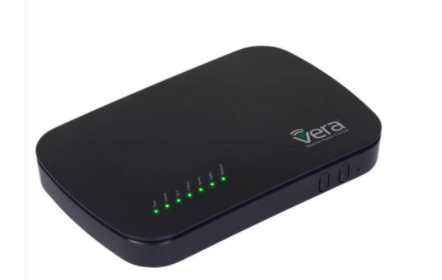
<b>VeraPlus Hub:</b><span style="font-weight: 400;"> VeraPlus was one of Digital Trends top 6 smart home hubs. It has a powerful controller with a fast system-on-a-chip processor, 128MB NAND flash memory, 256MB DDR3 memory, 4.0 Bluetooth, Gigabit Ethernet and USB 2.0 capability.</span>
</li>
<li style="font-weight: 400;">
<b>Samsung SmartThings Smart Home Hub:</b><span style="font-weight: 400;"> Samsung has produced a hub that is also popular in the smart home automation market. It is easy-to-use. It integrates well with lots of devices. The hub can take commands from either Alexa or its own free and downloadable application.</span>
</li>
</ul>
<h3><b>2. Z-Wave Light Switches To Use With Alexa</b></h3>
<p><span style="color: #0000ff;"><a href="https://www.zwaveoutlet.com/collections/ge-jasco" style="color: #0000ff;"><b>Z-Wave light switches</b></a></span><span style="font-weight: 400;"> can give you total control over your home’s ambiance. The Alexa-enabled light switch setup is easy to incorporate voice automation through your smart controller or hub. You’ll be easily able connect switches and summon the voice control automation into your smart home.</span></p>
<h3><b>3. Z-Wave Thermostats and Alexa Voice Automate Climate Control</b></h3>
<p><span style="font-weight: 400;">No more getting out of bed in the middle of the night to adjust the temperature for your significant other. You can say, “Alexa turn up the temperature 5 degrees.” Voice-controlled</span> <span style="color: #0000ff;"><a href="https://www.zwaveoutlet.com/collections/thermostats" style="color: #0000ff;"><b>Z-Wave thermostats</b></a></span><span style="font-weight: 400;"> will make every home owner’s life easier. With Z-Wave products and your Alexa device just tell the thermostat via voice command to change to the desired target temperature and continue with more important life decisions.</span></p>
<h3><b>4. Z-Wave Smart Deadbolt Locks with Voice Control by Alexa</b></h3>
<p><span style="font-weight: 400;">You can say things like, “Alexa lock the front door”, if you have a smart lock linked with your Z-wave network or just about any connected smart lock. Even though smart locks might sound risky at first, it actually enhances your home security. These locks use the same level of encryption as online banking for added comfort and security. Adding voice-activation with Alexa into the mix makes </span><span style="color: #0000ff;"><a href="https://www.zwaveoutlet.com/collections/locks" style="color: #0000ff;"><b>smart Z-wave locks</b></a></span><span style="font-weight: 400;"> attractive options for home automation.</span></p>
<h3><b>Moving Forward With Z-Wave and Alexa Voice Control</b></h3>
<p><span style="font-weight: 400;">Automating your home can make your life easier. And the do-it-yourself (DIY) nature of Z-Wave and Alexa based applications make them cost-effective solutions for homeowners. Shop our wide selection of smart home products compatible with Amazon Alexa.</span></p>]]>
    </content>
  </entry>
  <entry>
    <id>https://www.zwaveoutlet.com/blogs/news/ultimate-guide-to-smart-home-security</id>
    <published>2017-10-23T07:15:00-07:00</published>
    <updated>2018-08-08T13:50:18-07:00</updated>
    <link rel="alternate" type="text/html" href="https://www.zwaveoutlet.com/blogs/news/ultimate-guide-to-smart-home-security"/>
    <title>Ultimate Guide  to Z-Wave Security Devices</title>
    <author>
      <name>Brandon Loures</name>
    </author>
    <content type="html">
      <![CDATA[<meta charset="utf-8"><!-- ========================== section start ========================== -->
<section class="single-blog clearfix">
<div class="container-2">
<div class="col-md-8 col-xs-12 text-justify">
<h3><b>Increase home security with the latest in <br>smart home technology</b></h3>
<p><b></b>There are more devices and systems than ever before for keeping your home safe. These smart security products are the perfect way of protecting your family and home while providing peace of mind. But remember, when looking to secure your family and home, you’ll want to use one of the most secure wireless network like Z-Wave. Not only is Z-Wave a leader for smart home security, but it also offers a wide range of products that can fit the security and surveilance needs of any type of lifestyle or home.</p>
</div>
<div class="col-md-4 col-xs-12" style="text-align: left;"><img alt="" src="https://cdn.shopify.com/s/files/1/0767/7411/files/blog1.jpg?8927860908502881154" class="img-responsive img-curcle"></div>
</div>
</section>
<!-- ========================== section end ========================== --> <!-- section start -->
<section class="single-blog bg-white clearfix">
<div class="container-2">
<div class="col-md-4 col-xs-12" style="text-align: left;"><img alt="" src="https://cdn.shopify.com/s/files/1/0767/7411/files/blog2.jpg?15903982905808336601" class="img-responsive img-curcle"></div>
<div class="col-md-8 col-xs-12 text-justify">
<h3 class="text-green"><b>What does it mean to have smart security?</b></h3>
<p><span>Technological advancements have made vast improvements in the world of security home automation, as evidenced by the latest Internet of Things (IoT) products and devices. Now, modern smart home devices can be connected and controlled by smart phones and other types of mobile devices, literally placing home security within the palm of your hand.</span></p>
<ul>
<li>Increased security</li>
<li>Mobile Alerts</li>
<li>Automated Monitoring</li>
<li>Ease of use </li>
</ul>
</div>
</div>
</section>
<!-- ========== 3 section start =============== -->
<section class="single-blog bg-gray clearfix">
<div class="container-2">
<div class="col-md-8 col-xs-12 text-justify">
<h3><b>Why Consider Smart Security Home Automation?</b></h3>
<p>A recent study by The SafeWise Report found that “a burglary takes place about every eighteen seconds in the United States, adding up to nearly 200 per hour, and approximately 4,800 every day.” In the modern home security industry, smart home security systems can provide the optimal security needed to protect your family and home during any time of the night or day. In fact, a report released by the Cromwell-Olson-Avary found that 90% of burglars wouldn’t attempt to break into a home if they knew the home had a system installed. The study also found that burglaries are least likely to occur at homes with high-grade security systems.</p>
<p> </p>
<ul>
<ul></ul>
</ul>
</div>
<div class="col-md-4 col-xs-12" style="text-align: left;"><img alt="" src="https://cdn.shopify.com/s/files/1/0767/7411/files/blog3.jpg?2911750672125763532" class="img-responsive img-curcle"></div>
</div>
<div class="container-2">
<div class="col-md-12">
<p>A study conducted by Zion Market Research found that the global smart home market is expected to rise by 114.5% between the years 2017 and 2022, and market revenue for smart home systems is projected to grow from $24.10 billion in 2016 to $53.45 billion by 2022.</p>
</div>
</div>
</section>
<!-- ================= 3 section end  ================= 3 --> <!-- ================= 4 section Start================= 4 -->
<section class="single-blog bg-white clearfix">
<div class="text-center">
<h3 class="text-green"><b>Top 4 Ways Burglars Break Into a Home </b></h3>
<p>Before getting started customizing your smart home security system for optimal protection, <br>it’s important to first understand the most common ways burglars break into homes.</p>
</div>
<div class="container-2">
<div class="col-md-8 col-xs-12 text-justify">
<p><strong>Front Door :</strong> A recent home security study found that 34% of all break-ins occur through the front door. Although the solution of locking your doors might sound obvious, modern burglars are becoming increasingly sophisticated, with some even being able to hack into coded security locks.</p>
<p><strong>First Floor Windows :</strong> First floor windows are another popular target for break-ins with almost 23% of all burglaries occurring through a window. Even when locked, windows can be very difficult to secure without a smart security system of some kind.</p>
<p><strong>Side Doors :</strong>Side doors are often common targets, making up 22% of all home robberies. Side and back doors are so popular amongst thieves because home-owners tend to either forget or consider side and back doors as less important.</p>
<p><strong>Garages : </strong> In the past, garages were a very popular target for burglars looking to break into a home. Now, robbers only break-in through garages 9% of the time.</p>
<meta charset="utf-8">
<a href="https://www.safewise.com/blog/8-surprising-home-burglary-statistics/"><span></span></a>
</div>
<div class="col-md-8 col-xs-12 text-justify">
<br>
<ul></ul>
</div>
<div class="col-md-4 col-xs-12" style="text-align: left;"><img alt="" src="https://cdn.shopify.com/s/files/1/0767/7411/files/blog4.png?9296325454400676129" class="img-responsive img-curcle"></div>
</div>
</section>
<!-- ================= 4 section end  ================= 4 --> <!-- ========================== 5 section start ========================== -->
<section class="single-blog clearfix">
<div class="container-2">
<div class="col-md-12">
<h3><b>How To Choose the Right Smart Home Security System</b></h3>
<p>There are a number of different wireless technologies that can be used to implement your smart home security system, but when it comes to protecting your family and home, look into investing the wireless technology with the highest quality speed and flexibility: Z-Wave.</p>
<p>Z-Wave is considered by industry experts to be the premier wireless technology for smart security home automation. When compared to other wireless technologies, like Wi-Fi and Bluetooth, Z-Wave is not only able to connect to more devices, but it also has many benefits for home security systems. The variety of home security products makes Z-Wave a smarter choice than Wi-Fi as Wi-Fi can take up more power at slower speeds as it transmits data to non-security devices like smartphones and laptops.</p>
</div>
</div>
<div class="container-2">
<div class="col-md-8 col-xs-12 text-justify">
<p>With the support of numerous major security companies, Z-Wave can be easily integrated with devices made by more than a hundred different developers.</p>
<h4><i>Over 50 million Z-Wave devices have been sold to customers throughout the world. </i></h4>
</div>
<div class="col-md-4 col-xs-12" style="text-align: left;"><img alt="" src="https://cdn.shopify.com/s/files/1/0767/7411/files/blog5.png?17092330300908060566" class="img-responsive img-curcle"></div>
</div>
</section>
<!-- ========================== 5 section end ========================== --> <!-- ========================== 6 section Start ========================== -->
<section class="clearfix">
<div class="container-2">
<div class="col-md-12">
<div class="how-it-work">
<h3 class="text-green">How It Works</h3>
<hr>
<p>Z-Wave works as a wireless protocol and creates a <strong>mesh network</strong> that allows for complete security coverage for your entire home, all with encrypted data transfer which keeps your home security network safe from potential hackers.</p>
<p>For optimal security, each Z-Wave network and the connected devices are assigned unique IDs so that other hubs and devices can't have access to your system. Smart door locks and alarms are also built with encryption technology, which prevents outside interference.</p>
<p>Depending on which type of homeowner you are and the level of security you are looking to install, there are a <strong><a href="https://www.zwaveoutlet.com/collections/zwave-me" target="_blank" class="text-green" rel="noopener noreferrer">wide range of Z-wave products</a></strong> are available to choose from.</p>
</div>
</div>
</div>
</section>
<!-- ========================== 6 Section End ========================== --> <!-- ========================== Green Section Start ========================== -->
<section class="clearfix">
<div class="container-2">
<div class="col-md-12">
<div class="green-box">
<h3>Smart Z-Wave Compatible locks</h3>
<p>When you think of home security, the first thing that comes to mind is most likely the lock on your front door. Are you going away for a week or two? By installing <a href="https://www.zwaveoutlet.com/collections/locks" title="Z-Wave Locks">Z-Wave locks</a> and a compatible video doorbell<strong> </strong>, you will have full remote control of your front door lock from your smart phone and be able to see video of who is there at any time.</p>
<p>You can also temporarily unlock your door via smartphone to allow friends and family to enter your home when they are home sitting or in the event of an emergency or offer a temporary code for package delivery.</p>
<p><strong>Z-Wave</strong> offers a wide variety of smart locks to choose from, with different styles to different types of control systems, making sure that there will be a lock to suit your particular tastes and needs.</p>
</div>
</div>
</div>
</section>
<!-- ========================== Green Section End ========================== --> <!-- ========================== Green Section Start ========================== -->
<section class="clearfix">
<div class="container-2">
<div class="col-md-12">
<div class="green-box green-box-border">
<h3>Z-Wave Hubs &amp; Controllers</h3>
<p>z-Wave Outlet offers a variety of <a href="https://www.zwaveoutlet.com/collections/z-wave-home-automation-controllers">z-wave hubs and home controllers</a>. A popular and functional hub that we recommend is the <strong><a href="https://www.zwaveoutlet.com/collections/vera-control/products/veraplus-z-wave-home-controller" target-="" class="text-blue">VeraPlus Z-Wave Home Automation Hub</a></strong> which has a number of features including:</p>
<p>Schedule automatic events, such as unlocking a door for a housekeeper or activating sensor alarms at 10pm</p>
<p>Recognize your location so lights activate as you approach your home</p>
<p>Push notifications, emails and texts, can be used as an alert system for certain events. For example, you can receive a notification if your children or other family members arrive home safely.</p>
<p>Each member of the household can receive their own unique PIN numbers and PIN management, which provides specified access to the security system.</p>
</div>
</div>
</div>
</section>
<!-- ========================== Green Section End ========================== --> <!-- ========================== Green Section Start ========================== -->
<section class="clearfix">
<div class="container-2">
<div class="col-md-12">
<div class="green-box">
<h3>Smart Z-Wave IP Cameras</h3>
<p>The Z-Wave selection of best selling <a href="https://www.zwaveoutlet.com/collections/ip-cameras" title="zwave security cameras">Z-Wave cameras</a> include the Ring Stick Up Cam, which is a versatile product with built-in Wi-Fi and other important features, such as:</p>
<ul class="my-list-2">
<li>- Weather resistant, motion-activated</li>
<li>- Capabilities to work alongside smart locks or a Ring Video Doorbell to build the ultimate front-door security system.</li>
<li>- The VistaCam can also be easily moved and rotated to monitor each area of your home or business. It can also see in the dark from up to 16-feet with its infrared illumination.</li>
<li>- The VistaCam is compatible with Mobile Phone 3GPP Live Video Streaming, so you can see your security footage in real time on your smartphone.</li>
</ul>
</div>
</div>
</div>
</section>
<!-- ========================== Green Section End ========================== --> <!-- ========================== Green Section Start ========================== -->
<section class="clearfix">
<div class="container-2">
<div class="col-md-12">
<div class="green-box green-box-border">
<h3>Smart Z-Wave Motion Sensors</h3>
<p>One of the bestselling <span style="color: #0000ff;"><a href="https://www.zwaveoutlet.com/collections/sensors" title="Z-Wave Motion Sensors Collection" style="color: #0000ff;"><strong>Z-Wave motion sensors</strong> </a></span>is the <strong><a class="text-black">Aeotec by Aeon Labs Z-Wave Plus Multi-Sensor 6, Gen5,</a></strong> which features numerous security features for the protection of your home. This sensor incorporates the features of multiple Z-Wave devices by being able to detect motion, light, humidity, ultraviolet light, vibration, and changes in temperature, which can then be sent to you on your Z-Wave controller system. Other features include:</p>
<ul class="my-list-2">
<li>- Smart motion sensors can be used to control the amount of light in each room, as well as raise or lower curtains. The motion sensor can also alert you of harmful UV light.</li>
<li>- Range of up to 500 feet.</li>
<li>- The compact design can be mounted on surfaces and placed in the wall or ceiling, allowing for motion detection in every space of your home.</li>
</ul>
</div>
</div>
</div>
</section>
<!-- ========================== Green Section End ========================== --> <!-- ========================== Green Section Start ========================== -->
<section class="clearfix">
<div class="container-2">
<div class="col-md-12">
<div class="green-box">
<h3>Smart Sirens and Strobes</h3>
<p>Z-Wave offers several smart sirens and strobes made with the latest technology for sounding alarms and other types of warning systems in numerous situations. Whether alerting you of a fire or a home intrusion, smart sirens and strobes are designed to keep you and your family out of harm’s way.</p>
<p><span>Z-Wave offers several smart sirens and strobes made with the latest technology for sounding alarms and other types of warning systems in numerous situations. Whether alerting you of a fire or a home intrusion, smart sirens and strobes are designed to keep you and your family out of harm’s way.</span></p>
<p>- The Aeotec by Aeon Labs Z-Wave Plus Siren allows you to choose from 5 different types of audio alerts with an adjustable volume.</p>
<p>- There is no need to worry about losing power, since the smart siren will revert to a battery backup in the event of a power outage.</p>
<p>- An LED light keeps the siren visible, even in the dark.</p>
</div>
</div>
</div>
</section>
<!-- ========================== Green Section End ========================== --> <!-- ========================== Green Section Start ========================== -->
<section class="clearfix">
<div class="container-2">
<div class="col-md-12">
<div class="green-box green-box-border">
<h3>Smart Lighting</h3>
<p>Smart Lighting devices can also add to the daily comfort and convenience of your home. <a href="https://www.zwaveoutlet.com/collections/lighting">Z-wave's Smart home lighting starter kits</a> category for security, offers homeowners the ability to change the lighting by using your smartphone from any location within the home. Smart lighting can also use motion detectors to adjust the light as you enter each room, from dimming options to changes in color.</p>
<p><strong><i>If you own an Amazon Echo, you can even control the light systems through different voice commands.</i></strong></p>
<p>Smart lighting is also a great way of saving energy, since you can set the lights to activate only at certain times of day.</p>
</div>
</div>
</div>
</section>
<!-- ========================== Green Section End ========================== --> <!-- ========================== Green Section Start ========================== -->
<section class="clearfix">
<div class="container-2">
<div class="col-md-12">
<div class="green-box">
<h3>Smart Doorbells</h3>
<p>Smart doorbells can be used for a number of things relating to security. For one thing you can see who is at your front door via your smart phone whether you are home or not. By installing a <a href="https://www.zwaveoutlet.com/collections/doorbells">smart doorbell</a>, you will receive notices when the doorbell is rung, which is a great way of knowing when you have received a visitor or when an important package is delivered.</p>
<p class="text-sm">You can also set up your security system to see who is at the door once they have rung the doorbell. The leading brands in the smart doorbell space right now are Ring®, which just sold to Amazon for a billion dollars, and German made <a href="https://www.zwaveoutlet.com/collections/doorbird">Doorbird®</a> which is also a popular and stylish smart doorbell option.</p>
<p>The smart doorbell can also act as an “on” switch, activating your other home security devices when rung by a visitor.</p>
<p> ______________________________________________________________________</p>
<h3>Many Options of Smart Home Technology</h3>
<p><span style="font-weight: 400;">There are more devices and systems than ever before for keeping your home safe. These smart security products are the perfect way of protecting your family and home while providing peace of mind. </span></p>
<p><span style="font-weight: 400;">But remember, when looking to secure your family and home, you’ll want to use only the best wireless technologies. Not only is Z-Wave a leader for smart home security, but it also offers a wide range of products that can fit the security needs of any type of lifestyle or home, leaving your family safe and protected with the latest in smart technology.</span></p>
<h4> </h4>
</div>
</div>
</div>
</section>
<!-- ========================== Green Section End ========================== --> <!-- <h3><b>Smart IP Cameras</b></h3>
<p><strong>The Z-Wave selection of <i>best selling cameras</i> include the <span style="color: #0000ff;"><a href="https://www.zwaveoutlet.com/products/ring-stick-up-cam" rel="noopener noreferrer" target="_blank" data-saferedirecturl="https://www.google.com/url?hl=en&amp;q=https://www.zwaveoutlet.com/products/ring-stick-up-cam&amp;source=gmail&amp;ust=1508883885584000&amp;usg=AFQjCNE9kRzsAtOsIn0XSafRRsMiLu_4YA" style="color: #0000ff;">Ring Stick Up Cam</a></span>, which is a versatile product with built-in Wi-Fi and other important features, such as:</strong></p>
<meta charset="utf-8" /><meta charset="utf-8" /><meta charset="utf-8" />
<section class="clearfix">
<ul>
<li>Weather resistant, motion-activated</li>
<li>Capabilities to work alongside smart locks or a Ring Video Doorbell to build the ultimate front-door security system.</li>
<li>The VistaCam can also be easily moved and rotated to monitor each area of your home or business. It can also see in the dark from up to 16-feet with its infrared illumination.</li>
<li>The VistaCam is compatible with Mobile Phone 3GPP Live Video Streaming, so you can see your security footage in real time on your smartphone.</li>
</ul>
<ul></ul>
<ul></ul>
<h3><b>Smart Motion Sensors</b></h3>
<p>One of the bestselling motion sensors is the <strong><span style="color: #0000ff;"><a href="https://www.zwaveoutlet.com/products/aeon-labs-aeotec-z-wave-multi-sensor-6-gen5" target="_blank" style="color: #0000ff;" rel="noopener noreferrer">Aeotec by Aeon Labs Z-Wave Plus Multi-Sensor 6, Gen5</a></span></strong>, which features numerous security features for the protection of your home. This sensor incorporates the features of multiple Z-Wave devices by being able to detect motion, light, humidity, ultraviolet light, vibration, and changes in temperature, which can then be sent to you on your Z-Wave controller system. Other features include:</p>
<ul>
<li>Smart motion sensors can be used to control the amount of light in each room, as well as raise or lower curtains. The motion sensor can also alert you of harmful UV light.</li>
<li>Range of up to 500 feet.</li>
<li>The compact design can be mounted on surfaces and placed in the wall or ceiling, allowing for motion detection in every space of your home.</li>
</ul>
<ul></ul>
<ul></ul>
<h3><b>Smart Sirens and Strobes</b></h3>
<p><b>Z-Wave offers several smart sirens and strobes made with the latest technology</b> for sounding alarms and other types of warning systems in numerous situations. Whether alerting you of a fire or a home intrusion, <i>smart sirens and strobes </i>are designed to keep you and your family out of harm’s way.</p>
<p>One of the bestselling smart siren is the <span style="color: #0000ff;"><a href="https://www.zwaveoutlet.com/blogs/news/129342919-smartthings-now-compatible-with-aeon-labs-z-wave-siren" rel="noopener noreferrer" target="_blank" data-saferedirecturl="https://www.google.com/url?hl=en&amp;q=https://www.zwaveoutlet.com/blogs/news/129342919-smartthings-now-compatible-with-aeon-labs-z-wave-siren&amp;source=gmail&amp;ust=1508883885584000&amp;usg=AFQjCNF-m5jjwQiaDoZ6RtAlM6fxJps1WQ" style="color: #0000ff;"><b>Aeotec by Aeon Labs Z-Wave Plus Siren</b></a></span>, which is easy to use and can plug into <i>any standard power outlet</i> throughout your home.s</p>
<ul>
<li><b>The Aeotec by Aeon Labs Z-Wave Plus Siren allows you to choose from 5 different </b>types of audio alerts with an adjustable volume.</li>
</ul>
<ul>
<li><b>There is no need to worry about losing power</b>, since the smart siren will revert to a battery backup in the event of a power outage.</li>
</ul>
<ul>
<li><b>An LED light</b> keeps the siren visible, even in the dark.</li>
</ul>
<h3><b>Smart Lighting</b></h3>
<p><b>In addition to providing home security, </b>smart devices can also add to the daily comfort and convenience of your home. Z-wave's <span style="color: #0000ff;"><strong><a href="https://www.zwaveoutlet.com/collections/lighting" rel="noopener noreferrer" target="_blank" data-saferedirecturl="https://www.google.com/url?hl=en&amp;q=https://www.zwaveoutlet.com/collections/lighting&amp;source=gmail&amp;ust=1508883885584000&amp;usg=AFQjCNE4pJ5DYZRrdtv1-P64kAsMwqxQgA" style="color: #0000ff;">Smart home lighting</a></strong></span> category for security, offers homeowners the ability to change the lighting by using your smartphone from any location within the home. Smart lighting can also use <i>motion detectors</i> to adjust the light as you enter each room, from dimming options to changes in color.</p>
<p><b><i>If you own an Amazon Echo, you can even control the light systems through different voice commands</i></b><i>.</i></p>
<p>Smart lighting is also a great way of saving energy, since you can set the lights to activate only at certain times of day.</p>
<h3><b>Smart Doorbells</b></h3>
<p><b>Smart doors don’t just have to be about locks and lighting.</b> By installing a smart doorbell, you will receive notices when the doorbell is rung, which is a great way of knowing when you have received a visitor or when an important package is delivered.</p>
<p>You can also set up your security system to see who is at the door once they have rung the doorbell. Our bestselling smart doorbell, <a href="https://www.zwaveoutlet.com/products/aeon-labs-z-wave-doorbell-gen5" target="_blank" data-saferedirecturl="https://www.google.com/url?hl=en&amp;q=https://www.zwaveoutlet.com/products/aeon-labs-z-wave-doorbell-gen5&amp;source=gmail&amp;ust=1508883885584000&amp;usg=AFQjCNGY4AU5V7_LW-I3V-4pPtsQVudPfA" rel="noopener noreferrer"><b><span style="color: #0000ff;">Aeotec by Aeon Labs Z-Wave Plus Doorbell Gen5</span>,</b></a> can be customized to play different ring tones. It is also compatible with MP3 music files, so you can program the doorbell to play your favorite music.</p>-->]]>
    </content>
  </entry>
  <entry>
    <id>https://www.zwaveoutlet.com/blogs/news/schlage-connect-camelot-touchscreen-deadbolt-just-got-real-high-tech</id>
    <published>2017-07-05T07:30:00-07:00</published>
    <updated>2017-10-31T09:29:12-07:00</updated>
    <link rel="alternate" type="text/html" href="https://www.zwaveoutlet.com/blogs/news/schlage-connect-camelot-touchscreen-deadbolt-just-got-real-high-tech"/>
    <title>Schlage Connect Camelot Touchscreen Deadbolt Just Got Real High Tech</title>
    <author>
      <name>Chantal Ramirez</name>
    </author>
    <content type="html">
      <![CDATA[<meta charset="utf-8">
<h3>Secure your home with smart touchscreen deadbolt locks. </h3>
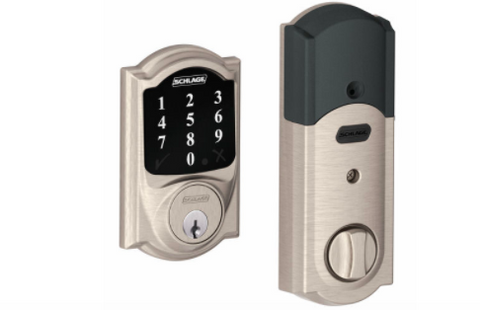
<p><span style="font-weight: 400;">As the smart home arena continues to evolve, one device that consumers deem to be a necessity when building their home automated system is a great functioning smart lock. With the many smart locks out in the market, they all vary in design, technology and simply serve different smart home needs. The <span style="color: #0000ff;"><a href="https://www.zwaveoutlet.com/collections/schlage/products/schlage-connect-camelot-touchscreen-deadbolt-with-built-in-alarm" style="color: #0000ff;">Schlage Connect Camelot Touchscreen Deadbolt</a></span> can be integrated with your Z-Wave Hub as well as Amazon Alexa, giving homeowners the option to use voice recognition to keep a lookout on the status of your front door. Here are some things to keep in mind when considering to expand your home automated system with the great </span><span style="font-weight: 400;">Schlage Connect Camelot Touchscreen Deadbolt:</span></p>
<p><span style="font-weight: 400;">Unique Features</span></p>
<p><span style="font-weight: 400;"><img src="//cdn.shopify.com/s/files/1/0767/7411/files/Screen_Shot_2017-04-27_at_4.50.11_PM_large.png?v=1493337026" alt="https://www.zwaveoutlet.com/collections/schlage/products/schlage-connect-camelot-touchscreen-deadbolt-with-built-in-alarm"></span></p>
<br>
<p><span style="font-weight: 400;"><span style="color: #0000ff;"><a href="https://www.zwaveoutlet.com/collections/schlage/products/schlage-connect-camelot-touchscreen-deadbolt-with-built-in-alarm" style="color: #0000ff;">Schlage Connect</a></span> offers homebuyers many great features such as a slim exterior, fingerprint-resistant touchscreen, and a one-touch lock for greater usability. It is specially designed with a matte finish that prevents any smudging from fingerprints, giving it a sleek and clean look no matter what. Homeowners will also receive an audible alert any time there is movement detected through the smart technology that is equipped with the lock, to truly keep your home secure from anyone who shows up to your home uninvited. Choose from three different alerts that will notify you in a timely manner: activity, tamper or forced entry, satisfying all home security needs. </span></p>
<h3>Unlock Your Door Through Your Phone</h3>
<p style="float: right;">At first, one may feel skeptical on exactly how reliable this method may be. However many<img alt="" src="//cdn.shopify.com/s/files/1/0767/7411/files/schlage-z-wave-smart-lock-deadbolt_large.png?v=1509467092" style="float: right;"> homeowners will find that unlocking their front door through their iPhone or Android device instead of a physical key is actually very efficient and helps them be that much more self-sufficient. It gets even better when you ask Siri, “Open the door,” making it that effortless, quick and convenient!</p>
<h3>Schedule Customized Codes For Friends and Family</h3>
<p><span style="font-weight: 400;">Never worry about leaving a spare key for the nanny again. The fantastic thing about setting up Schlage Connect is that you as a homeowner can give a designated access code to specific each person you allow into your home. From miles away, if the dog sitter wants to check on the dogs and make sure they are fed daily you can set up a code for he/she to enter with and you have control of how long and when this code will be used. That’s our favorite part, you have total control of how you want to approach your smart locks privacy and functionality.</span></p>
<h3>A Smart Deadbolt</h3>
<span style="font-weight: 400;">Interestingly enough, your Schlage Connect Camelot Touchscreen Deadbolt can act as the brain and central hub for all your home automated needs. When connected through the Z-Wave wireless network, homeowners can purchase the Nexia Bridge, which costs about $59.99 then $9.99 a month to continue to use the Nexia app. Once you have this setup, you are free to create a domino effect between the Nexia app, by controlling your lock, lights, thermostat and any other products you may have purchased. </span>]]>
    </content>
  </entry>
  <entry>
    <id>https://www.zwaveoutlet.com/blogs/news/z-wave-life-hack-how-to-prevent-a-flood-before-it-s-too-late</id>
    <published>2017-07-03T07:30:00-07:00</published>
    <updated>2017-07-03T07:30:00-07:00</updated>
    <link rel="alternate" type="text/html" href="https://www.zwaveoutlet.com/blogs/news/z-wave-life-hack-how-to-prevent-a-flood-before-it-s-too-late"/>
    <title>Z-Wave Life Hack: How to Prevent a Flood Before It’s Too Late</title>
    <author>
      <name>Chantal Ramirez</name>
    </author>
    <content type="html">
      <![CDATA[<h3 style="text-align: center;"><span style="font-weight: 400;">Z-Wave Life Hack: How to Prevent a Flood Before It’s Too Late</span></h3>
<br>
<p><span style="font-weight: 400;"><img src="//cdn.shopify.com/s/files/1/0767/7411/files/Screen_Shot_2017-04-28_at_10.55.58_AM_large.png?v=1493402200" alt="https://www.zwaveoutlet.com/collections/flood-prevention/products/automatic-water-shut-off-flood-prevention" style="float: left;">For those who have seen flood-damage right before their very eyes, incidents like these have left countless homes devastated. In 2013 the Alberta flood had about $5 billion worth of damage, making it the worst flood to hit this region. One Calgary resident decided that he would turn to high-end home automated technology for his home and integrated water monitoring devices that would help him prevent from these types of catastrophic events. Although we cannot prevent the natural disaster that occurs, with the advantage of the smart home technology we can always be one step ahead. </span></p>
<p> </p>
<p> </p>
<p><span style="font-weight: 400;">Whether you just bought your first home, or have been a long-time homeowner, floods are no joke. This is why we cannot rely on our neighbors to give us a call if flood incidents happen when we are away from home. To prepare us for such incidents, we must make sure the water stays away from our floors, walls, and ceilings. </span></p>
<br>
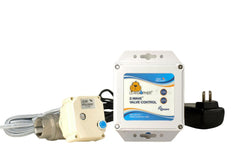
<p><span style="font-weight: 400;">Z-Wave has created a fully equipped kit that has advanced capabilities to prevent a costly leakage which includes the VeraEdge Home Automation controller, a Fibaro Z-Wave Flood Sensor, Aeon Labs Aeotec Z-Wave Range Extender/Repeater and Leak Gopher Z-Wave Water Valve Control. </span></p>
<div><img src="//cdn.shopify.com/s/files/1/0767/7411/files/Screen_Shot_2017-04-28_at_11.19.59_AM_large.png?v=1493403635" alt="https://www.zwaveoutlet.com/collections/flood-prevention/products/automatic-water-shut-off-flood-prevention" style="display: block; margin-left: auto; margin-right: auto;"></div>
<p> </p>
<p><a href="https://www.zwaveoutlet.com/collections/flood-prevention/products/automatic-water-shut-off-flood-prevention"><span style="font-weight: 400;">The VeraEdge Controller</span></a><span style="font-weight: 400;"> is the only controller you will need since it will be able to control door locks, thermostat, alarm dimmers, your camera and essentially everything else! With an extended Wi-Fi range, the homeowner can link up to 220 devices. The </span><a href="https://www.zwaveoutlet.com/collections/fibaro-manufacture/products/fibaro-z-wave-flood-sensor"><span style="font-weight: 400;">Fibaro Z-Wave Flood Sensor</span></a><span style="font-weight: 400;"> rests on three gold plated probes which sense when water is present and because all probes are telescopic they can rest on uneven surfaces yet still be touching the ground. The best part about it is designed for a larger home security purpose because it includes a row of terminals that can be wired up to a security camera, a siren or even an external power supply. To ensure the Z-Wave signals are always working properly the Aeon Labs </span><a href="https://www.zwaveoutlet.com/collections/flood-prevention/products/automatic-water-shut-off-flood-prevention"><span style="font-weight: 400;">Aeotec Z-Wave Extender/Repeater</span></a><span style="font-weight: 400;"> ensure that commands are always being passed along. Lastly, the Leak Gopher Z-Wave Water Valve Control will be the appliance that enables a security alarm and is Z-wave integrated with the water sensor to turn off the water when a leak is detected. </span></p>
<br>
<p><span style="font-weight: 400;">This is all you need to be best prepared to monitor your pipes and water leakage away from home and through your mobile device. Don’t wait till it happens! Make sure to avoid a costly utility bill and prevent all problems! </span></p>
<br>
<p><span style="font-weight: 400;">All the best, </span></p>
<br><span style="font-weight: 400;">Z-Wave Outlet Team</span>]]>
    </content>
  </entry>
  <entry>
    <id>https://www.zwaveoutlet.com/blogs/news/z-wave-and-google-home-frequently-asked-questions</id>
    <published>2017-06-28T08:30:00-07:00</published>
    <updated>2018-02-13T21:13:19-08:00</updated>
    <link rel="alternate" type="text/html" href="https://www.zwaveoutlet.com/blogs/news/z-wave-and-google-home-frequently-asked-questions"/>
    <title>Z-Wave and Google Home Frequently Asked Questions</title>
    <author>
      <name>Chantal Ramirez</name>
    </author>
    <content type="html">
      <![CDATA[<meta charset="utf-8">
<h3><strong>How does Google Home Work?</strong></h3>
<div style="float: right;">
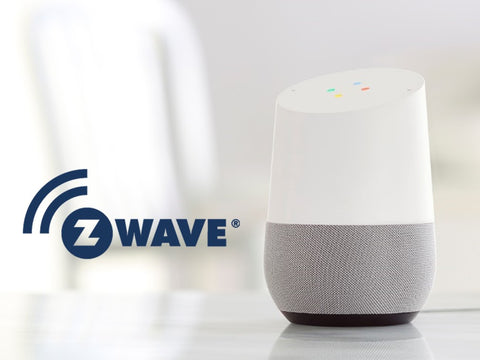
<img alt="google-home-z-wave" src="//cdn.shopify.com/s/files/1/0767/7411/files/google-home-z-wave_large.jpg?v=1513898879" style="float: right; margin-left: 5px;">Google Home helps homeowners harness the power of Z-Wave technology to build the best smart home possible. By integrating <strong><span style="color: #0000ff;"><a href="https://www.zwaveoutlet.com/" target="_blank" rel="noopener noreferrer" style="color: #0000ff;">Z-Wave smart home products</a></span></strong> and Google Home you’ll be able to intelligently control and customize details like lighting, temperature and home security through voice commands. <br> <br>Z-Wave is unique, it sets itself apart from other retail smart home giants by offering the best information and products to complete your smart home. Our goal is to educate consumers on the power of Z-Wave devices and Google Home so you can select the smartest voice activated products for your needs. Google Home uses voice commands to answer questions through the power of Google search. Smart functions include setting alarms, timers, activating music on Google Play or Spotify, fetching news and basically anything that you would expect Google to do for you. It seamlessly allows these requests to be forwarded to Z-Wave devices so you can access the features of each smart product and harness the power of them with voice control.</div>
<div style="float: right;"></div>
<h3><strong>Activating Your Z-Wave Network</strong></h3>
<p><span>Learn the basics of your smart network. Google Home uses RF signals to communicate with Z-Wave-compatible devices around your home up to 500 feet and potentially hop between 4 devices. Activating this experience starts with integration of your Google Home to a Z-Wave hub or controller. What you’ve created is a called a mesh network; allowing signals to communicate from smart device to smart device. The benefits are increase of range and accessibility to products around your home, now controllable by voice.</span></p>
<h3><strong>Z-Wave Controllers and Hubs For Google Home</strong></h3>
<p>The nucleus of your smart home starts with <strong><span style="color: #0000ff;"><a href="https://www.zwaveoutlet.com/collections/z-wave-home-automation-controllers" target="_blank" style="color: #0000ff;" rel="noopener noreferrer">Z-Wave controllers and hubs</a></span></strong>. These core devices manage your network. Companies like Wink, SmartThings, Honeywell, Samsung and more are producing Z-Wave compatible hubs and controllers that make integration of Google Home automation that much easier. Once you’ve selected a controller or hub for your Z-Wave network, Google Home is ready to voice activate your smart light bulbs, thermostats, smart locks and other products. Advancing your home into the future and allowing complete access so all your products. Now you're able to use Google Home and Vera Plus Hub to voice control your home automation scenes and products. For example, "Hey Google, turn the patio lights on." or "Hey Google, turn on movie settings mode."</p>
<h3><strong>Z-Wave Light Switches To Use With Google Home</strong></h3>
<p>“Hey Google, turn on the hallway lights.” With <strong><span style="color: #0000ff;"><a href="https://www.zwaveoutlet.com/collections/switches" target="_blank" style="color: #0000ff;" rel="noopener noreferrer">Z-Wave light switches</a></span></strong>, you can control the intensity of your Google Home light bulbs. Adding light switches is a simple way to strengthen your mesh network and providing voice control through Google Home. More advanced smart home builders can program their hubs to set up their lights to behave in a certain way at set times. For example, your Google Home lights can gradually dim as the evening progresses so your body and mind can get ready to go to bed.</p>
<h3><strong>Z-Wave Thermostats and Google Home Climate Control Automation</strong></h3>
<p>You can use Google Home to directly control your <strong><a href="https://www.zwaveoutlet.com/collections/thermostats" target="_blank" rel="noopener noreferrer"><span style="color: #0000ff;">Z-Wave thermostats</span></a></strong>. The commands will reach the thermostats through the Z-Wave controller or hub. Want to advance to another level? You can program an automated climate control process to adjust your home temperature for the time of the day or the change of the season. It will make your home more energy-efficient, save you money and not make you have to get out of bed to adjust temperature. “Hey Google, it’s cold tonight turn the temperature to 70 degrees?”</p>
<h3><strong>Z-Wave Smart Deadbolt Locks With Google Home</strong></h3>
<p>Z-Wave smart deadbolt locks can give you peace of mind by increasing home security. Compatible smart locks give you the ability to check and lock doors remotely via voice command. You don’t have to get out of bed at night to ensure the front door is locked. Just tell Google Home, “Hey Google, can you lock the front door?” Ulitlizing Google Home and <strong><span style="color: #0000ff;"><a href="https://www.zwaveoutlet.com/collections/locks" target="_blank" style="color: #0000ff;" rel="noopener noreferrer">Z-Wave dead bolt locks</a></span></strong> gives you full control over your smart home security and devices in your home using only your voice.</p>
<p>Begin the transformation of your home into a Google smart home today. Activate an increased level of efficiency, save money on energy and ultimately make your life easier with the best digital assistant available. Learn about <span>optimizing and personalizing </span><span><strong><span style="color: #0000ff;"><a href="https://www.cnet.com/products/google-home/review/" target="_blank" rel="noopener noreferrer" style="color: #0000ff;">Google Home</a></span></strong> and its benefits with Z-Wave devices</span> smart home automation products so you can live better.</p>
<p> </p>]]>
    </content>
  </entry>
  <entry>
    <id>https://www.zwaveoutlet.com/blogs/news/what-s-the-top-3-best-z-wave-controller-interface-software</id>
    <published>2017-06-19T08:00:00-07:00</published>
    <updated>2017-06-19T08:00:00-07:00</updated>
    <link rel="alternate" type="text/html" href="https://www.zwaveoutlet.com/blogs/news/what-s-the-top-3-best-z-wave-controller-interface-software"/>
    <title>What’s the Top 3 Best Z-Wave Controller Interface &amp; Software?</title>
    <author>
      <name>Chantal Ramirez</name>
    </author>
    <content type="html">
      <![CDATA[<h3 style="text-align: center;"><span style="font-weight: 400;">What’s the Top 3 Best Z-Wave Controller Interface &amp; Software? </span></h3>
<br>
<p><span style="font-weight: 400;">For the past few years, home automation awareness has reached an all-time high, driven by innovators in the business technology space and those who first envisioned a revolutionary smart home. One of the main drivers that have led this industry to boom as exponentially as it has, is the consumers and not just luxury home owners. Homeowners of all income levels now want to integrate this smart hub to take advantage of the benefits and convenience that it brings to their lifestyle, not to talk about the options being limitless. Z-Wave comes quite handy when it comes to controlling the different elements that make up a smart home such as energy usage and home security. We handpicked a few of our favorite Z-Wave connected controllers and software to consider when transforming your home: </span></p>
<br>
<p><a href="https://www.zwaveoutlet.com/collections/z-wave-home-automation-controllers/products/veraplus-z-wave-home-controller"><span style="font-weight: 400;">VeraPlus Home Automation Controller</span></a></p>
<div><img src="//cdn.shopify.com/s/files/1/0767/7411/files/Screen_Shot_2017-04-28_at_9.03.13_AM_large.png?v=1493395424" alt="https://www.zwaveoutlet.com/collections/z-wave-home-automation-controllers/products/veraplus-z-wave-home-controller" style="display: block; margin-left: auto; margin-right: auto;"></div>
<p> </p>
<br>
<p><span style="font-weight: 400;">This controller allows to connect an endless amount of devices and supports various communications protocols thanks to its fast 800MHZ processor and 256 of RAM. The fantastic thing about it is that it works with Zigbee and Bluetooth integration taking it to a whole other level of connectivity. It is packed with a speedy GUI interface that allows for more plugins and devices, making it quite the efficient option to control your smart home devices! </span></p>
<br>
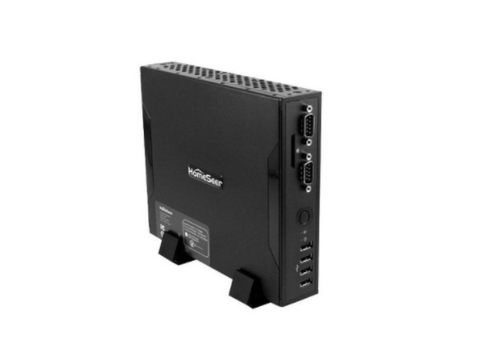
<p><a href="https://www.zwaveoutlet.com/collections/z-wave-home-automation-controllers/products/homeseer-hometroller-s6-home-automation-controller"><span style="font-weight: 400;">HomeSeer HomeTroller S6 Home Automation Controller</span></a></p>
<p><span style="font-weight: 400;"><img src="//cdn.shopify.com/s/files/1/0767/7411/files/Screen_Shot_2017-04-28_at_9.04.12_AM_large.png?v=1493395970" alt="https://www.zwaveoutlet.com/collections/z-wave-home-automation-controllers/products/homeseer-hometroller-s6-home-automation-controller" style="display: block; margin-left: auto; margin-right: auto;"></span></p>
<br>
<p><span style="font-weight: 400;">The S6 features a web-based CSS embedded version of Windows 7 Pro, making it user-friendly for those who are used to customizing their computer to best fit their needs. The HomeTroller Series 6 controller provides homeowners with a simple yet reliable Z-Wave control. The control works with several home automated giants such as Honeywell, Fibaro, Aeon Labs, GR, Linear, Schlage, and much more by simply using a Z-Wave interface for the controller. Homeowners are guaranteed features including text-to-speech, voice recognition/voice control, and an API software that is personalized with the ability to add plugins to make it your own!</span></p>
<br>
<p><a href="https://www.zwaveoutlet.com/collections/z-wave-home-automation-controllers/products/zipato-zipatile-home-automation-controller"><span style="font-weight: 400;">Zipato ZipaTile Z-Wave + Zigbee Home Automation Controller</span></a></p>
<p><span style="font-weight: 400;"><img src="//cdn.shopify.com/s/files/1/0767/7411/files/Screen_Shot_2017-04-28_at_9.05.31_AM_large.png?v=1493396037" alt="https://www.zwaveoutlet.com/collections/z-wave-home-automation-controllers/products/zipato-zipatile-home-automation-controller" style="display: block; margin-left: auto; margin-right: auto;"></span></p>
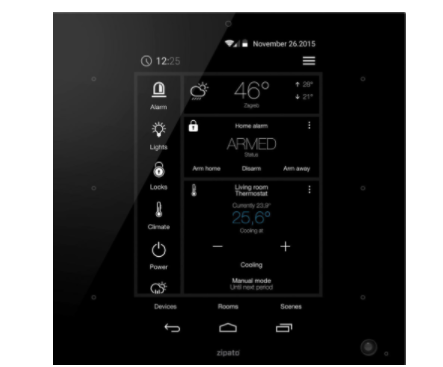
<p><span style="font-weight: 400;">An all-in-one home controller accessed through the ZipaTile, a wall-mount Android-powered touchscreen tablet that is fully equipped with communication radios and sensors for detecting motion, shock, temperature, humidity, sound and light. It can also be used interchangeably with Z-Wave, Bluetooth, Wi-Fi and Bluetooth, so there are several ways of using it to your advantage depending on your preference. Additionally, the Zipato Zipatile Z-Wave + Zigbee Controller displays video through the integrated IP camera, speaker, and microphone that is connected to the controller. Just download the app from your choice of Apple or Android device and take the control from there! </span></p>
<br><br><br><br><br>]]>
    </content>
  </entry>
  <entry>
    <id>https://www.zwaveoutlet.com/blogs/news/the-smartest-thermostat-that-knows-when-you-re-away-from-home</id>
    <published>2017-06-14T07:30:00-07:00</published>
    <updated>2017-06-14T07:30:00-07:00</updated>
    <link rel="alternate" type="text/html" href="https://www.zwaveoutlet.com/blogs/news/the-smartest-thermostat-that-knows-when-you-re-away-from-home"/>
    <title>The Smartest Thermostat That Knows When You’re  Away From Home</title>
    <author>
      <name>Chantal Ramirez</name>
    </author>
    <content type="html">
      <![CDATA[<h3 style="text-align: center;"><span style="font-weight: 400;">The Smartest Thermostat That Knows When You’re  Away From Home</span></h3>
<div><img src="//cdn.shopify.com/s/files/1/0767/7411/files/Screen_Shot_2017-04-28_at_1.26.39_AM_large.png?v=1493368017" alt="https://www.zwaveoutlet.com/products/nest-2nd-generation-learning-thermostat" style="display: block; margin-left: auto; margin-right: auto;"></div>
<p> </p>
<p><span style="font-weight: 400;">A smart thermostat is one of the most valuable homes automated devices people end up purchasing for a number of reasons. The #1 reason is for how much money it can end up saving you. Investing some home smarts when it comes to your thermostat can be the best investment you make this year in terms of savings on your monthly utility bill. The money saving isn’t the only part that gear more and more people of buying. It’s also the ease of use when it comes to the installation as well as the value in functionality. Now that we’re on the topic of smart home thermostats, Nest Learning Thermostat has made it to many people’s homes making monitoring heating and conditioning easier than ever before! In this post, you will learn about one of the best smart thermostats out on the market to find out if this best meets your smart home needs. </span></p>
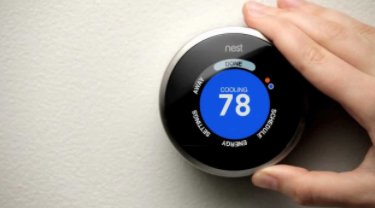
<p><span style="font-weight: 400;">The Nest Learning Thermostat helps you check on how you’re doing on energy usage, allows for a customizable schedule based on temperature desired and even turns off temperature depending on the current weather conditions! The Nest Leaf displayed on the LED interface is the tracker that tells you if you’re headed the right direction for saving energy from the time you started using it. It will even light up when it detects you coming into the room to notify you the temperature, time or weather from a distance. Also, if you happen to already have the Amazon Alexa, the Nest Learning Thermostat works smoothly with it, and you can use voice control to adjust and monitor your home's temperature when it gets too hot or cold. </span></p>
<br><span style="font-weight: 400;">When it comes to having a wealth of information at your disposal such as the weather outside, the current temperature in your home and the time of day, why not conserve resources while you are at it. The Nest Learning Thermostat helps keep these important aspects of our daily life in order and you’ll end up saving tons of money while you’re at it. </span>]]>
    </content>
  </entry>
  <entry>
    <id>https://www.zwaveoutlet.com/blogs/news/the-best-top-selling-z-wave-compatible-thermostats</id>
    <published>2017-06-05T07:30:00-07:00</published>
    <updated>2017-09-15T16:04:02-07:00</updated>
    <link rel="alternate" type="text/html" href="https://www.zwaveoutlet.com/blogs/news/the-best-top-selling-z-wave-compatible-thermostats"/>
    <title>The Top Selling Z-Wave Compatible Thermostats</title>
    <author>
      <name>Chantal Ramirez</name>
    </author>
    <content type="html">
      <![CDATA[<p style="text-align: left;"><span style="font-weight: 400;">Smart thermostats play a tremendous role in energy efficiency, and can also save you a significant amount of money if you do it right. With a standard thermostat, it only serves the basic function of turning the heating and cooling on or off manually all controlled by a simple switch. Should we not take into account the external factors that affect thermostat functions such as anticipating the differences in weather conditions? We also see no point in spending those hard earned dollars on cooling your home while no one is even there. </span><span style="font-weight: 400;">Here are some of the top-selling<span style="color: #0000ff;"> <a href="https://www.zwaveoutlet.com/collections/thermostats" style="color: #0000ff;">Z-Wave thermostats</a></span> that we love:</span></p>
<br>
<h3><span style="color: #0000ff;"><a href="https://www.zwaveoutlet.com/products/alarm-com-smart-thermostat" style="color: #0000ff;"><span style="font-weight: 400;">Alarm.com Z-Wave Smart Thermostat </span></a></span></h3>
<br>
<p><span style="font-weight: 400;">This all-in-one connected thermostat includes a particularly creative technology that enables custom schedules, location based automation, and alerts that respond to inputs based on the various other devices being used around the house. This is a great smart home solution to provide homeowners with accurate temperature adjustments for people to experience the complete home automation experience. </span></p>
<br>
<h3><span style="color: #0000ff;"><a href="https://www.zwaveoutlet.com/products/trane-z-wave-thermostat" style="color: #0000ff;"><span style="font-weight: 400;">American Standard Energy Management Z-Wave Thermostat</span></a></span></h3>
<p><span style="font-weight: 400;">To truly optimize all energy usage you want to look into this Z-Wave integrated thermostat. Remotely adjust heating/cooling away from home through your choice of tablet or smartphone and decrease your energy activity by 10-15%! You can also adjust lighting through the remote system for a smart use of all energy around your home! </span></p>
<br>
<h3><span style="color: #0000ff;"><a href="https://www.zwaveoutlet.com/products/nest-2nd-generation-learning-thermostat" style="color: #0000ff;"><span style="font-weight: 400;">Nest 3rd Generation Learning Thermostat</span></a></span></h3>
<br>
<p><span style="font-weight: 400;">One of the biggest mistakes you see is people who are not aware of their energy expenses and basically just wing it. Let’s face it though, the more you know the more you save. With Nest 3nd Learning Thermostat, you are able to tailor your air conditioning needs with a personalized schedule. Keeping track of how energy is being spent for a period of time can make a huge difference to see how you can constantly improve. The leaf on this thermostat will let you know if you are spending your energy wisely, so you are always on track. Additionally, it is neat to make use of the airwave feature which detects when humidity isn’t as high and in turn lowers the cooling in your home. </span></p>
<br>
<h3><span style="color: #0000ff;"><a href="https://www.zwaveoutlet.com/collections/thermostats/products/honeywell-yth8320zw1007-u-z-wave-enabled-programmable-thermostat" style="color: #0000ff;"><span style="font-weight: 400;">Honeywell Z-Wave Enabled Programmable Thermostat</span></a></span></h3>
<br><span style="font-weight: 400;">This Z-Wave Thermostat has gotten awesome reviews by customers expressing how simple it is to install, the Z-Wave capabilities and the green glow it gives off making it easy to read! It also has a built-in messaging system that informs people about their HVAC status and event can be installed without requiring a C-wire. We love this thermostat for being dependable in its temperature control and reliable track record! </span>]]>
    </content>
  </entry>
  <entry>
    <id>https://www.zwaveoutlet.com/blogs/news/green-smart-home-minimize-your-carbon-footprint-with-z-wave</id>
    <published>2017-06-01T07:30:00-07:00</published>
    <updated>2017-06-01T07:30:00-07:00</updated>
    <link rel="alternate" type="text/html" href="https://www.zwaveoutlet.com/blogs/news/green-smart-home-minimize-your-carbon-footprint-with-z-wave"/>
    <title>Green Smart Home: Minimize Your Carbon Footprint with Z Wave</title>
    <author>
      <name>Chantal Ramirez</name>
    </author>
    <content type="html">
      <![CDATA[<h3 style="text-align: center;"><span style="font-weight: 400;">Green Smart Home: Minimize Your Carbon Footprint with Z-Wave</span></h3>
<div><img src="//cdn.shopify.com/s/files/1/0767/7411/files/Screen_Shot_2017-04-27_at_4.44.05_PM_large.png?v=1493336664" alt="https://www.zwaveoutlet.com/collections/power-management" style="display: block; margin-left: auto; margin-right: auto;"></div>
<br>
<p><span style="font-weight: 400;">When it comes to an effective green smart home and a sustainable approach to reducing energy usage and utility costs, home automation technology is the leader in energy management. If you truly want to minimize your carbon footprint you must reduce your consumption. To do this you need to have a full understanding of how you are using your energy so you can both manage and monitor your energy consumption. Z-Wave helps people be eco-friendly and also knows how important it is for your wallet to implement a cost-efficient system solution. Here are a few ways you can implement an easy and green home approach with the Z-Wave integrated intelligent management system: </span></p>
<br>
<p><span style="font-weight: 400;">Smart Use Of Lighting</span></p>
<br>
<p><span style="font-weight: 400;">We underestimate how often we forget to turn off the lights once we rush out to get to work or all the times we fall asleep and leave all the lights on. Not only does this spike your energy bill but for the environmentally conscious individual, it’s easy to feel they are not doing their part with this method. Ultimately, we should make sure the lights are off when no one is home to effectively save energy. Z-Wave brings the solution of </span><a href="https://www.zwaveoutlet.com/products/aeon-labs-aeotec-z-wave-multi-sensor-6-gen5"><span style="font-weight: 400;">motion sensors that automatically turn lights on</span></a><span style="font-weight: 400;"> as soon as someone enters your home as well as </span><a href="https://www.zwaveoutlet.com/products/jasco-z-wave-dimmer-wall-toggle-switch-almond"><span style="font-weight: 400;">turning on lights on and off remotely. </span></a><span style="font-weight: 400;"> </span></p>
<br>
<p><span style="font-weight: 400;">Smart Watering </span></p>
<br>
<p><span style="font-weight: 400;">Today’s homebuyers seek to capitalize on home automation with technology specializing in</span><a href="https://www.zwaveoutlet.com/products/skydrop-8-zone-smart-sprinkler-controller"><span style="font-weight: 400;"> irrigation management</span></a><span style="font-weight: 400;">. We all strive to be self-sufficient, and for those who place a high importance on maintaining a green and healthy landscape all while maximizing water conservation, we are here to help. It has never been easier to control your sprinkler system by scheduling a custom watering plan based on hyper-local weather data that adjusts the watering depending on the current humidity temperature, the wind, solar radiation among many other factors. Ensuring your lawn is being maintained sustainably has never felt better and doing this via a built-in LCD screen or over Wi-fi makes it that much more convenient. </span></p>
<br>
<p><span style="font-weight: 400;">Control The Climate In Your Home </span></p>
<br>
<p><span style="font-weight: 400;">Controlling your climate can not only save you money but it also can reduce your energy consumption significantly. Investing in a Z-Wave integrated thermostat that has features such as custom schedules, location-based automation, instant alerts and responsive saving simply makes sense to integrate into your smart home. </span></p>
<br>
<p><span style="font-weight: 400;">As more people are becoming more environmentally conscious, homeowners are seeking green solutions that minimize their carbon footprint and essentially reduce their energy consumption. An economical option in the long run without compromising comfort and convenience. </span></p>]]>
    </content>
  </entry>
  <entry>
    <id>https://www.zwaveoutlet.com/blogs/news/jumpstart-your-perfectly-dimmed-led-night-light-with-homeseer-hs-wd100</id>
    <published>2017-05-31T07:30:00-07:00</published>
    <updated>2017-05-31T07:30:00-07:00</updated>
    <link rel="alternate" type="text/html" href="https://www.zwaveoutlet.com/blogs/news/jumpstart-your-perfectly-dimmed-led-night-light-with-homeseer-hs-wd100"/>
    <title>Jumpstart Your Perfectly Dimmed LED Night Light With HomeSeer HS-WD100</title>
    <author>
      <name>Chantal Ramirez</name>
    </author>
    <content type="html">
      <![CDATA[<h3 style="text-align: center;"><span style="font-weight: 400;">Jumpstart Your Perfectly Dimmed LED Night Light With HomeSeer HS-WD100</span></h3>
<br>
<p><span style="font-weight: 400;"><img src="//cdn.shopify.com/s/files/1/0767/7411/files/Screen_Shot_2017-03-28_at_12.18.22_PM_large.png?v=1493336125" alt="https://www.zwaveoutlet.com/collections/homeseer/products/ge-z-wave-wireless-lighting-control-dimmer-kit" style="float: left;">Lighting in a home is what creates a great ambiance and really sets the mood for the day. Whether you are hosting a dinner party, or watching a late night movie and want to adjust your lighting accordingly, this should be an option that every homeowner has when it comes to their home. Home automation integrated with the Z-Wave hub now allows people to set up their lighting through their mobile devices and tablets for an easy and convenient alternative to regular standard lighting. If you haven’t heard about the <a href="https://www.zwaveoutlet.com/collections/homeseer/products/ge-z-wave-wireless-lighting-control-dimmer-kit">LED Night Light by HomeSeer </a>you are in for a treat! Here some great perks that can enhance your home when considering to take your lighting to a whole other level! </span></p>
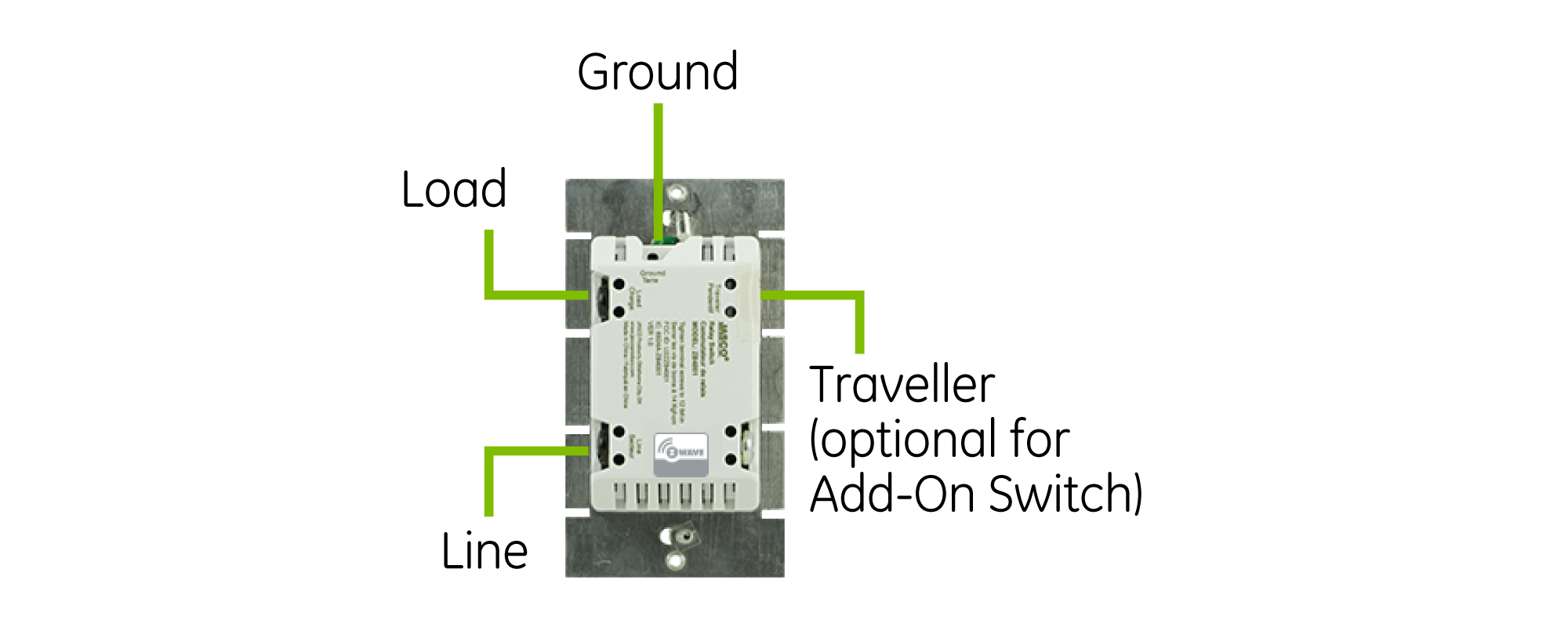
<br>
<p> </p>
<p><span style="font-weight: 400;">Homeseer lighting products offer the latest series Z-Wave modules with amazing features such as network-wide inclusion, a greater range, and improved bandwidth. If you have not already, we strongly encourage people to purchase the Z-Wave hub because it’s high-end technology that allows Homeseer dimmers to function through the “central scene” command class, which acts as a “scene-controller.” You may be asking what exactly is a “scene controller”? This is what enables users to launch automation with the double tap, triple tap, and press and hold for different functions. </span></p>
<br>
<p><span style="font-weight: 400;">Features of the HS-WD100+ Wireless Z-Wave Plus Wall Dimmer</span></p>
<ul>
<li style="font-weight: 400;"><span style="font-weight: 400;">Customizable dim rate with 7-LED dim indicator</span></li>
<li style="font-weight: 400;"><span style="font-weight: 400;">Z-Wave Plus compatible</span></li>
<li style="font-weight: 400;"><span style="font-weight: 400;">“Scene-controller” 2-tap, 3-tap to enable up to 4 HomeSeer events</span></li>
<li style="font-weight: 400;"><span style="font-weight: 400;">Wireless and controlled through dimmable lighting </span></li>
<li style="font-weight: 400;"><span style="font-weight: 400;">Z-wave app integration provides instant feedback </span></li>
<li style="font-weight: 400;"><span style="font-weight: 400;">Compatible with most incandescent, LED and CFL bulbs  </span></li>
</ul>
<br>
<p><span style="font-weight: 400;">More About The “Scene Controller” </span></p>
<br>
<p><span style="font-weight: 400;">One of the great things about the HomeSeer HS-WD100+ Night Light LED Event option is that you can create the different dimmable options on your tablet or phone depending on the level of dimmable lighting you may want. For example, if you would like to enable the night light, then you want the create an event on the app for it to be at 1% dimming and this will also reflect on the bottom LED of the display. If the lighting is adjusted to 1% then only the bottom LED light on the display will light up. This is how you set your night light for the little ones before you tuck them into bed or if you simply want a little bit of light in the kitchen, just enough to not trip over something in the dark. Make sure to </span><a href="https://www.zwaveoutlet.com/collections/homeseer"><span style="font-weight: 400;">visit the site</span></a><span style="font-weight: 400;"> if interested in setting this up for your home. </span></p>
<br>
<p><span style="font-weight: 400;">All the best, </span></p>
<br>
<p><span style="font-weight: 400;">The Z-Wave Outlet Team </span></p>]]>
    </content>
  </entry>
  <entry>
    <id>https://www.zwaveoutlet.com/blogs/news/email-question-of-the-week-is-there-a-z-wave-switch-where-i-dont-need-to-use-a-neutral-wire</id>
    <published>2017-05-30T10:00:00-07:00</published>
    <updated>2017-05-30T10:00:00-07:00</updated>
    <link rel="alternate" type="text/html" href="https://www.zwaveoutlet.com/blogs/news/email-question-of-the-week-is-there-a-z-wave-switch-where-i-dont-need-to-use-a-neutral-wire"/>
    <title>Email Question of the Week - Is there a Z-Wave Switch where I don&apos;t need to use a Neutral wire?</title>
    <author>
      <name>Ben Pryzby</name>
    </author>
    <content type="html">
      <![CDATA[<p><strong>Q:</strong> Is there a Z-Wave Light Switch where I do not need to use a neutral wire?</p>
<p> <strong>A:</strong> YES! we do have a Z-Wave Light switch that doesn't require a neutral wire. There are some trade off though.</p>
<p>1. It is a little more expensive because its rated for up to 1000 watts where a normal switch is rated up to 600 watts. </p>
<p>2. It doesn't work as well with LED lights. We have tested with Cree LED bulbs but other brands it probably won't work very well. Some bulbs can tolerate the return current that these switches don't hide where neutral wired switches do a much better job at this. </p>
<p> </p>
<p>If you can live with some of the trade offs <a href="https://www.zwaveoutlet.com/products/jasco-z-wave-dimmer-wall-switch-1000w" title="Neutral less dimmer switch">check it out here! </a></p>
<p><img src="//cdn.shopify.com/s/files/1/0767/7411/files/12725-diagram.png?v=1495591687" alt="GE Z-Wave Dimmer switch without neutral wire" width="773" height="317" style="display: block; margin-left: auto; margin-right: auto;"></p>
<p> </p>]]>
    </content>
  </entry>
  <entry>
    <id>https://www.zwaveoutlet.com/blogs/news/email-question-of-the-week-how-do-i-add-z-wave-devices-to-my-vivint-sky-panel</id>
    <published>2017-05-23T09:00:00-07:00</published>
    <updated>2017-05-23T09:00:00-07:00</updated>
    <link rel="alternate" type="text/html" href="https://www.zwaveoutlet.com/blogs/news/email-question-of-the-week-how-do-i-add-z-wave-devices-to-my-vivint-sky-panel"/>
    <title>Email Question of the Week - How do I add Z-Wave Devices to my Vivint Sky Panel?</title>
    <author>
      <name>Morgen S</name>
    </author>
    <content type="html">
      <![CDATA[<p><strong>Q:</strong> Hello I found your list of <a href="https://www.zwaveoutlet.com/collections/vivint" title="Vivint Compatibel Z-Wave Devices">compatible Z-Wave Devices</a> with my Vivint Sky Panel. Once I buy them how do I go about adding them to my Sky Panel? What type of functionality will I get from it? </p>
<p> <strong>A:</strong> Hello, so I have listed the steps in order to add Z-Wave Devices to your Vivint Sky Panel below. Its DIY friendly and you shouldn't run into too many issues. Just keep in mind if you are having issues pairing its commonly range or the device needs to be factory reset. First try moving device or panel closer to each other 1-2 feet for initial pair and then you can move it back to its home location. If that doesn't work please read this write up on <a href="https://www.zwaveoutlet.com/pages/adding-and-removing-z-wave-devices" target="_blank" title="Z-Wave Device factory reset" rel="noopener noreferrer">Factory reseting Z-Wave Devices</a>. </p>
<p> </p>
<p style="text-align: center;"><img src="//cdn.shopify.com/s/files/1/0767/7411/files/560x410-skycontrol-oldinterface_large.png?v=1495150300" alt="Vivint Sky Panel"></p>
<h3 style="text-align: center;">This is for newer Sky Control Users (see below if you have an older system) </h3>
<p>1. <span>Go to your SkyControl panel and tap the menu button in the bottom right corner (three horizontal lines)</span></p>
<p>2. <span>Tap 'Settings'</span></p>
<p>3. <span>Enter your master code</span></p>
<p>4. <span>Tap 'Installer Toolbox'</span></p>
<p><span>5. Enter your installer code. If you are not sure what your code is or you are having problems getting into the installer toolbox contact your installer or vivint directly. </span></p>
<p><span>6. Tap 'Z-Wave'</span></p>
<p><span>7. Tap 'Add Node'</span></p>
<p><span>8. At this point, go to your light switch or z-wave device and make sure it’s plugged in and powered where you want it. If over 25 feet from panel you may need to unscrew panel from wall and pair closer for initial pair. Then activate your Z-Wave device (typically turning on a light switch or pressing the pair button on the back of a door lock). </span></p>
<p><span>9. Return to your panel and make sure that your screen is reading the information for the module you just added. The panel should show 'Device successfully added.' Tap 'Back' and press the Home button. If it’s not there, return to your device and repeat step eight. It can take two-three minutes for your touchscreen panel to download all the device settings and for the device to be fully functional.</span></p>
<p> </p>
<p><span><img src="//cdn.shopify.com/s/files/1/0767/7411/files/2gig.jpg?v=1495150547" alt="2 gig panel" style="display: block; margin-left: auto; margin-right: auto;"></span></p>
<h3>For Go!Control Users:</h3>
<p>1. <span>Go to your touchscreen panel</span></p>
<p>2. <span>Choose Services</span></p>
<p>3. <span>Choose the wrench icon</span></p>
<p>4. <span>Enter your installer code. If you are not sure what your code is or you are having problems getting into the installer toolbox contact your installer or vivint directly. </span></p>
<p>5. <span>Select 'Add Device'</span></p>
<p>6. <span>At this point, go to your light </span><span>switch</span><span> or z-wave device and make sure it’s plugged in and powered where you want it. If over 25 feet from panel you may need to unscrew panel from wall and pair closer for initial pair. Then </span><span>activate</span><span> your Z-Wave device (typically turning on a light switch or pressing the pair button on the back of a door lock). </span></p>
<p>7. Return to your panel and make sure that your screen is reading the information for the module you just added. The panel should show 'Device successfully added.' Tap 'Back' and press the Home button. If it’s not there, return to your device and repeat step six. It can take two-three minutes for your touchscreen panel to download all the device settings and for the device to be fully functional.</p>]]>
    </content>
  </entry>
  <entry>
    <id>https://www.zwaveoutlet.com/blogs/news/how-to-bring-the-movie-theater-to-your-smart-home</id>
    <published>2017-05-22T07:30:00-07:00</published>
    <updated>2017-05-22T21:07:14-07:00</updated>
    <link rel="alternate" type="text/html" href="https://www.zwaveoutlet.com/blogs/news/how-to-bring-the-movie-theater-to-your-smart-home"/>
    <title>How to Bring The Movie Theater to Your Smart Home</title>
    <author>
      <name>Chantal Ramirez</name>
    </author>
    <content type="html">
      <![CDATA[<h3 style="text-align: center;"><span style="font-weight: 400;">How to Bring The Movie Theater to Your Smart Home</span></h3>
<br>
<p><span style="font-weight: 400;">For all home theater enthusiasts alike, home automation brings people an ultimate immersive cinema experience. There are many different aspects that we love about the movie theater that heightens our senses such as sound, lighting, and audio that give us the chills and evoke emotions through real-life movie moments. If you are an avid movie-goer, why not bring the thrilling movie theater experience to your home? Even better than going to the movies, homeowners can set up their own private theater empowering homeowners to truly enjoy a unique interior concept. Z-Wave is proud to be part of providing these unique experiences to their customers and making it simple, user-friendly and one-of-a-kind in-house movie experience. </span></p>
<br>
<p><span style="font-weight: 400;">Transform Your Living Room With One Touch</span></p>
<p><span style="font-weight: 400;"><img src="//cdn.shopify.com/s/files/1/0767/7411/files/Screen_Shot_2017-04-27_at_4.19.22_PM_large.png?v=1493335214" alt="https://www.zwaveoutlet.com/collections/home-theater/products/arnu-box-mach-10-64bit-pure-linux" style="display: block; margin-left: auto; margin-right: auto;"></span></p>
<p style="text-align: left;"><span style="font-weight: 400;">Whether you want to dim your lights, adjust sound levels or customize your thermostat for perfect movie theater feels, </span><a href="https://www.zwaveoutlet.com/collections/home-theater/products/arnu-box-mach-10-64bit-pure-linux"><span style="font-weight: 400;">ARNU Box Mach 10 64bit V2 - Quad Core - S905 - Pure Linux Theater Box</span></a><span style="font-weight: 400;"> allows you to do exactly that. Homeowners have blazing fast wireless AC, KODI</span><span style="font-weight: 400;">™ powerful software,  and a high-definition viewing experience. Installed within the </span><span style="font-weight: 400;">KODI</span><span style="font-weight: 400;">™ software called the Cloudword Installer,  which enhances the movie theater experience based on your preferences. You are able to customize the experience by selecting the country, language and personal interest typed in simple one-word codes. </span></p>
<br><br>
<p><span style="font-weight: 400;">High Definition Is Cutting Edge </span></p>
<p style="float: left;"><span style="font-weight: 400;">We love to see the h<img alt="" src="//cdn.shopify.com/s/files/1/0767/7411/files/Screen_Shot_2017-04-27_at_4.20.57_PM_large.png?v=1493335320" style="float: left;">igh-definition video for a clear, vivid and sharp picture that speaks to us. Additionally, high definition<br>isn’t the only perk that delivers the good picture, we can’t forget the 4K video. It will have what is close to a 3-D effect. Who doesn’t love the great picture to enjoy their Netflix movie binge watching?</span></p>
<br>
<p><span style="font-weight: 400;">A Fast and Speedy Option </span></p>
<br>
<p><span style="font-weight: 400;">One of the fastest media players we have come across, the </span><span style="font-weight: 400;">ARNU Box Mach 10 64bit V2 - Quad Core - S905 has a supercharged power that performs so well because of it 64 Bit processor and great performing KODI</span><span style="font-weight: 400;">™</span><span style="font-weight: 400;"> software. It also has a running speed tester, tested from Time Warner Cable which allows users to see exactly how quick the processor they purchase really is! </span></p>
<br><br><br><br>]]>
    </content>
  </entry>
  <entry>
    <id>https://www.zwaveoutlet.com/blogs/news/5-ways-tech-is-transforming-your-home</id>
    <published>2017-05-17T07:30:00-07:00</published>
    <updated>2017-05-17T07:30:00-07:00</updated>
    <link rel="alternate" type="text/html" href="https://www.zwaveoutlet.com/blogs/news/5-ways-tech-is-transforming-your-home"/>
    <title>5 Ways Tech Is Transforming Your Home</title>
    <author>
      <name>Chantal Ramirez</name>
    </author>
    <content type="html">
      <![CDATA[<h3 style="text-align: center;"><span style="font-weight: 400;">5 Ways Tech Is Transforming Your Home </span></h3>
<p><span style="font-weight: 400;">When we mention smart home in terms of devices and benefits: The possibilities are endless. Ranging from preventing an expensive plumbing bill, turning your irrigation on and off at the appropriate times or using motion detecting advanced technologies for different functions around the house, Z-Wave hub is making this easy and affordable! Here is how you can use your Z-Wave smart home appliance module to impress your visitors the next time you are hosting them in your home: </span></p>
<br>
<p><span style="font-weight: 400;">The Ultimate Window Treatment </span></p>
<br>
<p><span style="font-weight: 400;">If given the option, why not give your home this fantastic home security protection it needs by controlling how you protect the interior of your home from sun damage, maintaining a moderated temperature, and simply customizing and remotely control when you want your window coverings open or closed. This allows homeowners to keep their home private whenever they choose, comfortably and quickly. </span><a href="https://www.zwaveoutlet.com/products/fibaro-z-wave-door-window-sensor-gen5"><span style="font-weight: 400;">Fibaro Z-Wave Plus Door/Window Sensor, Gen5</span></a><span style="font-weight: 400;"> is the leading window/door sensor to provide homeowners full control of nearly any open/close object around the house with your Z-Wave Network. </span></p>
<br>
<p><span style="font-weight: 400;">Say Goodbye to Overcooking Your Meals </span></p>
<br>
<p><span style="font-weight: 400;">Did you know you can utilize your Z-Wave smart home hub to control your kitchen appliances?</span></p>
<p><span style="font-weight: 400;">Yes, this means that your fried rice will not be overcooking under your watch. This is enormously helpful if you're using your slow-cooker for a savory and flavorful meat while at work and want to preset when you want it to be turned off all while not taking time from work to do any of it. Via your </span><a href="https://www.zwaveoutlet.com/products/linear-z-wave-plug-in-appliance-module"><span style="font-weight: 400;">Linear GoControl Z-Wave Plug-in Appliance Module</span></a><span style="font-weight: 400;">, you can turn on/off anything plugged into that Z-Wave network powered plug-in to make it work for you. After all, Z-Wave wants to respect your time and realizes how mobile working people are, and our ultimate goal is to accommodate your home automated needs!</span></p>
<br>
<p><span style="font-weight: 400;">Genius Sprinkler System</span></p>
<br>
<p><span style="font-weight: 400;">Z-Wave has outsmarted all types of weather conditions, giving homeowners the option to perfect and maintain their landscape surrounding their home. Prepare yourself by checking the forecast and remotely adjusting your watering schedule so your flowers can bloom and pastures stay green. The </span><a href="https://www.zwaveoutlet.com/products/homeseer-hometroller-sel-pro-home-automation-controller"><span style="font-weight: 400;">HomeSeer HomeTroller-SEL Pro Home Automation Controller</span></a><span style="font-weight: 400;"> can control your irrigation to enhance the nature and help it flourish sustainably.  </span></p>
<br>
<p><span style="font-weight: 400;">Keep A Smart Eye On Your Home</span></p>
<br>
<p><span style="font-weight: 400;">Home automation through the Z-Wave Network gives people the ability to set boundaries, so they can keep track of what or who is entering in specific off-limits areas of their home. Keep track of when the kids are entering your office, when you specifically said not to. Parents can be diligent and hold their children accountable for not following their orders. Who knew Z-Wave is transforming parenting skills too? </span></p>
<br>
<p><span style="font-weight: 400;">Z-Wave Tech Keeps You Healthy</span></p>
<br>
<p><span style="font-weight: 400;">One of the great things about Z-Wave is its ability to integrate</span><a href="https://www.zwaveoutlet.com/search?q=home+automation+controllers"><span style="font-weight: 400;"> the best home automation controllers </span></a><span style="font-weight: 400;">to set up alarms and playlists that will wake you up the right way. We all know how rough it can be to get up to a basic alarm tune, but if you enhance the first listening moments of the morning, you are more likely to wake up in a good mood and ready to take on your day! An enormous part of improving our health is closely related to sleeping better. According to the National Institute of Neurological Disorders and Stroke, keeping a comfortable temperature in the bedroom is essential for a good night sleep. Stay away from extreme temperatures that can affect your sleep negatively with some </span><a href="https://www.zwaveoutlet.com/products/alarm-com-smart-thermostat"><span style="font-weight: 400;">great Z-Wave Thermostats</span></a><span style="font-weight: 400;"> available today! </span></p>
<br><br>]]>
    </content>
  </entry>
  <entry>
    <id>https://www.zwaveoutlet.com/blogs/news/email-question-of-the-week-z-wave-and-zigbee-the-same-thing-or-different</id>
    <published>2017-05-16T09:00:00-07:00</published>
    <updated>2017-05-16T09:00:00-07:00</updated>
    <link rel="alternate" type="text/html" href="https://www.zwaveoutlet.com/blogs/news/email-question-of-the-week-z-wave-and-zigbee-the-same-thing-or-different"/>
    <title>Email Question of the Week - Z-Wave and Zigbee the same Thing or Different?</title>
    <author>
      <name>Ben Pryzby</name>
    </author>
    <content type="html">
      <![CDATA[<p><strong>Q:</strong> Hello I am wondering if Z-Wave and Zigbee are the same thing or are they different? </p>
<p> </p>
<div>
<strong>A:</strong> Zigbee and z-wave are two different types of wireless technologies and they do not talk to each other. Both use mesh network topology but operate in different frequencies. Z-Wave operates in the 908MHz spectrum where Zigbee operates in the 2.4 GHz. </div>
<div></div>
<div>So when creating a <a href="https://www.zwaveoutlet.com/pages/connected-home-planning" target="_blank" title="Mesh network diagram" rel="noopener noreferrer">mesh network</a> with smart devices you want to pick one (z-wave or zigbee) and use most of those devices. We have customers that want to use one or two zigbee devices and they just need to make sure they are in range of their hub.</div>
<div></div>
<div>One of the problems with Zigbee is their eco system of devices is all over the place. Many Zigbee devices do not follow strict guide lines that z-wave makes manufactures follow to be a better product to end consumers. </div>
<div></div>
<div>For the most flexibility we recommend getting started with Z-Wave and use a hub like <a href="https://www.zwaveoutlet.com/collections/z-wave-home-automation-controllers/products/veraplus-z-wave-home-controller" title="Vera Plus Z-Wave and Zigbee Hub">VeraPlus</a> where you can use Zigbee as well. But we strongly encourage customers to develop their smart homes with Z-Wave because we see it being very flexible and offers a longer future proofing timeframe. </div>]]>
    </content>
  </entry>
  <entry>
    <id>https://www.zwaveoutlet.com/blogs/news/email-question-of-the-week-2gig-z-wave-network-optimization</id>
    <published>2017-05-09T08:00:00-07:00</published>
    <updated>2017-05-09T08:00:00-07:00</updated>
    <link rel="alternate" type="text/html" href="https://www.zwaveoutlet.com/blogs/news/email-question-of-the-week-2gig-z-wave-network-optimization"/>
    <title>Email Question of the Week - 2GIG Z-Wave Network Optimization</title>
    <author>
      <name>Ben Pryzby</name>
    </author>
    <content type="html">
      <![CDATA[<p><span>This actually came from a Live Chat customer we helped out. </span></p>
<p><span><strong>Q:</strong> I'm having big problems trying to reach my schlage dead bolt lock with my 2GIG hub. I have this at my restaurant. I already have 3 extenders and the hub and schlage lock. There isn't any walls and it's clear shot between them, but still can't connect properly. </span></p>
<p><span><strong>A:</strong> Well on the 2 gig panel the best thing to do is make sure you run a network optimization. 9 out of 10 times this will cure any problems you are seeing. And this really sounds this could be the problem. </span></p>
<p><span>Here is the proper instructions in order to do this:</span></p>
<p><span>To insure optimal performance and minimal response time from ZWave devices enrolled in 2gig panel, do the following:<br></span></p>
<ul>
<li>Learn in all ZWave devices</li>
<li>Mount the panel in its permanent location</li>
<li>Go into the installer toolbox</li>
<li>Touch "advanced toolbox"</li>
<li>Touch "rediscover network"</li>
<li>Allow the panel time to complete the rediscovery process. Reliability and response time should both be considerably better</li>
</ul>
<p style="text-align: center;"><img src="//cdn.shopify.com/s/files/1/0767/7411/files/go-control-toolbox-button_large.jpg?v=1493851347" alt="Go Control install portal"></p>
<p><span>The "Rediscover Network" function causes the panel to measure the relative signal strength of all ZWave devices that are within its direct communication range. For devices that do not respond directly to the panel, the panel tells in-range devices to locate the out-of-range devices, by repeating the signal. The panel then creates a "routing table" in its memory, which contains the optimal and most efficient routes to each device in the building.</span></p>
<h2><span>Bottom Line</span></h2>
<p><span>When using the previous generation z-wave chips its been required to do a network heal. The term "Network heal" has a lot of different terms and every controller has their own terminology. In this instance 2gig uses Network Optimization, Vera uses Heal the Network, SmartThings uses Network repair. They all do the same thing. Basically when you add a device close to a hub for the initial pair it doesn't always learn the best route when you move it. In this case running a heal will make it work.</span></p>
<p><span>Times when you would run a network optimization:</span></p>
<p><span>1. You have just paired a new device to your Hub and your going to move it. (Some Newer Z-Wave Plus Hubs don't offer this feature because they do it automatically) </span></p>
<p>2. You are have delayed actions and your Z-Wave network seems sluggish.</p>
<p><span>3. One Z-Wave device just doesn't seem to stay connected</span></p>
<p>Take a look here for more info on <a href="https://www.zwaveoutlet.com/pages/connected-home-planning" target="_blank" title="Z-Wave Mesh Network" rel="noopener noreferrer">Z-Wave Mesh Networks</a></p>
<h3><span>Real Life </span></h3>
<p><span>Being a Z-Wave Smart Home installer it was always a bummer to leave a house when nothing was working. We would pair everything up and nothing would work because we would need to run a network heal. Network heals typically take more then an hour and depends the size of your install. When we showed up the next day after the heal </span>everything would work perfectly. So moral of the story if things seem like they just aren't work or broken run a heal. <a href="https://www.zwaveoutlet.com/pages/code-name-eagle-nest" title="Eagle Nest Biggest Z-Wave Dead Bolt Install">This is a particular job</a> that took overnight to heal and when we left everyday nothing would work (Always left nervous) </p>
<p> </p>
<p>Thanks for reading Check out our <a href="https://www.zwaveoutlet.com/products/enerwave-20a-z-wave-receptacle-white" title="Enerwave 20 AMP Z-Wave Fire Sale">May Month Fire Sale</a></p>]]>
    </content>
  </entry>
  <entry>
    <id>https://www.zwaveoutlet.com/blogs/news/5-reasons-we-love-homseer</id>
    <published>2017-05-08T07:30:00-07:00</published>
    <updated>2017-05-08T07:30:00-07:00</updated>
    <link rel="alternate" type="text/html" href="https://www.zwaveoutlet.com/blogs/news/5-reasons-we-love-homseer"/>
    <title>5 Reasons We Love HomSeer</title>
    <author>
      <name>Chantal Ramirez</name>
    </author>
    <content type="html">
      <![CDATA[<h3 style="text-align: center;"><span style="font-weight: 400;">5 Reasons We Love HomeSeer</span></h3>
<p><span style="font-weight: 400;">With warmer days coming and days getting longer, comes more BBQ’s, summer birthday parties and simply more social gatherings to be hosted in your home. Knowing this, it may be good to start enhancing your home with some great home improvements such as considering using Z-Wave technology Home Automation, starting with the Z-Wave hub that is easy to install! With endless options to integrate with the Z-Wave hub, one of our favorites is the brand Homeseer and the different high-end products they offer! Control climate, telephones, security, appliances, lighting and even your home entertainment equipment! Here are 5 ways HomeSeer connected with your Z-Wave hub can enhance your home: </span></p>
<br>
<p><span style="font-weight: 400;">For Its Great Software</span></p>
<p><span style="font-weight: 400;">After 15 years of perfecting the right software, HomeSeer uses HS3 smart home automation software for a reliable, flexible, and robust option for your home automated needs. The software is available to be used with Windows PC, Mac or Linux computer and is also compatible with Android and Apple apps. The HS3 software allows for unlimited triggers, actions and conditions, Z-Wave plus certified, drag n’ drop interface, and access to reminders, alerts, and announcements, among other fabulous features! </span></p>
<br>
<p><span style="font-weight: 400;">It’s Private and Secure</span></p>
<br>
<p><span style="font-weight: 400;">Developers of </span><a href="https://www.zwaveoutlet.com/collections/homeseer"><span style="font-weight: 400;">HomeSeer HomeTrollers</span></a><span style="font-weight: 400;"> treat your personal data as if it was their own and understand how important it is to keep sensitive information away from hackers and anybody not given permission to get their hands on it. This means users personal information is never stored in the cloud, keeping hackers away from seeing any custom home automation schedules or private data that is only for your eyes only. </span></p>
<br>
<p><span style="font-weight: 400;">What Doesn’t It Work With?</span></p>
<p><span style="font-weight: 400;">We can’t really think of products and manufacturers that HomeSeer isn’t compatible with. Since 1999 HomeSeer has made it their priority to keep their industry standard high, keeping up with all the evolving technology trends and partnering with the innovative industry leaders making it hard to find a product HomeSeer doesn’t work with! Here are some of the </span><a href="http://www.homeseer.com/compatible-products.html"><span style="font-weight: 400;">compatible products listings</span></a><span style="font-weight: 400;">! </span></p>
<br>
<p><span style="font-weight: 400;">Make It Your Own</span></p>
<br>
<p><span style="font-weight: 400;">The user interface is designed to be easy-to-use and user-friendly because of its menu is driven interface for a customizable platform. It is also web based and utilizes cascading style sheets (CSS) commands, making it even more maneuverable. You can also integrate custom software “plug-ins” through the NET development, which provides additional functionality in its hardware and software. If you are on the coding side, HomeSeer supports popular scripting such as JavaScript, </span><span style="font-weight: 400;">VBScript, VB.NET, Perl, and Python. Similar to any website, the plugins help add features that cater to your home automation needs!</span></p>
<br>
<p><span style="font-weight: 400;">No Need for 24/7 Internet</span></p>
<br>
<p><span style="font-weight: 400;">Surprisingly enough, HS3 software can be relied on to continue to control automating your home even when the Wifi is down. Unexpected web service outage? HomeSeer has you covered! Yes, MyHs web service makes it simple to enable the process of controlling your home remotely but it is not absolutely necessary! </span></p>]]>
    </content>
  </entry>
  <entry>
    <id>https://www.zwaveoutlet.com/blogs/news/month-of-may-zwave-outlet-fire-sale</id>
    <published>2017-05-03T12:53:00-07:00</published>
    <updated>2017-05-17T21:17:59-07:00</updated>
    <link rel="alternate" type="text/html" href="https://www.zwaveoutlet.com/blogs/news/month-of-may-zwave-outlet-fire-sale"/>
    <title>Month of May ZWave Outlet Fire Sale</title>
    <author>
      <name>Brandon Loures</name>
    </author>
    <content type="html">
      <![CDATA[<h2 style="text-align: center;">Mays FIRE Sale is the Enerwave 20A Z-Wave Receptacle</h2>
<p><img src="//cdn.shopify.com/s/files/1/0767/7411/files/s-l1600.jpg?v=1493838869" alt="Enerwave 20AMp Duplex Receptacle" width="559" height="559" style="display: block; margin-left: auto; margin-right: auto;"></p>
<h3>Key Points </h3>
<ul>
<li>20 Amp Power for Power hungry applications</li>
<li>Free Wall Plate included</li>
<li>Tamper Resistant great for Coded new builds </li>
<li>Works with all Z-Wave Hubs that support Lighting Control</li>
</ul>
<h3>Ideas for Usage</h3>
<ul>
<li>Amazon Alexa Control </li>
<li>Refrigerator control</li>
<li>Turning on and off larger pumps</li>
<li>Place around house for better Z-Wave Range/ Signal</li>
</ul>
<p style="text-align: center;"> </p>
<h3></h3>
<div id="product-component-6fbf780e0ca"></div>
<script type="text/javascript">// <![CDATA[
(function () {
  var scriptURL = 'https://sdks.shopifycdn.com/buy-button/latest/buy-button-storefront.min.js';
  if (window.ShopifyBuy) {
    if (window.ShopifyBuy.UI) {
      ShopifyBuyInit();
    } else {
      loadScript();
    }
  } else {
    loadScript();
  }
  function loadScript() {
    var script = document.createElement('script');
    script.async = true;
    script.src = scriptURL;
    (document.getElementsByTagName('head')[0] || document.getElementsByTagName('body')[0]).appendChild(script);
    script.onload = ShopifyBuyInit;
  }
  function ShopifyBuyInit() {
    var client = ShopifyBuy.buildClient({
      domain: 'zwaveoutlet.myshopify.com',
      apiKey: '56a56c0b9021d53039f16ceab3632212',
      appId: '6',
    });
    ShopifyBuy.UI.onReady(client).then(function (ui) {
      ui.createComponent('product', {
        id: [10271461127],
        node: document.getElementById('product-component-6fbf780e0ca'),
        moneyFormat: '%24%7B%7Bamount%7D%7D',
        options: {
  "product": {
    "variantId": "all",
    "width": "240px",
    "contents": {
      "imgWithCarousel": false,
      "variantTitle": false,
      "description": false,
      "buttonWithQuantity": false,
      "quantity": false
    },
    "styles": {
      "product": {
        "@media (min-width: 601px)": {
          "max-width": "100%",
          "margin-left": "0",
          "margin-bottom": "50px"
        }
      },
      "compareAt": {
        "font-size": "12px"
      }
    }
  },
  "cart": {
    "contents": {
      "button": true
    },
    "styles": {
      "footer": {
        "background-color": "#ffffff"
      }
    }
  },
  "modalProduct": {
    "contents": {
      "img": false,
      "imgWithCarousel": true,
      "variantTitle": false,
      "buttonWithQuantity": true,
      "button": false,
      "quantity": false
    },
    "styles": {
      "product": {
        "@media (min-width: 601px)": {
          "max-width": "100%",
          "margin-left": "0px",
          "margin-bottom": "0px"
        }
      }
    }
  },
  "productSet": {
    "styles": {
      "products": {
        "@media (min-width: 601px)": {
          "margin-left": "-20px"
        }
      }
    }
  }
}
      });
    });
  }
})();
// ]]]]><![CDATA[></script>]]>
    </content>
  </entry>
  <entry>
    <id>https://www.zwaveoutlet.com/blogs/news/7-ways-to-use-smart-home-tech-in-an-apartment-rental</id>
    <published>2017-05-03T00:00:00-07:00</published>
    <updated>2017-05-03T22:32:54-07:00</updated>
    <link rel="alternate" type="text/html" href="https://www.zwaveoutlet.com/blogs/news/7-ways-to-use-smart-home-tech-in-an-apartment-rental"/>
    <title>7 Ways To Use Smart Home Tech In An Apartment Rental</title>
    <author>
      <name>Chantal Ramirez</name>
    </author>
    <content type="html">
      <![CDATA[<h3 style="text-align: center;"><span style="font-weight: 400;">7 Ways To Use Smart Home Tech In An Apartment Rental </span></h3>
<br>
<p><span style="font-weight: 400;"></span><span style="font-weight: 400;"> </span></p>
<p><span style="font-weight: 400;"><img src="//cdn.shopify.com/s/files/1/0767/7411/files/Screen_Shot_2017-04-26_at_11.09.22_PM_large.png?v=1493273385" alt="https://www.zwaveoutlet.com/" style="float: left;" width="329" height="205">Many apartment renters seem to think there isn’t much they can do to liven up their home, perhaps because of the small space they are working with or the fact that they have not yet looked into home automation. Home automation can smarten up your apartment rental for better security, convenience, and an overall more self-sufficient lifestyle. Here are 7 ways you can incorporate smart tech to your home so you can make it work for you:</span></p>
<p><span style="font-weight: 400;"> </span></p>
<ol>
<li style="font-weight: 400;">
<span style="font-weight: 400;">Invest In A </span><a href="https://www.zwaveoutlet.com/collections/z-wave-home-automation-controllers"><span style="font-weight: 400;">Do-It-All Home Controller</span></a>
</li>
</ol>
<p><span style="font-weight: 400;">The one thing you want to make sure to have is a smart hub controller that will control everything from your lighting, rice cooker to your thermostat. These are all different aspects you want to be able to remotely adjust when on the go and what better way to do it then connecting a </span><a href="https://www.zwaveoutlet.com/"><span style="font-weight: 400;">Z-Wave integrated smart hub</span></a><span style="font-weight: 400;"> that will do exactly that. </span></p>
<p><span style="font-weight: 400;"> </span></p>
<ol start="2">
<li><span style="font-weight: 400;"> It Starts With A Swipe </span></li>
</ol>
<p><span style="font-weight: 400;">If you want something even more high-tech for your </span><a href="https://www.zwaveoutlet.com/"><span style="font-weight: 400;">smart control system</span></a><span style="font-weight: 400;">, you can arrange for everything to be controlled by simply making a gesture with your hand to let your smart home know exactly what you would like to adjust. You may be asking yourself exactly how this works? The</span><a href="https://www.zwaveoutlet.com/collections/remotes-and-scene-controllers/products/z-wave-fibaro-swipe"><span style="font-weight: 400;"> Fibaro Z-Wave Plus Swipe Scene Controller </span></a><span style="font-weight: 400;">uses a battery powered gesture control pad that detects what it is you want to adjust without actually touching a device. Just wave your hand, and the possibilities are endless! </span></p>
<p><span style="font-weight: 400;"> </span></p>
<ol start="3">
<li><span style="font-weight: 400;"> Control Your Climate </span></li>
</ol>
<p><span style="font-weight: 400;">Apartment renters can now utilize advanced technology that goes beyond the functions of a standard thermostat. The </span><a href="https://www.zwaveoutlet.com/collections/thermostats/products/nest-2nd-generation-learning-thermostat"><span style="font-weight: 400;">smart thermostat</span></a><span style="font-weight: 400;"> Nest 3rd Generation Learning Thermostat is smart in all the meaning of the word, by keeping the temperatures of your home at a comfortable level and keeping track of your temperature preferences by adjusting to meet those needs. The added feature of controlling the thermostat while away through your tablet or smartphone is an added perk that will also save you money when it comes time to pay your next utility bill!</span></p>
<ol start="4">
<li><span style="font-weight: 400;"> Keep Track Of Your Space And Belongings </span></li>
</ol>
<p><span style="font-weight: 400;">Sharing space with a roommate can feel as if you no longer have as much control of your personal belongings and valuables, but home automation has changed this forever. Your smart home helps you be the first to know if someone enters the door, opens personal drawers and cabinets, or anything that you would like to track around your territory. The Zipato Z-Wave Multi-Sensor Quad detects motion, monitors door or window open/closed status and can even notify you of any changes in temperature and light levels. This is perfect for using it with other Z-Wave devices in your network, to </span><a href="https://www.zwaveoutlet.com/products/zipato-z-wave-multi-sensor-quad"><span style="font-weight: 400;">keep intruders from entering areas</span></a><span style="font-weight: 400;"> that are only meant for you! </span></p>
<p><span style="font-weight: 400;"><br><br></span></p>
<ol start="5">
<li><span style="font-weight: 400;"> Take Your Lighting To A New Level </span></li>
</ol>
<p><span style="font-weight: 400;">For those of you who consistently forget to turn off your lights, this will not only make your life easier but it will also save you a significant amount of money. </span><a href="https://www.zwaveoutlet.com/products/ge-z-wave-wireless-lighting-control-dimmer-kit"><span style="font-weight: 400;">Home automated lighting</span></a><span style="font-weight: 400;"> provides people with the option of activating and deactivating their lighting remotely for an easy and convenient alternative to controlling energy usage. The great part about the GE Z-Wave Wireless Lighting Control 3-Way Dimmer Kit is that the switch connects to existing wiring and supports lighting loads up to 600W. </span></p>
<p><span style="font-weight: 400;"> </span></p>
<ol start="6">
<li><span style="font-weight: 400;"> Pay Less for Monthly Utility Bills </span></li>
</ol>
<p><span style="font-weight: 400;">Everything from the heating cooling to controlling how often lighting is being used around the house can help a renter avoid their monthly bill from skyrocketing. Home automation is all about monitoring your energy usage, and you definitely do not have to be a homeowner to be able to just that. </span></p>
<p><span style="font-weight: 400;"> </span></p>
<ol start="7">
<li><span style="font-weight: 400;"> Prevent Problems Before It’s Too Late</span></li>
</ol>
<p><span style="font-weight: 400;"> </span></p>
<p><span style="font-weight: 400;">As a renter, we tend to rely on the assigned maintenance person in our apartment complex or the landlord to take care of issues that occur on a daily basis. With the Z-Wave network, you can avoid the lag time of them actually addressing these issues without causing major headaches! All it takes is a weekend away from home for things to hit the fan and have actual structural damage to your property such as </span><a href="https://www.zwaveoutlet.com/products/text-alert-flood-prevention"><span style="font-weight: 400;">leaky pipes, clogged drains </span></a><span style="font-weight: 400;">or your basement being prone to flooding. </span></p>
<p> </p>]]>
    </content>
  </entry>
  <entry>
    <id>https://www.zwaveoutlet.com/blogs/news/email-question-of-the-week-wemo-or-z-wave</id>
    <published>2017-05-02T14:35:00-07:00</published>
    <updated>2017-05-02T14:35:11-07:00</updated>
    <link rel="alternate" type="text/html" href="https://www.zwaveoutlet.com/blogs/news/email-question-of-the-week-wemo-or-z-wave"/>
    <title>Email Question of the Week - Wemo or Z-Wave</title>
    <author>
      <name>Ben Pryzby</name>
    </author>
    <content type="html">
      <![CDATA[<p>Hey guys we would like to start reposting some of our email questions so everyone can benefit from them. Hopefully we will start doing this weekly. Shoot us your questions. </p>
<p>Q: </p>
<pre>I would like to know the different of wifi and z-wave light switches. Right now I have a couple of Wemo Light Switches in my house, but sometime that go offline and I have reset them , So I would like to know which is better. Z-wave or WIfi ? I have an ADT Pluse Alarm system in my house. Thank you for all you help.</pre>
<p>A: </p>
<div>Wemo is great if you are just doing a light or two with very basic functionality. But when you start getting more lights wemo isn’t stable enough and will cause a lot of wifi issues. Z-Wave works in the 908 mhz range and works with ADT Pulse. With ADT pulse you can take control and add other z-wave devices to your system. Its an eco system of devices that talk to each other. </div>
<div></div>
<div>Also Z-Wave creates a mesh network that works well in homes. It allows devices to communicate through other z-wave devices which extends the range. Light switches are a great device to make a solid Z-Wave Network backbone. </div>
<div></div>
<div>We believe its best practice for smart homes to run z-wave switches to prevent issues with your wifi network. </div>
<div></div>
<h3>Bottom Line</h3>
<p>Most customers that started out with Wemo wish they started with Z-Wave. If you look at the technology as a whole Z-Wave's Eco system no one can touch right now. Unless you just want to turn on and off one light from your phone the connected home is revolving around Z-Wave. </p>]]>
    </content>
  </entry>
  <entry>
    <id>https://www.zwaveoutlet.com/blogs/news/doorbird-vs-ring-which-doorbell-is-best-suited-for-your-home</id>
    <published>2017-05-01T22:30:00-07:00</published>
    <updated>2018-02-06T21:49:12-08:00</updated>
    <link rel="alternate" type="text/html" href="https://www.zwaveoutlet.com/blogs/news/doorbird-vs-ring-which-doorbell-is-best-suited-for-your-home"/>
    <title>Doorbird vs. Ring: Which Doorbell is best suited for your home?</title>
    <author>
      <name>Chantal Ramirez</name>
    </author>
    <content type="html">
      <![CDATA[<h3 style="text-align: center;"><span style="font-weight: 400;">DoorBird vs. Ring: Which Doorbell is best suited for your home?</span></h3>
<p><span style="font-weight: 400;">They say home is where the heart is, but most homeowners aren’t there to receive deliveries, see who drops by or to check for unwanted visitors. For those who value home safety as their #1 priority, we thought it would be worthwhile to compare two of the best working doorbells out there: DoorBird and Ring Doorbell.  When exploring some of the main differences and nuances like unique specifications and functional design, the question is, “Which one best suits your specific needs?” which will then essentially determine which one best meets your home security needs. When it comes to the basic functionality, the two are wonderfully durable and fully-equipped with one-of-a-kind features.</span></p>
<h3><strong>Ring: The Wi-fi Enabled Doorbell </strong></h3>
<img alt="https://www.zwaveoutlet.com/products/ring-wi-fi-enabled-video-doorbell" src="https://cdn.shopify.com/s/files/1/0767/7411/files/Screen_Shot_2017-03-27_at_11.22.14_PM_large.png?v=1493273827" style="display: block; float: right; margin-left: auto; margin-right: auto;">
<p><span style="font-weight: 400;">Ring, formerly know as Doorbot, has earned its success by offering a Wifi enabled video doorbell with great features such as custom motion zones, infrared night vision and two-way talk with noise cancellation.  Ring stream's high-quality Crystal-clear 720HD video over your home Wifi to mobile devices, making it easy to keep your eye on anything that may come across your front door. Compatible with IOS and Android devices, homeowners are also given access to cloud video recording, so they can easily playback past videos whenever they choose for an effective monitoring and surveillance system. Depending on what is aesthetically pleasing for your home, the <strong><span style="color: #0000ff;"><a href="https://www.zwaveoutlet.com/collections/doorbells/products/ring-wi-fi-enabled-video-doorbell-pro" target="_blank" style="color: #0000ff;" rel="noopener noreferrer">Ring</a></span></strong> comes in gray, yellow, black and gold.</span></p>
<h3><strong>Home Security At Your Fingertips </strong></h3>
<p><span style="font-weight: 400;">With this Wifi enabled doorbell, you are always home and can respond to any solicitors or suspicious people that show up to your home to truly keep your home safe. </span></p>
<p><span style="font-weight: 400;">To make Ring Doorbell even more secure, people are able to set up their safety parameters, by simply setting up a stick-up cam that operates off a built-in rechargeable battery to capture footage in all angles surrounding their home. Ring is sold for $199 and the Ring Pro runs for $249.</span></p>
<h3>Ring Installation Package</h3>
<p><span style="font-weight: 400;">Ring comes with a great package that includes everything one may need to set it up easily in their home. The package comes with the following items:</span></p>
<ul>
<li style="font-weight: 400;"><span style="font-weight: 400;">Ring Doorbell</span></li>
<li style="font-weight: 400;"><span style="font-weight: 400;">Corner Kit</span></li>
<li style="font-weight: 400;"><span style="font-weight: 400;">Mounting bracket and level </span></li>
<li style="font-weight: 400;"><span style="font-weight: 400;">User's manual </span></li>
<li style="font-weight: 400;"><span style="font-weight: 400;">Weather Sealed</span></li>
<li style="font-weight: 400;"><span style="font-weight: 400;">Wood Screws</span></li>
<li style="font-weight: 400;"><span style="font-weight: 400;">Drill bit</span></li>
<li style="font-weight: 400;"><span style="font-weight: 400;">Masonry screws and anchors</span></li>
<li style="font-weight: 400;"><span style="font-weight: 400;">Micro USB Charging Cable</span></li>
</ul>
<h3>What are some of the downfalls to ring?</h3>
<p>Most people's wifi isn't the greatest so reception can be a dow. Although sometimes challenging hardwire IP devices just work better. We hear the occasional hickup were it just doesn't seem to work properly and many believe it has to do with the wifi signal. </p>
<p>Don't expect to record to an on-site NVR. The Ring keeps you subscribed to a month service for cloud recording. This for some people is completely acceptable so you just need to be aware of your options. The other big thing the Ring doesn't do well with is that it lacks to integrate with the many partners on the market and we believe it won't ever integrate with the big boys Crestron, Savant, RTI, URC, and Control 4. But that's where DoorBird Comes in. </p>
<h3 style="text-align: left;"><strong>Ring Compared to the German Made DoorBird Doorbell </strong></h3>
<img alt="https://www.zwaveoutlet.com/products/ring-wi-fi-enabled-video-doorbell" src="https://cdn.shopify.com/s/files/1/0767/7411/files/Screen_Shot_2017-03-28_at_11.23.17_AM_large.png?v=1493273952" style="display: block; margin-left: auto; margin-right: auto; float: right;">
<p><span style="font-weight: 400;">DoorBird is also Wifi-operated but offers POE (Power Over Ethernet) or a hardwire networking enabled Doorbell that uses bank-level encryption technologies to alert homeowners when someone has arrived at their doorsteps. DoorBird also enables communication through video, and as soon as someone pushes their doorbell they can access the video. Similar to the Ring Doorbell, Doorbird also has motion sensors and night vision. Ring and DoorBird offer cloud storage but DoorBird also offers a connection to an NVR (Network Video Recorder). We have tested it with a Hikvision NVR and it works great. </span></p>
<ul>
<li>POE or network wire capable</li>
<li>NVR or Cloud Recording optional </li>
<li>Different styles to choose from</li>
<li>Plays well with others</li>
<li>Control Contact Closure to unlock doors</li>
</ul>
<p><span style="font-weight: 400;">DoorBird also plays very well with many connected home devices. Count it in when you are installing Homeseer, Vera, Savant, URC, Crestron, RTI, Control 4 and more. In home integrators or DIYers are really seeing the power of DoorBird when you connect it to the rest of your house.</span></p>
<p><span style="font-weight: 400;">The DoorBird is the same across the whole product line and the only difference is the exterior finish. We love how its offered in a higher end bronze finish. You can </span>take a look at all of them here: <span style="color: #0000ff;"><a href="https://www.zwaveoutlet.com/collections/doorbird" title="Doorbird Product Catalog " style="color: #0000ff;">DoorBird Collection</a></span></p>
<div>Both DoorBird and Ring Doorbell are relatively easy to set up, but Ring wins points with its option of not having to wire it and to instead charging an internal battery whenever it needs a battery boost. A DoorBird install does take a little more time but its more of a long-term solution as well.</div>
<h3>Price Points</h3>
<p>The Ring will run at about $200 where the DoorBird starts out at $350. It really  depends if you are going to take advantage of the DoorBirds extra features as well as appreciate its unique design. It really is up to you which doorbell best suits your needs and which is best suited </p>
<p>to meet your home safety concerns. We like to say Ring is great for beginner users and if you choose to upgrade, then the DoorBird is a one time expense that may be worth your investment. We suggest you do look into either one, as it's definitely the future and why not prepare yourself with the right tools that will prevent a burglary before it happens</p>]]>
    </content>
  </entry>
  <entry>
    <id>https://www.zwaveoutlet.com/blogs/news/smart-lighting-control-with-kodi</id>
    <published>2017-04-27T15:59:00-07:00</published>
    <updated>2017-09-15T16:10:58-07:00</updated>
    <link rel="alternate" type="text/html" href="https://www.zwaveoutlet.com/blogs/news/smart-lighting-control-with-kodi"/>
    <title>Smart Lighting Control with Kodi</title>
    <author>
      <name>Blake Tanner</name>
    </author>
    <content type="html">
      <![CDATA[<p>Using Smart Lighting control like <a href="https://www.zwaveoutlet.com/collections/switches">Z-wave switches</a> with Kodi brings a whole new theater viewing experience in your own home. Trigger, Start, Pause and play lighting commands automatically from Kodi.</p>
<p>Our buddies over at ARNU just released a new Kodi Plugin for smart lighting. If you don't know or have heard of Kodi it's a software for you media collection; movies, music, apps, tv shows and more. <a href="https://www.zwaveoutlet.com/collections/arnu-box-kodi-boxes" title="Arnu Kodi Box">Arnu Box </a>is our Kodi media player of choice because they really focus in on home automation and AV. Using Arnu's Smart Lighting Control plugin for Kodi brings a whole new experience. Trigger, Start, Pause and play lighting commands automatically from Kodi.</p>
<p>A couple years ago we hacked together a plugin that allowed us to program the lights to dim when a movie was about to start, turn off once movie started and brighten when you press pause or stop. We were using a Vera Z-Wave Hub for all of the lighting control. Kodi basically was sending commands to the vera to trigger different lighting scenes. We never released it because it was a fair amount of work to get up and running.</p>
<p>Today Arnu released a plug in for lighting control using the Philips HUE <a href="https://www.zwaveoutlet.com/collections/z-wave-light-bulbs">Z-wave light bulbs</a>. With Arnu's Cloudword feature it's extremely easy to install. Whats great is you can use and form of remote with your Kodi Arnu Box (Rii remote, iPad app, arnu remote, harmony) because it's trigger by the movie state (start, pause, play, stop) Check out the video below. </p>
<p> </p>
<p style="text-align: center;"><iframe width="560" height="315" src="https://www.youtube.com/embed/ZH2YtkeAwLY" frameborder="0" allowfullscreen=""></iframe></p>
<p><br>The a separate app will be available soon for vera control. So you can take advantage of more lighting control and other z-wave devices with Arnu's Kodi Box. </p>]]>
    </content>
  </entry>
  <entry>
    <id>https://www.zwaveoutlet.com/blogs/news/183427655-all-about-z-wave-contactors</id>
    <published>2017-03-30T11:02:00-07:00</published>
    <updated>2017-03-30T11:02:37-07:00</updated>
    <link rel="alternate" type="text/html" href="https://www.zwaveoutlet.com/blogs/news/183427655-all-about-z-wave-contactors"/>
    <title>All about Z-Wave Contactors</title>
    <author>
      <name>Ben Pryzby</name>
    </author>
    <content type="html">
      <![CDATA[<h2>What is a Z-Wave Contactor and what can it do for me? </h2>
<p>Ever want to control a pool pump, hot tub, jacuzzi, well pump, or anything else that takes a considerable amount of power? Well, we get those requests quite often! </p>
<h3>What is a Contactor? </h3>
<p>A contactor has been around a lot longer then Z-Wave and can be used in many applications, for example car electronics or your refrigerator. A contactor is an electrically controlled switch used for switching an electrical power circuit, similar to a relay, except with higher current ratings. Contactors are controlled by a circuit with a much lower power level then a switched circuit. Contactors come in many forms with varying capacities and features. Due to the large amount of power contactors channel through we STRONGLY (100%) recommend consulting with an electrician... 220v bites!</p>
<h3>Here is visual diagram of a typical install</h3>
<p> </p>
<p><img src="//cdn.shopify.com/s/files/1/0767/7411/files/Zwave_Contactor.jpg?v=1490307515" alt="ZWave Contactor Diagram" width="670" height="670" style="display: block; margin-left: auto; margin-right: auto;"></p>
<p>So lets explain this diagram. Start at the electrical breaker and follow to the ELK-9200, this is your 100% hot power line. This hot line from the panel gets wired into contactor. Think of the contactor as a big switch. Then on the other side of the contactor your line goes into the water heater. This allows the water heater to be turned on or off.</p>
<p>Now, where the magic happens is the Automation appliance model! When this device turns power on or off, the contactor switches on or off sequentially. </p>
<p>Many people will ask, "Why can't you just plug the water heater into the Appliance Module"? This is not possible due to the amount of power the water heater requires, it requires much more than a 15amp appliance module or switch can handle. </p>
<p>By using a contactor we can control as big of a power load as desired. Meaning you are able to turn on and off power to Hot Tubs, pools, split AC units and anything else you can think of. </p>
<h3>Where do I start? </h3>
<p>You will typically want to start by looking at the appliance you want to control. On the appliance there will be a power rating that it consumes. You will always want to make sure your equipment can handle the load. You will want to check that your wire, breaker and contactor are all able to handle the load you plan to wire. </p>
<p>There are a few ready to go Z-Wave Contactor modules available. One is the <a href="https://www.zwaveoutlet.com/products/elk-heavy-duty-relay-contactor-110v?variant=1106593453" title="Elk 9200 Contactor Box">Elk 9200</a>. This device can handle 110v or 220v up to 30AMPS. You will also need a Z-Wave appliance model as shown in the diagram above. We recommend the <a href="https://www.zwaveoutlet.com/products/dragon-tech-z-wave-plus-plug-in-on-off-switch?variant=1222520937" title="Dragon Tech Z-Wave Plug-in Model">Dragon Tech Z-Wave Plug-in Appliance Model</a> (Has Z-Wave Plus Chip) </p>
<p><a href="https://www.zwaveoutlet.com/products/elk-heavy-duty-relay-contactor-110v" title="Elk Relay Contactor box"><img src="//cdn.shopify.com/s/files/1/0767/7411/products/ELK_Heavy-Duty_RelayContactor_110V_large.jpg?v=1425505355" alt="" style="display: block; margin-left: auto; margin-right: auto;" width="354" height="354"></a></p>
<p style="text-align: center;"><strong>In this picture we have 3 Elk 9200 plugged into <a href="https://www.zwaveoutlet.com/products/jasco-z-wave-duplex-receptacle?variant=1077115833" title="GE Jasco Duplex Z-Wave Outlet">GE/Jasco Z-Wave Receptacles</a> and wired to 3 Split HVAC Systems. This allowed a Vera schedule to cut power to AC units at certain times and ultimately save on power consumption.</strong></p>
<p><img src="//cdn.shopify.com/s/files/1/0767/7411/files/IMG_0525.jpg?17260924783343242419" alt="Elk Relay Z-Wave Box Installed" width="497" height="663" style="display: block; margin-left: auto; margin-right: auto;"></p>
<p> </p>
<p>Another alternative is the <a href="https://www.zwaveoutlet.com/products/aeon-labs-aeotec-z-wave-heavy-duty-smart-energy-appliance-switch-gen5?variant=1081645341" title="Aeon Labs Heavy Duty Appliance Switch">Aeon Labs Heavy Duty Appliance Switch</a>. This device will handle up to 40AMPS at 220V. Another nice feature is the power consumption meeter which allows you to track how much power your appliance is using. </p>
<p><a href="https://www.zwaveoutlet.com/products/aeon-labs-aeotec-z-wave-heavy-duty-smart-energy-appliance-switch-gen5?variant=1081645341" title="Aeon labs"><img src="//cdn.shopify.com/s/files/1/0767/7411/products/Aeon_Labs_Aeotec_Z-Wave_Heavy-Duty_Smart_Energy_Appliance_Switch_large.jpg?v=1424039197" alt="" width="327" height="327" style="display: block; margin-left: auto; margin-right: auto;"></a></p>
<p> </p>
<h3>I need something a little different </h3>
<p>If these products do not meet your needs you can always build a Z-Wave Contactor. Below is a picture provided by waterheatertimer.org. </p>
<p> </p>
<h4 style="text-align: center;">In this picture you can see a DPST contactor was used and wired to a <a href="https://www.zwaveoutlet.com/products/jasco-z-wave-on-off-wall-switch?variant=1077124029" title="Ge 45709">GE 45709 light switch</a>. This not only allows you to manually turn on the water heater but also control it with a Z-Wave Hub. </h4>
<p><img src="//cdn.shopify.com/s/files/1/0767/7411/files/zwave0101.jpg?v=1490307368" alt="ZWave Contactor Wiring" width="610" height="432" style="display: block; margin-left: auto; margin-right: auto;"></p>
<p> </p>
<p> Thanks for reading! </p>]]>
    </content>
  </entry>
  <entry>
    <id>https://www.zwaveoutlet.com/blogs/news/amazon-echo-dot</id>
    <published>2016-12-19T12:00:00-08:00</published>
    <updated>2016-12-19T12:00:00-08:00</updated>
    <link rel="alternate" type="text/html" href="https://www.zwaveoutlet.com/blogs/news/amazon-echo-dot"/>
    <title>Amazon Echo Dot</title>
    <author>
      <name>Morgen S</name>
    </author>
    <content type="html">
      <![CDATA[<p><span style="font-weight: 400;">If you’re like us, you love your Amazon Echo. Amazon’s highly perceived controller does amazing things around the home with seamless voice activation, via Alexa. </span></p>
<p><span style="font-weight: 400;">We couldn’t imagine anything better until Amazon released their second series of Echo, the Echo Dot. Amazon Echo Dot allots for just as much hands-free capabilities in your home and offers the same voice-control as the original model, but in a pint-sized version.  </span></p>
<p><span style="font-weight: 400;">Ask Alexa to do an assortment of things with the Dot, including playing music, controlling smart home devices, setting alarms, and more. Though the device has a speaker of its own, it can also connect to external speakers using Bluetooth, and can play music from platforms including Prime Music, Spotify, and Pandora.</span></p>
<p><span style="font-weight: 400;">Like the Echo, the Echo Dot can control lighting fixtures, switches, thermostats, locks, and much more by connecting with compatible devices. It is also able to detect voice commands from across the room with seven microphones despite any excess noise. This feature makes it perfect for any environment.</span></p>
<span style="font-weight: 400;">On top of everything else, the device is always updating itself through cloud technology to best serve you and your home. What’s not to love?</span>]]>
    </content>
  </entry>
  <entry>
    <id>https://www.zwaveoutlet.com/blogs/news/holiday-parties-with-z-wave</id>
    <published>2016-12-12T12:00:00-08:00</published>
    <updated>2016-12-12T12:00:00-08:00</updated>
    <link rel="alternate" type="text/html" href="https://www.zwaveoutlet.com/blogs/news/holiday-parties-with-z-wave"/>
    <title>Celebrate the Holidays with Z-Wave!</title>
    <author>
      <name>Morgen S</name>
    </author>
    <content type="html">
      <![CDATA[<p><span style="font-weight: 400;">With the holidays in full swing, you're likely to have a party or two to either host or attend. If you do happen to be hosting a party this holiday season, do so knowing it is bound to be hit with the help of Z-Wave.</span><span style="font-weight: 400;"> From lighting and temperature to stereo volume control and security, ensure all aspects of your party run seamlessly with the addition of Z-Wave.</span></p>
<p><span style="font-weight: 400;">Before anyone arrives, many things have to be accounted for: food/h’orderves, beverages, seating, utensils, decorations, music/entertainment. To lessen your load, pre-plan lighting and music with using Z-Wave devices.</span></p>
<p><span style="font-weight: 400;">Schedule your lights, like Philips Hue, to cycle through the holiday colors of your choice in ten second intervals, or match the light illumination to the beat of the music you opt to play.  </span></p>
<p><span style="font-weight: 400;">Curate a musical playlist appropriate for all ages to enjoy during a designated time frame, and adjust the playlist to adult-only hits once the kids are no longer in attendance.</span></p>
<p><span style="font-weight: 400;">You can also have the music scheduled to soften and the lights scheduled to brighten when gifts are exchanged, or when the winner of the ugliest Christmas sweater is announced.</span></p>
<p><span style="font-weight: 400;">In addition to lighting and music, it is essential to maximize your security during the holiday season. Being that burglary rises during the this time of the year, don’t risk accidentally inviting strangers in your home. Manage your house guests and ensure all who enter are welcomed by using a smart Z-Wave doorbell before allowing visitors inside your home.</span></p>
<p><span style="font-weight: 400;">There is no need to enjoy eggnog and your loved ones in a house that isn’t smart. With the help of Z-Wave, holiday parties are a piece of (fruit) cake--or possibly pumpkin pie. Upgrade your home to upgrade your holidays!</span></p>]]>
    </content>
  </entry>
  <entry>
    <id>https://www.zwaveoutlet.com/blogs/news/smart-home-technology-meets-design</id>
    <published>2016-11-28T12:00:25-08:00</published>
    <updated>2016-11-28T12:00:25-08:00</updated>
    <link rel="alternate" type="text/html" href="https://www.zwaveoutlet.com/blogs/news/smart-home-technology-meets-design"/>
    <title>Smart Home Technology Meets Design</title>
    <author>
      <name>Morgen S</name>
    </author>
    <content type="html">
      <![CDATA[<p><span style="font-weight: 400;">There is something to be said about a home that is both smart and aesthetically pleasing; for tech enthusiasts and interior design devotees, it’s the best of both worlds! Fortunately, many companies consider both elements when creating home solutions so as to serve those of us who wish to incorporate tech without sacrificing style. Through integration, enhancement, and consolidation, both desires can be easily achieved.  </span></p>
<p><span style="font-weight: 400;">Integration involves combining smart home devices with elements that already exist within your home. For example, upgrade your current outlets and/or switches ones that enable Wi-Fi. In doing so, you’re giving your home the ability of remote access to your plug-ins without obvious indication of a switch to your home’s aesthetic.</span></p>
<p><span style="font-weight: 400;">Like integrating your devices, enhancing the devices within your home also orients around issuing upgrades throughout. One of the easiest ways to do so is through the installation of a Smart Bulbs system, for use in both your interior and exterior. There are many options available, and each will slightly differ based on the needs of your lifestyle. Regardless of which system you decide on, they all serve to make your home more simplistic and can be incredibly chic. Instead of upsetting the ambiance of your home, these lighting systems will only enhance your family’s scenery.</span></p>
<span style="font-weight: 400;">To round out the ways you can marry home automation and design is through consolidation. Achieving this can be accomplished by investing in a hub for all of your smart devices. Doing so is the key to getting central communication between devices and maximized home automation. With the popularity of home automation growing more each day, suppliers are expanding their selection of refined and minimalist design-inspired hubs that blend perfectly with your spaces. </span>]]>
    </content>
  </entry>
</feed>