<?xml version="1.0" encoding="utf-8"?>
<feed xmlns="http://www.w3.org/2005/Atom">

  <title><![CDATA[Acko.net]]></title>
  <link href="https://acko.net/atom.xml" rel="self"/>
  <link href="https://acko.net/"/>
  <updated>2026-03-05T12:10:39+01:00</updated>
  <id>https://acko.net/</id>
  <author>
    <name><![CDATA[Steven Wittens]]></name>
    
  </author>

  
  <entry>
    <title type="html"><![CDATA[The L in "LLM" Stands for Lying]]></title>
    <link href="https://acko.net/blog/the-l-in-llm-stands-for-lying/"/>
    <updated>2026-03-04T00:00:00+01:00</updated>
    <id>https://acko.net/blog/the-l-in-llm-stands-for-lying</id>
    <content type="html"><![CDATA[<div class="g8 i2 first"><div class="pad">
  <h2 class="sub">On Evitability in Use of AI</h2>
</div></div>

<div class="c"></div>

<img src="https://acko.net/files/ai-llms/cover.jpg" style="position: absolute; left: -5000px; top: 0;" alt="Cover Image" />

<div class="g8 i2"><div class="pad">

<p>If the hype is to be believed, software development as we know it is over. Strangely though, despite now years of LLM-powered tooling, the results look, feel and function mostly the same as they ever did: barely.</p>

<p>It's undeniable there's a metric gigaton of hype surrounding the technology. It drives the enormous amounts of money and infrastructure being poured into it, which in turn demands more hype to justify the investment. The history of hyperbole is already evident, as new models continue to be trained to reach promises which now-retired models were already supposed to deliver.</p>

<p>So allow me to drop a line that would shock a weathered San Franciscan more than open defecation on Market Street: <i>it's perfectly okay not to use AI.</i></p>

<p>It doesn't make you a troglodyte. It won't leave you choking behind in the dust as self-fashioned techno-wizards bring their agents to bear. In fact, it seems far less stressful and far more satisfying than the&nbsp;alternative.</p>


</div></div>

<div class="c"></div>
<div class="mt1"></div>

<div class="g10 i1"><div class="pad tc">
  <img src="https://acko.net/files/ai-llms/escher-reptiles.jpg" alt="Escher - Reptiles" class="" />
  <a target="_blank" class="credit" href="https://www.wbur.org/news/2018/02/08/mfa-mc-escher">Source</a>
  <p class="tc"><i class="text-muted">M.C. Escher, "Reptiles" – 1943</i></p>
</div></div>

<div class="c"></div>

<div class="g8 i2"><div class="pad">
  
<h2 class="mt2">Craft vs Kraft</h2>

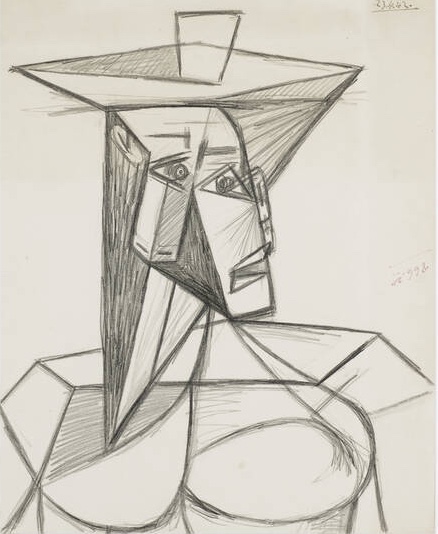
<p>In all the talk of what it is that LLMs do and don't, there are a lot of ways to frame what is happening. The positive spin includes helpfulness, cleverness, creativity and productivity. The negative spin points at lazyness, disposability, theft, and decay of knowledge. But there's one word that's remarkably absent in the discourse. That word is forgery.</p>

<ul class="indent">
<li>If someone produces a painting in the style of Van Gogh, and passes it off as being made by Van Gogh, by putting his signature on it, that painting is a forgery.</li>
<li class="mt1">If someone produces a legal document by mimicking the format, impersonating the parties, and faking their agreement, that document is a forgery.</li>
<li class="mt1">If someone produces a study by inventing or altering data, making up citations, and cherry-picking results to fit a particular conclusion, that study is a forgery.</li>
</ul>

<p>Whether something is a forgery is innate in the object and the methods used to produce it. It doesn't matter if nobody else ever sees the forged painting, or if it only hangs in a private home. It's a forgery because it's not authentic.</p>

</div></div>

<div class="g4 mt1"><div class="pad">
  <a href="https://www.wright20.com/auctions/2013/04/pablo-picasso-master-drawings/5" target="_blank"><img src="https://acko.net/files/ai-llms/picasso-buste-de-femme.jpg" alt="Picasso - Buste de Femme" class="" /></a>
  <p class="tc"><i class="text-muted">P. Picasso, "Buste De Femme" – 1942</i></p>
</div></div>
  
<div class="g8"><div class="pad">

<p>In this perspective, LLMs do something very specific: they allow individuals to make forgeries of their own potential output, or that of someone else, faster than they could make it themselves.</p>

<p>The act of forgery is the act of imitation. This by itself is strictly-speaking legal, as a form of fiction or self-expression. It's only when one attempts to use a forgery as a substitute for the authentic thing that it creates problems. How this plays out in practice depends on the situation, and mainly depends on what authenticity would&nbsp;signify.</p>

<p>That is, nobody will be arrested for "forging" a letter from Santa Claus, but also, no jurisdiction would allow you to have extremely convincing "imitation money" purely as a collector's item.</p>

</div></div>

<div class="g8 i2 mt1"><div class="pad">

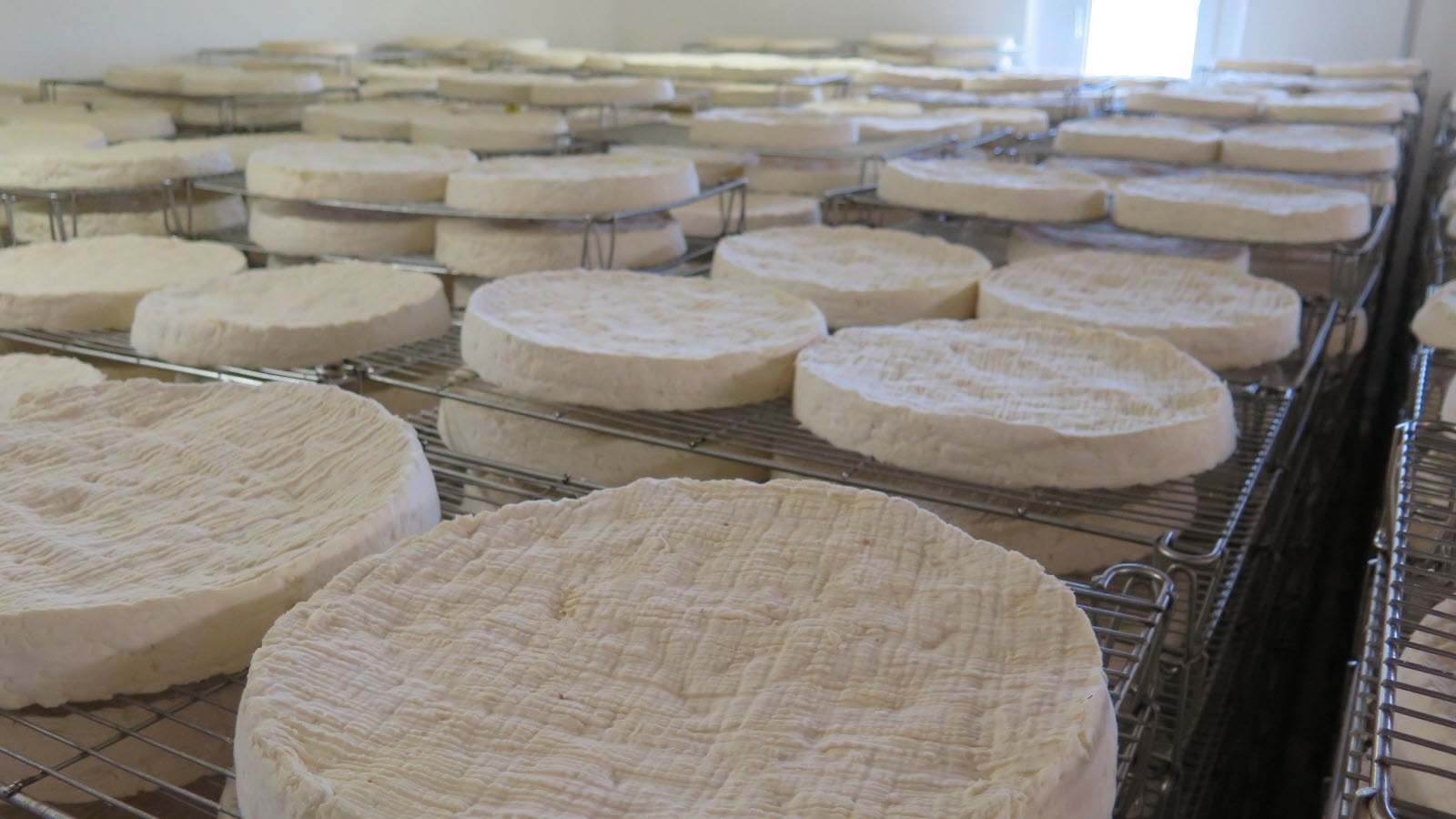
<p>This sort of protectionism is also seen in e.g. controlled-appelation foods like <a href="https://www.youtube.com/watch?v=YQGai2PVHBs
" target="_blank">artisanal cheese</a> or cured ham. These require not just traditional manufacturing methods and high-quality ingredients from farm to table, but also a specific geographic origin. There's a good reason for this.</p>

</div></div>

<div class="g10 i1 mt1"><div class="pad">
  <img src="https://acko.net/files/ai-llms/brie.jpg" alt="Fromagerie Dongé à Triconville" class="" />
  <a target="_blank" class="credit" href="https://www.estrepublicain.fr/edition-de-bar-le-duc/2015/08/30/fabrication-en-images-du-brie-de-meaux-par-la-fromagerie-donge-en-meuse">©</a>
</div></div>

<div class="g8 i2 mt1"><div class="pad">

<p>Producing French <i>"Brie de Meaux"</i> abroad isn't allowed, because it would open the floodgates to inevitable cheaper imitations. This would degrade the brand of the authentic product, and threaten the rare local expertise necessary to produce it, passed down from generation to&nbsp;generation.</p>

<p>The judgement of an individual end-consumer simply isn't sufficient here to ensure proper market function. The range of products that you can get in the store, between which you can choose, has already been pre-decided by factors out of your control. The quality of the artisanal cheese is a stand-in for an entire supply chain, often run on modern methods, which cannot simply be transplanted elsewhere without enormous investments in human capital, infrastructure and agriculture. This isn't mere romanticism.</p>

<p>Every society has to draw a line somewhere on the spectrum between <i>"traditional artisanal cheese"</i> and <i>"fake eggs made from industrial chemicals"</i>, if they don't want people to die from malnutrition or poisoning. But it's the ones that understand and maintain the value of foodcraft that don't end up with <a href="https://en.wikipedia.org/wiki/Obesity_in_Nauru" target="_blank">70%+ obesity rates</a>.</p>

</div></div>

<div class="g10 i1 mt1"><div class="pad">
  <img src="https://acko.net/files/ai-llms/spam.jpg" alt="Cans of Span" class="" />
  <a target="_blank" class="credit" href="https://edition.cnn.com/2023/08/18/business/maui-fire-spam-hormel/index.html">©</a>
</div></div>

<div class="g8 i2"><div class="pad">

<h2 class="mt3">Distrust and Verify</h2>

<p>The parallels to LLM-driven software coding are not difficult to find. The craft of writing software is being threatened by a literal flood of cheap imitations.</p>

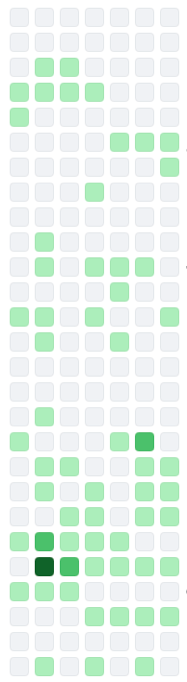
<p>Open source software maintainers have been one of the first to feel the downsides. They already had a ton of difficulty finding motivated contributors and bringing them up to speed on the project's goals and engineering mindset. The last thing they needed was to receive slop-coded pull requests from contributors merely looking to cheat their way into having a credible GitHub resumé.</p>

</div></div>

<div class="g2 i1 mt1">
  <div class="pad mobile-vanish">
    <img src="https://acko.net/files/ai-llms/github-squares-1.png" alt="Github Squares" class="" />
  </div>
  <div class="pad mobile-appear">
    <img src="https://acko.net/files/ai-llms/github-squares-1-m.png" alt="Github Squares" class="" />  
  </div>
</div>

<div class="g8"><div class="pad">

<p>Being on the receiving end of this is both demeaning and absurd, as the only thing the vibe-coder can do with the feedback you give them is paste it back into the tool that produced the errors in the first place.</p>

<p>As a result, projects have <a href="https://github.com/tldraw/tldraw/issues/7695" target="_blank">closed down public contributions</a> and <a href="https://hackaday.com/2026/01/26/the-curl-project-drops-bug-bounties-due-to-ai-slop/">dropped their bug bounties</a>. Others just <a href="https://406.fail" target="_blank">mock the posers</a> and hope they go away. What this certainly isn't is helpful, clever, creative or productive.</p>

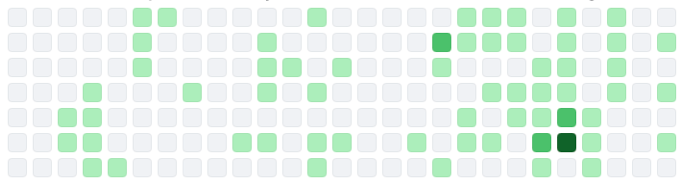
<p>In day to day coding, working alongside vibe-coding co-workers has similar effects. While new employees might seem to get up to speed much quicker, in reality they're merely offloading those arduous first weeks to a bot, hoping no-one else notices.</p>

<p>In the process, they'll inject run-of-the-mill mediocrity all over the place, when what you were really hoping for was their specific perspective. Anno 2026, if a new employee produces an extremely detailed PR with lots of explanation and comments, doubt every word.</p>

</div></div>

<div class="g2 ir1 mt1 r">
  <div class="pad mobile-vanish">
    <img src="https://acko.net/files/ai-llms/github-squares-2.png" alt="Github Squares" class="" />
  </div>
  <div class="pad mobile-appear">
    <img src="https://acko.net/files/ai-llms/github-squares-2-m.png" alt="Github Squares" class="" />  
  </div>
</div>

<div class="g8 i1"><div class="pad">

<p>Experienced veterans who turn to AI are said to supposedly fare better, producing 10x or even 100x the lines of code from before. When I hear this, I wonder what sort of senior software engineer still doesn't understand that every line of code they run and depend on is a&nbsp;liability.</p>

<p>One of the most remarkable things I've <a href="https://x.com/buccocapital/status/2022782677523345670" target="_blank">heard someone say</a> was that AI coding is a great application of the technology because everything an agent needs to know is explained in the codebase. This is catastrophically wrong and absurd, because if it were true, there would be no actual coding work to do.</p>

<p>It's also a huge tell. The salient difference here is whether an engineer has mostly spent their career solving problems created by other software, or solving problems people already had before there was any software at all. Only the latter will teach you to think about the constraints a problem actually has, and the needs of the users who solve it, which are always far messier than a novice would think.</p>

</div></div>

<div class="g8 i2"><div class="pad">

<p>When software is seen as an end in itself, you end up with a massively over-engineered infrastructure cloud, when it could instead be running on a $10/month VPS, with plenty of money left for both backups and beer.</p>


<h2 class="mt3">Tools for Tools</h2>

<p>Engineers who know their craft can still smell the slop from miles away when reviewing it, despite the "advances" made. It comes in the form of overly repetitive code, unnecessary complexity, and a reluctance to really refactor anything at all, even when it's clearly stale and overdue.</p>

<p>I've also observed several times now that even being senior, with years of familiarity, will not save them from vibe-coding some highly embarrassing goofs, and passing them on like an unpleasant fart.</p>

<p>Trying to imagine what thought-process produced the odd work in question will quickly lead to the answer: none at all. It's not a co-pilot, it's just on auto-pilot.</p>

<p>The same applies to vibe-coders themselves, and the reactions are largely predictable. The notion is being felt that slop code is bad code, full of bugs, with e.g. Microsoft's Co-pilot Discord recently <a href="https://www.windowscentral.com/artificial-intelligence/microsoft-copilot/microsoft-accidentally-kicked-off-a-copilot-revolt-by-banning-the-word-microslop-on-discord">banning</a> the insult <i>"Microslop"</i>. The user backlash was then framed as <i>"spam"</i> and even outright <i>"harmful"</i>, demonstrating that the promise is often worth more than the actual result, and also, that the universe still has a sense of humor.</p>

</div></div>

<div class="c"></div>

<div class="g8 i2 mt2"><div class="pad tc">
  <img src="https://acko.net/files/ai-llms/escher-print-gallery.jpg" alt="Escher - Print Gallery" class="" />
  <a target="_blank" class="credit" href="https://www.wikiart.org/en/m-c-escher/print-gallery">Source</a>
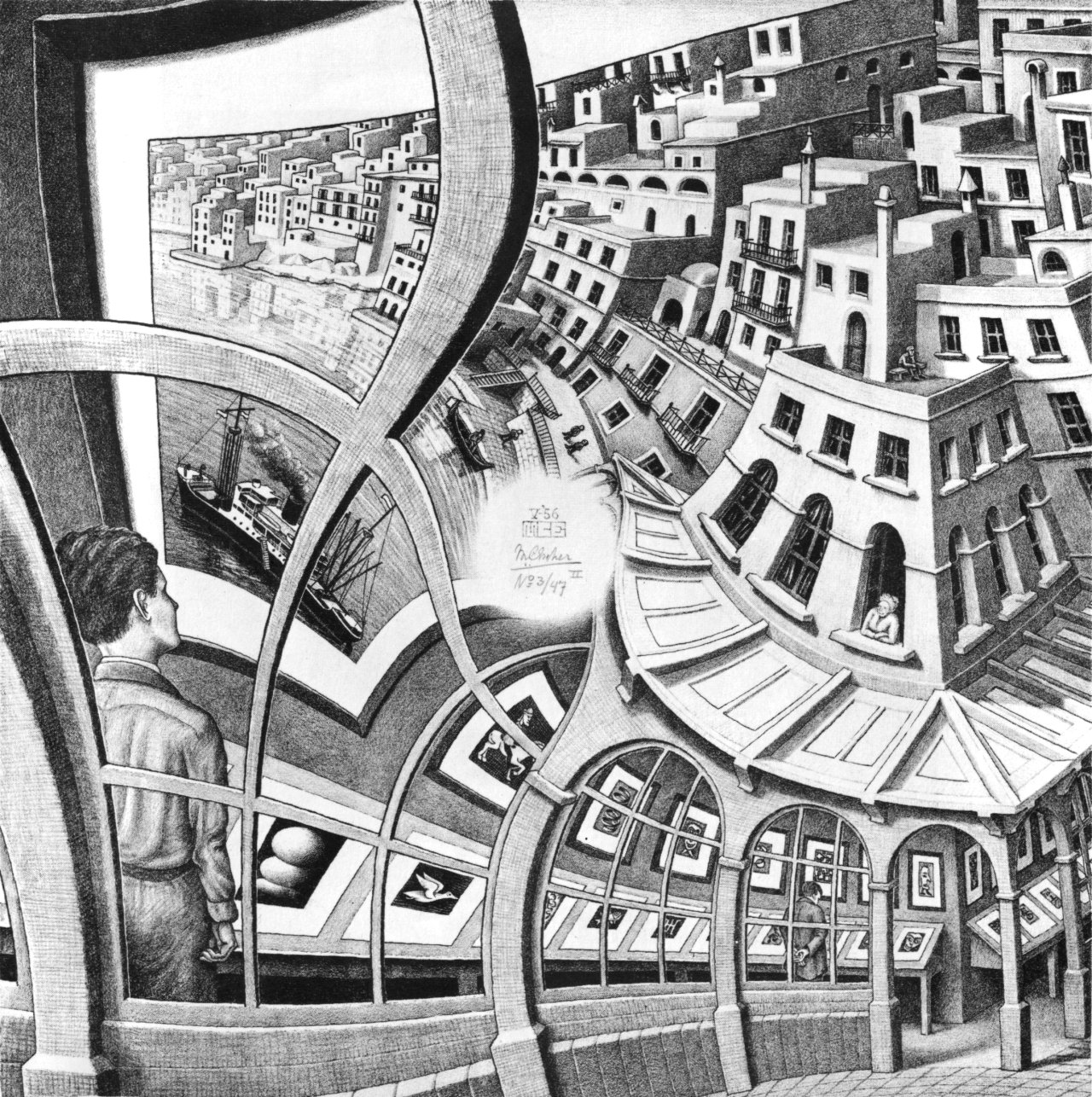
  <p class="tc"><i class="text-muted">M.C. Escher, "Print Gallery" – 1956</i></p>
</div></div>

<div class="c"></div>

<div class="g8 i2"><div class="pad">

<p>Less encouraging is that you'll see these tools referred to as <i>"addicting"</i> or even <i>"the best friend you can have"</i>. While nerds being utterly drawn to computers is as old as the PC revolution itself, there doesn't seem to be an associated cambrian explosion of creativity and accomplishment to go with it.</p>

<p>I can understand why outsiders would be impressed by it, what I don't understand is how so many insiders didn't stop and think about it.</p>

</div></div>

<div class="c"></div>

<div class="g8 i2 mt1"><div class="pad tc">
  <img src="https://acko.net/files/ai-llms/macintosh.jpg" alt="Apple Macintosh, 1984" class="" />
  <a target="_blank" class="credit" href="https://clickamericana.com/media/advertisements/apple-introduces-the-macintosh-personal-computer-1984">©</a>
</div></div>

<div class="c"></div>

<div class="g8 i2 mt1"><div class="pad">

<p>What gets built with AI is really all the glue that's become necessary since said PC revolution, as software applications have gotten more closed, more distributed and more corporate. The options here for end-users are terrible. HTTP APIs don't make things open if every endpoint requires a barely documented JSON blob whose schema changes overnight. Slinging raw database dumps is also not viable, and is only used for disaster recovery. Software has largely rusted shut.</p>

<p>Consider that many companies still primarily run on Excel. What's the Excel of JSON? There is none. So yeah, of course users think they need a machine to translate their intent into code so they can run it. Even then, what's the Jupyter notebooks of&nbsp;JSON?</p>

<p>There's <code>jq</code> of course, but keep in mind that originally it was SQL that was framed as the solution that was going to free businesses and their workers from having to rely on dedicated tools. Look how that worked out... the more things change, the more they stay the same. Is there a standard CRDT-like protocol for syncing editable graphs yet?</p>

<p>Surprisingly, we haven't seen a return to native apps either. It turns out vibe-coding an Electron app is still preferable to vibe-coding on multiple platforms and delivering a tailored experience for each. So where is this famed 100x? If even Apple can't maintain proper form and iconography in their latest OS anymore, what chance does an AI trained on web-slop&nbsp;have?</p>

<p>It says a lot about our industry, it just doesn't say much about engineering at&nbsp;all.</p>

</div></div>

<div class="c"></div>

<div class="g10 i1 mt2"><div class="pad tc">
  <img src="https://acko.net/files/ai-llms/turner-shipwreck.jpg" alt="J.M.W. Turner - The Shipwreck" class="" />
  <a target="_blank" class="credit" href="https://www.tate.org.uk/art/research-publications/the-sublime/joseph-mallord-william-turner-the-shipwreck-r1105577">Source</a>
  <p class="tc"><i class="text-muted">J.M.W. Turner, "The Shipwreck" – 1805</i></p>
</div></div>

<div class="c"></div>

<div class="g8 i2"><div class="pad">

<h2 class="mt2">And a Bottle of Rum</h2>

<p>Software engineers have largely jumped in without a life-jacket, but not every industry has been as eager. The frame of inevitability is just that, a frame, and one which you should&nbsp;question.</p>

<p>Video games stand out as one market where consumers have pushed back effectively. Numerous titles have already apologized for unlabeled AI content and removed it. Platforms like Steam have <a href="https://store.steampowered.com/news/group/4145017/view/3862463747997849618" target="_blank">clearly signposted policies</a> about it, and <a href="https://www.gamingonlinux.com/2025/02/steamdb-now-lets-you-filter-out-steam-games-with-ai-generation/" target="_blank">tools exist</a> to filter it out.</p>

<p>That said, Steam's policy has been <a href="https://www.techpowerup.com/345302/steam-ai-disclosure-gets-clarification-for-ai-in-dev-tools">recently updated</a> to exclude dev tools used for <i>"efficiency gains"</i>, but which are not used to generate content presented to players.</p>

</div></div>

<div class="c"></div>

<div class="g5 mt1"><div class="pad tc">
  <img src="https://acko.net/files/ai-llms/news-games-removed-slop.png" alt="Games which have removed AI content after release" class="" />
</div></div>

<div class="g7"><div class="pad">

<p>This isn't all that surprising, for two reasons.</p>

<p>The first is that video games are a pure direct-to-consumer market with digital delivery. Gamers really do have all the choices on tap. When they don't like a game or its pricing model, it's the result of choices made by those specific producers. Other titles exist without those flaws, and those get promoted and bought instead. The taste-makers are gamers themselves, who demand transparency.</p>

<p>But the second is that most video games are artistic, and bought for their specific artistic appeal. In art, copy-catting is frowned upon, as it devalues the original and steals the credit. Artists are rationally very sensitive to this, as part of the appeal of art is a creator's unique vision. The art is supposed to function as a personal proof-of-work, whose integrity must be preserved. The proper form of imitation is instead an homage, which respects and evolves an idea at the same time.</p>

</div></div>

<div class="c"></div>

<div class="g8 i2"><div class="pad">

<p>This stands in stark contrast to code, which generally doesn't suffer from re-use at all, or may even benefit from it, if it's infrastructure. It also explains why open source projects are so particularly ill-suited to attracting talented, artistic creatives. The ethos of zero-cost sharing means any artistic design would be instantly pilfered and repurposed without its original context.</p>

<p>Classic procedural generation is noteworthy here as a precedent, which gamers were already familiar with, because by and large it has failed to deliver. The promise of exponential content from a limited source <a href="https://jphanderson.wordpress.com/2016/10/01/joseph-anderson-vs-no-mans-sky/" target="_blank">quickly turns sour</a>, as the main thing a procedural generator does is make the variety in its own outputs worthless.</p>

</div></div>

<div class="c"></div>

<div class="g10 i1 mt1"><div class="pad tc">
  <img src="https://acko.net/files/ai-llms/no-mans-sky-2016.jpg" alt="No Man's Sky - 2016 version" class="" />
  <a target="_blank" class="credit" href="https://www.washingtonpost.com/news/comic-riffs/wp/2016/08/30/no-mans-sky-review-a-game-lost-in-infinite-space/">©</a>
  <p class="tc"><i class="text-muted">No Man's Sky - 2016 version</i></p>
</div></div>

<div class="c"></div>

<div class="g8 i2"><div class="pad">
  
<p>So it's no wonder artists would denounce generative AI as mass-plagiarism when it showed up. It's also no wonder that a bunch of tech entrepreneurs and data janitors wouldn't understand this at all, and would in fact embrace the plagiarism wholesale, <a href="https://www.tomshardware.com/tech-industry/artificial-intelligence/nvidia-accused-of-trying-to-cut-a-deal-with-annas-archive-for-high-speed-access-to-the-massive-pirated-book-haul-allegedly-chased-stolen-data-to-fuel-its-llms">training their models</a> on every pirated shadow library they can get. Or indeed, every code repository out there.</p>

<p>If the output of this is generic, gross and suspicious, there's a very obvious reason for it. The different training samples in the source material are themselves just slop for the machine. Whatever makes the weights go brrr during training.</p>

<p>This just so happens to create the plausible deniability that makes it impossible to say what's a citation, what's a hallucination, and what, if anything, could be considered novel or creative. This is what keeps those shadow libraries illegal, but ChatGPT&nbsp;"legal".</p>

<p>Labeling AI content as AI generated, or watermarking it, is thus largely an exercise in ass-covering, and not in any way responsible&nbsp;disclosure.</p>

<p>It's also what provides the fig leaf that allows many a developer to knock-off for early lunch and early dinner every day, while keeping the meter running, without ever questioning whether the intellectual property clauses in their contract still mean anything at all.</p>

<p>This leaves the engineers in question in an awkward spot however. In order for vibe-coding to be acceptable and justifiable, they have to consider their own output disposable, highly uncreative, and not worthy of credit.</p>

<p class="mt2 mb2 tc" style="opacity: .5">* * *</p>

<p>If you ask me, no court should have ever rendered a judgement on whether AI output as a category is legal or copyrightable, because none of it is sourced. The judgement simply cannot be made, and AI output should be treated like a forgery unless and until proven otherwise.</p>

<p>The solution to the LLM conundrum is then as obvious as it is elusive: the only way to separate the gold from the slop is for LLMs to perform correct source attribution along with&nbsp;inference.</p>

<p>This wouldn't just help with the artistic side of things. It would also reveal how much vibe code is merely just copy/pasted from an existing codebase, while conveniently omitting the original author, license and link.</p>

<p>With today's models, real attribution is a technical impossibility. The fact that an LLM can even mention and cite sources at all is an emergent property of the data that's been ingested, and the prompt being completed. It can only do so when appropriate according to the current position in the text.</p>

<p>There's no reason to think that this is generalizable, rather, it is far more likely that LLMs are merely good at citing things that are frequently and correctly cited. It's citation&nbsp;role-play.</p>

<p>The implications of sourcing-as-a-requirement are vast. What does backpropagation even look like if the weights have to be attributable, and the forward pass auditable? You won't be able to fit <i>that</i> in an <code>int4</code>, that's for sure.</p>

<p>Nevertheless, I think this would be quite revealing, as this is what "AI detection tools" are really trying to solve for backwards. It's crazy that the next big thing after the World Wide Web, and the Google-scale search engine to make use of it, was a technology that cannot tell you where the information comes from, by design. It's...&nbsp;sloppy.</p>

<p>To stop the machines from lying, they have to cite their sources properly. And spoiler, so do the AI companies.</p>

<div class="c"></div>
<div class="mt2"></div>

</div></div>
]]></content>
  </entry>
  
  <entry>
    <title type="html"><![CDATA[HTML is Dead, Long Live HTML]]></title>
    <link href="https://acko.net/blog/html-is-dead-long-live-html/"/>
    <updated>2025-08-06T00:00:00+02:00</updated>
    <id>https://acko.net/blog/html-is-dead-long-live-html</id>
    <content type="html"><![CDATA[<div class="g8 i2 first"><div class="pad">
  <h2 class="sub">Rethinking DOM from first principles</h2>
</div></div>

<div class="c"></div>

<img src="https://acko.net/files/dom-cruft-2025/cover.jpg" style="position: absolute; left: -5000px; top: 0;" alt="Cover Image" />

<div class="g8 i2"><div class="pad">

<p>Browsers are in a very weird place. While WebAssembly has succeeded, even on the server, the client still feels largely the same as it did <a href="https://acko.net/blog/shadow-dom/" target="_blank">10 years ago</a>.</p>

<p>Enthusiasts will tell you that accessing native web APIs via WASM is a solved problem, with some <a href="https://queue.acm.org/detail.cfm?id=3746174" target="_blank">minimal JS glue</a>.</p>

<p>But the question not asked is why you would want to access the DOM. It's just the only option. So I'd like to explain why it really is time to send the DOM and its assorted APIs off to a farm somewhere, with some ideas on&nbsp;how.</p>

<p>I won't pretend to know everything about browsers. Nobody knows everything anymore, and that's the problem.</p>

</div></div>

<div class="c"></div>

<div class="wide mt2">
  <img src="https://acko.net/files/dom-cruft-2025/netscape-upside-down.jpg" alt="Netscape or something">
</div>

<div class="c"></div>

<div class="g8 i2 mt2"><div class="pad">

<h2 class="mt2">The 'Document' Model</h2>

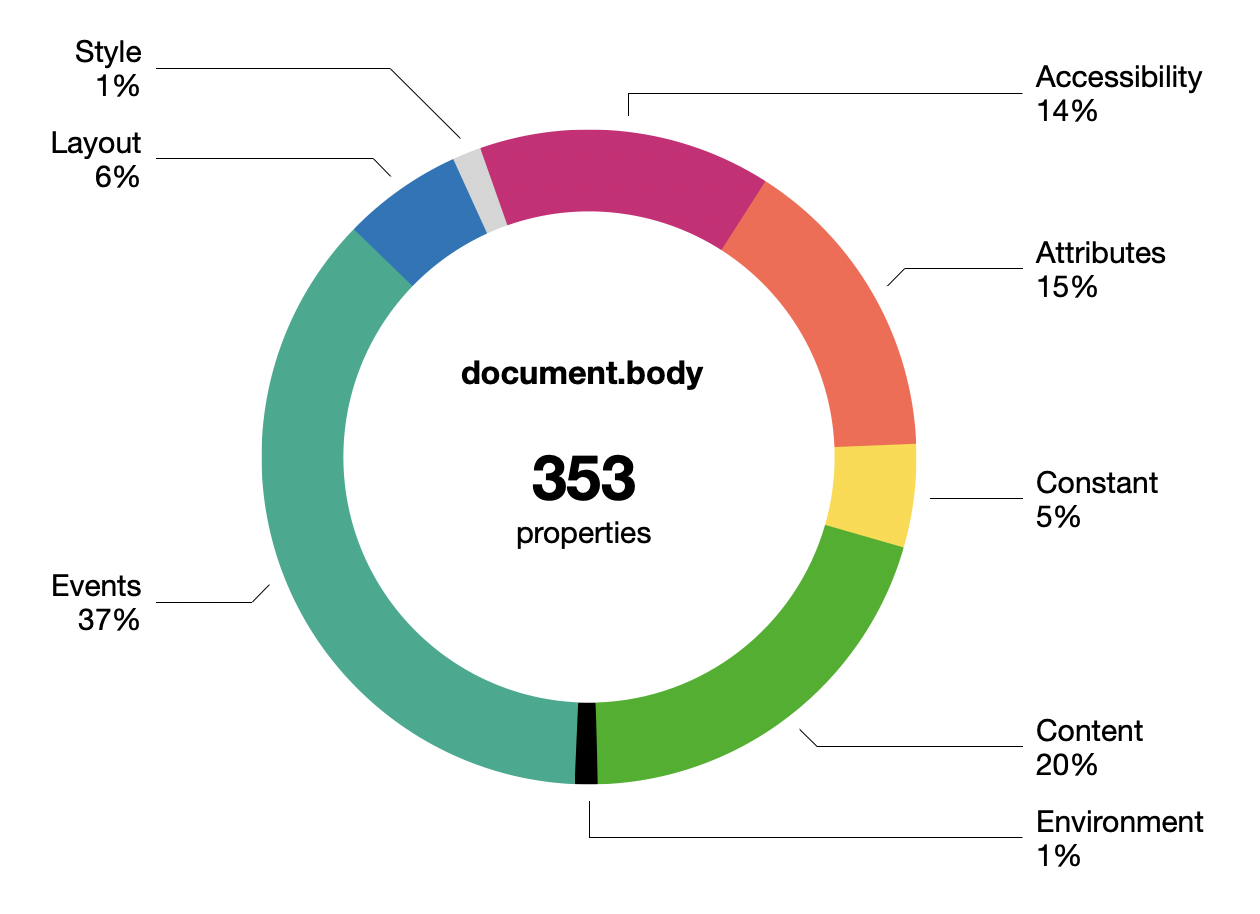
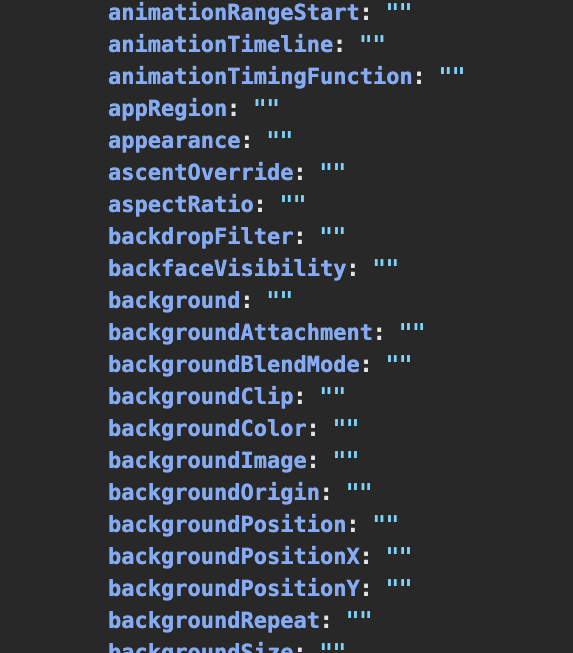
<p>Few know how bad the DOM really is. In Chrome, <code>document.body</code> now has 350+ keys, grouped roughly like this:</p>

</div></div>

<div class="g8 i2"><div class="pad">
  <div class="mt1"><img src="https://acko.net/files/dom-cruft-2025/document-body-chart.png" alt="document.body properties"></div>
</div></div>

<div class="g8 i2"><div class="pad">

<p>This doesn't include the CSS properties in <code>document.body.style</code> of which there are... <b>660</b>.</p>

<p>The boundary between properties and methods is very vague. Many are just facades with an invisible setter behind them. Some getters may trigger a just-in-time re-layout. There's ancient legacy stuff, like all the <code>onevent</code> properties nobody uses anymore.</p>

<p>The DOM is not lean and continues to get fatter. Whether you notice this largely depends on whether you are making web pages or web applications.</p>

<p class="mt3">Most devs now avoid working with the DOM directly, though occasionally some purist will praise pure DOM as being superior to the various JS component/templating frameworks. What little declarative facilities the DOM has, like <code>innerHTML</code>, do not resemble modern UI patterns at all. The DOM has too many ways to do the same thing, none of them nice.</p>

<div class="c"></div>
<div class="mt2"></div>

<pre><code class="language-tsx wrap">connectedCallback() {
  const
    shadow = this.attachShadow({ mode: 'closed' }),
    template = document.getElementById('hello-world')
      .content.cloneNode(true),
    hwMsg = `Hello ${ this.name }`;

  Array.from(template.querySelectorAll('.hw-text'))
    .forEach(n => n.textContent = hwMsg);

  shadow.append(template);
}
</code></pre>
<div class="c"></div>

<p>Web Components deserve a mention, being the web-native equivalent of JS component libraries. But they came too late and are unpopular. The API seems clunky, with its Shadow DOM introducing new nesting and scoping layers. Proponents kinda <a href="https://kinsta.com/blog/web-components/" target="_blank">read like apologetics</a>.</p>

<p>The achilles heel is the DOM's SGML/XML heritage, making everything stringly typed. React-likes do not have this problem, their syntax only <i>looks</i> like XML. Devs have learned not to keep state in the document, because it's inadequate for it.</p>

</div></div>

<div class="c"></div>
<div class="mt2"></div>

<div class="g2 i1"><div class="pad">
  <div class="mt1"><img class="flat" src="https://acko.net/files/dom-cruft-2025/w3c-logo.png" alt="W3C logo" /></div>
  <div class="mt1 mb2"><img class="flat" src="https://acko.net/files/dom-cruft-2025/whatwg.png" alt="WHATWG logo" /></div>
</div></div>

<div class="g8"><div class="pad">

<p>For HTML itself, there isn't much to critique because nothing has changed in 10-15 years. Only <a href="https://developer.mozilla.org/en-US/docs/Web/Accessibility/ARIA" target="_blank">ARIA</a> (accessibility) is notable, and only because this was what Semantic HTML was supposed to do and didn't.</p>

<p>Semantic HTML never quite reached its goal. Despite dating from around 2011, there is e.g. no <code>&lt;thread&gt;</code> or <code>&lt;comment&gt;</code> tag, when those were well-established idioms. Instead, an article inside an article <a href="https://www.w3.org/TR/2011/WD-html5-author-20110809/the-article-element.html" target="_blank">is probably</a> a comment. The guidelines are... weird.</p>

<p>There's this feeling that HTML always had paper-envy, and couldn't quite embrace or fully define its hypertext nature, and did not trust its users to follow clear rules.</p>

<p>Stewardship of HTML has since firmly passed to WHATWG, really the browser vendors, who have not been able to define anything more concrete as a vision, and have instead just added epicycles at the margins.</p>

<p>Along the way even CSS has grown expressions, because every templating language wants to become a programming language.</p>

</div></div>

<div class="c"></div>

<div class="g8 i2 mt2">
  <img src="https://acko.net/files/dom-cruft-2025/composer.gif" alt="netscape composer" />
</div>

<div class="c"></div>

<div class="g8 i2"><div class="pad">

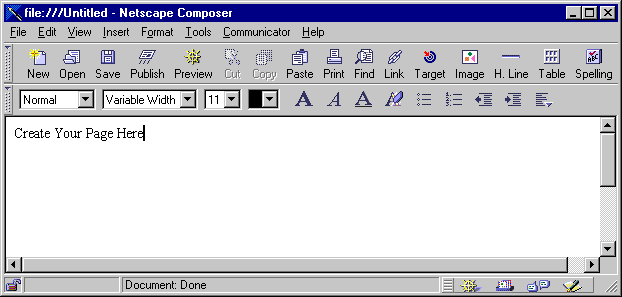
<p>Editability of HTML remains a sad footnote. While technically supported via <code>contentEditable</code>, actually wrangling this feature into something usable for applications is a dark art. I'm sure the Google Docs and Notion people have horror&nbsp;stories.</p>

</div></div>

<div class="g8 i2 mt2"><div class="pad">

<p>Nobody really believes in the old gods of progressive enhancement and separating markup from style anymore, not if they make apps.</p>

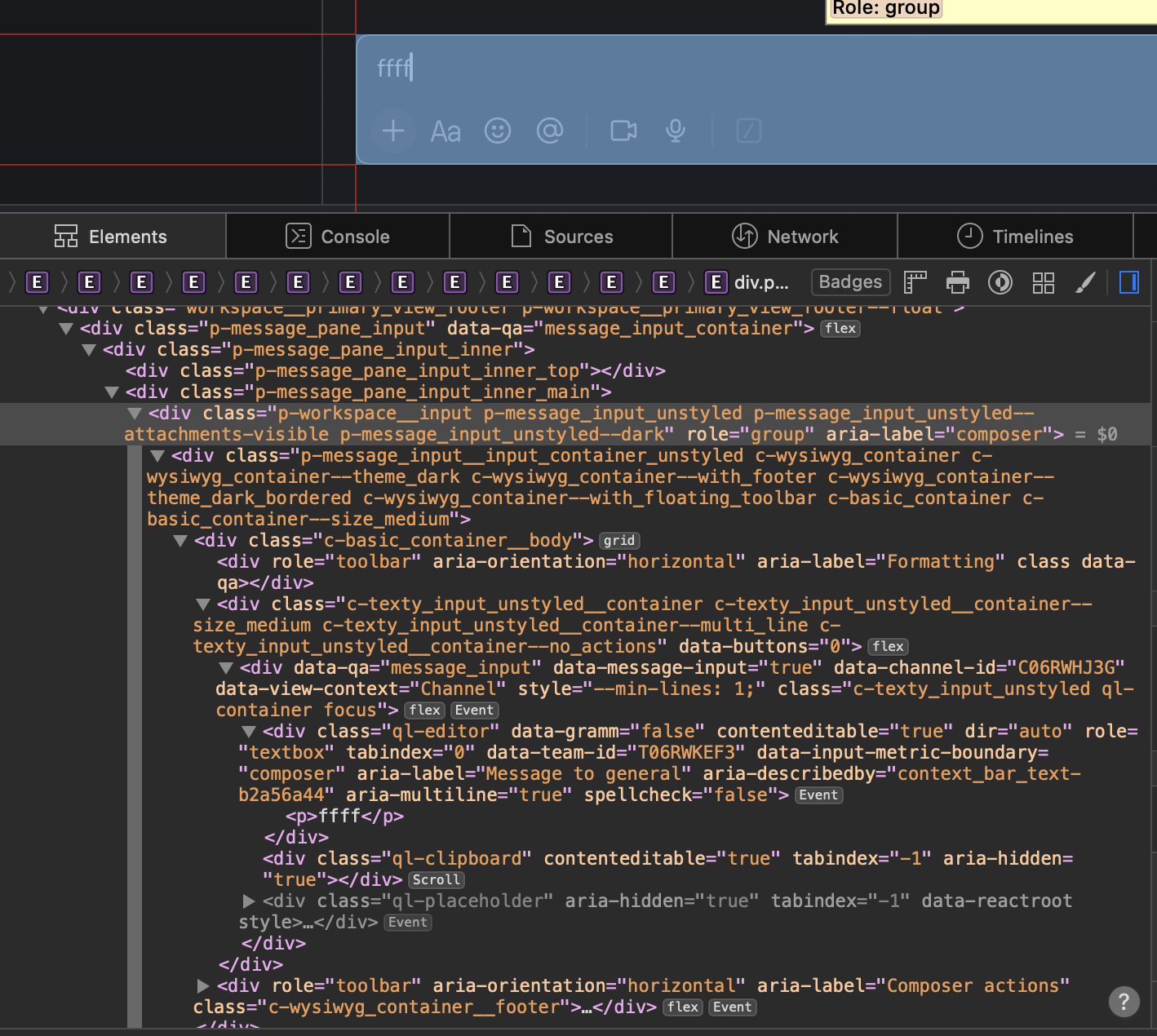
<p>Most of the applications you see nowadays will kitbash HTML/CSS/SVG into a pretty enough shape. But this comes with immense overhead, and is looking more and more like the opposite of a decent UI toolkit.</p>

</div></div>

<div class="c"></div>

<div class="g10 i1 mt1">
  <img src="https://acko.net/files/dom-cruft-2025/slack-html.png" alt="slack input editor" />
  <p class="tc"><i>The Slack input box</i></p>
</div>

<div class="c"></div>

<div class="g4 mt1">
  <img src="https://acko.net/files/dom-cruft-2025/slack-abs.png" alt="layout hack" />
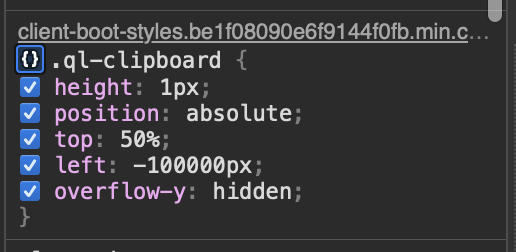
  <p class="tc"><i>Off-screen clipboard hacks</i></p>
</div>

<div class="g8"><div class="pad">

<p>Lists and tables must be virtualized by hand, taking over for layout, resizing, dragging, and so on. Making a chat window's scrollbar stick to the bottom is somebody's TODO, every single time. And the more you virtualize, the more you have to reinvent find-in-page, right-click menus, etc.</p>

<p>The web blurred the distinction between UI and fluid content, which was novel at the time. But it makes less and less sense, because the UI part is a decade obsolete, and the content has largely homogenized.</p>

</div></div>

<div class="c"></div>
<div class="mt2"></div>

<div class="g8 i2">
  <img src="https://acko.net/files/dom-cruft-2025/css-is-awesome.jpg" alt="'css is awesome' mug, truncated layout" />
</div>

<div class="g8 i2 mt2"><div class="pad">

<h2>CSS is inside-out</h2>

<p>CSS doesn't have a stellar reputation either, but few can put their finger on exactly&nbsp;why.</p>

<p>Where most people go wrong is to start with the wrong mental model, approaching it like a constraint solver. This is easy to show with e.g.:</p>

</div></div>

<div class="g5 i1"><div class="pad">

<pre><code class="language-tsx wrap">&lt;div>
  &lt;div style="height: 50%">...&lt;/div>
  &lt;div style="height: 50%">...&lt;/div>
&lt;/div></code></pre>

</div></div>

<div class="c mobile-appear"></div>
<div class="mt1 mobile-appear"></div>

<div class="g5"><div class="pad">

<pre><code class="language-tsx wrap">&lt;div>
  &lt;div style="height: 100%">...&lt;/div>
  &lt;div style="height: 100%">...&lt;/div>
&lt;/div></code></pre>

</div></div>

<div class="c"></div>

<div class="g8 i2"><div class="pad">

<p>The first might seem reasonable: divide the parent into two halves vertically. But what about the second?</p>

<p>Viewed as a set of constraints, it's contradictory, because the parent div is twice as tall as... itself. What will happen instead in <i>both cases</i> is the <code>height</code> is ignored. The parent height is unknown and CSS doesn't backtrack or iterate here. It just shrink-wraps the contents.</p>

<p>If you set e.g. <code>height: 300px</code> on the parent, then it works, but the latter case will still just spill out.</p>

</div></div>

<div class="g10 i1"><div class="pad">
<p class="tc"><img class="flat" src="https://acko.net/files/dom-cruft-2025/layout-modes.png" alt="Outside-in vs inside-out layout" /></p>
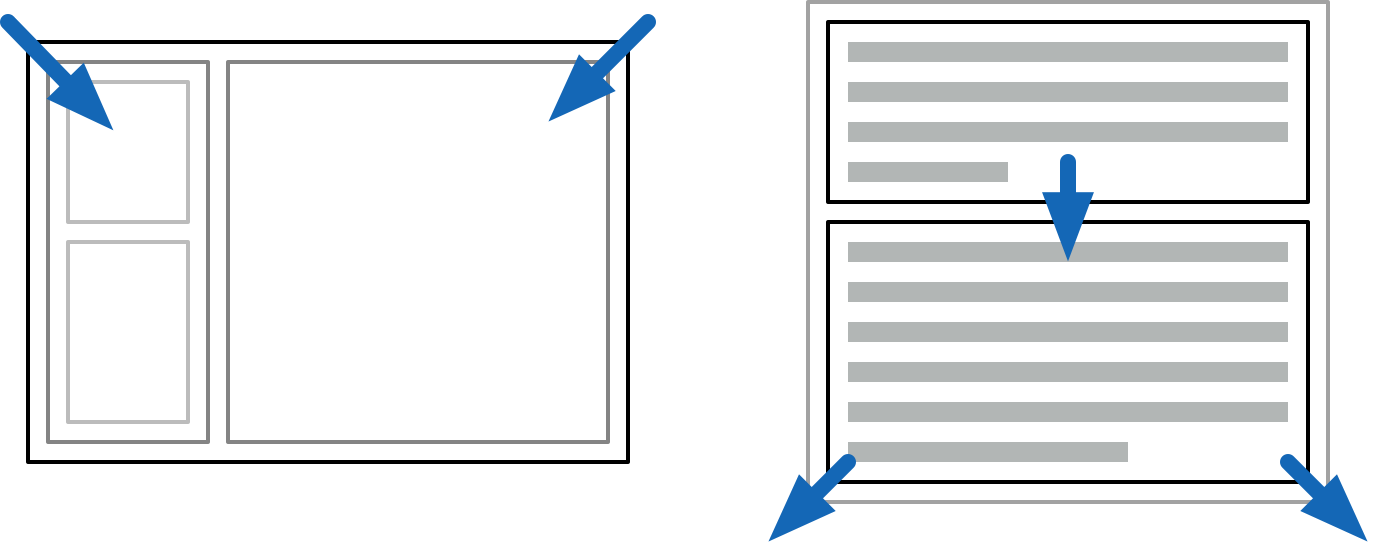
<p class="tc"><i>Outside-in and inside-out layout modes</i></p>
</div></div>

<div class="g8 i2"><div class="pad">

<p>Instead, your mental model of CSS should be applying two passes of constraints, first going outside-in, and then inside-out.</p>

<p>When you make an application frame, this is <i>outside-in</i>: the available space is divided, and the content inside does not affect sizing of panels.</p>

<p>When paragraphs stack on a page, this is <i>inside-out</i>: the text stretches out its containing parent. This is what HTML wants to do naturally.</p>

<p>By being structured this way, CSS layouts are computationally pretty simple. You can propagate the parent constraints down to the children, and then gather up the children's sizes in the other direction. This is attractive and allows webpages to scale well in terms of elements and text content.</p>

<p>CSS is always inside-out by default, reflecting its document-oriented nature. The outside-in is not obvious, because it's up to you to pass all the constraints down, starting with <code>body { height: 100%; }</code>. This is why they always say vertical alignment in CSS is hard.</p>


</div></div>

<div class="g10 i1"><div class="pad">
<p class="tc"><img class="flat" src="https://acko.net/files/dom-cruft-2025/flex.png" alt="Flex grow/shrink" /></p>
<p class="tc"><i>Use flex grow and shrink for spill-free auto-layouts with completely reasonable gaps</i></p>
</div></div>

<div class="g8 i2"><div class="pad">

<p>The scenario above is better handled with a CSS3 flex box (<code>display: flex</code>), which provides explicit control over how space is divided.</p>

<p>Unfortunately flexing muddles the simple CSS model. To auto-flex, the <a href="https://www.w3.org/TR/css-flexbox-1/#algo-main-item" target="_blank">layout algorithm</a> must measure the "natural size" of every child. This means laying it out twice: first speculatively, as if floating in aether, and then again after growing or shrinking to fit:</p>

</div></div>

<div class="g6 i3"><div class="pad">
<p class="tc"><img class="flat square" src="https://acko.net/files/dom-cruft-2025/speculative-layout.png" alt="Flex speculative layout" /></p>
</div></div>

<div class="g8 i2"><div class="pad">

<p>This sounds reasonable but can come with hidden surprises, because it's recursive. Doing speculative layout of a parent often requires <i>full</i> layout of unsized children. e.g. to know how text will wrap. If you nest it right, it could in theory cause an exponential blow up, though I've never heard of it being an issue.</p>

<p>Instead you will only discover this when someone drops some large content in somewhere, and suddenly everything gets stretched out of whack. It's the opposite of the problem on the mug.</p>

<p>To avoid the recursive dependency, you need to isolate the children's contents from the outside, thus making speculative layout trivial. This can be done with <code>contain: size</code>, or by manually setting the <code>flex-basis</code> size.</p>

<p>CSS has gained a few constructs like <code>contain</code> or <code>will-change</code>, which work directly with the layout system, and drop the pretense of <i>one big happy layout</i>. It reveals some of the layer-oriented nature underneath, and is a substitute for e.g. using <code>position: absolute</code> wrappers to do the same.</p>

<p>What these do is strip <i>off</i> some of the semantics, and break the flow of DOM-wide constraints. These are overly broad by default and too document-oriented for the simpler cases. </p>

<p>This is really a metaphor for all DOM APIs.</p>

</div></div>

<div class="c"></div>

<div class="g2 i1">
  <div class="mt2 mobile-appear"><img class="flat square" src="https://acko.net/files/dom-cruft-2025/css-props-mini.png" alt="CSS props" /></div>
  <div class="mt2 mobile-vanish"><img class="flat square" src="https://acko.net/files/dom-cruft-2025/css-props.png" alt="CSS props" /></div>
</div>

<div class="g8"><div class="pad">

<h2 class="mt2">The Good Parts?</h2>

<p>That said, flex box is pretty decent if you understand these caveats. Building layouts out of nested rows and columns with gaps is intuitive, and adapts well to varying sizes. There is a <i>"CSS: The Good Parts"</i> here, which you can make ergonomic with sufficient love. CSS grids also work similarly, they're just very painfully... CSSy in their syntax.</p>

<p>But if you designed CSS layout from scratch, you wouldn't do it this way. You wouldn't have a subtractive API, with additional extra containment barrier hints. You would instead break the behavior down into its component facets, and use them à la carte. Outside-in and inside-out would both be legible as different kinds of containers and placement models.</p>

<p>The <code>inline-block</code> and <code>inline-flex</code> display models illustrate this: it's a <span style="display: inline-block; background: #ccc; padding: 5px; border: 1px solid #bbb;"><code>block</code></span> or <span style="display: inline-flex; background: #ccc; padding: 5px; border: 1px solid #bbb; width: 120px;"><span style="display: block; background: #ddd; padding: 5px; text-align: center; flex-grow: 1;"><code>f</code></span><span style="display: block; background: #ddd; padding: 5px; text-align: center; flex-grow: 1;"><code>l</code></span><span style="display: block; background: #ddd; padding: 5px; text-align: center; flex-grow: 1;"><code>e</code></span><span style="display: block; background: #ddd; padding: 5px; text-align: center; flex-grow: 1;"><code>x</code></span></span> on the inside, but an <code>inline</code> element on the outside. These are two (mostly) orthogonal aspects of a box in a box model.</p>

<p>Text and font styles are in fact the odd ones out, in hypertext. Properties like font size inherit from parent to child, so that formatting tags like <code>&lt;b&gt;</code> can work. But most of those 660 CSS properties do <i>not</i> do that. Setting a border on an element does not apply the same border to all its children recursively, that would be silly.</p>

<p>It shows that CSS is at least two different things mashed together: a system for styling rich text based on inheritance... and a layout system for block and inline elements, nested recursively but without inheritance, only containment. They use the same syntax and APIs, but don't really cascade the same way. Combining this under one style-umbrella was a mistake.</p>

<p>Worth pointing out: early ideas of relative <code>em</code> scaling have largely become irrelevant. We now think of logical vs device pixels instead, which is a far more sane solution, and closer to what users actually expect.</p>

</div></div>

<div class="c"></div>
<div class="mt2"></div>

<div class="g4 r">
  <div class="mt1"><img class="flat" src="https://acko.net/files/dom-cruft-2025/tiger.svg" alt="Tiger SVG" style="width: 100%" /></div>
</div>

<div class="g8"><div class="pad">

<p>SVG is natively integrated as well. Having SVGs in the DOM instead of just as <code>&lt;img&gt;</code> tags is useful to dynamically generate shapes and adjust icon styles.</p>

<p>But while SVG is powerful, it's neither a subset nor superset of CSS. Even when it overlaps, there are subtle differences, like the affine <code>transform</code>. It has its own warts, like serializing all coordinates to strings.</p>

<p>CSS has also gained the ability to round corners, draw gradients, and apply arbitrary clipping masks: it clearly has SVG-envy, but falls very short. SVG can e.g. do polygonal hit-testing for mouse events, which CSS cannot, and SVG has its own set of graphical layer effects.</p>

<p>Whether you use HTML/CSS or SVG to render any particular element is based on specific annoying trade-offs, even if they're all scalable vectors on the back-end.</p>

</div></div>

<div class="c"></div>

<div class="g8 i2"><div class="pad">

<p>In either case, there are also some roadblocks. I'll just mention three:</p>

<ul class="indent">

<li><code>text-ellipsis</code> can only be used to truncate <i>unwrapped</i> text, not entire paragraphs. Detecting truncated text is even harder, as is just measuring text: the APIs are inadequate. Everyone just counts letters instead.</li>

<li><code>position: sticky</code> lets elements stay in place while scrolling with zero jank. While tailor-made for this purpose, it's subtly broken. Having elements remain <i>unconditionally</i> sticky requires an absurd nesting hack, when it should be trivial.</li>

<li>The <code>z-index</code> property determines layering by absolute index. This inevitably leads to a <code>z-index-war.css</code> where everyone is putting in a new number +1 or -1 to make things layer correctly. There is no concept of relative Z positioning.</li>

</ul>

<p>For each of these features, we got stuck with v1 of whatever they could get working, instead of providing the right primitives.</p>

<p>Getting this right isn't easy, it's the hard part of API design. You can only iterate on it, by building real stuff with it before finalizing it, and looking for the holes.</p>


<h2 class="mt2">Oil on Canvas</h2>

<p>So, DOM is bad, CSS is single-digit X% good, and SVG is ugly but necessary... and nobody is in a position to fix it?</p>

<p>Well no. The diagnosis is that the middle layers don't suit anyone particularly well anymore. Just an HTML6 that finally <i>removes</i> things could be a good start.</p>

<p>But most of what needs to happen is to liberate the functionality that is there already. This can be done in good or bad ways. Ideally you design your system so the "escape hatch" for custom use is the <i>same API</i> you built the user-space stuff with. That's what dogfooding is, and also how you get good kernels.</p>

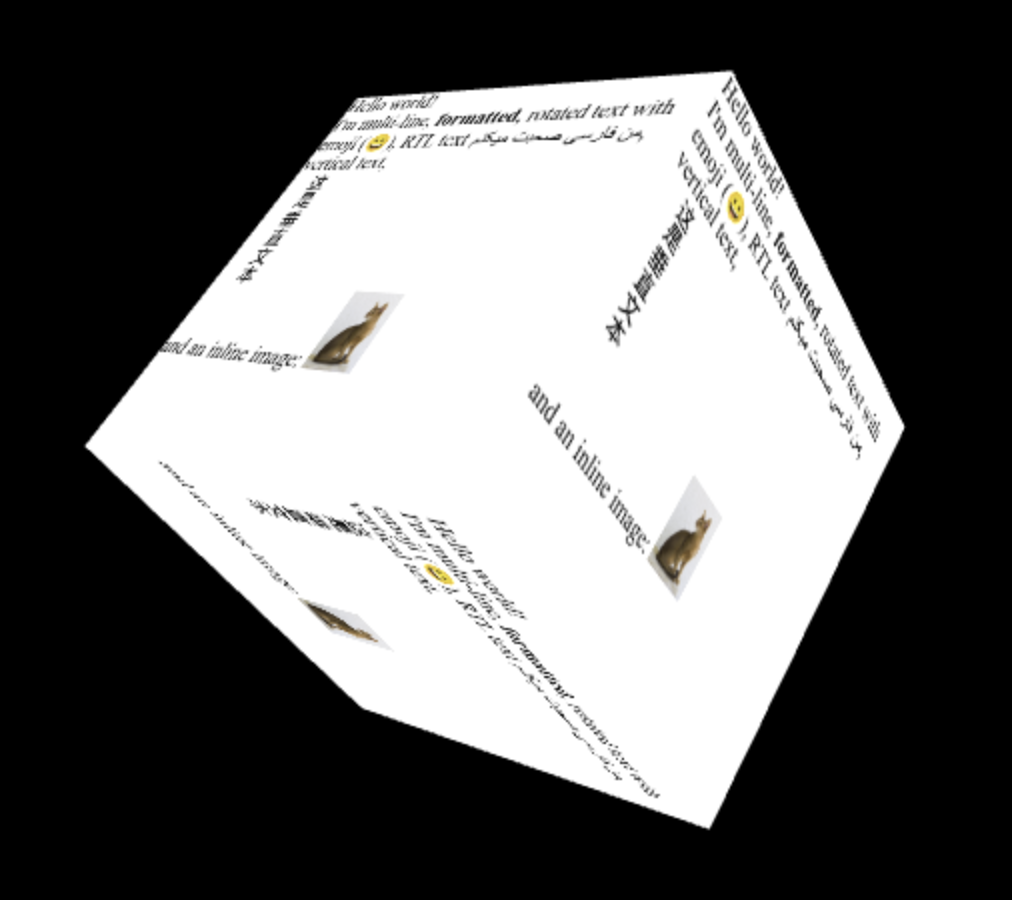
<p>A recent proposal here is <a href="https://github.com/WICG/html-in-canvas/tree/main" target="_blank">HTML in Canvas</a>, to draw HTML content into a <code>&lt;canvas&gt;</code>, with full control over the visual output. It's not very good.</p>

<p>While it might seem useful, the only reason the API has the shape that it does is because it's shoehorned into the DOM: elements must be descendants of <code>&lt;canvas&gt;</code> to fully participate in layout and styling, and to make accessibility work. There are also <i>"technical concerns"</i> with using it off-screen. </p>

<p>One example is this spinny cube:</p>

</div></div>

<div class="g6 i3">
  <img src="https://acko.net/files/dom-cruft-2025/canvas-cube.png" alt="html-in-canvas spinny cube thing" /></a>
</div>

<div class="g8 i2"><div class="pad">

<p>To make it interactive, you attach hit-testing rectangles and respond to paint events. This is a new kind of hit-testing API. But it only works in 2D... so it seems 3D-use is only cosmetic? I have many questions.</p>

<p class="mt2">Again, if you designed it from scratch, you wouldn't do it this way! In particular, it's absurd that you'd have to take over <i>all</i> interaction responsibilities for an element and its descendants just to be able to customize how it <i>looks</i> i.e. renders. Especially in a browser that has projective CSS 3D transforms.</p>

<p>The use cases not covered by that, e.g. curved re-projection, will also need more complicated hit-testing than rectangles. Did they think this through? What happens when you put a dropdown in there?</p>

<p>To me it seems like they couldn't really figure out how to unify CSS and SVG filters, or how to add shaders to CSS. Passing it thru canvas is the only viable option left. <i>"At least it's programmable."</i> Is it really? Screenshotting DOM content is 1 good use-case, but not what this is sold as at all.</p>

<p>The whole reason to do "complex UIs on canvas" is to do all the things the DOM <i>doesn't do</i>, like virtualizing content, just-in-time layout and styling, visual effects, custom gestures and hit-testing, and so on. It's all nuts and bolts stuff. Having to pre-stage all the DOM content you want to draw sounds... very counterproductive.</p>

<p>From a reactivity point-of-view it's also a bad idea to route this stuff back through the same document tree, because it sets up potential cycles with observers. A canvas that's rendering DOM content isn't really a document element anymore, it's doing something else entirely.</p>

</div></div>

<div class="g10 i1 mt1">
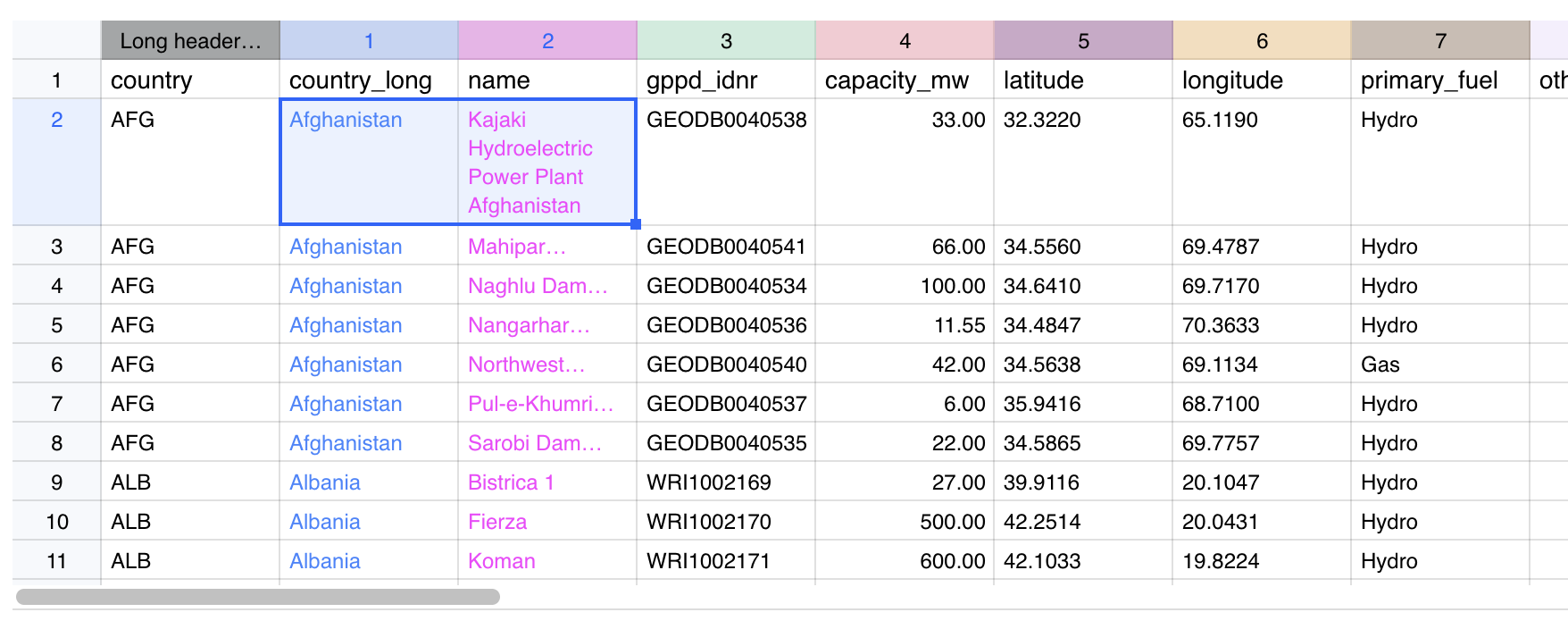
  <a href="https://farseerdev.github.io/sheet-happens/" target="_blank"><img src="https://acko.net/files/dom-cruft-2025/sheet.png" alt="sheet-happens" /></a>
  <p class="tc"><i>Canvas-based spreadsheet that skips the DOM entirely</i></p>
</div>

<div class="g8 i2"><div class="pad">

<p>The actual achilles heel of canvas is that you don't have any real access to system fonts, text layout APIs, or UI utilities. It's quite absurd how basic it is. You have to <a href="https://farseerdev.github.io/sheet-happens/" target="_blank">implement everything</a> from scratch, including Unicode word splitting, just to get wrapped text.</p>

<p>The proposal is <i>"just use the DOM as a black box for content."</i> But we already know that you can't do anything except more CSS/SVG kitbashing this way. <code>text-ellipsis</code> and friends will still be broken, and you will still need to implement UIs circa 1990 from scratch to fix it.</p>

<p>It's all-or-nothing when you actually want something right in the middle. That's why the lower level needs to be opened up.</p>


<h2 class="mt2">Where To Go From Here</h2>

<p>The goals of <i>"HTML in Canvas"</i> do strike a chord, with chunks of HTML used as free-floating fragments, a notion that has always existed under the hood. It's a composite value type you can handle. But it should not drag 20 years of useless baggage along, while not enabling anything truly novel.</p>

<p>The kitbashing of the web has also resulted in enormous stagnation, and a loss of general UI finesse. When UI behaviors have to be mined out of divs, it limits the kinds of solutions you can even consider. Fixing this within DOM/HTML seems unwise, because there's just too much mess inside. Instead, new surfaces should be opened up outside of it.</p>

</div></div>

<div class="c"></div>

<div class="g4 mt1">
  <a href="https://usegpu.live/demo/layout/display" target="_blank"><img src="https://acko.net/files/dom-cruft-2025/use.gpu-layout.png" alt="use-gpu-layout" /></a>
  <a href="https://usegpu.live/demo/layout/align" target="_blank"><img class="mt1" src="https://acko.net/files/dom-cruft-2025/use.gpu-layout-2.png" alt="use-gpu-layout" /></a>
  <p class="tc"><i>WebGPU-based box model</i></p>
</div>

<div class="g8"><div class="pad">

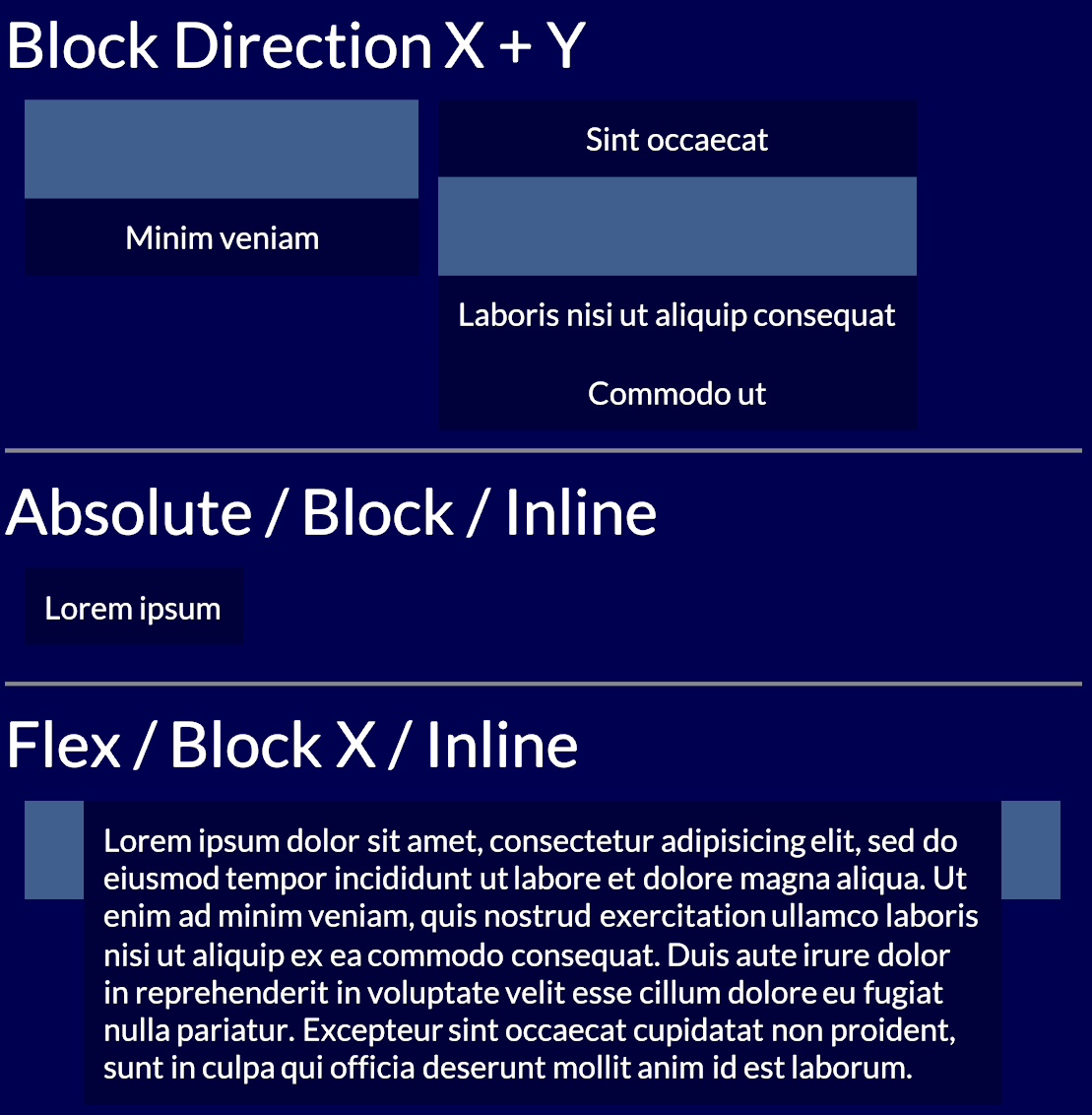
<p>My schtick here has become to point awkwardly at Use.GPU's <a href="https://usegpu.live/demo/layout/display" target="_blank">HTML-like renderer</a>, which does a full X/Y flex model in a fraction of the complexity or code. I don't mean my stuff is super great, no, it's pretty bare-bones and kinda niche... and yet definitely nicer. Vertical centering is easy. Positioning makes sense.</p>

<p>There is no semantic HTML or CSS cascade, just first-class layout. You don't need 61 different accessors for <code>border*</code> either. You can just <a href="https://usegpu.live/demo/rtt/cfd-compute" target="_blank">attach shaders</a> <a href="https://acko.net/files/bluebox/#!/" target="_blank">to divs</a>. Like, that's what people wanted right? Here's <a href="https://usegpu.live/docs/guides-layout-and-ui" target="_blank">a blueprint</a>, it's mostly just <a href="https://iquilezles.org/articles/distfunctions2d/" target="_blank">SDFs</a>.</p>

<p>Font and markup concerns only appear at the leaves of the tree, where the text sits. It's striking how you can do like 90% of what the DOM does here, without the tangle of HTML/CSS/SVG, if you just reinvent that wheel. Done by 1 guy. And yes, I know about the second 90% too.</p>

<p>The classic data model here is of a view tree and a render tree. What should the view tree actually look like? And what can it be lowered into? What is it being lowered into right now, by a giant pile of legacy crud?</p>

</div></div>

<div class="c"></div>

<div class="g3 i1 mt1 r">
  <a href="https://servo.org/" target="_blank"><img src="https://acko.net/files/dom-cruft-2025/servo.png" alt="servo" /></a>
  <a href="https://ladybird.org/" target="_blank"><img class="mt1" src="https://acko.net/files/dom-cruft-2025/ladybird.png" alt="ladybird" /></a>
</div>

<div class="g8"><div class="pad">

<p>Alt-browser projects like Servo or Ladybird are in a position to make good proposals here. They have the freshest implementations, and are targeting the most essential features first. The big browser vendors could also do it, but well, taste matters. Good big systems grow from good small ones, not bad big ones. Maybe if Mozilla hadn't imploded... but alas.</p>

<p>Platform-native UI toolkits are still playing catch up with declarative and reactive UI, so that's that. Native Electron-alternatives like Tauri could be helpful, but they don't treat origin isolation as a design constraint, which makes security teams antsy.</p>

</div> </div>

<div class="g8 i2"><div class="pad">

<p>There's a feasible carrot to dangle for them though, namely in the form of better process isolation. Because of CPU exploits like Spectre, multi-threading via <code>SharedArrayBuffer</code> and Web Workers is kinda dead on arrival anyway, and that affects all WASM. The <a href="https://developer.mozilla.org/en-US/docs/Web/HTTP/Reference/Headers/Cross-Origin-Embedder-Policy" target="_blank">details</a> are <a href="https://github.com/WebKit/standards-positions/issues/45#issuecomment-2077465281" target="_blank">boring</a> but right now it's an impossible sell when websites have to have things like OAuth and Zendesk integrated into them.</p>

<p>Reinventing the DOM to ditch all legacy baggage could coincide with redesigning it for a more multi-threaded, multi-origin, and async web. The browser engines are already multi-process... what did they learn? A lot has happened since Netscape, with advances in structured concurrency, ownership semantics, FP effects... all could come in handy here.</p>

<p class="mt2 mb2 tc" style="opacity: .5">* * *</p>

<p>Step 1 should just be a data model that doesn't have 350+ properties per node tho.</p>

<p>Don't be under the mistaken impression that this isn't entirely fixable.</p>

<div class="c"></div>
<div class="mt4"></div>

</div></div>

<div class="g4 i4">
  <img src="https://acko.net/files/dom-cruft-2025/netscape.png" alt="netscape wheel" />
</div>

<div class="c"></div>

<div class="mt4"></div>
]]></content>
  </entry>
  
  <entry>
    <title type="html"><![CDATA[Occlusion with Bells On]]></title>
    <link href="https://acko.net/blog/occlusion-with-bells-on/"/>
    <updated>2025-03-24T00:00:00+01:00</updated>
    <id>https://acko.net/blog/occlusion-with-bells-on</id>
    <content type="html"><![CDATA[<div class="g8 i2 first"><div class="pad">
  <h2 class="sub">Modern SSAO in a modern run-time</h2>
</div></div>

<div class="c"></div>

<img src="https://acko.net/files/use-gpu-14/cover.jpg" style="position: absolute; left: -5000px; top: 0;" alt="Cover Image - SSAO with Image Based Lighting" />

<div class="g8 i2 mt1"><div class="pad">

<p><a href="https://usegpu.live">Use.GPU</a> 0.14 is out, so here's an update on my declarative/reactive rendering efforts.</p>

<p>The highlights in this release are:</p>

<ul class="indent">
<li>dramatic inspector viewing upgrades</li>
<li>a modern ambient-occlusion (SSAO/GTAO) implementation</li>
<li>newly revised render pass infrastructure</li>
<li>expanded shader generation for bind groups</li>
<li>more use of generated WGSL struct types</li>
</ul>

</div></div>

<div class="c"></div>

<div class="g12"><div class="pad">
  <div class="mt1"><img src="https://acko.net/files/use-gpu-14/ssao-resolved.jpg" alt="SSAO with image based lighting"></div>
  <p class="tc"><i>SSAO with Image-Based Lighting</i></p>
</div></div>

<div class="g8 i2"><div class="pad">

<p>The main effect is that out-of-the-box, without any textures, Use.GPU no longer looks like early 2000s OpenGL. This is a problem every home-grown 3D effort runs into: how to make things look good without premium, high-quality models and pre-baking all the lights.</p>

<p>Use.GPU's reactive run-time continues to purr along well. Its main role is to enable doing at run-time what normally only happens at build time: dealing with shader permutations, assigning bindings, and so on. I'm quite proud of the <a href="https://usegpu.live/demo/rtt/cube-target" target="_blank">line up of demos</a> Use.GPU has now, for the sheer diversity of rendering techniques on display, including an example path tracer. The new inspector is the cherry on top.</p>

</div></div>

<div class="c"></div>

<div class="g10 i1"><div class="pad">
  <div class="mt1"><a href="https://usegpu.live/demo/rtt/cube-target" target="_blank"><img src="https://acko.net/files/use-gpu-14/mosaic.jpg" alt="Example mosaic"></a></div>
</div></div>

<div class="c"></div>

<div class="g8 i2 mt1"><div class="pad">

<p>A lot of the effort continues to revolve around mitigating flaws in GPU API design, and offering something simpler. As such, the challenge here wasn't just implementing SSAO: the basic effect is pretty easy. Rather, it brings with it a few new requirements, such as temporal accumulation and reprojection, that put new demands on the rendering pipeline, which I still want to expose in a modular and flexible way. This refines the efforts <a href="https://acko.net/blog/use-gpu-goes-trad/" target="_blank">I detailed previously</a> for 0.8.</p>

<p>Good SSAO also requires deep integration in the lighting pipeline. Here there is tension between modularizing and ease-of-use. If there is only one way to assemble a particular set of components, then it should probably be provided as a prefab. As such, occlusion has to remain a first class concept, tho it can be provided in several ways. It's a good case study of pragmatism over purity.</p>

<p>In case you're wondering: WebGPU is still not readily available on every device, so Use.GPU remains niche, tho it already excels at in-house use for adventurous clients. At this point you can imagine me and the browser GPU teams eyeing each other awkwardly from across the room: I certainly do.</p>

<h2 class="mt3">Inspector Gadget</h2>

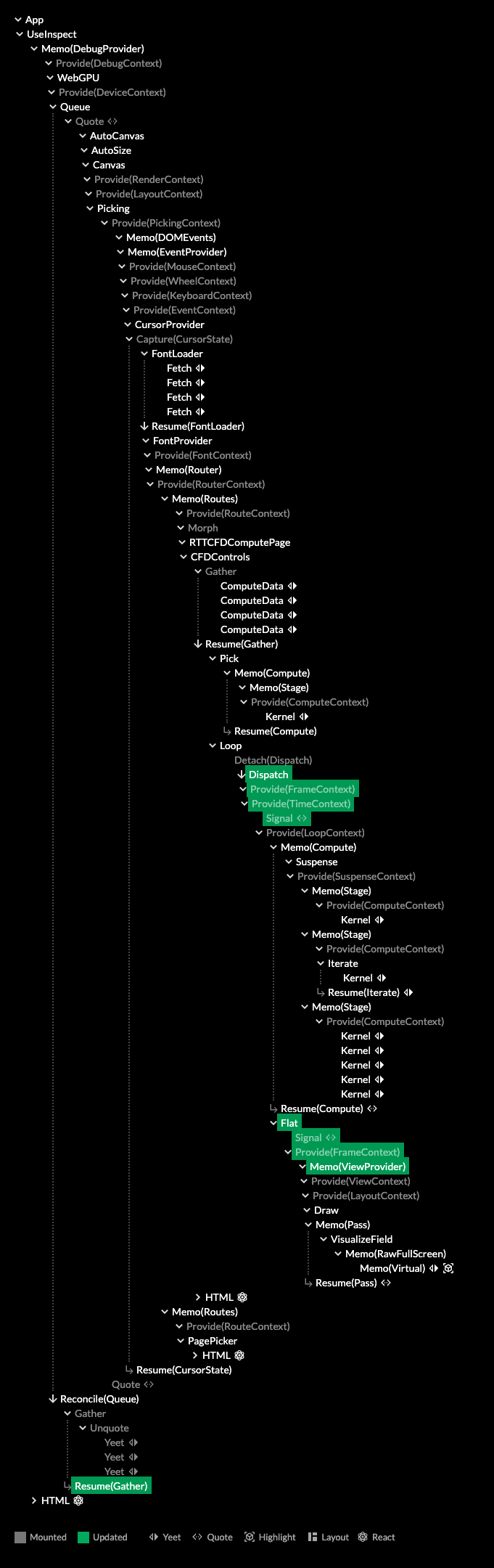
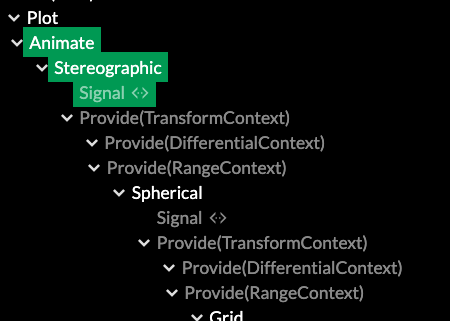
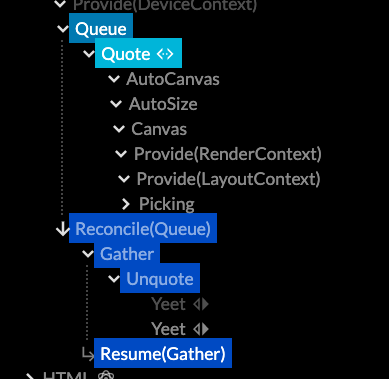
<p>The first thing to mention is the upgraded the Use.GPU inspector. It already had a lot of quality-of-life features like highlighting, but the main issue was finding your way around the giant trees that Use.GPU now expands into.</p>

</div></div>

<div class="c mt1"></div>

<div class="g5 i1"><div class="pad">
  <div class="mt1"><img src="https://acko.net/files/use-gpu-14/inspect-1.png" alt="Inspector without filtering"></div>
  <p class="tc"><i>Old</i></p>
</div></div>

<div class="g5"><div class="pad">
  <div class="mt1"><img src="https://acko.net/files/use-gpu-14/inspect-2.png" alt="Inspector with filtering"></div>
  <p class="tc"><i>New</i></p>
</div></div>

<div class="g8 i2"><div class="pad">
  <div class="mt1 mb1"><img src="https://acko.net/files/use-gpu-14/inspect-filter.png" alt="Inspector filter"></div>
</div></div>

<div class="g4">
  <div class="mt1"><img src="https://acko.net/files/use-gpu-14/inspect-3.png" alt="Inspector with highlights"></div>
  <p class="tc"><i>Highlights show data dependencies</i></p>
</div>

<div class="g8"><div class="pad">

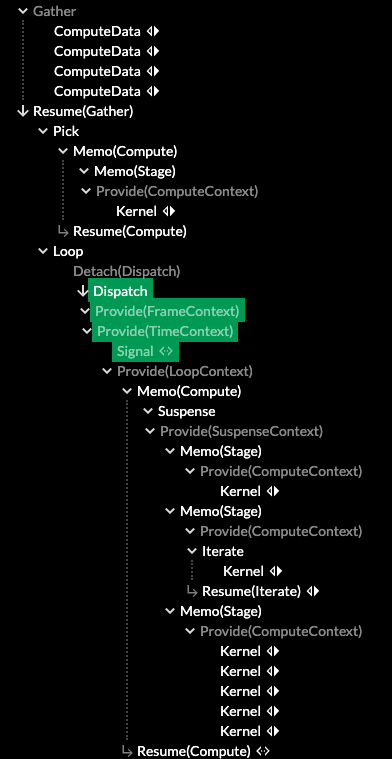
<p>The fix was filtering by type. This is very simple as a component already advertises its inspectability in a few pragmatic ways. Additionally, it uses the data dependency graph between components to identify relevant parents. This shows a surprisingly tidy overview with no additional manual tagging. For each demo, it really does show you the major parts first now.</p>

<p>If you've checked it out before, give it another try. The layered structure is now clearly visible, and often fits in one screen. The main split is how Live is used to reconcile different levels of representation: from data, to geometry, to renders, to dispatches. These points appear as different reconciler nodes, and can be toggled as a filter.</p>

<p>It's still the best way to see Live and Use.GPU in action. It can be tricky to grok that each line in the tree is really a plain function, calling other functions, as it's an execution trace you can inspect. It will now point you more in the right way, and auto-select the most useful tabs by default.</p>

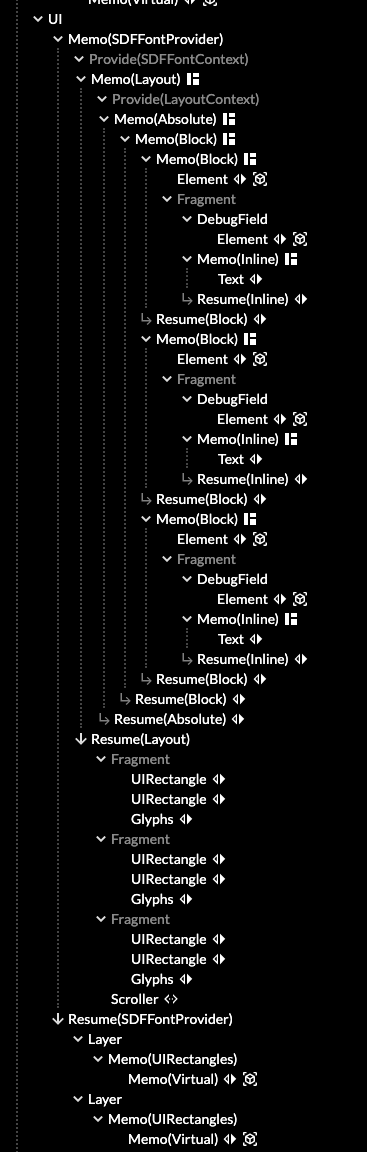
<p>The inspector is unfortunately far heavier than the GPU rendering itself, as it all relies on HTML and React to do its thing. At some point it's probably worth to remake it into a Live-native version, maybe as a 2D canvas with some virtualization. But in the mean time it's a dev tool, so the important thing is that it still works when nothing else does.</p>

<p>Most of the images of buffers in this post can be viewed live in the inspector, if you have a WebGPU capable browser.</p>

</div></div>

<div class="c"></div>

<div class="g8 i2"><div class="pad">

<h2 class="mt3">SSAO</h2>

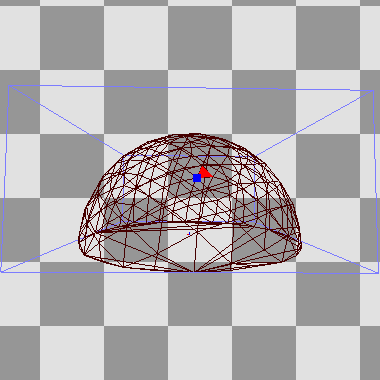
<p>Screen-space AO is common now: using the rendered depth buffer, you estimate occlusion in a hemisphere around every point. I opted for Ground Truth AO (GTAO) as it estimates the correct visibility integral, as opposed to a more empirical 'crease darkening' technique. It also allows me to estimate bent normals along the way, i.e. the average unoccluded direction, for better environment lighting.</p>

</div></div>

<div class="c"></div>

<div class="c"></div>

<div class="g8 i2">
</div>

<div class="c"></div>


<div class="g8 i2">
  <video controls="controls" src="https://acko.net/files/use-gpu-14/ssao-hemi.mov" width="800" height="540" style="margin: 0 auto; max-width: 100%; display: block"></video>
  <p class="tc"><i>Hemisphere sampling</i></p>
</div>

<div class="g8 i2"><div class="pad">

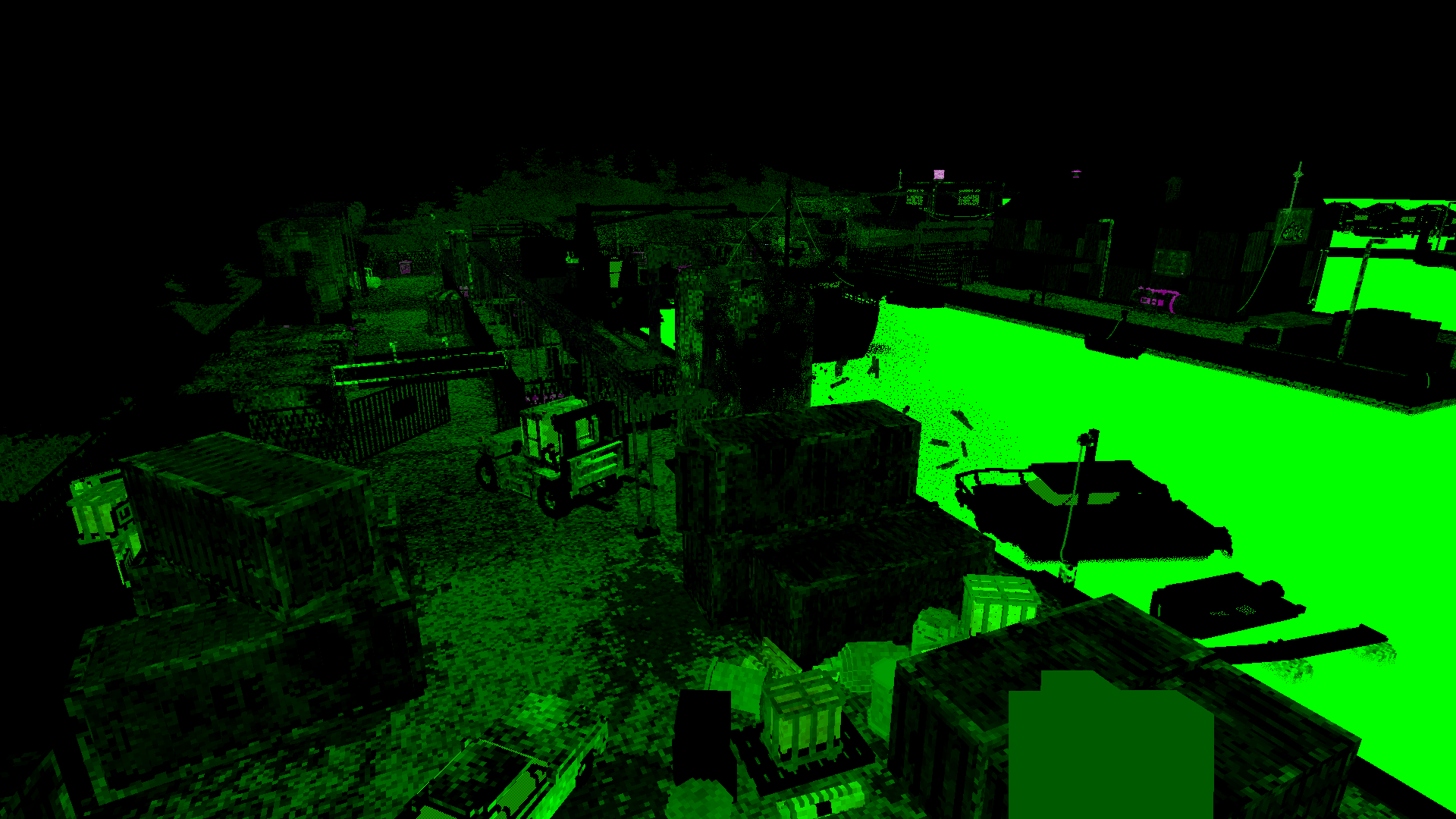
<p>This image shows the debug viz in the demo. Each frame will sample one green ring around a hemisphere, spinning rapidly, and you can hold ALT to capture the sampling process for the pixel you're pointing at. It was invaluable to find sampling issues, and also makes it trivial to verify alignment in 3D. The shader calls <code>printPoint(…)</code> and <code>printLine(…)</code> in WGSL, which are provided by a print helper, and linked in the same way it links any other shader functions.</p>

</div></div>

<div class="c"></div>

<div class="g10 i1"><div class="pad">
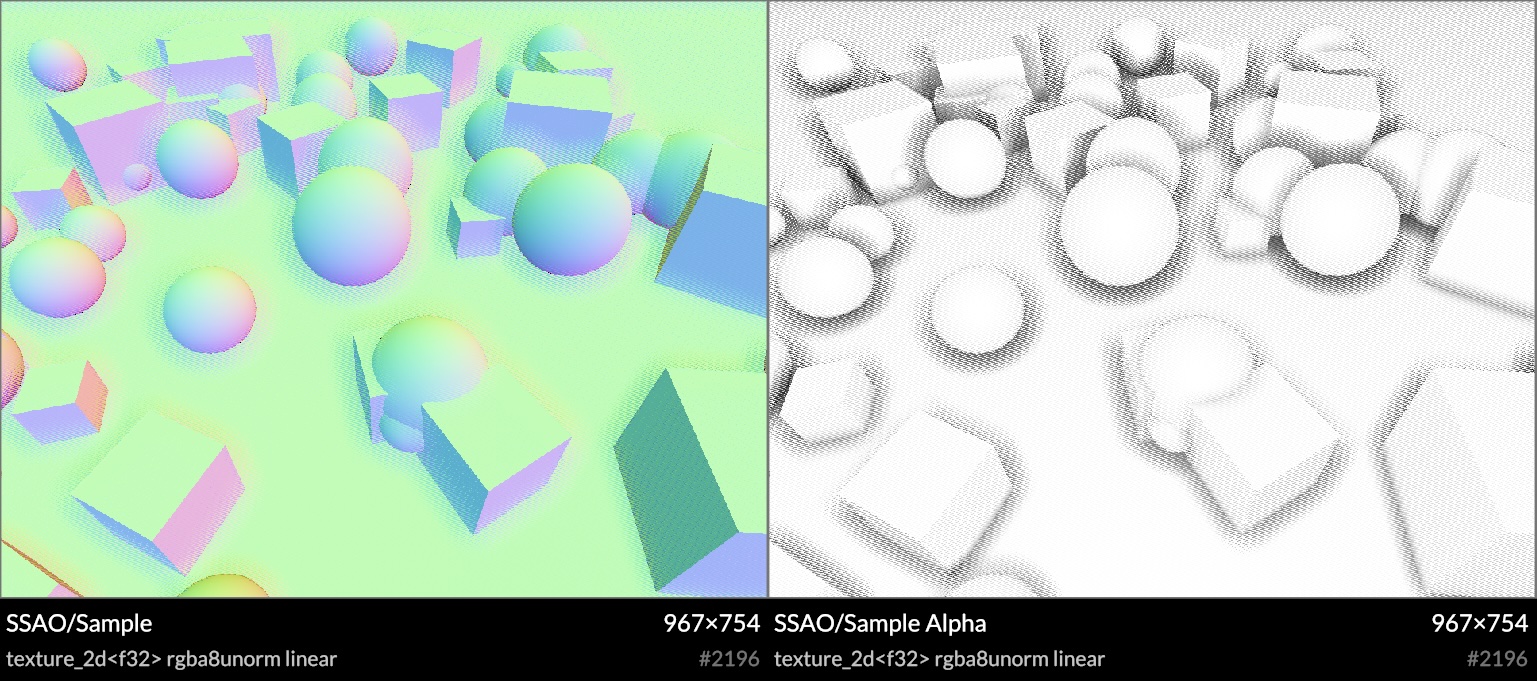
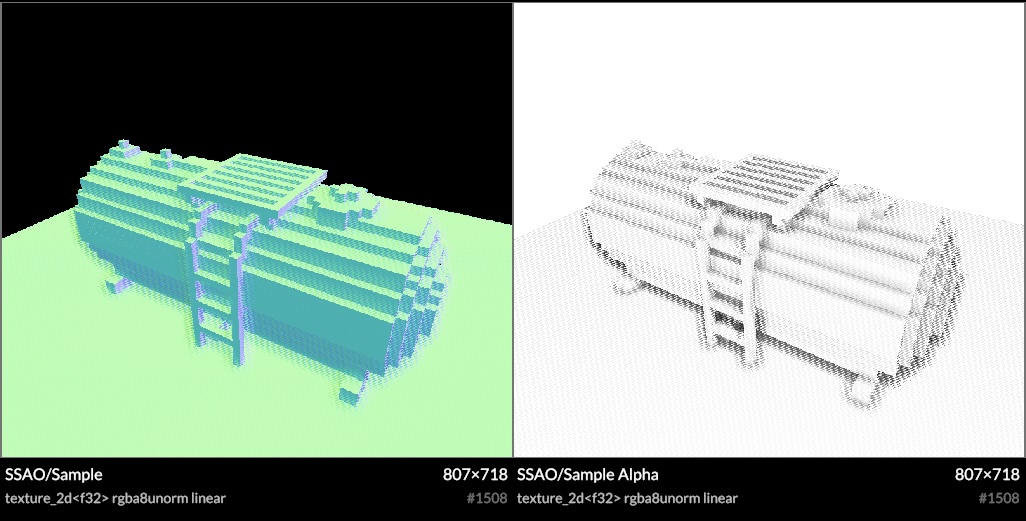
  <div class="mt1"><img src="https://acko.net/files/use-gpu-14/ssao-sample.jpg" alt="SSAO normal and occlusion samples"></div>
  <p class="tc"><i>Bent normal and occlusion samples</i></p>
</div></div>

<div class="g8 i2"><div class="pad">

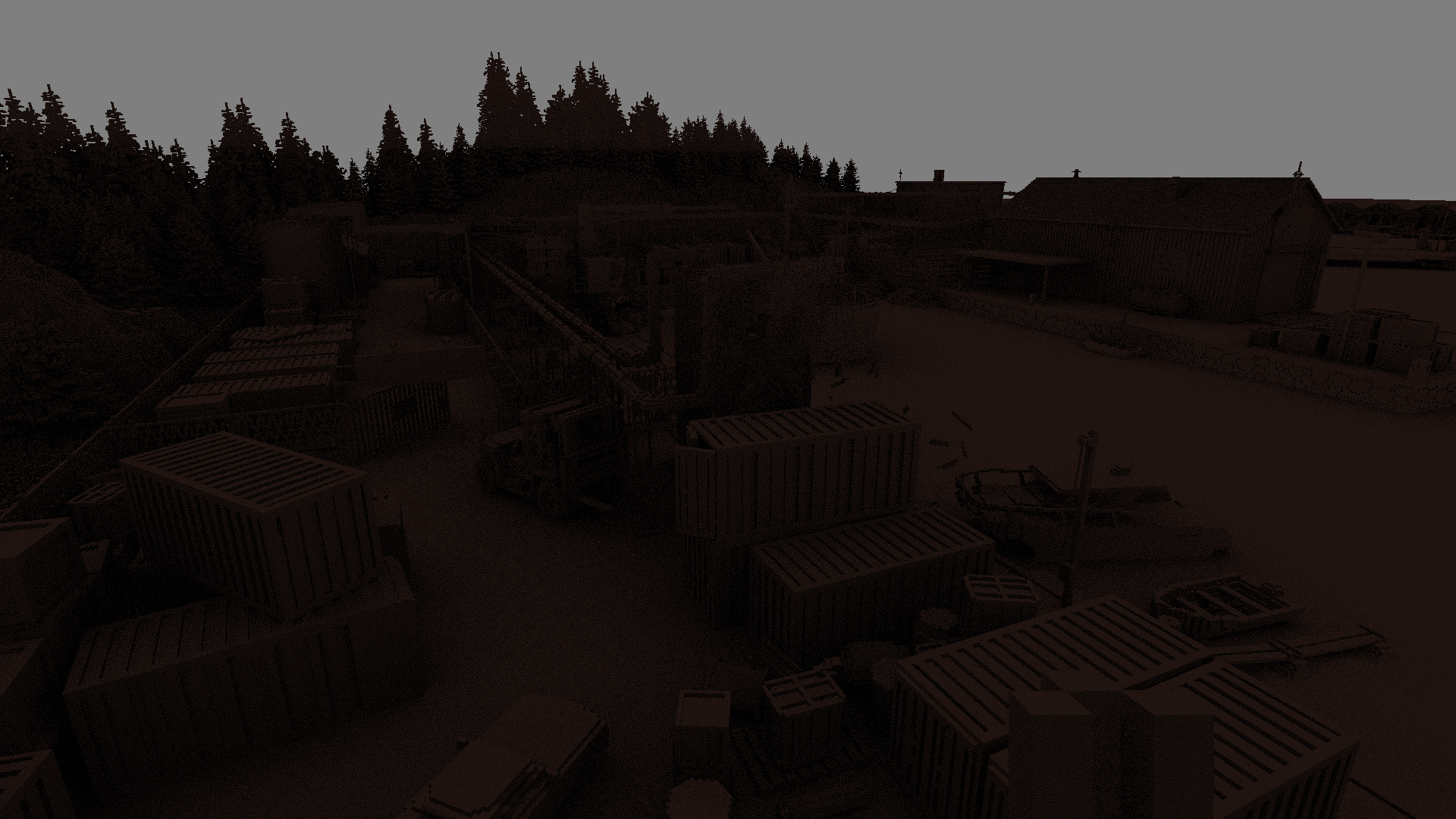
<p>SSAO is expensive, and typically done at half-res, with heavy blurring to hide the sampling noise. Mine is no different, though I did take care to handle odd-sized framebuffers correctly, with no unexpected sample misalignments.</p>

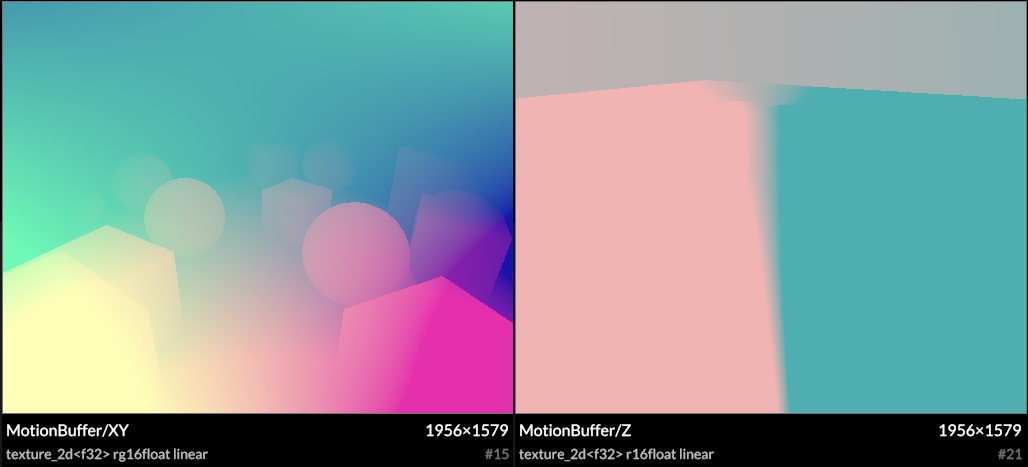
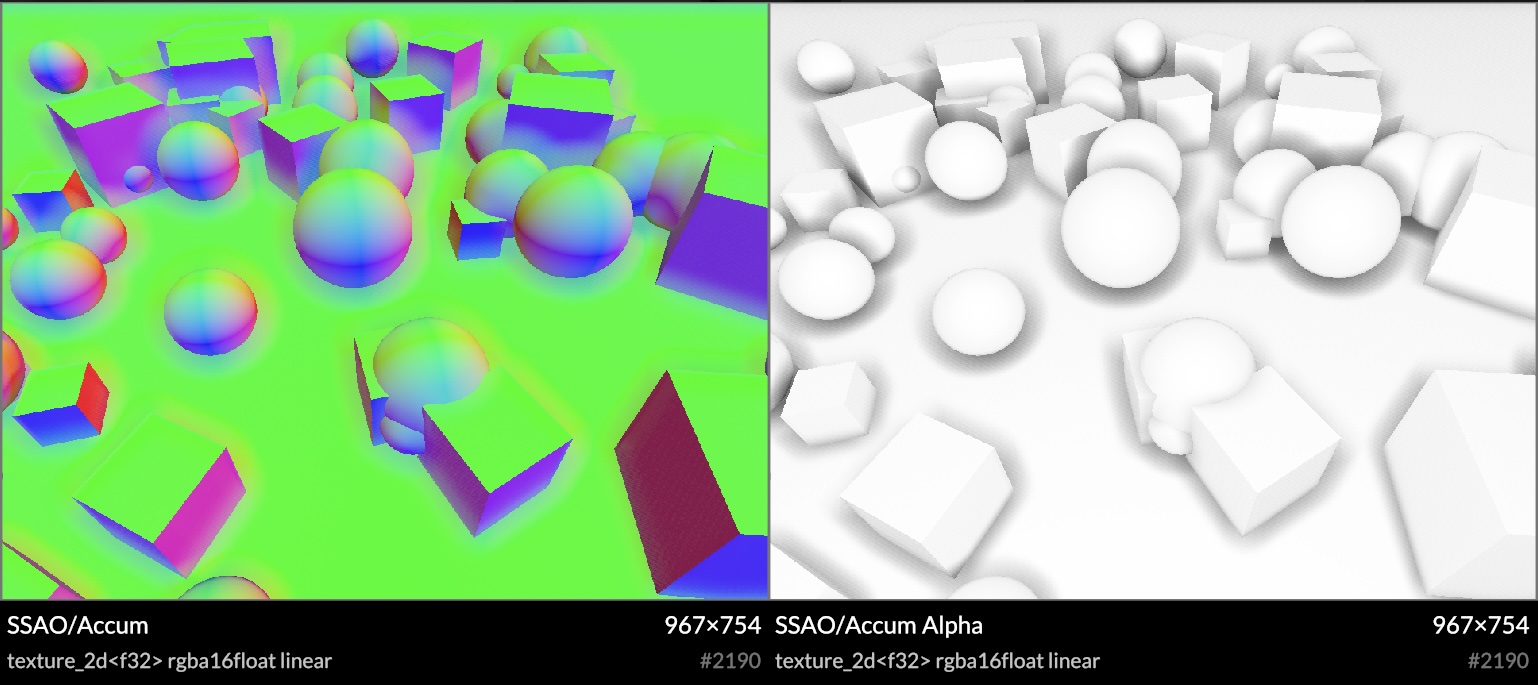
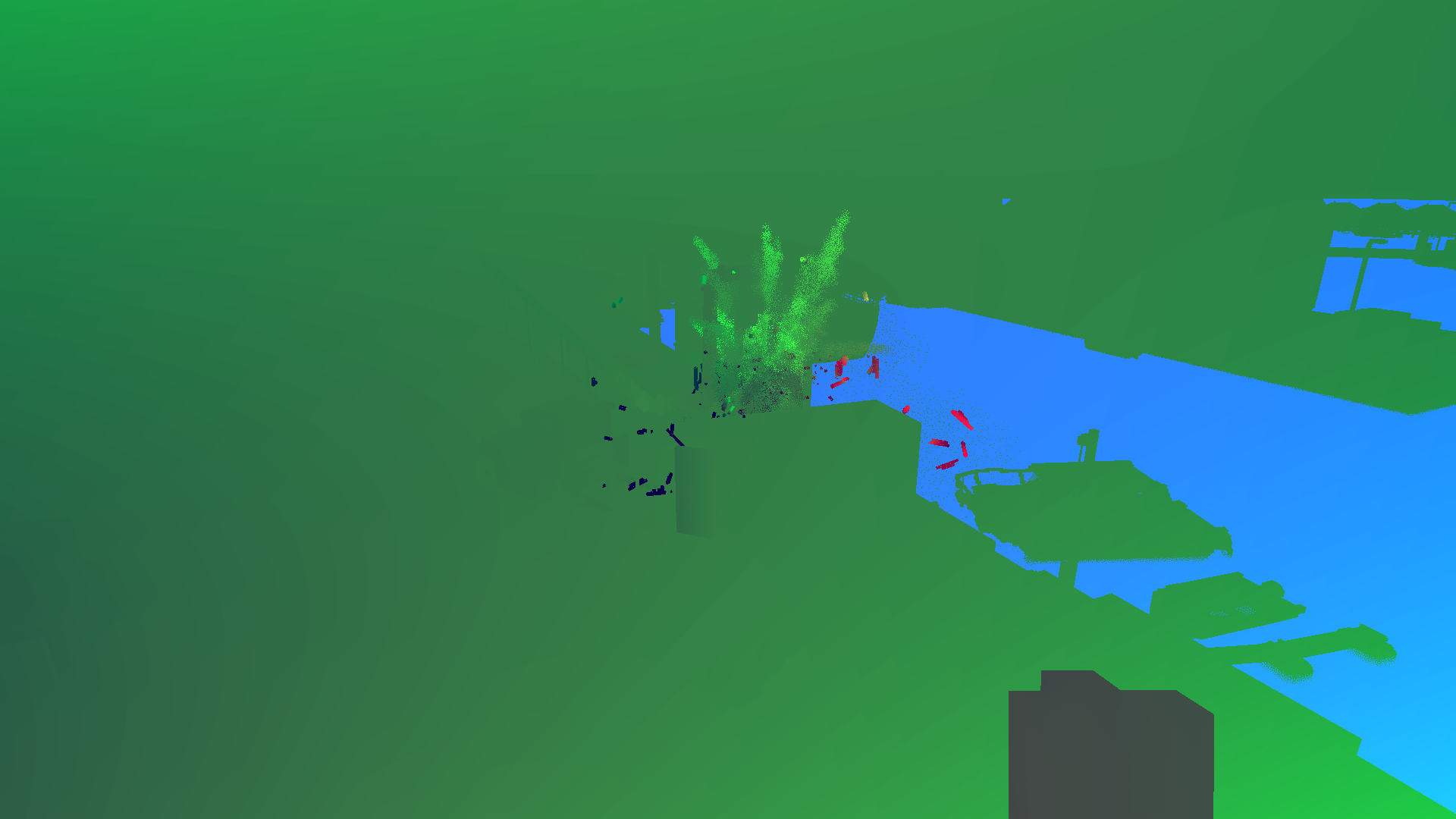
<p>It also has accumulation over time, as the shadows change slowly from frame to frame. This is done with temporal reprojection and motion vectors, at the cost of a little bit of ghosting. Moving the camera doesn't reset the ambient occlusion, as long as it's moving smoothly.</p>

</div></div>

<div class="c"></div>

<div class="g10 i1"><div class="pad">
  <div class="mt1"><img src="https://acko.net/files/use-gpu-14/ssao-motion.jpg" alt="SSAO motion vectors"></div>
  <p class="tc"><i>Motion vectors example</i></p>
</div></div>

<div class="g10 i1"><div class="pad">
  <div class="mt1"><img src="https://acko.net/files/use-gpu-14/ssao-accum.jpg" alt="SSAO normal and occlusion accumulation"></div>
  <p class="tc"><i>Accumulated samples</i></p>
</div></div>

<div class="g8 i2"><div class="pad">

<p>As Use.GPU doesn't render continuously, you can now use <code>&lt;Loop converge={N}&gt;</code> to decide how many extra frames you want to render after every visual change.</p>

<p>Reprojection requires access to the last frame's depth, normal and samples, and this is trivial to provide. Use.GPU has built-in transparent history for render targets and buffers. This allows for a classic front/back buffer flipping arrangement with zero effort (also, n > 2).</p>

</div></div>

<div class="c"></div>

<div class="g10 i1"><div class="pad">
  <div class="mt1"><img src="https://acko.net/files/use-gpu-14/ssao-depth.jpg" alt="Depth history"></div>
  <p class="tc"><i>Depth history</i></p>
</div></div>

<div class="c"></div>

<p>You bind this as virtual sources, each accessing a fixed slot <code>history[i]</code>, which will transparently cycle whenever you render to its target. Any reimagined GPU API should seriously consider buffer history as a first-class concept. All the modern techniques require it.</p>

<div class="g4"><div class="pad">
  <div class="mt1"><img src="https://acko.net/files/use-gpu-14/ign.jpg" alt="Interleaved Gradient Noise"></div>
  <p class="tc"><i>IGN</i></p>
</div></div>

<div class="g8"><div class="pad">
  
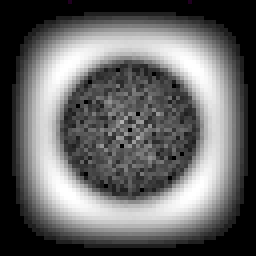
<p>Rather than use e.g. blue noise and hope the statistics work out, I chose a very precise sampling and blurring scheme. This uses interleaved gradient noise (IGN), and pre-filters samples in alternating 2x2 quads to help diffuse the speckles as quickly as possible. IGN is designed for 3x3 filters, so a more specifically tuned noise generator may work even better, but it's a decent V1.</p>

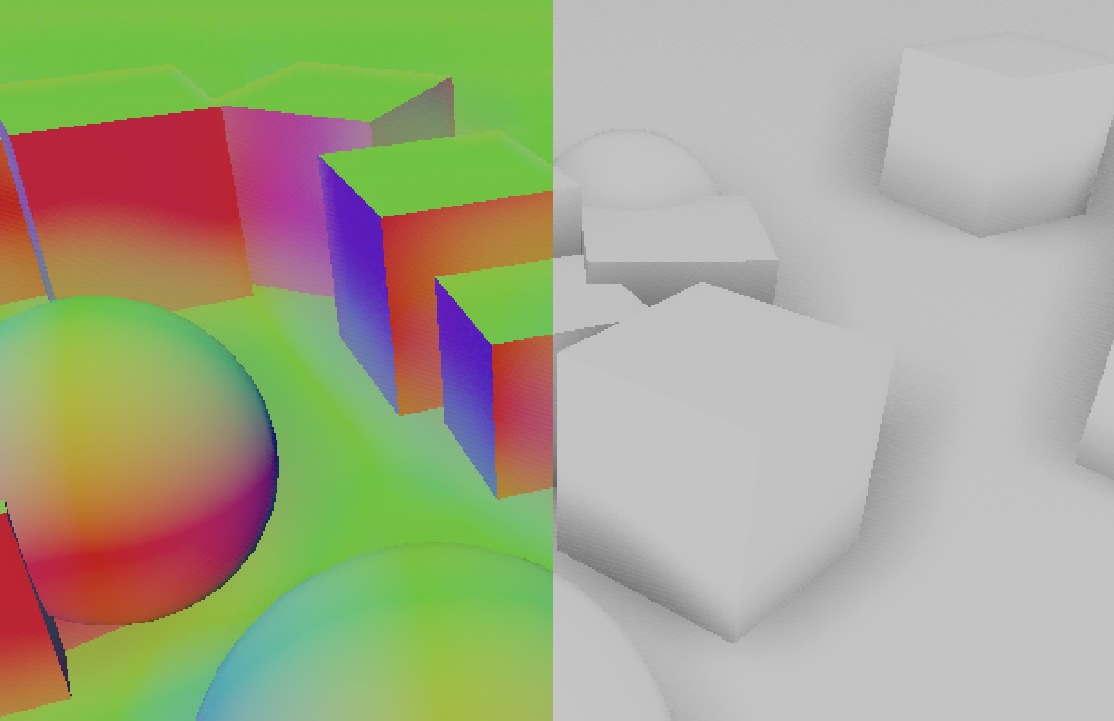
<p>Reprojection often doubles as a cheap blur filter, creating free anti-aliasing under motion or jitter. I avoided this however, as the data being sampled includes the bent normals, and this would cause all edges to become rounded. Instead I use a precise bilateral filter based on depth and normal, aided by 3D motion vectors. This means it knows exactly what depth to expect in the last frame, and the reprojected samples remain fully aliased, which is a good thing here. The choice of 3D motion vectors is mainly a fun experiment, it may be an unnecessary luxury.</p>

</div></div>

<div class="c"></div>

<div class="g10 i1"><div class="pad">
  <div class="mt1"><img src="https://acko.net/files/use-gpu-14/ssao-aliased.jpg" alt="SSAO aliased accumulation"></div>
  <p class="tc"><i>Detail of accumulated samples</i></p>
</div></div>

<div class="g8 i2"><div class="pad">

<p>The motion vectors are based only on the camera motion for now, though there is already the option of implementing custom <code>motion</code> shaders similar to e.g. Unity. For live data viz and procedural geometry, motion vectors may not even be well-defined. Luckily it doesn't matter much: it converges fast enough that artifacts are hard to spot.</p>

</div></div>

<div class="g8 i2"><div class="pad">

<p>The final resolve can then do a bilateral upsample of these accumulated samples, using the original high-res normal and depth buffer:</p>

</div></div>

<div class="c"></div>

<div class="g10 i1"><div class="pad">
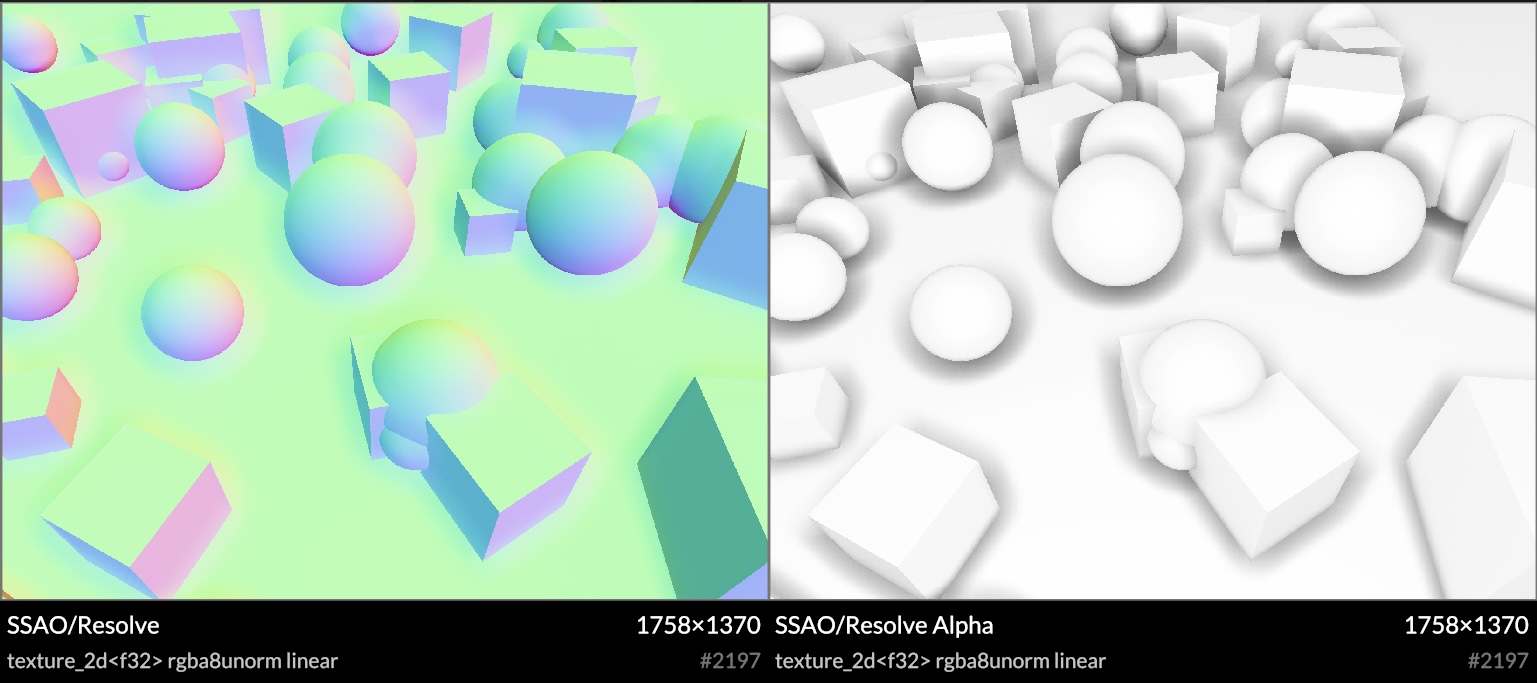
  <div class="mt1"><img src="https://acko.net/files/use-gpu-14/ssao-resolve.jpg" alt="SSAO upscaled and resolved samples"></div>
  <p class="tc"><i>Upscaled and resolved samples, with overscan trimmed off</i></p>
</div></div>

<div class="g8 i2"><div class="pad">

<p>Because it's screen-space, the shadows disappear at the screen edges. To remedy this, I implemented a very precise form of overscan. It expands the framebuffer by a constant amount of pixels, and expands the <code>projectionMatrix</code> to match. This border is then trimmed off when doing the final resolve. In principle this is pixel-exact, barring GPU quirks. These extra pixels don't go to waste either: they can get reprojected into the frame under motion, reducing visible noise significantly.</p>

<p>In theory this is very simple, as it's a direct scaling of <code>[-1..1]</code> XY clip space. In practice you have to make sure absolutely nothing visual depends on the exact X/Y range of your <code>projectionMatrix</code>, either its aspect ratio or in screen-space units. This required some cleanup on the inside, as Use.GPU has some pretty subtle scaling shaders for 2.5D and 3D points and lines. I imagine this is also why I haven't seen more people do this. But it's definitely worth it.</p>

<p>Overall I'm very satisfied with this. Improvements and tweaks can be made aplenty, some performance tuning needs to happen, but it looks great already. It also works in both forward and deferred mode. The <a href="https://gitlab.com/unconed/use.gpu/-/blob/master/packages/wgsl/wgsl/ssao/ssao-sample.wgsl?ref_type=heads" target="_blank">shader source</a> is here.</p>


<h2 class="mt3">Render Buffers &amp; Passes</h2>

<p>The rendering API for passes reflects the way a user wants to think about it, as 1&nbsp;logical step in producing a final image. Sub-passes such as shadows or SSAO aren't really separate here, as the correct render cannot be finished without it.</p>

<p>The main entry point here is the <code>&lt;Pass&gt;</code> component, representing such a logical render pass. It sits inside a view, like an <code>&lt;OrbitCamera&gt;</code>, and has some kind of pre-existing render context, like the visible canvas.</p>


<pre><code class="language-tsx wrap">&lt;Pass
  lights
  ssao={{ radius: 3, indirect: 0.5 }}
  overscan={0.05}
>
  ...
&lt;/Pass>
</code></pre>
<div class="c"></div>


<p>You can sequence multiple logical passes to add overlays with <code>overlay: true</code>, or even merge two scenes in 3D using the same Z-buffer.</p>

<p>Inside it's a <a href="https://gitlab.com/unconed/use.gpu/-/blob/master/packages/workbench/src/render/pass.ts" target="_blank">declarative recipe</a> that turns a few flags and options into the necessary arrangement of buffers and passes required. This uses the alt-Live syntax <code>use(…)</code> but you can pretend that's JSX:</p>

<pre><code class="language-tsx wrap">const resources = [
  use(ViewBuffer, options),
  lights ? use(LightBuffer, options) : null,
  shadows ? use(ShadowBuffer, options) : null,
  picking ? use(PickingBuffer, options) : null,
  overscan ? use(OverscanBuffer, options) : null,
  ...(ssao ? [
    use(NormalBuffer, options),
    use(MotionBuffer, options),
  ] : []),
  ssao ? use(SSAOBuffer, options) : null,
];
</code></pre>
<div class="c"></div>

<pre><code class="language-tsx wrap">const resolved = passes ?? [
  normals ? use(NormalPass, options) : null,
  motion ? use(MotionPass, options) : null,
  ssao ? use(SSAOPass, options) : null,
  shadows ? use(ShadowPass, options) : null,
  use(DEFAULT_PASS[viewType], options),
  picking ? use(PickingPass, options) : null,
  debug ? use(DebugPass, options) : null,
]
</code></pre>
<div class="c"></div>

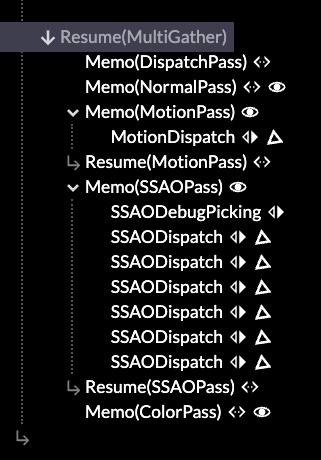
<p>e.g. The <code>&lt;SSAOBuffer&gt;</code> will spawn all the buffers necessary to do SSAO.</p>

<p>Notice what is absent here: the inputs and outputs. The render passes are wired up implicitly, because if you had to do it manually, there would only be one correct way. This is the purpose of separating the resources from the passes: it allows everything to be allocated once, up front, so that then the render passes can connect them into a suitable graph with a non-trivial but generally expected topology. They find each other using 'well-known names' like <code>normal</code> and <code>motion</code>, which is how it's done in practice anyway.</p>

</div></div>

<div class="g4"><div class="pad">
  <div class="mt1"><img src="https://acko.net/files/use-gpu-14/passes.jpg" alt="Mounted render passes"></div>
  <p class="tc"><i>Render passes in the inspector</i></p>
</div></div>

<div class="g8"><div class="pad">

<p>This reflects what I am starting to run into more and more: that decomposed systems have little value if everyone has to use it the same way. It can lead to a lot of code noise, and also tie users to unimportant details of the existing implementation. Hence the simple recipe.</p>

<p>But, if you want to sequence your own render exactly, nothing prevents you from using the render components à la carte: the main method of composition is mounting reactive components in Live, like everything else. Your passes work exactly the same as the built-in ones.</p>

<p>I make use of the dynamicism of JS to e.g. not care what <code>options</code> are passed to the buffers and passes. The convention is that each should be namespaced so they don't collide. This provides real extensibility for custom use, while paving the cow paths that exist.</p>

<p>It's typical that buffers and passes come in matching pairs. However, one could swap out one variation of a <code>&lt;FooPass&gt;</code> for another, while reusing the same buffer type. Most <code>&lt;FooBuffer&gt;</code> implementations are themselves declarative recipes, with e.g. a <code>&lt;RenderTarget&gt;</code> or two, and perhaps an associated data binding. All the meat—i.e. the dispatches—is in the passes.</p>

</div></div>

<div class="g8 i2"><div class="pad">

<p>It's so declarative that there isn't much left <a href="https://gitlab.com/unconed/use.gpu/-/blob/master/packages/workbench/src/render/renderer.ts" target="_blank">inside <code>&lt;Renderer&gt;</code></a> itself. It maps logical calls into concrete ones by leveraging Live, and that's reflected entirely in what's there. It only gathers up some data it doesn't know details about, and helps ensure the sequence of compute before render before readback. This is a big clue that renderers really want to be reactive run-times instead.</p>


<h2 class="mt3">Bind Group Soup</h2>

<p>Use.GPU's initial design goal was "a unique shader for every draw call". This means its data binding fu has mostly been applied to <em>local</em> shader bindings. These apply only to one particular draw, and you bind the data to the shader at the same time as creating it.</p>

<p>This is the <code>useShader</code> hook. There is no separation where you first prepare the binding layout, and as such, you use it like a deferred function call, just like JSX.</p>


<pre><code class="language-tsx wrap">// Prepare to call surfaceShader(matrix, ray, normal, size, ...)
const getSurface = useShader(surfaceShader, [
  matrix, ray, normal, size, insideRef, originRef,
  sdf, palette, pbr, ...sources
], defs);
</code></pre>


<div class="c"></div>

<p>Shader and pipeline reuse is handled via structural hashing behind the scenes: it's merely a happy benefit if two draw calls can reuse the same shader and pipeline, but absolutely not a problem if they don't. As batching is highly encouraged, and large data sets can be rendered as one, the number of draw calls tends to be low.</p>

<p>All local bindings are grouped in two bind groups, <em>static</em> and <em>volatile</em>. The latter allows for the transparent history feature, as well as just-in-time allocated atlases. Static bindings don't need to be 100% static, they just can't change during dispatch or rendering.</p>

<p>WebGPU only has four bind groups total. I previously used the other two for respectively the global view, and the concrete render pass, using up all the bind groups. This was wasteful but an unfortunate necessity, without an easy way to compose them at run-time.</p>

<div style="display: flex; justify-content: center">
<table class="border solid mb1">
  <tr>
    <th class="tl">Bind Group:</th>
    <th class="tl">#0</th>
    <th class="tl">#1</th>
    <th class="tl">#2</th>
    <th class="tl">#3</th>
  </tr>
  <tr>
    <td>Use.GPU 0.13</td>
    <td>View</td>
    <td>Pass</td>
    <td>Static</td>
    <td>Volatile</td>
  </tr>
  <tr>
    <td>Use.GPU 0.14</td>
    <td>Pass</td>
    <td>Static</td>
    <td>Volatile</td>
    <td><em style="opacity: 0.5">Free</em></td>
  </tr>
</table>
</div>

<p>This has been fixed in 0.14, which frees up a bind group. It also means every render pass fully owns its own view. It can pick from a set of pre-provided ones (e.g. overscanned or not), or set a custom one, the same way it finds buffers and other bindings.</p>

<p>Having bind group 3 free also opens up the possibility of a more traditional sub-pipeline, as seen in a traditional scene graph renderer. These can handle larger amounts of individual draw calls, all sharing the same shader template, but with different textures and parameters. My goal however is to avoid monomorphizing to this degree, unless it's absolutely necessary (e.g. with the lighting).</p>

<p>This required upgrading the shader linker. Given e.g. a static binding snippet such as:</p>

<pre><code class="language-wgsl wrap">use '@use-gpu/wgsl/use/types'::{ Light };

@export struct LightUniforms {
  count: u32,
  lights: array&lt;Light>,
};

@group(PASS) @binding(1) var&lt;storage> lightUniforms: LightUniforms;
</code></pre>
<div class="c"></div>

<p>...you can import it in Typescript like any other shader module, with the <code>@binding</code> as an attribute to be linked. The shader linker will understand struct types like <code>LightUniforms</code> with <code>array&lt;Light></code> fully now, and is able to produce e.g. a correct minimum binding size for types that cross module boundaries.</p>

<p>The ergonomics of <code>useShader</code> have been replicated here, so that <code>useBindGroupLayout</code> takes a set of these and prepares them into a single static bind group, managing e.g. the shader stages for you. To bind data to the bind group, a render pass delegates via <code>useApplyPassBindGroup</code>: this allows the source of the data to be modularized, instead of requiring every pass to know about every possible binding (e.g. lighting, shadows, SSAO, etc.). That is, while there is a separation between bind group layout and data binding, it's lazy: both are still defined <a href="https://gitlab.com/unconed/use.gpu/-/blob/master/packages/workbench/src/render/buffer/light-buffer.ts#L8" target="_blank">in the same place</a>.</p>

</div></div>

<div class="c"></div>

<div class="g10 i1"><div class="pad">
  <div class="mt1"><img src="https://acko.net/files/use-gpu-14/ssao-voxel.jpg" alt="SSAO on voxels"></div>
</div></div>

<div class="g8 i2"><div class="pad">

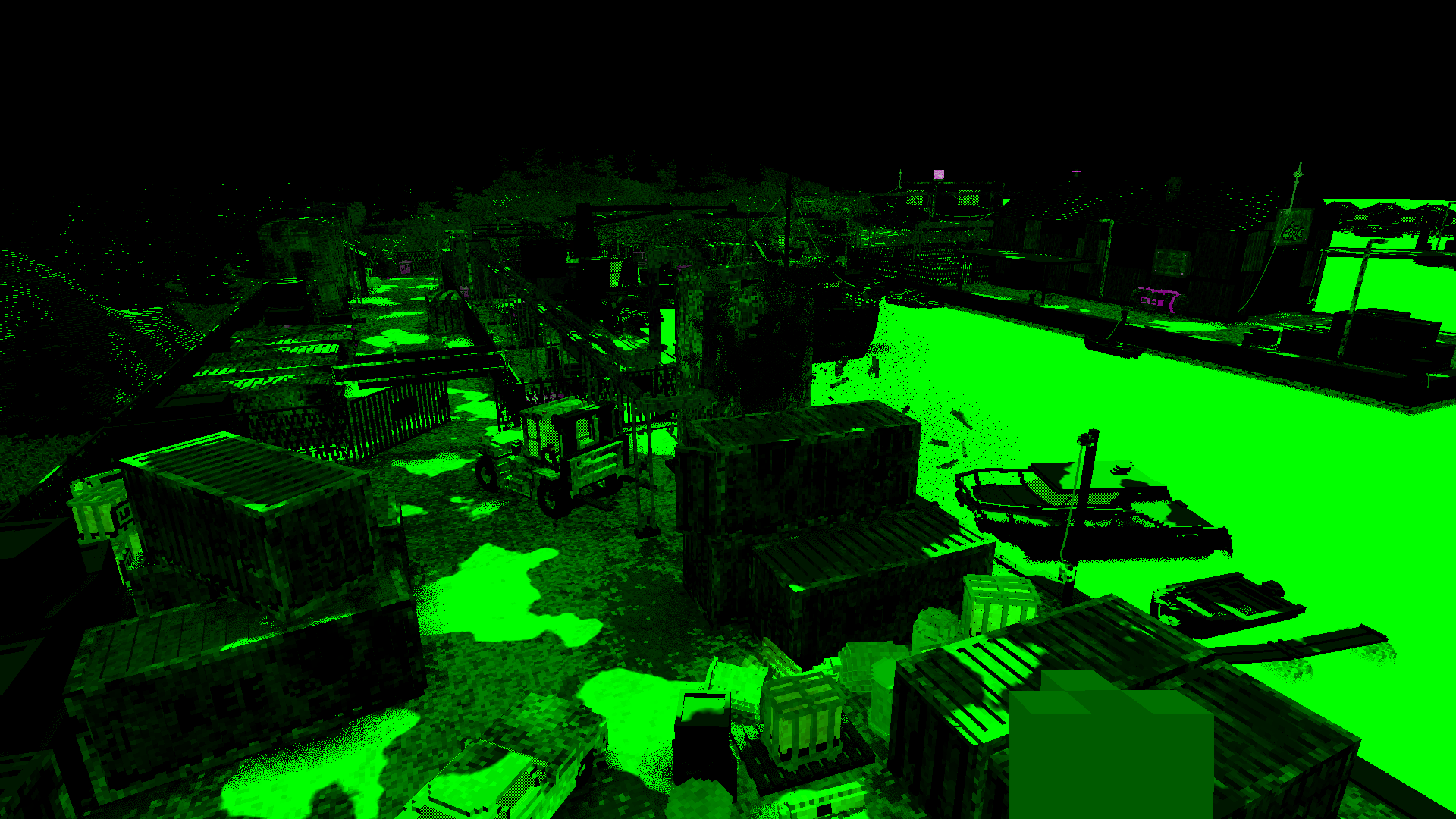
<p>The binding system is flexible enough end-to-end that the SSAO can e.g. be applied to the voxel raytracer from <code>@use-gpu/voxel</code> with zero effort required, as it also uses the <code>shaded</code> technique (with per fragment depth). It has a <code>getSurface(...)</code> shader function that raytraces and returns a surface fragment. The SSAO sampler can just attach its occlusion information to it, by <a href="https://gitlab.com/unconed/use.gpu/-/blob/master/packages/wgsl/wgsl/instance/surface/ssao-surface.wgsl#L18" target="_blank">decorating it in WGSL</a>.</p>

<h2 class="mt3">WGSL Types</h2>

<p>Worth noting, this all derives from previous work on auto-generated structs for data aggregation.</p>

<p>It's cool tech, but it's hard to show off, because it's completely invisible on the outside, and the shader code is all ugly autogenerated glue. There's a <a href="https://acko.net/files/use-gpu-12/use.gpu-wesl-export.pdf" target="_blank">presentation</a> up on the site that details it at the lower level, if you're curious.</p>

<p>The main reason I had aggregation initially was to work around the 8 storage buffers limit in WebGPU. The Plot API needed to auto-aggregate all the different attributes of shapes, with their given spread policies, based on what the user supplied.</p>

<p>This allows me to offer e.g. a bulk line drawing primitive where attributes don't waste precious bandwidth on repeated data. Each ends up grouped in structs, taking up only 1 storage buffer, depending on whether it is constant or varying, per instance or per vertex:</p>


<pre><code class="language-tsx wrap">&lt;Line
  // Two lines
  positions={[
    [[300, 50], [350, 150], [400, 50], [450, 150]],
    [[300, 150], [350, 250], [400, 150], [450, 250]],
  ]}
  // Of the same color and width
  color={'#40c000'}
  width={5}
/>

&lt;Line
  // Two lines
  positions={[
    [[300, 250], [350, 350], [400, 250], [450, 350]],
    [[300, 350], [350, 450], [400, 350], [450, 450]],
  ]}
  // With color per line
  color={['#ffa040', '#7f40a0']}
  // And width per vertex
  widths={[[1, 2, 2, 1], [1, 2, 2, 1]}
/>
</code></pre>
<div class="c"></div>


<p>This involves a comprehensive buffer interleaving and copying mechanism, that has to satisfy all the alignment constraints. This then leverages <code>@use-gpu/shader</code>'s <code>structType(…)</code> API to generate WGSL struct types at run-time. Given a list of attributes, it returns a virtual shader module with a real symbol table. This is materialized into shader code on demand, and can be exploded into individual accessor functions as well.</p>

<p>Hence data sources in Use.GPU can now have a format of <code>T</code> or <code>array&lt;T></code> with a WGSL shader module as the type parameter. I already had most of the pieces in place for this, but hadn't quite put it all together everywhere.</p>

<p>Using shader modules as the representation of types is very natural, as they carry all the WGSL attributes and GPU-only concepts. It goes far beyond what I had initially scoped for the linker, as it's all source-code-level, but it was worth it. The main limitation is that type inference only happens at link time, as binding shader modules together has to remain a fast and lazy op.</p>

<p>Native WGSL types are somewhat poorly aligned with the WebGPU API on the CPU side. A good chunk of <code>@use-gpu/core</code> is lookup tables with info about formats and types, as well as alignment and size, so it can all be resolved at run-time. There's something similar for bind group creation, where it has to translate between a few different ways of saying the same thing.</p>

<p>The types I expose instead are simple: <a href="https://usegpu.live/docs/reference-library-@use-gpu-core-TextureSource" target="_blank"><code>TextureSource</code></a>, <a href="https://usegpu.live/docs/reference-library-@use-gpu-core-StorageSource" target="_blank"><code>StorageSource</code></a> and <a href="https://usegpu.live/docs/reference-library-@use-gpu-core-LambdaSource" target="_blank"><code>LambdaSource</code></a>. Everything you bind to a shader is either one of these, or a constant (by reference). They carry all the necessary metadata to derive a suitable binding and accessor.</p>

<p>That said, I cannot shield you from the limitations underneath. Texture formats can e.g. be renderable or not, filterable or not, writeable or not, and the specific mechanisms available to you vary. If this involves native depth buffers, you may need to use a full-screen render pass to copy data, instead of just calling <code>copyTextureToTexture</code>. I run into this too, and can only provide a few more convenience hooks.</p>

<p>I did come up with a neat way to genericize these copy shaders, using the existing WGSL type inference I had, souped up a bit. This uses <a href="https://gitlab.com/unconed/use.gpu/-/blob/master/packages/wgsl/wgsl/render/copy/copy-select-depth-sample-2.wgsl#L13" target="_blank">simple selector functions</a> to serve the role of reassembling types. It's finally given me a concrete way to make 'root shaders' (i.e. the entry points) generic enough to support all use. I may end up using something similar to handle the ordinary vertex and fragment entry points, which still have to be provided in <a href="https://gitlab.com/unconed/use.gpu/-/tree/master/packages/wgsl/wgsl/render/vertex" target="_blank">various permutations</a>.</p>

<p class="mt2 mb2 tc" style="opacity: .5">* * *</p>

<p>Phew. Use.GPU is always a lot to go over. But its à la carte nature remains and that's great.</p>

<p>For in-house use it's already useful, especially if you need a decent GPU on a desktop anyway. I have been using it for some client work, and it seems to be making people happy. If you want to go off-road from there, you can.</p>

<p>It delivers on combining low-level shader code with its own stock components, without making you reinvent a lot of the wheels.</p>

<p class="mt2"><i>Visit <a href="https://usegpu.live" target="_blank">usegpu.live</a> for more and to <a href="https://usegpu.live/demo/index.html">view demos</a> in a WebGPU capable browser</i>.</p>

<p class="mt2"><em>PS: I upgraded the aging build of Jekyll that was driving this blog, so if you see anything out of the ordinary, please <a href="/about">let me know</a>.</em></p>

</div></div>
]]></content>
  </entry>
  
  <entry>
    <title type="html"><![CDATA[The Bouquet Residence]]></title>
    <link href="https://acko.net/blog/the-bouquet-residence/"/>
    <updated>2024-07-24T00:00:00+02:00</updated>
    <id>https://acko.net/blog/the-bouquet-residence</id>
    <content type="html"><![CDATA[<div class="g8 i2 first"><div class="pad">
  <h2 class="sub">Keeping up appearances in tech</h2>
</div></div>

<div class="c"></div>

<img src="https://acko.net/files/bouquet/cover.jpg" style="position: absolute; left: -5000px; top: 0;" alt="Cover Image" />

<div class="g8 i2 mb1 milky"><div class="pad clip">

<blockquote class="m2 mb2 ml0 mr0 tc">
  <em class="storytime"><small>
    The word "rant" is used far too often, and&nbsp;in&nbsp;various&nbsp;ways.<br />It's meant to imply aimless,&nbsp;angry&nbsp;venting.<br /><br />
    But often it means:<br /><br />
    Naming problems without proposing&nbsp;solutions,<br />this makes me feel confused.<br /><br />
    Naming problems and assigning blame,<br />this makes me feel bad.
  </small></em>
</blockquote>

</div></div>

<div class="g8 i2"><div class="pad">

<p>I saw a remarkable pair of tweets the other day.</p>

<p>In the wake of the outage, the CEO of CrowdStrike sent out a <a href="https://x.com/George_Kurtz/status/1814235001745027317" target="_blank">public announcement</a>. It's purely factual. The scope of the problem is identified, the known facts are stated, and the logistics of disaster relief are set in motion.</p>

</div></div>

<div class="c"></div>

<div class="g8 i2 mt1"><div class="pad tc">
  <img src="https://acko.net/files/bouquet/statement1.png" alt="
  CrowdStrike is actively working with customers impacted by a defect found in a single content update for Windows hosts. Mac and Linux hosts are not impacted.

  This is not a security incident or cyberattack. The issue has been identified, isolated and a fix has been deployed.

  We refer customers to the support portal for the latest updates and will continue to provide complete and continuous updates on our website. We further recommend organizations ensure they’re communicating with CrowdStrike representatives through official channels.

  Our team is fully mobilized to ensure the security and stability of CrowdStrike customers." class="" />
</div></div>

<div class="g8 i2 mt1"><div class="pad">

<p>Millions of computers were affected. This is the equivalent of a frazzled official giving a brief statement in the aftermath of an earthquake, directing people to the Red Cross.</p>

<p>Everything is basically on fire for everyone involved. Systems are failing everywhere, some critical, and quite likely people are panicking. The important thing is to give the technicians the information and tools to fix it, and for everyone else to do what they can, and stay out of the way.</p>

<p>In response, a communication professional posted an <a href="https://x.com/lulumeservey/status/1814328290473058536" target="_blank">'improved' version</a>:</p>

</div></div>

<div class="c"></div>

<div class="g8 i2 mt1"><div class="pad tc">
  <img src="https://acko.net/files/bouquet/statement2.png" alt="
  I’m the CEO of CrowdStrike. I’m devastated to see the scale of today’s outage and will be personally working on it together with our team until it’s fully fixed for every single user.

  But I wanted to take a moment to come here and tell you that I am sorry. People around the world rely on us, and incidents like this can’t happen. This came from an error that ultimately is my responsibility. 

  Here’s what we know: [brief synopsis of what went wrong and how it wasn’t a cyberattack etc.]

  Our entire team will be working all day, all night, all weekend, and however long it takes to resolve this and make sure it doesn’t happen again.

  We’ll be sharing updates as often as possible, which you can find here [link]. If you need to contact us, the quickest way is to go here [link].

  We’re responding as quickly as possible. Thank you to everyone who has alerted us to the outage, and again, please accept my deepest apologies. More to come soon.
" class="" />
</div></div>

<div class="g8 i2 mt1"><div class="pad">

<p>Credit where credit is due, she nailed the style. 10/10. It seems unobjectionable, at  first. Let's go through, shall we?</p>

</div></div>

<div class="c"></div>

<div class="c mt2"></div>

<div class="g10 i1"><div class="pad tc">
  <img src="https://acko.net/files/bouquet/kua1.jpg" alt="Hyacinth fixing her husband's tie" />
</div></div>

<div class="c"></div>

<div class="g8 i2 mt1"><div class="pad">

<h2 class="mt3">Opposite Day</h2>

<p>First is that the CEO is <em>"devastated."</em> A feeling. And they are personally going to ensure it's fixed for every single user.</p>

<p>This focuses on the individual who is inconvenienced. Not the disaster. They take a moment out of their time to say they are so, so sorry a mistake was made. They have let you and everyone else down, and that shouldn't happen. That's their responsibility.</p>

<p>By this point, the original statement had already told everyone the relevant facts. Here the technical details are left to the imagination. The writer's self-assigned job is to wrap the message in a more palatable envelope.</p>

<p>Everyone will be working <em>"all day, all night, all weekends,"</em> indeed, <em>"however long it takes,"</em> to avoid it happening again.</p>

<p>I imagine this is meant to be inspiring and reassuring. But if I was a CrowdStrike technician or engineer, I would find it <em>demoralizing</em>: the boss, who will actually be <em>personally</em> fixing <em>diddly-squat</em>, is saying that the long hours of others are a sacrifice they're willing to make.</p>

<p>Plus, CrowdStrike's customers are in the same boat: their technicians get volunteered too. They can't magically unbrick PCs from a distance, so <em>"until it's fully fixed for every single user"</em> would be a promise outsiders will have to keep. Lovely.</p>

<p>There's even a punch line: an invitation to go contact them, the quickest way linked directly. It thanks people for reaching out.</p>

<p>If everything is on fire, that includes the phone lines, the inboxes, and so on. The most <em>stupid</em> thing you could do in such a situation is to tell more people to contact you, right away. Don't encourage it! That's why the original statement refers to pre-existing lines of communication, internal representatives, and so on. The Support department would hate the CEO too.</p>

</div></div>

<div class="c"></div>

<div class="c mt2"></div>

<div class="g10 i1"><div class="pad tc">
  <img src="https://acko.net/files/bouquet/cover.jpg" alt="Hyacinth and Richard peering over a fence" class="" />
</div></div>

<div class="g8 i2 mt1"><div class="pad">

<h2 class="mt3">Root Cause</h2>

<p>If you're wondering about the pictures, it's Hyacinth Bucket, from 90s UK sitcom <em>Keeping Up Appearances</em>, who would always insist <em>"it's pronounced Bouquet."</em></p>

<p>Hyacinth's ambitions always landed her out of her depth, surrounded by upper-class people she's trying to impress, in the midst of an embarrassing disaster. Her increasingly desperate attempts to save face, which invariably made things worse, are the main source of comedy.</p>

<p>Try reading that second statement in <em>her</em> voice.</p>

<blockquote><em>
  <p>I’m <b>devastated</b> to see the scale of today’s outage and will be <b>personally</b> working on it together with our team until it’s fully fixed for <b>every</b> single&nbsp;user.</p>
   
   <p>But I wanted to take a moment to come here and tell you that <b>I am sorry</b>. People around the world <b>rely</b> on us, and incidents like this can’t happen. This came from an error that ultimately is my responsibility.</p>
</em></blockquote>

<p>I can hear it perfectly, telegraphing Britishness to restore dignity for all. If she were in tech she would give that statement.</p>

<p>It's about reputation management first, projecting the image of competence and accountability. But she's giving the speech in front of a burning building, not realizing the entire exercise is futile. Worse, she thinks she's nailing it.</p>

<p>If CrowdStrike had sent this out, some would've applauded and called it an admirable example of wise and empathetic communication. Real leadership qualities.</p>

<p>But it's the exact opposite. It focuses on the wrong things, it alienates the staff, and it definitely amplifies the chaos. It's Monty Python-esque.</p>

<p>Apologizing is pointless here, the damage is already done. What matters is how severe it is and whether it could've been avoided. This requires a detailed <a href="https://www.crowdstrike.com/blog/falcon-update-for-windows-hosts-technical-details/" target="_blank">root-cause analysis</a> and remedy. Otherwise you only have their word. Why would that re-assure&nbsp;you?</p>

<p>The original restated the company's mission: security and stability. Those are the stakes to regain a modicum of confidence.</p>

<p>You may think that I'm reading too much into this. But I know the exact vibe on an engineering floor when the shit hits the fan. I also know how executives and staff without that experience end up missing the point entirely. I once worked for a Hyacinth Bucket. It's not an anecdote, it's allegory.</p>

<p>They simply don't get the engineering mindset, and confuse authority with ownership. They step on everyone's toes without realizing, because they're constantly wearing clown shoes. Nobody tells them.</p>

</div></div>

<div class="c"></div>

<div class="c mt2"></div>

<div class="g10 i1"><div class="pad tc">
  <img src="https://acko.net/files/bouquet/kua2.jpg" alt="Hyacinth is not happy" />
</div></div>

<div class="g8 i2 mt1"><div class="pad">
  
<h2 class="mt3">Softness as a Service</h2>

<p>The change in style between #1 and #2 is really a microcosm of the conflict that has been broiling in tech for ~15 years now. I don't mean the politics, but the shifting of norms, of language and&nbsp;behavior.</p>

<p>It's framed as a matter of interpersonal style, which needs to be welcoming and inclusive. In practice this means they assert or demand that style #2 be the norm, even when #1 is advisable or&nbsp;required.</p>

<p>Factuality is seen as deficient, improper and primitive. It's a form of doublethink: everyone's preference is equally valid, except yours,&nbsp;<em>specifically</em>.</p>

<p>But the difference is not a preference. It's about what actually works and what doesn't. Style #1 is aimed at the people who have to fix it. Style #2 is aimed at the people who can't do anything until it's fixed. Who <em>should</em> they be reaching out to?</p>

<p>In #2, communication becomes an end in itself, not a means of conveying information. It's about being seen saying the words, not living them. Poking at the statement makes it fall apart.</p>

<p>When this becomes the norm in a technical field, it has deep consequences:</p>

<ul class="indent">
  <li>Critique must be gift-wrapped in flattery, and is not allowed to actually land.</li>
  <li>Mistakes are not corrected, and sentiment takes precedence over effectiveness.</li>
  <li>Leaders speak lofty words far from the trenches to save face.</li>
  <li>The people they thank the loudest are the ones they pay the least.</li>
</ul>

<p>Inevitably, quiet competence is replaced with gaudy chaos. Everyone says they're sorry and responsible, but nobody actually is. Nobody wants to resign either. Sound&nbsp;familiar?</p>

</div></div>

<div class="c"></div>

<div class="c mt2"></div>

<div class="g10 i1"><div class="pad tc">
  <img src="https://acko.net/files/bouquet/kua6.jpg" alt="Onslow" />
</div></div>

<div class="g8 i2 mt1"><div class="pad">

<h2 class="mt3">Cope and Soothe</h2>

<p>The elephant in the room is that #1 is very masculine, while #2 is more feminine. When you hear "women are more empathetic communicators", this is what it means. They tend to focus on the individual and their relation to them, not the team as a whole and its mission.</p>

<p>Complaints that tech is too <em>"male dominated"</em> and <em>"notoriously hostile to women"</em> are often just this. Tech was always full of types who won't preface their proposals and criticisms with fluff, and instead lean into autism. When you're used to being pandered to, neutrality feels like vulgarity.</p>

<p>The notable exceptions are rare and usually have an exasperating lead up. Tech is actually one of the most accepting and egalitarian fields around. The maintainers do a mostly thankless job.</p>

<p><em>"Oh so you're saying there's <b>no</b> misogyny in tech?"</em> No I'm just saying misogyny doesn't mean "something 1 woman hates".</p>

<p>The tone is really a distraction. If someone drops an analysis, saying shit or get off the pot, even very kindly and patiently, some will <em>still</em> run away screaming. Like an octopus spraying ink, they'll deploy a nasty form of #2 as a distraction. That's the real issue.</p>

<p>Many techies, in their naiveté, believed the cultural reformers when they showed up to gentrify them. They obediently branded heretics like James Damore, and burned witches like Richard Stallman. Thanks to racism, words like 'master' and 'slave' are now off-limits as technical terms. Ironic, because millions of computers just crashed because they worked <em>exactly</em> like that.</p>

</div></div>

<div class="c"></div>

<div class="c mt1"></div>

<div class="g7"><div class="pad tc">
  <img src="https://acko.net/files/bouquet/django.jpg" alt="Django commit replacing master/slave" />
</div></div>

<div class="g5"><div class="pad tc">
  <img src="https://acko.net/files/bouquet/wework.jpg" alt="Guys, I'm stuck in the we work lift." />
</div></div>

<div class="c"></div>

<div class="g8 i2 mt1"><div class="pad">

<p>The cope is to pretend that nothing has truly changed yet, and more reform is needed. In fact, everything has already changed. Tech forums used to be crucibles for distilling insight, but now they are guarded jealously by people more likely to flag and ban than strongly disagree.</p>

<p>I once got flagged on HN because I pointed out Twitter's mass lay-offs were a response to overhiring, and that people were rooting for the site to fail after Musk bought it. It suggested what we all know now: that the company would not implode after trimming the dead weight, and that they'd never forgive him for it.</p>

<p>Diversity is now associated with incompetence, because incompetent people have spent over a decade reaching for it as an excuse. In their attempts to fight stereotypes, they ensured the stereotypes came true.</p>

</div></div>

<div class="c"></div>

<div class="c mt2"></div>

<div class="g8 i2"><div class="pad tc">
  <img src="https://acko.net/files/bouquet/kua3.jpg" alt="Hyacinth is not happy" />
</div></div>

<div class="g8 i2 mt1"><div class="pad">

<h2 class="mt3">Bait and Snitch</h2>

<p>The outcry tends to be: <em>"We do all the same things you do, but still we get treated differently!"</em> But they start from the conclusion and work their way backwards. This is what the rewritten statement does: it tries to fix the relationship before fixing the problem.</p>

<p>The average woman and man actually do things very differently in the first place. Individual men and women choose. And others respond accordingly. The people who build and maintain the world's infrastructure prefer the masculine style for a reason: it keeps civilization running, and helps restore it when it breaks. A disaster announcement does not need to be relatable, it needs to be effective.</p>

<p>Furthermore, if the job of shoveling shit falls on you, no amount of flattery or oversight will make that more pleasant. It really won't. Such commentary is purely for the benefit of the ones watching and trying to look busy. It makes it worse, stop pretending otherwise.</p>

<p>There's little loyalty in tech companies nowadays, and it's no surprise. Project and product managers are acting more like demanding clients to their own team, than leaders. <em>"As a user, I want..."</em> Yes, but what are you going to do about it? Do you even know where to start?</p>

<p>What's perceived as a lack of sensitivity is actually the presence of <em>sensibility</em>. It's what connects the words to the reality on the ground. It does not need to be improved or corrected, it just needs to be respected. And yes it's a matter of gender, because bashing men and masculine norms has become a jolly recreational sport in the overculture. Mature women know it.</p>

<p>It seems impossible to admit. The entire edifice of gender equality depends on there not being a single thing men are actually better at, even just on average. Where men and women's instincts differ, women <em>must</em> be right.</p>

<p>It's childish, and not harmless either. It dares you to call it out, so they can then play the wounded victim, and paint you as the unreasonable asshole who is mean. This is supposed to invalidate the&nbsp;argument.</p>

<p class="mt2 mb2 tc" style="opacity: .5">* * *</p>

<p>This post is of course a giant cannon pointing in the opposite direction, sitting on top of a wall. Its message will likely fly over the reformers' heads.</p>

<p>If they read it at all, they'll selectively quote or paraphrase, call me a tech-bro, and spool off some sentences they overheard, like an LLM. It's why they adore AI, and want it to be exactly as sycophantic as them. They don't care that it makes stuff up wholesale, because it makes them look and feel competent. It will never tell them to just fuck off already.</p>

<p>Think less about what is said, more about what is being done. Otherwise the next CrowdStrike will probably be worse.</p>


<div class="c"></div>
<div class="mt2"></div>

</div></div>
]]></content>
  </entry>
  
  <entry>
    <title type="html"><![CDATA[I is for Intent]]></title>
    <link href="https://acko.net/blog/i-is-for-intent/"/>
    <updated>2024-02-05T00:00:00+01:00</updated>
    <id>https://acko.net/blog/i-is-for-intent</id>
    <content type="html"><![CDATA[<div class="g8 i2 first"><div class="pad">
  <h2 class="sub">Why your app turned into spaghetti</h2>
</div></div>

<div class="c"></div>

<img src="https://acko.net/files/intent/cover.jpg" style="position: absolute; left: -5000px; top: 0;" alt="Cover Image" />

<div class="g6 i3 mb1 milky"><div class="pad clip">

<blockquote class="m2 mb2 tc ml0 mr0">
  <em class="storytime">
<p>
  "I do not like your software sir,<br />
  your architecture's poor.
</p>

<p>
  Your users can't do anything,<br />
  unless you code some more.
</p>

<p>
  This isn't how it used to be,<br />
  we had this figured out.
</p>

<p>
  But then you had to mess it up<br />
  by moving into clouds."
</p>
  </em>
</blockquote>

</div></div>

<div class="g8 i2"><div class="pad">

<p>There's a certain kind of programmer. Let's call him Stanley.</p>

<p>Stanley has been around for a while, and has his fair share of war stories. The common thread is that poorly conceived and specced solutions lead to disaster, or at least, ongoing misery. As a result, he has adopted a firm belief: it should be impossible for his program to reach an invalid state.</p>

<p>Stanley loves strong and static typing. He's a big fan of pattern matching, and enums, and discriminated unions, which allow correctness to be verified at compile time. He also has strong opinions on errors, which must be caught, logged and prevented. He uses only ACID-compliant databases, wants foreign keys and triggers to be enforced, and wraps everything in atomic transactions.</p>

<p>He hates any source of uncertainty or ambiguity, like untyped JSON or plain-text markup. His APIs will accept data only in normalized and validated form. When you use a Stanley lib, and it doesn't work, the answer will probably be: <i>"you're using it&nbsp;wrong."</i></p>

<p>Stanley is most likely a back-end or systems-level developer. Because nirvana in front-end development is reached when you understand that this view of software is not just wrong, but fundamentally incompatible with the real world.</p>

<p>I will prove it.</p>

</div></div>

<div class="c"></div>
<div class="mt1"></div>

<div class="g12"><div class="pad tc">
  <img src="https://acko.net/files/intent/alice.jpg" alt="Alice in wonderland" class="" />
</div></div>

<div class="c"></div>

<div class="g8 i2 mt1"><div class="pad">
  
<h2 class="mt3">State Your Intent</h2>

<p>Take a text editor. What happens if you press the up and down arrows?</p>

</div></div>

<div class="c"></div>

<div class="g8 i2">
  <video controls="controls" src="https://acko.net/files/intent/editor-cursor.mov" width="480" height="218" style="margin: 0 auto; max-width: 100%; display: block"></video>
</div>

<div class="c"></div>

<div class="g8 i2 mt1"><div class="pad">

<p>The keyboard cursor (aka caret) moves up and down. Duh. Except it also moves left and right.</p>

<p>The editor <i>state</i> at the start has the caret on line 1 column 6. Pressing down will move it to line 2 column 6. But line 2 is too short, so the caret is forcibly moved left to column 1. Then, pressing down again will move it back to column 6.</p>

<p>It should be obvious that any editor that didn't remember which column you were actually on would be a nightmare to use. You know it in your bones. Yet this only works because the editor allows the caret to be placed on a position that "does not exist." What <i>is</i> the caret <i>state</i> in the middle? It is both column 1 <i>and</i> column 6.</p>

</div></div>

<div class="c"></div>
<div class="mt1"></div>

<div class="g3 i1"><div class="pad tc mt1">
  <img src="https://acko.net/files/intent/intent-state-view.png" alt="Intent - State - View" class="flat square" style="max-width: 190px; margin: 0 auto;"/>
</div></div>

<div class="g8"><div class="pad">

<p>To accommodate this, you need more than just a <code>View</code> that is a pure function of a <code>State</code>, as is now commonly taught. Rather, you need an <code>Intent</code>, which is the source of truth that you mutate... and which is then <i>parsed</i> and <i>validated</i> into a <code>State</code>. Only then can it be used by the <code>View</code> to render the caret in the right place.</p>

<p>To edit the intent, aka what a classic <code>Controller</code> does, is a bit tricky. When you press left/right, it should determine the new <code>Intent.column</code> based on the validated <code>State.column +/- 1</code>. But when you press up/down, it should keep the <code>Intent.column</code> you had before and instead change only <code>Intent.line</code>. New intent is a <i>mixed</i> function of both previous intent and previous state.</p>

<p>The general pattern is that you reuse <code>Intent</code> if it doesn't change, but that new computed <code>Intent</code> should be derived from <code>State</code>. Note that you should still enforce normal validation of <code>Intent.column</code> when editing too: you don't allow a user to go past the end of a line. Any <i>new intent</i> should be as valid as possible, but <i>old intent</i> should be preserved as is, even if non-sensical or inapplicable.</p>

</div></div>

<div class="c"></div>
<div class="mt1"></div>

<div class="g8 i2"><div class="pad tc">
  <img src="https://acko.net/files/intent/validate-mutate.png" alt="Validate vs Mutate" class="flat square" />
</div></div>

<div class="c"></div>

<div class="g8 i2 mt1"><div class="pad">

<p>Functionally, for most of the code, it really does look and feel as if the state is just <code>State</code>, which is valid. It's just that when you make 1 state change, the app may decide to jump into a different <code>State</code> than one would think. When this happens, it means some old intent first became invalid, but then became valid again due to a subsequent intent/state change.</p>

<p>This is how applications actually work IRL. FYI.</p>

</div></div>

<div class="c"></div>
<div class="mt2"></div>

<div class="g8 i2"><div class="pad tc">
  <img src="https://acko.net/files/intent/dining-etiquette.jpg" alt="Dining Etiquette" class="" />
</div></div>

<div class="c"></div>

<div class="g8 i2"><div class="pad">

<h2 class="mt3">Knives and Forks</h2>

<p>I chose a text editor as an example because Stanley can't dismiss this as just frivolous UI polish for limp wristed homosexuals. It's essential that editors work like&nbsp;this.</p>

<p>The pattern is far more common than most devs realize:</p>

<ul class="indent">
  <li>A tree view remembers the expand/collapse state for rows that are hidden.</li>
  <li>Inspector tabs remember the tab you were on, even if currently disabled or&nbsp;inapplicable.</li>
  <li>Toggling a widget between type A/B/C should remember all the A, B and C options, even if mutually exclusive.</li>
</ul>

<p>All of these involve storing and preserving something unknown, invalid or unused, and bringing it back into play later.</p>

<p>More so, if software matches your expected intent, it's a complete non-event. What looks like a "surprise hidden state transition" to a programmer is actually the exact opposite. It would be an unpleasant surprise if that extra state transition <i>didn't</i> occur. It would only annoy users: they already told the software what they wanted, but it keeps forgetting.</p>

<p>The ur-example is how nested popup menus <i>should</i> work: good implementations track the motion of the cursor so you can move diagonally from parent to child, without falsely losing focus:</p>

</div></div>

<div class="c"></div>

<div class="g8 i2">
  <video controls="controls" src="https://acko.net/files/intent/menu-hover.mov" width="367" height="215" style="margin: 0 auto; max-width: 100%; display: block"></video>
</div>

<div class="c"></div>

<div class="g8 i2 mt1"><div class="pad">

<p>This is an instance of the goalkeeper's curse: people rarely compliment or notice the goalkeeper if they do their job, only if they mess up. Successful applications of this principle are doomed to remain unnoticed and unstudied.</p>

<p>Validation is not something you do once, discarding the messy input and only preserving the normalized output. It's something you do continuously and non-destructively, preserving the mess <i>as much as possible</i>. It's UI <i>etiquette</i>: the unspoken rules that everyone expects but which are mostly undocumented folklore.</p>

<p>This poses a problem for most SaaS in the wild, both architectural and existential. Most APIs will only accept mutations that are valid. The goal is for the database to be a sequence of fully valid states:</p>

</div></div>

<div class="c"></div>
<div class="mt1"></div>

<div class="g8 i2"><div class="pad tc">
  <img src="https://acko.net/files/intent/mutate.png" alt="Mutate" class="flat square" />
</div></div>

<div class="c"></div>

<div class="g8 i2 mt1"><div class="pad">

<p>The smallest possible operation in the system is a fully consistent transaction. This flattens any prior intent.</p>

<p>In practice, many software deviates from this ad-hoc. For example, spreadsheets let you create cyclic references, which is by definition invalid. The reason it must let you do this is because fixing one side of a cyclic reference also fixes the other side. A user wants and needs to do these operations in any order. So you must allow a state transition through an invalid state:</p>

</div></div>

<div class="c"></div>
<div class="mt1"></div>

<div class="g8 i2"><div class="pad tc">
  <img src="https://acko.net/files/intent/sheets-circular.png" alt="Google sheets circular reference" class="" />
</div></div>

<div class="c"></div>

<div class="g8 i2 mt2"><div class="pad tc">
  <img src="https://acko.net/files/intent/mutate-2.png" alt="Mutate through invalid state" class="flat square" />
</div></div>

<div class="c"></div>

<div class="g8 i2 mt1"><div class="pad">

<p>This requires an effective Intent/State split, whether formal or informal.</p>

</div></div>

<div class="c"></div>

<div class="g3 mt1"><div class="pad tc">
  <a href="https://en.wikipedia.org/wiki/Edsger_W._Dijkstra" target="_blank"><img src="https://acko.net/files/intent/edsger-wybe-dijkstra.jpg" alt="Edsger Dijkstra" class="" /></a>
</div></div>

<div class="g8"><div class="pad">

<p>Because cyclic references can go several levels deep, identifying one cyclic reference may require you to spider out the entire dependency graph. This is functionally equivalent to identifying <i>all</i> cyclic references—dixit Dijkstra. Plus, you need to produce sensible, specific error messages. Many "clever" algorithmic tricks fail this test.</p>

<p>Now imagine a spreadsheet API that doesn't allow for any cyclic references ever. This still requires you to validate the entire resulting model, just to determine if 1 change is allowed. It still requires a general <code>validate(Intent)</code>. In short, it means your POST and PUT request handlers need to potentially call all your business logic.</p>

</div></div>

<div class="c"></div>

<div class="g8 i2 mt1"><div class="pad">

<p>That seems overkill, so the usual solution is bespoke validators for every single op. If the business logic changes, there is a risk your API will now accept invalid intent. And the app was not built for that.</p>

<p>If you flip it around and assume intent <i>will</i> go out-of-bounds as a normal matter, then you never have this risk. You can write the validation in one place, and you reuse it for every change as a normal matter of data flow.</p>

<p>Note that this is not <i>cowboy coding</i>. Records and state should not get irreversibly corrupted, because you only ever use valid inputs in computations. If the system is multiplayer, distributed changes should still be well-ordered and/or convergent. But the data structures you're encoding should be, essentially, entirely liberal to your user's needs.</p>

</div></div>

<div class="c"></div>
<div class="mt1"></div>

<div class="g8 i2"><div class="pad tc">
  <img src="https://acko.net/files/intent/git-diff.png" alt="Git diff" class="" />
</div></div>

<div class="c"></div>

<div class="g8 i2 mt1"><div class="pad">

<p>Consider git. Here, a "unit of intent" is just a diff applied to a known revision ID. When something's wrong with a merge, it doesn't crash, or panic, or refuse to work. It just enters a conflict state. This state is computed by merging two <i>incompatible</i> intents.</p>

<p>It's a dirty state that can't be turned into a clean commit without human intervention. This means <i>git must continue to work</i>, because you need to use git to clean it up. So git is fully aware when a conflict is being resolved.</p>

<p>As a general rule, the cases where you actually need to forbid a mutation which satisfies all the type and access constraints are small. A good example is trying to move a folder inside itself: the file system has to remain a sensibly connected tree. Enforcing the uniqueness of names is similar, but also comes with a caution: <i>falsehoods programmers believe about names</i>. Adding <code>(Copy)</code> to a duplicate name is usually better than refusing to accept it, and most names in real life aren't unique at all. Having user-facing names actually requires creating tools and affordances for search, renaming references, resolving duplicates, and so on.</p>

<p>Even among front-end developers, few people actually grok this mental model of a user. It's why most React(-like) apps in the wild are spaghetti, and why most blog posts about React gripes continue to miss the bigger picture. Doing React (and UI) well requires you to unlearn old habits and actually design your types and data flow so it uses potentially <i>invalid input</i> as its <i>single source of truth</i>. That way, a one-way data flow can enforce the necessary constraints on the fly.</p>

<p>The way Stanley likes to encode and mutate his data is how programmers think about their own program: it should be bug-free and not crash. The mistake is to think that this should also apply to any sort of creative process that program is meant to enable. It would be like making an IDE that only allows you to save a file if the code compiles and passes all the tests.</p>

</div></div>

<div class="c"></div>
<div class="mt1"></div>

<div class="g10 i1"><div class="pad tc">
  <img src="https://acko.net/files/intent/emoji.png" alt="surprised, mind blown, cursing, thinking, light bulb" class="flat square" />
</div></div>

<div class="c"></div>

<div class="g8 i2 mt1"><div class="pad">
  
<h2 class="mt2">Trigger vs Memo</h2>

<p>Coding around intent is a very hard thing to teach, because it can seem overwhelming. But what's overwhelming is <i>not</i> doing this. It leads to codebases where every new feature makes ongoing development harder, because no part of the codebase is ever finished. You will sprinkle copies of your business logic all over the place, in the form of request validation, optimistic local updaters, and guess-based cache invalidation.</p>

<p>If this is your baseline experience, your estimate of what is needed to pull this off will simply be wrong.</p>

<p>In the traditional MVC model, intent is only handled at the individual input widget or form level. e.g. While typing a number, the intermediate representation is a string. This may be empty, incomplete or not a number, but you temporarily allow that.</p>

<p>I've never seen people formally separate <code>Intent</code> from <code>State</code> in an entire front-end. Often their state is just an adhoc mix of both, where validation constraints are relaxed in the places where it was most needed. They might just duplicate certain fields to keep a <code>validated</code> and <code>unvalidated</code> variant side by side.</p>

<p>There is one common exception. In a React-like, when you do a <code>useMemo</code> with a derived computation of some state, this is actually a perfect fit. The eponymous <code>useState</code> actually describes <code>Intent</code>, not <code>State</code>, because the derived state is ephemeral. This is why so many devs get lost here.</p>

</div></div>

<div class="g6 i3"><div class="pad">

<pre><code class="language-tsx wrap">const state = useMemo(
  () => validate(intent),
  [intent]
);</code></pre>

</div></div>

<div class="c"></div>

<div class="g8 i2 mt1"><div class="pad">

<p>Their usual instinct is that every action that has knock-on effects should be immediately and fully realized, as part of one transaction. Only, they discover some of those knock-on effects need to be re-evaluated if certain circumstances change. Often to do so, they need to undo and remember what it was before. This is then triggered anew via a bespoke effect, which requires a custom trigger and mutation. If they'd instead deferred the computation, it could have auto-updated itself, and they would've still had the original data to work with.</p>

</div></div>

<div class="c"></div>

<div class="g8 i2">
  <video controls="controls" src="https://acko.net/files/intent/wysiwyg.mov" width="643" height="598" style="margin: 0 auto; max-width: 100%; aspect-ratio: 1.075; display: block"></video>
</div>

<div class="c"></div>

<div class="g8 i2 mt1"><div class="pad">

<p>e.g. In a WYSIWYG scenario, you often want to preview an operation as part of mouse hovering or dragging. It should look like the final result. You don't need to implement custom previewing and rewinding code for this. You just need the ability to layer on some additional <i>ephemeral</i> intent on top of the intent that is currently committed. Rewinding just means resetting that extra intent back to empty.</p>

<p>You can make this easy to use by treating previews as a special kind of transaction: now you can make preview states with the same code you use to apply the final change. You can also auto-tag the created objects as being preview-only, which is very useful. That is: you can auto-translate editing intent into preview intent, by messing with the <i>contents</i> of a transaction. Sounds bad, is actually&nbsp;good.</p>

</div></div>

<div class="c"></div>

<div class="g8 i2">
  <video controls="controls" src="https://acko.net/files/intent/wysiwyg-2.mov" width="643" height="598" style="margin: 0 auto; max-width: 100%; aspect-ratio: 1.075; display: block"></video>
</div>

<div class="c"></div>

<div class="g8 i2 mt1"><div class="pad">

<p>The same applies to any other temporary state, for example, highlighting of elements. Instead of manually changing colors, and creating/deleting labels to pull this off, derive the resolved style just-in-time. This is vastly simpler than doing it all on 1 classic retained model. There, you run the risk of highlights incorrectly becoming sticky, or shapes reverting to the wrong style when un-highlighted. You can architect it so this is simply impossible.</p>

<p>The trigger vs memo problem also happens on the back-end, when you have derived collections. Each object of type A must have an associated type B, created on-demand for each A. What happens if you delete an A? Do you delete the B? Do you turn the B into a tombstone? What if the relationship is 1-to-N, do you need to garbage collect?</p>

<p>If you create invisible objects behind the scenes as a user edits, and you never tell them, expect to see a giant mess as a result. It's crazy how often I've heard engineers suggest a user should only be allowed to create something, but then never delete it, as a "solution" to this problem. Everyday undo/redo precludes it. Don't be ridiculous.</p>

<p>The problem is having an additional layer of bookkeeping you didn't need. The source of truth was collection A, but you created a permanent derived collection B. If you instead make B ephemeral, derived via a stateless computation, then the problem goes away. You can still associate data with B records, but you don't treat B as the authoritative source for itself. This is basically what a <code>WeakMap</code> is.</p>

</div></div>

<div class="c"></div>
<div class="mt1"></div>

<div class="g3 i1"><div class="pad tc mt1">
  <img src="https://acko.net/files/intent/event-sourcing.png" alt="Event Sourcing" class="flat square" style="max-width: 190px; margin: 0 auto;"/>
</div></div>

<div class="g8"><div class="pad">

<p>In database land this can be realized with a materialized view, which can be incremental and subscribed to. Taken to its extreme, this turns into <a href="https://learn.microsoft.com/en-us/azure/architecture/patterns/event-sourcing" target="_blank">event-based sourcing</a>, which might seem like a panacea for this mindset. But in most cases, the latter is still a system by and for Stanley. The event-based nature of those systems exists to support housekeeping tasks like migration, backup and recovery. Users are not supposed to be aware that this is happening. They do not have any view into the event log, and cannot branch and merge it. The exceptions are extremely rare.</p>

<p>It's not a system for working <i>with</i> user intent, only for flattening it, because it's append-only. It has a lot of the necessary basic building blocks, but substitutes <i>programmer</i> intent for <i>user</i> intent.</p>

<p>What's most nefarious is that the resulting tech stacks are often quite big and intricate, involving job queues, multi-layered caches, distribution networks, and more. It's a bunch of stuff that Stanley can take joy and pride in, far away from users, with "hard" engineering challenges. Unlike all this *ugh* <i>JavaScript</i>, which is always broken and unreliable and uninteresting.</p>

<p>Except it's only needed because Stanley only solved half the problem, badly.</p>

</div></div>

<div class="c"></div>

<div class="g8 i2 mt1"><div class="pad">

<h2 class="mt3">Patch or Bust</h2>

<p>When factored in from the start, it's actually quite practical to split <code>Intent</code> from <code>State</code>, and it has lots of benefits. Especially if <code>State</code> is just a more constrained version of the same data structures as <code>Intent</code>. This doesn't need to be fully global either, but it needs to encompass a meaningful document or workspace to be useful.</p>

<p>It does create an additional problem: you now have two kinds of data in circulation. If reading or writing requires you to be aware of both <code>Intent</code> and <code>State</code>, you've made your code more complicated and harder to reason about.</p>

</div></div>

<div class="c"></div>
<div class="mt1"></div>

<div class="g8 i2"><div class="pad tc">
  <img src="https://acko.net/files/intent/validate-mutate.png" alt="Validate vs Mutate" class="flat square" />
</div></div>

<div class="c"></div>

<div class="g8 i2 mt1"><div class="pad">

<p>More so, making a new <code>Intent</code> requires a copy of the old <code>Intent</code>, which you mutate or clone. But you want to avoid passing <code>Intent</code> around in general, because it's fishy data. It may have the right types, but the constraints and referential integrity aren't guaranteed. It's a magnet for the kind of bugs a type-checker won't&nbsp;catch.</p>

<p>I've published my common solution before: <a href="https://usegpu.live/docs/reference-live-@use-gpu-state" target="_blank">turn changes into first-class values</a>, and make a generic <i>update</i> of type <code>Update&lt;T></code> be the basic unit of change. As a first approximation, consider a shallow merge <code>{...value, ...update}</code>. This allows you to make an <code>updateIntent(update)</code> function where <code>update</code> only specifies the fields that are changing.</p>

<p>In other words, <code>Update&lt;Intent></code> looks just like <code>Update&lt;State></code> and can be derived 100% from <code>State</code>, without <code>Intent</code>. Only one place needs to have access to the old <code>Intent</code>, all other code can just call that. You can make an app intent-aware without complicating all the code.</p>

</div></div>

<div class="c"></div>
<div class="mt1"></div>

<div class="g8 i2"><div class="pad tc">
  <img src="https://acko.net/files/intent/validate-mutate-2.png" alt="Validate vs Mutate 2" class="flat square" />
</div></div>

<div class="c"></div>

<div class="g8 i2 mt1"><div class="pad">

<p>If your state is cleaved along orthogonal lines, then this is all you need. i.e. If <code>column</code> and <code>line</code> are two separate fields, then you can selectively change only one of them. If they are stored as an <code>XY</code> tuple or vector, now you need to be able to describe a change that only affects either the X or Y component.</p>

</div></div>

<div class="g4 mt1-2"><div class="pad">

<pre><code class="language-tsx wrap">const value = {
  hello: 'text',
  foo: { bar: 2, baz: 4 },
};

const update = {
  hello: 'world',
  foo: { baz: 50 },
};

expect(
  patch(value, update)
).toEqual({
  hello: 'world',
  foo: { bar: 2, baz: 50 },
});</code></pre>

</div></div>

<div class="g8 cm"><div class="pad">

<p>So in practice I have a function <code><a href="https://usegpu.live/docs/reference-live-@use-gpu-state--patch" target="_blank">patch</a>(value, update)</code> which implements a comprehensive <i>superset</i> of a deep recursive merge, with full immutability. It doesn't try to do anything fancy with arrays or strings, they're just treated as atomic values. But it allows for precise overriding of merging behavior at every level, as well as custom lambda-based updates. You can patch tuples by index, but this is risky for dynamic lists. So instead you can express e.g. "append item to list" without the entire list, as a lambda.</p>

<p>I've been using <code>patch</code> for years now, and the uses are myriad. To overlay a set of overrides onto a base template, <code>patch(base, overrides)</code> is all you need. It's the most effective way I know to erase a metric ton of <code>{...splats}</code> and <code>?? defaultValues</code> and <code>!= null</code> from entire swathes of code. This is a real problem.</p>

</div></div>

<div class="c"></div>

<div class="g8 i2 mt1"><div class="pad">

<p>You could also view this as a "poor man's <a href="https://en.wikipedia.org/wiki/Operational_transformation" target="_blank">OT</a>", with the main distinction being that a patch <code>update</code> only describes the new state, not the old state. Such updates are not reversible on their own. But they are far simpler to make and apply.</p>

<p>It can still power a global undo/redo system, in combination with its complement <code><a href="https://usegpu.live/docs/reference-live-@use-gpu-state--diff" target="_blank">diff</a>(A, B)</code>: you can reverse an update by diffing in the opposite direction. This is an operation which is formalized and streamlined into <code><a href="https://usegpu.live/docs/reference-live-@use-gpu-state--revise" target="_blank">revise</a>(…)</code>, so that it retains the exact shape of the original update, and doesn't require <code>B</code> at all. The structure of the update is sufficient information: it too encodes some intent behind the change.</p>

<p>With <code>patch</code> you also have a natural way to work with changes and conflicts as values. The earlier WYSIWIG scenario is just <code>patch(commited, ephemeral)</code> with bells on.</p>

<p>The net result is that mutating my intent or state is as <i>easy</i> as doing a <code>{...value, ...update}</code> splat, but I'm not falsely incentivized to flatten my data structures.</p>

<p>Instead it frees you up to think about what the most practical schema actually is from the <i>data</i>'s point of view. This is driven by how the <i>user</i> wishes to edit it, because that's what you will connect it to. It makes you think about what a user's workspace actually is, and lets you align boundaries in UX and process with boundaries in data structure.</p>

</div></div>

<div class="c"></div>
<div class="mt1"></div>

<div class="g8 i2"><div class="pad tc">
  <img src="https://acko.net/files/intent/array-list.png" alt="Array vs Linked List" class="flat square" />
</div></div>

<div class="c"></div>

<div class="g8 i2 mt1"><div class="pad">

<p>Remember: most classic "data structures" are not about the structure of data at all. They serve as acceleration tools to speed up <i>specific operations</i> you need on that data. Having the reads and writes drive the data design was always part of the job. What's weird is that people don't apply that idea end-to-end, from database to UI and back.</p>
<p>SQL tables are shaped the way they are because it enables complex filters and joins. However, I find this pretty counterproductive: it produces derived query results that are difficult to keep up to date on a client. They also don't look like any of the data structures I actually want to use in my code.</p>
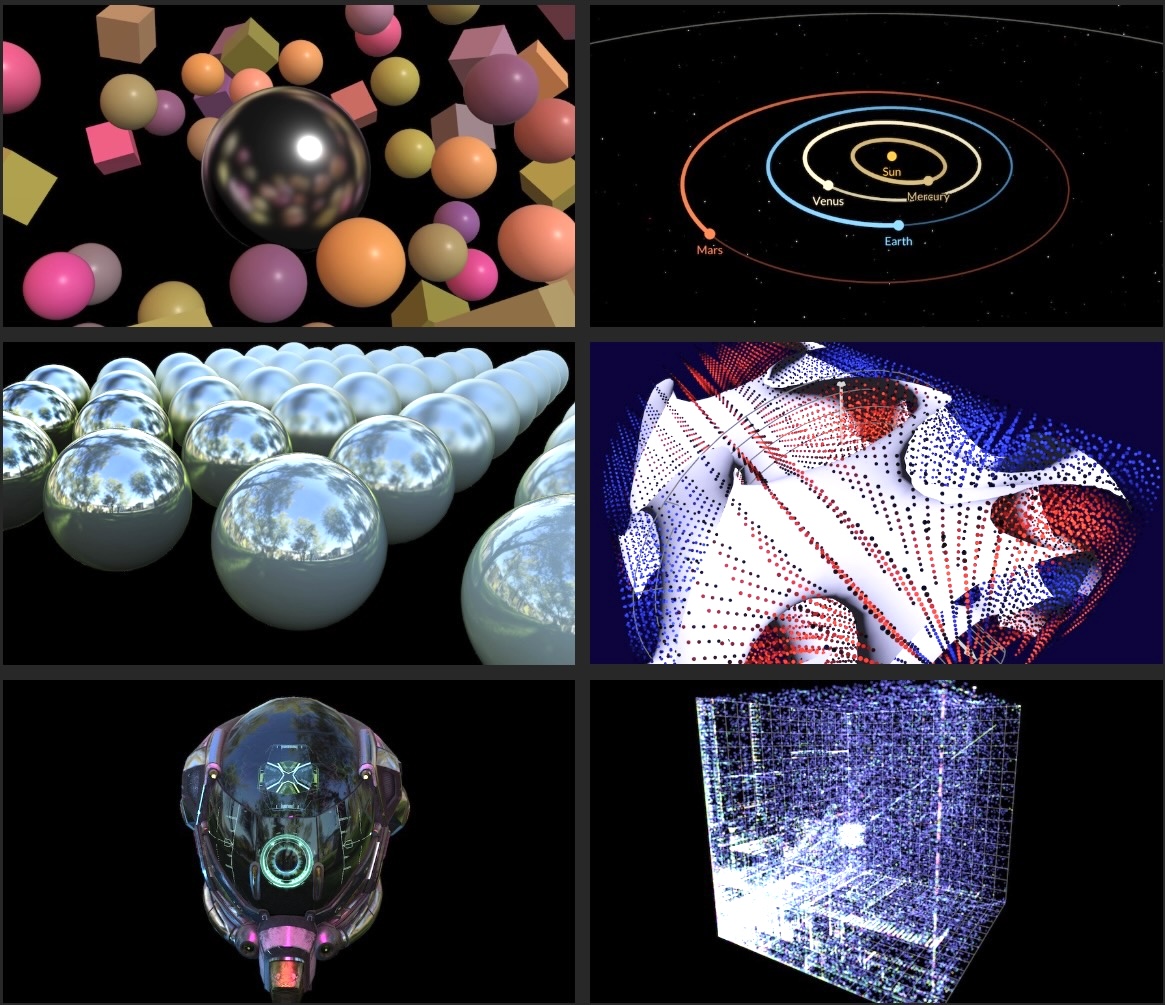

<h2 class="mt3">A Bike Shed of Schemas</h2>

<p>This points to a very under-appreciated problem: it is <i>completely pointless</i> to argue about schemas and data types without citing <i>specific domain logic</i> and <i>code</i> that will be used to <i>produce</i>, <i>edit</i> and <i>consume</i> it. Because that code determines which structures you are incentivized to use, and which structures will require bespoke extra work.</p>

<p>From afar, <code>column</code> and <code>line</code> are just XY coordinates. Just use a 2-vector. But once you factor in the domain logic and etiquette, you realize that the horizontal and vertical directions have vastly different rules applied to them, and splitting might be better. Which one do you pick?</p>

<p>This applies to all data. Whether you should put items in a <code>List&lt;T></code> or a <code>Map&lt;K, V></code> largely depends on whether the consuming code will loop over it, or need random access. If an API only provides one, consumers will just build the missing <code>Map</code> or <code>List</code> as a first step. This is <code>O(n log n)</code> either way, because of sorting.</p>

<p>The method you use to read or write your data shouldn't limit use of everyday structure. Not unless you have a very good reason. But this is exactly what happens.</p>

<p>A lot of bad choices in data design come down to picking the "wrong" data type simply because the most appropriate one is inconvenient in some cases. This then leads to Conway's law, where one team picks the types that are most convenient only for them. The other teams are stuck with it, and end up writing bidirectional conversion code around their part, which will never be removed. The software will now always have this shape, reflecting which concerns were considered essential. <i><a href="https://acko.net/blog/on-variance-and-extensibility/" target="_blank">What color are your types?</a></i> </p>

</div></div>

<div class="g4 m1-2"><div class="pad">

<pre><code class="language-tsx wrap">{
  order: [4, 11, 9, 5, 15, 43],
  values: {
    4: {...},
    5: {...},
    9: {...},
    11: {...},
    15: {...},
    43: {...},
  },
);</code></pre>

</div></div>

<div class="g8 cm"><div class="pad">

<p>For <code>List</code> vs <code>Map</code>, you can have this particular cake and eat it too. Just provide a <code>List&lt;Id></code> for the <code>order</code> and a <code>Map&lt;Id, T></code> for the <code>values</code>. If you structure a list or tree this way, then you can do both iteration and ID-based traversal in the most natural and efficient way. Don't underestimate how convenient this can&nbsp;be.</p>

<p>This also has the benefit that "re-ordering items" and "editing items" are fully orthogonal operations. It decomposes the problem of "<i>patching</i> a list of objects" into "<i>patching</i> a list of IDs" and "<i>patching</i> N separate objects". It makes code for manipulating lists and trees universal. It lets you to decide on a case by case basis whether you need to garbage collect the map, or whether preserving unused records is actually&nbsp;desirable.</p>

</div></div>

<div class="c"></div>

<div class="g8 i2 mt1"><div class="pad">

<p>Limiting it to ordinary JSON or JS types, rather than going full-blown OT or <a href="https://en.wikipedia.org/wiki/Conflict-free_replicated_data_type" target="_blank">CRDT</a>, is a useful baseline. With sensible schema design, at ordinary editing rates, CRDTs are overkill compared to the ability to just replay edits, or notify conflicts. This only requires version numbers and retries.</p>

<p>Users need those things anyway: just because a CRDT converges when two people edit, doesn't mean the result is what either person wants. The only case where OTs/CRDTs are absolutely necessary is rich-text editing, and you need bespoke UI solutions for that anyway. For simple text fields, last-write-wins is perfectly fine, and also far superior to what 99% of RESTy APIs do.</p>

</div></div>

<div class="c"></div>
<div class="mt1"></div>

<div class="g3 i1"><div class="pad tc mt1">
  <img src="https://acko.net/files/intent/crdt.png" alt="CRDT" class="flat square" style="max-width: 190px; margin: 0 auto;"/>
</div></div>

<div class="g8"><div class="pad">

<p>A CRDT is just a mechanism that translates partially ordered intents into a single state. Like, it's cool that you can make CRDT counters and CRDT lists and whatnot... but each CRDT implements only one particular resolution strategy. If it doesn't produce the desired result, you've created invalid intent no user expected. With last-write-wins, you at least have something 1 user <i>did</i> intend. Whether this is actually destructive or corrective is mostly a matter of <i>schema design</i> and <i>minimal surface area</i>, not math.</p>

<p>The main thing that OTs and CRDTs do well is resolve edits on <i>ordered sequences</i>, like strings. If two users are typing text in the same doc, edits higher-up will shift edits down below, which means the indices change when rebased. But if you are editing structured data, you can avoid referring to indices entirely, and just use IDs instead. This sidesteps the issue, like splitting <code>order</code> from <code>values</code>.</p>

<p>For the <code>order</code>, there is a simple solution: a map with a <a href="https://www.steveruiz.me/posts/reordering-fractional-indices" target="_blank">fractional index</a>, effectively a dead-simple list CRDT. It just comes with some overhead.</p>

</div></div>

<div class="c"></div>
<div class="mt1"></div>

<div class="g8 i2"><div class="pad tc">
  <img src="https://acko.net/files/intent/docs-comment.png" alt="Google docs comment" class="" />
</div></div>

<div class="c"></div>

<div class="g8 i2 mt1"><div class="pad">

<p>Using a CRDT for string editing might not even be enough. Consider Google Docs-style comments anchored to that text: their indices also need to shift on every edit. Now you need a bespoke domain-aware CRDT. Or you work around it by injecting magic markers into the text. Either way, it seems non-trivial to decouple a CRDT from the specific target domain of the data inside. The constraints get mixed in.</p>

<p>If you ask me, this is why the field of real-time web apps is still in somewhat of a rut. It's mainly viewed as a high-end technical problem: how do we synchronize data structures over a P2P network without any data conflicts? What they should be asking is: what is the minimal amount of <i>structure</i> we need to reliably synchronize, so that users can have a shared workspace where intent is preserved, and conflicts are clearly signposted. And how should we design our <i>schemas</i>, so that our code can manipulate the data in a straightforward and reliable way? Fixing non-trivial user conflicts is simply not your job.</p>

<p>Most SaaS out there doesn't need any of this technical complexity. Consider that a good multiplayer app requires user presence and broadcast anyway. The simplest solution is just a persistent process on a single server coordinating this, one per live workspace. It's what most MMOs do. In fast-paced video games, this even involves lag compensation. Reliable ordering is not the big problem.</p>

<p>The situations where this doesn't scale, or where you absolutely must be P2P, are a minority. If you run into them, you must be doing <i>very</i> well. The solution that I've sketched out here is explicitly designed so it can comfortably be done by small teams, or even just 1 person.</p>

</div></div>

<div class="c"></div>
<div class="mt1"></div>

<div class="g10 i1"><div class="pad tc">
  <img src="https://acko.net/files/intent/cad.png" alt="Private CAD app" class="" />
</div></div>

<div class="c"></div>

<div class="g8 i2 mt1"><div class="pad">

<p>The (private) CAD app I showed glimpses of above is entirely built this way. It's patch all the way down and it's had undo/redo from day 1. It also has a developer mode where you can just edit the user-space part of the data model, and save/load it.</p>

<p>When the in-house designers come to me with new UX requests, they often ask: <i>"Is it possible to do ____?"</i> The answer is never a laborious sigh from a front-end dev with too much on their plate. It's <i>"sure, and we can do more."</i></p>

<p>If you're not actively aware the design of schemas and code is tightly coupled, your codebase will explode, and the bulk of it will be glue. Much of it just serves to translate generalized intent into concrete state or commands. Arguments about schemas are usually just hidden debates about whose job it is to translate, split or join something. This isn't just an irrelevant matter of "wire formats" because changing the structure and format of data also changes how you <i>address</i> specific parts of it.</p>

<p>In an interactive UI, you also need a reverse path, to apply edits. What I hope you are starting to realize is that this is really just the forward path in reverse, on so many levels. The result of a basic query is just the ordered IDs of the records that it matched. A join returns a tuple of record IDs per row. If you pre-assemble the associated record data for me, you actually make my job as a front-end dev <i>harder</i>, because there are multiple forward paths for the exact same data, in subtly different forms. What I want is to query and mutate the same damn store you do, and be told when what changes. It's table-stakes now.</p>

<p>With well-architected data, this can be wired up mostly automatically, <i>without</i> any scaffolding. The implementations you encounter in the wild just obfuscate this, because they don't distinguish between the data store and the model it holds. The fact that the data store should not be corruptible, and should enforce permissions and quotas, is incorrectly extended to the entire model stored inside. But that model doesn't belong to Stanley, it belongs to the user. This is why desktop applications didn't have a "Data Export". It was just called <i>Load</i> and <i>Save</i>, and what you saved was the intent, in a&nbsp;file.</p>

</div></div>

<div class="c"></div>
<div class="mt1"></div>

<div class="g8 i2"><div class="pad tc">
  <img src="https://acko.net/files/intent/windows-95-save.png" alt="Windows 95 save dialog" class="" />
</div></div>

<div class="c"></div>

<div class="g8 i2 mt1"><div class="pad">

<p>Having a universal query or update mechanism doesn't absolve you from thinking about this either, which is why I think the <code>patch</code> approach is so rare: it looks like cowboy coding <i>if</i> you don't have the right boundaries in place. <code>Patch</code> is mainly for <i>user-space</i> mutations, not <i>kernel-space</i>, a concept that applies to more than just OS kernels. User-space must be very forgiving.</p>

<p>If you avoid it, you end up with something like GraphQL, a good example of solving only half the problem badly. Its getter assembles data for consumption by laboriously repeating it in dozens of partial variations. And it turns the setter part into an unsavory mix of lasagna and spaghetti. No wonder, it was designed for a platform that owns and hoards all your&nbsp;data.</p>

<p class="mt2 mb2 tc" style="opacity: .5">* * *</p>

<p>Viewed narrowly, <code>Intent</code> is just a useful concept to rethink how you enforce validation and constraints in a front-end app. Viewed broadly, it completely changes how you build back-ends and data flows to support that. It will also teach you how adding new aspects to your software can reduce complexity, not increase it, if done&nbsp;right.</p>

<p>A good metric is to judge implementation choices by how many other places of the code need to care about them. If a proposed change requires adjustments literally everywhere else, it's probably a bad idea, unless the net effect is to remove code rather than add.</p>

</div></div>

<div class="c"></div>
<div class="mt1"></div>

<div class="g8 i2"><div class="pad tc">
  <img src="https://acko.net/files/intent/live-canvas.png" alt="Live Canvas" class="" />
</div></div>

<div class="c"></div>

<div class="g8 i2 mt1"><div class="pad">

<p>I believe reconcilers like React or tree-sitter are a major guide stone here. What they do is apply structure-preserving transforms on data structures, and incrementally. They actually do the annoying part for you. I based Use.GPU on the same principles, and use it to drive CPU canvases too. The tree-based structure reflects that one function's state just might be the next function's intent, all the way down. This is a compelling argument that the data and the code should have roughly the same&nbsp;shape.</p>

</div></div>

<div class="c"></div>
<div class="mt1"></div>

<div class="g10 i1"><div class="pad tc">
  <img src="https://acko.net/files/intent/backend-frontend.png" alt="Back-end vs Front-end split" class="flat square" />
</div></div>

<div class="c"></div>

<div class="g8 i2 mt1"><div class="pad">

<p>You will also conclude there is nothing more nefarious than a hard split between back-end and front-end. You know, coded by different people, where each side is only half-aware of the other's needs, but one sits squarely in front of the other. Well-intentioned guesses about what the other end needs will often be wrong. You will end up with data types and query models that cannot answer questions concisely and efficiently, and which must be babysat to not go stale. </p>

<p>In the last 20 years, little has changed here in the wild. On the back-end, it still looks mostly the same. Even when modern storage solutions are deployed, people end up putting SQL- and ORM-like layers on top, because that's what's familiar. The split between back-end and database has the exact same malaise.</p>

<p>None of this work actually helps make the app more reliable, it's the opposite: every new feature makes on-going development harder. Many "solutions" in this space are not solutions, they are copes. Maybe we're overdue for a NoSQL-revival, this time with a focus on practical schema design and mutation? SQL was designed to model administrative business processes, not live interaction. I happen to believe a front-end should sit <i>next</i> to the back-end, not in front of it, with only a thin proxy as a broker.</p>

<p>What I can tell you for sure is: it's so much better when intent is a first-class concept. You don't need nor want to treat user data as something to pussy-foot around, or handle like it's radioactive. You can manipulate and transport it without a care. You can build rich, comfy functionality on top. Once implemented, you may find yourself not touching your network code for a very long time. It's the opposite of overwhelming, it's lovely. You can focus on building the tools your users need.</p>

<p>This can pave the way for more advanced concepts like OT and CRDT, but will show you that neither of them is a substitute for getting your application fundamentals&nbsp;right.</p>

<p>In doing so, you reach a synthesis of Dijkstra and anti-Dijkstra: your program should be <a href="https://www.cs.utexas.edu/users/EWD/transcriptions/EWD02xx/EWD288.html" target="_blank">provably correct in its data flow</a>, which means it can safely break in completely arbitrary ways.</p>

<p>Because the I in UI meant "intent" all along.</p>

<p class="mt3">
  <b>More:</b>
  <ul class="indent">
    <li><a href="https://acko.net/blog/on-variance-and-extensibility/" target="_blank">On Variance and Extensibility</a></li>
    <li><a href="https://acko.net/blog/climbing-mt-effect/" target="_blank">Climbing Mount Effect</a></li>
    <li><a href="https://acko.net/blog/apis-are-about-policy/" target="_blank">APIs are About Policy</a></li>
  </ul>
</p>

<div class="c"></div>
<div class="mt2"></div>

</div></div>
]]></content>
  </entry>
  
  <entry>
    <title type="html"><![CDATA[Stable Fiddusion]]></title>
    <link href="https://acko.net/blog/stable-fiddusion/"/>
    <updated>2023-10-02T00:00:00+02:00</updated>
    <id>https://acko.net/blog/stable-fiddusion</id>
    <content type="html"><![CDATA[<script src="/files/katex/katex.min.js"></script>
<script src="/files/katex/contrib/auto-render.min.js"></script>
<link rel="stylesheet" type="text/css" href="/files/katex/katex.min.css" />

<script type="text/javascript">
Acko.queue(function () {
  renderMathInElement(document.querySelector('article'), {delimiters: [
    {left: "$$", right: "$$", display: true},
    {left: "$", right: "$", display: false},
  ]});
});
</script>

<div class="g8 i2 first"><div class="pad">
  <h2 class="sub">Frequency-domain blue noise generator</h2>
</div></div>

<div class="c"></div>

<style>
  .embed-wide {
    box-sizing: border-box;
    max-height: 720px;
  }
  .embed-live-25 {
    padding-bottom: 25%;
  }
  .embed-live-40 {
    padding-bottom: 40%;
  }
  .embed-live-48 {
    padding-bottom: 48%;
  }
  .embed-live-56 {
    padding-bottom: 56%;
  }
  .embed-live-60 {
    padding-bottom: 60%;
  }
  .embed-live-78 {
    padding-bottom: 78%;
  }
  .embed-live-at {
    padding-bottom: 106%;
  }
  .embed-live-row {
    padding-bottom: 7.14%;
  }
  .embed-live-sample {
    padding-bottom: 10%;
  }
  .embed-live-square {
    padding-bottom: 100%;
  }
  @media screen and (max-width: 767px) {
    .embed-live-m-square {
      padding-bottom: 100%;
    }
    .embed-live-m-tall {
      padding-bottom: 150%;
    }
  }
</style>

<img src="https://acko.net/files/fiddusion/cover.jpg" style="position: absolute; left: -5000px; top: 0;" alt="Cover Image - Live effect run-time inspector" />

<div class="g8 i2 mt1"><div class="pad">

<p>In computer graphics, <b>stochastic methods are <em>so hot right now</em></b>. All rendering turns into calculus, except you solve the integrals by numerically sampling them.</p>

<p>As I showed with <a href="https://acko.net/blog/teardown-frame-teardown/" target="_blank">Teardown</a>, this is all based on random noise, hidden with a ton of spatial and temporal smoothing. For this, you need a good source of high quality noise. There have been a few interesting developments in this area, such as <a href="https://blog.demofox.org/">Alan Wolfe</a> et al.'s <a href="https://developer.nvidia.com/blog/rendering-in-real-time-with-spatiotemporal-blue-noise-textures-part-1/">Spatio-Temporal Blue Noise</a>.</p>

<p>This post is about how I <b>designed noise in frequency space</b>. I will cover:</p>

<p><ul class="indent">
<li>What is <b>blue noise</b>?</li>
<li>Designing <b>indigo noise</b></li>
<li><b>How swap works</b> in the frequency domain</li>
<li>Heuristics and analysis to <b>speed up search</b></li>
<li>Implementing it in <b>WebGPU</b></li>
</ul></p>

<p>Along the way I will also show you some <b>"street" DSP math</b>. This illustrates how getting comfy in this requires you to develop deep intuition about complex numbers. But complex doesn't mean complicated. It can all be done on a paper napkin.</p>

</div></div>

<div class="g10 i1 mt1"><div class="pad">
  <a href="https://acko.net/files/bluebox/#!/" target="_blank"><img class="inline" src="https://acko.net/files/fiddusion/app-ui.png" title="Stable Fiddusion - UI" /></a>
  <p class="tc"><em>The WebGPU interface I built</em></p>
</div></div>

<div class="g8 i2 mt1"><div class="pad">

<p>What I'm going to make is this:</p>

<p class="tc">
  <img class="inline" 
    src="https://acko.net/files/fiddusion/indigo-256x256x1@1x.png"
    srcset="https://acko.net/files/fiddusion/indigo-256x256x1@1x.png 1x, https://acko.net/files/fiddusion/indigo-256x256x1@2x.png 2x"
  />
</p>

<p>If properly displayed, this image should look eerily even. But if your browser is rescaling it incorrectly, it may not be exactly right.</p>

<h2 class="mt3">Colorless Blue Ideas</h2>

<p>I will start by just recapping the essentials. If you're familiar, skip to the next section.</p>

<p>Ordinary random generators produce uniform white noise: every value is equally likely, and the average frequency spectrum is flat.</p>

</div></div>

<div class="c"></div>
<div class="mt1"></div>

<div class="g4 i2"><div class="pad tc">
  <img src="https://acko.net/files/fiddusion/white-128x128x1.png" title="White noise - Gamma correct" style="width: 256px; max-width: 100%; margin: 0 auto" />
  <p><em>Time domain</em></p>
</div></div>

<div class="g4"><div class="pad tc">
  <img src="https://acko.net/files/fiddusion/white-128x128x1-freq.png" title="White noise - Gamma correct" style="width: 256px; max-width: 100%; margin: 0 auto" />
  <p><em>Frequency domain</em></p>
</div></div>

<div class="g8 i2"><div class="pad">

<p>To a person, this doesn't actually seem fully 'random', because it has clusters and voids. Similarly, a uniformly random list of coin flips will still have long runs of heads or tails in it occasionally.</p>

<p>What a person would consider evenly random is usually <em>blue</em> noise: it prefers to <em>alternate</em> between heads and tails, and avoids long runs entirely. It is 'more random than random', biased towards the upper frequencies, i.e. the blue part of the spectrum.</p>

</div></div>

<div class="c"></div>
<div class="mt1"></div>

<div class="g4 i2"><div class="pad tc">
  <img src="https://acko.net/files/fiddusion/blue-128x128x1.png" title="Blue noise - Gamma correct" style="width: 256px; max-width: 100%; margin: 0 auto" />
  <p><em>Time domain</em></p>
</div></div>

<div class="g4"><div class="pad tc">
  <img src="https://acko.net/files/fiddusion/blue-128x128x1-freq.png" title="Blue noise - Spectrum" style="width: 256px; max-width: 100%; margin: 0 auto" />
  <p><em>Frequency domain</em></p>
</div></div>

<div class="c"></div>

<div class="g8 i2 mt1"><div class="pad">

<p>Blue noise is great for e.g. dithering, because when viewed from afar, or blurred, it tends to disappear. With white noise, clumps remain after blurring:</p>

</div></div>

<div class="c"></div>
<div class="mt1"></div>

<div class="g4 i2"><div class="pad tc">
  <img src="https://acko.net/files/fiddusion/white-128x128x1-blur.png" title="Blurred white noise" style="width: 256px; max-width: 100%; margin: 0 auto" />
  <p><em>Blurred white noise</em></p>
</div></div>

<div class="g4"><div class="pad tc">
  <img src="https://acko.net/files/fiddusion/blue-128x128x1-blur.png" title="Blurred blue noise" style="width: 256px; max-width: 100%; margin: 0 auto" />
  <p><em>Blurred blue noise</em></p>
</div></div>

<div class="c"></div>

<div class="g8 i2 mt1"><div class="pad">
  
<p>Blueness is a delicate property. If you have e.g. 3D blue noise in a volume XYZ, then a single 2D XY slice is not blue at all:</p>

</div></div>

<div class="c"></div>
<div class="mt1"></div>

<div class="g12"><div class="pad tc">
  <img src="https://acko.net/files/fiddusion/blue3d-64x64x16-freq.png" title="3D blue noise spectrum" style="width: 100%; max-width: 100%; margin: 0 auto" />
  <p><em>XYZ spectrum</em></p>
</div></div>

<div class="g4 i2"><div class="pad tc">
  <img src="https://acko.net/files/fiddusion/blue3d-64x64x16-1.png" title="3D blue noise XY slice" style="width: 256px; max-width: 100%; margin: 0 auto" />
  <p><em>XY slice</em></p>
</div></div>

<div class="g4"><div class="pad tc">
  <img src="https://acko.net/files/fiddusion/blue3d-64x64x16-1-freq.png" title="3D blue noise XY spectrum" style="width: 256px; max-width: 100%; margin: 0 auto" />
  <p><em>XY spectrum</em></p>
</div></div>

<div class="c"></div>

<div class="g8 i2"><div class="pad">

<p>The samples are only evenly distributed in 3D, i.e. when you consider each slice in front and behind it too.</p>

<p class="mt2">Blue noise being delicate means that nobody really knows of a way to generate it statelessly, i.e. as a pure function <code>f(x,y,z)</code>. Algorithms to generate it must factor in the whole, as noise is only blue if every <em>single sample</em> is evenly spaced. You can make blue noise images that tile, and sample those, but the resulting repetition may be noticeable.</p>

<p>Because blue noise is constructed, you can make special variants.</p>

<ul class="indent">
  <li><p><b>Uniform Blue Noise</b> has a uniform distribution of values, with each value equally likely. An 8-bit 256x256 UBN image will have each unique byte appear exactly 256 times.</p></li>
  <li><p><b>Projective Blue Noise</b> can be projected down, so that a 3D volume XYZ flattened into either XY, YZ or ZX is still blue in 2D, and same for X, Y and Z in 1D.</p></li>
  <li><p><b>Spatio-Temporal Blue Noise</b> (STBN) is 3D blue noise created specifically for use in real-time rendering:
    <ul class="indent">
        <li>Every 2D slice XY is 2D blue noise</li>
        <li>Every Z row is 1D blue noise</li>
    </ul>
  </p></li>
</ul>

<p>This means XZ or YZ slices of STBN are not blue. Instead, it's designed so that when you average out all the XY slices over Z, the result is uniform gray, again without clusters or voids. This requires the noise in all the slices to perfectly complement each other, a bit like overlapping slices of translucent swiss cheese.</p>

<p>This is the sort of noise I want to generate.</p>

</div></div>

<div class="c"></div>
<div class="mt1"></div>

<div class="g12"><div class="pad tc">
  <img src="https://acko.net/files/fiddusion/stbn-64x64x16.png" title="STBN" style="width: 100%; max-width: 100%; margin: 0 auto" />
  <p><em>Indigo STBN 64x64x16</em></p>

  <img src="https://acko.net/files/fiddusion/stbn-64x64x16-freq.png" title="STBN XYZ spectrum" style="width: 100%; max-width: 100%; margin: 0 auto" />
  <p><em>XYZ spectrum</em></p>
</div></div>

<div class="c"></div>

<div class="g8 i2"><div class="pad">


<h2 class="mt3">Sleep Furiously</h2>

<p>A blur filter's spectrum is the opposite of blue noise: it's concentrated in the lowest frequencies, with a bump in the middle.</p>

<p class="tc">
  <img class="inline" src="https://acko.net/files/fiddusion/blur-filter-128x128x1.png" title="Indigo noise - Gamma correct" style="width: 256px; max-width: 100%" />
</p>

<p>If you blur the noise, you multiply the two spectra. Very little is left: only the ring-shaped overlap, creating a band-pass area.</p>

<p class="tc">
  <img class="inline" src="https://acko.net/files/fiddusion/blur-bandpass-128x128x1.png" title="Indigo noise - Gamma correct" style="width: 256px; max-width: 100%" />
</p>

<p>This is why blue noise looks good when smoothed, and is used in rendering, with both spatial (2D) and temporal smoothing (1D) applied.</p>

<div class="math"><p>Blur filters can be designed. If a blur filter is <em>perfectly</em> low-pass, i.e. ~zero amplitude for all frequencies > $ f_{\rm{lowpass}} $ , then nothing is left of the upper frequencies past a point.</p></div>

<p>If the noise is shaped to minimize any overlap, then the result is actually noise free. The dark part of the noise spectrum should be <em>large</em> and <em>pitch black</em>. The spectrum shouldn't just be blue, it should be <em>indigo</em>.</p>

<p>When people say you can't design noise in frequency space, what they mean is that you can't merely apply an inverse FFT to a given target spectrum. The resulting noise is gaussian, not uniform. The missing ingredient is the phase: all the frequencies need to be precisely aligned to have the right value distribution.</p>

<p>This is why you need a specialized algorithm.</p>

<p>The STBN paper describes two: void-and-cluster, and swap. Both of these are driven by an energy function. It works in the spatial/time domain, based on the distances between pairs of samples. It uses a "fall-off parameter" <em>sigma</em> to control the effective radius of each sample, with a gaussian kernel.</p>

<div class="autoscroll">
<p>
  $$ E(M) = \sum E(p,q) = \sum \exp \left( - \frac{||\mathbf{p} - \mathbf{q}||^2}{\sigma^2_i}-\frac{||\mathbf{V_p} - \mathbf{V_q}||^{d/2}}{\sigma^2_s} \right) $$
</p>
</div>

<div class="tc">
  <p><img class="inline" src="https://acko.net/files/fiddusion/stbn-wolfe.jpg" title="STBN Blue noise - Wolfe et al" style="width: 256px; max-width: 100%" /></p>
  <p><em>STBN (Wolfe et al.)</em></p>
</div>

<p>The swap algorithm is trivially simple. It starts from white noise and shapes it:</p>

<p>
  <ol class="indent">
    <li>Start with e.g. 256x256 pixels initialized with the bytes 0-255 repeated 256 times in order</li>
    <li>Permute all the pixels into ~white noise using a random order</li>
    <li>Now iterate: randomly try swapping two pixels, check if the result is "more blue"</li>
  </ol>
</p>

<p>This is guaranteed to preserve the uniform input distribution perfectly.</p>

<p>The resulting noise patterns are blue, but they still have some noise in <em>all</em> the lower frequencies. The only blur filter that could get rid of it all, is one that blurs away all the signal too. My 'simple' fix is just to score swaps in the frequency domain instead.</p>

<p>If this seems too good to be true, you should know that a permutation search space is catastrophically huge. If any pixel can be swapped with any other pixel, the number of possible swaps at any given step is O(N²). In a 256x256 image, it's ~2 billion.</p>

<p>The goal is to find a sequence of thousands, millions of random swaps, to turn the white noise into blue noise. This is basically stochastic bootstrapping. It's the bulk of <em>good old fashioned AI</em>, using simple heuristics, queues and other tools to dig around large search spaces. If there are local minima in the way, you usually need more noise and simulated annealing to tunnel over those. Usually.</p>

<p>This set up is somewhat simplified by the fact that swaps are symmetric (i.e. <code>(A,B)</code> = <code>(B,A)</code>), but also that applying swaps S1 and S2 is the same as applying swaps S2 and S1 as long as they don't overlap.</p>

<h2 class="mt3">Good Energy</h2>

<p>Let's take it one hurdle at a time.</p>

<p>It's not obvious that you can change a signal's spectrum just by re-ordering its values over space/time, but this is easy to illustrate.</p>

</div></div>

<div class="c"></div>

<div class="g10 i1 mt1"><div class="pad">
  <img src="https://acko.net/files/fiddusion/graph-reorder-1.png" alt="Random signal" />
</div></div>

<div class="g8 i2 mt1"><div class="pad">

<p>Take any finite 1D signal, and order its values from lowest to highest. You will get some kind of ramp, approximating a sawtooth wave. This concentrates most of the energy in the first non-DC frequency:</p>

</div></div>

<div class="c"></div>

<div class="g10 i1 mt1"><div class="pad">
  <img src="https://acko.net/files/fiddusion/graph-reorder-2.png" alt="Random signal - re-ordered" />
</div></div>

<div class="c"></div>

<div class="g8 i2 mt1"><div class="pad">

<p>Now split the odd values from the even values, and concatenate them. You will now have two ramps, with twice the frequency:</p>

</div></div>

<div class="c"></div>

<div class="g10 i1 mt1"><div class="pad">
  <img src="https://acko.net/files/fiddusion/graph-reorder-3.png" alt="Random signal - re-ordered and split into odd/even" />
</div></div>

<div class="c"></div>

<div class="g8 i2 mt1"><div class="pad">

<p>You can repeat this to double the frequency all the way up to Nyquist. So you have a lot of design freedom to transfer energy from one frequency to another.</p>

</div></div>

<div class="g10 i1 mt1"><div class="pad">
  <img src="https://acko.net/files/fiddusion/graph-reorder-4.png" alt="Random signal - re-ordered and split into odd/even x2" />
</div></div>

<div class="c"></div>

<div class="g8 i2 mt1"><div class="pad">

<p>In fact the Fourier transform has the property that energy in the time and frequency domain is conserved:</p>

<p>
  $$ \int_{-\infty}^\infty |f(x)|^2 \, dx = \int_{-\infty}^\infty |\widehat{f}(\xi)|^2  \, d\xi $$
</p>

<p>This means the sum of $ |\mathrm{spectrum}_k|^2 $ remains constant over pixel swaps. We then design a target curve, e.g. a high-pass cosine:</p>

<p>
  $$ \mathrm{target}_k = \frac{1 - \cos \frac{k \pi}{n} }{2} $$
</p>

<p>This can be fit and compared to the current noise spectrum to get the error to minimize.</p>

<p>However, I don't measure the error in energy $ |\mathrm{spectrum}_k|^2 $ but in amplitude $ |\mathrm{spectrum}_k| $. I normalize the spectrum and the target into distributions, and take the L2 norm of the difference, i.e. a <code>sqrt</code> of the sum of squared errors:</p>

<p>
  $$ \mathrm{error}_k = \frac{\mathrm{target}_k}{||\mathbf{target}||} - \frac{|\mathrm{spectrum}_k|}{||\mathbf{spectrum}||} $$
  $$ \mathrm{loss}^2 = ||\mathbf{error}||^2 $$
</p>

<p>This keeps the math simple, but also helps target the noise in the ~zero part of the spectrum. Otherwise, deviations near zero would count for less than deviations around one.</p>


</div></div>

<div class="g4 r mt2"><div class="pad">
  <img class="inline" src="https://acko.net/files/fiddusion/blue-128x128x1-approx.png" title="Approximate blue noise" style="width: 256px; max-width: 100%" />
</div></div>

<div class="g8"><div class="pad">

<h2 class="mt2">Go Banana</h2>

<p>So I tried it.</p>

<p>With a lot of patience, you can make 2D blue noise images up to 256x256 on a single thread. A naive random search with an FFT for every iteration is not fast, but computers are.</p>

<p>Making a 64x64x16 with this is possible, but it's certainly like watching paint dry. It's the same number of pixels as 256x256, but with an extra dimension worth of FFTs that need to be churned.</p>

<p>Still, it works and you can also make 3D STBN with the spatial and temporal curves controlled independently:</p>

</div></div>

<div class="c"></div>

<div class="c"></div>

<div class="g12 mt1"><div class="pad tc">
  <img src="https://acko.net/files/fiddusion/stbn-curve1.png" title="STBN spectrum 1" style="width: 100%; max-width: 100%; margin: 0 auto" />
</div></div>
<div class="c"></div>

<div class="g12 mt1"><div class="pad tc">
  <img src="https://acko.net/files/fiddusion/stbn-curve2.png" title="STBN spectrum 2" style="width: 100%; max-width: 100%; margin: 0 auto" />
</div></div>
<div class="c"></div>

<div class="g12 mt1"><div class="pad tc">
  <img src="https://acko.net/files/fiddusion/stbn-curve3.png" title="STBN spectrum 3" style="width: 100%; max-width: 100%; margin: 0 auto" />
  <p><em>Converged spectra</em></p>
</div></div>

<div class="c"></div>

<div class="g8 i2 mt1"><div class="pad">

<p>I built command-line scripts for this, with a bunch of quality of life things. If you're going to sit around waiting for numbers to go by, you have a lot of time for this...</p>

<p><ul class="indent">
  <li>Save and load byte/float-exact state to a .png, save parameters to .json</li>
  <li>Save a bunch of debug viz as extra .pngs with every snapshot</li>
  <li>Auto-save state periodically during runs</li>
  <li>Measure and show rate of convergence every N seconds, with smoothing</li>
  <li>Validate the histogram before saving to detect bugs and avoid corrupting expensive runs</li>
</ul></p>

<p>I could fire up a couple of workers to start churning, while continuing to develop the code liberally with new variations. I could also stop and restart workers with new heuristics, continuing where it left off.</p>

</div></div>

<div class="c"></div>
<div class="mt1"></div>

<div class="g10 i1"><div class="pad tc">
  <img src="https://acko.net/files/fiddusion/scripts.png" title="CLI scripts" />
  <p><em>Protip: you can write C in JavaScript</em></p>
</div></div>

<div class="c"></div>

<div class="g8 i2 mt1"><div class="pad">
  
<p>Drunk with power, I tried various sizes and curves, which created... okay noise. Each has the exact same uniform distribution so it's difficult to judge other than comparing to other output, or earlier versions of itself.</p>

<p>To address this, I visualized the blurred result, using a [1 4 6 4 1] kernel as my base line. After adjusting levels, structure was visible:</p>

</div></div>

<div class="c"></div>
<div class="mt1"></div>

<div class="g4 i2"><div class="pad tc">
  <img src="https://acko.net/files/fiddusion/blur-approx-time.png" title="Blue noise - Approx" style="width: 256px; max-width: 100%; margin: 0 auto" />
  <p><em>Semi-converged</em></p>
</div></div>

<div class="g4"><div class="pad tc">
  <img src="https://acko.net/files/fiddusion/blur-approx-blur.png" title="Blue noise - Blurred" style="width: 256px; max-width: 100%; margin: 0 auto" />
  <p><em>Blurred</em></p>
</div></div>

<div class="c"></div>

<div class="g8 i2 mt1"><div class="pad">

<p>The resulting spectra show what's actually going on:</p>

</div></div>

<div class="c"></div>
<div class="mt1"></div>

<div class="g4 i2"><div class="pad tc">
  <img src="https://acko.net/files/fiddusion/blur-approx-freq.png" title="Blue noise - Approx" style="width: 256px; max-width: 100%; margin: 0 auto" />
  <p><em>Semi-converged</em></p>
</div></div>

<div class="g4"><div class="pad tc">
  <img src="https://acko.net/files/fiddusion/blur-approx-1-freq.png" title="Blue noise - Blurred" style="width: 256px; max-width: 100%; margin: 0 auto" />
  <p><em>Blurred</em></p>
</div></div>

<div class="c"></div>
<div class="g8 i2"><div class="pad">

<p>The main component is the expected ring of bandpass noise, the 2D equivalent of ringing. But in between there is also a ton of redder noise, in the lower frequencies, which all remains after a blur. This noise is as strong as the ring.</p>

<p>So while it's easy to make a blue-ish noise pattern that looks okay at first glance, there is a vast gap between having a noise floor and not having one. So I kept iterating:</p>

</div></div>

<div class="c"></div>
<div class="mt1"></div>

<div class="g4"><div class="pad tc">
  <img src="https://acko.net/files/fiddusion/blur-approx-2-freq.png" title="Blue noise - Blurred" style="width: 256px; max-width: 100%; margin: 0 auto" />
</div></div>

<div class="g4"><div class="pad tc">
  <img src="https://acko.net/files/fiddusion/blur-approx-3-freq.png" title="Blue noise - Blurred" style="width: 256px; max-width: 100%; margin: 0 auto" />
</div></div>

<div class="g4"><div class="pad tc">
  <img src="https://acko.net/files/fiddusion/blur-approx-4-freq.png" title="Blue noise - Blurred" style="width: 256px; max-width: 100%; margin: 0 auto" />
</div></div>

<div class="c"></div>
<div class="g8 i2 mt1"><div class="pad">

<p>It takes a very long time, but if you wait, all those little specks will slowly twinkle out, until quantization starts to get in the way, with a loss of about 1/255 per pixel (0.0039).</p>

</div></div>

<div class="c"></div>
<div class="mt1"></div>

<div class="g4 i2"><div class="pad tc">
  <img src="https://acko.net/files/fiddusion/blur-approx-blur.png" title="Blue noise - Converged" style="width: 256px; max-width: 100%; margin: 0 auto" />
  <p><em>Semi converged</em></p>
</div></div>

<div class="g4"><div class="pad tc">
  <img src="https://acko.net/files/fiddusion/blur-exact-blur.png" title="Blue noise - Converged &amp; Blurred" style="width: 256px; max-width: 100%; margin: 0 auto" />
  <p><em>Fully converged</em></p>
</div></div>

<div class="c"></div>
<div class="g8 i2"><div class="pad">

<p>The effect on the blurred output is remarkable. All the large scale structure disappears, as you'd expect from spectra, leaving only the bandpass ringing. That goes away with a strong enough blur, or a large enough dark zone.</p>

<p>The visual difference between the two is slight, but nevertheless, the difference is significant and pervasive when amplified:</p>

</div></div>

<div class="c"></div>
<div class="mt1"></div>

<div class="g4 i2"><div class="pad tc">
  <img src="https://acko.net/files/fiddusion/blur-approx-time.png" title="Blue noise - Semi-Converged" style="width: 256px; max-width: 100%; margin: 0 auto" />
  <p><em>Semi converged</em></p>
</div></div>

<div class="g4"><div class="pad tc">
  <img src="https://acko.net/files/fiddusion/blur-exact-time.png" title="Blue noise - Converged" style="width: 256px; max-width: 100%; margin: 0 auto" />
  <p><em>Fully converged</em></p>
</div></div>

<div class="c"></div>

<div class="g4 i2"><div class="pad tc">
  <img src="https://acko.net/files/fiddusion/blur-exact-diff.png" title="Blue noise - Diff" style="width: 256px; max-width: 100%; margin: 0 auto" />
  <p><em>Difference</em></p>
</div></div>

<div class="g4"><div class="pad tc">
  <img src="https://acko.net/files/fiddusion/blur-exact-freq.png" title="Blue noise - Converged Spectrum" style="width: 256px; max-width: 100%; margin: 0 auto" />
  <p><em>Final spectrum</em></p>
</div></div>

<div class="c"></div>
<div class="g8 i2"><div class="pad">

<p>I tried a few indigo noise curves, with different % of the curve zero. The resulting noise is all extremely equal, even after a blur and amplify. The only visible noise left is bandpass, and the noise floor is so low it may as well not be there.</p>

<p>As you make the black exclusion zone bigger, the noise gets concentrated in the edges and corners. It becomes a bit more linear and squarish, a contender for <em>violet</em> noise. This is basically a smooth evolution towards a pure pixel checkboard in the limit. Using more than 50% zero seems inadvisable for this reason:</p>

</div></div>

<div class="c"></div>
<div class="mt1"></div>

<div class="g4 i2"><div class="pad tc">
  <img src="https://acko.net/files/fiddusion/violet-128x128x1.png" title="Violet noise - Gamma correct" style="width: 256px; max-width: 100%; margin: 0 auto" />
  <p><em>Time domain</em></p>
</div></div>

<div class="g4"><div class="pad tc">
  <img src="https://acko.net/files/fiddusion/violet-128x128x1-freq.png" title="Violet noise - Spectrum" style="width: 256px; max-width: 100%; margin: 0 auto" />
  <p><em>Frequency domain</em></p>
</div></div>

<div class="c"></div>

<div class="g8 i2 mt1"><div class="pad">

<p>At this point the idea was validated, but it was dog slow. Can it be done faster?</p>


<h2 class="mt3">Spatially Sparse</h2>

<p>An FFT scales like O(N log N). When you are dealing with images and volumes, that N is actually an N² or N³ in practice.</p>

<p>The early phase of the search is the easiest to speed up, because you can find a good swap for any pixel with barely any tries. There is no point in being clever. Each sub-region is very non-uniform, and its spectrum nearly white. Placing pixels roughly by the right location is plenty good enough.</p>

<p>You might try splitting a large volume into separate blocks, and optimize each block separately. That wouldn't work, because all the boundaries remain fully white. Overlapping doesn't fix this, because they will actively create new seams. I tried it.</p>

<p>What does work is a windowed scoring strategy. It avoids a full FFT for the entire volume, and only scores each NxN or NxNxN region around each swapped point, with N-sized FFTs in each dimension. This is enormously faster and can rapidly dissolve larger volumes of white noise into approximate blue even with e.g. N = 8 or N = 16. Eventually it stops improving and you need to bump the range or switch to a global optimizer.</p>

<p>Here's the progression from white noise, to when sparse 16x16 gives up, followed by some additional 64x64:</p>

</div></div>

<div class="c"></div>
<div class="mt1"></div>

<div class="g4 i2"><div class="pad tc">
  <img src="https://acko.net/files/fiddusion/sparse-1.png" title="Sparse mode - Initial state" style="width: 256px; max-width: 100%; margin: 0 auto" />
  <p><em>Time domain</em></p>
</div></div>

<div class="g4"><div class="pad tc">
  <img src="https://acko.net/files/fiddusion/sparse-1-freq.png" title="Sparse mode - Initial spectrum" style="width: 256px; max-width: 100%; margin: 0 auto" />
  <p><em>Frequency domain</em></p>
</div></div>

<div class="c"></div>

<div class="g4 i2"><div class="pad tc">
  <img src="https://acko.net/files/fiddusion/sparse-2.png" title="Sparse mode - End state" style="width: 256px; max-width: 100%; margin: 0 auto" />
  <p><em>Time domain</em></p>
</div></div>

<div class="g4"><div class="pad tc">
  <img src="https://acko.net/files/fiddusion/sparse-2-freq.png" title="Sparse mode - End spectrum" style="width: 256px; max-width: 100%; margin: 0 auto" />
  <p><em>Frequency domain</em></p>
</div></div>

<div class="c"></div>

<div class="g4 i2"><div class="pad tc">
  <img src="https://acko.net/files/fiddusion/sparse-3.png" title="Sparse mode - End state" style="width: 256px; max-width: 100%; margin: 0 auto" />
  <p><em>Time domain</em></p>
</div></div>

<div class="g4"><div class="pad tc">
  <img src="https://acko.net/files/fiddusion/sparse-3-freq.png" title="Sparse mode - End spectrum" style="width: 256px; max-width: 100%; margin: 0 auto" />
  <p><em>Frequency domain</em></p>
</div></div>

<div class="c"></div>

<div class="g8 i2"><div class="pad">

<p>A naive solution does not work well however. This is because the spectrum of a subregion does not match the spectrum of the whole.</p>

<p>The Fourier transform assumes each signal is periodic. If you take a random subregion and forcibly repeat it, its new spectrum will have aliasing artifacts. This would cause you to consistently misjudge swaps.</p>

<p>To fix this, you need to window the signal in the space/time-domain. This forces it to start and end at 0, and eliminates the effect of non-matching boundaries on the scoring. I used a <code>smoothStep</code> window because it's cheap, and haven't needed to try anything else:</p>

<p class="tc"><img class="inline" src="https://acko.net/files/fiddusion/window-data.png" title="Windowed data" style="width: 256px; max-width: 100%" /></p>
<p class="tc"><em>16x16 windowed data</em></p>

<p>
  $$ w(t) = 1 - (3|t|^2 - 2|t|^3) , t=-1..1 $$
</p>

<p>This still alters the spectrum, but in a predictable way. A time-domain window is a convolution in the frequency domain. You don't actually have a choice here: <em>not</em> using a window is mathematically equivalent to using a <em>very bad</em> window. It's effectively a box filter covering the cut-out area inside the larger volume, which causes spectral ringing.</p>

<p>The effect of the chosen window on the target spectrum can be modeled via convolution of their spectral magnitudes:</p>

<p>$$ \mathbf{target}' = |\mathbf{target}| \circledast |\mathcal{F}(\mathbf{window})| $$</p>

<p>This can be done via the time domain as:</p>

<div class="autoscroll">
<p>$$ \mathbf{target}' = \mathcal{F}(\mathcal{F}^{-1}(|\mathbf{target}|) \cdot \mathcal{F}^{-1}(|\mathcal{F}(\mathbf{window})|)) $$</p>
</div>

<p>Note that the forward/inverse Fourier pairs are not redundant, as there is an absolute value operator in between. This discards the phase component of the window, which is irrelevant.</p>

<p>Curiously, while it is important to window the noise data, it isn't very important to window the target. The effect of the spectral convolution is small, amounting to a small blur, and the extra error is random and absorbed by the smooth scoring function.</p>

<p>The resulting local loss tracks the global loss function pretty closely. It massively speeds up the search in larger volumes, because the large FFT is the bottleneck. But it stops working well before anything resembling convergence in the frequency-domain. It does not make true blue noise, only a lookalike.</p>

<p>The overall problem is still that we can't tell good swaps from bad swaps without trying them and verifying.</p>


<h2 class="mt3">Sleight of Frequency</h2>

<p>So, let's characterize the effect of a pixel swap.</p>

<p>Given a signal <code>[A B C D E F G H]</code>, let's swap C and F.</p>

<p>Swapping the two values is the same as adding <code>F - C = Δ</code> to <code>C</code>, and subtracting that same delta from <code>F</code>. That is, you add the vector:</p>

<pre><code>V = [0 0 Δ 0 0 -Δ 0 0]</code></pre>
<div class="c"></div>

<p>This remains true if you apply a Fourier transform and do it in the frequency domain.</p>

<p>To best understand this, you need to develop some intuition around FFTs of Dirac deltas.</p>

<p>Consider the short filter kernel <code>[1 4 6 4 1]</code>. It's a little known fact, but you can actually sight-read its frequency spectrum directly off the coefficients, because the filter is symmetrical. I will teach you.</p>

<p>The extremes are easy:</p>

<p><ul class="indent">
<li>The DC amplitude is the sum 1 + 4 + 6 + 4 + 1 = 16</li>
<li>The Nyquist amplitude is the modulated sum 1 - 4 + 6 - 4 + 1 = 0</li>
</ul></p>

<p>So we already know it's an 'ideal' lowpass filter, which reduces the Nyquist signal +1, -1, +1, -1, ... to exactly zero. It also has 16x DC gain.</p>

<p>Now all the other frequencies.</p>

<p>First, remember the Fourier transform works in symmetric ways. Every statement <em>"____ in the time domain = ____ in the frequency domain"</em> is still true if you swap the words <em>time</em> and <em>frequency</em>. This has lead to the grotesquely named sub-field of <em>cepstral</em> processing where you have <em>quefrencies</em> and <em>vawes</em>, and it kinda feels like you're having a stroke. The cepstral convolution filter from earlier is called a <em>lifter</em>.</p>

<p>Usually cepstral processing is applied to the real magnitude of the spectrum, i.e. $ |\mathrm{spectrum}| $, instead of its true complex value. This is a coward move.</p>

<p>So, decompose the kernel into symmetric pairs:</p>

<pre><code>[· · 6 · ·]
[· 4 · 4 ·]
[1 · · · 1]</code></pre>
<div class="c"></div>

<p>All but the first row is a pair of real Dirac deltas in the time domain. Such a row is normally what you get when you Fourier transform a <em>cosine</em>, i.e.:</p>

<p>$$ \cos \omega = \frac{\mathrm{e}^{i\omega} + \mathrm{e}^{-i\omega}}{2} $$</p>

<p>A cosine in time is a <em>pair</em> of Dirac deltas in the frequency domain. The phase of a (real) cosine is zero, so both its deltas are real.</p>

<p>Now flip it around. The Fourier transform of a <em>pair</em> <code>[x 0 0 ... 0 0 x]</code> is a <em>real cosine</em> in frequency space. Must be true. Each new pair adds a new higher cosine on top of the existing spectrum. For the central <code>[... 0 0 x 0 0 ...]</code> we add a DC term. It's just a Fourier transform in the other direction:</p>

<pre><code>|FFT([1 4 6 4 1])| =

  [· · 6 · ·] => 6 
  [· 4 · 4 ·] => 8 cos(ɷ)
  [1 · · · 1] => 2 cos(2ɷ)
  
 = |6 + 8 cos(ɷ) + 2 cos(2ɷ)|</code></pre>
<div class="c"></div>

<p>Normally you have to use the z-transform to analyze a digital filter. But the above is a shortcut. FFTs and inverse FFTs do have opposite phase, but that doesn't matter here because <code>cos(ɷ) = cos(-ɷ)</code>.</p>

<p>This works for the symmetric-even case too: you offset the frequencies by half a band, ɷ/2, and there is no DC term in the middle:</p>

<pre><code>|FFT([1 3 3 1])| =

  [· 3 3 ·] => 6 cos(ɷ/2)
  [1 · · 1] => 2 cos(3ɷ/2)

 = |6 cos(ɷ/2) + 2 cos(3ɷ/2)|</code></pre>
<div class="c"></div>

<p>So, symmetric filters have spectra that are made up of regular cosines. Now you know.</p>

<p>For the purpose of this trick, we centered the filter around $ t = 0 $. FFTs are typically aligned to <em>array index</em> 0. The difference between the two is however just phase, so it can be disregarded.</p>

<p>What about the delta vector <code>[0 0 Δ 0 0 -Δ 0 0]</code>? It's not symmetric, so we have to decompose it:</p>

<pre><code>V1 = [· · · · · Δ · ·]
V2 = [· · Δ · · · · ·]

V = V2 - V1</code></pre>
<div class="c"></div>

<p>Each is now an unpaired Dirac delta. Each vector's Fourier transform is a complex wave $ Δ \cdot \mathrm{e}^{-i \omega k} $ in the frequency domain (the k'th <em>quefrency</em>). It lacks the usual complementary oppositely twisting wave $ Δ \cdot \mathrm{e}^{i \omega k} $, so it's <em>not</em> real-valued. It has constant magnitude Δ and varying phase:</p>

<pre><code>FFT(V1) = [<div style="display: inline-flex; vertical-align: middle"><div style="padding: 0 4px; transform: rotate(0deg) translate(0px,-1px)">Δ</div><div style="padding: 0 4px; transform: rotate(225deg) translate(0px,-1px)">Δ</div><div style="padding: 0 4px; transform: rotate(450deg) translate(0px,-1px)">Δ</div><div style="padding: 0 4px; transform: rotate(675deg) translate(0px,-1px)">Δ</div><div style="padding: 0 4px; transform: rotate(900deg) translate(0px,-1px)">Δ</div><div style="padding: 0 4px; transform: rotate(1125deg) translate(0px,-1px)">Δ</div><div style="padding: 0 4px; transform: rotate(1350deg) translate(0px,-1px)">Δ</div><div style="padding: 0 4px; transform: rotate(1575deg) translate(0px,-1px)">Δ</div></div>]
FFT(V2) = [<div style="display: inline-flex; vertical-align: middle"><div style="padding: 0 4px; transform: rotate(0deg) translate(0px,-1px)">Δ</div><div style="padding: 0 4px; transform: rotate(90deg) translate(0px,-1px)">Δ</div><div style="padding: 0 4px; transform: rotate(180deg) translate(0px,-1px)">Δ</div><div style="padding: 0 4px; transform: rotate(270deg) translate(0px,-1px)">Δ</div><div style="padding: 0 4px; transform: rotate(360deg) translate(0px,-1px)">Δ</div><div style="padding: 0 4px; transform: rotate(450deg) translate(0px,-1px)">Δ</div><div style="padding: 0 4px; transform: rotate(540deg) translate(0px,-1px)">Δ</div><div style="padding: 0 4px; transform: rotate(630deg) translate(0px,-1px)">Δ</div></div>]</code></pre>
<div class="c"></div>

<p>These are <em>vawes</em>.</p>

<p>The effect of a swap is still just to add <code>FFT(V)</code>, aka <code>FFT(V2) - FFT(V1)</code> to the (complex) spectrum. The effect is to transfer energy between all the bands simultaneously. Hence, <code>FFT(V1)</code> and <code>FFT(V2)</code> function as a <em>source</em> and <em>destination</em> mask for the transfer.</p>

<p>However, 'mask' is the wrong word, because the magnitude of $ \mathrm{e}^{i \omega k} $ is always 1. It doesn't have varying amplitude, only varying phase. <code>-FFT(V1)</code> and <code>FFT(V2)</code> define the complex <em>direction</em> in which to add/subtract energy.</p>

<p>When added together their phases interfere constructively or destructively, resulting in an amplitude that varies between 0 and 2Δ: an actual mask. The resulting phase will be halfway between the two, as it's the sum of two equal-length complex numbers.</p>

<pre><code>FFT(V) = [<div style="display: inline-flex; vertical-align: middle"><div style="padding: 0 4px;">·</div><div style="padding: 0 4px; transform: scale(1.848, 1.848) rotate(67.500deg) translate(0px,-1px)">Δ</div><div style="padding: 0 4px; transform: scale(1.414, 1.414) rotate(-135.000deg) translate(0px,-1px)">Δ</div><div style="padding: 0 4px; transform: scale(0.765, 0.765) rotate(-157.500deg) translate(0px,-1px)">Δ</div><div style="padding: 0 4px; transform: scale(2.000, 2.000) rotate(-0.000deg) translate(0px,-1px)">Δ</div><div style="padding: 0 4px; transform: scale(0.765, 0.765) rotate(157.500deg) translate(0px,-1px)">Δ</div><div style="padding: 0 4px; transform: scale(1.414, 1.414) rotate(135.000deg) translate(0px,-1px)">Δ</div><div style="padding: 0 4px; transform: scale(1.848, 1.848) rotate(-67.500deg) translate(0px,-1px)">Δ</div></div>]</code></pre>
<div class="c"></div>

<p>For any given pixel A and its delta <code>FFT(V1)</code>, it can pair up with other pixels B to form N-1 different interference masks <code>FFT(V2) - FFT(V1)</code>. There are N(N-1)/2 unique interference masks, if you account for (A,B) (B,A) symmetry.</p>

<p>Worth pointing out, the FFT of the first index:</p>

<pre><code>FFT([Δ 0 0 0 0 0 0 0]) = [Δ Δ Δ Δ Δ Δ Δ Δ]</code></pre>
<div class="c"></div>

<p>This is the DC quefrency, and the fourier symmetry continues to work. Moving values in time causes the vawe's quefrency to change in the frequency domain. This is the upside-down version of how moving energy to another frequency band causes the wave's frequency to change in the time domain.</p>


<h2 class="mt3">What's the Gradient, Kenneth?</h2>

<p>Using vectors as masks... shifting energy in directions... this means gradient descent, no?</p>

<p>Well.</p>

<p>It's indeed possible to calculate the derivative of your loss function as a function of input pixel brightness, with the usual bag of automatic differentiation/backprop tricks. You can also do it numerically. </p>

<p>But, this doesn't help you directly because the only way you can act on that per-pixel gradient is by swapping a <em>pair</em> of pixels. You need to find two quefrencies <code>FFT(V1)</code> and <code>FFT(V2)</code> which interfere in <em>exactly</em> the right way to decrease the loss function across all bad frequencies simultaneously, while leaving the good ones untouched. Even if the gradient were to help you pick a good starting pixel, that still leaves the problem of finding a good partner.</p>

<p>There are still O(N²) possible pairs to choose from, and the entire spectrum changes a little bit on every swap. Which means new FFTs to analyze it.</p>

<p>Random greedy search is actually tricky to beat in practice. Whatever extra work you spend on getting better samples translates into less samples tried per second. e.g. Taking a best-of-3 approach is worse than just trying 3 swaps in a row. Swaps are almost always orthogonal.</p>

<p>But <code>random()</code> still samples unevenly because it's white noise. If only we had.... oh wait. Indeed if you already have blue noise of the right size, you can use that to mildly speed up the search for more. Use it as a random permutation to drive sampling, with some inevitable whitening over time to keep it fresh. You can't however use the noise you're generating to accelerate its own search, because the two are highly correlated.</p>

<p>What's really going on is all a consequence of the loss function.</p>

</div></div>

<div class="g6 mt1"><div class="pad">
  <img src="https://acko.net/files/fiddusion/loss-amplitude-target.png" alt="Loss amplitude" />
</div></div>

<div class="g6 mt1"><div class="pad">

<p>Given any particular frequency band, the loss function is only affected when its magnitude changes. Its phase can change arbitrarily, <em>rolling</em> around without friction. The complex gradient must point in the radial direction. In the tangential direction, the partial derivative is zero.</p>

<p>The value of a given interference mask <code>FFT(V1) - FFT(V2)</code> for a given frequency is also complex-valued. It can be projected onto the current phase, and split into its radial and tangential component with a dot product.</p>

</div></div>

<div class="g6 mt1 r"><div class="pad">
  <img src="https://acko.net/files/fiddusion/loss-amplitude-frame.png" alt="Loss amplitude vector basis" />
</div></div>

<div class="g6 mt1"><div class="pad">

<p>The interference mask has a dual action. As we saw, its magnitude varies between 0 and 2Δ, as a function of the two indices k1 and k2. This creates a window that is independent of the specific state or data. It defines a smooth 'hash' from the interference of two quefrency bands.</p>

<p>But its phase adds an <em>additional</em> selection effect: whether the interference in the mask is aligned with the current band's phase: this determines the split between radial and tangential. This defines a smooth phase 'hash' on top. It cycles at the average of the two quefrencies, i.e. a different, third one.</p>

</div></div>

<div class="g6 mt1 r" style="clear: right"><div class="pad">
  <img src="https://acko.net/files/fiddusion/loss-amplitude-curved.png" alt="Loss amplitude vector basis" />
</div></div>

<div class="g6"><div class="pad">

<p>Energy is only added/subtracted if both hashes are non-zero. If the phase hash is zero, the frequency band only turns. This does not affect loss, but changes how each mask will affect it in the future. This then determines how it is coupled to other bands when you perform a particular swap.</p>

<p>Note that this is only true differentially: for a finite swap, the curvature of the complex domain comes into play.</p>

<p>The loss function is actually a hyper-cylindrical skate bowl you can ride around. Just the movement of all the bands is tied together.</p>

</div></div>

<div class="c"></div>

<div class="g8 i2 mt1"><div class="pad">

<p>Frequency bands with significant error may 'random walk' freely clockwise or counterclockwise when subjected to swaps. A band can therefor drift until it gets a turn where its phase is in alignment with enough similar bands, where the swap makes them all descend along the local gradient, enough to counter any negative effects elsewhere.</p>

<p>In the time domain, each frequency band is a wave that oscillates between -1...1: it 'owns' some of the value of each pixel, but there are places where its weight is ~zero (the knots).</p>

<p>So when a band shifts phase, it changes how much of the energy of each pixel it 'owns'. This allows each band to 'scan' different parts of the noise in the time domain. In order to fix a particular peak or dent in the frequency spectrum, the search must rotate that band's phase so it strongly owns <em>any</em> defect in the noise, and then perform a swap to fix that defect.</p>

<p>Thus, my mental model of this is not actually disconnected <em>pixel swapping</em>.</p>

<p>It's more like one of those Myst puzzles where flipping a switch flips some of the neighbors too. You press one pair of buttons at a time. It's a giant haunted dimmer switch.</p>

<p>We're dealing with complex amplitudes, not real values, so the light also has a color. Mechanically it's like a slot machine, with dials that can rotate to display different sides. The cherries and bells are the color: they determine how the light gets brighter or darker. If a dial is set just right, you can use it as a /dev/null to 'dump' changes.</p>

<p>That's what theory predicts, but does it work? Well, here is a (blurred noise) spectrum being late-optimized. The search is trying to eliminate the left-over lower frequency noise in the middle:</p>

</div></div>

<div class="c"></div>
<div class="mt1"></div>

<div class="g4 i4"><div class="pad tc">
  <img src="https://acko.net/files/fiddusion/phase-freq.png" title="Sparse mode - Initial state" style="width: 256px; max-width: 100%; margin: 0 auto" />
  <p><em>Semi converged</em></p>
</div></div>

<div class="c"></div>

<div class="g8 i2"><div class="pad">

<p>Here's the phase difference from the late stages of search, each a good swap. Left to right shows 4 different value scales:</p>

</div></div>

<div class="c"></div>
<div class="mt1"></div>

<div class="g3"><div class="pad tc">
  <img src="https://acko.net/files/fiddusion/diff-phase-1-2.png" title="Phase delta 1" style="width: 256px; max-width: 100%; margin: 0 auto" />
  <p><em>x2</em></p>
</div></div>

<div class="g3"><div class="pad tc">
  <img src="https://acko.net/files/fiddusion/diff-phase-1-16.png" title="Phase delta 2" style="width: 256px; max-width: 100%; margin: 0 auto" />
  <p><em>x16</em></p>
</div></div>

<div class="g3"><div class="pad tc">
  <img src="https://acko.net/files/fiddusion/diff-phase-1-256.png" title="Phase delta 3" style="width: 256px; max-width: 100%; margin: 0 auto" />
  <p><em>x256</em></p>
</div></div>

<div class="g3"><div class="pad tc">
  <img src="https://acko.net/files/fiddusion/diff-phase-1-4096.png" title="Phase delta 4" style="width: 256px; max-width: 100%; margin: 0 auto" />
  <p><em>x4096</em></p>
</div></div>

<div class="g3"><div class="pad tc">
  <img src="https://acko.net/files/fiddusion/diff-phase-2-2.png" title="Phase delta 1" style="width: 256px; max-width: 100%; margin: 0 auto" />
  <p><em>x2</em></p>
</div></div>

<div class="g3"><div class="pad tc">
  <img src="https://acko.net/files/fiddusion/diff-phase-2-16.png" title="Phase delta 2" style="width: 256px; max-width: 100%; margin: 0 auto" />
  <p><em>x16</em></p>
</div></div>

<div class="g3"><div class="pad tc">
  <img src="https://acko.net/files/fiddusion/diff-phase-2-256.png" title="Phase delta 3" style="width: 256px; max-width: 100%; margin: 0 auto" />
  <p><em>x256</em></p>
</div></div>

<div class="g3"><div class="pad tc">
  <img src="https://acko.net/files/fiddusion/diff-phase-2-4096.png" title="Phase delta 4" style="width: 256px; max-width: 100%; margin: 0 auto" />
  <p><em>x4096</em></p>
</div></div>

<div class="c"></div>

<div class="g8 i2"><div class="pad">

<p>At first it looks like just a few phases are changing, but amplification reveals it's the opposite. There are several plateaus. Strongest are the bands being actively modified. Then there's the circular error area around it, where other bands are still swirling into phase. Then there's a sharp drop-off to a much weaker noise floor, present everywhere. These are the bands that are already converged.</p>

<p>Compare to a random bad swap:</p>

</div></div>

<div class="c"></div>
<div class="mt1"></div>

<div class="g3"><div class="pad tc">
  <img src="https://acko.net/files/fiddusion/diff-phase-bad-2.png" title="Diff phase delta 1" style="width: 256px; max-width: 100%; margin: 0 auto" />
  <p><em>x2</em></p>
</div></div>

<div class="g3"><div class="pad tc">
  <img src="https://acko.net/files/fiddusion/diff-phase-bad-16.png" title="Diff phase delta 2" style="width: 256px; max-width: 100%; margin: 0 auto" />
  <p><em>x16</em></p>
</div></div>

<div class="g3"><div class="pad tc">
  <img src="https://acko.net/files/fiddusion/diff-phase-bad-256.png" title="Diff phase delta 3" style="width: 256px; max-width: 100%; margin: 0 auto" />
  <p><em>x256</em></p>
</div></div>

<div class="g3"><div class="pad tc">
  <img src="https://acko.net/files/fiddusion/diff-phase-bad-4096.png" title="Diff phase delta 4" style="width: 256px; max-width: 100%; margin: 0 auto" />
  <p><em>x4096</em></p>
</div></div>

<div class="c"></div>

<div class="g8 i2"><div class="pad">

<p>Now there is strong noise all over the center, and the loss immediately gets worse, as a bunch of amplitudes start shifting in the wrong direction randomly.</p>

<p>So it's true. Applying the swap algorithm with a spectral target naturally cycles through focusing on different parts of the target spectrum as it makes progress. This information is positionally encoded in the phases of the bands and can be 'queried' by attempting a swap.</p>

<p>This means the constraint of a fixed target spectrum is actually a constantly moving target in the complex domain.</p>

<p>Frequency bands that reach the target are locked in. Neither their magnitude nor phase changes in aggregate. The random walks of such bands must have no DC component... they must be complex-valued blue noise with a tiny amplitude.</p>

<p>Knowing this doesn't help directly, but it does explain why the search is so hard. Because the interference masks function like hashes, there is no simple pattern to how positions map to errors in the spectrum. And once you get close to the target, finding new good swaps is equivalent to digging out information encoded deep in the phase domain, with O(N²) interference masks to choose from.</p>


<h2 class="mt3">Gradient Sampling</h2>

<p>As I was trying to optimize for evenness after blur, it occurred to me to simply try selecting bright or dark spots in the blurred after-image.</p>

<p>This is the situation where frequency bands are in coupled alignment: the error in the spectrum has a relatively concentrated footprint in the time domain. But, this heuristic merely picks out good swaps that are already 'lined up' so to speak. It only works as a low-hanging fruit sampler, with rapidly diminishing returns.</p>

<p>Next I used the gradient in the frequency domain.</p>

<p>The gradient points towards increasing loss, which is the sum of squared distance $ (…)^2 $. So the slope is $ 2(…) $, proportional to distance to the goal:</p>

<div class="autoscroll">
<p>$$ |\mathrm{gradient}_k| = 2 \cdot \left( \frac{|\mathrm{spectrum}_k|}{||\mathbf{spectrum}||} - \frac{\mathrm{target}_k}{||\mathbf{target}||} \right) $$</p>
</div>

<p>It's radial, so its phase matches the spectrum itself:</p>

<div class="autoscroll">
<p>$$ \mathrm{gradient}_k = \mathrm{|gradient_k|} \cdot \left(1 ∠ \mathrm{arg}(\mathrm{spectrum}_k) \right) $$</p>
</div>

<p>Eagle-eyed readers may notice the <code>sqrt</code> part of the L2 norm is missing here. It's only there for normalization, and in fact, you generally want a gradient that decreases the closer you get to the target. It acts as a natural stabilizer, forming a convex optimization problem.</p>

<p>You can transport this gradient backwards by applying an inverse FFT. Usually derivatives and FFTs don't commute, but that's only when you are deriving in the same dimension as the FFT. The partial derivative here is neither over time nor frequency, but by signal value.</p>

<p>The resulting time-domain gradient tells you how fast the (squared) loss would change if a given pixel changed. The sign tells you whether it needs to become lighter or darker. In theory, a pixel with a large gradient can enable larger score improvements per step.</p>

<p>It says little about what's a suitable pixel to pair with though. You can infer that a pixel needs to be paired with one that is brighter or darker, but not how much. The gradient only applies differentially. It involves two pixels, so it will cause interference between the two deltas, and also with the signal's own phase.</p>

<p>The time-domain gradient does change slowly after every swap—mainly the swapping pixels—so this only needs to add an extra IFFT every N swap attempts, reusing it in between.</p>

<p>I tried this in two ways. One was to bias random sampling towards points with the largest gradients. This barely did anything, when applied to one or both pixels.</p>

<p>Then I tried going down the list in order, and this worked better. I tried a bunch of heuristics here, like adding a retry until paired, and a 'dud' tracker to reject known unpairable pixels. It did lead to some minor gains in successful sample selection. But beating random was still not a sure bet in all cases, because it comes at the cost of ordering and tracking all pixels to sample them.</p>

<p>All in all, it was quite mystifying.</p>

<h2 class="mt3">Pair Analysis</h2>

<p>Hence I analyzed <em>all</em> possible swaps <code>(A,B)</code> inside one 64x64 image at different stages of convergence, for 1024 pixels A (25% of total).</p>

<p>The result was quite illuminating. There are 2 indicators of a pixel's suitability for swapping:</p>

<p><ul class="indent">
<li>% of all possible swaps (A,_) that are good</li>
<li>score improvement of best possible swap (A,B)</li>
</ul></p>

<p>They are highly correlated, and you can take the geometric average to get a single quality score to order by:</p>

</div></div>

<div class="g12 mt1"><div class="pad">
  <img src="https://acko.net/files/fiddusion/sample-run-1.png" alt="Pixel A quality" />
</div></div>


<div class="g8 i2 mt1"><div class="pad">

<p>The curve shows that the best possible candidates are rare, with a sharp drop-off at the start. Here the average candidate is ~1/3rd as good as the best, though every pixel is pairable. This represents the typical situation when you have unconverged blue-ish noise.</p>

<p>Order all pixels by their (signed) gradient, and plot the quality:</p>

</div></div>

<div class="g12 mt1"><div class="pad">
  <img src="https://acko.net/files/fiddusion/sample-run-2.png" alt="Pixel A quality by gradient" />
</div></div>

<div class="g8 i2 mt1"><div class="pad">

<p>The distribution seems biased towards the ends. A larger absolute gradient at A can indeed lead to both better scores and higher % of good swaps.</p>

<p>Notice that it's also noisier at the ends, where it dips below the middle. If you order pixels by their quality, and then plot the absolute gradient, you see:</p>

</div></div>

<div class="g12 mt1"><div class="pad">
  <img src="https://acko.net/files/fiddusion/sample-run-3.png" alt="Pixel A gradient by quality" />
</div></div>

<div class="g8 i2 mt1"><div class="pad">

<p>Selecting for large gradient at A will select both the <em>best</em> and the <em>worst</em> possible pixels A. This implies that there are pixels in the noise that are very significant, but are nevertheless currently 'unfixable'. This corresponds to the 'focus' described earlier.</p>

<p>By drawing from the 'top', I was mining the imbalance between the good/left and bad/right distribution. Selecting for a vanishing gradient would instead select the average-to-bad pixels A.</p>

<p>I investigated one instance of each: very good, average or very bad pixel A. I tried every possible swap (A, B) and plotted the curve again. Here the quality is just the actual score improvement:</p>

</div></div>

<div class="g12 mt1"><div class="pad">
  <img src="https://acko.net/files/fiddusion/sample-run-4p.png" alt="Pixel B quality for good pixel A" />
</div></div>

<div class="g12 mt1"><div class="pad">
  <img src="https://acko.net/files/fiddusion/sample-run-4m.png" alt="Pixel B quality for average pixel A" />
</div></div>

<div class="g12 mt1"><div class="pad">
  <img src="https://acko.net/files/fiddusion/sample-run-4n.png" alt="Pixel B quality for bad pixel A" />
</div></div>

<div class="g8 i2 mt1"><div class="pad">

<p>The three scenarios have similar curves, with the bulk of swaps being negative. Only a tiny bit of the curve is sticking out positive, even in the best case. The potential benefit of a good swap is dwarfed by the potential harm of bad swaps. The main difference is just how many positive swaps there are, if any.</p>

<p>So let's focus on the positive case, where you can see best.</p>

<p>You can order by score, and plot the gradient of all the pixels B, to see another correlation.</p>

</div></div>

<div class="g12 mt1"><div class="pad">
  <img src="https://acko.net/files/fiddusion/sample-run-5a.png" alt="Pixel B gradient by quality for good pixel A" />
</div></div>

<div class="g8 i2 mt1"><div class="pad">

<p>It looks kinda promising. Here the sign matters, with left and right being different. If the gradient of pixel A is the opposite sign, then this graph is mirrored.</p>

<p>But if you order by (signed) gradient and plot the score, you see the real problem, caused by the noise:</p>

</div></div>

<div class="g12 mt1"><div class="pad">
  <img src="https://acko.net/files/fiddusion/sample-run-5b.png" alt="Pixel B quality by gradient for good pixel A" />
</div></div>

<div class="g8 i2 mt1"><div class="pad">

<p>The good samples are mixed freely among the bad ones, with only a very weak trend downward. This explains why sampling improvements based purely on gradient for pixel B are impossible.</p>

<p>You can see what's going on if you plot <code>Δv</code>, the difference in value between A and B:</p>

</div></div>

<div class="g12 mt1"><div class="pad">
  <img src="https://acko.net/files/fiddusion/sample-run-5c.png" alt="Pixel B value by quality for good pixel A" />
</div></div>

<div class="g8 i2 mt1"><div class="pad">

<p>For a given pixel A, all the good swaps have a similar value for B, which is not unexpected. Its mean is the ideal value for A, but there is a lot of variance. In this case pixel A is nearly white, so it is brighter than almost every other pixel B.</p>

<p>If you now plot <code>Δv * -gradient</code>, you see a clue on the left:</p>

</div></div>

<div class="g12 mt1"><div class="pad">
  <img src="https://acko.net/files/fiddusion/sample-run-5d.png" alt="Pixel B value by quality for good pixel A" />
</div></div>

<div class="g8 i2 mt1"><div class="pad">

<p>Almost all of the successful swaps have a small but positive value.</p>

<p>This represents what we already knew: the gradient's sign tells you if a pixel should be brighter or darker. If <code>Δv</code> has the opposite sign, the chances of a successful swap are slim.</p>

<p>Ideally both pixels 'face' the right way, so the swap is beneficial on both ends. But only the combined effect on the loss matters: i.e. <code>Δv * Δgradient &lt; 0</code>.</p>

<p>It's only true differentially so it can misfire. But compared to blind sampling of pairs, it's easily 5-10x better and faster, racing towards the tougher parts of the search.</p>

<p>What's more... while this test is just binary, I found that any effort spent on trying to further prioritize swaps by the magnitude of the gradient is entirely wasted. Maximizing <code>Δv * Δgradient</code> by repeated sampling is counterproductive, because it selects more bad candidates on the right. Minimizing <code>Δv * Δgradient</code> creates more successful swaps on the left, but lowers the average improvement per step so the convergence is net slower. Anything more sophisticated incurs too much computation to be worth it.</p>

<p>It does have a limit. This is what it looks like when an image is practically fully converged:</p>

</div></div>

<div class="g12 mt1"><div class="pad">
  <img src="https://acko.net/files/fiddusion/sample-run-6.png" alt="Pixel B value by quality in late convergence" />
</div></div>

<div class="g8 i2 mt1"><div class="pad">

<p>Eventually you reach the point where there are only a handful of swaps with any real benefit, while the rest is just shaving off a few bits of loss at a time. It devolves back to pure random selection, only skipping the coin flip for the gradient. It is likely that more targeted heuristics can still work here.</p>

<p>The gradient also works in the early stages. As it barely changes over successive swaps, this leads to a different kind of sparse mode. Instead of scoring only a subset of pixels, simply score multiple swaps as a group over time, without re-scoring intermediate states. This lowers the success rate roughly by a power (e.g. 0.8 -> 0.64), but cuts the number of FFTs by a constant factor (e.g. 1/2). Early on this trade-off can be worth it.</p>

<p>Even faster: don't score steps at all. In the very early stage, you can easily get up to 80-90% successful swaps just by filtering on values and gradients. If you just swap a bunch in a row, there is a very good chance you will still end up better than before.</p>

<p>It works better than sparse scoring: using the gradient of your true objective approximately works better than using an approximate objective exactly.</p>

<p>The latter will miss the true goal by design, while the former continually re-aims itself to the destination despite inaccuracy.</p>

<p>Obviously you can mix and match techniques, and gradient + sparse is actually a winning combo. I've only scratched the surface here.</p>


<h2 class="mt3">Warp Speed</h2>

<p>Time to address the elephant in the room. If the main bottleneck is an FFT, wouldn't this work better on a GPU?</p>

<p>The answer to that is an unsurprising yes, at least for large sizes where the overhead of async dispatch is negligible. However, it would have been endlessly more cumbersome to discover all of the above based on a GPU implementation, where I can't just log intermediate values to a console.</p>

<p>After checking everything, I pulled out my bag of tricks and ported it to Use.GPU. As a result, the algorithm runs entirely on the GPU, and provides live visualization of the entire process. It requires a WebGPU-enabled browser, which in practice means Chrome on Windows or Mac, or a dev build elsewhere.</p>

</div></div>

<div class="c"></div>
<div class="mt1"></div>

<div class="g12"><div class="pad tc">
  <a href="https://acko.net/files/bluebox/#!/" target="_blank"><img src="https://acko.net/files/fiddusion/app-viz.jpg" title="Stable Fiddusion - Visualization UI" /></a>
</div></div>

<div class="c"></div>

<div class="g8 i2 mt1"><div class="pad">

<p>I haven't particularly optimized this—the FFT is vanilla textbook—but it works. It provides an easy ~8x speed up on an M1 Mac on beefier target sizes. With a desktop GPU, 128x128x32 and larger become very feasible.</p>

<p>It lacks a few goodies from the scripts, and only does gradient + optional sparse. You can however freely exchange PNGs between the CPU and GPU version via drag and drop, as long as the settings match.</p>
  
</div></div>

<div class="c"></div>
<div class="mt1"></div>

<div class="g4 i2"><div class="pad tc">
  <img src="https://acko.net/files/fiddusion/app-tree-2.png" alt="Live Effect Run-time - Layout" />
  <p><em>Layout components</em></p>
</div></div>

<div class="g4"><div class="pad tc">
  <img src="https://acko.net/files/fiddusion/app-tree-1.png" alt="Live Effect Run-time - Compute Loop" />
  <p><em>Compute components</em></p>
</div></div>

<div class="g8 i2"><div class="pad">

<p>Worth pointing out: this visualization is built using Use.GPU's HTML-like layout system. I can put div-like blocks inside a flex box wrapper, and put text beside it... while at the same time using raw WGSL shaders as the contents of those divs. These visualization shaders sample and colorize the algorithm state on the fly, with no CPU-side involvement other than a static dispatch. The only GPU -> CPU readback is for the stats in the corner, which are classic React and real HTML, along with the rest of the controls.</p>

<p>I can then build an <code>&lt;FFT&gt;</code> component and drop it inside an async <code>&lt;ComputeLoop&gt;</code>, and it does exactly what it should. The rest is just a handful of <code>&lt;Dispatch&gt;</code> elements and the ordinary headache of writing compute shaders. <code>&lt;Suspense&gt;</code> ensures all the shaders are compiled before dispatching.</p>

<p>While running, the bulk of the tree is inert, with only a handful of reducers triggering on a loop, causing a mere 7 live components to update per frame. The compute dispatch fights with the normal rendering for GPU resources, so there is an auto-batching mechanism that aims for approximately 30-60 FPS.</p>

<p>The display is fully anti-aliased, including the pixelized data. I'm using the usual per-pixel SDF trickery to do this... it's applied as a <a href="https://gitlab.com/unconed/bluebox/-/blob/master/src/wgsl/viz-aa.wgsl?ref_type=heads" target="_blank">generic wrapper shader</a> for any UV-based sampler.</p>

<p>It's a good showcase that Use.GPU really is React-for-GPUs with less hassle, but still with all the goodies. It bypasses most of the browser once the canvas gets going, and it isn't just for UI: you can express async compute just fine with the right component design. The robust layout and vector plotting capabilities are just extra on top.</p>

<p>I won't claim it's the world's most elegant abstraction, because it's far too pragmatic for that. But I simply don't know any other programming environment where I could even try something like this and not get bogged down in GPU binding hell, or have to round-trip everything back to the CPU.</p>

<p class="mt2 mb2 tc" style="opacity: .5">* * *</p>

<p>So there you have it: blue and indigo noise à la carte.</p>

<p>What I find most interesting is that the problem of <em>generating</em> noise in the time domain has been recast into shaping and <em>denoising</em> a spectrum in the frequency domain. It starts as white noise, and gets turned into a pre-designed picture. You do so by swapping pixels in the other domain. The state for this process is kept in the phase channel, which is not directly relevant to the problem, but drifts into alignment over time.</p>

<p>Hence I called it Stable Fiddusion. If you swap the two domains, you're turning noise into a picture by swapping <em>frequency bands</em> without changing their values. It would result in a complex-valued picture, whose magnitude is the target, and whose phase encodes the progress of the convergence process.</p>

<p>This is approximately what you get when you add a hidden layer to a diffusion model.</p>

<p>What I also find interesting is that the notion of swaps naturally creates a space that is O(N²) big with only N samples of actual data. Viewed from the perspective of a single step, every pair <code>(A,B)</code> corresponds to a unique information mask in the frequency domain that extracts a unique delta from the same data. There is redundancy, of course, but the nature of the Fourier transform smears it out into one big superposition. When you do multiple swaps, the space grows, but not quite that fast: any permutation of the same non-overlapping swaps is equivalent. There is also a notion of entanglement: frequency bands / pixels are linked together to move as a whole by default, but parts will diffuse into being locked in place.</p>

<p>Phase is kind of the bugbear of the DSP world. Everyone knows it's there, but they prefer not to talk about it unless its content is neat and simple. Hopefully by now you have a better appreciation of the true nature of a Fourier transform. Not just as a spectrum for a real-valued signal, but as a complex-valued transform of a complex-valued input.</p>

<p>During a swap run, the phase channel continuously looks like noise, but is actually highly structured when queried with the right quefrency hashes. I wonder what other things look like that, when you flip them around.</p>

<p class="mt2">
  <b>More:</b>
  <ul class="indent">
    <li><a href="https://acko.net/files/bluebox/#!/" target="_blank">Stable Fiddusion app</a></li>
    <li><a href="https://gitlab.com/unconed/bluebox-js" target="_blank">CPU-side source code</a></li>
    <li><a href="https://gitlab.com/unconed/bluebox" target="_blank">WebGPU source code</a></li>
  </ul>
</p>

<div class="c"></div>
<div class="mt2"></div>

</div></div>
]]></content>
  </entry>
  
  <entry>
    <title type="html"><![CDATA[Sub-pixel Distance Transform]]></title>
    <link href="https://acko.net/blog/subpixel-distance-transform/"/>
    <updated>2023-07-17T00:00:00+02:00</updated>
    <id>https://acko.net/blog/subpixel-distance-transform</id>
    <content type="html"><![CDATA[<div class="g8 i2 first"><div class="pad">
  <h2 class="sub">High quality font rendering for WebGPU</h2>
</div></div>

<div class="c"></div>

<style>
  .embed-wide {
    box-sizing: border-box;
    max-height: 720px;
  }
  .embed-live-25 {
    padding-bottom: 25%;
  }
  .embed-live-40 {
    padding-bottom: 40%;
  }
  .embed-live-48 {
    padding-bottom: 48%;
  }
  .embed-live-56 {
    padding-bottom: 56%;
  }
  .embed-live-60 {
    padding-bottom: 60%;
  }
  .embed-live-78 {
    padding-bottom: 78%;
  }
  .embed-live-at {
    padding-bottom: 106%;
  }
  .embed-live-row {
    padding-bottom: 7.14%;
  }
  .embed-live-sample {
    padding-bottom: 10%;
  }
  .embed-live-square {
    padding-bottom: 100%;
  }
  @media screen and (max-width: 767px) {
    .embed-live-m-square {
      padding-bottom: 100%;
    }
    .embed-live-m-tall {
      padding-bottom: 150%;
    }
  }
</style>

<img src="https://acko.net/files/esdt/cover.jpg" style="position: absolute; left: -5000px; top: 0;" alt="Cover Image - Live effect run-time inspector" />

<div class="g8 i2 mt1"><div class="pad">

<p><em>This page includes diagrams in WebGPU, which has limited browser support. For the full&nbsp;experience, use Chrome on Windows or Mac, or a developer build on other&nbsp;platforms.</em></p>

<p>In this post I will describe <a href="https://usegpu.live" target="_blank">Use.GPU</a>'s text rendering, which uses a bespoke approach to Signed Distance Fields (SDFs). This was borne out of necessity: while SDF text is pretty common on GPUs, some of the established practice on generating SDFs from masks is incorrect, and some libraries get it right only by accident. So this will be a deep dive from first principles, about the nuances of subpixels.</p>

</div></div>

<div class="c"></div>
<div class="c mt1"></div>

<div class="g10 i1"><div class="pad">
  <!--
  <div style="position: relative; width: 100%;" class="embed-live-sample">
  <iframe style="position: absolute; top: 0; left: 0; right: 0; bottom: 0; width: 100%; height: 100%;" src="https://acko.net/files/gpubox/#!/sample" frameborder="0" allowfullscreen="allowfullscreen"></iframe>
  </div>
  -->

  <img
    src="https://acko.net/files/gpubox/image/sample@1x.png"
    srcset="https://acko.net/files/gpubox/image/sample@1x.png 1x, /files/gpubox/image/sample@2x.png 2x"
    alt="Sample of Use.GPU text"
  />
    
</div></div>

<div class="c"></div>
<div class="c mt1"></div>

<div class="g8 i2"><div class="pad">

<h2 class="mt3">SDFs</h2>

<p>The idea behind SDFs is quite simple. To draw a crisp, anti-aliased shape at any size, you start from a field or image that records the distance to the shape's edge at every point, as a gradient. Lighter grays are inside, darker grays are outside. This can be a lower resolution than the target.</p>

</div></div>

<div class="c"></div>
<div class="c mt1"></div>

<div class="g6 i3"><div class="pad">
  <!--
  <div style="position: relative; width: 100%;" class="embed-live-at">
  <iframe style="position: absolute; top: 0; left: 0; right: 0; bottom: 0; width: 100%; height: 100%;" src="https://acko.net/files/gpubox/#!/glyph/sdf" frameborder="0" allowfullscreen="allowfullscreen"></iframe>
  </div>
  -->

  <img
    src="https://acko.net/files/gpubox/image/glyph-sdf@1x.png"
    srcset="https://acko.net/files/gpubox/image/glyph-sdf@1x.png 1x, /files/gpubox/image/glyph-sdf@2x.png 2x"
    alt="SDF for @ character"
    class="square flat"
  />

</div></div>

<div class="c"></div>
<div class="c mt1"></div>

<div class="g8 i2"><div class="pad">

<p>Then you increase the contrast until the gradient is exactly 1 pixel wide at the target size. You can sample it to get a perfectly anti-aliased opacity mask:</p>

</div></div>

<div class="c"></div>
<div class="c mt1"></div>

<div class="g6 i3"><div class="pad">
  <div style="position: relative; width: 100%;" class="embed-live-at">
  <iframe style="position: absolute; top: 0; left: 0; right: 0; bottom: 0; width: 100%; height: 100%;" src="https://acko.net/files/gpubox/#!/glyph/contrast" frameborder="0" allowfullscreen="allowfullscreen"></iframe>
  </div>
</div></div>

<div class="c"></div>
<div class="c mt1"></div>

<div class="g8 i2"><div class="pad">

<p>This works fine for text at typical sizes, and handles fractional shifts and scales perfectly with zero shimmering. It's also reasonably correct from a signal processing math point-of-view: it closely approximates averaging over a pixel-sized circular window, i.e. a low-pass convolution.</p>

<p>Crucially, it takes a rendered glyph as input, which means I can remain blissfully unaware of TrueType font specifics, and bezier rasterization, and just offload that to an existing library.</p>

<p>To generate an SDF, I started with MapBox's <a href="https://github.com/mapbox/tiny-sdf" target="_blank">TinySDF</a> library. Except, what comes out of it is wrong:</p>

</div></div>

<div class="c"></div>
<div class="c mt1"></div>

<div class="g10 i1"><div class="pad">
  <!--
  <div style="position: relative; width: 100%;" class="embed-live-56">
  <iframe style="position: absolute; top: 0; left: 0; right: 0; bottom: 0; width: 100%; height: 100%;" src="https://acko.net/files/gpubox/#!/glyph/edt-sdf" frameborder="0" allowfullscreen="allowfullscreen"></iframe>
  </div>
  -->

  <img
    src="https://acko.net/files/gpubox/image/glyph-sdf-edt@1x.png"
    srcset="https://acko.net/files/gpubox/image/glyph-sdf-edt@1x.png 1x, /files/gpubox/image/glyph-sdf-edt@2x.png 2x"
    alt="SDF for @ character"
    class="square flat"
  />
    
</div></div>
<div class="g10 i1"><div class="pad">
  <div style="position: relative; width: 100%;" class="embed-live-56">
  <iframe style="position: absolute; top: 0; left: 0; right: 0; bottom: 0; width: 100%; height: 100%;" src="https://acko.net/files/gpubox/#!/glyph/edt-contours" frameborder="0" allowfullscreen="allowfullscreen"></iframe>
  </div>
</div></div>

<div class="c"></div>
<div class="c mt1"></div>

<div class="g8 i2"><div class="pad">

<p>The contours are noticeably wobbly and pixelated. The only reason the glyph itself looks okay is because the errors around the zero-level are symmetrical and cancel out. If you try to dilate or contract the outline, which is supposed to be one of SDF's killer features, you get ugly gunk.</p>

<p>Compare to:</p>

</div></div>

<div class="c"></div>
<div class="c mt1"></div>

<div class="g10 i1"><div class="pad">
  <div style="position: relative; width: 100%;" class="embed-live-56">
  <iframe style="position: absolute; top: 0; left: 0; right: 0; bottom: 0; width: 100%; height: 100%;" src="https://acko.net/files/gpubox/#!/glyph/sdf-contours" frameborder="0" allowfullscreen="allowfullscreen"></iframe>
  </div>
</div></div>

<div class="c"></div>
<div class="c mt1"></div>

<div class="g8 i2"><div class="pad">

<p>The original <a href="https://steamcdn-a.akamaihd.net/apps/valve/2007/SIGGRAPH2007_AlphaTestedMagnification.pdf" target="_blank">Valve paper</a> glosses over this aspect and uses high resolution inputs (4k) for a highly downscaled result (64). That is not an option for me because it's too slow. But I did get it to work. As a result Use.GPU has a novel subpixel-accurate distance transform (ESDT), which even does emoji. It's a combination CPU/GPU approach, with the CPU generating SDFs and the GPU rendering them, including all the debug viz.</p>


<h2 class="mt3">The Classic EDT</h2>

<p>The common solution is a <a href="https://cs.brown.edu/~pff/papers/dt-final.pdf">Euclidean Distance Transform</a>. Given a binary mask, it will produce an <em>unsigned</em> distance field. This holds the squared distance <code>d²</code> for either the inside or outside area, which you can <code>sqrt</code>.</p>

</div></div>

<div class="c"></div>
<div class="c mt1"></div>

<div class="g6"><div class="pad">
  <img src="https://acko.net/files/gpubox/image/glyph-edt-x.png" alt="EDT X pass" />
  <!--
  <div style="position: relative; width: 100%;" class="embed-live-at">
  <iframe style="position: absolute; top: 0; left: 0; right: 0; bottom: 0; width: 100%; height: 100%;" src="https://acko.net/files/gpubox/#!/glyph/edt-x" frameborder="0" allowfullscreen="allowfullscreen"></iframe>
  </div>
  -->
</div></div>

<div class="g6"><div class="pad">
  <img src="https://acko.net/files/gpubox/image/glyph-edt-xy.png" alt="EDT Y pass" />
  <!--
  <div style="position: relative; width: 100%;" class="embed-live-at">
  <iframe style="position: absolute; top: 0; left: 0; right: 0; bottom: 0; width: 100%; height: 100%;" src="https://acko.net/files/gpubox/#!/glyph/edt-xy" frameborder="0" allowfullscreen="allowfullscreen"></iframe>
  </div>
  -->
</div></div>

<div class="c"></div>
<div class="c mt1"></div>

<div class="g8 i2"><div class="pad">

<p>Like a Fourier Transform, you can apply it to 2D images by applying it horizontally on each row X, then vertically on each column Y (or vice versa). To make a <em>signed</em> distance field, you do this for both the inside and outside separately, and then combine the two as <code style="white-space: nowrap;">inside – outside</code> or vice versa.</p>

<p>The algorithm is one of those clever bits of 80s-style C code which is <code>O(N)</code>, has lots of 1-letter variable names, and is very CPU cache friendly. Often copy/pasted, but rarely understood. In TypeScript it looks like this, where <code>array</code> is modified in-place and <code>f</code>, <code>v</code> and <code>z</code> are temporary buffers up to 1 row/column long. The arguments <code>offset</code> and <code>stride</code> allow the code to be used in either the X or Y direction in a flattened 2D&nbsp;array.</p>

<pre class="snap"><code class="language-tsx">for (let q = 1, k = 0, s = 0; q &lt; length; q++) {
  f[q] = array[offset + q * stride];

  do {
    let r = v[k];
    s = (f[q] - f[r] + q * q - r * r) / (q - r) / 2;
  } while (s &lt;= z[k] &amp;&amp; --k > -1);

  k++;
  v[k] = q;
  z[k] = s;
  z[k + 1] = INF;
}

for (let q = 0, k = 0; q &lt; length; q++) {
  while (z[k + 1] &lt; q) k++;
  let r = v[k];
  let d = q - r;
  array[offset + q * stride] = f[r] + d * d;
}
</code></pre>
<div class="c"></div>

<p class="mt2">To explain what this code does, let's start with a naive version instead.</p>

</div></div>

<div class="c"></div>
<div class="c mt1"></div>

<div class="g8 i2"><div class="pad">
  <!--
  <div style="position: relative; width: 100%;" class="embed-live-row">
  <iframe style="position: absolute; top: 0; left: 0; right: 0; bottom: 0; width: 100%; height: 100%;" src="https://acko.net/files/gpubox/#!/pixels/row" frameborder="0" allowfullscreen="allowfullscreen"></iframe>
  </div>
  -->
  <img src="https://acko.net/files/gpubox/image/pixels-row.png" alt="row of black and white pixels" class="square flat" />
</div></div>

<div class="c"></div>
<div class="c mt1"></div>

<div class="g8 i2"><div class="pad">

<p>Given a 1D input array of zeroes (filled), with an area masked out with infinity (empty):</p>

<pre class="snap"><code class="language-tsx">O = [·, ·, ·, 0, 0, 0, 0, 0, ·, 0, 0, 0, ·, ·, ·]</code></pre>
<div class="c"></div>

<p>Make a matching sequence <code>… 3 2 1 0 1 2 3 …</code> for each element, centering the 0 at each index:</p>

<pre class="snap"><code class="language-tsx">[0, 1, 2, 3, 4, 5, 6, 7, 8, 9,10,11,12,13,14] + ∞
[1, 0, 1, 2, 3, 4, 5, 6, 7, 8, 9,10,11,12,13] + ∞
[2, 1, 0, 1, 2, 3, 4, 5, 6, 7, 8, 9,10,11,12] + ∞
[3, 2, 1, 0, 1, 2, 3, 4, 5, 6, 7, 8, 9,10,11] + 0
[4, 3, 2, 1, 0, 1, 2, 3, 4, 5, 6, 7, 8, 9,10] + 0
[5, 4, 3, 2, 1, 0, 1, 2, 3, 4, 5, 6, 7, 8, 9] + 0
[6, 5, 4, 3, 2, 1, 0, 1, 2, 3, 4, 5, 6, 7, 8] + 0
[7, 6, 5, 4, 3, 2, 1, 0, 1, 2, 3, 4, 5, 6, 7] + 0
[8, 7, 6, 5, 4, 3, 2, 1, 0, 1, 2, 3, 4, 5, 6] + ∞
[9, 8, 7, 6, 5, 4, 3, 2, 1, 0, 1, 2, 3, 4, 5] + 0
[10,9, 8, 7, 6, 5, 4, 3, 2, 1, 0, 1, 2, 3, 4] + 0
[11,10,9, 8, 7, 6, 5, 4, 3, 2, 1, 0, 1, 2, 3] + 0
[12,11,10,9, 8, 7, 6, 5, 4, 3, 2, 1, 0, 1, 2] + ∞
[13,12,11,10,9, 8, 7, 6, 5, 4, 3, 2, 1, 0, 1] + ∞
[14,13,12,11,10,9, 8, 7, 6, 5, 4, 3, 2, 1, 0] + ∞
</code></pre>
<div class="c"></div>

<p>You then add the value from the array to each element in the row:</p>

<pre class="snap"><code class="language-tsx">[∞, ∞, ∞, ∞, ∞, ∞, ∞, ∞, ∞, ∞, ∞, ∞, ∞, ∞, ∞]
[∞, ∞, ∞, ∞, ∞, ∞, ∞, ∞, ∞, ∞, ∞, ∞, ∞, ∞, ∞]
[∞, ∞, ∞, ∞, ∞, ∞, ∞, ∞, ∞, ∞, ∞, ∞, ∞, ∞, ∞]
[3, 2, 1, 0, 1, 2, 3, 4, 5, 6, 7, 8, 9,10,11]
[4, 3, 2, 1, 0, 1, 2, 3, 4, 5, 6, 7, 8, 9,10]
[5, 4, 3, 2, 1, 0, 1, 2, 3, 4, 5, 6, 7, 8, 9]
[6, 5, 4, 3, 2, 1, 0, 1, 2, 3, 4, 5, 6, 7, 8]
[7, 6, 5, 4, 3, 2, 1, 0, 1, 2, 3, 4, 5, 6, 7]
[∞, ∞, ∞, ∞, ∞, ∞, ∞, ∞, ∞, ∞, ∞, ∞, ∞, ∞, ∞]
[9, 8, 7, 6, 5, 4, 3, 2, 1, 0, 1, 2, 3, 4, 5]
[10,9, 8, 7, 6, 5, 4, 3, 2, 1, 0, 1, 2, 3, 4]
[11,10,9, 8, 7, 6, 5, 4, 3, 2, 1, 0, 1, 2, 3]
[∞, ∞, ∞, ∞, ∞, ∞, ∞, ∞, ∞, ∞, ∞, ∞, ∞, ∞, ∞]
[∞, ∞, ∞, ∞, ∞, ∞, ∞, ∞, ∞, ∞, ∞, ∞, ∞, ∞, ∞]
[∞, ∞, ∞, ∞, ∞, ∞, ∞, ∞, ∞, ∞, ∞, ∞, ∞, ∞, ∞]
</code></pre>
<div class="c"></div>

<p>And then take the minimum of each column:</p>

<pre class="snap"><code class="language-tsx">P = [3, 2, 1, 0, 0, 0, 0, 0, 1, 0, 0, 0, 1, 2, 3]</code></pre>
<div class="c"></div>

<p>This sequence counts up inside the masked out area, away from the zeroes. This is the positive distance field P.</p>

<p class="mt2">You can do the same for the inverted mask:</p>

<pre class="snap"><code class="language-tsx">I = [0, 0, 0, ·, ·, ·, ·, ·, 0, ·, ·, ·, 0, 0, 0]</code></pre>
<div class="c"></div>

<p>to get the complementary area, i.e. the negative distance field N:</p>

<pre class="snap"><code class="language-tsx">N = [0, 0, 0, 1, 2, 3, 2, 1, 0, 1, 2, 1, 0, 0, 0]</code></pre>
<div class="c"></div>

<p class="mt2">That's what the EDT does, except it uses square distance <code>… 9 4 1 0 1 4 9 …</code>:</p>

</div></div>

<div class="c"></div>

<div class="g10 i1"><div class="pad">
  <!--
  <div style="position: relative; width: 100%;" class="embed-live-56">
  <iframe style="position: absolute; top: 0; left: 0; right: 0; bottom: 0; width: 100%; height: 100%;" src="https://acko.net/files/gpubox/#!/parabola/1d-flat" frameborder="0" allowfullscreen="allowfullscreen"></iframe>
  </div>
  -->
  <img src="https://acko.net/files/gpubox/image/parabola-1d-flat.png" alt="Countour of parabolas" class="square flat" />
</div></div>

<div class="c"></div>
<div class="c mt1"></div>

<div class="g8 i2"><div class="pad">

<p>When you apply it a second time in the second dimension, these outputs are the new input, i.e. values other than <code>0</code> or <code>∞</code>. It still works because of Pythagoras' rule: <code style="white-space: nowrap">d² = x² + y²</code>. This wouldn't be true if it used linear distance instead. The net effect is that you end up intersecting a series of parabolas, somewhat like a 1D slice of a Voronoi diagram:</p>

<pre class="snap"><code class="language-tsx">I' = [0, 0, 1, 4, 9, 4, 4, 4, 1, 1, 4, 9, 4, 9, 9]</code></pre>
<div class="c"></div>

</div></div>

<div class="c"></div>
<div class="c mt1"></div>

<div class="g10 i1"><div class="pad">
  <!--
  <div style="position: relative; width: 100%;" class="embed-live-56">
  <iframe style="position: absolute; top: 0; left: 0; right: 0; bottom: 0; width: 100%; height: 100%;" src="https://acko.net/files/gpubox/#!/parabola/1d" frameborder="0" allowfullscreen="allowfullscreen"></iframe>
  </div>
  -->
  <img src="https://acko.net/files/gpubox/image/parabola-1d.png" alt="Countour of parabolas in second pass" class="square flat" />
</div></div>

<div class="c"></div>
<div class="c mt1"></div>

<div class="g8 i2"><div class="pad">

<p>Each parabola sitting above zero is the 'shadow' of a zero-level paraboloid located some distance in a perpendicular dimension:</p>

</div></div>

<div class="c"></div>
<div class="c mt1"></div>

<div class="wide"><div class="iframe c">

    <div style="position: relative; width: 100%;" class="embed-wide embed-live-56">
    <iframe style="position: absolute; top: 0; left: 0; right: 0; bottom: 0; width: 100%; height: 100%;" src="https://acko.net/files/gpubox/#!/parabola/1d-xy" frameborder="0" allowfullscreen="allowfullscreen"></iframe>
    </div>
  
</div></div>

<div class="c"></div>
<div class="c mt1"></div>

<div class="g8 i2"><div class="pad">

<p>The code is just a more clever way to do that, without generating the entire <code>N²</code> grid per row/column. It instead scans through the array left to right, building up a list <code>v[k]</code> of significant minima, with thresholds <code>s[k]</code> where two parabolas intersect. It adds them as candidates (<code>k++</code>) and discards them (<code>--k</code>) if they are eclipsed by a newer value. This is the first <code>for</code>/<code>while</code> loop:</p>

<pre class="snap"><code class="language-tsx">for (let q = 1, k = 0, s = 0; q &lt; length; q++) {
  f[q] = array[offset + q * stride];

  do {
    let r = v[k];
    s = (f[q] - f[r] + q * q - r * r) / (q - r) / 2;
  } while (s &lt;= z[k] &amp;&amp; --k > -1);

  k++;
  v[k] = q;
  z[k] = s;
  z[k + 1] = INF;
}
</code></pre>
<div class="c"></div>

<p>Then it goes left to right again (<code>for</code>), and fills out the values, skipping ahead to the right minimum (<code>k++</code>). This is the squared distance from the current index <code>q</code> to the nearest minimum <code>r</code>, plus the minimum's value <code>f[r]</code> itself. The <a href="https://cs.brown.edu/~pff/papers/dt-final.pdf" target="_blank">paper</a> has more details:</p>

<pre class="snap"><code class="language-tsx">for (let q = 0, k = 0; q &lt; length; q++) {
  while (z[k + 1] &lt; q) k++;
  let r = v[k];
  let d = q - r;
  array[offset + q * stride] = f[r] + d * d;
}
</code></pre>
<div class="c"></div>


<h2 class="mt3">The Broken EDT</h2>

<p>So what's the catch? The above assumes a binary mask.</p>

</div></div>

<div class="c"></div>
<div class="c mt1"></div>

<div class="g8 i2"><div class="pad">
  <!--
  <div style="position: relative; width: 100%;" class="embed-live-row">
  <iframe style="position: absolute; top: 0; left: 0; right: 0; bottom: 0; width: 100%; height: 100%;" src="https://acko.net/files/gpubox/#!/pixels/row" frameborder="0" allowfullscreen="allowfullscreen"></iframe>
  </div>
  -->
  <img src="https://acko.net/files/gpubox/image/pixels-row.png" alt="row of black and white pixels" class="square flat" />
</div></div>

<div class="c"></div>
<div class="c mt1"></div>

<div class="g8 i2"><div class="pad">

<p>As it happens, if you try to subtract a binary N from P, you have an off-by-one error:</p>

<pre class="snap"><code class="language-tsx">    O = [·, ·, ·, 0, 0, 0, 0, 0, ·, 0, 0, 0, ·, ·, ·]
    I = [0, 0, 0, ·, ·, ·, ·, ·, 0, ·, ·, ·, 0, 0, 0]

    P = [3, 2, 1, 0, 0, 0, 0, 0, 1, 0, 0, 0, 1, 2, 3]
    N = [0, 0, 0, 1, 2, 3, 2, 1, 0, 1, 2, 1, 0, 0, 0]

P - N = [3, 2, 1,-1,-2,-3,-2,-1, 1,-1,-2,-1, 1, 2, 3]
</code></pre>
<div class="c"></div>

<p>It goes directly from <code>1</code> to <code>-1</code> and back. You could add +/- 0.5 to fix that.</p>

</div></div>

<div class="c"></div>
<div class="c mt1"></div>

<div class="g8 i2"><div class="pad">
  <!--
  <div style="position: relative; width: 100%;" class="embed-live-row">
  <iframe style="position: absolute; top: 0; left: 0; right: 0; bottom: 0; width: 100%; height: 100%;" src="https://acko.net/files/gpubox/#!/pixels/row-grey" frameborder="0" allowfullscreen="allowfullscreen"></iframe>
  </div>
  -->
  <img src="https://acko.net/files/gpubox/image/pixels-row-grey.png" alt="row of anti-aliased pixels" class="square flat" />
</div></div>

<div class="c"></div>
<div class="c mt1"></div>

<div class="g8 i2"><div class="pad">

<p>But if there is a gray pixel in between each white and black, which we classify as both inside (<code>0</code>) and outside (<code>0</code>), it seems to work out just fine:</p>

<pre class="snap scroll"><code class="language-tsx">    O = [·, ·, ·, 0, 0, 0, 0, 0, ·, 0, 0, 0, ·, ·, ·]
    I = [0, 0, 0, 0, ·, ·, ·, 0, 0, 0, ·, 0, 0, 0, 0]

    P = [3, 2, 1, 0, 0, 0, 0, 0, 1, 0, 0, 0, 1, 2, 3]
    N = [0, 0, 0, 0, 1, 2, 1, 0, 0, 0, 1, 0, 0, 0, 0]

P - N = [3, 2, 1, 0,-1,-2,-1, 0, 1, 0,-1, 0, 1, 2, 3]
</code></pre>
<div class="c"></div>

<p class="mt2">This is a realization that somebody must've had, and they <a href="https://github.com/mapbox/tiny-sdf/blob/main/index.js#L90" target="_blank">reasoned on</a>: "<em>The above is correct for a 50% opaque pixel, where the edge between inside and outside falls exactly in the middle of a pixel."</em></p>

<p><em>"Lighter grays are more inside, and darker grays are more outside. So all we need to do is treat <code>l = level - 0.5</code> as a signed distance, and use <code>l²</code> for the initial inside or outside value for gray pixels. This will cause either the positive or negative distance field to shift by a subpixel amount <code>l</code>. And then the EDT will propagate this in both X and Y directions."</em></p>

<p>The initial idea is correct, because this is just running SDF rendering in reverse. A gray pixel in an opacity mask is what you get when you contrast adjust an SDF and do not blow it out into pure black or white. The information inside the gray pixels is "correct", up to rounding.</p>

<p>But there are two mistakes here.</p>

<p>The first is that even in an anti-aliased image, you can have white pixels right next to black ones. Especially with fonts, which are pixel-hinted. So the SDF is wrong there, because it goes directly from <code>-1</code> to <code>1</code>. This causes the contours to double up, e.g. around this bottom edge:</p>

</div></div>

<div class="c"></div>
<div class="c mt1"></div>

<div class="g10 i1"><div class="pad">
  <!--
  <div style="position: relative; width: 100%;" class="embed-live-40">
  <iframe style="position: absolute; top: 0; left: 0; right: 0; bottom: 0; width: 100%; height: 100%;" src="https://acko.net/files/gpubox/#!/glyph/edt-contours-t" frameborder="0" allowfullscreen="allowfullscreen"></iframe>
  </div>
  -->

  <img
    src="https://acko.net/files/gpubox/image/glyph-xy-compare-t@1x.png"
    srcset="https://acko.net/files/gpubox/image/glyph-xy-compare-t@1x.png 1x, /files/gpubox/image/glyph-xy-compare-t@2x.png 2x"
    alt="Doubled up contour in EDT due to bad edge handling"
  />
</div></div>

<div class="c"></div>
<div class="c mt1"></div>

<div class="g8 i2"><div class="pad">

<p>To solve this, you can eliminate the crisp case by deliberately making those edges very dark or light gray.</p>

<p>But the second mistake is more subtle. The EDT works in 2D because you can feed the <em>output</em> of X in as the <em>input</em> of Y. But that means that any non-zero <em>input</em> to X represents another dimension Z, separate from X and Y. The resulting squared distance will be <code>x² + y² + z²</code>. This is a 3D distance, not 2D.</p>

<p>If an edge is shifted by 0.5 pixels in X, you would expect a 1D SDF like:</p>

<pre class="snap"><code class="language-tsx">  […, 0.5, 1.5, 2.5, 3.5, …]
= […, 0.5, 1 + 0.5, 2 + 0.5, 3 + 0.5, …]
</code></pre>
<div class="c"></div>

<p>Instead, because of the squaring + square root, you will get:</p>

<pre class="snap"><code class="language-tsx">  […, 0.5, 1.12, 2.06, 3.04, …]
= […, sqrt(0.25), sqrt(1 + 0.25), sqrt(4 + 0.25), sqrt(9 + 0.25), …]
</code></pre>
<div class="c"></div>

<p>The effect of <code>l² = 0.25</code> rapidly diminishes as you get away from the edge, and is significantly wrong even just one pixel over.</p>

<p>The correct shift would need to be folded into <code>(x + …)² + (y + …)²</code> and depends on the direction. e.g. If an edge is shifted horizontally, it ought to be <code>(x + l)² + y²</code>, which means there is a term of <code>2*x*l</code> missing. If the shift is vertical, it's <code>2*y*l</code> instead. This is also a <em>signed</em> value, not positive/unsigned.</p>

<p>Given all this, it's a miracle this worked at all. The only reason this isn't more visible in the final glyph is because the positive and negative fields contains the same but opposite errors around their respective gray pixels.</p>

<h2 class="mt3">The Not-Subpixel EDT</h2>

<p>As mentioned before, the EDT algorithm is essentially making a 1D Voronoi diagram every time. It finds the distance to the nearest minimum for every array index. But there is no reason for those minima themselves to lie at integer offsets, because the second <code>for</code> loop effectively <em>resamples</em> the data.</p>

<p>So you can take an input mask, and tag each index with a horizontal offset <code>Δ</code>:</p>

<pre class="snap"><code class="language-tsx">O = [·, ·, ·, 0, 0, 0, 0, 0, ·, ·, ·]
Δ = [A, B, C, D, E, F, G, H, I, J, K]
</code></pre>
<div class="c"></div>

<p>As long as the offsets are small, no two indices will swap order, and the code still works. You then build the Voronoi diagram out of the shifted parabolas, but sample the result at unshifted indices.</p>

</div></div>

<div class="c"></div>
<div class="c mt1"></div>

<div class="g10 i1"><div class="pad">
  <div style="position: relative; width: 100%;" class="embed-live-56">
  <iframe style="position: absolute; top: 0; left: 0; right: 0; bottom: 0; width: 100%; height: 100%;" src="https://acko.net/files/gpubox/#!/parabola/1d-shifted-a" frameborder="0" allowfullscreen="allowfullscreen"></iframe>
  </div>
</div></div>

<div class="c"></div>
<div class="c mt1"></div>

<div class="g8 i2"><div class="pad">

<h3 class="mt2">Problem 1 - Opposing Shifts</h3>

<p>This lead me down the first rabbit hole, which was an attempt to make the EDT subpixel capable without losing its appealing simplicity. I started by investigating the nuances of subpixel EDT in 1D. This was a bit of a mirage, because most real problems only pop up in 2D. Though there was one important insight here.</p>

<pre class="snap"><code class="language-tsx">O = [·, ·, ·, 0, 0, 0, 0, 0, ·, ·, ·]
Δ = [·, ·, ·, A, ·, ·, ·, B, ·, ·, ·]
</code></pre>
<div class="c"></div>

<p>Given a mask of zeroes and infinities, you can only shift the first and last point of each segment. Infinities don't do anything, while middle zeroes should remain zero.</p>

</div></div>

<div class="c"></div>
<div class="c mt1"></div>

<div class="g10 i1"><div class="pad">
  <div style="position: relative; width: 100%;" class="embed-live-56">
  <iframe style="position: absolute; top: 0; left: 0; right: 0; bottom: 0; width: 100%; height: 100%;" src="https://acko.net/files/gpubox/#!/parabola/1d-shifted-b" frameborder="0" allowfullscreen="allowfullscreen"></iframe>
  </div>
</div></div>

<div class="c"></div>
<div class="c mt1"></div>

<div class="g8 i2"><div class="pad">

<p>Using an offset <code>A</code> works sort of as expected: this will increase or decrease the values filled in by a fractional pixel, calculating a squared distance <code>(d + A)²</code> where <code>A</code> can be positive or negative. But the value at the shifted index itself is always <code>(0 + A)²</code> (positive). This means it is always outside, regardless of whether it is moving left or&nbsp;right.</p>

<p>If <code>A</code> is moving left (–), the point is inside, and the (unsigned) distance should be <code>0</code>. At <code>B</code> the situation is reversed: the distance should be <code>0</code> if <code>B</code> is moving right (+). It might seem like this is annoying but fixable, because the zeroes can be filled in by the opposite signed field. But this is only looking at the binary 1D case, where there are only zeroes and infinities.</p>

<p class="mt2">In 2D, a second pass has non-zero distances, so every index can be shifted:</p>

<pre class="snap"><code class="language-tsx">O = [a, b, c, d, e, f, g, h, i, j, k]
Δ = [A, B, C, D, E, F, G, H, I, J, K]
</code></pre>
<div class="c"></div>

<p>Now, resolving every subpixel unambiguously is harder than you might think:</p>

</div></div>

<div class="c"></div>

<div class="g10 i1"><div class="pad">
  <div style="position: relative; width: 100%;" class="embed-live-56">
  <iframe style="position: absolute; top: 0; left: 0; right: 0; bottom: 0; width: 100%; height: 100%;" src="https://acko.net/files/gpubox/#!/parabola/1d-shifted" frameborder="0" allowfullscreen="allowfullscreen"></iframe>
  </div>
</div></div>

<div class="c"></div>
<div class="c mt1"></div>

<div class="g8 i2"><div class="pad">

<p>It's important to notice that the function being sampled by an EDT is not actually smooth: it is the minimum of a discrete set of parabolas, which cross at an angle. The square root of the output only produces a smooth linear gradient because it samples each parabola at integer offsets. Each center only shifts upward by the square of an integer in every pass, so the crossings are predictable. You never sample the 'wrong' side of <code>(d + ...)²</code>. A subpixel EDT does not have this luxury.</p>

<p>Subpixel EDTs are not irreparably broken though. Rather, they are only valid if they cause the unsigned distance field to increase, i.e. if they dilate the empty space. This is a problem: any shift that dilates the positive field contracts the negative, and vice versa.</p>

<p>To fix this, you need to get out of the handwaving stage and actually understand P and N as continuous 2D fields.</p>

<h3 class="mt2">Problem 2 - Diagonals</h3>

<p>Consider an aliased, sloped edge. To understand how the classic EDT resolves it, we can turn it into a voronoi diagram for all the white pixel centers:</p>

</div></div>

<div class="c"></div>
<div class="c mt1"></div>

<div class="g10 i1"><div class="pad">
  <!--
  <div style="position: relative; width: 100%;" class="embed-live-square">
  <iframe style="position: absolute; top: 0; left: 0; right: 0; bottom: 0; width: 100%; height: 100%;" src="https://acko.net/files/gpubox/#!/voronoi/slope" frameborder="0" allowfullscreen="allowfullscreen"></iframe>
  </div>
  -->

  <img
    src="https://acko.net/files/gpubox/image/voronoi-slope.png"
    alt="Voronoi diagram for slope"
    class="square flat"
  />
</div></div>

<div class="c"></div>
<div class="c mt1"></div>

<div class="g8 i2"><div class="pad">

<p>Near the bottom, the field is dominated by the white pixels on the corners: they form diagonal sections downwards. Near the edge itself, the field runs perfectly vertical inside a roughly triangular section. In both cases, an arrow pointing back towards the cell center is only vaguely perpendicular to the true diagonal edge.</p>

</div></div>

<div class="c"></div>
<div class="c mt1"></div>

<div class="g10 i1"><div class="pad">
  <!--
  <div style="position: relative; width: 100%;" class="embed-live-56">
  <iframe style="position: absolute; top: 0; left: 0; right: 0; bottom: 0; width: 100%; height: 100%;" src="https://acko.net/files/gpubox/#!/voronoi/diagonal" frameborder="0" allowfullscreen="allowfullscreen"></iframe>
  </div>
  -->
  <img
    src="https://acko.net/files/gpubox/image/voronoi-diagonal.png"
    alt="Voronoi diagram for diagonal slope"
    class="square flat"
  />
</div></div>

<div class="c"></div>
<div class="c mt1"></div>

<div class="g8 i2"><div class="pad">

<p>Near perfect diagonals, the edge distances are just wrong. The distance of edge pixels goes up or right (<code>1</code>), rather than the more logical diagonal <code>0.707…</code>. The true closest point on the edge is not part of the grid.</p>

<p>These fields don't really resolve properly until 6-7 pixels out. You could hide these flaws with e.g. an 8x downscale, but that's 64x more pixels. Either way, you shouldn't expect perfect numerical accuracy from an EDT. Just because it's mathematically separable doesn't mean it's particularly good.</p>

<p>In fact, it's only separable because it isn't very good at all.</p>


<h3 class="mt2">Problem 3 - Gradients</h3>

<p>In 2D, there is also only one correct answer to the gray case. Consider a diagonal edge, anti-aliased:</p>

</div></div>

<div class="c"></div>
<div class="c mt1"></div>

<div class="g10 i1"><div class="pad">
  <!--
  <div style="position: relative; width: 100%;" class="embed-live-48">
  <iframe style="position: absolute; top: 0; left: 0; right: 0; bottom: 0; width: 100%; height: 100%;" src="https://acko.net/files/gpubox/#!/voronoi/slope-aa" frameborder="0" allowfullscreen="allowfullscreen"></iframe>
  </div>
  -->

  <img
    src="https://acko.net/files/gpubox/image/voronoi-aa.png"
    alt="anti-aliased slope"
    class="square flat"
  />
  
</div></div>

<div class="c"></div>
<div class="c mt1"></div>

<div class="g8 i2"><div class="pad">

<p>Thresholding it into black, grey or white, you get:</p>

</div></div>

<div class="c"></div>
<div class="c mt1"></div>

<div class="g10 i1"><div class="pad">
  <!--
  <div style="position: relative; width: 100%;" class="embed-live-48">
  <iframe style="position: absolute; top: 0; left: 0; right: 0; bottom: 0; width: 100%; height: 100%;" src="https://acko.net/files/gpubox/#!/voronoi/slope-grey" frameborder="0" allowfullscreen="allowfullscreen"></iframe>
  </div>
  -->
  <img
    src="https://acko.net/files/gpubox/image/voronoi-gray.png"
    alt="Voronoi diagram for slope - thresholded"
    class="square flat"
  />
</div></div>

<div class="c"></div>
<div class="c mt1"></div>

<div class="g8 i2"><div class="pad">

<p>If you now classify the grays as both inside and outside, then the highlighted pixels will be part of both masks. Both the positive and negative field will be exactly zero there, and so will the SDF <code>(P - N)</code>:</p>

</div></div>

<div class="c"></div>
<div class="c mt1"></div>

<div class="wide"><div class="iframe c">
  <div style="position: relative; width: 100%;" class="embed-live-56">
  <iframe style="position: absolute; top: 0; left: 0; right: 0; bottom: 0; width: 100%; height: 100%;" src="https://acko.net/files/gpubox/#!/voronoi/slope-3d" frameborder="0" allowfullscreen="allowfullscreen"></iframe>
  </div>
</div></div>

<div class="c"></div>
<div class="c mt1"></div>

<div class="g8 i2"><div class="pad">

<p>This creates a phantom vertical edge that pushes apart P and N, and causes the average slope to be less than 45º. The field simply has the wrong shape, because gray pixels can be surrounded by other gray pixels.</p>

<p>This also explains why TinySDF magically seemed to work despite being so pixelized. The <code>l²</code> gray correction fills in exactly the gaps in the bad <code>(P - N)</code> field where it is zero, and it interpolates towards a symmetrically wrong P and N field on each side.</p>

<p>If we instead classify grays as neither inside nor outside, then <code>P</code> and <code>N</code> overlap in the boundary, and it is possible to resolve them into a coherent SDF with a clean 45 degree slope, if you do it right:</p>

</div></div>

<div class="c"></div>
<div class="c mt1"></div>

<div class="wide"><div class="iframe c">
  <div style="position: relative; width: 100%;" class="embed-live-56">
  <iframe style="position: absolute; top: 0; left: 0; right: 0; bottom: 0; width: 100%; height: 100%;" src="https://acko.net/files/gpubox/#!/voronoi/slope-3d-b" frameborder="0" allowfullscreen="allowfullscreen"></iframe>
  </div>
</div></div>

<div class="c"></div>
<div class="c mt1"></div>

<div class="g8 i2"><div class="pad">

<p>What seemed like an off-by-one error is actually the right approach in 2D or higher. The subpixel SDF will then be a modified version of this field, where the P and N sides are changed in lock-step to remain mutually consistent.</p>

<p>Though we will get there in a roundabout way.</p>

<h3 class="mt2">Problem 4 - Commuting</h3>

<p>It's worth pointing out: a subpixel EDT simply <em>cannot</em> commute in 2D.</p>

<p>First, consider the data flow of an ordinary EDT:</p>

</div></div>

<div class="c"></div>

<div class="g10 i1"><div class="pad">
  <!--
  <div style="position: relative; width: 100%;" class="embed-live-78">
  <iframe style="position: absolute; top: 0; left: 0; right: 0; bottom: 0; width: 100%; height: 100%;" src="https://acko.net/files/gpubox/#!/voronoi/commute-1" frameborder="0" allowfullscreen="allowfullscreen"></iframe>
  </div>
  -->

  <img
    src="https://acko.net/files/gpubox/image/voronoi-commute-1.png"
    alt="Voronoi diagram for commute EDT"
    class="square flat"
  />
</div></div>

<div class="c"></div>
<div class="c mt1"></div>

<div class="g8 i2"><div class="pad">

<p>Information from a corner pixel can flow through empty space both when doing X-then-Y <em>and</em> Y-then-X. But information from the horizontal edge pixels can only flow vertically <em>then</em> horizontally. This is okay because the separating lines between adjacent pixels are purely vertical too: the red arrows never 'win'.</p>

<p>But if you introduce subpixel shifts, the separating lines can turn:</p>

</div></div>

<div class="c"></div>

<div class="g10 i1"><div class="pad">
  <!--
  <div style="position: relative; width: 100%;" class="embed-live-78">
  <iframe style="position: absolute; top: 0; left: 0; right: 0; bottom: 0; width: 100%; height: 100%;" src="https://acko.net/files/gpubox/#!/voronoi/commute-2" frameborder="0" allowfullscreen="allowfullscreen"></iframe>
  </div>
  -->

  <img
    src="https://acko.net/files/gpubox/image/voronoi-commute-2.png"
    alt="Voronoi diagram for commute ESDT"
    class="square flat"
  />
</div></div>

<div class="c"></div>
<div class="c mt1"></div>

<div class="g8 i2"><div class="pad">

<p>The data flow is still limited to the original EDT pattern, so the edge pixels at the top can only propagate by starting downward. They can only influence adjacent columns if the order is <em>Y-then-X</em>. For vertical edges it's the opposite.</p>

<p>That said, this is only a problem on shallow concave curves, where there aren't any corner pixels nearby. The error is that it 'snaps' to the wrong edge point, but only when it is already several pixels away from the edge. In that case, the smaller <code>x²</code> term is dwarfed by the much larger <code>y²</code> term, so the absolute error is small after&nbsp;<code>sqrt</code>.</p>

<h2 class="mt3">The ESDT</h2>

<p>Knowing all this, here's how I assembled a "true" Euclidean Subpixel Distance Transform.</p>

<h3 class="mt2">Subpixel offsets</h3>

<p>To start we need to determine the subpixel offsets. We can still treat <code>level - 0.5</code> as the signed distance for any gray pixel, and ignore all white and black for now.</p>

<p>The tricky part is determining the exact direction of that distance. As an approximation, we can examine the 3x3 neighborhood around each gray pixel and do a least-squares fit of a plane. As long as there is at least one white and one black pixel in this neighborhood, we get a vector pointing towards where the actual edge is. In practice I apply some horizontal/vertical smoothing here using a simple <code>[1 2 1]</code> kernel.</p>

<p>The result is numerically very stable, because the originally rasterized image is visually consistent.</p>

</div></div>

<div class="c"></div>
<div class="c mt1"></div>

<div class="g10 i1"><div class="pad">
  <div style="position: relative; width: 100%;" class="embed-live-56">
  <iframe style="position: absolute; top: 0; left: 0; right: 0; bottom: 0; width: 100%; height: 100%;" src="https://acko.net/files/gpubox/#!/esdt/offsets" frameborder="0" allowfullscreen="allowfullscreen"></iframe>
  </div>
</div></div>

<div class="c"></div>
<div class="c mt1"></div>

<div class="g8 i2"><div class="pad">

<p>This logic is disabled for thin creases and spikes, where it doesn't work. Such points are treated as fully masked out, so that neighboring distances propagate there instead. This is needed e.g. for the pointy negative space of a <code>W</code> to come out right.</p>

</div></div>

<div class="c"></div>
<div class="c mt1"></div>

<div class="g10 i1"><div class="pad">
  <div style="position: relative; width: 100%;" class="embed-live-56">
  <iframe style="position: absolute; top: 0; left: 0; right: 0; bottom: 0; width: 100%; height: 100%;" src="https://acko.net/files/gpubox/#!/esdt/offsets-wedge" frameborder="0" allowfullscreen="allowfullscreen"></iframe>
  </div>
</div></div>

<div class="c"></div>
<div class="c mt1"></div>

<div class="g8 i2"><div class="pad">

<p>I also implemented a relaxation step that will smooth neighboring vectors if they point in similar directions. However, the effect is quite minimal, and it rounds very sharp corners, so I ended up disabling it by default.</p>

</div></div>

<div class="c"></div>
<div class="c mt1"></div>

<div class="g10 i1"><div class="pad">
  <div style="position: relative; width: 100%;" class="embed-live-56">
  <iframe style="position: absolute; top: 0; left: 0; right: 0; bottom: 0; width: 100%; height: 100%;" src="https://acko.net/files/gpubox/#!/esdt/offsets-relax" frameborder="0" allowfullscreen="allowfullscreen"></iframe>
  </div>
</div></div>

<div class="c"></div>
<div class="c mt1"></div>

<div class="g8 i2"><div class="pad">

<p>The goal is then to do an ESDT that uses these shifted positions for the minima, to get a subpixel accurate distance field.</p>

<h3 class="mt2">P and N junction</h3>

<p>We saw earlier that only <em>non-masked</em> pixels can have offsets that influence the output (#1). We only have offsets for gray pixels, yet we concluded that gray pixels should be <em>masked out</em>, to form a connected SDF with the right shape (#3). This can't work.</p>

<p>SDFs are both the problem and the solution here. Dilating and contracting SDFs is easy: add or subtract a constant. So you can expand both P and N fields ahead of time geometrically, and then undo it numerically. This is done by pushing their respective gray pixel centers in opposite directions, by half a pixel, on top of the originally calculated offset:</p>

</div></div>

<div class="c"></div>
<div class="c mt1"></div>

<div class="g10 i1"><div class="pad">
  <div style="position: relative; width: 100%;" class="embed-live-56">
  <iframe style="position: absolute; top: 0; left: 0; right: 0; bottom: 0; width: 100%; height: 100%;" src="https://acko.net/files/gpubox/#!/esdt/border" frameborder="0" allowfullscreen="allowfullscreen"></iframe>
  </div>
</div></div>

<div class="c"></div>
<div class="c mt1"></div>

<div class="g8 i2"><div class="pad">

<p>This way, they can remain masked <em>in</em> in both fields, but are always pushed between 0 and 1 pixel inwards. The distance between the P and N gray pixel offsets is always exactly 1, so the non-zero overlap between P and N is guaranteed to be exactly 1 pixel wide everywhere. It's a perfect join anywhere we sample it, because the line between the two ends crosses through a pixel center.</p>

<p>When we then calculate the final SDF, we do the opposite, shifting each by half a pixel and trimming it off with a <code>max</code>:</p>

<pre class="snap"><code class="language-tsx">SDF = max(0, P - 0.5) - max(0, N - 0.5)
</code></pre>
<div class="c"></div>

<p>Only one of P or N will be > 0.5 at a time, so this is exact.</p>

<p>To deal with pure black/white edges, I treat any black neighbor of a white pixel (horizontal or vertical only) as gray with a 0.5 pixel offset (before P/N dilation). No actual blurring needs to happen, and the result is numerically exact minus epsilon, which is nice.</p>

<h3 class="mt2">ESDT state</h3>

<p>The state for the ESDT then consists of remembering a signed X and Y offset for every pixel, rather than the squared distance. These are factored into the distance and threshold calculations, separated into its proper parallel and orthogonal components, i.e. X/Y or Y/X. Unlike an EDT, each X or Y pass has to be aware of both axes. But the algorithm is mostly unchanged otherwise, here <em>X-then-Y</em>.</p>

<p>The X pass:</p>

</div></div>

<div class="c"></div>

<div class="g10 i1"><div class="pad">
  <div style="position: relative; width: 100%;" class="embed-live-56">
  <iframe style="position: absolute; top: 0; left: 0; right: 0; bottom: 0; width: 100%; height: 100%;" src="https://acko.net/files/gpubox/#!/esdt/x" frameborder="0" allowfullscreen="allowfullscreen"></iframe>
  </div>
</div></div>

<div class="c"></div>
<div class="c mt1"></div>

<div class="g8 i2"><div class="pad">

<p>At the start, only gray pixels have offsets and they are all in the range <code>-1…1</code> (exclusive). With each pass of ESDT, a winning minima's offsets propagate to its affecting range, tracking the total distance <code>(Δx, Δy)</code> (> 1). At the end, each pixel's offset points to the nearest edge, so the squared distance can be derived as <code style="white-space: nowrap">Δx² + Δy²</code>.</p>

<p>The Y pass:</p>

</div></div>

<div class="c"></div>

<div class="g10 i1"><div class="pad">
  <div style="position: relative; width: 100%;" class="embed-live-56">
  <iframe style="position: absolute; top: 0; left: 0; right: 0; bottom: 0; width: 100%; height: 100%;" src="https://acko.net/files/gpubox/#!/esdt/xy" frameborder="0" allowfullscreen="allowfullscreen"></iframe>
  </div>
</div></div>

<div class="c"></div>
<div class="c mt1"></div>

<div class="g8 i2"><div class="pad">

<p>You can see that the vertical distances in the top-left are practically vertical, and not oriented perpendicular to the contour on average: they have not had a chance to propagate horizontally. But they do factor in the vertical subpixel offset, and this is the dominant component. So even without correction it still creates a smooth SDF with a surprisingly small error.</p>


<h3 class="mt2">Fix ups</h3>

<p>The commutativity errors are all biased positively, meaning we get an upper bound of the true distance field.</p>

<p>You could take the <code>min</code> of <code>X then Y</code> and <code>Y then X</code>. This would re-use all the same prep and would restore rotation-independence at the cost of 2x as many ESDTs. You could try <code>X then Y then X</code> at 1.5x cost with some hacks. But neither would improve diagonal areas, which were still busted in the original EDT.</p>

<p>Instead I implemented an additional relaxation pass. It visits every pixel's target, and double checks whether one of the 4 immediate neighbors (with subpixel offset) isn't a better solution:</p>

</div></div>

<div class="c"></div>
<div class="c mt1"></div>

<div class="g10 i1"><div class="pad">
  <div style="position: relative; width: 100%;" class="embed-live-56">
  <iframe style="position: absolute; top: 0; left: 0; right: 0; bottom: 0; width: 100%; height: 100%;" src="https://acko.net/files/gpubox/#!/esdt/xy-relax" frameborder="0" allowfullscreen="allowfullscreen"></iframe>
  </div>
</div></div>

<div class="c"></div>
<div class="c mt1"></div>

<div class="g8 i2"><div class="pad">
  
<p>It's a good heuristic because if the target is >1px off there is either a viable commutative propagation path, or you're so far away the error is negligible. It fixes up the diagonals, creating tidy lines when the resolution allows for it:</p>

</div></div>

<div class="c"></div>
<div class="c mt1"></div>

<div class="g10 i1"><div class="pad">
  <div style="position: relative; width: 100%;" class="embed-live-56">
  <iframe style="position: absolute; top: 0; left: 0; right: 0; bottom: 0; width: 100%; height: 100%;" src="https://acko.net/files/gpubox/#!/esdt/xy-relax-compare" frameborder="0" allowfullscreen="allowfullscreen"></iframe>
  </div>
</div></div>

<div class="c"></div>
<div class="c mt1"></div>

<div class="g8 i2"><div class="pad">

<p>You could take this even further, given that you know the offsets are supposed to be perpendicular to the glyph contour. You could add reprojection with a few dot products here, but getting it to not misfire on edge cases would be tricky.</p>
  
<p>While you can tell the unrelaxed offsets are wrong when visualized, and the fixed ones are better, the visual difference in the output glyphs is tiny. You need to blow glyphs up to enormous size to see the difference side by side. So it too is disabled by default. The diagonals in the original EDT were wrong too and you could barely tell.</p>

<h3 class="mt2">Emoji</h3>

<p>An emoji is generally stored as a full color transparent PNG or SVG. The ESDT can be applied directly to its opacity mask to get an SDF, so no problem there.</p>

</div></div>

<div class="c"></div>
<div class="c mt1"></div>

<div class="g6"><div class="pad">
  <!--
  <div style="position: relative; width: 100%;" class="embed-live-square">
  <iframe style="position: absolute; top: 0; left: 0; right: 0; bottom: 0; width: 100%; height: 100%;" src="https://acko.net/files/gpubox/#!/emoji/rgba" frameborder="0" allowfullscreen="allowfullscreen"></iframe>
  </div>
  -->

  <img
    src="https://acko.net/files/gpubox/image/emoji-rgba.png"
    alt="fondue emoji"
    class="square flat"
  />
</div></div>

<div class="g6"><div class="pad">
  <!--
  <div style="position: relative; width: 100%;" class="embed-live-square">
  <iframe style="position: absolute; top: 0; left: 0; right: 0; bottom: 0; width: 100%; height: 100%;" src="https://acko.net/files/gpubox/#!/emoji/sdf" frameborder="0" allowfullscreen="allowfullscreen"></iframe>
  </div>
  -->
  <img
    src="https://acko.net/files/gpubox/image/emoji-sdf.png"
    alt="fondue emoji sdf"
    class="square flat"
  />
</div></div>

<div class="c"></div>
<div class="c mt1"></div>

<div class="g8 i2"><div class="pad">

<p>There are an extremely rare handful of emoji with semi-transparent areas, but you can get away with making those solid. For this I just use a filter that detects '+' shaped arrangements of pixels that have (almost) the same transparency level. Then I dilate those by 3x3 to get the average transparency level in each area. Then I divide by it to only keep the anti-aliased edges transparent.</p>

<p>The real issue is blending the colors at the edges, when the emoji is being rendered and scaled. The RGB color of transparent pixels is undefined, so whatever values are there will blend into the surrounding pixels, e.g. creating a subtle black halo:</p>

</div></div>

<div class="c"></div>
<div class="c mt1"></div>

<div class="g6"><div class="pad">
  <!--
  <div style="position: relative; width: 100%;" class="embed-live-square">
  <iframe style="position: absolute; top: 0; left: 0; right: 0; bottom: 0; width: 100%; height: 100%;" src="https://acko.net/files/gpubox/#!/emoji/premultiply1" frameborder="0" allowfullscreen="allowfullscreen"></iframe>
  </div>
  -->
  <img
    src="https://acko.net/files/gpubox/image/emoji-premultiply1.png"
    alt=""
    class="square flat"
  />
  <p class="tc"><em>Not Premultiplied</em></p>
</div></div>

<div class="g6"><div class="pad">
  <!--
  <div style="position: relative; width: 100%;" class="embed-live-square">
  <iframe style="position: absolute; top: 0; left: 0; right: 0; bottom: 0; width: 100%; height: 100%;" src="https://acko.net/files/gpubox/#!/emoji/premultiply2" frameborder="0" allowfullscreen="allowfullscreen"></iframe>
  </div>
  -->

  <img
    src="https://acko.net/files/gpubox/image/emoji-premultiply2.png"
    alt=""
    class="square flat"
  />
  <p class="tc"><em>Premultiplied</em></p>
</div></div>

<div class="c"></div>
<div class="c mt1"></div>

<div class="g8 i2"><div class="pad">

<p>A common solution is <em>premultiplied alpha</em>. The opacity is baked into the RGB channels as <code>(R * A, G * A, B * A, A)</code>, and transparent areas must be fully transparent black. This allows you to use a premultiplied blend mode where the RGB channels are added directly without further scaling, to cancel out the error.</p>

<p>But the alpha channel of an SDF glyph is dynamic, and is independent of the colors, so it cannot be premultiplied. We need valid color values even for the fully transparent areas, so that up- or downscaling is still clean.</p>

<p>Luckily the ESDT calculates X and Y offsets which point from each pixel directly to the nearest edge. We can use them to propagate the colors outward in a single pass, filling in the entire background. It doesn't need to be very accurate, so no filtering is&nbsp;required.</p>

</div></div>

<div class="c"></div>
<div class="c mt1"></div>

<div class="g6"><div class="pad">
  <!--
  <div style="position: relative; width: 100%;" class="embed-live-square">
  <iframe style="position: absolute; top: 0; left: 0; right: 0; bottom: 0; width: 100%; height: 100%;" src="https://acko.net/files/gpubox/#!/emoji/sdfa" frameborder="0" allowfullscreen="allowfullscreen"></iframe>
  </div>
  -->
  <img
    src="https://acko.net/files/gpubox/image/emoji-rgb-sdf.png"
    alt="fondue emoji - rgb"
    class="square flat"
  />
  <p class="tc"><em>RGB channel</em></p>
</div></div>

<div class="g6"><div class="pad">
  <!--
  <div style="position: relative; width: 100%;" class="embed-live-square">
  <iframe style="position: absolute; top: 0; left: 0; right: 0; bottom: 0; width: 100%; height: 100%;" src="https://acko.net/files/gpubox/#!/emoji/sdf-glyph" frameborder="0" allowfullscreen="allowfullscreen"></iframe>
  </div>
  -->
  <img
    src="https://acko.net/files/gpubox/image/emoji-sdf-glyph.png"
    alt="fondue emoji - rendered via sdf"
    class="square flat"
  />
  <p class="tc"><em>Output</em></p>
</div></div>

<div class="c"></div>
<div class="c mt1"></div>

<div class="g8 i2"><div class="pad">

<p>The result looks pretty great. At normal sizes, the crisp edge hides the fact that the interior is somewhat blurry. Emoji fonts are supported via the underlying <code>ab_glyph</code> library, but are too big for the web (10MB+). So you can just load .PNGs on demand instead, at whatever resolution you need. Hooking it up to the 2D canvas to render native system emoji is left as an exercise for the reader.</p>

</div></div>

<div class="c"></div>
<div class="c mt1"></div>

<div class="g10 i1"><div class="pad">
  <div style="position: relative; width: 100%;" class="embed-live-56">
  <iframe style="position: absolute; top: 0; left: 0; right: 0; bottom: 0; width: 100%; height: 100%;" src="https://acko.net/files/gpubox/#!/emoji/sdf-contours" frameborder="0" allowfullscreen="allowfullscreen"></iframe>
  </div>
</div></div>

<div class="c"></div>
<div class="c mt1"></div>

<div class="g8 i2"><div class="pad">

<p>Use.GPU does not support complex Unicode scripts or RTL text yet—both are a can of worms I wish to offload too—but it does support composite emoji like "pirate flag" (white flag + skull and crossbones) or "male astronaut" (astronaut + man) when formatted using the usual Zero-Width Joiners (U+200D) or modifiers.</p>

<h2 class="mt3">Shading</h2>

<p>Finally, a note on how to actually render with SDFs, which is more nuanced than you might think.</p>

</div></div>

<div class="c"></div>
<div class="c mt1"></div>

<div class="g12">
  <div style="position: relative; width: 100%;" class="embed-live-60">
  <iframe style="position: absolute; top: 0; left: 0; right: 0; bottom: 0; width: 100%; height: 100%;" src="https://acko.net/files/gpubox/#!/atlas" frameborder="0" allowfullscreen="allowfullscreen"></iframe>
  </div>
</div>

<div class="c"></div>
<div class="c mt1"></div>

<div class="g8 i2"><div class="pad">

<p>I pack all the SDF glyphs into an atlas on-demand, the same I use elsewhere in Use.GPU. This has a custom layout algorithm that doesn't backtrack, optimized for filling out a layout at run-time with pieces of a similar size. Glyphs are rasterized at 1.5x their normal font size, after rounding up to the nearest power of two. The extra 50% ensures small fonts on low-DPI displays still use a higher quality SDF, while high-DPI displays just upscale that SDF without noticeable quality loss. The rounding ensures similar font sizes reuse the same SDFs. You can also override the detail independent of font size.</p>

<p>To determine the contrast factor to draw an SDF, you generally use screen-space derivatives. There are good and bad ways of doing this. Your goal is to get a ratio of SDF pixels to screen pixels, so the best thing to do is give the GPU the coordinates of the <em>SDF texture pixels</em>, and ask it to calculate the difference for that between neighboring <em>screen pixels</em>. This works for surfaces in 3D at an angle too. Bad ways of doing this will instead work off relative texture coordinates, and introduce additional scaling factors based on the view or atlas size, when they are all just supposed to cancel out.</p>

<p>As you then adjust the contrast of an SDF to render it, it's important to do so around the zero-level. The glyph's ideal vector shape should not expand or contract as you scale it. Like TinySDF, I use 75% gray as the zero level, so that more SDF range is allocated to the outside than the inside, as dilating glyphs is much more common than contraction.</p>

</div></div>

<div class="c"></div>
<div class="c mt1"></div>

<div class="g10 i1"><div class="pad">
  <div style="position: relative; width: 100%;" class="embed-live-56">
  <iframe style="position: absolute; top: 0; left: 0; right: 0; bottom: 0; width: 100%; height: 100%;" src="https://acko.net/files/gpubox/#!/glyph/contrast-shift" frameborder="0" allowfullscreen="allowfullscreen"></iframe>
  </div>
</div></div>

<div class="c"></div>
<div class="c mt1"></div>

<div class="g8 i2"><div class="pad">

<p>At the same time, a pixel whose center sits exactly <em>on</em> the zero level edge is actually half inside, half outside, i.e. 50% opaque. So, after scaling the SDF, you need to add 0.5 to the value to get the correct opacity for a blend. This gives you a <em>mathematically accurate</em> font rendering that approximates convolution with a pixel-sized circle or box.</p>

<p>But I go further. Fonts were not invented for screens, they were designed for paper, with ink that bleeds. Certain renderers, e.g. MacOS, replicate this effect. The physical bleed distance is relatively constant, so the larger the font, the smaller the effect of the bleed proportionally. I got the best results with a 0.25 pixel bleed at 32px or more. For smaller sizes, it tapers off linearly. When you zoom out blocks of text, they get subtly fatter instead of thinning out, and this is actually a great effect when viewing document thumbnails, where lines of text become a solid mass at the point where the SDF resolution fails anyway.</p>

</div></div>

<div class="c"></div>
<div class="c mt1"></div>

<div class="g10 i1"><div class="pad">
  <!--
  <div style="position: relative; width: 100%;" class="embed-live-56">
  <iframe style="position: absolute; top: 0; left: 0; right: 0; bottom: 0; width: 100%; height: 100%;" src="https://acko.net/files/gpubox/#!/scales" frameborder="0" allowfullscreen="allowfullscreen"></iframe>
  </div>
  -->

  <img
    src="https://acko.net/files/gpubox/image/scales@1x.png"
    srcset="https://acko.net/files/gpubox/image/scales@1x.png 1x, /files/gpubox/image/scales@2x.png 2x"
    alt="Sample of Use.GPU text at various scales"
  />
</div></div>

<div class="c"></div>
<div class="c mt1"></div>

<div class="g8 i2"><div class="pad">

<p>In Use.GPU I prefer to use gamma correct, linear RGB color, even for 2D. What surprised me the most is just how unquestionably superior this looks. Text looks rock solid and readable even at small sizes on low-DPI. Because the SDF scales, there is no true font hinting, but it really doesn't need it, it would just be a nice extra.</p>

<p>Presumably you could track hinted points or edges inside SDF glyphs and then do a dynamic distortion somehow, but this is an order of magnitude more complex than what it is doing now, which is splat a contrasted texture on screen. It does have snapping you can turn on, which avoids jiggling of individual letters. But if you turn it off, you get smooth subpixel everything:</p>

</div></div>

<div class="c"></div>
<div class="c mt1"></div>

<div class="g6 i3"><div class="pad">
  <div style="position: relative; width: 100%;" class="embed-live-25">
  <iframe style="position: absolute; top: 0; left: 0; right: 0; bottom: 0; width: 100%; height: 100%;" src="https://acko.net/files/gpubox/#!/rounding" frameborder="0" allowfullscreen="allowfullscreen"></iframe>
  </div>
</div></div>

<div class="c"></div>
<div class="c mt1"></div>

<div class="g8 i2"><div class="pad">

<p>I was always a big fan of the 3x1 subpixel rendering used on color LCDs (i.e. <em>ClearType</em> and the like), and I was sad when it was phased out due to the popularity of high-DPI displays. But it turns out the 3x res only offered marginal benefits... the real improvement was always that it had a custom gamma correct blend mode, which is a thing a lot of people still get wrong. Even without RGB subpixels, gamma correct AA looks great. Converting the entire desktop to Linear RGB is also not going to happen in our lifetime, but I really want it more now.</p>

<p>The "blurry text" that some people associate with anti-aliasing is usually just text blended with the wrong gamma curve, and without an appropriate bleed for the font in question.</p>

<p class="mt2 mb2 tc" style="opacity: .5">* * *</p>

<p>If you want to make SDFs from existing input data, subpixel accuracy is crucial. Without it, fully crisp strokes actually become uneven, diagonals can look bumpy, and you cannot make clean dilated outlines or shadows. If you use an EDT, you have to start from a high resolution source and then downscale away all the errors near the edges. But if you use an ESDT, you can upscale even emoji PNGs with decent&nbsp;results.</p>

<p>It might seem pretty obvious in hindsight, but there is a massive difference between getting it sort of working, and actually getting all the details right. There were many false starts and dead ends, because subpixel accuracy also means one bad pixel ruins&nbsp;it.</p>

<p>In some circles, SDF text is an old party trick by now... but a solid and reliable implementation is still a fair amount of work, with very little to go off for the harder&nbsp;parts.</p>

<p>By the way, I did see if I could use voronoi techniques directly, but in terms of computation it is much more involved. Pretty tho:</p>

</div></div>

<div class="c"></div>
<div class="c mt1"></div>

<div class="g10 i1"><div class="pad" style="position: relative; padding-bottom: 100%;">
  <video
    controls="controls"
    playsInline="playsInline"
    style="position: absolute; inset: 0; width: 100%; height: 100%;"
  >
    <source src="https://acko.net/files/esdt/voronoi-glyph.mp4" type="video/mp4" />
  </video>
</div></div>

<div class="c"></div>
<div class="c mt1"></div>

<div class="g8 i2"><div class="pad">

<p class="mt2"><em>The ESDT is fast enough to use at run-time, and the implementation is available as a <a href="https://gitlab.com/unconed/use.gpu/-/tree/master/packages/glyph" target="_blank">stand-alone import</a> for drop-in use.</em></p>

<p><em>This post started as a <a href="https://usegpu.live/demo/layout/glyph" target="_blank">single live WebGPU diagram</a>, which you can play around with. The <a href="https://gitlab.com/unconed/gpubox" target="_blank">source code for all the diagrams</a> is available too.</em></p>

</div></div>
]]></content>
  </entry>
  
  <entry>
    <title type="html"><![CDATA[Fuck It, We'll Do It Live]]></title>
    <link href="https://acko.net/blog/do-it-live/"/>
    <updated>2023-05-25T00:00:00+02:00</updated>
    <id>https://acko.net/blog/do-it-live</id>
    <content type="html"><![CDATA[<div class="g8 i2 first"><div class="pad">
  <h2 class="sub">How the Live effect run-time is implemented</h2>
</div></div>

<div class="c"></div>

<style>
  .embed-live-40 {
    padding-bottom: 40%;
  }
  .embed-live-56 {
    padding-bottom: 56%;
  }
  @media screen and (max-width: 767px) {
    .embed-live-m-square {
      padding-bottom: 100%;
    }
    .embed-live-m-tall {
      padding-bottom: 150%;
    }
  }
</style>

<img src="https://acko.net/files/do-it-live/cover.jpg" style="position: absolute; left: -5000px; top: 0;" alt="Cover Image - Live effect run-time inspector" />

<div class="g8 i2 mt1"><div class="pad">

<p>In this post I describe how the Live run-time internals are implemented, which drive <a href="https://usegpu.live" target="_blank">Use.GPU</a>. Some pre-existing React and FP effect knowledge is useful.</p>

<p>I have <a href="/blog/react-the-missing-parts/" target="_blank">written about Live before</a>, but in general terms. You may therefor have a wrong impression of this endeavor.</p>

<p>When a junior engineer sees an application doing complex things, they're often intimidated by the prospect of working on it. They assume that complex functionality must be the result of complexity in code. The fancier the app, the less understandable it must be. This is what their experience has been so far: seniority correlates to more and hairier lines of code.</p>

<p>After 30 years of coding though, I know it's actually the inverse. You cannot get complex functionality working if you've wasted all your complexity points on the code itself. This is the main thing I want to show here, because this post mainly describes 1 data structure and a handful of methods.</p>

<p>Live has a real-time inspector, so a lot of this can be demonstrated live. Reading this on a phone is not recommended, the inspector is made for grown-ups.</p>

</div></div>

<div class="g12 mt1"><div class="pad">

  <img src="https://acko.net/files/do-it-live/inspect-01.jpg" alt="Live run-time debug inspector" />

</div></div>

<div class="g8 i2 mt1"><div class="pad">

<h4 class="tc">The story so far:</h4>

<p class="tc"><i>The main mechanism of Live is to allow a tree to expand recursively like in React, doing breadth-first expansion. This happens incrementally, and in a reactive, rewindable way. You use this to let interactive programs knit themselves together at run-time, based on the input data.</i></p>

<p class="tc"><i>Like a simple CLI program with a <code>main()</code> function, the code runs top to bottom, and then stops. It produces a finite execution trace that you can inspect. To become interactive and to animate, the run-time will selectively rewind, and re-run only parts, in response to external events. It's a fusion of immediate and retained mode UI, offering the benefits of both and the downsides of neither, not limited to UI.</i></p>

<p class="tc"><i>This relies heavily on FP principles such as pure functions, immutable data structures and so on. But the run-time itself is very mutable: the whole idea is to centralize all the difficult parts of tracking changes in one place, and then forget about them.</i></p>

<p class="tc"><i>Live has no dependencies other than a JavaScript engine and these days consists of <a href="https://gitlab.com/unconed/use.gpu/-/tree/master/packages/live/src" target="_blank">~3600 lines</a>.</i></p>

</div></div>

<div class="c"></div>
<div class="c mt1"></div>

<div class="g4 mt1"><div class="pad">
  <div style="position: relative; width: 100%; padding-bottom: 100%;">
  <iframe style="position: absolute; top: 0; left: 0; right: 0; bottom: 0; width: 100%; height: 100%;" src="https://acko.net/files/livebox/index.html#!/basic" frameborder="0" allowfullscreen="allowfullscreen"></iframe>
  </div>
</div></div>

<div class="g8"><div class="pad">

<p>If you're still not quite sure what the Live component tree actually <em>is</em>, it's 3 things at&nbsp;once:</p>

<ul class="indent">
  <li>a data dependency graph</li>
  <li>an execution trace</li>
  <li>a tree-shaped cache</li>
</ul>

<p>The properties of the software emerge because these aspects are fully aligned inside a <code>LiveComponent</code>.</p>

</div></div>

<div class="c"></div>

<div class="g8 i2 mt2"><div class="pad">

<h2>Functionally Mayonnaise</h2>

<p>You can approach this from two sides, either from the UI side, or from the side of functional Effects.</p>

<h3 class="mt3">Live Components</h3>

<p>A <code>LiveComponent</code> (<code>LC</code>) is a React UI function component (<code>FC</code>) with 1 letter changed, at first:</p>

<pre class="snap"><code class="language-tsx wrap">const MyComponent: LC&lt;MyProps> = (props: MyProps) => {
  const {wat} = props;

  // A memo hook
  // Takes dependencies as array
  const slow = useMemo(() => expensiveComputation(wat), [wat]);

  // Some local state
  const [state, setState] = useState(1);
  
  // JSX expressions with props and children
  // These are all names of LC functions to call + their props/arguments
  return (
    &lt;OtherComponent>
      &lt;Foo value={slow} />
      &lt;Bar count={state} setCount={setState} />
    &lt;/OtherComponent>
  );
};</code></pre>

<div class="c"></div>

<p class="mt2">The data is immutable, and the rendering appears stateless: it returns a pure data structure for given input <code>props</code> and current <code>state</code>. The component uses hooks to access and manipulate its own state. The run-time will unwrap the outer layer of the <code>&lt;JSX></code> onion, mount and reconcile it, and then recurse.</p>

</div></div>

<div class="g4 mt1"><div class="pad">

<pre class="snap"><code class="language-tsx wrap">let _ = await (
  &lt;OtherComponent>
    &lt;Foo foo={foo} />
    &lt;Bar />
  &lt;/OtherComponent>
);
return null;
</code></pre>
<div class="c"></div>

</div></div>

<div class="g8"><div class="pad">

<p>The code is actually misleading though. Both in Live and React, the <code>return</code> keyword here is technically wrong. Return implies passing a value back to a parent, but this is not happening at all. A parent component decided to render <code>&lt;MyComponent></code>, yes. But the function itself is being called by Live/React. it's <code>yield</code>ing JSX to the Live/React run-time to make a call to <code>OtherComponent(...)</code>. There is no actual return <em>value</em>.</p>

</div></div>

<div class="g8 i2"><div class="pad">

<p>Because a <code>&lt;Component></code> can't return a value to its parent, the received <code>_</code> will always be <code>null</code> too. The data flow is one-way, from parent to child.</p>

<h3 class="mt3">Effects</h3>

<p>An Effect is basically just a Promise/Future as a pure value. To first approximation, it's a <code>() => Promise</code>: a promise that doesn't actually start unless you call it a second time. Just like a JSX tag is like a React/Live component waiting to be called. An <code>Effect</code> resolves asynchronously to a new <code>Effect</code>, just like <code>&lt;JSX></code> will render more <code>&lt;JSX></code>. Unlike a <code>Promise</code>, an <code>Effect</code> is re-usable: you can fire it as many times as you like. Just like you can keep rendering the same <code>&lt;JSX></code>.</p>

</div></div>

<div class="g4 mt1 r"><div class="pad mt1-2">
  
<pre class="snap"><code class="language-tsx wrap">let value = yield (
  OtherEffect([
    Foo(foo),
    Bar(),
  ])
);
// ...
return value;
</code></pre>

<div class="c"></div>

</div></div>

<div class="g8"><div class="pad">

<p>So React is like an incomplete functional Effect system. Just replace the word Component with Effect. <code>OtherEffect</code> is then some kind of decorator which describes a parallel dispatch to Effects <code>Foo</code> and <code>Bar</code>. A real Effect system will fork, but then join back, gathering the returned values, like a real <code>return</code> statement.</p>

<p>Unlike React components, Effects are ephemeral: no state is retained after they finish. The purity is actually what makes them appealing in production, to manage complex async flows. They're also not incremental/rewindable: they always run from start to finish.</p>

</div></div>

<div class="g8 i2 mt1"><div class="pad">

<table class="border solid mb1 ml1 mr1">
  <tr>
    <td>&nbsp;</td>
    <th class="tc" width="20%">Pure</th>
    <th class="tc" width="20%">Returns</th>
    <th class="tc" width="20%">State</th>
    <th class="tc" width="20%">Incremental</th>
  </tr>
  <tr>
    <th class="tc">React</th>
    <th class="tc">✅</th>
    <th class="tc">❌</th>
    <th class="tc">✅</th>
    <th class="tc">✅</th>
  </tr>
  <tr>
    <th class="tc">Effects</th>
    <th class="tc">✅</th>
    <th class="tc">✅</th>
    <th class="tc">❌</th>
    <th class="tc">❌</th>
  </tr>
</table>

<p class="mt2">You either take an effect system and make it incremental and stateful, or you take React and add the missing return data path</p>

<p>I chose the latter option. First, because hooks are an excellent emulsifier. Second, because the big lesson from React is that plain, old, indexed arrays are kryptonite for incremental code. Unless you've deliberately learned how to avoid them, you won't get far, so it's better to start from that side.</p>

<p>This breakdown is divided into three main parts:</p>

<ul class="indent">
<li>the <b>rendering</b> of 1 component</li>
<li>the <b>environment</b> around a component</li>
<li>the overall <b>tree update</b> loop</li>
</ul>

<h2 class="mt3">Components</h2>

<p>The component model revolves around a few core concepts:</p>

<ul class="indent">
<li>Fibers</li>
<li>Hooks and State</li>
<li>Mounts</li>
<li>Memoization</li>
<li>Inlining</li>
</ul>

<p>Components form the <em>"user land"</em> of Live. You can do everything you need there without ever calling directly into the run-time's <em>"kernel"</em>.</p>

<p>Live however does not shield its internals. This is fine, because I don't employ hundreds of junior engineers who would gleefully turn that privilege into a cluster bomb of spaghetti. The run-time is not extensible anyhow: what you see is what you get. The escape hatch is there to support testing and debugging.</p>

<p>Shielding this would be a game of hide-the-reference, creating a shadow-API for privileged friend packages, and so on. Ain't nobody got time for that.</p>

<p>React has an export called <code>DONT_USE_THIS_OR_YOU_WILL_BE_FIRED</code>, Live has <code>THIS_WAY___IF_YOU_DARE</code> and it's called <code>useFiber</code>.</p>


<h3 class="mt3">Fibers</h3>

<p>Borrowing React terminology, a mounted <code>Component</code> function is called a fiber, despite this being single threaded.</p>

<p>Each persists for the component lifetime. To start, you call <code>render(&lt;App />)</code>. This creates and renders the first <code>fiber</code>.</p>

</div></div>

<div class="g4 mt1-2"><div class="pad">

<pre class="snap"><code class="language-tsx wrap">type LiveFiber = {
  // Fiber ID
  id: number,

  // Component function
  f: Function,

  // Arguments (props, etc.)
  args: any[],

  // ...
}
</code></pre>

<div class="c"></div>

</div></div>

<div class="g8"><div class="pad">

<p>Fibers are numbered with increasing IDs. In JS this means you can create 2<sup>53</sup> fibers before it crashes, which ought to be enough for anybody.</p>

<p>It holds the component function <code>f</code> and its latest arguments <code>args</code>. Unlike React, Live functions aren't limited to only a single <code>props</code> argument.</p>

<p>Each fiber is rendered from a <code>&lt;JSX></code> tag, which is a plain data structure. The Live version is very simple.</p>

</div></div>

<div class="c"></div>

<div class="g4 mt1-2"><div class="pad">

<pre class="snap"><code class="language-tsx wrap">type Key = number | string;
type JSX.Element = {
  // Same as fiber
  f: Function,
  args: any[],

  // Element key={...}
  key?: string | number,

  // Rendered by fiber ID
  by: number,
}
</code></pre>

<div class="c"></div>

</div></div>

<div class="g8"><div class="pad">

<p>Another name for this type is a <code>DeferredCall</code>. This is much leaner than React's JSX type, although Live will gracefully accept either. In Live, JSX syntax is also optional, as you can write <code>use(Component, …)</code> instead of <code>&lt;Component … /></code>.</p>

<p>Calls and fibers track the ID <code>by</code> of the fiber that rendered them. This is always an ancestor, but not necessarily the direct parent.</p>

</div></div>

<div class="c"></div>

<div class="g4 mt1-2"><div class="pad">
  
<pre class="snap"><code class="language-tsx wrap">fiber.bound = () => {
  enterFiber(fiber);

  const {f, args} = fiber;
  const jsx = f(...args);

  exitFiber(fiber);

  return jsx;
};
</code></pre>

<div class="c"></div>

</div></div>

<div class="g8"><div class="pad">
  
<p>The <code>fiber</code> holds a function <code>bound</code>. This binds <code>f</code> to the <code>fiber</code> itself, always using the current <code>fiber.args</code> as arguments. It wraps the call in an enter and exit function for state housekeeping.</p>
  
<p>This can then be called via <code>renderFiber(fiber)</code> to get <code>jsx</code>. This is only done during an ongoing render cycle.</p>

</div></div>

<div class="c"></div>
<div class="c mt2"></div>

<div class="g12 mt1"><div class="pad">
  <div style="position: relative; width: 100%;" class="embed-live-40 embed-live-m-square">
  <iframe style="position: absolute; top: 0; left: 0; right: 0; bottom: 0; width: 100%; height: 100%;" src="https://acko.net/files/livebox/index.html#!/hook" frameborder="0" allowfullscreen="allowfullscreen"></iframe>
  </div>
</div></div>

<div class="c"></div>
<div class="c mt2"></div>


<div class="g4 mt2 mb1"><div class="pad mt1">
  
<pre class="snap"><code class="language-tsx wrap">{
  // ...

  state: any[],
  pointer: number,
}
</code></pre>

<div class="c"></div>

</div></div>

<div class="g8"><div class="pad">
  
<h3 class="mt1">Hooks and State</h3>

<p>Each <code>fiber</code> holds a local <code>state</code> array and a temporary <code>pointer</code>:</p>

<p>Calling a hook like <code>useState</code> taps into this state without an explicit reference to it.</p>

<p>In Live, this is implemented as a global <code>currentFiber</code> variable, combined with a local <code>fiber.pointer</code> starting at <code>0</code>. Both are initialized by <code>enterFiber(fiber)</code>.</p>

</div></div>

<div class="g8 i2"><div class="pad">

<p>The <code>state</code> array holds flattened triplets, one per hook. They're arranged as <code>[hookType, A, B]</code>.  Values <code>A</code> and <code>B</code> are hook-specific, but usually hold a <code>value</code> and a <code>dependencies</code> array. In the case <code>useState</code>, it's just the <code>[value, setValue]</code> pair.</p>

<p>The <code>fiber.pointer</code> advances by 3 slots every time a hook is called. Tracking the <code>hookType</code> allows the run-time to warn you if you call hooks in a different order than&nbsp;before.</p>

<p class="mt2">The basic React hooks don't need any more state than this and can be implemented in ~20 lines of code each. This is <code>useMemo</code>:</p>

<pre class="snap"><code class="language-tsx wrap">export const useMemo = &lt;T>(
  callback: () => T,
  dependencies: any[] = NO_DEPS,
): T => {
  const fiber = useFiber();

  const i = pushState(fiber, Hook.MEMO);
  let {state} = fiber;

  let value = state![i];
  const deps = state![i + 1];

  if (!isSameDependencies(deps, dependencies)) {
    value = callback();

    state![i] = value;
    state![i + 1] = dependencies;
  }

  return value as unknown as T;
}
</code></pre>

<div class="c"></div>

<p class="mt2 mb2"><code>useFiber</code> just returns <code>currentFiber</code> and doesn't count as a real hook (it has no state). It only ensures you cannot call a hook outside of a component render.</p>

<pre class="snap"><code class="language-tsx wrap">export const useNoHook = (hookType: Hook) => () => {
  const fiber = useFiber();

  const i = pushState(fiber, hookType);
  const {state} = fiber;

  state![i] = undefined;
  state![i + 1] = undefined;
};
</code></pre>

<div class="c"></div>

<p>No-hooks like <code>useNoMemo</code> are also implemented, which allow for conditional hooks: write a matching <code>else</code> branch for any <code>if</code>. To ensure consistent rendering, a <code>useNoHook</code> will dispose of any state the <code>useHook</code> had, rather than just being a no-op. The above is just the basic version for simple hooks without cleanup.</p>

<p class="mt2">This also lets the run-time support early <code>return</code> cleanly in Components: when <code>exitFiber(fiber)</code> is called, all remaining unconsumed <code>state</code> is disposed of with the right no-hook.</p>

<p>If someone calls a <code>setState</code>, this is added to a dispatch queue, so changes can be batched together. If <code>f</code> calls <code>setState</code> during its own render, this is caught and resolved within the same render cycle, by calling <code>f</code> again. A <code>setState</code> which is a no-op is dropped (pointer equality).</p>

<p>You can see however that Live hooks are not pure: when a <code>useMemo</code> is tripped, it will immediately overwrite the previous <code>state</code> during the render, not after. This means renders in Live are not stateless, only idempotent.</p>

<p>This is very deliberate. Live doesn't have a <code>useEffect</code> hook, it has a <code>useResource</code> hook that is like a <code>useMemo</code> with a <code>useEffect</code>-like disposal callback. While it seems to throw React's orchestration properties out the window, this is not actually so. What you get in return is an enormous increase in developer ergonomics, offering features React users are still dreaming of, running off 1 state array and 1 pointer.</p>

<p>Live is React with the training wheels off, not with holodeck security protocols disabled, but this takes a while to grok.</p>

</div></div>

<div class="g10 i1 mt2"><div class="pad">

  <img src="https://acko.net/files/do-it-live/reg.jpg" alt="Reginald Barclay" />

</div></div>

<div class="g8 i2 mt2"><div class="pad">

<h3 class="mt2">Mounts</h3>

<p>After rendering, the returned/yielded <code>&lt;JSX></code> value is reconciled with the previous rendered result. This is done by <code>updateFiber(fiber, value)</code>.</p>

<p>New children are mounted, while old children are unmounted or have their <code>args</code> replaced. Only children with the same <code>f</code> as before can be updated in place.</p>

</div></div>

<div class="g4 mt1 mb1"><div class="pad">

<pre class="snap"><code class="language-tsx wrap">{
  // ...
  
  // Static mount
  mount?: LiveFiber,

  // Dynamic mounts
  mounts?: Map&lt;Key, LiveFiber>,
  lookup?: Map&lt;Key, number>,
  order?: Key[],

  // Continuation
  next?: LiveFiber,

  // Fiber type
  type?: LiveComponent,

  // ...
}
</code></pre>

</div></div>

<div class="g8"><div class="pad">
<div class="c"></div>

<p>Mounts are tracked inside the <code>fiber</code>, either as a single <code>mount</code>, or a map <code>mounts</code>, pointing to other <code>fiber</code> objects.</p>

<p>The key for <code>mounts</code> is either an array index <code>0..N</code> or a user-defined <code>key</code>. Keys must be unique.</p>

<p>The <code>order</code> of the keys is kept in a list. A reverse <code>lookup</code> map is created if they're not anonymous indices.</p>

<p>The <code>mount</code> is only used when a component renders 1 other statically. This excludes arrays of length 1. If a component switches between <code>mount</code> and <code>mounts</code>, all existing mounts are discarded.</p>

<p>Continuations are implemented as a special <code>next</code> mount. This is mounted by one of the built-in fenced operators such as <code>&lt;Capture></code> or <code>&lt;Gather></code>.</p>

</div></div>

<div class="c"></div>

<div class="g8 i2"><div class="pad">

<p>In the code, mounting is done via:</p>

<ul class="indent">
<li><code>mountFiberCall(fiber, call)</code> (static)</li>
<li><code>reconcileFiberCalls(fiber, calls)</code> (dynamic)</li>
<li><code>mountFiberContinuation(fiber, call)</code> (next).</li>
</ul>

<p>Each will call <code>updateMount(fiber, mount, jsx, key?, hasKeys?)</code>.</p>

<p>If an existing mount (with the same key) is compatible it's updated, otherwise a replacement fiber is made with <code>makeSubFiber(…)</code>. It doesn't update the parent <code>fiber</code>, rather it just returns the new state of the mount (<code>LiveFiber | null</code>), so it can work for all 3 mounting types. Once a fiber mount has been updated, it's queued to be rendered with <code>flushMount</code>.</p>

<p>If <code>updateMount</code> returns <code>false</code>, the update was a no-op because fiber arguments were identical (pointer equality). The update will be skipped and the mount not flushed. This follows the same <a href="https://usegpu.live/docs/guides-memoization" target="_blank">implicit memoization</a> rule that React has. It tends to trigger when a stateful component re-renders an old <code>props.children</code>.</p>

<p>A subtle point here is that fibers have no links/pointers pointing back to their parent. This is part practical, part ideological. It's practical because it cuts down on cyclic references to complicate garbage collection. It's ideological because it helps ensures one-way data flow.</p>

<p>There is also no global collection of fibers, except in the inspector. Like in an effect system, the job of determining what happens is entirely the result of an ongoing computation on JSX, i.e. something passed around like pure, immutable data. The tree determines its own shape as it's evaluated.</p>

</div></div>

<div class="c"></div>

<div class="g8 r"><div class="pad">

<h3 class="mt2">Queue and Path</h3>

<p>Live needs to process fibers in tree order, i.e. as in a typical tree list view.

To do so, fibers are compared as values with <code>compareFibers(a, b)</code>. This is based on references that are assigned only at fiber creation.</p>

<p>It has a <code>path</code> from the root of the tree to the fiber (at depth <code>depth</code>), containing the indices or keys.</p>

</div></div>

<div class="g4 mt2"><div class="pad">

<pre class="snap"><code class="language-tsx wrap">{
  // ...

  depth: number,
  path: Key[],
  keys: (
    number |
    Map&lt;Key, number>
  )[],
}
</code></pre>

<div class="c"></div>

</div></div>


<div class="c"></div>
<div class="c mt1"></div>

<div class="g12 mt1"><div class="pad">
  <div style="position: relative; width: 100%;" class="embed-live-56 embed-live-m-tall">
  <iframe style="position: absolute; top: 0; left: 0; right: 0; bottom: 0; width: 100%; height: 100%;" src="https://acko.net/files/livebox/index.html#!/path" frameborder="0" allowfullscreen="allowfullscreen"></iframe>
  </div>
</div></div>

<div class="c"></div>

<div class="g8 i2 mt1"><div class="pad">

<p>A continuation <code>next</code> is ordered after the <code>mount</code> or <code>mounts</code>. This allows data fences to work naturally: the run-time only ensures all preceding fibers have been run first. For this, I insert an extra index into the path, <code>0</code> or <code>1</code>, to distinguish the two&nbsp;sub-trees.</p>

<p>If many fibers have a static <code>mount</code> (i.e. always 1 child), this would create paths with lots of useless zeroes. To avoid this, a single <code>mount</code> has the same <code>path</code> as its parent, only its <code>depth</code> is increased. Paths can still be compared element-wise, with depth as the tie breaker. This easily reduces typical path length by 70%.</p>

<p>This is enough for children without keys, which are spawned statically. Their order in the tree never changes after creation, they can only be updated in-place or&nbsp;unmounted.</p>

<p>But for children with a <code>key</code>, the expectation is that they persist even if their order changes. Their keys are just unsorted ids, and their order is stored in the <code>fiber.order</code> and <code>fiber.lookup</code> of the parent in question.</p>

<p>This is referenced in the <code>fiber.keys</code> array. It's a flattened list of pairs <code>[i,&nbsp;fiber.lookup]</code>, meaning the key at index <code>i</code> in the path should be compared using <code>fiber.lookup</code>. To keep these <code>keys</code> references intact, <code>fiber.lookup</code> is mutable and always modified in-place when reconciling.</p>

<h3 class="mt3">Memoization</h3>

<p>If a Component function is wrapped in <code>memo(...)</code>, it won't be re-rendered if its individual props haven't changed (pointer equality). This goes deeper than the run-time's own <code>oldArgs !== newArgs</code> check.</p>

</div></div>

<div class="c"></div>

<div class="g12 mt1"><div class="pad">
  <div style="position: relative; width: 100%;" class="embed-live-40 embed-live-m-tall">
  <iframe style="position: absolute; top: 0; left: 0; right: 0; bottom: 0; width: 100%; height: 100%;" src="https://acko.net/files/livebox/index.html#!/memo" frameborder="0" allowfullscreen="allowfullscreen"></iframe>
  </div>
</div></div>

<div class="c"></div>

<div class="g4"><div class="pad mt1">

<pre class="snap"><code class="language-tsx wrap">{
  // ...

  version?: number,
  memo?: number,

  runs?: number,
}
</code></pre>

<div class="c"></div>

</div></div>

<div class="g8"><div class="pad">

<p>For this, memoized fibers keep a <code>version</code> around. They also store a <code>memo</code> which holds the last rendered version, and a run count <code>runs</code> for debugging:</p>

<p>The <code>version</code> is used as one of the memo dependencies, along with the names and values of the <code>props</code>. Hence a <code>memo(...)</code> cache can be busted just by incrementing <code>fiber.version</code>, even if the props didn't change. Versions roll over at 32-bit.</p>

</div></div>

<div class="c"></div>

<div class="g8 i2"><div class="pad">

<p class="mt2">To actually do the memoization, it would be nice if you could just wrap the whole component in <code>useMemo</code>. It doesn't work in the React model because you can't call other hooks inside hooks. So I've brought back the mythical <code>useYolo</code>... An earlier incarnation of this allowed <code>fiber.state</code> scopes to be nested, but lacked a good purpose. The new <code>useYolo</code> is instead a <code>useMemo</code> you can nest. It effectively hot swaps the entire <code>fiber.state</code> array with a new one kept in one of the slots:</p>

</div></div>

<div class="g10 i1 mt1"><div class="pad">

  <img src="https://acko.net/files/do-it-live/indy.jpg" alt="Indiana jones swapping golden idol" />

</div></div>

<div class="g8 i2 mt1"><div class="pad">

<p>This is then the first hook inside <code>fiber.state</code>. If the memo succeeds, the yolo'd state is preserved without treating it as an early return. Otherwise the component runs normally. Yolo'ing as the first hook has a dedicated fast path but is otherwise a perfectly normal hook.</p>

<p>The purpose of <code>fiber.memo</code> is so the run-time can tell whether it rendered the same thing as before, and stop. It can just compare the two versions, leaving the specifics of memoization entirely up to the fiber component itself. For example, to handle a custom <code>arePropsEqual</code> function in <code>memo(…)</code>.</p>

<p>I always use <code>version</code> numbers as opposed to <code>isDirty</code> flags, because it leaves a paper trail. This provides the same ergonomics for mutable data as for immutable data: you can store a reference to a previous value, and do an O(1) equality check to know whether it changed since you last accessed it.</p>

<p>Whenever you have a handle which you <em>can't</em> look inside, such as a pointer to GPU memory, it's especially useful to keep a version number on it, which you bump every time you write to it. It makes debugging so much easier.</p>

<h3 class="mt3">Inlining</h3>

<p>Built-in operators are resolved with a hand-coded routine post-render, rather than being "normal" components. Their component functions are just empty and there is a big dispatch with <code>if</code> statements. Each is tagged with a <code>isLiveBuiltin: true</code>.</p>

<p>If a built-in operator is an only child, it's usually resolved inline. No new mount is created, it's immediately applied as part of updating the parent fiber. The glue in between tends to be "kernel land"-style code anyway, it doesn't need a whole new fiber, and it's not implemented in terms of hooks. The only fiber state it has is the <code>type</code> (i.e. function) of the last rendered JSX.</p>

</div></div>

<div class="c"></div>

<div class="g12 mt1"><div class="pad">
  <div style="position: relative; width: 100%" class="embed-live-56 embed-live-m-tall">
  <iframe style="position: absolute; top: 0; left: 0; right: 0; bottom: 0; width: 100%; height: 100%;" src="https://acko.net/files/livebox/index.html#!/inlining" frameborder="0" allowfullscreen="allowfullscreen"></iframe>
  </div>
</div></div>

<div class="c"></div>

<div class="g8 i2 mt1"><div class="pad">

<p>There are several cases where it cannot inline, such as rendering one built-in inside another built-in, or rendering a built-in as part of an array. So each built-in can always be mounted independently if needed.</p>

<p>From an architectural point of view, inlining is just incidental complexity, but this significantly reduces fiber overhead and keeps the user-facing component tree much tidier. It introduces a few minor problems around cleanup, but those are caught and handled.</p>

<p>Live also has a <code>morph</code> operator. This lets you replace a mount with another component, without discarding any matching children or their state. The mount's own state is still discarded, but its <code>f</code>, <code>args</code>, <code>bound</code> and <code>type</code> are modified in-place. A normal render follows, which will reconcile the children.</p>

<p>This is implemented in <code>morphFiberCall</code>. It only works for plain vanilla components, not other built-ins. The reason to re-use the fiber rather than transplant the children is so that references in children remain unchanged, without having to rekey them.</p>

<p>In Live, I never do a full recursive traversal of any sub-tree, unless that traversal is incremental and memoized. This is a core property of the system. Deep recursion should happen in user-land.</p>


<h2 class="mt3">Environment</h2>

<p>Fibers have access to a shared environment, provided by their parent. This is created in user-land through built-in ops and accessed via hooks.</p>

<ul class="indent">
  <li>Context and captures</li>
  <li>Gathers and yeets</li>
  <li>Fences and suspend</li>
  <li>Quotes and reconcilers</li>
  <li>Unquote + quote</li>
</ul>

<h3 class="mt3">Context and captures</h3>

<p>Live extends the classic React context:</p>

<pre class="snap"><code class="language-tsx wrap">{
  // ...

  context: {
    values: Map&lt;LiveContext | LiveCapture, Ref&lt;any>>,
    roots: Map&lt;LiveContext | LiveCapture, number | LiveFiber>,
  },
}
</code></pre>

<div class="c"></div>

<p>A <code>LiveContext</code> provides 1 value to N fibers. A <code>LiveCapture</code> collects N values into 1 fiber. Each is just an object created in user-land with <code>makeContext</code> / <code>makeCapture</code>, acting as a unique key. It can also hold a default value for a context.</p>

</div></div>

<div class="c"></div>

<div class="g12 mt1"><div class="pad">
  <div style="position: relative; width: 100%;" class="embed-live-56 embed-live-m-tall">
  <iframe style="position: absolute; top: 0; left: 0; right: 0; bottom: 0; width: 100%; height: 100%;" src="https://acko.net/files/livebox/index.html#!/context" frameborder="0" allowfullscreen="allowfullscreen"></iframe>
  </div>
</div></div>

<div class="c"></div>

<div class="g8 i2 mt1"><div class="pad">

<p>The <code>values</code> map holds the current value of each context/capture. This is boxed inside a <code>Ref</code> as <code>{current: value}</code> so that nested sub-environments share values for inherited contexts.</p>

<p>The <code>roots</code> map points to the root fibers providing or capturing. This is used to allow <code>useContext</code> and <code>useCapture</code> to set up the right data dependency just-in-time. For a context, this points upstream in the tree, so to avoid a reverse reference, it's a <code>number</code>. For a capture, this points to a downstream continuation, i.e. the <code>next</code> of an ancestor, and can be a <code>LiveFiber</code>.</p>

<p>Normally children just share their parent's <code>context</code>. It's only when you <code>&lt;Provide></code> or <code>&lt;Capture></code> that Live builds a new, immutable copy of <code>values</code> and <code>roots</code> with a new context/capture added. Each context and capture persists for the lifetime of its sub-tree.</p>

<p>Captures build up a map incrementally inside the <code>Ref</code> while children are rendered, keyed by fiber. This is received in tree order after sorting:</p>

<pre class="snap"><code class="language-tsx wrap">&lt;Capture
  context={...}
  children={...}
  then={(values: T[]) => {
    ...
  }}
/>
</code></pre>

<div class="c"></div>

<p>You can also just write <code>capture(context, children, then)</code>, FYI.</p>

<p>This is an <code>await</code> or <code>yield</code> in disguise, where the <code>then</code> closure is spiritually part of the originating component function. Therefor it doesn't need to be memoized. The state of the <code>next</code> fiber is preserved even if you pass a new function instance every time.</p>

<p>Unlike React-style <code>render</code> props, <code>then</code> props can use hooks, because they run on an independent <code>next</code> fiber called <code>Resume(…)</code>. This fiber will be re-run when <code>values</code> changes, and can do so without re-running <code>Capture</code> itself.</p>

<p>A <code>then</code> prop can render new elements, building a chain of <code>next</code> fibers. This acts like a rewindable generator, where each <code>Resume</code> provides a place where the code can be re-entered, without having to explicitly rewind any state. This requires the data passed into each closure to be immutable.</p>

<p>The logic for providing or capturing is in <code>provideFiber(fiber, ...)</code> and <code>captureFiber(fiber, ...)</code>. Unlike other built-ins, these are always mounted separately and are called at the start of a new fiber, not the end of previous one. Their children are then immediately reconciled by <code>inlineFiberCall(fiber, calls)</code>.</p>

<h3 class="mt3">Gathers and yeets</h3>

<p>Live offers a true return, in the form of <code>yeet(value)</code> (aka <code>&lt;Yeet>{value}&lt;/Yeet></code>). This passes a value back to a parent.</p>

<p>These values are gathered in an incremental map-reduce along the tree, to a root that mounted a gathering operation. It's similar to a Capture, except it visits every parent along the way. It's the complement to tree expansion during rendering.</p>

<p>This works for any mapper and reducer function via <code>&lt;MapReduce></code>. There is also an optimized code path for a simple array flatMap <code>&lt;Gather></code>, as well as struct-of-arrays flatMap <code>&lt;MultiGather></code>. It works just like a capture:</p>

</div></div>

<div class="g4 i2"><div class="pad mb1">

<pre class="snap"><code class="language-tsx wrap">&lt;Gather
  children={...}
  then={(
    value: T[]
  ) => {
    ...
  }}
/>
</code></pre>

<div class="c"></div>

</div></div>

<div class="g4"><div class="pad mb1">

<pre class="snap"><code class="language-tsx wrap">&lt;MultiGather
  children={...}
  then={(
    value: Record&lt;string, T[]>
  ) => {
    ...
  }}
/>
</code></pre>

<div class="c"></div>

</div></div>

<div class="c"></div>

<div class="g12"><div class="pad">
  <div style="position: relative; width: 100%;" class="embed-live-56 embed-live-m-tall">
  <iframe style="position: absolute; top: 0; left: 0; right: 0; bottom: 0; width: 100%; height: 100%;" src="https://acko.net/files/livebox/index.html#!/gather" frameborder="0" allowfullscreen="allowfullscreen"></iframe>
  </div>
</div></div>

<div class="c"></div>

<div class="g8 i2 mt1"><div class="pad">

<p class="mt2">Each fiber in a reduction has a <code>fiber.yeeted</code> structure, created at mount time. Like a context, this relation never changes for the lifetime of the component.</p>

<p>It acts as a persistent cache for a yeeted <code>value</code> of type <code>A</code> and its map-reduction <code>reduced</code> of type <code>B</code>:</p>

<pre class="snap"><code class="language-tsx wrap">{
  yeeted: {
    // Same as fiber (for inspecting)

    id: number,

    // Reduction cache at this fiber
    value?: A,
    reduced?: B,

    // Parent yeet cache
    parent?: FiberYeet&lt;A, B>,

    // Reduction root
    root: LiveFiber,

    // ...
  },
}
</code></pre>

<div class="c"></div>

<p>The last <code>value</code> yeeted by the fiber is kept so that all yeets are auto-memoized.</p>

<p>Each <code>yeeted</code> points to a <code>parent</code>. This is not the parent <code>fiber</code> but its <code>fiber.yeeted</code>. This is the parent <em>reduction</em>, which is downstream in terms of data dependency, not upstream. This forms a mirrored copy of the fiber tree and respects one-way data flow:</p>

</div></div>

<div class="g10 i1"><div class="pad">

<p><img class="auto" style="padding: 10px; background: #fff; box-sizing: border-box;" src="https://acko.net/files/yeetreduce/yeet-reduce.png" alt="yeet reduce"></p>

</div></div>

<div class="g8 i2"><div class="pad">

<p>Again the linked <code>root</code> fiber (sink) is not an ancestor, but the <code>next</code> of an ancestor, created to receive the final reduced value.</p>

<p>If the <code>reduced</code> value is <code>undefined</code>, this signifies an empty cache. When a value is yeeted, parent caches are busted recursively towards the root, until an <code>undefined</code> is encountered. If a fiber mounts or unmounts children, it busts its reduction as well.</p>

</div></div>

<div class="g10 i1"><div class="pad">

<p><img class="auto" style="padding: 10px; background: #fff; box-sizing: border-box;" src="https://acko.net/files/yeetreduce/fiber-bust-chain.png" alt="chain of fibers in the forwards direction turns down and back to yield values in the backwards direction"></p>

</div></div>

<div class="g8 i2"><div class="pad">

<p>Fibers that yeet a value cannot also have children. This isn't a limitation because you can render a yeet beside other children, as just another mount, without changing the semantics. You can also render multiple yeets, but it's faster to just yeet a single list.</p>

<p>If you yeet <code>undefined</code>, this acts as a zero-cost signal: it does not affect the reduced values, but it will cause the reducing root fiber to be re-invoked. This is a tiny concession to imperative semantics, wildly useful.</p>

<p>This may seem very impure, but actually it's the opposite. With clean, functional data types, there is usually a "no-op" value that you could yeet: an empty array or dictionary, an empty function, and so on. You can always force-refresh a reduction without meaningfully changing the output, but it causes a lot of pointless cache invalidation in the process. Zero-cost signals are just an optimization.</p>

<p>When reducing a fiber that has a gathering <code>next</code>, it takes precedence over the fiber's own reduction: this is so that you can gather and reyeet in series, with the final reduction returned.</p>

<h3 class="mt3">Fences and suspend</h3>

<p>The specifics of a gathering operation are hidden behind a persistent <code>emit</code> and <code>gather</code> callback, derived from a classic <code>map</code> and <code>reduce</code>:</p>

<pre class="snap"><code class="language-tsx wrap">{
  yeeted: {
    // ...

    // Emit a value A yeeted from fiber
    emit: (fiber: LiveFiber, value: A) => void,

    // Gather a reduction B from fiber
    gather: (fiber: LiveFiber, self: boolean) => B,

    // Enclosing yeet scope
    scope?: FiberYeet&lt;any, any>,
  },
}
</code></pre>

<div class="c"></div>

<p>Gathering is done by the root reduction fiber, so <code>gather</code> is not strictly needed here. It's only exposed so you can mount a <code>&lt;Fence></code> inside an existing reduction, without knowing its specifics. A fence will grab the intermediate reduction value at that point in the tree and pass it to user-land. It can then be reyeeted.</p>

<p class="mt2">One such use is to mimic React Suspense using a special toxic <code>SUSPEND</code> symbol. It acts like a <code>NaN</code>, poisoning any reduction it's a part of. You can then fence off a sub-tree to contain the spill and substitute it with its previous value or a fallback.</p>

</div></div>

<div class="c"></div>

<div class="g12"><div class="pad">
  <div style="position: relative; width: 100%;" class="embed-live-56 embed-live-m-tall">
  <iframe style="position: absolute; top: 0; left: 0; right: 0; bottom: 0; width: 100%; height: 100%;" src="https://acko.net/files/livebox/index.html#!/suspend" frameborder="0" allowfullscreen="allowfullscreen"></iframe>
  </div>
</div></div>

<div class="c"></div>

<div class="g8 i2 mt1"><div class="pad">

<p>In practice, <code>gather</code> will delegate to one of <code>gatherFiberValues</code>, <code>multiGatherFiberValues</code> or <code>mapReduceFiberValues</code>. Each will traverse the sub-tree, reuse any existing <code>reduced</code> values (stopping the recursion early), and fill in any <code>undefined</code>s via recursion. Their code is kinda gnarly, given that it's just map-reduce, but that's because they're hand-rolled to avoid useless allocations.</p>

<p>The <code>self</code> argument to <code>gather</code> is such an optimization, only <code>true</code> for the final user-visible reduction. This lets intermediate reductions be type unsafe, e.g. to avoid creating pointless 1 element arrays.</p>

<p>At a gathering root, the enclosing yeet <code>scope</code> is also kept. This is to cleanly unmount an inlined gather, by restoring the parent's <code>yeeted</code>.</p>

<h3 class="mt3">Quotes and reconcilers</h3>

<p>Live has a reconciler in <code>reconcileFiberCalls</code>, but it can also mount <code>&lt;Reconciler></code> as an effect via <code>mountFiberReconciler</code>.</p>

<p>This is best understood by pretending this is React DOM. When you render a React tree which mixes <code>&lt;Components></code> with <code>&lt;html></code>, React reconciles it, and extracts the HTML parts into a new tree:</p>

<pre class="snap"><code class="language-tsx wrap">&lt;App>                    &lt;div>
  &lt;Layout>        =>       &lt;div>
    &lt;div>                    &lt;span>
      &lt;div>                    &lt;img>
        &lt;Header>
          &lt;span>
            &lt;Logo>
              &lt;img>
</code></pre>

<div class="c"></div>

<p>Each HTML element is implicitly <em>quoted</em> inside React. They're only "activated" when they become real on the right. The ones on the left are only stand-ins.</p>

<p>That's also what a Live <code>&lt;Reconcile></code> does. It mounts a normal tree of children, but it simultaneously mounts an independent second tree, under its <code>next</code> mount.</p>

<p>If you render this:</p>

<pre class="snap"><code class="language-tsx wrap">&lt;App>
  &lt;Reconcile>
    &lt;Layout>
      &lt;Quote>
        &lt;Div>
          &lt;Div>
            &lt;Unquote>
              &lt;Header>
                &lt;Quote>
                  &lt;Span>
                    &lt;Unquote>
                      &lt;Logo>
                        &lt;Quote>
                          &lt;Img />
                   ...
</code></pre>

<div class="c"></div>

<p>You will get:</p>

</div></div>

<div class="c"></div>

<div class="g12"><div class="pad">
  <div style="position: relative; width: 100%;" class="embed-live-56 embed-live-m-tall">
  <iframe style="position: absolute; top: 0; left: 0; right: 0; bottom: 0; width: 100%; height: 100%;" src="https://acko.net/files/livebox/index.html#!/reconcile" frameborder="0" allowfullscreen="allowfullscreen"></iframe>
  </div>
</div></div>

<div class="c"></div>

<div class="g8 i2 mt1"><div class="pad">

<p>It adds a <code>quote</code> environment to the fiber:</p>

<pre class="snap"><code class="language-tsx wrap">{
  // ...
  quote: {
    // Reconciler fiber
    root: number,

    // Fiber in current sub-tree
    from: number,

    // Fiber in other sub-tree
    to: LiveFiber,

    // Enclosing reconciler scope
    scope?: FiberQuote,
  }
}
</code></pre>

<div class="c"></div>

<p>When you render a <code>&lt;Quote>...&lt;/Quote></code>, whatever's inside ends up mounted on the <code>to</code> fiber.</p>

<p>Quoted fibers will have a similar <code>fiber.unquote</code> environment. If they render an <code>&lt;Unquote>...&lt;/Unquote></code>, the children are mounted back on the quoting fiber.</p>

<p>Each time, the quoting or unquoting fiber becomes the new <code>to</code> fiber on the other&nbsp;side.</p>

<p>The idea is that you can use this to embed one set of components inside another as a DSL, and have the run-time sort them out.</p>

<p>This all happens in <code>mountFiberQuote(…)</code> and <code>mountFiberUnquote(…)</code>. It uses <code>reconcileFiberCall(…)</code> (singular). This is an incremental version of <code>reconcileFiberCalls(…)</code> (plural) which only does one mount/unmount at a time. The fiber <code>id</code> of the quote or unquote is used as the <code>key</code> of the quoted or unquoted fiber.</p>

</div></div>

<div class="g4 mt1"><div class="pad mb1">

<pre class="snap"><code class="language-tsx wrap">const Queue = ({children}) => (
  reconcile(
    quote(
      gather(
        unquote(children),
        (v: any[]) =>
          &lt;Render values={v} />
      ))));
</code></pre>

</div></div>

<div class="g8"><div class="pad">

<p>The quote and unquote environments are separate so that reconcilers can be nested: at any given place, you can unquote 'up' or quote 'down'. Because you can put multiple <code>&lt;Unquote></code>s inside one <code>&lt;Quote></code>, it can also fork. The internal non-JSX dialect is very Lisp-esque, you can rap together some pretty neat structures with&nbsp;this.</p>

<p>Because quote are mounted and unmounted incrementally, there is a data fence <code>Reconcile(…)</code> after each (un)quote. This is where the final set is re-ordered if&nbsp;needed.</p>

</div></div>

<div class="c"></div>

<div class="g8 i2 mt1"><div class="pad">

<p>The data structure actually violates my own rule about no-reverse links. After you <code>&lt;Quote></code>, the fibers in the second tree have a link to the quoting fiber which spawned them. And the same applies in the other direction after you <code>&lt;Unquote></code>.</p>

<p>The excuse is ergonomics. I could break the dependency by creating a separate sub-fiber of <code>&lt;Quote></code> to serve as the unquoting point, and vice versa. But this would bloat both trees with extra fibers, just for purity's sake. It already has unavoidable extra data fences, so this matters.</p>

<p>At a reconciling root, the enclosing quote <code>scope</code> is added to <code>fiber.quote</code>, just like in <code>yeeted</code>, again for clean unmounting of inlined reconcilers.</p>


<h3 class="mt3">Unquote-quote</h3>

<p>There is an important caveat here. There are two ways you could implement this.</p>

<p>One way is that <code>&lt;Quote>...&lt;/Quote></code> is a Very Special built-in, which does something unusual: it would traverse the children tree it was given, and go look for <code>&lt;Unquote>...&lt;/Unquote></code>s inside. It would have to do so recursively, to partition the quoted and unquoted JSX. Then it would have to graft the quoted JSX to a previous quote, while grafting the unquoted parts to itself as mounts. This is the React DOM mechanism, obfuscated. This is also how quoting works in Lisp: it switches between evaluation mode and AST mode.</p>

<p>I have two objections. The first is that this goes against the whole idea of evaluating one component incrementally at a time. It wouldn't be working with one set of <code>mounts</code> on a local <code>fiber</code>: it would be building up <code>args</code> inside one big nested JSX expression. JSX is not supposed to be a mutable data structure, you're supposed to construct it immutably from the inside out, not from the outside in.</p>

<p>The second is that this would only work for 'balanced' <code>&lt;Quote>...&lt;Unquote>...</code> pairs appearing in the <em>same JSX expression</em>. If you render:</p>

<pre class="snap"><code class="language-tsx wrap">&lt;Present>
  &lt;Slide />
&lt;/Present>
</code></pre>

<div class="c"></div>

<p>...then you couldn't have <code>&lt;Present></code> render a <code>&lt;Quote></code> and <code>&lt;Slide></code> render an <code>&lt;Unquote></code> and have it work. It wouldn't be composable as two separate portals.</p>

<p>The only way for the quotes/unquotes to be revealed in such a scenario is to actually render the components. This means you have to actively run the second tree as it's being reconciled, same as the first. There is no separate update + commit like in React DOM.</p>

<p>This might seem pointless, because all this does is thread the data flow into a zigzag between the two trees, knitting the quote/unquote points together. The render order is the same as if <code>&lt;Quote></code> and <code>&lt;Unquote></code> weren't there. The <code>path</code> and <code>depth</code> of quoted fibers reveals this, which is needed to re-render them in the right order later.</p>

<p>The key difference is that for all other purposes, those fibers do live in that spot. Each tree has its own stack of nested contexts. Reductions operate on the two separate trees, producing two different, independent values. This is just "hygienic macros" in disguise, I think.</p>

<p>Use.GPU's <a href="https://gitlab.com/unconed/use.gpu/-/blob/master/packages/present/src/present.ts#L130" target="_blank">presentation system</a> uses a reconciler to wrap the <a href="https://gitlab.com/unconed/use.gpu/-/blob/master/packages/layout/src/layout.ts#L33" target="_blank">layout system</a>, adding <a href="https://gitlab.com/unconed/use.gpu/-/blob/master/packages/present/src/slide.ts#L25" target="_blank">slide transforms</a> and a <a href="https://gitlab.com/unconed/use.gpu/-/blob/master/packages/present/src/stage.ts#L23" target="_blank">custom compositor</a>. This is sandwiched in-between it and the normal renderer.</p>

<p>A plain declarative tree of markup can be expanded into:</p>

</div></div>

<div class="g3"><div class="pad mb1">

<pre class="snap"><code class="language-tsx wrap">&lt;Device>
  &lt;View>
    &lt;Present>
      &lt;Slide>
        &lt;Object />
        &lt;Object />
      &lt;/Slide>
      &lt;Slide>
        &lt;Object />
        &lt;Object />
      &lt;/Slide>
    &lt;/Present>
  &lt;/View>
&lt;/Device>
</code></pre>

<div class="c"></div>

</div></div>

<div class="g9"><div class="pad">
  <div style="position: relative; width: 100%; padding-bottom: 100%;">
  <iframe style="position: absolute; top: 0; left: 0; right: 0; bottom: 0; width: 100%; height: 100%;" src="https://acko.net/files/livebox/index.html#!/queue" frameborder="0" allowfullscreen="allowfullscreen"></iframe>
  </div>
</div></div>

<div class="c"></div>

<div class="g8 i2 mt1"><div class="pad">

<p>I also use a reconciler to produce the WebGPU command queue. This is shared for an entire app and sits at the top. The second tree just contains quoted yeets. I use zero-cost signals here too, to let data sources signal that their contents have changed. There is a short-hand <code>&lt;Signal /></code> for <code>&lt;Quote>&lt;Yeet />&lt;/Quote></code>.</p>

<p>Note that you cannot connect the reduction of tree 1 to the root of tree 2: <code>&lt;Reconcile></code> does not have a <code>then</code> prop. It doesn't make sense because the <code>next</code> fiber gets its children from elsewhere, and it would create a rendering cycle if you tried anyway.</p>

<p>If you need to spawn a whole second tree based on a first, that's what a normal gather already does. You can use it to e.g. gather lambdas that return memoized JSX. This effectively acts as a two-phase commit.</p>

<p>The Use.GPU layout system does this repeatedly, with several trees + gathers in a row. It involves constraints both from the inside out and the outside in, so you need both tree directions. The output is UI shapes, which need to be batched together for efficiency and turned into a data-driven draw call.</p>


<h2 class="mt3">The Run-Time</h2>

<p>With all the pieces laid out, I can now connect it all together.</p>

<p>Before <code>render(&lt;App />)</code> can render the first fiber, it initializes a very minimal run-time. So this section will be kinda dry.</p>

<p>This is accessed through <code>fiber.host</code> and exposes a handful of APIs:</p>

<ul class="indent">
<li>a queue of pending state changes</li>
<li>a priority queue for traversal</li>
<li>a fiber-to-fiber dependency tracker</li>
<li>a resource disposal tracker</li>
<li>a stack slicer for reasons</li>
</ul>

<h3 class="mt3">State changes</h3>

<p>When a <code>setState</code> is called, the state change is added to a simple queue as a lambda. This allows simultaneous state changes to be batched together. For this, the host exposes a <code>schedule</code> and a <code>flush</code> method.</p>

<pre class="snap"><code class="language-tsx wrap">{
  // ...

  host: {
    schedule: (fiber: LiveFiber, task?: () => boolean | void) => void,
    flush: () => void,

    // ... 
  }
</code></pre>

<div class="c"></div>

<p>This comes from <code>makeActionScheduler(…)</code>. It wraps a native scheduling function (e.g. <code>queueMicrotask</code>) and an <code>onFlush</code> callback:</p>

<pre class="snap"><code class="language-tsx wrap">const makeActionScheduler = (
  schedule: (flush: ArrowFunction) => void,
  onFlush: (fibers: LiveFiber[]) => void,
) => {
  // ...
  return {schedule, flush};
}
</code></pre>

<div class="c"></div>

<p>The callback is set up by <code>render(…)</code>. It will take the affected fibers and call <code>renderFibers(…)</code> (plural) on them.</p>

<p>The returned <code>schedule(…)</code> will trigger a flush, so <code>flush()</code> is only called directly for sync execution, to stay within the same render cycle.</p>

<h3 class="mt3">Traversal</h3>

<p>The host keeps a priority queue (<code>makePriorityQueue</code>) of pending fibers to render, in tree order:</p>

<pre class="snap"><code class="language-tsx wrap">{
  // ...

  host: {
    // ...

    visit: (fiber: LiveFiber) => void,
    unvisit: (fiber: LiveFiber) => void,
    pop: () => LiveFiber | null,
    peek: () => LiveFiber | null,
  }
}
</code></pre>

<div class="c"></div>

<p><code>renderFibers(…)</code> first adds the fibers to the queue by calling <code>host.visit(fiber)</code>.</p>

<p>A loop in <code>renderFibers(…)</code> will then call <code>host.peek()</code> and <code>host.pop()</code> until the queue is empty. It will call <code>renderFiber(…)</code> and <code>updateFiber(…)</code> on each, which will call <code>host.unvisit(fiber)</code> in the process. This may also cause other fibers to be added to the queue.</p>

<p>The priority queue is a singly linked list of fibers. It allows fast appends at the start or end. To speed up insertions in the middle, it remembers the last inserted fiber. This massively speeds up the very common case where multiple fibers are inserted into an existing queue in tree order. Otherwise it just does a linear scan.</p>

<p>It also has a set of all the fibers in the queue, so it can quickly do presence checks. This means <code>visit</code> and <code>unvisit</code> can safely be called blindly, which happens a lot.</p>

</div></div>

<div class="c"></div>
<div class="c mt1"></div>

<div class="g6"><div class="pad mb1">

<pre class="snap"><code class="language-tsx wrap">// Re-insert all fibers that descend from fiber
const reorder = (fiber: LiveFiber) => {
  const {path} = fiber;
  const list: LiveFiber[] = [];
  let q = queue;
  let qp = null;

  while (q) {
    if (compareFibers(fiber, q.fiber) >= 0) {
      hint = qp = q;
      q = q.next;
      continue;
    }
    if (isSubNode(fiber, q.fiber)) {
      list.push(q.fiber);
      if (qp) {
        qp.next = q.next;
        q = q.next;
      }
      else {
        pop();
        q = q.next;
      }
    }
    break;
  }

  if (list.length) {
    list.sort(compareFibers);
    list.forEach(insert);
  }
};</code></pre>
</div></div>

<div class="g6"><div class="pad">

<p>There is an edge case here though. If a fiber re-orders its keyed children, the <code>compareFibers</code> fiber order of those children changes. But, because of long-range dependencies, it's possible for those children to already be queued. This might mean a later cousin node could render before an earlier one, though never a child before a parent or ancestor.</p>

<p>In principle this is not an issue because the output—the reductions being gathered—will be re-reduced in new order at a fence. From a pure data-flow perspective, this is fine: it would even be inevitable in a multi-threaded version. In practice, it feels off if code runs out of order for no reason, especially in a dev environment.</p>

<p>So I added optional queue re-ordering, on by default. This can be done pretty easily because the affected fibers can be found by comparing paths, and still form a single group inside the otherwise ordered queue: scan until you find a fiber underneath the parent, then pop off fibers until you exit the subtree. Then just reinsert them.</p>

<p>This really reminds me of shader warp reordering in raytracing GPUs btw.</p>

</div></div>

<div class="c"></div>

<div class="g8 i2"><div class="pad">

<h3 class="mt3">Dependencies</h3>

<p>To support contexts and captures, the host has a long-range dependency tracker (<code>makeDependencyTracker</code>):</p>

<pre class="snap"><code class="language-tsx wrap">{
  host: {
    // ...

    depend: (fiber: LiveFiber, root: number) => boolean,
    undepend: (fiber: LiveFiber, root: number) => void,
    traceDown: (fiber: LiveFiber) => LiveFiber[],
    traceUp: (fiber: LiveFiber) => number[],
  }
};
</code></pre>

<div class="c"></div>

<p>It holds two maps internally, each mapping fibers to fibers, for precedents and descendants respectively. These are mapped as <code>LiveFiber -> id</code> and <code>id -> LiveFiber</code>, once again following the one-way rule. i.e. It gives you real fibers if you <code>traceDown</code>, but only fiber IDs if you <code>traceUp</code>. The latter is only used for highlighting in the inspector.</p>

<p>The <code>depend</code> and <code>undepend</code> methods are called by <code>useContext</code> and <code>useCapture</code> to set up a dependency this way. When a fiber is rendered (and did not memoize), <code>bustFiberDeps(…)</code> is called. This will invoke <code>traceDown(…)</code> and call <code>host.visit(…)</code> on each dependent fiber. It will also call <code>bustFiberMemo(…)</code> to bump their <code>fiber.version</code> (if present).</p>

<p>Yeets could be tracked the same way, but this is unnecessary because <code>yeeted</code> already references the root statically. It's a different kind of cache being busted too (<code>yeeted.reduced</code>) and you need to bust all intermediate reductions along the way. So there is a dedicated <code>visitYeetRoot(…)</code> and <code>bustFiberYeet(…)</code> instead.</p>

</div></div>

<div class="g10 i1 mt2"><div class="pad">

  <img src="https://acko.net/files/do-it-live/yeet-bust.png" alt="Yeet cache busting" />

</div></div>

<div class="g8 i2 mt1"><div class="pad">

<p>Yeets are actually quite tricky to manage because there are two directions of traversal here. A yeet must bust all the caches towards the root. Once those caches are busted, another yeet shouldn't traverse them again until filled back in. It stops when it encounters <code>undefined</code>. Second, when the root gathers up the reduced values from the other end, it should be able to safely accept any defined <code>yeeted.reduced</code> as being correctly cached, and stop as well.</p>

<p>The invariant to be maintained is that a trail of <code>yeeted.reduced === undefined</code> should always lead all the way back to the root. New fibers have an <code>undefined</code> reduction, and old fibers may be unmounted, so these operations also bust caches. But if there is no change in yeets, you don't need to reduce again. So <code>visitYeetRoot</code> is not actually called until and unless a new yeet is rendered or an old yeet is removed.</p>

<p>Managing the lifecycle of this is simple, because there is only one place that triggers a re-reduction to fill it back in: the yeet root. Which is behind a data fence. It will always be called after the last cache has been busted, but before any other code that might need it. It's impossible to squeeze anything in between.</p>

<p>It took a while to learn to lean into this style of thinking. Cache invalidation becomes a lot easier when you can partition your program into "before cache" and "after cache". Compared to the earliest versions of Live, the how and why of busting caches is now all very sensible. You use immutable data, or you pass a mutable ref and a signal. It always works.</p>


<h3 class="mt3">Resources</h3>

<p>The <code>useResource</code> hook lets a user register a disposal function for later. <code>useContext</code> and <code>useCapture</code> also need to dispose of their dependency when unmounted. For this, there is a disposal tracker (<code>makeDisposalTracker</code>) which effectively acts as an <code>onFiberDispose</code> event listener:</p>

<pre class="snap"><code class="language-tsx wrap">{
  host: {
    // ...

    // Add/remove listener
    track: (fiber: LiveFiber, task: Task) => void,
    untrack: (fiber: LiveFiber, task: Task) => void,

    // Trigger listener
    dispose: (fiber: LiveFiber) => void,
  }
}
</code></pre>

<div class="c"></div>

<p>Disposal tasks are triggered by <code>host.dispose(fiber)</code>, which is called by <code>disposeFiber(fiber)</code>. The latter will also set <code>fiber.bound</code> to undefined so the fiber can no longer be called.</p>

<p>A <code>useResource</code> may change during a fiber's lifetime. Rather than repeatedly untrack/track a new disposal function each time, I store a persistent resource tag in the hook state. This holds a reference to the latest disposal function. Old resources are explicitly disposed of before new ones are created, ensuring there is no overlap.</p>

<h3 class="mt3">Stack Slicing</h3>

<p>A React-like is a recursive tree evaluator. A naive implementation would use function recursion directly, using the native CPU stack. This is what Live 0.0.1 did. But the run-time has overhead, with its own function calls sandwiched in between (e.g. <code>updateFiber</code>, <code>reconcileFiberCalls</code>, <code>flushMount</code>). This creates towering stacks. It also cannot be time-sliced, because all the state is on the stack.</p>

<p>In React this is instead implemented with a flat work queue, so it only calls into one component at a time. A profiler shows it repeatedly calling <code>performUnitOfWork</code>, <code>beginWork</code>, <code>completeWork</code> in a clean, shallow trace.</p>

</div></div>

<div class="g10 i1 mt1"><div class="pad">

  <img src="https://acko.net/files/do-it-live/react-stack.png" alt="React stack" />

</div></div>

<div class="g8 i2 mt1"><div class="pad">

<p>Live could do the same with its fiber priority queue. But the rendering order is always just tree order. It's only interrupted and truncated by memoization. So the vast majority of the time you are adding a fiber to the front of the queue only to immediately pop it off again.</p>

<p>The queue is a linked list so it creates allocation overhead. This massively complicates what should just be a native function call.</p>

</div></div>

<div class="g10 i1 mt2"><div class="pad">

  <img src="https://acko.net/files/do-it-live/live-stack.png" alt="Live stack" />

</div></div>

<div class="g8 i2 mt1"><div class="pad">

<p>Live says <em>"¿Por qué no los dos?"</em> and instead has a stack slicing mechanism (<code>makeStackSlicer</code>). It will use the stack, but stop recursion after N levels, where N is a global knob that current sits at 20. The left-overs are enqueued.</p>

<p class="mb2">This way, mainly fibers pinged by state changes and long-range dependency end up in the queue. This includes fenced continuations, which must always be called indirectly. If a fiber is in the queue, but ends up being rendered in a parent's recursion, it's immediately removed.</p>

<pre class="snap"><code class="language-tsx wrap">{
  host: {
    // ...

    depth: (depth: number) => void,
    slice: (depth: number) => boolean,
  },
}
</code></pre>

<div class="c"></div>

<p>When <code>renderFibers</code> gets a fiber from the queue, it calls <code>host.depth(fiber.depth)</code> to calibrate the slicer. Every time a mount is flushed, it will then call <code>host.slice(mount.depth)</code> to check if it should be sliced off. If so, it calls <code>host.visit(…)</code> to add it to the queue, but otherwise it just calls <code>renderFiber</code> / <code>updateFiber</code> directly. The exception is when there is a data fence, when the queue is always used.</p>

<p>Here too there is a strict mode, on by default, which ensures that once the stack has been sliced, no further sync evaluation can take place higher up the stack.</p>


<h3 class="mt3">One-phase commit</h3>

<p>Time to rewind.</p>

<p>A Live app consists of a tree of such <code>fiber</code> objects, all exactly the same shape, just with different state and environments inside. It's rendered in a purely one-way data flow, with only a minor asterisk on that statement.</p>

<p>The host is the only thing coordinating, because it's the only thing that closes the cycle when state changes. This triggers an ongoing traversal, during which it only tells fibers which dependencies to ping when they render. Everything else emerges from the composition of components.</p>

<p>Hopefully you can appreciate that Live is not actually Cowboy React, but something else and deliberate. It has its own invariants it's enforcing, and its own guarantees you can rely on. Like React, it has a strict and a non-strict mode that is meaningfully different, though the strictness is not about it nagging you, but about how anally the run-time will reproduce your exact declared intent.</p>

<p>It does not offer any way to roll back partial state changes once made, unlike React. This idempotency model of rendering is good when you need to accommodate mutable references in a reactive system. Immediate mode APIs tend to use these, and Live is designed to be plugged in to those.</p>

<p>The nice thing about Live is that it's often meaningful to suspend a partially rendered sub-tree without rewinding it back to the old state, because its state doesn't represent anything directly, like HTML does. It's merely reduced into a value, and you can simply re-use the old value until it has unsuspended. There is no need to hold on to all the old state of the components that produced it. If the value being gathered is made of lambdas, you have your two phases: the commit consists of calling them once you have a full set.</p>

<p>In Use.GPU, you work with memory on the GPU, which you allocate once and then reuse by reference. The entire idea is that the view can re-render without re-rendering all components that produced it, the same way that a browser can re-render a page by animating only the CSS transforms. So I have to be all-in on mutability there, because updated transforms have to travel through the layout system without re-triggering it.</p>

<p>I also use immediate mode for the CPU-side interactions, because I've found it makes UI controllers 2-3x less complicated. One interesting aspect here is that the difference between capturing and bubbling events, i.e. outside-in or inside-out, is just before-fence and after-fence.</p>

<p>Live is also not a React alternative: it plays very nicely with React. You can nest one inside the other and barely notice. The Live inspector is written in React, because I needed it to work even if Live was broken. It can memoize effectively in React because Live is memoized. Therefor everything it shows you is live, including any state you open up.</p>

<p>The inspector is functionality-first so I throw purity out the window and just focus on UX and performance. It installs a <code>host.__ping</code> callback so it can receive fiber pings from the run-time whenever they re-render. The run-time calls this via <code>pingFiber</code> in the right spots. Individual fibers can make themselves inspectable by adding undocumented/private props to <code>fiber.__inspect</code>. There are some helper hooks to make this prettier but that's all. You can make any component inspector-highlightable by having it re-render itself when highlighted.</p>

<p class="mt2 mb2 tc" style="opacity: .5">* * *</p>

<p>Writing this post was a fun endeavour, prompting me to reconsider some assumptions from early on. I also fixed a few things that just sounded bad when said out loud. You know how it is.</p>

<p>I removed some lingering unnecessary reverse fiber references. I was aware they weren't load bearing, but that's still different from not having them at all. The only one I haven't mentioned is the capture keys, which are a <code>fiber</code> so that they can be directly compared. In theory it only needs the <code>id</code>, <code>path</code>, <code>depth</code>, <code>keys</code>, and I could package those up separately, but it would just create extra objects, so the jury allows&nbsp;it.</p>

<p>Live can model programs shaped like a one-way data flow, and generates one-way data itself. There are some interesting correspondences here.</p>

<ul class="indent">

<li>Live keep state entirely in <code>fiber</code> objects, while fibers run entirely on <code>fiber.state</code>. A <code>fiber</code> object is just a fixed dictionary of properties, always the same shape, just like <code>fiber.state</code> is for a component's lifetime.</li>

<li>Children arrays without keys must be fixed-length and fixed-order (a fragment), but may have <code>null</code>s. This is very similar to how no-hooks will skip over a missing spot in the <code>fiber.state</code> array and zero out the hook, so as to preserve hook order.</li>

<li>Live hot-swaps a global <code>currentFiber</code> pointer to switch fibers, and <code>useYolo</code> hot-swaps a fiber's own local <code>state</code> to switch hook scopes.</li>

<li>Memoizing a component can be implemented as a nested <code>useMemo</code>. Bumping the fiber version is really a bespoke <code>setState</code> which is resolved during next&nbsp;render.</li>
</ul>

<p>The lines between <code>fiber</code>, <code>fiber.state</code> and <code>fiber.mounts</code> are actually pretty damn blurry.</p>
  
<p>A lot of mechanisms appear twice, once in a non-incremental form and once in an incremental form. Iteration turns into mounting, sequences turn into fences, and objects get chopped up into fine bits of cached state, either counted or with keys. The difference between hooks and a gather of unkeyed components gets muddy. It's about eagerness and dependency.</p>

<p>If Live is <code>react-react</code>, then a self-hosted <code>live-live</code> is hiding in there somewhere. Create a root fiber, give it empty state, off you go. Inlining would be a lot harder though, and you wouldn't be able to hand-roll fast paths as easily, which is always the problem in FP. For a JS implementation it would be very dumb, especially when you know that the JS VM already manages object prototypes incrementally, mounting one prop at a time.</p>

<p>I do like the sound of an incremental Lisp where everything is made out of flat state lists instead of endless pointer chasing. If it had the same structure as Live, it might only have one genuine linked list driving it all: the priority queue, which holds elements pointing to elements. The rest would be elements pointing to linear arrays, a data structure that silicon caches love. A data-oriented Lisp maybe? You could even call it an incremental GPU. Worth pondering.</p>

<p>What Live could really use is a WASM pony with better stack access and threading. But in the mean time, it already works.</p>

<p class="mt3">The source code for the embedded examples can be found <a href="https://gitlab.com/unconed/livebox/-/tree/master/src" target="_blank">on GitLab</a>.</p>

<p><em>If your browser can do WebGPU (desktop only for now), you can load up <a href="https://usegpu.live/demo/geometry/lines" target="_blank">any of the Use.GPU examples</a> and inspect them.</em></p>

</div></div>
]]></content>
  </entry>
  
  <entry>
    <title type="html"><![CDATA[Teardown Frame Teardown]]></title>
    <link href="https://acko.net/blog/teardown-frame-teardown/"/>
    <updated>2023-01-24T00:00:00+01:00</updated>
    <id>https://acko.net/blog/teardown-frame-teardown</id>
    <content type="html"><![CDATA[<div class="g8 i2 first"><div class="pad">
  <h2 class="sub">Rendering analysis</h2>
</div></div>

<div class="c"></div>

<div class="g8 i2 mt1"><div class="pad">

<p>In this post I'll do a "one frame" breakdown of Tuxedo Labs' indie game <a href="http://teardowngame.com" target="_blank">Teardown</a>.</p>

<p>The game is unique for having a voxel-driven engine, which provides a fully destructible environment. It embraces this boon, by giving the player a multitude of tools that gleefully alter and obliterate the setting, to create shortcuts between spaces. This enables a kind of gameplay rarely seen: where the environment is not just a passive backdrop, but a fully interactive part of the experience.</p>

<p>This is highly notable. In today's landscape of Unity/Unreal-powered gaming titles, it illustrates a very old maxim: that novel gameplay is primarily the result of having a dedicated game engine to enable that play. In doing so, it manages to evoke a feeling that is both incredibly retro and yet unquestionably futuristic. But it's more than that: it shows that the path graphics development has been walking, in search of ever more realistic graphics, can be bent and subverted entirely. It creates something wholly unique and delightful, without seeking true photorealism.</p>

</div></div>

<div class="g12 mt1"><div class="pad">
  <img src="https://acko.net/files/teardown-teardown/lee-chemicals.jpg" alt="Lee Chemicals Level" />
</div></div>

<div class="g8 i2 mt1"><div class="pad">

<p>It utilizes raytracing, to present global illumination, with real-time reflections, and physically convincing smoke and fire. It not only has ordinary vehicles, like cars and vans, but also industrial machinery like bulldozers and cranes, as well as an assortment of weapons and explosives, to bring the entire experience together. Nevertheless, it does not require the latest GPU hardware: it is an "ordinary" OpenGL application. So how does it do it?</p>

<p>The classic way to analyze this would be to just fire up RenderDoc and present an analytical breakdown of every buffer rendered along the way. But that would be doing the game a disservice. Not only is it much more fun to try and figure it out on your own, the game actually gives you all the tools you need to do so. It would be negligent not to embrace it. RenderDoc is only part 2.</p>

<p>Teardown is, in my view, a love letter to decades of real-time games and graphics. It features a few winks and nods to those in the know, but on the whole its innovations have gone sadly unremarked. I'm disappointed we haven't seen an explosion of voxel-based games since. Maybe this will change that.</p>

<p>I will also indulge in some backseat graphics coding. This is not to say that any of this stuff is easy. Rather, I've been writing my own .vox renderer in Use.GPU, which draws heavily from Teardown's example.</p>


<h2 class="mt3">Hunting for Clues</h2>

<h3>The Voxels</h3>

<p>Let's start with the most obvious thing: the voxels. At a casual glance, every Teardown level is made out of a 3D grid. The various buildings and objects you encounter are made out of tiny cubes, all the same size, like this spiral glass staircase in the Villa Gordon:</p>

</div></div>

<div class="c"></div>

<div class="c mt1"></div>

<div class="g10 i1"><div class="pad">
  <div style="position: relative; width: 100%; padding-bottom: 56%;">
  <iframe style="position: absolute; top: 0; left: 0; right: 0; bottom: 0; width: 100%; height: 100%;" src="https://www.youtube.com/embed/bCK8zk45Qhw" frameborder="0" allowfullscreen="allowfullscreen"></iframe>
  </div>
</div></div>

<div class="c"></div>

<div class="g8 i2 mt1"><div class="pad">

<p>However, closer inspection shows something curious. Behind the mansion is a ramp—placed there for obvious reasons—which does not conform to the strict voxel grid at all: it has diagonal surfaces. More detailed investigation of the levels will reveal various places where this is done.</p>

<p>The various dynamic objects, be they crates, vehicles or just debris, also don't conform to the voxel grid: they can be moved around freely. Therefore this engine is not strictly voxel-grid-based: rather, it utilizes cube-based voxels inside a freeform 3D environment.</p>

</div></div>

<div class="c"></div>

<div class="c mt2"></div>

<div class="g10 i1"><div class="pad">
  <div style="position: relative; width: 100%; padding-bottom: 56%;">
  <iframe style="position: absolute; top: 0; left: 0; right: 0; bottom: 0; width: 100%; height: 100%;" src="https://www.youtube.com/embed/QoAJ8voadAk" frameborder="0" allowfullscreen="allowfullscreen"></iframe>
  </div>
</div></div>

<div class="c"></div>

<div class="g8 i2 mt1"><div class="pad">

<p>There is another highly salient clue here, in the form of the game's map screen. When you press M, the game zooms out to an overhead view. Not only is it able to display all these voxels from a first person view, it is able to show an entire level's worth of voxels, and transition smoothly to-and-fro, without any noticeable pop-in. Even on a vertical, labyrinthine 3D level like Quilez Security.</p>

<p>This implies that however this is implemented, the renderer largely does not care how many voxels are on screen in total. It somehow utilizes a rendering technique that is independent of the overall complexity of the environment, and simply focuses on what is needed to show whatever is currently in view.</p>

<h3 class="mt2">The Lighting</h3>

<p>The next big thing to notice is the lighting in this game, which appears to be fully real-time.</p>

</div></div>

<div class="c"></div>

<div class="c mt1"></div>

<div class="g10 i1"><div class="pad">
  <div style="position: relative; width: 100%; padding-bottom: 56%;">
  <iframe style="position: absolute; top: 0; left: 0; right: 0; bottom: 0; width: 100%; height: 100%;" src="https://www.youtube.com/embed/VSvzxxF3Pyw" frameborder="0" allowfullscreen="allowfullscreen"></iframe>
  </div>
</div></div>

<div class="c"></div>

<div class="g8 i2 mt1"><div class="pad">

<p>Despite the chunky environment, shadows are cast convincingly. This casually includes features that are still a challenge in real-time graphics, such as lights which cast from a line, area or volume rather than a single point. But just how granular is&nbsp;it?</p>

<p>There are places where, to a knowing eye, this engine performs dark magic. Like the lighting around this elevator:</p>

</div></div>

<div class="c"></div>

<div class="c mt1"></div>

<div class="g10 i1"><div class="pad">
  <div style="position: relative; width: 100%; padding-bottom: 56%;">
  <iframe style="position: absolute; top: 0; left: 0; right: 0; bottom: 0; width: 100%; height: 100%;" src="https://www.youtube.com/embed/Sof-px1mGK4" frameborder="0" allowfullscreen="allowfullscreen"></iframe>
  </div>
</div></div>

<div class="c"></div>

<div class="g8 i2 mt1"><div class="pad">

<p>Not only is it rendering real-time shadows, it is doing so for area-lights in the floor and ceiling. This means a simple 2D shadow-map, rendering depth from a single vantage point, is insufficient. It is also unimaginable that it would do so for every single light-emitting voxel, yet at first sight, it does.</p>

</div></div>

<div class="c"></div>

<div class="c mt2"></div>

<div class="g10 i1"><div class="pad">
  <div style="position: relative; width: 100%; padding-bottom: 56%;">
  <iframe style="position: absolute; top: 0; left: 0; right: 0; bottom: 0; width: 100%; height: 100%;" src="https://www.youtube.com/embed/X8oxbxtQGLw" frameborder="0" allowfullscreen="allowfullscreen"></iframe>
  </div>
</div></div>

<div class="c"></div>

<div class="g8 i2 mt1"><div class="pad">

<p>This keeps working even if you pick up a portable light and wave it around in front of you. Even if the environment has been radically altered, the renderer casts shadows convincingly, with no noticeable lag. The only tell is the all-pervasive grain: clearly, it is using noise-techniques to deal with gradients and sampling.</p>


<h3 class="mt2">The Reflections</h3>

<p>It's more than just lights. The spiral staircase from before is in fact reflected clearly in the surrounding glass. This is consistent regardless of whether the staircase is itself visible:</p>

</div></div>

<div class="c"></div>

<div class="c mt1"></div>

<div class="g10 i1"><div class="pad">
  <div style="position: relative; width: 100%; padding-bottom: 56%;">
  <iframe style="position: absolute; top: 0; left: 0; right: 0; bottom: 0; width: 100%; height: 100%;" src="https://www.youtube.com/embed/BCKvU2HiByM" frameborder="0" allowfullscreen="allowfullscreen"></iframe>
  </div>
</div></div>

<div class="c"></div>

<div class="g8 i2 mt1"><div class="pad">

<p>This is where the first limitations start to pop up. If you examine the sliding doors in the same area, you will notice something curious: while the doors slide smoothly, their reflections do not:</p>

</div></div>

<div class="c"></div>

<div class="c mt1"></div>

<div class="g10 i1"><div class="pad">
  <div style="position: relative; width: 100%; padding-bottom: 56%;">
  <iframe style="position: absolute; top: 0; left: 0; right: 0; bottom: 0; width: 100%; height: 100%;" src="https://www.youtube.com/embed/W1cZaTZeN_g" frameborder="0" allowfullscreen="allowfullscreen"></iframe>
  </div>
</div></div>

<div class="c"></div>

<div class="g8 i2 mt1"><div class="pad">
  
<p>There are two interesting artifacts in this area:</p>

</div></div>

<div class="g4 i2"><div class="pad">

<img src="https://acko.net/files/teardown-teardown/reflect-steps.jpg" alt="Reflection jaggies" />

</div></div>

<div class="g4"><div class="pad">

<img src="https://acko.net/files/teardown-teardown/shadow-tear.jpg" alt="Reflection tearing" />

</div></div>

<div class="g8 i2 mt1"><div class="pad">

<p>The first is that glossy reflections of straight lines have a jagged appearance. The second is that you can sometimes catch moving reflections splitting before catching up, as if part of the reflection is not updated in sync with the rest.</p>

<p class="mt2">The game also has actual mirrors:</p>

</div></div>

<div class="c"></div>

<div class="c mt1"></div>

<div class="g10 i1"><div class="pad">
  <div style="position: relative; width: 100%; padding-bottom: 56%;">
  <iframe style="position: absolute; top: 0; left: 0; right: 0; bottom: 0; width: 100%; height: 100%;" src="https://www.youtube.com/embed/ym-lMRnOrsg" frameborder="0" allowfullscreen="allowfullscreen"></iframe>
  </div>
</div></div>

<div class="c"></div>

<div class="g8 i2 mt1"><div class="pad">

<p>Here we can begin to dissect the tricks. Most obvious is that some of the reflections are screen-space: mirrors will only reflect objects in full-color if they are already on screen. If you turn away, the reflection becomes dark and murky. But this is not an iron rule: if you blast a hole in a wall, it will still be correctly reflected, no matter the angle. It is only the light cast onto the floor through that hole which fails to be reflected under all circumstances.</p>

<p class="mt2">
  <img src="https://acko.net/files/teardown-teardown/rounded-edges.jpg" alt="Rounded voxel edges" style="max-width: 500px; margin: 0 auto;" />
</p>

<p>This clip illustrates another subtle feature: up close, the voxels aren't just hard-edged cubes. Rather, they appear somewhat like plastic lego bricks, with rounded edges. These edges reflect the surrounding light smoothly, which should dispel the notion that what we are seeing is mere simple vector geometry.</p>

</div></div>

<div class="c"></div>

<div class="c mt2"></div>

<div class="g10 i1"><div class="pad">
  <div style="position: relative; width: 100%; padding-bottom: 56%;">
  <iframe style="position: absolute; top: 0; left: 0; right: 0; bottom: 0; width: 100%; height: 100%;" src="https://www.youtube.com/embed/3KCb5SI2UN8" frameborder="0" allowfullscreen="allowfullscreen"></iframe>
  </div>
</div></div>

<div class="c"></div>

<div class="g8 i2 mt1"><div class="pad">

<p>There is a large glass surface nearby which we can use to reveal more. If we hold an object above a mirror, the reflection does not move smoothly. Rather, it is visibly discretized into cubes, only moving on a rough global grid, regardless of its own angle.</p>

<p>This explains the sliding doors. In order to reflect objects, the renderer utilizes some kind of coarse voxel map, which can only accommodate a finite resolution.</p>

<p class="mt2">There is only one objectionable artifact which we can readily observe: whenever looking through a transparent surface like a window, and moving sideways, the otherwise smooth image suddenly becomes a jittery mess. Ghost trails appear behind the direction of motion:</p>

</div></div>

<div class="c"></div>

<div class="c mt1"></div>

<div class="g10 i1"><div class="pad">
  <div style="position: relative; width: 100%; padding-bottom: 56%;">
  <iframe style="position: absolute; top: 0; left: 0; right: 0; bottom: 0; width: 100%; height: 100%;" src="https://www.youtube.com/embed/XmlpxT1x8PY" frameborder="0" allowfullscreen="allowfullscreen"></iframe>
  </div>
</div></div>

<div class="c"></div>

<div class="g8 i2 mt1"><div class="pad">

<p>This suggests that however the renderer is dealing with transparency, it is a poor fit for the rest of its bag of tricks. There is in fact a very concise explanation for this, which we'll get to.</p>

<p>Still, this is all broadly black magic. According to the commonly publicized techniques, this should simply not be possible, not on hardware incapable of accelerated raytracing.</p>


<h2 class="mt3">The Solids</h2>

<p>Time for the meat-and-potatoes: a careful breakdown of a single frame. It is difficult to find one golden frame that includes every single thing the renderer does. Nevertheless, the following is mostly representative:</p>


</div></div>

<div class="g10 i1 mt1"><div class="pad">
  <a href="https://acko.net/files/teardown-teardown/00-final.png" target="_blank"><img src="https://acko.net/files/teardown-teardown/00-final.jpg" alt="Marina Level" /></a>
</div></div>

<div class="g8 i2"><div class="pad">

<p><i>Captures were done at 1080p, with uncompressed PNGs linked. Alpha channels are separated where relevant. The inline images have been adjusted for optimal viewing, while the linked PNGs are left pristine unless absolutely necessary.</i></p>


<h3 class="mt2">G-buffer</h3>

<p>If we fire up RenderDoc, a few things will become immediately apparent. Teardown uses a typical deferred G-buffer, with an unusual 5 render targets, plus the usual Z-buffer, laid out as follows:</p>

<p><img src="https://acko.net/files/teardown-teardown/gbuffer.png" alt="gbuffer layout" /></p>

</div></div>

<div class="g6 mt1"><div class="pad">
  <a href="https://acko.net/files/teardown-teardown/01-color-pass-albedo.png" target="_blank"><img src="https://acko.net/files/teardown-teardown/01-color-pass-albedo.jpg" alt="Albedo" /></a>
  <p class="tc"><i>Albedo (RT0)</i></p>
</div></div>

<div class="g6 mt1"><div class="pad">
  <a href="https://acko.net/files/teardown-teardown/02-color-pass-normal.png" target="_blank"><img src="https://acko.net/files/teardown-teardown/02-color-pass-normal.jpg" alt="Normal" /></a>
  <p class="tc"><i>Normal (RT1)</i></p>
</div></div>

<div class="g6 mt1"><div class="pad">
  <a href="https://acko.net/files/teardown-teardown/03-color-pass-mat-rgb.png" target="_blank"><img src="https://acko.net/files/teardown-teardown/03-color-pass-mat-rgb.jpg" alt="Material (RGB)" /></a>
  <p class="tc"><i>Material (RT2 RGB)</i></p>
</div></div>

<div class="g6 mt1"><div class="pad">
  <a href="https://acko.net/files/teardown-teardown/03-color-pass-mat-alpha.png" target="_blank"><img src="https://acko.net/files/teardown-teardown/03-color-pass-mat-alpha.jpg" alt="Material (RGB)" /></a>
  <p class="tc"><i>Emissive (RT2 Alpha)</i></p>
</div></div>

<div class="g6 mt1"><div class="pad">
  <a href="https://acko.net/files/teardown-teardown/04-color-pass-vel2.png" target="_blank"><img src="https://acko.net/files/teardown-teardown/04-color-pass-vel2.jpg" alt="Velocity + Water" /></a>
  <p class="tc"><i>Velocity + Water (RT3)</i></p>
</div></div>

<div class="g6 mt1"><div class="pad">
  <a href="https://acko.net/files/teardown-teardown/05-color-pass-linear-depth.png" target="_blank"><img src="https://acko.net/files/teardown-teardown/05-color-pass-linear-depth.jpg" alt="Linear Depth" /></a>
  <p class="tc"><i>Linear Depth (RT4)</i></p>
</div></div>

<div class="c"></div>
<div class="c mt2"></div>

<div class="g4"><div class="pad mt2">
  <img src="https://acko.net/files/teardown-teardown/renderdoc-calls.png" alt="Renderdoc Calls" />
</div></div>

<div class="g8"><div class="pad">

<h3 class="mt0">Draw calls</h3>

<p>Every draw call renders exactly 36 vertices, i.e. 12 triangles, making up a box. But these are not voxels: each object in Teardown is rendered by drawing the shape's bounding box. All the individual cubes you see don't really exist as geometry. Rather, each object is stored as a 3D volume texture, with one byte per voxel.</p>

<p>Thus, the primary rendering stream consists of one draw call per object, each with a unique 3D texture bound. Each indexes into a 256-entry palette consisting of both color and material properties. The green car looks like this:</p>

<p>
  <img src="https://acko.net/files/teardown-teardown/car-volume.png" alt="Car Volume" />
</p>

<p>This only covers the chassis, as the wheels can move independently, handled as 4 separate objects.</p>

</div></div>

<div class="g8 i2"><div class="pad">

<p>The color and material palettes for all the objects are packed into one large texture&nbsp;each:</p>

</div></div>

<div class="g4 i2"><div class="pad">

<img src="https://acko.net/files/teardown-teardown/00-palette-rgb.png" alt="Palette" />

</div></div>

<div class="g4"><div class="pad">

<img src="https://acko.net/files/teardown-teardown/00-material-rgb.png" alt="Material" />

</div></div>

<div class="g8 i2 mt1"><div class="pad">

<p>Having reflectivity separate from metallicness might seem odd, as they tend to be highly correlated. Some materials are reflective without being metallic, such as water and wet surfaces. Some materials are metallic without being fully reflective, perhaps to simulate dirt.</p>

<p>You may notice a lot of yellow in the palette: this is because of the game's yellow spray can, detailed in <a  target="_blank" href="https://blog.voxagon.se/2020/12/03/spraycan.html">this blog post</a>. It requires a blend of each color towards yellow, as it is applied smoothly. This is in fact the main benefit of this approach: as each object is just a 3D "sprite", it is easy and quick to remove individual voxels, or re-paint them for e.g. vehicle skid marks or bomb scorching.</p>

<p>When objects are blasted apart, the engine will separate them into disconnected chunks, and make a new individual object for each. This can be repeated indefinitely.</p>

<p>Rendering proceeds front-to-back, as follows:</p>

</div></div>

<div class="g4 mt1"><a href="https://acko.net/files/teardown-teardown/07-color-pass-checkpoint1.png" target="_blank"><img src="https://acko.net/files/teardown-teardown/07-color-pass-checkpoint1.jpg" alt="Color pass checkpoint 1/8" /></a></div>

<div class="g4 mt1"><a href="https://acko.net/files/teardown-teardown/07-color-pass-checkpoint5.png" target="_blank"><img src="https://acko.net/files/teardown-teardown/07-color-pass-checkpoint5.jpg" alt="Color pass checkpoint 5/8" /></a></div>

<div class="g4 mt1"><a href="https://acko.net/files/teardown-teardown/07-color-pass-checkpoint8.png" target="_blank"><img src="https://acko.net/files/teardown-teardown/07-color-pass-checkpoint8.jpg" alt="Color pass checkpoint 8/8" /></a></div>

<div class="g8 i2 mt1"><div class="pad">

<p><img src="https://acko.net/files/teardown-teardown/raytrace.png" alt="raytrace diagram" /></p>

<p>The shader for this is tightly optimized and quite simple. It will raytrace through each volume, starting at the boundary, until it hits a solid voxel. It will repeatedly take a step in the X, Y or Z direction, whichever is less.</p>

<p>To speed up this process, the renderer uses 2 additional MIP maps, at half and quarter size, which allow it to skip over 2×2×2 or 4×4×4 empty voxels at a time. It will jump up and down MIP levels as it encounters solid or empty areas. Because MIP map sizes are divided by 2 and then rounded down, all object dimensions must be a multiple of 4, to avoid misalignment. This means many objects have a border of empty voxels around them.</p>

<p>Curiously, Teardown centers each object inside its expanded volume, which means the extra border tends to be 1 or 2 voxels on each side, rather than 2 or 3 on one. This means its voxel-skipping mechanism cannot work as effectively. Potentially this issue could be avoided entirely by not using native MIP maps at all, and instead just using 3 separately sized 3D textures, with dimensions that are rounded up instead of&nbsp;down.</p>

<p class="mt2"><img src="https://acko.net/files/teardown-teardown/08-screen-door.png" alt="screendoor effect for transparency" /></p>

<p>As G-buffers can only handle solid geometry, the renderer applies a 50% screen-door effect to transparent surfaces. This explains the ghosting artifacts earlier, as it confuses the anti-aliasing logic that follows. To render transparency other than 50%, e.g. to ghost objects in third-person view, it uses a blue-noise texture with&nbsp;thresholding.</p>

<p>This might seem strange, as the typical way to render transparency in a deferred renderer is to apply it separately, at the very end. Teardown cannot easily do this however, as transparent voxels are mixed freely among solid ones.</p>

</div></div>

<div class="c"></div>

<div class="g10 i1"><div class="pad">

<p class="mt2 mb0"><a href="https://acko.net/files/teardown-teardown/05-color-pass-linear-depth.png" target="_blank"><img src="https://acko.net/files/teardown-teardown/05-color-pass-linear-depth.jpg" alt="Linear Depth" /></a></p>

</div></div>

<div class="g8 i2"><div class="pad">

<p>Another thing worth noting here: because each raytraced pixel sits somewhere inside its bounding box volume, the final Z-depth of each pixel cannot be known ahead of time. The pixel shader must calculate it as part of the raytracing, writing it out using the <code>gl_FragDepth</code> API. As the GPU does not assume that this depth is actually deeper than the initial depth, the native Z-buffer cannot do any early Z rejection. This would mean that even 100% obscured objects would have to be raytraced fully, only to be entirely discarded.</p>

<p>To avoid this, Teardown has its own early-Z mechanism, which uses the additional depth target in the RT4 slot. Before it starts raytracing a pixel, it checks to see if the front of the volume is already obscured. However, GPUs forbid reading and writing from the same render target, to avoid race conditions. So Teardown must periodically pause and copy the current RT4 state to another buffer. For the scene above, there are 8 such "checkpoints". This means that objects part of the same batch will always be raytraced in full, even if one of them is in front of the other.</p>

<p>Certain modern GPU APIs have extensions to signal that <code>gl_FragDepth</code> will always be deeper than the initial Z. If Teardown could make use of this, it could avoid this extra work. In fact, we can wonder why GPU makers didn't do this from the start, because pushing pixels closer to the screen, out of a bounding surface, doesn't really make sense: they would disappear at glancing angles.</p>

<p>Once all the voxel objects are drawn, there are two more draws. First the various cables, ropes and wires, drawn using a single call for the entire level. This is the only "classic" geometry in the entire scene, e.g. the masts and tethers on the boats here:</p>

</div></div>

<div class="c"></div>

<div class="g10 i1"><div class="pad">

<p>
  <a href="https://acko.net/files/teardown-teardown/07-color-pass-checkpoint9-cables.png" target="_blank"><img src="https://acko.net/files/teardown-teardown/07-color-pass-checkpoint9-cables.jpg" alt="Particles" /></a>
</p>

</div></div>

<div class="g8 i2"><div class="pad">

<p>Second, the various smoke particles. These are simulated on the CPU, so there are no real clues as to how. They appear to billow quite realistically. This <a href="https://ubm-twvideo01.s3.amazonaws.com/o1/vault/GDC2014/Presentations/Gustafsson_Dennis_Sprinkle_Fluids.pdf" target="_blank">presentation</a> by the creator offers some possible clues as to what it might be doing.</p>

</div></div>

<div class="c"></div>

<div class="g10 i1"><div class="pad">

<p>
  <a href="https://acko.net/files/teardown-teardown/09-color-pass-particles.png" target="_blank"><img src="https://acko.net/files/teardown-teardown/09-color-pass-particles.jpg" alt="Particles" /></a>
</p>

</div></div>

<div class="g8 i2"><div class="pad">

<p>Here too, the renderer makes eager use of blue-noise based screen door transparency. It will also alternate smoke pixels between forward-facing and backward-facing in the normal buffer, to achieve a faux light-scattering effect.</p>

<p><img src="https://acko.net/files/teardown-teardown/09-screen-door-normal.png" alt="screen door effect for particle normals" /></p>

<p class="mt2">Finally, the drawing finishes by adding the map-wide water surface. While the water is generally murky, objects near the surface do refract correctly. For this, the albedo buffer is first copied to a new buffer (again to avoid race conditions), and then used as a source for the refraction shader. Water pixels are marked in the unused blue channel of the motion vector buffer.</p>

</div></div>

<div class="c"></div>

<div class="g10 i1"><div class="pad">

<p>
  <a href="https://acko.net/files/teardown-teardown/10-color-pass-water.png" target="_blank"><img src="https://acko.net/files/teardown-teardown/10-color-pass-water.jpg" alt="Particles" /></a>
</p>

</div></div>

<div class="g8 i2"><div class="pad">

<p>The game also has dynamic foam ripples on the water, when swimming or driving a boat. For this, the last N ripples are stored and evaluated in the same water shader, expanding and fading out over time:</p>

</div></div>

<div class="g4 i2"><div class="pad">

<img src="https://acko.net/files/teardown-teardown/water-albedo.png" alt="Water ripples albedo" />

</div></div>

<div class="g4"><div class="pad">

<img src="https://acko.net/files/teardown-teardown/water-normal.png" alt="Water ripples normal" />

</div></div>

<div class="c"></div>

<div class="g8 i2 mt2"><div class="pad">
  
<p>While all draw calls are finished, Teardown still has one trick up its sleeve here. To smooth off the sharp edges of the voxel cubes... it simply blurs the final normal buffer. This is applied only to voxels that are close to the camera, and is limited to nearby pixels that have almost the same depth. In the view above, the only close-by voxels are those of the player's first-person weapon, so those are the only ones getting smoothed.</p>

</div></div>

<div class="g4 i2"><div class="pad">

<img src="https://acko.net/files/teardown-teardown/11-normal-pass-pre.png" alt="Unblurred normal" />

</div></div>

<div class="g4"><div class="pad">

<img src="https://acko.net/files/teardown-teardown/11-normal-pass-post.png" alt="Blurred normal" />

</div></div>

<div class="c"></div>

<div class="g8 i2 mt2"><div class="pad">

<h3>Puddles and Volumes</h3>

<p>Next up is the game's rain puddle effect. This is applied using a screen-wide shader, which uses perlin-like noise to create splotches in the material buffer. This applies on any upward facing surface, using the normal buffer, altering the roughness channel (zero roughness is stored as 1.0).</p>

</div></div>

<div class="c"></div>

<div class="g10 i1"><div class="pad">

<p>
  <a href="https://acko.net/files/teardown-teardown/12-puddles.png" target="_blank"><img src="https://acko.net/files/teardown-teardown/12-puddles.jpg" alt="Particles" /></a>
</p>

</div></div>

<div class="g8 i2"><div class="pad">

<p>This wouldn't be remarkable except for one detail: how the renderer avoids drawing puddles indoors and under awnings. This is where the big secret appears for the first time. Remember that coarse voxel map whose existence we inferred earlier?</p>

<p>Yeah it turns out, Teardown will actually maintain a volumetric shadow map of the <i>entire play area</i> at all times. For the Marina level, it's stored in a 1752×100×1500 3D texture, a 262MB chonker. Here's a scrub through part of it:</p>

</div></div>

<div class="c"></div>

<div class="g10 i1"><div class="pad">

<p>
  <img src="https://acko.net/files/teardown-teardown/voxel-shadowmap.gif" alt="voxel shadowmap" />
</p>

</div></div>

<div class="g8 i2"><div class="pad">

<p>But wait, there's more. Unlike the regular voxel objects, this map is actually 1-bit. Each of its 8-bit texels stores 2×2×2 voxels. So it's actually a 3504×200×3000 voxel volume. Like the other 3D textures, this has 2 additional MIP levels to accelerate raytracing, but it has that additional "-1" MIP level inside the bits, which requires a custom loop to trace through it.</p>

<p>This map is updated using many small texture uploads in the middle of the render. So it's actually CPU-rendered. Presumably this happens on a dedicated thread, which might explain the desynchronization we saw before. The visible explosion in the frame created many small moving fragments, so there are ~50 individual updates here, multiplied by 3 for the 3 MIP levels.</p>

<p>Because the puddle effect is all procedural, they disappear locally when you hold something over them, and appear on the object instead, which is kinda hilarious:</p>

</div></div>

<div class="c"></div>

<div class="c mt1"></div>

<div class="g10 i1"><div class="pad">
  <div style="position: relative; width: 100%; padding-bottom: 56%;">
  <iframe style="position: absolute; top: 0; left: 0; right: 0; bottom: 0; width: 100%; height: 100%;" src="https://www.youtube.com/embed/OgR6mPcCPbc" frameborder="0" allowfullscreen="allowfullscreen"></iframe>
  </div>
</div></div>

<div class="c"></div>

<div class="g8 i2 mt1"><div class="pad">

<p>To know where to start tracing in world space, each pixel's position is reconstructed from the linear depth buffer. This is a pattern that reoccurs in everything that follows. A 16-bit depth buffer isn't very accurate, but it's good enough, and it doesn't use much bandwidth.</p>

<p>Unlike the object voxel tracing, the volumetric shadow map is always traced approximately. Rather than doing precise X/Y/Z steps, it will just skip ahead a certain distance until it finds itself inside a solid voxel. This works okay, but can miss voxels entirely. This is the reason why many reflections have a jagged appearance.</p>

</div></div>

<div class="c"></div>

<div class="g6"><div class="pad">

<p>
  <img src="https://acko.net/files/teardown-teardown/raytrace-2.png" alt="Sparse tracing" />
</p>

</div></div>

<div class="g6"><div class="pad">

<p>
  <img src="https://acko.net/files/teardown-teardown/raytrace-3.png" alt="Super sparse tracing" />
</p>

</div></div>

<div class="c"></div>

<div class="g8 i2"><div class="pad">

<p>There are in fact two tracing modes coded: sparse and "super sparse". The latter will only do a few steps in each MIP level, starting at -1, before moving to the next coarser one. This effectively does a very rough version of voxel cone tracing, and is the mode used for puddle visibility.</p>


<h2 class="mt3">The Lighting</h2>

<p>On to the next part: how the renderer actually pulls off its eerily good lighting.</p>

<p>Contrary to first impressions, it is not the voxels themselves that are casting the light: emissive voxels must be accompanied by a manually placed light to illuminate their surroundings. When destroyed, this light is then removed, and the emissive voxels are turned off as a group.</p>

<p>As is typical in a deferred renderer, each source of light is drawn individually into a light buffer, affecting only the pixels within the light's volume. For this, the renderer has various meshes which match each light type's shape. These are procedurally generated, so that e.g. each spotlight's mesh has the right cone angle, and each line light is enclosed by a capsule with the right length and radius:</p>

</div></div>

<div class="c"></div>

<div class="g4 i2 mt1"><div class="pad">
  <img src="https://acko.net/files/teardown-teardown/light-hemi.png" alt="hemisphere light" />
</div></div>

<div class="g4 mt1"><div class="pad">
  <img src="https://acko.net/files/teardown-teardown/light-sphere.png" alt="sphere light" />
</div></div>

<div class="g4 i2 mt1"><div class="pad">
  <img src="https://acko.net/files/teardown-teardown/light-capsule.png" alt="capsule light" />
</div></div>

<div class="g4 mt1"><div class="pad">
  <img src="https://acko.net/files/teardown-teardown/light-spot.png" alt="spot light" />
</div></div>

<div class="c"></div>

<div class="g8 i2 mt1"><div class="pad">

<p>The volumetric shadow map is once again the main star, helped by a generous amount of blue noise and stochastic sampling. This uses <a target="_blank" href="http://extremelearning.com.au/unreasonable-effectiveness-of-quasirandom-sequences/">Martin Roberts' quasi-random sequences</a> to produce time-varying 1D, 2D and 3D noise from a static blue noise texture. The light itself is also split up, separated into diffuse, specular and volumetric irradiance components.</p>

<h3 class="mt2">Diffuse light</h3>

<p>It begins with ambient sky light:</p>

</div></div>

<div class="c"></div>

<div class="g10 i1"><div class="pad">

  <a href="https://acko.net/files/teardown-teardown/14-light-pass-ao.png" target="_blank"><img src="https://acko.net/files/teardown-teardown/14-light-pass-ao.jpg" alt="Ambient occlusion" /></a>

</div></div>

<div class="g8 i2"><div class="pad">

<p>This looks absolutely lovely, with large scale occlusion thanks to volumetric ray tracing in "super sparse" mode. This uses cosine-weighted sampling in a hemisphere around each point, with 2 samples per pixel. To render small scale occlusion, it will first do a single screen-space step one voxel-size out, using the linear depth buffer.</p>

<p>Notice that the tree tops at the very back do not have any large scale occlusion: they extend beyond the volume of the shadow map, which is vertically limited.</p>

<p class="mt2">Next up are the individual lights. These are not point lights, they have an area or volume. This includes support for "screen" lights, which display an image, used in other scenes. To handle this, each lit pixel picks a random point somewhere inside the light's extent. The shadows are handled with a raytrace between the surface and the chosen light point, with one ray per pixel.</p>

</div></div>

<div class="c"></div>

<div class="g6">

<p>
  <a href="https://acko.net/files/teardown-teardown/15-light-pass-checkpoint1.png" target="_blank"><img src="https://acko.net/files/teardown-teardown/15-light-pass-checkpoint1.jpg" alt="Partial diffuse lighting" /></a>
</p>

</div>

<div class="g6">

<p>
  <a href="https://acko.net/files/teardown-teardown/13-light-pass-output.png" target="_blank"><img src="https://acko.net/files/teardown-teardown/13-light-pass-output.jpg" alt="Completed diffuse lighting" /></a>
</p>

</div>

<div class="c"></div>

<div class="g8 i2"><div class="pad">

<p>As this is irradiance, it does not yet factor in the color of each surface. This allows for aggressive denoising, which is the next step. This uses a spiral-shaped blur filter around each point, weighted by distance. The weights are also attenuated by both depth and normal: the depth of each sample must lie within the tangent plane of the center, and its normal must match.</p>

</div></div>

<div class="c"></div>

<div class="g10 i1"><div class="pad">

<p>
  <a href="https://acko.net/files/teardown-teardown/16-light-pass-temporal-blur-rgb.png" target="_blank"><img src="https://acko.net/files/teardown-teardown/16-light-pass-temporal-blur-rgb.jpg" alt="Diffuse light after blurring" /></a>
</p>

</div></div>

<div class="g8 i2"><div class="pad">

<p>This blurred result is immediately blended with the result of the previous frame, which is shifted using the motion vectors rendered for each pixel.</p>

<p>Finally, the blurred diffuse <i>irradiance</i> is multiplied with the non-blurred albedo (i.e. color) of every surface, to produce outgoing diffuse <i>radiance</i>:</p>

</div></div>

<div class="c"></div>

<div class="g10 i1 mt1"><div class="pad">

  <a href="https://acko.net/files/teardown-teardown/17-light-pass-compose.png" target="_blank"><img src="https://acko.net/files/teardown-teardown/17-light-pass-compose.jpg" alt="Diffuse radiance after composing with albedo" /></a>

</div></div>

<div class="g8 i2"><div class="pad">


<h3 class="mt2">Specular light</h3>

<p>As the experiment with the mirror showed, the renderer doesn't really distinguish between glossy specular reflections and "real" mirror reflections. Both are handled as part of the same process, which uses the diffuse light buffer as an input. This is drawn using a single full-screen render.</p>

</div></div>

<div class="c"></div>

<div class="g10 i1 mt1"><div class="pad">

  <a href="https://acko.net/files/teardown-teardown/20-reflect-pass.png" target="_blank"><img src="https://acko.net/files/teardown-teardown/20-reflect-pass.jpg" alt="Specular irradiance" /></a>

</div></div>

<div class="g8 i2"><div class="pad">
  
<p>As we saw, there are both screen-space and global reflections. Unconventionally, the screen-space reflections are also traced using the volumetric shadow map, rather than the normal 2D Z-buffer. Glossyness is handled using... you guessed it... stochastic sampling based on blue noise. The rougher the surface, the more randomly the direction of the reflected ray is altered. Voxels with zero reflectivity are skipped entirely, creating obvious black spots.</p>

<p>If a voxel was hit, its position is converted to its 2D screen coordinates, and its color is used, but only if it sits at the right depth. This must also fade out to black at the screen edges. If no hit could be found within a certain distance, it instead uses a cube environment map, attenuated by fog, here a deep red.</p>

<p>The alpha channel is used to store the final reflectivity of each surface, factoring in fresnel effects and viewing angle:</p>

</div></div>

<div class="c"></div>

<div class="g10 i1"><div class="pad">

  <a href="https://acko.net/files/teardown-teardown/21-reflect-pass-alpha.png" target="_blank"><img src="https://acko.net/files/teardown-teardown/21-reflect-pass-alpha.jpg" alt="Specular reflectivity" /></a>

</div></div>

<div class="g8 i2 mt1"><div class="pad">

<p>This is then all denoised similar to the diffuse lighting, but without an explicit blur. It's blended only with the previous reprojected specular result, blending more slowly the glossier—and noisier—the surface is:</p>

</div></div>

<div class="c"></div>

<div class="g10 i1"><div class="pad">

  <a href="https://acko.net/files/teardown-teardown/21-reflect-pass-blur.png" target="_blank"><img src="https://acko.net/files/teardown-teardown/21-reflect-pass-blur.jpg" alt="Specular blurred irradiance" /></a>

</div></div>

<div class="g8 i2"><div class="pad">


<h3 class="mt2">Volumetric light</h3>

<p>Volumetric lights are the most expensive, hence this part is rendered on a buffer half the width and height. It uses the same light meshes as the diffuse lighting, only with a very different shader.</p>

<p><img src="https://acko.net/files/teardown-teardown/volume-trace.png" alt="raytrace diagram" style="max-width: 500px; margin: 0 auto;" /></p>

<p>For each pixel, the light position is again jittered stochastically. It will then raytrace through a volume around that position, to determine where the light contribution along the ray starts and ends. Finally it steps between those two points, accumulating in-scattered light along the way. As is common, it will also jitter the steps along the ray.</p>

</div></div>

<div class="c"></div>

<div class="g10 i1"><div class="pad">

  <a href="https://acko.net/files/teardown-teardown/18-volumetric-pass-checkpoint2.png" target="_blank"><img src="https://acko.net/files/teardown-teardown/18-volumetric-pass-checkpoint2.jpg" alt="Volumetric lights"/></a>

</div></div>

<div class="g8 i2"><div class="pad">

<p>This is expensive because at every step, it must trace a secondary ray towards the light, to determine volumetric shadowing. To cut down on the number of extra rays, this is only done if the potential light contribution is actually large enough to make a visible difference. To optimize the trace and keep the ray short, it will trace towards the closest point on the light, rather than the jittered point.</p>

<p>The resulting buffer is still the noisiest of them all, so once again, there is a blurring and temporal blending step. This uses the same spiral filter as the diffuse lighting, but lacks the extra weights of planar depth and normal. Instead, the depth buffer is only used to prevent the fog from spilling out in front of nearby occluders:</p>

</div></div>

<div class="c"></div>

<div class="g10 i1"><div class="pad">

  <a href="https://acko.net/files/teardown-teardown/19-volumetric-pass-blur.png" target="_blank"><img src="https://acko.net/files/teardown-teardown/19-volumetric-pass-blur.jpg" alt="Volumetric lights with blurring"/></a>

</div></div>

<div class="g8 i2"><div class="pad">


<h3 class="mt2">Compositing</h3>

<p>All the different light contributions are now added together, with depth fog and a skybox added to complete it. Interestingly, while it looks like a height-based fog which thins out by elevation, it is actually just based on vertical view <i>direction</i>. A clever trick, and a fair amount cheaper.</p>

</div></div>

<div class="c"></div>

<div class="g10 i1"><div class="pad">

  <a href="https://acko.net/files/teardown-teardown/22-compose-volumetric-distance-fog.png" target="_blank"><img src="https://acko.net/files/teardown-teardown/22-compose-volumetric-distance-fog.jpg" alt="Composed lights with fog"/></a>

</div></div>

<div class="g8 i2"><div class="pad">

<h2>The Post-Processing</h2>

<p>At this point we have a physically correct, lit, linear image. So now all that remains is to mess it up.</p>

<p>There are several effects in use:</p>

<ul class="indent">
  <li>Motion blur</li>
  <li>Depth of field</li>
  <li>Temporal anti-aliasing</li>
  <li>Bloom</li>
  <li>Lens distortion</li>
  <li>Lens dirt</li>
  <li>Vehicle outline</li>
</ul>

<p>Several of these are optional.</p>

<h3 class="mt2">Motion Blur</h3>

<p>If turned on, it is applied here using the saved motion vectors. This uses a variable number of steps per pixel, up to 10. Unfortunately it's extremely subtle and difficult to get a good capture of, so I don't have a picture.</p>

<h3 class="mt2">Depth of Field</h3>

<p>This effect requires a dedicated capture to properly show, as it is hardly noticeable on long-distance scenes. I will use this shot, where the DOF is extremely shallow because I'm holding the gate in the foreground:</p>

</div></div>

<div class="c"></div>

<div class="g6"><div class="pad">

  <a href="https://acko.net/files/teardown-teardown/dof-1.png" target="_blank"><img src="https://acko.net/files/teardown-teardown/dof-1.jpg" alt="Depth of field - before"/></a>

</div></div>

<div class="g6"><div class="pad">

  <a href="https://acko.net/files/teardown-teardown/dof-6.png" target="_blank"><img src="https://acko.net/files/teardown-teardown/dof-6.jpg" alt="Depth of field - after"/></a>

</div></div>

<div class="g8 i2"><div class="pad mt2">

<p>First, the renderer needs to know the average depth in the center of the image. To do so, it samples the linear depth buffer in the middle, again with a spiral blur filter. It's applied twice, one with a large radius and one small. This is done by rendering directly to a 1x1 size image, which is also blended over time with the previous result. This produces the average focal distance.</p>

<p>Next it will render a copy of the image, with the alpha channel (float) proportional to the amount of blur needed (the circle of confusion). This is essentially any depth past the focal point, though it will bias the center of the image to remain more in focus:</p>

</div></div>

<div class="g10 i1"><div class="pad">

  <a href="https://acko.net/files/teardown-teardown/dof-alpha.png" target="_blank"><img src="https://acko.net/files/teardown-teardown/dof-alpha.jpg" alt="Depth of field - alpha channel"/></a>

</div></div>

<div class="c"></div>

<div class="g8 i2"><div class="pad mt2">

<p>The renderer will now perform a 2x2 downscale, followed by a blue-noise jittered upscale. This is done even if DOF is turned off, which suggests the real purpose here is to even out the image and remove the effects of screen door transparency.</p>

</div></div>

<div class="c"></div>

<div class="g4">

  <a href="https://acko.net/files/teardown-teardown/dof-1.png" target="_blank"><img src="https://acko.net/files/teardown-teardown/dof-mini-1.jpg" alt="DOF step 1" /></a>

</div>

<div class="g4">

  <a href="https://acko.net/files/teardown-teardown/dof-2.png" target="_blank"><img src="https://acko.net/files/teardown-teardown/dof-mini-2.jpg" alt="DOF step 2" /></a>

</div>

<div class="g4">

  <a href="https://acko.net/files/teardown-teardown/dof-3.png" target="_blank"><img src="https://acko.net/files/teardown-teardown/dof-mini-3.jpg" alt="DOF step 3" /></a>

</div>

<div class="c"></div>

<div class="g8 i2"><div class="pad mt2">

<p>Actual DOF will now follow, rendered again to a half-sized image, to cut down on the cost of the large blur radius. This again uses a spiral blur filter. This will use the alpha channel to mask out any foreground samples, to prevent them from bleeding onto the background. Such samples are instead replaced with the average color so far, a trick <a href="https://blog.voxagon.se/2018/05/04/bokeh-depth-of-field-in-single-pass.html" target="_blank">documented here</a>.</p>

</div></div>

<div class="c"></div>

<div class="g5 i1"><div class="pad">

  <a href="https://acko.net/files/teardown-teardown/dof-4.png" target="_blank"><img src="https://acko.net/files/teardown-teardown/dof-mini-4.jpg" alt="DOF step 4" /></a>

</div></div>

<div class="g5"><div class="pad">

  <a href="https://acko.net/files/teardown-teardown/dof-4.png" target="_blank"><img src="https://acko.net/files/teardown-teardown/dof-mini-5.jpg" alt="DOF step 5" /></a>

</div></div>

<div class="c"></div>

<div class="g8 i2"><div class="pad mt2">

<p>Now it combines the sharp-but-jittered image with the blurry DOF image, using the alpha channel as the blending mask.</p>


<h3 class="mt2">Temporal anti-aliasing</h3>

<p>At this point the image is smoothed with a variant of temporal anti-aliasing (TXAA), to further eliminate any left-over jaggies and noise. This is now the fourth time that temporal reprojection and blending was applied in one frame: this is no surprise, given how much stochastic sampling was used to produce the image in the first&nbsp;place.</p>

</div></div>

<div class="c"></div>

<div class="g10 i1"><div class="pad">

  <a href="https://acko.net/files/teardown-teardown/24-txaa-rgb.png" target="_blank"><img src="https://acko.net/files/teardown-teardown/24-txaa-rgb.jpg" alt="TXAA"/></a>

</div></div>

<div class="g8 i2"><div class="pad">

<p>To help with anti-aliasing, as is usual, the view point itself is jittered by a tiny amount every frame, so that even if the camera doesn't move, it gets varied samples to average out.</p>


<h3 class="mt2">Exposure and bloom</h3>

<p>For proper display, the renderer will determine the appropriate exposure level to use. For this, it needs to know the average light value in the image.</p>

<p>First it will render a 256x256 grayscale image. It then progressively downsamples this by 2, until it reaches 1x1. This is then blended over time with the previous result to smooth out the changes.</p>

<p><img src="https://acko.net/files/teardown-teardown/23-exposure-gray.png" alt="exposure luminance" style="max-width: 300px; margin: 0 auto;" /></p>

<p>Using the exposure value, it then produces a bloom image: this is a heavily thresholded copy of the original, where all but the brightest areas are black. This image is half the size of the original.</p>

</div></div>

<div class="c"></div>

<div class="g10 i1"><div class="pad">

  <a href="https://acko.net/files/teardown-teardown/25-bloom1.png" target="_blank"><img src="https://acko.net/files/teardown-teardown/25-bloom1.jpg" alt="Bloom source"/></a>

</div></div>

<div class="g8 i2"><div class="pad">

<p>This half-size bloom image is then further downscaled and blurred more aggressively, by 50% each time, down to ~8px. At each step it does a separate horizontal and vertical blur, achieving a 2D gaussian filter:</p>

</div></div>

<div class="c"></div>

<div class="g6"><div class="pad">

  <a href="https://acko.net/files/teardown-teardown/25-bloom2.png" target="_blank"><img src="https://acko.net/files/teardown-teardown/25-bloom2.jpg" alt="Bloom horizontal blur"/></a>

</div></div>

<div class="g6"><div class="pad">

  <a href="https://acko.net/files/teardown-teardown/25-bloom3.png" target="_blank"><img src="https://acko.net/files/teardown-teardown/25-bloom3.jpg" alt="Bloom vertical blur"/></a>

</div></div>

<div class="g8 i2"><div class="pad mt2">

<p>The resulting stack of images is then composed together to produce a soft glow with a very large effective radius, here exaggerated for effect:</p>

<p><a href="https://acko.net/files/teardown-teardown/25-bloom-stack.png" target="_blank"><img src="https://acko.net/files/teardown-teardown/25-bloom-stack.jpg" alt="Bloom stack"/></a></p>


<h3 class="mt2">Final composition</h3>

<p>Almost done: the DOF'd image is combined with bloom, multiplied with the desired exposure, and then gamma corrected. If lens distortion is enabled, it is applied too. It's pretty subtle, and here it is just turned off. Lens dirt is missing too: it is only used if the sun is visible, and then it's just a static overlay.</p>

</div></div>

<div class="c"></div>

<div class="g10 i1"><div class="pad">

  <a href="https://acko.net/files/teardown-teardown/26-image-composed.png" target="_blank"><img src="https://acko.net/files/teardown-teardown/26-image-composed.jpg" alt="Composed image + bloom"/></a>

</div></div>

<div class="g8 i2"><div class="pad mt2">

<p>All that remains is to draw the UI on top. For this it uses a signed-distance-field font atlas, and draws the crosshairs icon in the middle:</p>

<p><img src="https://acko.net/files/teardown-teardown/27-image-sdf-text.png" alt="sdf text atlas" style="max-width: 300px; margin: 0 auto;"></p>

<p><img src="https://acko.net/files/teardown-teardown/27-image-ui.png" alt="sdf text atlas" style="max-width: 400px; margin: 0 auto;"></p>


<h2 class="mt3">Bonus Shots</h2>

<p>To conclude, a few bonus images.</p>

<h3 class="mt2">Ghosting</h3>

<p>While in third person vehicle view, the renderer will ghost any objects in front of it. As a testament to the power of temporal smoothing, compare the noisy "before" image with the final "after" result:</p>

</div></div>

<div class="c"></div>

<div class="g6"><div class="pad">

  <a href="https://acko.net/files/teardown-teardown/bonus-ghost.png" target="_blank"><img src="https://acko.net/files/teardown-teardown/bonus-ghost.jpg" alt="Ghosting before noise filter"/></a>

</div></div>

<div class="g6"><div class="pad">

  <a href="https://acko.net/files/teardown-teardown/bonus-ghost-final.png" target="_blank"><img src="https://acko.net/files/teardown-teardown/bonus-ghost-final.jpg" alt="Ghosting after noise filter"/></a>

</div></div>

<div class="g8 i2"><div class="pad">
  
<p>To render the white outline, the vehicle is rendered to an offscreen buffer in solid white, and then a basic edge detection filter is applied.</p>


<h3 class="mt2">Mall Overdraw</h3>

<p>The Evertides Mall map is one of the larger levels in the game, featuring a ton of verticality, walls, and hence overdraw. It is here that the custom early-Z mechanism really pays off:</p>

</div></div>

<div class="c"></div>

<div class="g6"><div class="pad mb1">

  <a href="https://acko.net/files/teardown-teardown/28-bonus-mall1.png" target="_blank"><img src="https://acko.net/files/teardown-teardown/28-bonus-mall1.jpg" alt="Evertides mall overdraw"/></a>

</div></div>

<div class="g6"><div class="pad mb1">

  <a href="https://acko.net/files/teardown-teardown/28-bonus-mall3.png" target="_blank"><img src="https://acko.net/files/teardown-teardown/28-bonus-mall3.jpg" alt="Evertides mall overdraw"/></a>

</div></div>

<div class="g6"><div class="pad mb1">

  <a href="https://acko.net/files/teardown-teardown/28-bonus-mall5.png" target="_blank"><img src="https://acko.net/files/teardown-teardown/28-bonus-mall5.jpg" alt="Evertides mall overdraw"/></a>

</div></div>

<div class="g6"><div class="pad mb1">

  <a href="https://acko.net/files/teardown-teardown/28-bonus-mall7.png" target="_blank"><img src="https://acko.net/files/teardown-teardown/28-bonus-mall7.jpg" alt="Evertides mall overdraw"/></a>

</div></div>

<div class="c"></div>

<div class="g10 i1"><div class="pad mb1">

  <a href="https://acko.net/files/teardown-teardown/28-bonus-mall14.png" target="_blank"><img src="https://acko.net/files/teardown-teardown/28-bonus-mall14.jpg" alt="Evertides mall overdraw"/></a>

</div></div>

<div class="g8 i2"><div class="pad">

<p class="tc">That concludes this deep dive. Hope you enjoyed it as much as I did making it.</p>

<p class="tc mt2">
  <i><b>More reading/viewing:</b></i>
</p>

<ul class="indent">
  <li>Another <a href="https://juandiegomontoya.github.io/teardown_breakdown.html" target="_blank">Teardown teardown</a>.</li>
  <li><a href="https://www.youtube.com/watch?v=0VzE8ROwC58" target="_blank">Video stream</a> with an in-engine walkthrough.</li>
</ul>

<p class="mt3 mb3"><img src="https://acko.net/files/teardown-teardown/meme.jpg" style="max-width: 500px; margin: 0 auto;"></p>

</div></div>
]]></content>
  </entry>
  
  <entry>
    <title type="html"><![CDATA[Use.GPU Goes Trad]]></title>
    <link href="https://acko.net/blog/use-gpu-goes-trad/"/>
    <updated>2023-01-14T00:00:00+01:00</updated>
    <id>https://acko.net/blog/use-gpu-goes-trad</id>
    <content type="html"><![CDATA[<div class="g8 i2 first"><div class="pad">
  <h2 class="sub">Old is new again</h2>
</div></div>

<div class="c"></div>

<img src="https://acko.net/files/use-gpu-goes-trad/cover.jpg" style="position: absolute; left: -5000px; top: 0;" alt="Cover Image - Traditional 3D Scene" />

<div class="g8 i2 mt1"><div class="pad">

<p>I've released a new version of <a href="https://usegpu.live">Use.GPU</a>, my <b>experimental reactive/declarative WebGPU framework</b>, now at version 0.8.</p>

<p>My goal is to make GPU rendering easier and more sane. I do this by applying the lessons and patterns learned from the React world, and basically turning them all up to 11, sometimes 12. This is done via my own <a href="https://usegpu.live/docs/guides-live-vs-react" target="_blank">Live run-time,</a> which is like a martian React on steroids.</p>

<p>The previous 0.7 release was themed around <i>compute</i>, where I applied my shader linker to a few challenging use cases. It hopefully made it clear that Use.GPU is very good at things that traditional engines are kinda bad at.</p>

<p>In comparison, 0.8 will seem banal, because the theme was to fill the gaps and bring some traditional conveniences, like:</p>

<ul class="indent">
  <li>Scenes and nodes with matrices</li>
  <li>Meshes with instancing</li>
  <li>Shadow maps for lighting</li>
  <li>Visibility culling for geometry</li>
</ul>

</div></div>

<div class="g10 i1 mt1"><div class="pad">

  <img src="https://acko.net/files/use-gpu-goes-trad/scene.jpg" alt="Traditional 3D scene" />

</div></div>

<div class="g8 i2 mt1"><div class="pad">

<p>These were absent mostly because I didn't really need them, and they didn't seem like they'd push the architecture in novel directions. That's changed however, because there's one major refactor underpinning it all: the previously standard <i>forward</i> renderer is now entirely swappable. There is a shiny <i>deferred</i>-style renderer to showcase this ability, where lights are rendered separately, using a g-buffer with stenciling.</p>

<p>This new rendering pipeline is entirely component-driven, and fully dogfooded. There is no core renderer per-se: the way draws are realized depends purely on the components being used. It effectively realizes that most elusive of graphics grails, which established engines have had difficulty delivering on: a data-driven, scriptable render pipeline, that mortals can hopefully use.</p>

</div></div>

<div class="c"></div>
<div class="c mt1"></div>

<div class="g5 i1"><div class="pad">
  <img src="https://acko.net/files/use-gpu-goes-trad/tree-app.png" alt="Root of app tree" />
  <p class="tc"><i>Root of the App</i></p>
</div></div>

<div class="g5"><div class="pad">
  <img src="https://acko.net/files/use-gpu-goes-trad/tree-pass.png" alt="Deep inside app tree" />
  <p class="tc"><i>Deep inside the tree</i></p>
</div></div>

<div class="g8 i2"><div class="pad">

<p>I've spent countless words on Use.GPU's effect-based architecture in prior posts, which I won't recap. Rather, I'll just summarize the one big trick: it's structured entirely as if it needs to produce only 1 frame. Then in order to be interactive, and animate, it selectively rewinds parts of the program, and reactively re-runs them. If it sounds crazy, that's because it is. And yet it works.</p>

<p>So the key point isn't the feature list above, but rather, how it does so. It continues to prove that this way of coding can pay off big. It has all the benefits of immediate-mode UI, with none of the downsides, and tons of extensibility. And there are some surprises along the way.</p>

<h2 class="mt3">Real Reactivity</h2>

<p>You might think: isn't this a solved problem? There are plenty of JS 3D engines. Hasn't React-Three-Fiber (R3F) shown how to make that declarative? And aren't these just web versions of what native engines like Unreal and Unity already do well, and better?</p>

<p>My answer is no, but it might not be clear why. Let me give an example from my current job.</p>

</div></div>

<div class="g10 i1"><div class="pad">

<p>
<img src="https://acko.net/files/use-gpu-goes-trad/editing-app.jpg" alt="a 3D editing app">
</p>

</div></div>

<div class="g8 i2"><div class="pad">

<p>My client needs a specialized 3D editing tool. In gaming terms you might think of it as a level design tool, except the levels are real buildings. The details don't really matter, only that they need a custom 3D editing UI. I've been using Three.js and R3F for it, because that's what works today and what other people know.</p>

<p>Three.js might seem like a great choice for the job: it has a 3D scene, editing controls and so on. But, my scene is not the source of truth, it's the output of a process. The actual source of truth being live-edited is another tree that sits before it. So I need to solve a two-way synchronization problem between both. This requires careful reasoning about state changes.</p>

</div></div>

<div class="c"></div>

<div class="g4"><div class="pad">
  <div class="mt1"><img src="https://acko.net/files/use-gpu-goes-trad/onchange.png" alt="onchange in three.js"></div>
  <div class="mt1"><img src="https://acko.net/files/use-gpu-goes-trad/onchange2.png" alt="onchange in react three fiber"></div>
  <p class="tc"><i>Change handlers in Three.js and R3F</i></p>
</div></div>

<div class="g8"><div class="pad">

<p>Sadly, the way Three.js responds to changes is ill-defined. As is common, its objects have "dirty" flags. They are resolved and cleared when the scene is re-rendered. But this is not an iron rule: many methods do trigger a local refresh on the spot. Worse, certain properties have an invisible setter, which immediately triggers a "change" event when you assign a new value to it. This also causes derived state to update and cascade, and will be broadcast to any code that might be listening.</p>

<p>The coding principle applied here is "better safe than sorry". Each of these triggers was only added to fix a particular stale data bug, so their effects are incomplete, creating two big problems. Problem 1 is a mix of old and new state... but problem 2 is you can only make it worse, by adding <i>even more</i> pre-emptive partial updates, sprinkled around everywhere.</p>

<p>These "change" events are oblivious to the reason for the change, and this is actually key: if a change was caused by a user interaction, the rest of the app needs to respond to it. But if the change was <i>computed</i> from something else, then you explicitly don't want anything earlier to respond to it, because it would just create an endless cycle, which you need to detect and halt.</p>

</div></div>

<div class="g8 i2"><div class="pad">

<p>R3F introduces a declarative model on top, but can't fundamentally fix this. In fact it adds a few new problems of it own in trying to bridge the two worlds. The details are boring and too specific to dig into, but let's just say it took me a while to realize why my objects were moving around whenever I did a hot-reload, because the second render is not at all the same as the first.</p>

<p>Yet this is exactly what one-way data flow in reactive frameworks is meant to address. It creates a fundamental distinction between the two directions: cascading down (derived state) vs cascading up (user interactions). Instead of routing both through the same mutable objects, it creates a one-way reverse-path too, triggered only in specific circumstances, so that cause and effect are always unambigious, and cycles are impossible.</p>

<p>Three.js is good for classic 3D. But if you're trying to build applications with R3F it feels fragile, like there's something fundamentally wrong with it, that they'll never be able to fix. The big lesson is this: for code to be truly declarative, changes must not be allowed to travel backwards. They must also be resolved consistently, in one big pass. Otherwise it leads to endless bug whack-a-mole.</p>

<p>What reactivity really does is take cache invalidation, said to be the hardest problem, and turn the problem itself into the solution. You never invalidate a cache without immediately refreshing it, and you make that the sole way to cause anything to happen at all. Crazy, and yet it works.</p>

<p>When I tell people this, they often say <i>"well, it might work well for your domain, but it couldn't possibly work for mine."</i> And then I show them how to do it.</p>

<p class="mt2">
<img src="https://acko.net/files/use-gpu-goes-trad/axes.png" alt="a cubemap with 3 axes" style="max-width: 400px; margin: 0 auto;">
<p class="tc"><i>Figuring out which way your cube map points:<br>just gfx programmer things.</i></p>
</p>

<h2 class="mt3">And... Scene</h2>

<p>One of the cool consequences of this architecture is that even the most traditional of constructs can suddenly bring neat, Lispy surprises.</p>

<p>The new scene system is a great example. Contrary to most other engines, it's actually entirely optional. But that's not the surprising part.</p>

<p>Normally you just have a tree where nodes contain other nodes, which eventually contain meshes, like this:</p>

<pre><code class="language-tsx wrap">&lt;Scene>
  &lt;Node matrix={...}>
    &lt;Mesh>
    &lt;Mesh>
  &lt;Node matrix={...}>
    &lt;Mesh>
    &lt;Node matrix={...}>
      &lt;Mesh>
      &lt;Mesh>
</code></pre>
<div class="c"></div>

<p>It's a way to compose matrices: they cascade and combine from parent to child. The 3D engine is then built to efficiently traverse and render this structure.</p>

<p>But what it ultimately does is define a transform for every mesh: a function <code>vec3 => vec3</code> that maps one vertex position to another. So if you squint, <code>&lt;Mesh></code> is really just a marker for a place where you <i>stop</i> composing matrices and pass a composed matrix transform <i>to</i> something else.</p>

<p>Hence Use.GPU's equivalent, <code>&lt;Primitive></code>, could actually be called <code>&lt;Unscene></code>. What it does is <i>escape</i> from the scene model, mirroring the Lisp pattern of quote-unquote. A chain of <code>&lt;Node></code> parents is just a domain-specific-language (DSL) to produce a <code>TransformContext</code> with a shader function, one that applies a single combined matrix transform.</p>

<p>In turn, <code>&lt;Mesh></code> just becomes a combination of <code>&lt;Primitive></code> and a <code>&lt;FaceLayer></code>, i.e. triangle geometry that uses the transform. It all composes cleanly.</p>

<p>So if you just put meshes inside the scene tree, it works exactly like a traditional 3D engine. But if you put, say, a polar coordinate plot in there from the <a href="https://usegpu.live/docs/reference-live-@use-gpu-plot" target="_blank">plot</a> package, which is not a matrix transform, inside a primitive, then it will still compose cleanly. It will combine the transforms into a new shader function, and apply it to whatever's inside. You can unscene and scene repeatedly, because it's just exiting and re-entering a DSL.</p>

<p>In 3D this is complicated by the fact that tangents and normals transform differently from vertices. But, this was already addressed in 0.7 by pairing each transform with a differential function, and using shader fu to compose it. So this all just keeps working.</p>

<p>Another neat thing is how this works with instancing. There is now an <code>&lt;Instances></code> component, which is exactly like <code>&lt;Mesh></code>, except that it gives you a dynamic <code>&lt;Instance></code> to copy/paste via a render prop:</p>

<pre><code class="language-tsx wrap">&lt;Instances
   mesh={mesh}
   render={(Instance) => (&lt;>
     &lt;Instance position={[1, 2, 3]} />
     &lt;Instance position={[3, 4, 5]} />
   &lt;/>)
 />
</code></pre>
<div class="c"></div>

<p>As you might expect, it will gather the transforms of all instances, stuff all of them into a single buffer, and then render them all with a single draw call. The neat part is this: you can still wrap individual <code>&lt;Instance></code> components in as many <code>&lt;Node></code> levels as you like. Because all <code>&lt;Instance></code> does is pass its matrix transform back up the tree to the parent it belongs to.</p>

</div></div>

<div class="g3 i1"><div class="pad mt1">
  <img src="https://acko.net/files/use-gpu-goes-trad/instance-capture.png" alt="instance capture">
</div></div>

<div class="g7"><div class="pad">

<p>This is done using Live captures, which are React context providers in reverse. It doesn't violate one-way data flow, because captures will only run after all the children have finished running. Captures already worked previously, the semantics were just extended and formalized in 0.8 to allow this to compose with other reduction mechanisms.</p>

</div></div>

<div class="g8 i2 mt1"><div class="pad">

<p>But there's more. Not only can you wrap <code>&lt;Instance></code> in <code>&lt;Node></code>, you can also wrap either of them in <code>&lt;Animate></code>, which is Use.GPU's keyframe animator, entirely unchanged since 0.7:</p>

</div></div>

<div class="c mt2"></div>

<div class="g10 i1"><div class="pad">
  <div style="position: relative; width: 100%; padding-bottom: 56%;">
  <iframe style="position: absolute; top: 0; left: 0; right: 0; bottom: 0; width: 100%; height: 100%;" src="https://www.youtube.com/embed/Qt0na-lTt-0" frameborder="0" allowfullscreen="allowfullscreen"></iframe>
  </div>
</div></div>

<div class="c"></div>

<div class="g8 i2 mt1"><div class="pad">

<pre><code class="language-tsx wrap">&lt;Instances
  mesh={mesh}
  render={(Instance) => (

    &lt;Animate
      prop="rotation"
      keyframes={ROTATION_KEYFRAMES}
      loop
      ease="cosine"
    >
      &lt;Node>
        {seq(20).map(i => (
          &lt;Animate
            prop="position"
            keyframes={POSITION_KEYFRAMES}
            loop
            delay={-i * 2}
            ease="linear"
          >
            &lt;Instance
              rotation={[
                Math.random()*360,
                Math.random()*360,
                Math.random()*360,
              ]}
              scale={[0.2, 0.2, 0.2]}
            />
          &lt;/Animate>
        ))}
      &lt;/Node>
    &lt;/Animate>

  )}
/>
</code></pre>
<div class="c"></div>

<p class="mt2">The scene DSL and the instancing DSL and the animation DSL all compose directly, with nothing up my sleeve. Each of these <code>&lt;Components></code> are still just ordinary functions. On the inside they look like constructors with all the other code missing. There is zero special casing going on here, and none of them are explicitly walking the tree to reach each other. The only one doing that is the reactive run-time... and all it does is enforce one-way data flow by calling functions, gathering results and busting caches in tree order. Because a capture is a long-distance yeet.</p>

<p>Personally I find this pretty magical. It's not as efficient as a hand-rolled scene graph with instancing and built-in animation, but in terms of coding lift it's literally <code>O(0)</code> instead of OO. I needed to add <i>zero</i> lines of code to any of the 3 sub-systems, in order to combine them into one spinning whole.</p>

<p>The entire <a href="https://usegpu.live/docs/reference-live-@use-gpu-scene" target="_blank">scene + instancing</a> package clocks in at about 300 lines and that's including empties and generous formatting. I don't need to architect the rest of the framework around a base <code>Object3D</code> class that everything has to inherit from either, which is a-ok in my book.</p>

<p>This architecture will never reach Unreal or Unity levels of hundreds of thousands of draw calls, but then, it's not meant to do that. It embraces the idea of a unique shader for every draw call, and then walks that back if and when it's useful. The prototype <a href="https://usegpu.live/docs/reference-live-@use-gpu-map" target="_blank">map</a> package for example does this, and can draw a whole 3D vector globe in 2 draw calls: fill and stroke. Adding labels would make it 3. And it's not static: it's doing the usual quad-tree of LOD'd mercator map tiles.</p>

</div></div>

<div class="c"></div>

<div class="c mt2"></div>

<div class="g10 i1"><div class="pad">
  <div style="position: relative; width: 100%; padding-bottom: 56%;">
  <iframe style="position: absolute; top: 0; left: 0; right: 0; bottom: 0; width: 100%; height: 100%;" src="https://www.youtube.com/embed/bTiOoB2S7U4" frameborder="0" allowfullscreen="allowfullscreen"></iframe>
  </div>
</div></div>

<div class="c"></div>

<div class="g8 i2 mt1"><div class="pad">
  
<h2 class="mt3">Multi-Pass</h2>

<p>Next up, the modular renderer passes. Architecturally and reactively-speaking, there isn't much here. This was mainly an exercise in slicing apart the existing glue.</p>

<p>The key thing to grok is that in Use.GPU, the <code>&lt;Pass></code> component does not correspond to a literal GPU render pass. Rather, it's a virtual, logical render pass. It represents all the work needed to draw some geometry to a screen or off-screen buffer, in its fully shaded form. This seems like a useful abstraction, because it cleanly separates the nitty gritty rendering from later compositing (e.g. overlays).</p>

<p>For the forward renderer, this means first rendering a few shadow maps, and possibly rendering a picking buffer for interaction. For the deferred renderer, this involves rendering the g-buffer, stencils, lights, and so on.</p>

<p>My goal was for the toggle between the two to be as simple as replacing a <code>&lt;ForwardRenderer></code> with a <code>&lt;DeferredRenderer></code>... but also to have both of those be flexible enough that you could potentially add on, say, SSAO, or bloom, or a Space Engine-style black hole, as an afterthought. And each <code>&lt;Pass></code> can have its own renderer, rather than shoehorning everything into one big engine.</p>

<p>Neatly, that's mostly what it is now. The basic principle rests on three pillars.</p>

</div></div>

<div class="g4"><div class="pad mt1">
  <img src="https://acko.net/files/use-gpu-goes-trad/tree-deferred.png" alt="deferred renderer">
  <p class="tc"><i>Deferred rendering</i></p>
</div></div>

<div class="g8"><div class="pad">

<p>First, there are a few different rendering modes, by default <code>solid</code> vs <code>shaded</code> vs <code>ui</code>. These define what kind of information is needed at every pixel, i.e. the classic <i>varying</i> attributes. But they have no opinion on where the data comes from or what it's used for: that's defined by the geometry layer being rendered. It renders a <code>&lt;Virtual></code> draw call, which it gives e.g. a <code>getVertex</code> and <code>getFragment</code> shader function with a particular signature for that mode. These functions are not complete shaders, just the core functions, which are linked into a stub. There are a few standard 'tropes' used here, not just these two.</p>

<p>Second, there are a few different rendering buckets, like <code>opaque</code>, <code>transparent</code>, <code>shadow</code>, <code>picking</code> and <code>debug</code>. These are used to group draws into. Different GPU render passes then pick and choose from that. <code>opaque</code> and <code>transparent</code> are drawn to the screen, while <code>shadow</code> is drawn repeatedly into all the shadow maps. This includes sorting front-to-back and back-to-front, as well as culling.</p>

<p>Finally, there's the renderer itself (<code>forward</code> vs <code>deferred</code>), and its associated pass components (e.g. <code>&lt;ColorPass></code>, <code>&lt;ShadowPass></code>, <code>&lt;PickingPass></code>, and so on). The renderer decides how to translate a particular "mode + bucket" combination into a concrete draw call, by lowering it into render components (e.g. <code>&lt;ShadedRender></code>). The pass components decide which buffer to actually render stuff to, and how. So the renderer itself doesn't actually render, it merely spawns and delegates to other components that do.</p>

</div></div>

<div class="g8 i2 mt1"><div class="pad">

<p>The forward path works mostly the same as before, only the culling and shadow maps are new... but it's now split up into all its logical parts. And I verified this design by adding the deferred renderer, which is a lot more convoluted, but still needs to do some forward rendering.</p>

<p>It works like a treat, and they use all the same lighting shaders. You can extend any of the 3 pillars just by replacing or injecting a new component. And you don't need to fork either renderer to do so: you can just pick and choose à la carte by selectively overriding or extending its "mode + bucket" mapping table, or injecting a new actual render pass.</p>

</div></div>

<div class="c"></div>

<div class="c mt2"></div>

<div class="g10 i1"><div class="pad">
  <div style="position: relative; width: 100%; padding-bottom: 56%;">
  <iframe style="position: absolute; top: 0; left: 0; right: 0; bottom: 0; width: 100%; height: 100%;" src="https://www.youtube.com/embed/hIBIlf28dxE" frameborder="0" allowfullscreen="allowfullscreen"></iframe>
  </div>
</div></div>

<div class="c"></div>

<div class="g8 i2 mt1"><div class="pad">

<p>To really put a bow on top, I upgraded the Use.GPU inspector so that you can directly view any render target in a RenderDoc-like way. This will auto-apply useful colorization shaders, e.g. to visualize depth. This is itself implemented as a Use.GPU Live canvas, sitting inside the HTML-based inspector, sitting on top of Live, which makes this a Live-in-React-in-Live scenario.</p>

<p>For shits and giggles, you can also inspect the inspector's canvas, recursively, ad infinitum. Useful for debugging the debugger:</p>

</div></div>

<div class="g10 i1"><div class="pad">

<p>
<img src="https://acko.net/files/use-gpu-goes-trad/inspect-inspect.png" alt="inspecting the inspector">
</p>

</div></div>

<div class="g8 i2 mt1"><div class="pad">

<p>There are still of course some limitations. If, for example, you wanted to add a new light type, or add support for volumetric lights, you'd have to reach in more deeply to make that happen: the resulting code needs to be tightly optimized, because it runs per pixel and per light. But if you do, you're still going to be able to reuse 90% of the existing components as-is.</p>

<p>I do want a more comprehensive set of light types (e.g. line and area), I just didn't get around to it. Same goes for motion vectors and TXAA. However, with WebGPU finally nearing public release, maybe people will actually help out. Hint hint.</p>

</div></div>

<div class="c"></div>

<div class="c mt2"></div>

<div class="g10 i1"><div class="pad">
  <div style="position: relative; width: 100%; padding-bottom: 56%;">
  <iframe style="position: absolute; top: 0; left: 0; right: 0; bottom: 0; width: 100%; height: 100%;" src="https://www.youtube.com/embed/LQIZaMeQSqY" frameborder="0" allowfullscreen="allowfullscreen"></iframe>
  </div>
  
  <p class="tc"><i>Port of a Reaction Diffusion system by <a href="http://twitter.com/flexi23" target="_blank">Felix Woitzel</a>.</i></p>
</div></div>

<div class="c"></div>

<div class="g8 i2"><div class="pad">

<h2 class="mt2">A Clusterfuck of Textures</h2>

<p>A final thing to talk about is 2D image effects and how they work. Or rather, the way they don't work. It seems simple, but in practice it's kind of ludicrous.</p>

<p>If you'd asked me a year ago, I'd have thought a very clean, composable post-effects pipeline was entirely within reach, with a unified API that mostly papered over the difference between compute and render. Given that I can link together all sorts of crazy shaders, this ought to be doable.</p>

<p>Well, I did upgrade the built-in fullscreen conveniences a bit, so that it's now easier to make e.g. a reaction diffusion sim like this (<a href="https://gitlab.com/unconed/use.gpu/-/blob/master/packages/app/src/pages/rtt/multiscale.tsx" target="_blank">full code</a>):</p>

<p>
<img src="https://acko.net/files/use-gpu-goes-trad/rtt.png" alt="multiple render-to-texture pipelines">
</p>

<p>The devil here is in the details. If you want to process 2D images on a GPU, you basically have several choices:</p>

<ul class="indent">
<li>Use a compute shader or render shader?</li>
<li>Which pixel format do you use?</li>
<li>Are you sampling one flat image or a MIP pyramid of pre-scaled copies?</li>
<li>Are you sampling color images, or depth/stencil images?</li>
<li>Use hardware filtering or emulate filtering in software?</li>
</ul>

<p>The big problem is that there is no single approach that can handle all cases. Each has its own quirks. To give you a concrete example: if you wrote a float16 reaction-diffusion sim, and then decided you actually needed float32, you'd probably have to rewrite all your shaders, because float16 is always renderable and hardware filterable, but float32 is not.</p>

<p>Use.GPU has a pretty nice set of Compute/Stage/Kernel components, which are elegant on the outside; but they require you to write <a href="https://gitlab.com/unconed/use.gpu/-/blob/master/packages/app/src/pages/rtt/cfd-compute/mccormack.wgsl#L34" target="_blank">pretty gnarly shader code</a> to actually use them. On the other side are the RenderToTexture/Pass/FullScreen components which conceptually do the same thing, and have much nicer shader code, but which don't work for a lot of scenarios. All of them can be broken by doing something seemingly obvious, that just isn't natively supported and difficult to check ahead of time.</p>

<p>Even just producing universal code to <i>display</i> any possible texture type on screen becomes a careful exercise in code-generation. If you're familiar with the history of these features, it's understandable how it got to this point, but nevertheless, the resulting API is abysmal to use, and is a never-ending show of surprise pitfalls.</p>

<p>Here's a non-exhaustive list of quirks:</p>

<ul class="indent">
<li>Render shaders are the simplest, but can only be used to write those pixel formats that are "renderable".</li>
<li>Compute shaders must be dispatched in groups of N, even if the image size is not a multiple of N. You have to manually trim off the excess threads.</li>
<li>Hardware filtering only works on some formats, and some filtering functions only work in render shaders.</li>
<li>Hardware filtering (fast) uses [0..1] UV float coordinates, software emulation in a shader (slow) uses [0..N] XY uint coordinates.</li>
<li>Reading and writing from/to the same render texture is not allowed, you have to bounce between a read and write buffer.</li>
<li>Depth+stencil images have their own types and have an additional notion of "aspect" to select one or both.</li>
<li>Certain texture functions cannot be called conditionally, i.e. inside an <code>if</code>.</li>
<li>Copying from one texture to another doesn't work between certain formats and aspects.</li>
</ul>

<p>My strategy so far has been to try and stick to native WGSL semantics as much as possible, meaning the shader code you do write gets inserted pretty much verbatim. But if you wanted to paper over all these differences, you'd have to invent a whole new shader dialect. This is a huge effort which I have not bothered with. As a result, compute vs render pretty much have to remain separate universes, even when they're doing 95% the same thing. There is also no easy way to explain to users which one they ought to use.</p>

<p>While it's unrealistic to expect GPU makers to support every possible format and feature on a fast path, there is little reason why they can't just pretend a little bit more. If a texture format isn't hardware filterable, somebody will have to emulate that in a shader, so it may as well be done once, properly, instead of in hundreds of other hand-rolled implementations.</p>

<p>If there is one overarching theme in this space, it's that limitations and quirks continue to be offloaded directly onto application developers, often with barely a shrug. To make matters worse, the "next gen" APIs like Metal and Vulkan, which WebGPU inherits from, do not improve this. They want you to become an expert at their own kind of busywork, instead of getting on with your own.</p>

<p>I can understand if the WebGPU designers have looked at the resulting venn-diagram of poorly supported features, and have had to pick their battles. But there's a few absurdities hidden in the API, and many non-obvious limitations, where the API spec suggests you can do a lot more than you actually can. It's a very mixed bag all things considered, and in certain parts, plain retarded. Ask me about <i>minimum binding size</i>. No wait, don't.</p>

<p class="mt2 mb2 tc" style="opacity: .5">* * *</p>

<p>Most promising is that as Use.GPU grows to do more, I'm not touching extremely large parts of it. This to me is the sign of good architecture. I also continue to focus on specific use cases to validate it all, because that's the only way I know how to do it well.</p>

<p>There are some very interesting goodies lurking inside too. To give you an example... that R3F client app I mentioned at the start. It leverages Use.GPU's <a href="https://usegpu.live/docs/reference-live-@use-gpu-state" target="_blank">state</a> package to implement a universal undo/redo system in 130 lines. A JS patcher is very handy to wrangle the WebGPU API's deep argument style, but it can do a lot more.</p>

<p class="mt2">One more thing. As a side project to get away from the core architecting, I made a viewer for levels for Dark Engine games, i.e. Thief 1 (1998), System Shock 2 (1999) and Thief 2 (2000). I want to answer a question I've had for ages: how would those light-driven games have looked, if we'd had better lighting tech back then? So it actually relights the levels. It's still a work in progress, and so far I've only done slow-ass offline CPU bakes with it, using a BSP-tree based raytracer. But it works like a treat.</p>

</div></div>

<div class="c"></div>

<div class="g10 i1 mt1"><div class="pad">
  <div style="position: relative; width: 100%; padding-bottom: 56%;">
  <iframe style="position: absolute; top: 0; left: 0; right: 0; bottom: 0; width: 100%; height: 100%;" src="https://www.youtube.com/embed/wYAlkjNbEjk" frameborder="0" allowfullscreen="allowfullscreen"></iframe>
  </div>
</div></div>

<div class="c"></div>

<div class="g8 i2 mt1"><div class="pad">

<p>I basically don't have to do any heavy lifting if I want to draw something, be it normal geometry, in-place data/debug viz, or zoomable overlays. Integrating old-school lightmaps takes about 10 lines of shader code and 10 lines of JS, and the rest is off-the-shelf Use.GPU. I can spend my cycles working on the problem I actually want to be working on. That to me is the real value proposition here.</p>

<p>I've noticed that when you present people with refined code that is extremely simple, they often just do not believe you, or even themselves. They assume that the only way you're able to juggle many different concerns is through galaxy brain integration gymnastics. It's really quite funny. They go looking for the complexity, and they can't find it, so they assume they're missing something really vital. The realization that it's simply not there can take a very long time to sink in.</p>

<p class="mt2"><i>Visit <a href="https://usegpu.live" target="_blank">usegpu.live</a> for more and to <a href="https://usegpu.live/demo/index.html">view demos</a> in a WebGPU capable browser</i>.</p>

</div></div>
]]></content>
  </entry>
  
  <entry>
    <title type="html"><![CDATA[Get in Zoomer, We're Saving&nbsp;React]]></title>
    <link href="https://acko.net/blog/get-in-zoomer-we-re-saving-react/"/>
    <updated>2022-09-23T00:00:00+02:00</updated>
    <id>https://acko.net/blog/get-in-zoomer-we-re-saving-react</id>
    <content type="html"><![CDATA[<div class="g8 i2 first"><div class="pad">
  <h2 class="sub">Looking back, and forward</h2>
</div></div>

<div class="c"></div>

<img src="https://acko.net/files/zoomer/cover.jpg" style="position: absolute; left: -5000px; top: 0;" alt="Zoomer" />

<div class="g8 i2"><div class="pad">

<p>Lately, it seems popular to talk smack about React. Both the orange <i>and</i> red site recently spilled the tea about how mean Uncle React has been, and how much nicer some of these next-gen frameworks supposedly&nbsp;are.</p>

<p>I find this bizarre for two reasons:</p>

<ul class="indent">
  <li>Most next-gen React spin-offs strike me as universally <i>regressive</i>, not&nbsp;progressive.</li>
  <li>The few exceptions don't seem to have any actual complex, <i>battle-hardened</i> apps to point to, to prove their&nbsp;worth.</li>
</ul>

<p>Now, before you close this tab thinking <i>"ugh, not another tech rant"</i>, let me first remind you that a post is not a rant simply because it makes <i>you</i> angry. Next, let me point out that I've been writing code for 32 years. You should listen to your elders, for they know shit and have seen shit. I've also spent a fair amount of time teaching people how to get really good at React, so I know the&nbsp;pitfalls.</p>

<p>You may also notice that not even venerated 3rd party developers are particularly excited about React 18 and its concurrent mode, let alone the unwashed masses. This should tell you the React team itself is suffering a bit of an existential crisis. The framework that started as just the V in MVC can't seem to figure out where it wants to&nbsp;go.</p>

<p>So this is not the praise of a React fanboy. I built my own <a href="https://usegpu.live/docs/guides-live-vs-react" target="_blank">clone of the core run-time</a>, and it was exactly because its limitations were grating, despite the potential there. I added numerous extensions, and then used it to tackle one of the most challenging domains around: GPU rendering. If one person can pull that off, that means there's actually something real going on here. It ties into genuine productivity boons, and results in robust, quality software, which seems to come together as if by&nbsp;magic.</p>

<p>To put it differently: when Figma recently announced they were acquired for $20B by Adobe, we all intuitively understood just how much of an exceptional black swan event that was. We know that 99.99…% of software companies are simply incapable of pulling off something similar. But do we know&nbsp;why?</p>

</div></div>

<div class="g6 i3 mt2">
<p class="tc"><img class="flat" src="https://acko.net/files/zoomer/cover.jpg" alt="Zoomer" /></p>
<p class="tc"><img class="flat" src="https://acko.net/files/zoomer/ibm.png" alt="IBM logo" /></p>
</div>
<div class="c"></div>

<div class="g8 i2"><div class="pad">

<h2 class="mt3">Where we came from</h2>

<p>If you're fresh off the boat today, React can seem like a fixture. The now-ancient saying <i>"Nobody ever got fired for choosing IBM"</i> may as well be updated for React. Nevertheless, when it appeared on the scene, it was wild: you're going to put the HTML and CSS <i>in</i> the JavaScript? Are you&nbsp;mad?</p>

<p>Yes, it <i>was</i> mad, and like Galileo, the people behind React were completely right, for they integrated some of the best ideas out there. They were so right that Angular pretty much threw in the towel on its abysmal two-way binding system and redesigned it to adopt a similar one-way data flow. They were so right that React also dethroned the previous fixture in web land, jQuery, as the diff-based Virtual DOM obsoleted almost all of the trickery people were using to beat the old DOM into shape. The fact that you could use e.g. <code>componentDidUpdate</code> to integrate legacy code was just a conceit, a transition mechanism that spelled out its own obsolescence as soon as you got comfortable with&nbsp;it.</p>

</div></div>

<div class="g10 i1"><div class="pad">
<p class="tc"><img class="flat" src="https://acko.net/files/zoomer/angular-template.png" alt="Angular Template" /></p>
</div></div>

<div class="g8 i2"><div class="pad">

<p>Many competing frameworks acted like this wasn't so, and stuck to the old practice of using <i>templates</i>. They missed the obvious lesson here: every templating language inevitably turns into a very poor programming language over time. It will grow to add conditionals, loops, scopes, macros, and other things that are much nicer in actual code. A templating language is mainly an inner platform effect. It targets a weird imagined archetype of someone who isn't allergic to code, but somehow isn't smart enough to work in a genuine programming language. In my experience, this archetype doesn't actually exist. Designers don't want to code at all, while coders want native expressiveness. It's just that&nbsp;simple.</p>

<p>Others looked at the Virtual DOM and only saw inefficiency. They wanted to add a compiler, so they could reduce the DOM manipulations to an absolute minimum, smugly pointing to benchmarks. This was often just premature optimization, because it failed to recognize the power of dynamic languages: that they can easily reconfigure their behavior at run-time, in response to data, in a turing-complete way. This is essential for composing grown up apps that enable user freedom. The use case that most of the React spin-offs seem to be targeting is not apps but <i>web sites</i>. They are paving cow paths that are well-worn with some minor conveniences, while never transcending&nbsp;them.</p>

</div></div>

<div class="g5 mt01">
<pre><code class="language-tsx wrap">var RouterMixin = {
  contextTypes: {
    router: React.PropTypes.object.isRequired
  },

  // The mixin provides a method so that
  // components don't have to use the
  // context API directly.
  push: function(path) {
    this.context.router.push(path)
  }
};

var Link = React.createClass({
  mixins: [RouterMixin],

  handleClick: function(e) {
    e.stopPropagation();

    // This method is defined in RouterMixin.
    this.push(this.props.to);
  },

  render: function() {
    return (
      &lt;a onClick={this.handleClick}>
        {this.props.children}
      &lt;/a>
    );
  }
});

module.exports = Link;</code></pre>
<div class="c"></div>
<p class="tc"><i>React circa 2016</i></p>
</div>

<div class="g7"><div class="pad">

<p>It's also easy to forget that React itself had many architectural revisions. When old farts like me got in on it, components still had <a href="https://reactjs.org/blog/2016/07/13/mixins-considered-harmful.html" target="_blank">mix-ins</a>, because genuine classes were a distant dream in JS. When ES classes showed up, React adopted those, but it didn't fundamentally change the way you structured your code. It wasn't until React 16.8 (!) that we got hooks, which completely changed the way you approached it. This reduced the necessary boilerplate by an order of magnitude, and triggered a cambrian explosion of custom hook development. That is, at least until the buzz wore off, and only the good ideas remained&nbsp;standing.</p>

<p>Along the way, third party React libraries have followed a similar path. Solutions like Redux appeared, got popular, and then were ditched as people realized the boilerplate just wasn't worth it. It was a necessary lesson to&nbsp;learn.</p>

<p>This legacy of evolution is also where the bulk of React's perceived bloat sits today. As browsers evolved, as libraries got smarter, and as more people ditched OO, much of it is now indeed unnecessary for many use cases. But while you can tweak React with a leaner-and-meaner reimplementation, this doesn't fundamentally alter the value proposition, or invalidate the existing appeal of&nbsp;it.</p>

<p>The fact remains that before React showed up, nobody really had any idea how to make concepts like URL routers, or drag and drop, or UI design systems, truly sing, not on the web. We had a lot of individual pieces, but nothing solid to puzzle them together with. Nevertheless, there is actual undiscovered country beyond, and that's really what this post is about: looking back and looking&nbsp;forward.</p>

</div></div>

<div class="g8 i2"><div class="pad">

<p>If there's one solid criticism I've heard of React, it's this: <i>that no two React codebases ever look alike.</i> This is generally true, but it's somewhat similar to another old adage: that happy families all look alike, but every broken family is broken in its own particular way. The reason bad React codebases are bad is because the people who code it have no idea what they're supposed to be doing. Without a model of how to reason about their code in a structured way, they just keep adding on hack upon hack, until it's better to throw the entire thing away and start from scratch. This is no different from any other codebase made up as they go along, React or&nbsp;not.</p>

<p>Where React came from is easy to explain, but difficult to grok: it's the solution that Facebook arrived at, in order to make their army of junior developers build a reliable front-end, that could be used by millions. There is an enormous amount of hard-earned experience encoded in its architecture today. Often though, it can be hard to sort the wheat from the chaff. If you stubbornly stick to what feels familiar and easy, you may never understand this. And if you never build anything other than a SaaS-with-forms, you never&nbsp;will.</p>

<p>I won't rehash the specifics of e.g. <code>useEffect</code> here, but rather, drop in a trickier question: what if the problem people have with <code>useEffect</code> + DOM Events isn't the fault of hooks at all, but is actually the fault of the DOM?</p>

<p>I only mention it because when I grafted an immediate-mode style interaction model onto my React clone instead, I discovered that complex gesture controllers <a href="https://gitlab.com/unconed/use.gpu/-/blob/master/packages/workbench/src/camera/fps-controls.ts#L69" target="_blank">suddenly became 2-3x shorter</a>. What's more, declaring data dependencies that "violate the rules of React" wasn't an anti-pattern at all: it was actually key to the entire thing. So when I hear that people are proudly trying to replace dependencies with magic signals, I just shake my head and look&nbsp;elsewhere.</p>

<p>Which makes me wonder… why is nobody else doing things like this? Immediate mode UI isn't new, not by a long shot. And it's hardly the only sticking&nbsp;point.</p>

</div></div>

<div class="c"></div>

<div class="g12 mt1"><div class="pad">
<p class="tc"><img class="flat" src="https://acko.net/files/zoomer/macos-leopard.webp" alt="Mac OS X - Leopard (2007)" /></p>
<p class="tc"><i>Mac OS X Leopard - 2007</i></p>
</div></div>

<div class="c"></div>

<div class="g8 i2"><div class="pad">
    
<h2 class="mt3">Where we actually came from</h2>

<p>Here's another thing you may not understand: just how good old desktop software truly&nbsp;was.</p>

<p>The gold standard here is Mac OS X, circa 2008. It was right before the iPhone, when Apple was still uniquely focused on making its desktop the slickest, most accessible platform around. It was a time when sites like Ars Technica still published real content, and John Siracusa would lovingly post <a href="https://arstechnica.com/gadgets/2007/10/mac-os-x-10-5/" target="_blank">multi-page breakdowns</a> of every new release, obsessing over every detail for years on end. Just imagine: tech journalists actually knowing the ins-and-outs of how the sausage was made, as opposed to copy/pasting advertorials. It was&nbsp;awesome.</p>

<p>This was supported by a blooming 3rd party app ecosystem, before anyone had heard of an App Store. It resulted in some genuine marvels, which fit seamlessly into the design principles of the platform. For example, Adium, a universal instant messenger, which made other open-source offerings seem clunky and downright cringe. Or Growl, a universal notification system that paired seamlessly with it. It's difficult to imagine this not being standard in every OS now, but Mac enthusiasts had it years before anyone&nbsp;else.</p>

<p class="tc mt2"><a href="https://adium.im/" target="_blank"><img src="https://acko.net/files/zoomer/adium.jpg" alt="Adium IM Client" /></a></p>

</div></div>

<div class="g8 l"><div class="pad">

<p>The monopolistic Apple of today can't hold a candle to the extended Apple cinematic universe from before. I still often refer to the <a href="https://acko.net/files/zoomer/apple-hig-2008.pdf" target="_blank">Apple Human Interface Guidelines</a> from that era, rather than the more "updated" versions of today, which have slowly but surely thrown their own wisdom in the&nbsp;trash.</p>

<p>The first section of three, <i>Application Design Fundamentals</i>, has almost nothing to do with Macs specifically. You can just tell from the&nbsp;chapter titles:</p>

<ul class="indent">
  <li>The Design Process</li>
  <li>Characteristics of Great Software</li>
  <li>Human Interface Design</li>
  <li>Prioritizing Design Decisions</li>
</ul>

</div></div>

<div class="g4 r mt01">
  <img src="https://acko.net/files/zoomer/apple-hig-2008.png" alt="Apple Human Interface Guidelines 2008 - Outline" />
</div>

<div class="g8 l"><div class="pad">

<p>Like another favorite, <a href="https://en.wikipedia.org/wiki/The_Design_of_Everyday_Things" target="_blank">The Design of Everyday Things</a>, it approaches software first and foremost as tools designed for people to use. The specific choices made in app design can be the difference between something that's a joy to use and something that's resented and constantly fought against.</p>

</div></div>

<div class="c"></div>

<div class="g8 i2 mt2"><div class="pad">

<p>So what exactly did we lose? It's quite simple: by moving software into the cloud and turning them into web-based SaaS offerings, many of the basic affordances that used to be standard have gotten watered down or removed entirely. Here are some examples:</p>

<div class="mt1 mb1">
  <video controls="controls" src="https://acko.net/files/zoomer/menu-hover.mov" width="367" height="215" style="margin: 0 auto; display: block"></video>
  <p class="tc"><i>Menus let you cross over empty space and other menu items, instead of strictly enforcing hover rectangles.</i></p>
</div>

<div class="mt1 mb1">
  <video controls="controls" src="https://acko.net/files/zoomer/drag-window-icon.mov" width="469" height="152" style="margin: 0 auto; display: block"></video>
  <p class="tc"><i>You can drag and drop the file icon from a document's titlebar e.g. to upload it, instead of having to go look for it again.</i></p>
</div>

</div></div>

<div class="c"></div>

<div class="g10 i1"><div class="pad">

<div class="mt1 mb1">
  <video controls="controls" src="https://acko.net/files/zoomer/alt-menu.mov" width="672" height="175" style="margin: 0 auto; display: block"></video>
  <p class="tc"><i>Holding keyboard modifiers like CTRL or ALT is reflected instantly in menus, and used to make power-user features discoverable-yet-unobtrusive.</i></p>
</div>

</div></div>

<div class="c"></div>

<div class="g8 i2"><div class="pad">

<p>And here are some more:</p>

<ul class="indent">
  <li>You can browse years of documents, emails, … and instantly draft new ones. Fully off-line, with zero lag.</li>
  <li>You can sort any table by any column, and it will remember prior keys to produce a stable sort for identical values.</li>
  <li>Undo/redo is standard and expected, even when moving entire directories around in the Finder.</li>
  <li>Copy/pasting rich content is normal, and entirely equivalent to dragging and dropping it.</li>
  <li>When you rename or move a file that you're editing, its window instantly reflects the new name and location.</li>
  <li>You can also drag a file into an "open file" dialog, to select it there.</li>
  <li>When downloading a file, the partial download has a progress bar on the icon. It can be double clicked to resume, or even copied to another machine.</li>
</ul>

<p>It's always amusing to me to watch a power user switch to a Mac late in life, because much of their early complaints stem from not realizing there are far more obvious ways to do what they've trained themselves to do in a cumbersome way.</p>

<p>On almost every platform, PDFs are just awful to use. Whereas out-of-the-box on a Mac, you can annotate them to your heart's content, or drag pages from one PDF to another to recompose it. You can also sign them with a signature read from your webcam, for those of us who still know what pens are for. This is what happens when you tell companies like Adobe to utterly stuff it and just show them how it's supposed to be done, instead of waiting for their approval. The productivity benefits were&nbsp;enormous.</p>

</div></div>

<div class="c"></div>

<div class="g4 mt1">
  <img src="https://acko.net/files/zoomer/fountain-pen.jpg" alt="Fountain pen" />
</div>

<div class="g8"><div class="pad">

<p>As an aside, if all of this seems quaint or positively boomeresque, here's a tip: forcing yourself to slow down and work with information directly, with your hands, manipulating objects physical or virtual, instead of offloading it all to a cloud… this is not an anti-pattern. Neither is genuine note taking on a piece of paper. You should try it&nbsp;sometime.</p>

<p>At the time, many supposed software experts scoffed at Apple, deriding their products as mere expensive toys differentiated purely by "marketing". But this is the same company that seamlessly transitioned its entire stack from PowerPC, to x86, to x64, and eventually ARM, with most users remaining blissfully unaware this ever took&nbsp;place.</p>

<p>This is what the pinnacle of our craft can actually look&nbsp;like.</p>

</div></div>

<div class="c"></div>

<div class="g8 i2"><div class="pad">

<p>Apple didn't just knock it out of the park when it came to the OS or the overall UI: they also shipped powerful first-party apps like iMovie and Keynote, which made competing offerings look positively shabby. Steve Jobs used them for his own keynotes, arguably the best in the&nbsp;business.</p>

<p>Similarly, what set the iPhone apart was not just its touch interface, but that they actually ported a mature media and document stack to mobile wholesale. At that time, the "mobile web" was a complete and utter joke, and it would take Android years to catch up, whether it was video or music, or basic stuff like calendar invites and&nbsp;contacts.</p>

<p>It has <i>nothing</i> to do with marketing. Indeed, while many companies have since emulated and perfected their own Apple-style pitch, almost no-one manages to get away from that tell-tale "enterprise" feel. They don't know or care how their users actually want to use their products: the people in charge don't have the first clue about the fundamentals of product design. They just like shiny things when they see&nbsp;them.</p>

</div></div>

<div class="c"></div>

<div class="g12 mt1"><div class="pad">
<p class="tc"><img class="flat" src="https://acko.net/files/zoomer/imovie.jpg" alt="iMovie (2010)" /></p>
<p class="tc"><i>iMovie - 2010</i></p>
</div></div>

<div class="c"></div>

<div class="g8 i2"><div class="pad">

<h2 class="mt2">The Reactive Enterprise</h2>

<p>What does any of this have to do with React? Well it's very simple. Mac OS X was the first OS that could actually seriously claim to be reactive.</p>

<p>The standard which virtually everyone emulated back then was Windows. And in Windows, the norm—which mostly remains to this day—is that when you query information, that information is fetched once, and never updated. The user was just supposed to know that in order to see it update, they had to manually refresh it, either by bumping a selection back and forth, or by closing and reopening a dialog.</p>

</div></div>

<div class="c"></div>

<div class="g4 mt1">
<img class="flat" src="https://acko.net/files/zoomer/windows95.gif" alt="Windows 95" />
<p class="tc"><i>Windows 95</i></p>
</div>

<div class="g8"><div class="pad">

<p>The same applied to preferences: in Windows land, the established pattern was to present a user with a set of buttons, the triad of <i>Ok</i>, <i>Cancel</i> and <i>Apply</i>. This is awful, and here's why. If you click <i>Ok</i>, you are committing to a choice you haven't yet had the chance to see the implications of. If you click <i>Cancel</i>, you are completely discarding everything you did, without ever trying it out. If you click <i>Apply</i>, it's the same as pressing <i>Ok</i>, just the window stays open. None of the 3 buttons let you interact confidently, or easily try changes one by one, reinforcing the idea that it's the user's fault for being "bad at computers" if it doesn't do what they expect, or they don't know how to back&nbsp;out.</p>

<p>The bold Mac solution was that toggling a preference should take effect immediately. Even if that choice affects the entire desktop, such as changing the UI theme. So if that's not what you wanted, you simply clicked again to undo it right away. Macs were reactive, while Windows was transactional. The main reason it worked this way was because most programmers had no clue how to effectively make their software respond to arbitrary&nbsp;changes, and Microsoft couldn't go a few years without coming up with yet another ill-conceived UI framework.</p>

</div></div>

<div class="c"></div>

<div class="g8 i2"><div class="pad">

<p>This divide has mostly remained, with the only notable change being that on mobile devices, both iOS and Android tend to embrace the reactive model. However, given that much of the software used is made partially or wholly out of web views, this is a promise that is often violated and rarely seen as an inviolable constraint. It's just a nice-to-have. Furthermore, while it has become easier to <i>display</i> reactive information, the crucial second half of the equation—interaction—remains mostly neglected, also by&nbsp;design.</p>

</div></div>

<div class="c"></div>

<div class="g4 l mt1">
  <img src="https://acko.net/files/zoomer/tacoma.jpg" alt="Tacoma Narrows Bridge Collapse" />
  <p class="tc"><i><a href="https://en.wikipedia.org/wiki/Tacoma_Narrows_Bridge" target="_blank">Tacoma Narrows bridge collapse</a> (1940)</i></p>

  <img src="https://acko.net/files/zoomer/hyatt.jpg" alt="Tacoma Narrows Bridge Collapse" />
  <p class="tc"><i><a href="https://en.wikipedia.org/wiki/Hyatt_Regency_walkway_collapse" target="_blank">Hyatt Regency walkway collapse</a> (1981)</i></p>
</div>

<div class="g8 r"><div class="pad">

<p>I'm going to be cheeky and say if there's anyone who should take the blame for this, it's back-end engineers and the technology choices they continue to make. The very notion of "back-end" is a fallacy: it implies that one can produce a useful, working system, without ever having to talk to&nbsp;end-users.</p>

<p>Just imagine how alien this concept would be to an engineer before the software revolution happened: it'd be like suggesting you build a bridge without ever having to think about where it sits or who drives over it, because that's just "installation" and "surfacing". In civil engineering, catastrophes are rare, and each is a cautionary tale, never to be repeated: the loss of life was often visceral and brutal. But in software, we embraced never learning such&nbsp;lessons.</p>

<p>A specific evil here is the legacy of SQL and the associated practices, which fragments and normalizes data into rigid tables. As a result, the effect of any change is difficult to predict, and virtually impossible to reliably undo or&nbsp;synchronize after the fact.</p>

<p>This is also the fault of "enterprise", in a very direct sense: SQL databases and transactions are mainly designed to model business processes. They evolved to model bureaucratic workflows in actual enterprises, with a clear hierarchy of command, a need to maintain an official set of records, with the ability for auditing and&nbsp;oversight.</p>

</div></div>

<div class="c"></div>

<div class="g8 i2"><div class="pad">

<p>However, such classic enterprises were of course still run by people, by individuals. The bulk of the work they did was done offline, producing documents, spreadsheets and other materials through direct interaction and iteration. The bureaucracy was a means to an end, it wasn't the sole activity. The idea of an organization or country run entirely on bureaucracy was the stuff people made <a href="https://en.wikipedia.org/wiki/Brazil_(1985_film)" target="_blank">satirical movies</a>&nbsp;about.</p>

<p>And yet, many jobs now follow exactly this template. The activity is entirely coordinated and routed through specific SaaS apps, either off-the-shelf or bespoke, which strictly limit the available actions. They only contain watered down mockeries of classic desktop concepts such as files and folders, direct manipulation of data, and parallel off-line workstreams. They have little to no affordances for drafts, iteration or errors. They are mainly designed to appeal to management, not the&nbsp;riff-raff.</p>

<p>The promise of adopting such software is that everything will run more smoothly, and that oversight becomes effortless thanks to a multitude of metrics and paper trails. The reality is that you often replace tasks that ordinary, capable employees could do themselves, with a cumbersome and restrictive process. Information becomes harder to find, mistakes are more difficult to correct, and the normal activity of doing your job is replaced with endless form filling, box-ticking and notification chasing. There is a reason nobody likes JIRA, and this is it.</p>

<p>What's more, by adopting SaaS, companies put themselves at the mercy of someone else's development process. When dealing with an unanticipated scenario, you often simply <i>can't</i> work around it with the tools given, by design. It doesn't matter how smart or self-reliant the employees are: the software forces them to be stupid, and the only solution is to pay the vendor and wait 3 months or more.</p>

<p>For some reason, everyone has agreed that this is the way forward. It's insane.</p>

</div></div>

<div class="c"></div>

<div class="g12 mt1"><div class="pad">
<p class="tc"><img class="flat" src="https://acko.net/files/zoomer/oracle.png" alt="Oracle Cloud Stuff" /></p>
<p class="tc"><i>Oracle Cloud with AI Bullshit</i></p>
</div></div>

<div class="c"></div>

<div class="g8 i2"><div class="pad">

<h2 class="mt2">Circling Back</h2>

<p>Despite all its embedded architectural wisdom, this is a flaw that React shares: it was never meant to enable user freedom. Indeed, the very concept of Facebook precludes it, arguably the world's biggest lock-in SaaS. The interactions that are allowed there are exactly like any other SaaS: GET and POST to a monolithic back-end, which enforces rigid processes.</p>

<p>As an app developer, if you want to add robust undo/redo, comfy mouse interactions and drag-n-drop, keyboard shortcuts, and all the other goodies that were standard on the desktop, there are no easy architectural shortcuts available today. And if you want to add real-time collaboration, practically a necessity for real apps, all of these concerns spill out, because they cannot be split up neatly into a wholly separate front-end and back-end.</p>

<p>A good example is when people mistakenly equate undo/redo with a discrete, immutable event log. This is fundamentally wrong, because what constitutes an action from user's point of view is entirely different from how a back-end engineer perceives it. For example undo/redo needs to group multiple operations to enable sensible, logical checkpoints… but it also needs to do so on the fly, for actions which are rapid and don't conflict.</p>

<p>If you don't believe me, go type some text in your text editor and see what happens when you press CTRL-Z. It won't erase character by character, but did you ever think about that? Plus, if multiple users collaborate, each needs their own undo/redo stack, which means you need the equivalent of git rebasing and merging. You'd be amazed how many people don't realize this.</p>

<p>If we want to move forward, surely, we should be able to replicate what was normal 20 years ago?</p>

<p class="tc">
  <a href="https://supabase.com/"><img class="flat inline" src="https://acko.net/files/zoomer/supabase.webp" alt="SupaBase" style="width: 120px" /></a>
  <a href="https://tinybase.org/"><img class="flat inline" src="https://acko.net/files/zoomer/tinybase.svg" alt="TinyBase" style="width: 120px" /></a>
  <a href="https://rxdb.info/"><img class="flat inline" src="https://acko.net/files/zoomer/rxdb.svg" alt="RxDB" style="width: 120px" /></a>
  <br />
  <i>Real-time databases</i>
</p>

<p>There are a few promising things happening in the field, but they are so, so rare… like the slow-death-and-rebirth of <a href="https://acko.net/blog/the-database-is-on-fire/" target="_blank">Firebase</a> into open-source alternatives and lookalikes. But even then, robust real-time collaboration remains a 5-star premium feature.</p>

<p>Similarly, big canvas-based apps like Figma, and scrappy upstarts like <a href="https://www.tldraw.com/" target="_blank">TLDraw</a> have to painstakingly reinvent all the wheels, as practically all the relevant knowledge has been lost. And heaven forbid you actually want a decent, GPU-accelerated renderer: you will need to pay a dedicated team of experts to write code nobody else in-house can maintain, because the tooling is awful and also they are scared of math.</p>

<p>What bugs me the most is that the React dev team and friends seem extremely unaware of any of this. The things they are prioritizing simply don't matter in bringing the quality of the resulting software forward, except at the margins. It'll just load the same HTML a bit faster. If you stubbornly refuse to learn what <code>memo(…)</code> is for, it'll render slightly <i>less worse</i>. But the advice they give for event handling, for data fetching, and so on… for advanced use it's simply wrong.</p>

<p>A good example is that <a href="https://www.apollographql.com/docs/react/data/subscriptions/#subscribing-to-updates-for-a-query" target="_blank">GraphQL query subscriptions</a> in Apollo split up the initial <code>GET</code> from the subsequent <code>SUBSCRIBE</code>. This means there is always a chance one or more events were dropped in between the two. Nevertheless, this is how the library is designed, and this is what countless developers are doing today. Well okay then.</p>

<p>Another good example is implementing mouse gestures, because mouse events happen quicker than React can re-render. Making this work right the "proper way" is an exercise in frustration, and eventually you will conclude that everything you've been told about non-HTML-element <code>useRef</code> is a lie: just embrace mutating state here.</p>

<p>In fact, despite being told this will cause bugs, I've never had any issues with it in React 17. This leads me to suspect that what they were really doing was trying to prevent people from writing code that would break in React 18's concurrent mode. If so: dick move, guys. Here's what I propose: if you want to warn people about "subtle bugs", post a concrete proof, <a href="https://pocorgtfo.hacke.rs/" target="_blank">or GTFO</a>.</p>

<p class="mt2 mb2 tc" style="opacity: .5">* * *</p>

<p>If you want to build a truly modern, robust, desktop-class web app with React, you will find that you still need to pretty much make apple pie from scratch, by first re-inventing the entire universe. You can try starting with the pre-made stuff, but you will hit a wall, and/or eventually corrupt your users' data. It's simply been my experience, and I've done the React real-time collaboration rodeo with GPU sprinkles on top multiple times now.</p>

<p>Crucially, none of the React alternatives solve this, indeed, they mostly just make it worse by trying to "helpfully" mutate state right away. But here's the annoying truth: you cannot skip learning to reason about well-ordered orchestration. It will just bite you in the ass, guaranteed.</p>

<p>What's really frustrating about all this is how passive and helpless the current generation of web developers seem to be in all this. It's as if they've all been lulled into complacency by convenience. They seem afraid to carve out their own ambitious paths, and lack serious gusto for engineering. If there isn't a "friendly" bot spewing encouraging messages with plenty of 👏 emoji at every turn, they won't engage.</p>

<p>As someone who took a classical engineering education, which included not just a broad scientific and mathematical basis, but crucially also the necessary engineering <i>ethos</i>, this is just alien to me. Call me cynical all you want, but it matches my experience. Coming after the generation that birthed Git and BitTorrent, and which killed IE with Firefox and Konqueror/WebKit, it just seems ridiculous.</p>

<p>Fuck, most zoomers don't even know how to <i>dance</i>. I don't mean that they are <i>bad</i> at dancing, I mean they literally <i>won't try</i>, and just stand around awkwardly.</p>

<p>Just know: nobody else is going to do it for you. So what are you waiting for?</p>

</div></div>
]]></content>
  </entry>
  
  <entry>
    <title type="html"><![CDATA[The GPU Banana Stand]]></title>
    <link href="https://acko.net/blog/the-gpu-banana-stand/"/>
    <updated>2022-07-21T00:00:00+02:00</updated>
    <id>https://acko.net/blog/the-gpu-banana-stand</id>
    <content type="html"><![CDATA[<div class="g8 i2 first"><div class="pad">
  <h2 class="sub">Freshly whipped WebGPU, with ice cream</h2>
</div></div>

<div class="c"></div>

<img src="https://acko.net/files/gpu-banana-stand/cover.jpg" style="position: absolute; left: -5000px; top: 0;" alt="Cover Image - Fluid Dynamics" />

<div class="g8 i2 mt1"><div class="pad">

<p>I recently rolled out version 0.7 of <a href="https://usegpu.live" target="_blank">Use.GPU</a>, my declarative/reactive WebGPU library.</p>

<p>This includes features and goodies by itself. But most important are the code patterns which are all nicely slotting into place. This continues to be welcome news, even to me, because it's a novel architecture for the space, drawing heavily from both reactive web tech and functional programming.</p>

<p>Some of the design choices are quite different from other frameworks, but that's entirely expected: I am not seeking the most performant solution, but the most composable. Nevertheless, it still has fast and minimal per-frame code, with plenty of batching. It just gets there via an unusual route.</p>

<p>WebGPU is not available for general public consumption yet, but behind the dev curtain Use.GPU is already purring like a kitten. So I mainly want more people to go poke at it. Cos everything I've been saying about incrementalism can work, and does what it says on the box. It's still alpha, but there are <a href="https://usegpu.live/docs/guides-getting-started" target="_blank">examples and documentation</a> for the parts that have stabilized, and most importantly, it's already pretty damn fun.</p>

<p>If you have a dev build of Chrome or Firefox on hand, you can follow along with the <a href="https://usegpu.live/demo/index.html" target="_blank">actual demos</a>. For everyone else, there's video.</p>

</div></div>

<div class="c"></div>

<div class="c mt1"></div>

<div class="g10 i1"><div class="pad">
  <div style="position: relative; width: 100%; padding-bottom: 56%;">
  <iframe style="position: absolute; top: 0; left: 0; right: 0; bottom: 0; width: 100%; height: 100%;" src="https://www.youtube.com/embed/us2SXQLbDIM" frameborder="0" allowfullscreen="allowfullscreen"></iframe>
  </div>
</div></div>

<div class="c"></div>

<div class="g8 i2 mt1"><div class="pad">

<h2 class="mt3">Immediate + Retained</h2>

<p>To recap, I built a clone of the core React run-time, called <i>Live</i>, and used it as the basis for a set of declarative and reactive components.</p>

<p>Here's how I approached it. In WebGPU, to render 1 image in pseudo code, you will have something like:</p>

<pre><code class="language-tsx wrap">const main = (props) => {
  const device = useGPUDevice(); // access GPU
  const resource = useGPUResource(device); // allocate a resource

  // ...

  dispatch(device, ...); // do some compute
  draw(device, resource, ...); // and/or do some rendering
};</code></pre>
<div class="c"></div>

<p>This is classic imperative code, aka <i>immediate mode</i>. It's simple but runs only once.</p>

<p>The classic solution to making this interactive is to add an event loop at the bottom. You then need to write specific code to update specific <code>resources</code> in response to specific events. This is called <i>retained</i> mode, because the <code>resources</code> are all created once and explicitly kept. It's difficult to get right and gets more convoluted as time goes by.</p>

<p>Declarative programming says instead that if you want to make this interactive, this should be equivalent to just calling <code>main</code> repeatedly with new input <code>props</code> aka args. Each <code>use…()</code> call should then either return the same thing as before or not, depending on whether its arguments changed: the <code>use</code> prefix signifies memoization, and in practice this involves React-like hooks such as <code>useMemo</code> or <code>useState</code>.</p>

<p>In a declarative model, resources can be dropped and recreated on the fly in response to changes, and code downstream is expected to cope. Existing resources are still kept somewhere, but the retention is implicit and hands-off. This might seem like an enormous source of bugs, but the opposite is true: if any upstream value is allowed to change, that means you are free to pass <i>down</i> changed values whenever you like too.</p>

<p>That's essentially what Use.GPU does. It lets you write code that feels immediate, but is heavily retained on the inside, tracking fine grained dependencies. It does so by turning every typical graphics component into a heavily memoized constructor, while throwing away most of the other usual code. It uses &lt;JSX&gt; so instead of <code>dispatch()</code> you write <code>&lt;Dispatch></code>, but the principle remains the same.</p>

<p>Like React, you don't actually re-run all of <code>main(...)</code> every time: every <code>&lt;Component></code> boundary is actually a resume checkpoint. If you crack open a random Use.GPU component, you will see the same <code>main()</code> shape inside.</p>

</div></div>

<div class="g8 i2 mt2">

<div class="tc">
  <img src="https://acko.net/files/gpu-banana-stand/iphone.jpg" alt="Revolutionary UI - Interplay of hardware and software (Steve Jobs)" />
</div>

</div>

<div class="c"></div>

<div class="g4 mt3 r">
  <a href="https://acko.net/files/gpu-banana-stand/fluid-sim-tree.png"><img src="https://acko.net/files/gpu-banana-stand/fluid-sim-tree.png" alt="Example component tree" /></a>
  <p class="tc"><em>A Live component tree, showing changes in green.</em></p>
</div>

<div class="g8"><div class="pad">

<h2 class="mt3">3 in 1</h2>

<p>Live goes <a href="https://usegpu.live/docs/guides-live-vs-react" target="_blank">far beyond</a> the usual React semantics, introducing continuations, tree reductions, captures, and more. These are used to make the entire library self-hosted: everything is made out of components. There is no special layer underneath to turn the declarative model into something else. There is only the Live run-time, which does not know anything about graphics or GPUs.</p>

<p>The result is a tree of functions which is simultaneously:</p>

<ul class="indent">
<li>an execution trace</li>
<li>the application state</li>
<li>a dependency graph of that state</li>
</ul>

<p>When these 3 concerns are aligned, you get a fully incremental program. It behaves like a big reactive AST expression that builds and rewrites itself. This way, Live is an evolution of React into a fully rewindable, memoized <i>effect run-time</i>.</p>

<p>That's a mouthful, but when working with Use.GPU, it all comes down to that <code>main()</code> function above. This is exactly the mental model you should be having. All the rest is just window dressing to assemble it.</p>

<p>Instead of hardcoded <code>draw()</code> calls, there is a loop <code>for (let task of tasks) task()</code>. Maintaining that list of <code>tasks</code> is what all the reactivity is ultimately in service of: to apply minimal changes to the code to be run every frame, or the resources it needs. And to determine if it needs to run at all, or if we're still good.</p>

<p>So the tree in Use.GPU is executable <i>code</i> knitting itself together, and not data at all. This is very different from most typical scene trees or render graphs: these are pure data representations of objects, which are traversed up and down by static code, chasing existing pointers.</p>

<p>The tree form captures more than hierarchy. It also captures order, which is crucial for both dispatch sequencing and 2D layering. Live map-reduce lets parents respond to children without creating cycles, so it's still all 100% one-way data flow. It's like a node graph, but there is no artificial separation between the graph and the code.</p>

</div></div>

<div class="c"></div>

<div class="g8 i2"><div class="pad">

<p>You already have to decide where in your code particular things happen; a reactive tree is merely a disciplined way to do that. Like a borrow checker, it's mainly there for your own good, turning something that would probably work fine in 95% of cases into something that works 100%. And like a borrow checker, you will sometimes want to tell it to just f off, and luckily, there are a few ways to do that too.</p>

<p>The question it asks is whether you still want to write classic GPU orchestration code, knowing that the first thing you'll have to do is allocate some resources with no convenient way to track or update them. Or whether you still want to use node-graph tools, knowing that you can't use functional techniques to prevent it from turning into spaghetti.</p>

<p>If this all sounds a bit abstract, below are more concrete examples.</p>


<h2 class="mt3">Compute Pipelines</h2>

<p>One big new feature is proper support for compute shaders.</p>

<p>GPU compute is meant to be rendering without all the awful legacy baggage: just some GPU memory buffers and some shader code that does reading and writing. Hence, compute shaders can inherit all the goodness in Use.GPU that has already been refined for rendering.</p>

<p>I used it to build a neat fluid dynamics smoke sim example, with fairly decent numerics too.</p>

<p>The basic element of a compute pipeline is just <code>&lt;Dispatch></code>. This takes a shader, a workgroup count, and a few more optional props. It has two callbacks, one whether to dispatch conditionally, the other to initialize just-in-time data. Any of these props can change at any time, but usually they don't.</p>

<p>If you place this anywhere inside a <code>&lt;WebGPU>&lt;Compute>...&lt;/Compute>&lt;/WebGPU></code>, it will run as expected. <code>WebGPU</code> will manage the device, while <code>Compute</code> will gather up the compute calls. This simple arrangement can also recover from device loss. If there are other dispatches or computes beside it, they will be run in tree order. This works because <code>WebGPU</code> provides a <code>DeviceContext</code> and gathers up dispatches from children.</p>

<p>This is just minimum viable compute, but not very convenient, so other components build on this:</p>

<p>- <code>&lt;ComputeData></code> creates a buffer of a particular format and size. It can auto-size to the screen, optionally at xN resolution. This can also track N frames of history, like a rotating double or triple buffer. You can use it as a data source, or pass it to <code>&lt;Stage target={...}></code> to write to it.</p>

<p>- <code>&lt;Kernel></code> wraps <code>&lt;Dispatch></code> and runs a compute shader once for every sample in the target. It has conveniences to auto-bind buffers with history, as well as textures and uniforms. It can cycle history every frame. It will also read workgroup size from the shader code and auto-size the dispatch to match the input on the fly.</p>

<p class="mb2">With these ingredients, a fluid dynamics sim (without visualization) becomes:</p>

</div></div>

<div class="g4 r" style="margin-top: 1em">
  <a href="https://acko.net/files/gpu-banana-stand/fluid-sim-tree-2.png"><img src="https://acko.net/files/gpu-banana-stand/fluid-sim-tree-2.png" alt="Zooming in on component tree" /></a>
  <p class="tc"><em>The expanded result.</em></p>
</div>

<div class="g8"><div class="pad">

<pre><code class="language-tsx wrap">&lt;Gather
  children={[
    // Velocity + density field
    &lt;ComputeData format="vec4&lt;f32>" history={3} resolution={1/2} />,
    // Divergence
    &lt;ComputeData format="f32" resolution={1/2} />,
    // Curl
    &lt;ComputeData format="f32" resolution={1/2} />,
    // Pressure
    &lt;ComputeData format="f32" history={1} resolution={1/2} />
  ]}
  then={([
    velocity,
    divergence,
    curl,
    pressure,
  ]: StorageTarget[]) => (
    &lt;Loop live>
      &lt;Compute>
        &lt;Suspense>
          &lt;Stage targets={[divergence, curl]}>
            &lt;Kernel shader={updateDivCurl}
                       source={velocity} />
          &lt;/Stage>
          &lt;Stage target={pressure}>
            &lt;Iterate count={50}>
              &lt;Kernel shader={updatePressure}
                         source={divergence}
                         history swap />
            &lt;/Iterate>
          &lt;/Stage>
          &lt;Stage target={velocity}>
            &lt;Kernel shader={generateInitial}
                       args={[Math.random()]}
                       initial />
            &lt;Kernel shader={projectVelocity}
                       source={pressure}
                       history swap />
            &lt;Kernel shader={advectForwards}
                       history swap />
            &lt;Kernel shader={advectBackwards}
                       history swap />
            &lt;Kernel shader={advectMcCormack}
                       source={curl}
                       history swap />
          &lt;/Stage>
        &lt;/Suspense>
      &lt;/Compute>
    &lt;/Loop>
  )
/></code></pre>

</div></div>

<div class="c"></div>

<div class="g8 i2"><div class="pad">

<p>Explaining why this simulates smoke is beyond the scope of this post, but you can understand most of what it does just by reading it top to bottom:</p>

<ul class="indent">
<li>It will create 4 data buffers: <code>velocity</code>, <code>divergence</code>, <code>curl</code> and <code>pressure</code></li>
<li>It will set up 3 compute stages in order, targeting the different buffers.</li>
<li>It will run a series of compute kernels on those targets, using the output of one kernel as the input of the next.</li>
<li>All this will loop live.</li>
</ul>

<p>Each of the <code>shaders</code> is imported directly from a <code>.wgsl</code> file, because shader closures are a native data type in Use.GPU.</p>

<p>The appearance of <code>&lt;Suspense></code> in the middle mirrors the React mechanism of the same name. Here it will defer execution until all the shaders have been compiled, preventing a partial pipeline from running. The semantics of Suspense are realized via map-reduce over the tree inside: if any of them yeet a <code>SUSPEND</code> symbol, the entire tree is suspended. So it can work for anything, not just compute dispatches.</p>

<p>What is most appealing here is the ability to declare data sources, name them using variables, and just hook them up to a big chunk of pipeline. You aren't forced to use excessive nesting like in React, which comes with its own limitations and ergonomic issues. And you don't have to generate monolithic chunks of JSX, you can use normal code techniques to organize that part too.</p>

</div></div>

<div class="g12 mt2">

<div class="tc">
  <img src="https://acko.net/files/gpu-banana-stand/debug-viz.jpg" alt="Debug visualization - Divergence, Curl, Pressure" />
</div>

</div>

<div class="c"></div>

<div class="g4 mt3 r">
  <a href="https://acko.net/files/gpu-banana-stand/ui-tree.png"><img src="https://acko.net/files/gpu-banana-stand/ui-tree.png" alt="Example component UI tree" /></a>
  <p class="tc"><em>A tree of layout components, reduced into shapes, reduced into layers.</em></p>
</div>

<div class="g8"><div class="pad">
  
<h2 class="mt3">HTML/GPU</h2>

<p>The fluid sim example includes a visualization of the 3 internal vector fields. This leverages Use.GPU's HTML-like layout system. But the 3 "divs" are each directly displaying a GPU buffer.</p>

<p>The data is colored using a shader, defined using a <code>wgsl</code> template.</p>

<pre><code class="language-tsx wrap">const debugShader = wgsl`
  @link fn getSample(i: u32) -> vec4&lt;f32> {};
  @link fn getSize() -> vec4&lt;u32> {};
  @optional @link fn getGain() -> f32 { return 1.0; };

  fn main(uv: vec2&lt;f32>) -> vec4&lt;f32> {
    let gain = getGain(); // Configurable parameter
    let size = getSize(); // Source array size

    // Convert 2D UV to linear index
    let iuv = vec2&lt;u32>(uv * vec2&lt;f32>(size.xy));
    let i = iuv.x + iuv.y * size.x;

    // Get sample and apply orange/blue color palette
    let value = getSample(i).x * gain;
    return sqrt(vec4&lt;f32>(value, max(value * .1, -value * .3), -value, 1.0));
  }
`;

const DEBUG_BINDINGS = bundleToAttributes(debugShader);

const DebugField = ({field, gain}) => {
  const boundShader = useBoundShader(
    debugShader,
    DEBUG_BINDINGS,
    [field, () => field.size, gain || 1]
  );
  const textureSource = useLambdaSource(boundShader, field);
  return (
    &lt;Element
      width={field.size[0] / 2}
      height={field.size[1] / 2}
      image={ {texture: textureSource} }
    />
  );
};
</code></pre>
<div class="c"></div>

<p>Above, the <code>DebugField</code> component binds the coloring shader to a vector <code>field</code>. It turns it into a <i>lambda source</i>, which just adds array size metadata (by copying from <code>field</code>).</p>

<p><code>DebugField</code> returns an <code>&lt;Element></code> with the shader as its <code>image</code>. This works because the equivalent of CSS <code>background-image</code> in Use.GPU can accept a shader function <code>(uv: vec2&lt;f32>) -> vec4&lt;f32></code>.</p>

</div></div>

<div class="g8 i2"><div class="pad">

<p>So this is all that is needed to slap a live, procedural texture on a UI element. You can use all the standard image alignment and sizing options here too, because why wouldn't you?</p>

<p>Most UI elements are simple and share the same basic archetype, so they will be batched together as much as drawing order allows. Elements with unique shaders however are realized using 1 draw call per element, which is fine because they're pretty rare.</p>

<p>This part is not new in 0.7, it's just gotten slightly more refined. But it's easy to miss that it can do this. Where web browsers struggle to make their rendering model truly extensible, Use.GPU instead invites you to jump right in using first-class tools. Cos again: <i>shader closures</i> are a <i>native data type</i> the same way that there was <i>money</i> in that <i>banana stand</i>. I don't know how to be any clearer than this.</p>

<p>The shader snippets will end up inlined in the right places with all the right bindings, so you can just go nuts.</p>

</div></div>

<div class="c"></div>

<div class="c mt1"></div>

<div class="g10 i1"><div class="pad">
  <div style="position: relative; width: 100%; padding-bottom: 56%;">
  <iframe style="position: absolute; top: 0; left: 0; right: 0; bottom: 0; width: 100%; height: 100%;" src="https://www.youtube.com/embed/m63lDb7pw7M" frameborder="0" allowfullscreen="allowfullscreen"></iframe>
  </div>
</div></div>

<div class="c"></div>

<div class="g8 i2 mt1"><div class="pad">

<h2 class="mt3">Dual Contouring</h2>

<p>3D plotting isn't complete without rendering implicit surfaces. In WebGL this was very hard to do well, but in WebGPU it's entirely doable. Hence there is a <code>&lt;DualContourLayer></code> that can generate a surface for any level in a volume. I chose <a href="https://www.boristhebrave.com/2018/04/15/dual-contouring-tutorial/" target="_blank">dual contouring</a> over e.g. marching cubes because it's always topologically sound, and also easy to explain.</p>

<p>Given a volume of data, you can classify each data point as inside or outside. You can then create a "minecraft" or "q-bert" mesh of cube faces, which cleanly separates all inside points from outside. This mesh will be topologically closed, provided it fits within the volume.</p>

<p class="tc"><a href="https://www.boristhebrave.com/2018/04/15/dual-contouring-tutorial/" target="_blank"><img src="https://acko.net/files/gpu-banana-stand/dc_tee_comparison.svg" class="flat" alt="dual contouring grid" style="max-width: 400px; margin: 0 auto"><br /><span class="muted">BorisTheBrave.com</span></a></p>

<p>In practice, you check every X, Y and Z edge between every adjacent pair of points, and place a cube face that sits across perpendicular. This creates cubes that are offset by half a cell, which is where the "dual" in the name comes from.</p>

<p><a href="https://www.boristhebrave.com/2018/04/15/dual-contouring-tutorial/" target="_blank"><img src="https://acko.net/files/gpu-banana-stand/dc_single_face.png" alt="dual contouring grid" style="max-width: 200px; margin: 0 auto" class="flat"></a></p>

<p>The last step is to make it smooth by projecting all the vertices onto the actual surface (as best you can), somewhere inside each containing cell. For "proper" dual contouring, this uses both the field and its gradients, using a difficult-to-stabilize least-squares fit. But high quality gradients are usually not available for numeric data, so I use a simpler linear technique, which is more stable.</p>

</div></div>

<div class="g6">
<img src="https://acko.net/files/gpu-banana-stand/dual-contour-flat.png" alt="dual contouring flat">
</div>

<div class="g6">
<img src="https://acko.net/files/gpu-banana-stand/dual-contour-smooth.png" alt="dual contouring smooth">
</div>

<div class="g8 i2 mt1"><div class="pad">

<p>The resulting mesh looks smooth, but does not have clean edges on the volume boundary, revealing the cube-shaped nature. To hide this, I generate a border of 1 additional cell in each direction. This is trimmed off from the final mesh using a per-pixel scissor in a shader. I also apply anti-aliasing similar to SDFs, so it's indistinguishable from actual mesh edges.</p>

<p class="tc"><img src="https://acko.net/files/gpu-banana-stand/scissor.png" alt="edge scissor" /></p>

<p><code>&lt;DualContourLayer></code> is the currently the most complex geometry component in the whole set. But in use, it's a simple layer which you just feed volume data to get a shaded mesh. On the inside it's realized using 2 compute dispatches and an indirect draw call, as well as a non-trivial vertex and fragment shader. It also plays nice with the lighting system, and the material system, the transform system, and so on, each of which comes from the surrounding context.</p>

<p>I'm very happy with the result, though I'm pretty disappointed in compute shaders tbh. The GPU ergonomics are plain terrible: despite knowing virtually nothing about the hardware you're on, you're expected to carefully optimize your dispatch size, memory access patterns, and more. It's pretty absurd.</p>

<p>The most basic case of "embarrassingly parallel shader" isn't even optimized for: you have to dispatch at least as many threads as the hardware supports, or it may have up to 2x, 4x, 8x... slowdown as X% sits idle. Then, with a workgroup size of e.g. 64, if the data length isn't a multiple of 64, you have to manually trim off those last threads in the shader yourself.</p>

<p>There are basically two worlds colliding here. In one world, you would never dream to size anything other than some (multiple of) power-of-two, because that would be inefficient. In the other world, it's ridiculous to expect that data comes in power-of-two sizes. In some ways, this is the real GPU ↔︎ CPU gap.</p>

<p>Use.GPU obviously chooses the world where such trade-offs are unreasonable impositions. It has lots of ergonomics around getting data in, in various forms, and it tries to paper over differences where it can.</p>

</div></div>

<div class="c"></div>

<div class="c mt2"></div>

<div class="g10 i1"><div class="pad">
  <div style="position: relative; width: 100%; padding-bottom: 56%;">
  <iframe style="position: absolute; top: 0; left: 0; right: 0; bottom: 0; width: 100%; height: 100%;" src="https://www.youtube.com/embed/bTiOoB2S7U4" frameborder="0" allowfullscreen="allowfullscreen"></iframe>
  </div>
</div></div>

<div class="c"></div>

<div class="g8 i2 mt1"><div class="pad">

<h2 class="mt3">Transforms and Differentials</h2>

<p>Most 3D engines will organize their objects in a tree using matrix transforms.</p>

<p>In React or Live, this is trivial because it maps to the normal component update cycle, which is batched and dispatched in tree order. You don't need dirty flags: if a matrix changes somewhere, all children affected by it will be re-evaluated.</p>

<pre><code class="language-tsx wrap">const Node = ({matrix, children}) => {
  const parent = useContext(MatrixContext);
  const combined = matrixMultiply(parent, matrix);
  return provide(MatrixContext, combined, children);
};
</code></pre>
<div class="c"></div>

<p>This is a common theme in Use.GPU: a mechanism that normally would have to be coded disappears almost entirely, because it can just re-use native tree semantics. However, Use.GPU goes much further. Matrix transforms are just one kind of transform. While they are a very convenient sweet spot, it's insufficient as a general case.</p>

<p>
<img src="https://acko.net/files/gpu-banana-stand/transformcontext.png" alt="dual contouring smooth" style="max-width: 400px; margin: 0 auto;">
</p>

<p>So its <code>TransformContext</code> doesn't hold a matrix, it holds any shader function <code>vec4&lt;f32> -> vec4&lt;f32></code>. This operates on the positions. When you nest one transform in the other, it will chain both shader functions in series. The transforms are inlined directly into the affected vertex shaders. If a transform changes, downstream draw calls can incorporate it and get new shaders.</p>

<p>If you used this for ordinary matrices, they wouldn't merge and it would waste GPU cycles. Hence there are still classic matrix transforms in e.g. the GLTF package. This then compacts into a single <code>vec4&lt;f32> -> vec4&lt;f32></code> transform per mesh, which can compose with other, general transforms.</p>

<p>You can compose e.g. a spherical coordinate transform with a stereographic one, animate both, and it works.</p>

<p>It's weird, but I feel like I have to stress and justify that this is Perfectly Fine™... even more, that it's Okay To Do Transcendental Ops In Your Vertex Shader, because I do. I think most graphics dev readers will grok what I mean: focusing on performance-über–alles can smother a whole category of applications in the crib, when the more important thing is just getting to try them out at all.</p>

<p>Dealing with arbitrary transforms poses a problem though. In order to get proper shading in 3D, you need to transform not just the positions, but also the tangents and normals. The solution is a <code>DifferentialContext</code> with a shader function <code>(vector: vec4&lt;f32>, base: vec4&lt;f32>, contravariant: bool) -> vec4&lt;f32></code>. It will transform the differential <code>vector</code> at a point <code>base</code> in either a covariant (tangent) or contravariant (normal) way.</p>

<p>There's also a differential combinator: it can <a href="https://gitlab.com/unconed/use.gpu/-/blob/master/packages/wgsl/src/transform/diff-chain.wgsl" target="_blank">chain analytical differentials</a> if provided, transforming the base point along. If there's no analytic differential, it will substitute a <a href="https://gitlab.com/unconed/use.gpu/-/blob/master/packages/wgsl/src/transform/diff-epsilon.wgsl" target="_blank">numeric one</a> instead.</p>

<p>You can e.g. place an implicit surface inside a cylindrical transform, and the result will warp and shade correctly. Differential indicators like tick marks on axes will also orient themselves automatically. This might seem like a silly detail, but it's exactly this sort of stuff that I'm after: ways to make 3D graphics parts more useful as general primitives to build on, rather than just serving as a more powerful triangle blaster.</p>

<p>It's all composable, so all optional. If you place a simple GLTF model into a bare draw pass, it will have a classic <code>projection</code> × <code>view</code> × <code>model</code> vertex shader with vanilla normals and tangents. In fact, if your geometry isn't shaded, it won't have normals or tangents at all.</p>

<p>Content like map tiles also benefits from Use.GPU's sophisticated z-biasing mechanism, to ensure correct visual layering. This is an evolution of classic polygon offset. The crucial trick here is to just size the offset proportionally to the actual point or line width, effectively treating the point as a sphere and the line as tube. However, as Use.GPU has 2.5D points and lines, getting this all right was quite tricky.</p>

<p>But, setting <code>zBias={+1}</code> on a line works to bias it exactly over a matching surface, regardless of the line width, regardless of 2D vs 3D, and regardless of which side it is viewed from. This is IMO the API that you want. At glancing angles <code>zBias</code> automatically loses effect, so there is no popping.</p>
  
<h2 class="mt3">A DSL for DSLs</h2>

<p>You could just say "oh, so this is just a domain-specific language for render and compute" and wonder how this is different from any previous plug-and-play graphics solution.</p>

<p>Well first, it's not a proxy for anything else. If you want to do something that you can't do with <code>&lt;Kernel></code>, you aren't boxed in, because a <code>&lt;Kernel></code> is just a <code>&lt;Dispatch></code> with bells on. Even then, <code>&lt;Dispatch></code> is also replaceable, because a <code>&lt;Dispatch></code> is just a <code>&lt;Yeet></code> of a lambda you could write yourself. And a <code>&lt;Compute></code> is ultimately also a yeet, of a per-frame lambda that calls the individual kernel lambdas.</p>

<p>This principle is pervasive throughout Use.GPU's API design. It invites you to use its well-rounded components as much as possible, but also, to crack them open and use the raw parts if they're not right for you. These components form a few different play sets, each suited to particular use cases and levels of proficiency. None of this has the pretense of being no-code; it merely does low-code in a way that does not obstruct full-code.</p>

<p>You can think of Use.GPU as a process of run-time macro-expansion. This seems quite appropriate to me, as the hairy problem being solved is preparing and dispatching code for another piece of hardware.</p>

<p>Second, there is a lot of value in DSLs for pipeline-like things. Graphs are just no substitute for real code, so DSLs should be real programming languages with escape hatches baked in by default. Much of the value here isn't in the comp-sci cred, but rather in the much harder work of untangling the mess of real-time rendering at the API level.</p>

<p>The resulting programs also have another, notable quality: the way they are structured is a pretty close match to how GPU code runs... as async dispatches of functions which are only partially ordered, and mainly only at the point where results are gathered up. In other words, Use.GPU is not just a blueprint for how the CPU side can look, it also points to a direction where CPU and GPU code can be made much more isomorphic than today.</p>

<p>When fully expanded, the resulting trees can still be quite the chonkers. But every component has a specific purpose, and the data flow is easy to follow using the included Live Inspector. A lot of work has gone into making the semantics of Live legible and memorable.</p>

</div></div>

<div class="g4 i4 mt2">
<img src="https://acko.net/files/gpu-banana-stand/quote.png" alt="jsx quoting + reconciling">
<p class="tc"><em>Quoting: it's just like Lisp, but incremental.</em></p>
</div>

<div class="c"></div>

<div class="g8 i2"><div class="pad">

<h2 class="m2t2">Re-re-re-concile</h2>

<p>The neatest trick IMO is where the per-frame lambdas go when emitted.</p>

<p>In 0.7, Live treats the draw calls similar to how React treats the HTML DOM: as something to be reconciled out-of-band. But what is being reconciled is not HTML, it's just other Live JSX, which ends up in a new part of the current tree. So this will also run it. You can even portal back and forth at will between the two sub-trees, while respecting data causality and context scope.</p>

<p>Along the way Live has gained actual bona-fide <code>&lt;Quote></code> and <code>&lt;Unquote></code> operators, to drive this recursive <code>&lt;Reconcile></code>. This means Use.GPU now neatly sidesteps Greenspun's law by containing a <i>complete</i> and <i>well-specified</i> version of a Lisp. Score.</p>

<p>You could also observe that the Live run-time could itself be implemented in terms of Quote and Unquote, and you would probably be correct. But this is the kind of code transform that would buy only a modicum of algorithmic purity at the cost of a lot of performance. So I'm not going there, and leave that exercise for the programming language people. And likely that would eventually result in an optimization pass to bring it closer to what it already is today.</p>

<p>My real point is, when you need to write code to produce code, it needs to be Lisp or something very much like it. But <i>not because of purity</i>. It's because otherwise you will end up denying your API consumers affordances you would find essential yourself.</p>

<p>Typescript is not the ideal language to do this in, but under the circumstances, it is one of the least worst. AFAIK no language has the resumable generator semantics Live has, and I need a modern graphics API too, so practical concerns win out instead. Mirroring React is also good, because the tooling for it is abundant, and the patterns are well known by many.</p>

<p>This same tooling is also what lets me import WGSL into TS without reinventing all the wheels, and just piggy backing on the existing ES module system. Though try getting Node.js, TypeScript and Webpack to all agree what a <code>.wgsl</code> module should be for, it's uh... a challenge.</p>

<p class="mt2 mb2 tc" style="opacity: .5">* * *</p>

<p>The story of Use.GPU continues to evolve and continues to get simpler too. 0.7 makes for a pretty great milestone, and the <a href="https://usegpu.live/docs/roadmap">roadmap</a> is looking pretty green already.</p>

<p>There are still a few known gaps and deliberate oversights. This is in part because Use.GPU focuses on use cases that are traditionally neglected in graphics engines: quality vector graphics, direct data visualization, generative geometry, scalable UI, and so on. It took months before I ever added lighting and PBR, because the unlit, unshaded case had enough to chew on by itself.</p>

<p>Two obvious missing features are post-FX and occlusion culling.</p>

<p>Post-FX ought to be a straightforward application of the same pipelines from compute. However, doing this right also means building a good solution for producing derived render passes, such as normal and depth. The same also applies to shadow maps, which are also absent for the same reason.</p>

<p>Occlusion culling is a funny one, because it's hard to imagine a graphics renderer without it. The simple answer is that so far I haven't needed it because rendering 3D worlds is not something that has come up yet. My Subpixel SDF visualization example reached 1 million triangles easily, without me noticing, because it wasn't an issue even on an older laptop.</p>

<p>Most of those triangles are generative points and lines, drawn directly from compact source data:</p>

</div></div>

<div class="c mt1"></div>

<div class="g10 i1"><div class="pad">
  <div style="position: relative; width: 100%; padding-bottom: 56%;">
  <iframe style="position: absolute; top: 0; left: 0; right: 0; bottom: 0; width: 100%; height: 100%;" src="https://www.youtube.com/embed/4cTSSAMlIY0" frameborder="0" allowfullscreen="allowfullscreen"></iframe>
  </div>
</div></div>

<div class="c"></div>

<div class="g8 i2 mt1"><div class="pad">
  
<p>This is the same video from last time, I know, but here's the thing:</p>

<p>There is not a single browser engine where you could dump a million elements into a page and still have something that performs, at all. Just doesn't exist. In Use.GPU you can get there by accident. On a single thread too. Without the indirection of a retained DOM, you just have code that reduces code that dispatches code to produce pixels.</p>

</div></div>
]]></content>
  </entry>
  
  <entry>
    <title type="html"><![CDATA[The Case for Use.GPU]]></title>
    <link href="https://acko.net/blog/the-case-for-use-gpu/"/>
    <updated>2022-06-14T00:00:00+02:00</updated>
    <id>https://acko.net/blog/the-case-for-use-gpu</id>
    <content type="html"><![CDATA[<div class="g8 i2 first"><div class="pad">
  <h2 class="sub">Reinventing rendering one shader at a time</h2>
</div></div>

<div class="c"></div>

<img src="https://acko.net/files/burrito-gpu/cover.jpg" style="position: absolute; left: -5000px; top: 0;" alt="Cover Image - Burrito" />

<div class="g8 i2 mt1"><div class="pad">  

<p>The other day I ran into a perfect example of exactly why GPU programming is so foreign and weird. In this post I will explain why, because it's a microcosm of the issues that lead me to build Use.GPU, a WebGPU rendering meta-framework.</p>

<p>What's particularly fun about this post is that I'm pretty sure some seasoned GPU programmers will consider it pure heresy. Not all though. That's how I know it's good.</p>

</div></div>

<div class="g8 i2 mt2">

<div class="tc">
  <img src="https://acko.net/files/burrito-gpu/gltf.jpg" alt="GLTF Damaged Helmet" />
  <p><em><a href="https://github.com/KhronosGroup/glTF-Sample-Models/tree/master/2.0/DamagedHelmet" target="_blank">GLTF model</a>, rendered with Use.GPU GLTF</em></p>
</div>

</div>

<div class="g8 i2"><div class="pad">

<h2 class="mt3">A Big Blob of Code</h2>

<p>The problem I ran into was pretty standard. I have an image at size WxH, and I need to make a stack of smaller copies, each half the size of the previous (aka MIP maps). This sort of thing is what GPUs were explicitly designed to do, so you'd think it would be straight-forward.</p>

</div></div>

<div class="g8 i2 mt1">

<div class="tc">
  <img style="padding: 10px; background: #fff; box-sizing: border-box;" src="https://acko.net/files/burrito-gpu/downscale.jpg" alt="Downscaling an image by a factor of 2" />
</div>

</div>

<div class="g8 i2 mt1"><div class="pad">

<p>If this was on a CPU, then likely you would just make a function <code>downScaleImageBy2</code> of type <code>Image => Image</code>. Starting from the initial <code>Image</code>, you apply the function repeatedly, until you end up with just a 1x1 size image:</p>

<pre><code class="language-tsx wrap">let makeMips = (image: Image, n: number) => {
  let images: Image[] = [image];
  for (let i = 1; i &lt; n; ++i) {
    image = downScaleImageBy2(image);
    images.push(image);
  }
  return images;
}
</code></pre>
<div class="c"></div>

<p class="mt2">On a GPU, e.g. WebGPU in TypeScript, it's a <em>lot</em> more involved. Something big and ugly like this... feel free to scroll past:</p>

</div></div>

<div class="g10 i1"><div class="pad">

<pre><code class="language-tsx wrap">// Uses:
// - device: GPUDevice
// - format: GPUTextureFormat (BGRA or RGBA)
// - texture: GPUTexture (the original image + initially blank MIPs)

// A vertex and pixel shader for rendering vanilla 2D geometry with a texture
let MIP_SHADER = `
  struct VertexOutput {
    @builtin(position) position: vec4&lt;f32>,
    @location(0) uv: vec2&lt;f32>,
  };

  @stage(vertex)
  fn vertexMain(
    @location(0) uv: vec2&lt;f32>,
  ) -> VertexOutput {
    return VertexOutput(
      vec4&lt;f32>(uv * 2.0 - 1.0, 0.5, 1.0),
      uv,
    );
  }

  @group(0) @binding(0) var mipTexture: texture_2d&lt;f32>;
  @group(0) @binding(1) var mipSampler: sampler;

  @stage(fragment)
  fn fragmentMain(
    @location(0) uv: vec2&lt;f32>,
  ) -> @location(0) vec4&lt;f32> {
    return textureSample(mipTexture, mipSampler, uv);
  }
`;

// Compile the shader and set up the vertex/fragment entry points
let module = device.createShaderModule(MIP_SHADER);
let vertex = {module, entryPoint: 'vertexMain'};
let fragment = {module, entryPoint: 'fragmentMain'};

// Create a mesh with a rectangle
let mesh = makeMipMesh(size);

// Upload it to the GPU
let vertexBuffer = makeVertexBuffer(device, mesh.vertices);

// Make a texture view for each MIP level
let views = seq(mips).map((mip: number) => makeTextureView(texture, 1, mip));

// Make a texture sampler that will interpolate colors
let sampler = makeSampler(device, {
  minFilter: 'linear',
  magFilter: 'linear',
});

// Make a render pass descriptor for each MIP level, with the MIP as the drawing buffer
let renderPassDescriptors = seq(mips).map(i => ({
  colorAttachments: [makeColorAttachment(views[i], null, [0, 0, 0, 0], 'load')],
} as GPURenderPassDescriptor));

// Set the right color format for the color attachment(s)
let colorStates = [makeColorState(format)];

// Make a rendering pipeline for drawing a strip of triangles
let pipeline = makeRenderPipeline(device, vertex, fragment, colorStates, undefined, 1, {
  primitive: {
    topology: "triangle-strip",
  },
  vertex:   {buffers: mesh.attributes},
  fragment: {},
});

// Make a bind group for each MIP as the texture input
let bindGroups = seq(mips).map((mip: number) => makeTextureBinding(device, pipeline, sampler, views[mip]));

// Create a command encoder
let commandEncoder = device.createCommandEncoder();

// For loop - Mip levels
for (let i = 1; i &lt; mips; ++i) {

  // Begin a new render pass
  let passEncoder = commandEncoder.beginRenderPass(renderPassDescriptors[i]);
  
  // Bind render pipeline
  passEncoder.setPipeline(pipeline);

  // Bind previous MIP level
  passEncoder.setBindGroup(0, bindGroups[i - 1]);

  // Bind geometry
  passEncoder.setVertexBuffer(0, vertexBuffer);

  // Actually draw 1 MIP level
  passEncoder.draw(mesh.count, 1, 0, 0);

  // Finish
  passEncoder.end();
}

// Send to GPU
device.queue.submit([commandEncoder.finish()]);
</code></pre>
<div class="c"></div>

</div></div>

<div class="g8 i2 mt1"><div class="pad">

<p>The most important thing to notice is that it has a <code>for</code> loop just like the CPU version, near the end. But before, during, and after, there is an enormous amount of set up required.</p>

<p>For people learning GPU programming, this by itself represents a challenge. There's not just jargon, but tons of different concepts (pipelines, buffers, textures, samplers, ...). All are required and must be hooked up correctly to do something that the GPU should treat as a walk in the park.</p>

<p>That's just the initial hurdle, and by far not the worst one.</p>

</div></div>

<div class="g8 i2 mt2">

<div class="tc">
  <img src="https://acko.net/files/burrito-gpu/plot.png" alt="Use.GPU Plot" />
  <p><em>Use.GPU Plot aka MathBox 3</em></p>
</div>

</div>

<div class="g8 i2"><div class="pad">

<h2 class="mt3">The Big Lie</h2>

<p>You see, no real application would want to have the code above. Because every time this code runs, it would do all the set-up entirely from scratch. If you actually want to do this practically, you would need to rewrite it to add lots of caching. The shader stays the same every time for example, so you want to create it once and then re-use it. The shader also uses relative coordinates 0...1, so you can use the same geometry even if the image is a different size.</p>

<p>Other parts are less obvious. For example, the render <code>pipeline</code> and all the associated <code>colorState</code> depend entirely on the color format: RGBA or BGRA. If you need to handle both, you would need to cache two versions of everything. Do you need to?</p>

<p>The data dependencies are quite subtle. Some parts depend only on the data type (i.e. <code>format</code>), while other parts depend on an actual data value (i.e. the contents of <code>texture</code>)... but usually both are aspects of one and the same object, so it's very difficult to effectively separate them. Some dependencies are transitive: we have to create an array of <code>views</code> to access the different sizes of the  <code>texture</code> (image), but then several other things depend on <code>views</code>, such as the <code>colorAttachments</code> (inside <code>pipeline</code>) and the <code>bindGroups</code>. </p>

<p>There is one additional catch. Everything you do with the GPU happens via a <code>device</code> context. It's entirely possible for that context to be dropped by the browser/OS. In that case, it's your responsibility to start anew, recreating every single resource you used. This is btw the API design equivalent of a pure dick move. So whatever caching solution you come up with, it cannot be fire-and-forget: you need to invalidate and refresh too. And we all know how hard that is.</p>

<p><b>This is what all GPU rendering code is like. You don't spend most of your time doing the work, you spend most of your time orchestrating for the work to happen.</b> What's amazing is that it means every GPU API guide is basically a big book of lies, because it glosses over these problems entirely. It's just assumed that you will intuit automatically how it should actually be used, even though it actually takes weeks, months, years of trying. You need to be intimately familiar with the whys in order to understand the how.</p>

<p>One can only conclude that the people making the APIs rarely, if ever, talk to the people using the APIs. Like backend and frontend web developers, the backend side seems blissfully unaware of just how hairy things get when you actually have to let <em>people</em> interact with your software instead of just other software. Instead, you get lots of esoteric features and flags that are never used except in the rarest of circumstances.</p>

<p>Few people in the scene really think any of this is a problem. This is just how it is. The art of creating a GPU renderer is to carefully and lovingly choose every aspect of your particular solution, so that you can come up with a workable answer to all of the above. What formats do you handle, and which do you not? Do all meshes have the same attributes or not? Do you try to shoehorn everything through one uber-pipeline/shader, or do you have many? If so, do you create them by hand, or do you use code generation to automate it? Also, where do you keep the caches? And who owns them?</p>

<p>It shouldn't be a surprise that the resulting solutions are highly bespoke. Each has its own opinionated design decisions and quirks. Adopting one means buying into all of its assumptions wholesale. You can only really swap out two renderers if they are designed to render exactly the same kind of thing. Even then, upgrading e.g. from Unreal Engine 4 to 5 is the kind of migration only a consultant can love.</p>

<p>This goes a very long way towards explaining the problem, but it doesn't actually explain the why.</p>


</div></div>

<div class="g8 i2 mt1">

<div class="tc">
  <img src="https://acko.net/files/burrito-gpu/picking.jpg" alt="Use.GPU Picking" />
  <p><em>Use.GPU has first class GPU picking support.</em></p>
</div>

</div>

<div class="g8 i2"><div class="pad">

<h2 class="mt3">Memory vs Compute</h2>

<p>There is a very different angle you can approach this from.</p>

<p>GPUs are, essentially, massively parallel pure function applicators. You would expect that functional programming would be a huge influence. Except it's the complete opposite: pretty much all the established practices derive from C/C++ land, where the men are men, state is mutable and the pointers are unsafe. To understand why, you need to face the thing that FP is usually pretty bad at: dealing with the performance implications of its supposedly beautiful abstractions.</p>

<p>Let's go back to the CPU model, where we had a function <code>Image => Image</code>. The FP way is to compose it, threading together a chain of <code>Image → Image → .... → Image</code>. This acts as a new function <code>Image => Image</code>. The surrounding code does not have to care, and can't even notice the difference. Yay FP.</p>

</div></div>

<div class="g10 i1 mt1">

<div class="tc">
  <img style="padding: 10px; background: #fff; box-sizing: border-box;" src="https://acko.net/files/burrito-gpu/filter.jpg" alt="Making an image gray scale, and then increasing the contrast" />
</div>

</div>

<div class="g8 i2 mt1"><div class="pad">

<p>But suppose you have a function that makes an image grayscale, and another function that increases the contrast. In that case, their composition <code>Image => Image</code> + <code>Image => Image</code> makes an extra intermediate image, not just the result, so it uses twice as much memory bandwidth. On a GPU, this is the main bottleneck, not computation. A fused function <code>Image => Image</code> that does both things at the same time is typically twice as efficient. </p>

<p>The usual way we make code composable is to split it up and make it pass bits of data around. As this is exactly what you're not supposed to do on a GPU, it's understandable that the entire field just feels like bizarro land.</p>

<p>It's also trickier in practice. A grayscale or contrast adjustment is a simple 1-to-1 mapping of input pixels to output pixels, so the more you fuse operations, the better. But the memory vs compute trade-off isn't always so obvious. A classic example is a 2D blur filter, which reads NxN input pixels for every output pixel. Here, instead of applying a single 2D blur, you should do a separate 1D Nx1 horizontal blur, save the result, and then do a 1D 1xN vertical blur. This uses less bandwidth in total.</p>

<p>But this has huge consequences. It means that if you wish to chain e.g. Grayscale → Blur → Contrast, then it should ideally be split right in the middle of the two blur passes:</p>

</div></div>

<div class="g12 mt1">

<div class="tc">
  <img style="padding: 10px; background: #fff; box-sizing: border-box;" src="https://acko.net/files/burrito-gpu/blur.jpg" alt="Grayscale + Blur X → Blur Y + Contrast" />
  <p><em>Image → (Grayscale + Horizontal Blur) → Memory → (Vertical Blur + Contrast) → ...</em></p>
</div>

</div>

<div class="g8 i2"><div class="pad">

<p>In other words, you have to slice your code along invisible <em>internal</em> boundaries, not along obvious external ones. Plus, this will involve all the same bureaucratic descriptor nonsense you saw above. This means that a piece of code that normally would just call a function <code>Image => Image</code> may end up having to orchestrate several calls instead. It must allocate a place to store all the intermediate results, and must manually wire up the relevant save-to-storage and load-from-storage glue on both sides of every gap. Exactly like the big blob of code above.</p>

<p>When you let C-flavored programmers loose on these constraints, it shouldn't be a surprise that they end up building massively complex, fused machines. They only pass data around when they actually have to, in highly packed and compressed form. It also shouldn't be a surprise that few people beside the original developers really understand all the details of it, or how to best make use of it.</p>

<p>There was and is a massive incentive for all this too, in the form of AAA gaming. Gaming companies have competed fiercely under notoriously harsh working conditions, mostly over marginal improvements in rendering quality. The progress has been steady, creeping ever closer to photorealism, but it comes at the enormous human cost of having to maintain code that pretty much becomes unmaintainable by design as soon as it hits the real world.</p>

<p>This is an important realization that I had a long time ago. That's because composing <code>Image => Image</code> is basically how Winamp's AVS visualizer worked, which allowed for fully user-composed visuals. This was at a time when CPUs were highly compute-constrained. In those days, it made perfect sense to do it this way. But it was also clear to anyone who tried to port this model to GPU that it would be slow and inefficient there. Ever since then, I have been exploring how to do serious fused composition for GPU rendering, while retaining full end-user control over it.</p>


</div></div>

<div class="g8 i2 mt1">

<div class="tc">
  <img src="https://acko.net/files/burrito-gpu/rtt.jpg" alt="Use.GPU RTT" />
  <p><em>Use.GPU Render-To-Texture, aka Milkdrop / AVS (except in Float16 Linear RGB)</em></p>
</div>

</div>

<div class="g8 i2"><div class="pad">

<h2 class="mt3">Burrito-GPU</h2>

<p>Functional programmers aren't dumb, so they have their own solutions for this. It's much easier to fuse things together when you don't try to do it midstream.</p>

<p>For example, monadic IO. In that case, you don't compose functions <code>Image => Image</code>. Rather, you compose a list of all the operations to apply to an image, without actually doing them yet. You just gather them all up, so you can come up with an efficient execution strategy for the whole thing at the end, in one place.</p>

<p>This principle can be applied to shaders, which are pure functions. You know that the composition of function <code>A => B</code> and <code>B => C</code> is of type <code>A => C</code>, which is all you need to know to allow for further composition: you don't need to actually compose them yet. You can also use functions as arguments to other shaders. Instead of a value <code>T</code>, you pass a function <code>(...) => T</code>, which a shader calls in a pre-determined place. The result is a tree of shader code, starting from some <code>main()</code>, which can be linked into a single program.</p>

<p>To enable this, I defined some custom <code>@attributes</code> in WGSL which my shader linker understands:</p>

<pre><code class="language-wgsl wrap">@optional @link fn getTexture(uv: vec2&lt;f32>) -> vec4&lt;f32> { return vec4&lt;f32>(1.0, 1.0, 1.0, 1.0); };

@export fn getTextureFragment(color: vec4&lt;f32>, uv: vec2&lt;f32>) -> vec4&lt;f32> {
  return color * getTexture(uv);
}
</code></pre>
<div class="c"></div>

<p>The function <code>getTextureFragment</code> will apply a texture to an existing <code>color</code>, using <code>uv</code> as the texture coordinates. The function <code>getTexture</code> is virtual: it can be linked to another function, which actually fetches the texture color. But the texture could be entirely procedural, and it's also entirely optional: by default it will return a constant white color, i.e. a no-op.</p>

<p>It's important here that the functions act as real closures rather than just strings, with the associated data included. The goal is to not just to compose the shader code, but to compose all the orchestration code too. When I bind an actual texture to <code>getTexture</code>, the code will contain a texture binding, like so:</p>

<pre><code class="language-wgsl wrap">@group(...) @binding(...) var mipTexture: texture_2d&lt;f32>;
@group(...) @binding(...) var mipSampler: sampler;

fn getTexture(uv: vec2&lt;f32>) -> vec4&lt;f32> {
  return textureSample(mipTexture, mipSampler, uv);
}
</code></pre>
<div class="c"></div>

<p>When I go to draw anything that contains this piece of shader code, the texture should travel along, so it can have its bindings auto-generated, along with any other bindings in the shader.</p>

<p>That way, when our blur filter from earlier is assigned an input, that just means linking it to a function <code>getTexture</code>. That input could be a simple image, or it could be another filter being fused with. Similarly, the output of the blur filter can be piped directly to the screen, or it could be passed on to be fused with other shader code.</p>

<p>What's really neat is that once you have something like this, you can start taking over some of the work the GPU driver itself is doing today. Drivers already massage your shaders, because much of what used to be fixed-function hardware is now implemented on general purpose GPU cores. If you keep doing it the old way, you remain dependent on whatever a GPU maker decides should be convenient. If you have a monad-ish shader pipeline instead, you can do this yourself. You can add support for a new packed data type by polyfilling in the appropriate encoder/decoder code yourself automatically.</p>

<p>This is basically the story of how web developers managed to force browsers to evolve, even though they were monolithic and highly resistant to change. So I think it's a very neat trick to deploy on GPU makers.</p>

<p>There is of course an elephant in this particular room. If you know GPUs, the implication here is that every call you make can have its own unique shader... and that these shaders can even change arbitrarily at run-time for the same object. Compiling and linking code is not exactly fast... so how can this be made performant?</p>

<p>There are a few ingredients necessary to make this work.</p>

<p>The easy one is, as much as possible, pre-parse your shaders. I use a webpack plug-in for this, so that I can include symbols directly from <code>.wgsl</code> in TypeScript:</p>

<pre><code class="language-tsx wrap">import { getFaceVertex } from '@use-gpu/wgsl/instance/vertex/face.wgsl';
</code></pre>
<div class="c"></div>

<p>A less obvious one is that if you do shader composition using source code, it's actually far less work than trying to compose byte code, because it comes down to controlled string concatenation and replacement. If guided by a proper grammar and parse tree, this is entirely sound, but can be performed using a single linear scan through a highly condensed and flattened version of the syntax tree.</p>

<p>This also makes perfect sense to me: byte code is "back end", it's designed for optimal consumption by a run-time made by compiler engineers. Source code is "front end", it's designed to be produced and typed by humans, who argue over convenience and clarity first and foremost. It's no surprise which format is more bureaucratic and which allows for free-form composition.</p>

<p>The final trick I deployed is a system of structural hashing. As we saw before, sometimes code depends on a value, sometimes it only depends on a value's type. A structural hash is a hash that only considers the types, not the values. This means if you draw the same <em>kind</em> of object twice, but with different parameters, they will still have the same structural hash. So you know they can use the exact same shader and pipeline, just with different values bound to it.</p>

<p>In other words, structural hashing of shaders allows you to do automatically what most GPU programmers orchestrate entirely by hand, except it works for any combination of shaders produced at run-time.</p>

<p>The best part is that you don't need to produce the final shader in order to know its hash: you can hash along the way as you build the monadic data structure. Even before you actually start linking it, you can know if you already have the result. This also means you can gather all the produced shaders from a program by running it, and then bake them to a more optimized form for production. It's a shame WebGPU has no non-text option for loading shaders then...</p>

<h2 class="mt3">Use the GPU</h2>

<p>If you're still following along, there is really only one unanswered question: where do you cache?</p>

<p>Going back to our original big blob of code, we observed that each part had unique data and type dependencies, which were difficult to reason about. Given rare enough circumstances, pretty much all of them could change in unpredictable ways. Covering all bases seems both impractical and insurmountable.</p>

<p>It turns out this is 100% wrong. Covering all bases in every possible way is not only practical, it's eminently doable.</p>

<p>Consider some code that calls some kind of constructor:</p>

<pre><code class="language-tsx wrap">let foo = makeFoo(bar);
</code></pre>
<div class="c"></div>

<p>If you set aside all concerns and simply wish for a caching pony, then likely it sounds something like this: "When this line of code runs, and <code>bar</code> has been used before, it should return the same <code>foo</code> as before."</p>

<p>The problem with this wish is that this line of code has zero context to make such a decision. For example, if you only remember the last <code>bar</code>, then simply calling <code>makeFoo(bar1)</code> <code>makeFoo(bar2)</code> will cause the cache to be trashed every time. You cannot simply pick an arbitrary N of values to keep: if you pick a large N, you hold on to lots of irrelevant data just in case, but if you pick a small N, your caches can become worse than useless.</p>

<p>In a traditional heap/stack based program, there simply isn't any obvious place to store such a cache, or to track how many pieces of code are using it. Values on the stack only exist as long as the function is running: as soon as it returns, the stack space is freed. Hence people come up with various <code>ResourceManager</code>s and <code>HandlePool</code>s instead to track that data in.</p>

<p>The problem is really that you have no way of identifying or distinguishing one particular <code>makeFoo</code> call from another. The only thing that identifies it, is its place in the call stack. So really, what you are wishing for is a stack that isn't ephemeral but permanent. That if this line of code is run in the exact same <em>run-time context</em> as before, that it could somehow restore the previous state on the stack, and pick up where it left off. But this would also have to apply to the function that this line of code sits in, and the one above that, and so on.</p>

<p>Storing a copy of every single stack frame after a function is done seems like an insane, impractical idea, certainly for interactive programs, because the program can go on indefinitely. But there is in fact a way to make it work: you have to make sure your application has a completely finite execution trace. Even if it's interactive. That means you have to structure your application as a fully rewindable, one-way data flow. It's essentially an Immediate Mode UI, except with memoization everywhere, so it can selectively re-run only parts of itself to adapt to changes.</p>

<p>For this, I use two ingredients:<br />
- React-like hooks, which gives you permanent stack frames with battle-hardened API and tooling<br />
- a Map-Reduce system on top, which allows for data and control flow to be returned back to parents, after children are done</p>

<p>What hooks let you do is to turn constructors like <code>makeFoo</code> into:</p>

<pre><code class="language-tsx wrap">let foo = useFoo(bar, [...dependencies]);
</code></pre>
<div class="c"></div>

<p>The <code>use</code> prefix signifies memoization in a permanent stack frame, and this is conditional on <code>...dependencies</code> not changing (using pointer equality). So you explicitly declare the dependencies everywhere. This seems like it would be tedious, but I find actually helps you reason about your program. And given that you pretty much stop writing code that isn't a constructor, you actually have plenty of time for this.</p>

<p>The map-reduce system is a bit trickier to explain. One way to think of it is like an async/await:</p>

<pre><code class="language-tsx wrap">async () => {
  // ...
  let foo = await fetch(...);
  // ...
}
</code></pre>
<div class="c"></div>

<p>Imagine for example if <code>fetch()</code> didn't just do an HTTP request, but actually subscribed and kept streaming in updated results. In that case, it would need to act like a promise that can resolve multiple times, without being re-fetched. The program would need to re-run the part after the <code>await</code>, without re-running the code before it.</p>

<p>Neither promises nor generators can do this, so I implement it similar to how promises were first implemented, with the equivalent of a <code>.then(...)</code>:</p>

<pre><code class="language-tsx wrap">() => {
   // ...
   return gather(..., (foo) => {
     //...
   });
}
</code></pre>
<div class="c"></div>

<p>When you isolate the second half inside a plain old function, the run-time can call it as much as it likes, with any prior state captured as part of the normal JS closure mechanism. Obviously it would be neater if there was syntactic sugar for this, but it most certainly isn't terrible. Here, <code>gather</code> functions like the resumable equivalent of a <code>Promise.all</code>.</p>

<p>What it means is that you can actually write GPU code like the API guides pretend you can: simply by creating all the necessary resources as you need them, top to bottom, with no explicit work to juggle the caches, other than listing dependencies. Instead of bulky OO classes wrapping every single noun and verb, you write plain old functions, which mainly construct things.</p>

<p>In JS there is the added benefit of having a garbage collector to do the destructing, but crucially, this is not a hard requirement. React-like hooks make it easy to wrap imperative, non-reactive code, while still guaranteeing clean up is always run correctly: you can pass along the code to destroy an object or handle in the same place you construct it.</p>

<p>It really works. It has made me over 10x more productive in doing anything GPU-related, and I've done this in C++ and Rust before. It makes me excited to go try some new wild vertex/fragment shader combo, instead of dreading all the tedium in setting it up and not missing a spot. What's more, all the extra performance hacks and optimizations that I would have to add by hand, it can auto-insert, without me ever thinking about it. WGSL doesn't support 8-bit storage buffers and only has 32-bit? Well, my version does. I can pass a <code>Uint8Array</code> as a <code>vec&lt;u8></code> and not think about it.</p>

<p>The big blob of code in this post is all real, with only some details omitted for pedagogical clarity. I wrote it the other day as a test: I wanted to see if writing vanilla WebGPU was maybe still worth it for this case, instead of leveraging the compositional abstractions that I built. The answer was a resounding no: right away I ran into the problem that I had no place to cache things, and the solution would be to come up with yet another ad-hoc variant of the exact same thing the run-time already does.</p>

<p>Once again, I reach the same conclusion: the secret to cache invalidation is no mystery. A cache is impossible to clear correctly when a cache does not track its dependencies. When it does, it becomes trivial. And the best place to cache small things is in a permanent stack frame, associated with a particular run-time call site. You can still have bigger, more application-wide caches layered around that... but the keys you use to access global caches should generally come from local ones, which know best.</p>

<p>All you have to do is completely change the way you think about your code, and then you can make all the pretty pictures you want. I know it sounds facetious but it's true, and the code works. Now it's just waiting for WebGPU to become accessible without developer flags.</p>

<p>Veterans of GPU programming will likely scoff at a single-threaded run-time in a dynamic language, which I can somewhat understand. My excuse is very straightforward: I'm not crazy enough to try and build this multi-threaded from day 1, in a static language where every single I has to be dotted, and every T has to be crossed. Given that the run-time behaves like an async incremental data flow, there are few shady shortcuts I can take anyway... but the ability to leverage the <code>any</code> type means I can yolo in the few places I really want to. A native version could probably improve on this, but whether you can shoehorn it into e.g. Rust's type and ownership system is another matter entirely. I leave that to other people who have the appetite for it.</p>

<p>The idea of a "bespoke shader for every draw call" also doesn't prevent you from aggregating them into batches. That's how Use.GPU's 2D layout system works: it takes all the emitted shapes, and groups them into unique layers, so that shapes with the same kind of properties (i.e. archetype) are all batched together into one big buffer... but only if the z-layering allows for it. Similar to the shader system itself, the UI system assumes every component <em>could</em> be a special snowflake, even if it usually isn't. The result is something that works like dear-imgui, without its obvious limitations, while still performing spectacularly frame-to-frame.</p>

</div></div>

<div class="g8 i2 mt1">

<div class="tc">
  <img src="https://acko.net/files/burrito-gpu/layout.png" alt="Use.GPU Layout" />
  <p><em>Use.GPU Layout - aka HTML/CSS</em></p>
</div>

</div>

<div class="g8 i2"><div class="pad">

<p>For an encore, it's not just <em>a</em> box model, but <em>the</em> box model, meaning it replicates a sizable subset of HTML/CSS with pixel-perfect precision <em>and</em> perfectly smooth scaling. It just has a far more sensible and memorable naming scheme, and it excludes a bunch of things nobody needs. Seeing as I have over 20 years of experience making web things, I dare say you can trust I have made some sensible decisions here. Certainly more sensible than W3C on a good day, amirite?</p>

<p class="mt2 mb2 tc" style="opacity: .5">* * *</p>

<p>Use.GPU is not "finished" yet, because there are still a few more things I wish to make composable; this is why only the shader compiler is currently <a href="https://www.npmjs.com/package/@use-gpu/shader" target="_blank">on NPM</a>. However, given that Use.GPU is a fully "user space" framework, where all the "native" functionality sits on an equal level with custom code, this is a matter of degree. The "kernel" has been ready for half a year.</p>

<p>One such missing feature is derived render passes, which are needed to make order-independent transparency pleasant to use, or to enable deferred lighting. I have consistently waited to build abstractions until I have a solid set of use cases for it, and a clear idea of how to do it right. Not doing so is how we got into this mess into the first place: with ill-conceived extensions, which often needlessly complicate the base case, and which nobody has really verified if it's actually what devs need.</p>

<p>In this, I can throw shade at both GPU land <em>and</em> Web land. Certain Web APIs like WebAudio are laughably inadequate, never tested on anything more than toys, and seemingly developed without studying what existing precedents do. This is a pitfall I have hopefully avoided. I am well aware of how a typical 3D renderer is structured, and I am well read on the state of the art. I just think it's horribly inaccessible, needlessly obtuse, and in high need of reinventing.</p>

</div></div>

<div class="c"></div>

<div class="c mt1"></div>

<div class="g10 i1"><div class="pad">
  <div style="position: relative; width: 100%; padding-bottom: 56%;">
  <iframe style="position: absolute; top: 0; left: 0; right: 0; bottom: 0; width: 100%; height: 100%;" src="https://www.youtube.com/embed/4cTSSAMlIY0" frameborder="0" allowfullscreen="allowfullscreen"></iframe>
  </div>
</div></div>

<div class="c"></div>

<div class="g8 i2 mt1"><div class="pad">

<p><b>Edit</b>: There is now more documentation at <a href="https://usegpu.live" target="_blank">usegpu.live</a>.</p>

<p>The code is <a href="http://gitlab.com/unconed/use.gpu" target="_blank">on Gitlab</a>. If you want to play around with it, or just shoot holes in it, please, be my guest. It comes with a dozen or so demo examples. It also has a sweet, fully reactive inspector tool, shown in the video above at ~1:30, so you don't even need to dig into the code to watch it work.</p>

<p>There will of course be bugs, but at least they will be novel ones... and so far, a lot fewer than usual.</p>

</div></div>

<div class="c"></div>
]]></content>
  </entry>
  
  <entry>
    <title type="html"><![CDATA[The Hiker's Dilemma]]></title>
    <link href="https://acko.net/blog/the-hikers-dilemma/"/>
    <updated>2022-03-02T00:00:00+01:00</updated>
    <id>https://acko.net/blog/the-hikers-dilemma</id>
    <content type="html"><![CDATA[<img src="https://acko.net/files/take-a-hike/cover.jpg" style="position: absolute; left: -5000px; top: 0;" alt="Cover Image" />

<div class="g8 i2 first"><div class="pad">

<h2 class="sub">How to take care of your tribe</h2>

<p>The other day I read:</p>

<blockquote>

<p><i>"If you're hiking and you stop to let other people catch up, don't start walking immediately when they arrive. Because that means you got a rest and they didn't. I think about this a lot."</i></p>

</blockquote>

<p>I want to dissect this sentiment because I also think it says a whole lot, but probably not the way the poster meant it. It's a perfect example of something that seems to pass for empathetic wisdom, but actually holds very little true empathy: an understanding of people who actually think differently from each other.</p>

</div></div>

<div class="c"></div>

<div class="wide mt3">
  <a target="_blank" href="https://www.flickr.com/photos/giuseppemilo/48563239936/"><img src="https://acko.net/files/take-a-hike/cover-full.jpg" alt="Joffre Lakes - British Columbia"></a>
</div>

<div class="g8 i2 mb1">
  <a target="_blank" class="credit" href="https://creativecommons.org/licenses/by/2.0/"><img src="https://acko.net/files/take-a-hike/cc.png" class="skip natural flat square" width="25" height="25" style="display: inline"></a>
  <a target="_blank" class="credit" href="https://www.flickr.com/photos/giuseppemilo/48563239936/">Giuseppe Milo</a>
</div>

<div class="g8 i2 m0"><div class="pad">

<h2>Point of Interest</h2>

<p>Let's start with the obvious: the implication is that anyone who doesn't follow this advice is some kind of asshole. That's why people so readily shared it: it signals concern for the less able. A "fast hiker" denies others reasonable rest, mainly for their own selfish satisfaction, like some kind of bully or slave driver. But this implication is based on a few hidden&nbsp;assumptions.</p>

<p>Most obviously, it frames the situation as one in which only the slow hikers' needs are important. They don't get to enjoy the hike, because they arrive exhausted and beat. Meanwhile those "selfish" fast hikers are fully rested, and even get to walk at pace that is leisurely for them, if they want. So any additional rest is a luxury they don't even need. Still, they refuse to grant it to others unless they are properly educated. How&nbsp;rude.</p>

<p>To me, it seems that neither fast nor slow is actually happy in this situation. The kind of person who is fit enough to hike quickly, and faster than the rest, is likely the kind of person who wants to "feel the burn" in their muscles, and enjoys being exhausted at the end of the day. Meanwhile the kind of person who walks slowly, and complains about not being able to keep up, simply doesn't see extreme exertion and pushing their limits as a net&nbsp;plus.</p>

<p>Indeed, it assumes that it's very important for the entire group to stick together. That it would be bad to split up, or for someone to be left walking alone behind the pack. And also, that simply by walking ahead of others, you are <i>forcing</i> people to keep up, by excluding them and making them look bad. This implies that the goal of the hike is mainly social and tribal, and not e.g. exercise, or exploration, or developing self-sufficiency. But unless you're hiking in dangerous wilderness, there is no hard reason to prefer larger&nbsp;numbers.</p>

</div></div>

<div class="g10 i1 mt2 mb2">
  <img src="https://acko.net/files/take-a-hike/topography.jpg" alt="topography">
</div>

<div class="g8 i2"><div class="pad">

<p>Experienced hikers know that trails are typically classified by steepness and challenge. Certain places are also fine some times of the year, but not in snow or rain. Sometimes it involves ropes and mudslides. The entire idea of one-size-fits-all hiking trails is simply unrealistic, because those are called garden paths, and they usually have wheelchair&nbsp;ramps.</p>

<p>You can't even say that "average" walkers in the middle of the pack are automatically setting out the reasonable compromise, simply because that's what the majority in the group is comfortable with. Because what's considered average depends entirely on who shows up, and where they want to&nbsp;go.</p>

<p>The original "lesson" is not actually about respecting people's needs, or about ensuring accessibility for all. It's mainly about disregarding some people's preferences entirely in favor of certain others, holding up some arbitrary level of preference and skill as the norm. What's too far ahead is considered unreasonable. But if you take the advice to its logical conclusion, it would mean that everyone has to perform at the lowest common level, even if someone obviously doesn't belong there, and would be happier&nbsp;elsewhere.</p>

<p>In a world where many consider direct criticism a taboo, this to me is a far more valuable lesson, even if it's a far less agreeable and comfortable interpretation. If it seems absolute, that's itself a mistake: life is not a singular hike, measured on a single yardstick. We lead in some areas, and straggle in others. If you find yourself constantly lagging behind, you should find a different hiking group, instead of demanding that everyone else slow down. If you are leading and getting bored, don't be afraid to scout ahead: you'll be happier&nbsp;too.</p>

</div></div>

<div class="c"></div>

<div class="mt2 c"></div>

<div class="g5 i1">
  <img src="https://acko.net/files/take-a-hike/crate.jpg" alt="crate" />
</div>

<div class="g5">
  <img src="https://acko.net/files/take-a-hike/wagon.jpg" alt="wagon" />
</div>

<div class="c"></div>

<div class="g8 i2"><div class="pad">

<h2 class="mt3">It's Physics, Jim</h2>

<p>There's another lesson buried here, which is worth exploring: why is it that some hikers can effortlessly go up and down winding paths for hours, while others can barely manage to keep up? Simply chalking it up to physical strength or fitness is not&nbsp;enough.</p>

<p>Imagine you are asked to move a bunch of heavy items from one place to another. You are given a choice of either a crate or a small wagon, both exactly the same size. I doubt anyone would prefer the crate, because we all understand the physics involved on an intuitive level. When you pull a wagon, you only exert yourself when you're trying to move it; but in order to use the crate, you must first lift it up, and then keep it suspended in the air. Even if you don't move while holding the crate, your arms will get&nbsp;tired.</p>

<p>This means that the effort required to use the wagon depends mainly on the <i>distance</i> and <i>mass</i> you need to move. Whereas the effort required for the crate also involves the amount of <i>time</i> you are holding the crate up. If you move it more slowly, you spend more of your energy simply staying in place. In contrast, the faster you move it, the less energy it wastes, even if it momentarily takes more effort. The next time you carry some heavy groceries into the house, observe your own movements, particularly the last "nudge" to get them onto the kitchen counter, and you will realize you already knew&nbsp;this.</p>

<p>This too applies to the hiking scenario: if you're climbing a slope, then simply staying upright takes significant physical effort. If you can ascend faster, you actually waste less of your energy doing so. When descending, the same applies: the harder you push back against gravity, the more tired you will get. Becoming an experienced hiker means developing a natural sense of balance and motion that takes maximum advantage of this. While climbing, you will learn to quickly push through any difficult spots, spending more time with your feet on solid, level ground. While descending, you will let yourself fall from ledge to ledge. You learn to move more like a wagon, less like a crate. Obviously it also helps to have the right wheels, aka&nbsp;footwear.</p>

<p>This is really general life advice. If you spend your time stressed, dealing with chaotic communication and planning, suffering the fallout of past mistakes, yours or others', then you're constantly standing on uneasy ground, wasting your energy just staying in place. If you can instead recognize trouble ahead, and know where you're going to plant your feet, it can feel&nbsp;effortless.</p>

<p>People make the same argument about e.g. obesity or poverty, that it creates a vicious cycle of reinforcing conditions. But they often fail to make the distinction in the two different ways to address it, because their main concern is a non-descript offer of aid and concern. If someone is standing on a slope, you don't just offer them your hand and let them hold on indefinitely, wasting both people's energy, because you will soon both fall down. You should instead get them on solid ground instead, and get them to move better on their own. If someone wants sympathy and aid but rejects offers of working on a solution, that means they don't want to expend any effort in solving it&nbsp;themselves.</p>

<p>There is however a flipside here: offers of aid have to be genuine and clearly stated. If someone is struggling socially, telling them to "just be yourself" is obliviousness masquerading as advice. Telling someone to open up, when you don't actually want to hear their point of view, is purely for&nbsp;self-satisfaction.</p>

<p>Here too, criticism and empathy are typically perceived as being at odds: the person who criticises unfruitful ways of offering aid is dismissed as uncaring, even if they are reading the situation better than most. But if everyone suddenly turns back and runs down a slippery slope again without thinking, being the loud asshole who asks what the hell they are doing is actually the sane thing to&nbsp;do.</p>

</div></div>

<div class="c"></div>

<div class="g4 r mt1">
  <img class="mt2" src="https://acko.net/files/take-a-hike/white-feather.jpg" alt="white feather girls" />
  <img class="mt1" src="https://acko.net/files/take-a-hike/warprop.jpg" alt="white feather girls" />
</div>

<div class="g8 mt1"><div class="pad">

<h2>Evo Psych Too</h2>

<p>I don't think it's a coincidence that this morality lesson comes in the form of a hiking story. In our modern world, hiking is mainly a leisure activity, undertaken exactly because it speaks to our distant past of small tribes roaming in dangerous wilds: watch out for bears and bandits, stay in contact with each other, always be prepared, and don't underestimate the&nbsp;elements.</p>

<p>Unlike the clean and artificial environment of a gym, nature offers us an unfiltered and barely controllable obstacle course, where some of our lesser used instincts can come back to the forefront. All it takes is one storm to turn a carefully manicured park into a new wild challenge, which is accessible to some and inhospitable to&nbsp;others.</p>

<p>This is a contrast which contemporary society is very uneasy to acknowledge. Under the guise of equality and tolerance, anything that threatens to separate the men from the boys, or the men from the women, is considered improper in the "right" circles. Yet evolutionary psychology is impossible to ignore on this point: tens of thousands of years of selective pressure have cleaved humanity down the middle, creating entirely different social expectations. The most important data point here comes from our notions of bravery and&nbsp;cowardice.</p>

<p>Bravery is a virtue both men and women can have: fearlessness in the face of danger. Yet cowardice is a vice reserved uniquely for men: women can indulge in it as much as they like, with no social repercussions.</p>

<p>Today, you can see this split clearly in the discussion around refugees. While women are said to "flee from danger", men are accused of "leaving people behind". The presence of children is usually said to make the difference, but the crucial point here is of course whom the children are assumed to be safer <i>with</i>. If you think that's the mother, then you are tacitly admitting that you believe she is more likely to—and perhaps more deserving of—receiving unconditional aid and shelter, even in a war&nbsp;zone.</p>

</div></div>

<div class="g8 i2"><div class="pad">

<p>Furthermore, the archetype of a mean girl is someone who uses an authority figure to do her dirty work. This ought to register as cowardly, but simply doesn't. Despite half a century of organized gender study, I know of no feminist who has seriously endeavored for this patriarchal social construct to be dismantled. Indeed, women's groups shaming men for cowardice in a time of war is a historical&nbsp;fact.</p>

<p>In hiking terms, it means that those who have learned to navigate dangerous terrain out of necessity are oddly assumed to be unreasonably privileged, while those who instinctively expect the presence of ropes and steps are said to be disadvantaged. This is entirely backwards to me, but it also seems obvious there is no convincing people otherwise. All you can do is realize that there are some who persistently demand you help them up, but who will never extend the same courtesy in return. They do so without ever feeling any shame about it, so you must draw your lessons&nbsp;accordingly.</p>

</div></div>

<div class="g8 i2"><div class="pad">

<p class="mt1 mb2 tc" style="opacity: .5">* * *</p>

<p>This is a far less agreeable and happy-go-lucky interpretation of the hiker's dilemma, and one I doubt typical virtue peddlers will be comfortable&nbsp;with.</p>

<p>The original underlying sentiment was that social concerns and group norms always override meritocracy. That there is no reasonable view otherwise. But social issues are themselves difficult hurdles to navigate and path around, almost always subjective and based entirely on the framing. In doing so, proponents are merely striving for a meritocracy based on a different scoring system, one where they come out on top and ahead, far from risk and danger. It's cowardly not to admit it. And if it threatens to wash away all that was built, then it's imperative to oppose&nbsp;it.</p>

<p>(If you think this is a call for war, you are not paying&nbsp;attention.)</p>

</div></div>
]]></content>
  </entry>
  
  <entry>
    <title type="html"><![CDATA[React - The Missing Parts]]></title>
    <link href="https://acko.net/blog/react-the-missing-parts/"/>
    <updated>2022-02-05T00:00:00+01:00</updated>
    <id>https://acko.net/blog/react-the-missing-parts</id>
    <content type="html"><![CDATA[<img src="https://acko.net/files/missing-parts/cover.jpg" style="position: absolute; left: -5000px; top: 0;" alt="Cover Image" />

<div class="g8 i2"><div class="pad">
  
<h2 class="sub">Question the rules for fun and profit</h2>

<p>One of the nice things about having <a href="https://acko.net/blog/live-headless-react/" target="_blank">your own lean copy</a> of a popular library's patterns is that you can experiment with all sorts of changes.</p>

<p>In my case, I have a React-clone, <a href="https://gitlab.com/unconed/use.gpu/-/tree/master/packages/live/src" target="_blank">Live</a>, which includes all the familiar basics: <i>props</i>, <i>state</i> and <i>hooks</i>. The semantics are all the same. The premise is simple: after noticing that React is shaped like an incremental, resumable effect system, I wanted to see if I could use the same patterns for non-UI application code too.</p>

<p>Thus, my version leaves out the most essential part of React entirely: actually rendering to HTML. There is no React-DOM as such, and nothing external is produced by the run-time. Live Components mainly serve to expand into either other Live Components, or nothing. This might sound useless, but it turns out it's not.</p>

<p>I should emphasize though, I am not talking about the React <code>useEffect</code> hook. The <a href="https://acko.net/blog/climbing-mt-effect/" target="_blank">Effect-analog</a> in React are the Components themselves.</p>

<p>Along the way, I've come up with some bespoke additions and tweaks to the React API, with some new ergonomics. Together, these form a possible picture of <i>React: The Missing Parts</i> that is fun to talk about. It's also a trip to a parallel universe where the React team made different decisions, subject to far less legacy constraints.</p>

<p><b>On the menu:</b></p>

<ul class="indent">
  <li>No-hooks and Early Return</li>
  <li>Component Morphing</li>
  <li><code>useMemo</code> vs <code>useEffect + setState</code></li>
  <li>and some wild Yeet-Reduce results</li>
</ul>

<p class="tc mt3"><img style="max-width: 500px; display: inline" class="flat" src="https://acko.net/files/missing-parts/cover2.png" alt="Pretty Pattern of React Logos" /></p>

<h2 class="mt3">Break the Rules</h2>

<p>One of the core features of contemporary React is that it has <a href="https://reactjs.org/docs/hooks-rules.html" target="_blank">rules</a>. Many are checked by linters and validated at run-time (in dev mode). You're not allowed to break them. Don't mutate that state. Don't skip this dependency.</p>

<p>Mainly they are there to protect developers from old bad habits: each rule represents an entire class of UI bugs. These are easy to create, difficult to debug and even harder to fix. Teaching new React devs to stick to them can be hard, as they don't yet realize all the edge cases users will expect to work. Like for example, that external changes should be visible immediately, just like local changes.</p>

<p>Other rules are inherent limitations in how the React run-time works, which simply cannot be avoided. But some are not.</p>

<p>At its core, React captures an essential insight about incremental, resumable code: that ordinary arrays don't fit into such a model at all. If you have an array of some objects <code>[A, B, C, D]</code>, which changes to an array <code>[B*, A, E, D*, C]</code>, then it takes a slow deep diff to figure out that 4 elements were moved around, 2 of which were changed, and only 1 was added. If each element has a unique key and is immutable however, it's pretty trivial and fast.</p>

<p>Hence, when working incrementally, you pretty much always want to work with key/value maps, or some equivalent, not plain arrays.</p>

<p>Once you understand this, you can also understand why React hooks work the way they do. Hooks are simple, concise function calls that do one thing. They are local to an individual component, which acts as their scope.</p>

<p>Hooks can have a state, which is associated anonymously with each hook. When each hook is first called, its initial state is added to a list: <code>[A, B, C, ...]</code>. Later, when the UI needs to re-render, the previous state is retrieved in the same order. So you need to make the exact same calls each time, otherwise they would get the wrong state. This is why you can't call hooks from within <code>if</code> or <code>for</code>. You also can't decide to <code>return</code> early in the middle of a bunch of hook calls. Hooks must be called unconditionally.</p>

<p>If you do need to call a hook conditionally, or a variable number of times, you need to wrap it in a sub-component. Each such component instance is then assigned a <code>key</code> and mounted separately. This allows the state to be matched up, as separate nodes in the UI tree. The downside is that now it's a lot harder to pass data back up to the original parent scope. This is all React 101.</p>

</div></div>

<div class="g4 m1"><div class="pad">

<pre><code class="language-tsx wrap">if (foo) {
  const value = useMemo(..);
  // ...
}
else {
  useNoMemo(..);
}</code></pre>
<div class="c"></div>

</div></div>

<div class="g8"><div class="pad">

<p>But there's an alternative. What if, in addition to hooks like <code>useContext</code> and <code>useMemo</code>, you had a <code>useNoContext</code> and <code>useNoMemo</code>?</p>

<p>When you call <code>useNoMemo</code>, the run-time can simply skip ahead by 1 hook. Graphics programmers will recognize this as shader-like control flow, where inactive branches are explicitly kept idle. While somewhat cumbersome to write, this does give you the affordance to turn hooks on or off with <code>if</code> statements.</p>

</div></div>

<div class="g8 i2"><div class="pad">

<p>However, a <code>useNo...</code> hook is not actually a no-op in all cases. It will have to run clean-up for the previous not-no-hook, and throw away its previous state. This is necessary to dispose of associated resources and event handlers. So you're effectively unmounting that hook.</p>

<p>This means this pattern can also enable early <code>return</code>: this should automatically run a no-hook for any hook that wasn't called this time. This just requires keeping track of the hook type as part of the state array.</p>

<p>Is this actually useful in practice? Well, early <code>return</code> and <code>useNoMemo</code> definitely is. It can mean you don't have to deal with <code>null</code> and <code>if</code> in awkward places, or split things out into subcomponents. On the other hand, I still haven't found a <i>direct</i> use for <code>useNoState</code>.</p>

<p><code>useNoContext</code> is useful for the case where you wish to conditionally <i>not</i> depend on a context even if it has been provided upstream. This can selectively avoid an unnecessary dependency on a rapidly changing context.</p>

<p>The no-hook pattern can also apply to custom hooks: you can write a <code>useNoFoo</code> for a <code>useFoo</code> you made, which calls the built-in no-hooks. This is actually where my main interest lies: putting an <code>if</code> around one <code>useState</code> seems like an anti-pattern, but making entire custom hooks optional seems potentially useful. As an example, consider that Apollo's query and subscription hooks come with a <a href="https://www.apollographql.com/docs/react/data/queries/#skip" target="_blank">dedicated <code>skip</code> option</a>, which does the same thing. Early <code>return</code> is a bad idea for custom hooks however, because you could only use such a hook once per component, as the last call.</p>

<p>You can however imagine a work-around. If the run-time had a way to push and pop a new state array in place, starting from 0 anew, then you could safely run a custom hook with early return. Let's imagine such a <code>useYolo</code>:</p>

</div></div>

<div class="g5"><div class="pad">

<pre><code class="language-tsx wrap">// A hook
const useEarlyReturnHook = (...) => {
  useMemo(...);
  if (condition) return false;
  useMemo(...);
  return true;
}</code></pre>
<div class="c"></div>

</div></div>

<div class="g7"><div class="pad">

<pre><code class="language-tsx wrap">{
  // Inside a component
  const value1 = useYolo(() => useEarlyReturnHook(...));
  const value2 = useYolo(() => useEarlyReturnHook(...));
}</code></pre>
<div class="c"></div>

</div></div>

<div class="g8 i2 m1"><div class="pad">

<p>But that's not all. If you call our hotline now, you also get hooks in <code>for</code>-loops for free. Because a <code>for</code>-loop is like a repeating function with a conditional early <code>return</code>. So just wrap the entire <code>for</code> loop in <code>useYolo</code>, right?</p>

<p>Except, this is a really bad idea in most cases. If it's looping over data, it will implicitly have the same <code>[A, B, C, D]</code> to <code>[B*, A, E, D*, C]</code> matching problem: every hook will have to refresh its state and throw away caches, because all the input data has seemingly changed completely, when viewed one element at a time.</p>

<p>So while I did actually make a working <code>useYolo</code>, I ended up removing it again, because it was more footgun than feature. Instead, I tried a few other things.</p>


<h2 class="mt3">Morph</h2>

<p>One iron rule in React is this: if you render one type of component in place of another one, then the existing component will be unmounted and thrown away entirely. This is required because each component could do entirely different things.</p>

</div></div>

<div class="g4 m1"><div class="pad">

<pre><code class="language-tsx wrap">&lt;A&gt; renders:
  &lt;C&gt;</code></pre>
<div class="c"></div>

<pre><code class="language-tsx wrap">&lt;B&gt; renders:
  &lt;C&gt;</code></pre>
<div class="c"></div>

</div></div>

<div class="g8"><div class="pad">

<p>Logically this also includes any rendered children. If <code>&lt;A&gt;</code> and <code>&lt;B&gt;</code> both render a <code>&lt;C&gt;</code>, and you swap out an <code>&lt;A&gt;</code> with a <code>&lt;B&gt;</code> at run-time, then that <code>&lt;C&gt;</code> will not be re-used. All associated state will be thrown away, and any children too. If component <code>&lt;C&gt;</code> has no state at all, and the same props as before, this is 100% redundant. This applies to all flavors of "styled components" for example, which are just passive, decorated HTML elements.</p>

</div></div>

<div class="g8 i2"><div class="pad">

<p>One case where this is important is in page routing for apps. In this case, you have a <code>&lt;FooPage&gt;</code>, a <code>&lt;BarPage&gt;</code>, and so on, which likely look very similar. They both contain some kind of <code>&lt;PageLayout&gt;</code> and they likely share most of their navigation and sidebars. But because <code>&lt;FooPage&gt;</code> and <code>&lt;BarPage&gt;</code> are different components, the <code>&lt;PageLayout&gt;</code> will not be reused. When you change pages, everything inside will be rebuilt, which is pretty inefficient. The solution is to lift the <code>&lt;PageLayout&gt;</code> out somehow, which tends to make your route definitions very ugly, because you have to inline everything.</p>

<p>It's enough of a problem that <a href="https://reactrouter.com/" target="_blank">React Router</a> has redesigned its API for the 6th time, with an explicit solution. Now a <code>&lt;PageLayout&gt;</code> can contain an <code>&lt;Outlet /&gt;</code>, which is an explicit slot to be filled with dynamic page contents. You can also nest layouts and route definitions more easily, letting the Router do the work of wrapping.</p>

<p>It's useful, but to me, this feels kinda backwards. An <code>&lt;Outlet /&gt;</code> serves the same purpose as an ordinary React <code>children</code> prop. This pattern is reinventing something that already exists, just to enable different semantics. And there is only one outlet per route. There is a simpler alternative: what if React could just keep all the children when it remounts a parent?</p>

</div></div>

<div class="g4 m1"><div class="pad">

  <img src="https://acko.net/files/missing-parts/morph.png" alt="Morph semantics in Live" />

</div></div>

<div class="g8"><div class="pad">

<p>In Live, this is available on an opt-in basis, via a built-in <code>&lt;Morph&gt;</code> wrapper. Any component directly inside <code>&lt;Morph&gt;</code> will morph in-place when its type changes. This means its children can also be updated in place, as long as their type hasn't changed in turn. Or unless they are also wrapped in <code>&lt;Morph&gt;</code>.</p>

<p>So from the point of view of the component being morphed, it's a full unmount/remount... but from the point of view of the matching children, nothing is changing at all.</p>

</div></div>

<div class="g8 i2"><div class="pad">

<p>Implementing this was relatively easy, again a benefit of no-hooks and built-in early <code>return</code> which makes it easy to reset state. Dealing with contexts was also easy, because they only change at context providers. So it's always safe to copy context between two ordinary sibling nodes.</p>

<p>You could wonder if it makes sense for morphing to be the default behavior in React, instead of the current strict remount. After all, it shouldn't ever break anything, if all the components are written "properly" in a pure and functional way. But the same goes for <code>memo(…)</code>... and that one is still opt-in?</p>

<p>Making <code>&lt;Morph&gt;</code> opt-in also makes a lot of sense. It means the default is to err on the side of clean-slate reproducibility over performance, unless there is a reason for it. Otherwise, all child components would retain all their state by default (if compatible), which you definitely don't want in all cases.</p>

<p>For a <code>&lt;Router&gt;</code>, I do think it should automatically morph each routed page instead of remounting. That's the entire point of it: to take a family of very similar page components, and merge them into a single cohesive experience. With this one minor addition to the run-time, large parts of the app tree can avoid re-rendering, when they used to before.</p>

<p>You could however argue the API for this should not be a run-time <code>&lt;Morph&gt;</code>, but rather a static <code>morph(…)</code> which wraps a <code>Component</code>, similar to <code>memo(…)</code>. This would mean that is up to each Component to decide whether it is morphable, as opposed to the parent that renders it. But the result of a static <code>morph(…)</code> would just be to always render a run-time <code>&lt;Morph&gt;</code> with the original component inside, so I don't think it matters that much. You can make a static <code>morph(…)</code> yourself in user-land.</p>


<h2 class="mt3">Stateless</h2>

<p>One thing React is pretty insistent about is that rendering should be a pure function. State should not be mutated during a render. The only exception is the initial render, where e.g. <code>useState</code> accepts a value to be set immediately:</p>

<pre><code class="language-tsx wrap">const initialState = props.value.toString();
const [state, setState] = useState&lt;T&gt;(initialState);</code></pre>
<div class="c"></div>

<p>Once mounted, any argument to <code>useState</code> is always ignored. If a component wishes to mutate this state later, e.g. because <code>props.value</code> has changed, it must schedule a <code>useEffect</code> or <code>useLayoutEffect</code> afterwards:</p>

<pre><code class="language-tsx wrap">useEffect(() => {
  if (...) setState(props.value.toString());
}, [props.value])</code></pre>
<div class="c"></div>

<p>This seems simple enough, and stateless rendering can offer a few benefits, like the ability to defer effects, to render components concurrently, or to abort a render in case promises have not resolved yet.</p>

<p>In practice it's not quite so rosy. For one thing, this is also where widgets have to deal with parsing/formatting, validation, reconciling original and edited data, and so on. It's so much less obvious than the <code>initialState</code> pattern, that it's a typical novice mistake with React to not cover this case at all. Devs will build components that can only be changed from the inside, not the outside, and this causes various bugs later. You will be forced to use <code>key</code> as a workaround, to do the opposite of a <code>&lt;Morph&gt;</code>: to remount a component even if its type <i>hasn't</i> changed.</p>

<p>With the introduction of the hooks API, React dropped any official notion of <i>"update state for new props"</i>, as if the concept was not pure and React-y enough. You have to roll your own. But the consequence is that many people write components that don't behave like "proper" React components at all.</p>

<p>If the <code>state</code> is always a pure function of a prop value, you're supposed to use a <code>useMemo</code> instead. This will always run immediately during each render, unlike <code>useEffect</code>. But a <code>useMemo</code> can't depend on its own previous output, and it can't change other state (officially), so it requires a very different way of thinking about derived logic.</p>

<p>From experience, I know this is one of the hardest things to teach. Junior React devs reach for <code>useEffect + setState</code> constantly, as if those are the only hooks in existence. Then they often complain that it's just a more awkward way to make method calls. Their mental model of their app is still a series of unique state transitions, not declarative state values: <i>"if action A then trigger change B"</i> instead of <i>"if state A then result B"</i>.</p>

<p>Still, sometimes <code>useMemo</code> just doesn't cut it, and you do need <code>useEffect + setState</code>. Then, if a bunch of nested components each do this, this creates a new problem. Consider this artificial component:</p>

<pre><code class="language-tsx wrap">const Test = ({value = 0, depth = 5}) => {
  const [state, setState] = useState(value);
  useEffect(() => {
    setState(value);
  }, [value])
  if (depth > 1) return &lt;Test value={state} depth={depth - 1} /&gt;;
  return null;
}</code></pre>
<div class="c"></div>

<p><code>&lt;Test value={0} /&gt;</code> expands into:</p>

<pre><code class="language-tsx wrap">&lt;Test value={0} depth={5}>
  &lt;Test value={0} depth={4}>
    &lt;Test value={0} depth={3}>
      &lt;Test value={0} depth={2}>
        &lt;Test value={0} depth={1} />
      &lt;/Test>
    &lt;/Test>
  &lt;/Test>
&lt;/Test></code></pre>
<div class="c"></div>

<p>Each will copy the <code>value</code> it's given into its <code>state</code>, and then pass it on. Let's pretend this is a real use case where <code>state</code> is actually meaningfully different. If a <code>value</code> prop changes, then the <code>useEffect</code> will change the <code>state</code> to match.</p>

<p>The problem is, if you change the <code>value</code> at the top, then it will not re-render 5 instances of Test, but 20 = 5 + 5 + 4 + 3 + 2 + 1.</p>

<p>Not only is this an N<sup>2</sup> progression in terms of tree depth, but there is an entire redundant re-render right at the start, whose only purpose is to schedule one effect at the very top.</p>

<p>That's because each <code>useEffect</code> only triggers after <i>all rendering</i> has completed. So each copy of <code>Test</code> has to wait for the previous one's effect to be scheduled and run before it can notice any change of its own. In the mean time it continues to re-render itself with the old state. Switching to the short-circuited <code>useLayoutEffect</code> doesn't change this.</p>

<p>In React, one way to avoid this is to wrap the entire component in <code>memo(…)</code>. Even then that will still cause 10 = 5x2 re-renders, not 5: one to schedule the effect or update, and another to render its result.</p>

<p>Worse is, if <code>Test</code> passes on a <i>mix</i> of props and state to children, that means props <i>will</i> be updated immediately, but state won't. After each <code>useEffect</code>, there will be a different mix of new and old values being passed down. Components might act weird, and <code>memo()</code> will fail to cache until the tree has fully converged. Any hooks downstream that depend on such a mix will also re-roll their state multiple times.</p>

<p>This isn't just a rare edge case, it can happen even if you have only one layer of <code>useEffect + setState</code>. It will render things nobody asked for. It forces you to make your components fully robust against any possible intermediate state, which is a non-trivial ask.</p>

<p>To me this is an argument that <code>useEffect + setState</code> is a poor solution for having state change in response to props. It looks deceptively simple, but it has poor ergonomics and can cause minor re-rendering catastrophes. Even if you can't visually see it, it can still cause knock-on effects and slowdown. Lifting state up and making components fully controlled can address this in some cases, but this isn't a panacea.</p>

<p>Unintuitively, and buried in the docs, you <i>can</i> call a component's own <code>setState(...)</code> during its own render—but only if it's wrapped in an <code>if</code> to avoid an infinite loop. You also have to manually track the previous value in another <code>useState</code> and forego the convenient ergonomics of <code>[...dependencies]</code>. This will discard the returned result and immediately re-render the same component, without rendering children or updating the DOM. But there is still a double render for each affected component.</p>

<p>The entire point of something like React is to batch updates <i>across</i> the tree into a single, cohesive top-down data flow, with no redundant re-rendering cycles. Data ought to be calculated at the right place and the right time during a render, emulating the feeling of immediate mode UI.</p>

<p>Possibly a built-in <code>useStateEffect</code> hook could address this, but it requires that all such state is 100% immutable.</p>

<p>People already pass mutable objects down, via refs or just plain props, so I don't think "concurrent React" is as great an idea in practice as it sounds. There is a lot to be said for a reliable, single pass, top-down sync re-render. It doesn't need to be async and time-sliced if it's actually fast enough and memoized properly. If you want concurrency, manual fences will be required in practice. Pretending otherwise is naive.</p>

<p>My home-grown solution to this issue is a synchronous <code>useResource</code> instead, which is a <code>useMemo</code> with a <code>useEffect</code>-like auto-disposal ability. It runs immediately like <code>useMemo</code>, but can run a previous disposal function just-in-time:</p>

<pre><code class="language-tsx wrap">const thing = useResource((dispose) => {
  const thing = makeThing(...);
  dispose(() => disposeThing(thing));
  return thing;
}, [...dependencies]);</code></pre>
<div class="c"></div>

<p>This is particularly great when you need to set up a chain of resources that all have to have disposal afterwards. It's ideal for dealing with fussy derived objects during a render. Doing this with <code>useEffect</code> would create a forest of nullables, and introduce re-render lag.</p>

<p>Unlike all the previous ideas, you can replicate this just fine in vanilla React, as a perfect example of "cheating with refs":</p>

<pre><code class="language-tsx wrap">const useResource = (callback, dependencies) => {
  // Ref holds the pending disposal function
  const disposeRef = useRef(null);

  const value = useMemo(() => {
    // Clean up prior resource
    if (disposeRef.current) disposeRef.current();
    disposeRef.current = null;

    // Provide a callback to capture a new disposal function
    const dispose = (f) => disposeRef.current = f;

    // Invoke original callback
    return callback(dispose);
  }, dependencies);

  // Dispose on unmount
  // Note the double =>, this is for disposal only.
  useEffect(() => () => {
    if (disposeRef.current) disposeRef.current();    
  }, []);

  return value;
}</code></pre>
<div class="c"></div>

<p>It's worth mentioning that <code>useResource</code> is so handy that Live still has no <code>useEffect</code> at all. I haven't needed it yet, and I continue to not need it. With some minor caveats and asterisks, <code>useEffect</code> is just <code>useResource + setTimeout</code>. It's a good reminder that <code>useEffect</code> exists because of having to wait for DOM changes. Without a DOM, there's no reason to wait.</p>

<p>That said, the notion of waiting until things have finished rendering is still eminently useful. For that, I have something else.</p>

</div></div>

<div class="g4 mt2"><div class="pad">

<img src="https://acko.net/files/missing-parts/tree.png" alt="Windows Explorer Tree" />

<pre><code class="language-tsx wrap">&lt;Tree&gt;
  &lt;Folder /&gt;
  &lt;Folder /&gt;
  &lt;Item /&gt;
&lt;/Tree&gt;</code></pre>
<div class="c"></div>

<pre><code class="language-tsx wrap">&lt;Tree&gt;
  &lt;Folder&gt;
    &lt;Item /&gt;
    &lt;Item /&gt;
  &lt;/Folder&gt;
  &lt;Folder&gt;
    &lt;Folder /&gt;
    &lt;Item /&gt;
  &lt;/Folder&gt;
  &lt;Item /&gt;
&lt;/Tree&gt;</code></pre>
<div class="c"></div>

</div></div>

<div class="g8"><div class="pad">

<h2 class="mt2">Yeet</h2>

<p>Consider the following UI requirement: you want an expandable tree view, where you can also drag-and-drop items between any two levels.</p>

<p>At first this seems like a textbook use case for React, with its tree-shaped rendering. Only if you try to build it, you discover it isn't. This is somewhat embarrassing for React aficionados, because as the dated screenshot hints, it's not like this is a particularly novel concept.</p>

<p>In order to render the tree, you have to enumerate each folder recursively. Ideally you do this in a pure and stateless way, i.e. via simple rendering of child components.</p>

<p>Each component only needs to know how to render its immediate children. This allows us to e.g. only iterate over the Folders that are actually open. You can also lazy load the contents, if the whole tree is huge.</p>

<p>But in order to do the drag-and-drop, you need to completely flatten what's actually visible. You need to know the position of every item in this list, counting down from the tree root. Each depends on the contents of all the previous items, including whether their state is open or closed. This can only be determined after all the visible child elements have recursively been loaded and rendered, which happens long after <code>&lt;Tree&gt;</code> is done.</p>

<p>This is a scenario where the neat one-way data flow of React falls apart. React only allows for data to flow from parent to child during a render, not in the other direction.</p>

</div></div>

<div class="g8 i2 m1"><div class="pad">

<p>If you wish to have <code>&lt;Tree&gt;</code> respond when a <code>&lt;Folder&gt;</code> or <code>&lt;Item&gt;</code> renders or changes, <code>&lt;Tree&gt;</code> has to set up a callback so that it can re-render itself from the top down. You can set it up so it receives data gathered during the previous render from individual Items:</p>

<pre><code class="language-tsx wrap">&lt;Tree&gt;    &lt;––––.
  &lt;Folder&gt;     |
    &lt;Item /&gt; ––˙
    &lt;Folder&gt;
      &lt;Item /&gt;
      &lt;Item /&gt;
    &lt;/Folder&gt;
    &lt;Item /&gt;
  &lt;/Folder&gt;
&lt;/Tree&gt;</code></pre>
<div class="c"></div>

<p>But, if you do this all "correctly", this will also re-render the originating <code>&lt;Item /&gt;</code>. This will loop infinitely unless you ensure it converges to an inert new state.</p>

<p>If you think about it, it doesn't make much sense to re-run all of <code>&lt;Tree&gt;</code> from scratch just to respond to a child it produced. The more appropriate place to do so would be at <code>&lt;/Tree&gt;</code>:</p>

<pre><code class="language-tsx wrap">&lt;Tree&gt;     
  &lt;Folder&gt;
    &lt;Item /&gt; –––.
    &lt;Folder&gt;    |
      &lt;Item /&gt;  |
      &lt;Item /&gt;  |
    &lt;/Folder&gt;   |
    &lt;Item /&gt;    |
  &lt;/Folder&gt;     |
&lt;/Tree&gt;   &lt;–––––˙</code></pre>
<div class="c"></div>

<p>If <code>Tree</code> had not just a head, but also a tail, then that would be where it would resume. It would avoid the infinite loop by definition, and keep the data flow one-way.</p>

<p>If you squint and pretend this is a stack trace, then this is just a long-range <code>yield</code> statement... or a <code>throw</code> statement for <i>non</i>-exceptions... aka a <code>yeet</code>. Given that every <code>&lt;Item /&gt;</code> can yeet independently, you would then gather all these values together, e.g. using a map-reduce. This produces a single set of values at <code>&lt;/Tree&gt;</code>, which can work on the lot. This set can be maintained incrementally as well, by holding on to intermediate reductions. This is yeet-reduce.</p>

<p>Also, there is no reason why <code>&lt;/Tree&gt;</code> can't render new components of its own, which are then reduced again, and so on, something like:</p>

<pre><code class="language-tsx wrap">&lt;Tree&gt;
  &lt;Folder&gt;
    &lt;Item /&gt;
    &lt;Folder&gt;
      &lt;Item /&gt;
      &lt;Item /&gt;
    &lt;/Folder&gt;
    &lt;Item /&gt;
  &lt;/Folder&gt;
&lt;/Tree&gt;
|
˙–> &lt;Resume&gt;
      &lt;Row&gt;
        &lt;Blank /&gt; &lt;Icon … /&gt; &lt;Label … /&gt;
      &lt;/Row&gt;
      &lt;Row&gt;
        &lt;Collapse /&gt; &lt;Icon … /&gt; &lt;Label … /&gt;
      &lt;/Row&gt;
      &lt;Indent&gt;
        &lt;Row&gt;
          &lt;Blank /&gt; &lt;Icon … /&gt; &lt;Label … /&gt;
        &lt;/Row&gt;
        &lt;Row&gt;
          &lt;Blank /&gt; &lt;Icon … /&gt; &lt;Label … /&gt;
        &lt;/Row&gt;
      &lt;/Indent&gt;
      &lt;Row&gt;
        &lt;Blank /&gt; &lt;Icon … /&gt; &lt;Label … /&gt;
      &lt;/Row&gt;
    &lt;/Resume&gt;
</code></pre>
<div class="c"></div>

<p>If you put on your <code>async</code>/<code>await</code> goggles, then <code>&lt;/Tree&gt;</code> looks a lot like a rewindable/resumable <code>await Promise.all</code>, given that the <code>&lt;Item /&gt;</code> data sources can re-render independently. Yeet-reduce allows you to reverse one-way data flow in local parts of your tree, flipping it from child to parent, without creating weird loops or conflicts. This while remaining fully incremental and react-y.</p>

<p>This may seem like an edge case if you think in terms of literal UI widgets. But it's a general pattern for using a reduction over one resumable tree to produce a new resumable tree, each having keys, and each being able to be mapped onto the next. Obviously it would be even better async and multi-threaded, but even single threaded it works like a treat.</p>

<p>Having it built into the run-time is a huge plus, which allows all the reductions to happen invisibly in the background, clearing out caches just-in-time. But today, you can emulate this in React with a structure like this:</p>

<pre><code class="language-tsx wrap">&lt;YeetReduce&gt;
  &lt;Memo(Initial) context={context}&gt;
    &lt;YeetContext.Provider value={context}&gt;
      ...
    &lt;/YeetContext.Provider&gt;
  &lt;/Memo(Initial)&gt;
  &lt;Resume value={context.values}&gt;
    ...
  &lt;/Resume&gt;
&lt;/YeetReduce&gt;
</code></pre>
<div class="c"></div>

<p>Here, the <code>YeetContext</code> is assumed to provide some callback which is used to pass back values up the tree. This causes <code>&lt;YeetReduce&gt;</code> to re-render. It will then pass the collected values to <code>Resume</code>. Meanwhile <code>Memo(Initial)</code> remains inert, because it's memoized and its props don't change, avoiding an infinite re-rendering cycle.</p>

<p>This is mostly the same as what Live does, except that in Live the <code>Memo</code> is unnecessary: the run-time has a native concept of <code>&lt;Resume&gt;</code> (a fiber continuation) and tracks its dependencies independently in the upwards direction as values are yeeted.</p>

<p>Such a <code>YeetContext.Provider</code> is really the opposite, a <code>YeetContext.Consumer</code>. This is a concept that also exists natively in Live: it's a built-in component that can gather values from anywhere downstream in the tree, exactly like a <code>Context</code> in reverse. The associated <code>useConsumer</code> hook consumes a value instead of providing it.</p>

<p>The only difference between Yeet-Reduce and a Consumer data flow, is that a Consumer explicitly skips over all the nodes in between: it doesn't map-reduce upwards along the tree, it just stuffs collected values directly into one flat set. So if the reverse of a Consumer is a Context, then the reverse of Yeet-Reduce is Prop Drilling. Although unlike Prop Drilling, Yeet-Reduce requires no boilerplate, it just happens automatically, by rendering a built-in <code>&lt;Yeet … /&gt;</code> inside a <code>&lt;Gather&gt;</code> (array), <code>&lt;MultiGather&gt;</code> (struct-of-arrays) or <code>&lt;MapReduce&gt;</code> (any).</p>

<p>As an example of such a chain of expand-reduce-continuations, I built a basic HTML-like layout system, with a typical Absolute, Stack (Block) and Flex position model:</p>

</div></div>

<div class="c"></div>

<div class="g10 i1 mt1"><div class="pad">
  <div style="position: relative; width: 100%; padding-bottom: 56%;">
  <iframe style="position: absolute; top: 0; left: 0; right: 0; bottom: 0; width: 100%; height: 100%;" src="https://www.youtube.com/embed/VyxwS7tV2gM" frameborder="0" allowfullscreen="allowfullscreen"></iframe>
  </div>
</div></div>

<div class="c"></div>

<div class="g8 i2 mt1"><div class="pad">
  
<p><i>As I hover over components, the blue highlight shows which components were rendered by whom, while purple shows indirect, long-range data dependencies. In this video I'm not triggering any Live changes or re-renders. The inspector is external and implemented using vanilla React.</i></p>

<p class="mt2">These particular layout components don't render anything themselves, rather, they yield lambdas that can <i>perform</i> layout. Once laid out, the result is applied to styled shapes. These styled shapes are themselves then aggregated together, so they can be drawn using a single draw call.</p>

<p>As I've demonstrated before, when you map-reduce lambdas, what you're really assembling incrementally is chunks of executable program code, which you can evaluate in an appropriate tree order to do all sorts of useful things. This includes <a href="http://acko.net/blog/frickin-shaders-with-frickin-laser-beams/" target="_blank">generating GPU shaders on the fly</a>: the bookkeeping needed to do so is mostly automatic, accomplished with hook dependencies, and by map-reducing the result over incremental sub-trees or sub-maps.</p>

<p>The actual shader linker itself is still plain old vanilla code: it isn't worth the overhead to try and apply these patterns at such a granular level. But for interactive code, which needs to respond to highly specific changes, it seems like a very good idea.</p>

<p class="mt2 mb2 tc" style="opacity: .5">* * *</p>

<p>Most of all, I'm just having a lot of fun with this architecture. You may need a few years of labor in the front-end mines before you truly grok what the benefit is of structuring an entire application this way. It's a pretty simple value proposition tho: what if <a href="https://github.com/ocornut/imgui" target="_blank"><code>imgui</code></a>, but limited to neither <code>im</code> nor <code>gui</code>?</p>

<p>The other day I was playing around with <a href="https://github.com/rust-windowing/winit" target="_blank"><code>winit</code></a> and <a href="https://github.com/gfx-rs/wgpu" target="_blank"><code>wgpu</code></a> in Rust, and I was struck by how weird it seemed that the code for setting up the window and device was entirely different whether I was initializing it, or responding to a resize. In my <a href="https://gitlab.com/unconed/use.gpu" target="_blank">use.gpu</a> prototype, the second type of code simply <i>does not exist</i>, except in the one place where it has to interface with a traditional <code>&lt;canvas&gt;</code>.</p>

<p>That is to say, I hope it's not just the React team that is taking notes, but the Unreal and Unity teams too: this post isn't really about JavaScript or TypeScript… it's about how you can make the CPU side run and execute similar to the GPU side, while retaining as much of the data as possible every time.</p>

<p>The CPU/GPU gap is just a client/server gap of a different nature. On the web, we learned years ago that having both sides be isomorphic can bring entirely unexpected benefits, which nevertheless seem absurdly obvious in hindsight.</p>

</div></div>
]]></content>
  </entry>
  
  <entry>
    <title type="html"><![CDATA[On Progress]]></title>
    <link href="https://acko.net/blog/on-progress/"/>
    <updated>2022-01-19T00:00:00+01:00</updated>
    <id>https://acko.net/blog/on-progress</id>
    <content type="html"><![CDATA[<img src="https://acko.net/files/progress/cover.jpg" style="position: absolute; left: -5000px; top: 0;" alt="Cover Image" />

<div class="g8 i2 first"><div class="pad">

<h2 class="sub">The known unknown knowns we lost</h2>

<p>When people think of George Orwell's 1984, what usually comes to mind is the orwellianism: a society in the grip of a dictatorial, oppressive regime which rewrote history daily as if it was a casual&nbsp;matter.</p>

<p>Not me though. For whatever reason, since reading it as a teenager, what has stuck was something different and more specific. Namely that as time went on, the quality of all goods, services and tools that people relied on got unquestionably worse. In the story, this happened slowly enough that many people didn't notice. Even if they did, there was little they could do about it, because this degradation happened across the board, and the population had no choice but to settle for the only available&nbsp;options.</p>

<p>I think about this a lot, because these days, I see it everywhere around me. What's more, if you talk and listen to seniors, you will realize they see even more of it, and it's not just nostalgia. Do you know what you don't know?</p>

</div></div>

<div class="g10 i1 mt2 mb1">
  <img src="https://acko.net/files/progress/chicken.jpg" alt="rotisserie chicken">
  <p class="tc"><em>Chickens roost and sleep in trees</em></p>
</div>

<div class="g8 i2"><div class="pad">

<h2 class="mt1">A Chicken in Every Pot</h2>

<p>From before I was born, my parents have grown their own vegetables. We also had chickens to provide us with more eggs than we usually knew what to do with. The first dish I ever cooked was an omelette, and in our family, Friday was Egg Day, where everyone would fry their own, any way they&nbsp;liked.</p>

<p>As a result, I remain very picky about the eggs I buy. A fresh egg from a truly free range chicken has an unmistakeable quality: the yolk is rich and deep orange. Nothing like factory-farmed cage eggs, whose yolks are bright yellow, flavorless and quite frankly, unappetizing. Another thing that stands out is how long our eggs would keep in the fridge. Aside from the freshness, this is because an egg naturally has a coating to protect it, when it comes out of the chicken. By washing them aggressively, you destroy this coating, increasing&nbsp;spoilage.</p>

<p>The same goes for the chickens themselves. I learned at an early age what it looks like to chop a chicken's head off with a machete. I also learned that chicken is supposed to be a flavorful meat with a distinct taste. The idea that other things would "taste like chicken" seems preposterous from this point of view. Rather, it's that most of the chicken we eat simply does not taste like chicken anymore. Industrial chickens are raised in entirely artificial circumstances, unhealthy and constrained, and this has a noticeable effect on the development and taste of the&nbsp;animal.</p>

<p>Here's another thing. These days when I fry a piece of store-bought meat, even when it's not frozen, the pan usually fills up with a layer of water after a minute. I have to pour it out, so I can properly brown it at high temperature and avoid steaming it. That's because a lot of meat is now bulked up with water, so it weighs more at the point of sale. This is not normal. If the only exposure you have to meat is the kind that comes in a styrofoam tray wrapped in plastic, you are missing out, and not even realizing&nbsp;it.</p>

</div></div>

<div class="g10 i1 mt2 mb1">
  <img src="https://acko.net/files/progress/tomatoes.jpg" alt="tomatoes of all kinds">
</div>

<div class="c"></div>

<div class="g4 mt1 mb1">
  <img src="https://acko.net/files/progress/sanmarzano.jpg" alt="san marzano canned tomatoes">
</div>

<div class="g8"><div class="pad">

<p>For vegetables and fruit, there is a similar degradation. Take tomatoes, which naturally bruise easily. In order to make them more suitable for transport, industrial tomatoes have mainly been selected for toughness. This again correlates to more water content. But as a side effect, most tomatoes simply don't taste like proper tomatoes anymore. The flavor that most people now associate with e.g. sun-dried, heirloom tomatoes, is simply what tomatoes used to taste like. Rather than buying them fresh, you are often better off buying canned Italian Roma tomatoes, which didn't suffer quite the same fate. Italians know their tomatoes, even if they are non-native to the country and&nbsp;continent.</p>

<p>For berries, it's the same story. Our yard had several bushes, with blueberries and red berries, and my mom would make jam out of them every year. But on a good day we would just eat them straight from the bush. I can tell you, the ones I buy in the store simply don't taste as&nbsp;good.</p>

</div></div>

<div class="g8 i2"><div class="pad">

<p>There is another angle to this too: preparation. Driven by the desire to serve more customers more quickly, industrial cooks prefer dishes that are easy to assemble and quick to make. But many traditional dishes involve letting stews and sauces simmer for hours at a time in a single pot, developing deep flavors over time. This is simply not compatible with rapid, mass production. It implies that you need to prepare it all ahead of time, in sufficient quantities. When was the last time you ordered something at a chain, and were told they had run out for the&nbsp;day?</p>

<p>Hence these days, growing your own food, raising your own animals, and cooking your own meals is not just a choice about self-sufficiency. It's a choice to favor artisanal methods over mass-scale production, which strongly affects the result. It's a choice to favor varieties for taste rather than what packages, transports and sells easily. To favor methods that are more labor intensive, but which build upon decades, even centuries of&nbsp;experience.</p>

<p>It also echoes a time when the availability of particular foods was incredibly seasonal, and building up preserves for winter was a necessity. People often had to learn to make do with basic, unglamorous ingredients, and they succeeded anyway. Add to this the fact that many countries suffered severe shortages during World War II, which is traceable in the local cuisine, and you end up with a huge amount of accumulated knowledge about food that we're slowly but surely&nbsp;losing.</p>

</div></div>

<div class="c"></div>

<div class="g12 mt2 mb1">
  <img src="https://acko.net/files/progress/living-room.jpg" alt="1950s living room">
</div>

<div class="g12 mt1 mb1">
  <img src="https://acko.net/files/progress/plastic-housewife.jpg" alt="1950s vision of the future: everything in plastic">
</div>

<div class="c"></div>

<div class="g8 i2 mt1"><div class="pad">

<h2>Life in Plastic</h2>

<p>It's difficult now to imagine a world without plastic. The first true plastic, bakelite, was developed in 1907. Since then, chemistry has delivered countless synthetic materials. But it would take over half a century for plastic to become truly common-place. With our oceans now full of floating micro-plastics, affecting the food chain, this seems to have been a dubious&nbsp;choice.</p>

</div></div>

<div class="g6 mt1">
  <img src="https://acko.net/files/progress/kitchen-1.jpg" alt="1950s kitchen">

  <img class="mt1" src="https://acko.net/files/progress/kitchen-2.jpg" alt="1950s kitchen">

  <img class="mt1" src="https://acko.net/files/progress/kitchen-3.jpg" alt="1950s kitchen">
</div>

<div class="g6 mb1"><div class="pad">

<p>When I look at pictures of households from the 1950s, one thing that stands out to me is the materials. There is far more wood, metal, glass and fabric than there is plastic. These are all heavier materials, but also, tougher. When they did use plastic, the designs often look far bulkier than a modern equivalent. What's also absent is faux-materials: there's no plastic that's been painted glossy to look like metal, or particle board made to look like real wood, or acrylic substituting for real&nbsp;glass.</p>

<p>The problem is simple: when exposed to the UV rays in sunlight, plastic will degrade and discolor. When exposed to strain and tension, tough plastic will crack instead of flex. Hence, when you replace a metal or wooden frame with a plastic one, a product's lifespan will suffer. When it breaks, you can't simply manufacture a replacement using an ordinary tool shop either. Without a 3D printer and highly detailed measurements, you're usually out of luck, because you need one highly specific, molded part, which is typically attached not via explicit screws, but simply held in place via glue or tension. This tension will guarantee that such a part will fail sooner than&nbsp;later.</p>

<p>In fact, I have this exact problem with my freezer. The outside of the door is hooked up to the inside with 4 plastic brackets, each covering a metal piece. The metal is fine. But one plastic piece has already cracked from repeated opening, and probably the temperature shifts haven't helped either. The best thing I could do is glue it back on, because it's practically impossible to obtain the exact replacement I need. Whoever designed this, they did not plan for it to be used more than a few years. For an essential household appliance, this is shameful. And yet it is&nbsp;normal.</p>

<p>Products simply used to have a much longer lifespan. They were built to last and were expected to last. When you bought an appliance, even a small one, it was an investment. Whatever gains were made by producing something that is lighter and easier to transport were undone by the fact that you will now be transporting and disposing of 2 or 3 of them in the same time you used to only need just&nbsp;one.</p>

</div></div>

<div class="c"></div>

<div class="g8 i2"><div class="pad">
  
<p>This is also a difference that you can only notice in the long term. In the short term, people will prefer the cheaper product, even if it's more expensive eventually. Hence, the long-lasting products are pushed out of the market, replaced with imitations that seem more modern and less resource intensive, but which are in fact the exact&nbsp;opposite.</p>

<p>The only way to counter this is if there are sufficient craftsmen and experts around who provide sufficient demand for the "real" thing. If those craftsmen retire without passing on their knowledge, the degradation sets in. Even if the knowledge is passed on, it's worthless if the tools and parts those craftsmen depend on disappear or lose their&nbsp;luster.</p>

<p>This isn't limited to plastic either. Even parts that are made out of metal can be produced in good or bad ways. When cheap alloys replace expensive ones, when tolerances are slowly eroded away down to zero, the result is undeniably inferior. Yet it's difficult to tell without a detailed breakdown of the manufacturing&nbsp;process.</p>

<p>A striking example comes in the form of the <a href="https://www.youtube.com/watch?v=klaJqofCsu4" target="_blank">Dubai Lamp</a>. These are LED lamps, made specifically for the Dubai market, through an exclusive deal. They're identical in design to the normal ones, except the Dubai Lamp has far more LED filaments: it's designed to be underpowered instead of running close to tolerance. As a result, these lamps last much longer instead of burning out&nbsp;quickly.</p>

</div></div>

<div class="c"></div>

<div class="g10 i1 mt2"><div class="pad">
  <div style="position: relative; width: 100%; padding-bottom: 56%;">
  <iframe style="position: absolute; top: 0; left: 0; right: 0; bottom: 0; width: 100%; height: 100%;" src="https://www.youtube.com/embed/klaJqofCsu4" frameborder="0" allowfullscreen="allowfullscreen"></iframe>
  </div>
</div></div>

<div class="c"></div>

<div class="g8 i2 mt2"><div class="pad">

<h2>Invisible Software</h2>

<p>Luckily, the real world still provides plenty of sanity checks. The above is relatively easy to explain, because it can be stated in terms of our primary senses. If food tastes different, if a product feels shoddy and breaks more quickly, it's easy to notice, if you know what to look&nbsp;for.</p>

<p>But one domain where this does not apply at all is software. The reason is simple: software operates so quickly, it's beyond our normal ability to fathom. The primary goal of interactive software is to provide seamless experiences that deliberately hide many layers of complexity. As long as it feels fast enough, it is fast enough, even if it's actually enormously&nbsp;wasteful.</p>

<p>What's more, there's a perverse incentive for software developers here. At a glance, software developers are the most productive when they use the fastest computers: they spend the least amount of time waiting for code to be validated and compiled. In fact, when Apple released the new M1, which was at least 50% faster than the previous generation—sometimes far more—many companies rushed out and bought new laptops for their entire staff, as if it was a no-brainer.</p>

<p>However this has a terrible knock-on effect. If a developer has a machine that's faster than the vast majority of their users, then they will be completely misinformed what the typical experience actually is. They may not even notice performance problems, because a delay is small enough on their machine so as to be unobtrusive. This is made worse by the fact that most developers work in artificial environments, on reduced data sets. They will rarely reach the full complexity of a real world workload, unless they specifically set up tests for that purpose, informed by a detailed understanding of their users' needs.</p>

<p>On a slower machine, in a more complicated scenario, performance will inevitably suffer. For this reason, I make it a point to do all my development on a machine that is several years out of date. It guarantees that if it's fast enough for me, it will be fast enough for everyone. It means I can usually spot problems with my own eyes, instead of needing detailed profiling and analysis to even&nbsp;realize.</p>

<p>This is obvious, yet very few people in our industry do so. They instead prefer to have the latest shiny toys, even if it only provides a temporary illusion of being&nbsp;faster.</p>

</div></div>

<div class="c"></div>

<div class="g10 i1 mt2 mb1">
  <img src="https://acko.net/files/progress/titaniumbook.jpg" alt="Apple Powerbook G4 Titanium (2001)">
  <p class="tc"><em>Apple Powerbook G4 Titanium (2001)</em></p>
</div>

<div class="c"></div>

<div class="g8 i2"><div class="pad">

<h2>Dysfunctional Cloud</h2>

<p>Where this problem really gets bad is with cloud-based services. The experience you get depends on the speed of your internet connection. Most developers will do their work entirely on their own machine, in a zero-latency environment, which no actual end-user can experience. The way the software is developed prevents everyday problems from being noticed until it's too late, by&nbsp;design.</p>

<p>Only in a highly connected urban environment, with fiber-to-the-door, and very little latency to the data center, will a user experience anything remotely closely to that. In that case, cloud-based software can provide an extremely quick and snappy experience that rivals local software. If not, it's completely&nbsp;different.</p>

<p>There is another huge catch. Implicit in the notion of cloud-based software is that most of the processing happens on the server. This means that if you wish to support twice as many users, you need twice as much infrastructure, to handle twice as many requests. For traditional off-line software, this simply does not apply: every user brings their own computer to the table, and provides their own CPU, memory and storage capacity for what they need. No matter how you structure it, software that can work off-line will always be cheaper to scale to a large user base in the long&nbsp;run.</p>

<p>From this point of view, cloud-based software is a trap in design space. It looks attractive at the start, and it makes it easy to on-board users seamlessly. It also provides ample control to the creator, which can be turned into artificial scarcity, and be monetized. But once it takes off, you are committed to never-ending investments, which grow linearly with the size of your&nbsp;user-base.</p>

<p>This means a cloud-based developer will have a very strong incentive to minimize the amount of resources any individual user can consume, limiting what they can&nbsp;do.</p>

<p>An obvious example is when you compare the experience of online e-mail vs offline e-mail. When using an online email client, you are typically limited to viewing one page of your inbox at a time, showing maybe 50 emails. If you need to find older messages, the primary way of doing so is via search; this search functionality has to be implemented on the server, indexed ahead of time, with little to no customization. There is also a functionality gap between the email itself and the attachments: the latter have to be downloaded and accessed&nbsp;separately.</p>

<p>In an offline email client, you simply have an endless inbox, which you can scroll through at will. You can search it whenever you want, even when not connected. And all the attachments are already there, and can be indexed by the OS' search mechanism. Even a cheap computer these days has ample resources to store and index decades worth of email and&nbsp;files.</p>


</div></div>

<div class="c"></div>

<div class="g10 i1 mt2 mb1">
  <img src="https://acko.net/files/progress/thunderbird.jpg" alt="Mozilla Thunderbird">
  <p class="tc"><em>Mozilla Thunderbird with integrated RSS</em></p>
</div>

<div class="c"></div>

<div class="g8 i2"><div class="pad">

<h2>The New News</h2>

<p>To illustrate the problems with monetization, you need only look at the average news site. To provide a source of income, they harvest data from their visitors, posting clickbait to attract them. But driven by GDPR and similar privacy laws, they now all have cookie dialogs, which make visiting such a site a miserable experience. As long as you keep rejecting cookies, you will keep having to reject cookies. Once you agree, you can no longer revoke consent. The geniuses who drafted such laws did not anticipate the obvious exception of letting sites set a single, non-identifiable "no" cookie, which would apply in perpetuity. Or likely they did, but it was lobbied out of&nbsp;consideration.</p>

<p>That's not all. In the early days of GDPR, these dialogs used to provide you with an actual choice, even if they did so reluctantly. But nowadays, even that has gone out of the window. Through the ridiculous concept of "legitimate interest", many now require you to explicitly object to fingerprinting and tracking, on a second panel which is buried. Simply clicking "Disagree" is not sufficient, because that button still means you agree to being "legitimately" tracked, for all the same purposes they used to need cookies for, including ad personalization. Fully objecting means manually unselecting half a dozen options with every visit, sometimes&nbsp;more.</p>

</div></div>

<div class="c"></div>

<div class="g6 i3 mt1 mb1">
  <img src="https://acko.net/files/progress/illegitimate.png" alt="Illegitimate interest">
</div>

<div class="c"></div>

<div class="g8 i2"><div class="pad">

<p>The worst part is the excuse used to justify this: that newspapers have to make their money somehow. Yet this is a sham, because to my knowledge, no news site out there turns <em>off</em> the tracking for paying subscribers. You can pay to remove ads, but you can't pay to remove tracking. Why would they, when it's leaving money on the table, and fully legal? The resulting data sets are simply more valuable the more comprehensive they&nbsp;are.</p>

<p>In a different world, most people would do most of their reading via a subscription mechanism such as RSS. A social media client would be an aggregator that builds a feed from a variety of sources. Tracking users' interests would be difficult, because the act of reading is handled by local&nbsp;software.</p>

<p>Of course we can expect that in such a world, news sites would still try to use tracking pixels and other dubious tricks, but, as we have seen with email, remote images can be blocked, and it would at least give users a fighting chance to keep some of their&nbsp;privacy.</p>

</div></div>

<div class="c"></div>

<div class="g6 i3 mt2 mb1">
  <img src="https://acko.net/files/progress/google-docs.png" alt="People whose documents were removed from Google Docs">
</div>

<div class="c"></div>

<div class="g8 i2"><div class="pad">

<p class="mt1 mb2 tc" style="opacity: .5">* * *</p>

<p>The conclusion seems obvious to me: the same kind of incentives that made industrial food what it is, and industrial manufacturing what it is, have made industrial software worse for everyone. And whereas web browsing used to be exactly that, browsing, it now means an active process where you are being tagged and tracked by software that spans a large chunk of the web, which makes the entire experience unquestionably&nbsp;worse.</p>

<p>The analogy is even stronger, because the news now seems equally bland and tasteless as the tomatoes most of us buy. The lore of RSS and distributed protocols has mostly been lost, and many software developers do not have the skills necessary to make off-line software a success in a connected world. Indeed, very few even bother to&nbsp;try.</p>

<p>It has all happened gradually, just like in 1984, and each individual has little power to stop it, except through their own&nbsp;choices.</p>

<p>Under the guise of progress, we tend to assume that changes are for the better, that the economy drives processes towards greater efficiency and prosperity. Unfortunately it's a fairy tale, a story contradicted by experience and lore, and something we can all feel in our&nbsp;bones.</p>

<p>The solution is to adopt a long-term perspective, to weigh choices over time instead of for convenience, and to think very carefully about what you give up. When you let others control the terms of engagement, don't be surprised if under the cover of polite every-day business, they absolutely screw you&nbsp;over.</p>

</div></div>
]]></content>
  </entry>
  
  <entry>
    <title type="html"><![CDATA[Who Doesn't Go Nazi?]]></title>
    <link href="https://acko.net/blog/who-doesnt-go-nazi/"/>
    <updated>2021-12-16T00:00:00+01:00</updated>
    <id>https://acko.net/blog/who-doesnt-go-nazi</id>
    <content type="html"><![CDATA[<img src="https://acko.net/files/doesnt/cover.jpg" style="position: absolute; left: -5000px; top: 0;" alt="Cover Image" />

<div class="g8 i2 first"><div class="pad">

<p>The essay <a href="https://harpers.org/archive/1941/08/who-goes-nazi/" target="_blank">"Who goes Nazi"</a> (1941) by Dorothy Thompson is a commonly cited classic. Through a fictional dinner party, we are introduced to various characters and personalities. Thompson analyzes whether they would or wouldn't make particularly good nazis.</p>

<p>Supposedly it comes down to this:</p>

<p><i>"Those who haven't anything in them to tell them what they like and what they don't—whether it is breeding, or happiness, or wisdom, or a code, however old-fashioned or however modern, go Nazi."</i></p>

<p>I have no doubt she was a keen social observer, that much is clear from the text. But I can't help but notice a big blind spot here.</p>

<p>If you're the kind of person to read and share this essay, satisfied about what it says about you and the world... what does that imply? Maybe that you needed someone <i>else</i> to tell you that? That you prefer to say it in their words rather than your own? Or even that you didn't have your own convictions sorted until then?</p>

<p>In other words, it seems <i>"people who share Who goes Nazi?"</i> is also a category of people who easily go nazi. What's more, in order to become an expert on what makes a particularly good nazi at a proto-nazi party, you have to be the kind of person who attends a lot of those parties in the first place.</p>

<p>So instead of two spidermen pointing at each other, let's ask a simpler question: who <i>doesn't</i> go nazi?</p>

<p>There's a pretty easy answer.</p>

</div></div>

<div class="g12 mt2 mb1">
  <img src="https://acko.net/files/doesnt/doesnt.jpg" alt="">
</div>

<div class="g8 i2"><div class="pad">
  
<h2 class="mt2">Brass Tacks</h2>

<p>I bring this up because it's been impossible to miss lately: many people don't seem capable of recognizing totalitarianism unless it is polite enough to wear a swastika on its arm.</p>

<p><b>"Who doesn't go nazi" is anyone who is currently speaking up or protesting against lockdowns, curfews, QR-codes, mandatory vaccination, quarantine camps or similar.</b> These are the people who, when a proto-fascist situation starts to develop, don't play along, or stand on the sidelines, but actually <a href="https://avondcockup.be/" target="_blank">refuse to stay quiet</a>. You can be pretty sure those people will not go nazi. It's everyone <i>else</i> you have to worry about.</p>

<p>I've gone to protest twice here already, and each time the crowd has been joyful, enormous and incredibly diverse. Not just left and right, white, brown and black. But upper and lower class. Christian or muslim. These were not anti-vax protests, and no wild riots either. Most people were there to oppose the QR-code, the harsh measures and the incompetent, lying politicians.</p>

<p>I go to represent myself, nobody else, but I've never felt any sense of embarrassment or shame to share a street with these people. On the whole they're fun, friendly and conscientious. </p>

</div></div>

<div class="c"></div>

<div class="g10 i1 mt2"><div class="pad">
  <div style="position: relative; width: 100%; padding-bottom: 56%;">
  <iframe style="position: absolute; top: 0; left: 0; right: 0; bottom: 0; width: 100%; height: 100%;" src="https://odysee.com/$/embed/brussels-protest-march-for-freedom-2021-12-5/6ac3d949a9e08bf4db59a28b1bfa2af7fccb491d?r=7WCQmWJKPda9UtwgAdeUfqjpWmStpJrp" frameborder="0" allowfullscreen="allowfullscreen"></iframe>
  </div>
</div></div>

<div class="c"></div>

<div class="g8 i2 mt2"><div class="pad">

<p>This opposition includes public servants like firemen, and also health care workers. Those last ones in particular have a very understandable grievance. They were heroes just a year ago, but today, they are threatened with job loss unless they get jabbed. In an already understaffed medical system, with an aged population. To make them undergo a medical procedure for which the manufacturer is not liable, and for which the governmental contracts have been kept secret.</p>

<p>A manufacturer paid with public money, in an industry with a proven track record of messing up human lives on enormous scales, and a history of trying to hide it.</p>


<h2 class="mt2">The Real COVID Challenge</h2>

<p>The reason we have to go along with all this, we are told, is solidarity. The need to look out for each other. Well, I find solidarity nowhere to be seen.</p>

<p>Because in many countries, a minority of people is being actively excluded from society and social life. In some places even cut off from buying groceries, even going outside. There is no limit to how many times they can be harassed and fined for their non-compliance.</p>

<p>At the same time, tons of people, who undoubtedly see themselves as empathetic and sensitive, are going out, acting like nothing's wrong. Some are even proudly saying the government should crack down harder, and make life truly miserable for those dirty vaccine refusers, until they comply.</p>

<p><b>To these people, I offer you the true COVID challenge.</b> The pro-social, solidary thing to do is obvious: join them. <b>Go out without your QR code, just once, for one afternoon or evening. See what happens.</b></p>

<p>Learn how it feels to have other citizens turn you away into the winter cold. Experience the drain of going door to door, wondering if the next one will be the one to let you have a simple drink or meal in peace. Maybe bring some QR'd friends along, so you can truly get into the role of being the 5th wheel nobody wants. Force everyone to sit outside with your mere presence. Ask them to buy and order things for you, like you're a teenager again.</p>

<p>Because that's what you want to inflict on other people <i>every single hour of every single day</i> for the <i>rest of their free lives</i>. Simply because they do not feel confident in a new medical treatment. Because let's face it: nobody knows if it's safe long term, if it failed to do what was promised after just 6 months. Why would you still believe anyone who claims otherwise?</p>

<p>And why, oh why, are the pillars of society dead set on shaming and punishing all the folks who <i>weren't</i> gullible enough? Shouldn't they be looking inward? Have they no&nbsp;shame?</p>

</div></div>

<div class="g8 i2"><div class="pad">

<h2 class="mt2">Judas</h2>

<p>There was recently a remarkable court judgement in the Netherlands. <a href="https://twitter.com/thierrybaudet">Thierry Baudet</a>, of the Dutch <a href="https://www.fvd.nl/" target="_blank">Forum for Democracy</a>, was forced to delete the following 4 tweets, which were judged to be unacceptably offensive (translated from Dutch):</p>

<blockquote>

<p><i>"Deeply touched by the newsletter by @mauricedehond this morning. He's so right: the situation now is comparable to the '30s and '40s. The unvaccinated are the new jews, and the excluders who look away are the new nazi's and NSBers. There, I said it."</i></p>

<p><i>"Irony supreme! Ex-concentration camp Buchenwald is appying 2G policy [proof of recovery or vaccination] for an exhibit on... excluding people. How is it POSSIBLE to still not see how history is repeating?"</i></p>

<p><i>"Ask yourself: is this the country you want to live in? Where children who are "unvaccinated" can't go the Santa Claus parade? And have to be towelled off outside after swimming lessons? If not: RESIST! Don't participate in this apartheid, this exclusion! #FvD"</i></p>

<p><i>"Dear Jewish organizations:<br />
1) The War does not belong to you but to us all.<br />
2) Nobody compared the "holocaust" to the #apartheidspass, it was about the '30s<br />
3) For 50 years, the "left" has done nothing but invoke the War<br />
4) Look around you, what is happening NOW before our eyes!"</i></p>
</blockquote>

<p class="mt2">When people get outraged over supposedly offensive speech, often the person complaining isn't actually the one being insulted. Rather, they are taking offense on behalf of another party. When words are deemed <i>hurtful</i>, someone has a specific type of person in mind <i>to whom</i> those words are hurtful.</p>

<p>But in this case, Jewish organizations have gotten seriously offended over things some Jews are also saying, and doing so specifically <i>as Jews</i>. So who are these organizations actually representing?</p>

<p>Based on their behavior, it's as if they think <i>nie wieder</i> purely means that the <i>Jewish</i> people should never be persecuted again, as opposed to <i>no group of people</i>, of whatever ethnicity or conviction. That it inherently hurts the prospects of Jews to compare their historical plight to anyone else. It would seem they are taking an ethno-nationalist stance rather than a human rights stance. It ought to be painfully embarrassing for them, and it's not surprising they lash out. That doesn't make them right.</p>

<p>You can observe the same dynamic going on with the public and corona. When people are derisively labelled <i>"anti-vaxxers"</i> and selfish <i>"hyperindividualists"</i>, the charge is that they are hurting society by helping spread the virus to the weaker members of society. But the people making the accusations seem to feel safe and confident enough to go out themselves and go party. Even though they can spread it too, and they are the majority of the population. In some places over 90% of adults. Who is being selfish?</p>

<p>The "unclean" are now actually stuck at home in many places, locked <i>out</i> of society. How are <i>they</i> still supposed to be driving anything now? It's absurd.</p>

<p>In fact, it seems to be the politicians and their royal advisors who are the hyperindividualists, deciding policy for millions. They never got consent to do so, and there is clearly no accountability for promises made. In some cases, they were literally never even elected.</p>

<p class="mt2 mb2 tc" style="opacity: .5">* * *</p>

<p>It's all entirely backwards. It's not the unvaccinated who should feel ashamed, it's anyone who didn't speak up when an actual scapegoat underclass was created. When comparisons are judged not by their accuracy and implications, but by the emotional immaturity of anyone who <i>might</i> be listening.</p>

<p>They are now stuck with faith-based scientism, where matters are settled by unquestionable virologists and the PR departments of Pfizer and Moderna. But PR can't fix disasters, it can only pretend they didn't happen.</p>

<p>Know that the minute the tide turns, the loudest will immediately pretend to have believed so all along, to try and save face.</p>

<p>So stop blaming the scapegoats. It's not only stupid, it's inhumane. People like me will be here to remind you of that for the rest of time. Better get used to it.</p>

<p class="mt2"></p>

</div></div>
]]></content>
  </entry>
  
  <entry>
    <title type="html"><![CDATA[Frickin' Shaders With Frickin' Laser&nbsp;Beams]]></title>
    <link href="https://acko.net/blog/frickin-shaders-with-frickin-laser-beams/"/>
    <updated>2021-12-12T00:00:00+01:00</updated>
    <id>https://acko.net/blog/frickin-shaders-with-frickin-laser-beams</id>
    <content type="html"><![CDATA[<img src="https://acko.net/files/frickin/cover.jpg" style="position: absolute; left: -5000px; top: 0;" alt="Cover Image" />

<div class="g8 i2 first"><div class="pad">

<h2 class="sub">Hassle free GLSL</h2>

<p>I've been working on a new <a href="https://www.npmjs.com/package/@use-gpu/shader" target="_blank">library to compose GLSL shaders</a>. This is part of a side project to come up with a <a href="https://gitlab.com/unconed/use.gpu" target="_blank">composable and incremental way</a> of driving WebGPU and GPUs in general.</p>

<pre><code class="language-glsl wrap small">#pragma import { getColor } from 'path/to/color'

void main() {
  gl_FragColor = getColor();
}
</code></pre>
<div class="c"></div>

<p>The problem seems banal: linking together code in a pretty simple language. In theory this is a textbook computer science problem: parse the code, link the symbols, synthesize new program, done. But in practice it's very different. Explaining why feels itself like an undertaking.</p>

<p>From the inside, GPU programming can seem perfectly sensible. But from the outside, it's impenetrable and ridiculously arcane. It's so bad I <a href="https://acko.net/blog/hello-world-on-the-gpu/" target="_blank">made fun of it</a>.</p>

<p>This might seem odd, given the existence of tools like ShaderToy: clearly GPUs are programmable, and there are several shader languages to choose from. Why is this not enough?</p>

<p>Well in fact, being able to render text on a GPU is still enough of a feat that someone has <a href="http://sluglibrary.com" target="_blank">literally made a career out of it</a>. There's a data point.</p>

<p>Another data point is that for almost every major engine out there, adopting it is virtually indistinguishable from forking it. That is to say, if you wish to make all but the most minor changes, you are either stuck at one version, or you have to continuously port your changes to keep up. There is very little shared cross-engine abstraction, even as the underlying native APIs remain stable over years.</p>

<p>When these points are raised, the usual responses are highly technical. GPUs aren't stack machines for instance, so there is no real recursion. This limits what you can do. There are also legacy reasons for certain features. Sometimes, performance and parallelism demands that some things cannot be exposed to software. But I think that's missing the forest for the trees. There's something else going on entirely. Much easier to fix.</p>

</div></div>

<div class="g12 mt2 mb1">
  <a href="http://www.croteam.com/talosprinciple/" target="_blank"><img src="https://acko.net/files/frickin/talos2.jpg" alt="a puzzle"></a>
</div>

<div class="g8 i2"><div class="pad">

<h2 class="mt2">Just Out of Reach</h2>

<p>Let's take a trivial shader:</p>

<pre><code class="language-glsl wrap small">vec4 getColor(vec2 xy) {
  return vec4(xy, 0.0, 1.0);
}

void main() {
  vec2 xy = gl_FragIndex * vec2(0.001, 0.001);
  gl_FragColor = getColor(xy);
}
</code></pre>
<div class="c"></div>

<p>This produces an XY color gradient.</p>

<p>In shaders, the <code>main</code> function doesn't return anything. The input and output are implicit, via global <code>gl_…</code> registers.</p>

<p>Conceptually a shader is just a function that runs for every item in a list (i.e. vertex or pixel), like so:</p>

<pre><code class="language-jsx wrap small">// On the GPU
for (let i = 0; i &lt; n; ++i) {
  // Run shader for every (i) and store result
  result[i] = shader(i);
}
</code></pre>
<div class="c"></div>

<p>But the <code>for</code> loop is not in the shader, it's in the hardware, just out of reach. This shouldn't be a problem because it's such simple code: that's the entire idea of a shader, that it's a parallel <code>map()</code>.</p>

<p>If you want to pass data into a shader, the specific method depends on the access pattern. If the value is constant for the entire loop, it's a <i>uniform</i>. If the value is mapped 1-to-1 to list elements, it's an <i>attribute</i>.</p>

<p>In GLSL:</p>

<pre><code class="language-glsl wrap small">// Constant
layout (set = 0, binding = 0) uniform UniformType {
  vec4 color;
  float size;
} UniformName;
</code></pre>
<div class="c"></div>

<pre><code class="language-glsl wrap small">// 1-to-1
layout(location = 0) in vec4 color;
layout(location = 1) in float size;
</code></pre>
<div class="c"></div>

<p>Uniforms and attributes have different syntax, and each has its own position system that requires assigning numeric indices. The syntax for attributes is also how you pass data between two connected shader stages.</p>

<p>But all this really comes down to is whether you're passing <code>color</code> or <code>colors[i]</code> to the <code>shader</code> in the implicit <code>for</code> loop:</p>

<pre><code class="language-glsl wrap small">for (let i = 0; i &lt; n; ++i) {
  // Run shader for every (i) and store result (uniforms)
  result[i] = shader(i, color, size);
}
</code></pre>
<div class="c"></div>

<pre><code class="language-glsl wrap small">for (let i = 0; i &lt; n; ++i) {
  // Run shader for every (i) and store result (attributes)
  result[i] = shader(i, colors[i], sizes[i]);
}
</code></pre>
<div class="c"></div>

<p>If you want the shader to be able to access all <code>colors</code> and <code>sizes</code> at once, then this can be done via a <code>buffer</code>:</p>

<pre><code class="language-glsl wrap small">layout (std430, set = 0, binding = 0) readonly buffer ColorBufferType {
  vec4 colors[];
} ColorBuffer;

layout (std430, set = 0, binding = 1) readonly buffer SizeBufferType {
  vec4 sizes[];
} SizeBuffer;
</code></pre>
<div class="c"></div>

<p>You can only have one variable length array per buffer, so here it has to be two buffers and two bindings. Unlike the single uniform block earlier. Otherwise you have to hardcode a <code>MAX_NUMBER_OF_ELEMENTS</code> of some kind.</p>

<p>Attributes and uniforms actually have subtly different type systems for the values, differing just enough to be annoying. The choice of uniform, attribute or buffer also requires 100% different code on the CPU side, both to set it all up, and to use it for a particular call. Their buffers are of a different type, you use them with a different method, and there are different constraints on size and alignment.</p>

<p>Only, it gets worse. Like CPU registers, bindings are a precious commodity on a GPU. But unlike CPU registers, typical tools do not help you whatsover in managing or hiding this. You will be numbering your bind groups all by yourself. Even more, if you have both a vertex and fragment shader, which is extremely normal, then you must produce a single list of bindings for both, across the two different programs.</p>

<p>And even then the above is all an oversimplification.</p>

<p>It's actually pretty crazy. If you want to make a shader of some type <code>(A, B, C, D) => E</code>, then you need to handroll a unique, bespoke definition for each particular A, B, C and D, factoring in a neighboring function that might run. This is based mainly on the access pattern for the underlying data: constant, element-wise or random, which forcibly determines all sorts of other unrelated things.</p>

<p>No other programming environment I know of makes it this difficult to call a plain old function: you have to manually triage and pre-approve the arguments on both the inside and outside, ahead of time. We normally just automate this on both ends, either compile or run-time.</p>

<p>It helps to understand why bindings exist. The idea is that most programs will simply set up a fixed set of calls ahead of time that they need to make, sharing much of their data. If you group them by kind, that means you can execute them in batches without needing to rebind most of the arguments. This is supposed to be highly efficient.</p>

<p>Though in practice, shader permutations do in fact reach high counts, and the original assumption is actually pretty flawed. Even a modicum of ability to modularize the complexity would work wonders here.</p>

<p>The shader from before could just be written to end in a pure function which is exported:</p>

<pre><code class="language-glsl wrap small">// ...
#pragma export
vec4 main(vec2 xy) {
  return getColor(xy * vec2(0.001, 0.001));
}
</code></pre>
<div class="c"></div>

<p>Using plain old functions and return values is not only simpler, but also lets you compose this module. This <code>main</code> can be called from somewhere else. It can be used by a new function <code>vec2 => vec4</code> that you could substitute for it.</p>

<p>The crucial insight is that the rigid bureaucracy of shader bindings is just a very complicated <i>calling convention</i> for a function. It overcomplicates even the most basic programs, and throws composability out with the bathwater. The fact that there is a special set of globals for input/output, with a special way to specify 1-to-1 attributes, was a design mistake in the shader language.</p>

<p>It's not actually necessary to group the contents of a shader with the rules about how to apply that shader. You don't want to write shader code that strictly limits how it can be called. You want anyone to be able to call it any way they might possibly like.</p>

<p>So let's fix it.</p>


<h2 class="mt3">Reinvent The Wheel</h2>

<p>There is a perfectly fine solution for this already.</p>

<p>If you have a function, i.e. a shader, and some data, i.e. arguments, and you want to represent both together in a program... then you make a <i>closure</i>. This is just the same function with some of its variables bound to storage.</p>

<p>For each of the bindings above (uniform, attribute, buffer), we can define a function <code>getColor</code> that accesses it:</p>

<pre><code class="language-glsl wrap small">vec4 getColor(int index) {
  // uniform - constant
  return UniformName.color;
}
</code></pre>
<div class="c"></div>

<pre><code class="language-glsl wrap small">vec4 getColor(int index) {
  // attribute - 1 to 1
  return color;
}
</code></pre>
<div class="c"></div>

<pre><code class="language-glsl wrap small">vec4 getColor(int index) {
  // buffer - random access
  return ColorBuffer.color[index];
}
</code></pre>
<div class="c"></div>

<p>Any other shader can define this as a function prototype without a body, e.g.:</p>

<pre><code class="language-glsl wrap small">vec4 getColor(int index);
</code></pre>
<div class="c"></div>

<p>You can then link both together. This is super easy when functions just have inputs and outputs. The syntax is trivial.</p>

<p>If it seems like I am stating the obvious here, I can tell you, I've seen a lot of shader code in the wild and virtually nobody takes this route.</p>

<p>The API of such a linker could be:</p>

<pre><code class="language-jsx wrap small">link : (module: string, links: Record&lt;string, string>) => string
</code></pre>
<div class="c"></div>

<p>Given some main shader code, and some named snippets of code, link them together into new code. This generates exactly the right shader to access exactly the right data, without much fuss.</p>

<p>But this isn't a <i>closure</i>, because this still just makes a code string. It doesn't actually include the data itself.</p>

<p>To do that, we need some kind of type <code>T</code> that represents shader modules at run-time. Then you can define a <code>bind</code> operation that accepts and returns the module type <code>T</code>:</p>

<pre><code class="language-jsx wrap small">bind : (module: T, links: Record&lt;string, T>) => T
</code></pre>
<div class="c"></div>

<p>This lets you e.g. express something like:</p>

<pre><code class="language-jsx wrap small">let dataSource: T = makeSource(buffer);
let boundShader: T = bind(shader, {getColor: dataSource});
</code></pre>
<div class="c"></div>

<p>Here <code>buffer</code> is a GPU buffer, and <code>dataSource</code> is a <i>virtual</i> shader module, created ad-hoc and bound to that buffer. This can be made to work for any type of data source. When the bound shader is linked, it can produce the final manifest of all bindings inside, which can be used to set up and make the call.</p>

<p>That's a lot of handwaving, but believe me, the actual details are incredibly dull. Point is this:</p>

<p><b>If you get this to work end-to-end, you effectively get shader closures as first-class values in your program.</b> You also end up with the calling convention that shaders probably should have had: the 1-to-1 and 1-to-N nature of data is expressed seamlessly through the normal types of the language you're in: is it an array or not? is it a buffer? Okay, thanks.</p>

<p>In practice you can also deal with array-of-struct to struct-of-arrays transformations of source data, or apply mathbox-like number emitters. Either way, somebody fills a source buffer, and tells a shader closure to read from it. That's it. That's the trick.</p>

<p>Shader closures can even represent things like materials too. Either as getters for properties, or as bound filters that directly work on values. It's just code + data, which can be run on a GPU.</p>

<p>When you combine this with a .glsl module system, and a loader that lets you <a href="https://www.npmjs.com/package/@use-gpu/glsl-loader" target="_blank">import .glsl symbols directly</a> into your CPU code, the effect is quite magical. Suddenly the gap between CPU and GPU feels like a tiny crack instead of the canyon it actually is. The problem was always just getting at your own data, which was not actually supposed to be your job. It was supposed to tag along.</p>

<p>Here is for example how I actually bind position, color, size, mask and texture to a simple quad shader, to turn it into an anti-aliased SDF point renderer:</p>

<pre><code class="language-jsx wrap small">import { getQuadVertex } from '@use-gpu/glsl/instance/vertex/quad.glsl';
import { getMaskedFragment } from '@use-gpu/glsl/mask/masked.glsl';
  
const vertexBindings = makeShaderBindings(VERTEX_BINDINGS, [
  props.positions ?? props.position ?? props.getPosition,
  props.colors ?? props.color ?? props.getColor,
  props.sizes ?? props.size ?? props.getSize,
]);

const fragmentBindings = makeShaderBindings(FRAGMENT_BINDINGS, [
  (mode !== RenderPassMode.Debug) ? props.getMask : null,

  props.getTexture,
]);

const getVertex = bindBundle(
  getQuadVertex,
  bindingsToLinks(vertexBindings)
);
const getFragment = bindBundle(
  getMaskedFragment,
  bindingsToLinks(fragmentBindings)
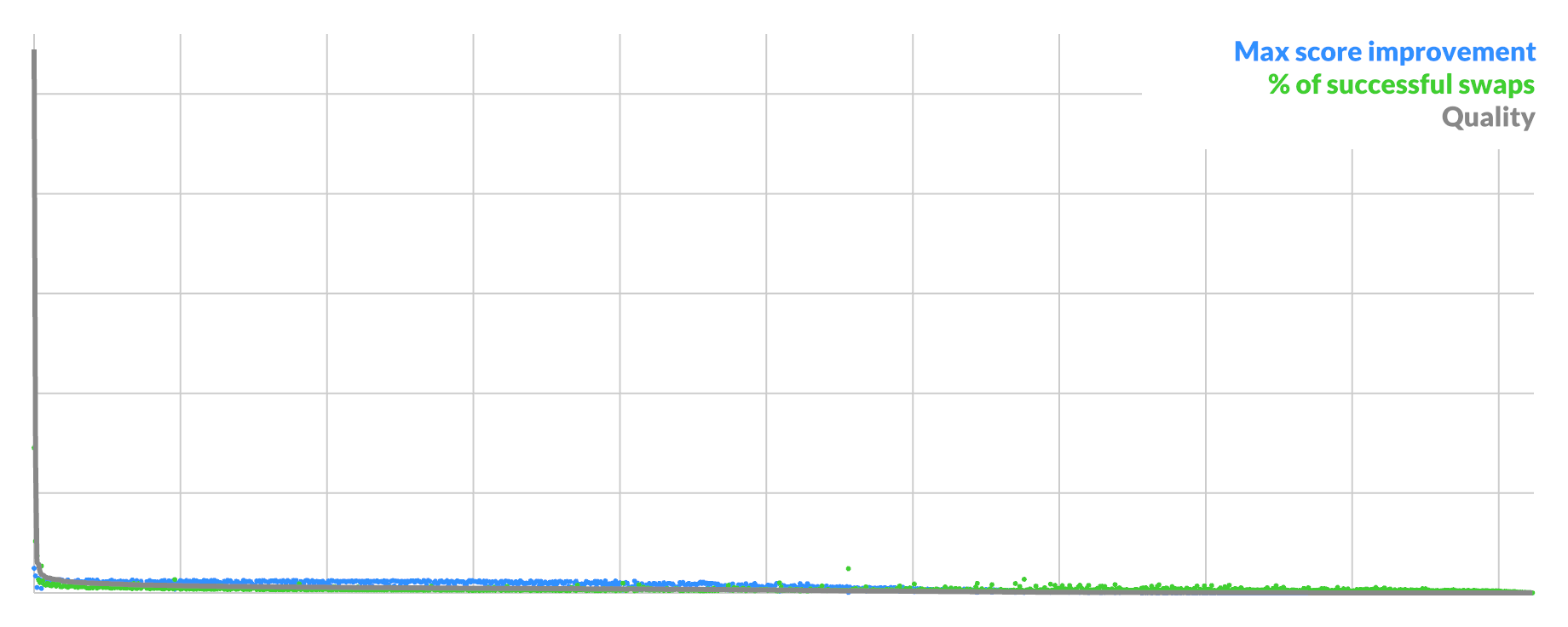
);
</code></pre>
<div class="c"></div>

<p><code>getVertex</code> and <code>getFragment</code> are two new shader closures that I can then link to a general purpose <code>main()</code> stub.</p>

<p>I do not need to care one iota about the difference between passing a buffer, a constant, or a whole 'nother chunk of shader, for any of my attributes. The props only have different names so it can typecheck. The API just composes, and will even fill in default values for nulls, just like it should.</p>

</div></div>

<div class="g12 mt2 mb1">
  <a href="http://www.croteam.com/talosprinciple/" target="_blank"><img src="https://acko.net/files/frickin/talos.jpg" alt="a puzzle"></a>
</div>

<div class="g8 i2"><div class="pad">

<h2 class="mt2">GP(GP(GP(GPU)))</h2>

<p>What's neat is that you can make access patterns themselves a first-class value, which you can compose.</p>

<p>Consider the shader:</p>

<pre><code class="language-glsl wrap small">T getValue(int index);
int getIndex(int index);

T getIndexedValue(int i) {
  int index = getIndex(i);
  return getValue(index);
}
</code></pre>
<div class="c"></div>

<p>This represents using an index buffer to read from a value buffer. This is something normally done by the hardware's vertex pipeline. But you can just express it as a shader module.</p>

<p>When you bind it to two data sources <code>getValue</code> and <code>getIndex</code>, you get a closure <code>int => T</code> that works as a new data source.</p>

<p>You can use similar patterns to construct virtual geometry generators, which start from one <code>vertexIndex</code> and produce complex output. No vertex buffers needed. This also lets you do recursive tricks, like using a line shader to make a wireframe of the geometry produced by your line shader. All with vanilla GLSL.</p>

<p>By composing higher-order shader functions, it actually becomes trivial to emulate all sorts of native GPU behavior yourself, without much boilerplate at all. Giving shaders a dead-end main function was simply a mistake. Everything done to work around that since has made it worse. <code>void main()</code> is just where currently one decent type system ends and an awful one begins, nothing more.</p>

<p>In fact, it is tempting to just put all your data into a few giant buffers, and use pointers into that. This already exists and is called "bindless rendering". But this doesn't remove all the boilerplate, it just simplifies it. Now instead of an assortment of native bindings, you mainly use them to pass around ints to buffers or images, and layer your own structs on top somehow.</p>

<p>This is a textbook case of the inner platform effect: when faced with an incomplete or limited API, eventually you will build a copy of it on top, which is more capable. This means the official API is so unproductive that adopting it actually has a negative effect. It would probably be a good idea to redesign it.</p>

<p>In my case, I want to construct and call any shader I want at run-time. Arbitrary composition is the entire point. This implies that when I want to go make a GPU call, I need to generate and link a new program, based on the specific types and access patterns of values being passed in. These may come from other shader closures, generated by remote parts of my app. I need to make sure that any subsequent draws that use that shader have the correct bindings ready to go, with all associated data loaded. Which may itself change. I would like all this to be declarative and reactive.</p>

<p>If you're a graphics dev, this is likely a horrible proposition. Each engine is its own unique snowflake, but they tend to have one thing in common: the only reason that the CPU side and the GPU side are in agreement is because someone explicitly spent lots of time making it so.</p>

<p>This is why getting past drawing a black screen is a rite of passage for GPU devs. It means you finally matched up all the places you needed to repeat yourself in your code, <i>and</i> kept it all working long enough to fix all the other bugs.</p>

<p>The idea of changing a bunch of those places simultaneously, especially at run-time, without missing a spot, is not enticing to most I bet. This is also why many games still require you to go back to the main screen to change certain settings. Only a clean restart is safe.</p>

<p>So let's work with that. If only a clean restart is safe, then the program should always behave exactly as if it had been restarted from scratch. As far as I know, nobody has been crazy enough to try and do all their graphics that way. But you can.</p>

</div></div>

<div class="c"></div>

<div class="g10 i1 mt2"><div class="pad">
  <div style="position: relative; width: 100%; padding-bottom: 56%;">
  <iframe style="position: absolute; top: 0; left: 0; right: 0; bottom: 0; width: 100%; height: 100%;" src="https://www.youtube.com/embed/2_RTLb_HyEU" frameborder="0" allowfullscreen="allowfullscreen"></iframe>
  </div>
</div></div>

<div class="c"></div>

<div class="g8 i2 mt2"><div class="pad">
  
<p>One way of doing that is with a <a href="https://acko.net/blog/climbing-mt-effect/" target="_blank">memoized effect system</a>. Mine is <a href="https://gitlab.com/unconed/use.gpu/-/blob/master/packages/app/src/app.ts#L78">somewhere halfway between</a> discount <a href="https://zio.dev/" target="_blank">ZIO</a> and discount <a href="https://www.facebook.com/react/" target="_blank">React</a>. The "effect" part ensures <i>predictable</i> execution, while the "memo" part ensures no <i>redundant</i> re-execution. It takes a while to figure out how to organize a basic WebGPU/Vulkan-like pipeline this way, but you basically just stare at the data dependencies for a very long time and keep untangling. It's just plain old code.</p>

<p>The main result is that changes are tracked only as granularly as needed. It becomes easy to ensure that even when a shader needs to be recompiled, you are still only recompiling 1 shader. You are not throwing away all other associated resources, state or caches, and the app does not need to do much work to integrate the new shader into subsequent calls immediately. That is, if you switch a binding to another of the same type, you can keep using the same shader.</p>

<p>The key thing is that I don't intend to make thousands of draw calls this way either. I just want to make a couple dozen of exactly the draw calls I need, preferably today, not next week. It's a radically different use case from what game engines need, which is what the current industry APIs are really mostly tailored for.</p>

<p>The best part is that the memoization is in no way limited to shaders. In fact, in this architecture, it always knows when it doesn't need to re-render, when nothing could have changed. Code doesn't actually run if that's the case. This is illustrated above by only having the points move around if the camera changes. For interactive graphics outside of games, this is actually a killer feature, yet it's something that's usually solved entirely ad-hoc.</p>

<p>One unanticipated side-effect is that when you add an inspector tool to a memoized effect system, you also get an inspector for every piece of significant state in your entire app.</p>

<p>On the spectrum of retained vs immediate mode, this perfectly hits that React-like sweet spot where it feels like immediate mode 90% of the time, even if it is retaining a lot behind the scenes. I highly recommend it, and it's not even finished yet.</p>

<p class="mt2 mb2 tc" style="opacity: .5">* * *</p>

<p>A while ago I said something about "React VR except with Lisp instead of tears when you look inside". This is starting to feel a lot like that.</p>

<p>In <a href="https://gitlab.com/unconed/use.gpu/-/blob/master/packages/components/src/geometry/virtual.ts#L44" target="_blank">the code</a>, it looks absolutely nothing like any OO-style library I've seen for doing the same, which is a very good sign. It looks <i>sort of</i> similar, except it's as if you removed all code except the constructors from every class, and somehow, everything still keeps on working. It contains a fraction of the bookkeeping, and instead has a bunch of dependencies attached to hooks. There is not a single <code>isDirty</code> flag anywhere, and it's all driven by plain old functions, either Typescript or GLSL.</p>

<p>The effect system allows the run-time to do all the necessary orchestration, while leaving the specifics up to "user space". This does involve version counters on the inside, but only as part of automated change detection. The difference with a dirty flag might seem like splitting hairs, but consider this: you can write a linter for a hook missing a dependency, but you can't write a linter for code missing a dirty flag somewhere. I know which one I want.</p>

<p>Right now this is still just a mediocre rendering demo. But from another perspective, this is a pretty insane simplification. In a handful of reactive components, you can get a proof-of-concept for something like Deck.GL or MapBox, in a fraction of the code it takes those frameworks. Without a bulky library in between that shields you from the actual goodies.</p>

</div></div>
]]></content>
  </entry>
  
  <entry>
    <title type="html"><![CDATA[The Coddling of the Professional Mind]]></title>
    <link href="https://acko.net/blog/the-coddling-of-the-professional-mind/"/>
    <updated>2021-10-02T00:00:00+02:00</updated>
    <id>https://acko.net/blog/the-coddling-of-the-professional-mind</id>
    <content type="html"><![CDATA[<div class="g8 i2 first"><div class="pad">

</div></div>

<div class="c"></div>

<img src="https://acko.net/files/coddling/cover.jpg" style="position: absolute; left: -5000px; top: 0;" alt="Cover Image - Tackling" />

<div class="g12"><div class="pad">

<blockquote class="m2">
  <em class="bigger">"The problem isn't that Johnny can't read. The problem isn't even that Johnny can't think. The problem is that Johnny doesn't know what thinking is; he confuses it with feeling."</em>
  <div class="tr m1">– <a href="https://en.wikipedia.org/wiki/Thomas_Sowell" target="_blank">Thomas Sowell</a></div>
</blockquote>

</div></div>

<div class="c"></div>

<div class="g8 i2 mt1"><div class="pad">  

<p>I'm not one to miss an important milestone, so let me draw your attention to a shift in norms that's taking place in the Ruby open source community: it's now no longer expected to be tolerant of views that differ.</p>

<p>This ought to be a remarkable change: previously, a common refrain was that <em>"in order to be tolerant, we cannot tolerate intolerance."</em> This was the rationale for excluding certain people, under the guise of inclusivity. Well, that line of reasoning is now on its way out, and intolerance is now openly advocated for, with lots of heart emoji to&nbsp;boot.</p>

</div></div>

<div class="g12 mt2">

<div class="tc">
  <img class="auto flat" src="https://acko.net/files/coddling/heart.jpg" alt="heart" />
  <p><i>The Anatomy of Man - Da Vinci (1513)</i></p>
</div>

</div>

<div class="g8 i2"><div class="pad">

<h2 class="mt2">Code of Misconduct</h2>

<p>Source for this is a <a href="https://github.com/ruby/www.ruby-lang.org/pull/2690/files" target="_blank">series</a> of <a href="https://github.com/ruby/www.ruby-lang.org/pull/2691/files">changes</a> to the Ruby Code of Conduct, which subtly tweak the language. The stated rationale is to <em>"remove abuse enabling&nbsp;language."</em></p>

<p>There are a few specific shifts to notice&nbsp;here:</p>

<p>
<ul class="indent">
  <li>Objections no longer have to be based on <em>reasonable</em>&nbsp;concerns.</li>
  <li>All that matters is that someone <em>could</em> consider something to be harassing&nbsp;behavior.</li>
  <li>Behavior is now mainly unacceptable if it targets <em>protected&nbsp;classes</em>.</li>
  <li>Tolerance of opposing views is removed entirely as expected&nbsp;conduct.</li>
</ul>
</p>

<p>Also noticeable is that this is done through multiple small changes, each stacking on top of the next over a few days, as a perfect illustration of <em>"boiling the&nbsp;frog."</em></p>

<p>This ought to set off alarm bells. If concerns no longer have to be reasonable, then completely unreasonable complaints will have to be taken seriously. If opposing views are no longer welcome, then casting doubt on accusations of abuse is also misconduct. If only protected classes are singled out as worthy of protection, then it creates a grey area of traits which are acceptable to use as weapons to bully&nbsp;people.</p>

<p>It shouldn't take much imagination to see how these changes can actually <em>enable</em> abuse, if you know how emotional blackmail works: it's when an abuser makes other people responsible for managing the abuser's feelings, which are unstable and not grounded in mutual respect and obligation. If Alice's behavior causes Bob to be upset, Bob castigates Alice as an offender. If Bob's behavior causes Alice to be upset, then Alice is making Bob feel unsafe, and it's still Alice's fault, who needs to make&nbsp;amends.</p>

<p>A good example is how the social interaction style of people with autism can be trivially recast as deliberate insensitivity. Cancelled Googler James Damore made exactly this point in <a href="https://quillette.com/2017/07/18/neurodiversity-case-free-speech/" target="_blank">The Neurodiversity Case for Free Speech</a>. This is also excellently illustrated in <a href="https://status451.com/2016/01/06/splain-it-to-me/" target="_blank">Splain it to Me</a> which highlights how one person's gift of information can almost always be recast as an attempt to embarrass another as&nbsp;ignorant.</p>

<p>For all this to seem sensible, the people involved have to have enormous blinders on, suffering from the phenomenon that Sowell so aptly described: the focus isn't on thinking out a set of effective and consistent rules, but rather on letting the feelings do the driving, letting the most volatile members dominate over everyone else. Quite possibly they themselves have one or more emotional abusers in their lives, who have trained them to see such asymmetry as normal. <em>"Heads I win, tails you lose"</em> is a recipe for gaslighting, after&nbsp;all.</p>

<p>The Ruby community is of course free to decide what constitutes acceptable behavior. But there is little evidence there is widespread support for such a change. On <a href="https://news.ycombinator.com/item?id=28712821" target="_blank">HackerNews</a>, the change in policy was widely criticized. Discussion on the proposals themselves was locked within a day, for being <em>"too heated,"</em> despite involving only a handful of people. This moderator action seems itself an example of the new policy, letting feelings dominate over reality: after proposing a controversial change, maintainers plug their ears because they do not wish to hear opposing views, even before they are actually uttered in&nbsp;full.</p>

</div></div>

<div class="g12 mt2">

<div class="tc">
  <img src="https://acko.net/files/coddling/burning.jpg" alt="A man kneeling and placing a laurel branch upon a pile of burning books" />
  <p><i>Marco Dente (ca. 1515-1527)</i></p>
</div>

</div>

<div class="g8 i2"><div class="pad">

<h2 class="mt2">Harassment Policy</h2>

<p>Way back in 2013, something similar happened at the PyCon conference in the notorious <a href="https://acko.net/blog/storms-and-teacups/#policy" target="_blank">DongleGate</a> incident. After overhearing a joke between two men seated in the audience, activist Adria Richards decided to take the offenders' picture and post it on Twitter. She was widely praised in media for doing so, and it resulted in the loss of the jokester's&nbsp;job.</p>

<p>What was crucial to notice, and which many people didn't, was that <em>"harassing photography"</em> was explicitly against the conference's anti-harassment policy. By any reasonable interpretation of the rules, Richards was the harasser, who wielded social media as a weapon for intimidation. She should've been sanctioned and told in no uncertain terms that such behavior was not&nbsp;welcome.</p>

<p>Of course, that did not happen. Citing concerns about women in tech, she appealed exactly to those <em>"protected classes"</em> to justify her behavior. She cast herself in the role of defender of women, while engaging in an unquestionable&nbsp;attack.</p>

<p>It's easy to show that this was not motivated by fairness or equality: had the joke been made by a woman instead, Richards wouldn't have been able to make the same argument. The accusation of sexism seemed to derive from the sexual innuendo in the joke, an assumed male-only trait. Indeed, the only reason it worked was because of her own sexism: she assumed that when one man makes a joke, he is an avatar of oppression by men in the entire industry. She treated him differently because of his sex, so her accusation of sexism was a cover for her&nbsp;own.</p>

<p>Even more ridiculous was that her actual job was <em>"Developer Relations."</em> She was supposedly tasked with improving relations with and between developers, but did the exact opposite, creating a scandal that would resonate for years. What it really showed was that she was volatile and a liability for any company that would hire her in this&nbsp;role.</p>

<p>Somehow, this all went unnoticed. Nobody involved seemed to actually think it through. The entire story ran purely on hurt feelings, narrating the entire experience from one person's subjective point of view. This is now a common thread in many environments that are supposed to be professional: the people in charge have no idea how to keep their own members in check, and allow them to hijack everyone's resources and time for grievances and external&nbsp;drama.</p>

<p>As a rare counter-example, consider crypto-exchange CoinBase. They explicitly went against the grain a year ago, by announcing they were a mission-focused company, who would concentrate their efforts on their actual core competence. Today, things are looking <a href="https://twitter.com/brian_armstrong/status/1443727729476530178" target="_blank">much brighter</a> for them, as the negative response and doom-saying in media turned out to be entirely irrelevant. On the inside, the reaction was mostly positive. The employees that left in anger were eventually replaced, with a group of equally diverse people.</p>

</div></div>

<div class="c"></div>

<div class="wide mt2"><div class="pad">

<div class="tc">
  <img class="auto" src="https://acko.net/files/coddling/philosophers.jpg" alt="The School of Athens">
  <p><i>The School of Athens - Raphael (1508)</i></p>
</div>

</div></div>

<div class="g8 i2"><div class="pad">

<h2 class="mt2">Professing</h2>

<p>Professionalism seems to be a concept that is very poorly understood. In the direct sense, it's a set of policies and strategies that allow people with wildly different interests to come together and get productive work done&nbsp;regardless.</p>

<p>In a world where many people wish to bring <em>"their entire selves to work,"</em> this can't happen. If it's more important to keep everyone's feelings in check, and less important to actually deliver results, then there's no room for fixing mistakes. It creates an environment where pointing out problems is considered an unwelcome insensitivity, to which the response is to gang up on the messenger and shoot them for being&nbsp;abusive.</p>

<p>The most common strategy is simply to shame people into silence. If that doesn't work, their objections are censored out of sight, and then reframed as bigotry if anyone asks. The narrative machine will spin up again, using emotionally charged terms such as <em>"harassment"</em> and&nbsp;<em>"sexism."</em></p>

<p>The idea of <em>"victim blaming"</em> is particularly pernicious here: any time someone invokes it, without knowing all the details, they must have pre-assumed they know who is the victim and who is the offender. This is where the concept of <em>"protected classes"</em> comes into play again.</p>

<p>While it's supposed to mean that we cannot discriminate e.g. on the basis of sex, what it means in practice is that one assumes automatically that men are the offenders and that women are being victimized. Even if it's the other way around. Indeed, such a model is the cornerstone of intersectionality, a social theory which teaches that on every demographic axis, one can identify exclusive categories of oppressors and the oppressed. White oppresses black, straight oppresses gay, cis oppresses trans, and so&nbsp;on.</p>

<p>If you engage such bigoteers in debate, the experience is pretty much like talking to a brick wall. You are not speaking to someone who is interested in being correct, merely in remaining on the right side. This seems to be the axiom from which they start, and a core part of their self-image. If you insist on peeling off the fallacies and mistakes in reasoning, you only invoke more ire. Your line of reasoning is upsetting to them, and therefor, you are a bigot who needs to leave, or be forcefully expelled. In the name of tolerance, for the sake of diversity and inclusion, they flatten the actual complexities of life and become utterly intolerant and&nbsp;exclusionary.</p>

<p>It's no coincidence that these cultural flare ups first came to a head in environments like open source, where results speak the loudest. Or in STEM and video games, where merit reigns supreme. When faced with widespread competence, the incompetent resort to lesser weapons and begin to undermine social norms, to try and mend the gap between their self-image and what they are actually able to&nbsp;do.</p>

<p class="tc muted mt2 mb2">* * *</p> 

<p>Personally, I'm quite optimistic, because the game is now clearly visible. In their zeal for ideological purity, activists have blown straight past their own end zone. When they tell you they are no longer interested in tolerance, you should believe them. It represents a complete abandonment of the principles that allowed liberal society to grow and&nbsp;flourish.</p>

<p>That means tolerance now again belongs to the adults in the room, who are able to separate fact from fiction, and feelings from actual principled&nbsp;conviction. We can only hope these children finally learn.</p>

</div></div>

<div class="c"></div>
]]></content>
  </entry>
  
  <entry>
    <title type="html"><![CDATA[In Search of Sophistication]]></title>
    <link href="https://acko.net/blog/in-search-of-sophistication/"/>
    <updated>2021-09-11T00:00:00+02:00</updated>
    <id>https://acko.net/blog/in-search-of-sophistication</id>
    <content type="html"><![CDATA[<img src="https://acko.net/files/sophistication/cover.jpg" style="position: absolute; left: -5000px; top: 0;" alt="Cover Image" />

<div class="g8 i2"><div class="pad">
  
<h2 class="sub">Cultural Assimilation, Theory vs&nbsp;Practice</h2>

<p>The other day, I read the following, shared 22,000+ times on social&nbsp;media:</p>

<blockquote>
<p><em>"Broken English is a sign of courage and intelligence, and it would be nice if more people remembered that when interacting with immigrants and&nbsp;refugees."</em></p>
</blockquote>

<p>This resonates with me, as I spent 10 years living on the other side of the world. Eventually I lost my accent in English, which took conscious effort and practice. These days I live in a majority French city and neighborhood, as a native Dutch speaker. When I need to call a plumber, I first have to go look up the words for "drainage pipe." When my barber asks me what kind of cut I want, it mostly involves gesturing and&nbsp;"short".</p>

<p>This is why I am baffled by the follow-up, by the same&nbsp;person:</p>

<blockquote>
<p><em>"Thanks to everyone commenting on the use of 'broken' to describe language. You're right. It is problematic. I'll use 'beginner' from now&nbsp;on."</em></p>
</blockquote>

<p>It's not difficult to imagine the pile-on that must've happened for the author to add this note. What is difficult to imagine is that anyone who raised the objection has actually ever thought about&nbsp;it.</p>

</div></div>

<div class="c"></div>

<div class="wide mt2 mb1">
  <img src="https://acko.net/files/sophistication/mines.jpg" alt="mines">
</div>

<div class="c"></div>

<div class="g8 i2"><div class="pad">

<h2 class="mt3">Minesweeper</h2>

<p>Consider what this situation looks like to an actual foreigner who is learning English and trying to speak it. While being ostensibly lauded for their courage, they are simultaneously shown that the English language is a minefield where an expression as plain as "broken English" is considered a faux pas, enough to warrant a public correction and&nbsp;apology.</p>

<p>To stay in people's good graces, you must speak English not as the dictionary teaches you, but according to the whims and fashions of a highly volatile and easily triggered mass. They effectively demand you speak a particular <em>dialect</em>, one which mostly matches the sensibilities of the wealthier, urban parts of coastal America. This is an incredibly provincial&nbsp;perspective.</p>

<p>The objection relies purely on the perception that "broken" is a word with a negative connotation. It ignores the obvious fact that people who speak a language poorly do so in a <em>broken</em> way: they speak with interruptions, struggling to find words, and will likely say things they don't quite mean. The dialect demands that you pretend this isn't so, by never mentioning it&nbsp;directly.</p>

<p>But in order to recognize the courage and intelligence of someone speaking a foreign language, you must be able to see past such connotations. You must ignore the apparent subtleties of the words, and try to deduce the intended meaning of the message. Therefor, the entire sentiment is self-defeating. It fell on such deaf ears that even the author seemingly missed the point. One must conclude that they don't actually interact with foreigners much, at least not ones who speak broken&nbsp;English.</p>

<p>The sentiment is a good example of what is often called a <em>luxury belief</em>: a conviction that doesn't serve the less fortunate or abled people it claims to support. Often the opposite. It merely helps privileged, upper-class people feel better about themselves, by demonstrating to everyone how sophisticated they are. That is, people who will never interact with immigrants or refugees unless they are already well integrated and wealthy&nbsp;enough.</p>

<p>By labeling it as "beginner English," they effectively demand an affirmation that the way a foreigner speaks is only temporary, that it will get better over time. But I can tell you, this isn't done out of charity. Because I have experienced the transition from speaking like a foreigner to speaking like one of them. People treat you and your ideas differently. In some ways, they cut you less slack. In other ways, it's only then that they finally start to take you&nbsp;seriously.</p>

<p>Let me illustrate this with an example that sophisticates will surely be allergic to. One time, while at a bar, when I still had my accent, I attempted to colloquially use a particular word. That word is "nigga." With an "a" at the end. In response, there was a proverbial record scratch, and my companions patiently and carefully explained to me that that was a word that polite people do not&nbsp;use.</p>

<p>No shit, Sherlock. You live on a continent that exports metric tons of gangsta rap. We can all hear and see it. It's <em>really</em> not difficult to understand the particular rules. <em>Bitch, did I&nbsp;stutter?</em></p>

<p>Even though I had plenty of awareness of the linguistic sensitivities they were beholden to, in that moment, they treated me like an idiot, while playing the role of a more sophisticated adult. They saw themselves as empathetic and concerned, but actually demonstrated they didn't take me fully seriously. Not like one of them at&nbsp;all.</p>

<p>If you want people's unconditional respect, here's what did work for me: you go toe-to-toe with someone's alcoholic wine aunt at a party, as she tries to degrade you and your friend, who is the host. You effortlessly spit back fire in her own tongue and get the crowd on your side. Then you casually let them know you're not even one of them, not one bit. Jawdrops&nbsp;guaranteed.</p>

<p>This is what peak assimilation actually looks&nbsp;like.</p>

</div></div>

<div class="g10 i1"><div class="pad">

<p class="mt2"><img class="auto" src="https://acko.net/files/sophistication/frieten.jpg" alt="Ethnic food" title="Ethnic Food"></p>

</div></div>

<div class="g8 i2"><div class="pad">

<h2 class="mt3">The Ethnic Aisle</h2>

<p>In a similar vein, consider the following, from <a href="https://archive.is/jmk1I">NYT&nbsp;Food</a>:</p>

<blockquote>
<p><em>"Why do American grocery stores still have an ethnic&nbsp;aisle?</em></p>
</blockquote>

<p>The writer laments the existence of segregated foods in stores, and questions their utility. "Ethnic food" is a meaningless term, we are told, because everyone has an ethnicity. Such aisles even personify a legacy of white supremacy and colonialism. They are an anachronism which must be dismantled and eliminated wholesale, though it <em>"may not be easy or even all that&nbsp;popular."</em></p>

<p>We do get other perspectives: shop owners simply put products where their customers are most likely to go look for them. Small brands tend to receive obscure placement, while larger brands get mixed in with the other foods, which is just how business goes. The ethnic aisle can also signal that the products are the undiluted original, rather than a version adapted to local palates. Some native shoppers explicitly go there to discover new ingredients or flavors, and find it&nbsp;convenient.</p>

<p>More so, the point about colonialism seems to be entirely undercut by the mention of "American aisles" in other countries, containing e.g. peanut butter, BBQ sauce and boxed cake mix. It cannot be colonialism on "our" part both when "we" import "their" products, <em>as well</em> as when "they" import "ours". That's just called&nbsp;<em>trade</em>.</p>

<p>Along the way, the article namedrops the exotic ingredients and foreign brands that apparently should just be mixed in with the rest: cassava flour, pomegranate molasses, dal makhani, jollof rice seasoning, and so on. We are introduced to a whole cast of business owners <em>"of color,"</em> with foreign-sounding names. We are told about the <em>"desire for more nuanced storytelling,"</em> including two sisters who bypassed stores entirely by selling online, while mocking ethnic aisles on TikTok. Which we all know is the most nuanced of&nbsp;places.</p>

<p>I find the whole thing preposterous. In order to even consider the premise, you already have to live in an incredibly diverse, cosmopolitan city. You need to have convenient access to products imported from around the world. This is an enormous luxury, enabled by global peace and prosperity, as well as long-haul and just-in-time logistics. There, you can open an app on your phone and have top-notch world cuisine delivered to your doorstep in half an&nbsp;hour.</p>

</div></div>

<div class="g8 r"><div class="pad">
  
<p>For comparison, my parents are in their 70s and they first ate spaghetti as <em>teenagers</em>. Also, most people here still have no clue what to do with fish sauce other than throw it away as soon as possible, lest you spill any. This is fine. The expectation that every cuisine is equally commoditized in your local corner store is a huge sign of privilege, which reveals how provincial the premise truly is. It ignores that there are wide ranging differences between countries in what is standard in a grocery store, and what people know how to make at home.</p>
  
<p>Even chips flavors can differ wildly from country to country, from the very same multinational brands. Did you know paprika chips are the most common thing in some places, and not a hipster&nbsp;food?</p>

</div></div>

<div class="g4">
  <p class="tc"><img class="auto" src="https://acko.net/files/sophistication/paprika.jpg" alt="paprika chips by lays" title="Paprika chips by Lays" /></p>
</div>
  
<div class="c"></div>

<div class="g8 i2"><div class="pad">

<p>Crucially, in a different time, you could come up with the same complaints. In the past it would be about foods we now consider ordinary. In the future it would be about things we've never even heard of. While the story is presented as a current issue for the current times, there is nothing to actually support&nbsp;this.</p>

<p>To me, this ignorance is a feature, not a bug. The point of the article is apparently to waffle aimlessly while namedropping a lot of things the reader likely hasn't heard of. The main selling point is novelty, which paints the author and their audience as being particularly in-the-know. It lets them feel they are sophisticated because of the foods they cook and eat, as well as the people they know and the businesses they frequent. If you're not in this loop, you're <em>supposed</em> to feel unsophisticated and behind the&nbsp;times.</p>

<p>It's no coincidence that this is published in the New York Times. New Yorkers have a well-earned reputation for being oblivious about life outside their bubble: the city offers the sense that you can have access to anything, but its attention is almost always turned inwards. It's not hard to imagine why, given the astronomical cost of living: surely it must be worth it! And yes, I have in fact spent a fair amount of time there, working. It couldn't just be that life elsewhere is cheaper, safer, cleaner and friendlier. That you can reach an airport in less than 2 hours during rush hour. On a comfortable, modern train. Which doesn't look and smell like an ashtray that hasn't been emptied out since 1975.</p>

<p>But I&nbsp;digress.</p>

<p><em>"Ethnic aisles are meaningless because everyone has an ethnicity"</em> is revealed to be a meaningless thought. It smacks headfirst into the reality of the food business, which is a lesson the article seems determined not to learn. When "diversity" turns out to mean that people are actually diverse, have different needs and wants, and don't all share the same point of view, they just think diversity is wrong, or at least, outmoded, a <em>"necessary evil."</em> Even if they have no real basis of&nbsp;comparison.</p>

</div></div>

<div class="c"></div>

<div class="wide mt2"><div class="pad">

<p><img class="auto" src="https://acko.net/files/sophistication/newyork.jpg" alt="graffiti near school in New York"></p>

</div></div>

<div class="g8 i2"><div class="pad">

<h2 class="mt3">Negative Progress</h2>

<p>I think both stories capture an underlying social affliction, which is about progress and&nbsp;progressivism.</p>

<p>The basic premise of progressivism is seemingly one of optimism: we aim to make the future better than today. But the way it often works is by painting the present as fundamentally flawed, and the past as irredeemable. The purpose of adopting progressive beliefs is then to escape these flaws yourself, at least temporarily. You make them other people's fault by calling for change, even demanding&nbsp;it.</p>

<p>What is particularly noticeable is that perceived infractions are often in defense of people who aren't actually present at all. The person making the complaint doesn't suffer any particular injury or slight, but others might, and this is enough to condemn in the name of progress. <em>"If an [X] person saw that, they'd be upset, so how dare you?"</em> In the story of "broken English," the original message doesn't actually refer to a specific person or incident. It's just a general thing we are supposed to collectively do. That the follow-up completely contradicts the premise, well, that apparently doesn't matter. In the case of the ethnic aisle, the contradictory evidence is only reluctantly acknowledged, and you get the impression they had hoped to write a very different&nbsp;story.</p>

<p>This too is a provincial belief masquerading as sophistication. It mashes together groups of people as if they all share the exact same beliefs, hang-ups and sensitivities. Even if individuals are all saying different things, there is an assumed archetype that overrules it all, and tells you what people really think and feel, or should&nbsp;feel.</p>

<p>To do this, you have to see entire groups as an "other," as people that are fundamentally less diverse, self-aware and curious than the group you're in. That they need you to stand up for them, that they can't do it themselves. It means that "inclusion" is often not about including other groups, but about dividing your own group, so you can exclude people from it. The "diversity" it seeks reeks of blandness and&nbsp;commodification.</p>

<p>In the short term it's a zero-sum game of mining status out of each other, but in the long run everyone loses, because it lets the most unimaginative, unworldly people set the agenda. The sense of sophistication that comes out of this is imaginary: it relies on imagining fault where there is none, and playing meaningless word games. It's not about what you say, but how you say it, and the rules change constantly. Better keep&nbsp;up.</p>

<p>Usually this is associated with a profound ignorance about the actual past. This too is a status-mining move, only against people who are long gone and can't defend themselves. Given how much harsher life was, with deadly diseases, war and famine regular occurences, our ancestors had to be far smarter, stronger and self-sufficient, just to survive. They weren't less sophisticated, they came up with all the sophisticated things in the first&nbsp;place.</p>

<p>When it comes to the more recent past, you get the impression many people still think 1970 was 30, not 51 years ago. The idea that everyone was irredeemably sexist, racist and homophobic barely X years ago just doesn't hold up. Real friendships and relationships have always been able to transcend larger social matters. Vice versa, the idea that one day, everyone will be completely tolerant flies in the face of evidence and human nature. Especially the people who loudly say how tolerant they are: there are plenty of skeletons in <em>those</em> closets, you can be sure of that.</p>

<p class="tc mt2 mb2" style="opacity: 0.5">* * *</p>

<p>There's a Dutch expression that applies here: claiming to have invented hot water. To American readers, I gotta tell you: it really isn't hard to figure out that America is a society stratified by race, or exactly how. I figured that out the first time I visited in 2001. I hadn't even left the airport in Philadelphia when it occurred to me that every janitor I had seen was both black and morbidly obese. Completely unrelated, McDonald's was selling $1 cheeseburgers.</p>

<p>Later in the day, a black security guard had trouble reading an old-timey handwritten European passport. Is cursive racist? Or is American literacy abysmal because of fundamental problems in how school funding is tied to property&nbsp;taxes? You know this isn't a thing elsewhere, right?</p>

<p>In the 20 years since then, nothing substantial has improved on this front. Quite the opposite: many American schools and universities have abandoned their mission of teaching, in favor of pushing a particular worldview on their students, which leaves them ill-equipped to deal with the real world.</p>

<p>Ironically this has created a wave of actual American colonialism, transplanting the ideology of intersectionality onto other Western countries where it doesn't apply. Each country has their own long history of ethnic strife, with entirely different categories. The aristocrats who ruled my ancestors didn't even let them get educated in our own language. That was a right people had to fight for in the late 1960s. You want to tell me which words I should capitalize and which I shouldn't? Take a&nbsp;hike.</p>

<p>Not a year ago, someone trying to receive health care here in Dutch was called <em>racist</em> for it, by a French speaker. It should be obvious the person who did so was 100% projecting. I suspect insecurity: Dutch speakers are commonly multi-lingual, but French speakers are not. When you are surrounded by people who can speak your language, when you don't speak a word of theirs, the moron is you, but the ego likes to say otherwise. So you pretend yours is the sophisticated&nbsp;side.</p>

<p>All it takes to pierce this bubble is to actually put the platitudes and principles to the test. No wonder people are so&nbsp;terrified.</p>

</div></div>
]]></content>
  </entry>
  
</feed>