<!doctype html>
<html lang="en-US">

<head>
    <meta charset="UTF-8">
    <meta name="viewport" content="width=device-width, initial-scale=1">
    <link rel="profile" href="https://gmpg.org/xfn/11">
    <link rel="preconnect" href="https://fonts.googleapis.com">
    <link rel="preconnect" href="https://fonts.gstatic.com" crossorigin>
    <link href="https://fonts.googleapis.com/css2?family=DM+Sans:opsz,wght@9..40,300;9..40,400;9..40,500&display=swap" rel="stylesheet">

    <!--||  JM Twitter Cards by jmau111 v14.1.0  ||-->
<meta name="twitter:card" content="summary">
<meta name="twitter:creator" content="@BinaryNights">
<meta name="twitter:site" content="@BinaryNights">
<meta name="twitter:title" content="ForkLift Blog">
<meta name="twitter:image" content="https://blog.binarynights.com/wp-content/uploads/2021/04/bn-logo.pnghttps://blog.binarynights.com/wp-content/plugins/jm-twitter-cards/admin/img/Twitter_logo_blue.png">
<meta name="twitter:image:alt" content="Binary Nights Logo">
<!--||  /JM Twitter Cards by jmau111 v14.1.0  ||-->
<title>ForkLift Blog &#8211; The latest updates, tips, and insights for ForkLift users</title>
<meta name='robots' content='max-image-preview:large' />
<link rel='dns-prefetch' href='//stats.wp.com' />
<link rel='dns-prefetch' href='//widgets.wp.com' />
<link rel='dns-prefetch' href='//s0.wp.com' />
<link rel='dns-prefetch' href='//0.gravatar.com' />
<link rel='dns-prefetch' href='//1.gravatar.com' />
<link rel='dns-prefetch' href='//2.gravatar.com' />
<link rel='preconnect' href='//i0.wp.com' />
<link rel='preconnect' href='//c0.wp.com' />
<link rel="alternate" type="application/rss+xml" title="ForkLift Blog &raquo; Feed" href="https://blog.binarynights.com/feed/" />
<link rel="alternate" type="application/rss+xml" title="ForkLift Blog &raquo; Comments Feed" href="https://blog.binarynights.com/comments/feed/" />
<style id="wp-img-auto-sizes-contain-inline-css">
img:is([sizes=auto i],[sizes^="auto," i]){contain-intrinsic-size:3000px 1500px}
/*# sourceURL=wp-img-auto-sizes-contain-inline-css */
</style>
<link rel='stylesheet' id='all-css-1ed8d953a342f3cdcaad2a54df53e426' href='https://blog.binarynights.com/wp-content/plugins/jetpack/modules/infinite-scroll/infinity.css?m=1777914508' type='text/css' media='all' />
<style id="wp-emoji-styles-inline-css">

	img.wp-smiley, img.emoji {
		display: inline !important;
		border: none !important;
		box-shadow: none !important;
		height: 1em !important;
		width: 1em !important;
		margin: 0 0.07em !important;
		vertical-align: -0.1em !important;
		background: none !important;
		padding: 0 !important;
	}
/*# sourceURL=wp-emoji-styles-inline-css */
</style>
<style id="wp-block-library-inline-css">
:root{--wp-block-synced-color:#7a00df;--wp-block-synced-color--rgb:122,0,223;--wp-bound-block-color:var(--wp-block-synced-color);--wp-editor-canvas-background:#ddd;--wp-admin-theme-color:#007cba;--wp-admin-theme-color--rgb:0,124,186;--wp-admin-theme-color-darker-10:#006ba1;--wp-admin-theme-color-darker-10--rgb:0,107,160.5;--wp-admin-theme-color-darker-20:#005a87;--wp-admin-theme-color-darker-20--rgb:0,90,135;--wp-admin-border-width-focus:2px}@media (min-resolution:192dpi){:root{--wp-admin-border-width-focus:1.5px}}.wp-element-button{cursor:pointer}:root .has-very-light-gray-background-color{background-color:#eee}:root .has-very-dark-gray-background-color{background-color:#313131}:root .has-very-light-gray-color{color:#eee}:root .has-very-dark-gray-color{color:#313131}:root .has-vivid-green-cyan-to-vivid-cyan-blue-gradient-background{background:linear-gradient(135deg,#00d084,#0693e3)}:root .has-purple-crush-gradient-background{background:linear-gradient(135deg,#34e2e4,#4721fb 50%,#ab1dfe)}:root .has-hazy-dawn-gradient-background{background:linear-gradient(135deg,#faaca8,#dad0ec)}:root .has-subdued-olive-gradient-background{background:linear-gradient(135deg,#fafae1,#67a671)}:root .has-atomic-cream-gradient-background{background:linear-gradient(135deg,#fdd79a,#004a59)}:root .has-nightshade-gradient-background{background:linear-gradient(135deg,#330968,#31cdcf)}:root .has-midnight-gradient-background{background:linear-gradient(135deg,#020381,#2874fc)}:root{--wp--preset--font-size--normal:16px;--wp--preset--font-size--huge:42px}.has-regular-font-size{font-size:1em}.has-larger-font-size{font-size:2.625em}.has-normal-font-size{font-size:var(--wp--preset--font-size--normal)}.has-huge-font-size{font-size:var(--wp--preset--font-size--huge)}:root .has-text-align-center{text-align:center}:root .has-text-align-left{text-align:left}:root .has-text-align-right{text-align:right}.has-fit-text{white-space:nowrap!important}#end-resizable-editor-section{display:none}.aligncenter{clear:both}.items-justified-left{justify-content:flex-start}.items-justified-center{justify-content:center}.items-justified-right{justify-content:flex-end}.items-justified-space-between{justify-content:space-between}.screen-reader-text{word-wrap:normal!important;border:0;clip-path:inset(50%);height:1px;margin:-1px;overflow:hidden;padding:0;position:absolute;width:1px}.screen-reader-text:focus{background-color:#ddd;clip-path:none;color:#444;display:block;font-size:1em;height:auto;left:5px;line-height:normal;padding:15px 23px 14px;text-decoration:none;top:5px;width:auto;z-index:100000}html :where(.has-border-color){border-style:solid}html :where([style*=border-color]){border-style:solid}html :where([style*=border-top-color]){border-top-style:solid}html :where([style*=border-right-color]){border-right-style:solid}html :where([style*=border-bottom-color]){border-bottom-style:solid}html :where([style*=border-left-color]){border-left-style:solid}html :where([style*=border-width]){border-style:solid}html :where([style*=border-top-width]){border-top-style:solid}html :where([style*=border-right-width]){border-right-style:solid}html :where([style*=border-bottom-width]){border-bottom-style:solid}html :where([style*=border-left-width]){border-left-style:solid}html :where(img[class*=wp-image-]){height:auto;max-width:100%}:where(figure){margin:0 0 1em}html :where(.is-position-sticky){--wp-admin--admin-bar--position-offset:var(--wp-admin--admin-bar--height,0px)}@media screen and (max-width:600px){html :where(.is-position-sticky){--wp-admin--admin-bar--position-offset:0px}}

/*# sourceURL=/wp-includes/css/dist/block-library/common.min.css */
</style>
<style id="wp-block-heading-inline-css">
h1:where(.wp-block-heading).has-background,h2:where(.wp-block-heading).has-background,h3:where(.wp-block-heading).has-background,h4:where(.wp-block-heading).has-background,h5:where(.wp-block-heading).has-background,h6:where(.wp-block-heading).has-background{padding:1.25em 2.375em}h1.has-text-align-left[style*=writing-mode]:where([style*=vertical-lr]),h1.has-text-align-right[style*=writing-mode]:where([style*=vertical-rl]),h2.has-text-align-left[style*=writing-mode]:where([style*=vertical-lr]),h2.has-text-align-right[style*=writing-mode]:where([style*=vertical-rl]),h3.has-text-align-left[style*=writing-mode]:where([style*=vertical-lr]),h3.has-text-align-right[style*=writing-mode]:where([style*=vertical-rl]),h4.has-text-align-left[style*=writing-mode]:where([style*=vertical-lr]),h4.has-text-align-right[style*=writing-mode]:where([style*=vertical-rl]),h5.has-text-align-left[style*=writing-mode]:where([style*=vertical-lr]),h5.has-text-align-right[style*=writing-mode]:where([style*=vertical-rl]),h6.has-text-align-left[style*=writing-mode]:where([style*=vertical-lr]),h6.has-text-align-right[style*=writing-mode]:where([style*=vertical-rl]){rotate:180deg}
/*# sourceURL=https://blog.binarynights.com/wp-includes/blocks/heading/style.min.css */
</style>
<style id="wp-block-image-inline-css">
.wp-block-image>a,.wp-block-image>figure>a{display:inline-block}.wp-block-image img{box-sizing:border-box;height:auto;max-width:100%;vertical-align:bottom}@media not (prefers-reduced-motion){.wp-block-image img.hide{visibility:hidden}.wp-block-image img.show{animation:show-content-image .4s}}.wp-block-image[style*=border-radius] img,.wp-block-image[style*=border-radius]>a{border-radius:inherit}.wp-block-image.has-custom-border img{box-sizing:border-box}.wp-block-image.aligncenter{text-align:center}.wp-block-image.alignfull>a,.wp-block-image.alignwide>a{width:100%}.wp-block-image.alignfull img,.wp-block-image.alignwide img{height:auto;width:100%}.wp-block-image .aligncenter,.wp-block-image .alignleft,.wp-block-image .alignright,.wp-block-image.aligncenter,.wp-block-image.alignleft,.wp-block-image.alignright{display:table}.wp-block-image .aligncenter>figcaption,.wp-block-image .alignleft>figcaption,.wp-block-image .alignright>figcaption,.wp-block-image.aligncenter>figcaption,.wp-block-image.alignleft>figcaption,.wp-block-image.alignright>figcaption{caption-side:bottom;display:table-caption}.wp-block-image .alignleft{float:left;margin:.5em 1em .5em 0}.wp-block-image .alignright{float:right;margin:.5em 0 .5em 1em}.wp-block-image .aligncenter{margin-left:auto;margin-right:auto}.wp-block-image :where(figcaption){margin-bottom:1em;margin-top:.5em}.wp-block-image.is-style-circle-mask img{border-radius:9999px}@supports ((-webkit-mask-image:none) or (mask-image:none)) or (-webkit-mask-image:none){.wp-block-image.is-style-circle-mask img{border-radius:0;-webkit-mask-image:url('data:image/svg+xml;utf8,<svg viewBox="0 0 100 100" xmlns="http://www.w3.org/2000/svg"><circle cx="50" cy="50" r="50"/></svg>');mask-image:url('data:image/svg+xml;utf8,<svg viewBox="0 0 100 100" xmlns="http://www.w3.org/2000/svg"><circle cx="50" cy="50" r="50"/></svg>');mask-mode:alpha;-webkit-mask-position:center;mask-position:center;-webkit-mask-repeat:no-repeat;mask-repeat:no-repeat;-webkit-mask-size:contain;mask-size:contain}}:root :where(.wp-block-image.is-style-rounded img,.wp-block-image .is-style-rounded img){border-radius:9999px}.wp-block-image figure{margin:0}.wp-lightbox-container{display:flex;flex-direction:column;position:relative}.wp-lightbox-container img{cursor:zoom-in}.wp-lightbox-container img:hover+button{opacity:1}.wp-lightbox-container button{align-items:center;backdrop-filter:blur(16px) saturate(180%);background-color:#5a5a5a40;border:none;border-radius:4px;cursor:zoom-in;display:flex;height:20px;justify-content:center;opacity:0;padding:0;position:absolute;right:16px;text-align:center;top:16px;width:20px;z-index:100}@media not (prefers-reduced-motion){.wp-lightbox-container button{transition:opacity .2s ease}}.wp-lightbox-container button:focus-visible{outline:3px auto #5a5a5a40;outline:3px auto -webkit-focus-ring-color;outline-offset:3px}.wp-lightbox-container button:hover{cursor:pointer;opacity:1}.wp-lightbox-container button:focus{opacity:1}.wp-lightbox-container button:focus,.wp-lightbox-container button:hover,.wp-lightbox-container button:not(:hover):not(:active):not(.has-background){background-color:#5a5a5a40;border:none}.wp-lightbox-overlay{box-sizing:border-box;cursor:zoom-out;height:100vh;left:0;overflow:hidden;position:fixed;top:0;visibility:hidden;width:100%;z-index:100000}.wp-lightbox-overlay .wp-lightbox-close-button{align-items:center;cursor:pointer;display:flex;font-family:inherit;gap:8px;justify-content:center;line-height:1;min-height:40px;min-width:40px;padding:0 4px;position:absolute;right:calc(env(safe-area-inset-right) + 16px);top:calc(env(safe-area-inset-top) + 16px);z-index:5000000}.wp-lightbox-overlay .wp-lightbox-close-button:focus,.wp-lightbox-overlay .wp-lightbox-close-button:hover,.wp-lightbox-overlay .wp-lightbox-close-button:not(:hover):not(:active):not(.has-background){background:none;border:none}.wp-lightbox-overlay .wp-lightbox-close-button:has(.wp-lightbox-close-text:not([hidden])) .wp-lightbox-close-icon svg{height:1em;width:1em}.wp-lightbox-overlay .wp-lightbox-close-icon svg{display:block}.wp-lightbox-overlay .wp-lightbox-navigation-button-next,.wp-lightbox-overlay .wp-lightbox-navigation-button-prev{align-items:center;bottom:16px;cursor:pointer;display:flex;font-family:inherit;gap:4px;justify-content:center;line-height:1;min-height:40px;min-width:40px;padding:0 8px;position:absolute;z-index:2000002}.wp-lightbox-overlay .wp-lightbox-navigation-button-next[hidden],.wp-lightbox-overlay .wp-lightbox-navigation-button-prev[hidden]{display:none}@media (min-width:960px){.wp-lightbox-overlay .wp-lightbox-navigation-button-next,.wp-lightbox-overlay .wp-lightbox-navigation-button-prev{bottom:50%;transform:translateY(-50%)}}.wp-lightbox-overlay .wp-lightbox-navigation-button-next:focus,.wp-lightbox-overlay .wp-lightbox-navigation-button-next:hover,.wp-lightbox-overlay .wp-lightbox-navigation-button-next:not(:hover):not(:active):not(.has-background),.wp-lightbox-overlay .wp-lightbox-navigation-button-prev:focus,.wp-lightbox-overlay .wp-lightbox-navigation-button-prev:hover,.wp-lightbox-overlay .wp-lightbox-navigation-button-prev:not(:hover):not(:active):not(.has-background){background:none;border:none;padding:0 8px}.wp-lightbox-overlay .wp-lightbox-navigation-button-next:has(.wp-lightbox-navigation-text:not([hidden])) .wp-lightbox-navigation-icon svg,.wp-lightbox-overlay .wp-lightbox-navigation-button-prev:has(.wp-lightbox-navigation-text:not([hidden])) .wp-lightbox-navigation-icon svg{display:block;height:1.5em;width:1.5em}.wp-lightbox-overlay .wp-lightbox-navigation-button-prev{left:calc(env(safe-area-inset-left) + 16px)}.wp-lightbox-overlay .wp-lightbox-navigation-button-next{right:calc(env(safe-area-inset-right) + 16px)}.wp-lightbox-overlay .wp-lightbox-navigation-icon svg{vertical-align:middle}.wp-lightbox-overlay .lightbox-image-container{height:var(--wp--lightbox-container-height);left:50%;overflow:hidden;position:absolute;top:50%;transform:translate(-50%,-50%);transform-origin:top left;width:var(--wp--lightbox-container-width);z-index:2000001}.wp-lightbox-overlay .wp-block-image{align-items:center;box-sizing:border-box;display:flex;height:100%;justify-content:center;margin:0;position:relative;transform-origin:0 0;width:100%;z-index:3000000}.wp-lightbox-overlay .wp-block-image img{height:var(--wp--lightbox-image-height);min-height:var(--wp--lightbox-image-height);min-width:var(--wp--lightbox-image-width);width:var(--wp--lightbox-image-width)}.wp-lightbox-overlay .wp-block-image figcaption{display:none}.wp-lightbox-overlay button{background:none;border:none}.wp-lightbox-overlay .scrim{background-color:#fff;height:100%;opacity:.9;position:absolute;width:100%;z-index:2000000}.wp-lightbox-overlay.active{visibility:visible}@media not (prefers-reduced-motion){.wp-lightbox-overlay.active{animation:turn-on-visibility .25s both}.wp-lightbox-overlay.active img{animation:turn-on-visibility .35s both}.wp-lightbox-overlay.show-closing-animation:not(.active){animation:turn-off-visibility .35s both}.wp-lightbox-overlay.show-closing-animation:not(.active) img{animation:turn-off-visibility .25s both}.wp-lightbox-overlay.zoom.active{animation:none;opacity:1;visibility:visible}.wp-lightbox-overlay.zoom.active .lightbox-image-container{animation:lightbox-zoom-in .4s}.wp-lightbox-overlay.zoom.active .lightbox-image-container img{animation:none}.wp-lightbox-overlay.zoom.active .scrim{animation:turn-on-visibility .4s forwards}.wp-lightbox-overlay.zoom.show-closing-animation:not(.active){animation:none}.wp-lightbox-overlay.zoom.show-closing-animation:not(.active) .lightbox-image-container{animation:lightbox-zoom-out .4s}.wp-lightbox-overlay.zoom.show-closing-animation:not(.active) .lightbox-image-container img{animation:none}.wp-lightbox-overlay.zoom.show-closing-animation:not(.active) .scrim{animation:turn-off-visibility .4s forwards}}@keyframes show-content-image{0%{visibility:hidden}99%{visibility:hidden}to{visibility:visible}}@keyframes turn-on-visibility{0%{opacity:0}to{opacity:1}}@keyframes turn-off-visibility{0%{opacity:1;visibility:visible}99%{opacity:0;visibility:visible}to{opacity:0;visibility:hidden}}@keyframes lightbox-zoom-in{0%{transform:translate(calc((-100vw + var(--wp--lightbox-scrollbar-width))/2 + var(--wp--lightbox-initial-left-position)),calc(-50vh + var(--wp--lightbox-initial-top-position))) scale(var(--wp--lightbox-scale))}to{transform:translate(-50%,-50%) scale(1)}}@keyframes lightbox-zoom-out{0%{transform:translate(-50%,-50%) scale(1);visibility:visible}99%{visibility:visible}to{transform:translate(calc((-100vw + var(--wp--lightbox-scrollbar-width))/2 + var(--wp--lightbox-initial-left-position)),calc(-50vh + var(--wp--lightbox-initial-top-position))) scale(var(--wp--lightbox-scale));visibility:hidden}}
/*# sourceURL=https://blog.binarynights.com/wp-includes/blocks/image/style.min.css */
</style>
<style id="wp-block-paragraph-inline-css">
.is-small-text{font-size:.875em}.is-regular-text{font-size:1em}.is-large-text{font-size:2.25em}.is-larger-text{font-size:3em}.has-drop-cap:not(:focus):first-letter{float:left;font-size:8.4em;font-style:normal;font-weight:100;line-height:.68;margin:.05em .1em 0 0;text-transform:uppercase}body.rtl .has-drop-cap:not(:focus):first-letter{float:none;margin-left:.1em}p.has-drop-cap.has-background{overflow:hidden}:root :where(p.has-background){padding:1.25em 2.375em}:where(p.has-text-color:not(.has-link-color)) a{color:inherit}p.has-text-align-left[style*="writing-mode:vertical-lr"],p.has-text-align-right[style*="writing-mode:vertical-rl"]{rotate:180deg}
/*# sourceURL=https://blog.binarynights.com/wp-includes/blocks/paragraph/style.min.css */
</style>
<style id="wp-block-library-inline-css-extra">
.has-text-align-justify{text-align:justify;}
/*# sourceURL=wp-block-library-inline-css */
</style>

<style id="classic-theme-styles-inline-css">
/*! This file is auto-generated */
.wp-block-button__link{color:#fff;background-color:#32373c;border-radius:9999px;box-shadow:none;text-decoration:none;padding:calc(.667em + 2px) calc(1.333em + 2px);font-size:1.125em}.wp-block-file__button{background:#32373c;color:#fff;text-decoration:none}
/*# sourceURL=/wp-includes/css/classic-themes.min.css */
</style>

<link rel='stylesheet' id='all-css-862d95610d3d17081aecb0db9e9b6ee9' href='https://blog.binarynights.com/_static/??-eJwrL9BNzs8rSc0r0S/IKU3PzCvWT85PyslPzi7WT8ksLtEvLqnMSdWFiemmVgDVFmfm5xXrJRcX65STqD0xLzM3sQSoHaTbPtfW0NzQ0sjczNTACABpKTN0' type='text/css' media='all' />
<style id="global-styles-inline-css">
:root{--wp--preset--aspect-ratio--square: 1;--wp--preset--aspect-ratio--4-3: 4/3;--wp--preset--aspect-ratio--3-4: 3/4;--wp--preset--aspect-ratio--3-2: 3/2;--wp--preset--aspect-ratio--2-3: 2/3;--wp--preset--aspect-ratio--16-9: 16/9;--wp--preset--aspect-ratio--9-16: 9/16;--wp--preset--color--black: #000000;--wp--preset--color--cyan-bluish-gray: #abb8c3;--wp--preset--color--white: #ffffff;--wp--preset--color--pale-pink: #f78da7;--wp--preset--color--vivid-red: #cf2e2e;--wp--preset--color--luminous-vivid-orange: #ff6900;--wp--preset--color--luminous-vivid-amber: #fcb900;--wp--preset--color--light-green-cyan: #7bdcb5;--wp--preset--color--vivid-green-cyan: #00d084;--wp--preset--color--pale-cyan-blue: #8ed1fc;--wp--preset--color--vivid-cyan-blue: #0693e3;--wp--preset--color--vivid-purple: #9b51e0;--wp--preset--gradient--vivid-cyan-blue-to-vivid-purple: linear-gradient(135deg,rgb(6,147,227) 0%,rgb(155,81,224) 100%);--wp--preset--gradient--light-green-cyan-to-vivid-green-cyan: linear-gradient(135deg,rgb(122,220,180) 0%,rgb(0,208,130) 100%);--wp--preset--gradient--luminous-vivid-amber-to-luminous-vivid-orange: linear-gradient(135deg,rgb(252,185,0) 0%,rgb(255,105,0) 100%);--wp--preset--gradient--luminous-vivid-orange-to-vivid-red: linear-gradient(135deg,rgb(255,105,0) 0%,rgb(207,46,46) 100%);--wp--preset--gradient--very-light-gray-to-cyan-bluish-gray: linear-gradient(135deg,rgb(238,238,238) 0%,rgb(169,184,195) 100%);--wp--preset--gradient--cool-to-warm-spectrum: linear-gradient(135deg,rgb(74,234,220) 0%,rgb(151,120,209) 20%,rgb(207,42,186) 40%,rgb(238,44,130) 60%,rgb(251,105,98) 80%,rgb(254,248,76) 100%);--wp--preset--gradient--blush-light-purple: linear-gradient(135deg,rgb(255,206,236) 0%,rgb(152,150,240) 100%);--wp--preset--gradient--blush-bordeaux: linear-gradient(135deg,rgb(254,205,165) 0%,rgb(254,45,45) 50%,rgb(107,0,62) 100%);--wp--preset--gradient--luminous-dusk: linear-gradient(135deg,rgb(255,203,112) 0%,rgb(199,81,192) 50%,rgb(65,88,208) 100%);--wp--preset--gradient--pale-ocean: linear-gradient(135deg,rgb(255,245,203) 0%,rgb(182,227,212) 50%,rgb(51,167,181) 100%);--wp--preset--gradient--electric-grass: linear-gradient(135deg,rgb(202,248,128) 0%,rgb(113,206,126) 100%);--wp--preset--gradient--midnight: linear-gradient(135deg,rgb(2,3,129) 0%,rgb(40,116,252) 100%);--wp--preset--font-size--small: 13px;--wp--preset--font-size--medium: 20px;--wp--preset--font-size--large: 36px;--wp--preset--font-size--x-large: 42px;--wp--preset--font-family--albert-sans: 'Albert Sans', sans-serif;--wp--preset--font-family--alegreya: Alegreya, serif;--wp--preset--font-family--arvo: Arvo, serif;--wp--preset--font-family--bodoni-moda: 'Bodoni Moda', serif;--wp--preset--font-family--bricolage-grotesque: 'Bricolage Grotesque', sans-serif;--wp--preset--font-family--cabin: Cabin, sans-serif;--wp--preset--font-family--chivo: Chivo, sans-serif;--wp--preset--font-family--commissioner: Commissioner, sans-serif;--wp--preset--font-family--cormorant: Cormorant, serif;--wp--preset--font-family--courier-prime: 'Courier Prime', monospace;--wp--preset--font-family--crimson-pro: 'Crimson Pro', serif;--wp--preset--font-family--dm-mono: 'DM Mono', monospace;--wp--preset--font-family--dm-sans: 'DM Sans', sans-serif;--wp--preset--font-family--dm-serif-display: 'DM Serif Display', serif;--wp--preset--font-family--domine: Domine, serif;--wp--preset--font-family--eb-garamond: 'EB Garamond', serif;--wp--preset--font-family--epilogue: Epilogue, sans-serif;--wp--preset--font-family--fahkwang: Fahkwang, sans-serif;--wp--preset--font-family--figtree: Figtree, sans-serif;--wp--preset--font-family--fira-sans: 'Fira Sans', sans-serif;--wp--preset--font-family--fjalla-one: 'Fjalla One', sans-serif;--wp--preset--font-family--fraunces: Fraunces, serif;--wp--preset--font-family--gabarito: Gabarito, system-ui;--wp--preset--font-family--ibm-plex-mono: 'IBM Plex Mono', monospace;--wp--preset--font-family--ibm-plex-sans: 'IBM Plex Sans', sans-serif;--wp--preset--font-family--ibarra-real-nova: 'Ibarra Real Nova', serif;--wp--preset--font-family--instrument-serif: 'Instrument Serif', serif;--wp--preset--font-family--inter: Inter, sans-serif;--wp--preset--font-family--josefin-sans: 'Josefin Sans', sans-serif;--wp--preset--font-family--jost: Jost, sans-serif;--wp--preset--font-family--libre-baskerville: 'Libre Baskerville', serif;--wp--preset--font-family--libre-franklin: 'Libre Franklin', sans-serif;--wp--preset--font-family--literata: Literata, serif;--wp--preset--font-family--lora: Lora, serif;--wp--preset--font-family--merriweather: Merriweather, serif;--wp--preset--font-family--montserrat: Montserrat, sans-serif;--wp--preset--font-family--newsreader: Newsreader, serif;--wp--preset--font-family--noto-sans-mono: 'Noto Sans Mono', sans-serif;--wp--preset--font-family--nunito: Nunito, sans-serif;--wp--preset--font-family--open-sans: 'Open Sans', sans-serif;--wp--preset--font-family--overpass: Overpass, sans-serif;--wp--preset--font-family--pt-serif: 'PT Serif', serif;--wp--preset--font-family--petrona: Petrona, serif;--wp--preset--font-family--piazzolla: Piazzolla, serif;--wp--preset--font-family--playfair-display: 'Playfair Display', serif;--wp--preset--font-family--plus-jakarta-sans: 'Plus Jakarta Sans', sans-serif;--wp--preset--font-family--poppins: Poppins, sans-serif;--wp--preset--font-family--raleway: Raleway, sans-serif;--wp--preset--font-family--roboto: Roboto, sans-serif;--wp--preset--font-family--roboto-slab: 'Roboto Slab', serif;--wp--preset--font-family--rubik: Rubik, sans-serif;--wp--preset--font-family--rufina: Rufina, serif;--wp--preset--font-family--sora: Sora, sans-serif;--wp--preset--font-family--source-sans-3: 'Source Sans 3', sans-serif;--wp--preset--font-family--source-serif-4: 'Source Serif 4', serif;--wp--preset--font-family--space-mono: 'Space Mono', monospace;--wp--preset--font-family--syne: Syne, sans-serif;--wp--preset--font-family--texturina: Texturina, serif;--wp--preset--font-family--urbanist: Urbanist, sans-serif;--wp--preset--font-family--work-sans: 'Work Sans', sans-serif;--wp--preset--spacing--20: 0.44rem;--wp--preset--spacing--30: 0.67rem;--wp--preset--spacing--40: 1rem;--wp--preset--spacing--50: 1.5rem;--wp--preset--spacing--60: 2.25rem;--wp--preset--spacing--70: 3.38rem;--wp--preset--spacing--80: 5.06rem;--wp--preset--shadow--natural: 6px 6px 9px rgba(0, 0, 0, 0.2);--wp--preset--shadow--deep: 12px 12px 50px rgba(0, 0, 0, 0.4);--wp--preset--shadow--sharp: 6px 6px 0px rgba(0, 0, 0, 0.2);--wp--preset--shadow--outlined: 6px 6px 0px -3px rgb(255, 255, 255), 6px 6px rgb(0, 0, 0);--wp--preset--shadow--crisp: 6px 6px 0px rgb(0, 0, 0);}:where(body) { margin: 0; }:where(.is-layout-flex){gap: 0.5em;}:where(.is-layout-grid){gap: 0.5em;}body .is-layout-flex{display: flex;}.is-layout-flex{flex-wrap: wrap;align-items: center;}.is-layout-flex > :is(*, div){margin: 0;}body .is-layout-grid{display: grid;}.is-layout-grid > :is(*, div){margin: 0;}body{padding-top: 0px;padding-right: 0px;padding-bottom: 0px;padding-left: 0px;}:root :where(.wp-element-button, .wp-block-button__link){background-color: #32373c;border-width: 0;color: #fff;font-family: inherit;font-size: inherit;font-style: inherit;font-weight: inherit;letter-spacing: inherit;line-height: inherit;padding-top: calc(0.667em + 2px);padding-right: calc(1.333em + 2px);padding-bottom: calc(0.667em + 2px);padding-left: calc(1.333em + 2px);text-decoration: none;text-transform: inherit;}.has-black-color{color: var(--wp--preset--color--black) !important;}.has-cyan-bluish-gray-color{color: var(--wp--preset--color--cyan-bluish-gray) !important;}.has-white-color{color: var(--wp--preset--color--white) !important;}.has-pale-pink-color{color: var(--wp--preset--color--pale-pink) !important;}.has-vivid-red-color{color: var(--wp--preset--color--vivid-red) !important;}.has-luminous-vivid-orange-color{color: var(--wp--preset--color--luminous-vivid-orange) !important;}.has-luminous-vivid-amber-color{color: var(--wp--preset--color--luminous-vivid-amber) !important;}.has-light-green-cyan-color{color: var(--wp--preset--color--light-green-cyan) !important;}.has-vivid-green-cyan-color{color: var(--wp--preset--color--vivid-green-cyan) !important;}.has-pale-cyan-blue-color{color: var(--wp--preset--color--pale-cyan-blue) !important;}.has-vivid-cyan-blue-color{color: var(--wp--preset--color--vivid-cyan-blue) !important;}.has-vivid-purple-color{color: var(--wp--preset--color--vivid-purple) !important;}.has-black-background-color{background-color: var(--wp--preset--color--black) !important;}.has-cyan-bluish-gray-background-color{background-color: var(--wp--preset--color--cyan-bluish-gray) !important;}.has-white-background-color{background-color: var(--wp--preset--color--white) !important;}.has-pale-pink-background-color{background-color: var(--wp--preset--color--pale-pink) !important;}.has-vivid-red-background-color{background-color: var(--wp--preset--color--vivid-red) !important;}.has-luminous-vivid-orange-background-color{background-color: var(--wp--preset--color--luminous-vivid-orange) !important;}.has-luminous-vivid-amber-background-color{background-color: var(--wp--preset--color--luminous-vivid-amber) !important;}.has-light-green-cyan-background-color{background-color: var(--wp--preset--color--light-green-cyan) !important;}.has-vivid-green-cyan-background-color{background-color: var(--wp--preset--color--vivid-green-cyan) !important;}.has-pale-cyan-blue-background-color{background-color: var(--wp--preset--color--pale-cyan-blue) !important;}.has-vivid-cyan-blue-background-color{background-color: var(--wp--preset--color--vivid-cyan-blue) !important;}.has-vivid-purple-background-color{background-color: var(--wp--preset--color--vivid-purple) !important;}.has-black-border-color{border-color: var(--wp--preset--color--black) !important;}.has-cyan-bluish-gray-border-color{border-color: var(--wp--preset--color--cyan-bluish-gray) !important;}.has-white-border-color{border-color: var(--wp--preset--color--white) !important;}.has-pale-pink-border-color{border-color: var(--wp--preset--color--pale-pink) !important;}.has-vivid-red-border-color{border-color: var(--wp--preset--color--vivid-red) !important;}.has-luminous-vivid-orange-border-color{border-color: var(--wp--preset--color--luminous-vivid-orange) !important;}.has-luminous-vivid-amber-border-color{border-color: var(--wp--preset--color--luminous-vivid-amber) !important;}.has-light-green-cyan-border-color{border-color: var(--wp--preset--color--light-green-cyan) !important;}.has-vivid-green-cyan-border-color{border-color: var(--wp--preset--color--vivid-green-cyan) !important;}.has-pale-cyan-blue-border-color{border-color: var(--wp--preset--color--pale-cyan-blue) !important;}.has-vivid-cyan-blue-border-color{border-color: var(--wp--preset--color--vivid-cyan-blue) !important;}.has-vivid-purple-border-color{border-color: var(--wp--preset--color--vivid-purple) !important;}.has-vivid-cyan-blue-to-vivid-purple-gradient-background{background: var(--wp--preset--gradient--vivid-cyan-blue-to-vivid-purple) !important;}.has-light-green-cyan-to-vivid-green-cyan-gradient-background{background: var(--wp--preset--gradient--light-green-cyan-to-vivid-green-cyan) !important;}.has-luminous-vivid-amber-to-luminous-vivid-orange-gradient-background{background: var(--wp--preset--gradient--luminous-vivid-amber-to-luminous-vivid-orange) !important;}.has-luminous-vivid-orange-to-vivid-red-gradient-background{background: var(--wp--preset--gradient--luminous-vivid-orange-to-vivid-red) !important;}.has-very-light-gray-to-cyan-bluish-gray-gradient-background{background: var(--wp--preset--gradient--very-light-gray-to-cyan-bluish-gray) !important;}.has-cool-to-warm-spectrum-gradient-background{background: var(--wp--preset--gradient--cool-to-warm-spectrum) !important;}.has-blush-light-purple-gradient-background{background: var(--wp--preset--gradient--blush-light-purple) !important;}.has-blush-bordeaux-gradient-background{background: var(--wp--preset--gradient--blush-bordeaux) !important;}.has-luminous-dusk-gradient-background{background: var(--wp--preset--gradient--luminous-dusk) !important;}.has-pale-ocean-gradient-background{background: var(--wp--preset--gradient--pale-ocean) !important;}.has-electric-grass-gradient-background{background: var(--wp--preset--gradient--electric-grass) !important;}.has-midnight-gradient-background{background: var(--wp--preset--gradient--midnight) !important;}.has-small-font-size{font-size: var(--wp--preset--font-size--small) !important;}.has-medium-font-size{font-size: var(--wp--preset--font-size--medium) !important;}.has-large-font-size{font-size: var(--wp--preset--font-size--large) !important;}.has-x-large-font-size{font-size: var(--wp--preset--font-size--x-large) !important;}.has-albert-sans-font-family{font-family: var(--wp--preset--font-family--albert-sans) !important;}.has-alegreya-font-family{font-family: var(--wp--preset--font-family--alegreya) !important;}.has-arvo-font-family{font-family: var(--wp--preset--font-family--arvo) !important;}.has-bodoni-moda-font-family{font-family: var(--wp--preset--font-family--bodoni-moda) !important;}.has-bricolage-grotesque-font-family{font-family: var(--wp--preset--font-family--bricolage-grotesque) !important;}.has-cabin-font-family{font-family: var(--wp--preset--font-family--cabin) !important;}.has-chivo-font-family{font-family: var(--wp--preset--font-family--chivo) !important;}.has-commissioner-font-family{font-family: var(--wp--preset--font-family--commissioner) !important;}.has-cormorant-font-family{font-family: var(--wp--preset--font-family--cormorant) !important;}.has-courier-prime-font-family{font-family: var(--wp--preset--font-family--courier-prime) !important;}.has-crimson-pro-font-family{font-family: var(--wp--preset--font-family--crimson-pro) !important;}.has-dm-mono-font-family{font-family: var(--wp--preset--font-family--dm-mono) !important;}.has-dm-sans-font-family{font-family: var(--wp--preset--font-family--dm-sans) !important;}.has-dm-serif-display-font-family{font-family: var(--wp--preset--font-family--dm-serif-display) !important;}.has-domine-font-family{font-family: var(--wp--preset--font-family--domine) !important;}.has-eb-garamond-font-family{font-family: var(--wp--preset--font-family--eb-garamond) !important;}.has-epilogue-font-family{font-family: var(--wp--preset--font-family--epilogue) !important;}.has-fahkwang-font-family{font-family: var(--wp--preset--font-family--fahkwang) !important;}.has-figtree-font-family{font-family: var(--wp--preset--font-family--figtree) !important;}.has-fira-sans-font-family{font-family: var(--wp--preset--font-family--fira-sans) !important;}.has-fjalla-one-font-family{font-family: var(--wp--preset--font-family--fjalla-one) !important;}.has-fraunces-font-family{font-family: var(--wp--preset--font-family--fraunces) !important;}.has-gabarito-font-family{font-family: var(--wp--preset--font-family--gabarito) !important;}.has-ibm-plex-mono-font-family{font-family: var(--wp--preset--font-family--ibm-plex-mono) !important;}.has-ibm-plex-sans-font-family{font-family: var(--wp--preset--font-family--ibm-plex-sans) !important;}.has-ibarra-real-nova-font-family{font-family: var(--wp--preset--font-family--ibarra-real-nova) !important;}.has-instrument-serif-font-family{font-family: var(--wp--preset--font-family--instrument-serif) !important;}.has-inter-font-family{font-family: var(--wp--preset--font-family--inter) !important;}.has-josefin-sans-font-family{font-family: var(--wp--preset--font-family--josefin-sans) !important;}.has-jost-font-family{font-family: var(--wp--preset--font-family--jost) !important;}.has-libre-baskerville-font-family{font-family: var(--wp--preset--font-family--libre-baskerville) !important;}.has-libre-franklin-font-family{font-family: var(--wp--preset--font-family--libre-franklin) !important;}.has-literata-font-family{font-family: var(--wp--preset--font-family--literata) !important;}.has-lora-font-family{font-family: var(--wp--preset--font-family--lora) !important;}.has-merriweather-font-family{font-family: var(--wp--preset--font-family--merriweather) !important;}.has-montserrat-font-family{font-family: var(--wp--preset--font-family--montserrat) !important;}.has-newsreader-font-family{font-family: var(--wp--preset--font-family--newsreader) !important;}.has-noto-sans-mono-font-family{font-family: var(--wp--preset--font-family--noto-sans-mono) !important;}.has-nunito-font-family{font-family: var(--wp--preset--font-family--nunito) !important;}.has-open-sans-font-family{font-family: var(--wp--preset--font-family--open-sans) !important;}.has-overpass-font-family{font-family: var(--wp--preset--font-family--overpass) !important;}.has-pt-serif-font-family{font-family: var(--wp--preset--font-family--pt-serif) !important;}.has-petrona-font-family{font-family: var(--wp--preset--font-family--petrona) !important;}.has-piazzolla-font-family{font-family: var(--wp--preset--font-family--piazzolla) !important;}.has-playfair-display-font-family{font-family: var(--wp--preset--font-family--playfair-display) !important;}.has-plus-jakarta-sans-font-family{font-family: var(--wp--preset--font-family--plus-jakarta-sans) !important;}.has-poppins-font-family{font-family: var(--wp--preset--font-family--poppins) !important;}.has-raleway-font-family{font-family: var(--wp--preset--font-family--raleway) !important;}.has-roboto-font-family{font-family: var(--wp--preset--font-family--roboto) !important;}.has-roboto-slab-font-family{font-family: var(--wp--preset--font-family--roboto-slab) !important;}.has-rubik-font-family{font-family: var(--wp--preset--font-family--rubik) !important;}.has-rufina-font-family{font-family: var(--wp--preset--font-family--rufina) !important;}.has-sora-font-family{font-family: var(--wp--preset--font-family--sora) !important;}.has-source-sans-3-font-family{font-family: var(--wp--preset--font-family--source-sans-3) !important;}.has-source-serif-4-font-family{font-family: var(--wp--preset--font-family--source-serif-4) !important;}.has-space-mono-font-family{font-family: var(--wp--preset--font-family--space-mono) !important;}.has-syne-font-family{font-family: var(--wp--preset--font-family--syne) !important;}.has-texturina-font-family{font-family: var(--wp--preset--font-family--texturina) !important;}.has-urbanist-font-family{font-family: var(--wp--preset--font-family--urbanist) !important;}.has-work-sans-font-family{font-family: var(--wp--preset--font-family--work-sans) !important;}
/*# sourceURL=global-styles-inline-css */
</style>

<link rel='stylesheet' id='all-css-d6ff319fc6e56d7a769bb4c74f91e6a7' href='https://blog.binarynights.com/wp-content/plugins/woocommerce/assets/css/woocommerce-layout.css?m=1777976810' type='text/css' media='all' />
<style id="woocommerce-layout-inline-css">

	.infinite-scroll .woocommerce-pagination {
		display: none;
	}
/*# sourceURL=woocommerce-layout-inline-css */
</style>
<link rel='stylesheet' id='only screen and (max-width: 768px)-css-2f896ae7d94acac7225c105510c7e355' href='https://blog.binarynights.com/wp-content/plugins/woocommerce/assets/css/woocommerce-smallscreen.css?m=1777976810' type='text/css' media='only screen and (max-width: 768px)' />
<link rel='stylesheet' id='all-css-52ae064c10ddb7f79c13c878d89f95a7' href='https://blog.binarynights.com/wp-content/plugins/woocommerce/assets/css/woocommerce.css?m=1777976810' type='text/css' media='all' />
<style id="woocommerce-inline-inline-css">
.woocommerce form .form-row .required { visibility: visible; }
/*# sourceURL=woocommerce-inline-inline-css */
</style>
<link rel='stylesheet' id='all-css-0348be68e9d20235984a5069ca6cdba6' href='https://blog.binarynights.com/_static/??wp-includes/css/dist/components/style.min.css,wp-content/plugins/coblocks/includes/Dependencies/GoDaddy/Styles/build/latest.css,wp-content/themes/bn23/style.css?m=1774360681' type='text/css' media='all' />
<style id="jetpack_likes-inline-css">
#jp-post-flair{padding-top:.5em}#content div.sharedaddy,#main div.sharedaddy,div.sharedaddy{clear:both}div.sharedaddy h3.sd-title{display:inline-block;font-size:9pt;font-weight:700;line-height:1.2;margin:0 0 1em}div.sharedaddy h3.sd-title:before{border-top:1px solid #dcdcde;content:"";display:block;margin-bottom:1em;min-width:30px;width:100%}div.jetpack-likes-widget-wrapper{min-height:50px;position:relative;width:100%}div.jetpack-likes-widget-wrapper .sd-link-color{font-size:12px}div.jetpack-comment-likes-widget-wrapper{min-height:31px;position:relative;width:100%}div.jetpack-comment-likes-widget-wrapper iframe{margin-bottom:0}#likes-other-gravatars{background-color:#fff;border:1px solid #dcdcde;border-radius:4px;box-shadow:none;display:none;height:auto;max-height:240px;min-width:220px;overflow:auto;padding:9px 12px 10px;position:absolute;z-index:1000}#likes-other-gravatars *{line-height:normal}#likes-other-gravatars .likes-text{color:#101517;font-size:12px;font-weight:500;padding-bottom:8px}#likes-other-gravatars :is(li,ul){list-style-type:none;margin:0;padding:0;text-indent:0}#likes-other-gravatars li:before{content:""}#likes-other-gravatars ul.wpl-avatars{display:block;max-height:190px;overflow:auto}#likes-other-gravatars ul.wpl-avatars li{float:none;height:28px;margin:0 0 4px;width:196px}#likes-other-gravatars ul.wpl-avatars li a{align-items:center;border-bottom:none!important;display:flex;gap:8px;margin:0 2px 0 0;text-decoration:none}#likes-other-gravatars ul.wpl-avatars li a span{color:#2c3338;font-size:12px;overflow:hidden;text-overflow:ellipsis;white-space:nowrap}#likes-other-gravatars ul.wpl-avatars li a img{background:none;border:none;border-radius:50%;box-sizing:border-box;margin:0!important;padding:1px!important;position:static}div.sd-box{border-top:1px solid #00000021}.jetpack-likes-widget-loaded iframe,.jetpack-likes-widget-loading .likes-widget-placeholder,.jetpack-likes-widget-unloaded .likes-widget-placeholder{display:block}.jetpack-likes-widget-loaded .likes-widget-placeholder,.jetpack-likes-widget-loading iframe,.jetpack-likes-widget-unloaded iframe{display:none}.comment-likes-widget,.entry-content .post-likes-widget,.post-likes-widget{border-width:0;margin:0}.comment-likes-widget-placeholder,.post-likes-widget-placeholder{border-width:0;margin:0;position:relative}.comment-likes-widget-placeholder{display:flex;font-family:-apple-system,BlinkMacSystemFont,Segoe UI,Roboto,Oxygen-Sans,Ubuntu,Cantarell,Helvetica Neue,sans-serif;height:18px;position:absolute}.comment-likes-widget-placeholder:before{background-image:url("data:image/svg+xml;charset=utf-8,%3Csvg xmlns='http://www.w3.org/2000/svg' viewBox='0 0 24 24'%3E%3Cpath fill='none' d='M0 0h24v24H0z'/%3E%3Cpath fill='%232ea2cc' d='m12 2 2.582 6.953L22 9.257l-5.822 4.602L18.18 21 12 16.89 5.82 21l2.002-7.14L2 9.256l7.418-.304'/%3E%3C/svg%3E");background-repeat:no-repeat;background-size:16px 16px;color:#2ea2cc;content:"";display:inline-block;height:16px;padding-right:5px;position:relative;top:3px;width:16px}.post-likes-widget-placeholder .button{display:none}:is(.comment-likes-widget-placeholder,.post-likes-widget-placeholder) .loading{color:#999;font-size:12px}.comment-likes-widget-placeholder .loading{align-self:center;color:#4e4e4e;margin-top:4px;padding-left:5px}div.sharedaddy.sd-like-enabled .sd-like h3{display:none}div.sharedaddy.sd-like-enabled .sd-like .post-likes-widget{float:none;position:absolute;top:0;width:100%}.comment-likes-widget{width:100%}.cs-rating,.pd-rating{display:block!important}.sd-gplus .sd-title{display:none}@media print{.jetpack-likes-widget-wrapper{display:none}}
/*# sourceURL=https://blog.binarynights.com/wp-content/plugins/jetpack/_inc/build/likes/style.min.css */
</style>
<link rel='stylesheet' id='all-css-bc60bdd36e8cb83519a6125fcf1647b2' href='https://blog.binarynights.com/_static/??-eJyNjMsKgzAQRX/IOApK6qL0UySdDJI6eZBJCP17ceHS0uW5h3taUhhDoVAgcd1cEPhQSQZ3WF1AeHPEXUCaS5R7FOna/cNHW5kE0ORYhfgS6hr+DRTHZNVmmCl/f9EZfPnnqLVexmkeHgfcdk58' type='text/css' media='all' />
<link rel='stylesheet' id='wp-calypso-bridge-masterbar-css' href='https://blog.binarynights.com/wp-content/mu-plugins/wpcomsh/vendor/automattic/wc-calypso-bridge/store-on-wpcom/assets/css/masterbar.css?ver=2.11.6' media='all' />
<style id="jetpack-global-styles-frontend-style-inline-css">
:root { --font-headings: unset; --font-base: unset; --font-headings-default: -apple-system,BlinkMacSystemFont,"Segoe UI",Roboto,Oxygen-Sans,Ubuntu,Cantarell,"Helvetica Neue",sans-serif; --font-base-default: -apple-system,BlinkMacSystemFont,"Segoe UI",Roboto,Oxygen-Sans,Ubuntu,Cantarell,"Helvetica Neue",sans-serif;}
/*# sourceURL=jetpack-global-styles-frontend-style-inline-css */
</style>
<script id="jetpack-mu-wpcom-settings-js-before">
var JETPACK_MU_WPCOM_SETTINGS = {"assetsUrl":"https://blog.binarynights.com/wp-content/mu-plugins/wpcomsh/jetpack_vendor/automattic/jetpack-mu-wpcom/src/build/"};
//# sourceURL=jetpack-mu-wpcom-settings-js-before
</script>
<script id="jquery-core-js" src="https://blog.binarynights.com/wp-includes/js/jquery/jquery.min.js?ver=3.7.1"></script>
<script type='text/javascript'  src='https://blog.binarynights.com/wp-includes/js/jquery/jquery-migrate.min.js?m=1686289764'></script>
<script data-wp-strategy="defer" defer id="wc-jquery-blockui-js" src="https://blog.binarynights.com/wp-content/plugins/woocommerce/assets/js/jquery-blockui/jquery.blockUI.min.js?ver=2.7.0-wc.10.8.1"></script>
<script id="wc-add-to-cart-js-extra">
var wc_add_to_cart_params = {"ajax_url":"/wp-admin/admin-ajax.php","wc_ajax_url":"/?wc-ajax=%%endpoint%%","i18n_view_cart":"View cart","cart_url":"https://blog.binarynights.com/?page_id=3851","is_cart":"","cart_redirect_after_add":"no"};
//# sourceURL=wc-add-to-cart-js-extra
</script>
<script data-wp-strategy="defer" defer id="wc-add-to-cart-js" src="https://blog.binarynights.com/wp-content/plugins/woocommerce/assets/js/frontend/add-to-cart.min.js?ver=10.8.1"></script>
<script data-wp-strategy="defer" defer id="wc-js-cookie-js" src="https://blog.binarynights.com/wp-content/plugins/woocommerce/assets/js/js-cookie/js.cookie.min.js?ver=2.1.4-wc.10.8.1"></script>
<script id="woocommerce-js-extra">
var woocommerce_params = {"ajax_url":"/wp-admin/admin-ajax.php","wc_ajax_url":"/?wc-ajax=%%endpoint%%","i18n_password_show":"Show password","i18n_password_hide":"Hide password"};
//# sourceURL=woocommerce-js-extra
</script>
<script data-wp-strategy="defer" defer id="woocommerce-js" src="https://blog.binarynights.com/wp-content/plugins/woocommerce/assets/js/frontend/woocommerce.min.js?ver=10.8.1"></script>
<link rel="https://api.w.org/" href="https://blog.binarynights.com/wp-json/" /><link rel="EditURI" type="application/rsd+xml" title="RSD" href="https://blog.binarynights.com/xmlrpc.php?rsd" />

<link rel='shortlink' href='https://wp.me/bCp1W' />
	<style>img#wpstats{display:none}</style>
			<noscript><style>.woocommerce-product-gallery{ opacity: 1 !important; }</style></noscript>
	<meta name="description" content="The latest updates, tips, and insights for ForkLift users" />
		<style type="text/css">
					.site-title,
			.site-description {
				position: absolute;
				clip: rect(1px, 1px, 1px, 1px);
				}
					</style>
		<link rel="amphtml" href="https://blog.binarynights.com/?amp">
<!-- Jetpack Open Graph Tags -->
<meta property="og:type" content="website" />
<meta property="og:title" content="ForkLift Blog" />
<meta property="og:description" content="ForkLift 4.6.2 for macOS adds Finder-compatible comments, external drive tag support, improved checksum handling, stability improvements, and fixes for icon preview issues on macOS Sequoia." />
<meta property="og:url" content="https://blog.binarynights.com/" />
<meta property="og:site_name" content="ForkLift Blog" />
<meta property="og:image" content="https://s0.wp.com/_si/?t=eyJpbWciOiJodHRwczpcL1wvaTAud3AuY29tXC9ibG9nLmJpbmFyeW5pZ2h0cy5jb21cL3dwLWNvbnRlbnRcL3VwbG9hZHNcLzIwMjFcLzA0XC9jcm9wcGVkLWJuLWxvZ28ucG5nP2ZpdD01MTIlMkM1MTImc3NsPTEiLCJ0eHQiOiJGb3JrTGlmdCBCbG9nIiwidGVtcGxhdGUiOiJlZGdlIiwiZm9udCI6IiIsImJsb2dfaWQiOjE3MTY5MjM4MH0.AoNEI1zEb6TnprQ96ct6RJ__sJ16QMt4aLPxNMucS3oMQ" />
<meta property="og:image:width" content="1200" />
<meta property="og:image:height" content="630" />
<meta property="og:image:alt" content="" />
<meta property="og:locale" content="en_US" />

<!-- End Jetpack Open Graph Tags -->
<link rel="icon" href="https://i0.wp.com/blog.binarynights.com/wp-content/uploads/2021/04/cropped-bn-logo.png?fit=32%2C32&#038;ssl=1" sizes="32x32" />
<link rel="icon" href="https://i0.wp.com/blog.binarynights.com/wp-content/uploads/2021/04/cropped-bn-logo.png?fit=192%2C192&#038;ssl=1" sizes="192x192" />
<link rel="apple-touch-icon" href="https://i0.wp.com/blog.binarynights.com/wp-content/uploads/2021/04/cropped-bn-logo.png?fit=180%2C180&#038;ssl=1" />
<meta name="msapplication-TileImage" content="https://i0.wp.com/blog.binarynights.com/wp-content/uploads/2021/04/cropped-bn-logo.png?fit=270%2C270&#038;ssl=1" />
<style type="text/css" id="wp-custom-css">//.posted-on .updated {
	display: none;
}

pre {
 white-space: pre-wrap;       /* css-3 */
 white-space: -moz-pre-wrap;  /* Mozilla, since 1999 */
 white-space: -pre-wrap;      /* Opera 4-6 */
 white-space: -o-pre-wrap;    /* Opera 7 */
 word-wrap: break-word;       /* Internet Explorer 5.5+ */
}

#blog-title .btn-ghost {
	display: none;
}</style><link rel='stylesheet' id='all-css-f67f7498c59e7493e7d61e695ee43dec' href='https://blog.binarynights.com/wp-content/plugins/woocommerce/assets/client/blocks/wc-blocks.css?m=1758539584' type='text/css' media='all' />

</head>

<body class="home blog wp-theme-bn23 theme-bn23 woocommerce-no-js hfeed no-sidebar">
        <div id="page" class="site">
        <a class="skip-link screen-reader-text" href="#primary">Skip to content</a>

        <div class="sticky top-0 z-50 p-1 border-b shadow-xl bg-black/60 backdrop-blur shadow-black/20 border-stone-600/50">
            <div class="relative flex flex-wrap w-full max-w-4xl p-1 mx-auto">
                <a href="https://binarynights.com/" class="relative group btn-ghost">
                    <img src="https://blog.binarynights.com/wp-content/themes/bn23/images/binarynights.svg" alt="Binarynights logo" class="w-6 h-6" id="logo">
                    Binarynights
                </a>
                <div class="flex-1"></div>
                <a href="#" class="btn-ghost md:hidden" id="mobile-menu-toggle">
                    <img src="https://blog.binarynights.com/wp-content/themes/bn23/images/line.3.horizontal.svg" alt="Menu" class="w-6 h-auto">
                    <span class="text-sm">Menu</span>
                </a>
                <div class="absolute right-0 hidden gap-1 min-w-[10rem] bg-stone-900 md:bg-transparent text-sm top-full md:relative md:flex border-stone-700 border md:border-none" id="menu">
                    <a href="https://binarynights.com/" class="relative group btn-ghost">
                        ForkLift 4
                    </a>
                    <a href="https://binarynights.com/store" class="relative group btn-ghost">
                        Store
                    </a>
                    <a href="https://binarynights.com/manual" class="relative group btn-ghost">
                        Manual
                    </a>
                    <a href="https://binarynights.com/support" class="relative group btn-ghost">
                        Support
                    </a>
                    <!--a href="https://binarynights.com/about" class="relative group btn-ghost">
                        About
                    </a-->
                    <a href="https://blog.binarynights.com" class="relative group btn-ghost">
                        Blog
                        <div class="absolute top-0 left-0 w-1 h-full rounded md:right-0 md:w-auto md:h-1 md:top-full bg-chameleon"></div>
                    </a>
                </div>
            </div>
        </div><!-- #masthead -->
        <h1 id="blog-title">
            <a href="/" class="btn-ghost">
                BinaryNights Blog
            </a>
        </h1>
	<main id="primary" class="site-main">
		
<article id="post-6485" class="post-6485 post type-post status-publish format-standard has-post-thumbnail hentry category-release-notes tag-changelog tag-forklift_blog tag-forklift-4">
	<header class="entry-header">
		<h2 class="entry-title"><a href="https://blog.binarynights.com/2026/05/12/forklift-4-6-2-is-available-stability-improvements-and-important-fixes-for-icon-previews-on-macos-sequoia/" rel="bookmark">ForkLift 4.6.2 is available &#8211; Stability improvements and important fixes for icon previews on macOS Sequoia</a></h2>			<div class="entry-meta">
				<span class="posted-on">Posted on <a href="https://blog.binarynights.com/2026/05/12/forklift-4-6-2-is-available-stability-improvements-and-important-fixes-for-icon-previews-on-macos-sequoia/" rel="bookmark"><time class="entry-date published" datetime="2026-05-12T20:17:08+02:00">May 12, 2026</time><time class="updated" datetime="2026-05-13T17:58:05+02:00">May 13, 2026</time></a></span><span class="byline"> by <span class="author vcard"><a class="url fn n" href="https://blog.binarynights.com/author/binarynights/">binarynights</a></span></span>			</div><!-- .entry-meta -->
			</header><!-- .entry-header -->

	
			<a class="post-thumbnail" href="https://blog.binarynights.com/2026/05/12/forklift-4-6-2-is-available-stability-improvements-and-important-fixes-for-icon-previews-on-macos-sequoia/" aria-hidden="true" tabindex="-1">
				<img width="2000" height="800" src="https://blog.binarynights.com/wp-content/uploads/2026/05/ForkLift-Macos-File_Manager-Add-Comment.png" class="attachment-post-thumbnail size-post-thumbnail wp-post-image" alt="ForkLift 4.6.2 is available &#8211; Stability improvements and important fixes for icon previews on macOS Sequoia" decoding="async" fetchpriority="high" srcset="https://i0.wp.com/blog.binarynights.com/wp-content/uploads/2026/05/ForkLift-Macos-File_Manager-Add-Comment.png?w=2000&amp;ssl=1 2000w, https://i0.wp.com/blog.binarynights.com/wp-content/uploads/2026/05/ForkLift-Macos-File_Manager-Add-Comment.png?resize=300%2C120&amp;ssl=1 300w, https://i0.wp.com/blog.binarynights.com/wp-content/uploads/2026/05/ForkLift-Macos-File_Manager-Add-Comment.png?resize=1024%2C410&amp;ssl=1 1024w, https://i0.wp.com/blog.binarynights.com/wp-content/uploads/2026/05/ForkLift-Macos-File_Manager-Add-Comment.png?resize=768%2C307&amp;ssl=1 768w, https://i0.wp.com/blog.binarynights.com/wp-content/uploads/2026/05/ForkLift-Macos-File_Manager-Add-Comment.png?resize=1536%2C614&amp;ssl=1 1536w, https://i0.wp.com/blog.binarynights.com/wp-content/uploads/2026/05/ForkLift-Macos-File_Manager-Add-Comment.png?resize=600%2C240&amp;ssl=1 600w, https://i0.wp.com/blog.binarynights.com/wp-content/uploads/2026/05/ForkLift-Macos-File_Manager-Add-Comment.png?w=1280&amp;ssl=1 1280w, https://i0.wp.com/blog.binarynights.com/wp-content/uploads/2026/05/ForkLift-Macos-File_Manager-Add-Comment.png?w=1920&amp;ssl=1 1920w" sizes="(max-width: 2000px) 100vw, 2000px" data-attachment-id="6495" data-permalink="https://blog.binarynights.com/2026/05/12/forklift-4-6-2-is-available-stability-improvements-and-important-fixes-for-icon-previews-on-macos-sequoia/forklift-macos-file_manager-add-comment/" data-orig-file="https://i0.wp.com/blog.binarynights.com/wp-content/uploads/2026/05/ForkLift-Macos-File_Manager-Add-Comment.png?fit=2000%2C800&amp;ssl=1" data-orig-size="2000,800" data-comments-opened="1" data-image-meta="{&quot;aperture&quot;:&quot;0&quot;,&quot;credit&quot;:&quot;&quot;,&quot;camera&quot;:&quot;&quot;,&quot;caption&quot;:&quot;&quot;,&quot;created_timestamp&quot;:&quot;0&quot;,&quot;copyright&quot;:&quot;&quot;,&quot;focal_length&quot;:&quot;0&quot;,&quot;iso&quot;:&quot;0&quot;,&quot;shutter_speed&quot;:&quot;0&quot;,&quot;title&quot;:&quot;&quot;,&quot;orientation&quot;:&quot;0&quot;}" data-image-title="ForkLift-Macos-File_Manager-Add-Comment" data-image-description="" data-image-caption="" data-large-file="https://i0.wp.com/blog.binarynights.com/wp-content/uploads/2026/05/ForkLift-Macos-File_Manager-Add-Comment.png?fit=640%2C256&amp;ssl=1" />			</a>

			
	<div class="entry-content">
		<h2 data-start="120" data-end="165">External Drive Tags, comments, and Checksum Improvements</h2>
<p data-start="496" data-end="826">We recently introduced the ability to calculate checksums for files, making it easier to verify that files have not been altered or corrupted during transfers and that two files are truly identical. Checksums can be calculated for multiple files at the same time, with the file names and checksums displayed in a dedicated window.</p>
<p data-start="828" data-end="1230">In ForkLift 4.6.2, we improved the usability of the Checksum Window by adding support for selecting multiple items at once. You can now easily copy selected items or use Command-A and Command-C to copy all entries. The copied content is exported in CSV format, making it easy to paste into spreadsheet applications such as <span class="hover:entity-accent entity-underline inline cursor-pointer align-baseline"><span class="whitespace-normal">Microsoft Excel</span></span> or <span class="hover:entity-accent entity-underline inline cursor-pointer align-baseline"><span class="whitespace-normal">Apple Numbers</span></span>.</p>
<h2 data-start="828" data-end="1230">Changes to the Preview API on macOS Sequoia and Tahoe</h2>
<p data-start="1232" data-end="1557">In version 4.6.1, we introduced a new Preview API to support the new style of folder icon previews. Unfortunately, this API currently has several limitations that cannot be addressed by us directly. We have reported these issues to <span class="hover:entity-accent entity-underline inline cursor-pointer align-baseline"><span class="whitespace-normal">Apple</span></span> and hope they will be resolved in future macOS updates.</p>
<p data-start="1559" data-end="1888">The new style folder icons are only available on macOS Tahoe, so in ForkLift 4.6.2 we have disabled the new Preview API for users on macOS Sequoia because it caused multiple issues with icon previews on that version of macOS. As a result, users on macOS Sequoia will no longer experience the negative side effects of the new API.</p>
<p data-start="1890" data-end="2287">Users on macOS Tahoe will continue using the new API and will still be able to see colored folders and icons added to folders in Finder. However, the API currently does not correctly handle certain folder icon customizations made in System Settings, which means some custom folder appearances may not be represented accurately in ForkLift. Unfortunately, this limitation is outside of our control.</p>
<p data-start="2289" data-end="2452" data-is-last-node="" data-is-only-node="">We have also fixed a possible crash introduced in the previous version, along with several other possible crashes and hangs, and some other fixes and improvements.</p>
<h2>Full List of changes:</h2>
<p><span class="badge improvements">Improvements</span></p>
<ul>
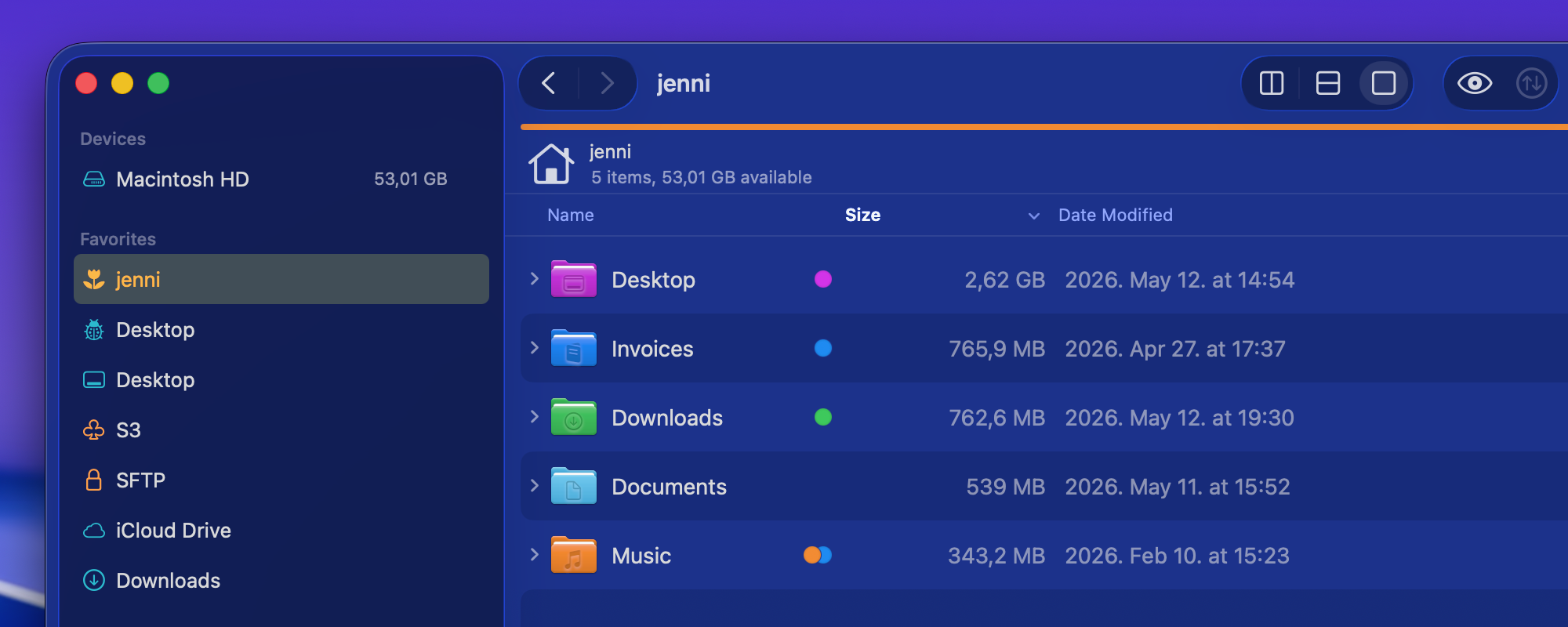
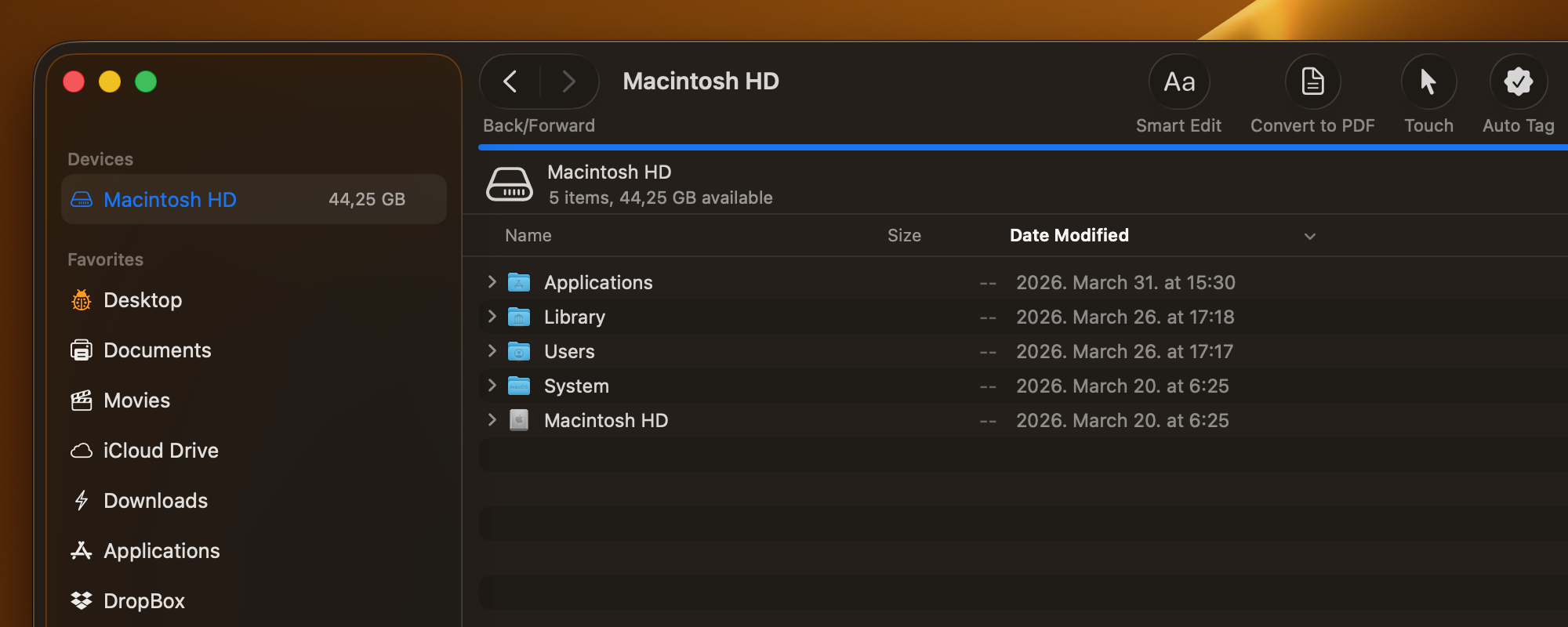
<li>Displays tags on external drives</li>
<li>Comments added in ForkLift now show up in Finder as well</li>
<li>Adds an option to select multiple items in the Checksum Window; the copied list is in CSV format, so it can be easily pasted into spreadsheet applications</li>
<li>Adds “Edit” and “Hide from Sidebar” options to the context menu of Sync favorites in the Sidebar</li>
</ul>
<p><span class="badge fixes">Fixes</span></p>
<ul>
<li>Fixes an issue with the movement of favorites in the sidebar that pointed to the same server</li>
<li>Fixes a possible hang caused by recent items in the sidebar</li>
<li>Fixes a possible crash in List View</li>
<li>Displays a folder icon on remote locations when the folder name contains a dot</li>
<li>Displays the Kind of folders correctly when the folder name contains a dot</li>
<li>Fixes an issue that made it impossible to delete the last remaining digit from the Time Offset Correction field in the Sync Window</li>
<li>Fixes a possible hang after a tab or window was closed during an unfinished search operation</li>
<li>Fixes a possible crash after a tab or window was closed during an unfinished search operation</li>
<li>Removes the new Preview API on macOS Sequoia introduced in version 4.6.1 due to several issues with icon previews</li>
</ul>
<p><a class="download" href="https://download.binarynights.com/ForkLift/ForkLift4.6.2.zip" target="_blank" rel="noopener">Download ForkLift 4.6.2</a></p>


<p class="wp-block-paragraph"></p>
	</div><!-- .entry-content -->

	<footer class="entry-footer">
		<span class="cat-links">Posted in <a href="https://blog.binarynights.com/category/release-notes/" rel="category tag">Release Notes</a></span><span class="tags-links">Tagged <a href="https://blog.binarynights.com/tag/changelog/" rel="tag">changelog</a>, <a href="https://blog.binarynights.com/tag/forklift_blog/" rel="tag">ForkLift</a>, <a href="https://blog.binarynights.com/tag/forklift-4/" rel="tag">ForkLift 4</a></span><span class="comments-link"><a href="https://blog.binarynights.com/2026/05/12/forklift-4-6-2-is-available-stability-improvements-and-important-fixes-for-icon-previews-on-macos-sequoia/#comments">33 Comments<span class="screen-reader-text"> on ForkLift 4.6.2 is available &#8211; Stability improvements and important fixes for icon previews on macOS Sequoia</span></a></span>	</footer><!-- .entry-footer -->
</article><!-- #post-6485 -->

<article id="post-6460" class="post-6460 post type-post status-publish format-standard has-post-thumbnail hentry category-release-notes tag-changelog tag-forklift_blog tag-forklift-4">
	<header class="entry-header">
		<h2 class="entry-title"><a href="https://blog.binarynights.com/2026/04/28/forklift-4-6-1-is-available-tahoe-folder-colors-improved-memory-usage-and-restored-pdf-preview/" rel="bookmark">ForkLift 4.6.1 is available &#8211; Tahoe folder colors, improved memory usage, and restored PDF preview</a></h2>			<div class="entry-meta">
				<span class="posted-on">Posted on <a href="https://blog.binarynights.com/2026/04/28/forklift-4-6-1-is-available-tahoe-folder-colors-improved-memory-usage-and-restored-pdf-preview/" rel="bookmark"><time class="entry-date published" datetime="2026-04-28T16:30:16+02:00">April 28, 2026</time><time class="updated" datetime="2026-05-12T20:03:48+02:00">May 12, 2026</time></a></span><span class="byline"> by <span class="author vcard"><a class="url fn n" href="https://blog.binarynights.com/author/binarynights/">binarynights</a></span></span>			</div><!-- .entry-meta -->
			</header><!-- .entry-header -->

	
			<a class="post-thumbnail" href="https://blog.binarynights.com/2026/04/28/forklift-4-6-1-is-available-tahoe-folder-colors-improved-memory-usage-and-restored-pdf-preview/" aria-hidden="true" tabindex="-1">
				<img width="2000" height="800" src="https://blog.binarynights.com/wp-content/uploads/2026/04/ForkLift-Colored-Folder-Icons-Tahoe.png" class="attachment-post-thumbnail size-post-thumbnail wp-post-image" alt="ForkLift 4.6.1 is available &#8211; Tahoe folder colors, improved memory usage, and restored PDF preview" decoding="async" srcset="https://i0.wp.com/blog.binarynights.com/wp-content/uploads/2026/04/ForkLift-Colored-Folder-Icons-Tahoe.png?w=2000&amp;ssl=1 2000w, https://i0.wp.com/blog.binarynights.com/wp-content/uploads/2026/04/ForkLift-Colored-Folder-Icons-Tahoe.png?resize=300%2C120&amp;ssl=1 300w, https://i0.wp.com/blog.binarynights.com/wp-content/uploads/2026/04/ForkLift-Colored-Folder-Icons-Tahoe.png?resize=1024%2C410&amp;ssl=1 1024w, https://i0.wp.com/blog.binarynights.com/wp-content/uploads/2026/04/ForkLift-Colored-Folder-Icons-Tahoe.png?resize=768%2C307&amp;ssl=1 768w, https://i0.wp.com/blog.binarynights.com/wp-content/uploads/2026/04/ForkLift-Colored-Folder-Icons-Tahoe.png?resize=1536%2C614&amp;ssl=1 1536w, https://i0.wp.com/blog.binarynights.com/wp-content/uploads/2026/04/ForkLift-Colored-Folder-Icons-Tahoe.png?resize=600%2C240&amp;ssl=1 600w, https://i0.wp.com/blog.binarynights.com/wp-content/uploads/2026/04/ForkLift-Colored-Folder-Icons-Tahoe.png?w=1280&amp;ssl=1 1280w, https://i0.wp.com/blog.binarynights.com/wp-content/uploads/2026/04/ForkLift-Colored-Folder-Icons-Tahoe.png?w=1920&amp;ssl=1 1920w" sizes="(max-width: 2000px) 100vw, 2000px" data-attachment-id="6472" data-permalink="https://blog.binarynights.com/2026/04/28/forklift-4-6-1-is-available-tahoe-folder-colors-improved-memory-usage-and-restored-pdf-preview/forklift-colored-folder-icons-tahoe/" data-orig-file="https://i0.wp.com/blog.binarynights.com/wp-content/uploads/2026/04/ForkLift-Colored-Folder-Icons-Tahoe.png?fit=2000%2C800&amp;ssl=1" data-orig-size="2000,800" data-comments-opened="1" data-image-meta="{&quot;aperture&quot;:&quot;0&quot;,&quot;credit&quot;:&quot;&quot;,&quot;camera&quot;:&quot;&quot;,&quot;caption&quot;:&quot;&quot;,&quot;created_timestamp&quot;:&quot;0&quot;,&quot;copyright&quot;:&quot;&quot;,&quot;focal_length&quot;:&quot;0&quot;,&quot;iso&quot;:&quot;0&quot;,&quot;shutter_speed&quot;:&quot;0&quot;,&quot;title&quot;:&quot;&quot;,&quot;orientation&quot;:&quot;0&quot;}" data-image-title="ForkLift-Colored-Folder-Icons-Tahoe" data-image-description="" data-image-caption="" data-large-file="https://i0.wp.com/blog.binarynights.com/wp-content/uploads/2026/04/ForkLift-Colored-Folder-Icons-Tahoe.png?fit=640%2C256&amp;ssl=1" />			</a>

			
	<div class="entry-content">
		<h2 data-start="120" data-end="165">Folder icon support on macOS Tahoe and performance improvements</h2>
<p data-start="238" data-end="462">Finder on macOS Tahoe introduced a big change by allowing users to customize folder icons. The last applied color tag now determines the folder color, and it is also possible to add icons to folders to make them stand out.</p>
<p data-start="464" data-end="840">With ForkLift 4.6.1, we have updated how folder icons are handled. ForkLift now inherits folder colors from Finder, and when you assign a color tag in ForkLift, the folder color updates accordingly. ForkLift also displays custom icons that were added in Finder. However, due to missing system APIs, adding custom folder icons directly in ForkLift is not possible at this time.</p>
<p data-start="842" data-end="1230">We have also fixed multiple possible memory leaks and improved overall memory usage. This results in a more stable and efficient experience.</p>
<h2>PDF preview fixes and iCloud tag improvements</h2>


<p class="wp-block-paragraph">In addition, this version includes several smaller improvements. You can now edit file favorites directly from the sidebar, use the Tab key to autocomplete tags more reliably, and benefit from improved information display in the Status bar and in the Preview pane.</p>


<p class="wp-block-paragraph">We were also able to restore the full functionality of the PDF viewer in the Preview pane. It is now again possible to customize preview options through the right-click context menu, and text selection inside PDF previews has been re-enabled.</p>


<p class="wp-block-paragraph">It is now also possible to remove the last remaining tag on iCloud Drive, and we have resolved an issue where pressing the Tab key during tag autocompletion could cause the tag to disappear.</p>


<h2 class="wp-block-heading">Full list of changes:</h2>
<p><span class="badge new">New</span></p>
<ul>
				<li>ForkLift now colorizes folder icons on macOS Tahoe the same way as Finder, inheriting and applying the assigned colors</li>
				<li>ForkLift displays customized folder icons set in Finder, however, customizing folder icons directly in ForkLift is not supported</li>
</ul>
<p><span class="badge improvements">Improvements</span></p>
<ul>
				<li>Improves the display of aggregated date information in the Preview pane when multiple files are selected</li>
				<li>Adds an alert when iCloud Drive is busy and interaction is not possible, to clarify why an action cannot be executed</li>
				<li>Adds an option to edit file favorites from the context menu in the Sidebar</li>
				<li>Improves memory usage</li>
</ul>
<p><span class="badge fixes">Fixes</span></p>
<ul>
				<li>Fixes an issue that made the file view jump in List View after renaming or deleting files when Group by was enabled</li>
				<li>Fixes multiple possible memory leaks</li>
				<li>Fixes an issue that didn&#8217;t show the lock icon on locked folders when icon preview is enabled (the lock icon doesn&#8217;t show up on files starting from this version)</li>
				<li>Fixes an issue in the Status bar, which didn&#8217;t update the displayed info correctly after folders were expanded and collapsed</li>
				<li>Fixes an issue of the preview of PDF file in the Preview Pane introduced in version 4.3.5, which made it impossible to select text inside the preview and to use the right-click context menu to customize the preview options. This version restores the previous functionality</li>
				<li>Fixes an issue that made it impossible to remove the last tag on iCloud Drive when there was only one tag remaining</li>
				<li>Fixes an issue where pressing the Tab key while autocompleting a tag made the tag disappear</li>
</ul>
<p><a class="download" href="https://download.binarynights.com/ForkLift/ForkLift4.6.1.zip" target="_blank" rel="noopener">Download ForkLift 4.6.1</a></p>


<p class="wp-block-paragraph"></p>
	</div><!-- .entry-content -->

	<footer class="entry-footer">
		<span class="cat-links">Posted in <a href="https://blog.binarynights.com/category/release-notes/" rel="category tag">Release Notes</a></span><span class="tags-links">Tagged <a href="https://blog.binarynights.com/tag/changelog/" rel="tag">changelog</a>, <a href="https://blog.binarynights.com/tag/forklift_blog/" rel="tag">ForkLift</a>, <a href="https://blog.binarynights.com/tag/forklift-4/" rel="tag">ForkLift 4</a></span><span class="comments-link"><a href="https://blog.binarynights.com/2026/04/28/forklift-4-6-1-is-available-tahoe-folder-colors-improved-memory-usage-and-restored-pdf-preview/#comments">48 Comments<span class="screen-reader-text"> on ForkLift 4.6.1 is available &#8211; Tahoe folder colors, improved memory usage, and restored PDF preview</span></a></span>	</footer><!-- .entry-footer -->
</article><!-- #post-6460 -->

<article id="post-6402" class="post-6402 post type-post status-publish format-standard has-post-thumbnail hentry category-release-notes tag-changelog tag-forklift_blog tag-forklift-4">
	<header class="entry-header">
		<h2 class="entry-title"><a href="https://blog.binarynights.com/2026/03/31/forklift-4-6-is-available-autocompletion-for-tags-and-one-click-access-to-your-custom-tools/" rel="bookmark">ForkLift 4.6 is available &#8211; Autocompletion for tags and one-click access to your custom tools</a></h2>			<div class="entry-meta">
				<span class="posted-on">Posted on <a href="https://blog.binarynights.com/2026/03/31/forklift-4-6-is-available-autocompletion-for-tags-and-one-click-access-to-your-custom-tools/" rel="bookmark"><time class="entry-date published" datetime="2026-03-31T17:00:09+02:00">March 31, 2026</time><time class="updated" datetime="2026-04-09T15:04:17+02:00">April 9, 2026</time></a></span><span class="byline"> by <span class="author vcard"><a class="url fn n" href="https://blog.binarynights.com/author/binarynights/">binarynights</a></span></span>			</div><!-- .entry-meta -->
			</header><!-- .entry-header -->

	
			<a class="post-thumbnail" href="https://blog.binarynights.com/2026/03/31/forklift-4-6-is-available-autocompletion-for-tags-and-one-click-access-to-your-custom-tools/" aria-hidden="true" tabindex="-1">
				<img width="2000" height="800" src="https://blog.binarynights.com/wp-content/uploads/2026/03/ForkLift-Tags-Autocomplete-and-Custom-Tools-in-Toolbar.png" class="attachment-post-thumbnail size-post-thumbnail wp-post-image" alt="ForkLift 4.6 is available &#8211; Autocompletion for tags and one-click access to your custom tools" decoding="async" srcset="https://i0.wp.com/blog.binarynights.com/wp-content/uploads/2026/03/ForkLift-Tags-Autocomplete-and-Custom-Tools-in-Toolbar.png?w=2000&amp;ssl=1 2000w, https://i0.wp.com/blog.binarynights.com/wp-content/uploads/2026/03/ForkLift-Tags-Autocomplete-and-Custom-Tools-in-Toolbar.png?resize=300%2C120&amp;ssl=1 300w, https://i0.wp.com/blog.binarynights.com/wp-content/uploads/2026/03/ForkLift-Tags-Autocomplete-and-Custom-Tools-in-Toolbar.png?resize=1024%2C410&amp;ssl=1 1024w, https://i0.wp.com/blog.binarynights.com/wp-content/uploads/2026/03/ForkLift-Tags-Autocomplete-and-Custom-Tools-in-Toolbar.png?resize=768%2C307&amp;ssl=1 768w, https://i0.wp.com/blog.binarynights.com/wp-content/uploads/2026/03/ForkLift-Tags-Autocomplete-and-Custom-Tools-in-Toolbar.png?resize=1536%2C614&amp;ssl=1 1536w, https://i0.wp.com/blog.binarynights.com/wp-content/uploads/2026/03/ForkLift-Tags-Autocomplete-and-Custom-Tools-in-Toolbar.png?resize=600%2C240&amp;ssl=1 600w, https://i0.wp.com/blog.binarynights.com/wp-content/uploads/2026/03/ForkLift-Tags-Autocomplete-and-Custom-Tools-in-Toolbar.png?w=1280&amp;ssl=1 1280w, https://i0.wp.com/blog.binarynights.com/wp-content/uploads/2026/03/ForkLift-Tags-Autocomplete-and-Custom-Tools-in-Toolbar.png?w=1920&amp;ssl=1 1920w" sizes="(max-width: 2000px) 100vw, 2000px" data-attachment-id="6429" data-permalink="https://blog.binarynights.com/forklift-tags-autocomplete-and-custom-tools-in-toolbar/" data-orig-file="https://i0.wp.com/blog.binarynights.com/wp-content/uploads/2026/03/ForkLift-Tags-Autocomplete-and-Custom-Tools-in-Toolbar.png?fit=2000%2C800&amp;ssl=1" data-orig-size="2000,800" data-comments-opened="1" data-image-meta="{&quot;aperture&quot;:&quot;0&quot;,&quot;credit&quot;:&quot;&quot;,&quot;camera&quot;:&quot;&quot;,&quot;caption&quot;:&quot;&quot;,&quot;created_timestamp&quot;:&quot;0&quot;,&quot;copyright&quot;:&quot;&quot;,&quot;focal_length&quot;:&quot;0&quot;,&quot;iso&quot;:&quot;0&quot;,&quot;shutter_speed&quot;:&quot;0&quot;,&quot;title&quot;:&quot;&quot;,&quot;orientation&quot;:&quot;0&quot;}" data-image-title="ForkLift-Tags-Autocomplete-and-Custom-Tools-in-Toolbar" data-image-description="&lt;p&gt;&lt;!-- wp:image {&quot;id&quot;:6425,&quot;sizeSlug&quot;:&quot;full&quot;,&quot;linkDestination&quot;:&quot;none&quot;} --&gt;&lt;/p&gt;
&lt;figure class=&quot;wp-block-image size-full&quot;&gt;&lt;img src=&quot;https://blog.binarynights.com/wp-content/uploads/2026/03/ForkLift-Tags-Autocomplete.png&quot; alt=&quot;ForkLift tag autocomplete as you write&quot; class=&quot;wp-image-6425&quot;/&gt;&lt;/figure&gt;
&lt;p&gt;&lt;!-- /wp:image --&gt;&lt;/p&gt;
" data-image-caption="" data-large-file="https://i0.wp.com/blog.binarynights.com/wp-content/uploads/2026/03/ForkLift-Tags-Autocomplete-and-Custom-Tools-in-Toolbar.png?fit=640%2C256&amp;ssl=1" />			</a>

			
	<div class="entry-content">
		<h2 data-start="120" data-end="165"><strong data-start="120" data-end="165">Two powerful new features in ForkLift 4.6</strong></h2>
<p data-start="167" data-end="329">Exciting news! ForkLift 4.6 introduces two major features that power users will love, especially those who rely heavily on tags and those who create custom tools.</p>
<h2 data-start="331" data-end="432"><strong data-start="331" data-end="369">Smarter tagging and autocompletion</strong></h2>
<p data-start="331" data-end="432">The first major improvement in ForkLift 4.6 focuses on tags.</p>
<p data-start="434" data-end="737">Working with tags in ForkLift has traditionally not been as seamless as in Finder, mainly due to macOS limitations for third-party developers. Unlike Finder, third-party apps cannot access and edit tag data in the same way, which means features like native tag autocompletion are not directly available.</p>
<p data-start="739" data-end="964">In earlier versions, we introduced the Tags section in the Settings to allow users to add their own tags to the sidebar, making them easily accessible. With ForkLift 4.6, we are expanding this feature and making it more powerful.</p>
<p data-start="966" data-end="1117">ForkLift now uses the tags listed in the Settings for autocompletion in the Tags section of the Preview Pane or in the info window. As you type, it suggests matching tags from your predefined list.</p>


<figure class="wp-block-image size-full"><img data-recalc-dims="1" loading="lazy" decoding="async" width="588" height="460" data-attachment-id="6425" data-permalink="https://blog.binarynights.com/forklift-tags-autocomplete/" data-orig-file="https://i0.wp.com/blog.binarynights.com/wp-content/uploads/2026/03/ForkLift-Tags-Autocomplete.png?fit=588%2C460&amp;ssl=1" data-orig-size="588,460" data-comments-opened="1" data-image-meta="{&quot;aperture&quot;:&quot;0&quot;,&quot;credit&quot;:&quot;&quot;,&quot;camera&quot;:&quot;&quot;,&quot;caption&quot;:&quot;&quot;,&quot;created_timestamp&quot;:&quot;0&quot;,&quot;copyright&quot;:&quot;&quot;,&quot;focal_length&quot;:&quot;0&quot;,&quot;iso&quot;:&quot;0&quot;,&quot;shutter_speed&quot;:&quot;0&quot;,&quot;title&quot;:&quot;&quot;,&quot;orientation&quot;:&quot;0&quot;}" data-image-title="ForkLift-Tags-Autocomplete" data-image-description="&lt;p&gt;ForkLift tag autocomplete as you write&lt;/p&gt;
" data-image-caption="" data-large-file="https://i0.wp.com/blog.binarynights.com/wp-content/uploads/2026/03/ForkLift-Tags-Autocomplete.png?fit=588%2C460&amp;ssl=1" src="https://i0.wp.com/blog.binarynights.com/wp-content/uploads/2026/03/ForkLift-Tags-Autocomplete.png?resize=588%2C460&#038;ssl=1" alt="ForkLift tag autocomplete as you write" class="wp-image-6425" srcset="https://i0.wp.com/blog.binarynights.com/wp-content/uploads/2026/03/ForkLift-Tags-Autocomplete.png?w=588&amp;ssl=1 588w, https://i0.wp.com/blog.binarynights.com/wp-content/uploads/2026/03/ForkLift-Tags-Autocomplete.png?resize=300%2C235&amp;ssl=1 300w" sizes="auto, (max-width: 588px) 100vw, 588px" /></figure>


<p data-start="1119" data-end="1296">To take full advantage of this feature, you should add the tags you use most frequently to the Settings. This ensures they are always available for quick and consistent tagging.</p>
<h3 data-start="1298" data-end="1447"><strong data-start="1298" data-end="1334">Better control over sidebar tags</strong></h3>
<p data-start="1298" data-end="1447">Since you may not want to display every tag in the sidebar, we have made it easier to manage their visibility. To hide a tag, right-click it in the Settings and select “Hide from Sidebar”. To show it again, right-click and select “Show in Sidebar”</p>
<p data-start="1584" data-end="1686">If you want to manage the visibility of multiple tags at once, it is easier to use the Sidebar Editor. Add the tags you want in the Settings, then close the Settings window. From the menu, select View &gt; Show Sidebar Editor. When the Sidebar Editor appears, you can quickly hide tags by unchecking them. Once you are done, you can close the Sidebar Editor again from the View menu.</p>
<p data-start="1584" data-end="1686">This gives you full control over which tags are visible without affecting their availability for autocompletion.</p>
<h3 data-start="2078" data-end="2178"><strong data-start="2078" data-end="2119">Assign tags directly from the sidebar</strong></h3>
<p data-start="2078" data-end="2178">The sidebar is now more than just a way to filter files. You can still click a tag to view all associated items, but now you can also assign tags directly from the sidebar:</p>
<ul>
<li data-start="2297" data-end="2401">Select one or more files or folders</li>
<li data-start="2297" data-end="2401">Drag them onto a tag in the sidebar</li>
<li data-start="2297" data-end="2401">Drop them to assign that tag</li>
</ul>
<p data-start="2403" data-end="2493">This makes tagging faster and more intuitive, especially when working with multiple files.</p>
<h3 data-start="2495" data-end="2748"><strong data-start="2495" data-end="2523">Improved tag input field</strong></h3>
<p data-start="2495" data-end="2748">We have also improved the tag input field in the Preview Pane. Not only does it now include a dropdown to suggest matching tags as you type, but it can also expand to display all assigned tags, making them easier to view and manage. Previously, this field had limited space and could not show all tags at once when working with a large number of tags.</p>
<h2 data-start="2750" data-end="2835"><strong data-start="2750" data-end="2786">Custom tools, now one click away</strong></h2>
<p data-start="2750" data-end="2835">The second major improvement focuses on tools.</p>
<p data-start="2837" data-end="3075">The Tools feature has always been one of the more powerful, yet somewhat hidden, features of ForkLift. It allows you to create your own tools in the settings using zsh scripts, so you can execute complex actions and workflows more easily.</p>
<p data-start="3077" data-end="3252">Previously, these tools could only be executed from the Commands menu, and later they became available in the right-click context menu. Now, we are taking this a step further:</p>
<p data-start="3254" data-end="3345">You can add your custom tools directly to the toolbar and execute them with a single click.</p>
<h3 data-start="3347" data-end="3496"><strong data-start="3347" data-end="3376">Customize your tool icons</strong></h3>
<p data-start="3347" data-end="3496">When creating or editing a tool, you can assign an icon to represent it in the Tools section, the toolbar, and the Commands menu. By default, new tools use a gear icon, and existing tools are also assigned this icon automatically.</p>
<p data-start="3600" data-end="3625">You can easily change it:</p>
<ul>
<li data-start="3627" data-end="3740">Click the icon in the top-left corner while editing or creating a tool</li>
<li data-start="3627" data-end="3740">Choose a new icon from the pop-up window</li>
</ul>


<figure class="wp-block-image size-large"><img data-recalc-dims="1" loading="lazy" decoding="async" width="640" height="531" data-attachment-id="6414" data-permalink="https://blog.binarynights.com/2026/03/31/forklift-4-6-is-available-autocompletion-for-tags-and-one-click-access-to-your-custom-tools/forklift-custom-tools-custom-icon-toolbar/" data-orig-file="https://i0.wp.com/blog.binarynights.com/wp-content/uploads/2026/03/ForkLift-Custom-Tools-Custom-Icon-Toolbar.png?fit=1448%2C1200&amp;ssl=1" data-orig-size="1448,1200" data-comments-opened="1" data-image-meta="{&quot;aperture&quot;:&quot;0&quot;,&quot;credit&quot;:&quot;&quot;,&quot;camera&quot;:&quot;&quot;,&quot;caption&quot;:&quot;&quot;,&quot;created_timestamp&quot;:&quot;0&quot;,&quot;copyright&quot;:&quot;&quot;,&quot;focal_length&quot;:&quot;0&quot;,&quot;iso&quot;:&quot;0&quot;,&quot;shutter_speed&quot;:&quot;0&quot;,&quot;title&quot;:&quot;&quot;,&quot;orientation&quot;:&quot;0&quot;}" data-image-title="ForkLift-Custom-Tools-Custom-Icon-Toolbar" data-image-description="&lt;p&gt;Assign custom icons to tools in ForkLift&lt;/p&gt;
" data-image-caption="" data-large-file="https://i0.wp.com/blog.binarynights.com/wp-content/uploads/2026/03/ForkLift-Custom-Tools-Custom-Icon-Toolbar.png?fit=640%2C531&amp;ssl=1" src="https://i0.wp.com/blog.binarynights.com/wp-content/uploads/2026/03/ForkLift-Custom-Tools-Custom-Icon-Toolbar.png?resize=640%2C531&#038;ssl=1" alt="Assign custom icons to tools in ForkLift" class="wp-image-6414" srcset="https://i0.wp.com/blog.binarynights.com/wp-content/uploads/2026/03/ForkLift-Custom-Tools-Custom-Icon-Toolbar.png?resize=1024%2C849&amp;ssl=1 1024w, https://i0.wp.com/blog.binarynights.com/wp-content/uploads/2026/03/ForkLift-Custom-Tools-Custom-Icon-Toolbar.png?resize=300%2C249&amp;ssl=1 300w, https://i0.wp.com/blog.binarynights.com/wp-content/uploads/2026/03/ForkLift-Custom-Tools-Custom-Icon-Toolbar.png?resize=768%2C636&amp;ssl=1 768w, https://i0.wp.com/blog.binarynights.com/wp-content/uploads/2026/03/ForkLift-Custom-Tools-Custom-Icon-Toolbar.png?resize=600%2C497&amp;ssl=1 600w, https://i0.wp.com/blog.binarynights.com/wp-content/uploads/2026/03/ForkLift-Custom-Tools-Custom-Icon-Toolbar.png?w=1448&amp;ssl=1 1448w, https://i0.wp.com/blog.binarynights.com/wp-content/uploads/2026/03/ForkLift-Custom-Tools-Custom-Icon-Toolbar.png?w=1280&amp;ssl=1 1280w" sizes="auto, (max-width: 640px) 100vw, 640px" /></figure>


<p style="text-align: left;" data-start="3742" data-end="3815">This makes it much easier to visually distinguish your tools at a glance.</p>
<h3 data-start="3817" data-end="3927"><strong data-start="3817" data-end="3852">How to add tools to the toolbar</strong></h3>
<p data-start="3817" data-end="3927">Adding your tools to the toolbar is simple, but it happens in two steps:</p>
<p>1. Enable the option</p>
<ul>
<li>Go to the Tools tab in the Settings</li>
<li>While creating or editing a tool, enable “Show in Toolbar”</li>
</ul>
<p>2. Add it manually to the toolbar</p>
<ul>
<li>Right-click the toolbar</li>
<li>Select “Customize Toolbar…”</li>
<li>Find your enabled tool in the customization tray</li>
<li>Drag it into the toolbar</li>
</ul>


<figure class="wp-block-image size-large"><img data-recalc-dims="1" loading="lazy" decoding="async" width="640" height="364" data-attachment-id="6422" data-permalink="https://blog.binarynights.com/forklift-customize-toolbar-drag-tools-from-tray/" data-orig-file="https://i0.wp.com/blog.binarynights.com/wp-content/uploads/2026/03/ForkLift-Customize-Toolbar-Drag-Tools-from-Tray.png?fit=2222%2C1264&amp;ssl=1" data-orig-size="2222,1264" data-comments-opened="1" data-image-meta="{&quot;aperture&quot;:&quot;0&quot;,&quot;credit&quot;:&quot;&quot;,&quot;camera&quot;:&quot;&quot;,&quot;caption&quot;:&quot;&quot;,&quot;created_timestamp&quot;:&quot;0&quot;,&quot;copyright&quot;:&quot;&quot;,&quot;focal_length&quot;:&quot;0&quot;,&quot;iso&quot;:&quot;0&quot;,&quot;shutter_speed&quot;:&quot;0&quot;,&quot;title&quot;:&quot;&quot;,&quot;orientation&quot;:&quot;0&quot;}" data-image-title="ForkLift-Customize-Toolbar-Drag-Tools-from-Tray" data-image-description="&lt;p&gt;Customize ForkLift&amp;#8217;s toolbar by adding Custom tools to it&lt;/p&gt;
" data-image-caption="" data-large-file="https://i0.wp.com/blog.binarynights.com/wp-content/uploads/2026/03/ForkLift-Customize-Toolbar-Drag-Tools-from-Tray.png?fit=640%2C364&amp;ssl=1" src="https://i0.wp.com/blog.binarynights.com/wp-content/uploads/2026/03/ForkLift-Customize-Toolbar-Drag-Tools-from-Tray.png?resize=640%2C364&#038;ssl=1" alt="Customize ForkLift's toolbar by adding Custom tools to it" class="wp-image-6422" srcset="https://i0.wp.com/blog.binarynights.com/wp-content/uploads/2026/03/ForkLift-Customize-Toolbar-Drag-Tools-from-Tray.png?resize=1024%2C583&amp;ssl=1 1024w, https://i0.wp.com/blog.binarynights.com/wp-content/uploads/2026/03/ForkLift-Customize-Toolbar-Drag-Tools-from-Tray.png?resize=300%2C171&amp;ssl=1 300w, https://i0.wp.com/blog.binarynights.com/wp-content/uploads/2026/03/ForkLift-Customize-Toolbar-Drag-Tools-from-Tray.png?resize=768%2C437&amp;ssl=1 768w, https://i0.wp.com/blog.binarynights.com/wp-content/uploads/2026/03/ForkLift-Customize-Toolbar-Drag-Tools-from-Tray.png?resize=1536%2C874&amp;ssl=1 1536w, https://i0.wp.com/blog.binarynights.com/wp-content/uploads/2026/03/ForkLift-Customize-Toolbar-Drag-Tools-from-Tray.png?resize=2048%2C1165&amp;ssl=1 2048w, https://i0.wp.com/blog.binarynights.com/wp-content/uploads/2026/03/ForkLift-Customize-Toolbar-Drag-Tools-from-Tray.png?resize=600%2C341&amp;ssl=1 600w, https://i0.wp.com/blog.binarynights.com/wp-content/uploads/2026/03/ForkLift-Customize-Toolbar-Drag-Tools-from-Tray.png?w=1280&amp;ssl=1 1280w, https://i0.wp.com/blog.binarynights.com/wp-content/uploads/2026/03/ForkLift-Customize-Toolbar-Drag-Tools-from-Tray.png?w=1920&amp;ssl=1 1920w" sizes="auto, (max-width: 640px) 100vw, 640px" /></figure>


<p data-start="4209" data-end="4320">Note: Enabling “Show in Toolbar” does not automatically add the tool, it only makes it available for selection.</p>
<h2>Full List of changes:</h2>
<p><span class="badge new">New</span></p>
<ul>
<li>Tags autocompletion feature in the Preview Pane and Info Window based on the list of tags added under ForkLift &gt; Settings &gt; Tags</li>
<li>Option to assign a tag to a file by dropping a file onto a tag in the sidebar</li>
<li>Option to add custom tools created under ForkLift &gt; Settings &gt; Tools to the toolbar</li>
<li>Option to hide and display tags in the sidebar under ForkLift &gt; Settings &gt; Tags through the right-click context menu</li>
</ul>
<p><span class="badge improvements">Improvements</span></p>
<ul>
<li>Improved expandable Tags field in the Preview Pane, now able to display all tags</li>
<li>Option to exit the Tags field using the Esc key</li>
<li>Option to select multiple tools in the Tools section of the Settings</li>
</ul>
<p><span class="badge fixes">Fixes</span></p>
<ul>
<li>Fixes an issue that indicated it was possible to add remote files as favorites to the sidebar by drag and drop</li>
<li>Fixes an issue in Column View where, after disconnecting from a remote location, the location did not change back to the starting directory</li>
<li>Fixes an issue on macOS Tahoe where hitting Esc in the tool editor while adding a new item did not cancel the operation and instead added the new item</li>
</ul>
<p><a class="download" href="https://download.binarynights.com/ForkLift/ForkLift4.6.zip" target="_blank" rel="noopener">Download ForkLift 4.6</a></p>


<p class="wp-block-paragraph"></p>


<p class="wp-block-paragraph"></p>
	</div><!-- .entry-content -->

	<footer class="entry-footer">
		<span class="cat-links">Posted in <a href="https://blog.binarynights.com/category/release-notes/" rel="category tag">Release Notes</a></span><span class="tags-links">Tagged <a href="https://blog.binarynights.com/tag/changelog/" rel="tag">changelog</a>, <a href="https://blog.binarynights.com/tag/forklift_blog/" rel="tag">ForkLift</a>, <a href="https://blog.binarynights.com/tag/forklift-4/" rel="tag">ForkLift 4</a></span><span class="comments-link"><a href="https://blog.binarynights.com/2026/03/31/forklift-4-6-is-available-autocompletion-for-tags-and-one-click-access-to-your-custom-tools/#comments">9 Comments<span class="screen-reader-text"> on ForkLift 4.6 is available &#8211; Autocompletion for tags and one-click access to your custom tools</span></a></span>	</footer><!-- .entry-footer -->
</article><!-- #post-6402 -->

<article id="post-6385" class="post-6385 post type-post status-publish format-standard has-post-thumbnail hentry category-release-notes tag-changelog tag-forklift_blog tag-forklift-4">
	<header class="entry-header">
		<h2 class="entry-title"><a href="https://blog.binarynights.com/2026/03/10/forklift-4-5-1-is-available-performance-improvements-and-fixes/" rel="bookmark">ForkLift 4.5.1 is available &#8211; Performance Improvements and Fixes</a></h2>			<div class="entry-meta">
				<span class="posted-on">Posted on <a href="https://blog.binarynights.com/2026/03/10/forklift-4-5-1-is-available-performance-improvements-and-fixes/" rel="bookmark"><time class="entry-date published" datetime="2026-03-10T19:45:50+01:00">March 10, 2026</time><time class="updated" datetime="2026-03-31T17:16:13+02:00">March 31, 2026</time></a></span><span class="byline"> by <span class="author vcard"><a class="url fn n" href="https://blog.binarynights.com/author/binarynights/">binarynights</a></span></span>			</div><!-- .entry-meta -->
			</header><!-- .entry-header -->

	
			<a class="post-thumbnail" href="https://blog.binarynights.com/2026/03/10/forklift-4-5-1-is-available-performance-improvements-and-fixes/" aria-hidden="true" tabindex="-1">
				<img width="2000" height="800" src="https://blog.binarynights.com/wp-content/uploads/2026/03/ForkLift-Performance-Improvements.png" class="attachment-post-thumbnail size-post-thumbnail wp-post-image" alt="ForkLift 4.5.1 is available &#8211; Performance Improvements and Fixes" decoding="async" loading="lazy" srcset="https://i0.wp.com/blog.binarynights.com/wp-content/uploads/2026/03/ForkLift-Performance-Improvements.png?w=2000&amp;ssl=1 2000w, https://i0.wp.com/blog.binarynights.com/wp-content/uploads/2026/03/ForkLift-Performance-Improvements.png?resize=300%2C120&amp;ssl=1 300w, https://i0.wp.com/blog.binarynights.com/wp-content/uploads/2026/03/ForkLift-Performance-Improvements.png?resize=1024%2C410&amp;ssl=1 1024w, https://i0.wp.com/blog.binarynights.com/wp-content/uploads/2026/03/ForkLift-Performance-Improvements.png?resize=768%2C307&amp;ssl=1 768w, https://i0.wp.com/blog.binarynights.com/wp-content/uploads/2026/03/ForkLift-Performance-Improvements.png?resize=1536%2C614&amp;ssl=1 1536w, https://i0.wp.com/blog.binarynights.com/wp-content/uploads/2026/03/ForkLift-Performance-Improvements.png?resize=600%2C240&amp;ssl=1 600w, https://i0.wp.com/blog.binarynights.com/wp-content/uploads/2026/03/ForkLift-Performance-Improvements.png?w=1280&amp;ssl=1 1280w, https://i0.wp.com/blog.binarynights.com/wp-content/uploads/2026/03/ForkLift-Performance-Improvements.png?w=1920&amp;ssl=1 1920w" sizes="auto, (max-width: 2000px) 100vw, 2000px" data-attachment-id="6390" data-permalink="https://blog.binarynights.com/2026/03/10/forklift-4-5-1-is-available-performance-improvements-and-fixes/forklift-performance-improvements/" data-orig-file="https://i0.wp.com/blog.binarynights.com/wp-content/uploads/2026/03/ForkLift-Performance-Improvements.png?fit=2000%2C800&amp;ssl=1" data-orig-size="2000,800" data-comments-opened="1" data-image-meta="{&quot;aperture&quot;:&quot;0&quot;,&quot;credit&quot;:&quot;&quot;,&quot;camera&quot;:&quot;&quot;,&quot;caption&quot;:&quot;&quot;,&quot;created_timestamp&quot;:&quot;0&quot;,&quot;copyright&quot;:&quot;&quot;,&quot;focal_length&quot;:&quot;0&quot;,&quot;iso&quot;:&quot;0&quot;,&quot;shutter_speed&quot;:&quot;0&quot;,&quot;title&quot;:&quot;&quot;,&quot;orientation&quot;:&quot;0&quot;}" data-image-title="ForkLift-Performance-Improvements" data-image-description="" data-image-caption="" data-large-file="https://i0.wp.com/blog.binarynights.com/wp-content/uploads/2026/03/ForkLift-Performance-Improvements.png?fit=640%2C256&amp;ssl=1" />			</a>

			
	<div class="entry-content">
		<h2 data-start="58" data-end="359">File handling improvements</h2>
<p data-start="58" data-end="359">We have recently added the option to remove downloads from your Mac and offload items to iCloud Drive by right-clicking an item and selecting Remove Download. Now it is also possible to do this with multiple items at the same time, making it easier to manage large numbers of downloaded files.</p>
<p data-start="361" data-end="556">We have also improved how ForkLift prepares files before copying or deleting a large number of items. Subitems are now checked differently, which has significantly sped up the entire process.</p>
<p data-start="558" data-end="810">In some cases, when you dragged a file from another app into ForkLift, the app would pass only a thumbnail instead of the original file. This has now been fixed, so you should be able to drag items, such as photos from the Photos app, without issues.</p>
<h2 data-start="558" data-end="810">Fixes for Columns, Activities Window, and Drive Ejection</h2>
<p data-start="812" data-end="994">In ForkLift 4.5, we introduced new columns in List View that display additional data for files. This addition unfortunately caused several issues, which we have now addressed.</p>
<p data-start="996" data-end="1202">One problem was that retrieving the additional metadata sometimes caused ForkLift to automatically download files from cloud providers, even if those items had been offloaded to the cloud. This no longer happens.</p>
<p data-start="1204" data-end="1541">It is now also possible to auto-size these columns by double-clicking the column header divider. The new columns had also caused the Name column not to auto-resize, even when that setting was enabled. After updating the macOS build environment and rebuilding ForkLift, this issue has been resolved. Hopefully, it will not return.</p>
<p data-start="1543" data-end="2027">There was also a possible crash on macOS Tahoe that could occur when the Activities pop-up was open and automatically resized as items disappeared from the list. This turned out to be caused by a macOS bug and does not appear to occur on the latest macOS version, so updating macOS should prevent this crash. While investigating this issue, we also noticed that the Activities pop-up window was not always updating and resizing correctly, which has now been fixed as well.</p>
<p data-start="2029" data-end="2168" data-is-last-node="" data-is-only-node="">Finally, in some cases ForkLift still asked to eject multiple drives even when only one drive was attached. This now works as expected.</p>
<h2>Full List of changes:</h2>
<p><span class="badge new">New</span></p>
<ul>
<li>Option to remove multiple downloaded items at the same time from iCloud Drive by selecting Remove Downloads from the right-click context menu</li>
</ul>
<p><span class="badge improvements">Improvements</span></p>
<ul>
<li>Improved preparation for deleting and copying a large number of items</li>
<li>Improved handling of drag-and-drop operations when dragging from some apps, such as Photos</li>
</ul>
<p><span class="badge fixes">Fixes</span></p>
<ul>
<li>Fixes a display issue of the Activities pop-up, where the window didn&#8217;t get resized correctly as the items disappeared from it</li>
<li>Fixes the issue that auto-fitting the name columns wasn&#8217;t working</li>
<li>Fixes an issue with the Always resize name column feature introduced in version 4.5</li>
<li>Fixes the issue that media files automatically downloaded from the iCloud Drive even when they were stored in the cloud only</li>
<li>Fixes an issue in Column and Icon View where selected items in the inactive pane were displayed with incorrect custom text colors</li>
<li>Fixes the activity description when Undoing the Move to Trash activity</li>
<li>Fixes an issue where in some cases ForkLift asked to eject all drives even when there was only one drive</li>
</ul>
<p><a class="download" href="https://download.binarynights.com/ForkLift/ForkLift4.5.1.zip" target="_blank" rel="noopener">Download ForkLift 4.5.1</a></p>


<p class="wp-block-paragraph"></p>
	</div><!-- .entry-content -->

	<footer class="entry-footer">
		<span class="cat-links">Posted in <a href="https://blog.binarynights.com/category/release-notes/" rel="category tag">Release Notes</a></span><span class="tags-links">Tagged <a href="https://blog.binarynights.com/tag/changelog/" rel="tag">changelog</a>, <a href="https://blog.binarynights.com/tag/forklift_blog/" rel="tag">ForkLift</a>, <a href="https://blog.binarynights.com/tag/forklift-4/" rel="tag">ForkLift 4</a></span><span class="comments-link"><a href="https://blog.binarynights.com/2026/03/10/forklift-4-5-1-is-available-performance-improvements-and-fixes/#comments">2 Comments<span class="screen-reader-text"> on ForkLift 4.5.1 is available &#8211; Performance Improvements and Fixes</span></a></span>	</footer><!-- .entry-footer -->
</article><!-- #post-6385 -->

<article id="post-6358" class="post-6358 post type-post status-publish format-standard has-post-thumbnail hentry category-release-notes tag-changelog tag-forklift_blog tag-forklift-4">
	<header class="entry-header">
		<h2 class="entry-title"><a href="https://blog.binarynights.com/2026/02/10/forklift-4-5-is-available-new-columns-and-editable-comments/" rel="bookmark">ForkLift 4.5 is available &#8211; New columns and editable comments</a></h2>			<div class="entry-meta">
				<span class="posted-on">Posted on <a href="https://blog.binarynights.com/2026/02/10/forklift-4-5-is-available-new-columns-and-editable-comments/" rel="bookmark"><time class="entry-date published" datetime="2026-02-10T17:12:20+01:00">February 10, 2026</time><time class="updated" datetime="2026-02-10T17:17:05+01:00">February 10, 2026</time></a></span><span class="byline"> by <span class="author vcard"><a class="url fn n" href="https://blog.binarynights.com/author/binarynights/">binarynights</a></span></span>			</div><!-- .entry-meta -->
			</header><!-- .entry-header -->

	
			<a class="post-thumbnail" href="https://blog.binarynights.com/2026/02/10/forklift-4-5-is-available-new-columns-and-editable-comments/" aria-hidden="true" tabindex="-1">
				<img width="2000" height="800" src="https://blog.binarynights.com/wp-content/uploads/2026/02/ForkLift-Metadata-Columns-Media-Files-In-List-View.png" class="attachment-post-thumbnail size-post-thumbnail wp-post-image" alt="ForkLift 4.5 is available &#8211; New columns and editable comments" decoding="async" loading="lazy" srcset="https://i0.wp.com/blog.binarynights.com/wp-content/uploads/2026/02/ForkLift-Metadata-Columns-Media-Files-In-List-View.png?w=2000&amp;ssl=1 2000w, https://i0.wp.com/blog.binarynights.com/wp-content/uploads/2026/02/ForkLift-Metadata-Columns-Media-Files-In-List-View.png?resize=300%2C120&amp;ssl=1 300w, https://i0.wp.com/blog.binarynights.com/wp-content/uploads/2026/02/ForkLift-Metadata-Columns-Media-Files-In-List-View.png?resize=1024%2C410&amp;ssl=1 1024w, https://i0.wp.com/blog.binarynights.com/wp-content/uploads/2026/02/ForkLift-Metadata-Columns-Media-Files-In-List-View.png?resize=768%2C307&amp;ssl=1 768w, https://i0.wp.com/blog.binarynights.com/wp-content/uploads/2026/02/ForkLift-Metadata-Columns-Media-Files-In-List-View.png?resize=1536%2C614&amp;ssl=1 1536w, https://i0.wp.com/blog.binarynights.com/wp-content/uploads/2026/02/ForkLift-Metadata-Columns-Media-Files-In-List-View.png?resize=600%2C240&amp;ssl=1 600w, https://i0.wp.com/blog.binarynights.com/wp-content/uploads/2026/02/ForkLift-Metadata-Columns-Media-Files-In-List-View.png?w=1280&amp;ssl=1 1280w, https://i0.wp.com/blog.binarynights.com/wp-content/uploads/2026/02/ForkLift-Metadata-Columns-Media-Files-In-List-View.png?w=1920&amp;ssl=1 1920w" sizes="auto, (max-width: 2000px) 100vw, 2000px" data-attachment-id="6361" data-permalink="https://blog.binarynights.com/2026/02/10/forklift-4-5-is-available-new-columns-and-editable-comments/forklift-metadata-columns-media-files-in-list-view/" data-orig-file="https://i0.wp.com/blog.binarynights.com/wp-content/uploads/2026/02/ForkLift-Metadata-Columns-Media-Files-In-List-View.png?fit=2000%2C800&amp;ssl=1" data-orig-size="2000,800" data-comments-opened="1" data-image-meta="{&quot;aperture&quot;:&quot;0&quot;,&quot;credit&quot;:&quot;&quot;,&quot;camera&quot;:&quot;&quot;,&quot;caption&quot;:&quot;&quot;,&quot;created_timestamp&quot;:&quot;0&quot;,&quot;copyright&quot;:&quot;&quot;,&quot;focal_length&quot;:&quot;0&quot;,&quot;iso&quot;:&quot;0&quot;,&quot;shutter_speed&quot;:&quot;0&quot;,&quot;title&quot;:&quot;&quot;,&quot;orientation&quot;:&quot;0&quot;}" data-image-title="ForkLift-Metadata-Columns-Media-Files-In-List-View" data-image-description="" data-image-caption="" data-large-file="https://i0.wp.com/blog.binarynights.com/wp-content/uploads/2026/02/ForkLift-Metadata-Columns-Media-Files-In-List-View.png?fit=640%2C256&amp;ssl=1" />			</a>

			
	<div class="entry-content">
		<h2 data-start="510" data-end="844">New metadata columns, editable comments, and smarter workflows</h2>
<p data-start="112" data-end="602">With ForkLift version 4.5, we have introduced a powerful set of new metadata columns that are now always available in List View. These columns can be added by right-clicking on the column headers. One of the most frequently requested features regarding the new columns was the ability to add the Duration column and sort files by it. That is now fully supported, making it much easier to organize and manage various media files by length, as well as other metadata such as Rating, Album, and Musical Genre, etc.</p>
<p data-start="604" data-end="1223">In Finder, similar metadata-based columns are only available in specific folders that are expected to contain certain file types, for example, music-related columns like Rating, Album, or Musical Genre appear only in folders such as Music. If the same files are stored in differently named folders, those columns are not available. To remove this limitation, ForkLift now allows you to add these metadata-related columns in any folder, giving you consistent access to rich file information regardless of location. Simply right-click a column header (such as “Name”) at the top of the pane to see all available columns.</p>
<p data-start="1084" data-end="1330">We have also added a new Comments column, along with the ability to edit comments directly in the Preview Pane on the right side of the window, as well as in the separate Info window (Command-I), making it possible to add a comment directly in ForkLift.</p>
<p data-start="1517" data-end="1763">Another small but practical improvement is the enhanced Quick Open pop-up, which now shows the full command hierarchy. This makes it easier and safer to execute commands quickly on selected items by clearly showing which action will be triggered.</p>
<p data-start="1517" data-end="1763">Previewing additional file types such as .doc, .docx, and .eml is now supported on remote connections, bringing the same preview experience to remote servers as you already have locally.</p>
<h3 data-start="1249" data-end="1714">UI fixes, view stability, and macOS Tahoe compatibility improvements</h3>
<p data-start="1844" data-end="2125">This release also includes several view-specific issues and macOS Tahoe-related problems such as unwanted scrolling and multiple selection in Icon View, and a newly introduced bug in Column View where right-clicking navigated back to the root folder.</p>
<p data-start="2127" data-end="2327">Finally, we fixed an issue where hidden file extensions remained visible after renaming a file. Once you finish editing the file name and exit rename mode, the extension is now correctly hidden again.</p>
<h2>Full List of changes:</h2>
<p><span class="badge new">New</span></p>
<ul>
<li>Editable Comments field in the Preview Pane</li>
<li>New columns (Comments, Durations, Dimensions, etc.) in List View, available via the right-click context menu on column headers</li>
<li>Quick Open now shows the menu hierarchy of commands</li>
</ul>
<p><span class="badge improvements">Improvements</span></p>
<ul>
<li>Shows additional information in Activities when comparing remote files</li>
</ul>
<p><span class="badge fixes">Fixes</span></p>
<ul>
<li>Fixes an issue in Column View where a right-click navigated back to the root</li>
<li>Fixes the placement of the Tags pop-over on macOS Tahoe</li>
<li>Fixes an issue in Column View where, in some cases, right-clicking an item showed an incorrect context menu</li>
<li>Fixes an issue where ForkLift couldn&#8217;t QuickLook some file types such as .docx, .doc, .eml on remote connections</li>
<li>Fixes an issue where the available free space wasn&#8217;t displayed after changing the view type</li>
<li>Fixes an issue in Icon View where navigating files with the arrow keys could leave multiple items selected</li>
<li>Fixes an issue in Icon View where, in some cases, the selected item was centered in the pane, causing unwanted scrolling</li>
<li>Fixes an issue where the View toolbar item didn&#8217;t display an icon while customizing the toolbar</li>
<li>Fixes an issue which made it possible to save the Favorite Manager or the Connect Panel as part of a workspace</li>
<li>Fixes an issue which displayed the keyboard shortcut for the Show Previous Tab command incorrectly in the menu</li>
<li>Fixes an issue that didn&#8217;t hide the hidden file extension after the file name was edited</li>
<li>Localization fixes and improvements</li>
<li>Numerous minor fixes and improvements</li>
</ul>
<p><a class="download" href="https://download.binarynights.com/ForkLift/ForkLift4.5.zip" target="_blank" rel="noopener">Download ForkLift 4.5</a></p>


<p class="wp-block-paragraph"></p>
	</div><!-- .entry-content -->

	<footer class="entry-footer">
		<span class="cat-links">Posted in <a href="https://blog.binarynights.com/category/release-notes/" rel="category tag">Release Notes</a></span><span class="tags-links">Tagged <a href="https://blog.binarynights.com/tag/changelog/" rel="tag">changelog</a>, <a href="https://blog.binarynights.com/tag/forklift_blog/" rel="tag">ForkLift</a>, <a href="https://blog.binarynights.com/tag/forklift-4/" rel="tag">ForkLift 4</a></span><span class="comments-link"><a href="https://blog.binarynights.com/2026/02/10/forklift-4-5-is-available-new-columns-and-editable-comments/#comments">13 Comments<span class="screen-reader-text"> on ForkLift 4.5 is available &#8211; New columns and editable comments</span></a></span>	</footer><!-- .entry-footer -->
</article><!-- #post-6358 -->

<article id="post-6323" class="post-6323 post type-post status-publish format-standard has-post-thumbnail hentry category-release-notes tag-changelog tag-forklift_blog tag-forklift-4">
	<header class="entry-header">
		<h2 class="entry-title"><a href="https://blog.binarynights.com/2026/01/13/forklift-4-4-5-is-available-now-with-file-checksum-calculation/" rel="bookmark">ForkLift 4.4.5 is available &#8211; Now with file checksum calculation</a></h2>			<div class="entry-meta">
				<span class="posted-on">Posted on <a href="https://blog.binarynights.com/2026/01/13/forklift-4-4-5-is-available-now-with-file-checksum-calculation/" rel="bookmark"><time class="entry-date published" datetime="2026-01-13T15:33:21+01:00">January 13, 2026</time><time class="updated" datetime="2026-01-13T16:12:49+01:00">January 13, 2026</time></a></span><span class="byline"> by <span class="author vcard"><a class="url fn n" href="https://blog.binarynights.com/author/binarynights/">binarynights</a></span></span>			</div><!-- .entry-meta -->
			</header><!-- .entry-header -->

	
			<a class="post-thumbnail" href="https://blog.binarynights.com/2026/01/13/forklift-4-4-5-is-available-now-with-file-checksum-calculation/" aria-hidden="true" tabindex="-1">
				<img width="2000" height="800" src="https://blog.binarynights.com/wp-content/uploads/2026/01/ForkLift-File-Manager-For-macOS-with-Checksum-Tool.png" class="attachment-post-thumbnail size-post-thumbnail wp-post-image" alt="ForkLift 4.4.5 is available &#8211; Now with file checksum calculation" decoding="async" loading="lazy" srcset="https://i0.wp.com/blog.binarynights.com/wp-content/uploads/2026/01/ForkLift-File-Manager-For-macOS-with-Checksum-Tool.png?w=2000&amp;ssl=1 2000w, https://i0.wp.com/blog.binarynights.com/wp-content/uploads/2026/01/ForkLift-File-Manager-For-macOS-with-Checksum-Tool.png?resize=300%2C120&amp;ssl=1 300w, https://i0.wp.com/blog.binarynights.com/wp-content/uploads/2026/01/ForkLift-File-Manager-For-macOS-with-Checksum-Tool.png?resize=1024%2C410&amp;ssl=1 1024w, https://i0.wp.com/blog.binarynights.com/wp-content/uploads/2026/01/ForkLift-File-Manager-For-macOS-with-Checksum-Tool.png?resize=768%2C307&amp;ssl=1 768w, https://i0.wp.com/blog.binarynights.com/wp-content/uploads/2026/01/ForkLift-File-Manager-For-macOS-with-Checksum-Tool.png?resize=1536%2C614&amp;ssl=1 1536w, https://i0.wp.com/blog.binarynights.com/wp-content/uploads/2026/01/ForkLift-File-Manager-For-macOS-with-Checksum-Tool.png?resize=600%2C240&amp;ssl=1 600w, https://i0.wp.com/blog.binarynights.com/wp-content/uploads/2026/01/ForkLift-File-Manager-For-macOS-with-Checksum-Tool.png?w=1280&amp;ssl=1 1280w, https://i0.wp.com/blog.binarynights.com/wp-content/uploads/2026/01/ForkLift-File-Manager-For-macOS-with-Checksum-Tool.png?w=1920&amp;ssl=1 1920w" sizes="auto, (max-width: 2000px) 100vw, 2000px" data-attachment-id="6335" data-permalink="https://blog.binarynights.com/2026/01/13/forklift-4-4-5-is-available-now-with-file-checksum-calculation/forklift-file-manager-for-macos-with-checksum-tool/" data-orig-file="https://i0.wp.com/blog.binarynights.com/wp-content/uploads/2026/01/ForkLift-File-Manager-For-macOS-with-Checksum-Tool.png?fit=2000%2C800&amp;ssl=1" data-orig-size="2000,800" data-comments-opened="1" data-image-meta="{&quot;aperture&quot;:&quot;0&quot;,&quot;credit&quot;:&quot;&quot;,&quot;camera&quot;:&quot;&quot;,&quot;caption&quot;:&quot;&quot;,&quot;created_timestamp&quot;:&quot;0&quot;,&quot;copyright&quot;:&quot;&quot;,&quot;focal_length&quot;:&quot;0&quot;,&quot;iso&quot;:&quot;0&quot;,&quot;shutter_speed&quot;:&quot;0&quot;,&quot;title&quot;:&quot;&quot;,&quot;orientation&quot;:&quot;0&quot;}" data-image-title="ForkLift-File-Manager-For-macOS-with-Checksum-Tool" data-image-description="" data-image-caption="" data-large-file="https://i0.wp.com/blog.binarynights.com/wp-content/uploads/2026/01/ForkLift-File-Manager-For-macOS-with-Checksum-Tool.png?fit=640%2C256&amp;ssl=1" />			</a>

			
	<div class="entry-content">
		<h2 data-start="510" data-end="844">ForkLift’s new checksums feature in action</h2>
<p data-start="249" data-end="560">ForkLift 4.4.5 introduces a long-awaited new feature: the ability to calculate file checksums directly in the app. This has been one of the most frequently requested features, especially by users who regularly work with large files, backups, or remote transfers and need a reliable way to verify file integrity.</p>
<p data-start="562" data-end="894">ForkLift supports multiple checksum algorithms: <strong data-start="620" data-end="665">MD5, SHA-1, SHA-256, SHA-384, and SHA-512. This </strong>gives users the flexibility to choose the level of speed and security that best fits their workflow. Checksums can be calculated for one or multiple selected files via the <strong data-start="840" data-end="852">Commands</strong> menu (<strong data-start="859" data-end="892">Commands &gt; Calculate Checksum</strong>). ForkLift does not calculate checksums for folders.</p>
<p data-start="896" data-end="1247">When the command is selected, ForkLift calculates the checksum for each file individually in a dedicated pop-up window, where the checksum type can be changed at any time. If you switch to a different algorithm, ForkLift automatically remembers your selection and uses that checksum type the next time you calculate a checksum, making repeated checks faster and more convenient.</p>
<p data-start="1249" data-end="1714">This feature is particularly useful for verifying that files have not been altered or corrupted during transfers, ensuring that two files are truly identical, or meeting specific technical or security requirements. While checksum calculation is currently available from the menu, this is just the first step. We are already planning further improvements and additional options to calculate and display checksums in future updates.</p>
<h3 data-start="1249" data-end="1714">Why checksums matter</h3>
<p data-start="130" data-end="508">A <strong data-start="132" data-end="144">checksum</strong> is a small piece of data that represents the contents of a file, similar to a digital fingerprint. When a checksum is calculated, ForkLift analyzes the file and produces a unique string of characters based on its contents. Even the smallest change to the file, for example, a missing byte or a corrupted transfer, will result in a completely different checksum.</p>
<p data-start="510" data-end="824">Checksums are commonly used to make sure that files are copied, downloaded, or transferred correctly. By comparing the checksum of the original file with the checksum of the copied or downloaded file, you can immediately see whether they are truly identical, without having to open or inspect the files themselves.</p>
<p data-start="826" data-end="1115">For everyday users, this means extra confidence that important files, backups, or downloads are intact and have not been damaged or altered along the way. For professionals, checksums provide a reliable way to verify file integrity across different devices, servers, and storage locations.</p>
<h3 data-start="826" data-end="1115">How to calculate checksums in ForkLift</h3>
<p data-start="200" data-end="403">To calculate a checksum for a file, select the file in ForkLift and choose <strong data-start="275" data-end="308">Commands &gt; Calculate Checksum</strong> from the menu. ForkLift will calculate the checksum and display the result in a pop-up window.</p>
<p data-start="200" data-end="403"><img data-recalc-dims="1" loading="lazy" decoding="async" data-attachment-id="6336" data-permalink="https://blog.binarynights.com/2026/01/13/forklift-4-4-5-is-available-now-with-file-checksum-calculation/forklift-file-manager-new-checksum-tool/" data-orig-file="https://i0.wp.com/blog.binarynights.com/wp-content/uploads/2026/01/ForkLift-File-Manager-New-Checksum-Tool.png?fit=1600%2C800&amp;ssl=1" data-orig-size="1600,800" data-comments-opened="1" data-image-meta="{&quot;aperture&quot;:&quot;0&quot;,&quot;credit&quot;:&quot;&quot;,&quot;camera&quot;:&quot;&quot;,&quot;caption&quot;:&quot;&quot;,&quot;created_timestamp&quot;:&quot;0&quot;,&quot;copyright&quot;:&quot;&quot;,&quot;focal_length&quot;:&quot;0&quot;,&quot;iso&quot;:&quot;0&quot;,&quot;shutter_speed&quot;:&quot;0&quot;,&quot;title&quot;:&quot;&quot;,&quot;orientation&quot;:&quot;0&quot;}" data-image-title="ForkLift-File-Manager-New-Checksum-Tool" data-image-description="" data-image-caption="" data-large-file="https://i0.wp.com/blog.binarynights.com/wp-content/uploads/2026/01/ForkLift-File-Manager-New-Checksum-Tool.png?fit=640%2C320&amp;ssl=1" class="alignleft size-full wp-image-6336" src="https://i0.wp.com/blog.binarynights.com/wp-content/uploads/2026/01/ForkLift-File-Manager-New-Checksum-Tool.png?resize=640%2C320&#038;ssl=1" alt="ForkLift's Checksum Tool Window" width="640" height="320" srcset="https://i0.wp.com/blog.binarynights.com/wp-content/uploads/2026/01/ForkLift-File-Manager-New-Checksum-Tool.png?w=1600&amp;ssl=1 1600w, https://i0.wp.com/blog.binarynights.com/wp-content/uploads/2026/01/ForkLift-File-Manager-New-Checksum-Tool.png?resize=300%2C150&amp;ssl=1 300w, https://i0.wp.com/blog.binarynights.com/wp-content/uploads/2026/01/ForkLift-File-Manager-New-Checksum-Tool.png?resize=1024%2C512&amp;ssl=1 1024w, https://i0.wp.com/blog.binarynights.com/wp-content/uploads/2026/01/ForkLift-File-Manager-New-Checksum-Tool.png?resize=768%2C384&amp;ssl=1 768w, https://i0.wp.com/blog.binarynights.com/wp-content/uploads/2026/01/ForkLift-File-Manager-New-Checksum-Tool.png?resize=1536%2C768&amp;ssl=1 1536w, https://i0.wp.com/blog.binarynights.com/wp-content/uploads/2026/01/ForkLift-File-Manager-New-Checksum-Tool.png?resize=600%2C300&amp;ssl=1 600w, https://i0.wp.com/blog.binarynights.com/wp-content/uploads/2026/01/ForkLift-File-Manager-New-Checksum-Tool.png?w=1280&amp;ssl=1 1280w" sizes="auto, (max-width: 640px) 100vw, 640px" /></p>
<p data-start="405" data-end="571">At the bottom of this window, you can select a different checksum algorithm if needed. Once the calculation is complete, copy the displayed checksum and click <strong data-start="564" data-end="570">OK</strong>.</p>
<p data-start="573" data-end="886">To verify a transferred file, paste the copied checksum into a text editor, then calculate the checksum of the copied file using the <strong data-start="706" data-end="724">same algorithm</strong>. Compare the two checksum strings: if they are identical, the transferred file is not corrupted and is exactly the same as the original file.</p>
<p data-start="888" data-end="1121">Please note that when calculating the checksum of a remote file, ForkLift first downloads the entire file before calculating the checksum. Depending on the file size and connection speed, this process may take some time.</p>
<h3 data-start="196" data-end="245">A real-world example from our release process</h3>
<p data-start="247" data-end="531">While preparing this ForkLift release, we ran into an issue during our final update checks. After uploading all required files and completing the release setup, selecting <strong data-start="409" data-end="430">Check for Updates</strong> from the ForkLift menu resulted in an update error, without any clear indication of what went wrong.</p>
<p data-start="533" data-end="787">At first glance, the <code data-start="554" data-end="566">update.xml</code> file appeared to be correct, but the most likely explanation was that it still contained an error. To test this, I created a new <code data-start="696" data-end="708">update.xml</code> file and uploaded it again. After that, the update process worked as expected.</p>
<p data-start="789" data-end="1130">Since the old and new files looked the same to me, I wanted to confirm whether they were indeed identical, so I calculated the checksum of both versions. The resulting checksums were different, which immediately confirmed that the files were not the same:</p>
<p data-start="789" data-end="1130"><br /><code data-start="990" data-end="1056">8d3328f4258f5744d8f7f943172317af3f353a9c6bbf5df2d02986edb27b34fd</code><br data-start="1056" data-end="1059" />vs<br data-start="1061" data-end="1064" /><code data-start="1064" data-end="1130">d71725c5e8b45b45353199076d63ae3aabf80e0d277da8b5ba3d890e5680db93</code></p>
<p data-start="1132" data-end="1521">I then used ForkLift’s <strong data-start="1155" data-end="1166">Compare</strong> feature by selecting both files and choosing <strong data-start="1212" data-end="1234">Commands &gt; Compare</strong> from the menu. The comparison highlighted a single line that differed between the two files. At first, the difference was difficult to spot, as the lines looked identical at a glance. After closer inspection, I realized that in the first <code data-start="1043" data-end="1055">update.xml</code> file, I had accidentally left a few characters from the previous version. The second file was created correctly and worked without issues.</p>
<p data-start="1758" data-end="2062">In this case, I simply wanted to double-check whether the two files were identical. In most situations, you would use this process to verify that a copied file matches the original. As this example shows, checksums are invaluable for confirming that files are truly identical, and comparison tools help pinpoint exactly where those differences exist.</p>
<h2>Full List of changes:</h2>
<p><span class="badge new">New</span></p>
<ul>
<li>Option to calculate a checksum from the Commands menu</li>
<li>Option to rename tags through the right-click context menu in the Tags tab in Settings</li>
<li>Option to delete tags through the right-click context menu in the Tags tab in Settings</li>
</ul>
<p><span class="badge improvements">Improvements</span></p>
<ul>
<li>Adds a checkmark to the selected view in the View menu</li>
<li>Removes unnecessary checkmarks from the View menu</li>
</ul>
<p><span class="badge fixes">Fixes</span></p>
<ul>
<li>Fixes an issue that caused Quick Actions not to be visible in the Services menu when an item was selected for the first time</li>
<li>Fixes the issue that folder sizes were not updated in the file view in List View when calculated in the Preview Pane</li>
<li>Fixes an issue that caused item comments not to be visible after transferring them to an external drive</li>
<li>Removes Date Last Opened as a default column in List View</li>
<li>Fixes a progress indicator alignment issue in the Preview Pane</li>
<li>Fixes an issue that caused the available free space of devices not to be visible in the sidebar when there was not enough space to display the name</li>
<li>Fixes localization errors in multiple languages</li>
<li>Adds localization to the tab context menu</li>
<li>Numerous minor fixes and improvements</li>
</ul>
<p><a class="download" href="https://download.binarynights.com/ForkLift/ForkLift4.4.5.zip" target="_blank" rel="noopener">Download ForkLift 4.4.5</a></p>


<p class="wp-block-paragraph"></p>
	</div><!-- .entry-content -->

	<footer class="entry-footer">
		<span class="cat-links">Posted in <a href="https://blog.binarynights.com/category/release-notes/" rel="category tag">Release Notes</a></span><span class="tags-links">Tagged <a href="https://blog.binarynights.com/tag/changelog/" rel="tag">changelog</a>, <a href="https://blog.binarynights.com/tag/forklift_blog/" rel="tag">ForkLift</a>, <a href="https://blog.binarynights.com/tag/forklift-4/" rel="tag">ForkLift 4</a></span><span class="comments-link"><a href="https://blog.binarynights.com/2026/01/13/forklift-4-4-5-is-available-now-with-file-checksum-calculation/#comments">6 Comments<span class="screen-reader-text"> on ForkLift 4.4.5 is available &#8211; Now with file checksum calculation</span></a></span>	</footer><!-- .entry-footer -->
</article><!-- #post-6323 -->

<article id="post-6265" class="post-6265 post type-post status-publish format-standard has-post-thumbnail hentry category-release-notes tag-changelog tag-forklift_blog tag-forklift-4">
	<header class="entry-header">
		<h2 class="entry-title"><a href="https://blog.binarynights.com/2025/11/19/forklift-4-winter-sale-50-off-for-a-limited-time/" rel="bookmark">ForkLift 4 Winter Sale &#8211; 50% OFF for a Limited Time [The Sale Has Ended]</a></h2>			<div class="entry-meta">
				<span class="posted-on">Posted on <a href="https://blog.binarynights.com/2025/11/19/forklift-4-winter-sale-50-off-for-a-limited-time/" rel="bookmark"><time class="entry-date published" datetime="2025-11-19T15:57:08+01:00">November 19, 2025</time><time class="updated" datetime="2025-12-09T16:04:01+01:00">December 9, 2025</time></a></span><span class="byline"> by <span class="author vcard"><a class="url fn n" href="https://blog.binarynights.com/author/binarynights/">binarynights</a></span></span>			</div><!-- .entry-meta -->
			</header><!-- .entry-header -->

	
			<a class="post-thumbnail" href="https://blog.binarynights.com/2025/11/19/forklift-4-winter-sale-50-off-for-a-limited-time/" aria-hidden="true" tabindex="-1">
				<img width="2992" height="862" src="https://blog.binarynights.com/wp-content/uploads/2025/11/ForkLift-4-Winter-Sale-2025-50-Percent-off.png" class="attachment-post-thumbnail size-post-thumbnail wp-post-image" alt="ForkLift 4 Winter Sale &#8211; 50% OFF for a Limited Time [The Sale Has Ended]" decoding="async" loading="lazy" srcset="https://i0.wp.com/blog.binarynights.com/wp-content/uploads/2025/11/ForkLift-4-Winter-Sale-2025-50-Percent-off.png?w=2992&amp;ssl=1 2992w, https://i0.wp.com/blog.binarynights.com/wp-content/uploads/2025/11/ForkLift-4-Winter-Sale-2025-50-Percent-off.png?resize=300%2C86&amp;ssl=1 300w, https://i0.wp.com/blog.binarynights.com/wp-content/uploads/2025/11/ForkLift-4-Winter-Sale-2025-50-Percent-off.png?resize=1024%2C295&amp;ssl=1 1024w, https://i0.wp.com/blog.binarynights.com/wp-content/uploads/2025/11/ForkLift-4-Winter-Sale-2025-50-Percent-off.png?resize=768%2C221&amp;ssl=1 768w, https://i0.wp.com/blog.binarynights.com/wp-content/uploads/2025/11/ForkLift-4-Winter-Sale-2025-50-Percent-off.png?resize=1536%2C443&amp;ssl=1 1536w, https://i0.wp.com/blog.binarynights.com/wp-content/uploads/2025/11/ForkLift-4-Winter-Sale-2025-50-Percent-off.png?resize=2048%2C590&amp;ssl=1 2048w, https://i0.wp.com/blog.binarynights.com/wp-content/uploads/2025/11/ForkLift-4-Winter-Sale-2025-50-Percent-off.png?resize=600%2C173&amp;ssl=1 600w, https://i0.wp.com/blog.binarynights.com/wp-content/uploads/2025/11/ForkLift-4-Winter-Sale-2025-50-Percent-off.png?w=1280&amp;ssl=1 1280w, https://i0.wp.com/blog.binarynights.com/wp-content/uploads/2025/11/ForkLift-4-Winter-Sale-2025-50-Percent-off.png?w=1920&amp;ssl=1 1920w" sizes="auto, (max-width: 2992px) 100vw, 2992px" data-attachment-id="6285" data-permalink="https://blog.binarynights.com/2025/11/19/forklift-4-winter-sale-50-off-for-a-limited-time/forklift-4-winter-sale-2025-50-percent-off/" data-orig-file="https://i0.wp.com/blog.binarynights.com/wp-content/uploads/2025/11/ForkLift-4-Winter-Sale-2025-50-Percent-off.png?fit=2992%2C862&amp;ssl=1" data-orig-size="2992,862" data-comments-opened="1" data-image-meta="{&quot;aperture&quot;:&quot;0&quot;,&quot;credit&quot;:&quot;&quot;,&quot;camera&quot;:&quot;&quot;,&quot;caption&quot;:&quot;&quot;,&quot;created_timestamp&quot;:&quot;0&quot;,&quot;copyright&quot;:&quot;&quot;,&quot;focal_length&quot;:&quot;0&quot;,&quot;iso&quot;:&quot;0&quot;,&quot;shutter_speed&quot;:&quot;0&quot;,&quot;title&quot;:&quot;&quot;,&quot;orientation&quot;:&quot;0&quot;}" data-image-title="ForkLift-4-Winter-Sale-2025-50-Percent-off" data-image-description="" data-image-caption="" data-large-file="https://i0.wp.com/blog.binarynights.com/wp-content/uploads/2025/11/ForkLift-4-Winter-Sale-2025-50-Percent-off.png?fit=640%2C184&amp;ssl=1" />			</a>

			
	<div class="entry-content">
		<h2 data-start="510" data-end="844">Our Biggest Deal of the Year on All ForkLift 4 Licenses</h2>
<p data-start="244" data-end="489">Winter has arrived, and so has our largest ForkLift 4 promotion yet! For a limited time, we are offering <strong data-start="348" data-end="366">50% off</strong> on all ForkLift 4 licenses. If you have been waiting for the perfect moment to upgrade your Mac file management, this is it.</p>
<p data-start="491" data-end="738">ForkLift 4 brings faster file operations, an efficient two-pane interface, advanced sync features, and a smooth workflow that works well both for professional use and for everyday file organization. Now you can get all of that at a price that won’t return anytime soon.</p>
<p><a class="click" href="https://binarynights.com/store" target="_blank" rel="noopener">Buy ForkLift</a></p>
<h2 data-start="819" data-end="844"><strong data-start="822" data-end="844">The Sale Has Ended</strong></h2>
<h3 data-start="846" data-end="873"><strong data-start="850" data-end="873">Single-User License</strong></h3>
<ul>
<li data-start="846" data-end="873"><del><strong data-start="876" data-end="895">1-Year License:</strong> $19.95 → $9.95</del></li>
<li data-start="846" data-end="873"><del><strong data-start="910" data-end="929">2-Year License:</strong> $34.95 → $16.95</del></li>
</ul>
<h3 data-start="943" data-end="981"><strong data-start="947" data-end="981">Family License</strong></h3>
<ul>
<li data-start="943" data-end="981"><del><strong data-start="984" data-end="1003">1-Year License:</strong> $29.95 → $14.95</del></li>
<li data-start="943" data-end="981"><del><strong data-start="1018" data-end="1037">2-Year License:</strong> $49.95 → $24.95</del></li>
</ul>
<h3 data-start="1051" data-end="1098"><strong data-start="1055" data-end="1098">Small Business License</strong></h3>
<ul>
<li data-start="1051" data-end="1098"><del><strong data-start="1101" data-end="1120">1-Year License:</strong> $69.95 → $34.95</del></li>
<li data-start="1051" data-end="1098"><del><strong data-start="1135" data-end="1154">2-Year License:</strong> $119.95 → $59.95</del></li>
</ul>
<p>If you already have an old ForkLift license, then don&#8217;t forget to enter it in our store and you will get 100 extra days to your license. <a href="https://binarynights.com/manual#licensing" target="_blank" rel="noopener">Here</a> you can read how our licensing works.</p>
<p><a class="click" href="https://binarynights.com/store" target="_blank" rel="noopener">Buy ForkLift</a><a class="download" href="https://download.binarynights.com/ForkLift/ForkLift4.zip" target="_blank" rel="noopener">Download ForkLift</a></p>


<p class="wp-block-paragraph"></p>
	</div><!-- .entry-content -->

	<footer class="entry-footer">
		<span class="cat-links">Posted in <a href="https://blog.binarynights.com/category/release-notes/" rel="category tag">Release Notes</a></span><span class="tags-links">Tagged <a href="https://blog.binarynights.com/tag/changelog/" rel="tag">changelog</a>, <a href="https://blog.binarynights.com/tag/forklift_blog/" rel="tag">ForkLift</a>, <a href="https://blog.binarynights.com/tag/forklift-4/" rel="tag">ForkLift 4</a></span><span class="comments-link"><a href="https://blog.binarynights.com/2025/11/19/forklift-4-winter-sale-50-off-for-a-limited-time/#comments">24 Comments<span class="screen-reader-text"> on ForkLift 4 Winter Sale &#8211; 5024 OFF for a Limited Time [The Sale Has Ended]</span></a></span>	</footer><!-- .entry-footer -->
</article><!-- #post-6265 -->

<article id="post-6251" class="post-6251 post type-post status-publish format-standard has-post-thumbnail hentry category-release-notes tag-changelog tag-forklift_blog tag-forklift-4">
	<header class="entry-header">
		<h2 class="entry-title"><a href="https://blog.binarynights.com/2025/11/12/forklift-4-4-4-is-available/" rel="bookmark">ForkLift 4.4.4 is available</a></h2>			<div class="entry-meta">
				<span class="posted-on">Posted on <a href="https://blog.binarynights.com/2025/11/12/forklift-4-4-4-is-available/" rel="bookmark"><time class="entry-date published updated" datetime="2025-11-12T15:21:59+01:00">November 12, 2025</time></a></span><span class="byline"> by <span class="author vcard"><a class="url fn n" href="https://blog.binarynights.com/author/binarynights/">binarynights</a></span></span>			</div><!-- .entry-meta -->
			</header><!-- .entry-header -->

	
			<a class="post-thumbnail" href="https://blog.binarynights.com/2025/11/12/forklift-4-4-4-is-available/" aria-hidden="true" tabindex="-1">
				<img width="2000" height="800" src="https://blog.binarynights.com/wp-content/uploads/2025/11/ForkLift-4.4.4-Better-File-Preview.png" class="attachment-post-thumbnail size-post-thumbnail wp-post-image" alt="ForkLift 4.4.4 is available" decoding="async" loading="lazy" srcset="https://i0.wp.com/blog.binarynights.com/wp-content/uploads/2025/11/ForkLift-4.4.4-Better-File-Preview.png?w=2000&amp;ssl=1 2000w, https://i0.wp.com/blog.binarynights.com/wp-content/uploads/2025/11/ForkLift-4.4.4-Better-File-Preview.png?resize=300%2C120&amp;ssl=1 300w, https://i0.wp.com/blog.binarynights.com/wp-content/uploads/2025/11/ForkLift-4.4.4-Better-File-Preview.png?resize=1024%2C410&amp;ssl=1 1024w, https://i0.wp.com/blog.binarynights.com/wp-content/uploads/2025/11/ForkLift-4.4.4-Better-File-Preview.png?resize=768%2C307&amp;ssl=1 768w, https://i0.wp.com/blog.binarynights.com/wp-content/uploads/2025/11/ForkLift-4.4.4-Better-File-Preview.png?resize=1536%2C614&amp;ssl=1 1536w, https://i0.wp.com/blog.binarynights.com/wp-content/uploads/2025/11/ForkLift-4.4.4-Better-File-Preview.png?resize=600%2C240&amp;ssl=1 600w, https://i0.wp.com/blog.binarynights.com/wp-content/uploads/2025/11/ForkLift-4.4.4-Better-File-Preview.png?w=1280&amp;ssl=1 1280w, https://i0.wp.com/blog.binarynights.com/wp-content/uploads/2025/11/ForkLift-4.4.4-Better-File-Preview.png?w=1920&amp;ssl=1 1920w" sizes="auto, (max-width: 2000px) 100vw, 2000px" data-attachment-id="6258" data-permalink="https://blog.binarynights.com/2025/11/12/forklift-4-4-4-is-available/forklift-4-4-4-better-file-preview/" data-orig-file="https://i0.wp.com/blog.binarynights.com/wp-content/uploads/2025/11/ForkLift-4.4.4-Better-File-Preview.png?fit=2000%2C800&amp;ssl=1" data-orig-size="2000,800" data-comments-opened="1" data-image-meta="{&quot;aperture&quot;:&quot;0&quot;,&quot;credit&quot;:&quot;&quot;,&quot;camera&quot;:&quot;&quot;,&quot;caption&quot;:&quot;&quot;,&quot;created_timestamp&quot;:&quot;0&quot;,&quot;copyright&quot;:&quot;&quot;,&quot;focal_length&quot;:&quot;0&quot;,&quot;iso&quot;:&quot;0&quot;,&quot;shutter_speed&quot;:&quot;0&quot;,&quot;title&quot;:&quot;&quot;,&quot;orientation&quot;:&quot;0&quot;}" data-image-title="ForkLift-4.4.4-Better-File-Preview" data-image-description="" data-image-caption="" data-large-file="https://i0.wp.com/blog.binarynights.com/wp-content/uploads/2025/11/ForkLift-4.4.4-Better-File-Preview.png?fit=640%2C256&amp;ssl=1" />			</a>

			
	<div class="entry-content">
		<h2 data-start="510" data-end="844">Fixes for the Preview Pane, sidebar, and visual issues on macOS Tahoe</h2>
<p data-start="227" data-end="295">ForkLift 4.4.4 brings a number of important fixes and refinements.</p>
<p data-start="297" data-end="606">One of the key fixes in this update addresses an issue where the information section of the Preview Pane didn’t always update correctly in some cases while navigating through files. This means that when you browse files with the Preview Pane open, the displayed information now updates reliably as expected.</p>
<p data-start="608" data-end="847">We have also fixed several macOS-related visual issues, including black areas that could appear in Full Screen Mode and a problem that made it impossible to resize the window when the Preview Pane was visible on the latest macOS versions. Unfortunately, with every macOS Tahoe update, new compatibility and graphical issues have appeared, but we hope that this time everything will work as expected.</p>
<p data-start="608" data-end="847">The sync process has also been improved, an issue has been fixed where, in some cases, synchronization didn’t start on the first attempt.</p>
<p data-start="849" data-end="981">In addition, secondary click behavior in the sidebar has been improved: Option-clicking and Control-clicking now work as intended.</p>
<p data-start="1126" data-end="1300">You can now also open items from the Show Devices, Quick Open Devices, and Go to Folder pop-ups by double-clicking them, making navigation more convenient for users who prefer using the mouse instead of the keyboard to select items.</p>
<p data-start="1045" data-end="1413"> </p>
<h2>Full List of changes:</h2>
<p><span class="badge improvements">Improvements</span></p>
<ul>
<li>You can now open items from the Show Devices, Quick Open Devices, and Go to Folder pop-ups by double-clicking them</li>
</ul>
<p><span class="badge fixes">Fixes</span></p>
<ul>
<li>Fixes an issue that caused column widths in Column View not to be correctly restored after restarting</li>
<li>Fixes an issue where the information section of the Preview Pane didn&#8217;t always update in some cases when navigating through files</li>
<li>Adds missing localization in the Settings window</li>
<li>Fixes an issue that made it impossible to resize the window when the Preview Pane was visible on the latest macOS versions</li>
<li>Fixes an issue in Full Screen Mode with a visible Preview where black areas appeared at the top and bottom of the window on the latest macOS versions</li>
<li>Fixes an issue where no Preview was shown when an item was already selected and the Preview Pane was opened</li>
<li>Fixes an issue during sync where, in some cases, folder content analysis didn&#8217;t start on the first attempt</li>
<li>Fixes a possible hang when Option-clicking a sidebar item to open it in the other pane if a second pane wasn&#8217;t visible</li>
<li>Fixes an issue where Control-clicking allowed editing non-editable favorites such as tags</li>
<li>Fixes an issue in List View where the disclosure triangles in front of folders weren&#8217;t centered when using a font size other than 12 px</li>
<li>Numerous minor fixes and improvements</li>
</ul>
<p><a class="download" href="https://download.binarynights.com/ForkLift/ForkLift4.4.4.zip" target="_blank" rel="noopener">Download ForkLift 4.4.4</a></p>


<p class="wp-block-paragraph"></p>
	</div><!-- .entry-content -->

	<footer class="entry-footer">
		<span class="cat-links">Posted in <a href="https://blog.binarynights.com/category/release-notes/" rel="category tag">Release Notes</a></span><span class="tags-links">Tagged <a href="https://blog.binarynights.com/tag/changelog/" rel="tag">changelog</a>, <a href="https://blog.binarynights.com/tag/forklift_blog/" rel="tag">ForkLift</a>, <a href="https://blog.binarynights.com/tag/forklift-4/" rel="tag">ForkLift 4</a></span><span class="comments-link"><a href="https://blog.binarynights.com/2025/11/12/forklift-4-4-4-is-available/#comments">21 Comments<span class="screen-reader-text"> on ForkLift 4.4.4 is available</span></a></span>	</footer><!-- .entry-footer -->
</article><!-- #post-6251 -->

<article id="post-6220" class="post-6220 post type-post status-publish format-standard has-post-thumbnail hentry category-release-notes tag-changelog tag-forklift_blog tag-forklift-4">
	<header class="entry-header">
		<h2 class="entry-title"><a href="https://blog.binarynights.com/2025/10/22/forklift-4-4-3-is-available/" rel="bookmark">ForkLift 4.4.3 is available</a></h2>			<div class="entry-meta">
				<span class="posted-on">Posted on <a href="https://blog.binarynights.com/2025/10/22/forklift-4-4-3-is-available/" rel="bookmark"><time class="entry-date published" datetime="2025-10-22T15:45:09+02:00">October 22, 2025</time><time class="updated" datetime="2025-10-23T18:55:23+02:00">October 23, 2025</time></a></span><span class="byline"> by <span class="author vcard"><a class="url fn n" href="https://blog.binarynights.com/author/binarynights/">binarynights</a></span></span>			</div><!-- .entry-meta -->
			</header><!-- .entry-header -->

	
			<a class="post-thumbnail" href="https://blog.binarynights.com/2025/10/22/forklift-4-4-3-is-available/" aria-hidden="true" tabindex="-1">
				<img width="2000" height="800" src="https://blog.binarynights.com/wp-content/uploads/2025/10/ForkLift-New-macOS-Tahoe-Style-Sidebar-Selection.png" class="attachment-post-thumbnail size-post-thumbnail wp-post-image" alt="ForkLift 4.4.3 is available" decoding="async" loading="lazy" srcset="https://i0.wp.com/blog.binarynights.com/wp-content/uploads/2025/10/ForkLift-New-macOS-Tahoe-Style-Sidebar-Selection.png?w=2000&amp;ssl=1 2000w, https://i0.wp.com/blog.binarynights.com/wp-content/uploads/2025/10/ForkLift-New-macOS-Tahoe-Style-Sidebar-Selection.png?resize=300%2C120&amp;ssl=1 300w, https://i0.wp.com/blog.binarynights.com/wp-content/uploads/2025/10/ForkLift-New-macOS-Tahoe-Style-Sidebar-Selection.png?resize=1024%2C410&amp;ssl=1 1024w, https://i0.wp.com/blog.binarynights.com/wp-content/uploads/2025/10/ForkLift-New-macOS-Tahoe-Style-Sidebar-Selection.png?resize=768%2C307&amp;ssl=1 768w, https://i0.wp.com/blog.binarynights.com/wp-content/uploads/2025/10/ForkLift-New-macOS-Tahoe-Style-Sidebar-Selection.png?resize=1536%2C614&amp;ssl=1 1536w, https://i0.wp.com/blog.binarynights.com/wp-content/uploads/2025/10/ForkLift-New-macOS-Tahoe-Style-Sidebar-Selection.png?resize=600%2C240&amp;ssl=1 600w, https://i0.wp.com/blog.binarynights.com/wp-content/uploads/2025/10/ForkLift-New-macOS-Tahoe-Style-Sidebar-Selection.png?w=1280&amp;ssl=1 1280w, https://i0.wp.com/blog.binarynights.com/wp-content/uploads/2025/10/ForkLift-New-macOS-Tahoe-Style-Sidebar-Selection.png?w=1920&amp;ssl=1 1920w" sizes="auto, (max-width: 2000px) 100vw, 2000px" data-attachment-id="6227" data-permalink="https://blog.binarynights.com/2025/10/22/forklift-4-4-3-is-available/forklift-new-macos-tahoe-style-sidebar-selection/" data-orig-file="https://i0.wp.com/blog.binarynights.com/wp-content/uploads/2025/10/ForkLift-New-macOS-Tahoe-Style-Sidebar-Selection.png?fit=2000%2C800&amp;ssl=1" data-orig-size="2000,800" data-comments-opened="1" data-image-meta="{&quot;aperture&quot;:&quot;0&quot;,&quot;credit&quot;:&quot;&quot;,&quot;camera&quot;:&quot;&quot;,&quot;caption&quot;:&quot;&quot;,&quot;created_timestamp&quot;:&quot;0&quot;,&quot;copyright&quot;:&quot;&quot;,&quot;focal_length&quot;:&quot;0&quot;,&quot;iso&quot;:&quot;0&quot;,&quot;shutter_speed&quot;:&quot;0&quot;,&quot;title&quot;:&quot;&quot;,&quot;orientation&quot;:&quot;0&quot;}" data-image-title="ForkLift-New-macOS-Tahoe-Style-Sidebar-Selection" data-image-description="" data-image-caption="" data-large-file="https://i0.wp.com/blog.binarynights.com/wp-content/uploads/2025/10/ForkLift-New-macOS-Tahoe-Style-Sidebar-Selection.png?fit=640%2C256&amp;ssl=1" />			</a>

			
	<div class="entry-content">
		<h2 data-start="510" data-end="844">New Sidebar Selection Style and macOS Tahoe Fixes</h2>
<p data-start="149" data-end="615">This version introduces the new macOS Tahoe selection style in the sidebar, which changes the text color of the selected item. If a sidebar icon has a color because it is a color tag or a favorite with a custom color, the name of the favorite now inherits that color when the item is selected. Items without a color are selected using the system accent color of macOS, which is blue by default. This feature is available only in the Light, Dark, and Default themes.</p>
<p data-start="617" data-end="1043">In this version, we have removed the AppMover feature because it was never able to work properly.</p>
<p data-start="1045" data-end="1413">Most of the fixes in this update address issues related to the transition to macOS Tahoe. Among the most reported problems now resolved are the tab-reordering issue in the user interface, and column view bugs where column widths were not restored after restarting ForkLift, and long file names were truncated even when the “Resize Columns to Fit” option was enabled.</p>
<h2>Full List of changes:</h2>
<p><span class="badge new">New</span></p>
<ul>
<li>New sidebar selection style on all macOS versions that matches the macOS Tahoe selection style, which is available only in the Light, Dark, and Default themes</li>
</ul>
<p><span class="badge fixes">Fixes</span></p>
<ul>
<li data-start="253" data-end="444">Removes the AppMover feature that should have moved ForkLift to the Applications folder when launched from a different location</li>
<li data-start="253" data-end="444">Removes remaining icons from the menu on older macOS versions</li>
<li data-start="513" data-end="610">Fixes the issue where column widths were not correctly restored in Column View after restarting</li>
<li data-start="613" data-end="730">Fixes an issue with the Resize Columns to Fit feature where columns were not wide enough to display long file names</li>
<li data-start="733" data-end="828">Fixes a possible crash on macOS Tahoe when connecting to Backblaze with an incorrect password</li>
<li data-start="831" data-end="956">Fixes a possible crash on older macOS versions when connecting to Backblaze with an incorrect password on the third attempt</li>
<li data-start="959" data-end="1019">Fixes a visual issue when reorganizing tabs in the tab bar</li>
<li data-start="1022" data-end="1093">Fixes the Activities toolbar button on macOS Tahoe that was too small</li>
<li data-start="1096" data-end="1197">Fixes the issue where no completion sound was played after successful transfers to remote locations</li>
<li data-start="1200" data-end="1295">Fixes the misplaced icons above the Preview Pane when ForkLift was launched without a toolbar</li>
<li>Numerous minor fixes and improvements</li>
</ul>
<p><a class="download" href="https://download.binarynights.com/ForkLift/ForkLift4.4.3.zip" target="_blank" rel="noopener">Download ForkLift 4.4.3</a></p>
	</div><!-- .entry-content -->

	<footer class="entry-footer">
		<span class="cat-links">Posted in <a href="https://blog.binarynights.com/category/release-notes/" rel="category tag">Release Notes</a></span><span class="tags-links">Tagged <a href="https://blog.binarynights.com/tag/changelog/" rel="tag">changelog</a>, <a href="https://blog.binarynights.com/tag/forklift_blog/" rel="tag">ForkLift</a>, <a href="https://blog.binarynights.com/tag/forklift-4/" rel="tag">ForkLift 4</a></span><span class="comments-link"><a href="https://blog.binarynights.com/2025/10/22/forklift-4-4-3-is-available/#comments">15 Comments<span class="screen-reader-text"> on ForkLift 4.4.3 is available</span></a></span>	</footer><!-- .entry-footer -->
</article><!-- #post-6220 -->

<article id="post-6175" class="post-6175 post type-post status-publish format-standard has-post-thumbnail hentry category-release-notes tag-changelog tag-forklift_blog tag-forklift-4">
	<header class="entry-header">
		<h2 class="entry-title"><a href="https://blog.binarynights.com/2025/09/30/forklift-4-4-2-is-available/" rel="bookmark">ForkLift 4.4.2 is available</a></h2>			<div class="entry-meta">
				<span class="posted-on">Posted on <a href="https://blog.binarynights.com/2025/09/30/forklift-4-4-2-is-available/" rel="bookmark"><time class="entry-date published" datetime="2025-09-30T17:20:38+02:00">September 30, 2025</time><time class="updated" datetime="2025-10-08T22:41:38+02:00">October 8, 2025</time></a></span><span class="byline"> by <span class="author vcard"><a class="url fn n" href="https://blog.binarynights.com/author/binarynights/">binarynights</a></span></span>			</div><!-- .entry-meta -->
			</header><!-- .entry-header -->

	
			<a class="post-thumbnail" href="https://blog.binarynights.com/2025/09/30/forklift-4-4-2-is-available/" aria-hidden="true" tabindex="-1">
				<img width="2000" height="800" src="https://blog.binarynights.com/wp-content/uploads/2025/09/ForkLift-macOS-Tahoe-26-File-Manager-Icon-View.png" class="attachment-post-thumbnail size-post-thumbnail wp-post-image" alt="ForkLift 4.4.2 is available" decoding="async" loading="lazy" srcset="https://i0.wp.com/blog.binarynights.com/wp-content/uploads/2025/09/ForkLift-macOS-Tahoe-26-File-Manager-Icon-View.png?w=2000&amp;ssl=1 2000w, https://i0.wp.com/blog.binarynights.com/wp-content/uploads/2025/09/ForkLift-macOS-Tahoe-26-File-Manager-Icon-View.png?resize=300%2C120&amp;ssl=1 300w, https://i0.wp.com/blog.binarynights.com/wp-content/uploads/2025/09/ForkLift-macOS-Tahoe-26-File-Manager-Icon-View.png?resize=1024%2C410&amp;ssl=1 1024w, https://i0.wp.com/blog.binarynights.com/wp-content/uploads/2025/09/ForkLift-macOS-Tahoe-26-File-Manager-Icon-View.png?resize=768%2C307&amp;ssl=1 768w, https://i0.wp.com/blog.binarynights.com/wp-content/uploads/2025/09/ForkLift-macOS-Tahoe-26-File-Manager-Icon-View.png?resize=1536%2C614&amp;ssl=1 1536w, https://i0.wp.com/blog.binarynights.com/wp-content/uploads/2025/09/ForkLift-macOS-Tahoe-26-File-Manager-Icon-View.png?resize=600%2C240&amp;ssl=1 600w, https://i0.wp.com/blog.binarynights.com/wp-content/uploads/2025/09/ForkLift-macOS-Tahoe-26-File-Manager-Icon-View.png?w=1280&amp;ssl=1 1280w, https://i0.wp.com/blog.binarynights.com/wp-content/uploads/2025/09/ForkLift-macOS-Tahoe-26-File-Manager-Icon-View.png?w=1920&amp;ssl=1 1920w" sizes="auto, (max-width: 2000px) 100vw, 2000px" data-attachment-id="6198" data-permalink="https://blog.binarynights.com/2025/09/30/forklift-4-4-2-is-available/forklift-macos-tahoe-26-file-manager-icon-view/" data-orig-file="https://i0.wp.com/blog.binarynights.com/wp-content/uploads/2025/09/ForkLift-macOS-Tahoe-26-File-Manager-Icon-View.png?fit=2000%2C800&amp;ssl=1" data-orig-size="2000,800" data-comments-opened="1" data-image-meta="{&quot;aperture&quot;:&quot;0&quot;,&quot;credit&quot;:&quot;&quot;,&quot;camera&quot;:&quot;&quot;,&quot;caption&quot;:&quot;&quot;,&quot;created_timestamp&quot;:&quot;0&quot;,&quot;copyright&quot;:&quot;&quot;,&quot;focal_length&quot;:&quot;0&quot;,&quot;iso&quot;:&quot;0&quot;,&quot;shutter_speed&quot;:&quot;0&quot;,&quot;title&quot;:&quot;&quot;,&quot;orientation&quot;:&quot;0&quot;}" data-image-title="ForkLift-macOS-Tahoe-26-File-Manager-Icon-View" data-image-description="" data-image-caption="" data-large-file="https://i0.wp.com/blog.binarynights.com/wp-content/uploads/2025/09/ForkLift-macOS-Tahoe-26-File-Manager-Icon-View.png?fit=640%2C256&amp;ssl=1" />			</a>

			
	<div class="entry-content">
		<h2 data-start="510" data-end="844"><strong data-start="510" data-end="555">Assign custom icons when saving favorites</strong></h2>
<p data-start="510" data-end="844">ForkLift has already supported custom icons for favorites, but in this release, you can now assign a custom icon <strong data-start="670" data-end="709">directly when saving a new favorite</strong>. To add a location to your favorites, select the desired file or folder, then choose <strong data-start="795" data-end="827">Favorites &gt; Add to Favorites</strong> from the menu.</p>
<p data-start="846" data-end="1283">A pop-up will appear where you can give your favorite a name and select a Favorite Group. With this update, you can also assign a custom icon right in this dialog. Simply click the icon in the pop-up to choose a custom icon from a small window. You can also select a color at the top of the window. By default, no color is selected, so the icon color will match the theme’s color scheme and/or the selected Accent color in the System Settings. For example, it will appear blue in Light Theme using the default System Settings.</p>
<p><img data-recalc-dims="1" loading="lazy" decoding="async" data-attachment-id="6190" data-permalink="https://blog.binarynights.com/2025/09/30/forklift-4-4-2-is-available/forklift-macos-file-manager-select-custom-favorite-icon/" data-orig-file="https://i0.wp.com/blog.binarynights.com/wp-content/uploads/2025/09/ForkLift-macOS-File-Manager-Select-Custom-Favorite-Icon.png?fit=1372%2C680&amp;ssl=1" data-orig-size="1372,680" data-comments-opened="1" data-image-meta="{&quot;aperture&quot;:&quot;0&quot;,&quot;credit&quot;:&quot;&quot;,&quot;camera&quot;:&quot;&quot;,&quot;caption&quot;:&quot;&quot;,&quot;created_timestamp&quot;:&quot;0&quot;,&quot;copyright&quot;:&quot;&quot;,&quot;focal_length&quot;:&quot;0&quot;,&quot;iso&quot;:&quot;0&quot;,&quot;shutter_speed&quot;:&quot;0&quot;,&quot;title&quot;:&quot;&quot;,&quot;orientation&quot;:&quot;0&quot;}" data-image-title="ForkLift-macOS-File-Manager-Select-Custom-Favorite-Icon" data-image-description="" data-image-caption="" data-large-file="https://i0.wp.com/blog.binarynights.com/wp-content/uploads/2025/09/ForkLift-macOS-File-Manager-Select-Custom-Favorite-Icon.png?fit=640%2C318&amp;ssl=1" class="aligncenter wp-image-6190" src="https://i0.wp.com/blog.binarynights.com/wp-content/uploads/2025/09/ForkLift-macOS-File-Manager-Select-Custom-Favorite-Icon.png?resize=640%2C317&#038;ssl=1" alt="" width="640" height="317" srcset="https://i0.wp.com/blog.binarynights.com/wp-content/uploads/2025/09/ForkLift-macOS-File-Manager-Select-Custom-Favorite-Icon.png?w=1372&amp;ssl=1 1372w, https://i0.wp.com/blog.binarynights.com/wp-content/uploads/2025/09/ForkLift-macOS-File-Manager-Select-Custom-Favorite-Icon.png?resize=300%2C149&amp;ssl=1 300w, https://i0.wp.com/blog.binarynights.com/wp-content/uploads/2025/09/ForkLift-macOS-File-Manager-Select-Custom-Favorite-Icon.png?resize=1024%2C508&amp;ssl=1 1024w, https://i0.wp.com/blog.binarynights.com/wp-content/uploads/2025/09/ForkLift-macOS-File-Manager-Select-Custom-Favorite-Icon.png?resize=768%2C381&amp;ssl=1 768w, https://i0.wp.com/blog.binarynights.com/wp-content/uploads/2025/09/ForkLift-macOS-File-Manager-Select-Custom-Favorite-Icon.png?resize=600%2C297&amp;ssl=1 600w, https://i0.wp.com/blog.binarynights.com/wp-content/uploads/2025/09/ForkLift-macOS-File-Manager-Select-Custom-Favorite-Icon.png?w=1280&amp;ssl=1 1280w" sizes="auto, (max-width: 640px) 100vw, 640px" /></p>
<p data-start="846" data-end="1283">If you want a specific color, select it. To revert to the default icon, click the <strong data-start="1367" data-end="1388">Use Default Image</strong> button. Once everything is set, click <strong data-start="1427" data-end="1434">Add</strong> to save the favorite. You can also change the icon at any time later by editing an existing favorite.</p>
<h2 data-start="1540" data-end="1778"><strong data-start="1540" data-end="1565">New Amazon S3 regions</strong></h2>
<p data-start="1540" data-end="1778">We have added five new Amazon S3 regions and reorganized the list of regions to make them easier to find. Regions are now organized into major region groups, with individual regions listed alphabetically within each group:</p>
<ul>
<li>Malaysia</li>
<li>New Zealand</li>
<li>Taipei</li>
<li>Thailand</li>
<li>Mexico (Central)</li>
</ul>
<h2 data-start="1908" data-end="1919">Fixes</h2>
<p data-start="1920" data-end="2071">ForkLift 4.4.2 contains many fixes, mostly addressing issues caused by GUI changes related to the design update to match the style of macOS Tahoe 26.</p>
<h2>Full List of changes:</h2>
<p><span class="badge new">New</span></p>
<ul>
<li>Option to select a custom icon for a favorite when saving it</li>
<li>Support for new Amazon S3 regions:
<ul>
<li>Asia Pacific (Malaysia)</li>
<li>Asia Pacific (New Zealand)</li>
<li>Asia Pacific (Taipei)</li>
<li>Asia Pacific (Thailand)</li>
<li>Mexico (Central)</li>
</ul>
</li>
</ul>
<p><span class="badge fixes">Fixes</span></p>
<ul>
<li>Fixes an issue that made the sidebar narrower in every new ForkLift window</li>
<li>Fixes a possible crash that could occur after closing a ForkLift window</li>
<li>Fixes a display issue with tag outlines when the Dark Theme was selected</li>
<li>Fixes an issue in Column View where cloud icons next to folders had incorrect padding</li>
<li>Fixes an issue where toggleable toolbar buttons looked disabled when active</li>
<li>Numerous minor fixes and improvements</li>
</ul>
<p><a class="download" href="https://download.binarynights.com/ForkLift/ForkLift4.4.2.zip" target="_blank" rel="noopener">Download ForkLift 4.4.2</a></p>
	</div><!-- .entry-content -->

	<footer class="entry-footer">
		<span class="cat-links">Posted in <a href="https://blog.binarynights.com/category/release-notes/" rel="category tag">Release Notes</a></span><span class="tags-links">Tagged <a href="https://blog.binarynights.com/tag/changelog/" rel="tag">changelog</a>, <a href="https://blog.binarynights.com/tag/forklift_blog/" rel="tag">ForkLift</a>, <a href="https://blog.binarynights.com/tag/forklift-4/" rel="tag">ForkLift 4</a></span><span class="comments-link"><a href="https://blog.binarynights.com/2025/09/30/forklift-4-4-2-is-available/#comments">14 Comments<span class="screen-reader-text"> on ForkLift 4.4.2 is available</span></a></span>	</footer><!-- .entry-footer -->
</article><!-- #post-6175 -->

	<nav class="navigation posts-navigation" aria-label="Posts">
		<h2 class="screen-reader-text">Posts navigation</h2>
		<div class="nav-links"><div class="nav-previous"><a href="https://blog.binarynights.com/page/2/" >Older posts</a></div></div>
	</nav>
	</main><!-- #main -->


	<footer id="colophon" class="site-footer">
		<div class="site-info">
			Copyright &copy; 2026 BinaryNights LLC. All rights reserved.
		</div><!-- .site-info -->
	</footer><!-- #colophon -->
</div><!-- #page -->

		<script type="text/javascript">
		var infiniteScroll = {"settings":{"id":"main","ajaxurl":"https://blog.binarynights.com/?infinity=scrolling","type":"click","wrapper":true,"wrapper_class":"infinite-wrap","footer":"page","click_handle":"1","text":"Older posts","totop":"Scroll back to top","currentday":"30.09.25","order":"DESC","scripts":[],"styles":[],"google_analytics":false,"offset":1,"history":{"host":"blog.binarynights.com","path":"/page/%d/","use_trailing_slashes":true,"parameters":""},"query_args":{"error":"","m":"","p":0,"post_parent":"","subpost":"","subpost_id":"","attachment":"","attachment_id":0,"name":"","pagename":"","page_id":0,"second":"","minute":"","hour":"","day":0,"monthnum":0,"year":0,"w":0,"category_name":"","tag":"","cat":"","tag_id":"","author":"","author_name":"","feed":"","tb":"","paged":0,"meta_key":"","meta_value":"","preview":"","s":"","sentence":"","title":"","fields":"all","menu_order":"","embed":"","category__in":[],"category__not_in":[],"category__and":[],"post__in":[],"post__not_in":[],"post_name__in":[],"tag__in":[],"tag__not_in":[],"tag__and":[],"tag_slug__in":[],"tag_slug__and":[],"post_parent__in":[],"post_parent__not_in":[],"author__in":[],"author__not_in":[],"search_columns":[],"posts_per_page":10,"ignore_sticky_posts":false,"suppress_filters":false,"cache_results":true,"update_post_term_cache":true,"update_menu_item_cache":false,"lazy_load_term_meta":true,"update_post_meta_cache":true,"post_type":"","nopaging":false,"comments_per_page":"50","no_found_rows":false,"order":"DESC"},"query_before":"2026-05-31 01:21:15","last_post_date":"2025-09-30 17:20:38","body_class":"infinite-scroll","loading_text":"Loading new page","stats":"blog=171692380\u0026host=blog.binarynights.com\u0026v=ext\u0026j=1:15.9-a.5\u0026x_pagetype=infinite-click-jetpack"}};
		</script>
		<!--  -->
<script type="speculationrules">
{"prefetch":[{"source":"document","where":{"and":[{"href_matches":"/*"},{"not":{"href_matches":["/wp-*.php","/wp-admin/*","/wp-content/uploads/*","/wp-content/*","/wp-content/plugins/*","/wp-content/themes/bn23/*","/*\\?(.+)"]}},{"not":{"selector_matches":"a[rel~=\"nofollow\"]"}},{"not":{"selector_matches":".no-prefetch, .no-prefetch a"}}]},"eagerness":"conservative"}]}
</script>
<meta id="bilmur" property="bilmur:data" content="" data-customproperties="{&quot;woo_active&quot;:&quot;1&quot;,&quot;logged_in&quot;:&quot;0&quot;,&quot;wptheme&quot;:&quot;bn23&quot;,&quot;wptheme_is_block&quot;:&quot;0&quot;}" data-provider="wordpress.com" data-service="atomic"  data-site-tz="Europe/Budapest" >
<script defer src="https://s0.wp.com/wp-content/js/bilmur.min.js?m=202622"></script>
        <script type="text/javascript">
        window.mcPixel = window.mcPixel || {};
        window.mcPixel._handled = {};
        window.mcPixel.cartId = 't_f3b6cfd23b143c8e313141e649997f';
                </script>
        		<div id="jp-carousel-loading-overlay">
			<div id="jp-carousel-loading-wrapper">
				<span id="jp-carousel-library-loading"><svg class="jetpack-spinner" width="40" height="40" viewBox="0 0 100 100" xmlns="http://www.w3.org/2000/svg" aria-hidden="true" focusable="false"><circle cx="50" cy="50" r="46" fill="none" stroke="#ddd" stroke-width="8"/><path d="M 50 4 A 46 46 0 0 1 96 50" fill="none" stroke="currentColor" stroke-width="8" stroke-linecap="round"><animateTransform attributeName="transform" type="rotate" dur="1.4s" from="0 50 50" to="360 50 50" repeatCount="indefinite"/></path></svg></span>
			</div>
		</div>
		<div class="jp-carousel-overlay" style="display: none;">

		<div class="jp-carousel-container">
			<!-- The Carousel Swiper -->
			<div
				class="jp-carousel-wrap swiper jp-carousel-swiper-container jp-carousel-transitions"
				itemscope
				itemtype="https://schema.org/ImageGallery">
				<div class="jp-carousel swiper-wrapper"></div>
				<div class="jp-swiper-button-prev swiper-button-prev">
					<svg width="25" height="24" viewBox="0 0 25 24" fill="none" xmlns="http://www.w3.org/2000/svg">
						<mask id="maskPrev" mask-type="alpha" maskUnits="userSpaceOnUse" x="8" y="6" width="9" height="12">
							<path d="M16.2072 16.59L11.6496 12L16.2072 7.41L14.8041 6L8.8335 12L14.8041 18L16.2072 16.59Z" fill="white"/>
						</mask>
						<g mask="url(#maskPrev)">
							<rect x="0.579102" width="23.8823" height="24" fill="#FFFFFF"/>
						</g>
					</svg>
				</div>
				<div class="jp-swiper-button-next swiper-button-next">
					<svg width="25" height="24" viewBox="0 0 25 24" fill="none" xmlns="http://www.w3.org/2000/svg">
						<mask id="maskNext" mask-type="alpha" maskUnits="userSpaceOnUse" x="8" y="6" width="8" height="12">
							<path d="M8.59814 16.59L13.1557 12L8.59814 7.41L10.0012 6L15.9718 12L10.0012 18L8.59814 16.59Z" fill="white"/>
						</mask>
						<g mask="url(#maskNext)">
							<rect x="0.34375" width="23.8822" height="24" fill="#FFFFFF"/>
						</g>
					</svg>
				</div>
			</div>
			<!-- The main close buton -->
			<div class="jp-carousel-close-hint">
				<svg width="25" height="24" viewBox="0 0 25 24" fill="none" xmlns="http://www.w3.org/2000/svg">
					<mask id="maskClose" mask-type="alpha" maskUnits="userSpaceOnUse" x="5" y="5" width="15" height="14">
						<path d="M19.3166 6.41L17.9135 5L12.3509 10.59L6.78834 5L5.38525 6.41L10.9478 12L5.38525 17.59L6.78834 19L12.3509 13.41L17.9135 19L19.3166 17.59L13.754 12L19.3166 6.41Z" fill="white"/>
					</mask>
					<g mask="url(#maskClose)">
						<rect x="0.409668" width="23.8823" height="24" fill="#FFFFFF"/>
					</g>
				</svg>
			</div>
			<!-- Image info, comments and meta -->
			<div class="jp-carousel-info">
				<div class="jp-carousel-info-footer">
					<div class="jp-carousel-pagination-container">
						<div class="jp-swiper-pagination swiper-pagination"></div>
						<div class="jp-carousel-pagination"></div>
					</div>
					<div class="jp-carousel-photo-title-container">
						<h2 class="jp-carousel-photo-caption"></h2>
					</div>
					<div class="jp-carousel-photo-icons-container">
						<a href="#" class="jp-carousel-icon-btn jp-carousel-icon-info" aria-label="Toggle photo metadata visibility">
							<span class="jp-carousel-icon">
								<svg width="25" height="24" viewBox="0 0 25 24" fill="none" xmlns="http://www.w3.org/2000/svg">
									<mask id="maskInfo" mask-type="alpha" maskUnits="userSpaceOnUse" x="2" y="2" width="21" height="20">
										<path fill-rule="evenodd" clip-rule="evenodd" d="M12.7537 2C7.26076 2 2.80273 6.48 2.80273 12C2.80273 17.52 7.26076 22 12.7537 22C18.2466 22 22.7046 17.52 22.7046 12C22.7046 6.48 18.2466 2 12.7537 2ZM11.7586 7V9H13.7488V7H11.7586ZM11.7586 11V17H13.7488V11H11.7586ZM4.79292 12C4.79292 16.41 8.36531 20 12.7537 20C17.142 20 20.7144 16.41 20.7144 12C20.7144 7.59 17.142 4 12.7537 4C8.36531 4 4.79292 7.59 4.79292 12Z" fill="white"/>
									</mask>
									<g mask="url(#maskInfo)">
										<rect x="0.8125" width="23.8823" height="24" fill="#FFFFFF"/>
									</g>
								</svg>
							</span>
						</a>
												<a href="#" class="jp-carousel-icon-btn jp-carousel-icon-comments" aria-label="Toggle photo comments visibility">
							<span class="jp-carousel-icon">
								<svg width="25" height="24" viewBox="0 0 25 24" fill="none" xmlns="http://www.w3.org/2000/svg">
									<mask id="maskComments" mask-type="alpha" maskUnits="userSpaceOnUse" x="2" y="2" width="21" height="20">
										<path fill-rule="evenodd" clip-rule="evenodd" d="M4.3271 2H20.2486C21.3432 2 22.2388 2.9 22.2388 4V16C22.2388 17.1 21.3432 18 20.2486 18H6.31729L2.33691 22V4C2.33691 2.9 3.2325 2 4.3271 2ZM6.31729 16H20.2486V4H4.3271V18L6.31729 16Z" fill="white"/>
									</mask>
									<g mask="url(#maskComments)">
										<rect x="0.34668" width="23.8823" height="24" fill="#FFFFFF"/>
									</g>
								</svg>

								<span class="jp-carousel-has-comments-indicator" aria-label="This image has comments."></span>
							</span>
						</a>
											</div>
				</div>
				<div class="jp-carousel-info-extra">
					<div class="jp-carousel-info-content-wrapper">
						<div class="jp-carousel-photo-title-container">
							<h2 class="jp-carousel-photo-title"></h2>
						</div>
						<div class="jp-carousel-comments-wrapper">
															<div id="jp-carousel-comments-loading">
									<span>Loading Comments...</span>
								</div>
								<div class="jp-carousel-comments"></div>
								<div id="jp-carousel-comment-form-container">
									<span id="jp-carousel-comment-form-spinner"><svg class="jetpack-spinner" width="20" height="20" viewBox="0 0 100 100" xmlns="http://www.w3.org/2000/svg" aria-hidden="true" focusable="false"><circle cx="50" cy="50" r="46" fill="none" stroke="#ddd" stroke-width="8"/><path d="M 50 4 A 46 46 0 0 1 96 50" fill="none" stroke="currentColor" stroke-width="8" stroke-linecap="round"><animateTransform attributeName="transform" type="rotate" dur="1.4s" from="0 50 50" to="360 50 50" repeatCount="indefinite"/></path></svg></span>
									<div id="jp-carousel-comment-post-results"></div>
																														<form id="jp-carousel-comment-form">
												<label for="jp-carousel-comment-form-comment-field" class="screen-reader-text">Write a Comment...</label>
												<textarea
													name="comment"
													class="jp-carousel-comment-form-field jp-carousel-comment-form-textarea"
													id="jp-carousel-comment-form-comment-field"
													placeholder="Write a Comment..."
												></textarea>
												<div id="jp-carousel-comment-form-submit-and-info-wrapper">
													<div id="jp-carousel-comment-form-commenting-as">
																													<fieldset>
																<label for="jp-carousel-comment-form-email-field">Email (Required)</label>
																<input type="text" name="email" class="jp-carousel-comment-form-field jp-carousel-comment-form-text-field" id="jp-carousel-comment-form-email-field" />
															</fieldset>
															<fieldset>
																<label for="jp-carousel-comment-form-author-field">Name (Required)</label>
																<input type="text" name="author" class="jp-carousel-comment-form-field jp-carousel-comment-form-text-field" id="jp-carousel-comment-form-author-field" />
															</fieldset>
															<fieldset>
																<label for="jp-carousel-comment-form-url-field">Website</label>
																<input type="text" name="url" class="jp-carousel-comment-form-field jp-carousel-comment-form-text-field" id="jp-carousel-comment-form-url-field" />
															</fieldset>
																											</div>
													<input
														type="submit"
														name="submit"
														class="jp-carousel-comment-form-button"
														id="jp-carousel-comment-form-button-submit"
														value="Post Comment" />
												</div>
											</form>
																											</div>
													</div>
						<div class="jp-carousel-image-meta">
							<div class="jp-carousel-title-and-caption">
								<div class="jp-carousel-photo-info">
									<h3 class="jp-carousel-caption" itemprop="caption description"></h3>
								</div>

								<div class="jp-carousel-photo-description"></div>
							</div>
							<ul class="jp-carousel-image-exif" style="display: none;"></ul>
							<a class="jp-carousel-image-download" href="#" target="_blank" style="display: none;">
								<svg width="25" height="24" viewBox="0 0 25 24" fill="none" xmlns="http://www.w3.org/2000/svg">
									<mask id="mask0" mask-type="alpha" maskUnits="userSpaceOnUse" x="3" y="3" width="19" height="18">
										<path fill-rule="evenodd" clip-rule="evenodd" d="M5.84615 5V19H19.7775V12H21.7677V19C21.7677 20.1 20.8721 21 19.7775 21H5.84615C4.74159 21 3.85596 20.1 3.85596 19V5C3.85596 3.9 4.74159 3 5.84615 3H12.8118V5H5.84615ZM14.802 5V3H21.7677V10H19.7775V6.41L9.99569 16.24L8.59261 14.83L18.3744 5H14.802Z" fill="white"/>
									</mask>
									<g mask="url(#mask0)">
										<rect x="0.870605" width="23.8823" height="24" fill="#FFFFFF"/>
									</g>
								</svg>
								<span class="jp-carousel-download-text"></span>
							</a>
							<div class="jp-carousel-image-map" style="display: none;"></div>
						</div>
					</div>
				</div>
			</div>
		</div>

		</div>
			<script>
		(function () {
			var c = document.body.className;
			c = c.replace(/woocommerce-no-js/, 'woocommerce-js');
			document.body.className = c;
		})();
	</script>
	<script id="mailchimp-woocommerce-js-extra">
var mailchimp_public_data = {"site_url":"https://blog.binarynights.com","ajax_url":"https://blog.binarynights.com/wp-admin/admin-ajax.php","disable_carts":"","subscribers_only":"","language":"en","allowed_to_set_cookies":"1","sms_allowed_countries":["AU","AT","CA","FR","DE","IE","IT","ES","CH","NL","US","GB","AL","BE","HR","DK","EE","FO","FI","GI","GR","GG","IS","IM","JE","LV","LT","LU","MT","MD","NO","PL","PT","SM","SK","SI","SE"]};
//# sourceURL=mailchimp-woocommerce-js-extra
</script>
<script id="mailchimp-woocommerce-pixel-tracking-js-extra">
var mcPixelConfig = {"restBase":"https://blog.binarynights.com/wp-json/mailchimp-for-woocommerce/v1/"};
//# sourceURL=mailchimp-woocommerce-pixel-tracking-js-extra
</script>
<script type='text/javascript'  src='https://blog.binarynights.com/_static/??-eJylkNEKwjAMRX/ILhMGcw/ip0iXdTNbmpS2Y/r3TkQmiL74mJx7DyFLMKiSnWQIPA8kCUaXg8UJziQI7UzcAUlPQtmZhFGZX/Ot8CTFmHbLpwW1ZcUpQUcpw7gtjBXyNpN+a3pLjBfywfQazaKK6r2L6CDMLRM+ZFvmjZsn/3HUH2q6OjY5ro8hGVb9yR/3dd00h6qsyjta3Hvy'></script>
<script id="wp-hooks-js" src="https://blog.binarynights.com/wp-includes/js/dist/hooks.min.js?ver=7496969728ca0f95732d"></script>
<script id="jetpack-carousel-js-extra">
var jetpackSwiperLibraryPath = {"url":"https://blog.binarynights.com/wp-content/plugins/jetpack/_inc/blocks/swiper.js"};
var jetpackCarouselStrings = {"widths":[370,700,1000,1200,1400,2000],"is_logged_in":"","lang":"en","ajaxurl":"https://blog.binarynights.com/wp-admin/admin-ajax.php","nonce":"ba30c5f3f0","display_exif":"1","display_comments":"1","single_image_gallery":"1","single_image_gallery_media_file":"","background_color":"black","comment":"Comment","post_comment":"Post Comment","write_comment":"Write a Comment...","loading_comments":"Loading Comments...","image_label":"Open image in full-screen.","download_original":"View full size \u003Cspan class=\"photo-size\"\u003E{0}\u003Cspan class=\"photo-size-times\"\u003E\u00d7\u003C/span\u003E{1}\u003C/span\u003E","no_comment_text":"Please be sure to submit some text with your comment.","no_comment_email":"Please provide an email address to comment.","no_comment_author":"Please provide your name to comment.","comment_post_error":"Sorry, but there was an error posting your comment. Please try again later.","comment_approved":"Your comment was approved.","comment_unapproved":"Your comment is in moderation.","camera":"Camera","aperture":"Aperture","shutter_speed":"Shutter Speed","focal_length":"Focal Length","copyright":"Copyright","comment_registration":"0","require_name_email":"1","login_url":"https://blog.binarynights.com/wp-login.php?redirect_to=https%3A%2F%2Fblog.binarynights.com%2F2026%2F05%2F12%2Fforklift-4-6-2-is-available-stability-improvements-and-important-fixes-for-icon-previews-on-macos-sequoia%2F","blog_id":"1","meta_data":["camera","aperture","shutter_speed","focal_length","copyright"]};
//# sourceURL=jetpack-carousel-js-extra
</script>
<script type='text/javascript'  src='https://blog.binarynights.com/_static/??-eJx9j0sOwjAMRC9EMD+psEAcBaWuaV0cO0rSFm5PkcqmC7Yz1rznKTpWlKGhDH2GhnOBkbSxBFN00eT9YJFtYN32eTNHaFpIC0QZWtYMwbNgxyG6hyU3maGFQAkJajF8ZqgHlgYiv0hcSR6frO1qq3QUZn6th+NXQv3IrS9sa+bqDn3u/pj1VOKMg/v84GKBPtmQSX6d+wXLzC1c91V1uZxPu9PuA5/KaTQ='></script>
<script data-wp-strategy="defer" defer id="tiled-gallery-js" src="https://blog.binarynights.com/wp-content/plugins/jetpack/_inc/build/tiled-gallery/tiled-gallery/tiled-gallery.min.js?ver=15.9-a.5"></script>
<script id="wc-order-attribution-js-extra">
var wc_order_attribution = {"params":{"lifetime":1.0e-5,"session":30,"base64":false,"ajaxurl":"https://blog.binarynights.com/wp-admin/admin-ajax.php","prefix":"wc_order_attribution_","allowTracking":true},"fields":{"source_type":"current.typ","referrer":"current_add.rf","utm_campaign":"current.cmp","utm_source":"current.src","utm_medium":"current.mdm","utm_content":"current.cnt","utm_id":"current.id","utm_term":"current.trm","utm_source_platform":"current.plt","utm_creative_format":"current.fmt","utm_marketing_tactic":"current.tct","session_entry":"current_add.ep","session_start_time":"current_add.fd","session_pages":"session.pgs","session_count":"udata.vst","user_agent":"udata.uag"}};
//# sourceURL=wc-order-attribution-js-extra
</script>
<script type='text/javascript'  src='https://blog.binarynights.com/_static/??-eJyNjEEOQEAMAD+ExgHrIN7CKlmxrbTd7PeJuLg5zmQy+Sw9kyEZnEfaAilkZs8xoniESRVNYVdQTreYkxrKB6oYqNq1yH9PqzzZAiwLSjmZSZiTBaZ3Ncah7lrn6qbv3AUVsz1M'></script>
<script id="jetpack-stats-js-before">
_stq = window._stq || [];
_stq.push([ "view", {"v":"ext","blog":"171692380","post":"0","tz":"2","srv":"blog.binarynights.com","arch_home":"1","hp":"atomic","ac":"2","amp":"0","j":"1:15.9-a.5"} ]);
_stq.push([ "clickTrackerInit", "171692380", "0" ]);
//# sourceURL=jetpack-stats-js-before
</script>
<script data-wp-strategy="defer" defer id="jetpack-stats-js" src="https://stats.wp.com/e-202622.js"></script>
<script id="wp-emoji-settings" type="application/json">
{"baseUrl":"https://s.w.org/images/core/emoji/17.0.2/72x72/","ext":".png","svgUrl":"https://s.w.org/images/core/emoji/17.0.2/svg/","svgExt":".svg","source":{"concatemoji":"https://blog.binarynights.com/wp-includes/js/wp-emoji-release.min.js?ver=7.0"}}
</script>
<script type="module">
/*! This file is auto-generated */
const a=JSON.parse(document.getElementById("wp-emoji-settings").textContent),o=(window._wpemojiSettings=a,"wpEmojiSettingsSupports"),s=["flag","emoji"];function i(e){try{var t={supportTests:e,timestamp:(new Date).valueOf()};sessionStorage.setItem(o,JSON.stringify(t))}catch(e){}}function c(e,t,n){e.clearRect(0,0,e.canvas.width,e.canvas.height),e.fillText(t,0,0);t=new Uint32Array(e.getImageData(0,0,e.canvas.width,e.canvas.height).data);e.clearRect(0,0,e.canvas.width,e.canvas.height),e.fillText(n,0,0);const a=new Uint32Array(e.getImageData(0,0,e.canvas.width,e.canvas.height).data);return t.every((e,t)=>e===a[t])}function p(e,t){e.clearRect(0,0,e.canvas.width,e.canvas.height),e.fillText(t,0,0);var n=e.getImageData(16,16,1,1);for(let e=0;e<n.data.length;e++)if(0!==n.data[e])return!1;return!0}function u(e,t,n,a){switch(t){case"flag":return n(e,"\ud83c\udff3\ufe0f\u200d\u26a7\ufe0f","\ud83c\udff3\ufe0f\u200b\u26a7\ufe0f")?!1:!n(e,"\ud83c\udde8\ud83c\uddf6","\ud83c\udde8\u200b\ud83c\uddf6")&&!n(e,"\ud83c\udff4\udb40\udc67\udb40\udc62\udb40\udc65\udb40\udc6e\udb40\udc67\udb40\udc7f","\ud83c\udff4\u200b\udb40\udc67\u200b\udb40\udc62\u200b\udb40\udc65\u200b\udb40\udc6e\u200b\udb40\udc67\u200b\udb40\udc7f");case"emoji":return!a(e,"\ud83e\u1fac8")}return!1}function f(e,t,n,a){let r;const o=(r="undefined"!=typeof WorkerGlobalScope&&self instanceof WorkerGlobalScope?new OffscreenCanvas(300,150):document.createElement("canvas")).getContext("2d",{willReadFrequently:!0}),s=(o.textBaseline="top",o.font="600 32px Arial",{});return e.forEach(e=>{s[e]=t(o,e,n,a)}),s}function r(e){var t=document.createElement("script");t.src=e,t.defer=!0,document.head.appendChild(t)}a.supports={everything:!0,everythingExceptFlag:!0},new Promise(t=>{let n=function(){try{var e=JSON.parse(sessionStorage.getItem(o));if("object"==typeof e&&"number"==typeof e.timestamp&&(new Date).valueOf()<e.timestamp+604800&&"object"==typeof e.supportTests)return e.supportTests}catch(e){}return null}();if(!n){if("undefined"!=typeof Worker&&"undefined"!=typeof OffscreenCanvas&&"undefined"!=typeof URL&&URL.createObjectURL&&"undefined"!=typeof Blob)try{var e="postMessage("+f.toString()+"("+[JSON.stringify(s),u.toString(),c.toString(),p.toString()].join(",")+"));",a=new Blob([e],{type:"text/javascript"});const r=new Worker(URL.createObjectURL(a),{name:"wpTestEmojiSupports"});return void(r.onmessage=e=>{i(n=e.data),r.terminate(),t(n)})}catch(e){}i(n=f(s,u,c,p))}t(n)}).then(e=>{for(const n in e)a.supports[n]=e[n],a.supports.everything=a.supports.everything&&a.supports[n],"flag"!==n&&(a.supports.everythingExceptFlag=a.supports.everythingExceptFlag&&a.supports[n]);var t;a.supports.everythingExceptFlag=a.supports.everythingExceptFlag&&!a.supports.flag,a.supports.everything||((t=a.source||{}).concatemoji?r(t.concatemoji):t.wpemoji&&t.twemoji&&(r(t.twemoji),r(t.wpemoji)))});
//# sourceURL=https://blog.binarynights.com/wp-includes/js/wp-emoji-loader.min.js
</script>
		<script type="text/javascript">
			(function() {
				var extend = function(out) {
					out = out || {};

					for (var i = 1; i < arguments.length; i++) {
						if (!arguments[i])
						continue;

						for (var key in arguments[i]) {
						if (arguments[i].hasOwnProperty(key))
							out[key] = arguments[i][key];
						}
					}

					return out;
				};
				extend( window.infiniteScroll.settings.scripts, ["jquery","jetpack-mu-wpcom-settings","jquery-core","jquery-migrate","wc-jquery-blockui","wc-add-to-cart","wc-js-cookie","woocommerce","the-neverending-homepage","coblocks-animation","mailchimp-woocommerce","mailchimp-woocommerce-pixel-tracking","wp-hooks","wp-polyfill","mailchimp-woocommerce-pixel-tracking-blocks","bn23-navigation","bn23-cash","jetpack-carousel","tiled-gallery","sourcebuster-js","wc-order-attribution","jetpack-stats"] );
				extend( window.infiniteScroll.settings.styles, ["the-neverending-homepage","coblocks-extensions","coblocks-animation","woocommerce-layout","woocommerce-smallscreen","woocommerce-general","wp-components","godaddy-styles","bn23-style","jetpack-swiper-library","jetpack-carousel","tiled-gallery","wp-img-auto-sizes-contain","wp-emoji-styles","wp-block-library","classic-theme-styles","wp-block-styles-placeholder","wp-global-styles-placeholder","woocommerce-inline","jetpack_likes","wp-calypso-bridge-masterbar","jetpack-global-styles-frontend-style","wp-block-heading","wp-block-image","wp-block-paragraph","global-styles","wc-blocks-style","core-block-supports-duotone"] );
			})();
		</script>
				<span id="infinite-aria" aria-live="assertive"></span>
		<script>
	// mobile menu
	$('#mobile-menu-toggle').on('click', function(){
            $('#menu').toggleClass('hidden grid');
            $('body').on('click', function(){
                $('#menu').toggleClass('hidden grid');
                $('body').off('click');
            });
            return false;
        });
</script>
</body>
</html>
<!--
	generated 213 seconds ago
	generated in 0.642 seconds
	served from batcache in 0.003 seconds
	expires in 87 seconds
-->