<?xml version="1.0" encoding="UTF-8"?><feed
	xmlns="http://www.w3.org/2005/Atom"
	xmlns:thr="http://purl.org/syndication/thread/1.0"
	xml:lang="en-US"
	>
	<title type="text">Teaching Technology</title>
	<subtitle type="text">Reflections of a (former) K-8 Technology Teacher</subtitle>

	<updated>2019-08-16T03:18:43Z</updated>

	<link rel="alternate" type="text/html" href="https://vsedgwick.edublogs.org" />
	<id>https://vsedgwick.edublogs.org/feed/atom/</id>
	<link rel="self" type="application/atom+xml" href="https://vsedgwick.edublogs.org/feed/atom/" />

	<generator uri="https://edublogs.org" version="6.9.4">Edublogs</generator>
	<entry>
		<author>
			<name>Vicky Sedgwick</name>
					</author>

		<title type="html"><![CDATA[Just Like That &#8230; It&#8217;s Over]]></title>
		<link rel="alternate" type="text/html" href="https://vsedgwick.edublogs.org/2019/08/11/just-like-that-its-over/" />

		<id>http://vsedgwick.edublogs.org/?p=1004</id>
		<updated>2019-08-16T03:18:43Z</updated>
		<published>2019-08-12T03:44:25Z</published>
		<category scheme="https://vsedgwick.edublogs.org" term="Reflections" />
		<summary type="html"><![CDATA[It was the summer of 1997 when I first walked onto the St. Martin&#8217;s campus. We were looking for a Kindergarten for our oldest daughter and we just felt that St. Martin&#8217;s was the right choice. The campus was lovely and the staff was warm and welcoming. A few years later, our younger daughter joined [&#8230;]]]></summary>

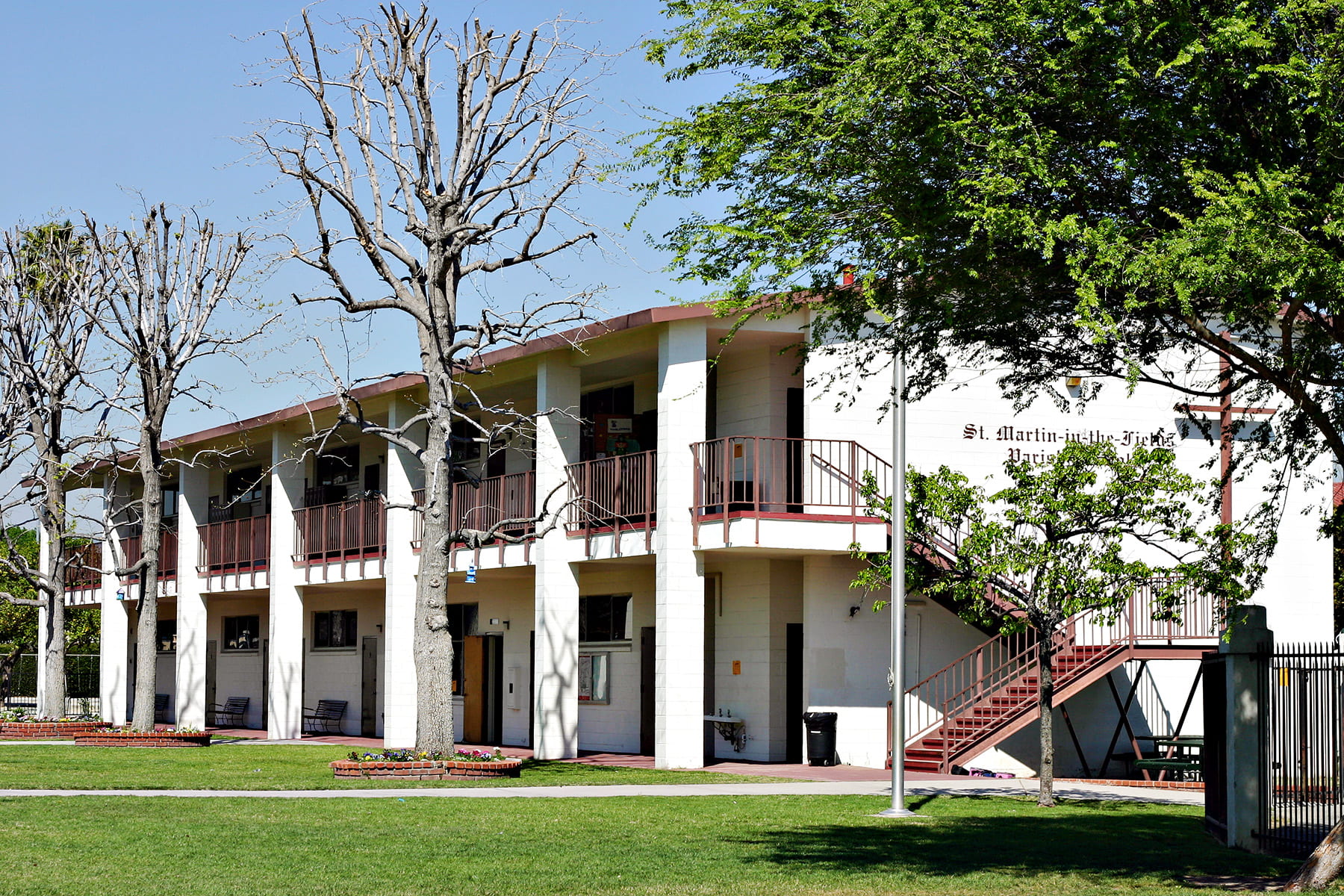
					<content type="html" xml:base="https://vsedgwick.edublogs.org/2019/08/11/just-like-that-its-over/"><![CDATA[<p><a href="https://vsedgwick.edublogs.org/files/2019/08/IMG_3342.jpg" target="_blank" rel="noopener noreferrer"><img fetchpriority="high" decoding="async" class="wp-image-1006 alignright" src="https://vsedgwick.edublogs.org/files/2019/08/IMG_3342.jpg" alt="" width="500" height="333" srcset="https://vsedgwick.edublogs.org/files/2019/08/IMG_3342.jpg 1800w, https://vsedgwick.edublogs.org/files/2019/08/IMG_3342-300x200.jpg 300w, https://vsedgwick.edublogs.org/files/2019/08/IMG_3342-1024x683.jpg 1024w" sizes="(max-width: 500px) 100vw, 500px" /></a>It was the summer of 1997 when I first walked onto the St. Martin&#8217;s campus. We were looking for a Kindergarten for our oldest daughter and we just felt that St. Martin&#8217;s was the right choice. The campus was lovely and the staff was warm and welcoming. A few years later, our younger daughter joined her sister at St. Martin&#8217;s.</p>
<p>The years went by and in 2007, as my younger daughter was getting ready to start Middle School at St. Martin&#8217;s, the Computer Teacher resigned. The principal asked me if I would consider helping out with the computer classes and I started as the Tech Teacher at St. Martin&#8217;s in the fall of 2007. When I started teaching at St. Martin&#8217;s, the curriculum was keyboarding and computer applications along with curriculum related games for the younger grades. As a former Computer Programmer, I wondered if it would be possible to add some programming to the curriculum and I went in search of resources and standards for this. I found the <a href="https://www.csteachers.org/page/about-csta-s-k-12-nbsp-standards" target="_blank" rel="noopener noreferrer">CSTA Standards</a> (the 2011 version) and in the spring of 2012 began adding Computer Science to the curriculum at St. Martin&#8217;s.</p>
<p>This started my journey as a CS Educator and it&#8217;s been an amazing one. I was one of the 2017 CSTA Standards writers and have been on the <a href="https://www.csteachers.org/page/board-of-directors" target="_blank" rel="noopener noreferrer">CSTA Board of Directors</a> as a K-8 Teacher Representative. I am currently one of the writers for the <a href="https://www.csteachers.org/page/standards-for-cs-educators" target="_blank" rel="noopener noreferrer">Standards for CS Educators</a> and am a member of the working group for <a href="http://ai4k12.org/" target="_blank" rel="noopener noreferrer">AI4K12</a> and I help to moderate <a href="https://twitter.com/hashtag/csk8?f=live" target="_blank" rel="noopener noreferrer">#csk8 Twitter chats</a>.  But &#8230; is it over?</p>
<p>On Friday, it was announced that St. Martin&#8217;s will not be opening this fall. Our enrollment has been declining in recent years and it is no longer possible to keep the school open. For the past 12 years, I have been a technology teacher and for the past 7 years, I have been a CS teacher. But, just like that &#8230; it&#8217;s over and I wonder, who am I now and what will I do?</p>
<p>I&#8217;m one of the lucky ones though. I can take the time to think about what I want to do and then make a decision. I worry about my colleagues who may not have that luxury. Will they be able to find a job for this school year and if not, will they be okay?</p>
<p>I&#8217;m sad that I won&#8217;t get to welcome our students back to school and watch them grow during their years at St. Martin&#8217;s. It has been amazing to see this happen during my time at the school. I will miss seeing the 8th graders in their caps and gowns seeming all grown up and ready to take their next steps into high school. I was looking forward to adding some AI activities into computer science this year and was hoping to bring back the Middle School physical computing showcase at the end of the year. I&#8217;m disappointed that won&#8217;t happen. Most importantly though, I hope that our students find schools where they can flourish and I have my fingers crossed that wherever they end up will teach computer science.</p>
]]></content>
		
					<link rel="replies" type="text/html" href="https://vsedgwick.edublogs.org/2019/08/11/just-like-that-its-over/#comments" thr:count="2" />
			<link rel="replies" type="application/atom+xml" href="https://vsedgwick.edublogs.org/2019/08/11/just-like-that-its-over/feed/atom/" thr:count="2" />
			<thr:total>2</thr:total>
			</entry>
		<entry>
		<author>
			<name>Vicky Sedgwick</name>
					</author>

		<title type="html"><![CDATA[A Binary Dance Party]]></title>
		<link rel="alternate" type="text/html" href="https://vsedgwick.edublogs.org/2019/01/15/binary-dance-party/" />

		<id>http://vsedgwick.edublogs.org/?p=990</id>
		<updated>2019-01-15T16:45:35Z</updated>
		<published>2019-01-15T08:53:18Z</published>
		<category scheme="https://vsedgwick.edublogs.org" term="Projects" /><category scheme="https://vsedgwick.edublogs.org" term="binary" /><category scheme="https://vsedgwick.edublogs.org" term="hour of code" />
		<summary type="html"><![CDATA[Like many schools, we participated in Computer Science Education Week. Unlike many schools, my students spent longer than an hour on these activities. We started during #CSEdWeek but students continued to refine what they started during that week and are currently working on documenting what they created. Our Middle School students created dance parties using [&#8230;]]]></summary>

					<content type="html" xml:base="https://vsedgwick.edublogs.org/2019/01/15/binary-dance-party/"><![CDATA[<p>Like many schools, we participated in <a href="https://csedweek.org/" target="_blank" rel="noopener">Computer Science Education Week</a>. Unlike many schools, my students spent longer than an hour on these activities. We started during #CSEdWeek but students continued to refine what they started during that week and are currently working on documenting what they created.</p>
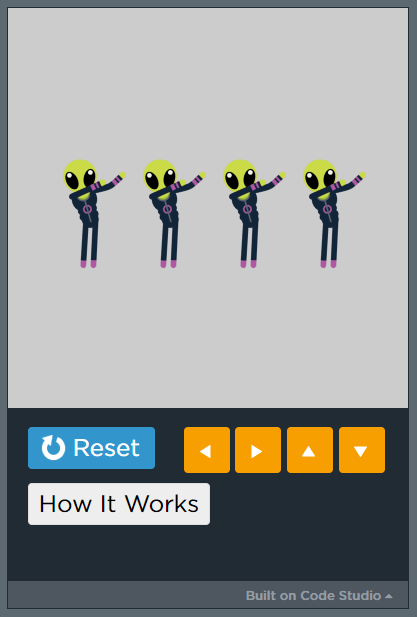
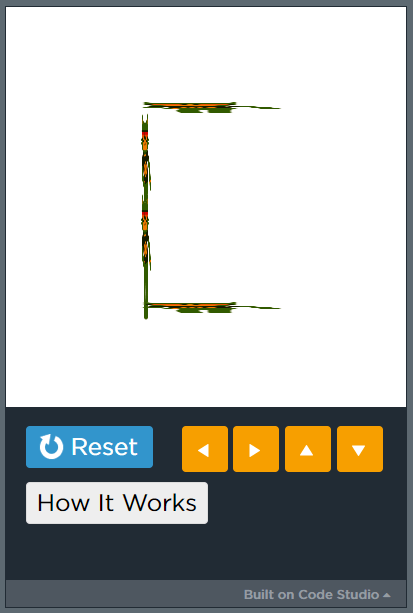
<p>Our Middle School students created dance parties using <a href="https://code.org/dance" target="_blank" rel="noopener">Code.org&#8217;s Dance Party</a>. Two of the students in 7th grade decided to challenge themselves to see if they could create something completely different with the Dance Party platform. One student wanted to create a binary encoder and the other wanted to create a calculator. As the projects progressed, the student trying to create the calculator decided to switch and create a binary decoder instead.</p>
<p>As the students have told me, these are &#8220;proof of concept&#8221; only &#8211; they wanted to show that it was possible to do it. The encoder works with letters A-F (though a few other letters do work or do some things) and encodes to upper-case letters even if you type lower-case letters. The decoder works with the binary for most upper-case letters, though there may be a few letters which don&#8217;t decode correctly.</p>
<table style="height: 34px;" width="1012">
<tbody>
<tr>
<td style="text-align: center;" valign="top" width="50%">Binary Encoder<br />
<a href="https://studio.code.org/projects/dance/ZcCWgEbvUqVfwhsUCDjnkUf1P12tAetxDgS-9TvKRsg" target="_blank" rel="noopener"><img decoding="async" class="aligncenter wp-image-992" src="https://vsedgwick.edublogs.org/files/2019/01/binary-encoder-2fjf0gh-1d7lk6r.png" alt="" width="338" height="500" srcset="https://vsedgwick.edublogs.org/files/2019/01/binary-encoder-2fjf0gh-1d7lk6r.png 417w, https://vsedgwick.edublogs.org/files/2019/01/binary-encoder-2fjf0gh-1d7lk6r-203x300.png 203w" sizes="(max-width: 338px) 100vw, 338px" /></a></td>
<td style="text-align: center;" valign="top" width="50%">Binary Decoder<br />
<a href="https://studio.code.org/projects/dance/P1T9PKd_fHBDfkP7N4q3DDZ5o857iUVTldJe7s6s4Gs" target="_blank" rel="noopener"><img decoding="async" class="aligncenter wp-image-991" src="https://vsedgwick.edublogs.org/files/2019/01/binary-decoder-2hgn1hj-1kaqdjo.png" alt="" width="337" height="500" srcset="https://vsedgwick.edublogs.org/files/2019/01/binary-decoder-2hgn1hj-1kaqdjo.png 413w, https://vsedgwick.edublogs.org/files/2019/01/binary-decoder-2hgn1hj-1kaqdjo-202x300.png 202w" sizes="(max-width: 337px) 100vw, 337px" /></a></td>
</tr>
<tr>
<td style="text-align: left;" valign="top" width="50%">To use the encoder, type in 4 letters. You may use a space if you wish to type less than 4 letters. I have been told that only the letters A-F work correctly and they will always encode to the binary for the upper-case letter. Once you have entered the letters and/or spaces, you will see colors flash on the screen:</p>
<ul>
<li style="text-align: left;">Dark Grey or Black = 0 (zero)</li>
<li style="text-align: left;">Light Grey or White = 1 (one)</li>
<li style="text-align: left;">Gold = end of byte marker</li>
<li style="text-align: left;">Red = End of all letters</li>
</ul>
</td>
<td style="text-align: left;" valign="top" width="50%">To use the decoder, type in one byte of information in binary and then press Enter. For example, type 01000011 and press Enter to see the letter C displayed. You must reset and run again in order to enter each byte. The decoder will work for most upper-case letters.</td>
</tr>
</tbody>
</table>
<p>Try these out and see what you think!</p>
]]></content>
		
					<link rel="replies" type="text/html" href="https://vsedgwick.edublogs.org/2019/01/15/binary-dance-party/#comments" thr:count="0" />
			<link rel="replies" type="application/atom+xml" href="https://vsedgwick.edublogs.org/2019/01/15/binary-dance-party/feed/atom/" thr:count="0" />
			<thr:total>0</thr:total>
			</entry>
		<entry>
		<author>
			<name>Vicky Sedgwick</name>
					</author>

		<title type="html"><![CDATA[And How Was Your Day?]]></title>
		<link rel="alternate" type="text/html" href="https://vsedgwick.edublogs.org/2018/12/03/and-how-was-your-day/" />

		<id>http://vsedgwick.edublogs.org/?p=982</id>
		<updated>2018-12-04T05:26:40Z</updated>
		<published>2018-12-04T05:19:42Z</published>
		<category scheme="https://vsedgwick.edublogs.org" term="Reflections" /><category scheme="https://vsedgwick.edublogs.org" term="csedweek" /><category scheme="https://vsedgwick.edublogs.org" term="hour of code" />
		<summary type="html"><![CDATA[Today was the start of Computer Science Education Week and I was excited to get it started and then &#8230;. Got this email &#8230; High Hour of Code traffic &#8211; progress not being saved Uh oh, I was concerned that my plans for 6th grade would have a problem especially when you add the fact that [&#8230;]]]></summary>

					<content type="html" xml:base="https://vsedgwick.edublogs.org/2018/12/03/and-how-was-your-day/"><![CDATA[<p>Today was the start of Computer Science Education Week and I was excited to get it started and then &#8230;.</p>
<p style="padding-left: 30px;"><strong>Got this email</strong> &#8230; <em>High Hour of Code traffic &#8211; progress not being saved<br />
</em>Uh oh, I was concerned that my plans for 6th grade would have a problem especially when you add the fact that we have slow Internet access and computers without much memory. I was also afraid that students might not be able to share the work they created when they completed the final level &#8211; luckily, they can. Whew!! Anyway, I reworked plans for 6th grade quickly and plan to have them try <a href="https://code.org/dance" target="_blank" rel="noopener">Code.org&#8217;s Dance Party</a> later this week.</p>
<p style="padding-left: 30px;"><strong>What can possibly go wrong with an Unplugged Activity?</strong><br />
My 3rd-5th graders are starting their #CSEdWeek activities with <a href="https://curriculum.code.org/hoc/unplugged/4/" target="_blank" rel="noopener">Code.org&#8217;s Dance Party Unplugged</a>. So, I got to school and opened the Spotify link for the Dance Party playlist and uh oh, it wouldn&#8217;t open on my computer at school. I couldn&#8217;t track down what exactly was missing and clicking on the link provided did nothing so &#8230; plan B. I pulled out my Chromebook, found some speakers, which was more difficult than you might think since they needed USB for power and the Chromebook has USB-C, and used the Chromebook to play the music. After the set up issues the Unplugged Dance Party was enjoyed by all.</p>
<p style="padding-left: 30px;"><strong>This Plugin is Not Supported</strong><br />
5th grade finished in time to start on the coding portion of their #CSEdWeek activity. This should have been a no brainer because the plan was to code a dance party in Scratch. We have used Scratch many times in the past. We have used other Flash based sites often. For some reason today, going to a website that used Flash just told us that the plugin was not supported. So, I decided we should try it on Firefox instead of Chromium since we had used it on Firefox all last year. Well, that just kept crashing the Firefox browser. Uh oh! So, plan B time again. Luckily, the Scratch 3.0 beta seems to run just fine on Chromium so 5th grade started their programming project there. I am a bit concerned with my 3rd graders having to download to save and upload to open on this but it will be learning opportunity for them! Guess that means I need to redo all of my video tutorials for this on Scratch 3.0 and add two for &#8220;saving&#8221; and &#8220;opening&#8221;, as well.</p>
<p>I&#8217;m hopeful that tomorrow will be a better day!</p>
<p style="text-align: center;"><img loading="lazy" decoding="async" class="aligncenter size-full wp-image-985" src="https://vsedgwick.edublogs.org/files/2018/12/hoping-2kbljv1-17kbytm.jpg" alt="" width="200" height="213" /></p>
]]></content>
		
					<link rel="replies" type="text/html" href="https://vsedgwick.edublogs.org/2018/12/03/and-how-was-your-day/#comments" thr:count="0" />
			<link rel="replies" type="application/atom+xml" href="https://vsedgwick.edublogs.org/2018/12/03/and-how-was-your-day/feed/atom/" thr:count="0" />
			<thr:total>0</thr:total>
			</entry>
		<entry>
		<author>
			<name>Vicky Sedgwick</name>
					</author>

		<title type="html"><![CDATA[Yes, You CAN Install iMovie on Older iPads!]]></title>
		<link rel="alternate" type="text/html" href="https://vsedgwick.edublogs.org/2018/06/21/yes-you-can-install-imovie-on-older-ipads/" />

		<id>http://vsedgwick.edublogs.org/?p=977</id>
		<updated>2018-06-21T08:01:04Z</updated>
		<published>2018-06-21T08:01:04Z</published>
		<category scheme="https://vsedgwick.edublogs.org" term="Tips &amp; Tricks" />
		<summary type="html"><![CDATA[We had some iPads donated that won&#8217;t update to iOS11. They&#8217;re fine for what we need but I really wanted to install iMovie on them. I thought this was a lost cause because I kept getting errors trying to install it since the latest version of iMovie requires iOS11 and the Apple ID I was [&#8230;]]]></summary>

					<content type="html" xml:base="https://vsedgwick.edublogs.org/2018/06/21/yes-you-can-install-imovie-on-older-ipads/"><![CDATA[<p>We had some iPads donated that won&#8217;t update to iOS11. They&#8217;re fine for what we need but I really wanted to install iMovie on them. I thought this was a lost cause because I kept getting errors trying to install it since the latest version of iMovie requires iOS11 and the Apple ID I was using had not previously installed iMovie. Through a bit of research and some trial and error, I discovered that, yes, it IS possible to install a prior version of iMovie on these iPads!</p>
<p>Do you want to know how?</p>
<ol>
<li>Select iMovie from the App Store and Buy it. It will act like it is installing but it will fail. I got a message saying that iMovie could not be installed at this time.</li>
<li>Go back into the App Store and into the Purchased options. Click on the Download icon for iMovie. You will get a message that says &#8220;Do you want to download the last compatible version? This version of iMovie is not compatible with this device.&#8221; Click Download and Voila! iMovie will install!!</li>
</ol>
<p>I would love it if the App Store would just do this or prompt me when I first buy the app but at least there is a way to get it installed.</p>
<p><img decoding="async" class="bitmoji-image aligncenter" src="https://render.bitstrips.com/v2/cpanel/2063b3b3-2054-4a07-83b6-0a10a04de771-91e51a7a-baac-4495-940a-62b9f30ddb4d-v1.png?transparent=1&amp;palette=1" data-src="https://render.bitstrips.com/v2/cpanel/2063b3b3-2054-4a07-83b6-0a10a04de771-%s-v1.png?transparent=1&amp;palette=1" data-downloadurl="image/png:3752.png:https://render.bitstrips.com/v2/cpanel/2063b3b3-2054-4a07-83b6-0a10a04de771-91e51a7a-baac-4495-940a-62b9f30ddb4d-v1.png?transparent=1&amp;palette=1" /></p>
]]></content>
		
					<link rel="replies" type="text/html" href="https://vsedgwick.edublogs.org/2018/06/21/yes-you-can-install-imovie-on-older-ipads/#comments" thr:count="0" />
			<link rel="replies" type="application/atom+xml" href="https://vsedgwick.edublogs.org/2018/06/21/yes-you-can-install-imovie-on-older-ipads/feed/atom/" thr:count="0" />
			<thr:total>0</thr:total>
			</entry>
		<entry>
		<author>
			<name>Vicky Sedgwick</name>
					</author>

		<title type="html"><![CDATA[Robots: Future Overlords or Devices for Learning?]]></title>
		<link rel="alternate" type="text/html" href="https://vsedgwick.edublogs.org/2017/03/27/robots-future-overlords-or-devices-for-learning/" />

		<id>http://vsedgwick.edublogs.org/?p=962</id>
		<updated>2017-03-29T03:56:58Z</updated>
		<published>2017-03-28T06:14:46Z</published>
		<category scheme="https://vsedgwick.edublogs.org" term="Reflections" /><category scheme="https://vsedgwick.edublogs.org" term="Tips &amp; Tricks" />
		<summary type="html"><![CDATA[I had the privilege to guest moderate #TynkerChat on Twitter on March 27th and I thought I&#8217;d take this opportunity to answer the chat questions in more depth. It&#8217;s hard to share everything in 140 characters! Why would we want to use robots to teach coding/computer science to students? There is so much available to teach [&#8230;]]]></summary>
					<content type="html" xml:base="https://vsedgwick.edublogs.org/2017/03/27/robots-future-overlords-or-devices-for-learning/"><![CDATA[<p>I had the privilege to guest moderate <a href="https://www.participate.com/transcripts/tynkerchat/deee14c6-ece3-48d0-83bf-92e2fdb75717" target="_blank">#TynkerChat</a> on Twitter on March 27th and I thought I&#8217;d take this opportunity to answer the chat questions in more depth. It&#8217;s hard to share everything in 140 characters!</p>
<p><img loading="lazy" decoding="async" class="aligncenter size-large wp-image-963" src="https://vsedgwick.edublogs.org/files/2017/03/robots-1jmv4mk-1024x637.png" alt="" width="584" height="363" srcset="https://vsedgwick.edublogs.org/files/2017/03/robots-1jmv4mk.png 1024w, https://vsedgwick.edublogs.org/files/2017/03/robots-1jmv4mk-300x187.png 300w" sizes="auto, (max-width: 584px) 100vw, 584px" /></p>
<p style="text-align: left;"><strong>Why would we want to use robots to teach coding/computer science to students?</strong></p>
<p style="text-align: left;">There is so much available to teach students coding these days, so why would we spend money on robots when there are free apps or websites available? There&#8217;s just something amazing about putting a robot into the hands of a student, whether they&#8217;ve had to build the robot or they&#8217;re just programming it. Seeing something like a robot do what you&#8217;ve told it to do helps students to understand that robots and computers aren&#8217;t magic. They need someone to tell them what to do! Also, providing the tactile, physical experience of a robot is a great way to reach many of our learners and it forces them to slow down and think about what they need to do in order to program the robot to do what they want it to do.</p>
<p style="text-align: left;"><strong>What robots are available for student learning and which do you use and why?</strong></p>
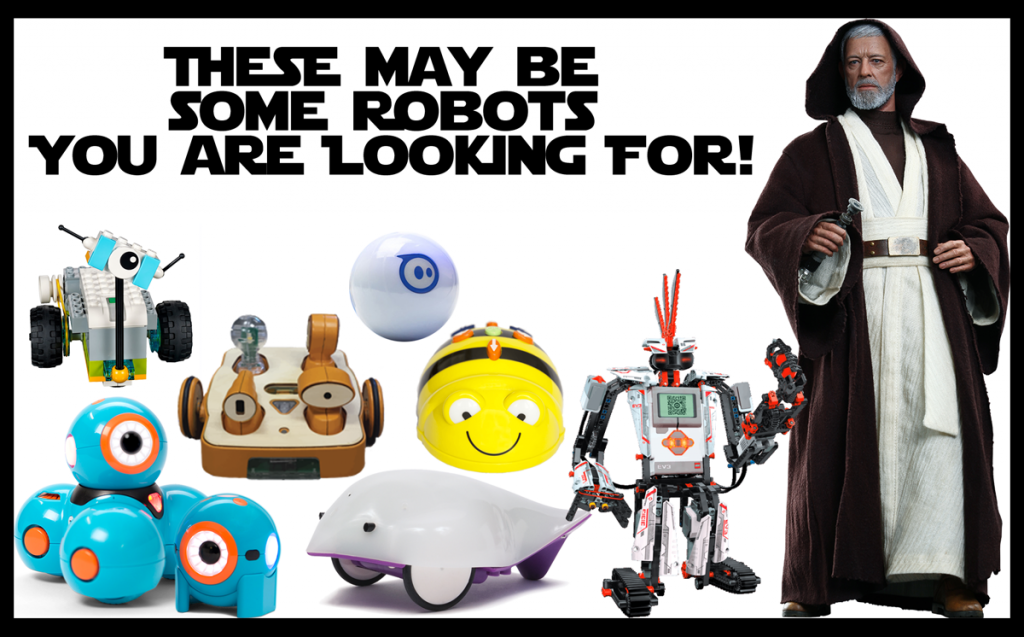
<p style="text-align: left;">There are many options for robots for learning these days and there seem to be new ones every month. Here&#8217;s what my students have been using this year. I&#8217;m not going to go into detail about how to use these robots &#8211; that&#8217;s a whole different post!</p>
<ul>
<li style="text-align: left;"><strong><a href="https://www.bee-bot.us/">Bee-Bot</a> &amp; <a href="https://www.amazon.com/Learning-Resources-Robot-Mouse-Activity/dp/B01A5YMCH4">Robot Mouse</a></strong>: These are perfect for young learners and don&#8217;t require any device except the robot. They help to teach directions and sequencing and problem solving and collaboration in a physical way just by pushing buttons on the robot and they can be integrated into any curricular area.</li>
<li style="text-align: left;"><strong><a href="https://www.primotoys.com/" target="_blank">Cubetto</a></strong>: I bought this (and I only have one) to try some programming with our preschoolers. I haven&#8217;t used it with them yet but my kindergarten students have had fun with it. Cubetto comes with a story book and story mat which is a great introduction to how the robot works. Students program this robot with blocks that fit into control board and no electronic device is needed, so this is a very physical way to write and debug algorithms. If you&#8217;re looking for ideas of what to do with Cubetto, there are <a href="https://www.primotoys.com/resources/" target="_blank">lots of ideas here</a>.</li>
<li style="text-align: left;"><a href="https://www.makewonder.com/" target="_blank"><strong>Dash &amp; Dot</strong></a>: Dash and Dot are really versatile and very cute as well. My younger students have used them with apps that let the students &#8220;program&#8221; the robots by drawing a path for the robot to follow. My older elementary students use the <a href="https://www.makewonder.com/apps" target="_blank">Wonder Workshop coding apps</a> and the <a href="https://tickleapp.com/" target="_blank">Tickle app</a>.</li>
<li style="text-align: left;"><a href="http://www.sphero.com/education" target="_blank"><strong>Sphero</strong></a>: Some people think of Sphero as only for older students but I have used them with 1st grade through middle school. I highly recommend the <a href="https://sprk.sphero.com/d/" target="_blank">Lightning Lab app</a> (you can even export data from your programs on this one!), the <a href="https://tickleapp.com/" target="_blank">Tickle app</a>, and <a href="https://www.tynker.com/mobile/" target="_blank">Tynker app</a> for working with Sphero. If you have Chromebooks, you can even <a href="https://chrome.google.com/webstore/detail/sprk-lightning-lab/hfiocchbmngcelgfdcfbepgoipapddlh?hl=en" target="_blank">program Sphero on those</a> as well. There are a lot of ideas for using Sphero on the <a href="http://edu.sphero.com/" target="_blank">Lightning Lab website</a>.</li>
</ul>
<p>Why these? Well, these are the robots we have and I have found them to be pretty versatile. They let my students learn not only computer science concepts but I can easily integrate them into other curricular areas as well. We also have a couple of <a href="http://www.makeblock.com/product/mbot-robot-kit" target="_blank">mBots</a> and some <a href="https://education.lego.com/en-us/products/lego-education-wedo-construction-set/9580" target="_blank">Lego WeDo</a> that I&#8217;m hoping we have time to use this year and if not, there&#8217;s always next year! I would really like to get into more building of robots next year so I would love more mBots, more WeDo (original &amp; <a href="https://education.lego.com/en-us/elementary/shop/wedo-2" target="_blank">WeDo 2</a>), and <a href="http://www.hummingbirdkit.com/" target="_blank">Hummingbird Robotic Kits</a>.</p>
<p style="text-align: left;"><strong>Teachers may often have one or only a few robots. How can they still be used effectively?</strong></p>
<p style="text-align: left;">First, robots should not be a 1:1 experience. Robots should be used in pairs or small groups. Part of the magic of robots for educators is that students are not only learning how to write and debug programs to control a robot, they may also be learning or reviewing other curricular content, and they are learning to communicate and collaborate with one another and share roles and responsibilities.</p>
<p style="text-align: left;">For example, when my younger students work with Bee-Bot, they often work in groups of three where one person is the human robot, another is the coder/debugger, and the third is the robot programmer. The human robot actually walks the mat as the robot programmer tells them where to move. As they are doing this, the coder/debugger lays out coding cards or writes the code on an erasable white board. Once the human robot has reached the goal, the coder reads back the code and the robot programmer pushes the buttons on the Bee-Bot to program it. When the robot programmer presses GO on the robot, the coder/debugger keeps track of which command Bee-Bot is on so they can fix the code if needed. Students then switch roles so all students have the chance to perform all roles. For older students, there should also be assigned roles which might be things like the programmer, the robot handler, and the debugger. Again, students would switch roles regularly so all students have a chance to be responsible for all roles.</p>
<p style="text-align: left;">Even in groups of three, teachers may still not have enough robots for all students to be using them at the same time. Here are some ideas if that&#8217;s the case:</p>
<ul>
<li style="text-align: left;">Use robots in a small group center so that one or two robots can be used for an entire class as they rotate through the center. Yes, even for older students!</li>
<li style="text-align: left;">Have some students using robots while other students are doing &#8220;robot programming&#8221; on apps and/or websites. It is still a good idea to pair students when they are doing these activities as well. Have one student be the driver (the person at the keyboard or holding the tablet) and the other is the navigator who helps to write the code (but does not touch the tablet or keyboard) and debug any problems. Again, students should switch roles often. I like to have them do this either when they have solved a level (in a puzzle type app) or on a specific time schedule, like every 5 minutes. Some &#8220;robot programming&#8221; apps and websites are listed below. There are other apps available beyond what are listed here but these should get you started.
<ul>
<li style="text-align: left;"><a href="https://www.bee-bot.us/emu/beebot.html" target="_blank"><strong>Bee-Bot Emulator</strong></a>: This is great if you have Bee-Bots because you can often have the students working online doing the same activity as those using robots except the students using the emulator are programming a virtual Bee-Bot. For example, if you are having students program Bee-Bot to the beginning letter sounds of words, you can give both the students working with the real Bee-Bot and the students using the emulator the same picture cards so they can be navigating on a ABC mat to the beginning letter sound in either case.</li>
<li style="text-align: left;"><a href="https://itunes.apple.com/us/app/bee-bot/id500131639?mt=8" target="_blank"><strong>Bee-Bot App</strong></a>: If you have iPads, this is a good app to use when students are working with Bee-Bot since in the app they are also programming a Bee-Bot. Again, pair students and have both a navigator who lays out coding cards or writes the program on an erasable white board as the driver figures out the code in the app. This app does not keep track of the commands that are entered so writing down the program is important in order to debug.</li>
<li style="text-align: left;"><a href="https://www.lego.com/en-us/campaigns/bits-and-bricks" target="_blank"><strong>Bits &amp; Bricks</strong></a>: If you are using Lego WeDo 2 or if your students just like Legos, this is a great companion website to use since it features Bit the Robot who is very similar to one of the robots you might build with Lego WeDo 2.</li>
<li style="text-align: left;"><a href="http://roboblockly.ucdavis.edu/" target="_blank"><strong>RoboBlockly</strong></a>: RoboBlockly is a web-based robot simulation environment that lets students program virtual Linkbot and Lego Mindstorms NXT/EV3 robots.</li>
<li style="text-align: left;"><a href="http://www.robotmesh.com/hoc2016" target="_blank"><strong>RobotMesh Studio</strong></a>: Program a virtual VEX IQ robot called Mimic.</li>
<li style="text-align: left;"><a href="https://www.nasa.gov/audience/foreducators/robotics/home/ROVER.html" target="_blank"><strong>NASA Rover</strong></a>: Program a virtual NASA Rover</li>
<li style="text-align: left;"><strong><a href="https://www.robomindacademy.com/go/course/robomind/HourOfCode/Getting%20started/0" target="_blank">RoboMind Academy</a></strong>: Program Robo through a series of levels.</li>
<li style="text-align: left;"><a href="https://code.org/starwars" target="_blank"><strong>StarWars Hour of Code</strong></a>: Program BB8 and R2D2 through a series of levels and create your own game at the end. Can program either with blocks or Javascript. Really fun to do if you happen to have a Sphero BB8 robot that you can then program with the Tickle app when you&#8217;re done.</li>
<li style="text-align: left;"><strong><a href="https://lightbot.com/" target="_blank">Lightbot</a></strong>: Lightbot has apps available for most devices and a Flash version on the web. All of these feature a small robot that you program through a series of levels.</li>
<li style="text-align: left;"><strong><a href="https://www.lego.com/en-us/mindstorms/games" target="_blank">Fix the Factory</a></strong>: This game use Lego Mindstorm robots which go through a series of levels to fix a factory and works on iPads and Android tablets. There is also a web version but it won&#8217;t run on the Chrome browser or on Chromebooks.</li>
</ul>
</li>
</ul>
<p style="text-align: left;"><strong>Considering the cost of robots, how can we help more teachers &amp; students have access to them?</strong></p>
<p style="text-align: left;">In order to get robots, you may need to do some fundraising. <strong><a href="https://www.donorschoose.org/" target="_blank">Donors Choose</a></strong> is the most well known option available and is a great one to try if you are a public school teacher. Unfortunately, I teach in a private school so DonorsChoose is not an option for me but here are some crowdsourced fundraising sites that private school (and public school) teachers can try:</p>
<ul>
<li style="text-align: left;"><strong><a href="http://www.digitalwish.com/dw/digitalwish/home" target="_blank">Digital Wish</a></strong>: Dash &amp; Dot are available here!</li>
<li style="text-align: left;"><strong><a href="https://www.pledgecents.com/" target="_blank">Pledge Cents</a></strong>: Finch Robots, Hummingbird Kits, LittleBits</li>
<li style="text-align: left;"><strong><a href="http://www.adoptaclassroom.com/" target="_blank">Adopt a Classroom</a></strong></li>
</ul>
<p>Some schools and districts now have robot lending libraries. If yours doesn&#8217;t check out the <strong><a href="http://www.finchrobot.com/finch-robot-loan-program" target="_blank">Finch Robot Loan Program</a></strong> and if you&#8217;re a member of CUE, check out the <strong><a href="http://www.cue.org/steampunk" target="_blank">CUE STEAMPunk Mobile Labs</a></strong>.</p>
<p>So, are you using robots with your students? Which ones?</p>
]]></content>
		
					<link rel="replies" type="text/html" href="https://vsedgwick.edublogs.org/2017/03/27/robots-future-overlords-or-devices-for-learning/#comments" thr:count="0" />
			<link rel="replies" type="application/atom+xml" href="https://vsedgwick.edublogs.org/2017/03/27/robots-future-overlords-or-devices-for-learning/feed/atom/" thr:count="0" />
			<thr:total>0</thr:total>
			</entry>
		<entry>
		<author>
			<name>Vicky Sedgwick</name>
					</author>

		<title type="html"><![CDATA[New Google Sites: A First Look]]></title>
		<link rel="alternate" type="text/html" href="https://vsedgwick.edublogs.org/2016/06/23/new-google-sites-a-first-look/" />

		<id>http://vsedgwick.edublogs.org/?p=959</id>
		<updated>2016-06-23T08:53:15Z</updated>
		<published>2016-06-23T08:52:37Z</published>
		<category scheme="https://vsedgwick.edublogs.org" term="Tech News" /><category scheme="https://vsedgwick.edublogs.org" term="Google Sites" />
		<summary type="html"><![CDATA[Thoughts on the new Google Sites after a first look &#8211; this is long and rambling but hopefully has some useful information as well.]]></summary>

					<content type="html" xml:base="https://vsedgwick.edublogs.org/2016/06/23/new-google-sites-a-first-look/"><![CDATA[<p>Thoughts on the new Google Sites after a first look &#8211; this is long and rambling but hopefully has some useful information as well.</p>
<div align="center"><iframe loading="lazy" width="560" height="315" src="https://www.youtube.com/embed/Lcee6Vr__I8" frameborder="0" allowfullscreen></iframe><center></p>
]]></content>
		
					<link rel="replies" type="text/html" href="https://vsedgwick.edublogs.org/2016/06/23/new-google-sites-a-first-look/#comments" thr:count="0" />
			<link rel="replies" type="application/atom+xml" href="https://vsedgwick.edublogs.org/2016/06/23/new-google-sites-a-first-look/feed/atom/" thr:count="0" />
			<thr:total>0</thr:total>
			</entry>
		<entry>
		<author>
			<name>Vicky Sedgwick</name>
					</author>

		<title type="html"><![CDATA[Thoughts Halfway Through Qtr 1]]></title>
		<link rel="alternate" type="text/html" href="https://vsedgwick.edublogs.org/2015/10/04/thoughts-halfway-thru-qtr1/" />

		<id>http://vsedgwick.edublogs.org/?p=949</id>
		<updated>2015-10-04T19:10:31Z</updated>
		<published>2015-10-04T19:06:50Z</published>
		<category scheme="https://vsedgwick.edublogs.org" term="Reflections" /><category scheme="https://vsedgwick.edublogs.org" term="Google Classroom" /><category scheme="https://vsedgwick.edublogs.org" term="google docs" /><category scheme="https://vsedgwick.edublogs.org" term="keyboarding" />
		<summary type="html"><![CDATA[I do think this is going to be a great year! I am loving using Google Classroom with 2nd-8th Grade. I&#8217;m even thinking of trying it with 1st Grade soon and maybe even Kindergarten before the end of the year! Our Middle School Language Arts teacher is also using Google Apps &#8211; Classroom &#38; Docs &#8211; [&#8230;]]]></summary>

					<content type="html" xml:base="https://vsedgwick.edublogs.org/2015/10/04/thoughts-halfway-thru-qtr1/"><![CDATA[<div align="center"><iframe loading="lazy" style="-webkit-backface-visibility: hidden; -webkit-transform: scale(1);" src="http://gifs.com/embed/m8jbw5" width="480" height="270" frameborder="0" scrolling="no"></iframe></div>
<p>I do think this is going to be a great year!</p>
<ul>
<li>I am loving using Google Classroom with 2nd-8th Grade. I&#8217;m even thinking of trying it with 1st Grade soon and maybe even Kindergarten before the end of the year!</li>
<li>Our Middle School Language Arts teacher is also using Google Apps &#8211; Classroom &amp; Docs &#8211; for essays and book reports this year.</li>
<li>There are multiple teachers at my school who are working on building their own classroom websites this year.</li>
<li>II have a 3rd grader who types 63wpm! I had nothing to do with this but it is inspiring others to work on their keyboarding skills.</li>
<li>1st Grade had the chance to work with <a href="https://www.bee-bot.us/" target="_blank">Bee-Bot</a> last week and I&#8217;m looking forward to more work with robots and coding coming up.</li>
<li>I&#8217;m going to have the opportunity to present and share at quite a few tech events in the next couple of months.</li>
</ul>
<p>How&#8217;s your year going so far?</p>
]]></content>
		
					<link rel="replies" type="text/html" href="https://vsedgwick.edublogs.org/2015/10/04/thoughts-halfway-thru-qtr1/#comments" thr:count="0" />
			<link rel="replies" type="application/atom+xml" href="https://vsedgwick.edublogs.org/2015/10/04/thoughts-halfway-thru-qtr1/feed/atom/" thr:count="0" />
			<thr:total>0</thr:total>
			</entry>
		<entry>
		<author>
			<name>Vicky Sedgwick</name>
					</author>

		<title type="html"><![CDATA[#notatiste15 &#8211; Creating Ribbons]]></title>
		<link rel="alternate" type="text/html" href="https://vsedgwick.edublogs.org/2015/06/29/notatiste15-creating-ribbons/" />

		<id>http://vsedgwick.edublogs.org/?p=931</id>
		<updated>2015-06-30T05:40:35Z</updated>
		<published>2015-06-30T04:25:15Z</published>
		<category scheme="https://vsedgwick.edublogs.org" term="Tips &amp; Tricks" /><category scheme="https://vsedgwick.edublogs.org" term="#iste2015" /><category scheme="https://vsedgwick.edublogs.org" term="#notatiste15" />
		<summary type="html"><![CDATA[Again this year I am not at ISTE and I am participating in the #notatiste15 community on Google+ and Twitter. One of the fun things we do as a community is make our own badges complete with ribbons because if you&#8217;re at a conference or even not at a conference, you need badge, right? Here&#8217;s mine so [&#8230;]]]></summary>

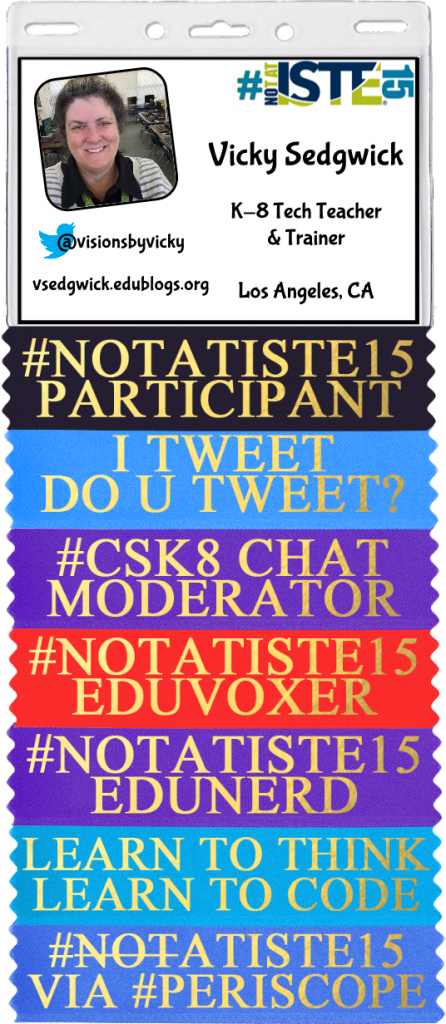
					<content type="html" xml:base="https://vsedgwick.edublogs.org/2015/06/29/notatiste15-creating-ribbons/"><![CDATA[<p>Again this year I am <strong>not</strong> at <a href="https://isteconference.org/2015/" target="_blank">ISTE</a> and I am participating in the #notatiste15 community on <a href="https://plus.google.com/communities/102762507417207490264">Google+</a> and <a href="https://twitter.com/search?q=notatiste15&amp;vertical=default&amp;f=tweets">Twitter</a>. One of the fun things we do as a community is make our own badges complete with ribbons because if you&#8217;re at a conference or even <strong>not</strong> at a conference, you need badge, right?</p>
<p>Here&#8217;s mine so far this year:<br />
<a href="https://vsedgwick.edublogs.org/files/2015/06/vls-notatiste15-1skrznv.png" target="_blank"><img loading="lazy" decoding="async" class="aligncenter wp-image-932" src="https://vsedgwick.edublogs.org/files/2015/06/vls-notatiste15-1skrznv.png" alt="vls-#notatiste15" width="261" height="600" srcset="https://vsedgwick.edublogs.org/files/2015/06/vls-notatiste15-1skrznv.png 446w, https://vsedgwick.edublogs.org/files/2015/06/vls-notatiste15-1skrznv-131x300.png 131w" sizes="auto, (max-width: 261px) 100vw, 261px" /></a></p>
<p>The Google+ community can participate in the challenges that <a href="https://twitter.com/jenwagner" target="_blank">Jen Wagner</a> has put together and there are even prizes! This year, one of the challenges is to create a ribbon and share it with the community. I use Photoshop and <a href="https://drive.google.com/file/d/0B9SpIwhzRZ4oTURlbDRoeWdVWGM/view?usp=sharing" target="_blank">this template</a> to create the ribbons but a lot of people don&#8217;t have Photoshop so how can they create and share ribbons? There are a lot of ways this could be done even without Photoshop and here are a few ways to try this online.</p>
<h3>GOOGLE DRAWINGS:</h3>
<p>Use one of the ribbons found in the <a href="https://drive.google.com/folderview?id=0B9SpIwhzRZ4ofllPYWNHdmZaT08teHAzNi1NVnp3bk1OV3RXLV9ZenZ3WC1CUmljS1I2d28&amp;usp=sharing" target="_blank">#notatiste15 Badges &amp; Ribbons Folder</a> and use Google Drawings to create a ribbon. You can recolor the ribbon using Image Options on the ribbon and then select a Gold color for the text. The standard ribbons (and this one) use the Times New Roman font in Bold and all upper-case letters. You can then use the File / Download As / and choose PNG (to keep the background behind the ribbon transparent) to save your ribbon as an image to share.<br />
<a href="https://vsedgwick.edublogs.org/files/2015/06/ribbon-googledraw-2cgekdw.png" target="_blank"><img loading="lazy" decoding="async" class="aligncenter wp-image-934 size-medium" src="https://vsedgwick.edublogs.org/files/2015/06/ribbon-googledraw-2cgekdw-300x76.png" alt="Google Drawing" width="300" height="76" srcset="https://vsedgwick.edublogs.org/files/2015/06/ribbon-googledraw-2cgekdw-300x76.png 300w, https://vsedgwick.edublogs.org/files/2015/06/ribbon-googledraw-2cgekdw.png 648w" sizes="auto, (max-width: 300px) 100vw, 300px" /></a><br />
Another option in Google Drawing is to create the text somewhere else and combine it with a ribbon in Google Drawing. For this option, I used the <a href="http://www.picturetopeople.org/text_generator/others/gradient/online-gradient-text-generator.html" target="_blank">Online Gradient Text Generator at Picture to People</a> and then instead of entering text in Google Drawing, I inserted the text image on top of a ribbon and sized it to fit on the ribbon.<br />
<a href="https://vsedgwick.edublogs.org/files/2015/06/ribbon-gdraw-picturetopeople-1kgdtvd.png" target="_blank"><img loading="lazy" decoding="async" class="aligncenter wp-image-945 size-medium" src="https://vsedgwick.edublogs.org/files/2015/06/ribbon-gdraw-picturetopeople-1kgdtvd-300x76.png" alt="Google Drawing and Picture To People" width="300" height="76" srcset="https://vsedgwick.edublogs.org/files/2015/06/ribbon-gdraw-picturetopeople-1kgdtvd-300x76.png 300w, https://vsedgwick.edublogs.org/files/2015/06/ribbon-gdraw-picturetopeople-1kgdtvd.png 648w" sizes="auto, (max-width: 300px) 100vw, 300px" /></a><br />
One note on Google Drawing, you should resize the canvas (use the 3 lines on the bottom right) to fit to the ribbon so you don&#8217;t have a huge image with a lot of blank space with a ribbon in the middle somewhere.</p>
<h3>LUNAPICS:</h3>
<p>Download one of the ribbons found in the <a href="https://drive.google.com/folderview?id=0B9SpIwhzRZ4ofllPYWNHdmZaT08teHAzNi1NVnp3bk1OV3RXLV9ZenZ3WC1CUmljS1I2d28&amp;usp=sharing" target="_blank">#notatiste15 Badges &amp; Ribbons Folder</a> and upload it to <a href="http://www181.lunapic.com/editor/" target="_blank">Lunapic</a>. You can use the Adjust / Adjust Colors and/or Adjust Light Levels options to change the color of the ribbon. Then, use the Draw / Text Tool to enter the text. There are lots of font options though I don&#8217;t know that Times New Roman is one of them. You can set a solid color by entering a hex code in the Color box &#8211; #CCAC00 is a good darker gold color and #FFD700 is a good lighter gold color. The fun thing with Lunapic is that it has a Gold Glitter option under Pattern (that&#8217;s what I used) and it even creates an animated GIF but it won&#8217;t be animated if you add it to other ribbons and the badge. Use the Save To Your Computer option to save your ribbon as an image to share.<br />
<a href="https://vsedgwick.edublogs.org/files/2015/06/ribbon-lunapic-goldglitter-170gnqx.gif" target="_blank"><img loading="lazy" decoding="async" class="aligncenter wp-image-935" src="https://vsedgwick.edublogs.org/files/2015/06/ribbon-lunapic-goldglitter-170gnqx.gif" alt="ribbon-lunapic-goldglitter" width="300" height="72" /></a></p>
<h3>PIXLR EDITOR:</h3>
<p>Again, download one of the ribbons found in the <a href="https://drive.google.com/folderview?id=0B9SpIwhzRZ4ofllPYWNHdmZaT08teHAzNi1NVnp3bk1OV3RXLV9ZenZ3WC1CUmljS1I2d28&amp;usp=sharing" target="_blank">#notatiste15 Badges &amp; Ribbons Folder</a> and then use the Open Image From Your Computer option in the<a href="http://pixlr.com/editor/" target="_blank"> Pixlr Editor</a> to upload the ribbon for editing. You can use Adjustment / Hue &amp; Saturation with the Colorize option checked to change the color of the ribbon. Then use the Text option on the Tools Palette to add your text. This will create the text on a new layer and you can play with options for the layer to get a more gradient gold look to your text. Again, the hex colors of #CCAC00 (for a darker gold) and #FFD700 (for a lighter gold) are good places to start with the color for the text. Use File / Save to save your ribbon &#8211; the defaults for a transparent PNG and full size are good.<br />
<a href="https://vsedgwick.edublogs.org/files/2015/06/ribbon-pixlr-161sq0y.png" target="_blank"><img loading="lazy" decoding="async" class="aligncenter wp-image-937 size-medium" src="https://vsedgwick.edublogs.org/files/2015/06/ribbon-pixlr-161sq0y-300x72.png" alt="ribbon-pixlr" width="300" height="72" srcset="https://vsedgwick.edublogs.org/files/2015/06/ribbon-pixlr-161sq0y-300x72.png 300w, https://vsedgwick.edublogs.org/files/2015/06/ribbon-pixlr-161sq0y.png 650w" sizes="auto, (max-width: 300px) 100vw, 300px" /></a></p>
<h3>PICMONKEY:</h3>
<p>Again, download one of the ribbons found in the <a href="https://drive.google.com/folderview?id=0B9SpIwhzRZ4ofllPYWNHdmZaT08teHAzNi1NVnp3bk1OV3RXLV9ZenZ3WC1CUmljS1I2d28&amp;usp=sharing" target="_blank">#notatiste15 Badges &amp; Ribbons Folder</a> and then click Edit on <a href="http://www.picmonkey.com/" target="_blank">PicMonkey</a> to upload the ribbon for editing. You can use Basic Edits / Color and then play with the Saturation and Temperature sliders to recolor your ribbon, if desired. Use the Text Option (Tt) and then click Add Text to insert a text box. There are lots of fonts and you can upload your own. Times New Roman is an option on PicMonkey. As on the other sites, the hex colors of #CCAC00 (for a darker gold) and #FFD700 (for a lighter gold) are good places to start with the color for the text. Use the save option to save your completed ribbon to your computer.<br />
<a href="https://vsedgwick.edublogs.org/files/2015/06/ribbon-picmonkey-y8cmdz.png" target="_blank"><img loading="lazy" decoding="async" class="aligncenter wp-image-936 size-medium" src="https://vsedgwick.edublogs.org/files/2015/06/ribbon-picmonkey-y8cmdz-300x72.png" alt="ribbon-picmonkey" width="300" height="72" srcset="https://vsedgwick.edublogs.org/files/2015/06/ribbon-picmonkey-y8cmdz-300x72.png 300w, https://vsedgwick.edublogs.org/files/2015/06/ribbon-picmonkey-y8cmdz.png 650w" sizes="auto, (max-width: 300px) 100vw, 300px" /></a></p>
<p>Just a few of many options available for adding text to the ribbons and even changing the ribbon colors. As you can see from the above examples, getting the text to be shiny is what&#8217;s tough to do. If you&#8217;re interested and you don&#8217;t have Photoshop, check out <a href="https://www.sumopaint.com/home/#app" target="_blank">SumoPaint</a> or download and install <a href="http://www.gimp.org/" target="_blank">GIMP</a> and check out <a href="http://www.gimp.org/tutorials/Golden_Text/" target="_blank">this tutorial</a>.</p>
]]></content>
		
					<link rel="replies" type="text/html" href="https://vsedgwick.edublogs.org/2015/06/29/notatiste15-creating-ribbons/#comments" thr:count="0" />
			<link rel="replies" type="application/atom+xml" href="https://vsedgwick.edublogs.org/2015/06/29/notatiste15-creating-ribbons/feed/atom/" thr:count="0" />
			<thr:total>0</thr:total>
			</entry>
	</feed>