<!DOCTYPE HTML PUBLIC "-//W3C//DTD HTML 4.01 Transitional//EN"
"http://www.w3.org/TR/html4/loose.dtd">
<html>
<head>

<script type="text/javascript" src="/static/js/analytics.js" ></script>
<link type="text/css" rel="stylesheet" href="/static/css/banner-styles.css"/>


<meta http-equiv="Content-Type" content="text/html; charset=utf-8">
<title>Freevlog: Tutorial</title>
<style type="text/css">
<!--
body {
	background-color: #FF66FF;
}
.maintext {
	font-family: Arial, Helvetica, sans-serif;
	font-size: 14px;
	color: #000000;
}
.maintextbold {
	font-family: Arial, Helvetica, sans-serif;
	font-size: 14px;
	font-weight: bold;
	color: #000000;
}
a:link {
	font-family: Arial, Helvetica, sans-serif;
	font-size: 14px;
	font-weight: bold;
	color: #FF0099;
}
a:visited {
	font-family: Arial, Helvetica, sans-serif;
	font-size: 14px;
	font-weight: bold;
	color: #FF0099;
}
a:hover {
	font-family: Arial, Helvetica, sans-serif;
	font-size: 14px;
	font-weight: bold;
	color: #FF66FF;
}
.big {
	font-family: Arial, Helvetica, sans-serif;
	font-size: 16px;
	font-weight: bold;
	color: #0066FF;
}
.bigwhite {
	font-family: Arial, Helvetica, sans-serif;
	font-size: 16px;
	font-weight: bold;
	color: #FFFFFF;
}
.regwhite {
	font-family: Arial, Helvetica, sans-serif;
	font-size: 14px;
	color: #FFFFFF;
}
-->
</style>
<script language="JavaScript" type="text/JavaScript">
<!--
function MM_openBrWindow(theURL,winName,features) { //v2.0
  window.open(theURL,winName,features);
}

function MM_swapImgRestore() { //v3.0
  var i,x,a=document.MM_sr; for(i=0;a&&i<a.length&&(x=a[i])&&x.oSrc;i++) x.src=x.oSrc;
}

function MM_preloadImages() { //v3.0
  var d=document; if(d.images){ if(!d.MM_p) d.MM_p=new Array();
    var i,j=d.MM_p.length,a=MM_preloadImages.arguments; for(i=0; i<a.length; i++)
    if (a[i].indexOf("#")!=0){ d.MM_p[j]=new Image; d.MM_p[j++].src=a[i];}}
}

function MM_findObj(n, d) { //v4.01
  var p,i,x;  if(!d) d=document; if((p=n.indexOf("?"))>0&&parent.frames.length) {
    d=parent.frames[n.substring(p+1)].document; n=n.substring(0,p);}
  if(!(x=d[n])&&d.all) x=d.all[n]; for (i=0;!x&&i<d.forms.length;i++) x=d.forms[i][n];
  for(i=0;!x&&d.layers&&i<d.layers.length;i++) x=MM_findObj(n,d.layers[i].document);
  if(!x && d.getElementById) x=d.getElementById(n); return x;
}

function MM_swapImage() { //v3.0
  var i,j=0,x,a=MM_swapImage.arguments; document.MM_sr=new Array; for(i=0;i<(a.length-2);i+=3)
   if ((x=MM_findObj(a[i]))!=null){document.MM_sr[j++]=x; if(!x.oSrc) x.oSrc=x.src; x.src=a[i+2];}
}
//-->
</script>
</head>

<body onLoad="MM_preloadImages('wordpress/wp-content/themes/anthurium/fvmasthead/3tutorial_on.gif','wordpress/wp-content/themes/anthurium/fvmasthead/3extras_on.gif','wordpress/wp-content/themes/anthurium/fvmasthead/3vlog_on.gif')">


<table width="772" border="0" align="center" cellpadding="0" cellspacing="0">
    <tr>
    <td bgcolor="#993300"><table width="772" border="0" cellspacing="0" cellpadding="0">
      <tr>
        <td width="153" height="190"><img src="https://freevlog.org/wordpress/wp-content/themes/anthurium/fvmasthead/01.gif" width="153" height="190"></td>
        <td width="115" height="190"><table width="115" border="0" cellspacing="0" cellpadding="0">
            <tr>
              <td width="115" height="31" bgcolor="#CC0000"><img src="https://freevlog.org/wordpress/wp-content/themes/anthurium/fvmasthead/02.gif" width="115" height="31"></td>
            </tr>
            <tr>
              <td width="115" height="43" bgcolor="#CC0000">&nbsp;</td>
            </tr>
            <tr>
              <td width="115" height="40" bgcolor="#CC0000"><a href="https://freevlog.org/" onMouseOut="MM_swapImgRestore()" onMouseOver="MM_swapImage('Image38','','https://freevlog.org/wordpress/wp-content/themes/anthurium/fvmasthead/3extras_on.gif',1)"><img src="https://freevlog.org/wordpress/wp-content/themes/anthurium/fvmasthead/3extras_off.gif" name="Image38" width="115" height="40" border="0"></a></td>
            </tr>
            <tr>
              <td width="115" height="44" bgcolor="#CC0000">&nbsp;</td>
            </tr>
            <tr>
              <td width="115" height="32" bgcolor="#CC0000"><img src="https://freevlog.org/wordpress/wp-content/themes/anthurium/fvmasthead/03.gif" width="115" height="32"></td>
            </tr>
        </table></td>
        <td width="504" height="190"><img src="https://freevlog.org/wordpress/wp-content/themes/anthurium/fvmasthead/04.gif" width="504" height="190"></td>
      </tr>
    </table></td>
  </tr>
  <tr>
    <td bgcolor="#FFFFFF"><table width="772" border="0" cellspacing="0" cellpadding="0">
      <tr>
        <td width="615"><table width="615" border="0" cellspacing="10" cellpadding="10">
          <tr>
            <td width="255" valign="top"><p class="maintext"><span class="big">Welcome
                  to Freevlog 2.5</span><br>
                <span class="maintextbold">A step-by-step guide to setting up a videoblog for free.</span><img src="https://freevlog.org/images/v25.gif" width="255" height="150"></p>

              <p class="maintextbold"><span class="big">Why is this cool?</span><br>
                ---&gt; It's free! What else do you want? </p>
              <p class="maintextbold"><span class="big">Wait a minute!</span><br>
                ---&gt; What's a &quot;vlog&quot; and why do
                  I want  one? </p>
              <p class="maintext">A <a href="http://en.wikipedia.org/wiki/Vlog" target="_blank">vlog</a> is
                a videoblog and
                you want one because, let's face it, they're not going to put
                you on TV. Besides, not playing that game is what makes this
                so much fun. You can do whatever you want.
                
              </p>
              </td>
            <td width="290" valign="top"><p align="center" class="maintext"><a href="https://freevlog.org/#"><img src="https://freevlog.org/images/tutorial/intro.jpg" width="286" height="284" border="0" onClick="MM_openBrWindow('tutorial/intro.htm','','width=350,height=270')"></a><br>
                <a href="https://freevlog.org/#" onClick="MM_openBrWindow('tutorial/intro.htm','','width=350,height=270')">Watch
                the  video</a></p>
              <p align="center" class="maintext"><a href="https://freevlog.org/archive/intro.mov">Download
                  the video</a></p>
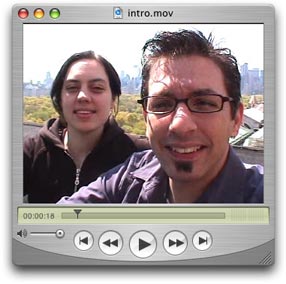
              <p align="left" class="maintext">Watch
                  this video and we'll say &quot;hi&quot; and show you how to
                  use this tutorial. It's not done yet but you can give it a
                  shot anyway (things keep changing so it may never get finished).
                  Or you can skip the video and do it your own way. Either way,
                  if you run into problems, send us an
                    <a href="mailto:help@freevlog.org">email</a>.</p>
              </td>
          </tr>
		  <tr>
		  	<td valign="top"><p class="big">Step 0.5:<br>
		  	  Before You Start, Make A Video And Load It On To Your Computer! </p>
		  	  <p class="maintext"><span class="big">Disclaimer:</span><br>
This tutorial assumes you have access to a computer, a camera and that you can
    make a video. That part of the whole videoblogging chain isn't free (we wish!).
  Depending on what kind of stuff you have, there
  are a zillion ways that whole process can go. Maybe after we get some sleep
  we'll think about doing some of those tutorials. </p>
		  	  <p class="maintext">Remember, without a video, step 2 where we make a
		  	    screen shot of your video and step 4 where we publish your video
		  	    are not going to make much sense. </p>
		  	  <p class="maintext">Here are some links to get you started in the video
		  	    department:</p>
		  	  <p class="maintext"><a href="http://www.videoblogging.info/archives/how-to-mac/" target="_blank">Using
		  	      iMovie (Mac)</a></p>
		  	  <p class="maintext"><a href="http://www.videoblogging.info/archives/how-to-win/" target="_blank">Using Movie Maker (PC)</a></p>
		  	      <p class="maintext"><span class="big">Now once you've made your 
                    masterpiece, you have to compress it.</span> <br>
                    <span class="maintextbold">---&gt; Check out our compression 
                    tutorials<br>
                    </span><br>
                    <a name="compress"></a>As we make more tutorials we'll post 
                    them on the <a href="https://freevlog.org/wordpress/">Freevlog 
                    Vlog</a>. You can <a href="http://feeds.feedburner.com/freevlog/tutorials">subscribe 
                    to our new tutorials here. </a></p>
                  <p class="maintext">&nbsp;</p>
                  <p align="center" class="maintext"><strong>Text versions:</strong></p>
                  <p align="center" class="maintext"><a href="https://freevlog.org/text/imovie_compress_transcribe.pdf">iMovie.pdf</a> 
                    <br>
                    <a href="https://freevlog.org/text/FCPcompression_transcribe.pdf">Final 
                    Cut Pro.pdf</a><br>
                    <a href="https://freevlog.org/text/wmm_compress_transcribe.pdf">Windows 
                    Movie Maker.pdf</a></p>
		  	  </td>
			<td valign="top"><p><img src="https://freevlog.org/images/tutorial/makeavideo.gif" width="284" height="305"></p>
			  <p align="center"><img src="https://freevlog.org/images/tutorial/compress.gif" width="284" height="258"></p>
			  <p align="center" class="maintext">Using<br>
			    <a href="https://freevlog.org/#compress" onClick="MM_openBrWindow('tutorial/imovie_comp.htm','','width=350,height=270')">iMovie</a><br>
			    <a href="https://freevlog.org/#compress" onClick="MM_openBrWindow('tutorial/fcp_comp.htm','','width=350,height=270')">Final Cut Pro</a><br>
			    <a href="https://freevlog.org/#compress" onClick="MM_openBrWindow('tutorial/wmm_comp.htm','','width=350,height=270')">Windows Movie Maker</a></p>
			  <p align="left" class="maintext">Now a lot of Windows users email us asking
			    how they can create QuickTime movies with Windows Movie Maker.
			    What are you crazy? Do you think Microsoft would let you do that?
			    (To be fair you can't make a .wmv with iMovie.) So here's a tip.
			    If you have the <a href="http://www.apple.com/quicktime/download/win.html" target="_blank">free
			    QuickTime player for Windows</a>			    installed on your system
			    you can use <a href="http://avid.com/freedv/index.asp" target="_blank">Avid
			    Free DV</a> ($0) to edit
			    and compress Quicktime movies. Plus you get some editing software
			    with more features than Movie Maker. Don't worry Mac users. Avid
			    didn't forget you. <a href="http://avid.com/freedv/index.asp" target="_blank">Avid
			    Free DV is also available for Mac.</a> Tutorial
			    coming soon(ish). </p></td>
		</tr>
          <tr>
            <td valign="top"><p class="big"><a name="step1"></a>Step 1:<br>
      Set Up A Free Blogger Blog</p>
              <p class="big"><span class="big">Why is this cool?</span><br>
                <span class="maintextbold">---&gt; Free customizable blogs! Come
                on, everyone's doing it! Even <a href="http://mymomsblog.blogspot.com/" target="_blank">Steve's
                Mom</a> has a blog. </span></p>
              <p class="maintext">This tutorial will walk you through getting
                  yourself a free Blogger blog. Go to <a href="http://www.blogger.com/" target="_blank">blogger.com</a>, create an
                  account, set up your blog and you're ready to turn the blogosphere
                  on it's rear. </p>
              <p class="maintext"><a href="https://freevlogdemo.blogspot.com/" target="_blank">Here's our completed example.</a></p>
              </td>
            <td><div align="center">
              <p><a href="https://freevlog.org/#step1"><img src="https://freevlog.org/images/tutorial/a01blogger.jpg" width="284" height="284" border="0" onClick="MM_openBrWindow('tutorial/blogger.htm','','width=350,height=270')"></a><span class="maintext"><a href="https://freevlog.org/#step1" onClick="MM_openBrWindow('tutorial/blogger.htm','','width=350,height=270')"><br>
                Watch the video</a></span></p>
              <p class="maintext"><a href="https://freevlog.org/archive/01blogger.mov">Download the video</a></p>
			  <p class="maintext"><a href="https://freevlog.org/text/01blogger_transcribe.pdf">View 
                      Text Version</a></p>
            </div></td>
          </tr>
          <tr valign="top">
            <td><p class="big"><a name="step2"></a>Step 2:<br>
                  Make A Screen Capture On A Mac</p>
              <p class="maintext"><span class="maintextbold"><span class="big">Why
                    is this cool?</span></span><br>
                <span class="maintextbold">---&gt; Geeky computer tricks.</span></p>
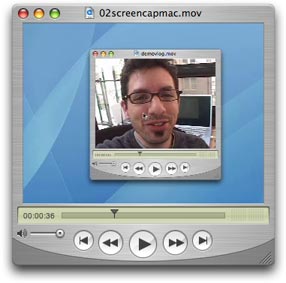
              <p class="maintext">Next you want to take a little picture of your
                video when it's displayed in you video player so people who are
                looking at your blog will know right away that there is video
                on the blog! &quot;Hey Martha, take a look at this! There's some
                of that there video on this blog! I can tell because there's
                a picture of a little TV on here!&quot;</p></td>
            <td><p align="center"><a href="https://freevlog.org/#step2"><img src="https://freevlog.org/images/tutorial/a02screencapmac.jpg" width="286" height="283" border="0" onClick="MM_openBrWindow('tutorial/screenmac.htm','','width=350,height=270')"></a><span class="maintext"><br>
                      <a href="https://freevlog.org/#step2" onClick="MM_openBrWindow('tutorial/screenmac.htm','','width=350,height=270')">Watch
                      the  video</a></span></p>
                  <p align="center" class="maintext"><a href="https://freevlog.org/archive/02screencapmac.mov">Download 
                    the video</a> </p>
                  <p align="center" class="maintext"><a href="https://freevlog.org/text/02screencapmac_transcribe.pdf">View 
                    Text Version</a></p>
                  </td>
          </tr>
          <tr>
            <td valign="top"><p class="big"><a name="step2pc"></a>Step 2 (this time for PC users):<br>
  Make A Screen Capture On A PC </p>
              <p class="maintext"><span class="maintextbold"><span class="big">Why
                    is this cool?</span></span><br>
                <span class="maintextbold">---&gt; It's a geeky computer trick in another
                language. </span></p>
              <p class="maintext">Let's do it one more time for all of the PC
                users in the room! How's this for a trick? No PCs we're used
                in the making of this video. Also, no PC <em>users</em> were
                used so if the info is wrong, that would be the cause.</p>
              </td>
            <td><div align="center">
                <p><a href="https://freevlog.org/#step2pc"><img src="https://freevlog.org/images/tutorial/a02screencappc.jpg" width="285" height="284" border="0" onClick="MM_openBrWindow('tutorial/screenpc.htm','','width=350,height=270')"><br>
                </a><a href="https://freevlog.org/#step2pc" onClick="MM_openBrWindow('tutorial/screenpc.htm','','width=350,height=270')">Watch
                the  video </a></p>
                    <p class="maintext"><a href="https://freevlog.org/archive/02screencappc.mov">Download 
                      the video</a> </p>
                    <p class="maintext"><a href="https://freevlog.org/text/02screencappc_transcribe.pdf">View 
                      Text Version</a></p>
            </div></td>
          </tr>
          <tr>
            <td valign="top"><p class="big"><a name="step3"></a>Step 3:<br>
              Sign Up For Internet
                  Archive &amp; OurMedia Accounts </p>
              <p class="maintext"><span class="maintextbold"><span class="big">Why
                    is this cool?</span></span><br>
                <span class="maintextbold">---&gt; Free media
                    hosting; Huge community for trading original media. Did I
                mention that people usually pay for this hosting stuff? </span></p>
              <p class="maintext">Your Blogger blog doesn't actually store and
                host your media. You could pay for storage from a hosting
                company (roughly $80US a year, more if you get a lot of hits
                and use a bunch of bandwidth, which you will if you're
                hosting videos), but this is all about doing it for free. The
                partnership between The Internet Archive and OurMedia makes it
                easy as pie to upload and host your media for free, forever.
                How cool is that?</p>
              <p class="maintext"><a href="http://www.archive.org/" target="_blank">Internet
                  Archive</a><br>
The Internet Archive is a public nonprofit that was founded to build an &quot;Internet
library,&quot; with the purpose of offering permanent access for researchers,
historians, and scholars to historical collections that exist in digital format.</p>
              <p class="maintext"><a href="http://www.ourmedia.org/" target="_blank">OurMedia</a><br>
  A branch of the Internet Archive.We provide free storage and free bandwidth
    for your videos, audio files, photos, text or software. Forever. No catches.</p>
              </td>
            <td valign="top"><div align="center">
                <p><a href="https://freevlog.org/#step3"><img src="https://freevlog.org/images/tutorial/a03ourmedia.jpg" width="285" height="284" border="0" onClick="MM_openBrWindow('tutorial/ourmedia.htm','','width=350,height=270')"><br>
                </a><a href="https://freevlog.org/#step3" onClick="MM_openBrWindow('tutorial/ourmedia.htm','','width=350,height=270')">Watch
                the  video</a></p>
                    <p class="maintext"><a href="https://freevlog.org/archive/03ourmedia.mov">Download 
                      the video</a> </p>
                    <p class="maintext"><a href="https://freevlog.org/text/03ourmedia_transcribe.pdf">View 
                      Text Version</a></p>
            </div></td>
          </tr>
          <tr>
            <td valign="top"><p class="big"><a name="step4"></a><img src="https://freevlog.org/images/new.gif" width="75" height="25">Step 4:<br>
              Publish Your Video</p>
              <p class="maintext"><span class="maintextbold"><span class="big">Why
                    is this cool?</span></span><br>
                <span class="maintextbold">---&gt; Do you have to ask? </span> </p>
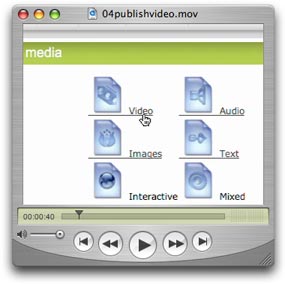
              <p class="maintext">Get your videos on the internet so you can
                share them with the ENTIRE WORLD. It's about time to let yourself
                shine. Be your own star, be your own news anchor, heck, just
                be yourself.</p>
                  <p><span class="maintextbold">Note:</span><span class="maintext"><br>
                    Usually this all works as described but once in a while it 
                    doesn't. It's been getting better over time but you're doing 
                    this for free and it's in alpha so cut them some slack. </span></p>

                  <p><a href="http://blip.tv/" target="_blank"><img src="https://freevlog.org/extras/blip.tv.badge.gif" width="115" height="28" border="0"></a></p>
                  <p><span class="maintext">Having endless Ourmedia trouble? Try 
                    Blip.tv as a reliable alternative. They're free and they'll 
                    even post to your blog for you. Tutorial coming soon!</span></p>
              <p class="maintext">Also uploading video from the Ourmedia website
                works for files up to 20MB (We know it says 10MB but we generally
                have success with larger files). So what do you do if your video
                comes out bigger than 20MB? Well, If you're using our compression
                settings this should give you about 4 - 5 minutes to tell your
                story. If you can't get it done in that amount of time, we suggest
                you quit your rambling and make that video shorter. Really. Shorter
                is almost always better. If you really must go on and on and
                on - then lower that bit-rate. This will also lower the quality
                of your video but by this time only your Mom will be watching
                you so it won't be too much of a problem. </p></td>
            <td valign="top"><p align="center"><a href="https://freevlog.org/#step4"><img src="https://freevlog.org/images/tutorial/a04publishvideo.jpg" width="285" height="284" border="0" onClick="MM_openBrWindow('tutorial/publishvideo.htm','','width=350,height=270')"><br>
            </a><a href="https://freevlog.org/#step4" onClick="MM_openBrWindow('tutorial/publishvideo.htm','','width=350,height=270')">Watch
            the  video</a></p>
                  <p align="center" class="maintext"><a href="https://freevlog.org/archive/04publishvideo2.mov">Download 
                    the video</a></p>
                  <p align="center" class="maintext"><a href="https://freevlog.org/text/04publishvideo_transcibe.pdf">View 
                    Text Version</a></p></td>
          </tr>
          <tr>
            <td valign="top" class="maintext"><p class="big"><a name="step5" id="step5"></a><img src="https://freevlog.org/images/new.gif" width="75" height="25">Step
                5:<br>
                Post Video &amp; Images On Your Blog</p>
              <p><span class="maintextbold"><span class="big">Why is this cool?</span></span><br>
                <span class="maintextbold">---&gt; This is the moment you've been waiting for! It's time for
                  your 15 minutes of fame.</span></p>
              <p>Use these simple steps to post your video and your photo  to
                your blog. <s>WARNING: Some HTML required! Don't
                worry, it's easy but you can go ahead and tell everyone it was
                really complicated. </s></p>
              <p>Wow, this is now so easy, even you can do it! </p>
              </td>
            <td valign="top"><div align="center">
              <p><a href="https://freevlog.org/#step5"><img src="https://freevlog.org/archive/05post2.jpg" width="286" height="284" border="0" onClick="MM_openBrWindow('tutorial/post.htm','','width=350,height=270')"></a><br>
                  <span class="maintext"><a href="https://freevlog.org/#step5" onClick="MM_openBrWindow('tutorial/post.htm','','width=350,height=270')">Watch
                  the  video</a></span></p>
                    <p class="maintext"><a href="https://freevlog.org/archive/05post2.mov">Download 
                      the video</a> </p>
                    <p class="maintext"><a href="https://freevlog.org/text/05post_transcribe.pdf">View 
                      Text Version</a></p>
            </div></td>
          </tr>
          <tr>
            <td valign="top" class="maintext"><p class="big"><a name="step6" id="step6"></a><img src="https://freevlog.org/images/new.gif" width="75" height="25">Step
                6:<br>
                  Get An RSS 2.0 Feed w/ Enclosures </p>
              <p><span class="maintextbold"><span class="big">Why is this cool?</span></span><br>
                <span class="maintextbold">---&gt; People can subscribe and download
                your videos automatically.</span></p>
              <p>This is the trickiest part (and the longest video) but it's
                so worth it. Just set this up one time and people can automatically
                find out about your new stuff. This is much better than spaming
                all of your friends every time you make a new post! </p>
              <p><a href="http://www.feedburner.com/fb/a/aboutrss" target="_blank">What is RSS? </a></p></td>
            <td><div align="center">
              <p><a href="https://freevlog.org/#step6"><img src="https://freevlog.org/archive/06rssfeed.jpg" width="286" height="284" border="0" onClick="MM_openBrWindow('tutorial/rssfeed.htm','','width=350,height=270')"></a><br>
                    <span class="maintext"><a href="https://freevlog.org/#step6" onClick="MM_openBrWindow('tutorial/rssfeed.htm','','width=350,height=270')">Watch
                    the  video</a></span></p>
                    <p class="maintext"><a href="https://freevlog.org/archive/step6rss2.mov">Download 
                      the video</a> </p>
                    <p class="maintext"><a href="https://freevlog.org/text/06rssfeed_transcribe_new.pdf">View 
                      Text Version</a></p>
            </div></td>
          </tr>
          <tr>
            <td valign="top" class="maintext"><p class="big"><img src="https://freevlog.org/images/new.gif" width="75" height="25">Step 7:<br>
              Join The Community</p>
              <p><span class="maintextbold"><span class="big">Why is this cool?</span></span><br>
                <span class="maintextbold">---&gt;
                Because videobloggers are cool people! </span></p>
              <p>Okay, really, we're not that cool but we are pretty smart and
                can probably help answer most any question about videoblogging
                you can come up with. <br>
                </p></td>
            <td valign="top"><p class="maintext">First <a href="mailto:newvlog@freevlog.org">email
                  us</a>              with the link to your videoblog and we'll feature you on the <a href="https://freevlog.org/wordpress">Freevlog
                  Vlog</a>. </p>
              <p class="maintext">Next, join the <a href="http://groups.yahoo.com/group/videoblogging/" target="_blank">Videoblogging
                    Yahoo Group</a> and
                  introduce yourself.  Also, go to <a href="http://vlogmap.org/" target="_blank">VlogMap.org</a> and click on &quot;submit
                    vlog&quot; to claim your spot. We'll use this info to list you
                    in our videoblogging directories at <a href="http://vlogdir.com/" target="_blank">Vlogdir.com</a> and <a href="http://videoblogging.info/" target="_blank">Videoblogging.info</a>. </p>
              <p class="maintext">Don't forget to subscribe to all of your favorite
                videoblogs with <a href="http://www.antsnottv.com/" target="_blank">ANT</a> and <a href="http://www.mefeedia.com/" target="_blank">Mefeedia</a>.</p>
              <p class="maintext"><span class="big">Don't forget to take  the
                  videobloggers' oath:</span><br>
                I _________
                do solemnly promise to post video regularly. I promise to post
                video even if I don't really have time to or even if I really
                need to get some sleep. Also, I promise to teach others to videoblog
                or at the very least, point them over here when they get inspired
                from watching my videos.</p></td>
          </tr>
          <tr>
            <td valign="top" class="maintext"><p class="big"><a name="step8" id="step8"></a><img src="https://freevlog.org/images/new.gif" width="75" height="25">Step
                8:<br>
              Link Love</p>
              <p><span class="big">Why is this cool?</span><br>
                <span class="maintextbold">---&gt; You'll be sporting this hot little badge in your sidebar
                  and helping us out at the same time.</span></p>
              <p>See this is how the Internet works - if you like something you
                link to it. The more people  link to something, the higher
                it shows up in search engines like Google. So if you link to
                us you'll be helping us get the word out. Plus it'll only take
                you like 5 freakin' seconds so what's to lose? </p>
              </td>
            <td valign="top"><div align="center">
              <p><a href="https://freevlog.org/#step8"><img src="https://freevlog.org/images/tutorial/09linklove.jpg" width="286" height="284" border="0" onClick="MM_openBrWindow('tutorial/linklove.htm','','width=350,height=270')"></a><br>
                    <span class="maintext"><a href="https://freevlog.org/#step8" onClick="MM_openBrWindow('tutorial/linklove.htm','','width=350,height=270')">Watch the video</a></span></p>
                    <p><span class="maintext"><a href="https://freevlog.org/archive/08linklove.mov" target="_blank">Download 
                      the video</a> </span></p>
                    <p><span class="maintext"><a href="https://freevlog.org/text/08linklove_transcribe.pdf">View 
                      Text Version</a></span></p>
            </div></td>
          </tr>
          <tr>
            <td valign="top" class="maintext"><p class="big">Help us keep
                the ship afloat!</p>
              <p class="maintext">While you're following all of our instructions,
                why not go buy some cool stuff just because we told you to?  </p></td>
            <td valign="top"><div align="center"><a href="http://vlog.spreadshirt.com/" target="_blank"><img src="https://freevlog.org/images/store_big.jpg" width="260" height="280" border="0"></a></div></td>
          </tr>
        </table></td>
        <td width="157" valign="top" bgcolor="#FF0099"><table width="157" border="0" cellspacing="10" cellpadding="10">
              <tr> 
                <td valign="top" bgcolor="#993300"><p align="center" class="bigwhite">Need 
                    Help?</p>
                  <p align="center" class="regwhite"><a href="mailto:help@freevlog.org">Email 
                    us at<br>
                    help@freevlog.org</a></p></td>
              </tr>
              <tr> 
                <td valign="top" bgcolor="#660099"><p align="center" class="bigwhite"><img src="https://freevlog.org/images/language.gif" width="125" height="125"></p>
                  <p align="center" class="regwhite"><a href="https://freevlog.org/">English</a><br>
                    <a href="https://freevlog.org/translations/spanish">Espa&ntilde;ol</a><br>
                    <a href="https://freevlog.org/translations/portuguese">Portugu&ecirc;s</a><br>
                    <a href="https://freevlog.org/translations/japanese">日本語</a><br>
                    <a href="https://freevlog.org/translations/italian">Italiano</a><br>
                    <a href="https://freevlog.org/translations/german">Deutsch</a></p>
                  <p align="center" class="regwhite">Interested in translating 
                    Freevlog?<br>
                    <a href="mailto:translation@freevlog.org">Email us</a>, and
                    we'll get you started!</p></td>
              </tr>
			  <tr> 
                <td valign="top" bgcolor="#00FFFF"><div align="center"><a href="http://vlog.spreadshirt.com/" target="_blank"><img src="https://freevlog.org/images/store_small.gif" width="115" height="175" border="0"></a></div></td>
			  </tr>
              <tr> 
                <td valign="top" bgcolor="#FFCC00"><p align="center" class="bigwhite">Free 
                    Services </p>
                  <p><a href="http://www.blogger.com/" target="_blank"><img src="https://freevlog.org/images/tutorial/blogger_button.gif" width="115" height="28" border="0"></a></p>
                  <p><a href="http://www.archive.org/"><img src="https://freevlog.org/images/tutorial/archive_button.gif" width="115" height="28" border="0"></a></p>
                  <p><a href="http://www.ourmedia.org/" target="_blank"><img src="https://freevlog.org/images/tutorial/ourmedia_button.gif" width="115" height="28" border="0"></a></p>
                  <p><a href="http://www.creativecommons.org/" target="_blank"><img src="https://freevlog.org/images/tutorial/cc.gif" width="115" height="28" border="0"></a></p>
                  <p><a href="http://www.feedburner.com/" target="_blank"><img src="https://freevlog.org/images/tutorial/feedburner_button.gif" width="115" height="28" border="0"></a></p>
                  <p><a href="http://blip.tv/" target="_blank"><img src="https://freevlog.org/extras/blip.tv.badge.gif" width="115" height="28" border="0"></a></p></td>
              </tr>
              <tr> 
                <td valign="top" bgcolor="#FF6600"><p align="center" class="bigwhite">Free 
                    Tools</p>
                  <p><a href="http://www.getfirefox.com/" target="_blank"><img src="https://freevlog.org/images/tutorial/firefox_button.gif" width="115" height="31" border="0"></a></p>
                  <p><a href="http://www.apple.com/quicktime" target="_blank"><img src="https://freevlog.org/images/tutorial/qt.gif" width="115" height="28" border="0"></a> 
                  </p></td>
              </tr>
              <tr> 
                <td height="365" valign="top" bgcolor="#CC0000">
<p align="center" class="bigwhite">Community</p>
                  <p><a href="http://www.videoblogging.info/" target="_blank"><img src="https://freevlog.org/images/tutorial/vb.info_button.gif" width="115" height="28" border="0"></a></p>
                  <p><a href="http://groups.yahoo.com/group/videoblogging/" target="_blank"><img src="https://freevlog.org/images/tutorial/yahoo.gif" width="115" height="28" border="0"></a></p>
                  <p><a href="http://www.antsnottv.com/" target="_blank"><img src="https://freevlog.org/images/tutorial/ant.gif" width="115" height="28" border="0"></a></p>
                  <p><a href="http://www.mefeedia.com/" target="_blank"><img src="https://freevlog.org/images/tutorial/mefeedia.gif" width="115" height="28" border="0"></a></p>
                  <p><a href="http://vlogdir.com/" target="_blank"><img src="https://freevlog.org/images/tutorial/badges/vlogdir.gif" width="115" height="28" border="0"></a></p>
                  <p><a href="http://vlogmap.org/" target="_blank"><img src="https://freevlog.org/extras/vlogmap.jpg" width="115" height="28" border="0"></a></p>
                  <p><a href="http://videoblogging-universe.com/" target="_blank"><img src="https://freevlog.org/images/tutorial/badges/vlogsuniverse.gif" width="115" height="28" border="0"></a></p>
                  <p><a href="http://wearethemedia.com/" target="_blank"><img src="https://freevlog.org/extras/watmbanner.gif" width="115" height="28" border="0"></a></p></td>
              </tr>
              <tr> 
                <td valign="top" bgcolor="#FF66FF">

                  <img src="https://freevlog.org/extras/meter.asp.gif" alt="Site Meter" border="0"/></a> 

                  &nbsp;<br> <span class="bigwhite">vloggers served since 2/8/05</span> 
                </td>
              </tr>
              <tr> 
                <td valign="top" bgcolor="#660099"><p align="center" class="bigwhite">&nbsp;<a href="http://feeds.feedburner.com/freevlog/tutorials">Subscribe 
                    to our tutorial feed!<br>
                    <img src="https://freevlog.org/feed.gif" height="26" width="88" style="border:0" alt="" /></a></p>
                  <p align="center" class="bigwhite">Shameless Plugs</p>
                  <p><a href="http://ryanedit.blogspot.com/" target="_blank"><img src="https://freevlog.org/images/tutorial/ryanedit.gif" width="115" height="28" border="0"></a></p>
                  <p><a href="http://www.michaelverdi.com/" target="_blank"><img src="https://freevlog.org/images/tutorial/verdi.gif" width="115" height="28" border="0"></a></p></td>
              </tr>
              <tr> 
                <td height="388" valign="top" bgcolor="#FFCC00"> <div align="center"> 
                    <p class="bigwhite"><font size="4">Steal this Badge</font> 
                    <p class="regwhite">copy and paste this code into your template 
                    <p> 
                      <textarea name="textarea" cols="10" style="width: 115px; height: 60px;"><!-- BEGIN FREEVLOG BADGE --><a href="https://freevlog.org/"title="Create A Videoblog For Free"target=_blank><img src="http://www.archive.org/download/FreevlogBadge115X28/fv115.gif"title="Create A Videoblog For Free"></a>
<! -- END FREEVLOG BADGE --></textarea>
                    <p><font color="#FFFFFF" size="2" face="Arial, Helvetica, sans-serif">now 
                      you have this:</font> 
                    <p> <a href="https://freevlog.org/"><img src="https://freevlog.org/fv115.gif"width="115" height="28" border="0" title="Create A Videoblog For Free"></a></a></p>
                    <form name="form1" method="post" action="">
                      <p> 
                        <textarea name="textarea2"style="width: 115px; height: 60px;"cols="10"><!-- BEGIN FREEVLOG BADGE -->
<a href="https://freevlog.org/"title="Create A Videoblog For Free"target=_blank><img src="http://www.archive.org/download/FreevlogBadge80X15/freevlog_badge_80x15.gif"title="Create A Videoblog For Free"></a>
<! -- END FREEVLOG BADGE --></textarea>
                      </p>
                    </form>
                    <p><font color="#FFFFFF" size="2" face="Arial, Helvetica, sans-serif">now 
                      you have this:</font></p>
                    <p><a href="https://freevlog.org/"><img src="https://freevlog.org/freevlog_badge_80x15.gif"width="80" height="15" border="0" title="Create A Videoblog For Free"></a></p>
                  </div></td>
              </tr>
              <tr>
                <td height="339" valign="top" bgcolor="#FF9900">
<p align="center" class="bigwhite"><font size="4">Get 
                    our Widget</font> 
                  <p align="center"><font color="#FFFFFF" size="3" face="Arial, Helvetica, sans-serif">see 
                    new vlogs instantly!</font></p> 
                  <div align="center">
                    <p><img src="https://freevlog.org/extras/widget.jpg"></p>
                    <p>
                    <p align="center" class="regwhite">Dashboard</p>
                    <p align="center" class="regwhite"><a href="https://freevlog.org/extras/VLogs-dashboard.zip"><img src="https://freevlog.org/extras/dashboard.jpg" border="0"></a></p>
                    <p align="center" class="regwhite">Konfabulator</p>
                    <p align="center" class="regwhite"><a href="https://freevlog.org/extras/VLogs-konfab.zip"><img src="https://freevlog.org/extras/konfab.jpg" border="0"></a></p>
                  </div></td>
              </tr>
            </table>          
          </td>
        </tr>
    </table></td>
  </tr>
  <tr>
    <td bgcolor="#FFCC00"><div align="center" class="maintext">
      <p><br>
        Freevlog 2.5 was written and created by <a href="http://ryanedit.blogspot.com/">Ryanne
        Hodson</a> &amp; <a href="http://michaelverdi.com/">Michael Verdi</a>.<br>
It was made possible with the generous support of <a href="http://outhink.com/">Outh!nk</a>.
We'd like to give a big high five <a href="http://outhink.blogs.com/">Dave Toole</a>, <a href="http://apperceive.blogs.com/apperceive/">Markus
Sandy</a>,<br>
        <a href="http://www.momentshowing.net/">Jay Dedman</a>, &amp; <a href="http://joshkinberg.com/">Josh
        Kinberg</a> for being our partners in crime. And one day we'd love to
        meet and give a big hug to all of our volunteer translators: <a href="http://vlog.blogia.com/">Pepa</a> (Español), <a href="http://graodegente.blogspot.com/">Miguel</a> (Português), <a href="http://hpnew.com/">Takayuki</a> (日本語), <a href="http://richardjochum.net/">Richard</a> (Deutsch), <a href="http://nourdine.splinder.com/">Fabio</a>, <a href="http://metacorto.blogspot.com/">Enrico</a>, &amp; <a href="http://vvillage.blogspot.com/">Alessandro</a> (Italiano).
        Freevlog is a project of <a href="http://node101.org/">NODE101</a>. <br>
This work is licensed under a <a href="http://creativecommons.org/licenses/by-nc-sa/2.5/">Creative
Commons Attribution-NonCommercial-ShareAlike 2.5 License</a>.<br>
      <br>
      </p>
      </div></td>
  </tr>
</table>
</body>
</html>