<?xml version="1.0" encoding="UTF-8"?>
<feed xml:lang="de" xmlns="http://www.w3.org/2005/Atom" xmlns:thr="http://purl.org/syndication/thread/1.0">
  <id>tag:www.gimpusers.de,2005:/?format=atom</id>
  <link rel="alternate" type="text/html" href="https://www.gimpusers.de"/>
  <link rel="self" type="application/atom+xml" href="https://www.gimpusers.de/?format=atom"/>
  <link rel="license" href="http://creativecommons.org/licenses/by-nc/3.0/"/>
  <title>gimpusers.de</title>
  <logo>https://www.gimpusers.de/assets/gu_logo_de_dark-7499f11066f9b90fd09aa1c53e815103.png</logo>
  <author>
    <name>gimpusers.de</name>
    <email>team@gimpusers.de</email>
  </author>
  <rights>This feed and its items are licensed under the Attribution-NonCommercial 3.0 Unported terms.</rights>
  <updated>2020-03-18T11:12:27+01:00</updated>
  <entry>
    <id>tag:www.gimpusers.de,2005:Download/174</id>
    <published>2020-03-18T11:12:27+01:00</published>
    <updated>2020-03-18T11:12:27+01:00</updated>
    <link rel="alternate" type="text/html" href="https://www.gimpusers.de/downloads/174-gimp-2-10-18-windows?pk_campaign=feed-atom"/>
    <title>Download: GIMP 2.10.18 (Windows)</title>
    <summary type="html">&lt;p&gt;Wenn möglich, bitte BitTorrent benutzen, um die Server-Last zu reduzieren: &lt;a href="https://download.gimp.org/pub/gimp/v2.10/windows/gimp-2.10.18-setup.exe.torrent"&gt;gimp-2.10.18-setup.exe.torrent&lt;/a&gt;&lt;/p&gt;</summary>
    <total>1</total>
  </entry>
  <entry>
    <id>tag:www.gimpusers.de,2005:Download/173</id>
    <published>2020-03-18T11:11:54+01:00</published>
    <updated>2020-03-18T11:11:54+01:00</updated>
    <link rel="alternate" type="text/html" href="https://www.gimpusers.de/downloads/173-gimp-2-10-18-source-code-gpl?pk_campaign=feed-atom"/>
    <title>Download: GIMP 2.10.18 (Source Code (GPL))</title>
    <summary type="html"/>
    <total>0</total>
  </entry>
  <entry>
    <id>tag:www.gimpusers.de,2005:News/540</id>
    <published>2020-03-18T11:07:22+01:00</published>
    <updated>2020-03-18T11:24:23+01:00</updated>
    <link rel="alternate" type="text/html" href="https://www.gimpusers.de/news/00540-gimp-2-10-18?pk_campaign=feed-atom"/>
    <title>News: GIMP 2.10.18 bringt ein super-cooles neues 3D-Transformationswerkzeug und viele UI-Verbesserungen!</title>
    <author>
      <name>devvv</name>
      <uri>https://www.gimpusers.de/users/devvv</uri>
    </author>
    <summary type="xhtml">
      <div xmlns="http://www.w3.org/1999/xhtml">
        <img src="https://www.gimpusers.de/system/news/540/Bildschirmfoto_von_2020-03-18_11-21-33-preview.jpg"/>
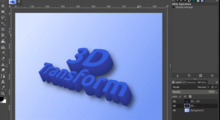
        <p>Schon vor einigen Wochen wurde eine neue Version von GIMP veröffentlicht. 2.10.18 bringt sehr viele coole Neuerungen - u.a. ein neues 3D-Werkzeug!</p>
      </div>
    </summary>
    <total>1</total>
  </entry>
  <entry>
    <id>tag:www.gimpusers.de,2005:Download/169</id>
    <published>2019-11-03T13:59:33+01:00</published>
    <updated>2019-11-03T13:59:33+01:00</updated>
    <link rel="alternate" type="text/html" href="https://www.gimpusers.de/downloads/169-gimp-2-10-14-mac-os?pk_campaign=feed-atom"/>
    <title>Download: GIMP 2.10.14 (mac OS)</title>
    <summary type="html">&lt;p&gt;Wenn möglich, bitte BitTorrent benutzen, um die Server-Last zu reduzieren: &lt;a href="https://download.gimp.org/pub/gimp/v2.10/osx/gimp-2.10.14-x86_64.dmg.torrent"&gt;gimp-2.10.14-x86_64.dmg.torrent&lt;/a&gt;&lt;/p&gt;</summary>
    <total>0</total>
  </entry>
  <entry>
    <id>tag:www.gimpusers.de,2005:News/538</id>
    <published>2019-11-03T13:50:17+01:00</published>
    <updated>2019-11-03T14:40:27+01:00</updated>
    <link rel="alternate" type="text/html" href="https://www.gimpusers.de/news/00538-gimp-2-10-14-erschienen?pk_campaign=feed-atom"/>
    <title>News: GIMP 2.10.14 bringt eine erste grundlegende Out-of-Canvas-Bearbeitung</title>
    <author>
      <name>devvv</name>
      <uri>https://www.gimpusers.de/users/devvv</uri>
    </author>
    <summary type="xhtml">
      <div xmlns="http://www.w3.org/1999/xhtml">
        <img src="https://www.gimpusers.de/system/news/538/Bildschirmfoto_von_2019-11-03_14-02-46-preview.jpg"/>
        <p>GIMP hatte Vergangenheit immer schon das Problem, dass Pixel die außerhalb der Leinwand waren nicht mehr wirklich benutzt werden konnten. Das ändert sich nun mit GIMP 2.10.14!</p>
      </div>
    </summary>
    <total>0</total>
  </entry>
  <entry>
    <id>tag:www.gimpusers.de,2005:News/537</id>
    <published>2019-04-18T13:17:05+02:00</published>
    <updated>2019-04-18T13:52:41+02:00</updated>
    <link rel="alternate" type="text/html" href="https://www.gimpusers.de/news/00537-gimp-2-10-10-ist-da?pk_campaign=feed-atom"/>
    <title>News: GIMP 2.10.10: Verbesserungen für Comic-Zeichner und bei der Bedienbarkeit</title>
    <author>
      <name>devvv</name>
      <uri>https://www.gimpusers.de/users/devvv</uri>
    </author>
    <summary type="xhtml">
      <div xmlns="http://www.w3.org/1999/xhtml">
        <img src="https://www.gimpusers.de/system/news/537/2-10-10-release-preview.jpg"/>
        <p>2.10.10 ist eine neue Sub-Version des Produktions-Branches von GIMP. Diesmal finden sich darin sehr viele neue und coole Verbesserungen.</p>
      </div>
    </summary>
    <total>3</total>
  </entry>
  <entry>
    <id>tag:www.gimpusers.de,2005:Download/158</id>
    <published>2018-10-15T00:00:05+02:00</published>
    <updated>2019-11-03T13:49:06+01:00</updated>
    <link rel="alternate" type="text/html" href="https://www.gimpusers.de/downloads/158-gimp-2-10-x-ubuntu?pk_campaign=feed-atom"/>
    <title>Download: GIMP 2.10.x (Ubuntu)</title>
    <summary type="html">&lt;h2&gt;Installiert &lt;span class="caps"&gt;GIMP&lt;/span&gt; mit dem Software Center&lt;/h2&gt;
&lt;p&gt;1. Öffnet das Software Center&lt;br /&gt;
2. Sucht nach &amp;#8220;&lt;span class="caps"&gt;GIMP&lt;/span&gt;&amp;#8221;&lt;br /&gt;
3. Installiert dieses Paket&lt;br /&gt;
4. Das wars!&lt;/p&gt;
&lt;h2&gt;&lt;span class="caps"&gt;GIMP&lt;/span&gt; auf der command line installieren&lt;/h2&gt;
&lt;p&gt;&lt;b&gt;sudo apt install gimp&lt;/b&gt;&lt;/p&gt;
&lt;p&gt;&lt;a href="/downloads/144-gimp-2-10-linux"&gt;Alternativ kann auch Flatpak verwendet werden.&lt;/a&gt; Die &lt;span class="caps"&gt;GIMP&lt;/span&gt;-Version, die über Flatpak installiert wird, läuft unabhängig davon, ob und welche Version von &lt;span class="caps"&gt;GIMP&lt;/span&gt; über die Distribution installiert wurde.&lt;/p&gt;</summary>
    <total>2</total>
  </entry>
  <entry>
    <id>tag:www.gimpusers.de,2005:Download/144</id>
    <published>2018-04-29T21:14:48+02:00</published>
    <updated>2019-11-03T13:55:06+01:00</updated>
    <link rel="alternate" type="text/html" href="https://www.gimpusers.de/downloads/144-gimp-2-10-linux?pk_campaign=feed-atom"/>
    <title>Download: GIMP 2.10 (Linux)</title>
    <summary type="html">&lt;p&gt;Wenn Ihre Linux-Distribution nicht die neuste &lt;span class="caps"&gt;GIMP&lt;/span&gt;-Version beinhaltet, kann &lt;span class="caps"&gt;GIMP&lt;/span&gt; 2.10 über  &lt;a href="https://flatpak.org/"&gt;Flatpak&lt;/a&gt; (verwaltet Abhängigkeiten unabhängig von der Distribution und deren Version) installiert werden:&lt;/p&gt;
&lt;p&gt;1. &lt;a href="http://flatpak.org/getting.html"&gt;Flatpak installieren&lt;/a&gt;&lt;br /&gt;
2. &lt;a href="https://flathub.org/repo/appstream/org.gimp.GIMP.flatpakref"&gt;&lt;span class="caps"&gt;GIMP&lt;/span&gt; Flatpak-Datei herunterladen&lt;/a&gt; und ausführen, oder im Terminal:&lt;/p&gt;
&lt;pre&gt;&lt;code&gt;flatpak install https://flathub.org/repo/appstream/org.gimp.GIMP.flatpakref&lt;/code&gt;&lt;/pre&gt;
&lt;p&gt;3. Dann so starten:&lt;/p&gt;
&lt;pre&gt;&lt;code&gt;flatpak run org.gimp.GIMP&lt;/code&gt;&lt;/pre&gt;
&lt;p&gt;Die über Flatpak installierte &lt;span class="caps"&gt;GIMP&lt;/span&gt;-Version läuft unabhängig davon, ob und in welcher Version &lt;span class="caps"&gt;GIMP&lt;/span&gt; vom Betriebssystem bereitgestellt wird.&lt;/p&gt;
&lt;p&gt;&lt;span class="caps"&gt;GIMP&lt;/span&gt;/Flatpak kann einfach auf die neueste Version aktualisiert werden:&lt;/p&gt;
&lt;pre&gt;&lt;code&gt;flatpak update&lt;/code&gt;&lt;/pre&gt;</summary>
    <total>4</total>
  </entry>
  <entry>
    <id>tag:www.gimpusers.de,2005:Contest/24</id>
    <published>2015-04-01T18:13:09+02:00</published>
    <updated>2015-06-10T00:36:27+02:00</updated>
    <link rel="alternate" type="text/html" href="https://www.gimpusers.de/contests/24-steinskulpturen-statuen-fantasievoll-einfarben?pk_campaign=feed-atom"/>
    <title>Contest: Steinskulpturen &amp; Statuen fantasievoll einfärben</title>
    <summary type="html">&lt;p&gt;Auch in diesem Contest geht es um das Kolorieren. Allerdings soll hier als Basis ein Foto einer Statue oder einer Steinskulptur verwendet werden welches dann in &lt;span class="caps"&gt;GIMP&lt;/span&gt; mit neuer Farbe zum &amp;#8220;Leben erweckt&amp;#8221; werden soll. Hier geht es nicht unbedingt darum die Skulptur fotorealistisch zum Leben zu erwecken, viel mehr könnt ihr eurer Fantasie freien Lauf lassen und auch etwas kleines dazumalen, das vielleicht standardmäßig nicht dabei war. Das Hauptziel ist aber das Einfärben des Steins.&lt;/p&gt;</summary>
    <total>5</total>
  </entry>
  <entry>
    <id>tag:www.gimpusers.de,2005:Contest/23</id>
    <published>2015-04-01T17:58:29+02:00</published>
    <updated>2015-06-10T00:36:40+02:00</updated>
    <link rel="alternate" type="text/html" href="https://www.gimpusers.de/contests/23-comics-strichzeichnungen-kolorieren?pk_campaign=feed-atom"/>
    <title>Contest: Comics &amp; Strichzeichnungen kolorieren</title>
    <summary type="html">&lt;p&gt;Das Grau des Winters geht langsam in die farbigen Frühlingstöne über. Passend dazu haben wir in diesem Wettbewerb die Aufgabe gesetzt Farbe in ein Comic oder eine Strichzeichnung eurer Wahl zu bringen – optimalerweise natürlich selbst gezeichnet, aber das ist kein Muss, ihr könnt zB auch existierende schwarz-weiße Comics kolorieren ;-) Im Beispielbild, das eine Freundin gezeichnet hat, seht ihr in etwa wie das ca aussehen könnte. Vielleicht habt ihr ja auch jemanden in eurem Freundeskreis der gut zeichnen kann! Wir möchten hier möglichst wenig einschränken. Viel Spaß :-)&lt;/p&gt;</summary>
    <total>1</total>
  </entry>
  <entry>
    <id>tag:www.gimpusers.de,2005:Poll/123</id>
    <published>2014-12-20T14:30:04+01:00</published>
    <updated>2014-12-20T14:30:04+01:00</updated>
    <link rel="alternate" type="text/html" href="https://www.gimpusers.de/polls/123?pk_campaign=feed-atom"/>
    <title>Poll: Würdet ihr es begrüßen wenn wir unsere Tutorial-Engine für registrierte User verfügbar machen?</title>
    <total>2</total>
  </entry>
  <entry>
    <id>tag:www.gimpusers.de,2005:Poll/120</id>
    <published>2014-12-20T13:50:24+01:00</published>
    <updated>2014-12-20T13:51:19+01:00</updated>
    <link rel="alternate" type="text/html" href="https://www.gimpusers.de/polls/120?pk_campaign=feed-atom"/>
    <title>Poll: Hättet ihr auf bei uns gerne ständig laufende (zB monatliche) Wettbewerbe?</title>
    <total>2</total>
  </entry>
  <entry>
    <id>tag:www.gimpusers.de,2005:Poll/118</id>
    <published>2014-11-22T22:35:51+01:00</published>
    <updated>2014-12-20T14:23:55+01:00</updated>
    <link rel="alternate" type="text/html" href="https://www.gimpusers.de/polls/118?pk_campaign=feed-atom"/>
    <title>Poll: Würdet ihr es begrüßen, wenn wir eine HTTPS-Version für gimpusers.de einführen?</title>
    <total>0</total>
  </entry>
  <entry>
    <id>tag:www.gimpusers.de,2005:Tutorial/239</id>
    <published>2014-08-08T00:23:52+02:00</published>
    <updated>2014-08-22T16:24:57+02:00</updated>
    <link rel="alternate" type="text/html" href="https://www.gimpusers.de/tutorials/mohnfeld-malen?pk_campaign=feed-atom"/>
    <title>Tutorial: Ein Mohnfeld malen</title>
    <author>
      <name>Susanna</name>
      <uri>https://www.gimpusers.de/users/Susanna</uri>
    </author>
    <summary type="xhtml">
      <div xmlns="http://www.w3.org/1999/xhtml">
        <img src="https://www.gimpusers.de/system/tutorial_steps/3260/mohnfeld-08-preview.jpg"/>
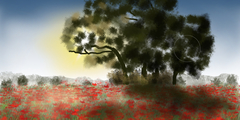
        <p>In diesem Tutorial zeigt euch unsere Benutzerin Susanna einige Einsteiger-Techniken die ihr generell für das digitale Malen brauchen könnt. Lernt, wie einfach es ist, mit GIMP und vorgefertigten Pinseln ein schönes Mohnfeld zu malen!
Download für das Material (Farbverläufe+Pinsel) findet ihr hier:   https://www.dropbox.com/sh/y4kvet5jzrufysa/AACaW9aQYM3oxf1VY9m43Bp5a</p>
      </div>
    </summary>
    <total>3</total>
  </entry>
  <entry>
    <id>tag:www.gimpusers.de,2005:Poll/116</id>
    <published>2014-04-13T12:24:42+02:00</published>
    <updated>2014-12-20T13:53:02+01:00</updated>
    <link rel="alternate" type="text/html" href="https://www.gimpusers.de/polls/116?pk_campaign=feed-atom"/>
    <title>Poll: Macht ihr auf Smartphones oder Tablets/iPads irgendeine Art von Bildbearbeitung (sei es nur zuschneiden, oder Effekte irgendeiner Art anwenden)?</title>
    <total>8</total>
  </entry>
  <entry>
    <id>tag:www.gimpusers.de,2005:Poll/115</id>
    <published>2014-04-13T12:12:17+02:00</published>
    <updated>2014-04-13T12:12:51+02:00</updated>
    <link rel="alternate" type="text/html" href="https://www.gimpusers.de/polls/115?pk_campaign=feed-atom"/>
    <title>Poll: Auf welchem/n Desktop-Betriebssystem(en) läuft GIMP bei euch?</title>
    <total>2</total>
  </entry>
  <entry>
    <id>tag:www.gimpusers.de,2005:Download/22</id>
    <published>2010-06-23T02:00:00+02:00</published>
    <updated>2014-06-22T22:44:22+02:00</updated>
    <link rel="alternate" type="text/html" href="https://www.gimpusers.de/downloads/22-gap-2-6-source-code?pk_campaign=feed-atom"/>
    <title>Download: GAP 2.6 (Source code)</title>
    <summary type="html"/>
    <total>3</total>
  </entry>
  <entry>
    <id>tag:www.gimpusers.de,2005:Download/24</id>
    <published>2010-06-23T02:00:00+02:00</published>
    <updated>2010-09-26T22:55:52+02:00</updated>
    <link rel="alternate" type="text/html" href="https://www.gimpusers.de/downloads/24-gap-2-6-ubuntu?pk_campaign=feed-atom"/>
    <title>Download: GAP 2.6 (Ubuntu)</title>
    <summary type="html"/>
    <total>0</total>
  </entry>
  <entry>
    <id>tag:www.gimpusers.de,2005:Download/23</id>
    <published>2010-06-23T02:00:00+02:00</published>
    <updated>2010-09-26T22:55:52+02:00</updated>
    <link rel="alternate" type="text/html" href="https://www.gimpusers.de/downloads/23-gap-2-6-windows?pk_campaign=feed-atom"/>
    <title>Download: GAP 2.6 (Windows)</title>
    <summary type="html">&lt;p&gt;Go to http://photocomix-resources.deviantart.com/art/&lt;span class="caps"&gt;GAP&lt;/span&gt;-2-6-for-Gimp-2-6-Windows-135464357 for further download possibilites. The download is provided by PhotoComix on deviantart. Thank you ;)&lt;/p&gt;</summary>
    <total>7</total>
  </entry>
</feed>