<?xml version="1.0" encoding="UTF-8"?>
<?xml-stylesheet type="text/xsl" media="screen" href="/~d/styles/atom10full.xsl"?><?xml-stylesheet type="text/css" media="screen" href="http://feeds.feedburner.com/~d/styles/itemcontent.css"?><feed xmlns="http://www.w3.org/2005/Atom" xmlns:feedburner="http://rssnamespace.org/feedburner/ext/1.0"><title type="text">Ken Egozi's blog</title><id>http://kenegozi.com/blog</id><updated>2011-11-01T14:21:18Z</updated><author><name>Ken Egozi</name><uri>http://kenegozi.com/blog</uri><email>mail@kenegozi.com</email></author><generator>Ken's blog engine, running on ASP.NET MVC3</generator><link rel="alternate" type="text/html" href="http://kenegozi.com/blog" /><atom10:link xmlns:atom10="http://www.w3.org/2005/Atom" rel="self" type="application/atom+xml" href="http://feeds.feedburner.com/kenegozi" /><feedburner:info uri="kenegozi" /><atom10:link xmlns:atom10="http://www.w3.org/2005/Atom" rel="hub" href="http://pubsubhubbub.appspot.com/" /><entry><id>http://kenegozi.com/blog/2011/11/01/determining-sql-server-edition</id><title type="html">Determining SQL Server edition</title><published>2011-11-01T14:21:18Z</published><updated>2011-11-01T14:21:18Z</updated><link rel="alternate" href="http://feedproxy.google.com/~r/kenegozi/~3/u7wiYTLdtqU/determining-sql-server-edition" /><category term="tools" /><category term="sql" /><content type="html">&lt;p&gt;Thanks to &lt;a title="http://support.microsoft.com/kb/321185" href="http://support.microsoft.com/kb/321185"&gt;http://support.microsoft.com/kb/321185&lt;/a&gt; and to Ariel (&lt;a title="Ariel Raunstien" href="https://twitter.com/#!/q"&gt;@Q&lt;/a&gt;) who have read it more carefully than I did, I learnt that there is a SERVERPROPERTY that you can query:&lt;/p&gt;&lt;pre&gt;SELECT SERVERPROPERTY ('edition')&lt;/pre&gt;
&lt;p&gt;&amp;nbsp;&lt;/p&gt;
&lt;p&gt;I expected to find Developer, but found Express instead.&lt;/p&gt;&lt;div class="feedflare"&gt;
&lt;a href="http://feeds.feedburner.com/~ff/kenegozi?a=u7wiYTLdtqU:P__8-9Z2fyY:yIl2AUoC8zA"&gt;&lt;img src="http://feeds.feedburner.com/~ff/kenegozi?d=yIl2AUoC8zA" border="0"&gt;&lt;/img&gt;&lt;/a&gt; &lt;a href="http://feeds.feedburner.com/~ff/kenegozi?a=u7wiYTLdtqU:P__8-9Z2fyY:V_sGLiPBpWU"&gt;&lt;img src="http://feeds.feedburner.com/~ff/kenegozi?i=u7wiYTLdtqU:P__8-9Z2fyY:V_sGLiPBpWU" border="0"&gt;&lt;/img&gt;&lt;/a&gt; &lt;a href="http://feeds.feedburner.com/~ff/kenegozi?a=u7wiYTLdtqU:P__8-9Z2fyY:gIN9vFwOqvQ"&gt;&lt;img src="http://feeds.feedburner.com/~ff/kenegozi?i=u7wiYTLdtqU:P__8-9Z2fyY:gIN9vFwOqvQ" border="0"&gt;&lt;/img&gt;&lt;/a&gt; &lt;a href="http://feeds.feedburner.com/~ff/kenegozi?a=u7wiYTLdtqU:P__8-9Z2fyY:dnMXMwOfBR0"&gt;&lt;img src="http://feeds.feedburner.com/~ff/kenegozi?d=dnMXMwOfBR0" border="0"&gt;&lt;/img&gt;&lt;/a&gt;
&lt;/div&gt;&lt;img src="http://feeds.feedburner.com/~r/kenegozi/~4/u7wiYTLdtqU" height="1" width="1"/&gt;</content><feedburner:origLink>http://kenegozi.com/blog/2011/11/01/determining-sql-server-edition</feedburner:origLink></entry><entry><id>http://kenegozi.com/blog/2011/10/10/mysql-error-105-phantom-table-menace</id><title type="html">MySQL error 105 - Phantom Table Menace</title><published>2011-10-10T16:30:46Z</published><updated>2011-10-10T16:30:46Z</updated><link rel="alternate" href="http://feedproxy.google.com/~r/kenegozi/~3/_YCremZKPxE/mysql-error-105-phantom-table-menace" /><category term="tools" /><category term="nhibernate" /><content type="html">&lt;h2&gt;MySQL is weird&lt;/h2&gt; &lt;p&gt;The weirdest problem happened to a college today.&lt;/p&gt; &lt;p&gt;When creating the database schema during integration tests run, he got “Cannot create table FOO error 105” from MySQL.&lt;/p&gt; &lt;p&gt;There *used* to be a table named FOO with a VARCHAR primary key. The schema then changed so that the primary key of FOO became BIGINT. There is also a second table in the system (call it BAR) which has a foreign-key into FOO’s primary key. A classic master/details scenario.&lt;/p&gt; &lt;p&gt;However, the table BAR was obsoleted from the schema.&lt;/p&gt; &lt;p&gt;The integration tests runner is dropping all tables and recreating them before running the test suite. It is inferring the schema from the persisted classes using NHibernate’s mapper and the Schema creation feature of NHibernate.&lt;/p&gt; &lt;h2&gt;Sleeves up&lt;/h2&gt; &lt;p&gt;We cranked open the mysql console and started to look around:&lt;/p&gt; &lt;ol&gt; &lt;li&gt;When doing “SHOW TABLES”, the FOO table was not listed.&lt;/li&gt; &lt;li&gt;CREATE TABLE FOO (`Id` BIGINT)&amp;nbsp; - fail with error 105.&lt;/li&gt; &lt;li&gt;CREATE TABLE FOO (`Id` VARCHAR) – success !!&lt;/li&gt; &lt;li&gt;huh?&lt;/li&gt; &lt;li&gt;DROP TABLE FOO – success&lt;/li&gt; &lt;li&gt;encouraging !&lt;/li&gt; &lt;li&gt;CREATE TABLE FOO (`Id` BIGINT) - fail with error 105 – again&lt;/li&gt; &lt;li&gt;huh ???&lt;/li&gt; &lt;li&gt;DROP TABLE FOO – fail with “cannot delete … foreign key …”&lt;/li&gt; &lt;li&gt;but SHOW TABLES still does not list FOO &lt;/li&gt; &lt;li&gt;huh ?????&lt;/li&gt; &lt;li&gt;DROP DATABASE dev; CREATE DATABASE dev;&lt;/li&gt; &lt;li&gt;now everything works.&lt;/li&gt;&lt;/ol&gt; &lt;h2&gt;Back to work&lt;/h2&gt; &lt;p&gt;Luckily this was not a production database, and even more lucky – the said DB change (change that PK from VARVHAR to BIGINT) would need to run on production within a separate DB instance that can be recreated on deploy.&lt;/p&gt; &lt;p&gt;&amp;nbsp;&lt;/p&gt; &lt;h3&gt;And while we’re at it&lt;/h3&gt; &lt;p&gt;Way can’t MySQL store non-indexed columns in an index?&lt;/p&gt;&lt;div class="feedflare"&gt;
&lt;a href="http://feeds.feedburner.com/~ff/kenegozi?a=_YCremZKPxE:0AvADy1glDA:yIl2AUoC8zA"&gt;&lt;img src="http://feeds.feedburner.com/~ff/kenegozi?d=yIl2AUoC8zA" border="0"&gt;&lt;/img&gt;&lt;/a&gt; &lt;a href="http://feeds.feedburner.com/~ff/kenegozi?a=_YCremZKPxE:0AvADy1glDA:V_sGLiPBpWU"&gt;&lt;img src="http://feeds.feedburner.com/~ff/kenegozi?i=_YCremZKPxE:0AvADy1glDA:V_sGLiPBpWU" border="0"&gt;&lt;/img&gt;&lt;/a&gt; &lt;a href="http://feeds.feedburner.com/~ff/kenegozi?a=_YCremZKPxE:0AvADy1glDA:gIN9vFwOqvQ"&gt;&lt;img src="http://feeds.feedburner.com/~ff/kenegozi?i=_YCremZKPxE:0AvADy1glDA:gIN9vFwOqvQ" border="0"&gt;&lt;/img&gt;&lt;/a&gt; &lt;a href="http://feeds.feedburner.com/~ff/kenegozi?a=_YCremZKPxE:0AvADy1glDA:dnMXMwOfBR0"&gt;&lt;img src="http://feeds.feedburner.com/~ff/kenegozi?d=dnMXMwOfBR0" border="0"&gt;&lt;/img&gt;&lt;/a&gt;
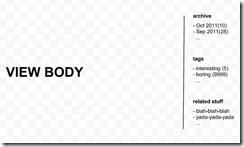
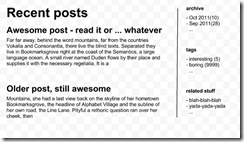
&lt;/div&gt;&lt;img src="http://feeds.feedburner.com/~r/kenegozi/~4/_YCremZKPxE" height="1" width="1"/&gt;</content><feedburner:origLink>http://kenegozi.com/blog/2011/10/10/mysql-error-105-phantom-table-menace</feedburner:origLink></entry><entry><id>http://kenegozi.com/blog/2011/10/08/how-do-you-pass-values-from-controller-to-view-with-mvc3</id><title type="html">How do you pass values from Controller to View with MVC3</title><published>2011-10-08T13:28:22Z</published><updated>2011-10-08T13:28:22Z</updated><link rel="alternate" href="http://feedproxy.google.com/~r/kenegozi/~3/rkH2r0MyMmE/how-do-you-pass-values-from-controller-to-view-with-mvc3" /><category term="design" /><category term="asp-net-mvc" /><content type="html">&lt;h2&gt;The scenario:&lt;/h2&gt; &lt;p&gt;Given a blog application, with the following layout&lt;br&gt;&lt;a href="http://kenegozi.com/blog/uploaded/windows-live-writer/how-do-you-pass-values-from-controller-t_c1d4/image_6.png"&gt;&lt;img style="background-image: none; border-right-width: 0px; margin: 0px; padding-left: 0px; padding-right: 0px; display: inline; border-top-width: 0px; border-bottom-width: 0px; border-left-width: 0px; padding-top: 0px" title="image" border="0" alt="image" src="http://kenegozi.com/blog/uploaded/windows-live-writer/how-do-you-pass-values-from-controller-t_c1d4/image_thumb_2.png" width="244" height="147"&gt;&lt;/a&gt;&lt;/p&gt; &lt;p&gt;with two possible usages – a post page: &lt;br&gt;&lt;a href="http://kenegozi.com/blog/uploaded/windows-live-writer/how-do-you-pass-values-from-controller-t_c1d4/image_2.png"&gt;&lt;img style="background-image: none; border-right-width: 0px; margin: 0px; padding-left: 0px; padding-right: 0px; display: inline; border-top-width: 0px; border-bottom-width: 0px; border-left-width: 0px; padding-top: 0px" title="image" border="0" alt="image" src="http://kenegozi.com/blog/uploaded/windows-live-writer/how-do-you-pass-values-from-controller-t_c1d4/image_thumb.png" width="244" height="135"&gt;&lt;/a&gt;&lt;br&gt;and a homepage:&lt;br&gt;&lt;a href="http://kenegozi.com/blog/uploaded/windows-live-writer/how-do-you-pass-values-from-controller-t_c1d4/image_4.png"&gt;&lt;img style="background-image: none; border-right-width: 0px; margin: 0px; padding-left: 0px; padding-right: 0px; display: inline; border-top-width: 0px; border-bottom-width: 0px; border-left-width: 0px; padding-top: 0px" title="image" border="0" alt="image" src="http://kenegozi.com/blog/uploaded/windows-live-writer/how-do-you-pass-values-from-controller-t_c1d4/image_thumb_1.png" width="244" height="142"&gt;&lt;/a&gt;&lt;/p&gt; &lt;p&gt;Let’s define the view model:&lt;/p&gt;&lt;pre&gt;PostData:
  string Title
  string Body

PostView
  PostData Post; 

HomepageView
  PostData[] Posts

LayoutView
  Tuple&amp;lt;string, int&amp;gt;[] Archive
  Tuple&amp;lt;string, int&amp;gt;[] TagCloud
  string[] Similar&lt;/pre&gt;
&lt;p&gt;&amp;nbsp;&lt;/p&gt;
&lt;p&gt;The views:&lt;/p&gt;
&lt;ol&gt;
&lt;li&gt;_Layout.cshtml – obvious 
&lt;li&gt;Post.cshtml – given a PostData instance will render Title and Body 
&lt;li&gt;PostPage.cshtml – given a PostData, will call Post.cshtml and then render “add comment” form 
&lt;li&gt;Homepage.cshtml – given PostData array, will iterate and call Post.cshtml for each post&lt;/li&gt;&lt;/ol&gt;
&lt;p&gt;How data moves around:&lt;/p&gt;
&lt;ul&gt;
&lt;li&gt;Controller is passing PostView (or HomepageView) *along with* LayoutView to the views 
&lt;li&gt;Post.cshtml should only see its parameters, not the layout’s (which are passed but are not interesting within the post template). 
&lt;li&gt;same goes for the other views 
&lt;li&gt;All views should be able to “see” a shared parameter named “IsCurrentUserAdmin” 
&lt;li&gt;&lt;/li&gt;&lt;/ul&gt;
&lt;p&gt;Given that I want typed access to the view parameters in the view (for the sake of intellisense and refactorings), how would I model and pass the data around?&lt;/p&gt;
&lt;p&gt;I’ve pseudo-code-grade written two options: the first is to use inheritence in the view model to achieve type-ness, on the expense of flexibility (composition is difficult with class hierarchy, and you need to be aware of and grab the viewModel instance in various places). The second is flexible (use the ViewData dictionary) but getting type-ness is cumbersome and partial (strings scattered around, casting needed etc.)&lt;/p&gt;
&lt;p&gt;see &lt;a href="https://gist.github.com/1272269"&gt;https://gist.github.com/1272269&lt;/a&gt; if the gist widget does not load in-place&lt;br&gt;&lt;script src="https://gist.github.com/1272269.js"&gt; &lt;/script&gt;&lt;/p&gt;
&lt;h2&gt;I do have a solution that works for me&lt;/h2&gt;
&lt;p&gt;With the many years that I’ve been writing complex web apps using various ASP.NET frameworks and almost always with c# based, static-typed view engines, I have a solution that works very nicely for me. &lt;/p&gt;
&lt;h2&gt;But I want to be aware of the MVC3 canonical / textbox way&lt;/h2&gt;
&lt;p&gt;So for all you MVC3 ninja’s out there – please describe your way of doing it. &lt;/p&gt;
&lt;p&gt;&amp;nbsp;&lt;/p&gt;
&lt;p&gt;I will describe my approach in an upcoming post and I’d appreciate any input on it&lt;/p&gt;&lt;div class="feedflare"&gt;
&lt;a href="http://feeds.feedburner.com/~ff/kenegozi?a=rkH2r0MyMmE:PexCH52RT6M:yIl2AUoC8zA"&gt;&lt;img src="http://feeds.feedburner.com/~ff/kenegozi?d=yIl2AUoC8zA" border="0"&gt;&lt;/img&gt;&lt;/a&gt; &lt;a href="http://feeds.feedburner.com/~ff/kenegozi?a=rkH2r0MyMmE:PexCH52RT6M:V_sGLiPBpWU"&gt;&lt;img src="http://feeds.feedburner.com/~ff/kenegozi?i=rkH2r0MyMmE:PexCH52RT6M:V_sGLiPBpWU" border="0"&gt;&lt;/img&gt;&lt;/a&gt; &lt;a href="http://feeds.feedburner.com/~ff/kenegozi?a=rkH2r0MyMmE:PexCH52RT6M:gIN9vFwOqvQ"&gt;&lt;img src="http://feeds.feedburner.com/~ff/kenegozi?i=rkH2r0MyMmE:PexCH52RT6M:gIN9vFwOqvQ" border="0"&gt;&lt;/img&gt;&lt;/a&gt; &lt;a href="http://feeds.feedburner.com/~ff/kenegozi?a=rkH2r0MyMmE:PexCH52RT6M:dnMXMwOfBR0"&gt;&lt;img src="http://feeds.feedburner.com/~ff/kenegozi?d=dnMXMwOfBR0" border="0"&gt;&lt;/img&gt;&lt;/a&gt;
&lt;/div&gt;&lt;img src="http://feeds.feedburner.com/~r/kenegozi/~4/rkH2r0MyMmE" height="1" width="1"/&gt;</content><feedburner:origLink>http://kenegozi.com/blog/2011/10/08/how-do-you-pass-values-from-controller-to-view-with-mvc3</feedburner:origLink></entry><entry><id>http://kenegozi.com/blog/2011/10/07/reblog</id><title type="html">Re-blog</title><published>2011-10-07T22:06:00Z</published><updated>2011-10-07T22:06:00Z</updated><link rel="alternate" href="http://feedproxy.google.com/~r/kenegozi/~3/euBxJX5ltHQ/reblog" /><category term="blog-engine" /><category term="asp-net-mvc" /><content type="html">&lt;p&gt;My blog has moved to AppHarbor, and while doing that I also changed the engine for a completely custom thing (running on custom-y stuff like WebOnDiet and NTemplate), to a wee bit more conventional codebase based on MVC3 and Razor, with lots of nuget packages replacing custom code that I wrote myself.&lt;/p&gt; &lt;p&gt;The packages file now contains AntiXSS, AttributeRouting, Castle.Core (for my good pal DictionaryAdapterFactory), elmah, MarkdownSharp, mongocsharpdriver, XmlRpcMvc and XmlRpcMvc.MetaWeblog (awesome!)&lt;/p&gt; &lt;p&gt;BTW, expect a post on using the DictionaryAdapterFactory to make handling Controller=&amp;gt;View data transport truly awesome.&lt;/p&gt; &lt;p&gt;What’s missing here? IoC !&lt;/p&gt; &lt;p&gt;yeah I did not bother with that now. I have my tiny 15LOC thing and this blog does not need anything of this sort.&lt;/p&gt; &lt;p&gt;&amp;nbsp;&lt;/p&gt; &lt;p&gt;Some things might still break. Files I used to host for downloading would probably won’t work now. I will fix that soon I hope, time permitting.&lt;/p&gt; &lt;p&gt;&amp;nbsp;&lt;/p&gt; &lt;p&gt;note to self – reshuffle the tags here on the blog. I need to re-tag may entries. Maybe I’ll let site visitors suggest tags?&lt;/p&gt;&lt;div class="feedflare"&gt;
&lt;a href="http://feeds.feedburner.com/~ff/kenegozi?a=euBxJX5ltHQ:zDb4YpXn2pw:yIl2AUoC8zA"&gt;&lt;img src="http://feeds.feedburner.com/~ff/kenegozi?d=yIl2AUoC8zA" border="0"&gt;&lt;/img&gt;&lt;/a&gt; &lt;a href="http://feeds.feedburner.com/~ff/kenegozi?a=euBxJX5ltHQ:zDb4YpXn2pw:V_sGLiPBpWU"&gt;&lt;img src="http://feeds.feedburner.com/~ff/kenegozi?i=euBxJX5ltHQ:zDb4YpXn2pw:V_sGLiPBpWU" border="0"&gt;&lt;/img&gt;&lt;/a&gt; &lt;a href="http://feeds.feedburner.com/~ff/kenegozi?a=euBxJX5ltHQ:zDb4YpXn2pw:gIN9vFwOqvQ"&gt;&lt;img src="http://feeds.feedburner.com/~ff/kenegozi?i=euBxJX5ltHQ:zDb4YpXn2pw:gIN9vFwOqvQ" border="0"&gt;&lt;/img&gt;&lt;/a&gt; &lt;a href="http://feeds.feedburner.com/~ff/kenegozi?a=euBxJX5ltHQ:zDb4YpXn2pw:dnMXMwOfBR0"&gt;&lt;img src="http://feeds.feedburner.com/~ff/kenegozi?d=dnMXMwOfBR0" border="0"&gt;&lt;/img&gt;&lt;/a&gt;
&lt;/div&gt;&lt;img src="http://feeds.feedburner.com/~r/kenegozi/~4/euBxJX5ltHQ" height="1" width="1"/&gt;</content><feedburner:origLink>http://kenegozi.com/blog/2011/10/07/reblog</feedburner:origLink></entry><entry><id>http://kenegozi.com/blog/2011/08/22/asp-dot-net-mvc3-model-validation-using-interface-attributes</id><title type="html">ASP.NET MVC3 Model Validation using Interface Attributes</title><published>2011-08-22T21:33:10Z</published><updated>2011-08-22T21:33:10Z</updated><link rel="alternate" href="http://feedproxy.google.com/~r/kenegozi/~3/rv76ZXtRf14/asp-dot-net-mvc3-model-validation-using-interface-attributes" /><category term="tools" /><category term="asp-net-mvc" /><content type="html">&lt;p&gt;After reading &lt;a href="http://bradwilson.typepad.com/blog/2011/08/interface-attributes-class-attributes.html" target="_blank"&gt;Brad Wilson’s post on that&lt;/a&gt;, I thought to myself:&lt;/p&gt; &lt;blockquote&gt; &lt;p&gt;Brad is 100% correct regarding the way the CLR treat interface attributes, but this does not mean the users should not be able to use validation attributes on model interfaces&lt;/p&gt;&lt;/blockquote&gt; &lt;p&gt;So I sat down to extend the model validation to do just that: (see &lt;a href="https://gist.github.com/1163635" target="_blank"&gt;https://gist.github.com/1163635&lt;/a&gt; if it is broken here)&lt;/p&gt;&lt;script src="https://gist.github.com/1163635.js"&gt; &lt;/script&gt; &lt;p&gt;&amp;nbsp;&lt;/p&gt; &lt;p&gt;Now I know it is hacky – it should not go on a FilterAttributes() method. If I had access to the sources I’d have added a virtual “GetValidationAttribute” method on DataAnnotationsModelMetadataProvider… (hint hint hint)&lt;/p&gt;&lt;div class="feedflare"&gt;
&lt;a href="http://feeds.feedburner.com/~ff/kenegozi?a=rv76ZXtRf14:DrjlRrxfgNE:yIl2AUoC8zA"&gt;&lt;img src="http://feeds.feedburner.com/~ff/kenegozi?d=yIl2AUoC8zA" border="0"&gt;&lt;/img&gt;&lt;/a&gt; &lt;a href="http://feeds.feedburner.com/~ff/kenegozi?a=rv76ZXtRf14:DrjlRrxfgNE:V_sGLiPBpWU"&gt;&lt;img src="http://feeds.feedburner.com/~ff/kenegozi?i=rv76ZXtRf14:DrjlRrxfgNE:V_sGLiPBpWU" border="0"&gt;&lt;/img&gt;&lt;/a&gt; &lt;a href="http://feeds.feedburner.com/~ff/kenegozi?a=rv76ZXtRf14:DrjlRrxfgNE:gIN9vFwOqvQ"&gt;&lt;img src="http://feeds.feedburner.com/~ff/kenegozi?i=rv76ZXtRf14:DrjlRrxfgNE:gIN9vFwOqvQ" border="0"&gt;&lt;/img&gt;&lt;/a&gt; &lt;a href="http://feeds.feedburner.com/~ff/kenegozi?a=rv76ZXtRf14:DrjlRrxfgNE:dnMXMwOfBR0"&gt;&lt;img src="http://feeds.feedburner.com/~ff/kenegozi?d=dnMXMwOfBR0" border="0"&gt;&lt;/img&gt;&lt;/a&gt;
&lt;/div&gt;&lt;img src="http://feeds.feedburner.com/~r/kenegozi/~4/rv76ZXtRf14" height="1" width="1"/&gt;</content><feedburner:origLink>http://kenegozi.com/blog/2011/08/22/asp-dot-net-mvc3-model-validation-using-interface-attributes</feedburner:origLink></entry><entry><id>http://kenegozi.com/blog/2011/08/19/count-number-of-times-a-file-has-been-download-via-http-logs-dos-edition</id><title type="html">Count number of times a file has been download via HTTP logs - DOS edition</title><published>2011-08-19T20:07:11Z</published><updated>2011-08-19T20:07:11Z</updated><link rel="alternate" href="http://feedproxy.google.com/~r/kenegozi/~3/-JpOYxvp7PU/count-number-of-times-a-file-has-been-download-via-http-logs-dos-edition" /><category term="tools" /><content type="html">&lt;p&gt;Apparently you can also do this with DOS, but it is not nearly as easy as it is with &lt;a href="http://blog.benhall.me.uk/2011/08/count-number-of-times-file-has-been.html" target="_blank"&gt;Unix shells&lt;/a&gt; or &lt;a href="http://kenegozi.com/blog/2011/08/18/count-number-of-times-a-file-has-been-download-via-http-logs-iis-and-powershell-edition" target="_blank"&gt;Poweshell&lt;/a&gt;.&lt;/p&gt; &lt;p&gt;&amp;nbsp;&lt;/p&gt; &lt;h2&gt;DOS corner:&lt;/h2&gt; &lt;p&gt;Good old DOS have FINDSTR which is quite similar to ‘grep’ but does not have anything to resemble ‘wc –l’. &lt;br&gt;However, the FIND command can count occurrences so&lt;/p&gt;&lt;pre&gt;type log_file | find /c url&lt;/pre&gt;
&lt;p&gt;would work – for a single file.&lt;/p&gt;
&lt;p&gt;in order to do that for all files, an on-disk concatenated version would need to be created and removed. Here’s a batch file to accomplish this:&lt;/p&gt;&lt;pre&gt;&lt;p&gt;@Echo off&lt;br&gt;pushd C:\inetpub\logs\LogFiles\W3SVC1&lt;br&gt;if exist all.log del all.log&lt;br&gt;copy /a *.log all.log &amp;gt; nul&lt;br&gt;type all.log | find /c %1&lt;br&gt;del all.log &amp;gt; nul&lt;br&gt;popd&lt;/p&gt;&lt;p&gt; &lt;/p&gt;&lt;/pre&gt;
&lt;p&gt;yuck? indeed&lt;/p&gt;&lt;div class="feedflare"&gt;
&lt;a href="http://feeds.feedburner.com/~ff/kenegozi?a=-JpOYxvp7PU:2budGvL6-E8:yIl2AUoC8zA"&gt;&lt;img src="http://feeds.feedburner.com/~ff/kenegozi?d=yIl2AUoC8zA" border="0"&gt;&lt;/img&gt;&lt;/a&gt; &lt;a href="http://feeds.feedburner.com/~ff/kenegozi?a=-JpOYxvp7PU:2budGvL6-E8:V_sGLiPBpWU"&gt;&lt;img src="http://feeds.feedburner.com/~ff/kenegozi?i=-JpOYxvp7PU:2budGvL6-E8:V_sGLiPBpWU" border="0"&gt;&lt;/img&gt;&lt;/a&gt; &lt;a href="http://feeds.feedburner.com/~ff/kenegozi?a=-JpOYxvp7PU:2budGvL6-E8:gIN9vFwOqvQ"&gt;&lt;img src="http://feeds.feedburner.com/~ff/kenegozi?i=-JpOYxvp7PU:2budGvL6-E8:gIN9vFwOqvQ" border="0"&gt;&lt;/img&gt;&lt;/a&gt; &lt;a href="http://feeds.feedburner.com/~ff/kenegozi?a=-JpOYxvp7PU:2budGvL6-E8:dnMXMwOfBR0"&gt;&lt;img src="http://feeds.feedburner.com/~ff/kenegozi?d=dnMXMwOfBR0" border="0"&gt;&lt;/img&gt;&lt;/a&gt;
&lt;/div&gt;&lt;img src="http://feeds.feedburner.com/~r/kenegozi/~4/-JpOYxvp7PU" height="1" width="1"/&gt;</content><feedburner:origLink>http://kenegozi.com/blog/2011/08/19/count-number-of-times-a-file-has-been-download-via-http-logs-dos-edition</feedburner:origLink></entry><entry><id>http://kenegozi.com/blog/2011/08/18/count-number-of-times-a-file-has-been-download-via-http-logs-iis-and-powershell-edition</id><title type="html">Count number of times a file has been download via HTTP logs - IIS and powershell edition</title><published>2011-08-18T09:43:56Z</published><updated>2011-08-18T09:43:56Z</updated><link rel="alternate" href="http://feedproxy.google.com/~r/kenegozi/~3/l9t_s0Z0Jyw/count-number-of-times-a-file-has-been-download-via-http-logs-iis-and-powershell-edition" /><category term="tools" /><content type="html">&lt;p&gt;Following &lt;a href="http://blog.benhall.me.uk/2011/08/count-number-of-times-file-has-been.html" target="_blank"&gt;ben hall’s post&lt;/a&gt; (great blog – subscribe!) on counting file access data from Apache logs using *nix commanline’s grep, I thought to see how easy would it be to get the same with Powershell (I’ve been wanting to learn PS for ages – I have a few Windows servers I manage, and I love *nix commandline and miss it on these machines).&lt;/p&gt; &lt;p&gt;&amp;nbsp;&lt;/p&gt; &lt;h2&gt;Smoking pipes&lt;/h2&gt; &lt;p&gt;I also wanted to be more idiomatic – looks like shell scripting (both with bash and friends, as well as with Powershell) favor piping outputs to inputs.&lt;/p&gt; &lt;p&gt;for e.g. – the command that Ben is using – reading the file using grep’s switch, &lt;/p&gt;&lt;pre&gt;grep –o url log_file | wc -l&lt;/pre&gt;
&lt;p&gt;would be rewritten as&lt;/p&gt;&lt;pre&gt;cat log_file | grep url | wc -l&lt;/pre&gt;
&lt;p&gt;Not being a unix master myself, I cannot tell which is better, but personally I prefer the latter; instead of needing to remember grep’s switch, I pipe cat into grep.&lt;/p&gt;
&lt;p&gt;It becomes even better once going through multiple files – I have no idea what grep’s syntax for that is, but I can pipe ‘ls’ into ‘cat’&lt;/p&gt;
&lt;blockquote&gt;
&lt;p&gt;WRONG&lt;br&gt;cat does not except input as a pipe. You need to resort to other syntaxes (see &lt;a title="http://stackoverflow.com/questions/864316/how-to-pipe-list-of-files-returned-by-find-command-to-cat-to-view-all-the-files" href="http://stackoverflow.com/questions/864316/how-to-pipe-list-of-files-returned-by-find-command-to-cat-to-view-all-the-files"&gt;http://stackoverflow.com/questions/864316/how-to-pipe-list-of-files-returned-by-find-command-to-cat-to-view-all-the-files&lt;/a&gt;)&lt;/p&gt;&lt;/blockquote&gt;
&lt;p&gt;&amp;nbsp;&lt;/p&gt;
&lt;p&gt;anyway, &lt;/p&gt;
&lt;h2&gt;Powershell-ing&lt;/h2&gt;
&lt;p&gt;First – ‘count strings’ is done by Select-String (this is the one of two parts I needed googling for)&lt;/p&gt;
&lt;p&gt;the equivalent for ‘cat’ is … (wait for it) … ‘cat’&lt;/p&gt;
&lt;p&gt;so, &lt;/p&gt;&lt;pre&gt;cat log_file | select-string url&lt;/pre&gt;
&lt;p&gt;will return all relevant lines&lt;/p&gt;
&lt;p&gt;So how do you count lines (equivalent to ‘wc –l’) ?&amp;nbsp; - there’s a command called ‘measure’&lt;/p&gt;
&lt;p&gt;Now we are at &lt;/p&gt;&lt;pre&gt;cat log_file | select-string url | measure&lt;/pre&gt;
&lt;h2&gt;&amp;nbsp;&lt;/h2&gt;
&lt;h2&gt;IIS logs vs apache’s&lt;/h2&gt;
&lt;p&gt;Not sure about how Apache does things, but with IIS, the access logs are split by default on a daily basis. All logs per a website are within a designated folder (, so one needs to iterate over all of them to count access to a given url.&lt;/p&gt;
&lt;p&gt;That’s where cat’s piping impediment could have been bothering, however with powershell – things are a bit easier – you can actually pipe ‘ls’ into ‘cat’ !&lt;/p&gt;
&lt;h2&gt;&amp;nbsp;&lt;/h2&gt;
&lt;h2&gt;show me the codez already&lt;/h2&gt;&lt;pre&gt;ls C:\inetpub\logs\LogFiles\W3SVC1 | cat | select-string "e.js" | measure&lt;/pre&gt;
&lt;p&gt;does the trick !&lt;/p&gt;
&lt;p&gt;Actually – there’s a little trick here to take this a step forward&lt;/p&gt;
&lt;p&gt;As opposed to unix shells, powershell is object oriented, and has richer models over simple text lines.&lt;/p&gt;
&lt;p&gt;meaning – the output of ‘ls’ in powershell is not simply the file-names, but rather FileInfo objects&lt;/p&gt;
&lt;p&gt;So, what’s so good about it you ask?&lt;/p&gt;
&lt;p&gt;select-string, when fed with FileInfo instances, knows to look for the string within the file’s content instead of its name!&lt;/p&gt;
&lt;p&gt;so we can drop ‘cat’ for that purpose and the final version is:&lt;/p&gt;&lt;pre&gt;&lt;p&gt;ls C:\inetpub\logs\LogFiles\W3SVC1 | select-string "e.js" | measure&lt;/p&gt;&lt;/pre&gt;&lt;div class="feedflare"&gt;
&lt;a href="http://feeds.feedburner.com/~ff/kenegozi?a=l9t_s0Z0Jyw:DBnTM1ocFuA:yIl2AUoC8zA"&gt;&lt;img src="http://feeds.feedburner.com/~ff/kenegozi?d=yIl2AUoC8zA" border="0"&gt;&lt;/img&gt;&lt;/a&gt; &lt;a href="http://feeds.feedburner.com/~ff/kenegozi?a=l9t_s0Z0Jyw:DBnTM1ocFuA:V_sGLiPBpWU"&gt;&lt;img src="http://feeds.feedburner.com/~ff/kenegozi?i=l9t_s0Z0Jyw:DBnTM1ocFuA:V_sGLiPBpWU" border="0"&gt;&lt;/img&gt;&lt;/a&gt; &lt;a href="http://feeds.feedburner.com/~ff/kenegozi?a=l9t_s0Z0Jyw:DBnTM1ocFuA:gIN9vFwOqvQ"&gt;&lt;img src="http://feeds.feedburner.com/~ff/kenegozi?i=l9t_s0Z0Jyw:DBnTM1ocFuA:gIN9vFwOqvQ" border="0"&gt;&lt;/img&gt;&lt;/a&gt; &lt;a href="http://feeds.feedburner.com/~ff/kenegozi?a=l9t_s0Z0Jyw:DBnTM1ocFuA:dnMXMwOfBR0"&gt;&lt;img src="http://feeds.feedburner.com/~ff/kenegozi?d=dnMXMwOfBR0" border="0"&gt;&lt;/img&gt;&lt;/a&gt;
&lt;/div&gt;&lt;img src="http://feeds.feedburner.com/~r/kenegozi/~4/l9t_s0Z0Jyw" height="1" width="1"/&gt;</content><feedburner:origLink>http://kenegozi.com/blog/2011/08/18/count-number-of-times-a-file-has-been-download-via-http-logs-iis-and-powershell-edition</feedburner:origLink></entry><entry><id>http://kenegozi.com/blog/2011/08/15/windsor-3-is-here</id><title type="html">Windsor 3 is here</title><published>2011-08-15T12:02:19Z</published><updated>2011-08-15T12:02:19Z</updated><link rel="alternate" href="http://feedproxy.google.com/~r/kenegozi/~3/ioObm58tEU8/windsor-3-is-here" /><category term="castle" /><category term="open-source-software" /><category term="tools" /><content type="html">&lt;p&gt;See the announcement and grab the latest beta bits.&lt;/p&gt; &lt;p&gt;&lt;a title="http://groups.google.com/group/castle-project-users/browse_thread/thread/632ef8b47395736b" href="http://groups.google.com/group/castle-project-users/browse_thread/thread/632ef8b47395736b"&gt;http://groups.google.com/group/castle-project-users/browse_thread/thread/632ef8b47395736b&lt;/a&gt;&lt;/p&gt; &lt;p&gt;&amp;nbsp;&lt;/p&gt; &lt;p&gt;What’s new?&lt;/p&gt; &lt;p&gt;&lt;a title="http://docs.castleproject.org/Default.aspx?Page=Whats-New-In-Windsor-3&amp;amp;NS=Windsor" href="http://docs.castleproject.org/Default.aspx?Page=Whats-New-In-Windsor-3&amp;amp;NS=Windsor"&gt;http://docs.castleproject.org/Default.aspx?Page=Whats-New-In-Windsor-3&amp;amp;NS=Windsor&lt;/a&gt;&lt;/p&gt; &lt;p&gt;&amp;nbsp;&lt;/p&gt; &lt;p&gt;Major kudos to &lt;a href="http://kozmic.pl/" target="_blank"&gt;Krzysztof Koźmic&lt;/a&gt; for running the Windsor show so smoothly.&lt;/p&gt; &lt;p&gt;&amp;nbsp;&lt;/p&gt; &lt;p&gt;btw – a new design to the castle project website is about to be launched. It looks awesome! I’ll update once its out&lt;/p&gt;&lt;div class="feedflare"&gt;
&lt;a href="http://feeds.feedburner.com/~ff/kenegozi?a=ioObm58tEU8:b4EYhQNPPd4:yIl2AUoC8zA"&gt;&lt;img src="http://feeds.feedburner.com/~ff/kenegozi?d=yIl2AUoC8zA" border="0"&gt;&lt;/img&gt;&lt;/a&gt; &lt;a href="http://feeds.feedburner.com/~ff/kenegozi?a=ioObm58tEU8:b4EYhQNPPd4:V_sGLiPBpWU"&gt;&lt;img src="http://feeds.feedburner.com/~ff/kenegozi?i=ioObm58tEU8:b4EYhQNPPd4:V_sGLiPBpWU" border="0"&gt;&lt;/img&gt;&lt;/a&gt; &lt;a href="http://feeds.feedburner.com/~ff/kenegozi?a=ioObm58tEU8:b4EYhQNPPd4:gIN9vFwOqvQ"&gt;&lt;img src="http://feeds.feedburner.com/~ff/kenegozi?i=ioObm58tEU8:b4EYhQNPPd4:gIN9vFwOqvQ" border="0"&gt;&lt;/img&gt;&lt;/a&gt; &lt;a href="http://feeds.feedburner.com/~ff/kenegozi?a=ioObm58tEU8:b4EYhQNPPd4:dnMXMwOfBR0"&gt;&lt;img src="http://feeds.feedburner.com/~ff/kenegozi?d=dnMXMwOfBR0" border="0"&gt;&lt;/img&gt;&lt;/a&gt;
&lt;/div&gt;&lt;img src="http://feeds.feedburner.com/~r/kenegozi/~4/ioObm58tEU8" height="1" width="1"/&gt;</content><feedburner:origLink>http://kenegozi.com/blog/2011/08/15/windsor-3-is-here</feedburner:origLink></entry><entry><id>http://kenegozi.com/blog/2011/08/03/read-recommendationndashperspective-on-skills-series</id><title type="html">Read recommendation&amp;ndash;perspective on skills series</title><published>2011-08-03T08:07:35Z</published><updated>2011-08-03T08:07:35Z</updated><link rel="alternate" href="http://feedproxy.google.com/~r/kenegozi/~3/7E0Zek55guw/read-recommendationndashperspective-on-skills-series" /><category term="miscellanea" /><content type="html">&lt;p&gt;Josh Coffman over at &lt;a href="http://computeristsolutions.com/"&gt;Computerist Solutions&lt;/a&gt; is running an &lt;a href="http://computeristsolutions.com/blog/categories/interviews" target="_blank"&gt;interesting series of interviews&lt;/a&gt;, asking people a few short and concise questions about their coding habits, preferences etc. Quite insightful, and he’s bringing in interesting people who are extremely bright, very experienced, or both. And (at least until now) they are as polyglot as it gets.&lt;/p&gt;&lt;div class="feedflare"&gt;
&lt;a href="http://feeds.feedburner.com/~ff/kenegozi?a=7E0Zek55guw:G4Eyuzbp3Vk:yIl2AUoC8zA"&gt;&lt;img src="http://feeds.feedburner.com/~ff/kenegozi?d=yIl2AUoC8zA" border="0"&gt;&lt;/img&gt;&lt;/a&gt; &lt;a href="http://feeds.feedburner.com/~ff/kenegozi?a=7E0Zek55guw:G4Eyuzbp3Vk:V_sGLiPBpWU"&gt;&lt;img src="http://feeds.feedburner.com/~ff/kenegozi?i=7E0Zek55guw:G4Eyuzbp3Vk:V_sGLiPBpWU" border="0"&gt;&lt;/img&gt;&lt;/a&gt; &lt;a href="http://feeds.feedburner.com/~ff/kenegozi?a=7E0Zek55guw:G4Eyuzbp3Vk:gIN9vFwOqvQ"&gt;&lt;img src="http://feeds.feedburner.com/~ff/kenegozi?i=7E0Zek55guw:G4Eyuzbp3Vk:gIN9vFwOqvQ" border="0"&gt;&lt;/img&gt;&lt;/a&gt; &lt;a href="http://feeds.feedburner.com/~ff/kenegozi?a=7E0Zek55guw:G4Eyuzbp3Vk:dnMXMwOfBR0"&gt;&lt;img src="http://feeds.feedburner.com/~ff/kenegozi?d=dnMXMwOfBR0" border="0"&gt;&lt;/img&gt;&lt;/a&gt;
&lt;/div&gt;&lt;img src="http://feeds.feedburner.com/~r/kenegozi/~4/7E0Zek55guw" height="1" width="1"/&gt;</content><feedburner:origLink>http://kenegozi.com/blog/2011/08/03/read-recommendationndashperspective-on-skills-series</feedburner:origLink></entry><entry><id>http://kenegozi.com/blog/2011/07/12/do-you-know-a-web-architect</id><title type="html">Do you know a web architect</title><published>2011-07-12T10:45:38Z</published><updated>2011-07-12T10:45:38Z</updated><link rel="alternate" href="http://feedproxy.google.com/~r/kenegozi/~3/8vhBXrnpHe0/do-you-know-a-web-architect" /><category term="personal" /><content type="html">&lt;p&gt;Following the worst job description ever, I’ve received an email I got today from a recruitment company, titles the same as this post.&lt;/p&gt; &lt;p&gt;Here is a (translated from Hebrew, structural and grammar weirdness transferred along) copy of the content:&lt;/p&gt; &lt;p&gt;&amp;nbsp;&lt;/p&gt; &lt;blockquote&gt; &lt;p&gt;We have an opening that might interest you or one of your friends.&lt;/p&gt; &lt;p&gt;Requirements:&lt;/p&gt; &lt;p&gt;- At least ten years developing/architecting WEB&lt;/p&gt; &lt;p&gt;- Experience with HTTP, JAVA SCRIPT, AJAX, XHTML, SOAP, DOM and more&lt;/p&gt; &lt;p&gt;- Startup/Multimedia/Video experience would make a substantial edge&lt;/p&gt;&lt;/blockquote&gt; &lt;p&gt;And this is how I responded to that email:&lt;/p&gt; &lt;blockquote&gt; &lt;p&gt;Dear XYZ&lt;/p&gt; &lt;p&gt;If you’d be able to supply answers to these following questions:&lt;/p&gt; &lt;p&gt;- Who is the hiring company, what are they like?&lt;/p&gt; &lt;p&gt;- What does this company do? what is its primary product/market/services?&lt;/p&gt; &lt;p&gt;- What would be the hired person’s responsibilities?&lt;/p&gt; &lt;p&gt;then I’d be able to say if this would interest me or my friends. Without that, there’s just not enough data to know&lt;/p&gt;&lt;/blockquote&gt;&lt;div class="feedflare"&gt;
&lt;a href="http://feeds.feedburner.com/~ff/kenegozi?a=8vhBXrnpHe0:P6hsUudhEDo:yIl2AUoC8zA"&gt;&lt;img src="http://feeds.feedburner.com/~ff/kenegozi?d=yIl2AUoC8zA" border="0"&gt;&lt;/img&gt;&lt;/a&gt; &lt;a href="http://feeds.feedburner.com/~ff/kenegozi?a=8vhBXrnpHe0:P6hsUudhEDo:V_sGLiPBpWU"&gt;&lt;img src="http://feeds.feedburner.com/~ff/kenegozi?i=8vhBXrnpHe0:P6hsUudhEDo:V_sGLiPBpWU" border="0"&gt;&lt;/img&gt;&lt;/a&gt; &lt;a href="http://feeds.feedburner.com/~ff/kenegozi?a=8vhBXrnpHe0:P6hsUudhEDo:gIN9vFwOqvQ"&gt;&lt;img src="http://feeds.feedburner.com/~ff/kenegozi?i=8vhBXrnpHe0:P6hsUudhEDo:gIN9vFwOqvQ" border="0"&gt;&lt;/img&gt;&lt;/a&gt; &lt;a href="http://feeds.feedburner.com/~ff/kenegozi?a=8vhBXrnpHe0:P6hsUudhEDo:dnMXMwOfBR0"&gt;&lt;img src="http://feeds.feedburner.com/~ff/kenegozi?d=dnMXMwOfBR0" border="0"&gt;&lt;/img&gt;&lt;/a&gt;
&lt;/div&gt;&lt;img src="http://feeds.feedburner.com/~r/kenegozi/~4/8vhBXrnpHe0" height="1" width="1"/&gt;</content><feedburner:origLink>http://kenegozi.com/blog/2011/07/12/do-you-know-a-web-architect</feedburner:origLink></entry><entry><id>http://kenegozi.com/blog/2011/07/10/blah-blah-clarification-blah-blah</id><title type="html">Blah blah clarification Blah blah</title><published>2011-07-10T21:43:52Z</published><updated>2011-07-10T21:43:52Z</updated><link rel="alternate" href="http://feedproxy.google.com/~r/kenegozi/~3/1sZSoxV4Vrc/blah-blah-clarification-blah-blah" /><category term="personal" /><content type="html">&lt;h2&gt;You’re missing the point&lt;/h2&gt; &lt;p&gt;After writing &lt;a href="http://kenegozi.com/blog/2011/07/08/the-ruby-train-goes-blah-blah-blah"&gt;my last the post&lt;/a&gt;, I kind-of learned that not everyone got my point correctly. For e.g., someone who did not get my point right, took it personally perhaps, and started bashing me and the .NET crowd (as if I was a formal representative or something) over at Google plus. &lt;/p&gt; &lt;p&gt;&amp;nbsp;&lt;/p&gt; &lt;p&gt;Anyway &lt;/p&gt; &lt;h2&gt;My points:&lt;/h2&gt; &lt;ol&gt; &lt;li&gt;I don’t like people from one discipline bash other people and disciplines&lt;/li&gt; &lt;li&gt;Especially when it is acted loud an impolitely&lt;/li&gt; &lt;li&gt;I happens to be that *some minor comrades* in the rails community is more loud in doing that&lt;/li&gt; &lt;li&gt;And I* find it offensive&lt;/li&gt;&lt;/ol&gt; &lt;p&gt;**according to the comments on my previous post, and after talking to a few people that whished to remain anonymous, I am not the only one.&lt;/p&gt; &lt;p&gt;&amp;nbsp;&lt;/p&gt; &lt;h2&gt;Not my points:&lt;/h2&gt; &lt;ol&gt; &lt;li&gt;Technology X is better than Y. It is about flavors and personal preferences. Productivity and quality has lots more to do with the actual team than the technology choices.&lt;/li&gt; &lt;li&gt;Attacking anyone in specific**.&lt;/li&gt;&lt;/ol&gt; &lt;p&gt;**I’ve been asked to name the persons and/or groups where I was getting the offensive vibe, but I am not in the business of name calling and finger pointing. The people who are offensive already know that, and they are also very unlikely to change anyway so it won’t do any good.&lt;/p&gt; &lt;p&gt;&amp;nbsp;&lt;/p&gt; &lt;h2&gt;My personal take&lt;/h2&gt; &lt;p&gt;Maybe I am too offensive myself. Perhaps I should have titled that last post something like “The Ruby train is sometimes a bit too loud”. Changing it now will hurt the context though, but I will try to be more aware.&lt;/p&gt; &lt;p&gt;&amp;nbsp;&lt;/p&gt; &lt;p&gt;Back to being friends everyone?&lt;/p&gt;&lt;div class="feedflare"&gt;
&lt;a href="http://feeds.feedburner.com/~ff/kenegozi?a=1sZSoxV4Vrc:HA6zDEsrx0c:yIl2AUoC8zA"&gt;&lt;img src="http://feeds.feedburner.com/~ff/kenegozi?d=yIl2AUoC8zA" border="0"&gt;&lt;/img&gt;&lt;/a&gt; &lt;a href="http://feeds.feedburner.com/~ff/kenegozi?a=1sZSoxV4Vrc:HA6zDEsrx0c:V_sGLiPBpWU"&gt;&lt;img src="http://feeds.feedburner.com/~ff/kenegozi?i=1sZSoxV4Vrc:HA6zDEsrx0c:V_sGLiPBpWU" border="0"&gt;&lt;/img&gt;&lt;/a&gt; &lt;a href="http://feeds.feedburner.com/~ff/kenegozi?a=1sZSoxV4Vrc:HA6zDEsrx0c:gIN9vFwOqvQ"&gt;&lt;img src="http://feeds.feedburner.com/~ff/kenegozi?i=1sZSoxV4Vrc:HA6zDEsrx0c:gIN9vFwOqvQ" border="0"&gt;&lt;/img&gt;&lt;/a&gt; &lt;a href="http://feeds.feedburner.com/~ff/kenegozi?a=1sZSoxV4Vrc:HA6zDEsrx0c:dnMXMwOfBR0"&gt;&lt;img src="http://feeds.feedburner.com/~ff/kenegozi?d=dnMXMwOfBR0" border="0"&gt;&lt;/img&gt;&lt;/a&gt;
&lt;/div&gt;&lt;img src="http://feeds.feedburner.com/~r/kenegozi/~4/1sZSoxV4Vrc" height="1" width="1"/&gt;</content><feedburner:origLink>http://kenegozi.com/blog/2011/07/10/blah-blah-clarification-blah-blah</feedburner:origLink></entry><entry><id>http://kenegozi.com/blog/2011/07/08/the-ruby-train-goes-blah-blah-blah</id><title type="html">The Ruby train goes blah blah blah</title><published>2011-07-08T05:20:49Z</published><updated>2011-07-08T05:20:49Z</updated><link rel="alternate" href="http://feedproxy.google.com/~r/kenegozi/~3/GVtMWx3by5k/the-ruby-train-goes-blah-blah-blah" /><category term="personal" /><content type="html">&lt;p&gt;In reply to &lt;a href="http://www.pseale.com/blog/TheRubyTrainGoesChooChoo.aspx"&gt;the latest and greatest article about how the ruby train is all choo choo&lt;/a&gt;. This started as a comment on the said post, but grew too large into justifying a post here.&lt;/p&gt; &lt;p&gt;&amp;nbsp;&lt;/p&gt; &lt;p&gt;A couple of pre-words on me in case you got here from that article and you’re not familiar with me.&lt;/p&gt; &lt;p&gt;I've been doing web related and (other kinds of) software development for quite a few years. Just in the last couple of years I did so with Java, .NET, Ruby, Javascript (and to a lesser extent also with python and php, even perl). I actually moved from “fat-client” to web with .NET (circa 2003) and discovered rails later (but quite early – @mid 2006) so I fall into the “.NET devs discovering rails” group. My machine of choice (actually bought it myself)&amp;nbsp; is Macbook Pro.&amp;nbsp; You cannot put any fanboy hat on my head.&lt;/p&gt; &lt;p&gt;&amp;nbsp;&lt;/p&gt; &lt;p&gt;And I think that Rails is a cool platform, I really do.&lt;/p&gt; &lt;p&gt;And I like the ruby language.&amp;nbsp; A lot.&lt;/p&gt; &lt;p&gt;&amp;nbsp;&lt;/p&gt; &lt;p&gt;BUT&lt;br&gt;&amp;nbsp;&lt;br&gt;here is my take on the takeaways from that article:&lt;/p&gt; &lt;p&gt;1. RoR is mainstream in Silicon Valley startup scene. Even non devs (business guys and VC types) that I talked with were all chanting about "how ruby is cool and all startups must use rails". It is far from mainstream on any corporate environment, at least the ones I've been in contact with. Why? I have a idea but there isn't enough room here for that. But it is getting a huge traction outside of early adopters circles (along with other disruptive stuff like node.js, tornado, lift etc&amp;nbsp; &lt;/p&gt; &lt;p&gt;&amp;nbsp;&lt;/p&gt; &lt;p&gt;2. Rails &lt;strong&gt;*is*&lt;/strong&gt; more enjoyable from &lt;strong&gt;*crappy*&lt;/strong&gt; vanilla .NET environments. But vanilla rails (with no gems) is much worse. Now if you use modern tools and libraries on .net (monorail/fubo/nancy/windsor/nhibernate/etc.) then .NET is at least as "enjoyable" if not more, since you do not have to deal with crap-load of conflicting, questionable-quality gems. As for productivity&amp;nbsp; - this is a whole different story - it is more about the developer's abilities and mindset than about the tools he's using. I know COBOL devs that are super productive, and Rails guys that are destructive at best.&amp;nbsp; Perhaps others think differently than I do, but you should scrap the "every, single, one" bit (or at least the undo the colouring). I might just be that one, and I know more than a few more.&lt;/p&gt; &lt;p&gt;&amp;nbsp;&lt;/p&gt; &lt;p&gt;3. Far from being a fanboy MS (with regards to server dev tools) has loads to offer. C# is wildly more advanced and feature rich than any other mainstream language, and the upcoming things in c#5 making it even better. And the BCL of .NET is better and richer than perhaps any other built-in class library today in orders of magnitude. The VM , typesystem and core runtime are very robust and filled with features.&amp;nbsp; Real features, like the advanced concurrency controls etc. So, true that Rails comes with nice sugars that appeal to some people, but once you need to do more than "read from DB render to html" you start hitting walls. While on the other end, if you start with a solid baseline (like .NET's or Java's) you are far less likely to get stuck, and it is easy to find the right sugar to sparkle on-top (there are countless snappy MVC frameworks for Java and .NET, and language choices - even compatible rubies, but far more options).&amp;nbsp; Java 7 got dynamic dispatch, and if Java 8 will at last get closures (and if it will be supported in the runtime and not in the compiler) then we are looking also at good news from Oracle-land.&lt;br&gt;Btw - if stagnation is the issue - when would the rubyists finally give up on 1.8, and on the hybrid 1.9, and get a proper 2.0?&lt;/p&gt; &lt;p&gt;&amp;nbsp;&lt;/p&gt; &lt;p&gt;4. Almost every professional I know that is involved in .NET, is *not* identifying himself as a .NET developer, but as a Software Developer, and they are open for ideas, and they are not religious about their tools. On the other hand, apart from one, all of the Rails related professionals I know of are behaving as if they are the warrior-priests of DHH, spreading arrogance (we saw the light - you will too!, my life were so bad, but now it's all flowers and barbecue, blah blah blah) FUD and loudness everywhere (whitespace is crap! static typing is crap! tabs instead of spaces? crap!). And they ALL identify themselves as "Rails developers". &lt;/p&gt; &lt;p&gt;It is much worse than what the Java community used to be before they started opening up for stuff like groovy, scala and clojure.&amp;nbsp; &lt;/p&gt; &lt;p&gt;&amp;nbsp;&lt;/p&gt; &lt;p&gt;My takeaways:&lt;/p&gt; &lt;p&gt;1. As a developer – always strive to be better. Know the tools of the trade. Know the tradeoffs of the tools.&lt;/p&gt; &lt;p&gt;2. As a person – always strive to be better. Know that the are (usually) no black-and-white decisions. know the tradeoffs. &lt;/p&gt;&lt;div class="feedflare"&gt;
&lt;a href="http://feeds.feedburner.com/~ff/kenegozi?a=GVtMWx3by5k:slRs6kkVwyE:yIl2AUoC8zA"&gt;&lt;img src="http://feeds.feedburner.com/~ff/kenegozi?d=yIl2AUoC8zA" border="0"&gt;&lt;/img&gt;&lt;/a&gt; &lt;a href="http://feeds.feedburner.com/~ff/kenegozi?a=GVtMWx3by5k:slRs6kkVwyE:V_sGLiPBpWU"&gt;&lt;img src="http://feeds.feedburner.com/~ff/kenegozi?i=GVtMWx3by5k:slRs6kkVwyE:V_sGLiPBpWU" border="0"&gt;&lt;/img&gt;&lt;/a&gt; &lt;a href="http://feeds.feedburner.com/~ff/kenegozi?a=GVtMWx3by5k:slRs6kkVwyE:gIN9vFwOqvQ"&gt;&lt;img src="http://feeds.feedburner.com/~ff/kenegozi?i=GVtMWx3by5k:slRs6kkVwyE:gIN9vFwOqvQ" border="0"&gt;&lt;/img&gt;&lt;/a&gt; &lt;a href="http://feeds.feedburner.com/~ff/kenegozi?a=GVtMWx3by5k:slRs6kkVwyE:dnMXMwOfBR0"&gt;&lt;img src="http://feeds.feedburner.com/~ff/kenegozi?d=dnMXMwOfBR0" border="0"&gt;&lt;/img&gt;&lt;/a&gt;
&lt;/div&gt;&lt;img src="http://feeds.feedburner.com/~r/kenegozi/~4/GVtMWx3by5k" height="1" width="1"/&gt;</content><feedburner:origLink>http://kenegozi.com/blog/2011/07/08/the-ruby-train-goes-blah-blah-blah</feedburner:origLink></entry><entry><id>http://kenegozi.com/blog/2011/06/28/installing-older-node-dot-js-with-latest-npm-on-osx</id><title type="html">Installing older node.js with latest npm on osx</title><published>2011-06-28T19:05:40Z</published><updated>2011-06-28T19:05:40Z</updated><link rel="alternate" href="http://feedproxy.google.com/~r/kenegozi/~3/NPP0HXovYVo/installing-older-node-dot-js-with-latest-npm-on-osx" /><category term="tools" /><category term="javascript" /><content type="html">&lt;p&gt;At the time I write this, Heroku support Node 0.4.7, however the latest release is 0.4.8&lt;/p&gt; &lt;p&gt;Installing in the usual way (brew install node) will bring 0.4.8 in, so instead I opted to download the .pkg for 0.4.7&lt;/p&gt; &lt;p&gt;Node.js was installed correctly, however, it came with an old version on npm (the package manager for node.js). &lt;/p&gt; &lt;p&gt;Searching around for npm installation brought up downloading the sh script and executing it. The snippet is curl http://npmjs.org/install.sh | sh&lt;/p&gt; &lt;p&gt;For *nix noobs – this mean that the content of the file at http://npmjs.org/install.sh will be pushed as input for sh which is the runner for .sh scripts. &lt;/p&gt; &lt;p&gt;The problem is that the script tries to delete old npm versions, but it fails to do so for lack of permissions. Usually one prefixes with `sudo` to make this work, however it still did not work for me. What I ended up doing is breaking the process in two – first download the script into a local file (curl http://npmjs.org/install.sh &amp;gt; install.sh) and then `sudo sh install.sh`&lt;/p&gt; &lt;p&gt;&amp;nbsp;&lt;/p&gt; &lt;p&gt;I should be starting a “tips” section on the blog.&lt;/p&gt;&lt;div class="feedflare"&gt;
&lt;a href="http://feeds.feedburner.com/~ff/kenegozi?a=NPP0HXovYVo:_KQP98Puj9E:yIl2AUoC8zA"&gt;&lt;img src="http://feeds.feedburner.com/~ff/kenegozi?d=yIl2AUoC8zA" border="0"&gt;&lt;/img&gt;&lt;/a&gt; &lt;a href="http://feeds.feedburner.com/~ff/kenegozi?a=NPP0HXovYVo:_KQP98Puj9E:V_sGLiPBpWU"&gt;&lt;img src="http://feeds.feedburner.com/~ff/kenegozi?i=NPP0HXovYVo:_KQP98Puj9E:V_sGLiPBpWU" border="0"&gt;&lt;/img&gt;&lt;/a&gt; &lt;a href="http://feeds.feedburner.com/~ff/kenegozi?a=NPP0HXovYVo:_KQP98Puj9E:gIN9vFwOqvQ"&gt;&lt;img src="http://feeds.feedburner.com/~ff/kenegozi?i=NPP0HXovYVo:_KQP98Puj9E:gIN9vFwOqvQ" border="0"&gt;&lt;/img&gt;&lt;/a&gt; &lt;a href="http://feeds.feedburner.com/~ff/kenegozi?a=NPP0HXovYVo:_KQP98Puj9E:dnMXMwOfBR0"&gt;&lt;img src="http://feeds.feedburner.com/~ff/kenegozi?d=dnMXMwOfBR0" border="0"&gt;&lt;/img&gt;&lt;/a&gt;
&lt;/div&gt;&lt;img src="http://feeds.feedburner.com/~r/kenegozi/~4/NPP0HXovYVo" height="1" width="1"/&gt;</content><feedburner:origLink>http://kenegozi.com/blog/2011/06/28/installing-older-node-dot-js-with-latest-npm-on-osx</feedburner:origLink></entry><entry><id>http://kenegozi.com/blog/2011/06/28/agile-architecture-talk-by-johanna-rothman</id><title type="html">Agile Architecture talk by Johanna Rothman</title><published>2011-06-28T19:03:19Z</published><updated>2011-06-28T19:03:19Z</updated><link rel="alternate" href="http://feedproxy.google.com/~r/kenegozi/~3/AfRxPlir7Cw/agile-architecture-talk-by-johanna-rothman" /><category term="architecture" /><content type="html">&lt;p&gt;Last week I went to IASA Israel meeting, where we got to listen to &lt;a href="http://www.jrothman.com"&gt;Johanna Rothman&lt;/a&gt; of the Pragmatic Programmer fame, talking about the role of architects in the Agile projects world.&lt;/p&gt; &lt;p&gt;&amp;nbsp;&lt;/p&gt; &lt;p&gt;I’ve been taking notes during. Consider them a transcript + stream-of-thoughts.&lt;/p&gt; &lt;p&gt;here we begin:&lt;/p&gt; &lt;h2&gt;&amp;nbsp;&lt;/h2&gt; &lt;p&gt;&amp;nbsp;&lt;/p&gt; &lt;p&gt;so, is an architect role on an agile team should be considered as an&lt;/p&gt; &lt;h2&gt;Oxymoron?&lt;/h2&gt; &lt;p&gt;A common mistake is to think that architecture is about doing frameworks and designs up-front !&lt;/p&gt; &lt;p&gt;Some people think that the fact that in agile-style managed projects the architecture evolves with time, means that there is no place for an architect on such projects.&lt;/p&gt; &lt;p&gt;This will cause the evolvement to be scattered, and a guiding hand is needed to make all of the small changes drive the overall design towards a meaningful direction which will support the growth of business value.&lt;/p&gt; &lt;p&gt;&amp;nbsp;&lt;/p&gt; &lt;h2&gt;Feature-itis&lt;/h2&gt; &lt;p&gt;Pushing more and more features in expense of sparing time for determining long-term architecture goals will lead to a hole filled with technical and architectural debt, causing future features and adjustments be more complicated than needed, and hurdling the project in the long term. &lt;/p&gt; &lt;blockquote&gt; &lt;p&gt;My observation – feature-itis is even worse because of it usually comes with the lack of proper user-testing. A feature imo is a hypothesis, that has to be proved, so a proper ground (a/b testing, explicit and auditable metrics etc.) has to be in place, and developed alongside the features being cranked out .&lt;/p&gt;&lt;/blockquote&gt; &lt;h2&gt;Concurrent projects&lt;/h2&gt; &lt;p&gt;A product (and at a higher level – a program) is often made out of a few projects, each lead by a different person/division/etc. A project is made of many features and feature-sets. Just like in software, you need to lower coupling between projects, and make feature-sets cohesive. This needs to happen both on the product level (the Principal PM’s responsibility), but also on technology level, which is the architect’s responsibility. Developers usually concentrate on a feature, sometimes on a feature-set. Testers have broader sight, but they would usually be working too details, thus not seeing the overall picture also. It is the responsibility of the architect(s) to see that the project is making sense technically across the whole product .&lt;/p&gt; &lt;p&gt;&amp;nbsp;&lt;/p&gt; &lt;h2&gt;Some Scrum Master observations:&lt;/h2&gt; &lt;ol&gt; &lt;li&gt;Scrum is not the only agile FW  &lt;li&gt;A Scrum Master is not a project manager  &lt;li&gt;He does not manage technical risks  &lt;li&gt;He is not the architect&lt;/li&gt;&lt;/ol&gt; &lt;h2&gt;Communication Paths&lt;/h2&gt; &lt;p&gt;equals (N*N-N)/2&lt;/p&gt; &lt;p&gt;hence with 10 people there are 45 communication paths!&lt;/p&gt; &lt;p&gt;&amp;nbsp;&lt;/p&gt; &lt;h2&gt;Architect on an agile team?&lt;/h2&gt; &lt;p&gt;So what does the architect has to do, which no one else on a Scrum team usually do?&lt;/p&gt; &lt;ol&gt; &lt;li&gt;Wayfinding (what is waiting ahead), roadmap exploration  &lt;li&gt;Scouting (potential risks and paths)  &lt;li&gt;Architectual spike / vertical prototype – with bigger scopes than a ‘traditional’ XP design spike, and would not fit in the regular sprint/release cycles&lt;/li&gt;&lt;/ol&gt; &lt;p&gt;&amp;nbsp;&lt;/p&gt; &lt;h2&gt;Timing&lt;/h2&gt; &lt;p&gt;Often managers ask: “what is the latest responsible moment for making architectural decisions”?&lt;/p&gt; &lt;p&gt;Johanna’s view is that the correct question is : “what is the &lt;strong&gt;*most*&lt;/strong&gt; responsible moment for making architectural decisions”?&lt;/p&gt; &lt;p&gt;You should not try to postpone important decisions, but instead make them at the most critical times.&lt;/p&gt; &lt;blockquote&gt; &lt;p&gt;My observation – for any project of non-trivial scope, the proper time for architectural decisions is always. That is, there should always be at least one person who stops and think about larger picture, about future paths, etc. (the things listed a few paragraphs back) and it has to happen all the time as the project evolves, not at some predefined spots.&lt;/p&gt;&lt;/blockquote&gt;&lt;div class="feedflare"&gt;
&lt;a href="http://feeds.feedburner.com/~ff/kenegozi?a=AfRxPlir7Cw:nxhYshC-g3o:yIl2AUoC8zA"&gt;&lt;img src="http://feeds.feedburner.com/~ff/kenegozi?d=yIl2AUoC8zA" border="0"&gt;&lt;/img&gt;&lt;/a&gt; &lt;a href="http://feeds.feedburner.com/~ff/kenegozi?a=AfRxPlir7Cw:nxhYshC-g3o:V_sGLiPBpWU"&gt;&lt;img src="http://feeds.feedburner.com/~ff/kenegozi?i=AfRxPlir7Cw:nxhYshC-g3o:V_sGLiPBpWU" border="0"&gt;&lt;/img&gt;&lt;/a&gt; &lt;a href="http://feeds.feedburner.com/~ff/kenegozi?a=AfRxPlir7Cw:nxhYshC-g3o:gIN9vFwOqvQ"&gt;&lt;img src="http://feeds.feedburner.com/~ff/kenegozi?i=AfRxPlir7Cw:nxhYshC-g3o:gIN9vFwOqvQ" border="0"&gt;&lt;/img&gt;&lt;/a&gt; &lt;a href="http://feeds.feedburner.com/~ff/kenegozi?a=AfRxPlir7Cw:nxhYshC-g3o:dnMXMwOfBR0"&gt;&lt;img src="http://feeds.feedburner.com/~ff/kenegozi?d=dnMXMwOfBR0" border="0"&gt;&lt;/img&gt;&lt;/a&gt;
&lt;/div&gt;&lt;img src="http://feeds.feedburner.com/~r/kenegozi/~4/AfRxPlir7Cw" height="1" width="1"/&gt;</content><feedburner:origLink>http://kenegozi.com/blog/2011/06/28/agile-architecture-talk-by-johanna-rothman</feedburner:origLink></entry><entry><id>http://kenegozi.com/blog/2011/06/20/the-worst-job-description-ever</id><title type="html">The worst job description ever</title><published>2011-06-20T20:39:54Z</published><updated>2011-06-20T20:39:54Z</updated><link rel="alternate" href="http://feedproxy.google.com/~r/kenegozi/~3/1o3sH_ZYVVc/the-worst-job-description-ever" /><category term="miscellanea" /><content type="html">&lt;p&gt;The following screenshot is taken from what is probably the worst job description I have ever seen. And be reminded that I used to work for the HQ of a large recruitment firm, been a recruiting manager and technical screener for candidates, and that my wife has years of experience in HR. I have seen my fair share of crap, but this is the worst of it&lt;/p&gt; &lt;p&gt;&amp;nbsp;&lt;/p&gt; &lt;p&gt;My eyes are still bleeding, be warned before you click to the fullsize image.&lt;/p&gt; &lt;p&gt;&amp;nbsp;&lt;/p&gt; &lt;p&gt;&lt;a href="http://kenegozi.com/blog/uploaded/windows-live-writer/the-worst-job-description-ever_14ae4/image_2_059c.png"&gt;&lt;img style="background-image: none; border-bottom: 0px; border-left: 0px; padding-left: 0px; padding-right: 0px; display: inline; border-top: 0px; border-right: 0px; padding-top: 0px" title="image" border="0" alt="image" src="http://kenegozi.com/blog/uploaded/windows-live-writer/the-worst-job-description-ever_14ae4/image_thumb_e1c6.png" width="244" height="172"&gt;&lt;/a&gt;&lt;/p&gt; &lt;p&gt;&amp;nbsp;&lt;/p&gt; &lt;p&gt;the only missing acronym is WTF&lt;/p&gt;&lt;div class="feedflare"&gt;
&lt;a href="http://feeds.feedburner.com/~ff/kenegozi?a=1o3sH_ZYVVc:FJaUnHYBwi0:yIl2AUoC8zA"&gt;&lt;img src="http://feeds.feedburner.com/~ff/kenegozi?d=yIl2AUoC8zA" border="0"&gt;&lt;/img&gt;&lt;/a&gt; &lt;a href="http://feeds.feedburner.com/~ff/kenegozi?a=1o3sH_ZYVVc:FJaUnHYBwi0:V_sGLiPBpWU"&gt;&lt;img src="http://feeds.feedburner.com/~ff/kenegozi?i=1o3sH_ZYVVc:FJaUnHYBwi0:V_sGLiPBpWU" border="0"&gt;&lt;/img&gt;&lt;/a&gt; &lt;a href="http://feeds.feedburner.com/~ff/kenegozi?a=1o3sH_ZYVVc:FJaUnHYBwi0:gIN9vFwOqvQ"&gt;&lt;img src="http://feeds.feedburner.com/~ff/kenegozi?i=1o3sH_ZYVVc:FJaUnHYBwi0:gIN9vFwOqvQ" border="0"&gt;&lt;/img&gt;&lt;/a&gt; &lt;a href="http://feeds.feedburner.com/~ff/kenegozi?a=1o3sH_ZYVVc:FJaUnHYBwi0:dnMXMwOfBR0"&gt;&lt;img src="http://feeds.feedburner.com/~ff/kenegozi?d=dnMXMwOfBR0" border="0"&gt;&lt;/img&gt;&lt;/a&gt;
&lt;/div&gt;&lt;img src="http://feeds.feedburner.com/~r/kenegozi/~4/1o3sH_ZYVVc" height="1" width="1"/&gt;</content><feedburner:origLink>http://kenegozi.com/blog/2011/06/20/the-worst-job-description-ever</feedburner:origLink></entry><entry><id>http://kenegozi.com/blog/2011/06/19/the-hungry-fox-jumped-over-the-lazy-mac</id><title type="html">The hungry fox jumped over the lazy mac</title><published>2011-06-19T18:08:37Z</published><updated>2011-06-19T18:08:37Z</updated><link rel="alternate" href="http://feedproxy.google.com/~r/kenegozi/~3/SNZGpQWLtB4/the-hungry-fox-jumped-over-the-lazy-mac" /><category term="tools" /><content type="html">&lt;p&gt;&lt;a href="http://kenegozi.com/blog/uploaded/windows-live-writer/7a555aa0b563_1288b/image_2_a5b7.png"&gt;&lt;img style="background-image: none; border-bottom: 0px; border-left: 0px; padding-left: 0px; padding-right: 0px; display: inline; border-top: 0px; border-right: 0px; padding-top: 0px" title="image" border="0" alt="image" src="http://kenegozi.com/blog/uploaded/windows-live-writer/7a555aa0b563_1288b/image_thumb_0439.png" width="644" height="95"&gt;&lt;/a&gt;&lt;/p&gt; &lt;p&gt;&amp;nbsp;&lt;/p&gt; &lt;p&gt;And I use mainly chrome for day-to-day. the FF window is only open for a secondary gmail account, and the occasional Firebug session&lt;/p&gt;&lt;div class="feedflare"&gt;
&lt;a href="http://feeds.feedburner.com/~ff/kenegozi?a=SNZGpQWLtB4:Rzm-60Z8x48:yIl2AUoC8zA"&gt;&lt;img src="http://feeds.feedburner.com/~ff/kenegozi?d=yIl2AUoC8zA" border="0"&gt;&lt;/img&gt;&lt;/a&gt; &lt;a href="http://feeds.feedburner.com/~ff/kenegozi?a=SNZGpQWLtB4:Rzm-60Z8x48:V_sGLiPBpWU"&gt;&lt;img src="http://feeds.feedburner.com/~ff/kenegozi?i=SNZGpQWLtB4:Rzm-60Z8x48:V_sGLiPBpWU" border="0"&gt;&lt;/img&gt;&lt;/a&gt; &lt;a href="http://feeds.feedburner.com/~ff/kenegozi?a=SNZGpQWLtB4:Rzm-60Z8x48:gIN9vFwOqvQ"&gt;&lt;img src="http://feeds.feedburner.com/~ff/kenegozi?i=SNZGpQWLtB4:Rzm-60Z8x48:gIN9vFwOqvQ" border="0"&gt;&lt;/img&gt;&lt;/a&gt; &lt;a href="http://feeds.feedburner.com/~ff/kenegozi?a=SNZGpQWLtB4:Rzm-60Z8x48:dnMXMwOfBR0"&gt;&lt;img src="http://feeds.feedburner.com/~ff/kenegozi?d=dnMXMwOfBR0" border="0"&gt;&lt;/img&gt;&lt;/a&gt;
&lt;/div&gt;&lt;img src="http://feeds.feedburner.com/~r/kenegozi/~4/SNZGpQWLtB4" height="1" width="1"/&gt;</content><feedburner:origLink>http://kenegozi.com/blog/2011/06/19/the-hungry-fox-jumped-over-the-lazy-mac</feedburner:origLink></entry><entry><id>http://kenegozi.com/blog/2011/06/09/object-oriented-mess</id><title type="html">Object Oriented Mess</title><published>2011-06-09T14:25:52Z</published><updated>2011-06-09T14:25:52Z</updated><link rel="alternate" href="http://feedproxy.google.com/~r/kenegozi/~3/RXzmIOq8j_E/object-oriented-mess" /><category term="design" /><content type="html">&lt;p&gt;Following the “why I do not like (certain widely used paradigms in the ) Ruby (community), I would like to bring yet another specimen representing the same problem.&lt;/p&gt; &lt;p&gt;&amp;nbsp;&lt;/p&gt; &lt;blockquote&gt; &lt;h2&gt;DISCLAIMER:&lt;/h2&gt; &lt;p&gt;I’m writing this on a 10hour flight, that got extended by 3 more hours of waiting at the gate because apparently it take 3 hours to fix “a software problem with the passengers cabin lighting system”.&amp;nbsp; I’m not joking you.&lt;br&gt;I’m tired, pissed off, and terribly missing my family whom I did not see for almost three weeks. Hence – I might get distracted, digress here and there, and sound a bit impatient at times. Leave now if you possess a soft soul (but do click on the flashy ads on the sidebar before you do that).&lt;br&gt;This is also going to be a much longer post than my usual ones I’ve had for the last two years +.&amp;nbsp; I hope to make that happen more often,&amp;nbsp; as I have some more free time now that I left Delver. More on this on a (near) future post.&amp;nbsp; &lt;/p&gt;&lt;/blockquote&gt; &lt;p&gt;&amp;nbsp;&lt;/p&gt; &lt;h2&gt;It’s not you, it’s all of you&lt;/h2&gt; &lt;p&gt;Since I’ve been doing mostly rails and ruby lately, my examples would probably have a ruby color spread all over then. Don’t get me wrong though,&amp;nbsp; this is not going to be an anti-Ruby rant. People certainly are doing the exact same thing in the Java and .NET worlds, especially people who have “read” Evans book but never really groked it. They are 100% certain that OOP is about “making your objects smart” and forgetting what an object in that sense should actually represent (hint – encapsulate business goals and processes in well defined boundaries). Perhaps the way OOP is taught universities is to blame (Animal Kingdom? really?) as they concentrate on the technicalities of Is-A vs Has-A and not on how to approach modeling in the first place. In order to make things worse, I will use the terms ‘class’, ‘object’, ‘instance’ and ‘whuuzaa’ interchangeably. &lt;/p&gt; &lt;p&gt;&amp;nbsp;&lt;/p&gt; &lt;p&gt;So, where was I? ah – another concrete example for bad design caused by oversimplified OOP implementations&lt;/p&gt; &lt;p&gt;.url&lt;/p&gt; &lt;p&gt;(or .family_name, whateva)&lt;/p&gt; &lt;p&gt;&amp;nbsp;&lt;/p&gt; &lt;h2&gt;OOM – Object Oriented Mess&lt;/h2&gt; &lt;p&gt;So you have your domain objects (or Models if you’ve never heard about other frameworks but Rails) and since you did not read Evans book you think that you should “encapsulate their logic” and by that you refer to the .url property. Cuz the User class (/object/model/entity/whuuzaa) *represents a real user* and *that is the model* for the user. So in your application (say a website) you’d want to include urls to the user’s profile page, so you’d be giving your view engine (template, jsp, view script, xib, you-get-te-point) a bunch of Users, and then you’d call .url on each of them – and voila – the “generate user profile url” problem got completely abstracted !.&amp;nbsp; You’d even have a IHaveUrl interface (or UrlContainer if you’re from java, or a creepy act_as_urlifiable Module if you’re from …&amp;nbsp; enough with that) and then you can enjoy the fun of calling .url on *anything*.IT WOULD JUST WORK.&lt;/p&gt; &lt;p&gt;Until it doesn’t.&lt;/p&gt; &lt;p&gt;&amp;nbsp;&lt;/p&gt; &lt;h2&gt;One model to rule them all&lt;/h2&gt; &lt;p&gt;Is there really a single way to represent a User in your system? I bet that a User instance used to populate the User Profile page is quite different and a lot richer than a User instance that would be used in a recurring list of the User Profile’s friends list, which would require perhaps only name, image, and guess what – url ! &lt;/p&gt; &lt;p&gt;&amp;nbsp;&lt;/p&gt; &lt;h2&gt;What’s that thing doing here?&lt;/h2&gt; &lt;p&gt;Within a recommendation-engine service, that runs complex calculations on the users and their related activities on the site to get relevance scores, the url does not mean anything. If the User Entity is used there then the .url method is just hanging there meaning nothing, contributing nothing while perhaps adding complexity and confusion &lt;/p&gt; &lt;p&gt;&amp;nbsp;&lt;/p&gt; &lt;h2&gt;Oops, sorry, I didn’t mean to say *that*&lt;/h2&gt; &lt;p&gt;And to make it worse – on other parts of the site (think an admin back-end) a user’s url can mean a completely different thing – like a url to the whereabout of the user’s administration page, or whatnot.&lt;/p&gt; &lt;p&gt;&amp;nbsp;&lt;/p&gt; &lt;h2&gt;Hey there are other people here&lt;/h2&gt; &lt;p&gt;Put the url example aside, if you do a feature, which is relevant for a certain part of the application, yet you choose to expose your code to central part of the system (such as a central User class), then you end up stepping on other people’s toes. And they most certainly will step on yours. At some point in the future some bugs in your feature will creep in, and you’d have hard time locking the problem down, before noticing that someone else used the code you exposed on that entity for the sole purpose of your feature, for a whole different thing, giving that code a different meaning, which inevitably clashed with yours. &lt;/p&gt; &lt;p&gt;&amp;nbsp;&lt;/p&gt; &lt;h2&gt;So what would YOU do Ken?&lt;/h2&gt; &lt;p&gt;Encapsulating features in their own set of classes would be the way to go. The surface of the system that need to be aware of a feature should be kept to minimum. &lt;/p&gt; &lt;p&gt;I think that it would be a safe bet to say that the process of generating a profile page url for a given user (or any other ‘thing’ in the system) should live within the boundary of the presentation code, probably as a helper or a static method (don’t get me started on the never-ending testability argument – that’s a whole different post. Just make your code work already and stop arguing about testability. already !) You might want to add some syntactic sugar there to get the .url thing working (like a c# extension method or a Ruby module) but I’d avoid even that. It is good avoid a code that might have dual meanings. I’d take &amp;lt;%= Urls.ProfilePage(name, id)%&amp;gt; (maybe with a couple of overloads) over &amp;lt;%= user.url %&amp;gt; any day of the week. Especially on Fridays when I don’t have time for surprise-bugs-oh-crap-my-weekend-is-going-to-be-short-again.&lt;/p&gt; &lt;p&gt;&amp;nbsp;&lt;/p&gt; &lt;h2&gt;&lt;/h2&gt; &lt;h2&gt;You’re the best reader in the world&lt;/h2&gt; &lt;p&gt;Btw, if you got to this point without either getting bored or pissed at me, then hurray to you. You are either a good friend, totally drunk, or both. &lt;/p&gt;&lt;div class="feedflare"&gt;
&lt;a href="http://feeds.feedburner.com/~ff/kenegozi?a=RXzmIOq8j_E:UlQ2-YXN-3M:yIl2AUoC8zA"&gt;&lt;img src="http://feeds.feedburner.com/~ff/kenegozi?d=yIl2AUoC8zA" border="0"&gt;&lt;/img&gt;&lt;/a&gt; &lt;a href="http://feeds.feedburner.com/~ff/kenegozi?a=RXzmIOq8j_E:UlQ2-YXN-3M:V_sGLiPBpWU"&gt;&lt;img src="http://feeds.feedburner.com/~ff/kenegozi?i=RXzmIOq8j_E:UlQ2-YXN-3M:V_sGLiPBpWU" border="0"&gt;&lt;/img&gt;&lt;/a&gt; &lt;a href="http://feeds.feedburner.com/~ff/kenegozi?a=RXzmIOq8j_E:UlQ2-YXN-3M:gIN9vFwOqvQ"&gt;&lt;img src="http://feeds.feedburner.com/~ff/kenegozi?i=RXzmIOq8j_E:UlQ2-YXN-3M:gIN9vFwOqvQ" border="0"&gt;&lt;/img&gt;&lt;/a&gt; &lt;a href="http://feeds.feedburner.com/~ff/kenegozi?a=RXzmIOq8j_E:UlQ2-YXN-3M:dnMXMwOfBR0"&gt;&lt;img src="http://feeds.feedburner.com/~ff/kenegozi?d=dnMXMwOfBR0" border="0"&gt;&lt;/img&gt;&lt;/a&gt;
&lt;/div&gt;&lt;img src="http://feeds.feedburner.com/~r/kenegozi/~4/RXzmIOq8j_E" height="1" width="1"/&gt;</content><feedburner:origLink>http://kenegozi.com/blog/2011/06/09/object-oriented-mess</feedburner:origLink></entry><entry><id>http://kenegozi.com/blog/2011/05/11/jquery-pwned-by-microsoft</id><title type="html">jQuery pwned by Microsoft</title><published>2011-05-11T12:22:43Z</published><updated>2011-05-11T12:22:43Z</updated><link rel="alternate" href="http://feedproxy.google.com/~r/kenegozi/~3/DCMixmjSlgo/jquery-pwned-by-microsoft" /><category term="miscellanea" /><content type="html">&lt;p&gt;Just read it on the InfoQ weekly e-mail:&lt;/p&gt; &lt;p&gt;&amp;nbsp;&lt;/p&gt; &lt;p&gt;&lt;a href="http://kenegozi.com/blog/uploaded/windows-live-writer/6048f455462a_d75c/image_2_b7a4.png"&gt;&lt;img style="background-image: none; border-bottom: 0px; border-left: 0px; padding-left: 0px; padding-right: 0px; display: inline; border-top: 0px; border-right: 0px; padding-top: 0px" title="image" border="0" alt="image" src="http://kenegozi.com/blog/uploaded/windows-live-writer/6048f455462a_d75c/image_thumb_02c4.png" width="644" height="211"&gt;&lt;/a&gt;&lt;/p&gt; &lt;p&gt;&amp;nbsp;&lt;/p&gt; &lt;p&gt;It does not mean much, but I did find it amusing.&lt;/p&gt;&lt;div class="feedflare"&gt;
&lt;a href="http://feeds.feedburner.com/~ff/kenegozi?a=DCMixmjSlgo:5dlQiOBFLck:yIl2AUoC8zA"&gt;&lt;img src="http://feeds.feedburner.com/~ff/kenegozi?d=yIl2AUoC8zA" border="0"&gt;&lt;/img&gt;&lt;/a&gt; &lt;a href="http://feeds.feedburner.com/~ff/kenegozi?a=DCMixmjSlgo:5dlQiOBFLck:V_sGLiPBpWU"&gt;&lt;img src="http://feeds.feedburner.com/~ff/kenegozi?i=DCMixmjSlgo:5dlQiOBFLck:V_sGLiPBpWU" border="0"&gt;&lt;/img&gt;&lt;/a&gt; &lt;a href="http://feeds.feedburner.com/~ff/kenegozi?a=DCMixmjSlgo:5dlQiOBFLck:gIN9vFwOqvQ"&gt;&lt;img src="http://feeds.feedburner.com/~ff/kenegozi?i=DCMixmjSlgo:5dlQiOBFLck:gIN9vFwOqvQ" border="0"&gt;&lt;/img&gt;&lt;/a&gt; &lt;a href="http://feeds.feedburner.com/~ff/kenegozi?a=DCMixmjSlgo:5dlQiOBFLck:dnMXMwOfBR0"&gt;&lt;img src="http://feeds.feedburner.com/~ff/kenegozi?d=dnMXMwOfBR0" border="0"&gt;&lt;/img&gt;&lt;/a&gt;
&lt;/div&gt;&lt;img src="http://feeds.feedburner.com/~r/kenegozi/~4/DCMixmjSlgo" height="1" width="1"/&gt;</content><feedburner:origLink>http://kenegozi.com/blog/2011/05/11/jquery-pwned-by-microsoft</feedburner:origLink></entry><entry><id>http://kenegozi.com/blog/2011/03/28/technology-stack-choice-for-startups</id><title type="html">Technology stack choice for startups</title><published>2011-03-28T13:42:25Z</published><updated>2011-03-28T13:42:25Z</updated><link rel="alternate" href="http://feedproxy.google.com/~r/kenegozi/~3/aUE9GS6OIg0/technology-stack-choice-for-startups" /><content type="html">&lt;p&gt;There has been some rants lately going on about “you shouldn’t use .NET (and J2EE)”, and “shouldn’t hire .NET people” (see &lt;a href="http://highscalability.com/blog/2011/3/25/did-the-microsoft-stack-kill-myspace.html"&gt;here&lt;/a&gt;, &lt;a href="http://developers.slashdot.org/story/11/03/26/2117249/Expensify-CEO-On-Why-We-Wont-Hirenobr-wbrnobrNET-Developers"&gt;here&lt;/a&gt; and &lt;a href="http://www.quora.com/Is-there-any-quantified-proof-that-NET-or-others-Microsoft-technologies-are-not-good-for-web-startups"&gt;here&lt;/a&gt; for e.g.)&lt;/p&gt; &lt;p&gt;So &lt;a href="http://ripper234.com/"&gt;Ron&lt;/a&gt; went ahead to ask on the alt.net mailing list “is specializing in .NET risky”?&lt;/p&gt; &lt;p&gt;My short answer is: specializing in a single technology only is somewhat risky, as the world keeps changing. &lt;/p&gt; &lt;p&gt;I would never hire a “.NET developer” or a “J2EE developer”, or a “Ruby developer”. I will hire a great developer, and I do not really care which language he used the most lately, as long as he is great in it. Here in delver we had many success stories with great people coming in with having almost no experience in .NET or Java (which are the major technologies we use here), but php/python/c++/whatever instead. Because they are great people, they quickly covered the gap, and became productive in no-time.&lt;br&gt; &lt;p&gt;Because, at the end of the day, even if you use technology A, and you hire someone who is an expert in technology A, then that one would still need time to adjust to the specific paradigms, techniques, and spirit of the code used in your company. So why limit yourself (and to limited people - ones who care religiously about language instead of caring about being great)?&lt;/p&gt; &lt;p&gt;Anyway, this is my take on the specific MySpace story:&lt;/p&gt; &lt;blockquote&gt; &lt;p&gt;I've seen the Scoble article on Myspace being killed by MS technologies, and I call bullshit.&lt;/p&gt; &lt;p&gt;It is classic "Not My Fault Lets Blame Someone Else" syndrome.&lt;/p&gt; &lt;p&gt;Specifically, MySpace were driven by bad business decisions (like using a 3rd party package for its core functionality - the 'social engine'), and bad management and leadership (it is owned by an old-media corporation, which is a firm believer in pre-web2.0 concepts - re the new iPad newspaper that does not allow talkbacks or any other feedback mechnism !?!?!?? )&lt;/p&gt; &lt;p&gt;It has *nothing* to do with specific technology. Not even with bad system architectures.&lt;/p&gt; &lt;p&gt;As for the "cannot find good XYZ people" - this is again a fallacy. Good (and especially superb) people, which is what you want in a startup (or anywhere for that matter) would always be polyglot. They would adapt to any technology. Skills has nothing to do with a specific syntax, or familiarity with certain libraries. Cuz these change rapidly anyway.&lt;/p&gt; &lt;p&gt;As for the "Hollywood is not a place for startups" - well probably yCombinator is currently only suited for the valley, however a startup that already has a seed investment, and has a reasonably crafted business plan, does not *have* to be in the "meet all the dudes in the coffee shops" scene. Plus LA is about a couple of hours flight away from the valley, or 6 hours drive.&lt;/p&gt; &lt;p&gt;And people *will* come work for you if your product is right, your company is great, compensation is good, location is appealing - more or less in that order.&lt;/p&gt; &lt;p&gt;As for "it does not scale" - it is never about the technology stack. It is architectures and processes that do not scale.&lt;/p&gt; &lt;p&gt;My bottom line - choosing the stack has very low impact on the overall success probability of a company, because it has no impact on business decision. What is important is the possibility for a company to quickly adapt to changes, and be able to deliver features and changes as fast as possible so that it could get feedback from users and grow accordingly.&amp;nbsp; &lt;p&gt;So what does matter is the skill set of the first technical person(s) in the company, whichever stack they are most rapid with. Later additions to the team will be made of excellent people, which will adapt to the stack if the product and the company is compelling enough.&lt;/p&gt; &lt;p&gt;so worry about making your product fricking compelling, and your company a fricking great place to work at. Leave religious debates to silly youtube clips.&lt;/p&gt;&lt;/blockquote&gt;&lt;div class="feedflare"&gt;
&lt;a href="http://feeds.feedburner.com/~ff/kenegozi?a=aUE9GS6OIg0:017XHFNSoJc:yIl2AUoC8zA"&gt;&lt;img src="http://feeds.feedburner.com/~ff/kenegozi?d=yIl2AUoC8zA" border="0"&gt;&lt;/img&gt;&lt;/a&gt; &lt;a href="http://feeds.feedburner.com/~ff/kenegozi?a=aUE9GS6OIg0:017XHFNSoJc:V_sGLiPBpWU"&gt;&lt;img src="http://feeds.feedburner.com/~ff/kenegozi?i=aUE9GS6OIg0:017XHFNSoJc:V_sGLiPBpWU" border="0"&gt;&lt;/img&gt;&lt;/a&gt; &lt;a href="http://feeds.feedburner.com/~ff/kenegozi?a=aUE9GS6OIg0:017XHFNSoJc:gIN9vFwOqvQ"&gt;&lt;img src="http://feeds.feedburner.com/~ff/kenegozi?i=aUE9GS6OIg0:017XHFNSoJc:gIN9vFwOqvQ" border="0"&gt;&lt;/img&gt;&lt;/a&gt; &lt;a href="http://feeds.feedburner.com/~ff/kenegozi?a=aUE9GS6OIg0:017XHFNSoJc:dnMXMwOfBR0"&gt;&lt;img src="http://feeds.feedburner.com/~ff/kenegozi?d=dnMXMwOfBR0" border="0"&gt;&lt;/img&gt;&lt;/a&gt;
&lt;/div&gt;&lt;img src="http://feeds.feedburner.com/~r/kenegozi/~4/aUE9GS6OIg0" height="1" width="1"/&gt;</content><feedburner:origLink>http://kenegozi.com/blog/2011/03/28/technology-stack-choice-for-startups</feedburner:origLink></entry><entry><id>http://kenegozi.com/blog/2011/03/15/fetching-from-many-urls-concurrently-the-right-way</id><title type="html">Fetching from many urls concurrently - the right way</title><published>2011-03-15T22:50:30Z</published><updated>2011-03-15T22:50:30Z</updated><link rel="alternate" href="http://feedproxy.google.com/~r/kenegozi/~3/9hvADnLEyw0/fetching-from-many-urls-concurrently-the-right-way" /><category term="c-sharp" /><content type="html">&lt;p&gt;I’ve recently bumped into a post describing how to access a bunch of urls. The post was describing usage of Parallel.ForEach as a mean to parallelize such code.&lt;/p&gt; &lt;p&gt;It goes down to describe the the improvement over the iterative, single threaded version, was bounded to the number of cores.&lt;/p&gt; &lt;p&gt;Multithreading is definitely a way to increase performance of long running, independent jobs. However, there is a major difference between jobs that are CPU bound (such a complex computations) and jobs that are IO bounds (file-system, web services, DB calls, whatnot). First, there is no reason to keep all those threads waiting for the IO call to complete, and second - the number of available threads is limited, so the improvement is bound to the number of cores.&lt;/p&gt; &lt;p&gt;&amp;nbsp;&lt;/p&gt; &lt;p&gt;The way to achieve a better improvement for the said&amp;nbsp; scenario and similar others, is to use non-blocking calls that are using IO-completion ports instead of threads.&lt;/p&gt; &lt;p&gt;&amp;nbsp;&lt;/p&gt; &lt;p&gt;I’ve ran three versions of the code - serial, parallel, and Async IO based. The results are stunning. For 300 files, the serial one took ~3.5 minutes, the parallel to ~30 seconds, and the Async IO base took just under a second!&lt;/p&gt;&lt;script src="https://gist.github.com/871680.js?file=ParallelHttpRequests.cs"&gt;&lt;/script&gt; &lt;p&gt;&amp;nbsp;&lt;/p&gt; &lt;p&gt;Notice the ServicePointManager.DefaultConnectionLimit = 1000; part, which tells the application how many concurrent outgoing connections are allowed. A modern windows host allow up to ~64k file descriptors (the stuff that amongst other things allow this behaviour) so a 1000 is not a problem.&lt;/p&gt; &lt;p&gt;&amp;nbsp;&lt;/p&gt; &lt;p&gt;I also like CountdownEvent very much. Easier than ManualResetEvent with a counter and Interlocked.Decrement calls.&lt;/p&gt;&lt;div class="feedflare"&gt;
&lt;a href="http://feeds.feedburner.com/~ff/kenegozi?a=9hvADnLEyw0:OrzE9MKZzN0:yIl2AUoC8zA"&gt;&lt;img src="http://feeds.feedburner.com/~ff/kenegozi?d=yIl2AUoC8zA" border="0"&gt;&lt;/img&gt;&lt;/a&gt; &lt;a href="http://feeds.feedburner.com/~ff/kenegozi?a=9hvADnLEyw0:OrzE9MKZzN0:V_sGLiPBpWU"&gt;&lt;img src="http://feeds.feedburner.com/~ff/kenegozi?i=9hvADnLEyw0:OrzE9MKZzN0:V_sGLiPBpWU" border="0"&gt;&lt;/img&gt;&lt;/a&gt; &lt;a href="http://feeds.feedburner.com/~ff/kenegozi?a=9hvADnLEyw0:OrzE9MKZzN0:gIN9vFwOqvQ"&gt;&lt;img src="http://feeds.feedburner.com/~ff/kenegozi?i=9hvADnLEyw0:OrzE9MKZzN0:gIN9vFwOqvQ" border="0"&gt;&lt;/img&gt;&lt;/a&gt; &lt;a href="http://feeds.feedburner.com/~ff/kenegozi?a=9hvADnLEyw0:OrzE9MKZzN0:dnMXMwOfBR0"&gt;&lt;img src="http://feeds.feedburner.com/~ff/kenegozi?d=dnMXMwOfBR0" border="0"&gt;&lt;/img&gt;&lt;/a&gt;
&lt;/div&gt;&lt;img src="http://feeds.feedburner.com/~r/kenegozi/~4/9hvADnLEyw0" height="1" width="1"/&gt;</content><feedburner:origLink>http://kenegozi.com/blog/2011/03/15/fetching-from-many-urls-concurrently-the-right-way</feedburner:origLink></entry></feed>