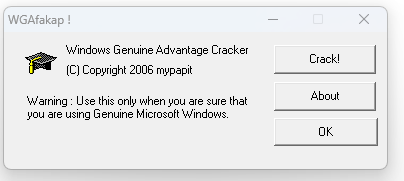
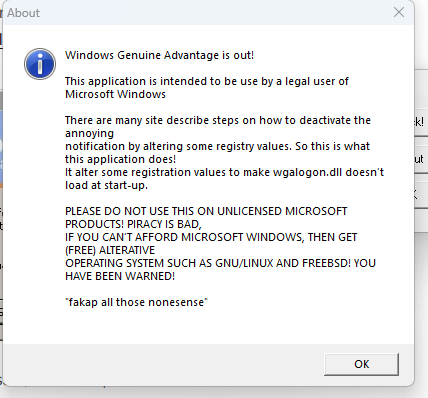
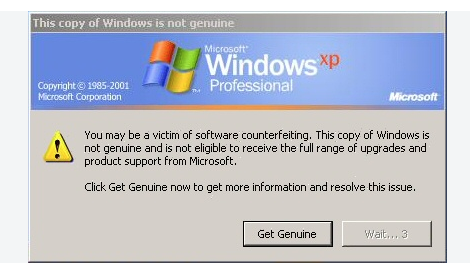
mypapit gnu/linux Free and Open Source blogger with an attitude2026-10-16T01:25:08Zhttps://blog.mypapit.net/feed/atomWordPresshttps://blog.mypapit.net/wp-content/uploads/2017/12/cropped-web_hi_res_512-32x32.pngMohammad Hafiz bin Ismail (mypapit)http://mypapit.net/<![CDATA[Remembering WGAfakap.exe, a Windows XP Genuine Advantage removal tool – It’s already 20 years!]]>https://blog.mypapit.net/?p=27562026-10-16T01:25:08Z2026-10-16T01:18:23ZTwenty years ago I wrote WGAfakap.exe, a simple windows application that removes the Windows XP Genuine Advantage Tattoo. WGAfakap was widely used around the world to help individuals or companies who has purchased a legitimate Windows XP from being nagged by the notorious “You May Be A Victim Of Software Counterfeiting, Solve It Now! ” screen. …
I was obsessed with optimization and efficiency because I was poor back then. Couldn’t afford a decent computer with a lot of storage space and speed. Thus, efficiency was everything to me.
Although there are attempts to supress it, WGAfakap was famous and it was distributed through message boards and was being used across the world.
With careful searching, archived message board threads explaining how to use WGAfakap can still be found. The most recent of these discussions date to 2010, four years after its initial development
Most WGAfakap users probably almost reached 40 years old now. Give a shout out if you’ve heard or ever used WGAfakap!
]]>0Mohammad Hafiz bin Ismail (mypapit)http://mypapit.net/<![CDATA[LobiShell: SSH Access to Linux Servers from Android]]>https://blog.mypapit.net/?p=27492026-10-13T04:23:37Z2026-10-15T02:57:00ZLobiShell is an Android SSH client with Mosh, SCP, port forwarding, SSH identities and WebDAV sync. A look at its features for Linux server administration.
]]>Sometimes I need to check a Linux server when I’m away from my laptop. For small jobs, an Android SSH client is enough. LobiShell, developed by Lobianco Home Lab, is one option worth looking at.
It runs SSH sessions from an Android phone and also supports Mosh, SCP file transfers, port forwarding and SSH key management. These are useful features when you manage more than one Linux machine.
Advantages: LobiShell supports putty based private key format.
Connecting to your servers
LobiShell lets you save server connections and manage identities. A typical SSH connection needs the server address, SSH port, username and a password or private key. Once connected, you can use the terminal for commands such as:
uptime
free -h
df -h
docker ps
systemctl status nginx
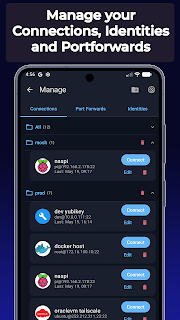
The saved connections screen makes it easier to move between several machines without re-entering their details.
LobiShell connection manager, showing saved hosts and identities.
Finding devices on your network
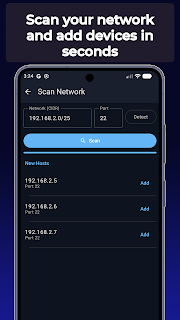
LobiShell includes a network scanner that can help find devices on a local network. This is handy when you have several servers, small PCs or other machines in a homelab. You should still verify the host’s SSH fingerprint before trusting a new connection.
LobiShell local network scan and discovered devices.
SSH, Mosh and file transfers
Regular SSH works well on a stable connection. LobiShell also supports Mosh, which is designed to cope better with intermittent connections and network changes. Mosh requires server-side setup, so it is not a drop-in replacement on every host.
SCP support lets you upload or download files, while SSH port forwarding can provide access to an internal service through an encrypted connection. For example, that can be useful when a web interface is restricted to the server’s private network.
Authentication and saved commands
The Identity Store manages SSH keys and passwords. LobiShell also advertises FIDO2 authentication with compatible hardware security keys. It has command snippets, too, so commands you frequently run can be saved instead of typed each time.
For sensitive servers, I would still use key-based login, verify host keys, and avoid exposing SSH directly to the public internet when a VPN is available.
Terminal appearance and backups
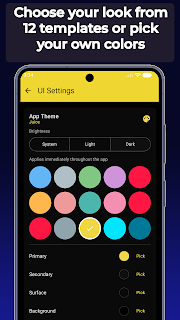
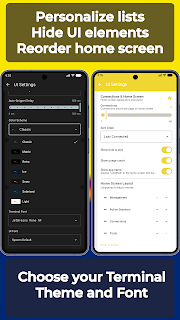
There are settings for colours, fonts and interface layout. That matters more than it sounds on a small touchscreen, especially when you have to read logs or work in a terminal for a while.
LobiShell app colour and theme settings.
LobiShell terminal appearance and interface options.
For moving settings between devices, LobiShell supports WebDAV synchronization, including compatible services such as Nextcloud. It also supports local peer-to-peer synchronization and exportable backups, with optional AES-256-GCM encryption.
LobiShell as SSH Client
If you only open an SSH terminal once in a while, a simple client may be sufficient. LobiShell becomes more interesting if you manage several servers and want saved identities, snippets, file transfers and synchronization in the same app.
The limitations are mostly those of working on a phone. Long commands and detailed configuration work are still easier with a keyboard and larger screen. But for checking a service, reading logs or restarting a container, it is a practical tool to keep installed.
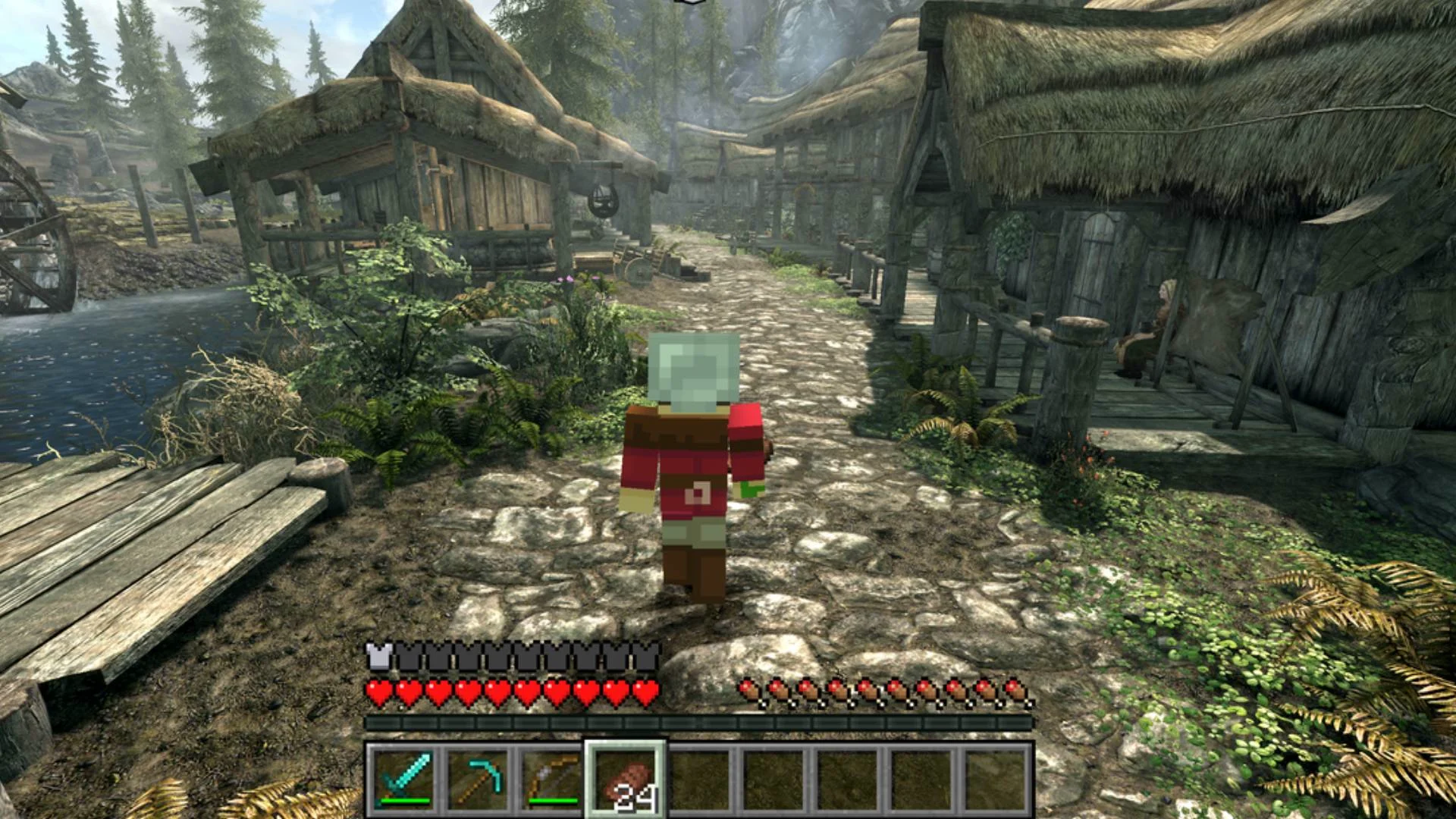
]]>0Mohammad Hafiz bin Ismail (mypapit)http://mypapit.net/<![CDATA[A Guide to Melty: Game Mashups and AI Mod Creation]]>https://blog.mypapit.net/?p=27412026-10-13T04:20:25Z2026-10-13T03:27:00ZExplore Melty, a free Windows app for game mashups, with SkyCraft and Elden Craft examples and AI tools for creating your own mods.
Melty is currently free for Windows. Choose a mashup and press Play. According to its website, the app downloads the mod, handles the required setup and starts the game. Multiplayer mashups also provide invite links for friends.
The AI part comes into creating your own mashup. Melty provides instructions for coding agents such as Claude Code or Codex. You describe your idea, and the agent works on building and publishing it.
You still need to own the required games. This looks interesting for players who enjoy experimenting with mods and unusual game combinations.
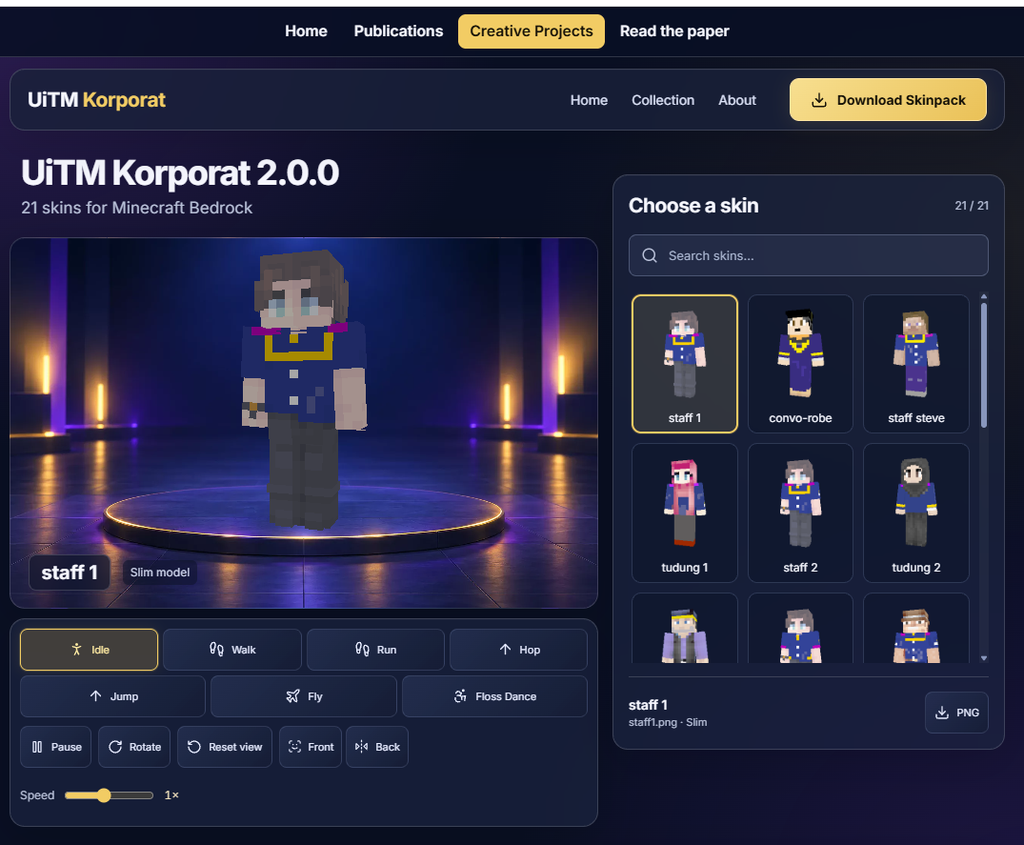
]]>I have released UiTM Korporat 2.0.0, a collection of 21 skins for Minecraft Bedrock featuring UiTM-inspired corporate attire, graduation robes and other characters. You can preview the skins and download the skinpack from the website.
The skinpack is accompanied by an academic article on representing UiTM corporate identity and attire through Minecraft avatars. Read the accompanying article.
]]>0Mohammad Hafiz bin Ismail (mypapit)http://mypapit.net/<![CDATA[How to use openssl to generate 48 random hex numbers for beare token use.]]>https://blog.mypapit.net/?p=27332026-09-13T06:17:37Z2026-09-13T06:17:34ZSome services require you to generate random hex numbers to be used as a password or random auth token for authentication. The simplest method is to use this openssl cli command
]]>Some services require you to generate random hex numbers to be used as a password or random auth token for authentication. The simplest method is to use this openssl cli command
]]>4Mohammad Hafiz bin Ismail (mypapit)http://mypapit.net/<![CDATA[Convert Word Documents to Markdown for LLM / AI consumptions]]>https://blog.mypapit.net/?p=27292026-09-12T10:57:46Z2026-09-12T10:55:05ZI’ve finally had the time to convert preprint academic articles of JCRINN to markdowns! Microsoft Word documents are common in research, teaching, and administration. When preparing these documents for a large language model (LLM), converting them to Markdown gives you a readable text file that you can inspect, edit, and supply to an AI application. …
Microsoft Word documents are common in research, teaching, and administration. When preparing these documents for a large language model (LLM), converting them to Markdown gives you a readable text file that you can inspect, edit, and supply to an AI application.
Pandoc is a command-line document converter available on Linux. It supports Microsoft DOCX input and several Markdown formats, making it useful for preparing manuscripts, reports, lecture notes, and technical documentation. Its focus is document structure, rather than reproducing the original page layout. Pandoc documentation
For academic writing, sections such as Introduction, Methods, Results, and Discussion provide useful boundaries. A retrieval system can divide a document at these boundaries and retrieve relevant passages when answering a question. Microsoft’s Azure AI Search documentation provides a concrete example of indexing Markdown by heading and retaining section information. This supports using Markdown as a practical format for structured retrieval. Microsoft documentation
The practical benefits include:
Visible input: You can review the actual text supplied to the AI application.
Reusable content: The same file can support summarisation, question answering, search, and a document knowledge base.
Source tracking: Keeping the title, authors, DOI, and source URL helps connect extracted claims to their original document.
Controlled selection: You can provide relevant sections instead of repeatedly submitting the complete document.
Markdown does not make an LLM automatically understand a document better or prevent invented answers. It also does not necessarily reduce token usage compared with a good DOCX text extractor. File size on disk is not a reliable measure of model input tokens. The benefit is greater control over the text and structure entering your workflow.
How to convert DOCX documents to Markdown in Ubuntu / Linux
Step 1: Install Pandoc
sudo apt install pandoc
Ubuntu’s repository version may be older than the latest upstream release. If you need a newer feature or conversion fix, consult the official Pandoc installation instructions. A LaTeX installation is unnecessary for DOCX-to-Markdown conversion.
These formats and options are documented in the Pandoc User’s Guide. Running another example with the same output filename replaces the previous Markdown file.
An image reference does not give a text-only model access to the image’s contents. Supply figures separately to a vision-capable system, or add verified descriptions and relevant values as text.
Step 3: Review the converted document
Compare it with the Word original. Check section headings, numerical results, units, table labels, equations, references, and figure captions. Complex tables and formatting may not survive conversion accurately. Pandoc conversion limitations
For research documents, retain the qualifications attached to findings. A reported accuracy value without its dataset, evaluation method, or limitations can produce a misleading summary.
Step 4: Use the Markdown with an LLM
Upload the file to an application that accepts Markdown, or paste a relevant section into the conversation. For a larger collection, configure your retrieval workflow to preserve document identity and section headings with each passage.
A useful starting prompt is:
Using only the supplied document, identify the research objective, method, dataset, main results, and limitations. Cite the relevant section for each item. Preserve numerical values and units exactly. If information is absent, state “not reported”.
BONUS: Batch convert all DOCX files with bash
For a folder containing several documents, save the following script as batch-docx-to-markdown.sh
]]>0Mohammad Hafiz bin Ismail (mypapit)http://mypapit.net/<![CDATA[How to Generate Audio Spectrum Videos from MP3 songs with FFmpeg]]>https://blog.mypapit.net/?p=27222026-08-20T04:44:41Z2026-08-20T04:44:40ZSometimes I need a simple way to convert an MP3 file into a video suitable for YouTube. Instead of using a static image. I created a small Bash script that generates an animated frequency spectrum using FFmpeg. The script uses FFmpeg’s showfreqs filter to generate an animated frequency spectrum from the audio. How to use …
Alternatively you can also convert/export multiple mp3 files : ./spectrum.sh *.mp3
Why Use This Script?
The main advantage is simplicity. There is no video editor, GUI application, or complicated workflow involved. FFmpeg handles the audio analysis, visualization, video encoding, and audio encoding in a single operation.
It is also easy to modify the showfreqs parameters if you want different spectrum sizes, positions, frame rates, scaling methods, or visual styles.
For batch processing MP3 files into simple spectrum videos, this small Bash script provides a practical solution.
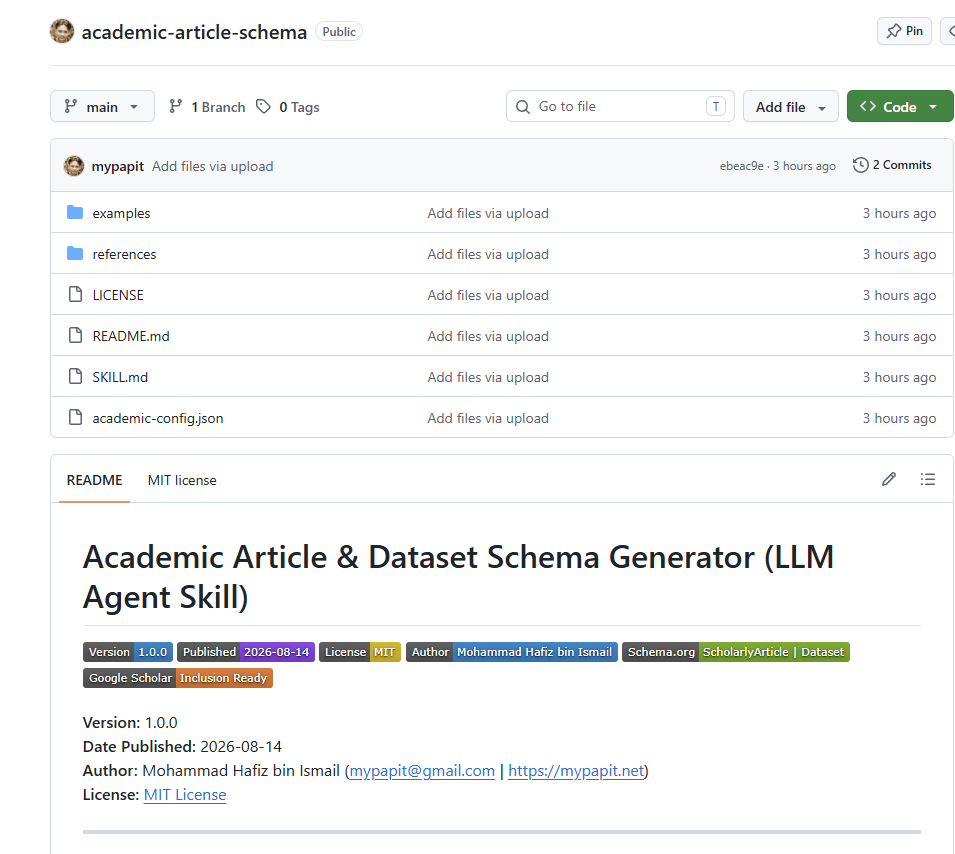
]]>1Mohammad Hafiz bin Ismail (mypapit)http://mypapit.net/<![CDATA[SKILL.md for Researchers and Academicians : academic-article-schema]]>https://blog.mypapit.net/?p=27172026-08-14T12:28:37Z2026-08-14T12:28:35ZI have completed and released my latest open-source project, academic-article-schema SKILL.md. a reusable LLM Agent Skill designed for researchers, academicians, journal authors, and research developers who have online web profiles. The SKILL.md can be downloaded from academic-article-schema SKILL.md GitHub project page The skill generates structured academic metadata for research articles and datasets for use on …
]]>I have completed and released my latest open-source project, academic-article-schema SKILL.md. a reusable LLM Agent Skill designed for researchers, academicians, journal authors, and research developers who have online web profiles.
The skill generates structured academic metadata for research articles and datasets for use on their online web profiles.
It can produce Google Scholar citation_* meta tags, Dublin Core metadata, Open Graph tags, and Schema.org ScholarlyArticle and Dataset JSON-LD. It also supports configuration of author details, ORCID, institutional affiliation, publisher information, and dataset links.
Why Academic Publication Metadata on Web Pages Matters ?
Publishing a paper online is not enough. Search engines, academic indexes, reference managers, and AI-based research tools need structured information to correctly identify the title, authors, publication date, DOI, journal, dataset, and other important details.
Good metadata can improve the visibility and machine readability of academic publications. It can also help services such as Google Scholar, Google Dataset Search, Zotero, Mendeley, search engines, and AI research tools understand the relationship between a research article, its authors, institution, and associated datasets.
For academicians, this is important because research visibility affects how easily other researchers can discover, reference, and cite our work.
SKILL.md : Reusable LLM Skill
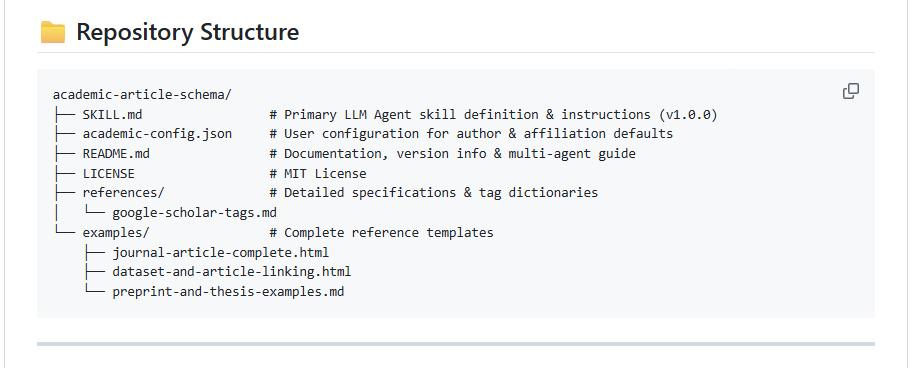
The repository includes a SKILL.md, configurable author defaults, reference material, and example templates. It is designed to be reused across multiple papers instead of rebuilding the same instructions for every project.
The skill can also be adapted for several LLM and agent environments described in the project documentation, including ChatGPT/Codex, Google Antigravity, Open WebUI, Claude Projects, Cursor, and other coding agents.
For researchers who maintain personal academic websites, institutional repositories, research project pages, or dataset pages, this skill provides a practical way to produce more consistent academic metadata with the help of an LLM.
The main objective is simple: make academic publications easier for machines to understand, and therefore easier for people to discover.
]]>0Mohammad Hafiz bin Ismail (mypapit)http://mypapit.net/<![CDATA[Test Solar PV Monitoring Dashboards Using an Open-Source Renogy BT-1 Simulator]]>https://blog.mypapit.net/?p=27042026-07-24T07:01:44Z2026-07-24T06:39:58ZRenogy BT-1 telemetry provides useful information for monitoring the condition and performance of a solar photovoltaic system. It can report key values such as PV voltage, current, power generation, battery status, controller temperature, charging activity, and load consumption. These data are important for building dashboards, alerts, databases, and automation systems. However, developing and testing such …
]]>Renogy BT-1 telemetry provides useful information for monitoring the condition and performance of a solar photovoltaic system. It can report key values such as PV voltage, current, power generation, battery status, controller temperature, charging activity, and load consumption. These data are important for building dashboards, alerts, databases, and automation systems.
However, developing and testing such a monitoring system normally requires access to real Renogy hardware, including a compatible charge controller and BT-1 Bluetooth module. This can make early development difficult, especially when developers need to reproduce specific conditions such as low battery voltage, peak sunlight, nighttime discharge, or controller inactivity.
My latest open-source project, Renogy BT-1 Telemetry Simulator, removes this hardware requirement.
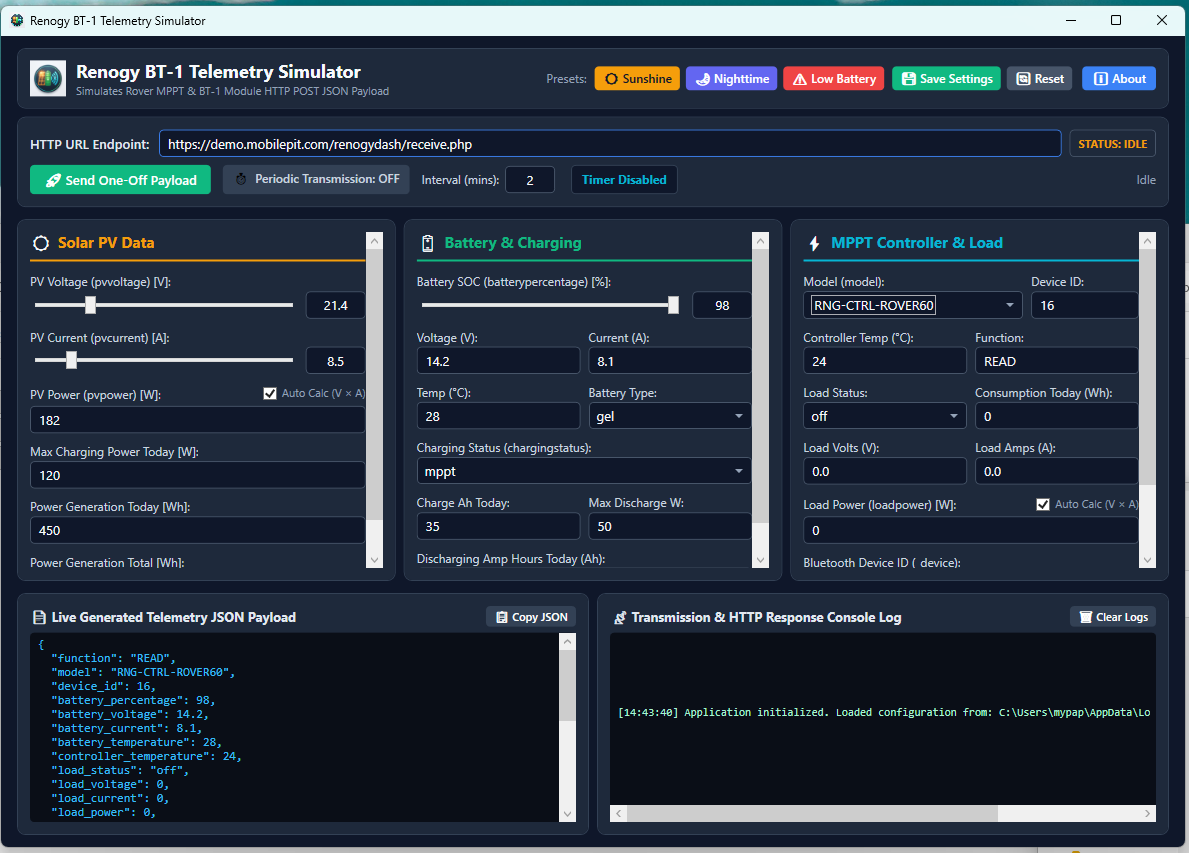
Application Screenshot
The Renogy BT-1 Telemetry Simulator addresses this problem by generating realistic sample telemetry and sending it as JSON to an HTTP or HTTPS endpoint without requiring physical solar equipment.
The simulator imitates telemetry commonly produced by a Renogy BT-1 module connected to a Renogy Rover MPPT charge controller.
You can manually configure values such as:
Solar PV voltage, current, power, and generated energy
Battery percentage, voltage, current, temperature, and battery type
Controller temperature and charging status
Load voltage, current, power, and energy consumption
Controller model, device ID, and BT-1 identifier
The application can also calculate PV and load power automatically.
Renogy BT-1 Telemetry Simulator Use Cases
The simulator is useful for testing the Solar PV under various situations:
Peak Sunshine
Nighttime operations
Low battery conditions
Heavy loads / light loads
Application Features
One-off HTTP Post transmission
Periodic transmission at a configurable interval
A default two-minute sending interval
Live JSON payload preview
Transmission logs with HTTP status, response, errors, and request duration
This is useful for testing local development servers, webhooks, staging systems, database storage, monitoring dashboards, and automated alerts before installing physical solar hardware.
Requirements
The application uses WPF and .NET 8, so it runs on Windows 10 or Windows 11. Developers can build it using Visual Studio 2022 or the standard dotnet command-line tools.
The current HTTP client accepts self-signed HTTPS certificates for local testing. This behaviour should not be treated as secure certificate validation for production systems.
Download the Source Code
Renogy BT-1 Telemetry Simulator is available on GitHub:
The project is released under the GNU General Public License version 3, allowing users to study, modify, and redistribute the source code according to the GPL terms.
This project is an independent simulator and is not an official Renogy product.
]]>0Mohammad Hafiz bin Ismail (mypapit)http://mypapit.net/<![CDATA[PolicyMaker: A Lightweight PHP Tool to Create Privacy Policy Pages for Android Apps]]>https://blog.mypapit.net/?p=26852026-07-02T07:31:22Z2026-07-06T00:25:00ZPolicyMaker is a lightweight web application for creating, managing, publishing, and displaying privacy policies for Android mobile applications. It is built using PHP and SQLite, so it does not need a heavy database server or complex deployment setup. The project is available on GitHub – https://github.com/mypapit/policymaker PolicyMaker Dashboard PolicyMaker Wizard The main idea behind PolicyMaker …
PolicyMaker is a lightweight web application for creating, managing, publishing, and displaying privacy policies for Android mobile applications. It is built using PHP and SQLite, so it does not need a heavy database server or complex deployment setup. The project is available on GitHub – https://github.com/mypapit/policymaker
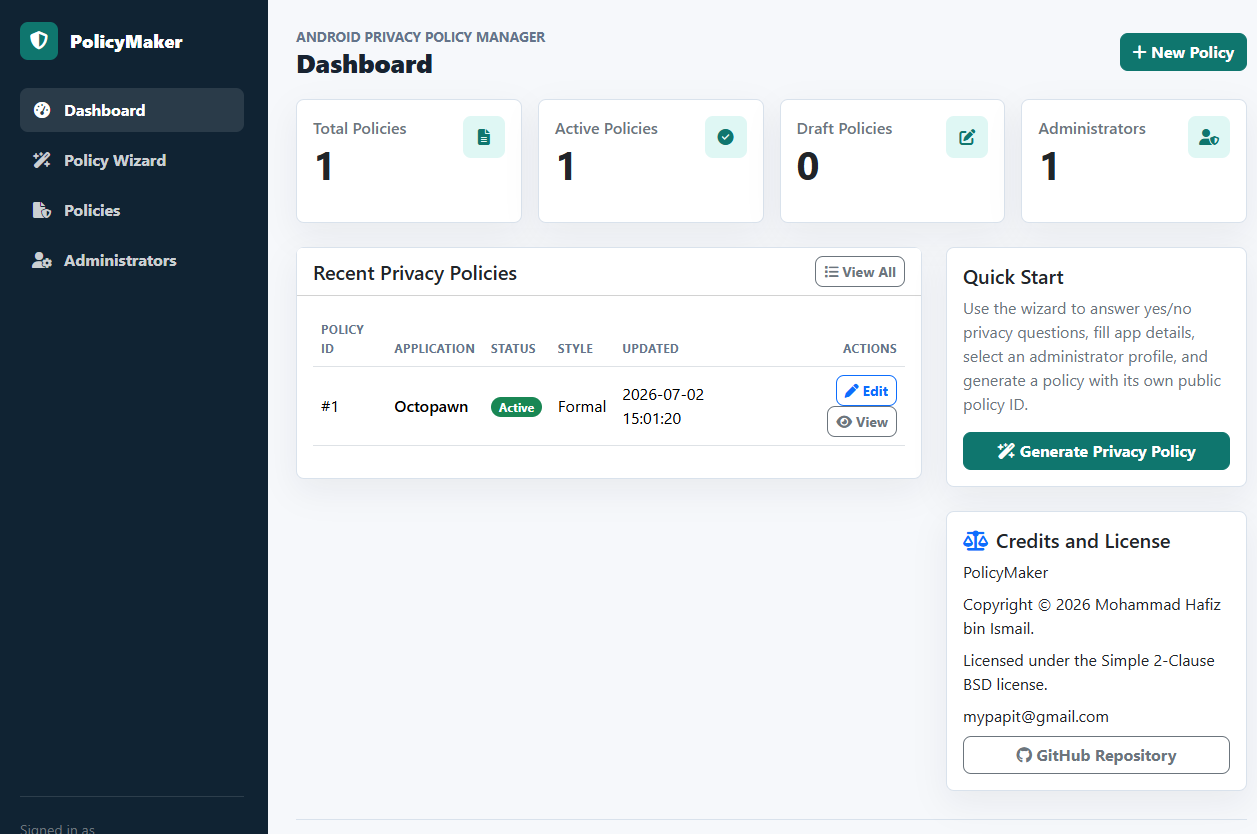
PolicyMaker Dashboard
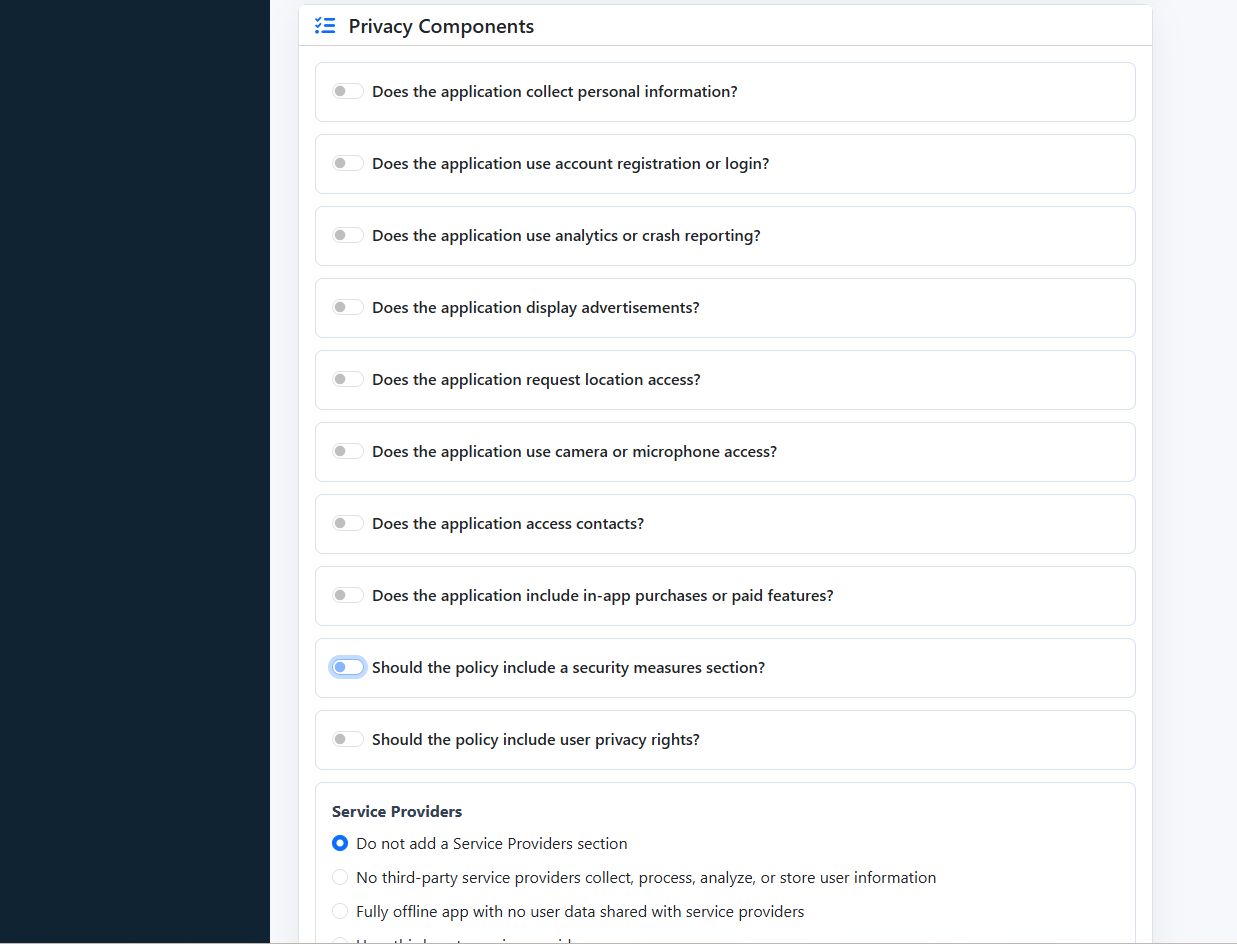
PolicyMaker Wizard
The main idea behind PolicyMaker is simple. Many Android developers need a public privacy policy page, especially when publishing applications to app stores. Instead of manually writing and formatting the same policy structure again and again, PolicyMaker provides an administrator-only wizard that helps generate structured privacy policy text from simple inputs.
The wizard supports yes/no choices, radio buttons, checkboxes, and text fields. It can collect details such as application name, package name, website, effective date, personal data collection, analytics, advertising, permissions, service providers, data retention, security, user rights, and children’s privacy.
PolicyMaker is useful for small developers, indie Android publishers, educators, and small organizations that manage several simple mobile apps. It is not meant to be a large enterprise compliance platform. Its strength is that it is small, direct, and easy to host. It only requires PHP 8.3 or newer with SQLite/PDO SQLite support. The installer creates the SQLite database and generates the first administrator password.
The public policy pages also include Schema.org JSON-LD metadata, which helps make the policy page more structured for search engines
PolicyMaker is licensed under the BSD 2-Clause license. This makes it practical for developers who want a small self-hosted privacy policy system that can be modified and deployed with minimal restriction.
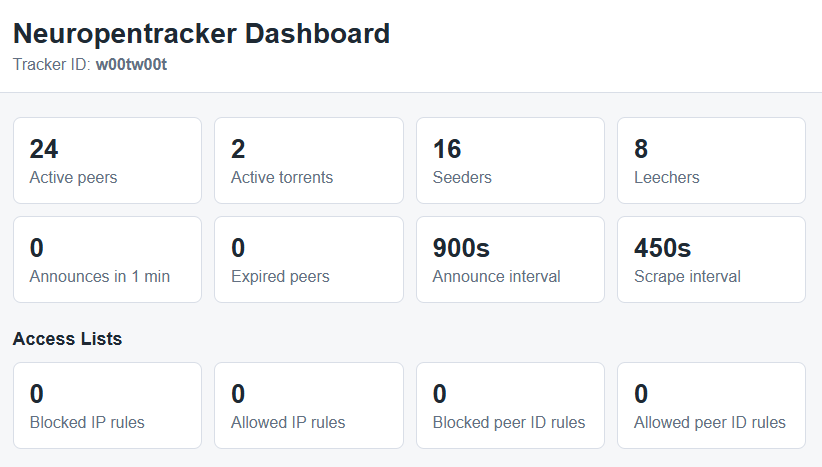
]]>0Mohammad Hafiz bin Ismail (mypapit)http://mypapit.net/<![CDATA[Neuropentracker: A Simple BitTorrent Tracker for Small Setups]]>https://blog.mypapit.net/?p=26802026-07-02T02:48:42Z2026-07-02T02:48:40ZI have published Neuropentracker, a simple BitTorrent tracker on GitHub:https://github.com/mypapit/neuropentracker Dashboard Screenshot What it is Neuropentracker is written in PHP and is designed for small setups. It is suitable for small organizations, small communities, labs, schools, or internal file-sharing environments. The main idea behind Neuropentracker is simplicity. It does not try to be a complete …
Neuropentracker is written in PHP and is designed for small setups. It is suitable for small organizations, small communities, labs, schools, or internal file-sharing environments.
The main idea behind Neuropentracker is simplicity. It does not try to be a complete torrent portal or a large public tracker. It only provides the basic tracker functions needed by BitTorrent clients, such as announce and scrape support
It is designed for small organization to reduce server load when sharing large files. Instead of every user downloading from one central server,
What it is not
It is not intended for large public torrent sites. It does not include advanced features such as user accounts, ratio tracking, moderation system, or full torrent management portal. Administrators still need to secure the server, database, and tracker configuration properly.
Parting words
Overall, Neuropentracker is a lightweight and practical BitTorrent tracker for small and controlled environments. It is best used when the requirement is simple peer tracking, not a full torrent community platform.
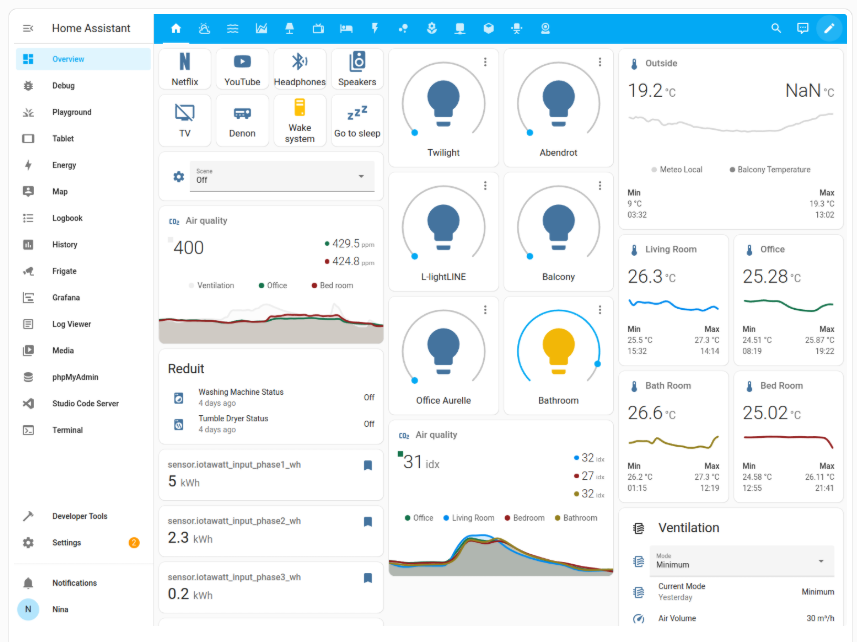
]]>0Mohammad Hafiz bin Ismail (mypapit)http://mypapit.net/<![CDATA[Setting Up Home Assistant on Ubuntu 26.04 Using Docker]]>https://blog.mypapit.net/?p=26742026-07-02T02:29:05Z2026-07-02T02:26:11ZHome Assistant is one of the most practical platforms for building a local smart home system. It can connect sensors, switches, cameras, MQTT devices, smart plugs, Zigbee devices, dashboards, and automation rules in one place. For Ubuntu 26.04, one clean way to install it is by using Home Assistant Container with Docker Compose. This keeps …
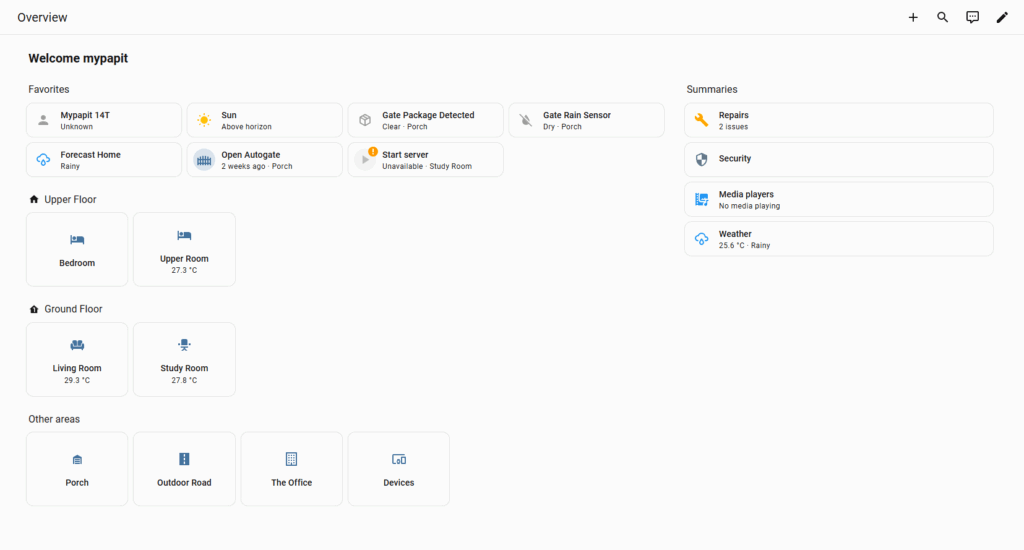
]]>Home Assistant is one of the most practical platforms for building a local smart home system. It can connect sensors, switches, cameras, MQTT devices, smart plugs, Zigbee devices, dashboards, and automation rules in one place.
For Ubuntu 26.04, one clean way to install it is by using Home Assistant Container with Docker Compose. This keeps the setup simple, portable, and easy to update. Home Assistant officially supports the container installation method, but note that this method does not include Home Assistant OS apps or Supervisor features. You manage the container yourself.
Docker’s official documentation lists Ubuntu 26.04 LTS as a supported Ubuntu release for Docker Engine, and recommends installing Docker from its official apt repository.
sudo systemctl status docker
Step 2 Create Home Assistant Folder
Create a folder to store the Home Assistant configuration:
Home Assistant recommends network_mode: host for the container setup, because many smart home integrations rely on local network discovery. The official container guide also shows the /config volume, D-Bus mapping, privileged mode, and Docker Compose structure
Start Home Assistant:
docker compose up -d
Check the logs:
docker logs -f homeassistant
Then you can try and access your Home Assistant from your browser
]]>0Mohammad Hafiz bin Ismail (mypapit)http://mypapit.net/<![CDATA[Instantly convert Text to Natural Speech with Basic TTS Web App]]>https://blog.mypapit.net/?p=26682026-06-18T17:59:43Z2026-06-18T17:59:43ZBasic TTS is a clean and easy-to-use web application that converts written text into natural-sounding speech. It is designed for users who want to test text-to-speech technology without installing complicated software or dealing with technical setup. The web app is powered by Piper TTS, a lightweight and capable text-to-speech system. With Basic TTS, users can …
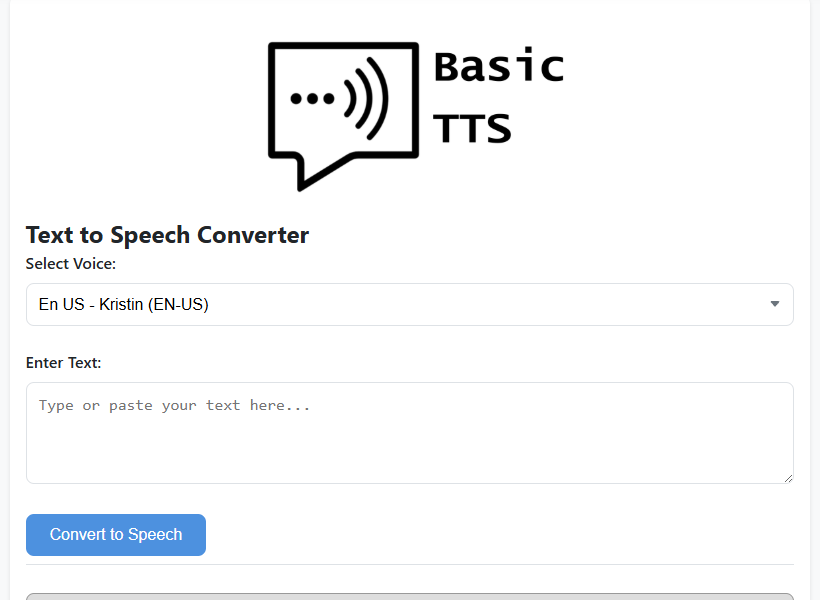
Basic TTS is a clean and easy-to-use web application that converts written text into natural-sounding speech. It is designed for users who want to test text-to-speech technology without installing complicated software or dealing with technical setup.
The web app is powered by Piper TTS, a lightweight and capable text-to-speech system. With Basic TTS, users can type their text, choose from several English voice models, and generate speech audio within seconds. Each voice has its own accent and speaking style, making it useful for testing different voice outputs.
One useful feature is its built-in audio control. After generating the speech, users can play, pause, change playback speed, or download the audio file for offline use. This makes Basic TTS suitable for simple voice experiments, accessibility testing, content creation, and quick audio generation.
]]>0Mohammad Hafiz bin Ismail (mypapit)http://mypapit.net/<![CDATA[Making Old DOS Games Sound Better in DOSBox-X with Shan SGM-Pro V5 SoundFont]]>https://blog.mypapit.net/?p=26662026-06-12T06:20:00Z2026-06-12T06:20:00ZOld DOS games are already great, but let us be honest, MIDI music can sound very rough if it is played through the default Windows MIDI synthesizer. Some games still sound okay, but many of them lose a lot of character because the instruments sound thin, cheap, or just plain boring. This is where SoundFonts …
]]>Old DOS games are already great, but let us be honest, MIDI music can sound very rough if it is played through the default Windows MIDI synthesizer. Some games still sound okay, but many of them lose a lot of character because the instruments sound thin, cheap, or just plain boring.
This is where SoundFonts come in.
A MIDI file does not actually contain recorded music like an MP3. It is more like a set of instructions. It tells the computer which notes to play, which instruments to use, how loud they are, and when they should start or stop. The final sound depends on the synthesizer and instrument bank used to play those instructions.
A SoundFont is basically an instrument bank, usually in .sf2 or .sf3 format. It gives the MIDI synthesizer better instrument samples to work with. So instead of your DOS game music sounding like basic Windows MIDI, it can sound fuller, clearer, and more dramatic.
For this setup, I used Shan SGM-Pro V40 SoundFont. It is based around the SGM-style General MIDI sound, which is popular among retro PC gaming users because it gives many DOS game soundtracks a bigger and more modern sound. More information about Shan SGM-Pro can be found at the VOGONS thread here:
DOSBox-X already supports MIDI configuration properly, and it can use FluidSynth to play MIDI through a SoundFont. This is cleaner than routing MIDI into another external program.
The basic idea is simple:
Put the SoundFont file somewhere permanent.
Tell DOSBox-X to use FluidSynth.
Point DOSBox-X to the .sf2 file.
Configure the old DOS game to use General MIDI, Roland Sound Canvas, or MPU-401, depending on what the game supports.
For my setup, I placed the SoundFont here:
/home/mypapit/midi/shan.sf2
You can use another folder if you want. Just make sure the path in the DOSBox-X config matches the actual file location.
DOSBox-X MIDI Configuration
# fluid.soundfont: Soundfont (.SF2 or .SF3) to use with Fluidsynth.
#                  One must be specified, for example GeneralUser_GS.sf2.

mpu401          = intelligent
mpubase         = 330
mididevice      = fluidsynth
midiconfig      =
samplerate      = 48000
mpuirq          = -1
mt32.romdir     =
mt32.model      = auto

fluid.driver    = pulseaudio
fluid.soundfont = "/home/mypapit/midi/shan.sf2"
fluid.reverb    = 20
fluid.chorus    = 16
Game Setup
After changing the DOSBox-X config, you still need to configure the DOS game itself.
In the game sound setup program, choose something like:
Music device: General MIDI
Port: 330
IRQ: 9 or default
Some games may show it as:
Roland MPU-401
Sound Canvas
General MIDI
For many DOS games from the 1990s, General MIDI is the correct choice. Examples include games like Doom, Duke Nukem 3D, Descent, Warcraft II, TIE Fighter, and many LucasArts titles.
Do not choose MT-32 unless the game soundtrack was actually made for MT-32. MT-32 and General MIDI are not the same thing. If you choose the wrong one, the music can sound strange, with incorrect instruments.
TIE-FIGHTER DEMO with SHAN SGM-PRO SoundFont
TIE Fighter is a good game to test this because its MIDI soundtrack benefits a lot from a stronger SoundFont. The music becomes more cinematic and less flat compared to the default Windows MIDI output.
Here is a YouTube video showing TIE Fighter using the Shan SGM-Pro SoundFont:
The difference is clear. The brass, strings, and percussion sound much heavier. It does not sound like original hardware, but that is not the goal here. The goal is to make old DOS MIDI music sound better, fuller, and more enjoyable on a modern machine.
Notes:
Keep the SoundFont file in a fixed folder. Do not put it in a temporary download folder because DOSBox-X will fail to load it if the file is moved.
Use a full path in the config file, especially on Windows.
Restart DOSBox-X after editing the config.
Make sure the game itself is configured for General MIDI or MPU-401 music output.
If there is no music, check the file path first. Most problems come from a wrong SoundFont path or a typo in the filename.
]]>0Mohammad Hafiz bin Ismail (mypapit)http://mypapit.net/<![CDATA[yt-dlp – a verstatile video downloader tool]]>https://blog.mypapit.net/?p=26582026-01-15T04:59:19Z2026-01-15T04:56:50Zyt-dlp is a command-line tool for which allows a user to download audio/video from thousands of sites. The project is a fork of youtube-dl, which is based on the now inactive youtube-dlc. yt-dlp can be installed using official releases or via package manager. Unix-like operating system To update yt-dlp in Unix-like operating system Homebrew MacOS …
]]>yt-dlp is a command-line tool for which allows a user to download audio/video from thousands of sites. The project is a fork of youtube-dl, which is based on the now inactive youtube-dlc.
yt-dlp can be installed using official releases or via package manager.
]]>0Mohammad Hafiz bin Ismail (mypapit)http://mypapit.net/<![CDATA[Semi-automatic bash script for triggering NVIDIA GPU fan in Linux]]>https://blog.mypapit.net/?p=26362025-07-26T10:06:29Z2025-07-25T03:59:17Zhttps://gist.github.com/mypapit/01770a1fa47826db1f50caf45f6a9035.js Hello everybody. I’m sharing a handy script I use to semi-automatically check my GPU temperature and turn on the fan if things get a bit too warm. I run this on my dedicated SoHo PC server, which hosts a modest LLM and a Minecraft server (yes, both at the same time). Feel free to …