<?xml version="1.0" encoding="UTF-8"?>
<?xml-stylesheet type="text/xsl" media="screen" href="/~d/styles/rss2full.xsl"?><?xml-stylesheet type="text/css" media="screen" href="http://feeds.feedburner.com/~d/styles/itemcontent.css"?><rss xmlns:content="http://purl.org/rss/1.0/modules/content/" xmlns:wfw="http://wellformedweb.org/CommentAPI/" xmlns:dc="http://purl.org/dc/elements/1.1/" xmlns:atom="http://www.w3.org/2005/Atom" xmlns:sy="http://purl.org/rss/1.0/modules/syndication/" xmlns:slash="http://purl.org/rss/1.0/modules/slash/" xmlns:feedburner="http://rssnamespace.org/feedburner/ext/1.0" version="2.0">

<channel>
	<title>Niall Doherty's dot biz</title>
	
	<link>http://www.ndoherty.biz</link>
	<description>Web design and development</description>
	<lastBuildDate>Tue, 19 Jan 2010 17:06:41 +0000</lastBuildDate>
	<generator>http://wordpress.org/?v=2.8.4</generator>
	<language>en</language>
	<sy:updatePeriod>hourly</sy:updatePeriod>
	<sy:updateFrequency>1</sy:updateFrequency>
			<atom10:link xmlns:atom10="http://www.w3.org/2005/Atom" rel="self" type="application/rss+xml" href="http://feeds.feedburner.com/ndohertydotbiz" /><feedburner:info uri="ndohertydotbiz" /><atom10:link xmlns:atom10="http://www.w3.org/2005/Atom" rel="hub" href="http://pubsubhubbub.appspot.com/" /><feedburner:emailServiceId>ndohertydotbiz</feedburner:emailServiceId><feedburner:feedburnerHostname>http://feedburner.google.com</feedburner:feedburnerHostname><item>
		<title>Coda-Slider 2.0</title>
		<link>http://feedproxy.google.com/~r/ndohertydotbiz/~3/vtWuNAHBcrg/</link>
		<comments>http://www.ndoherty.biz/2009/10/coda-slider-2/#comments</comments>
		<pubDate>Mon, 26 Oct 2009 20:45:48 +0000</pubDate>
		<dc:creator>Niall Doherty</dc:creator>
				<category><![CDATA[Uncategorized]]></category>
		<category><![CDATA[Coda-Slider]]></category>
		<category><![CDATA[Coding]]></category>
		<category><![CDATA[CSS]]></category>
		<category><![CDATA[Demos]]></category>
		<category><![CDATA[JavaScript]]></category>
		<category><![CDATA[jQuery]]></category>
		<category><![CDATA[Plugins]]></category>

		<guid isPermaLink="false">http://www.ndoherty.biz/?p=335</guid>
		<description><![CDATA[Finally, a brand spanking new version of Coda-Slider. Some links:

Demos
Download
Documentation: Installation &#124; Settings

If you need help or troubleshooting, please register and ask in the Coda-Slider 2.0 forum.

Background
Coda-Slider is a jQuery plugin I first released in September, 2007. It aimed to mimic the slider effect on the promo page for Panic&#8217;s Coda software. That initial version [...]]]></description>
			<content:encoded><![CDATA[<p>Finally, a brand spanking new version of Coda-Slider. Some links:</p>
<ul>
<li><a href="http://www.ndoherty.biz/demos/coda-slider/2.0/">Demos</a></li>
<li><a href="http://www.ndoherty.biz/demos/coda-slider/2.0/coda-slider-2.0.zip">Download</a></li>
<li>Documentation: <a href="http://www.ndoherty.biz/forums/viewtopic.php?f=4&amp;t=3">Installation</a> | <a href="http://www.ndoherty.biz/forums/viewtopic.php?f=4&amp;t=2">Settings</a></li>
</ul>
<p>If you need help or troubleshooting, please register and ask in <a href="http://www.ndoherty.biz/forums/viewforum.php?f=3">the Coda-Slider 2.0 forum</a>.</p>
<p><span id="more-335"></span></p>
<h3>Background</h3>
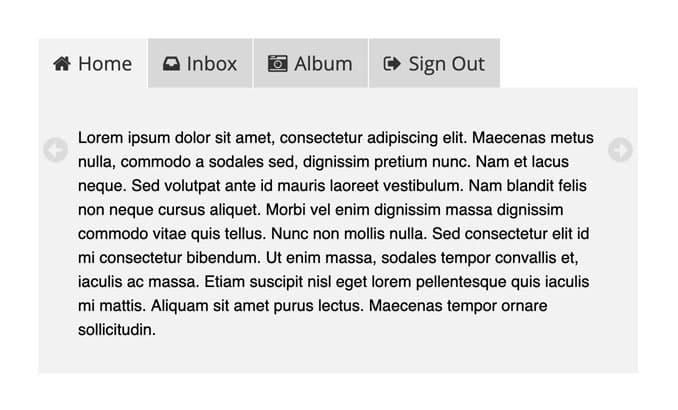
<p>Coda-Slider is a jQuery plugin I first released in September, 2007. It aimed to mimic the slider effect on <a href="http://www.panic.com/coda/">the promo page for Panic&#8217;s Coda software</a>. That initial version was hacked together, and I made two small updates within a few months of its release. Coda-Slider 2.0 has been built from the ground up, and should prove much more versatile and easier to use than its predecessors.</p>
<h3>License</h3>
<p>Coda-Slider 2.0 is available for use in all personal or commercial projects under both <a href="http://www.ndoherty.biz/demos/coda-slider/2.0/MIT-LICENSE.txt">MIT</a> and <a href="http://www.ndoherty.biz/demos/coda-slider/2.0/GPL-LICENSE.txt">GPL</a> licenses. Pick your favorite and roll with it.</p>
<h3>Save a Puppy</h3>
<p>If you like Coda-Slider 2.0 so much that you&#8217;d like to part with some of your hard-earned cash, I&#8217;d appreciate any donation you can make to <a href="http://www.humanela.org/">the Humane Society of Louisiana</a>. You can donate via PayPal; just click the button on their homepage.</p>
<h3>Learn jQuery</h3>
<p>jQuery is quite easy to learn, especially if you know CSS already (you target elements the same way in jQuery). I learned by trial and error and plenty of visits to <a href="http://docs.jquery.com">the online documentation</a>. You can speed up the learning process by using the book <em>Learning jQuery 1.3</em>, <a href="http://www.ndoherty.biz/2009/09/learn-jquery-save-a-puppy/">which I reviewed here</a>.</p>
<img src="http://feeds.feedburner.com/~r/ndohertydotbiz/~4/vtWuNAHBcrg" height="1" width="1"/>]]></content:encoded>
			<wfw:commentRss>http://www.ndoherty.biz/2009/10/coda-slider-2/feed/</wfw:commentRss>
		<slash:comments>23</slash:comments>
		<feedburner:origLink>http://www.ndoherty.biz/2009/10/coda-slider-2/</feedburner:origLink></item>
		<item>
		<title>The redesign</title>
		<link>http://feedproxy.google.com/~r/ndohertydotbiz/~3/W1zkYFraEuo/</link>
		<comments>http://www.ndoherty.biz/2009/10/the-redesign/#comments</comments>
		<pubDate>Mon, 12 Oct 2009 06:00:27 +0000</pubDate>
		<dc:creator>Niall Doherty</dc:creator>
				<category><![CDATA[Uncategorized]]></category>
		<category><![CDATA[Design]]></category>
		<category><![CDATA[logos]]></category>
		<category><![CDATA[Projects]]></category>
		<category><![CDATA[screenshots]]></category>

		<guid isPermaLink="false">http://www.ndoherty.biz/?p=282</guid>
		<description><![CDATA[Some quick info about the redesign of this site, which went live back on September 26th.
Split in two
Before this redesign, there was just ndoherty.com, where the primary focus was on web development. With the redesign, I decided I needed two sites: ndoherty.com became devoted to my thoughts on personal growth, while ndoherty.biz now plays host [...]]]></description>
			<content:encoded><![CDATA[<p>Some quick info about the redesign of this site, which went live back on September 26th.</p>
<h3>Split in two</h3>
<p>Before this redesign, there was just <a href="http://www.ndoherty.com">ndoherty.com</a>, where the primary focus was on web development. With the redesign, I decided I needed two sites: <a href="http://www.ndoherty.com">ndoherty.com</a> became devoted to my thoughts on personal growth, while <a href="http://www.ndoherty.biz">ndoherty.biz</a> now plays host to the web design goodness. No point mixing those two subjects all together on one site.</p>
<p>The design of both sites is exactly the same, except for some subtle color differences.</p>
<p><span id="more-282"></span></p>
<h3>Clean and simple</h3>
<p>I wanted everything to be very clean and simple, which was much easier said than done. Click the numbers below to see screenshots that show the progression of the homepage design.</p>
<p><a style="margin-right: 5px" title="Screenshot 1" rel="lightbox-redesignSS" href="http://www.ndoherty.biz/wp-content/uploads/2009/10/full-1.jpg"><img class="alignnone size-full wp-image-131" title="Screenshot 1" src="http://www.ndoherty.biz/wp-content/uploads/2009/10/1.gif" alt="Screenshot 1" width="45" height="45" /></a><a style="margin-right: 5px" title="Screenshot 2" rel="lightbox-redesignSS" href="http://www.ndoherty.biz/wp-content/uploads/2009/10/full-2.jpg"><img class="alignnone size-full wp-image-131" title="Screenshot 2" src="http://www.ndoherty.biz/wp-content/uploads/2009/10/2.gif" alt="Screenshot 2" width="45" height="45" /></a><a style="margin-right: 5px" title="Screenshot 3" rel="lightbox-redesignSS" href="http://www.ndoherty.biz/wp-content/uploads/2009/10/full-3.jpg"><img class="alignnone size-full wp-image-131" title="Screenshot 3" src="http://www.ndoherty.biz/wp-content/uploads/2009/10/3.gif" alt="Screenshot 3" width="45" height="45" /></a><a style="margin-right: 5px" title="Screenshot 4" rel="lightbox-redesignSS" href="http://www.ndoherty.biz/wp-content/uploads/2009/10/full-4.jpg"><img class="alignnone size-full wp-image-131" title="Screenshot 4" src="http://www.ndoherty.biz/wp-content/uploads/2009/10/4.gif" alt="Screenshot 4" width="45" height="45" /></a><a style="margin-right: 5px" title="Screenshot 5" rel="lightbox-redesignSS" href="http://www.ndoherty.biz/wp-content/uploads/2009/10/full-5.jpg"><img class="alignnone size-full wp-image-131" title="Screenshot 5" src="http://www.ndoherty.biz/wp-content/uploads/2009/10/5.gif" alt="Screenshot 5" width="45" height="45" /></a><a style="margin-right: 5px" title="Screenshot 6" rel="lightbox-redesignSS" href="http://www.ndoherty.biz/wp-content/uploads/2009/10/full-6.jpg"><img class="alignnone size-full wp-image-131" title="Screenshot 6" src="http://www.ndoherty.biz/wp-content/uploads/2009/10/6.gif" alt="Screenshot 6" width="45" height="45" /></a><a style="margin-right: 5px" title="Screenshot 7" rel="lightbox-redesignSS" href="http://www.ndoherty.biz/wp-content/uploads/2009/10/full-7.jpg"><img class="alignnone size-full wp-image-131" title="Screenshot 7" src="http://www.ndoherty.biz/wp-content/uploads/2009/10/7.gif" alt="Screenshot 7" width="45" height="45" /></a><a style="margin-right: 5px" title="Screenshot 8" rel="lightbox-redesignSS" href="http://www.ndoherty.biz/wp-content/uploads/2009/10/full-8.jpg"><img class="alignnone size-full wp-image-131" title="Screenshot 8" src="http://www.ndoherty.biz/wp-content/uploads/2009/10/8.gif" alt="Screenshot 8" width="45" height="45" /></a><a style="margin-right: 5px" title="Screenshot 9" rel="lightbox-redesignSS" href="http://www.ndoherty.biz/wp-content/uploads/2009/10/full-9.jpg"><img class="alignnone size-full wp-image-131" title="Screenshot 9" src="http://www.ndoherty.biz/wp-content/uploads/2009/10/9.gif" alt="Screenshot 9" width="45" height="45" /></a><a style="margin-right: 5px" title="Screenshot 10" rel="lightbox-redesignSS" href="http://www.ndoherty.biz/wp-content/uploads/2009/10/full-10.jpg"><img class="alignnone size-full wp-image-131" title="Screenshot 10" src="http://www.ndoherty.biz/wp-content/uploads/2009/10/10.gif" alt="Screenshot 10" width="45" height="45" /></a><a style="margin-right: 5px" title="Screenshot 11" rel="lightbox-redesignSS" href="http://www.ndoherty.biz/wp-content/uploads/2009/10/full-11.jpg"><img class="alignnone size-full wp-image-131" title="Screenshot 11" src="http://www.ndoherty.biz/wp-content/uploads/2009/10/11.gif" alt="Screenshot 11" width="45" height="45" /></a><a style="margin-right: 5px" title="Screenshot 12" rel="lightbox-redesignSS" href="http://www.ndoherty.biz/wp-content/uploads/2009/10/full-12.jpg"><img class="alignnone size-full wp-image-131" title="Screenshot 12" src="http://www.ndoherty.biz/wp-content/uploads/2009/10/12.gif" alt="Screenshot 12" width="45" height="45" /></a></p>
<p>It started off pretty cluttered, got more cluttered, then I started taking things away until only the essentials were left. Looking back through those iterations, I&#8217;m pretty happy with the end result.</p>
<h3>The logo</h3>
<p>The stag logo was derived from my family crest:</p>
<p><a href="http://www.ndoherty.biz/wp-content/uploads/2009/10/ndoherty-stag-logo.jpg"><img class="alignnone size-full wp-image-318" title="ndoherty-stag-logo" src="http://www.ndoherty.biz/wp-content/uploads/2009/10/ndoherty-stag-logo.jpg" alt="ndoherty-stag-logo" width="600" height="259" /></a></p>
<p>I started out trying to make a good copy of the animal, but again found that a minimalist approach worked better.</p>
<img src="http://feeds.feedburner.com/~r/ndohertydotbiz/~4/W1zkYFraEuo" height="1" width="1"/>]]></content:encoded>
			<wfw:commentRss>http://www.ndoherty.biz/2009/10/the-redesign/feed/</wfw:commentRss>
		<slash:comments>2</slash:comments>
		<feedburner:origLink>http://www.ndoherty.biz/2009/10/the-redesign/</feedburner:origLink></item>
		<item>
		<title>Learn jQuery, Save a Puppy</title>
		<link>http://feedproxy.google.com/~r/ndohertydotbiz/~3/xHBlucGTWM0/</link>
		<comments>http://www.ndoherty.biz/2009/09/learn-jquery-save-a-puppy/#comments</comments>
		<pubDate>Tue, 15 Sep 2009 17:24:07 +0000</pubDate>
		<dc:creator>Niall Doherty</dc:creator>
				<category><![CDATA[Uncategorized]]></category>
		<category><![CDATA[Animals]]></category>
		<category><![CDATA[Book Review]]></category>
		<category><![CDATA[Charity]]></category>
		<category><![CDATA[JavaScript]]></category>
		<category><![CDATA[jQuery]]></category>

		<guid isPermaLink="false">http://www.ndoherty.com/blog/2009/09/15/learn-jquery-save-a-puppy/</guid>
		<description><![CDATA[Lucky me was given the opportunity to review Learning jQuery 1.3, so that&#8217;s what I&#8217;m going to do in this post. You can buy the book via this link, and the full 12% referral commission I get from your purchase will be donated to the Humane Society of Louisiana.
But don&#8217;t go clicking and buying just [...]]]></description>
			<content:encoded><![CDATA[<p><a title="Click here to buy the book" href="http://www.packtpub.com/learning-jquery-1.3/mid/1509092la4x4?utm_source=ndoherty.com&amp;utm_medium=affiliate&amp;utm_content=blog&amp;utm_campaign=mdb_000612"><img style="padding: 0pt 0pt 15px 15px" src="http://www.ndoherty.biz/wp-content/uploads/2009/09/learning-jquery-13.jpg" alt="Learning jQuery 1.3 book cover" align="right" /></a>Lucky me was given the opportunity to review <em>Learning jQuery 1.3</em>, so that&#8217;s what I&#8217;m going to do in this post. You can <a href="http://www.packtpub.com/learning-jquery-1.3/mid/1509092la4x4?utm_source=ndoherty.com&amp;utm_medium=affiliate&amp;utm_content=blog&amp;utm_campaign=mdb_000612">buy the book via this link</a>, and the full 12% referral commission I get from your purchase will be donated to <a href="http://www.humanela.org/">the Humane Society of Louisiana</a>.</p>
<p>But don&#8217;t go clicking and buying just because you like puppies. Read on to find out if this book is right for you, and there&#8217;s even a link to a free chapter at the bottom of this post so you can get a feel for it.</p>
<p>First off, a disclaimer: I&#8217;m not a hardcore programmer by any means. Functions and arguments and variable scopings make my head spin. I&#8217;m more of a jack-of-all-trades web developer who knows enough programming to hack away at some Ruby on Rails or PHP or jQuery and come away with something nice. Rarely something perfect, but nice nonetheless.</p>
<p><span id="more-49"></span></p>
<h3>Something for everyone</h3>
<p><em>Learning jQuery 1.3 </em>has something for everyone. If you&#8217;re new to jQuery, this book will ease you into it. Yes, you can probably find all the same information online (much of it at <a href="http://jquery.com/">jquery.com</a>), but you&#8217;ll learn it a lot faster by working through the examples in the book. (And then you can spend that saved time working on some projects that will more than cover the cost of the book.)</p>
<p>There are also lots of great tips for more advanced coders. I learned bunches from my thorough read-through, and I&#8217;ll be referring back to it often, especially Chapter 11: Developing Plugins. And of course there were dozens of pages that made my head hurt, but I&#8217;m sure they can be helpful to the hardcore jQuery students.</p>
<h3>Highlights</h3>
<p>A few things I especially liked about <em>Learning jQuery 1.3</em>:</p>
<ul>
<li>Progressive enhancement and graceful degradation promoted throughout.</li>
<li>Alternative ways of achieving the same result are often noted and/or explained; pros and cons of each approach listed.</li>
<li>Clearly stated when an example is just for demo purposes and not sufficient for real-world use.</li>
<li>Several walk-throughs of refactoring code to adhere to <abbr title="Don't Repeat Yourself">DRY</abbr> principles.</li>
<li>Very good about using semantic mark-up; alert you on the rare occasions that they don&#8217;t and explain why.</li>
<li>The authors are obviously experts, but are also excellent at breaking everything down and stepping the reader through examples.</li>
<li>Geeky humor.</li>
</ul>
<p><strong>Lowlights</strong></p>
<p>Not too much I can point to here. I&#8217;d probably do the gradient fade effect (page 283) and revising styles with JavaScript (page 290) a little differently, but aside from that I found myself either nodding along or having repeated a-ha moments throughout.</p>
<h3>Free Chapter</h3>
<p>Yup, no word of a lie: all of Chapter 4 from <em>Learning jQuery 1.3</em> is here for your perusal.</p>
<blockquote><p>In Chapter 4 you&#8217;ll be introduced to jQuery&#8217;s animation techniques and see how to hide,  show, and move page elements with effects that are both useful and pleasing to the eye.</p></blockquote>
<p><a href="http://www.packtpub.com/files/learning-jquery-1-3-sample-chapter-4-effects.pdf">Download <em>Chapter 4: Effects</em> in PDF format</a>.</p>
<h3>Do it for the puppies</h3>
<p>If this book sounds right for you, <a href="http://www.packtpub.com/learning-jquery-1.3/mid/1509092la4x4?utm_source=ndoherty.com&amp;utm_medium=affiliate&amp;utm_content=blog&amp;utm_campaign=mdb_000612">buy it via this link</a>. Once again, any commission I earn will be donated to <a href="http://www.humanela.org/">the Humane Society of Louisiana</a>. Just think, you can help rescue a mistreated puppy while simultaneously learning about the benefits of caching jQuery selectors. Win-win.</p>
<img src="http://feeds.feedburner.com/~r/ndohertydotbiz/~4/xHBlucGTWM0" height="1" width="1"/>]]></content:encoded>
			<wfw:commentRss>http://www.ndoherty.biz/2009/09/learn-jquery-save-a-puppy/feed/</wfw:commentRss>
		<slash:comments>0</slash:comments>
		<feedburner:origLink>http://www.ndoherty.biz/2009/09/learn-jquery-save-a-puppy/</feedburner:origLink></item>
		<item>
		<title>A quick update to Coda-Slider: unique classes for navigation tabs</title>
		<link>http://feedproxy.google.com/~r/ndohertydotbiz/~3/qg4SQnzCcEw/</link>
		<comments>http://www.ndoherty.biz/2007/11/a-quick-update-to-coda-slider-unique-classes-for-navigation-tabs/#comments</comments>
		<pubDate>Wed, 28 Nov 2007 20:24:19 +0000</pubDate>
		<dc:creator>Niall Doherty</dc:creator>
				<category><![CDATA[Uncategorized]]></category>
		<category><![CDATA[Coda-Slider]]></category>
		<category><![CDATA[Coding]]></category>
		<category><![CDATA[CSS]]></category>
		<category><![CDATA[Demos]]></category>
		<category><![CDATA[JavaScript]]></category>
		<category><![CDATA[jQuery]]></category>

		<guid isPermaLink="false">http://www.ndoherty.com/blog/2007/11/28/a-quick-update-to-coda-slider-unique-classes-for-navigation-tabs/</guid>
		<description><![CDATA[UPDATE: (Oct. 26th, 2009): I&#8217;ve just released a new version of Coda-Slider. Check out the details here. The original version referred to in this post remains available for download.
So I finally found time to add a much-requested feature to Coda-Slider: Different classes for each tab. Now you can target individual tabs and give each one [...]]]></description>
			<content:encoded><![CDATA[<p class="highlight">UPDATE: (Oct. 26th, 2009): I&#8217;ve just released a new version of Coda-Slider. <a href="http://www.ndoherty.biz/2009/10/coda-slider-2/">Check out the details here</a>. The original version referred to in this post remains available for download.</p>
<p>So I finally found time to add a much-requested feature to Coda-Slider: Different classes for each tab. Now you can target individual tabs and give each one a different look. In <a href="http://www.ndoherty.com/demos/coda-slider/1.1.1/">the new demo</a>, you&#8217;ll see that I just used different background colors to illustrate this feature, but of course you can use images if you like.As this is just a minor addition, I&#8217;m calling the updated version &#8220;Coda-Slider 1.1.1&#8243;. Makes sense to me.</p>
<ul>
<li><a href="http://www.ndoherty.biz/demos/coda-slider/1.1.1/">Check out the demo</a></li>
<li><a href="http://www.ndoherty.biz/demos/coda-slider/1.1.1/coda-slider.1.1.1.zip">Download Coda-Slider 1.1.1</a></li>
</ul>
<p>Apologies again that I haven&#8217;t been able to respond to all your comments and emails regarding Coda-Slider. I hope you understand that it&#8217;s just something I put together for fun and experience, and it&#8217;s difficult to spend time maintaining it when I have paying jobs on offer.</p>
<p><span id="more-44"></span></p>
<p>Also, please keep sending me your own implementations of Coda-Slider. I will get a showcase together eventually, promise.</p>
<h3><strong> </strong>Update &#8211; August 13, 2008</h3>
<p>Thanks to everyone who has expressed interest in Coda-Slider. I noticed some new sites linking here in recent weeks, and I just wanted to give an update on the status of this script.</p>
<p>I am not willing to provide any additional functionality to Coda-Slider at this time. Thank you to those people who have contacted me and offered payment for specific alterations, but I have other projects I prefer to focus on. I also apologize for not being able to respond to all the comments here. I leave them open so everyone may help each other. Thanks to those good people who take the time to share solutions.Here are some more resources that may help those of you who run into difficulty with Coda-Slider:</p>
<ul>
<li> <a href="http://www.ndoherty.biz/blog/2007/10/29/coda-slider-11/">Instructions and How-To&#8217;s</a> &#8211; This older blog post I wrote about Coda-Slider has tips that are still relevant and may help solve some common problems.</li>
<li><a href="http://nettuts.com/javascript-ajax/building-a-better-blogroll-dynamic-fun-with-simplepie-and-jquery/">Nettuts.com</a> &#8211; Tutorial on implementing Coda-Slider</li>
<li><a href="http://jqueryfordesigners.com/coda-slider-effect/">Coda Slider Effect</a> &#8211; An alternative jQuery script that provides similar functionality.</li>
<li><a href="http://.jquery.com">jQuery.com</a> &#8211; jQuery is easy to learn, and anyone with a decent knowledge of CSS should pick it up quite quickly. Dive into <a href="http://docs.jquery.com/Main_Page">the documentation</a> and you&#8217;ll soon be able to add all kinds of bells and whistles to Coda-Slider.</li>
</ul>
<p>Good luck everyone.</p>
<img src="http://feeds.feedburner.com/~r/ndohertydotbiz/~4/qg4SQnzCcEw" height="1" width="1"/>]]></content:encoded>
			<wfw:commentRss>http://www.ndoherty.biz/2007/11/a-quick-update-to-coda-slider-unique-classes-for-navigation-tabs/feed/</wfw:commentRss>
		<slash:comments>225</slash:comments>
		<feedburner:origLink>http://www.ndoherty.biz/2007/11/a-quick-update-to-coda-slider-unique-classes-for-navigation-tabs/</feedburner:origLink></item>
		<item>
		<title>Windows Vista: Services and msconfig</title>
		<link>http://feedproxy.google.com/~r/ndohertydotbiz/~3/Q-RhqMdTKLU/</link>
		<comments>http://www.ndoherty.biz/2007/11/windows-vista-services-and-msconfig/#comments</comments>
		<pubDate>Thu, 22 Nov 2007 11:14:39 +0000</pubDate>
		<dc:creator>Niall Doherty</dc:creator>
				<category><![CDATA[Uncategorized]]></category>
		<category><![CDATA[Windows Vista]]></category>

		<guid isPermaLink="false">http://www.ndoherty.com/blog/2007/11/22/windows-vista-services-and-msconfig/</guid>
		<description><![CDATA[Yesterday I decided to help a friend setup a secure wireless connection on her newish Compaq Presario F500 notebook. She only has it a few months, and it came with Windows Vista. I&#8217;m still running Windows XP myself (although the Mac conversion is looming, trust me), and I haven&#8217;t had much dealings with Vista. From [...]]]></description>
			<content:encoded><![CDATA[<p>Yesterday I decided to help a friend setup a secure wireless connection on her newish <a href="http://h10025.www1.hp.com/ewfrf/wc/product?lc=en&amp;cc=us&amp;dlc=en&amp;product=3316440&amp;#">Compaq Presario F500 notebook</a>. She only has it a few months, and it came with Windows Vista. I&#8217;m still running Windows XP myself (although the Mac conversion is looming, trust me), and I haven&#8217;t had much dealings with Vista. From what I had seen and heard of Microsoft&#8217;s latest OS, I wasn&#8217;t overly impressed.</p>
<p><img style="border-top: 4px solid #ffffff; border-left: 20px solid #ffffff; border-bottom: 10px solid #ffffff; float: right" src="http://www.ndoherty.biz/wp-content/uploads/2007/11/windows-vista.jpg" border="0" alt="Windows Vista" align="right" />Anyway, I setup the wireless connection using the WEP key I&#8217;d gotten from my friend&#8217;s Netgear router, going about it the same way I would on Windows XP. The process is almost automatic for me since I&#8217;d talked people through it literally hundreds of times as an AOL technical support agent a couple of years ago. Everything seemed to be in the same place and I did what I usually do, but the wireless just wouldn&#8217;t hook up. It was about then that my friend noted that the machine had been running a bit slower than usual lately. Fine, I&#8217;d just untick a few things that looked unnecessary in msconfig (start &gt; run &gt; msconfig &gt; startup tab) and reboot. Maybe that would get the wireless working, too.</p>
<p>Big mistake.</p>
<p><span id="more-43"></span></p>
<p>Turns out you can&#8217;t just go disabling stuff willy-nilly in msconfig on Vista. With XP you can disable everything in that list and carry on with your wonderful life, but Vista sees fit to go apeshit when you try the same. So, upon reboot, I was greeted with a bunch of &#8220;application service&#8221; errors, none of Microsoft&#8217;s Apple-cloned Vista eye candy (just a bland, Windows ME looking interface), and a very worried friend who no longer seemed so confident in my computer literacy.</p>
<p>Oops.</p>
<p>Nothing would really work either. Nothing in device manager, nothing in network connections, USB ports were lifeless. What the hell had I done?</p>
<p>After a few searches on my own PC this morning, I found some answers. First, from <a href="http://www.blackviper.com/WinVista/servicecfg.htm">BlackViper.com</a>:</p>
<blockquote><p>Do not use &#8220;msconfig&#8221; to disable services, type &#8220;<em>services.msc</em>&#8221; in the Run box instead!</p></blockquote>
<p>Wish I knew that earlier.</p>
<p>Next, I used <a href="http://tweakhound.com/vista/tweakguide/page_7.htm">this list from TweakHound.com</a> to reset all Vista&#8217;s services back to their default settings. (Took a while, too. It would have been nice if Microsoft had put a nice big &#8220;Reset all to default&#8221; button in there.) I did come across a few things that don&#8217;t appear in that TweakHound list, but I just left most of those disabled or set them to manual. Use your own judgement if you happen upon this same adventure.</p>
<p>A reboot later and everything was glossy and see-through again. Back to where I started. Now to figure out what&#8217;s up with that wireless connection.</p>
<img src="http://feeds.feedburner.com/~r/ndohertydotbiz/~4/Q-RhqMdTKLU" height="1" width="1"/>]]></content:encoded>
			<wfw:commentRss>http://www.ndoherty.biz/2007/11/windows-vista-services-and-msconfig/feed/</wfw:commentRss>
		<slash:comments>11</slash:comments>
		<feedburner:origLink>http://www.ndoherty.biz/2007/11/windows-vista-services-and-msconfig/</feedburner:origLink></item>
		<item>
		<title>Coda-Slider 1.1</title>
		<link>http://feedproxy.google.com/~r/ndohertydotbiz/~3/6Q26YiUxx4Q/</link>
		<comments>http://www.ndoherty.biz/2007/10/coda-slider-11/#comments</comments>
		<pubDate>Mon, 29 Oct 2007 16:10:45 +0000</pubDate>
		<dc:creator>Niall Doherty</dc:creator>
				<category><![CDATA[Uncategorized]]></category>
		<category><![CDATA[Coda-Slider]]></category>
		<category><![CDATA[Coding]]></category>
		<category><![CDATA[CSS]]></category>
		<category><![CDATA[Demos]]></category>
		<category><![CDATA[JavaScript]]></category>
		<category><![CDATA[jQuery]]></category>

		<guid isPermaLink="false">http://www.ndoherty.com/blog/2007/10/29/coda-slider-11/</guid>
		<description><![CDATA[UPDATE: (Oct. 26th, 2009): I&#8217;ve just released a new version of Coda-Slider. Check out the details here. The original version referred to in this post remains available for download.
It&#8217;s been about six weeks since I introduced a neat little jQuery plugin called Coda-Slider. It was well received, and I was delighted to see people incorporating [...]]]></description>
			<content:encoded><![CDATA[<p class="highlight">UPDATE: (Oct. 26th, 2009): I&#8217;ve just released a new version of Coda-Slider. <a href="http://www.ndoherty.biz/2009/10/coda-slider-2/">Check out the details here</a>. The original version referred to in this post remains available for download.</p>
<p>It&#8217;s been about six weeks since I introduced a neat little jQuery plugin called <a href="http://www.ndoherty.biz/2007/09/introducing-coda-slider/">Coda-Slider</a>. It was well received, and I was delighted to see people incorporating it into their own projects in creative ways.</p>
<p>However, the original Coda-Slider had some bugs and lacked some features. After numerous requests, I&#8217;ve finally found time to make some improvements, and today I&#8217;m releasing Coda-Slider 1.1. Please <a href="http://www.ndoherty.com/demos/coda-slider/1.1/">check out the demo</a>, and be sure to read the rest of this post for more info and details on customization.</p>
<p><span id="more-28"></span></p>
<ul>
<li><a href="http://www.ndoherty.biz/demos/coda-slider/1.1/">Check out the demo</a></li>
<li><a href="http://www.ndoherty.biz/demos/coda-slider/1.1/coda-slider.1.1.zip">Download Coda-Slider 1.1</a></li>
</ul>
<h3>Improvements</h3>
<ul>
<li>jQuery 1.2: The original Coda-Slider used jQuery 1.1, but this version uses the latest and greatest jQuery library. By extension, I also upgraded the <a href="http://gsgd.co.uk/sandbox/jquery/easing/">jQuery easing plugin</a>, and added the easing compatibility (Thanks to everyone who e-mailed me with that suggestion).</li>
<li>Fixed IE bug: A few people noticed that clicking quickly on a tab in Internet Explorer (6 or 7) broke the slider. Upgrading to jQuery 1.2 seemed to fix that problem.</li>
<li>Better accessibility: I&#8217;ve added a &lt;noscript&gt; tag so users with JavaScript disabled will know they&#8217;re missing out. Also, even without JavaScript enabled, all content housed within the slider is now accessible via a scrollable panel.</li>
<li>YouTube videos: Someone (sorry, I forget who exactly) reported problems with YouTube videos embedded in the slider. Apparently their video showed up outside the viewing area when sliding. Details on the solution below.</li>
<li>Better preloader: You may not even notice it with a fast connection, but trust me when I say that the loading graphic looks much better now. If you require a different animated gif for the loading graphic, I recommend <a href="http://www.ajaxload.info/">Ajaxload</a>.</li>
<li>Cross-Linking: This was easily the most requested addition to Coda-Slider, so I hope you&#8217;ll find it useful. More info on the cross-linking below.</li>
<li>Fully cross-browser compatible: Coda-Slider 1.1 has been tested successfully on IE6, IE7, FF2, Safari 2.0.4, Safari 3 and Opera 9. If anyone can test on additional browsers please let me know.</li>
</ul>
<h3>Constants</h3>
<ul>
<li>Valid XHTML 1.0 Strict.</li>
<li>Valid CSS.</li>
<li>Circular navigation.</li>
<li>Small file size: All the JavaScript and CSS compacted amounts to less than 36kb.</li>
</ul>
<h3>Shortcomings<strong><br />
</strong></h3>
<ul>
<li><del datetime="2007-10-31T00:12:15">Safari 2.0.4 support: Coda-Slider 1.1, like it&#8217;s predecessor, doesn&#8217;t work in Safari 2.0.4. Unfortunately, I wasn&#8217;t able to troubleshoot this issue fully without a Mac of my own. However, if it&#8217;s any consolation, Safari 2.0.4 is only used by 1.99% of web surfers (<a href="http://www.w3counter.com/globalstats.php">source</a>), and that number looks set to decline now that Safari 3 is out of beta.</del> Nevermind. Thanks to everyone who emailed to tell me Coda-Slider 1.1 works fine on that version of Safari.</li>
<li>Multiple sliders vs. cross-linking: While you can still have more than one slider on the same page, doing so hinders the cross-linking somewhat. In a nutshell, your cross-links will end up affecting each slider on the page, which is hardly ideal. My advice would be to choose between one or the other; either have multiple sliders and no cross-linking, or keep the cross-linking and forget about multiple sliders on one page.</li>
<li>No back button support: Clicking the back button will bring users back to the previous page, not to the previous tab.</li>
</ul>
<h3>Instructions and How-To&#8217;s</h3>
<h4>Cross-Linking</h4>
<p>The original Coda-Slider only allowed you to navigate between panels using the tabs and arrows. With Coda-Slider 1.1, you can also use links anywhere on the page to control the slider. All you need to do is structure your links like so&#8230;</p>
<pre class="brush: xml;">&lt;a href=&quot;#1&quot; class=&quot;cross-link&quot;&gt;Click here for the first panel!&lt;/a&gt;</pre>
<p>That link would move the slider to the first panel. If you wanted the link to bring you to, say, the fifth panel, you&#8217;d use a link like this&#8230;</p>
<pre class="brush: xml;">&lt;a href=&quot;#5&quot; class=&quot;cross-link&quot;&gt;Click here for the fifth panel!&lt;/a&gt;</pre>
<p>But that&#8217;s not all the functionality of cross-linking. Coda-Slider 1.1 also allows you to link to specific tabs from external pages. For example, <a href="http://www.ndoherty.biz/demos/coda-slider/1.1/#4">this link</a> will take you directly to the fourth tab in the demo.</p>
<p>Navigating through the slider via the tabs or arrows also changes the URL hash (#), so users can bookmark specific panels easily. To link to a specific panel from an external page, just use the full URL with the correct hash, like so&#8230;</p>
<pre class="brush: xml;">&lt;a href=&quot;http://www.yoursite.com/slider.html#3&quot;&gt;Click here for the third panel!&lt;/a&gt;</pre>
<p>I would have preferred to use more meaningful names for the hashes (such as #products, #contact-us, etc.) but it seemed like an awful lot of extra code for such a small detail. Also, I&#8217;m pretty sure that Google don&#8217;t index hashes, so giving them meaningful names wouldn&#8217;t do anything for your <acronym title="Search Engine Optimization">SEO</acronym>.</p>
<h4>YouTube Videos<em><br />
</em></h4>
<p>This was a little tricky to get right.</p>
<p>First of all, if you don&#8217;t care about your code validating, just go ahead and embed your YouTube videos using the embed code provided for each video at <a href="http://www.youtube.com">youtube.com</a>. Your page won&#8217;t validate as compliant XHTML, but your video will behave within the slider, only showing within the appropriate panel.</p>
<p>I&#8217;m a sucker for validation though, so that wasn&#8217;t good enough for me. Off I went and tried out a few different methods for embedding YouTube videos as valid XHTML.  While all the methods gave me valid code, they also caused the embedded video to show up outside the view port in the slider. Not good. Eventually I found a solution in the comments of <a href="http://www.bernzilla.com/item.php?id=681">this blog post by Bernie Zimmermann</a>.</p>
<p>The code you should use to embed YouTube videos in Coda-Slider is as follows&#8230;</p>
<pre class="brush: xml;">&lt;object type=&quot;application/x-shockwave-flash&quot; style=&quot;width:425px; height:350px;&quot; data=&quot;http://www.youtube.com/v/OzGcRXXqPyg&quot;&gt;
&lt;param name=&quot;movie&quot; value=&quot;http://www.youtube.com/v/OzGcRXXqPyg&quot; /&gt;
&lt;param name=&quot;wmode&quot; value=&quot;transparent&quot; /&gt;
&lt;/object&gt;</pre>
<h4>No Arrows<em><br />
</em></h4>
<p>Some people asked me how to get rid of the left and right arrows, leaving just the tabs for navigation. In Coda-Slider 1.1, the least you need to remove are lines 58 and 59 in <a href="http://www.ndoherty.biz/demos/coda-slider/1.1/coda-slider.1.1.js">coda-slider.1.1.js</a>&#8230;</p>
<pre class="brush: jscript;">jQuery(this).before(&quot;&lt;div class='stripNavL' id='stripNavL&quot; + j + &quot;'&gt;&lt;a href='#'&gt;Left&lt;/a&gt;&lt;/div&gt;&quot;);
jQuery(this).after(&quot;&lt;div class='stripNavR' id='stripNavR&quot; + j + &quot;'&gt;&lt;a href='#'&gt;Right&lt;/a&gt;&lt;/div&gt;&quot;);</pre>
<p>Taking out those two lines will remove the arrows and make any other code associated with them redundant. There&#8217;s plenty more arrow-specific JavaScript and CSS in Coda-Slider, but I&#8217;ll leave that for you to find and remove if you want to cut down the file size. Everything is commented pretty well, so the hunt should be quite easy.</p>
<h4>No Tabs<em><br />
</em></h4>
<p>If you just want to have the arrows and cross-linking for navigation, the minimum you need to remove are lines 62 to 65 (inclusive) in <a href="http://www.ndoherty.biz/demos/coda-slider/1.1/coda-slider.1.1.js">coda-slider.1.1.js</a>&#8230;</p>
<pre class="brush: jscript;">jQuery(this).before(&quot;&lt;div class='stripNav' id='stripNav&quot; + j + &quot;'&gt;&lt;ul&gt;&lt;/ul&gt;&lt;/div&gt;&quot;);
jQuery(this).find(&quot;div.panel&quot;).each(function(n) {
 jQuery(&quot;div#stripNav&quot; + j + &quot; ul&quot;).append(&quot;&lt;li&gt;&lt;a href='#&quot; + (n+1) + &quot;'&gt;&quot; + jQuery(this).attr(&quot;title&quot;) + &quot;&lt;/a&gt;&lt;/li&gt;&quot;);
});</pre>
<p>Again, there is more code in there that becomes unnecessary with the arrows removed, but I&#8217;ll let you hunt for that yourself.</p>
<p style="padding-left: 30px;"><em>Update: Be warned that removing the tabs like this kills the same-page cross-linking controls. If you want to keep full cross-linking without the tabs, the easiest way right now is to just hide the tabs via CSS, like so</em><em>&#8230;</em></p>
<p style="padding-left: 30px;">
<pre class="brush: css;">.stripNav { display: none }</pre>
<p style="padding-left: 30px;"><em>Not ideal, but it&#8217;s the best I can suggest for now. I&#8217;ll try incorporate a better solution into any future release of Coda-Slider.</em></p>
<h4>Tabs Below the Content<em><br />
</em></h4>
<p>Several people contacted me asking how to make the tabs display below the content. It&#8217;s actually quite easy, requiring just two small changes in the JavaScript.</p>
<p>First, change &#8220;before&#8221; to &#8220;after&#8221; on line 62 of <a href="http://www.ndoherty.biz/demos/coda-slider/1.1/coda-slider.1.1.js">coda-slider.1.1.js</a>&#8230;</p>
<pre class="brush: jscript;">jQuery(this).after(&quot;&lt;div class='stripNav' id='stripNav&quot; + j + &quot;'&gt;&lt;ul&gt;&lt;/ul&gt;&lt;/div&gt;&quot;);</pre>
<p>Then, change &#8220;next&#8221; to &#8220;prev&#8221; on line 76 of the same file&#8230;</p>
<pre class="brush: jscript;">jQuery(this).parent().parent().parent().prev().find(&quot;div.panelContainer&quot;).animate({ left: cnt}, settings.easeTime, settings.easeFunc);</pre>
<p>And you&#8217;re done.</p>
<h4>Change Width<em><br />
</em></h4>
<p>To increase or decrease the width of the slider, there&#8217;s just a couple of changes you need to make in the CSS.</p>
<p>First, change the width of <em>.stripViewer</em> from the default 700px to your preferred width. A few lines below that in the CSS, enter the same value for the width of <em>.stripViewer .panelContainer .panel</em> (also 700px by default).</p>
<p>Those two changes should alter the width of your slider. Depending on what values you choose, you may experience some difficulties repositioning the arrows. You can try two things here:</p>
<ol>
<li>Play around with the <em>width</em> and <em>margin</em> attributes for <em>.slider-wrap</em> in the CSS.</li>
<li>Alter the values for the <em>left</em> and <em>right</em> attributes (both 0 by default) for <em>.stripNavL</em> and <em>.stripNavR</em> respectively in the CSS. Remember that you can use minus values (e.g. <em>left: -20px</em>).</li>
</ol>
<h4>Change Height<em><br />
</em></h4>
<p><em>T</em>wo changes required in the CSS to alter the height of the slider. They are as follows:</p>
<ol>
<li>Change the <em>height</em> attribue of <em>.stripViewer</em> to your preferred value.</li>
<li>Change the <em>height</em> attribute of <em>.csw</em> to the same value. This is for the preloader, and also controls the height of the scrolling view port that is seen when JavaScript is disabled. You may also want to experiment with the values for <em>margin</em> in <em>.csw .loading</em> to ensure none of the content can be seen while preloading.</li>
</ol>
<hr />I&#8217;ll add any additional how-to&#8217;s here as they&#8217;re requested.</p>
<h3>Inspiration and Credits</h3>
<p>Coda-Slider was inspired by the promo site for <a href="http://www.panic.com/coda">Panic&#8217;s nifty one-window web development software</a>.</p>
<p>Many thanks go out to <a href="http://www.gcmingati.net">Gian Carlo Mingati</a>, whose <a href="http://www.gcmingati.net/wordpress/wp-content/lab/jquery/imagestrip/imageslide-plugin.html">jQuery image slider</a> was used as the starting point for Coda-Slider. If you&#8217;re looking for the same type of effect for an image gallery, his <a href="http://www.gcmingati.net/wordpress/wp-content/lab/jquery/imagestrip/imageslide-plugin.html">slideViewer</a> would better suit your needs.</p>
<p>Coda-Slider is of course dependent on the excellent <a href="http://jquery.com/">jQuery JavaScript library</a>. jQuery makes this kind of stuff so much easier to build, and it&#8217;s easy to learn, especially if you&#8217;re at all familiar with CSS (targeting is pretty similar in jQuery). Try it for a few days and you&#8217;ll have taken your web development skills to the next level.</p>
<h3>Showcase</h3>
<p>Several people have sent me links to their own implementations of Coda-Slider, and I&#8217;ve loved them all so far. I&#8217;d like to get a showcase together eventually, maybe a blog post here with screenshots and links. So, please keep them coming. You can contact me via <a href="http://www.ndoherty.biz/contact">this page</a>.</p>
<img src="http://feeds.feedburner.com/~r/ndohertydotbiz/~4/6Q26YiUxx4Q" height="1" width="1"/>]]></content:encoded>
			<wfw:commentRss>http://www.ndoherty.biz/2007/10/coda-slider-11/feed/</wfw:commentRss>
		<slash:comments>219</slash:comments>
		<feedburner:origLink>http://www.ndoherty.biz/2007/10/coda-slider-11/</feedburner:origLink></item>
		<item>
		<title>jQuery Selectables, A New Interaction Plugin from jQuery UI</title>
		<link>http://feedproxy.google.com/~r/ndohertydotbiz/~3/-DHU7jR0v5I/</link>
		<comments>http://www.ndoherty.biz/2007/10/jquery-selectables-a-new-interaction-plugin-from-jquery-ui/#comments</comments>
		<pubDate>Thu, 25 Oct 2007 17:50:12 +0000</pubDate>
		<dc:creator>Niall Doherty</dc:creator>
				<category><![CDATA[Uncategorized]]></category>
		<category><![CDATA[Coding]]></category>
		<category><![CDATA[Guest posts]]></category>
		<category><![CDATA[JavaScript]]></category>
		<category><![CDATA[jQuery]]></category>

		<guid isPermaLink="false">http://www.ndoherty.com/blog/2007/10/25/jquery-selectables-a-new-interaction-plugin-from-jquery-ui/</guid>
		<description><![CDATA[This is a guest post from Don Albrecht of AjaxBestiary.com. Be sure to visit his sites and check out his other works.
While most of the new features in the jQuery UI package are common across most AJAX frameworks and toolkits, the new Selectables stands out as a unique and potentially quite useful interface element.

How it [...]]]></description>
			<content:encoded><![CDATA[<p><em><strong>This is a guest post</strong> from <a title="Authors website" onclick="return top.js.OpenExtLink(window,event,this)" href="http://www.donalbrecht.com/" target="_blank">Don Albrecht</a> of <a title="AjaxBestiary.com" onclick="return top.js.OpenExtLink(window,event,this)" href="http://www.ajaxbestiary.com/" target="_blank">AjaxBestiary.com</a>. Be sure to visit his sites and check out his other works.</em></p>
<p>While most of the new features in the jQuery UI package are common across most AJAX frameworks and toolkits, the new Selectables stands out as a unique and potentially quite useful interface element.</p>
<p><span id="more-25"></span></p>
<h3>How it works</h3>
<p>Selectables use mouse  &amp; keyboard events to allow the selection of groups of items.   Selection state is controlled by CSS classes and callbacks.</p>
<p><img src="http://www.ndoherty.biz/wp-content/uploads/2007/10/jquery-selectables-01.png" alt="jQuery Selectables" /></p>
<h3>Basic Usage</h3>
<pre class="brush: jscript;">$(&quot;#ContainerElt&quot;).selectable();</pre>
<p>Creates a selectable out of the &lt;li&gt; elements inside the container element.</p>
<h3>Advanced Usage</h3>
<p><img src="http://www.ndoherty.biz/wp-content/uploads/2007/10/jquery-selectables-02.png" alt="jQuery Selectables" /></p>
<p>Other elements can be made selectable by using the &#8220;filter&#8221; option. &#8220;Filter&#8221; allows you to define a second query string to describe the selectable elements.  All elements matching this query within the parent element will be made selectable.</p>
<h3>State Changes<strong> </strong></h3>
<p>The only other option is the specification of callbacks.  Selectables can fire callbacks while an element is being selected, when an element is selected, while an element is being unselected and when an element is unselected.  As with other jQuery UI elements, these are all handled by callbacks defined in the options.</p>
<p>For Example:</p>
<pre class="brush: jscript;">$(&quot;#selectable2&quot;).selectable({
 filter: &quot;div&quot;,
 selecting: function(ev, ui) {
 $(ui.selecting).text('selecting');
 },
 selected: function(ev, ui) {
 $(ui.selected).text('selected');
 },
 unselecting: function(ev, ui) {
 $(ui.unselecting).text('unselecting');
 },
 unselected: function(ev, ui) {
 $(ui.unselected).text('unselected');
 }
 });</pre>
<p>A unique class is also applied to an element on selecting (ui-selecting), while selected (ui-selected) and while unselecting (ui-unselecting).  A selectable container element has the class &#8220;ui-selectable&#8221; applied on creation.</p>
<h3>Drawbacks</h3>
<p>I recently attempted to use selectables in a proof of concept for an upcoming project.  Unfortunately, it left quite a bit to be desired from an accessibility perpective.  Users required VERY EXPLICIT instruction that they were to draw a box around the objects they wanted to select.  It wasn&#8217;t possible to easily select non-contiguous items.  The plugin needs to dramatically improve its keyboard handling as well.</p>
<p>All in all, I consider jQuery UI Selectables to be a powerful and potentially useful tool for future projects.  Unfortunately, I personally will be waiting to see how it matures before deploying in any production sites.</p>
<h3>Find it Online<strong> </strong></h3>
<p>View A Demo of Selectables in Action here:<br />
<a href="http://interface.eyecon.ro/demos/select.html">http://interface.eyecon.ro/demos/select.html</a></p>
<p>View Examples &amp; The Online Documentation here:<br />
<a href="http://docs.jquery.com/UI/Selectables">http://docs.jquery.com/UI/Selectables<br />
</a><br />
Find More information on the jQuery UI library at <a href="http://ui.jquery.com/">http://ui.jquery.com</a>.</p>
<hr />
<h4>About The Author</h4>
<p><a title="Authors website" onclick="return top.js.OpenExtLink(window,event,this)" href="http://www.donalbrecht.com/" target="_blank">Don Albrecht</a> is a Web Designer &amp; AJAX developer based in Rochester NY.  He specializes in the creation of  applications grounded in User research and general accessibility.  He usually hangs out at <a title="AjaxBestiary.com" onclick="return top.js.OpenExtLink(window,event,this)" href="http://www.ajaxbestiary.com/" target="_blank">AjaxBestiary.com</a> a blog dedicated to all things AJAX and the tools behind the creation of engaging and rich web experiences.</p>
<img src="http://feeds.feedburner.com/~r/ndohertydotbiz/~4/-DHU7jR0v5I" height="1" width="1"/>]]></content:encoded>
			<wfw:commentRss>http://www.ndoherty.biz/2007/10/jquery-selectables-a-new-interaction-plugin-from-jquery-ui/feed/</wfw:commentRss>
		<slash:comments>1</slash:comments>
		<feedburner:origLink>http://www.ndoherty.biz/2007/10/jquery-selectables-a-new-interaction-plugin-from-jquery-ui/</feedburner:origLink></item>
		<item>
		<title>jQuery slideToggle and Internet Explorer</title>
		<link>http://feedproxy.google.com/~r/ndohertydotbiz/~3/uIVC8noX6no/</link>
		<comments>http://www.ndoherty.biz/2007/09/jquery-slidetoggle-and-internet-explorer/#comments</comments>
		<pubDate>Tue, 25 Sep 2007 16:39:02 +0000</pubDate>
		<dc:creator>Niall Doherty</dc:creator>
				<category><![CDATA[Uncategorized]]></category>
		<category><![CDATA[Coding]]></category>
		<category><![CDATA[Internet Explorer]]></category>
		<category><![CDATA[JavaScript]]></category>
		<category><![CDATA[jQuery]]></category>

		<guid isPermaLink="false">http://www.ndoherty.com/blog/2007/09/25/jquery-slidetoggle-and-internet-explorer/</guid>
		<description><![CDATA[Just noticed something quirky today regarding jQuery&#8217;s slideToggle effect in Internet Explorer versions 6 and 7. (I&#8217;m guessing the use of jQuery&#8217;s slideDown and slideUp will give you the same problem.) I&#8217;ve been creating some nice sliding div effects these past couple of weeks in work and wondering why the slide animation in IE6+ was [...]]]></description>
			<content:encoded><![CDATA[<p>Just noticed something quirky today regarding <a href="http://docs.jquery.com/Effects/slideToggle">jQuery&#8217;s slideToggle effect</a> in Internet Explorer versions 6 and 7. (I&#8217;m guessing the use of jQuery&#8217;s slideDown and slideUp will give you the same problem.) I&#8217;ve been creating some nice sliding div effects these past couple of weeks in work and wondering why the slide animation in IE6+ was so jagged and clunky, while Firefox and Safari rendered it perfectly. Through the process of elimination and some hair loss, I figured it out.</p>
<h4>The fix</h4>
<p><span id="more-24"></span></p>
<p>Be sure that whatever it is you&#8217;re sliding (usually a <strong>div</strong>) doesn&#8217;t have any associated CSS attribute <strong>position</strong> declared. It doesn&#8217;t matter if it&#8217;s <strong>position: relative</strong> or <strong>position: absolute</strong>, or if this styling is applied to the sliding element or to a child of the sliding element; just rip it out of there.</p>
<p>Do that and your slideToggle should look all smooth in every browser.</p>
<img src="http://feeds.feedburner.com/~r/ndohertydotbiz/~4/uIVC8noX6no" height="1" width="1"/>]]></content:encoded>
			<wfw:commentRss>http://www.ndoherty.biz/2007/09/jquery-slidetoggle-and-internet-explorer/feed/</wfw:commentRss>
		<slash:comments>24</slash:comments>
		<feedburner:origLink>http://www.ndoherty.biz/2007/09/jquery-slidetoggle-and-internet-explorer/</feedburner:origLink></item>
		<item>
		<title>Two new additions to the portfolio</title>
		<link>http://feedproxy.google.com/~r/ndohertydotbiz/~3/wdJsybg8xb8/</link>
		<comments>http://www.ndoherty.biz/2007/09/two-new-additions-to-the-portfolio/#comments</comments>
		<pubDate>Mon, 24 Sep 2007 21:06:48 +0000</pubDate>
		<dc:creator>Niall Doherty</dc:creator>
				<category><![CDATA[Uncategorized]]></category>
		<category><![CDATA[Flash]]></category>
		<category><![CDATA[Portfolio]]></category>
		<category><![CDATA[Projects]]></category>

		<guid isPermaLink="false">http://www.ndoherty.com/blog/2007/09/24/two-new-additions-to-the-portfolio/</guid>
		<description><![CDATA[Just added a couple of projects to my portfolio.
First is my most recent freelance project, which was a site for the Mercy primary schools in Waterford. Secondly, there&#8217;s the Flash animation I created while at TSSG back in March.
]]></description>
			<content:encoded><![CDATA[<p>Just added a couple of projects to <a href="http://www.ndoherty.com/portfolio/">my portfolio</a>.</p>
<p>First is my most recent freelance project, which was a site for <a href="http://www.mercywaterford.ie">the Mercy primary schools in Waterford</a>. Secondly, there&#8217;s <a href="http://www.ndoherty.com/flash/enable.swf">the Flash animation I created</a> while at TSSG back in March.</p>
<img src="http://feeds.feedburner.com/~r/ndohertydotbiz/~4/wdJsybg8xb8" height="1" width="1"/>]]></content:encoded>
			<wfw:commentRss>http://www.ndoherty.biz/2007/09/two-new-additions-to-the-portfolio/feed/</wfw:commentRss>
		<slash:comments>0</slash:comments>
		<feedburner:origLink>http://www.ndoherty.biz/2007/09/two-new-additions-to-the-portfolio/</feedburner:origLink></item>
		<item>
		<title>Introducing Coda-Slider</title>
		<link>http://feedproxy.google.com/~r/ndohertydotbiz/~3/l3chlZZ-bcU/</link>
		<comments>http://www.ndoherty.biz/2007/09/introducing-coda-slider/#comments</comments>
		<pubDate>Sat, 15 Sep 2007 14:44:18 +0000</pubDate>
		<dc:creator>Niall Doherty</dc:creator>
				<category><![CDATA[Uncategorized]]></category>
		<category><![CDATA[Coda-Slider]]></category>
		<category><![CDATA[Coding]]></category>
		<category><![CDATA[CSS]]></category>
		<category><![CDATA[Demos]]></category>
		<category><![CDATA[JavaScript]]></category>
		<category><![CDATA[jQuery]]></category>

		<guid isPermaLink="false">http://www.ndoherty.com/blog/2007/09/15/introducing-coda-slider/</guid>
		<description><![CDATA[UPDATE: (Oct. 26th, 2009): I&#8217;ve just released a new version of Coda-Slider. Check out the details here. The original version referred to in this post remains available for download.
These last couple of weeks in work I&#8217;ve been getting to grips with the jQuery JavaScript library to provide some cool effects on an interface I&#8217;ve been [...]]]></description>
			<content:encoded><![CDATA[<p class="highlight">UPDATE: (Oct. 26th, 2009): I&#8217;ve just released a new version of Coda-Slider. <a href="http://www.ndoherty.biz/2009/10/coda-slider-2/">Check out the details here</a>. The original version referred to in this post remains available for download.</p>
<p>These last couple of weeks in work I&#8217;ve been getting to grips with <a href="http://www.jquery.com/">the jQuery JavaScript library</a> to provide some cool effects on an interface I&#8217;ve been building.  One effect I hoped to create was a tabbed sliding div type thing, like <a href="http://www.panic.com/coda/">Panic have on their Coda site</a>. I couldn&#8217;t find anything quite like that ready-made with jQuery, so I went about doing it myself. Using <a href="http://www.gcmingati.net">Gian Carlo Mingati&#8217;s</a> excellent <a href="http://www.gcmingati.net/wordpress/wp-content/lab/jquery/imagestrip/imageslide-plugin.html">slideViewer</a> as a starting point, I was able to achieve the desired effect. At the risk of getting sued, I&#8217;ve called it Coda-Slider.</p>
<p><span id="more-16"></span></p>
<p><a title="Click for demo" href="http://www.ndoherty.com/demos/coda-slider/"><img src="http://www.ndoherty.biz/wp-content/uploads/2007/09/coda-slider.png" alt="Coda-Slider" /></a></p>
<ul>
<li><a href="http://www.ndoherty.biz/demos/coda-slider/1.0">Check out the demo</a></li>
<li><a href="http://www.ndoherty.biz/demos/coda-slider/1.0/coda-slider.1.0.zip">Download Coda-Slider</a></li>
</ul>
<p>I&#8217;ve put a lot of info (features, bugs, etc.) into the demo itself, so I won&#8217;t repeat it all here. Feel free to use Coda-Slider in your own projects, and let me know how it works out. All the code is well commented or self-explanatory so you shouldn&#8217;t have much difficulty adapting it to fit your needs. if you do run into problems, let me know in the comments here.</p>
<p>Also, I&#8217;d really appreciate feedback on any bugs anyone notices. Suggestions for improvement are also welcome, although I likely won&#8217;t have time to implement any for a while.</p>
<p class="highlight">UPDATE (Sept 21st, 2007): It&#8217;s been brought to my attention that there are some issues with Coda-Slider in Safari 2.04 on Mac. I&#8217;ve have no timescale for a fix; I may not get to fix it at all. Please take this into consideration if you plan to use Coda-Slider in your own projects. As of this writing, almost 2% of web users are using that version of Safari (<a href="http://www.w3counter.com/globalstats.php">source</a>). Safari 3 is reportedly out of beta next month, so I&#8217;d expect usage of Safari 2.04 to decline after that.</p>
<img src="http://feeds.feedburner.com/~r/ndohertydotbiz/~4/l3chlZZ-bcU" height="1" width="1"/>]]></content:encoded>
			<wfw:commentRss>http://www.ndoherty.biz/2007/09/introducing-coda-slider/feed/</wfw:commentRss>
		<slash:comments>66</slash:comments>
		<feedburner:origLink>http://www.ndoherty.biz/2007/09/introducing-coda-slider/</feedburner:origLink></item>
	</channel>
</rss><!-- WP Super Cache is installed but broken. The path to wp-cache-phase1.php in wp-content/advanced-cache.php must be fixed! -->