<!DOCTYPE html>
<html lang="en">
<head>
    <meta charset="UTF-8">
    <meta name="viewport" content="width=device-width, initial-scale=1.0">
    <title>web-skripte.de - Webseiten, Skriptausführung, Code, Programmierung, Automatisierung, Technologie, Web Skripte</title>
    <!-- Tailwind CSS Link -->
    <link href="&#x2F;css&#x2F;app.1b33864d1132e952dfac7807dd6f1393.css" rel="stylesheet">
    <script src="/js/htmx.min.js" defer></script>
    <style>*{margin: 0; padding: 0;}</style>
    <meta  name="viewport" content="width=device-width, initial-scale=1, maximum-scale=1" content="">

    
    <script type="text/javascript">
        window._pQKdqgoh = window._pQKdqgoh || {};
        window._pQKdqgoh.queue = window._pQKdqgoh.queue || [];
    </script>
    <script src="https://kwserving.com/dm.js?cid=8CU70BJ1S" async="async"></script>
    

    <!-- Taboola Head Code -->
    <script type="text/javascript">
        window._taboola = window._taboola || [];
        _taboola.push({article:'auto'});
        !function (e, f, u, i) {
            if (!document.getElementById(i)){
                e.async = 1;
                e.src = u;
                e.id = i;
                f.parentNode.insertBefore(e, f);
            }
        }(document.createElement('script'),
        document.getElementsByTagName('script')[0],
        '//cdn.taboola.com/libtrc/kvgmbh-network/loader.js',
        'tb_loader_script');
        if(window.performance && typeof window.performance.mark == 'function')
            {window.performance.mark('tbl_ic');}
    </script>
</head>
<body class="font-sans text-gray-900 antialiased bg-gradient-to-br from-slate-50 via-gray-100 to-slate-200 min-h-screen">
<div class="min-h-screen">
    <nav class="sticky top-0 z-40 backdrop-blur-xl bg-opacity-90 shadow-lg shadow-black/5 border-b border-white/10" style="background-color: #880329;">
    <div class="max-w-7xl mx-auto px-4 sm:px-6 lg:px-8">
        <div class="flex justify-between items-center h-auto sm:h-18 py-2">
            <!-- Logo and Title -->
            <div class="flex-grow flex justify-start">
                <a href="/" class="flex items-center group">
                    
                    <img src="/logos/logo_8.png" alt="Domain Logo" class="block h-12 w-auto transition-transform duration-300 group-hover:scale-105">
                    
                    <span class="ml-3 text-xl font-bold md:text-2xl text-white drop-shadow-sm tracking-tight">
                        web-skripte.de
                    </span>
                </a>
            </div>
            <!-- Hamburger Button (Mobile) -->
            <div class="sm:hidden flex items-center">
                <button id="hamburger" class="text-white focus:outline-none p-2 rounded-lg hover:bg-white/10 transition-all duration-200">
                    <svg class="w-6 h-6" fill="none" stroke="currentColor" viewBox="0 0 24 24" xmlns="http://www.w3.org/2000/svg">
                        <path stroke-linecap="round" stroke-linejoin="round" stroke-width="2" d="M4 6h16M4 12h16M4 18h16"></path>
                    </svg>
                </button>
            </div>
            <!-- Search Form (Desktop) -->
            <div class="hidden sm:flex items-center justify-end">
                <form onsubmit="submitSearch(this); return false;" class="flex items-center">
                    <div class="relative">
                        <input type="text" name="keyword" placeholder="Ich suche..." aria-label="Search"
                        class="rounded-full py-2.5 px-5 pl-11 bg-white/20 backdrop-blur-sm text-white placeholder-white/70 border border-white/30 focus:outline-none focus:ring-2 focus:ring-yellow-400/50 focus:border-yellow-400/50 focus:bg-white/30 transition-all duration-300">
                        <i class="fas fa-search text-white/70 absolute left-4 top-1/2 transform -translate-y-1/2"></i>
                    </div>
                    <button type="submit"
                            class="bg-gradient-to-r from-yellow-400 to-amber-400 hover:from-yellow-300 hover:to-amber-300 text-base font-bold text-gray-900 py-2.5 px-6 rounded-full ml-3 focus:outline-none focus:ring-2 focus:ring-yellow-400/50 shadow-lg shadow-yellow-500/25 hover:shadow-yellow-500/40 transition-all duration-300 hover:scale-105">
                        Suchen
                    </button>
                </form>
            </div>
        </div>

        <!-- Search Form (Mobile View) -->
        <div class="sm:hidden flex justify-center mt-4">
            <form onsubmit="submitSearch(this); return false;" class="flex items-center w-full px-4 mb-4">
                <div class="relative w-full">
                    <input type="text" name="keyword" placeholder="Ich suche..." aria-label="Search"
                           class="rounded-full w-full py-2.5 px-4 pl-11 bg-white/20 backdrop-blur-sm text-white placeholder-white/70 border border-white/30 focus:outline-none focus:ring-2 focus:ring-yellow-400/50 transition-all duration-300">
                    <i class="fas fa-search text-white/70 absolute left-4 top-1/2 transform -translate-y-1/2"></i>
                </div>
                <button type="submit"
                        class="bg-gradient-to-r from-yellow-400 to-amber-400 hover:from-yellow-300 hover:to-amber-300 text-gray-900 font-bold py-2.5 px-5 rounded-full ml-2 focus:outline-none focus:ring-2 focus:ring-yellow-400/50 shadow-lg transition-all duration-300">
                    Suchen
                </button>
            </form>
        </div>
    </div>

    <!-- Dropdown Menu for Mobile -->
    <div id="mobileMenu" class="sm:hidden hidden flex-col space-y-1 py-3 px-4 backdrop-blur-md bg-opacity-95 border-t border-white/10" style="background-color: #cc053d;">


        <a href="/Webseiten" class="block text-base font-medium py-2.5 px-3 rounded-lg hover:bg-white/10 transition-all duration-200" style="color: #FFFFFF;">
            Webseiten
        </a>
        
        
        <a href="/Skriptausführung" class="block text-base font-medium py-2.5 px-3 rounded-lg hover:bg-white/10 transition-all duration-200" style="color: #FFFFFF;">
            Skriptausführung
        </a>
        
        
        <a href="/Code" class="block text-base font-medium py-2.5 px-3 rounded-lg hover:bg-white/10 transition-all duration-200" style="color: #FFFFFF;">
            Code
        </a>
        
        
        <a href="/Programmierung" class="block text-base font-medium py-2.5 px-3 rounded-lg hover:bg-white/10 transition-all duration-200" style="color: #FFFFFF;">
            Programmierung
        </a>
        
        
        <a href="/Automatisierung" class="block text-base font-medium py-2.5 px-3 rounded-lg hover:bg-white/10 transition-all duration-200" style="color: #FFFFFF;">
            Automatisierung
        </a>
        
        
        <a href="/Technologie" class="block text-base font-medium py-2.5 px-3 rounded-lg hover:bg-white/10 transition-all duration-200" style="color: #FFFFFF;">
            Technologie
        </a>
        
        
    </div>

    <!-- Navigation Links (Desktop View) -->
    <div class="hidden sm:flex justify-center space-x-6 py-1.5 max-w-full overflow-x-hidden backdrop-blur-sm bg-opacity-95 border-t border-white/5" style="background-color: #cc053d;">


        <a href="/Webseiten" class="text-sm font-medium px-3 py-1.5 rounded-full hover:bg-white/10 transition-all duration-200" style="color: #FFFFFF;">
            Webseiten
        </a>
        
        
        <a href="/Skriptausführung" class="text-sm font-medium px-3 py-1.5 rounded-full hover:bg-white/10 transition-all duration-200" style="color: #FFFFFF;">
            Skriptausführung
        </a>
        
        
        <a href="/Code" class="text-sm font-medium px-3 py-1.5 rounded-full hover:bg-white/10 transition-all duration-200" style="color: #FFFFFF;">
            Code
        </a>
        
        
        <a href="/Programmierung" class="text-sm font-medium px-3 py-1.5 rounded-full hover:bg-white/10 transition-all duration-200" style="color: #FFFFFF;">
            Programmierung
        </a>
        
        
        <a href="/Automatisierung" class="text-sm font-medium px-3 py-1.5 rounded-full hover:bg-white/10 transition-all duration-200" style="color: #FFFFFF;">
            Automatisierung
        </a>
        
        
        <a href="/Technologie" class="text-sm font-medium px-3 py-1.5 rounded-full hover:bg-white/10 transition-all duration-200" style="color: #FFFFFF;">
            Technologie
        </a>
        
        
    </div>
</nav>

<script>
    const hamburger = document.getElementById('hamburger');
    const mobileMenu = document.getElementById('mobileMenu');

    hamburger.addEventListener('click', () => {
        mobileMenu.classList.toggle('hidden');
    });

    function submitSearch(form) {
        var term = form.keyword.value;
        var formattedTerm = term.trim().split(' ').join('-').replace(/^-+|-+$/g, '');
        window.location.href = '/' + encodeURIComponent(formattedTerm);
    }
</script>


    <main id="main-content" class="py-8 overflow-x-hidden">
        <div class="max-w-[1300px] mx-auto px-4 sm:px-6 lg:px-8 mb-1">
            <!-- Exit Popup -->
            <div id="buyDomainPopUp"
                 class="fixed inset-0 bg-black/40 backdrop-blur-sm flex items-center justify-center hidden z-50 transition-all duration-300">
                <div class="newsletter bg-white/95 backdrop-blur-xl p-8 rounded-2xl shadow-2xl relative border border-gray-200/50 max-w-md mx-4">
                    <span class="close absolute top-4 right-4 cursor-pointer text-gray-400 hover:text-gray-600 text-2xl transition-all duration-200 hover:scale-110 hover:rotate-90 w-8 h-8 flex items-center justify-center rounded-full hover:bg-gray-100"
                          id="close_domain_popup">&times;</span>
                    <h4 class="font-bold text-xl mb-4 text-gray-800">
                        Nicht das Gesuchte gefunden?
                    </h4>
                    <a id="popupLink" href="#" target="_blank"
                       class="inline-block mt-2 mb-4 bg-gradient-to-r from-blue-500 to-blue-600 hover:from-blue-400 hover:to-blue-500 text-white font-bold py-3 px-6 rounded-xl shadow-lg shadow-blue-500/25 hover:shadow-xl hover:shadow-blue-500/30 transition-all duration-300 hover:scale-105">
                        Weiter zu Shopping.eu
                    </a>
                    <h5 class="mt-6 mb-3 font-bold text-lg text-gray-700">
                        Oder besteht Interesse am Kauf dieser Domain?
                    </h5>
                    <p class="text-gray-600">
                        Bitte eine E-Mail an:
                        <span onclick="sendEmail()" class="underline text-blue-600 font-bold cursor-pointer hover:text-blue-700 transition-colors duration-200">domain@kv-gmbh.de</span>
                    </p>
                </div>
            </div>
            <div id="heroBanner"
     class="relative isolate overflow-hidden w-full max-w-none px-6 py-12 sm:py-16 lg:px-8 text-center text-white shadow-xl rounded-2xl border border-white/10" style="background-color: #880329;">

    <button id="closeBanner"
            class="absolute top-4 right-4 text-white/70 hover:text-white text-3xl font-bold transition-all duration-200 hover:scale-110 w-10 h-10 flex items-center justify-center rounded-full hover:bg-white/10">
        &times;
    </button>

    <div class="mx-auto max-w-3xl relative z-10">
        <h2 class="text-3xl sm:text-5xl font-extrabold drop-shadow-lg">
            Domain
            <span>web-skripte.de</span>
            kaufen?
        </h2>
        <p class="mt-5 text-base sm:text-lg leading-relaxed text-white/90">
            Wir ziehen mit dem Projekt
            <strong>web-skripte.de</strong> um.<br>
            Sind Sie am Kauf der Domain
            <strong>web-skripte.de</strong> interessiert?
        </p>
        <div class="mt-6 flex justify-center">
            <button onclick="sendEmail()"
                    class="rounded-xl bg-gradient-to-r from-yellow-400 to-amber-400 px-8 py-3.5 text-base font-bold text-gray-900 shadow-lg shadow-black/20 hover:from-yellow-300 hover:to-amber-300 hover:shadow-xl transition-all duration-300 hover:scale-105 active:scale-95">
                Jetzt Kaufanfrage stellen
            </button>
        </div>
        <p class="mt-5 text-sm text-white/80">
            Schicken Sie uns bitte eine Email an
            <span onclick="sendEmail()" class="underline font-bold cursor-pointer text-white hover:text-yellow-300 transition-colors duration-200">domain@kv-gmbh.de</span><br>
            oder rufen uns an: 0541-91531010.
        </p>
    </div>
</div>

<div id="collapsedBanner"
     class="hidden relative isolate overflow-hidden w-full max-w-none px-6 py-4 text-center text-white shadow-lg rounded-2xl cursor-pointer border border-white/10 hover:shadow-xl transition-all duration-300 group" style="background-color: #880329;">

    <div class="absolute top-3 right-4 text-white/70 group-hover:text-white transition-all duration-200">
        <svg xmlns="http://www.w3.org/2000/svg" class="h-6 w-6 transition-transform duration-300 group-hover:translate-y-1" fill="none" viewBox="0 0 24 24" stroke="currentColor">
            <path stroke-linecap="round" stroke-linejoin="round" stroke-width="2" d="M19 9l-7 7-7-7"/>
        </svg>
    </div>

    <h2 class="text-xl sm:text-2xl font-bold">
        Domain
        <span class="underline decoration-yellow-400 decoration-2 underline-offset-4">web-skripte.de</span>
        kaufen?
    </h2>
</div>

<script>
    const heroBanner = document.getElementById('heroBanner');
    const closeBtn = document.getElementById('closeBanner');
    const collapsedBanner = document.getElementById('collapsedBanner');

    const path = window.location.pathname;
    const isHome = path === "/" || path === "";

    if (isHome) {
        heroBanner.style.display = 'block';
        collapsedBanner.classList.add('hidden');
    } else {
        heroBanner.style.display = 'none';
        collapsedBanner.classList.remove('hidden');
    }

    closeBtn.addEventListener('click', () => {
        heroBanner.classList.add('transition', 'duration-500', 'ease-in-out', 'opacity-0');
        setTimeout(() => {
            heroBanner.style.display = 'none';
            collapsedBanner.classList.remove('hidden');
        }, 500);
    });

    collapsedBanner.addEventListener('click', () => {
        heroBanner.style.display = 'block';
        heroBanner.classList.remove('opacity-0');
        collapsedBanner.classList.add('hidden');
    });
</script>


<li id="ad-banner" class="rounded-xl shadow-md border border-gray-200/60 p-5 bg-white/80 flex flex-col justify-between text-center mt-10 mb-10">
    <span class="text-xs bg-yellow-400 text-gray-900 px-3 py-1 rounded-full font-semibold mb-3 inline-block mx-auto">Anzeige</span>
    <div class="rounded-lg overflow-hidden bg-gray-100 p-2 min-h-[250px]">
        <div id="758042672">
            <script type="text/javascript">
                try {
                    window._pQKdqgoh = window._pQKdqgoh || {};
                    window._pQKdqgoh.queue = window._pQKdqgoh.queue || [];
                    window._pQKdqgoh.queue.push(function () {
                        window._pQGhwdlov.loadTag("758042672", "970x250", "758042672");
                    });
                } catch (e) {}
            </script>
        </div>
    </div>
</li>


<!-- MAIN PAGE LAYOUT (Row 1: 2 FAQs left, 2 Products right; then alternating full rows) -->
<div id="main-page-layout" class="hidden">
    <!-- Row 1: 2 FAQs (left 50%) + 2 Products (right 50%) -->
    <div class="grid grid-cols-1 lg:grid-cols-2 gap-6 mb-8">
        <!-- Left side: 2 FAQs stacked -->
        <div class="space-y-6">
            
                <section class="">
    <div id="faq-content">
        <li class="faq-item p-4 rounded-xl flex flex-col justify-between transition-all duration-300 w-full bg-white/80 backdrop-blur-sm border border-gray-200/60 shadow-md hover:shadow-lg">
            <h3 class="font-bold bg-gray-100 p-3 rounded-lg text-lg cursor-pointer transition-all duration-200 hover:bg-gray-200"
                data-truncate-length="50" onclick="toggleQuestion(event)">
                Was sind die Vorteile von Skripting in der Programmierung und wie können Skripte zur Automatisierung von Aufgaben eingesetzt werden?
            </h3>

            <div class="faq-answer-wrapper relative pb-5">
                <p class="faq-answer text-gray-600 text-sm mt-2 transition-all duration-300 cursor-pointer w-full leading-relaxed"
                   data-truncate-length="180" onclick="toggleAnswer(event)">
                    Skripting ermöglicht die Automatisierung von wiederkehrenden Aufgaben in der Programmierung, was Zeit und Ressourcen spart. Skripte sind leicht zu erstellen, zu modifizieren und zu debuggen, was die Effizienz steigert. Durch die Verwendung von Skripten können komplexe Abläufe automatisiert und Fehler minimiert werden.
                    <span class="relative -top-[6px] text-[0.55em] opacity-40 font-normal select-none ml-1 inline-block">**</span>

                </p>

                <button onclick="toggleAnswer(event, true)" class="absolute bottom-0 right-2 mt-1 group"
                        aria-label="Toggle Description">
                    <i class="fa-solid fa-up-right-and-down-left-from-center text-blue-500 hover:text-blue-700"></i>
                    <span class="absolute w-auto p-2 min-w-max bottom-0 right-12 transform translate-x-1/2 translate-y-full bg-black text-white text-xs rounded-md opacity-0 group-hover:opacity-100 transition-opacity duration-300 ease-in-out">
                        Mehr Anzeigen
                    </span>
                </button>
            </div>


            <div id="related-terms"
                 class="related-terms hidden flex flex-wrap justify-center text-center mt-3 pt-3 border-t border-gray-100">


                        <div class="keyword-pill inline-block rounded-full px-4 py-1.5 m-1 text-xs font-medium shadow-sm transition-all duration-200 hover:scale-105 hover:shadow-md cursor-pointer">
                            <a href="/Effizienz" class="block">
                                Effizienz
                            </a>
                        </div>
                    
                        <div class="keyword-pill inline-block rounded-full px-4 py-1.5 m-1 text-xs font-medium shadow-sm transition-all duration-200 hover:scale-105 hover:shadow-md cursor-pointer">
                            <a href="/Automatisierung" class="block">
                                Automatisierung
                            </a>
                        </div>
                    
                        <div class="keyword-pill inline-block rounded-full px-4 py-1.5 m-1 text-xs font-medium shadow-sm transition-all duration-200 hover:scale-105 hover:shadow-md cursor-pointer">
                            <a href="/Zeitersparnis" class="block">
                                Zeitersparnis
                            </a>
                        </div>
                    
                        <div class="keyword-pill inline-block rounded-full px-4 py-1.5 m-1 text-xs font-medium shadow-sm transition-all duration-200 hover:scale-105 hover:shadow-md cursor-pointer">
                            <a href="/Ressourcen" class="block">
                                Ressourcen
                            </a>
                        </div>
                    
                        <div class="keyword-pill inline-block rounded-full px-4 py-1.5 m-1 text-xs font-medium shadow-sm transition-all duration-200 hover:scale-105 hover:shadow-md cursor-pointer">
                            <a href="/Debuggen" class="block">
                                Debuggen
                            </a>
                        </div>
                    
                        <div class="keyword-pill inline-block rounded-full px-4 py-1.5 m-1 text-xs font-medium shadow-sm transition-all duration-200 hover:scale-105 hover:shadow-md cursor-pointer">
                            <a href="/Fehlerminimierung" class="block">
                                Fehlerminimierung
                            </a>
                        </div>
                    
                
            </div>
        </li>
    </div>
</section>

<!-- Pills einfärben -->
<script>
    document.addEventListener("DOMContentLoaded", () => {
        const colors = [
            "bg-blue-500 text-white hover:bg-blue-600",
            "bg-indigo-500 text-white hover:bg-indigo-600",
            "bg-violet-500 text-white hover:bg-violet-600",
            "bg-pink-500 text-white hover:bg-pink-600",
            "bg-rose-500 text-white hover:bg-rose-600",
            "bg-emerald-500 text-white hover:bg-emerald-600",
            "bg-teal-500 text-white hover:bg-teal-600",
            "bg-cyan-500 text-white hover:bg-cyan-600"
        ];

        const pills = document.querySelectorAll(".keyword-pill");
        pills.forEach((pill, index) => {
            const colorClass = colors[index % colors.length];
            pill.className += " " + colorClass;
        });
    });
</script>

            
                <section class="">
    <div id="faq-content">
        <li class="faq-item p-4 rounded-xl flex flex-col justify-between transition-all duration-300 w-full bg-white/80 backdrop-blur-sm border border-gray-200/60 shadow-md hover:shadow-lg">
            <h3 class="font-bold bg-gray-100 p-3 rounded-lg text-lg cursor-pointer transition-all duration-200 hover:bg-gray-200"
                data-truncate-length="50" onclick="toggleQuestion(event)">
                Wie können Skripte dazu beitragen, komplexe Arbeitsabläufe zu automatisieren und zu vereinfachen? 
Welche Vorteile bieten Skripte bei der Programmierung und Automatisierung von wiederkehrenden Aufgaben?
            </h3>

            <div class="faq-answer-wrapper relative pb-5">
                <p class="faq-answer text-gray-600 text-sm mt-2 transition-all duration-300 cursor-pointer w-full leading-relaxed"
                   data-truncate-length="180" onclick="toggleAnswer(event)">
                    Skripte können verwendet werden, um repetitive Aufgaben zu automatisieren, indem sie eine Reihe von Befehlen ausführen, ohne dass der Benutzer manuell eingreifen muss. Dies spart Zeit und reduziert menschliche Fehler. Darüber hinaus ermöglichen Skripte die Standardisierung von Prozessen, was die Effizienz steigert und die Konsistenz in der Ausführung sicherstellt. Schließlich können Skripte auch die Skalierbarkeit verbessern, da sie schnell an neue Anforderungen angepasst werden können, ohne dass umfangreiche manuelle Anpassungen erforderlich sind.
                    <span class="relative -top-[6px] text-[0.55em] opacity-40 font-normal select-none ml-1 inline-block">**</span>

                </p>

                <button onclick="toggleAnswer(event, true)" class="absolute bottom-0 right-2 mt-1 group"
                        aria-label="Toggle Description">
                    <i class="fa-solid fa-up-right-and-down-left-from-center text-blue-500 hover:text-blue-700"></i>
                    <span class="absolute w-auto p-2 min-w-max bottom-0 right-12 transform translate-x-1/2 translate-y-full bg-black text-white text-xs rounded-md opacity-0 group-hover:opacity-100 transition-opacity duration-300 ease-in-out">
                        Mehr Anzeigen
                    </span>
                </button>
            </div>


            <div id="related-terms"
                 class="related-terms hidden flex flex-wrap justify-center text-center mt-3 pt-3 border-t border-gray-100">


                        <div class="keyword-pill inline-block rounded-full px-4 py-1.5 m-1 text-xs font-medium shadow-sm transition-all duration-200 hover:scale-105 hover:shadow-md cursor-pointer">
                            <a href="/Automatisierung" class="block">
                                Automatisierung
                            </a>
                        </div>
                    
                        <div class="keyword-pill inline-block rounded-full px-4 py-1.5 m-1 text-xs font-medium shadow-sm transition-all duration-200 hover:scale-105 hover:shadow-md cursor-pointer">
                            <a href="/Effizienz" class="block">
                                Effizienz
                            </a>
                        </div>
                    
                        <div class="keyword-pill inline-block rounded-full px-4 py-1.5 m-1 text-xs font-medium shadow-sm transition-all duration-200 hover:scale-105 hover:shadow-md cursor-pointer">
                            <a href="/Standardisierung" class="block">
                                Standardisierung
                            </a>
                        </div>
                    
                        <div class="keyword-pill inline-block rounded-full px-4 py-1.5 m-1 text-xs font-medium shadow-sm transition-all duration-200 hover:scale-105 hover:shadow-md cursor-pointer">
                            <a href="/Skalierbarkeit" class="block">
                                Skalierbarkeit
                            </a>
                        </div>
                    
                        <div class="keyword-pill inline-block rounded-full px-4 py-1.5 m-1 text-xs font-medium shadow-sm transition-all duration-200 hover:scale-105 hover:shadow-md cursor-pointer">
                            <a href="/Zeitersparnis" class="block">
                                Zeitersparnis
                            </a>
                        </div>
                    
                        <div class="keyword-pill inline-block rounded-full px-4 py-1.5 m-1 text-xs font-medium shadow-sm transition-all duration-200 hover:scale-105 hover:shadow-md cursor-pointer">
                            <a href="/Fehlerreduzierung" class="block">
                                Fehlerreduzierung
                            </a>
                        </div>
                    
                
            </div>
        </li>
    </div>
</section>

<!-- Pills einfärben -->
<script>
    document.addEventListener("DOMContentLoaded", () => {
        const colors = [
            "bg-blue-500 text-white hover:bg-blue-600",
            "bg-indigo-500 text-white hover:bg-indigo-600",
            "bg-violet-500 text-white hover:bg-violet-600",
            "bg-pink-500 text-white hover:bg-pink-600",
            "bg-rose-500 text-white hover:bg-rose-600",
            "bg-emerald-500 text-white hover:bg-emerald-600",
            "bg-teal-500 text-white hover:bg-teal-600",
            "bg-cyan-500 text-white hover:bg-cyan-600"
        ];

        const pills = document.querySelectorAll(".keyword-pill");
        pills.forEach((pill, index) => {
            const colorClass = colors[index % colors.length];
            pill.className += " " + colorClass;
        });
    });
</script>

            
        </div>

        <!-- Right side: 2 Products in 2-column grid -->
        <div class="grid grid-cols-1 sm:grid-cols-2 gap-6">
            
                <section class="mb-8">
    <div id="product-content">
        <li class="bg-white/90 backdrop-blur-sm shadow-md rounded-xl m-1 flex flex-col transition-all duration-300 hover:-translate-y-1 hover:shadow-xl border border-gray-200/60 overflow-hidden group">
            <div id="product-1" class="flex flex-col rounded-xl overflow-hidden mx-4 md:mx-0">
                <form id="Y0pUMmVKTzhOeztsZFk7bWZZeXdlNDt1ZlpUbmRvWDJmNDt7Y3s3bGQ0MnhbNDt2ZFk7d040M3hcSlh1XFpPeFtaRHJONFB2ZDRUM2RGO3ZbfDNYZ0lxN09JbXtXSXYyZ3BLb2VGMzJkV1B1Z203SE9GalFOWlx8WFZIWlxJaXZkWVRsUFdqbVFWblJXWVhJUDRUM1s0SFhUWHJWZG1qfFRZTEhkNHZvY3szbFAySEZRWVwyUFd2NFVIajhQSkMzXFhYTGZtcndYWTs0V0ZMU1xYXFpVcGpXZjJUR2VvWDdXV25xUVZQSVxJVDJZV3JyZm1qWVwyckdVRzp2Y3BqRlA0MzdcNVBMVEZYbVdJO0lVR1BMZjJ6Uk9WZkdlbXo1TG8zclxGMjRRRlc1T3xteVBWaXpQbEdvY1lTO1BsaTNQfE83T0ZXNk9WW3pMcFR8UlZLeU9sW3lQRkN7">
                    <input type="hidden" name="q">
                    <input type="hidden" name="search" value="Digitus-SNMP-&amp;-WEB">
                    <input type="hidden" name="term" value="Y0pUMmVKTzhOeztsZFk7bWZZeXdlNDt1ZlpUbmRvWDJmNDt7Y3s3bGQ0MnhbNDt2ZFk7d040M3hcSlh1XFpPeFtaRHJONFB2ZDRUM2RGO3ZbfDNYZ0lxN09JbXtXSXYyZ3BLb2VGMzJkV1B1Z203SE9GalFOWlx8WFZIWlxJaXZkWVRsUFdqbVFWblJXWVhJUDRUM1s0SFhUWHJWZG1qfFRZTEhkNHZvY3szbFAySEZRWVwyUFd2NFVIajhQSkMzXFhYTGZtcndYWTs0V0ZMU1xYXFpVcGpXZjJUR2VvWDdXV25xUVZQSVxJVDJZV3JyZm1qWVwyckdVRzp2Y3BqRlA0MzdcNVBMVEZYbVdJO0lVR1BMZjJ6Uk9WZkdlbXo1TG8zclxGMjRRRlc1T3xteVBWaXpQbEdvY1lTO1BsaTNQfE83T0ZXNk9WW3pMcFR8UlZLeU9sW3lQRkN7">
                </form>

                <!-- Product Image -->
                <div class="overflow-hidden bg-gray-50">
                    <img class="w-full cursor-pointer min-h-[15rem] object-cover transition-transform duration-300 group-hover:scale-103"
                         src="https://cdn.billiger.com/dynimg/EV1ubTJoMw_juN-u6yCrlKXpJ53MH5lvA_hMn5zos5T_olRSBeQCSEAXhzSr2EMdVKhFABB3KRgjTHyOqi4IKgyiu-yO3u51Otw_3kFsJQo-nMGztfhRgc/685739058161_large.webp"
                         alt="Digitus SNMP &amp; WEB Karte für ® OnLine USV-Anlagen"
                         onerror="this.onerror=null;this.src='/logos/photo_missing.png';"
                         onclick="submitForm('Y0pUMmVKTzhOeztsZFk7bWZZeXdlNDt1ZlpUbmRvWDJmNDt7Y3s3bGQ0MnhbNDt2ZFk7d040M3hcSlh1XFpPeFtaRHJONFB2ZDRUM2RGO3ZbfDNYZ0lxN09JbXtXSXYyZ3BLb2VGMzJkV1B1Z203SE9GalFOWlx8WFZIWlxJaXZkWVRsUFdqbVFWblJXWVhJUDRUM1s0SFhUWHJWZG1qfFRZTEhkNHZvY3szbFAySEZRWVwyUFd2NFVIajhQSkMzXFhYTGZtcndYWTs0V0ZMU1xYXFpVcGpXZjJUR2VvWDdXV25xUVZQSVxJVDJZV3JyZm1qWVwyckdVRzp2Y3BqRlA0MzdcNVBMVEZYbVdJO0lVR1BMZjJ6Uk9WZkdlbXo1TG8zclxGMjRRRlc1T3xteVBWaXpQbEdvY1lTO1BsaTNQfE83T0ZXNk9WW3pMcFR8UlZLeU9sW3lQRkN7')">
                </div>

                <!-- Product Content -->
                <div class="px-5 flex flex-col flex-grow min-h-[9rem]">
                    <div class="min-h-[3.5rem] flex justify-between m-auto relative">
                        <div id="title-1" class="font-bold text-base mb-2 overflow-hidden line-clamp-2 cursor-pointer text-gray-800"
                             onclick="toggleTitle(1)">
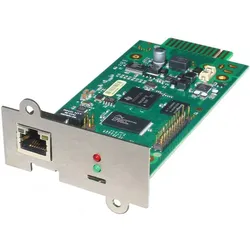
                            Digitus SNMP &amp; WEB Karte für ® OnLine USV-Anlagen
                        </div>

                        
                        <a href="/Digitus-SNMP-WEB-Karte" class="absolute bottom-0 mt-1 -right-6 mr-2 group"
                              title="Digitus-SNMP-WEB-Karte">
              <i class="fas fa-search text-blue-500 hover:text-blue-700"></i>
            </a>
                    </div>
                    <hr>
                    <div class="flex justify-between items-end relative mt-1">
                        <div id="description-1" class="text-gray-600 text-sm flex-grow line-clamp-3 cursor-pointer leading-relaxed"
                             onclick="toggleDescription(1)">
                            <span class="break-words">Digitus SNMP &amp; WEB Karte für ® OnLine USV-Anlagen</span>
                        </div>
                        <button onclick="toggleDescription(1)"
                                class="absolute bottom-0 mt-1 -right-6 mr-2 group"
                                aria-label="Toggle Description">
                            <i id="toggle-icon-1" class="fa-solid fa-up-right-and-down-left-from-center text-blue-500 hover:text-blue-700"></i>
                            <span id="toggle-text-1" class="absolute w-auto p-2 min-w-max bottom-0 right-12 transform translate-x-1/2 translate-y-full bg-black text-white text-xs rounded-md opacity-0 group-hover:opacity-100 transition-opacity duration-300 ease-in-out">
                Mehr Anzeigen
              </span>
                        </button>
                    </div>
                </div>

                <!-- Product Footer -->
                <div class="flex flex-col mt-auto px-6 items-center text-center justify-center">
                    <hr class="mb-1 border-gray-300">
                    <div class="mb-1">
                        <button onclick="submitForm('Y0pUMmVKTzhOeztsZFk7bWZZeXdlNDt1ZlpUbmRvWDJmNDt7Y3s3bGQ0MnhbNDt2ZFk7d040M3hcSlh1XFpPeFtaRHJONFB2ZDRUM2RGO3ZbfDNYZ0lxN09JbXtXSXYyZ3BLb2VGMzJkV1B1Z203SE9GalFOWlx8WFZIWlxJaXZkWVRsUFdqbVFWblJXWVhJUDRUM1s0SFhUWHJWZG1qfFRZTEhkNHZvY3szbFAySEZRWVwyUFd2NFVIajhQSkMzXFhYTGZtcndYWTs0V0ZMU1xYXFpVcGpXZjJUR2VvWDdXV25xUVZQSVxJVDJZV3JyZm1qWVwyckdVRzp2Y3BqRlA0MzdcNVBMVEZYbVdJO0lVR1BMZjJ6Uk9WZkdlbXo1TG8zclxGMjRRRlc1T3xteVBWaXpQbEdvY1lTO1BsaTNQfE83T0ZXNk9WW3pMcFR8UlZLeU9sW3lQRkN7')" type="button"
                                class="text-xs text-gray-400" aria-label="Product Shop Button">
                            Anbieter: Office Partner GmbH
                        </button>
                    </div>
                    <div class="w-full max-w-xs overflow-hidden">
            <span class="text-md font-bold text-gray-700 truncate">
              Preis: 111.65 € |
            </span>
                        <span class="text-sm text-gray-700 truncate">
              Versand*: 4.99 €
            </span>
                    </div>
                    <div class="mt-2 mb-3 w-full">
                        <button onclick="submitForm('Y0pUMmVKTzhOeztsZFk7bWZZeXdlNDt1ZlpUbmRvWDJmNDt7Y3s3bGQ0MnhbNDt2ZFk7d040M3hcSlh1XFpPeFtaRHJONFB2ZDRUM2RGO3ZbfDNYZ0lxN09JbXtXSXYyZ3BLb2VGMzJkV1B1Z203SE9GalFOWlx8WFZIWlxJaXZkWVRsUFdqbVFWblJXWVhJUDRUM1s0SFhUWHJWZG1qfFRZTEhkNHZvY3szbFAySEZRWVwyUFd2NFVIajhQSkMzXFhYTGZtcndYWTs0V0ZMU1xYXFpVcGpXZjJUR2VvWDdXV25xUVZQSVxJVDJZV3JyZm1qWVwyckdVRzp2Y3BqRlA0MzdcNVBMVEZYbVdJO0lVR1BMZjJ6Uk9WZkdlbXo1TG8zclxGMjRRRlc1T3xteVBWaXpQbEdvY1lTO1BsaTNQfE83T0ZXNk9WW3pMcFR8UlZLeU9sW3lQRkN7')" type="button"
                                class="w-full bg-gradient-to-r from-yellow-400 to-amber-400 hover:from-yellow-300 hover:to-amber-300 rounded-full px-4 py-2.5 text-sm font-bold text-gray-900 shadow-md transition-all duration-300 hover:shadow-lg">
                            Weiter zum Produkt
                        </button>
                    </div>
                </div>
            </div>
        </li>
    </div>
</section>

            
                <section class="mb-8">
    <div id="product-content">
        <li class="bg-white/90 backdrop-blur-sm shadow-md rounded-xl m-1 flex flex-col transition-all duration-300 hover:-translate-y-1 hover:shadow-xl border border-gray-200/60 overflow-hidden group">
            <div id="product-2" class="flex flex-col rounded-xl overflow-hidden mx-4 md:mx-0">
                <form id="Y0pUMmVKTzhOeztsZFk7bWZZeXdlNDt1ZlpUbmRvWDJmNDt7Y3s3bGQ0MnhbNDt2ZFk7d040M3hcSlh1XFpPeFtaRHJONFB2ZDRUM2RGO3ZbfDNYZ0lxN09JbXtXSXYyZ3BLb2VGM3BcVm12UzJQNFBXbnRWbmpZVzQzN2ZWVFdXMkxTXEpEWVA0O1BkfGpIZ2xUblZWZlVZbkMyV3BUTmNZZk1lfGZPZG12TVZJbTNkM1hNWW46NFxIVDdkR3ZvZUlHMmVXclVWWm5yZHxTN1w0akRVVlxsW247Y2N8bk9kWFBKZG1cUGVJU3lVblhNZDRuM1ZIbXtZb1R6ZW9Le1FYXFFUV0hKZmxmVVRYOnlTWTNOVFlxelx8SzVPSkhyWzNcT09tbXxmRlRPT2xYVVhZUE1lWDtjTlhTNllYRDVmR1w4VjM7SVRWZW9kWW5tUlZXM1BsR3lPfFs3UEZbe1BFXHJcRjIzUFZbek9GTzRRVlM0T2xTb2ZKTztPbEN7UGxDMk9GSz8=">
                    <input type="hidden" name="q">
                    <input type="hidden" name="search" value="Online-USV-SNMP&#x2F;WEB-Manager">
                    <input type="hidden" name="term" value="Y0pUMmVKTzhOeztsZFk7bWZZeXdlNDt1ZlpUbmRvWDJmNDt7Y3s3bGQ0MnhbNDt2ZFk7d040M3hcSlh1XFpPeFtaRHJONFB2ZDRUM2RGO3ZbfDNYZ0lxN09JbXtXSXYyZ3BLb2VGM3BcVm12UzJQNFBXbnRWbmpZVzQzN2ZWVFdXMkxTXEpEWVA0O1BkfGpIZ2xUblZWZlVZbkMyV3BUTmNZZk1lfGZPZG12TVZJbTNkM1hNWW46NFxIVDdkR3ZvZUlHMmVXclVWWm5yZHxTN1w0akRVVlxsW247Y2N8bk9kWFBKZG1cUGVJU3lVblhNZDRuM1ZIbXtZb1R6ZW9Le1FYXFFUV0hKZmxmVVRYOnlTWTNOVFlxelx8SzVPSkhyWzNcT09tbXxmRlRPT2xYVVhZUE1lWDtjTlhTNllYRDVmR1w4VjM7SVRWZW9kWW5tUlZXM1BsR3lPfFs3UEZbe1BFXHJcRjIzUFZbek9GTzRRVlM0T2xTb2ZKTztPbEN7UGxDMk9GSz8=">
                </form>

                <!-- Product Image -->
                <div class="overflow-hidden bg-gray-50">
                    <img class="w-full cursor-pointer min-h-[15rem] object-cover transition-transform duration-300 group-hover:scale-103"
                         src="https://cdn.billiger.com/dynimg/OcYKKGJeb7EIQWVjWGKwYmXpJ53MH5lvA_hMn5zos5T_olRSBeQCSEAXhzSr2EMddwpJgOSP8IQBQ45P2rBxiNcJMcSNo8HsBU1LN4B7XhGZILSba9p_lI/556103694624_large.webp"
                         alt="Online USV SNMP&#x2F;WEB Manager DW7SNMP30 Fernverwaltungsadapter 10&#x2F;100 Ethernet"
                         onerror="this.onerror=null;this.src='/logos/photo_missing.png';"
                         onclick="submitForm('Y0pUMmVKTzhOeztsZFk7bWZZeXdlNDt1ZlpUbmRvWDJmNDt7Y3s3bGQ0MnhbNDt2ZFk7d040M3hcSlh1XFpPeFtaRHJONFB2ZDRUM2RGO3ZbfDNYZ0lxN09JbXtXSXYyZ3BLb2VGM3BcVm12UzJQNFBXbnRWbmpZVzQzN2ZWVFdXMkxTXEpEWVA0O1BkfGpIZ2xUblZWZlVZbkMyV3BUTmNZZk1lfGZPZG12TVZJbTNkM1hNWW46NFxIVDdkR3ZvZUlHMmVXclVWWm5yZHxTN1w0akRVVlxsW247Y2N8bk9kWFBKZG1cUGVJU3lVblhNZDRuM1ZIbXtZb1R6ZW9Le1FYXFFUV0hKZmxmVVRYOnlTWTNOVFlxelx8SzVPSkhyWzNcT09tbXxmRlRPT2xYVVhZUE1lWDtjTlhTNllYRDVmR1w4VjM7SVRWZW9kWW5tUlZXM1BsR3lPfFs3UEZbe1BFXHJcRjIzUFZbek9GTzRRVlM0T2xTb2ZKTztPbEN7UGxDMk9GSz8=')">
                </div>

                <!-- Product Content -->
                <div class="px-5 flex flex-col flex-grow min-h-[9rem]">
                    <div class="min-h-[3.5rem] flex justify-between m-auto relative">
                        <div id="title-2" class="font-bold text-base mb-2 overflow-hidden line-clamp-2 cursor-pointer text-gray-800"
                             onclick="toggleTitle(2)">
                            Online USV SNMP&#x2F;WEB Manager DW7SNMP30 Fernverwaltungsadapter 10&#x2F;100 Ethernet
                        </div>

                        
                        <a href="/Online-USV-SNMP-WEB" class="absolute bottom-0 mt-1 -right-6 mr-2 group"
                              title="Online-USV-SNMP-WEB">
              <i class="fas fa-search text-blue-500 hover:text-blue-700"></i>
            </a>
                    </div>
                    <hr>
                    <div class="flex justify-between items-end relative mt-1">
                        <div id="description-2" class="text-gray-600 text-sm flex-grow line-clamp-3 cursor-pointer leading-relaxed"
                             onclick="toggleDescription(2)">
                            <span class="break-words">Online USV SNMP&#x2F;WEB Manager DW7SNMP30 Fernverwaltungsadapter 10&#x2F;100 Ethernet</span>
                        </div>
                        <button onclick="toggleDescription(2)"
                                class="absolute bottom-0 mt-1 -right-6 mr-2 group"
                                aria-label="Toggle Description">
                            <i id="toggle-icon-2" class="fa-solid fa-up-right-and-down-left-from-center text-blue-500 hover:text-blue-700"></i>
                            <span id="toggle-text-2" class="absolute w-auto p-2 min-w-max bottom-0 right-12 transform translate-x-1/2 translate-y-full bg-black text-white text-xs rounded-md opacity-0 group-hover:opacity-100 transition-opacity duration-300 ease-in-out">
                Mehr Anzeigen
              </span>
                        </button>
                    </div>
                </div>

                <!-- Product Footer -->
                <div class="flex flex-col mt-auto px-6 items-center text-center justify-center">
                    <hr class="mb-1 border-gray-300">
                    <div class="mb-1">
                        <button onclick="submitForm('Y0pUMmVKTzhOeztsZFk7bWZZeXdlNDt1ZlpUbmRvWDJmNDt7Y3s3bGQ0MnhbNDt2ZFk7d040M3hcSlh1XFpPeFtaRHJONFB2ZDRUM2RGO3ZbfDNYZ0lxN09JbXtXSXYyZ3BLb2VGM3BcVm12UzJQNFBXbnRWbmpZVzQzN2ZWVFdXMkxTXEpEWVA0O1BkfGpIZ2xUblZWZlVZbkMyV3BUTmNZZk1lfGZPZG12TVZJbTNkM1hNWW46NFxIVDdkR3ZvZUlHMmVXclVWWm5yZHxTN1w0akRVVlxsW247Y2N8bk9kWFBKZG1cUGVJU3lVblhNZDRuM1ZIbXtZb1R6ZW9Le1FYXFFUV0hKZmxmVVRYOnlTWTNOVFlxelx8SzVPSkhyWzNcT09tbXxmRlRPT2xYVVhZUE1lWDtjTlhTNllYRDVmR1w4VjM7SVRWZW9kWW5tUlZXM1BsR3lPfFs3UEZbe1BFXHJcRjIzUFZbek9GTzRRVlM0T2xTb2ZKTztPbEN7UGxDMk9GSz8=')" type="button"
                                class="text-xs text-gray-400" aria-label="Product Shop Button">
                            Anbieter: playox
                        </button>
                    </div>
                    <div class="w-full max-w-xs overflow-hidden">
            <span class="text-md font-bold text-gray-700 truncate">
              Preis: 269.33 € |
            </span>
                        <span class="text-sm text-gray-700 truncate">
              Versand*: 4.99 €
            </span>
                    </div>
                    <div class="mt-2 mb-3 w-full">
                        <button onclick="submitForm('Y0pUMmVKTzhOeztsZFk7bWZZeXdlNDt1ZlpUbmRvWDJmNDt7Y3s3bGQ0MnhbNDt2ZFk7d040M3hcSlh1XFpPeFtaRHJONFB2ZDRUM2RGO3ZbfDNYZ0lxN09JbXtXSXYyZ3BLb2VGM3BcVm12UzJQNFBXbnRWbmpZVzQzN2ZWVFdXMkxTXEpEWVA0O1BkfGpIZ2xUblZWZlVZbkMyV3BUTmNZZk1lfGZPZG12TVZJbTNkM1hNWW46NFxIVDdkR3ZvZUlHMmVXclVWWm5yZHxTN1w0akRVVlxsW247Y2N8bk9kWFBKZG1cUGVJU3lVblhNZDRuM1ZIbXtZb1R6ZW9Le1FYXFFUV0hKZmxmVVRYOnlTWTNOVFlxelx8SzVPSkhyWzNcT09tbXxmRlRPT2xYVVhZUE1lWDtjTlhTNllYRDVmR1w4VjM7SVRWZW9kWW5tUlZXM1BsR3lPfFs3UEZbe1BFXHJcRjIzUFZbek9GTzRRVlM0T2xTb2ZKTztPbEN7UGxDMk9GSz8=')" type="button"
                                class="w-full bg-gradient-to-r from-yellow-400 to-amber-400 hover:from-yellow-300 hover:to-amber-300 rounded-full px-4 py-2.5 text-sm font-bold text-gray-900 shadow-md transition-all duration-300 hover:shadow-lg">
                            Weiter zum Produkt
                        </button>
                    </div>
                </div>
            </div>
        </li>
    </div>
</section>

            
        </div>
    </div>

    <div class="mb-10">
        <!-- Related Terms Section -->
<section class="w-full max-w-none px-6 py-6 lg:px-8 text-center text-white rounded-2xl shadow-xl my-6 mb-12 relative overflow-hidden border border-white/10" style="background-color: #880329;">
    <h2 class="text-xl sm:text-2xl font-bold mb-6">
        Ähnliche Suchbegriffe für
        <span class="text-yellow-300">Web Skripte</span>
    </h2>

    <div id="related-terms" class="flex flex-wrap justify-center gap-3">
        
        
        <a href="/Skripte"
           class="term-chip inline-block rounded-full px-5 py-2 text-sm font-semibold text-white shadow-md transition-all duration-300 hover:shadow-lg hover:-translate-y-0.5 hover:scale-105 border border-white/20 bg-white/10 hover:bg-white/20">
            Skripte
        </a>
        
        <a href="/Aufgaben"
           class="term-chip inline-block rounded-full px-5 py-2 text-sm font-semibold text-white shadow-md transition-all duration-300 hover:shadow-lg hover:-translate-y-0.5 hover:scale-105 border border-white/20 bg-white/10 hover:bg-white/20">
            Aufgaben
        </a>
        
        <a href="/Automatisierung"
           class="term-chip inline-block rounded-full px-5 py-2 text-sm font-semibold text-white shadow-md transition-all duration-300 hover:shadow-lg hover:-translate-y-0.5 hover:scale-105 border border-white/20 bg-white/10 hover:bg-white/20">
            Automatisierung
        </a>
        
        <a href="/Automatisieren"
           class="term-chip inline-block rounded-full px-5 py-2 text-sm font-semibold text-white shadow-md transition-all duration-300 hover:shadow-lg hover:-translate-y-0.5 hover:scale-105 border border-white/20 bg-white/10 hover:bg-white/20">
            Automatisieren
        </a>
        
        <a href="/Verwendet"
           class="term-chip inline-block rounded-full px-5 py-2 text-sm font-semibold text-white shadow-md transition-all duration-300 hover:shadow-lg hover:-translate-y-0.5 hover:scale-105 border border-white/20 bg-white/10 hover:bg-white/20">
            Verwendet
        </a>
        
        <a href="/Webentwicklung"
           class="term-chip inline-block rounded-full px-5 py-2 text-sm font-semibold text-white shadow-md transition-all duration-300 hover:shadow-lg hover:-translate-y-0.5 hover:scale-105 border border-white/20 bg-white/10 hover:bg-white/20">
            Webentwicklung
        </a>
        
        <a href="/Programmierung"
           class="term-chip inline-block rounded-full px-5 py-2 text-sm font-semibold text-white shadow-md transition-all duration-300 hover:shadow-lg hover:-translate-y-0.5 hover:scale-105 border border-white/20 bg-white/10 hover:bg-white/20">
            Programmierung
        </a>
        
        <a href="/Wiederkehrende"
           class="term-chip inline-block rounded-full px-5 py-2 text-sm font-semibold text-white shadow-md transition-all duration-300 hover:shadow-lg hover:-translate-y-0.5 hover:scale-105 border border-white/20 bg-white/10 hover:bg-white/20">
            Wiederkehrende
        </a>
        
        <a href="/Repetitive"
           class="term-chip inline-block rounded-full px-5 py-2 text-sm font-semibold text-white shadow-md transition-all duration-300 hover:shadow-lg hover:-translate-y-0.5 hover:scale-105 border border-white/20 bg-white/10 hover:bg-white/20">
            Repetitive
        </a>
        
        <a href="/Zeit"
           class="term-chip inline-block rounded-full px-5 py-2 text-sm font-semibold text-white shadow-md transition-all duration-300 hover:shadow-lg hover:-translate-y-0.5 hover:scale-105 border border-white/20 bg-white/10 hover:bg-white/20">
            Zeit
        </a>
        
        
    </div>
</section>

<script>
    document.addEventListener('DOMContentLoaded', function () {
        const chips = document.querySelectorAll('#related-terms .term-chip');
        const colors = [
            "#3B82F6", // Blue 500
            "#0EA5E9", // Sky 500
            "#10B981", // Emerald 500
            "#14B8A6", // Teal 500
            "#6366F1", // Indigo 500
            "#8B5CF6", // Violet 500
        ];
        chips.forEach(chip => {
            const color = colors[Math.floor(Math.random() * colors.length)];
            chip.style.backgroundColor = color;
            chip.style.color = "white"; // weiße Schrift für Eleganz
        });
    });
</script>


    </div>

    <h2 id="product-heading" class="text-2xl sm:text-3xl font-bold mb-3 mt-12 text-gray-800">
        Produkte zum Begriff Web Skripte:
    </h2>

    <hr class="my-3 border-gray-200 mb-8 bg-gradient-to-r from-transparent via-gray-300 to-transparent h-px border-0">

    <!-- Row 2: 4 Products -->
    <ul class="grid grid-cols-1 sm:grid-cols-2 md:grid-cols-3 lg:grid-cols-4 gap-6 items-start mb-8">
        
            <section class="mb-8">
    <div id="product-content">
        <li class="bg-white/90 backdrop-blur-sm shadow-md rounded-xl m-1 flex flex-col transition-all duration-300 hover:-translate-y-1 hover:shadow-xl border border-gray-200/60 overflow-hidden group">
            <div id="product-1" class="flex flex-col rounded-xl overflow-hidden mx-4 md:mx-0">
                <form id="Y0pUMmVKTzhOeztqZUltd1tZVHJkb1RuZ0U3bGQ0MnhmbEt4ZW9YbWNaTG5bNVN4ZUpMeFxKWGxmRjtyXEYyM1BZXGpcWUs1UFUyfFB8QzVOVlN7W29XdltvTGpcVTI2UG9XNlB8bTVRRkt6T1lHb1tZVHxlSUhsXFdubVJadmpcSlB5W1lQblVZVDs=">
                    <input type="hidden" name="q">
                    <input type="hidden" name="search" value="Skripte-zur-Mathematik--">
                    <input type="hidden" name="term" value="Y0pUMmVKTzhOeztqZUltd1tZVHJkb1RuZ0U3bGQ0MnhmbEt4ZW9YbWNaTG5bNVN4ZUpMeFxKWGxmRjtyXEYyM1BZXGpcWUs1UFUyfFB8QzVOVlN7W29XdltvTGpcVTI2UG9XNlB8bTVRRkt6T1lHb1tZVHxlSUhsXFdubVJadmpcSlB5W1lQblVZVDs=">
                </form>

                <!-- Product Image -->
                <div class="overflow-hidden bg-gray-50">
                    <img class="w-full cursor-pointer min-h-[15rem] object-cover transition-transform duration-300 group-hover:scale-103"
                         src="https://cdn.adindex.com/oimg/55faeb75-3707-42be-bbae-86e87978211a"
                         alt="Skripte zur Mathematik - Funktionen, Fachbücher von Christian Wyss"
                         onerror="this.onerror=null;this.src='/logos/photo_missing.png';"
                         onclick="submitForm('Y0pUMmVKTzhOeztqZUltd1tZVHJkb1RuZ0U3bGQ0MnhmbEt4ZW9YbWNaTG5bNVN4ZUpMeFxKWGxmRjtyXEYyM1BZXGpcWUs1UFUyfFB8QzVOVlN7W29XdltvTGpcVTI2UG9XNlB8bTVRRkt6T1lHb1tZVHxlSUhsXFdubVJadmpcSlB5W1lQblVZVDs=')">
                </div>

                <!-- Product Content -->
                <div class="px-5 flex flex-col flex-grow min-h-[9rem]">
                    <div class="min-h-[3.5rem] flex justify-between m-auto relative">
                        <div id="title-1" class="font-bold text-base mb-2 overflow-hidden line-clamp-2 cursor-pointer text-gray-800"
                             onclick="toggleTitle(1)">
                            Skripte zur Mathematik - Funktionen, Fachbücher von Christian Wyss
                        </div>

                        
                        <a href="/Skripte-zur-Mathematik" class="absolute bottom-0 mt-1 -right-6 mr-2 group"
                              title="Skripte-zur-Mathematik">
              <i class="fas fa-search text-blue-500 hover:text-blue-700"></i>
            </a>
                    </div>
                    <hr>
                    <div class="flex justify-between items-end relative mt-1">
                        <div id="description-1" class="text-gray-600 text-sm flex-grow line-clamp-3 cursor-pointer leading-relaxed"
                             onclick="toggleDescription(1)">
                            <span class="break-words">Die Skripte zur Mathematik sind im Rahmen des gymnasialen Unterrichts entstanden und sind primär als unterrichtsbegleitendes Material konzipiert. Sie können jedoch auch als eigenständiges Lern- und Übungsmaterial eingesetzt werden. Dieser Sammelband stellt die Skripte zur Funktionenlehre zusammen: Einführung, lineare Funktionen, Gleichungssysteme, quadratische Funktionen, Grundbegriffe, rationale Funktionen, Potenzfunktionen, Exponentialfunktionen, trigonometrische Funktionen, lineare Optimierung, Ungleichungen, Zusammenfassung. In der Einleitung werden Handreichungen zum Einsatz der Skripte im Unterricht angeboten. Die Dokumente enthalten alle Lösungen zu den Aufgaben, handschriftlich ausgefüllte Lückentexte, Herleitungen und Beweise. Mit dem Erwerb dieses Buches erhalten Sie gleichzeitig die Berechtigung zur Nutzung der Unterrichtsunterlagen für Ihre Schülerinnen und Schüler. Die Kopiervorlagen und die dazugehörigen Lernziele sind als Download erhältlich.</span>
                        </div>
                        <button onclick="toggleDescription(1)"
                                class="absolute bottom-0 mt-1 -right-6 mr-2 group"
                                aria-label="Toggle Description">
                            <i id="toggle-icon-1" class="fa-solid fa-up-right-and-down-left-from-center text-blue-500 hover:text-blue-700"></i>
                            <span id="toggle-text-1" class="absolute w-auto p-2 min-w-max bottom-0 right-12 transform translate-x-1/2 translate-y-full bg-black text-white text-xs rounded-md opacity-0 group-hover:opacity-100 transition-opacity duration-300 ease-in-out">
                Mehr Anzeigen
              </span>
                        </button>
                    </div>
                </div>

                <!-- Product Footer -->
                <div class="flex flex-col mt-auto px-6 items-center text-center justify-center">
                    <hr class="mb-1 border-gray-300">
                    <div class="mb-1">
                        <button onclick="submitForm('Y0pUMmVKTzhOeztqZUltd1tZVHJkb1RuZ0U3bGQ0MnhmbEt4ZW9YbWNaTG5bNVN4ZUpMeFxKWGxmRjtyXEYyM1BZXGpcWUs1UFUyfFB8QzVOVlN7W29XdltvTGpcVTI2UG9XNlB8bTVRRkt6T1lHb1tZVHxlSUhsXFdubVJadmpcSlB5W1lQblVZVDs=')" type="button"
                                class="text-xs text-gray-400" aria-label="Product Shop Button">
                            Anbieter: Galaxus.de
                        </button>
                    </div>
                    <div class="w-full max-w-xs overflow-hidden">
            <span class="text-md font-bold text-gray-700 truncate">
              Preis: 75.00 € |
            </span>
                        <span class="text-sm text-gray-700 truncate">
              Versand*: 0 €
            </span>
                    </div>
                    <div class="mt-2 mb-3 w-full">
                        <button onclick="submitForm('Y0pUMmVKTzhOeztqZUltd1tZVHJkb1RuZ0U3bGQ0MnhmbEt4ZW9YbWNaTG5bNVN4ZUpMeFxKWGxmRjtyXEYyM1BZXGpcWUs1UFUyfFB8QzVOVlN7W29XdltvTGpcVTI2UG9XNlB8bTVRRkt6T1lHb1tZVHxlSUhsXFdubVJadmpcSlB5W1lQblVZVDs=')" type="button"
                                class="w-full bg-gradient-to-r from-yellow-400 to-amber-400 hover:from-yellow-300 hover:to-amber-300 rounded-full px-4 py-2.5 text-sm font-bold text-gray-900 shadow-md transition-all duration-300 hover:shadow-lg">
                            Weiter zum Produkt
                        </button>
                    </div>
                </div>
            </div>
        </li>
    </div>
</section>

        
            <section class="mb-8">
    <div id="product-content">
        <li class="bg-white/90 backdrop-blur-sm shadow-md rounded-xl m-1 flex flex-col transition-all duration-300 hover:-translate-y-1 hover:shadow-xl border border-gray-200/60 overflow-hidden group">
            <div id="product-2" class="flex flex-col rounded-xl overflow-hidden mx-4 md:mx-0">
                <form id="Y0pUMmVKTzhOeztqZUltd1tZVHJkb1RuZ0U3bGQ0MnhmbEt4ZW9YbWNaTG5bNVN4ZUpMeFxKWGxmRjtyXEYyM1xGbXxPRkhvUGsyNlFZW3lOVlM1UVZbdltsS3pRRTNtT2xIbls0Tzdbb1MzUFlLb1tZVHxlSUhsXFdubVJadmpcSlB5W1lQblVZVDs=">
                    <input type="hidden" name="q">
                    <input type="hidden" name="search" value="Skripte-zur-Mathematik--">
                    <input type="hidden" name="term" value="Y0pUMmVKTzhOeztqZUltd1tZVHJkb1RuZ0U3bGQ0MnhmbEt4ZW9YbWNaTG5bNVN4ZUpMeFxKWGxmRjtyXEYyM1xGbXxPRkhvUGsyNlFZW3lOVlM1UVZbdltsS3pRRTNtT2xIbls0Tzdbb1MzUFlLb1tZVHxlSUhsXFdubVJadmpcSlB5W1lQblVZVDs=">
                </form>

                <!-- Product Image -->
                <div class="overflow-hidden bg-gray-50">
                    <img class="w-full cursor-pointer min-h-[15rem] object-cover transition-transform duration-300 group-hover:scale-103"
                         src="https://cdn.adindex.com/oimg/5d9301f6-89f0-4796-b218-d21ecc9bd55b"
                         alt="Skripte zur Mathematik - Geometrie, Fachbücher von Christian Wyss"
                         onerror="this.onerror=null;this.src='/logos/photo_missing.png';"
                         onclick="submitForm('Y0pUMmVKTzhOeztqZUltd1tZVHJkb1RuZ0U3bGQ0MnhmbEt4ZW9YbWNaTG5bNVN4ZUpMeFxKWGxmRjtyXEYyM1xGbXxPRkhvUGsyNlFZW3lOVlM1UVZbdltsS3pRRTNtT2xIbls0Tzdbb1MzUFlLb1tZVHxlSUhsXFdubVJadmpcSlB5W1lQblVZVDs=')">
                </div>

                <!-- Product Content -->
                <div class="px-5 flex flex-col flex-grow min-h-[9rem]">
                    <div class="min-h-[3.5rem] flex justify-between m-auto relative">
                        <div id="title-2" class="font-bold text-base mb-2 overflow-hidden line-clamp-2 cursor-pointer text-gray-800"
                             onclick="toggleTitle(2)">
                            Skripte zur Mathematik - Geometrie, Fachbücher von Christian Wyss
                        </div>

                        
                        <a href="/Skripte-zur-Mathematik" class="absolute bottom-0 mt-1 -right-6 mr-2 group"
                              title="Skripte-zur-Mathematik">
              <i class="fas fa-search text-blue-500 hover:text-blue-700"></i>
            </a>
                    </div>
                    <hr>
                    <div class="flex justify-between items-end relative mt-1">
                        <div id="description-2" class="text-gray-600 text-sm flex-grow line-clamp-3 cursor-pointer leading-relaxed"
                             onclick="toggleDescription(2)">
                            <span class="break-words">Die Skripte zur Mathematik sind im Rahmen des gymnasialen Unterrichts entstanden und sind primär als unterrichtsbegleitendes Material konzipiert. Sie können jedoch auch als eigenständiges Lern- und Übungsmaterial eingesetzt werden. Dieser Sammelband stellt die Skripte zur Geometrie zusammen: Satzgruppe des Pythagoras, Kongruenzabbildungen, Ähnlichkeit, Stereometrie, Trigonometrie im rechtwinkligen Dreieck, Trigonometrie im allgemeinen Dreieck, Einführung in die Darstellende Geometrie, Übungen zur Darstellenden Geometrie. In der Einleitung werden Handreichungen zum Einsatz der Skripte im Unterricht angeboten. Die Dokumente enthalten alle Lösungen zu den Aufgaben, handschriftlich ausgefüllte Lückentexte, Herleitungen und Beweise. Mit dem Erwerb dieses Buches erhalten Sie gleichzeitig die Berechtigung zur Nutzung der Unterrichtsunterlagen für Ihre Schülerinnen und Schüler. Die Kopiervorlagen und die dazugehörigen Lernziele sind als Download erhältlich. Alle Skripte zur Mathematik sind einsehbar.</span>
                        </div>
                        <button onclick="toggleDescription(2)"
                                class="absolute bottom-0 mt-1 -right-6 mr-2 group"
                                aria-label="Toggle Description">
                            <i id="toggle-icon-2" class="fa-solid fa-up-right-and-down-left-from-center text-blue-500 hover:text-blue-700"></i>
                            <span id="toggle-text-2" class="absolute w-auto p-2 min-w-max bottom-0 right-12 transform translate-x-1/2 translate-y-full bg-black text-white text-xs rounded-md opacity-0 group-hover:opacity-100 transition-opacity duration-300 ease-in-out">
                Mehr Anzeigen
              </span>
                        </button>
                    </div>
                </div>

                <!-- Product Footer -->
                <div class="flex flex-col mt-auto px-6 items-center text-center justify-center">
                    <hr class="mb-1 border-gray-300">
                    <div class="mb-1">
                        <button onclick="submitForm('Y0pUMmVKTzhOeztqZUltd1tZVHJkb1RuZ0U3bGQ0MnhmbEt4ZW9YbWNaTG5bNVN4ZUpMeFxKWGxmRjtyXEYyM1xGbXxPRkhvUGsyNlFZW3lOVlM1UVZbdltsS3pRRTNtT2xIbls0Tzdbb1MzUFlLb1tZVHxlSUhsXFdubVJadmpcSlB5W1lQblVZVDs=')" type="button"
                                class="text-xs text-gray-400" aria-label="Product Shop Button">
                            Anbieter: Galaxus.de
                        </button>
                    </div>
                    <div class="w-full max-w-xs overflow-hidden">
            <span class="text-md font-bold text-gray-700 truncate">
              Preis: 65.00 € |
            </span>
                        <span class="text-sm text-gray-700 truncate">
              Versand*: 0 €
            </span>
                    </div>
                    <div class="mt-2 mb-3 w-full">
                        <button onclick="submitForm('Y0pUMmVKTzhOeztqZUltd1tZVHJkb1RuZ0U3bGQ0MnhmbEt4ZW9YbWNaTG5bNVN4ZUpMeFxKWGxmRjtyXEYyM1xGbXxPRkhvUGsyNlFZW3lOVlM1UVZbdltsS3pRRTNtT2xIbls0Tzdbb1MzUFlLb1tZVHxlSUhsXFdubVJadmpcSlB5W1lQblVZVDs=')" type="button"
                                class="w-full bg-gradient-to-r from-yellow-400 to-amber-400 hover:from-yellow-300 hover:to-amber-300 rounded-full px-4 py-2.5 text-sm font-bold text-gray-900 shadow-md transition-all duration-300 hover:shadow-lg">
                            Weiter zum Produkt
                        </button>
                    </div>
                </div>
            </div>
        </li>
    </div>
</section>

        
            <section class="mb-8">
    <div id="product-content">
        <li class="bg-white/90 backdrop-blur-sm shadow-md rounded-xl m-1 flex flex-col transition-all duration-300 hover:-translate-y-1 hover:shadow-xl border border-gray-200/60 overflow-hidden group">
            <div id="product-3" class="flex flex-col rounded-xl overflow-hidden mx-4 md:mx-0">
                <form id="Y0pUMmVKTzhOeztqZUltd1tZVHJkb1RuZ0U3bGQ0MnhmbEt4ZW9YbWNaTG5bNVN4ZUpMeFxKWGxmRjtyXEYyNlFWbXxQb1BvUEUye09sbmtOVlRrXEZpdlFWZTNbazNvUVZua1BJWzRcRks3XEZTb1tZVHxlSUhsXFdubVJadmpcSlB5W1lQblVZVDs=">
                    <input type="hidden" name="q">
                    <input type="hidden" name="search" value="Skripte-zur-Physik--">
                    <input type="hidden" name="term" value="Y0pUMmVKTzhOeztqZUltd1tZVHJkb1RuZ0U3bGQ0MnhmbEt4ZW9YbWNaTG5bNVN4ZUpMeFxKWGxmRjtyXEYyNlFWbXxQb1BvUEUye09sbmtOVlRrXEZpdlFWZTNbazNvUVZua1BJWzRcRks3XEZTb1tZVHxlSUhsXFdubVJadmpcSlB5W1lQblVZVDs=">
                </form>

                <!-- Product Image -->
                <div class="overflow-hidden bg-gray-50">
                    <img class="w-full cursor-pointer min-h-[15rem] object-cover transition-transform duration-300 group-hover:scale-103"
                         src="https://cdn.adindex.com/oimg/89936cf4-229b-4bd8-975b-f99b4f6d29d4"
                         alt="Skripte zur Physik - Wellenlehre, Schulbücher von Christian Wyss"
                         onerror="this.onerror=null;this.src='/logos/photo_missing.png';"
                         onclick="submitForm('Y0pUMmVKTzhOeztqZUltd1tZVHJkb1RuZ0U3bGQ0MnhmbEt4ZW9YbWNaTG5bNVN4ZUpMeFxKWGxmRjtyXEYyNlFWbXxQb1BvUEUye09sbmtOVlRrXEZpdlFWZTNbazNvUVZua1BJWzRcRks3XEZTb1tZVHxlSUhsXFdubVJadmpcSlB5W1lQblVZVDs=')">
                </div>

                <!-- Product Content -->
                <div class="px-5 flex flex-col flex-grow min-h-[9rem]">
                    <div class="min-h-[3.5rem] flex justify-between m-auto relative">
                        <div id="title-3" class="font-bold text-base mb-2 overflow-hidden line-clamp-2 cursor-pointer text-gray-800"
                             onclick="toggleTitle(3)">
                            Skripte zur Physik - Wellenlehre, Schulbücher von Christian Wyss
                        </div>

                        
                        <a href="/Skripte-zur-Physik" class="absolute bottom-0 mt-1 -right-6 mr-2 group"
                              title="Skripte-zur-Physik">
              <i class="fas fa-search text-blue-500 hover:text-blue-700"></i>
            </a>
                    </div>
                    <hr>
                    <div class="flex justify-between items-end relative mt-1">
                        <div id="description-3" class="text-gray-600 text-sm flex-grow line-clamp-3 cursor-pointer leading-relaxed"
                             onclick="toggleDescription(3)">
                            <span class="break-words">Die Skripte zur Physik sind im Rahmen des gymnasialen Unterrichts entstanden und sind primär als unterrichtsbegleitendes Material konzipiert. Sie können jedoch auch als eigenständiges Lern- und Übungsmaterial eingesetzt werden. Dieser Sammelband beinhaltet die folgenden Skripte zur Wellenlehre: Einführung in die Wellenlehre, fortgeschrittene Wellenlehre, Strahlenoptik und Wellenoptik. Begleitend werden Handreichungen zum Einsatz der Skripte im Unterricht angeboten, mögliche Demonstrationsexperimente aufgeführt und weiterreichende fachliche Informationen gegeben. Die Dokumente enthalten alle Lösungen zu den Aufgaben, handschriftlich ausgefüllte Lückentexte, Herleitungen und Beweise. Mit dem Erwerb dieses Buches erhalten Sie gleichzeitig die Berechtigung zur Nutzung der Unterrichtsunterlagen für Ihre Schülerinnen und Schüler. Die Kopiervorlagen und die dazugehörigen Lernziele sind als Download erhältlich. Alle Skripte zur Physik sind einsehbar.</span>
                        </div>
                        <button onclick="toggleDescription(3)"
                                class="absolute bottom-0 mt-1 -right-6 mr-2 group"
                                aria-label="Toggle Description">
                            <i id="toggle-icon-3" class="fa-solid fa-up-right-and-down-left-from-center text-blue-500 hover:text-blue-700"></i>
                            <span id="toggle-text-3" class="absolute w-auto p-2 min-w-max bottom-0 right-12 transform translate-x-1/2 translate-y-full bg-black text-white text-xs rounded-md opacity-0 group-hover:opacity-100 transition-opacity duration-300 ease-in-out">
                Mehr Anzeigen
              </span>
                        </button>
                    </div>
                </div>

                <!-- Product Footer -->
                <div class="flex flex-col mt-auto px-6 items-center text-center justify-center">
                    <hr class="mb-1 border-gray-300">
                    <div class="mb-1">
                        <button onclick="submitForm('Y0pUMmVKTzhOeztqZUltd1tZVHJkb1RuZ0U3bGQ0MnhmbEt4ZW9YbWNaTG5bNVN4ZUpMeFxKWGxmRjtyXEYyNlFWbXxQb1BvUEUye09sbmtOVlRrXEZpdlFWZTNbazNvUVZua1BJWzRcRks3XEZTb1tZVHxlSUhsXFdubVJadmpcSlB5W1lQblVZVDs=')" type="button"
                                class="text-xs text-gray-400" aria-label="Product Shop Button">
                            Anbieter: Galaxus.de
                        </button>
                    </div>
                    <div class="w-full max-w-xs overflow-hidden">
            <span class="text-md font-bold text-gray-700 truncate">
              Preis: 55.00 € |
            </span>
                        <span class="text-sm text-gray-700 truncate">
              Versand*: 0 €
            </span>
                    </div>
                    <div class="mt-2 mb-3 w-full">
                        <button onclick="submitForm('Y0pUMmVKTzhOeztqZUltd1tZVHJkb1RuZ0U3bGQ0MnhmbEt4ZW9YbWNaTG5bNVN4ZUpMeFxKWGxmRjtyXEYyNlFWbXxQb1BvUEUye09sbmtOVlRrXEZpdlFWZTNbazNvUVZua1BJWzRcRks3XEZTb1tZVHxlSUhsXFdubVJadmpcSlB5W1lQblVZVDs=')" type="button"
                                class="w-full bg-gradient-to-r from-yellow-400 to-amber-400 hover:from-yellow-300 hover:to-amber-300 rounded-full px-4 py-2.5 text-sm font-bold text-gray-900 shadow-md transition-all duration-300 hover:shadow-lg">
                            Weiter zum Produkt
                        </button>
                    </div>
                </div>
            </div>
        </li>
    </div>
</section>

        
            <section class="mb-8">
    <div id="product-content">
        <li class="bg-white/90 backdrop-blur-sm shadow-md rounded-xl m-1 flex flex-col transition-all duration-300 hover:-translate-y-1 hover:shadow-xl border border-gray-200/60 overflow-hidden group">
            <div id="product-4" class="flex flex-col rounded-xl overflow-hidden mx-4 md:mx-0">
                <form id="Y0pUMmVKTzhOezs1ZjVld1taXG5lb1R4Tm9QeGRVO3llbzttZllQMmV7O3ZmWlQ4TlpYNVxVMzVcWUx8XFluMlxZNnZlSkx4XDVMamRZM3JcWkxuZGszM2RvU3ZcNFh8ZklIdWZJWHdSNVgyZFg7fGQ1WHtbNFc7ZUpYa2RJbnxjSVh7THBYMmRYO3ZcWVRyZlkyO2M1W29mWlR2WjRQamRaRGpjWWZ3UllUamZJSG9cWVht">
                    <input type="hidden" name="q">
                    <input type="hidden" name="search" value="Mutz,-Uwe:-Webseiten-programmieren">
                    <input type="hidden" name="term" value="Y0pUMmVKTzhOezs1ZjVld1taXG5lb1R4Tm9QeGRVO3llbzttZllQMmV7O3ZmWlQ4TlpYNVxVMzVcWUx8XFluMlxZNnZlSkx4XDVMamRZM3JcWkxuZGszM2RvU3ZcNFh8ZklIdWZJWHdSNVgyZFg7fGQ1WHtbNFc7ZUpYa2RJbnxjSVh7THBYMmRYO3ZcWVRyZlkyO2M1W29mWlR2WjRQamRaRGpjWWZ3UllUamZJSG9cWVht">
                </form>

                <!-- Product Image -->
                <div class="overflow-hidden bg-gray-50">
                    <img class="w-full cursor-pointer min-h-[15rem] object-cover transition-transform duration-300 group-hover:scale-103"
                         src="https://media.averdo.com/picture/images_shop/B00/000/001/B00000001694888.jpg"
                         alt="Mutz, Uwe: Webseiten programmieren und gestalten"
                         onerror="this.onerror=null;this.src='/logos/photo_missing.png';"
                         onclick="submitForm('Y0pUMmVKTzhOezs1ZjVld1taXG5lb1R4Tm9QeGRVO3llbzttZllQMmV7O3ZmWlQ4TlpYNVxVMzVcWUx8XFluMlxZNnZlSkx4XDVMamRZM3JcWkxuZGszM2RvU3ZcNFh8ZklIdWZJWHdSNVgyZFg7fGQ1WHtbNFc7ZUpYa2RJbnxjSVh7THBYMmRYO3ZcWVRyZlkyO2M1W29mWlR2WjRQamRaRGpjWWZ3UllUamZJSG9cWVht')">
                </div>

                <!-- Product Content -->
                <div class="px-5 flex flex-col flex-grow min-h-[9rem]">
                    <div class="min-h-[3.5rem] flex justify-between m-auto relative">
                        <div id="title-4" class="font-bold text-base mb-2 overflow-hidden line-clamp-2 cursor-pointer text-gray-800"
                             onclick="toggleTitle(4)">
                            Mutz, Uwe: Webseiten programmieren und gestalten
                        </div>

                        
                        <a href="/Mutz-Uwe-Webseiten-programmieren" class="absolute bottom-0 mt-1 -right-6 mr-2 group"
                              title="Mutz-Uwe-Webseiten-programmieren">
              <i class="fas fa-search text-blue-500 hover:text-blue-700"></i>
            </a>
                    </div>
                    <hr>
                    <div class="flex justify-between items-end relative mt-1">
                        <div id="description-4" class="text-gray-600 text-sm flex-grow line-clamp-3 cursor-pointer leading-relaxed"
                             onclick="toggleDescription(4)">
                            <span class="break-words">Webseiten programmieren und gestalten , Gute Webseiten zu entwickeln ist eine vielseitige Kunst: Ein Gespür für die Gestaltung ist ebenso gefragt wie solide Kenntnisse der Web-Sprachen HTML und JavaScript; und für die Serverseite ist PHP die beliebteste Wahl. Der erfahrene Webexperte und Dozent Uwe Mutz beweist hier, dass sich lehren und lernen lässt, was Sie als Webseiten-Profi brauchen. Ob es um Markup und Protokolle geht, die richtige Story für die Zielgruppe, den wirkungsvollen Einsatz von Bildelementen oder die performante Datenbankanbindung - dieses Handbuch ist der perfekte Begleiter für eine ganzheitliche Ausbildung und für den Beruf. Von den Grundlagen bis zu Themen wie Performanz, Sicherheit und gutem Webdesign ideal zum Lernen, Auffrischen und Nachschlagen. 

Aus dem Inhalt:

Eine Arbeitsumgebung einrichten
Grundlagen von HTML bis PHP
Gestaltungs-Prinzipien
Bilder skalieren und zurechtschneiden
Farben und Designs wirkungsvoll einsetzen
Ein Datenbankschema entwerfen
Verschlüsselungsstandards
Mail-Funktionen anbieten
SQL-Injections und anderen Angriffen vorbeugen
Beispielprojekte: Bibliotheksverwaltung, Onlineshop, Mitglieder-Webseite, Dienstpläne u. v. m
Barrierefreiheit im Web , Sport-Stoßdämpfer &gt; Sportfederung</span>
                        </div>
                        <button onclick="toggleDescription(4)"
                                class="absolute bottom-0 mt-1 -right-6 mr-2 group"
                                aria-label="Toggle Description">
                            <i id="toggle-icon-4" class="fa-solid fa-up-right-and-down-left-from-center text-blue-500 hover:text-blue-700"></i>
                            <span id="toggle-text-4" class="absolute w-auto p-2 min-w-max bottom-0 right-12 transform translate-x-1/2 translate-y-full bg-black text-white text-xs rounded-md opacity-0 group-hover:opacity-100 transition-opacity duration-300 ease-in-out">
                Mehr Anzeigen
              </span>
                        </button>
                    </div>
                </div>

                <!-- Product Footer -->
                <div class="flex flex-col mt-auto px-6 items-center text-center justify-center">
                    <hr class="mb-1 border-gray-300">
                    <div class="mb-1">
                        <button onclick="submitForm('Y0pUMmVKTzhOezs1ZjVld1taXG5lb1R4Tm9QeGRVO3llbzttZllQMmV7O3ZmWlQ4TlpYNVxVMzVcWUx8XFluMlxZNnZlSkx4XDVMamRZM3JcWkxuZGszM2RvU3ZcNFh8ZklIdWZJWHdSNVgyZFg7fGQ1WHtbNFc7ZUpYa2RJbnxjSVh7THBYMmRYO3ZcWVRyZlkyO2M1W29mWlR2WjRQamRaRGpjWWZ3UllUamZJSG9cWVht')" type="button"
                                class="text-xs text-gray-400" aria-label="Product Shop Button">
                            Anbieter: Averdo
                        </button>
                    </div>
                    <div class="w-full max-w-xs overflow-hidden">
            <span class="text-md font-bold text-gray-700 truncate">
              Preis: 49.90 € |
            </span>
                        <span class="text-sm text-gray-700 truncate">
              Versand*: 0 €
            </span>
                    </div>
                    <div class="mt-2 mb-3 w-full">
                        <button onclick="submitForm('Y0pUMmVKTzhOezs1ZjVld1taXG5lb1R4Tm9QeGRVO3llbzttZllQMmV7O3ZmWlQ4TlpYNVxVMzVcWUx8XFluMlxZNnZlSkx4XDVMamRZM3JcWkxuZGszM2RvU3ZcNFh8ZklIdWZJWHdSNVgyZFg7fGQ1WHtbNFc7ZUpYa2RJbnxjSVh7THBYMmRYO3ZcWVRyZlkyO2M1W29mWlR2WjRQamRaRGpjWWZ3UllUamZJSG9cWVht')" type="button"
                                class="w-full bg-gradient-to-r from-yellow-400 to-amber-400 hover:from-yellow-300 hover:to-amber-300 rounded-full px-4 py-2.5 text-sm font-bold text-gray-900 shadow-md transition-all duration-300 hover:shadow-lg">
                            Weiter zum Produkt
                        </button>
                    </div>
                </div>
            </div>
        </li>
    </div>
</section>

        
    </ul>

    <!-- Row 3: 4 FAQs -->
    <ul class="grid grid-cols-1 sm:grid-cols-2 md:grid-cols-3 lg:grid-cols-4 gap-6 items-start mb-8">
        
            <section class="">
    <div id="faq-content">
        <li class="faq-item p-4 rounded-xl flex flex-col justify-between transition-all duration-300 w-full bg-white/80 backdrop-blur-sm border border-gray-200/60 shadow-md hover:shadow-lg">
            <h3 class="font-bold bg-gray-100 p-3 rounded-lg text-lg cursor-pointer transition-all duration-200 hover:bg-gray-200"
                data-truncate-length="50" onclick="toggleQuestion(event)">
                Sind Spiele-Skripte genau dasselbe wie Hack-Skripte?
            </h3>

            <div class="faq-answer-wrapper relative pb-5">
                <p class="faq-answer text-gray-600 text-sm mt-2 transition-all duration-300 cursor-pointer w-full leading-relaxed"
                   data-truncate-length="180" onclick="toggleAnswer(event)">
                    Nein, Spiele-Skripte und Hack-Skripte sind nicht dasselbe. Spiele-Skripte werden verwendet, um das Verhalten von Charakteren oder Ereignissen in einem Videospiel zu steuern. Hack-Skripte hingegen werden verwendet, um unerlaubte Zugriffe oder Manipulationen auf Computersysteme oder Netzwerke durchzuführen.
                    <span class="relative -top-[6px] text-[0.55em] opacity-40 font-normal select-none ml-1 inline-block">**</span>

                </p>

                <button onclick="toggleAnswer(event, true)" class="absolute bottom-0 right-2 mt-1 group"
                        aria-label="Toggle Description">
                    <i class="fa-solid fa-up-right-and-down-left-from-center text-blue-500 hover:text-blue-700"></i>
                    <span class="absolute w-auto p-2 min-w-max bottom-0 right-12 transform translate-x-1/2 translate-y-full bg-black text-white text-xs rounded-md opacity-0 group-hover:opacity-100 transition-opacity duration-300 ease-in-out">
                        Mehr Anzeigen
                    </span>
                </button>
            </div>


            <div id="related-terms"
                 class="related-terms hidden flex flex-wrap justify-center text-center mt-3 pt-3 border-t border-gray-100">
                
                
                    <div style="min-height: 0px;"></div>
                
            </div>
        </li>
    </div>
</section>

<!-- Pills einfärben -->
<script>
    document.addEventListener("DOMContentLoaded", () => {
        const colors = [
            "bg-blue-500 text-white hover:bg-blue-600",
            "bg-indigo-500 text-white hover:bg-indigo-600",
            "bg-violet-500 text-white hover:bg-violet-600",
            "bg-pink-500 text-white hover:bg-pink-600",
            "bg-rose-500 text-white hover:bg-rose-600",
            "bg-emerald-500 text-white hover:bg-emerald-600",
            "bg-teal-500 text-white hover:bg-teal-600",
            "bg-cyan-500 text-white hover:bg-cyan-600"
        ];

        const pills = document.querySelectorAll(".keyword-pill");
        pills.forEach((pill, index) => {
            const colorClass = colors[index % colors.length];
            pill.className += " " + colorClass;
        });
    });
</script>

        
            <section class="">
    <div id="faq-content">
        <li class="faq-item p-4 rounded-xl flex flex-col justify-between transition-all duration-300 w-full bg-white/80 backdrop-blur-sm border border-gray-200/60 shadow-md hover:shadow-lg">
            <h3 class="font-bold bg-gray-100 p-3 rounded-lg text-lg cursor-pointer transition-all duration-200 hover:bg-gray-200"
                data-truncate-length="50" onclick="toggleQuestion(event)">
                Welche Vorteile bieten Skripte in der Programmierung und wie können sie zur Automatisierung von Prozessen eingesetzt werden?
            </h3>

            <div class="faq-answer-wrapper relative pb-5">
                <p class="faq-answer text-gray-600 text-sm mt-2 transition-all duration-300 cursor-pointer w-full leading-relaxed"
                   data-truncate-length="180" onclick="toggleAnswer(event)">
                    Skripte in der Programmierung bieten die Vorteile der Wiederverwendbarkeit, der Automatisierung von wiederkehrenden Aufgaben und der Vereinfachung komplexer Abläufe. Sie können zur Automatisierung von Prozessen eingesetzt werden, indem sie repetitive Aufgaben automatisieren, Zeit sparen und menschliche Fehler reduzieren. Skripte können auch verwendet werden, um Daten zu verarbeiten, Dateien zu organisieren und Systeme zu überwachen.
                    <span class="relative -top-[6px] text-[0.55em] opacity-40 font-normal select-none ml-1 inline-block">**</span>

                </p>

                <button onclick="toggleAnswer(event, true)" class="absolute bottom-0 right-2 mt-1 group"
                        aria-label="Toggle Description">
                    <i class="fa-solid fa-up-right-and-down-left-from-center text-blue-500 hover:text-blue-700"></i>
                    <span class="absolute w-auto p-2 min-w-max bottom-0 right-12 transform translate-x-1/2 translate-y-full bg-black text-white text-xs rounded-md opacity-0 group-hover:opacity-100 transition-opacity duration-300 ease-in-out">
                        Mehr Anzeigen
                    </span>
                </button>
            </div>


            <div id="related-terms"
                 class="related-terms hidden flex flex-wrap justify-center text-center mt-3 pt-3 border-t border-gray-100">


                        <div class="keyword-pill inline-block rounded-full px-4 py-1.5 m-1 text-xs font-medium shadow-sm transition-all duration-200 hover:scale-105 hover:shadow-md cursor-pointer">
                            <a href="/Wiederverwendbarkeit" class="block">
                                Wiederverwendbarkeit
                            </a>
                        </div>
                    
                        <div class="keyword-pill inline-block rounded-full px-4 py-1.5 m-1 text-xs font-medium shadow-sm transition-all duration-200 hover:scale-105 hover:shadow-md cursor-pointer">
                            <a href="/Automatisierung" class="block">
                                Automatisierung
                            </a>
                        </div>
                    
                        <div class="keyword-pill inline-block rounded-full px-4 py-1.5 m-1 text-xs font-medium shadow-sm transition-all duration-200 hover:scale-105 hover:shadow-md cursor-pointer">
                            <a href="/Vereinfachung" class="block">
                                Vereinfachung
                            </a>
                        </div>
                    
                        <div class="keyword-pill inline-block rounded-full px-4 py-1.5 m-1 text-xs font-medium shadow-sm transition-all duration-200 hover:scale-105 hover:shadow-md cursor-pointer">
                            <a href="/Prozessautomatisierung" class="block">
                                Prozessautomatisierung
                            </a>
                        </div>
                    
                        <div class="keyword-pill inline-block rounded-full px-4 py-1.5 m-1 text-xs font-medium shadow-sm transition-all duration-200 hover:scale-105 hover:shadow-md cursor-pointer">
                            <a href="/Zeitersparnis" class="block">
                                Zeitersparnis
                            </a>
                        </div>
                    
                        <div class="keyword-pill inline-block rounded-full px-4 py-1.5 m-1 text-xs font-medium shadow-sm transition-all duration-200 hover:scale-105 hover:shadow-md cursor-pointer">
                            <a href="/Fehlerreduzierung" class="block">
                                Fehlerreduzierung
                            </a>
                        </div>
                    
                
            </div>
        </li>
    </div>
</section>

<!-- Pills einfärben -->
<script>
    document.addEventListener("DOMContentLoaded", () => {
        const colors = [
            "bg-blue-500 text-white hover:bg-blue-600",
            "bg-indigo-500 text-white hover:bg-indigo-600",
            "bg-violet-500 text-white hover:bg-violet-600",
            "bg-pink-500 text-white hover:bg-pink-600",
            "bg-rose-500 text-white hover:bg-rose-600",
            "bg-emerald-500 text-white hover:bg-emerald-600",
            "bg-teal-500 text-white hover:bg-teal-600",
            "bg-cyan-500 text-white hover:bg-cyan-600"
        ];

        const pills = document.querySelectorAll(".keyword-pill");
        pills.forEach((pill, index) => {
            const colorClass = colors[index % colors.length];
            pill.className += " " + colorClass;
        });
    });
</script>

        
            <section class="">
    <div id="faq-content">
        <li class="faq-item p-4 rounded-xl flex flex-col justify-between transition-all duration-300 w-full bg-white/80 backdrop-blur-sm border border-gray-200/60 shadow-md hover:shadow-lg">
            <h3 class="font-bold bg-gray-100 p-3 rounded-lg text-lg cursor-pointer transition-all duration-200 hover:bg-gray-200"
                data-truncate-length="50" onclick="toggleQuestion(event)">
                Wie können Skripte dabei helfen, wiederkehrende Aufgaben in der Programmierung zu automatisieren? Gibt es bewährte Methoden, um qualitativ hochwertige Skripte zu entwickeln?
            </h3>

            <div class="faq-answer-wrapper relative pb-5">
                <p class="faq-answer text-gray-600 text-sm mt-2 transition-all duration-300 cursor-pointer w-full leading-relaxed"
                   data-truncate-length="180" onclick="toggleAnswer(event)">
                    Skripte können dabei helfen, wiederkehrende Aufgaben zu automatisieren, indem sie eine Reihe von Befehlen ausführen, ohne dass der Benutzer jedes Mal manuell eingreifen muss. Um qualitativ hochwertige Skripte zu entwickeln, ist es wichtig, klare Ziele zu definieren, den Code sauber und gut strukturiert zu halten und regelmäßig Tests durchzuführen, um Fehler frühzeitig zu erkennen. Außerdem können bewährte Methoden wie die Verwendung von Kommentaren, die Einhaltung von Coding-Standards und die Verwendung von Versionierungstools dazu beitragen, die Qualität der Skripte zu verbessern.
                    <span class="relative -top-[6px] text-[0.55em] opacity-40 font-normal select-none ml-1 inline-block">**</span>

                </p>

                <button onclick="toggleAnswer(event, true)" class="absolute bottom-0 right-2 mt-1 group"
                        aria-label="Toggle Description">
                    <i class="fa-solid fa-up-right-and-down-left-from-center text-blue-500 hover:text-blue-700"></i>
                    <span class="absolute w-auto p-2 min-w-max bottom-0 right-12 transform translate-x-1/2 translate-y-full bg-black text-white text-xs rounded-md opacity-0 group-hover:opacity-100 transition-opacity duration-300 ease-in-out">
                        Mehr Anzeigen
                    </span>
                </button>
            </div>


            <div id="related-terms"
                 class="related-terms hidden flex flex-wrap justify-center text-center mt-3 pt-3 border-t border-gray-100">


                        <div class="keyword-pill inline-block rounded-full px-4 py-1.5 m-1 text-xs font-medium shadow-sm transition-all duration-200 hover:scale-105 hover:shadow-md cursor-pointer">
                            <a href="/Automatisierung" class="block">
                                Automatisierung
                            </a>
                        </div>
                    
                        <div class="keyword-pill inline-block rounded-full px-4 py-1.5 m-1 text-xs font-medium shadow-sm transition-all duration-200 hover:scale-105 hover:shadow-md cursor-pointer">
                            <a href="/Methoden" class="block">
                                Methoden
                            </a>
                        </div>
                    
                        <div class="keyword-pill inline-block rounded-full px-4 py-1.5 m-1 text-xs font-medium shadow-sm transition-all duration-200 hover:scale-105 hover:shadow-md cursor-pointer">
                            <a href="/Struktur" class="block">
                                Struktur
                            </a>
                        </div>
                    
                        <div class="keyword-pill inline-block rounded-full px-4 py-1.5 m-1 text-xs font-medium shadow-sm transition-all duration-200 hover:scale-105 hover:shadow-md cursor-pointer">
                            <a href="/Tests" class="block">
                                Tests
                            </a>
                        </div>
                    
                        <div class="keyword-pill inline-block rounded-full px-4 py-1.5 m-1 text-xs font-medium shadow-sm transition-all duration-200 hover:scale-105 hover:shadow-md cursor-pointer">
                            <a href="/Kommentare" class="block">
                                Kommentare
                            </a>
                        </div>
                    
                        <div class="keyword-pill inline-block rounded-full px-4 py-1.5 m-1 text-xs font-medium shadow-sm transition-all duration-200 hover:scale-105 hover:shadow-md cursor-pointer">
                            <a href="/Versionierung" class="block">
                                Versionierung
                            </a>
                        </div>
                    
                
            </div>
        </li>
    </div>
</section>

<!-- Pills einfärben -->
<script>
    document.addEventListener("DOMContentLoaded", () => {
        const colors = [
            "bg-blue-500 text-white hover:bg-blue-600",
            "bg-indigo-500 text-white hover:bg-indigo-600",
            "bg-violet-500 text-white hover:bg-violet-600",
            "bg-pink-500 text-white hover:bg-pink-600",
            "bg-rose-500 text-white hover:bg-rose-600",
            "bg-emerald-500 text-white hover:bg-emerald-600",
            "bg-teal-500 text-white hover:bg-teal-600",
            "bg-cyan-500 text-white hover:bg-cyan-600"
        ];

        const pills = document.querySelectorAll(".keyword-pill");
        pills.forEach((pill, index) => {
            const colorClass = colors[index % colors.length];
            pill.className += " " + colorClass;
        });
    });
</script>

        
            <section class="">
    <div id="faq-content">
        <li class="faq-item p-4 rounded-xl flex flex-col justify-between transition-all duration-300 w-full bg-white/80 backdrop-blur-sm border border-gray-200/60 shadow-md hover:shadow-lg">
            <h3 class="font-bold bg-gray-100 p-3 rounded-lg text-lg cursor-pointer transition-all duration-200 hover:bg-gray-200"
                data-truncate-length="50" onclick="toggleQuestion(event)">
                Welche Rolle spielen Skripte in der Informatik, Webentwicklung und Automatisierung von Aufgaben?
            </h3>

            <div class="faq-answer-wrapper relative pb-5">
                <p class="faq-answer text-gray-600 text-sm mt-2 transition-all duration-300 cursor-pointer w-full leading-relaxed"
                   data-truncate-length="180" onclick="toggleAnswer(event)">
                    Skripte spielen eine wichtige Rolle in der Informatik, da sie es ermöglichen, wiederkehrende Aufgaben zu automatisieren und Prozesse zu vereinfachen. In der Webentwicklung werden Skripte verwendet, um dynamische Inhalte zu erstellen, Benutzerinteraktionen zu ermöglichen und Datenbankabfragen durchzuführen. In der Automatisierung von Aufgaben werden Skripte eingesetzt, um repetitive und zeitaufwändige Prozesse zu automatisieren, was zu einer effizienteren Arbeitsweise führt. Skripte sind somit ein unverzichtbares Werkzeug in der Informatik, Webentwicklung und Automatisierung von Aufgaben.
                    <span class="relative -top-[6px] text-[0.55em] opacity-40 font-normal select-none ml-1 inline-block">**</span>

                </p>

                <button onclick="toggleAnswer(event, true)" class="absolute bottom-0 right-2 mt-1 group"
                        aria-label="Toggle Description">
                    <i class="fa-solid fa-up-right-and-down-left-from-center text-blue-500 hover:text-blue-700"></i>
                    <span class="absolute w-auto p-2 min-w-max bottom-0 right-12 transform translate-x-1/2 translate-y-full bg-black text-white text-xs rounded-md opacity-0 group-hover:opacity-100 transition-opacity duration-300 ease-in-out">
                        Mehr Anzeigen
                    </span>
                </button>
            </div>


            <div id="related-terms"
                 class="related-terms hidden flex flex-wrap justify-center text-center mt-3 pt-3 border-t border-gray-100">
                
                
                    <div style="min-height: 0px;"></div>
                
            </div>
        </li>
    </div>
</section>

<!-- Pills einfärben -->
<script>
    document.addEventListener("DOMContentLoaded", () => {
        const colors = [
            "bg-blue-500 text-white hover:bg-blue-600",
            "bg-indigo-500 text-white hover:bg-indigo-600",
            "bg-violet-500 text-white hover:bg-violet-600",
            "bg-pink-500 text-white hover:bg-pink-600",
            "bg-rose-500 text-white hover:bg-rose-600",
            "bg-emerald-500 text-white hover:bg-emerald-600",
            "bg-teal-500 text-white hover:bg-teal-600",
            "bg-cyan-500 text-white hover:bg-cyan-600"
        ];

        const pills = document.querySelectorAll(".keyword-pill");
        pills.forEach((pill, index) => {
            const colorClass = colors[index % colors.length];
            pill.className += " " + colorClass;
        });
    });
</script>

        
    </ul>

    <!-- Row 4: 2 Products (left 50% in grid) + 2 FAQs (right 50% stacked) -->
    <div class="grid grid-cols-1 lg:grid-cols-2 gap-6">
        <!-- Left side: 2 Products in 2-column grid -->
        <div class="grid grid-cols-1 sm:grid-cols-2 gap-6">
            
                <section class="mb-8">
    <div id="product-content">
        <li class="bg-white/90 backdrop-blur-sm shadow-md rounded-xl m-1 flex flex-col transition-all duration-300 hover:-translate-y-1 hover:shadow-xl border border-gray-200/60 overflow-hidden group">
            <div id="product-1" class="flex flex-col rounded-xl overflow-hidden mx-4 md:mx-0">
                <form id="Y0pUMmVKTzhOeztqZUltd1tZVHJkb1RuZ0U3bGQ0MnhmbEt4ZW9YbWNaTG5bNVN4ZUpMeFxKWGxmRjtyXEYyeVxGbXtPVlsyXGszbVBJVzdOVlM3UUZHdltWUGxPezJ6UEZYalxsZm5QNExrXElbb1tZVHxlSUhsXFdubVJadmpcSlB5W1lQblVZVDs=">
                    <input type="hidden" name="q">
                    <input type="hidden" name="search" value="Skripte-zur-Mathematik--">
                    <input type="hidden" name="term" value="Y0pUMmVKTzhOeztqZUltd1tZVHJkb1RuZ0U3bGQ0MnhmbEt4ZW9YbWNaTG5bNVN4ZUpMeFxKWGxmRjtyXEYyeVxGbXtPVlsyXGszbVBJVzdOVlM3UUZHdltWUGxPezJ6UEZYalxsZm5QNExrXElbb1tZVHxlSUhsXFdubVJadmpcSlB5W1lQblVZVDs=">
                </form>

                <!-- Product Image -->
                <div class="overflow-hidden bg-gray-50">
                    <img class="w-full cursor-pointer min-h-[15rem] object-cover transition-transform duration-300 group-hover:scale-103"
                         src="https://cdn.adindex.com/oimg/0d92164f-d4e9-4981-a3c3-145af7e7bbdf"
                         alt="Skripte zur Mathematik - Arithmetik &amp; Algebra, Schulbücher von Christian Wyss"
                         onerror="this.onerror=null;this.src='/logos/photo_missing.png';"
                         onclick="submitForm('Y0pUMmVKTzhOeztqZUltd1tZVHJkb1RuZ0U3bGQ0MnhmbEt4ZW9YbWNaTG5bNVN4ZUpMeFxKWGxmRjtyXEYyeVxGbXtPVlsyXGszbVBJVzdOVlM3UUZHdltWUGxPezJ6UEZYalxsZm5QNExrXElbb1tZVHxlSUhsXFdubVJadmpcSlB5W1lQblVZVDs=')">
                </div>

                <!-- Product Content -->
                <div class="px-5 flex flex-col flex-grow min-h-[9rem]">
                    <div class="min-h-[3.5rem] flex justify-between m-auto relative">
                        <div id="title-1" class="font-bold text-base mb-2 overflow-hidden line-clamp-2 cursor-pointer text-gray-800"
                             onclick="toggleTitle(1)">
                            Skripte zur Mathematik - Arithmetik &amp; Algebra, Schulbücher von Christian Wyss
                        </div>

                        
                        <a href="/Skripte-zur-Mathematik" class="absolute bottom-0 mt-1 -right-6 mr-2 group"
                              title="Skripte-zur-Mathematik">
              <i class="fas fa-search text-blue-500 hover:text-blue-700"></i>
            </a>
                    </div>
                    <hr>
                    <div class="flex justify-between items-end relative mt-1">
                        <div id="description-1" class="text-gray-600 text-sm flex-grow line-clamp-3 cursor-pointer leading-relaxed"
                             onclick="toggleDescription(1)">
                            <span class="break-words">Die Skripte zur Mathematik sind im Rahmen des gymnasialen Unterrichts entstanden und sind primär als unterrichtsbegleitendes Material konzipiert. Sie können jedoch auch als eigenständiges Lern- und Übungsmaterial eingesetzt werden. Dieser Sammelband stellt die Skripte zur Arithmetik und Algebra zusammen: Einführung, Umgang mit Termen, Grundoperationen, Faktorzerlegung, lineare Gleichungen, Bruchterme, Bruchgleichungen, Quadratwurzeln, ganzzahlige Potenzen, gebrochene Potenzen, Logarithmen und Goniometrie. In der Einleitung werden Handreichungen zum Einsatz der Skripte im Unterricht angeboten. Die Dokumente enthalten alle Lösungen zu den Aufgaben, handschriftlich ausgefüllte Lückentexte, Herleitungen und Beweise. Mit dem Erwerb dieses Buches erhalten Sie gleichzeitig die Berechtigung zur Nutzung der Unterrichtsunterlagen für Ihre Schülerinnen und Schüler. Die Kopiervorlagen und die dazugehörigen Lernziele sind als Download erhältlich.</span>
                        </div>
                        <button onclick="toggleDescription(1)"
                                class="absolute bottom-0 mt-1 -right-6 mr-2 group"
                                aria-label="Toggle Description">
                            <i id="toggle-icon-1" class="fa-solid fa-up-right-and-down-left-from-center text-blue-500 hover:text-blue-700"></i>
                            <span id="toggle-text-1" class="absolute w-auto p-2 min-w-max bottom-0 right-12 transform translate-x-1/2 translate-y-full bg-black text-white text-xs rounded-md opacity-0 group-hover:opacity-100 transition-opacity duration-300 ease-in-out">
                Mehr Anzeigen
              </span>
                        </button>
                    </div>
                </div>

                <!-- Product Footer -->
                <div class="flex flex-col mt-auto px-6 items-center text-center justify-center">
                    <hr class="mb-1 border-gray-300">
                    <div class="mb-1">
                        <button onclick="submitForm('Y0pUMmVKTzhOeztqZUltd1tZVHJkb1RuZ0U3bGQ0MnhmbEt4ZW9YbWNaTG5bNVN4ZUpMeFxKWGxmRjtyXEYyeVxGbXtPVlsyXGszbVBJVzdOVlM3UUZHdltWUGxPezJ6UEZYalxsZm5QNExrXElbb1tZVHxlSUhsXFdubVJadmpcSlB5W1lQblVZVDs=')" type="button"
                                class="text-xs text-gray-400" aria-label="Product Shop Button">
                            Anbieter: Galaxus.de
                        </button>
                    </div>
                    <div class="w-full max-w-xs overflow-hidden">
            <span class="text-md font-bold text-gray-700 truncate">
              Preis: 65.00 € |
            </span>
                        <span class="text-sm text-gray-700 truncate">
              Versand*: 0 €
            </span>
                    </div>
                    <div class="mt-2 mb-3 w-full">
                        <button onclick="submitForm('Y0pUMmVKTzhOeztqZUltd1tZVHJkb1RuZ0U3bGQ0MnhmbEt4ZW9YbWNaTG5bNVN4ZUpMeFxKWGxmRjtyXEYyeVxGbXtPVlsyXGszbVBJVzdOVlM3UUZHdltWUGxPezJ6UEZYalxsZm5QNExrXElbb1tZVHxlSUhsXFdubVJadmpcSlB5W1lQblVZVDs=')" type="button"
                                class="w-full bg-gradient-to-r from-yellow-400 to-amber-400 hover:from-yellow-300 hover:to-amber-300 rounded-full px-4 py-2.5 text-sm font-bold text-gray-900 shadow-md transition-all duration-300 hover:shadow-lg">
                            Weiter zum Produkt
                        </button>
                    </div>
                </div>
            </div>
        </li>
    </div>
</section>

            
                <section class="mb-8">
    <div id="product-content">
        <li class="bg-white/90 backdrop-blur-sm shadow-md rounded-xl m-1 flex flex-col transition-all duration-300 hover:-translate-y-1 hover:shadow-xl border border-gray-200/60 overflow-hidden group">
            <div id="product-2" class="flex flex-col rounded-xl overflow-hidden mx-4 md:mx-0">
                <form id="Y0pUMmVKTzhOeztqZUltd1tZVHJkb1RuZ0U3bGQ0MnhmbEt4ZW9YbWNaTG5bNVN4ZUpMeFxKWGxmRjtyXEYyfFt8WG1QbExqT1UyfFFWaTVOVlRrUVlHdlFZVG9bVTIzW2xUblBZUGtQRkM2XGxXb1tZVHxlSUhsXFdubVJadmpcSlB5W1lQblVZVDs=">
                    <input type="hidden" name="q">
                    <input type="hidden" name="search" value="Skripte-zur-Mathematik--">
                    <input type="hidden" name="term" value="Y0pUMmVKTzhOeztqZUltd1tZVHJkb1RuZ0U3bGQ0MnhmbEt4ZW9YbWNaTG5bNVN4ZUpMeFxKWGxmRjtyXEYyfFt8WG1QbExqT1UyfFFWaTVOVlRrUVlHdlFZVG9bVTIzW2xUblBZUGtQRkM2XGxXb1tZVHxlSUhsXFdubVJadmpcSlB5W1lQblVZVDs=">
                </form>

                <!-- Product Image -->
                <div class="overflow-hidden bg-gray-50">
                    <img class="w-full cursor-pointer min-h-[15rem] object-cover transition-transform duration-300 group-hover:scale-103"
                         src="https://cdn.adindex.com/oimg/3c5d62a1-3987-4b9a-9dfa-5b4e5cb408f5"
                         alt="Skripte zur Mathematik - Fortgeschrittene Analysis, Fachbücher von Christian Wyss"
                         onerror="this.onerror=null;this.src='/logos/photo_missing.png';"
                         onclick="submitForm('Y0pUMmVKTzhOeztqZUltd1tZVHJkb1RuZ0U3bGQ0MnhmbEt4ZW9YbWNaTG5bNVN4ZUpMeFxKWGxmRjtyXEYyfFt8WG1QbExqT1UyfFFWaTVOVlRrUVlHdlFZVG9bVTIzW2xUblBZUGtQRkM2XGxXb1tZVHxlSUhsXFdubVJadmpcSlB5W1lQblVZVDs=')">
                </div>

                <!-- Product Content -->
                <div class="px-5 flex flex-col flex-grow min-h-[9rem]">
                    <div class="min-h-[3.5rem] flex justify-between m-auto relative">
                        <div id="title-2" class="font-bold text-base mb-2 overflow-hidden line-clamp-2 cursor-pointer text-gray-800"
                             onclick="toggleTitle(2)">
                            Skripte zur Mathematik - Fortgeschrittene Analysis, Fachbücher von Christian Wyss
                        </div>

                        
                        <a href="/Skripte-zur-Mathematik" class="absolute bottom-0 mt-1 -right-6 mr-2 group"
                              title="Skripte-zur-Mathematik">
              <i class="fas fa-search text-blue-500 hover:text-blue-700"></i>
            </a>
                    </div>
                    <hr>
                    <div class="flex justify-between items-end relative mt-1">
                        <div id="description-2" class="text-gray-600 text-sm flex-grow line-clamp-3 cursor-pointer leading-relaxed"
                             onclick="toggleDescription(2)">
                            <span class="break-words">Die Skripte zur Mathematik sind im Rahmen des gymnasialen Unterrichts entstanden und sind primär als unterrichtsbegleitendes Material konzipiert. Sie können jedoch auch als eigenständiges Lern- und Übungsmaterial eingesetzt werden. Dieser Sammelband stellt die Skripte zur fortgeschrittenen Analysis zusammen: numerische Lösungsverfahren, vollständige Induktion, Konvergenz, Potenz- und Taylorreihen, Fourierreihen, Differentialgleichungen, Differentialgleichungen in der Physik, Vektoranalysis. In der Einleitung werden Handreichungen zum Einsatz der Skripte im Unterricht angeboten. Die Dokumente enthalten alle Lösungen zu den Aufgaben, handschriftlich ausgefüllte Lückentexte, Herleitungen und Beweise. Mit dem Erwerb dieses Buches erhalten Sie gleichzeitig die Berechtigung zur Nutzung der Unterrichtsunterlagen für Ihre Schülerinnen und Schüler. Die Kopiervorlagen und die dazugehörigen Lernziele sind als Download erhältlich. Alle Skripte zur Mathematik sind einsehbar.</span>
                        </div>
                        <button onclick="toggleDescription(2)"
                                class="absolute bottom-0 mt-1 -right-6 mr-2 group"
                                aria-label="Toggle Description">
                            <i id="toggle-icon-2" class="fa-solid fa-up-right-and-down-left-from-center text-blue-500 hover:text-blue-700"></i>
                            <span id="toggle-text-2" class="absolute w-auto p-2 min-w-max bottom-0 right-12 transform translate-x-1/2 translate-y-full bg-black text-white text-xs rounded-md opacity-0 group-hover:opacity-100 transition-opacity duration-300 ease-in-out">
                Mehr Anzeigen
              </span>
                        </button>
                    </div>
                </div>

                <!-- Product Footer -->
                <div class="flex flex-col mt-auto px-6 items-center text-center justify-center">
                    <hr class="mb-1 border-gray-300">
                    <div class="mb-1">
                        <button onclick="submitForm('Y0pUMmVKTzhOeztqZUltd1tZVHJkb1RuZ0U3bGQ0MnhmbEt4ZW9YbWNaTG5bNVN4ZUpMeFxKWGxmRjtyXEYyfFt8WG1QbExqT1UyfFFWaTVOVlRrUVlHdlFZVG9bVTIzW2xUblBZUGtQRkM2XGxXb1tZVHxlSUhsXFdubVJadmpcSlB5W1lQblVZVDs=')" type="button"
                                class="text-xs text-gray-400" aria-label="Product Shop Button">
                            Anbieter: Galaxus.de
                        </button>
                    </div>
                    <div class="w-full max-w-xs overflow-hidden">
            <span class="text-md font-bold text-gray-700 truncate">
              Preis: 65.00 € |
            </span>
                        <span class="text-sm text-gray-700 truncate">
              Versand*: 0 €
            </span>
                    </div>
                    <div class="mt-2 mb-3 w-full">
                        <button onclick="submitForm('Y0pUMmVKTzhOeztqZUltd1tZVHJkb1RuZ0U3bGQ0MnhmbEt4ZW9YbWNaTG5bNVN4ZUpMeFxKWGxmRjtyXEYyfFt8WG1QbExqT1UyfFFWaTVOVlRrUVlHdlFZVG9bVTIzW2xUblBZUGtQRkM2XGxXb1tZVHxlSUhsXFdubVJadmpcSlB5W1lQblVZVDs=')" type="button"
                                class="w-full bg-gradient-to-r from-yellow-400 to-amber-400 hover:from-yellow-300 hover:to-amber-300 rounded-full px-4 py-2.5 text-sm font-bold text-gray-900 shadow-md transition-all duration-300 hover:shadow-lg">
                            Weiter zum Produkt
                        </button>
                    </div>
                </div>
            </div>
        </li>
    </div>
</section>

            
        </div>

        <!-- Right side: 2 FAQs stacked -->
        <div class="space-y-6">
            
                <section class="">
    <div id="faq-content">
        <li class="faq-item p-4 rounded-xl flex flex-col justify-between transition-all duration-300 w-full bg-white/80 backdrop-blur-sm border border-gray-200/60 shadow-md hover:shadow-lg">
            <h3 class="font-bold bg-gray-100 p-3 rounded-lg text-lg cursor-pointer transition-all duration-200 hover:bg-gray-200"
                data-truncate-length="50" onclick="toggleQuestion(event)">
                Wie können Skripte in den Bereichen Softwareentwicklung, Webentwicklung und Automatisierung eingesetzt werden?
            </h3>

            <div class="faq-answer-wrapper relative pb-5">
                <p class="faq-answer text-gray-600 text-sm mt-2 transition-all duration-300 cursor-pointer w-full leading-relaxed"
                   data-truncate-length="180" onclick="toggleAnswer(event)">
                    Skripte können in der Softwareentwicklung eingesetzt werden, um repetitive Aufgaben wie das Kompilieren von Code oder das Testen von Anwendungen zu automatisieren. In der Webentwicklung können Skripte verwendet werden, um interaktive Benutzeroberflächen zu erstellen, Datenbankabfragen durchzuführen oder Inhalte dynamisch zu generieren. In der Automatisierung können Skripte verwendet werden, um wiederkehrende Aufgaben in IT-Infrastrukturen zu automatisieren, wie z.B. das Konfigurieren von Servern oder das Überwachen von Systemen. Durch den Einsatz von Skripten können Entwickler und Administratoren Zeit sparen und die Effizienz ihrer Arbeitsabläufe verbessern.
                    <span class="relative -top-[6px] text-[0.55em] opacity-40 font-normal select-none ml-1 inline-block">**</span>

                </p>

                <button onclick="toggleAnswer(event, true)" class="absolute bottom-0 right-2 mt-1 group"
                        aria-label="Toggle Description">
                    <i class="fa-solid fa-up-right-and-down-left-from-center text-blue-500 hover:text-blue-700"></i>
                    <span class="absolute w-auto p-2 min-w-max bottom-0 right-12 transform translate-x-1/2 translate-y-full bg-black text-white text-xs rounded-md opacity-0 group-hover:opacity-100 transition-opacity duration-300 ease-in-out">
                        Mehr Anzeigen
                    </span>
                </button>
            </div>


            <div id="related-terms"
                 class="related-terms hidden flex flex-wrap justify-center text-center mt-3 pt-3 border-t border-gray-100">
                
                
                    <div style="min-height: 0px;"></div>
                
            </div>
        </li>
    </div>
</section>

<!-- Pills einfärben -->
<script>
    document.addEventListener("DOMContentLoaded", () => {
        const colors = [
            "bg-blue-500 text-white hover:bg-blue-600",
            "bg-indigo-500 text-white hover:bg-indigo-600",
            "bg-violet-500 text-white hover:bg-violet-600",
            "bg-pink-500 text-white hover:bg-pink-600",
            "bg-rose-500 text-white hover:bg-rose-600",
            "bg-emerald-500 text-white hover:bg-emerald-600",
            "bg-teal-500 text-white hover:bg-teal-600",
            "bg-cyan-500 text-white hover:bg-cyan-600"
        ];

        const pills = document.querySelectorAll(".keyword-pill");
        pills.forEach((pill, index) => {
            const colorClass = colors[index % colors.length];
            pill.className += " " + colorClass;
        });
    });
</script>

            
                <section class="">
    <div id="faq-content">
        <li class="faq-item p-4 rounded-xl flex flex-col justify-between transition-all duration-300 w-full bg-white/80 backdrop-blur-sm border border-gray-200/60 shadow-md hover:shadow-lg">
            <h3 class="font-bold bg-gray-100 p-3 rounded-lg text-lg cursor-pointer transition-all duration-200 hover:bg-gray-200"
                data-truncate-length="50" onclick="toggleQuestion(event)">
                Wie können Skripte in den Bereichen Softwareentwicklung, Webentwicklung und Automatisierung eingesetzt werden?
            </h3>

            <div class="faq-answer-wrapper relative pb-5">
                <p class="faq-answer text-gray-600 text-sm mt-2 transition-all duration-300 cursor-pointer w-full leading-relaxed"
                   data-truncate-length="180" onclick="toggleAnswer(event)">
                    Skripte können in der Softwareentwicklung eingesetzt werden, um repetitive Aufgaben wie das Kompilieren von Code oder das Testen von Anwendungen zu automatisieren. In der Webentwicklung können Skripte verwendet werden, um interaktive Benutzeroberflächen zu erstellen, Datenbankabfragen durchzuführen oder Inhalte dynamisch zu generieren. In der Automatisierung können Skripte verwendet werden, um wiederkehrende Aufgaben in IT-Infrastrukturen zu automatisieren, wie z.B. das Konfigurieren von Servern oder das Überwachen von Systemen. Durch den Einsatz von Skripten können Entwickler und IT-Profis effizienter arbeiten und Zeit sparen.
                    <span class="relative -top-[6px] text-[0.55em] opacity-40 font-normal select-none ml-1 inline-block">**</span>

                </p>

                <button onclick="toggleAnswer(event, true)" class="absolute bottom-0 right-2 mt-1 group"
                        aria-label="Toggle Description">
                    <i class="fa-solid fa-up-right-and-down-left-from-center text-blue-500 hover:text-blue-700"></i>
                    <span class="absolute w-auto p-2 min-w-max bottom-0 right-12 transform translate-x-1/2 translate-y-full bg-black text-white text-xs rounded-md opacity-0 group-hover:opacity-100 transition-opacity duration-300 ease-in-out">
                        Mehr Anzeigen
                    </span>
                </button>
            </div>


            <div id="related-terms"
                 class="related-terms hidden flex flex-wrap justify-center text-center mt-3 pt-3 border-t border-gray-100">
                
                
                    <div style="min-height: 0px;"></div>
                
            </div>
        </li>
    </div>
</section>

<!-- Pills einfärben -->
<script>
    document.addEventListener("DOMContentLoaded", () => {
        const colors = [
            "bg-blue-500 text-white hover:bg-blue-600",
            "bg-indigo-500 text-white hover:bg-indigo-600",
            "bg-violet-500 text-white hover:bg-violet-600",
            "bg-pink-500 text-white hover:bg-pink-600",
            "bg-rose-500 text-white hover:bg-rose-600",
            "bg-emerald-500 text-white hover:bg-emerald-600",
            "bg-teal-500 text-white hover:bg-teal-600",
            "bg-cyan-500 text-white hover:bg-cyan-600"
        ];

        const pills = document.querySelectorAll(".keyword-pill");
        pills.forEach((pill, index) => {
            const colorClass = colors[index % colors.length];
            pill.className += " " + colorClass;
        });
    });
</script>

            
        </div>
    </div>
</div>

<!-- SUBPAGE LAYOUT (Products first, FAQs collapsed) -->
<div id="subpage-layout" class="hidden">
    <h2 id="product-heading-subpage" class="text-2xl sm:text-3xl font-bold mb-3 mt-12 text-gray-800">
        Produkte zum Begriff Web Skripte:
    </h2>

    <hr class="my-3 border-gray-200 mb-8 bg-gradient-to-r from-transparent via-gray-300 to-transparent h-px border-0">

    <ul class="grid grid-cols-1 sm:grid-cols-2 md:grid-cols-3 lg:grid-cols-4 gap-6 items-start mb-8">
        
            <section class="mb-8">
    <div id="product-content">
        <li class="bg-white/90 backdrop-blur-sm shadow-md rounded-xl m-1 flex flex-col transition-all duration-300 hover:-translate-y-1 hover:shadow-xl border border-gray-200/60 overflow-hidden group">
            <div id="product-1" class="flex flex-col rounded-xl overflow-hidden mx-4 md:mx-0">
                <form id="Y0pUMmVKTzhOeztsZFk7bWZZeXdlNDt1ZlpUbmRvWDJmNDt7Y3s3bGQ0MnhbNDt2ZFk7d040M3hcSlh1XFpPeFtaRHJONFB2ZDRUM2RGO3ZbfDNYZ0lxN09JbXtXSXYyZ3BLb2VGMzJkV1B1Z203SE9GalFOWlx8WFZIWlxJaXZkWVRsUFdqbVFWblJXWVhJUDRUM1s0SFhUWHJWZG1qfFRZTEhkNHZvY3szbFAySEZRWVwyUFd2NFVIajhQSkMzXFhYTGZtcndYWTs0V0ZMU1xYXFpVcGpXZjJUR2VvWDdXV25xUVZQSVxJVDJZV3JyZm1qWVwyckdVRzp2Y3BqRlA0MzdcNVBMVEZYbVdJO0lVR1BMZjJ6Uk9WZkdlbXo1TG8zclxGMjRRRlc1T3xteVBWaXpQbEdvY1lTO1BsaTNQfE83T0ZXNk9WW3pMcFR8UlZLeU9sW3lQRkN7">
                    <input type="hidden" name="q">
                    <input type="hidden" name="search" value="Digitus-SNMP-&amp;-WEB">
                    <input type="hidden" name="term" value="Y0pUMmVKTzhOeztsZFk7bWZZeXdlNDt1ZlpUbmRvWDJmNDt7Y3s3bGQ0MnhbNDt2ZFk7d040M3hcSlh1XFpPeFtaRHJONFB2ZDRUM2RGO3ZbfDNYZ0lxN09JbXtXSXYyZ3BLb2VGMzJkV1B1Z203SE9GalFOWlx8WFZIWlxJaXZkWVRsUFdqbVFWblJXWVhJUDRUM1s0SFhUWHJWZG1qfFRZTEhkNHZvY3szbFAySEZRWVwyUFd2NFVIajhQSkMzXFhYTGZtcndYWTs0V0ZMU1xYXFpVcGpXZjJUR2VvWDdXV25xUVZQSVxJVDJZV3JyZm1qWVwyckdVRzp2Y3BqRlA0MzdcNVBMVEZYbVdJO0lVR1BMZjJ6Uk9WZkdlbXo1TG8zclxGMjRRRlc1T3xteVBWaXpQbEdvY1lTO1BsaTNQfE83T0ZXNk9WW3pMcFR8UlZLeU9sW3lQRkN7">
                </form>

                <!-- Product Image -->
                <div class="overflow-hidden bg-gray-50">
                    <img class="w-full cursor-pointer min-h-[15rem] object-cover transition-transform duration-300 group-hover:scale-103"
                         src="https://cdn.billiger.com/dynimg/EV1ubTJoMw_juN-u6yCrlKXpJ53MH5lvA_hMn5zos5T_olRSBeQCSEAXhzSr2EMdVKhFABB3KRgjTHyOqi4IKgyiu-yO3u51Otw_3kFsJQo-nMGztfhRgc/685739058161_large.webp"
                         alt="Digitus SNMP &amp; WEB Karte für ® OnLine USV-Anlagen"
                         onerror="this.onerror=null;this.src='/logos/photo_missing.png';"
                         onclick="submitForm('Y0pUMmVKTzhOeztsZFk7bWZZeXdlNDt1ZlpUbmRvWDJmNDt7Y3s3bGQ0MnhbNDt2ZFk7d040M3hcSlh1XFpPeFtaRHJONFB2ZDRUM2RGO3ZbfDNYZ0lxN09JbXtXSXYyZ3BLb2VGMzJkV1B1Z203SE9GalFOWlx8WFZIWlxJaXZkWVRsUFdqbVFWblJXWVhJUDRUM1s0SFhUWHJWZG1qfFRZTEhkNHZvY3szbFAySEZRWVwyUFd2NFVIajhQSkMzXFhYTGZtcndYWTs0V0ZMU1xYXFpVcGpXZjJUR2VvWDdXV25xUVZQSVxJVDJZV3JyZm1qWVwyckdVRzp2Y3BqRlA0MzdcNVBMVEZYbVdJO0lVR1BMZjJ6Uk9WZkdlbXo1TG8zclxGMjRRRlc1T3xteVBWaXpQbEdvY1lTO1BsaTNQfE83T0ZXNk9WW3pMcFR8UlZLeU9sW3lQRkN7')">
                </div>

                <!-- Product Content -->
                <div class="px-5 flex flex-col flex-grow min-h-[9rem]">
                    <div class="min-h-[3.5rem] flex justify-between m-auto relative">
                        <div id="title-1" class="font-bold text-base mb-2 overflow-hidden line-clamp-2 cursor-pointer text-gray-800"
                             onclick="toggleTitle(1)">
                            Digitus SNMP &amp; WEB Karte für ® OnLine USV-Anlagen
                        </div>

                        
                        <a href="/Digitus-SNMP-WEB-Karte" class="absolute bottom-0 mt-1 -right-6 mr-2 group"
                              title="Digitus-SNMP-WEB-Karte">
              <i class="fas fa-search text-blue-500 hover:text-blue-700"></i>
            </a>
                    </div>
                    <hr>
                    <div class="flex justify-between items-end relative mt-1">
                        <div id="description-1" class="text-gray-600 text-sm flex-grow line-clamp-3 cursor-pointer leading-relaxed"
                             onclick="toggleDescription(1)">
                            <span class="break-words">Digitus SNMP &amp; WEB Karte für ® OnLine USV-Anlagen</span>
                        </div>
                        <button onclick="toggleDescription(1)"
                                class="absolute bottom-0 mt-1 -right-6 mr-2 group"
                                aria-label="Toggle Description">
                            <i id="toggle-icon-1" class="fa-solid fa-up-right-and-down-left-from-center text-blue-500 hover:text-blue-700"></i>
                            <span id="toggle-text-1" class="absolute w-auto p-2 min-w-max bottom-0 right-12 transform translate-x-1/2 translate-y-full bg-black text-white text-xs rounded-md opacity-0 group-hover:opacity-100 transition-opacity duration-300 ease-in-out">
                Mehr Anzeigen
              </span>
                        </button>
                    </div>
                </div>

                <!-- Product Footer -->
                <div class="flex flex-col mt-auto px-6 items-center text-center justify-center">
                    <hr class="mb-1 border-gray-300">
                    <div class="mb-1">
                        <button onclick="submitForm('Y0pUMmVKTzhOeztsZFk7bWZZeXdlNDt1ZlpUbmRvWDJmNDt7Y3s3bGQ0MnhbNDt2ZFk7d040M3hcSlh1XFpPeFtaRHJONFB2ZDRUM2RGO3ZbfDNYZ0lxN09JbXtXSXYyZ3BLb2VGMzJkV1B1Z203SE9GalFOWlx8WFZIWlxJaXZkWVRsUFdqbVFWblJXWVhJUDRUM1s0SFhUWHJWZG1qfFRZTEhkNHZvY3szbFAySEZRWVwyUFd2NFVIajhQSkMzXFhYTGZtcndYWTs0V0ZMU1xYXFpVcGpXZjJUR2VvWDdXV25xUVZQSVxJVDJZV3JyZm1qWVwyckdVRzp2Y3BqRlA0MzdcNVBMVEZYbVdJO0lVR1BMZjJ6Uk9WZkdlbXo1TG8zclxGMjRRRlc1T3xteVBWaXpQbEdvY1lTO1BsaTNQfE83T0ZXNk9WW3pMcFR8UlZLeU9sW3lQRkN7')" type="button"
                                class="text-xs text-gray-400" aria-label="Product Shop Button">
                            Anbieter: Office Partner GmbH
                        </button>
                    </div>
                    <div class="w-full max-w-xs overflow-hidden">
            <span class="text-md font-bold text-gray-700 truncate">
              Preis: 111.65 € |
            </span>
                        <span class="text-sm text-gray-700 truncate">
              Versand*: 4.99 €
            </span>
                    </div>
                    <div class="mt-2 mb-3 w-full">
                        <button onclick="submitForm('Y0pUMmVKTzhOeztsZFk7bWZZeXdlNDt1ZlpUbmRvWDJmNDt7Y3s3bGQ0MnhbNDt2ZFk7d040M3hcSlh1XFpPeFtaRHJONFB2ZDRUM2RGO3ZbfDNYZ0lxN09JbXtXSXYyZ3BLb2VGMzJkV1B1Z203SE9GalFOWlx8WFZIWlxJaXZkWVRsUFdqbVFWblJXWVhJUDRUM1s0SFhUWHJWZG1qfFRZTEhkNHZvY3szbFAySEZRWVwyUFd2NFVIajhQSkMzXFhYTGZtcndYWTs0V0ZMU1xYXFpVcGpXZjJUR2VvWDdXV25xUVZQSVxJVDJZV3JyZm1qWVwyckdVRzp2Y3BqRlA0MzdcNVBMVEZYbVdJO0lVR1BMZjJ6Uk9WZkdlbXo1TG8zclxGMjRRRlc1T3xteVBWaXpQbEdvY1lTO1BsaTNQfE83T0ZXNk9WW3pMcFR8UlZLeU9sW3lQRkN7')" type="button"
                                class="w-full bg-gradient-to-r from-yellow-400 to-amber-400 hover:from-yellow-300 hover:to-amber-300 rounded-full px-4 py-2.5 text-sm font-bold text-gray-900 shadow-md transition-all duration-300 hover:shadow-lg">
                            Weiter zum Produkt
                        </button>
                    </div>
                </div>
            </div>
        </li>
    </div>
</section>

        
            <section class="mb-8">
    <div id="product-content">
        <li class="bg-white/90 backdrop-blur-sm shadow-md rounded-xl m-1 flex flex-col transition-all duration-300 hover:-translate-y-1 hover:shadow-xl border border-gray-200/60 overflow-hidden group">
            <div id="product-2" class="flex flex-col rounded-xl overflow-hidden mx-4 md:mx-0">
                <form id="Y0pUMmVKTzhOeztsZFk7bWZZeXdlNDt1ZlpUbmRvWDJmNDt7Y3s3bGQ0MnhbNDt2ZFk7d040M3hcSlh1XFpPeFtaRHJONFB2ZDRUM2RGO3ZbfDNYZ0lxN09JbXtXSXYyZ3BLb2VGM3BcVm12UzJQNFBXbnRWbmpZVzQzN2ZWVFdXMkxTXEpEWVA0O1BkfGpIZ2xUblZWZlVZbkMyV3BUTmNZZk1lfGZPZG12TVZJbTNkM1hNWW46NFxIVDdkR3ZvZUlHMmVXclVWWm5yZHxTN1w0akRVVlxsW247Y2N8bk9kWFBKZG1cUGVJU3lVblhNZDRuM1ZIbXtZb1R6ZW9Le1FYXFFUV0hKZmxmVVRYOnlTWTNOVFlxelx8SzVPSkhyWzNcT09tbXxmRlRPT2xYVVhZUE1lWDtjTlhTNllYRDVmR1w4VjM7SVRWZW9kWW5tUlZXM1BsR3lPfFs3UEZbe1BFXHJcRjIzUFZbek9GTzRRVlM0T2xTb2ZKTztPbEN7UGxDMk9GSz8=">
                    <input type="hidden" name="q">
                    <input type="hidden" name="search" value="Online-USV-SNMP&#x2F;WEB-Manager">
                    <input type="hidden" name="term" value="Y0pUMmVKTzhOeztsZFk7bWZZeXdlNDt1ZlpUbmRvWDJmNDt7Y3s3bGQ0MnhbNDt2ZFk7d040M3hcSlh1XFpPeFtaRHJONFB2ZDRUM2RGO3ZbfDNYZ0lxN09JbXtXSXYyZ3BLb2VGM3BcVm12UzJQNFBXbnRWbmpZVzQzN2ZWVFdXMkxTXEpEWVA0O1BkfGpIZ2xUblZWZlVZbkMyV3BUTmNZZk1lfGZPZG12TVZJbTNkM1hNWW46NFxIVDdkR3ZvZUlHMmVXclVWWm5yZHxTN1w0akRVVlxsW247Y2N8bk9kWFBKZG1cUGVJU3lVblhNZDRuM1ZIbXtZb1R6ZW9Le1FYXFFUV0hKZmxmVVRYOnlTWTNOVFlxelx8SzVPSkhyWzNcT09tbXxmRlRPT2xYVVhZUE1lWDtjTlhTNllYRDVmR1w4VjM7SVRWZW9kWW5tUlZXM1BsR3lPfFs3UEZbe1BFXHJcRjIzUFZbek9GTzRRVlM0T2xTb2ZKTztPbEN7UGxDMk9GSz8=">
                </form>

                <!-- Product Image -->
                <div class="overflow-hidden bg-gray-50">
                    <img class="w-full cursor-pointer min-h-[15rem] object-cover transition-transform duration-300 group-hover:scale-103"
                         src="https://cdn.billiger.com/dynimg/OcYKKGJeb7EIQWVjWGKwYmXpJ53MH5lvA_hMn5zos5T_olRSBeQCSEAXhzSr2EMddwpJgOSP8IQBQ45P2rBxiNcJMcSNo8HsBU1LN4B7XhGZILSba9p_lI/556103694624_large.webp"
                         alt="Online USV SNMP&#x2F;WEB Manager DW7SNMP30 Fernverwaltungsadapter 10&#x2F;100 Ethernet"
                         onerror="this.onerror=null;this.src='/logos/photo_missing.png';"
                         onclick="submitForm('Y0pUMmVKTzhOeztsZFk7bWZZeXdlNDt1ZlpUbmRvWDJmNDt7Y3s3bGQ0MnhbNDt2ZFk7d040M3hcSlh1XFpPeFtaRHJONFB2ZDRUM2RGO3ZbfDNYZ0lxN09JbXtXSXYyZ3BLb2VGM3BcVm12UzJQNFBXbnRWbmpZVzQzN2ZWVFdXMkxTXEpEWVA0O1BkfGpIZ2xUblZWZlVZbkMyV3BUTmNZZk1lfGZPZG12TVZJbTNkM1hNWW46NFxIVDdkR3ZvZUlHMmVXclVWWm5yZHxTN1w0akRVVlxsW247Y2N8bk9kWFBKZG1cUGVJU3lVblhNZDRuM1ZIbXtZb1R6ZW9Le1FYXFFUV0hKZmxmVVRYOnlTWTNOVFlxelx8SzVPSkhyWzNcT09tbXxmRlRPT2xYVVhZUE1lWDtjTlhTNllYRDVmR1w4VjM7SVRWZW9kWW5tUlZXM1BsR3lPfFs3UEZbe1BFXHJcRjIzUFZbek9GTzRRVlM0T2xTb2ZKTztPbEN7UGxDMk9GSz8=')">
                </div>

                <!-- Product Content -->
                <div class="px-5 flex flex-col flex-grow min-h-[9rem]">
                    <div class="min-h-[3.5rem] flex justify-between m-auto relative">
                        <div id="title-2" class="font-bold text-base mb-2 overflow-hidden line-clamp-2 cursor-pointer text-gray-800"
                             onclick="toggleTitle(2)">
                            Online USV SNMP&#x2F;WEB Manager DW7SNMP30 Fernverwaltungsadapter 10&#x2F;100 Ethernet
                        </div>

                        
                        <a href="/Online-USV-SNMP-WEB" class="absolute bottom-0 mt-1 -right-6 mr-2 group"
                              title="Online-USV-SNMP-WEB">
              <i class="fas fa-search text-blue-500 hover:text-blue-700"></i>
            </a>
                    </div>
                    <hr>
                    <div class="flex justify-between items-end relative mt-1">
                        <div id="description-2" class="text-gray-600 text-sm flex-grow line-clamp-3 cursor-pointer leading-relaxed"
                             onclick="toggleDescription(2)">
                            <span class="break-words">Online USV SNMP&#x2F;WEB Manager DW7SNMP30 Fernverwaltungsadapter 10&#x2F;100 Ethernet</span>
                        </div>
                        <button onclick="toggleDescription(2)"
                                class="absolute bottom-0 mt-1 -right-6 mr-2 group"
                                aria-label="Toggle Description">
                            <i id="toggle-icon-2" class="fa-solid fa-up-right-and-down-left-from-center text-blue-500 hover:text-blue-700"></i>
                            <span id="toggle-text-2" class="absolute w-auto p-2 min-w-max bottom-0 right-12 transform translate-x-1/2 translate-y-full bg-black text-white text-xs rounded-md opacity-0 group-hover:opacity-100 transition-opacity duration-300 ease-in-out">
                Mehr Anzeigen
              </span>
                        </button>
                    </div>
                </div>

                <!-- Product Footer -->
                <div class="flex flex-col mt-auto px-6 items-center text-center justify-center">
                    <hr class="mb-1 border-gray-300">
                    <div class="mb-1">
                        <button onclick="submitForm('Y0pUMmVKTzhOeztsZFk7bWZZeXdlNDt1ZlpUbmRvWDJmNDt7Y3s3bGQ0MnhbNDt2ZFk7d040M3hcSlh1XFpPeFtaRHJONFB2ZDRUM2RGO3ZbfDNYZ0lxN09JbXtXSXYyZ3BLb2VGM3BcVm12UzJQNFBXbnRWbmpZVzQzN2ZWVFdXMkxTXEpEWVA0O1BkfGpIZ2xUblZWZlVZbkMyV3BUTmNZZk1lfGZPZG12TVZJbTNkM1hNWW46NFxIVDdkR3ZvZUlHMmVXclVWWm5yZHxTN1w0akRVVlxsW247Y2N8bk9kWFBKZG1cUGVJU3lVblhNZDRuM1ZIbXtZb1R6ZW9Le1FYXFFUV0hKZmxmVVRYOnlTWTNOVFlxelx8SzVPSkhyWzNcT09tbXxmRlRPT2xYVVhZUE1lWDtjTlhTNllYRDVmR1w4VjM7SVRWZW9kWW5tUlZXM1BsR3lPfFs3UEZbe1BFXHJcRjIzUFZbek9GTzRRVlM0T2xTb2ZKTztPbEN7UGxDMk9GSz8=')" type="button"
                                class="text-xs text-gray-400" aria-label="Product Shop Button">
                            Anbieter: playox
                        </button>
                    </div>
                    <div class="w-full max-w-xs overflow-hidden">
            <span class="text-md font-bold text-gray-700 truncate">
              Preis: 269.33 € |
            </span>
                        <span class="text-sm text-gray-700 truncate">
              Versand*: 4.99 €
            </span>
                    </div>
                    <div class="mt-2 mb-3 w-full">
                        <button onclick="submitForm('Y0pUMmVKTzhOeztsZFk7bWZZeXdlNDt1ZlpUbmRvWDJmNDt7Y3s3bGQ0MnhbNDt2ZFk7d040M3hcSlh1XFpPeFtaRHJONFB2ZDRUM2RGO3ZbfDNYZ0lxN09JbXtXSXYyZ3BLb2VGM3BcVm12UzJQNFBXbnRWbmpZVzQzN2ZWVFdXMkxTXEpEWVA0O1BkfGpIZ2xUblZWZlVZbkMyV3BUTmNZZk1lfGZPZG12TVZJbTNkM1hNWW46NFxIVDdkR3ZvZUlHMmVXclVWWm5yZHxTN1w0akRVVlxsW247Y2N8bk9kWFBKZG1cUGVJU3lVblhNZDRuM1ZIbXtZb1R6ZW9Le1FYXFFUV0hKZmxmVVRYOnlTWTNOVFlxelx8SzVPSkhyWzNcT09tbXxmRlRPT2xYVVhZUE1lWDtjTlhTNllYRDVmR1w4VjM7SVRWZW9kWW5tUlZXM1BsR3lPfFs3UEZbe1BFXHJcRjIzUFZbek9GTzRRVlM0T2xTb2ZKTztPbEN7UGxDMk9GSz8=')" type="button"
                                class="w-full bg-gradient-to-r from-yellow-400 to-amber-400 hover:from-yellow-300 hover:to-amber-300 rounded-full px-4 py-2.5 text-sm font-bold text-gray-900 shadow-md transition-all duration-300 hover:shadow-lg">
                            Weiter zum Produkt
                        </button>
                    </div>
                </div>
            </div>
        </li>
    </div>
</section>

        
            <section class="mb-8">
    <div id="product-content">
        <li class="bg-white/90 backdrop-blur-sm shadow-md rounded-xl m-1 flex flex-col transition-all duration-300 hover:-translate-y-1 hover:shadow-xl border border-gray-200/60 overflow-hidden group">
            <div id="product-3" class="flex flex-col rounded-xl overflow-hidden mx-4 md:mx-0">
                <form id="Y0pUMmVKTzhOeztqZUltd1tZVHJkb1RuZ0U3bGQ0MnhmbEt4ZW9YbWNaTG5bNVN4ZUpMeFxKWGxmRjtyXEYyM1BZXGpcWUs1UFUyfFB8QzVOVlN7W29XdltvTGpcVTI2UG9XNlB8bTVRRkt6T1lHb1tZVHxlSUhsXFdubVJadmpcSlB5W1lQblVZVDs=">
                    <input type="hidden" name="q">
                    <input type="hidden" name="search" value="Skripte-zur-Mathematik--">
                    <input type="hidden" name="term" value="Y0pUMmVKTzhOeztqZUltd1tZVHJkb1RuZ0U3bGQ0MnhmbEt4ZW9YbWNaTG5bNVN4ZUpMeFxKWGxmRjtyXEYyM1BZXGpcWUs1UFUyfFB8QzVOVlN7W29XdltvTGpcVTI2UG9XNlB8bTVRRkt6T1lHb1tZVHxlSUhsXFdubVJadmpcSlB5W1lQblVZVDs=">
                </form>

                <!-- Product Image -->
                <div class="overflow-hidden bg-gray-50">
                    <img class="w-full cursor-pointer min-h-[15rem] object-cover transition-transform duration-300 group-hover:scale-103"
                         src="https://cdn.adindex.com/oimg/55faeb75-3707-42be-bbae-86e87978211a"
                         alt="Skripte zur Mathematik - Funktionen, Fachbücher von Christian Wyss"
                         onerror="this.onerror=null;this.src='/logos/photo_missing.png';"
                         onclick="submitForm('Y0pUMmVKTzhOeztqZUltd1tZVHJkb1RuZ0U3bGQ0MnhmbEt4ZW9YbWNaTG5bNVN4ZUpMeFxKWGxmRjtyXEYyM1BZXGpcWUs1UFUyfFB8QzVOVlN7W29XdltvTGpcVTI2UG9XNlB8bTVRRkt6T1lHb1tZVHxlSUhsXFdubVJadmpcSlB5W1lQblVZVDs=')">
                </div>

                <!-- Product Content -->
                <div class="px-5 flex flex-col flex-grow min-h-[9rem]">
                    <div class="min-h-[3.5rem] flex justify-between m-auto relative">
                        <div id="title-3" class="font-bold text-base mb-2 overflow-hidden line-clamp-2 cursor-pointer text-gray-800"
                             onclick="toggleTitle(3)">
                            Skripte zur Mathematik - Funktionen, Fachbücher von Christian Wyss
                        </div>

                        
                        <a href="/Skripte-zur-Mathematik" class="absolute bottom-0 mt-1 -right-6 mr-2 group"
                              title="Skripte-zur-Mathematik">
              <i class="fas fa-search text-blue-500 hover:text-blue-700"></i>
            </a>
                    </div>
                    <hr>
                    <div class="flex justify-between items-end relative mt-1">
                        <div id="description-3" class="text-gray-600 text-sm flex-grow line-clamp-3 cursor-pointer leading-relaxed"
                             onclick="toggleDescription(3)">
                            <span class="break-words">Die Skripte zur Mathematik sind im Rahmen des gymnasialen Unterrichts entstanden und sind primär als unterrichtsbegleitendes Material konzipiert. Sie können jedoch auch als eigenständiges Lern- und Übungsmaterial eingesetzt werden. Dieser Sammelband stellt die Skripte zur Funktionenlehre zusammen: Einführung, lineare Funktionen, Gleichungssysteme, quadratische Funktionen, Grundbegriffe, rationale Funktionen, Potenzfunktionen, Exponentialfunktionen, trigonometrische Funktionen, lineare Optimierung, Ungleichungen, Zusammenfassung. In der Einleitung werden Handreichungen zum Einsatz der Skripte im Unterricht angeboten. Die Dokumente enthalten alle Lösungen zu den Aufgaben, handschriftlich ausgefüllte Lückentexte, Herleitungen und Beweise. Mit dem Erwerb dieses Buches erhalten Sie gleichzeitig die Berechtigung zur Nutzung der Unterrichtsunterlagen für Ihre Schülerinnen und Schüler. Die Kopiervorlagen und die dazugehörigen Lernziele sind als Download erhältlich.</span>
                        </div>
                        <button onclick="toggleDescription(3)"
                                class="absolute bottom-0 mt-1 -right-6 mr-2 group"
                                aria-label="Toggle Description">
                            <i id="toggle-icon-3" class="fa-solid fa-up-right-and-down-left-from-center text-blue-500 hover:text-blue-700"></i>
                            <span id="toggle-text-3" class="absolute w-auto p-2 min-w-max bottom-0 right-12 transform translate-x-1/2 translate-y-full bg-black text-white text-xs rounded-md opacity-0 group-hover:opacity-100 transition-opacity duration-300 ease-in-out">
                Mehr Anzeigen
              </span>
                        </button>
                    </div>
                </div>

                <!-- Product Footer -->
                <div class="flex flex-col mt-auto px-6 items-center text-center justify-center">
                    <hr class="mb-1 border-gray-300">
                    <div class="mb-1">
                        <button onclick="submitForm('Y0pUMmVKTzhOeztqZUltd1tZVHJkb1RuZ0U3bGQ0MnhmbEt4ZW9YbWNaTG5bNVN4ZUpMeFxKWGxmRjtyXEYyM1BZXGpcWUs1UFUyfFB8QzVOVlN7W29XdltvTGpcVTI2UG9XNlB8bTVRRkt6T1lHb1tZVHxlSUhsXFdubVJadmpcSlB5W1lQblVZVDs=')" type="button"
                                class="text-xs text-gray-400" aria-label="Product Shop Button">
                            Anbieter: Galaxus.de
                        </button>
                    </div>
                    <div class="w-full max-w-xs overflow-hidden">
            <span class="text-md font-bold text-gray-700 truncate">
              Preis: 75.00 € |
            </span>
                        <span class="text-sm text-gray-700 truncate">
              Versand*: 0 €
            </span>
                    </div>
                    <div class="mt-2 mb-3 w-full">
                        <button onclick="submitForm('Y0pUMmVKTzhOeztqZUltd1tZVHJkb1RuZ0U3bGQ0MnhmbEt4ZW9YbWNaTG5bNVN4ZUpMeFxKWGxmRjtyXEYyM1BZXGpcWUs1UFUyfFB8QzVOVlN7W29XdltvTGpcVTI2UG9XNlB8bTVRRkt6T1lHb1tZVHxlSUhsXFdubVJadmpcSlB5W1lQblVZVDs=')" type="button"
                                class="w-full bg-gradient-to-r from-yellow-400 to-amber-400 hover:from-yellow-300 hover:to-amber-300 rounded-full px-4 py-2.5 text-sm font-bold text-gray-900 shadow-md transition-all duration-300 hover:shadow-lg">
                            Weiter zum Produkt
                        </button>
                    </div>
                </div>
            </div>
        </li>
    </div>
</section>

        
            <section class="mb-8">
    <div id="product-content">
        <li class="bg-white/90 backdrop-blur-sm shadow-md rounded-xl m-1 flex flex-col transition-all duration-300 hover:-translate-y-1 hover:shadow-xl border border-gray-200/60 overflow-hidden group">
            <div id="product-4" class="flex flex-col rounded-xl overflow-hidden mx-4 md:mx-0">
                <form id="Y0pUMmVKTzhOeztqZUltd1tZVHJkb1RuZ0U3bGQ0MnhmbEt4ZW9YbWNaTG5bNVN4ZUpMeFxKWGxmRjtyXEYyM1xGbXxPRkhvUGsyNlFZW3lOVlM1UVZbdltsS3pRRTNtT2xIbls0Tzdbb1MzUFlLb1tZVHxlSUhsXFdubVJadmpcSlB5W1lQblVZVDs=">
                    <input type="hidden" name="q">
                    <input type="hidden" name="search" value="Skripte-zur-Mathematik--">
                    <input type="hidden" name="term" value="Y0pUMmVKTzhOeztqZUltd1tZVHJkb1RuZ0U3bGQ0MnhmbEt4ZW9YbWNaTG5bNVN4ZUpMeFxKWGxmRjtyXEYyM1xGbXxPRkhvUGsyNlFZW3lOVlM1UVZbdltsS3pRRTNtT2xIbls0Tzdbb1MzUFlLb1tZVHxlSUhsXFdubVJadmpcSlB5W1lQblVZVDs=">
                </form>

                <!-- Product Image -->
                <div class="overflow-hidden bg-gray-50">
                    <img class="w-full cursor-pointer min-h-[15rem] object-cover transition-transform duration-300 group-hover:scale-103"
                         src="https://cdn.adindex.com/oimg/5d9301f6-89f0-4796-b218-d21ecc9bd55b"
                         alt="Skripte zur Mathematik - Geometrie, Fachbücher von Christian Wyss"
                         onerror="this.onerror=null;this.src='/logos/photo_missing.png';"
                         onclick="submitForm('Y0pUMmVKTzhOeztqZUltd1tZVHJkb1RuZ0U3bGQ0MnhmbEt4ZW9YbWNaTG5bNVN4ZUpMeFxKWGxmRjtyXEYyM1xGbXxPRkhvUGsyNlFZW3lOVlM1UVZbdltsS3pRRTNtT2xIbls0Tzdbb1MzUFlLb1tZVHxlSUhsXFdubVJadmpcSlB5W1lQblVZVDs=')">
                </div>

                <!-- Product Content -->
                <div class="px-5 flex flex-col flex-grow min-h-[9rem]">
                    <div class="min-h-[3.5rem] flex justify-between m-auto relative">
                        <div id="title-4" class="font-bold text-base mb-2 overflow-hidden line-clamp-2 cursor-pointer text-gray-800"
                             onclick="toggleTitle(4)">
                            Skripte zur Mathematik - Geometrie, Fachbücher von Christian Wyss
                        </div>

                        
                        <a href="/Skripte-zur-Mathematik" class="absolute bottom-0 mt-1 -right-6 mr-2 group"
                              title="Skripte-zur-Mathematik">
              <i class="fas fa-search text-blue-500 hover:text-blue-700"></i>
            </a>
                    </div>
                    <hr>
                    <div class="flex justify-between items-end relative mt-1">
                        <div id="description-4" class="text-gray-600 text-sm flex-grow line-clamp-3 cursor-pointer leading-relaxed"
                             onclick="toggleDescription(4)">
                            <span class="break-words">Die Skripte zur Mathematik sind im Rahmen des gymnasialen Unterrichts entstanden und sind primär als unterrichtsbegleitendes Material konzipiert. Sie können jedoch auch als eigenständiges Lern- und Übungsmaterial eingesetzt werden. Dieser Sammelband stellt die Skripte zur Geometrie zusammen: Satzgruppe des Pythagoras, Kongruenzabbildungen, Ähnlichkeit, Stereometrie, Trigonometrie im rechtwinkligen Dreieck, Trigonometrie im allgemeinen Dreieck, Einführung in die Darstellende Geometrie, Übungen zur Darstellenden Geometrie. In der Einleitung werden Handreichungen zum Einsatz der Skripte im Unterricht angeboten. Die Dokumente enthalten alle Lösungen zu den Aufgaben, handschriftlich ausgefüllte Lückentexte, Herleitungen und Beweise. Mit dem Erwerb dieses Buches erhalten Sie gleichzeitig die Berechtigung zur Nutzung der Unterrichtsunterlagen für Ihre Schülerinnen und Schüler. Die Kopiervorlagen und die dazugehörigen Lernziele sind als Download erhältlich. Alle Skripte zur Mathematik sind einsehbar.</span>
                        </div>
                        <button onclick="toggleDescription(4)"
                                class="absolute bottom-0 mt-1 -right-6 mr-2 group"
                                aria-label="Toggle Description">
                            <i id="toggle-icon-4" class="fa-solid fa-up-right-and-down-left-from-center text-blue-500 hover:text-blue-700"></i>
                            <span id="toggle-text-4" class="absolute w-auto p-2 min-w-max bottom-0 right-12 transform translate-x-1/2 translate-y-full bg-black text-white text-xs rounded-md opacity-0 group-hover:opacity-100 transition-opacity duration-300 ease-in-out">
                Mehr Anzeigen
              </span>
                        </button>
                    </div>
                </div>

                <!-- Product Footer -->
                <div class="flex flex-col mt-auto px-6 items-center text-center justify-center">
                    <hr class="mb-1 border-gray-300">
                    <div class="mb-1">
                        <button onclick="submitForm('Y0pUMmVKTzhOeztqZUltd1tZVHJkb1RuZ0U3bGQ0MnhmbEt4ZW9YbWNaTG5bNVN4ZUpMeFxKWGxmRjtyXEYyM1xGbXxPRkhvUGsyNlFZW3lOVlM1UVZbdltsS3pRRTNtT2xIbls0Tzdbb1MzUFlLb1tZVHxlSUhsXFdubVJadmpcSlB5W1lQblVZVDs=')" type="button"
                                class="text-xs text-gray-400" aria-label="Product Shop Button">
                            Anbieter: Galaxus.de
                        </button>
                    </div>
                    <div class="w-full max-w-xs overflow-hidden">
            <span class="text-md font-bold text-gray-700 truncate">
              Preis: 65.00 € |
            </span>
                        <span class="text-sm text-gray-700 truncate">
              Versand*: 0 €
            </span>
                    </div>
                    <div class="mt-2 mb-3 w-full">
                        <button onclick="submitForm('Y0pUMmVKTzhOeztqZUltd1tZVHJkb1RuZ0U3bGQ0MnhmbEt4ZW9YbWNaTG5bNVN4ZUpMeFxKWGxmRjtyXEYyM1xGbXxPRkhvUGsyNlFZW3lOVlM1UVZbdltsS3pRRTNtT2xIbls0Tzdbb1MzUFlLb1tZVHxlSUhsXFdubVJadmpcSlB5W1lQblVZVDs=')" type="button"
                                class="w-full bg-gradient-to-r from-yellow-400 to-amber-400 hover:from-yellow-300 hover:to-amber-300 rounded-full px-4 py-2.5 text-sm font-bold text-gray-900 shadow-md transition-all duration-300 hover:shadow-lg">
                            Weiter zum Produkt
                        </button>
                    </div>
                </div>
            </div>
        </li>
    </div>
</section>

        
    </ul>

    <ul class="grid grid-cols-1 sm:grid-cols-2 md:grid-cols-3 lg:grid-cols-4 gap-6 items-start">
        
            <section class="">
    <div id="faq-content">
        <li class="faq-item p-4 rounded-xl flex flex-col justify-between transition-all duration-300 w-full bg-white/80 backdrop-blur-sm border border-gray-200/60 shadow-md hover:shadow-lg">
            <h3 class="font-bold bg-gray-100 p-3 rounded-lg text-lg cursor-pointer transition-all duration-200 hover:bg-gray-200"
                data-truncate-length="50" onclick="toggleQuestion(event)">
                Was sind die Vorteile von Skripting in der Programmierung und wie können Skripte zur Automatisierung von Aufgaben eingesetzt werden?
            </h3>

            <div class="faq-answer-wrapper relative pb-5">
                <p class="faq-answer text-gray-600 text-sm mt-2 transition-all duration-300 cursor-pointer w-full leading-relaxed"
                   data-truncate-length="180" onclick="toggleAnswer(event)">
                    Skripting ermöglicht die Automatisierung von wiederkehrenden Aufgaben in der Programmierung, was Zeit und Ressourcen spart. Skripte sind leicht zu erstellen, zu modifizieren und zu debuggen, was die Effizienz steigert. Durch die Verwendung von Skripten können komplexe Abläufe automatisiert und Fehler minimiert werden.
                    <span class="relative -top-[6px] text-[0.55em] opacity-40 font-normal select-none ml-1 inline-block">**</span>

                </p>

                <button onclick="toggleAnswer(event, true)" class="absolute bottom-0 right-2 mt-1 group"
                        aria-label="Toggle Description">
                    <i class="fa-solid fa-up-right-and-down-left-from-center text-blue-500 hover:text-blue-700"></i>
                    <span class="absolute w-auto p-2 min-w-max bottom-0 right-12 transform translate-x-1/2 translate-y-full bg-black text-white text-xs rounded-md opacity-0 group-hover:opacity-100 transition-opacity duration-300 ease-in-out">
                        Mehr Anzeigen
                    </span>
                </button>
            </div>


            <div id="related-terms"
                 class="related-terms hidden flex flex-wrap justify-center text-center mt-3 pt-3 border-t border-gray-100">


                        <div class="keyword-pill inline-block rounded-full px-4 py-1.5 m-1 text-xs font-medium shadow-sm transition-all duration-200 hover:scale-105 hover:shadow-md cursor-pointer">
                            <a href="/Effizienz" class="block">
                                Effizienz
                            </a>
                        </div>
                    
                        <div class="keyword-pill inline-block rounded-full px-4 py-1.5 m-1 text-xs font-medium shadow-sm transition-all duration-200 hover:scale-105 hover:shadow-md cursor-pointer">
                            <a href="/Automatisierung" class="block">
                                Automatisierung
                            </a>
                        </div>
                    
                        <div class="keyword-pill inline-block rounded-full px-4 py-1.5 m-1 text-xs font-medium shadow-sm transition-all duration-200 hover:scale-105 hover:shadow-md cursor-pointer">
                            <a href="/Zeitersparnis" class="block">
                                Zeitersparnis
                            </a>
                        </div>
                    
                        <div class="keyword-pill inline-block rounded-full px-4 py-1.5 m-1 text-xs font-medium shadow-sm transition-all duration-200 hover:scale-105 hover:shadow-md cursor-pointer">
                            <a href="/Ressourcen" class="block">
                                Ressourcen
                            </a>
                        </div>
                    
                        <div class="keyword-pill inline-block rounded-full px-4 py-1.5 m-1 text-xs font-medium shadow-sm transition-all duration-200 hover:scale-105 hover:shadow-md cursor-pointer">
                            <a href="/Debuggen" class="block">
                                Debuggen
                            </a>
                        </div>
                    
                        <div class="keyword-pill inline-block rounded-full px-4 py-1.5 m-1 text-xs font-medium shadow-sm transition-all duration-200 hover:scale-105 hover:shadow-md cursor-pointer">
                            <a href="/Fehlerminimierung" class="block">
                                Fehlerminimierung
                            </a>
                        </div>
                    
                
            </div>
        </li>
    </div>
</section>

<!-- Pills einfärben -->
<script>
    document.addEventListener("DOMContentLoaded", () => {
        const colors = [
            "bg-blue-500 text-white hover:bg-blue-600",
            "bg-indigo-500 text-white hover:bg-indigo-600",
            "bg-violet-500 text-white hover:bg-violet-600",
            "bg-pink-500 text-white hover:bg-pink-600",
            "bg-rose-500 text-white hover:bg-rose-600",
            "bg-emerald-500 text-white hover:bg-emerald-600",
            "bg-teal-500 text-white hover:bg-teal-600",
            "bg-cyan-500 text-white hover:bg-cyan-600"
        ];

        const pills = document.querySelectorAll(".keyword-pill");
        pills.forEach((pill, index) => {
            const colorClass = colors[index % colors.length];
            pill.className += " " + colorClass;
        });
    });
</script>

        
            <section class="">
    <div id="faq-content">
        <li class="faq-item p-4 rounded-xl flex flex-col justify-between transition-all duration-300 w-full bg-white/80 backdrop-blur-sm border border-gray-200/60 shadow-md hover:shadow-lg">
            <h3 class="font-bold bg-gray-100 p-3 rounded-lg text-lg cursor-pointer transition-all duration-200 hover:bg-gray-200"
                data-truncate-length="50" onclick="toggleQuestion(event)">
                Wie können Skripte dazu beitragen, komplexe Arbeitsabläufe zu automatisieren und zu vereinfachen? 
Welche Vorteile bieten Skripte bei der Programmierung und Automatisierung von wiederkehrenden Aufgaben?
            </h3>

            <div class="faq-answer-wrapper relative pb-5">
                <p class="faq-answer text-gray-600 text-sm mt-2 transition-all duration-300 cursor-pointer w-full leading-relaxed"
                   data-truncate-length="180" onclick="toggleAnswer(event)">
                    Skripte können verwendet werden, um repetitive Aufgaben zu automatisieren, indem sie eine Reihe von Befehlen ausführen, ohne dass der Benutzer manuell eingreifen muss. Dies spart Zeit und reduziert menschliche Fehler. Darüber hinaus ermöglichen Skripte die Standardisierung von Prozessen, was die Effizienz steigert und die Konsistenz in der Ausführung sicherstellt. Schließlich können Skripte auch die Skalierbarkeit verbessern, da sie schnell an neue Anforderungen angepasst werden können, ohne dass umfangreiche manuelle Anpassungen erforderlich sind.
                    <span class="relative -top-[6px] text-[0.55em] opacity-40 font-normal select-none ml-1 inline-block">**</span>

                </p>

                <button onclick="toggleAnswer(event, true)" class="absolute bottom-0 right-2 mt-1 group"
                        aria-label="Toggle Description">
                    <i class="fa-solid fa-up-right-and-down-left-from-center text-blue-500 hover:text-blue-700"></i>
                    <span class="absolute w-auto p-2 min-w-max bottom-0 right-12 transform translate-x-1/2 translate-y-full bg-black text-white text-xs rounded-md opacity-0 group-hover:opacity-100 transition-opacity duration-300 ease-in-out">
                        Mehr Anzeigen
                    </span>
                </button>
            </div>


            <div id="related-terms"
                 class="related-terms hidden flex flex-wrap justify-center text-center mt-3 pt-3 border-t border-gray-100">


                        <div class="keyword-pill inline-block rounded-full px-4 py-1.5 m-1 text-xs font-medium shadow-sm transition-all duration-200 hover:scale-105 hover:shadow-md cursor-pointer">
                            <a href="/Automatisierung" class="block">
                                Automatisierung
                            </a>
                        </div>
                    
                        <div class="keyword-pill inline-block rounded-full px-4 py-1.5 m-1 text-xs font-medium shadow-sm transition-all duration-200 hover:scale-105 hover:shadow-md cursor-pointer">
                            <a href="/Effizienz" class="block">
                                Effizienz
                            </a>
                        </div>
                    
                        <div class="keyword-pill inline-block rounded-full px-4 py-1.5 m-1 text-xs font-medium shadow-sm transition-all duration-200 hover:scale-105 hover:shadow-md cursor-pointer">
                            <a href="/Standardisierung" class="block">
                                Standardisierung
                            </a>
                        </div>
                    
                        <div class="keyword-pill inline-block rounded-full px-4 py-1.5 m-1 text-xs font-medium shadow-sm transition-all duration-200 hover:scale-105 hover:shadow-md cursor-pointer">
                            <a href="/Skalierbarkeit" class="block">
                                Skalierbarkeit
                            </a>
                        </div>
                    
                        <div class="keyword-pill inline-block rounded-full px-4 py-1.5 m-1 text-xs font-medium shadow-sm transition-all duration-200 hover:scale-105 hover:shadow-md cursor-pointer">
                            <a href="/Zeitersparnis" class="block">
                                Zeitersparnis
                            </a>
                        </div>
                    
                        <div class="keyword-pill inline-block rounded-full px-4 py-1.5 m-1 text-xs font-medium shadow-sm transition-all duration-200 hover:scale-105 hover:shadow-md cursor-pointer">
                            <a href="/Fehlerreduzierung" class="block">
                                Fehlerreduzierung
                            </a>
                        </div>
                    
                
            </div>
        </li>
    </div>
</section>

<!-- Pills einfärben -->
<script>
    document.addEventListener("DOMContentLoaded", () => {
        const colors = [
            "bg-blue-500 text-white hover:bg-blue-600",
            "bg-indigo-500 text-white hover:bg-indigo-600",
            "bg-violet-500 text-white hover:bg-violet-600",
            "bg-pink-500 text-white hover:bg-pink-600",
            "bg-rose-500 text-white hover:bg-rose-600",
            "bg-emerald-500 text-white hover:bg-emerald-600",
            "bg-teal-500 text-white hover:bg-teal-600",
            "bg-cyan-500 text-white hover:bg-cyan-600"
        ];

        const pills = document.querySelectorAll(".keyword-pill");
        pills.forEach((pill, index) => {
            const colorClass = colors[index % colors.length];
            pill.className += " " + colorClass;
        });
    });
</script>

        
            <section class="">
    <div id="faq-content">
        <li class="faq-item p-4 rounded-xl flex flex-col justify-between transition-all duration-300 w-full bg-white/80 backdrop-blur-sm border border-gray-200/60 shadow-md hover:shadow-lg">
            <h3 class="font-bold bg-gray-100 p-3 rounded-lg text-lg cursor-pointer transition-all duration-200 hover:bg-gray-200"
                data-truncate-length="50" onclick="toggleQuestion(event)">
                Sind Spiele-Skripte genau dasselbe wie Hack-Skripte?
            </h3>

            <div class="faq-answer-wrapper relative pb-5">
                <p class="faq-answer text-gray-600 text-sm mt-2 transition-all duration-300 cursor-pointer w-full leading-relaxed"
                   data-truncate-length="180" onclick="toggleAnswer(event)">
                    Nein, Spiele-Skripte und Hack-Skripte sind nicht dasselbe. Spiele-Skripte werden verwendet, um das Verhalten von Charakteren oder Ereignissen in einem Videospiel zu steuern. Hack-Skripte hingegen werden verwendet, um unerlaubte Zugriffe oder Manipulationen auf Computersysteme oder Netzwerke durchzuführen.
                    <span class="relative -top-[6px] text-[0.55em] opacity-40 font-normal select-none ml-1 inline-block">**</span>

                </p>

                <button onclick="toggleAnswer(event, true)" class="absolute bottom-0 right-2 mt-1 group"
                        aria-label="Toggle Description">
                    <i class="fa-solid fa-up-right-and-down-left-from-center text-blue-500 hover:text-blue-700"></i>
                    <span class="absolute w-auto p-2 min-w-max bottom-0 right-12 transform translate-x-1/2 translate-y-full bg-black text-white text-xs rounded-md opacity-0 group-hover:opacity-100 transition-opacity duration-300 ease-in-out">
                        Mehr Anzeigen
                    </span>
                </button>
            </div>


            <div id="related-terms"
                 class="related-terms hidden flex flex-wrap justify-center text-center mt-3 pt-3 border-t border-gray-100">
                
                
                    <div style="min-height: 0px;"></div>
                
            </div>
        </li>
    </div>
</section>

<!-- Pills einfärben -->
<script>
    document.addEventListener("DOMContentLoaded", () => {
        const colors = [
            "bg-blue-500 text-white hover:bg-blue-600",
            "bg-indigo-500 text-white hover:bg-indigo-600",
            "bg-violet-500 text-white hover:bg-violet-600",
            "bg-pink-500 text-white hover:bg-pink-600",
            "bg-rose-500 text-white hover:bg-rose-600",
            "bg-emerald-500 text-white hover:bg-emerald-600",
            "bg-teal-500 text-white hover:bg-teal-600",
            "bg-cyan-500 text-white hover:bg-cyan-600"
        ];

        const pills = document.querySelectorAll(".keyword-pill");
        pills.forEach((pill, index) => {
            const colorClass = colors[index % colors.length];
            pill.className += " " + colorClass;
        });
    });
</script>

        
            <section class="">
    <div id="faq-content">
        <li class="faq-item p-4 rounded-xl flex flex-col justify-between transition-all duration-300 w-full bg-white/80 backdrop-blur-sm border border-gray-200/60 shadow-md hover:shadow-lg">
            <h3 class="font-bold bg-gray-100 p-3 rounded-lg text-lg cursor-pointer transition-all duration-200 hover:bg-gray-200"
                data-truncate-length="50" onclick="toggleQuestion(event)">
                Welche Vorteile bieten Skripte in der Programmierung und wie können sie zur Automatisierung von Prozessen eingesetzt werden?
            </h3>

            <div class="faq-answer-wrapper relative pb-5">
                <p class="faq-answer text-gray-600 text-sm mt-2 transition-all duration-300 cursor-pointer w-full leading-relaxed"
                   data-truncate-length="180" onclick="toggleAnswer(event)">
                    Skripte in der Programmierung bieten die Vorteile der Wiederverwendbarkeit, der Automatisierung von wiederkehrenden Aufgaben und der Vereinfachung komplexer Abläufe. Sie können zur Automatisierung von Prozessen eingesetzt werden, indem sie repetitive Aufgaben automatisieren, Zeit sparen und menschliche Fehler reduzieren. Skripte können auch verwendet werden, um Daten zu verarbeiten, Dateien zu organisieren und Systeme zu überwachen.
                    <span class="relative -top-[6px] text-[0.55em] opacity-40 font-normal select-none ml-1 inline-block">**</span>

                </p>

                <button onclick="toggleAnswer(event, true)" class="absolute bottom-0 right-2 mt-1 group"
                        aria-label="Toggle Description">
                    <i class="fa-solid fa-up-right-and-down-left-from-center text-blue-500 hover:text-blue-700"></i>
                    <span class="absolute w-auto p-2 min-w-max bottom-0 right-12 transform translate-x-1/2 translate-y-full bg-black text-white text-xs rounded-md opacity-0 group-hover:opacity-100 transition-opacity duration-300 ease-in-out">
                        Mehr Anzeigen
                    </span>
                </button>
            </div>


            <div id="related-terms"
                 class="related-terms hidden flex flex-wrap justify-center text-center mt-3 pt-3 border-t border-gray-100">


                        <div class="keyword-pill inline-block rounded-full px-4 py-1.5 m-1 text-xs font-medium shadow-sm transition-all duration-200 hover:scale-105 hover:shadow-md cursor-pointer">
                            <a href="/Wiederverwendbarkeit" class="block">
                                Wiederverwendbarkeit
                            </a>
                        </div>
                    
                        <div class="keyword-pill inline-block rounded-full px-4 py-1.5 m-1 text-xs font-medium shadow-sm transition-all duration-200 hover:scale-105 hover:shadow-md cursor-pointer">
                            <a href="/Automatisierung" class="block">
                                Automatisierung
                            </a>
                        </div>
                    
                        <div class="keyword-pill inline-block rounded-full px-4 py-1.5 m-1 text-xs font-medium shadow-sm transition-all duration-200 hover:scale-105 hover:shadow-md cursor-pointer">
                            <a href="/Vereinfachung" class="block">
                                Vereinfachung
                            </a>
                        </div>
                    
                        <div class="keyword-pill inline-block rounded-full px-4 py-1.5 m-1 text-xs font-medium shadow-sm transition-all duration-200 hover:scale-105 hover:shadow-md cursor-pointer">
                            <a href="/Prozessautomatisierung" class="block">
                                Prozessautomatisierung
                            </a>
                        </div>
                    
                        <div class="keyword-pill inline-block rounded-full px-4 py-1.5 m-1 text-xs font-medium shadow-sm transition-all duration-200 hover:scale-105 hover:shadow-md cursor-pointer">
                            <a href="/Zeitersparnis" class="block">
                                Zeitersparnis
                            </a>
                        </div>
                    
                        <div class="keyword-pill inline-block rounded-full px-4 py-1.5 m-1 text-xs font-medium shadow-sm transition-all duration-200 hover:scale-105 hover:shadow-md cursor-pointer">
                            <a href="/Fehlerreduzierung" class="block">
                                Fehlerreduzierung
                            </a>
                        </div>
                    
                
            </div>
        </li>
    </div>
</section>

<!-- Pills einfärben -->
<script>
    document.addEventListener("DOMContentLoaded", () => {
        const colors = [
            "bg-blue-500 text-white hover:bg-blue-600",
            "bg-indigo-500 text-white hover:bg-indigo-600",
            "bg-violet-500 text-white hover:bg-violet-600",
            "bg-pink-500 text-white hover:bg-pink-600",
            "bg-rose-500 text-white hover:bg-rose-600",
            "bg-emerald-500 text-white hover:bg-emerald-600",
            "bg-teal-500 text-white hover:bg-teal-600",
            "bg-cyan-500 text-white hover:bg-cyan-600"
        ];

        const pills = document.querySelectorAll(".keyword-pill");
        pills.forEach((pill, index) => {
            const colorClass = colors[index % colors.length];
            pill.className += " " + colorClass;
        });
    });
</script>

        
    </ul>

    <div class="mb-10">
        <!-- Related Terms Section -->
<section class="w-full max-w-none px-6 py-6 lg:px-8 text-center text-white rounded-2xl shadow-xl my-6 mb-12 relative overflow-hidden border border-white/10" style="background-color: #880329;">
    <h2 class="text-xl sm:text-2xl font-bold mb-6">
        Ähnliche Suchbegriffe für
        <span class="text-yellow-300">Web Skripte</span>
    </h2>

    <div id="related-terms" class="flex flex-wrap justify-center gap-3">
        
        
        <a href="/Skripte"
           class="term-chip inline-block rounded-full px-5 py-2 text-sm font-semibold text-white shadow-md transition-all duration-300 hover:shadow-lg hover:-translate-y-0.5 hover:scale-105 border border-white/20 bg-white/10 hover:bg-white/20">
            Skripte
        </a>
        
        <a href="/Aufgaben"
           class="term-chip inline-block rounded-full px-5 py-2 text-sm font-semibold text-white shadow-md transition-all duration-300 hover:shadow-lg hover:-translate-y-0.5 hover:scale-105 border border-white/20 bg-white/10 hover:bg-white/20">
            Aufgaben
        </a>
        
        <a href="/Automatisierung"
           class="term-chip inline-block rounded-full px-5 py-2 text-sm font-semibold text-white shadow-md transition-all duration-300 hover:shadow-lg hover:-translate-y-0.5 hover:scale-105 border border-white/20 bg-white/10 hover:bg-white/20">
            Automatisierung
        </a>
        
        <a href="/Automatisieren"
           class="term-chip inline-block rounded-full px-5 py-2 text-sm font-semibold text-white shadow-md transition-all duration-300 hover:shadow-lg hover:-translate-y-0.5 hover:scale-105 border border-white/20 bg-white/10 hover:bg-white/20">
            Automatisieren
        </a>
        
        <a href="/Verwendet"
           class="term-chip inline-block rounded-full px-5 py-2 text-sm font-semibold text-white shadow-md transition-all duration-300 hover:shadow-lg hover:-translate-y-0.5 hover:scale-105 border border-white/20 bg-white/10 hover:bg-white/20">
            Verwendet
        </a>
        
        <a href="/Webentwicklung"
           class="term-chip inline-block rounded-full px-5 py-2 text-sm font-semibold text-white shadow-md transition-all duration-300 hover:shadow-lg hover:-translate-y-0.5 hover:scale-105 border border-white/20 bg-white/10 hover:bg-white/20">
            Webentwicklung
        </a>
        
        <a href="/Programmierung"
           class="term-chip inline-block rounded-full px-5 py-2 text-sm font-semibold text-white shadow-md transition-all duration-300 hover:shadow-lg hover:-translate-y-0.5 hover:scale-105 border border-white/20 bg-white/10 hover:bg-white/20">
            Programmierung
        </a>
        
        <a href="/Wiederkehrende"
           class="term-chip inline-block rounded-full px-5 py-2 text-sm font-semibold text-white shadow-md transition-all duration-300 hover:shadow-lg hover:-translate-y-0.5 hover:scale-105 border border-white/20 bg-white/10 hover:bg-white/20">
            Wiederkehrende
        </a>
        
        <a href="/Repetitive"
           class="term-chip inline-block rounded-full px-5 py-2 text-sm font-semibold text-white shadow-md transition-all duration-300 hover:shadow-lg hover:-translate-y-0.5 hover:scale-105 border border-white/20 bg-white/10 hover:bg-white/20">
            Repetitive
        </a>
        
        <a href="/Zeit"
           class="term-chip inline-block rounded-full px-5 py-2 text-sm font-semibold text-white shadow-md transition-all duration-300 hover:shadow-lg hover:-translate-y-0.5 hover:scale-105 border border-white/20 bg-white/10 hover:bg-white/20">
            Zeit
        </a>
        
        
    </div>
</section>

<script>
    document.addEventListener('DOMContentLoaded', function () {
        const chips = document.querySelectorAll('#related-terms .term-chip');
        const colors = [
            "#3B82F6", // Blue 500
            "#0EA5E9", // Sky 500
            "#10B981", // Emerald 500
            "#14B8A6", // Teal 500
            "#6366F1", // Indigo 500
            "#8B5CF6", // Violet 500
        ];
        chips.forEach(chip => {
            const color = colors[Math.floor(Math.random() * colors.length)];
            chip.style.backgroundColor = color;
            chip.style.color = "white"; // weiße Schrift für Eleganz
        });
    });
</script>


    </div>

    <ul class="grid grid-cols-1 sm:grid-cols-2 md:grid-cols-3 lg:grid-cols-4 gap-6 items-start mb-8">
        
            <section class="mb-8">
    <div id="product-content">
        <li class="bg-white/90 backdrop-blur-sm shadow-md rounded-xl m-1 flex flex-col transition-all duration-300 hover:-translate-y-1 hover:shadow-xl border border-gray-200/60 overflow-hidden group">
            <div id="product-1" class="flex flex-col rounded-xl overflow-hidden mx-4 md:mx-0">
                <form id="Y0pUMmVKTzhOeztqZUltd1tZVHJkb1RuZ0U3bGQ0MnhmbEt4ZW9YbWNaTG5bNVN4ZUpMeFxKWGxmRjtyXEYyNlFWbXxQb1BvUEUye09sbmtOVlRrXEZpdlFWZTNbazNvUVZua1BJWzRcRks3XEZTb1tZVHxlSUhsXFdubVJadmpcSlB5W1lQblVZVDs=">
                    <input type="hidden" name="q">
                    <input type="hidden" name="search" value="Skripte-zur-Physik--">
                    <input type="hidden" name="term" value="Y0pUMmVKTzhOeztqZUltd1tZVHJkb1RuZ0U3bGQ0MnhmbEt4ZW9YbWNaTG5bNVN4ZUpMeFxKWGxmRjtyXEYyNlFWbXxQb1BvUEUye09sbmtOVlRrXEZpdlFWZTNbazNvUVZua1BJWzRcRks3XEZTb1tZVHxlSUhsXFdubVJadmpcSlB5W1lQblVZVDs=">
                </form>

                <!-- Product Image -->
                <div class="overflow-hidden bg-gray-50">
                    <img class="w-full cursor-pointer min-h-[15rem] object-cover transition-transform duration-300 group-hover:scale-103"
                         src="https://cdn.adindex.com/oimg/89936cf4-229b-4bd8-975b-f99b4f6d29d4"
                         alt="Skripte zur Physik - Wellenlehre, Schulbücher von Christian Wyss"
                         onerror="this.onerror=null;this.src='/logos/photo_missing.png';"
                         onclick="submitForm('Y0pUMmVKTzhOeztqZUltd1tZVHJkb1RuZ0U3bGQ0MnhmbEt4ZW9YbWNaTG5bNVN4ZUpMeFxKWGxmRjtyXEYyNlFWbXxQb1BvUEUye09sbmtOVlRrXEZpdlFWZTNbazNvUVZua1BJWzRcRks3XEZTb1tZVHxlSUhsXFdubVJadmpcSlB5W1lQblVZVDs=')">
                </div>

                <!-- Product Content -->
                <div class="px-5 flex flex-col flex-grow min-h-[9rem]">
                    <div class="min-h-[3.5rem] flex justify-between m-auto relative">
                        <div id="title-1" class="font-bold text-base mb-2 overflow-hidden line-clamp-2 cursor-pointer text-gray-800"
                             onclick="toggleTitle(1)">
                            Skripte zur Physik - Wellenlehre, Schulbücher von Christian Wyss
                        </div>

                        
                        <a href="/Skripte-zur-Physik" class="absolute bottom-0 mt-1 -right-6 mr-2 group"
                              title="Skripte-zur-Physik">
              <i class="fas fa-search text-blue-500 hover:text-blue-700"></i>
            </a>
                    </div>
                    <hr>
                    <div class="flex justify-between items-end relative mt-1">
                        <div id="description-1" class="text-gray-600 text-sm flex-grow line-clamp-3 cursor-pointer leading-relaxed"
                             onclick="toggleDescription(1)">
                            <span class="break-words">Die Skripte zur Physik sind im Rahmen des gymnasialen Unterrichts entstanden und sind primär als unterrichtsbegleitendes Material konzipiert. Sie können jedoch auch als eigenständiges Lern- und Übungsmaterial eingesetzt werden. Dieser Sammelband beinhaltet die folgenden Skripte zur Wellenlehre: Einführung in die Wellenlehre, fortgeschrittene Wellenlehre, Strahlenoptik und Wellenoptik. Begleitend werden Handreichungen zum Einsatz der Skripte im Unterricht angeboten, mögliche Demonstrationsexperimente aufgeführt und weiterreichende fachliche Informationen gegeben. Die Dokumente enthalten alle Lösungen zu den Aufgaben, handschriftlich ausgefüllte Lückentexte, Herleitungen und Beweise. Mit dem Erwerb dieses Buches erhalten Sie gleichzeitig die Berechtigung zur Nutzung der Unterrichtsunterlagen für Ihre Schülerinnen und Schüler. Die Kopiervorlagen und die dazugehörigen Lernziele sind als Download erhältlich. Alle Skripte zur Physik sind einsehbar.</span>
                        </div>
                        <button onclick="toggleDescription(1)"
                                class="absolute bottom-0 mt-1 -right-6 mr-2 group"
                                aria-label="Toggle Description">
                            <i id="toggle-icon-1" class="fa-solid fa-up-right-and-down-left-from-center text-blue-500 hover:text-blue-700"></i>
                            <span id="toggle-text-1" class="absolute w-auto p-2 min-w-max bottom-0 right-12 transform translate-x-1/2 translate-y-full bg-black text-white text-xs rounded-md opacity-0 group-hover:opacity-100 transition-opacity duration-300 ease-in-out">
                Mehr Anzeigen
              </span>
                        </button>
                    </div>
                </div>

                <!-- Product Footer -->
                <div class="flex flex-col mt-auto px-6 items-center text-center justify-center">
                    <hr class="mb-1 border-gray-300">
                    <div class="mb-1">
                        <button onclick="submitForm('Y0pUMmVKTzhOeztqZUltd1tZVHJkb1RuZ0U3bGQ0MnhmbEt4ZW9YbWNaTG5bNVN4ZUpMeFxKWGxmRjtyXEYyNlFWbXxQb1BvUEUye09sbmtOVlRrXEZpdlFWZTNbazNvUVZua1BJWzRcRks3XEZTb1tZVHxlSUhsXFdubVJadmpcSlB5W1lQblVZVDs=')" type="button"
                                class="text-xs text-gray-400" aria-label="Product Shop Button">
                            Anbieter: Galaxus.de
                        </button>
                    </div>
                    <div class="w-full max-w-xs overflow-hidden">
            <span class="text-md font-bold text-gray-700 truncate">
              Preis: 55.00 € |
            </span>
                        <span class="text-sm text-gray-700 truncate">
              Versand*: 0 €
            </span>
                    </div>
                    <div class="mt-2 mb-3 w-full">
                        <button onclick="submitForm('Y0pUMmVKTzhOeztqZUltd1tZVHJkb1RuZ0U3bGQ0MnhmbEt4ZW9YbWNaTG5bNVN4ZUpMeFxKWGxmRjtyXEYyNlFWbXxQb1BvUEUye09sbmtOVlRrXEZpdlFWZTNbazNvUVZua1BJWzRcRks3XEZTb1tZVHxlSUhsXFdubVJadmpcSlB5W1lQblVZVDs=')" type="button"
                                class="w-full bg-gradient-to-r from-yellow-400 to-amber-400 hover:from-yellow-300 hover:to-amber-300 rounded-full px-4 py-2.5 text-sm font-bold text-gray-900 shadow-md transition-all duration-300 hover:shadow-lg">
                            Weiter zum Produkt
                        </button>
                    </div>
                </div>
            </div>
        </li>
    </div>
</section>

        
            <section class="mb-8">
    <div id="product-content">
        <li class="bg-white/90 backdrop-blur-sm shadow-md rounded-xl m-1 flex flex-col transition-all duration-300 hover:-translate-y-1 hover:shadow-xl border border-gray-200/60 overflow-hidden group">
            <div id="product-2" class="flex flex-col rounded-xl overflow-hidden mx-4 md:mx-0">
                <form id="Y0pUMmVKTzhOezs1ZjVld1taXG5lb1R4Tm9QeGRVO3llbzttZllQMmV7O3ZmWlQ4TlpYNVxVMzVcWUx8XFluMlxZNnZlSkx4XDVMamRZM3JcWkxuZGszM2RvU3ZcNFh8ZklIdWZJWHdSNVgyZFg7fGQ1WHtbNFc7ZUpYa2RJbnxjSVh7THBYMmRYO3ZcWVRyZlkyO2M1W29mWlR2WjRQamRaRGpjWWZ3UllUamZJSG9cWVht">
                    <input type="hidden" name="q">
                    <input type="hidden" name="search" value="Mutz,-Uwe:-Webseiten-programmieren">
                    <input type="hidden" name="term" value="Y0pUMmVKTzhOezs1ZjVld1taXG5lb1R4Tm9QeGRVO3llbzttZllQMmV7O3ZmWlQ4TlpYNVxVMzVcWUx8XFluMlxZNnZlSkx4XDVMamRZM3JcWkxuZGszM2RvU3ZcNFh8ZklIdWZJWHdSNVgyZFg7fGQ1WHtbNFc7ZUpYa2RJbnxjSVh7THBYMmRYO3ZcWVRyZlkyO2M1W29mWlR2WjRQamRaRGpjWWZ3UllUamZJSG9cWVht">
                </form>

                <!-- Product Image -->
                <div class="overflow-hidden bg-gray-50">
                    <img class="w-full cursor-pointer min-h-[15rem] object-cover transition-transform duration-300 group-hover:scale-103"
                         src="https://media.averdo.com/picture/images_shop/B00/000/001/B00000001694888.jpg"
                         alt="Mutz, Uwe: Webseiten programmieren und gestalten"
                         onerror="this.onerror=null;this.src='/logos/photo_missing.png';"
                         onclick="submitForm('Y0pUMmVKTzhOezs1ZjVld1taXG5lb1R4Tm9QeGRVO3llbzttZllQMmV7O3ZmWlQ4TlpYNVxVMzVcWUx8XFluMlxZNnZlSkx4XDVMamRZM3JcWkxuZGszM2RvU3ZcNFh8ZklIdWZJWHdSNVgyZFg7fGQ1WHtbNFc7ZUpYa2RJbnxjSVh7THBYMmRYO3ZcWVRyZlkyO2M1W29mWlR2WjRQamRaRGpjWWZ3UllUamZJSG9cWVht')">
                </div>

                <!-- Product Content -->
                <div class="px-5 flex flex-col flex-grow min-h-[9rem]">
                    <div class="min-h-[3.5rem] flex justify-between m-auto relative">
                        <div id="title-2" class="font-bold text-base mb-2 overflow-hidden line-clamp-2 cursor-pointer text-gray-800"
                             onclick="toggleTitle(2)">
                            Mutz, Uwe: Webseiten programmieren und gestalten
                        </div>

                        
                        <a href="/Mutz-Uwe-Webseiten-programmieren" class="absolute bottom-0 mt-1 -right-6 mr-2 group"
                              title="Mutz-Uwe-Webseiten-programmieren">
              <i class="fas fa-search text-blue-500 hover:text-blue-700"></i>
            </a>
                    </div>
                    <hr>
                    <div class="flex justify-between items-end relative mt-1">
                        <div id="description-2" class="text-gray-600 text-sm flex-grow line-clamp-3 cursor-pointer leading-relaxed"
                             onclick="toggleDescription(2)">
                            <span class="break-words">Webseiten programmieren und gestalten , Gute Webseiten zu entwickeln ist eine vielseitige Kunst: Ein Gespür für die Gestaltung ist ebenso gefragt wie solide Kenntnisse der Web-Sprachen HTML und JavaScript; und für die Serverseite ist PHP die beliebteste Wahl. Der erfahrene Webexperte und Dozent Uwe Mutz beweist hier, dass sich lehren und lernen lässt, was Sie als Webseiten-Profi brauchen. Ob es um Markup und Protokolle geht, die richtige Story für die Zielgruppe, den wirkungsvollen Einsatz von Bildelementen oder die performante Datenbankanbindung - dieses Handbuch ist der perfekte Begleiter für eine ganzheitliche Ausbildung und für den Beruf. Von den Grundlagen bis zu Themen wie Performanz, Sicherheit und gutem Webdesign ideal zum Lernen, Auffrischen und Nachschlagen. 

Aus dem Inhalt:

Eine Arbeitsumgebung einrichten
Grundlagen von HTML bis PHP
Gestaltungs-Prinzipien
Bilder skalieren und zurechtschneiden
Farben und Designs wirkungsvoll einsetzen
Ein Datenbankschema entwerfen
Verschlüsselungsstandards
Mail-Funktionen anbieten
SQL-Injections und anderen Angriffen vorbeugen
Beispielprojekte: Bibliotheksverwaltung, Onlineshop, Mitglieder-Webseite, Dienstpläne u. v. m
Barrierefreiheit im Web , Sport-Stoßdämpfer &gt; Sportfederung</span>
                        </div>
                        <button onclick="toggleDescription(2)"
                                class="absolute bottom-0 mt-1 -right-6 mr-2 group"
                                aria-label="Toggle Description">
                            <i id="toggle-icon-2" class="fa-solid fa-up-right-and-down-left-from-center text-blue-500 hover:text-blue-700"></i>
                            <span id="toggle-text-2" class="absolute w-auto p-2 min-w-max bottom-0 right-12 transform translate-x-1/2 translate-y-full bg-black text-white text-xs rounded-md opacity-0 group-hover:opacity-100 transition-opacity duration-300 ease-in-out">
                Mehr Anzeigen
              </span>
                        </button>
                    </div>
                </div>

                <!-- Product Footer -->
                <div class="flex flex-col mt-auto px-6 items-center text-center justify-center">
                    <hr class="mb-1 border-gray-300">
                    <div class="mb-1">
                        <button onclick="submitForm('Y0pUMmVKTzhOezs1ZjVld1taXG5lb1R4Tm9QeGRVO3llbzttZllQMmV7O3ZmWlQ4TlpYNVxVMzVcWUx8XFluMlxZNnZlSkx4XDVMamRZM3JcWkxuZGszM2RvU3ZcNFh8ZklIdWZJWHdSNVgyZFg7fGQ1WHtbNFc7ZUpYa2RJbnxjSVh7THBYMmRYO3ZcWVRyZlkyO2M1W29mWlR2WjRQamRaRGpjWWZ3UllUamZJSG9cWVht')" type="button"
                                class="text-xs text-gray-400" aria-label="Product Shop Button">
                            Anbieter: Averdo
                        </button>
                    </div>
                    <div class="w-full max-w-xs overflow-hidden">
            <span class="text-md font-bold text-gray-700 truncate">
              Preis: 49.90 € |
            </span>
                        <span class="text-sm text-gray-700 truncate">
              Versand*: 0 €
            </span>
                    </div>
                    <div class="mt-2 mb-3 w-full">
                        <button onclick="submitForm('Y0pUMmVKTzhOezs1ZjVld1taXG5lb1R4Tm9QeGRVO3llbzttZllQMmV7O3ZmWlQ4TlpYNVxVMzVcWUx8XFluMlxZNnZlSkx4XDVMamRZM3JcWkxuZGszM2RvU3ZcNFh8ZklIdWZJWHdSNVgyZFg7fGQ1WHtbNFc7ZUpYa2RJbnxjSVh7THBYMmRYO3ZcWVRyZlkyO2M1W29mWlR2WjRQamRaRGpjWWZ3UllUamZJSG9cWVht')" type="button"
                                class="w-full bg-gradient-to-r from-yellow-400 to-amber-400 hover:from-yellow-300 hover:to-amber-300 rounded-full px-4 py-2.5 text-sm font-bold text-gray-900 shadow-md transition-all duration-300 hover:shadow-lg">
                            Weiter zum Produkt
                        </button>
                    </div>
                </div>
            </div>
        </li>
    </div>
</section>

        
            <section class="mb-8">
    <div id="product-content">
        <li class="bg-white/90 backdrop-blur-sm shadow-md rounded-xl m-1 flex flex-col transition-all duration-300 hover:-translate-y-1 hover:shadow-xl border border-gray-200/60 overflow-hidden group">
            <div id="product-3" class="flex flex-col rounded-xl overflow-hidden mx-4 md:mx-0">
                <form id="Y0pUMmVKTzhOeztqZUltd1tZVHJkb1RuZ0U3bGQ0MnhmbEt4ZW9YbWNaTG5bNVN4ZUpMeFxKWGxmRjtyXEYyeVxGbXtPVlsyXGszbVBJVzdOVlM3UUZHdltWUGxPezJ6UEZYalxsZm5QNExrXElbb1tZVHxlSUhsXFdubVJadmpcSlB5W1lQblVZVDs=">
                    <input type="hidden" name="q">
                    <input type="hidden" name="search" value="Skripte-zur-Mathematik--">
                    <input type="hidden" name="term" value="Y0pUMmVKTzhOeztqZUltd1tZVHJkb1RuZ0U3bGQ0MnhmbEt4ZW9YbWNaTG5bNVN4ZUpMeFxKWGxmRjtyXEYyeVxGbXtPVlsyXGszbVBJVzdOVlM3UUZHdltWUGxPezJ6UEZYalxsZm5QNExrXElbb1tZVHxlSUhsXFdubVJadmpcSlB5W1lQblVZVDs=">
                </form>

                <!-- Product Image -->
                <div class="overflow-hidden bg-gray-50">
                    <img class="w-full cursor-pointer min-h-[15rem] object-cover transition-transform duration-300 group-hover:scale-103"
                         src="https://cdn.adindex.com/oimg/0d92164f-d4e9-4981-a3c3-145af7e7bbdf"
                         alt="Skripte zur Mathematik - Arithmetik &amp; Algebra, Schulbücher von Christian Wyss"
                         onerror="this.onerror=null;this.src='/logos/photo_missing.png';"
                         onclick="submitForm('Y0pUMmVKTzhOeztqZUltd1tZVHJkb1RuZ0U3bGQ0MnhmbEt4ZW9YbWNaTG5bNVN4ZUpMeFxKWGxmRjtyXEYyeVxGbXtPVlsyXGszbVBJVzdOVlM3UUZHdltWUGxPezJ6UEZYalxsZm5QNExrXElbb1tZVHxlSUhsXFdubVJadmpcSlB5W1lQblVZVDs=')">
                </div>

                <!-- Product Content -->
                <div class="px-5 flex flex-col flex-grow min-h-[9rem]">
                    <div class="min-h-[3.5rem] flex justify-between m-auto relative">
                        <div id="title-3" class="font-bold text-base mb-2 overflow-hidden line-clamp-2 cursor-pointer text-gray-800"
                             onclick="toggleTitle(3)">
                            Skripte zur Mathematik - Arithmetik &amp; Algebra, Schulbücher von Christian Wyss
                        </div>

                        
                        <a href="/Skripte-zur-Mathematik" class="absolute bottom-0 mt-1 -right-6 mr-2 group"
                              title="Skripte-zur-Mathematik">
              <i class="fas fa-search text-blue-500 hover:text-blue-700"></i>
            </a>
                    </div>
                    <hr>
                    <div class="flex justify-between items-end relative mt-1">
                        <div id="description-3" class="text-gray-600 text-sm flex-grow line-clamp-3 cursor-pointer leading-relaxed"
                             onclick="toggleDescription(3)">
                            <span class="break-words">Die Skripte zur Mathematik sind im Rahmen des gymnasialen Unterrichts entstanden und sind primär als unterrichtsbegleitendes Material konzipiert. Sie können jedoch auch als eigenständiges Lern- und Übungsmaterial eingesetzt werden. Dieser Sammelband stellt die Skripte zur Arithmetik und Algebra zusammen: Einführung, Umgang mit Termen, Grundoperationen, Faktorzerlegung, lineare Gleichungen, Bruchterme, Bruchgleichungen, Quadratwurzeln, ganzzahlige Potenzen, gebrochene Potenzen, Logarithmen und Goniometrie. In der Einleitung werden Handreichungen zum Einsatz der Skripte im Unterricht angeboten. Die Dokumente enthalten alle Lösungen zu den Aufgaben, handschriftlich ausgefüllte Lückentexte, Herleitungen und Beweise. Mit dem Erwerb dieses Buches erhalten Sie gleichzeitig die Berechtigung zur Nutzung der Unterrichtsunterlagen für Ihre Schülerinnen und Schüler. Die Kopiervorlagen und die dazugehörigen Lernziele sind als Download erhältlich.</span>
                        </div>
                        <button onclick="toggleDescription(3)"
                                class="absolute bottom-0 mt-1 -right-6 mr-2 group"
                                aria-label="Toggle Description">
                            <i id="toggle-icon-3" class="fa-solid fa-up-right-and-down-left-from-center text-blue-500 hover:text-blue-700"></i>
                            <span id="toggle-text-3" class="absolute w-auto p-2 min-w-max bottom-0 right-12 transform translate-x-1/2 translate-y-full bg-black text-white text-xs rounded-md opacity-0 group-hover:opacity-100 transition-opacity duration-300 ease-in-out">
                Mehr Anzeigen
              </span>
                        </button>
                    </div>
                </div>

                <!-- Product Footer -->
                <div class="flex flex-col mt-auto px-6 items-center text-center justify-center">
                    <hr class="mb-1 border-gray-300">
                    <div class="mb-1">
                        <button onclick="submitForm('Y0pUMmVKTzhOeztqZUltd1tZVHJkb1RuZ0U3bGQ0MnhmbEt4ZW9YbWNaTG5bNVN4ZUpMeFxKWGxmRjtyXEYyeVxGbXtPVlsyXGszbVBJVzdOVlM3UUZHdltWUGxPezJ6UEZYalxsZm5QNExrXElbb1tZVHxlSUhsXFdubVJadmpcSlB5W1lQblVZVDs=')" type="button"
                                class="text-xs text-gray-400" aria-label="Product Shop Button">
                            Anbieter: Galaxus.de
                        </button>
                    </div>
                    <div class="w-full max-w-xs overflow-hidden">
            <span class="text-md font-bold text-gray-700 truncate">
              Preis: 65.00 € |
            </span>
                        <span class="text-sm text-gray-700 truncate">
              Versand*: 0 €
            </span>
                    </div>
                    <div class="mt-2 mb-3 w-full">
                        <button onclick="submitForm('Y0pUMmVKTzhOeztqZUltd1tZVHJkb1RuZ0U3bGQ0MnhmbEt4ZW9YbWNaTG5bNVN4ZUpMeFxKWGxmRjtyXEYyeVxGbXtPVlsyXGszbVBJVzdOVlM3UUZHdltWUGxPezJ6UEZYalxsZm5QNExrXElbb1tZVHxlSUhsXFdubVJadmpcSlB5W1lQblVZVDs=')" type="button"
                                class="w-full bg-gradient-to-r from-yellow-400 to-amber-400 hover:from-yellow-300 hover:to-amber-300 rounded-full px-4 py-2.5 text-sm font-bold text-gray-900 shadow-md transition-all duration-300 hover:shadow-lg">
                            Weiter zum Produkt
                        </button>
                    </div>
                </div>
            </div>
        </li>
    </div>
</section>

        
            <section class="mb-8">
    <div id="product-content">
        <li class="bg-white/90 backdrop-blur-sm shadow-md rounded-xl m-1 flex flex-col transition-all duration-300 hover:-translate-y-1 hover:shadow-xl border border-gray-200/60 overflow-hidden group">
            <div id="product-4" class="flex flex-col rounded-xl overflow-hidden mx-4 md:mx-0">
                <form id="Y0pUMmVKTzhOeztqZUltd1tZVHJkb1RuZ0U3bGQ0MnhmbEt4ZW9YbWNaTG5bNVN4ZUpMeFxKWGxmRjtyXEYyfFt8WG1QbExqT1UyfFFWaTVOVlRrUVlHdlFZVG9bVTIzW2xUblBZUGtQRkM2XGxXb1tZVHxlSUhsXFdubVJadmpcSlB5W1lQblVZVDs=">
                    <input type="hidden" name="q">
                    <input type="hidden" name="search" value="Skripte-zur-Mathematik--">
                    <input type="hidden" name="term" value="Y0pUMmVKTzhOeztqZUltd1tZVHJkb1RuZ0U3bGQ0MnhmbEt4ZW9YbWNaTG5bNVN4ZUpMeFxKWGxmRjtyXEYyfFt8WG1QbExqT1UyfFFWaTVOVlRrUVlHdlFZVG9bVTIzW2xUblBZUGtQRkM2XGxXb1tZVHxlSUhsXFdubVJadmpcSlB5W1lQblVZVDs=">
                </form>

                <!-- Product Image -->
                <div class="overflow-hidden bg-gray-50">
                    <img class="w-full cursor-pointer min-h-[15rem] object-cover transition-transform duration-300 group-hover:scale-103"
                         src="https://cdn.adindex.com/oimg/3c5d62a1-3987-4b9a-9dfa-5b4e5cb408f5"
                         alt="Skripte zur Mathematik - Fortgeschrittene Analysis, Fachbücher von Christian Wyss"
                         onerror="this.onerror=null;this.src='/logos/photo_missing.png';"
                         onclick="submitForm('Y0pUMmVKTzhOeztqZUltd1tZVHJkb1RuZ0U3bGQ0MnhmbEt4ZW9YbWNaTG5bNVN4ZUpMeFxKWGxmRjtyXEYyfFt8WG1QbExqT1UyfFFWaTVOVlRrUVlHdlFZVG9bVTIzW2xUblBZUGtQRkM2XGxXb1tZVHxlSUhsXFdubVJadmpcSlB5W1lQblVZVDs=')">
                </div>

                <!-- Product Content -->
                <div class="px-5 flex flex-col flex-grow min-h-[9rem]">
                    <div class="min-h-[3.5rem] flex justify-between m-auto relative">
                        <div id="title-4" class="font-bold text-base mb-2 overflow-hidden line-clamp-2 cursor-pointer text-gray-800"
                             onclick="toggleTitle(4)">
                            Skripte zur Mathematik - Fortgeschrittene Analysis, Fachbücher von Christian Wyss
                        </div>

                        
                        <a href="/Skripte-zur-Mathematik" class="absolute bottom-0 mt-1 -right-6 mr-2 group"
                              title="Skripte-zur-Mathematik">
              <i class="fas fa-search text-blue-500 hover:text-blue-700"></i>
            </a>
                    </div>
                    <hr>
                    <div class="flex justify-between items-end relative mt-1">
                        <div id="description-4" class="text-gray-600 text-sm flex-grow line-clamp-3 cursor-pointer leading-relaxed"
                             onclick="toggleDescription(4)">
                            <span class="break-words">Die Skripte zur Mathematik sind im Rahmen des gymnasialen Unterrichts entstanden und sind primär als unterrichtsbegleitendes Material konzipiert. Sie können jedoch auch als eigenständiges Lern- und Übungsmaterial eingesetzt werden. Dieser Sammelband stellt die Skripte zur fortgeschrittenen Analysis zusammen: numerische Lösungsverfahren, vollständige Induktion, Konvergenz, Potenz- und Taylorreihen, Fourierreihen, Differentialgleichungen, Differentialgleichungen in der Physik, Vektoranalysis. In der Einleitung werden Handreichungen zum Einsatz der Skripte im Unterricht angeboten. Die Dokumente enthalten alle Lösungen zu den Aufgaben, handschriftlich ausgefüllte Lückentexte, Herleitungen und Beweise. Mit dem Erwerb dieses Buches erhalten Sie gleichzeitig die Berechtigung zur Nutzung der Unterrichtsunterlagen für Ihre Schülerinnen und Schüler. Die Kopiervorlagen und die dazugehörigen Lernziele sind als Download erhältlich. Alle Skripte zur Mathematik sind einsehbar.</span>
                        </div>
                        <button onclick="toggleDescription(4)"
                                class="absolute bottom-0 mt-1 -right-6 mr-2 group"
                                aria-label="Toggle Description">
                            <i id="toggle-icon-4" class="fa-solid fa-up-right-and-down-left-from-center text-blue-500 hover:text-blue-700"></i>
                            <span id="toggle-text-4" class="absolute w-auto p-2 min-w-max bottom-0 right-12 transform translate-x-1/2 translate-y-full bg-black text-white text-xs rounded-md opacity-0 group-hover:opacity-100 transition-opacity duration-300 ease-in-out">
                Mehr Anzeigen
              </span>
                        </button>
                    </div>
                </div>

                <!-- Product Footer -->
                <div class="flex flex-col mt-auto px-6 items-center text-center justify-center">
                    <hr class="mb-1 border-gray-300">
                    <div class="mb-1">
                        <button onclick="submitForm('Y0pUMmVKTzhOeztqZUltd1tZVHJkb1RuZ0U3bGQ0MnhmbEt4ZW9YbWNaTG5bNVN4ZUpMeFxKWGxmRjtyXEYyfFt8WG1QbExqT1UyfFFWaTVOVlRrUVlHdlFZVG9bVTIzW2xUblBZUGtQRkM2XGxXb1tZVHxlSUhsXFdubVJadmpcSlB5W1lQblVZVDs=')" type="button"
                                class="text-xs text-gray-400" aria-label="Product Shop Button">
                            Anbieter: Galaxus.de
                        </button>
                    </div>
                    <div class="w-full max-w-xs overflow-hidden">
            <span class="text-md font-bold text-gray-700 truncate">
              Preis: 65.00 € |
            </span>
                        <span class="text-sm text-gray-700 truncate">
              Versand*: 0 €
            </span>
                    </div>
                    <div class="mt-2 mb-3 w-full">
                        <button onclick="submitForm('Y0pUMmVKTzhOeztqZUltd1tZVHJkb1RuZ0U3bGQ0MnhmbEt4ZW9YbWNaTG5bNVN4ZUpMeFxKWGxmRjtyXEYyfFt8WG1QbExqT1UyfFFWaTVOVlRrUVlHdlFZVG9bVTIzW2xUblBZUGtQRkM2XGxXb1tZVHxlSUhsXFdubVJadmpcSlB5W1lQblVZVDs=')" type="button"
                                class="w-full bg-gradient-to-r from-yellow-400 to-amber-400 hover:from-yellow-300 hover:to-amber-300 rounded-full px-4 py-2.5 text-sm font-bold text-gray-900 shadow-md transition-all duration-300 hover:shadow-lg">
                            Weiter zum Produkt
                        </button>
                    </div>
                </div>
            </div>
        </li>
    </div>
</section>

        
    </ul>

    <ul class="grid grid-cols-1 sm:grid-cols-2 md:grid-cols-3 lg:grid-cols-4 gap-6 items-start">
        
            <section class="">
    <div id="faq-content">
        <li class="faq-item p-4 rounded-xl flex flex-col justify-between transition-all duration-300 w-full bg-white/80 backdrop-blur-sm border border-gray-200/60 shadow-md hover:shadow-lg">
            <h3 class="font-bold bg-gray-100 p-3 rounded-lg text-lg cursor-pointer transition-all duration-200 hover:bg-gray-200"
                data-truncate-length="50" onclick="toggleQuestion(event)">
                Wie können Skripte dabei helfen, wiederkehrende Aufgaben in der Programmierung zu automatisieren? Gibt es bewährte Methoden, um qualitativ hochwertige Skripte zu entwickeln?
            </h3>

            <div class="faq-answer-wrapper relative pb-5">
                <p class="faq-answer text-gray-600 text-sm mt-2 transition-all duration-300 cursor-pointer w-full leading-relaxed"
                   data-truncate-length="180" onclick="toggleAnswer(event)">
                    Skripte können dabei helfen, wiederkehrende Aufgaben zu automatisieren, indem sie eine Reihe von Befehlen ausführen, ohne dass der Benutzer jedes Mal manuell eingreifen muss. Um qualitativ hochwertige Skripte zu entwickeln, ist es wichtig, klare Ziele zu definieren, den Code sauber und gut strukturiert zu halten und regelmäßig Tests durchzuführen, um Fehler frühzeitig zu erkennen. Außerdem können bewährte Methoden wie die Verwendung von Kommentaren, die Einhaltung von Coding-Standards und die Verwendung von Versionierungstools dazu beitragen, die Qualität der Skripte zu verbessern.
                    <span class="relative -top-[6px] text-[0.55em] opacity-40 font-normal select-none ml-1 inline-block">**</span>

                </p>

                <button onclick="toggleAnswer(event, true)" class="absolute bottom-0 right-2 mt-1 group"
                        aria-label="Toggle Description">
                    <i class="fa-solid fa-up-right-and-down-left-from-center text-blue-500 hover:text-blue-700"></i>
                    <span class="absolute w-auto p-2 min-w-max bottom-0 right-12 transform translate-x-1/2 translate-y-full bg-black text-white text-xs rounded-md opacity-0 group-hover:opacity-100 transition-opacity duration-300 ease-in-out">
                        Mehr Anzeigen
                    </span>
                </button>
            </div>


            <div id="related-terms"
                 class="related-terms hidden flex flex-wrap justify-center text-center mt-3 pt-3 border-t border-gray-100">


                        <div class="keyword-pill inline-block rounded-full px-4 py-1.5 m-1 text-xs font-medium shadow-sm transition-all duration-200 hover:scale-105 hover:shadow-md cursor-pointer">
                            <a href="/Automatisierung" class="block">
                                Automatisierung
                            </a>
                        </div>
                    
                        <div class="keyword-pill inline-block rounded-full px-4 py-1.5 m-1 text-xs font-medium shadow-sm transition-all duration-200 hover:scale-105 hover:shadow-md cursor-pointer">
                            <a href="/Methoden" class="block">
                                Methoden
                            </a>
                        </div>
                    
                        <div class="keyword-pill inline-block rounded-full px-4 py-1.5 m-1 text-xs font-medium shadow-sm transition-all duration-200 hover:scale-105 hover:shadow-md cursor-pointer">
                            <a href="/Struktur" class="block">
                                Struktur
                            </a>
                        </div>
                    
                        <div class="keyword-pill inline-block rounded-full px-4 py-1.5 m-1 text-xs font-medium shadow-sm transition-all duration-200 hover:scale-105 hover:shadow-md cursor-pointer">
                            <a href="/Tests" class="block">
                                Tests
                            </a>
                        </div>
                    
                        <div class="keyword-pill inline-block rounded-full px-4 py-1.5 m-1 text-xs font-medium shadow-sm transition-all duration-200 hover:scale-105 hover:shadow-md cursor-pointer">
                            <a href="/Kommentare" class="block">
                                Kommentare
                            </a>
                        </div>
                    
                        <div class="keyword-pill inline-block rounded-full px-4 py-1.5 m-1 text-xs font-medium shadow-sm transition-all duration-200 hover:scale-105 hover:shadow-md cursor-pointer">
                            <a href="/Versionierung" class="block">
                                Versionierung
                            </a>
                        </div>
                    
                
            </div>
        </li>
    </div>
</section>

<!-- Pills einfärben -->
<script>
    document.addEventListener("DOMContentLoaded", () => {
        const colors = [
            "bg-blue-500 text-white hover:bg-blue-600",
            "bg-indigo-500 text-white hover:bg-indigo-600",
            "bg-violet-500 text-white hover:bg-violet-600",
            "bg-pink-500 text-white hover:bg-pink-600",
            "bg-rose-500 text-white hover:bg-rose-600",
            "bg-emerald-500 text-white hover:bg-emerald-600",
            "bg-teal-500 text-white hover:bg-teal-600",
            "bg-cyan-500 text-white hover:bg-cyan-600"
        ];

        const pills = document.querySelectorAll(".keyword-pill");
        pills.forEach((pill, index) => {
            const colorClass = colors[index % colors.length];
            pill.className += " " + colorClass;
        });
    });
</script>

        
            <section class="">
    <div id="faq-content">
        <li class="faq-item p-4 rounded-xl flex flex-col justify-between transition-all duration-300 w-full bg-white/80 backdrop-blur-sm border border-gray-200/60 shadow-md hover:shadow-lg">
            <h3 class="font-bold bg-gray-100 p-3 rounded-lg text-lg cursor-pointer transition-all duration-200 hover:bg-gray-200"
                data-truncate-length="50" onclick="toggleQuestion(event)">
                Welche Rolle spielen Skripte in der Informatik, Webentwicklung und Automatisierung von Aufgaben?
            </h3>

            <div class="faq-answer-wrapper relative pb-5">
                <p class="faq-answer text-gray-600 text-sm mt-2 transition-all duration-300 cursor-pointer w-full leading-relaxed"
                   data-truncate-length="180" onclick="toggleAnswer(event)">
                    Skripte spielen eine wichtige Rolle in der Informatik, da sie es ermöglichen, wiederkehrende Aufgaben zu automatisieren und Prozesse zu vereinfachen. In der Webentwicklung werden Skripte verwendet, um dynamische Inhalte zu erstellen, Benutzerinteraktionen zu ermöglichen und Datenbankabfragen durchzuführen. In der Automatisierung von Aufgaben werden Skripte eingesetzt, um repetitive und zeitaufwändige Prozesse zu automatisieren, was zu einer effizienteren Arbeitsweise führt. Skripte sind somit ein unverzichtbares Werkzeug in der Informatik, Webentwicklung und Automatisierung von Aufgaben.
                    <span class="relative -top-[6px] text-[0.55em] opacity-40 font-normal select-none ml-1 inline-block">**</span>

                </p>

                <button onclick="toggleAnswer(event, true)" class="absolute bottom-0 right-2 mt-1 group"
                        aria-label="Toggle Description">
                    <i class="fa-solid fa-up-right-and-down-left-from-center text-blue-500 hover:text-blue-700"></i>
                    <span class="absolute w-auto p-2 min-w-max bottom-0 right-12 transform translate-x-1/2 translate-y-full bg-black text-white text-xs rounded-md opacity-0 group-hover:opacity-100 transition-opacity duration-300 ease-in-out">
                        Mehr Anzeigen
                    </span>
                </button>
            </div>


            <div id="related-terms"
                 class="related-terms hidden flex flex-wrap justify-center text-center mt-3 pt-3 border-t border-gray-100">
                
                
                    <div style="min-height: 0px;"></div>
                
            </div>
        </li>
    </div>
</section>

<!-- Pills einfärben -->
<script>
    document.addEventListener("DOMContentLoaded", () => {
        const colors = [
            "bg-blue-500 text-white hover:bg-blue-600",
            "bg-indigo-500 text-white hover:bg-indigo-600",
            "bg-violet-500 text-white hover:bg-violet-600",
            "bg-pink-500 text-white hover:bg-pink-600",
            "bg-rose-500 text-white hover:bg-rose-600",
            "bg-emerald-500 text-white hover:bg-emerald-600",
            "bg-teal-500 text-white hover:bg-teal-600",
            "bg-cyan-500 text-white hover:bg-cyan-600"
        ];

        const pills = document.querySelectorAll(".keyword-pill");
        pills.forEach((pill, index) => {
            const colorClass = colors[index % colors.length];
            pill.className += " " + colorClass;
        });
    });
</script>

        
            <section class="">
    <div id="faq-content">
        <li class="faq-item p-4 rounded-xl flex flex-col justify-between transition-all duration-300 w-full bg-white/80 backdrop-blur-sm border border-gray-200/60 shadow-md hover:shadow-lg">
            <h3 class="font-bold bg-gray-100 p-3 rounded-lg text-lg cursor-pointer transition-all duration-200 hover:bg-gray-200"
                data-truncate-length="50" onclick="toggleQuestion(event)">
                Wie können Skripte in den Bereichen Softwareentwicklung, Webentwicklung und Automatisierung eingesetzt werden?
            </h3>

            <div class="faq-answer-wrapper relative pb-5">
                <p class="faq-answer text-gray-600 text-sm mt-2 transition-all duration-300 cursor-pointer w-full leading-relaxed"
                   data-truncate-length="180" onclick="toggleAnswer(event)">
                    Skripte können in der Softwareentwicklung eingesetzt werden, um repetitive Aufgaben wie das Kompilieren von Code oder das Testen von Anwendungen zu automatisieren. In der Webentwicklung können Skripte verwendet werden, um interaktive Benutzeroberflächen zu erstellen, Datenbankabfragen durchzuführen oder Inhalte dynamisch zu generieren. In der Automatisierung können Skripte verwendet werden, um wiederkehrende Aufgaben in IT-Infrastrukturen zu automatisieren, wie z.B. das Konfigurieren von Servern oder das Überwachen von Systemen. Durch den Einsatz von Skripten können Entwickler und Administratoren Zeit sparen und die Effizienz ihrer Arbeitsabläufe verbessern.
                    <span class="relative -top-[6px] text-[0.55em] opacity-40 font-normal select-none ml-1 inline-block">**</span>

                </p>

                <button onclick="toggleAnswer(event, true)" class="absolute bottom-0 right-2 mt-1 group"
                        aria-label="Toggle Description">
                    <i class="fa-solid fa-up-right-and-down-left-from-center text-blue-500 hover:text-blue-700"></i>
                    <span class="absolute w-auto p-2 min-w-max bottom-0 right-12 transform translate-x-1/2 translate-y-full bg-black text-white text-xs rounded-md opacity-0 group-hover:opacity-100 transition-opacity duration-300 ease-in-out">
                        Mehr Anzeigen
                    </span>
                </button>
            </div>


            <div id="related-terms"
                 class="related-terms hidden flex flex-wrap justify-center text-center mt-3 pt-3 border-t border-gray-100">
                
                
                    <div style="min-height: 0px;"></div>
                
            </div>
        </li>
    </div>
</section>

<!-- Pills einfärben -->
<script>
    document.addEventListener("DOMContentLoaded", () => {
        const colors = [
            "bg-blue-500 text-white hover:bg-blue-600",
            "bg-indigo-500 text-white hover:bg-indigo-600",
            "bg-violet-500 text-white hover:bg-violet-600",
            "bg-pink-500 text-white hover:bg-pink-600",
            "bg-rose-500 text-white hover:bg-rose-600",
            "bg-emerald-500 text-white hover:bg-emerald-600",
            "bg-teal-500 text-white hover:bg-teal-600",
            "bg-cyan-500 text-white hover:bg-cyan-600"
        ];

        const pills = document.querySelectorAll(".keyword-pill");
        pills.forEach((pill, index) => {
            const colorClass = colors[index % colors.length];
            pill.className += " " + colorClass;
        });
    });
</script>

        
            <section class="">
    <div id="faq-content">
        <li class="faq-item p-4 rounded-xl flex flex-col justify-between transition-all duration-300 w-full bg-white/80 backdrop-blur-sm border border-gray-200/60 shadow-md hover:shadow-lg">
            <h3 class="font-bold bg-gray-100 p-3 rounded-lg text-lg cursor-pointer transition-all duration-200 hover:bg-gray-200"
                data-truncate-length="50" onclick="toggleQuestion(event)">
                Wie können Skripte in den Bereichen Softwareentwicklung, Webentwicklung und Automatisierung eingesetzt werden?
            </h3>

            <div class="faq-answer-wrapper relative pb-5">
                <p class="faq-answer text-gray-600 text-sm mt-2 transition-all duration-300 cursor-pointer w-full leading-relaxed"
                   data-truncate-length="180" onclick="toggleAnswer(event)">
                    Skripte können in der Softwareentwicklung eingesetzt werden, um repetitive Aufgaben wie das Kompilieren von Code oder das Testen von Anwendungen zu automatisieren. In der Webentwicklung können Skripte verwendet werden, um interaktive Benutzeroberflächen zu erstellen, Datenbankabfragen durchzuführen oder Inhalte dynamisch zu generieren. In der Automatisierung können Skripte verwendet werden, um wiederkehrende Aufgaben in IT-Infrastrukturen zu automatisieren, wie z.B. das Konfigurieren von Servern oder das Überwachen von Systemen. Durch den Einsatz von Skripten können Entwickler und IT-Profis effizienter arbeiten und Zeit sparen.
                    <span class="relative -top-[6px] text-[0.55em] opacity-40 font-normal select-none ml-1 inline-block">**</span>

                </p>

                <button onclick="toggleAnswer(event, true)" class="absolute bottom-0 right-2 mt-1 group"
                        aria-label="Toggle Description">
                    <i class="fa-solid fa-up-right-and-down-left-from-center text-blue-500 hover:text-blue-700"></i>
                    <span class="absolute w-auto p-2 min-w-max bottom-0 right-12 transform translate-x-1/2 translate-y-full bg-black text-white text-xs rounded-md opacity-0 group-hover:opacity-100 transition-opacity duration-300 ease-in-out">
                        Mehr Anzeigen
                    </span>
                </button>
            </div>


            <div id="related-terms"
                 class="related-terms hidden flex flex-wrap justify-center text-center mt-3 pt-3 border-t border-gray-100">
                
                
                    <div style="min-height: 0px;"></div>
                
            </div>
        </li>
    </div>
</section>

<!-- Pills einfärben -->
<script>
    document.addEventListener("DOMContentLoaded", () => {
        const colors = [
            "bg-blue-500 text-white hover:bg-blue-600",
            "bg-indigo-500 text-white hover:bg-indigo-600",
            "bg-violet-500 text-white hover:bg-violet-600",
            "bg-pink-500 text-white hover:bg-pink-600",
            "bg-rose-500 text-white hover:bg-rose-600",
            "bg-emerald-500 text-white hover:bg-emerald-600",
            "bg-teal-500 text-white hover:bg-teal-600",
            "bg-cyan-500 text-white hover:bg-cyan-600"
        ];

        const pills = document.querySelectorAll(".keyword-pill");
        pills.forEach((pill, index) => {
            const colorClass = colors[index % colors.length];
            pill.className += " " + colorClass;
        });
    });
</script>

        
    </ul>
</div>

<div class="mb-10 text-center items-center justify-center">
    
</div>

<script>
    /* ---------------------------
       Show correct layout based on page
    ---------------------------- */
    (function() {
        const isMainPage =
            window.location.pathname === '/' ||
            window.location.pathname === '/index.html';

        if (isMainPage) {
            document.getElementById('main-page-layout').classList.remove('hidden');
        } else {
            document.getElementById('subpage-layout').classList.remove('hidden');
        }
    })();
</script>

<script>
    /* ---------------------------
       Werbung nur auf Main Page
    ---------------------------- */
    document.addEventListener('DOMContentLoaded', function () {
        const ad = document.getElementById('ad-banner');
        if (!ad) return;

        const isMainPage =
            window.location.pathname === '/' ||
            window.location.pathname === '/index.html';

        if (!isMainPage) {
            ad.style.display = 'none';
        }
    });
</script>

<script>
    /* ---------------------------
       Überschrift bereinigen
    ---------------------------- */
    const heading = document.getElementById("product-heading");
    const headingSubpage = document.getElementById("product-heading-subpage");

    if (heading) {
        let headingText = heading.textContent;
        headingText = headingText.replace(/-/g, ' ');
        heading.textContent = headingText;
    }

    if (headingSubpage) {
        let headingText = headingSubpage.textContent;
        headingText = headingText.replace(/-/g, ' ');
        headingSubpage.textContent = headingText;
    }
</script>

<script>
    /* ---------------------------
       Navigation + FAQ Logik
    ---------------------------- */

    function handleTitleClick(title) {
        const cleanTitle = title
            .replace(/[^\p{L}\p{N}\s-]/gu, '')
            .replace(/\s+/g, ' ')
            .split(' ').slice(0, 4).join(' ')
            .replace(/\s+/g, '-')
            .replace(/-{2,}/g, '-')
            .replace(/^-+|-+$/g, '');
        const url = '/' + cleanTitle;
        window.location.href = url;
    }

    // OLD toggleDescription - now replaced by event-driven approach
    function toggleDescription(index) {
        // This function is kept for backwards compatibility but should not be used
        // The new approach uses event listeners without IDs
        console.warn('toggleDescription called - this should be handled by event listeners');
    }

    function toggleTitle(index) {
        const title = document.getElementById('title-' + index);
        title.classList.toggle('line-clamp-2');
    }

    function submitForm(formId) {
        const form = document.getElementById(formId);
        const suspiciousUserAgents = ['bot', 'crawl', 'slurp', 'spider', 'curl', 'wget', 'python'];
        const userAgent = navigator.userAgent.toLowerCase();
        const isSuspicious = suspiciousUserAgents.some(suspect => userAgent.includes(suspect));
        const honeypot = form.querySelector('[name="q"]').value.length > 0;

        if (!honeypot && !isSuspicious) {
            event.preventDefault();
            const formData = new FormData(form);
            const queryString = new URLSearchParams(formData).toString();
            const urlWithParams = `/clickout?${queryString}`;
            let newWindow = window.open('', '_blank');

            fetch(urlWithParams, {
                method: 'GET',
                headers: {
                    'X-Requested-With': 'XMLHttpRequest',
                    'Accept': 'application/json',
                }
            })
                .then(response => response.json())
                .then(data => {
                    if (data.clickOutUrl) {
                        newWindow.location = data.clickOutUrl;
                    } else {
                        newWindow.close();
                        alert('Unable to open the requested link.');
                    }
                })
                .catch(error => {
                    console.error('Fetch error:', error);
                    newWindow.close();
                });
        } else {
            alert('Suspicious activity detected or bot activity suspected.');
        }
    }

    function truncateText(element, length) {
        const fullText = element.textContent.trim();
        const truncateLength = parseInt(length, 10);
        if (fullText.length > truncateLength) {
            element.dataset.fullText = fullText;
            element.textContent = fullText.substring(0, truncateLength) + '...';
            return true;
        }
        return false;
    }

    function toggleTextForProduct(descElement, buttonElement) {
        const isTruncated = descElement.textContent.endsWith('...');

        // Find the icon and text within the button
        const icon = buttonElement.querySelector('i[id^="toggle-icon-"]');
        const text = buttonElement.querySelector('span[id^="toggle-text-"]');

        if (isTruncated) {
            // Expand
            descElement.textContent = descElement.dataset.fullText;
            descElement.classList.remove('line-clamp-3');
            if (icon) {
                icon.classList.remove('fa-up-right-and-down-left-from-center');
                icon.classList.add('fa-down-left-and-up-right-to-center');
            }
            if (text) {
                text.textContent = "Weniger Anzeigen";
            }
        } else {
            // Collapse
            const truncateLength = 180; // Default truncate length for products
            descElement.textContent = descElement.dataset.fullText.substring(0, truncateLength) + '...';
            descElement.classList.add('line-clamp-3');
            if (icon) {
                icon.classList.remove('fa-down-left-and-up-right-to-center');
                icon.classList.add('fa-up-right-and-down-left-from-center');
            }
            if (text) {
                text.textContent = "Mehr Anzeigen";
            }
        }
    }

    function toggleText(element, relatedContainer, sourceText, button) {
        const isTruncated = element.textContent.endsWith('...');
        const icon = button.querySelector('i');
        const text = button.querySelector('span');

        if (isTruncated) {
            element.textContent = element.dataset.fullText;
            if (sourceText) sourceText.classList.remove('hidden');
            icon.classList.remove('fa-up-right-and-down-left-from-center');
            icon.classList.add('fa-down-left-and-up-right-to-center');
            text.textContent = "Weniger Anzeigen";
        } else {
            const truncateLength = parseInt(element.dataset.truncateLength, 10);
            element.textContent = element.textContent.substring(0, truncateLength) + '...';
            if (sourceText) sourceText.classList.add('hidden');
            icon.classList.remove('fa-down-left-and-up-right-to-center');
            icon.classList.add('fa-up-right-and-down-left-from-center');
            text.textContent = "Mehr Anzeigen";
        }

        if (relatedContainer) {
            relatedContainer.classList.toggle('hidden');
        }
    }

    document.addEventListener('DOMContentLoaded', function () {
        // Check if on main page
        const isMainPage =
            window.location.pathname === '/' ||
            window.location.pathname === '/index.html';

        /* -------- FAQs -------- */
        document.querySelectorAll('.faq-item').forEach((item, index) => {
            const answer = item.querySelector('.faq-answer');
            const sourceText = item.querySelector('.source-text');
            const relatedContainer = item.querySelector('.related-terms');
            const toggleButton = item.querySelector('button[aria-label="Toggle Description"]');

            const wasTruncated = truncateText(answer, answer.dataset.truncateLength);

            if (relatedContainer) relatedContainer.classList.add('hidden');
            if (sourceText) sourceText.classList.add('hidden');

            // On main page, auto-expand ALL FAQs and hide toggle button
            if (isMainPage && wasTruncated) {
                answer.textContent = answer.dataset.fullText;
                if (sourceText) sourceText.classList.remove('hidden');
                if (relatedContainer) relatedContainer.classList.remove('hidden');
                if (toggleButton) toggleButton.style.display = 'none';
                answer.style.cursor = 'default';
            } else if (wasTruncated) {
                // Not on main page - normal behavior with toggle
                if (toggleButton) {
                    toggleButton.addEventListener('click', function () {
                        toggleText(answer, relatedContainer, sourceText, toggleButton);
                    });
                }

                answer.style.cursor = 'pointer';
                answer.addEventListener('click', function () {
                    toggleText(answer, relatedContainer, sourceText, toggleButton);
                });
            } else {
                if (toggleButton) toggleButton.style.display = 'none';
                answer.style.cursor = 'default';
            }

            if (relatedContainer) {
                relatedContainer.querySelectorAll('a').forEach(link => {
                    link.addEventListener('click', function (event) {
                        event.preventDefault();
                        let cleanedTerm = link.textContent.trim().replace(/\s+/g, '-');
                        window.location.href = `/${cleanedTerm}`;
                    });
                });
            }
        });

        /* -------- Products - NEW APPROACH -------- */
        // Find all product containers by their structure
        document.querySelectorAll('#product-content').forEach((productSection) => {
            const productLi = productSection.querySelector('li');
            if (!productLi) return;

            // Find description and button within THIS specific product
            const description = productLi.querySelector('[id^="description-"]');
            const toggleButton = productLi.querySelector('button[aria-label="Toggle Description"]');

            if (!description) return;

            // Store the full text before truncation
            const fullText = description.textContent.trim();
            description.dataset.fullText = fullText;

            // Truncate if needed
            const truncateLength = 180;
            let wasTruncated = false;
            if (fullText.length > truncateLength) {
                description.textContent = fullText.substring(0, truncateLength) + '...';
                wasTruncated = true;
            }

            if (wasTruncated) {
                // Remove inline onclick to prevent conflicts
                description.removeAttribute('onclick');
                if (toggleButton) toggleButton.removeAttribute('onclick');

                // Add event listener to button
                if (toggleButton) {
                    toggleButton.addEventListener('click', function (event) {
                        event.preventDefault();
                        event.stopPropagation();
                        toggleTextForProduct(description, toggleButton);
                    });
                }

                // Add event listener to description
                description.style.cursor = 'pointer';
                description.addEventListener('click', function (event) {
                    event.preventDefault();
                    toggleTextForProduct(description, toggleButton);
                });
            } else {
                if (toggleButton) toggleButton.style.display = 'none';
                description.style.cursor = 'default';
            }
        });
    });
</script>

            <p class="mb-4 text-[11px] text-center text-gray-500 leading-relaxed max-w-4xl mx-auto">
                * Alle Preise verstehen sich inklusive der gesetzlichen Mehrwertsteuer und ggf. zuzüglich Versandkosten. Die Angebotsinformationen basieren auf den Angaben des jeweiligen Shops und werden über automatisierte Prozesse aktualisiert. Eine Aktualisierung in Echtzeit findet nicht statt, so dass es im Einzelfall zu Abweichungen kommen kann.
                ** Hinweis: Teile dieses Inhalts wurden von KI erstellt.
            </p>
        </div>
    </main>
</div>

<!-- Taboola Below Article Widget -->
<div class="max-w-7xl mx-auto px-4 sm:px-6 lg:px-8 mb-8">
    <div id="taboola-below-article-thumbnails"></div>
    <script type="text/javascript">
        window._taboola = window._taboola || [];
        _taboola.push({
            mode: 'alternating-thumbnails-a',
            container: 'taboola-below-article-thumbnails',
            placement: 'Below Article Thumbnails',
            target_type: 'mix'
        });
    </script>
</div>

<footer class="bg-gray-900/95 backdrop-blur-md text-white py-6 border-t border-white/10">
    <div class="max-w-7xl mx-auto px-4 sm:px-6 lg:px-8 text-center">
        <p class="text-gray-300">&copy; <span id="year"></span> web-skripte.de - <a href="/info/impressum" class="hover:text-white transition-colors duration-200 underline-offset-2 hover:underline">Impressum</a></p>
    </div>
</footer>

<script>
    document.getElementById("year").textContent = new Date().getFullYear();
    const DISMISSED_KEY = "popupDismissed";
    let popupShown = sessionStorage.getItem('popupShown') === 'true';
    let newTabOpened = false;
    let throttle = false;
    let armed = true;
    let hasShown = false;

    document.addEventListener('DOMContentLoaded', function () {
        const popupElement = document.querySelector('#buyDomainPopUp');
        if (popupElement) {
            const exitPopup = () => {
                popupElement.classList.add('hidden');
                sessionStorage.setItem(DISMISSED_KEY, 'true');
            };

            document.querySelector('#close_domain_popup').addEventListener('click', exitPopup);

            function onMouseOut(e) {
                if (throttle || !armed || hasShown || popupShown) return;
                const y = e.clientY;
                const to = e.relatedTarget || e.toElement;
                const leavingWindow = !to && (y <= 0);
                if (leavingWindow) {
                    throttle = true;
                    setTimeout(() => throttle = false, 400);
                    popupElement.classList.remove('hidden');
                    sessionStorage.setItem('popupShown', 'true');
                    hasShown = true;
                }
            }
            document.addEventListener('mouseout', onMouseOut);

            // ESC schließt Popup
            document.addEventListener('keydown', function (event) {
                if (event.key === 'Escape') {
                    exitPopup();
                }
            });
        }

        // --- URL für Popup-Link dynamisch setzen ---
        const country = "de";
        const navLast = "Web Skripte";

        function makeSlug(text) {
            const basic = text.trim().toLowerCase().replace(/\s+/g, "-");
            try {
                // Browser wandelt Unicode → xn-- (Punycode)
                return new URL("http://" + basic).hostname;
            } catch {
                return basic;
            }
        }

        const slug = makeSlug(navLast);
        const link = document.getElementById("popupLink");
        if (link) {
            link.href = `https://www.shopping.eu/${country}/${slug}.html`;
        }

        // Bot detection + Logging
        window.userHasInteracted = false;
        document.addEventListener('mousemove', () => window.userHasInteracted = true);
        document.addEventListener('keydown', () => window.userHasInteracted = true);

        fetch('/domLoaded', { method: 'GET' }).catch(console.error);
        setTimeout(function () {
            if (!isBot()) {
                fetch('/windowInt', { method: 'GET' }).catch(console.error);
            }
        }, 3000);
    });

    // Bot detection
    function isBot() {
        const suspiciousUserAgents = [
            'bot','crawl','slurp','spider','curl','wget','python',
            'scanner','automation','robot','scraper','httpclient'
        ];
        const userAgent = navigator.userAgent.toLowerCase();
        if (suspiciousUserAgents.some(suspect => userAgent.includes(suspect))) {
            return true;
        }
        if (!window.userHasInteracted) {
            return true;
        }
        return false;
    }

    // Tab-Wechsel erkennen
    document.addEventListener('visibilitychange', function () {
        if (document.visibilityState === 'hidden') {
            newTabOpened = true;
        } else {
            setTimeout(() => newTabOpened = false, 100);
        }
    });

    // Mail Funktion
    function sendEmail() {
        const unicodeDomain = 'web-skripte.de';
        const subject = `Kaufanfrage für die Domain ${unicodeDomain}`;
        const body = `Guten Tag,

ich interessiere mich für den Kauf der Domain ${unicodeDomain}.\n\nMit freundlichen Grüßen`;
        const mailtoLink = `mailto:domain@kv-gmbh.de?subject=${encodeURIComponent(subject)}&body=${encodeURIComponent(body)}`;
        window.location.href = mailtoLink;
    }
</script>
<!-- Taboola Flush -->
<script type="text/javascript">
    window._taboola = window._taboola || [];
    _taboola.push({flush: true});
</script>
</body>
</html>