<!doctype html>


<html class="theme-next pisces use-motion">
<head>
  <meta charset="UTF-8"/>
<meta http-equiv="X-UA-Compatible" content="IE=edge,chrome=1" />
<meta name="viewport" content="width=device-width, initial-scale=1, maximum-scale=1"/>


<meta http-equiv="Cache-Control" content="no-transform" />
<meta http-equiv="Cache-Control" content="no-siteapp" />


  <link href="/vendors/fancybox/source/jquery.fancybox.css?v=2.1.5" rel="stylesheet" type="text/css" />


    <link href="//fonts.googleapis.com/css?family=Roboto Slab:300,300italic,400,400italic,700,700italic|Lobster Two:300,300italic,400,400italic,700,700italic&subset=latin,latin-ext" rel="stylesheet" type="text/css">


<link href="/vendors/font-awesome/css/font-awesome.min.css?v=4.4.0" rel="stylesheet" type="text/css" />

<link href="/css/main.css?v=5.0.1" rel="stylesheet" type="text/css" />


  <meta name="keywords" content="Hexo, NexT,技术,博客,资讯,生活,gobue,bue,artoo" />


  <link rel="alternate" href="/atom.xml" title="Go Bue !" type="application/atom+xml" />


  <link rel="shortcut icon" type="image/x-icon" href="/favicon.ico?v=5.0.1" />


<meta name="description" content="Artoo">
<meta property="og:type" content="website">
<meta property="og:title" content="Go Bue !">
<meta property="og:url" content="http://gobue.com/index.html">
<meta property="og:site_name" content="Go Bue !">
<meta property="og:description" content="Artoo">
<meta name="twitter:card" content="summary">
<meta name="twitter:title" content="Go Bue !">
<meta name="twitter:description" content="Artoo">


<script type="text/javascript" id="hexo.configuration">
  var NexT = window.NexT || {};
  var CONFIG = {
    scheme: 'Pisces',
    sidebar: {"position":"left","display":"post"},
    fancybox: true,
    motion: true,
    duoshuo: {
      userId: 6298255796677379000,
      author: '博主大人'
    }
  };
</script>


  <link rel="canonical" href="http://gobue.com/"/>

  <title> Go Bue !  技术博客，日常生活记录。</title>
</head>

<body itemscope itemtype="http://schema.org/WebPage" lang="zh-Hans">


  <div class="container one-collumn sidebar-position-left 
   page-home 
 ">
    <div class="headband"></div>

    <header id="header" class="header" itemscope itemtype="http://schema.org/WPHeader">
      <div class="header-inner"><div class="site-meta ">
  

  <div class="custom-logo-site-title">
    <a href="/"  class="brand" rel="start">
      <span class="logo-line-before"><i></i></span>
      <span class="site-title">Go Bue !</span>
      <span class="logo-line-after"><i></i></span>
    </a>
  </div>
  <p class="site-subtitle">You are what you do.</p>
</div>

<div class="site-nav-toggle">
  <button>
    <span class="btn-bar"></span>
    <span class="btn-bar"></span>
    <span class="btn-bar"></span>
  </button>
</div>

<nav class="site-nav">


    <ul id="menu" class="menu">
      
        
        <li class="menu-item menu-item-home">
          <a href="/" rel="section">
            
              <i class="menu-item-icon fa fa-fw fa-home"></i> <br />
            
            首页
          </a>
        </li>
      
        
        <li class="menu-item menu-item-categories">
          <a href="/categories" rel="section">
            
              <i class="menu-item-icon fa fa-fw fa-th"></i> <br />
            
            分类
          </a>
        </li>
      
        
        <li class="menu-item menu-item-archives">
          <a href="/archives" rel="section">
            
              <i class="menu-item-icon fa fa-fw fa-archive"></i> <br />
            
            归档
          </a>
        </li>
      
        
        <li class="menu-item menu-item-tags">
          <a href="/tags" rel="section">
            
              <i class="menu-item-icon fa fa-fw fa-tags"></i> <br />
            
            标签
          </a>
        </li>


    </ul>


</nav>

 </div>
    </header>

    <main id="main" class="main">
      <div class="main-inner">
        <div class="content-wrap">
          <div id="content" class="content">
            
  <section id="posts" class="posts-expand">


  <article class="post post-type-normal " itemscope itemtype="http://schema.org/Article">

    
      <header class="post-header">


          <h1 class="post-title" itemprop="name headline">


                <a class="post-title-link" href="/2016/07/06/Elixir-散列表、散列字典、关键字列表、集合与结构体/" itemprop="url">
                  Elixir-散列表、散列字典、关键字列表、集合与结构体
                </a>
              
            
          </h1>
        

        <div class="post-meta">
          <span class="post-time">
            <span class="post-meta-item-icon">
              <i class="fa fa-calendar-o"></i>
            </span>
            <span class="post-meta-item-text">发表于</span>
            <time itemprop="dateCreated" datetime="2016-07-06T22:11:57+08:00" content="2016-07-06">
              2016-07-06
            </time>
          </span>

          
            <span class="post-category" >
              &nbsp; | &nbsp;
              <span class="post-meta-item-icon">
                <i class="fa fa-folder-o"></i>
              </span>
              <span class="post-meta-item-text">分类于</span>
              
                <span itemprop="about" itemscope itemtype="https://schema.org/Thing">
                  <a href="/categories/Elixir/" itemprop="url" rel="index">
                    <span itemprop="name">Elixir</span>
                  </a>
                </span>


            </span>


              <span class="post-comments-count">
                &nbsp; | &nbsp;
                <a href="/2016/07/06/Elixir-散列表、散列字典、关键字列表、集合与结构体/#comments" itemprop="discussionUrl">
                  <span class="post-comments-count ds-thread-count" data-thread-key="2016/07/06/Elixir-散列表、散列字典、关键字列表、集合与结构体/" itemprop="commentsCount"></span>
                </a>
              </span>


        </div>
      </header>


    <div class="post-body" itemprop="articleBody">


          <h2 id="字典"><a href="#字典" class="headerlink" title="字典"></a>字典</h2><p>散列表和散列字典都实现了 <code>Dict</code> 的行为。</p>
<p>关键字模块也实现了，但是关键字列表允许出现重复的值，但是要用 <code>Keyword</code> 模块才能访问。</p>
<figure class="highlight elixir"><table><tr><td class="gutter"><pre><span class="line">1</span><br><span class="line">2</span><br><span class="line">3</span><br></pre></td><td class="code"><pre><span class="line"><span class="class"><span class="keyword">defmodule</span> <span class="title">Demo</span></span> <span class="keyword">do</span></span><br><span class="line">    <span class="function"><span class="keyword">def</span> <span class="title">values</span></span>(dict), <span class="symbol">do:</span> dict |&gt; Dict.values |&gt; Enum.sum </span><br><span class="line"><span class="keyword">end</span></span><br></pre></td></tr></table></figure>
<figure class="highlight elixir"><table><tr><td class="gutter"><pre><span class="line">1</span><br><span class="line">2</span><br><span class="line">3</span><br><span class="line">4</span><br><span class="line">5</span><br></pre></td><td class="code"><pre><span class="line">iex&gt; hd = [<span class="symbol">one:</span> <span class="number">1</span>,<span class="symbol">two:</span> <span class="number">2</span>,<span class="symbol">three:</span> <span class="number">3</span>] |&gt; Enum.into HashDict.new</span><br><span class="line"><span class="comment">#HashDict&lt;[two: 2, one: 1, three: 3]&gt;</span></span><br><span class="line">iex&gt; IO.puts Demo.values(hd)</span><br><span class="line"><span class="number">6</span></span><br><span class="line"><span class="symbol">:ok</span></span><br></pre></td></tr></table></figure>
          <div class="post-more-link text-center">
            <a class="btn" href="/2016/07/06/Elixir-散列表、散列字典、关键字列表、集合与结构体/#more" rel="contents">
              阅读全文 &raquo;
            </a>
          </div>
        
      
    </div>

    <div>
      
    </div>

    <div>
      
    </div>

    <footer class="post-footer">


        <div class="post-eof"></div>
      
    </footer>
  </article>


  <article class="post post-type-normal " itemscope itemtype="http://schema.org/Article">

    
      <header class="post-header">


          <h1 class="post-title" itemprop="name headline">


                <a class="post-title-link" href="/2016/07/06/Elixir-列表与递归/" itemprop="url">
                  Elixir-列表与递归
                </a>
              
            
          </h1>
        

        <div class="post-meta">
          <span class="post-time">
            <span class="post-meta-item-icon">
              <i class="fa fa-calendar-o"></i>
            </span>
            <span class="post-meta-item-text">发表于</span>
            <time itemprop="dateCreated" datetime="2016-07-06T22:11:44+08:00" content="2016-07-06">
              2016-07-06
            </time>
          </span>

          
            <span class="post-category" >
              &nbsp; | &nbsp;
              <span class="post-meta-item-icon">
                <i class="fa fa-folder-o"></i>
              </span>
              <span class="post-meta-item-text">分类于</span>
              
                <span itemprop="about" itemscope itemtype="https://schema.org/Thing">
                  <a href="/categories/Elixir/" itemprop="url" rel="index">
                    <span itemprop="name">Elixir</span>
                  </a>
                </span>


            </span>


              <span class="post-comments-count">
                &nbsp; | &nbsp;
                <a href="/2016/07/06/Elixir-列表与递归/#comments" itemprop="discussionUrl">
                  <span class="post-comments-count ds-thread-count" data-thread-key="2016/07/06/Elixir-列表与递归/" itemprop="commentsCount"></span>
                </a>
              </span>


        </div>
      </header>


    <div class="post-body" itemprop="articleBody">


          <blockquote class="blockquote-center"><p><strong>递归</strong> 才是处理列表的最佳工具。</p>
</blockquote>
<h2 id="头部和尾部"><a href="#头部和尾部" class="headerlink" title="头部和尾部"></a>头部和尾部</h2><p>列表可以通过管道运算符 <code>|</code> 来分隔头部和尾部。</p>
<figure class="highlight elixir"><table><tr><td class="gutter"><pre><span class="line">1</span><br><span class="line">2</span><br><span class="line">3</span><br><span class="line">4</span><br><span class="line">5</span><br><span class="line">6</span><br></pre></td><td class="code"><pre><span class="line">iex&gt; [head | tail] = [<span class="number">1</span>, <span class="number">2</span>, <span class="number">3</span>]</span><br><span class="line">[<span class="number">1</span>, <span class="number">2</span>, <span class="number">3</span>]</span><br><span class="line">iex&gt; head</span><br><span class="line"><span class="number">1</span></span><br><span class="line">iex&gt; tail</span><br><span class="line">[<span class="number">2</span>, <span class="number">3</span>]</span><br></pre></td></tr></table></figure>
<ul>
<li>空列表长度为 <code>0</code></li>
<li>列表长度等于列表尾部长度 + 1</li>
</ul>
<h2 id="递归计算列表长度"><a href="#递归计算列表长度" class="headerlink" title="递归计算列表长度"></a>递归计算列表长度</h2><figure class="highlight elixir"><table><tr><td class="gutter"><pre><span class="line">1</span><br><span class="line">2</span><br><span class="line">3</span><br><span class="line">4</span><br></pre></td><td class="code"><pre><span class="line"><span class="class"><span class="keyword">defmodule</span> <span class="title">Demo</span></span> <span class="keyword">do</span></span><br><span class="line">    <span class="function"><span class="keyword">def</span> <span class="title">len</span></span>([]), <span class="symbol">do:</span> <span class="number">0</span></span><br><span class="line">    <span class="function"><span class="keyword">def</span> <span class="title">len</span></span>([_head | tail]), <span class="symbol">do:</span> len(tail) + <span class="number">1</span></span><br><span class="line"><span class="keyword">end</span></span><br></pre></td></tr></table></figure>
<figure class="highlight elixir"><table><tr><td class="gutter"><pre><span class="line">1</span><br><span class="line">2</span><br></pre></td><td class="code"><pre><span class="line">iex&gt; Demo.len [<span class="number">1</span>,<span class="number">2</span>,<span class="number">3</span>,<span class="number">4</span>,<span class="number">5</span>]</span><br><span class="line"><span class="number">5</span></span><br></pre></td></tr></table></figure>
<p><code>head变量没有被用到，可以使用_开头的变量名来消除编译警告（_head）。</code><br>
          <div class="post-more-link text-center">
            <a class="btn" href="/2016/07/06/Elixir-列表与递归/#more" rel="contents">
              阅读全文 &raquo;
            </a>
          </div>
        
      
    </div>

    <div>
      
    </div>

    <div>
      
    </div>

    <footer class="post-footer">


        <div class="post-eof"></div>
      
    </footer>
  </article>


  <article class="post post-type-normal " itemscope itemtype="http://schema.org/Article">

    
      <header class="post-header">


          <h1 class="post-title" itemprop="name headline">


                <a class="post-title-link" href="/2016/07/06/Elixir-模块与命名函数/" itemprop="url">
                  Elixir-模块与命名函数
                </a>
              
            
          </h1>
        

        <div class="post-meta">
          <span class="post-time">
            <span class="post-meta-item-icon">
              <i class="fa fa-calendar-o"></i>
            </span>
            <span class="post-meta-item-text">发表于</span>
            <time itemprop="dateCreated" datetime="2016-07-06T22:11:23+08:00" content="2016-07-06">
              2016-07-06
            </time>
          </span>

          
            <span class="post-category" >
              &nbsp; | &nbsp;
              <span class="post-meta-item-icon">
                <i class="fa fa-folder-o"></i>
              </span>
              <span class="post-meta-item-text">分类于</span>
              
                <span itemprop="about" itemscope itemtype="https://schema.org/Thing">
                  <a href="/categories/Elixir/" itemprop="url" rel="index">
                    <span itemprop="name">Elixir</span>
                  </a>
                </span>


            </span>


              <span class="post-comments-count">
                &nbsp; | &nbsp;
                <a href="/2016/07/06/Elixir-模块与命名函数/#comments" itemprop="discussionUrl">
                  <span class="post-comments-count ds-thread-count" data-thread-key="2016/07/06/Elixir-模块与命名函数/" itemprop="commentsCount"></span>
                </a>
              </span>


        </div>
      </header>


    <div class="post-body" itemprop="articleBody">


          <p>上节接触到了匿名函数，这次了解下命名函数。</p>
<p><code>Elixir</code> 的命名函数必须写在模块里。</p>
<h2 id="示例"><a href="#示例" class="headerlink" title="示例"></a>示例</h2><p>定义模块</p>
<figure class="highlight elixir"><table><tr><td class="gutter"><pre><span class="line">1</span><br><span class="line">2</span><br><span class="line">3</span><br><span class="line">4</span><br><span class="line">5</span><br></pre></td><td class="code"><pre><span class="line"><span class="class"><span class="keyword">defmodule</span> <span class="title">Demo</span></span> <span class="keyword">do</span></span><br><span class="line">    <span class="function"><span class="keyword">def</span> <span class="title">double</span></span>(n) <span class="keyword">do</span> </span><br><span class="line">        n * <span class="number">2</span> </span><br><span class="line">    <span class="keyword">end</span></span><br><span class="line"><span class="keyword">end</span></span><br></pre></td></tr></table></figure>
<p><strong>通常单行使用do:语法，多行使用do…end语法。</strong></p>
<p>命令提示符/终端时候用 <code>iex</code> + 文件<br>加载模块，<code>iex</code>模式下用 <code>c</code> + 文件</p>
<figure class="highlight elixir"><table><tr><td class="gutter"><pre><span class="line">1</span><br><span class="line">2</span><br><span class="line">3</span><br></pre></td><td class="code"><pre><span class="line">iex&gt; c <span class="string">"E:\\Elixir_workspace\\hello.exs"</span></span><br><span class="line">iex&gt; Demo.double <span class="number">5</span> </span><br><span class="line"><span class="number">10</span></span><br></pre></td></tr></table></figure>
<h2 id="函数的模式匹配"><a href="#函数的模式匹配" class="headerlink" title="函数的模式匹配"></a>函数的模式匹配</h2><p>看示例：求 <code>n</code> 的阶乘 （递归）</p>
<figure class="highlight elixir"><table><tr><td class="gutter"><pre><span class="line">1</span><br><span class="line">2</span><br><span class="line">3</span><br><span class="line">4</span><br></pre></td><td class="code"><pre><span class="line"><span class="class"><span class="keyword">defmodule</span> <span class="title">Demo</span></span> <span class="keyword">do</span></span><br><span class="line">    <span class="function"><span class="keyword">def</span> <span class="title">of</span></span>(<span class="number">0</span>), <span class="symbol">do:</span> <span class="number">1</span></span><br><span class="line">    <span class="function"><span class="keyword">def</span> <span class="title">of</span></span>(n), <span class="symbol">do:</span> n * of(n-<span class="number">1</span>)</span><br><span class="line"><span class="keyword">end</span></span><br></pre></td></tr></table></figure>
<figure class="highlight elixir"><table><tr><td class="gutter"><pre><span class="line">1</span><br><span class="line">2</span><br></pre></td><td class="code"><pre><span class="line">iex&gt; Demo.of <span class="number">5</span></span><br><span class="line"><span class="number">120</span></span><br></pre></td></tr></table></figure>
<p>有一点要注意，子句顺序不同会产生不同的结果。<code>Elixir</code>会自上而下依次尝试，执行最先匹配的一项。</p>
<p>所以如果上述 <code>def</code> 位置交换将会行不通；第一个定义总是匹配，而第二个永远不会被调用。<br>
          <div class="post-more-link text-center">
            <a class="btn" href="/2016/07/06/Elixir-模块与命名函数/#more" rel="contents">
              阅读全文 &raquo;
            </a>
          </div>
        
      
    </div>

    <div>
      
    </div>

    <div>
      
    </div>

    <footer class="post-footer">


        <div class="post-eof"></div>
      
    </footer>
  </article>


  <article class="post post-type-normal " itemscope itemtype="http://schema.org/Article">

    
      <header class="post-header">


          <h1 class="post-title" itemprop="name headline">


                <a class="post-title-link" href="/2016/06/29/Elixir-匿名函数/" itemprop="url">
                  Elixir-匿名函数
                </a>
              
            
          </h1>
        

        <div class="post-meta">
          <span class="post-time">
            <span class="post-meta-item-icon">
              <i class="fa fa-calendar-o"></i>
            </span>
            <span class="post-meta-item-text">发表于</span>
            <time itemprop="dateCreated" datetime="2016-06-29T21:13:52+08:00" content="2016-06-29">
              2016-06-29
            </time>
          </span>

          
            <span class="post-category" >
              &nbsp; | &nbsp;
              <span class="post-meta-item-icon">
                <i class="fa fa-folder-o"></i>
              </span>
              <span class="post-meta-item-text">分类于</span>
              
                <span itemprop="about" itemscope itemtype="https://schema.org/Thing">
                  <a href="/categories/Elixir/" itemprop="url" rel="index">
                    <span itemprop="name">Elixir</span>
                  </a>
                </span>


            </span>


              <span class="post-comments-count">
                &nbsp; | &nbsp;
                <a href="/2016/06/29/Elixir-匿名函数/#comments" itemprop="discussionUrl">
                  <span class="post-comments-count ds-thread-count" data-thread-key="2016/06/29/Elixir-匿名函数/" itemprop="commentsCount"></span>
                </a>
              </span>


        </div>
      </header>


    <div class="post-body" itemprop="articleBody">


          <p><code>Elixir</code>是函数式语言，所以函数式它的一种基本类型。</p>
<h2 id="一般语法"><a href="#一般语法" class="headerlink" title="一般语法"></a>一般语法</h2><p>匿名函数用 <strong>fn</strong> 创建</p>
<pre>
fn
    parameter-list -> body
    parameter-list -> body ...
end
</pre>

<p>一个参数列表(圆括号可省略)，一个函数体，二者通过 <code>-&gt;</code> 隔开。</p>
<figure class="highlight elixir"><table><tr><td class="gutter"><pre><span class="line">1</span><br></pre></td><td class="code"><pre><span class="line">iex&gt; sum = <span class="keyword">fn</span> (a, b) -&gt; a + b <span class="keyword">end</span></span><br></pre></td></tr></table></figure>
<p>调用的时候<br><figure class="highlight elixir"><table><tr><td class="gutter"><pre><span class="line">1</span><br><span class="line">2</span><br></pre></td><td class="code"><pre><span class="line">iex&gt; sum.(<span class="number">1</span>, <span class="number">2</span>)</span><br><span class="line"><span class="number">3</span></span><br></pre></td></tr></table></figure></p>
          <div class="post-more-link text-center">
            <a class="btn" href="/2016/06/29/Elixir-匿名函数/#more" rel="contents">
              阅读全文 &raquo;
            </a>
          </div>
        
      
    </div>

    <div>
      
    </div>

    <div>
      
    </div>

    <footer class="post-footer">


        <div class="post-eof"></div>
      
    </footer>
  </article>


  <article class="post post-type-normal " itemscope itemtype="http://schema.org/Article">

    
      <header class="post-header">


          <h1 class="post-title" itemprop="name headline">


                <a class="post-title-link" href="/2016/06/29/Elixir-基础-内置类型/" itemprop="url">
                  Elixir-基础-内置类型
                </a>
              
            
          </h1>
        

        <div class="post-meta">
          <span class="post-time">
            <span class="post-meta-item-icon">
              <i class="fa fa-calendar-o"></i>
            </span>
            <span class="post-meta-item-text">发表于</span>
            <time itemprop="dateCreated" datetime="2016-06-29T21:05:23+08:00" content="2016-06-29">
              2016-06-29
            </time>
          </span>

          
            <span class="post-category" >
              &nbsp; | &nbsp;
              <span class="post-meta-item-icon">
                <i class="fa fa-folder-o"></i>
              </span>
              <span class="post-meta-item-text">分类于</span>
              
                <span itemprop="about" itemscope itemtype="https://schema.org/Thing">
                  <a href="/categories/Elixir/" itemprop="url" rel="index">
                    <span itemprop="name">Elixir</span>
                  </a>
                </span>


            </span>


              <span class="post-comments-count">
                &nbsp; | &nbsp;
                <a href="/2016/06/29/Elixir-基础-内置类型/#comments" itemprop="discussionUrl">
                  <span class="post-comments-count ds-thread-count" data-thread-key="2016/06/29/Elixir-基础-内置类型/" itemprop="commentsCount"></span>
                </a>
              </span>


        </div>
      </header>


    <div class="post-body" itemprop="articleBody">


          <p><code>Elixir</code>内置类型有：</p>
<ul>
<li>值类型<ul>
<li>任意大小的整数</li>
<li>浮点数</li>
<li>原子</li>
<li>区间</li>
<li>正则表达式</li>
</ul>
</li>
<li>系统类型<ul>
<li>PID和端口</li>
<li>引用</li>
</ul>
</li>
<li>集合类型<ul>
<li>元组</li>
<li>列表</li>
<li>散列表</li>
<li>二进制 </li>
</ul>
</li>
</ul>
<p><code>Elixir</code>里其实 <strong>函数</strong> 也是类型。<br>
          <div class="post-more-link text-center">
            <a class="btn" href="/2016/06/29/Elixir-基础-内置类型/#more" rel="contents">
              阅读全文 &raquo;
            </a>
          </div>
        
      
    </div>

    <div>
      
    </div>

    <div>
      
    </div>

    <footer class="post-footer">


        <div class="post-eof"></div>
      
    </footer>
  </article>


  <article class="post post-type-normal " itemscope itemtype="http://schema.org/Article">

    
      <header class="post-header">


          <h1 class="post-title" itemprop="name headline">


                <a class="post-title-link" href="/2016/06/29/Elixir-模式匹配与不可变性/" itemprop="url">
                  Elixir-模式匹配与不可变性
                </a>
              
            
          </h1>
        

        <div class="post-meta">
          <span class="post-time">
            <span class="post-meta-item-icon">
              <i class="fa fa-calendar-o"></i>
            </span>
            <span class="post-meta-item-text">发表于</span>
            <time itemprop="dateCreated" datetime="2016-06-29T20:54:24+08:00" content="2016-06-29">
              2016-06-29
            </time>
          </span>

          
            <span class="post-category" >
              &nbsp; | &nbsp;
              <span class="post-meta-item-icon">
                <i class="fa fa-folder-o"></i>
              </span>
              <span class="post-meta-item-text">分类于</span>
              
                <span itemprop="about" itemscope itemtype="https://schema.org/Thing">
                  <a href="/categories/Elixir/" itemprop="url" rel="index">
                    <span itemprop="name">Elixir</span>
                  </a>
                </span>


            </span>


              <span class="post-comments-count">
                &nbsp; | &nbsp;
                <a href="/2016/06/29/Elixir-模式匹配与不可变性/#comments" itemprop="discussionUrl">
                  <span class="post-comments-count ds-thread-count" data-thread-key="2016/06/29/Elixir-模式匹配与不可变性/" itemprop="commentsCount"></span>
                </a>
              </span>


        </div>
      </header>


    <div class="post-body" itemprop="articleBody">


          <h2 id="模式匹配"><a href="#模式匹配" class="headerlink" title="模式匹配"></a>模式匹配</h2><h3 id="赋值并非如你所料"><a href="#赋值并非如你所料" class="headerlink" title="赋值并非如你所料"></a>赋值并非如你所料</h3><figure class="highlight elixir"><table><tr><td class="gutter"><pre><span class="line">1</span><br><span class="line">2</span><br><span class="line">3</span><br><span class="line">4</span><br></pre></td><td class="code"><pre><span class="line">iex&gt; a = <span class="number">1</span></span><br><span class="line"><span class="number">1</span></span><br><span class="line">iex&gt; a + <span class="number">3</span></span><br><span class="line"><span class="number">4</span></span><br></pre></td></tr></table></figure>
<p>看下以上代码，很简单吧？<br>把 1 赋值给 a，然后 a 加上 3 返回 4 。</p>
<p>但是在<code>Elixir</code>里面不是这样，等号更像一种 <strong>断言(assertion)</strong> ，如果可以找到一种方式让左边等于右边，则执行成功；在<code>Elixir</code>里面可以称之为匹配运算符 <code>match operator</code>，参考如下代码：<br><figure class="highlight elixir"><table><tr><td class="gutter"><pre><span class="line">1</span><br><span class="line">2</span><br><span class="line">3</span><br><span class="line">4</span><br><span class="line">5</span><br><span class="line">6</span><br></pre></td><td class="code"><pre><span class="line">iex&gt; a = <span class="number">1</span></span><br><span class="line"><span class="number">1</span></span><br><span class="line">iex&gt; <span class="number">1</span> = a</span><br><span class="line"><span class="number">1</span></span><br><span class="line">iex&gt; <span class="number">2</span> = a</span><br><span class="line">** (MatchError) no match of right hand side <span class="symbol">vlaue:</span> <span class="number">1</span></span><br></pre></td></tr></table></figure></p>
          <div class="post-more-link text-center">
            <a class="btn" href="/2016/06/29/Elixir-模式匹配与不可变性/#more" rel="contents">
              阅读全文 &raquo;
            </a>
          </div>
        
      
    </div>

    <div>
      
    </div>

    <div>
      
    </div>

    <footer class="post-footer">


        <div class="post-eof"></div>
      
    </footer>
  </article>


  <article class="post post-type-normal " itemscope itemtype="http://schema.org/Article">

    
      <header class="post-header">


          <h1 class="post-title" itemprop="name headline">


                <a class="post-title-link" href="/2016/06/25/学一门未来的语言Elixir/" itemprop="url">
                  学一门未来的语言Elixir
                </a>
              
            
          </h1>
        

        <div class="post-meta">
          <span class="post-time">
            <span class="post-meta-item-icon">
              <i class="fa fa-calendar-o"></i>
            </span>
            <span class="post-meta-item-text">发表于</span>
            <time itemprop="dateCreated" datetime="2016-06-25T23:58:15+08:00" content="2016-06-25">
              2016-06-25
            </time>
          </span>

          
            <span class="post-category" >
              &nbsp; | &nbsp;
              <span class="post-meta-item-icon">
                <i class="fa fa-folder-o"></i>
              </span>
              <span class="post-meta-item-text">分类于</span>
              
                <span itemprop="about" itemscope itemtype="https://schema.org/Thing">
                  <a href="/categories/Elixir/" itemprop="url" rel="index">
                    <span itemprop="name">Elixir</span>
                  </a>
                </span>


            </span>


              <span class="post-comments-count">
                &nbsp; | &nbsp;
                <a href="/2016/06/25/学一门未来的语言Elixir/#comments" itemprop="discussionUrl">
                  <span class="post-comments-count ds-thread-count" data-thread-key="2016/06/25/学一门未来的语言Elixir/" itemprop="commentsCount"></span>
                </a>
              </span>


        </div>
      </header>


    <div class="post-body" itemprop="articleBody">


          <blockquote class="blockquote-center"><p>“不要咖啡，不要大象，不要蟒蛇，不要红宝石，只要万金油。”</p>
</blockquote>
<h2 id="Elixir"><a href="#Elixir" class="headerlink" title="Elixir"></a>Elixir</h2><p><code>Elixir</code>，美式发音是[ɪˈlɪksɚ]，翻译过来炼金药，长生不老药，万金油这个名字不错，我喜欢。</p>
<h2 id="是什么？"><a href="#是什么？" class="headerlink" title="是什么？"></a>是什么？</h2><p>一种函数式编程语言，运行在工业级、高性能、分数式的Erlang虚拟机上。<code>Elixir</code>继承了<code>Erlang</code>在构建分布式系统上优点，并且通过添加众多现代化的编程语言的特性来提升语言表达能力。与Java等面向对象的编程语言不同，<code>Elixir</code>是面向并发的编程语言。</p>
<h2 id="下载安装"><a href="#下载安装" class="headerlink" title="下载安装"></a>下载安装</h2><p>Installer <a href="http://elixir-lang.org/getting-started/introduction.html#installation">Download</a><br>
          <div class="post-more-link text-center">
            <a class="btn" href="/2016/06/25/学一门未来的语言Elixir/#more" rel="contents">
              阅读全文 &raquo;
            </a>
          </div>
        
      
    </div>

    <div>
      
    </div>

    <div>
      
    </div>

    <footer class="post-footer">


        <div class="post-eof"></div>
      
    </footer>
  </article>


  <article class="post post-type-normal " itemscope itemtype="http://schema.org/Article">

    
      <header class="post-header">


          <h1 class="post-title" itemprop="name headline">


                <a class="post-title-link" href="/2016/06/23/MarkdownPad工具写GitHub博客/" itemprop="url">
                  MarkdownPad工具写GitHub博客
                </a>
              
            
          </h1>
        

        <div class="post-meta">
          <span class="post-time">
            <span class="post-meta-item-icon">
              <i class="fa fa-calendar-o"></i>
            </span>
            <span class="post-meta-item-text">发表于</span>
            <time itemprop="dateCreated" datetime="2016-06-23T21:50:06+08:00" content="2016-06-23">
              2016-06-23
            </time>
          </span>

          
            <span class="post-category" >
              &nbsp; | &nbsp;
              <span class="post-meta-item-icon">
                <i class="fa fa-folder-o"></i>
              </span>
              <span class="post-meta-item-text">分类于</span>
              
                <span itemprop="about" itemscope itemtype="https://schema.org/Thing">
                  <a href="/categories/初写博客/" itemprop="url" rel="index">
                    <span itemprop="name">初写博客</span>
                  </a>
                </span>


            </span>


              <span class="post-comments-count">
                &nbsp; | &nbsp;
                <a href="/2016/06/23/MarkdownPad工具写GitHub博客/#comments" itemprop="discussionUrl">
                  <span class="post-comments-count ds-thread-count" data-thread-key="2016/06/23/MarkdownPad工具写GitHub博客/" itemprop="commentsCount"></span>
                </a>
              </span>


        </div>
      </header>


    <div class="post-body" itemprop="articleBody">


          <blockquote class="blockquote-center"><p>用markdown写博客纯文本编辑也不是很方便，可以利用<code>MarkdownPad</code>进行可视化编辑。</p>
</blockquote>
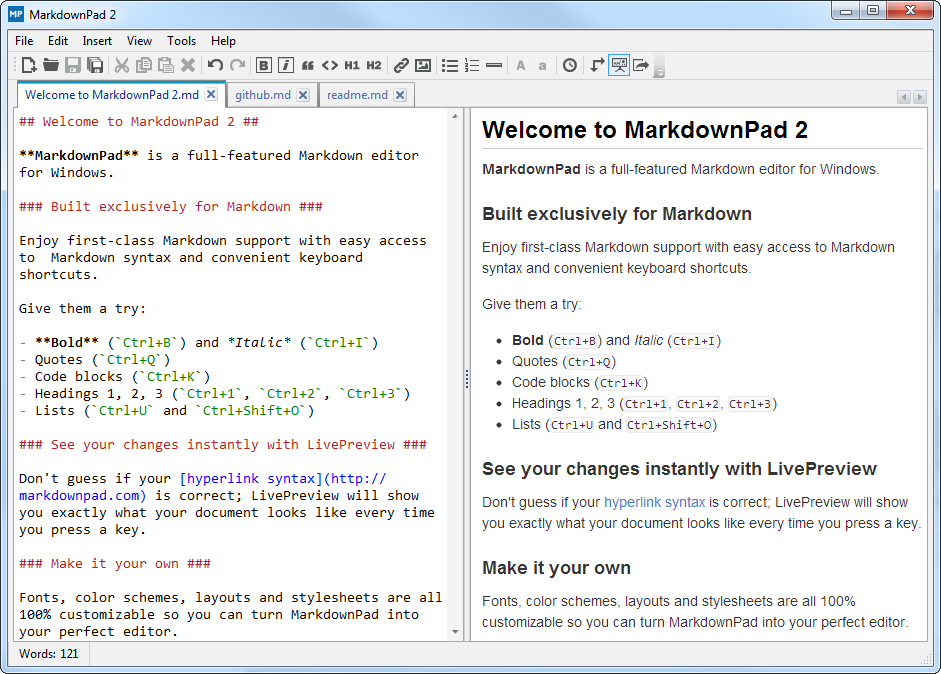
<h2 id="版本下载"><a href="#版本下载" class="headerlink" title="版本下载"></a>版本下载</h2><p>Markdownpad2  <a href="http://markdownpad.com/">download</a><br>直接官网下载免费版本。</p>
<img src="http://markdownpad.com/img/markdownpad2.png" class="full-image" alt="MarkdownPad 2" title="MarkdownPad 2" />
          <div class="post-more-link text-center">
            <a class="btn" href="/2016/06/23/MarkdownPad工具写GitHub博客/#more" rel="contents">
              阅读全文 &raquo;
            </a>
          </div>
        
      
    </div>

    <div>
      
    </div>

    <div>
      
    </div>

    <footer class="post-footer">


        <div class="post-eof"></div>
      
    </footer>
  </article>


  <article class="post post-type-normal " itemscope itemtype="http://schema.org/Article">

    
      <header class="post-header">


          <h1 class="post-title" itemprop="name headline">


                <a class="post-title-link" href="/2016/06/19/用markdown的语法写博客/" itemprop="url">
                  用markdown的语法写博客
                </a>
              
            
          </h1>
        

        <div class="post-meta">
          <span class="post-time">
            <span class="post-meta-item-icon">
              <i class="fa fa-calendar-o"></i>
            </span>
            <span class="post-meta-item-text">发表于</span>
            <time itemprop="dateCreated" datetime="2016-06-19T21:31:06+08:00" content="2016-06-19">
              2016-06-19
            </time>
          </span>

          
            <span class="post-category" >
              &nbsp; | &nbsp;
              <span class="post-meta-item-icon">
                <i class="fa fa-folder-o"></i>
              </span>
              <span class="post-meta-item-text">分类于</span>
              
                <span itemprop="about" itemscope itemtype="https://schema.org/Thing">
                  <a href="/categories/初写博客/" itemprop="url" rel="index">
                    <span itemprop="name">初写博客</span>
                  </a>
                </span>


            </span>


              <span class="post-comments-count">
                &nbsp; | &nbsp;
                <a href="/2016/06/19/用markdown的语法写博客/#comments" itemprop="discussionUrl">
                  <span class="post-comments-count ds-thread-count" data-thread-key="2016/06/19/用markdown的语法写博客/" itemprop="commentsCount"></span>
                </a>
              </span>


        </div>
      </header>


    <div class="post-body" itemprop="articleBody">


          <blockquote class="blockquote-center"><p>Markdown语法和Next主题写博客</p>
</blockquote>
<h2 id="文本居中"><a href="#文本居中" class="headerlink" title="文本居中"></a>文本居中</h2><p>此标签将生成一个带上下分割线的引用，同时引用内文本将自动居中。 文本居中时，多行文本若长度不等，视觉上会显得不对称，因此建议在引用单行文本的场景下使用。<br><blockquote class="blockquote-center"><p>例如作为文章开篇引用 或者 结束语之前的总结引用。</p>
</blockquote><br><figure class="highlight html"><table><tr><td class="gutter"><pre><span class="line">1</span><br><span class="line">2</span><br><span class="line">3</span><br><span class="line">4</span><br><span class="line">5</span><br><span class="line">6</span><br><span class="line">7</span><br><span class="line">8</span><br><span class="line">9</span><br><span class="line">10</span><br></pre></td><td class="code"><pre><span class="line"><span class="comment">&lt;!-- HTML方式: 直接在 Markdown 文件中编写 HTML 来调用 --&gt;</span></span><br><span class="line"><span class="comment">&lt;!-- 其中 class="blockquote-center" 是必须的 --&gt;</span></span><br><span class="line">  <span class="tag">&lt;<span class="name">blockquote</span> <span class="attr">class</span>=<span class="string">"blockquote-center"</span>&gt;</span>blah blah blah<span class="tag">&lt;/<span class="name">blockquote</span>&gt;</span></span><br><span class="line"></span><br><span class="line">  <span class="comment">&lt;!-- 标签 方式，要求版本在0.4.5或以上 --&gt;</span></span><br><span class="line">&#123;% centerquote %&#125;blah blah blah&#123;% endcenterquote %&#125;</span><br><span class="line"></span><br><span class="line">  <span class="comment">&lt;!-- 标签别名 --&gt;</span></span><br><span class="line">&#123;% cq %&#125; blah blah blah &#123;% endcq %&#125;</span><br><span class="line">`</span><br></pre></td></tr></table></figure></p>
          <div class="post-more-link text-center">
            <a class="btn" href="/2016/06/19/用markdown的语法写博客/#more" rel="contents">
              阅读全文 &raquo;
            </a>
          </div>
        
      
    </div>

    <div>
      
    </div>

    <div>
      
    </div>

    <footer class="post-footer">


        <div class="post-eof"></div>
      
    </footer>
  </article>


  <article class="post post-type-normal " itemscope itemtype="http://schema.org/Article">

    
      <header class="post-header">


          <h1 class="post-title" itemprop="name headline">


                <a class="post-title-link" href="/2016/06/19/hello-world/" itemprop="url">
                  Hello World
                </a>
              
            
          </h1>
        

        <div class="post-meta">
          <span class="post-time">
            <span class="post-meta-item-icon">
              <i class="fa fa-calendar-o"></i>
            </span>
            <span class="post-meta-item-text">发表于</span>
            <time itemprop="dateCreated" datetime="2016-06-19T09:02:18+08:00" content="2016-06-19">
              2016-06-19
            </time>
          </span>


              <span class="post-comments-count">
                &nbsp; | &nbsp;
                <a href="/2016/06/19/hello-world/#comments" itemprop="discussionUrl">
                  <span class="post-comments-count ds-thread-count" data-thread-key="2016/06/19/hello-world/" itemprop="commentsCount"></span>
                </a>
              </span>


        </div>
      </header>


    <div class="post-body" itemprop="articleBody">


          <p>Welcome to <a href="https://hexo.io/">Hexo</a>! This is your very first post. Check <a href="https://hexo.io/docs/">documentation</a> for more info. If you get any problems when using Hexo, you can find the answer in <a href="https://hexo.io/docs/troubleshooting.html">troubleshooting</a> or you can ask me on <a href="https://github.com/hexojs/hexo/issues">GitHub</a>.<br>
          <div class="post-more-link text-center">
            <a class="btn" href="/2016/06/19/hello-world/#more" rel="contents">
              阅读全文 &raquo;
            </a>
          </div>
        
      
    </div>

    <div>
      
    </div>

    <div>
      
    </div>

    <footer class="post-footer">


        <div class="post-eof"></div>
      
    </footer>
  </article>


  </section>


          </div>


        </div>


  <div class="sidebar-toggle">
    <div class="sidebar-toggle-line-wrap">
      <span class="sidebar-toggle-line sidebar-toggle-line-first"></span>
      <span class="sidebar-toggle-line sidebar-toggle-line-middle"></span>
      <span class="sidebar-toggle-line sidebar-toggle-line-last"></span>
    </div>
  </div>

  <aside id="sidebar" class="sidebar">
    <div class="sidebar-inner">


      <section class="site-overview sidebar-panel  sidebar-panel-active ">
        <div class="site-author motion-element" itemprop="author" itemscope itemtype="http://schema.org/Person">
        <a href="/" class="profilepic">
          <img itemprop="image"
               src="/assets/portrait.jpg"
               alt="Nurture Passes Nature." />
        </a>       
          <p class="site-author-name" itemprop="name">Nurture Passes Nature.</p>
          <p class="site-description motion-element" itemprop="description">Artoo</p>
        </div>
        <nav class="site-state motion-element">
          <div class="site-state-item site-state-posts">
            <a href="/archives">
              <span class="site-state-item-count">10</span>
              <span class="site-state-item-name">日志</span>
            </a>
          </div>

          
            <div class="site-state-item site-state-categories">
              <a href="/categories">
                <span class="site-state-item-count">2</span>
                <span class="site-state-item-name">分类</span>
              </a>
            </div>


            <div class="site-state-item site-state-tags">
              <a href="/tags">
                <span class="site-state-item-count">2</span>
                <span class="site-state-item-name">标签</span>
              </a>
            </div>
          

        </nav>

        
          <div class="feed-link motion-element">
            <a href="/atom.xml" rel="alternate">
              <i class="fa fa-rss"></i>
              RSS
            </a>
          </div>
        

        <div class="links-of-author motion-element">
          
            
              <span class="links-of-author-item">
                <a href="https://github.com/HelloArtoo" target="_blank" title="GitHub">
                  
                    <i class="fa fa-fw fa-github"></i>
                  
                  GitHub
                </a>
              </span>
            
          
        </div>


          <div class="links-of-blogroll motion-element links-of-blogroll-inline">
            <div class="links-of-blogroll-title">
              <i class="fa  fa-fw fa-globe"></i>
              
            </div>
            <ul class="links-of-blogroll-list">
              
                <li class="links-of-blogroll-item">
                  <a href="http://hushengdong.com" title="HUSD" target="_blank">HUSD</a>
                </li>
              
            </ul>
          </div>
        

      </section>


    </div>
  </aside>


      </div>
    </main>

    <footer id="footer" class="footer">
      <div class="footer-inner">
        <div class="copyright" >
  
  &copy; 
  <span itemprop="copyrightYear">2016</span>
  <span class="with-love">
    <i class="fa fa-heart"></i>
  </span>
  <span class="author" itemprop="copyrightHolder">Nurture Passes Nature.</span>
</div>

<div class="powered-by">
  based on <a class="theme-link" href="http://hexo.io">Hexo</a> , edited by artoo.
</div>

<div class="theme-info">
  theme -
  <a class="theme-link" href="https://github.com/iissnan/hexo-theme-next">
    NexT.Pisces
  </a>
</div>


<div class="busuanzi-count">

  <script async src="https://dn-lbstatics.qbox.me/busuanzi/2.3/busuanzi.pure.mini.js"></script>

  
    <span class="site-uv"><i class="fa fa-user"></i><span class="busuanzi-value" id="busuanzi_value_site_uv"></span></span>


    <span class="site-pv"><i class="fa fa-eye"></i><span class="busuanzi-value" id="busuanzi_value_site_pv"></span></span>
  
  
</div>


      </div>
    </footer>

    <div class="back-to-top">
      <i class="fa fa-arrow-up"></i>
    </div>
  </div>


<script type="text/javascript">
  if (Object.prototype.toString.call(window.Promise) !== '[object Function]') {
    window.Promise = null;
  }
</script>


  <script type="text/javascript" src="/vendors/jquery/index.js?v=2.1.3"></script>

  
  <script type="text/javascript" src="/vendors/fastclick/lib/fastclick.min.js?v=1.0.6"></script>

  
  <script type="text/javascript" src="/vendors/jquery_lazyload/jquery.lazyload.js?v=1.9.7"></script>

  
  <script type="text/javascript" src="/vendors/velocity/velocity.min.js?v=1.2.1"></script>

  
  <script type="text/javascript" src="/vendors/velocity/velocity.ui.min.js?v=1.2.1"></script>

  
  <script type="text/javascript" src="/vendors/fancybox/source/jquery.fancybox.pack.js?v=2.1.5"></script>


  <script type="text/javascript" src="/js/src/utils.js?v=5.0.1"></script>

  <script type="text/javascript" src="/js/src/motion.js?v=5.0.1"></script>


  <script type="text/javascript" src="/js/src/affix.js?v=5.0.1"></script>

  <script type="text/javascript" src="/js/src/schemes/pisces.js?v=5.0.1"></script>


  <script type="text/javascript" src="/js/src/bootstrap.js?v=5.0.1"></script>


  <script type="text/javascript">
    var duoshuoQuery = {short_name:"artoo"};
    (function() {
      var ds = document.createElement('script');
      ds.type = 'text/javascript';ds.async = true;
      ds.id = 'duoshuo-script';
      ds.src = (document.location.protocol == 'https:' ? 'https:' : 'http:') + '//static.duoshuo.com/embed.js';
      ds.charset = 'UTF-8';
      (document.getElementsByTagName('head')[0]
      || document.getElementsByTagName('body')[0]).appendChild(ds);
    })();
  </script>


      <script src="/vendors/ua-parser-js/dist/ua-parser.min.js?v=0.7.9"></script>
      <script src="/js/src/hook-duoshuo.js"></script>


</body>
</html>